TurboMosaic 3.0.19

Download TurboMosaic 3.0.19

TurboMosaic is a photomosaic software that lets you make the most amazing picture mosaics with little effort — we bet you’d be pleasantly surprised with the quality of results.

What is a Photo Mosaic?

A mosaic is a photo made out of many smaller photos. When viewed from a distance the big picture is prominent whereas when viewed from close up the individual smaller pictures show out distinctly.

Make a Photo Mosaic in 3 Simple Steps

Absolutely anyone can make a photo mosaic in a few minutes — no design expertise or experience needed!

Information

Compatibility
OS X 10.9 or later 64-bit
Languages
English

What’s New in TurboMosaic 3.0.19

  • Release notes not available at the time of this post.

Screenshots

Name TurboMosaic 3.0.19 [TNT] mac-torrents.net.zip
Size 95.79 MB
Created on 2019-10-23 00:56:44
Hash 79f1c6f8e63da5cf21df8a0507697d7c00978cfd
Files TurboMosaic 3.0.19 [TNT] mac-torrents.net.zip (95.79 MB)

Download

Shredo 1.2.6

Download Shredo 1.2.6

Shredo is a beautiful and functional file shredding utility.

It permanently shreds files, folders and external volumes’ contents to keep information secure and impossible for anyone to retrieve.

Secure Empty Trash feature is also available.

Depending on security level and data erase speed, you have 3 shredding methods at your disposal:

1-pass

Offers good security and quickest erase of data. It deletes access information to your files and writes random bytes over the data ONCE.

7-pass

Slower speed, but better security than 1-pass.
Writes over data 7 times, based on US Department of Defence (DoD) 5220-20 M standard algorithms.

35-pass

Slowest, but offers best security.
Erases file access info and writes over the data 35 times, based on the Gutmann method for deletion.

Shredo supports external volumes and flash drives, but depending on their size and method selected, shredding time many vary.

What’s New in Shredo 1.2.6

  • Some Catalina optimizations
  • Note: Secure Empty Trash feature now requires you to enable Full Disk Access permission on MacOS Catalina. As soon as you click that button, Shredo will tell you what to do.

Screenshots

Name Shredo 1.2.6 [TNT] mac-torrents.net.zip
Size 18.45 MB
Created on 2019-10-23 00:56:26
Hash 6bd9326f63d7fa2e6a9d145480327f010ded7d1b
Files Shredo 1.2.6 [TNT] mac-torrents.net.zip (18.45 MB)

Download

Adobe Zii 4.4.8 CC2019 Universal Patcher

Name Adobe Zii 2019 4.4.8 [TNT] mac-torrents.net.zip
Size 18.99 MB
Created on 2019-10-22 20:30:21
Hash eabda6ea15753e81639e0de4d2f0476417daea85
Files Adobe Zii 2019 4.4.8 [TNT] mac-torrents.net.zip (18.99 MB)

Download


Download Adobe Zii 4.4.8 CC2019 Universal Patcher

Adobe Zii is a small and great utility which helps you forget about all issues with the registration of all Adobe existing products.

Supported Products:

  • Adobe Acrobat DC v19.012.20036 – 19.021.20048
  • Adobe After Effects CC 2019 v16.1 – 16.1.3
  • Adobe Animate CC 2019 v19.2 – 19.2.1
  • Adobe Audition CC 2019 v12.1 – 12.1.5
  • Adobe Bridge CC 2019 v9.0.3 – 9.1
  • Adobe Character Animator CC 2019 v2.1 – 2.1.1
  • Adobe Dimension CC v2.3
  • Adobe Dreamweaver CC 2019 v19.1 – 19.2.1
  • Adobe Illustrator CC 2019 v23.0.3 – 23.1.1
  • Adobe InCopy CC 2019 v14.0.2
  • Adobe Indesign CC 2019 v14.0.2 – 14.0.3.433
  • Adobe Lightroom Classic v8.2.1 – 8.4.1
  • Adobe Media Encoder CC 2019 v13.1 – 13.1.5
  • Adobe Photoshop CC 2019 v20.0.4 – 20.0.6
  • Adobe Prelude CC 2019 v8.1 – 8.1.1
  • Adobe Premiere Pro CC 2019 v13.1 – 13.1.5
  • Adobe Premiere Rush CC v1.1 – 1.2.8
  • Adobe XD v21.0.12.11 – 23.1.32.2

Information

CompatibilityOS X 10.11 or later 64-bit
LanguagesEnglish

What’s New in Adobe Zii 4.4.8 CC2019

Fixed:

  • Acrobat Distiller including now

Screenshots

Apple App Bundle 10.2019


Download Apple App Bundle 10.2019 mac-torrents.net

What’s included in Apple App Bundle 10.2019

  1. Final Cut Pro 10.4.7 MAS [TNT]
  2. Motion 5.4.4 MAS [TNT]
  3. Compressor 4.4.5 MAS [TNT]
  4. iMovie 10.1.10 MAS [TNT]
  5. Logic Pro X 10.4.7 MAS [TNT]
  6. MainStage 3 3.4.3 MAS [TNT]
  7. macOS Catalina 10.15 [19A583] [MAS]
  8. macOS Server 5.8 MAS [TNT]
  9. Remote Desktop 3.9.3 MAS [TNT]

Final Cut Pro

Redesigned from the ground up, Final Cut Pro combines revolutionary video editing with powerful media organization and incredible performance to let you create at the speed of thought.

Information

CompatibilityOS X 10.14.6 or later, 64-bit processor
LanguagesEnglish, French, German, Japanese, Simplified Chinese, Spanish

Motion

Designed for video editors, Motion is a powerful motion graphics tool that makes it easy to create cinematic 2D and 3D titles, fluid transitions, and realistic effects in real time.

Information

CompatibilityOS X 10.14.6 or later, 64-bit processor
LanguagesEnglish, French, German, Japanese, Simplified Chinese, Spanish

Compressor

Compressor integrates tightly with Final Cut Pro to add power and flexibility to your video conversions. A simple interface lets you quickly customize output settings, enhance images, and package your film for sale on the iTunes Store. For even faster conversions, easily set up distributed encoding using other Mac computers.

Information

CompatibilityOS X 10.14.6 or later, 64-bit processor
LanguagesEnglish, French, German, Japanese, Simplified Chinese, Spanish

iMovie

With a streamlined design and intuitive editing features, iMovie lets you enjoy your videos and tell stories like never before. Browse your video library, share favorite moments, and create beautiful movies that you can edit at resolutions up to 4K. You can even start editing movies on an iPhone or iPad, and finish them on a Mac. And when your movie is ready for its big premiere, you can enjoy it on all your devices in iMovie Theater.

Information

CompatibilityOS X 10.14.6 or later, 64-bit processor
LanguagesEnglish, Catalan, Croatian, Czech, Danish, Dutch, Finnish, French, German, Greek, Hungarian, Indonesian, Italian, Japanese, Korean, Malay, Norwegian, Polish, Portuguese, Romanian, Russian, Simplified Chinese, Slovak, Spanish, Swedish, Thai, Traditional Chinese, Turkish, Ukrainian, Vietnamese

Logic Pro X

Logic Pro X is the most advanced version of Logic ever. Sophisticated tools for professional songwriting, editing, and mixing are built around a modern interface that’s designed to get creative results quickly and also deliver more power whenever it’s needed. mac-torrents.net Logic Pro X includes a massive collection of instruments, effects, and loops, providing a complete toolkit to create amazing-sounding music.

Information

CompatibilityOS X 10.13.6 or later, 64-bit processor
LanguagesEnglish, French, German, Japanese, Simplified Chinese, Spanish

MainStage

MainStage 3 lets you take your Mac to the stage with a full-screen interface optimized for live performance, flexible hardware control, and a massive collection of plug-ins and sounds that are fully compatible with Logic Pro X.

Information

CompatibilityOS X 10.12 or later, 64-bit processor
LanguagesEnglish, French, German, Japanese, Simplified Chinese, Spanish

macOS Catalina

macOS Catalina gives you more of everything you love about Mac. Experience three all-new media apps: Apple Music, Apple TV, and Apple Podcasts. Locate a missing Mac with the new Find My app. And now coming to Mac, your favorite iPad apps. You can even extend your desktop using iPad as a second display. Now you can take everything you do above and beyond.

Information

CompatibilityOS X 10.9 or later, 64-bit processor
Supports models
  • MacBook: Early 2015 or later
  • MacBook Air: Mid 2012 or later
  • MacBook Pro: Mid 2012 or later
  • Mac Mini: Late 2012 or later
  • iMac: Late 2012 or later
  • iMac Pro: 2017 and later (all models)
  • Mac Pro: Late 2013 or later
LanguagesMultilangual

macOS Server

Designed for macOS and iOS devices, macOS Server makes it easy to share files, schedule meetings, synchronize contacts, develop software, host your own website, publish wikis, configure Mac, iPhone, and iPad devices, remotely access your network, and more.

Information

CompatibilityOS X 10.15 or later, 64-bit processor
LanguagesEnglish, Dutch, French, German, Italian, Japanese, Korean, Simplified Chinese, Spanish, Traditional Chinese

Remote Desktop

Apple Remote Desktop is the best way to manage the Mac computers on your network. Distribute software, provide real-time online help to end-users, create detailed software and hardware reports, and automate routine management tasks — all from your own Mac.

Information

CompatibilityOS X 10.14.6 or later, 64-bit processor
LanguagesEnglish, Dutch, French, German, Italian, Japanese, Korean, Simplified Chinese, Spanish, Traditional Chinese

Screenshots

Name Apple App Bundle 10.2019 mac-torrents.net
Size 18.76 GB
Created on 2019-10-15 08:19:50
Hash 89ed62ae7084386d43d047e2175696121ae08498
Files Apple App Bundle 10.2019 mac-torrents.net.rar x 6 (18.76 GB)

Download

Kuassa Amplifikation Matchlock v1.0.1


Download Kuassa Amplifikation Matchlock v1.0.1

OUR BEST AMP SIMULATOR (YET), AMERICAN STYLE!

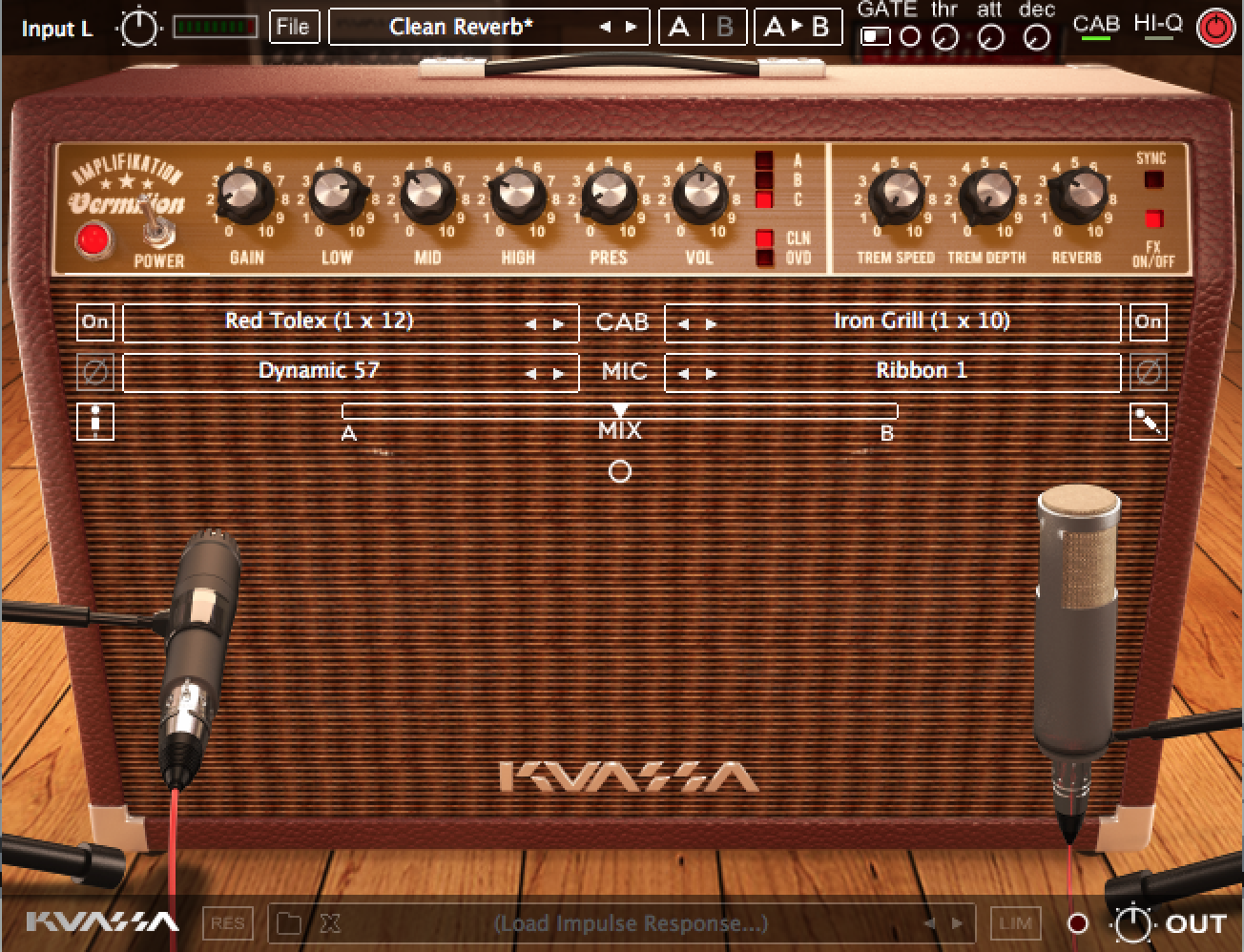
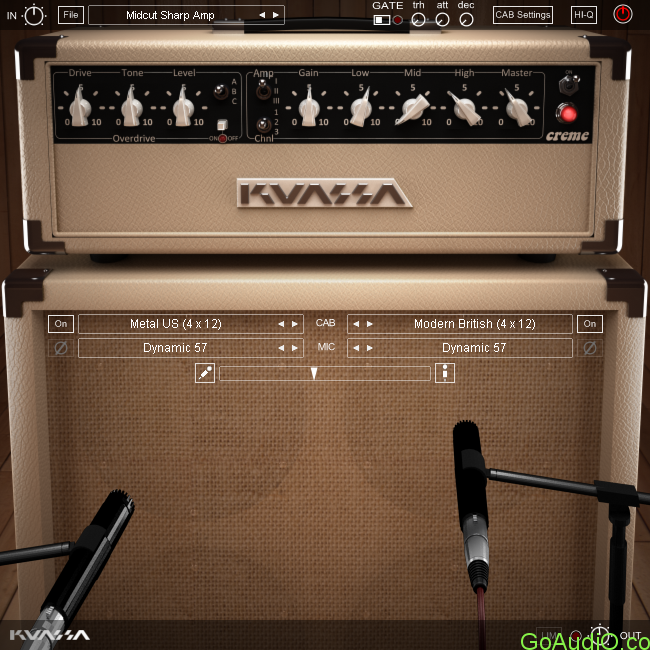
Second product from Kuassa’s 3rd gen Tube Simulation technology following the much hyped Amplifikation Caliburn. Amplifikation Matchlock is inspired by Fender* combo amps and thanks to the 3rd gen Tube Simulation engine guarantees a more dynamic natural sounding, realistic amp recording experience for guitarists.

THE HERITAGE OF “AMERICAN SOUND” TO YOUR DESKTOP

There are many great names in the history of guitar amplifiers, but there’s probably nothing more influential and intriguing than the one who guides along the birth of rock n roll: Fender* amplifiers. It was the choice of the pioneers of rock n roll such as Chuck Berry, Buddy Holly, Keith Richards, Dick Dale, and even The Beatles.

Amplifikation Matchlock is inspired by Fender* combo amps and thanks to the 3rd gen tube simulation engine guarantees a more dynamic natural sounding, realistic amp recording experience for guitarists.

Fender* amps are still hugely popular today as they’ve been for the last 60 years. With its thick, loud, and harmonically rich tone, Fender* amps are known to be the choice for clean sound. Not only for electric guitars, but also for instruments such as harmonicas and synthesizers. Numerous guitar players also calls these amplifiers as “pedal palette”: The perfect companion for tone building mastery via effect pedals. Guitarists who love to fiddle around with effect pedals will surely love these amps.

Proudly brought you the heritage of the classic American sound to your desktop, we present Kuassa Amplifikation Matchlock.

KEY FEATURES

  • 3 amp types, taken influence from Fender’s popular amps ; Twin Reverb, Super Reverb, Custom Vibrolux Reverb.
  • 2 channels for each amp; Clean and Boosted.
  • Power amp Sag and Bias feature.
    Five types of cabinets.
    High pass and low pass filters.
  • Seven types of workhorse mics: Shure SM57, Sennheiser MD421, Sennheiser MD441, Shure KSM313, Royer R121, AKG C414, Neumann TLM103.
  • Freely adjustable dualmiking with mono or stereo configuration, just like a reallife guitar recording session with mix option.
  • Noise Gate and Limiter.
    Photorealistic graphics for lifelike guitar playing experience.
  • Straightforward and easy to use interface.
    Supports up to 8x oversampling.

Information

CompatibilityMac OSX 10.6 or later (32/64 bit)
VST, VST3, or Audio Units compatible host/DAW
Pro Tools 10 or later for AAX format
Propellerhead Reason 7.1 or later for Rack Extension format
LanguagesEnglish

What’s New in Kuassa Amplifikation Matchlock v1.0.1

  • Release notes not available at the time of this post.

Screenshots

Name Kuassa.Amplifikation.Matchlock.v1.0.1.mac-torrents.net.rar
Size 558.4 MB
Created on 2019-10-22 18:40:34
Hash e0ea5c6941f43df583ec8c63567654f48e9e8a8d
Files Kuassa.Amplifikation.Matchlock.v1.0.1.mac-torrents.net.rar (558.4 MB)

Download

Kuassa Amplifikation Caliburn v1.0.6


Download Kuassa Amplifikation Caliburn v1.0.6

OUR BEST AMP SIMULATOR (YET), AMERICAN STYLE!

Second product from Kuassa’s 3rd gen Tube Simulation technology following the much hyped Amplifikation Caliburn. Amplifikation Matchlock is inspired by Fender* combo amps and thanks to the 3rd gen Tube Simulation engine guarantees a more dynamic natural sounding, realistic amp recording experience for guitarists.

THE HERITAGE OF “AMERICAN SOUND” TO YOUR DESKTOP

There are many great names in the history of guitar amplifiers, but there’s probably nothing more influential and intriguing than the one who guides along the birth of rock n roll: Fender* amplifiers. It was the choice of the pioneers of rock n roll such as Chuck Berry, Buddy Holly, Keith Richards, Dick Dale, and even The Beatles.

Amplifikation Matchlock is inspired by Fender* combo amps and thanks to the 3rd gen tube simulation engine guarantees a more dynamic natural sounding, realistic amp recording experience for guitarists.

Fender* amps are still hugely popular today as they’ve been for the last 60 years. With its thick, loud, and harmonically rich tone, Fender* amps are known to be the choice for clean sound. Not only for electric guitars, but also for instruments such as harmonicas and synthesizers. Numerous guitar players also calls these amplifiers as “pedal palette”: The perfect companion for tone building mastery via effect pedals. Guitarists who love to fiddle around with effect pedals will surely love these amps.

Proudly brought you the heritage of the classic American sound to your desktop, we present Kuassa Amplifikation Matchlock.

KEY FEATURES

  • 3 amp types, taken influence from Fender’s popular amps ; Twin Reverb, Super Reverb, Custom Vibrolux Reverb.
  • 2 channels for each amp; Clean and Boosted.
  • Power amp Sag and Bias feature.
    Five types of cabinets.
    High pass and low pass filters.
  • Seven types of workhorse mics: Shure SM57, Sennheiser MD421, Sennheiser MD441, Shure KSM313, Royer R121, AKG C414, Neumann TLM103.
  • Freely adjustable dualmiking with mono or stereo configuration, just like a reallife guitar recording session with mix option.
  • Noise Gate and Limiter.
    Photorealistic graphics for lifelike guitar playing experience.
  • Straightforward and easy to use interface.
    Supports up to 8x oversampling.

Information

CompatibilityMac OSX 10.6 or later (32/64 bit)
VST, VST3, Audio Units or AAX compatible Host Software
LanguagesEnglish

What’s New in Kuassa Amplifikation Caliburn v1.0.6

  • Release notes not available at the time of this post.

Screenshots

Name Kuassa.Amplifikation.Caliburn.v1.0.6.mac-torrents.net.rar
Size 400.0 MB
Created on 2019-10-22 18:41:05
Hash 909e39e249589abb73a540f15f6acb14454bd7ec
Files Kuassa.Amplifikation.Caliburn.v1.0.6.mac-torrents.net.rar (400.0 MB)

Download

Kuassa Efektor DL3606 v1.0.0


Download Kuassa Efektor DL3606 v1.0.0

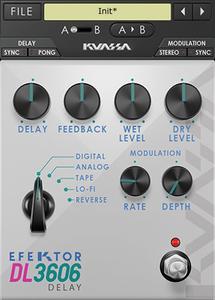
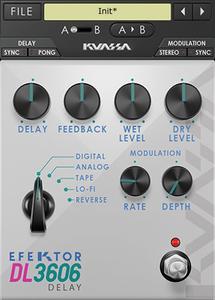
Brings five most desirable types of delay pedal effect software to your DAW, complete with modulation parameter to add life and movement to the repeats or echoes.

It’s probably one of the most essential effects in audio effect processing, even before widely used in music. It all started in the 1940s, where studio engineers utilized multiple tape machines to create repeats of a signal for creative uses. Along with the advancement of technology, this particular kind of effect is still developed continuously with more features, new sounds, and modern routing possibilities. On the other hand, many players still seek for classic delay sound that can be heard on a great number of timeless records.

In the path to complete our line of Efektor pedal effects software, Kuassa present the Efektor DL3606 Delay. Efektor DL3606 brings five most desirable types of delay effect audio plugins to your DAW, complete with modulation parameter to add life and movement to the repeats or echoes.

Started from utilizing multiple tape recorders, oil can electrostatic units, portable tape delay machines, to rack units and compact delay pedals.

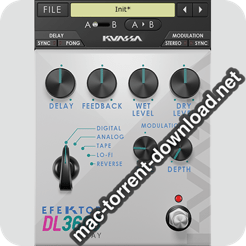
Kuassa Efektor DL3606 Delay provides 5 types of delay pedal effects software at your disposal:

  1. Digital: Clean and clear, with wide frequency range.
  2. Analog: Dark and mushy, inspired by the bucket brigade delay pedals
  3. Lo-Fi: Grainy and dirty, lower bitrate with reduced frequency range
  4. Tape: Simulated the warm and lush sound of vintage tape units
  5. Reverse: Repeats the signal backwards for ethereal and ambient effect

Key Features:

  • 5 popular delay types
  • Modulation section with individual Rate and Depth controls
  • Separate Wet and Dry controls
  • BPM sync
  • Photorealistic graphics for lifelike guitar playing experience
  • Straightforward and easy to use interface

Information

CompatibilityMac OS 10.6 or later (32/64-bit)
VST, VST3, Audio Units or AAX compatible Host Software
LanguagesEnglish

What’s new in Kuassa Efektor DL3606 v1.0.0

  • Initial release

Screenshots

Name Kuassa.Efektor.DL3606.v1.0.0.mac-torrents.net.rar
Size 37.49 MB
Created on 2019-10-22 18:40:16
Hash 429e9c56aa63dfe501094490ef9cc119777533b5
Files Kuassa.Efektor.DL3606.v1.0.0.mac-torrents.net.rar (37.49 MB)

Download

Sketch 59.1

Name Sketch 59.1 [TNT] mac-torrents.net.zip
Size 68.23 MB
Created on 2019-10-22 18:24:55
Hash 216f38cdda0b299ae45da09f283211c92104ec1c
Files Sketch 59.1 [TNT] mac-torrents.net.zip (68.23 MB)

Download


Download Sketch 59.1

Sketch is an innovative and fresh look at vector drawing. Its intentionally minimalist design is based upon a drawing space of unlimited size and layers, free of palettes, panels, menus, windows, and controls. Though simple to use, it offers powerful vector drawing and text tools like perfect Boolean operations, symbols, and powerful rulers, guides, and grids

Sketch Features:

Sketch is built for designers like you.

With useful features, an intuitive interface and powerful plugins built by a community of developers, it helps you focus on what you do best.

  • Complete Toolkit
  • Nondestructive Editing
  • Pixel Precision
  • Vector Editing
  • Export Presets
  • Code Export
  • Grid and Guides
  • Prototyping

Design once. Reuse anywhere. Update easily.

With Symbols, Sketch takes the pain out of working with repeated design elements — from icons to avatars.

Iterate at speed

Create a master Symbol, use it anywhere in your document and Sketch will sync your changes.

Override text and images

Edit text and images in your Symbols — wherever they’re used — for dynamic designs.

One size fits all

Resize Symbols wherever you use them to test elements across different screen sizes.

Roll your own UI Kit

Sync, share and update Symbols, across all of your documents, with Libraries.

Information

CompatibilityOS X 10.13.4 or later, 64-bit processor
LanguagesEnglish

What’s New in Sketch 59.1

Bug Fixes:

  • This release fixes a bug where text layers could appear gradually lighter each time you edited them, and a graphical glitch that could occur on Macs with NVIDIA graphics. On macOS 10.14.4 and higher, your Mac’s hardware will need to support Metal in order to run Sketch 59 and higher.

Screenshots

BetterTouchTool 3.206

Name BetterTouchTool 3.206 [TNT] mac-torrents.net.zip
Size 31.28 MB
Created on 2019-10-22 18:35:47
Hash 7eba499027a69d9a60da8a1d734de5d85606f21c
Files BetterTouchTool 3.206 [TNT] mac-torrents.net.zip (31.28 MB)

Download

Download BetterTouchTool 3.206

BetterTouchTool adds many new, fully customizable gestures to the Magic Mouse, Multi-Touch MacBook trackpad, and Magic Trackpad.

These gestures are customizable:
  • Magic Mouse:
    • Pinch in / out (zoom)
    • single-finger tap left
    • single-finger tap right
    • single-finger tap middle
    • single-finger tap
    • single-finger click middle
    • two-finger tap
    • two-finger click
    • two-finger swipe (up/down/left/right)
    • two-finger tip tap left/right
    • three-finger tap
    • three-finger click
    • three-finger swipe (up/down/left/right)
    • four-finger swipe up/down
    • four-finger click
    • TipTap left/right
  • Touchpad:
    • single-finger tap top-left
    • single-finger tap top-right
    • single-finger tap top-middle
    • single-finger tap bottom-left
    • single-finger tap bottom-right
    • single-finger tap bottom-middle
    • single-finger tap left-middle
    • single-finger tap right-middle
    • two-finger tip tap left/right
    • three-finger swipes (up/down/left/right)
    • three-finger tap
    • three-finger click
    • four-finger swipes (up/down/left/right)
    • four-finger tap
    • five-finger tap
    • five-finger swipe up/down/left/right (see FAQ)
    • TipTap
    • two-finger TipTap
    • three-finger TipTap

Information

Compatibility
OS versionOS X 10.10 or later
Languages
English

What’s New in BetterTouchTool 3.206

  • Release notes not available at the time of this post.

Screenshots

TechSmith Snagit 2020.0.0 Build 96023

Download TechSmith Snagit 2020.0.0 Build 96023

Simple, Powerful Screen Capture Software

takes the hassle out of creating images and videos. Capture your screen, edit images, and deliver results. Snagit is also the only screen capture tool with built-in advanced image editing and screen recording. So you can easily create high-quality images and videos all in one program. Quickly explain a process, build visual-based documentation and be more engaging by adding images and videos to your communications.

Key Features:

  • Video Capture with Webcam
  • Animated GIF
  • Panoramic and Scrolling Capture
  • Background Autofill and Magic Wand Select
  • Shared Styles and Themes
  • Smart Move
  • Grab Text
  • Text Replace

Information

CompatibilitymacOS 10.12 or later
LanguagesEnglish, Deutsch, Fran巽ais

What’s New in TechSmith Snagit 2020.0.0 Build 96023

  • Release notes not available at the time of this post.

Screenshots

Name TechSmith Snagit 2019.1.6 mac-torrents.net.zip
Size 412.1 MB
Created on 2019-10-22 18:24:31
Hash 2c68dadd82e150414a5c98d07d7364e8bc17f51d
Files TechSmith Snagit 2019.1.6 mac-torrents.net.zip (412.1 MB)

Download

Swinsian 2.2.1

Download Swinsian 2.2.1

is a sophisticated music player for Mac OS X with wide format support, folder watching and advanced tag editing and designed to be responsive even with the largest libraries.

Features

Customise

The art grid, column browser and track inspector provide multiple ways to view and navigate your music. They can also be hidden if you prefer a minimal interface.

Organise

Easily edit tags on multiple tracks at once. Regex compatible find and replace helps you keep your music correctly tagged. The powerful Duplicate Finder helps you find and remove duplicate tracks using flexible criteria to keep your library organised.

Control

Control playback easily with global shortcuts and the mini window. The customisable desktop art widget can decorate your desktop with details of the music you are listening to.

Key Features

  • Folder watching
  • iTunes library importing
  • Album art fetching
  • Global keyboard shortcuts
  • Playback Notifications
  • Duplicate track finder
  • Last.fm scrobbling
  • Separate playlist windows
  • Regex search
  • Find and replace tag editing, with regex support
  • Smart playlists
  • Library stats
  • Playback over AirPlay
  • Automatic Podcast downloading
  • Applescript control

Audio Playback

  • 10 or 31 band Graphic Equalizer
  • Supports Flac, MP3, AAC, ALAC, Ogg Vorbis, WMA, WAV, Opus, AC3, AIFF, MusePack, DSF, and APE.
  • Gapless playback
  • Automatic changing of device sample rate
  • Support for cue files and embedded cue information

Information

Compatibility
OS X 10.7 or later 64-bit
Languages
English

What’s New in Swinsian 2.2.1

Fixed:

  • Crashes when using the keyboard media keys on Catalina
  • A potential crash when editing lyrics

Screenshots

Name Swinsian 2.2.1 [TNT] mac-torrents.net.zip
Size 25.55 MB
Created on 2019-10-22 18:24:40
Hash 34e5378f9ce89a359610a0a25c7f6f83f7a0e053
Files Swinsian 2.2.1 [TNT] mac-torrents.net.zip (25.55 MB)

Download

Adobe Zii 4.4.7 CC2019 Universal Patcher

Name Adobe Zii 2019 4.4.7 [TNT] mac-torrents.net.zip
Size 19.11 MB
Created on 2019-10-22 13:37:30
Hash 785eff1f84af5b3622ab7d6e262621d1366a9375
Files Adobe Zii 2019 4.4.7 [TNT] mac-torrents.net.zip (19.11 MB)

Download

Download Adobe Zii 4.4.7 CC2019 Universal Patcher

Adobe Zii is a small and great utility which helps you forget about all issues with the registration of all Adobe existing products.

Supported Products:

  • Adobe Acrobat DC v19.012.20036 – 19.021.20048
  • Adobe After Effects CC 2019 v16.1 – 16.1.3
  • Adobe Animate CC 2019 v19.2 – 19.2.1
  • Adobe Audition CC 2019 v12.1 – 12.1.5
  • Adobe Bridge CC 2019 v9.0.3 – 9.1
  • Adobe Character Animator CC 2019 v2.1 – 2.1.1
  • Adobe Dimension CC v2.3
  • Adobe Dreamweaver CC 2019 v19.1 – 19.2.1
  • Adobe Illustrator CC 2019 v23.0.3 – 23.1.1
  • Adobe InCopy CC 2019 v14.0.2
  • Adobe Indesign CC 2019 v14.0.2 – 14.0.3.433
  • Adobe Lightroom Classic v8.2.1 – 8.4.1
  • Adobe Media Encoder CC 2019 v13.1 – 13.1.5
  • Adobe Photoshop CC 2019 v20.0.4 – 20.0.6
  • Adobe Prelude CC 2019 v8.1 – 8.1.1
  • Adobe Premiere Pro CC 2019 v13.1 – 13.1.5
  • Adobe Premiere Rush CC v1.1 – 1.2.8
  • Adobe XD v21.0.12.11 – 23.1.32.2

Information

Compatibility
OS X 10.11 or later 64-bit
Languages
English
Web Site
Adobe Website

What’s New in Adobe Zii 4.4.7 CC2019

Added:

  • Adobe Acrobat DC 19.021.20048

Screenshots

Adobe Acrobat Pro DC 2019.021.20048 CR2

Download Adobe Acrobat Pro DC 2019.021.20048 CR2

is the leading PDF converter and much more. Adobe Acrobat Pro DC software lets you deliver professional PDF communications. It’s packed with smart tools that give you even more power to communicate. Create and edit PDF files with rich media included, share information more securely, and gather feedback more efficiently.

Adobe Acrobat Pro DC software is the advanced way for business professionals to create, combine, control, and deliver more secure, high-quality Adobe PDF documents for easy, more secure distribution, collaboration, and data collection.

Assemble electronic or paper files into reliable PDF documents that are easy to share with others using free Adobe Reader. You can assemble even Web sites, engineering drawings, and e-mail.

With Adobe Acrobat Pro DC you can manage document reviews, synthesizing feedback from multiple reviewers while preserving document format and integrity. Extend commenting capabilities to anyone using Adobe Reader. Windows users can design intelligent Adobe PDF forms that include business logic, such as calculations and data validations, to help increase the accuracy of data collection while reducing the costs of manual data entry.

Use Adobe Acrobat Pro DC to create high-impact PDF communications, collaborate more easily, and streamline reviews. Adobe Acrobat Dynamic PDF helps you get more done – easier, faster, better.

Features:

Edit PDF files

With Adobe Acrobat Pro DC, you can make minor edits to text and images right in your PDF file without requiring the original document or graphic. Edit text in a PDF. Fix a typo, change a font, or add a paragraph to your PDF as easily as you do in other applications using a new point-and-click interface. Edit images in a PDF. Resize, replace, and adjust images in your PDF with no need to track down the original file or graphic.

Export from PDF files

Reduce the time you spend retyping information stuck in PDF files. Convert PDF files to editable Microsoft Office documents. And save fonts, formatting, and effort.

Convert PDF files to Word. Save your PDF as a Microsoft Word document and take your fonts, formatting, and layouts with you. Convert PDF files to Excel. Turn your PDF or just part of it into an editable Excel spreadsheet you can use for data analysis right away. Convert PDF files to PowerPoint. Get a head start on new projects by saving a PDF file as a fully editable PowerPoint presentation.

Create PDF files

Stop worrying about whether the files you send will look right on other people’s screens. Turn documents into PDF files anyone can reliably view with free Adobe Reader.

Convert Word, Excel, or PowerPoint to PDF. Right from your Office application in Windows, you can create PDFs, start a shared review, restrict PDF edits, and more. Print to PDF. Convert files to PDF from virtually any application that prints simply by selecting Adobe PDF as your printer. Scan to PDF. When you need to turn a paper document or form into a digital file, just scan it to create a searchable PDF file you can edit. Convert HTML pages to PDF. Save web pages as PDF files to archive web content, review the pages offline, or print them more reliably.

Create and analyze forms

Cut the time you spend creating forms, rekeying data, and correcting errors. Distribute forms online, and then collect responses and analyze results in real time.

Create new PDF and web forms. Customize professional templates or design from scratch with the Adobe FormsCentral desktop app included in Adobe Acrobat Pro DC. Collect form responses with FormsCentral. Easily collect responses by moving your PDF or web forms online with the Adobe FormsCentral online service. Convert existing forms to fillable PDFs. Type less, gather more. Quickly convert your paper, Word, or Excel forms to fillable PDF forms. Collect form responses using Adobe Acrobat tools. Compile returned forms into one PDF, or host forms using a network folder or Microsoft SharePoint server.

Information

Compatibility
macOS 10.12.0 or later
Includes
Adobe Zii 4.4.7
Languages
English

What’s New in Adobe Acrobat Pro DC 2019.021.20048 CR2

  • Release notes not available at the time of this post.

Screenshots

Name Adobe Acrobat DC v19.021.20048 [TNT] mac-torrents.net .rar
Size 742.8 MB
Created on 2019-10-22 13:46:10
Hash 3fe361f55e9f4e82f605cef50579f761921dda19
Files Adobe Acrobat DC v19.021.20048 [TNT] mac-torrents.net .rar (742.8 MB)

Download

iA Writer 5.3

Download iA Writer 5.3

iA Writer (was iA Writer Pro) is a professional writing suite that gives you full control over your notes, drafts and edits.

  • Workflow: Note – Write – Edit – Read. Each stage has a task-specific typeface and color.
  • Syntax Control scans the syntax of English, French, German, Italian, and Spanish text and highlights your adjectives, nouns, verbs, adverbs, prepositions or conjunctions.
  • Precision Writing Tools:
    • Auto Markdown formats text on-screen — your hands stay on the keyboard
    • Syntax Control introduces syntactic markup for natural language text. It covers English, French, German, Italian, and Spanish. Patent pending.
    • Convert Markdown to Microsoft Word 2007 .docx, and back again

Features

  • Workflow states
  • Custom typefaces, carefully set for optimal readability
  • In-app preview
  • Reading time, plus sentence, word, and character count
  • Real-time iCloud sync
  • Ready for Retina displays
  • Full-screen

Information

Compatibility
OS X 10.11 or later, 64-bit processor
Languages
English, French, German, Italian, Japanese, Korean, Portuguese, Russian, Simplified Chinese, Spanish, Traditional Chinese

What’s New in iA Writer 5.3

iA Writer 5.3 is a companion release to our big update for iOS 13 and iPadOS 13.

# Updated File Keyboard Shortcuts

  • Simpler and consistent with iOS and iPadOS
  • CommandN creates a new file in current window
  • ShiftCommandN creates a new file in a new window
  • Return opens a Quick Search result in current window
  • ShiftReturn opens a Quick Search result in a new window

# Content Blocks with Relative Paths

  • `../Note.txt` will include a file from the parent folder

# Handoff Improvements

  • Handoff now works when both devices have a Library Location with the same name
  • Files are handed off using Library paths: `/Locations/GitHub/Readme.md`
  • Requires iA Writer 5.3 on both devices

# Other Improvements

  • Links to local images are now converted as file URLs
  • Fixed link import from Word
  • Fixed gif export to Word
  • Changed `write` URL command with `mode=append` to create a file if it doesn’t exist
  • App activates for new documents created using Dock menu
  • Double-click Smart Folders in Organizer to edit rules (as in Mail)

Screenshots

Name iA Writer 5.3 MAS [TNT] mac-torrents.net.zip
Size 24.42 MB
Created on 2019-10-22 13:37:42
Hash b0bf790d3ee5c96875de5bffc73467cbd2c3fe2e
Files iA Writer 5.3 MAS [TNT] mac-torrents.net.zip (24.42 MB)

Download

OmmWriter 1.59

Download OmmWriter 1.59

A wise man once said: “We are all at the mercy of our wild monkey minds. Incessantly swinging from branch to branch”. With multiple windows and applications all vying for our attention, we have sadly adapted our working habits to that of the computer and not the other way around.

OmmWriter is a humble attempt to recapture what technology has snatched away from us today: our capacity to concentrate.

OmmWriter is a tool that makes writing a pleasure again, allowing users to be alone with their thoughts; to concentrate and to write without distractions. More than a word processor, OmmWriter is a place to get inspired.

The secret to OmmWriter lies in its simplicity and apparent lack of functionality. OmmWriter Gaia pays special attention to audio and visual effects that contribute to the overall writing experience. We have spent a considerable amount of research time and effort in the audio-visual experience to promote and enhance creativity. OmmWriter is the fruit of this investigation with new dynamic backgrounds employing Chroma therapy techniques as well as new sound effects. This version, Gaia, is a reflection of its new soothing sound environments and backgrounds inspired by Earth’s natural landscapes. In particular, the nocturnal background, which relaxes your vision (and probably your mood).

If you are a scriptwriter, blogger, journalist, copywriter, poet or just someone who enjoys writing, welcome back to concentrating.

Information

Compatibility
OS X 10.10 or later, 64-bit processor
Languages
English

What’s New in OmmWriter 1.59

We’ve also solved some minor bugs, such as:

  • Music is not heard when minimizing the app.
  • Performance improvements have been made to avoid overheat.

Screenshots

Name OmmWriter 1.59 MAS [TNT] mac-torrents.net.zip
Size 198.7 MB
Created on 2019-10-22 13:37:57
Hash c5e8d946206a8d9ec3e55a799188b4808c1b8981
Files OmmWriter 1.59 MAS [TNT] mac-torrents.net.zip (198.7 MB)

Download

Paste 2.5.1

Download Paste 2.5.1

Paste is a smart clipboard and snippets manager, it’s a new way to copy and paste on your Mac and iPhone.

Paste is an invaluable productivity tool for writers, developers, designers and everyone else who likes to get the job done.

“Paste is the Mac clipboard manager you never knew you needed.” — The Next Web

TIME MACHINE FOR YOUR CLIPBOARD

Paste stores everything you copy and lets you use your clipboard history anytime you need it across all your devices. It recognizes text, images, links, files, and any other type of content.

  • Extend system clipboard capacity and get back the date you’ve copied previously.
  • Browse fast through a visualized history and preview any type of content.
  • Search through your history with intelligent filters.

SPEED UP YOUR WORKFLOW

Organize your frequently used items, preview and access them quickly. Tight system integration and intuitive user experience allow you to focus on your core tasks.

  • Create Pinboards and organize your clipboard history the way you need it.
  • Pin snippets you use regularly and access them instantly.
  • Configure your own shortcuts for seamless copypasting between apps.

SYNC ACROSS DEVICES

All data securely syncs via iCloud across all your devices running Paste. It plays well with Universal Clipboard. Check out Paste for iPhone too!

  • Keep clipboard history and Pinboards in sync on all your devices.
  • Share snippets with your friends or send it via AirDrop to other devices.

MORE FEATURES TO BOOST YOUR PRODUCTIVITY

  • Exclude applications with sensitive information and don’t track it in Paste.
  • Remove formatting from copied text and paste any content as Plain Text.
  • Large preview for any type of snippet in your clipboard history or Pinboard.
  • Select and paste multiple items simultaneously, dragndrop to any application.
  • And even more!

Download Paste and increase your productivity!

Information

Compatibility
OS X 10.13 or later, 64-bit processor
Languages
Multilangual

What’s New in Paste 2.5.1

It seems like we messed up with the review prompt in the previous version. We are sorry about that and we have fixed it in this update.

Thank you so much for all the reviews btw ?

Previously in 2.5.0:

Together with tons of internal improvements and better macOS Catalina support, this update brings two useful features some of you asked for:

  • For those who prefer using a mouse or touchpad, Paste gets one click closer: a single click on the status item in the main menu bar activates Paste while a right-click brings the good-old menu;
  • For the keyboard shortcuts fans, a sequential ShiftCmdV (or your own activation shortcut) from now on will navigate you through your pinboards instead of hiding Paste.

Screenshots

Name Paste 2.5.1 MAS [TNT] mac-torrents.net.zip
Size 25.75 MB
Created on 2019-10-22 13:38:05
Hash c262ab158592265690cf1255d424ee646cd5053b
Files Paste 2.5.1 MAS [TNT] mac-torrents.net.zip (25.75 MB)

Download

Adobe Zii 2019 4.4.6 Universal Patcher

Name Adobe Zii 2019 4.4.6 [TNT] mac-torrents.net.zip
Size 18.98 MB
Created on 2019-10-22 00:21:55
Hash af271134297fa5d2bb3046fbc84dfced77e237ad
Files Adobe Zii 2019 4.4.6 [TNT] mac-torrents.net.zip (18.98 MB)

Download

Download Adobe Zii 2019 4.4.6 CC2019 Universal Patcher

Adobe Zii is a small and great utility which helps you forget about all issues with the registration of all Adobe existing products.

Supported Products:

  • Adobe Acrobat DC v19.012.20036 – 19.021.20047
  • Adobe After Effects CC 2019 v16.1 – 16.1.3
  • Adobe Animate CC 2019 v19.2 – 19.2.1
  • Adobe Audition CC 2019 v12.1 – 12.1.5
  • Adobe Bridge CC 2019 v9.0.3 – 9.1
  • Adobe Character Animator CC 2019 v2.1 – 2.1.1
  • Adobe Dimension CC v2.3
  • Adobe Dreamweaver CC 2019 v19.1 – 19.2.1
  • Adobe Illustrator CC 2019 v23.0.3 – 23.1.1
  • Adobe InCopy CC 2019 v14.0.2
  • Adobe Indesign CC 2019 v14.0.2 – 14.0.3.433
  • Adobe Lightroom Classic v8.2.1 – 8.4.1
  • Adobe Media Encoder CC 2019 v13.1 – 13.1.5
  • Adobe Photoshop CC 2019 v20.0.4 – 20.0.6
  • Adobe Prelude CC 2019 v8.1 – 8.1.1
  • Adobe Premiere Pro CC 2019 v13.1 – 13.1.5
  • Adobe Premiere Rush CC v1.1 – 1.2.8
  • Adobe XD v21.0.12.11 – 23.1.32.2

Information

Compatibility
OS X 10.11 or later 64-bit
Languages
English
Web Site
Adobe Website

What’s New in Adobe Zii 2019 4.4.6

Added:

  • Adobe Acrobat DC 19.021.20047

Screenshots

Adobe Acrobat Pro DC 2019.021.20047

Download Adobe Acrobat Pro DC 2019.021.20047

is the leading PDF converter and much more. Adobe Acrobat Pro DC software lets you deliver professional PDF communications. It’s packed with smart tools that give you even more power to communicate. Create and edit PDF files with rich media included, share information more securely, and gather feedback more efficiently.

Adobe Acrobat Pro DC software is the advanced way for business professionals to create, combine, control, and deliver more secure, high-quality Adobe PDF documents for easy, more secure distribution, collaboration, and data collection.

Assemble electronic or paper files into reliable PDF documents that are easy to share with others using free Adobe Reader. You can assemble even Web sites, engineering drawings, and e-mail.

With Adobe Acrobat Pro DC you can manage document reviews, synthesizing feedback from multiple reviewers while preserving document format and integrity. Extend commenting capabilities to anyone using Adobe Reader. Windows users can design intelligent Adobe PDF forms that include business logic, such as calculations and data validations, to help increase the accuracy of data collection while reducing the costs of manual data entry.

Use Adobe Acrobat Pro DC to create high-impact PDF communications, collaborate more easily, and streamline reviews. Adobe Acrobat Dynamic PDF helps you get more done – easier, faster, better.

Features:

Edit PDF files

With Adobe Acrobat Pro DC, you can make minor edits to text and images right in your PDF file without requiring the original document or graphic. Edit text in a PDF. Fix a typo, change a font, or add a paragraph to your PDF as easily as you do in other applications using a new point-and-click interface. Edit images in a PDF. Resize, replace, and adjust images in your PDF with no need to track down the original file or graphic.

Export from PDF files

Reduce the time you spend retyping information stuck in PDF files. Convert PDF files to editable Microsoft Office documents. And save fonts, formatting, and effort.

Convert PDF files to Word. Save your PDF as a Microsoft Word document and take your fonts, formatting, and layouts with you. Convert PDF files to Excel. Turn your PDF or just part of it into an editable Excel spreadsheet you can use for data analysis right away. Convert PDF files to PowerPoint. Get a head start on new projects by saving a PDF file as a fully editable PowerPoint presentation.

Create PDF files

Stop worrying about whether the files you send will look right on other people’s screens. Turn documents into PDF files anyone can reliably view with free Adobe Reader.

Convert Word, Excel, or PowerPoint to PDF. Right from your Office application in Windows, you can create PDFs, start a shared review, restrict PDF edits, and more. Print to PDF. Convert files to PDF from virtually any application that prints simply by selecting Adobe PDF as your printer. Scan to PDF. When you need to turn a paper document or form into a digital file, just scan it to create a searchable PDF file you can edit. Convert HTML pages to PDF. Save web pages as PDF files to archive web content, review the pages offline, or print them more reliably.

Create and analyze forms

Cut the time you spend creating forms, rekeying data, and correcting errors. Distribute forms online, and then collect responses and analyze results in real time.

Create new PDF and web forms. Customize professional templates or design from scratch with the Adobe FormsCentral desktop app included in Adobe Acrobat Pro DC. Collect form responses with FormsCentral. Easily collect responses by moving your PDF or web forms online with the Adobe FormsCentral online service. Convert existing forms to fillable PDFs. Type less, gather more. Quickly convert your paper, Word, or Excel forms to fillable PDF forms. Collect form responses using Adobe Acrobat tools. Compile returned forms into one PDF, or host forms using a network folder or Microsoft SharePoint server.

Information

Compatibility
macOS 10.12.0 or later
Languages
English

What’s New in Adobe Acrobat Pro DC 2019.021.20047

  • Release notes not available at the time of this post.

Screenshots

Name Adobe Acrobat Pro DC v2019.021.20047 mac-torrents.net.rar
Size 1.21 GB
Created on 2019-10-22 00:06:31
Hash 045001c629dabadcab457639c0d42542103b3636
Files Adobe Acrobat Pro DC v2019.021.20047 mac-torrents.net.rar (1.21 GB)

Download

OmniGraffle Pro 7.11.5

Download OmniGraffle Pro 7.11.5

– Creative productivity. Intuitive Design. Powered by Humans.
Design and build incredible graphics, diagrams, process charts, website and app wireframes—from the painlessly simple to the infinitely complex—inside OmniGraffle 7. Create everything you can imagine in the ultimately scalable and easy-to-use app for precise, beautiful graphics.

IMPORTANT UPGRADE DISCOUNTS FOR CURRENT OMNIGRAFFLE OWNERS:

Discounts and free upgrades to OmniGraffle 7, both Standard and Pro, are only available to those who purchased an earlier version from the App Store. Double-check that you purchased a prior version from the App Store via the “Purchased” tab in the App Store app. If you need help, please email sales@omnigroup.com.

OmniGraffle 7 is an entirely new version with improvements as fine as tweaking individual Bézier points in typography and as broad as the artboards your type is laid out in. Elegantly organize your Infinite Canvas in a brand new Sidebar and improved inspectors.

NEW FEATURES (AVAILABLE VIA IN-APP PURCHASE)

  • Unified Sidebar: improved interactions with objects, layers, and canvases in a newly organized sidebar.
  • Point Editor Tool: Immediate access to each and every point on a shape.
  • New Export Panel: With just a few clicks, export your graphics in multiple resolutions, perfectly named and organized. Batch exporting, filling set dimensions, and previews are all included.
  • Infinite Canvas: make your canvas expand automatically in one, two, three, or all directions.
  • Keyboard Shortcut Sets: customize every menu bar command and tool with your preferred shortcut, or choose from a few different sets from popular apps.
  • SVG import: paste in SVG code or import SVG files directly to OmniGraffle.

NEW PRO FEATURES (AVAILABLE VIA IN-APP PURCHASE)

  • Artboard Layers: Use artboards to set up advanced, exportable elements, or as another way to organize your canvas.
  • Convert text to shapes: convert text to make tweaks to character shapes or add complex styling.
  • Convert lines to shapes: turn a line’s stroke into a shape with easily editable Bézier points.
  • Plus:
    • Shareable Keyboard Shortcuts
    • Artboard Tool

PRO FEATURES (AVAILABLE WITH IN-APP PURCHASE)

  • Visio import/export: Open Microsoft Visio® documents (VSD or VDX) directly in OmniGraffle, as well as Visio stencils (VSS) and templates (VST). Export to Visio XML documents (VDX).
  • Shared layers: Easily update common elements that you’d like to display on multiple canvases. Layers can now be toggled between normal and shared.
  • New controls specify which edge or center of an object is reflected in the Geometry Inspector. You can set the X and Y coordinates of a selected vertex point.
  • Non-destructive shape combinations: Easily create new shapes using combinations of existing shapes (with support for union, intersection, and subtraction). Combined shapes can now be uncombined into their component shapes.
  • Resolution-independent Display Scale: When zoom is at 100%, match an Apple point, PostScript point, or screen pixel.
  • Photoshop export supports the export of OmniGraffle layers to Photoshop layers.
  • Tables: Group shapes using tables, making it easy to add new rows or columns of your template shape.
  • Xcode import: Generate a Class diagram of an Xcode project automatically.

Information

Compatibility
10.13.2 or later, 64-bit processor
Languages
English, Dutch, French, German, Italian, Japanese, Korean, Portuguese, Russian, Simplified Chinese, Spanish

What’s New in OmniGraffle Pro 7.11.5

  • Release notes not available at the time of this post.

Screenshots

Name OmniGraffle Pro 7.11.5.zip
Size 73.63 MB
Created on 2019-10-21 22:07:50
Hash 1a864c6c8f074023dab1a5f018087ef797b2d955
Files OmniGraffle Pro 7.11.5.zip (73.63 MB)

Download

ON1 Photo RAW 2020 14.0.0.7975

Download ON1 Photo RAW 2020 14.0.0.7975

This professional-grade photo organizer, raw processor, layered editor, and effects app, includes everything you need in one photography application. The newest features include AI-powered features AI Match and AI Auto, four filters in Effects (Weather, Sun Flare, Color Balance, Channel Mixer), improved decoding of raw files (especially for Fujifilm), custom camera profiles with X-Rite, SmugMug integration, improved noise reduction, a map view, a Print Module, speed/performance enhancements, and much more!

ON1 Photo RAW 2020 puts the primary photo editing needs for every photographer regardless of what they shoot – without having to bounce between multiple pieces of software. Get the professional photo editing tools you need for the professional results you need while keeping your workflow efficient, powerful, and simple.

We’ve curated hundreds of the most popular looks and styles seen throughout the industry. Our team of experts overhauled the preset library to give you the trendiest looks with these amazing new one-click presets.

Fast Browsing, Organizing, & Batch Processing

Quickly browse, organize, manage and catalog photos in your photo editing workflow. The ultra-fast photo browser and organizer is perfect for rapidly viewing and culling through photos without having to wait on previews to generate or an import process.

New Layers Workflow

Layers integration sits at the heart of ON1 Photo RAW 2019 allowing for raw processing on multiple raw photos, keeping all the non-destructive settings for each photo, and have it done within one workflow.

RAW Processing & Non-Destructive Editing

A state-of-the-art processing engine providing a fast, smooth, comfortable, and fun photo editing experience while producing the highest quality results for your photos.

Effortless Retouching

The tools for retouching portraits, photo restoration, and enhancing photos are available in ON1 Photo RAW 2019.

Masking, Blending, and Brushing

ON1 Photo RAW 2019 includes the best set of masking tools for beginners and advanced users. Whether replacing backgrounds, skies or selectively applying an adjustment with a mask or selection.

Photo Effects, Filters, Presets, LUTs

Includes hundreds of fast, non-destructive, stackable, re-editable, and customizable photo effects and filters providing endless creative possibilities.

HDR Merge

Tone mapping and merging exposure brackets has never been faster or easier.

Panorama Stitching

Stitch together multiple photos into a single panorama or matrix photo. Automatically aligns photos blends them together seamlessly.

Image Resizing & Printing

ON1 Photo RAW 2019 includes everything you need to resize, export, and print your photos.

What’s New in ON1 Photo RAW 2019:

A New & Faster Editing Workflow

We’ve combined all of the modules to create a single place to do your editing. The different editing modules are now available as tabs to allow you to work in each seamlessly at once.

A New Workflow for Layers

Layers will no longer be a separate module. Instead, the power of layers will be accessible within the non-destructive workflow inside of Develop and Effects.

Lightroom Photo Settings Migration

New AI-powered algorithms will give customers the ability to transfer Lightroom-edited photos, keep the non-destructive settings, and move them into ON1 Photo RAW 2019.

Text Tool

Perfect for creating posters, adding your byline or adding editing annotations. Easily control font size, color, position, and more, then save to a preset to add the same text overlay to a batch of photos quickly.

Master Keyword List

Now you can see every keyword that you use in a single, searchable list. You can quickly apply, clear, edit, or delete keywords.

Layered HDR Workflow

With the powerful new non-destructive layers you can combine other photos, text, or alternate exposures with your HDR photos. You can even use the powerful masking tools to combine multiple HDR renditions.

Portrait Tools

The new Portrait tools will automatically detect faces in your photo and will retouch to smooth skin, brighten and sharpen eyes, and whiten teeth.

User Interface

Overall contrast has been reduced to make photos stand out along with a new font to help increase readability. New icons, tabs, and sliders will also take up less visual space.

Focus Stacking

Blend multiple photos at different focus distances to increase depth-of-field.

Auto-Align Layers

Easily combine mulitple photos as layers, then automatically align them based on image content.

Improved Local Adjustments

Local adjustments will be updated to use the raw processing data. This allows for more highlight and shadow details with more tonal range.

Filter Options in Effects

We have added dedicated film grain, curves, and color adjustment filters to Effects. There’s also a new way to select and browse filters.

Support for Over 800+ Cameras Also supports JPEG, TIF, PSD, PSB, PNG, and DNG

Optional:

Photoshop CS6 and above Photoshop Elements 14 and above Photoshop Lightroom Classic 6 and above Apple Photos

Information

Compatibility
OS X 10.12 or later 64-bit
Languages
English

What’s New in ON1 Photo RAW 2020 14.0.0.7975

  • Release notes not available at the time of this post.

Screenshots

Name ON1 Photo RAW 2020 v14.0.0.7975 [TNT] mac-torrents.net.rar
Size 1.68 GB
Created on 2019-10-21 20:59:15
Hash 5cb472a130aaccef6e42794fb2b4c0dec003617d
Files ON1 Photo RAW 2020 v14.0.0.7975 [TNT] mac-torrents.net.rar (1.68 GB)

Download

Sound Radix SurferEQ 2 Boogie v1.0.3 (Win/Mac)

Download Sound Radix SurferEQ 2 Boogie v1.0.3 (Win/Mac)

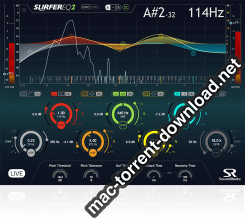
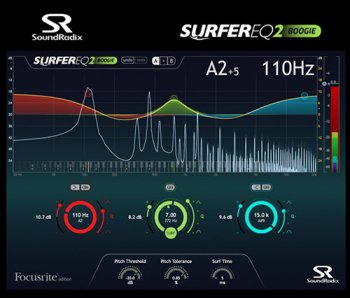
SURFEREQ is a ground-breaking pitch-tracking equalizer plug-in that tracks a monophonic instrument or vocal and moves the selected bands with the music.

Synthesizer filters can track the pitch to maintain the timbre of the sound throughout the instrument’s voices. However, sound equalizers have always been static. While being effective for broad tone-shaping and room resonance correction, standard EQs do a poor job at maintaining the vocal or instrument’s timbre as the music changes.

Enter SURFEREQ.

SURFEREQ tracks the pitch of a monophonic instrument or a vocal source and can adapt its bands’ frequencies relative to the music in real-time, maintaining the natural harmonic balance of the sound source and making it possible to shape the source’s timbre relative to the notes being played.

RELEVANT TO THE MUSIC

SURFEREQ follows the pitch of a monophonic instrument or vocal in real-time and can adjust any of its bands accordingly, thus “Surfing” the sound waves.

SURF ON

Any of SURFEREQ’s seven bands can be set to SURF mode to track the pitch of the instrument or vocal source and adjust its frequency relative to the notes being played.

Furthermore, SURFEREQ’s pitch can be controlled via MIDI notes, allowing its EQ bands to be played using a keyboard, thus creating a unique timbre-shaping musical instrument.

UNIQUE FILTER ALGORITHMS

We’ve made every effort to preserve the size, energy and transients of the sound source while developing SURFEREQ’s filters algorithms (No cookbook EQs here!). SURFEREQ’s analog-like, asymmetric filters sound natural even when pushed to extremes.

In addition to the HIGH-PASS, LOW-PASS, SHELF and BELL-shaped filters, we’ve developed a unique, four-mode HARMONIC FILTER which enables to control the entire harmonic series of an instrument using just a single band of EQ.

SUPERIOR PITCH DETECTION

One of the biggest challenges in designing a real-time pitch-detection algorithm is avoiding octave errors while keeping the algorithm efficient enough for real-time processing. We’ve spent over a year researching and meticulously developing an accurate, real-time pitch-detection engine with virtually no octave errors.

FEATURES

  • Groundbreaking pitch-tracking equalizer
  • Original asymmetric, morphing EQ algorithms
  • Innovative Harmonic Filter
  • Side-chain input enabling external pitch detection
  • Spectral Gate (normal and reversed)
  • 3-mode MIDI control, including an innovative EQ Instrument mode
  • Zero-latency mode
  • Spectrum analyzer and Spectral Level Meters
  • Undo/redo
  • 64-bit internal processing

Information

Compatibility
  • Mac: Intel Core CPU, 2GB RAM, macOS 10.7 or higher
  • Windows: Intel Core CPU, 2GB RAM, graphics card supporting OpenGL 2.1, Windows 7 or higher
  • Plug-in formats: AAX, Audio Unit, RTAS, VST, VST3
  • Free iLok account and iLok License Manager (iLok USB key is not required)
LanguagesEnglish

What’s new in Sound Radix SurferEQ 2 Boogie v1.0.3

Fixed

  • SurferEQ might crash when opening UI.
  • Possible graphics corruption when toggling bypass.
  • Level Meter isn’t filling entire meter area.

Screenshots

Name Sound Radix SurferEQ 2 Boogie v1.0.3 Win Mac mac-torrents.net.rar
Size 22.58 MB
Created on 2019-10-21 18:44:52
Hash 056a77ee1ccb161b1d3a1748efc27f928035f120
Files Sound Radix SurferEQ 2 Boogie v1.0.3 Win Mac mac-torrents.net.rar (22.58 MB)

Download

Paragon Mac Toolbox 20.10.2019 (Win/Mac)


Download Paragon Mac Toolbox 20.10.2019

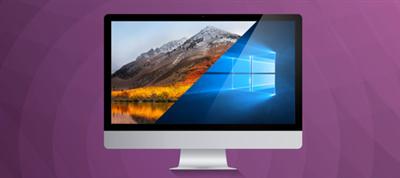
Paragon Mac Toolbox is the ultimate Paragon Software toolkit for users facing cross-platform limitations and incompatibilities when switching between Mac and Windows OS.

What’s inside?

Paragon NTFS for Mac

Paragon NTFS for Mac 15 is fully compatible with Apple’s new security policy ensuring fast, hassle-free and safe access to NTFS partitions from macOS 10.14 Mojave. Once the program is installed, the user can get started right away: conveniently navigate contents and read, edit, copy or create files and folders. The driver guarantees advanced support of NTFS file systems and provides fast and transparent read/write access to any NTFS partition under macOS 10.14.

Paragon APFS-HFS+ Converter

Facing limitations of APFS such as incompatibility with Time Machine for backups, incompatibility with FileVault 2 for drive encryption, inability to format Fusion drives, and more? APFS to HFS+ Converter by Paragon Software easily reverts to the old good HFS+ for your specific scenarios. Create recovery media to boot up your Mac and then convert the system volume.

Paragon CampTune

CampTune makes your Boot Camp Windows partition freely resizable. You may need to adjust the size of your Windows partition when, for example, you run out of disk space or want to install an application with particularly high storage requirements. CampTune provides a simple slider to redistribute storage space between Macintosh HD and Boot Camp Windows partitions. The resize operation is safe, fast and easy.

Paragon APFS for Windows

Apple File System (APFS) is a new file system for macOS, iOS, and Apple devices. If you work on a Windows-based computer and want to read and write files on APFS-formatted HDD, SSD or flash drive, you need APFS for Windows by Paragon Software.

Paragon HFS+ for Windows

Experience total communication between Mac & Windows with the industry’s highest performing file system technology. Paragon HFS for Windows is the only solution that provides full read-write access to HFS /HFSX partitions on any type of disks (GPT, MBR) under most of Windows versions. Access Mac-formatted partitions in Windows systems with the fastest and most stable HFS driver on the market.

Information

Compatibility
  • macOS Catalina
  • macOS Mojave
  • macOS High Sierra
  • masOS Sierra
  • macOS El Capitan
  • macOS Yosemite
  • Windows 10 (32/64-bit)
  • Windows 8/8.1 (32/64-bit)
  • Windows 7 SP1 (32/64-bit)
  • Windows Server 2008 R2 SP1
  • Windows Server 2012
  • Windows Server 2016
LanguagesEnglish

What’s Included in Paragon Mac Toolbox 20.10.2019

  • Paragon NTFS for Mac 15.5.65
  • Paragon APFS for Windows 2.1.12
  • Paragon HFS for Windows 11.1.75
  • Paragon APFS-HFS Converter 1.0
  • Paragon CampTune 10.13.433

Screenshots

Name Paragon Mac Toolbox 20.10.2019 mac-torrents.net.rar
Size 121.9 MB
Created on 2019-10-21 16:21:47
Hash 385c1b237a74f464a91ce52b7aa6e8af19f14acb
Files Paragon Mac Toolbox 20.10.2019 mac-torrents.net.rar (121.9 MB)

Download

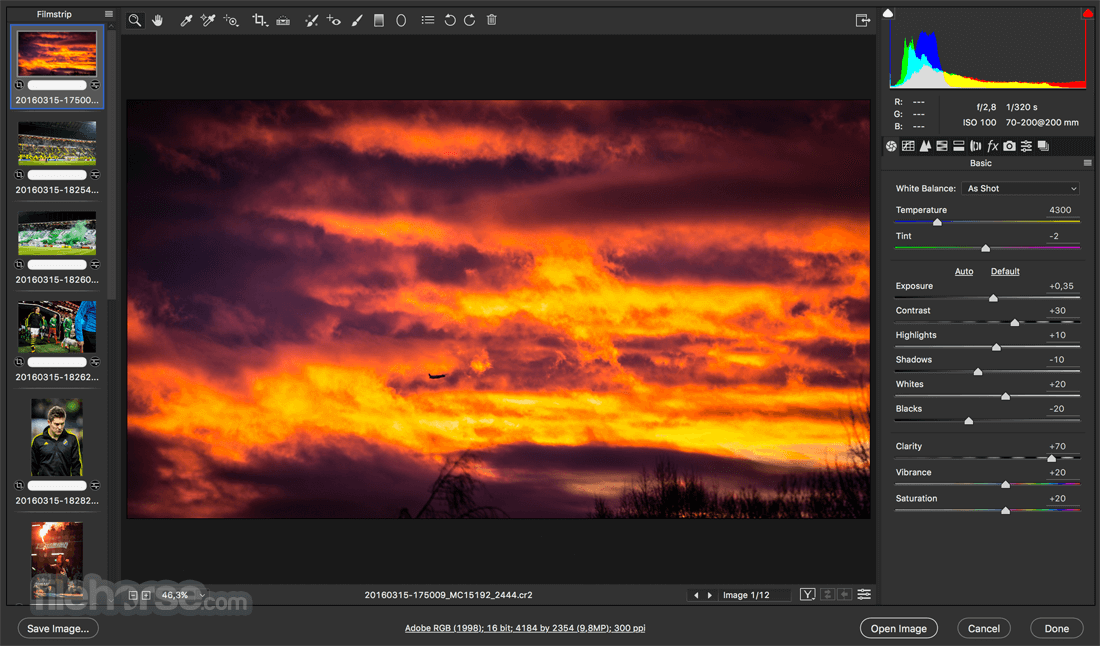
Adobe Camera Raw 11.4.1


Download Adobe Camera Raw 11.4.1

An Adobe Photoshop plug-in that offers you the possibility to visualize, process, and convert raw images generated by various digital cameras

Digital cameras produce raw format images that need to be processed and converted to an editable file format before making any adjustments. Adobe Camera RAW is an Adobe Photoshop plug-in that enables you to access raw image formats generated by a wide collection of digital cameras, without having to use third party converters.

The plug-in is able to work with raw files created by Canon, Kodak, Konica Minolta, Olympus, Ricoh, Samsung, Leaf, Leica, Panasonic, Sigma, Sony, Casio, Mamiya, Nikon, Pentax, Contax, Phase One, DJI, Epson, Fujifilm, Hasselblad, or Nokia digital cameras.

However, keep in mind that only certain camera models are supported, so you should verify on the Adobe website if the files generated by your device can be processed.

Raw format converter integrated into your Adobe Photoshop app

The Adobe Camera RAW installer will take care of the plug-in assimilation process, so you will be able to access its capabilities without having to leave the Adobe Photoshop application, although in a separate window.

Note that you will be able to work directly on the “digital negatives” while keeping the original files intact. The plug-in window allows you to visualize the image, but also includes basic editing tools, enables you to see the image histogram, to adjust the image exposure, and much more.

Easily accessible image processing tools

Before exporting the raw image files, Adobe Camera RAW offers you the opportunity to adjust the image tone, to modify the sharpening effect, to reduce the noise level, to convert the image to grayscale, or to create split toning effects.

The same gadgets panel placed on the right side of the Adobe Camera RAW main window includes tools for making lens corrections, for applying various effects (grain, post crop vignetting, and more), or for calibrating the camera.

Powerful camera raw converter plug-in for Adobe Photoshop

Adobe Camera RAW is a great addition to your Adobe Photoshop photo editing suite: you have all the necessary tools for both visualizing, processing, and converting camera raw data without ever leaving the editor.

Information

CompatibilityOS X 10.11–10.14
LanguagesEnglish

What’s New in Adobe Camera Raw 11.4.1

  • Release notes not available at the time of this post.

Screenshots

Name Adobe CameraRaw 11.4.1 mac-torrents.net.zip
Size 465.4 MB
Created on 2019-10-20 21:16:46
Hash 5c47902bd8c8002d4406c37dc74a38a6eaeb6a8f
Files Adobe CameraRaw 11.4.1 mac-torrents.net.zip (465.4 MB)

Download

Adobe DNG Converter 11.4


Download Adobe DNG Converter 11.4

The Adobe DNG Converter is a utility that enables you to easily convert camera-specific raw files from more than 700 cameras to the more universal DNG raw format.

Digital Negative was developed to address the lack of an open standard for the proprietary and unique raw files created by each digital camera. DNG allows photographers to archive their raw camera files in a single format for easy cataloging and access in the future. With the format specification freely available, any developer can build software that supports and takes advantage of DNG. For more information, visit the Digital Negative page.

Support for the following cameras has been added. Visit the Camera Raw page for a complete list of supported cameras.

  • Canon EOS 250D (EOS Rebel SL3, EOS 200D II, EOS Kiss X10)
  • Google Pixel 3 Front Standard Camera
  • Google Pixel 3 Front Wide Camera
  • Google Pixel 3 XL Front Standard Camera
  • Google Pixel 3 XL Front Wide Camera
  • HMD Global Nokia 9 PureView Front Camera
  • HMD Global Nokia 9 PureView Rear Camera
  • LG V40 ThinQ Front Standard Camera
  • LG V40 ThinQ Rear Main Camera
  • LG V40 ThinQ Rear Wide Camera
  • Panasonic LUMIX DCG99 (DCG90, DCG91, DCG95)
  • RICOH GR III
  • RICOH THETA Z1
  • Sony RX0 II (DSCRX0M2)

Information

CompatibilitymacOS 10.12 or later
LanguagesEnglish

What’s New in Adobe DNG Converter 11.4

  • Release notes not available at the time of this post.

Screenshots


Name Adobe DNGConverter 11.4 mac-torrents.net.zip
Size 456.9 MB
Created on 2019-10-20 21:16:38
Hash f0f5b646e2633db7fd47e441461214b3c28c64d9
Files Adobe DNGConverter 11.4 mac-torrents.net.zip (456.9 MB)

Download

TechSmith Camtasia 2019.0.6 Build 109441

Download TechSmith Camtasia 2019.0.6 Build 109441

Camtasia for remarkable screencasts made easy. Create eye-catching training, presentation, and demo videos…the easy way. Camtasia screen-recording software is streamlined, intuitive, and makes you look like a pro.

Easily record onscreen activity, Keynote slides, camera video, microphone, or system audio – all with sparkling clarity. Record in front of a live audience or at your desk. Edit to perfection. Turn it into a stunning, HD-quality video at the perfect size to share on popular video sites, Apple devices, your website, blog, or anywhere you like. Make them wonder how you did it.

Camtasia Features:

Stunning video effects

Apply Behaviors that are perfectly designed to animate your text, images, or icons. Get a crisp, polished look without being a professional video editor.

Drag-and-drop editing

What you see is what you get. Every effect and element in your video can be dropped and edited directly in the preview window. And you can edit at resolutions up to beautiful 4K, for clear video at any size.

Exceptional performance

Camtasia takes full advantage of your computer’s processor with 64-bit performance. You’ll get fast rendering times and enhanced stability—even on your most complex projects.

Animated backgrounds

You’ll have access to a variety of backgrounds that grab attention right from the start.

Music tracks

Use music to set the mood of your video. All tracks are royalty free and safe to use on YouTube and Vimeo.

Icons

Choose from hundreds of icons, or bring in your own straight from your computer.

Motion graphics

Get lower thirds, intro slides, and more so you can start quickly and look great.

More features:

  • Record any part of your screen, down to the pixel.
  • Webcam lets you add a personal touch to your video.
  • Import images, audio, and video up to 4K resolution.
  • Build your videos quickly with multiple tracks for images, video, text, and audio.
  • Arrows, callouts, shapes, and more help you get your point across.
  • Add an intro/outro to the beginning or end of a clip, image, shape, or text.
  • Zoom, pan, or create your own custom motion effects.
  • A great way to add context to what you’re showing.
  • Add audio effects to recordings, music, or narration to enhance your video.
  • Adjust colors, add a drop shadow, change the clip speed, and more.
  • Add quizzes to see who is watching your videos, and how much they’ve viewed.
  • Put yourself in your video making it appear like you’re right in the action.

Information

CompatibilityOS X 10.11 or later, 64-bit processor
LanguagesEnglish

What’s New in TechSmith Camtasia 2019.0.6

  • Added support for macOS 10.15 Catalina
  • Resolved issue with recording scaled resolutions on high-resolution displays
  • Bug fixes and improvements

Screenshots

Name Camtasia 2019.0.5 Build 109441 mac-torrents.net.zip
Size 513.1 MB
Created on 2019-10-21 16:35:40
Hash 73bfa93aa344fbf806135418cf0914ab639ada8d
Files Camtasia 2019.0.5 Build 109441 mac-torrents.net.zip (513.1 MB)

Download

Templates for Keynote DesiGN 6.0.8


Download Templates for Keynote DesiGN 6.0.8

Templates for Keynote – DesiGN set consists over 670 high-quality designs for Keynote presentations, infographics and data visualization templates. These are more than just beautiful backgrounds – each one of them includes up to 25 different master slides, which lets you choose the best layout for your information.

Themes like:

  • Portfolio
  • Business
  • Travel
  • Leisure
  • Fashion
  • and many more.

The themes are available in two sizes: standard 4:3 and widescreen 16:9. Let us take care of the appearance of your presentation, while you focus on the content.

* Requires the latest version of Keynote.

Information

CompatibilityOS X 10.11 or later, 64-bit processor
LanguagesEnglish, Danish, Dutch, French, German, Italian, Japanese, Korean, Portuguese, Russian, Simplified Chinese, Spanish, Swedish, Thai

What’s New in Templates for Keynote DesiGN 6.0.8

  • 15 new templates added.
  • Minor bugs fix.

Screenshots


Name Templates for Keynote – DesiGN 6.0.8 MAS [TNT] mac-torrents.net.zip
Size 30.68 MB
Created on 2019-10-21 15:26:24
Hash e06e8adb34bbb811f38770571eae0e4eb5359191
Files Templates for Keynote – DesiGN 6.0.8 MAS [TNT] mac-torrents.net.zip (30.68 MB)

Download

Templates for Pages DesiGN 6.0.3


Download Templates for Pages DesiGN 6.0.3

The modern and polished Templates for Pages- DesiGN supplies a collection of over 4,000 easy-to-use templates for creating business and personal content with Apple’s Pages. It’s the biggest templates pack for Pages on the App Store. We provide regular monthly updates with new templates.

Templates for Pages- DesiGN set gives a large selection of templates from books and invitations to posters and brochures. Some templates consist of up to 10 different pages, so the package provides a variety of around 10,000 layouts to meet your most diverse needs. Each and every layout – from the quintessential elegance of text-only pages to the bright mix of pictures and slogans in the poster and brochure templates – features prime design quality, set apart by attention to fine points, high usability, and abundant creativity.

All templates are available in the popular A4 (210 x 297 mm) and US Letter (8½ x 11 in.) sizes, except for non-standard size documents such as landscape brochures (DL Envelope format- 110 x 220 mm / 4¼ x 8¾ in.).

Nearly all objects in Templates for Pages- DesiGN can be effortlessly recolored, moved or removed. Type or paste your own text, add or remove text boxes and change the font if you wish. Replace stock images with your own photos or pictures. Unleash your imagination!

* Templates for Pages- DesiGN requires the latest version of Pages.

Information

CompatibilityOS X 10.11 or later, 64-bit processor
LanguagesEnglish, Danish, Dutch, French, German, Italian, Japanese, Korean, Portuguese, Russian, Simplified Chinese, Spanish, Swedish, Thai

What’s New in Templates for Pages DesiGN 6.0.3

  • macOS 10.15 Catalina compatible.
  • Dark Mode bug fixes.

Screenshots


Name Templates for Pages – DesiGN 6.0.3 MAS [TNT] mac-torrents.net.zip
Size 35.99 MB
Created on 2019-10-21 15:26:48
Hash c2b156190a616df0393c93eb181aeef207ea46d2
Files Templates for Pages – DesiGN 6.0.3 MAS [TNT] mac-torrents.net.zip (35.99 MB)

Download

DesiGN for Numbers Templates 5.0.3


Download DesiGN for Numbers Templates 5.0.3

Save time. Enjoy your tasks. Manage your work easily.

The high-quality DesiGN for Numbers- Templates collection offers 400+ diverse and useful templates for Apple`s Numbers. Use them for your business or personal needs. Handle your day-to-day assignments a lot easier. Customize the template to your requirements: create tables, make calculations, draw diagrams, insert images thus tackling your job efficiently and effortlessly. Available in the US and international paper sizes.

Wide range of possible modifications allows you either to stick to the ready made samples or to engage your imagination and fit the templates to your expectations. Variety, originality and high usability of 380 as jolly baby shower or serious matters of accountancy.

The DesiGN for Numbers- Templates pack is composed to ease your struggle with design thus letting to concentrate on the content and saving you a lot of time. At the same time, they are created to add lustre to your documents thus making their remarkable.

* The DesiGN for Numbers- Templates requires the latest version of Numbers.

Information

CompatibilityOS X 10.11 or later, 64-bit processor
LanguagesEnglish, Danish, Dutch, French, German, Italian, Japanese, Korean, Portuguese, Russian, Simplified Chinese, Spanish, Swedish, Thai

What’s New in DesiGN for Numbers Templates 5.0.3

  • macOS 10.15 Catalina and Dark Mode compatible.
  • Interface improvements.

Screenshots


Name DesiGN for Numbers – Templates 5.0.3 MAS [TNT] mac-torrents.net.zip
Size 24.31 MB
Created on 2019-10-21 15:10:16
Hash 99376309ad7fb3b655f660e8a270c61c8c554766
Files DesiGN for Numbers – Templates 5.0.3 MAS [TNT] mac-torrents.net.zip (24.31 MB)

Download

Readiris Corporate 17.1.2


Download Readiris Corporate 17.1.2

Readiris is the most powerful and accurate OCR software for OS X. It accurately and rapidly transforms your paper documents, your PDFs and images files into editable information ready to be use.

Completely redesigned for Mac OS X, Readiris offers an easy to use user interface, which clearly guides you through the recognition steps. Extremely powerful, Readiris Pro exactly recreates the original format of your documents and replaces columns of text, tables, and graphics in the output file.

A large choice of output formats allows you to choose the format that best suits your needs. You can recreate a document in word processors or in spreadsheet programs, to get indexed PDF files with both the image and the text or to easily create Web pages thanks to the WYSIWYG HTML output format.

Features

Never retype text again

Convert any paper document, image or PDF into editable and searchable digital files (Word, Excel, PDF, HTML, etc.) using Readiris 15’s Optical Character Recognition (OCR) technology. Simply scan your paper document using the built-in scanning wizard or import image from folders or digital camera. Readiris 16 will instantly convert it to the format of your choice without altering the original layout. Your digital documents will now be easy to edit, archived and shared!

Create searchable PDF

Readiris 15 makes it easy to create searchable and indexed PDF files compatible with virtually any computer. The produced PDF will look exactly the same as the original image while adding a text layer ready to be searched and indexed. It will now be very convenient to find the exact information you are looking for amongst tons of archived documents!

Store your documents in the Cloud

Store, access and manage your converted documents from any computer, tablet or mobile phone using Readiris 16’s new Cloud connector.
Simply select your favourite Cloud hosting service after the conversion process and your document will automatically be exported, ready to be accessed anywhere you are! All your digital archives will now be safely backed-up and accessible when and where you need it the most! Supported Cloud services: Evernote, Dropbox, Box & Google Drive.

Reduce the size of your digital files

Drastically reduce the size of your images and PDF files using I.R.I.S.’s exclusive high compression technology. This new feature will let you compress your files up to 50 times smaller than the original size without affecting the visual quality. Your compressed documents, in standard PDF format, will be fully searchable and compatible with any usual PDF viewer! The size of your digital documents will no longer be an issue while being stored or shared!

Process Multi-page documents

Readiris 15 lets you quickly convert multi-page documents into one or many output files. If you have different documents to process, you can also combine and organize them into one single file (PDF, Word,…).
For those who use a scanner with document feeding options, Readiris 16 corporate features advanced scanning options that will optimize the multi-page scanning and conversion process. From one up to thousands of pages, Readiris 16 will always bring you the solution that fits your document processing needs!

Drop, convert and manage your documents … Automatically

Drop your scanned documents to any folder folder. Readiris will monitor them and whenever Readiris spots a new document inside one of the Watched Folders, it will processes it , covert it and exports it to a destination of your choice: in an output folder, in the Cloud or on an FTP web site. (Only available in Readiris 16 Corporate edition) Simply drop your document in the right folder and it will be processed in the right format and exported to right place… Automatically!

Information

CompatibilityOS X 10.11 or later 64-bit
LanguagesEnglish

What’s New in Readiris Corporate 17.1.2

  • Release notes not available at the time of this post.

Screenshots


Name Readiris Corporate 17.1.2 [TNT] mac-torrents.net.zip
Size 253.6 MB
Created on 2019-10-21 11:13:37
Hash 642f47f6477a2e4b90250da5eb920e8cacfbe657
Files Readiris Corporate 17.1.2 [TNT] mac-torrents.net.zip (253.6 MB)

Download

FigrCollage 2.5.16


Download FigrCollage 2.5.16

Best software to make a photo collage in the form of any shape, number, word, or text. Use your pictures to make a photo collage in heart, circle, square or any other shape. Arrange your photos in the shape of number 1, 2, or any other number. Layout pictures to form any alphabet or word.

SAMPLE USAGE

  • Make a collage in the shape of number 1 to celebrate your child’s first birthday.
  • Make a “Thank You” or “Happy Birthday” collage by arranging photos to form these words.
  • Make a heart shaped collage from your and your partner’s photos as a valentine’s day gift.

FEATURES

  • Arrange pictures to form any shape
  • Arrange pictures to form any number
  • Arrange pictures to form any word or text
  • Large number of standard shapes to choose from
  • Use your own shapes
  • Layout pictures in a freeform photo pile or in a grid of rectangular/hexagonal/circular photos
  • Set a background color or use a transparent background
  • Select from a wide range of output sizes
  • Specify custom output sizes
  • Landscape or portrait collages
  • Export collage as JPEG, PNG, or TIFF to send it to a print shop or to print it from the local printer
  • Export collage to Photos app
  • Set collage as Desktop Picture
  • Share photo collage on Facebook, Twitter, Flickr, Email, and AirDrop
  • Save project to edit later

Information

CompatibilityOS X 10.9 or later 64-bit
LanguagesEnglish

What’s New in FigrCollage 2.5.16

  • Release notes not available at the time of this post.

Screenshots


Name FigrCollage 2.5.16 [TNT] mac-torrents.net.zip
Size 73.13 MB
Created on 2019-10-21 11:13:07
Hash c7d94c16be72028457fda2369ed1ee67d052d38f
Files FigrCollage 2.5.16 [TNT] mac-torrents.net.zip (73.13 MB)

Download

Amadeus Pro 2.6.2 (2219)


Download Amadeus Pro 2.6.2 (2219)

lets you use your Mac for any audio-related task, such as live audio recording, digitizing tapes and records, converting between a variety of sound formats, etc. Thanks to its outstanding direct-to-disk abilities and waveform caching, edits on arbitrarily large sounds (even beyond the usual 2GB limit) are performed at lightning speed. The handling of large sounds is furthermore facilitated by the extensive support of markers. Its outstanding sound repairing and denoising abilities make Amadeus Pro particularly suitable for transferring vinyl records on CD.

S

Features

  • Simple and elegant OS X-like user interface
  • Multitrack editing an recording.
  • Batch processing and conversion.
  • Sound denoising and repairing.
  • Supports a variety of sound formats, including AIFF, Multichannel Wave, MP3, MP4, Ogg Vorbis, FLAC, SoundDesigner II, QuickTime, Apple CAF, etc.
  • Support for VST and Audio Unit plug-ins.
  • A “favourite actions” palette allows to have your most commonly used effects only a mouse click away.
  • A wide range of powerful audio analysis tools.
  • Audio CDs with CD-TEXT data can be burned directly from within Amadeus Pro.

Thanks to its outstanding direct-to-disk abilities and waveform caching, edits on arbitrarily large sounds are performed at lightning speed with this fully featured multi-track editor. The handling of large sounds is furthermore facilitated by the extensive support of markers.

While Amadeus Pro features a number of built-in audio effects (equalizer, speed and pitch change, echo, etc), its abilities can be extended arbitrarily through the support of Audio Units and VST plug-ins.

Besides all the functions you would expect from a professional quality waveform editor.

Amadeus Pro also features:

  • Tracks can be split into multiple clips for easy placement
  • Audio Units can be applied to tracks non-destructively in real-time
  • Smart editing
  • Scheduled recordings
  • Powerful batch processor
  • Direct recording from internet streams
  • A full range of real-time and offline sound analysis tools

Information

Compatibility10.8 or later, 64-bit processor
LanguagesEnglish, Danish, Finnish, French, German, Italian, Spanish

What’s New in Amadeus Pro 2.6.2 (2219)

  • Release notes not available at the time of this post.

Screenshots


Name Amadeus Pro 2.6.2 2219 [TNT] mac-torrents.net.zip
Size 29.71 MB
Created on 2019-10-21 11:12:51
Hash edec9231dfac9fe4c96bab46cc71c1e8107e7dbe
Files Amadeus Pro 2.6.2 2219 [TNT] mac-torrents.net.zip (29.71 MB)

Download

iShowU Instant Advanced 1.3.0


Download iShowU Instant Advanced 1.3.0

Welcome to realtime screen recording like you’ve never seen before! iShowU Instant is the fastest, most feature filled realtime screen capture tool from shinywhitebox yet. It takes key features from both “Classic” and HD Pro, and merges them into a single product, making ‘Instant’ the only app you’ll ever need to create recordings quickly.

All of the features you would expect are here, and probably some you don’t! Record from any screen, enhance your microphone audio through the use of a dynamics processor, compressor and/or equaliser*, add text and/or an overlay, enhance your recording with mouse and click visualization, trim front/back after recording, create time-lapse recordings, share to a wide range of online services, and more.

Features

A User Interface meant for you

Use an interface that you’re comfortable with. Want something simple? Use Basic mode. Want more power? Advanced mode gives access to all the options!

Customise your settings

Easily create presets for common editing tasks, or for different types of output. Give them custom names so you can easily recognize them.

Super Sharing

Share to YouTube, Vimeo and all other enabled OS X services. We’ve even included an animated GIF generator!

Clean and Simple

No need to tidy your desktop, we’ll do it for you. Instant can hide your desktop icons, and change your desktop picture to a solid color or other image.

Flexible Output

Produce Quicktime or MP4 at up to 60fps. Want to create a timelapse? You can set the frame rate as low as 1 frame per minute!

Better Camera Capture

Camera capture has been enhanced with the ability to show the camera either as a classic picture-in-picture, full screen, or completely hide it. Not only that, the transitions are animated in real time as you’re recording.

A time for everything

Start and stop recording when you want, using either durations or fixed absolute times.

Realtime Preview

Easily see what effect your settings are having with the built in (and detachable!) preview. Want to reposition the camera? Move the text around? Easy!

Advanced Features

Audio Dynamics, Compressor and EQ
Get crisp and clean audio using the built in dynamics, compressor and equaliser. No need to clean audio afterwards. Got a 32 channel outboard device as input? No problem!

Text & Image Watermarks

Watermark your recordings with either text or an image (or both!), with control over opacity, size, position, rotation, borders, and reflection.

Prores built in

Retain maximum quality with a choice of either 422 or 4444 formats.

Full Visualization Control

More control over mouse & keypress visualization. Customize colors, enable single keypress visuals, modifier keypresses and click descriptions.

Record iOS devices

Create awesome looking demo videos from any iOS device.

Built-in Editing Essentials

Trim unwanted parts from the start & end and insert annotations or other graphic elements. Editing mode brings commonly used editing tools directly to iShowU.

iShowU Instant + Advanced Features

  • Realtime capture
  • Live preview
  • Customizable recording presets
  • Detailed output format options
  • Output as ProRes 4444/422
  • Animated GIF generation
  • Pattern-based output filename generation
  • Multichannel audio support
  • Audio filters (dynamics, compressor, EQ)
  • Scheduled recordings
  • User editable capture area
  • iOS device recording
  • Trim video before publication
  • Record microphone audio
  • Record system audio
  • Record camera
  • Record mouse movement and click
  • Record keystrokes
  • Edit after recording
  • Embed watermarks
  • Add shape objects (lines, arrows, etc.)
  • Add custom text objects
  • Share/export directly to iPod/iPad compatible formats
  • Upload to YouTube
  • Upload to Vimeo

Information

CompatibilityOS X 10.10 or later 64-bit
LanguagesEnglish

What’s New in iShowU Instant Advanced 1.3.0

  • Ready for Catalina.
  • App is now notarized.
  • Prompt for screen access if not enabled in System Preferences.
  • Beautiful “dark mode” theme comes to Instant! Use iShowU Instant in dark/light/auto mode as you’d like. New UI and coloring, tuned to both light/dark modes.
  • Lots of re-work on the codebase. More fixed bugs. Faster operation.
  • Redone menu bar, now flat/modern, with a more pleasing feel.
  • Changed default shortcut for retake-recording, so it’s less likely to conflict with existing/other apps.
  • Far more subtle UI colouring. Emphasis colors follow the System Preferences ‘accent color’.
  • Reworked icons and UI, easier to look at all round.
  • Improved User Interface speed.
  • Various (many!) bugs fixed & internal improvements.
  • Greatly increased logging output when recording fails, to aid in debugging.

Screenshots


Name iShowU Instant Advanced 1.3.0 [TNT] mac-torrents.net.zip
Size 31.65 MB
Created on 2019-10-21 11:13:17
Hash 431d073506d658d0c28549482306613fef57174f
Files iShowU Instant Advanced 1.3.0 [TNT] mac-torrents.net.zip (31.65 MB)

Download

iShowU Studio 2.2.0

Name iShowU Studio 2 2.2.0 [TNT] mac-torrents.net.zip
Size 31.20 MB
Created on 2019-10-21 11:13:25
Hash b14268b3451b82386755e15a145bba19a9210285
Files iShowU Studio 2 2.2.0 [TNT] mac-torrents.net.zip (31.20 MB)

Download


Download iShowU Studio 2.2.0

Easy screen recording & editing on your Mac: that’s the core idea. Built from day one with this in mind, it’s easy to capture what you want; add text, annotations, pointers and highlights and then share your result. Features you’ve come to expect in the iShowU “series” have been supercharged: screen & camera capture, mouse highlighting and keyboard animations take on a new lease of life now that you can edit when and how they appear. Did we mention we’ve reworked uploading too? Take the best realtime capture, mix in “time” – and voila, iShowU Studio!

Features

Super fast full screen capture

Utilising the latest OS X technology and hardware accelerated goodness.

Simple editing interface

An uncluttered yet useful screen recording interface, with the editing tools you need directly accessible.

Full suite of Editing Tools

Super intuitive pan/zoom, shapes, fades and more. iShowU Studio lets you point out what’s important quickly and easily.

Built specifically for screencasts

Mouse and keyboard visualization, audio annotations: just some of the tools tailored specifically for the creation of ‘screen based’ content.

Gorgeous “Full Screen” editing interface

Designed from the beginning to both operate and look fantastic when in full screen.

We love colour

iShowU Studio is aware of colour-tagged footage, giving you accurate results all the way from import, preview through to final render.

Share your creation

Get your result “out there”! The entire “share” panel focuses on what your end users need. Quicktime? No problem. Web? No problem! iDevices1? Yep! 1080p? Sure! YouTube, Vimeo as well? You got it!

Capture directly from iOS

Capture directly from your iOS device, create beautiful demos of your iOS apps with ease!

Built in Camera capture

Plug in any OS X compatible camera and capture footage from that in realtime. Or add it later, your call.

Other Features

  • Scheduled recordings
  • User editable capture area
  • iOS device recording
  • Trim video before publication
  • Record microphone audio
  • Record system audio
  • Record camera
  • Record mouse movement and clicks
  • Record keystrokes
  • Edit after recording
  • Embed watermarks
  • Add shape objects (lines, arrows, etc.)
  • Add custom text objects
  • Add additional media (pictures, movies, audio)
  • Crop unwanted areas before publication
  • Freeze-frame at any time, for any duration
  • Camera position modification (a.k.a pan/zoom)
  • Full screen editing interface
  • Share/export directly to iPod/iPad compatible formats
  • Upload to YouTube
  • Upload to Vimeo
  • Integration with OS X sharing (Facebook, Airdrop, Mail, Messages, Twitter and more)

Information

CompatibilityOS X 10.10 or later 64-bit
LanguagesEnglish

What’s New in iShowU Studio 2.2.0

  • Ready for Catalina
  • App is now notarized
  • Fixed bug where sometimes iShowU would not record on some systems with odd numbered horizontal resolutions
  • Much faster prompt for screen access (if not enabled in System Preferences)
  • Light mode comes to Studio 2. Use Studio2 in dark/light/auto mode as you’d like. New beautiful UI and coloring
  • Lots of re-work on the codebase. Faster operation
  • Redone menu bar, now flat/modern, with a more pleasing feel
  • Far more subtle UI colouring now. Emphasis colors follow the System Preferences ‘accent color’
  • All context UI’s given more visual space (better feel)
  • Changed default shortcut for retake-recording (made it cmd-shift-option-R), so it’s less likely to conflict with existing/other apps
  • Reworked icons and UI, easier to look at all round
  • Improved UI speed
  • Various (many!) bugs fixed & internal improvements
  • Greatly increased logging output when recording fails, to aid in debugging

Screenshots

Default Folder X 5.4.1

Name Default Folder X 5.4.1 [TNT] mac-torrents.net.zip
Size 21.07 MB
Created on 2019-10-21 11:12:59
Hash 360ef9d6c32b79b97211f0e86ddcf5b7ae1af315
Files Default Folder X 5.4.1 [TNT] mac-torrents.net.zip (21.07 MB)

Download


Download Default Folder X 5.4.1

attaches a toolbar to the right side of the Open and Save dialogs in any OS X-native application. The toolbar gives you fast access to various folders and commands. You just click on the buttons to go to your favorite and recently used folders, manage the folders and files shown in the list, and make changes to your settings. It also fixes a number of problems in Open and Save dialogs, “rebounding” to the last selected file, putting the path listing back in the top menu, and correcting bugs in scrolling column views.

Features:

  • Directory assistant: You can access the contents of your recent, favorite, and open folders right from Default Folder X’s toolbar.
  • Real time saving: If you’re constantly saving things inside the same folder, Default Folder X can remember that folder for you.
  • Finder management: Default Folder X lets you open up or save to any Finder window with a single click.
  • Instant Recall: To help you quickly return to folders you’ve recently used, Default Folder X remembers them for you.
  • Spotlight on the spot: Default Folder X lets you add Spotlight keywords, OpenMeta tags, and Finder labels on the spot, while you’re still in the Save dialog.
  • Information central: With Default Folder X you get previews below every Open dialog, expanded to fill the available space. Need to see more detail? Click on the image and it zooms up to full size.
  • Workflow without work: Rather than make you learn and set up a new application, Default Folder X blends into OS X.

Information

CompatibilityOS X 10.10 or later 64-bit
LanguagesEnglish

What’s New in Default Folder X 5.4.1

  • Fixed problems in Catalina where Default Folder X wouldn’t correctly record recently used folders if they were empty.
  • Corrected a bug that caused folder operations in the Utility menu, such as Copy Path and Open in Finder, to be disabled when they shouldn’t be.
  • Worked around a problem in Catalina that prevented Default Folder X from being added to the Screen Recording permissions list under certain conditions.
  • The New Folder command in the Utility menu no longer allows you to give the new folder a name that’s already used.
  • Fixed the file dialog menu shortcut commands (Show Utility Menu, Show Favorites Menu, etc) so they work again.
  • Eliminated an intermittent crash.

Screenshots

ClipDoubler 1.2.3


Download ClipDoubler 1.2.3

ClipDoubler … Unlike other clipboard enhancement utilities, ClipDoubler is designed as an easy to use application that gives you unlimited clipboards. Double click, and you can have all the clipboards your heart desires. Quit and you’re back to one. Simple as that. ClipDoubler supports text, pictures, sounds, movies, and many other resources.

ClipDoubler can both open and save Clipping files, and it can create Internet shortcuts as well. You can put the contents of TEXT and PICT files onto a clipboard with a simple drag and drop.

ClipDoubler gives you the ability to edit the contents of any clipboard, and convenient menu shortcuts are built in to perform common editing tasks. And since accumulating multiple clipboards can become a daunting task, ClipDoubler sports powerful clipboard navigation features unmatched by any other clipboard utility. No other clipboard software gives you the ability to search across unlimited clipboards for just the clipping you need.

Features:

  • Simple and easy to use.
  • Handy shortcuts to copy time, date, ip address to clipboards.
  • Drag and drop to copy file pathnames to the clipboard.
  • Create clippings files and internet shortcuts.
  • Edit the text on the clipboard.
  • Handy shortcuts to process text on the clipboard.
  • Thumbnail gallery allows simultaneous viewing of all clipboards.
  • Search across all clipboards to find specific data,
  • Clipboard contents can be saved to disk for later reuse.
  • Clipboards can be automatically saved and restored.
  • Support for user defined hot keys.
  • Supports styled text, graphics, movies, sounds, and much more.
  • ClipDoubler Free is an application and can be opened and quit as needed.

Information

CompatibilityOS X 10.6.6 or later, 64-bit processor
LanguagesEnglish

What’s new in ClipDoubler 1.2.3

  • Release notes not available at the time of this post.

Screenshots

 

Name ClipDoubler 1.2.3 mac-torrents.net.zip
Size 14.95 MB
Created on 2019-10-21 00:15:33
Hash f3f2101121a397982030b37ca391138d83435d7a
Files ClipDoubler 1.2.3 mac-torrents.net.zip (14.95 MB)

Download

FileWard 1.6


Download FileWard 1.6

Moreover, FileWard uses the cryptography libraries of OpenSSL to make six industrial strength encryption ciphers available in an easy to use drag and drop application. Simply drop a file or folder into FileWard to encrypt it, or double click to decrypt it.

FileWard also features convenient high strength encryption to the clipboard allowing you to encrypt any clipboard contents including text, pictures, spreadsheets, whatever! In short, if you can copy it to the clipboard, FileWard can encrypt it.

In addition, FileWard even lets you encrypt binary files directly to the clipboard. With FileWard, state of the art encryption of files and data is finally made simple.

No other utility on the market offers stronger file and data protection than FileWard. FileWard is the perfect tool if you have to keep a secret.

Limitations in the unregistered version
Will only encrypt using low strength DES encryption.

Features

  • Attractive, easy-to-use interface
  • Six high strength encryption ciphers
  • Based on OpenSSL for robust cryptographic performance
  • Open source encryption code for easy peer review
  • Automatic compression of encrypted files
  • Simple drag-and-drop encryption of files and folders
  • Encrypt contents of the clipboard
  • Encrypt binary files directly to the clipboard
  • Verify integrity of encrypted files
  • Create SHA1 file checksums
  • Verify file checksums
  • Access the OS X Password Assistant
  • Includes Finder plugin
  • Illustrated documentation
  • Universal Binary

Information

CompatibilityOS X 10.6.6 or later, 64-bit processor
LanguagesEnglish

What’s New in FileWard 1.6

  • Update for macOS 10.14 Mojave
  • Now 64 bit
  • Minor optimizations and improvements

Screenshots


Name FileWard 1.6 mac-torrents.net.zip
Size 27.07 MB
Created on 2019-10-21 00:15:49
Hash b22bd90d8582d574448dcb5e045c420baca2fae9
Files FileWard 1.6 mac-torrents.net.zip (27.07 MB)

Download

Paragon NTFS for Mac 15.5.65

Download Paragon NTFS for Mac 15.5.65

NTFS breaks down the barriers between Windows and macOS. Paragon NTFS effectively solves the communication problems between the Mac system and NTFS. Write, edit, copy, move, delete files on NTFS volumes from your Mac. Access all your NTFS drives and perform the most common volume operations like mount, unmount, and verify. Quickly restart your Mac in Windows from the menubar if it is installed on your mounted NTFS drive. Excellent solution for end users, SOHO, and enterprise, supports all NTFS versions from Windows NT 3.1 to Windows 8 (NTFS versions 1.2, 3.0, and 3.1), and mounts the NTFS volumes as native ones.

Features

  • Unprecedented high NTFS performance. The transfer rate is the same as with the native HFS file system.
  • Familiar interface that is similar to Apple’s Disk Utility.
  • Menu Bar add-on that gives you 1-click
  • Enable ownership and specify which users are allowed to access each newly-created file or folder, along with their read/write/execute privileges.
  • Save last access time if you need macOS to recall every file you access on a selected volume.
  • Enable spotlight indexing if you want instant Spotlight search, and if you want to view the detailed info about volume used space: how much space is occupied by applications, music, video, photos, etc.
  • Mount in read-only if you need to access sensitive data without modifying any files.
  • Do not mount automatically if you want to manually control access to a volume.

Information

Compatibility
OS X 10.10 or later
Languages
English

What’s New in Paragon NTFS for Mac 15.5.65

  • Release notes not available at the time of this post.

Screenshots

Name Paragon NTFS for Mac 15.5.65 mac-torrents.net.zip
Size 34.34 MB
Created on 2019-10-20 23:37:51
Hash 6dbd65fa7a2e08d1968482c0b691a243792fd27e
Files Paragon NTFS for Mac 15.5.65 mac-torrents.net.zip (34.34 MB)

Download

OnyX 3.6.8


Download OnyX 3.6.8

is a multifunction utility that you can use to verify the startup disk and the structure of its system files, to run miscellaneous maintenance and cleaning tasks, to configure parameters in the Finder, Dock, Safari, and some of Apple’s applications, to delete caches, to remove certain problematic folders and files, to rebuild various databases and indexes, and more.

Tweaking applications for macOS come in various shapes and prices, and you are free to pick the one that meets your needs, be it focused on finding and fixing as many system errors and problems as possible or on boosting your Mac’s overall performance.

It has a version for each macOS release, so download the version for your operating system!

FEATURES:

All-in-one system maintenance, tweak and cleaning tool

The OnyX utility has been designed as multi-functional app to help you check your Mac’s start-up disk and system files, to run various system maintenance tasks, to tweak the settings for various apps and system components, and to find and remove app caches and various types of files that, in time, will occupy unnecessary space on your hard drive.

As said before, Onyx comes with a user-friendly graphical interface which organizes all the available tools using tabs, to make it easy for you to find the exact setting or utility you need, as rapidly as possible.

Run automated maintenance scripts and fix permissions

Via the “Verify” tab, Onyx provides you with the tools you need to run a SMART status diagnostic that will help you prevent a hard disk failure.

The next tab, “Maintenance”, will help you to launch a system files permissions check and repair, to execute macOS’ daily, weekly and monthly maintenance scripts, and to rebuild various services and indexes.

Clean your Mac’s hard drive with a couple of mouse clicks

Additionally, Onyx can be used to quickly clean system, user, fonts and internet caches, to remove obsolete and unneeded log files, and to securely empty the contents of the Trash folder, all of these for freeing up space on your Mac’s hard drive and to take make your applications more responsive and quicker to launch.

On top of that, you can also use Onyx to run multiple maintenance, cleaning and rebuilding tasks via the Automation tab. Thus, you can check which tasks you want to perform at a time and, by clicking the “Execute” button, they will all be started one after the other, to help you effortlessly automate the process of optimizing and maintaining your system.

Intuitive and streamlined macOS optimizer

On the whole, Onyx is more than your average junk file remover or system optimizing tool because it can do almost anything that’s needed to keep a macOS system in perfect shape, with little to no intervention on your part.

Information

CompatibilityOS X 10.14 or later
LanguagesEnglish

What’s New in OnyX 3.6.8

  • The screen saver no longer resets when running maintenance tasks
  • Deleting the applications logs improved
  • Options for cleaning Internet files improved
  • Slimjet web browser now recognized when cleaning Internet files
  • The Polish version works correctly now

Screenshots


Name OnyX 3.6.8 mac-torrents.net.zip
Size 12.55 MB
Created on 2019-10-20 21:38:54
Hash f4513616d1eeaed557177856429892e91bf88ac0
Files OnyX 3.6.8 mac-torrents.net.zip (12.55 MB)

Download

MetaMovie 2.4.2


Download MetaMovie 2.4.2

If you build you own movie library in iTunes, then you want it to look perfect. Imagine having all of the information about a movie at hand- actors, release date, directors, overview etc. And of course you want nice looking cover arts for your library. MetaMovie brings all this to your movies.

Just drop your movie files on the movie list, start the search and then you need but one click to bring all the Information to your movies. The tagged movies look great in iTunes and on your Apple TV. MetaMovie supports the iTunes friendly .mp4 and .m4v file formats (MKV is not supported).

Information

CompatibilityOS X 10.8 or later, 64-bit processor
LanguagesEnglish, German

What’s New in MetaMovie 2.4.2

  • Add automatic import of movies to new TV app

Screenshots


Name MetaMovie 2.4.2 MAS [TNT] mac-torrents.net.zip
Size 16.96 MB
Created on 2019-10-20 20:23:00
Hash b3e5a62ae89653983961164c5637ae32c9fc5a2c
Files MetaMovie 2.4.2 MAS [TNT] mac-torrents.net.zip (16.96 MB)

Download

Type Fu 4.5.7


Download Type Fu 4.5.7

Type Fu is an app that will teach you how to type fast. The right way. On your Mac.

Visit type-fu.com for online demo.

TYPE FU FEATURES

UNIVERSAL

The app is suitable for all age groups and skill levels. You can be a beginner, intermediate or advanced typist. Even if you took typing classes before, but it never sank in, Type Fu will help you refresh your skills and take them to the next stage instantly.

PACKED WITH ENGAGING EXERCISES

Type Fu is fun to use! Lessons vary from simple letters, numbers and words to proverbs and quotes of great thinkers of the past. Basic lessons (letters, numbers, words) are generated programatically so that you will never see the same exercise twice.

MULTIPLE LEVELS OF DIFFICULTY

Should you start from the very beginning, or do you want to just polish your type-fu a tad? Figure out your initial skill level and start practicing right away, until your fingers are a blur!

MULTIPLE KEYBOARD LAYOUTS

English language users can choose between following layouts: Qwerty, Dvorak, Colemak, Workman, Norman, Qwertz, Azerty. German language users can choose between: German Qwertz and Swiss Qwertz layouts.

ADAPTIVE

Type Fu is smart: when you are making an outstanding progress, it can automatically increase the level of difficulty to keep you on your toes while improving the skill.

VISUAL AND AUDIO HINTS

Type Fu assists in a non-obtrusive way. Various indications of hitting or missing the right keys are helpful, pertinent, don’t get in the way and can be disabled.

EASY PROGRESS TRACKING

Type Fu helps you perfecting the skill of touch typing by visualizing your progress. You will be able to easily tell from the pretty charts exactly how much better your typing speed and accuracy become, and which keys your miss most.

FULLY INTEGRATED WITH YOUR MAC

Get the top-notch user experience offered by Mac computers. Type Fu supports Retina displays, process sandboxing, automatic updates via Mac App Store and full-screen mode.

PAY ONCE, USE ANYTIME AND ANYWHERE

The app does not require recurring payments and constant network connection unlike online typing tutors. Once you pay for it, it’s yours forever. Educational instituations and companies can buy multiple licenses with 50% discount via the Apple Volume Purchase Program.

Information

CompatibilityOS X 10.10.0 or later, 64-bit processor
LanguagesEnglish, German

What’s New in Type Fu 4.5.7

  • Bugfix: Random exercises fail to load after user deselects all characters from the level dropdown (reported by Marina)

Screenshots


Name Type Fu 4.5.7 MAS [TNT] mac-torrents.net.zip
Size 127.4 MB
Created on 2019-10-20 20:23:10
Hash b4a2214d415113f1655d94ed836aa947164c62db
Files Type Fu 4.5.7 MAS [TNT] mac-torrents.net.zip (127.4 MB)

Download

Urban Retro for Final Cut Pro


Download Urban Retro for Final Cut Pro

Super modern and classic quick intro is best for urban projects. This template is packed with plenty of eye-catching elements which will help you to get the exact look you want for your promo. It contains 30 Image/Video and 12 text holders which you can change easily. Just use it for your intros or presentations and impress your clients. Just drag and drop your media and change text, then you are ready to render. Easy to understand video tutorial included where I have covered how to use this template easily.

Project name Urban Retro
Specific Official Information and Features Videohive 24313097
Last Update 12 August 19
Created 12 August 19
Requires Plugins No plug-ins required
Software Version or or above
Resolution 1920×1080 (30FPS)
Placeholder 30 Images/videos holder, 12 Text holder
Tutorial Easy to understand video tutorial included
File Size 115.9 MB

Urban Retro for Final Cut Pro Preview Video

Sorry, your browser doesn’t support embedded videos.https://mac-torrent-download.net/wp-content/uploads/2019/10/Urban-Retro-24313097-video-previews.mp4

Name VH Urban Retro for Final Cut Pro 24313097 mac-torrents.net.zip
Size 115.9 MB
Created on 2019-10-20 19:08:02
Hash 51a2c22d19a999563542753f4e9fd99d6f46b262
Files VH Urban Retro for Final Cut Pro 24313097 mac-torrents.net.zip (115.9 MB)

Download

4 in 1 Dispersion Photoshop Actions Bundle


Download 4 in 1 Dispersion Photoshop Actions

4 in 1 Dispersion Photoshop Actions Bundle for specially developed for designer, modern artwork designer,wall art designer and professional photographer. These action are professionally designed to give your images a magic and remarkable tone, enabling you to streamline your editing process and enhance your images.

As photographers ourselves we use these tools to speed up our workflow, Our photoshop actions have been tested on a variety of images, all with unique result etc. They are versatile and are suited for any image.These actions will help you to achieve magical results in few seconds. I have included a Detailed help/Instructions “docx” file. Guide to help you for your further process.After action processing is finished, you got full layer control.

You can remove the parts that you don’t like, you can transform, scale, rotate, blur or duplicate layers and create more parts. You can even duplicate the whole parts folder, and then move the folder around, transform it, scale it…

4 in 1 Dispersion Photoshop Actions Bundle Features:

  1. 4 in 1 Dispersion Photoshop Actions Bundle tested in Photoshop All English version.
  2. Professional and unique result achievable.
  3. 100% non-destructive, we have been tasted them on different photos, and the results is awesome.
  4. Easy to use, just brush over your area and click the play button.
  5. Compatible with Photoshop (English versions) CS3 to CC All Version
  6. Detailed help/Instructions “docx” file included which was came form download folder.
  7. Produce high quality & powerful output for both web & print media.
  8. Compatible with both a Mac and PC.
  9. Compatible with JPG and RAW Images.

Including Files:

  • Broken Dispersion Photoshop Action
  • Liquify Photoshop Action
  • Sand Dispersion Photoshop Action
  • Destroy Photoshop Action
  • Well Documentation (NO SKILL NEED)

Tested:

You can use this action in photoshop CS3, CS4, CS5, CS6, CC, CC2014, CC2015, CC2015.5, and CC2017, CC2018, CC2019 The only restriction is that you must install the version in English. For now, other languages are not supported. NOTE: If you are not using the English version, you can switch your Photoshop in English, play the action and return to your language back. How to do it – https://www.youtube.com/watch?v=GJAiu5W2gLE

4 in 1 Dispersion Photoshop Actions Bundle Screenshots

Name CM 4 in 1 Dispersion Photoshop Actions 4228603 mac-torrents.net.rar
Size 15.63 MB
Created on 2019-10-20 18:41:05
Hash a2bdd2691241693448c66b0ad5366b5b97116aca
Files CM 4 in 1 Dispersion Photoshop Actions 4228603 mac-torrents.net.rar (15.63 MB)

Download

Stacks 3.6.9


Download Stacks (RapidWeaver plugin) 3.6.9

Stacks is a new way to create pages in RapidWeaver. It’s a plugin designed to combine drag-and-drop simplicity with the power of fluid layout.

Features

  • Fluid Layout: Stacks lets you build pages that flow text to the dimensions of a theme even if the theme has a variable width. You can build flowing columns, flexible rows, and tiles of images.
  • Nesting Objects: Build columns within columns within rows within columns. Or group a stack of objects inside a box. Almost anything is possible with Stacks.
  • Download More Stacks:There are hundreds of professionally designed free and low cost stacks ready for download. Easily add amazing content to your site.
  • Live Image Editing: Resize, rotate, and style your images with an easy to use HUD and see the changes happen right in the layout.
  • Pros Welcome: Because Stacks builds layout with relative positioning from a simple two-div structure, the HTML is clean and valid. Pros can use Stacks to prototype difficult layout and add their own HTML to the mix.
  • Stacks API: You can build your own components for Stacks or even publish them for others to use. The Stacks API reference covers how to build and configure a stack and even build a custom UI for the Stacks HUD.

Information

CompatibilityOS X 10.9 or later 64-bit
RapidWeaver 6 or later
LanguagesEnglish

What’s New in Stacks (RapidWeaver plugin) 3.6.9

  • Release notes not available at the time of this post.

Screenshots


Name Stacks 3.6.9 4242 TNT mac-torrents.net.zip
Size 17.74 MB
Created on 2019-10-20 17:49:10
Hash 6cd2933ec8fd2705834c09e0f3084838e2f5bb8e
Files Stacks 3.6.9 4242 TNT mac-torrents.net.zip (17.74 MB)

Download

AirRadar 5.0.6


Download AirRadar 5.0.6

With AirRadar, scanning for wireless networks is now easier and more personalized! It allows you to scan for open networks and tag them as favourites or filter them out. View detailed network information, graph network signal strength, and automatically join the best open network in range.

Whether you are driving around looking for wireless networks, stuck in traffic, sitting on the beach, or if you are curious how strong your wireless signal is at home, AirRadar provides a more linear approach to network hunting. Setup a scan frequency, and have new open or closed networks have their name spoken, play alerts, or display notifications.

Various other options allow you to customize your network list further, including assigning colors to best open networks and sound cues. Download it today, and take the hardship out of getting an Internet connection at a critical time.

AirRadar Features

WiFi scanner

From AirRadar’s main window you easily scan for nearby open and password protected wireless networks with just a couple of mouse clicks.

All discovered networks are displayed in an easy-to-read list that you can sort according to the SSID name, Signal strength, Signal average and maximum power, Noise level, Channel number, Encryption type, last seen data, BSSID and specifications.

Thanks to the context menu you can open the Details window, join the network, add it to Favorites or delete it from the list.

Network information grabber

By accessing AirRadar’s Details window, you can view detailed information about the selected network. Hence, you can view the channel frequency, encryption method, discovery date, Vendor name and more.

The Graph tab helps you visualize the signal strength and noise level over a certain period of time. You can even use the Comment section to write down observations, notes or warnings.

Intuitive interface

The top toolbar helps you load or save a network list, join the selected network, disconnect from the WiFi, add the network to your Favorite list or Filter and stop the scanning process.

Handy assistant

You can use the Network Setup Assistant to determine which WiFi channel you should use after scanning the local area for nearby networks within range. A list with suggested low-traffic channels will be provided at the end of the scanning process.

What is more, AirRadar automatically groups the discovered networks according to different criteria. Consequently, you can use them as filters to find open networks, secure networks, Wireless N and Generic Networks.

Information

CompatibilityOS X 10.12 or later, 64-bit processor
LanguagesEnglish

What’s New in AirRadar 5.0.6

Upgrade Notes:

  • This upgrade is free for users owning an active subscription or a non-subscription “lifetime license.” No action is required other than downloading the new version from our web site and unlocking as normal with an e-mail address.
  • For all other users, orders for the current version can be purchased on our web site.

Bug Fixes:

  • Fixed more bugs based on new framework.
  • Fixed how annotations are clicked on on the map. Super reliable now.

New Features:

  • Added compass to Map
  • Added zoom to Map
  • Added scale to Map

Screenshots


Name AirRadar 5.0.6 [TNT] mac-torrents.net.zip
Size 40.09 MB
Created on 2019-10-20 17:02:30
Hash 38f333c0ae62cf1abc71e233e8342cb0e3a9021b
Files AirRadar 5.0.6 [TNT] mac-torrents.net.zip (40.09 MB)

Download

Cisdem PDF to Word Converter with OCR 7.0.0


Download Cisdem PDF to Word Converter with OCR 7.0.0

Convert Scanned PDF/images to Word. Support industry-leading OCR feature. Supports 200+ OCR languages. Convert PDF to Word Mac that helps you save much time on the busywork! The best PDF to Word converter makes thing become easier.

Features

Convert Scanned PDF/Images

PDF to Word OCR Converter version comes with OCR technology which scanned PDF or images to text-based Word and Rich Text Format files.

Accurate OCR Recognition

Built-in OCR function helps you convert image-based PDFs to searchable and editable Word and Rich Text Format with extremely high accuracy.

Supports 200+ OCR languages

Supports 200+ OCR recognition languages including English, German, French, Italian, Spanish, Chinese, Japanese, Russian, Korean, Malay, Norwegian, Polish, etc.

Add Single or Batch Files

PDF to Word converter allows you to drag & drop files one by one or add as many PDFs in batch: import up to 50 PDF files to the panel for conversion at one time.

Convert PDF to Word or RTFD

You can choose to save the output files as Microsoft Word or RTFD formats. Also, you can easily specify the location of output Word files before stating the conversions.

Information

CompatibilityOS X 10.10 or later 64-bit
LanguagesEnglish

What’s new in Cisdem PDF to Word Converter with OCR 7.0.0

  • Release notes not available at the time of this post.

Screenshots


Name Cisdem PDF to Word Converter with OCR 7.0.0 [TNT] mac-torrents.net.zip
Size 337.1 MB
Created on 2019-10-20 17:03:20
Hash 4b550d4b9539e99ddfa85869dc12f655dad02679
Files Cisdem PDF to Word Converter with OCR 7.0.0 [TNT] mac-torrents.net.zip (337.1 MB)

Download

Lights Out 3.2

lights out 3

Download Lights Out 3.2

Lights Out enables hot corners to put your Mac to sleep or keep it awake. Lights Out can set sleep on or off for individual applications. Lights Out cures Energy-Saver insomnia.

Many software packages, scanners, and peripherals can interfere with your Mac’s normal sleeping patterns. Lights Out offers a secondary idle timer to put your Mac to sleep even when Energy Saver fails to do so.

Lights Out gives you easy control and status of system sleep right from its Dock icon. Simple to configure, and simple to use, Lights Out makes no harmful changes to your system. Launch it and quit it just like any normal app!

Lights Out is Energy Saver’s Little Helper!

Features:

  • User definable hot spots for CPU sleep and never sleep.
  • Easily switch sleep on and off.
  • Set sleep on or off for individual applications.
  • Application based for easy installation and stability.
  • Simple to configure and use.

Information

CompatibilityMac OS X 10.7.0 or later
LanguagesEnglish

What’s new in Lights Out 3.2

Note: Now requires OS X 10.7 or later running on a 64-bit Intel processor

  • 64 bit
  • Updated for Mojave
  • Minor optimizations and improvements

Screenshots

Name Lights Out 3.2 mac-torrents.net.zip
Size 13.90 MB
Created on 2019-10-20 14:44:05
Hash f8da3c7e322e1eee70c3d746c037fab13d08bb68
Files Lights Out 3.2 mac-torrents.net.zip (13.90 MB)

Download

Trash X 1.9.5


Download Trash X 1.9.5

Trash X is a fully functional trashcan for Mac OS X. Extremely simple to use, it functions just like the classic Mac OS Trashcan – files and folders dropped on it are moved to the trash, and disks droppped on it are ejected. In addition, it also features numerous functions for the power user. You can use it to instantly delete or shred file and folders without sending them to the trash.

You can use it to empty or shred trash only on selected disks. And of course, you can use it just like the trashcan you’ve always had on your desktop. Trash X is completely safe and it requires no system hacks or Terminal command line voodoo. Place an alias or copy of it on your desktop, in your documents folder, or anywhere else you wish. COOL TIP: Put Trash X in your Finder windows toolbar to have easy access to it in any folder.

Trash X is completely safe and it requires no system hacks or Terminal command line voodoo. Place an alias or copy of it on your desktop, in your documents folder, or anywhere else you wish. COOL TIP: Put Trash X in your Finder windows toolbar to have easy access to it in any folder.

Features

  • Attractive, easy to use interface.
  • Easy installation and removal. Can be placed anywhere.
  • Uses no system hacks or Terminal command line voodoo.
  • Simple Drop Box style operation uses very little system resources.
  • Application based for maximum stability.
  • Behaves like the classic trashcan – trashes files and folders, and ejects disks.
  • Drag and Drop shortcuts for immediate deletion of files and folders.
  • Drag and Drop shortcuts to empty trash only on selected disks.
  • Secure deletion (shredding) of files and folders.
  • Securely delete (shred) trash on all or selected disks.
  • Securely erase (shred) freespace on all or selected disks.
  • Automatically empty items from the trash after a specific interval.
  • Empty Classic macOS trashes.
  • Empty macOS trashes as root.
  • Manually run macOS system maintenance scripts.
  • Built for macOS.
  • Illustrated Documentation.

Information

CompatibilityMac OS X 10.4.0 or later
LanguagesEnglish

What’s new in Trash X 1.9.5

  • Minor optimizations and improvements.

Screenshots


Name Trash X 1.9.5 mac-torrents.net.zip
Size 14.08 MB
Created on 2019-10-20 14:44:12
Hash b3db616c2b7a89359141249d5b7d223fbd068090
Files Trash X 1.9.5 mac-torrents.net.zip (14.08 MB)

Download

Vectorworks 2020 SP1


Download Vectorworks 2020 SP1

Global design and BIM software solutions provider Vectorworks, Inc. announces the 2020 release of Vectorworks Architect, Landmark, Spotlight, Fundamentals and Designer, as well as BraceworksTM and Vision.

A closer look

Vectorworks software design and modeling software developed by experts in Britain is excellent. The rival software programs and tools such as AutoCAD provides it. The greatest and most famous mansions and buildings and designers in Europe British architect have the software and its creators closely with architects and requiring architects of Europe and a very good and interesting to their needs in this application have met . This software product is a breakthrough and prospective suppliers, it is in the new version is much better and become more interesting Rendering environments and three-dimensional images taken of the movie and better animation software and Autodesk and AutoCAD presented.

This software environment seem interesting and popular and easy application engineers and architects, and different versions of it with the architectural, mechanical design, lighting, and space environments such as forests and green environment, and .. Designer, Architect, Landmark, Spotlight, Fundamentals, Renderworks is provided, and the new version all together in a package is placed and the user can customize the environment to suit their application set, or the environment and tool setting and tool and the other to complete their projects. The new version also prepared a variety of models such as bolts Wu .. Table and fixtures such as doors and windows in architecture and objects in three-dimensional simulation tree like SOP Studio Max there. Most of the buildings, apartments and Tower built in the United Arabic Emirates are designed with this software.

Vectorworks software tips:

  • Krkshdh your antivirus files may be mistakenly identified as a virus, if the file is actually clean and without problems.
  • It is rarely crack or a great distance to an official release, is available to the public

Information

CompatibilityOS X 10.10.0 or later
LanguagesEnglish

What’s New in Vectorworks 2020 SP1

  • Release notes not available at the time of this post.

Screenshots

 

Name Vectorworks 2020 SP1 mac-torrents.net.rar
Size 2.64 GB
Created on 2019-10-20 11:57:15
Hash 8e6112b90babdfaf100da4a76b8231600c3b0e07
Files Vectorworks 2020 SP1 mac-torrents.net.rar (2.64 GB)

Download

Torrents Download Apple,Mac Osx,Apps ,Software

Exit mobile version