Category Archives: OCR

Wondershare PDFelement Pro 7.6.5 (OCR)

PDFelement – The easiest way to create, edit, convert, and sign PDF documents. We’re now introducing the all-new PDFelement 7, which includes a redesigned UI, more advanced writing tools, improved team collaboration features, more powerful conversion tools, a user management console, and more.

PDFelement Pro
OCR (Exclusive in Pro version)

  • OCR (Optical Character Recognition)enables you to edit and convert characters in scanned PDF files or pictures
  • Supports recognition of 29 languages

Create & Sign Forms (Exclusive in Pro version)

  • Create fillable PDF Forms from interactive field objects, such as buttons, check boxes, radio buttons, list boxes, and drop-down lists
  • Support adding digital signatures to forms

Merge PDF (Exclusive in Pro version)

  • Combine different format files into a new PDF

Convert PDF (Exclusive in Pro version)

  • Supports converting PDF file to a greater number of output formats like EPUB, HTML, Text, RTF

PDF/A (Exclusive in Pro version)

  • Support PDF/A as an available output format with ISO Standard for long term archiving

Batch Processing of PDF Files (Exclusive in Pro version)

  • Process PDFs in batches
  • Add backgrounds, watermarks, headers and footers in batches

Bates Numbering (Exclusive in Pro version)

  • Apply Bates Numbering with advanced formatting

Redact PDF (Exclusive in Pro version)

  • Redact sensitive text and images in PDFs

What’s New:

Version 7.6.5:

  • Release notes were unavailable when this listing was updated.

Compatibility: macOS 10.12 or later 64-bit
Homepage https://www.wondershare.com/

Screenshots
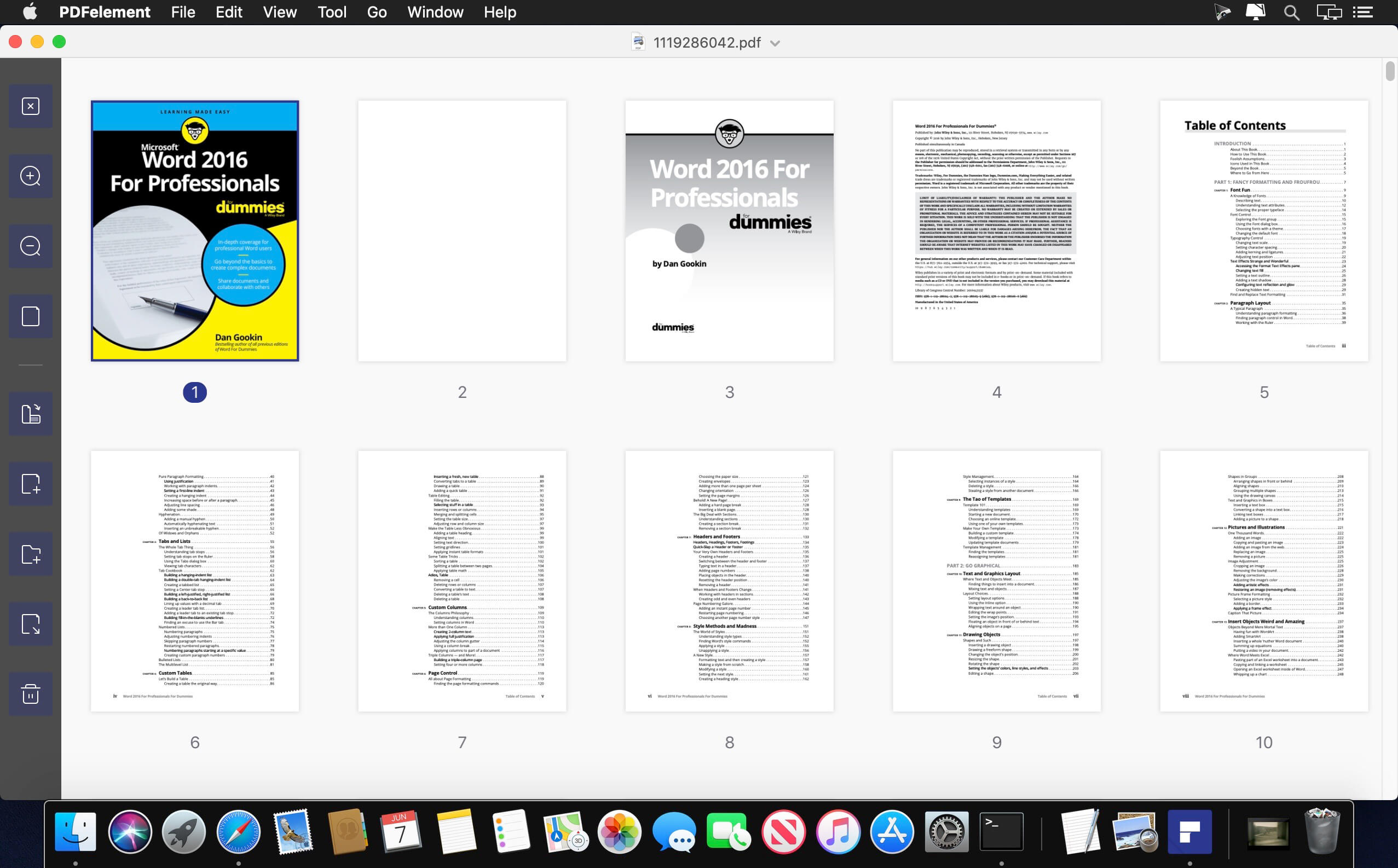

Name: Wondershare_PDFelement_Pro_7.6.5__OCR_TNT_Mactorrents.io.dmg
Size: 606.87 MB
Files Wondershare_PDFelement_Pro_7.6.5__OCR_TNT_Mactorrents.io.dmg[606.87 MB]

   Download

Wondershare PDFelement Pro 7.6.1 (OCR)

PDFelement – The easiest way to create, edit, convert, and sign PDF documents. We’re now introducing the all-new PDFelement 7, which includes a redesigned UI, more advanced writing tools, improved team collaboration features, more powerful conversion tools, a user management console, and more.

PDFelement Pro
OCR (Exclusive in Pro version)

  • OCR (Optical Character Recognition)enables you to edit and convert characters in scanned PDF files or pictures
  • Supports recognition of 29 languages

Create & Sign Forms (Exclusive in Pro version)

  • Create fillable PDF Forms from interactive field objects, such as buttons, check boxes, radio buttons, list boxes, and drop-down lists
  • Support adding digital signatures to forms

Merge PDF (Exclusive in Pro version)

  • Combine different format files into a new PDF

Convert PDF (Exclusive in Pro version)

  • Supports converting PDF file to a greater number of output formats like EPUB, HTML, Text, RTF

PDF/A (Exclusive in Pro version)

  • Support PDF/A as an available output format with ISO Standard for long term archiving

Batch Processing of PDF Files (Exclusive in Pro version)

  • Process PDFs in batches
  • Add backgrounds, watermarks, headers and footers in batches

Bates Numbering (Exclusive in Pro version)

  • Apply Bates Numbering with advanced formatting

Redact PDF (Exclusive in Pro version)

  • Redact sensitive text and images in PDFs

What’s New:

Version 7.6.1:

  • Release notes were unavailable when this listing was updated.

Compatibility: macOS 10.12 or later 64-bit
Homepage https://www.wondershare.com/

Screenshots
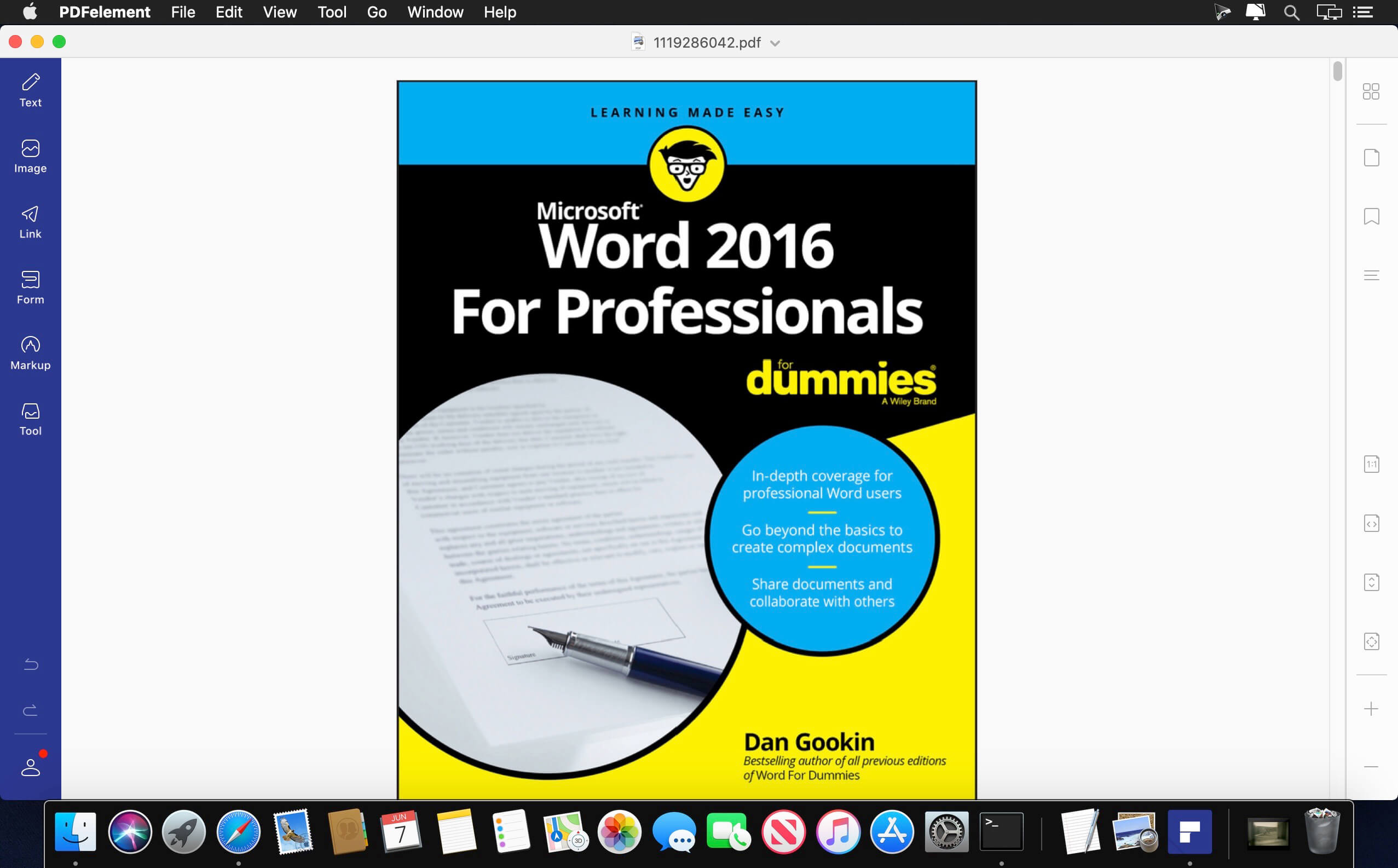

Name: Wondershare_PDFelement_Pro_7.6.1_OCR_TNT_Mactorrents.io.dmg
Size: 582.57 MB
Files Wondershare_PDFelement_Pro_7.6.1_OCR_TNT_Mactorrents.io.dmg[582.57 MB]

   Download

ABBYY FineReader OCR Pro 12.1.14

ABBYY FineReader OCR Pro 12.1.14

Easily transform paper documents, PDFs and digital photos of text into editable and searchable files with ABBYY FineReader Pro for Mac. No more manual retyping or reformatting. Instead you can edit, search, share, archive, and copy information from documents for reuse and quotation — saving you time, effort and hassles. FineReader Pro combines exceptional OCR and document conversion quality, effective automation capabilities, and unsurpassed language support with an intuitive interface.

With just a few clicks you can:
– Update documents with text corrections, date changes, modified conditions, links to other documents and more
– Instantly pull quotes from text and extract data
– Create searchable PDF files for archiving and sharing
– Make documents accessible for text-to-voice and more

KEY PRODUCTIVITY FEATURES:
– Scans and converts documents and images into a wide variety of popular electronic formats including: DOCX, ODT, RTF, XSLX, PDF and PDF/A, PPTX, HTML, EPUB and FB2
– Automates conversion tasks, processes batches of documents, and provides the ability to schedule OCR processing with the help of newly added Automator actions and AppleScript commands support;
– Accurately reconstructs document structure, layout and formatting across multiple pages – including headers/footers, footnotes, table of contents, page numbering, captions, etc.
– Creates editable, searchable and secure PDFs that are perfect for archiving and sharing
– Creates e-books in EPUB and FB2 formats for tablets and portable readers
– Performs image and photo pre-processing using ABBYY’s Advanced Digital Camera OCR technology
– Applies advanced OCR features to complex conversion tasks

YOUR ADVANTAGES WITH ABBYY OCR TECHNOLOGY INCLUDE:
– Professional OCR results with up to 99.8% character recognition accuracy
– Widest language support in the industry: 189 recognition languages (including Asian languages) in any combination of languages
– Multi-channel document input enables you to scan paper documents for processing or convert scanned images, PDFs and digital photos of text
– User-friendly interface with pre-defined Quick Tasks makes using FineReader easy and intuitive and provides Section 508 compliancy

Language: English, Dutch, French, German, Italian, Japanese, Korean, Portuguese, Russian, Simplified Chinese, Spanish, Traditional Chinese

Compatibility: OS X 10.8 or later, 64-bit processor
Homepage http://www.abbyy.com/finereader/pro-for-mac/

Screenshots

Name: ABBYY_FineReader_OCR_Pro_12.1.14_Mactorrents.io.rar
Size: 585 MB
Files ABBYY_FineReader_OCR_Pro_12.1.14_Mactorrents.io.rar[585 MB]

   Download

Enolsoft PDF to Word with OCR 6.8.0

Enolsoft PDF to Word with OCR 6.8.0

Easily Convert PDF to Editable DOC/DOCX Files. Besides native PDFs, PDF to Word with OCR applies Optical Character Recognition to accurately identify text in scanned PDF or images then convert them to Word quickly.

Enolsoft PDF Converter with OCR (Optical Character Recognition) for Mac can accurately recognize the text, images, and table in the PDFs to assure to keep the original layout. Quickly deal with all files from your boss, partners or colleagues.

– Native/Searchable PDF

– Scanned/Non-searchable PDF

– PDFs with restrictions password

– Images (JPG, PNG, GIF, BMP, TIFF)

Compatibility:
Homepage

Screenshots


Name: Enolsoft_PDF_to_Word_with_OCR_6.8.0__TNT_Mactorrents.io.dmg
Size: 361 MB
Files Enolsoft_PDF_to_Word_with_OCR_6.8.0__TNT_Mactorrents.io.dmg[361 MB]

   Download

PDF Converter OCR 6.2.1

Download PDF Converter OCR 6.2.1

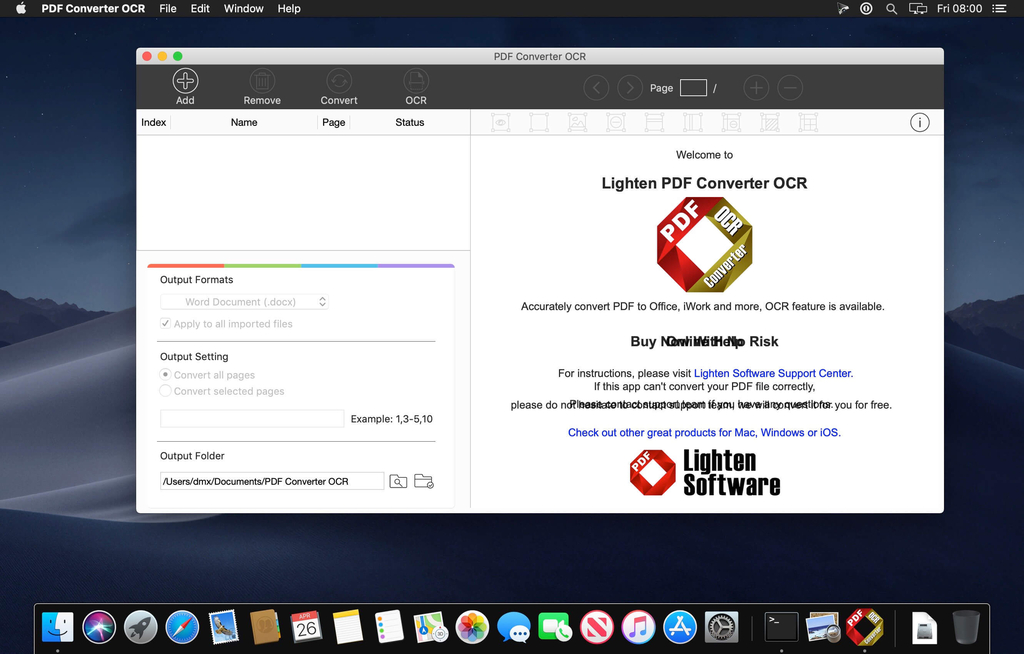
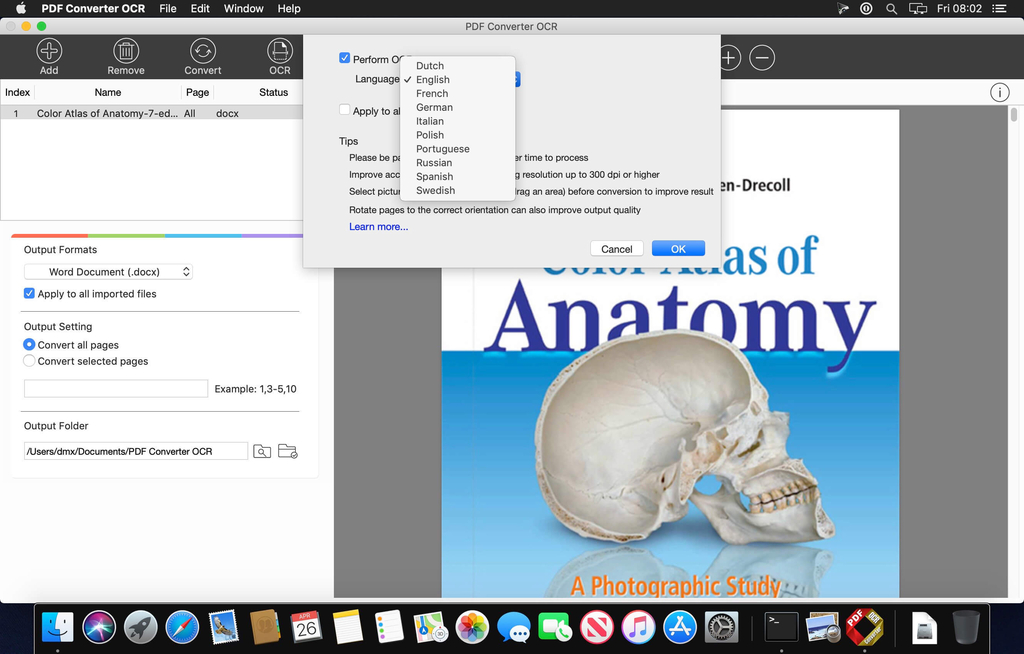
PDF Converter OCR is the OCR version of PDF Converter Master, which lets you quickly and accurately convert PDF files into 16 common document formats, including Microsoft Office (Word, Excel, PowerPoint), iWork (Pages, Numbers, Keynote), EPUB, plain text, Rich Text Formats, csv and 5 image file formats. You don’t need to spend hours typing and tweaking the formatting thanks to the high-level accuracy of content and formatting retention. With advanced OCR functionality, you can extract text content out of scanned PDF file and get an editable Word, PowerPoint or Text document.

Features

* Simple and Neat Interface

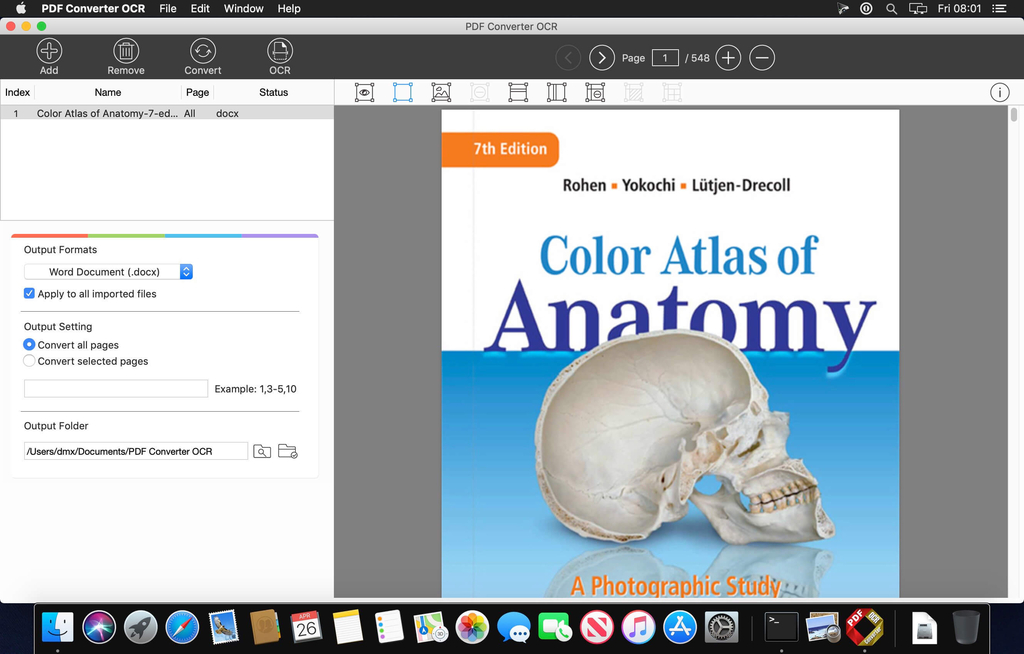
Easy-to-use interface lets you view PDF files directly on the right side. It’s the best choice to view a batch of PDF files.

* Rich Choices of Output Formats

A all-in-1 PDF Converter includes the major office document formats (docx, doc, xlsx, csv, pptx), iWork (Pages, Numbers, Keynote), EPUB, rich text format(.rtf) plain text (.txt) and image (.jpg, .png, .bmp, .gif, .tiff).

* Accurate Conversion

Preserve original font style, color, size, graphic, table and page layouts as accurate as possible. So you don’t need to spend hours tweaking the output documents.

* Advanced OCR function

  • OCR lets you extract text even if the text is contained in an image. A must-have function for converting PDFs that were created by the scanner.
  • OCR Supports following document languages: English, French, German, Italian, Spanish, Portuguese, Russian, Swedish, Polish and Dutch.
  • OCR is only available for PDF to doc, docx, xlsx, pptx, csv, rtf, txt. Currently does not support iWork Pages, Numbers, Keynote.

* Flexible and Efficient

PDF Converter ++ can convert unlimited PDFs in extremely fast speed. You can convert only particular pages to free yourself from unnecessary waiting. Flexible output options for different output formats, you can even mark table or graphic areas for better accuracy before conversion.

Information

CompatibilityOS X 10.9 or later 64-bit
LanguagesEnglish

What’s New in PDF Converter OCR 6.2.1

  • Release notes not available at the time of this post.

Screenshots

Name PDF Converter OCR 6.2.1 [TNT] mac-torrents.net.zip
Size 78.26 MB
Created on 2019-11-29 21:44:29
Hash 158cd6afe6f256444fc27f69a300dfff61d8ee82
Files PDF Converter OCR 6.2.1 [TNT] mac-torrents.net.zip (78.26 MB)


Download

Enolsoft PDF Converter with OCR 6.8.0

Download Enolsoft PDF Converter with OCR 6.8.0

Enolsoft PDF Converter with OCR for Mac can help you easily convert native and scanned PDF to Word, Excel, PPT, Keynote, Pages, HTML, EPUB, Text, Rtfd, Images and etc. No matter you want to analyze data, report work to your boss, or have a meeting with your colleague, it can be your great partner.

With PDF converter OCR for Mac, you can batch add and convert PDFs to the format you want without quality loss, then you can copy the information freely. Put simply, PDF Converter OCR for Mac helps you work better, smarter, and faster.

Enolsoft PDF Converter OCR for Mac makes your edit be much easier. It can help to remove the PDFs’ restriction password automatically before converting, convert scanned PDFs or images to the editable formats with OCR technology.

Information

Compatibility
OS X 10.10 or later 64-bit
Languages
English

What’s New in Enolsoft PDF Converter with OCR 6.8.0

  • Release notes not available at the time of this post.

Screenshots

Name Enolsoft PDF Converter with OCR 6.8.0 [TNT] mac-torrents.net.zip
Size 333.9 MB
Created on 2019-11-06 07:14:09
Hash 9162671d8f8c2267255c550b1ed0c0aaa4954728
Files Enolsoft PDF Converter with OCR 6.8.0 [TNT] mac-torrents.net.zip (333.9 MB)

Cisdem PDF Converter OCR 7.5.0

Download Cisdem PDF Converter OCR 7.5.0

Cisdem PDF Converter OCR is a PDF Converter with OCR capability. it can accurately convert normal or scanned pdf to Word, Excel, Pages, Image, Text, Html, Keynote, etc. Besides, it also supports create professional looking PDF document from existing files like Word, PPT, Text, Html, CHM, etc.

What PDF Converter OCR can do for you:

PDF Converter with Advanced OCR Technology

  • Convert native & scanned PDF to Word, Excel, Keynote, Pages, EPUB, PowerPoint, Text, Images and more.
  • Convert scanned PDFs to editable and searchable PDF document with ease.
  • Obtain best OCR results: OCR PDF files precisely, get up to 99.8%-character recognition accuracy with advanced OCR technology.
  • Process PDFs in batch or partially: You are able to convert a bunch of PDF files or convert PDF selected specified pages (e.g. 1,3-10,21 or all pages).
  • Convert large PDF files (500 pages or more) in mins.
  • Convert encrypted PDFs supported.
  • Convert image to text files like image to word, excel, ppt, etc.
  • Extract text from images.
  • Convert PDFs to 16 formats: PDF, DOCX, DOC, PPTX, PAGES, XLSX, RTFD, TEXT, KEYNOTE, EPUB, HTML and Image (JPEG, BMP, PNG, GIF, TIFF).
  • Recognize approx. 200 languages. And multiple languages supported, you can convert a PDF document with mixed languages.

Works as a Great PDF Creator for Mac

  • Convert Word, ePub, PPTX, RTF, CHM, Txt, HTML files into PDF files with clicks.
  • Convert or merge files to PDF easily.
  • Create professional looking PDF from multiple documents at a time.
  • Supports merge files into one PDF file. Just Drag-n-drop to rearrange multiple documents and designate certain pages to merge into one PDF.
  • You are able to set the PDF size you want to create, such as the A3, A4, Envelope, etc.
  • Select the quality (high, medium, low, original quality) of output PDFs to save the space.
  • Supports adding Password to your PDF files for protecting the data.

How to convert PDF to Word and other formats with PDF Converter OCR:

  1. Import PDF document(s);
  2. Select pages and output format as needed;
  3. Convert PDF document(s).

Information

Compatibility
OS X 10.10 or later 64-bit
Languages
English

What’s New in Cisdem PDF Converter OCR 7.5.0

  • Optimized for macOS Catalina

Screenshots

Name Cisdem PDF Converter OCR 7.5.0 [TNT] mac-torrents.net.zip
Size 335.2 MB
Created on 2019-10-29 20:09:43
Hash d32de0d602623200117e9b9550e534e816ff5108
Files Cisdem PDF Converter OCR 7.5.0 [TNT] mac-torrents.net.zip (335.2 MB)

Download

Cisdem PDF to Word Converter with OCR 7.0.0


Download Cisdem PDF to Word Converter with OCR 7.0.0

Convert Scanned PDF/images to Word. Support industry-leading OCR feature. Supports 200+ OCR languages. Convert PDF to Word Mac that helps you save much time on the busywork! The best PDF to Word converter makes thing become easier.

Features

Convert Scanned PDF/Images

PDF to Word OCR Converter version comes with OCR technology which scanned PDF or images to text-based Word and Rich Text Format files.

Accurate OCR Recognition

Built-in OCR function helps you convert image-based PDFs to searchable and editable Word and Rich Text Format with extremely high accuracy.

Supports 200+ OCR languages

Supports 200+ OCR recognition languages including English, German, French, Italian, Spanish, Chinese, Japanese, Russian, Korean, Malay, Norwegian, Polish, etc.

Add Single or Batch Files

PDF to Word converter allows you to drag & drop files one by one or add as many PDFs in batch: import up to 50 PDF files to the panel for conversion at one time.

Convert PDF to Word or RTFD

You can choose to save the output files as Microsoft Word or RTFD formats. Also, you can easily specify the location of output Word files before stating the conversions.

Information

CompatibilityOS X 10.10 or later 64-bit
LanguagesEnglish

What’s new in Cisdem PDF to Word Converter with OCR 7.0.0

  • Release notes not available at the time of this post.

Screenshots


Name Cisdem PDF to Word Converter with OCR 7.0.0 [TNT] mac-torrents.net.zip
Size 337.1 MB
Created on 2019-10-20 17:03:20
Hash 4b550d4b9539e99ddfa85869dc12f655dad02679
Files Cisdem PDF to Word Converter with OCR 7.0.0 [TNT] mac-torrents.net.zip (337.1 MB)

Download

ABBYY FineReader OCR Pro 12.1.13

Download ABBYY FineReader OCR Pro 12.1.13

Easily turn documents of virtually any origin into information you can edit, quote, archive, search or share! ABBYY FineReader Pro complements the hassle-free efficiency of your computer by transforming paper documents, PDFs and digital photos of text into editable and searchable files. Say goodbye to time-consuming retyping and reformatting of documents – FineReader’s unmatched text recognition accuracy, language coverage and conversion features retain your original’s text, layout and formatting. It’s OCR the easy way – just as it should be!

With just a few clicks you can:
  • Update documents with text corrections, date changes, modified conditions, links to other documents and more
  • Instantly pull quotes from text and extract data
  • Create searchable PDF files for archiving and sharing
  • Make documents accessible for texttovoice and more
KEY PRODUCTIVITY FEATURES:
  • Scans and converts documents and images into a wide variety of popular electronic formats including: DOCX, ODT, RTF, XSLX, PDF and PDF/A, PPTX, HTML, EPUB and FB2
  • Automates conversion tasks, processes batches of documents, and provides the ability to schedule OCR processing with the help of newly added Automator actions and AppleScript commands support;
  • Accurately reconstructs document structure, layout and formatting across multiple pages including headers/footers, footnotes, table of contents, page numbering, captions, etc.
  • Creates editable, searchable and secure PDFs that are perfect for archiving and sharing
  • Creates ebooks in EPUB and FB2 formats for tablets and portable readers
  • Performs image and photo preprocessing using ABBYY’s Advanced Digital Camera OCR technology
  • Applies advanced OCR features to complex conversion tasks
YOUR ADVANTAGES WITH ABBYY OCR TECHNOLOGY INCLUDE:
  • Professional OCR results with up to 99.8% character recognition accuracy
  • Widest language support in the industry: 189 recognition languages (including Asian languages) in any combination of languages
  • Multichannel document input enables you to scan paper documents for processing or convert scanned images, PDFs and digital photos of text
  • Userfriendly interface with predefined Quick Tasks makes using FineReader easy and intuitive and provides Section 508 compliancy

* According to internal ABBYY testing. Accuracy and formatting results can vary depending on factors such as document quality and scanner settings.

Information

CompatibilityOS X 10.11 or later, 64-bit processor
LanguagesEnglish, Danish, Dutch, French, German, Italian, Japanese, Korean, Portuguese, Russian, Simplified Chinese, Spanish, Traditional Chinese

What’s New in ABBYY FineReader OCR Pro 12.1.13

Fixed issues:

  • while scanning from ADF images are added in correct order
  • images could be sent to FineReader from context menu
  • export to CSV through Automator is fixed

Screenshots

Name ABBYY_FineReader_OCR_Pro_12.1.13_mac-torrents.net.zip
Size 618.6 MB
Created on 2019-10-05 04:23:50
Hash 0b87635b80580902b1611d9602cd931e20d06e02
Files ABBYY_FineReader_OCR_Pro_12.1.13_mac-torrents.net.zip (618.6 MB)

Download