Category Archives: Cisdem PDF Converter OCR

Cisdem PDF Converter OCR 7.5.0

Cisdem PDF Converter OCR icon

Download Cisdem PDF Converter OCR 7.5.0

Cisdem PDF Converter OCR is a PDF Converter with OCR capability. it can accurately convert normal or scanned pdf to Word, Excel, Pages, Image, Text, Html, Keynote, etc. Besides, it also supports create professional looking PDF document from existing files like Word, PPT, Text, Html, CHM, etc.

What PDF Converter OCR can do for you:

PDF Converter with Advanced OCR Technology

  • Convert native & scanned PDF to Word, Excel, Keynote, Pages, EPUB, PowerPoint, Text, Images and more.
  • Convert scanned PDFs to editable and searchable PDF document with ease.
  • Obtain best OCR results: OCR PDF files precisely, get up to 99.8%-character recognition accuracy with advanced OCR technology.
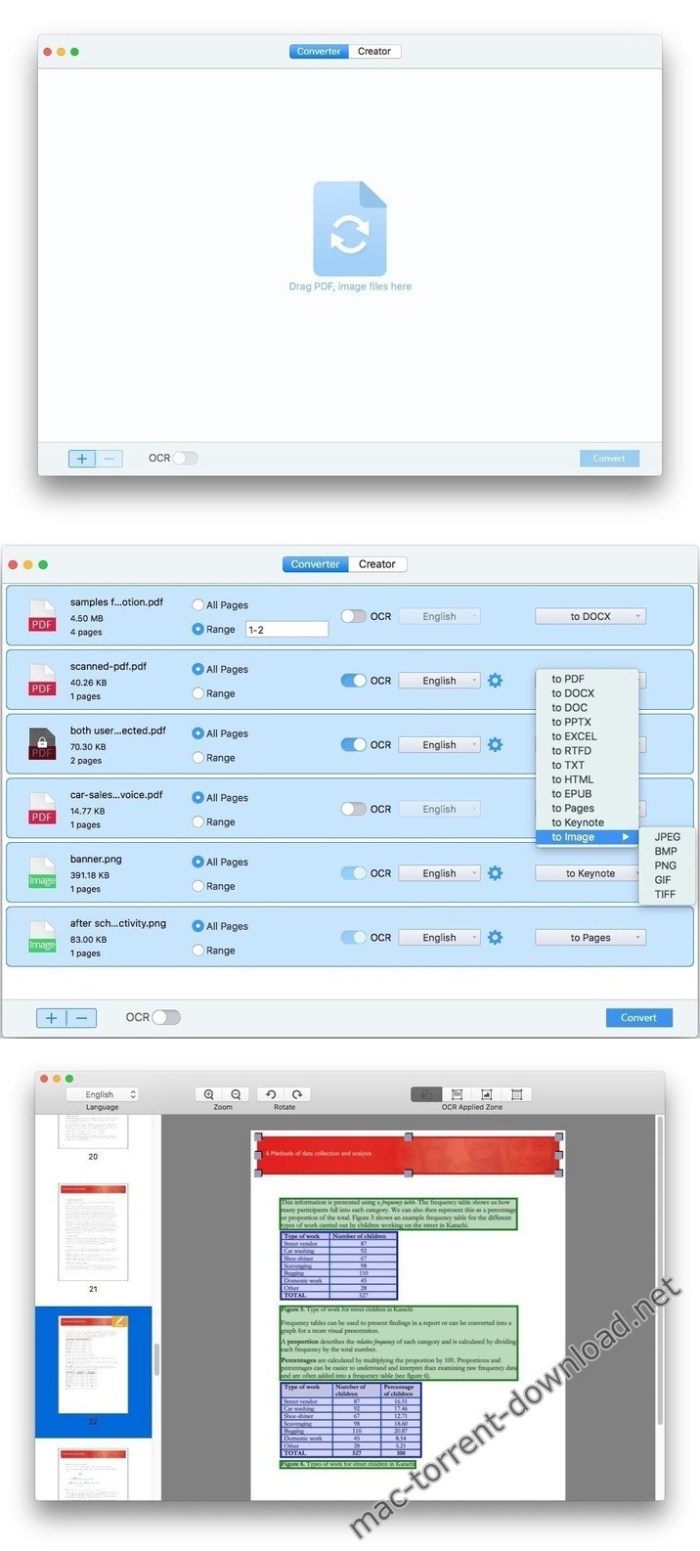
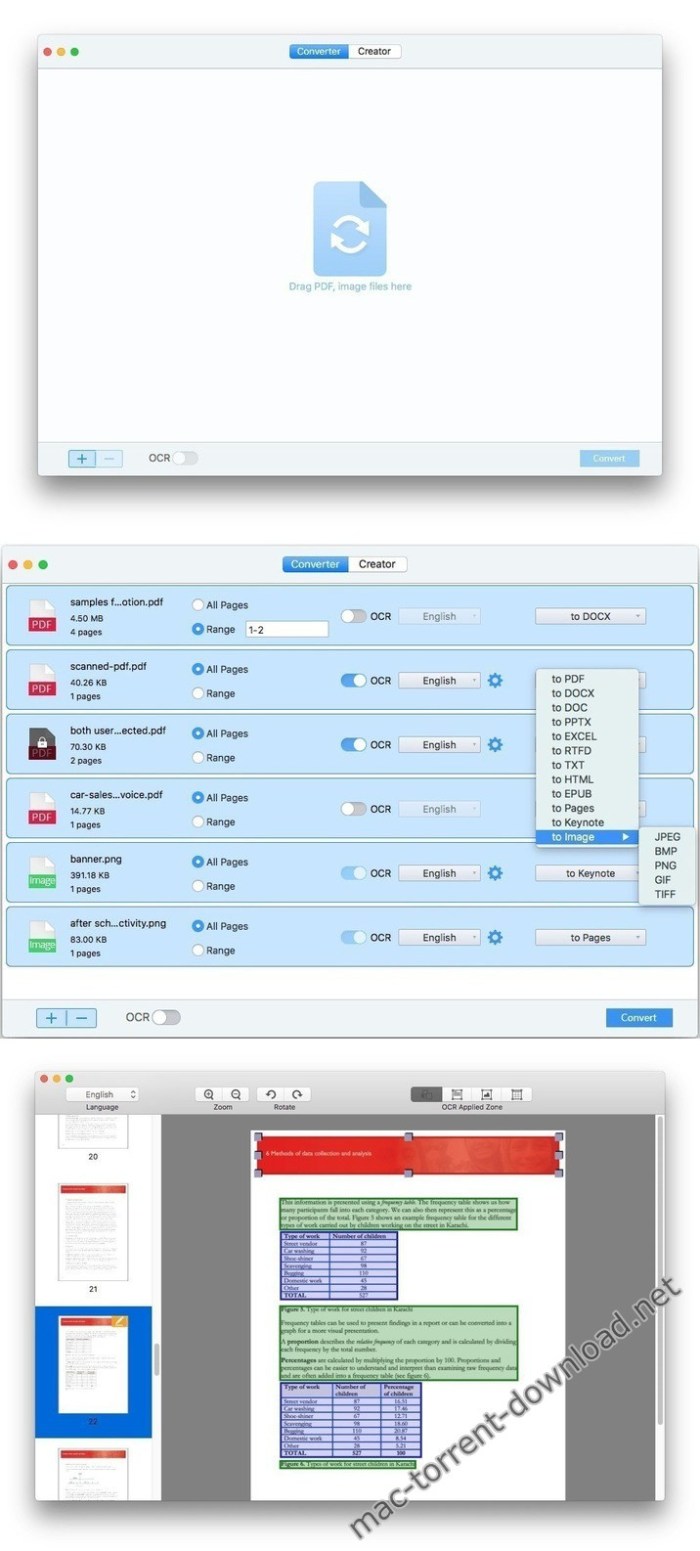
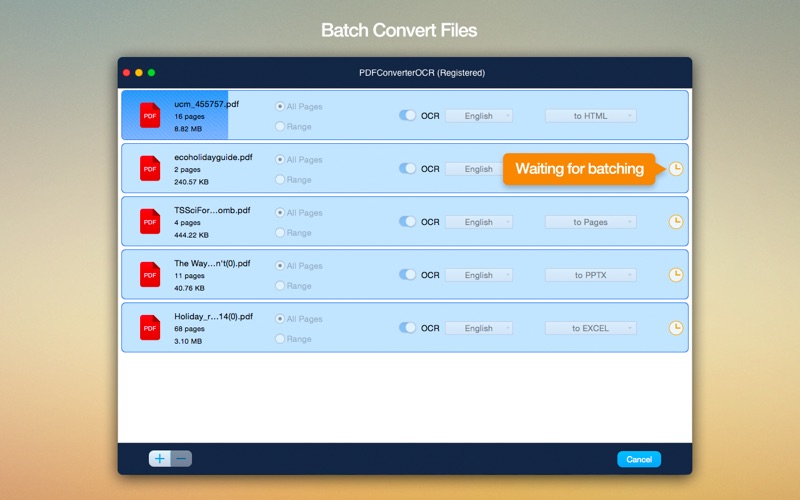
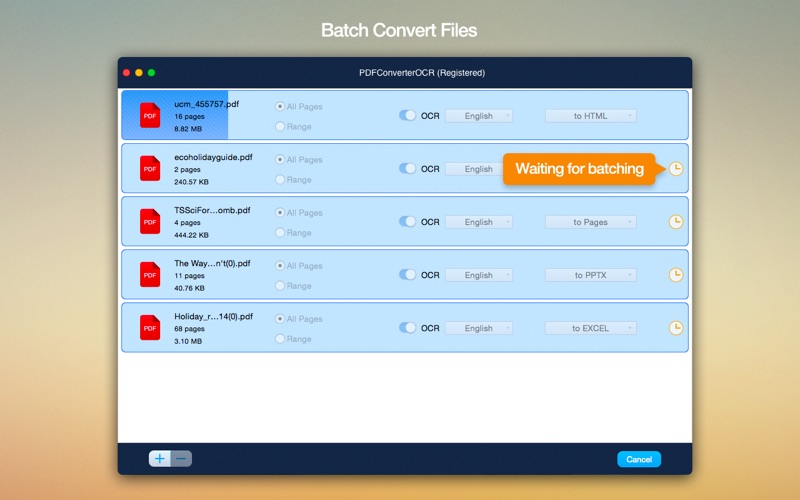
  • Process PDFs in batch or partially: You are able to convert a bunch of PDF files or convert PDF selected specified pages (e.g. 1,3-10,21 or all pages).
  • Convert large PDF files (500 pages or more) in mins.
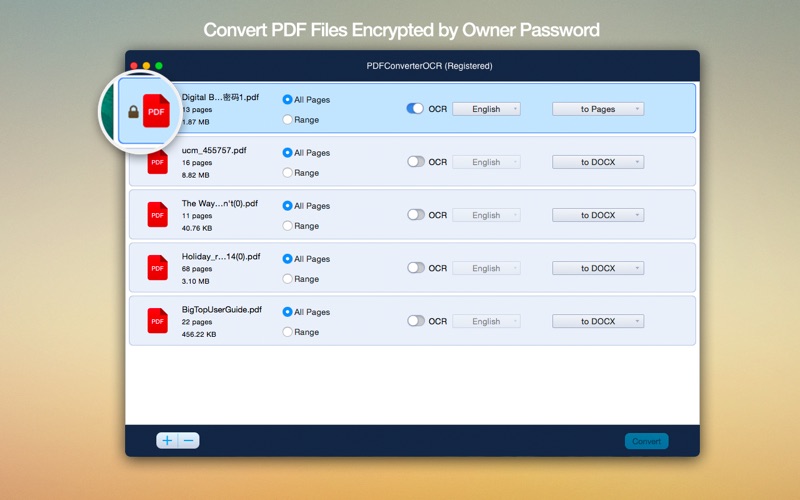
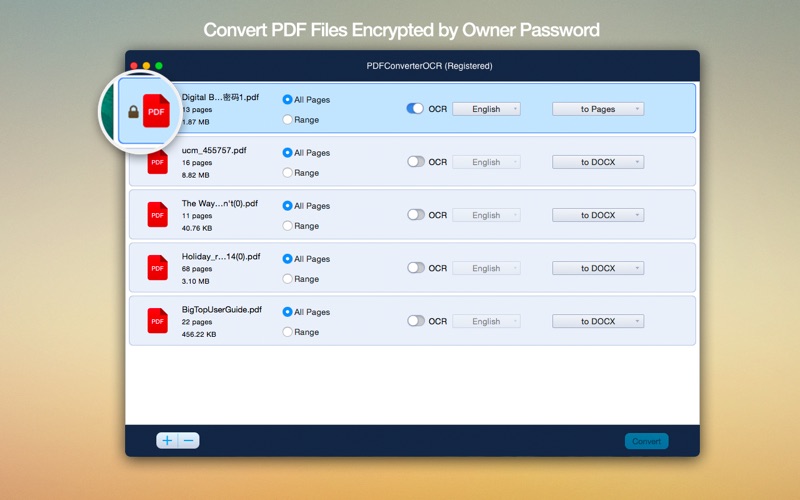
  • Convert encrypted PDFs supported.
  • Convert image to text files like image to word, excel, ppt, etc.
  • Extract text from images.
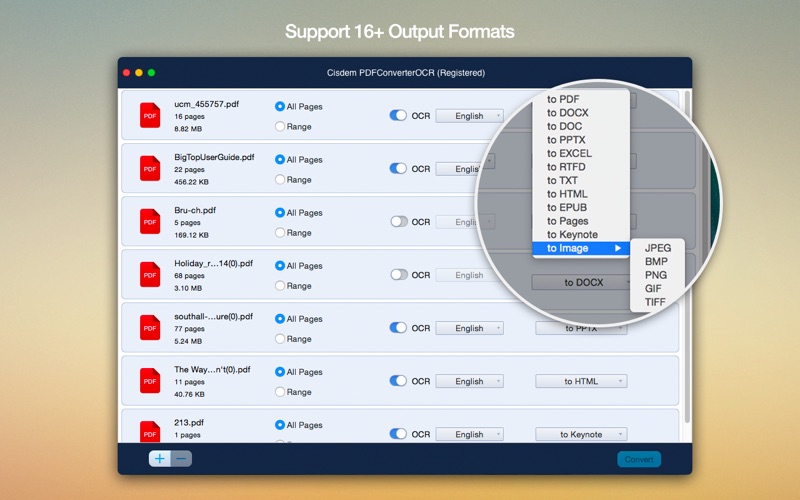
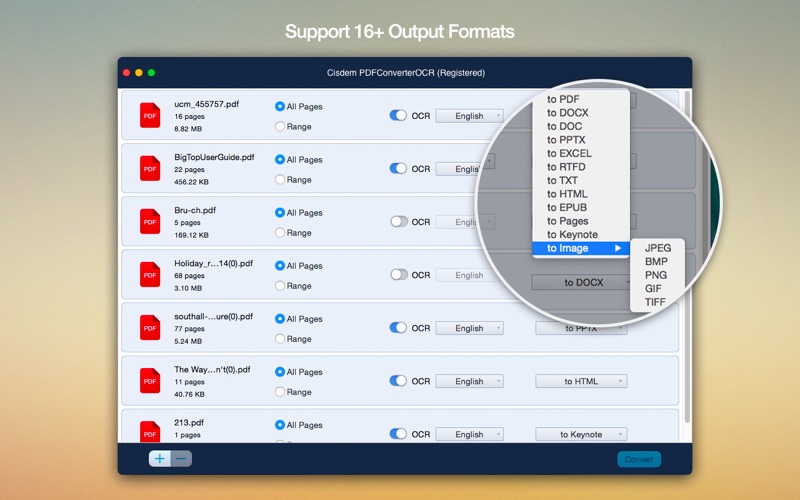
  • Convert PDFs to 16 formats: PDF, DOCX, DOC, PPTX, PAGES, XLSX, RTFD, TEXT, KEYNOTE, EPUB, HTML and Image (JPEG, BMP, PNG, GIF, TIFF).
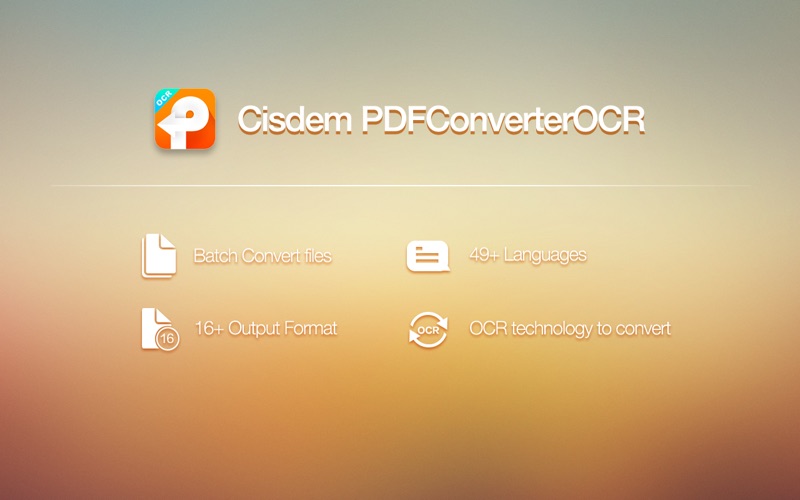
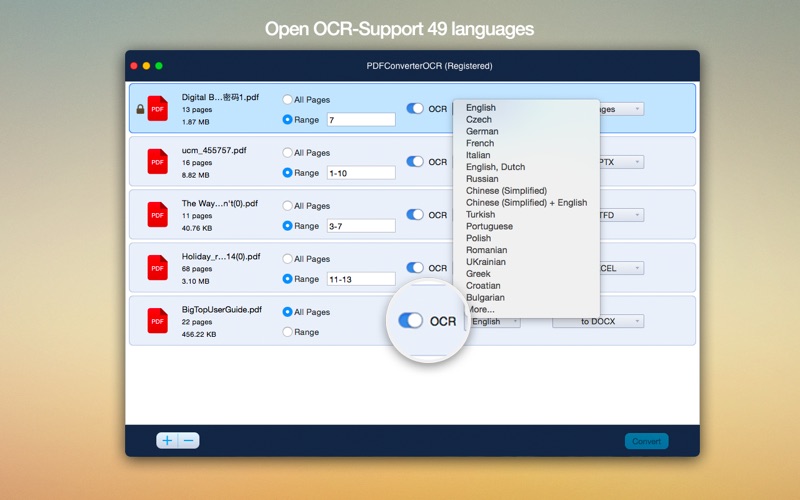
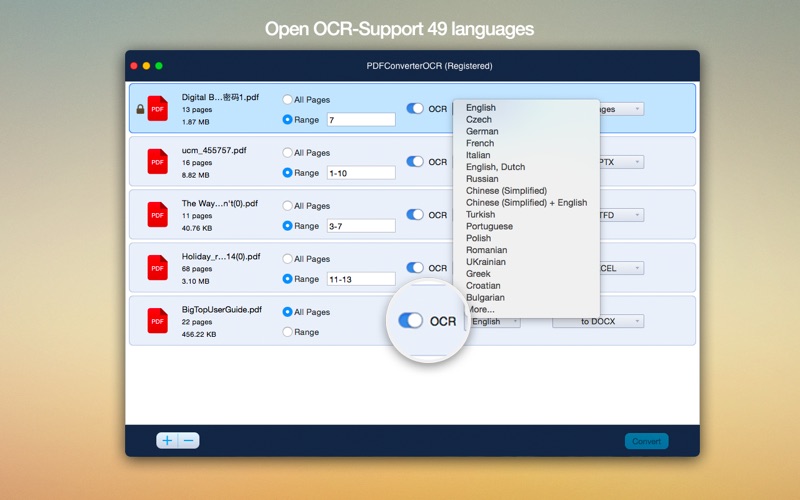
  • Recognize approx. 200 languages. And multiple languages supported, you can convert a PDF document with mixed languages.

Works as a Great PDF Creator for Mac

  • Convert Word, ePub, PPTX, RTF, CHM, Txt, HTML files into PDF files with clicks.
  • Convert or merge files to PDF easily.
  • Create professional looking PDF from multiple documents at a time.
  • Supports merge files into one PDF file. Just Drag-n-drop to rearrange multiple documents and designate certain pages to merge into one PDF.
  • You are able to set the PDF size you want to create, such as the A3, A4, Envelope, etc.
  • Select the quality (high, medium, low, original quality) of output PDFs to save the space.
  • Supports adding Password to your PDF files for protecting the data.

How to convert PDF to Word and other formats with PDF Converter OCR:

  1. Import PDF document(s);
  2. Select pages and output format as needed;
  3. Convert PDF document(s).

Information

Compatibility
OS X 10.10 or later 64-bit
Languages
English

What’s New in Cisdem PDF Converter OCR 7.5.0

  • Optimized for macOS Catalina

Screenshots

Cisdem PDF Converter OCR icon
Name Cisdem PDF Converter OCR 7.5.0 [TNT] mac-torrents.net.zip
Size 335.2 MB
Created on 2019-10-29 20:09:43
Hash d32de0d602623200117e9b9550e534e816ff5108
Files Cisdem PDF Converter OCR 7.5.0 [TNT] mac-torrents.net.zip (335.2 MB)

Download

Cisdem PDF Converter OCR 7.1.0

Download

Descriptions for Cisdem PDF Converter OCR 7.1.0

Cisdem PDF Converter OCR for Mac comes to help you convert any PDFs, scanned documents, and images to editable and searchable text and image documents. It will maintain the original layout and file quality with its built-in superior OCR technology. And it also can work as a PDF Creator, PDF Password Remover, PDF Compressor to meet all of your PDF processing needs.

  • It can let you extract images from large PDF file quickly.
  • Convert encrypted PDF Files thoroughly for the encrypted PDFs, Cisdem PDF Converter OCR could unlock the restriction of user password without data loss and then convert file to the format you prefer
  • Create professional looking PDF from existing document
  • Merge files into one PDF by dragndrop to rearrange multiple documents and designate certain pages.
  • Set PDF file size: You are able to choose the PDF size you want to create before create the PDFs, such as the A3, A4, Envelope etc.
  • Choose PDF quality: This PDF OCR software allows selecting the quality (high, medium, low, original quality) of outputted PDFs to save the space.
  • Automate OCR mark help you convert the most complex files without issues. You can also manually adjust the OCR recognition.
  • Add password to PDF: You can set a password to protect the data at the preference setting when create a PDF file.

Information

Compatibility
OS X 10.10 or later 64-bit
Languages
English

What’s New in Cisdem PDF Converter OCR 7.1.0

  • Release notes not available at the time of this post.

Screenshots

Name Cisdem PDF Converter OCR 7.1.0 TNT mac-torrents.net.dmg
Size 337.8 MB
Created on 2019-09-09 17:06:21
Hash 7b24dd5ddfb44210cb731dd54f0743ab541e8090
Files Cisdem PDF Converter OCR 7.1.0 TNT mac-torrents.net.dmg (337.8 MB)

Download

Cisdem PDF Converter OCR 7.0.0

Download

Cisdem PDF Converter OCR 7.0.0

Cisdem PDF Converter OCR for Mac comes to help you convert any PDFs, scanned documents, and images to editable and searchable text and image documents. It will maintain the original layout and file quality with its built-in superior OCR technology. And it also can work as a PDF Creator, PDF Password Remover, PDF Compressor to meet all of your PDF processing needs.

  • It can let you extract images from large PDF file quickly.
  • Convert encrypted PDF Files thoroughly for the encrypted PDFs, Cisdem PDF Converter OCR could unlock the restriction of user password without data loss and then convert file to the format you prefer
  • Create professional looking PDF from existing document
  • Merge files into one PDF by dragndrop to rearrange multiple documents and designate certain pages.
  • Set PDF file size: You are able to choose the PDF size you want to create before create the PDFs, such as the A3, A4, Envelope etc.
  • Choose PDF quality: This PDF OCR software allows selecting the quality (high, medium, low, original quality) of outputted PDFs to save the space.
  • Automate OCR mark help you convert the most complex files without issues. You can also manually adjust the OCR recognition.
  • Add password to PDF: You can set a password to protect the data at the preference setting when create a PDF file.

Compatibility: OS X 10.10 or later 64-bit

Web Site: http://www.cisdem.com

What’s New in Cisdem PDF Converter OCR 7.0.0

  • Fixed the retina display related output size enlarge issue.
  • Refined PDF creating interface.

Screenshots

Name Cisdem PDF Converter OCR 7 0 0 TNT.zip
Size 340.8 MB
Created on 2019-08-06 16:18:05
Hash 12be88853e9709c2736fdf4d1879bb2a5b4ea226
Files Cisdem PDF Converter OCR 7 0 0 TNT.zip (340.8 MB)

Download

Cisdem PDF Converter OCR 6.4.0

 Cisdem PDF Converter OCR 6.4.0 free download for mac torrent and mac Os

Cisdem PDF Converter OCR 6.4.0

It makes it possible for you to convert both scanned and normal PDFs, as well as your images into editable and text-formatted files

Cisdem PDFConverterOCR is a straightforward application that aims to provide you with the necessary tools to convert any PDF document or image file with text to a wide array of editable  formats.

Basically, with the help of Cisdem PDFConverterOCR, you can easily convert both normal and scanned PDF documents into editable and text-formatted files. What’s more, with the help of the four selection tools found on the app’s top toolbar, you can manually select which parts of your documents should be exported as text, images, or tables.

Effortlessly convert PDFs into editable and text-formatted file formats

Straight off the bat, it must be pointed out that the best part about this application is, fortunately, its OCR feature. With the help of its powerful optical character recognition system, the app makes it possible for you to convert PDFs to common Microsoft Office, iWork, ePub, HTML, and the most popular image file formats, among others.

Another worth-mentioning feature is the fact that Cisdem PDFConverterOCR’s optical recognition system has the ability to scan and recognize the text from your PDFs or images for 49 languages, so chances that your text will be converted with strange characters or symbols are quite low.

An all-round good utility for the Mac, but not without faults

While PDFConvertorOCR’s text recognition system works undoubtedly well, it isn’t what you would call fast. In fact, the app’s OCR system is so slow that it feels like it’s actually slowing everything else down as well. One thing’s for sure, you will have to get your head around the fact that some great deal of time will be spent waiting.

All in all, while not the fastest and clearly not the most stylish application out there, eventually, Cisdem PDFConverterOCR will get the job done and could prove to be a very useful tool in office related situations or for home use when you need to turn scanned documents or photographs into searchable and editable text-based files.

Compatibility: OS X 10.10 or later 64-bit

Web Site: http://www.cisdem.com

What’s New in Cisdem PDF Converter OCR 6.4.0

  1. Fixed an issue that caused output pdf in big size.
  2. Improved OCR memory usage performance.
  3. Optimized for masOS Mojave.
Password

otgzm-[mac-torrents.net]-ty0yz

you can download from other site :
Cisdem PDF Converter OCR 6.4.0

Cisdem PDF Converter OCR 5.3

Cisdem PDF Converter OCR 5.3

It makes it possible for you to convert both scanned and normal PDFs, as well as your images into editable and text-formatted files

Cisdem PDFConverterOCR is a straightforward application that aims to provide you with the necessary tools to convert any PDF document or image file with text to a wide array of editable  formats.

Basically, with the help of Cisdem PDFConverterOCR, you can easily convert both normal and scanned PDF documents into editable and text-formatted files. What’s more, with the help of the four selection tools found on the app’s top toolbar, you can manually select which parts of your documents should be exported as text, images, or tables.

Effortlessly convert PDFs into editable and text-formatted file formats

Straight off the bat, it must be pointed out that the best part about this application is, fortunately, its OCR feature. With the help of its powerful optical character recognition system, the app makes it possible for you to convert PDFs to common Microsoft Office, iWork, ePub, HTML, and the most popular image file formats, among others.

Another worth-mentioning feature is the fact that Cisdem PDFConverterOCR’s optical recognition system has the ability to scan and recognize the text from your PDFs or images for 49 languages, so chances that your text will be converted with strange characters or symbols are quite low.

An all-round good utility for the Mac, but not without faults

While PDFConvertorOCR’s text recognition system works undoubtedly well, it isn’t what you would call fast. In fact, the app’s OCR system is so slow that it feels like it’s actually slowing everything else down as well. One thing’s for sure, you will have to get your head around the fact that some great deal of time will be spent waiting.

All in all, while not the fastest and clearly not the most stylish application out there, eventually, Cisdem PDFConverterOCR will get the job done and could prove to be a very useful tool in office related situations or for home use when you need to turn scanned documents or photographs into searchable and editable text-based files.

Compatibility: OS X 10.10 or later 64-bit
Web Site: http://www.cisdem.com

What’s New in Cisdem PDF Converter OCR 5.3

  • Release notes not available at the time of this post.

Screenshots

Password

otgzm-[mac-torrents.net]-ty0yz

Name Cisdem PDF Converter OCR 5 3 0 TNT.zip
Size 477.9 MB
Created on 2018-06-09 07:44:59
Hash 3a3e58d9365aa34a4cdf727624768eac222a9170
Files Cisdem PDF Converter OCR 5 3 0 TNT.zip (477.9 MB)

Cisdem PDF Converter OCR 5.2.0

Descriptions for Cisdem PDF Converter OCR 5.2.0

Name: Cisdem PDFConverterOCR
Version: 5.2.0
Released: Feb 9th, 2018
Developer: Cisdem
Mac Platform: Intel
OS Version: OS X 10.10 or later
Processor type(s) & speed: 64-bit processor

Includes: Pre-K’ed (TNT)

Web Site: http://www.cisdem.com

Overview

It makes it possible for you to convert both scanned and normal PDFs, as well as your images into editable and text-formatted files

Cisdem PDFConverterOCR is a straightforward application that aims to provide you with the necessary tools to convert any PDF document or image file with text to a wide array of editable  formats.

Basically, with the help of Cisdem PDFConverterOCR, you can easily convert both normal and scanned PDF documents into editable and text-formatted files. What’s more, with the help of the four selection tools found on the app’s top toolbar, you can manually select which parts of your documents should be exported as text, images, or tables.

Effortlessly convert PDFs into editable and text-formatted file formats

Straight off the bat, it must be pointed out that the best part about this application is, fortunately, its OCR feature. With the help of its powerful optical character recognition system, the app makes it possible for you to convert PDFs to common Microsoft Office, iWork, ePub, HTML, and the most popular image file formats, among others.

Another worth-mentioning feature is the fact that Cisdem PDFConverterOCR’s optical recognition system has the ability to scan and recognize the text from your PDFs or images for 49 languages, so chances that your text will be converted with strange characters or symbols are quite low.

An all-round good utility for the Mac, but not without faults

While PDFConvertorOCR’s text recognition system works undoubtedly well, it isn’t what you would call fast. In fact, the app’s OCR system is so slow that it feels like it’s actually slowing everything else down as well. One thing’s for sure, you will have to get your head around the fact that some great deal of time will be spent waiting.

All in all, while not the fastest and clearly not the most stylish application out there, eventually, Cisdem PDFConverterOCR will get the job done and could prove to be a very useful tool in office related situations or for home use when you need to turn scanned documents or photographs into searchable and editable text-based files.

What’s new in Cisdem PDFConverterOCR 5.2.0

February 9th, 2018

  • Remember the last selection of output format.
  • Support merging PDFs.
  • Fix the issue that caused by failed to read pages of EPUB file.
  • Enhance the quality of output result.

Screenshots

Password

otgzm-[mac-torrents.net]-ty0yz

Name Cisdem PDF Converter OCR 5 2 0 TNT [mac-torrents.net].zip
Size 475.4 MB
Created on 2018-02-12 02:36:30
Hash 548c1d2694cd8114c1f1e81eb1bf19b2d046eb46
Files Cisdem PDF Converter OCR 5 2 0 TNT [mac-torrents.net].zip (475.4 MB)