Category Archives: NTFS

Paragon NTFS for Mac 15.5.100

Paragon NTFS for Mac 15.5.100 Multilingual

Paragon NTFS for Mac® is fully compatible with Apple’s new security policy ensuring fast, hassle-free and safe access to NTFS partitions from macOS 10.12 Sierra. Once the program is installed, the user can get started right away: conveniently navigate contents and read, edit, copy or create files and folders. The driver guarantees advanced support of NTFS file systems and provides fast and transparent read/write access to any NTFS partition under macOS 10.12.

All operations just a click away!
– Thanks to our lightweight and extremely useful menu bar app.
– Access all your NTFS drives and perform the most common volume operations like mount, unmount, and verify.
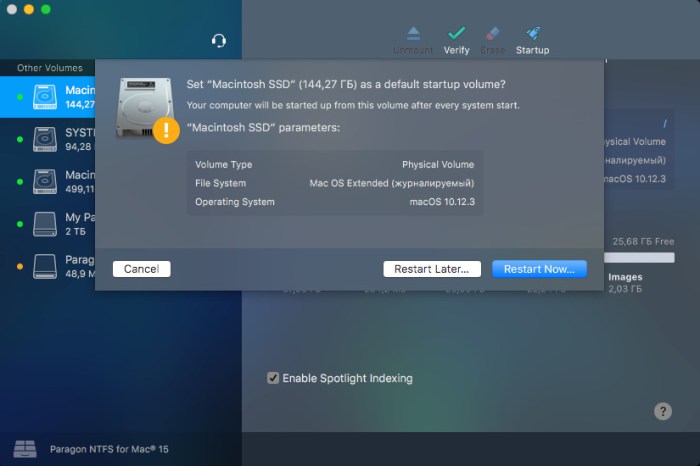
– Quickly restart your Mac in Windows from the menubar (assuming it’s installed on your mounted NTFS drive).

Seamless User Experience – Through Outstanding Design
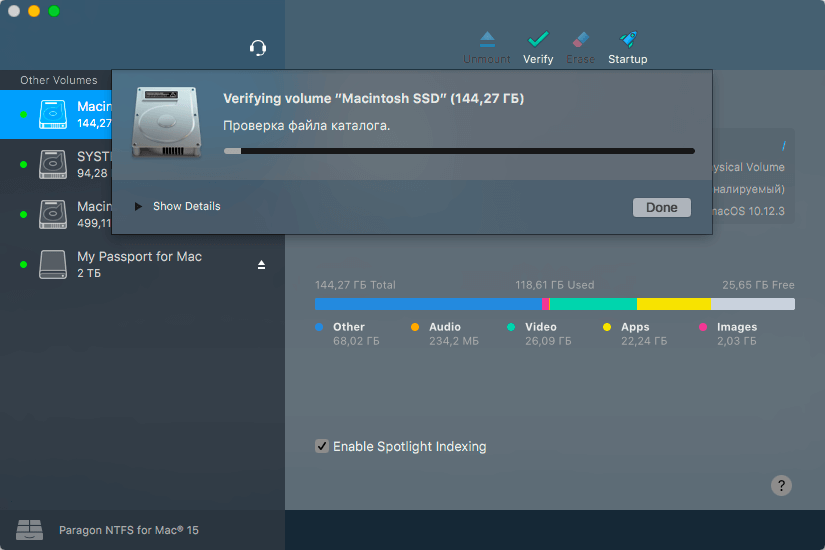
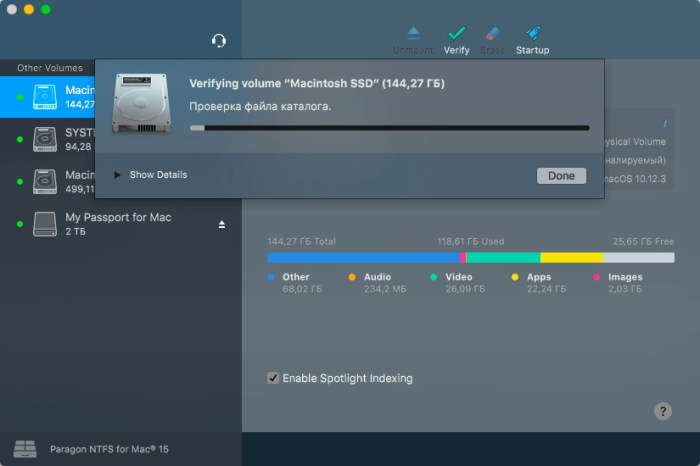
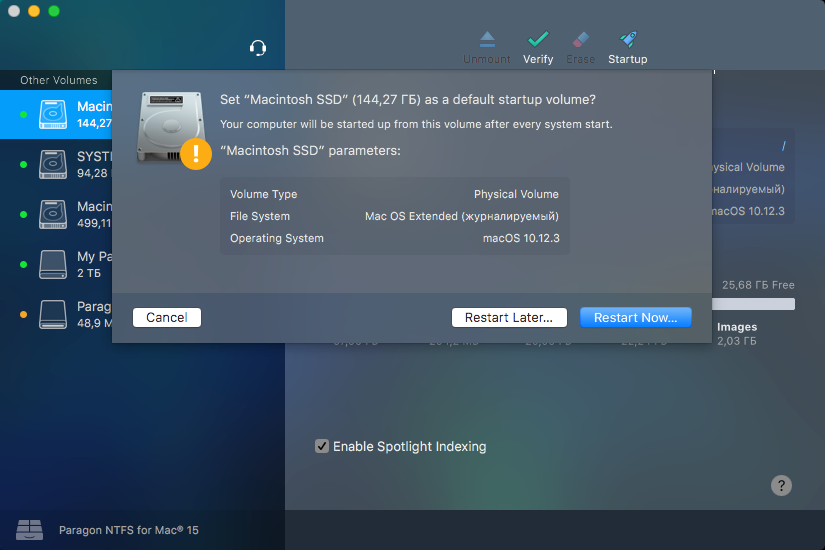
If you’ve ever used Apple’s Disk Utility, you already know how to use Paragon NTFS for Mac 15. If you haven’t, it will only take a few moments to get acquainted. Paragon NTFS for Mac 15 inherits the best of Apple’s Disk Utility and takes it to the next level, augmenting NTFS volume operations and advanced mount options.

Mounting is entirely under your control

Enable Ownership:
Select this option if you’d like to specify which users are allowed to access each newly-created file or folder, along with their read/write/execute privileges.

Save last access time:
Select this option if you need macOS to recall every file you access on a selected volume.

Enable Spotlight Indexing:
Select this option if you want instant Spotlight search, and if you want to view the detailed info about volume used space: how much space is occupied by applications, music, video, photos, etc.

Mount in Read-Only:
Select this option, if you need to access sensitive data without modifying any files.

Do not mount automatically:
Select this option if you want to manually control access to a volume.

Paragon NTFS for Mac 15 speaks fluently many languages:
– English
– Deutsch
– Русский
– Español
– Français
– Italiano
– Čeština
– 简体中文
– 繁體中文
– 한국어
– Svenska
– Suomi
– Magyarország – Magyar

Compatibility: OS X 10.10 or later
Homepage https://www.paragon-software.com/

Screenshots

Name: Paragon_NTFS_15.5.100__Shark_Trial_Mactorrents.io.dmg
Size: 26 MB
Files Paragon_NTFS_15.5.100__Shark_Trial_Mactorrents.io.dmg[26 MB]

   Download

Paragon NTFS for Mac 15.5.71

Paragon Mac Torrent Download 15.5.71

NTFS breaks down the barriers between Windows and macOS. Paragon NTFS effectively solves the communication problems between the Mac system and NTFS. Write, edit, copy, move, delete files on NTFS volumes from your Mac. Access all your NTFS drives and perform the most common volume operations like mount, unmount, and verify. Quickly restart your Mac in Windows from the menubar if it is installed on your mounted NTFS drive. Excellent solution for end users, SOHO, and enterprise, supports all NTFS versions from Windows NT 3.1 to Windows 8 (NTFS versions 1.2, 3.0, and 3.1), and mounts the NTFS volumes as native ones.

Features

  • Unprecedented high NTFS performance. The transfer rate is the same as with the native HFS file system.
  • Familiar interface that is similar to Apple’s Disk Utility.
  • Menu Bar add-on that gives you 1-click
  • Enable ownership and specify which users are allowed to access each newly-created file or folder, along with their read/write/execute privileges.
  • Save last access time if you need macOS to recall every file you access on a selected volume.
  • Enable spotlight indexing if you want instant Spotlight search, and if you want to view the detailed info about volume used space: how much space is occupied by applications, music, video, photos, etc.
  • Mount in read-only if you need to access sensitive data without modifying any files.
  • Do not mount automatically if you want to manually control access to a volume.

Information

CompatibilityOS X 10.10 or later
LanguagesEnglish

What’s New in Paragon NTFS for Mac 15.5.71

  • Release notes not available at the time of this post.

Screenshots

Name Paragon NTFS for Mac 15.5.71 Shark mac-torrents.net.zip
Size 34.54 MB
Created on 2019-10-29 12:50:05
Hash 0b4c2f09599d6b867e8ae13ce69e7cf38e517be1
Files Paragon NTFS for Mac 15.5.71 Shark mac-torrents.net.zip (34.54 MB)

Paragon NTFS for Mac 15.5.65

Download Paragon NTFS for Mac 15.5.65

NTFS breaks down the barriers between Windows and macOS. Paragon NTFS effectively solves the communication problems between the Mac system and NTFS. Write, edit, copy, move, delete files on NTFS volumes from your Mac. Access all your NTFS drives and perform the most common volume operations like mount, unmount, and verify. Quickly restart your Mac in Windows from the menubar if it is installed on your mounted NTFS drive. Excellent solution for end users, SOHO, and enterprise, supports all NTFS versions from Windows NT 3.1 to Windows 8 (NTFS versions 1.2, 3.0, and 3.1), and mounts the NTFS volumes as native ones.

Features

  • Unprecedented high NTFS performance. The transfer rate is the same as with the native HFS file system.
  • Familiar interface that is similar to Apple’s Disk Utility.
  • Menu Bar add-on that gives you 1-click
  • Enable ownership and specify which users are allowed to access each newly-created file or folder, along with their read/write/execute privileges.
  • Save last access time if you need macOS to recall every file you access on a selected volume.
  • Enable spotlight indexing if you want instant Spotlight search, and if you want to view the detailed info about volume used space: how much space is occupied by applications, music, video, photos, etc.
  • Mount in read-only if you need to access sensitive data without modifying any files.
  • Do not mount automatically if you want to manually control access to a volume.

Information

Compatibility
OS X 10.10 or later
Languages
English

What’s New in Paragon NTFS for Mac 15.5.65

  • Release notes not available at the time of this post.

Screenshots

Name Paragon NTFS for Mac 15.5.65 mac-torrents.net.zip
Size 34.34 MB
Created on 2019-10-20 23:37:51
Hash 6dbd65fa7a2e08d1968482c0b691a243792fd27e
Files Paragon NTFS for Mac 15.5.65 mac-torrents.net.zip (34.34 MB)

Download

Paragon NTFS for Mac 15.5.62

Download Paragon NTFS for Mac 15.5.62

NTFS breaks down the barriers between Windows and macOS. Paragon NTFS effectively solves the communication problems between the Mac system and NTFS. Write, edit, copy, move, delete files on NTFS volumes from your Mac. Access all your NTFS drives and perform the most common volume operations like mount, unmount, and verify. Quickly restart your Mac in Windows from the menubar if it is installed on your mounted NTFS drive. Excellent solution for end users, SOHO, and enterprise, supports all NTFS versions from Windows NT 3.1 to Windows 8 (NTFS versions 1.2, 3.0, and 3.1), and mounts the NTFS volumes as native ones.

Features

  • Unprecedented high NTFS performance. The transfer rate is the same as with the native HFS file system.
  • Familiar interface that is similar to Apple’s Disk Utility.
  • Menu Bar add-on that gives you 1-click
  • Enable ownership and specify which users are allowed to access each newly-created file or folder, along with their read/write/execute privileges.
  • Save last access time if you need macOS to recall every file you access on a selected volume.
  • Enable spotlight indexing if you want instant Spotlight search, and if you want to view the detailed info about volume used space: how much space is occupied by applications, music, video, photos, etc.
  • Mount in read-only if you need to access sensitive data without modifying any files.
  • Do not mount automatically if you want to manually control access to a volume.

Information

CompatibilityOS X 10.10 or later
LanguagesEnglish

What’s New in Paragon NTFS for Mac 15.5.62

  • Release notes not available at the time of this post.

Screenshots

Name Paragon NTFS 15.5.62 mac-torrents.net.zip
Size 39.42 MB
Created on 2019-10-05 04:23:06
Hash fe0b40c0c736d2e564f4bcb9c0aa25f89b070f7a
Files Paragon NTFS 15.5.62 mac-torrents.net.zip (39.42 MB)

Download