Tag Archives: iShowU

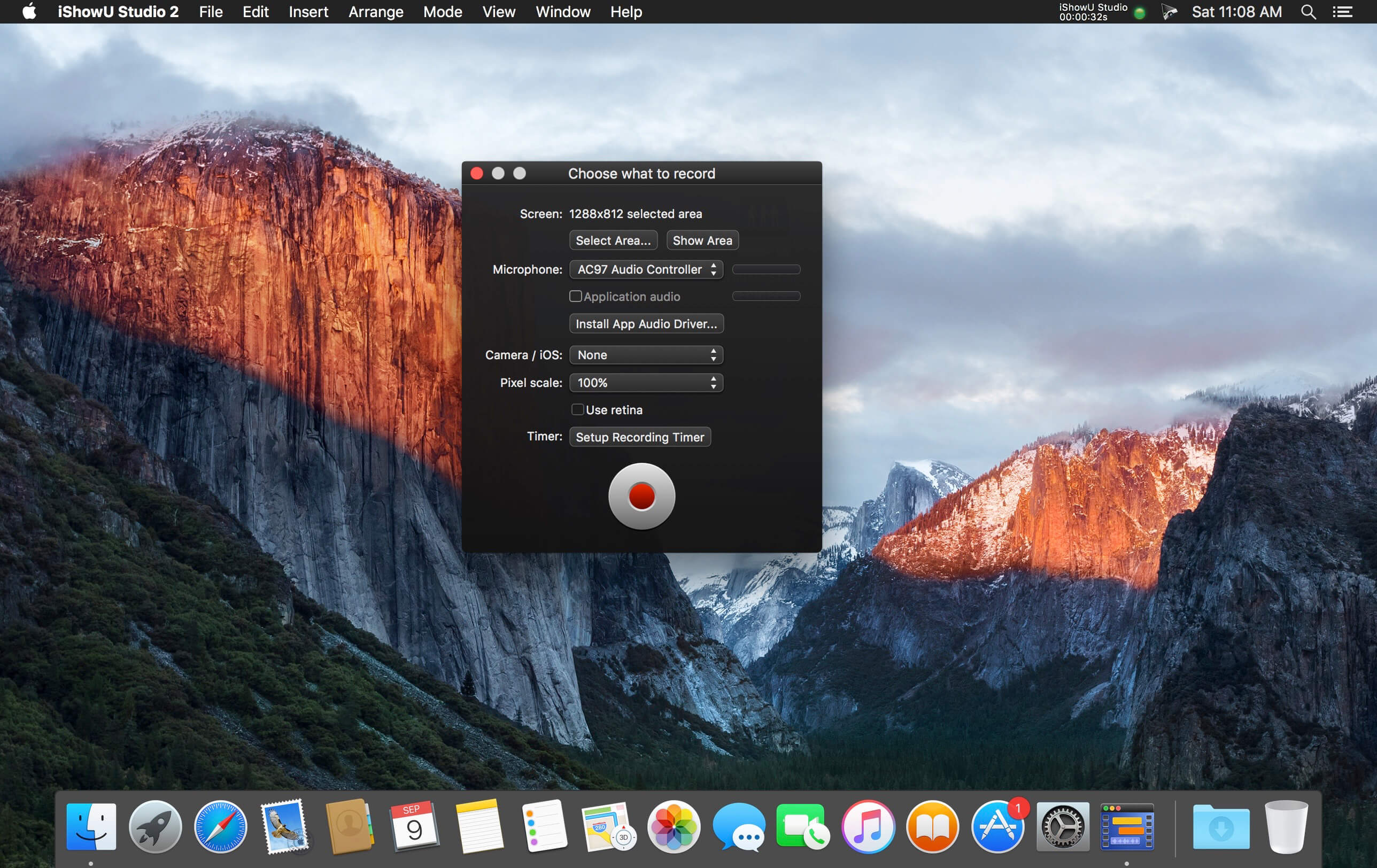
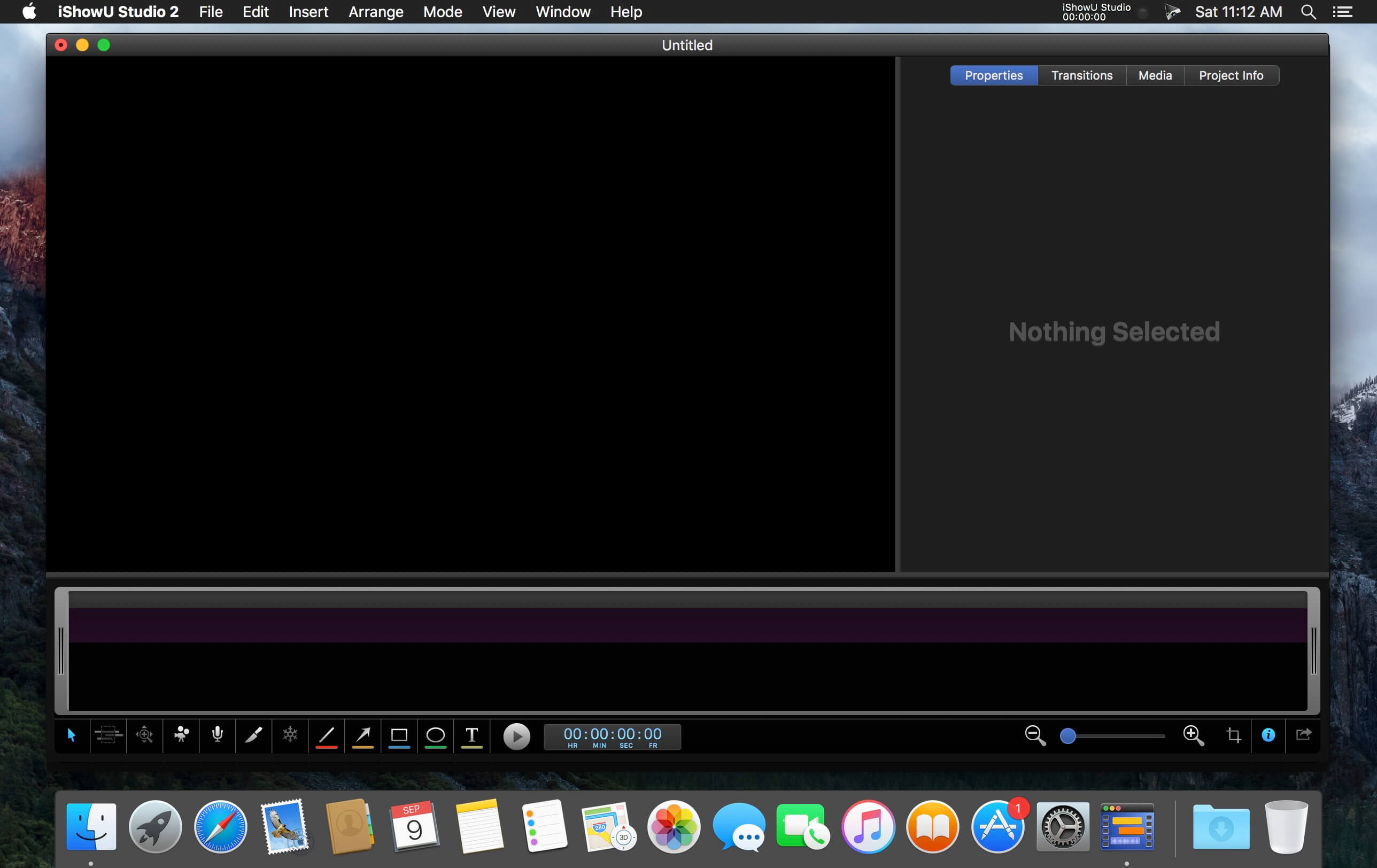
iShowU Studio 2.3.15

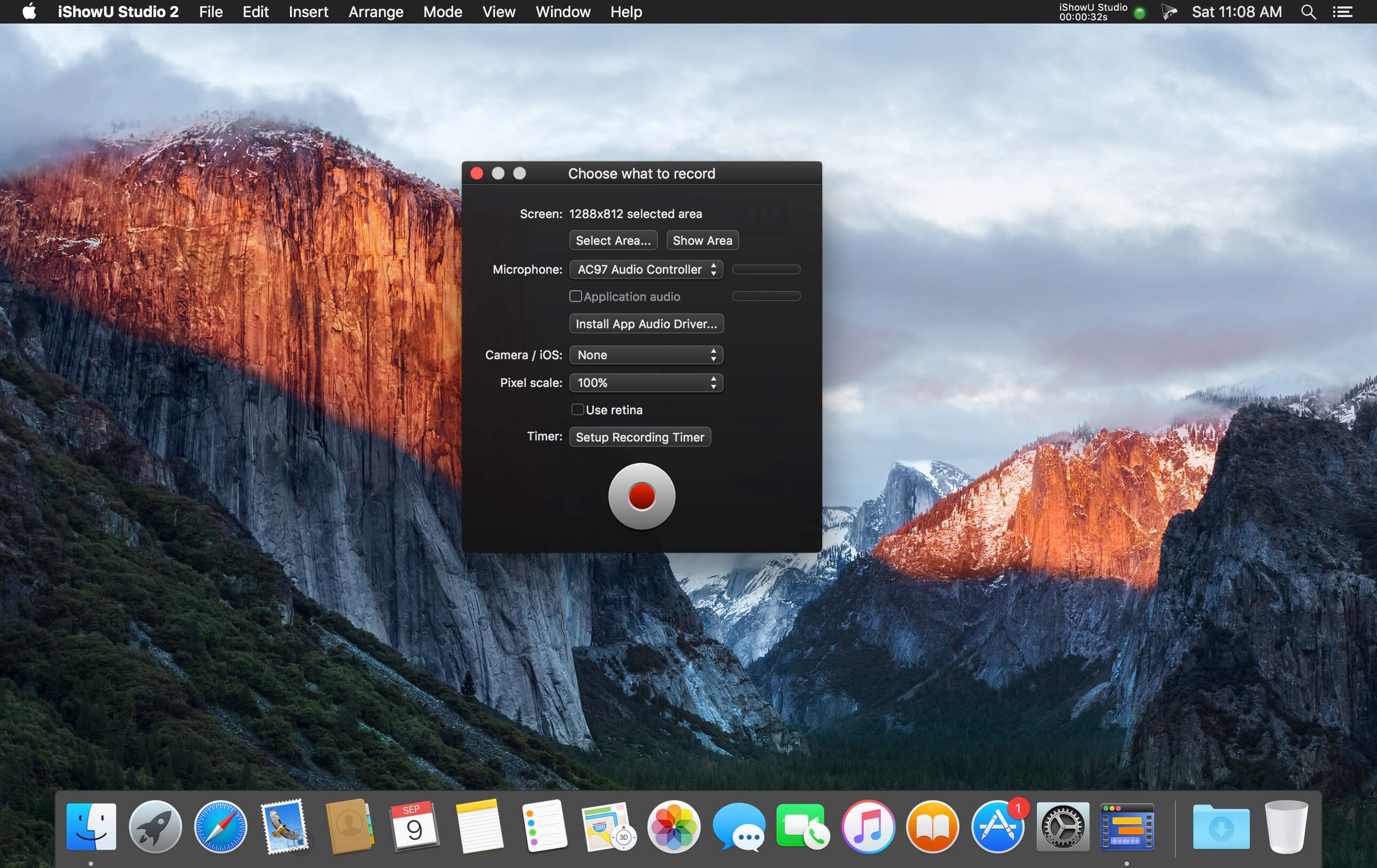
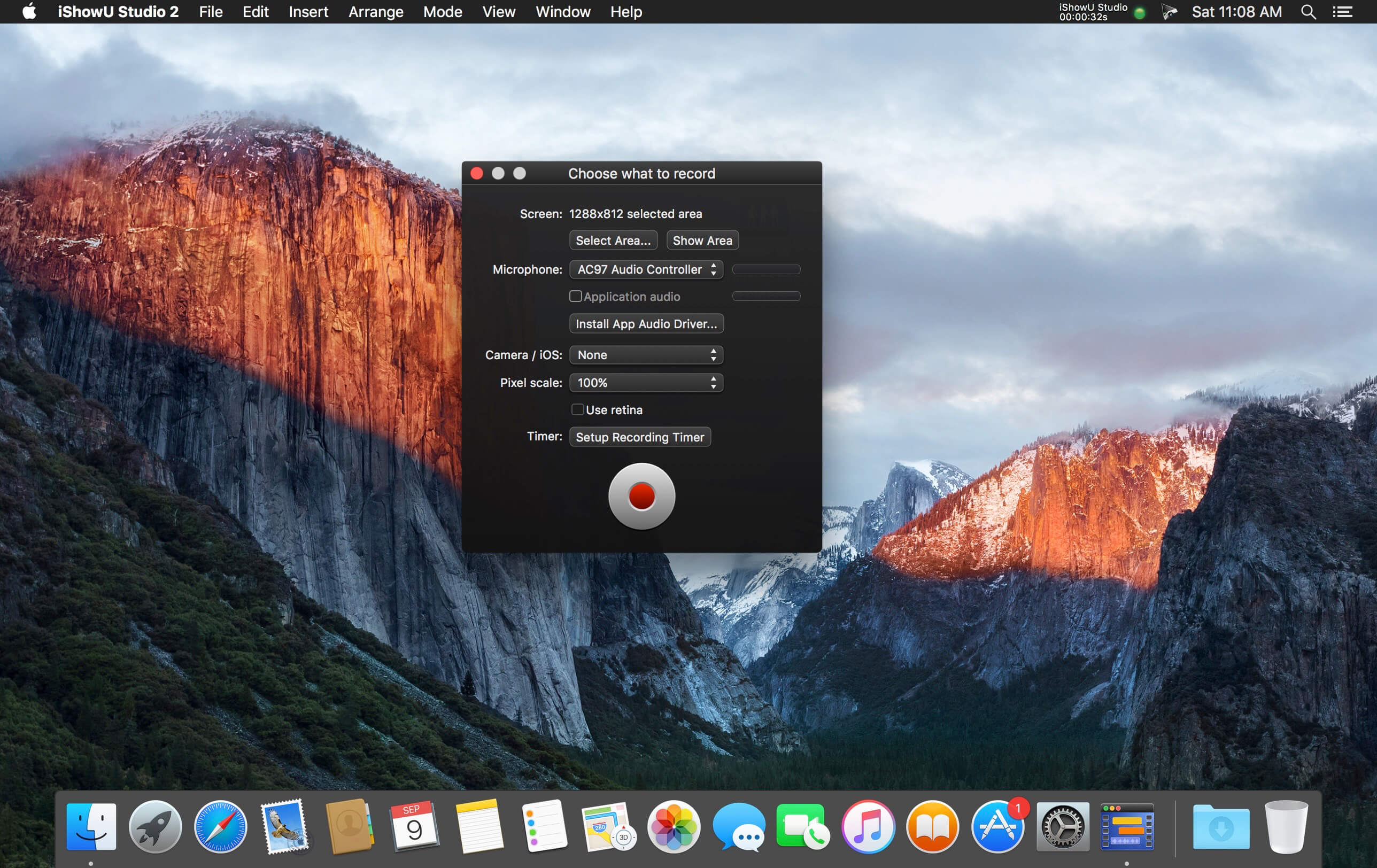
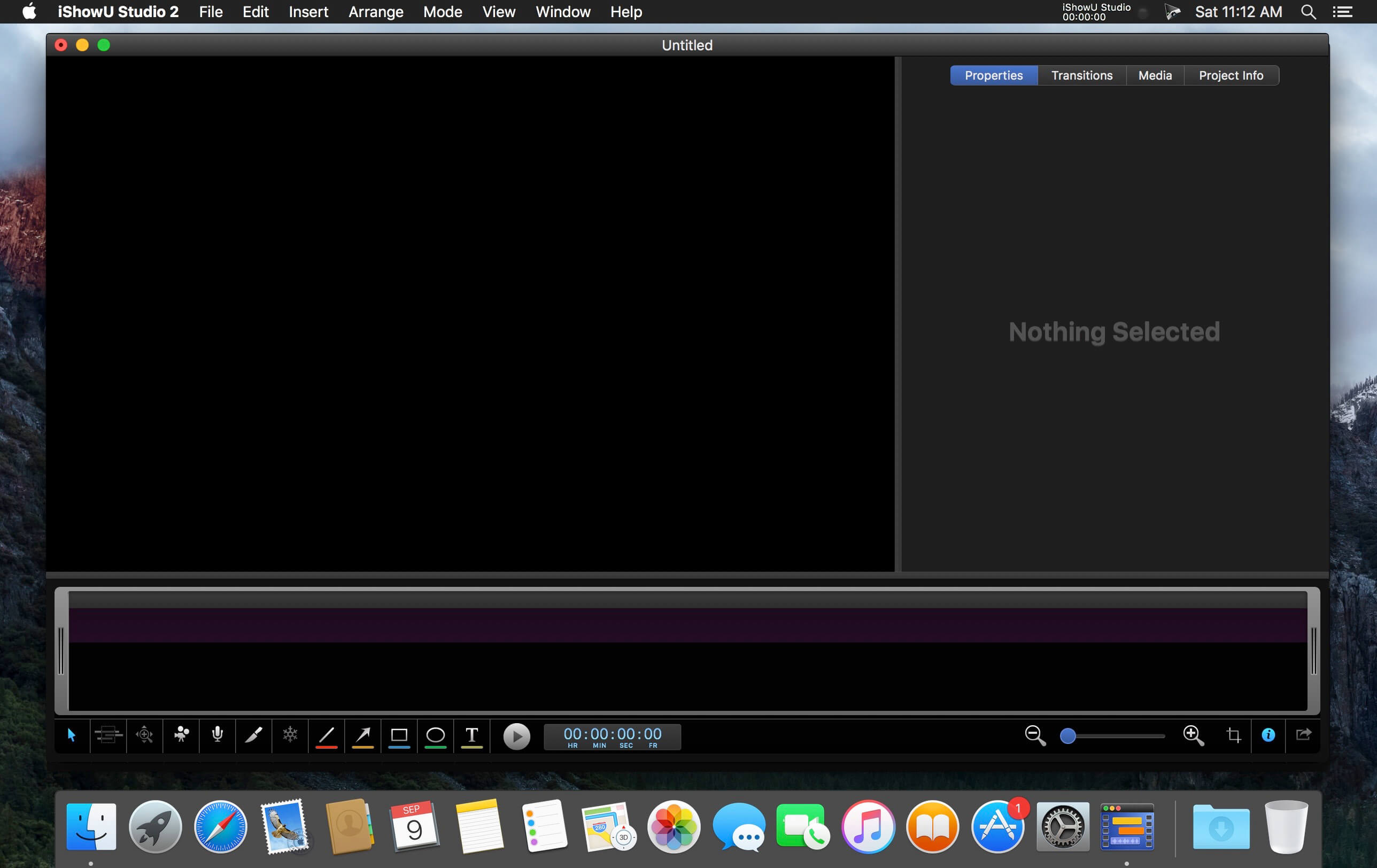
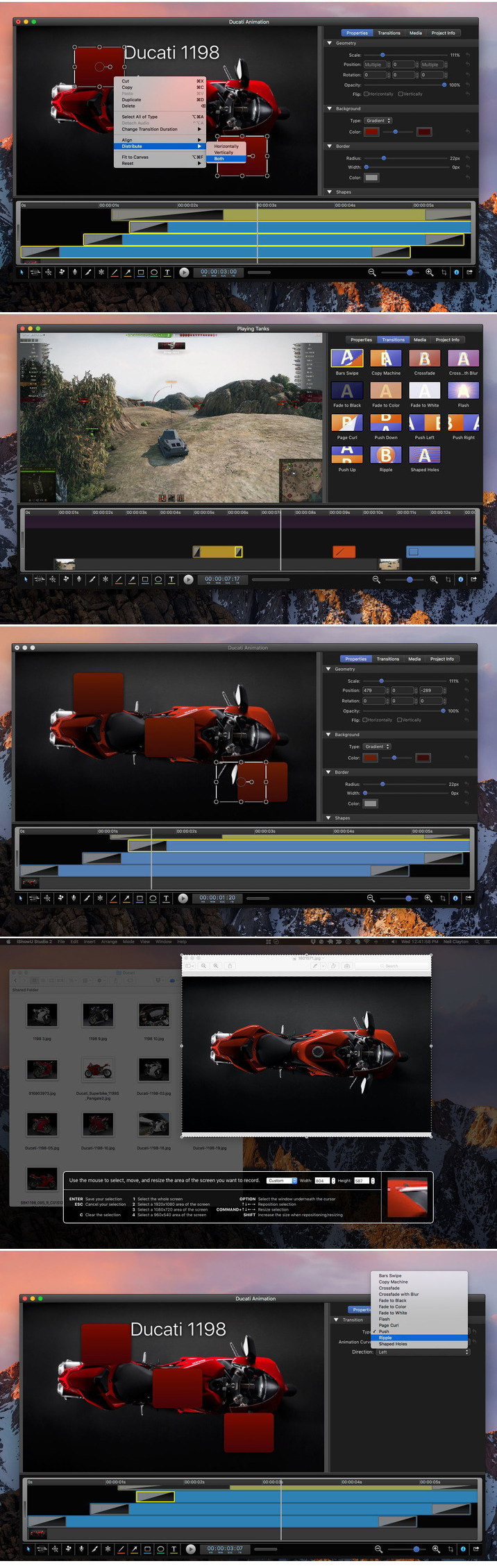
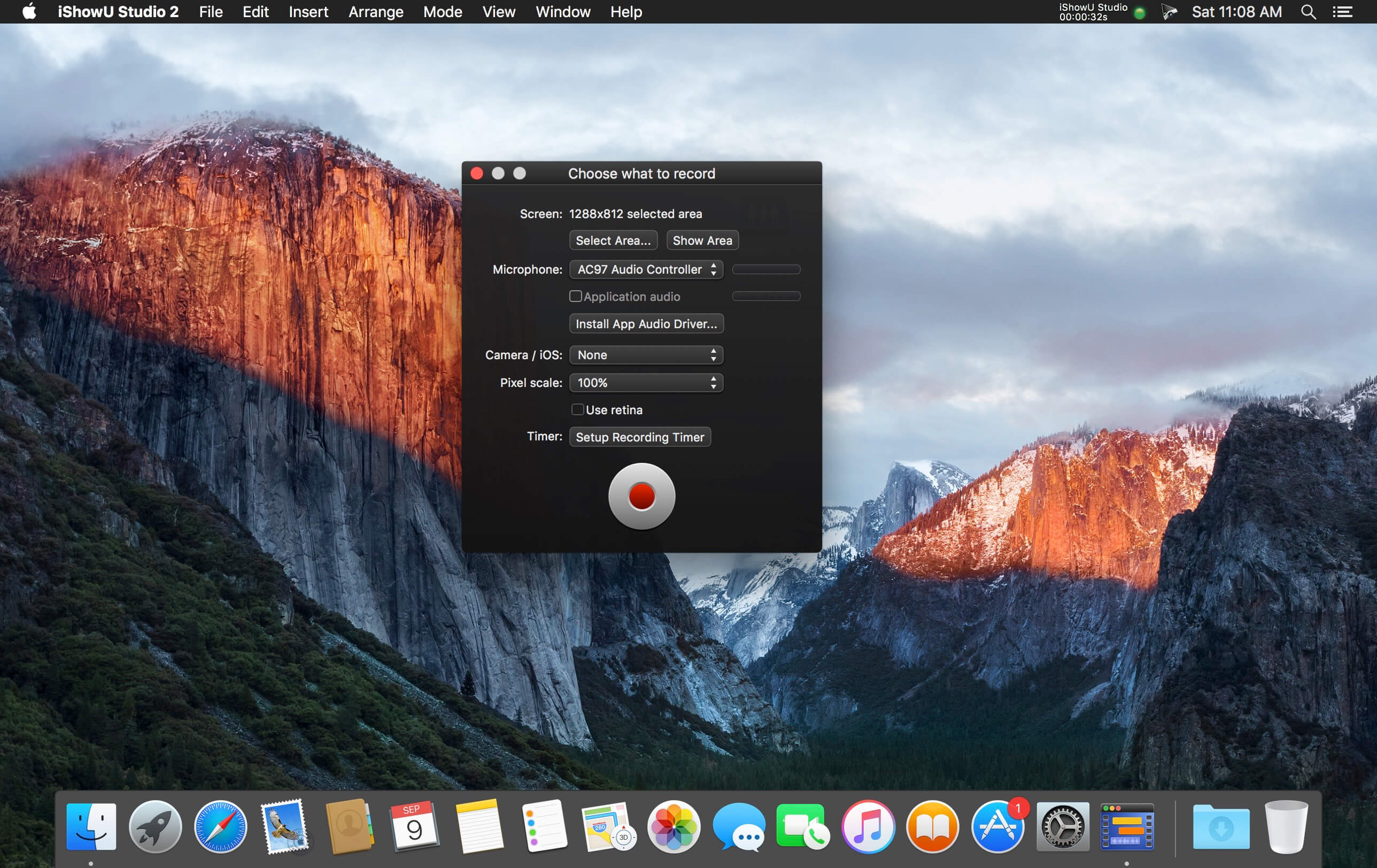
Easy screen recording & editing on your Mac: that’s the core idea. Built from day one with this in mind, it’s easy to capture what you want; add text, annotations, pointers and highlights and then share your result. Features you’ve come to expect in the iShowU “series” have been supercharged: screen & camera capture, mouse highlighting and keyboard animations take on a new lease of life now that you can edit when and how they appear. Did we mention we’ve reworked uploading too? Take the best realtime capture, mix in “time” – and voila, iShowU Studio!

Super fast full screen capture
Utilising the latest OS X technology and hardware accelerated goodness.

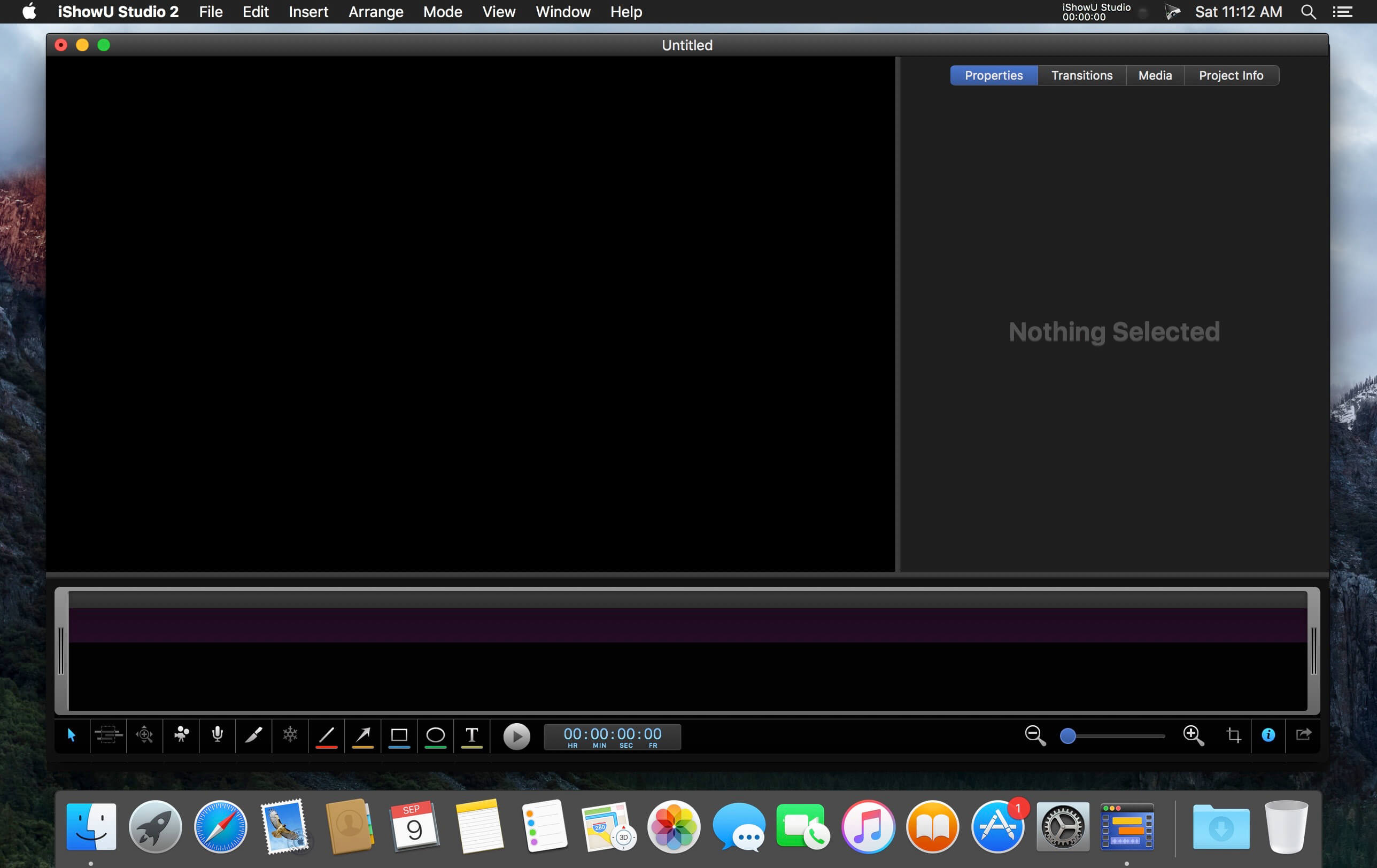
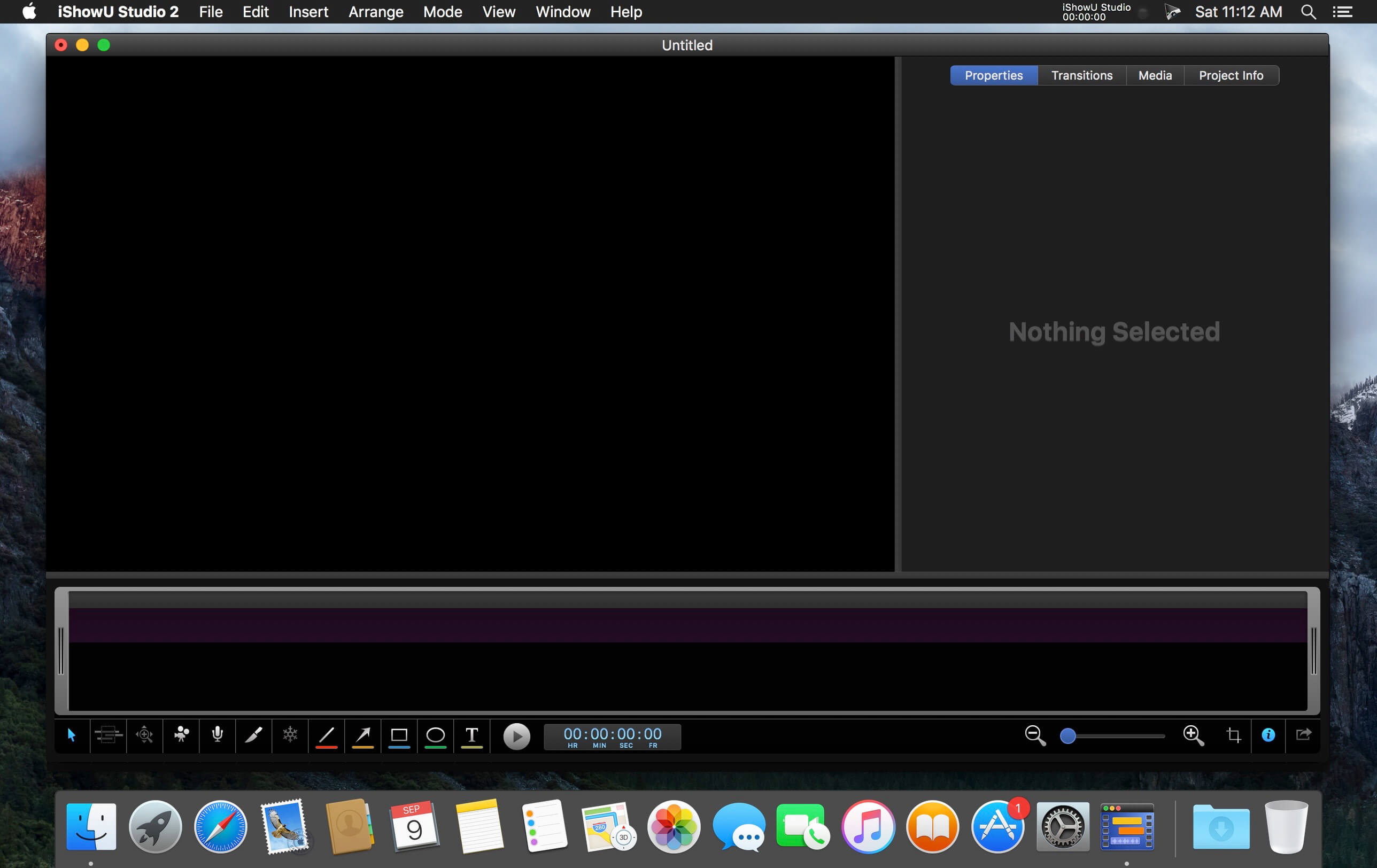
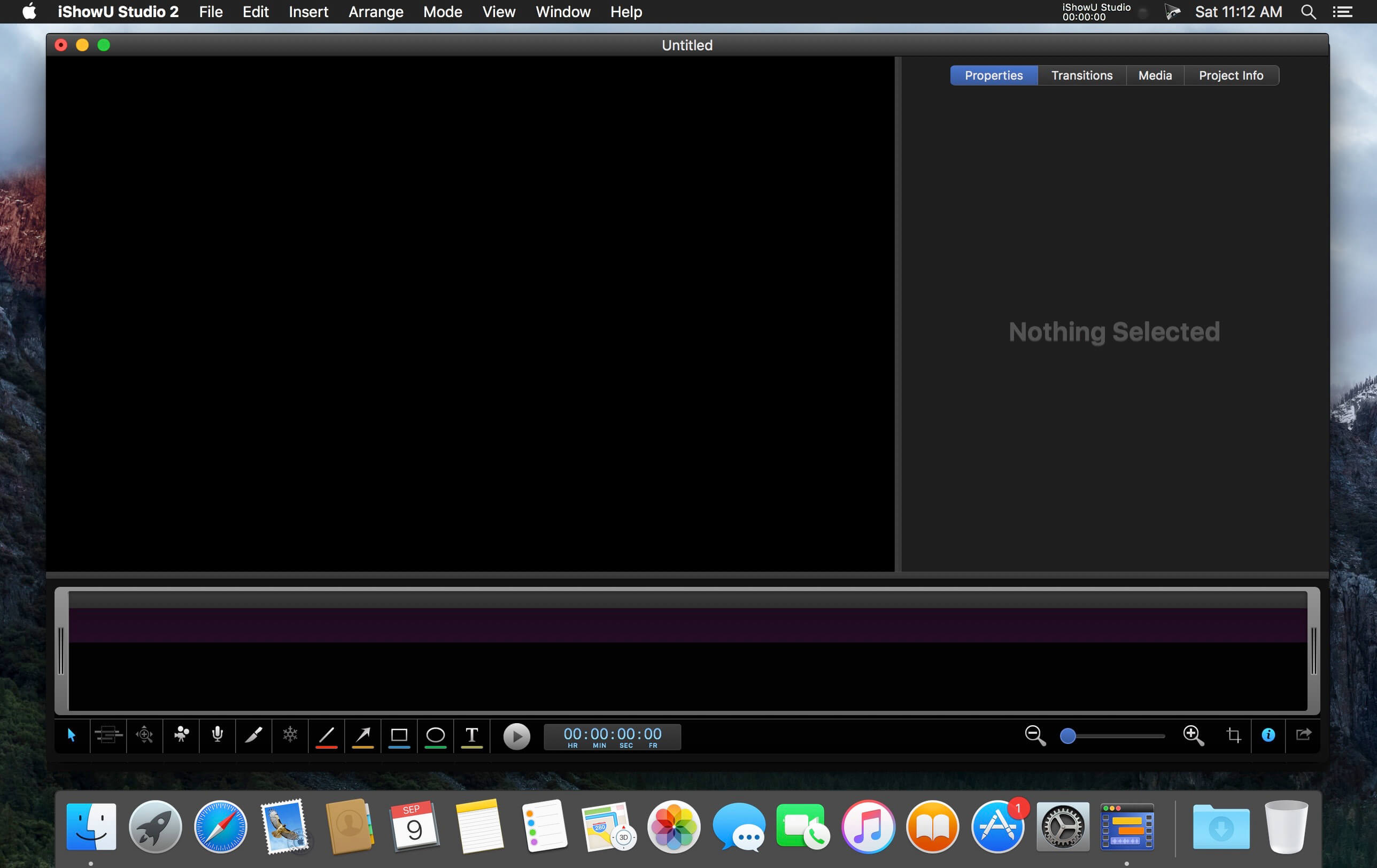
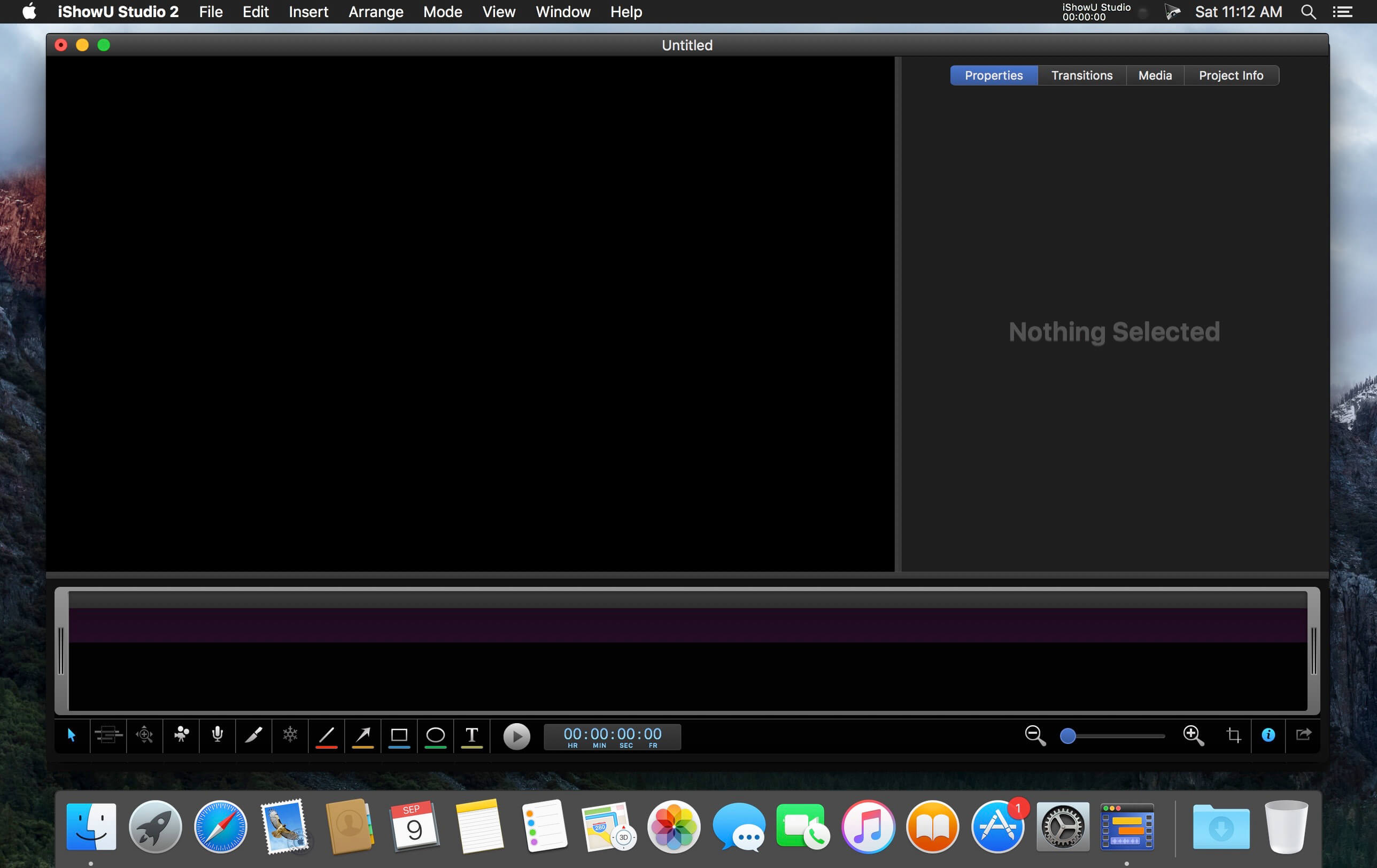
Simple editing interface
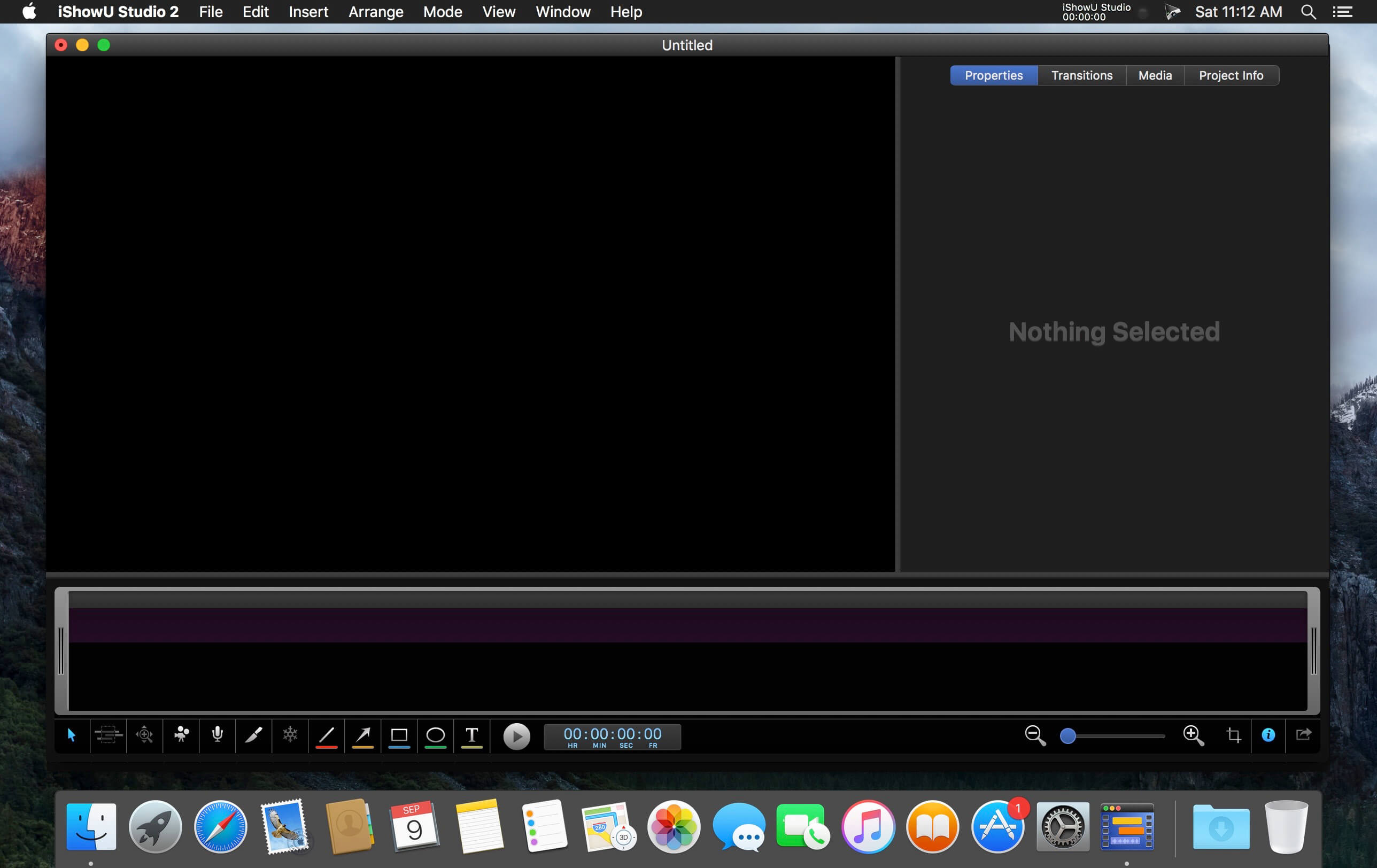
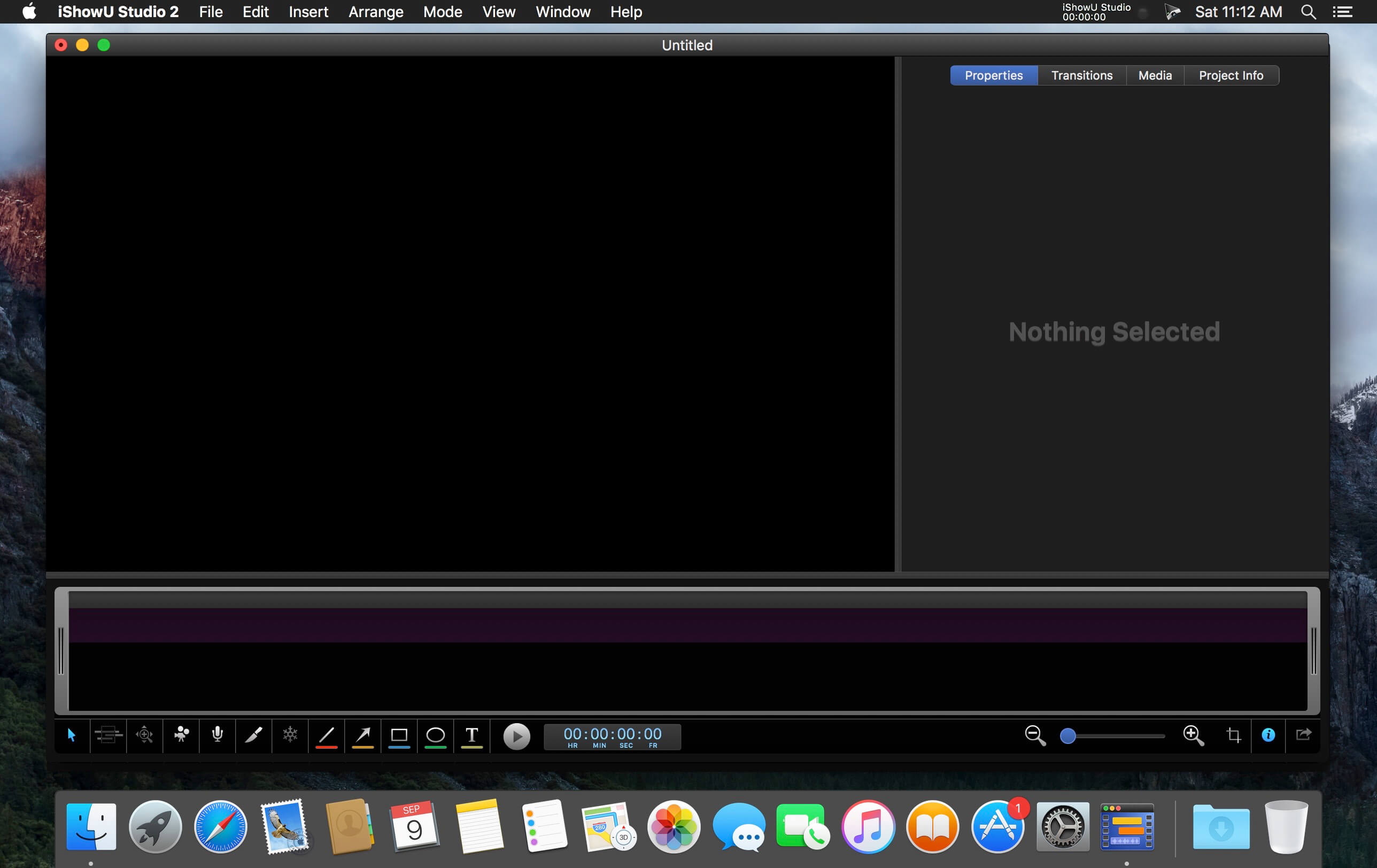
An uncluttered yet useful screen recording interface, with the editing tools you need directly accessible.

Full suite of Editing Tools
Super intuitive pan/zoom, shapes, fades and more. iShowU Studio lets you point out what’s important quickly and easily.

Built specifically for screencasts
Mouse and keyboard visualization, audio annotations: just some of the tools tailored specifically for the creation of ‘screen based’ content.

Gorgeous “Full Screen” editing interface
Designed from the beginning to both operate and look fantastic when in full screen.

We love colour
iShowU Studio is aware of colour-tagged footage, giving you accurate results all the way from import, preview through to final render.

Share your creation
Get your result “out there”! The entire “share” panel focuses on what your end users need. Quicktime? No problem. Web? No problem! iDevices1? Yep! 1080p? Sure! YouTube, Vimeo as well? You got it!

Capture directly from iOS
Capture directly from your iOS device, create beautiful demos of your iOS apps with ease!

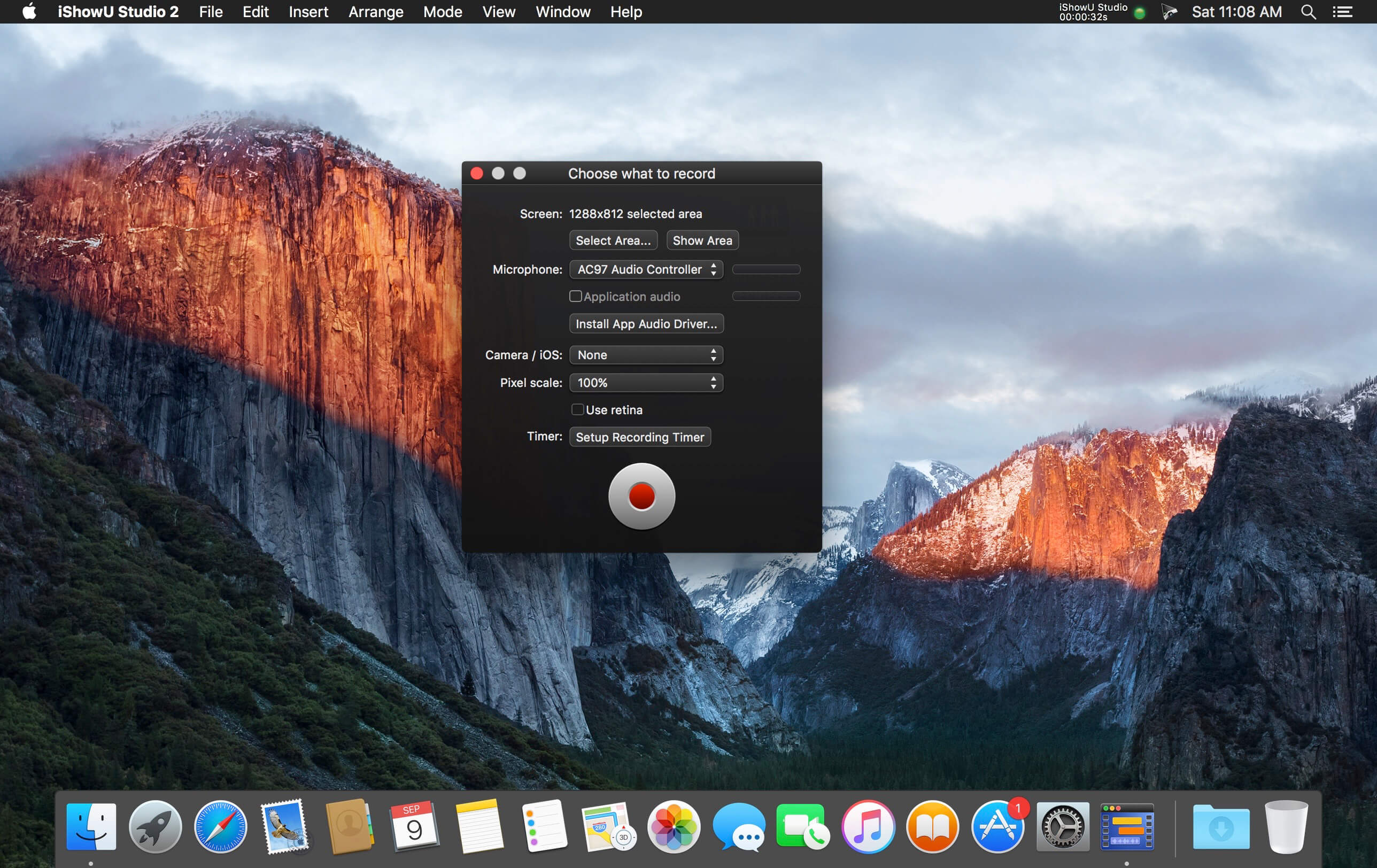
Built in Camera capture
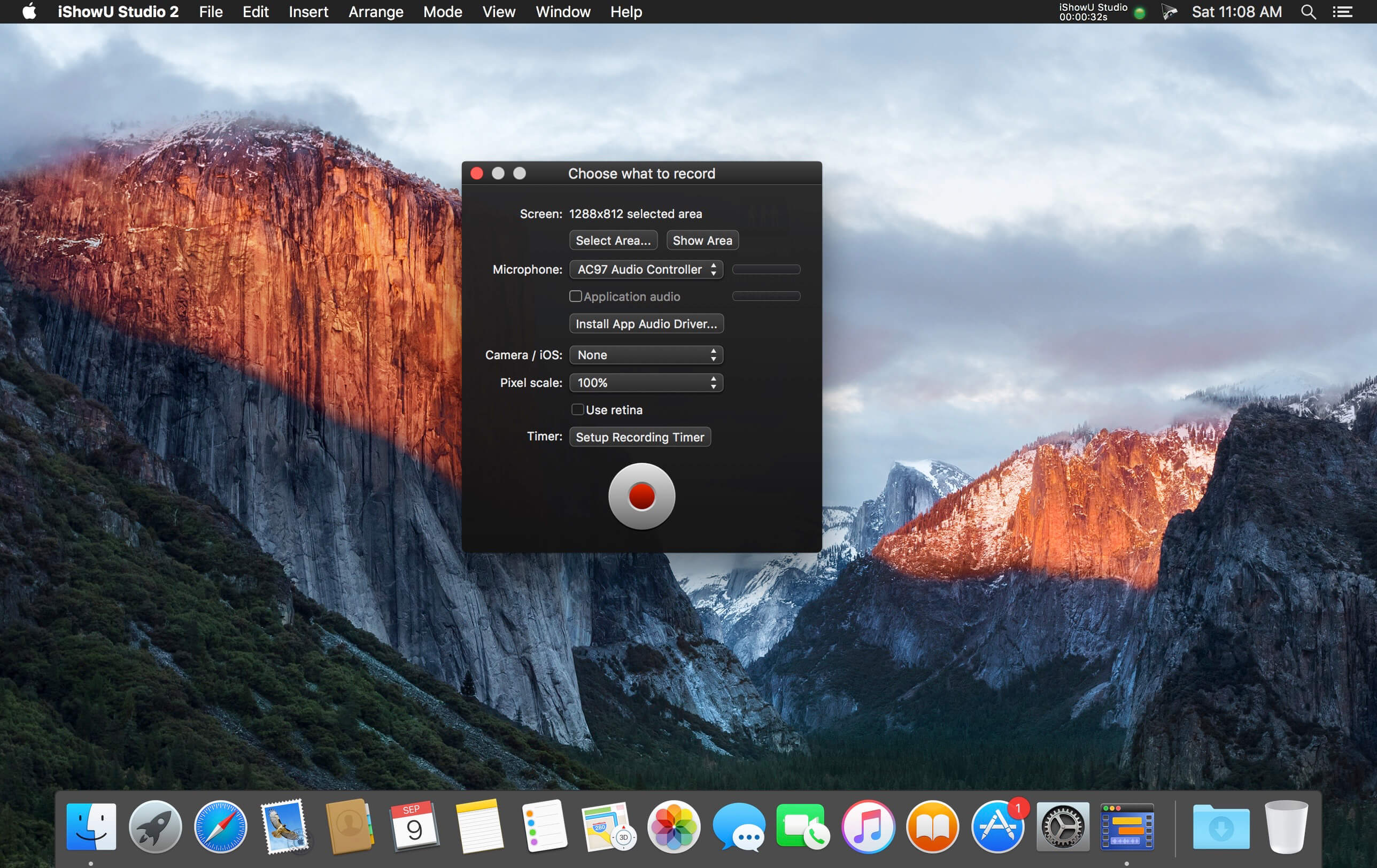
Plug in any OS X compatible camera and capture footage from that in realtime. Or add it later, your call.

  • Scheduled recordings
  • User editable capture area
  • iOS device recording
  • Trim video before publication
  • Record microphone audio
  • Record system audio
  • Record camera
  • Record mouse movement and clicks
  • Record keystrokes
  • Edit after recording
  • Embed watermarks
  • Add shape objects (lines, arrows, etc.)
  • Add custom text objects
  • Add additional media (pictures, movies, audio)
  • Crop unwanted areas before publication
  • Freeze-frame at any time, for any duration
  • Camera position modification (a.k.a pan/zoom)
  • Full screen editing interface
  • Share/export directly to iPod/iPad compatible formats
  • Upload to YouTube
  • Upload to Vimeo
  • Integration with OS X sharing (Facebook, Airdrop, Mail, Messages, Twitter and more)

Compatibility: macOS 10.14 or later
Homepage https://www.shinywhitebox.com/

Screenshots

Name: iShowU_Studio_2_2.3.15_Mactorrents.Me.dmg
Size: 43 MB
Files iShowU_Studio_2_2.3.15_Mactorrents.Me.dmg[43 MB]


   Download Torrent

iShowU Instant Advanced 1.4.20

Name: iShowU_Instant_1.4.20_Mactorrents.biz.dmg
Size: 44 MB
Files iShowU_Instant_1.4.20_Mactorrents.biz.dmg[44 MB]

   Download Torrent

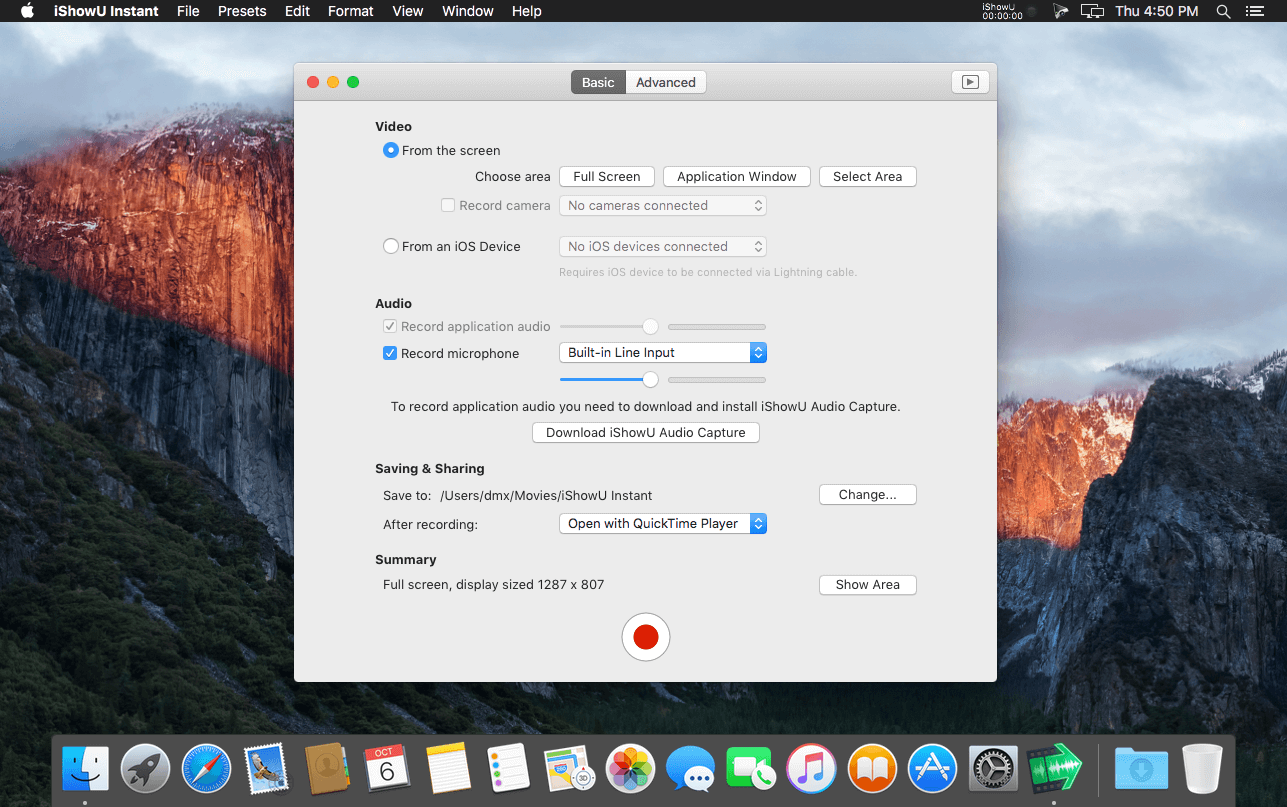
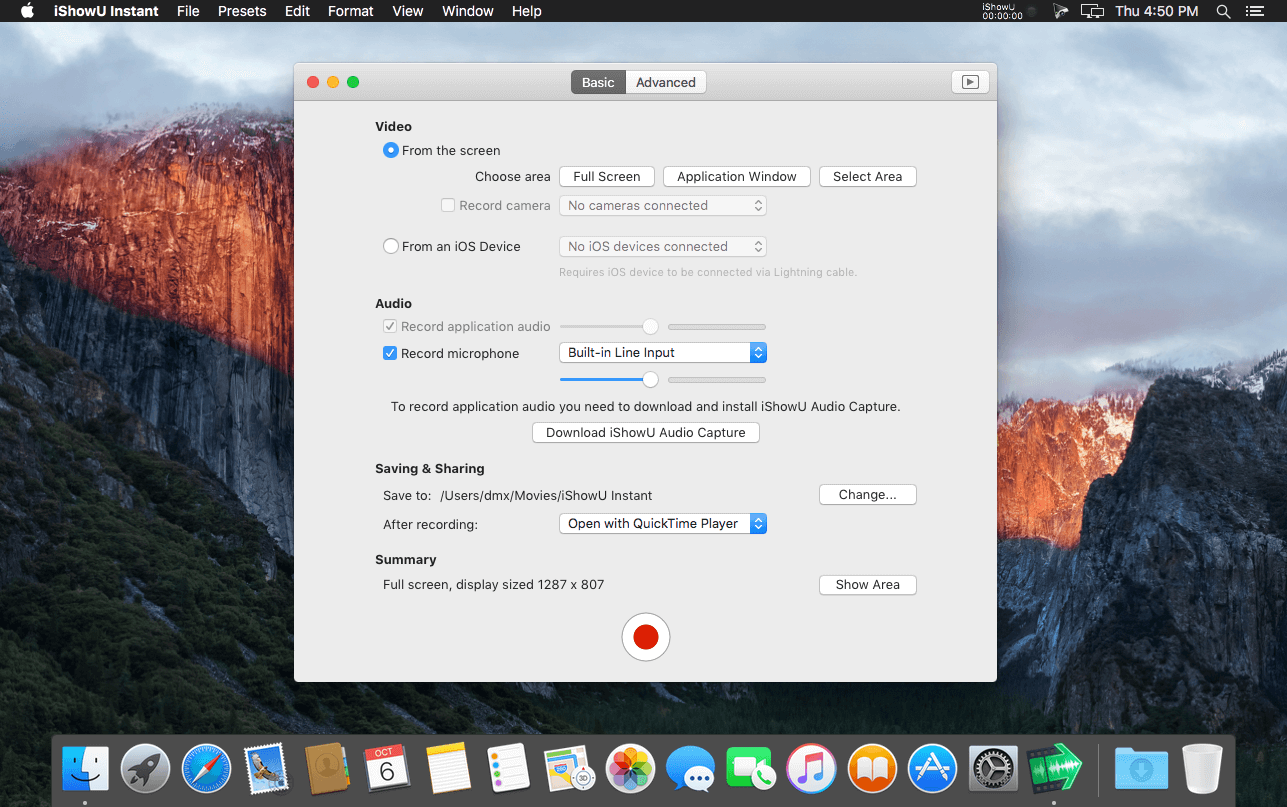
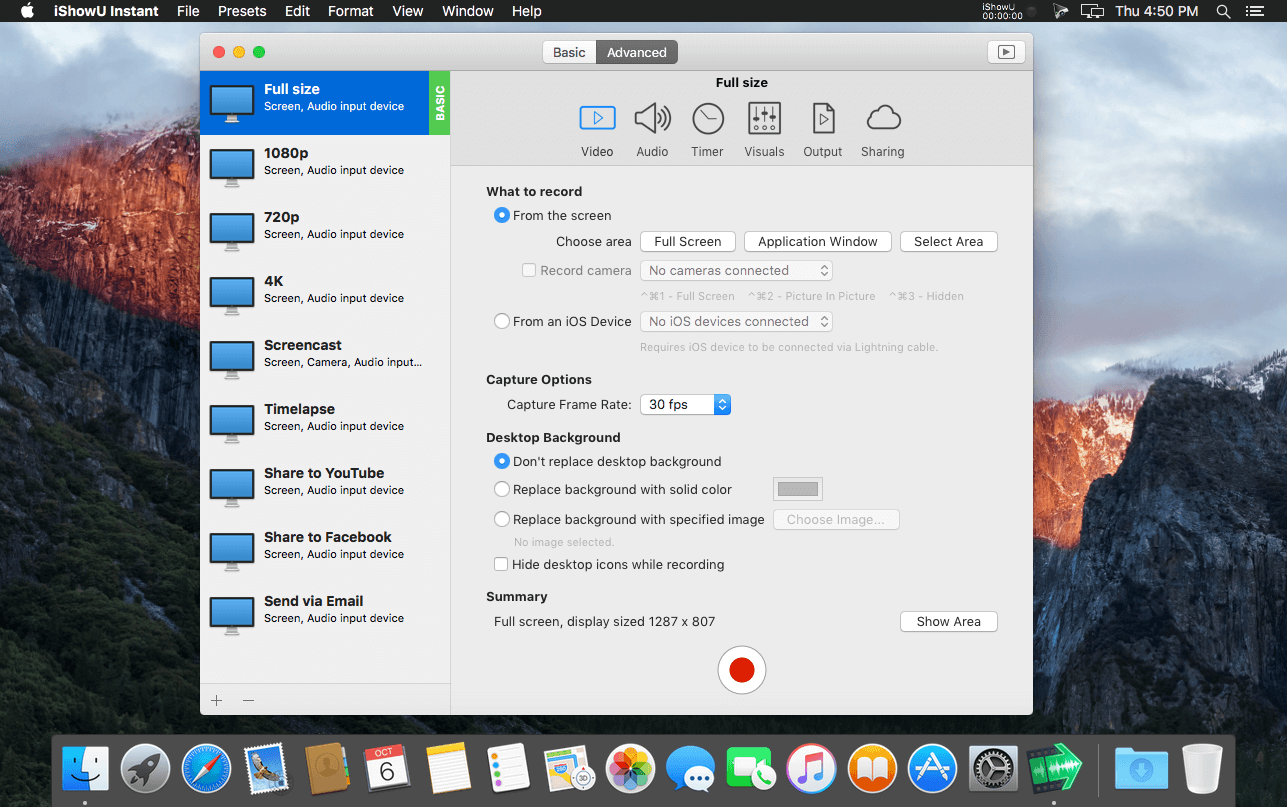
Welcome to realtime screen recording like you’ve never seen before! iShowU Instant is the fastest, most feature filled realtime screen capture tool from shinywhitebox yet. It takes key features from both “Classic” and HD Pro, and merges them into a single product, making ‘Instant’ the only app you’ll ever need to create recordings quickly.

All of the features you would expect are here, and probably some you don’t! Record from any screen, enhance your microphone audio through the use of a dynamics processor, compressor and/or equaliser*, add text and/or an overlay, enhance your recording with mouse and click visualization, trim front/back after recording, create time-lapse recordings, share to a wide range of online services, and more.

A User Interface meant for you
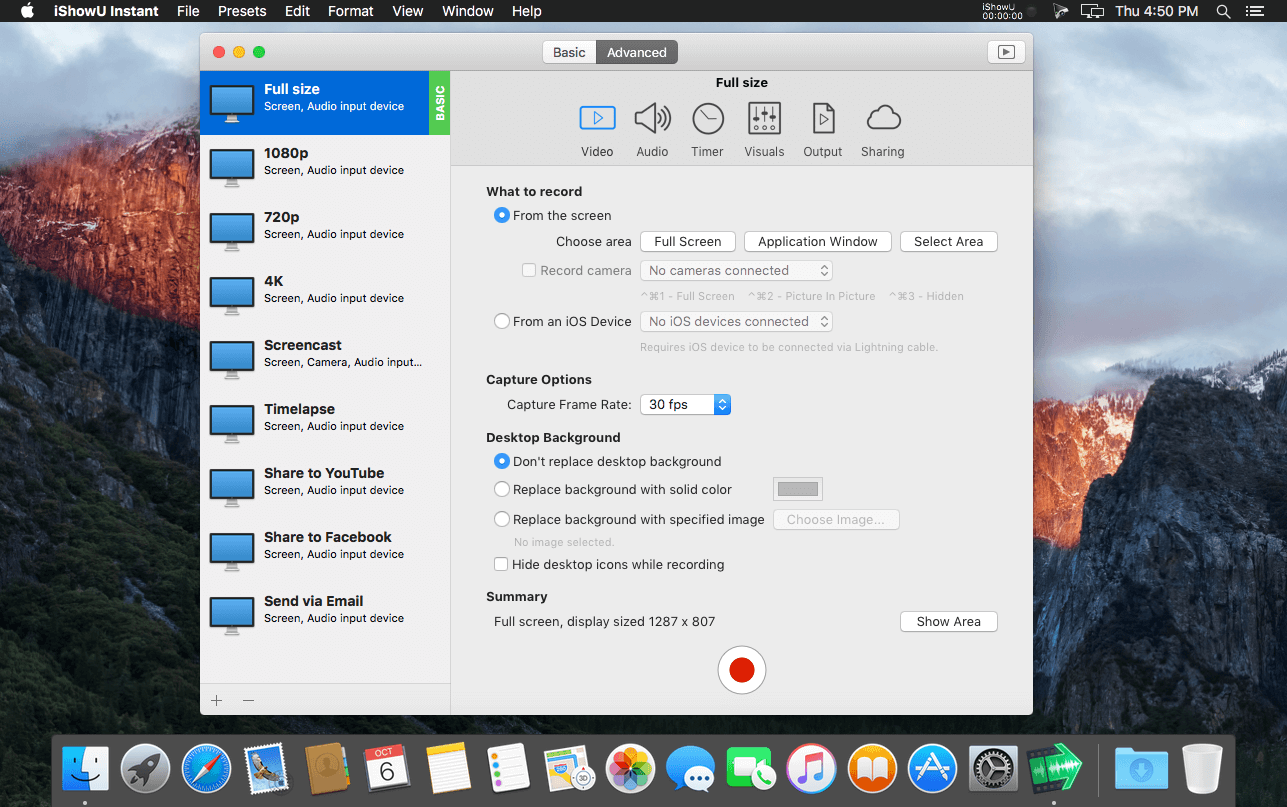
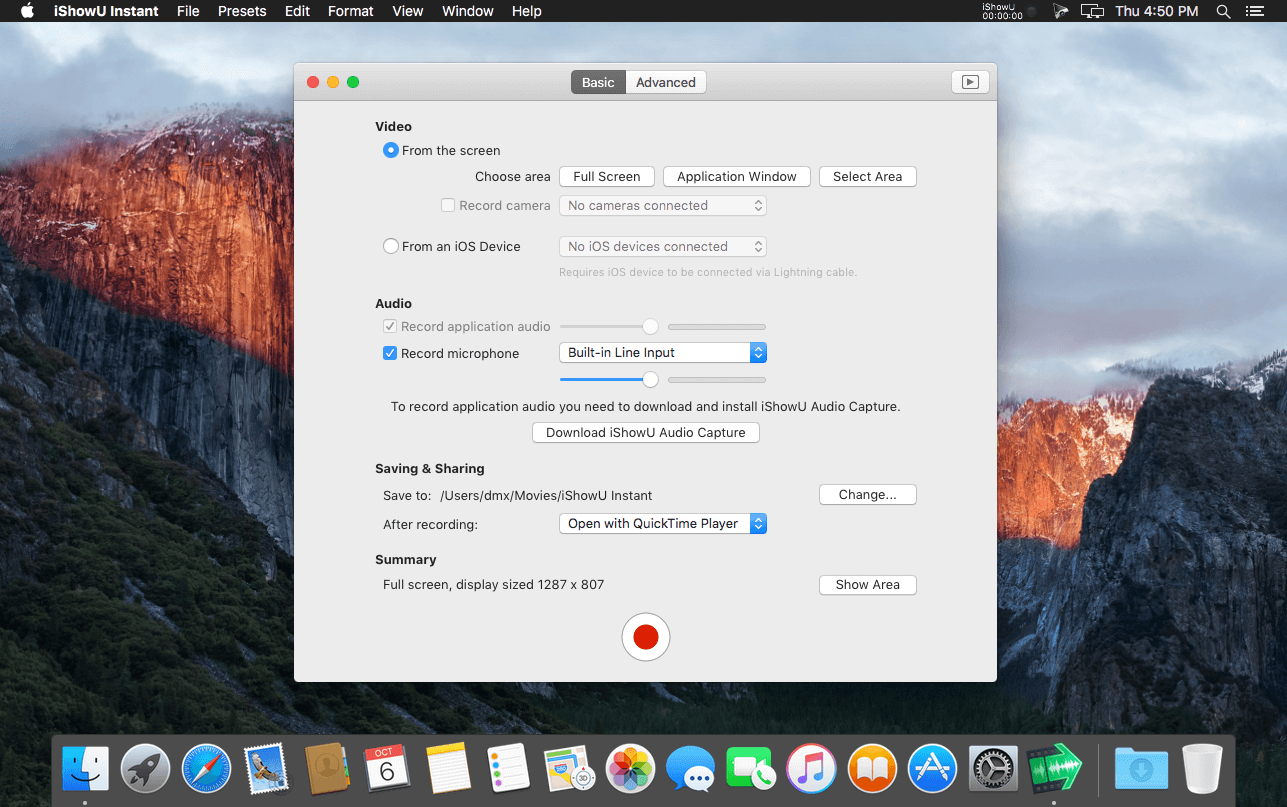
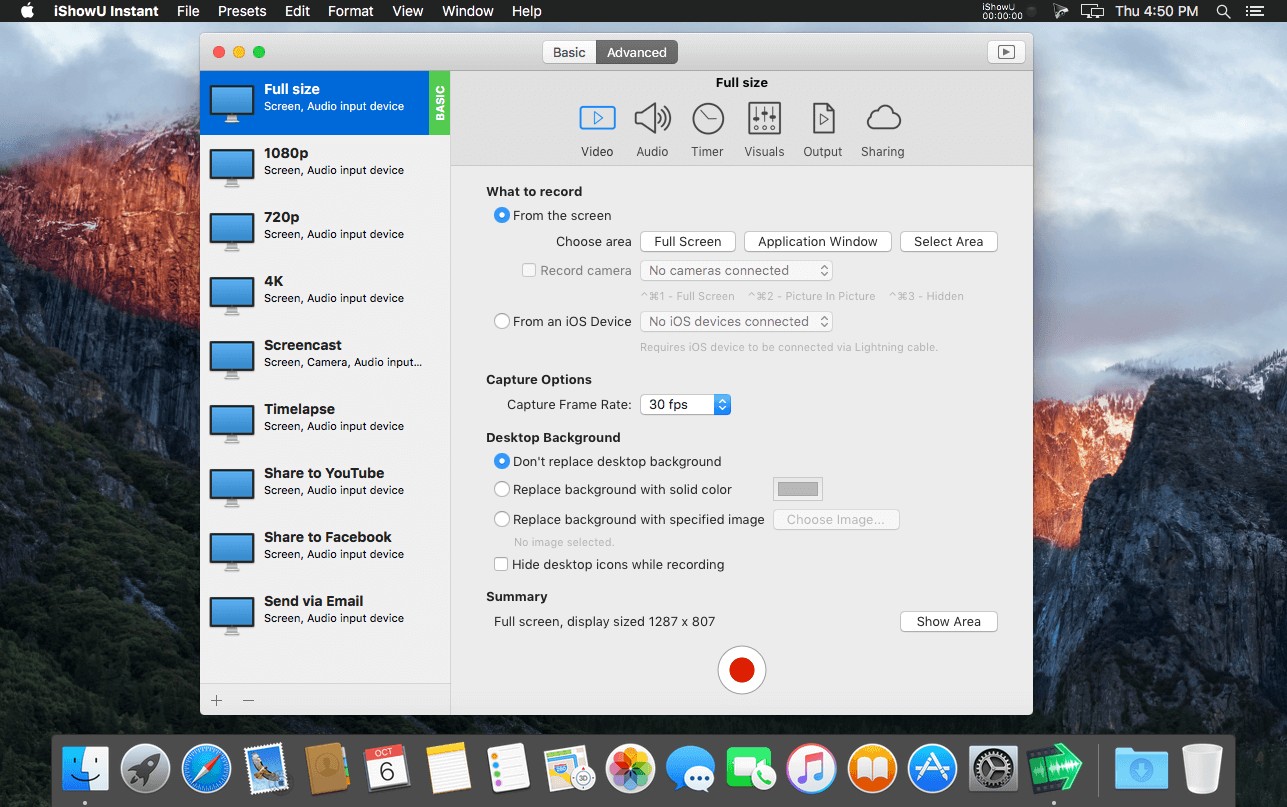
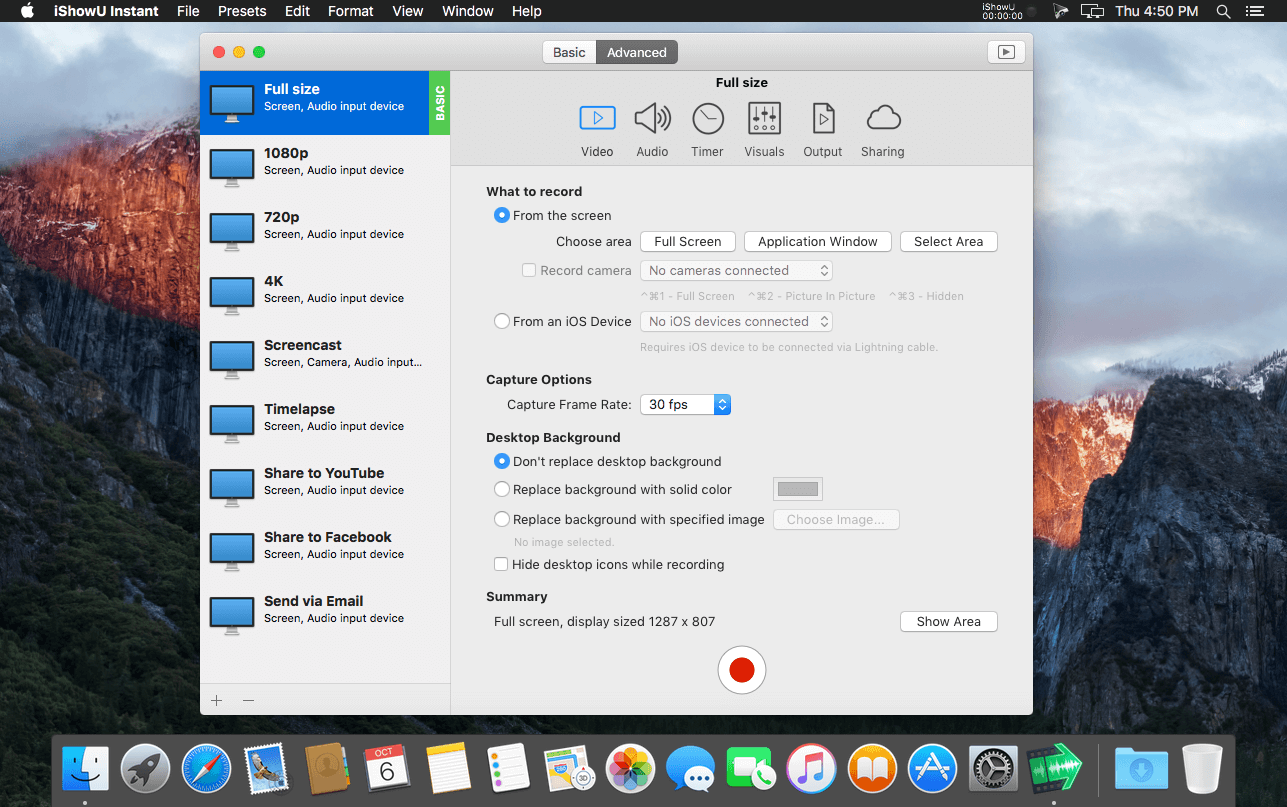
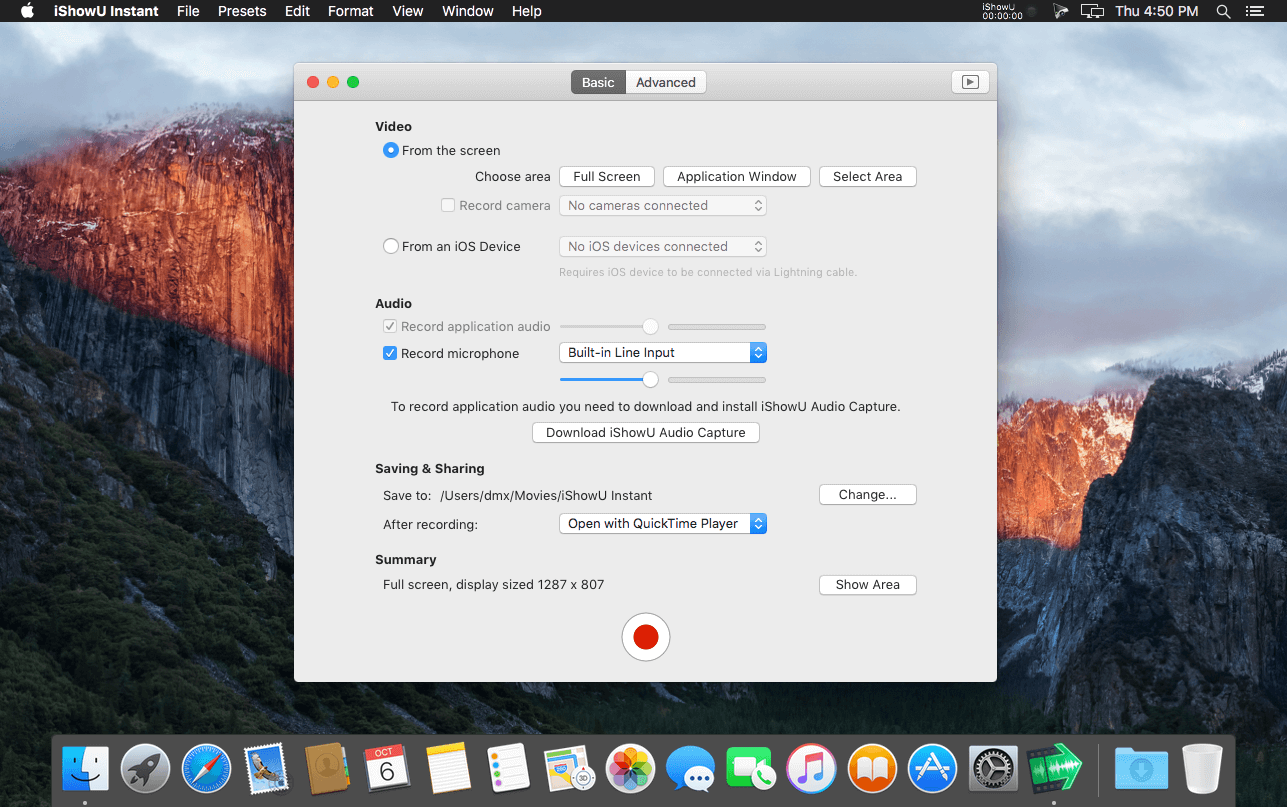
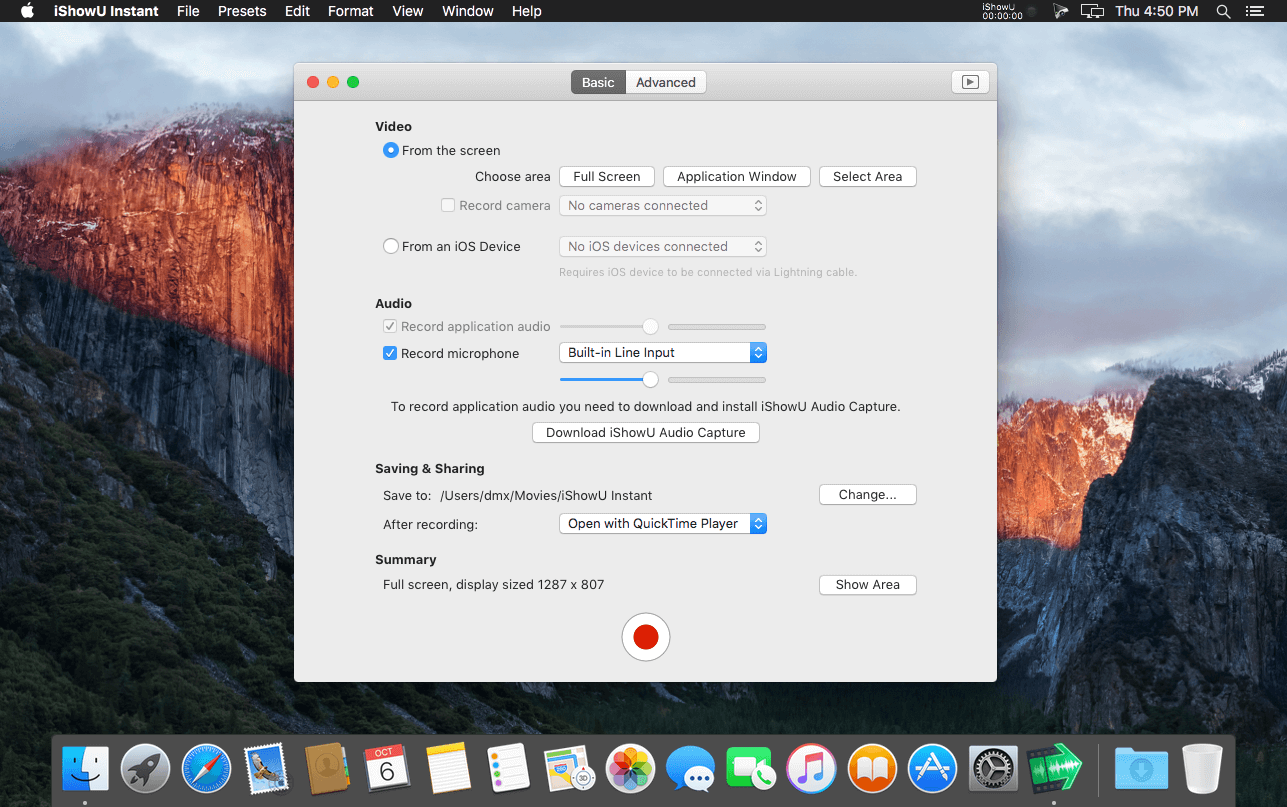
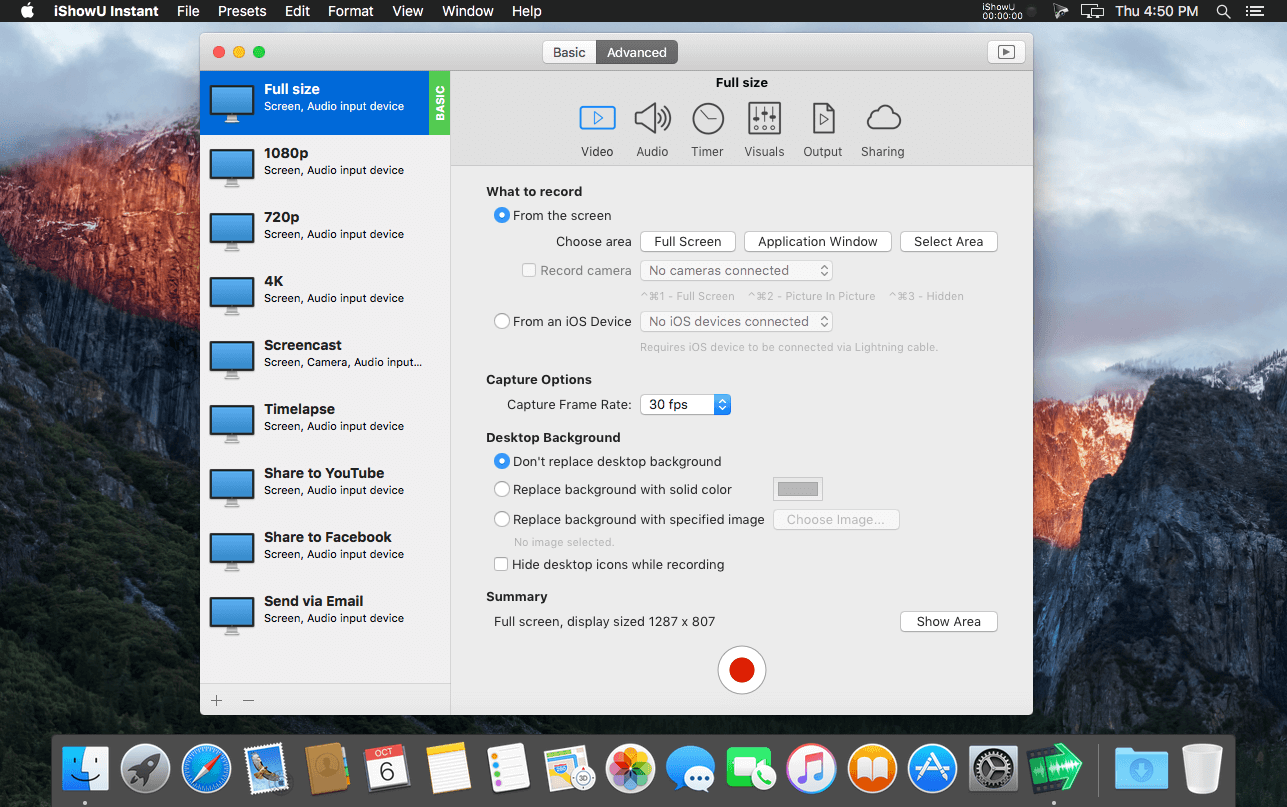
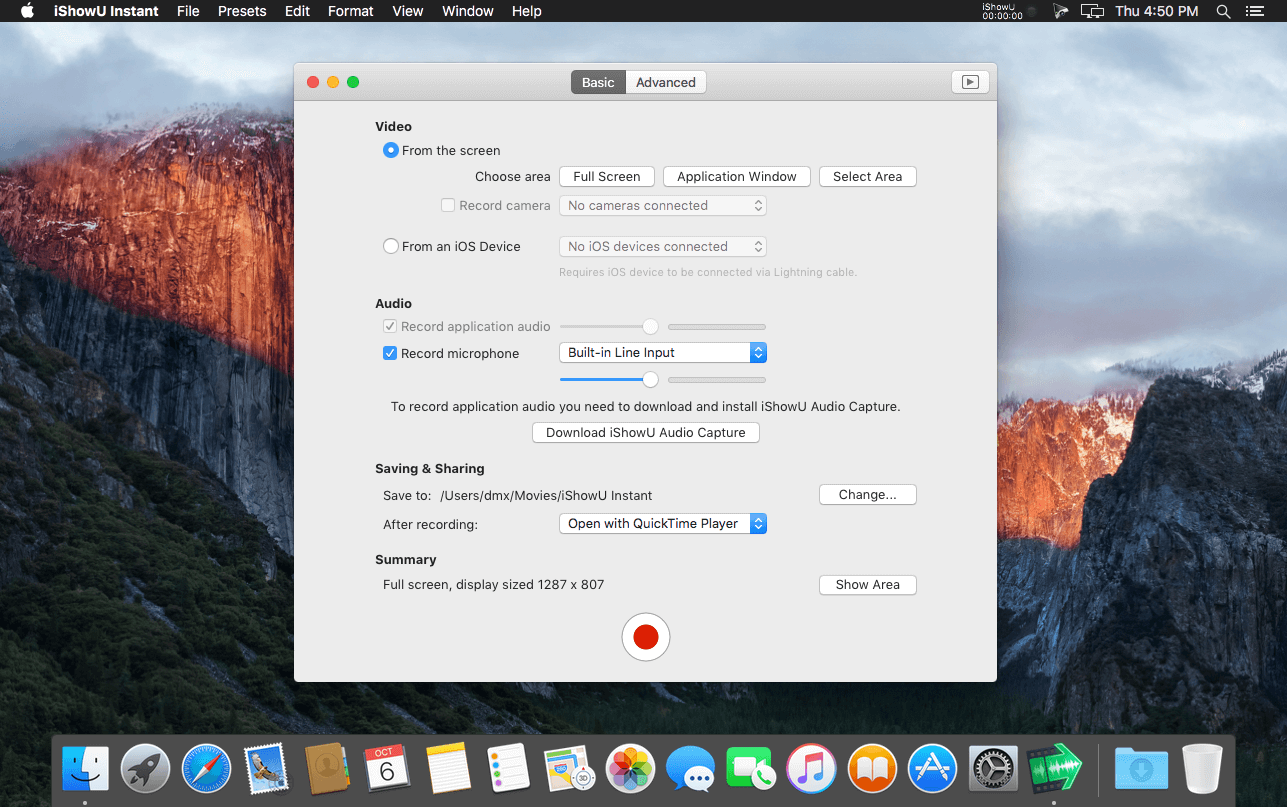
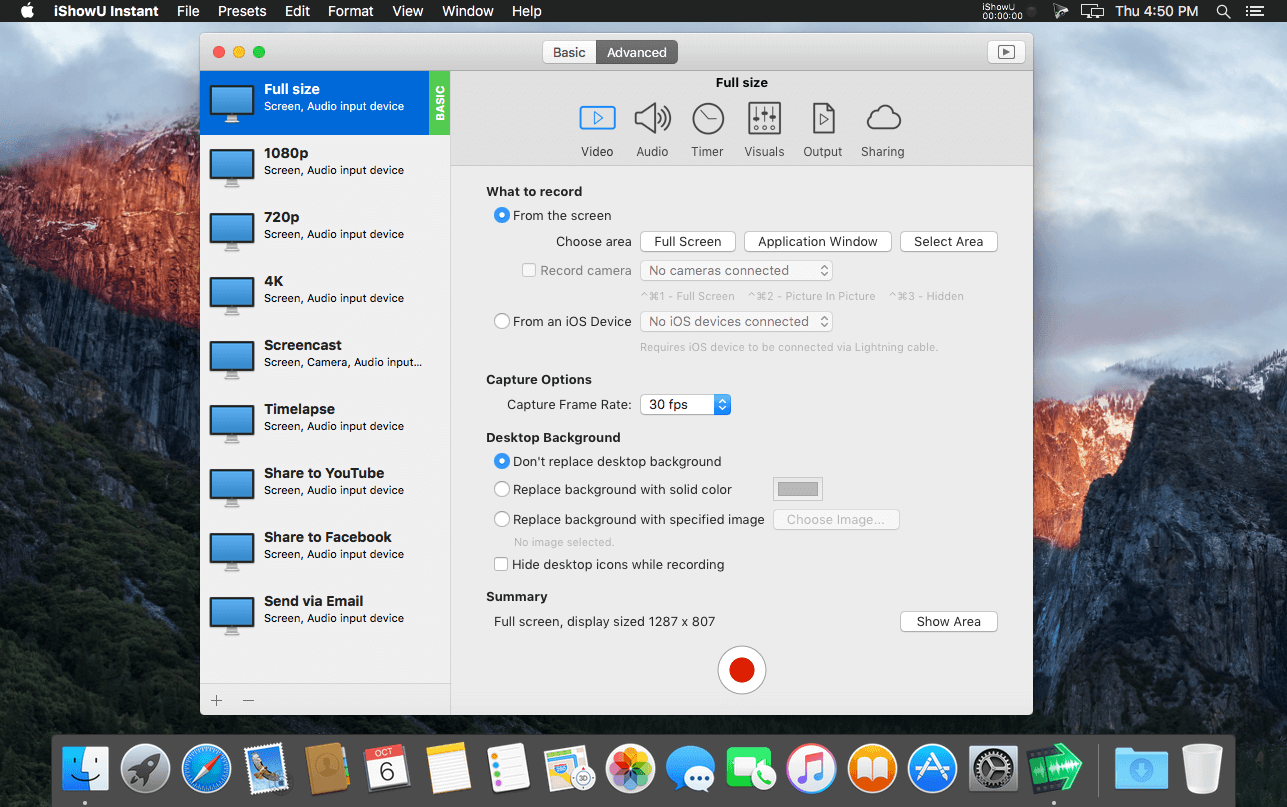
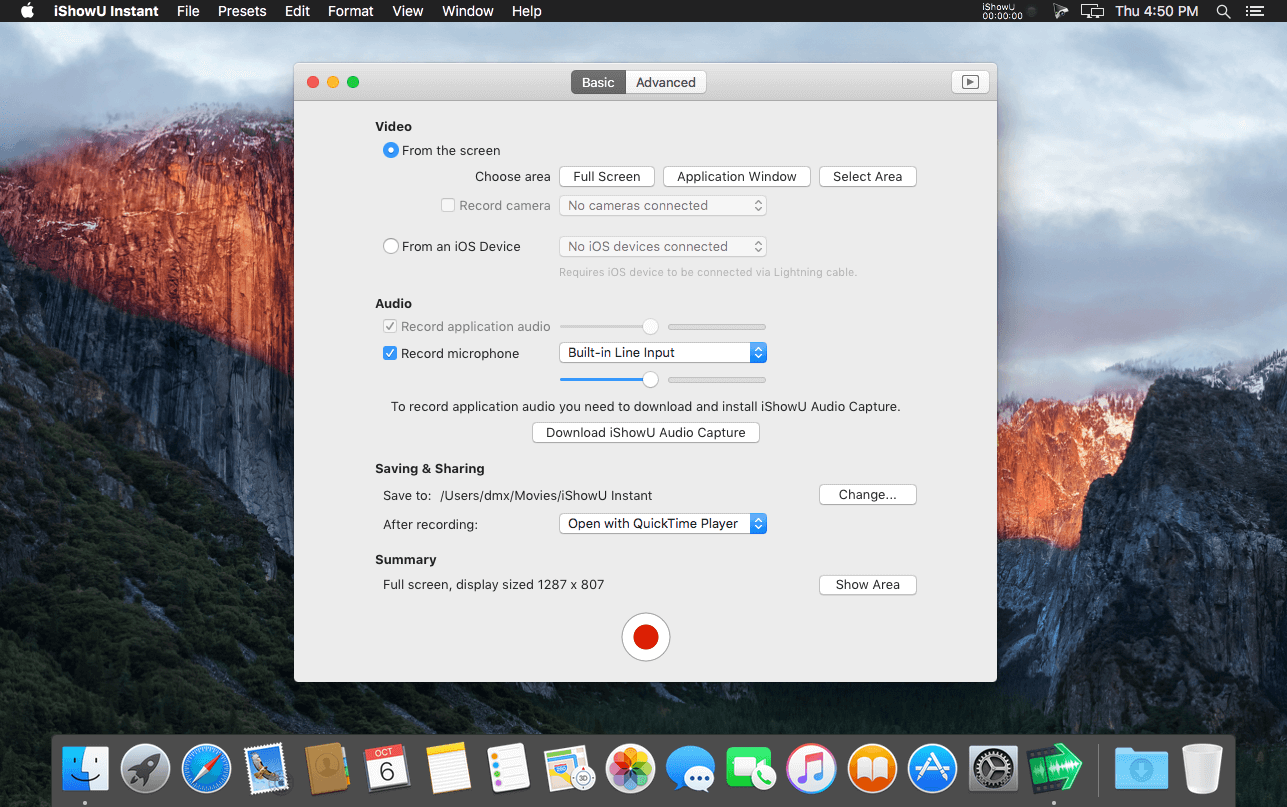
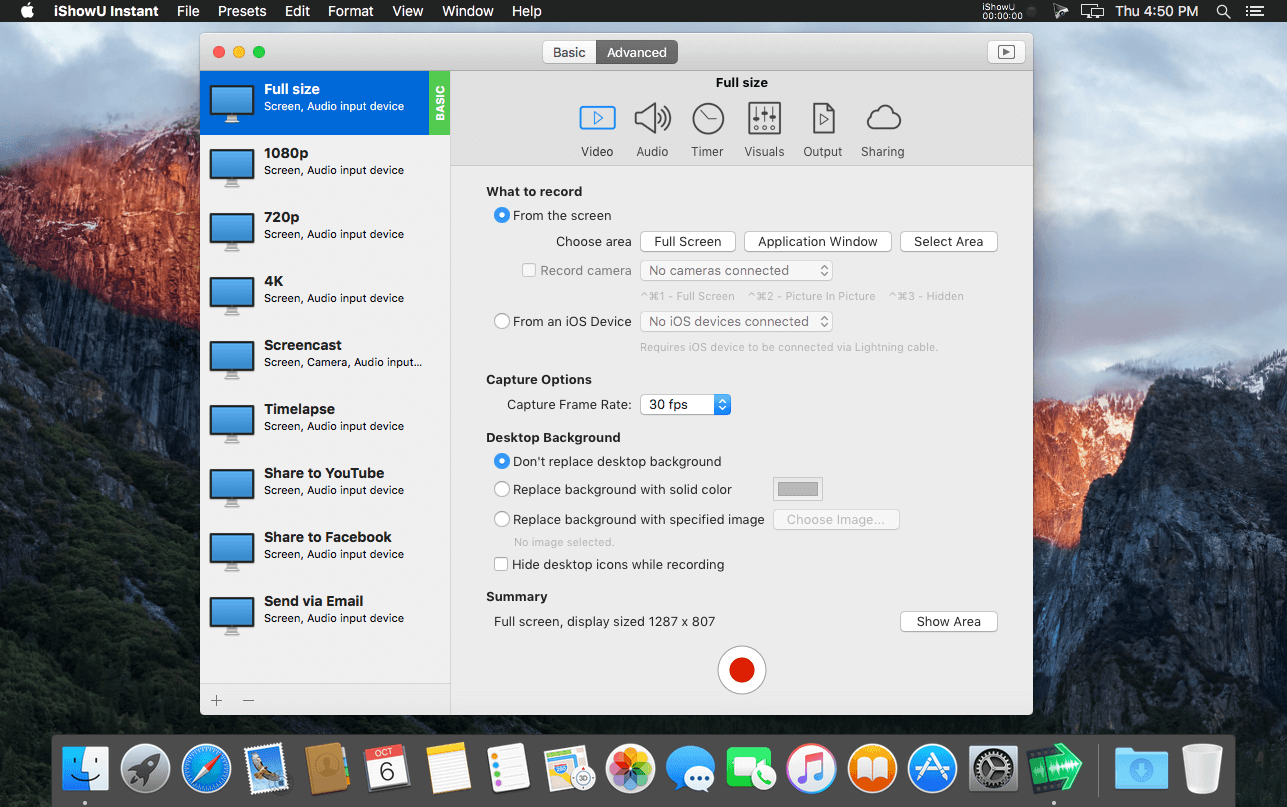
Use an interface that you’re comfortable with. Want something simple? Use Basic mode. Want more power? Advanced mode gives access to all the options!

Customise your settings
Easily create presets for common editing tasks, or for different types of output. Give them custom names so you can easily recognize them.

Super Sharing
Share to YouTube, Vimeo and all other enabled OS X services. We’ve even included an animated GIF generator!

Clean and Simple
No need to tidy your desktop, we’ll do it for you. Instant can hide your desktop icons, and change your desktop picture to a solid color or other image.

Flexible Output
Produce Quicktime or MP4 at up to 60fps. Want to create a timelapse? You can set the frame rate as low as 1 frame per minute!

Better Camera Capture
Camera capture has been enhanced with the ability to show the camera either as a classic picture-in-picture, full screen, or completely hide it. Not only that, the transitions are animated in real time as you’re recording.

A time for everything
Start and stop recording when you want, using either durations or fixed absolute times.

Realtime Preview
Easily see what effect your settings are having with the built in (and detachable!) preview. Want to reposition the camera? Move the text around? Easy!

Advanced Features
Audio Dynamics, Compressor and EQ
Get crisp and clean audio using the built in dynamics, compressor and equaliser. No need to clean audio afterwards. Got a 32 channel outboard device as input? No problem!

Text & Image Watermarks
Watermark your recordings with either text or an image (or both!), with control over opacity, size, position, rotation, borders, and reflection.

Prores built in
Retain maximum quality with a choice of either 422 or 4444 formats.

Full Visualization Control
More control over mouse & keypress visualization. Customize colors, enable single keypress visuals, modifier keypresses and click descriptions.

Record iOS devices
Create awesome looking demo videos from any iOS device.

Built-in Editing Essentials
Trim unwanted parts from the start & end and insert annotations or other graphic elements. Editing mode brings commonly used editing tools directly to iShowU.

iShowU Instant + Advanced Features

  • Realtime capture
  • Live preview
  • Customizable recording presets
  • Detailed output format options
  • Output as ProRes 4444/422
  • Animated GIF generation
  • Pattern-based output filename generation
  • Multichannel audio support
  • Audio filters (dynamics, compressor, EQ)
  • Scheduled recordings
  • User editable capture area
  • iOS device recording
  • Trim video before publication
  • Record microphone audio
  • Record system audio
  • Record camera
  • Record mouse movement and click
  • Record keystrokes
  • Edit after recording
  • Embed watermarks
  • Add shape objects (lines, arrows, etc.)
  • Add custom text objects
  • Share/export directly to iPod/iPad compatible formats
  • Upload to YouTube
  • Upload to Vimeo

Top In-App Purchases: Advanced – included
Compatibility: OS X 10.15 or later
Homepage https://www.shinywhitebox.com/

Screenshots


iShowU Instant Advanced 1.4.19 (1488)

Name: iShowU_Instant_1.4.19_1488_Mactorrents.biz.dmg
Size: 44 MB
Files iShowU_Instant_1.4.19_1488_Mactorrents.biz.dmg[44 MB]

   Download Torrent
   Link Download

Welcome to realtime screen recording like you’ve never seen before! iShowU Instant is the fastest, most feature filled realtime screen capture tool from shinywhitebox yet. It takes key features from both “Classic” and HD Pro, and merges them into a single product, making ‘Instant’ the only app you’ll ever need to create recordings quickly.

All of the features you would expect are here, and probably some you don’t! Record from any screen, enhance your microphone audio through the use of a dynamics processor, compressor and/or equaliser*, add text and/or an overlay, enhance your recording with mouse and click visualization, trim front/back after recording, create time-lapse recordings, share to a wide range of online services, and more.

A User Interface meant for you
Use an interface that you’re comfortable with. Want something simple? Use Basic mode. Want more power? Advanced mode gives access to all the options!

Customise your settings
Easily create presets for common editing tasks, or for different types of output. Give them custom names so you can easily recognize them.

Super Sharing
Share to YouTube, Vimeo and all other enabled OS X services. We’ve even included an animated GIF generator!

Clean and Simple
No need to tidy your desktop, we’ll do it for you. Instant can hide your desktop icons, and change your desktop picture to a solid color or other image.

Flexible Output
Produce Quicktime or MP4 at up to 60fps. Want to create a timelapse? You can set the frame rate as low as 1 frame per minute!

Better Camera Capture
Camera capture has been enhanced with the ability to show the camera either as a classic picture-in-picture, full screen, or completely hide it. Not only that, the transitions are animated in real time as you’re recording.

A time for everything
Start and stop recording when you want, using either durations or fixed absolute times.

Realtime Preview
Easily see what effect your settings are having with the built in (and detachable!) preview. Want to reposition the camera? Move the text around? Easy!

Advanced Features
Audio Dynamics, Compressor and EQ
Get crisp and clean audio using the built in dynamics, compressor and equaliser. No need to clean audio afterwards. Got a 32 channel outboard device as input? No problem!

Text & Image Watermarks
Watermark your recordings with either text or an image (or both!), with control over opacity, size, position, rotation, borders, and reflection.

Prores built in
Retain maximum quality with a choice of either 422 or 4444 formats.

Full Visualization Control
More control over mouse & keypress visualization. Customize colors, enable single keypress visuals, modifier keypresses and click descriptions.

Record iOS devices
Create awesome looking demo videos from any iOS device.

Built-in Editing Essentials
Trim unwanted parts from the start & end and insert annotations or other graphic elements. Editing mode brings commonly used editing tools directly to iShowU.

iShowU Instant + Advanced Features

  • Realtime capture
  • Live preview
  • Customizable recording presets
  • Detailed output format options
  • Output as ProRes 4444/422
  • Animated GIF generation
  • Pattern-based output filename generation
  • Multichannel audio support
  • Audio filters (dynamics, compressor, EQ)
  • Scheduled recordings
  • User editable capture area
  • iOS device recording
  • Trim video before publication
  • Record microphone audio
  • Record system audio
  • Record camera
  • Record mouse movement and click
  • Record keystrokes
  • Edit after recording
  • Embed watermarks
  • Add shape objects (lines, arrows, etc.)
  • Add custom text objects
  • Share/export directly to iPod/iPad compatible formats
  • Upload to YouTube
  • Upload to Vimeo

Top In-App Purchases: Advanced – included
Compatibility: OS X 10.15 or later
Homepage https://www.shinywhitebox.com/

Screenshots


iShowU Studio 2.3.14 (1508)

Name: iShowU_Studio_2_2.3.14__1508_Mactorrents.biz.dmg
Size: 43 MB
Files iShowU_Studio_2_2.3.14__1508_Mactorrents.biz.dmg[43 MB]

   Download Torrent
   Link Download

Easy screen recording & editing on your Mac: that’s the core idea. Built from day one with this in mind, it’s easy to capture what you want; add text, annotations, pointers and highlights and then share your result. Features you’ve come to expect in the iShowU “series” have been supercharged: screen & camera capture, mouse highlighting and keyboard animations take on a new lease of life now that you can edit when and how they appear. Did we mention we’ve reworked uploading too? Take the best realtime capture, mix in “time” – and voila, iShowU Studio!

Super fast full screen capture
Utilising the latest OS X technology and hardware accelerated goodness.

Simple editing interface
An uncluttered yet useful screen recording interface, with the editing tools you need directly accessible.

Full suite of Editing Tools
Super intuitive pan/zoom, shapes, fades and more. iShowU Studio lets you point out what’s important quickly and easily.

Built specifically for screencasts
Mouse and keyboard visualization, audio annotations: just some of the tools tailored specifically for the creation of ‘screen based’ content.

Gorgeous “Full Screen” editing interface
Designed from the beginning to both operate and look fantastic when in full screen.

We love colour
iShowU Studio is aware of colour-tagged footage, giving you accurate results all the way from import, preview through to final render.

Share your creation
Get your result “out there”! The entire “share” panel focuses on what your end users need. Quicktime? No problem. Web? No problem! iDevices1? Yep! 1080p? Sure! YouTube, Vimeo as well? You got it!

Capture directly from iOS
Capture directly from your iOS device, create beautiful demos of your iOS apps with ease!

Built in Camera capture
Plug in any OS X compatible camera and capture footage from that in realtime. Or add it later, your call.

  • Scheduled recordings
  • User editable capture area
  • iOS device recording
  • Trim video before publication
  • Record microphone audio
  • Record system audio
  • Record camera
  • Record mouse movement and clicks
  • Record keystrokes
  • Edit after recording
  • Embed watermarks
  • Add shape objects (lines, arrows, etc.)
  • Add custom text objects
  • Add additional media (pictures, movies, audio)
  • Crop unwanted areas before publication
  • Freeze-frame at any time, for any duration
  • Camera position modification (a.k.a pan/zoom)
  • Full screen editing interface
  • Share/export directly to iPod/iPad compatible formats
  • Upload to YouTube
  • Upload to Vimeo
  • Integration with OS X sharing (Facebook, Airdrop, Mail, Messages, Twitter and more)

Compatibility: macOS 10.14 or later
Homepage https://www.shinywhitebox.com/

Screenshots

iShowU Instant Advanced 1.4.19 (1485)

Name: iShowU_Instant_1.4.19_Mactorrents.biz.dmg
Size: 44 MB
Files iShowU_Instant_1.4.19_Mactorrents.biz.dmg[44 MB]

   Download Torrent
   Link Download

Welcome to realtime screen recording like you’ve never seen before! iShowU Instant is the fastest, most feature filled realtime screen capture tool from shinywhitebox yet. It takes key features from both “Classic” and HD Pro, and merges them into a single product, making ‘Instant’ the only app you’ll ever need to create recordings quickly.

All of the features you would expect are here, and probably some you don’t! Record from any screen, enhance your microphone audio through the use of a dynamics processor, compressor and/or equaliser*, add text and/or an overlay, enhance your recording with mouse and click visualization, trim front/back after recording, create time-lapse recordings, share to a wide range of online services, and more.

A User Interface meant for you
Use an interface that you’re comfortable with. Want something simple? Use Basic mode. Want more power? Advanced mode gives access to all the options!

Customise your settings
Easily create presets for common editing tasks, or for different types of output. Give them custom names so you can easily recognize them.

Super Sharing
Share to YouTube, Vimeo and all other enabled OS X services. We’ve even included an animated GIF generator!

Clean and Simple
No need to tidy your desktop, we’ll do it for you. Instant can hide your desktop icons, and change your desktop picture to a solid color or other image.

Flexible Output
Produce Quicktime or MP4 at up to 60fps. Want to create a timelapse? You can set the frame rate as low as 1 frame per minute!

Better Camera Capture
Camera capture has been enhanced with the ability to show the camera either as a classic picture-in-picture, full screen, or completely hide it. Not only that, the transitions are animated in real time as you’re recording.

A time for everything
Start and stop recording when you want, using either durations or fixed absolute times.

Realtime Preview
Easily see what effect your settings are having with the built in (and detachable!) preview. Want to reposition the camera? Move the text around? Easy!

Advanced Features
Audio Dynamics, Compressor and EQ
Get crisp and clean audio using the built in dynamics, compressor and equaliser. No need to clean audio afterwards. Got a 32 channel outboard device as input? No problem!

Text & Image Watermarks
Watermark your recordings with either text or an image (or both!), with control over opacity, size, position, rotation, borders, and reflection.

Prores built in
Retain maximum quality with a choice of either 422 or 4444 formats.

Full Visualization Control
More control over mouse & keypress visualization. Customize colors, enable single keypress visuals, modifier keypresses and click descriptions.

Record iOS devices
Create awesome looking demo videos from any iOS device.

Built-in Editing Essentials
Trim unwanted parts from the start & end and insert annotations or other graphic elements. Editing mode brings commonly used editing tools directly to iShowU.

iShowU Instant + Advanced Features

  • Realtime capture
  • Live preview
  • Customizable recording presets
  • Detailed output format options
  • Output as ProRes 4444/422
  • Animated GIF generation
  • Pattern-based output filename generation
  • Multichannel audio support
  • Audio filters (dynamics, compressor, EQ)
  • Scheduled recordings
  • User editable capture area
  • iOS device recording
  • Trim video before publication
  • Record microphone audio
  • Record system audio
  • Record camera
  • Record mouse movement and click
  • Record keystrokes
  • Edit after recording
  • Embed watermarks
  • Add shape objects (lines, arrows, etc.)
  • Add custom text objects
  • Share/export directly to iPod/iPad compatible formats
  • Upload to YouTube
  • Upload to Vimeo

Top In-App Purchases: Advanced – included
Compatibility: OS X 10.15 or later
Homepage https://www.shinywhitebox.com/

Screenshots


iShowU Studio 2.3.14

Name: iShowU.Studio.2.3.14.macOS_Mactorrents.biz.zip
Size: 44.8 MB
Files iShowU.Studio.2.3.14.macOS_Mactorrents.biz.dmg[44.8 MB]

   Download Torrent
   Link Download

Easy screen recording & editing on your Mac: that’s the core idea. Built from day one with this in mind, it’s easy to capture what you want; add text, annotations, pointers and highlights and then share your result. Features you’ve come to expect in the iShowU “series” have been supercharged: screen & camera capture, mouse highlighting and keyboard animations take on a new lease of life now that you can edit when and how they appear. Did we mention we’ve reworked uploading too? Take the best realtime capture, mix in “time” – and voila, iShowU Studio!

Super fast full screen capture
Utilising the latest OS X technology and hardware accelerated goodness.

Simple editing interface
An uncluttered yet useful screen recording interface, with the editing tools you need directly accessible.

Full suite of Editing Tools
Super intuitive pan/zoom, shapes, fades and more. iShowU Studio lets you point out what’s important quickly and easily.

Built specifically for screencasts
Mouse and keyboard visualization, audio annotations: just some of the tools tailored specifically for the creation of ‘screen based’ content.

Gorgeous “Full Screen” editing interface
Designed from the beginning to both operate and look fantastic when in full screen.

We love colour
iShowU Studio is aware of colour-tagged footage, giving you accurate results all the way from import, preview through to final render.

Share your creation
Get your result “out there”! The entire “share” panel focuses on what your end users need. Quicktime? No problem. Web? No problem! iDevices1? Yep! 1080p? Sure! YouTube, Vimeo as well? You got it!

Capture directly from iOS
Capture directly from your iOS device, create beautiful demos of your iOS apps with ease!

Built in Camera capture
Plug in any OS X compatible camera and capture footage from that in realtime. Or add it later, your call.

  • Scheduled recordings
  • User editable capture area
  • iOS device recording
  • Trim video before publication
  • Record microphone audio
  • Record system audio
  • Record camera
  • Record mouse movement and clicks
  • Record keystrokes
  • Edit after recording
  • Embed watermarks
  • Add shape objects (lines, arrows, etc.)
  • Add custom text objects
  • Add additional media (pictures, movies, audio)
  • Crop unwanted areas before publication
  • Freeze-frame at any time, for any duration
  • Camera position modification (a.k.a pan/zoom)
  • Full screen editing interface
  • Share/export directly to iPod/iPad compatible formats
  • Upload to YouTube
  • Upload to Vimeo
  • Integration with OS X sharing (Facebook, Airdrop, Mail, Messages, Twitter and more)

Compatibility: macOS 10.14 or later
Homepage https://www.shinywhitebox.com/

Screenshots


iShowU Instant Advanced 1.4.17

Name: iShowU_Instant_1.4.17_Mactorrents.biz.dmg
Size: 40 MB
Files iShowU_Instant_1.4.17_Mactorrents.biz.dmg[40 MB]

   Download Torrent
   Link Download

Welcome to realtime screen recording like you’ve never seen before! iShowU Instant is the fastest, most feature filled realtime screen capture tool from shinywhitebox yet. It takes key features from both “Classic” and HD Pro, and merges them into a single product, making ‘Instant’ the only app you’ll ever need to create recordings quickly.

All of the features you would expect are here, and probably some you don’t! Record from any screen, enhance your microphone audio through the use of a dynamics processor, compressor and/or equaliser*, add text and/or an overlay, enhance your recording with mouse and click visualization, trim front/back after recording, create time-lapse recordings, share to a wide range of online services, and more.

A User Interface meant for you
Use an interface that you’re comfortable with. Want something simple? Use Basic mode. Want more power? Advanced mode gives access to all the options!

Customise your settings
Easily create presets for common editing tasks, or for different types of output. Give them custom names so you can easily recognize them.

Super Sharing
Share to YouTube, Vimeo and all other enabled OS X services. We’ve even included an animated GIF generator!

Clean and Simple
No need to tidy your desktop, we’ll do it for you. Instant can hide your desktop icons, and change your desktop picture to a solid color or other image.

Flexible Output
Produce Quicktime or MP4 at up to 60fps. Want to create a timelapse? You can set the frame rate as low as 1 frame per minute!

Better Camera Capture
Camera capture has been enhanced with the ability to show the camera either as a classic picture-in-picture, full screen, or completely hide it. Not only that, the transitions are animated in real time as you’re recording.

A time for everything
Start and stop recording when you want, using either durations or fixed absolute times.

Realtime Preview
Easily see what effect your settings are having with the built in (and detachable!) preview. Want to reposition the camera? Move the text around? Easy!

Advanced Features
Audio Dynamics, Compressor and EQ
Get crisp and clean audio using the built in dynamics, compressor and equaliser. No need to clean audio afterwards. Got a 32 channel outboard device as input? No problem!

Text & Image Watermarks
Watermark your recordings with either text or an image (or both!), with control over opacity, size, position, rotation, borders, and reflection.

Prores built in
Retain maximum quality with a choice of either 422 or 4444 formats.

Full Visualization Control
More control over mouse & keypress visualization. Customize colors, enable single keypress visuals, modifier keypresses and click descriptions.

Record iOS devices
Create awesome looking demo videos from any iOS device.

Built-in Editing Essentials
Trim unwanted parts from the start & end and insert annotations or other graphic elements. Editing mode brings commonly used editing tools directly to iShowU.

iShowU Instant + Advanced Features

  • Realtime capture
  • Live preview
  • Customizable recording presets
  • Detailed output format options
  • Output as ProRes 4444/422
  • Animated GIF generation
  • Pattern-based output filename generation
  • Multichannel audio support
  • Audio filters (dynamics, compressor, EQ)
  • Scheduled recordings
  • User editable capture area
  • iOS device recording
  • Trim video before publication
  • Record microphone audio
  • Record system audio
  • Record camera
  • Record mouse movement and click
  • Record keystrokes
  • Edit after recording
  • Embed watermarks
  • Add shape objects (lines, arrows, etc.)
  • Add custom text objects
  • Share/export directly to iPod/iPad compatible formats
  • Upload to YouTube
  • Upload to Vimeo

Top In-App Purchases: Advanced – included
Compatibility: OS X 10.10 or later, 64-bit processor
Homepage https://www.shinywhitebox.com/

Screenshots


iShowU Studio 2.3.13

Name: iShowU_Studio_2_2.3.13_Mactorrents.biz.dmg
Size: 43 MB
Files iShowU_Studio_2_2.3.13_Mactorrents.biz.dmg[43 MB]

   Download Torrent
   Link Download

Easy screen recording & editing on your Mac: that’s the core idea. Built from day one with this in mind, it’s easy to capture what you want; add text, annotations, pointers and highlights and then share your result. Features you’ve come to expect in the iShowU “series” have been supercharged: screen & camera capture, mouse highlighting and keyboard animations take on a new lease of life now that you can edit when and how they appear. Did we mention we’ve reworked uploading too? Take the best realtime capture, mix in “time” – and voila, iShowU Studio!

Super fast full screen capture
Utilising the latest OS X technology and hardware accelerated goodness.

Simple editing interface
An uncluttered yet useful screen recording interface, with the editing tools you need directly accessible.

Full suite of Editing Tools
Super intuitive pan/zoom, shapes, fades and more. iShowU Studio lets you point out what’s important quickly and easily.

Built specifically for screencasts
Mouse and keyboard visualization, audio annotations: just some of the tools tailored specifically for the creation of ‘screen based’ content.

Gorgeous “Full Screen” editing interface
Designed from the beginning to both operate and look fantastic when in full screen.

We love colour
iShowU Studio is aware of colour-tagged footage, giving you accurate results all the way from import, preview through to final render.

Share your creation
Get your result “out there”! The entire “share” panel focuses on what your end users need. Quicktime? No problem. Web? No problem! iDevices1? Yep! 1080p? Sure! YouTube, Vimeo as well? You got it!

Capture directly from iOS
Capture directly from your iOS device, create beautiful demos of your iOS apps with ease!

Built in Camera capture
Plug in any OS X compatible camera and capture footage from that in realtime. Or add it later, your call.

  • Scheduled recordings
  • User editable capture area
  • iOS device recording
  • Trim video before publication
  • Record microphone audio
  • Record system audio
  • Record camera
  • Record mouse movement and clicks
  • Record keystrokes
  • Edit after recording
  • Embed watermarks
  • Add shape objects (lines, arrows, etc.)
  • Add custom text objects
  • Add additional media (pictures, movies, audio)
  • Crop unwanted areas before publication
  • Freeze-frame at any time, for any duration
  • Camera position modification (a.k.a pan/zoom)
  • Full screen editing interface
  • Share/export directly to iPod/iPad compatible formats
  • Upload to YouTube
  • Upload to Vimeo
  • Integration with OS X sharing (Facebook, Airdrop, Mail, Messages, Twitter and more)

Compatibility: macOS 10.14 or later
Homepage https://www.shinywhitebox.com/

Screenshots


iShowU Studio 2.3.12

Name: iShowU_Studio_2.3.12_Mactorrents.biz.zip
Size: 43.8 MB
Files iShowU_Studio_2.3.12_Mactorrents.biz.dmg[43.8 MB]

   Download Torrent

Easy screen recording & editing on your Mac: that’s the core idea. Built from day one with this in mind, it’s easy to capture what you want; add text, annotations, pointers and highlights and then share your result. Features you’ve come to expect in the iShowU “series” have been supercharged: screen & camera capture, mouse highlighting and keyboard animations take on a new lease of life now that you can edit when and how they appear. Did we mention we’ve reworked uploading too? Take the best realtime capture, mix in “time” – and voila, iShowU Studio!

Super fast full screen capture
Utilising the latest OS X technology and hardware accelerated goodness.

Simple editing interface
An uncluttered yet useful screen recording interface, with the editing tools you need directly accessible.

Full suite of Editing Tools
Super intuitive pan/zoom, shapes, fades and more. iShowU Studio lets you point out what’s important quickly and easily.

Built specifically for screencasts
Mouse and keyboard visualization, audio annotations: just some of the tools tailored specifically for the creation of ‘screen based’ content.

Gorgeous “Full Screen” editing interface
Designed from the beginning to both operate and look fantastic when in full screen.

We love colour
iShowU Studio is aware of colour-tagged footage, giving you accurate results all the way from import, preview through to final render.

Share your creation
Get your result “out there”! The entire “share” panel focuses on what your end users need. Quicktime? No problem. Web? No problem! iDevices1? Yep! 1080p? Sure! YouTube, Vimeo as well? You got it!

Capture directly from iOS
Capture directly from your iOS device, create beautiful demos of your iOS apps with ease!

Built in Camera capture
Plug in any OS X compatible camera and capture footage from that in realtime. Or add it later, your call.

  • Scheduled recordings
  • User editable capture area
  • iOS device recording
  • Trim video before publication
  • Record microphone audio
  • Record system audio
  • Record camera
  • Record mouse movement and clicks
  • Record keystrokes
  • Edit after recording
  • Embed watermarks
  • Add shape objects (lines, arrows, etc.)
  • Add custom text objects
  • Add additional media (pictures, movies, audio)
  • Crop unwanted areas before publication
  • Freeze-frame at any time, for any duration
  • Camera position modification (a.k.a pan/zoom)
  • Full screen editing interface
  • Share/export directly to iPod/iPad compatible formats
  • Upload to YouTube
  • Upload to Vimeo
  • Integration with OS X sharing (Facebook, Airdrop, Mail, Messages, Twitter and more)

Compatibility: macOS 10.14 or later
Homepage https://www.shinywhitebox.com/

Screenshots


iShowU Instant Advanced 1.4.16

Name: iShowU_Instant_1.4.16_Mactorrents.biz.dmg
Size: 40 MB
Files iShowU_Instant_1.4.16_Mactorrents.biz.dmg[40 MB]

   Download Torrent

Welcome to realtime screen recording like you’ve never seen before! iShowU Instant is the fastest, most feature filled realtime screen capture tool from shinywhitebox yet. It takes key features from both “Classic” and HD Pro, and merges them into a single product, making ‘Instant’ the only app you’ll ever need to create recordings quickly.

All of the features you would expect are here, and probably some you don’t! Record from any screen, enhance your microphone audio through the use of a dynamics processor, compressor and/or equaliser*, add text and/or an overlay, enhance your recording with mouse and click visualization, trim front/back after recording, create time-lapse recordings, share to a wide range of online services, and more.

A User Interface meant for you
Use an interface that you’re comfortable with. Want something simple? Use Basic mode. Want more power? Advanced mode gives access to all the options!

Customise your settings
Easily create presets for common editing tasks, or for different types of output. Give them custom names so you can easily recognize them.

Super Sharing
Share to YouTube, Vimeo and all other enabled OS X services. We’ve even included an animated GIF generator!

Clean and Simple
No need to tidy your desktop, we’ll do it for you. Instant can hide your desktop icons, and change your desktop picture to a solid color or other image.

Flexible Output
Produce Quicktime or MP4 at up to 60fps. Want to create a timelapse? You can set the frame rate as low as 1 frame per minute!

Better Camera Capture
Camera capture has been enhanced with the ability to show the camera either as a classic picture-in-picture, full screen, or completely hide it. Not only that, the transitions are animated in real time as you’re recording.

A time for everything
Start and stop recording when you want, using either durations or fixed absolute times.

Realtime Preview
Easily see what effect your settings are having with the built in (and detachable!) preview. Want to reposition the camera? Move the text around? Easy!

Advanced Features
Audio Dynamics, Compressor and EQ
Get crisp and clean audio using the built in dynamics, compressor and equaliser. No need to clean audio afterwards. Got a 32 channel outboard device as input? No problem!

Text & Image Watermarks
Watermark your recordings with either text or an image (or both!), with control over opacity, size, position, rotation, borders, and reflection.

Prores built in
Retain maximum quality with a choice of either 422 or 4444 formats.

Full Visualization Control
More control over mouse & keypress visualization. Customize colors, enable single keypress visuals, modifier keypresses and click descriptions.

Record iOS devices
Create awesome looking demo videos from any iOS device.

Built-in Editing Essentials
Trim unwanted parts from the start & end and insert annotations or other graphic elements. Editing mode brings commonly used editing tools directly to iShowU.

iShowU Instant + Advanced Features

  • Realtime capture
  • Live preview
  • Customizable recording presets
  • Detailed output format options
  • Output as ProRes 4444/422
  • Animated GIF generation
  • Pattern-based output filename generation
  • Multichannel audio support
  • Audio filters (dynamics, compressor, EQ)
  • Scheduled recordings
  • User editable capture area
  • iOS device recording
  • Trim video before publication
  • Record microphone audio
  • Record system audio
  • Record camera
  • Record mouse movement and click
  • Record keystrokes
  • Edit after recording
  • Embed watermarks
  • Add shape objects (lines, arrows, etc.)
  • Add custom text objects
  • Share/export directly to iPod/iPad compatible formats
  • Upload to YouTube
  • Upload to Vimeo

Top In-App Purchases: Advanced – included
Compatibility: OS X 10.10 or later, 64-bit processor
Homepage https://www.shinywhitebox.com/

Screenshots


iShowU Studio 2.3.10

Easy screen recording & editing on your Mac: that’s the core idea. Built from day one with this in mind, it’s easy to capture what you want; add text, annotations, pointers and highlights and then share your result. Features you’ve come to expect in the iShowU “series” have been supercharged: screen & camera capture, mouse highlighting and keyboard animations take on a new lease of life now that you can edit when and how they appear. Did we mention we’ve reworked uploading too? Take the best realtime capture, mix in “time” – and voila, iShowU Studio!

Super fast full screen capture
Utilising the latest OS X technology and hardware accelerated goodness.

Simple editing interface
An uncluttered yet useful screen recording interface, with the editing tools you need directly accessible.

Full suite of Editing Tools
Super intuitive pan/zoom, shapes, fades and more. iShowU Studio lets you point out what’s important quickly and easily.

Built specifically for screencasts
Mouse and keyboard visualization, audio annotations: just some of the tools tailored specifically for the creation of ‘screen based’ content.

Gorgeous “Full Screen” editing interface
Designed from the beginning to both operate and look fantastic when in full screen.

We love colour
iShowU Studio is aware of colour-tagged footage, giving you accurate results all the way from import, preview through to final render.

Share your creation
Get your result “out there”! The entire “share” panel focuses on what your end users need. Quicktime? No problem. Web? No problem! iDevices1? Yep! 1080p? Sure! YouTube, Vimeo as well? You got it!

Capture directly from iOS
Capture directly from your iOS device, create beautiful demos of your iOS apps with ease!

Built in Camera capture
Plug in any OS X compatible camera and capture footage from that in realtime. Or add it later, your call.

  • Scheduled recordings
  • User editable capture area
  • iOS device recording
  • Trim video before publication
  • Record microphone audio
  • Record system audio
  • Record camera
  • Record mouse movement and clicks
  • Record keystrokes
  • Edit after recording
  • Embed watermarks
  • Add shape objects (lines, arrows, etc.)
  • Add custom text objects
  • Add additional media (pictures, movies, audio)
  • Crop unwanted areas before publication
  • Freeze-frame at any time, for any duration
  • Camera position modification (a.k.a pan/zoom)
  • Full screen editing interface
  • Share/export directly to iPod/iPad compatible formats
  • Upload to YouTube
  • Upload to Vimeo
  • Integration with OS X sharing (Facebook, Airdrop, Mail, Messages, Twitter and more)

Compatibility: macOS 10.14 or later
Homepage https://www.shinywhitebox.com/

Screenshots


Name: iShowU_Studio_2_2.3.10__TNT_Mactorrents.is.dmg
Size: 43 MB
Files iShowU_Studio_2_2.3.10__TNT_ Mactorrents.is.dmg[43 MB]

   Download Torrent
   Download Links

iShowU Instant Advanced 1.4.12 (1422)

Welcome to realtime screen recording like you’ve never seen before! iShowU Instant is the fastest, most feature filled realtime screen capture tool from shinywhitebox yet. It takes key features from both “Classic” and HD Pro, and merges them into a single product, making ‘Instant’ the only app you’ll ever need to create recordings quickly.

All of the features you would expect are here, and probably some you don’t! Record from any screen, enhance your microphone audio through the use of a dynamics processor, compressor and/or equaliser*, add text and/or an overlay, enhance your recording with mouse and click visualization, trim front/back after recording, create time-lapse recordings, share to a wide range of online services, and more.

A User Interface meant for you
Use an interface that you’re comfortable with. Want something simple? Use Basic mode. Want more power? Advanced mode gives access to all the options!

Customise your settings
Easily create presets for common editing tasks, or for different types of output. Give them custom names so you can easily recognize them.

Super Sharing
Share to YouTube, Vimeo and all other enabled OS X services. We’ve even included an animated GIF generator!

Clean and Simple
No need to tidy your desktop, we’ll do it for you. Instant can hide your desktop icons, and change your desktop picture to a solid color or other image.

Flexible Output
Produce Quicktime or MP4 at up to 60fps. Want to create a timelapse? You can set the frame rate as low as 1 frame per minute!

Better Camera Capture
Camera capture has been enhanced with the ability to show the camera either as a classic picture-in-picture, full screen, or completely hide it. Not only that, the transitions are animated in real time as you’re recording.

A time for everything
Start and stop recording when you want, using either durations or fixed absolute times.

Realtime Preview
Easily see what effect your settings are having with the built in (and detachable!) preview. Want to reposition the camera? Move the text around? Easy!

Advanced Features
Audio Dynamics, Compressor and EQ
Get crisp and clean audio using the built in dynamics, compressor and equaliser. No need to clean audio afterwards. Got a 32 channel outboard device as input? No problem!

Text & Image Watermarks
Watermark your recordings with either text or an image (or both!), with control over opacity, size, position, rotation, borders, and reflection.

Prores built in
Retain maximum quality with a choice of either 422 or 4444 formats.

Full Visualization Control
More control over mouse & keypress visualization. Customize colors, enable single keypress visuals, modifier keypresses and click descriptions.

Record iOS devices
Create awesome looking demo videos from any iOS device.

Built-in Editing Essentials
Trim unwanted parts from the start & end and insert annotations or other graphic elements. Editing mode brings commonly used editing tools directly to iShowU.

iShowU Instant + Advanced Features

  • Realtime capture
  • Live preview
  • Customizable recording presets
  • Detailed output format options
  • Output as ProRes 4444/422
  • Animated GIF generation
  • Pattern-based output filename generation
  • Multichannel audio support
  • Audio filters (dynamics, compressor, EQ)
  • Scheduled recordings
  • User editable capture area
  • iOS device recording
  • Trim video before publication
  • Record microphone audio
  • Record system audio
  • Record camera
  • Record mouse movement and click
  • Record keystrokes
  • Edit after recording
  • Embed watermarks
  • Add shape objects (lines, arrows, etc.)
  • Add custom text objects
  • Share/export directly to iPod/iPad compatible formats
  • Upload to YouTube
  • Upload to Vimeo

Top In-App Purchases: Advanced – included
Compatibility: OS X 10.10 or later, 64-bit processor
Homepage https://www.shinywhitebox.com/

Screenshots


Name: iShowU_Instant_1.4.12_(1422)_[TNT]_Mactorrents.is.dmg
Size: 39.14 MB
Files iShowU_Instant_1.4.12_(1422)_[TNT]_ Mactorrents.is.dmg[39.14 MB]

   Download

iShowU Studio 2.3.9

Easy screen recording & editing on your Mac: that’s the core idea. Built from day one with this in mind, it’s easy to capture what you want; add text, annotations, pointers and highlights and then share your result. Features you’ve come to expect in the iShowU “series” have been supercharged: screen & camera capture, mouse highlighting and keyboard animations take on a new lease of life now that you can edit when and how they appear. Did we mention we’ve reworked uploading too? Take the best realtime capture, mix in “time” – and voila, iShowU Studio!

Super fast full screen capture
Utilising the latest OS X technology and hardware accelerated goodness.

Simple editing interface
An uncluttered yet useful screen recording interface, with the editing tools you need directly accessible.

Full suite of Editing Tools
Super intuitive pan/zoom, shapes, fades and more. iShowU Studio lets you point out what’s important quickly and easily.

Built specifically for screencasts
Mouse and keyboard visualization, audio annotations: just some of the tools tailored specifically for the creation of ‘screen based’ content.

Gorgeous “Full Screen” editing interface
Designed from the beginning to both operate and look fantastic when in full screen.

We love colour
iShowU Studio is aware of colour-tagged footage, giving you accurate results all the way from import, preview through to final render.

Share your creation
Get your result “out there”! The entire “share” panel focuses on what your end users need. Quicktime? No problem. Web? No problem! iDevices1? Yep! 1080p? Sure! YouTube, Vimeo as well? You got it!

Capture directly from iOS
Capture directly from your iOS device, create beautiful demos of your iOS apps with ease!

Built in Camera capture
Plug in any OS X compatible camera and capture footage from that in realtime. Or add it later, your call.

  • Scheduled recordings
  • User editable capture area
  • iOS device recording
  • Trim video before publication
  • Record microphone audio
  • Record system audio
  • Record camera
  • Record mouse movement and clicks
  • Record keystrokes
  • Edit after recording
  • Embed watermarks
  • Add shape objects (lines, arrows, etc.)
  • Add custom text objects
  • Add additional media (pictures, movies, audio)
  • Crop unwanted areas before publication
  • Freeze-frame at any time, for any duration
  • Camera position modification (a.k.a pan/zoom)
  • Full screen editing interface
  • Share/export directly to iPod/iPad compatible formats
  • Upload to YouTube
  • Upload to Vimeo
  • Integration with OS X sharing (Facebook, Airdrop, Mail, Messages, Twitter and more)

Compatibility: macOS 10.10 or later
Homepage https://www.shinywhitebox.com/

Screenshots


Name: iShowU_Studio_2_2.3.9_[TNT]_Mactorrents.is.dmg
Size: 41.69 MB
Files iShowU_Studio_2_2.3.9_[TNT]_ Mactorrents.is.dmg[41.69 MB]

   Download

iShowU Studio 2.2.3


Easy screen recording & editing on your Mac: that’s the core idea. Built from day one with this in mind, it’s easy to capture what you want; add text, annotations, pointers and highlights and then share your result. Features you’ve come to expect in the iShowU “series” have been supercharged: screen & camera capture, mouse highlighting and keyboard animations take on a new lease of life now that you can edit when and how they appear. Did we mention we’ve reworked uploading too? Take the best realtime capture, mix in “time” – and voila, iShowU Studio!

Super fast full screen capture
Utilising the latest OS X technology and hardware accelerated goodness.

Simple editing interface
An uncluttered yet useful screen recording interface, with the editing tools you need directly accessible.

Full suite of Editing Tools
Super intuitive pan/zoom, shapes, fades and more. iShowU Studio lets you point out what’s important quickly and easily.

Built specifically for screencasts
Mouse and keyboard visualization, audio annotations: just some of the tools tailored specifically for the creation of ‘screen based’ content.

Gorgeous “Full Screen” editing interface
Designed from the beginning to both operate and look fantastic when in full screen.

We love colour
iShowU Studio is aware of colour-tagged footage, giving you accurate results all the way from import, preview through to final render.

Share your creation
Get your result “out there”! The entire “share” panel focuses on what your end users need. Quicktime? No problem. Web? No problem! iDevices1? Yep! 1080p? Sure! YouTube, Vimeo as well? You got it!

Capture directly from iOS
Capture directly from your iOS device, create beautiful demos of your iOS apps with ease!

Built in Camera capture
Plug in any OS X compatible camera and capture footage from that in realtime. Or add it later, your call.

  • Scheduled recordings
  • User editable capture area
  • iOS device recording
  • Trim video before publication
  • Record microphone audio
  • Record system audio
  • Record camera
  • Record mouse movement and clicks
  • Record keystrokes
  • Edit after recording
  • Embed watermarks
  • Add shape objects (lines, arrows, etc.)
  • Add custom text objects
  • Add additional media (pictures, movies, audio)
  • Crop unwanted areas before publication
  • Freeze-frame at any time, for any duration
  • Camera position modification (a.k.a pan/zoom)
  • Full screen editing interface
  • Share/export directly to iPod/iPad compatible formats
  • Upload to YouTube
  • Upload to Vimeo
  • Integration with OS X sharing (Facebook, Airdrop, Mail, Messages, Twitter and more)

Compatibility: OS X 10.10 or later, 64-bit processor
Homepage https://www.shinywhitebox.com/

Screenshots


Name: iShowU_Studio_2_2.2.3__TNT_Mactorrents.io.dmg
Size: 24 MB
Files iShowU_Studio_2_2.2.3__TNT_Mactorrents.io.dmg[24 MB]

   Download

iShowU Instant Advanced 1.3.5


Welcome to realtime screen recording like you’ve never seen before! iShowU Instant is the fastest, most feature filled realtime screen capture tool from shinywhitebox yet. It takes key features from both “Classic” and HD Pro, and merges them into a single product, making ‘Instant’ the only app you’ll ever need to create recordings quickly.

All of the features you would expect are here, and probably some you don’t! Record from any screen, enhance your microphone audio through the use of a dynamics processor, compressor and/or equaliser*, add text and/or an overlay, enhance your recording with mouse and click visualization, trim front/back after recording, create time-lapse recordings, share to a wide range of online services, and more.

A User Interface meant for you
Use an interface that you’re comfortable with. Want something simple? Use Basic mode. Want more power? Advanced mode gives access to all the options!

Customise your settings
Easily create presets for common editing tasks, or for different types of output. Give them custom names so you can easily recognize them.

Super Sharing
Share to YouTube, Vimeo and all other enabled OS X services. We’ve even included an animated GIF generator!

Clean and Simple
No need to tidy your desktop, we’ll do it for you. Instant can hide your desktop icons, and change your desktop picture to a solid color or other image.

Flexible Output
Produce Quicktime or MP4 at up to 60fps. Want to create a timelapse? You can set the frame rate as low as 1 frame per minute!

Better Camera Capture
Camera capture has been enhanced with the ability to show the camera either as a classic picture-in-picture, full screen, or completely hide it. Not only that, the transitions are animated in real time as you’re recording.

A time for everything
Start and stop recording when you want, using either durations or fixed absolute times.

Realtime Preview
Easily see what effect your settings are having with the built in (and detachable!) preview. Want to reposition the camera? Move the text around? Easy!

Advanced Features
Audio Dynamics, Compressor and EQ
Get crisp and clean audio using the built in dynamics, compressor and equaliser. No need to clean audio afterwards. Got a 32 channel outboard device as input? No problem!

Text & Image Watermarks
Watermark your recordings with either text or an image (or both!), with control over opacity, size, position, rotation, borders, and reflection.

Prores built in
Retain maximum quality with a choice of either 422 or 4444 formats.

Full Visualization Control
More control over mouse & keypress visualization. Customize colors, enable single keypress visuals, modifier keypresses and click descriptions.

Record iOS devices
Create awesome looking demo videos from any iOS device.

Built-in Editing Essentials
Trim unwanted parts from the start & end and insert annotations or other graphic elements. Editing mode brings commonly used editing tools directly to iShowU.

iShowU Instant + Advanced Features

  • Realtime capture
  • Live preview
  • Customizable recording presets
  • Detailed output format options
  • Output as ProRes 4444/422
  • Animated GIF generation
  • Pattern-based output filename generation
  • Multichannel audio support
  • Audio filters (dynamics, compressor, EQ)
  • Scheduled recordings
  • User editable capture area
  • iOS device recording
  • Trim video before publication
  • Record microphone audio
  • Record system audio
  • Record camera
  • Record mouse movement and click
  • Record keystrokes
  • Edit after recording
  • Embed watermarks
  • Add shape objects (lines, arrows, etc.)
  • Add custom text objects
  • Share/export directly to iPod/iPad compatible formats
  • Upload to YouTube
  • Upload to Vimeo

Compatibility: OS X 10.10 or later, 64-bit processor
Homepage https://www.shinywhitebox.com/

Screenshots


Name: iShowU_Instant_1.3.5__TNT_Mactorrents.io.dmg
Size: 24 MB
Files iShowU_Instant_1.3.5__TNT_Mactorrents.io.dmg[24 MB]

   Download

iShowU Studio 2.2.1

iShowU Studio 2.2.1

Easy screen recording & editing on your Mac: that’s the core idea. Built from day one with this in mind, it’s easy to capture what you want; add text, annotations, pointers and highlights and then share your result. Features you’ve come to expect in the iShowU “series” have been supercharged: screen & camera capture, mouse highlighting and keyboard animations take on a new lease of life now that you can edit when and how they appear. Did we mention we’ve reworked uploading too? Take the best realtime capture, mix in “time” – and voila, iShowU Studio!

Super fast full screen capture
Utilising the latest OS X technology and hardware accelerated goodness.

Simple editing interface
An uncluttered yet useful screen recording interface, with the editing tools you need directly accessible.

Full suite of Editing Tools
Super intuitive pan/zoom, shapes, fades and more. iShowU Studio lets you point out what’s important quickly and easily.

Built specifically for screencasts
Mouse and keyboard visualization, audio annotations: just some of the tools tailored specifically for the creation of ‘screen based’ content.

Gorgeous “Full Screen” editing interface
Designed from the beginning to both operate and look fantastic when in full screen.

We love colour
iShowU Studio is aware of colour-tagged footage, giving you accurate results all the way from import, preview through to final render.

Share your creation
Get your result “out there”! The entire “share” panel focuses on what your end users need. Quicktime? No problem. Web? No problem! iDevices1? Yep! 1080p? Sure! YouTube, Vimeo as well? You got it!

Capture directly from iOS
Capture directly from your iOS device, create beautiful demos of your iOS apps with ease!

Built in Camera capture
Plug in any OS X compatible camera and capture footage from that in realtime. Or add it later, your call.

  • Scheduled recordings
  • User editable capture area
  • iOS device recording
  • Trim video before publication
  • Record microphone audio
  • Record system audio
  • Record camera
  • Record mouse movement and clicks
  • Record keystrokes
  • Edit after recording
  • Embed watermarks
  • Add shape objects (lines, arrows, etc.)
  • Add custom text objects
  • Add additional media (pictures, movies, audio)
  • Crop unwanted areas before publication
  • Freeze-frame at any time, for any duration
  • Camera position modification (a.k.a pan/zoom)
  • Full screen editing interface
  • Share/export directly to iPod/iPad compatible formats
  • Upload to YouTube
  • Upload to Vimeo
  • Integration with OS X sharing (Facebook, Airdrop, Mail, Messages, Twitter and more)

What’s New:

Version 2.2.0:

  • Ready for Catalina.
  • App is now notarized.
  • Fixed bug where sometimes iShowU would not record on some systems with odd numbered horizontal resolutions.
  • Much faster prompt for screen access (if not enabled in System Preferences).
  • Light mode comes to Studio 2. Use Studio2 in dark/light/auto mode as you’d like. New beautiful UI and coloring.
  • Lots of re-work on the codebase. Faster operation.
  • Redone menu bar, now flat/modern, with a more pleasing feel.
  • Far more subtle UI colouring now. Emphasis colors follow the System Preferences ‘accent color’.
  • All context UI’s given more visual space (better feel).
  • Changed default shortcut for retake-recording (made it cmd-shift-option-R), so it’s less likely to conflict with existing/other apps.
  • Reworked icons and UI, easier to look at all round.
  • Improved UI speed.
  • Various (many!) bugs fixed & internal improvements.
  • Greatly increased logging output when recording fails, to aid in debugging.

Compatibility: OS X 10.10 or later, 64-bit processor
Homepage https://www.shinywhitebox.com/

Screenshots


Name: iShowU_Studio_2_2.2.1__TNT_Mactorrents.io.dmg
Size: 22.3 MB
Files iShowU_Studio_2_2.2.1__TNT_Mactorrents.io.dmg[22.3 MB]

   Download

iShowU Instant Advanced 1.3.1

Download iShowU Instant Advanced 1.3.1

Welcome to realtime screen recording like you’ve never seen before! iShowU Instant is the fastest, most feature filled realtime screen capture tool from shinywhitebox yet. It takes key features from both “Classic” and HD Pro, and merges them into a single product, making ‘Instant’ the only app you’ll ever need to create recordings quickly.

All of the features you would expect are here, and probably some you don’t! Record from any screen, enhance your microphone audio through the use of a dynamics processor, compressor and/or equaliser*, add text and/or an overlay, enhance your recording with mouse and click visualization, trim front/back after recording, create time-lapse recordings, share to a wide range of online services, and more.

Features

A User Interface meant for you

Use an interface that you’re comfortable with. Want something simple? Use Basic mode. Want more power? Advanced mode gives access to all the options!

Customise your settings

Easily create presets for common editing tasks, or for different types of output. Give them custom names so you can easily recognize them.

Super Sharing

Share to YouTube, Vimeo and all other enabled OS X services. We’ve even included an animated GIF generator!

Clean and Simple

No need to tidy your desktop, we’ll do it for you. Instant can hide your desktop icons, and change your desktop picture to a solid color or other image.

Flexible Output

Produce Quicktime or MP4 at up to 60fps. Want to create a timelapse? You can set the frame rate as low as 1 frame per minute!

Better Camera Capture

Camera capture has been enhanced with the ability to show the camera either as a classic picture-in-picture, full screen, or completely hide it. Not only that, the transitions are animated in real time as you’re recording.

A time for everything

Start and stop recording when you want, using either durations or fixed absolute times.

Realtime Preview

Easily see what effect your settings are having with the built in (and detachable!) preview. Want to reposition the camera? Move the text around? Easy!

Advanced Features

Audio Dynamics, Compressor and EQ
Get crisp and clean audio using the built in dynamics, compressor and equaliser. No need to clean audio afterwards. Got a 32 channel outboard device as input? No problem!

Text & Image Watermarks

Watermark your recordings with either text or an image (or both!), with control over opacity, size, position, rotation, borders, and reflection.

Prores built in

Retain maximum quality with a choice of either 422 or 4444 formats.

Full Visualization Control

More control over mouse & keypress visualization. Customize colors, enable single keypress visuals, modifier keypresses and click descriptions.

Record iOS devices

Create awesome looking demo videos from any iOS device.

Built-in Editing Essentials

Trim unwanted parts from the start & end and insert annotations or other graphic elements. Editing mode brings commonly used editing tools directly to iShowU.

iShowU Instant + Advanced Features

  • Realtime capture
  • Live preview
  • Customizable recording presets
  • Detailed output format options
  • Output as ProRes 4444/422
  • Animated GIF generation
  • Pattern-based output filename generation
  • Multichannel audio support
  • Audio filters (dynamics, compressor, EQ)
  • Scheduled recordings
  • User editable capture area
  • iOS device recording
  • Trim video before publication
  • Record microphone audio
  • Record system audio
  • Record camera
  • Record mouse movement and click
  • Record keystrokes
  • Edit after recording
  • Embed watermarks
  • Add shape objects (lines, arrows, etc.)
  • Add custom text objects
  • Share/export directly to iPod/iPad compatible formats
  • Upload to YouTube
  • Upload to Vimeo

Information

Compatibility
OS X 10.10 or later 64-bit
Languages
English

What’s New in iShowU Instant Advanced 1.3.1

  • Added an option to allow turning on/off the small preview that is shown when selecting an area.

Screenshots

Name iShowU Instant Advanced 1.3.1 [TNT] mac-torrents.net.zip
Size 31.76 MB
Created on 2019-11-08 02:16:22
Hash 20c2a9f039d58bab2a069dd46f2afa4cafc4b180
Files iShowU Instant Advanced 1.3.1 [TNT] mac-torrents.net.zip (31.76 MB)

iShowU Instant Advanced 1.3.0


Download iShowU Instant Advanced 1.3.0

Welcome to realtime screen recording like you’ve never seen before! iShowU Instant is the fastest, most feature filled realtime screen capture tool from shinywhitebox yet. It takes key features from both “Classic” and HD Pro, and merges them into a single product, making ‘Instant’ the only app you’ll ever need to create recordings quickly.

All of the features you would expect are here, and probably some you don’t! Record from any screen, enhance your microphone audio through the use of a dynamics processor, compressor and/or equaliser*, add text and/or an overlay, enhance your recording with mouse and click visualization, trim front/back after recording, create time-lapse recordings, share to a wide range of online services, and more.

Features

A User Interface meant for you

Use an interface that you’re comfortable with. Want something simple? Use Basic mode. Want more power? Advanced mode gives access to all the options!

Customise your settings

Easily create presets for common editing tasks, or for different types of output. Give them custom names so you can easily recognize them.

Super Sharing

Share to YouTube, Vimeo and all other enabled OS X services. We’ve even included an animated GIF generator!

Clean and Simple

No need to tidy your desktop, we’ll do it for you. Instant can hide your desktop icons, and change your desktop picture to a solid color or other image.

Flexible Output

Produce Quicktime or MP4 at up to 60fps. Want to create a timelapse? You can set the frame rate as low as 1 frame per minute!

Better Camera Capture

Camera capture has been enhanced with the ability to show the camera either as a classic picture-in-picture, full screen, or completely hide it. Not only that, the transitions are animated in real time as you’re recording.

A time for everything

Start and stop recording when you want, using either durations or fixed absolute times.

Realtime Preview

Easily see what effect your settings are having with the built in (and detachable!) preview. Want to reposition the camera? Move the text around? Easy!

Advanced Features

Audio Dynamics, Compressor and EQ
Get crisp and clean audio using the built in dynamics, compressor and equaliser. No need to clean audio afterwards. Got a 32 channel outboard device as input? No problem!

Text & Image Watermarks

Watermark your recordings with either text or an image (or both!), with control over opacity, size, position, rotation, borders, and reflection.

Prores built in

Retain maximum quality with a choice of either 422 or 4444 formats.

Full Visualization Control

More control over mouse & keypress visualization. Customize colors, enable single keypress visuals, modifier keypresses and click descriptions.

Record iOS devices

Create awesome looking demo videos from any iOS device.

Built-in Editing Essentials

Trim unwanted parts from the start & end and insert annotations or other graphic elements. Editing mode brings commonly used editing tools directly to iShowU.

iShowU Instant + Advanced Features

  • Realtime capture
  • Live preview
  • Customizable recording presets
  • Detailed output format options
  • Output as ProRes 4444/422
  • Animated GIF generation
  • Pattern-based output filename generation
  • Multichannel audio support
  • Audio filters (dynamics, compressor, EQ)
  • Scheduled recordings
  • User editable capture area
  • iOS device recording
  • Trim video before publication
  • Record microphone audio
  • Record system audio
  • Record camera
  • Record mouse movement and click
  • Record keystrokes
  • Edit after recording
  • Embed watermarks
  • Add shape objects (lines, arrows, etc.)
  • Add custom text objects
  • Share/export directly to iPod/iPad compatible formats
  • Upload to YouTube
  • Upload to Vimeo

Information

CompatibilityOS X 10.10 or later 64-bit
LanguagesEnglish

What’s New in iShowU Instant Advanced 1.3.0

  • Ready for Catalina.
  • App is now notarized.
  • Prompt for screen access if not enabled in System Preferences.
  • Beautiful “dark mode” theme comes to Instant! Use iShowU Instant in dark/light/auto mode as you’d like. New UI and coloring, tuned to both light/dark modes.
  • Lots of re-work on the codebase. More fixed bugs. Faster operation.
  • Redone menu bar, now flat/modern, with a more pleasing feel.
  • Changed default shortcut for retake-recording, so it’s less likely to conflict with existing/other apps.
  • Far more subtle UI colouring. Emphasis colors follow the System Preferences ‘accent color’.
  • Reworked icons and UI, easier to look at all round.
  • Improved User Interface speed.
  • Various (many!) bugs fixed & internal improvements.
  • Greatly increased logging output when recording fails, to aid in debugging.

Screenshots


Name iShowU Instant Advanced 1.3.0 [TNT] mac-torrents.net.zip
Size 31.65 MB
Created on 2019-10-21 11:13:17
Hash 431d073506d658d0c28549482306613fef57174f
Files iShowU Instant Advanced 1.3.0 [TNT] mac-torrents.net.zip (31.65 MB)

Download

iShowU Studio 2.2.0

Name iShowU Studio 2 2.2.0 [TNT] mac-torrents.net.zip
Size 31.20 MB
Created on 2019-10-21 11:13:25
Hash b14268b3451b82386755e15a145bba19a9210285
Files iShowU Studio 2 2.2.0 [TNT] mac-torrents.net.zip (31.20 MB)

Download


Download iShowU Studio 2.2.0

Easy screen recording & editing on your Mac: that’s the core idea. Built from day one with this in mind, it’s easy to capture what you want; add text, annotations, pointers and highlights and then share your result. Features you’ve come to expect in the iShowU “series” have been supercharged: screen & camera capture, mouse highlighting and keyboard animations take on a new lease of life now that you can edit when and how they appear. Did we mention we’ve reworked uploading too? Take the best realtime capture, mix in “time” – and voila, iShowU Studio!

Features

Super fast full screen capture

Utilising the latest OS X technology and hardware accelerated goodness.

Simple editing interface

An uncluttered yet useful screen recording interface, with the editing tools you need directly accessible.

Full suite of Editing Tools

Super intuitive pan/zoom, shapes, fades and more. iShowU Studio lets you point out what’s important quickly and easily.

Built specifically for screencasts

Mouse and keyboard visualization, audio annotations: just some of the tools tailored specifically for the creation of ‘screen based’ content.

Gorgeous “Full Screen” editing interface

Designed from the beginning to both operate and look fantastic when in full screen.

We love colour

iShowU Studio is aware of colour-tagged footage, giving you accurate results all the way from import, preview through to final render.

Share your creation

Get your result “out there”! The entire “share” panel focuses on what your end users need. Quicktime? No problem. Web? No problem! iDevices1? Yep! 1080p? Sure! YouTube, Vimeo as well? You got it!

Capture directly from iOS

Capture directly from your iOS device, create beautiful demos of your iOS apps with ease!

Built in Camera capture

Plug in any OS X compatible camera and capture footage from that in realtime. Or add it later, your call.

Other Features

  • Scheduled recordings
  • User editable capture area
  • iOS device recording
  • Trim video before publication
  • Record microphone audio
  • Record system audio
  • Record camera
  • Record mouse movement and clicks
  • Record keystrokes
  • Edit after recording
  • Embed watermarks
  • Add shape objects (lines, arrows, etc.)
  • Add custom text objects
  • Add additional media (pictures, movies, audio)
  • Crop unwanted areas before publication
  • Freeze-frame at any time, for any duration
  • Camera position modification (a.k.a pan/zoom)
  • Full screen editing interface
  • Share/export directly to iPod/iPad compatible formats
  • Upload to YouTube
  • Upload to Vimeo
  • Integration with OS X sharing (Facebook, Airdrop, Mail, Messages, Twitter and more)

Information

CompatibilityOS X 10.10 or later 64-bit
LanguagesEnglish

What’s New in iShowU Studio 2.2.0

  • Ready for Catalina
  • App is now notarized
  • Fixed bug where sometimes iShowU would not record on some systems with odd numbered horizontal resolutions
  • Much faster prompt for screen access (if not enabled in System Preferences)
  • Light mode comes to Studio 2. Use Studio2 in dark/light/auto mode as you’d like. New beautiful UI and coloring
  • Lots of re-work on the codebase. Faster operation
  • Redone menu bar, now flat/modern, with a more pleasing feel
  • Far more subtle UI colouring now. Emphasis colors follow the System Preferences ‘accent color’
  • All context UI’s given more visual space (better feel)
  • Changed default shortcut for retake-recording (made it cmd-shift-option-R), so it’s less likely to conflict with existing/other apps
  • Reworked icons and UI, easier to look at all round
  • Improved UI speed
  • Various (many!) bugs fixed & internal improvements
  • Greatly increased logging output when recording fails, to aid in debugging

Screenshots

iShowU Studio 2.1.2

Descriptions for iShowU Studio 2.1.2

Name: iShowU Studio
Version: 2.1.2 Build 482
Released: Feb 14th, 2018
Developer: shinywhitebox ltd
Mac Platform: Intel
OS Version: OS X 10.10 or later
Processor type(s) & speed: 64-bit processor

Includes: Keygen (CORE)

Web Site: https://www.shinywhitebox.com/

Overview

An user friendly video editor designed to help you record video and audio content, and then process the results, make your own annotations, and much more

iShowU Studio provides efficient video editing tools in a stylish, organized environment, and aims at helping you create high quality projects without wasting too much time.

Moreover, the iShowU Studio application allows you to both record and process videos featuring your screen or data captured by cameras connected to your workstation.

Straightforward setup assistant

When you launch iShowU Studio, it provides basic details about getting started and the adjustments you need to perform to make sure everything works smoothly.

Noteworthy is that you must provide access to iShowU Studio via the Security & Privacy System Preferences panel to be able to record the keypresses and the mouse clicks.

Start recording video content using a set of pre-defined hotkeys

Right off the bat, iShowU Studio offers you the possibility to start recording the activity on your screen. You can also choose to embed the audio content captured by the built-in microphone, the application audio and even the image grabbed by your built-in camera.

Use the appropriate button or the Shift + Command + 1 hotkey to start the recording, or the Shift + Command + 2 hotkey to stop it (you may also use the iShowU Studio status bar menu).

Built-in toolset for editing your video recordings

In the iShowU Studio editing area you can preview the video content, add text annotations and various other objects, import other media files, crop the images, cut specific sections and much more.

Each time you select a new object, iShowU Studio will open a Properties window where you can adjust details related to the object size, rotation, opacity, borders, shadows, fade in an fade out effects, audio content, animations and much more.

Complex yet user friendly utility for capturing and editing video and audio content on a Mac

To summarize it all, iShowU Studio is a full-featured and streamlined tool for anyone who needs to record presentations, tutorials, or other types of projects that include both video and audio content.

What’s new in iShowU Studio 2.1.2 Build 482

February 14th, 2018

  • Drastically improved UI render performance by optimizing the waveform display.

Screenshots

Name iShowU Studio 2.1.2 [core].zip
Size 30.58 MB
Created on 2018-02-15 23:16:04
Hash 0e05ce1875826c0940ac6213c335f04aee556eaf
Files iShowU Studio 2.1.2 [core].zip (30.58 MB)

iShowU Instant 1.1.4

Name iShowU Instant 1.1.4
Size 23.75 MB
Created on 2017-01-18 00:42:46
Tracker http://109.235.50.166:2710/announce
Hash 4876df62747898f45811140a5cc6d05c0c3b3ea1
Files iShowU Instant Advanced 1.1.4/iShowU Instant Advanced 1.1.4 [TNT].dmg (23.75 MB)

Descriptions for Description

Name: iShowU Instant for Mac
Version: 1.1.4
Release Date: 11 Jan 2017
Mac Platform: Intel
OS version:OS X 10.10 or later 
Processor type(s) & speed: 64-bit

Includes: Pre-K'ed


Web Site: https://shinywhitebox.com/ishowu-instant


Overview:
iShowU Instant gives you real-time screen recording like you've never seen before! It is the fastest, most feature-filled real-time screen capture tool from shinywhitebox yet. All of the features you would expect are here, and probably some you don't! 
 
・Record from any screen 
・Enhance your microphone audio through the use of a dynamics processor, compressor and/or equaliser* 
・Record from iOS devices 
・Add text and/or an overlay 
・Enhance your recording with mouse and click visualization 
・Trim front/back after recording 
・Create time-lapse recordings 
・Share to a wide range of online services 
・And more!


What's New in Version 1.1.4:
・Fixed unintended "super-sizing" of Retina recordings 

Screenshots