Category Archives: OS

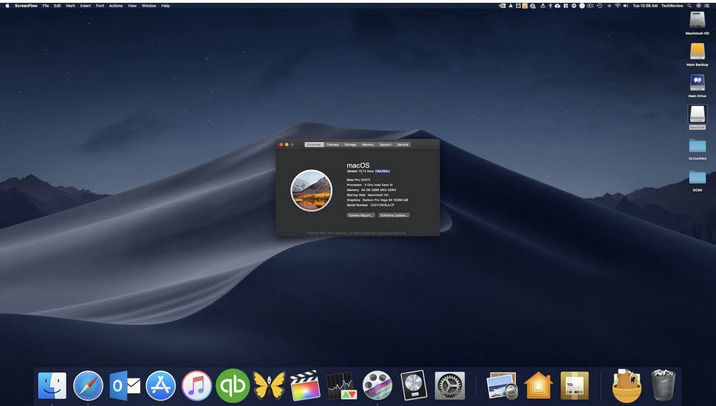
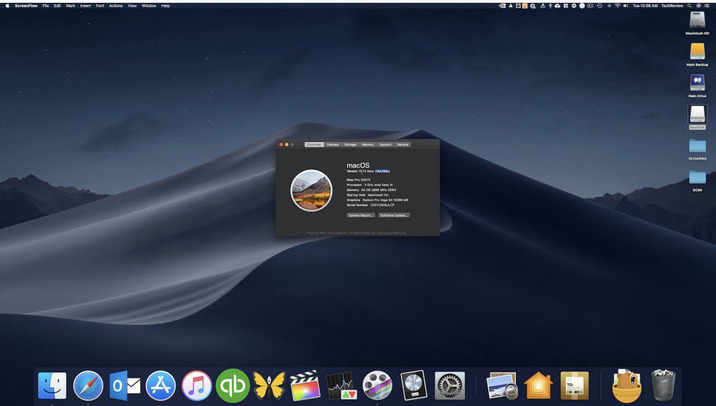
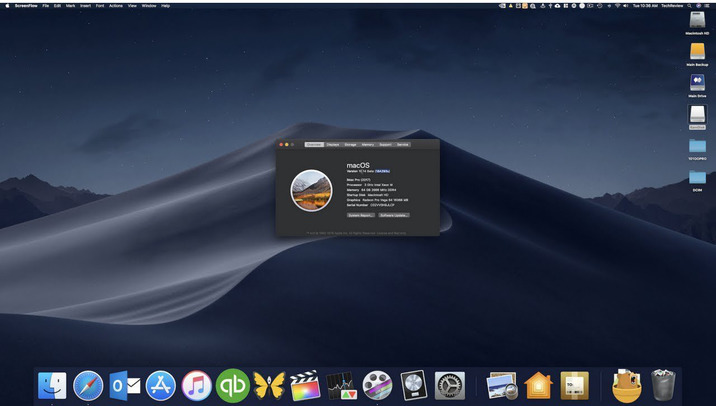
macOS Catalina 10.15.4 (19E266)

Download macOS Catalina 10.15.4 (19E266)

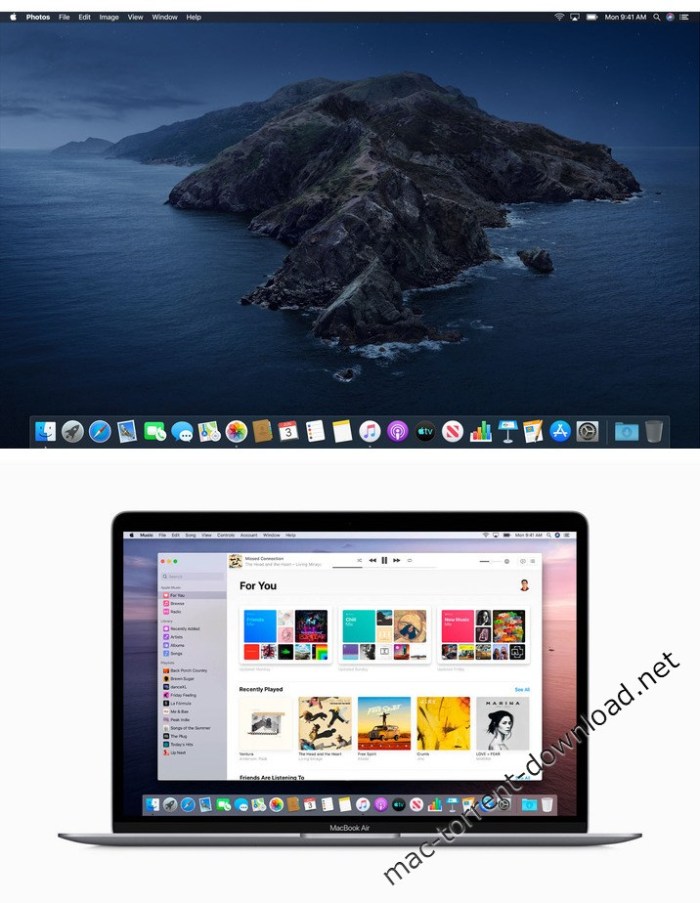
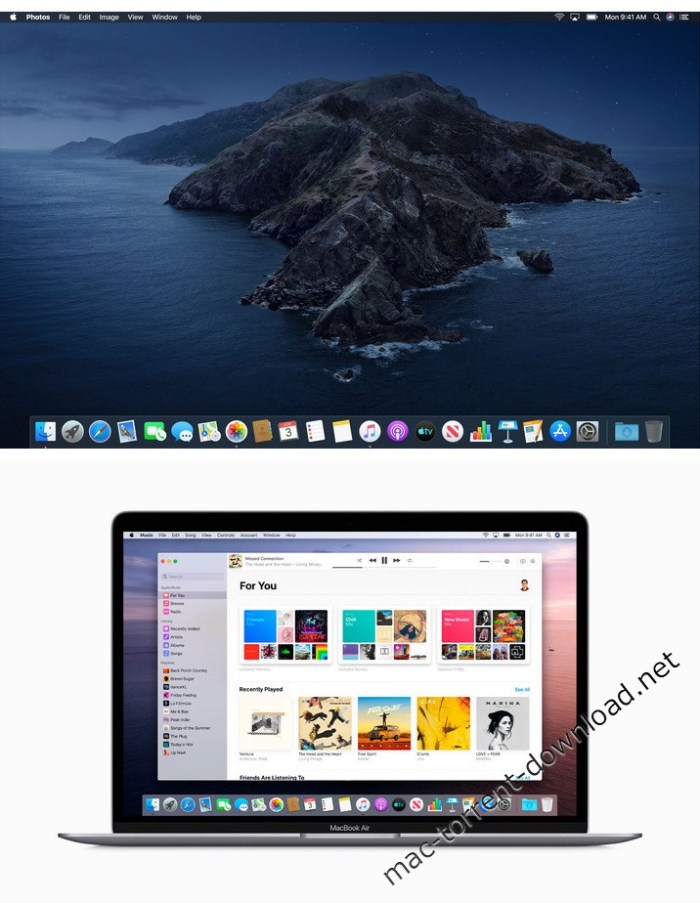
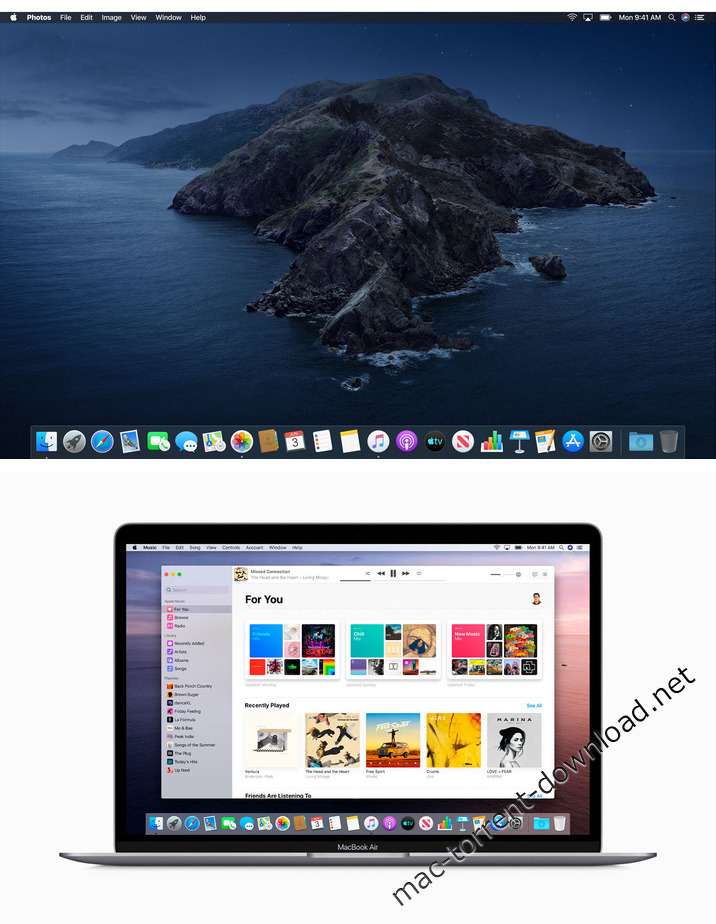
gives you more of everything you love about Mac. Experience three all-new media apps: Apple Music, Apple TV, and Apple Podcasts. Locate a missing Mac with the new Find My app. And now coming to Mac, your favorite iPad apps. You can even extend your desktop using iPad as a second display. Now you can take everything you do above and beyond.

Features

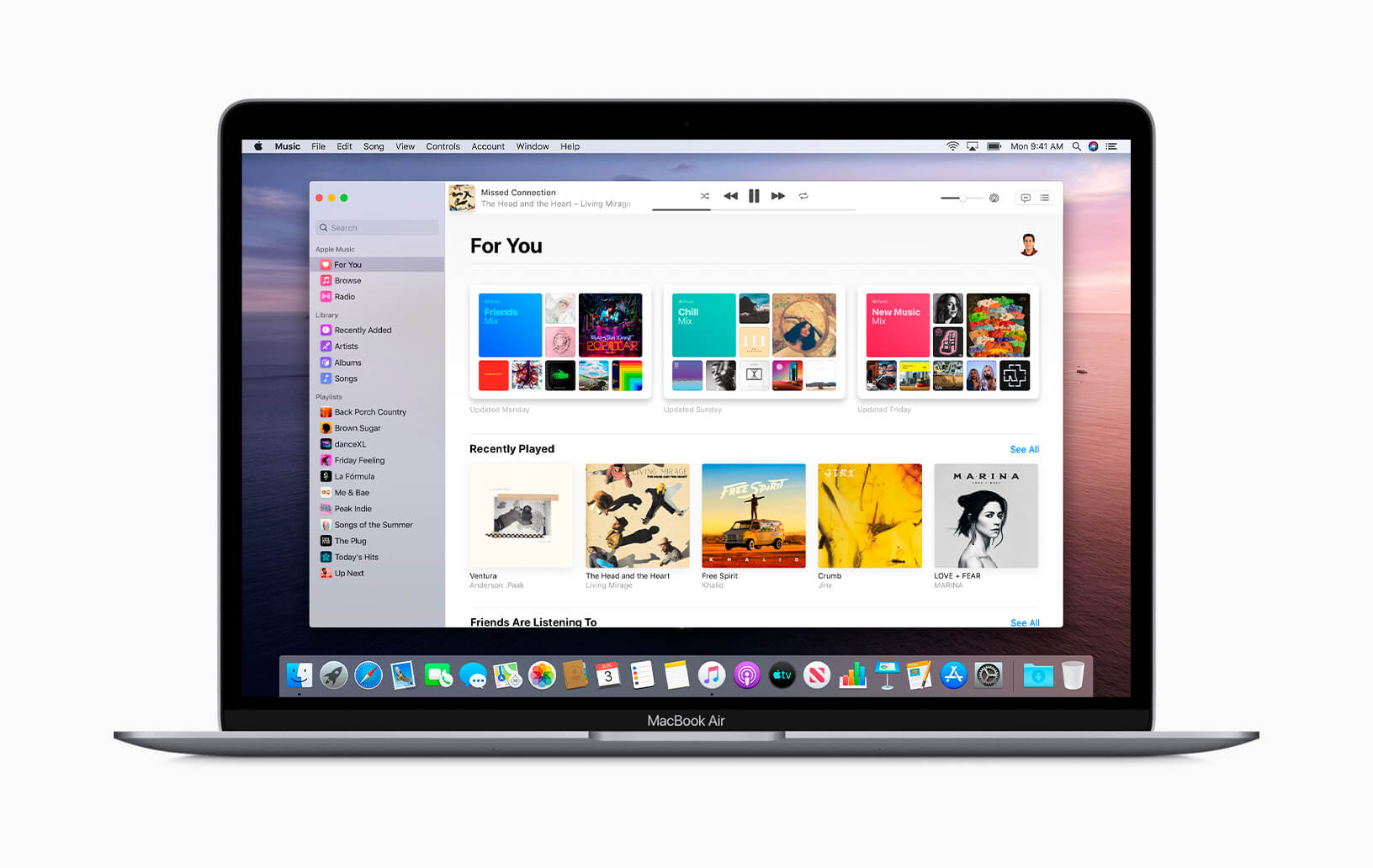
Apple Music

  • Stream and download over 50 million songs with an Apple Music subscription.
  • Access the iTunes Store to purchase songs or albums.
  • Find all the music you’ve purchased, downloaded, or imported from CDs organized in the improved library.

Apple TV

  • Buy or rent the latest movie releases.
  • Subscribe to Apple TV channels to watch popular shows on demand and ad-free, online or off.
  • Start watching on one device and pick up where you left off on any of your other devices, including Apple TV, iPhone, iPad, and compatible smart TVs.

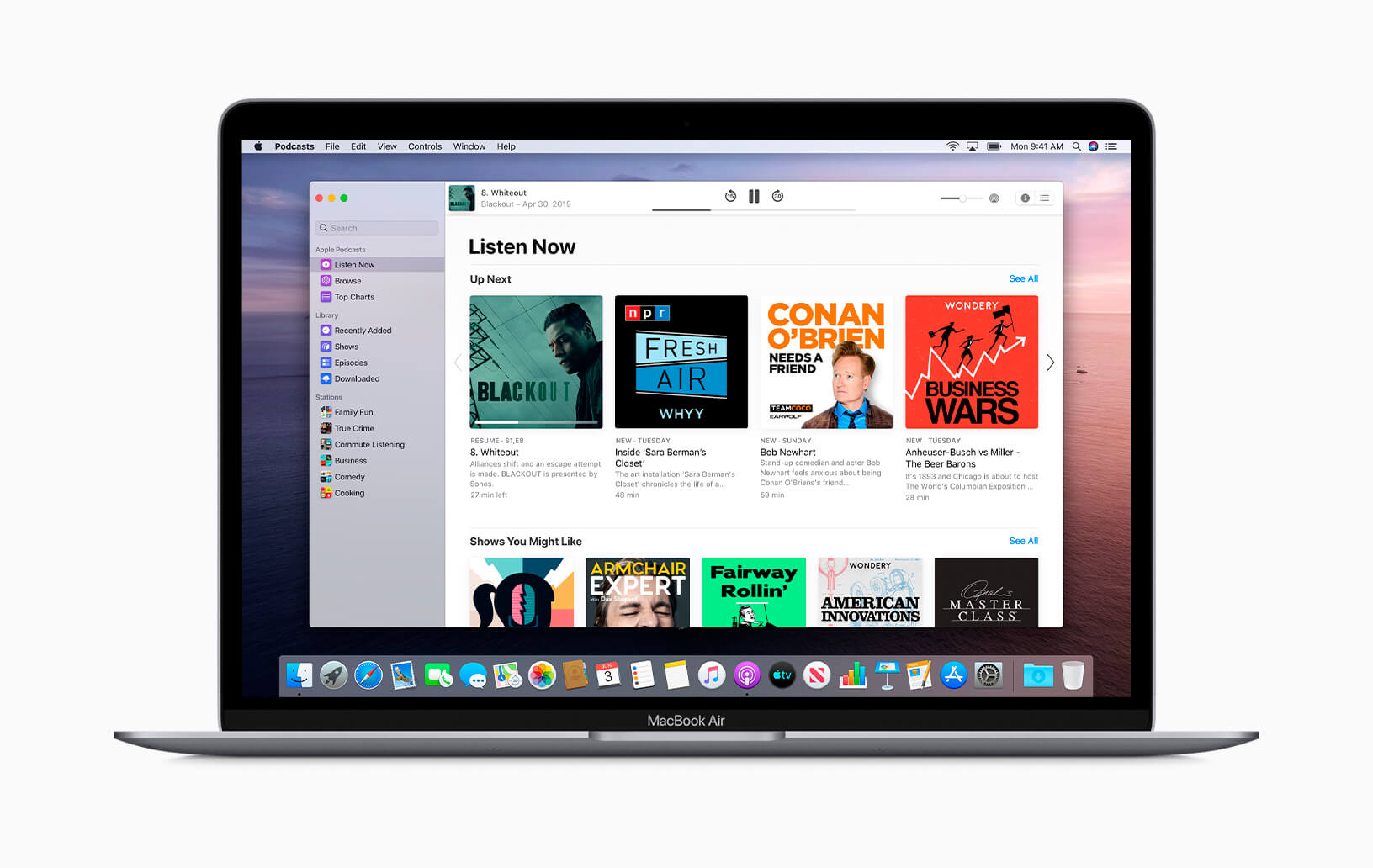
Apple Podcasts

  • Find podcasts by title, topic, guest, host, and content.
  • Subscribe to your favorite podcasts to receive the latest episodes automatically.
  • Begin listening to an episode on your Mac, then seamlessly resume on your iPhone, iPad, or Apple Watch when you’re on the go.

Syncing and backup

  • Sync content and back up, update, and restore software from the Finder when you connect your iPhone or iPad to your Mac.

App Store with Apple Arcade

  • Play 100 groundbreaking new games with one subscription — no ads or additional purchases.
  • Browse the latest games, personalized recommendations, and exclusive editorial content in the all-new Arcade tab on the App Store.
  • Enjoy games across iPhone, iPod touch, iPad, Mac, and Apple TV.

Mac Catalyst

  • Enjoy a new class of Mac apps built from your favorite iPad titles.

Sidecar

  • Expand your Mac workspace by using your iPad as a second display.
  • Place one app on each screen, or put your main canvas on your Mac and your tools and palettes on your iPad.
  • Use Apple Pencil for tablet input when using your favorite creative pro Mac apps.

Continuity Sketch and Markup

  • Create a sketch on your iPad or iPhone and insert it into any document on your Mac.
  • Use your iPad or iPhone to sign a PDF or mark up a screenshot on your Mac.

Accessibility

  • Control your Mac entirely with your voice using Voice Control.
  • Enable Hover Text to display large, high-resolution text in a dedicated window.
  • Zoom in closely on one screen when using two displays for improved legibility with Zoom Display.

Security

  • Feel secure knowing that the apps you use have been checked by Apple for known malware.
  • Authorize access to data when apps request it using new data protections.

Find My

  • Keep track of your devices and find friends and family with an easy-to-use new app.
  • Help locate devices even if they’re not connected to Wi-Fi or cellular.
  • Use Activation Lock to protect Mac models with the Apple T2 Security Chip.

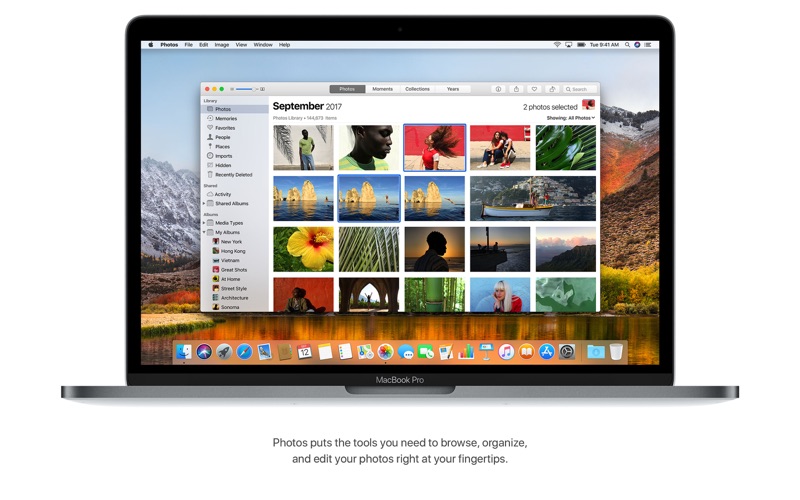
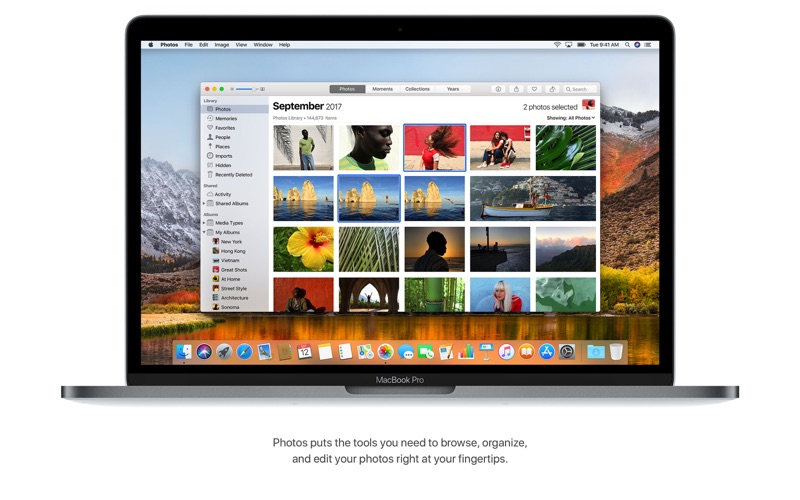
Photos

  • Enjoy a new immersive, dynamic experience that showcases your best photos and memories.
  • View Memory Movies and edit their duration, mood, and title.

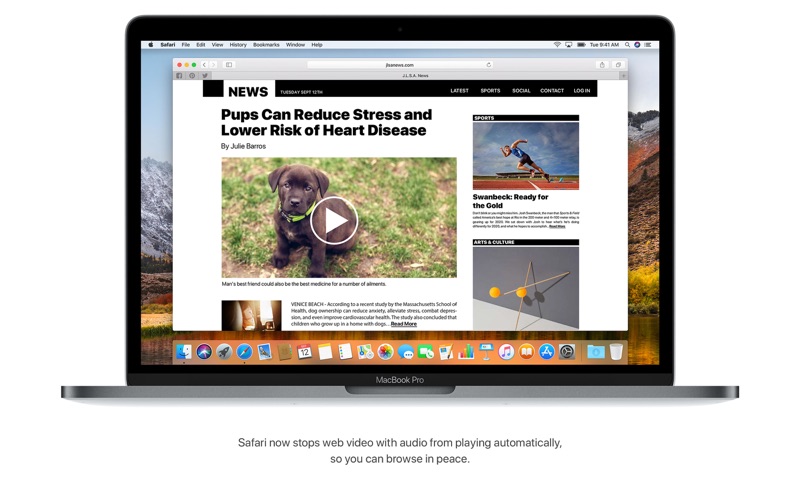
Safari

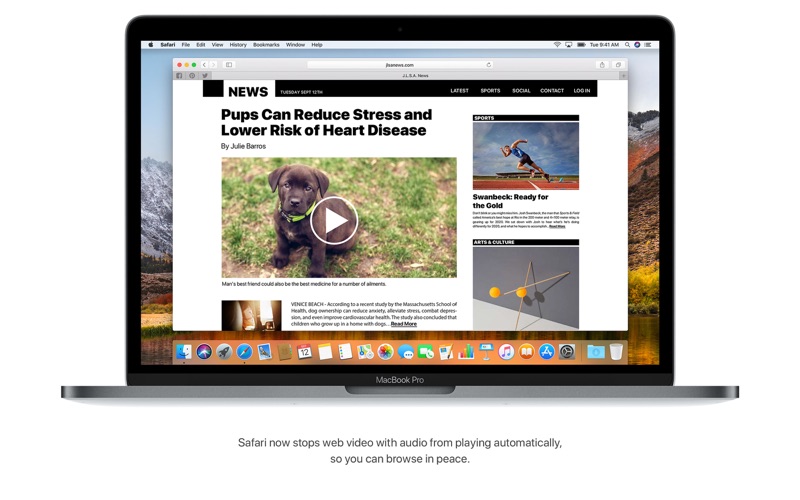
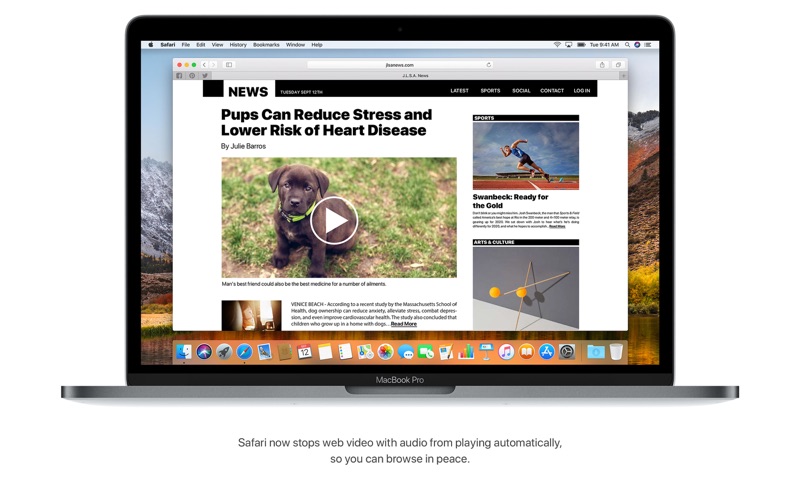
  • Browse using an updated start page that surfaces sites from your history, bookmarks, reading list, iCloud Tabs, and even links sent to you in Messages.
  • Help secure your accounts using strong passwords suggested by Safari.

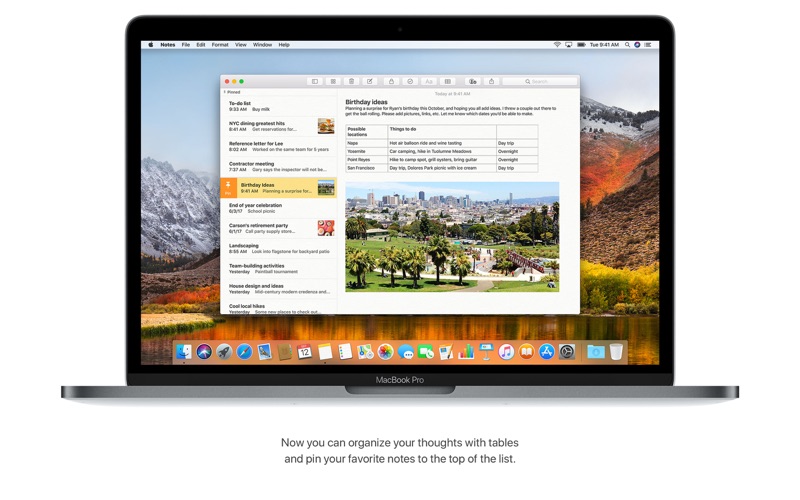
Notes

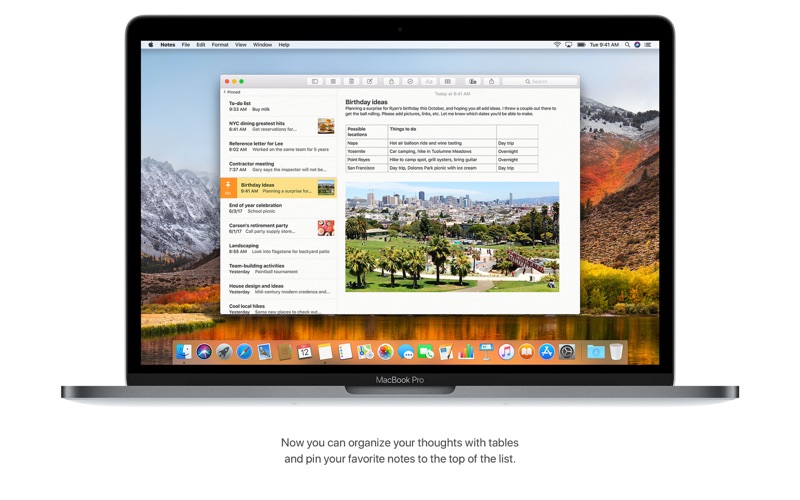
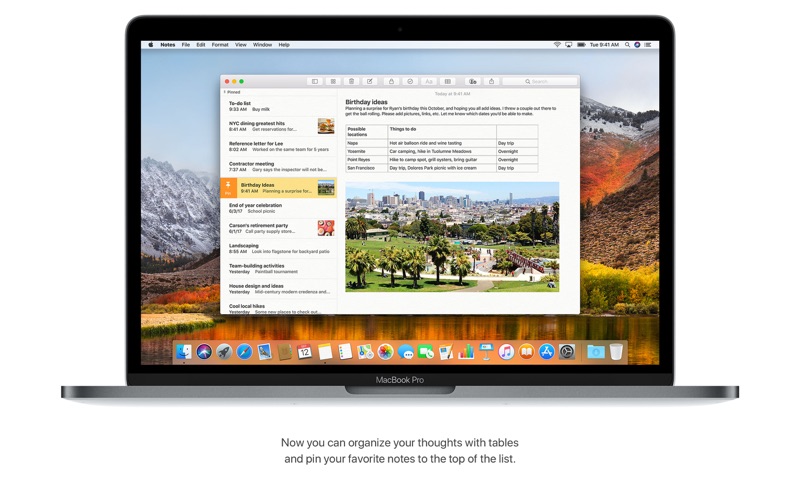
  • View notes as visual thumbnails in gallery view.
  • Enjoy a more powerful search that recognizes text in items you’ve scanned and objects within images.
  • Share an entire folder of notes using shared folders.

Reminders

  • Use new edit buttons to add dates, locations, flags, attachments, and more to reminders.

Mail

  • Take control of your inbox by muting a thread, blocking a sender, or unsubscribing from a mailing list.

Screen Time

  • Gain insight into time spent using apps and websites and set usage limits.
  • Set up Family Sharing to use Screen Time with your family’s devices.

Installation Notes

Enabling the installation of third-party applications.

sudo spctl --master-disable

Creating a bootable flash drive

Where USB is your USB flash drive, in Mac OS Extended (Magazine) format of at least 8 Gb.

sudo /Applications/Install macOS 10.15 Beta.app/Contents/Resources/createinstallmedia --volume /Volumes/USB

Information

CompatibilityOS X 10.9 or later, 64-bit processor

Supports models

  • MacBook: Early 2015 or later
  • MacBook Air: Mid 2012 or later
  • MacBook Pro: Mid 2012 or later
  • Mac Mini: Late 2012 or later
  • iMac: Late 2012 or later
  • iMac Pro: 2017 and later (all models)
  • Mac Pro: Late 2013 or later
LanguagesMultilangual

What’s New in macOS Catalina 10.15.4 (19E266)

macOS Catalina 10.15.4 introduces iCloud Drive folder sharing, Screen Time communications limits, Apple Music time-synced lyrics view, and more. The update also improves the stability, reliability, and security of your Mac.

Finder

  • iCloud Drive folder sharing from Finder
  • Controls to limit access only to people you explicitly invite, or to grant access to anyone with the folder link
  • Permissions to choose who can make changes and upload files and who can only view and download files

Screen Time

  • Communication limits for controlling who your children can communicate with and be contacted by throughout the day and during downtime
  • Playback control of music videos for your children

Music

  • Time-synced lyrics view for Apple Music, including the ability to jump to your favorite part of a song by clicking a line in lyrics view

Safari

  • Option to import Chrome passwords into your iCloud Keychain for easy AutoFill of your passwords in Safari and across all your devices
  • Controls for duplicating a tab and for closing all tabs to the right of the current tab
  • HDR playback support on compatible computers for Netflix content

App Store with Apple Arcade

  • Universal Purchase support enables the use of a singular purchase of a participating app across iPhone, iPod touch, iPad, Mac, and Apple TV
  • Recently played Arcade games appear in the Arcade tab so you can continue playing on iPhone, iPod touch, iPad, Mac, and Apple TV

Pro Display XDR

  • Customized reference modes that you can tailor to specific workflow needs by selecting from several color gamut, white point, luminance, and transfer function options

Accessibility

  • Head pointer preference for moving a cursor on the screen based on the precise movements of your head

This update also includes bug fixes and other improvements.

  • High Dynamic Range output to HDR10-compatible third-party displays and TVs connected with DisplayPort or HDMI
  • OAuth authentication support with Outlook.com accounts for improved security
  • CalDav migration support when upgrading to iCloud reminders on a secondary device
  • Resolves an issue where text copied between apps may appear invisible when Dark Mode is active
  • Fixes an issue in Safari where a CAPTCHA tile may display incorrectly
  • Resolves an issue where Reminders may send notifications for completed reminders
  • Fixes an issue with screen brightness for the LG UltraFine 5K display after waking from sleep

Screenshots


Name macOS Catalina 10.15.4 19E266 UpdCombo mac-torrents.net.dmg
Size 4.74 GB
Created on 2020-03-25 22:53:10
Hash 443fd9ac5eda44e2e0d7edd30d13980b9cb9764e
Files macOS Catalina 10.15.4 19E266 UpdCombo mac-torrents.net.dmg (4.74 GB)

macOS Big Sur 11.1 (20C69)

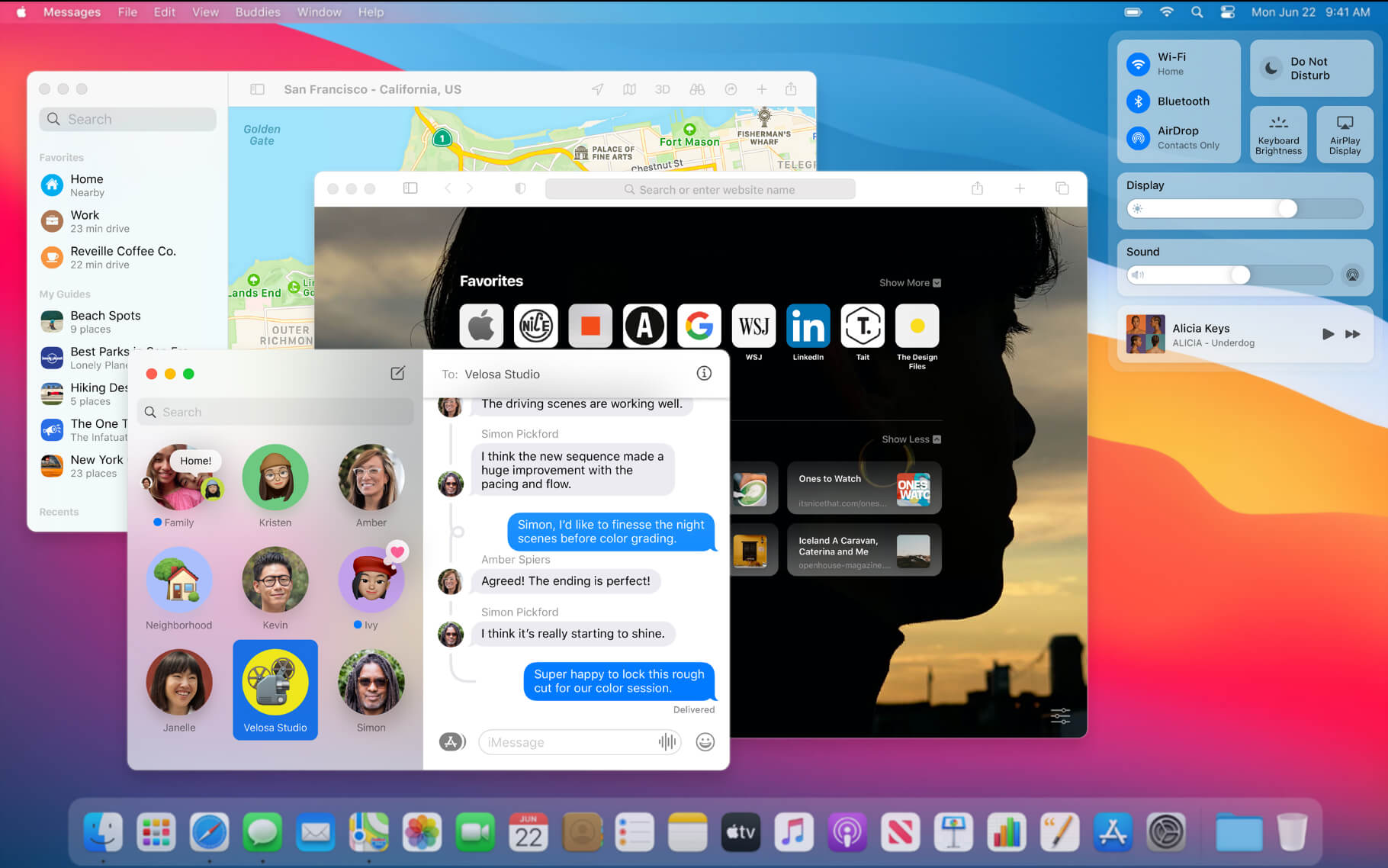
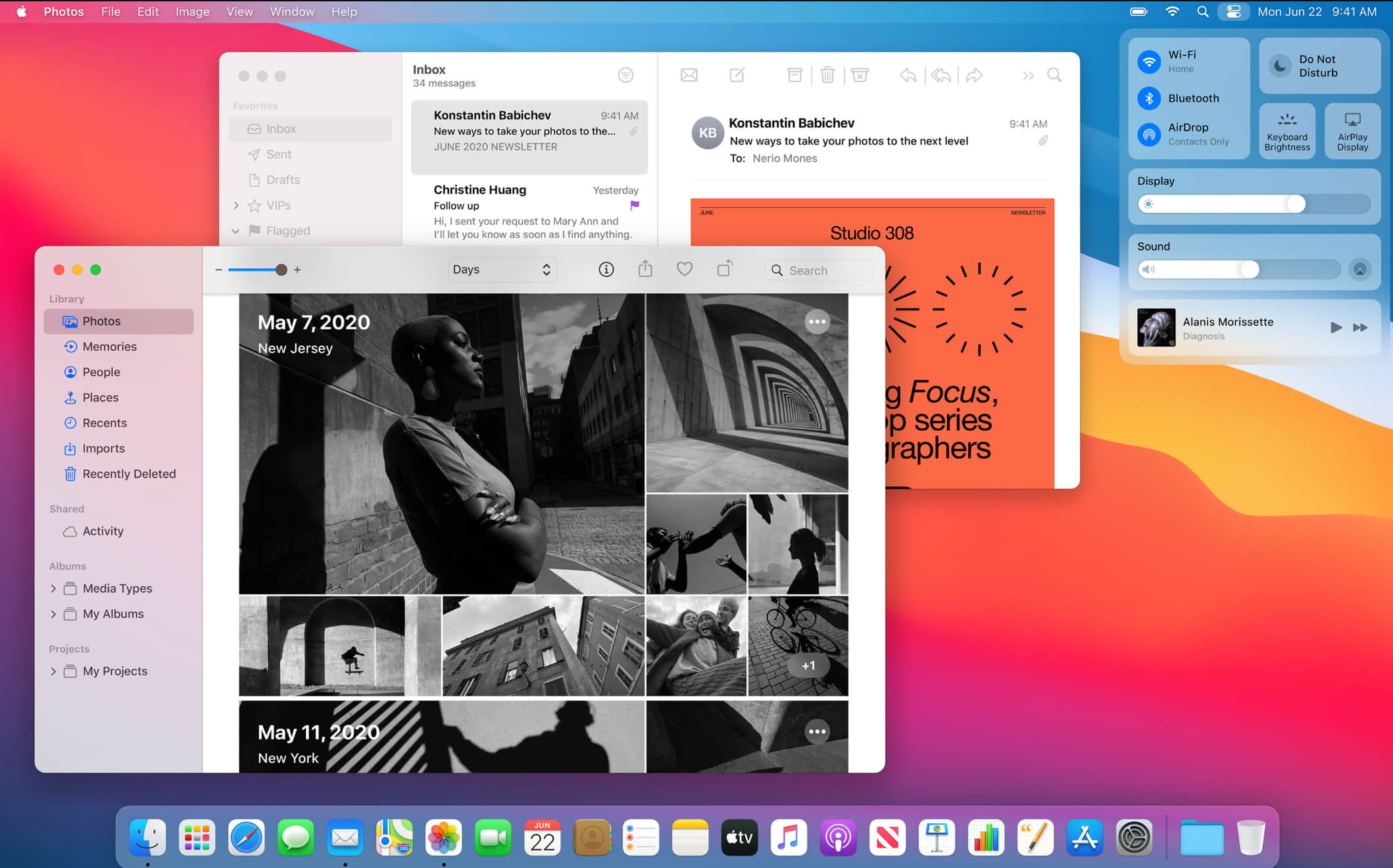
macOS Big Sur elevates the world’s most advanced desktop operating system to a new level of power and beauty. Experience Mac to the fullest with a refined new design. Enjoy the biggest Safari update ever. Discover new features for Maps and Messages. And get even more transparency around your privacy.

Design

  • New design for apps makes it easier to focus on your content and take action with space efficient toolbars and full height sidebars
  • Updated menu bar features wider spacing and a new translucent material that becomes more vibrant when you interact with it
  • Refreshed system sounds include the boot chime and sounds for transferring files, moving items to the trash, locking files, and more

Control Center

  • Control Center puts your favorite menus and controls in one handy place in the menu bar so you can quickly adjust settings as you work
  • Additional controls appear when you click to expand Control Center menus
  • Support for pinning favorite menus from Control Center to the menu bar

Notification Center

  • Updated Notification Center brings notifications and widgets together in one view
  • Interactive notifications display additional actions you can take with a deep press
  • Beautiful, new data-rich widgets for Calendar, Clock, Notes, Photos, Podcasts, Reminders, Screen Time, Stocks, and Weather
  • Edit view lets you to add new widgets and customize their size
  • Support for widgets from third-party apps

Safari

  • World’s fastest desktop browser with industry-leading performance and energy efficiency
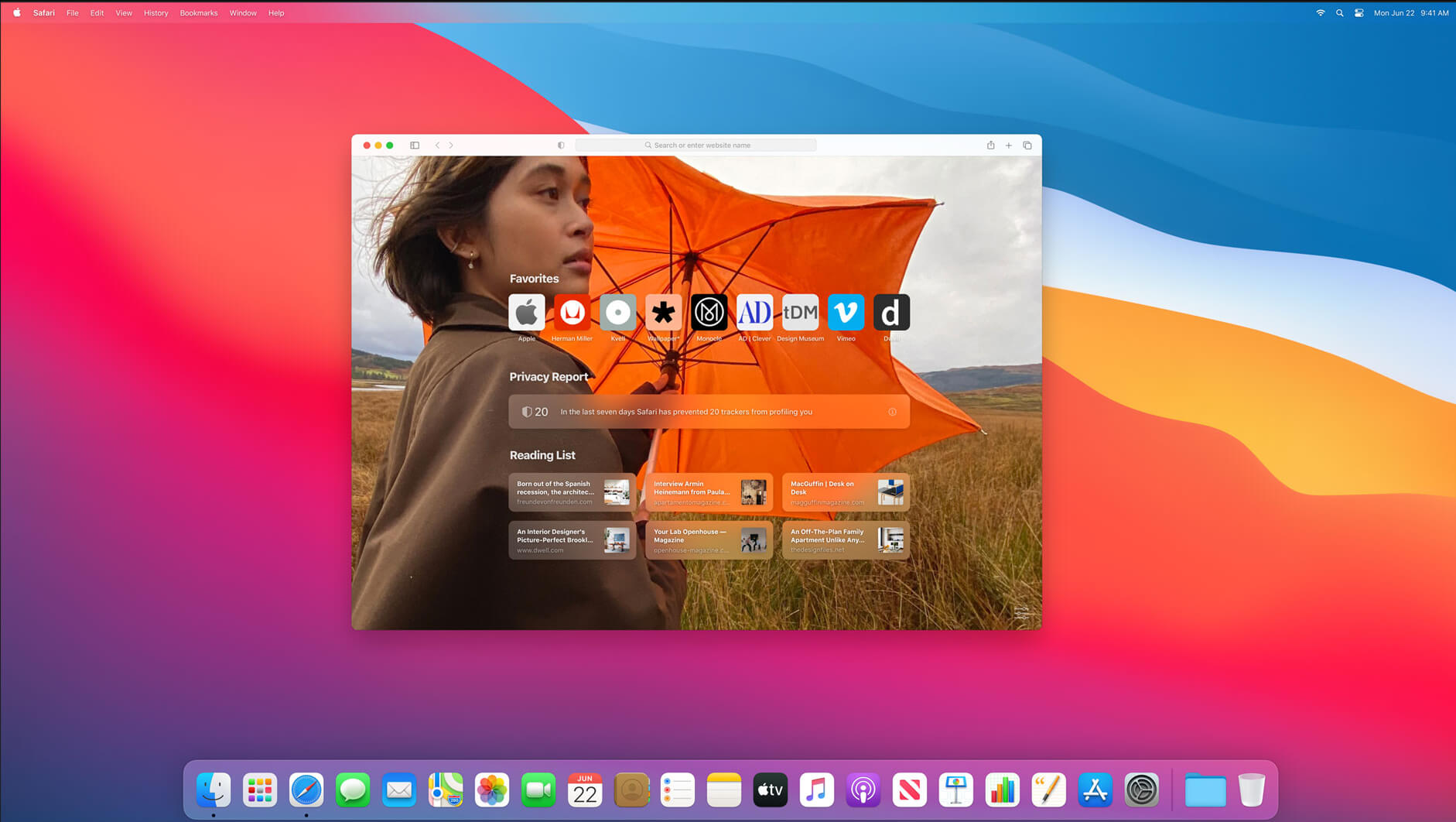
  • Customizable new start page lets you set a background image and decide what appears, including Reading List, iCloud Tabs, Privacy Report and more
  • Expanded extensions support and new dedicated category in the App Store for discovering new extensions
  • New tab design featuring favicons in tabs, and website previews that appear when you hover over a tab
  • Translation (beta) for English, Spanish, Simplified Chinese, French, German, Russian or Brazilian Portuguese
  • Privacy Report gives you visibility into how Safari keeps your browsing your business, with an overview of trackers blocked by Intelligent Tracking Prevention
  • Safari password monitoring securely screens saved passwords for any that may have been involved in a data breach
  • Safari privacy prompts for extensions let you choose when a website can work with an extension

Messages

  • Pinned conversations keep up to nine of your favorite threads at the top of the list
  • Mentions let you direct a message to an individual in a group conversation
  • Inline replies let you reply to a specific message earlier in the conversation
  • Message effects for balloons, confetti, lasers and more
  • #images helps you find and add trending GIFs to messages
  • Memoji makes it simple to create a personalized character and send stickers that match your mood and personality

Maps

  • Guides offer recommendations for places to go and things to do, curated by a selection of trusted brands
  • Look Around to explore cities in a high-resolution, interactive 3D experience
  • Indoor maps for major airports and shopping centers
  • Cycling directions helps you find bike-friendly routes to your destination
  • Electric vehicle routing helps you plan trips for supported vehicles that you add on iPhone

Some features may not be available for all regions, or on all Apple devices.

* Performance will vary based on system configuration, network connection, and other factors.

What’s New

macOS Big Sur 11.1 introduces support for AirPods Max, TV app enhancements, Apple News widgets, and privacy information on the App Store. This release also includes bug fixes for your Mac.

AirPods Max
  • Support for AirPods Max, new over-ear headphones
  • High fidelity audio for rich sound
  • Adaptive EQ adapts sound in real time to the personal fit of ear cushions
  • Active Noise Cancellation to block out environmental noise
  • Transparency mode to hear the environment around you
  • Spatial audio with dynamic head tracking for a theater-like listening experience
Apple TV
  • An all-new Apple TV tab makes it easy to discover and watch Apple Original shows and movies
  • Enhanced search so you can browse by category such as genre and see recent searches and suggestions as you type
  • Top search results shown with the most relevant matches across movies, TV shows, cast, channels, and sports
Apple News
  • Apple News widgets are now available in Notification Center
App Store
  • New privacy information section on App Store pages that includes a developer-reported summary of the app’s privacy practices
  • In-game dashboard within Arcade games recommends new Arcade games to play
iPhone and iPad apps on Macs with M1
  • New window options for iPhone and iPad apps let you switch between landscape and portrait orientations or expand a window to fill the entire screen
Photos
  • Apple ProRAW photos can be edited in the Photos app
Safari
  • Ecosia search engine option in Safari
Air Quality
  • Available in Maps and Siri for locations in China mainland
  • Health recommendations are provided in Siri for the United States, United Kingdom, Germany, India, and Mexico at certain air quality levels
This release also addresses the following issues:
  • QuickTime Player might quit when opening a movie with a timecode track after upgrading from macOS Catalina
  • Bluetooth connection status was not displayed in Control Center
  • Reliability of unlocking your Mac automatically with your Apple Watch
  • Trackpad scrolling speed may be faster than expected on MacBook Pro models
  • LG UltraFine 5K Display may incorrectly display at 4K resolution on Macs with M1

* Some features may not be available for all regions, or on all Apple devices.

Compatibility: OS X 10.9 or later, 64-bit processor
Homepage https://www.apple.com/macos/big-sur/

Screenshots


Name: macOS.Big.Sur.11.1_Torrentmac.net
Size: 11.3 GB
Files macOS.Big.Sur.11.1_Torrentmac.net [11.3 GB]

   Download

macOS Big Sur 11.0.1 (20B50)

macOS Big Sur elevates the world’s most advanced desktop operating system to a new level of power and beauty. Experience Mac to the fullest with a refined new design. Enjoy the biggest Safari update ever. Discover new features for Maps and Messages. And get even more transparency around your privacy.

Design

  • New design for apps makes it easier to focus on your content and take action with space efficient toolbars and full height sidebars
  • Updated menu bar features wider spacing and a new translucent material that becomes more vibrant when you interact with it
  • Refreshed system sounds include the boot chime and sounds for transferring files, moving items to the trash, locking files, and more

Control Center

  • Control Center puts your favorite menus and controls in one handy place in the menu bar so you can quickly adjust settings as you work
  • Additional controls appear when you click to expand Control Center menus
  • Support for pinning favorite menus from Control Center to the menu bar

Notification Center

  • Updated Notification Center brings notifications and widgets together in one view
  • Interactive notifications display additional actions you can take with a deep press
  • Beautiful, new data-rich widgets for Calendar, Clock, Notes, Photos, Podcasts, Reminders, Screen Time, Stocks, and Weather
  • Edit view lets you to add new widgets and customize their size
  • Support for widgets from third-party apps

Safari

  • World’s fastest desktop browser with industry-leading performance and energy efficiency*
  • Customizable new start page lets you set a background image and decide what appears, including Reading List, iCloud Tabs, Privacy Report and more
  • Expanded extensions support and new dedicated category in the App Store for discovering new extensions
  • New tab design featuring favicons in tabs, and website previews that appear when you hover over a tab
  • Translation (beta) for English, Spanish, Simplified Chinese, French, German, Russian or Brazilian Portuguese
  • Privacy Report gives you visibility into how Safari keeps your browsing your business, with an overview of trackers blocked by Intelligent Tracking Prevention
  • Safari password monitoring securely screens saved passwords for any that may have been involved in a data breach
  • Safari privacy prompts for extensions let you choose when a website can work with an extension

Messages
Pinned conversations keep up to nine of your favorite threads at the top of the list

  • Mentions let you direct a message to an individual in a group conversation
  • Inline replies let you reply to a specific message earlier in the conversation
  • Message effects for balloons, confetti, lasers and more
  • #images helps you find and add trending GIFs to messages
  • Memoji makes it simple to create a personalized character and send stickers that match your mood and personality

Maps

  • Guides offer recommendations for places to go and things to do, curated by a selection of trusted brands
  • Look Around to explore cities in a high-resolution, interactive 3D experience
  • Indoor maps for major airports and shopping centers
  • Cycling directions helps you find bike-friendly routes to your destination
  • Electric vehicle routing helps you plan trips for supported vehicles that you add on iPhone

Big Sur compatible Macs:

  • MacBook 2015 and later
  • MacBook Air 2013 and later
  • MacBook Pro Late 2013 and later
  • Mac mini 2014 and later
  • iMac 2014 and later
  • iMac Pro 2017 and later
  • Mac Pro 2013 and later

What’s New
Version 11.0.1

macOS Big Sur elevates the world’s most advanced desktop operating system to a new level of power and beauty. Experience Mac to the fullest with a refined new design. Enjoy the biggest Safari update ever. Discover new features for Maps and Messages. And get even more transparency around your privacy.

Compatibility: OS X 10.9 or later
Homepage https://www.apple.com/macos/big-sur/

Screenshots


Name: macOS.Big.Sur.11.0.1.20B50_Torrentmac.net
Size: 11.3 GB
Files macOS.Big.Sur.11.0.1.20B50_Torrentmac.net [11.3 GB]

   Download

macOS Big Sur 11.0.1 (20B29)


macOS Big Sur elevates the world’s most advanced desktop operating system to a new level of power and beauty. Experience Mac to the fullest with a refined new design. Enjoy the biggest Safari update ever. Discover new features for Maps and Messages. And get even more transparency around your privacy.Design
  • New design for apps makes it easier to focus on your content and take action with space efficient toolbars and full height sidebars
  • Updated menu bar features wider spacing and a new translucent material that becomes more vibrant when you interact with it
  • Refreshed system sounds include the boot chime and sounds for transferring files, moving items to the trash, locking files, and more

Control Center

  • Control Center puts your favorite menus and controls in one handy place in the menu bar so you can quickly adjust settings as you work
  • Additional controls appear when you click to expand Control Center menus
  • Support for pinning favorite menus from Control Center to the menu bar

Notification Center

  • Updated Notification Center brings notifications and widgets together in one view
  • Interactive notifications display additional actions you can take with a deep press
  • Beautiful, new data-rich widgets for Calendar, Clock, Notes, Photos, Podcasts, Reminders, Screen Time, Stocks, and Weather
  • Edit view lets you to add new widgets and customize their size
  • Support for widgets from third-party apps

Safari

  • World’s fastest desktop browser with industry-leading performance and energy efficiency*
  • Customizable new start page lets you set a background image and decide what appears, including Reading List, iCloud Tabs, Privacy Report and more
  • Expanded extensions support and new dedicated category in the App Store for discovering new extensions
  • New tab design featuring favicons in tabs, and website previews that appear when you hover over a tab
  • Translation (beta) for English, Spanish, Simplified Chinese, French, German, Russian or Brazilian Portuguese
  • Privacy Report gives you visibility into how Safari keeps your browsing your business, with an overview of trackers blocked by Intelligent Tracking Prevention
  • Safari password monitoring securely screens saved passwords for any that may have been involved in a data breach
  • Safari privacy prompts for extensions let you choose when a website can work with an extension

Messages
Pinned conversations keep up to nine of your favorite threads at the top of the list

  • Mentions let you direct a message to an individual in a group conversation
  • Inline replies let you reply to a specific message earlier in the conversation
  • Message effects for balloons, confetti, lasers and more
  • #images helps you find and add trending GIFs to messages
  • Memoji makes it simple to create a personalized character and send stickers that match your mood and personality

Maps

  • Guides offer recommendations for places to go and things to do, curated by a selection of trusted brands
  • Look Around to explore cities in a high-resolution, interactive 3D experience
  • Indoor maps for major airports and shopping centers
  • Cycling directions helps you find bike-friendly routes to your destination
  • Electric vehicle routing helps you plan trips for supported vehicles that you add on iPhone

Big Sur compatible Macs:

  • MacBook 2015 and later
  • MacBook Air 2013 and later
  • MacBook Pro Late 2013 and later
  • Mac mini 2014 and later
  • iMac 2014 and later
  • iMac Pro 2017 and later
  • Mac Pro 2013 and later

What’s New:

Version 11.0.1

  • macOS Big Sur elevates the world’s most advanced desktop operating system to a new level of power and beauty. Experience Mac to the fullest with a refined new design. Enjoy the biggest Safari update ever. Discover new features for Maps and Messages. And get even more transparency around your privacy.

Compatibility: OS X 10.9 or later 64-bit
Homepage https://www.apple.com/macos/big-sur/

Screenshots


Name: macOS Big Sur 11.0.1 (20B29)_Mactorrents.io.rar
Size: 11.2 GB
Files macOS Big Sur 11.0.1 (20B29)_Mactorrents.io.rar[11.2 GB]

   Download

macOS Catalina 10.15.7 (19H2)

macOS Catalina gives you more of everything you love about Mac. Experience three all-new media apps: Apple Music, Apple TV, and Apple Podcasts. Locate a missing Mac with the new Find My app. And now coming to Mac, your favorite iPad apps. You can even extend your desktop using iPad as a second display. Now you can take everything you do above and beyond.

Apple Music
-Stream and download over 50 million songs with an Apple Music subscription.
-Access the iTunes Store to purchase songs or albums.
-Find all the music you’ve purchased, downloaded, or imported from CDs organized in the improved library.

Apple TV
-Buy or rent the latest movie releases.
-Subscribe to Apple TV channels to watch popular shows on demand and ad-free, online or off.
-Start watching on one device and pick up where you left off on any of your other devices, including Apple TV, iPhone, iPad, and compatible smart TVs.

Apple Podcasts
-Find podcasts by title, topic, guest, host, and content.
-Subscribe to your favorite podcasts to receive the latest episodes automatically.
-Begin listening to an episode on your Mac, then seamlessly resume on your iPhone, iPad, or Apple Watch when you’re on the go.

Syncing and backup
-Sync content and back up, update, and restore software from the Finder when you connect your iPhone or iPad to your Mac.

App Store with Apple Arcade
-Play 100+ groundbreaking new games with one subscription — no ads or additional purchases.
-Browse the latest games, personalized recommendations, and exclusive editorial content in the all-new Arcade tab on the App Store.
-Enjoy games across iPhone, iPod touch, iPad, Mac, and Apple TV.

Mac Catalyst
-Enjoy a new class of Mac apps built from your favorite iPad titles.

Sidecar
-Expand your Mac workspace by using your iPad as a second display.
-Place one app on each screen, or put your main canvas on your Mac and your tools and palettes on your iPad.
-Use Apple Pencil for tablet input when using your favorite creative pro Mac apps.

Continuity Sketch and Markup
-Create a sketch on your iPad or iPhone and insert it into any document on your Mac.
-Use your iPad or iPhone to sign a PDF or mark up a screenshot on your Mac.


Accessibility
-Control your Mac entirely with your voice using Voice Control.
-Enable Hover Text to display large, high-resolution text in a dedicated window.
-Zoom in closely on one screen when using two displays for improved legibility with Zoom Display.

Security
-Feel secure knowing that the apps you use have been checked by Apple for known malware.
-Authorize access to data when apps request it using new data protections.

Find My
-Keep track of your devices and find friends and family with an easy-to-use new app.
-Help locate devices even if they’re not connected to Wi-Fi or cellular.
-Use Activation Lock to protect Mac models with the Apple T2 Security Chip.

Photos
-Enjoy a new immersive, dynamic experience that showcases your best photos and memories.
-View Memory Movies and edit their duration, mood, and title.

Notes
-View notes as visual thumbnails in gallery view.
-Enjoy a more powerful search that recognizes text in items you’ve scanned and objects within images.
-Share an entire folder of notes using shared folders.

Reminders
-Use new edit buttons to add dates, locations, flags, attachments, and more to reminders.

Mail
-Take control of your inbox by muting a thread, blocking a sender, or unsubscribing from a mailing list.

Screen Time
-Gain insight into time spent using apps and websites and set usage limits.
-Set up Family Sharing to use Screen Time with your family’s devices.

Dark Mode
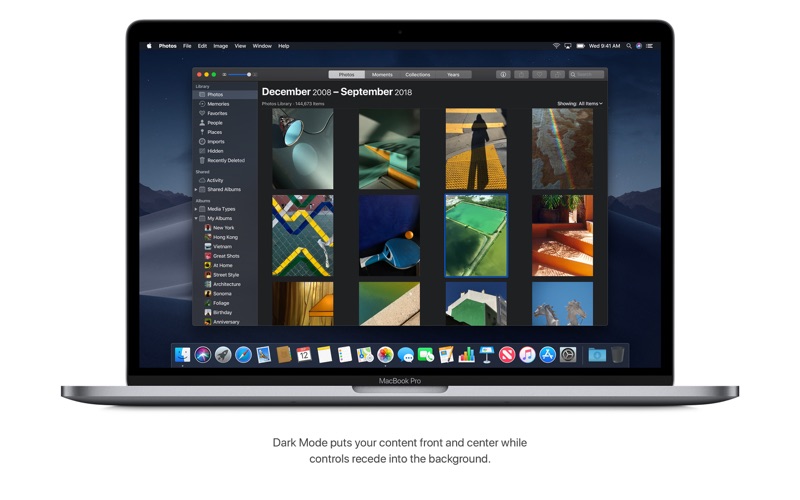
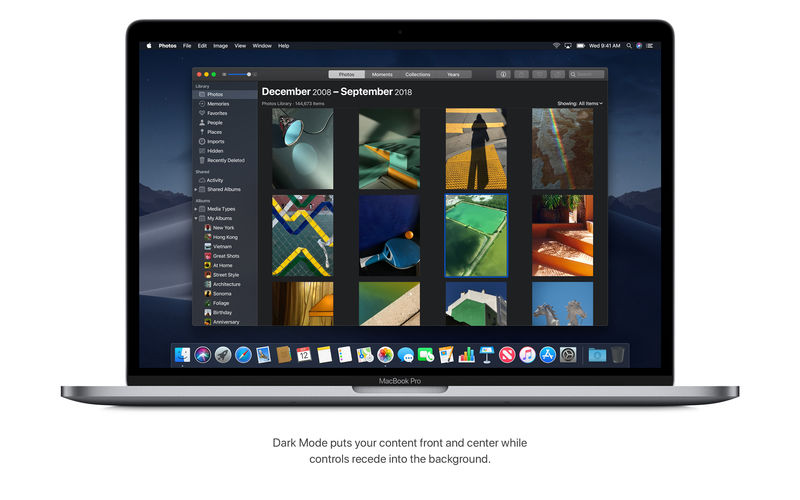
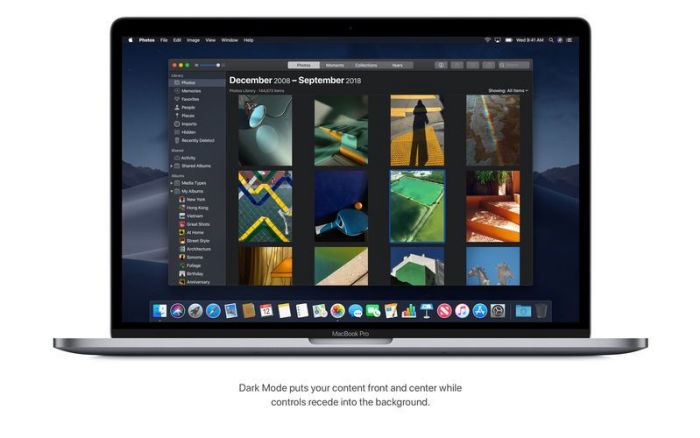
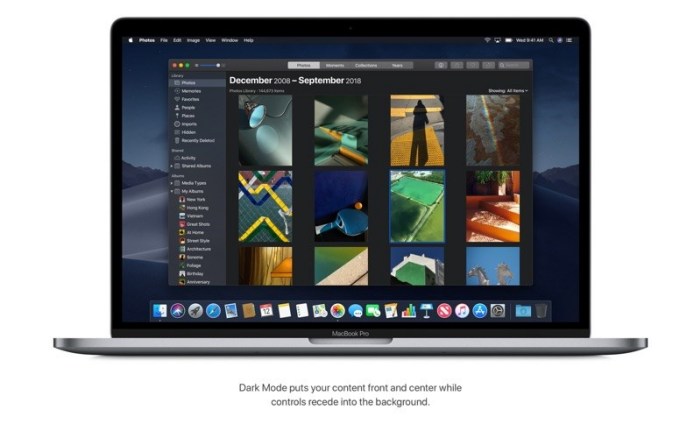
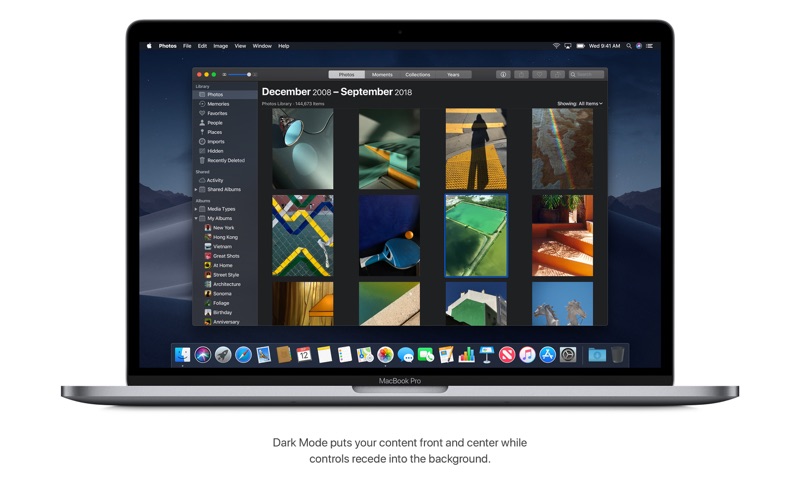
-Experience a dramatic new look for your Mac that puts your content front and center while controls recede into the background.
-Enjoy new app designs that are easier on your eyes in dark environments.


Desktop
-View an ever-changing desktop picture with Dynamic Desktop.
-Automatically organize your desktop files by kind, date, or tag using Stacks.
-Capture stills and video of your screen using the new Screenshot utility.


Finder
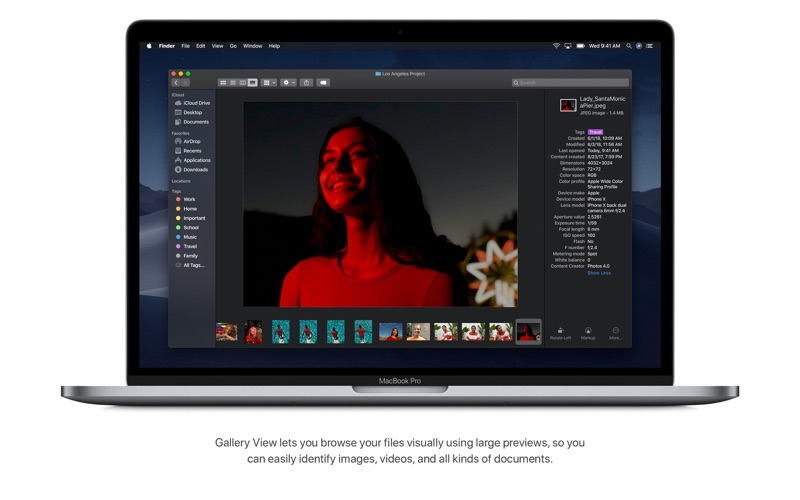
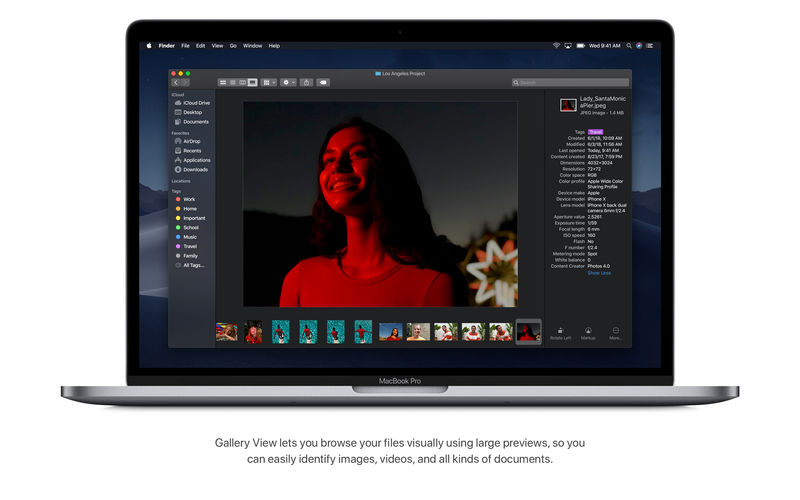
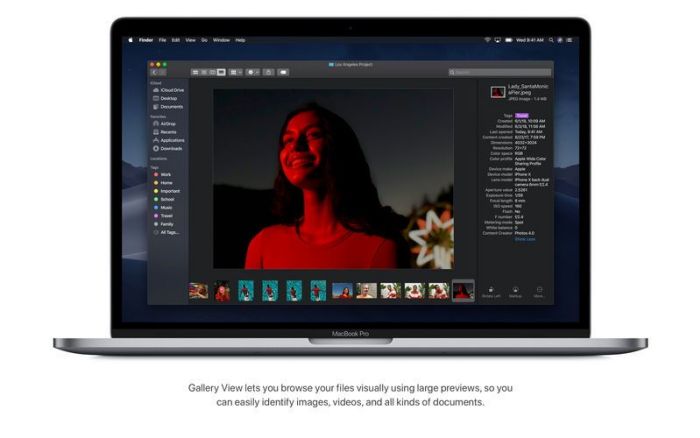
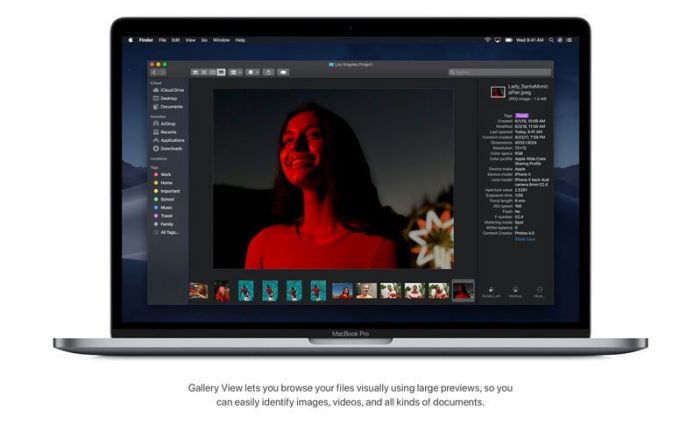
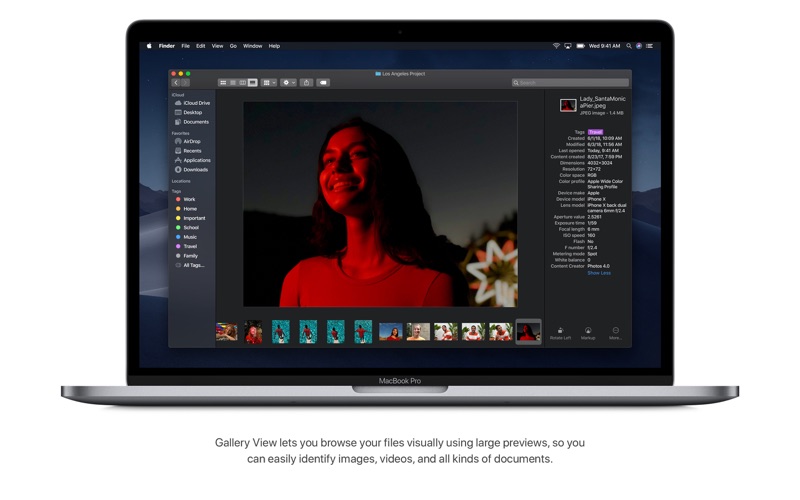
-Find your files visually using large previews in Gallery View.
-See full metadata for all file types in the Preview pane.
-Rotate an image, create a PDF, and more – right in the Finder using Quick Actions.
-Mark up and sign PDFs, crop images, and trim audio and video files using Quick Look.


Continuity Camera
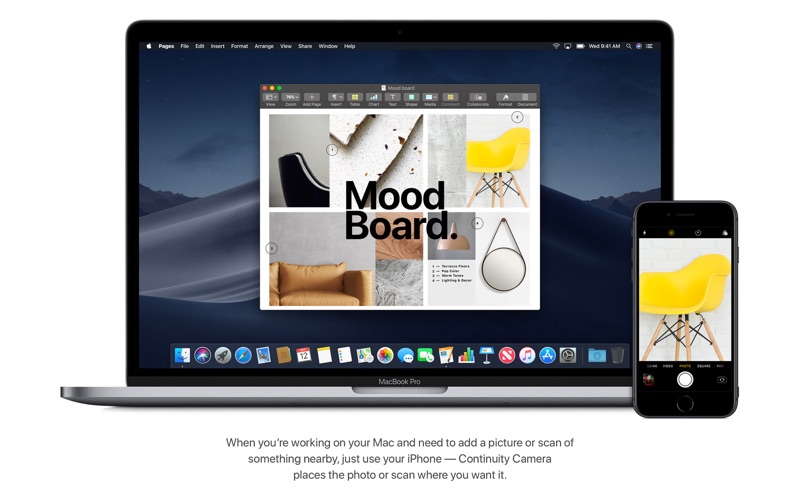
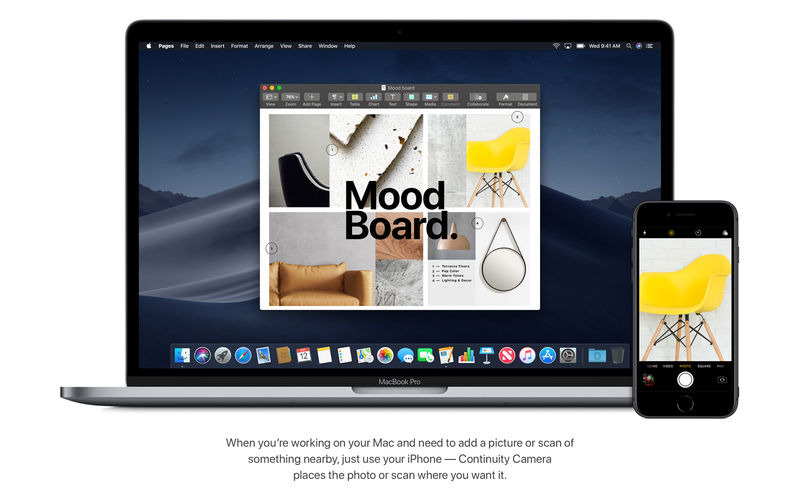
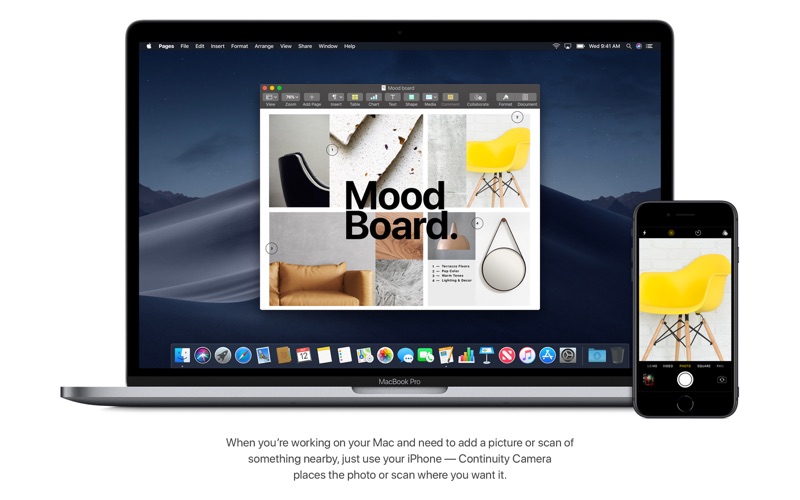
-Photograph an object or scan a document nearby using your iPhone, and it automatically appears on your Mac. 


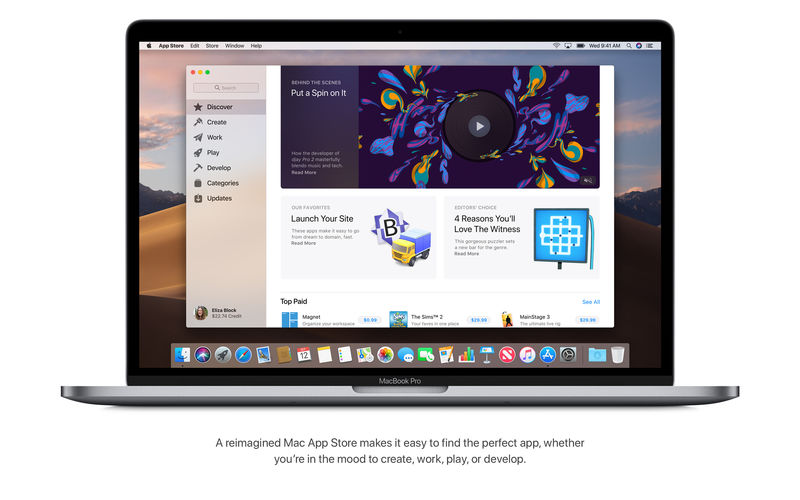
Mac App Store
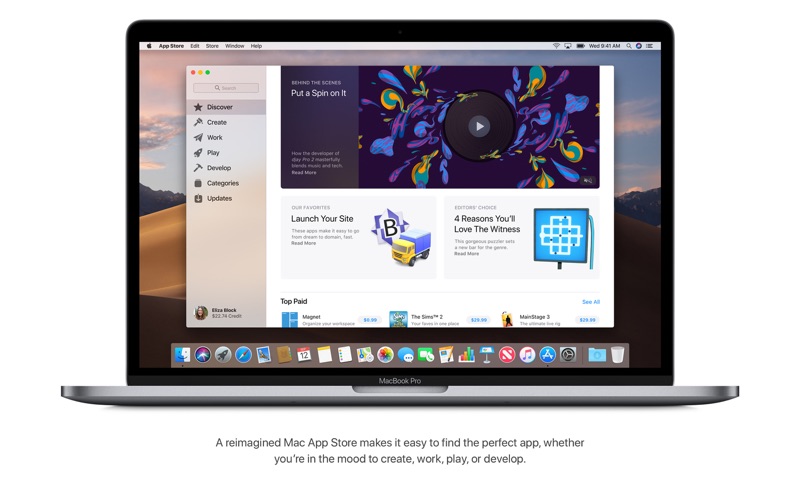
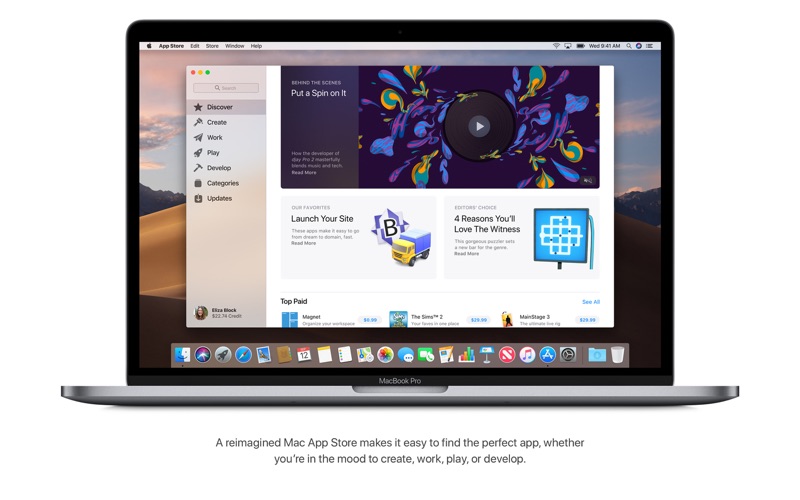
-Browse handpicked apps in the new Discover, Create, Work, and Play tabs.
-Discover the perfect app and make the most of those you have with stories, curated collections, and videos.


iTunes
-Search with lyrics to find a song using a few of the words you remember.
-Start a personalized station of any artist’s music from the enhanced artist pages.
-Enjoy the new Friends Mix, a playlist of songs your friends are listening to.

Languages: English, Arabic, Catalan, Chinese (Hong Kong), Croatian, Czech, Danish, Dutch, Finnish, French, German, Greek, Hebrew, Hindi, Hungarian, Indonesian, Italian, Japanese, Korean, Malay, Norwegian, Polish, Portuguese, Romanian, Russian, Simplified Chinese, Slovak, Spanish, Swedish, Thai, Traditional Chinese, Turkish, Ukrainian, Vietnamese

Compatibility: OS X 10.9 or later, 64-bit processor
Homepage https://apps.apple.com/app/macos-catalina/id1466841314

Screenshots


Name: macOS_Catalina_10.15.7_19H2_Mactorrents.io.dmg
Size: 7.73 GB
Files macOS_Catalina_10.15.7_19H2_Mactorrents.io.dmg[7.73 GB]

   Download

macOS Catalina 10.15.6 (19G73)

macOS Catalina gives you more of everything you love about Mac. Experience three all-new media apps: Apple Music, Apple TV, and Apple Podcasts. Locate a missing Mac with the new Find My app. And now coming to Mac, your favorite iPad apps. You can even extend your desktop using iPad as a second display. Now you can take everything you do above and beyond.

Apple Music

  • Stream and download over 50 million songs with an Apple Music subscription.
  • Access the iTunes Store to purchase songs or albums.
  • Find all the music you’ve purchased, downloaded, or imported from CDs organized in the improved library.

Apple TV

  • Buy or rent the latest movie releases.
  • Subscribe to Apple TV channels to watch popular shows on demand and ad-free, online or off.
  • Start watching on one device and pick up where you left off on any of your other devices, including Apple TV, iPhone, iPad, and compatible smart TVs.

Apple Podcasts

  • Find podcasts by title, topic, guest, host, and content.
  • Subscribe to your favorite podcasts to receive the latest episodes automatically.
  • Begin listening to an episode on your Mac, then seamlessly resume on your iPhone, iPad, or Apple Watch when you’re on the go.

Syncing and backup

  • Sync content and back up, update, and restore software from the Finder when you connect your iPhone or iPad to your Mac.

App Store with Apple Arcade

  • Play 100+ groundbreaking new games with one subscription — no ads or additional purchases.
  • Browse the latest games, personalized recommendations, and exclusive editorial content in the all-new Arcade tab on the App Store.
  • Enjoy games across iPhone, iPod touch, iPad, Mac, and Apple TV.

Mac Catalyst

  • Enjoy a new class of Mac apps built from your favorite iPad titles.

Sidecar

  • Expand your Mac workspace by using your iPad as a second display.
  • Place one app on each screen, or put your main canvas on your Mac and your tools and palettes on your iPad.
  • Use Apple Pencil for tablet input when using your favorite creative pro Mac apps.

Continuity Sketch and Markup

  • Create a sketch on your iPad or iPhone and insert it into any document on your Mac.
  • Use your iPad or iPhone to sign a PDF or mark up a screenshot on your Mac.

Accessibility

  • Control your Mac entirely with your voice using Voice Control.
  • Enable Hover Text to display large, high-resolution text in a dedicated window.
  • Zoom in closely on one screen when using two displays for improved legibility with Zoom Display.

Security

  • Feel secure knowing that the apps you use have been checked by Apple for known malware.
  • Authorize access to data when apps request it using new data protections.

Find My

  • Keep track of your devices and find friends and family with an easy-to-use new app.
  • Help locate devices even if they’re not connected to Wi-Fi or cellular.
  • Use Activation Lock to protect Mac models with the Apple T2 Security Chip.

Photos

  • Enjoy a new immersive, dynamic experience that showcases your best photos and memories.
  • View Memory Movies and edit their duration, mood, and title.

Safari

  • Browse using an updated start page that surfaces sites from your history, bookmarks, reading list, iCloud Tabs, and even links sent to you in Messages.
  • Help secure your accounts using strong passwords suggested by Safari.

Notes

  • View notes as visual thumbnails in gallery view.
  • Enjoy a more powerful search that recognizes text in items you’ve scanned and objects within images.
  • Share an entire folder of notes using shared folders.

Reminders

  • Use new edit buttons to add dates, locations, flags, attachments, and more to reminders.

Mail

  • Take control of your inbox by muting a thread, blocking a sender, or unsubscribing from a mailing list.

Screen Time

  • Gain insight into time spent using apps and websites and set usage limits.
  • Set up Family Sharing to use Screen Time with your family’s devices.

What’s New:

Version 10.15.6
macOS Catalina 10.15.6 introduces local news in your Today feed in Apple News and improves the security and reliability of your Mac.
Apple News

  • Local news in your Today feed provides extensive coverage of San Francisco, the Bay Area, Los Angeles, Houston, and New York City
  • More stories available from local news providers with a subscription to Apple News+
  • Your daily newsletter from Apple News can now be personalized with stories that reflect your interests

This update also includes bug fixes and other improvements.

  • Adds a new option to optimize video streaming on HDR-compatible Mac notebooks for improved battery life
  • Fixes an issue where the computer name may change after installing a software update
  • Resolves an issue where certain USB mouse and trackpads may lose connection

Languages: English, Arabic, Catalan, Chinese (Hong Kong), Croatian, Czech, Danish, Dutch, Finnish, French, German, Greek, Hebrew, Hindi, Hungarian, Indonesian, Italian, Japanese, Korean, Malay, Norwegian, Polish, Portuguese, Romanian, Russian, Simplified Chinese, Slovak, Spanish, Swedish, Thai, Traditional Chinese, Turkish, Ukrainian, Vietnamese

Compatibility: OS X 10.9 or later, 64-bit processor
Homepage https://apps.apple.com/app/macos-catalina/id1466841314

Screenshots


Name: macOS.Catalina.10.15.6.19G73.MAS_Mactorrents.io.dmg
Size: 7.70 GB
Files macOS.Catalina.10.15.6.19G73.MAS_Mactorrents.io.dmg[7.70 GB]

   Download

macOS Catalina v10.15.5 (19F96)


macOS Catalina gives you more of everything you love about Mac. Experience three all-new media apps: Apple Music, Apple TV, and Apple Podcasts. Locate a missing Mac with the new Find My app. And now coming to Mac, your favorite iPad apps. You can even extend your desktop using iPad as a second display. Now you can take everything you do above and beyond.

Features

Apple Music

  • Stream and download over 50 million songs with an Apple Music subscription.
  • Access the iTunes Store to purchase songs or albums.
  • Find all the music you’ve purchased, downloaded, or imported from CDs organized in the improved library.

Apple TV

  • Buy or rent the latest movie releases.
  • Subscribe to Apple TV channels to watch popular shows on demand and ad-free, online or off.
  • Start watching on one device and pick up where you left off on any of your other devices, including Apple TV, iPhone, iPad, and compatible smart TVs.

Apple Podcasts

  • Find podcasts by title, topic, guest, host, and content.
  • Subscribe to your favorite podcasts to receive the latest episodes automatically.
  • Begin listening to an episode on your Mac, then seamlessly resume on your iPhone, iPad, or Apple Watch when you’re on the go.

Syncing and backup

  • Sync content and back up, update, and restore software from the Finder when you connect your iPhone or iPad to your Mac.

App Store with Apple Arcade

  • Play 100 groundbreaking new games with one subscription — no ads or additional purchases.
  • Browse the latest games, personalized recommendations, and exclusive editorial content in the all-new Arcade tab on the App Store.
  • Enjoy games across iPhone, iPod touch, iPad, Mac, and Apple TV.

Mac Catalyst

  • Enjoy a new class of Mac apps built from your favorite iPad titles.

Sidecar

  • Expand your Mac workspace by using your iPad as a second display.
  • Place one app on each screen, or put your main canvas on your Mac and your tools and palettes on your iPad.
  • Use Apple Pencil for tablet input when using your favorite creative pro Mac apps.

Continuity Sketch and Markup

  • Create a sketch on your iPad or iPhone and insert it into any document on your Mac.
  • Use your iPad or iPhone to sign a PDF or mark up a screenshot on your Mac.

Accessibility

  • Control your Mac entirely with your voice using Voice Control.
  • Enable Hover Text to display large, high-resolution text in a dedicated window.
  • Zoom in closely on one screen when using two displays for improved legibility with Zoom Display.

Security

  • Feel secure knowing that the apps you use have been checked by Apple for known malware.
  • Authorize access to data when apps request it using new data protections.

Find My

  • Keep track of your devices and find friends and family with an easy-to-use new app.
  • Help locate devices even if they’re not connected to Wi-Fi or cellular.
  • Use Activation Lock to protect Mac models with the Apple T2 Security Chip.

Photos

  • Enjoy a new immersive, dynamic experience that showcases your best photos and memories.
  • View Memory Movies and edit their duration, mood, and title.

Safari

  • Browse using an updated start page that surfaces sites from your history, bookmarks, reading list, iCloud Tabs, and even links sent to you in Messages.
  • Help secure your accounts using strong passwords suggested by Safari.

Notes

  • View notes as visual thumbnails in gallery view.
  • Enjoy a more powerful search that recognizes text in items you’ve scanned and objects within images.
  • Share an entire folder of notes using shared folders.

Reminders

  • Use new edit buttons to add dates, locations, flags, attachments, and more to reminders.

Mail

  • Take control of your inbox by muting a thread, blocking a sender, or unsubscribing from a mailing list.

Screen Time

  • Gain insight into time spent using apps and websites and set usage limits.
  • Set up Family Sharing to use Screen Time with your family’s devices.

What’s New in macOS Catalina 10.15.5 (19F96)

macOS Catalina 10.15.5 introduces battery health management in the Energy Saver settings for notebooks, an option to control automatic prominence of video tiles on Group FaceTime calls, and controls to fine-tune the built-in calibration of
your Pro Display XDR. The update also improves the stability, reliability, and security of your Mac.

Battery Health Management

  • Battery health management to help maximize battery lifespan for Mac notebooks
  • Energy Saver preference pane now displays battery condition and recommends if the battery needs to be serviced
  • Option to disable battery health management
  • For more information, please visit support.apple.com

FaceTime Prominence Preference

Option to control automatic prominence on Group FaceTime calls so video tiles do not change size when a participant speaks

Calibration Fine-Tuning for Pro Display XDR

Controls to fine-tune the built-in calibration of your Pro Display XDR by adjusting the white point and luminance for a precise match to your own display calibration target

This update also includes bug fixes and other improvements.

  • Fixes an issue that may prevent Reminders from sending notifications for recurring reminders
  • Addresses an issue that may prevent password entry on the login screen
  • Fixes an issue where System Preferences would continue to show a notification badge even after installing an update
  • Resolves an issue where the built-in camera may not be detected when trying to use it after using a video conferencing app
  • Addresses an issue for Mac computers with the Apple T2 Security Chip where internal speakers may not appear as a sound output device in Sound preferences
  • Fixes a stability issue with uploading and downloading media files from iCloud Photo Library while your Mac is asleep
  • Resolves a stability issue when transferring large amounts of data to RAID volumes
  • Fixes an issue where the Reduced Motion Accessibility preference did not reduce the speed of animations in a FaceTime group call

Compatibility
OS X 10.9 or later, 64-bit processor
Supports models
-MacBook: Early 2015 or later
-MacBook Air: Mid 2012 or later
-MacBook Pro: Mid 2012 or later
-Mac Mini: Late 2012 or later
-iMac: Late 2012 or later
-iMac Pro: 2017 and later (all models)
-Mac Pro: Late 2013 or later

Homepage https://www.apple.com/


Name: macOS.Catalina.v10.15.5.19F96.macOS_Mactorrents.io.rar
Size: 7.68 GB
Files macOS.Catalina.v10.15.5.19F96.macOS_Mactorrents.io.rar[7.68 GB]

   Download

macOS Catalina 10.15.3 (19D76)

macOS Catalina 10.15.3 (19D76) Multilingual

macOS Catalina gives you more of everything you love about Mac. Experience three all-new media apps: Apple Music, Apple TV, and Apple Podcasts. Locate a missing Mac with the new Find My app. And now coming to Mac, your favorite iPad apps. You can even extend your desktop using iPad as a second display. Now you can take everything you do above and beyond.

Apple Music
-Stream and download over 50 million songs with an Apple Music subscription.
-Access the iTunes Store to purchase songs or albums.
-Find all the music you’ve purchased, downloaded, or imported from CDs organized in the improved library.

Apple TV
-Buy or rent the latest movie releases.
-Subscribe to Apple TV channels to watch popular shows on demand and ad-free, online or off.
-Start watching on one device and pick up where you left off on any of your other devices, including Apple TV, iPhone, iPad, and compatible smart TVs.

Apple Podcasts
-Find podcasts by title, topic, guest, host, and content.
-Subscribe to your favorite podcasts to receive the latest episodes automatically.
-Begin listening to an episode on your Mac, then seamlessly resume on your iPhone, iPad, or Apple Watch when you’re on the go.

Syncing and backup
-Sync content and back up, update, and restore software from the Finder when you connect your iPhone or iPad to your Mac.

App Store with Apple Arcade
-Play 100+ groundbreaking new games with one subscription — no ads or additional purchases.
-Browse the latest games, personalized recommendations, and exclusive editorial content in the all-new Arcade tab on the App Store.
-Enjoy games across iPhone, iPod touch, iPad, Mac, and Apple TV.

Mac Catalyst
-Enjoy a new class of Mac apps built from your favorite iPad titles.

Sidecar
-Expand your Mac workspace by using your iPad as a second display.
-Place one app on each screen, or put your main canvas on your Mac and your tools and palettes on your iPad.
-Use Apple Pencil for tablet input when using your favorite creative pro Mac apps.

Continuity Sketch and Markup
-Create a sketch on your iPad or iPhone and insert it into any document on your Mac.
-Use your iPad or iPhone to sign a PDF or mark up a screenshot on your Mac.

Accessibility
-Control your Mac entirely with your voice using Voice Control.
-Enable Hover Text to display large, high-resolution text in a dedicated window.
-Zoom in closely on one screen when using two displays for improved legibility with Zoom Display.

Security
-Feel secure knowing that the apps you use have been checked by Apple for known malware.
-Authorize access to data when apps request it using new data protections.

Find My
-Keep track of your devices and find friends and family with an easy-to-use new app.
-Help locate devices even if they’re not connected to Wi-Fi or cellular.
-Use Activation Lock to protect Mac models with the Apple T2 Security Chip.

Photos
-Enjoy a new immersive, dynamic experience that showcases your best photos and memories.
-View Memory Movies and edit their duration, mood, and title.

Notes
-View notes as visual thumbnails in gallery view.
-Enjoy a more powerful search that recognizes text in items you’ve scanned and objects within images.
-Share an entire folder of notes using shared folders.

Reminders
-Use new edit buttons to add dates, locations, flags, attachments, and more to reminders.

Mail
-Take control of your inbox by muting a thread, blocking a sender, or unsubscribing from a mailing list.

Screen Time
-Gain insight into time spent using apps and websites and set usage limits.
-Set up Family Sharing to use Screen Time with your family’s devices.

Dark Mode
-Experience a dramatic new look for your Mac that puts your content front and center while controls recede into the background.
-Enjoy new app designs that are easier on your eyes in dark environments.

Desktop
-View an ever-changing desktop picture with Dynamic Desktop.
-Automatically organize your desktop files by kind, date, or tag using Stacks.
-Capture stills and video of your screen using the new Screenshot utility.

Finder
-Find your files visually using large previews in Gallery View.
-See full metadata for all file types in the Preview pane.
-Rotate an image, create a PDF, and more – right in the Finder using Quick Actions.
-Mark up and sign PDFs, crop images, and trim audio and video files using Quick Look.

Continuity Camera
-Photograph an object or scan a document nearby using your iPhone, and it automatically appears on your Mac.

Mac App Store
-Browse handpicked apps in the new Discover, Create, Work, and Play tabs.
-Discover the perfect app and make the most of those you have with stories, curated collections, and videos.

iTunes
-Search with lyrics to find a song using a few of the words you remember.
-Start a personalized station of any artist’s music from the enhanced artist pages.
-Enjoy the new Friends Mix, a playlist of songs your friends are listening to.

Safari
-Block Share and Like buttons, comment widgets, and embedded content from tracking you without your permission with enhanced Intelligent Tracking Prevention.
-Prevent websites from tracking your Mac using a simplified system profile that makes you more anonymous online.

Apple News
-Read Top Stories selected by Apple News editors, trending stories popular with readers, and a customized feed created just for you.
-Keep your favorite topics, channels, and saved stories up to date on your Mac and iOS devices.

Stocks
-Create a customized watchlist and view interactive charts that sync across your Mac and iOS devices.
-Browse business news driving the markets curated by Apple News editors.

Voice Memos
-Make audio recordings, listen to them as you work with other apps, or use them in a podcast, song, or video.
-Access audio clips from your iPhone on your Mac using iCloud.

Home
-Organize and control all of your HomeKit accessories from your desktop.
-Receive real-time notifications from your home devices while you work.

Languages:English, Arabic, Catalan, Chinese (Hong Kong), Croatian, Czech, Danish, Dutch, Finnish,
French, German, Greek, Hebrew, Hindi, Hungarian, Indonesian, Italian, Japanese, Korean, Malay,
Norwegian, Polish, Portuguese, Romanian, Russian, Simplified Chinese, Slovak, Spanish,
Swedish, Thai, Traditional Chinese, Turkish, Ukrainian, Vietnamese

List of supported models:
-MacBook (early 2015 or newer)
-MacBook Air (mid 2012 or newer)
-MacBook Pro (mid 2012 or newer)
-Mac mini (end 2012 or later)
-iMac (end of 2012 or newer)
-iMac Pro (2017)
-Mac Pro (end of 2013, mid-2010, mid-2012, graphics processor supporting Metal API is recommended)

Homepage https://www.apple.com/


Name: macOS.Catalina.10.15.3.19D76_Mactorrents.io.rar
Size: 7.63 GB
Files macOS.Catalina.10.15.3.19D76_Mactorrents.io.rar[7.63 GB]

   Download

macOS Catalina 10.15.2 (19C57) Update Combo Only

macOS Catalina 10.15.2 (19C57) Update Combo Only

macOS Catalina gives you more of everything you love about Mac. Experience three all-new media apps: Apple Music, Apple TV, and Apple Podcasts. Locate a missing Mac with the new Find My app. And now coming to Mac, your favorite iPad apps. You can even extend your desktop using iPad as a second display. Now you can take everything you do above and beyond.

Apple Music
-Stream and download over 50 million songs with an Apple Music subscription.
-Access the iTunes Store to purchase songs or albums.
-Find all the music you’ve purchased, downloaded, or imported from CDs organized in the improved library.

Apple TV
-Buy or rent the latest movie releases.
-Subscribe to Apple TV channels to watch popular shows on demand and ad-free, online or off.
-Start watching on one device and pick up where you left off on any of your other devices, including Apple TV, iPhone, iPad, and compatible smart TVs.

Apple Podcasts
-Find podcasts by title, topic, guest, host, and content.
-Subscribe to your favorite podcasts to receive the latest episodes automatically.
-Begin listening to an episode on your Mac, then seamlessly resume on your iPhone, iPad, or Apple Watch when you’re on the go.

Syncing and backup
-Sync content and back up, update, and restore software from the Finder when you connect your iPhone or iPad to your Mac.

App Store with Apple Arcade
-Play 100+ groundbreaking new games with one subscription — no ads or additional purchases.
-Browse the latest games, personalized recommendations, and exclusive editorial content in the all-new Arcade tab on the App Store.
-Enjoy games across iPhone, iPod touch, iPad, Mac, and Apple TV.

Mac Catalyst
-Enjoy a new class of Mac apps built from your favorite iPad titles.

Sidecar
-Expand your Mac workspace by using your iPad as a second display.
-Place one app on each screen, or put your main canvas on your Mac and your tools and palettes on your iPad.
-Use Apple Pencil for tablet input when using your favorite creative pro Mac apps.

Continuity Sketch and Markup
-Create a sketch on your iPad or iPhone and insert it into any document on your Mac.
-Use your iPad or iPhone to sign a PDF or mark up a screenshot on your Mac.


Accessibility
-Control your Mac entirely with your voice using Voice Control.
-Enable Hover Text to display large, high-resolution text in a dedicated window.
-Zoom in closely on one screen when using two displays for improved legibility with Zoom Display.

Security
-Feel secure knowing that the apps you use have been checked by Apple for known malware.
-Authorize access to data when apps request it using new data protections.

Find My
-Keep track of your devices and find friends and family with an easy-to-use new app.
-Help locate devices even if they’re not connected to Wi-Fi or cellular.
-Use Activation Lock to protect Mac models with the Apple T2 Security Chip.

Photos
-Enjoy a new immersive, dynamic experience that showcases your best photos and memories.
-View Memory Movies and edit their duration, mood, and title.

Notes
-View notes as visual thumbnails in gallery view.
-Enjoy a more powerful search that recognizes text in items you’ve scanned and objects within images.
-Share an entire folder of notes using shared folders.

Reminders
-Use new edit buttons to add dates, locations, flags, attachments, and more to reminders.

Mail
-Take control of your inbox by muting a thread, blocking a sender, or unsubscribing from a mailing list.

Screen Time
-Gain insight into time spent using apps and websites and set usage limits.
-Set up Family Sharing to use Screen Time with your family’s devices.

Dark Mode
-Experience a dramatic new look for your Mac that puts your content front and center while controls recede into the background.
-Enjoy new app designs that are easier on your eyes in dark environments.


Desktop
-View an ever-changing desktop picture with Dynamic Desktop.
-Automatically organize your desktop files by kind, date, or tag using Stacks.
-Capture stills and video of your screen using the new Screenshot utility.


Finder
-Find your files visually using large previews in Gallery View.
-See full metadata for all file types in the Preview pane.
-Rotate an image, create a PDF, and more – right in the Finder using Quick Actions.
-Mark up and sign PDFs, crop images, and trim audio and video files using Quick Look.


Continuity Camera
-Photograph an object or scan a document nearby using your iPhone, and it automatically appears on your Mac. 


Mac App Store
-Browse handpicked apps in the new Discover, Create, Work, and Play tabs.
-Discover the perfect app and make the most of those you have with stories, curated collections, and videos.


iTunes
-Search with lyrics to find a song using a few of the words you remember.
-Start a personalized station of any artist’s music from the enhanced artist pages.
-Enjoy the new Friends Mix, a playlist of songs your friends are listening to.


Safari
-Block Share and Like buttons, comment widgets, and embedded content from tracking you without your permission with enhanced Intelligent Tracking Prevention.
-Prevent websites from tracking your Mac using a simplified system profile that makes you more anonymous online.


Apple News
-Read Top Stories selected by Apple News editors, trending stories popular with readers, and a customized feed created just for you.
-Keep your favorite topics, channels, and saved stories up to date on your Mac and iOS devices. 


Stocks
-Create a customized watchlist and view interactive charts that sync across your Mac and iOS devices.
-Browse business news driving the markets curated by Apple News editors.


Voice Memos
-Make audio recordings, listen to them as you work with other apps, or use them in a podcast, song, or video.
-Access audio clips from your iPhone on your Mac using iCloud. 


Home
-Organize and control all of your HomeKit accessories from your desktop.
-Receive real-time notifications from your home devices while you work.

Languages:English, Arabic, Catalan, Chinese (Hong Kong), Croatian, Czech, Danish, Dutch, Finnish,
French, German, Greek, Hebrew, Hindi, Hungarian, Indonesian, Italian, Japanese, Korean, Malay,
Norwegian, Polish, Portuguese, Romanian, Russian, Simplified Chinese, Slovak, Spanish,
Swedish, Thai, Traditional Chinese, Turkish, Ukrainian, Vietnamese

List of supported models:
-MacBook (early 2015 or newer)
-MacBook Air (mid 2012 or newer)
-MacBook Pro (mid 2012 or newer)
-Mac mini (end 2012 or later)
-iMac (end of 2012 or newer)
-iMac Pro (2017)
-Mac Pro (end of 2013, mid-2010, mid-2012, graphics processor supporting Metal API is recommended)

Homepage https://www.apple.com/

RAR Password :   www.torrentmac.net

Name: macOSUpdCombo10.15.2_Mactorrents.io.rar
Size: 4.26 GB
Files macOSUpdCombo10.15.2_Mactorrents.io.rar[4.26 GB]

   Download

macOS Catalina 10.15.1 (19B88)

macOS Catalina 10.15.1 (19B88)

Download macOS Catalina 10.15.1 (19B88) Update Only

gives you more of everything you love about Mac. Experience three all-new media apps: Apple Music, Apple TV, and Apple Podcasts. Locate a missing Mac with the new Find My app. And now coming to Mac, your favorite iPad apps. You can even extend your desktop using iPad as a second display. Now you can take everything you do above and beyond.

Features

Apple Music

  • Stream and download over 50 million songs with an Apple Music subscription.
  • Access the iTunes Store to purchase songs or albums.
  • Find all the music you’ve purchased, downloaded, or imported from CDs organized in the improved library.

Apple TV

  • Buy or rent the latest movie releases.
  • Subscribe to Apple TV channels to watch popular shows on demand and ad-free, online or off.
  • Start watching on one device and pick up where you left off on any of your other devices, including Apple TV, iPhone, iPad, and compatible smart TVs.

Apple Podcasts

  • Find podcasts by title, topic, guest, host, and content.
  • Subscribe to your favorite podcasts to receive the latest episodes automatically.
  • Begin listening to an episode on your Mac, then seamlessly resume on your iPhone, iPad, or Apple Watch when you’re on the go.

Syncing and backup

  • Sync content and back up, update, and restore software from the Finder when you connect your iPhone or iPad to your Mac.

App Store with Apple Arcade

  • Play 100 groundbreaking new games with one subscription — no ads or additional purchases.
  • Browse the latest games, personalized recommendations, and exclusive editorial content in the all-new Arcade tab on the App Store.
  • Enjoy games across iPhone, iPod touch, iPad, Mac, and Apple TV.

Mac Catalyst

  • Enjoy a new class of Mac apps built from your favorite iPad titles.

Sidecar

  • Expand your Mac workspace by using your iPad as a second display.
  • Place one app on each screen, or put your main canvas on your Mac and your tools and palettes on your iPad.
  • Use Apple Pencil for tablet input when using your favorite creative pro Mac apps.

Continuity Sketch and Markup

  • Create a sketch on your iPad or iPhone and insert it into any document on your Mac.
  • Use your iPad or iPhone to sign a PDF or mark up a screenshot on your Mac.

Accessibility

  • Control your Mac entirely with your voice using Voice Control.
  • Enable Hover Text to display large, high-resolution text in a dedicated window.
  • Zoom in closely on one screen when using two displays for improved legibility with Zoom Display.

Security

  • Feel secure knowing that the apps you use have been checked by Apple for known malware.
  • Authorize access to data when apps request it using new data protections.

Find My

  • Keep track of your devices and find friends and family with an easy-to-use new app.
  • Help locate devices even if they’re not connected to Wi-Fi or cellular.
  • Use Activation Lock to protect Mac models with the Apple T2 Security Chip.

Photos

  • Enjoy a new immersive, dynamic experience that showcases your best photos and memories.
  • View Memory Movies and edit their duration, mood, and title.

Safari

  • Browse using an updated start page that surfaces sites from your history, bookmarks, reading list, iCloud Tabs, and even links sent to you in Messages.
  • Help secure your accounts using strong passwords suggested by Safari.

Notes

  • View notes as visual thumbnails in gallery view.
  • Enjoy a more powerful search that recognizes text in items you’ve scanned and objects within images.
  • Share an entire folder of notes using shared folders.

Reminders

  • Use new edit buttons to add dates, locations, flags, attachments, and more to reminders.

Mail

  • Take control of your inbox by muting a thread, blocking a sender, or unsubscribing from a mailing list.

Screen Time

  • Gain insight into time spent using apps and websites and set usage limits.
  • Set up Family Sharing to use Screen Time with your family’s devices.

Installation Notes

Enabling the installation of third-party applications.

sudo spctl --master-disable

Creating a bootable flash drive

Where USB is your USB flash drive, in Mac OS Extended (Magazine) format of at least 8 Gb.

sudo /Applications/Install macOS 10.15 Beta.app/Contents/Resources/createinstallmedia --volume /Volumes/USB

Information

CompatibilityOS X 10.9 or later, 64-bit processor
Supports models
  • MacBook: Early 2015 or later
  • MacBook Air: Mid 2012 or later
  • MacBook Pro: Mid 2012 or later
  • Mac Mini: Late 2012 or later
  • iMac: Late 2012 or later
  • iMac Pro: 2017 and later (all models)
  • Mac Pro: Late 2013 or later
LanguagesMultilangual

What’s New in macOS Catalina 10.15.1 (19B88)

The macOS Catalina 10.15.1 update includes updated and additional emoji, support for AirPods Pro, HomeKit Secure Video, HomeKit enabled routers, and new Siri privacy settings, as well as bug fixes and improvements.

Emoji

  • Over 70 new or updated emoji, including animals, food, activities, new accessibility emoji, gender neutral emoji, and skin tones selection for couple emoji

AirPods

  • Introduces support for AirPods Pro

Home app for macos catalina 10.15_19B88.dmg

  • HomeKit Secure Video enables you to privately capture, store, and view encrypted video from your security cameras and features people, animal, and vehicle detection
  • HomeKit enabled routers let you control how your HomeKit accessories communicate over the internet or in your home
  • Adds support for AirPlay 2-enabled speakers in scenes and automations

Siri

  • Privacy settings to control whether or not to help improve Siri and Dictation by allowing Apple to store audio of your Siri and Dictation interactions
  • Option to delete your Siri and Dictation history from Siri Settings
  • This update also includes the following bug fixes and improvements:
  • Restores the ability to view file names in the All Photos view in Photos
  • Restores the ability to filter by favorites, photos, videos, edited, and keywords in Days view in Photos
  • Fixes an issue where Messages would only send a single notification when the option to repeat alerts was enabled
  • Resolves an issue that caused Contacts to launch to the previously opened contact instead of the contact list
  • Adds a two-finger swipe gesture for back navigation in Apple News
  • Resolves issues that may occur in the Music app when displaying playlists inside folders and newly added songs in the Songs list
  • Improves reliability of migrating iTunes library databases into the Music, Podcasts, and TV apps
  • Fixes an issue where downloaded titles were not visible in the Downloads folder in the TV app

Screenshots macOS Catalina 10.15.1 (19B88)

Name macOS Catalina 10.15.1 19B88 Update mac-torrents.net.rar
Size 4.51 GB
Created on 2019-10-30 14:36:03
Hash c8676d7544baf5afbc29b5f805941e0f26390a2c
Files macOS Catalina 10.15.1 19B88 Update mac-torrents.net.rar (4.51 GB)

Apple App Bundle 10.2019


Download Apple App Bundle 10.2019 mac-torrents.net

What’s included in Apple App Bundle 10.2019

  1. Final Cut Pro 10.4.7 MAS [TNT]
  2. Motion 5.4.4 MAS [TNT]
  3. Compressor 4.4.5 MAS [TNT]
  4. iMovie 10.1.10 MAS [TNT]
  5. Logic Pro X 10.4.7 MAS [TNT]
  6. MainStage 3 3.4.3 MAS [TNT]
  7. macOS Catalina 10.15 [19A583] [MAS]
  8. macOS Server 5.8 MAS [TNT]
  9. Remote Desktop 3.9.3 MAS [TNT]

Final Cut Pro

Redesigned from the ground up, Final Cut Pro combines revolutionary video editing with powerful media organization and incredible performance to let you create at the speed of thought.

Information

CompatibilityOS X 10.14.6 or later, 64-bit processor
LanguagesEnglish, French, German, Japanese, Simplified Chinese, Spanish

Motion

Designed for video editors, Motion is a powerful motion graphics tool that makes it easy to create cinematic 2D and 3D titles, fluid transitions, and realistic effects in real time.

Information

CompatibilityOS X 10.14.6 or later, 64-bit processor
LanguagesEnglish, French, German, Japanese, Simplified Chinese, Spanish

Compressor

Compressor integrates tightly with Final Cut Pro to add power and flexibility to your video conversions. A simple interface lets you quickly customize output settings, enhance images, and package your film for sale on the iTunes Store. For even faster conversions, easily set up distributed encoding using other Mac computers.

Information

CompatibilityOS X 10.14.6 or later, 64-bit processor
LanguagesEnglish, French, German, Japanese, Simplified Chinese, Spanish

iMovie

With a streamlined design and intuitive editing features, iMovie lets you enjoy your videos and tell stories like never before. Browse your video library, share favorite moments, and create beautiful movies that you can edit at resolutions up to 4K. You can even start editing movies on an iPhone or iPad, and finish them on a Mac. And when your movie is ready for its big premiere, you can enjoy it on all your devices in iMovie Theater.

Information

CompatibilityOS X 10.14.6 or later, 64-bit processor
LanguagesEnglish, Catalan, Croatian, Czech, Danish, Dutch, Finnish, French, German, Greek, Hungarian, Indonesian, Italian, Japanese, Korean, Malay, Norwegian, Polish, Portuguese, Romanian, Russian, Simplified Chinese, Slovak, Spanish, Swedish, Thai, Traditional Chinese, Turkish, Ukrainian, Vietnamese

Logic Pro X

Logic Pro X is the most advanced version of Logic ever. Sophisticated tools for professional songwriting, editing, and mixing are built around a modern interface that’s designed to get creative results quickly and also deliver more power whenever it’s needed. mac-torrents.net Logic Pro X includes a massive collection of instruments, effects, and loops, providing a complete toolkit to create amazing-sounding music.

Information

CompatibilityOS X 10.13.6 or later, 64-bit processor
LanguagesEnglish, French, German, Japanese, Simplified Chinese, Spanish

MainStage

MainStage 3 lets you take your Mac to the stage with a full-screen interface optimized for live performance, flexible hardware control, and a massive collection of plug-ins and sounds that are fully compatible with Logic Pro X.

Information

CompatibilityOS X 10.12 or later, 64-bit processor
LanguagesEnglish, French, German, Japanese, Simplified Chinese, Spanish

macOS Catalina

macOS Catalina gives you more of everything you love about Mac. Experience three all-new media apps: Apple Music, Apple TV, and Apple Podcasts. Locate a missing Mac with the new Find My app. And now coming to Mac, your favorite iPad apps. You can even extend your desktop using iPad as a second display. Now you can take everything you do above and beyond.

Information

CompatibilityOS X 10.9 or later, 64-bit processor
Supports models
  • MacBook: Early 2015 or later
  • MacBook Air: Mid 2012 or later
  • MacBook Pro: Mid 2012 or later
  • Mac Mini: Late 2012 or later
  • iMac: Late 2012 or later
  • iMac Pro: 2017 and later (all models)
  • Mac Pro: Late 2013 or later
LanguagesMultilangual

macOS Server

Designed for macOS and iOS devices, macOS Server makes it easy to share files, schedule meetings, synchronize contacts, develop software, host your own website, publish wikis, configure Mac, iPhone, and iPad devices, remotely access your network, and more.

Information

CompatibilityOS X 10.15 or later, 64-bit processor
LanguagesEnglish, Dutch, French, German, Italian, Japanese, Korean, Simplified Chinese, Spanish, Traditional Chinese

Remote Desktop

Apple Remote Desktop is the best way to manage the Mac computers on your network. Distribute software, provide real-time online help to end-users, create detailed software and hardware reports, and automate routine management tasks — all from your own Mac.

Information

CompatibilityOS X 10.14.6 or later, 64-bit processor
LanguagesEnglish, Dutch, French, German, Italian, Japanese, Korean, Simplified Chinese, Spanish, Traditional Chinese

Screenshots

Name Apple App Bundle 10.2019 mac-torrents.net
Size 18.76 GB
Created on 2019-10-15 08:19:50
Hash 89ed62ae7084386d43d047e2175696121ae08498
Files Apple App Bundle 10.2019 mac-torrents.net.rar x 6 (18.76 GB)

Download

macOS Catalina 10.15 (19A583)

macos catalina torrent

Download macOS Catalina 10.15 (19A583)

gives you more of everything you love about Mac. Experience three all-new media apps: Apple Music, Apple TV, and Apple Podcasts. Locate a missing Mac with the new Find My app. And now coming to Mac, your favorite iPad apps. You can even extend your desktop using iPad as a second display. Now you can take everything you do above and beyond.

Features

Apple Music

  • Stream and download over 50 million songs with an Apple Music subscription.
  • Access the iTunes Store to purchase songs or albums.
  • Find all the music you’ve purchased, downloaded, or imported from CDs organized in the improved library.

Apple TV

  • Buy or rent the latest movie releases.
  • Subscribe to Apple TV channels to watch popular shows on demand and ad-free, online or off.
  • Start watching on one device and pick up where you left off on any of your other devices, including Apple TV, iPhone, iPad, and compatible smart TVs.

Apple Podcasts

  • Find podcasts by title, topic, guest, host, and content.
  • Subscribe to your favorite podcasts to receive the latest episodes automatically.
  • Begin listening to an episode on your Mac, then seamlessly resume on your iPhone, iPad, or Apple Watch when you’re on the go.

Syncing and backup

  • Sync content and back up, update, and restore software from the Finder when you connect your iPhone or iPad to your Mac.

App Store with Apple Arcade

  • Play 100 groundbreaking new games with one subscription — no ads or additional purchases.
  • Browse the latest games, personalized recommendations, and exclusive editorial content in the all-new Arcade tab on the App Store.
  • Enjoy games across iPhone, iPod touch, iPad, Mac, and Apple TV.

Mac Catalyst

  • Enjoy a new class of Mac apps built from your favorite iPad titles.

Sidecar

  • Expand your Mac workspace by using your iPad as a second display.
  • Place one app on each screen, or put your main canvas on your Mac and your tools and palettes on your iPad.
  • Use Apple Pencil for tablet input when using your favorite creative pro Mac apps.

Continuity Sketch and Markup

  • Create a sketch on your iPad or iPhone and insert it into any document on your Mac.
  • Use your iPad or iPhone to sign a PDF or mark up a screenshot on your Mac.

Accessibility

  • Control your Mac entirely with your voice using Voice Control.
  • Enable Hover Text to display large, high-resolution text in a dedicated window.
  • Zoom in closely on one screen when using two displays for improved legibility with Zoom Display.

Security

  • Feel secure knowing that the apps you use have been checked by Apple for known malware.
  • Authorize access to data when apps request it using new data protections.

Find My

  • Keep track of your devices and find friends and family with an easy-to-use new app.
  • Help locate devices even if they’re not connected to Wi-Fi or cellular.
  • Use Activation Lock to protect Mac models with the Apple T2 Security Chip.

Photos

  • Enjoy a new immersive, dynamic experience that showcases your best photos and memories.
  • View Memory Movies and edit their duration, mood, and title.

Safari

  • Browse using an updated start page that surfaces sites from your history, bookmarks, reading list, iCloud Tabs, and even links sent to you in Messages.
  • Help secure your accounts using strong passwords suggested by Safari.

Notes

  • View notes as visual thumbnails in gallery view.
  • Enjoy a more powerful search that recognizes text in items you’ve scanned and objects within images.
  • Share an entire folder of notes using shared folders.

Reminders

  • Use new edit buttons to add dates, locations, flags, attachments, and more to reminders.

Mail

  • Take control of your inbox by muting a thread, blocking a sender, or unsubscribing from a mailing list.

Screen Time

  • Gain insight into time spent using apps and websites and set usage limits.
  • Set up Family Sharing to use Screen Time with your family’s devices.

Installation Notes

Enabling the installation of third-party applications.

sudo spctl --master-disable

Creating a bootable flash drive

Where USB is your USB flash drive, in Mac OS Extended (Magazine) format of at least 8 Gb.

sudo /Applications/Install macOS 10.15 Beta.app/Contents/Resources/createinstallmedia --volume /Volumes/USB

Information

CompatibilityOS X 10.9 or later, 64-bit processor

Supports models

  • MacBook: Early 2015 or later
  • MacBook Air: Mid 2012 or later
  • MacBook Pro: Mid 2012 or later
  • Mac Mini: Late 2012 or later
  • iMac: Late 2012 or later
  • iMac Pro: 2017 and later (all models)
  • Mac Pro: Late 2013 or later
LanguagesMultilangual

What’s new in macOS Catalina 10.15 (19A583)

  • Release notes not available at the time of this post.

Screenshots macos catalina torrent:

macos catalina torrent

Name macOS Catalina 10.15 [19A583] mac-torrents.net.rar
Size 8.05 GB
Created on 2019-10-08 02:17:17
Hash 671fbc74957578ec043603c4ec5cc686ad0764e1
Files macOS Catalina 10.15 [19A583] mac-torrents.net.rar (8.05 GB)

Download

macOS Catalina 10.15.b11 (19A582a) (MAS)

Download macOS_Catalina_10.15.b11 (19A582a) (MAS)

gives you more of everything you love about Mac. Experience music, TV, and podcasts in three all-new Mac apps. Enjoy your favorite iPad apps now on your Mac. Extend your workspace and expand your creativity with iPad and Apple Pencil. And discover smart new features in the apps you use every day. Now you can take everything you do above and beyond.

Apple Music, Apple Podcasts and Apple TV Apps

macOS Catalina replaces iTunes with three all-new apps that greatly simplify and improve the way Mac users discover and enjoy their favorite music, TV shows, movies and podcasts.

The new Music app for Mac is lightning fast, fun and easy to use. Apple Music will help users discover great new music with over 50 million songs, playlists and music videos. And users will have access to their entire music library, whether they downloaded the songs, purchased them or ripped them from a CD. For those who like to own their music, the iTunes Music Store is just a click away.

The all-new Apple TV app brings together different ways to find and watch movies and TV shows into one powerful app. The Apple TV app features Apple TV channels, personalized recommendations and over 100,000 iTunes movies and TV shows to browse, buy or rent — so users can enjoy 4K HDR and Dolby Atmos-supported movies.1 The Watch Now section features Up Next, where viewers can keep track of what they are currently watching and resume on any screen. This fall, Apple TV+, Apple’s original video subscription service, will be available in the Apple TV app.

Sidecar

With Sidecar, iPad can be used as an extended display for Mac and a high-precision drawing tablet across supported Mac apps. For users on the go, Sidecar makes it easy to bring an extended display with them so they can spread their work out over two displays wherever they happen to be. When paired with an Apple Pencil, they can use their iPad to draw, sketch or write in any Mac app that supports stylus input. Sidecar is a great tool for editing video with Final Cut Pro X, drawing with Adobe Illustrator or marking up iWork documents. And like all Continuity features, Sidecar can run on a wireless connection, so users can work with greater mobility.

Accessibility

Apple believes technology is most powerful when it empowers everyone. With macOS Catalina, Apple is introducing new assistive technologies to help every user get the most out of their Mac. Voice Control is a transformative technology that enables users who can’t operate traditional input devices to control their Mac entirely with their voice using on-device Siri speech recognition technology, which also ensures personal data is kept private. New labels and grids let users interact with virtually any app using comprehensive navigation tools, with audio processing happening on-device. Voice Control is now also available on iOS and iPadOS, so users can control their device entirely with their voice, even gestures like tapping, swiping and scrolling.

Security

With macOS Catalina, Gatekeeper now checks all apps for known security issues, while new data protections require all apps to get permission before accessing user documents. Approve with Apple Watch lets users approve many security prompts by simply tapping the side button on their Apple Watch. Now all Macs with the T2 Security Chip support Activation Lock to make them less attractive to thieves. And with the new Find My app, the location of a lost or stolen Mac can be securely and anonymously relayed back to its owner by other Apple devices, even when it is offline.

Screen Time

Screen Time on the Mac gives users insight into how they spend time in apps and on websites, and the tools to help decide how to spend their time. Screen Time is designed for the way people use their Mac, including a new “One more minute” feature that gives users more time to save their work or log out of a game. Users can schedule time away from their Mac and determine how much time they want to spend within apps, websites or categories of apps. With iCloud, users can sync Screen Time settings and combine their usage across iPhone, iPad and Mac privately through end-to-end encryption. And Family Sharing gives parents new tools to better manage their children’s device usage, including the ability to choose who their children can communicate with and when.

Additional App Enhancements

  • Photos features a beautiful new browsing experience that intelligently showcases the user’s best pictures.
  • Safari has an updated start page that uses Siri Suggestions to elevate frequently visited sites, bookmarks, iCloud tabs, Reading List selections and links sent in Messages.
  • Mail in macOS Catalina adds the ability to block email from a specified sender, mute an overly active thread and unsubscribe from commercial mailing lists.
  • Notes now has a brand new Gallery View, more powerful search tools and additional collaboration options.
  • Reminders has been redesigned with an all-new user interface that makes it easier to create, organize and track reminders.

Installation Notes

Enabling the installation of third-party applications.

sudo spctl --master-disable

Creating a bootable flash drive

Where USB is your USB flash drive, in Mac OS Extended (Magazine) format of at least 8 Gb.

sudo /Applications/Install macOS 10.15 Beta.app/Contents/Resources/createinstallmedia --volume /Volumes/USB

Information

CompatibilityOS X 10.8 or later, 64-bit processor

Supports models

  • MacBook: Early 2015 or Newer
  • MacBook Air: Mid 2012 or Newer
  • MacBook Pro: Mid 2012 or Newer
  • Mac Mini: Late 2012 or newer
  • iMac: Late 2012 or newer
  • iMac Pro
  • Mac Pro: Late 2013 or later

Information

CompatibilityOS X 10.9 or later, 64-bit processor
LanguagesMultilangual

What’s New in macOS Catalina 10.15.b11 (19A582a)

  • Release notes not available at the time of this post.

Screenshots

Name macOS_Catalina_10.15.b11[19A582a][MAS]
Size 8.11 GB
Created on 2019-10-07 15:32:26
Hash 75dbdc14ec2671c6d84c0b1e8afc27b1ff211c3f
Files macOS_Catalina_10.15.b11[19A582a][MAS] (8.11 GB)

Download

macOS Mojave 10.14.6 (18G103)


Descriptions for macOS Mojave 10.14.6 (18G103)

MacOS Mojave delivers new features inspired by its most powerful users, but designed for everyone. Stay focused on your work using Dark Mode. Organize your desktop using Stacks. Experience four new built-in apps. And discover new apps in the reimagined Mac App Store.

Dark Mode

  • Experience a dramatic new look for your Mac that puts your content front and center while controls recede into the background.
  • Enjoy new app designs that are easier on your eyes in dark environments.

Desktop

  • View an everchanging desktop picture with Dynamic Desktop.
  • Automatically organize your desktop files by kind, date, or tag using Stacks.
  • Capture stills and video of your screen using the new Screenshot utility.

Finder

  • Find your files visually using large previews in Gallery View.
  • See full metadata for all file types in the Preview pane.
  • Rotate an image, create a PDF, and more — right in the Finder using Quick Actions.
  • Mark up and sign PDFs, crop images, and trim audio and video files using Quick Look.

Continuity Camera

  • Photograph an object or scan a document nearby using your iPhone, and it automatically appears on your Mac.

Mac App Store

  • Browse handpicked apps in the new Discover, Create, Work, and Play tabs.
  • Discover the perfect app and make the most of those you have with stories, curated collections, and videos.

iTunes

  • Search with lyrics to find a song using a few of the words you remember.
  • Start a personalized station of any artist’s music from the enhanced artist pages.
  • Enjoy the new Friends Mix, a playlist of songs your friends are listening to.

Safari

  • Block Share and Like buttons, comment widgets, and embedded content from tracking you without your permission with enhanced Intelligent Tracking Prevention.
  • Prevent websites from tracking your Mac using a simplified system profile that makes you more anonymous online.

Apple News

  • Read Top Stories selected by Apple News editors, trending stories popular with readers, and a customized feed created just for you.
  • Keep your favorite topics, channels, and saved stories up to date on your Mac and iOS devices.

Stocks

  • Create a customized watchlist and view interactive charts that sync across your Mac and iOS devices.
  • Browse business news driving the markets curated by Apple News editors.

Voice Memos

  • Make audio recordings, listen to them as you work with other apps, or use them in a podcast, song, or video.
  • Access audio clips from your iPhone on your Mac using iCloud.

Home

  • Organize and control all of your HomeKit accessories from your desktop.
  • Receive realtime notifications from your home devices while you work.

Information

CompatibilityOS X 10.8 or later, 64-bit processor
LanguagesMultilanguage

What’s New in macOS Mojave 10.14.6 (18G103)

The macOS Mojave 10.14.6 update improves the stability and reliability of your Mac.

This update:

  • Makes downloaded issues available in the My Magazines section of Apple News, both online and offline
  • Adds all publications in Apple News, including newspapers, to the catalog at the top of the News feed
  • Adds the ability to clear downloaded magazine issues in Apple News by selecting History > Clear > Clear All
  • Addresses an issue which prevents creation of a new Boot Camp partition on iMac and Mac mini with Fusion Drive
  • Resolves an issue that may cause a hang during a restart
  • Resolves a graphics issue that may occur when waking from sleep
  • Fixes an issue that may cause fullscreen video to appear black on Mac mini
  • Improves file sharing reliability over SMB

Screenshots


Name macOS Mojave 10.14.6 18G103 mac-torrents.net.zip
Size 6.01 GB
Created on 2019-09-28 23:10:04
Hash 3a12d5259a8f3257d710aefc97417937b652ede6
Files macOS Mojave 10.14.6 18G103 mac-torrents.net.zip (6.01 GB)

Download

macOS Catalina 10.15.b8 (19A558d)

Download

macOS Catalina gives you more of everything you love about Mac. Experience music, TV, and podcasts in three all-new Mac apps. Enjoy your favorite iPad apps now on your Mac. Extend your workspace and expand your creativity with iPad and Apple Pencil. And discover smart new features in the apps you use every day. Now you can take everything you do above and beyond.

Apple Music, Apple Podcasts and Apple TV Apps

macOS Catalina replaces iTunes with three all-new apps that greatly simplify and improve the way Mac users discover and enjoy their favorite music, TV shows, movies and podcasts.

The new Music app for Mac is lightning fast, fun and easy to use. Apple Music will help users discover great new music with over 50 million songs, playlists and music videos. And users will have access to their entire music library, whether they downloaded the songs, purchased them or ripped them from a CD. For those who like to own their music, the iTunes Music Store is just a click away.

The all-new Apple TV app brings together different ways to find and watch movies and TV shows into one powerful app. The Apple TV app features Apple TV channels, personalized recommendations and over 100,000 iTunes movies and TV shows to browse, buy or rent — so users can enjoy 4K HDR and Dolby Atmos-supported movies.1 The Watch Now section features Up Next, where viewers can keep track of what they are currently watching and resume on any screen. This fall, Apple TV+, Apple’s original video subscription service, will be available in the Apple TV app.

Sidecar

With Sidecar, iPad can be used as an extended display for Mac and a high-precision drawing tablet across supported Mac apps. For users on the go, Sidecar makes it easy to bring an extended display with them so they can spread their work out over two displays wherever they happen to be. When paired with an Apple Pencil, they can use their iPad to draw, sketch or write in any Mac app that supports stylus input. Sidecar is a great tool for editing video with Final Cut Pro X, drawing with Adobe Illustrator or marking up iWork documents. And like all Continuity features, Sidecar can run on a wireless connection, so users can work with greater mobility.

Accessibility

Apple believes technology is most powerful when it empowers everyone. With macOS Catalina, Apple is introducing new assistive technologies to help every user get the most out of their Mac. Voice Control is a transformative technology that enables users who can’t operate traditional input devices to control their Mac entirely with their voice using on-device Siri speech recognition technology, which also ensures personal data is kept private. New labels and grids let users interact with virtually any app using comprehensive navigation tools, with audio processing happening on-device. Voice Control is now also available on iOS and iPadOS, so users can control their device entirely with their voice, even gestures like tapping, swiping and scrolling.

Security

With macOS Catalina, Gatekeeper now checks all apps for known security issues, while new data protections require all apps to get permission before accessing user documents. Approve with Apple Watch lets users approve many security prompts by simply tapping the side button on their Apple Watch. Now all Macs with the T2 Security Chip support Activation Lock to make them less attractive to thieves. And with the new Find My app, the location of a lost or stolen Mac can be securely and anonymously relayed back to its owner by other Apple devices, even when it is offline.

Screen Time

Screen Time on the Mac gives users insight into how they spend time in apps and on websites, and the tools to help decide how to spend their time. Screen Time is designed for the way people use their Mac, including a new “One more minute” feature that gives users more time to save their work or log out of a game. Users can schedule time away from their Mac and determine how much time they want to spend within apps, websites or categories of apps. With iCloud, users can sync Screen Time settings and combine their usage across iPhone, iPad and Mac privately through end-to-end encryption. And Family Sharing gives parents new tools to better manage their children’s device usage, including the ability to choose who their children can communicate with and when.

macOS 10.15 Catalina supports the following models:

  • MacBook: Early 2015 or Newer
  • MacBook Air: Mid 2012 or Newer
  • MacBook Pro: Mid 2012 or Newer
  • Mac Mini: Late 2012 or newer
  • iMac: Late 2012 or newer
  • iMac Pro
  • Mac Pro: Late 2013 or later

Installation Notes

Enabling the installation of third-party applications.

sudo spctl --master-disable

Creating a bootable flash drive. Where USB is your USB flash drive, in Mac OS Extended (Magazine) format of at least 8 Gb.

sudo /Applications/Install macOS 10.15 Beta.app/Contents/Resources/createinstallmedia --volume /Volumes/USB

Compatibility: OS X 10.8 or later, 64-bit processor

What’s New in macOS Catalina 10.15.b8 (19A558d)

  • Release notes not available at the time of this post.

Screenshots

Name macOS Catalina 10.15.b8 (19A558d) mac-torrents.net.dmg
Size 8.10 GB
Created on 2019-09-12 22:38:41
Hash 4f0b7ff5ac3006e5bf04b6fa6311ba076d8643db
Files macOS Catalina 10.15.b8 (19A558d) mac-torrents.net.dmg (8.10 GB)

Download

macOS Catalina v10.15.B6 (19A536g)

Name macOS Catalina v10.15.b6 (19A536g).dmg
Size 6.84 GB
Created on 2019-08-28 16:55:32
Hash a7967588d590b70d16d27061a51412c00f412037
Files macOS Catalina v10.15.b6 (19A536g).dmg (6.84 GB)

Download


Descriptions for macOS Catalina v10.15.b6 (19A536g)

macOS Catalina gives you more of everything you love about Mac. Experience music, TV, and podcasts in three all-new Mac apps. Enjoy your favorite iPad apps now on your Mac. Extend your workspace and expand your creativity with iPad and Apple Pencil. And discover smart new features in the apps you use every day. Now you can take everything you do above and beyond.

Apple Music, Apple Podcasts and Apple TV Apps

macOS Catalina replaces iTunes with three all-new apps that greatly simplify and improve the way Mac users discover and enjoy their favorite music, TV shows, movies and podcasts.

The new Music app for Mac is lightning fast, fun and easy to use. Apple Music will help users discover great new music with over 50 million songs, playlists and music videos. And users will have access to their entire music library, whether they downloaded the songs, purchased them or ripped them from a CD. For those who like to own their music, the iTunes Music Store is just a click away.

The all-new Apple TV app brings together different ways to find and watch movies and TV shows into one powerful app. The Apple TV app features Apple TV channels, personalized recommendations and over 100,000 iTunes movies and TV shows to browse, buy or rent — so users can enjoy 4K HDR and Dolby Atmos-supported movies.1 The Watch Now section features Up Next, where viewers can keep track of what they are currently watching and resume on any screen. This fall, Apple TV+, Apple’s original video subscription service, will be available in the Apple TV app.

Sidecar

With Sidecar, iPad can be used as an extended display for Mac and a high-precision drawing tablet across supported Mac apps. For users on the go, Sidecar makes it easy to bring an extended display with them so they can spread their work out over two displays wherever they happen to be. When paired with an Apple Pencil, they can use their iPad to draw, sketch or write in any Mac app that supports stylus input. Sidecar is a great tool for editing video with Final Cut Pro X, drawing with Adobe Illustrator or marking up iWork documents. And like all Continuity features, Sidecar can run on a wireless connection, so users can work with greater mobility.

Accessibility

Apple believes technology is most powerful when it empowers everyone. With macOS Catalina, Apple is introducing new assistive technologies to help every user get the most out of their Mac. Voice Control is a transformative technology that enables users who can’t operate traditional input devices to control their Mac entirely with their voice using on-device Siri speech recognition technology, which also ensures personal data is kept private. New labels and grids let users interact with virtually any app using comprehensive navigation tools, with audio processing happening on-device. Voice Control is now also available on iOS and iPadOS, so users can control their device entirely with their voice, even gestures like tapping, swiping and scrolling.

Security

With macOS Catalina, Gatekeeper now checks all apps for known security issues, while new data protections require all apps to get permission before accessing user documents. Approve with Apple Watch lets users approve many security prompts by simply tapping the side button on their Apple Watch. Now all Macs with the T2 Security Chip support Activation Lock to make them less attractive to thieves. And with the new Find My app, the location of a lost or stolen Mac can be securely and anonymously relayed back to its owner by other Apple devices, even when it is offline.

Screen Time

Screen Time on the Mac gives users insight into how they spend time in apps and on websites, and the tools to help decide how to spend their time. Screen Time is designed for the way people use their Mac, including a new “One more minute” feature that gives users more time to save their work or log out of a game. Users can schedule time away from their Mac and determine how much time they want to spend within apps, websites or categories of apps. With iCloud, users can sync Screen Time settings and combine their usage across iPhone, iPad and Mac privately through end-to-end encryption. And Family Sharing gives parents new tools to better manage their children’s device usage, including the ability to choose who their children can communicate with and when.

macOS 10.15.b1 Catalina supports the following models:

  • MacBook: Early 2015 or Newer
  • MacBook Air: Mid 2012 or Newer
  • MacBook Pro: Mid 2012 or Newer
  • Mac Mini: Late 2012 or newer
  • iMac: Late 2012 or newer
  • iMac Pro
  • Mac Pro: Late 2013 or later

Installation Notes

Enabling the installation of third-party applications.

sudo spctl --master-disable

Creating a bootable flash drive. Where USB is your USB flash drive, in Mac OS Extended (Magazine) format of at least 8 Gb.

sudo /Applications/Install macOS 10.15 Beta.app/Contents/Resources/createinstallmedia --volume /Volumes/USB

Compatibility: OS X 10.8 or later, 64-bit processor

What’s New in macOS Catalina v10.15.b6 (19A536g)

  • Release notes not available at the time of this post.

Screenshots

macOS Mojave v10.14.6 (18G95)

Name macOS Mojave v10.14.6 (18G95).dmg
Size 6.06 GB
Created on 2019-08-28 17:14:04
Hash dae342e14c59f7146d491f65d6bca590d65ebfa9
Files macOS Mojave v10.14.6 (18G95).dmg (6.06 GB)

Download


Descriptions for macOS Mojave v10.14.6 (18G95)

MacOS Mojave delivers new features inspired by its most powerful users, but designed for everyone. Stay focused on your work using Dark Mode. Organize your desktop using Stacks. Experience four new built-in apps. And discover new apps in the reimagined Mac App Store.

Dark Mode

  • Experience a dramatic new look for your Mac that puts your content front and center while controls recede into the background.
  • Enjoy new app designs that are easier on your eyes in dark environments.

Desktop

  • View an everchanging desktop picture with Dynamic Desktop.
  • Automatically organize your desktop files by kind, date, or tag using Stacks.
  • Capture stills and video of your screen using the new Screenshot utility.

Finder

  • Find your files visually using large previews in Gallery View.
  • See full metadata for all file types in the Preview pane.
  • Rotate an image, create a PDF, and more — right in the Finder using Quick Actions.
  • Mark up and sign PDFs, crop images, and trim audio and video files using Quick Look.

Continuity Camera

  • Photograph an object or scan a document nearby using your iPhone, and it automatically appears on your Mac.

Mac App Store

  • Browse handpicked apps in the new Discover, Create, Work, and Play tabs.
  • Discover the perfect app and make the most of those you have with stories, curated collections, and videos.

iTunes

  • Search with lyrics to find a song using a few of the words you remember.
  • Start a personalized station of any artist’s music from the enhanced artist pages.
  • Enjoy the new Friends Mix, a playlist of songs your friends are listening to.

Safari

  • Block Share and Like buttons, comment widgets, and embedded content from tracking you without your permission with enhanced Intelligent Tracking Prevention.
  • Prevent websites from tracking your Mac using a simplified system profile that makes you more anonymous online.

Apple News

  • Read Top Stories selected by Apple News editors, trending stories popular with readers, and a customized feed created just for you.
  • Keep your favorite topics, channels, and saved stories up to date on your Mac and iOS devices.

Stocks

  • Create a customized watchlist and view interactive charts that sync across your Mac and iOS devices.
  • Browse business news driving the markets curated by Apple News editors.

Voice Memos

  • Make audio recordings, listen to them as you work with other apps, or use them in a podcast, song, or video.
  • Access audio clips from your iPhone on your Mac using iCloud.

Home

  • Organize and control all of your HomeKit accessories from your desktop.
  • Receive realtime notifications from your home devices while you work.

Compatibility: OS X 10.8 or later

Developer Website

Mac App Store

What’s New in macOS Mojave v10.14.6 (18G95)

  • Release notes not available at the time of this post.

Screenshots

MAC OS latest UTILITIES August 23 2019

Download


MAC OS latest UTILITIES August 23 2019

Whats’s Included in MAC OS latest UTILITIES August 23 2019

  1. Adobe Photoshop CC 2019 v20.0.6 [TNT] inc Adobe Zii
  2. Microsoft Office for Mac Standard 2019 16.28.0 VL
  3. CleanMyMac X 4.4.6 [TNT]
  4. Folx Pro 5.10 (13853) [TNT]
  5. macOS Server 5.8 [TNT]
  6. MacFamilyTree v9.0.2 [TNT]
  7. Sketch 56 [TNT]
  8. Suite for MS Office :
  • Templates for MS Word by GN 5.0.5 [TNT]
  • Templates for MS Excel by GN 5.0.5 [TNT]
  • Themes for MS PowerPoint by GN 4.0.7 [TNT]

Adobe Photoshop CC 2019 v20.0.6

  • Year of issue: 08.2019
  • Version: 20.0.6
  • Platform: Intel only
  • Language: Russian English
  • Tablet: Adobe Zii Patch
System requirements:
  • Intel, 64bit processor
  • macOS 10.12 or later
  • 2 GB RAM (8 GB recommended)
  • 4 GB of available harddisk space for installation; additional free space required during installation (cannot install on a volume that uses a casesensitive file system or on removable flash storage devices)
  • 1024×768 display (1280×800 recommended) with 16bit color and 512MB of VRAM (1GB VRAM required for 3D features)
  • OpenGL 2.0capable system
  • Internet connection

Developer Website

Description:

– the world’s best SOFTWARE for graphic design and image processing, which will translate into reality any of your ideas. Create and enhance photos, illustrations, and 3D graphics. Design websites and mobile apps. Edit videos, model live pictures, etc. Now you have everything you need to implement any ideas.

Installation

For macOS 10.12+

When you run the installer writes “The installation cannot continue as the installer file may be damaged. Download the installer file again”.

Code:
sudo spctl --master-disable

Install using patch:

Attention! Before installing, disconnect from the Internet

  • Mount the image.
  • Run the Install installer and follow the instructions (located in the Extra folder)
  • After installation, do not run the program in trial mode (close the application forcibly if it starts up on its own)
  • From the desktop, launch the Adobe Zii patch and press the PATCH or drag the icon of the installed Adobe Photoshop CC 2019 into the open patch window

Patcher by TNT

Who has the Illustrator or another installed – be careful with the patch.

Install the program and use the patch that is in the distribution – drag the program icon to the open patch window, and do not use the automatic function (here, all installed Adobe applications will be patched automatically, and with such actions errors may occur)

Microsoft Office 2019 for Mac 16.28

  • Release date: August 14, 2019
  • Supported OS: mac OS 10.12 and later
  • Interface language: Russian, English, German etc.
System requirements:
  • Mac computer with Intel 64 bit processor
  • mac OS version 10.12
  • 4 GB of RAM recommended
  • About 10 GB of free hard disk space (the entire software package)
  • Hard drive in HFS format (also known as mac OS Extended or APFC)
  • A monitor with 1280×800 resolution or higher

Developer Website

Description:

Easily recognizable Office designed for Mac

Quickly get to work with modern versions of Word, Excel, PowerPoint, Outlook and OneNote combines the familiar Office interface and unique capabilities of the Mac, who managed to catch the fancy of you.

Installation procedure:

All the original files from the Microsoft server

  1. Installed first corporate license VL_Serializer.pkg by double click. If the window POPs up that “could Not check the developer” then go to System settings/Security and temporarily mark the item App Store and installed developers.
  2. Next Microsoft_Office_16.28.19081202_Installer.pkg.
    Caution when installing, you can select the components.
  3. Go to your Microsoft account.
  4. Use.

The license is official, the software can be updated.

Clean My Mac X 4.4.6

  • The release took place: 15.08.2009
  • Supported OS: OS X 10.10
  • Language: Russian, English, Deutsch, etc.
  • Treatment: not required (the installer has already been treated)
  • clean my mac new
System requirements:
  • Intel, 64bit processor
  • Mac OS X 10.10 or newer

Developer Website

Description:

is a universal kit that will make your Mac a candy. The program will clean up megatons of garbage and make the computer run faster. Work the same way he worked on his first day.

CleanMyMac X to replace dozens of tools for optimizations. It will do everything: clean macOS, monitor performance, remove malware, and what’s there to help out when verything is bad.

CleanMyMac X will sweep trash from every corner of your macOS. The program deletes unnecessary files – such as outdated cache, broken downloads and useless language files.

You can remove tons of hidden in iTunes, Mail, Photo trash, and find gigabytes of hidden files. Utilities in CleanMyMac X will cut the extra size in seconds.

You have all the tools for the cases when Mac suddenly slow the progress: cleanup of memory RAM, service scenarios, managing login items, launch agents and unresponsive programs. They will help reduce the load on your Mac and adjust it to maximum performance.

Are there viruses on Mac? Not on yours, if you choose to clean with CleanMyMac X, which will protect against malware and adware, ransomware and other MacOS-specific vermin.

The program removes the detected threats immediately. We regularly update the malware database, and the protection module in CleanMyMac X always protects the perimeter.

Beautiful duet modules Uninstaller and Updates will make life uporyadochenie. The first module will remove unnecessary, and the second will immediately update all programs. Bad programs will be completely removed and new ones will always be updated on time. This will help to fix program conflicts and keep your Mac forever young.

Cleanmymac X is worth thousands of hours of work, and it will save you time when you use it. For example, Smart Scan performs 3 tasks in one click: cleans, protects and speeds up your Mac. If you feel that your Mac could run faster, try CleanMyMac X. Then you’ll wonder how you managed without it.

Installation procedure:

  1. Run the downloaded image and drag the application to the shortcut of the program folder (Applications).
  2. Once the copying is complete, the application can be launched via Launchpad.

Folx Pro 5.10 (13853)

  • The release took place: 16.08.2009
  • Supported OS: OS X 10.9
  • Interface language: Russian, English, etc.
  • Treatment: not required (the installer has already been treated)
System requirements:
  • OS X 10.9 or later
  • Intel 64bit processor

Developer Website

Description:

– download Manager for Mac

Folx is a free download Manager with a user-friendly MacOS-style interface. Download Manager offers a convenient download management system, flexible settings, etc

The app offers unique system of sorting and storing the downloaded files, restore interrupted downloads, it breaks the download into multiple threads, adjust speed, etc.

Modern interface in the style of macOS with resolution support for Retina displays. Unique system of sorting and storage of downloaded files with the possibility of preview.

Installation procedure:

  1. Mount the image and copy to Applications
  2. The app does not update!

macOS Server 5.8

  • Supported OS: macOS 10.14.4
  • Interface language: English, Dutch, etc.
  • Treatment: not required (the installer has already been treated)
System requirements:
  • macOS 10.14.4 or later

Developer Website

Mac App Store

Description:

for macOS and iOS devices makes it easy to share files, schedule meetings, sync contacts, develop apps, maintain your own website, publish wiki projects, manage your Mac, iPhone and iPad settings, log in remotely, and more.

Additionally

macOS Server is an application that you can add to macOS directly from the Mac App Store.

Any user can quickly and easily turn a Mac with macOS into a server, perfect for home offices, companies, educational institutions, developers and hobbyists.

Profile Manager
  • Mobile device management for Mac and iOS devices
  • Simplified management and deployment of iOS and macOS.
  • Distribution of institution licensed apps and books purchased from the Volume Purchase Program to users or devices
  • Install Software Updates on devices running iOS 10 and mac OS 10.12.
  • Device Enrollment Program integration
  • Webbased administration console
  • Selfservice user portal for clearing passcodes, remote lock, and remote wipe
Calendar Server
  • Share calendars, schedule meetings and events, and book conference rooms
  • Standardsbased CalDAV server for access from Mac, iPad, iPhone, and PC
  • View availability with free/busy lookups
  • Email invitations and push notifications
Contacts Server
  • Synchronize contacts with Mac, iPad, and iPhone
  • Allow multiple users to access and update contacts
  • Standardsbased CardDAV server
Wiki Server
  • Pointandclick page edit to change formatting and insert images, movies, and attachments
  • Access controls
  • Tags and comments
  • Revision history
  • Document sharing
  • Quick Look previews
Mail Server
  • Standardsbased SMTP, IMAP, and POP server
  • Push notifications
  • SSL encryption
  • Adaptive junk mail filtering
  • Virus detection and quarantine
Virtual Private Network
  • Remote access for your network services
  • Encrypted VPN connections for Mac, iPad, iPhone, and PC
Xsan
  • Blocklevel SAN file sharing with concurrent read/write access
  • Xsan volume hosting and configuration
  • Volume management, storage pooling, stripping, and volume mapping
  • Realtime monitoring, graphs, and event notifications
  • Metadata controller failover and file system journaling
Server App
  • Local and remote management
  • Users and group settings
  • View realtime graphs of server usage
  • Receive alerts on network changes, certificate expiration, storage usage, and more

Some features require an Apple ID and/or compatible Internet access; additional fees and terms apply. Some features require program enrollment. Some features are not available in all countries.

Installation procedure:

Mount the image and drag the application icon to the program folder

MacFamilyTree v9.0.2

  • Year of release: 07 Aug 2019
  • Version: 9.0.2
  • Developer: Synium Software GmbH
  • platform: PPC / Intel
  • interface Language: Multilingual (Russian is present)
System requirements:
  • OS X 10.13 or later.
  • Any 64bit Intel’ Mac.

Developer Website

Mac App Store

Description:

gives genealogy a facelift: modern, interactive, convenient and fast. Explore your family tree and your family history in a way generations of chroniclers before you would have loved. MacFamilyTree helps you capture your family history, and turns data and facts into conclusive reports and visually impressive charts.

MacFamilyTree offers numerous options for you to capture and visualize your family history. Now matter how you want to illustrate your family relationships – MacFamilyTree 8 has the right solution for you, offering different types of reports, charts or the innovative Virtual Tree 3D view. The possibilities are nearly endless – optionally synchronize your data via iCloud, access a huge genealogical online archive to assist your research, create websites and family books or do your research on the go with MobileFamilyTree 8, available separately for iPhone, iPad, and iPod touch.

Installation procedure:

  1. Mount the image and see Help.txt why that is so..
  2. Next to choose, install as usual (drag the application icon to the “Programs/Applications” folder) or using Open Gatekeeper friendly
  3. Do not update the program!

Sketch 56

  • Supported OS: macOS High Sierra 10.13.4 or later
  • Language: English
  • Treatment: not required (the installer has already been treated)
System requirements:
  • Intel 64bit processor
  • macOS High Sierra 10.13.4 or later

Developer Website

Description:

is a paid vector graphics editor produced by the Dutch company Bohemian Coding exclusively for devices based on the macOS operating system. Sketch — in fact, one of the main tools of graphic design and virtually no alternative for Apple users on a set of features.
The program was awarded a special Apple Design Award in 2012. Distributed via a subscription model.

The main competitor for Sketch are traditional Adobe products and increased in popularity of Figma and Framer.

Unlike Photoshop, Sketch doesn’t use its own tools to display the content you create — it’s a function of the built-in macOS tools: QuickTime, Quartz Extreme, Core Image, Core Animation, OpenGL, and ColorSync.

In their work and creation of products Sketch actively use companies such as Apple, Facebook, Google. Sketch has great integration capabilities with other SOFTWARE and web services Jira, Zeplin and Avocode. The Bohemian Coding team strives to promote Sketch by supporting the development of one of the largest graphic design communities around the product

Installation procedure:

  1. Mount the image and see Help.txt why that is so..
  2. Next to choose, install as usual (drag the application icon to the “Programs/Applications” folder) or using Open Gatekeeper friendly
  3. Do not update the program!

Suite for MS Office v2.0 – Templates for Microsoft Word, PowerPoint and Excel

  • Version: 2.0
  • Intel platform
  • Interface language: multilingual
  • Tablet: the Program is treated (does not require data entry/enter any data)
  • ms torrent 
System requirements:
  • OS X 10.11 or later, 64bit processor Microsoft Office 2011
Description:

Suite for Microsoft Office is a collection of premium quality design templates for Microsoft Word, PowerPoint and Excel. Attractive templates for your Word documents.
Moving and static templates for your PowerPoint presentations. Excellent templates for Excel. All in one app.

provide you with a professional quality design with new categories and unique layouts. Discover new templates with unique page layouts in 16 categories.

Moving will allow you to create professional quality presentations with outstanding video background that will really impress your audience.
Moving backgrounds won’t stop all the time during your presentation and viewers will love it! Static templates for MS PowerPoint will provide you with amazing backgrounds, unique layouts and professional-quality elements that will allow you to create captivating presentations effortlessly.

Pre-designed are ready-made solutions for spreadsheet design. They will turn your ordinary workbooks into bright and lively.
All MS Word and Excel templates are available in A4 and standard American letter sizes, so you can find the perfect template for any type of document and table. MS PowerPoint templates are of high quality and can be used in a standard (4:3) and scaled ratio (16:9, 16:10), therefore, everyone will find a suitable size for any display or projector.


Name MAC OS latest UTILITIES August 23 2019 mac-torrents.net.zip
Size 3.95 GB
Created on 2019-08-24 01:51:02
Hash d3cdd93a452da98914e33e52898c67e943801055
Files MAC OS latest UTILITIES August 23 2019 mac-torrents.net.zip (3.95 GB)

Download

macOS Catalina 10.15.B5 (19A526h)


Download


macOS Catalina 10.15.B5 (19A526h) [MAS]

macOS Catalina gives you more of everything you love about Mac. Experience music, TV, and podcasts in three all-new Mac apps. Enjoy your favorite iPad apps now on your Mac. Extend your workspace and expand your creativity with iPad and Apple Pencil. And discover smart new features in the apps you use every day. Now you can take everything you do above and beyond.

Apple Music, Apple Podcasts and Apple TV Apps

macOS Catalina replaces iTunes with three all-new apps that greatly simplify and improve the way Mac users discover and enjoy their favorite music, TV shows, movies and podcasts.

The new Music app for Mac is lightning fast, fun and easy to use. Apple Music will help users discover great new music with over 50 million songs, playlists and music videos. And users will have access to their entire music library, whether they downloaded the songs, purchased them or ripped them from a CD. For those who like to own their music, the iTunes Music Store is just a click away.

The all-new Apple TV app brings together different ways to find and watch movies and TV shows into one powerful app. The Apple TV app features Apple TV channels, personalized recommendations and over 100,000 iTunes movies and TV shows to browse, buy or rent — so users can enjoy 4K HDR and Dolby Atmos-supported movies.1 The Watch Now section features Up Next, where viewers can keep track of what they are currently watching and resume on any screen. This fall, Apple TV+, Apple’s original video subscription service, will be available in the Apple TV app.

Sidecar

With Sidecar, iPad can be used as an extended display for Mac and a high-precision drawing tablet across supported Mac apps. For users on the go, Sidecar makes it easy to bring an extended display with them so they can spread their work out over two displays wherever they happen to be. When paired with an Apple Pencil, they can use their iPad to draw, sketch or write in any Mac app that supports stylus input. Sidecar is a great tool for editing video with Final Cut Pro X, drawing with Adobe Illustrator or marking up iWork documents. And like all Continuity features, Sidecar can run on a wireless connection, so users can work with greater mobility.

Accessibility

Apple believes technology is most powerful when it empowers everyone. With macOS Catalina, Apple is introducing new assistive technologies to help every user get the most out of their Mac. Voice Control is a transformative technology that enables users who can’t operate traditional input devices to control their Mac entirely with their voice using on-device Siri speech recognition technology, which also ensures personal data is kept private. New labels and grids let users interact with virtually any app using comprehensive navigation tools, with audio processing happening on-device. Voice Control is now also available on iOS and iPadOS, so users can control their device entirely with their voice, even gestures like tapping, swiping and scrolling.

Security

With macOS Catalina, Gatekeeper now checks all apps for known security issues, while new data protections require all apps to get permission before accessing user documents. Approve with Apple Watch lets users approve many security prompts by simply tapping the side button on their Apple Watch. Now all Macs with the T2 Security Chip support Activation Lock to make them less attractive to thieves. And with the new Find My app, the location of a lost or stolen Mac can be securely and anonymously relayed back to its owner by other Apple devices, even when it is offline.

Screen Time

Screen Time on the Mac gives users insight into how they spend time in apps and on websites, and the tools to help decide how to spend their time. Screen Time is designed for the way people use their Mac, including a new “One more minute” feature that gives users more time to save their work or log out of a game. Users can schedule time away from their Mac and determine how much time they want to spend within apps, websites or categories of apps. With iCloud, users can sync Screen Time settings and combine their usage across iPhone, iPad and Mac privately through end-to-end encryption. And Family Sharing gives parents new tools to better manage their children’s device usage, including the ability to choose who their children can communicate with and when.

macOS 10.15.b1 Catalina supports the following models:
  • MacBook: Early 2015 or Newer
  • MacBook Air: Mid 2012 or Newer
  • MacBook Pro: Mid 2012 or Newer
  • Mac Mini: Late 2012 or newer
  • iMac: Late 2012 or newer
  • iMac Pro
  • Mac Pro: Late 2013 or later

Installation Notes

Enabling the installation of third-party applications.

sudo spctl --master-disable

Creating a bootable flash drive. Where USB is your USB flash drive, in Mac OS Extended (Magazine) format of at least 8 Gb.

sudo /Applications/Install macOS 10.15 Beta.app/Contents/Resources/createinstallmedia --volume /Volumes/USB

Compatibility: OS X 10.8 or later, 64-bit processor

Screenshots


Name macOS_Catalina_DP5[19A526h][MAS]
Size 6.83 GB
Created on 2019-08-06 03:52:19
Hash dc7370b88aff3f0fbc27e88a2c4b5dc01495f46b
Files ※ See Files

Download

macOS Mojave 10.14.6 (18G84)

Download

macOS Mojave 10.14.6 (18G84)

MacOS Mojave delivers new features inspired by its most powerful users, but designed for everyone. Stay focused on your work using Dark Mode. Organize your desktop using Stacks. Experience four new built-in apps. And discover new apps in the reimagined Mac App Store.

Dark Mode

  • Experience a dramatic new look for your Mac that puts your content front and center while controls recede into the background.
  • Enjoy new app designs that are easier on your eyes in dark environments.

Desktop

  • View an everchanging desktop picture with Dynamic Desktop.
  • Automatically organize your desktop files by kind, date, or tag using Stacks.
  • Capture stills and video of your screen using the new Screenshot utility.

Finder

  • Find your files visually using large previews in Gallery View.
  • See full metadata for all file types in the Preview pane.
  • Rotate an image, create a PDF, and more — right in the Finder using Quick Actions.
  • Mark up and sign PDFs, crop images, and trim audio and video files using Quick Look.

Continuity Camera

  • Photograph an object or scan a document nearby using your iPhone, and it automatically appears on your Mac.

Mac App Store

  • Browse handpicked apps in the new Discover, Create, Work, and Play tabs.
  • Discover the perfect app and make the most of those you have with stories, curated collections, and videos.

iTunes

  • Search with lyrics to find a song using a few of the words you remember.
  • Start a personalized station of any artist’s music from the enhanced artist pages.
  • Enjoy the new Friends Mix, a playlist of songs your friends are listening to.

Safari

  • Block Share and Like buttons, comment widgets, and embedded content from tracking you without your permission with enhanced Intelligent Tracking Prevention.
  • Prevent websites from tracking your Mac using a simplified system profile that makes you more anonymous online.

Apple News

  • Read Top Stories selected by Apple News editors, trending stories popular with readers, and a customized feed created just for you.
  • Keep your favorite topics, channels, and saved stories up to date on your Mac and iOS devices.

Stocks

  • Create a customized watchlist and view interactive charts that sync across your Mac and iOS devices.
  • Browse business news driving the markets curated by Apple News editors.

Voice Memos

  • Make audio recordings, listen to them as you work with other apps, or use them in a podcast, song, or video.
  • Access audio clips from your iPhone on your Mac using iCloud.

Home

  • Organize and control all of your HomeKit accessories from your desktop.
  • Receive realtime notifications from your home devices while you work.

Compatibility: OS X 10.8 or later

Web Site: https://www.apple.com/macos/mojave/

Mac App Store: https://apps.apple.com/app/macos-mojave/id1398502828

What’s New in macOS Mojave 10.14.6 (18G84)

The macOS Mojave 10.14.6 update improves the stability and reliability of your Mac.

This update:
  • Makes downloaded issues available in the My Magazines section of Apple News, both online and offline
  • Adds all publications in Apple News, including newspapers, to the catalog at the top of the News feed
  • Adds the ability to clear downloaded magazine issues in Apple News by selecting History > Clear > Clear All
  • Addresses an issue which prevents creation of a new Boot Camp partition on iMac and Mac mini with Fusion Drive
  • Resolves an issue that may cause a hang during a restart
  • Resolves a graphics issue that may occur when waking from sleep
  • Fixes an issue that may cause fullscreen video to appear black on Mac mini
  • Improves file sharing reliability over SMB

Screenshots

Name macOS Mojave 10.14.6 18G84.zip
Size 6.00 GB
Created on 2019-07-27 21:22:21
Hash 87be0a50dd35e573aa8c1d8bfd9e35bbea7666f1
Files macOS Mojave 10.14.6 18G84.zip (6.00 GB)

Download

macOS Mojave 10.14.5 and MAC OS latest UTILITIES June 12 2019


Download

macOS Mojave 10.14.5 and MAC OS latest UTILITIES June 12 2019

What’s Included in MAC OS latest UTILITIES June 12 2019:

  1. macOS Mojave 10.14.5 (18F132)
  2. CleanMyMac X 4.4.2
  3. 1Password 7 v7.3.0
  4. FileMaker Pro 18 Advanced 18.0.1.122
  5. Pixelmator Pro 1.3.2
  6. Path Finder 8 v8.5.1
  7. PDF Expert 2.4.24 (617)
  8. Sketch 55.1
  9. Tor Browser Bundle 8.5

macOS Mojave 10.14.5

  • Build number: 18F132
  • Interface language: Russian, English, and others
System requirements:
  • MacBook (early 2015 or later)
  • MacBook Air (mid2012 or later)
  • MacBook Pro (mid2012 or later)
  • Mac mini (end of 2012 or later)
  • iMac (late 2012 or later)
  • iMac Pro (2017)
  • Mac Pro (late 2013, mid 2010, mid 2012, recommended metal APIenabled GPU)
Description:

macOS Mojave is an operating system for personal computers and servers developed by Apple. MacOS Mojave adds new features inspired by advanced users and useful to everyone. Dark mode helps you focus on your work. The Stacks function automatically organizes files. Taking screenshots of different types has become even easier. Three new built-in applications and even more interesting in the updated Mac App Store. Unlock new features with every click.

Installation procedure:

Update:
  1. Mount the disk image
  2. Copy “Install macOS Mojave” to the “Programs” folder”
  3. Run the copied application

To be able to install apps not only from installed developers and the Mac App Store, but from all sources, open a Terminal and type:

Code:

sudo spctl --master-disable

1Password 7 v7.3.0

  • Supported OS: macOS 10.12.6
  • Language: Multilingual, including Russian
  • Treatment: not required (the installer has already been treated)
System requirements:
  • OS X 10.12.6 or later
  • Intel 64bit processor
Description:

1Password– password Manager and other important data. The program can store credit card data, passwords, secret texts, can automatically fill in web forms and integrate into a large number of browsers.

The program automatically saves all the passwords that you enter in the browser when you visit different services (each time, of course, asking your permission to do so). When you visit this resource again, you will not need to enter your login and password again – just click on the button with the drawn key that appears in all your browsers when you install 1Password (Safari, Firefox, Chrome and Opera browsers are supported). Just 1Password can automatically fill out any form for you. For example, once you fill in the fields first name, last name, city, phone, you will no longer need to fill them on the sites during registration.

Installation procedure:

1. Before installing, make sure that the previous version of 1Password is not running (close/exit the application completely)

2. Mount the image, run the installer, and follow the instructions (Yes, now pkg )
* If something goes wrong, go to Users > (your name) > Library > Group Containers, delete the folder “2BUA8C4S2C.com.agilebits” and start again. Or restart your Mac.

Treatment procedure:
  • If the program does not start, what to do?
  • In the Terminal, dial
    Code:
    sudo spctl masterdisable
  • Press Enter, then enter the administrator password (the password is invisible)

Important! Disable SIP

CleanMyMac X 4.4.2

  • Supported OS: macOS 10.10
  • Language: Multilingual, including Russian
  • Treatment: not required (the installer has already been treated)
System requirements:
  • OS X 10.10 or later
  • Intel 64bit processor
Description:

CleanMyMac – Mac cleaning Software

Clean, optimize and maintain your Mac with the new CleanMyMac. It checks every corner of your system, removes gigabytes of junk in two clicks, and monitors the state of your Mac.

CleanMyMac can get rid of various garbage on your Mac: caches programs, log files, unnecessary localization programs, extra code, etc. All data is visually sorted into different categories, which makes it possible to visually assess where you can win a hundred or two megabytes and make the appropriate cleaning. Other features of CleanMyMac should be noted: removal of programs with all their service files, safe file deletion, search and removal of widgets, system optimization.

Installation procedure:

Mount the image and read the Readme.txt why exactly …

Further to the selection, installation as you normally would or by using the Open Gatekeeper friendly

FileMaker Pro 18 Advanced 18.0.1.122

  • Supported OS: macOS 10.12
  • Interface language: English, German, Italian, French, etc.
  • Type of medicine: ready keygen
System requirements:
  • OS X 10.12 or later
  • Intel 64bit processor
Description:

FileMaker Pro is a powerful and user-friendly software for creating custom applications that run seamlessly on iPad, iPhone, Windows, Mac and browsers.

Easily create your own custom applications that meet the unique and ever-changing needs of your business. The inspiration for you can be built-in standard solutions for managing contacts, inventory, content, etc. In FileMaker Pro there are 16 standard solutions created for managing tasks using layouts for iPad, iPhone and designed for both installed clients and browsers.

You’ll be able to get started managing your contacts, assets, content, accounts and more in minutes. In addition, you will be able to make the necessary changes to the standard solutions depending on your needs.

Installation procedure:

  1. Mount dmg image, double click on installer, follow commands.
  2. During software installation, enter the serial number from a text file.
  3. PROFIT!

Pixelmator Pro 1.3.2

  • Supported OS: macOS 10.13
  • Language: Multilingual, including Russian
  • Treatment: not required (the installer has already been treated)
System requirements:
  • OS X 10.13 or later
  • Intel 64bit processor
Description:

Pixelmator Pro is an incredibly powerful, beautiful, and easy to use image editor designed exclusively for Mac.

With a wide range of professional-grade, nondestructive image editing tools, Pixelmator Pro lets you bring out the best in your photos, create gorgeous compositions and designs, draw, paint, apply stunning effects, design beautiful text, and edit images in just about any way you can imagine. And thanks to its intuitive and accessible design, Pixelmator Pro is delightfully easy to use — whether you’re just starting out with image editing or you’re a seasoned pro.

Installation procedure:

Mount the image and read the Readme.txt why exactly …

Further to the selection, installation as you normally would or by using the Open Gatekeeper friendly

Path Finder 8 v8.5.1

  • Supported OS: macOS 10.11
  • Language: Multilingual, including Russian
  • Treatment: not required (the installer has already been treated)
System requirements:
  • OS X 10.11 or later
  • Intel 64bit processor
Description:

Path Finder is one of the best file managers, with a well-thought – out interface: tabs, preview of a document or audio/video files, process management, working with archives, installing/uninstalling applications, the ability to change hot keys in the system, convert CD/DVD/BlueRay images, dual-panel and much, much more.

Installation procedure:

Mount the image and read the Readme.txt why exactly …

Further to the selection, installation as you normally would or by using the Open Gatekeeper friendly

PDF Expert 2.4.24 (617)

  • Supported OS: macOS 10.12
  • Language: Multilingual, including Russian
  • Treatment: not required (the installer has already been treated)
System requirements:
  • OS X 10.12 or later
  • Intel 64bit processor
Description:

PDF Expert is one of the best tools for working with PDF on Mac that allows you to view, edit and sign documents on the go. The developers took into account all the wishes of users and made PDF Expert for Mac simple, as well as its mobile version, but very functional. The interface is not overloaded with unnecessary panels, the necessary controls appear only when working in the appropriate mode. The toolbar itself, by the way, can be placed not only on top, but also on the left or right.

Installation procedure:

Mount the image and read the Readme.txt why exactly …

Further to the selection, installation as you normally would or by using the Open Gatekeeper friendly

The app does not update!

Sketch 55.1

  • Supported OS: macOS 10.13.4
  • Language: English
  • Treatment: not required (the installer has already been treated)
System requirements:
  • macOS 10.13.4 or later,
  • Intel 64bit processor
Description:

Sketch by Bohemian Coding is one of the best vector editors for macOS!

The development of modern applications is unthinkable without the work of the designer, and the designer needs the appropriate software to work. Adobe Illustrator, Photoshop and other professional graphic editors are mainly used for design development, but there are also specialized solutions. Recently, the third version of the vector editor Sketch, focused primarily on the creation of graphics for programs.

Installation procedure:

Mount the image and see Help.txt why exactly …

Further to the selection, installation as you normally would or by using the Open Gatekeeper friendly

NOT UPDATE!!!!

Tor Browser Bundle 8.5

  • Supported OS: macOS 10.10
  • Language: Multilingual, including Russian
  • Treatment: not required (the installer has already been treated)
System requirements:
  • OS X 10.10 or later
  • Intel 64bit processor
Description:

Tor Browser Bundle – totally anonymous browser, which can be used avtonomno, without proper installation of the Tor application, including with the stick.

Reference: Tor was first developed for the US Navy and the protection of government communications. Today it is used by ordinary users, journalists, law enforcement agencies, etc., i.e. all users who care about the confidentiality and anonymity of their data.

Installation procedure:

1. Mount *dmg image, drag the icon with the application to the “Programs” folder»


Name macOS Mojave 10.14.5 and MAC OS latest UTILITIES June 12 2019.zip
Size 6.91 GB
Created on 2019-06-13 02:11:19
Hash f51c95c623aff28e888a60e50437091c34393e38
Files macOS Mojave 10.14.5 and MAC OS latest UTILITIES June 12 2019.zip (6.91 GB)

Download

 you can download from other site :
macOS Mojave 10.14.5 and MAC OS latest UTILITIES June 12 2019

MAC OS latest UTILITIES February 7, 2019

MAC OS latest UTILITIES February 7, 2019

MAC OS latest UTILITIES February 7, 2019 Includes:

  1. macOS Mojave 10.14.3 (18D42)
  2. A Better Finder Rename 10 v10.38
  3. Artpaper: new daily wallpapers 2.3.6
  4. BetterZip 4.2.2
  5. CleanMyMac X 4.2.1
  6. CopyClip 2.9.91
  7. ExactScan Pro 19.1.22
  8. Get Backup Pro 3.4.10
  9. Mojave Cache Cleaner 12.0.4
  10. Transmit 5.2.2
  11. TrashMe 2.1.21

macOS Mojave 10.14.3 (18D42)

Release date: 22 January 2019
Build number: 18D42

Interface language: Russian, English, and others

System requirements:

* MacBook (early 2015 or later)
* MacBook Air (mid-2012 or later)
* MacBook Pro (mid-2012 or later)
* Mac mini (end of 2012 or later)
* iMac (late 2012 or later)
• iMac Pro (2017)
* Mac Pro (late 2013, mid 2010, mid 2012, metal API GPU recommended)

Description:

macOS Mojave is an operating system for personal computers and servers developed by Apple. MacOS Mojave adds new features inspired by advanced users and useful to everyone. Dark mode helps you focus on your work. Stacks automatically organizes files. Taking screenshots of different types has become even easier. Three new built-in applications and even more interesting in the updated Mac App Store. Unlock new features with every click.

Installation procedure:

Update:
1. Mount the disk image
2. Copy ” macOS Mojave Installation “to the” Programs ” folder”
3. Run the copied application

A Better Finder Rename 10 v10.38

Supported OS: macOS 10.10+

Interface language: English

Treatment: not required (the installer has already been treated)

System requirements:

OS x 10.10 or later
Intel, 64-bit processor

Description:

A Better Finder Rename is the best solution to automate the process of renaming a large number of files. The program works as a separate application, but can also be called from the Finder context menu.

Under the simple and clear interface A Better Finder Rename hides flexible settings rename files. The program has a full set of settings, divided into 15 categories, including: text, encoding, positions, abbreviations and many other useful functions.

A Better Finder Rename is able to extract EXIF data about time, date and add them to the file name. All known RAW files are supported. To rename files using A Better Finder Rename, the user must select the files in the Finder and drag them into the utility window. Then you need to specify the rules according to which the names will be changed.

Installation procedure:

Mount the image and familiarize yourself with the Readme.txt why exactly …
Further to the selection, installation as you normally would or by using the Open Gatekeeper friendly.

Artpaper: new daily wallpapers 2.3.6

Supported OS: macOS 10.10+

Interface language: Russian, English, German, Simplified Chinese

Treatment: not required (the installer has already been treated)

System requirements:

OS x 10.10 or later
Intel, 64-bit processor

Description:

Artpaper will refresh your desktop, bringing it 1000 paintings from the best galleries.
Additional information:
NEW WALLPAPERS EVERY DAY
● To change the Wallpaper automatically.
● Update your Wallpaper when you turn off the computer or at different intervals: day,
week, 2 weeks, month.
● Constantly see something fresh on your desktop!

SUPPORT FOR MULTIPLE SCREENS

● Can set different Wallpaper on different screens. No matter how many external displays
you have!

ONE HUNDRED IMAGES

● We have 7 different photo packs that you can choose.
● There are 1000 paintings in total in our collection.
● Download only the packages you like to reduce space usage.

Installation procedure:

Mount the image and familiarize yourself with the Readme.txt why exactly …
Further to the selection, installation as you normally would or by using the Open Gatekeeper friendly.

BetterZip 4.2.2

Supported OS: macOS 10.10 +

Interface language: English, German, etc.

Treatment: not required (the installer has already been treated)

System requirements:

* Intel, 64-bit processor
* OS x 10.10 or newer

Description:

BetterZip-convenient work with archives
If you have data on your hard drive that is rarely used, it makes sense to pack such files and folders into archives to save disk space. For this purpose, you need to use a program-archiver, for example, utility BetterZip.

This application allows you to compress data using different packaging algorithms, while reducing the original size of the files. In addition, the program can perform various actions with file archives without unpacking their contents. For example, you can use BetterZip to view the contents of archives and extract only individual data from them.

Installation procedure
Mount the image and familiarize yourself with the Readme.txt why exactly …
Further to the selection, installation as you normally would or by using the Open Gatekeeper friendly.

CleanMyMac X 4.2.1

Supported OS: OS x 10.10 or higher

Interface language: Russian, English, German etc.

Treatment: not required (the installer has already been treated)

System requirements:

macOS 10.10 or higher,
Intel 64-bit CPU

Description:

CleanMyMac scans every corner of your system, removes gigabytes of junk in two clicks and helps you keep your Mac in good condition. CleanMyMac has a beautiful interface that will not leave anyone indifferent. Everything is made in the standard form of Mac OS: beautiful, convenient and affordable. Cleaning, protection and speed are the basis of the new version. Thus, CleanMyMac becomes a comprehensive solution not only for cleaning and maintenance, but also for such an important task as protecting your Mac from the threats of the modern world.

Installation procedure:

Mount the image and drag the application icon to the Program folder.

CopyClip 2.9.91

Supported OS: OS x 10.8 or above

Interface language: English

Treatment: not required (the installer has already been treated)

System requirements:

OS x 10.8 or later
Intel 64-bit CPU

Description:

The CopyClip 2 application quietly and unobtrusively “lives” in your menu bar and helps you to keep the entire clipboard history, i.e., everything you have copied or cut in the past.

Moreover, thanks to the effective search function, you can quickly find any piece of text that was previously saved by the utility.

You can pin the saved clippings and they will be located at the top of the “edit” list, where you can make any changes in the text or even “Delete” some or all clippings at once, and support for keyboard shortcuts for the most necessary functions, allows you to do it very quickly.

Installation procedure:

Mount the image and drag the application icon to the Program folder.

ExactScan Pro 19.1.22

Supported OS: OS x 10.6.6 or higher

Interface language: Russian, English, German etc.

Treatment: not required (the installer has already been treated)

System requirements:

OS x 10.6.6 or later
Intel 64-bit CPU

Description:

ExactScan is a state-of-the-art scanning solution that includes over 400 different document scanner drivers from manufacturers such as Avision, Canon, Fujitsu, HP, Kodak, Oki, Panasonic, Visioneer and Xerox. for which the manufacturer does not provide drivers for the operating Mac OS, and, accordingly, without such drivers, they can not work under it. In addition, ExactScan provides the ability to use different scanners with TWAIN drivers because it includes support for TWAIN devices.

Installation procedure:

Mount the image and drag the application icon to the Program folder.

Get Backup Pro 3.4.10

Supported OS: macOS 10.9 or higher

Interface language: English

Treatment: included

Type of medicine: keygen

System requirements:

macOS 10.9 or higher
Intel 64-bit CPU

Description:

Get Backup Pro is a Universal utility to perform backup, clone disks / partitions and synchronize files and folders. Get Backup Pro offers two-way synchronization, archiving of only modified files, recovery of individual files and folders, protection of archives by encryption.

Installation procedure:

– Mount the image and drag the application icon to the Program folder
– Register data with kg

Mojave Cache Cleaner 12.0.4

Supported OS: macOS x 10.4 – 10.14.3

Interface language: English

Treatment: included

Drug type: ready-made serial number

System requirements:

macOS X 10.4 – 10.14.3
Intel 32/64-bit CPU

Description:

Mojave Cache Cleaner offers the user a wide range of tools to configure the macOS operating system. Mojave Cache Cleaner allows you to make settings for more comfortable work in macOS with a simple and convenient interface, increase system performance by optimizing network connections and configuring file caching.

Despite the fact that the name appears in the name of the last Apple system, Mojave Cache Cleaner application has a long history. Just developers regularly update their application and use the name of the current macOS system. Along with the name change, the functionality of the application is supplemented and expanded.

Installation procedure:

– Mount the image and install the application from the distribution
– Register data from a text file
– Block outgoing connections with Little Snitch or Hands Of

Transmit 5.2.2

Supported OS: mac OS 10.11 or higher

Interface language: English

Treatment: not required (the installer has already been treated)

System requirements:

* OS x 10.11 or higher
* Intel 64-bit CPU

Description:

Transmit is an excellent FTP (File Transfer Protocol), SFTP, S3 (Amazon.com file hosting) and iDisk / WebDAV client, which allows you to upload, upload and delete files over the Internet, with a thoughtful, simple and intuitive interface, high speed file transfer/reception, excellent stability. Transmit now connects to 10 new cloud services such as Backblaze B2, Box, Google Drive, Dream Objects, Dropbox, Microsoft Azure and Rackspace Cloud Files.

Installation procedure:

Mount the image and drag the application icon to the Program folder

TrashMe 2.1.21

Supported OS: macOS 10.7+

Interface language: Russian, English, Spanish, French, etc.

Treatment: not required (the installer has already been treated)

System requirements:

OS x 10.7 or later
Intel, 64-bit processor

Description:

TrashMe is a utility to remove applications, widgets and related files. Drag not the right application to the TrashMe icon, and everything else it will do for you, quickly and efficiently. TrashMe is a powerful Uninstaller with additional and useful tools.

Installation procedure:

Mount the image and familiarize yourself with the Readme.txt why exactly …
Further to the selection, installation as you normally would or by using the Open Gatekeeper friendly.

Name macOS Mojave 10.14.3 and MAC OS latest UTILITIES. February 7, 2019
Size 6.41 GB
Created on 2019-02-07 03:49:10
Hash 75ee697054e9057411c4fde08fa7e4078dd680db
Files macOS Mojave 10.14.3 and MAC OS latest UTILITIES. February 7, 2019 (6.41 GB)

Download

you can download from other site :
MAC OS latest UTILITIES February 7, 2019

macOS Catalina 10.15.b1 (19A471t)

 macOS Catalina 10.15.b1 (19A471t) Download

Name macOS Catalina 10.15.b1 (19A471t).zip
Size 6.08 GB
Created on 2019-06-06 14:19:56
Hash 945d409f77288ce2069cd148c219c5f88496848a
Files macOS Catalina 10.15.b1 (19A471t).zip (6.08 GB)

Download


macOS Catalina 10.15.b1 (19A471t)

macOS Catalina gives you more of everything you love about Mac. Experience music, TV, and podcasts in three all-new Mac apps. Enjoy your favorite iPad apps now on your Mac. Extend your workspace and expand your creativity with iPad and Apple Pencil. And discover smart new features in the apps you use every day. Now you can take everything you do above and beyond.

Apple Music, Apple Podcasts and Apple TV Apps

macOS Catalina replaces iTunes with three all-new apps that greatly simplify and improve the way Mac users discover and enjoy their favorite music, TV shows, movies and podcasts.

The new Music app for Mac is lightning fast, fun and easy to use. Apple Music will help users discover great new music with over 50 million songs, playlists and music videos. And users will have access to their entire music library, whether they downloaded the songs, purchased them or ripped them from a CD. For those who like to own their music, the iTunes Music Store is just a click away.

The all-new Apple TV app brings together different ways to find and watch movies and TV shows into one powerful app. The Apple TV app features Apple TV channels, personalized recommendations and over 100,000 iTunes movies and TV shows to browse, buy or rent — so users can enjoy 4K HDR and Dolby Atmos-supported movies.1 The Watch Now section features Up Next, where viewers can keep track of what they are currently watching and resume on any screen. This fall, Apple TV+, Apple’s original video subscription service, will be available in the Apple TV app.

Sidecar

With Sidecar, iPad can be used as an extended display for Mac and a high-precision drawing tablet across supported Mac apps. For users on the go, Sidecar makes it easy to bring an extended display with them so they can spread their work out over two displays wherever they happen to be. When paired with an Apple Pencil, they can use their iPad to draw, sketch or write in any Mac app that supports stylus input. Sidecar is a great tool for editing video with Final Cut Pro X, drawing with Adobe Illustrator or marking up iWork documents. And like all Continuity features, Sidecar can run on a wireless connection, so users can work with greater mobility.

Accessibility

Apple believes technology is most powerful when it empowers everyone. With macOS Catalina, Apple is introducing new assistive technologies to help every user get the most out of their Mac. Voice Control is a transformative technology that enables users who can’t operate traditional input devices to control their Mac entirely with their voice using on-device Siri speech recognition technology, which also ensures personal data is kept private. New labels and grids let users interact with virtually any app using comprehensive navigation tools, with audio processing happening on-device. Voice Control is now also available on iOS and iPadOS, so users can control their device entirely with their voice, even gestures like tapping, swiping and scrolling.

Security

With macOS Catalina, Gatekeeper now checks all apps for known security issues, while new data protections require all apps to get permission before accessing user documents. Approve with Apple Watch lets users approve many security prompts by simply tapping the side button on their Apple Watch. Now all Macs with the T2 Security Chip support Activation Lock to make them less attractive to thieves. And with the new Find My app, the location of a lost or stolen Mac can be securely and anonymously relayed back to its owner by other Apple devices, even when it is offline.

Screen Time

Screen Time on the Mac gives users insight into how they spend time in apps and on websites, and the tools to help decide how to spend their time. Screen Time is designed for the way people use their Mac, including a new “One more minute” feature that gives users more time to save their work or log out of a game. Users can schedule time away from their Mac and determine how much time they want to spend within apps, websites or categories of apps. With iCloud, users can sync Screen Time settings and combine their usage across iPhone, iPad and Mac privately through end-to-end encryption. And Family Sharing gives parents new tools to better manage their children’s device usage, including the ability to choose who their children can communicate with and when.

macOS 10.15.b1 Catalina supports the following models:
  • MacBook: Early 2015 or Newer
  • MacBook Air: Mid 2012 or Newer
  • MacBook Pro: Mid 2012 or Newer
  • Mac Mini: Late 2012 or newer
  • iMac: Late 2012 or newer
  • iMac Pro
  • Mac Pro: Late 2013 or later

Installation Notes

Enabling the installation of third-party applications.

sudo spctl --master-disable

Creating a bootable flash drive. Where USB is your USB flash drive, in Mac OS Extended (Magazine) format of at least 8 Gb.

sudo /Applications/Install macOS 10.15 Beta.app/Contents/Resources/createinstallmedia --volume /Volumes/USB

Compatibility: OS X 10.8 or later, 64-bit processor

What’s New in macOS Catalina 10.15.b1 (19A471t)

  • Release notes not available at the time of this post.

Screenshots

you can download from other site :
macOS Catalina 10.15.b1 (19A471t)

macOS Mojave 10.14.5 (18F132)

 macOS Mojave 10.14.5 (18F132) free download for mac torrent and mac Os

Name macOS Mojave 10.14.5 18F132.zip
Size 6.03 GB
Created on 2019-05-14 09:26:48
Hash 457d503ea0a8f5f35a2b69d94bad551460e95379
Files macOS Mojave 10.14.5 18F132.zip (6.03 GB)

Download

macOS Mojave 10.14.5 (18F132)

MacOS Mojave delivers new features inspired by its most powerful users, but designed for everyone. Stay focused on your work using Dark Mode. Organize your desktop using Stacks. Experience four new built-in apps. And discover new apps in the reimagined Mac App Store.

Dark Mode

  • Experience a dramatic new look for your Mac that puts your content front and center while controls recede into the background.
  • Enjoy new app designs that are easier on your eyes in dark environments.

Desktop

  • View an everchanging desktop picture with Dynamic Desktop.
  • Automatically organize your desktop files by kind, date, or tag using Stacks.
  • Capture stills and video of your screen using the new Screenshot utility.

Finder

  • Find your files visually using large previews in Gallery View.
  • See full metadata for all file types in the Preview pane.
  • Rotate an image, create a PDF, and more — right in the Finder using Quick Actions.
  • Mark up and sign PDFs, crop images, and trim audio and video files using Quick Look.

Continuity Camera

  • Photograph an object or scan a document nearby using your iPhone, and it automatically appears on your Mac.

Mac App Store

  • Browse handpicked apps in the new Discover, Create, Work, and Play tabs.
  • Discover the perfect app and make the most of those you have with stories, curated collections, and videos.

iTunes

  • Search with lyrics to find a song using a few of the words you remember.
  • Start a personalized station of any artist’s music from the enhanced artist pages.
  • Enjoy the new Friends Mix, a playlist of songs your friends are listening to.

Safari

  • Block Share and Like buttons, comment widgets, and embedded content from tracking you without your permission with enhanced Intelligent Tracking Prevention.
  • Prevent websites from tracking your Mac using a simplified system profile that makes you more anonymous online.

Apple News

  • Read Top Stories selected by Apple News editors, trending stories popular with readers, and a customized feed created just for you.
  • Keep your favorite topics, channels, and saved stories up to date on your Mac and iOS devices.

Stocks

  • Create a customized watchlist and view interactive charts that sync across your Mac and iOS devices.
  • Browse business news driving the markets curated by Apple News editors.

Voice Memos

  • Make audio recordings, listen to them as you work with other apps, or use them in a podcast, song, or video.
  • Access audio clips from your iPhone on your Mac using iCloud.

Home

  • Organize and control all of your HomeKit accessories from your desktop.
  • Receive realtime notifications from your home devices while you work.

Compatibility: OS X 10.8 or later

Web Site: https://www.apple.com/macos/mojave/

Mac App Store: https://itunes.apple.com/app/macos-mojave/id1398502828?mt=12

What’s New in macOS Mojave 10.14.5 (18F132)

The macOS Mojave 10.14.5 update improves the stability and reliability of your Mac.

This update:
  • Adds AirPlay 2 support for sharing videos, photos, music and more from your Mac directly to your AirPlay 2enabled smart TV
  • Adds the ability to follow a magazine from the Apple News catalog browsing view
  • Improves audio latency on MacBook Pro models introduced in 2018
  • Fixes an issue that prevented certain very large OmniOutliner and OmniPlan documents from rendering properly

you can download from other site :
macOS Mojave 10.14.5 (18F132)

macOS Mojave 10.14.4 and MAC OS latest UTILITIES April 18 2019

 macOS Mojave 10.14.4 and MAC OS latest UTILITIES April 18 2019 free download for mac torrent and mac Os

Name macOS Mojave 10.14.4 and MAC OS latest UTILITIES April 18 2019.dmg
Size 13.94 GB
Created on 2019-04-18 09:53:09
Hash b9e3e473ac425a8d757ba5d3c0217fdb385a5840
Files macOS Mojave 10.14.4 and MAC OS latest UTILITIES April 18 2019.dmg (13.94 GB)

Download

macOS Mojave 10.14.4 and MAC OS latest UTILITIES April 18 2019

macOS Mojave 10.14.4 and MAC OS latest UTILITIES April 18 2019 Includes:
  1. macOS Mojave 10.14.4[18E226]
  2. Final Cut Pro X 10.4.6
  3. Compressor 4.4.4
  4. Motion 5.4.3
  5. CrossOver 18.5
  6. Algoriddim djay Pro 2 (Complete FX Pack) 2.0.11
  7. LiveGrade Pro 4.4.3
  8. Movavi Video Editor Plus 15.2.0
  9. oneSafe 2.2.5
  10. Tipard PDF Converter for Mac 3.1.28
  11. ActiveDock 1.1.19
  12. iExplorer 4.2.10
  13. iMacCleaner 2.4
  14. iMazing 2.9.5 (10630)
  15. MacBooster 7.2.4.30008

macOS Mojave 10.14.4

  • Release date: March 25, 2019
  • Build number: 18E226
  • Interface language: Russian, English, and others
  • Treatment: not required
System requirements:
  • MacBook (early 2015 or later)
  • MacBook Air (mid2012 or later)
  • MacBook Pro (mid2012 or later)
  • Mac mini (end of 2012 or later)
  • iMac (late 2012 or later)
  • iMac Pro (2017)
  • Mac Pro (late 2013, mid 2010, mid 2012, recommended metal APIenabled GPU)
Description:

macOS Mojave is an operating system for personal computers and servers developed by Apple. MacOS Mojave adds new features inspired by advanced users and useful to everyone.
Dark mode helps you focus on your work. The Stacks function automatically organizes files.
Taking screenshots of different types has become even easier. Three new built-in applications and even more interesting in the updated Mac App Store. Unlock new features with every click.

Installation procedure:

Update:
  1. Mount the disk image
  2. Copy “Install mac OS Mojave” to the “Programs” folder”
  3. Run the copied application

Algoriddim djay Pro 2 (Complete FX Pack) 2.0.11

  • Supported OS: macOS 10.11
  • Interface language: English, German, French, etc.
  • Treatment: not required (the installer has already been treated)
System requirements:
  • OS X 10.11 or later
  • Intel 64bit processor
Description:

djay Pro provides a complete Toolkit for performing DJs. Its unique modern interface is built around complex integration with iTunes and Spotify, giving You instant access to millions of tracks. Pristine audio quality and a powerful feature set including high definition waveforms, four decks, sound effects and hardware integration give You endless creative flexibility to take Your kits to new heights.

Compressor 4.4.4

  • Supported OS: Mac OS 10.13.6 or higher
  • Interface language: English, German, French, etc.
  • Treatment: not required (the installer has already been treated)
System requirements:
  • mac OS 10.13.6 or higher
  • Intel 64bit processor
Description:

Compressor is a simple and powerful tool for video compression. The compressor can compress your videos with support for most popular formats ,ev HEVC, MPEG-4, H. 264, MXF, etc. in Addition, the application has a great opportunity to directly export the sequence of video segments using various effects and filters directly from the last jerk, for further processing and recoded into the desired format.

Final Cut Pro 10.4.6

  • Supported OS: macOS 10.13.6 or higher
  • Interface language: English, German, French, etc.
  • Treatment: not required (the installer has already been treated)
System requirements:
  • macOS 10.13.6 or higher
  • 4GB of RAM (8GB recommended for 4K)
  • OpenCLcapable graphics card or Intel HD Graphics 3000 or later.
  • 256MB of VRAM (1GB recommended for 4K)
  • 3.5 GB of disk space
Description:

Final Cut Pro X includes basic audio editing and color correction features from Final Cut Studio, so you can now use a single application at all stages of post-production.

At the heart of Final Cut Pro X is a flexible magnetic Timeline, offering a new approach to editing videos without tracks with the ability to add and organize clips as convenient to the author, while other clips immediately disappear from the screen. The author can use the Clip Connections feature to glue the main clips to other elements, such as titles and sound effects, while maintaining perfect synchronization of all elements regardless of their movement. Apple’s professional video editor has received support for all the hardware advantages of the fastest Mac ever released, working with 4K monitors via Thunderbolt 3 and HDMI ports, as well as a number of new features, a variety of performance and stability improvements.

Motion 5.4.3

  • Supported OS: macOS 10.13.6 or higher
  • Interface language: English, German, French, etc.
  • Treatment: not required (the installer has already been treated)
System requirements:
  • macOS 10.13.6 or higher
  • Intel 64bit CPU
Description:

Apple Motion is an application for creating animated graphics, titles and visual effects. With its help, 95% of all effects, transitions, generators and titles for Final Cut Pro X. Apple Motion is used for video design, creation of animated titles, creation of broadcast graphics (design of TV programs), and the creation of independent animation videos of the widest application – from advertising to education.

Apple Motion allows you to edit graphics in real time. Animating with Behaviors saves time, making it easier to edit and make changes as you create a product. Built-in particle tools, replicators, shapes, filters and behaviors, a huge library of preinstalled content with ready-made animation elements — all this allows you to quickly and efficiently, completely independently produce animated graphics.

CrossOver 18.5

  • Supported OS: mac OS 10.10 or higher
  • Interface language: Russian, English, German etc.
  • Treatment: not required (the installer has already been treated)
System requirements:
  • mac OS 10.10 or higher
  • Intel 64bit CPU
Description:

The CrossOver package is based on the code of the Wine code and is a shell for running programs under Windows on the macOS platform. In addition, it allows you to run games, which for many users is the deciding factor when choosing an operating system.

Note that the above Wine is a software layer that allows you to run Windows-based applications on macOS. At the same time, Wine is not an emulator in its pure form, although some programs recognize it as such, since it is technically a variant of a virtual machine that is integrated into the main system.

iMazing 2.9.5

  • Supported OS: macOS 10.9
  • Interface language: Russian, English, German etc.
  • Treatment: not required (the installer has already been treated)
System requirements:
  • Intel, 64bit processor
  • OS X 10.9 or later
  • iTunes 12.2.0 or later
  • iOS 4.0 or later
Description:

iMazing: a great alternative to iTunes

Agree, iTunes is a great tool for working with idevices and media files, but it lacks something. To understand what exactly, decided the developers of software iMazing, which not only can be a great replacement for the “Apple” service, but also an essential tool for the full functioning of your iPhone or iPad.

iMazing allows the user to work with files of any format, including whole applications with stored data – programs can really be completely safe to copy. Synchronization gadget iMazing does not require, unlike iTunes.

LiveGrade Pro 4.4.3

  • Supported OS: macOS 10.12
  • Language: English
  • Treatment: not required (the installer has already been treated)
System requirements:
  • OS X 10.12 or later
  • Intel 64bit processor
Description:

Pomfort is a Munich-based company that specializes in developing innovative and high-quality software and applications to facilitate post-production processes in the film industry.

The flagship product “LiveGrade” is used in various projects, from budget to blockbusters, as well as for the filming of commercials and documentaries around the world.

The company creates innovative software products to simplify the workflow of digital film production by simplifying the daily tasks of filmmakers, DITS and assistants.

Integration with other applications is essential to support heterogeneous workflows.

Movavi Video Editor Plus 15.2.0

  • Supported OS: macOS 10.7
  • Interface language: Multilingual, including Russian
  • Treatment: not required (the installer has already been treated)
System requirements:
  • 4bit Intel®processor
  • Intel HD Graphics 2000, NVIDIA® GeForce® 8 & 8M series, Quadro FX 4800, Quadro FX 5600, AMD Radeon™ R600, Mobility Radeon™ HD 4330, Mobility FirePro™ series or Radeon™ R5
  • M230 and above with the latest drivers
  • Screen resolution 1280 × 800, 32bit color
  • 256 MB RAM
  • 800 MB of free disk space for installation, 500 MB for program operation
Description:

If you need more tools to create movies, download Movavi video Editor Plus. This program has all the features of a regular video Editor, as well as new additional features – for example, object animation. Try the program right now!

oneSafe 2.2.5

  • Supported OS: macOS 10.11
  • Interface language: Russian, English, Italian, etc.
  • Treatment: not required (the installer has already been treated)
System requirements:
  • OS X 10.11 or later
  • Intel 64bit processor
Description:

Trying to remember all those usernames and passwords to Bank accounts, emails, and social networks? Relax. oneSafe will take care of it.

In fact, oneSafe not only securely stores all your passwords and other sensitive information, but also syncs all the data between your Mac, iPhone and iPad, so you can have them on hand wherever you are! oneSafe is a super-secure password management application that allows you to store all your confidential information, including secret photos and documents, in one place and in complete security.
With its stylish design, template customization and intuitive user interface, the application is easy to use, allowing you to hide and retrieve your information quickly and easily.

Tipard PDF Converter for Mac 3.1.28

  • Supported OS: macOS 10.7
  • Interface language: English, German, Japanese, etc.
  • Treatment: not required (the installer has already been treated)
System requirements:
  • OS X 10.7 or later
  • Intel 64bit processor
Description:

PDF Converter for Mac is an indispensable application for both office workers and ordinary users. It is a universal Mac PDF Conversion software that can convert any PDF files, including protected ones, to image formats such as JPG, PNG, GIF, BMP, etc.

And in popular text document formats such as text, Microsoft Word, Excel., PPT, Rich Text.
Format even HTML with lightening fast speed and original quality.

ActiveDock 1.1.19

  • Supported OS: macOS 10.10
  • Treatment: not required (the installer has already been treated)
System requirements:
  • OS X 10.10 or later
  • Intel 64bit processor
Description:

ActiveDock is a full replacement for Apple Dock with customization features. Tools for quicker switching between apps and windows, and managing windows from the previews on the dock.

Features
  • Save time when working with many applications at once.
  • Fast access to apps and documents you need.
  • Customize the appearance and custom icons for apps.
  • Windows-style “Start” button for launching applications.
  • Make groups and folders of apps and documents for quick access.
  • Hide or exclude app icons from the dock.

iExplorer 4.2.10

  • Supported OS: macOS 10.10
  • Treatment: not required (the installer has already been treated)
System requirements:
  • OS X 10.10 or later
  • Intel 64bit processor
Description:

iExplorer is the ultimate iPhone manager. It transfers music, messages, photos, files and everything else from any iPhone, iPod, iPad or iTunes backup to any Mac or PC computer. It’s lightweight, quick to install, free to try, and up to 70x faster and more resource efficient than the competition.

Features
  • All the best technology from Phone to Mac, Phone Disk, and iExplorer 3, and then some
  • One-click recovery of music and videos straight to iTunes
  • Explore and export photos and videos (even from older iPods)
  • Mount any folder or category, including playlists and photo albums, then browse in Finder and open with other apps
  • Browse any iTunes backups (encrypted too). Export: Messages (including attachments), notes, voicemail, call history, contacts, calendars…
  • Works with all types of iPhones, iPads, iPod Touch, and regular iPod

iMacCleaner 2.4

  • Supported OS: macOS 10.9
  • Treatment: not required (the installer has already been treated)
System requirements:
  • OS X 10.9 or later
  • Intel 64bit processor
Description:

iMac Cleaner offers Disk Cleaning, App Removal, Memory Optimization, Duplicate Finder, File Shredder, Manage Login Items, Extension, Extract RAR and Winmail.Dat to keep your mac best performance. Fully compatible with macOS High Sierra on your Mac.

Features:

  • Smart Clean: clean application junk files, app caches, logs, system caches, system logs, mail attachments, iTunes junk files, localized languages, browser cookies and history, etc.
  • Duplicate Finder: Scan duplicates anywhere, whether they are one or more folders of internal and external hard drives, also supporting scanning duplicates in Photos or iTunes.
  • Unarchiver: Extract most common formats of your mac, include RAR, Zip, 7Z, Bzip, Cab, Swf, Lzma, etc. Besides, extract image files within PDF files.
  • App Uninstaller: Quickly and full scan all Apps on your Mac and its related junk files, incl. leftover, logs, caches, preference, crash reports, etc.
  • Large File Cleaner: Scan & Delete large files from single or multiple folders on internal and external hard drives, but also large files in Photos or iTunes. Extension Manager: Manage & Delete extensions, preferences, Plugins and addons in a efficient way to keep your Mac security.
  • Memory Manager: show the usage of disk space and memory of your Mac, and release memory with one click.
  • PDF Compressor: Efficiently shrink PDF file size, and support compress encrypted PDF files. You can easily send PDF as attachment directly after compression.
  • Winmail.dat Opener: Quickly open & save Winmail.dat files sent from Microsoft Outlook. You can easily send each item within Winmail.dat files as attachment directly.
  • Startup Optimization: Efficiently manage your startup items to optimize your Mac Boot speed.
  • File shredder: Erase files and make them unrecoverable, ensure your files could be securely erased.

iMazing 2.9.5 (10630)

  • Supported OS: macOS 10.9
  • Treatment: not required (the installer has already been treated)
System requirements:
  • OS X 10.9 or later
  • Intel 64bit processor
Description:

iMazing (was DiskAid) is the ultimate iOS device manager with capabilities far beyond what iTunes offers. With iMazing and your iOS device (iPhone, iPad, or iPod), you can:

  • Copy music to and from any iOS device (even from one iOS device to another!), regardless of what Mac or PC the device is already synced to. Music transfer done right, without limitations or restrictions.
  • Backup & restore individual iOS apps along with your custom saved data, perfect for freeing up space on your iOS device without losing your files, great for installing apps including your data on another iOS device you own.
  • Transfer files to and from an iOS device, and browse the iOS file system.
  • Use your iOS device like a USB key.
  • Browse and save messages (SMS, MMS, iMessage), voicemails, and call logs, none of which iTunes can do.
  • Browse, save, and add contacts to your iPhone, without automatically adding them to your iCloud account.
  • Browse and manage multiple backups of the same iOS device. Chose which data sets you want to restore.
  • And other amazing things you never thought possible!

MacBooster 7.2.4.30008

  • Supported OS: macOS 10.7
  • Treatment: not required (the installer has already been treated)
System requirements:
  • OS X 10.7 or later
  • Intel 64bit processor
Description:

MacBooster provides a full arsenal of system-maintenance tools to make your Mac run faster. Your one-stop Mac maintenance tool to clean up 20 types of junk files and remove Mac malware and virus to protect your Mac, Besides, MacBooster 7 also can optimize Mac hard disk, fix disk permission issues and clean Mac memory which will help boost your Mac to the peak performance.

  • System Status: Explore the status of your Mac by running a full scan.
  • Virus & Malware Scan: Quickly and deeply analyze the security status of your Mac. Safely remove the threats to make your Mac stay safe.
  • Privacy Clean: Explore the status of your Mac by running a full scan.
  • System Junk: Scan every corner of your system, find out junk files to keep your hard disk from being wasted.
  • Uninstaller: Help get rid of unwanted apps or leftover files.
  • Large Files Cleaner: Find and remove the large files you no longer need to free up more space.
  • Memory Clean: Clean to regain more available RAM and make application start faster.
  • Startup Optimization: Manage your startup items to optimize the OS X boot speed.
  • Defragment: new feature to optimize and fix your disks with 1-click.
  • Duplicates Finder: Locate and remove the duplicated files on your Mac quickly.
  • Photo Sweeper: Effectively and quickly find similar or duplicated photos. Keep the most beautiful ones.
  • Crafted New Mini: added realtime monitor for network speed and notification for scan and fix result.

you can download from other site :
macOS Mojave 10.14.4 and MAC OS latest UTILITIES April 18 2019

macOS Mojave 10.14.4 Free Download (18E226)

macOS Mojave 10.14.4 (18E226) Safe download free for mac torrent

mojave torrent
Name macOS_Mojave_10.14.4[18E226][MAS]
Size 6.05 GB
Created on 2019-03-28 07:30:29
Hash cbab57b5b8dbff8288b895ae0211e6ceac3f9f40
Files ※ See Files

Download

macOS Mojave 10.14.4 (18E226)

MacOS Mojave delivers new features inspired by its most powerful users, but designed for everyone. Stay focused on your work using Dark Mode. Organize your desktop using Stacks. Experience four new built-in apps. And discover new apps in the reimagined Mac App Store.

Dark Mode

  • Experience a dramatic new look for your Mac that puts your content front and center while controls recede into the background.
  • Enjoy new app designs that are easier on your eyes in dark environments.

Desktop

  • View an everchanging desktop picture with Dynamic Desktop.
  • Automatically organize your desktop files by kind, date, or tag using Stacks.
  • Capture stills and video of your screen using the new Screenshot utility.

Finder

  • Find your files visually using large previews in Gallery View.
  • See full metadata for all file types in the Preview pane.
  • Rotate an image, create a PDF, and more — right in the Finder using Quick Actions.
  • Mark up and sign PDFs, crop images, and trim audio and video files using Quick Look.

Continuity Camera

  • Photograph an object or scan a document nearby using your iPhone, and it automatically appears on your Mac.

Mac App Store

  • Browse handpicked apps in the new Discover, Create, Work, and Play tabs.
  • Discover the perfect app and make the most of those you have with stories, curated collections, and videos.

iTunes

  • Search with lyrics to find a song using a few of the words you remember.
  • Start a personalized station of any artist’s music from the enhanced artist pages.
  • Enjoy the new Friends Mix, a playlist of songs your friends are listening to.

Safari

  • Block Share and Like buttons, comment widgets, and embedded content from tracking you without your permission with enhanced Intelligent Tracking Prevention.
  • Prevent websites from tracking your Mac using a simplified system profile that makes you more anonymous online.

Apple News

  • Read Top Stories selected by Apple News editors, trending stories popular with readers, and a customised feed created just for you.
  • Keep your favorite topics, channels, and saved stories up to date on your Mac and iOS devices.

Stocks

  • Create a customised watchlist and view interactive charts that sync across your Mac and iOS devices.
  • Browse business news driving the markets curated by Apple News editors.

Voice Memos

  • Make audio recordings, listen to them as you work with other apps, or use them in a podcast, song, or video.
  • Access audio clips from your iPhone on your Mac using iCloud.

Home

  • Organize and control all of your HomeKit accessories from your desktop.
  • Receive realtime notifications from your home devices while you work.

Compatibility: OS X 10.8 or later : macOS Mojave dmg

Web Site: https://www.apple.com/macos/mojave/
Mac App Store: https://itunes.apple.com/app/macos-mojave/id1398502828?mt=12

What’s New in macOS Mojave 10.14.4 (18E226)

The macOS Mojave 10.14.4 update adds support for Apple News+, includes bug fixes and improvements, improves the stability and reliability of your Mac.

Apple News+ in macOS Mojave dmg
  • Apple News+ is a new subscription service that extends the Apple News experience with hundreds of magazines and top newspapers
  • Our editors handpick top articles and magazine issues, and you also get personalized recommendations on the topics most interesting to you
  • Automatic downloads make it easy to read magazine issues offline
  • Apple News is now available in Canada, with a free experience that includes handpicked Top Stories, a personalized Today feed, and support for both English and French
  • Apple News+ is available in the U.S. and in Canada, with dozens of additional Canadian magazines
Safari
  • Adds Dark Mode support for websites that support custom color schemes
  • Streamlines website login when filling credentials with Password AutoFill
  • Allows push notification prompts only after interacting with a website
  • Adds a warning when an insecure webpage is loaded
  • Removes support for the expired Do Not Track standard to prevent potential use as a fingerprinting variable; Intelligent Tracking Prevention now protects against crosssite tracking by default
iTunes
  • Shows more editorial highlights on a single page in the Browse tab, making it easier to discover new music, playlists, and more in Apple Music
AirPods
• Adds support for new AirPods (2nd generation)
More
  • Supports Air Quality Index in Maps for US, UK and India
  • Improves the quality of audio recordings in Messages
  • Supports realtime text (RTT) for phone calls made through a nearby iPhone on Mac
  • Provides enhanced support for external GPUs in Activity Monitor
  • Fixes an App Store issue that may have prevented adoption of the latest versions of Pages, Keynote, Numbers, iMovie, and GarageBand
  • Improves the reliability of USB audio devices when used with MacBook Air, MacBook Pro and Mac mini models introduced in 2018
  • macOS Mojave dmg iso
  • Corrects the default screen brightness for MacBook Air (Fall 2018)
  • Fixes a graphics compatibility issue that may occur on some external displays connected to Mac mini (2018)
  • Resolves WiFi connection issues that may occur after upgrading to macOS Mojave
  • Fixes an issue where readding an Exchange account may cause it to disappear from Internet Accounts
  • Fixes an issue where AOL user passwords may be frequently requested in Mail

you can download from other site :
macOS Mojave 10.14.4 (18E226)

MAC OS latest UTILITIES February 7, 2019

 MAC OS latest UTILITIES February 7, 2019 free download for mac torrent

Name macOS Mojave 10.14.3 and MAC OS latest UTILITIES. February 7, 2019
Size 6.41 GB
Created on 2019-02-07 03:49:10
Hash 75ee697054e9057411c4fde08fa7e4078dd680db
Files macOS Mojave 10.14.3 and MAC OS latest UTILITIES. February 7, 2019 (6.41 GB)

Download

MAC OS latest UTILITIES February 7, 2019

MAC OS latest UTILITIES February 7, 2019 Includes:

  1. macOS Mojave 10.14.3 (18D42)
  2. A Better Finder Rename 10 v10.38
  3. Artpaper: new daily wallpapers 2.3.6
  4. BetterZip 4.2.2
  5. CleanMyMac X 4.2.1
  6. CopyClip 2.9.91
  7. ExactScan Pro 19.1.22
  8. Get Backup Pro 3.4.10
  9. Mojave Cache Cleaner 12.0.4
  10. Transmit 5.2.2
  11. TrashMe 2.1.21

macOS Mojave 10.14.3 (18D42)

Release date: 22 January 2019
Build number: 18D42

Interface language: Russian, English, and others

System requirements:

* MacBook (early 2015 or later)
* MacBook Air (mid-2012 or later)
* MacBook Pro (mid-2012 or later)
* Mac mini (end of 2012 or later)
* iMac (late 2012 or later)
• iMac Pro (2017)
* Mac Pro (late 2013, mid 2010, mid 2012, metal API GPU recommended)

Description:

macOS Mojave is an operating system for personal computers and servers developed by Apple. MacOS Mojave adds new features inspired by advanced users and useful to everyone. Dark mode helps you focus on your work. Stacks automatically organizes files. Taking screenshots of different types has become even easier. Three new built-in applications and even more interesting in the updated Mac App Store. Unlock new features with every click.

Installation procedure:

Update:
1. Mount the disk image
2. Copy ” macOS Mojave Installation “to the” Programs ” folder”
3. Run the copied application

A Better Finder Rename 10 v10.38

Supported OS: macOS 10.10+

Interface language: English

Treatment: not required (the installer has already been treated)

System requirements:

OS x 10.10 or later
Intel, 64-bit processor

Description:

A Better Finder Rename is the best solution to automate the process of renaming a large number of files. The program works as a separate application, but can also be called from the Finder context menu.

Under the simple and clear interface A Better Finder Rename hides flexible settings rename files. The program has a full set of settings, divided into 15 categories, including: text, encoding, positions, abbreviations and many other useful functions.

A Better Finder Rename is able to extract EXIF data about time, date and add them to the file name. All known RAW files are supported. To rename files using A Better Finder Rename, the user must select the files in the Finder and drag them into the utility window. Then you need to specify the rules according to which the names will be changed.

Installation procedure:

Mount the image and familiarize yourself with the Readme.txt why exactly …
Further to the selection, installation as you normally would or by using the Open Gatekeeper friendly.

Artpaper: new daily wallpapers 2.3.6

Supported OS: macOS 10.10+

Interface language: Russian, English, German, Simplified Chinese

Treatment: not required (the installer has already been treated)

System requirements:

OS x 10.10 or later
Intel, 64-bit processor

Description:

Artpaper will refresh your desktop, bringing it 1000 paintings from the best galleries.
Additional information:
NEW WALLPAPERS EVERY DAY
● To change the Wallpaper automatically.
● Update your Wallpaper when you turn off the computer or at different intervals: day,
week, 2 weeks, month.
● Constantly see something fresh on your desktop!

SUPPORT FOR MULTIPLE SCREENS

● Can set different Wallpaper on different screens. No matter how many external displays
you have!

ONE HUNDRED IMAGES

● We have 7 different photo packs that you can choose.
● There are 1000 paintings in total in our collection.
● Download only the packages you like to reduce space usage.

Installation procedure:

Mount the image and familiarize yourself with the Readme.txt why exactly …
Further to the selection, installation as you normally would or by using the Open Gatekeeper friendly.

BetterZip 4.2.2

Supported OS: macOS 10.10 +

Interface language: English, German, etc.

Treatment: not required (the installer has already been treated)

System requirements:

* Intel, 64-bit processor
* OS x 10.10 or newer

Description:

BetterZip-convenient work with archives
If you have data on your hard drive that is rarely used, it makes sense to pack such files and folders into archives to save disk space. For this purpose, you need to use a program-archiver, for example, utility BetterZip.

This application allows you to compress data using different packaging algorithms, while reducing the original size of the files. In addition, the program can perform various actions with file archives without unpacking their contents. For example, you can use BetterZip to view the contents of archives and extract only individual data from them.

Installation procedure
Mount the image and familiarize yourself with the Readme.txt why exactly …
Further to the selection, installation as you normally would or by using the Open Gatekeeper friendly.

CleanMyMac X 4.2.1

Supported OS: OS x 10.10 or higher

Interface language: Russian, English, German etc.

Treatment: not required (the installer has already been treated)

System requirements:

macOS 10.10 or higher,
Intel 64-bit CPU

Description:

CleanMyMac scans every corner of your system, removes gigabytes of junk in two clicks and helps you keep your Mac in good condition. CleanMyMac has a beautiful interface that will not leave anyone indifferent. Everything is made in the standard form of Mac OS: beautiful, convenient and affordable. Cleaning, protection and speed are the basis of the new version. Thus, CleanMyMac becomes a comprehensive solution not only for cleaning and maintenance, but also for such an important task as protecting your Mac from the threats of the modern world.

Installation procedure:

Mount the image and drag the application icon to the Program folder.

CopyClip 2.9.91

Supported OS: OS x 10.8 or above

Interface language: English

Treatment: not required (the installer has already been treated)

System requirements:

OS x 10.8 or later
Intel 64-bit CPU

Description:

The CopyClip 2 application quietly and unobtrusively “lives” in your menu bar and helps you to keep the entire clipboard history, i.e., everything you have copied or cut in the past.

Moreover, thanks to the effective search function, you can quickly find any piece of text that was previously saved by the utility.

You can pin the saved clippings and they will be located at the top of the “edit” list, where you can make any changes in the text or even “Delete” some or all clippings at once, and support for keyboard shortcuts for the most necessary functions, allows you to do it very quickly.

Installation procedure:

Mount the image and drag the application icon to the Program folder.

ExactScan Pro 19.1.22

Supported OS: OS x 10.6.6 or higher

Interface language: Russian, English, German etc.

Treatment: not required (the installer has already been treated)

System requirements:

OS x 10.6.6 or later
Intel 64-bit CPU

Description:

ExactScan is a state-of-the-art scanning solution that includes over 400 different document scanner drivers from manufacturers such as Avision, Canon, Fujitsu, HP, Kodak, Oki, Panasonic, Visioneer and Xerox. for which the manufacturer does not provide drivers for the operating Mac OS, and, accordingly, without such drivers, they can not work under it. In addition, ExactScan provides the ability to use different scanners with TWAIN drivers because it includes support for TWAIN devices.

Installation procedure:

Mount the image and drag the application icon to the Program folder.

Get Backup Pro 3.4.10

Supported OS: macOS 10.9 or higher

Interface language: English

Treatment: included

Type of medicine: keygen

System requirements:

macOS 10.9 or higher
Intel 64-bit CPU

Description:

Get Backup Pro is a Universal utility to perform backup, clone disks / partitions and synchronize files and folders. Get Backup Pro offers two-way synchronization, archiving of only modified files, recovery of individual files and folders, protection of archives by encryption.

Installation procedure:

– Mount the image and drag the application icon to the Program folder
– Register data with kg

Mojave Cache Cleaner 12.0.4

Supported OS: macOS x 10.4 – 10.14.3

Interface language: English

Treatment: included

Drug type: ready-made serial number

System requirements:

macOS X 10.4 – 10.14.3
Intel 32/64-bit CPU

Description:

Mojave Cache Cleaner offers the user a wide range of tools to configure the macOS operating system. Mojave Cache Cleaner allows you to make settings for more comfortable work in macOS with a simple and convenient interface, increase system performance by optimizing network connections and configuring file caching.

Despite the fact that the name appears in the name of the last Apple system, Mojave Cache Cleaner application has a long history. Just developers regularly update their application and use the name of the current macOS system. Along with the name change, the functionality of the application is supplemented and expanded.

Installation procedure:

– Mount the image and install the application from the distribution
– Register data from a text file
– Block outgoing connections with Little Snitch or Hands Of

Transmit 5.2.2

Supported OS: mac OS 10.11 or higher

Interface language: English

Treatment: not required (the installer has already been treated)

System requirements:

* OS x 10.11 or higher
* Intel 64-bit CPU

Description:

Transmit is an excellent FTP (File Transfer Protocol), SFTP, S3 (Amazon.com file hosting) and iDisk / WebDAV client, which allows you to upload, upload and delete files over the Internet, with a thoughtful, simple and intuitive interface, high speed file transfer/reception, excellent stability. Transmit now connects to 10 new cloud services such as Backblaze B2, Box, Google Drive, Dream Objects, Dropbox, Microsoft Azure and Rackspace Cloud Files.

Installation procedure:

Mount the image and drag the application icon to the Program folder

TrashMe 2.1.21

Supported OS: macOS 10.7+

Interface language: Russian, English, Spanish, French, etc.

Treatment: not required (the installer has already been treated)

System requirements:

OS x 10.7 or later
Intel, 64-bit processor

Description:

TrashMe is a utility to remove applications, widgets and related files. Drag not the right application to the TrashMe icon, and everything else it will do for you, quickly and efficiently. TrashMe is a powerful Uninstaller with additional and useful tools.

Installation procedure:

Mount the image and familiarize yourself with the Readme.txt why exactly …
Further to the selection, installation as you normally would or by using the Open Gatekeeper friendly.

you can download from other site :
MAC OS latest UTILITIES February 7, 2019

macOS Mojave 10.14.3 (18D42)

Name macOS Mojave 10.14.3 (18D42).zip
Size 6.01 GB
Created on 2019-01-24 02:05:31
Hash 22a248059f23d9bab31824da7cedc8929d50b4de
Files macOS Mojave 10.14.3 (18D42).zip (6.01 GB)

Download

macOS Mojave 10.14.3 (18D42)

MacOS Mojave delivers new features inspired by its most powerful users, but designed for everyone. Stay focused on your work using Dark Mode. Organize your desktop using Stacks. Experience four new built-in apps. And discover new apps in the reimagined Mac App Store.

Dark Mode

  • Experience a dramatic new look for your Mac that puts your content front and center while controls recede into the background.
  • Enjoy new app designs that are easier on your eyes in dark environments.

Desktop

  • View an everchanging desktop picture with Dynamic Desktop.
  • Automatically organize your desktop files by kind, date, or tag using Stacks.
  • Capture stills and video of your screen using the new Screenshot utility.

Finder

  • Find your files visually using large previews in Gallery View.
  • See full metadata for all file types in the Preview pane.
  • Rotate an image, create a PDF, and more — right in the Finder using Quick Actions.
  • Mark up and sign PDFs, crop images, and trim audio and video files using Quick Look.

Continuity Camera

  • Photograph an object or scan a document nearby using your iPhone, and it automatically appears on your Mac.

Mac App Store

  • Browse handpicked apps in the new Discover, Create, Work, and Play tabs.
  • Discover the perfect app and make the most of those you have with stories, curated collections, and videos.

iTunes

  • Search with lyrics to find a song using a few of the words you remember.
  • Start a personalized station of any artist’s music from the enhanced artist pages.
  • Enjoy the new Friends Mix, a playlist of songs your friends are listening to.

Safari

  • Block Share and Like buttons, comment widgets, and embedded content from tracking you without your permission with enhanced Intelligent Tracking Prevention.
  • Prevent websites from tracking your Mac using a simplified system profile that makes you more anonymous online.

Apple News

  • Read Top Stories selected by Apple News editors, trending stories popular with readers, and a customized feed created just for you.
  • Keep your favorite topics, channels, and saved stories up to date on your Mac and iOS devices.

Stocks

  • Create a customized watchlist and view interactive charts that sync across your Mac and iOS devices.
  • Browse business news driving the markets curated by Apple News editors.

Voice Memos

  • Make audio recordings, listen to them as you work with other apps, or use them in a podcast, song, or video.
  • Access audio clips from your iPhone on your Mac using iCloud.

Home

  • Organize and control all of your HomeKit accessories from your desktop.
  • Receive realtime notifications from your home devices while you work.

Compatibility: OS X 10.8 or later

Web Site: https://www.apple.com/macos/mojave/
Mac App Store: https://itunes.apple.com/app/macos-mojave/id1398502828?mt=12

What’s New in macOS Mojave 10.14.3 (18D42)

The macOS Mojave 10.14.3 update improves the security, stability and compatibility of your Mac.

Windows 10 Pro Lite x64 for Winclone

Name Windows 10 Pro Lite x64 for Winclone [mac-torrents.net].dmg
Size 2.33 GB
Created on 2017-12-15 22:55:22
Hash 4c1a7292f1fd64234bb8db3d68ae8c983c194c8d
Files Windows 10 Pro Lite x64 for Winclone [mac-torrents.net].dmg (2.33 GB)

Download

Descriptions for Windows 10 Pro Lite x64 for Winclone

Name: Windows 10 Pro Lite x64 for Winclone
Mac Platform: Intel
Language : Multi

Web Site: https://www.microsoft.com/

Overview

Clone Windows image mounted for easy and quick installation on a Mac without capricious Boot Camp.
Tested on mac os 10.13.1. Set via Winclone Pro 6 v6.1.5.

Based on the assembly of “Windows 10 x64 Lite 1709 (16299.19) for SSD v3 xlx” .
The system weighs only about 5GB. Most of the poppy with a small disk.
Screenshots were made after the installation of Visual Studio and all drivers.

Adapted for mounting on SSD, but can be installed on the HDD, in this case, it is strongly recommended to apply Tweaks_SSD-to-HDD.reg

The paging file is exposed to a minimum. If you have little physical memory, including additional paging file to another drive ( “The size of the choice of the system”), or increase the “Maximum Size” on the main.
Completely disable swapping on the main disk is not recommended!

Printer services are disabled in the component, including, if necessary.
Windows Defender, Edge and Microsoft Store in all versions removed. Then install will not work.

In the assembly, you can opt out, only updated manually when in “the Windows Update” pressing the corresponding button. Also download off “Malicious Software Removal Tool”, hibernation, quick start.
When installing the assembly does not connect to the network setting “their” drivers, as Driver download automatically!
Application Off-SwapFile.reg file will disable swapfile.sys, used only for tile applications.

Features:

Maximum off “logging” and collecting all sorts of data, leaving only necessary to operate the system logs. Thus, the system does not waste time and resources to collect the data to be sent to the Hindus))).

Delete:

Shop all tile applications, “Windows Defender”, Edge (can not be restored!), OneDrive, Quick Help, Feedback, Disk Recovery, multipoint connector, Containers, Ponte data center, Active Directory Services Lightweight Directory, Geolocation, Telemetry .
The hosts file is added to the recording block sending telemetry and advertising on Skype.

Installation:

Download and extract the files.

Through the “Disk Utility” to create a partition for Windows format “MS-DOS (FAT)” , everywhere are advised to call it “BOOTCAMP”, but you can experiment.

The system weighs approximately 5GB, 25GB partition I made that got into the program. Less 10GB make sure it is not necessary.

Make sure that your computer is compatible: Generally a dozen works even on old computers a decade ago. But there can be problems with drivers Boot Camp. They simply can not be established. Download the driver via Boot Camp: Install and open the last Winclone. Drag it downloaded image c extension .winclone.
1. Select an image
2. Select the created partition
3. Run

macOS Server 5.6

Name Server 5 6 MAS TNT.dmg
Size 212.0 MB
Created on 2018-03-30 12:11:27
Hash 1540e8c890b6676bc9bc14de2491e391d6d5dfe8
Files Server 5 6 MAS TNT.dmg (212.0 MB)

Download

Descriptions for macOS Server 5.6

Name: macOS Server
Version: 5.6
Release Date: March 30, 2018
Developer: Apple
MAS Rating: 4+
Mac Platform: Intel
OS Version: OS X 10.13.4 or later

Includes: Pre-K’ed (TNT)

Web Site: http://www.apple.com/osx/server/
Mac App Store: https://itunes.apple.com/app/macos-server/id883878097?mt=12

Overview

Designed for macOS and iOS devices, macOS Server makes it easy to share files, schedule meetings, synchronize contacts, develop software, host your own website, publish wikis, configure Mac, iPhone, and iPad devices, remotely access your network, and more.

macOS Server is an application you can add to macOS right from the Mac App Store. Anyone can quickly and easily turn a Mac into a server that’s perfect for home offices, businesses, schools, developers, and hobbyists alike.

Here’s what you’ll get with macOS Server:

Profile Manager
  • Mobile device management for Mac and iOS devices
  • Simplified management and deployment of iOS and macOS.
  • Distribution of institution licensed apps and books purchased from the Volume Purchase Program to users or devices
  • Install Software Updates on devices running iOS 10 and mac OS 10.12.
  • Device Enrollment Program integration
  • Webbased administration console
  • Selfservice user portal for clearing passcodes, remote lock, and remote wipe
Calendar Server
  • Share calendars, schedule meetings and events, and book conference rooms
  • Standardsbased CalDAV server for access from Mac, iPad, iPhone, and PC
  • View availability with free/busy lookups
  • Email invitations and push notifications
Contacts Server
  • Synchronize contacts with Mac, iPad, and iPhone
  • Allow multiple users to access and update contacts
  • Standardsbased CardDAV server
Wiki Server
  • Pointandclick page edit to change formatting and insert images, movies, and attachments
  • Access controls
  • Tags and comments
  • Revision history
  • Document sharing
  • Quick Look previews
Mail Server
  • Standardsbased SMTP, IMAP, and POP server
  • Push notifications
  • SSL encryption
  • Adaptive junk mail filtering
  • Virus detection and quarantine
Virtual Private Network
  • Remote access for your network services
  • Encrypted VPN connections for Mac, iPad, iPhone, and PC
Xsan
  • Blocklevel SAN file sharing with concurrent read/write access
  • Xsan volume hosting and configuration
  • Volume management, storage pooling, stripping, and volume mapping
  • Realtime monitoring, graphs, and event notifications
  • Metadata controller failover and file system journaling
Server App
  • Local and remote management
  • Users and group settings
  • View realtime graphs of server usage
  • Receive alerts on network changes, certificate expiration, storage usage, and more

Some features require an Apple ID and/or compatible Internet access; additional fees and terms apply. Some features require program enrollment. Some features are not available in all countries.

What’s New in macOS Server 5.6

Server App

This Fall, Apple plans to cease bundling the open source services (Calendar Server, Contacts Server, Messages Server, Mail Server, DNS, DHCP, VPN Server, and Websites) in macOS Server, and will guide customers to acquire these same services directly from the open source providers. For more information, please refer to: https://support.apple.com/en-us/HT208312

To help prepare for this transition, these services— which are still included in macOS Server 5.6—will no longer be visible in the Server App sidebar for new installations. Existing installations that update to macOS Server 5.6 will be unaffected and will continue to work as usual.

We continue to actively develop and support the other features of macOS Server, including Open Directory, Profile Manager and Xsan management.

Profile Manager

Support for new restrictions, payloads, and commands:
macOS 10.13.4
  • Configure Software Update delay from 190 days (default 30 days)
  • Configure access to Accessibility APIs for testing apps
  • Enable and disable Bluetooth
  • Configure kernel extension permissions
  • Configure Content Caching
  • Device Enrollment Program Skip option for iCloud Storage
iOS 11.3
  • Delay when a user will see a new Software Update in the UI (supervised only)
  • Configure Software Update delay from 190 days (default 30 days supervised only)
  • ScheduleOSUpdate now supports an optional version number to install a specific eligible iOS version (supervised only)
  • Enable and disable Bluetooth (supervised only)
  • Require FaceID authentication before AutoFill (supervised only)
  • Disabled USB restricted mode (supervised only)
  • Require teacher consent to leave a teachercreated Classroom class (supervised only)
  • Restrict Remote connections from whitelisted devices (supervised only)
  • AlwaysOn VPN now supports a CellularServices service exception
  • Device Enrollment Program Skip option for Privacy pane
  • Erase Device command now supports preventing proximity setup in Setup Assistant
tvOS 11.3
  • Configure Movie ratings, TV ratings, app ratings, explicit content
  • Device Enrollment Program skip option for “Where is this Apple TV?”

MAC OS latest UTILITIES November 6, 2018

Name macOS Mojave 10.14.1 and MAC OS latest UTILITIES. November 6, 2018
Size 6.63 GB
Created on 2018-11-06 04:34:28
Hash ab5ed15723cd99416b5f213efd39aca51893aaec
Files ※ See Files

Download

MAC OS latest UTILITIES November 6, 2018

MAC OS latest UTILITIES November 6, 2018 Includes:

  • macOS Mojave 10.14.1
  • BetterZip 4.2.1 (1439) [Multi]
  • BlueHarvest 7 v7.1.2
  • CrossOver 18.0
  • Disk Drill Enterprise 3.6.918
  • iExplorer 4.2.6 [En]
  • Lingon X 6.5
  • Path Finder 8.3.3
  • SuperDuper! 3.2.3 [En]
  • TechTool Pro 10.1.1 [Multi]
  • Winclone Pro 7.3 [En]
Treatment:

Not required (the installer has already been treated)

macOS Mojave 10.14.1

Release date: 30 October 2018
Build number: 18B75
Interface language: English, and others

System requirements:
  • MacBook (early 2015 or later)
  • MacBook Air (mid2012 or later)
  • MacBook Pro (mid2012 or later)
  • Mac mini (end of 2012 or later)
  • iMac (late 2012 or later)
  • iMac Pro (2017)
  • Mac Pro (late 2013, mid 2010, mid 2012, metal API GPU recommended)
Description:

macOS Mojave is an operating system for personal computers and servers developed by Apple. MacOS Mojave adds new features inspired by advanced users and useful to everyone.
Dark mode helps you focus on your work. Stacks automatically organizes files. Taking screenshots of different types has become even easier. Three new built-in applications and even more interesting in the updated Mac App Store. Unlock new features with every click.

* Added FaceTime group audio and video calls with the ability to connect up to 32 people at the same time. Data transmitted during FaceTime calls is protected by end-to-end encryption to protect your privacy. You can start a call from a group conversation in Messages. Any participant can join the call during the call.

* Added more than 70 new emojis: new emojis without hair, as well as emojis with red, gray and curly hair, more expressive emoticons and additional animal emojis, sports and food.

Installation procedure:

1. Mount the disk image
2. Copy ” Install mac OS Mojave “to the” Programs ” folder”
3. Run the copied application

To be able to install applications not only from installed developers and AppStore, but from
all sources, open the terminal And enter the command:
sudo spctl –master-disable

BetterZip 4.2.1 (1439)

Supported OS: OS x 10.10 or higher
Interface language: English, German, etc.

System requirements:
  • Intel 64bit processor
  • OS x 10.10 or later
Description:

If you have data on your hard drive that is rarely used, it makes sense to pack such files and folders into archives to save disk space. For this purpose, you need to use a program-archiver, for example, utility BetterZip.

The application allows you to compress data using different packaging algorithms, while reducing the original size of the files. In addition, the program can perform various actions with file archives without unpacking their contents. For example, you can use BetterZip to view the contents of archives and extract only individual data from them.
The utility uses the compressed data preview function. With it, you can view different types of files placed in the archive without using additional applications for this purpose. For example, the program allows you to view graphic files, PDF documents, HTML files, text documents, etc.

Among the “useful things” – encryption and splitting archives into volumes, search inside the archive, as well as removal of unnecessary macOS resources and other garbage unnecessary to work in other operating systems. Another useful difference between BetterZip and similar archivers is the correct support for encrypted RAR archives, for which you previously had to use StuffIt, however, you will need a console version of RAR, which can be downloaded from the developer’s website.

Support for all popular formats including
ZIP, SIT, TAR, XAR, XZ, GZip, BZip2, RAR, 7-Zip, CPIO, ARJ, LZH/LHA, JAR, WAR, CAB, ISO, CHM,
RPM, DEB, NSIS, BIN, HQX, DMG, EPUB , Winmail.dat.

BlueHarvest 7 v7.1.2

Supported OS: mac OS 10.10 +
Interface language: English, German, French, etc.

System requirements:
  • OS x 10.10 or later
  • Intel, 64bit processor
Description:

BlueHarvest is a utility that helps automate in the background the process of deleting unnecessary files and folders, which are not so many, but Mac OS X creates them with an enviable regularity, both on internal drives and on network and plug-in flash drives and drives.

CrossOver 18.0

Supported OS: OS x 10.10
Interface language: English, German etc.

System requirements:

An Intel Macintosh (CrossOver does not work on PowerPC systems)

  • Mac OS x 10.10 or higher
  • 200MB of available disk space
Description:

CrossOver will allow you to run many Windows applications on your Mac.
Applications are integrated into the operating system: run them as normal Mac programs.
Does not require any reboot or start the virtual machine, no license Windows.

Disk Drill Enterprise 3.6.918

Supported OS: OS x 10.8.5 +
Interface language: English, Polish etc.

System requirements:
  • Mac OS x 10.8.5 or newer
  • Intel, 64bit processor
Description:

Disk Drill-restore information without the help of specialists

Disk Drill is a program designed to recover deleted files from your Mac’s hard drive, external HDD, USB flash drives, memory cards and other storage media. One of the most important features of the program – support for all file systems, namely: HFS/HFS+, FAT16 / FAT32, NTFS, EXT3, EXT4 and others. Moreover, data recovery can be performed even if the data disk has been formatted.

If you have accidentally deleted or damaged your hard drive with your favorite photos, music, videos or other information, Disk Drill will recover the lost information. Information can be recovered from media such as camera, camera, flash drive, hard drives, etc.

iExplorer 4.2.6 [En]

Supported OS: OS x 10.10 +
Interface language: English

System requirements:
  • Intel, 64bit processor
  • OS x 10.10 or newer
  • iTunes 12 or newer
Description:

The situation when it is vital to download any information from your computer to an external drive is familiar to everyone. This is especially true just when such a drive with a reason not. But the main thing is to have a favorite i-device at hand, because, in this case, there is already a solution to this problem – this is the iexplorer application.

Lingon X 6.5

Supported OS: mac OS 10.13 or higher
Interface language: English, German etc.

System requirements:
  • Intel 64bit processor
  • mac OS 10.13 or later
Description:

Lingon allows you to visually create startup files that are used to run applications and scripts automatically when you boot up macOS. The list of all programs is displayed in a table, where it is convenient to edit. It also displays the status of each program: what it does, whether it is currently running, etc.

All configuration can be done manually by changing the file “launchd” in a text editor, the program creates a user-friendly interface that will help speed up the process and avoid errors. You can set autorun as scheduled, and after any particular incident.

Path Finder 8.3.3

Supported OS: OS x 10.11 +
Interface language: English, etc.

System requirements:
  • OS x 10.11 or later
  • 64bit processor
Description:

PathFinder is one of the best file managers, attention to detail interface: tabbed browsing, previewing a document or audio/video files, management processes, work with archives, install/uninstall apps, the ability to change hotkeys in the system to convert the images of CD/DVD/Blue Ray discs, dwuhvalentnoe and much, much more.

PathFinder-replacing the standard Finder, offers its users features such as full keyboard navigation, built-in FTP client, work with tabs, individual configuration of folders, easy search, flexible selection of files.

SuperDuper! 3.2.3 [En]

Supported OS: mac OS 10.10 +
Interface language: English

System requirements:
  • OS x 10.10 or later
  • Intel, 64bit processor
Description:

Super Duper! – – Utility to clone your hard drive as well as to create/restore data backups.
With SuperDuper! you can make periodic backups of important information, and the cloning feature allows you to make exact copies of the disk, which will be useful when transferring the system from one computer to another. You can schedule backups automatically using the built-in scheduler.

TechTool Pro 10.1.1 [Multi]

Supported OS: macOS 10.10 +
Interface language: English, French, German, etc.

Type of medicine: keygen

System requirements:
  • Intelbased Macs
  • Mac OS x 10.10 or newer,
  • 1 GB RAM or higher
Description:

TechTool Pro-diagnostics ordered?
The new TechTool Pro is the most advanced version of the utility for diagnosing and Troubleshooting Macintosh computers. Easy to use and suitable for both home users and professionals. TechTool Pro uses full compatibility with 64-bit systems, allowing the program to run more efficiently on the latest Macintosh computers.

TechTool Pro brings with it some new hardware tests – testing components on the motherboard, no other utility can get such access. Now you can check the sensors and fans on your computer, and the battery if you’re using a Mac laptop. Also, Protogo is now integrated so you can create your own test drives.

Installation procedure:
  • Mount image
  • Run the TechTool Pro 10 Installer And follow the instructions (administrator rights required)
  • Register the data obtained in the keygen

* To uninstall the application correctly, run the installer (TechTool Pro 10 Installer) and click
Configure on the “installation Type” item.
Select “Delete …” and click Install

Winclone Pro 7.3 [En]

Supported OS: macOS 10.12 or higher
Interface language: English

System requirements:
  • Boot Camp Partition
  • macOS 10.12 or later
  • Intel 64bit CPU
Description:

Winclone Utility. Or the easiest way to clone Windows on a Mac. For unknown reasons, the standard Disk utility does not work with Windows partitions on macOS: errors during the creation or recovery of the image do not allow to complete the process, which makes the utility useless when working with Boot Camp partitions. A world-famous partition cloning utility like Symantec Norton Ghost does not work on Mac. So makovodam with two operating systems “on Board” had not sweet. Winclone – not Acronis True Image, and not Norton Ghost, but with the task to cope with a Bang.

Winclone utility allows you to clone Boot Camp partitions with Windows 7, Windows 8.1 or 10. When reinstalling, formatting, and other disastrous manipulations with Windows OC, the data can be easily and quickly saved as a compressed image, and then again just as easily and simply restored or moved to another Mac, along with all the drivers and software installed.

macOS Mojave 10.14.2 (18C54)

Name macOS Mojave 10.14.2 (18C54).zip
Size 6.02 GB
Created on 2018-12-07 03:34:24
Hash 3a58b8288f07de604a9f4c9331b517f3888a9daf
Files macOS Mojave 10.14.2 (18C54).zip (6.02 GB)

Download

macOS Mojave 10.14.2 (18C54)

MacOS Mojave delivers new features inspired by its most powerful users, but designed for everyone. Stay focused on your work using Dark Mode. Organize your desktop using Stacks. Experience four new built-in apps. And discover new apps in the reimagined Mac App Store.


Dark Mode

  • Experience a dramatic new look for your Mac that puts your content front and center while controls recede into the background.
  • Enjoy new app designs that are easier on your eyes in dark environments.

Desktop

  • View an everchanging desktop picture with Dynamic Desktop.
  • Automatically organize your desktop files by kind, date, or tag using Stacks.
  • Capture stills and video of your screen using the new Screenshot utility.

Finder

  • Find your files visually using large previews in Gallery View.
  • See full metadata for all file types in the Preview pane.
  • Rotate an image, create a PDF, and more — right in the Finder using Quick Actions.
  • Mark up and sign PDFs, crop images, and trim audio and video files using Quick Look.

Continuity Camera

  • Photograph an object or scan a document nearby using your iPhone, and it automatically appears on your Mac.

Mac App Store

  • Browse handpicked apps in the new Discover, Create, Work, and Play tabs.
  • Discover the perfect app and make the most of those you have with stories, curated collections, and videos.

iTunes

  • Search with lyrics to find a song using a few of the words you remember.
  • Start a personalized station of any artist’s music from the enhanced artist pages.
  • Enjoy the new Friends Mix, a playlist of songs your friends are listening to.

Safari

  • Block Share and Like buttons, comment widgets, and embedded content from tracking you without your permission with enhanced Intelligent Tracking Prevention.
  • Prevent websites from tracking your Mac using a simplified system profile that makes you more anonymous online.

Apple News

  • Read Top Stories selected by Apple News editors, trending stories popular with readers, and a customized feed created just for you.
  • Keep your favorite topics, channels, and saved stories up to date on your Mac and iOS devices.

Stocks

  • Create a customized watchlist and view interactive charts that sync across your Mac and iOS devices.
  • Browse business news driving the markets curated by Apple News editors.

Voice Memos

  • Make audio recordings, listen to them as you work with other apps, or use them in a podcast, song, or video.
  • Access audio clips from your iPhone on your Mac using iCloud.

Home

  • Organize and control all of your HomeKit accessories from your desktop.
  • Receive realtime notifications from your home devices while you work.

Compatibility: OS X 10.8 or later

Web Site: https://www.apple.com/macos/mojave/
Mac App Store: https://itunes.apple.com/app/macos-mojave/id1398502828?mt=12

What’s New in macOS Mojave 10.14.2 (18C54)

The macOS Mojave 10.14.2 update improves the stability, compatibility and security of your Mac.

This update:
  • Adds RTT (realtime text) support for WiFi calling
  • Adds a menu item to News for opening a story in Safari
  • Resolves an issue that may prevent iTunes from playing media to thirdparty AirPlay speakers

macOS Mojave 10.14.1 (18B75)

Name macOS Mojave 10.14.1 (18B75).zip
Size 6.00 GB
Created on 2018-11-01 03:23:57
Hash b32a446a4b353658549abbb4d0e34a5b023cb044
Files macOS Mojave 10.14.1 (18B75).zip (6.00 GB)

Descriptions for macOS Mojave 10.14.1 (18B75) Multilingual [Mac App Store]

MacOS Mojave delivers new features inspired by its most powerful users, but designed for everyone. Stay focused on your work using Dark Mode. Organize your desktop using Stacks. Experience four new built-in apps. And discover new apps in the reimagined Mac App Store.

Dark Mode

  • Experience a dramatic new look for your Mac that puts your content front and center while controls recede into the background.
  • Enjoy new app designs that are easier on your eyes in dark environments.

Desktop

  • View an everchanging desktop picture with Dynamic Desktop.
  • Automatically organize your desktop files by kind, date, or tag using Stacks.
  • Capture stills and video of your screen using the new Screenshot utility.

Finder

  • Find your files visually using large previews in Gallery View.
  • See full metadata for all file types in the Preview pane.
  • Rotate an image, create a PDF, and more — right in the Finder using Quick Actions.
  • Mark up and sign PDFs, crop images, and trim audio and video files using Quick Look.

Continuity Camera

  • Photograph an object or scan a document nearby using your iPhone, and it automatically appears on your Mac.

Mac App Store

  • Browse handpicked apps in the new Discover, Create, Work, and Play tabs.
  • Discover the perfect app and make the most of those you have with stories, curated collections, and videos.

iTunes

  • Search with lyrics to find a song using a few of the words you remember.
  • Start a personalized station of any artist’s music from the enhanced artist pages.
  • Enjoy the new Friends Mix, a playlist of songs your friends are listening to.

Safari

  • Block Share and Like buttons, comment widgets, and embedded content from tracking you without your permission with enhanced Intelligent Tracking Prevention.
  • Prevent websites from tracking your Mac using a simplified system profile that makes you more anonymous online.

Apple News

  • Read Top Stories selected by Apple News editors, trending stories popular with readers, and a customized feed created just for you.
  • Keep your favorite topics, channels, and saved stories up to date on your Mac and iOS devices.

Stocks

  • Create a customized watchlist and view interactive charts that sync across your Mac and iOS devices.
  • Browse business news driving the markets curated by Apple News editors.

Voice Memos

  • Make audio recordings, listen to them as you work with other apps, or use them in a podcast, song, or video.
  • Access audio clips from your iPhone on your Mac using iCloud.

Home

  • Organize and control all of your HomeKit accessories from your desktop.
  • Receive realtime notifications from your home devices while you work.

Compatibility: OS X 10.8 or later

Web Site: https://www.apple.com/macos/mojave/
Mac App Store: https://itunes.apple.com/app/macos-mojave/id1398502828?mt=12

What’s New in macOS Mojave 10.14.1 (18B75)

The macOS Mojave 10.14.1 update improves the stability, compatibility and security of your Mac.

This update:
  • Adds support for Group FaceTime video and audio calls, which support up to 32 participants simultaneously, are encrypted endtoend for privacy, and can be initiated from a group Messages conversation, or joined at any time during an active call.
  • Adds over 70 new emoji characters, including new characters with red hair, gray hair and curly hair, new emoji for bald people, more emotive smiley faces and additional emoji representing animals, sports and food.

Screenshots

macOS Mojave 10.14 (Installer) + Utilities Bundle

Name macOS Mojave 10.14 (Installer)+AdPhotoshop+MSOffice+Utilities
Size 10.29 GB
Created on 2018-10-02 13:39:29
Hash 339a6d54f29d4367655b07a589200d30145a95b1
Files ※ See Files

Descriptions for macOS Mojave 10.14 (Installer) + Utilities

macOS Mojave 10.14 (Installer) + Utilities Includes:

  • macOS Mojave 10.14 (Installer)
  • Adobe Photoshop CC 2018.1.6 v19.1.6
  • Microsoft Office Standard 2019 v16.17
  • CleanMyMac X 4.0.3
  • MacClean 3 v3.4.0
  • System Toolkit 2.2.1
  • VMware Fusion Pro 11.0.0 with VMware Tools for all operating systems (Full Installation)

macOS Mojave 10.14 18A391(Installer)

The release took place: 24.09.2018
Build number: 18A391
Interface language: English and others

Treatment: not required

System requirements:

Installing macOS Mojave possible on the following models:
MacBook (early 2015 or later)
MacBook Air (mid-2012 or later)
MacBook Pro (mid-2012 or later)
Mac mini (late 2012 or later)
iMac (end of 2012 or later)
iMac Pro (2017).)
Mac Pro (late 2013), mid 2010- and the middle of 2012-
Recommended support Metal API graphics processor,
including video cards such as MSI Gaming Radeon RX 560
and Sapphire Radeon PULSE RX 580

Description:

macOS Mojave (version 10.14) is an operating system for personal computers and servers developed by Apple. This is the fifteenth version of macOS. MacOS Mojave adds new features inspired by advanced users and useful to everyone. Dark mode helps you focus on your work. Function “Stacks” – to restore order on the desktop. Three new built-in apps are also waiting for you, and even more interesting in the updated Mac App Store.

Installation procedure:

Copy the “Install mac OS Mojave” image.dmg” to the desktop.
Unzip ” dmg “and move” Install macOS Mojave.app “to the” Programs ” folder.
Run the installer. Enjoy.
To install on ” VM ” just change the ending ( dmg to iso ).

Adobe Photoshop CC 2018.1.6 v19.1.6

Supported OS: macOS 10.11 +
Interface language: English, etc.
Treatment: included
Type of medicine: patch

System requirements:

* Intel multi-core processor with 64-bit support
* macOS 10.11 (El Capitan) or later; 64-bit
• 2 GB of RAM (8 GB recommended)
• 4 GB of free hard disk space for installation; additional free space required during
installation (not installed on a drive that uses a case sensitive file system)
* 1024 x 768 monitor (1280×800 recommended) with 16-bit color and 512 MB of dedicated
video memory; 2 GB recommended*
* System with OpenGL 2.0 support

Description:

Adobe Photoshop CC – program for processing raster graphics. Many graphic formats are supported. Adobe Photoshop allows you to both create new images and edit them.
Photoshop is used to create photorealistic images, to work with color scanned images, for retouching, color correction, collage, graphics transformation, color separation, etc.

Adobe Photoshop has all the methods of working with point images, while it has the ability to work with layers and uses contours. The program is the undisputed leader among professional graphic editors due to its broadest capabilities, high efficiency and speed.
Adobe Photoshop provides all the necessary tools for correcting, editing, preparing images for printing and high quality output.

Software installation:

Attention! Before installation, disconnect from the Internet.

0. Mountable image Adobe Photoshop 2018.1.6 (19.1.6).dmg
1. Run the Install installer and follow the instructions

2. After installation, do not run the program in trial mode (force close the application if it starts on its own)

Before applying the patch, make a copy of the original file (optional!!!):
3. Right-click on the installed program-Show package contents. Open the Contents folder-the Frameworks folder.
4. Make a copy of the original amtlib.framework / archive or rename and leave in the package (leave the original in its place)
5. From the desktop run the patch (Adobe_Zii_for_Adobe_CC15_-_CC18_3.0.4_[TNT].dmg – > Adobe Zii) and click “save” PATCH OR drag chosen / a certain an application in open window patch

ATTENTION:
– the program must be installed by default
– if other programs from the 2015-CC2018 package are installed, the original amtlib will be automatically replaced/patched in those applications where it is required.framework, to prevent this from happening – drag the selected application to the window of the running patch.
– before applying the patch, make copies of the original files

* It is advisable to return the original amtlib before updating the software.framework, apply
updates, and apply the patch again
* blocking outgoing connections is not necessary (if you use a patch to treat)
* Adobe Zii-also activates programs downloaded from Adobe Creative Cloud
*** as an alternative to the image with the program included a script to install patched amtlib.
framework via terminal (see Crack folder + English manual)
* Adobe Creative Cloud (CC) Cleaner Tool included in distribution
Adobe Creative Cloud (CC) Cleaner Tool can clean up the installation and problematic installed beta software, Adobe Creative Cloud, Adobe Creative Suite 6, Adobe Creative Suite 5-5.5, Adobe Creative Suite 4 and Adobe Creative Suite 3, etc.

Adobe (CC) Cleaner Tool – not a complete program to uninstall any software, it is a console application that works in consultation with you. That Is, you do not remove anything superfluous, except that you have chosen. You decide and coordinate all actions with your removal needs.

Microsoft Office Standard 2019 v16.17

Supported OS: macOS 10.12 +
Interface language: English, German etc.
Treatment: included
Drug type: VL Serializer

System requirements:

• Mac computer with an Intel, 64bit
* Mac OS version 10.12 or later
• Recommended: 1 GB of RAM
• 6.45 GB of free hard disk space
* HFS+ formatted hard drive (also known as Mac OS Extended or HFS Plus)
• A monitor with 1280×800 resolution or higher
* Safari 7 Recommended

Description:

Office for your Mac
Office for Mac is the Office Suite designed for Mac, including Retina display support. Work most efficiently-anywhere, anytime, with anyone. Microsoft Office for Mac includes new, modern versions of Word, Excel, PowerPoint, Outlook, and OneNote that have been carefully designed for the Mac platform.

Word, Excel, PowerPoint, and OneNote let you create great looking documents and do more work. In addition, the recent files roaming feature allows the user to continue with what he has finished on any device. The Office for Mac package uses an upgraded ribbon menu for the same organization of functions in Windows and on the iPad, making it easier and faster to find the information you need. A new taskbar allows you to instantly perform even complex tasks, such as formatting images in Word, creating animations in PowerPoint and using formulas in Excel..

Installation

• To run the installer Microsoft_Office_16.17.18090901_Installer.pkg and follow the instruction. (administrator rights required)
* After installing Microsoft Office, run Microsoft_Office_2019_VL_Serializer.pkg (SW2019.ISO mounts as standard DMG) and wait for the “license” installation to finish”

CleanMyMac X 4.0.3

The release took place: 25.09.2018
Supported OS: OS x 10.10 or higher
Interface language: English and others
Treatment: not required (the installer has already been treated)

System requirements:

Mac OS x 10.10 or higher,
64-bit processor

Description:

The program has everything you knew about Mac care, but X times better!
CleanMyMac scans every corner of your system, removes gigabytes of junk in two clicks and helps you keep your Mac in good condition. CleanMyMac has a beautiful interface that will not leave anyone indifferent. Everything is made in the standard form of Mac OS: beautiful, convenient and affordable. Cleaning, protection and speed are the basis of the new version.
Thus, CleanMyMac becomes a comprehensive solution not only for cleaning and maintenance, but also for such an important task as protecting your Mac from the threats of the modern world

MacClean 3 v3.4.0

The release took place: 27.09.2018
Supported OS: macOS 10.7 +
Interface language: English, German etc.
Treatment: not required (the installer has already been treated)

System requirements:

OS x 10.7 or later
Intel, 64-bit processor

Description:

The developers of PhoneClean, a popular tool for cleaning iOS devices, presented an updated solution for Mac computers. MacClean 3 is positioned as an effective tool with a set of special modules, with which you can save OS X from unnecessary files.

MacClean 3 contains a number of new features to clean up your Mac from unused files – memory dumps, cache, log files, error reports. At the user’s disposal there is an option to identify old and large files that can be deleted without consequences. The program successfully searches for duplicates and allows you to securely delete content without the possibility of recovery by any means available today.

System Toolkit 2.2.1

The release took place: 28.09.2018
Supported OS: macOS and 10.12 +
Interface language: English, German, Simplified Chinese
Treatment: not required (the installer has already been treated)

System requirements:

OS x 10.12 or later
Intel, 64-bit processor

Description:

The Toolkit system is an all-in-one application for information prevention and monitoring developed for the macOS operating system.

Information:
System information
– Keep track of all system downloads. This includes CPU utilization, memory usage, traffic,
network connections. All information can be displayed both in the menu bar and in the
overlay window. Use the toolbar to view the most important options.

Hardware sensors
– Keep track of all hardware sensor data. Includes temperature, power, voltage, components
such as: CPU, memory, battery and motherboard.

– System Toolkit displays the battery levels of Bluetooth-enabled devices. The following
devices are supported: Apple Magic mouse, Apple Magic mouse 2, Apple magic trackpad 2,
Apple wireless keyboard, Apple wireless trackpad

And much more.

VMware Fusion Pro 11.0.0 with VMware Tools for all operating systems (Full Installation)

Supported OS: macOS 10.12 +
Release date: 2018
Interface language: English, French, German, etc.
Treatment: included
Type of medicine: keygen

System requirements:

Intel, 64-bit processor
Mac OS 10.12 or later
Minimum 4 GB of RAM
750 MB of free disk space for VMware Fusion and at least 5 GB for each virtual machine
Operating system installation media (disk or disk image) for a virtual machine
Related Links

Description:

VMware Fusion: a convenient and powerful virtual machine for Mac
With VMware Fusion, Mac users can run Windows and hundreds of other operating systems at the same time as Mac applications without having to restart. Fusion combines the convenience of home users with the power of it professionals, developers, and organizations.

Running Windows on a Mac is just the beginning. With VMware Fusion, you can choose from hundreds of supported operating systems, from little-known Linux distributions to the latest release of Windows 10. With Fusion, you can easily test almost any OS and application on your Mac. The solution enables you to create and test applications in an isolated environment, allowing you to share local source files and folders securely.

Installation procedure:

• Mount image
* Run the installer (double click on the program icon) and follow the instructions on the request number copy run keygen and get the number to activate the program (keygen runs in the terminal), insert the number in a special field of the program and continue the installation

macOS Mojave 10.14 Build 18A391

Name macOS_Mojave_10.14[18A391][MAS]
Size 6.05 GB
Created on 2018-09-25 05:30:01
Hash a30c18012f539153510ad970c3f82c2e7a49b28c
Files ※ See Files

Descriptions for macOS Mojave 10.14 Build 18A391

Using a Mac has always inspired a great job. Now macOS Mojave brings new features inspired by its most powerful users, but designed for everyone. Stay focused on your work in the dark mode. Automatically organize files using Stacks. Take more kinds of screenshots with less effort. Try four new useful integrated applications and discover new and excellent in the redesigned Mac App Store. Now you can get more from each click.

Compatible models:
  • MacBook (Early 2015 or newer)
  • MacBook Air (Mid 2012 or newer)
  • MacBook Pro (Mid 2012 or newer)
  • Mac mini (Late 2012 or newer)
  • iMac (Late 2012 or newer )
  • iMac Pro (2017)
  • Mac Pro (late 2013, more mid2010 and mid2012 models with GPU compatible with Metal recommended)

it is preliminary and is not offered for massive installation.
Install it at your own risk. Designed for developers.
It is strongly recommended before updating to create a backup in Time Machine recommended.

Web Site: https://www.apple.com/macos/mojave-preview/

Screenshots

macOS Mojave 10.14.b9 (18A377a) (DMG Image) APFS

Name Mojave_HD_APFS_10.14.b9[18A377a][MAS]
Size 6.88 GB
Created on 2018-09-24 06:38:42
Hash 5f1fdb08259339a8901ac77407f523c74cfb7d68
Files ※ See Files

Descriptions for macOS Mojave 10.14.b9 (18A377a)[MAS]

Using a Mac has always inspired a great job. Now macOS Mojave brings new features inspired by its most powerful users, but designed for everyone. Stay focused on your work in the dark mode. Automatically organize files using Stacks. Take more kinds of screenshots with less effort. Try four new useful integrated applications and discover new and excellent in the redesigned Mac App Store. Now you can get more from each click.

Compatible models:
  • MacBook (Early 2015 or newer)
  • MacBook Air (Mid 2012 or newer)
  • MacBook Pro (Mid 2012 or newer)
  • Mac mini (Late 2012 or newer)
  • iMac (Late 2012 or newer )
  • iMac Pro (2017)
  • Mac Pro (late 2013, more mid2010 and mid2012 models with GPU compatible with Metal recommended)

it is preliminary and is not offered for massive installation.
Install it at your own risk. Designed for developers.
It is strongly recommended before updating to create a backup in Time Machine recommended.

Web Site: https://www.apple.com/macos/mojave-preview/

Screenshots

macOS Mojave 10.14.b11 (18A389)

Name macOS_Mojave_10.14.b11[18A389][MAS]
Size 6.05 GB
Created on 2018-09-14 13:20:34
Hash 239951fce26b85ec03132adec9303505fe10c8a5
Files macOS_Mojave_10.14.b11[18A389][MAS].dmg (6.05 GB)

Descriptions for macOS Mojave 10.14.b11 (18A389) [MAS]

Using a Mac has always inspired a great job. Now macOS Mojave brings new features inspired by its most powerful users, but designed for everyone. Stay focused on your work in the dark mode. Automatically organize files using Stacks. Take more kinds of screenshots with less effort. Try four new useful integrated applications and discover new and excellent in the redesigned Mac App Store. Now you can get more from each click.

Compatible models:
  • MacBook (Early 2015 or newer)
  • MacBook Air (Mid 2012 or newer)
  • MacBook Pro (Mid 2012 or newer)
  • Mac mini (Late 2012 or newer)
  • iMac (Late 2012 or newer )
  • iMac Pro (2017)
  • Mac Pro (late 2013, more mid2010 and mid2012 models with GPU compatible with Metal recommended)

it is preliminary and is not offered for massive installation.
Install it at your own risk. Designed for developers.
It is strongly recommended before updating to create a backup in Time Machine recommended.

Web Site: https://www.apple.com/macos/mojave-preview/

Screenshots

macOS Mojave 10.14.b9 (18A377a) DMG Image HFS+

Name macOS_Mojave_10.14.b9[18A377a][DMG_Image]
Size 10.11 GB
Created on 2018-09-01 16:41:06
Hash 172932883b5c0b7aa5accca4d9b70252475e6c19
Files ※ See Files

Descriptions for Temp Monitor 1.1.5

Using a Mac has always inspired a great job. Now macOS Mojave brings new features inspired by its most powerful users, but designed for everyone. Stay focused on your work in the dark mode. Automatically organize files using Stacks. Take more kinds of screenshots with less effort. Try four new useful integrated applications and discover new and excellent in the redesigned Mac App Store. Now you can get more from each click.

Compatible models:
  • MacBook (Early 2015 or newer)
  • MacBook Air (Mid 2012 or newer)
  • MacBook Pro (Mid 2012 or newer)
  • Mac mini (Late 2012 or newer)
  • iMac (Late 2012 or newer )
  • iMac Pro (2017)
  • Mac Pro (late 2013, more mid2010 and mid2012 models with GPU compatible with Metal recommended)

it is preliminary and is not offered for massive installation.
Install it at your own risk. Designed for developers.
It is strongly recommended before updating to create a backup in Time Machine recommended.

Web Site: https://www.apple.com/macos/mojave-preview/

Screenshots

macOS Mojave 10.14.b9 (18A377a)

Name macOS_Mojave_10.14.b9[18A377a][MAS]
Size 6.02 GB
Created on 2018-08-31 23:55:34
Hash 77c0fbc1ea49b629aa4cbcd34fc1e98131e525b9
Files ※ See Files

Descriptions for macOS Mojave 10.14.b9 (18A377a) MAS

macOS Mojave. Simply powerful.

Using a Mac has always inspired a great job. Now macOS Mojave brings new features inspired by its most powerful users, but designed for everyone. Stay focused on your work in the dark mode. Automatically organize files using Stacks. Take more kinds of screenshots with less effort. Try four new useful integrated applications and discover new and excellent in the redesigned Mac App Store. Now you can get more from each click.

Compatible models:
  • MacBook (Early 2015 or newer)
  • MacBook Air (Mid 2012 or newer)
  • MacBook Pro (Mid 2012 or newer)
  • Mac mini (Late 2012 or newer)
  • iMac (Late 2012 or newer )
  • iMac Pro (2017)
  • Mac Pro (late 2013, more mid2010 and mid2012 models with GPU compatible with Metal recommended)

it is preliminary and is not offered for massive installation.
Install it at your own risk. Designed for developers.
It is strongly recommended before updating to create a backup in Time Machine recommended.

Web Site: https://www.apple.com/macos/mojave-preview/

Screenshots

macOS High Sierra 10.13.6 Build 17G2208 (15P6703)

Name MacOS_High_Sierra_10.13.6[17G2208-15P6703][MAS].rar
Size 5.31 GB
Created on 2018-08-19 00:16:27
Hash a2d331089685a931881be0f40d906d985c3caa8f
Files MacOS_High_Sierra_10.13.6[17G2208-15P6703][MAS].rar (5.31 GB)

Descriptions for macOS High Sierra 10.13.6 Build 17G2208 (15P6703) [MAS]

New technologies at the heart of the system make your Mac more reliable, capable, and responsive — and lay the foundation for future innovations. macOS High Sierra also refines the features and apps you use every day. It’s macOS at its highest level yet.

Easily organize, edit and view your photos in Photos.
  • Make short videos from your Live Photos using new Loop and Bounce effects.
  • Easily locate and organize your content with the new sidebar.
  • Conveniently access all of your editing tools in the redesigned Edit View.
  • Finetune color and contrast in your photos with new Curves and Selective Color tools.
  • Access thirdparty apps directly from Photos and save the edited images back to your Photos library.
  • Rediscover images from your library with new Memories themes including pets, weddings, outdoor activities, and more.
  • Create printed photo products and more using new thirdparty project extensions.
Improve your browsing experience with Safari.
  • Stop web video with audio from playing automatically.
  • Prevent websites and ad networks from tracking your browsing with Intelligent Tracking Prevention.
  • Customize your browsing experience with new persite settings for Reader, page zoom, content blockers, and more.
Enjoy refinements in Mail.
  • Instantly find the messages most relevant to your search using Top Hits.
  • Use Split View when composing new email in full screen.
  • Save space on your Mac with compressed messages.
Look up flight information in Spotlight.
  • Check the status of a flight by typing the airline and flight number in the Spotlight search field.
Collect your thoughts with Notes.
  • Organize your information using configurable tables.
  • Pin your favorite notes so they’re always at the top of the list.
Capture a moment in FaceTime.
  • Take a Live Photo during a video call to any supported Mac, iPhone, or iPad.
Get music suggestions from a more natural-sounding Siri.
  • Hear more variations in intonation, emphasis, and tempo when Siri responds to you.
  • Enjoy personalized music recommendations from Siri when you listen to Apple Music.
Copy and paste files from one Mac to another with Universal Clipboard.
  • Copy and paste files between your Macs using standard copy and paste commands.
Safely store your family data in iCloud.
  • Share a single iCloud storage plan with your family and keep everyone’s data backed up and safely stored.
  • Set up your family with a few clicks and add capabilities when needed.
Work together with iCloud Drive.
  • Share and work on any file in iCloud Drive with other people so it is always be up to date with the latest edits.
Upgrade the performance, reliability, and security of your Mac with the new Apple File System.
  • Update to a new file system architecture designed for allflash Macs.
  • Experience greater responsiveness when performing common tasks like duplicating a file and finding the size of a folder.
  • Enjoy faster and more reliable backups.
  • Protect your entire drive with builtin native encryption for greater security.
Step up to the new standard for 4K video: HEVC.
  • Create and watch highresolution video with High Efficiency Video Coding (HEVC), which uses up to 40 percent less space without sacrificing quality.
Enjoy next-generation graphics and computation with Metal 2.
  • Get the most out of the graphics capabilities of your Mac with the new and improved version of Metal.
  • Discover immersive tools for content creation with support for virtual reality.
  • Build stateoftheart apps with features that accelerate common machine learning functions.

Some features may not be available in all regions or all languages. Some features require an iCloud storage plan. Some features have hardware requirements. Apple File System requires all-flash internal storage.

Compatibility: OS X 10.8 or later

Mac App Store: https://itunes.apple.com/us/app/macos-high-sierra/id1246284741?mt=12

What’s New in macOS High Sierra 10.13.6 Build 17G2208

The macOS High Sierra 10.13.6 update adds AirPlay 2 multi-room audio support for iTunes and improves the stability and security of your Mac.

AirPlay 2 for iTunes
  • Control your home audio system and AirPlay 2enabled speakers throughout your house
  • Play music at the same time on multiple AirPlay 2enabled speakers in your house, all in sync
Other improvements and fixes
  • Fixes an issue that may prevent Photos from recognizing AVCHD media from some cameras
  • Fixes an issue that may prevent Mail users from moving a message from Gmail to another account

Screenshots

macOS High Sierra 10.13.6 Build 17G65

Name macOS High Sierra 10.13.6 17G65.zip
Size 5.22 GB
Created on 2018-07-14 22:02:46
Hash 976651795504a58da1c8285a9ae0572a8e8a2517
Files macOS High Sierra 10.13.6 17G65.zip (5.22 GB)


Descriptions for macOS High Sierra 10.13.6 Build 17G65

New technologies at the heart of the system make your Mac more reliable, capable, and responsive — and lay the foundation for future innovations. macOS High Sierra also refines the features and apps you use every day. It’s macOS at its highest level yet.

Easily organize, edit and view your photos in Photos.
  • Make short videos from your Live Photos using new Loop and Bounce effects.
  • Easily locate and organize your content with the new sidebar.
  • Conveniently access all of your editing tools in the redesigned Edit View.
  • Finetune color and contrast in your photos with new Curves and Selective Color tools.
  • Access thirdparty apps directly from Photos and save the edited images back to your Photos library.
  • Rediscover images from your library with new Memories themes including pets, weddings, outdoor activities, and more.
  • Create printed photo products and more using new thirdparty project extensions.
Improve your browsing experience with Safari.
  • Stop web video with audio from playing automatically.
  • Prevent websites and ad networks from tracking your browsing with Intelligent Tracking Prevention.
  • Customize your browsing experience with new persite settings for Reader, page zoom, content blockers, and more.
Enjoy refinements in Mail.
  • Instantly find the messages most relevant to your search using Top Hits.
  • Use Split View when composing new email in full screen.
  • Save space on your Mac with compressed messages.
Look up flight information in Spotlight.
  • Check the status of a flight by typing the airline and flight number in the Spotlight search field.
Collect your thoughts with Notes.
  • Organize your information using configurable tables.
  • Pin your favorite notes so they’re always at the top of the list.
Capture a moment in FaceTime.
  • Take a Live Photo during a video call to any supported Mac, iPhone, or iPad.
Get music suggestions from a more natural-sounding Siri.
  • Hear more variations in intonation, emphasis, and tempo when Siri responds to you.
  • Enjoy personalized music recommendations from Siri when you listen to Apple Music.
Copy and paste files from one Mac to another with Universal Clipboard.
  • Copy and paste files between your Macs using standard copy and paste commands.
Safely store your family data in iCloud.
  • Share a single iCloud storage plan with your family and keep everyone’s data backed up and safely stored.
  • Set up your family with a few clicks and add capabilities when needed.
Work together with iCloud Drive.
  • Share and work on any file in iCloud Drive with other people so it is always be up to date with the latest edits.
Upgrade the performance, reliability, and security of your Mac with the new Apple File System.
  • Update to a new file system architecture designed for allflash Macs.
  • Experience greater responsiveness when performing common tasks like duplicating a file and finding the size of a folder.
  • Enjoy faster and more reliable backups.
  • Protect your entire drive with builtin native encryption for greater security.
Step up to the new standard for 4K video: HEVC.
  • Create and watch highresolution video with High Efficiency Video Coding (HEVC), which uses up to 40 percent less space without sacrificing quality.
Enjoy next-generation graphics and computation with Metal 2.
  • Get the most out of the graphics capabilities of your Mac with the new and improved version of Metal.
  • Discover immersive tools for content creation with support for virtual reality.
  • Build stateoftheart apps with features that accelerate common machine learning functions.

Some features may not be available in all regions or all languages. Some features require an iCloud storage plan. Some features have hardware requirements. Apple File System requires all-flash internal storage.

What’s New in macOS High Sierra 10.13.6 Build 17G65

The macOS High Sierra 10.13.6 update adds AirPlay 2 multi-room audio support for iTunes and improves the stability and security of your Mac.

AirPlay 2 for iTunes
  • Control your home audio system and AirPlay 2enabled speakers throughout your house
  • Play music at the same time on multiple AirPlay 2enabled speakers in your house, all in sync
Other improvements and fixes
  • Fixes an issue that may prevent Photos from recognizing AVCHD media from some cameras
  • Fixes an issue that may prevent Mail users from moving a message from Gmail to another account

Screenshots

Mac OS Mojave 10.14.b3 (18A326g)

Name MacOS_Mojave_10.14.b3[18A326g][MAS].rar
Size 5.63 GB
Created on 2018-07-08 18:16:35
Hash a8cdf28397c29a33ab0e1c848451bbdd34628196
Files MacOS_Mojave_10.14.b3[18A326g][MAS].rar (5.63 GB)

Descriptions for Mac OS Mojave 10.14.b3 (18A326g)

macOS Mojave. Simply powerful.

Using a Mac has always inspired a great job. Now macOS Mojave brings new features inspired by its most powerful users, but designed for everyone. Stay focused on your work in the dark mode. Automatically organize files using Stacks. Take more kinds of screenshots with less effort. Try four new useful integrated applications and discover new and excellent in the redesigned Mac App Store. Now you can get more from each click.

Compatible models:
  • MacBook (Early 2015 or newer)
  • MacBook Air (Mid 2012 or newer)
  • MacBook Pro (Mid 2012 or newer)
  • Mac mini (Late 2012 or newer)
  • iMac (Late 2012 or newer )
  • iMac Pro (2017)
  • Mac Pro (late 2013, more mid2010 and mid2012 models with GPU compatible with Metal recommended)

it is preliminary and is not offered for massive installation.
Install it at your own risk. Designed for developers.
It is strongly recommended before updating to create a backup in Time Machine recommended.

Web Site: https://www.apple.com/macos/mojave-preview/

Screenshots

Mac OS Mojave 10.14.b2 (18A314h)

Name macOS_Mojave_10.14.b2[8A314h][MAS]
Size 5.69 GB
Created on 2018-06-26 16:42:32
Hash 9633338e7c77b0745f28fe7b14c8fbc4946b3cb5
Files ※ See Files

Descriptions for Mac OS Mojave 10.14.b2 (18A314h)

macOS Mojave. Simply powerful.

Using a Mac has always inspired a great job. Now macOS Mojave brings new features inspired by its most powerful users, but designed for everyone. Stay focused on your work in the dark mode. Automatically organize files using Stacks. Take more kinds of screenshots with less effort. Try four new useful integrated applications and discover new and excellent in the redesigned Mac App Store. Now you can get more from each click.

Compatible models:
  • MacBook (Early 2015 or newer)
  • MacBook Air (Mid 2012 or newer)
  • MacBook Pro (Mid 2012 or newer)
  • Mac mini (Late 2012 or newer)
  • iMac (Late 2012 or newer )
  • iMac Pro (2017)
  • Mac Pro (late 2013, more mid2010 and mid2012 models with GPU compatible with Metal recommended)

it is preliminary and is not offered for massive installation.
Install it at your own risk. Designed for developers.
It is strongly recommended before updating to create a backup in Time Machine recommended.

Web Site: https://www.apple.com/macos/mojave-preview/

Screenshots

macOS Mojave 10.14 Beta 1 + Microsoft Office + Adobe Photoshop

Name macOS Mojave 10.14 Beta 1 [cutl]
Size 11.82 GB
Created on 2018-06-11 20:36:22
Hash 6984ea826a1a393cd7cd1b4280efe5f4c14d7d36
Files ※ See Files

Descriptions for macOS Mojave 10.14 Beta 1 + Microsoft Office + Adobe Photoshop

macOS Mojave 10.14 Beta 1 + Microsoft Office + Adobe Photoshop Includes:
  • macOS Mojave 10.14 Beta 1
  • Microsoft Office for Mac Standard 2016 v16.13.1 (64bit)
  • Adobe Photoshop CC 2018 v19.1.4 Final Mac OS

macOS Mojave 10.14 Beta 1

Year of issue: 2018
Release: Jun 5, 2018
Version: 10.14 Beta 1
Platform: Intel only
Language: Russian + English
The program does not require data entry/enter any data.

System requirements:

* 64-bit Intel processor
* minimum 4 GB memory
* 8 GB of free disk space
* Some features require an Apple ID and are subject to terms and conditions.
• Some features require a compatible Internet service provider;
fees may apply.
* Requires compatible Bluetooth LE (4.0) to use the Continuity (Handoff and AirDrop)
features)

MacBook: early-2015 or newer
MacBook Pro: mid-2012 or newer
MacBook Air: mid-2012 or newer
Mac Mini: late-2012 or newer
iMac: late-2012 or newer
iMac Pro: 2017 or newer
Mac Pro: late-2013 or newer, plus mid-2010 and mid-2012 models with recommended Metal-capable GPU

Apple this week introduced the latest version of the operating system that runs on the Mac, macOS. macOS Mojave is Apple’s first deviation from mountain-based naming in four years, and the update, with its new name, brings some major changes to the Mac lineup.

We went hands-on with macOS Mojave to check out all of the new features, which range from changes to the desktop and Finder to a systemwide dark mode.

According to Apple, macOS Mojave’s new dark mode was inspired by the desert at night.

An extension of the dark theme introduced in earlier version of macOS, the new dark mode is systemwide and changes the color of the dock, menu bar, applications, and more.

Native apps like Mail, Calendar, iTunes, and Xcode, all change when dark mode is enabled.

Desktop Stacks, a new feature designed to organize files left on the desktop, puts all of your files into neat, easily browsable piles that can be sorted by name, type, date, and other parameters. Dynamic desktop wallpapers are also available, with the design changing over the course of the day.

There’s a new Gallery View in Finder for previewing files, and a new Sidebar provides detailed information for files, such as metadata for images. Quick Actions let you do more with your files without ever leaving Finder, while markup integration in Quick Look makes it easier to implement quick edits to a single file.

Screenshots got an iOS-style upgrade with markup integration and new options for recording video, while Continuity Camera lets you take a photo on the iPhone and automatically port it to the Mac.

Several iOS apps are coming to the Mac as part of a new Apple initiative to make it easier to port iOS apps to the Mac, with Apple introducing News, Stocks, Voice Memos, and Home for macOS.

Security and privacy improvements allow apps to access less of your sensitive data, while Safari is gaining new tools that will make you even harder to track across the web.

Finally, macOS Mojave brings an entirely redesigned Mac App Store that will make finding apps on the Mac a simpler experience. The new Mac App Store features editorial content like the iOS App Store, along with new function-specific tabs, video ratings, and more informative product pages.

macOS Mojave is currently available to developers for beta testing, and later this summer, Apple will make a public beta available for its public beta testers. The new software will see an official release in the fall.

macOS Mojave drops support for some older Macs and will run on 2015 and newer MacBooks, 2012 and newer MacBook Air, MacBook Pro, Mac mini, and iMac models, the 2017 iMac Pro, and Mac Pro models from late 2013 and mid-2010 and mid-2012 models with Metal-capable GPUs.

INSTALLATION

* Mount The Drive
* Drag and drop the installation file to the Program folder
• Double-click on it
!!! It is IMPORTANT@@

The dmg file is created on APFS. If you do not open on El Capitan or Sierra— you need High Sierra !!!!

Microsoft Office for Mac Standard 2016 v16.13.1 (64-bit)

Installation procedure

1. Update
• For those who have installed the version c VL license installed on top of selected service packs
• The license is saved

2. Installation
• Installed first corporate license Microsoft_Office_2016_VL_Serializer.pkg If the window POPs
up that ” could not check the developer then go to System settings/Security and temporarily
mark the item App Store and from the installed developers.
* Next, the packages themselves, who needs what
• Use.

Note:
• Included in the distribution Microsoft_AutoUpdate_4.0.18051301_Updater.pkg (if suddenly there is no “Update” item in the application menu”)

Adobe Photoshop CC 2018 v19.1.4 Final Mac OS

Installation using the patch:

software installation:

Attention!
Before installation, disconnect from the Internet
0. Mountable image Adobe_Photoshop_CC_2018_v19.1.4.dmg
1. Run the installer Adobe_Photoshop_CC_2018_v19.1.4_Install.pkg (/Adobe_Photoshop_CC_2018_v19.1.4/Build / Adobe_Photoshop_CC_2018_v19.1.4_Install.pkg) and follow the instructions

2. After installation, do not run the program in trial mode (force the application to close if it starts itself)

Before applying the patch, make a copy of the original file:
3. Right-click on the installed program-Show the contents of the package. Open the Contents folder-the Frameworks folder.
4. Make a copy of the original amtlib.framework / archive or rename and leave in the package (leave the original in its place)
5. From the desktop run the patch (Adobe_Zii_for_Adobe_CC15_-_CC18_3.0.4_[TNT].dmg – > Adobe Zii) and click on PATCH or drag the selected / specific application into the open patch window

ATTENTION:
– the program must be installed by default
– if other programs from the 2015-SS2018 package are installed, the original amtlib will be automatically replaced/patched in those applications where it is required.framework, to avoid this – drag the selected application to the window of the launched patch.
– make copies of the original files before applying the patch
* It is advisable to return the original amtlib before updating the software.framework, apply updates and apply the patch again
* blocking of outgoing connections is not necessary (if you use a patch for treatment)
* Adobe Zii-also activates programs downloaded from Adobe Creative Cloud

* Adobe Creative Cloud (CC) Cleaner Tool is included in the distribution Adobe Creative Cloud (CC) Cleaner Tool can clean up the installation and problematic beta software installed, Adobe Creative Cloud, Adobe Creative Suite 6, Adobe Creative Suite 5.5, Adobe Creative Suite 4 and Adobe Creative Suite 3, etc.

Adobe (CC) Cleaner Tool – not a full program to uninstall any software, it is a console application that works in agreement with you. Ie You do not delete anything extra besides what you have chosen. You decide and coordinate all actions with your own needs for removal.

macOS Mojave 10.14.b1 (18A293u)

Name MacOS_Mojave_10.14.b[18A293u][MAS].rar
Size 5.71 GB
Created on 2018-06-09 23:33:43
Hash 94cd163e145bfffedfe980de0201a62f628b2587
Files MacOS_Mojave_10.14.b[18A293u][MAS].rar (5.71 GB)

Descriptions for Ample Sound AME2 v2.5.5 macOS

macOS Mojave. Simply powerful.

Using a Mac has always inspired a great job. Now macOS Mojave brings new features inspired by its most powerful users, but designed for everyone. Stay focused on your work in the dark mode. Automatically organize files using Stacks. Take more kinds of screenshots with less effort. Try four new useful integrated applications and discover new and excellent in the redesigned Mac App Store. Now you can get more from each click.

Compatible models:
  • MacBook (Early 2015 or newer)
  • MacBook Air (Mid 2012 or newer)
  • MacBook Pro (Mid 2012 or newer)
  • Mac mini (Late 2012 or newer)
  • iMac (Late 2012 or newer )
  • iMac Pro (2017)
  • Mac Pro (late 2013, more mid2010 and mid2012 models with GPU compatible with Metal recommended)

it is preliminary and is not offered for massive installation.
Install it at your own risk. Designed for developers.
It is strongly recommended before updating to create a backup in Time Machine recommended.

Web Site: https://www.apple.com/macos/mojave-preview/

Screenshots

MAC OS latest UTILITIES 24 Apr 2018 (various)

Name MAC OS latest UTILITIES 24 Apr 2018 (various)
Size 1.01 GB
Created on 2018-04-25 14:16:53
Hash fa18ad8b9e8a3e4c900a2ae148de3056f7f08a6e
Files MAC OS latest UTILITIES 24 Apr 2018 (various) (1.01 GB)

Descriptions for MAC OS latest UTILITIES 24 Apr 2018 (various)

What’s Includes MAC OS latest UTILITIES 24 Apr 2018 (various):
  1. App Uninstaller 4.9.3 [En]
  2. Antivirus Zap 3.1.0 [En]
  3. CleanMyMac 3.9.5 [Multi/Ru]
  4. Default Folder X 5.2.3 [Multi]
  5. iMazing 2.5.4 (8448) [Multi/Ru]
  6. macOS Server 5.6 [En]
  7. Paste 2.3.3 [Multi/Ru]
  8. Parallels Desktop for Mac Business Edition 13.3.0 (43321) [Multi/Ru]
  9. Transmit 5.1.1 [En]

macOS Server 5.6 beta 4

Name macOS_Server_5.6[beta4].rar
Size 187.7 MB
Created on 2018-03-24 18:18:02
Hash c0bd3677c592ad82f6c83ceb6d27142eb5f2992d
Files macOS_Server_5.6[beta4].rar (187.7 MB)

Descriptions for Descriptions for macOS Server 5.6 beta 4

Name: macOS Server
Version: 5.6 beta 4

Languages: English, Dutch, French, German, Italian, Japanese, Korean, Simplified Chinese, Spanish, Traditional Chinese

Developer: Apple
Mac Platform: Intel
OS Version: OS X 10.12.4 or later

Web Site: http://www.apple.com/osx/server/
Mac App Store: https://itunes.apple.com/app/macos-server/id883878097?mt=12

macOS Server 5.6 beta 4 Overview

Designed for macOS and iOS devices, macOS Server makes it easy to share files, schedule meetings, synchronize contacts, develop software, host your own website, publish wikis, configure Mac, iPhone, and iPad devices, remotely access your network, and more.

macOS Server is an application you can add to macOS right from the Mac App Store. Anyone can quickly and easily turn a Mac into a server that’s perfect for home offices, businesses, schools, developers, and hobbyists alike.

Here’s what you’ll get with macOS Server:

File Sharing
  • File sharing for Mac, PC, iPhone and iPad
  • Standardsbased SMB, AFP, and WebDAV file services
  • Flexible file permissions
  • Spotlight searching
Profile Manager
  • Mobile device management for Mac and iOS devices
  • Simplified management and deployment of iOS and macOS.
  • Distribution of institution licensed apps and books purchased from the Volume Purchase Program to users or devices
  • Install Software Updates on devices running iOS 10 and mac OS 10.12.
  • Device Enrollment Program integration
  • Webbased administration console
  • Selfservice user portal for clearing passcodes, remote lock, and remote wipe
Caching Server
  • Speed up the download of software distributed by Apple
  • Locally cache apps, books, iTunes U, software updates, and macOS Recovery images
  • Accelerate the download of iCloud data, including documents in iCloud Drive and photos.
  • Faulttolerant design with multiserver cache replication and load balancing
  • No client configuration required
Xcode Server
  • Use Xcode to create continuous integration bots that build, analyze, and test on any Mac running macOS Server
  • Configure bots to integrate at a specific time, or continually as code is committed to the repository
  • Automate testing of macOS and iOS apps, executing on multiple connected iOS devices
  • Host your own Git repositories on macOS Server or connect to remote Git or Subversion hosts
  • Remotely access detailed integration summaries and nightly builds using the Web interface
Time Machine
  • Provide a backup destination for Mac computers on your network
  • Monitor which computers have backed up, when they last backed up, and size of backup
  • Set limits on the amount of Time Machine storage a user can use
Calendar Server
  • Share calendars, schedule meetings and events, and book conference rooms
  • Standardsbased CalDAV server for access from Mac, iPad, iPhone, and PC
  • View availability with free/busy lookups
  • Email invitations and push notifications
Contacts Server
  • Synchronize contacts with Mac, iPad, and iPhone
  • Allow multiple users to access and update contacts
  • Standardsbased CardDAV server
Wiki Server
  • Pointandclick page edit to change formatting and insert images, movies, and attachments
  • Access controls
  • Tags and comments
  • Revision history
  • Document sharing
  • Quick Look previews
Mail Server
  • Standardsbased SMTP, IMAP, and POP server
  • Push notifications
  • SSL encryption
  • Adaptive junk mail filtering
  • Virus detection and quarantine
Virtual Private Network
  • Remote access for your network services
  • Encrypted VPN connections for Mac, iPad, iPhone, and PC
Xsan
  • Blocklevel SAN file sharing with concurrent read/write access
  • Xsan volume hosting and configuration
  • Volume management, storage pooling, stripping, and volume mapping
  • Realtime monitoring, graphs, and event notifications
  • Metadata controller failover and file system journaling
Server App
  • Local and remote management
  • Users and group settings
  • View realtime graphs of server usage
  • Receive alerts on network changes, certificate expiration, storage usage, and more

Screenshots

macOS High Sierra 10.13.3 Build 17D47

Name macOS High Sierra 10.13.3 Build 17D47.zip
Size 1.99 GB
Created on 2018-01-24 11:47:06
Hash 741e705371fc8521e2ce8f603105fa316217c7ed
Files macOS High Sierra 10.13.3 Build 17D47.zip (1.99 GB)

Descriptions for Descriptions for macOS High Sierra 10.13.3 Build 17D47

Name: macOS High Sierra
Version: 10.13.3
Release Date: January 24, 2018
Developer: Apple
MAS Rating: 4+
Mac Platform: Intel
OS Version: OS X 10.8 or later

Web Site: https://www.apple.com/macos/high-sierra/
Mac App Store: https://itunes.apple.com/app/macos-high-sierra/id1246284741?mt=12

Overview

New technologies at the heart of the system make your Mac more reliable, capable, and responsive — and lay the foundation for future innovations. macOS High Sierra also refines the features and apps you use every day. It’s macOS at its highest level yet.

Easily organize, edit and view your photos in Photos.

• Make short videos from your Live Photos using new Loop and Bounce effects.
• Easily locate and organize your content with the new sidebar.
• Conveniently access all of your editing tools in the redesigned Edit View.
• Fine-tune color and contrast in your photos with new Curves and Selective Color tools.
• Access third-party apps directly from Photos and save the edited images back to your Photos library.
• Rediscover images from your library with new Memories themes including pets, weddings, outdoor activities, and more.
• Create printed photo products and more using new third-party project extensions.

Improve your browsing experience with Safari.

• Stop web video with audio from playing automatically.
• Prevent websites and ad networks from tracking your browsing with Intelligent Tracking Prevention.
• Customize your browsing experience with new per-site settings for Reader, page zoom, content blockers, and more.

Enjoy refinements in Mail.

• Instantly find the messages most relevant to your search using Top Hits.
• Use Split View when composing new email in full screen.
• Save space on your Mac with compressed messages.

Look up flight information in Spotlight.

• Check the status of a flight by typing the airline and flight number in the Spotlight search field.

Collect your thoughts with Notes.

• Organize your information using configurable tables.
• Pin your favorite notes so they’re always at the top of the list.

Capture a moment in FaceTime.

• Take a Live Photo during a video call to any supported Mac, iPhone, or iPad.

Get music suggestions from a more natural-sounding Siri.

• Hear more variations in intonation, emphasis, and tempo when Siri responds to you.
• Enjoy personalized music recommendations from Siri when you listen to Apple Music.

Copy and paste files from one Mac to another with Universal Clipboard.

• Copy and paste files between your Macs using standard copy and paste commands.

Safely store your family data in iCloud.

• Share a single iCloud storage plan with your family and keep everyone’s data backed up and safely stored.
• Set up your family with a few clicks and add capabilities when needed.

Work together with iCloud Drive.

• Share and work on any file in iCloud Drive with other people so it is always be up to date with the latest edits.

Upgrade the performance, reliability, and security of your Mac with the new Apple File System.

• Update to a new file system architecture designed for all-flash Macs.
• Experience greater responsiveness when performing common tasks like duplicating a file and finding the size of a folder.
• Enjoy faster and more reliable backups.
• Protect your entire drive with built-in native encryption for greater security.

Step up to the new standard for 4K video: HEVC.

• Create and watch high-resolution video with High Efficiency Video Coding (HEVC), which uses up to 40 percent less space without sacrificing quality.

Enjoy next-generation graphics and computation with Metal 2.

• Get the most out of the graphics capabilities of your Mac with the new and improved version of Metal.
• Discover immersive tools for content creation with support for virtual reality.
• Build state-of-the-art apps with features that accelerate common machine learning functions.

Some features may not be available in all regions or all languages. Some features require an iCloud storage plan. Some features have hardware requirements. Apple File System requires all-flash internal storage.

What’s New in macOS High Sierra 10.13.3 Build 17D47

The macOS High Sierra 10.13.3 update improves the security and stability of your Mac.

This update:

• Addresses an issue that could cause Messages conversations to temporarily be listed out of order

Screenshots