Nik Collection 2.0.6 by DxO

Download Nik Collection 2.0.6 by DxO

Nik Collection 2 by DxO is a powerful suite of plugins offering an impressive range of creative effects and innovative tools for total editing control.

Add the power of the Nik Collection by DxO to your workflow today and create stunning images faster. The most complete collection of plug-ins from Nik Collection by DxO companies using proprietary U Point, which allows you to subtly adjust the brightness, contrast, color saturation and other parameters of individual objects or areas of the photograph.

40+ BRAND NEW EXCITING PRESETS

New looks for creating unique images with just a single click, including Blue Monday and Clarity Bump, plus a whole set of stunning B&W settings.

EDITS RAW FILES WITH U POINT

You can now apply U Point exclusive local adjustment technology to RAW files giving photographers more versatility and creative possibilities.

ADVANCED OPTICAL CORRECTION

Take advantage of DxO Labs, analyzing and fixing image defects: distortion, lens softness, chromatic aberrations, and vignetting.

SUPPORT FOR HIDPI DISPLAYS

Efex Plugins now works with HiDPI screens and displays images in native full resolution.

Information

Compatibility
macOS 10.12 or later
Languages
English

What’s New in Nik Collection 2.0.6 by DxO

  • Release notes not available at the time of this post.

Screenshots

Name Nik Collection 2.0.6 by DxO mac-torrents.net.rar
Size 777.1 MB
Created on 2019-10-25 13:14:53
Hash aa36add3fd48ea25242f2abdb8b5e37f8a3b86e4
Files Nik Collection 2.0.6 by DxO mac-torrents.net.rar (777.1 MB)

Download

Keka 1.1.21

Download Keka 1.1.21

Keka is a full featured file archiver, as easy as it can be.

With Keka you can compress as many files as you want in a bunch of formats. Divide files and protect them with a password is now a kids game. Just drop the files you want to compress to the Keka icon in the Dock or the main window.

Also Keka can extract lots of compressed files, from ZIP and 7Z to RAR archives, even parted ones. Just double click on those files and they will be extracted using Keka, or drop them to the icon in the Dock or the main window.

FEATURES:

So simple, so strong

You do not even need to open Keka to compress a file, keep it in your dock and use it from there.
Just drag and drop your files and folders to the Dock icon or the Keka window to create a slimmer version of them.

Privacy is very important

Share safely just setting a password and creating highly encrypted files.
Using AES-256 encryption specification for your 7z files and Zip 2.0 legacy encryption specification for your Zip files.

Still too big…

If the files are really huge and they do not fit your mail or server, just split them into pieces.

Don’t worry, they will still expand to produce your original file ?

Keka can create files in these formats:

7Z ZIP TAR GZIP BZIP2 XZ LZIP DMG ISO

And extract all of these formats:

7Z ZIP ZIPX RAR TAR GZIP BZIP2 XZ LZIP DMG ISO LZMA EXE CAB WIM PAX JAR WAR IPA APK APPX XPI CPGZ CPIO

Information

Compatibility10.9 or later, 64-bit processor
LanguagesMultilangual

What’s New in Keka 1.1.21

  • Fixed a rare issue where an extraction of and encrypted file will hang
  • Lose focus if no operation is active (Thanks to @gingerbeardman) #461
  • Brazilian Portuguese translation updated (Thanks to @vitu from https://brlingo.com) #451
  • German translation updated #460
  • Greek translation updated
  • Japanese translation updated #464
  • Turkish translation updated #465 #466 #467
  • Adjusted width of Swedish Preferences translation #454

Screenshots

Name Keka 1.1.21 mac-torrents.net.zip
Size 28.88 MB
Created on 2019-10-24 23:07:00
Hash 67879e1f751404c9e72dbb33cf4c4c0fc414fe54
Files Keka 1.1.21 mac-torrents.net.zip (28.88 MB)

Download

Red Giant Shooter Suite 13.1.10


Download Red Giant Shooter Suite 13.1.10

Red Giant Shooter Suite is a set of tools that gives you the freedom to shoot the way you want, with the confidence that your footage will make it from your camera to the editing timeline safe, sound and in sync.

INCLUDED IN

PLURALEYES 4.1

Audio/Video Sync in Seconds. No clapboards or timecode needed.

  • The most accurate A/V sync available for any NLE.
  • Syncs audio and video with the touch of a single button.
  • Sync directly in Adobe Premiere Pro.

OFFLOAD 1.0

Simple & reliable backup of your footage in the field.

  • Easy to use and makes sure your files are safe.
  • Works with virtually every camera, card, and format.
  • Compares your backup to the original, verifying an exact copy.

INSTANT 4K

Upconvert video to 4K resolution and other high-resolution formats.

  • Better results than scaling tools provided by host applications.
  • Simple resolution presets that make it easy to upconvert.
  • Up to 400% faster than Instant HD.

FRAMES 1.1

Deinterlace your older footage and convert it to 24P.

  • Fast fieldblending algorithm for quick results.
  • High quality motionadaptive algorithm for intelligent smoothing.
  • Deartifacts and repairs lost color information in DV and HDV footage.

Information

CompatibilityMac OS X 10.10 or later
LanguagesEnglish

What’s New in Red Giant Shooter Suite 13.1.10

  • Release notes not available at the time of this post.

Screenshots

Name Red Giant Shooter Suite 13.1.10 mac-torrents.net.rar
Size 232.7 MB
Created on 2019-10-25 13:15:06
Hash e9afc349af4508796e8d203a1a2745c365b6cb65
Files Red Giant Shooter Suite 13.1.10 mac-torrents.net.rar (232.7 MB)

Download

OnyX 3.7.0 for macOS Catalina

Download OnyX 3.7.0 for macOS Catalina

is a multifunction utility that you can use to verify the startup disk and the structure of its system files, to run miscellaneous maintenance and cleaning tasks, to configure parameters in the Finder, Dock, Safari, and some of Apple’s applications, to delete caches, to remove certain problematic folders and files, to rebuild various databases and indexes, and more.

Tweaking applications for macOS come in various shapes and prices, and you are free to pick the one that meets your needs, be it focused on finding and fixing as many system errors and problems as possible or on boosting your Mac’s overall performance.

It has a version for each macOS release, so download the version for your operating system!

FEATURES:

All-in-one system maintenance, tweak and cleaning tool

The OnyX utility has been designed as multi-functional app to help you check your Mac’s start-up disk and system files, to run various system maintenance tasks, to tweak the settings for various apps and system components, and to find and remove app caches and various types of files that, in time, will occupy unnecessary space on your hard drive.

As said before, Onyx comes with a user-friendly graphical interface which organizes all the available tools using tabs, to make it easy for you to find the exact setting or utility you need, as rapidly as possible.

Run automated maintenance scripts and fix permissions

Via the “Verify” tab, Onyx provides you with the tools you need to run a SMART status diagnostic that will help you prevent a hard disk failure.

The next tab, “Maintenance”, will help you to launch a system files permissions check and repair, to execute macOS’ daily, weekly and monthly maintenance scripts, and to rebuild various services and indexes.

Clean your Mac’s hard drive with a couple of mouse clicks

Additionally, Onyx can be used to quickly clean system, user, fonts and internet caches, to remove obsolete and unneeded log files, and to securely empty the contents of the Trash folder, all of these for freeing up space on your Mac’s hard drive and to take make your applications more responsive and quicker to launch.

On top of that, you can also use Onyx to run multiple maintenance, cleaning and rebuilding tasks via the Automation tab. Thus, you can check which tasks you want to perform at a time and, by clicking the “Execute” button, they will all be started one after the other, to help you effortlessly automate the process of optimizing and maintaining your system.

Intuitive and streamlined macOS optimizer

On the whole, Onyx is more than your average junk file remover or system optimizing tool because it can do almost anything that’s needed to keep a macOS system in perfect shape, with little to no intervention on your part.

Information

CompatibilityOS X 10.15 or later
LanguagesEnglish

What’s New in OnyX 3.7.0 for macOS Catalina

  • New version for macOS Catalina only

Screenshots

Name OnyX 3.7.0 for macOS Catalina mac-torrents.net.zip
Size 12.67 MB
Created on 2019-10-24 23:07:08
Hash 1e9949f3cd7f4cf0d05e40447b443d1e53a1098f
Files OnyX 3.7.0 for macOS Catalina mac-torrents.net.zip (12.67 MB)

Download

WhatsApp 0.3.5374

Download WhatsApp 0.3.5374

Official desktop client for the Web platform that enables you to take advantage of what the service has to offer without cluttering your web browser

WhatsApp is a mobile messaging app that enables you to communicate with your friends via text messages by using your data plan instead of having the carrier deliver SMS messages that you must pay individually, hence increasing your costs.

The WhatsApp desktop app enables you to use the service from the comfort of your Mac, without going through a web browser, as long as the computer is connected to your mobile device.

Link your Mac and your mobile phone by using the QR Code scanner

The WhatsApp desktop client is essentially a standalone application for the WhatsApp Web platform, which means the same rules apply when connecting to the network. You must use the QR Code scanner incorporated in the mobile app to scan the code generated on the desktop side.

Note that WhatsApp provides companion apps for some of the most popular mobile operating systems available, such as iOS, Android, BlackBerry, Nokia Symbian, Nokia S40, or Windows Phone. This way, you get to connect your Mac to the WhatsApp service regardless of the mobile phone model.

Chat with your friends, include emoticons in your messages or share and receive files

The WhatsApp OS X app provides support for all the web platform capabilities, going from starting new conversations or groups to capturing photos with the help of the iSight camera and sharing them with your friends.

The WhatsApp utility also integrates with the OS X Notification Center, and you get to receive both audio and desktop alerts. The notifications can also include text previews. Moreover, WhatsApp also enables you to disable them for a given period.

Official desktop client for the WhatsApp mobile messaging platform

To sum up, WhatsApp offers you the possibility to keep in touch with your friends and receive or share documents from the comfort of a desktop application. The app relies on the WhatsApp account active on your mobile phone and also has access to the conversation’s history.

Information

CompatibilityOS X 10.10.0 or later, 64-bit processor
LanguagesMultilingual

What’s New in WhatsApp 0.3.5374

  • Bug fixes and performance improvements

Screenshots

Name WhatsApp 0.3.5374 mac-torrents.net.zip
Size 119.3 MB
Created on 2019-10-24 23:07:17
Hash afbcec34ff8d71134415cdd6de74194f165b6ed3
Files WhatsApp 0.3.5374 mac-torrents.net.zip (119.3 MB)

Download

AirMail 3.6.72

Download AirMail 3.6.72

Airmail 3 is a new mail client designed with performance and intuitive interaction in mind optimized for macOS High Sierra!

Support for iCloud™, MS Exchange, Gmail™, Google™ Apps, IMAP, POP3, Yahoo!™, AOL™, Outlook.com™, Live.com™

Airmail was designed from the ground UP to retain the same experience with a single or multiple accounts and provide a quick, modern and easy-to-use user experience. Airmail is clean and allows you to get to your emails without interruption- it’s the mail client for the 21st century.

We have taken usability and function to the next level with Airmail and bring a striking-design with support for all major email services. Switch between accounts like a breeze and quick reply to incoming messages within seconds- email has never been so easy and productive.

Features

  • iCloud Account sync
  • iCloud attachment upload and share the link.
  • Handoff support, Composing Draft and folder selection are mirrored on different devices
  • Today Extension, quick access to your inbox.
  • Action Extension, Airmail Compose, Inline create and send messages directly form other apps
  • Action Extension, Airmail Share to quick send messages and attachments.

Accounting:

  • Unified Inbox
  • Alias with custom SMTP
  • Exchange, iCloud™, Gmail™, IMAP, POP3, Google™ Apps, Yahoo!™, AOL™, Outlook.com™, Live.com™
  • Local Accounts
  • Import from Apple Mail, MBOX archive, EML, EMLX, Airmail 1.x

Interactions:

  • Quick Reply
  • Undo History
  • Offline operations
  • Move messages on Different mailboxes
  • Interaction sounds
  • Multi Touch gestures
  • Exchange Meeting Invite

Shortcuts:

  • Gmail Shortcuts
  • Custom global shortcuts
  • Quick Label, Move, Label and Archive
  • Quick folder selection

Attachment:

  • Drag and drop
  • Quick Look preview
  • Google Drive, Dropbox, CloudApp, Box, Onedrive, Droplr, FTP
  • Inline image attachments
  • Winmail.dat preview
  • VCalendar

Conversations:

  • Group by id
  • Group by subject
  • Chronological Reverse
  • Muted CC’d conversation

Visual:

  • Multiple visual themes
  • Minimal and extended Mode
  • Plain Text Rendering

Notifications:

  • Per account notifications
  • Notification center support
  • Notification alerts with custom actions

Address:

  • Gmail, Exchange and OS X contacts
  • Contacts Group
  • Filter by address
  • Open Directory search

Composer:

  • Google App Directory
  • Exchange Global Address List
  • LDAP directory
  • Markdown, Html(Html Source for templates), and text only.
  • Custom settings per single account
  • Bullet and numbered list.

Sending:

  • Auto CC, BCC.
  • Pending operations
  • Send Delay
  • Redirect
  • Send again
  • Bounce

Advanced:

  • Split Screen Support
  • Time Machine friendly
  • Deckles mode
  • EML Import/Export
  • Disable GPU to save battery life
  • Applescript
  • Activity monitor
  • Data Detectors

Signatures:

  • Multiple Account Signatures
  • Markdown, Rich text, Html Source, and text only.
  • Signature above or below the quote

Search & Filtering:

  • Global search for multiple accounts
  • Realtime powerful filters
  • Sort messages, Date, Attachments, Conversations ….
  • Show messages of the same user
  • Flags and filters

Folders, Labels:

  • Nested folders
  • Create, Delete and edit folders
  • Custom colors synced by iCloud
  • Custom folder mappings
  • ToDo, Done, Memo

Send to:

  • Omnifocus
  • Fantastical
  • Evernote
  • Apple Reminder
  • Calendar
  • BusyCal
  • Things
  • 2To
  • Wunderlist
  • Todoist

Privacy:

  • Per user Autoload Remote Images,
  • Disable icon detection

Information

Compatibility
OS X 10.12 or later, 64-bit processor
Languages
Multilingual

What’s New in AirMail 3.6.72

  • Bugfix

Screenshots

Name Airmail 3 3.6.72 MAS [TNT] mac-torrents.net.zip
Size 65.36 MB
Created on 2019-10-25 11:32:32
Hash f7a2552bf4c18069bffde84d0ce13edf9e6b754f
Files Airmail 3 3.6.72 MAS [TNT] mac-torrents.net.zip (65.36 MB)

Download

Mach Desktop 3.0.4

Download Mach Desktop 3.0.4

Introducing Mach Desktop version 3.0:

The most advanced and beautiful wallpaper application ever conceived for a personal computer! Mach Desktop features 50 stunning dynamic Themes; allows you to load your own Videos, GIFs, or Quartz Compositions as Wallpaper, and allows you to add over 30 different Widgets to your Desktop. Choose from a huge variety of meticulously crafted dynamic Themes from categories including: Space, Fantasy, Architecture, Fields, Nature, Holiday, Aquariums, Fireplaces, Abstract Themes, and much more! Mach Desktop also features GPU-acceleration support so Themes use little-to-no CPU — freeing up your computer for other tasks.

If that still wasn’t enough, with the Widget Manager you can add Widgets to your Desktop with a single click! Select a Widget and set its size, font, foreground color, and background color — and easily position a Widget anywhere you want. Choose from over 30 different Widgets including Time, Date, Current Weather, 12 hour Weather forecast, 5 day Weather forecast, a variety of Clocks, and much much more. You can even add Web pages to your Desktop with the Web Page Widget, or add your own Custom Text Widgets (including Emojis) to your Desktop super easily. Don’t feel like adding and customizing Widgets on your own? No problem! Mach Desktop can automatically add Widgets positioned, colored, and tailored for each individual Theme. With all these features, Mach Desktop has no equal and is the only application of its kind!

Features

New in version 3.0:

  • All new completely redesigned Themes
  • All Themes are now prerendered Videos using no more than 5% CPU per display (no more included Quartz compositions that rely on heavily CPU/GPU usage, however you can still load your own Quartz Compositions if you would like)
  • New Widgets, including Custom Text Widget
  • Improved dynamics: Closing/opening Laptop lid, better wake/sleep support, improved awareness when you’re switching Display resolution, etc.
  • Preserve original Aspect Ratio in Themes
  • Widgets up to 75% faster than previous Widgets

Super cool features!

  • Includes 50 Dynamic Video Themes as Wallpaper
  • Load your own Videos, GIFs, or Quartz Compositions as Wallpaper
  • Includes over 30 different Widgets to add to your Desktop; Widgets include: Date, Time, Weather, Clocks, and more
  • Choose from a huge variety of Themes including: Space, Fantasy, Architecture, Fields, Nature, Holiday, Aquariums, Fireplaces, Abstract Themes, and more
  • Unlimited Display/Monitor support, with each Display being independently customizable
  • Choose Themes graphically with a single click
  • Video and GIF as Wallpaper feature GPUacceleration support; consuming littletono CPU for Wallpaper animations (Quartz compositions vary depending on Quartz composition)
  • Not only includes a huge variety of Date/Time/Weather/Clock Widgets; but also includes Web Page Widgets and Custom Text Widgets
  • All Widgets support custom position, size, font, foreground color, and background color
  • Super advanced, yet super easy to use

Information

CompatibilityOS X 10.9 or later, 64-bit processor
LanguagesEnglish

What’s New in Mach Desktop 3.0.4

  • Fixed various bugs throughout the application

Screenshots

Name Mach Desktop 3.0.4 MAS [TNT] mac-torrents.net.zip
Size 473.8 MB
Created on 2019-10-25 11:32:47
Hash 6a6432a435f778a45d526aab04cb4cb6b1c76b59
Files Mach Desktop 3.0.4 MAS [TNT] mac-torrents.net.zip (473.8 MB)

Download

MacX Video Converter Pro 6.4.5.20191023

Download MacX Video Converter Pro 6.4.5.20191023

MacX Video Converter Pro is an excellent all-in-one toolkit that works as an HD video converter, video editor, screen recorder, and slideshow maker. It lets you convert 4K HD/SD videos to MP4, AVI, MPEG, FLV, MOV, WMV, MKV, MP3, etc., for playback on QuickTime, iPhone, iPad, or Android flawlessly, and for editing with iMovie and Final Cut Pro. This easy-to-use video converter gives you complete control over all videos recorded with an HD camcorder or downloaded from the Internet at 83x speed and with high video quality.

Main features

  • Ultrafast video converter: Builtin 370 video/audio codecs, MacX Video Converter Pro is able to convert any video to popular video/audio formats, such as M2TS to MP4, MKV to AVI, MKV to MP4, WMV to MOV, AVI to iMovie, FLV to AVI, MP4 to MP3, etc. The 350+ preset profiles allows you to convert video to iPhone 6/6 Plus, iPad Air 2/Mini 3, iPod, Apple TV 3, iTunes, QuickTime, Galaxy S5 mini/ Note 4, Surface Pro3, Xperia Z3, PS4, etc., for playback.
  • Edit, trim and record video: Besides the video converting and downloading ability, MacX Video Converter Pro also offers robust functionality to edit video (cut/trim/merge video, add external subtitles and watermark), adjust video parameters, record screen activity, etc.
  • No.1 converting speed and high video quality: This Mac video converter has an easytonavigate interface and brings the fastest converting speed and zero quality loss with the help of hyperthreading technology and high quality engine.

Information

Compatibility
OS X 10.8 or later 64-bit
Languages
English

What’s New in MacX Video Converter Pro 6.4.5.20191023

  • Release notes not available at the time of this post.

Screenshots

Name MacX Video Converter Pro 6.4.5.20191023 [TNT] mac-torrents.net.zip
Size 49.43 MB
Created on 2019-10-25 09:44:49
Hash 73f775acc0e821374c55ec35873012288a04b7ac
Files MacX Video Converter Pro 6.4.5.20191023 [TNT] mac-torrents.net.zip (49.43 MB)

Download

MacX DVD Ripper Pro 6.5.0.20191023

Name MacX DVD Ripper Pro 6.5.0.20191023 [TNT] mac-torrents.net.zip
Size 65.35 MB
Created on 2019-10-25 09:44:40
Hash 24313e354ececf364a14584fe2737ed73c80647c
Files MacX DVD Ripper Pro 6.5.0.20191023 [TNT] mac-torrents.net.zip (65.35 MB)

Download

Download MacX DVD Ripper Pro 6.5.0.20191023

Best DVD ripper for Mac users to rip both homemade and commercial DVDs to any format at NO.1 fast speed (5 min only to rip a full DVD) and original quality. The first and only tool to support all knotty DVDs (new DVD, 99-title DVD, damaged & unplayable DVD) and rip DVDs/ISO images in all sorts of formats, including DVD to MP4, H.264, MOV, FLV, MPEG4, AVI, QT, MP3, etc.

With 350+ preset profiles, the DVD ripper makes it hassle-free to convert DVDs for playback on iTunes, QuickTime, Apple iPhone iPad, Android, PS4, TV, etc. You can also clone DVD to ISO image at 1:1 ratio and copy DVD title to MPEG2 and MKV with all videos, audios and subtitles. Digitize your DVDs to protect them from scratch or damage and enjoy them anywhere anytime.

Information

Compatibility
OS X 10.8 or later 64bit
Languages
English

What’s New in MacX DVD Ripper Pro 6.5.0.20191023

  • Release notes not available at the time of this post.

Screenshots

Record Lectures 3.1.3

Download Record Lectures 3.1.3

Record Lectures was Featured by Apple in “Best New Apps” and as one of the best apps for ” Back to school”

Record Lectures was built with the purpose of allowing anyone who records lectures, meetings and conversations to be able to store them in a calendar and be able to share these recordings easily.

Record Lectures is a must have app for everyone who is going to school or attends conferences or meetings. Record Lectures allows students and business people to record and file lectures and presentations away into a neatly organized calendar marked by subject (topic).

The simplicity of operation of this app truly makes it a great tool. Seeing the lectures noted on the calendar for reference certainly makes it really organized and easy to find again and play back.

Record Lectures will make a big difference in your daily life when it comes to finding and using your recordings actively in your studies and business activities.

Information

Compatibility
OS X 10.10 or later, 64-bit processor
Languages
English, German, Italian, Korean, Portuguese, Russian, Simplified Chinese, Spanish, Thai

What’s New in Record Lectures 3.1.3

  • Improved UI
  • Drak mode
  • Bug Fixes.

Screenshots

Name Record Lectures 3.1.3 MAS [TNT] mac-torrents.net.zip
Size 15.11 MB
Created on 2019-10-25 09:45:01
Hash 9dba980370a015c7042d85f3a917e8183bae76b4
Files Record Lectures 3.1.3 MAS [TNT] mac-torrents.net.zip (15.11 MB)

Download

Corel AfterShot Pro 3.6.0.380

Download Corel AfterShot Pro 3.6.0.380

Corel AfterShot Pro 3 is up to 4x faster than Adobe Lightroom. It’s the photo editor that reveals your true creative potential and frees you: from high costs, from endless subscriptions, from hours spent editing at your computer. Import, process and output faster, and get back behind the camera where you belong with AfterShot Pro 3.

Comprehensive Watermarking

Protect and promote your work with versatile Watermarking features. Deter unauthorized copying, brand your photos with your logo or contact info, or add text and graphics. Apply watermarks to individual photos or batches, and easily adjust size, rotation, position, transparency and more.

Highlight Recovery

Regain more of the detail and tone from your overexposed photos with enhanced Highlight Recovery. Powered by a new algorithm, this feature lets you access more of the data in your RAW files for superior image quality.

Blemish Remover

Save time and edit faster by doing more touchups and photo corrections in AfterShot Pro 3, rather than jumping to PaintShop Pro or Adobe® Photoshop®. The new Blemish Remover offers circle, brush, polygon and freehand tools for detailed editing, making portrait editing faster and easier. Remove dust, spots, smudges and a variety of imperfections on any photo.

Image Preset Library

Now it’s easier to tap into the power of presets to automate more of your repetitive processing jobs or quickly reproduce a look that would otherwise be tedious to replicate. The new Image Preset Library lets you browse, preview and download free and for-purchase presets.

Lens Correction Development Kit

Make and share your own lens corrections—ideal for photographers working with rare, unique or spanking new glass. Simply follow the instructions, save your correction, then load it into AfterShot Pro 3—or share online.

Lens Corrections

Update to AfterShot Pro 3 for new, sought-after lens corrections that build on the hundreds of lenses already supported by AfterShot to quickly correct the different types of distortion introduced by various lenses. Join the AfterShot Pro community on Facebook to discover when new lens corrections are posted or to share your own.

Information

Compatibility
Mac OS X 10.9 or later (64-bit edition)
Languages
English

What’s New in Corel AfterShot Pro 3.6.0.380

  • Release notes not available at the time of this post.

Screenshots

Name Corel AfterShot Pro 3.6.0.380.zip
Size 84.58 MB
Created on 2019-10-24 21:53:05
Hash ea2c7ce4dcccc251aeec373c95352b486ee8bbca
Files Corel AfterShot Pro 3.6.0.380.zip (84.58 MB)

Download

Red Giant Magic Bullet Suite 13.0.12


Download Red Giant Magic Bullet Suite 13.0.12

Magic Bullet Suite 13 – Color correction, finishing and film looks for filmmakers. Magic Bullet Suite is a set of seven tools that bring intuitive, real time color correction, and beyond, right to your editorial timeline.

Color Correct

Magic Bullet Suite 13 gives you everything you need to make your footage look great, right on your editing timeline. Balance out your shots with powerful color adjustments that work the way your eye expects them to. Then, go beyond color correction, with accurate simulations of lens filters and film stocks. With Magic Bullet Suite, you’ll have the most powerful and intuitive real time color correction tools available, without ever needing to switch to a different app.

Stylize

Give your footage the look of a Hollywood film. With the tools in Magic Bullet Suite, your footage can instantly have cinematic contrast and the sophisticated color palettes of big budget movies. With tons of fully customizable presets based on popular movies and TV shows, you will have beautiful results in seconds.

Refine

Quickly balance skin tones, reduce wrinkles and remove skin blemishes, so your talent can look their best. Magic Bullet Suite makes cosmetic cleanup fast and easy, and gives you natural results that look untouched.

Cleanup

Save your footage from video noise caused by shooting in the dark or at high ISOs. Magic Bullet Suite can clean up the noise while still preserving the details in your shot. At the end of your color grading process, Magic Bullet Suite can also reintroduce some subtle texture and a natural film grain that gives your final product a look that feels genuine and unprocessed.

Mac & Windows

Magic Bullet Suite works on Mac and Windows

Adobe Compatible

The tools in Magic Bullet Suite are compatible with Adobe Premiere Pro, After Effects and more

GPU Acceleration

Get realtime color correction with OpenGL/OpenCL support. All tools are GPU Accelerated for maximum speed

Information

CompatibilityOS X 10.11 or later
After Effects, Premiere Pro, Final Cut Pro X, Apple Motion, Magix Vegas Pro, Avid Media Composer, Davinci Resolve, Edius, and HitFilm Pro
LanguagesEnglish

What’s New in Red Giant Magic Bullet Suite 13.0.12

  • Release notes not available at the time of this post.

Screenshots

Name Red Giant Magic Bullet Suite 13.0.12 mac-torrents.net.rar
Size 146.3 MB
Created on 2019-10-25 03:03:49
Hash 81dec1d4301c97ec7af4d37a1107472d68bc95db
Files Red Giant Magic Bullet Suite 13.0.12 mac-torrents.net.rar (146.3 MB)

Download

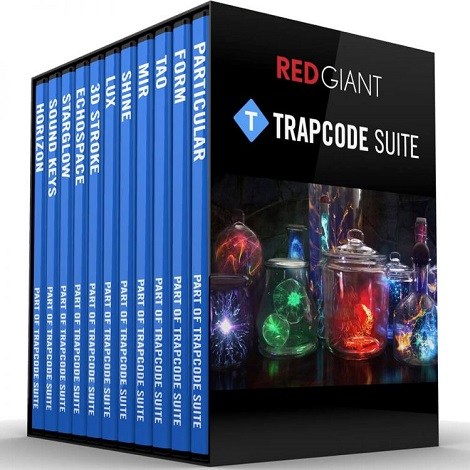
Red Giant Trapcode Suite 15.1.5


Download Red Giant Trapcode Suite 15.1.5

, Particle simulations and 3D effects for motion graphics and VFX

Particle Effects

Trapcode Suite brings the power of 3D particle systems right into After Effects. Use particle emitters to create fire, water, smoke, snow and other organic visual effects, or create technological marvels and user interfaces with immortal particle grids and 3D forms. Combine multiple particle systems into one unified 3D space for visually stunning results. With GPU acceleration, Trapcode plugins help you get beautiful results fast.

Physics & Fluids

For the first time ever, run realistic fluid simulations using the new Dynamic Fluids™ physics engine, or emulate particles moving through the air and bouncing off surfaces.

3D Objects & Surfaces

Create flowing surfaces, mountainous terrains, endless tunnels, and abstract shapes. Use paths and motion to generate beautifully complex geometric shapes, ribbons and extrusions. Whether you are creating motion graphics or visual effects, the possibilities are endless.

Lights and Glimmers

Bring light and life into your motion design. Simulate organic, 3D-camera aware volumetric lighting. Use masks and paths to add light streaks that can bring your logos and text to life and add starry glimmers to accent the highlights in your work.

Sound and Motion

Use audio to generate keyframes that drive animation and effects. Scale, rotate and move to the beat, or use drum hits to create particle effects. Duplicate and offset layers and their motion with ease. Trapcode Suite gives you the power to automate complex animation easily.

Information

CompatibilityMac OS X 10.11 and later
Adobe After Effects CC 2017 and later
LanguagesEnglish

What’s New in Red Giant Trapcode Suite 15.1.5

  • Release notes not available at the time of this post.

Screenshots

Name Red Giant Trapcode Suite 15.1.5 mac-torrents.net.rar
Size 721.3 MB
Created on 2019-10-25 03:04:07
Hash ab38f1055d0932575258e6e824dea61d6a494a13
Files Red Giant Trapcode Suite 15.1.5 mac-torrents.net.rar (721.3 MB)

Download

Pixelmator 3.8.6

Download Pixelmator 3.8.6

Full-featured and powerful image editing app for the Mac.

Pixelmator takes full advantage of the latest Mac features and technologies, giving you speedy, powerful tools that let you touch up and enhance images, draw or paint, apply dazzling effects, or create advanced compositions with ease. Once your images are ready, save them to popular image formats, share them via email or social networks, print them, or instantly add them to your Photos library. All right from Pixelmator.

The new Pixelmator 3.6 Cordillera is designed to integrate seamlessly with macOS Sierra’s fresh and modern look, macOS Continuity features, like Handoff and iCloud Drive, and it works wonderfully together with Pixelmator for iOS.

Features

A powerful, pixel-accurate collection of selection tools

  • Quickly and easily select any part of an image
  • Edit and apply special effects to parts of your pictures
  • Select and remove unwanted elements of your photos
  • Cut out objects from one image to place in another

Top-notch painting tools

  • Paint with Pixelmator as you would on canvas
  • Use different brush sizes, shapes, hardness, and blending modes
  • Adjust brush settings to get just the look you want
  • Cover any area with beautiful gradients and color fills

Retouching tools

  • Correct wrinkles and repair scratches
  • Make flaws vanish from your photos, remove or rearrange objects in a composition
  • Blur, sharpen, lighten, or darken specific areas
  • Reshape areas to subtly improve or give images a completely unexpected look
  • Combine different tools and effects for an endless number of ways to refine your images

Drawing tools

  • Easily add, create, combine, and edit shapes
  • Quickly add lines, circles, rectangles, polygons, and many more custom shapes
  • Effortlessly apply shadows, fills, and strokes for more advanced shapes
  • Create buttons, icons, web page elements, illustrations, and much more

A real effects machine

  • Play with over 160 breathtaking effects
  • Combine different effects for unique, neareffortless artistic creations
  • See stunning results in realtime

An elegant collection of professional-grade color correction tools

  • Adjust exposure, hue, saturation, shadows and highlights, brightness, contrast, and much more
  • Replace and remix colors
  • Dramatically improve lessthanperfect images with one click
  • Designed with friendly interface features for intuitive ease of use

Layer Styles

  • Easily add nondestructive layer effects like shadows, outlines, color, gradient fills, or reflections
  • Combine a set of effects to create and save your own unique layer styles presets
  • Or just use any of the Pixelmator Teamdesigned layer styles presets
  • Apply any of the layer styles presets with a drag and drop

Compatibility

  • Send your images directly to Photos
  • Open and save images using PSD, TIFF, JPEG, PNG, PDF, and many other popular formats
  • Open and save Photoshop images with layers
  • Open and save 16bits per channel images

iCloud, sharing, and saving for the web

  • Let iCloud automatically store your edited images and seamlessly take your work to all your Macs
  • Skip manual saving of your documents thanks to Auto Save
  • Email your photos right from Pixelmator
  • Publish your images to social applications like Flickr, Twitter, and Facebook
  • Optimize and save images for use on your web pages, blogs, photo albums, and more

Editing extensions for the Photos app:

  • Retouch photos with powerful Pixelmator Retouch tools right inside the Photos app
  • Reshape images with Metalbased Pixelmator Distort tools without leaving Photos

Built exclusively for Mac

Pixelmator uses a number of macOS features and technologies like Cocoa, OpenGL, OpenCL, Core Image, Grand Central Dispatch, 64-bit, FaceTime camera, Automator, Full-Screen, built-in Sharing and much more. And Pixelmator’s beautiful interface and image editing engine are fully optimized for the MacBook Pro with Retina display.

Information

Compatibility
OS X 10.12 or later, 64-bit processor
Languages
English, French, German, Italian, Japanese, Spanish

What’s New in Pixelmator 3.8.6

Pixelmator 3.8.6 brings a number of important fixes for a few subtle yet pesky (and deep-rooted) technical issues related to color handling in Pixelmator and includes a rebuilt, more reliable photo browser.

  • The photo browser has been rebuilt from the ground up using Apple’s MediaLibrary framework. This ensures a smoother and more stable photo browsing experience.
  • Fixed a range of color management-related issues including color shifts, use of incorrect color spaces, slight shifts in color values in the Colors palette, and more.
  • Colors in the Touch Bar are now synced to use the document’s color space.
  • If a document is saved after changing its color space, the QuickLook preview and document thumbnails would have an incorrect color space. Fixed.
  • The document would show incorrect colors if the screen color space was changed while the document was open. Fixed.
  • Changing the color space for a document with grouped layers would shift the layer colors. Fixed.
  • The colors of text and shape layers would shift after changing the document color space. Fixed.
  • When exporting images using Export for Web, the background color would have an incorrect color space. Fixed.
  • The RGB value of a color selected in the Colors palette would shift when switching between the Brush, Pencil, Pixel, and Paint Bucket tools, or between sessions. Fixed.
  • Colors window color space handling improvements:
  • Colors in Colors window will now work strictly in the document’s color space (disabled the ability to change the color space for the Colors Sliders and Color Wheel pickers).
  • Colors in the Gradients palette will work correctly in any color space.
  • If a PXD document with grouped layers is exported from Pixelmator Pro as a PSD file, opening that PSD in Pixelmator would result in flattening everything to just one layer. Fixed.
  • Pixelmator would sometimes quit unexpectedly when opening or closing windows. Fixed.

Screenshots

Name Pixelmator 3.8.6.90912 MAS [TNT] mac-torrents.net.zip
Size 121.4 MB
Created on 2019-10-24 21:51:53
Hash d83e524780252d70502c95ea07cd209df4f71ed8
Files Pixelmator 3.8.6.90912 MAS [TNT] mac-torrents.net.zip (121.4 MB)

Download

WiFi Scanner 2.9.4

Download WiFi Scanner 2.9.4

Using WiFi Scanner you’ll see nearby wireless access points and their details, including channels, signal levels (RSSI), noise, channel width, and MAC address, signal quality, maximum data rate, encryption, and much more. Also includes upload and download speed testing to quickly measure and analyze WiFi Internet performance problems.

Simple, fast wireless network discovery of 802.11 a/b/g/n/ac access points. WiFi Scanner is great for determining the best position for an access point at home or in the office. After selecting the best position, the optimal channel to use can be determined by selecting the least used channel resulting in improved WiFi speeds.

Key Features

  • Simple, fast wireless network discovery of 802.11 a/b/g/n/ac access points.
  • Connect to detected networks using join button
  • Full support for both 2.4 and 5 GHz networks
  • Support for all channel bandwidths (20, 40, 80, and 160 MHz)
  • Display detailed wireless network parameters: network name (SSID), signal level (RSSI), MAC address (BSSID), signal quality, channel, maximum data rate, encryption, etc.
  • Display changes in signal level over time in graphical form.
  • Filter list of detected wireless networks by specified parameters (SSID/network name, channel, channel band, signal strength)
  • Display wireless connection statistics in the form of graphs and tables.
  • Give each access point a custom label
  • Export results to comma separated value (CSV) files
  • Generate summary reports in HTML format

WiFi Speed Testing

  • Upload and download WiFi speed testing
  • Use speed testing feature to troubleshoot WiFi networks
  • Auto run speed test when client roams to different access point
  • Auto repeat speed test with wait time between tests

“Who’s On My Network” (IP Scanner)

  • Fast IP scanner that detects unknown devices connected to your WiFi network.
  • Detects hostnames, determines the MAC address, and in some cases can autodetect device type (phone, laptop, router, etc).
  • Configured icon for discovered devices is saved for future scans.
  • Scanning results can be saved to CSV file via menu export option.
  • Great for finding WiFi “Piggybackers”.

Advanced Features (supported by some access points)

  • Display access point name if configured by network administrator
  • Display number of devices connected to each access point
  • Display channel utilization
  • Display if 802.11r is enabled and type
  • Display if WiFi protection mechanisms are enabled

WiFi Scanner is the most feature rich and complete WiFi scanning app on the app store and is a great tool for personal use and for IT professionals. All features available on 10.7 and later (Lion, Mountain Lion, Mavericks, and Yosemite, El Capitan, Sierra. Use WiFi scanner to find WiFi dead zones and select the best configuration for your WiFi access point / router to prevent video buffering.

Information

Compatibility
OS X 10.9 or later, 64-bit processor
Languages
English

What’s New in WiFi Scanner 2.9.4

  • Improvements for Catalina

Screenshots

Name WiFi Scanner 2.9.4 MAS [TNT] mac-torrents.net.zip
Size 25.67 MB
Created on 2019-10-24 21:51:33
Hash 32d998395792282c7aa20db7fdd1d1acd0af0316
Files WiFi Scanner 2.9.4 MAS [TNT] mac-torrents.net.zip (25.67 MB)

Download

Noise Machine 1.17

Download Noise Machine 1.17

Noise Machine is a white-noise and soundscape generator designed to help you block out workplace noise and create a more productive work environment to suit your mood. It can be very hard and tiring to try to concentrate in a noisy work environment. The chatter of co-workers can be especially hard to block out. Conversely, excessively quiet environments can lack energy and can feel very isolated.

Noise Machine generates white, brown, and pink noise, whose special properties are often used to mask out other environmental sounds, and favor concentration and task focus. It also features a range of natural and artificial soundscapes to suit your mood, ranging from relaxing to energizing.

Designed to be as unobtrusive and simple to use as possible, Noise Machine’s icon “lives” in the menu bar and is accessible at any time via a simple click. The menu bar item allows you to choose between a range of sounds, adjust the volume and change the sound output device.

Information

Compatibility
Requires OS X 10.9 or later
Languages
English

What’s New in Noise Machine 1.17

  • The new version delivers full compatibility with macOS 10.15 Catalina.

Screenshots

Name Noise Machine 1.17 [TNT] mac-torrents.net.zip
Size 68.11 MB
Created on 2019-10-24 21:52:13
Hash 214f4cc3afc1f9d1d75d012c1dd7a1648d65492e
Files Noise Machine 1.17 [TNT] mac-torrents.net.zip (68.11 MB)

Download

iA Writer 5.3.1

Download iA Writer 5.3.1

iA Writer (was iA Writer Pro) is a professional writing suite that gives you full control over your notes, drafts and edits.

  • Workflow: Note – Write – Edit – Read. Each stage has a task-specific typeface and color.
  • Syntax Control scans the syntax of English, French, German, Italian, and Spanish text and highlights your adjectives, nouns, verbs, adverbs, prepositions or conjunctions.
  • Precision Writing Tools:
    • Auto Markdown formats text on-screen — your hands stay on the keyboard
    • Syntax Control introduces syntactic markup for natural language text. It covers English, French, German, Italian, and Spanish. Patent pending.
    • Convert Markdown to Microsoft Word 2007 .docx, and back again

Features

  • Workflow states
  • Custom typefaces, carefully set for optimal readability
  • In-app preview
  • Reading time, plus sentence, word, and character count
  • Real-time iCloud sync
  • Ready for Retina displays
  • Full-screen

Information

Compatibility
OS X 10.11 or later, 64-bit processor
Languages
English, French, German, Italian, Japanese, Korean, Portuguese, Russian, Simplified Chinese, Spanish, Traditional Chinese

What’s New in iA Writer 5.3.1

Updated File Keyboard Shortcuts

  • Simpler and consistent with iOS and iPadOS
  • CommandN creates a new file in current window
  • ShiftCommandN creates a new file in a new window
  • Return opens a Quick Search result in current window
  • ShiftReturn opens a Quick Search result in a new window

Content Blocks with Relative Paths

  • `../Note.txt` will include a file from the parent folder

Handoff Improvements

  • Handoff now works when both devices have a Library Location with the same name
  • Files are handed off using Library paths: `/Locations/GitHub/Readme.md`
  • Requires iA Writer 5.3 on both devices

Other Improvements

  • Links to local images are now converted as file URLs
  • Fixed link import from Word
  • Fixed gif export to Word
  • Changed `write` URL command with `mode=append` to create a file if it doesn’t exist
  • App activates for new documents created using Dock menu
  • Double-click Smart Folders in Organizer to edit rules (as in Mail)

Screenshots

Name iA Writer 5.3.1 MAS [TNT] mac-torrents.net.zip
Size 24.42 MB
Created on 2019-10-24 21:52:31
Hash 5463308289e36bec8a75de04895d409deabf199c
Files iA Writer 5.3.1 MAS [TNT] mac-torrents.net.zip (24.42 MB)

Download

Swinsian 2.2.2

Download Swinsian 2.2.2

is a sophisticated music player for Mac OS X with wide format support, folder watching and advanced tag editing and designed to be responsive even with the largest libraries.

Features

Customise

The art grid, column browser and track inspector provide multiple ways to view and navigate your music. They can also be hidden if you prefer a minimal interface.

Organise

Easily edit tags on multiple tracks at once. Regex compatible find and replace helps you keep your music correctly tagged. The powerful Duplicate Finder helps you find and remove duplicate tracks using flexible criteria to keep your library organised.

Control

Control playback easily with global shortcuts and the mini window. The customisable desktop art widget can decorate your desktop with details of the music you are listening to.

Key Features

  • Folder watching
  • iTunes library importing
  • Album art fetching
  • Global keyboard shortcuts
  • Playback Notifications
  • Duplicate track finder
  • Last.fm scrobbling
  • Separate playlist windows
  • Regex search
  • Find and replace tag editing, with regex support
  • Smart playlists
  • Library stats
  • Playback over AirPlay
  • Automatic Podcast downloading
  • Applescript control

Audio Playback

  • 10 or 31 band Graphic Equalizer
  • Supports Flac, MP3, AAC, ALAC, Ogg Vorbis, WMA, WAV, Opus, AC3, AIFF, MusePack, DSF, and APE.
  • Gapless playback
  • Automatic changing of device sample rate
  • Support for cue files and embedded cue information

Information

Compatibility
OS X 10.7 or later 64-bit
Languages
English

What’s New in Swinsian 2.2.2

  • Fixes importing of iTunes style grouping field in ID3 tags
  • Fixes a crash when using the lyrics popover on Catalina

Screenshots

Name Swinsian 2.2.2 [TNT] mac-torrents.net.zip
Size 25.58 MB
Created on 2019-10-24 21:51:42
Hash f89c0584bec641515b1858525df44f9d5fea757f
Files Swinsian 2.2.2 [TNT] mac-torrents.net.zip (25.58 MB)

Download

Movist Pro 2.2.10a

Download Movist Pro 2.2.10a

Movist is a movie player based on QuickTime and FFmpeg.

Features:

  • Supports QuickTime and FFmpeg
  • Customizable high quality caption
  • Supports smi, srt format captions
  • Playlist support
  • Media playback control
  • Full screen control panel
  • Simple user interface
  • Universal binary

Beautiful and Convenient User Interface

The controllers are practical and convenient, as well as appearing only when the mouse pointer is approaching. Transparent title-bar and controllers allow you to focus more on your watching experience.

The main menu displays various states in real time, and the control panel gives you quick access to all the functions you need. Move the mouse over the seek-slider to see the thumbnails.

In addition to all these conveniences, we have added beauty. It supports modern style of macOS including light and dark themes.

When you open a media

There are many default preferences to apply when you open a media.

You can specify the default track language. For example, video and audio in Korean, subtitles in English, or you can set not to display subtitles if there’s an English audio track.

You can specify your preferred video quality, filters, equalizer, etc. You can also restore the last time you played it to watch from there.

Multiple tracks simultaneously

You can view subtitles in multiple languages at the same time. You can also set the different location and style for each languages.

You can also select multiple tracks simultaneously for video and audio. For example, if the front and rear videos of the car black box are contained in one file, you can see the front and back videos at the same time.

Information

Compatibility
macOS 10.10 or later 64-bit
Languages
English, Japanese, Korean, Russian, Simplified Chinese

What’s New in Movist Pro 2.2.10a

  • Release notes not available at the time of this post.

Screenshots

Name Movist Pro 2.2.10a [TNT] mac-torrents.net.zip
Size 59.09 MB
Created on 2019-10-24 21:52:22
Hash 3379e1e1ffa8cb1a2e07064affa89e3ddba0cf32
Files Movist Pro 2.2.10a [TNT] mac-torrents.net.zip (59.09 MB)

Download

DVD-Cloner 2019 6.30.713

Download DVD-Cloner 2019 6.30.713

is a fully upgraded professional DVD/Blu-ray/4K UHD copy/ripping/decryption software with ultra high quality. It can clone DVD to any blank disc including DVD+R/RW, DVD-R/RW, DVD+R DL and DVD-R DL with multiple copy modes. Besides, it can copy DVD to your Mac as an ISO file or DVD movie folder. The great breakthrough for DVD-Cloner for Mac 2019 is that it can copy Blu-ray/4K UHD Blu-ray movies to BD-R/REs or your Mac and rip DVD/Blu-ray/4K UHD movies to MKV format for easy storage.

Besides, it can remove various DVD copy protections such as CSS, RE, RCE and region codes to copy DVD movies without restrictions. It can also make another copy from the burnt DVD freely without using your original DVD disc again.

DVD-Cloner for Mac can make perfect 1:1 DVD copy, movie complete copy, movie-only copy, split copy and movie customized copy. With the innovative UMT™, it can back up latest DVD movies with ease. It also supports to copy a DVD disc to another blank DVD disc or to the hard disk as a VIDEO_TS folder or an ISO file for convenient playback in the future.

Features

  • Perfect 1:1 DVD Copy
    • This best DVD copying software removes various DVD copy protections such as CSS, RC, RCE, APS, UOPs, ARccOS, etc.
    • Copy DVD-5 to DVD-5 in 1:1 ratio.
    • Copy DVD-9 to DVD-9 in 1:1 ratio.
    • Backup DVD to a DVD movie folder for playback on the player software or TV and a DVD player is not needed anymore.
    • Backup DVD to an ISO image file on the hard disk for later burning.
  • Movie Complete Copy
    • Compress one DVD-9 movie to a blank DVD-5 disc, keeping menus and special features.
    • Manually adjust the compression rate to define the picture quality of your DVD copies.
  • Movie-Only Copy
    • Copy the main movie of a DVD-9/DVD-5 to a DVD-5 disc, omitting menus and special features.
    • Intelligently recognize the main movie from the source DVD to avoid copying a fake main movie.
  • Split DVD Copy
    • Split one DVD-9 movie to two blank DVD-5 discs with original picture quality.
    • Optionally keep menus when splitting a DVD-9 movie to two DVD-5s.
  • Movie Customized Copy
    • Episodic DVD copier software – Copy only a certain range of titles, specially designed for Episodic TV series DVDs and music video DVDs.
    • Create multiple DVD copies without having to repeat the entire process again.
  • Rip DVD to MKV
    • Rip high-capacity DVD movies to MKV format for easy storage, with high bitrate, high quality, and lower size.
    • Optionally compress a DVD movie in the ripping process by setting H.264 or H.265 as the encoder.
  • Burn a DVD movie from the hard disk to a DVD±R (DL)
    • Burn DVD movie folders or ISO image files on the hard disk to DVD±R (DL) with diverse copy modes.
  • Combine 2 DVDs to one DVD±R DL
    • Combine 2 DVD movie discs onto one DVD±R DL.
    • Supports reading source DVD movie folders or ISO image files from the hard disk.
    • Select the menu template, background picture and set the movie titles.
  • Copy Blu-ray/4K UHD Blu-ray movies
    • Remove various Blu-ray protections such as AACS, BD, Cinavia, etc.
    • Copy a Blu-ray movie to a blank BD-25 with movie-only copy mode.
    • Copy a Blu-ray movie to the hard disk as a Blu-ray movie folder or ISO image file.
    • Copy the main movie of UHD Blu-ray encrypted with AACS 2.0 to a blank BD-50 using a 4K UHD friendly drive. 4K, HDR features are supported.
  • Rip Blu-ray/4K UHD Blu-ray to MKV
    • Besides Blu-ray disc copy, DVD-Cloner for Mac 2019 gives you another choice to rip the main movie of a high-capacity Blu-ray disc to MKV format saved on the hard disk.
    • Optionally compress a Blu-ray movie in the ripping process by setting H.264 or H.265 as the encoder.
    • With efficient H.265 codec technology, DVD-Cloner for Mac can rip UHD Blu-ray movies to MKV, keeping the same 4K/HDR image quality as the original UHD Blu-ray.
    • Select to keep only one audio track and subtitle in the MKV ripping function, removing other unnecessary ones.
  • Other Features:
    • Optimized the DVD burning engine. The copied DVD discs are compatible with more playback devices including PS4, Xbox, Blu-ray player, etc.
    • Make flawless copies of scratched DVDs, so you can bring your damaged movies back to life.
    • Select to add the .dvdmedia suffix to the DVD folder on the hard disk before copying for convenient playback on the DVD player.
    • Optimized the DVD copy function, improved the video quality.
    • Send us quick feedback in real time via the shortcut window within the software.
    • Use the full version of DVD-Cloner for Mac 7 days for free before purchasing.

Information

Compatibility
OS X 10.10 or later 64-bit
Languages
English

What’s New in DVD-Cloner 2019 6.30.713

Screenshots

Name DVD-Cloner for Mac 6.30.713 [TNT] mac-torrents.net.zip
Size 36.08 MB
Created on 2019-10-24 21:52:56
Hash 1d268018541972df0d4adfc79eb9bcce970d67e6
Files DVD-Cloner for Mac 6.30.713 [TNT] mac-torrents.net.zip (36.08 MB)

Download

File Juicer 4.80

Download File Juicer 4.80

File Juicer is a drag-and-drop can opener and data archaeologist. Its specialty is to find and extract images, video, audio, or text from files which are hard to open in other ways. In computer forensics this is called carving.

It finds and extracts: JPEG, JP2, PNG, GIF, PDF, BMP, WMF, EMF, PICT, TIFF, Flash, ZIP, HTML, WAV, AVI, MOV, MP4, MPG, MP3, AIFF, AU, WMV, or text from files which contain data in those formats.

Lossless extraction… File Juicer does’t convert the images/sounds/videos it finds, but saves them unchanged in their original format if possible. (See the manual for details.) This is useful:

  • if you want to extract the images/sounds/videos from a PDF or Word document;
  • if you have old files you can no longer open with current applications;
  • if you receive emails with attachments you can not open;
  • if you have corrupt files or databases;
  • if you have damaged or accidentally erased flash cards for your digital camera;
  • if you receive “self extracting” EXE files designed for Windows;
  • or if this is just faster than copying and pasting from the file.

Information

Compatibility
OS X 10.10 or later 64-bit
Languages
English

What’s New in File Juicer 4.80

  • Release notes not available at the time of this post.

Screenshots

Name FileJuicer 4.80 [TNT] mac-torrents.net.zip
Size 15.80 MB
Created on 2019-10-24 21:52:38
Hash 9e2c6f0b5413da62c66846494987e9383e60e770
Files FileJuicer 4.80 [TNT] mac-torrents.net.zip (15.80 MB)

Download

Photos Exif Editor 2.12

Download Photos Exif Editor 2.12

Photos EXIF Editor is an intuitive app which can edit EXIF, IPTC & XMP data of thousands of photos in no time!

Here are a few reasons which make it a MUST HAVE tool for your Mac:

  • Reads & writes EXIF, GPS, IPTC, XMP metadata and more…
  • Supports various common image formats including RAW format
  • Deletes metadata individually or of selected batch of photos
  • Sets photo modification/original datetime from EXIF information
  • Automatically creates back up of the original metadata of the photo when writing
  • Flexibility to create Presets of repetitive metadata to speed up processing

Photos EXIF Editor supports full read/write of the following image file formats:

  • .MOS Leaf Digital Camera RAW image
  • .CR2 Canon Digital Camera RAW image
  • .FFF Imacon Digital Camera RAW image
  • .DNG Leica Digital Camera RAW image
  • .NEF Nikon Digital Camera Raw Image
  • .NEF Nikon Digital Camera Raw Image
  • .NRW Nikon Digital Camera Raw Image ***
  • .PEF Pentax Digital Camera Raw Image **
  • .DNG Pentax Digital Camera Raw Image **
  • .DNG Ricoh Digital Camera RAW Image
  • .SR2 Sony Digital Camera Raw Image **
  • .SRF Sony Digital Camera Raw Image (Cyber Shot) **
  • .DNG Lumia 1020
  • .DNG One Plus One
  • .PSD Photoshop Document
  • .JP2 JPEG2000 JP2 File Format Syntax ***
  • .JPEG Joint Photographic Experts Group JFIF format
  • .JPG Joint Photographic Experts Group JFIF format
  • .PNG Portable Network Graphics
  • .TIF Tagged Image File Format
  • .TIFF Tagged Image File Format

Note:
***: Data of Original date time tag will not be changed
**: Data of Camera model tag will not be changed

Supported Tags:
  • EXIF: Artist, Image Description, Copyright, Software, User Comment, Camera Make, Model, Owner Name, Serial Number, Date/Time Original, Creation Date, Modify Date, ISO, F Number, Focal Length, Focal Length In 35mm Format, Flash, Orientation, Exposure Mode, Exposure Program, Exposure Time, Metering Mode, Scene Capture Type, White Balance, Saturation, Sensing Method, Sharpness, Subject Distance Range, Lens Make (as per app’s standards), Lens Model(as per app’s standards), Lens Serial Number (as per app’s standards)
  • GPS: Latitude, LatitudeRef, Longitude, LongitudeRef, Altitude, AltitudeRef
  • IPTC: Author Byline, BylineTitle, Copyright Notice, Headline, CaptionAbstract, WriterEditor, Object Name, Category, Supplemental Categories, Keywords, Sublocation, City, ProvinceState, CountryPrimary Location Name, CountryPrimary Location Code, Original Transmission Reference, SpecialInstructions, Credit, Source
  • XMP: Serial number, Lens, Create Date, Modify Date, Latitude, Longitude, Photoshop Date Created

Information

Compatibility
OS X 10.10 or later, 64-bit processor
Languages
English

What’s New in Photos Exif Editor 2.12

  • Minor bug fixes.

Screenshots

Name Photos Exif Editor 2.12 MAS [TNT] mac-torrents.net.zip
Size 23.41 MB
Created on 2019-10-24 21:52:02
Hash ebfe67d2ab67723901522f83098371e88d28eaf5
Files Photos Exif Editor 2.12 MAS [TNT] mac-torrents.net.zip (23.41 MB)

Download

File Cabinet Pro 7.3

Download File Cabinet Pro 7.3

File Cabinet Pro is the file manager for the macOS menu bar. Quickly navigate to files without cluttering your desktop. Open, move, rename, compress, tag, trash, copy and paste files, all from the menu bar. You can open many file types natively in File Cabinet Pro or open files by launching other applications. It’s easy to click into directories in icon view, drill through directories in list view, or navigate the file tree in column view.

File Cabinet Pro is also a document-based application that ships with a built-in text editor, image viewer, pdf viewer, and media player. Some of the file types File Cabinet Pro can open for editing/viewing include:

  • Text documents: Plain text files (.txt), Rich Text Format (.rtf), Rich Text Format Directory (.rtfd), Portable Document Format (.pdf), Markdown (.md)
  • Image documents: Portable Network Graphics (.png), Joint Photographic Experts Group (.jpeg), Tagged Image File Format (.tiff, .tif), Bitmap image file (.bmp), Photoshop File Format (.psd) Import only., Scalable Vector Graphics (.svg) Import only
  • Video and audio documents: MOV, MP4, M4A, M4V, AVI, MP3, WAV, CAF, AIF

Features

  • Create subdirectories
  • Click into subdirectories and open documents
  • Open directories in new tabs.
  • Tag files easily. Select files in File Cabinet Pro, right-click, and then simply add or remove file tags from the control in the context menu
  • Show selected files in Finder
  • Rename files
  • Copy and paste files
  • Compress files
  • Trash files
  • View items as icons, in a list, in columns, or in cover flow view
  • Launch the application at login. You can have File Cabinet Pro automatically launch when you login to your Mac (optional feature, disabled by default)
  • Create a list of all your favorite directories in the sidebar
  • Create and edit TXT, RTF, and RTFD files using the built in lightweight text editor
  • Create txt, rtf, rtfd, and .md files from text data currently on the clipboard.
  • Create text documents from Finder using File Cabinet Pro’s Document Creator Finder extension (Note: To use this feature, you have to enable the Finder extension in System Preferences under the “Extensions” tab).
  • Rotate images, crop images, and apply filters to images using the built in lightweight image editor
  • Watch video and play audio files using the built in media player
  • View PDF files using the built in PDF viewer
  • Revert document versions for supported editable document types
  • Set a global hotkey for showing and closing the File Cabinet Pro window (optional feature, disabled by default)
  • Preview selected files in QuickLook by pressing the spacebar
  • Share files in apps that support Sharing extensions like Mail and Messages
  • Create text documents from Finder using File Cabinet Pro’s Document Creator Finder extension (Note: To use this feature, you have to enable the Finder extension in System Preferences under the “Extensions” tab)
  • Verify the SHA256, SHA1, or MD5 checksum of files using the “View Checksum in File Cabinet Pro” Service.

**This app supports the Touch Bar on supporting MacBook Pros.**

Information

Compatibility
OS X 10.11 or later, 64-bit processor
Languages
English, Korean

What’s New in File Cabinet Pro 7.3

  • You can now save emails as RTF files directly in File Cabinet Pro from the Mail app. To use this new feature, select an email in the Mail app, then choose the “Save Email Contents in File Cabinet Pro” Service from the “Services” menu in Mail’s menu bar.

Screenshots

Name File Cabinet Pro 7.3 MAS [TNT] mac-torrents.net.zip
Size 26.55 MB
Created on 2019-10-24 21:52:48
Hash f0cb9dbbff495dc253fa331f7b86b7d38e97e6f7
Files File Cabinet Pro 7.3 MAS [TNT] mac-torrents.net.zip (26.55 MB)

Download

Adobe Acrobat Pro DC 2019.021.20049

Download Adobe Acrobat Pro DC 2019.021.20049

is the leading PDF converter and much more. Adobe Acrobat Pro DC software lets you deliver professional PDF communications. It’s packed with smart tools that give you even more power to communicate. Create and edit PDF files with rich media included, share information more securely, and gather feedback more efficiently.

Adobe Acrobat Pro DC software is the advanced way for business professionals to create, combine, control, and deliver more secure, high-quality Adobe PDF documents for easy, more secure distribution, collaboration, and data collection.

Assemble electronic or paper files into reliable PDF documents that are easy to share with others using free Adobe Reader. You can assemble even Web sites, engineering drawings, and e-mail.

With Adobe Acrobat Pro DC you can manage document reviews, synthesizing feedback from multiple reviewers while preserving document format and integrity. Extend commenting capabilities to anyone using Adobe Reader. Windows users can design intelligent Adobe PDF forms that include business logic, such as calculations and data validations, to help increase the accuracy of data collection while reducing the costs of manual data entry.

Use Adobe Acrobat Pro DC to create high-impact PDF communications, collaborate more easily, and streamline reviews. Adobe Acrobat Dynamic PDF helps you get more done – easier, faster, better.

Features:

Edit PDF files

With Adobe Acrobat Pro DC, you can make minor edits to text and images right in your PDF file without requiring the original document or graphic. Edit text in a PDF. Fix a typo, change a font, or add a paragraph to your PDF as easily as you do in other applications using a new point-and-click interface. Edit images in a PDF. Resize, replace, and adjust images in your PDF with no need to track down the original file or graphic.

Export from PDF files

Reduce the time you spend retyping information stuck in PDF files. Convert PDF files to editable Microsoft Office documents. And save fonts, formatting, and effort.

Convert PDF files to Word. Save your PDF as a Microsoft Word document and take your fonts, formatting, and layouts with you. Convert PDF files to Excel. Turn your PDF or just part of it into an editable Excel spreadsheet you can use for data analysis right away. Convert PDF files to PowerPoint. Get a head start on new projects by saving a PDF file as a fully editable PowerPoint presentation.

Create PDF files

Stop worrying about whether the files you send will look right on other people’s screens. Turn documents into PDF files anyone can reliably view with free Adobe Reader.

Convert Word, Excel, or PowerPoint to PDF. Right from your Office application in Windows, you can create PDFs, start a shared review, restrict PDF edits, and more. Print to PDF. Convert files to PDF from virtually any application that prints simply by selecting Adobe PDF as your printer. Scan to PDF. When you need to turn a paper document or form into a digital file, just scan it to create a searchable PDF file you can edit. Convert HTML pages to PDF. Save web pages as PDF files to archive web content, review the pages offline, or print them more reliably.

Create and analyze forms

Cut the time you spend creating forms, rekeying data, and correcting errors. Distribute forms online, and then collect responses and analyze results in real time.

Create new PDF and web forms. Customize professional templates or design from scratch with the Adobe FormsCentral desktop app included in Adobe Acrobat Pro DC. Collect form responses with FormsCentral. Easily collect responses by moving your PDF or web forms online with the Adobe FormsCentral online service. Convert existing forms to fillable PDFs. Type less, gather more. Quickly convert your paper, Word, or Excel forms to fillable PDF forms. Collect form responses using Adobe Acrobat tools. Compile returned forms into one PDF, or host forms using a network folder or Microsoft SharePoint server.

Information

Compatibility
macOS 10.12.0 or later
Includes
Adobe Zii 4.4.7
Languages
English

What’s New in Adobe Acrobat Pro DC 2019.021.20049

  • Release notes not available at the time of this post.

Screenshots

Name Adobe Acrobat Pro DC 2019.021.20049 mac-torrents.net.rar
Size 946.1 MB
Created on 2019-10-24 16:15:02
Hash 8b6232403254a97ead841ffb490f8e742bad1e7c
Files Adobe Acrobat Pro DC 2019.021.20049 mac-torrents.net.rar (946.1 MB)

Download

Tetraface Inc Metasequoia 4.7.1

Download Tetraface Inc Metasequoia 4.7.1

Three-dimensional model design, especially the creation of human or animal-like characters, requires some knowledge in this area and, most importantly, a set of suitable tools for the job. For those who made some 3D creations using various specialized software solutions and need to work on them without having to install each program again, a utility like Metasequoia can be the right choice. This application manages to provide a strong set of features and make them available from a really friendly interface. There are several modes to operate Metasequoia, namely Beginner, Modeling (string), Modeling (icon) and Mapping.

Each of these styles comes with its commands for editing the loaded model, setting the appropriate lighting and more. There is a wide variety of objects that you can select and insert in the design, as well as some tools that are meant for modifying the model you are working on.

The editing function that Metasequoia is equipped with are rather basic, but, nonetheless, cover all the necessary actions for handling objects, material faces and vertices. Each selected portion of the design can be fixed, stored or restored when needed, as well as fit to view or set as center of rotation.

There are many customizations that can be made to the application from the ‘Configuration’ area, so you can assign, for instance, various actions to mouse buttons and key combinations. Texture rendering imperfections and some glitches that may occur can be avoided by adjusting the Direct3D and OpenGL preview options.

All things considered, Metasequoia seems to be a worthy alternative to more complex utilities of its kind, especially thanks to the ease of use coupled with a good support for a variety of formats this software is able to work with.

Features

Powerful modeling functions

Metasequoia has basic polygon editing functions. And it also has functions to assist in the finer processing.

The following features have been added and improved, in ver.4.0 or later.

  • Fill up a hole – It automatically fill in the holes on the surface.
  • Bridge – It creates a pipe-shaped polygon in between holes.
  • Bevel – creating a fillet surface (a rounded corner) is added
  • …etc.

N-gon (5 or more points in a face)

You can make a polygon with 5 or more points. And you can easily add edges (divide a face) or erase edges (merge faces).

Armature

By [Armature], you can create an object shape along the center line. You can create an object by specifying only the center line and the line width. This feature will reduce the time to create the object. And you can edit the generated object in more detail by modeling capabilities.

Bone and Morph

Setting the [Bone], the object can be linked to the deformation of bones. And [Morph] is a function to slide the vertex. You can create such as facial expressions. Bone and Morph settings can be exported to the corresponding file format, FBX or PMD.

Measure (Metasequoia 4 EX only)

You can measure the size of the object. This function is for business use or 3D printer output.

View Unit

You can display units such as millimeters or inches on the screen. And, it is possible to make the input of numerical value with the unit.

Measure a length, an angle and a thickness

You can measure the distance, angle, thickness of any position. Changes in the numerical values associated with the movement or deformation of the object are displayed immediately.

UV Edit

[UV edit] function is greatly improved. New features; automatic unwrapping, and splitting or stitching, etc. are added. UV editing is more efficient.

OpenSubdiv

OpenSubdiv; a Pixar’s subdivision surface; is now supported. By setting the weights to the vertex or line, the edges of the object are generated. And, you get the texture whose distortion of UV is less. If you export OpenSubdiv object to FBX file, you can transfer the shape data between compatible software.

Ambient occlusion (Metasequoia 4 EX only)

Ambient occlusion makes dark in the secluded part, and bright in the opening part. This results are exported to the vertex colors, and you can check the objects from any direction.

Supporting RenderMan

You can get high-quality rendering image by RenderMan with Metasequoia 4.

Import / Export

Metasequoia supports several file formats of third-party 3DCG software. You can pass files to each other with most of 3DCG software.

When you import or export, Metasequoia will support the conversion of the coordinate axes, and reversing the surface direction, and specifying the magnification factor. It will resolve the differences of each software.

Import
  • SUF (DoGA CGA)
  • DXF (AutoCAD)
  • LWO (LightWave3D)
  • 3DS (3D Studio)
  • COB (trueSpace)
  • ROK (Rokkaku-Daioh)
  • OBJ (Wavefront)
  • FBX (Autodesk FBX) (EX Only)
  • DAE (COLLADA 1.4/1.5) (EX Only)
  • STL (Stereolithography)
  • PLY (Stanford Polygon Library) (EX Only)
  • SVG (Scalable Vector Graphics) (EX Only)
  • PMD (MikuMikuDance format)
Export
  • SUF (DoGA CGA)
  • DXF (AutoCAD)
  • LWO (LightWave3D)
  • 3DS (3D Studio)
  • COB (trueSpace)
  • WRL (VRML 1.0)
  • X (Direct3D)
  • OBJ (Wavefront)
  • POV (POV-Ray)
  • FBX (Autodesk FBX) (EX Only)
  • DAE (COLLADA 1.4)
  • STL (Stereolithography)
  • PLY (Stanford Polygon Library) (EX Only)
  • JS (three.js JSON Model Format)
  • AMF (Additive Manufacturing File) (EX Only)
  • PMD (MikuMikuDance format)

Information

Compatibility
OS X 10.9 or later
Languages
English

What’s New in Tetraface Inc Metasequoia 4.7.1

  • Release notes not available at the time of this post.

Screenshots

Name Tetraface Inc Metasequoia 4.7.1 mac-torrents.net.zip
Size 84.52 MB
Created on 2019-10-24 16:14:39
Hash b9b6020d330df4dd98a20654f6d7559887a72c78
Files Tetraface Inc Metasequoia 4.7.1 mac-torrents.net.zip (84.52 MB)

Download

Waves 10 Complete v23.10.2019

waves torrents

Download Waves 10 Complete v23.10.2019 OSX-iND

Featuring 64-bit support, waves torrent faster scanning, faster loading, and faster processing, Waves Version 9 opens up new dimensions of high performance plugin power. From essentials like reverb, compression, noise reduction, and EQ to modeled analog hardware, surround and post production tools, artist signature collections and beyond, Waves Bundles feature the best of Waves GRAMMY award-winning plugins.

To achieve this, we devote great efforts and resources to constant updates, development and meticulous quality assurance of our plugins’ compatibility with operating system updates, DAW updates, and new DAWs. The Waves V10 update provides you with the last six years’ worth of such efforts, since our last major update to Waves v9. When you update to Waves V10 plugins, you also future-proof your sessions by ensuring that you will continue to enjoy ongoing updates moving forward.

When you update now to V10, you get:

  • Electric Grand 80 Piano added to the Gold, Platinum, Diamond, Horizon, Broadcast & Production, Broadcast and Surround Suite, Sound Design Suite, and Mercury bundles.
  • Eddie Kramer Drum Channel added to the Gold, Platinum, Diamond, Horizon, Broadcast & Production, Broadcast and Surround Suite, and Sound Design Suite bundles.
  • Access to all plugin updates since the last major update to v9
  • Bug fixes and plugin improvements: see the full list on our Release Notes page.

Developer Website

What’s New in Waves 10 Complete v23.10.2019

  • SoundGrid Rack for VENUE V10: Offline Installer including SoundGrid Rack for Venue now supports VENUE 6.2.

Screenshots

https://www.youtube.com/watch?v=08s6FjbEzpQ

Name Waves 10 Complete v23.10.2019 mac-torrents.net.rar
Size 4.95 GB
Created on 2019-10-24 13:46:00
Hash d17b0cabf808f8aac7c62856991ed4244266c74c
Files Waves 10 Complete v23.10.2019 mac-torrents.net.rar (4.95 GB)

Download

Wondershare PDFelement Pro 7.5.1.2758

Download Wondershare PDFelement Pro 7.5.1.2758

Wondershare PDFelement can help you convert any PDF (even one created from a scan) to any format, as well as allow you to edit, annotate, or sign it. It is an excellent partner for business or study, or for editing forms for a trip. It’s an excellent alternative to Adobe Acrobat.

Features:

Work with powerful editing and conversion tools

Create

Convert or scan to PDF a wide range of file formats that anyone can view, with any PDF reader, on virtually any device.

Edit

Quickly and easily edit PDF documents, including scans without going back to the source files.

Convert

Transform any PDF to and from Microsoft Word, Excel, and PowerPoint without losing fonts and formatting.

Simplify reviews and collect signatures faster

Comment

Review and mark up PDFs using a complete set of commenting tools. View comments or access markup for review within a single, unified pane.

Review

Gain the input you need and help participants see and build on other reviewers comments on your PDF documents.

Sign

Define signature workflows and send PDFs to others for signature approval and contract execution.

Process forms and gain actionable insights.

One-click Form Creation

Turn flat or any non-fillable form made in Word, Excel, or any other application into a fillable and editable PDF form with just one click.

Edit Forms

Drag and drop to create PDF or web forms in minutes. Make any field fillable by adding text fields, check boxes, buttons, and more.

OCR

Turn paper documents and scans into fully editable, selectable and searchable PDFs in over 25 language.

Protect documents for information exchange

Passwords and Permissions

Control access to your PDFs by applying password protection or permissions to restrict printing, copying, or altering.

Batch Encrypt

Encrypt multiple PDF documents with password protection or permissions at one time.

Apply Digital Signatures

Add certified digital signatures to help recipients validate document authenticity and integrity.

Highlights:
  • Create
  • Edit
  • Convert
  • Review
  • Forms
  • Sign
  • Secure
  • OCR

Information

CompatibilitymacOS 10.12 or later 64 bit
LanguagesMultilangual

What’s New in Wondershare PDFelement Pro 7.5.1.2758

  • Release notes not available at the time of this post.

Screenshots

Name Wondershare PDFelement Pro 7.5.1.2758 [TNT] mac-torrents.net.zip
Size 35.75 MB
Created on 2019-10-24 12:14:19
Hash 6ee8d153eaa06437ab40fb3425e409b7772b6bd6
Files Wondershare PDFelement Pro 7.5.1.2758 [TNT] mac-torrents.net.zip (35.75 MB)

Download

Movist Pro 2.2.10

Download Movist Pro 2.2.10

Movist is a movie player based on QuickTime and FFmpeg.

Features:

  • Supports QuickTime and FFmpeg
  • Customizable high quality caption
  • Supports smi, srt format captions
  • Playlist support
  • Media playback control
  • Full screen control panel
  • Simple user interface
  • Universal binary

Beautiful and Convenient User Interface

The controllers are practical and convenient, as well as appearing only when the mouse pointer is approaching. Transparent title-bar and controllers allow you to focus more on your watching experience.

The main menu displays various states in real time, and the control panel gives you quick access to all the functions you need. Move the mouse over the seek-slider to see the thumbnails.

In addition to all these conveniences, we have added beauty. It supports modern style of macOS including light and dark themes.

When you open a media

There are many default preferences to apply when you open a media.

You can specify the default track language. For example, video and audio in Korean, subtitles in English, or you can set not to display subtitles if there’s an English audio track.

You can specify your preferred video quality, filters, equalizer, etc. You can also restore the last time you played it to watch from there.

Multiple tracks simultaneously

You can view subtitles in multiple languages at the same time. You can also set the different location and style for each languages.

You can also select multiple tracks simultaneously for video and audio. For example, if the front and rear videos of the car black box are contained in one file, you can see the front and back videos at the same time.

Information

Compatibility
macOS 10.10 or later 64-bit
Languages
English, Japanese, Korean, Russian, Simplified Chinese

What’s New in Movist Pro 2.2.10

  • Release notes not available at the time of this post.

Screenshots

Name Movist Pro 2.2.10 [TNT] mac-torrents.net.zip
Size 59.38 MB
Created on 2019-10-24 11:54:26
Hash 6c6d85c3c16d1872d5faaa85d6785314330904c2
Files Movist Pro 2.2.10 [TNT] mac-torrents.net.zip (59.38 MB)

Download

Tayasui Sketches Pro 4.8

Download Tayasui Sketches Pro 4.8

Because beautiful tools make beautiful drawings, we endlessly refined Sketches brushes to create the most realistic drawing tools.

With a modern and clean UI, Sketches is the most versatile and user-friendly sketching app available on Mac.

Features

  • Over 20 ultra realistic tools
  • Incredibly realistics watercolor wet brushes
  • Smart Brushes Editor
  • Color Eyedropper
  • Color editor
  • Import photos

Layers

Use up to 12 layers to simplify your task
Export them as separate PNG with transparency

Stylus support

Sketches GUI has been designed from the ground up with styluses in mind and the brushes are even more realistic while using tablets.

A fast and efficient UI with a touch of Zen
A very clean and simple to use UI offering a lot of powerful functions in a lean design.

List of tools

  • Pen
  • Rotring
  • Felt Pen
  • Pen Brush
  • Oil Pastel
  • Watercolor Dry and Wet brushes
  • Acrylic brush
  • Airbrush
  • Area and Filling tool
  • Patterns
  • Eraser
  • Cutter
  • Smudge tool
  • Ruler

Information

Compatibility
OS X 10.10 or later, 64-bit processor
Languages
English, Dutch, French, German, Italian, Japanese, Korean, Portuguese, Russian, Simplified Chinese, Spanish, Swedish, Traditional Chinese

What’s New in Tayasui Sketches Pro 4.8

  • Fix a crashing bug with text.

Screenshots

Name Tayasui Sketches Pro 4.8 MAS [TNT] mac-torrents.net.zip
Size 94.46 MB
Created on 2019-10-24 11:27:17
Hash 603f456e842880bc4d41675e956ce20bd5a734b6
Files Tayasui Sketches Pro 4.8 MAS [TNT] mac-torrents.net.zip (94.46 MB)

Download

Antivirus Zap Pro 3.8.4.0

Download Antivirus Zap Pro 3.8.4.0

Antivirus Zap is a comprehensive solution that scans and removes malware and other malicious software from your Mac. It detects threats or suspicious files that are already on your Mac and protects you from being exposed in the future.

Features

  • Detects and Removes malware and viruses to safeguard your Mac
  • Quick Scan:
  • Checks the most likely locations for malware and adware
  • Depending on the number of files, the scan takes about 515 minutes to complete
  • Normal Scan:
  • Checks an extended list of most likely locations including Applications, Downloads, Desktop, Mail Download etc. folders
  • Depending on the number of files, the scan takes about an hour or more to complete
  • Full scan:
  • Comprehensive scan that checks the whole system.
  • Depending on the number of files, it takes an hour or more to complete, ideal for an overnight scan
  • Custom scan:
  • Select any specific files or folders to scan
  • Perfect for suspicious files, folders and USB drives
  • Scan + Browser Restore:
  • Same as the Quick Scan and also restores internet browsers by removing extensions, cookies and caches
  • Depending on the number of files, the scan takes about 1030 minutes to complete
  • Scans all applications and processes currently in the memory
  • Scans all programs that start automatically by the system
  • Detects not only macOS but also Windows and Linux threats. You can scan Windows bootcamp, external and network drives for malware.
  • Option to exclude certain file types which are unlikely to pose a threat such as image, movie and audio files
  • Also searches for malware in archives (zip, pkg, etc.) and inside various types of files such as pdf, pkg, zip, etc.
  • Easy to use user interface
  • Daily database updates

Information

CompatibilityOS X 10.10 or later, 64-bit processor
LanguagesEnglish, Danish, Dutch, Finnish, French, German, Italian, Japanese, Norwegian Bokmål, Portuguese, Russian, Simplified Chinese, Spanish, Swedish

What’s New in Antivirus Zap Pro 3.8.4.0

  • Updates scanner engine for quicker scan speed
  • Better malware detection
  • Other bug fixes and some performance improvements

Screenshots

Name Antivirus Zap Pro 3.8.4.0 [TNT] mac-torrents.net.zip
Size 199.8 MB
Created on 2019-10-24 11:26:57
Hash 5c919b3b8e2936b64a0f1945477dfbaad3e0949f
Files Antivirus Zap Pro 3.8.4.0 [TNT] mac-torrents.net.zip (199.8 MB)

Download

JixiPix Rip Studio Pro 1.1.6

Download JixiPix Rip Studio Pro 1.1.6

2 years in development, 3 years prototyping, and thousands of hours in the art department, Rip Studio redefines everything you know about a photography and collaging app. It offers super realistic ripped and cut borders, tape, creased and folded images, curled edges with fully 3D shadowing. All with an incredible interface that seamlessly handles layers while maintaining an easy to use workflow.

Designed and engineered for all types of creative professionals and scrap-bookers.

  • Create Ads, Music Covers & Collages with Ripped, Cut and Taped Edges
  • Comes with a multitude of existing projects to get you started
  • Create projects that span a single layer or more

Rip Studio gives you control over every element created inside the app. Rip, tear, or cut edges by drawing around the image. Curl up the edges and wrinkle the surface by simply adjusting a slider. Behind the scene a powerful 3D light engine works to make surface wrinkles and creases look realistic; this adjustable light source will have shadows popping off the page. Finish your creative composition with a tape effect, or choose from a library of objects like stickpins, staples, rusty nails and gems. Every rip you make or tape you place is unique and one-of-a-kind!

Created for professionals who want eye-catching elements for their designs and compositions. Quickly rip out shapes and letters by drawing around on your image. Create paper objects for Ads, Music covers, Art Collages and Scrapbook pages with one-of-a-kind cutout, ripped out, taped and pinned shapes made from images or other clipart. With Rip Studio you can throw out those boring overused templates and create a custom piece with complete control over shape, width, fiber, texture and curl.

Built with PRO features Rip Studio easily creates a single incredible piece or a whole collage right inside the app! Built with a powerful workflow, you can add images quickly simply selecting them from your library and dropping them—all at once—on the open application. As each image is placed a layer is created for easy compositing, editing and transformation. To finish your composition, choose from a library of gems, stickpins and staples; or add transparent tape, duct tape and masking tape for added interest.

With a focus on ease-of-use, ripped pieces can be created by freely drawing on the image or background—if too much is ripped out simply reverse the tool and add the area back in. Also, included in the app is an Image Tool to allow photos to be resized or rotated inside the ripped pieces; or you have the option to completely replace the image while retaining the shape. This powerful feature enables professionals to create custom templates for future use and allows projects to be shared with other artists.

Rip Studio—is easy, professional and one-of-a-kind

PRO FEATURES

Rip Studio is a PRO product featuring layers, multiple selection, 3D light for casting realistic shadows, and the best effects designed for Artists, Photographers and other Professionals who require high-resolution on output.

Information

Compatibility
OS X 10.7 or later, 64-bit processor
Languages
Languages

What’s New in JixiPix Rip Studio Pro 1.1.6

  • Release notes not available at the time of this post.

Screenshots

Name JixiPix Rip Studio Pro 1.1.6 [TNT] mac-torrents.net.zip
Size 165.6 MB
Created on 2019-10-24 11:27:07
Hash ae25ac105376de6f9d82ab17945d6f3aefbbd6c2
Files JixiPix Rip Studio Pro 1.1.6 [TNT] mac-torrents.net.zip (165.6 MB)

Download

WinX HD Video Converter for Mac 6.4.5 (20191023)

Name WinX HD Video Converter for Mac 6.4.5 20191023 [TNT] mac-torrents.net.zip
Size 49.58 MB
Created on 2019-10-24 11:27:26
Hash a96b920d5acc29c8fda3a3cf884aa50e24f721f1
Files WinX HD Video Converter for Mac 6.4.5 20191023 [TNT] mac-torrents.net.zip (49.58 MB)

Download


Download WinX HD Video Converter for Mac 6.4.5 (20191023)

WinX HD Video Converter for Mac is fully featured Mac HD video converting software, providing Mac user hassle-free HD video conversion solutions. It converts Blu-ray videos, HDTV/HD-camcorders videos, 4K UHD videos, 1080p multi-track HD videos M2TS, MKV, AVCHD, HDTV, BDAV, MPEG-TS, standard AVI, MPEG, TS, FLV, WMV, OGM, MOV and QT videos.

Features

Support Multi-track HD and Blu-ray Video

The first Mac HD video converter that supports 320 input video formats, incl. standard videos, Multi-track HD videos BDAV, M2TS, MKV, AVCHD, TrueHD, MTS, MPEG-TS and Ultra HD videos as input, e.g., MKV to MP4, AVI, Blu-ray M2TS to MKV. It also converts MOD/TOD/MTS recorded by Panasonic, Canon, Sony, JVC HD camcorders to AVI, MPEG, MP4, HEVC/H.265, MOV, M4V, WMV, FLV, MP3, WAV.

Convert Videos for Apple and Android

With 410+ profiles for all pop Apple/Android/MS mobiles, tablets and consoles, such video converter is much needed for on-the-move movie playback. It can convert videos to iPhone 6/6 Plus/5S, iPad Air 2/iPad mini 3, Apple TV, HTC One, Samsung Galaxy Note 4/Edge/S5 Mini/Tab S, Google New Nexus 7, Amazon Fire Phone, Fujitsu, Aquos, Surface Pro 3, WP8, Xbox, Asus Pad, and Sony PSP/PS4, just to name a few.

Youtube Video Downloader and Converter

It is also a Mac YouTube video downloader for online video content downloading to help you extract (music) videos, HD videos and even 4K videos from YouTube, etc. With advanced YouTube Video Download Engine, it completes the whole YouTube video download process about 30 sec. Then you can convert all downloaded YouTube videos to iPhone, iPad, Android, WMV, MOV, MPEG, etc on Mac.

Pre-built Photo Slideshow Creator

With a pre-built image slideshow maker, WinX HD Video Converter for Mac is able to turn your JPG/PNG/BMP photo album folder into a superb slideshow video. You can personalize it with background music and voiceover, convert it to iPhone, iPad, AVI, MKV, MP4, MOV, FLV, and share the photo slideshow with friends through website, YouTube, Facebook, blog or Email.

Mac Screen and Camera Video Recorder

Every move on and before the Mac screen can be recorded with the embedded Screen Recorder and Video Recorder. It is a shortcut to make software/game tutorial or guide, record your own room or show into video clips and convert recorded videos for playback or editing. It makes possible recording iTunes DRM-protected video without noticeable quality loss.

Edit/Handle Videos with Facility

You are good to testify the wonder of video editing feature on WinX HD Video Converter for Mac. It grants you to clip and crop videos, merge separate videos into a consecutive one and add watermark to personalize or protect your videos. Besides inner MKV and Blu-ray caption tracks, it even allows implanting downloaded external SRT subtitle files into videos.

Lightning Fast Video Conversion Speed

WinX HD Video Converter for Mac can convert one video from one format to another in minutes due to Hyper-threading technology and multi-core CPU utility, up to 83x real-time faster, while preserving 98% video audio quality of the original media file. It is a fast solution to convert videos like MKV, MTS, M2TS, MPEG-4, AVI to iPad, iPhone, Chromecast, USB, HDD, iTunes, Surface, Xbox, PSP, etc.

Amazing Output Video Audio Quality

The output image quality is first ensured by High Quality Engine. With advanced De-interlace Accelerator, it delivers more original output video, compared with similar Mac HD video converter. Especially, it optimizes the encoding and decoding for HD 1080p and 720p videos. Besides, you can balance the video/audio quality and file size by adjusting the bitrate resolution parameters.

Information

CompatibilityOS X 10.0 or later
LanguagesEnglish

What’s New in WinX HD Video Converter for Mac 6.4.5 (20191023)

  • Release notes not available at the time of this post.

Screenshots

Adobe Photoshop CC 2019 v20.0.7

Download Adobe Photoshop CC 2019 v20.0.7

, the industry standard for digital image processing and editing, delivers a comprehensive package of professional retouching tools, and is packed with powerful editing features designed to inspire.

If you can think it, you can make it with Photoshop CC, the world’s best imaging and graphic design software. Create and enhance photographs, illustrations, and 3D artwork. Design websites and mobile apps. Edit videos, simulate real-life paintings, and more. It’s everything you need to make any idea real.

The creative world runs on Photoshop

Millions of designers, photographers, and artists around the world use Photoshop to make the impossible possible.

Designed for anyone to design anything.

From posters to packaging, basic banners to beautiful websites, unforgettable logos to eye-catching icons, Photoshop keeps the creative world moving. With intuitive tools and easy-to-use templates, even beginners can make something amazing.

Not just photo taking. Breathtaking.

Whether you’re looking for everyday edits or total transformations, our graphic design software offers a complete set of professional photography tools to turn your snapshots into works of art. Adjust, crop, remove objects, retouch, and repair old photos. Play with color, effects, and more to turn the ordinary into something extraordinary.

Power to the paintbrush.

Draw and paint whatever you dream up with tools designed especially for illustrators. Paint in perfectly symmetrical patterns. Get polished looks with stroke smoothing. And create with pencils, pens, markers, and brushes that feel real — including more than 1,000 from celebrated illustrator Kyle T. Webster.

Installation

For macOS 10.12+

When you run the installer writes “The installation cannot continue as the installer file may be damaged. Download the installer file again”.

Code:
sudo spctl --master-disable

Install using patch:

Attention! Before installing, disconnect from the Internet

  • Mount the image.
  • Run the Install installer and follow the instructions (located in the Extra folder)
  • After installation, do not run the program in trial mode (close the application forcibly if it starts up on its own)
  • From the desktop, launch the Adobe Zii patch and press the PATCH or drag the icon of the installed Adobe Photoshop CC 2019 into the open patch window

Patcher by TNT

Who has the Illustrator or another installed – be careful with the patch.

Install the program and use the patch that is in the distribution – drag the program icon to the open patch window, and do not use the automatic function (here, all installed Adobe applications will be patched automatically, and with such actions errors may occur)

Information

Compatibility
macOS 10.12 or later 64 bit
Includes
Adobe Zii
Languages
Multilangual

What’s New in Adobe Photoshop CC 2019 v20.0.7

  • Release notes not available at the time of this post.

Screenshots

Name Adobe Photoshop CC 2019 v20.0.7 [TNT] mac-torrents.net .rar
Size 1.82 GB
Created on 2019-10-24 10:49:47
Hash f3a34ff2e2070960bae54969572e95a74a6e10d8
Files Adobe Photoshop CC 2019 v20.0.7 [TNT] mac-torrents.net .rar (1.82 GB)

Download

InstaBro 5.3.2

Download InstaBro 5.3.2

InstaBro is a simple tool for Mac that lets you download all the photos and videos from any Instagram account, hashtag or location. Simple Instagram browser that allows you to explore media by user, hashtag or location in a most convenient way. You can also export all data to a CSV file.

InstaBro Features:

  • No signin required (for public accounts)
  • Search for users, tags, locations
  • Fullfeatured tabs
  • Like, comment and follow
  • Secure sign in to browse private accounts, personalize search & interact
  • Browse multiple sources (users/tags/places)
  • Table or collection view
  • Preview video or hires image in the Quick Look panel
  • Export data to CSV

Information

CompatibilityOS X 10.11 or later 64 bit
App PurchasesFull Version – included
LanguagesEnglish

What’s New in InstaBro 5.3.2

  • Feature – Export user IDs to CSV for hashtags and locations
  • Bugfix – Fix log in/out issues on Catalina

Screenshots

Name InstaBro 5.3.2 [TNT] mac-torrents.net.zip
Size 24.45 MB
Created on 2019-10-23 22:47:51
Hash cc8f4303cb5508094d49df9058feb7da82017d99
Files InstaBro 5.3.2 [TNT] mac-torrents.net.zip (24.45 MB)

Download

DxO PhotoLab 3 ELITE Edition 3.0.0.21

Download DxO PhotoLab 3 ELITE Edition 3.0.0.21

A professional and feature-rich photo correction and manipulation application designed to automatically improve the quality of your images

DxO PhotoLab (formerly DxO Optics Pro) is a streamlined and powerful photo processing OS X application designed from the ground up to help you improve your images automatically.

When having to deal with RAW photos, the DxO PhotoLab app is transforming the RAW sensor data to a virtually free of artifacts output image and will instantly correct the exposure with an automatic adjustment algorithm for keeping highlights from ‘burning out’.

Wide assortment of built-in image distortion repair tools

Furthermore, with the help of DxO PhotoLab you will also be able to recover some partially burnt-out highlights that would otherwise completely ruin your photo.

Moreover, DxO PhotoLab can be used to correct all five possible optical distortions: vignetting, chromatic aberration (longitudinal and lateral), geometric distortion, and lens softness, with you just having to click a button.

In addition, DxO PhotoLab also provides high-performance de-noising capabilities which will allow you to shoot RAW or JPEG photos using ISO values as high as 100,000.

Adjust your photos’ color with extreme ease

Its smart lighting features will help you to effortlessly fine-tune the balance between over and under exposed areas in your photos, a fact that will make it a lot easier for you to discover new details in pictures that would get discarded if not for DxO PhotoLab.

DxO PhotoLab makes it simple to tweak any photo’s colors using a series of slider based controls that will enable you to customize the image’s overall vibrance, the actual tone curve, and the white balance, in order to generate more vivid looking pictures out of otherwise ordinary looking snapshots.

Vast collection of image correction presets designed to make it a must-have tool for speedy one-click image auto-correction

To make your photo enhancing workflow even more simple and effortless, DxO PhotoLab also provides you with a large variety of presets which will help you to apply a carefully selected set of image corrections, depending on the type of image that you want to adjust.

As an added bonus, DxO PhotoLab also features a minimalist looking yet very effective user interface, designed to help you customize and organize your photos as simply and as quickly as possible.

Information

Compatibility
OS X 10.12 or later 64-bit
Languages
English

What’s New in DxO PhotoLab 3 ELITE Edition 3.0.0.21

  • Release notes not available at the time of this post.

Screenshots

Name DxO PhotoLab 3 ELITE Edition 3.0.0.21 [TNT] mac-torrents.net.zip
Size 319.1 MB
Created on 2019-10-23 20:35:55
Hash 26896f2e14c4519a5207cd0b8289f6746cd15ad2
Files DxO PhotoLab 3 ELITE Edition 3.0.0.21 [TNT] mac-torrents.net.zip (319.1 MB)

Download

Downie 3.8.8

Download Downie 3.8.8

Downie – Ever wished you could save a video from the Internet? Search no more, Downie is what you’re looking for. Easily download videos from thousands of different sites. Supports many sites – currently supports over 1,000 different sites (including YouTube, Vimeo, etc.) and the number is rapidly growing. 4K video YouTube support – unlike many other YouTube downloaders, Downie supports HD video on YouTube, up to 4K.

Key Features

  • Supports many sites – currently supports over 1,000 different sites (including YouTube, Youku, Bilibili, Vimeo, etc.) and the number is rapidly growing.
  • 4K video YouTube support – unlike many other YouTube downloaders, Downie supports HD video on YouTube, up to 4K.
  • Postprocessing – need your video in MP4 for iTunes? Or want just the audio track? No problem, Downie can handle this for you automatically!
  • Quick support – I respond to emails usually within 24 hours and often add support for requested sites in the next update.
  • Frequent updates – Don‘t wait weeks for new sites to be supported, or bugs to be fixed! Downie is updated about once a week with new features, sites supported, etc.
  • International – not only that Downie supports country-specific sites, it is localized into various languages. If your language is missing, contact us – we can offer you a free license in exchange for a translation.

New in Downie 3

  • UI Redesign – the UI has been redesigned from the ground up. It’s faster, more fluent and visually pleasing.
  • Menu Bar Icon – control the downloads from the menu bar – without the need to switch away from your current work.
  • Improved HLS Support – HLS streams download up to 4 times faster.
  • DASH Support – DASH streams are now supported.
  • Major Postprocessing Improvements – postprocessing of some downloads can take only a few seconds instead of minutes thanks to Downie analyzing the video prior to the conversion!
  • Simple Mode – if your preference is to keep the UI as simple as possible, there’s a simple mode for you!
  • File Grouping by Site and Playlist – all downloads can now be sorted into folders based on where you downloaded them from or from which playlist are they.
  • Delayed Queue Start – schedule your downloads for the middle of the night so that you’re not hogging the bandwidth for the rest of the family!
  • Popup Window Support in User-Guided Extraction – the User-Guided Extraction now optionally supports popup windows so that you can sign into sites that open login in a separate window.

Tips for using Downie

  • To start, you can drag a link from any browser either on Downie‘s window, or the icon in the Dock.
  • If you have more links, or links within some text, just drop the whole thing onto Downie – it will scan the text for links.
  • You can use copy and paste as well – just press Command-O in Downie and you can insert all the links in the world!

Information

Compatibility
OS X 10.11 or later 64-bit
Languages
English

What’s New in Downie 3.8.8

  • New: Option to specify your own FFmpeg tool.
  • Improved: abcnews.go.com, canalplus.com, ixigua.com, rainews.it, soundcloud.com, udemy.com.

Screenshots

Name Downie 3 3.8.8 [TNT] mac-torrents.net.zip
Size 52.74 MB
Created on 2019-10-23 20:35:40
Hash 7a6ab16e601620aadbaf7171dadb73083a112d02
Files Downie 3 3.8.8 [TNT] mac-torrents.net.zip (52.74 MB)

Download

Magnet Pro 2.4.5

Download Magnet Pro 2.4.5

Window Magnet will change the way you work with your Mac! Easily snap windows into various sizes and positions by simply dragging them to the edges and corners of the screen. Maximize them, place them side by side or deploy them into all four quarters of your screen in the blink of an eye.

Features

  • Left/Right/Top/Bottom Halves of the screen supported
  • Left/Center/Right Thirds of the screen supported
  • Left Two Thirds & Right Two Thirds of the screen supported
  • Any Sixth-combination supported on ultra-wide screens
  • Fullscreen & all four Quarters of the screen supported
  • Activated by dragging (optional)
  • Activated by keyboard shortcuts (customizable)
  • Operated via Menu Bar icon
  • Runs both on Retina and regular displays
  • Up to six external displays supported
  • Vertical screens supported
  • Built to run on all macOS versions since 10.9 Mavericks
  • macOS 10.14 Mojave optimized

Information

Compatibility
OS X 10.9 or later, 64-bit processor
Languages
English, Czech, Dutch, French, German, Italian, Japanese, Korean, Polish, Simplified Chinese, Spanish, Swedish, Traditional Chinese

What’s New in Magnet Pro 2.4.5

  • This update contains stability and performance improvements.

Screenshots

Name Magnet Pro 2.4.5 MAS In-App [TNT] mac-torrents.net.zip
Size 16.04 MB
Created on 2019-10-23 20:08:24
Hash a3d9240ba79d34c76ad4488f194f3269a946a0dc
Files Magnet Pro 2.4.5 MAS In-App [TNT] mac-torrents.net.zip (16.04 MB)

Download

Adguard 2.1.6 (630)

Download Adguard 2.1.6 (630)

Adguard can make your online experience safer because, though Macs and Apple laptops are quite safe to use, when it comes to ad blockers, Macs experience real problems. Already-existing solutions do not consider the specifics of OS X. That greatly influences the stability of work in Safari, and these ad-blocking extensions fail to do their work properly, especially when video ads are an issue.

New Adguard lets you fully enjoy web surfing without any distractions. Watch those videos you want to watch, and not video ads, on YouTube, Twitch, or any other website. Look at photos of your friends and not at endless banners on Facebook and other social networks. Adguard gives you freedom of choice and saves your nerves. It works perfectly with all browsers, as it was developed specially for use on OS X.

Features

  • Ad Blocker. Subtle filtering of all incoming traffic, and what is more, ads are blocked before they load to the page.
  • Browsing Security. Adguard checks every page for any malicious content using our databases, and blocks requests from potentially dangerous ones.
  • Privacy Protection. Any counters and tracking instruments will be blocked by powerful Spyware filter. With Adguard you can stop worrying for the privacy of your actions on the Internet.
  • Adguard works in all browsers. Safari, Chrome – you name it. No exceptions.
  • Easy to install. A couple of clicks, and your Mac is protected from ads. You don’t have to struggle with overcomplicated settings – just surf the net and Adguard will do all the work.
  • Blocking video ads. Any video ad, on any site – Adguard will block it.
  • Application filtering. Adguard is more than just an addon for browser. It can help you to get rid of ads in any app on your Mac.
  • Is supported in all OS X versions from 10.7 64-bit and higher.
  • Adguard has intuitive and simple UI with such additional features like Adguard Assistant and filtering log.
  • Daily ad filters and phishing databases updates.

Information

Compatibility
OS X 10.10 or later 64-bit
Languages
English

What’s New in Adguard 2.1.6 (630)

  • Release notes not available at the time of this post.

Screenshots

Name AdGuard 2.1.6.630 [TNT] mac-torrents.net.zip
Size 73.94 MB
Created on 2019-10-23 20:08:48
Hash 72ae0b46adc21a81649a96a574995b4334103126
Files AdGuard 2.1.6.630 [TNT] mac-torrents.net.zip (73.94 MB)

Download

Movavi Video Editor Plus 2020 v20.0.0

Download Movavi Video Editor Plus 2020 v20.0.0

If your inner filmmaker craves more video editing tools, Movavi Video Editor Plus is just what you need. The program includes all the functionality of our standard Video Editor, PLUS some exciting extra features like object animation.

Features

  • Essential video editing
  • Filters, transitions, titles, effects
  • Montage Wizard
  • Keyframe animation of titles, overlay video, etc.
  • New sample video
  • New builtin music
  • Stickers

Information

Compatibility
OS X 10.10 or later
Languages
English

What’s New in Movavi Video Editor Plus 2020 v20.0.0

  • Release notes not available at the time of this post.

Screenshots

Name Movavi Video Editor Plus 2020 v20.0.0 [TNT] mac-torrents.net.zip
Size 108.8 MB
Created on 2019-10-23 20:08:15
Hash 3ace3b2a301d32dd8125e716ef4b427d145e27d3
Files Movavi Video Editor Plus 2020 v20.0.0 [TNT] mac-torrents.net.zip (108.8 MB)

Download

Audio Hijack 3.6.2

Download Audio Hijack 3.6.2

Audio Hijack 3 – Record any audio, with Audio Hijack! Save audio from applications like iTunes, Skype or Safari, or from hardware devices like microphones and mixers.Transcribing audio is easier than ever, with global keyboard shortcuts. Never leave your text editing app! Easily export Sessions to share with other people or import Session, so you can see exactly how someone else has things set. Handy!

Features

Record Any App

Just select an application and hit Record. Now you’re saving its audio!

Record From Devices

Record from microphones, mixers, or other audio input devices.

Record System Audio

The System Audio source helps you record all the audio heard on your Mac.

Record Web Streams

There’s oodles of streaming audio on the web. Use Audio Hijack to save it.

VoIP Recording

Easily save conversations from Skype, FaceTime, Google Talk, and more.

Podcast Recording

Customizable source and recording options give podcasters full control.

Increase the Volume

Stuck with small laptop speakers? Use Volume Overdrive to crank things past 100%.

Import Analog Content

If you still have music on tapes or vinyl, Audio Hijack can help you digitize it.

Pull From DVDs

Import audio from concert DVDs, movies, and more, for listening in iTunes and beyond.

Easy Recording Defaults

If you don’t know much about audio formats, Audio Hijack is here to help.

So Much More!

  • Use the Template Chooser to get a preconfigured Session. Tweak as needed!
  • Once you’ve configured a Session to your liking, you can reuse it over and over.
  • Find all of your recordings, sorted by Session, in the Recordings tab.
  • Check your recordings by playing them back with a single click.
  • The included audio effects are easy to use and easy on the eyes.
  • DJs and podcasters will love automatic ducking.
  • Quickly pass files to an audio editor, add them to iTunes, or share them, all from the Recordings tab.
  • Use the Schedule tab to set up timed recordings, for when you’re not around.
  • The Scheduling feature can also turn any app on your Mac into an alarm clock.
  • Pause, delay, and rewind live audio. Perfect for transcribing audio and more!
  • Check out the new, precisely calibrated Peak/RMS Meter, replete with clipping indicators.
  • Audio out of sync with video? Use the Sync block to precisely delay audio by up to 1000 milliseconds.

Information

CompatibilityRequirementsFor Mac OS X 10.11 or later.
LanguagesEnglish

What’s New in Audio Hijack 3.6.2

Full MacOS 10.15 (Catalina) Support:

  • At this time, Audio Hijack now has full compatibility with MacOS 10.15 (Catalina).

Additional Denoise Improvements:

  • Continued improvements have been made to the Denoise plugin, which now better handles changes to the session’s sample rate. Note that a one-time data reset will occur for any previously learned noise profiles. We apologize for the inconvenience.

Additional Schedule Helper Improvements:

  • The Schedule Helper tool has been updated to version 2.0.2, to fix issues with waking from sleep. If you use Timers in Audio Hijack, update Schedule Helper from the Audio Hijack menu.
  • Window Improvements
  • Several small issues related to the handling of various windows have been fixed. Windows once again properly come forward when switching to Audio Hijack, and the behavior of pinned popovers is once again correct.
  • An issue where the Quick Tour wouldn’t appear at the correct size has been fixed.

Screenshots

Audio Hijack 3.6 torrent
Name AudioHjack3.6.2.mac-torrents.net.zip
Size 25.54 MB
Created on 2019-10-23 20:08:39
Hash 3608885e6c918970af558473c4db63324c94d8e2
Files AudioHjack3.6.2.mac-torrents.net.zip (25.54 MB)

Download

Stacks (RapidWeaver plugin) 4.0.3

Download Stacks (RapidWeaver plugin) 4.0.3

Stacks is a new way to create pages in RapidWeaver. It’s a plugin designed to combine drag-and-drop simplicity with the power of fluid layout.

Features

  • Fluid Layout: Stacks lets you build pages that flow text to the dimensions of a theme even if the theme has a variable width. You can build flowing columns, flexible rows, and tiles of images.
  • Nesting Objects: Build columns within columns within rows within columns. Or group a stack of objects inside a box. Almost anything is possible with Stacks.
  • Download More Stacks:There are hundreds of professionally designed free and low cost stacks ready for download. Easily add amazing content to your site.
  • Live Image Editing: Resize, rotate, and style your images with an easy to use HUD and see the changes happen right in the layout.
  • Pros Welcome: Because Stacks builds layout with relative positioning from a simple two-div structure, the HTML is clean and valid. Pros can use Stacks to prototype difficult layout and add their own HTML to the mix.
  • Stacks API: You can build your own components for Stacks or even publish them for others to use. The Stacks API reference covers how to build and configure a stack and even build a custom UI for the Stacks HUD.

Information

Compatibility
OS X 10.9 or later 64-bit
RapidWeaver 6 or later
Languages
English

What’s New in Stacks (RapidWeaver plugin) 4.0.3

  • Stacks no longer modifies the web preference user defaults
  • Improved codesign and notarization for Catalina

Screenshots

Name Stacks 4.0.3 4795 TNT mac-torrents.net.zip
Size 21.93 MB
Created on 2019-10-23 20:08:08
Hash ab7f9845647ab7bc09213b10bea7f0598c10278e
Files Stacks 4.0.3 4795 TNT mac-torrents.net.zip (21.93 MB)

Download

A Better Finder Rename 11.02

Download A Better Finder Rename 11.02

A Better Finder Rename is the most complete renaming solution available on the market today. That’s why, since 1996, tens of thousands of hobbyists, professionals and businesses depend on A Better Finder Rename to organize and maintain files.

The Instant Preview feature eliminates guesswork and costly errors and helps you find the right settings quickly and accurately by providing as-you-type feedback.

FEATURES:

Simple. Complete. Powerful

DRAG & DROP TO ADD

Adding files is as simple as dragging them in from the Finder.

INSTANT PREVIEW

Changes are previewed as you type, eliminating guess work and preventing costly mistakes.

DRAG & DROP ORDERING

By default, items are organized alphabetically or by some other criteria such as creation or capture date, but you are also free to just re-arrange items via drag & drop.

Comprehensive Coverage

MARKET LEADING FEATURE SET.

A Better Finder Rename’s huge array of renaming options is organized into 15 intuitive categories that cover all the text, character, position, conversion and truncation features that you would expect from a great file renamer.

On top of this, A Better Finder Rename provides more advanced features that answer the prayers of many professionals and hobbyists alike.

Digital Photography

YOU’RE GOING TO LOVE THIS.

Digital Photographers in particular will find the advanced sequence number and date & time features a joy to behold.

A Better Finder Rename knows how to extract EXIF shooting date and time information from your digital camera images and exploit them in creating sequence numbers or adding time and date information to the file name.

Support for all major RAW formats (including JPEG, HEIC, HEIF, ARW, CRW, CR2, THM, NEF, TIFF, RAF, ORF , MRW, DNG, PEF, SRF, etc.) extends this to professional photographers.

A Better Finder Rename also deals gracefully with multiple shots captured in the same second and gives access to camera and lens meta-data through its tag-based renaming feature.

Digital Music

NEVER MISS A BEAT.

Music lovers will be delighted by our MP3/AAC renaming feature that allows you to exploit the ID3 meta-data embedded in most music files to create naming schemes of your own for your music collection.

Meta-data information from MP3, AAC, FLAC, OGG, APE, M4V and iTunes music store files are supported.

Instant Preview & Change Highlighting

ELIMINATING GUESSWORK & AVOIDING COSTLY MISTAKES

Our instant preview feature displays all changes as you type, making it easy to dial in the right settings and preventing you from making costly mistakes.

Version 10’s change highlighting feature takes this to the next level by visually marking individual changes.

Tag-Based Renaming

PURE META-DATA SAVVY.

Today’s media files come with an abundance of additional information that cannot be glanced from the often meaningless file names themselves.

A Better Finder Rename allows you to leverage this meta-data to create more meaningful file names using its tag-based renaming feature.

Our renaming engine can read an extensive array of photo, image, music, movie, camera, lens and location meta-data and you can combine this information to implement any naming scheme you can imagine.

Multi-Step Rename

WHEN ONE ACTION IS NOT ENOUGH.

We don’t believe in making simple things unnecessarily complicated. That’s why most users will find a single action that does exactly what they want.

Sometimes, however, a single action simply isn’t enough and that is where our multi-step renaming features comes in. It lets you combine multiple simple actions to create a lean mean renaming machine.

Our intuitive multi-step interface, in conjunction with our instant preview, makes it easy to keep track of what’s happening.

File Content & Meta-Data Preview Pane

X-RAY VISION

A Better Finder Rename 10’s new Preview Pane allows you to peek inside your files and delve into its meta-data, making it much easier to work with meta-data tags and providing additional confidence in your settings.

Droplets & Presets

GETTING ON TOP OF REPETITIVE TASKS

For recurring tasks, A Better Finder Rename allows you to save common settings to droplet mini-applications and apply them automatically to all files dropped upon them.

Furthermore, you can save and restore presets to facilitate the creation of your own renaming library.

Power Users

AS SIMPLE AS POSSIBLE, AS COMPLEX AS NECESSARY.

System administrators, web masters and other power users will appreciate the presence of advanced features, such as regular expression support, conversion to Windows NTFS/SMB compatible names, the ability to import file names from a database, a spreadsheet or any other source that can produce plain or tab-delimited text files. Finally, it allows you to save a record of the current and new file names to facilitate tracking your files.

Beautiful Inside & Out

WE SWEAT THE DETAILS, SO YOU DON’T HAVE TO

A Better Finder Rename takes file renaming to a new level of sophistication by introducing an advanced 64-bit multi-threaded renaming engine that solves many problems that other file renamers simply leave unaddressed.

The database-backed renaming engine automatically resolves file name conflicts (when several files would share the same name) using a range of configurable parameters. The sequence in which files are renamed is optimized to avoid deadlocks which could occur when the order in which the files are renamed becomes significant.

Information

Compatibility
OS X 10.10 or later, 64-bit processor
Languages
English, French, German

What’s New in A Better Finder Rename 11.02

  • Release notes not available at the time of this post.

Screenshots

Name A Better Finder Rename 11 11.02 [TNT] mac-torrents.net.zip
Size 22.28 MB
Created on 2019-10-23 20:08:58
Hash 0f85af128bc60b93b89cb1030512508af09a5126
Files A Better Finder Rename 11 11.02 [TNT] mac-torrents.net.zip (22.28 MB)

Download

MWeb 3.3.2

Download MWeb 3.3.2

MWeb is a professional Markdown writing, note taking, and static blog generator app for Mac, iPad, and iPhone. Here are some special features of MWeb.

The special of MWeb:

The software

  • Made with supporting native technologies in mind. It is always a perfect integration with the platform.
  • Aiming for modern UI and high performance, also being powerful, easy-to-use, and fully-featured.

Markdown

The powerful syntax
  • Use the Github Flavored Markdown (GFM) by default.
  • Included with the support of creating tables, TOCs, LaTeX math, fenced code blocks, task lists, footnotes, and many more.
  • Easily generate graphics with any of mermaid, Graphviz, ECharts, PlantUML, js-sequence-diagrams, and flowchart.js.
Editing assistant
  • Gracefully handle image insertion: direct copy and paste, drag and drop, and full-colored preview in the editor.
  • Specify the image size in Markdown-compatible syntax.
  • Inserting tables and LaTeX equations with ease.
Note taking
  • Store and manage all documents in a tree-like categoring library with a tagging system. Categories can be gracefully exported or turned into static websites.
  • Put quick notes.
  • Instantly search from the entire library.
Output
  • Exporting contents as various formats, including HTML, EPUB, PDF, RTF, Docx, and even image.
  • Publishing the articles to Wordrpess, Metaweblog API, WordPress.com, Evernote, Blogger, Medium, Ghost, and Tumblr.
  • Smooth support for image upload services: using Imgur, Qiniu, Upyun, or your custom API.
External documentation
  • There is an external mode in MWeb that enables importing existing markdown files in directories. It also handles contents from Gitbook, JekyII and Hexo.

Information

Compatibility
10.11 or later, 64-bit processor
Languages
English, Simplified Chinese, Traditional Chinese

What’s New in MWeb 3.3.2

  • Add menu: “Actions – Multi Images to One Image…”.
  • Library Mode Tag list change to the bellow of the “Library – All” .
  • Editor add context menu to take a photo use iPhone / iPad.
  • Tab context menu add “Reveal in Navigator”
  • Other bug fixes and stability improvements.

Screenshots

Name MWeb 3.3.2 [TNT] mac-torrents.net.zip
Size 28.49 MB
Created on 2019-10-23 14:32:40
Hash d43fdadc37f90e27d847239aec44a73b2dee1372
Files MWeb 3.3.2 [TNT] mac-torrents.net.zip (28.49 MB)

Download

Mate Translate 6.1.4

Download Mate Translate 6.1.4

Stop tabbing to translation websites and start using ! Select text in any app and translate it. Join the other 550,000 users worldwide that are already using Mate.

Mate can understand 103 languages! Easily and quickly translate words & text by selecting them in any other app. Create your own personal Phrasebook and keep a dictionary of other countries’ words handy whenever you need it!

  • Right-click on selected text in almost any app to translate it.
  • Press AltShiftT to translate your clipboard.
  • Press AltShiftT to open Mate above all opened apps, too.

Stop using tons of different language apps to help you translate and just use Mate!

MATE TRANSLATE FEATURES:

TRANSLATE DIFFERENT LANGUAGES

  • Mate understands 103 languages and also teaches you how to pronounce words correctly.
  • Get translations for Spanish, French, Japanese, Italian and more!
  • See the phonetic transcription and transliteration of words and text.
  • Mate can speak out words and texts with correct accents to help you learn faster.

CREATE A CUSTOM PHRASEBOOK

  • Language learners and travelers! Create custom word lists each language and keep them handy whenever you need.
  • Mate Phrasebook Easily create and curate word lists which are available even offline.

USE MATE ANYWHERE

  • Don’t navigate to translation websites anymore when you’re reading an article in Safari or editing a document in Pages. Just use Mate everywhere you go!
  • Select any text in any app and get a translation by hitting the “Translate with Mate“ button in the context menu.

SYNC TRANSLATIONS ACROSS ALL DEVICES

  • Keep all of your translation and dictionary data synchronized across all your devices.
  • Automatically synchronize your data between all your iPhones, browsers and Macs.

No matter what you need translated, a word, a book or a friends’ message, no compromise! Now “Mate it,” will mean, “Come on man, just use this awesome app and forget about using translation websites.” Use Mate for all your translation needs!

Download Mate today to get your ultimate translation helper!

Information

Compatibility
OS X 10.10 or later, 64-bit processor
Languages
English, French, German, Indonesian, Italian, Japanese, Korean, Portuguese, Russian, Simplified Chinese, Spanish, Ukrainian

What’s New in Mate Translate 6.1.4

  • Updated the database, so it won’t crash for anyone from now on.

Screenshots

Name Mate Translate 6.1.4 MAS [TNT] mac-torrents.net.zip
Size 28.51 MB
Created on 2019-10-23 14:32:30
Hash 60a0d48ffff18dc542c1042e426008854ff28820
Files Mate Translate 6.1.4 MAS [TNT] mac-torrents.net.zip (28.51 MB)

Download

Viper FTP 5.4

Download Viper FTP 5.4

Viper FTP is a handy and powerful file manager for macOS, with a tremendous user interface that makes it effortless to use.

Quickly access your remote servers to manage and transfer your files. The new user interface was redesigned to be cool, clean and functional.

Viper FTP handles WebDav servers, Amazon S3 servers, LAN Bonjour servers, and even the uploading of videos directly to YouTube. It will create the HTTP URL of files you select, allowing you to easily share them via URL or email. It stores and shows your history and trace log, stores the credentials of multiple FTP accounts, and allows you to have multiple simultaneous transfers happening across different servers.

The Toolbar gives you instant access to your bookmarked servers. Viper FTP has in-built ZIP, RAR, GZ, and TAR support. It has fast file searching on both your local and remote machines. You can customise many elements of the interface via preferences. You can edit remote files to make quick changes.

Top features:

  1. Local and remote file management (FTP, FTPS, SFTP, WebDav, Amazon S3, Google Drive, Dropbox, YouTubeupload)
  2. Batch uploads upload files and folders to multiple servers with one click.
  3. Local file encrypting and decrypting using AES256 standard.
  4. Last connections, Bookmarks, Bonjour, Favourites can be managed in one place.
  5. Monitors everything you have done and keeps a record in the History Log.
  6. Each transfer you start has it’s own trace log to watch how the transfer is going on.
  7. Converting remote file/folder into HTTP/HTTPS address with an instant email option.
  8. Find everything fast. Just type the name to locate the files, or use a filter to display specific types of files.
  9. Viper FTP allows you to quickly preview your image, video, audio and other files.
  10. Scan for any working FTP servers in your LAN with Bonjour.
  11. Using the toolbar for keeping your favourite servers gives an instant access to the remote locations.
  12. All files (hidden, system) are visible. To locate a file just start typing its name.
  13. Files/folders compare.
  14. Local zip, tar, tgz, gz archive management.

Information

Compatibility
OS X 10.10.0 or later, 64-bit processor
Languages
English, French, German

What’s New in Viper FTP 5.4

  • Folders Observer (connects local folder with a remote)
  • Transfer Queue changed to Transfer Manager
  • Status icon (on the system toolbar) menu improved
  • Compatibility with macOS Catalina
  • Bug fix

Screenshots

Name Viper FTP 5.4 [TNT] mac-torrents.net.zip
Size 22.88 MB
Created on 2019-10-23 14:32:48
Hash 9d452fa25249737df51d86b28f1e228c78981dc0
Files Viper FTP 5.4 [TNT] mac-torrents.net.zip (22.88 MB)

Download

Rhinoceros 6.19

Download Rhinoceros 6.19

can create, edit, analyze, document, render, animate, and translate NURBS curves, surfaces, and solids, point clouds, and polygon meshes. There are no limits on complexity, degree, or size beyond those of your hardware.

Special features:

  • Uninhibited freeform 3D modeling tools like those found only in products costing 20 to 50 times more. Model any shape you can imagine.
  • Accuracy needed to design, prototype, engineer, analyze, and manufacture anything from an airplane to jewelry.
  • Compatibility with all your other design, drafting, CAM, engineering, analysis, rendering, animation, and illustration software.
  • Read and repair meshes and extremely challenging IGES files.
  • Accessible. So easy to learn and use that you can focus on design and visualization without being distracted by the software.
  • Fast, even on an ordinary laptop computer. No special hardware is needed.
  • Development platform for hundreds of speciality modeling products. (Windows only)
  • Affordable. Ordinary hardware. Short learning curve. Affordable purchase price. No maintenance fees.
  • Compatibility with all your other design, drafting, CAM, engineering, analysis, rendering, animation, and illustration software…

Rhino for Mac:

  • Versatile 3D modeling
  • NURBS tools
  • Mesh tools
  • Analysis tools
  • Drafting tools
  • Stylistic display modes
  • Scriptable
  • Language translation fixes.

Information

Compatibility
macOS 10.13 or later 64-bit
Languages
English

What’s New in Rhinoceros 6.19

  • Release notes not available at the time of this post.

Screenshots

Name Rhinoceros 6.19 [TNT] mac-torrents.net.zip
Size 382.8 MB
Created on 2019-10-23 14:38:17
Hash 7ee1b54728e32b9f47c427a00589634cdcb575c9
Files Rhinoceros 6.19 [TNT] mac-torrents.net.zip (382.8 MB)

Download

Video Converter Movavi 19.1.0

Download Video Converter Movavi 19.1.0

The Number ONE video converter in your language!
Video Converter Movavi is a powerful yet easy-to-use video and audio file converter that窶冱 specifically designed for the Mac. It窶冱 the perfect tool for fast multimedia conversion between popular formats and has no negative impact on the quality.

Choose Video Converter Movavi if you want to:

  • Convert video between hundreds of popular formats, including HD
  • Convert files in seconds with ZERO quality loss the revolutionary SuperSpeed mode is up to 81x faster than regular conversion
  • Automate the conversion process with the handy Watch Folder feature
  • Export multimedia for viewing on mobile devices using smart presets and resize options
  • Extract soundtracks and convert between audio formats
  • Convert between image formats and convert video to GIF
  • Grab screenshots from video and save them in popular graphics formats
  • Adjust sound volume and normalize sound in video clips
  • Do minor editing: trim, join, crop, rotate, stabilize, enhance, add captions and watermarks, synchronize subtitles with video
  • Create your own iPhone ringtones and optimize your videos for Instagram

The innovative SuperSpeed conversion mode lets you change video formats with no loss of quality as quickly as just copying files between folders.

Smart format and device conversion presets speed up the process even more. Plus, you can batch-convert your media, and choose different parts of your videos to convert if you don’t need the entire file encoded. With Video Converter Movavi, you can select any part of the video to convert. The conversion will be completed even faster, and the video or audio fragment will be saved as a separate file.

Convert video, audio, and even images between most popular formats:

Input formats

  • Video: 3G2, 3GP, AVI, ASF, DVD, DivX, FLV, MKV, MTS, TS, M2TS, M2T, MOV, QT, M4V, MP4, MXF, MPEG, MPG, M1V, MPE, DAT, VOB, TOD, VRO, MOD, OGV, RMVB, RM, SWF, WMV, WTV, WebM
  • Audio: AIF, AIFF, AAC, AC3, AU, SND, APE, FLAC, MP3, M4A, M4B, Opus, OGG, WMA, WAV
  • Images: APNG, GIF, JPEG (.jpg, .jpeg, .jls, .jp2), BMP, DPX, PTX, PNG, PCX, SGI, TIFF, TGA, WebP, XWD, XBM

Output formats

  • Video: 3G2, 3GP, AVI, FLV, MKV, M2TS, MP4, MOV, MPG, VOB, OGV, SWF, WMV, WebM
  • Audio: AC3, AAC, FLAC, MP3, M4A, OGG, WMA, WAV
  • Images: GIF, BMP, JPEG (.jpg), TIFF, PNG

Video Converter Movavi also enables you to convert video and audio for many popular mobile devices with just one click. The program supports iPod, iPad, iPhone, Sony PlayStation, HTC, BlackBerry, LG, Samsung, Nokia, Huawei, Xiaomi, and more. Just plug the device into your computer, click a button, and the converter will automatically recommend the appropriate settings for saving.

Please send questions and comments to our Support Team at http://www.movavi.com/support.html any time. We’re always happy to hear from you!

Information

Compatibility
OS X 10.7 or later, 64-bit processor
Languages
English, Dutch, French, German, Italian, Japanese, Korean, Polish, Portuguese, Russian, Simplified Chinese, Spanish, Traditional Chinese, Turkish

What’s New in Video Converter Movavi 19.1.0

  • When adding multiple files, a progress bar now appears with the number of files left to upload to the program
  • The app window now automatically adjusts to 720p and lower-resolution screens
  • You can adjust the quality of your files when converting them to the JPG format
  • An enhanced trimming tool: set the exact time frame of the desired segment, trim away even fractions of a second with new markers
  • Minor bug fixes and improvements

Screenshots

Name Video Converter Movavi 19.1.0 MAS [TNT] mac-torrents.net.zip
Size 64.00 MB
Created on 2019-10-23 00:56:52
Hash aba25d055c375a3879d2e4d494c9baa18293946d
Files Video Converter Movavi 19.1.0 MAS [TNT] mac-torrents.net.zip (64.00 MB)

Download

SSH Config Editor Pro 1.11.4

Download SSH Config Editor Pro 1.11.4

Handy tool for manage your OpenSSH ssh client configuration file. You can add or edit identity files, port forwardings (with graphical preview) and any other ssh config option.

Features

  • Add/change identity files by choosing them in file dialog
  • Add/edit port forwarding options with graphical help
  • Add/edit any supported ssh option with help
  • RSA key pair generation
  • Separators for grouping host configurations
  • Ability to disable each single config option
  • Action to generate command for ssh copy id
  • Open connection to server (from editor or menu bar icon)
  • Store passwords and perform automatic login with this passwords
  • Known_hosts file editor
  • SSH port checking
  • Port knocking functionality

Information

Compatibility
OS X 10.11 or later, 64-bit processor
Languages
English

What’s New in SSH Config Editor Pro 1.11.4

  • Update compatibility with new system version
  • Update ssh options to new ssh version
  • Fix some minor bugs

Screenshots

Name SSH Config Editor Pro 1.11.4 [TNT] mac-torrents.net.zip
Size 21.16 MB
Created on 2019-10-23 00:56:35
Hash 895b9428cae28afd95b612a52e4cd7b9991d554b
Files SSH Config Editor Pro 1.11.4 [TNT] mac-torrents.net.zip (21.16 MB)

Download

Torrents Download Apple,Mac Osx,Apps ,Software

Exit mobile version