Category Archives: Corel

Corel Painter 2020 20.1.0.285

Corel Painter 2020 (incl. Corel Premium Brush Packs) v20.1.0.285 Multilingual MacOS

Painting software custom-built for serious artists. Why not try the original, time-tested, digital painting software built by artists, for artists? Our virtual art studio has exceeded the creative expectations of illustrators, concept, fine, photo and manga artists for over 25 years! We know that Painter® 2020 will make you a passionate artist too.

Digital art & painting software

NEW Brush Accelerator™

NEW Interface advancements

NEW Improved Brush Selector

NEW Color Harmonies

NEW GPU enhanced brushing

Make a natural transition from traditional to digital
Painter 2020 offers realistic Natural-Media® and unique digital art brushes that dynamically respond to stylus movements and canvas textures, resulting in magnificently authentic brushstrokes. Best of all, there’s no waiting for paint to dry, no limit to media mixing, no running out of supplies, no toxins and no mess!

An unparalleled photo art experience
Let the intuitive tools within Painter guide you through the transformation from a photo to a painted masterpiece. Rapidly paint a photo using the technology of SmartStroke™ Auto-Painting. Or grab a brush and hand paint the canvas using your photo as a clone source, while Painter magically pulls the photo colors through the bristles. Whatever your approach, the result will be momentous.

Vast amounts of brushes and customization capabilities
Unleash your creativity with 900+ brushes! Create with Painter’s revered traditional media and experience proprietary Dab Stencils, Dynamic Speckles, Particles and Pattern Pens brushes, plus so much more. Bring that extra special something to your artwork. Don’t stop there! You can also import brushes from other artists and create your own brush variations that produce a singular result.

Time-saving performance
Painter will keep up with every brushstroke, saving you valuable time! The Brush Accelerator™ utility scores your system and automatically applies the optimal Painter performance settings allowing GPU and CPU to ensure Painter can move at lightning speed. Benefit from the bonus functionality that tells you how to strategically upgrade your system to further improve Painter’s performance.

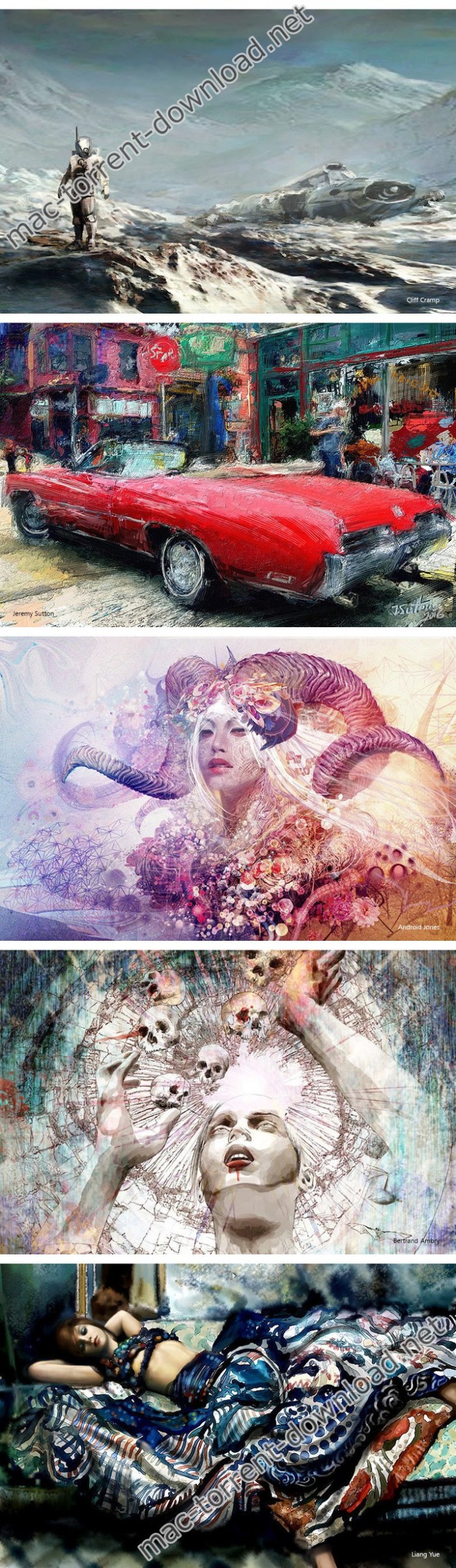
Screenshots


Name: Corel-Painter-2020-20.1.0.285-.zip
Size: 1.62 GB
Files Corel-Painter-2020-20.1.0.285-.zip [1.62 GB]

   Download

Corel AfterShot Pro 3.6.0.380

Download Corel AfterShot Pro 3.6.0.380

Corel AfterShot Pro 3 is up to 4x faster than Adobe Lightroom. It’s the photo editor that reveals your true creative potential and frees you: from high costs, from endless subscriptions, from hours spent editing at your computer. Import, process and output faster, and get back behind the camera where you belong with AfterShot Pro 3.

Comprehensive Watermarking

Protect and promote your work with versatile Watermarking features. Deter unauthorized copying, brand your photos with your logo or contact info, or add text and graphics. Apply watermarks to individual photos or batches, and easily adjust size, rotation, position, transparency and more.

Highlight Recovery

Regain more of the detail and tone from your overexposed photos with enhanced Highlight Recovery. Powered by a new algorithm, this feature lets you access more of the data in your RAW files for superior image quality.

Blemish Remover

Save time and edit faster by doing more touchups and photo corrections in AfterShot Pro 3, rather than jumping to PaintShop Pro or Adobe® Photoshop®. The new Blemish Remover offers circle, brush, polygon and freehand tools for detailed editing, making portrait editing faster and easier. Remove dust, spots, smudges and a variety of imperfections on any photo.

Image Preset Library

Now it’s easier to tap into the power of presets to automate more of your repetitive processing jobs or quickly reproduce a look that would otherwise be tedious to replicate. The new Image Preset Library lets you browse, preview and download free and for-purchase presets.

Lens Correction Development Kit

Make and share your own lens corrections—ideal for photographers working with rare, unique or spanking new glass. Simply follow the instructions, save your correction, then load it into AfterShot Pro 3—or share online.

Lens Corrections

Update to AfterShot Pro 3 for new, sought-after lens corrections that build on the hundreds of lenses already supported by AfterShot to quickly correct the different types of distortion introduced by various lenses. Join the AfterShot Pro community on Facebook to discover when new lens corrections are posted or to share your own.

Information

Compatibility
Mac OS X 10.9 or later (64-bit edition)
Languages
English

What’s New in Corel AfterShot Pro 3.6.0.380

  • Release notes not available at the time of this post.

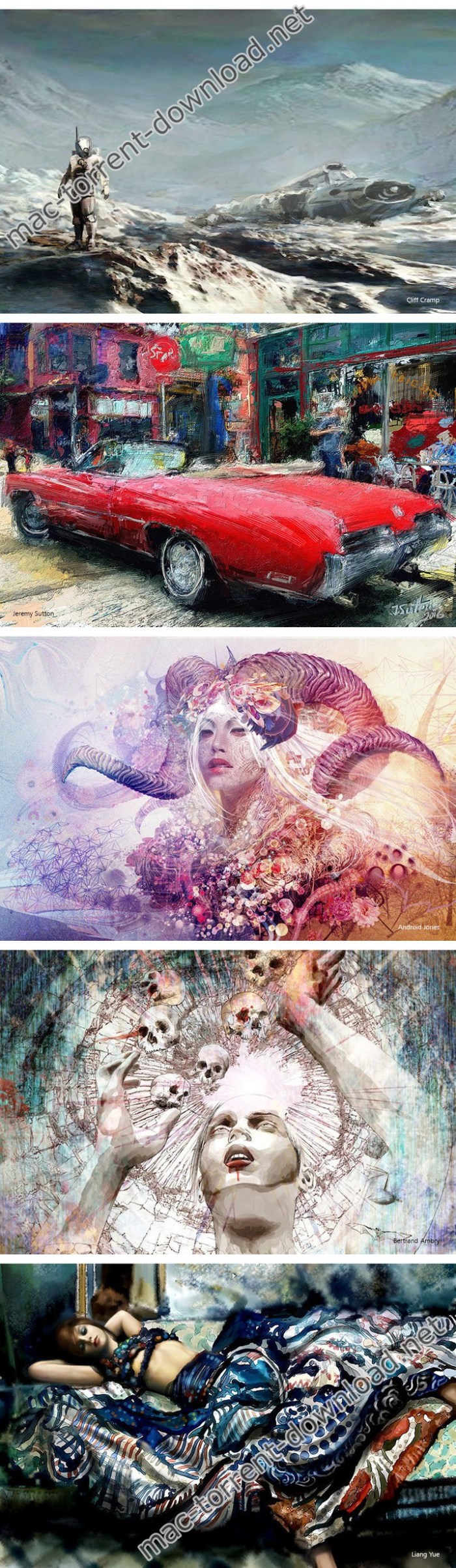
Screenshots

Name Corel AfterShot Pro 3.6.0.380.zip
Size 84.58 MB
Created on 2019-10-24 21:53:05
Hash ea2c7ce4dcccc251aeec373c95352b486ee8bbca
Files Corel AfterShot Pro 3.6.0.380.zip (84.58 MB)

Download

Corel MyDVD Pro 1.2.8 Build 88


Download


Corel MyDVD Pro 1.2.8 Build 88

Burn your videos to disc with Corel® MyDVD® Pro and add customizable menus, submenus, chapters and soundtracks. Export directly from Final Cut Pro® X or drag-and-drop videos from your computer to create professional-quality DVDs with themed templates.

MyDVD Pro is the perfect companion for burning discs from Final Cut Pro. From the makers of best-selling Roxio® Toast®, MyDVD Pro is the easiest way to give your projects the polished finish they deserve in three easy steps.

Step 1:

Export directly from Final Cut Pro, including chapter markers OR drag-and-drop your videos into MyDVD Pro.

Step 2:

Customize templates, menus, chapters, backgrounds, soundtracks and more.

Step 3:

Preview and click to burn to DVD, AVCHD, Blu-Ray Disc*, or create an ISO file.

Main Features:
  • Burn videos to DVD, AVCHD and Bluray Disc
  • Choose from 10 themed menu templates
  • Add a photo background to create infinite menu layouts
  • Drag and drop to add movies
  • Add an intro video
  • Enjoy 3step burning in Magic Mode
  • Customize menus, text, music and more in Advanced Mode
  • Easily combine multiple videos on one disc
Want to customize your project?

Try Advanced Mode to add submenus, edit the names in menu lists and add chapter points. Advanced mode also lets you change the background picture for the template and change the background music.

More Features:
  • Burn to DVD, AVCHD or Bluray
  • Choose from 10 themed templates
  • Drag and drop to add movies
  • Add an intro video
  • View project size
  • View disc size dropdown
  • Preview projects
  • Save to ISO Image
  • Review project settings
  • Erase a disc (to free space for burning)
  • AutoSave your project
  • Change menu layout
  • Add/remove submenus
  • Edit names in menus/submenus
  • Add chapter points to videos
  • Mix and match templates in a project
  • Edit text
  • Change music
  • Change the background imageRelease Notes:
  • Fixed some stability issues.
  • Fixed the audio and video sync issue.
  • Fixed the compatibility issues with OS X EI Capitan.
  • Fixed some issues in edit mode and preview mode.
  • Fixed the issue of change the background image.
  • Fixed the issue of open projects from dock.
  • Add AC3 audio format support.

Requirements: OS X 10.11 or later, 64-bit processor.

What’s New in Corel MyDVD Pro 1.2.8 Build 88

  • Release notes not available at the time of this post.


Name Corel MyDVD Pro 1.2.8 Build 88.zip
Size 307.2 MB
Created on 2019-07-01 05:29:07
Hash 2c4d98b70995fb636f8da7bb55aba4660c34983a
Files Corel MyDVD Pro 1.2.8 Build 88.zip (307.2 MB)

Download

 you can download from other site :
Corel MyDVD Pro 1.2.8 Build 88

Corel Painter 2020 v20.0.0.256


Download


Corel Painter 2020 v20.0.0.256 (incl. Corel Premium Brush Packs)

Corel Painter lets you advance your digital art style with painted textures, subtle glazing brushwork, interactive gradients, and realistic Natural-Media. Easily transition from traditional to digital art with thick oils, dripping watercolors and many other texture-filled strokes. Explore workflow layouts like illustration, fine art, concept, manga and photo art with specialized tools for each style.

Features
  • The Most Natural Transition From Traditional to Digital Art Immerse yourself in painting software that offers the largest selection of NaturalMedia® brushes and canvas textures on the market. Craft your art with stunning reality using an array of authentic dry and wet media. When combined with a pressure sensitive drawing solution, you will forget you are painting on a computer.
  • 21ST Century Media You Won’t Find Anywhere Else Create outofthisworld art with Image Hoses that spray the object of your imagination. Liquid Ink that piles up and can be carved into. Particles that spring, flow and glow, and hyperdigital Pattern Pens that defy traditional art boundaries yet were brought to life by real artists.
  • Incomparable Composition Tools Paint in perfect symmetry with Mirror and Kaleidoscope tools. Set a flawless scene with 1, 2 and 3point Perspective Guides and craft the perfect composition using the Divine Proportion and Layout Grid tools built right into this stunning digital art software.
  • Your Workflow, Your Way From custom brushes to custom palettes, Painter lets you import content from others, create your own, or select from builtin artist layouts to suit your workflow needs. Painter provides a personal experience that plays well with Photoshop and runs on Mac and Windows so that you can perfect your artwork in the way you’re used to working.

Compatibility: macOS 10.13 or later 64-bit

Web Site: https://www.corel.com

What’s New in Corel Painter 2020 v20.0.0.256

New
  • Brush Accelerator™
  • Interface advancements
  • Improved Brush Selector
  • Color Harmonies
  • GPU enhanced brushing

Screenshots


Name Corel Painter 2020 v20 0 0 256 incl Premium Brush Packs.zip
Size 1.02 GB
Created on 2019-06-26 09:37:40
Hash 180acdde399b23019ef3dece9f516a2d14997800
Files Corel Painter 2020 v20 0 0 256 incl Premium Brush Packs.zip (1.02 GB)

Download

 you can download from other site :
Corel Painter 2020 v20.0.0.256