Tag Archives: Mach

Mach Desktop 4K 3.1.0

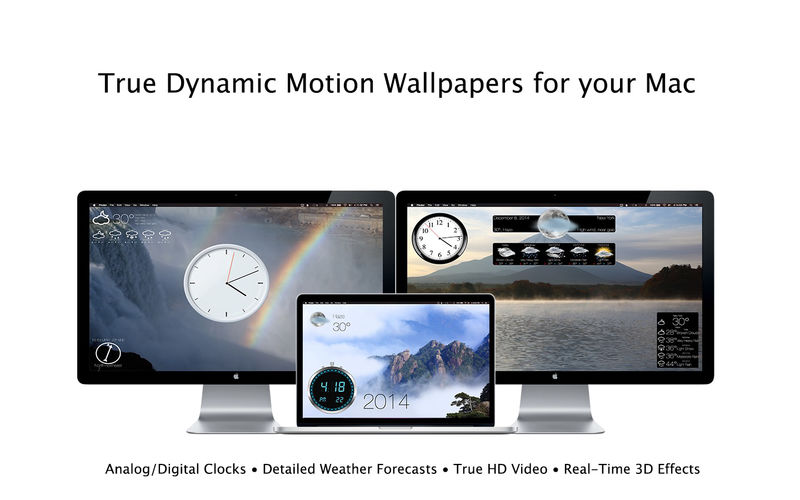
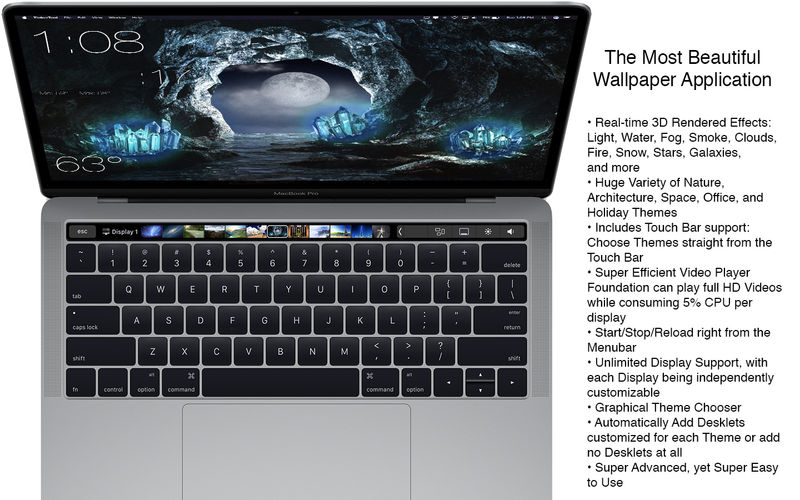
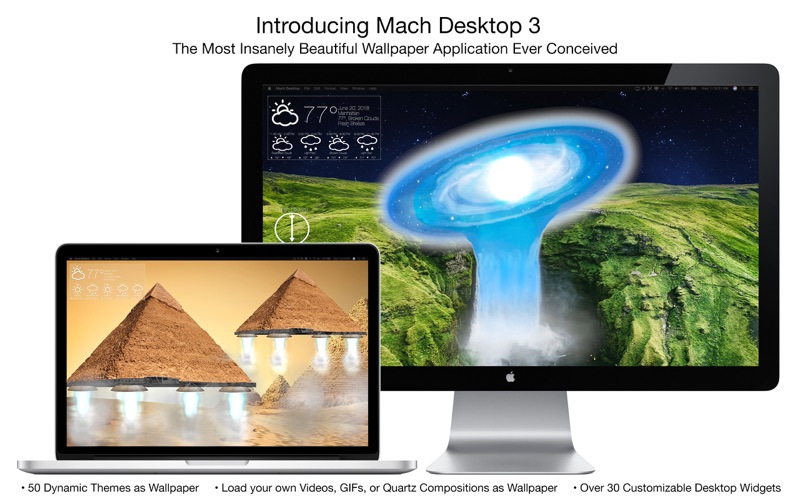
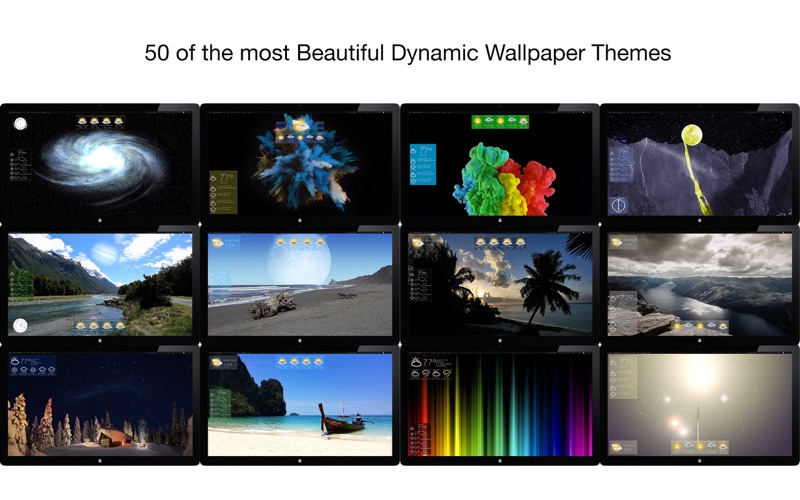
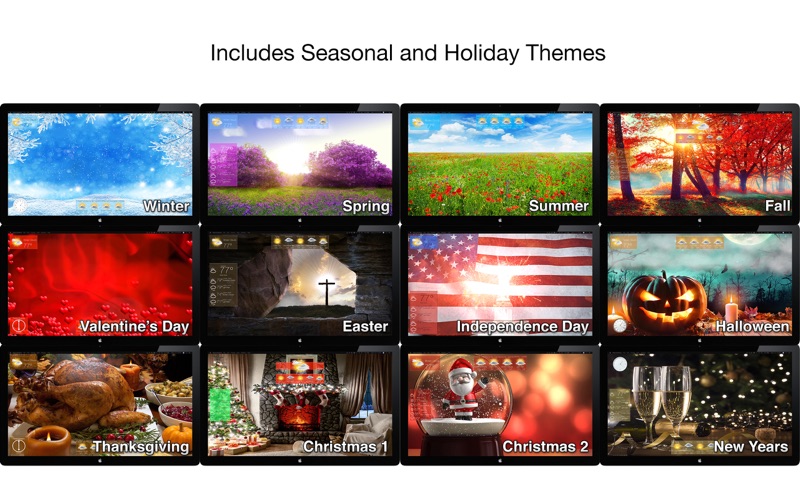
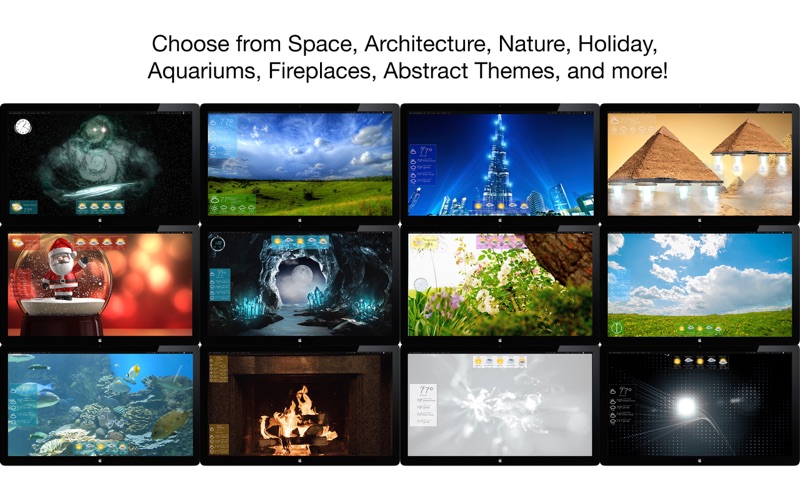
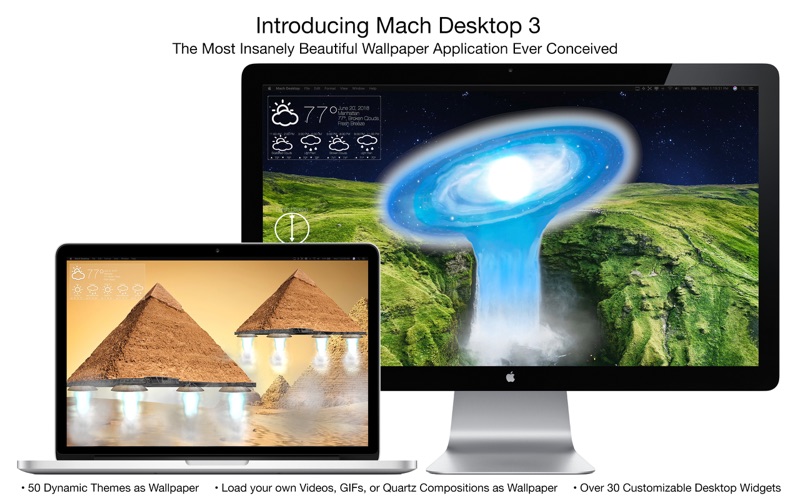
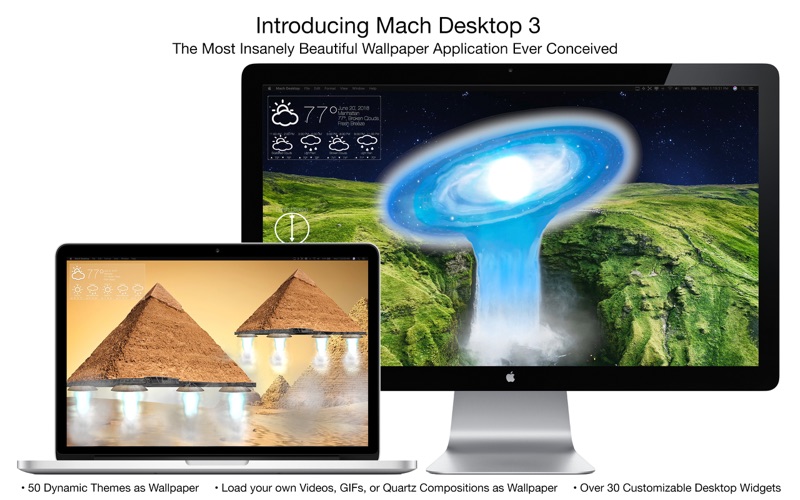
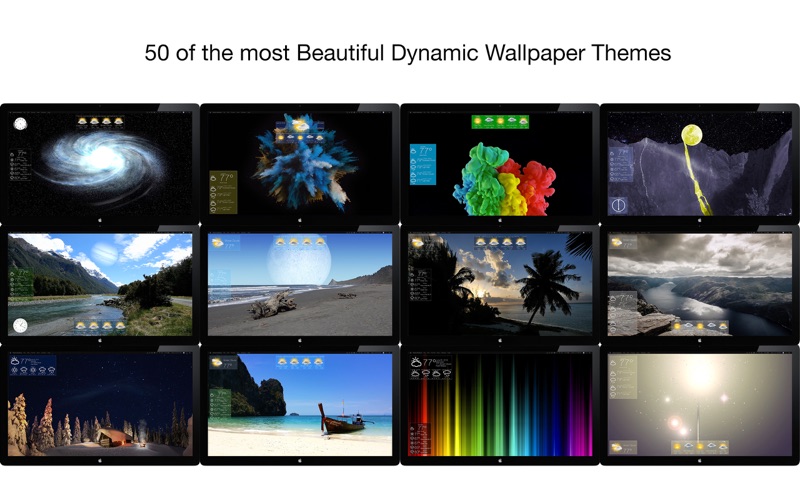
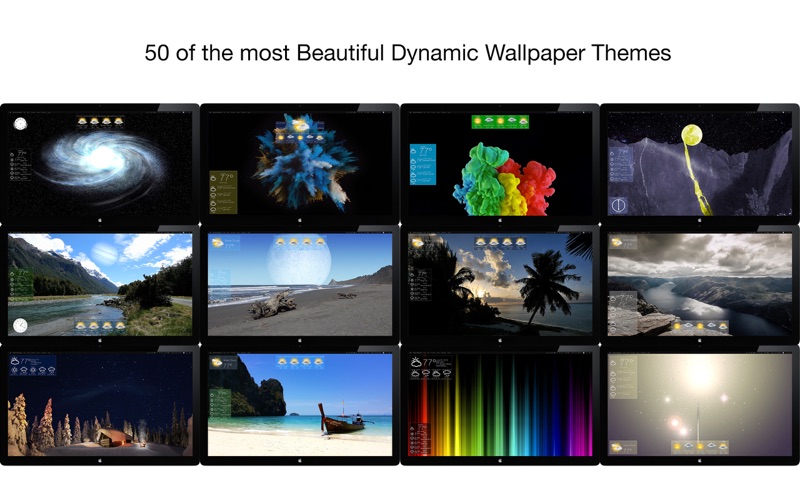
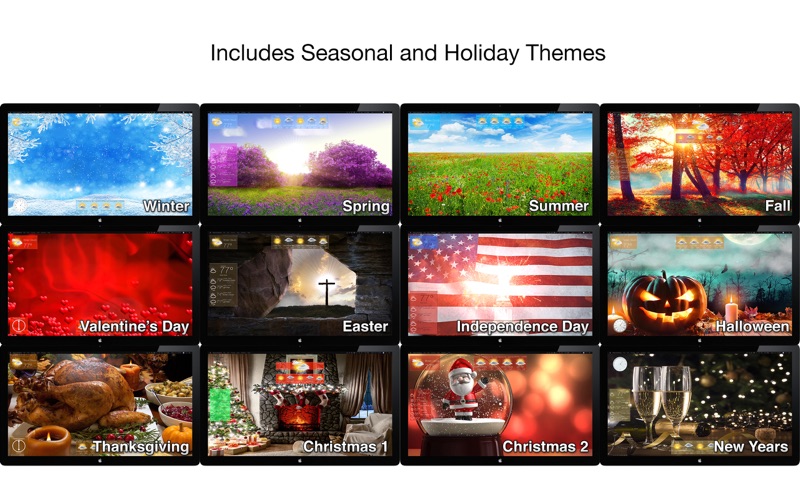
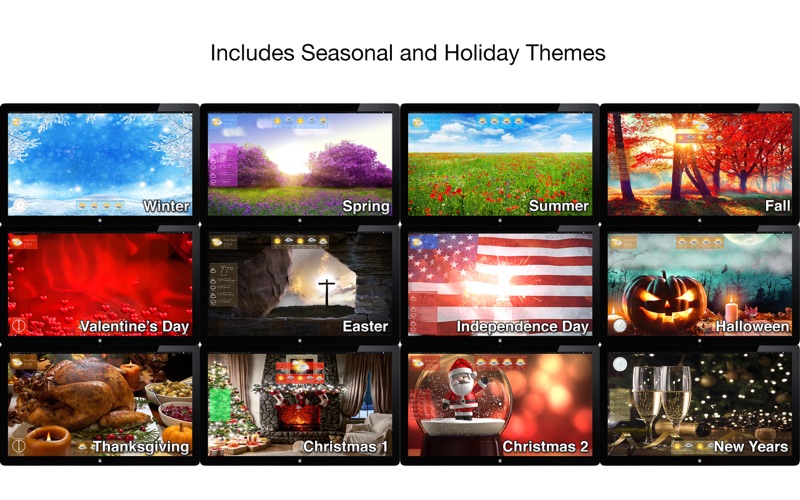
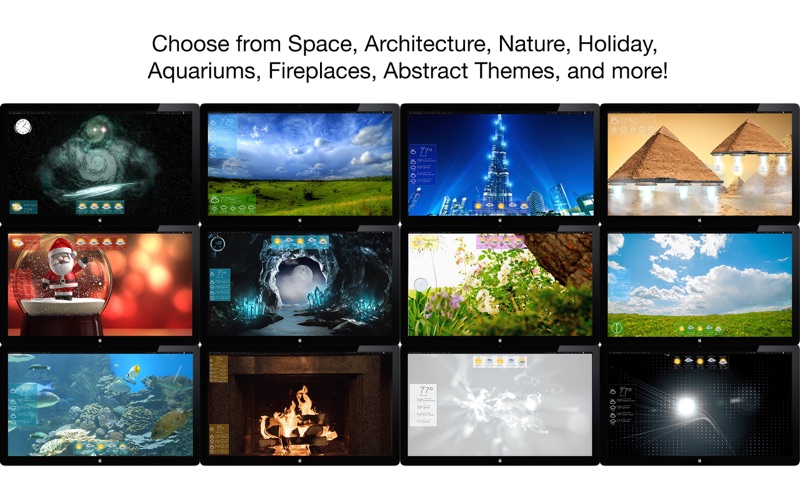
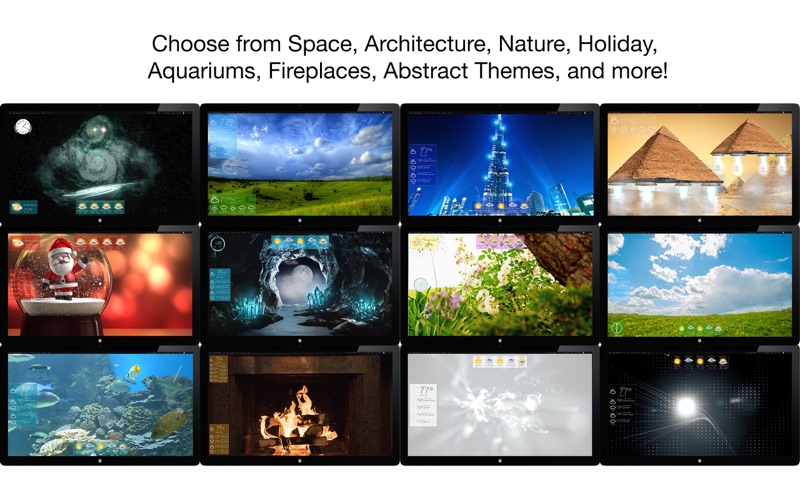
Introducing Mach Desktop 4K version 3.0: The most advanced and beautiful wallpaper application ever conceived for a personal computer! Mach Desktop 4K features 50 stunning dynamic Themes; allows you to load your own Videos, GIFs, or Quartz Compositions as Wallpaper, and allows you to add over 30 different Widgets to your Desktop. Choose from a huge variety of meticulously crafted dynamic Themes from categories including: Space, Fantasy, Architecture, Fields, Nature, Holiday, Aquariums, Fireplaces, Abstract Themes, and much more! Mach Desktop 4K also features GPU-acceleration support so Themes use little-to-no CPU — freeing up your computer for other tasks.

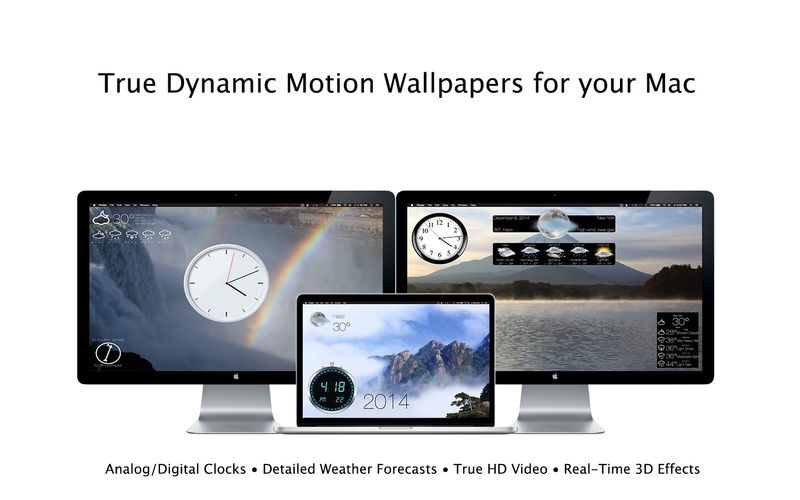
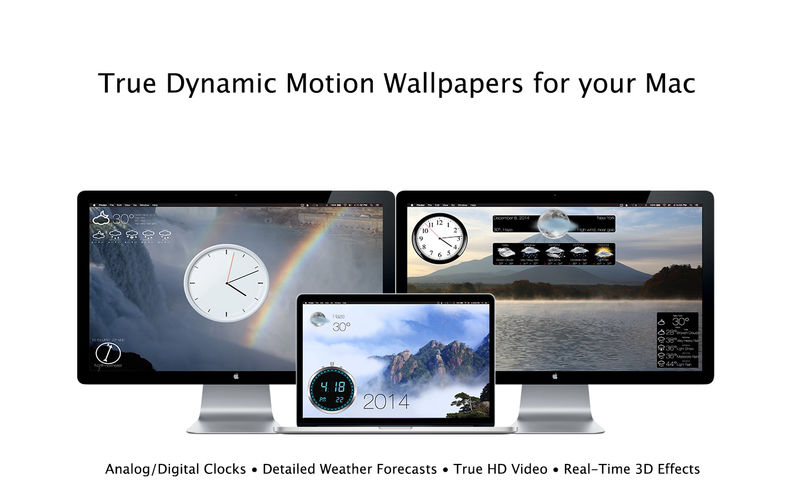
If that still wasn’t enough, with the Widget Manager you can add Widgets to your Desktop with a single click! Select a Widget and set its size, font, foreground color, and background color — and easily position a Widget anywhere you want. Choose from over 30 different Widgets including Time, Date, Current Weather, 12 hour Weather forecast, 5 day Weather forecast, a variety of Clocks, and much much more. You can even add Web pages to your Desktop with the Web Page Widget, or add your own Custom Text Widgets (including Emojis) to your Desktop super easily. Don’t feel like adding and customizing Widgets on your own? No problem! Mach Desktop 4K can automatically add Widgets positioned, colored, and tailored for each individual Theme. With all these features, Mach Desktop 4K has no equal and is the only application of its kind!

Compatibility: macOS 10.11 or later
Homepage https://apps.apple.com/us/app/mach-desktop/id408894464

Screenshots

Name: Mach_Desktop_4K_3.1.0_Mactorrents.Me.dmg
Size: 1.6 GB
Files Mach_Desktop_4K_3.1.0_Mactorrents.Me.dmg[1.6 GB]


   Download Torrent

Mach Desktop 3.1.0

Mach Desktop brings your desktop to life with Quartz Compositions, Quicktime Movies, or Web pages. Mach Desktop also comes built-in with over 20 stunning Quartz Compositions and over 5 beautiful Quicktime movies. You can, of course, choose your own Quartz Composition, Quicktime movie, or Web page to put on the desktop as well. Unlike all other desktop applications which only offer one of these three media types, Mach Desktop offers all three media types in a single convenient application.

Mach Desktop also introduces a concept called the desktop utility, where you can have commonly used utilities living on your desktop. And if you have two displays, Mach Desktop will automatically detect it and take advantage of that. Download Mach Desktop today, and turn your desktop into the multimedia and information powerhouse it deserves to be.

Ridiculously Advanced Features!

  • 40+ Themes, with the option to automatically add customized Desklets or add no Desklets at all; the choice is yours!
  • Unlimited Display support, with each display being independently customizable
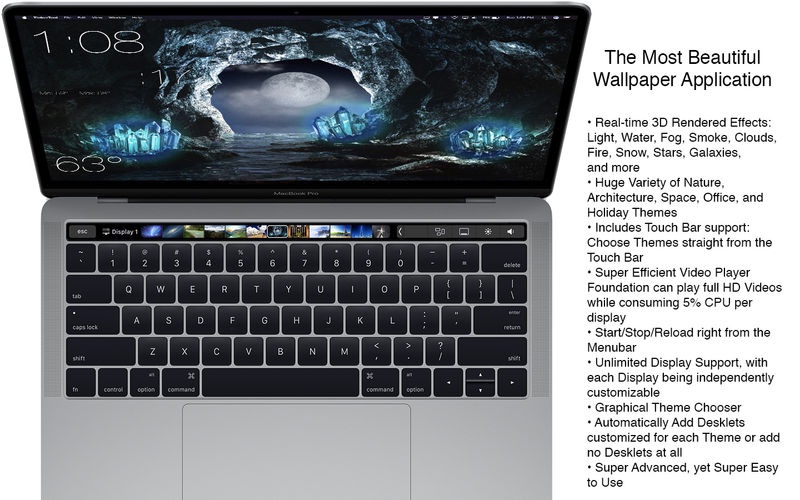
  • 25+ 3D (Quartz) Compositions with stunning rendered effects such as Light, Water, Fog, Smoke, Clouds, Fire, Snow, Stars, Galaxies, Quasars, Black Holes, and more
  • Nearly 20 True HD Videos include Waterfalls, Fireplaces, Aquariums; and also historic landmarks like the Great Pyramids, the Roman Colosseum, the Athens Acropolis, the Eiffel Tower, and more
  • Choose Themes graphically with a single click
  • Add over 30 different Desklets with a single click; with each Desklet supporting customized position, size, font, foreground color, and background color
  • Web page Desklets allow to you put multiple web pages on your Desktop, allowing full customizability for position and size
  • Forecast Desklets show conditions, temperature, wind speed, humidity, and pressure for the next 12 hours
  • Retina Display support
  • Incredibly advanced, yet super easy to use

What’s New:

Version 3.1.0

  • New Weather API backend for Widgets provide up to 200% faster performance
  • All Weather Widgets rewritten in Swift for faster performance and more efficient memory usage
  • Wind Widgets now show the correct direction wind is blowing (I.e. If wind direction is North, it now shows it blowing from the North, instead of towards the North)
  • Fixed various bugs throughout the application

Compatibility: macOS 10.11 or later
Mac App Store https://itunes.apple.com/us/app/mach-desktop/id408894464?mt=12

Screenshots


Name: Mach_Desktop_3.1.0_Mactorrents.Me.dmg
Size: 464 MB
Files Mach_Desktop_3.1.0_Mactorrents.Me.dmg[464 MB]


   Download Torrent


   Download Link

Mach Desktop 4K 3.0.6

Name: Mach_Desktop_4K_3.0.6_Mactorrents.biz.dmg
Size: 1.6 GB
Files Mach_Desktop_4K_3.0.6_Mactorrents.biz.dmg[1.6 GB]

   Download Torrent
   Link Download

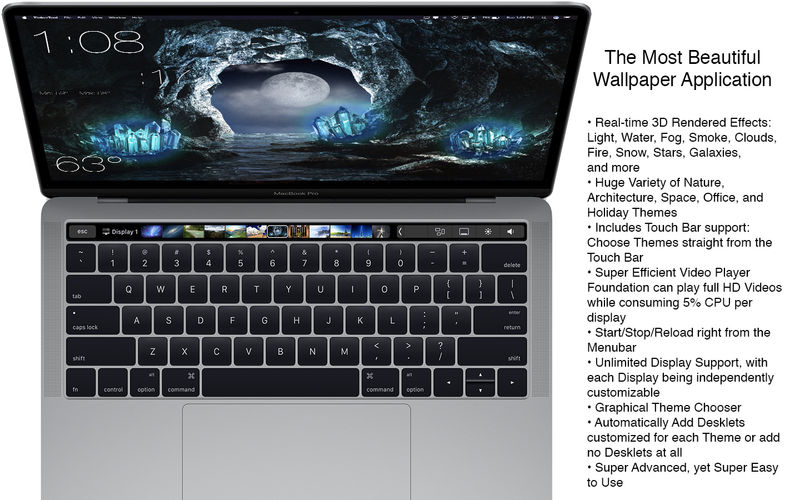
Introducing Mach Desktop 4K version 3.0: The most advanced and beautiful wallpaper application ever conceived for a personal computer! Mach Desktop 4K features 50 stunning dynamic Themes; allows you to load your own Videos, GIFs, or Quartz Compositions as Wallpaper, and allows you to add over 30 different Widgets to your Desktop. Choose from a huge variety of meticulously crafted dynamic Themes from categories including: Space, Fantasy, Architecture, Fields, Nature, Holiday, Aquariums, Fireplaces, Abstract Themes, and much more! Mach Desktop 4K also features GPU-acceleration support so Themes use little-to-no CPU — freeing up your computer for other tasks.

If that still wasn’t enough, with the Widget Manager you can add Widgets to your Desktop with a single click! Select a Widget and set its size, font, foreground color, and background color — and easily position a Widget anywhere you want. Choose from over 30 different Widgets including Time, Date, Current Weather, 12 hour Weather forecast, 5 day Weather forecast, a variety of Clocks, and much much more. You can even add Web pages to your Desktop with the Web Page Widget, or add your own Custom Text Widgets (including Emojis) to your Desktop super easily. Don’t feel like adding and customizing Widgets on your own? No problem! Mach Desktop 4K can automatically add Widgets positioned, colored, and tailored for each individual Theme. With all these features, Mach Desktop 4K has no equal and is the only application of its kind!

Compatibility: macOS 10.11 or later
Homepage https://apps.apple.com/us/app/mach-desktop/id408894464

Screenshots

Mach Desktop 4K 3.0.4

Download Mach Desktop 4K 3.0.4

Introducing Mach Desktop 4K version 3.0: The most advanced and beautiful wallpaper application ever conceived for a personal computer! Mach Desktop 4K features 50 stunning dynamic Themes; allows you to load your own Videos, GIFs, or Quartz Compositions as Wallpaper, and allows you to add over 30 different Widgets to your Desktop. Choose from a huge variety of meticulously crafted dynamic Themes from categories including: Space, Fantasy, Architecture, Fields, Nature, Holiday, Aquariums, Fireplaces, Abstract Themes, and much more! Mach Desktop 4K also features GPU-acceleration support so Themes use little-to-no CPU — freeing up your computer for other tasks.

If that still wasn’t enough, with the Widget Manager you can add Widgets to your Desktop with a single click! Select a Widget and set its size, font, foreground color, and background color — and easily position a Widget anywhere you want. Choose from over 30 different Widgets including Time, Date, Current Weather, 12 hour Weather forecast, 5 day Weather forecast, a variety of Clocks, and much much more. You can even add Web pages to your Desktop with the Web Page Widget, or add your own Custom Text Widgets (including Emojis) to your Desktop super easily. Don’t feel like adding and customizing Widgets on your own? No problem! Mach Desktop 4K can automatically add Widgets positioned, colored, and tailored for each individual Theme. With all these features, Mach Desktop 4K has no equal and is the only application of its kind!

New in version 3.0:

  • All new completely redesigned Themes
  • All Themes are now prerendered Videos using no more than 5% CPU per display (no more included Quartz compositions that rely on heavily CPU/GPU usage, however you can still load your own Quartz Compositions if you would like)
  • New Widgets, including Custom Text Widget
  • Improved dynamics: Closing/opening Laptop lid, better wake/sleep support, improved awareness when you’re switching Display resolution, etc.
  • Preserve original Aspect Ratio in Themes
  • Widgets up to 75% faster than previous Widgets

Super cool features!

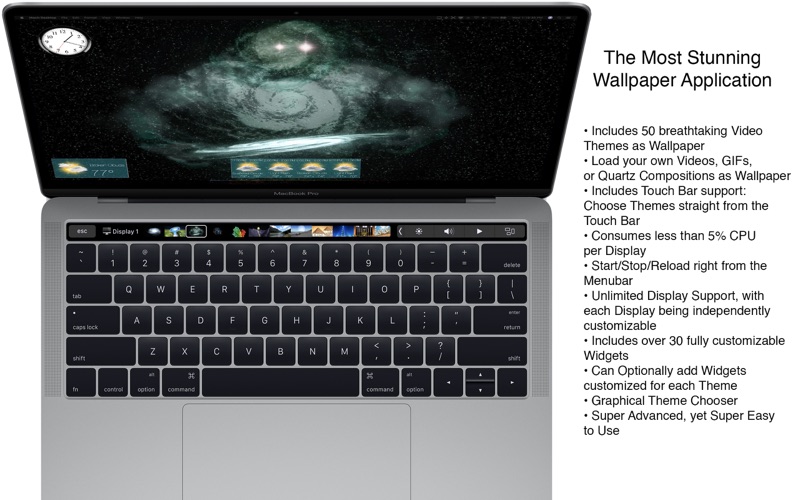
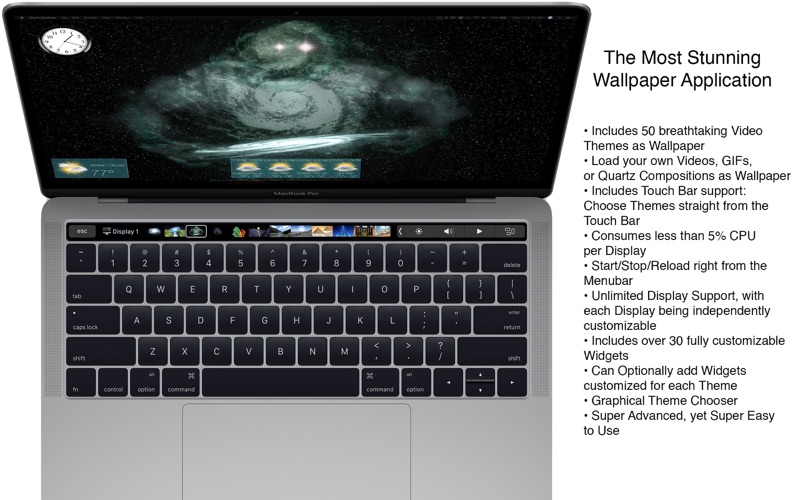
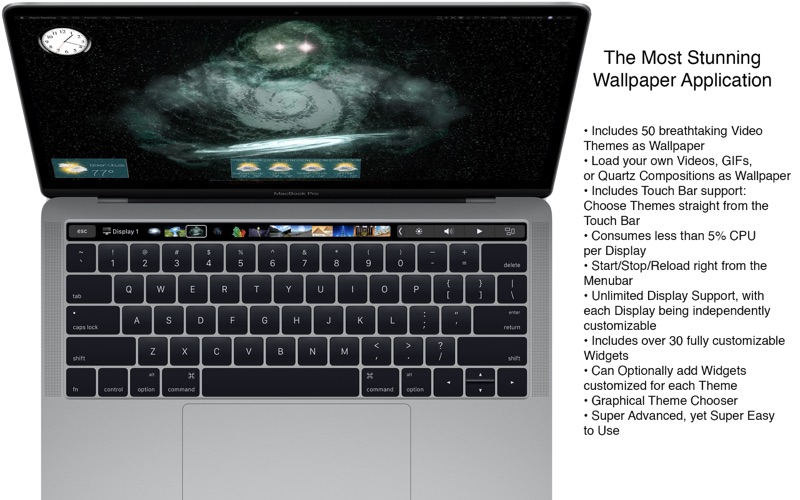
  • Includes 50 Dynamic Video Themes as Wallpaper
  • Load your own Videos, GIFs, or Quartz Compositions as Wallpaper
  • Includes over 30 different Widgets to add to your Desktop; Widgets include: Date, Time, Weather, Clocks, and more
  • Choose from a huge variety of Themes including: Space, Fantasy, Architecture, Fields, Nature, Holiday, Aquariums, Fireplaces, Abstract Themes, and more
  • Unlimited Display/Monitor support, with each Display being independently customizable
  • Choose Themes graphically with a single click
  • Video and GIF as Wallpaper feature GPUacceleration support; consuming littletono CPU for Wallpaper animations (Quartz compositions vary depending on Quartz composition)
  • Not only includes a huge variety of Date/Time/Weather/Clock Widgets; but also includes Web Page Widgets and Custom Text Widgets
  • All Widgets support custom position, size, font, foreground color, and background color
  • Super advanced, yet super easy to use

Information

CompatibilityOS X 10.9 or later, 64-bit processor
LanguagesEnglish

What’s New in Mach Desktop 4K 3.0.4

  • Fixed various bugs throughout the application

Screenshots

Name Mach Desktop 4K 3.0.4 MAS [TNT] mac-torrents.net.zip
Size 1.46 GB
Created on 2019-10-26 17:56:18
Hash 6c17b62a533bad7b5ca49d6961f340fb99d3fa28
Files Mach Desktop 4K 3.0.4 MAS [TNT] mac-torrents.net.zip (1.46 GB)

Download

Mach Desktop 3.0.4

Download Mach Desktop 3.0.4

Introducing Mach Desktop version 3.0:

The most advanced and beautiful wallpaper application ever conceived for a personal computer! Mach Desktop features 50 stunning dynamic Themes; allows you to load your own Videos, GIFs, or Quartz Compositions as Wallpaper, and allows you to add over 30 different Widgets to your Desktop. Choose from a huge variety of meticulously crafted dynamic Themes from categories including: Space, Fantasy, Architecture, Fields, Nature, Holiday, Aquariums, Fireplaces, Abstract Themes, and much more! Mach Desktop also features GPU-acceleration support so Themes use little-to-no CPU — freeing up your computer for other tasks.

If that still wasn’t enough, with the Widget Manager you can add Widgets to your Desktop with a single click! Select a Widget and set its size, font, foreground color, and background color — and easily position a Widget anywhere you want. Choose from over 30 different Widgets including Time, Date, Current Weather, 12 hour Weather forecast, 5 day Weather forecast, a variety of Clocks, and much much more. You can even add Web pages to your Desktop with the Web Page Widget, or add your own Custom Text Widgets (including Emojis) to your Desktop super easily. Don’t feel like adding and customizing Widgets on your own? No problem! Mach Desktop can automatically add Widgets positioned, colored, and tailored for each individual Theme. With all these features, Mach Desktop has no equal and is the only application of its kind!

Features

New in version 3.0:

  • All new completely redesigned Themes
  • All Themes are now prerendered Videos using no more than 5% CPU per display (no more included Quartz compositions that rely on heavily CPU/GPU usage, however you can still load your own Quartz Compositions if you would like)
  • New Widgets, including Custom Text Widget
  • Improved dynamics: Closing/opening Laptop lid, better wake/sleep support, improved awareness when you’re switching Display resolution, etc.
  • Preserve original Aspect Ratio in Themes
  • Widgets up to 75% faster than previous Widgets

Super cool features!

  • Includes 50 Dynamic Video Themes as Wallpaper
  • Load your own Videos, GIFs, or Quartz Compositions as Wallpaper
  • Includes over 30 different Widgets to add to your Desktop; Widgets include: Date, Time, Weather, Clocks, and more
  • Choose from a huge variety of Themes including: Space, Fantasy, Architecture, Fields, Nature, Holiday, Aquariums, Fireplaces, Abstract Themes, and more
  • Unlimited Display/Monitor support, with each Display being independently customizable
  • Choose Themes graphically with a single click
  • Video and GIF as Wallpaper feature GPUacceleration support; consuming littletono CPU for Wallpaper animations (Quartz compositions vary depending on Quartz composition)
  • Not only includes a huge variety of Date/Time/Weather/Clock Widgets; but also includes Web Page Widgets and Custom Text Widgets
  • All Widgets support custom position, size, font, foreground color, and background color
  • Super advanced, yet super easy to use

Information

CompatibilityOS X 10.9 or later, 64-bit processor
LanguagesEnglish

What’s New in Mach Desktop 3.0.4

  • Fixed various bugs throughout the application

Screenshots

Name Mach Desktop 3.0.4 MAS [TNT] mac-torrents.net.zip
Size 473.8 MB
Created on 2019-10-25 11:32:47
Hash 6a6432a435f778a45d526aab04cb4cb6b1c76b59
Files Mach Desktop 3.0.4 MAS [TNT] mac-torrents.net.zip (473.8 MB)

Download

Mach Desktop 3.0.2

Name Mach Desktop 3 0 2 MAS TNT.zip
Size 460.1 MB
Created on 2018-10-01 20:49:57
Hash b44956199986749cd83ee049fb380155e76d1c9d
Files Mach Desktop 3 0 2 MAS TNT.zip (460.1 MB)

Descriptions for Mach Desktop 3.0.2

**4K version also available! Please search the Mac App Store for “Mach Desktop 4K” for the 4K version**

Introducing Mach Desktop version 3.0:

The most advanced and beautiful wallpaper application ever conceived for a personal computer! Mach Desktop features 50 stunning dynamic Themes; allows you to load your own Videos, GIFs, or Quartz Compositions as Wallpaper, and allows you to add over 30 different Widgets to your Desktop. Choose from a huge variety of meticulously crafted dynamic Themes from categories including: Space, Fantasy, Architecture, Fields, Nature, Holiday, Aquariums, Fireplaces, Abstract Themes, and much more! Mach Desktop also features GPU-acceleration support so Themes use little-to-no CPU — freeing up your computer for other tasks.

If that still wasn’t enough, with the Widget Manager you can add Widgets to your Desktop with a single click! Select a Widget and set its size, font, foreground color, and background color — and easily position a Widget anywhere you want. Choose from over 30 different Widgets including Time, Date, Current Weather, 12 hour Weather forecast, 5 day Weather forecast, a variety of Clocks, and much much more. You can even add Web pages to your Desktop with the Web Page Widget, or add your own Custom Text Widgets (including Emojis) to your Desktop super easily. Don’t feel like adding and customizing Widgets on your own? No problem! Mach Desktop can automatically add Widgets positioned, colored, and tailored for each individual Theme. With all these features, Mach Desktop has no equal and is the only application of its kind!

New in version 3.0:

  • All new completely redesigned Themes
  • All Themes are now prerendered Videos using no more than 5% CPU per display (no more included Quartz compositions that rely on heavily CPU/GPU usage, however you can still load your own Quartz Compositions if you would like)
  • New Widgets, including Custom Text Widget
  • Improved dynamics: Closing/opening Laptop lid, better wake/sleep support, improved awareness when you’re switching Display resolution, etc.
  • Preserve original Aspect Ratio in Themes
  • Widgets up to 75% faster than previous Widgets

Super cool features!

  • Includes 50 Dynamic Video Themes as Wallpaper
  • Load your own Videos, GIFs, or Quartz Compositions as Wallpaper
  • Includes over 30 different Widgets to add to your Desktop; Widgets include: Date, Time, Weather, Clocks, and more
  • Choose from a huge variety of Themes including: Space, Fantasy, Architecture, Fields, Nature, Holiday, Aquariums, Fireplaces, Abstract Themes, and more
  • Unlimited Display/Monitor support, with each Display being independently customizable
  • Choose Themes graphically with a single click
  • Video and GIF as Wallpaper feature GPUacceleration support; consuming littletono CPU for Wallpaper animations (Quartz compositions vary depending on Quartz composition)
  • Not only includes a huge variety of Date/Time/Weather/Clock Widgets; but also includes Web Page Widgets and Custom Text Widgets
  • All Widgets support custom position, size, font, foreground color, and background color
  • Super advanced, yet super easy to use

Compatibility: OS X 10.9 or later, 64bit

Web Site: http://www.machsoftwaredesign.com/desktop.html
Mac App Store: https://itunes.apple.com/app/mach-desktop/id408894464?mt=12

What’s New in Mach Desktop 3.0.2

  • Increased Weather Widget Accuracy for Users in the United States
  • Fixed various bugs throughout the application

Screenshots

Mach Desktop 3.0.1

Name Mach Desktop 3 0 1 MAS TNT.zip
Size 460.9 MB
Created on 2018-09-19 15:37:36
Hash 761a3a5111883875284f504d3223c72225b44541
Files Mach Desktop 3 0 1 MAS TNT.zip (460.9 MB)

Descriptions for Mach Desktop 3.0.1

**4K version also available! Please search the Mac App Store for “Mach Desktop 4K” for the 4K version**

Introducing Mach Desktop version 3.0:

The most advanced and beautiful wallpaper application ever conceived for a personal computer! Mach Desktop features 50 stunning dynamic Themes; allows you to load your own Videos, GIFs, or Quartz Compositions as Wallpaper, and allows you to add over 30 different Widgets to your Desktop. Choose from a huge variety of meticulously crafted dynamic Themes from categories including: Space, Fantasy, Architecture, Fields, Nature, Holiday, Aquariums, Fireplaces, Abstract Themes, and much more! Mach Desktop also features GPU-acceleration support so Themes use little-to-no CPU — freeing up your computer for other tasks.

If that still wasn’t enough, with the Widget Manager you can add Widgets to your Desktop with a single click! Select a Widget and set its size, font, foreground color, and background color — and easily position a Widget anywhere you want. Choose from over 30 different Widgets including Time, Date, Current Weather, 12 hour Weather forecast, 5 day Weather forecast, a variety of Clocks, and much much more. You can even add Web pages to your Desktop with the Web Page Widget, or add your own Custom Text Widgets (including Emojis) to your Desktop super easily. Don’t feel like adding and customizing Widgets on your own? No problem! Mach Desktop can automatically add Widgets positioned, colored, and tailored for each individual Theme. With all these features, Mach Desktop has no equal and is the only application of its kind!

New in version 3.0:

  • All new completely redesigned Themes
  • All Themes are now prerendered Videos using no more than 5% CPU per display (no more included Quartz compositions that rely on heavily CPU/GPU usage, however you can still load your own Quartz Compositions if you would like)
  • New Widgets, including Custom Text Widget
  • Improved dynamics: Closing/opening Laptop lid, better wake/sleep support, improved awareness when you’re switching Display resolution, etc.
  • Preserve original Aspect Ratio in Themes
  • Widgets up to 75% faster than previous Widgets

Super cool features!

  • Includes 50 Dynamic Video Themes as Wallpaper
  • Load your own Videos, GIFs, or Quartz Compositions as Wallpaper
  • Includes over 30 different Widgets to add to your Desktop; Widgets include: Date, Time, Weather, Clocks, and more
  • Choose from a huge variety of Themes including: Space, Fantasy, Architecture, Fields, Nature, Holiday, Aquariums, Fireplaces, Abstract Themes, and more
  • Unlimited Display/Monitor support, with each Display being independently customizable
  • Choose Themes graphically with a single click
  • Video and GIF as Wallpaper feature GPUacceleration support; consuming littletono CPU for Wallpaper animations (Quartz compositions vary depending on Quartz composition)
  • Not only includes a huge variety of Date/Time/Weather/Clock Widgets; but also includes Web Page Widgets and Custom Text Widgets
  • All Widgets support custom position, size, font, foreground color, and background color
  • Super advanced, yet super easy to use

Compatibility: OS X 10.9 or later, 64bit

Web Site: http://www.machsoftwaredesign.com/desktop.html
Mac App Store: https://itunes.apple.com/app/mach-desktop/id408894464?mt=12

What’s New in Mach Desktop 3.0.1

  • Updated User Interface
  • Fixed various bugs throughout the application

Screenshots