
Tag Archives: Pro

Final Cut Pro 10.4.3

Final Cut Pro 10 icon
Name Final Cut Pro 10 4 3 MAS TNT.zip
Size 3.02 GB
Created on 2018-06-22 17:35:38
Hash deadd414c676a1af64a4dbe28d7c4856b56590e2
Files Final Cut Pro 10 4 3 MAS TNT.zip (3.02 GB)


Descriptions for Final Cut Pro 10.4.3

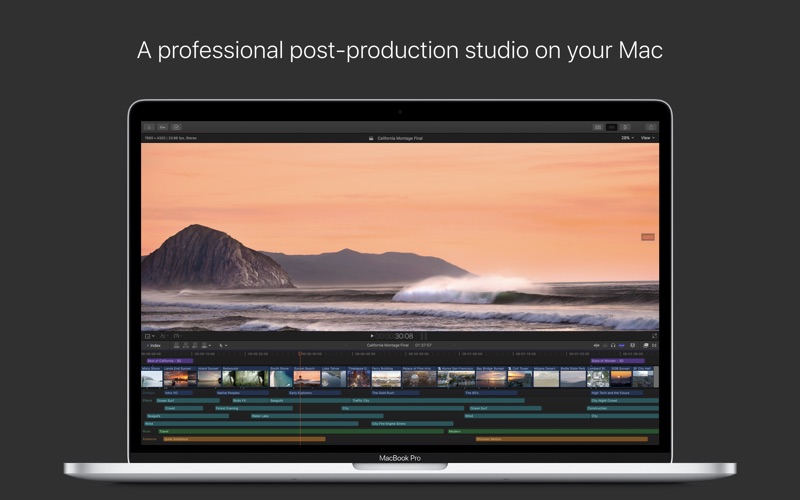
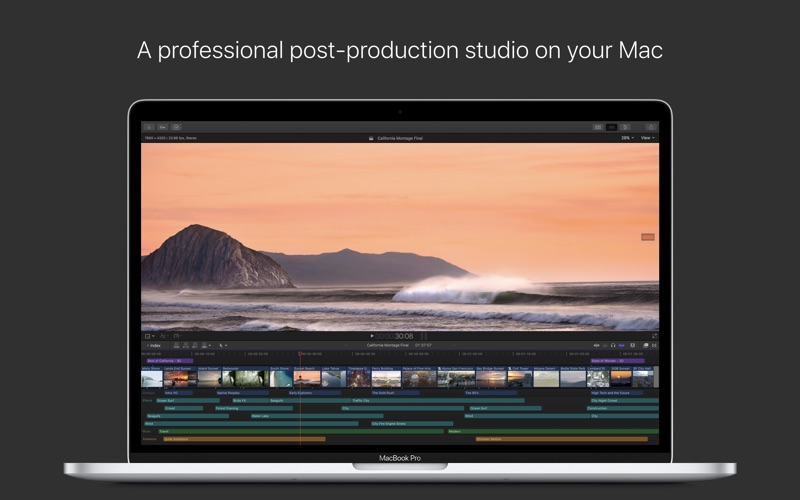
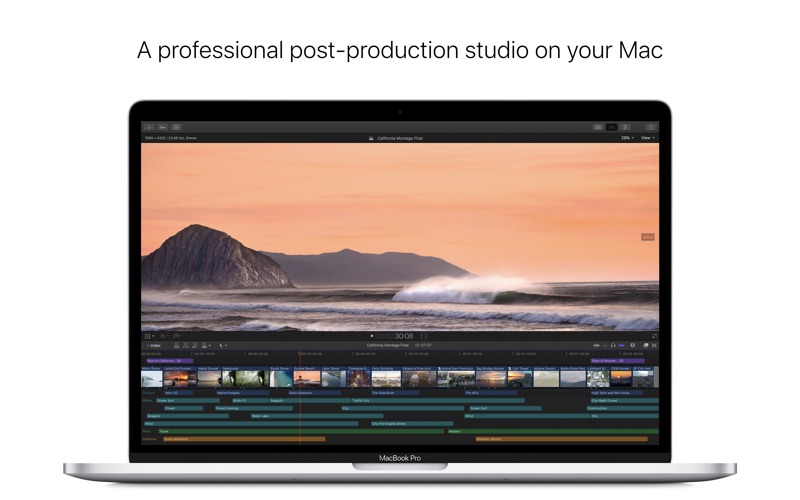
Redesigned from the ground up, Final Cut Pro combines revolutionary video editing with powerful media organization and incredible performance to let you create at the speed of thought.

Revolutionary Video Editing
  • The Magnetic Timeline 2 uses advanced metadata for faster, easier editing than with traditional tracks
  • Enhanced Timeline Index lets you drag and drop audio roles to rearrange the layout of your timeline
  • Use Clip Connections to attach Broll, sound effects, and music to the timeline
  • Reduce clutter by grouping clips into a Compound Clip
  • Cycle through different shots, graphics, or effects at one place in the timeline with Auditions
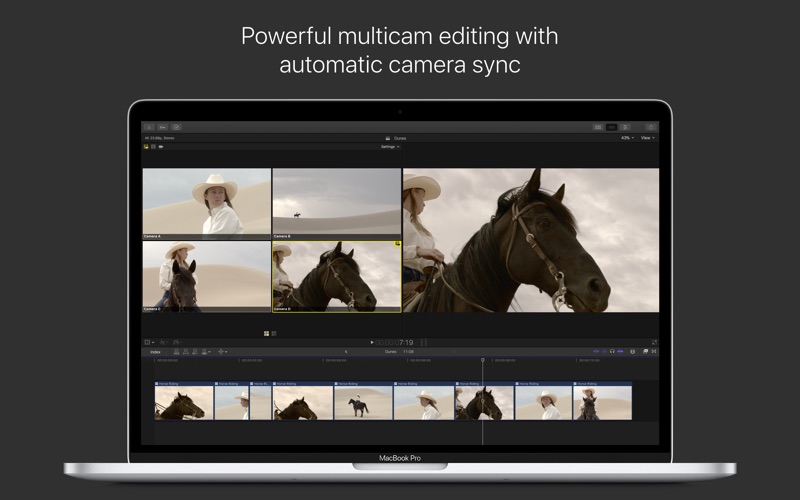
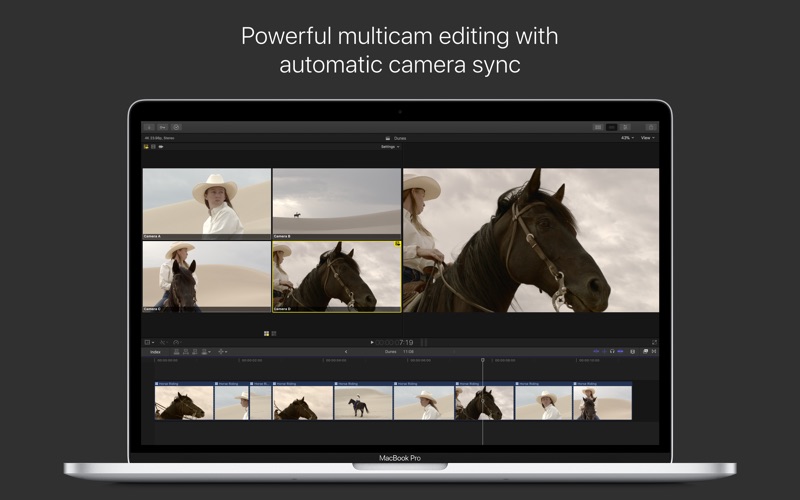
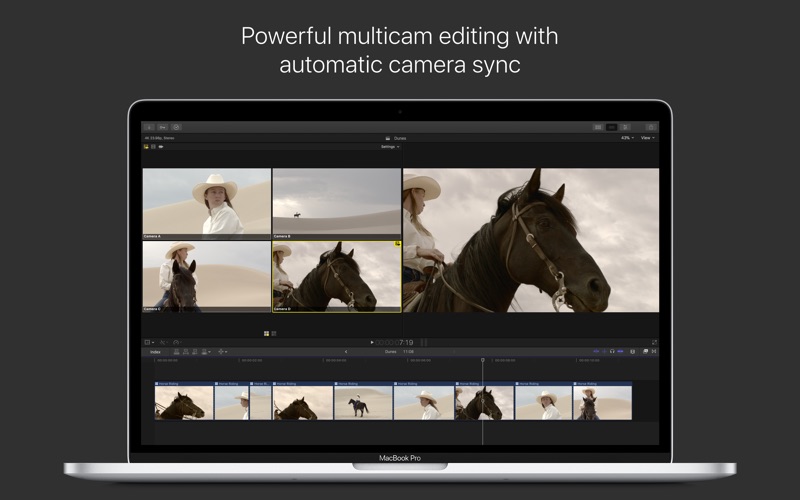
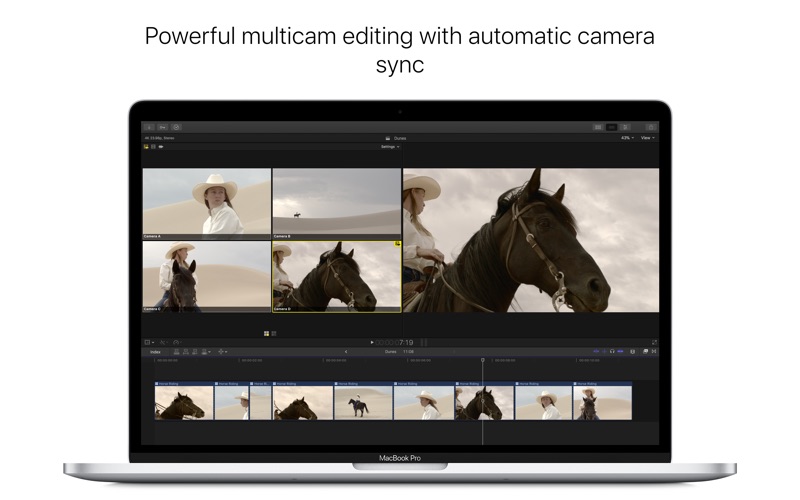
  • Edit multicamera projects with automatic syncing based on audio waveforms and support for up to 64 camera angles
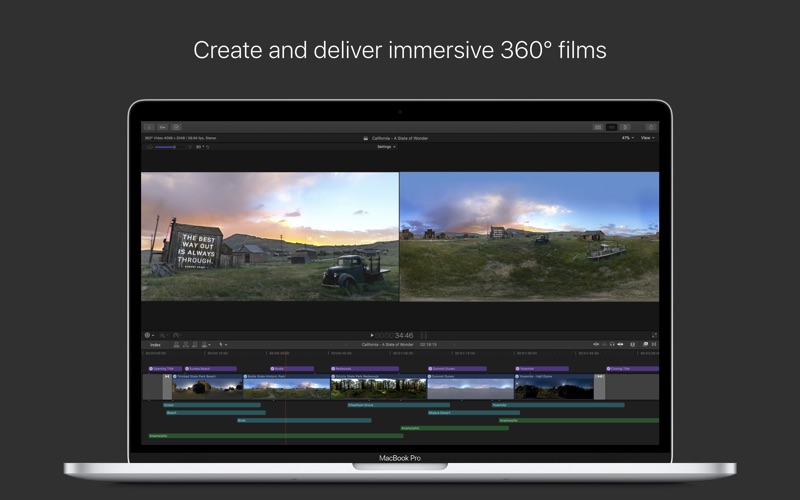
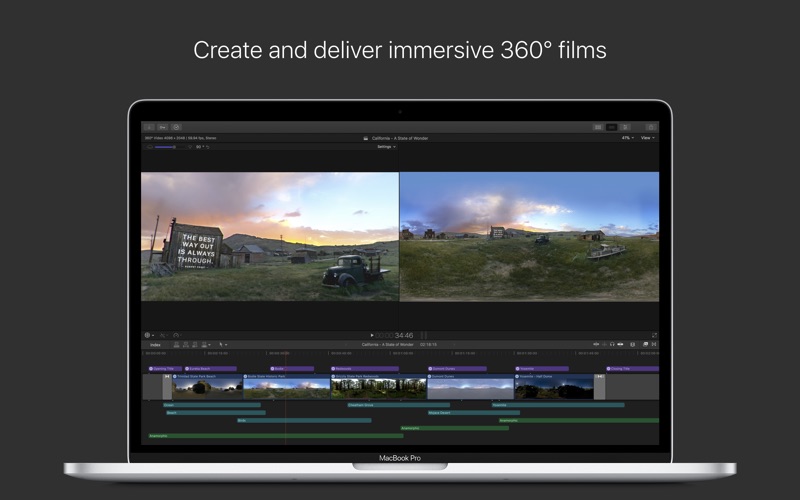
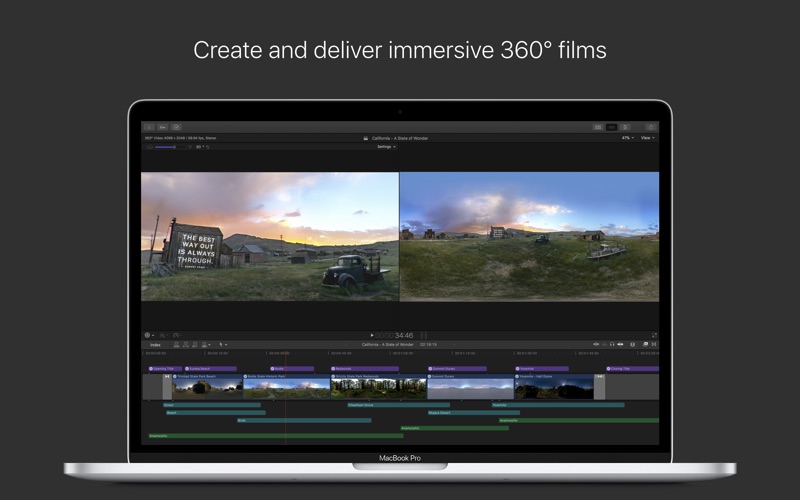
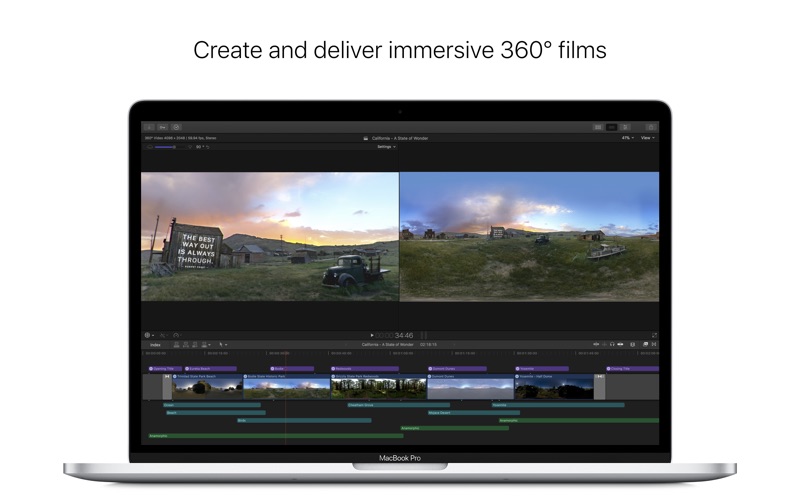
  • Import and edit 360° equirectangular video in a wide range of formats and frame sizes
  • Create, edit, and deliver closed captions from within Final Cut Pro
Powerful Media Organization
  • Organize your work within libraries for efficient media management and collaboration
  • Content AutoAnalysis captures camera metadata and analyzes shots in the background
  • Create and apply custom keywords or favorites on the fly as you select clip ranges
  • Smart Collections dynamically organize content for you to quickly find any shot in a few clicks
Incredible Performance
  • Final Cut Pro uses all the GPUs in your Mac for superior realtime playback performance and fast background rendering
  • 64bit architecture uses all the RAM in your system for larger projects and richer effects
  • Background processing lets you keep working without interruption
  • Work natively with a broad range of formats including ProRes, RED, XAVC, AVCHD, H.264 from DSLRs, and more
Compelling, Customizable Effects
  • Beautifully animated, easily customizable 2D and 3D titles
  • Change the look of titles, transitions, and effects using intuitive controls
  • Choose from an extensive ecosystem of thirdparty FxPlug plugins with custom interfaces
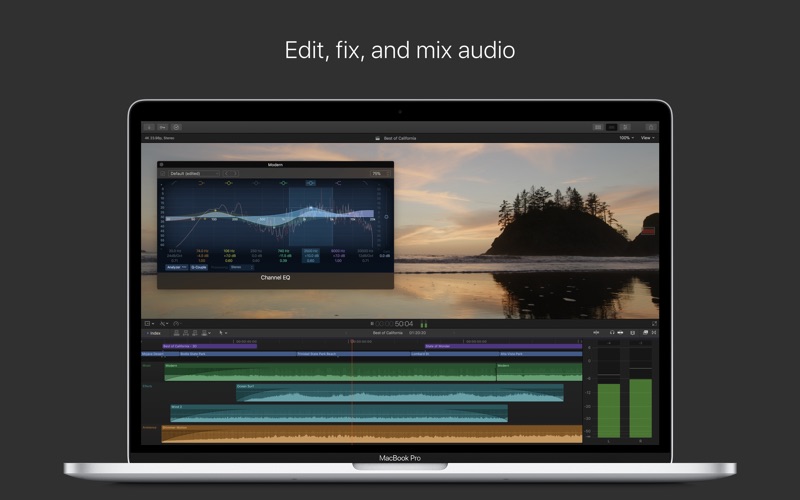
Integrated Audio Editing
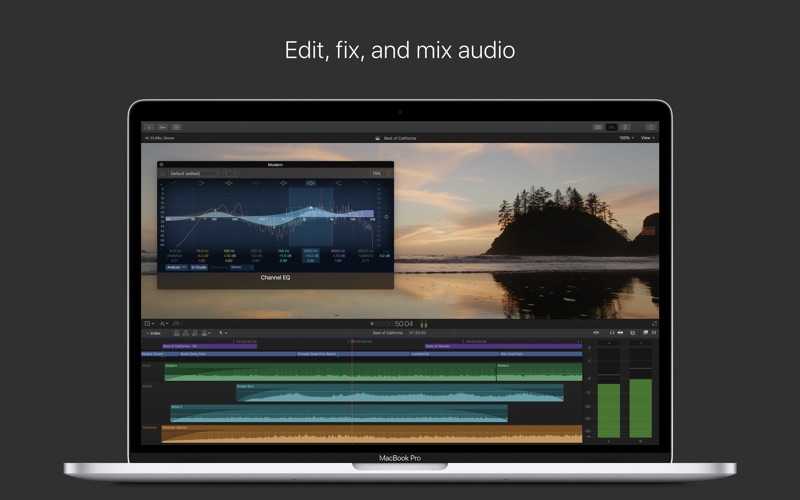
  • Assign roles — including dialogue, music, effects, and custom choices — during import to easily track and organize your project
  • Expand and edit multichannel audio files directly in the timeline
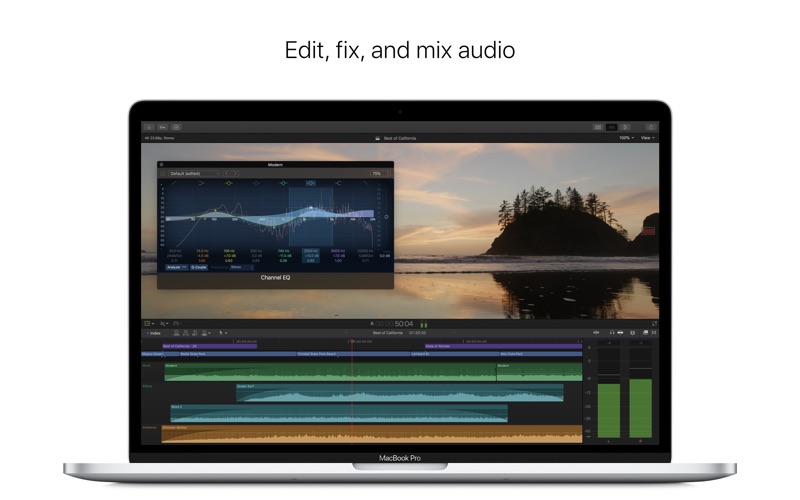
  • Let Final Cut Pro repair audio problems such as hum, excessive background noise, and more
  • Sync DSLR video with separate audio in a single step with instant audio waveform matching
Intuitive Color Grading
  • Import, edit, and deliver video in standard color spaces, or in wide Rec. 2020 color space
  • Improve the look of any clip with oneclick Balance Color
  • Manipulate color, saturation, and exposure with the Color Board
  • Fine tune a specific color or area of the screen using keying and masks
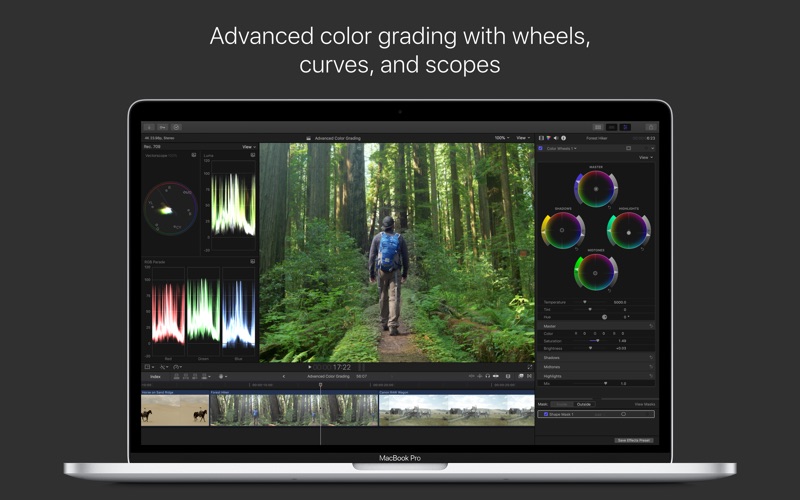
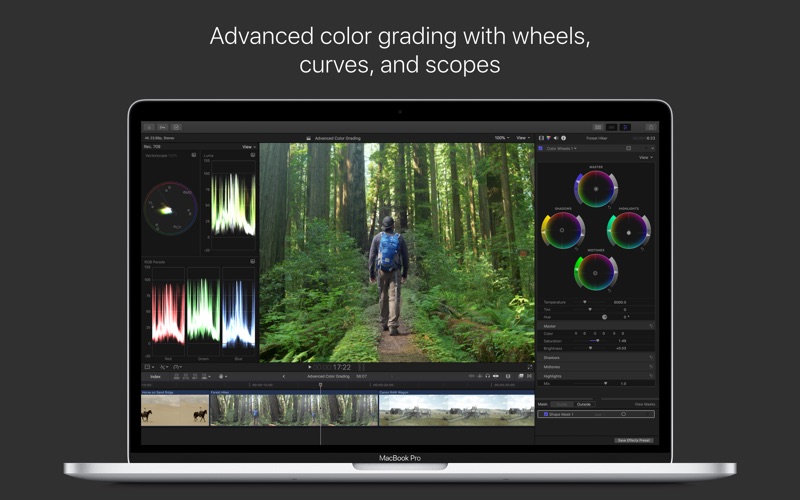
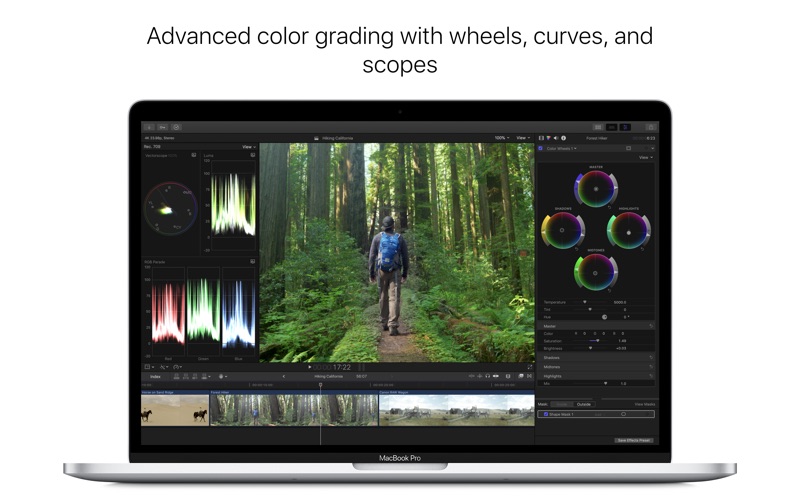
  • Powerful color wheels and curves for precise adjustments with keying and masks
One-Step, Optimized Output
  • Incredibly fast export for playback on Apple devices and upload to websites such as Vimeo, YouTube, and Facebook
  • Use themed menus to author and burn a DVD or Bluray disc
  • Export audio stems and multiple versions of a finished video using roles metadata
  • Import and export XML for thirdparty workflows like color grading and sound mixing
System Requirements:

macOS 10.13.2 or later, 4GB of RAM (8GB recommended for 4K editing, 3D titles, and 360° video editing), OpenCL-capable GPU graphics card or Intel HD Graphics 3000 or later, 256MB of VRAM (1GB recommended for 4K editing, 3D titles, and 360° video editing), 3.8GB of available disk space.

Some features require Internet access; fees may apply. Blu-ray recorder required for burning Blu-ray discs. Video output to VR headset requires Mac computer with discrete graphics running macOS High Sierra. 27-inch iMac with Radeon Pro 580 graphics recommended. HEVC and HEIF support require macOS High Sierra.

Compatibility: macOS 10.13.2 or later 64 bit

Web Site: http://www.apple.com/finalcutpro/
Mac App Store: https://itunes.apple.com/app/final-cut-pro/id424389933?mt=12

What’s New in Final Cut Pro 10.4.3

  • Support for viewing and editing ProRes RAW files from DJI Inspire 2 drone with the DJI DLog setting
  • Deleting unused render files from a Compound clip in the browser works correctly
  • Fixes an issue that caused some Panasonic P2 video files to be imported with mixeddown audio channels

Introduced in Version 10.4.2

  • Fixes an issue in which selecting multiple clips using the Shift key or marquee selection could inadvertently select other clips in the timeline
  • Fixes issues related to XML import and export

Introduced in Version 10.4.1

Closed Captions
  • Import caption files into a Final Cut Pro project to automatically create timesynced, connected captions in the timeline
  • See captions directly in the Viewer
  • Use the Inspector to adjust text, color, onscreen location, and timing
  • Create captions in multiple languages and formats in the same timeline
  • Use the new Captions tab in the Timeline Index to search text, select captions, and quickly switch between different versions of your captions
  • Attach captions to audio or video clips in the timeline
  • Extract embedded captions from video to view and edit the captions directly in Final Cut Pro
  • Send your project to Compressor in a single step, making it easy to create a compliant iTunes Store package with audio and video files, captions, and subtitles
  • Validation indicator instantly warns about common errors including caption overlaps, incorrect characters, invalid formatting, and more
  • Embed captions in an exported video file or create a separate caption sidecar file
  • Share captioned videos directly to YouTube and Vimeo
  • Support for CEA608 and iTT closed caption formats
ProRes RAW
  • Support for ProRes RAW files lets you import, edit, and grade using pristine RAW image data from the camera sensor
  • RAW image data provides ultimate flexibility when adjusting highlights and shadows — ideal for HDR workflows
  • Enjoy smooth playback and realtime editing on laptop and desktop Mac computers
  • Highly efficient encoding reduces the size of ProRes RAW files, allowing you to fit more footage on camera cards and storage drives
  • ProRes RAW preserves more of the original image data, making it an ideal format for archiving
  • Work natively with ProRes RAW or ProRes RAW HQ files created by ATOMOS recorders and DJI Inspire 2 drone
Enhanced export
  • The new Roles tab in the share pane displays title, video, and audio roles in a single, consolidated interface
  • Quickly view and choose roles to be included in exported video files
  • Roles settings and enabled/disabled states from the timeline are carried through to the share pane
  • Embed closed captions in a video file or export a separate captions sidecar file in CEA608 and iTT formats

Introduced in Version 10.4

360 VR editing
  • Import and edit 360° equirectangular video in a wide range of formats and frame sizes
Advanced color grading
  • Powerful new color wheels improve upon traditional wheels with integrated sliders to adjust hue, saturation, and brightness
  • Color curves enable ultrafine adjustments using multiple control points to change color and contrast
  • Hue/saturation curves let you select a specific hue or brightness level to make adjustments while leaving other parts of the image unchanged
High Dynamic Range
  • Import, grade, and deliver High Dynamic Range (HDR) video as Rec. 2020 HLG or Rec. 2020 PQ for HDR10
Additional features
  • Send your iMovie for iOS project directly to Final Cut Pro for advanced editing, audio work, and finishing
  • Import, playback, and editing of High Efficiency Video Coding (HEVC, also known as H.265) video clips and High Efficiency Image Format (HEIF) photos from Apple devices**
  • Send to Compressor to export video projects in the HEVC format

* Requires compatible VR headset, macOS High Sierra, and SteamVR
** HEVC and HEIF support requires macOS High Sierra

Screenshots

PhaseOne The Complete Styles Pack Collection for Capture One Pro

PhaseOne The Complete Styles Pack Collection for Capture One Pro (Win/macOS)

This bundle includes all of our style packs
Total of 109 different styles

PhaseOne The Complete Styles Pack Collection Includes:
  • Film Styles
  • Spectrum
  • Cinematic Styles
  • Black & White styles
  • Matte Styles
  • Seasonal styles
Film Styles

The Film Styles Pack focuses on the color, contrast, and texture known from popular analog photography film types, helping photographers with a solid foundation in their editing workflow.

  • The pack includes 15 different looks, each split into three strengths.
  • With 45 Styles in total, the Film Styles Pack offers a wide variety of options, making it the most versatile pack so far.
Spectrum

The Spectrum Styles Pack introduces a new type of Capture One Styles, enabling you to easily include a high-end touch of color grading in your daily workflow. While maintaining full control over your editing, Spectrum achieves impact through understated adjustments, either partnered with another Styles Pack or on its own.

  • Spectrum styles is a superb step in a roundtrip workflow as they can be easily implemented to add a final touch to a retouched PSD or TIFF file.
  • Includes 15 different color grading Styles, each in two strengths, effectively giving you 30 Styles in total.
Cinematic Styles

Inspiration from the world of cinema has moved to Capture One Pro. Give your images a cinematic look with this Styles Pack, providing color grading, contrast curves and film grain known from movies. Every Style can be further adjusted to match your unique taste. Includes 18 styles.

  • Give your images a cinematic look with this Styles Pack, providing color grading, contrast curves and film grain known from movies.
  • Every Style can be further adjusted to match your unique taste.
  • Includes 18 styles.
Black & White styles

No matter your photographic genre, this Styles Pack gives you the perfect foundation for creating great monochromatic images.

  • Each style has a unique mix of channel luminosity, varying in lightness and contrast.
  • Includes 15 styles.
Matte Styles

The popular soft look of matte shadows and interesting color grading is now instantly available with the Matte Styles Pack. This is the perfect foundation for every type of photography, especially suited for travel, wedding and documentary.

Accelerate your workflow with quick access to a full suite of looks. Every Style can be further adjusted to match your unique taste.
+ Includes 16 styles.

Seasonal styles

A broad variety of Styles ranging from cool, toned down winter colors to vivid summer with blue skies and warm sand. Includes 15 styles.

A broad variety of Styles ranging from cool, toned down winter colors to vivid summer with blue skies and warm sand. Find the perfect mood for your images with the Seasonal Styles Pack, where every Style can be further adjusted to your liking. Includes 15 styles.

Compatibility: Capture One Styles are only supported with Capture One 10.1.2 or newer.

Web Site: https://www.phaseone.com/en/Products/Software/Capture-One-Pro/Styles.aspx

Name Capture One – The Complete Styles Pack Collection.dmg
Size 3.53 MB
Created on 2018-06-21 07:31:13
Hash 41df3c03297998e3cfabc4b8df24b8952d6fdd16
Files Capture One – The Complete Styles Pack Collection.dmg (3.53 MB)

TechTool Pro 10.0.1

TechTool Pro 10.0.1 macOS

TechTool Pro has long been one of the foremost utilities for keeping your Mac running smoothly and efficiently. With the release of version 10, it has become more proficient than ever.

  • New features in version 10:
    • Disk repair is now better at handling devices that are not formatted for your Mac
    • Techtool Pro now supports iCloud Drive and has an iOS companion app
    • Test your iPhone or iPad battery
    • eDrive and Surface Scan now give you more flexibility
  • Main features:
    • TechTool Protection – Reengineered to better protect your Mac – TechTool Pro 10 includes the option of installing a system preference pane to keep watch over your Mac. New features include check for I/O errors, Power On Self-Test errors, Mac notebook internal battery condition, and RAID status (if applicable). It also includes the same improvements to the SMART check in TechTool Pro. All of that, wrapped in an entirely new interface.
    • Check Computer – Now you’re in control – Check Computer is a handy way to tell TechTool Pro to run the entire suite of tests to give you the best possible snapshot of your Mac’s health. Sometimes, though, it’s nice to be able to leave tests out, or to skip certain drives. Using the new configuration panel, you have total control of the Check Computer suite. Power to the people.
    • Partition Map – new drive test – TechTool Pro has long been known for testing your Mac’s file system. It is important also to test the data structures that contain the Mac’s file system: the Partition Map. The new Partition Map test checks the partition map of a given drive for errors. Partition map errors can cause entire volumes to go missing, or prevent a Mac from booting. If errors are found, they can be repaired usin the Partition Repair tool.
    • Partition Repair – new drive repair tool – Along with Volume Rebuild, which repairs Mac file systems, the Partition Repair tool repairs the remaining portions of the drive which keeps track of the volumes on your hard drive. This includes hidden partitions which keep track of your Mac’s startup process. The Partition Repair tool does just what it says, repairing the partition maps or drives where needed.
    • SMART Check – Now even smarter – Hard drives include a technology called SMART (Self Monitoring, Analysis and Reporting Technology) which can inform a computer about the health of its hard drives. In most utilities, just the overall results – passed or failed – are reported to the user. In the failed state, often there is little or no time to back up data before the drive fails entirely. Previous versions of TechTool Pro reported the overall status of each attribute, but some attributes don’t contribute to the failure of a drive. Now, the SMART Check has gotten smarter. TechTool Pro now knows which attributes contribute to drive failure, and will report a failing result before the drive fails completely. Giving you time to rescue your data.
    • Memory Test – Now better than ever before – TechTool Pro 7 took a revolutionary step in testing memory, making TechTool Pro’s memory testing suite the most comprehensive test available for the Mac. In TechTool Pro 10, we’ve taken some of the additional advancements used by ATOMIC, our dedicated Memory Tester, and integrated them into TechTool Pro. Now, memory is ‘cleaned’ before testing, reclaimed from macOS, maximizing the amount of RAM that can be tested.
    • Processor Benchmark – Get an objective measurement of your Mac’s processor performance. The Processor Benchmark too uses industry-standard measurement algorithms to test processor performance. Using this tool, you can get metrics that can be used to compare processor speeds apples-to-apples. Avoids the confusion of comparison using Megahertz.
    • Bluetooth – New test – Most Macs depend on Bluetooth to connect to the tools we use to interact with our computers: the keyboard and mouse. Bluetooth problems can result in dropped connections with those devices, which can be very frustrating. Verify the proper operation of your Mac’s Bluetooth hardware. Make sure that not only your input devices, but also your audio and fitness devices can connect to your Mac by checking the Bluetooth hardware on your Mac.
    • Network Interfaces – New test – Most Macs spend the majority of their lives connected to the internet. If the ethernet or wifi adapters in your Mac aren’t working, the valuable connection to the internet can fail. The new Network Interfaces test can test any connected network interface for errors. It not only tests ethernet and wifi, but also any other supported internet connection, ethernet over USB, VPN connections, even a FireWire network conneciton. Ensure the reilability of your internet and intranet connections by testing your Mac’s network interfaces.
    System Requirements:
    • Intelbased Macs
    • macOS 10.8 or greater
    • 1 GB RAM or higher

    Web Site: http://www.micromat.com/products/techtool-pro

    What’s New in TechTool Pro 10.0.1

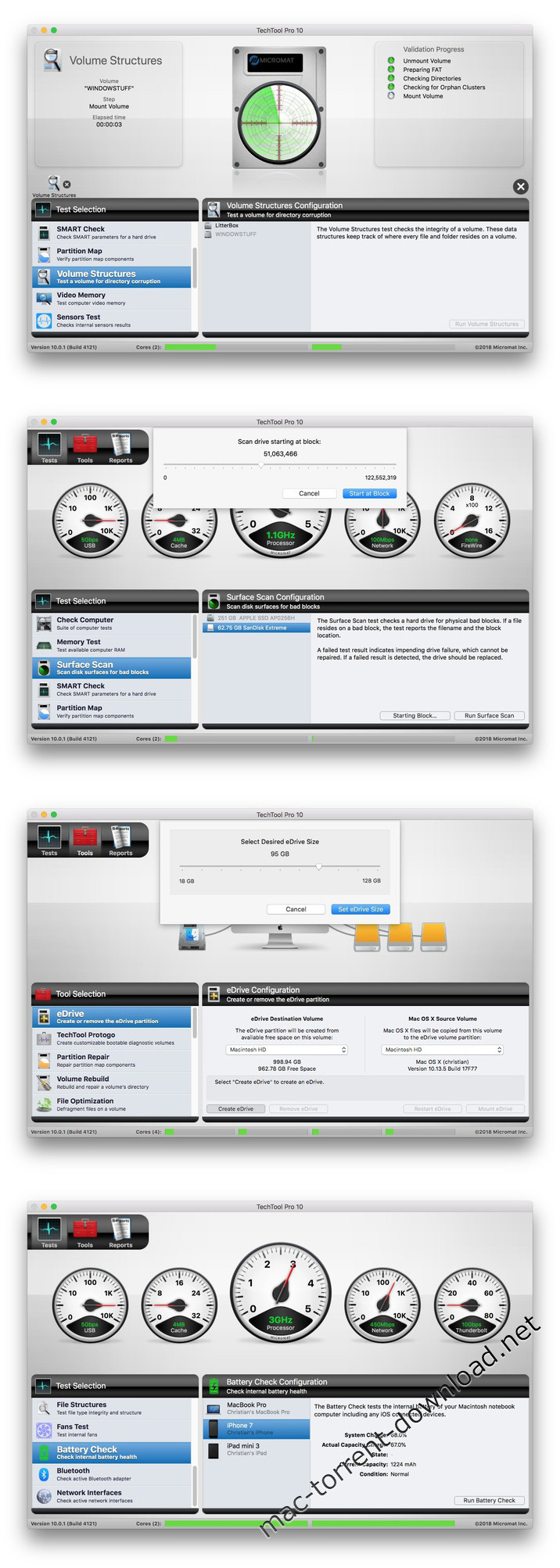
    • Added support for validating and repairing ExFAT and MS-DOS (FAT32) volumes.
    • Added ability to perform live volume structure validation of an active system volume which uses Mac OS Extended (HFS+) formatting.
    • Ability to test the battery of an iOS device (iPhone, iPad, iPod touch).
    • Added functionality to display test results on an iOS device using our new TechTool Pro Remote application available for free on the iOS App Store.
    • Create a bigger eDrive volume for containing additional applications or files.
    • Scan particular portions of a hard drive for bad blocks with the Surface Scan test.

    Screenshots

Name TechTool Pro 10.0.1.zip
Size 188.1 MB
Created on 2018-06-15 11:52:54
Hash 7e148b9209b3f106e5d34609ca1048672e079e5d
Files TechTool Pro 10.0.1.zip (188.1 MB)

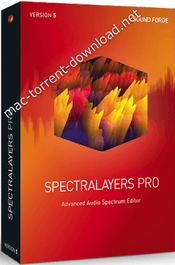
MAGIX SpectraLayers Pro 5.0.140

MAGIX SpectraLayers Pro 5.0.140 macOS

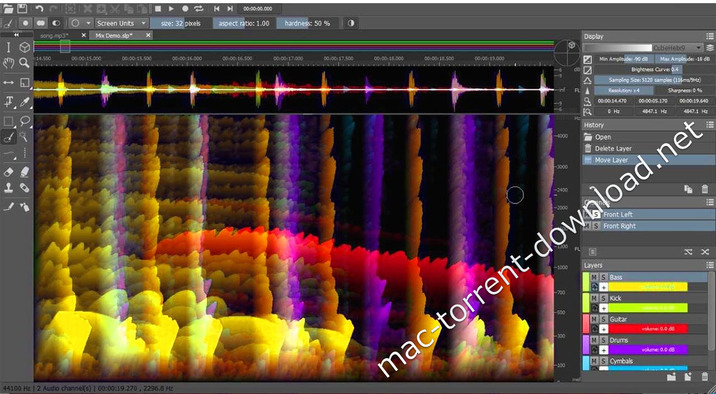
Adanced Audio Spectrum Editor. In SpectraLayers Pro 5, you can work with the individual sounds in an audio file fully visually. Transpose, extract and optimize sounds in ways never imagined thanks to the unique layers concept for the frequency spectrum. SpectraLayers Pro transforms sound into a unique visual world of multidimensional audio data. Outstanding program design, a high performance audio engine and seamless integration with other DAWs make SpectraLayers Pro one of the world’s most revolutionary spectral editing platforms.

What’s New:
  • A visual Spectrogram for unrivalled sound design, editing and restoration
  • Make precise edits and create incredible audio in real time
  • NEW! High definition Spectrogram for pinsharp visual detail
  • NEW! Redesigned GUI for a smooth and fast workflow
  • NEW! Professional tools for repairing and restoring audio
  • NEW! Powerful algorithms for highprecision visual editing
Enhanced user interface for the perfect workflow

New buttons, direct editing of wave samples and volume control for groups are just some of the new program features. A preview is now available for every tool to illustrate the functionality of the tool before selection for use.

Spectral Casting Spectral Casting

Use the frequency spectrum of one layer as a cast for the overall mix. Using Spectral Casting, seamlessly integrate elements such as vocals into an existing mix by precisely “blanking” overlapping frequencies.

Spectral Molding

Spectral Molding Spectral molding uses frequencies to materialize crosses between recordings for creative sound design. For example, imagine a guitar recording with an acoustic texture of vocals!

Cleaning with noise prints

SpectraLayers enables you to identify noise within a waveform in a matter of clicks and save it as a noise prints. This “print” can then be used for various types of noise reduction.

Who needs SpectraLayers Pro?

Audio mastering engineers

From small fixes to radical, project-wide transformations, use SpectraLayers Pro to repair, filter, and remix audio in ways you never thought possible.

Sound design

Isolate individual sounds in an audio file, select material by frequency, and construct new music directly on the spectral graph.

Audio-for-video producers

Apply bandwidth-limited noiseprints across entire files, or perform surgical cuts to remove isolated sonic events.

Forensic audio mastering

Audio extraction is a SpectraLayers Pro specialty. Pull target sounds for analysis, replacement, or rights management purposes.

Audio archivists

Isolate individual sounds in an audio file, select material by frequency, and construct new music directly on the spectral graph.

Remixing

Apply bandwidth-limited noiseprints across entire files, or perform surgical cuts to remove isolated sonic events.

NEW! Heal Action

In contrast to the Delete function, the “Heal Action” reconstructs types of background noise.

NEW! Repair Frequency Tool

Repair damaged frequencies by dragging from one end of the frequency to the other.

NEW! Spectral Marker

You can now draw Spectral Markers and Spectral Ranges and save them to the project files. It’s especially useful for a forensic workflow.
Release Notes:
The all-new SpectraLayers Pro 5.
SpectraLayers Pro 5 offers unrivalled audio editing and sound design that you can not only hear, but see. Featuring a unique spectral visualization of your sound, it really lets you get to the heart and soul of your audio. Make precise edits, repair damaged artefacts and create unique audio designs. The all-new version, SpectraLayers Pro 5, has a redesigned front end for a smoother workflow, added tools for restoration and repair, and an all-new high-resolution Spectrogram so you can see your audio, like never before.

Brand new interface

SpectraLayers Pro 5 features a new, slick and darker interface offering an easier workflow so you can focus more on the task at hand. The GUI features improved navigation and more logically grouped tools and settings. There are new Hybrid Slider Value inputs which can be be controlled by mouse, touch, number input or scroll wheel and Direct Wave sample editing.

Heal, repair, select.

Several new tools allow you to get full control over the audio restoration process. The new Heal Action feature automatically fills gaps in an audio file by reconstructing the ambient background noise around it. If you have a dropout in an audio recording, for example, Heal Action examines the audio on either side to rebuild the missing data. The Frequency Repair tool allows you to repair specific damaged frequencies very easily using assisted frequency reconstruction and with full control over the reconstruction process. Finally, Spectral Markers allow you to add and share annotations within the Spectrogram.

Your new cockpit.

The high-definition Spectrogram display contains the world-first use of the powerful Fast Local Sharpening algorithm. This results in a high-resolution that offers pin-sharp accuracy, so allows you to perform precision edits, all in real time. The display has several adjustable parameters that really let you home in and focus on specific detail within your audio including Wave Range, Time Range, 3D Range and fine-tunable Frequency Resolution and Overlap.

The new Composite View.

The brand new Composite View mode in SpectraLayers Pro 5 is offering you a highly-customisable range of previews of your final mix with the complete dynamic range shown across the Spectrogram. It reveals all the layers merged together with adjustable color-mapping and a color gradient of your choice so you can easily customise the preview of your mix to your taste. Within this mode, you can still make edits and use all of the precision controls.

The new HD Spectrogram.

SpectraLayers Pro 5 features a brand new algorithm called Fast Local Sharpening which brings never before seen detail and precision viewing to the software. It was designed specifically for the SpectraLayers Pro and unveiled at the 143rd AES Convention in New York. The results are unrivalled, super high definition within the Spectrogram and features like Time Sharpen and Frequency Sharpen settings for high-precision editing.

System Requirements:
  • You need a 64bitversion following operating systems:
  • Windows 7 SP1, Windows 8, Windows 10
  • Processor: Dualcore processor (Quadcore processor recommended)
  • RAM: 4 GB RAM
  • Graphics card: OpenGL 3.0 compatible graphics card, min. resolution 1280 x 768
  • Sound card: Windowscompatible audio hardware
  • Hard drive space: 2 GB for program installation
  • Browser: Internet Explorer 8, Firefox 10 or Google Chrome 13 or higher4
macOS:
  • OS X 10.9, 10.10, 10.11, macOS 10.12
  • Processor: Intel dualcore processor (Quadcore processor recommended)
  • RAM: 4 GB RAM
  • Graphics card: OpenGL 3.0 compatible graphics card, min. resolution 1280 x 720
  • Sound card: CoreAudiocompatible audio hardware
  • Hard drive space: 2 GB for program installation

Web Site: https://www.magix.com/int/music/spectralayers/

What’s New in MAGIX SpectraLayers Pro 5.0.140

  • Release notes not available at the time of this post.

Screenshots

Name SpectraLayers Pro 5 0 140 macOS.zip
Size 89.40 MB
Created on 2018-06-15 07:53:18
Hash c881964b224a5419f68931b36ef67304d1411eae
Files SpectraLayers Pro 5 0 140 macOS.zip (89.40 MB)

iTools Pro 1.7.8.2

iTools Pro 1.7.8.2

Managing the content of your iOS device using iTunes, the default OS X music player, is not always very intuitive. iTools is a simple Mac app that offers an alternative when you need to visualize, organize, or transfer data to and from your iPhone, iPad, or iPod touch.

Features
  • App Management
  • Realtime Screenshot
  • Transfer Music Manually
  • Ringtone Maker
  • Export Photos & Videos
  • File Explorer

OS Version: OS X 10.8 or later
iOS Version: iOS 5, 6, 7, 8, 9, 10, 11

Web Site: https://www.thinkskysoft.com/itools-for-mac/

What’s New in iTools Pro 1.7.8.2

  • Release notes not available at the time of this post.

Name iTools Pro 1 7 8 2 TNT.zip
Size 21.15 MB
Created on 2018-06-15 05:59:41
Hash a5d37e6177441a915a370c714f019b1f24a83fb0
Files iTools Pro 1 7 8 2 TNT.zip (21.15 MB)

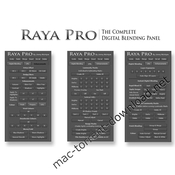
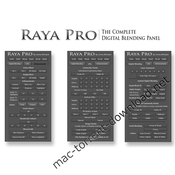
Raya Pro Panel 3.0 Plug-in for Adobe Photoshop CS6 – CC 2018

Raya Pro Panel 3.0 Plug-in for Adobe Photoshop CS6 – CC 2018 (Win/macOS)

The panel that makes Photoshop and Digital Blending simple. Raya Pro is one of the finest panels for Photoshop. It makes digital blending extremely easy – just a click of a button and the blending is done.

Features of Raya Pro 3:

Blend Exposures With Ease
  • Works in ALL Languages
  • Instant Digital Blending
Techniques
  • 16 Bit Luminosity Masks Made Easy
  • Jimmy’s Presets:
  • 3 Beautiful Sharpening Tools
Beautiful Images With A Few Clicks
  • 4 Magical Orton Effects
  • Dodge & Burn With Ease
  • Enhance Incredible Details
  • Awesome Filters
  • Clean CA
  • Frequency Separation
  • Easy Vignettes
Speed Up & Simplify Your Workflow
  • 6 Custom Buttons: You
Decide Their Function!
  • Make Your Images Perfect For The Web
  • Beautiful Golden Hour Glow
  • Amazing Sharpening Technique
All Raya Pro Features:
  • Auto Exposure blending for complete beginners
  • 48 different 16 Bit Luminosity Masks
  • 16 Bit Precision Masks
  • Easy Filters
  • Instant Digital Blending Method 1: Rapid Blend If
  • Instant Digital Blending Method 2: Apply Image
  • Instant Digital Blending Method 3: Gradient Masks
  • Instant Digital Blending Method 4: GMs + Apply Image
  • Instant Digital Blending Method 5: Range Masks
  • Layer Any Exposures With One Click
  • AutoAlign All Layers
  • Select Luminosity Masks With One Click, Without Going To The Channels Palette
  • Subtract Any Luminosity Mask From A Selection With One Click
  • View Black & White Mask With One Click
  • Colour Zones
  • Saturation Masks
  • Sharpening Without Edging
  • Frequency Separation (16 bit & 8 bit)
  • Use a Simple Slider To Create & Shape Luminosity Masks For a Perfect Selection
  • Use 4 Of Jimmy’s Shadow Luminosity Masks Presets With One Click, To Make Accurate Shadow Selections Without Intersecting Channels
  • CC 2014 & CC 2015 Users Benefit From The New Range Mask Function, Created By Jimmy McIntyre They Make Extremely Accurate Luminosity Masks
  • Easy OneClick Buttons, Like Delete, Make Smart Object, and Deselect, That Will Speed Up Your Workflow
  • Merge All Files NonDestructively
  • 3 AutoColour Correct Buttons
  • Manual Colour Correct Button
  • Easy Adjust Any Colours In Your Image
  • Easy Filters For Instant Improvements
  • Contrast Zones
  • Turn Your Photo Black & White
  • 4 Orton Effects
  • Many Dodge & Burn Options
  • Detail Enhancers
  • Clean Chromatic Aberration
  • Easy Vignettes
  • Create Autumn Colours
  • Make Your Image Glow
  • Make Your Sunset/Sunrise Glow
  • 6 Custom Buttons: You Decide Their Function!
  • Perfect Sharpening & Web Preparation, Which Leaves Your Images Sharp, With The Ideal Colour Profile And Size
  • Targeted Contrast
  • Make Targeted Colours More Vivid/Desaturated
  • Apply A Precise Mask To Any Layer To Make Your Image Cleaner
  • Noise Removal
  • Fake HDR
  • Full Size Sharpening
  • Contrast Punch

Requirements: CS6 and CC (including the latest version of CC)​

Web Site: https://www.shutterevolve.com/raya-pro-the-ultimate-digital-blending-workflow-panel-for-photoshop/

Name Raya Pro Panel 3.0.dmg
Size 107.6 MB
Created on 2018-06-14 10:44:46
Hash 3b78d80b3825da94808e7e265d803d62e7e5d5e0
Files Raya Pro Panel 3.0.dmg (107.6 MB)

Dr. Cleaner Pro 1.2.2

Dr. Cleaner Pro 1.2.2

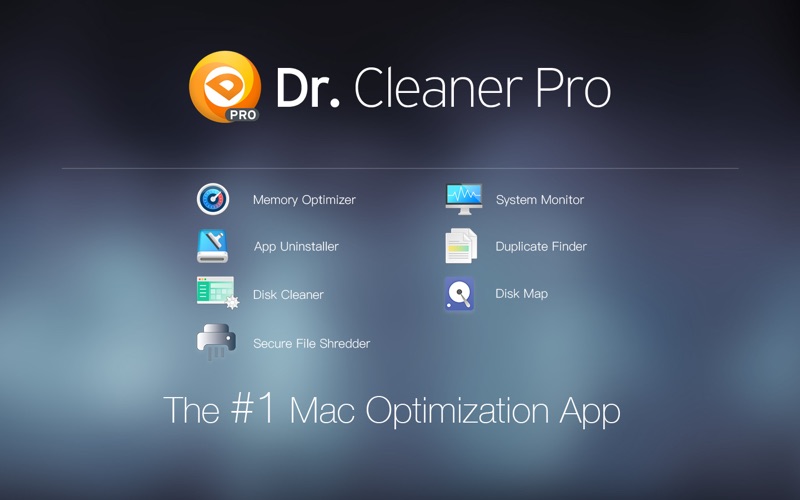
Dr. Cleaner Pro is the professional version of Dr. Cleaner. Dr. Cleaner Pro also includes Duplicate Finder and App Uninstaller.

Clean, Optimize, and Maintain your Mac in one professional tool:

[Smart Memory Optimizer]
  • 1click memory optimization
  • Instantly reclaim memory from closed Apps
  • Identify Apps that use a significant amount of memory
[Junk Files Cleaner]
  • Quick disk clean from status bar menu
  • Clean temporary files, including logs, mail caches, iTunes and iOS temporary files, etc. Empty Trash for current user
  • Detect remaining files after deleting Apps
  • Clean trash in removable storage
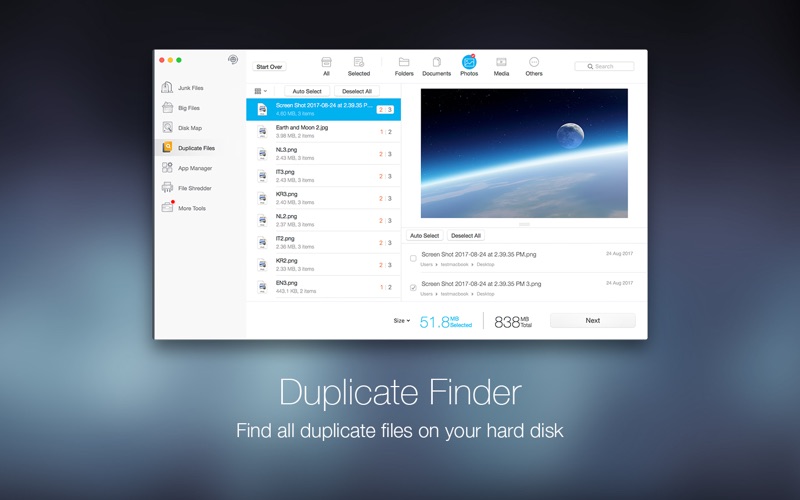
[Duplicate Files Finder]
  • Thorough and quick scan — fast and accurate scanning technique covers your entire home folder
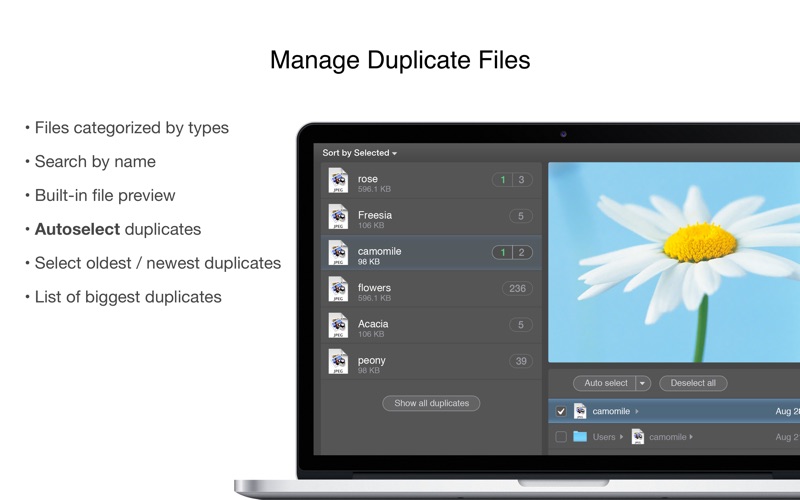
  • Smart and accurate selection — duplicates are selected not only by file names but also by their contents. Files are shown in detailed previews. It can also help you “”decide”” which copy to delete by presenting “”Auto Select”” button
  • Easy and safe decision — duplicates can be sorted by file type and listed in their full route for you to track. You can decide which way to clean these files; either by sending them to Trash or deleting them permanently
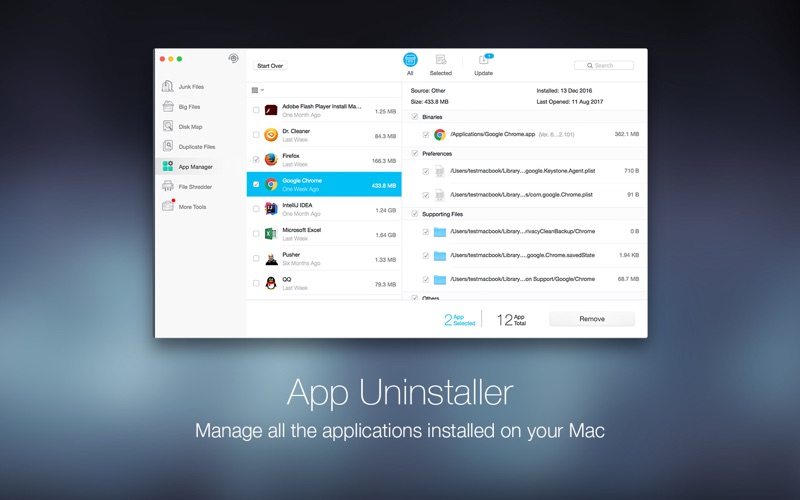
[Intelligent App Uninstaller]
  • Autoclean leftovers of deleted Apps
  • Manage all the applications installed on your Mac easily
  • View all the information of applications installed on your Mac clearly and easily
  • List all the applications installed on your Mac by name, size, and last opened date
  • Remove applications on your Mac easily and completely
  • Remove all the associated files of uninstalled applications
  • Alert user about new upgrades to installed apps
[Real-Time System Status]
  • Realtime network usage
  • Realtime CPU usage
[Big Files Scanner]
  • 1click scan of big files (customizable size from 10 MB and above)
  • Multiple filters of size, date, name and type
  • Local files in sync with your cloud drives can also be found
  • * Important big files can be “”locked”” into the protected list to avoid accidental deletion
[Disk Map]
  • Scans all your disks and creates a clickable map of the files on your disk, colorcoded by type
  • Provides additional information about files when you click on an item on the map
  • Views your entire disk by file or folder size so you can determine which files or folders use the most space
[Securely File Shredder]
  • Permanently remove sensitive information
  • Completely delete files, making them unrecoverable
  • Easy to use drag and drop feature
  • Oneclick shredding of deleted files

Compatibility: OS X 10.10 or later 64-bit

Web Site: http://www.drcleaner.com
Mac App Store: https://itunes.apple.com/app/dr-cleaner-pro-system-clean/id1133028347?mt=12

What’s New in Dr. Cleaner Pro 1.2.2

Various bugs fixed

Screenshots

Name DrCleanerProPlus_1.2.2 TNT.zip
Size 26.12 MB
Created on 2018-06-06 21:36:06
Hash 0450dc739480859bfbfdab2589b4ffb5f0f6a08f
Files DrCleanerProPlus_1.2.2 TNT.zip (26.12 MB)

Touch Forms Pro 7.0

Touch Forms Pro 7.0

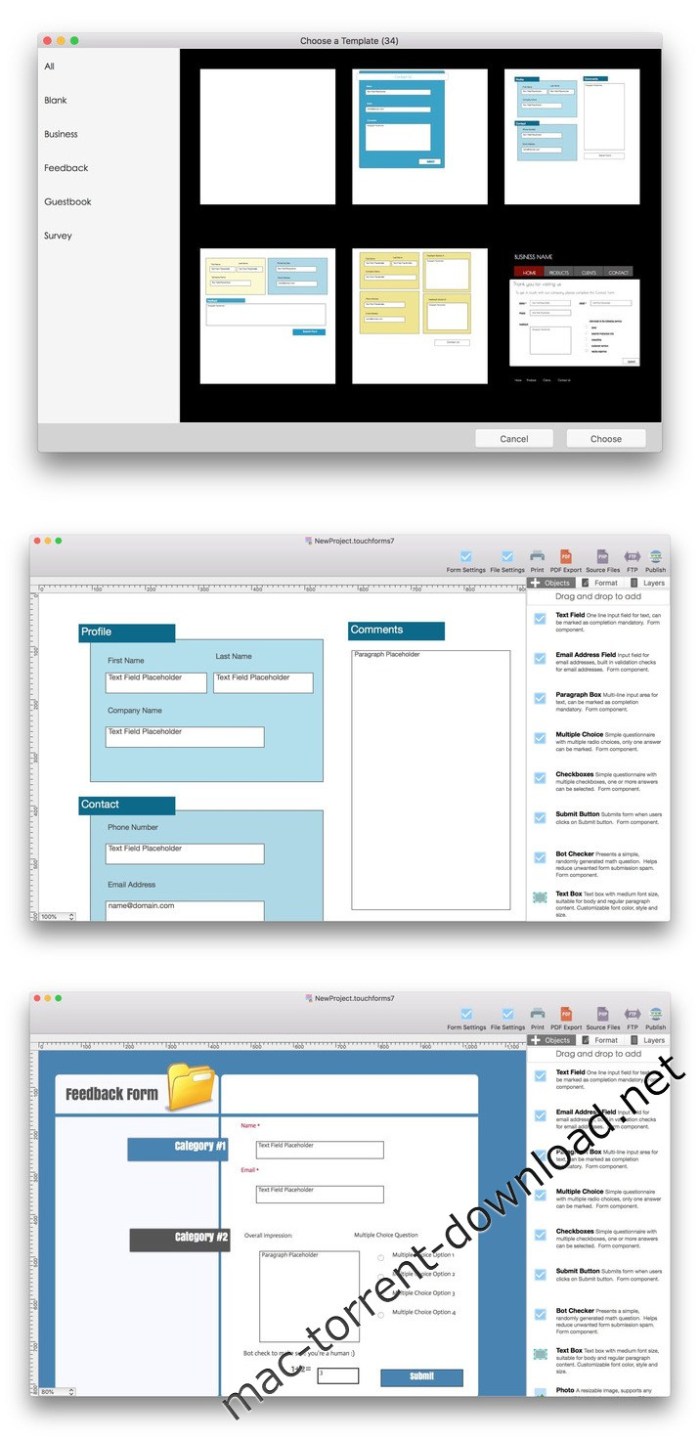
Makes it easy for you to build comprehensive forms with the help of its plethora of tools and built-in templates, via a streamlined user interface

One of the best ways to get accurate feedback from third parties is with the help of forms. Forms are documents that contain blank field so that users can fill in data or answers.

Effortlessly design and publish your forms

Touch Forms Pro is a streamlined cross-platform application that helps you design and publish electronic forms with question fields, paragraphs, multiple choice answers and check-boxes.

As mentioned above, Touch Forms Pro doesn’t only help you build forms, but, with the help of its FTP uploader, it makes it as easy as possible for you to upload forms to your website.

This being said, you should know that Touch Forms Pro can help you design and update forms in offline mode, an internet connection being necessary only when you are ready to publish.

Bundles a plethora of tools that will help you build comprehensive forms

Because forms are worthless without further processing and data analysis, Touch Forms Pro comes with an efficient feature that that sends the completed forms to you via email, so you will always have the forms within easy reach.

As expect, Touch Forms Pro provides you with the possibility to create forms from scratch with the help of specific form elements such as text fields, email address text fields, paragraph boxes, multiple choice answers, check-boxes, submit buttons, and bot checker, as well as images, shapes, tables.

Take advantage of a large collection of form templates

The most noteworthy feature is the fact that Touch Forms Pro enables you to kick start your form designing process with the help of a wide assortment of built-in templates for both professional and personal websites.

On the whole, Touch Forms Pro, despite not having a native OS X interface, is worthy to be taken into consideration if you are looking for an affordable form designer for your Mac.

Compatibility: OS X 10.10 or later 64-bit

Web Site: http://www.aidaluu.com

What’s New in Touch Forms Pro 7.0

  • Optimized for compatibility with macOS High Sierra 10.13
  • Bug fixes and performance improvements

Screenshots

Name Touch Forms Pro 7 7 0 TNT.zip
Size 54.03 MB
Created on 2018-06-06 21:37:25
Hash 20ade83dc7cd86e0fa7cefb37faf68f9bbc407e6
Files Touch Forms Pro 7 7 0 TNT.zip (54.03 MB)

Cineflare HAND HELD 2.0 for Final Cut Pro X

Cineflare HAND HELD 2.0 for Final Cut Pro X macOS

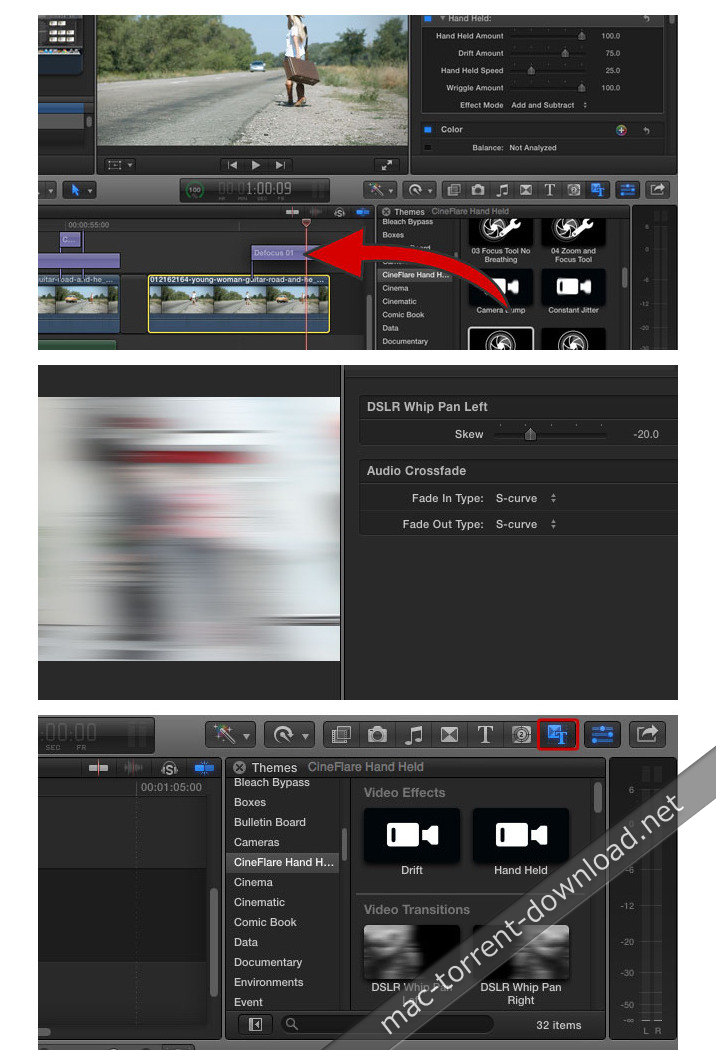
With the advent of higher resolution cameras, now more than ever, we have the ability to get super clean, crisp images and manipulate them in post production to include cropping, zooming, and scaling without losing image quality. Why not take advantage of that? Don’t “bake-in” your effects in-camera…do it after in post production and have complete control!

Hand Held for FCPX mimics all the moves that you could ever want of a hand-held camera. Take clean, locked-down footage and add a subtle or intense hand-held effect, whip pan, lens focusing and zooms, and even bumps and jitters.

Web Site: http://cineflare.com/handheld/

What’s New in Cineflare HAND HELD 2.0

  • Release notes not available at the time of this post.

Screenshots

Name Handheldv2.zip
Size 11.28 MB
Created on 2018-06-06 09:59:50
Hash 5a8dcb8a3996bb34c30622b9bfd280a37d432399
Files Handheldv2.zip (11.28 MB)

PRO Lightroom Presets Bundle

PRO Lightroom Presets Bundle 2544334

PRO Lightroom Presets Bundle is great for any type of photography. This pack of presets is perfect for beginners and experts.

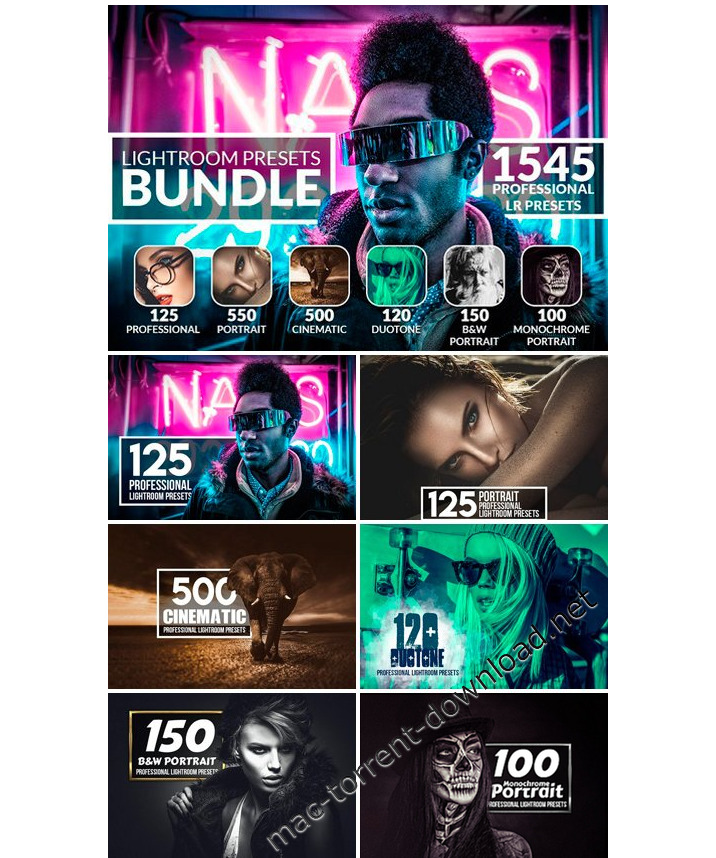
If you are looking for something unique and special for your graphic designs and photography effects then you are in the right place! We offer you a collection of 1545 Professional Lightroom Presets

What presets you will get from this bundle:
  • 125 Professional Lightroom Presets
  • 550 Portrait Lightroom Presets
  • Cinematic 500 Lightroom Presets
  • Duotone 120 Lightroom Presets
  • B&W Portrait 150 Lightroom Presets
  • Monochrome Portrait 100 Lightroom Presets
Features:
  • Professional results with one click
  • All presets can be edited and applied very easily
  • All my Lightroom Presets are fully customizable
  • Those Lightroom Presets are compatible with Lightroom 4 or newer
The bundle includes:
  • 1545 .lrtemplate files
  • ReadMe file (with detailed instructions) Please read it before using this preset!

Screenshots

Name PRO Lightroom Presets Bundle 2544334.zip
Size 2.91 MB
Created on 2018-06-06 08:56:44
Hash 623a788877b6fe2c108f4534ee4933650edd4379
Files PRO Lightroom Presets Bundle 2544334.zip (2.91 MB)

Winclone Pro 7.0.1

Winclone Pro 7.0.1

Full Featured Boot Camp Solution
Winclone 7 is the the complete solution for protecting your Boot Camp Windows system against data loss and for moving your Boot Camp partition to a new Mac.

Protect all the time and energy you spent getting Windows and all your programs installed and set up in Boot Camp. Create a Winclone image of your Boot Camp partition and snap back to that same setup in minutes.

New in Winclone 7: Winclone 7 now features incremental cloning for fast updates to existing images.

What’s New in Winclone 7

New and improved user interface

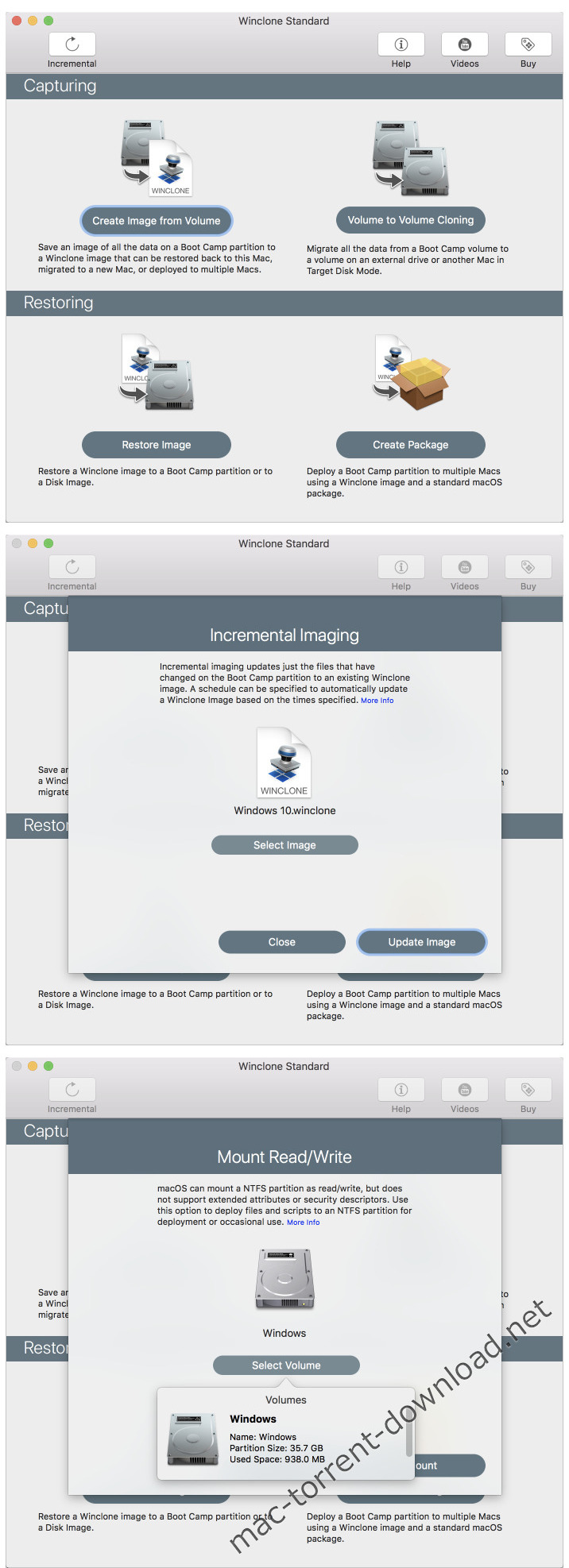
The Winclone interface has been updated to make it easier to understand when options are available for each task. Each task shows a sheet with all the options available and makes it easy to understand what steps to take.

Incremental Imaging

Incremental imaging makes it easy to update an image with just the files that have changed. This makes incremental imaging very fast and you can restore back to any incremental backup when restoring.

Built-In Mount Read/Write

Winclone 7 now mounts NTFS volumes as Read/Write without requiring installation of 3rd party drivers. This greatly simplifies the process and is a great way to quickly copy a file or folder that you’ll need when in Windows.

Features
  • Cloning and restoring Boot Camp
  • Supports macOS Sierra 10.12 and macOS High Sierra 10.13
  • Supports restoring images created with Winclone 3.x, 4.x and 5.x (Windows 7 and above)
  • Supports restoring images to DOSFAT32, ExFAT and NTFS formatted volumes
  • Supports restoring images to attached volumes (bootable depending on hardware and Windows version)
  • Supports saving to external or network storage
  • Fast incremental imaging
  • Support for core storage volumes
  • Detection and reporting of inconsistent GPT and MBR boot records
  • Supports local disktodisk migration
  • Shrink/expand Boot Camp file system
  • Options for “make legacy bootable” and “make EFI bootable” (Windows 7 and above)
  • Progress bar estimate and percentage complete
  • Alert sound for success or fail operation
  • Inapp links to related support resources
  • Updated user interface

Compatibility: macOS 10.12 or later, 64 bit
Web Site: https://twocanoes.com

What’s New in Winclone Pro 7.0.1

  • Release notes not available at the time of this post.

Screenshots

Name Winclone Pro 7 0 1 TNT.zip
Size 21.79 MB
Created on 2018-05-31 12:20:13
Hash ffa941045c2ca603b9a969d8dcd527f56a3a9a17
Files Winclone Pro 7 0 1 TNT.zip (21.79 MB)

SyncBird Pro 2.2.3

SyncBird Pro 2.2.3

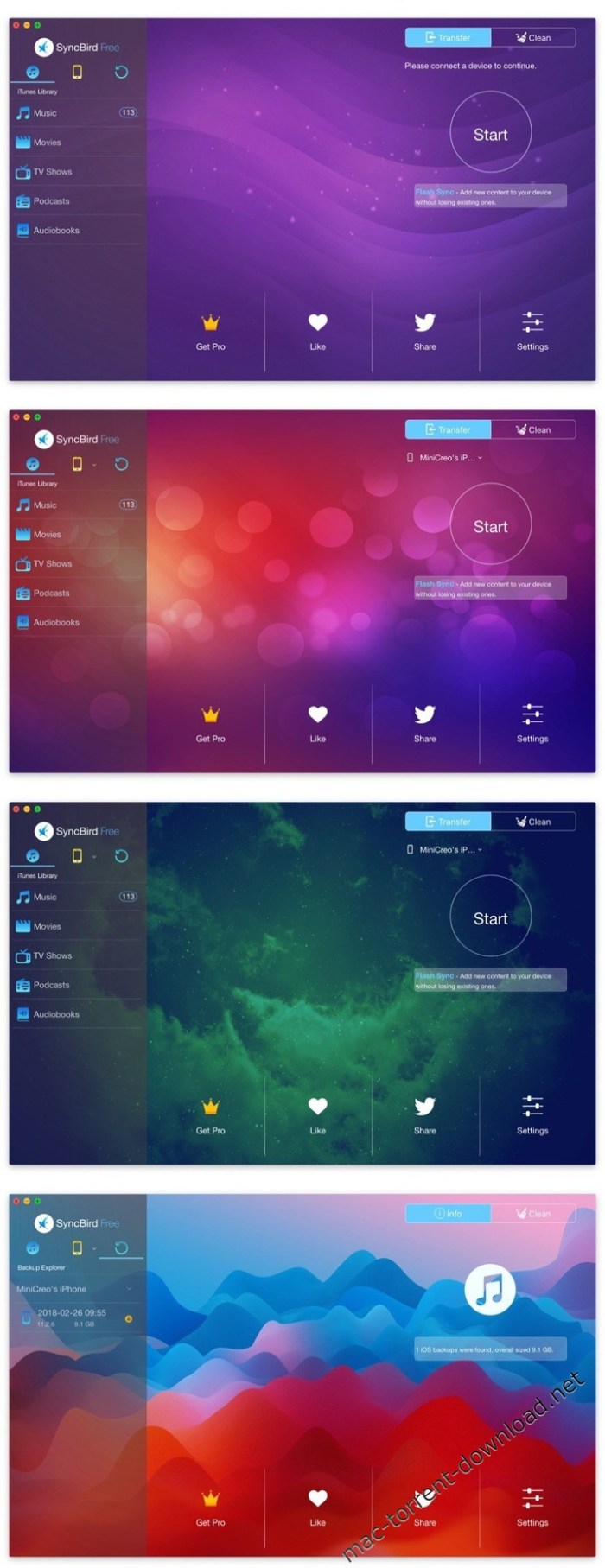
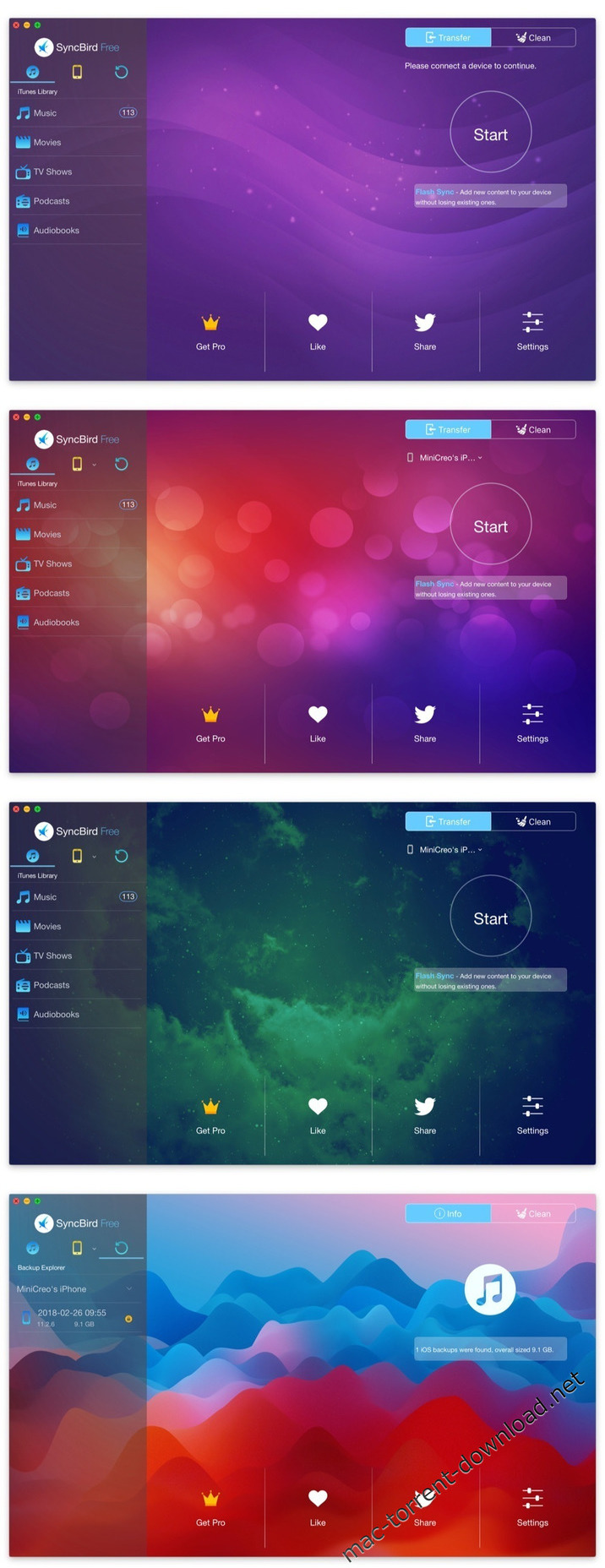
SyncBird Pro is an iPhone file manager that makes iOS sync and iTunes cleaning at a glance. Transfer music, playlists, photos, videos, books–everything–between your iPhone, iPad, iPod, and Mac without using iTunes. SyncBird’s exclusive features named PhoneCare and TunesClean are made to reclaim more free space on your iPhone and iTunes. Without extra effort, SyncBird will give you a daily, thorough cleanup so that you’ll be always free from the storage boundary.

Better design yields better products, so we challenged ourselves to bring Google Material Design to the new macOS platform. The surface, motion, color, and every element in SyncBird, were chosen to give you an exciting and delightful experience.

Features
  • Flash Sync – Optimized for Flash/SSD storage and with instant Add-to-iPhone feature, SyncBird offers better iOS content management experience.
  • 4K Support – A10 chip and M10 coprocessor give monster performance on 4K video playback. SyncBird puts 4K movies on your iPhone, iPad in one go.
  • Auto-Conversion – Whatever movies you like, SyncBird helps trans-code your videos to .m4v, .mp4, and .mov formats, which suit best on Apple devices.
  • Two-Way Sync – Transfer music, videos, photos and probably all your iOS content, to / from your iPhone and iPod. Free your devices from iTunes limits.
  • Unlimited Import – Add new songs and movies to your iPhone, iPad and iPod from multiple iTunes library on different computers. No iTunes involed.
  • Drag-and-Drop – The most straightforward way to populate your iPhone media library is by dragging-and-dropping. Time to use your iPhone like Finder.

Compatibility: OS X 10.8 or later

Web Site: https://www.minicreo.com/syncbird/

What’s New in SyncBird Pro 2.2.3

  • Support the latest iOS 11.4, iTunes 12.7.4 and macOS 10.13.4

Screenshots

Name SyncBird Pro 2.2.3
Size 24.34 MB
Created on 2018-05-31 02:10:04
Hash e8a70d9ee05d7ba91bc17c0681819242f076112e
Files SyncBird_Pro_2.2.3__TNT.rar (24.34 MB)

Pixel Film Studios – ProDub Vol.1 – Separation and BPM Effects for Final Cut Pro X

Pixel Film Studios – ProDub Vol.1 macOS

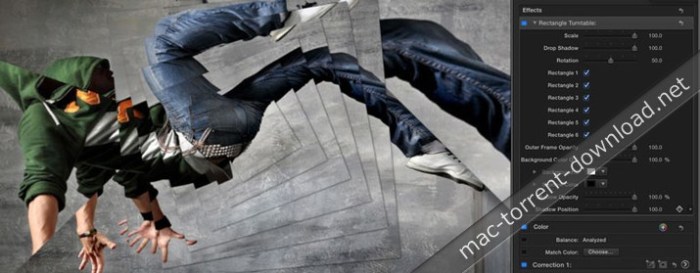
Create organized chaos with ProDub: Volume 1 from Pixel Film Studios. Add screen separations, flashes, and prismatic effects to your footage to create energetic looks that will compliment your favorite electronic dance music. Simply drag and drop the effects on your footage and prepare to drop it hard!

Web Site: https://store.pixelfilmstudios.com/product/produb-volume-1/

Find more Pixel Film Studio Plugins

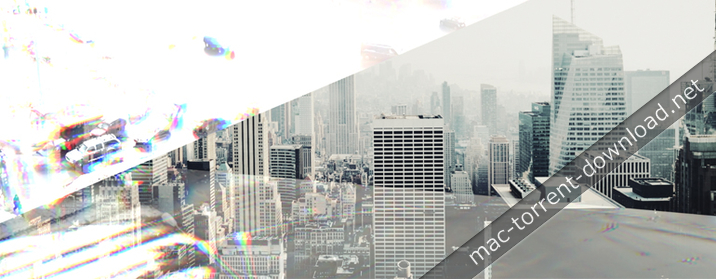
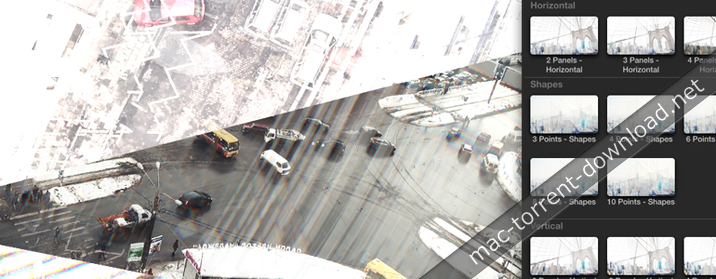
Film Distortion Effects with ProDub: Volume 1 in Final Cut Pro X

Visualize the Music

Based on recent popular music videos and commercials, ProDub: Volume 1 was designed to help you create chaotic effects that will perfectly match the energy of your favorite electronic or dubstep music. ProDub: Volume 1 contains 77 unique effects including mirror, flash, and strobe lighting effects only for Final Cut Pro X.

Shards and Mirror Effects

With ProDub: Volume 1 from Pixel Film Studios, you can create awesome prismatic effects in Final Cut Pro X by moving shards and mirrors across the surface of your footage. This is a great effect to use on high energy clips such as extreme sports or dance videos. Also, try stacking multiple plugins on top of each other to create an endless amount of looks.

Wub, Wub, Wub…

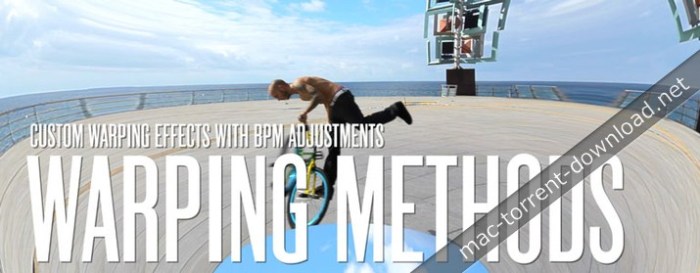
You guys are going to wub this plugin! ProDub: Volume 1 includes effects that will help you edit to the beat. Stop cutting your footage by hand. Simply drag-and-drop one of these plugins on to your clip and adjust the simple BPM slider to easily synchronize the beat with a flash or movement in the effect.

Drop It Hard in FCPX!

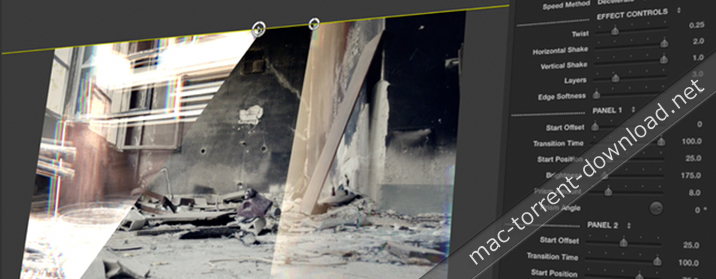
ProDub: Volume 1 was professionally designed to work inside Final Cut Pro X. Simply choose one of the plugin from the library, select the effect you like, and use the FCPX Inspector to control the look. Don’t go easy with these effects! Drop it as hard as your beat!


Pixel Film Studios – PRODUB Vol.1 – Final Cut Pro X Plugins and Effects

Name Pixel Film Studios ProDub Vol.1.dmg
Size 81.51 MB
Created on 2018-05-29 14:10:27
Hash 57ba32690e642fcf25f1610e35f02dfcdda30c87
Files Pixel Film Studios ProDub Vol.1.dmg (81.51 MB)

Cineflare FilrnStrip 1.0.2 for Final Cut Pro X

Cineflare FilrnStrip 1.0.2 for Final Cut Pro X macOS

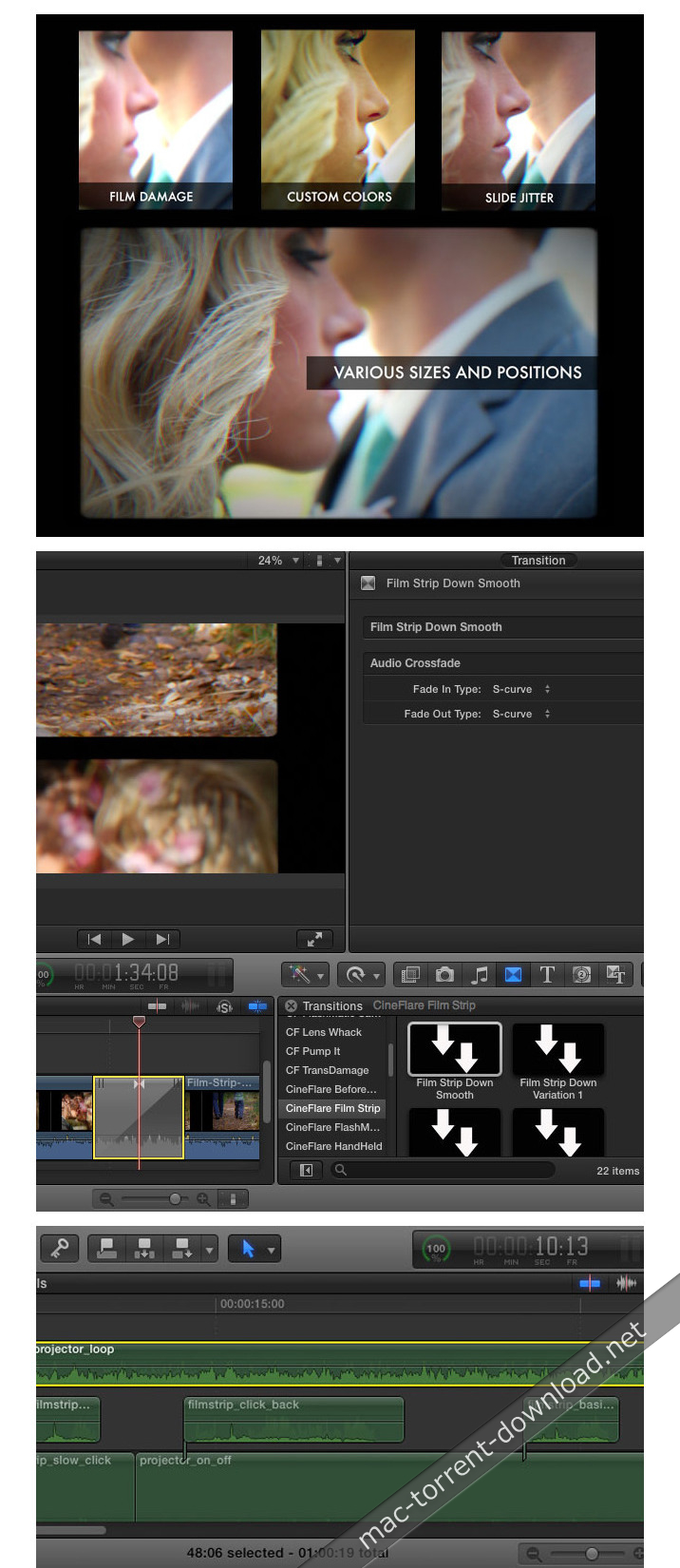
Film Strip from CineFlare is a packed-out slides and film strip effects and transitions tool for Final Cut Pro X. And it’s not just that…it has so many options that go beyond the simple slide projector look. Constructed using dynamic effects so you can have complete control over your vintage effects without dealing with analog overlays.

Slide and Film Strip Projector Effects and Transitions

The main feature of Film Strip is the transition effect that simulates both a carousel and film strip projector. These effects come with a variety of transitions from a simple fade in and out carousel transition, to a more complex over-advance film strip projector effect. These effects were hand-key-framed from the images and movements of actual vintage projectors for a most natural and authentic feel!

More Features

Film Strip comes with a powerful slide effect that has all the options and controls you need. Shape, size, and position variations of the slide. Control the vintage feel of the slide with variables such as blur, scratches, dust, jitter amount, light flash amount, etc. It also comes with special vignette and custom color grading option…all within one tool!

Original Sound Effects

To top it all off, Slide Strip comes with five different sound effects from the sound of the projectors fan, to the various clicks it makes, to the on and off switch of the projector machine.

What’s New in Cineflare FilrnStrip 1.0.2

  • Release notes not available at the time of this post.

Screenshots

Name CineFlareFilmStrip_102[sn].zip
Size 194.8 kB
Created on 2018-05-28 04:31:47
Hash cec4be7ef9ceea28cd5df0963f00b81b24dabbb2
Files CineFlareFilmStrip_102[sn].zip (194.8 kB)

CCleaner Pro 1.15.507

CCleaner Pro 1.15.507

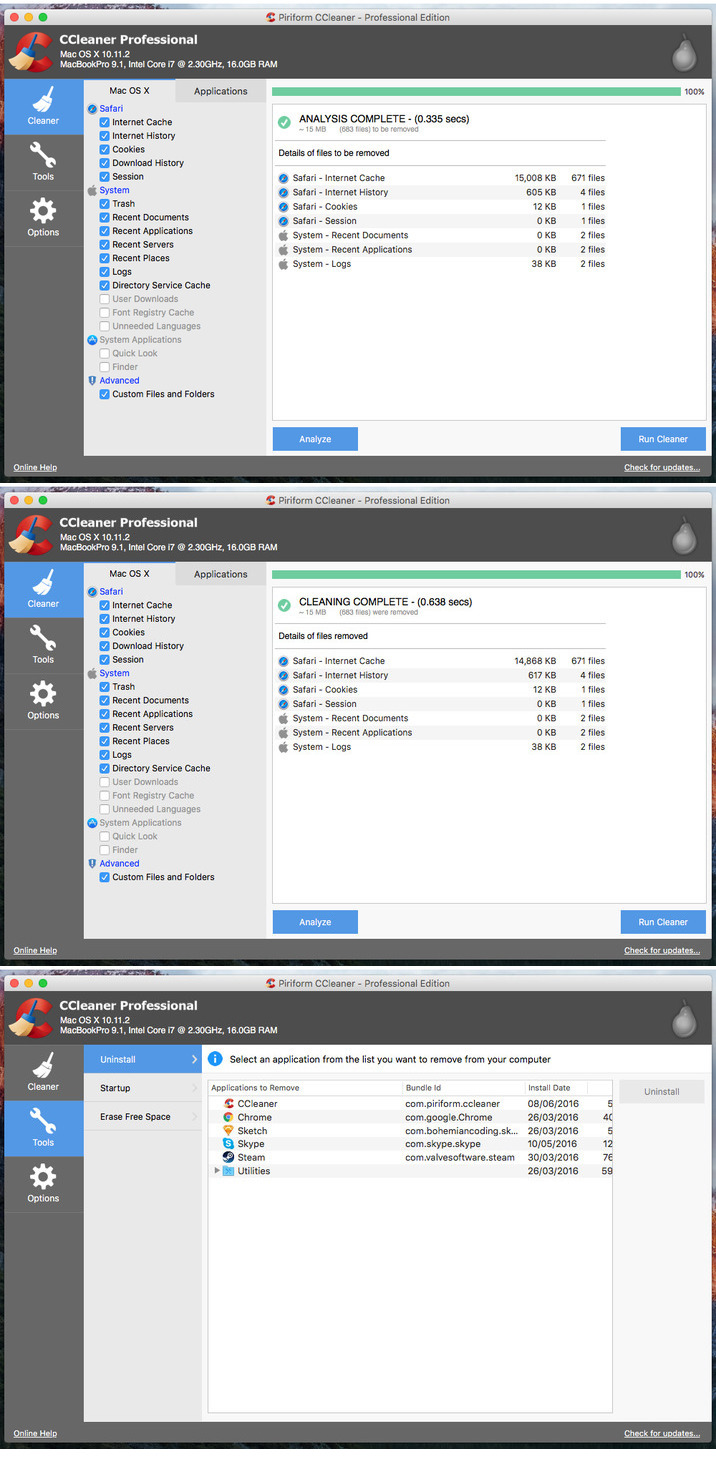
CCleaner is a system optimization, privacy and cleaning tool. It removes unused files from your system – allowing your Mac to run faster and freeing up valuable hard disk space. It also cleans traces of your online activities such as your Internet history.

CCleaner comes with a user-oriented interface that helps you view basic information about your Mac, such as the running macOS, computer model, processor and RAM info. The side panel offers you access to the built-in Cleaner, Tools and Options tab.

With the help of the built-in Cleaner tool, you can delete Safari’s Internet history and cache along with your download history and all stored cookies. In addition, you can empty the System Trash, Logs and other temporary files.

On top of that, you can also clear the Internet cache, history, cookies, download history, site preferences and more from other installed Internet browsers.

Faster Computer

A Mac collects junk and unused files just like a PC. Find and remove these files with the click of a button so your Mac can run faster. Speed up boot times with easy management of Startup items.

Reduce Clutter

Clean your Mac of old clutter. Clear up your recycle bin, temporary files and folders, broken permissions and more. Remove installed programs with the click of a button.

Safer Browsing

Advertisers and websites track your behavior online with cookies that stay on your computer. CCleaner erases your browser search history and cookies so any internet browsing you do stays confidential and your identity remains anonymous.

Full Customization

CCleaner for Mac allows you all the flexibility you need. Select exactly what you want cleaned, include or exclude custom files or folders and choose which cookies to keep or delete.

Compatibility: OS X 10.8 or later 64bit

Web Site: http://www.piriform.com/

What’s new in CCleaner 1.15.507

  • Added full support for macOS High Sierra
  • Added full support for macOS Sierra
  • Fixed issue preventing CCleaner from running on macOS Snow Leopard (OS X 10.6)
  • Significant performance improvements
  • Safari: Many cleaning improvements & fixes
  • Chrome: Many cleaning improvements & fixes
  • Firefox: Many cleaning improvements & fixes
  • Opera: Many cleaning improvements & fixes
  • Fixed warning not displaying when removing a startup item
  • Fixed bug showing that Recent Places had not been cleaned when it had
  • Fixed display issues in list of unwanted system language files for removal
  • Fixed detection & cleaning of Directory Service cache
  • Added new Privacy menu
  • Updated cleaning Downloads warning to include all applicable user download directories

Screenshots

Name CCleaner Pro 1 15 507 TNT.zip
Size 6.08 MB
Created on 2018-05-25 21:57:11
Hash 38dd7ae6e4fac3b1f4b8516b5562ab503d774d27
Files CCleaner Pro 1 15 507 TNT.zip (6.08 MB)

VMware Fusion Pro 10.1.2 Extended Edition

VMware Fusion Pro 10.1.2 Extended Edition macOS

VMware Fusion 10 is for the easiest, fastest and most reliable way to run Windows programs on their Macs without rebooting. It is recommended for new and existing Mac users who want to continue running the Windows application they can’t live without. VMware Fusion 10 Pro takes virtualization on the Mac to the next level with powerful features designed for advanced users and technical professionals.

With added support for the latest modern OS like Windows 10, advanced users, developers, QA and IT admins rely on Fusion Pro every day for high performance, reliability and leading edge features to run Windows and Linux on a Mac.
It’s easy to transfer your entire PC to your Mac with the Fusion PC migration assistant for Windows. Get the best of both worlds with Mac virtualization and have access to your all Windows files from your old PC directly on your Mac, whenever you need them.

VMware Discounts and Desktop Promotions

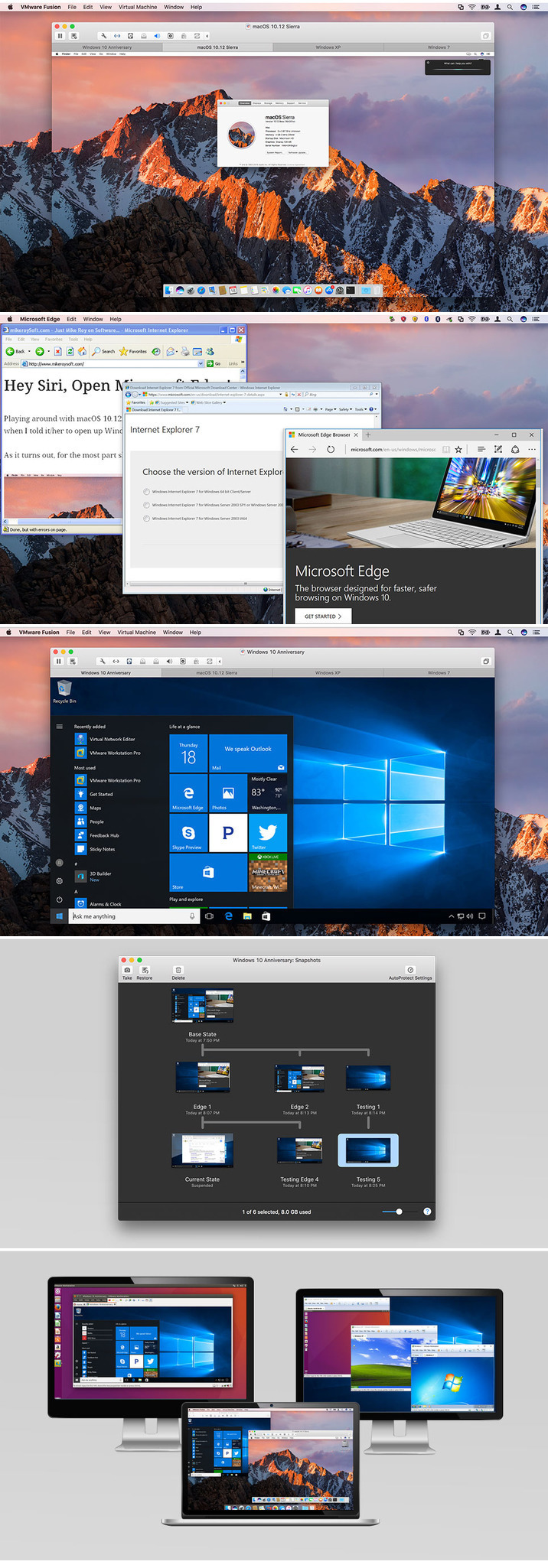
VMware Fusion 10 makes Windows 10 feel right at home on your Mac. Whether you’re doing a fresh install for that brand new operating system experience, migrating your Windows 10 PC, or upgrading your Windows 7 or 8 virtual machines, VMware Fusion gives you the best of both worlds.

Run familiar Windows applications side-by-side with your favorite Mac applications. And seamlessly share files and folders between Windows and Mac. Take advantage of the latest features in Windows 10 like Cortana, the Microsoft speech-enabled virtual assistant. Or run the all new Edge web browser alongside Safari.

Professionals Run Windows on Mac with VMware Fusion 10 Pro

VMware Fusion 10 Pro delivers unsurpassed platform compatibility and integration with the VMware ecosystem. It leverages decades of innovation in leading the virtualization revolution, with support for over 200 operating systems including Windows 10.

Build Complex Virtual Networks

Use the robust VMware Fusion 10 Pro virtual network editor to add and remove virtual IPv4 or IPv6 networks. Also you can create custom virtual networking configurations, ideal for testing and demonstration environments without impacting the Mac’s network configuration. Fusion 10 Pro users can recreate complex cloud architectures right on the Mac to validate design before implementation. Because is has updated networking controls and compatibility with the VMware ecosystem.

From Your Mac to the Cloud

Use VMware Fusion 10 Pro to connect to VMware vCloud Air, the public cloud service by VMware. You will able to securely manage and download cloud workloads, or run an entire cloud environment directly on your Mac. All from within VMware Fusion 10 Pro. Leverage the cloud to share virtual machines with anyone in your organization for tests, analysis or demonstrations. Fusion Pro can also connect to, create and run virtual machines hosted on VMware vSphere. Download virtual machines from VMware vSphere and turn them into local VMware Fusion 10 Pro virtual machines. Or upload local virtual machines to vSphere directly from Fusion Pro.

Take Control of Your Virtual Machines

VMware Fusion 8 Pro gives technical professionals powerful control over how to set up and interact with virtual machines. Choose from a wide variety of options when installing, protecting, connecting, sharing and viewing virtual machines to save valuable time. You can even create virtual machines that are encrypted, require a change of password or expire at a predefined date and time. Leverage the Snapshot feature to preserve the state of a virtual machine so you can return to it at any time.

Powerful Virtual Machines. Powerful Graphics.

VMware Fusion 10 Pro is optimized for the highest density 4K, 5K and Retina displays to give you a crisp and detailed view of your Windows applications. Experience more fluid graphics for every application in your virtual machine with newly added DirectX 10 and OpenGL 3.3 capabilities. With DirectX 12, Fusion 10 Pro makes every day applications like Office, as well as highly demanding 3D applications such as AutoCAD and SOLIDWORKS, run more smoothly than ever.

Software Requirements: OS X 10.12.5 or later

Web Site: http://www.vmware.com/

What’s new in VMware Fusion 10.1.2 Build 8502123

  • Release notes not available at the time of this post.

Screenshots

Name VMF1012Ext.zip
Size 467.5 MB
Created on 2018-05-23 08:18:28
Hash 88b27c8b813aab4ad8e0e68045c2c19039af4753
Files VMF1012Ext.zip (467.5 MB)

Yummy FTP Pro 2.0.5

Yummy FTP Pro 2.0.5

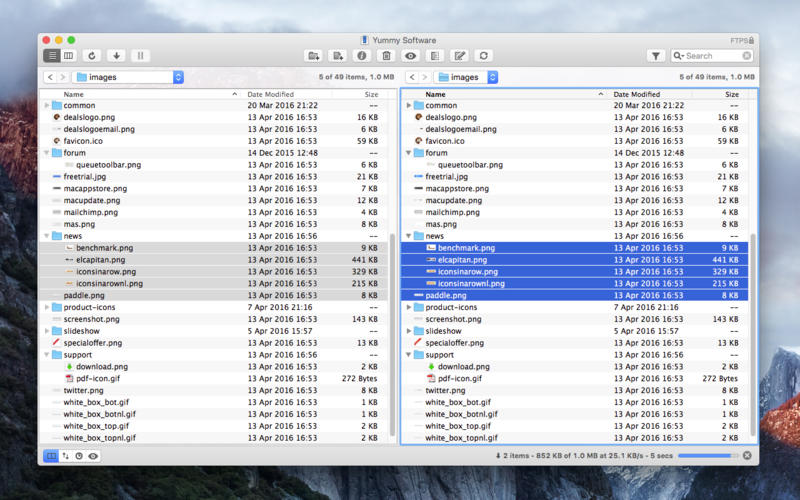
Yummy FTP Pro is an advanced Mac file transfer app which provides a full-featured professional toolkit combined with blazing speeds and impeccable reliability, so whether you want to transfer a few files or a few thousand, schedule backups, edit and maintain websites, even automate transfers, you need this time-tested and truly dependable app. (Was Yummy FTP)

Why use Yummy FTP Pro?
  • Get the fastest and most reliable file transfers available on the Mac
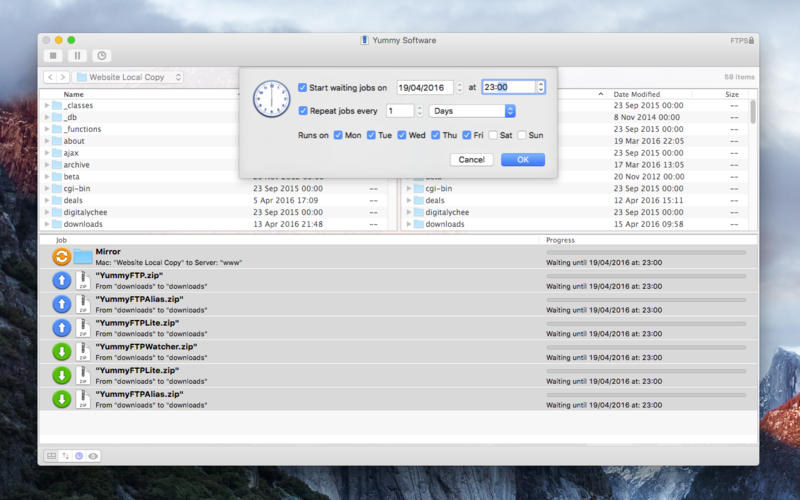
  • Schedule one off or repeating transfer or folder synchronization tasks
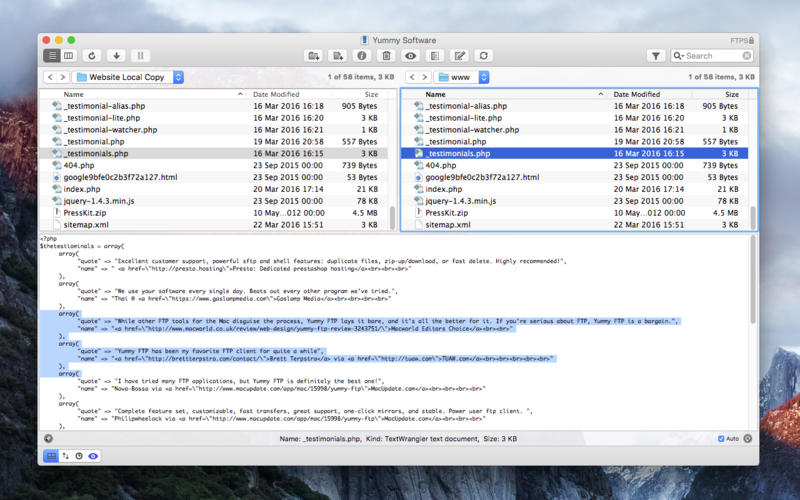
  • Manage websites with file management, editing, diff, preview, & sync tools
  • Create FTP drop folders on your Desktop for quick and easy uploading
  • Get frequent free maintenance + feature updates
  • Fast and free technical support when you need it
Feature Highlights
  • Full FTP/S + SFTP + WebDAV/S protocol support
  • Easy-to-use, clear and simple user interface
  • Site Bookmark manager with auto sync across Macs
  • Comprehensive logging of all actions taken
  • Bandwidth limiting to play nice in a shared network
  • Directly open and view local and remote folders in the Terminal
  • File/folder filtering to allow specific exclusions or pattern matches
  • Get notifications, OS-style or even by email
  • Import favorites from your old app to be up and running in no time

Compatibility: OS X 10.8 or later

Web Site: https://www.yummysoftware.com/

What’s New in Yummy FTP Pro 2.0.5

  • Release notes not available at the time of this post.

Screenshots

Name Yummy FTP Pro 2 0 5 TNT.zip
Size 18.17 MB
Created on 2018-05-23 08:18:08
Hash 76743f26fcd9334e245e34ac376560b96d797469
Files Yummy FTP Pro 2 0 5 TNT.zip (18.17 MB)

Pixel Film Studios ProStrobe – Professional Strobing Effect in Final Cut Pro X

Pixel Film Studios ProStrobe – Professional Strobing Effect in Final Cut Pro X macOS

Bring back that edgy or vintage film look with an old millimeter film reel leader effect by Pixel Film Studios. With ProStrobe users have full customization with the option of choosing from text, number countdowns, drop zones, and objects to create the look they have always wanted.

ProStrobe requires Final Cut Pro X version 10.1.2 or newer.

Web Site: https://store.pixelfilmstudios.com/product/prostrobe/

Find more Pixel Film Studio Plugins

Film Distortion Effects with ProStrobe in FCPX

Film Leaders in FCPX

ProStrobe creates a look almost forgotten by many. Users now have full customization with the option of type, numbers, shapes, or even their own images with drop zones. Users simply layer these title effects on top of their footage and with a few custom adjustments the effect does the rest. With ProStrobe footage will never look the same again all with in FCPX.

Over 30 Effect Presets

With ProStrobe the user can choose from either number countdowns, objects, text, or even their own image with drop zones. Users can adjust the film movement, motion blur, rotation, speed, scale randomness, position, random position, and more all with in Final Cut Pro X. With so many options and customizations users will be able to create that old film leader effect with a click of a mouse.

Colorize & More

With ProStrobe users have the ability to change the blend mode and color of the object projected with each effect, by having this option the possibilities are truly endless. This gives the user the ability to have a different look every time if they choose to do so all with in Final Cut Pro X with a click of a mouse.

Designed for Final Cut Pro X

ProStrobe was professionally designed to work seamlessly inside of Final Cut Pro X. As a FCPX title, the ProStrobe presets can be dragged and dropped onto your footage. With easy-to-use controls that can be found in the FCPX inspector, the user can calibrate their settings in just a few clicks of a mouse.


PIXEL FILM STUDIOS PROSTROBE – PROFESSIONAL FILM REEL EFFECTS IN FCPX

Name Pixel Film Studios – ProStrobe.dmg
Size 38.11 MB
Created on 2018-05-21 10:24:30
Hash 516084fa9770ae154731eb60e6f80e1f5a44dc55
Files Pixel Film Studios – ProStrobe.dmg (38.11 MB)

JixiPix Rip Studio Pro 1.1.1

JixiPix Rip Studio Pro 1.1.1

Create professional-looking photo collages, posters and covers, using creative templates and a wide variety of objects, with this easy-to-use app

There are numerous powerful applications that you can use to create photo collages, posters, covers or tackle other types of design projects. However, these often quite complex, and it can take hours, if not more, for novices to put together a decent composition.

Well-designed interface that puts all of your tools within arm’s reach

Rip Studio aims to provide a simpler solution. It enables you to create beautiful collages in no time at all, whether you choose to start from scratch or use one of the available templates.

Working with Rip Studio is simple, as its functions are very intuitive and should be pretty self-explanatory. You can easily move, rotate and resize objects with simple mouse gestures, navigate through the project’s layers and modify each element’s visual properties.

Use the provided presets to kickstart your imagination

Rip Studio is bundled with a number of design templates that can help get you started on the right track. You can simply choose one of them and replace the existing objects with your own images and text to finish your collage in minutes.

You can choose from a multitude of objects, such as simple shapes, gems, tape, stickpins and more. Additionally, Rip Studio can help you cut images into all sorts of shapes, although you can also crop them manually.

Easy-to-use application that offers a decent array of design tools

The application can also insert light sources that cast realistic shadows. This is especially useful when curling object edges, as it can give them a three-dimensional appearance.

Overall, Rip Studio is a suitable tool for users who have little graphic design experience but want to create high-quality collages, posters or covers. It is very intuitive and packs enough functions to help you complete your projects with very little effort.

Compatibility: OS X 10.8 or later 64-bit

Web Site: http://www.jixipix.com/

What’s new in Rip Studio 1.1.1

  • Release notes not available at the time of this post.

Screenshots

Name JixiPix Rip Studio 1 1 1 TNT.zip
Size 154.8 MB
Created on 2018-05-21 10:17:18
Hash 765700b08cf3e90374465b725b0317f82e14f223
Files JixiPix Rip Studio 1 1 1 TNT.zip (154.8 MB)

JixiPix Photo Formation Pro 1.0.5

JixiPix Photo Formation Pro 1.0.5

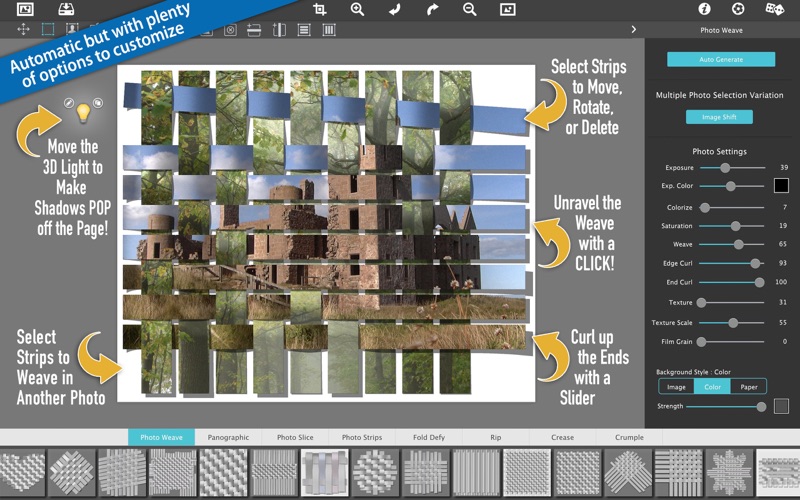
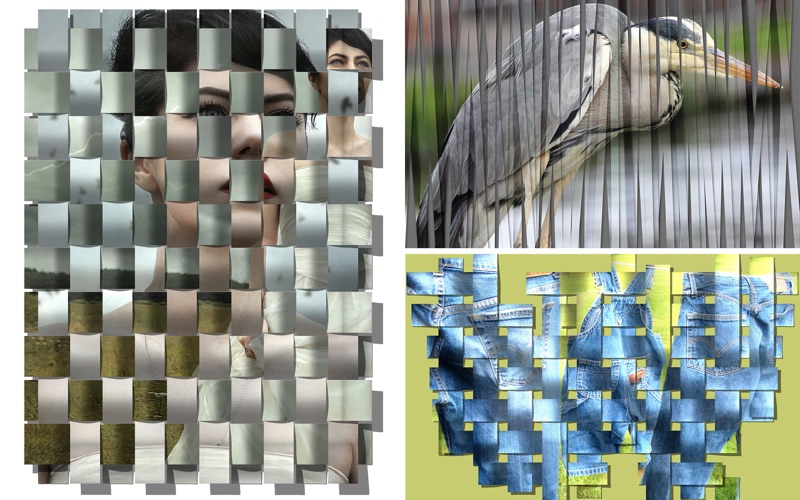
Photo Formation is a photo effect that auto-transforms images into super creative paper formations while a 3D light engine casts ultra cool shadows with loads of dimension. Use it to fragment, join, weave, rip and fold photos into fascinating eye-catching pieces, with all the subtle creases, curls and bends as if painstakingly assembled by hand.

Photo Formation comes with a library of one-touch presets to get you started fast, and a randomize button that will automatically render a variety of paper creations over and over until you get something catered to you. Moving, rotating and scaling tools can then be used to customize each composition—the sky is the limit to what can be done! 

We make it easy to use without taking control away from you, the artist. If you are the hands on type who likes to make stuff from scratch, an Auto Generate button gets you in the creative mode by starting the initial paper effect for you then presents a control panel so you can make it exactly the way you like. It’s not as much work as it sounds, just specify how many strips, tiles or folds; how much curl, crinkle or depth; and if you want exposure, opacity, texture and grain. An apply button renders the creation to the document where you finish it off by moving around paper elements (only if you want), and adding optional photo settings. 

What sets Photo Formation apart from others is it’s powerful lighting system. Oriented in a 2D space, Photo Formation renders true 3D popping folds and creases along with all their perspective distortions that cast realistic shadows for amazing high-end result! The lighting is fully adjustable and by simply moving it around the document you can change the direction of the shadows. You can also set up multiple light sources by duplicating the light to create fantastic double and triple shadows—how many is up to you!

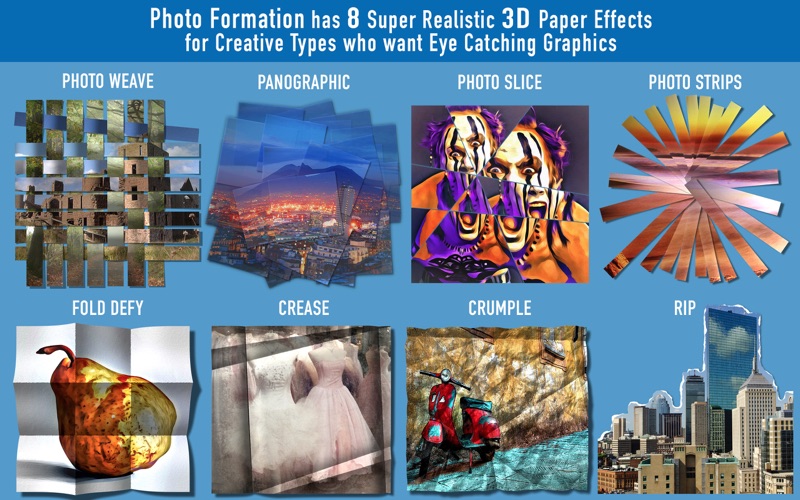
Photo Formation Includes 8 Creative Paper Styles:
Photo Weave, Panographic, Photo Slice, Photo Strips, Fold Defy, Crease, Crumple and Rip

OS Version: OS X 10.7 or later

Web Site: https://jixipix.com
Mac App Store: https://itunes.apple.com/app/photo-formation/id1371633402?mt=12

What’s New in JixiPix Photo Formation Pro 1.0.5

Significantly faster shadow rendering on Photo Weave

Screenshots

Name JixiPix Photo Formation Pro 1 0 5 TNT.zip
Size 130.8 MB
Created on 2018-05-21 10:17:38
Hash e9be4c8d072e4ff1f90c1a3273296d370ff1df35
Files JixiPix Photo Formation Pro 1 0 5 TNT.zip (130.8 MB)

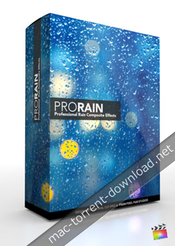
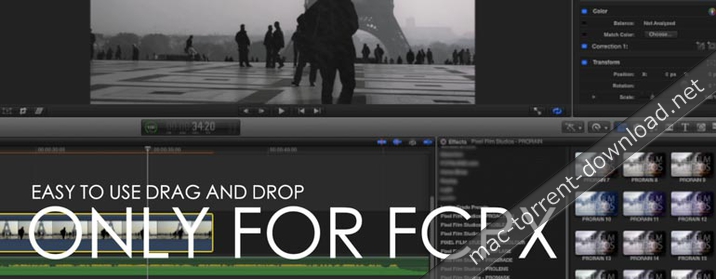
Pixel Film Studios – ProRain Volume 1 – Rain Effects and Overcast Grades for Final Cut Pro X

Pixel Film Studios – ProRain Volume 1 for Final Cut Pro X macOS

Want to shoot a rainy day film?… In mid-June?… Without renting a Hollywood studio? With ProRain: Volume 1 from Pixel Film Studios you can add real rain to your footage in Final Cut Pro X without having to get your equipment all wet.

Web Site: http://store.pixelfilmstudios.com/plugin/prorain-plugin

Find more Pixel Film Studio Plugins

Composites & Elements with ProRain: Volume 1 in Final Cut Pro X

Bring the Rain in FCPX

With 25 unique rain composites to choose from, take your footage anywhere from a light drizzle to a tropical rain forest in the click of a button. ProRain: Volume 1 contains no digitally generated images. All 25 of the rain effects were created with real rain footage.

30 Overcast Grades

Want your footage to look light and diffused like a cloudy day? or dark and dreary like a looming thunderstorm? you can do it all with the 30 overcast presets in ProRain: Volume 1 for Final Cut Pro X. Simply scrub through the ProRain: Volume 1 plugins in the effects browser and choose the grade that best works with your footage.

Control the Weather

After choosing your rain type and overcast grade, you can complete your ProRain: Volume 1 look by adjusting the amount of gloom in your footage using the powerful and intuitive sliders in the Final Cut Pro X Inspector.

Designed for Final Cut Pro X

ProRain: Volume 1 was created by the team at Pixel Film Studios to work perfectly inside Final Cut Pro X, eliminating the need to composite footage or create your own color grades. Take command of the weather with these plugins using the simple controls in the FCPX Inspector.


Pixel Film Studios PRORAIN Volume 1 – Final Cut Pro X Plugins and Effects

h
Name Pixel Film Studios – ProRain Volume 1.dmg
Size 233.3 MB
Created on 2018-05-18 13:40:48
Hash 691cb096ffcfac278a71e71d69808b39b0ce18e6
Files Pixel Film Studios – ProRain Volume 1.dmg (233.3 MB)

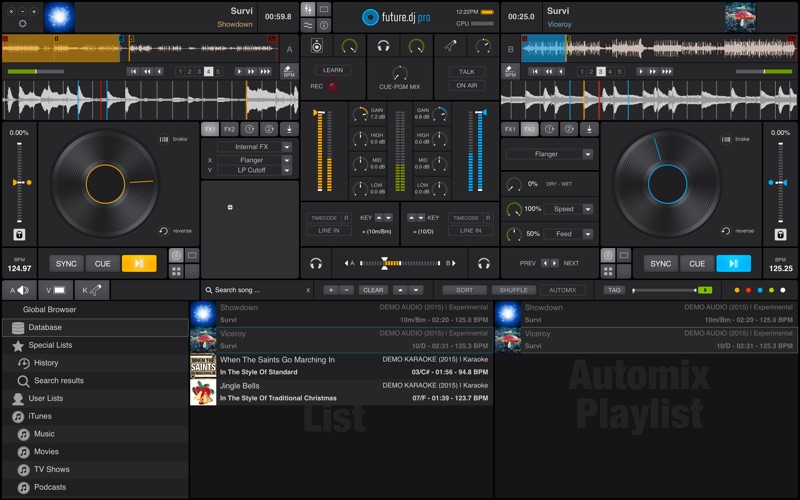
XYLIO Future.DJ Pro 1.6.1.0

XYLIO Future.DJ Pro 1.6.1.0 macOS

Name: future.dj pro – mix everything
Version: 1.6.1.0
Developer: Xylio Info Srl
Mac Platform: Intel
OS Version: OS X 10.9.0 or later

Web Site: http://www.xylio.com/future-dj-pro-a-new-level-of-mixing-perfection/
Mac App Store: https://itunes.apple.com/app/future-dj-pro-mix-everything/id1005227156?mt=12

Overview

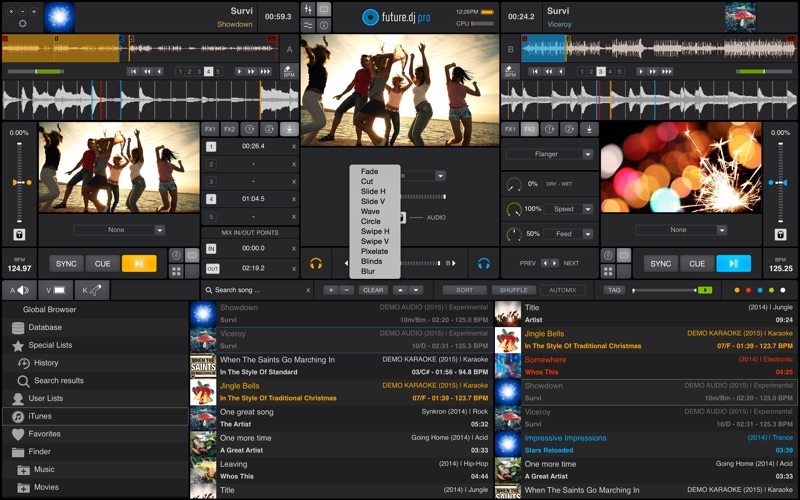
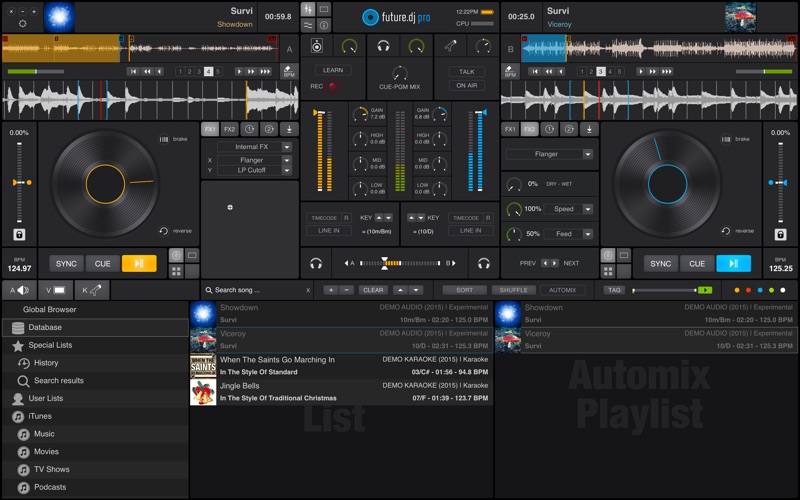
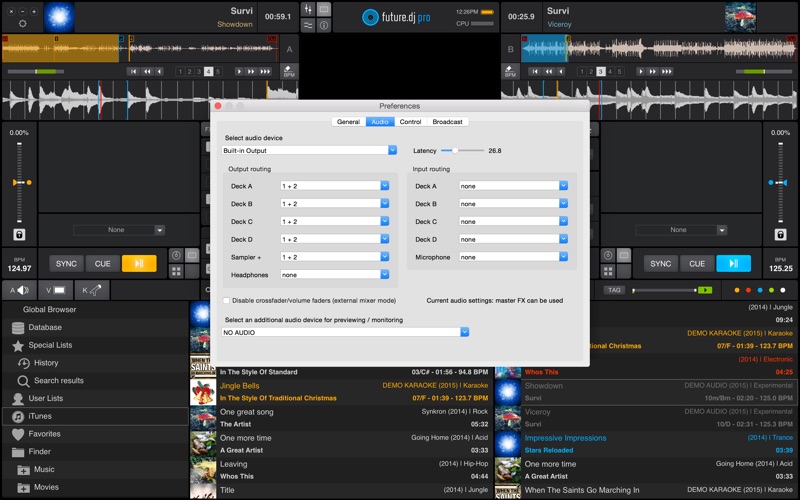
This is our flagship product, packed with the latest professional DJ features that answer the needs of both professional and aspiring DJs. Future.dj pro can easily be used by all manner of DJs, from bedroom DJs who enjoy creating their own mashups and mixes in the comfort of their home, to mobile DJs and club/live DJs that perform in clubs and other live performance conditions. Thanks to an impressive number of advanced and flexible features, there is nothing limiting your creative flow, other than your own creativity.

Mix everything (audio, video, karaoke)

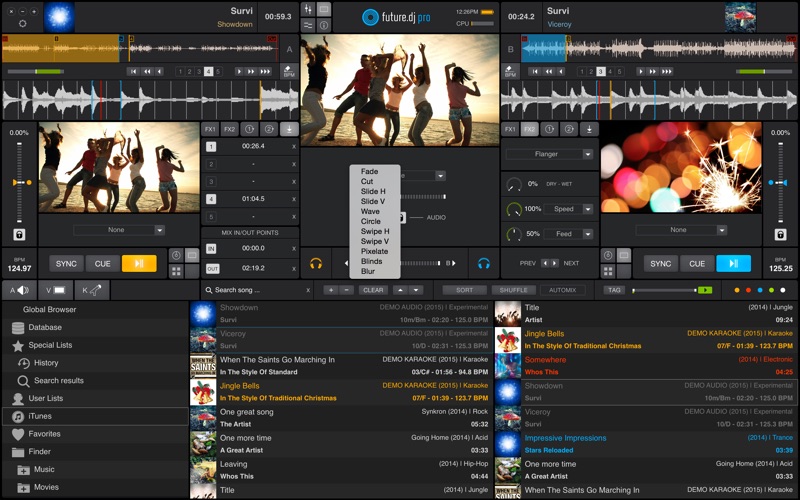
Mashup tracks, mix videos and make song transitions with the greatest of ease with this classic DJ setup (2-decks and mixer). Thanks to it’s intuitive design and powerful features, you will be able to achieve any level of mixing complexity. You can also sit back and Automix an entire party, simply by activating the powerful Automix function.

Perfectly in-sync tracks/beats

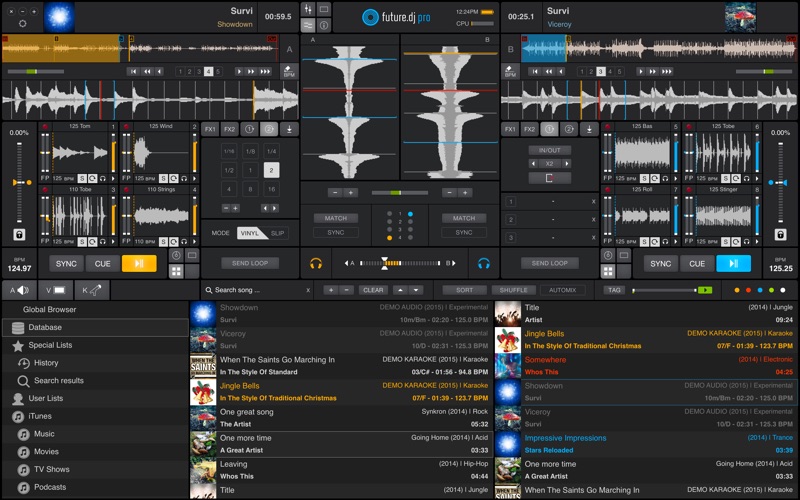
You will find the automatic BPM detection very precise allowing you to instantly sync and change between the 2 decks and/or samplers. The smart-sync function guarantees that when you press the Sync button the deck will be in perfect sync with the other one.

Visualize beats

The waveform graphic displays gives you real time audio signal monitoring, information about the audio signal and the beat rhythm. Each deck has 3 waveforms: a full song waveform and two zoomed-in waveforms. The vertical waveforms allow you to visually align the beats with ease.

Find your tracks with ease (includes iTunes library integration)

There is a browser, a current-list and a side-list available for finding, organising, previewing and playing your tracks. You can instantly search for tracks and/or filter them by format (be it audio, video or karaoke). Color markers make it even easier to spot your favorite songs, because you can assign different colors to any tracks.

Create and recall loops, set up cue-points

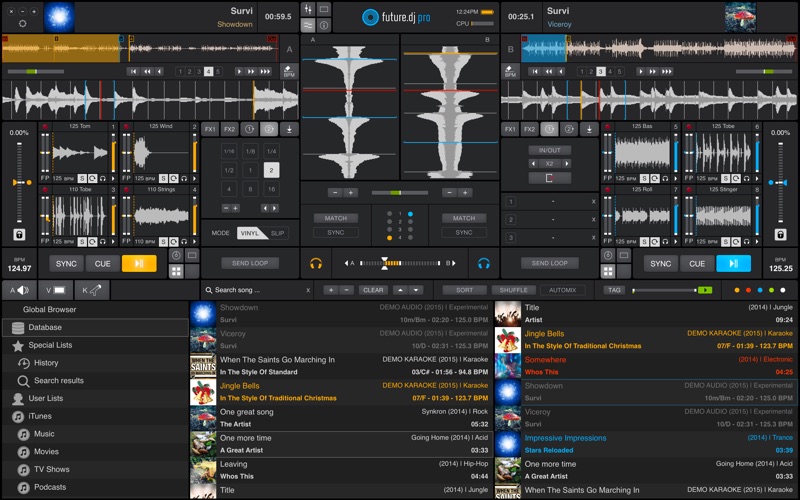
You can set up seamless loops instantly, by setting In and Out points. You can move the loop or make it shorter or longer on-the-fly. You can also send a loop to one of the 8 sampler slots. You can set/recall instant cue-points (which act like bookmarks into the song) and view them on the waveform.

Scratch. Reverse. Brake. (works with videos too)

You are free to make real turntable effects by using the waveform displays, as well as the virtual jog-wheels, using MIDI controllers or even real turntables (using the improved timecoded-vinyl engine). You can achieve effects like disk spin effect, scratch, reverse, play, brake, mute, fine-tune cue-points and even ‘reverse spin and play’ effect.

Beat-match and Key-match your mixes

For musically perfect mixes you can lock (master tempo) or change the key to your desired one to achieve not only beat-matched but also key-matched performances. The app even detects the key of a song/video to considerably simplify harmonic mixing.

  • Pulselocker integration
  • Record or broadcast your mixes
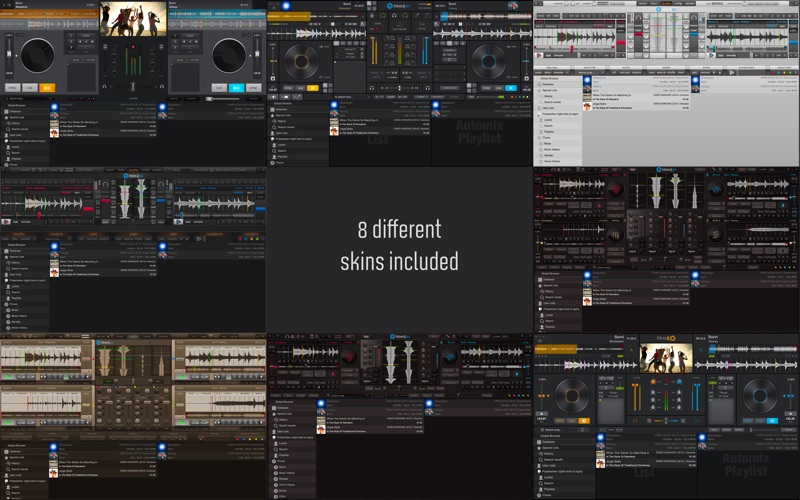
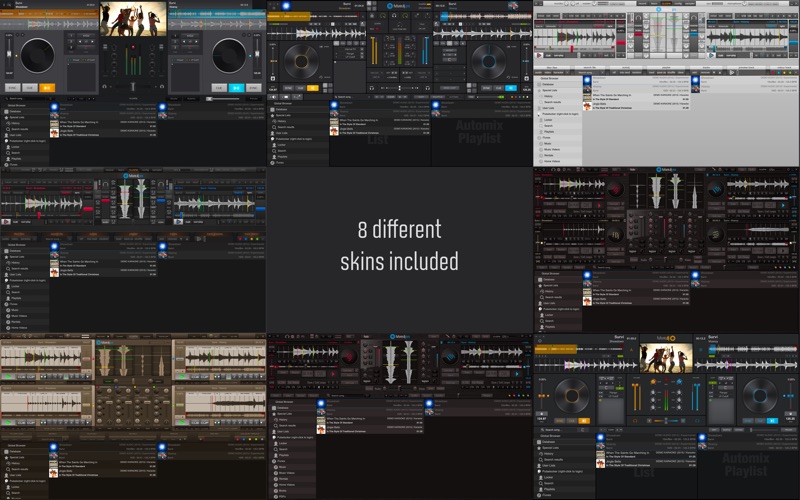
  • 8 different user interfaces/skins included (with 2 or 4 decks)

What’s New in XYLIO Future.DJ Pro 1.6.1.0

  • Release notes not available at the time of this post.

Screenshots

Name XYLIO Future.DJ Pro v1.6.1.0 [kg].zip
Size 174.7 MB
Created on 2018-05-13 07:35:20
Hash 1cbc3e2a069fd40f422eea487ddb9b3fec8fd9c9
Files XYLIO Future.DJ Pro v1.6.1.0 [kg].zip (174.7 MB)

Polarr Photo Editor Pro 5.0.2

Polarr Photo Editor Pro 5.0.2

Name: Polarr Photo Editor
Version: 5.0.2
Release Date: May 12, 2018
Developer: Polarr, Inc.
MAS Rating: 4+
Mac Platform: Intel
OS Version: OS X 10.12 or later

Web Site: http://www.polarr.co
Mac App Store: https://itunes.apple.com/app/polarr-photo-editor/id1077124956?mt=12

Overview

Polarr is the only photo editor you need.

It doesn’t matter if you’re new to photography or a pro, Polarr has it all. Novices will appreciate that Polarr offers advanced auto-enhance tools and sophisticated filters to edit all the details of your photo. Pro photographers will look forward to our layer support, curve tools, local adjustments and so much more.

It’s a powerful photo editor for Mac. Here’s what you get with Polarr:

Overview
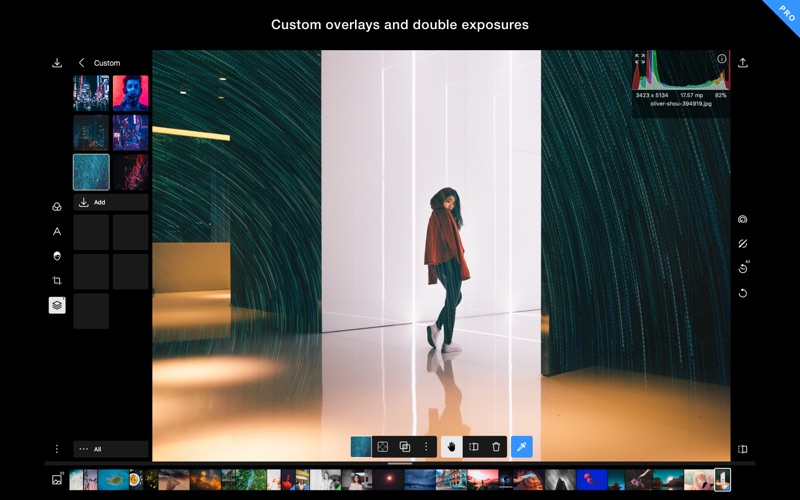
  • Custom overlay and complex blending modes
  • Dual lens effects and depth adjustments
  • Complete set of masking and local adjustment tools
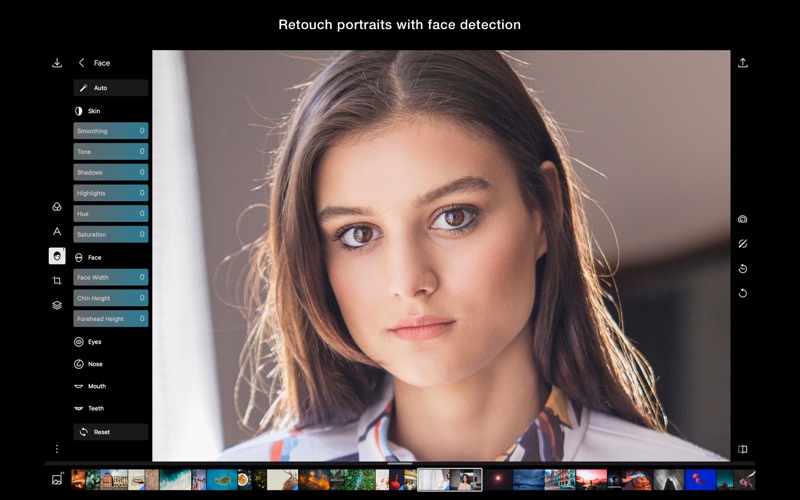
  • Advanced suite of faceediting tools with smart detection
  • Create, customize and share your own filters
  • Batch exporting.
  • Photos extension
Filters
  • Make and share your own custom Filters
  • Get started with basic filters, grow with pro filters
  • Sync filters between all of your devices
Layers and blending modes
  • Superimpose photos with 10 and more blending modes
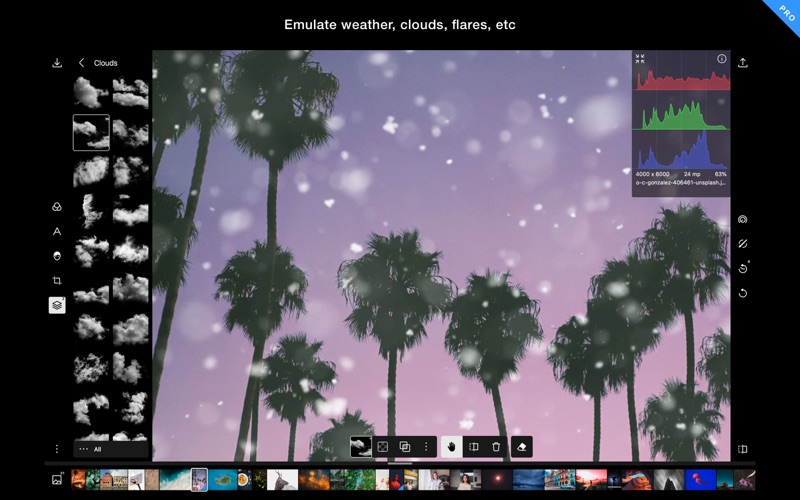
  • Add photorealistic effects like clouds, weather effects, light leaks, flares and more
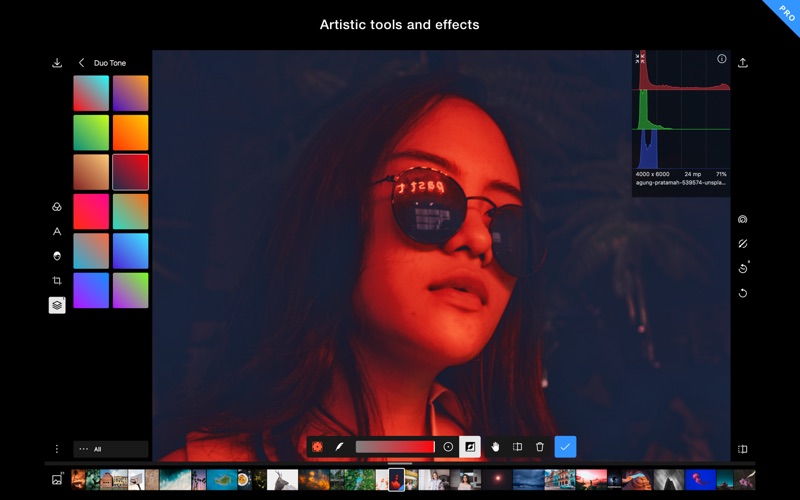
  • Duotone your photos with our presets or create your own unique flavor
Local adjustments include
  • Depth mask: Adjust photo based on depth using the dual camera
  • Brush mask: Draw your mask
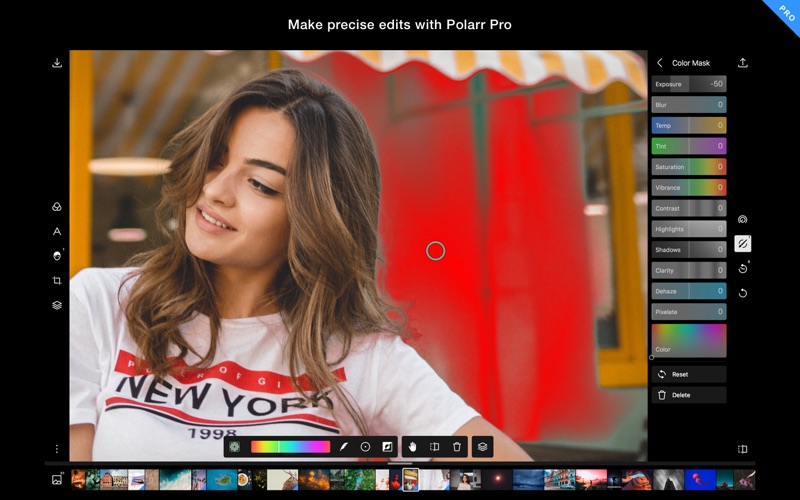
  • Color mask: Selective adjustment with color
  • Radial mask: Circular adjustment over your photo
  • Gradient mask: Adjusting photo over a gradient
  • Luminance mask: Selective adjustment based on brightness.
  • Additional local tools: Lens blur, feathering, invert, and more
  • Blend any local adjustment mask with an overlay
  • Unlimited stacking of local adjustments.
Global adjustments include
  • Intelligent auto enhance for exposure and white balance
  • Color: Temperature, Tint, Vibrance, Saturation
  • Light: Dehaze, Exposure, Brightness, Contrast, Highlights, Shadows, Whites, Blacks, Diffuse
  • Detail: Clarity, Sharpen, Denoise (Color and Luminance)
  • Vignette: Amount, Highlights, Roundness
  • Lens: Distortion, Horizontal, and vertical Perspective
  • Effect: Fringing, Pixelate, Noise amount and size
  • HSL: Hue, Saturation, Luminance for eight color channels
  • Curves: Master, blue, red, green channels
  • Toning: Highlight and shadow tone, Tone balancing
  • Denoise: Focus, enhancement, and clarity
  • LUT: Import and export 3D Lut (iOS 11 or above)
Polarr is customizable
  • Select from dark themes, light themes or a custom color themes
  • Two workspaces available: Pro and Express
  • Rearrange icons to make the app yours
Works on all of your devices
  • Polarr is available for all your devices: mobile, desktop and the web
  • Your pro subscription follows you on all your devices

What’s New in Polarr Photo Editor Pro 5.0.2

Version 5.0 is the start of a new era for Polarr. And this update lays the foundation for huge things to come.

There. Are. So. Many. New. Things. In. This. Update.

But we’ll highlight the big ones.

Overlays.

Polarr now has overlay support! That means you can superimpose two images together or add things to your images. We’ve added a bunch of different effects to get you started. Look forward to adding things like light leaks, flares, clouds, weather effects, backgrounds, gradients, and more to your photos.

New masks for local adjustments

Head to the local adjustments section of the app and you’ll see two new masks: luminance and depth. The first allows you to create a mask around the luminosity of the image. The second is for all of you with phones that can take portrait images that contain depth data.

Duotone your images

Building overlays allowed us to introduce duotone editing to the app. You have a bunch of presets to chose from or you can build a duotone image from scratch.

Polarr Pro

The Polarr Pro subscription is how you unlock all the powerful and advanced features in the app. Pay for your subscription month-to-month or yearly! Either way, you’ll be able to use your pro features on ALL of your devices. Enjoy!

Screenshots

Name Polarr Photo Editor 5 0 2 MAS TNT.zip
Size 98.08 MB
Created on 2018-05-13 07:35:40
Hash 89af6d00ea6ab1c68b73cbe88d156c37611a5a67
Files Polarr Photo Editor 5 0 2 MAS TNT.zip (98.08 MB)

Duplicate File Remover PRO v5.3

Duplicate File Remover PRO v5.3 macOS

Name: Duplicate File Remover PRO (formerly Duplicates Expert)
Version: 5.3
Developer: Nektony LLC
Mac Platform: Intel
OS Version: OS X 10.10 or later
Processor type(s) & speed: 64-bit processor

Web Site: http://nektony.com/

Overview

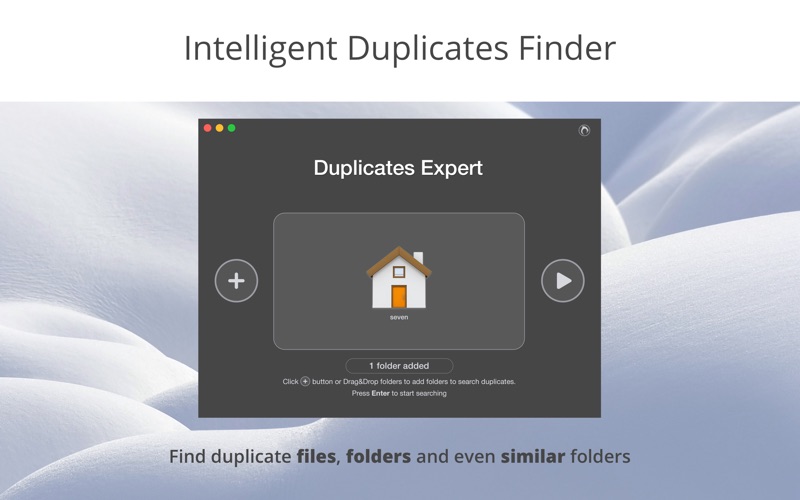
Quickly and easily remove duplicate files on your Mac’s hard-drive or other external drives with the help of this all-encompassing macOS utility

We would like to start this review by saying that there is a multitude of duplicate scanning apps out there, as we speak. Some are very good, some are quite average, while some, simply don’t work that well.

This said, Duplicate File Remover PRO (formerly Duplicates Expert) doesn’t fit in neither one of those categories. It isn’t very good, neither average, nor is it bad, but instead, truth must be told, it is one of the most powerful and comprehensive apps of this sorts that we have come upon.

Trustworthy and easy to use duplicate scanning and removing tool for your Mac

From the first seconds of work with Duplicate File Remover PRO, you will feel that this is a well thought-out app. While it scans for duplicates on your Mac, you will be entertained by a real-time animated duplicates chart.

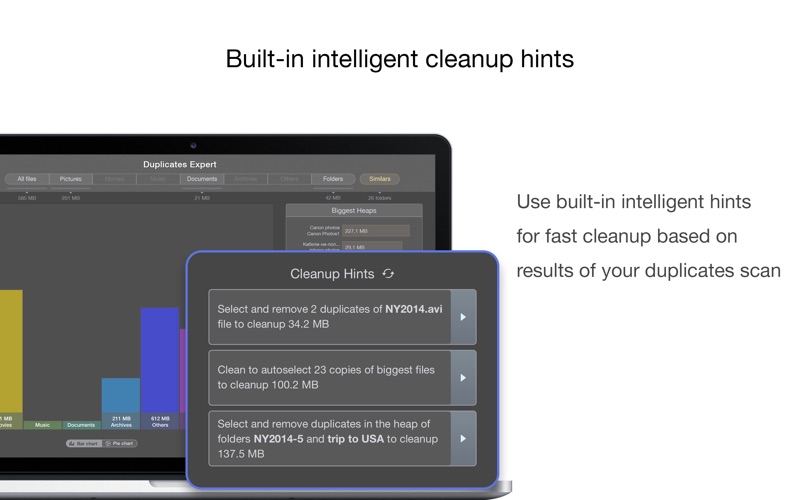
Once the scanning process is swiftly completed, Duplicate File Remover PRO will provide you with favorable cleanup recommendations.

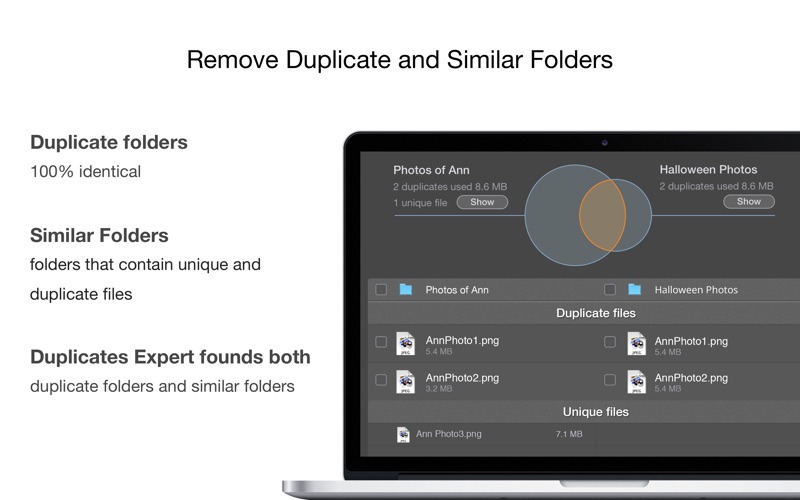
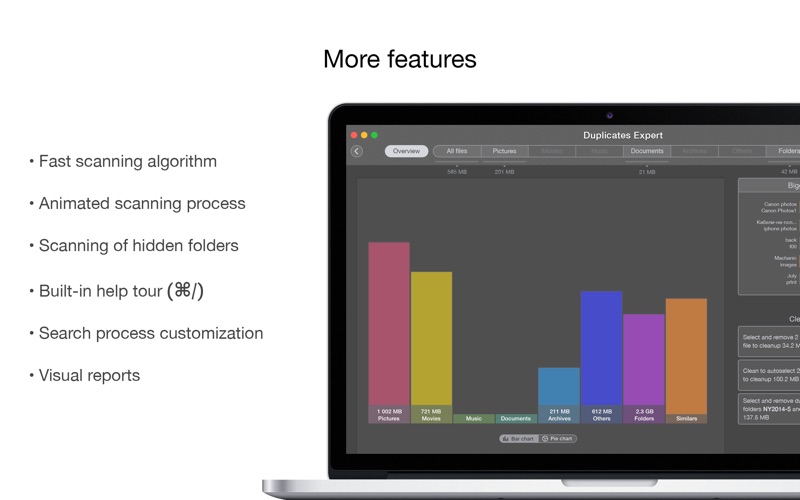
The app is so good, that you can’t really fault it in terms of visual reports, as it will display a complete overview with the duplicates found, categorized in folders like All Files, Pictures, Movies, Music, Documents, Archives, Others, and Folders.

Comes with a plethora of compelling features

By clicking the Overview button on the upper left corner, you can view the results with the help of either a Bar chart or a Pie chart, view the biggest similar files, as well as some cleanup hints.

With “all-you-can-ever-want” level of information displayed, the Similars feature does a great job of making the situation about removing duplicate files on your Mac seem clear as daylight.

Yes, as expected, the app comes with features like an option to scan for hidden folders, to sort the duplicates by name, size, type, duplicate count, built-in duplicate search function, preview and quick-look for every duplicate, a visual progress bar for dupe removal, external drive scanning support and other options that will certainly come in handy.

Proves that full-featured apps can be extremely simple to work with

Last, but not least, the interface is exactly what you would call user-friendly and streamlined, which makes working with Duplicate File Remover PRO an absolute treat.

As if all until now is not enough, Duplicate File Remover PRO also provides you with very useful built-in help tips, that will make you feel even more at home.

All in all, Duplicate File Remover PRO is a powerful macOS utility that, we must admit, ticks all the boxes when it comes to apps of this kind.

With a fast scanning and dupe removal algorithm, stylish interface, animated scanning and visual reports, smart sorting options, as well as other powerful dupe removal features, Duplicate File Remover PRO should definitely find its way onto your Mac’s Applications folder.

What’s new in Duplicate File Remover PRO v5.3

  • Increased duplicates search speed
  • New hints added in the “Select duplicates in folders” dialog

Screenshots

Name Duplicate File Remover PRO v5.3 Ked MAC .zip
Size 22.97 MB
Created on 2018-05-13 07:36:09
Hash 694efffd0bffc4b2ca6ac58e4427e80e1dbbb5be
Files Duplicate File Remover PRO v5.3 Ked MAC .zip (22.97 MB)

Pixel Film Studios – ProTube Outro – Outro Screen Templates for Final Cut Pro X

Pixel Film Studios – ProTube Outro – Outro Screen Templates for FCPX macOS

ProTube Outro is a set of outro screen templates made for Final Cut Pro X video editors. ProTube Outro allows editors to easily manipulate the elements of outro screens with up to 5 video drop zones. Position, scale, and rotate, pictures/videos, logos, social media links, and text with simple on-screen controls. ProTube Outro is a FCPX exclusive plugin.

ProTube Outro requires Final Cut Pro X version 10.2 or newer.

Web Site: https://store.pixelfilmstudios.com/product/protube-outro/

Find more Pixel Film Studio Plugins

;

Social Tools with ProTube: Outro in Final Cut Pro X

Over 30 Customizable Presets

ProTube Outro comes packed with over 30 customizable outro screen templates. Choose from unstylized templates with up to 5 video drop zones for pictures and videos. Add a basic border, round video corners, and even add a drop shadow. Pixel Film Studio’s ProTube Outro allows editors to draw viewers attention to previous and/or future videos with easy to use templates.

Built-In Social Media

ProTube Outro features built-in social media icons to make advertising social networks easier than ever. Increase the spread of icons using a simple slider and orient icons vertically by toggling a checkbox. Easily toggle any icon on and off with intuitive checkboxes. ProTube Outro is the easiest way to create the perfect closer for FCPX video productions.

Create Any Layout

ProTube Outro allows users to manipulate up to 5 drop zones, 8 text boxes, social media icons, a subscription button, a logo all within Final Cut Pro X. Utilize simple sliders to crop video drop zones or increase border thickness. With intuitive on-screen controls FCPX users may scale, position, and rotate ProTube Outro elements with absolute ease.

Customizable in Final Cut Pro X

With ProTube Outro, video editors can ditch messy picture templates and create flawless end-screens within Final Cut Pro X. Using ProTube Outro is simple. Drag a ProTube Outro title above a picture or video and into the FCPX timeline. Next, stylize the text, and insert personal media into the designated drop zone areas. Orient ProTube elements at any position and angle, and ProTube will do the rest.


Pixel Film Studios – ProTube Outro – Outro Templates created for Final Cut Pro X

Name Pixel Film Studios – ProTube Outro.dmg
Size 102.7 MB
Created on 2018-05-08 04:14:29
Hash 1c25661e39217078d2d24fd643f8c16520acf035
Files Pixel Film Studios – ProTube Outro.dmg (102.7 MB)

Final Cut Pro 10.4.2

Name Final Cut Pro 10 4 2 MAS TNT.zip
Size 3.02 GB
Created on 2018-05-01 21:21:45
Hash c5721661d2f3984a053530e956be87c59df3500f
Files Final Cut Pro 10 4 2 MAS TNT.zip (3.02 GB)

Descriptions for Final Cut Pro 10.4.2

Name: Final Cut Pro
Version: 10.4.2
Release Date: May 01, 2018
Developer: Apple
MAS Rating: 4+
Mac Platform: Intel
OS Version: OS X 10.13.2 or later

Includes: Pre-K’ed (TNT)

Web Site: http://www.apple.com/finalcutpro/
Mac App Store: https://itunes.apple.com/app/final-cut-pro/id424389933?mt=12

Related Apps:

Motion 5.4.1
Compressor 4.4.1

Overview

Redesigned from the ground up, Final Cut Pro combines revolutionary video editing with powerful media organization and incredible performance to let you create at the speed of thought.

Revolutionary Video Editing
  • The Magnetic Timeline 2 uses advanced metadata for faster, easier editing than with traditional tracks
  • Enhanced Timeline Index lets you drag and drop audio roles to rearrange the layout of your timeline
  • Use Clip Connections to attach Broll, sound effects, and music to the timeline
  • Reduce clutter by grouping clips into a Compound Clip
  • Cycle through different shots, graphics, or effects at one place in the timeline with Auditions
  • Edit multicamera projects with automatic syncing based on audio waveforms and support for up to 64 camera angles
  • Import and edit 360° equirectangular video in a wide range of formats and frame sizes
  • Create, edit, and deliver closed captions from within Final Cut Pro
Powerful Media Organization
  • Organize your work within libraries for efficient media management and collaboration
  • Content AutoAnalysis captures camera metadata and analyzes shots in the background
  • Create and apply custom keywords or favorites on the fly as you select clip ranges
  • Smart Collections dynamically organize content for you to quickly find any shot in a few clicks
Incredible Performance
  • Final Cut Pro uses all the GPUs in your Mac for superior realtime playback performance and fast background rendering
  • 64bit architecture uses all the RAM in your system for larger projects and richer effects
  • Background processing lets you keep working without interruption
  • Work natively with a broad range of formats including ProRes, RED, XAVC, AVCHD, H.264 from DSLRs, and more
Compelling, Customizable Effects
  • Beautifully animated, easily customizable 2D and 3D titles
  • Change the look of titles, transitions, and effects using intuitive controls
  • Choose from an extensive ecosystem of thirdparty FxPlug plugins with custom interfaces
Integrated Audio Editing
  • Assign roles — including dialogue, music, effects, and custom choices — during import to easily track and organize your project
  • Expand and edit multichannel audio files directly in the timeline
  • Let Final Cut Pro repair audio problems such as hum, excessive background noise, and more
  • Sync DSLR video with separate audio in a single step with instant audio waveform matching
Intuitive Color Grading
  • Import, edit, and deliver video in standard color spaces, or in wide Rec. 2020 color space
  • Improve the look of any clip with oneclick Balance Color
  • Manipulate color, saturation, and exposure with the Color Board
  • Fine tune a specific color or area of the screen using keying and masks
  • Powerful color wheels and curves for precise adjustments with keying and masks
One-Step, Optimized Output
  • Incredibly fast export for playback on Apple devices and upload to websites such as Vimeo, YouTube, and Facebook
  • Use themed menus to author and burn a DVD or Bluray disc
  • Export audio stems and multiple versions of a finished video using roles metadata
  • Import and export XML for thirdparty workflows like color grading and sound mixing
System Requirements:

macOS 10.13.2 or later, 4GB of RAM (8GB recommended for 4K editing, 3D titles, and 360° video editing), OpenCL-capable GPU graphics card or Intel HD Graphics 3000 or later, 256MB of VRAM (1GB recommended for 4K editing, 3D titles, and 360° video editing), 3.8GB of available disk space.

Some features require Internet access; fees may apply. Blu-ray recorder required for burning Blu-ray discs. Video output to VR headset requires Mac computer with discrete graphics running macOS High Sierra. 27-inch iMac with Radeon Pro 580 graphics recommended. HEVC and HEIF support require macOS High Sierra.

What’s New in Final Cut Pro 10.4.2

  • Fixes an issue in which selecting multiple clips using the Shift key or marquee selection could inadvertently select other clips in the timeline
  • Fixes issues related to XML import and export

Introduced in Version 10.4.1

Closed Captions
  • Import caption files into a Final Cut Pro project to automatically create timesynced, connected captions in the timeline
  • See captions directly in the Viewer
  • Use the Inspector to adjust text, color, onscreen location, and timing
  • Create captions in multiple languages and formats in the same timeline
  • Use the new Captions tab in the Timeline Index to search text, select captions, and quickly switch between different versions of your captions
  • Attach captions to audio or video clips in the timeline
  • Extract embedded captions from video to view and edit the captions directly in Final Cut Pro
  • Send your project to Compressor in a single step, making it easy to create a compliant iTunes Store package with audio and video files, captions, and subtitles
  • Validation indicator instantly warns about common errors including caption overlaps, incorrect characters, invalid formatting, and more
  • Embed captions in an exported video file or create a separate caption sidecar file
  • Share captioned videos directly to YouTube and Vimeo
  • Support for CEA608 and iTT closed caption formats
ProRes RAW
  • Support for ProRes RAW files lets you import, edit, and grade using pristine RAW image data from the camera sensor
  • RAW image data provides ultimate flexibility when adjusting highlights and shadows — ideal for HDR workflows
  • Enjoy smooth playback and realtime editing on laptop and desktop Mac computers
  • Highly efficient encoding reduces the size of ProRes RAW files, allowing you to fit more footage on camera cards and storage drives
  • ProRes RAW preserves more of the original image data, making it an ideal format for archiving
  • Work natively with ProRes RAW or ProRes RAW HQ files created by ATOMOS recorders and DJI Inspire 2 drone
Enhanced export
  • The new Roles tab in the share pane displays title, video, and audio roles in a single, consolidated interface
  • Quickly view and choose roles to be included in exported video files
  • Roles settings and enabled/disabled states from the timeline are carried through to the share pane
  • Embed closed captions in a video file or export a separate captions sidecar file in CEA608 and iTT formats

Introduced in Version 10.4

360 VR editing
  • Import and edit 360° equirectangular video in a wide range of formats and frame sizes
Advanced color grading
  • Powerful new color wheels improve upon traditional wheels with integrated sliders to adjust hue, saturation, and brightness
  • Color curves enable ultrafine adjustments using multiple control points to change color and contrast
  • Hue/saturation curves let you select a specific hue or brightness level to make adjustments while leaving other parts of the image unchanged
High Dynamic Range
  • Import, grade, and deliver High Dynamic Range (HDR) video as Rec. 2020 HLG or Rec. 2020 PQ for HDR10
Additional features
  • Send your iMovie for iOS project directly to Final Cut Pro for advanced editing, audio work, and finishing
  • Import, playback, and editing of High Efficiency Video Coding (HEVC, also known as H.265) video clips and High Efficiency Image Format (HEIF) photos from Apple devices**
  • Send to Compressor to export video projects in the HEVC format

* Requires compatible VR headset, macOS High Sierra, and SteamVR
** HEVC and HEIF support requires macOS High Sierra

Screenshots
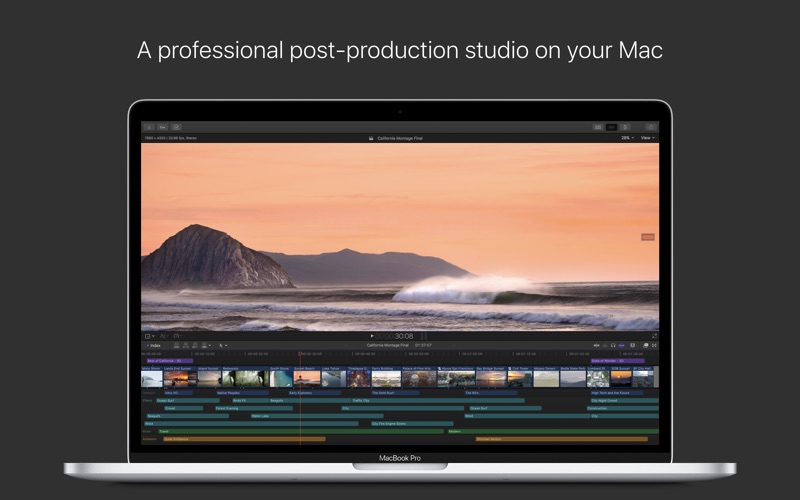
Pixel Film Studios TranShadow for Final Cut Pro X

Pixel Film Studios TranShadow macOS

TranShadow from Pixel Film Studios gives FCPX users a whole entire new way of fading from one clip to another. TranShadow allows users to cross-fade with a color solid, while adding prism and blur effects. FCPX users can apply TranShadow presets allow quick and easy application between clips, saving valuable time for any editor. Each transition has added parallax options for more kinetic angles between shots.

Web Site: http://store.pixelfilmstudios.com/product/transhadow/

Find more Pixel Film Studio Plugins

Shadow Fade Transitions with TranShadow for FCPX

Over 50 Transitions

TranShadow for Final Cut Pro X comes with over 50 different drag & drop transition presets. Each preset contains a unique shadow fade that masks the first clip and reveals the second clip. TranShadow is an easy to use transition, designed with any skill level editor in mind.

Includes Channel Blur and Prism Effects

TranShadow contains Prism and Blur controls for exaggerated speed. TranShadow presets have the effect of being slow and elegant, or fast and chaotic depending on the users style. TranShadow’s flexible distortion and blur options add realism and style to any project.

Drag & Drop Transitions

TranShadow for Final Cut Pro X is built as a set of Transition tools. FCPX users can apply each preset between the desired clips and adjust the duration accordingly. TranShadow is a simple tool that can be used in Video Projects, or Slide Shows with still Photos.

Designed for Final Cut Pro X

TranShadow was designed to work seamlessly inside Final Cut Pro X, saving the user valuable time. TranShadow users simply select the desired preset in the transitions window and modify the fade and blur effects. Final Cut Pro X editors can also adjust the length of each transition on the fly, with short render and export times.


Pixel Film Studios TranShadow – Shadow Fade Transitions for Final Cut Pro X

Name Pixel Film Studios – TranShadow.dmg
Size 35.19 MB
Created on 2018-04-27 07:09:14
Hash 22bf61b03ed285b40839ecb34b79aecf1d403736
Files Pixel Film Studios – TranShadow.dmg (35.19 MB)

Pixel Film Studios ProIntro Geometric – Introduction Titles for Final Cut Pro X

Pixel Film Studios ProIntro Geometric

ProIntro: Geometric is a set of 30 self-animating titles featuring minimalistic designs. ProIntro presets instantly adds a clean and simplistic opener to any Final Cut Pro X production. Choose from a multitude of rigid designs with elements ranging from boxes and lines, to triangles and right angles. ProIntro Geometric also features amazing blur controls to create greater contrast between title elements and the background.

Web Site: http://store.pixelfilmstudios.com/product/prointro-geometric/

Find more Pixel Film Studio Plugins

Introductions with ProIntro: Geometric in FCPX

30 Geometric Styles

ProIntro: Geometric comes packed with 30 self-animating presets. Choose from various styles with polygonal elements ranging from quadrilaterals and basic lines, to colorful right triangles. Using ProIntro is extremely easy. Drag a preset into the FCPX timeline, stylize the text, and reorient using on-screen controls. ProIntro will do the rest.

Versatile Design

ProIntro: Geometric design is extremely simplistic. This allows users to apply ProIntro’s self animating styles to almost any project. Utilize ProIntro presets for all types of professional or personal productions. With some quick stylization and the swab of the color wheel, users can make ProIntro’s minimalistic style their own.

Intuitive Controls

ProIntro: Geometric features amazing on-screen controls that help Final Cut Pro X users edit more efficiency. Select the title layer to reveal on-screen controls in FCPX. With these tools, scale, rotate, and position ProIntro presets with absolute ease. Orient presets to any position and scale without distorting text resolution.

Customizable In FCPX

ProIntro: Geometric is completely customizable in Final Cut Pro X. Find editable parameters in the top-right inspector window. Easily change the color of title elements using color wheels. Alter the scale of polygons using basic sliders and utilize on-screen controls to quickly scale and rotate the preset. Pixel Film Studios makes amazing easy in FCPX.


Pixel Film Studios ProIntro Geometric – Minimalistic Introductions for Final Cut Pro X

Name Pixel Film Studios – ProIntro Geometric.dmg
Size 30.39 MB
Created on 2018-04-26 08:23:58
Hash dbb0406425bc248930a3bbe8cedf3f8f8b5bc1d8
Files Pixel Film Studios – ProIntro Geometric.dmg (30.39 MB)

iTools Pro 1.7.7.9

Descriptions for iTools Pro 1.7.7.9

Name: iTools Pro
Version: 1.7.7.9
Mac Platform: Intel
OS Version: OS X 10.8 or later
Processor type(s) & speed: 64-bit processor

iOS Version: iOS 5, 6, 7, 8, 9, 10, 11

Includes: Pre-K’ed (TNT)

Web Site: https://www.thinkskysoft.com/itools-for-mac/

Overview

Managing the content of your iOS device using iTunes, the default OS X music player, is not always very intuitive. iTools is a simple Mac app that offers an alternative when you need to visualize, organize, or transfer data to and from your iPhone, iPad, or iPod touch.

Features
  • App Management
  • Realtime Screenshot
  • Transfer Music Manually
  • Ringtone Maker
  • Export Photos & Videos
  • File Explorer

What’s New in iTools Pro 1.7.7.9

  • Release notes not available at the time of this post.

Name iTools Pro 1 7 7 9 TNT.zip
Size 21.17 MB
Created on 2018-04-20 18:38:41
Hash e17ef9ec51ff110a4d7455f579ab412ce59632bb
Files iTools Pro 1 7 7 9 TNT.zip (21.17 MB)

XYLIO Future DJ Pro 1.6.0

Descriptions for XYLIO Future DJ Pro 1.6.0 macOS

Name: future.dj pro – mix everything
Version: 1.6.0
Release Date: April 20, 2018
Developer: Xylio Info Srl
MAS Rating: 4+
Mac Platform: Intel
OS Version: OS X 10.9.0 or later

Includes: Keygen

Mac App Store: https://itunes.apple.com/app/future-dj-pro-mix-everything/id1005227156?mt=12

Overview

future.dj pro- A new level of mixing perfection

/// optimized for Retina displays and 64-bit

* Mix everything (audio, video, karaoke)

Mashup tracks, mix videos and make song transitions with the greatest of ease with this classic DJ setup (2-decks and mixer). Thanks to it’s intuitive design and powerful features, you will be able to achieve any level of mixing complexity. You can also sit back and Automix an entire party, simply by activating the powerful Automix function.

* 8 different user interfaces/skins included (with 2 or 4 decks)
* Perfectly in-sync tracks/beats

You will find the automatic BPM detection very precise allowing you to instantly sync and change between the 2 decks and/or samplers. The smart-sync function guarantees that when you press the Sync button the deck will be in perfect sync with the other one.

* Visualize beats

The waveform graphic displays gives you real time audio signal monitoring, information about the audio signal and the beat rhythm. Each deck has 3 waveforms: a full song waveform and two zoomed-in waveforms. The vertical waveforms allow you to visually align the beats with ease.

* Find your tracks with ease (includes iTunes library integration)

There is a browser, a current-list and a side-list available for finding, organising, previewing and playing your tracks. You can instantly search for tracks and/or filter them by format (be it audio, video or karaoke). Color markers make it even easier to spot your favorite songs, because you can assign different colors to any tracks.

* Create and recall loops, set up cue-points

You can set up seamless loops instantly, by setting In and Out points. You can move the loop or make it shorter or longer on-the-fly. You can also send a loop to one of the 8 sampler slots. You can set/recall instant cue-points (which act like bookmarks into the song) and view them on the waveform.

* Scratch. Reverse. Brake. (works with videos too)

You are free to make real turntable effects by using the waveform displays, as well as the virtual jog-wheels, using MIDI controllers or even real turntables (using the improved timecoded-vinyl engine). You can achieve effects like disk spin effect, scratch, reverse, play, brake, mute, fine-tune cue-points and even ‘reverse spin and play’ effect.

* Powerful mixer (includes effects)

You can adjust the gain (amplification), equalizer (3 bands), apply and combine different effects (10 effects included), change the musical key, etc.

* Separate headphones output and song pre-listening

You can configure advanced audio routing using up to 8 inputs and outputs. You can use a microphone or turntables and CD players.

* Fullscreen video output to external monitors, projectors, TV

There are several video effects and transitions that you can apply per deck.

* Connect multiple MIDI controllers at the same time

There are over 100 zero-configure controllers supported from Akai, Akiyama, American Audio, Beamz, Behringer, Beyond Music, Denon, Faderfox, Gemini, Hercules, M-Audio, Novation, Numark, PCDJ, Pioneer, Reloop, Stanton, Vestax, Zomo, etc.

* Powerful samplers

8 sample players that you can use to play loops or jingles. You can pre-listen, choose to loop or sync them, apply filters, change the tempo/speed, etc.

* Beat-match and Key-match your mixes

For musically perfect mixes you can lock (master tempo) or change the key to your desired one to achieve not only beat-matched but also key-matched performances. The app even detects the key of a song/video to considerably simplify harmonic mixing.

* Record or broadcast your mixes

Many other features are included

Short demos/tutorials: https://www.youtube.com/user/XylioTV

What’s New in XYLIO Future DJ Pro 1.6.0

Highlights:
  • Karaoke Singers Rotation list (incl. singers history) use it to professionally host karaoke shows
  • new controllers supported: Pioneer DDJ WeGO4, Pioneer DDJ SR2, Pioneer DDJ SB3, American Audio VMS50
  • background music player / filler player
  • a lot of other new karaoke features (see full changes below)
All Changes:
  • added Karaoke Singers Rotation list
  • rotation list functionality after 20s of playback, the top singer in the rotation list is moved to the bottom of the list (if it still has any songs left to play/sing)
  • you can move, remove, collapse/expand the songs for a singer (click on the number of songs text/arrow)
  • you can drop a karaoke track on a singer’s line (and the singer’s name will be automatically preselected)
  • singers history using autocomplete for Singer’s name (press F5 (Fn + F5) or OptionEsc to bring up the autocomplete list); you can clear the remembered singers;
  • you can add a track to the rotation by drag&drop, pressing ENTER on a track, doubleclicking on a track, selecting the “Send to sidelist” menu option (rightclick on a track)
  • new controllers supported: Pioneer DDJ WeGO4, Pioneer DDJ SR2, Pioneer DDJ SB3
  • improvements to the American Audio VMS50 controller script
  • can read all karaoke zip formats
  • added Shuffle option to the Sort menu
  • History list now displays the singer that sang the song (singer name is saved to History list)
  • search for all songs by a karaoke singer in the History list by typing “singer:name” or “s:name” (eg. s:joe)
  • Karaoke settings tab (in the Preferences window)
  • added setting: select the number of next singers to show on the video screen (0..5 singers)
  • added setting: use case/preview player as background music / filler player for karaoke
  • background music player / filler player for karaoke (please enable the setting above first)
  • click on the Play button (case/preview player) to start mixing the AutoMix list; press again to pause;
  • rightclick to mix to the next track (skip)
  • it starts/stops gracefully (fade in/out) when one of the decks is paused/playing
  • smaller fonts for the karaoke next singers (on the video output)
  • several improvements and fixes for drag&drop (eg. you can drop a track in a specific position in the list)
  • other minor fixes and optimizations

Screenshots

Name XYLIO Future DJ Pro v1.6.0 macOS [kg].zip
Size 177.2 MB
Created on 2018-04-20 19:57:32
Hash 7167baf94861e1f31fe28cc0085ca9b5a081e5fc
Files XYLIO Future DJ Pro v1.6.0 macOS [kg].zip (177.2 MB)

Pixel Film Studios Candy Glass – Professional Theme for Final Cut Pro X

Descriptions for Pixel Film Studios Candy Glass

Candy Glass comes packed with over 60 environment shots, title screens, text screens, and much more. There are a bountiful number of tools at your disposal. Change the text, adjust the colors, scale and position the drop zones, and utilize the easy to use parameters to create the project you always wanted. Candy Glass is made exclusive for Final Cut Pro X.

Web Site: http://store.pixelfilmstudios.com/product/candy-glass/

Find more Pixel Film Studio Plugins

Professional Themes with Candy Glass in Final Cut Pro X

Over 60 Environment Shots

Candy Glass is an incredibly versatile theme packed full of environment shots, transitions, and other production tools. Choose from one and two drop zone scenes and adjust the look and feel with ease. Pick from booms, glides, slides, dollies, with added rotations. Create a professional video without a single keyframe.

Intuitive Controls

Control the reflectivity of the glass with ease. Change the background color, adjust the drop zone, and stylize your text with up to 3 text boxes per scene. Double click the drop zone in the FCPX window to activate easy to use on-screen controls. Candy Glass allows you to easily alter the components in each scene. Put a personal touch on your videos easily.

Full-Production

Candy Glass has all the tools necessary for a full video production. Included is a background key for your green screen footage, a logo key for your personal insignia, and also two lower third designs. Combined with the power of four matching transitions, Candy Glass will allow you to create a professional video with ease.

Reflective Design

Candy Glass features a beautiful glass design that allows you to fully control the type of reflection shining on your media. Candy Glass comes with 12 beautiful reflective presets in an easy to use drop zone. Adjust the reflectivity and also the blur amount. Candy Glass works with photos and videos so you can use any media.

Customizable in FCPX

Candy Glass is made exclusive for Final Cut Pro X. Look toward the inspector window in FCPX to find easy to use controls. Change the text and theme background colors, adjust the text, and utilize the easy to use drop zones to create the project you always wanted. Drag, drop, and create. Watch your project come to life without a single keyframe.


Pixel Film Studios CANDY GLASS – PROFESSIONAL THEME FOR FINAL CUT PRO X

Name Pixel Film Studios – Candy Glass.dmg
Size 34.09 MB
Created on 2018-04-19 08:55:09
Hash 593a94d44983f98f7e6f4f42b88f0631f2a523a9
Files Pixel Film Studios – Candy Glass.dmg (34.09 MB)

Pixel Film Studios – Auto-Tracker – Precision Point Tracker Tool for Final Cut Pro X

Descriptions for Pixel Film Studios – Auto-Tracker

The FCPX Auto-Tracker is a motion tracking tool created exclusively for Final Cut Pro X. Easily track text, pictures, logos, videos, and animations to subjects in footage with a single click. The Auto-Tracker’s technology gives users the ability to achieve fast and accurate tracks without having to set a single keyframe. Track forward, track backwards, and track multiple objects in a single scene. FCPX Auto-Tracker is a Final Cut Pro X exclusive plugin.

This plugin requires Final Cut Pro 10.3 or higher and Mac OS 10.12 or higher.

Web Site: http://store.pixelfilmstudios.com/product/fcpx-auto-tracker/

Find more Pixel Film Studio Plugins

Tracking Objects with FCPX Auto-Tracker

Point Tracking Made Simple

The FCPX Auto-Tracker makes tracking text, pictures, videos, and animations to subjects an absolute breeze with motion tracking technology. Simply apply a tracker preset to your footage, select an area, and track! Completely bypass the the tediousness of manual key-framing with automatic tracking from Pixel Film Studios.

Modify, Add, and Delete Track points

The FCPX Auto-Tracker allows users to patch-up imperfect tracks with simple controls. Click on a point to move the track point and hold down the shift key to make adjustments to both scale and rotation. Utilize the hot-key “Option” + Click to delete unwanted points. Editors can delete a single track point or many track points at once. Lastly, Auto-Tracker users can add new points by holding down the option key and click on empty frames.

Track Multiple Objects per Scene

Place multiple instances of the Auto-Tracker on the same footage to track multiple objects onto different subjects in the same scene. Auto-Tracker’s interface makes precision motion tracking quick and easy so that you spend cut editing time and achieve amazing results.

Tracks Scale & Rotation

The FCPX Auto-Tracker features the ability to track rotation and scale, allowing editors to create the illusion of tracking in 3D space. This feature works best when a subject is moving directly toward the camera. With built in smoothing options, editors can smooth out scale and rotation tracking data with a single click.


Pixel Film Studios – Auto-Tracker – Precision Point Tracker Tool for Final Cut Pro X

Name Pixel Film Studios – Auto-Tracker.dmg
Size 17.40 MB
Created on 2018-04-18 12:09:59
Hash 1497cc26e016c1cf766285e79fec061ab2efd045
Files Pixel Film Studios – Auto-Tracker.dmg (17.40 MB)

Pixel Film Studios TransPanel: Kinetic for Final Cut Pro X

Descriptions for Pixel Film Studios TransPanel Kinetic For FCPX macOS

TransPanel: Kinetic is an exciting new pack of animated panel transitions designed specially for FCPX. TransPanel: Kinetic allows users to divide up each shot, and flip it into the next. These transitions include editable text and environment controls, along with numerous keyframe-less animations for added versatility. FCPX users can now create professionally styled animated transitions seamlessly with no effort.

Web Site: http://store.pixelfilmstudios.com/product/transpanel-kinetic/

Panel Transitions with TransPanel: Kinetic in FCPX

60 Different Presets

TransPanel: Kinetic includes 60 different animated presets for users to add the their transition library. TransPanel: Kinetic gives users horizontally and vertically divided styles with numerous style controls, allowing users to customize each individual transition. Motion blur options are also included for added realism and style.

Fully Customizable Camera Controls

Advanced camera controls are just one of the many intuitive features included in TransPanel: Kinetic. FCPX users can change the camera path and angle of the focus point, allowing endless options and looks to be created within each transition. Users can also change the angle of view for more interesting perspectives in each preset.

Includes Editable Text

TransPanel: Kinetic includes editable text within the environment, that users can modify to fit each style of shot. Change the phrases and move them around in 3D space to make each individual transition look different from the last. Users can add in messages and keywords to match each project, quickly and easily.

Designed For Final Cut Pro X

TransPanel: Kinetic is designed as an FCPX exclusive. FCPX users can simply select the transition style they want to use, and apply it between clips on the timeline. Customization controls are located in the inspector window allowing easy access to alterations. Users can change the camera angles, environment, and text with just a few simple adjustments.


Pixel Film Studios TransPanel Kinetic – Kinetic Panel Transitions For FCPX

Name Pixel Film Studios – TransPanel Kinetic.dmg
Size 38.83 MB
Created on 2018-04-10 07:36:22
Hash a3cd0481de9ade8aaae054806b874c999a215660
Files Pixel Film Studios – TransPanel Kinetic.dmg (38.83 MB)

Final Cut Pro 10.4.1

Descriptions for Final Cut Pro 10.4.1

Name: Final Cut Pro
Version: 10.4.1
Release Date: April 09, 2018
Developer: Apple
Mac Platform: Intel
OS Version: OS X 10.13.2 or later

Includes: Pre-K’ed (TNT)

Web Site: http://www.apple.com/finalcutpro/
Mac App Store: https://itunes.apple.com/app/final-cut-pro/id424389933?mt=12

Related Apps:

Motion 5.4.1
Compressor 4.4.1

Overview

Redesigned from the ground up, Final Cut Pro combines revolutionary video editing with powerful media organization and incredible performance to let you create at the speed of thought.

Revolutionary Video Editing
  • The Magnetic Timeline 2 uses advanced metadata for faster, easier editing than with traditional tracks
  • Enhanced Timeline Index lets you drag and drop audio roles to rearrange the layout of your timeline
  • Use Clip Connections to attach Broll, sound effects, and music to the timeline
  • Reduce clutter by grouping clips into a Compound Clip
  • Cycle through different shots, graphics, or effects at one place in the timeline with Auditions
  • Edit multicamera projects with automatic syncing based on audio waveforms and support for up to 64 camera angles
  • Import and edit 360° equirectangular video in a wide range of formats and frame sizes
  • Create, edit, and deliver closed captions from within Final Cut Pro
Powerful Media Organization
  • Organize your work within libraries for efficient media management and collaboration
  • Content AutoAnalysis captures camera metadata and analyzes shots in the background
  • Create and apply custom keywords or favorites on the fly as you select clip ranges
  • Smart Collections dynamically organize content for you to quickly find any shot in a few clicks
Incredible Performance
  • Final Cut Pro uses all the GPUs in your Mac for superior realtime playback performance and fast background rendering
  • 64bit architecture uses all the RAM in your system for larger projects and richer effects
  • Background processing lets you keep working without interruption
  • Work natively with a broad range of formats including ProRes, RED, XAVC, AVCHD, H.264 from DSLRs, and more
Compelling, Customizable Effects
  • Beautifully animated, easily customizable 2D and 3D titles
  • Change the look of titles, transitions, and effects using intuitive controls
  • Choose from an extensive ecosystem of thirdparty FxPlug plugins with custom interfaces
Integrated Audio Editing
  • Assign roles — including dialogue, music, effects, and custom choices — during import to easily track and organize your project
  • Expand and edit multichannel audio files directly in the timeline
  • Let Final Cut Pro repair audio problems such as hum, excessive background noise, and more
  • Sync DSLR video with separate audio in a single step with instant audio waveform matching
Intuitive Color Grading
  • Import, edit, and deliver video in standard color spaces, or in wide Rec. 2020 color space
  • Improve the look of any clip with oneclick Balance Color
  • Manipulate color, saturation, and exposure with the Color Board
  • Fine tune a specific color or area of the screen using keying and masks
  • Powerful color wheels and curves for precise adjustments with keying and masks
One-Step, Optimized Output
  • Incredibly fast export for playback on Apple devices and upload to websites such as Vimeo, YouTube, and Facebook
  • Use themed menus to author and burn a DVD or Bluray disc
  • Export audio stems and multiple versions of a finished video using roles metadata
  • Import and export XML for thirdparty workflows like color grading and sound mixing
System Requirements:

macOS 10.13.2 or later, 4GB of RAM (8GB recommended for 4K editing, 3D titles, and 360° video editing), OpenCL-capable GPU graphics card or Intel HD Graphics 3000 or later, 256MB of VRAM (1GB recommended for 4K editing, 3D titles, and 360° video editing), 3.8GB of available disk space.

Some features require Internet access; fees may apply. Blu-ray recorder required for burning Blu-ray discs. Video output to VR headset requires Mac computer with discrete graphics running macOS High Sierra. 27-inch iMac with Radeon Pro 580 graphics recommended. HEVC and HEIF support require macOS High Sierra.

What’s New in Final Cut Pro 10.4.1

Closed Captions
  • Import caption files into a Final Cut Pro project to automatically create timesynced, connected captions in the timeline
  • See captions directly in the Viewer
  • Use the Inspector to adjust text, color, onscreen location, and timing
  • Create captions in multiple languages and formats in the same timeline
  • Use the new Captions tab in the Timeline Index to search text, select captions, and quickly switch between different versions of your captions
  • Attach captions to audio or video clips in the timeline
  • Extract embedded captions from video to view and edit the captions directly in Final Cut Pro
  • Send your project to Compressor in a single step, making it easy to create a compliant iTunes Store package with audio and video files, captions, and subtitles
  • Validation indicator instantly warns about common errors including caption overlaps, incorrect characters, invalid formatting, and more
  • Embed captions in an exported video file or create a separate caption sidecar file
  • Share captioned videos directly to YouTube and Vimeo
  • Support for CEA608 and iTT closed caption formats
ProRes RAW
  • Support for ProRes RAW files lets you import, edit, and grade using pristine RAW image data from the camera sensor
  • RAW image data provides ultimate flexibility when adjusting highlights and shadows — ideal for HDR workflows
  • Enjoy smooth playback and realtime editing on laptop and desktop Mac computers
  • Highly efficient encoding reduces the size of ProRes RAW files, allowing you to fit more footage on camera cards and storage drives
  • ProRes RAW preserves more of the original image data, making it an ideal format for archiving
  • Work natively with ProRes RAW or ProRes RAW HQ files created by ATOMOS recorders and DJI Inspire 2 drone
Enhanced export
  • The new Roles tab in the share pane displays title, video, and audio roles in a single, consolidated interface
  • Quickly view and choose roles to be included in exported video files
  • Roles settings and enabled/disabled states from the timeline are carried through to the share pane
  • Embed closed captions in a video file or export a separate captions sidecar file in CEA608 and iTT formats

Introduced in Version 10.4

360 VR editing
  • Import and edit 360° equirectangular video in a wide range of formats and frame sizes
Advanced color grading
  • Powerful new color wheels improve upon traditional wheels with integrated sliders to adjust hue, saturation, and brightness
  • Color curves enable ultrafine adjustments using multiple control points to change color and contrast
  • Hue/saturation curves let you select a specific hue or brightness level to make adjustments while leaving other parts of the image unchanged
High Dynamic Range
  • Import, grade, and deliver High Dynamic Range (HDR) video as Rec. 2020 HLG or Rec. 2020 PQ for HDR10
Additional features
  • Send your iMovie for iOS project directly to Final Cut Pro for advanced editing, audio work, and finishing
  • Import, playback, and editing of High Efficiency Video Coding (HEVC, also known as H.265) video clips and High Efficiency Image Format (HEIF) photos from Apple devices**
  • Send to Compressor to export video projects in the HEVC format

* Requires compatible VR headset, macOS High Sierra, and SteamVR
** HEVC and HEIF support requires macOS High Sierra

Screenshots
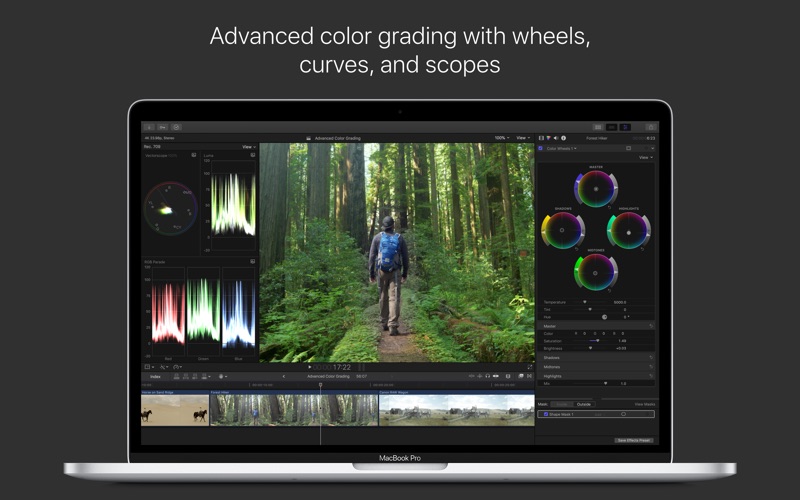
Name Final Cut Pro 10 4 1 TNT.zip
Size 3.02 GB
Created on 2018-04-10 07:03:27
Hash b22a5a35d6e8e6b7f00185e6ecb283572b357c01
Files Final Cut Pro 10 4 1 TNT.zip (3.02 GB)

Luxion KeyShot Pro 7.3.39

Descriptions for Luxion KeyShot Pro 7.3.39 macOS

Name: LUXION KeyShot PRO
Version: 7.3.39
Mac Platform: Intel
OS Version: OS X 10.7 or later

Includes: Keygen

Web Site: https://www.keyshot.com

Overview

KeyShot is everything you need to create fast, accurate and amazing visuals. Featuring a real-time workflow to see your renderings and animations take shape instantly, KeyShot reduces the time it takes to create that perfect shot. From scientifically accurate material and environment presets to advanced material editing and animation, creating product visuals or sales and marketing imagery has never been easier.

Simple Interface

KeyShot’s simple user interface is minimal, but powerful, with all the options you need for advanced visualization and none of the clutter to impede workflow.

Rendering Speed

The speed you have within KeyShot cannot be compared. Whether you’re on a small laptop or a networked server with multiple CPUs, KeyShot will use all the cores available.

Fast

Everything inside KeyShot happens in real time. KeyShot uses unique rendering technology which makes it possible to see all changes to materials, lighting, and cameras instantly.

Easy

You don’t have to be a rendering expert to create photorealistic images of your 3D model. Simply import your data, assign materials by dragging and dropping them onto the model, adjust the lighting, and move the camera, Done.

What’s New in KeyShot 7:

Improved Workflow Efficiency

Easier ways to set up your scene, work more efficiently, and deliver amazing visuals with speed.

Greater Material Control

More control over materials with enhancements and advanced material editing for unlimited possibilities.

Amazing New Capabilities

New capabilities to elevate what’s possible with geometry, viewing and rendering your scenes.

Powerful Feature Enhancements

More power from import to creating animations and interactive visuals of your designs and ideas.

Accurate

KeyShot is the most accurate rendering solution for your 3D data. KeyShot is built on Luxion’s internally developed, physically correct render engine based on research in the areas of scientifically accurate material representation and global illumination.

What’s New in Luxion KeyShot Pro 7.3.39

  • Release notes not available at the time of

    Screenshots

Name KeyShot Pro 7.3.39 Multilingual [kg].zip
Size 512.4 MB
Created on 2018-04-10 04:30:14
Hash 32776b4b3638a82d358ed95343b547728f6d4c64
Files KeyShot Pro 7.3.39 Multilingual [kg].zip (512.4 MB)

Luxion KeyShot Pro 7.3.37

Descriptions for Luxion KeyShot Pro 7.3.37 macOS

Name: LUXION KeyShot PRO
Version: 7.3.37
Mac Platform: Intel
OS Version: OS X 10.7 or later

Includes: Keygen

Web Site: https://www.keyshot.com

Overview

KeyShot is everything you need to create fast, accurate and amazing visuals. Featuring a real-time workflow to see your renderings and animations take shape instantly, KeyShot reduces the time it takes to create that perfect shot. From scientifically accurate material and environment presets to advanced material editing and animation, creating product visuals or sales and marketing imagery has never been easier.

Simple Interface

KeyShot’s simple user interface is minimal, but powerful, with all the options you need for advanced visualization and none of the clutter to impede workflow.

Rendering Speed

The speed you have within KeyShot cannot be compared. Whether you’re on a small laptop or a networked server with multiple CPUs, KeyShot will use all the cores available.

Fast

Everything inside KeyShot happens in real time. KeyShot uses unique rendering technology which makes it possible to see all changes to materials, lighting, and cameras instantly.

Easy

You don’t have to be a rendering expert to create photorealistic images of your 3D model. Simply import your data, assign materials by dragging and dropping them onto the model, adjust the lighting, and move the camera, Done.

What’s New in KeyShot 7:

Improved Workflow Efficiency

Easier ways to set up your scene, work more efficiently, and deliver amazing visuals with speed.

Greater Material Control

More control over materials with enhancements and advanced material editing for unlimited possibilities.

Amazing New Capabilities

New capabilities to elevate what’s possible with geometry, viewing and rendering your scenes.

Powerful Feature Enhancements

More power from import to creating animations and interactive visuals of your designs and ideas.

Accurate

KeyShot is the most accurate rendering solution for your 3D data. KeyShot is built on Luxion’s internally developed, physically correct render engine based on research in the areas of scientifically accurate material representation and global illumination.

What’s New in Luxion KeyShot Pro 7.3.37

  • Release notes not available at the time of this post.

Screenshots

Name KShot 7 3 37 macOS.zip
Size 512.4 MB
Created on 2018-04-06 06:37:40
Hash fa836ab6678cb14f352b672af307972305de2a3d
Files KShot 7 3 37 macOS.zip (512.4 MB)

LRTimelapse Pro 5.0.6 Build 543

Name LRTimelapse Pro 5.0.6 Build 543 macOS [k].dmg
Size 471.5 MB
Created on 2018-04-04 07:45:36
Hash bc33fd2d4dd0bba76e1454a592886e89f6c31081
Files LRTimelapse Pro 5.0.6 Build 543 macOS [k].dmg (471.5 MB)

Descriptions for Descriptions for LRTimelapse Pro 5.0.6 Build 543 macOS

Name: LRTimelapse
Version: 5.0.6
Developer: Gunther Wegner
Mac Platform: Intel
OS Version: OS X
Processor type(s) & speed: 64-bit processor

Includes: K

Web Site: https://lrtimelapse.com/

Overview

Make your own professional looking timelapse videos by using user friendly editing tools that help you create smooth transitions

LRTimelapse is a comprehensive solution for editing, grading, keyframing and rendering time lapse videos on your Mac. The utility is using the Adobe Camera RAW engine and Lightroom to allow you to work directly on RAW files.

Use powerful tools to create your own high-quality, time-lapse videos

To start working with the LRTimelapse application, simply use the built-in importer tool to add the RAW pictures from your time lapse photo shoot sessions. However, LRTimelapse also comes with an integrated file browser that allows you to navigate both your local storage and external drives.

Within the LRTimelapse user interface, you can browse through the sequences and preview the captured images. Depending on the data you have available you must choose the workflow you want to apply to your sequence.

LRTimelapse offers you the possibility to configure how many keyframes you want to use and then helps you export the data into the Lightroom application for further editing.

After you process the keyframes within Lightroom, you can import the sequence back to LRTimelapse, add transition effects and preview the results.

Robust workflows that can give amazing effects to your time-lapse videos

The best part is that LRTimelapse fully integrates with your Lightroom installation with the help of a plug-in, so sending data to and fro is as easy as pressing a button.

Besides the Basic and DeFlicker time lapse workflows, LRTimelapse also integrates the Holy Grail configuration tool that can help you create seamless day to night transitions without making too many adjustments.

Finding your way around is fairly intuitive, but to learn basic notions and to get tips and tricks on how you can efficiently use LRTimelapse, make sure to go online and watch the video tutorials provided by the developer.

What’s new in LRTimelapse 5.0.6

  • Shift-Clicking on Auto-Transition will make the transitions but not populate any tools that are not listed in the table, like Brushes and Clone Stamps.
  • On high resolution displays the preview could sometimes show the curves with gaps – fixed.
  • Increased thickness of curves for high resolution displays (thickness will scale with the scaling factor).
  • Rendering from JPG intermediaries in MP4 will now by default happen in Standard Gamut. Wide Gamut would not have any advantages but cause incompatibilities with some players or video platforms. If you know what you do, you can enable this via the expert settings.
  • When clicking on the selected “Visual Previews” Button to deactivate it, in some cases, it would not have deactivated the Visual Previews on the first click.

Screenshots

Pixel Film Studios ProGlitch for Final Cut Pro X

Descriptions for Pixel Film Studios ProGlitch for FCPX macOS

With ProGlitch fully customizable media glitches are now just a click away. Users can create their very own media glitch with up to 49 individually designed stackable glitch effects. Users have total control over, noise, noise blend, displacement, refraction, pixel and color shapes, blend modes, randomization, RGB color shift, and much more. This plugin is an advanced software made for computers with a minimum 3GB graphics card.

Web Site: http://store.pixelfilmstudios.com/product/proglitch/

Find more Pixel Film Studio Plugins

Film Distortion Effects with ProGlitch in Final Cut Pro X

Media Glitches in FCPX

With ProGlitch users now have the ability to create and design their very own stylized glitch effect all with in Final Cut Pro X. Users can apply fully customizable noise, angle offset, color bars, bars and pixels, roll, waviness and scan lines, twist, noise displacement, noise blend modes, pixelation, and more with a click of a mouse.

Infinite Possibilities

With ProGlitch user can choose from 5 different categories such as effect overlays, glitch, glitch with pixelation, noise boxes, and scaled shapes. Users can make alterations to the pattern opacity, pattern blend, horizontal displacement, vertical displacement, refraction, refraction channel, shape effect, warp amount, pixelation scale, number of scan lines, noise amount, noise type, noise blend, prism, color bars, angle offset, roll, shake, twist, and much more all with in Final Cut Pro X.

Create a Glitch

With ProGlitch users can stack each title effect layer on top of each other, to create their very own glitch effect. Users can easily adjust each title layer effect to their desired length and design a brand new glitch effect each and every time. With full customization a new glitch is just a click away all with in Final Cut Pro X.

Designed for Final Cut Pro X

ProGlitch was professionally designed to work seamlessly inside of Final Cut Pro X. As a FCPX title effect, each ProGlitch preset can be dragged and dropped onto the users media and previewed in real time. With the published parameters found in the FCPX inspector, users have the ability to make further adjustments with just a few clicks of a mouse.


Pixel Film Studios ProGlitch – PROFESSIONAL GLITCH EFFECTS FOR FCPX

Name Pixel Film Studios – ProGlitch.dmg
Size 50.58 MB
Created on 2018-04-03 06:16:34
Hash 592131ccc81c98e86c22b1034ecfbd503844b88b
Files Pixel Film Studios – ProGlitch.dmg (50.58 MB)

Pixel Film Studios Transtortion – Distorted Panel Transitions in Final Cut Pro X

Descriptions for Pixel Film Studios Transtortion

Amaze your audience with a panel flashing distortion transition effect all within Final Cut Pro X. With Transtortion users can create a transition of their own with a click of a mouse. Each users has total control over start offset, transition time, shake, layer amount, edge softness, prism, brightness, and more. With easy to use on-screen controls users have the ability to create a new look every time.

Web Site: https://store.pixelfilmstudios.com/product/transtortion/

Find more Pixel Film Studio Plugins

Film Distortion Effects with Transtortion in Final Cut Pro X

Control the Chaos in FCPX

Control the Chaos from one scene to another with Transtortion from Pixel Film Studios. With Transtortion users have the ability to generate a new distorted panel transition with a click of a mouse leaving room for endless possibilities. Users have total control over layer amount, horizontal shake, vertical shake, twist, offset, brightness, prism, and more all within Final Cut Pro X.

Infinite Possibilities

With Transtortion creating a new transition is just a click and drag away. With easy to use on-screen controls the possibilities are truly endless. Users have total control over twist, shake, layer amount, edge softness, start offset, transition time, position, brightness, prism, and more. With Transtortion users can select from up to 4 horizontal or vertical panels. Users can create their own shape with up to 10 control points all with a click of a mouse all within Final Cut Pro X.

On-Screen Controls

With Transtortion on-screen controls users are given the ability in creating their own shape with up to 10 control points. Users can select from horizontal panels, vertical panels, and customizable shapes all with on-screen control leaving room for total customization. With Transtortion users can alter the over overall look and feel of each transition with a click of a mouse all within Final Cut Pro X.

Designed for Final Cut Pro X

Transtortion was professionally designed to work seamlessly inside of Final Cut Pro X. As a transition effect, each Transtortion preset can be dragged and dropped onto media and previewed in real time. With the published parameters found in the FCPX inspector, users have the ability to make further adjustments with just a few clicks of a mouse.


Pixel Film Studios Transtortion – Distorted Panel Transitions in FCPX

Name Pixel Film Studios – Transtortion.dmg
Size 25.38 MB
Created on 2018-03-27 04:21:39
Hash 69ee0ddc7e7adab35014491d52d0f27569d69edf
Files Pixel Film Studios – Transtortion.dmg (25.38 MB)

Jixipix Watercolor Studio Pro 1.2.3

Descriptions for Jixipix Watercolor Studio Pro 1.2.3

Name: Watercolor Studio
Version: 1.2.3
Developer: JixiPix Software
Mac Platform: Intel
OS Version: OS X 10.7 or later

Includes: Pre-K’ed (TNT)

Web Site: https://jixipix.com/watercolor-studio/detailsMAS.html
Mac App Store: https://itunes.apple.com/app/watercolor-studio/id1213016456?mt=12

Overview

Automated Photo to Watercolor Software with Realistic and Natural Style

Watercolor Studio creates fluid, liquidy, translucent watercolors with paint that flows naturally. Built on-top of an incredible rendering system that uses real-world techniques, this application does the initial work, producing a watercolor instantly, then allows you to customize your paintings using an array of Sliders, Layers, Brushes, Color Washes and Artistic finishes. The end result—print quality watercolors filled with transparent luminosity and sheer beauty.

Watercolor Studio

Watercolor Studio uses artificial intelligence and image recognition to render the initial watercolor then gives you the ability to create infinite variations quickly and easily. Change paintings into an ink wash, add a beautiful artistic finish, brush in details, and even spatter it with liquid spots. Control everything from details-to-shades-to-negative space-to-coloring. No artistic skill needed!

The beauty of a well executed watercolor comes from the transparency of paint on paper. It also comes from the watercolors unique free flowing characteristics. Watercolor Studio makes it easy to do just this with a one-of-a kind Liquid slider. As you move it, watch as color bleeds throughout the painting for an ultra wet style. Or use the Wet Edge slider to define edges with built-up pigment and color that bleeds inward naturally.

Use it as a standard application or blend it into your workflow with our included plugin for: Photoshop, Elements, Lightroom, PaintShop Pro and Affinity Photo

Paint Styles Make It Impressive

Paint Styles, also known as Paint Layers allows you to create beautiful and unique watercolors by stacking watercolor layers, blending color washes and texture, and brushing in details. No artistic skill needed! Every photo placed in Watercolor Studio is automatically transformed into a watercolor with full control over settings. While it’s great to have complete control over what the paint does on the paper, some of the most beautiful effects occur in the experiment process. So have fun and try not to be too careful. You will be amazed at some of the paintings you will get.

What’s New in Jixipix Watercolor Studio Pro 1.2.3

  • Release notes not available at the time of this post.

Screenshots

Name Jixipix_Watercolor_Studio_Pro_1.2.3[TNT].rar
Size 516.4 MB
Created on 2018-03-27 02:50:42
Hash a8db52fbfed31543a91a987176df05453b2f730c
Files Jixipix_Watercolor_Studio_Pro_1.2.3[TNT].rar (516.4 MB)

JixiPix Pastello Pro 1.1.4

Descriptions for JixiPix Pastello Pro 1.1.4

Name: Pastello
Version: 1.1.4
Developer: JixiPix Software
Mac Platform: Intel
OS Version: OS X 10.7 or later

Includes: Pre-K’ed (TNT)

Web Site: http://www.jixipix.com
Mac App Store: https://itunes.apple.com/app/pastello/id1074343938?mt=12

Overview

Pastello makes it simple and convenient to take an image and change it into Pastel, Chalk, Charcoal, Crayon, Colored Pencil and Graphite drawings. Use alone or combine these medias using powerful layers to produce interesting expressive sketch effects filled with colorful personality and passion. And the best part is Pastello does all the work.

With Pastello, photographers and artists can now go beyond the camera to turn image files into creative works that resemble traditional handmade media using a professional workflow that is easy and comfortable to operate.

PHOTOSHOP PLUGIN

Includes a plugin which allows quick access to Pastello from inside Photoshop, Elements, Lightroom and PaintShop Pro. Supports actions, transparency, blending, last filter command, batch processing and 16bit RGB/Greyscale modes.

What’s New in JixiPix Pastello Pro 1.1.4

  • Release notes not available at the time of this post.

Screenshots

Name JixiPix_Pastello_Pro_1.1.4[TNT].rar
Size 219.1 MB
Created on 2018-03-27 02:50:42
Hash 398eba55b2eaaf1b3dc284d83475b39437d3100c
Files JixiPix_Pastello_Pro_1.1.4[TNT].rar (219.1 MB)

Get Backup Pro 3.4.4 (1148)

Descriptions for Get Backup Pro 3.4.4 (1148)

Name: Get Backup Pro
Version: 3.4.4 (1148)
Mac Platform: Intel
OS version:OS X 10.9 or later
Processor type(s) & speed: 64-bit processor

Includes: Serial

Web Site: https://belightsoft.com/products/getbackup/

Overview

Get Backup Pro is a powerful backup and disk cloning utility with folder synchronization capability.

What Get Backup Pro can do for you:
  • Full and incremental backups.
  • Produce compressed, encrypted backup archives of your data.
  • Create bootable backups for instantaneous restore.
  • Keep files in sync on two computers in one network.
  • Automate backup, cloning, and sync processes with flexible scheduling.
Features
  • Bootable Backups via Cloner When a hard disk crashes, one of the most frustrating things is that in order to copy over backed up files you must wait for a replacement hard drive and then go through the tedious restore process. The Cloner in Get Backup takes an external hard disk and turns it into a bootable copy of the disk in your Mac. So no need to wait for the replacement. You can place the clone right into your Mac and even work using the external disk until your replacement arrives.
  • Automate Backup and Sync Processes The customizable schedule tool allows to fully automate the backup and synchronization processes, so that backups are built and sync takes place on a regular basis (daily, weekly, biweekly or monthly). Specify the backup and sync start time down to a minute. You can even create separate schedules for several backup and file sync projects.
  • Back Up to CD/DVD and Any Mounted Device/Drive The program allows you to save backups to any locally mounted device/drive, including FireWire, USB, ATA, SCSI, CD and DVD devices, or network volumes.
  • Integration Integration with Apple iPhoto, Mail, iTunes and Address Book makes it very easy to access and backup your music, photos, e-mail and address records. Also, you can easily backup any other file or folder stored on your computer.
  • Data Sync Synchronize files and folders on your laptop and desktop computers, or any mounted drive. Two-way synchronization (Pro only) ensures that you have the most recent version of files you worked with, no matter which computer you are using. Schedule sync processes for more convenience and flexibility.
  • EncryptionSecure your backups using one of four encryption standards (AES-128, AES-256, Blowfish or Triple DES) to prevent unauthorized archive restore. The ability to encrypt backups provides a high level of comfort and peace of mind when storing backup archives on external hard drives, third-party servers, and other locations where others might have access to your archives.
  • Diverse Backup Methods:
    • Full – all selected files are saved, and the resulting archive replaces the previously created one.
    • Versioned – all selected files are saved in a new backup archive, and the previous archives remain intact.
    • Incremental – each time a backup is built, only the files that were changed are saved in the new backup archive. (Pro only)
  • Get Backup vs. Apple Time Machine You may wonder why you need an additional backup software if you already have Apple Time Machine on your Mac. Get Backup has multiple advantages when you need to control what to backup. It offers advanced compression and encryption methods and much more. Compare Get Backup with Time Machine.

What’s New in Get Backup Pro 3.4.4 (1148)

  • Release notes not available at the time of this post.

Screenshots

Name Get Backup Pro 3.4.4 [sn].dmg
Size 11.25 MB
Created on 2018-03-26 14:24:06
Hash 432496d798002a5e5e69b665e3f5836bda28f6f1
Files Get Backup Pro 3.4.4 [sn].dmg (11.25 MB)

gTasks Pro 1.3.5

Descriptions for gTasks Pro 1.3.5

Name: gTasks Pro – Tasks for Google
Version: 1.3.5
Release Date: March 14, 2018
Developer: JulyApps Ltd
MAS Rating: 4+
Mac Platform: Intel
OS Version: OS X 10.10 or later

Includes: Pre-K’ed (TNT)

Web Site: http://www.katans.com
Mac App Store: https://itunes.apple.com/app/gtasks-pro-tasks-for-google/id1028999835?mt=12

Overview

Organize your daily activities and synchronize tasks across multiple devices using your Google account, with this straightforward app
gTasks Pro is is a fairly simple application that can function as a standalone task manager, but becomes especially useful when integrated with Google Tasks.

The gTasks Pro app enables you to synchronize your data using a Google account, allowing you to organize tasks from your Mac, iPhone or iPad, aided by the gTasks iOS app.

Useful app that synchronizes data via your Google account

Although gTasks Pro can be used even if you do not provide your Google credentials, it only operates in offline mode. If you want to take full advantage of the app’s functionality, you should sign in and import your online data.

It is not necessary to be connected to the Internet at all times, as gTasks Pro can store data locally and synchronize it as soon as online access becomes available.

gTasks Pro has a very simple layout, as the main window is split into two panels: one contains all your lists and filters, while the other displays tasks that fit the selected criteria.

Minimalist design that could be improved in a few respects

However, there are no additional themes available, and the standard white color scheme may become tiring when working at night or in low-light conditions.

Also, it would help if gTasks Pro could be integrated into the menu bar, so as to make it easier to keep track of important events.

There are a couple of functions you can take advantage of to organize your activities. First off, whenever you create a task, you can give it a specific priority level, making it easier to keep an eye on important events. Each activity can be made up of multiple sub-tasks.

Create tasks and sub-tasks, categorize them into lists and filter relevant items

Additionally, you can organize items into color-coded lists and filter events based on their urgency and status. However, you cannot assign tags, which would make it a lot easier to find similar tasks.

Overall, if you use Google Tasks and want to be able to manage your activities from the desktop and synchronize data across multiple devices, gTasks Pro is the right app for the job. It could do with a few improvements, but it is very easy-to-use and works without a hitch.

MAIN FEATURES
  • Sync your tasks with Google Tasks.
  • Sync tasks between your Mac, iPhone & iPad devices.
  • Keep your tasks organized with subtasks.
  • Set repeating tasks such as “Pay bills” every month.
GOOGLE TASKS
  • Naturally integrating into Google Calendar.
  • No permanent internet connection required. The app will sync updated tasks as soon as an internet connection is available.
  • Your tasks are backed up.
  • Share tasks with your colleagues.

What’s New in gTasks Pro 1.3.5

  • Fixed bugs and improved performance.

Screenshots

Name gTasks Pro 1 3 5 MAS TNT.dmg
Size 7.31 MB
Created on 2018-03-26 12:20:04
Hash 13fb14c7cae6bca5c8385d6b6cc6b283b73955ac
Files gTasks Pro 1 3 5 MAS TNT.dmg (7.31 MB)

File Cabinet Pro 6.2

Descriptions for File Cabinet Pro 6.2

Name: File Cabinet Pro
Version: 6.2
Release Date: March 26, 2018
Developer: Writes for All Inc.
MAS Rating: 4+
Mac Platform: Intel
OS Version: OS X 10.11 or later

Includes: Pre-K’ed (TNT)

Web Site: https://apptyrant.com/file-cabinet-pro-help/
Mac App Store: https://itunes.apple.com/app/file-cabinet-pro/id1150565778?mt=12

Overview

File Cabinet Pro is the file manager for the macOS menu bar. Quickly navigate to files without cluttering your desktop. Open, move, rename, compress, tag, trash, copy and paste files, all from the menu bar. You can open many file types natively in File Cabinet Pro or open files by launching other applications. It’s easy to click into directories in icon view, drill through directories in list view, or navigate the file tree in column view.

File Cabinet Pro is also a document-based application that ships with a built-in text editor, image viewer, pdf viewer, and media player. Some of the file types File Cabinet Pro can open for editing/viewing include:

TEXT DOCUMENTS:
  • Plain text files (txt)
  • Rich Text Format (rtf)
  • Rich Text Format Directory (rtfd)
  • Markdown (md)
  • Portable Document Format (pdf)
IMAGE DOCUMENTS:
  • Portable Network Graphics (png)
  • Joint Photographic Experts Group (jpeg)
  • Tagged Image File Format (tiff, tif)
  • Bitmap image file (bmp)
  • Photoshop File Format (psd) Import only
  • Scalable Vector Graphics (svg) Import only
VIDEO/AUDIO:
  • mov
  • mp4
  • m4a
  • m4v
  • avi
  • mp3
  • wav
  • caf
  • aif
With File Cabinet Pro you can:
  • ∙Create subdirectories.
  • ∙Click into subdirectories and open documents.
  • ∙Set a “Primary” and “Secondary” directory button for the bottom bar to get an innovative drag and drop experience; drag files to these buttons in the bottom bar to bring up a popover window.
  • ∙Tag files easily. Select files in File Cabinet Pro, right click, and then simply add or remove file tags from the control in the context menu.
  • ∙Show selected files in Finder.
  • ∙Rename files.
  • ∙Copy and paste files.
  • ∙Compress files.
  • ∙Trash files.
  • ∙View items as icons, in a list, or in columns.
  • ∙Launch the application at login. You can have File Cabinet Pro automatically launch when you login to your Mac (optional feature, disabled by default).
  • ∙Create a list of all your favorite directories in the sidebar.
  • ∙Create and edit txt, rtf, and rtfd files using the built in lightweight text editor.
  • ∙Rotate images, crop images, and apply filters to images using the built in lightweight image editor.
  • ∙Watch video and play audio files using the built in media player.
  • ∙View pdf files using the built in pdf viewer.
  • ∙Revert document versions for supported editable document types.
  • ∙Set a Global Hotkey for showing and closing the File Cabinet Pro window (optional feature, disabled by default).
  • ∙Preview selected files in Quicklook by pressing the spacebar.
  • ∙Share files in apps that support Sharing extensions like Mail and Messages.
  • ∙Create text documents from Finder using File Cabinet Pro’s Document Creator Finder extension (Note: To use this feature, you have to enable the Finder extension in System Preferences under the “Extensions” tab).
  • ∙Verify the SHA256, SHA1, or MD5 checksum of files using the “View Checksum in File Cabinet Pro” Service.

**This app supports the Touch Bar on the new MacBook Pro.**

So what are you waiting for? Get File Cabinet Pro now!

What’s New in File Cabinet Pro 6.2

  • Added a “Open as New File Cabinet Pro Tab” Service. If you enable this Service you can open directories in new tabs from other applications such as Finder via the Services menu.
  • Fixed bug that caused view type to not be restored on app launch even if the “Restore view type” preference was on in Settings.
  • Fixed bug that could sometimes cause you not to see your typed text when renaming a file when the app is in dark mode.
  • Fixed bug that could cause a tab to suddenly close after renaming or moving a directory at the top level of the navigation stack.
  • Other minor bug fixes/improvements.

Screenshots

Name File Cabinet Pro 6 2 MAS TNT.dmg
Size 19.47 MB
Created on 2018-03-26 12:20:04
Hash 85adb15024c707d063b642adbfee8cd64f63a2a7
Files File Cabinet Pro 6 2 MAS TNT.dmg (19.47 MB)

Apple Final Cut Pro 10.4

Name Final Cut Pro 10.4 TNT [mac-torrents.net].dmg
Size 3.06 GB
Created on 2017-12-15 03:21:31
Hash d4d3bd468f7ec9e27c2832ae1bb5ec4dc37097b2
Files Final Cut Pro 10.4 TNT [mac-torrents.net].dmg (3.06 GB)

Descriptions for Descriptions for Apple Final Cut Pro 10.4

Name: Final Cut Pro
Version: 10.4
Release Date: December 14, 2017

Languages: English, French, German, Japanese, Simplified Chinese, Spanish

Developer: Apple
MAS Rating: 4+
Mac Platform: Intel
OS Version: OS X 10.12.4 or later
Processor type(s) & speed: 64-bit processor

Includes: Pre-K’ed (TNT)

Web Site: http://www.apple.com/finalcutpro/
Mac App Store: https://itunes.apple.com/app/final-cut-pro/id424389933?mt=12

Related Apps:

Motion 5.4
Compressor 4.4

Overview

Redesigned from the ground up, Final Cut Pro combines revolutionary video editing with powerful media organization and incredible performance to let you create at the speed of thought.

Revolutionary Video Editing
  • The Magnetic Timeline 2 uses advanced metadata for faster, easier editing than with traditional tracks
  • Enhanced Timeline Index lets you drag and drop audio roles to rearrange the layout of your timeline
  • Use Clip Connections to attach Broll, sound effects, and music to the timeline
  • Reduce clutter by grouping clips into a Compound Clip
  • Cycle through different shots, graphics, or effects at one place in the timeline with Auditions
  • Edit multicamera projects with automatic syncing based on audio waveforms and support for up to 64 camera angles
  • Import and edit 360° equirectangular video in a wide range of formats and frame sizes
Powerful Media Organization
  • Organize your work within libraries for efficient media management and collaboration
  • Content AutoAnalysis captures camera metadata and analyzes shots in the background
  • Create and apply custom keywords or favorites on the fly as you select clip ranges
  • Smart Collections dynamically organize content for you to quickly find any shot in a few clicks
Incredible Performance
  • Final Cut Pro uses all the GPUs in your Mac for superior realtime playback performance and fast background rendering
  • 64bit architecture uses all the RAM in your system for larger projects and richer effects
  • Background processing lets you keep working without interruption
  • Work natively with a broad range of formats including ProRes, RED, XAVC, AVCHD, H.264 from DSLRs, and more
Compelling, Customizable Effects
  • Beautifully animated, easily customizable 2D and 3D titles
  • Change the look of titles, transitions, and effects using intuitive controls
  • Choose from an extensive ecosystem of thirdparty FxPlug plugins with custom interfaces
Integrated Audio Editing
  • Assign roles — including dialogue, music, effects, and custom choices — during import to easily track and organize your project
  • Expand and edit multichannel audio files directly in the timeline
  • Let Final Cut Pro repair audio problems such as hum, excessive background noise, and more
  • Sync DSLR video with separate audio in a single step with instant audio waveform matching
Intuitive Color Grading
  • Import, edit, and deliver video in standard color spaces, or in wide Rec. 2020 color space
  • Improve the look of any clip with oneclick Balance Color
  • Manipulate color, saturation, and exposure with the Color Board
  • Fine tune a specific color or area of the screen using keying and masks
  • Powerful color wheels and curves for precise adjustments with keying and masks
One-Step, Optimized Output
  • Incredibly fast export for playback on Apple devices and upload to websites such as Vimeo, YouTube, and Facebook
  • Use themed menus to author and burn a DVD or Bluray disc
  • Export audio stems and multiple versions of a finished video using roles metadata
  • Import and export XML for thirdparty workflows like color grading and sound mixing
System Requirements:

macOS 10.12.4 or later, 4GB of RAM (8GB recommended for 4K editing, 3D titles, and 360° video editing), OpenCL-capable GPU graphics card or Intel HD Graphics 3000 or later, 256MB of VRAM (1GB recommended for 4K editing, 3D titles, and 360° video editing), 4GB of available disk space.

Some features require Internet access; fees may apply. Blu-ray recorder required for burning Blu-ray discs. Video output to VR headset requires Mac computer with discrete graphics running macOS High Sierra. 27-inch iMac with Radeon Pro 580 graphics recommended. HEVC and HEIF support require macOS High Sierra.

What’s New in Apple Final Cut Pro 10.4

360 VR editing
  • Import and edit 360° equirectangular video in a wide range of formats and frame sizes
  • Output 360° video to a connected VR headset*
  • Open the 360° viewer to simultaneously monitor headset and equirectangular views while editing
  • Option to track movement of a VR headset in the 360° viewer in Final Cut Pro
  • Add 360° effects including blurs, glows, and more
  • Share 360° video directly to YouTube, Facebook, and Vimeo
  • Use the 360° patch to instantly remove cameras and rigs from the scene
  • Use the Horizon overlay to easily change the orientation of 360° video right in the viewer
  • Edit 360° video into a non360° project and animate the pan, tilt, and zoom
  • Place any graphic, still, or video into a 360° project, then reposition and resize to fit perfectly into the 360° scene
  • Support for monoscopic and stereoscopic 360° video
Advanced color grading
  • Dedicated color tab in the inspector provides one location for all color controls
  • Powerful new color wheels improve upon traditional wheels with integrated sliders to adjust hue, saturation, and brightness
  • Color curves enable ultrafine adjustments using multiple control points to change color and contrast
  • Hue/saturation curves let you select a specific hue or brightness level to make adjustments while leaving other parts of the image unchanged
  • Use the eye dropper in the color and hue/saturation curves to quickly sample parts of an image for adjustment
  • Balance Color command includes an eye dropper for manual white balance
  • Apply custom LUTs from popular color grading apps and sites
  • Adjust color corrections over time with precise keyframe controls
  • Speed through color correction using new keyboard shortcuts for color adjustments and rolebased timeline navigation
  • Color presets are now located in the effects browser for skimmable preview and fast search
High Dynamic Range
  • Import, grade, and deliver High Dynamic Range (HDR) video as Rec. 2020 HLG or Rec. 2020 PQ for HDR10
  • Output video to thirdparty HDR monitors using thirdparty I/O devices
  • Builtin waveform monitor indicates HDR brightness levels up to 10,000 nits
  • HDR Tools effect lets you easily tone map HDR to Standard Dynamic Range (SDR) output as well as convert between PQ and HLG formats
  • Option to view HDR as raw values when working without an HDR monitor
Additional features
  • Send your iMovie for iOS project directly to Final Cut Pro for advanced editing, audio work, and finishing
  • Import, playback, and editing of High Efficiency Video Coding (HEVC, also known as H.265) video clips and High Efficiency Image Format (HEIF) photos from Apple devices**
  • Send to Compressor to export video projects in the HEVC format
  • Adjust audio using effects plugins from Logic Pro X with redesigned, resizable interfaces
  • Support for Canon Cinema RAW Light format with additional software from Canon
  • Faster Optical Flow analysis using Metal 2
  • Support for NFSbased libraries and media
  • XML 1.7 with support for new color grading controls, 360 VR effects, and HDR

* Requires compatible VR headset, macOS High Sierra, and SteamVR
** HEVC and HEIF support requires macOS High Sierra

Screenshots
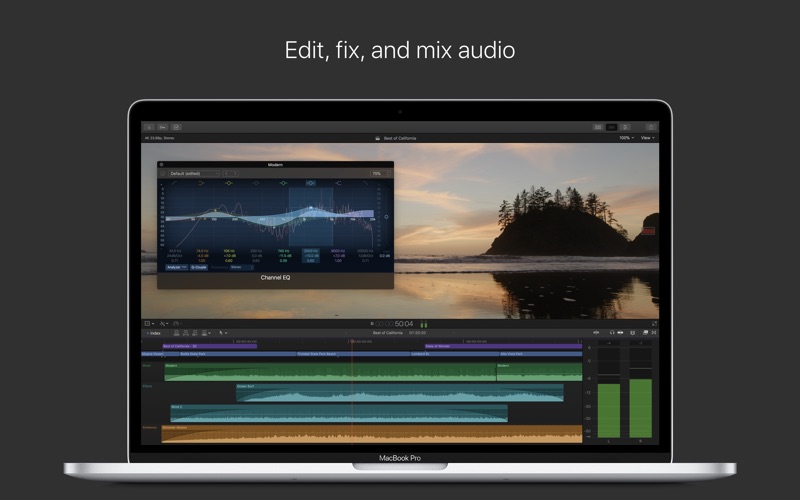
OmniOutliner Pro 5.3

Descriptions for OmniOutliner Pro 5.3

Name: OmniOutliner Pro
Version: 5.3
Developer: The Omni Group
Mac Platform: Intel
OS Version: OS X 10.10 or later
Processor type(s) & speed: 64-bit processor

Web Site: https://www.omnigroup.com/omnioutliner/

Overview

OmniOutliner Pro is a flexible and intuitive macOS application that provides the required tools to store, manage, organize and share information. Thanks to OmniOutliner Pro, you can easily draft plans, to-do lists, agendas, take notes, track expenses, plan events, shape projects and more.

Information collector and organizer

From OmniOutliner Pro’s user-friendly interface you can easily collect, edit and review information, store pictures, video and audio files in an easy-to-read document that you can share with your co-workers, colleagues, friends or family.

The advanced smart matching technology helps you fill in fields at a faster rate while defining the style of your document according to the stored data and easily synchronize your files across devices.

Powerful word processor

The feature-rich editor comes with all the necessary tools and features to write anything you want from short papers, essays, screenplays, dissertations, academic research papers and even novels. The easily-referenceable nodes provide more flexibility as you write sentences and organize them in paragraphs.

By using OmniOutliner Pro you can also structure and organize your information, expand and collapse the fields you need and when you need them, zoom in or out to focus on certain points and avoid other distractions. Hence, you can have quick an easy access to reference material without being distracted by it.

Data organizer

The Full-screen mode helps you keep external distraction away and concentrate on your document. You can create custom templates that provide uniform outlines and improve your work. On top of that you can use multiple columns, pop-up lists, smart checkboxes and eye-catching styles system.

Furthermore, you can keep your synced across multiple Macs and iPads, record audio directly into your documents and export them as plain text, RTF, OPML, HTML MS Word documents. You can also hide or show columns, create AppleScript shortcuts for complex tasks and display or hide notes.

What’s new in OmniOutliner Pro 5.3

  • OmniOutliner 5.3 remembers the last used setting in the Search field and fixes Quick Look on macOS High Sierra.
This release also fixes numerous bugs and crashes:
  • Search — The Search field in the toolbar remembers the last used setting between Filter and Batch Find.
  • Resource Browser — Templates can be reorganized in folders by dragging them around.
  • Resource Browser — Template folders can be renamed.
  • Quick Look — Quick Look now works on macOS High Sierra.
  • Filter — Rows hidden under two or more collapsed parents will appear in flat filtered results.
  • Outline View — Fixed a bug causing child rows to display in the wrong order after ungrouping or outdenting a row.
  • Performance — Made saving certain documents faster.
  • Copy/Paste/Duplicate — Copying and pasting, or duplicating a row with pop-up column values will retain those values.
  • Fonts — Fixed an issue with text not displaying sometimes when using the Kailasa font.
  • Encryption — Password hints on flat format .ooutline files are now stored in a sync-friendly way.
  • Exports — Fixed a bug with font colors being applied incorrectly in PowerPoint exports.
  • Export — HTML and HTML (Dynamic) formats no longer try to display Photoshop files inline.
  • Quickstart — When in trial mode, the Quickstart guide message about switching modes accurately reflects the current mode.
  • Omni Automation — Fixed a bug preventing Style.link from returning normal URLs.
  • Resource Browser — Recent files can be opened and new documents can be created, by double-clicking on file in list mode.
  • Stability — Fixed a crash caused by applying a theme that had multiple named styles of the same name.
  • Stability — Fixed a memory management crash on Sierra often encountered when closing a file.
  • Stability — Fixed a hang converting certain Pro documents to Essentials.

Screenshots
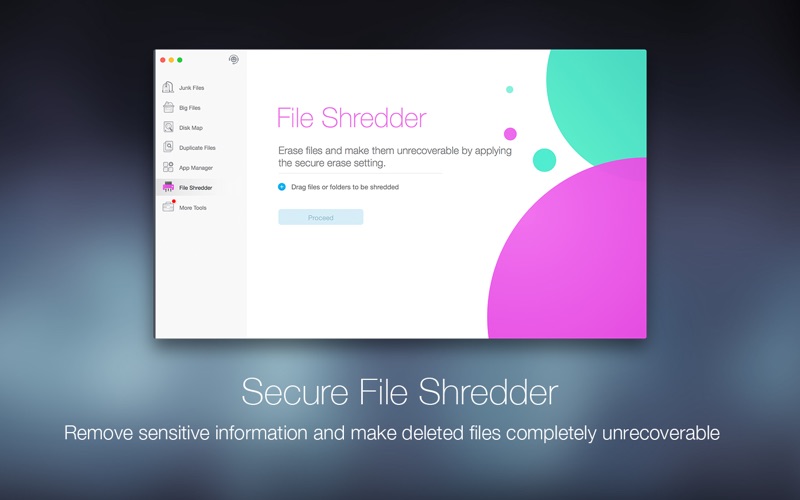
Name OmniOutliner_Pro_5.3[macOS].rar
Size 40.63 MB
Created on 2018-03-24 01:14:39
Hash 002d504912009b095e3a6e1e20fdf6320fabf3ac
Files OmniOutliner_Pro_5.3[macOS].rar (40.63 MB)

SUGARfx Punchline 1.0.1 for Final Cut Pro X

Descriptions for SUGARfx Punchline 1.0.1

Name: SUGARfx Punchline
Version: 1.0.1
Mac Platform: Intel
OS Version: OS X 10.8 or later

Requirements: FxFactory 4.0.8 or later

Includes: Serial

Web Site: http://www.sugarfx.tv/info/punchline_SUGARfx.html

Overview

Broadcast Design titles and transitions for Final Cut Pro X users.

Punchline is a collection of Titles and Transition elements that have been designed by our Broadcast Design team with the goal to bring professional looking elements to the casual and professional editor using Final Cut Pro X.

This is a collection of 32 High Definition elements which include 11 titles and 21 transitions, all customizable and easy to adjust right inside Final Cut Pro X.

With Punchline you can have many options for your titles or transition effects to choose from and the controls are simple and easy to use and understand.

Some of the panels in the titles as well as the transitions will have the function to enhance the footage right within the element itself. This versatility allows the user to have several looks and styles with just one element.

What’s New in SUGARfx Punchline 1.0.1

  • Release notes not available at the time of this post.

Name SUGARfx Punchline 1.0.1 [sn].dmg
Size 16.34 MB
Created on 2018-03-23 14:28:49
Hash 8c5a8f38ebaa335fd831c6d17a5ac7361ed70e2d
Files SUGARfx Punchline 1.0.1 [sn].dmg (16.34 MB)

SyncBird Pro 2.2.0

Descriptions for SyncBird Pro 2.2.0

Name: SyncBird Pro
Version: 2.2.0
Mac Platform: Intel
OS version:OS X 10.8 or later

Includes: Pre-K’ed (TNT)

Web Site: https://www.minicreo.com/syncbird/

Overview

SyncBird Pro is an iPhone file manager that makes iOS sync and iTunes cleaning at a glance. Transfer music, playlists, photos, videos, books–everything–between your iPhone, iPad, iPod, and Mac without using iTunes. SyncBird’s exclusive features named PhoneCare and TunesClean are made to reclaim more free space on your iPhone and iTunes. Without extra effort, SyncBird will give you a daily, thorough cleanup so that you’ll be always free from the storage boundary.

Better design yields better products, so we challenged ourselves to bring Google Material Design to the new macOS platform. The surface, motion, color, and every element in SyncBird, were chosen to give you an exciting and delightful experience.

Features
  • Flash Sync – Optimized for Flash/SSD storage and with instant Add-to-iPhone feature, SyncBird offers better iOS content management experience.
  • 4K Support – A10 chip and M10 coprocessor give monster performance on 4K video playback. SyncBird puts 4K movies on your iPhone, iPad in one go.
  • Auto-Conversion – Whatever movies you like, SyncBird helps trans-code your videos to .m4v, .mp4, and .mov formats, which suit best on Apple devices.
  • Two-Way Sync – Transfer music, videos, photos and probably all your iOS content, to / from your iPhone and iPod. Free your devices from iTunes limits.
  • Unlimited Import – Add new songs and movies to your iPhone, iPad and iPod from multiple iTunes library on different computers. No iTunes involed.
  • Drag-and-Drop – The most straightforward way to populate your iPhone media library is by dragging-and-dropping. Time to use your iPhone like Finder.

What’s New in SyncBird Pro 2.2.0

  • Release notes not available at the time of this post.

Screenshots
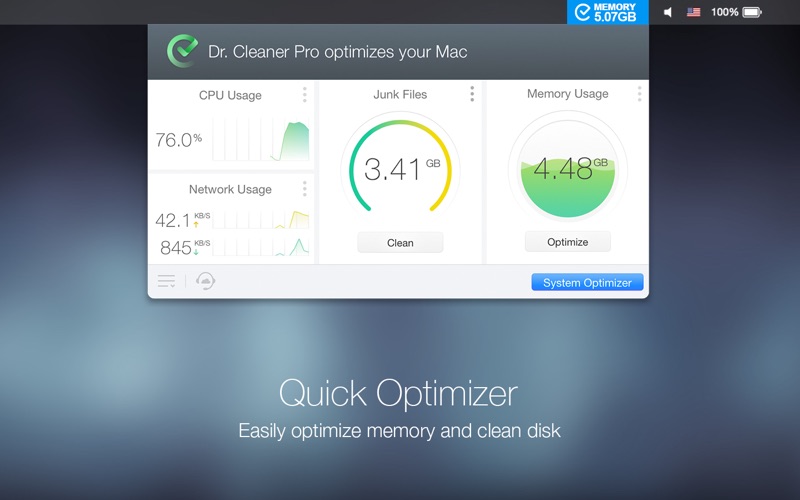
Name SyncBird Pro 2 2 0 TNT.dmg
Size 26.77 MB
Created on 2018-03-23 16:10:12
Hash 46e604f59768d8145abcc4511b43b594a701c302
Files SyncBird Pro 2 2 0 TNT.dmg (26.77 MB)