Tag Archives: Pro

VueScan Pro 9.7.02

Download VueScan Pro 9.7.02

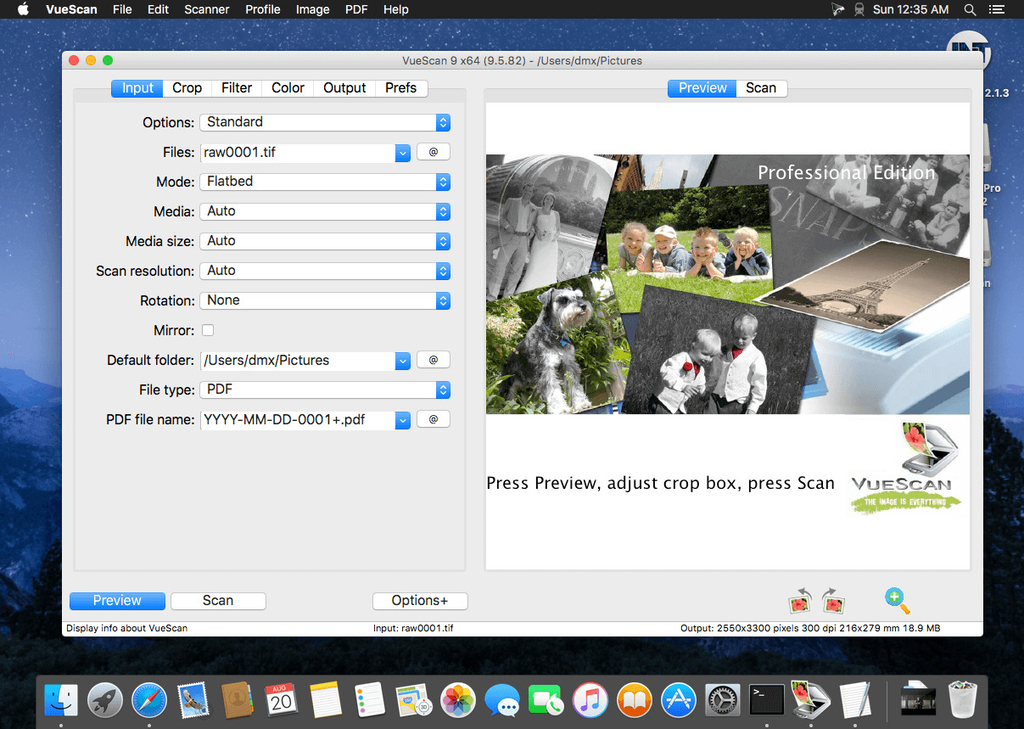
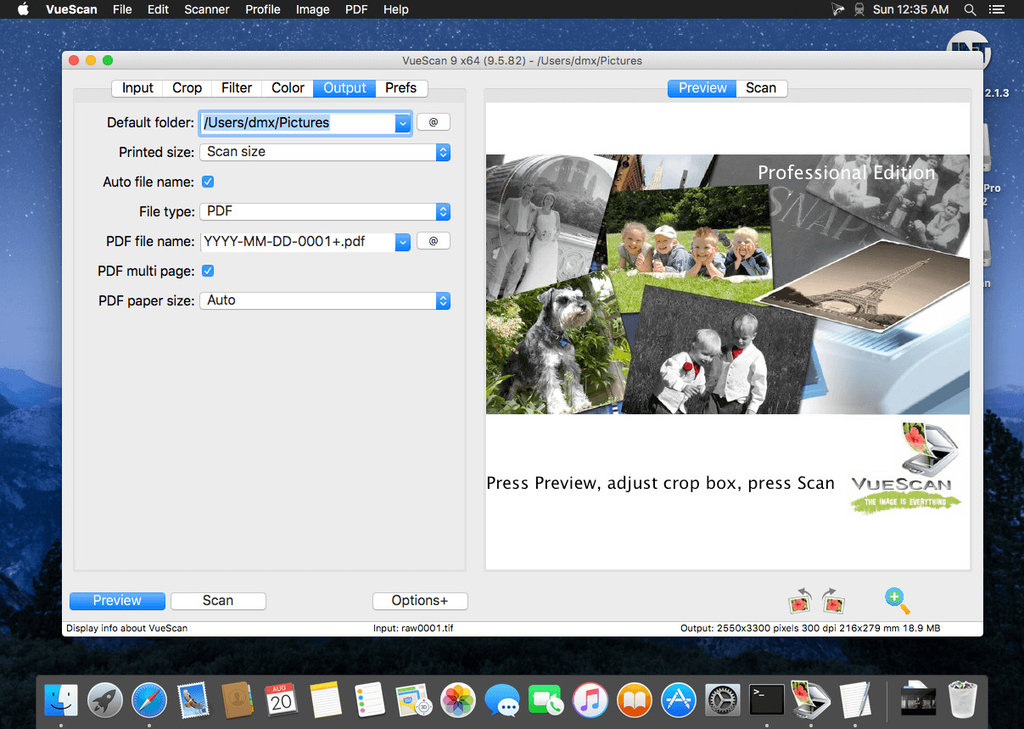
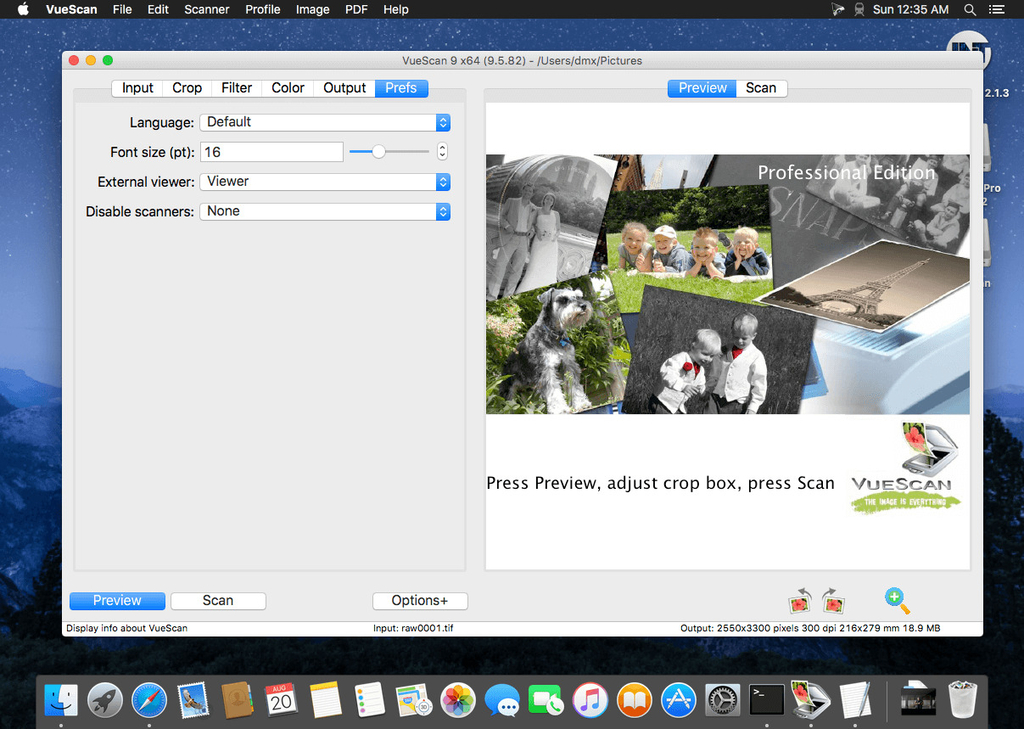
, the world’s most popular scanner software, is used extensively by photographers, home users, scanning services and corporations. VueScan is a scanning program that works with most high-quality flatbed and film scanners to produce scans that have excellent color fidelity and color balance. It is very easy to use, and also has advanced features for restoring faded colors, batch scanning and other features used by professional photographers.

VueScan changes nothing on your system, installs nothing in your operating system and all other scanner software will continue to function. VueScan increases your productivity and saves you money. VueScan has advanced scanning options, powerful features, and greatly improves your scans with superior color accuracy and better color balance. VueScan supports more than 700 scanners and 209 digital camera raw files and takes about 5 minutes to download and install.

Features:

  • Works with 1200 flatbed and film scanners
  • Runs on Mac OS X, Windows and Linux
  • Improves your productivity and quality of scans
  • Has been downloaded more than 5 million times
  • Create raw scan files
  • ICC profiles and color spaces
  • IT8 color calibration

Information

CompatibilityOS X 10.5 or later
LanguagesEnglish

What’s New in VueScan Pro 9.7.02

Improved support for sliders in B/W histogram
Fixed problem with Fujitsu S500 and S500M
Fixed problems with some Samsung scanners when awoken from sleep
Fixed assorted small problems

Screenshots

Name VueScan Pro 9.7.02 mac-torrents.net.zip
Size 23.96 MB
Created on 2019-10-07 12:44:17
Hash 0fc04becfb74bc0f81ef55a33bd69eb6e4826602
Files VueScan Pro 9.7.02 mac-torrents.net.zip (23.96 MB)

Download

Alarm Clock Pro 12.0.1

Download Alarm Clock Pro 12.0.1

Alarm Clock Pro isn’t just an ordinary alarm clock. Use it to wake you up in the morning, send and compose e-mails, remind you of appointments, randomize the iTunes selection, control an internet radio station, and even time your baking!

Wake up to the serenity of your musical selection. Put to rest the goofy retro beeps and buzzing of a bedside alarm clock or cell phone. Use Alarm Clock Pro when waking up, as a reminder to take medications, or keep social appointments. At work, schedule follow up appointments with clients, set break reminders, run the office radio, set project timers, or discreetly monitor employee workspaces.

Features

  • iTunes Enhanced – Connect directly with iTunes to play a specific playlist or the entire library! Shuffle or play songs in sequence.
  • On-Screen Notifications – Display passive onscreen notifications that serve as great reminders!
  • Built-in Jingles – Select from one of numerous professionally designed custom ringtones, or import an alternative!
  • Stopwatches and Timers – Kitchen-style timers as well as an unlimited number of stop watches.
  • Web Radio Ready – Stream music live from a favourite web radio station for the freshest music selection every day!
  • Wake from Sleep – Never have to leave your computer on! Automatically wakes your Mac from sleep or turns it on as needed.

Information

CompatibilitymacOS 10.13 or later
LanguagesEnglish

What’s New in Alarm Clock Pro 12.0.1

Bug Fix:

  • Error saving temporary files

Screenshots

Name Alarm Clock Pro 12.0.1 [TNT] mac-torrents.net.zip
Size 43.38 MB
Created on 2019-10-06 12:18:40
Hash 3c9f804fc1e720367bde549179de80bc97184818
Files Alarm Clock Pro 12.0.1 [TNT] mac-torrents.net.zip (43.38 MB)

Download

Nisus Writer Pro 3.0.3

Download Nisus Writer Pro 3.0.3

Nisus Writer Pro is the powerful word processor for macOS. An intuitive interface, powerful writing tools, and unmatched compatibility make Nisus Writer Pro the choice of serious writers everywhere.

Nisus Writer Pro starts with an intuitive, customizable interface that allows you to write how you want to write. Create great looking documents quickly using our exclusive style sheet view. Polish your documents with our sophisticated, yet easy to use tools including our powerful find (including regular expressions), or add shapes and callouts using the drawing tools. Collaborate with others using track changes and comments that are compatible with Microsoft Word. You can write in just about any language supported in macOS (including right to left languages) thanks to the multilingual support built into Nisus Writer Pro.

No matter what you write, from a simple letter to a sophisticated thesis, Nisus Writer Pro will allow you to create stunning documents with ease.

Features

  • iCloud
  • macOS autosave and document versioning
  • styles
  • tables
  • multilingual support
  • track changes
  • comments
  • drawing tools
  • footnotes and endnotes
  • bookmarks
  • table of contents
  • indexing
  • cross references
  • macros
  • watermarks
  • mail merge
  • supported file formats:
    • RTF (import and export)
    • Word (import and export)
    • OpenOffice (import and export)
    • PDF (export only)
    • WordPerfect (import only)
    • Plain Text
    • ePub (export only)
  • and much more

Information

CompatibilityOS X 10.9 or later 64-bit
LanguagesEnglish

What’s New in Nisus Writer Pro 3.0.3

  • Release notes not available at the time of this post.

Screenshots

Name Nisus Writer Pro 3.0.3 [TNT] mac-torrents.net.zip
Size 259.4 MB
Created on 2019-10-05 21:44:14
Hash c91f02a254437e99e49e219f6c34c0f4a6929412
Files Nisus Writer Pro 3.0.3 [TNT] mac-torrents.net.zip (259.4 MB)

Download

ImageRanger Pro Edition 1.6.4.1422

Download ImageRanger Pro Edition 1.6.4.1422

ImageRanger Pro Edition – Too many photos? Use photo indexing software to easily sort your images.

  • Built-in face recognition
  • Quickly find important photos
  • No cloud, complete privacy
  • Special NAS and USB drives support

Why people like ImageRanger

PHOTO MANAGEMENT SOFTWARE WITH FACIAL RECOGNITION

  • Straghtforward design to help you locate images quickly
  • Browse all your folders and storage drives
  • Fast, responsive interface which loads thousands of pictures
  • Easily filter portraits, faces, people
  • Sort images in many possible ways
  • Find duplicates and remove copies
  • Organize files in folders by year, location
  • Crop, resize pictures very quickly
  • Manually order collections from multiple folders
  • Sort out your images from other illustrations, clip arts
  • Find low quality images and improve contrast, brightness, etc.
  • Perform general photo managment tasks
  • Print hundreds of photos
  • Complete privacy: no photos are shared or transferred on Internet

With ImageRanger, auto-enhancements can be applied to multiple images at once. Manual fine-tuning makes it possible to select dark or bright regions of the image and apply various correction settings.

All necessary editing controls (brightness, contrast, sharpness, saturation) are designed in a user friendly interface, with an UNDO function to correct any mishaps as you go.

You can even ask ImageRanger to find and categorize all images of poor quality automatically for your convenience. For advanced users, a powerful batch-processing allows work to be carried out on entire folders while processing only relevant photos.

ImageRanger Features

WE ADD NEW FEATURES FREQUENTLY

Image Indexing

ImageRanger only needs to traverse your photo collection once, and you’re free to search, sort and filter images anytime.

NAS and USB drives support

ImageRanger index can be recorded directly in remote folders. This way you can quickly search and sort your photos on any other machine, using a previously built index.

Manual Sorting

Exclude or include only folders you need while browsing images. Alternatively, ImageRanger can read your entire storage drive.

Collections

Save and load previously found image collections to make sure you quickly restore important slideshows with manual ordering.

Face Recognition

ImageRanger detects faces even in big portraits and group photos, letting you tag faces and quickly find images with specific people.

Duplicates Removal

ImageRanger shows you the number of duplicated images and lets you remove redundant content.

Arrange into folders

Option to import all your photos into a new folder structure, organized by capture time and location.

GPS filtering

With built-in GPS locations, your images are sorted by captured city automatically. You can find all photos 5 meters away from any point on earth.

Information

CompatibilityOS X 10.9 or later, 64-bit processor
LanguagesEnglish

What’s New in ImageRanger Pro Edition 1.6.4.1422

  • Release notes not available at the time of this post.

Screenshots

Name ImageRanger Pro Edition 1.6.4.1422 [TNT] mac-torrents.net.zip
Size 126.5 MB
Created on 2019-10-05 18:37:24
Hash 165bb64574e7134736732a8e020ec4a4f4b3a277
Files ImageRanger Pro Edition 1.6.4.1422 [TNT] mac-torrents.net.zip (126.5 MB)

Download

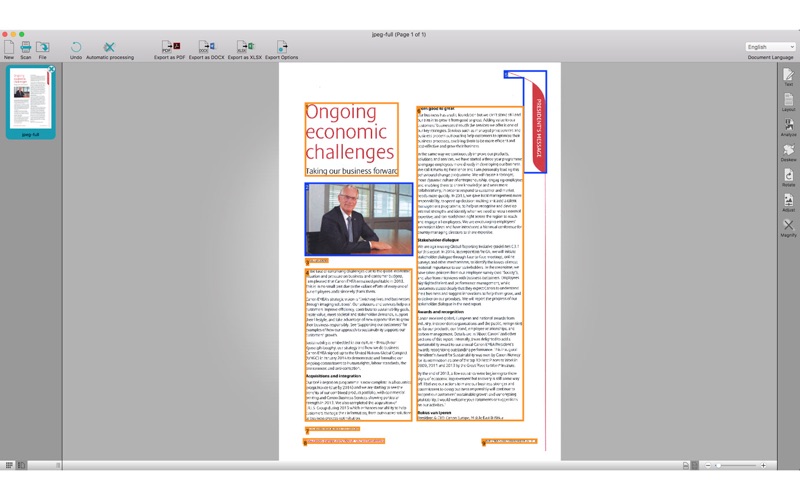
ABBYY FineReader OCR Pro 12.1.13

Download ABBYY FineReader OCR Pro 12.1.13

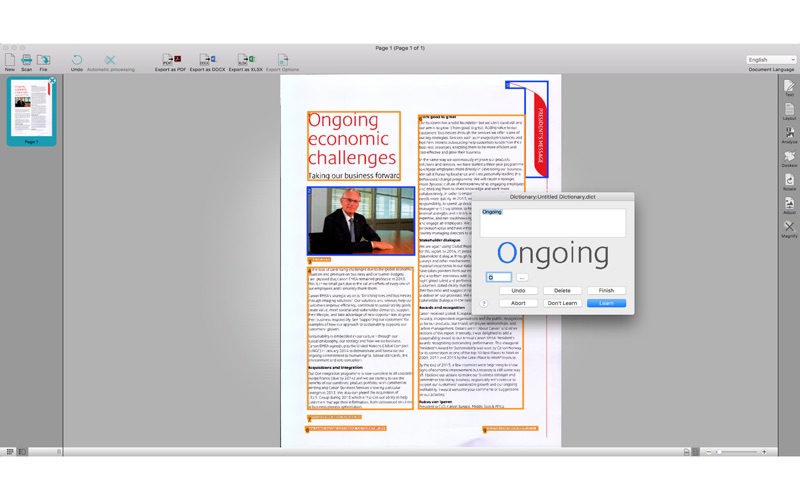
Easily turn documents of virtually any origin into information you can edit, quote, archive, search or share! ABBYY FineReader Pro complements the hassle-free efficiency of your computer by transforming paper documents, PDFs and digital photos of text into editable and searchable files. Say goodbye to time-consuming retyping and reformatting of documents – FineReader’s unmatched text recognition accuracy, language coverage and conversion features retain your original’s text, layout and formatting. It’s OCR the easy way – just as it should be!

With just a few clicks you can:
  • Update documents with text corrections, date changes, modified conditions, links to other documents and more
  • Instantly pull quotes from text and extract data
  • Create searchable PDF files for archiving and sharing
  • Make documents accessible for texttovoice and more
KEY PRODUCTIVITY FEATURES:
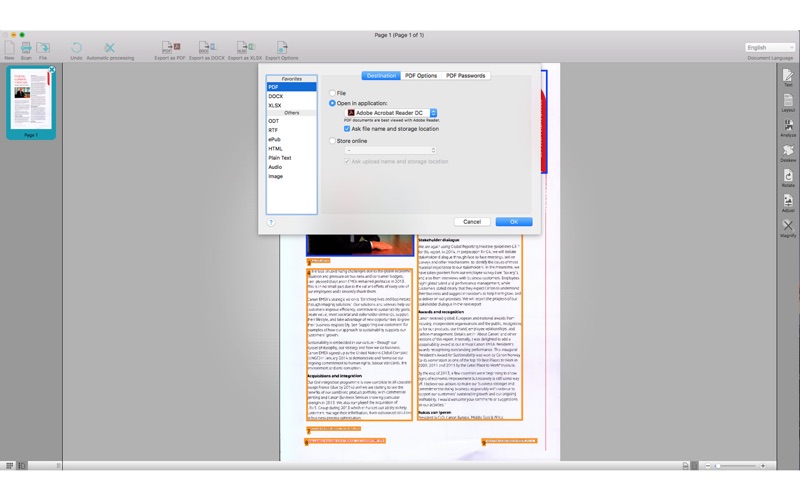
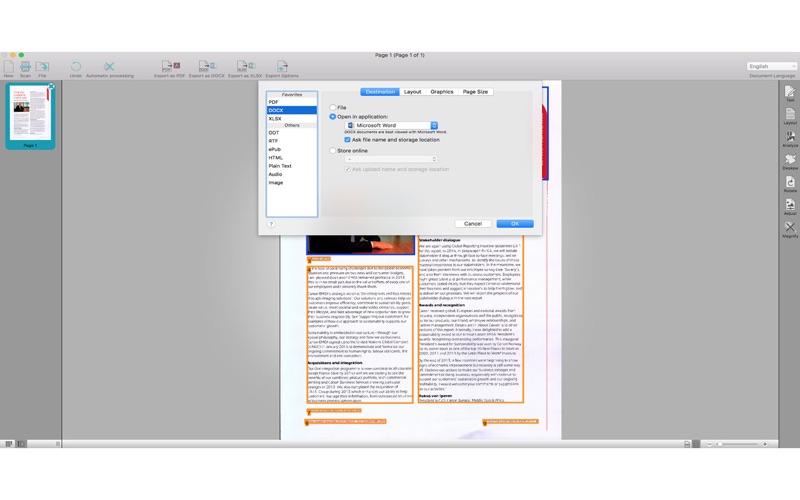
  • Scans and converts documents and images into a wide variety of popular electronic formats including: DOCX, ODT, RTF, XSLX, PDF and PDF/A, PPTX, HTML, EPUB and FB2
  • Automates conversion tasks, processes batches of documents, and provides the ability to schedule OCR processing with the help of newly added Automator actions and AppleScript commands support;
  • Accurately reconstructs document structure, layout and formatting across multiple pages including headers/footers, footnotes, table of contents, page numbering, captions, etc.
  • Creates editable, searchable and secure PDFs that are perfect for archiving and sharing
  • Creates ebooks in EPUB and FB2 formats for tablets and portable readers
  • Performs image and photo preprocessing using ABBYY’s Advanced Digital Camera OCR technology
  • Applies advanced OCR features to complex conversion tasks
YOUR ADVANTAGES WITH ABBYY OCR TECHNOLOGY INCLUDE:
  • Professional OCR results with up to 99.8% character recognition accuracy
  • Widest language support in the industry: 189 recognition languages (including Asian languages) in any combination of languages
  • Multichannel document input enables you to scan paper documents for processing or convert scanned images, PDFs and digital photos of text
  • Userfriendly interface with predefined Quick Tasks makes using FineReader easy and intuitive and provides Section 508 compliancy

* According to internal ABBYY testing. Accuracy and formatting results can vary depending on factors such as document quality and scanner settings.

Information

CompatibilityOS X 10.11 or later, 64-bit processor
LanguagesEnglish, Danish, Dutch, French, German, Italian, Japanese, Korean, Portuguese, Russian, Simplified Chinese, Spanish, Traditional Chinese

What’s New in ABBYY FineReader OCR Pro 12.1.13

Fixed issues:

  • while scanning from ADF images are added in correct order
  • images could be sent to FineReader from context menu
  • export to CSV through Automator is fixed

Screenshots

Name ABBYY_FineReader_OCR_Pro_12.1.13_mac-torrents.net.zip
Size 618.6 MB
Created on 2019-10-05 04:23:50
Hash 0b87635b80580902b1611d9602cd931e20d06e02
Files ABBYY_FineReader_OCR_Pro_12.1.13_mac-torrents.net.zip (618.6 MB)

Download

PRO EDU Master Collection – 10 Photoshop Actions for Color


Download PRO EDU (Rggedu) – ter Collection | 10 Photoshop Actions for Color

GET ALL 10 PHOTOSHOP ACTIONS FOR COLOR BY KATE WOODMAN IN THE MASTER COLLECTION

With this Master Collection we’ve combined all 10 Photoshop Actions for Color created by Kate Woodman. Compatible with Photoshop, the collection includes Rainforest, Rust, Carnivale, Midnight, Spring Court, Mona Lisa, Golden Rose, Copper, Frontier, and Gloaming. Created and used by Kate, these actions were designed for specific images while maintaining versatility to work on a wide variety of images and styles.

These 10 Photoshop Actions allow photographers and retouchers to quickly achieve creative color grades on their images to create mood, enhance narrative, and evoke emotion. Layers within each action are organized and labeled, allowing for customization and adjustments to fit your unique image. Accessing the layers also allows users to explore Kate’s color workflow and layering process in order to then create your own unique looks or actions.

SAVE TIME EDITING AND ENHANCE YOUR PHOTOGRAPHY

Quickly explore a variety of creative color grades to create mood, enhance narrative, and evoke emotion in your images.

10 Photoshop Actions for Color Screenshots

Name PRO EDU Rggedu Master Collection 10 Photoshop Actions for Color mac-torrents.net.rar
Size 17.74 MB
Created on 2019-10-04 03:34:50
Hash 5fe23e6f1b3eab4075ec0df53d34c339c7218afc
Files PRO EDU Rggedu Master Collection 10 Photoshop Actions for Color mac-torrents.net.rar (17.74 MB)

Download

Amadeus Pro 2.6.2 (2210)

Download Amadeus Pro 2.6.2 (2210)

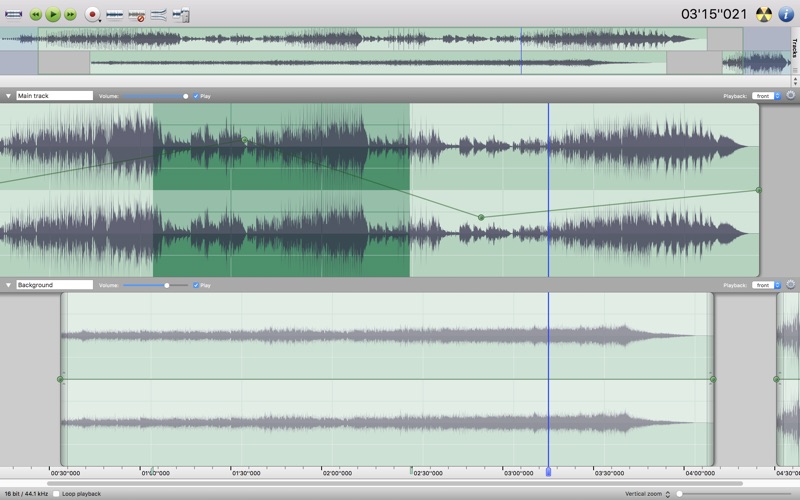
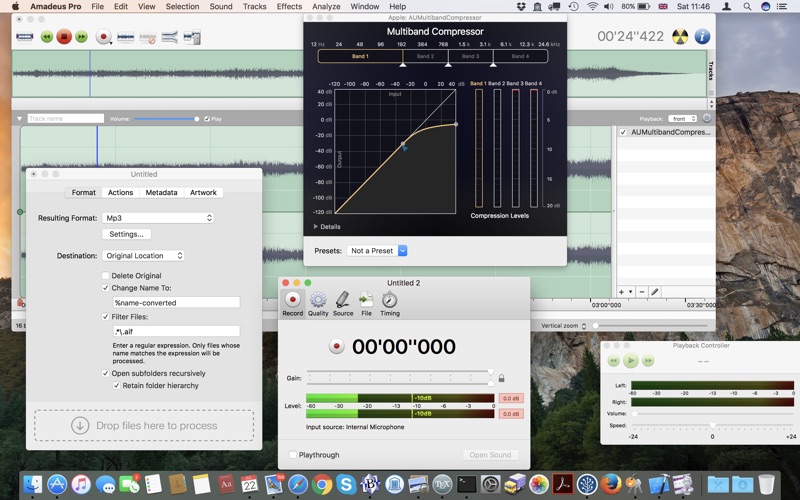
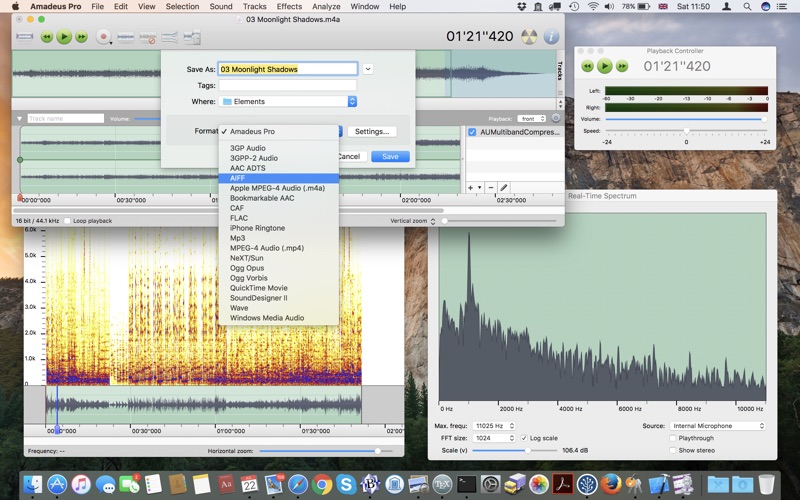
lets you use your Mac for any audio-related task, such as live audio recording, digitizing tapes and records, converting between a variety of sound formats, etc. Thanks to its outstanding direct-to-disk abilities and waveform caching, edits on arbitrarily large sounds (even beyond the usual 2GB limit) are performed at lightning speed. The handling of large sounds is furthermore facilitated by the extensive support of markers. Its outstanding sound repairing and denoising abilities make Amadeus Pro particularly suitable for transferring vinyl records on CD.

Features

  • Simple and elegant OS X-like user interface
  • Multitrack editing an recording.
  • Batch processing and conversion.
  • Sound denoising and repairing.
  • Supports a variety of sound formats, including AIFF, Multichannel Wave, MP3, MP4, Ogg Vorbis, FLAC, SoundDesigner II, QuickTime, Apple CAF, etc.
  • Support for VST and Audio Unit plug-ins.
  • A “favourite actions” palette allows to have your most commonly used effects only a mouse click away.
  • A wide range of powerful audio analysis tools.
  • Audio CDs with CD-TEXT data can be burned directly from within Amadeus Pro.

Thanks to its outstanding direct-to-disk abilities and waveform caching, edits on arbitrarily large sounds are performed at lightning speed with this fully featured multi-track editor. The handling of large sounds is furthermore facilitated by the extensive support of markers.

While Amadeus Pro features a number of built-in audio effects (equalizer, speed and pitch change, echo, etc), its abilities can be extended arbitrarily through the support of Audio Units and VST plug-ins.

Besides all the functions you would expect from a professional quality waveform editor.

Amadeus Pro also features:

  • Tracks can be split into multiple clips for easy placement
  • Audio Units can be applied to tracks non-destructively in real-time
  • Smart editing
  • Scheduled recordings
  • Powerful batch processor
  • Direct recording from internet streams
  • A full range of real-time and offline sound analysis tools

Information

Compatibility10.8 or later, 64-bit processor
LanguagesEnglish, Danish, Finnish, French, German, Italian, Spanish

What’s New in Amadeus Pro 2.6.2 (2210)

  • Release notes not available at the time of this post.

Screenshots

Name Amadeus Pro 2.6.2.2210 [TNT] mac-torrents.net.zip
Size 30.15 MB
Created on 2019-10-03 18:16:12
Hash bfed17c597bb9f217e7af509a148d3b41ec0a334
Files Amadeus Pro 2.6.2.2210 [TNT] mac-torrents.net.zip (30.15 MB)

Download

DEVONthink Pro 3.0.1

Download DEVONthink Pro

DEVONthink is DEVONtechnologies’ document and information management solution. It supports a large variety of file formats and stores them in a database enhanced by artificial intelligence (AI). Many document formats can be directly viewed, edited, and annotated. A powerful search language finds documents in an instant, smart groups keep them always at hand.

Sophisticated organization tools, AI-based techniques that handle even the largest collections, and numerous integration options make DEVONthink the work environment of choice for researchers, lawyers, and educators. Smart rules, flexible reminders, and deep AppleScript support allow automating even complex repeating tasks. And with its fast, reliable, and secure synchronization users keep their data available on all their Macs. DEVONthink To Go for iPad and iPhone completes the DEVONthink ecosystem.

DEVONthink Pro 3 Features:

  • Keeps your data together
  • Scans your paper
  • Archives your email
  • Assists you with A.I.
  • Syncs your data securely
  • Automates repeating tasks
  • Lets you share your data

User Interface

As the most obvious change, DEVONthink 3 brings a completely overhauled single-window interface including support for dark mode. The extended sidebar gives you access to your databases, favorites, smart groups, smart rules, and filters as well as to a new reading list, import options, and more. Inspectors present metadata about documents and groups, offer AI assistance, and let you set reminders or search within the document.

Capturing text, audio, and voice notes, screenshots, or web clippings becomes much easier with the redesigned Sorter. More subtle are the numerous changes to the search engine which now better supports Asian languages, indexes also PDF and RTF attachments, and highlights search hits more precisely. Its enhanced search language allow you to use prefixes to run complex searches without touching the mouse. Focus the displayed items on tags, dates, marks, or geolocation using filters.

Office & Teamwork

If you’re working in an office environment DEVONthink 3 brings you a new 64-bit optimized OCR engine that supports multiple CPU cores, Asian languages, barcode detection, and multiple output formats. Add custom imprints to images and PDFs including placeholder text and Bates numbering.

The rewritten web interface gives your coworkers or clients access to your databases even when they’re not using a Mac. User accounts and per-database permissions let you define what web visitors see and can do. TLS support makes sure all connections are encrypted.

Other improvements include geolocation metadata, ratings, and custom, typed metadata that you can add to all documents and, of course, search. When importing documents, you can let DEVONthink convert metadata to tags, and tag images automatically using machine learning.

Markdown and HTML documents can be edited side-by-side with a rendered preview, sheets with tabular data support specific data types and have a form view. Formatting and editing bars keep frequently used tools at hand and adding cross-references has become more versatile with improved WikiLinking and support for the square bracked syntax. DEVONthink 3 now also supports EPUB ebooks and, useful for research, collects highlighted search hits and metadata for you into summary documents.

Automation

Last but not least, we have massively extended DEVONthink’s automation options for version 3. Smart rules perform actions based on events and search queries, where events can be anything from a scheduled time to the arrival of a newly imported document. You can also attach one-time or repeating reminders to any document. They support several alarm options including running scripts. Insert dynamic data in templates, imprints, or smart rules without requiring any programming skills.

Of course, DEVONthink 3 brings also many under-the-hood enhancements. To name just a few: better file system integration for indexed files, better background processing, e.g. for email archiving, indexing, or generating thumbnails, and an improved overall performance.

Information

CompatibilityOS X 10.8.5 or later, Intel, 64-bit processor,
LanguagesMultilingual

What’s New in DEVONthink Pro 3.0.1

This first update brings fixes and improvements to DEVONthink. Reordering the Navigate sidebar is now possible. Preferences > General now allows databases’ Tags groups to be shown in the item list for each database, and tags can again be created with commas, e.g., when typing author names. Synchronization of indexed files and monitoring iCloud background uploads has been improved. Some new smart rule event triggers allow for actions to be taken before sync begins, after it finishes, or after manually renaming files. Annotation files now can be conveniently exported out to the Finder in several formats. Additionally, the update brings many fixes, including: better dark mode support in the Sorter, text wrapping in plain and rich text editing, more reliable autosaving when closing tabs or windows, and some interface glitches.

Improved

  • The sections of the Navigate sidebar can be reordered by drag and drop.
  • Added new section Sidebar to Preferences > General, containing a Unify Tags option to display the Tags group of open databases in the Globals section of the sidebar.
  • Added an Export command in the popup of the Annotations & Reminders inspector, supporting exports of the current annotation file to several formats.
  • Double-clicking on any database or group in the Navigate sidebar now expands or collapses it. Regarding groups, the behavior depends on the setting of the Double-click opens groups in a new window in Preferences > General.
  • If a database is open, selecting it in the Favorites section of the Navigate sidebar now shows the root level contents, like favoritegroups.
  • The Delete toolbar button now supports deleting items from local and global smart groups.
  • Renamed the Backup toolbar button to Optimize as it’s identical to File > Optimize Database.
  • Added a shortcut to the command Go > Workspaces > Update.
  • Double-clicking items in the Reading List sidebar now opens them in a new document window or an external application, depending on the state of the option Double-click opens documents externally in Preferences > General.
  • Improved the speed and reliability of indexing of PDF documents when the option Convert hashtags to tags option is enabled in Preferences > Import.
  • Improved conversion and exporting of Markdown, HTML pages, formatted notes, and web archives to PDF by using the HTML rendering instead of a rich text rendering.
  • The Clutter-free option used in the Clip to DEVONthink section of the Sorter is now disabled when selecting a format that doesn’t support this option.
  • File > Import > Bookmarks > Safari now displays an alert if Full Disk Access is not enabled in System Preferences > Security & Privacy > Privacy (macOS Mojave or later).
  • Revealing a replicant via the Instances popup of the Info inspector or popover now selects the replicant instead of just revealing the enclosing group. In addition, groups containing a replicant in the Instances menu now appear in red color.
  • Added support for .mht and .mhtml files created by Microsoft Word or exported by some third-party browsers, like Vivaldi.
  • Conversion of hashtags to tags now ignores numbers less than one hundred as these are often not hashtags but a score or ranking.
  • Added date options This Hour and Last Hour for use in smart groups, smart rules, and searches.
  • Added new smart rule triggers On Renaming and After synchronization and renamed On synchronization to Before synchronization. Before synchronization is now performed before uploading or downloading any data, After synchronization after completing all uploads or downloads and committing the changes.
  • Added “annotations group” AppleScript property to the databases class.
  • Added hidden preference “ShowAdditionalInfoInPathBar” to show additional details for a selected document in the Path bar .
  • Reduced the minimum width of main windows.
  • The default database location, ~/Databases, is now only created on the initial launch of DEVONthink.
  • Improved language detection of documents which is now compatible to macOS El Capitan and Sierra.
  • Improved performance when generating thumbnails of bookmarks.
  • Improved reliability and stability.
  • Sync – Improved monitoring of iCloud uploads.
  • Sync – Invalid encryption key errors now cause the Log window to be shown, regardless of the option to disable showing the window automatically.
  • Sync – Improved updating indexed files located in cloud folders, e.g., Dropbox. This should address the potential for a rare issue of files being duplicated.
  • Pro – Added support for indexing, converting, and displaying an alternative text view of .mht and .mhtml files.
  • Pro – Improved indexing of emails containing CSS or XML elements.
  • Server – The web interface now supports links to PDF pages in rich text, Markdown, HTML pages, and formatted notes.

Fixed

  • Fixed a crash related to the Thumbnails inspector with PDF documents having a width or height smaller than 1 point.
  • Fixed a crash related to the Adobe Acrobat browser plugin.
  • Fixed an issue where Tools > Summarize Highlights could concatenate words.
  • Fixed an issue where autosave only saved the current tab of a window when the window lost focus.
  • Fixed an issue where clearing the search field in the Search inspector didn’t remove highlighted search hits in PDFs.
  • Fixed an issue where closing a database didn’t update the Tags filter if a global smart group or smart rule rule was selected in the Navigate sidebar.
  • Fixed an issue where commands in the Tools > Capture menu wouldn’t work if the selected file had no URL. Capturing bookmarks, Markdown, or using the clutter-free option still requires a valid URL.
  • Fixed an issue where deleting an item indexed on a volume, i.e., not in a subfolder, would display the incorrect alert.
  • Fixed an issue where files dropped into DEVONthink were not automatically selected.
  • Fixed an issue where plain and rich text were wrapping incorrectly when typing.
  • Fixed an issue where selecting documents in the Favorites section, then creating new groups in the Navigate sidebar, did not focus correctly.
  • Fixed an issue where sharing a web page without a title, e.g., RSS articles, didn’t include a subject.
  • Fixed an issue where some commands in the File > Export menu did not work when used in document windows.
  • Fixed an issue where tags containing commas couldn’t be entered. Note: Multiple tags in the search syntax are now separated by semicolons.
  • Fixed an issue where the Info and Map filter panes did not work with groups, smart groups, or RSS feeds.
  • Fixed an issue where the Import sidebar and View > Import menu command were shown incorrectly in the standard edition
  • Fixed an issue where the Close Other Tabs command in the contextual menu of document tabs didn’t save any modified tabs.
  • Fixed an issue where the Mount Volume button in the View/Edit pane of indexed files on unmounted volumes didn’t work.
  • Fixed an issue where the Tags section of the Sorter did not wrap when multiple tags were applied.
  • Fixed an issue where the conversion of RSS articles to PDF or rich text didn’t use the current stylesheet for feeds.
  • Fixed an issue where the destination of links in plain and rich text views wasn’t shown in the Navigation bar.
  • Fixed an issue where the displayed kind of plain and rich text documents wasn’t updated in the item list after sync.
  • Fixed an issue where using a wildcard at the beginning of any string in the Search inspector highlighted the complete text of the document.
  • Fixed an issue where using the command Edit > Copy Item Link would unnecessarily play the system alert sound.
  • Fixed an issue where video thumbnails were sometimes rotated or flipped.
  • Fixed an issue with combined imprints.
  • Fixed an issue with detection of Postscript and Adobe Illustrator files.
  • Fixed an issue with highlighting search hits in PDF documents containing diacritical characters
  • Fixed an issue with inconsistent handling of flags on groups and feeds.
  • Fixed an issue with incorrect listings in File > Recent Databases after opening encrypted databases.
  • Fixed an issue with templates only using the English resources.
  • Fixed an issue with the background colors of text fields in smart group and smart rule editors.
  • Fixed an issue with the tab order of elements in DEVONthink’s windows.
  • Fixed issues with HTML conversions and website exports in dark mode.
  • Fixed issues with the localizations.
  • Fixed a glitch of the Format bar when $running in trial mode.
  • Fixed a glitch of the Map filter pane.
  • Fixed a glitch of the Sorter in dark mode.
  • Fixed a glitch of the calendar in Tools > Filter > Info (macOS El Capitan through High Sierra).
  • Fixed a glitch of the toolbar search field, especially on non-Retina displays on macOS 10.14 and later.
  • Fixed a glitch of viewing web-based files, e.g., rendered Markdown, formatted notes, RSS articles, etc.
  • Pro – Fixed an issue where File > Import > Images (with OCR) did not honor the option to move the original file to the trash.
  • Pro – Fixed an issue where selecting a format in Preferences > OCR was not working correctly after the initial launch of the application.
  • Pro – Fixed issues with invoking OCR in smart rules or AppleScripts.
  • Server – Fixed issues with the web interface, including an issue with the contextual menu in read-only databases, and the display of headers in Markdown documents.

Screenshots

Name DEVONthink 3.0.1 mac-torrents.net.zip
Size 104.1 MB
Created on 2019-10-03 18:00:43
Hash 024a0841dde1b0575b530897ce5bd34ad676d8bc
Files DEVONthink 3.0.1 mac-torrents.net.zip (104.1 MB)

Download

Movist Pro 2.2.9

Download Movist Pro 2.2.9

Movist is a movie player based on QuickTime and FFmpeg.

Features:

  • Supports QuickTime and FFmpeg
  • Customizable high quality caption
  • Supports smi, srt format captions
  • Playlist support
  • Media playback control
  • Full screen control panel
  • Simple user interface
  • Universal binary

Beautiful and Convenient User Interface

The controllers are practical and convenient, as well as appearing only when the mouse pointer is approaching. Transparent title-bar and controllers allow you to focus more on your watching experience.

The main menu displays various states in real time, and the control panel gives you quick access to all the functions you need. Move the mouse over the seek-slider to see the thumbnails.

In addition to all these conveniences, we have added beauty. It supports modern style of macOS including light and dark themes.

When you open a media

There are many default preferences to apply when you open a media.

You can specify the default track language. For example, video and audio in Korean, subtitles in English, or you can set not to display subtitles if there’s an English audio track.

You can specify your preferred video quality, filters, equalizer, etc. You can also restore the last time you played it to watch from there.

Multiple tracks simultaneously

You can view subtitles in multiple languages at the same time. You can also set the different location and style for each languages.

You can also select multiple tracks simultaneously for video and audio. For example, if the front and rear videos of the car black box are contained in one file, you can see the front and back videos at the same time.

Information

CompatibilitymacOS 10.10 or later 64-bit
LanguagesEnglish, Japanese, Korean, Russian, Simplified Chinese

What’s New in Movist Pro 2.2.9

  • Release notes not available at the time of this post.

Screenshots

Name Movist Pro 2.2.9 [TNT] mac-torrents.net.zip
Size 60.19 MB
Created on 2019-10-03 17:26:01
Hash 54ee83e7697cb3cb92641c8016e28a879b036758
Files Movist Pro 2.2.9 [TNT] mac-torrents.net.zip (60.19 MB)

Download

Alarm Clock Pro 12.0

Download Alarm Clock Pro 12.0

Alarm Clock Pro isn’t just an ordinary alarm clock. Use it to wake you up in the morning, send and compose e-mails, remind you of appointments, randomize the iTunes selection, control an internet radio station, and even time your baking!

Wake up to the serenity of your musical selection. Put to rest the goofy retro beeps and buzzing of a bedside alarm clock or cell phone. Use Alarm Clock Pro when waking up, as a reminder to take medications, or keep social appointments. At work, schedule follow up appointments with clients, set break reminders, run the office radio, set project timers, or discreetly monitor employee workspaces.

Features

  • iTunes Enhanced – Connect directly with iTunes to play a specific playlist or the entire library! Shuffle or play songs in sequence.
  • On-Screen Notifications – Display passive onscreen notifications that serve as great reminders!
  • Built-in Jingles – Select from one of numerous professionally designed custom ringtones, or import an alternative!
  • Stopwatches and Timers – Kitchen-style timers as well as an unlimited number of stop watches.
  • Web Radio Ready – Stream music live from a favourite web radio station for the freshest music selection every day!
  • Wake from Sleep – Never have to leave your computer on! Automatically wakes your Mac from sleep or turns it on as needed.

Information

CompatibilitymacOS 10.13 or later
LanguagesEnglish

What’s New in Alarm Clock Pro 12.0

Enhancement:

  • Catalina compatibility

Screenshots

Name Alarm Clock Pro 12.0 [TNT] mac-torrents.net.zip
Size 43.21 MB
Created on 2019-10-03 17:25:44
Hash e13fb8cd3f50e5d0cd5d5b82b22d34cd8f71bb53
Files Alarm Clock Pro 12.0 [TNT] mac-torrents.net.zip (43.21 MB)

Download

Araxis Merge Pro 2019.5249

Download Araxis Merge Pro 2019.5249

A powerful application designed for tow-way file comparison and merging and which provides support for images, binary files and syntax highlighting

Araxis Merge is a powerful and flexible macOS application that provides the required tools to compare and synchronize two or three folders, text and office files, as well as image and binary files.

Folder, text and document comparison

Thanks to Araxis Merge, you easily compare and interactively synchronize folder trees, find, edit or delete changes between source, XML, HTML or other text file revisions. What is more, you can gain direct repository access and compare different versions of the same file.

Support for MS Office and OpenDocument files

From Araxis Merge’s main window you can easily open and compare text from Microsoft Word and Excel, OpenDocument, PDF and RTF files. On top of that, you can copy text from other applications and perform simple text comparisons.

The color coded side-by-side comparison system helps you pinpoint differences and similarities with ease. In addition, the linking lines between the documents make it even easier to view how the files are related.

User-definable merging process

Just by using your mouse you can select the parts of each file that you want to be added to the final merged version of the files. With the help of the in-place editor and undo capabilities offer your total control over the merged files while the Merge functions highlight the changes within lines.

Image and binary comparison

Moreover, you can use Araxis Merge to compare numerous image file formats and detect the pixels that have been modified. At the same time, the binary comparison helps you identify differences in data files at a byte level.

The Professional version of Araxis Merge add the advanced three-way visual file comparison and merging to the existing two-way visual file comparison. Furthermore, the Automatic Merging feature is capable to quickly even up the differences between files.

Report generator

At the end of the comparison process you can easily generate and save comparison reports in HTML, XML, UNIX diff or HTML slideshow format.

Information

CompatibilitymacOS 10.12 or later 64-bit
LanguagesEnglish

What’s New in Araxis Merge Pro 2019.5249

  • Release notes not available at the time of this post.

Screenshots

Name Araxis Merge Pro 2019.5249 [TNT] mac-torrents.net.zip
Size 71.77 MB
Created on 2019-10-03 12:36:40
Hash 51e0e07cd826202996c06aa5b88000f7e08b030b
Files Araxis Merge Pro 2019.5249 [TNT] mac-torrents.net.zip (71.77 MB)

Download

BeLight Get Backup Pro 3.4.17

Download BeLight Get Backup Pro 3.4.17 macOS

Get Backup Pro is a powerful backup and disk cloning utility with folder synchronization capability.

What Get Backup Pro can do for you:
  • Full and incremental backups.
  • Produce compressed, encrypted backup archives of your data.
  • Create bootable backups for instantaneous restore.
  • Keep files in sync on two computers in one network.
  • Automate backup, cloning, and sync processes with flexible scheduling.
Features
  • Bootable Backups via Cloner When a hard disk crashes, one of the most frustrating things is that in order to copy over backed up files you must wait for a replacement hard drive and then go through the tedious restore process. The Cloner in Get Backup takes an external hard disk and turns it into a bootable copy of the disk in your Mac. So no need to wait for the replacement. You can place the clone right into your Mac and even work using the external disk until your replacement arrives.
  • Automate Backup and Sync Processes The customizable schedule tool allows to fully automate the backup and synchronization processes, so that backups are built and sync takes place on a regular basis (daily, weekly, biweekly or monthly). Specify the backup and sync start time down to a minute. You can even create separate schedules for several backup and file sync projects.
  • Back Up to CD/DVD and Any Mounted Device/Drive The program allows you to save backups to any locally mounted device/drive, including FireWire, USB, ATA, SCSI, CD and DVD devices, or network volumes.
  • Integration Integration with Apple iPhoto, Mail, iTunes and Address Book makes it very easy to access and backup your music, photos, e-mail and address records. Also, you can easily backup any other file or folder stored on your computer.
  • Data Sync Synchronize files and folders on your laptop and desktop computers, or any mounted drive. Two-way synchronization (Pro only) ensures that you have the most recent version of files you worked with, no matter which computer you are using. Schedule sync processes for more convenience and flexibility.
  • EncryptionSecure your backups using one of four encryption standards (AES-128, AES-256, Blowfish or Triple DES) to prevent unauthorized archive restore. The ability to encrypt backups provides a high level of comfort and peace of mind when storing backup archives on external hard drives, third-party servers, and other locations where others might have access to your archives.
  • Diverse Backup Methods:
    • Full – all selected files are saved, and the resulting archive replaces the previously created one.
    • Versioned – all selected files are saved in a new backup archive, and the previous archives remain intact.
    • Incremental – each time a backup is built, only the files that were changed are saved in the new backup archive. (Pro only)
  • Get Backup vs. Apple Time Machine You may wonder why you need an additional backup software if you already have Apple Time Machine on your Mac. Get Backup has multiple advantages when you need to control what to backup. It offers advanced compression and encryption methods and much more. Compare Get Backup with Time Machine.

Information

CompatibilityOS X 10.9 or later.
LanguagesEnglish

What’s New in BeLight Get Backup Pro 3.4.17 macOS

  • Release notes not available at the time of this post.
Name BeLight Get Backup Pro 3.4.17 mac-torrents.net.zip
Size 17.31 MB
Created on 2019-10-03 01:13:05
Hash ddb99d9314475c4bf84336ac2f5dbaa9c92cd96b
Files BeLight Get Backup Pro 3.4.17 mac-torrents.net.zip (17.31 MB)

Download

Tritik Krush Pro v1.0.0

Download Tritik Krush Pro v1.0.0 Incl Patched and Keygen-R2R

Your favorite krusher just got better. We are excited to announce that KrushPro is now available!

It has many new features that take the audio engine of our freebie Krush to another level.

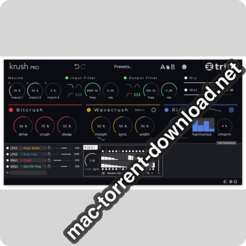
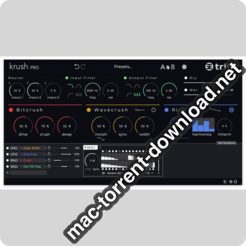
KrushPro includes our acknowledged bit-crusher processor, as well as a new ‘Wavecrushing’ distortion module, built upon an innovative wavesets processing algorithm. New timbral possibilities are also brought by the addition of a dual frequency shifter/ring modulator fx module and two input/output filters sections.

Many modulations options have been added, and KrushPro is the first plugin with full stereo modulations capabilities. All the modulators are stereo, and every modulation slot has a stereo balance knob. Being able to modulate the parameters differently on the left and right channels brings something new to the table, and allow the creation of unheard stereo effects!

Information

CompatibilitymacOS 10.8 or later
LanguagesEnglish

What’s new in Tritik Krush Pro v1.0.0

  • added: 24 presets crafted by Empty Vessel
  • added: possibility to rename the macros
  • fixed: modulations of the output gains of the lfos/seqs/envs not always taken into account
  • fixed: plugin state not always marked as changed when reordering the fx modules
  • improved: factory presets (notably to take advantage of the macros)
  • tweak: presets descriptions are now shown in the tooltip area
  • tweak: added some missing french, portuguese, and spanish translations

Screenshots

Name Tritik Krush Pro v1.0.0 ncl Patched and Kg-R2R mac-torrents.net.zip
Size 9.84 MB
Created on 2019-10-02 15:08:15
Hash 0a108299070613c5e9ed3094fe5d4fdbdc71ece1
Files Tritik Krush Pro v1.0.0 ncl Patched and Kg-R2R mac-torrents.net.zip (9.84 MB)

Download

Tropic Colour – All LUTs Collections for Final Cut Pro, Adobe, Resolve

Download Tropic Colour – All LUTs Collections

In this topic, we share the whole LUTs collection from Tropic Colour

  • 5 Different strengths of each LUT (100% / 80% / 60% / 40% / 20%)
  • Works within Resolve / Adobe CC / FCPX (with LUT Utility installed)
  • LUTS were designed to work with RAW / LOG / FLAT gamma space
  • Also works with all FLAT picture profiles (SLOG / VLOG / etc)

What’s included in Tropic Colour – All LUTs Collections

  • ARCHIVAL LUTS: 10 Tropic Colour Archival LUTs
  • BLACK & WHITE LUTS: 10 Tropic Colour B&W LUTs
  • BOLD ABSTRACTION LUTS: 10 Tropic Colour Bold Abstraction LUTs
  • SUBTLE MOOD LUTS: 10 Tropic Colour Bold Abstraction LUTs
  • TEAL & ORANGE LUTS: 10 Tropic Colour Teal & Orange LUTS
  • VINTAGE LUTS: 10 Tropic Colour Vintage LUTs
  • URBAN LUTS: 10 Tropic Colour URBAN LUTs
  • NATURE LUTS: 10 Tropic Colour Nature LUTs
  • DRONE LUTS: 10 Tropic Colour Drone LUTs

Information

Compatible withResolve / Adobe CC / FCPX (with LUT Utility installed)
LanguagesEnglish

Screenshots

Name Tropic Colour All LUTs Collections mac-torrents.net.rar
Size 166.1 MB
Created on 2019-10-01 21:48:20
Hash e52fe28f3b453e0508ad6ba099354d92c072ca56
Files Tropic Colour All LUTs Collections mac-torrents.net.rar (166.1 MB)

Download

Taylor Cut Video LUTs for Final Cut Pro, Premiere & Resolve (Win/Mac)

Download Taylor Cut Video LUTs for Premiere, Resolve & Final Cut Pro (Win/Mac)

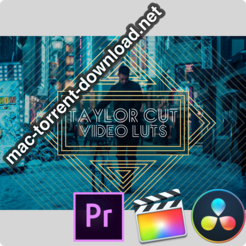
Achieve the look of blockbuster movies with this first ever bundle of video LUTs created by Taylor Cut Films! Based on his favorite feature films, these magical video filters will transform any footage into cinematic quality. Jordan developed these looks to help you add a pristine color grade to all your video edits! Whether it be a commercial, music video, lifestyle vlog, short film, travel edit, feature length motion picture, or just home video footage, these video LUTs are perfect for giving the exact tone and vibe to the videos of your choice!

Included in this bundle are 8 unique video LUTs / color tones.

Achieve the look you want and improve your edits by adding cinematic tones to your footage with these customized filters created by Jordan Taylor Wright of Taylor Cut Films.

  • 8 NEW Video LUTs
  • Cinematic Coloring
  • Magical / Storybook Tones
  • Dynamic Picture Adjustments
  • Help Files and Support

This product is compatible with Adobe Premiere Pro, Final Cut X, and DaVinci Resolve. Tutorials on how to color grade with these LUTs are offered within the Taylor Cut University courses!

Information

Compatible withAdobe Premiere Pro, Final Cut X, and DaVinci Resolve
LanguagesEnglish

Taylor Cut Video LUTs Screenshots

Name Taylor Cut Films LUTs mac-torrents.net.rar
Size 14.61 MB
Created on 2019-09-30 21:42:31
Hash 18877dc555314739f872325b3675c1c8044f96c6
Files Taylor Cut Films LUTs mac-torrents.net.rar (14.61 MB)

Download

HDRsoft Photomatix Pro 6.1.3a

Download HDRsoft Photomatix Pro 6.1.3a

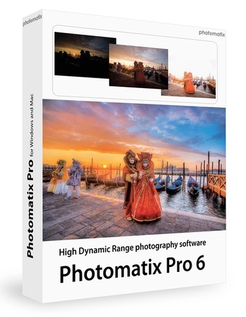
Photomatix Pro merges photographs taken at varying exposure levels into a single HDR image that reveals both highlight and shadow details, with options for automatically aligning hand-held photographs, removing ghosts, and reducing noise and chromatic aberrations. Merged images can then be adjusted by a range of options and settings to get the look that users want — from natural-looking results using exposure fusion to painterly, surreal or ultra-realistic images using the tone mapping mode.

  • Merge to HDR, Tone Mapping and Exposure Fusion
  • Automatic Alignment of handheld photos
  • Automatic Ghost Removal and Selective Deghosting tool
  • Options for real estate photography
  • Automation with Batch Processing
Benefits for professional photographers:
  • Saving on lighting equipment. No need to acquire expensive lighting equipment and carry it when you shoot high contrast scenes. Just enable the Auto Exposure Bracketing feature of your camera, and let Photomatix merge your photos into an image with extended dynamic range.
  • Great pictures on cloudy days. Shadowless hazy sunlight or an overcast sky usually results in dulllooking photographs. The tone mapping tool of Photomatix can turn them into greatlooking images. Check out this image as an example.
  • Saving time in postprocessing. Photomatix Pro is designed for productivity — automatic blending, unlimited stacking, easy comparison of results and batch processing save hours of masking and layers work in image editing programs.
  • Well exposed panoramas. A panoramic scene is almost always a high contrast scene — you can’t limit your view to areas with the same brightness when shooting a 360° panorama. By taking views under several exposures and processing them in Photomatix Pro, you can create a panorama that will show details in both the dark and bright areas of the scene. Photomatix Pro offers both exposure fusion (also known as exposure blending) and HDR tone mapping.
HDRsoft Photomatix Pro 6.0

New Rendering Method for Realistic Look
Tone Balancer is a new Tone Mapping HDR rendering method which is good for realistic-looking results. It is well suited to real estate photographers and natural style landscape photographers who want more realistic style options.

Individual Color Adjustments

A new color adjustment tool, built right into the HDR Rendering panel, allows you to change the hue, saturation and brightness of individual colors in your image, which is particularly useful for fixing color casts.

Brush Tool

Make adjustments to just part of your image using the brush tool. Select the changes to color or brightness that you want, and paint over the area you want to affect. You can also use the brush to blend areas with one of the source photos and select multiple effects for different parts of the image.

Blending

For a more realistic look, you can now blend the HDR rendered image with one of the original photos. Change the opacity to get a larger or smaller influence on the end result.

Straightening Tool

Correct the horizon in your image if it’s not level, or when vertical things like walls or buildings don’t look vertical. The tool is part of the Finishing Touch palette.

More Intuitive Workflow

Whether you are working with a single image, or a bracketed set of photos, a more intuitive workflow makes it easier to load and choose images and proceed through to editing.

Information

CompatibilityRequirementsIntel OS X 10.6 or later
LanguagesEnglish

What’s New in HDRsoft Photomatix Pro 6.1.3a

  • Release notes not available at the time of this post.

Screenshots

Name HDRsoft Photomatix Pro 6.1.3a mac-torrents.net.zip
Size 27.04 MB
Created on 2019-10-01 20:37:00
Hash b0f242afefb4b37a99358dce8241f90b5efc2b82
Files HDRsoft Photomatix Pro 6.1.3a mac-torrents.net.zip (27.04 MB)

Download

Elmedia Player Pro 7.6.1831

Download Elmedia Player Pro 7.6.1831

Elmedia Player GO will play various file formats, be it AVI, MP4, WMV, MKV, MP3, M4V, or else. The good news is Elmedia Player GO is a versatile app that doesn’t require any additional codecs and plugins.

**Elmedia Player is available for Apple TV now!**

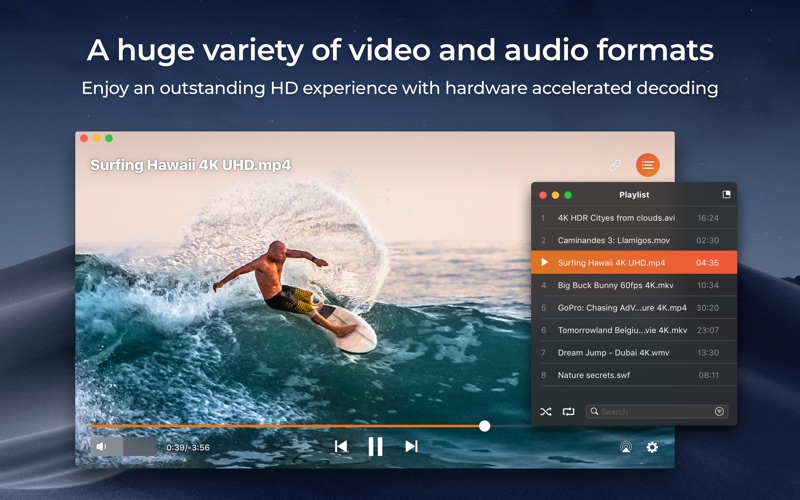
Elmedia offers fantastic HD experience thanks to its native hardware accelerated decoding feature. It doesn’t just bring you the best quality picture but also doesn’t load your computer’s processor.

*Highlights:

Video and audio

  • Bring the player on top of all other open apps and never miss a moment of the movie.
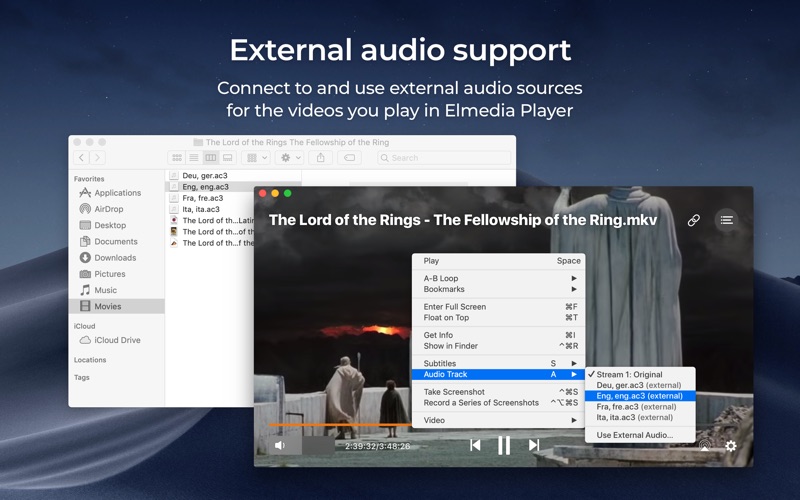
  • Play any sound track including external ones.
  • Has its own volume control.
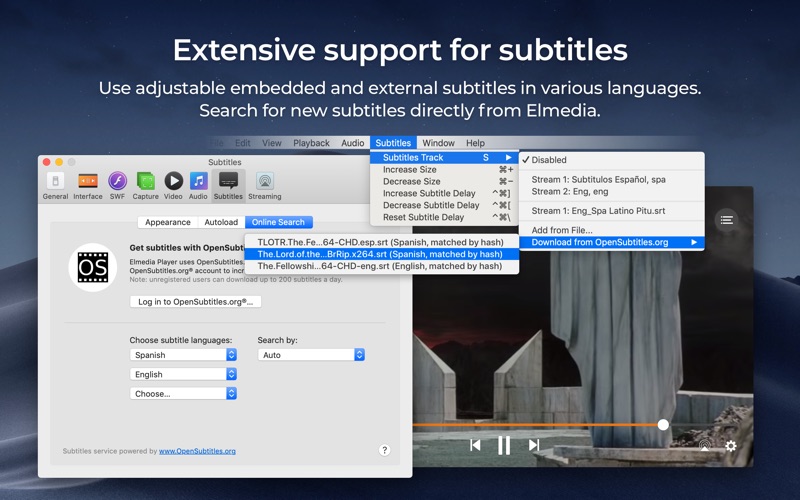
  • Offers exceptional support for subtitles, including Arabic, Eastern Asian languages, Hebrew.
  • Sound and subtitles languages are easy to select;
  • Creation & management of playlists.
  • Easy to fit the video image to screen.
  • Playback speed is adjustable.

Flexible settings

  • When a movie has subtitles Elmedia Player GO can sync them with the video in case there is any mismatch.
  • Play a DVD or a video that was copied from DVD without any additional hassle.
  • Choose which monitor will show fullscreen;
  • Snap a screenshot of any moment in the video or create a series of pictures with adjustable interval.
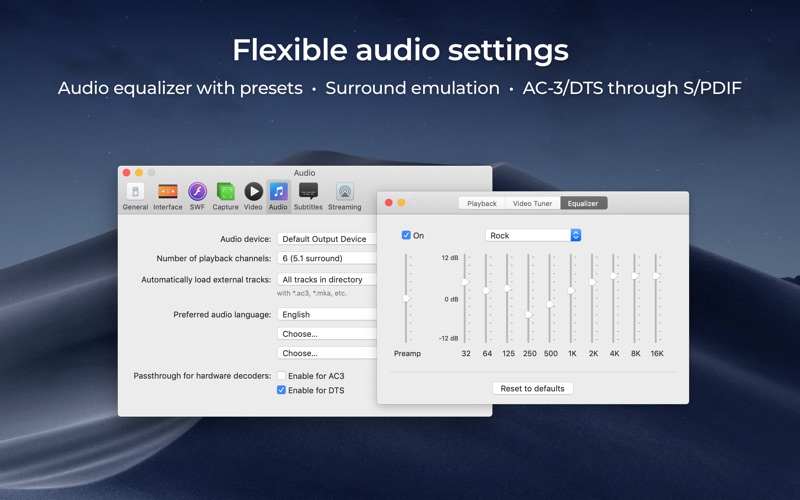
  • Virtual surround and speakers emulation provides the exquisite hearing experience.
  • Select the output device for sound.
  • Transmit AC3/DTS through S/PDIF.

**Supported formats**

  • Audio: mp3, m4a, wma, aac, ac3, aiff, ape, flac, mka, ogg, pcm, ra, vaw, waw, wav, aif, oga, caf, midi, mid, acm, dts, mpa, webm
  • Video: 3gp, avi, mp4, mpeg, vob, flv, mov, mkv, 3iv, asf, fli, m1v, m2t, m2ts, m2v, m4v, mp2, mpg, mpg2, mpg4, mpv, mqv, nut, nuv, nsv, qt, ram, rec, rm, rmvb, ts, vcd, vfw, wmv, webm, rv, f4v, ogv, ogm, divx, asx, dat, tp, mjp, yuv, xvid, vc1, mtv, mxf, qtz, dv, hdv, 3g2, mts
  • Subtitles: utf, srt, ass, smi, txt, ssa, smil, jss, rt, idx, sub, xml

Refine the Playback

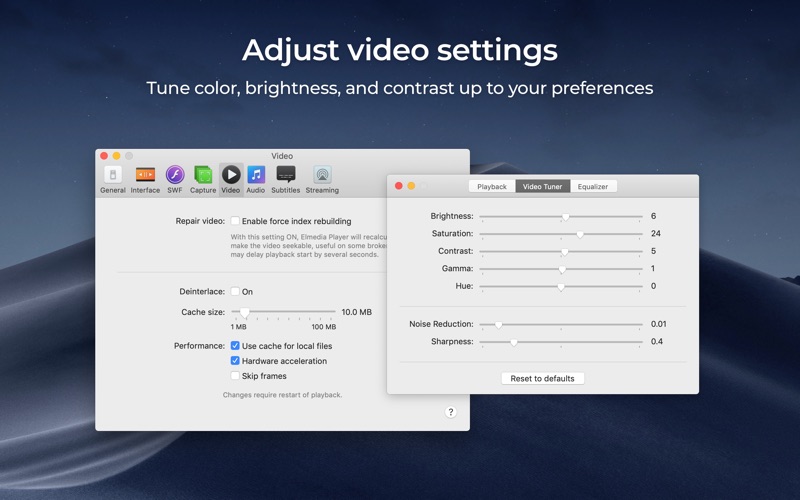
  • Adjust brightness, contrast, saturation even during playback.
  • Rotate, flip, mirror the video image;
  • Set any part of movie or music video on a continuous loop;
  • Play with deinterlacing and image enhancement;
  • The 10band equalizer lets you make the audio just perfect for you. Existing presets include Large Hall, Party, and more. You can also create your unique sound setting.

*AirPlay support:

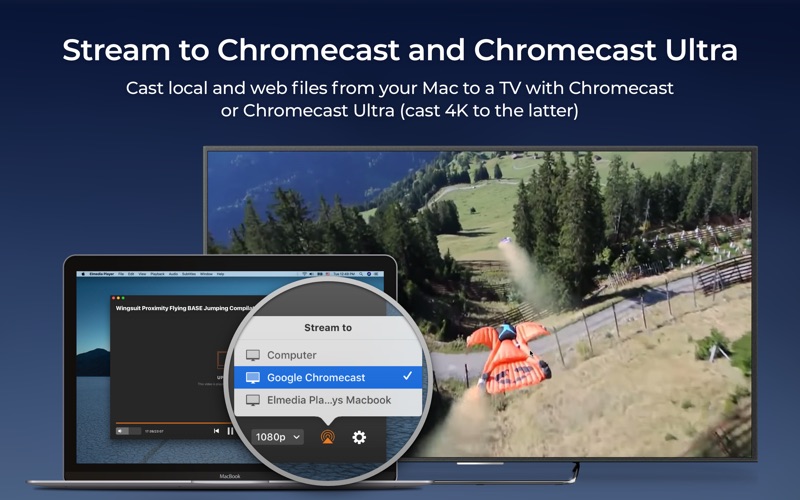
  • Stream content from and to Elmedia Player to or from other AirPlay devices or other Mac computers with Elmedia installed. Things to note:
  • Videos in AVI, FLV, MKV, 3GP formats don’t need conversion to be played on Apple TV.
  • Elmedia supports both embedded and external subtitle files for streaming.
  • VIDEO_TS, .swf, and .exe are not supported for streaming.
  • YouTube videos can be streamed to Apple TV. YouTube videos in MP4 format are supported by AirPlay, FLV, MKV, 3GP videos are not.

* Myo Connect

Elmedia Player GO works with your Myo armband- check details at http://goo.gl/SLqbQL.

NOTE: If you updated Elmedia Player GO to Version 6.9 and did not find download option there, please contact our support team.

Information

CompatibilityOS X 10.9 or later
LanguagesEnglish

What’s New in Elmedia Player Pro 7.6.1831

Fixed: resize of the Player’s main window.

Screenshots

Name Elmedia Player Pro 7.6.1831 [TNT] mac-torrents.net.zip
Size 67.49 MB
Created on 2019-10-01 18:18:02
Hash 7930ba14a7600e3071d79b3698e7bec4638bd481
Files Elmedia Player Pro 7.6.1831 [TNT] mac-torrents.net.zip (67.49 MB)

Download

Smart Zipper Pro 3.7.0

Name SmartZipper Pro 3 70 MAS [TNT] mac-torrents.net.zip
Size 22.72 MB
Created on 2019-09-30 19:32:59
Hash 322c8805de0274de2bb444579681c1bb90f15203
Files SmartZipper Pro 3 70 MAS [TNT] mac-torrents.net.zip (22.72 MB)

Download


Download Smart Zipper Pro 3.7.0

Smart Zipper Pro professionally create, modify, protect, split Archives. It protects confidential files with strong AES encryption. Over 30 popular formats are well supported.

Features

  • CREATE 7z, Zip, Gzip, Tar, Bzip2 archives easily.
  • REVISE existing archives without extracting.
  • PROTECT your data with strong AES-256 encryption.
  • Extract Different Files with Different Password in the Same Archives.
  • BROWSE images and PREVIEW files inside an archive without extracting. 
 SPLIT large archives to several small ones. 
 FILTER out unnecessary files .
  • DRAG and drop files directly to the Finder to decompress from the list view
  • Browse Compressed Archives in the Archiver.
  • Provide shortcuts in “Finder’s context menu”
  • Browse EXIF details of images and detailed information of audios and videos
  • Edit files and add them to the archive quickly.

Information

CompatibilityOS X 10.10 or later, 64-bit processor
LanguagesEnglish, Dutch, French, German, Italian, Japanese, Korean, Portuguese, Russian, Simplified Chinese, Spanish, Swedish, Traditional Chinese

Screenshots

Airy Pro 3.10.242


Download Airy Pro 3.10.242

Helps you download multiple YouTube videos to your Mac’s hard disk in various video and audio format such as FLV, MP4, 3GP and MP3

The Internet is full of YouTube downloaders that can help you grab and convert the video of your favorite artist in just a couple of seconds but few of them are as simple, intuitive and unobtrusive as Airy.

Lightweight and user-friendly YouTube downloader for everyday use

As expected, Airy is a straightforward Mac application that enables you to quickly download and convert various video clips to the desired video or audio format. You just have to paste the URL of any given YouTube video, select the video quality and initiate the download.

You can download YouTube videos to MP4 files at 144p, 240p, 360p, 480p, 720p, 1080p and even 4K if the resolution is available. You can also save a video as a low quality FLV file at 240p, or MP3 file that you can add to your iTunes playlist.

Easily integrates with your favorite web browser

What is more, Airy seamlessly integrates with your web browser and helps you send the video link directly to Airy with just a click of a mouse button. Apple’s Safari, Mozilla Firefox, Google Chrome and Opera are between the browsers supported by the app.

To integrate Airy into one of the above mentioned browser and other browsers that support this feature, you need to drag the link from Airy’s web browser integration page into your browser’s bookmarks bar. Every time you find a video you like and want to download, you can click on the bookmark to send the link to Airy for download.

Batch download and convert multiple videos with ease

You can even add multiple videos to the queue list and batch download them with ease. All downloaded items are displayed in the list can can be revealed in Finder. By accessing the Preferences window, you can set the default download directory and configure Airy to always ask where to save your video.

Unfortunately, Airy’s does not provide more audio encoding profiles and it is not able to automatically add your MP3 files to iTunes.

Information

CompatibilityOS X 10.9 or later 64
LanguagesEnglish

What’s New in Airy Pro 3.10.242

  • Release notes not available at the time of this post.

Screenshots


Name Airy 3 10 242 [TNT] mac-torrents.net.zip
Size 32.70 MB
Created on 2019-09-30 20:31:14
Hash 87ed552789f8178e4a54a3af590d21d0b5616b88
Files Airy 3 10 242 [TNT] mac-torrents.net.zip (32.70 MB)

Download

Macgo Mac Blu-ray Player Pro 3.3.18


Download Macgo Mac Blu-ray Player Pro 3.3.18

Macgo Blu-ray Player Pro makes it easy to watch your favorite Blu-ray movie discs, including additional BONUSVIEW and BD-Live contents. This app requires a Blu-ray capable optical drive.

Most Blu-ray Disc menus do not support mouse input. Please use keyboard arrow keys and enter key for menu navigation.

Regular media file playback is also supported in this version.

Supported:
  • Bluray Disc
  • Media Files
Not supported:
  • Ultra HD Bluray
  • Bluray 3D

Up to six family members will be able to use this app with Family Sharing enabled.

Information

CompatibilityOS X 10.8 or later 64-bit
LanguagesEnglish

What’s New in Macgo Mac Blu-ray Player Pro 3.3.18

Fixed high CPU usage while playing a few certain discs

Screenshots


Name Blu-ray Player Pro 3.3.18 [TNT] mac-torrents.net.zip
Size 56.05 MB
Created on 2019-09-30 15:48:50
Hash 69a7391a153fbd2d8a4e59e2084d0fe22becff06
Files Blu-ray Player Pro 3.3.18 [TNT] mac-torrents.net.zip (56.05 MB)

Download

HDRsoft Photomatix Pro 6.1.3


Download HDRsoft Photomatix Pro 6.1.3

Photomatix Pro merges photographs taken at varying exposure levels into a single HDR image that reveals both highlight and shadow details, with options for automatically aligning hand-held photographs, removing ghosts, and reducing noise and chromatic aberrations. Merged images can then be adjusted by a range of options and settings to get the look that users want — from natural-looking results using exposure fusion to painterly, surreal or ultra-realistic images using the tone mapping mode.

  • Merge to HDR, Tone Mapping and Exposure Fusion
  • Automatic Alignment of handheld photos
  • Automatic Ghost Removal and Selective Deghosting tool
  • Options for real estate photography
  • Automation with Batch Processing
Benefits for professional photographers:
  • Saving on lighting equipment. No need to acquire expensive lighting equipment and carry it when you shoot high contrast scenes. Just enable the Auto Exposure Bracketing feature of your camera, and let Photomatix merge your photos into an image with extended dynamic range.
  • Great pictures on cloudy days. Shadowless hazy sunlight or an overcast sky usually results in dulllooking photographs. The tone mapping tool of Photomatix can turn them into greatlooking images. Check out this image as an example.
  • Saving time in postprocessing. Photomatix Pro is designed for productivity — automatic blending, unlimited stacking, easy comparison of results and batch processing save hours of masking and layers work in image editing programs.
  • Well exposed panoramas. A panoramic scene is almost always a high contrast scene — you can’t limit your view to areas with the same brightness when shooting a 360° panorama. By taking views under several exposures and processing them in Photomatix Pro, you can create a panorama that will show details in both the dark and bright areas of the scene. Photomatix Pro offers both exposure fusion (also known as exposure blending) and HDR tone mapping.
HDRsoft Photomatix Pro 6.0

New Rendering Method for Realistic Look
Tone Balancer is a new Tone Mapping HDR rendering method which is good for realistic-looking results. It is well suited to real estate photographers and natural style landscape photographers who want more realistic style options.

Individual Color Adjustments

A new color adjustment tool, built right into the HDR Rendering panel, allows you to change the hue, saturation and brightness of individual colors in your image, which is particularly useful for fixing color casts.

Brush Tool

Make adjustments to just part of your image using the brush tool. Select the changes to color or brightness that you want, and paint over the area you want to affect. You can also use the brush to blend areas with one of the source photos and select multiple effects for different parts of the image.

Blending

For a more realistic look, you can now blend the HDR rendered image with one of the original photos. Change the opacity to get a larger or smaller influence on the end result.

Straightening Tool

Correct the horizon in your image if it’s not level, or when vertical things like walls or buildings don’t look vertical. The tool is part of the Finishing Touch palette.

More Intuitive Workflow

Whether you are working with a single image, or a bracketed set of photos, a more intuitive workflow makes it easier to load and choose images and proceed through to editing.

Information

CompatibilityRequirementsIntel OS X 10.6 or later
LanguagesEnglish

What’s New in HDRsoft Photomatix Pro 6.1.3

  • Release notes not available at the time of this post.

Screenshots


Name HDRsoft Photomatix Pro 6.1.3 mac-torrents.net.zip
Size 25.67 MB
Created on 2019-09-30 03:03:58
Hash 8ba9b1248b208e6bc04ff7f926d9147477f87cc9
Files HDRsoft Photomatix Pro 6.1.3 mac-torrents.net.zip (25.67 MB)

Download

Duplicate Photos Fixer Pro 2.14


Download Duplicate Photos Fixer Pro 2.14

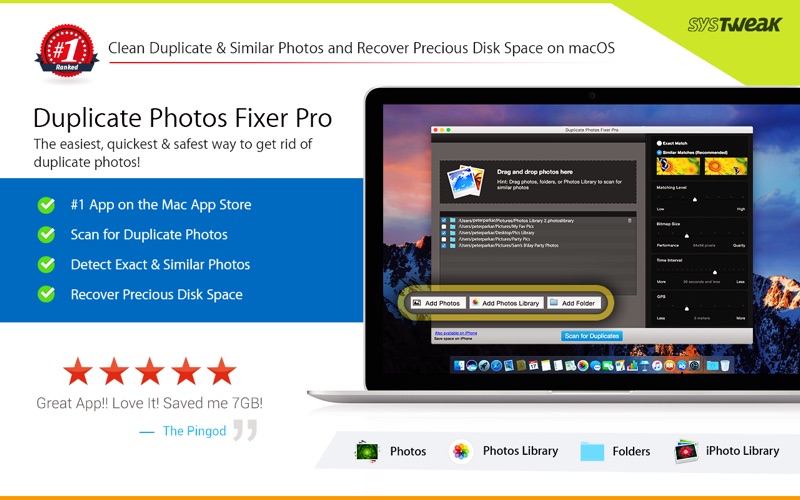
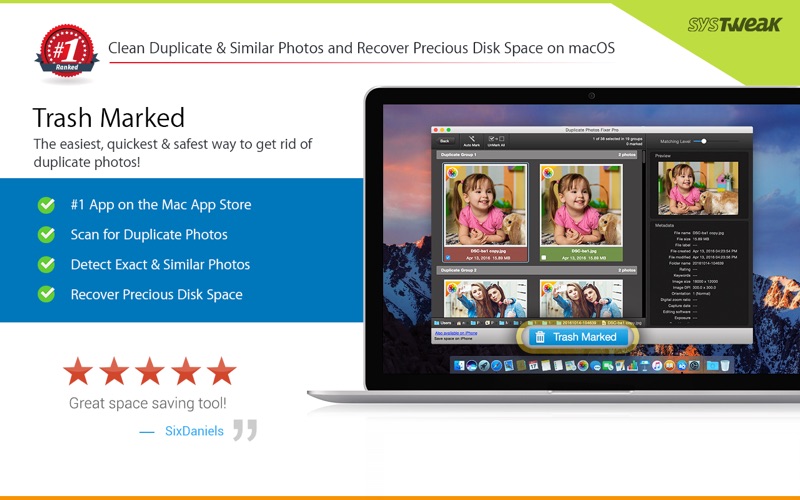
Duplicate Photos Fixer Pro is an ultimate photos fixing tool that smoothly scans and deletes duplicate or similar photos depending on the matching level you choose. This captivating tool works with photos from Photos and iPhoto, along with photos from external storage and your system’s hard drives as well. Free up ample of disk space by deleting a large number of similar and duplicate photos in just a click!

Duplicate Photos Fixer Pro works like a charm and has the ability to detect duplicate and similar photos wherein:

  • You click photos of the same scene in quick succession to capture the perfect shot
  • Your photos are scattered all over the system, external storage devices, Photos and iPhoto and hard drives
  • You clutter the system by creating backups of pictures and now want to remove the junk

Why use Duplicate Photos Fixer Pro?

Drag-and-Drop Folders/Photos

Simply drag and drop folders to easily scan for photos inside them. You can add more photos from your Photos and iPhoto library and other folders as well.

Custom Comparison Settings

You can fully customize your comparison settings out of the available methods by adjusting the settings according to your requirement, regardless of the image size or format.

Speed

Duplicate Photos Fixer Pro is extremely fast when it comes to scanning and comparing a large number of photos within seconds. This is due to the powerful algorithms injected during the development of this tool that make the search of duplicate photos extremely fast, giving excellent comparison results.

Efficiency / Real-time Results

Without re-comparing photos, you can re-group the comparison results by changing the matching level on the slider in real-time.

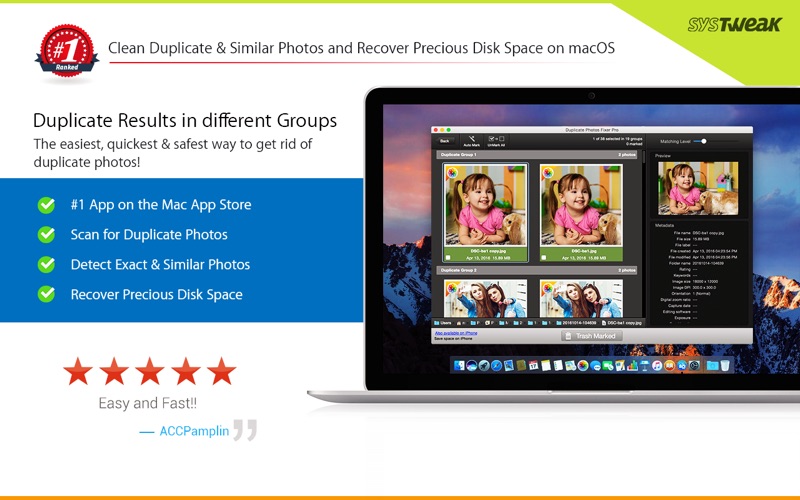
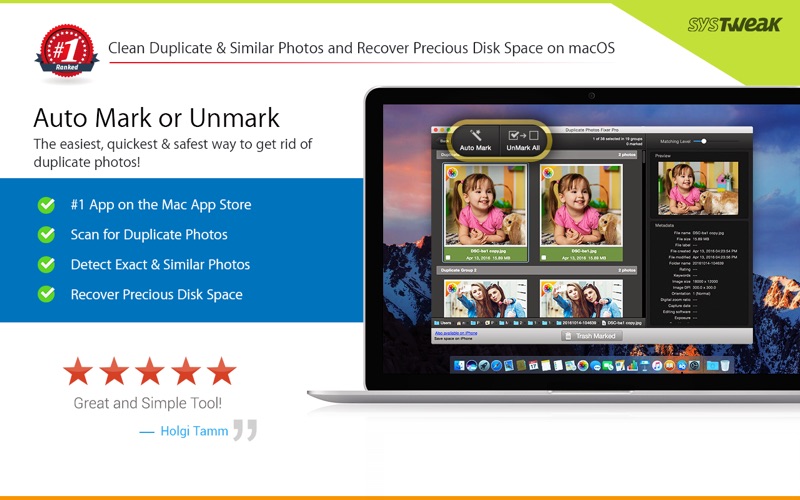
Auto-Mark Duplicates

Use the Auto-Mark feature to mark all duplicate photos in every group except one, depending upon the preferences.

Compact Viewing

The interface of Duplicate Photos Fixer Pro is designed in such a way that all occurrences of photos are classified into different groups and are viewed as large photos group in each line.

Quick Look

Before moving ahead and deleting photos, you can have a clear look at them instead of opening them individually, using this feature.

Information

Compatibility10.7 or later, 64-bit processor
LanguagesEnglish, French, German, Japanese

What’s New in Duplicate Photos Fixer Pro 2.14

Minor bug fixes.

Screenshots


Name Duplicate Photos Fixer Pro 2 14 MAS [TNT] mac-torrents.net.zip
Size 23.32 MB
Created on 2019-09-30 01:56:11
Hash c9d7d4a0c5180fc2539b5778ec371bb3acbfe2b2
Files Duplicate Photos Fixer Pro 2 14 MAS [TNT] mac-torrents.net.zip (23.32 MB)

Download

Synalyze It! Pro 1.23.4


Download Synalyze It! Pro 1.23.4

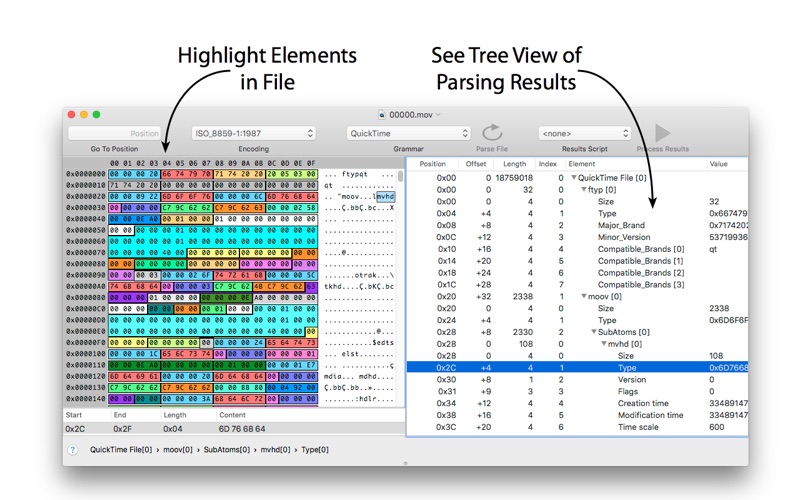
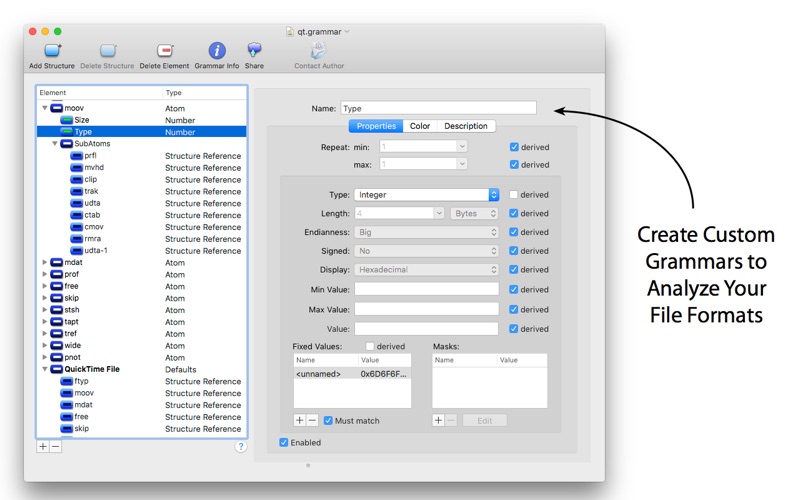
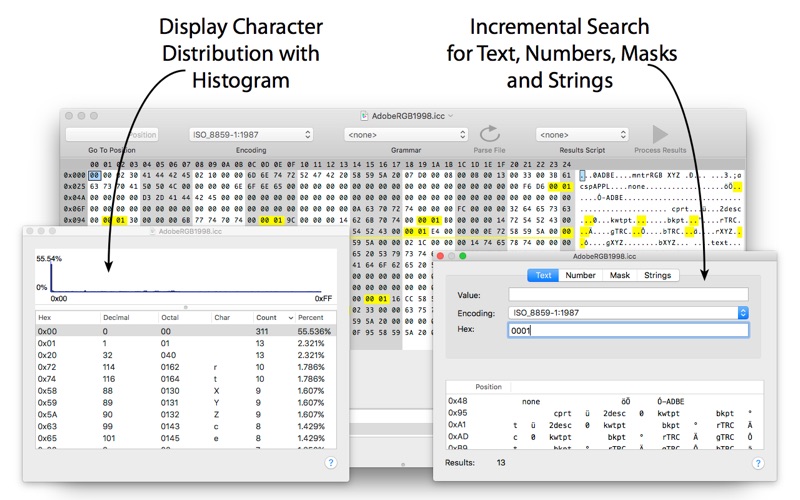
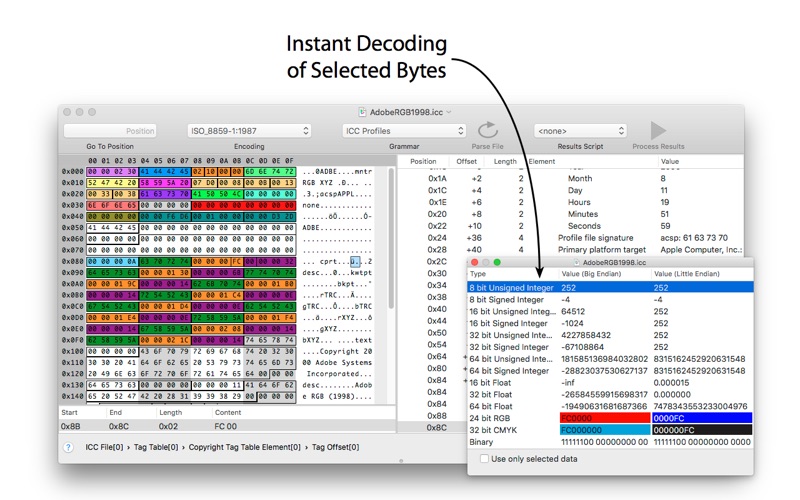
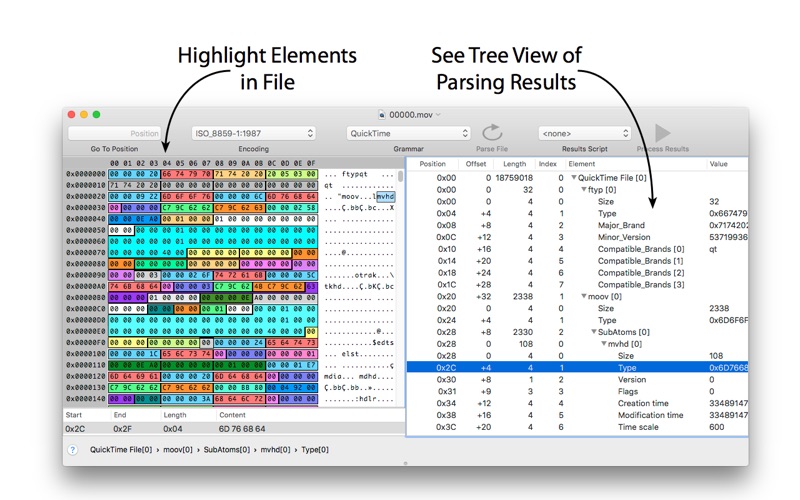
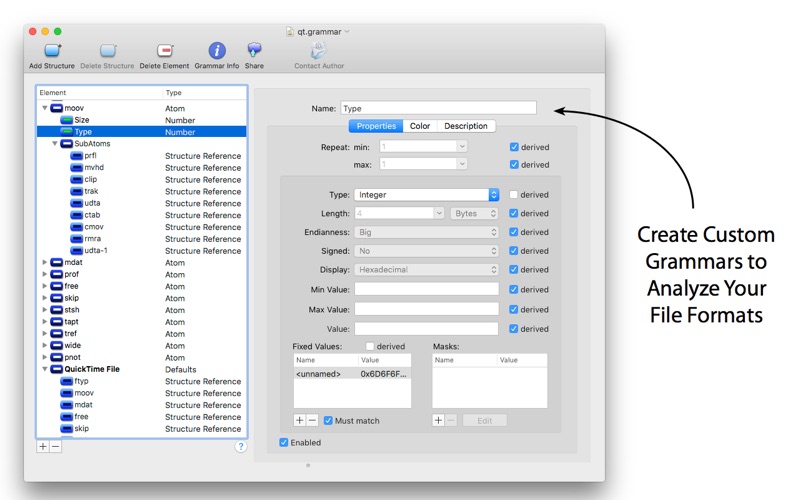
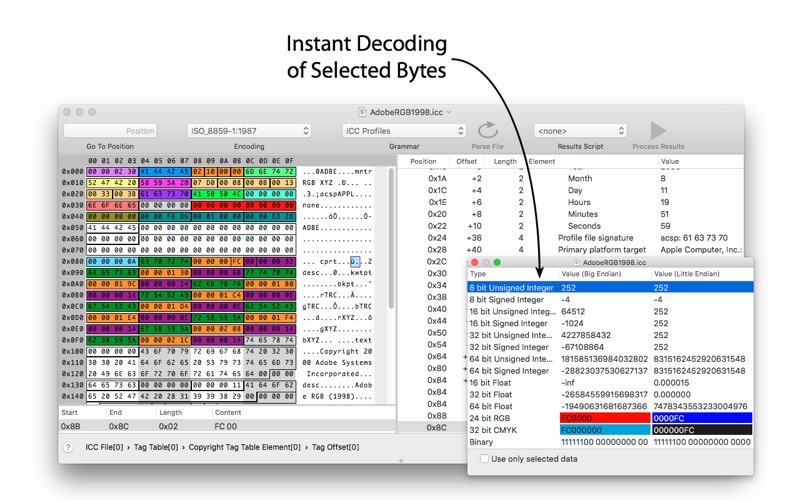
Synalyze It! Pro is a simple-to-use hex editor which will allow you to easily edit and analyze binary files of any size. It features enhanced support for many character encodings and enables you to interactively define “grammars” for various file formats to speed up analysis and reduce manual decoding of files. Incremental search for strings and numbers, printing and other features make it a quite powerful tool.

With Synalyze It! Pro you can

  • define a “grammar” that contains all the knowledge about a file format
  • decode files automatically using this grammar with the Universal Parsing Engine
  • make assumptions in unknown file formats and record them in a grammar
  • save tons of time by using free grammars for well-known file formats like ZIP, JPEG, PNG, ICC or OpenType
  • reveal the secrets of proprietary formats
  • learn reverse engineering of binary files
  • process the parsed file contents with Python or Lua scripts
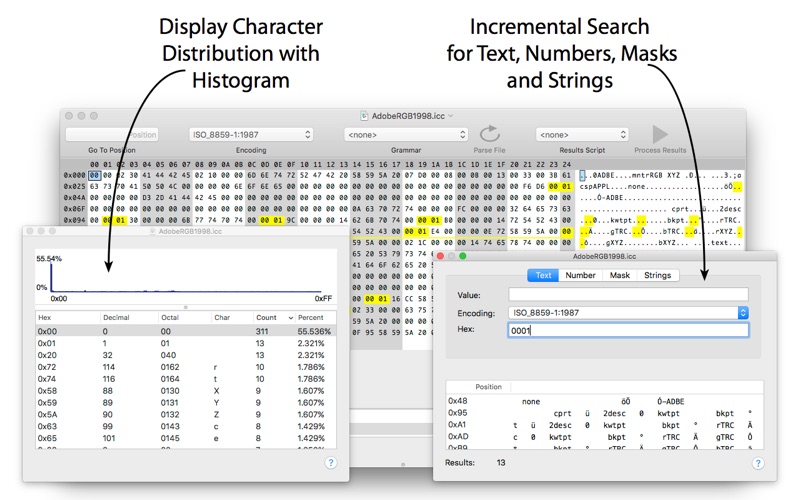
  • analyze files with powerful features like histograms

Synalyze It! Pro is a real breakthrough in binary file analysis – a modeling tool for binary files.

And by the way: it’s a great hex editor, too  The Hex Editor you’ll love!

Here are some key features of Synalyze It! Pro:

  • Hex Editor & Viewer (change, insert and delete quickly in files of unlimited size)
  • Definition of a “grammar” for binary files with Scripting support – conserve your knowledge!
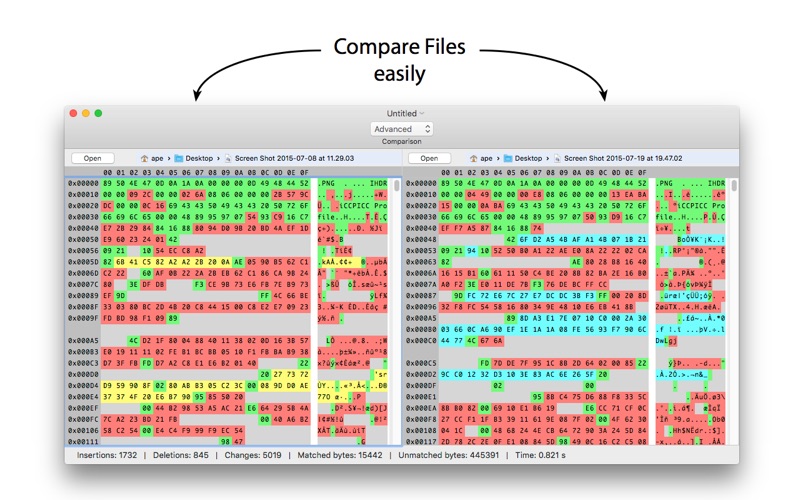
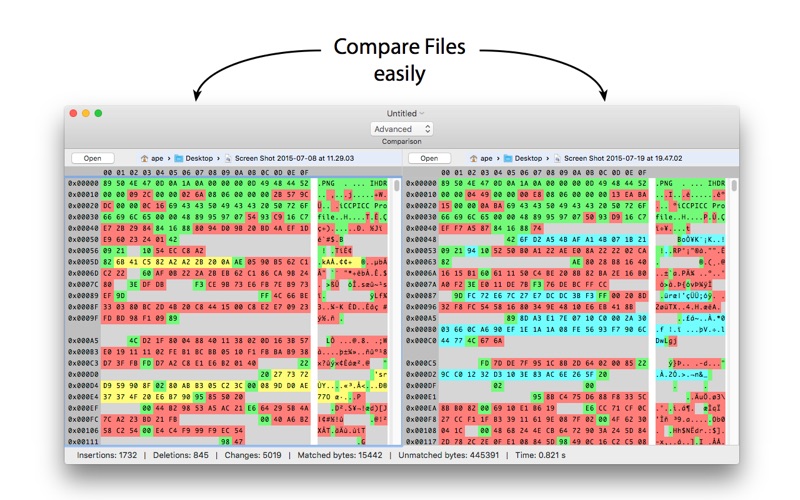
  • Comparison of binary files (only in this Pro version)
  • Automatic backup of edited files
  • Offers dozens of text encodings including UTF-16, UTF-8 or EBCDIC code pages
  • Scripting editor (only in this Pro version)
  • Automatic installation of existing grammars
  • Export of analysis to XML or text (only in this Pro version)
  • Export grammars to GraphViz (only in this Pro version)
  • Data view for common variable types (only in this Pro version)
  • Multi selection of results (only in this Pro version)
  • Go to position item in toolbar (only in this Pro version)
  • Python and Lua scripting element (only in this Pro version)
  • Edit description of structures and elements (only in this Pro version)
  • Change Font in hex view (only in this Pro version)
  • Customize all colors and other settings
  • Printing with correct pagination
  • Histogram view
  • Checksum / hash value panel (only in this Pro version)
  • Go to Position in file using expressions
  • Save selected bytes
  • Compare code pages
  • Incremental text search with encoding selection
  • Find text
  • Find numbers
  • Search for masks
  • See all strings in a file

Information

Compatibility10.9 or later, 64-bit processor
LanguagesEnglish, German

What’s New in Synalyze It! Pro 1.23.4

  • Release notes not available at the time of this post.

Screenshots


Name Synalyze It Pro 1.23.4 [TNT] mac-torrents.net.zip
Size 60.51 MB
Created on 2019-09-30 02:48:51
Hash b2e0903f8ac7d92dc483ac64d713d24d9b7c0c0d
Files Synalyze It Pro 1.23.4 [TNT] mac-torrents.net.zip (60.51 MB)

Download

Amadeus Pro 2.6.1 (2197)


Descriptions for Amadeus Pro 2.6.1 (2197)

lets you use your Mac for any audio-related task, such as live audio recording, digitizing tapes and records, converting between a variety of sound formats, etc. Thanks to its outstanding direct-to-disk abilities and waveform caching, edits on arbitrarily large sounds (even beyond the usual 2GB limit) are performed at lightning speed. The handling of large sounds is furthermore facilitated by the extensive support of markers. Its outstanding sound repairing and denoising abilities make Amadeus Pro particularly suitable for transferring vinyl records on CD.

Features

  • Simple and elegant OS X-like user interface
  • Multitrack editing an recording.
  • Batch processing and conversion.
  • Sound denoising and repairing.
  • Supports a variety of sound formats, including AIFF, Multichannel Wave, MP3, MP4, Ogg Vorbis, FLAC, SoundDesigner II, QuickTime, Apple CAF, etc.
  • Support for VST and Audio Unit plug-ins.
  • A “favourite actions” palette allows to have your most commonly used effects only a mouse click away.
  • A wide range of powerful audio analysis tools.
  • Audio CDs with CD-TEXT data can be burned directly from within Amadeus Pro.

Thanks to its outstanding direct-to-disk abilities and waveform caching, edits on arbitrarily large sounds are performed at lightning speed with this fully featured multi-track editor. The handling of large sounds is furthermore facilitated by the extensive support of markers.

While Amadeus Pro features a number of built-in audio effects (equalizer, speed and pitch change, echo, etc), its abilities can be extended arbitrarily through the support of Audio Units and VST plug-ins.

Besides all the functions you would expect from a professional quality waveform editor.

Amadeus Pro also features:

  • Tracks can be split into multiple clips for easy placement
  • Audio Units can be applied to tracks non-destructively in real-time
  • Smart editing
  • Scheduled recordings
  • Powerful batch processor
  • Direct recording from internet streams
  • A full range of real-time and offline sound analysis tools

Information

Compatibility10.8 or later, 64-bit processor
LanguagesEnglish, Danish, Finnish, French, German, Italian, Spanish

What’s New in Amadeus Pro 2.6.1 (2197)

  • Release notes not available at the time of this post.

Screenshots


Name Amadeus Pro 2.6.1.2197 [TNT] mac-torrents.net.zip
Size 30.64 MB
Created on 2019-09-29 16:10:24
Hash 6864c82ac9d278f2fe18f78f90a86205fd2f4ef1
Files Amadeus Pro 2.6.1.2197 [TNT] mac-torrents.net.zip (30.64 MB)

Download

VueScan Pro 9.7.01


Descriptions for VueScan Pro 9.7.01

, the world’s most popular scanner software, is used extensively by photographers, home users, scanning services and corporations. VueScan is a scanning program that works with most high-quality flatbed and film scanners to produce scans that have excellent color fidelity and color balance. It is very easy to use, and also has advanced features for restoring faded colors, batch scanning and other features used by professional photographers.

VueScan changes nothing on your system, installs nothing in your operating system and all other scanner software will continue to function. VueScan increases your productivity and saves you money. VueScan has advanced scanning options, powerful features, and greatly improves your scans with superior color accuracy and better color balance. VueScan supports more than 700 scanners and 209 digital camera raw files and takes about 5 minutes to download and install.

Features:

  • Works with 1200 flatbed and film scanners
  • Runs on Mac OS X, Windows and Linux
  • Improves your productivity and quality of scans
  • Has been downloaded more than 5 million times
  • Create raw scan files
  • ICC profiles and color spaces
  • IT8 color calibration

Information

CompatibilityOS X 10.5 or later
LanguagesEnglish

What’s New in VueScan Pro 9.7.01

  • Release notes not available at the time of this post.

Screenshots


Name VueScan_Pro_9.7.01_macOS_mac-torrents.net.zip
Size 24.00 MB
Created on 2019-09-28 04:14:58
Hash 0e9eea80434e3e6d305394a178ec70de046dec15
Files VueScan_Pro_9.7.01_macOS_mac-torrents.net.zip (24.00 MB)

Download

Elmedia Player Pro 7.5.1825


Descriptions for Elmedia Player Pro 7.5.1825

Elmedia Player GO will play various file formats, be it AVI, MP4, WMV, MKV, MP3, M4V, or else. The good news is Elmedia Player GO is a versatile app that doesn’t require any additional codecs and plugins.

**Elmedia Player is available for Apple TV now!**

Elmedia offers fantastic HD experience thanks to its native hardware accelerated decoding feature. It doesn’t just bring you the best quality picture but also doesn’t load your computer’s processor.

*Highlights:

Video and audio

  • Bring the player on top of all other open apps and never miss a moment of the movie.
  • Play any sound track including external ones.
  • Has its own volume control.
  • Offers exceptional support for subtitles, including Arabic, Eastern Asian languages, Hebrew.
  • Sound and subtitles languages are easy to select;
  • Creation & management of playlists.
  • Easy to fit the video image to screen.
  • Playback speed is adjustable.

Flexible settings

  • When a movie has subtitles Elmedia Player GO can sync them with the video in case there is any mismatch.
  • Play a DVD or a video that was copied from DVD without any additional hassle.
  • Choose which monitor will show fullscreen;
  • Snap a screenshot of any moment in the video or create a series of pictures with adjustable interval.
  • Virtual surround and speakers emulation provides the exquisite hearing experience.
  • Select the output device for sound.
  • Transmit AC3/DTS through S/PDIF.

**Supported formats**

  • Audio: mp3, m4a, wma, aac, ac3, aiff, ape, flac, mka, ogg, pcm, ra, vaw, waw, wav, aif, oga, caf, midi, mid, acm, dts, mpa, webm
  • Video: 3gp, avi, mp4, mpeg, vob, flv, mov, mkv, 3iv, asf, fli, m1v, m2t, m2ts, m2v, m4v, mp2, mpg, mpg2, mpg4, mpv, mqv, nut, nuv, nsv, qt, ram, rec, rm, rmvb, ts, vcd, vfw, wmv, webm, rv, f4v, ogv, ogm, divx, asx, dat, tp, mjp, yuv, xvid, vc1, mtv, mxf, qtz, dv, hdv, 3g2, mts
  • Subtitles: utf, srt, ass, smi, txt, ssa, smil, jss, rt, idx, sub, xml

Refine the Playback

  • Adjust brightness, contrast, saturation even during playback.
  • Rotate, flip, mirror the video image;
  • Set any part of movie or music video on a continuous loop;
  • Play with deinterlacing and image enhancement;
  • The 10band equalizer lets you make the audio just perfect for you. Existing presets include Large Hall, Party, and more. You can also create your unique sound setting.

*AirPlay support:

  • Stream content from and to Elmedia Player to or from other AirPlay devices or other Mac computers with Elmedia installed. Things to note:
  • Videos in AVI, FLV, MKV, 3GP formats don’t need conversion to be played on Apple TV.
  • Elmedia supports both embedded and external subtitle files for streaming.
  • VIDEO_TS, .swf, and .exe are not supported for streaming.
  • YouTube videos can be streamed to Apple TV. YouTube videos in MP4 format are supported by AirPlay, FLV, MKV, 3GP videos are not.

* Myo Connect

Elmedia Player GO works with your Myo armband- check details at http://goo.gl/SLqbQL.

NOTE: If you updated Elmedia Player GO to Version 6.9 and did not find download option there, please contact our support team.

Information

CompatibilityOS X 10.9 or later
LanguagesEnglish

What’s New in Elmedia Player Pro 7.5.1825

  • Fixed: streaming to Apple TV with tvOS 13 installed.
  • Lots of other minor fixes and improvements (thank you for your continued feedback!)

Screenshots


Name Elmedia Player Pro 7.5.1825 [TNT] mac-torrents.net.zip
Size 67.49 MB
Created on 2019-09-27 23:46:40
Hash 54db9457897a474b249e3412e6abb797b43f5f40
Files Elmedia Player Pro 7.5.1825 [TNT] mac-torrents.net.zip (67.49 MB)

Download

VMware Fusion Pro 11.5.0 Extended Edition


Descriptions for VMware Fusion Pro 11.5.0 Extended Edition

VMware Fusion gives Mac users the power to run Windows on Mac along with hundreds of other operating systems side by side with Mac applications, without rebooting. Fusion is simple enough for home users and powerful enough for IT professionals, developers and businesses.

Run Nearly Any Operating System on a Mac

Running Windows on Mac is only the beginning. VMware Fusion lets you choose from hundreds of supported operating systems, from lesser-known Linux distributions to the latest Windows 10 release.

Connect to VMware vSphere

Securely connect with vSphere, ESXi and Workstation servers to launch, control and manage both virtual machines (VMs) and physical hosts. Thanks to the common VMware platform, VMs can be easily transferred from the vSphere data center to the Mac desktop and then run in Fusion.

Develop and Test for Any Platform

Fusion makes it simple to test nearly any OS and app on a Mac. Build and test apps in a sandbox while securely sharing local source files and folders. Fusion Pro now includes a RESTful API to integrate with modern development tools like Docker, Vagrant, Ansible, Chef, and others to fit the power of VMware into today’s Agile and DevOps-oriented production pipelines.

Design and Demo Complex Solutions

With the ability to run an entire virtual cloud stack on a single Mac, solution architects can demonstrate their entire software solution in real time, with safe rollback points to return to known configurations. Fully express the story of your software journey by running all of its components on a single notebook to show the world.

WHAT’S NEW:

Professionals Run Windows on Mac with Fusion Pro

Fusion 8 Pro lets Mac users take advantage of Windows 10 features like the all new Edge browser, or strike up a conversation with Cortana, the all-new personal digital assistant, even while Fusion is running in the background. With support for over 200 operating systems including Windows 10, Fusion 8 Pro delivers unsurpassed platform compatibility and integration with the VMware ecosystem.

Expiring Virtual Machines

For workers assigned to short-term projects, temporary employees, or for a software evaluation, create restricted virtual machines that expire at a predefined date and time. When powered on, the virtual machine will query the server at specified time intervals, storing the current system time in the restricted virtual machine’s policy file as the last trusted timestamp. An expired virtual machine will automatically suspend and will not restart without administrator intervention.

Information

CompatibilitymacOS 10.12 or later
LanguagesEnglish

What’s New in VMware Fusion Pro 11.5.0 Extended Edition

  • Release notes not available at the time of this post.

Screenshots


Name VMware Fusion Pro 11.5.0 Extended Edition.zip
Size 539.9 MB
Created on 2019-09-27 23:18:00
Hash 951ab3ef3f7cba17298adb5073abe042b8bce857
Files VMware Fusion Pro 11.5.0 Extended Edition.zip (539.9 MB)

Download

FileMaker Pro 18 Advanced 18.0.3.317


Descriptions for FileMaker Pro 18 Advanced 18.0.3.317

FileMaker Pro Advanced is the tool you use to create a custom app. You also use FileMaker Pro Advanced to access your app on a Windows or Mac computer. Start by importing data from a spreadsheet or using a built-in Starter app to manage contacts, inventory, meetings, and more. Or even quickly build a new app from the beginning.

FileMaker Pro Advanced includes a set of advanced tools to help you design and develop custom apps faster and easier. Plus, you’ll get robust analysis capabilities, powerful diagnostic tools, and much more.

Features:

  • Start quickly – Create precisely the app you want using the intuitive graphical interface, flexible design tools, built-in Starter apps, and ready-to-use themes
  • Import existing data – Bring your existing data into a FileMaker app. Import data types such as .CSV, Tab, XML, ODBC, and Microsoft Excel files
  • Built-in reporting tools – Easily make summary reports, colorful charts, and executive dashboards using built-in reporting and charting tools. Save your information in popular Excel and PDF formats
  • Out-of-the-box security – Centralize your information and safely access data using proven encryption standards. Manage group or individual user privileges – even for a single field
  • Share with your team – Create custom apps that work together seamlessly across iPad, iPhone, Windows, Mac, and the web. Securely share your app with others using FileMaker Cloud or FileMaker Server. Learn more
  • Integrate with other programs – Connect with other popular apps and web services through powerful REST APIs. And create live, 2-way connections with Microsoft SQL Server, Oracle, MySQL, PostgreSQL, and IBM DB2 data sources

Advanced features:

  • Script Debugger – Instantly pinpoint problem areas in scripts and Script Triggers directly in the Script Workspace. Turn off Script Triggers when debugging to fine tune the troubleshooting process.
  • Data Viewer – Monitor fields, variables, and calculations while troubleshooting.
  • Database Encryption – Enable AES 256-bit encryption to protect data on FileMaker Cloud, FileMaker Server, or on a FileMaker client.
  • Custom Menus – Create, change, or delete specific menu items or entire menu sets.
  • Custom Functions – Build your own functions and copy, paste, or import them into any FileMaker file.
  • Database Design Report – Run comprehensive reports on all elements of your database schema.
  • Kiosk mode – Build applications where all menus are hidden.

Information

CompatibilitymacOS 10.13 or later
LanguagesEnglish

What’s New in FileMaker Pro 18 Advanced 18.0.3.317

  • Release notes not available at the time of this post.

Screenshots


Name FileMaker Pro 18 Advanced 18.0.3.317 mac-torrents.net.zip
Size 298.3 MB
Created on 2019-09-27 16:05:56
Hash 9ed06294f242c862a10cb85ed4485ab9b55051ac
Files FileMaker Pro 18 Advanced 18.0.3.317 mac-torrents.net.zip (298.3 MB)

Download

Mac DVDRipper Pro 8.0.3


Descriptions for Mac DVDRipper Pro 8.0.3

Mac DVDRipper Pro is the DVD backup solution that lets you protect your DVDs from scratches, save your batteries by reading your movies from your hard disk, manage your collection with just a few clicks, time-shift your rental, backup your DVD collection, and much more!

Mac DVDRipper Pro allows you to copy all your DVDs on your Mac so you can easily view them without having to spend your battery on spinning your optical drive. It analyzes the DVD and uses intelligent algorithms to ensure proper rips. It is the best at what it does, at an unbeatable price! And when using the disc image mode, you can also burn directly to another DVD from the application.

You can try it for free before buying, Mac DVDRipper Pro will work without any limitations for your first 5 rips.

Information

CompatibilityOS X 10.8 or later
LanguagesEnglish

What’s New in Mac DVDRipper Pro 8.0.3

Fixed:

  • Bug with metadata
  • Possible crash

Screenshots


Name DVDRipper Pro 8.0.3 Shark mac-torrents.net.zip
Size 519.3 MB
Created on 2019-09-27 03:14:23
Hash 9fb36c5a4da3ab0666180171d5abd28addbd475a
Files DVDRipper Pro 8.0.3 Shark mac-torrents.net.zip (519.3 MB)

Download

Librarian Pro 5.0.3


Descriptions for Librarian Pro 5.0.3

Comprehensive cataloging system that offers you the possibility to keep an inventory containing all your books, CDs, magazines, movies, and so on

Keeping track of both physical and digital media content that you have acquired over the years is certainly a good idea: this way you can avoid purchasing the same title more than once. Librarian Pro is an user friendly Mac app that can handle cataloguing different types of media.

For your convenience, Librarian Pro scans your Mac to find other available media libraries, and offers to import them automatically.

Effortlessly create a library that contains all sorts of media content

Moreover, the Librarian Pro app can handle both the iTunes library, and catalogues created using third party apps, such as Bookpedia, Gamepedia, CDpedia, Delicious, and so on.

At the same time, you can also manually input new entries in any of the default categories: books, electronics, miscellaneous, movies, music, software, or video games. Of course, you can also create your own collections.

To streamline the process, Librarian Pro allows you to perform searches on different Amazon websites, on BestBuy, or in the Koingo or UPC databases: this way, you can add entries with complete metadata with a simple mouse click.

Keep track of your items with minimal effort

Librarian Pro can integrate with your Contacts and Calendar applications in order to help you monitor the items that have been borrowed, to whom, and when should each item be returned. As a result, you will never lose sight of your favorite items.

To help you find things faster, Librarian Pro comes with a couple of predefined smart lists, but you have the option to create your own, by manually defining sorting rules. Thanks to the well organized user interface, finding your way around is quite easy, even if certain useful features are not easily accessible.

Streamlined cataloguing solution that can deal with different types of media

In a nutshell, Librarian Pro proposes a simple solution for keeping track of all your books, games, software, and other media content, via the same clean and organized environment.

Furthermore, the Librarian Pro utility can also keep track of both physical objects and digital content, and integrates with system apps to help you monitor borrowed items.

Information

CompatibilityOS X 10.10 or later
LanguagesEnglish

What’s New in Librarian Pro 5.0.3

Enhnacement:

  • Catalina support

Bug Fix:

  • Fixed crash when dragging multiple items at once to a different collection

Screenshots


Name Librarian Pro 5.0.3 [TNT] mac-torrents.net.zip
Size 48.04 MB
Created on 2019-09-27 01:01:04
Hash c834e04047b08579181da395e81031a722b1ba50
Files Librarian Pro 5.0.3 [TNT] mac-torrents.net.zip (48.04 MB)

Download

MacX DVD Ripper Pro 6.2.4.20190924


Descriptions for MacX DVD Ripper Pro 6.2.4.20190924

Best DVD ripper for Mac users to rip both homemade and commercial DVDs to any format at NO.1 fast speed (5 min only to rip a full DVD) and original quality. The first and only tool to support all knotty DVDs (new DVD, 99-title DVD, damaged & unplayable DVD) and rip DVDs/ISO images in all sorts of formats, including DVD to MP4, H.264, MOV, FLV, MPEG4, AVI, QT, MP3, etc.

With 350+ preset profiles, the DVD ripper makes it hassle-free to convert DVDs for playback on iTunes, QuickTime, Apple iPhone iPad, Android, PS4, TV, etc. You can also clone DVD to ISO image at 1:1 ratio and copy DVD title to MPEG2 and MKV with all videos, audios and subtitles. Digitize your DVDs to protect them from scratch or damage and enjoy them anywhere anytime.

Information

CompatibilityOS X 10.8 or later 64bit
LanguagesEnglish

What’s New in MacX DVD Ripper Pro 6.2.4.20190924

  • Release notes not available at the time of this post.

Screenshots


Name MacX DVD Ripper Pro 6.2.4 (20190924) [TNT] mac-torrents.net.zip
Size 65.35 MB
Created on 2019-09-26 15:59:35
Hash 4f127dd62fab9656651ec70c454dbe3d02fd58e9
Files MacX DVD Ripper Pro 6.2.4 (20190924) [TNT] mac-torrents.net.zip (65.35 MB)

Download

MacX Video Converter Pro 6.4.4.20190924


Descriptions for MacX Video Converter Pro 6.4.4.20190924

MacX Video Converter Pro is an excellent all-in-one toolkit that works as an HD video converter, video editor, screen recorder, and slideshow maker. It lets you convert 4K HD/SD videos to MP4, AVI, MPEG, FLV, MOV, WMV, MKV, MP3, etc., for playback on QuickTime, iPhone, iPad, or Android flawlessly, and for editing with iMovie and Final Cut Pro. This easy-to-use video converter gives you complete control over all videos recorded with an HD camcorder or downloaded from the Internet at 83x speed and with high video quality.

Main features

  • Ultrafast video converter: Builtin 370 video/audio codecs, MacX Video Converter Pro is able to convert any video to popular video/audio formats, such as M2TS to MP4, MKV to AVI, MKV to MP4, WMV to MOV, AVI to iMovie, FLV to AVI, MP4 to MP3, etc. The 350+ preset profiles allows you to convert video to iPhone 6/6 Plus, iPad Air 2/Mini 3, iPod, Apple TV 3, iTunes, QuickTime, Galaxy S5 mini/ Note 4, Surface Pro3, Xperia Z3, PS4, etc., for playback.
  • Edit, trim and record video: Besides the video converting and downloading ability, MacX Video Converter Pro also offers robust functionality to edit video (cut/trim/merge video, add external subtitles and watermark), adjust video parameters, record screen activity, etc.
  • No.1 converting speed and high video quality: This Mac video converter has an easytonavigate interface and brings the fastest converting speed and zero quality loss with the help of hyperthreading technology and high quality engine.

Information

CompatibilityOS X 10.8 or later 64-bit
LanguagesEnglish

What’s New in MacX Video Converter Pro 6.4.4.20190924

  • Release notes not available at the time of this post.

Screenshots


Name MacX_Video_Converter_Pro_6.4.4__20190924___TNT_.zip
Size 49.32 MB
Created on 2019-09-26 16:00:25
Hash bd7488d2e0029ff50000ddf2264ae8a6833ee946
Files MacX_Video_Converter_Pro_6.4.4__20190924___TNT_.zip (49.32 MB)

Download

DAZ Studio Pro 4.12.0.86


Descriptions for DAZ Studio Pro 4.12.0.86

DAZ Studio is a feature-rich 3D figure posing and animation tool that enables users of any skill level to easily create stunning digital imagery. Whether you’re a 3D newbie or an avid 3D artist, you’ll find DAZ Studio is the perfect tool for designing unique digital art and animation with virtual people, animals, props, vehicles, backgrounds and more. Experience total creative freedom with DAZ Studio and express yourself in 3D like never before.

Features:

What will you create with DAZ Studio?

  • Writing a fantasy novel and need a hero? No Problem.
  • Need to storyboard some lighting effects? No Problem.
  • Need to create a flexible and complex character for an online short video? No Problem.
  • Need a low cost realistic model and don’t have time or budget to hire one? No Problem.
  • Have something lodged in your imagination that just must come out? No Problem.

New Product-centric Workflow

The new product-centric workflow makes working with your content much easier. From buying and installing new products to navigating and alternating between products and files, the workflow has been redesigned. To get started, log in to your Daz 3D account to take advantage of the new workflow.

Optional Filtering Based on Context

In earlier versions, the Smart Content pane displayed filtered assets/products based on compatibility with the selected object and assigned content types. The 4.9 update now also includes a “Filter By Context” option (on the Files Page and separately on the Products Page), that lets you disable this filtering behavior and allows you to see content that may not be strictly built to work with the selected object.

Synchronized Navigation and Filters

The new Sync Pages option helps you more easily navigate and alternate between products and files. When enabled in the Pane (Tab) Option Menu, Sync Pages attempts to synchronize category selection in one page with the corresponding category in the opposite page.

Viewing a Product’s Contents

The Product Contents View has been redesigned to be more user-friendly. Functioning much like the Files and Products pages, the new Product Contents View now expands and collapses vertically in a familiar tree-like manner and consumes the whole page instead of a side scrolling list limited to a fraction of the space.

Filtering Products by Installed State

The Install State Filter Bar filters products displayed in the Results View a step further than the categories and sub-categories can on their own. This lets you view a product based on its status. Rather than search one by one through products, this option quickly filters products to show those that are installed, those that are have not been installed, those that need updating, and those that are currently in progress.

Sorting Products/Assets

Located directly beneath the Filter Bar, the Sorting Selector lets you sort assets or products using various attributes—such as Name, Product ID, Group ID, etc.—to make assets and products easier to find.

Assigning Products and Assets to Groups

Grouping helps you customize your content by letting you personalize the display of products and assets, which makes identification at glance even easier. Much like using a brightly colored marker or sticky notes, the Group feature marks assets and/or products in the Results View to help you visually group them using colors and shapes.

Render Engine Updates

Renderer engine updates include changes and bug fixes for both NVIDIA Iray and 3Delight render engines.

Information

CompatibilityMac OS X 10.6.8 or later
System Requirements
  • WHQL-64 certified
  • Intel Xeon/Core 2 Duo or Quad /Core i7 or AMD Opteron/Phenom processor(s)
  • Windows 8, 7 and Vista (Windows 8 or 7 is recommended)
  • 2 GB RAM min (3GB RAM recommended)
  • 1GB free hard drive space for installation
  • Hardware accelerated OpenGL 1.6 compatible graphics card with at least 512 MB RAM (OpenGL 2.2, or higher, compatible recommended)
  • DirectX 9 (used for audio processing only)
LanguagesEnglish

What’s New in DAZ Studio Pro 4.12.0.86

  • Release notes not available at the time of this post.

Screenshots


Name DAZ Studio 4.12.0.86 mac-torrent-donwload.net.zip
Size 818.3 MB
Created on 2019-09-26 19:48:30
Hash 6547103ee836aa6e9ae9a8f0aba54049da809aa0
Files DAZ Studio 4.12.0.86 mac-torrent-donwload.net.zip (818.3 MB)

Download

QLab Pro 4.5.1

Download QLab Pro 4.5.1

Everything you need to put on a great show.
QLab 4 combines powerful audio, video, and lighting control in one elegant package. With an all-new Light cue, a major upgrade to QLab Remote for iOS, and over 40 new features, this is the best version of QLab we’ve ever made.

Features:

Light Cues

We’re happy to announce: QLab does lights now.
Whether you’re a seasoned lighting professional or completely new to lights, we’ve worked hard to make designing your lights simple, powerful, and fun.

Cue Carts

You can now build cue carts and cue lists side-by-side, from a single button to a grid of 64. Any basic cue can be added to a cart, making it a friendly control surface for anything you can build in QLab.

Record Cue Sequences

Teach QLab by example.
In QLab 4 you can run through your cues manually, and let QLab record the timing of the triggers.

Fancy Paste

Like copy-and-paste, but way cooler.
Save hours of time with Fancy Paste! Selectively paste properties from one or more cues onto other cues in your workspace.

Additionally, you can now batch-edit the Basic, Trigger, and Light Level properties directly in the inspector.

Cue Templates

Customize exactly how new cues are created.
Plus, the new ability to pick a default workspace template on launch means it’s easy to jump straight into designing any new project.

New Trigger Options

In addition to QLab’s traditional array of powerful cue triggers, QLab 4 offers the option to:

  • Fade and stop other cues when a cue starts. (You can set a customizable fade time, and choose whether this affects just the cue’s peers, the cue list, or all other cues in every cue list.)
  • Duck or boost the volume of other cues while a cue is running.
  • Set “Second Trigger” actions, performed when a running cue is triggered a second time.
  • Perform “Trigger on Release” when releasing hotkeys, MIDI keys, or cue cart buttons.

New Workflow Tools

  • Import your Go Button shows into QLab.
  • Highlight “related” cues in the cue list (i.e. all cues related to the same target).
  • New negative post-wait times, to trigger the next cue “this many seconds before the current one ends”.
  • New red flash around the GO button if double-go protection is invoked.
  • New status window to show broken cues, warnings, Art-Net nodes, and logs for cue triggers, MIDI input, OSC input, & OSC replies.
  • New option to trigger a cue on workspace close, in addition to workspace open.
  • Enhanced input/output global overrides.
  • Up to 64 channels of audio output (up from 48).
  • New parametric fade curves, including support for equal power audio fades.
  • New editable durations for still image video cues and text cues.
  • New options to customize which workspace is opened on launch.
  • Fade your OSC messages over time, in 1D or 2D.
  • Inject live values from your workspace into outgoing OSC messages.
  • Customizable OSC reply format.
  • New OSC and AppleScript hooks all over the place.

Information

Compatibility
OS X 10.10 or later 64-bit
Languages
English

What’s New in QLab Pro 4.5.1

Added:

  • The Video settings panel now offers a button to open the macOS system display preferences, for your enjoyment and convenience.
  • Instrument definitions for the following American DJ fixtures: 15 Hex Bar IP, Encore Burst RGBW IP, Encore Burst UV IP, Entour Ice, Focus Beam LED, Focus Spot 4Z, PAR Z Move, PAR Z Move RGBW, Saber Bar 6, Starship, and Vizi Wash Z19.
  • Instrument definitions for the following Cameo fixtures: SuperFly XS, Thunder Wash 100 W, 100 RGB, 600 W, 600 RGB, 600 RGBW, 600 UV, and Tribar IR series.
  • Instrument definitions for the GLP Impression S350 Wash, Impression X4 Bar 10, and Impression X4 Bar 20.
  • Instrument definitions for the Yorkville LP-LED/x bar.

Fixed:

  • The cue list playhead will now (again) be preserved when switching between cue lists.
  • When dragging a folder of audio into a cue list, group cues will again be created for each nested folder.
  • A bug that could prevent the color picker scaling slider to work when scaling a color entered via the light dashboard command line.
  • A bug relating to auto-targeting newly created cues.
  • The crash report window could sometimes be hidden behind other windows at launch. It should now always be visible.
  • Several issues that could cause QLab to quit unexpectedly.
  • Errors in the instrument definitions for the CLF Lighting Conan

Screenshots

Name QLab Pro 4.5.1 [TNT] mac-torrents.net.zip
Size 24.43 MB
Created on 2019-09-26 00:55:26
Hash 544437a18c6c8e608f61c4a14ce306fca21519ff
Files QLab Pro 4.5.1 [TNT] mac-torrents.net.zip (24.43 MB)

Download

MovieMator Video Editor Pro 2.8.0


Descriptions for MovieMator Video Editor Pro 2.8.0

– With a streamlined design and professional editing features, Video Editor MovieMator Pro easily edit any type of video and audio clips in its native format to create fantastic family movies and high quality photo slideshows at the speed of thought. Besides providing the basic editing features like trimming, cropping, splitting, rotating and more, it brings to the table exceptionally advanced editing functionalities like video overlay (PIP), stabilization, etc. With 40+ built-in fixed filter effects and perfect support for keyframe technology, Video Editor Pro will create a variety of eye-catching animation effects.

Video Editor MovieMator Pro provides unlimited video and audio tracks for editing large projects. Moreover, it fully supports all media formats like 4K UltraHD, H.265, MP3, OGG, JPG, SVG, etc. and is optimized for the decoding of different formats, which significantly improved the decoding speed and quality.

Create Fantastic Animation Effects with Keyframe Animation Technology

  • Text animation: display different text at different times of the clip.
  • Rotate animation: set different rotation angles at different times of the video clip.
  • Wave animation: show different wave effects at different times of the clip.
  • Stabilization animation: show different stabilization effects at different times of the clip.
  • Gradient brightness, saturation, contrast, white balance and other effects.
  • Download the software NOW to experience more animation effects.

Easily Edit Videos/Audios/Images

  • Unlimited video tracks and audio tracks help users handle all projects.
  • Basic editing features: merging, splitting, rotating, cropping, trimming, etc.
  • Seamlessly assemble clips and adjust them frame by frame in the Timeline .
  • Separate the audio track from a video file with ease.
  • Create colorful slideshows with photos, music and fades.

Make Personalized Home Movies with Creativity

  • 40+ fixed filter effects: Blur, Old Film, Sharpen, Stabilize, Vignette, White Balance…
  • Create fantastic animation effects with keyframe animation technology.
  • Play multiple videos in the same time with PictureinPicture effect.
  • Stabilize your shaky Action Camera footage in one click.
  • Create Fast/Slowmotion video by adjusting the playing speed as you like.
  • Support volume adjustment and various audio filters to create perfect sound effect.
  • Set fade in/out time for videos and audios with freedom.
  • Enhance your movie by adding personalized subtitles and dazzling transitions.
  • 20+ dazzling transitions: Dissolve, Iris Circle, Clock Top, Cut, Bar Vertical…

Fully Support Media Files of Any Type

  • Import all videos/photos shot by iPhone 6s, GoPro, camcorder or other devices.
  • Support videos/images downloaded from Facebook, Instagram, Flickr and more sites.
  • Support videos with voiceover that recorded by any screen recording software.
  • Support all popular video/audio/image formats: MP4, AVI, MPEG, WMV, MKV, MPG, RMVB, M4V, 3GP, FLV, TS, M4V, VOB, F4V, MP3, WAV, MKA, OGG, FLAC, AAC, JPG, PNG, TIF, BMP, SVG…
  • Work natively with a broad range of formats including ProRes, RED, XAVC, AVCHD, H.264 from DSLR and more.

Extremely Intuitive and Friendly Interactive Operation

  • The interface of MovieMator is intuitive and Realtime preview feature ensures what you see is what you get.
  • Arrange and Trim all elements on the timeline by dragging and dropping.
  • Easytouse cut, copy, and paste operations.
  • Hide, mute, and lock the video /audio track with oneclick.

Powerful Project Preservation and Video Output Capability

  • Incredibly fast export of HD videos in 200+ media formats for playback on all devices.
  • Customize output parameters like resolution, frame rate, aspect ratio, encoding and etc.
  • Save the file as a project for direct editing next time.
  • Auto save the project when the window is closed unexpectedly.

Information

CompatibilityOS X 10.8 or later, 64-bit processor
LanguagesEnglish, Simplified Chinese

What’s New in MovieMator Video Editor Pro 2.8.0

  • 1 Newly add text templates.
  • 2 Add sample resources.
  • 3 Optimized interface usability.
  • 4 Fixed bugs of some filters, for example: Audio fade in & fade out.
  • 5 Optimize the problem of incomplete display of low-resolution computer.

Screenshots


Name MovieMator Video Editor Pro 2.8.0 [TNT] mac-torrents.net.zip
Size 99.81 MB
Created on 2019-09-25 18:33:51
Hash 451e5e75e4f02bd277c8d508fa878b22d61e0a8d
Files MovieMator Video Editor Pro 2.8.0 [TNT] mac-torrents.net.zip (99.81 MB)

Download

WebVideoHunter Pro 6.0.2


Descriptions for WebVideoHunter Pro 6.0.2

WebVideoHunter (formerly known as YouTubeHunter) is a versatile OS X application that allows you to download videos from popular sites such as Vimeo, YouTube or Dailymotion. Furthermore, with the help of the WebVideoHunter utility you will be able to search for videos, play them, and download them in any quality format.

The Full and Pro versions of WebVideoHunter also support downloading HD videos, and provide other features.

  • Search and download HD video from YouTube
  • Search and download video from Vimeo and others (including HD video)
  • Get video by URL
  • YouTube to iTunes feature

Information

CompatibilityOS X 10.10 or later
LanguagesEnglish

What’s New in WebVideoHunter Pro 6.0.2

  • Release notes not available at the time of this post.

Screenshots


Name WebVideoHunter 6.0.2 [TNT] mac-torrents.net .zip
Size 43.32 MB
Created on 2019-09-24 18:00:44
Hash f1e9874dd5b7b76b4dabfd4a151be72c6023efd5
Files WebVideoHunter 6.0.2 [TNT] mac-torrents.net .zip (43.32 MB)

Download

Adobe Premiere Pro CC 2019 v13.1.5


Descriptions for Adobe Premiere Pro CC 2019 v13.1.5

Adobe Premiere Pro CC 2019 is a professional program for non-linear video editing. The application provides high-quality editing of video resolution 4K and higher, with 32-bit color, both in RGB and YUV color space. Editing audio samples, support for VST audio plug-ins (plug-in) and audio tracks 5.1 surround. The Premiere Pro plug-in architecture allows you to import and export QuickTime or DirectShow container materials, and also supports a huge number of video and audio formats from MacOS

The main advantages of Adobe Premiere CC 2019:

  • Working with multiple projects simultaneously
  • General projects with the lock function
  • Adaptive design Time
  • Adaptive design Position
  • Animated graphics templates available in Adobe Stock
  • Realistic editing of VR
  • Realistic sound processing for 360 / VR
  • immersive
  • Transitions immersive
  • Subtitles and graphics for video with immersive
  • Rotation VR sphere
  • Improved process of “Basic Graphic Elements”
  • Support for new formats
  • Regional subtitle standards
  • Support Updates “group projects as Adobe”
  • Improved conditions beginning work for beginners
  • Optimized support for builtin camera in the shooting settings Lumetri
  • working with templates After Effects motion graphics without installing the After
  • Effects application
  • And much more …

Information

CompatibilitymacOS 10.12 or later 64 bit
IncludesAdobe Zii

Installation

For macOS 10.12+

When you run the installer writes “The installation cannot continue as the installer file may be damaged. Download the installer file again”.

Code:
sudo spctl --master-disable

Install using patch:

Attention! Before installing, disconnect from the Internet

  1. Copy Folder “Extra” to Desktop
  2. Launch terminal and insert the command
    chmod x ~/Desktop/Extra/Install.app/Contents/MacOS/Install
  3. Press enter

Run the Install installer and follow the instructions

  1. After installation, do not run the program in trial mode (close the application forcibly if it starts up on its own)
  2. From the desktop, launch the Adobe Zii patch and press the PATCH or drag the icon of the installed Adobe Premiere Pro CC 2019 into the open patch window

Patcher by TNT

Who has the Illustrator or another installed – be careful with the patch.

Install the program and use the patch that is in the distribution – drag the program icon to the open patch window, and do not use the automatic function (here, all installed Adobe applications will be patched automatically, and with such actions errors may occur)

What’s New in Adobe Premiere Pro CC 2019 v13.1.5

  • Release notes not available at the time of this post.

Screenshots

Name Adobe_Premiere_Pro_CC_2019_v13.1.5__TNT_mac-torrents.net.rar
Size 2.01 GB
Created on 2019-09-21 12:29:50
Hash 9971f6ee0020a1984507036e86a13d11be7d9078
Files Adobe_Premiere_Pro_CC_2019_v13.1.5__TNT_mac-torrents.net.rar (2.01 GB)

Download

ActionFX Fire Smoke Water Effects for Final Cut Pro


Descriptions for ActionFX Fire Smoke Water Effects for Final Cut Pro

This is an amazing pack to create cartoonish and real visual effects like fire, water, smoke and more. All items are hand-drawn frame by frame for , .
The usage is very easy and you can simply drag and drop items on your footage. all items are transparent and it will easy works on your videos or your images.

Project name ActionFX | Fire Smoke Water Effects for Final Cut Pro
Specific Official Information and Features Videohive 22577126
Last Update 11 September 18
Created 11 September 18
Requires Plugins No
Software Version ,
Resolution Resizable
File Size 1.74 GB

ActionFX Fire Smoke Water Effects Screenshots


Name ActionFX Fire Smoke Water Effects for Final Cut Pro 22577126 mac-torrents.net.rar
Size 1.74 GB
Created on 2019-09-20 05:24:24
Hash f60aab5ce1915a959963aa815ef8c13e8e95a802
Files ActionFX Fire Smoke Water Effects for Final Cut Pro 22577126 mac-torrents.net.rar (1.74 GB)

Download

VMware Fusion Pro 11.5.0 Build 14634996


Descriptions for VMware Fusion Pro 11.5.0 Build 14634996

VMware Fusion gives Mac users the power to run Windows on Mac along with hundreds of other operating systems side by side with Mac applications, without rebooting. Fusion is simple enough for home users and powerful enough for IT professionals, developers and businesses.

Run Nearly Any Operating System on a Mac

Running Windows on Mac is only the beginning. VMware Fusion lets you choose from hundreds of supported operating systems, from lesser-known Linux distributions to the latest Windows 10 release.

Connect to VMware vSphere

Securely connect with vSphere, ESXi and Workstation servers to launch, control and manage both virtual machines (VMs) and physical hosts. Thanks to the common VMware platform, VMs can be easily transferred from the vSphere data center to the Mac desktop and then run in Fusion.

Develop and Test for Any Platform

Fusion makes it simple to test nearly any OS and app on a Mac. Build and test apps in a sandbox while securely sharing local source files and folders. Fusion Pro now includes a RESTful API to integrate with modern development tools like Docker, Vagrant, Ansible, Chef, and others to fit the power of VMware into today’s Agile and DevOps-oriented production pipelines.

Design and Demo Complex Solutions

With the ability to run an entire virtual cloud stack on a single Mac, solution architects can demonstrate their entire software solution in real time, with safe rollback points to return to known configurations. Fully express the story of your software journey by running all of its components on a single notebook to show the world.

WHAT’S NEW:

Professionals Run Windows on Mac with Fusion Pro

Fusion 8 Pro lets Mac users take advantage of Windows 10 features like the all new Edge browser, or strike up a conversation with Cortana, the all-new personal digital assistant, even while Fusion is running in the background. With support for over 200 operating systems including Windows 10, Fusion 8 Pro delivers unsurpassed platform compatibility and integration with the VMware ecosystem.

Expiring Virtual Machines

For workers assigned to short-term projects, temporary employees, or for a software evaluation, create restricted virtual machines that expire at a predefined date and time. When powered on, the virtual machine will query the server at specified time intervals, storing the current system time in the restricted virtual machine’s policy file as the last trusted timestamp. An expired virtual machine will automatically suspend and will not restart without administrator intervention.

Information

CompatibilitymacOS 10.12 or later
LanguagesEnglish

What’s New in VMware Fusion Pro 11.5.0 Build 14634996

This release of VMware Fusion is a free upgrade for all VMware Fusion 11 users. This release provides the following:

  • Dark Mode: Fusion changes to a dark theme when Dark mode is enabled on your Mac. When Dark Mode Synchronization is enabled, the Light mode/Dark mode settings on the host system is synchronized automatically to the guest operating system.
  • Sidecar support: You can use iPad as a second display for your virtual machine. For more information about macOS Sidecar, see Apple.
  • Jumbo frame support: Virtual networks can now be configured with MTU size of up to 9194 bytes (Fusion Pro only).
  • PVSCI device support: PVSCSI adapter is now officially supported by Fusion, which enhances the compatibility for virtual machine migration between Fusion and vSphere.
  • Open VM Tools is the default VMware Tools for applicable Linux virtual machine: For more information, see Fusion 11.5 product documentation.
  • Performance improvements, bug fixes and security updates.

Support for the following operating systems as guest:

  • Windows 10 19H2
  • macOS 10.15
  • Debian 10.0/10.1
  • Debian 9.11
  • Oracle Linux 8.0
  • SLE 15 SP1
  • FreeBSD 12.0
  • PhotonOS 3.0

Important Fixes:

This release of VMware Fusion addresses the following issue:

  • Fusion 11.5.0 addresses the use-after-free and denial-of-service vulnerabilities. The Common Vulnerabilities and Exposures project (cve.mitre.org) has assigned the following IDs to these issues :
  • CVE-2019-5527 (use-after-free )
  • CVE-2019-5535 (denial-of-service)

Screenshots


Name VMware Fusion Pro 11.5.0 mac-torrents.net.dmg
Size 551.8 MB
Created on 2019-09-20 18:50:41
Hash d940a9ad4c8356c43e3913ea278801a8e60f9050
Files VMware Fusion Pro 11.5.0 mac-torrents.net.dmg (551.8 MB)

Download

Live Home 3D Pro Edition 3.7.0


Descriptions for Live Home 3D Pro Edition 3.7.0

Live Home 3D Pro is the most intuitive and feature packed home design app suitable for homeowners and professional designers, a successor of Live Interior 3D. Besides offering advanced home design tools, Pro edition provides superior export quality and Elevation View mode.

Features:

General

  • Create detailed 2D floor plans.
  • Beautiful realtime 3D rendering.
  • Unlimited floor levels. (Pro edition only)
  • A collection of indepth video tutorials.
  • Builtin Help Assistant and free, quick tech support service.
  • Project Gallery with house projects and sample rooms.
  • Native Support for Live Interior 3D Projects.

Floor Plan Tools

  • Draw complete rooms using Room tool.
  • Use Arc and Straight Wall tools for drawing walls.
  • Elevation view. (Pro edition only)
  • ‘Auto outline’ vectorbased 2D representation for furniture.
  • View realtime measurements for walls, ceilings, and floors when drawing in 2D Plan view.
  • Select the necessary measurement units (inches, feet, meters, etc).
  • Use smart Dimension tool to set the distance between underlying objects or walls.
  • Precise positioning thanks to smart guides and object snapping.

Real-Time 3D Environment

  • Adjust the lighting, add and move objects, apply materials, and more right in 3D.
  • All changes, made in 3D or 2D, are rendered in 3D in real time.
  • Walk through your 3D interior.
  • FOV (field of view) and parallel camera projection. (Pro edition only)
  • Set multiple cameras to see the house from different point of views.
  • Achieve natural lighting by setting up true Geo position, daytime and overcast.
  • Adjust light fixtures throughout your project to get realistic lighting scene.
  • Light editor helps to add a light source to an imported objects. (Pro edition only)
  • Create corner windows and complex openings using the program advanced technology.
  • Level of details tool allows to optimize 3D object and speed up the project.
  • Professional Shadow Map technique makes shadows look soft and natural.

3D Models and Materials

  • 2,000+ furniture and other models.
  • Import models seamlessly from Trimble 3D Warehouse™ (previously Google 3D Warehouse™).
  • Edit furniture in SketchUp. (Pro edition only)
  • 2,100+ supplied materials.
  • Drag and drop any image from the Finder to apply it to any surface as custom material.
  • Advanced material editor. (Pro edition only)
  • Set the exact size of a material tile to know how much of the material is needed for your house renovation project.
  • Import objects in SketchUp, COLLADA, KMZ, FBX, OBJ or 3DS formats by simply dragging and dropping them into your project.
  • Polygonalbased Block tool for drawing balconies, porches, and more. (Pro edition only)

Roofs and Dormers

  • Roof Assistant with 12 customizable roof templates.
  • Custom shaped roofs. (Pro edition only)
  • Add custom segments to fully customize your roof.
  • 16 customizable dormers.

Export and Share the Result

  • Share the result to Facebook, Twitter, Vimeo or YouTube.
  • Export 3D views to JPEG, TIFF, PNG, and BMP (up to 16000 x 16000).
  • Share 360° Panorama JPEG images (up to Ultra HD) to Facebook.
  • Render a realistic video walkthrough (up to Ultra HD).
  • Create Stereo 3D Video, 360° Video and even Stereo 3D 360° Video.
  • Quickly send a copy of your project via Mail, Messages or AirDrop.
  • Export the entire project or selected objects to COLLADA, Trimble SketchUp™, VRML Version 2.0 or X3D format.
  • Export to 3DS, FBX, USDZ and OBJ formats. (Pro edition only)
  • iCloud support.

Information

CompatibilityOS X 10.12 or later, 64-bit processor
LanguagesEnglish, French, German, Italian, Japanese, Russian, Simplified Chinese, Spanish, Ukrainian

What’s New in Live Home 3D Pro Edition 3.7.0

  • Added compatibility with the projects created on iOS 13.
  • Revised and improved 3D objects.
  • Added 50 models to the Object Library.
  • Improved Backup / Restore speed.
  • Added new video tutorials.
  • Bug fixes and stability improvements.

Screenshots
 

Name Live Home 3D Pro 3.7 TNT mac-torrents.net.dmg
Size 340.0 MB
Created on 2019-09-20 18:50:24
Hash 4991d0a55b63a59a6e81a9d15493f5644b10bfce
Files Live Home 3D Pro 3.7 TNT mac-torrents.net.dmg (340.0 MB)

Download

PhoneClean Pro 5.5.0.20190919


Descriptions for PhoneClean Pro 5.5.0.20190919

A well-designed and user-oriented utility specially made to help you clean and speed up your iOS device with just a couple of mouse clicks

PhoneClean is a self-explanatory macOS application that provides the required tools to clean your iPhone or iPad and improve its performance.

Free up storage space and boost your device’s performance

With PhoneClean’s help, you can effortlessly clean up and optimize your iOS device without worrying about damaging installed apps. On top of that, you can check for privacy threats and eliminate over 30 types of junk files.

From PhoneClean’s main window you can check the status of your mobile device, view the occupied and free space, perform a quick or deep clean, access the toolbox list and restore a backup. The Quick Clean feature is capable to rapidly remove most known junk files in the shortest time span possible.

Optimize your mobile device and remove privacy threats

On the other hand, the Deep Clean function is capable to perform a complete iOS scan and check for privacy threats.

The first cleaning method helps you remove app cache and temp files, cookies, crash logs, photo cashes and iTunes radio history while the Deep Clean allows you to remove the call and FaceTime history, as well as browsing history, iOS notifications, messages, cookies and caches, kill all active apps and remove orphaned files.

Uninstall unnecessary apps and remove temporary files

Thanks to PhoneClean’s advanced tools you can clean, repair and tune up your iOS device by removing duplicate files, repairing damaged media, uninstalling unneeded apps and more. Users with jailbroken devices will be happy to know that PhoneClean allows them to clean their device’s operating system and shrink various app.

What is more, PhoneClean helps you create full backups before cleaning the device, so you can still recover data that you accidentally removed during the cleaning process.

Information

CompatibilityOS X 10.8 or later
LanguagesEnglish

What’s New in PhoneClean Pro 5.5.0.20190919

  • Release notes not available at the time of this post.

Screenshots

 

Name PhoneClean Pro 5.5.0.20190919 TNT mac-torrents.net.dmg
Size 22.49 MB
Created on 2019-09-20 01:05:39
Hash bd5550e0ef0b2ec549a08bf190536958942dcd47
Files PhoneClean Pro 5.5.0.20190919 TNT mac-torrents.net.dmg (22.49 MB)

Download

Pixelmator Pro 1.3.4


Download Pixelmator Pro 1.3.4

Pixelmator Pro is an incredibly powerful, beautiful, and easy to use image editor designed exclusively for Mac.

With a wide range of professional-grade, nondestructive image editing tools, Pixelmator Pro lets you bring out the best in your photos, create gorgeous compositions and designs, draw, paint, apply stunning effects, design beautiful text, and edit images in just about any way you can imagine. And thanks to its intuitive and accessible design, Pixelmator Pro is delightfully easy to use — whether you’re just starting out with image editing or you’re a seasoned pro.

New Interface

  • The modern, singlewindow interface is designed exclusively for working with images on a Mac
  • An intuitive and accessible design makes it easy for anyone to edit images — from complete beginners to design professionals

Professional Tools

  • Enhance your existing images and create new ones using every image editing tool you could ever need
  • Edit nondestructively, adjusting individual changes whenever you like
  • Easily move, resize, and arrange objects to create stunning compositions
  • Adjust the colors in images with a collection of nondestructive color adjustments
  • Enjoy superior support for RAW files, editing RAW images right inside Pixelmator Pro without having to preprocess them
  • Create digital or traditional paintings using a collection of handcrafted, fullycustomizable, dualtexture brushes with full support for digital graphics tablets
  • Combine the builtin effects in Pixelmator Pro to create any artistic or special effects you can imagine
  • Nondestructively customize the look of layers in your image using layer styles
  • Save the adjustment, effect, and layer style combinations your create, use them in any of your images, and share them with others
  • Magically remove small imperfections or entire objects, seamlessly clone parts of your photos, lighten or darken precise areas, and more using a full set of retouching tools
  • Use the reshaping tools to easily change the shape of any object or area in your images, create striking artistic effects or make subtle changes to portrait photos
  • Pick out and edit precise parts of your images or copy objects from one image to another using a range of pixelaccurate selection tools
  • Add highquality, customizable vector graphics designed by the Pixelmator Team
  • Create your own vector graphics using the Pen and Freeform Pen tools
  • Easily design greatlooking text with a full set of typography tools

Image Editing Enhanced by Machine Learning

  • Automatically give descriptive names to the layers you add
  • Intelligently straighten images using horizon detection
  • Magically remove objects, recreating image areas with stunning realism
  • Quickly make accurate selections with ease

Compatibility

  • Open and edit images in all the most popular image formats, including JPEG, TIFF, PNG, PSD, PDF, GIF, BMP, TGA, JPG2000
  • Open and edit Photoshop images with layers
  • Import HEIF images
  • Launch Pixelmator Pro directly from the Photos app and save edits back to the original image in your library
  • Share your images to the Photos app, Twitter, Facebook, Flickr, and other locations right from Pixelmator Pro

Built Exclusively for Mac

Designed exclusively for macOS, Pixelmator Pro supports almost every major macOS feature and integrates seamlessly with macOS High Sierra. Simply put, it’s the ultimate Mac app. With a design that is totally and completely Mac, Pixelmator Pro feels instantly familiar from the moment you first launch the app.

Minimum System Requirements

Pixelmator Pro requires a Mac compatible with Metal 2 running macOS 10.13 High Sierra.

Information

CompatibilityOS X 10.13 or later, 64-bit processor
LanguagesEnglish, French, German, Italian, Japanese, Korean, Portuguese, Russian, Simplified Chinese, Spanish, Traditional Chinese

What’s New in Pixelmator Pro 1.3.4

Pixelmator Pro 1.3.4 brings the incredible ML Match Colors, which intelligently matches the colors of different images using breakthrough machine learning, a Free Transform tool for freely resizing objects, adjusting perspective, skewing, and distorting, and includes a range of additional improvements and fixes.

New Features

  • With the incredible ML Match Colors, you can now match the colors of different images using breakthrough machine learning.
  • Paste and ML Match Colors lets you intelligently match the colors of pasted objects to the images you’re pasting into.
  • The all-new Free Transform tool makes it a breeze to freely resize objects, adjust perspective, distort, skew, and rotate.

Learn More

  • Use ML Match Colors by dragging and dropping images onto the Color Adjustments pane.
  • Find ML Match Colors in Format > Color Adjustments.
  • Find Paste and ML Match Colors in the Edit menu.
  • When dragging and dropping objects into compositions, press and hold the Command key to automatically use ML Match Colors on the inserted object.
  • Turn on Free Transform by pressing the Command-T or Command-F keyboard shortcuts.
  • Transform layers using four different modes — Free, Skew, Distort, and Perspective.
  • Choose from 3 unique algorithms — Bilinear, Lanczos, and Nearest Neighbor — when transforming individual layers and layer groups.
  • The high-quality perspective transformation algorithms in Pixelmator Pro better preserve image detail compared with other image editors.
  • Any layer can be transformed — whether it’s some text, a shape, group, open path layer, or even a RAW layer.
  • Use the grid when transforming to guide your transformations or turn it off, if you prefer.
  • When transforming, press and hold the Command key and drag any handle to temporarily distort instead of resizing.
  • Press and hold the Shift and Command keys together and drag any handle to temporarily skew.
  • Press and hold the Option, Shift, and Command keys together and drag any handle to temporarily adjust perspective.
  • When resizing, press and hold the Shift key to constrain proportions. Press and hold the Option key to resize from the center.

Improvements

  • Automatically center inserted objects by pressing and holding the Shift key while dropping them into your composition.
  • Constrain Proportions will now be enabled for RAW layers by default.
  • You can now drag and drop colors from one color well to another.
  • Force click layer and slice names to start renaming them.
  • Improved zoom performance for compositions with a large number of layers.
  • When using the Repair tool, its progress indicator will now appear on the canvas rather than below the toolbar.
  • When inserting objects, a progress indicator will now appear on the canvas.
  • Display P3 has been promoted to a common profile within the color profile list.

Fixes

  • When pasting shapes with masks, masks would sometimes be copied incorrectly. Fixed.
  • Layers would sometimes flicker when erasing any areas around their edges. Fixed.
  • On rare occasions, the Erase tool would stop erasing. Fixed.
  • When using the Clone tool, the source indicator would remain visible on RAW layers. Fixed.
  • A partially transparent outline of the Open dialog would sometimes remain visible after opening images. Fixed.
  • Cropping using custom aspect ratio presets would sometimes be imprecise. Fixed.
  • Original Pixelmator documents with non-standard color profiles would be opening with shifted colors. Fixed.
  • When creating a selection with multiple layers and using certain nondestructive tools, the Deselect command would not work correctly. Fixed.
  • When opening Photoshop documents, PPI settings would not be correctly preserved. Fixed.
  • When resizing layer groups with certain effects applied, layers could disappear at specific scales. Fixed.

Screenshots

 

Name Pixelmator Pro 1.3.4 MAS TNT mac-torrents.net.dmg
Size 184.1 MB
Created on 2019-09-19 18:30:25
Hash 5430521bf7fc11f5fd321dd0ade09200d6679c1a
Files Pixelmator Pro 1.3.4 MAS TNT mac-torrents.net.dmg (184.1 MB)

Download

Rumpus PRO 8.2.8


Download


Descriptions for Rumpus PRO 8.2.8

Rumpus turns any Mac into a complete file transfer server. Send files to outside people, or let clients upload files directly to your network in a secure, controlled environment. Rumpus supports FTP, WebDAV, and a fully customizable Web file transfer interface and makes it easy to securely exchange files with anyone, anywhere.

Performance

Rumpus is not only lightning quick, but it’s efficient, too. This means that FTP and Web users will be able to transfer and manage files as fast as the network allows, while leaving plenty of CPU time for other applications running on your server or desktop Mac.

Ease Of Use And Maintenance

Rumpus is, quite simply, the easiest FTP server on the planet to set up and administer. From the setup assistant that fully prepares the server to accept users to the logically designed server management windows, Rumpus makes running an FTP server easy.

Web File Manager

In addition to offering an incredibly high-performance FTP server with unmatched ease of use, Rumpus also includes the Web File Manager. The Web File Manager makes it easy to provide FTP-like capabilities to anyone with a Web browser.

Simple User Management

FTP users are managed directly in Rumpus, not in the system, keeping your FTP users distinct from other server resources. Not only does Rumpus make managing users easy, but it gives you advanced controls like individual drop folders, access restrictions, usage limits, account history, and more. The single-window user management interface in Rumpus is also supplemented by Web-based administration, allowing you to define and manage user accounts from anywhere on the Internet.

A Real Mac Application

Rumpus runs natively on any Mac running OS X 10.5 or later. There’s no Java required and the memory footprint and CPU usage is tiny. You will also appreciate the comprehensive help pages and articles, that cover not only how to use Rumpus, but networking issues and the general FTP information you need when you have questions.

Professional Technical Support

Maxum has been selling Internet server software for Macs longer than anybody (including Apple!). When you have a question, we’re here to help. We believe that you have a right to get the most out of the software you buy, always. So, we offer unlimited, free technical support.

Features:
  • Easy-to-administer user accounts
  • Integrated Web file transfers
  • File upload notification
  • Extensive security options
  • Blazing performance
  • Remote-server activity monitor
  • Rumpus FileWatch
  • Server-statistics widget
  • RumpusStat

Information

CompatibilityOS X 10.6 or later
LanguagesEnglish

What’s New in Rumpus PRO 8.2.8

Added “CSPHeader” config option to specify a Content-Security-Policy HTTP header. Added “SMTPMailIsUserSpecific” config option to cause mail to be sent “From” the SMTP account designated in Network Settings pref

Screenshots


Name Rumpus Pro 8.2.8 Shark mac-torrents.net.dmg
Size 32.02 MB
Created on 2019-09-18 21:44:19
Hash ee2cb144eb2d528c8f1a0da27bdbaafce940f2e7
Files Rumpus Pro 8.2.8 Shark mac-torrents.net.dmg (32.02 MB)

Download

Readiris Pro 17.1.2


Download


Descriptions for Readiris Pro 17.1.2

Readiris is the most powerful and accurate OCR software for OS X. It accurately and rapidly transforms your paper documents, your PDFs and images files into editable information ready to be use.

Completely redesigned for Mac OS X, Readiris offers an easy to use user interface, which clearly guides you through the recognition steps. Extremely powerful, Readiris Corporate exactly recreates the original format of your documents and replaces columns of text, tables, and graphics in the output file.

A large choice of output formats allows you to choose the format that best suits your needs. You can recreate a document in word processors or in spreadsheet programs, to get indexed PDF files with both the image and the text or to easily create Web pages thanks to the WYSIWYG HTML output format.

Information

CompatibilityOS X 10.11 or later 64-bit
LanguagesEnglish

What’s New in Readiris Pro 17.1.2

  • Release notes not available at the time of this post.

Screenshots


Name Readiris Pro 17.1.2 TNT mac-torrents.net.dmg
Size 253.5 MB
Created on 2019-09-18 20:24:14
Hash c9ac754d5717b08435f97e69120327c0874e2152
Files Readiris Pro 17.1.2 TNT mac-torrents.net.dmg (253.5 MB)

Download

NCH PhotoPad Pro 5.32


Download


PhotoPad Professional

PhotoPad Professional is a digital photo editor for Mac OS X. Designed with an easy-to-use interface yet a robust set of editing and effect features for that professional touch, PhotoPad allows you to create stunning photos that you can share with your friends and family directly online via Facebook, Twitter or G+ to name a few.

Simply, open the photos you want to edit and you will have plenty of basic editing options like crop, resize, rotate right on the home screen. Get creative and use features like collage, mosaic, oil paint and many more. Enhance your photos by adjusting the color balance, contrast, brightness and more.

PhotoPad professional, photo editing software supports all popular formats and has all the advanced tools to make it a Photo Editor of choice.

Information

CompatibilityOS X 10.7.3 or later, 64-bit processor
LanguagesEnglish

What’s New in NCH PhotoPad Pro 5.32

  • Increased Text Functionality
  • Minor Bug Fixes

Screenshots


Name NCH PhotoPad Pro 5.32 Shark mac-torrents.net.dmg
Size 10.06 MB
Created on 2019-09-18 20:23:58
Hash 0ca0305c344b47b560fca1d621d1023eb93328a3
Files NCH PhotoPad Pro 5.32 Shark mac-torrents.net.dmg (10.06 MB)

Download

Synalyze It! Pro 1.23.2

Download

Descriptions for Synalyze It! Pro 1.23.2

Synalyze It! Pro is a simple-to-use hex editor which will allow you to easily edit and analyze binary files of any size. It features enhanced support for many character encodings and enables you to interactively define “grammars” for various file formats to speed up analysis and reduce manual decoding of files. Incremental search for strings and numbers, printing and other features make it a quite powerful tool.

With Synalyze It! Pro you can

  • define a “grammar” that contains all the knowledge about a file format
  • decode files automatically using this grammar with the Universal Parsing Engine
  • make assumptions in unknown file formats and record them in a grammar
  • save tons of time by using free grammars for well-known file formats like ZIP, JPEG, PNG, ICC or OpenType
  • reveal the secrets of proprietary formats
  • learn reverse engineering of binary files
  • process the parsed file contents with Python or Lua scripts
  • analyze files with powerful features like histograms

Synalyze It! Pro is a real breakthrough in binary file analysis – a modeling tool for binary files.

And by the way: it’s a great hex editor, too ? The Hex Editor you’ll love!

Here are some key features of Synalyze It! Pro:

  • Hex Editor & Viewer (change, insert and delete quickly in files of unlimited size)
  • Definition of a “grammar” for binary files with Scripting support – conserve your knowledge!
  • Comparison of binary files (only in this Pro version)
  • Automatic backup of edited files
  • Offers dozens of text encodings including UTF-16, UTF-8 or EBCDIC code pages
  • Scripting editor (only in this Pro version)
  • Automatic installation of existing grammars
  • Export of analysis to XML or text (only in this Pro version)
  • Export grammars to GraphViz (only in this Pro version)
  • Data view for common variable types (only in this Pro version)
  • Multi selection of results (only in this Pro version)
  • Go to position item in toolbar (only in this Pro version)
  • Python and Lua scripting element (only in this Pro version)
  • Edit description of structures and elements (only in this Pro version)
  • Change Font in hex view (only in this Pro version)
  • Customize all colors and other settings
  • Printing with correct pagination
  • Histogram view
  • Checksum / hash value panel (only in this Pro version)
  • Go to Position in file using expressions
  • Save selected bytes
  • Compare code pages
  • Incremental text search with encoding selection
  • Find text
  • Find numbers
  • Search for masks
  • See all strings in a file

Information

Compatibility
10.9 or later, 64-bit processor
Languages
English, German

What’s New in Synalyze It! Pro 1.23.2

  • Release notes not available at the time of this post.

Screenshots

Name Synalyze It Pro 1.23.2 TNT mac-torrents.net.dmg
Size 59.16 MB
Created on 2019-09-18 14:17:36
Hash 9aaec878f155d827534be5831bf4a68d2172441f
Files Synalyze It Pro 1.23.2 TNT mac-torrents.net.dmg (59.16 MB)

Download