Category Archives: Premiere

Adobe Premiere Pro 2020 v14.7

Adobe Premiere Pro CC 2020 lets you edit video faster than ever before. Dozens of brand-new features include a redesigned timeline, improved media management, and streamlined color grading. And it’s just the beginning: You’ll get access to new features the moment they’re released. Your entire creative world, together in one place. Only in Creative Cloud.

The main advantages of Adobe Premiere CC 2020:

  • Working with multiple projects simultaneously
  • General projects with the lock function
  • Adaptive design – Time
  • Adaptive design – Position
  • Animated graphics templates available in Adobe Stock
  •  Realistic editing of VR
  • Realistic sound processing for 360 / VR immersive
  • Transitions immersive
  • Subtitles and graphics for video with immersive
  • Rotation VR sphere
  • Improved process of “Basic Graphic Elements”
  • Support for new formats
  • Regional subtitle standards
  • Support Updates “group projects as Adobe”
  • Improved conditions beginning work for beginners
  • Optimized support for built-in camera in the shooting settings Lumetri working with templates After Effects motion graphics without installing the After Effects application
  • And much more …

What’s New:

Version 14.0:
Auto Reframe
Powered by Adobe Sensei, Auto Reframe applies intelligent reframing to your footage, keeping the action inside the frame for different aspect ratios such as square, vertical, and 16:9 video.

Graphics and text enhancements
The Essential Graphics panel in Premiere Pro has a number of text and graphics enhancements to make your titling and graphic workflows smoother.

Audio enhancements
Audio improvements in Premiere Pro include more streamlined workflows for multi-channel effects and increased range for audio gain.

Time remapping to 20,000 percent
Do more creatively with re-timing shots without requiring nested sequences for bigger speed changes.

Improved native format support
Premiere Pro provides robust native support and improved performance for widely used formats, like H264, HEVC, and ProRes – including ProRes HDR – on both macOS and Windows.

Export HDR content with HDR10 metadata
Apply metadata to HDR10 exports to ensure optimal display quality on HDR10-enabled devices

More drivers audited in System Compatibility report
The System Compatibility report now checks for more drivers to make sure your system is primed for editing with Premiere Pro.

Other enhancements
Learn more about other improvements in the new release, such as faster scrolling in the Media Browser, easier Media Cache management, and more.

Language: Multilangual
Compatibility: macOS 10.13 or later, 64-bit processor
Homepage https://www.adobe.com/

Screenshots


Name: Adobe_Premiere_Pro_2020_v14.7__TNT_Mactorrents.io.dmg
Size: 1.96 GB
Files Adobe_Premiere_Pro_2020_v14.7__TNT_Mactorrents.io.dmg[1.96 GB]

   Download

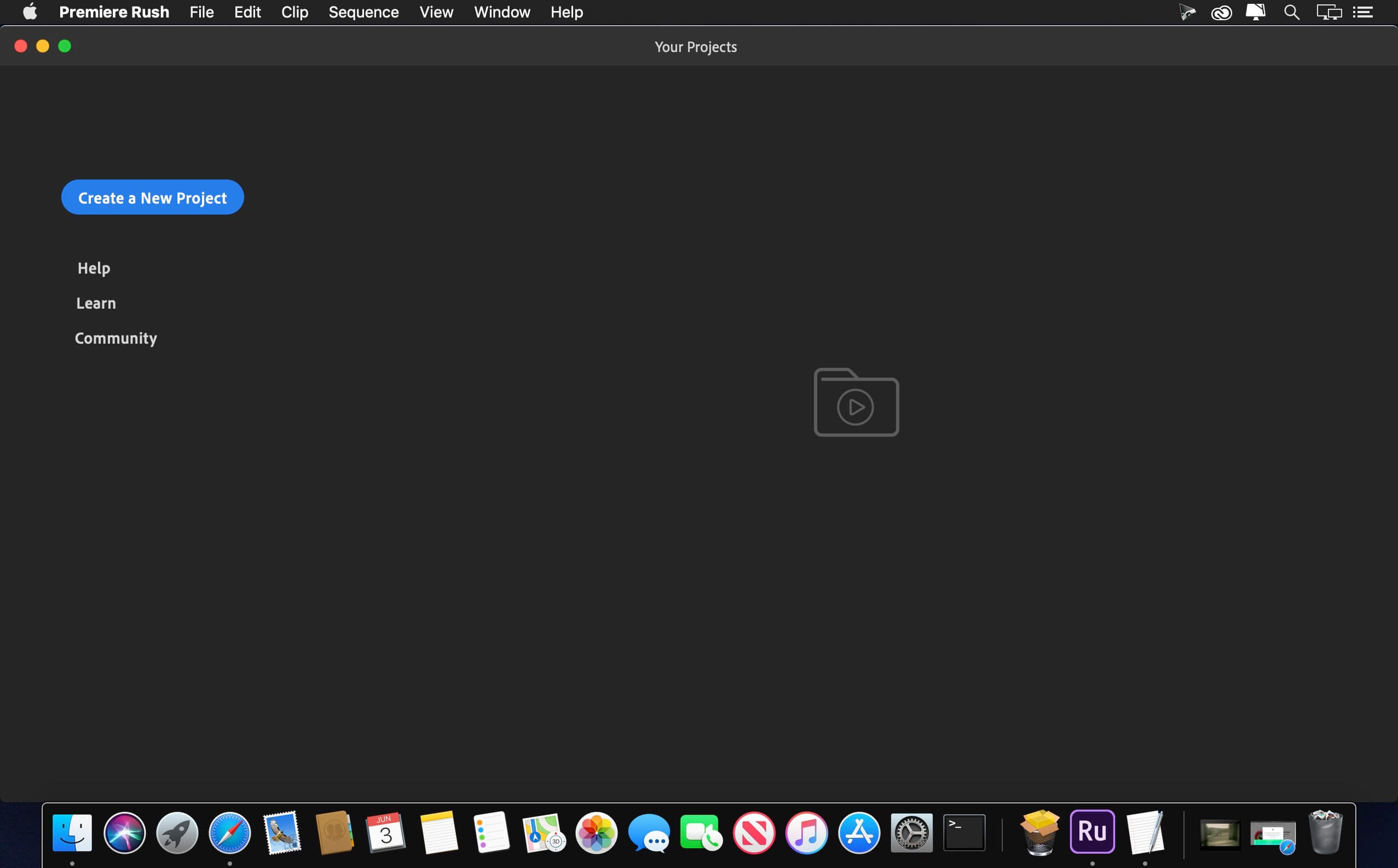
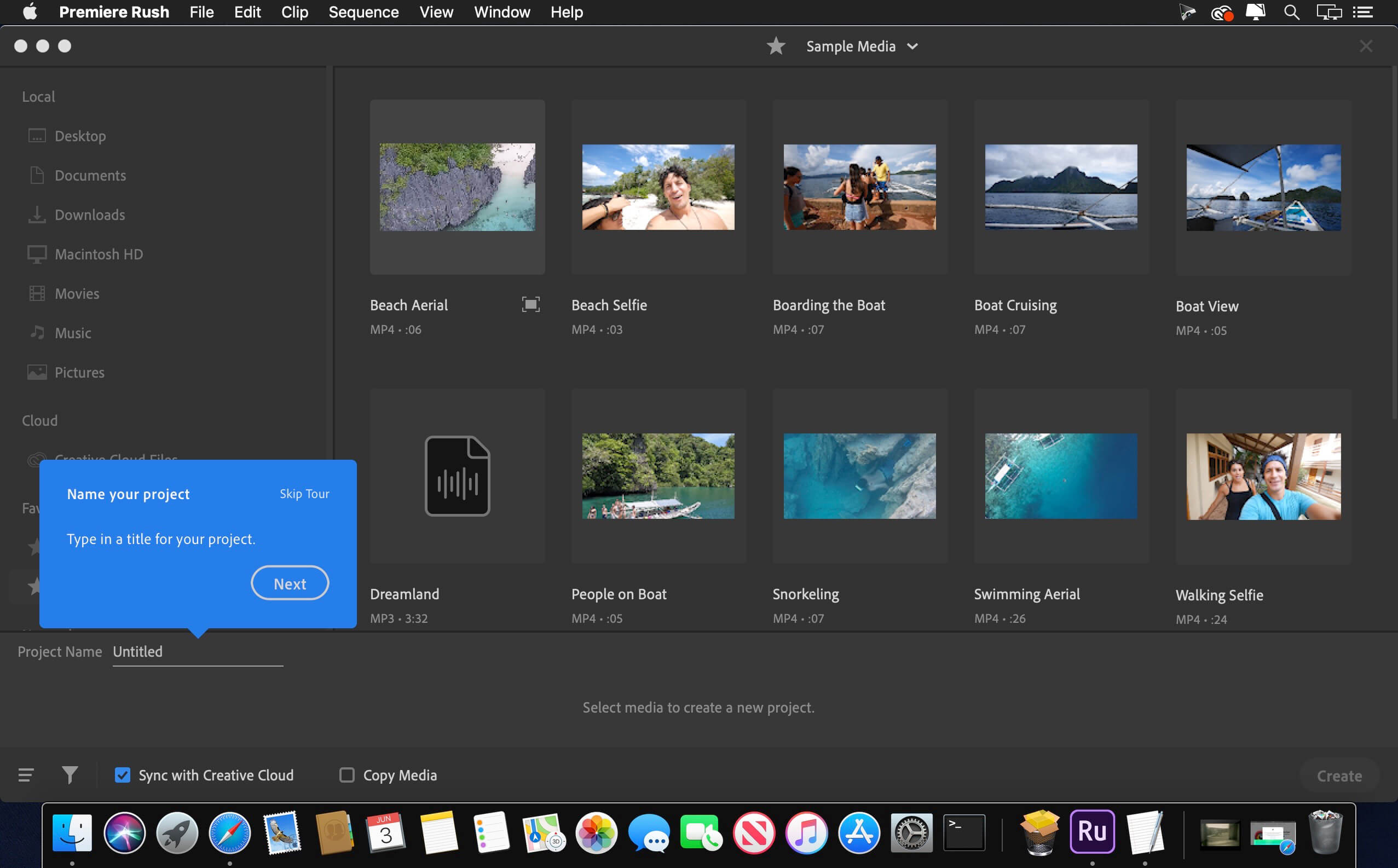
Adobe Premiere Rush v1.5.40

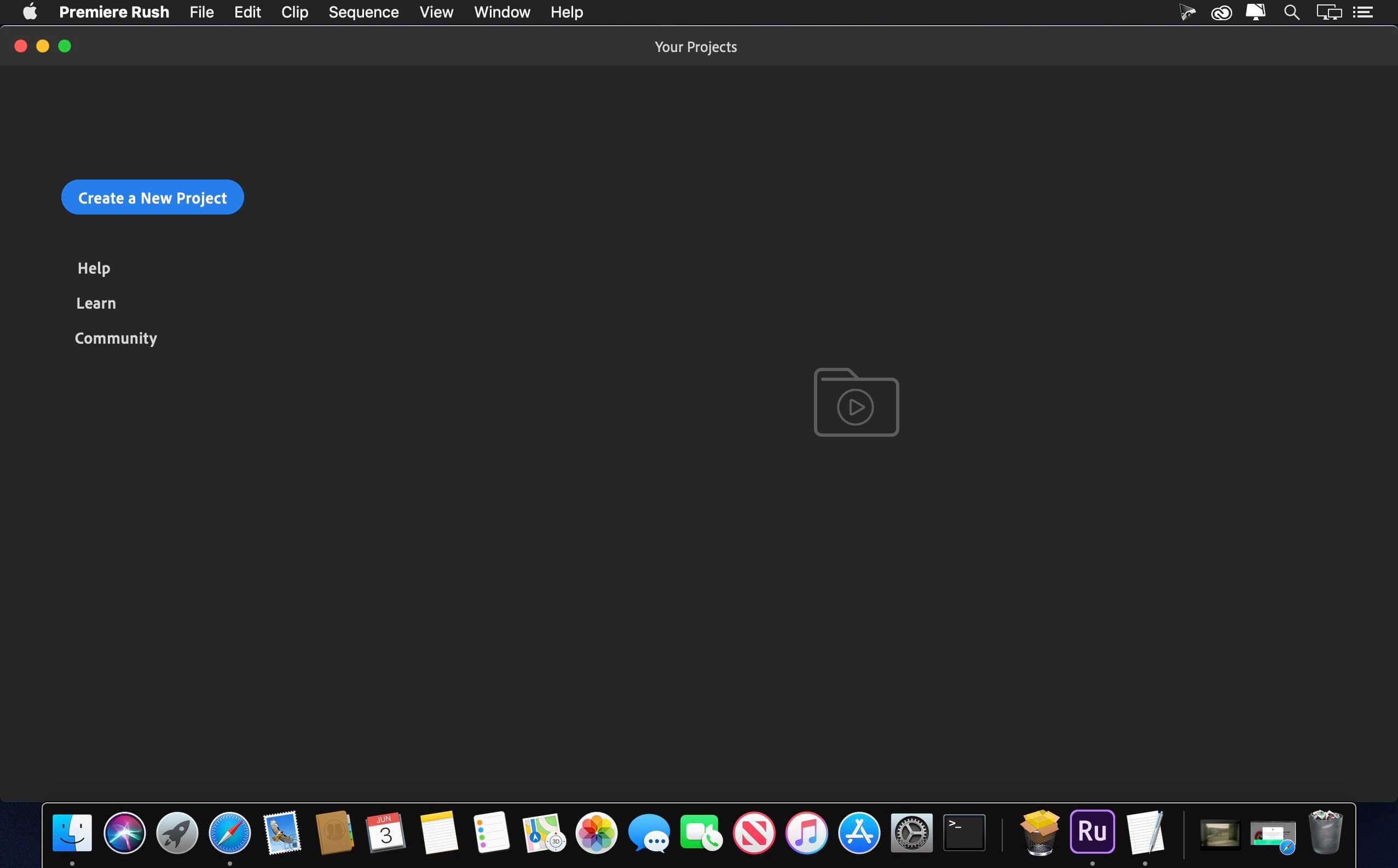
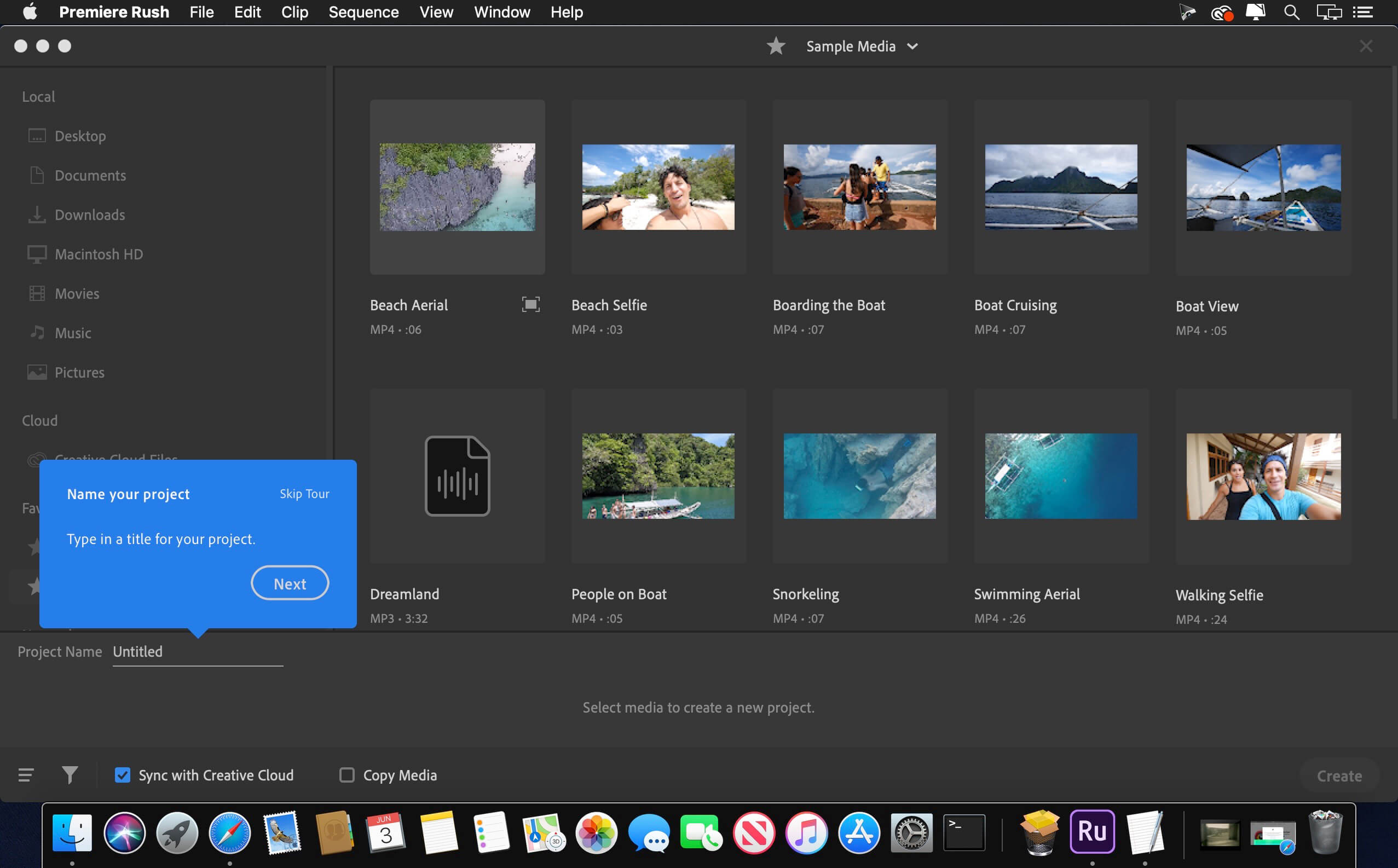
Feed your channels a steady stream of awesome with Premiere Rush, the all-new app for creating and sharing online videos. It’s easy to use, works across all your devices, and it’ll transform the way you create content.

All you need. All in one app.
Go from shoot to showtime in record time. Built-in camera functionality helps you take pro-quality video on your mobile devices. Editing is easy, with simple tools for color, audio, motion graphics, and more. Share right from the app to favorite social channels like YouTube, Facebook, and lnstagram.
Make a bigger splash on social.

Make a bigger splash on social.
Wow your followers with professionally designed Motion Graphics templates right in the app, or find hundreds more on Adobe Stock. Change the color, size, font, and more to match your personal brand. And take your videos from amateur to amazing.
Create your show on the road.

Create your show on the road.
Premiere Rush works across all your devices. Capture footage on your phone, then edit and share to social channels on your phone, tablet, or desktop. Everything is synced to the cloud, so your latest edit is always at your fingertips, anywhere you are.

Compatibility: macOS 10.12 or later, 64-bit processor
Homepage https://www.adobe.com/products/premiere-rush.html

Screenshots


Name: Adobe_Premiere_Rush_v1.5.40__TNT_Mactorrents.io.dmg
Size: 1.06 GB
Files Adobe_Premiere_Rush_v1.5.40__TNT_Mactorrents.io.dmg[1.06 GB]

   Download

ClearPlus 2.0 for After Effects & Premiere Pro

Enhance video quality easily for hazy, underwater and low light footages.

ClearPlus is a powerful plugin designed to enhance footage including hazy, underwater and low light videos, and it is also ideal for sky enhancement. Make the colors pop in an effortless and flexible way.

Shadows/highlights allows you to adjust the different parts of the image while preserving a natural look.The shadows slider, along with the dehaze slider, can recover the dark areas and keep the overall image clear. Especially for low light images, even when captured on a hazy/foggy night. Moreover, the histogram slider can further boost image contrast while preserving overall balance using the advanced histogram equalization algorithm.

Use it for underwater color correction, the dehaze slider along with white balance lets you obtain a natural and clear image without effort.

ClearPlus plugin is GPU accelerated for Adobe After Effects and Adobe Premiere Pro.

Compatibility:
Homepage https://aescripts.com/clearplus/

Name: ClearPlus_Mac_Mactorrents.io.zip
Size: 5.20 MB
Files ClearPlus_Mac_Mactorrents.io.dmg[5.20 MB]

   Download

Twixtor Pro v7.3.1 for Adobe After Effects & Premiere Pro

Twixtor raises the bar in motion estimation. Twixtor is much more accurate, tracks objects farther, and exhibits fewer artifacts when there are objects crossing in the scene. This means less tearing and stretching of objects as they cross or go out of the frame.

Twixtor Features

Warping and interpolation of frames to “time warp” input footage.
Smart processing of interlaced material
Stretching of a sequence using a single scaling parameter.
Keyframable retiming for complete control on a frame by frame basis.
Frame rate conversions made easy (Important Note: frame rate conversions are supported only from within After Effects and Combustion ).
8 and 16 bits per channel processing. Unclamped floating point image support in After Effects 7.0 or later
Option to automatically enhance dark imagery or imagery with poorly defined edges. In many cases, footage that was difficult to track becomes much more well-behaved upon retiming.
Contains an option to add or remove motion motion blur, as appropriate.
Support for marking material so that Twixtor does not motion-interpolate across a cut.
After Effects only: ability to remap audio and video using AE’s time remapping tools but using Twixtor “under the hood”

Homepage http://www.revisionfx.com/products/twixtor/

Name: Twixtor_v7.3.1_for_Mac_Mactorrents.io.rar
Size: 23 MB
Files Twixtor_v7.3.1_for_Mac_Mactorrents.io.rar[23 MB]

   Download

Adobe Premiere Elements 2021 (19.0)

Adobe Premiere Elements just got better. Now you can create quick movies from favorite parts of your clips or tell big life stories in full-on productions. Add motion inside movie titles, punch up the drama with cool focus effects, and get guidance as you go.

The creative possibilities are endless.
Movie magic is at your fingertips, with smart editing and step-by-step guides bringing your imagination to life. Create, edit, organize, and share your videos—and transform everyday moments into forever memories.

Make precise video selections with Select Object
Select a specific object—or area—of your video and easily apply an effect that tracks throughout the video. This is one feature that will save anyone working with video content a lot of time.

More power with GPU Accelerated Performance
This enhancement will enable you to see high-quality playback of many awesome effects without rendering first. And you’ll be able to crop your videos faster!

Additional music tracks for your videos
We’re also adding 21 brand new music tracks so that you can select your perfect soundtrack and add it to your video creations.

What’s New:

Version 19.0:
Edit, create, and organize more easily than ever. Get artistic by revealing your videos with new animated matte overlays and make a little movie magic with double exposures. Select an object or area f your video to easily apply an effect that tracks throughout a video, like brightening the subject or blurring the background. With GPU accelerated performance, see high-quality playback of many effects and transitions without having to render first. This release also brings to you new soundtracks to apply to your videos and bring them to life.

Select object:
Select specific object or area of your video and easily apply an effect that tracks throughout the video, like brightening the subject or blurring the background.

Double Exposure- Guided Edit:
Make a little movie magic with double exposures. Just follow the simple steps to play a video within a photo and get the best of both worlds.

Animated Mattes- Guided Edit:
Get artistic by revealing your video with animated matte overlays. Apply different shapes and animation styles to full videos, select scenes, and use as transitions.

GPU accelerated rendering:
See high-quality playback of many awesome effects without rendering first and crop your videos faster with the new GPU accelerated performance.

Compatibility: macOS 10.13 or later 64-bit
Homepage https://www.adobe.com/products/premiere-elements.html

Screenshots


Name: Adobe_Premiere_Elements_2021__TNT_Mactorrents.io.dmg
Size: 3.4 GB
Files Adobe_Premiere_Elements_2021__TNT_Mactorrents.io.dmg[3.4 GB]

   Download

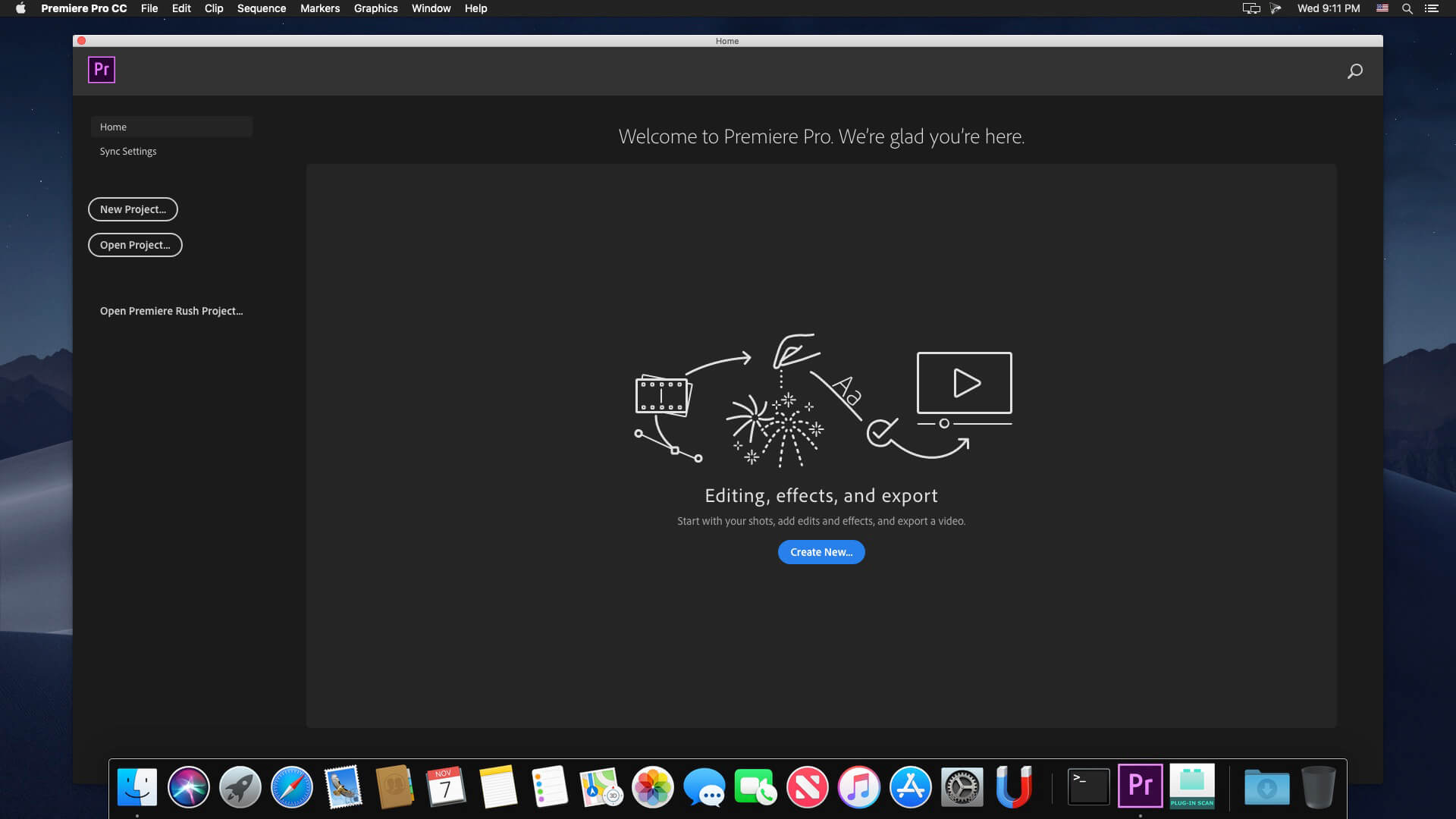
Adobe Premiere Pro 2020 v14.4

Adobe Premiere Pro CC 2020 lets you edit video faster than ever before. Dozens of brand-new features include a redesigned timeline, improved media management, and streamlined color grading. And it’s just the beginning: You’ll get access to new features the moment they’re released. Your entire creative world, together in one place. Only in Creative Cloud.

The main advantages of Adobe Premiere CC 2020:

  • Working with multiple projects simultaneously
  • General projects with the lock function
  • Adaptive design – Time
  • Adaptive design – Position
  • Animated graphics templates available in Adobe Stock
  •  Realistic editing of VR
  • Realistic sound processing for 360 / VR immersive
  • Transitions immersive
  • Subtitles and graphics for video with immersive
  • Rotation VR sphere
  • Improved process of “Basic Graphic Elements”
  • Support for new formats
  • Regional subtitle standards
  • Support Updates “group projects as Adobe”
  • Improved conditions beginning work for beginners
  • Optimized support for built-in camera in the shooting settings Lumetri working with templates After Effects motion graphics without installing the After Effects application
  • And much more …

What’s New:

Version 14.0:
Auto Reframe
Powered by Adobe Sensei, Auto Reframe applies intelligent reframing to your footage, keeping the action inside the frame for different aspect ratios such as square, vertical, and 16:9 video.

Graphics and text enhancements
The Essential Graphics panel in Premiere Pro has a number of text and graphics enhancements to make your titling and graphic workflows smoother.

Audio enhancements
Audio improvements in Premiere Pro include more streamlined workflows for multi-channel effects and increased range for audio gain.

Time remapping to 20,000 percent
Do more creatively with re-timing shots without requiring nested sequences for bigger speed changes.

Improved native format support
Premiere Pro provides robust native support and improved performance for widely used formats, like H264, HEVC, and ProRes – including ProRes HDR – on both macOS and Windows.

Export HDR content with HDR10 metadata
Apply metadata to HDR10 exports to ensure optimal display quality on HDR10-enabled devices

More drivers audited in System Compatibility report
The System Compatibility report now checks for more drivers to make sure your system is primed for editing with Premiere Pro.

Other enhancements
Learn more about other improvements in the new release, such as faster scrolling in the Media Browser, easier Media Cache management, and more.

Language: Multilangual
Compatibility: macOS 10.12 or later, 64-bit processor
Homepage https://www.adobe.com/

Screenshots

Name: Adobe_Premiere_Pro_2020_v14.4__TNT_Mactorrents.io.dmg
Size: 1.9 GB
Files Adobe_Premiere_Pro_2020_v14.4__TNT_Mactorrents.io.dmg[1.9 GB]

   Download

Adobe Premiere Rush v1.5.29

Feed your channels a steady stream of awesome with Premiere Rush, the all-new app for creating and sharing online videos. It’s easy to use, works across all your devices, and it’ll transform the way you create content.

All you need. All in one app.
Go from shoot to showtime in record time. Built-in camera functionality helps you take pro-quality video on your mobile devices. Editing is easy, with simple tools for color, audio, motion graphics, and more. Share right from the app to favorite social channels like YouTube, Facebook, and lnstagram.
Make a bigger splash on social.

Make a bigger splash on social.
Wow your followers with professionally designed Motion Graphics templates right in the app, or find hundreds more on Adobe Stock. Change the color, size, font, and more to match your personal brand. And take your videos from amateur to amazing.
Create your show on the road.

Create your show on the road.
Premiere Rush works across all your devices. Capture footage on your phone, then edit and share to social channels on your phone, tablet, or desktop. Everything is synced to the cloud, so your latest edit is always at your fingertips, anywhere you are.

Language: Multilangual
Compatibility: macOS 10.12 or later, 64-bit processor
Homepage https://www.adobe.com/products/premiere-rush.html

Screenshots


Name: Adobe_Premiere_Rush_v1.5.29__TNT_Mactorrents.io.dmg
Size: 2.1 GB
Files Adobe_Premiere_Rush_v1.5.29__TNT_Mactorrents.io.dmg[2.1 GB]

   Download

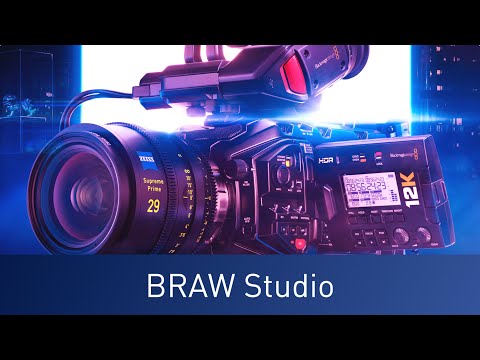
Autokroma BRAW Studio v2.1.2 for Premiere & Media Encoder

Premiere Pro and Adobe Media Encoder native Blackmagic RAW (.braw) importer.

The missing piece in your Blackmagic workflow
Import and edit your .BRAW footages directly and natively into Adobe Premiere Pro ! And get your .BRAW metadata in Project Panel
Re-encode your .BRAW with Adobe Media Encoder
Access the same RAW color parameters from DaVinci Resolve and Load / Save them thanks to .sidecar files

Homepage https://aescripts.com/braw-studio/

Name: BRAW_Studio_v2.1.2_for_Mac_Mactorrents.io.rar
Size: 133 MB
Files BRAW_Studio_v2.1.2_for_Mac_Mactorrents.io.rar[133 MB]

   Download

Adobe Premiere Pro 2020 v14.3.2

Adobe Premiere Pro CC 2020 lets you edit video faster than ever before. Dozens of brand-new features include a redesigned timeline, improved media management, and streamlined color grading. And it’s just the beginning: You’ll get access to new features the moment they’re released. Your entire creative world, together in one place. Only in Creative Cloud.

The main advantages of Adobe Premiere CC 2020:

  • Working with multiple projects simultaneously
  • General projects with the lock function
  • Adaptive design – Time
  • Adaptive design – Position
  • Animated graphics templates available in Adobe Stock
  •  Realistic editing of VR
  • Realistic sound processing for 360 / VR immersive
  • Transitions immersive
  • Subtitles and graphics for video with immersive
  • Rotation VR sphere
  • Improved process of “Basic Graphic Elements”
  • Support for new formats
  • Regional subtitle standards
  • Support Updates “group projects as Adobe”
  • Improved conditions beginning work for beginners
  • Optimized support for built-in camera in the shooting settings Lumetri working with templates After Effects motion graphics without installing the After Effects application
  • And much more …

What’s New:

Version 14.0:
Auto Reframe
Powered by Adobe Sensei, Auto Reframe applies intelligent reframing to your footage, keeping the action inside the frame for different aspect ratios such as square, vertical, and 16:9 video.

Graphics and text enhancements
The Essential Graphics panel in Premiere Pro has a number of text and graphics enhancements to make your titling and graphic workflows smoother.

Audio enhancements
Audio improvements in Premiere Pro include more streamlined workflows for multi-channel effects and increased range for audio gain.

Time remapping to 20,000 percent
Do more creatively with re-timing shots without requiring nested sequences for bigger speed changes.

Improved native format support
Premiere Pro provides robust native support and improved performance for widely used formats, like H264, HEVC, and ProRes – including ProRes HDR – on both macOS and Windows.

Export HDR content with HDR10 metadata
Apply metadata to HDR10 exports to ensure optimal display quality on HDR10-enabled devices

More drivers audited in System Compatibility report
The System Compatibility report now checks for more drivers to make sure your system is primed for editing with Premiere Pro.

Other enhancements
Learn more about other improvements in the new release, such as faster scrolling in the Media Browser, easier Media Cache management, and more.

Language: Multilangual
Compatibility: macOS 10.12 or later, 64-bit processor
Homepage https://www.adobe.com/

Screenshots


Name: Adobe_Premiere_Pro_2020_v14.3.2__TNT_Mactorrents.io.dmg
Size: 1.86 GB
Files Adobe_Premiere_Pro_2020_v14.3.2__TNT_Mactorrents.io.dmg[1.86 GB]

   Download

Adobe Premiere Rush v1.5.25

Feed your channels a steady stream of awesome with Premiere Rush, the all-new app for creating and sharing online videos. It’s easy to use, works across all your devices, and it’ll transform the way you create content.

All you need. All in one app.
Go from shoot to showtime in record time. Built-in camera functionality helps you take pro-quality video on your mobile devices. Editing is easy, with simple tools for color, audio, motion graphics, and more. Share right from the app to favorite social channels like YouTube, Facebook, and lnstagram.
Make a bigger splash on social.

Make a bigger splash on social.
Wow your followers with professionally designed Motion Graphics templates right in the app, or find hundreds more on Adobe Stock. Change the color, size, font, and more to match your personal brand. And take your videos from amateur to amazing.
Create your show on the road.

Create your show on the road.
Premiere Rush works across all your devices. Capture footage on your phone, then edit and share to social channels on your phone, tablet, or desktop. Everything is synced to the cloud, so your latest edit is always at your fingertips, anywhere you are.

Language: Multilangual
Compatibility: macOS 10.12 or later, 64-bit processor
Homepage https://www.adobe.com/products/premiere-rush.html

Screenshots


Name: Adobe_Premiere_Rush_v1.5.25__TNT_Mactorrents.io.dmg
Size: 1011.1 MB
Files Adobe_Premiere_Rush_v1.5.25__TNT_Mactorrents.io.dmg[1011.1 MB]

   Download

Adobe Premiere Pro 2020 v14.3.1

Adobe Premiere Pro CC 2020 lets you edit video faster than ever before. Dozens of brand-new features include a redesigned timeline, improved media management, and streamlined color grading. And it’s just the beginning: You’ll get access to new features the moment they’re released. Your entire creative world, together in one place. Only in Creative Cloud.

The main advantages of Adobe Premiere CC 2020:

  • Working with multiple projects simultaneously
  • General projects with the lock function
  • Adaptive design – Time
  • Adaptive design – Position
  • Animated graphics templates available in Adobe Stock
  •  Realistic editing of VR
  • Realistic sound processing for 360 / VR immersive
  • Transitions immersive
  • Subtitles and graphics for video with immersive
  • Rotation VR sphere
  • Improved process of “Basic Graphic Elements”
  • Support for new formats
  • Regional subtitle standards
  • Support Updates “group projects as Adobe”
  • Improved conditions beginning work for beginners
  • Optimized support for built-in camera in the shooting settings Lumetri working with templates After Effects motion graphics without installing the After Effects application
  • And much more …

What’s New:

Version 14.0:
Auto Reframe
Powered by Adobe Sensei, Auto Reframe applies intelligent reframing to your footage, keeping the action inside the frame for different aspect ratios such as square, vertical, and 16:9 video.

Graphics and text enhancements
The Essential Graphics panel in Premiere Pro has a number of text and graphics enhancements to make your titling and graphic workflows smoother.

Audio enhancements
Audio improvements in Premiere Pro include more streamlined workflows for multi-channel effects and increased range for audio gain.

Time remapping to 20,000 percent
Do more creatively with re-timing shots without requiring nested sequences for bigger speed changes.

Improved native format support
Premiere Pro provides robust native support and improved performance for widely used formats, like H264, HEVC, and ProRes – including ProRes HDR – on both macOS and Windows.

Export HDR content with HDR10 metadata
Apply metadata to HDR10 exports to ensure optimal display quality on HDR10-enabled devices

More drivers audited in System Compatibility report
The System Compatibility report now checks for more drivers to make sure your system is primed for editing with Premiere Pro.

Other enhancements
Learn more about other improvements in the new release, such as faster scrolling in the Media Browser, easier Media Cache management, and more.

Language: Multilangual
Compatibility: macOS 10.12 or later, 64-bit processor
Homepage https://www.adobe.com/

Screenshots


Name: Adobe_Premiere_Pro_2020_v14.3.1__TNT_Mactorrents.io.dmg
Size: 1.84 GB
Files Adobe_Premiere_Pro_2020_v14.3.1__TNT_Mactorrents.io.dmg[1.84 GB]

   Download

Montage Graphic Pack for Premiere Pro, After Effects

Feature List
1000+ Elements
All In 4K ultra HD
90 Responsive Background and Titles Pack
175 Titles Pack
50 Motivation Titles Pack
25 Minimal Titles
20 Corporate Titles
31 Comic Titles
22 Social Titles
14 Infographic Titles
12 Badges and Titles
20 Lower thirds
42 Simple Lower thirds Pack (V6 Update)
17 Callouts
26 Emoji
25 Neon Text and shapes
15 Swipe up button
11 Animated Banner Promotion
155 Cinematic Transitions For Premiere Pro Only
152 Cinematic Transitions For After effects Only
15 Flat Transitions For AE and PP
17 Vertical Flat Transitions For AE and PP
214 Animated Shapes
56 Flash FX
25 Electric FX
43 Explosion Fx
15 Liquid FX
30 Animated Paths
20 Animated Circles
25 Ornaments
14 Pro Glitch Presets
21 Colors Presets
One Light Leak Generator

Special Feature:
Can be use on Premiere Pro Only (no need to have AE installed)
Can be use on After Effects Only (no need to have PP installed)
100% support for PP CC2019 or higher.
Ability to change Fonts fro all text and titles in PP CC2019 or higher.
Each MOGRT and AE File Available in 2 Version For CC2018 & CC2019 or higher.
100% made on after effects no illustrator file.
All MOGRT available as after effects file
Ability to change, colors with full control
the responsive design pack is suitable for any screen resolution.
Responsive design work on both after effects and Premiere pro.
Responsive time so you can simply set the duration of each title.
No plugin required.
Cinematic transition made only for premiere pro.
Cinematic transition made only for After Effects.
Cinematic transition can be in any resolution
Glitch & Color presets made only for premiere pro.
Well organizsed template
HTML Animated GIF Catalog
Ability to see transition preview inside premiere pro
Helpful documentation HTML + Video tutorial with voice over
Resolution available: 4K UHD 3840×2160, resizable
AE Version: Adobe After effects CC 2018 or Higher
PP Version: Adobe Premiere pro CC 2018 or Higher

V3 Update – 50 Motivation Titles Pack – Special Feature
Full responsive time so you can simply set the duration of each title.
Each title come with simple out effects.
ability to change the background opacity for each title.
100% made on after effects no illustrator file.
100% made for premiere.

You can use this template for an intro, promo, showreel, urban slideshow, opener, or any other project. Design your own video with this great montage pack and Use it for a TV show and broadcast pack, or publish it on Instagram, Facebook, YouTube or other media hosting site. be creative and impress your clients and friends.
Font :
not included, but can be downloaded for free, link included in the help file.

Homepage https://videohive.net/item/montage-graphic-pack-titles-transitions-lower-thirds-and-more/23449895

Montage Graphic Pack Preview Video

Name: VH-Montage Graphic Pack23449895-V8.2_Mactorrents.io.rar
Size: 1.20 GB
Files VH-Montage Graphic Pack23449895-V8.2_Mactorrents.io.rar[1.20 GB]

   Download

Digital Promo for Premiere Pro

Through this project, you can easily introduce your company, website, service, etc. Just add your images, change the text and the project is ready.

Project features

  • Premiere Pro CC 2019 and above
    • After Effects CC has to be installed. It is needed to place your footages into placeholders.
  • Works with image or video
    • Easy font change
    • No plugins required
  • Fully and easily customizable
  • Fast Render
  • Video tutorial included
  • Link for free font included
  • Image or video used in preview are not included
  • Music: Timelapse Trip-Hop by QuiqStudio

Homepage https://videohive.net/item/digital-promo-for-premiere-pro/26847918

Digital Promo for Premiere Pro Preview Video

Name: Digital Promo for Premiere Pro_Mactorrents.io.zip
Size: 121 MB
Files Digital Promo for Premiere Pro_Mactorrents.io.dmg[121 MB]

   Download

FilmConvert Nitrate 3.0.5 for After Effects & Premiere Pro

FilmConvert introduces Nitrate for After Effects & Premiere Pro. Anew set of features to give you even more power and control over your color grading. Cineon Log film emulations. Full custom curve control. Advanced film grain controls and more!

Cineon Log Film Emulation
Filmmakers love the built-in FilmConvert film stocks for their authentic look, but sometimes you want more control over the final image.

In the Nitrate update, we’ve added Cineon Log versions of our original film stock emulations, meaning you can dial the contrast or saturation of a film stock back to your liking, while still keeping the authentic film stock colors.

Design your own film response curve
We’ve designed full custom curve controls for each of the FilmConvert film stocks, so you can create exactly the look you want: modify highlight and shadow roll-offs, or even design your own film stock from scratch. Nitrate now uses a full Log image processing pipeline, so you can retain the full dynamic range of your footage through the grading process.

Advanced film grain controls
You can now adjust the appearance of the grain individually in the highlights, mid-tones, and shadows.

Adobe Premiere Pro & After Effects Plugin:
Create the romance of film on your next digital video using FilmConvert plugin for Premiere Pro & After Effects. Our software seamlessly fits into your current Adobe workflow, helping you to achieve professional results quickly and easily. We’ve optimized our plugin to work cross platform, as well as being completely up-to-date with Adobe Creative Cloud 2015 or later.

– New Nitrate features – print density film emulation, advanced grain controls
– Up-to-date with Adobe Creative Cloud 2015 or later
– Adobe Premiere Pro
– Adobe After Effects

Camera profiles
We work with a wide range of popular cameras to deliver the most precise picture profiles available. We then use those profiles to match to your chosen film stocks to create a stunning and accurate result. Our Camera Packs contain accurate data for each Camera Picture Style so we can tailor each film stock to your camera, allowing authentic Film Stock looks across a wide range of cameras and settings. We continue to work directly with camera companies to bring you the latest profiles.

Camera Profiles
Choose from our range of precise Camera Profiles, matched to your camera.

6K Grain Scans
Industry leading quality grain, scanned at 6K to give the best results.

19 Film Stocks
Motion and Photographic.
Color Positive, Negative + Reversals.

Export 3D Luts
Create & export 3D LUTS using FilmConvert for on-set use.

Homepage https://www.filmconvert.com/

Name: FilmConvertNitrate-AE-PP_v3.05_Mactorrents.io.rar
Size: 606 MB
Files FilmConvertNitrate-AE-PP_v3.05_Mactorrents.io.rar[606 MB]

   Download

Adobe Premiere Pro 2020 v14.3

Adobe Premiere Pro CC 2020 lets you edit video faster than ever before. Dozens of brand-new features include a redesigned timeline, improved media management, and streamlined color grading. And it’s just the beginning: You’ll get access to new features the moment they’re released. Your entire creative world, together in one place. Only in Creative Cloud.

The main advantages of Adobe Premiere CC 2020:

  • Working with multiple projects simultaneously
  • General projects with the lock function
  • Adaptive design – Time
  • Adaptive design – Position
  • Animated graphics templates available in Adobe Stock
  •  Realistic editing of VR
  • Realistic sound processing for 360 / VR immersive
  • Transitions immersive
  • Subtitles and graphics for video with immersive
  • Rotation VR sphere
  • Improved process of “Basic Graphic Elements”
  • Support for new formats
  • Regional subtitle standards
  • Support Updates “group projects as Adobe”
  • Improved conditions beginning work for beginners
  • Optimized support for built-in camera in the shooting settings Lumetri working with templates After Effects motion graphics without installing the After Effects application
  • And much more …

What’s New:

Version 14.3:

  • Use Adobe Stock audio within Premiere Pro – you can now search, download, and license royalty-free audio soundtracks from Adobe Stock via the Essential Sound panel in Premiere Pro.
  • New file format support – Premiere Pro provides robust support for import of Canon EOS footage and RED Komodo footage. Premiere Pro also provides enhanced bitrate controls for JPEG 2000 MXF export.
  • Afterburner support – you can now use the Apple Afterburner card with Premiere Pro to decode ProRes 422 and ProRes 4444 media.

Language: Multilangual
Compatibility: macOS 10.12 or later, 64-bit processor
Homepage https://www.adobe.com/

Screenshots


Name: Adobe_Premiere_Pro_2020_v14.3__TNT_Mactorrents.io.dmg
Size: 1.9 GB
Files Adobe_Premiere_Pro_2020_v14.3__TNT_Mactorrents.io.dmg[1.9 GB]

   Download

Adobe Premiere Rush v1.5.16

Feed your channels a steady stream of awesome with Premiere Rush, the all-new app for creating and sharing online videos. It’s easy to use, works across all your devices, and it’ll transform the way you create content.

All you need. All in one app.
Go from shoot to showtime in record time. Built-in camera functionality helps you take pro-quality video on your mobile devices. Editing is easy, with simple tools for color, audio, motion graphics, and more. Share right from the app to favorite social channels like YouTube, Facebook, and lnstagram.
Make a bigger splash on social.

Make a bigger splash on social.
Wow your followers with professionally designed Motion Graphics templates right in the app, or find hundreds more on Adobe Stock. Change the color, size, font, and more to match your personal brand. And take your videos from amateur to amazing.
Create your show on the road.

Create your show on the road.
Premiere Rush works across all your devices. Capture footage on your phone, then edit and share to social channels on your phone, tablet, or desktop. Everything is synced to the cloud, so your latest edit is always at your fingertips, anywhere you are.

What’s New

    Release notes not available at the time of this post.

Language: Multilangual
Compatibility: macOS 10.12 or later, 64-bit processor
Homepage https://www.adobe.com/products/premiere-rush.html

Screenshots


Name: Adobe_Premiere_Rush_v1.5.16__TNT_Mactorrents.io.dmg
Size: 2.1 GB
Files Adobe_Premiere_Rush_v1.5.16__TNT_Mactorrents.io.dmg[2.1 GB]

   Download

Adobe Premiere Pro 2020 v14.2

Adobe Premiere Pro CC 2020 lets you edit video faster than ever before. Dozens of brand-new features include a redesigned timeline, improved media management, and streamlined color grading. And it’s just the beginning: You’ll get access to new features the moment they’re released. Your entire creative world, together in one place. Only in Creative Cloud.

The main advantages of Adobe Premiere CC 2020:

  • Working with multiple projects simultaneously
  • General projects with the lock function
  • Adaptive design – Time
  • Adaptive design – Position
  • Animated graphics templates available in Adobe Stock
  •  Realistic editing of VR
  • Realistic sound processing for 360 / VR immersive
  • Transitions immersive
  • Subtitles and graphics for video with immersive
  • Rotation VR sphere
  • Improved process of “Basic Graphic Elements”
  • Support for new formats
  • Regional subtitle standards
  • Support Updates “group projects as Adobe”
  • Improved conditions beginning work for beginners
  • Optimized support for built-in camera in the shooting settings Lumetri working with templates After Effects motion graphics without installing the After Effects application
  • And much more …

What’s New:

Version 14.0:
Auto Reframe
Powered by Adobe Sensei, Auto Reframe applies intelligent reframing to your footage, keeping the action inside the frame for different aspect ratios such as square, vertical, and 16:9 video.

Graphics and text enhancements
The Essential Graphics panel in Premiere Pro has a number of text and graphics enhancements to make your titling and graphic workflows smoother.

Audio enhancements
Audio improvements in Premiere Pro include more streamlined workflows for multi-channel effects and increased range for audio gain.

Time remapping to 20,000 percent
Do more creatively with re-timing shots without requiring nested sequences for bigger speed changes.

Improved native format support
Premiere Pro provides robust native support and improved performance for widely used formats, like H264, HEVC, and ProRes – including ProRes HDR – on both macOS and Windows.

Export HDR content with HDR10 metadata
Apply metadata to HDR10 exports to ensure optimal display quality on HDR10-enabled devices

More drivers audited in System Compatibility report
The System Compatibility report now checks for more drivers to make sure your system is primed for editing with Premiere Pro.

Other enhancements
Learn more about other improvements in the new release, such as faster scrolling in the Media Browser, easier Media Cache management, and more.

Language: Multilangual
Compatibility: macOS 10.12 or later, 64-bit processor
Homepage https://www.adobe.com/

Screenshots


Name: Adobe_Premiere_Pro_2020_v14.2__TNT_Mactorrents.io.dmg
Size: 1.87 GB
Files Adobe_Premiere_Pro_2020_v14.2__TNT_Mactorrents.io.dmg[1.87 GB]

   Download

Adobe Premiere Rush v1.5.12

Feed your channels a steady stream of awesome with Premiere Rush, the all-new app for creating and sharing online videos. It’s easy to use, works across all your devices, and it’ll transform the way you create content.

All you need. All in one app.
Go from shoot to showtime in record time. Built-in camera functionality helps you take pro-quality video on your mobile devices. Editing is easy, with simple tools for color, audio, motion graphics, and more. Share right from the app to favorite social channels like YouTube, Facebook, and lnstagram.
Make a bigger splash on social.

Make a bigger splash on social.
Wow your followers with professionally designed Motion Graphics templates right in the app, or find hundreds more on Adobe Stock. Change the color, size, font, and more to match your personal brand. And take your videos from amateur to amazing.
Create your show on the road.

Create your show on the road.
Premiere Rush works across all your devices. Capture footage on your phone, then edit and share to social channels on your phone, tablet, or desktop. Everything is synced to the cloud, so your latest edit is always at your fingertips, anywhere you are.

Language: Multilangual
Compatibility: macOS 10.12 or later, 64-bit processor
Homepage https://www.adobe.com/products/premiere-rush.html

Screenshots


Name: Adobe_Premiere_Rush_v1.5.12__TNT_Mactorrents.io.dmg
Size: 979.24 MB
Files Adobe_Premiere_Rush_v1.5.12__TNT_Mactorrents.io.dmg[979.24 MB]

   Download

Adobe Premiere Rush v1.5.8

Feed your channels a steady stream of awesome with Premiere Rush, the all-new app for creating and sharing online videos. It’s easy to use, works across all your devices, and it’ll transform the way you create content. Feed your channels a steady stream of awesome with Premiere Rush, the all-new app for creating and sharing online videos. It’s easy to use, works across all your devices, and it’ll transform the way you create content.

All you need. All in one app.
Go from shoot to showtime in record time. Built-in camera functionality helps you take pro-quality video on your mobile devices. Editing is easy, with simple tools for color, audio, motion graphics, and more. Share right from the app to favorite social channels like YouTube, Facebook, and lnstagram.
Make a bigger splash on social.

Make a bigger splash on social.
Wow your followers with professionally designed Motion Graphics templates right in the app, or find hundreds more on Adobe Stock. Change the color, size, font, and more to match your personal brand. And take your videos from amateur to amazing.
Create your show on the road.

Create your show on the road.
Premiere Rush works across all your devices. Capture footage on your phone, then edit and share to social channels on your phone, tablet, or desktop. Everything is synced to the cloud, so your latest edit is always at your fingertips, anywhere you are.

What’s New
Version v1.5.8:
• Full Release Notes are available here

Compatibility: macOS 10.12 or later, 64-bit processor
Homepage https://www.adobe.com/products/premiere-rush.html

Screenshots


Name: Adobe_Premiere_Rush_v1.5.8__TNT_Mactorrents.io.dmg
Size: 2.1 GB
Files Adobe_Premiere_Rush_v1.5.8__TNT_Mactorrents.io.dmg[2.1 GB]

   Download

Adobe Premiere Pro 2020 v14.1

Adobe Premiere Pro CC 2020 lets you edit video faster than ever before. Dozens of brand-new features include a redesigned timeline, improved media management, and streamlined color grading. And it’s just the beginning: You’ll get access to new features the moment they’re released. Your entire creative world, together in one place. Only in Creative Cloud.

The main advantages of Adobe Premiere CC 2020:

  • Working with multiple projects simultaneously
  • General projects with the lock function
  • Adaptive design – Time
  • Adaptive design – Position
  • Animated graphics templates available in Adobe Stock
  •  Realistic editing of VR
  • Realistic sound processing for 360 / VR immersive
  • Transitions immersive
  • Subtitles and graphics for video with immersive
  • Rotation VR sphere
  • Improved process of “Basic Graphic Elements”
  • Support for new formats
  • Regional subtitle standards
  • Support Updates “group projects as Adobe”
  • Improved conditions beginning work for beginners
  • Optimized support for built-in camera in the shooting settings Lumetri working with templates After Effects motion graphics without installing the After Effects application
  • And much more …

What’s New:

Version v14.1:

  • Production panel – Productions provides a flexible, scalable framework for organizing multi-project workflows. With Productions, complex workflows can be divided into manageable projects, for overall efficiency and collaboration using shared local storage.
  • Project locking – When working within a Production in Premiere Pro, you can lock a project when editing to prevent unwanted conflicts.
  • Cross-project referencing – A clip in one project can be reused throughout every other project in the production. This reduces the need for duplicate master clips.
  • Shared project settings – Project settings include important settings such as scratch disk, GPU renderer, and capture settings. A benefit of having project settings synchronized is shared preview render files.


Compatibility: macOS 10.12 or later, 64-bit processor
Homepage https://www.adobe.com/

Screenshots


Name: Adobe_Premiere_Pro_2020_v14.1__TNT_Mactorrents.io.dmg
Size: 1.9 GB
Files Adobe_Premiere_Pro_2020_v14.1__TNT_Mactorrents.io.dmg[1.9 GB]

   Download

Adobe Premiere Rush v1.5

Adobe Premiere Rush v1.5

Name: Adobe_Premiere_Rush_v1.5_[TNT]_Mactorrents.io.dmg
Size: 905 MB
Files Adobe_Premiere_Rush_v1.5_[TNT]_Mactorrents.io.dmg[905 MB]

   Download


Adobe Premiere Rush v1.5

Feed your channels a steady stream of awesome with Premiere Rush, the all-new app for creating and sharing online videos. It’s easy to use, works across all your devices, and it’ll transform the way you create content.

All you need. All in one app.
Go from shoot to showtime in record time. Built-in camera functionality helps you take pro-quality video on your mobile devices. Editing is easy, with simple tools for color, audio, motion graphics, and more. Share right from the app to favorite social channels like YouTube, Facebook, and lnstagram.
Make a bigger splash on social.

Make a bigger splash on social.
Wow your followers with professionally designed Motion Graphics templates right in the app, or find hundreds more on Adobe Stock. Change the color, size, font, and more to match your personal brand. And take your videos from amateur to amazing.
Create your show on the road.

Create your show on the road.
Premiere Rush works across all your devices. Capture footage on your phone, then edit and share to social channels on your phone, tablet, or desktop. Everything is synced to the cloud, so your latest edit is always at your fingertips, anywhere you are.

What’s New
Version 1.5.0.523:
• Full Release Notes are available here

Compatibility: macOS 10.12 or later, 64-bit processor
Homepage https://www.adobe.com/products/premiere-rush.html

Screenshots


Autokroma AfterCodecs v1.8 for After Effects, Premiere & Media Encoder

Autokroma AfterCodecs v1.8 for After Effects, Premiere & Media Encoder

Native exporter for AE bringing you ProRes on Windows and h264 (x264 and x265) codecs for excellent quality and lightweight videos.

AfterCodecs is a native render queue plugin for After Effects that allows you to render directly to the codecs listed below.
Need to render ProRes on Windows?
Want to render directly to a small file size, high quality H264 straight from the After Effects render queue?
AfterCodecs can do it without requiring any intermediate files!

Codecs
ProRes : LT / Proxy / Normal / HQ and even 444 that supports Alpha Channel.
x264 : best H264/AVC implementation, outperforming both Adobe Media Encoder and QuickTime H264.
x265 : files are 30% lighter than x264 and it also supports 8K resolution.
x264 RGB : same as x264 but avoids YUV colorspace, best for storing separate channels in one video (UV map, Alphas…) for power users only.

Homepage http://aescripts.com/aftercodecs/

Name: AfterCodecs_1.8.0_Mactorrents.io.rar
Size: 21.1 MB
Files AfterCodecs_1.8.0_Mactorrents.io.rar[21.1 MB]

   Download

Light Streaks and Bokehs Vol 1 for Final Cut Pro, Premiere Pro

Videohive – Light Streaks and Bokehs Vol 1 – 15791749

This is Light Streaks & Bokeh Vol 1 This Pack contains 15 Full HD ready to use light Streaks and Bokehs. Very simple to use. Drop it over your current footage & composite using Add or Screen blend modes. They can be used alone or combined with each other Change the opacity for softer look..
you can use it on Any Video Editing Softwares such as Adobe Premier, Vegas Pro, FCP etc

Project Details
Any Non Linear Editors

FULL HD 1920×1080, 29.97fps

Duration 15 sec Each clip.

Quicktime Photo JPEG

Please rate my Project …..

Audio:
http://audiojungle.net/item/big-loud-happy/6624437?s_rank=1

Videos:
Videos are under creative commons
https://vimeo.com/114495120
https://vimeo.com/79302673
https://vimeo.com/68065422
https://vimeo.com/65222642
https://vimeo.com/75573163
https://vimeo.com/98061247

Homepage https://videohive.net/item/light-streaks-and-bokehs-vol-1/15791749

Screenshots

Name: VH-Light Streaks and Bokehs Vol 1__Mactorrents.io.zip
Size: 970 MB
Files VH-Light Streaks and Bokehs Vol 1__Mactorrents.io.dmg[970 MB]

   Download

CinePacks – Glow FX for Final Cut Pro, Premiere Pro, After Effects

CinePacks – Glow FX for Final Cut Pro, Premiere Pro, After Effects

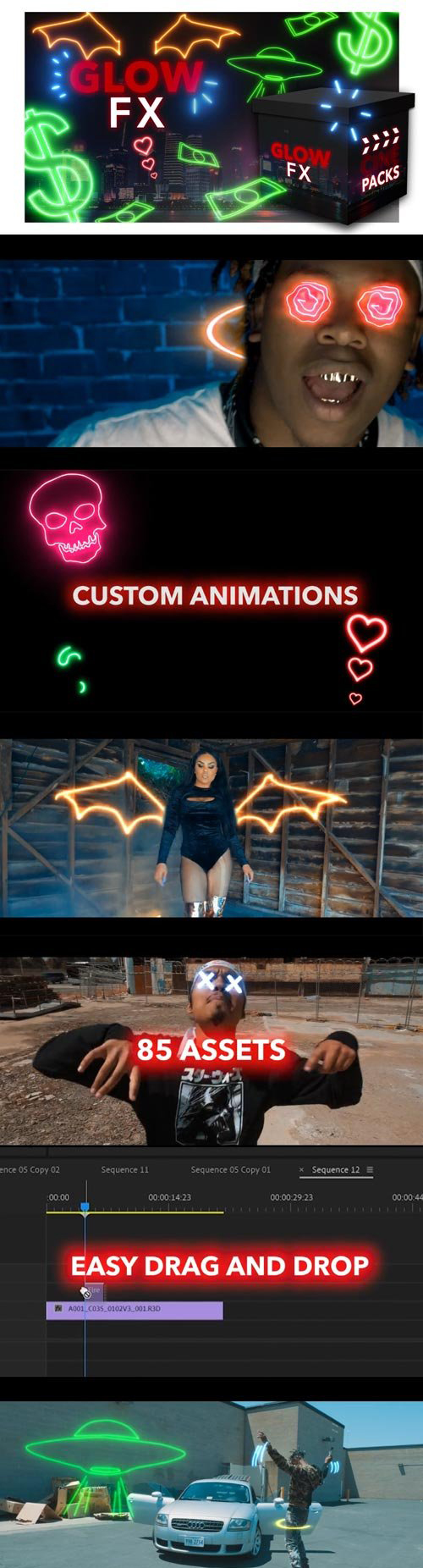
Just drag these clips over your footage and adjust the blend mode to “screen”. You’ll have high quality motion graphics without needing to animate anything yourself!

Our brand new animated GLOW FX will give your videos a unique look without having to spend hours animating.
GLOW FX includes:

  • 15 Body Effects (Horns, Wings, Etc)
  • 25 Accents (Whooshes, Pops, Explosions)
  • 5 Animated Custom Shapes
  • 26 Custom Objects
  • 12 Custom Eye Animation

Watch our Glow FX video tutorial that takes you step-by-step through the process of utilizing each asset to its fullest potential.

Homepage https://cinepacks.store/collections/packs/products/glow-fx

Screenshots

Name: CinePacks Glow FX_Mactorrents.io.rar
Size: 878 MB
Files CinePacks Glow FX_Mactorrents.io.rar[878 MB]

   Download

Adobe Premiere Elements 2020.1

Adobe Premiere Elements 2020.1

Amazing movies. Fun creations. Forever memories. It’s never been easier to make incredible movies and creations. Dive in and do it all. Enjoy auto-generated video creations. Make your videos look great with intelligent editing options. Turn them into fun creations. Organize them effortlessly. And quickly share them in memorable ways.

Explore new video editing features.

  • Improve grainy videos
  • Shot your video in low light? Make it look more crisp with a simple drag and drop of the Reduce Noise effect.
  • Animate skies in your photos
  • Replace static skies with moving ones to create an eye-catching effect.
  • Fill the frame to match your video
  • Bring a vertical clip or photo into a horizontal video (or vice versa) so it looks seamless. Black bars are filled in to match the look of your video.
  • Create dynamic time-lapse videos
  • Turn a series of photos or videos into a time-lapse that speeds up the action.
  • Find videos faster with Smart Tags
  • Your videos are auto-tagged based on subjects like sunsets, birthdays, dogs, cats, and more. Powered by Adobe Sensei AI technology.
  • Find by faces
  • The faces in your videos are automatically recognized during import, and then the videos are stacked by person so it’s easy to tag and find them later. Powered by Adobe Sensei.
  • Expanded HEIF and HEVC support
  • Import and edit HEIF photo files and HEVC video files on Windows as well as macOS.

What’s New:

Premiere Elements 2020.1
This free update includes crash-related bug fixes. Additionally, this update fixes the following compatibility issues in Elements Organizer on macOS 10.15 (Catalina):

  • Unable to import media from sub-folders.
  • Sub-folders are not shown in Import in Bulk dialog box.

Compatibility: macOS 10.13 or later 64-bit
Homepage https://www.adobe.com/products/premiere-elements.html

Screenshots


Name: Adobe_Premiere_Elements_2020.1__TNT_Mactorrents.io.dmg
Size: 3.36 GB
Files Adobe_Premiere_Elements_2020.1__TNT_Mactorrents.io.dmg[3.36 GB]

   Download

300 Titles Library For Premiere Pro

Videohive – 300 Titles Library For Premiere Pro – 24684790

Premiere Pro CC, After Effects CC | Resizable | No Plugins Required

Main Features :


  • 300 Titles. All Detailed Animations.
  • 15 Categories
  • Re-DONE FOR PREMIERE PRO.
  • Color, Scale and Position Controls
  • Works with Premiere Pro 2019 and Up
  • Seperated Files for Easy Use
  • Preview Library Included
  • Video Tutorial with Voice Included
  • Audio Used in the Preview HERE


Compatibility:
Homepage https://videohive.net/item/300-titles-library-for-premiere-pro/24684790

Preview

Name: VH_300 Titles Library For Premiere Pro_Mactorrents.io.rar
Size: 220 MB
Files VH_300 Titles Library For Premiere Pro_Mactorrents.io.rar[220 MB]

   Download

Adobe Premiere Rush CC 1.2.12

Download Adobe Premiere Rush CC 1.2.12

Adobe Premiere Rush CC is the first all-in-one, cross-device app for creating and sharing online videos – fast. Edit, fix color, adjust audio, add titles, and more with easy-to-use tools, customizable Motion Graphics templates, and integration with Adobe Stock. And share your videos to your favorite social channels right from the app.

Premiere Rush CC as Adobe is a simplified version of Premiere Pro is an application designed for mobile videoblogerrs and shooting enthusiasts. According to Adobe, the creative person does not need to become an expert in the field of video editing to create a cool movie. Especially if you need to install video on a daily basis, for these purposes is perfect Premiere Rush.

Adobe Premiere Rush CC Features:

  • Easy editing: With an intuitive interface and creative flexibility as you progress, Rush makes editing easy.
  • Simple timeline: Arrange scenes with click drag-and-drop ease, access four video tracks, and three audio tracks without gaps in the timeline.
  • Customizable titles: Easily add and customize built-in, professionally designed Motion Graphics templates. Hundreds more available on Adobe Stock.
  • Add audio: Record voiceovers and use other simple tools like sound balancing, noise reduction, and auto-ducking to make your videos sound great.
  • One-click share to social: Add a thumbnail, schedule your post, and publish to multiple social platforms in one click, without leaving Rush.
  • Available cross device: Edit on your phone, tablet, or desktop. Your edits are automatically synced to the cloud, so you always have access to your latest versions.

In Adobe Premiere Rush CC you can edit with tools to work with color, sound, animated graphics, text, and so on. Workpiece quality animations and screensavers have right in the app. And you can download hundreds more available on Adobe Stock if desired. You can change the font, color and size to match the result is greater than the desired style.

All you need. All in one app.

Go from shoot to showtime in record time. Built-in camera functionality helps you take pro-quality video on your mobile devices. Editing is easy, with simple tools for color, audio, motion graphics, and more. Share right from the app to favorite social channels like YouTube, Facebook, and lnstagram.

Make a bigger splash on social.

Wow your followers with professionally designed Motion Graphics templates right in the app, or find hundreds more on Adobe Stock. Change the color, size, font, and more to match your personal brand. And take your videos from amateur to amazing.

Create your show on the road.

Capture footage on your phone, and then edit and share it to social channels on your phone, tablet, or desktop. Everything is synced to the cloud, so your latest edit is always at your fingertips, anywhere you are.

Adobe Premiere Rush CC plays well with Premiere Pro. When you want to do even more with your videos, you can open your Premiere Rush projects in Adobe Premiere Pro CC.

Information

Compatibility
macOS 10.13 or later 64 bit
Languages
Multilangual
Includes
Adobe Zii

Installation

For macOS 10.12+

When you run the installer writes “The installation cannot continue as the installer file may be damaged. Download the installer file again”.

Code:
sudo spctl --master-disable

Install using patch:

Attention! Before installing, disconnect from the Internet

  1. Copy Folder “Extra” to Desktop
  2. Launch terminal and insert the command
    chmod x ~/Desktop/Extra/Install.app/Contents/MacOS/Install
  3. Press enter

Run the Install installer and follow the instructions

  1. After installation, do not run the program in trial mode (close the application forcibly if it starts up on its own)
  2. From the desktop, launch the Adobe Zii patch and press the PATCH or drag the icon of the installed Adobe Premiere Rush into the open patch window
Who has the Illustrator or another installed – be careful with the patch.

Install the program and use the patch that is in the distribution – drag the program icon to the open patch window, and do not use the automatic function (here, all installed Adobe applications will be patched automatically, and with such actions errors may occur)

What’s New in Adobe Premiere Rush CC 1.2.12

  • Release notes not available at the time of this post.

Screenshots

Name Adobe Premiere Rush CC v1.2.12 [TNT] mac-torrents.net .rar
Size 957.8 MB
Created on 2019-11-11 20:26:04
Hash c20fa32ba7b9aca9d6d5ac28162be65537318723
Files Adobe Premiere Rush CC v1.2.12 [TNT] mac-torrents.net .rar (957.8 MB)

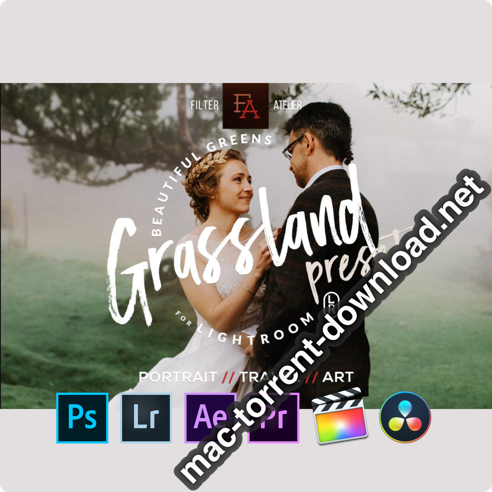
Grassland 3D LUTs for Photoshop, AE, Premiere, Resolve and FCP X (Win/macOS)


Download Grassland 3D LUTs for Photoshop, AE, Premiere, Resolve and FCP X (Win/macOS)

Grassland – Set of 28 authentic presets.
Great for portraits and all genres of modern digital imagery: landscape, travel, destination, blog and wedding photography.

Grassland Presets were designed to enhance images with lots of green. They are quick, one-click, yet fully adjustable and customizable to fit your taste, style and lighting conditions.

  • Signature photography style
  • One-click automated presets, fully adjustable
  • Easy to use and to install, instructions included

YOU GET 28 PRESETS:

  • Grassland 01
  • Grassland 01 -bright
  • Grassland 01 -dark
  • Grassland 02 – Fall Season
  • Grassland 02 – Fall Season -bright
  • Grassland 02 – Fall Season -dark
  • Grassland 03 – Spring Sprouts
  • Grassland 03 – Spring Sprouts -bright
  • Grassland 03 – Spring Sprouts -dark
  • Grassland 03 – Spring Sprouts -dark -vivid
  • Grassland 04 – Creek
  • Grassland 04 – Creek -bright
  • Grassland 04 – Creek -dark
  • Grassland 05 – Camp
  • Grassland 05 – Camp -bright
  • Grassland 05 – Camp -dark
  • Grassland 05 – Camp -dark -vivid
  • Grassland 05 – Camp -dark -vivid greens
  • Grassland 06 – Green Forest
  • Grassland 06 – Green Forest -bright
  • Grassland 06 – Green Forest -dark
  • Grassland 06 – Green Forest -skintone fix
  • Grassland 07 – Green Hills
  • Grassland 07 – Green Hills -bright
  • Grassland 07 – Green Hills -dark
  • Grassland 08 – Picnic
  • Grassland 08 – Picnic -bright
  • Grassland 08 – Picnic -dark

Developer Website

Grassland 3D LUTs Screenshots


Name CM Grassland 3D LUTs mac-torrents.net.rar
Size 2.84 MB
Created on 2019-11-11 07:34:47
Hash 1cc159e5aaa776798c51f75cbfc799cb67a10d08
Files CM Grassland 3D LUTs mac-torrents.net.rar (2.84 MB)

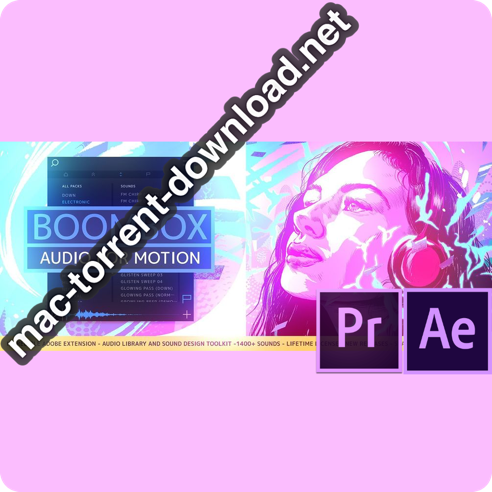
Mt. Mograph BOOMBOX v15 for After Effects & Premiere

Download Mt. Mograph BOOMBOX v15 for After Effects & Premiere

BOOMBOX

  • Audio library from award-winning composer
  • 1100 sounds, 800 tags and 30 categories
  • Professionally produced and royalty-free
  • Continually evolving Library and Extension
  • Import and Edit your own SFX libraries
  • Instantly find, preview and sync audio
  • Designed for After Effects & Premiere

Developer Website

What’s new in Mt. Mograph BOOMBOX v15

  • Release notes not available at the time of this post.

Screenshots

Name Mt. Mograph BOOMBOX v15 for AE Premiere.zip
Size 10.35 MB
Created on 2019-11-08 02:16:13
Hash 928eb1d9145bd92658fb13d250cff0dee59dd404
Files Mt. Mograph BOOMBOX v15 for AE Premiere.zip (10.35 MB)

Adobe Premiere Pro 2020 v14.0.0.572

Download Adobe Premiere Pro 2020 v14.0.0.572

Adobe Premiere Pro 2020 is a professional program for non-linear video editing. The application provides high-quality editing of video resolution 4K and higher, with 32-bit color, both in RGB and YUV color space. Editing audio samples, support for VST audio plug-ins (plug-in) and audio tracks 5.1 surround.

The main advantages of Adobe Premiere CC 2020:

  • Working with multiple projects simultaneously
  • General projects with the lock function
  • Adaptive design Time
  • Adaptive design Position
  • Animated graphics templates available in Adobe Stock
  • Realistic editing of VR
  • Realistic sound processing for 360 / VR
  • immersive
  • Transitions immersive
  • Subtitles and graphics for video with immersive
  • Rotation VR sphere
  • Improved process of “Basic Graphic Elements”
  • Support for new formats
  • Regional subtitle standards
  • Support Updates “group projects as Adobe”
  • Improved conditions beginning work for beginners
  • Optimized support for builtin camera in the shooting settings Lumetri
  • working with templates After Effects motion graphics without installing the After
  • Effects application
  • And much more …

Installation

For macOS 10.12+

When you run the installer writes “The installation cannot continue as the installer file may be damaged. Download the installer file again”.

Code:
sudo spctl --master-disable

Install using patch:

Attention! Before installing, disconnect from the Internet

  1. Copy Folder “Extra” to Desktop
  2. Launch terminal and insert the command
    chmod x ~/Desktop/Extra/Install.app/Contents/MacOS/Install
  3. Press enter

Run the Install installer and follow the instructions

  1. After installation, do not run the program in trial mode (close the application forcibly if it starts up on its own)
  2. From the desktop, launch the Adobe Zii patch and press the PATCH or drag the icon of the installed Adobe Premiere Pro CC 2019 into the open patch window

Patcher by TNT

Who has the Illustrator or another installed – be careful with the patch.

Install the program and use the patch that is in the distribution – drag the program icon to the open patch window, and do not use the automatic function (here, all installed Adobe applications will be patched automatically, and with such actions errors may occur)

Information

Compatibility
macOS 10.12 or later 64 bit
Includes
Adobe Zii

What’s New in Adobe Premiere Pro 2020 v14.0.0.572

Auto Reframe

Powered by Adobe Sensei, Auto Reframe applies intelligent reframing to your footage, keeping the action inside the frame for different aspect ratios such as square, vertical, and 16:9 video.

Graphics and text enhancements

The Essential Graphics panel in Premiere Pro has a number of text and graphics enhancements to make your titling and graphic workflows smoother.

Audio enhancements

Audio improvements in Premiere Pro include more streamlined workflows for multi-channel effects and increased range for audio gain.

Time remapping to 20,000 percent

Do more creatively with re-timing shots without requiring nested sequences for bigger speed changes.

Improved native format support

Premiere Pro provides robust native support and improved performance for widely used formats, like H264, HEVC, and ProRes – including ProRes HDR – on both macOS and Windows.

Export HDR content with HDR10 metadata

Apply metadata to HDR10 exports to ensure optimal display quality on HDR10-enabled devices

More drivers audited in System Compatibility report

The System Compatibility report now checks for more drivers to make sure your system is primed for editing with Premiere Pro.

Other enhancements

Learn more about other improvements in the new release, such as faster scrolling in the Media Browser, easier Media Cache management, and more.

Screenshots

Name Adobe Premiere Pro 2020 v14 [TNT] mac-torrents.net .rar
Size 2.11 GB
Created on 2019-11-07 17:56:45
Hash 65fa9e735faef7658f33e53260ee497512c94d79
Files Adobe Premiere Pro 2020 v14 [TNT] mac-torrents.net .rar (2.11 GB)

Twixtor Pro v7.2.0 for Adobe After Effects & Premiere Pro

Download Twixtor Pro v7.2.0 for Adobe After Effects & Premiere Pro

Twixtor raises the bar in motion estimation. Twixtor is much more accurate, tracks objects farther, and exhibits fewer artifacts when there are objects crossing in the scene. This means less tearing and stretching of objects as they cross or go out of the frame.

Twixtor Features

  • Warping and interpolation of frames to “time warp” input footage.
  • Smart processing of interlaced material
  • Stretching of a sequence using a single scaling parameter.
  • Keyframable retiming for complete control on a frame by frame basis.
  • Frame rate conversions made easy (Important Note: frame rate conversions are supported only from within After Effects and Combustion ).
  • 8 and 16 bits per channel processing. Unclamped floating point image support in After Effects 7.0 or later
  • Option to automatically enhance dark imagery or imagery with poorly defined edges. In many cases, footage that was difficult to track becomes much more wellbehaved upon retiming.
  • Contains an option to add or remove motion motion blur, as appropriate.
  • Support for marking material so that Twixtor does not motioninterpolate across a cut.
  • After Effects only: ability to remap audio and video using AE’s time remapping tools but using Twixtor “under the hood”

Information

Languages
English

What’s New in Twixtor Pro v7.2.0

  • Release notes not available at the time of this post.

Screenshots

Name Twixtor Pro 7.2.0 for Adobe After Effects Premiere Pro.zip
Size 16.06 MB
Created on 2019-10-30 19:32:28
Hash 1556bfca652a87672cd23474e61256651e23e355
Files Twixtor Pro 7.2.0 for Adobe After Effects Premiere Pro.zip (16.06 MB)

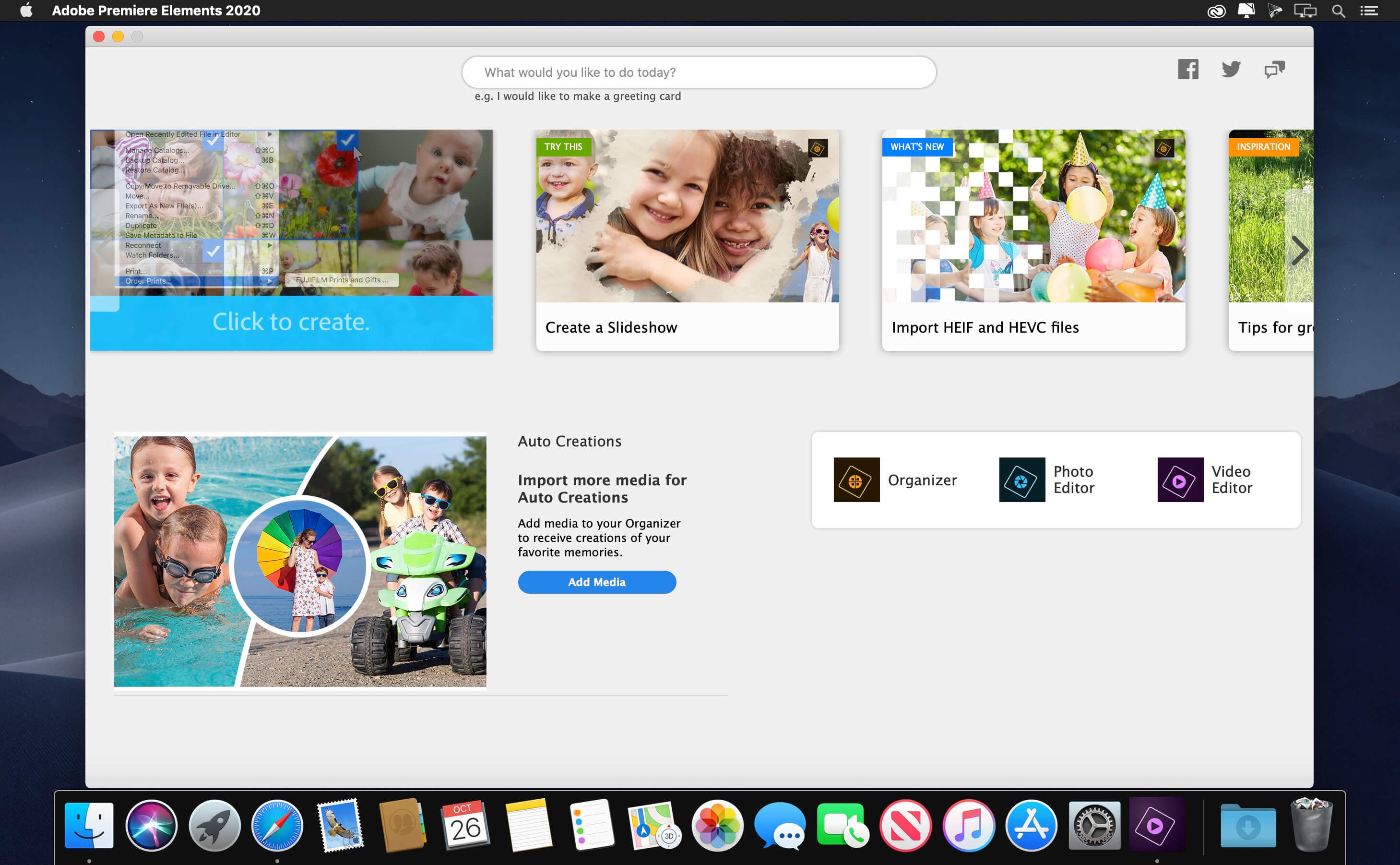
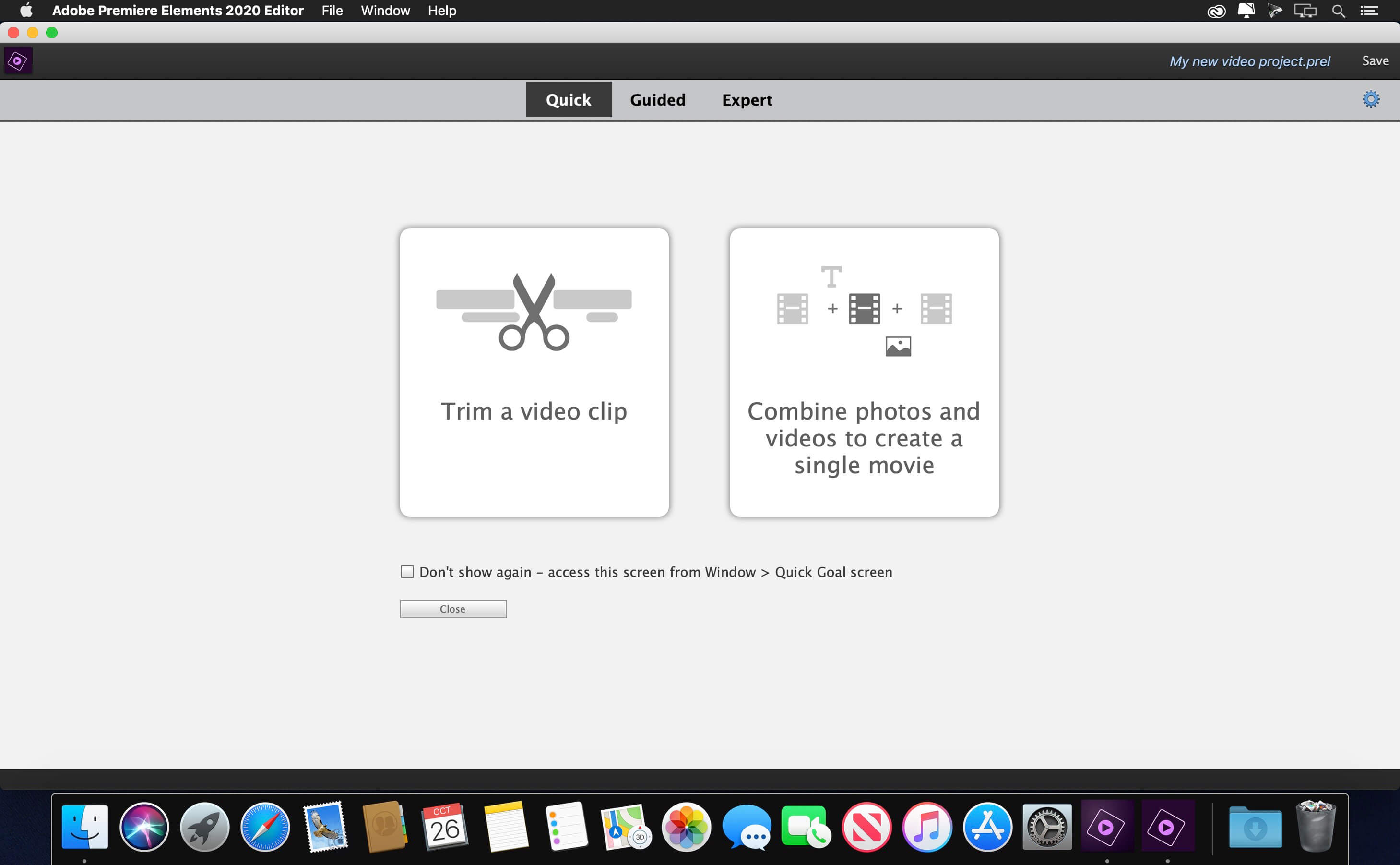
Adobe Premiere Elements 2020 18.0

Download Adobe Premiere Elements 2020 v18.0

Adobe Premiere Elements just got better. Now you can create quick movies from favorite parts of your clips or tell big life stories in full-on productions. Add motion inside movie titles, punch up the drama with cool focus effects, and get guidance as you go.

Amazing movies. Fun creations. Forever memories. It’s never been easier to make incredible movies and creations. Dive in and do it all. Enjoy auto-generated video creations. Make your videos look great with intelligent editing options. Turn them into fun creations. Organize them effortlessly. And quickly share them in memorable ways.

Explore new video editing features.

Improve grainy videos

Shot your video in low light? Make it look more crisp with a simple drag and drop of the Reduce Noise effect.

Animate skies in your photos

Replace static skies with moving ones to create an eye-catching effect.

Fill the frame to match your video

Bring a vertical clip or photo into a horizontal video (or vice versa) so it looks seamless. Black bars are filled in to match the look of your video.

Create dynamic time-lapse videos

Turn a series of photos or videos into a time-lapse that speeds up the action.

Find videos faster with Smart Tags

Your videos are auto-tagged based on subjects like sunsets, birthdays, dogs, cats, and more. Powered by Adobe Sensei AI technology.

Find by faces

The faces in your videos are automatically recognized during import, and then the videos are stacked by person so it’s easy to tag and find them later. Powered by Adobe Sensei.

Expanded HEIF and HEVC support

Import and edit HEIF photo files and HEVC video files on Windows as well as macOS.

Information

Compatibility
macOS 10.13 or later 64-bit
Includes
Adobe Zii 2020
Languages
Multilangual

What’s new in Adobe Premiere Elements 2020 18.0

  • Release notes not available at the time of this post.

Screenshots

Name Adobe Premiere Elements 2020 v18.0 [TNT] mac-torrents.net.rar
Size 3.51 GB
Created on 2019-10-26 23:17:03
Hash 22d2d09556ede5a6b4003f14d2d115766abb3662
Files Adobe Premiere Elements 2020 v18.0 [TNT] mac-torrents.net.rar (3.51 GB)

Download

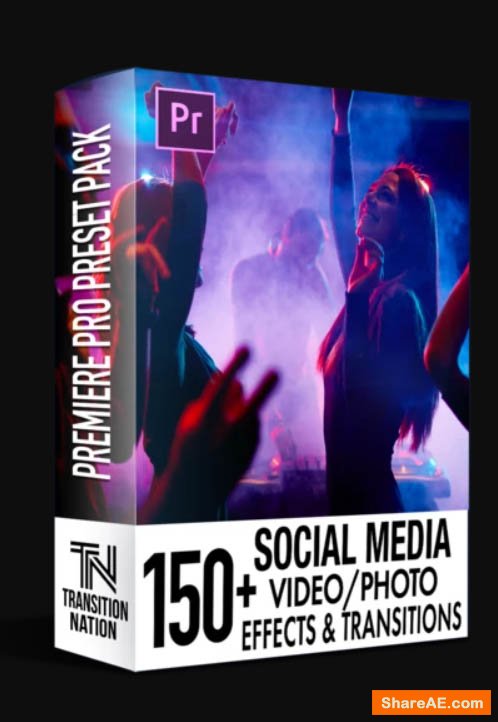
150+ Social Media FX Pack for Adobe Premiere Pro (Win/Mac)


Download 150+ Social Media FX Pack for Adobe Premiere Pro (Win/Mac)

150+ Transition Pack is compatible only with ADOBE PREMIERE PRO CC 2018 Ver 12.1.2 – 2019

This Pack includes:

150+ FX PACK FOR YOUR SOCIAL MEDIA VIDEO/PHOTOS (Facebook, Instagram, LinkedIn, Snapchat, Twitter, YouTube)

Its time to up your game and create ATTENTION grabbing post and videos!

You only have SECONDS to capture your audiences ATTENTION.

If you’re serious about increasing your social media followers or offer a product/service, then you have to create ATTENTION grabbing CONTENT!

WORKS WITH VIDEO AND PHOTOS or MIX n’ MATCH!

These effects are designed to save you time and help you professionally edit your videos or photos in a matter of minutes. These Premiere Pro effects are easy to use for beginners and definitely powerful for advance users.

Information

CompatibilityADOBE PREMIERE PRO CC 2018 Ver 12.1.2 – 2019
LanguagesEnglish

150+ Social Media FX Pack Screenshots

Name 150+ Social Media FX Pack for Adobe Premiere Pro Win Mac mac-torrents.net.rar
Size 272.5 MB
Created on 2019-10-06 17:46:49
Hash 8017ddd6d5d96c99b7b313eb594de9cba3a6d359
Files 150+ Social Media FX Pack for Adobe Premiere Pro Win Mac mac-torrents.net.rar (272.5 MB)

Download

Taylor Cut Video LUTs for Final Cut Pro, Premiere & Resolve (Win/Mac)

Download Taylor Cut Video LUTs for Premiere, Resolve & Final Cut Pro (Win/Mac)

Achieve the look of blockbuster movies with this first ever bundle of video LUTs created by Taylor Cut Films! Based on his favorite feature films, these magical video filters will transform any footage into cinematic quality. Jordan developed these looks to help you add a pristine color grade to all your video edits! Whether it be a commercial, music video, lifestyle vlog, short film, travel edit, feature length motion picture, or just home video footage, these video LUTs are perfect for giving the exact tone and vibe to the videos of your choice!

Included in this bundle are 8 unique video LUTs / color tones.

Achieve the look you want and improve your edits by adding cinematic tones to your footage with these customized filters created by Jordan Taylor Wright of Taylor Cut Films.

  • 8 NEW Video LUTs
  • Cinematic Coloring
  • Magical / Storybook Tones
  • Dynamic Picture Adjustments
  • Help Files and Support

This product is compatible with Adobe Premiere Pro, Final Cut X, and DaVinci Resolve. Tutorials on how to color grade with these LUTs are offered within the Taylor Cut University courses!

Information

Compatible withAdobe Premiere Pro, Final Cut X, and DaVinci Resolve
LanguagesEnglish

Taylor Cut Video LUTs Screenshots

Name Taylor Cut Films LUTs mac-torrents.net.rar
Size 14.61 MB
Created on 2019-09-30 21:42:31
Hash 18877dc555314739f872325b3675c1c8044f96c6
Files Taylor Cut Films LUTs mac-torrents.net.rar (14.61 MB)

Download