Tag Archives: Library

PDF Reader – PDF Library Pro 2.3.6

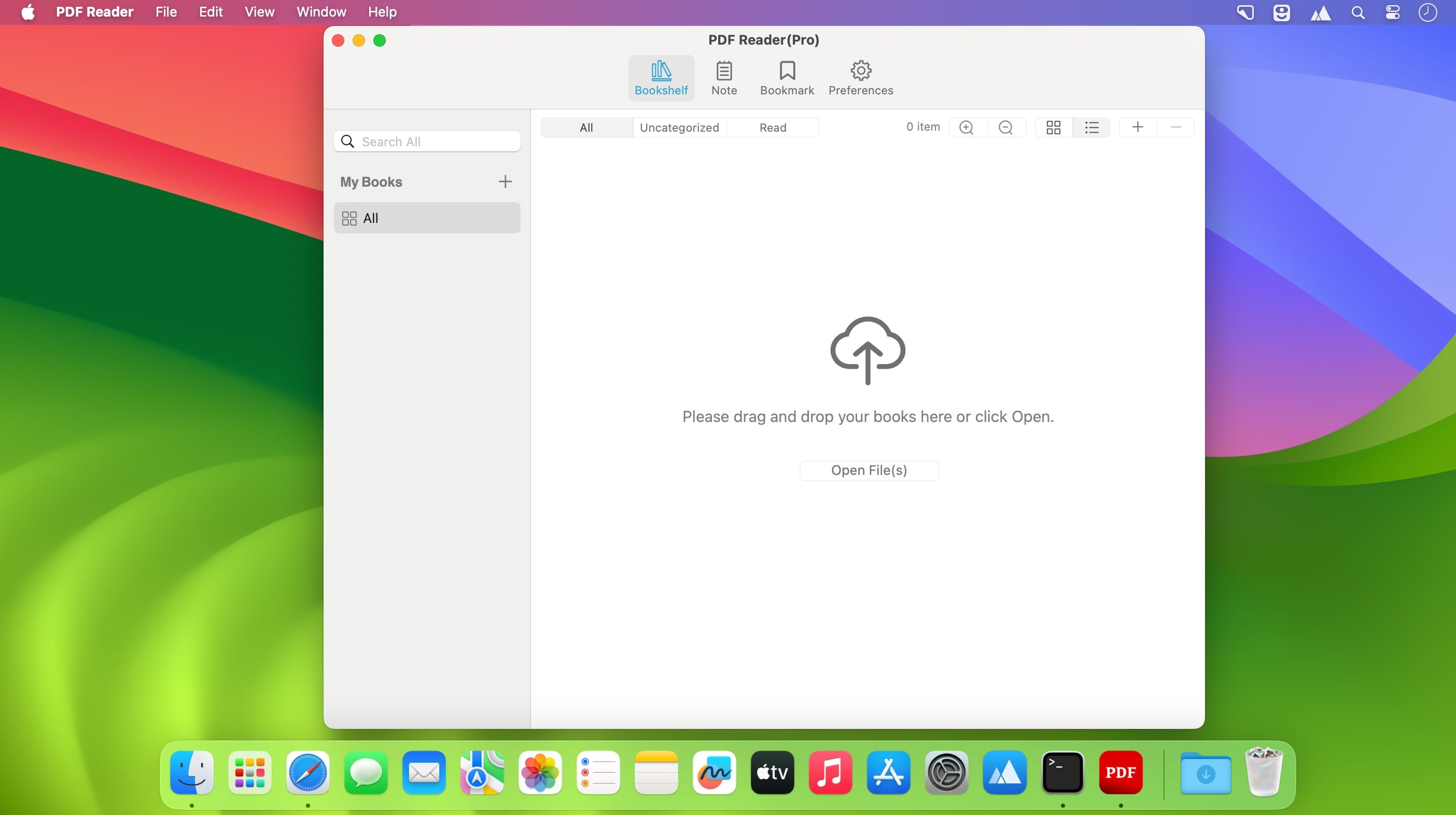
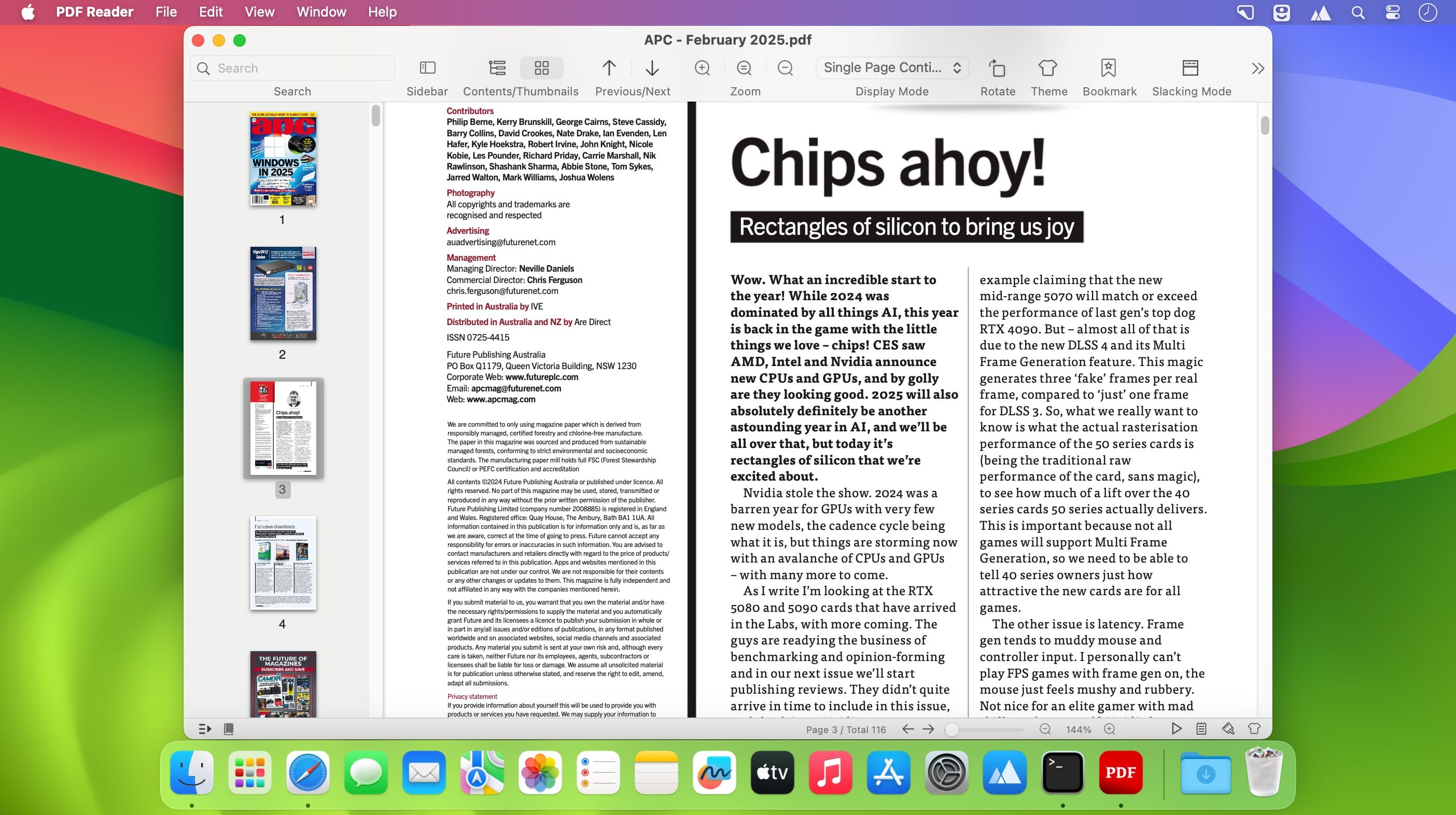
Immersive reading, highlighted. A simple and easy to use PDF Reader. It can not only read, but also help you manage your PDF files.

# Functional Features
– Bookshelves to record the books you have read.
– Automatically remember where you last read.
– Supports highlighting, underlining, and note-taking.
– Supports multiple theme switching.
– Supports immersive reading mode.
– Supports status bar window reading mode.
– Full-text search is supported.

Top In-App Purchases: Pro Version – included
Compatibility: macOS 10.13 or later
Mac App Store https://geo.itunes.apple.com/app/id6496689357

Name: PDF_Reader_2.3.6_Mactorrents.Me.dmg
Size: 11 MB
Files PDF_Reader_2.3.6_Mactorrents.Me.dmg[11 MB]


   Download Torrent

PDF Reader – PDF Library Pro 2.3.3

Immersive reading, highlighted. A simple and easy to use PDF Reader. It can not only read, but also help you manage your PDF files.

# Functional Features
– Bookshelves to record the books you have read.
– Automatically remember where you last read.
– Supports highlighting, underlining, and note-taking.
– Supports multiple theme switching.
– Supports immersive reading mode.
– Supports status bar window reading mode.
– Full-text search is supported.

Top In-App Purchases: Pro Version – included
Compatibility: macOS 10.13 or later
Mac App Store https://geo.itunes.apple.com/app/id6496689357

Name: PDF_Reader_2.3.3_Mactorrents.Me.dmg
Size: 11 MB
Files PDF_Reader_2.3.3_Mactorrents.Me.dmg[11 MB]


   Download Torrent

PDF Reader – PDF Library Pro 2.3.2

Immersive reading, highlighted. A simple and easy to use PDF Reader. It can not only read, but also help you manage your PDF files.

# Functional Features
– Bookshelves to record the books you have read.
– Automatically remember where you last read.
– Supports highlighting, underlining, and note-taking.
– Supports multiple theme switching.
– Supports immersive reading mode.
– Supports status bar window reading mode.
– Full-text search is supported.

Top In-App Purchases: Pro Version – included
Compatibility: macOS 10.13 or later
Mac App Store https://geo.itunes.apple.com/app/id6496689357

Name: PDF_Reader_2.3.2_Mactorrents.Me.dmg
Size: 11 MB
Files PDF_Reader_2.3.2_Mactorrents.Me.dmg[11 MB]


   Download Torrent

PDF Reader – PDF Library Pro 2.3.0

Immersive reading, highlighted. A simple and easy to use PDF Reader. It can not only read, but also help you manage your PDF files.

# Functional Features
– Bookshelves to record the books you have read.
– Automatically remember where you last read.
– Supports highlighting, underlining, and note-taking.
– Supports multiple theme switching.
– Supports immersive reading mode.
– Supports status bar window reading mode.
– Full-text search is supported.
Top In-App Purchases: Pro Version – included
Compatibility: macOS 10.13 or later
Mac App Store https://geo.itunes.apple.com/app/id6496689357

Name: PDF_Reader_2.3.0_Mactorrents.Me.dmg
Size: 11 MB
Files PDF_Reader_2.3.0_Mactorrents.Me.dmg[11 MB]


   Download Torrent

PDF Reader – PDF Library 2.1.0

Immersive reading, highlighted. A simple and easy to use PDF Reader. It can not only read, but also help you manage your PDF files.

# Functional Features
– Bookshelves to record the books you have read.
– Automatically remember where you last read.
– Supports highlighting, underlining, and note-taking.
– Supports multiple theme switching.
– Supports immersive reading mode.
– Supports status bar window reading mode.
– Full-text search is supported.

Top In-App Purchases: Pro Version – included
Compatibility: macOS 10.13 or later
Mac App Store https://geo.itunes.apple.com/app/id6496689357

Screenshots


Name: PDF_Reader_2.1.0_Mactorrents.Me.dmg
Size: 11 MB
Files PDF_Reader_2.1.0_Mactorrents.Me.dmg[11 MB]


   Download Torrent

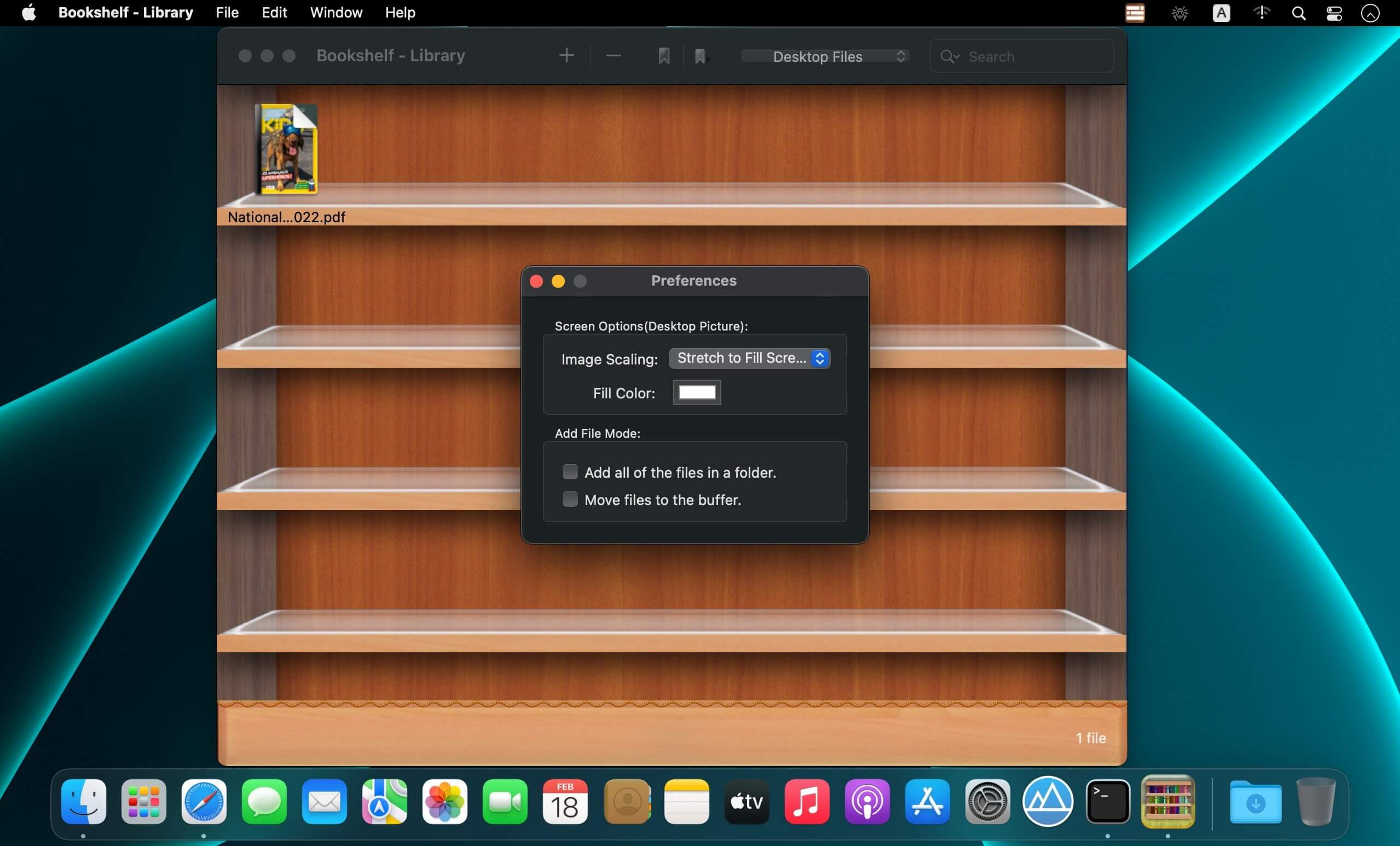
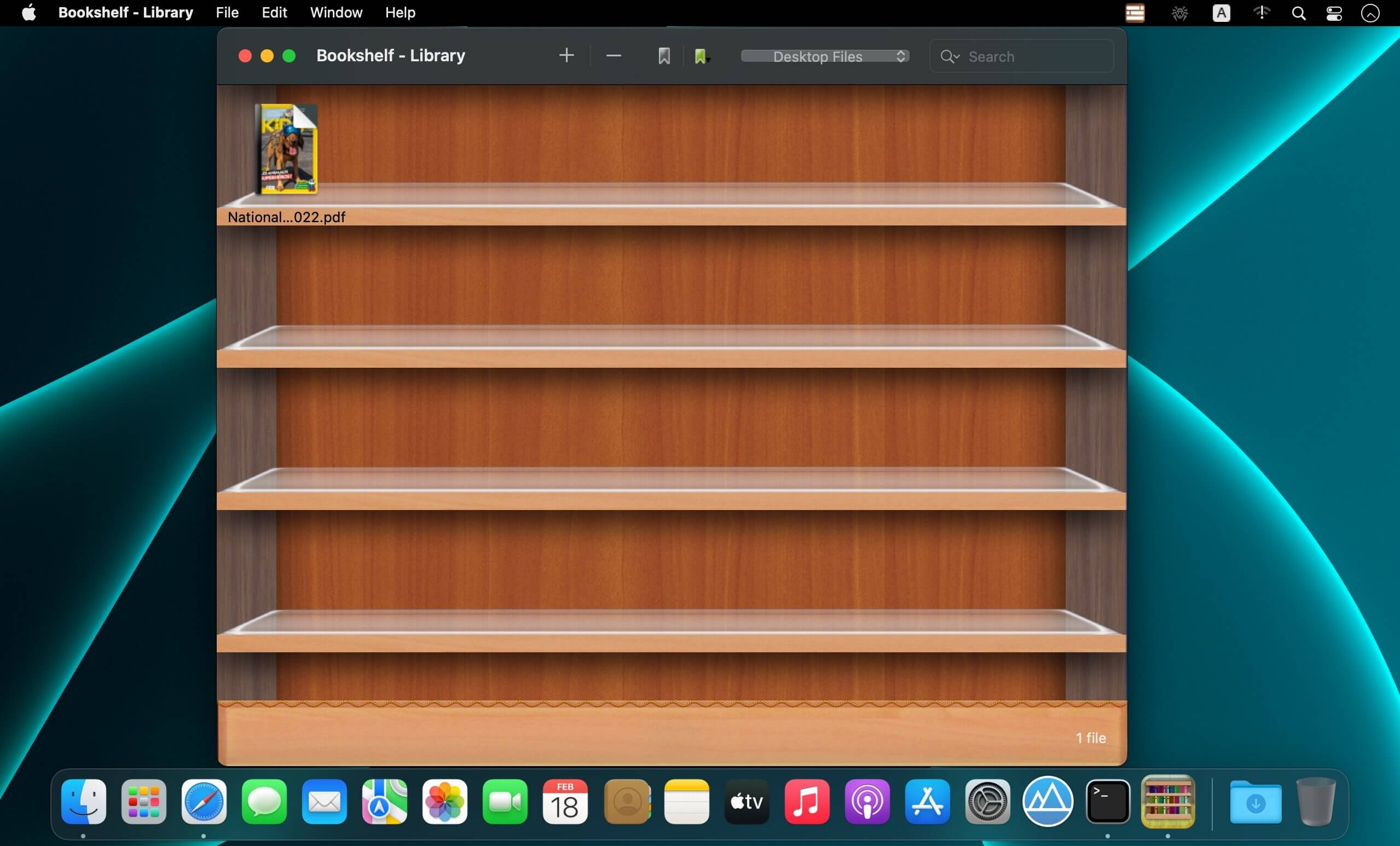
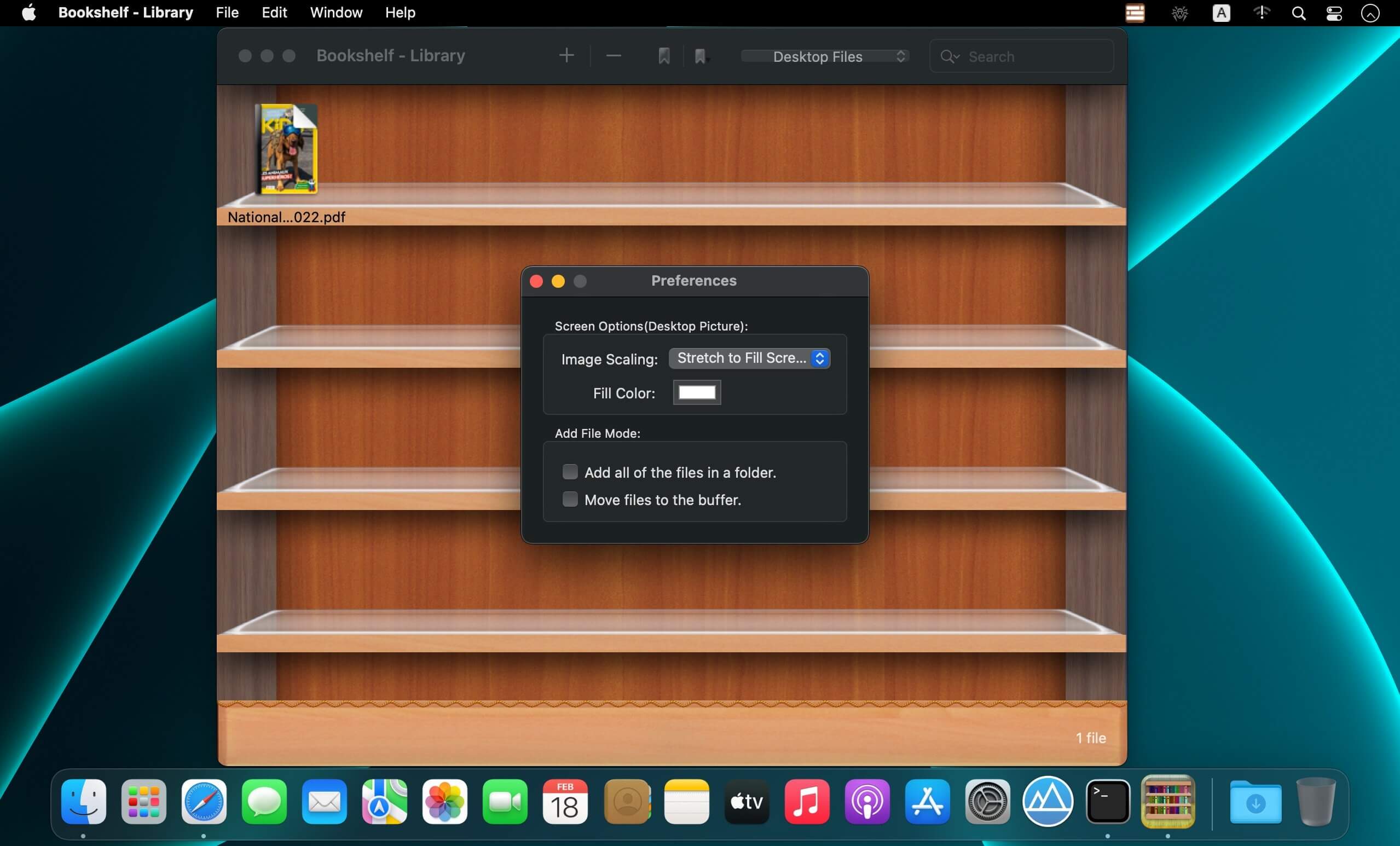
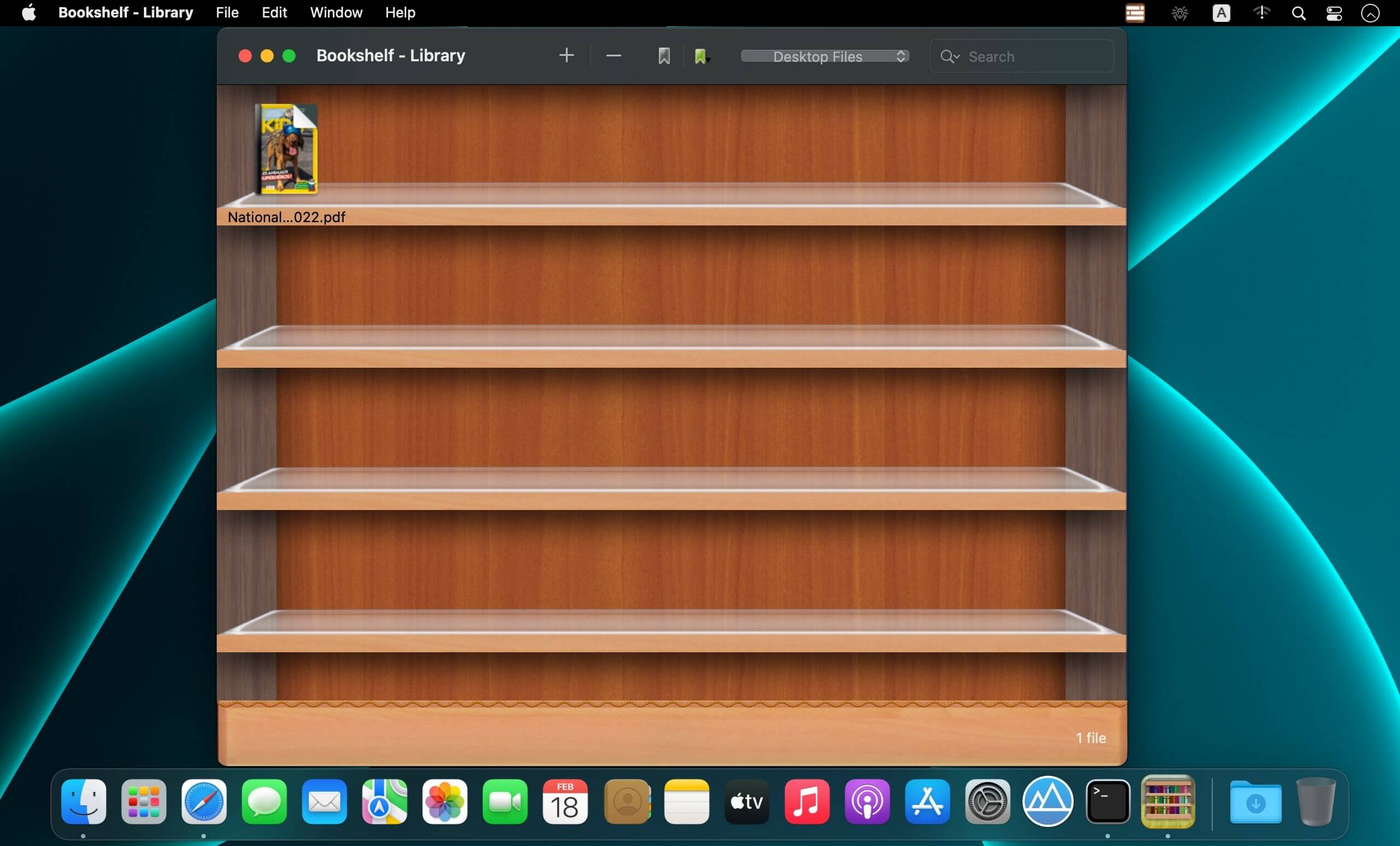
Bookshelf – Library 6.3.7

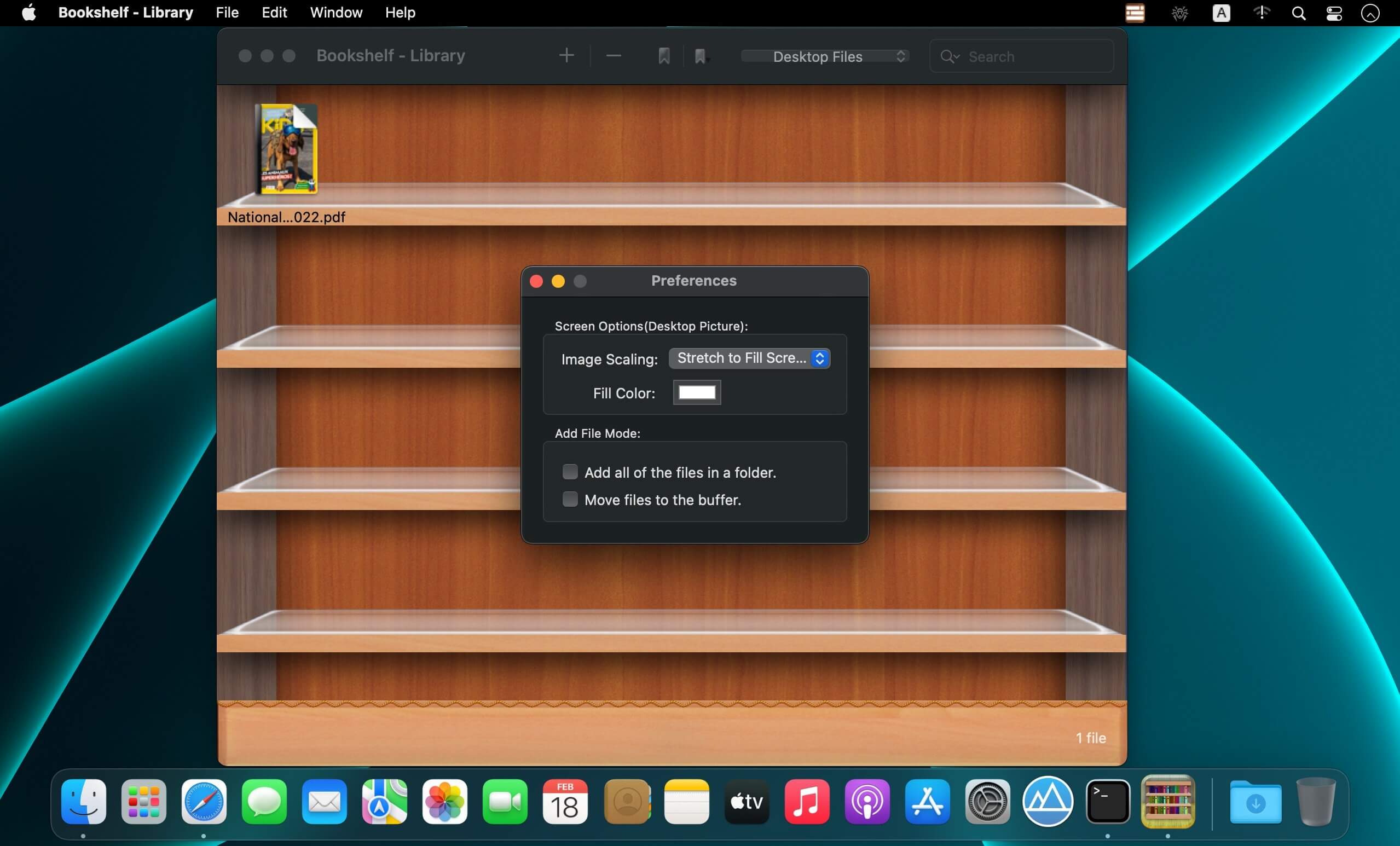
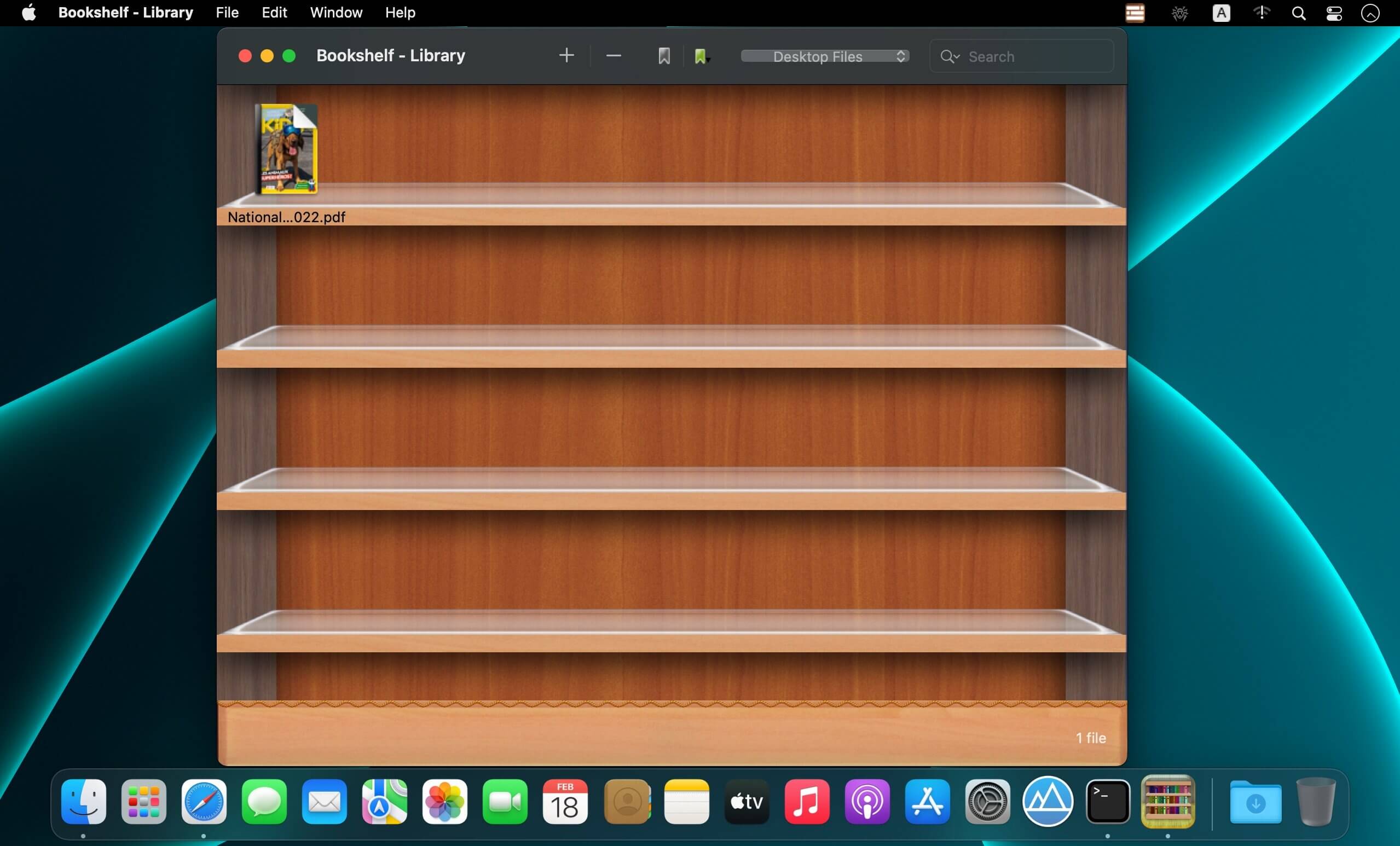
File Shelf Pro is a file index management tool, it can help you manage your files better.

Key Features

  • You can add any files here, including the folder.
  • You can create file category in order to manage them conveniently.
  • You can search for files in current category and all categories.
  • You can set image file to the desktop image.
  • You can ascending and descending order files.
  • You can add file labels, It’s easier to find files.
  • You can move files from one category to another category.
  • Move files into the buffer in order to manage your files better, can also let your desktop become cleaner.
  • Support drag and drop to add files.
  • Create more categories.

Important Note: The File Shelf Pro is equivalent to the file index. It does not back up the original file, so please do not delete the original file.

Compatibility: macOS 10.12 or later (Apple Silicon compatible)
Mac App Store https://apps.apple.com/pk/app/bookshelf-library/id682188207?mt=12&uo=4

Screenshots


Name: Bookshelf_-_Library_6.3.7_Mactorrents.Me.dmg
Size: 8 MB
Files Bookshelf_-_Library_6.3.7_Mactorrents.Me.dmg[8 MB]


   Download Torrent


   Download Link

Bookshelf – Library 6.3.6

File Shelf Pro is a file index management tool, it can help you manage your files better.

Key Features

  • You can add any files here, including the folder.
  • You can create file category in order to manage them conveniently.
  • You can search for files in current category and all categories.
  • You can set image file to the desktop image.
  • You can ascending and descending order files.
  • You can add file labels, It’s easier to find files.
  • You can move files from one category to another category.
  • Move files into the buffer in order to manage your files better, can also let your desktop become cleaner.
  • Support drag and drop to add files.
  • Create more categories.

Important Note: The File Shelf Pro is equivalent to the file index. It does not back up the original file, so please do not delete the original file.

Compatibility: macOS 10.12 or later (Apple Silicon compatible)
Mac App Store https://apps.apple.com/pk/app/bookshelf-library/id682188207?mt=12&uo=4

Screenshots


Name: Bookshelf_-_Library_6.3.6__TNT_Mactorrents.Me.dmg
Size: 8 MB
Files Bookshelf_-_Library_6.3.6__TNT_Mactorrents.Me.dmg[8 MB]


   Download Torrent


   Download Link

Bookshelf – Library 6.3.4

Name: Bookshelf_-_Library_6.3.4_Mactorrents.biz.dmg
Size: 8 MB
Files Bookshelf_-_Library_6.3.4_Mactorrents.biz.dmg[8 MB]

   Download Torrent

File Shelf Pro is a file index management tool, it can help you manage your files better.

Key Features

  • You can add any files here, including the folder.
  • You can create file category in order to manage them conveniently.
  • You can search for files in current category and all categories.
  • You can set image file to the desktop image.
  • You can ascending and descending order files.
  • You can add file labels, It’s easier to find files.
  • You can move files from one category to another category.
  • Move files into the buffer in order to manage your files better, can also let your desktop become cleaner.
  • Support drag and drop to add files.
  • Create more categories.

Important Note: The File Shelf Pro is equivalent to the file index. It does not back up the original file, so please do not delete the original file.

Compatibility: macOS 10.12 or later (Apple Silicon compatible)
Mac App Store https://apps.apple.com/pk/app/bookshelf-library/id682188207?mt=12&uo=4

Screenshots


Delicious Library 3.9.3

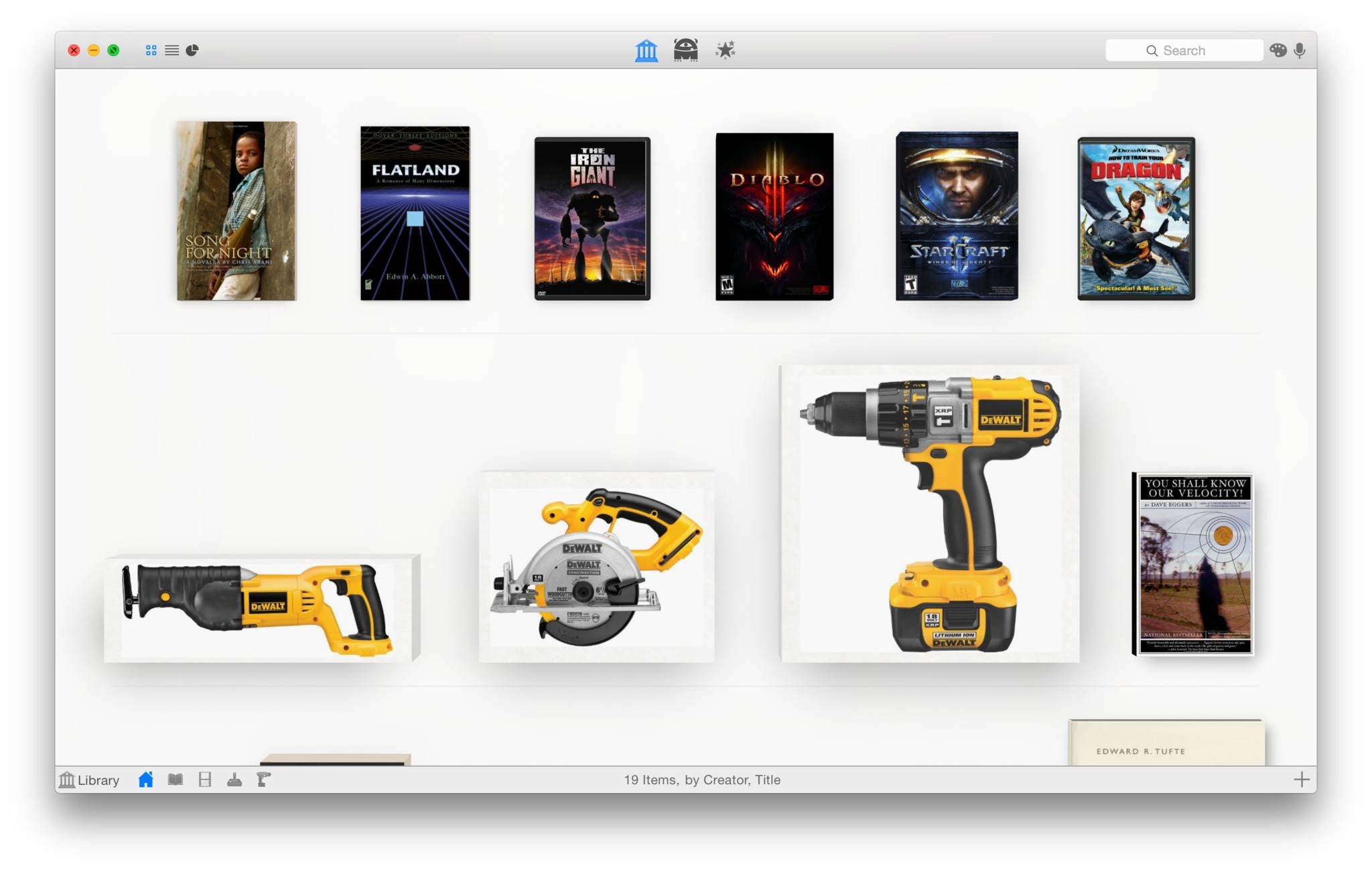
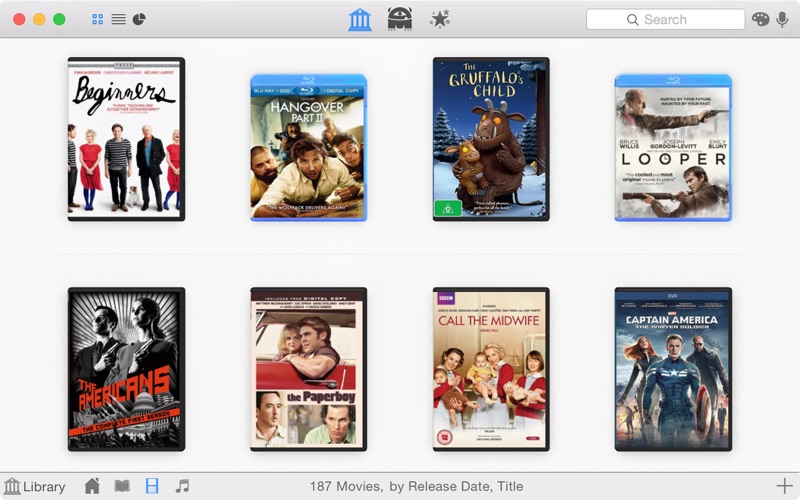
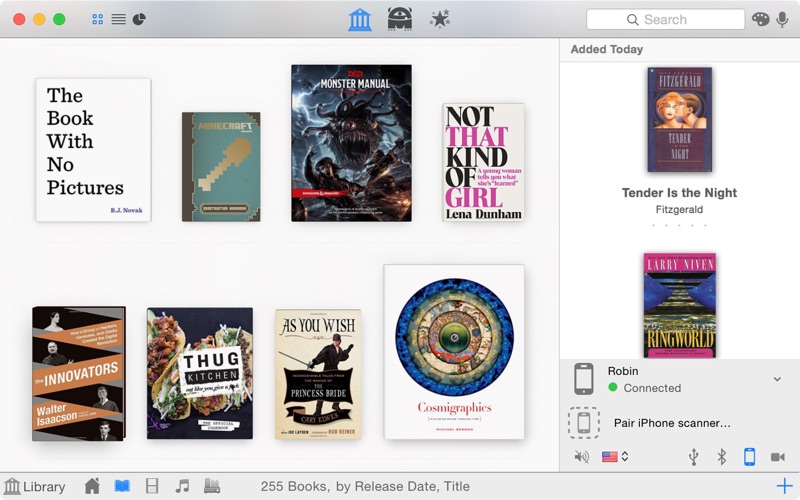
Delicious Library allows you to import, browse, and share all your books, movies, music, and video games with Delicious Library.
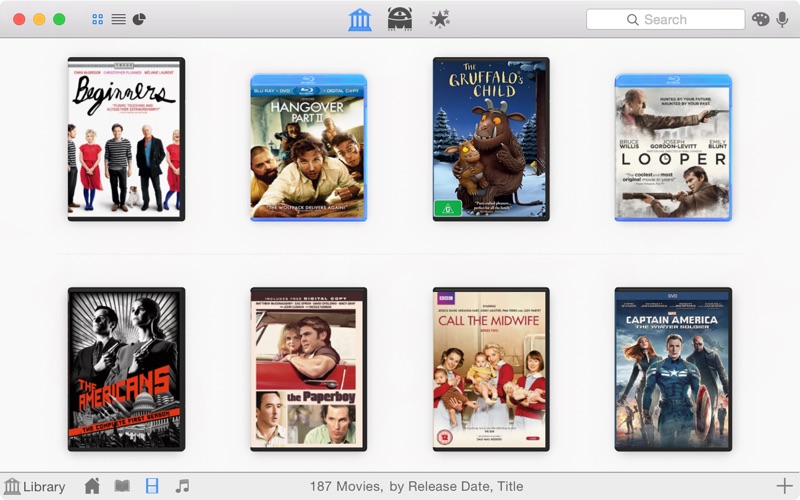
Run your very own library from your home or office using our impossibly simple interface. Delicious Library’s digital shelves act as a visual card-catalog.

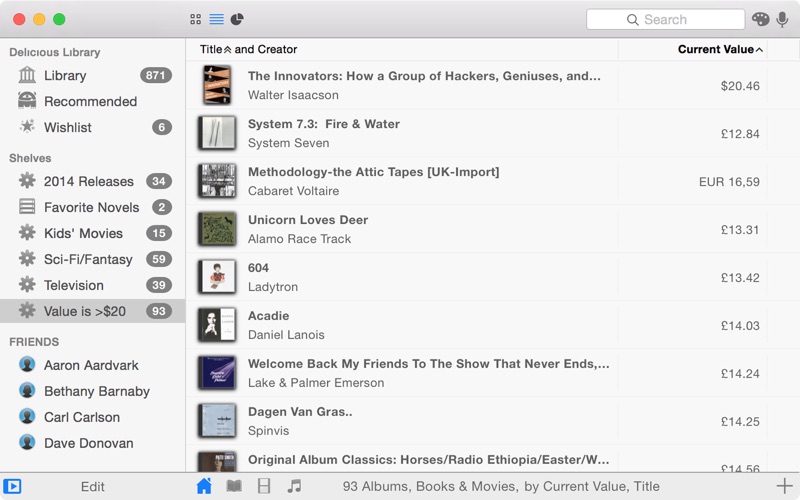
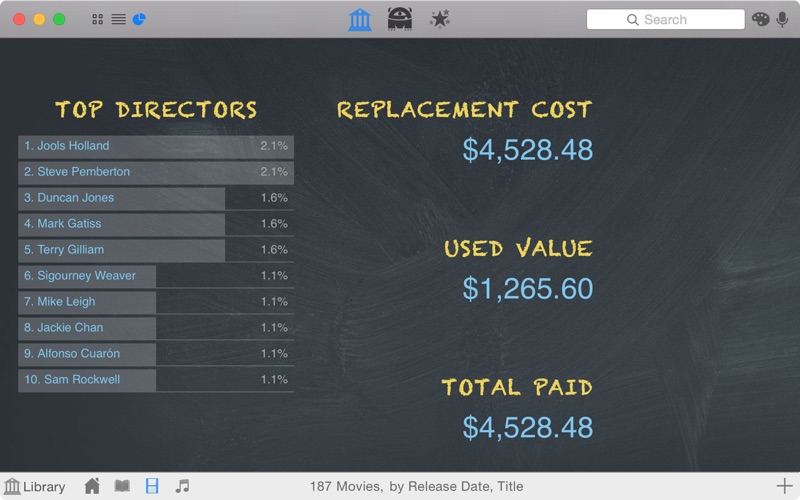
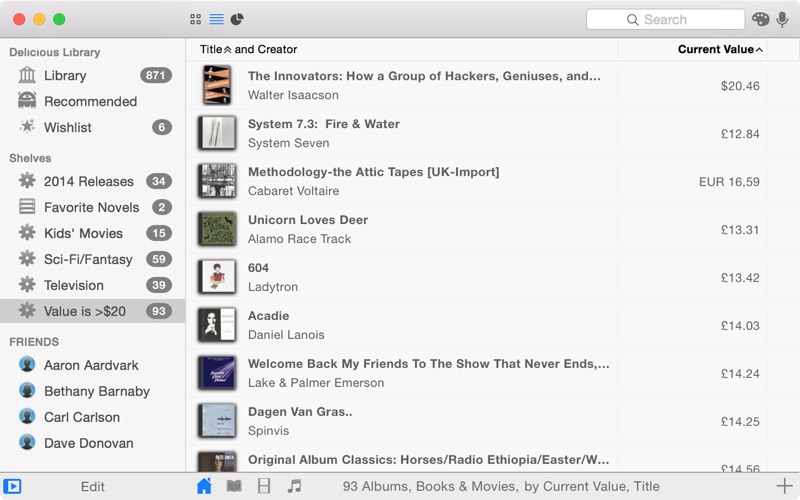
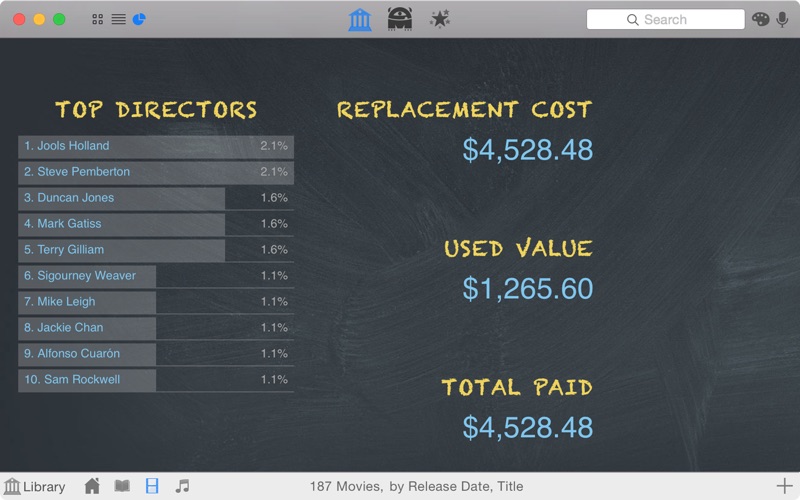
A scan of a barcode is all Delicious Library needs to add an item to your digital shelves, downloading tons of info from the Internet like the author, release date, current value, description, and even a high-resolution picture of the cover. Import your entire library using our exclusive full-speed iSight video barcode scanner, our Flic Wireless Laser Bar Code Scanner, or (the slow way) entering the titles by hand. Once you have all of your items in your Mac, you can browse though your digital shelves, check stuff out to friends using Apple’s built-in Address Book and calendar, and find new items to read, watch, and play using Library’s recommendations.

Quickly importing your stuff into Delicious Library doesn’t require a dedicated barcode scanner – you can use any QuickTime-supported digital video camera, like your Apple iSight. Just hold the barcode on the back of any book, movie, CD, or video game in front of the camera and your item magically shows up on your digital shelf seconds later. Using the same technology found in $800 industrial-strength CCD barcode scanners, Delicious Library reads every single frame of digital video; seeking out, targeting, and instantly decoding any visible barcodes. This results in a seamless process of scanning that lets you import about 750 items an hour (assuming you can move your arms that fast). At that rate the staff of the new downtown Seattle Central Library could work together to import all of their 1.4 million books into Delicious Library in just over 5 hours.

Language: English, Danish, Dutch, French, German,
Compatibility: Intel, 64-bit processor, OS X 10.10 or later
Homepage https://delicious-monster.com/

Screenshots


Name: Delicious.Library.3.9.3_Mactorrents.io.zip
Size: 88 MB
Files Delicious.Library.3.9.3_Mactorrents.io.dmg[88 MB]

   Download

Delicious Library 3.9.2

Delicious Library allows you to import, browse, and share all your books, movies, music, and video games with Delicious Library.
Run your very own library from your home or office using our impossibly simple interface. Delicious Library’s digital shelves act as a visual card-catalog.

A scan of a barcode is all Delicious Library needs to add an item to your digital shelves, downloading tons of info from the Internet like the author, release date, current value, description, and even a high-resolution picture of the cover. Import your entire library using our exclusive full-speed iSight video barcode scanner, our Flic Wireless Laser Bar Code Scanner, or (the slow way) entering the titles by hand. Once you have all of your items in your Mac, you can browse though your digital shelves, check stuff out to friends using Apple’s built-in Address Book and calendar, and find new items to read, watch, and play using Library’s recommendations.

Quickly importing your stuff into Delicious Library doesn’t require a dedicated barcode scanner – you can use any QuickTime-supported digital video camera, like your Apple iSight. Just hold the barcode on the back of any book, movie, CD, or video game in front of the camera and your item magically shows up on your digital shelf seconds later. Using the same technology found in $800 industrial-strength CCD barcode scanners, Delicious Library reads every single frame of digital video; seeking out, targeting, and instantly decoding any visible barcodes. This results in a seamless process of scanning that lets you import about 750 items an hour (assuming you can move your arms that fast). At that rate the staff of the new downtown Seattle Central Library could work together to import all of their 1.4 million books into Delicious Library in just over 5 hours.

What’s New:

Version 3.9:

  • Updated to the latest Amazon “Product Information” interface to continue fetching item information.
  • Updated for Catalina, but still runs on Yosemite, El Capitan, Sierra, High Sierra, and Mojave.
  • Recognize Kindle books as books.
  • Fixed a drawing bug where the rating widget on the Details popover pane could look like it was always five stars on Mojave and above.
  • Fixed an interaction bug where scrolling down to during a Search wouldn’t always trigger an Amazon lookup of the search terms.
  • Amazon is now returning some authors last-name-first, like “Asimov, Isaac,” so I’ve modified sorting by an author so it recognizes this and sorts correctly (eg, still using the last name first).
  • Mostly empty items with only a category (Book, Video, etc) and a title now look up correctly only in the right category.

Language: English, Danish, Dutch, French, German,
Compatibility: Intel, 64-bit processor, OS X 10.10 or later
Homepage https://delicious-monster.com/

Screenshots


Name: Delicious.Library.3.9.2_Mactorrents.io.zip
Size: 86.25 MB
Files Delicious.Library.3.9.2_Mactorrents.io.dmg[86.25 MB]

   Download

Delicious Library 3.9.1

A practical and user-friendly application that provides the required tools to manage and organize your own library using your Mac. Delicious Library is a straightforward media cataloging application that enables you to manage and keep track of your physical collection of movies, games, books, CDs, DVDs and more.

Intuitive library organizer
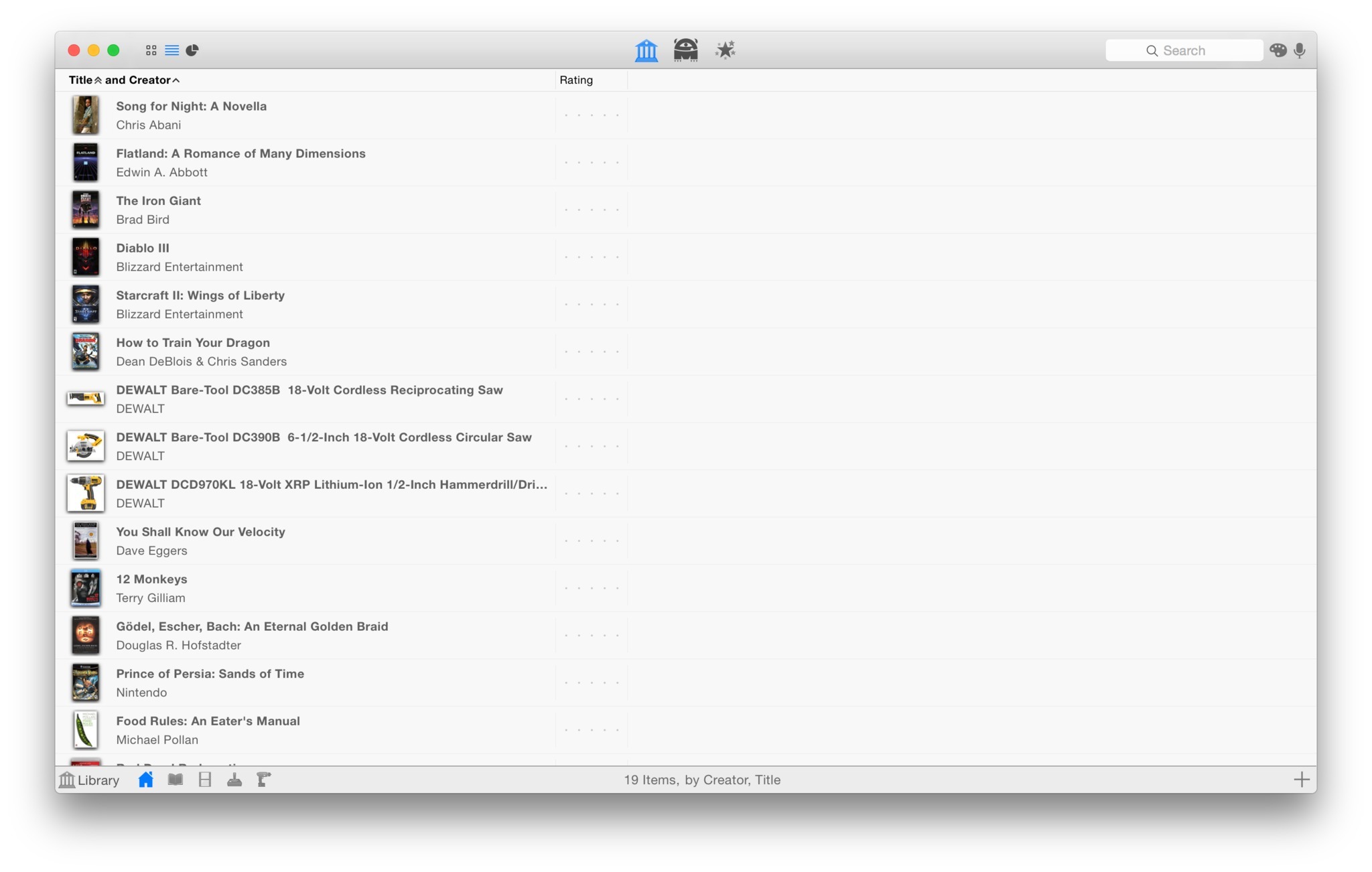
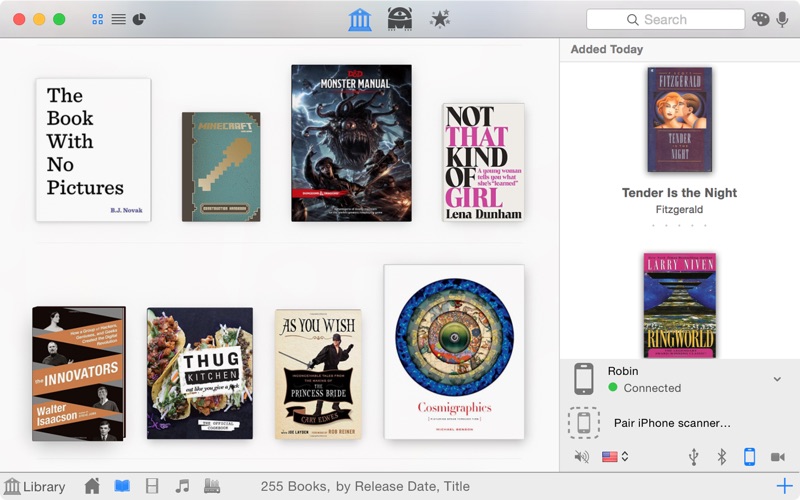
By using Delicious Library, you can easily catalog your entire collection of books, films, video games, music, as well as various tools and gadgets from your home with just a few keystrokes and mouse clicks. You can display your collection on well-designed shelves or in list view and rate items with one, two, three, four or five stars.

Built-in barcode scanner
The bottom tool bar helps you switch between libraries and filter the displayed items according to their type. Hence, you can separately display your books, movie, games, apps and tools collection. On top of that, you can easily add new items by scanning their product code using your Mac’s webcam, mobile device, Bluetooth or USB scanner.

The scanned code is automatically searched on an Amazon website of your choice in order to grab all the metadata and price information you need along with the cover art or product image. The scanning process is pretty simple and intuitive, you just have to place the barcode in front of your camera or scanner and the Delicious Library will take care of the rest.

Powerful Search engine
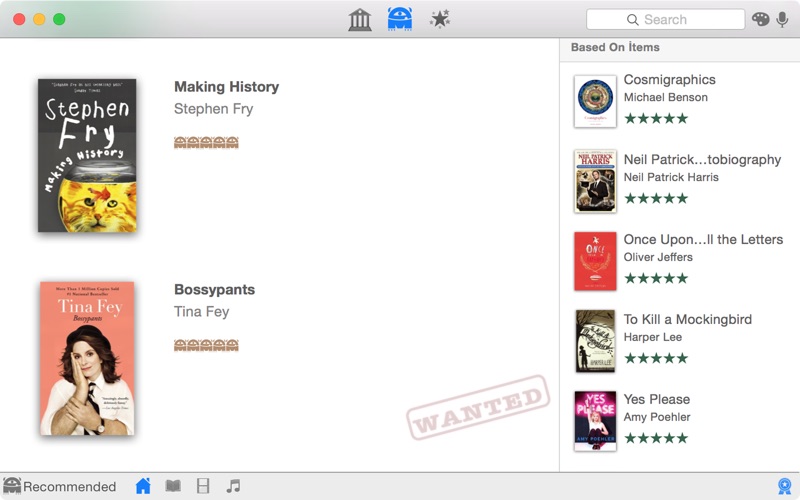
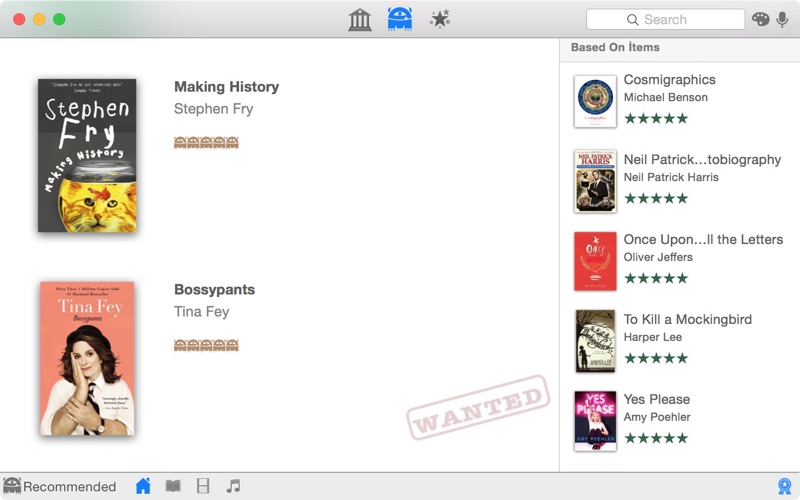
From the top toolbar you can go back and forth between your Library, Recommended and Wishlist tab. The Recommended tab offers smart recommendations based on your existing collection. Thanks to Delicious Library you can discover new games, movies, music and even products.

Another useful feature that you can find in the top toolbar is the built-in Search engine that allows you to find various items in your own library and over the Internet. You can focus your search on various categories, ranging from books, movies, albums, apps, games, gadgets, tools and more. Moreover, you can use Delicious Library to find items based on their cover color or use the speech recognition feature to find things even faster.

Compatibility: Intel, 64-bit processor, OS X 10.10 or later
Homepage https://delicious-monster.com/

Screenshots


Name: Delicious.Library.3.9.1_Mactorrents.io.zip
Size: 88 MB
Files Delicious.Library.3.9.1_Mactorrents.io.dmg[88 MB]

   Download

300 Titles Library For Premiere Pro

Videohive – 300 Titles Library For Premiere Pro – 24684790

Premiere Pro CC, After Effects CC | Resizable | No Plugins Required

Main Features :


  • 300 Titles. All Detailed Animations.
  • 15 Categories
  • Re-DONE FOR PREMIERE PRO.
  • Color, Scale and Position Controls
  • Works with Premiere Pro 2019 and Up
  • Seperated Files for Easy Use
  • Preview Library Included
  • Video Tutorial with Voice Included
  • Audio Used in the Preview HERE


Compatibility:
Homepage https://videohive.net/item/300-titles-library-for-premiere-pro/24684790

Preview

Name: VH_300 Titles Library For Premiere Pro_Mactorrents.io.rar
Size: 220 MB
Files VH_300 Titles Library For Premiere Pro_Mactorrents.io.rar[220 MB]

   Download

Native Instruments Massive X v1.1.0 Incl Library


Download Native Instruments Massive X v1.1.0 Incl Library

The original Massive, having helped define the sound of modern genres such as dubstep and EDM, became synonymous with an exciting, forward-thinking approach to synthesis that unapologetically embraced its digital DNA. Famous for its intuitive interface and sonic potential – from enormous basslines and soaring leads, to evolving ambient textures – it quickly became a staple part of many production toolkits.

is Native Instruments’ new flagship synth, built by the same team as its predecessor. Based on a state of the art architecture, it delivers pristine sound, and huge creative flexibility for artists and sound designers alike – allowing them to create, modulate, and experiment with sound from a huge range of sources, in any way they like.

Please note: MASSIVE X requires an AVX-compatible CPU to run.
MASSIVE X does not currently run in standalone mode.

Information

CompatibilitymacOS 10.12, 10.13, 10.14 (latest update)
LanguagesEnglish

What’s New in Native Instruments Massive X v1.1.0 Incl Library

  • MASSIVE X is only available as AAX, AU, VST Plug-ins in this version. MASSIVE X requires an AVX compatible CPU to install and run. The MASSIVE X Factory Library is a separate installation, be sure to install via NATIVE ACCESS.
  • ADDED Exciter, Amp and Mod Envelope displays reflect their actual state and respond to user input
  • ADDED UI Themes (Default, Dark, Light, Flat Default, Flat Dark, Flat Light). The flat themes increase compatibility with older graphic cards
  • ADDED New factory presets now have a separate section / type in Browser
  • ADDED Rise/Fall parameter in both LFO Switcher and LFO Random Envelope displays the actual parameter state and responds to user input
  • ADDED Grid labels to the Tracker
  • ADDED Full manual available as a download
  • FIXED Preset name is now saved with host project
  • FIXED Loading Massive X on systems with Intel integrated graphics (HD 3000, and other older cards) should not crash the host anymore
  • FIXED Clicking Previous/Next Preset in Massive X UI, when there are no user presets saved, does not crash the host anymore
  • FIXED AfterTouch (AT) and PitchBend (PB) labels and 1:1 assignments are now correctly saved and recalled with preset
  • FIXED Initialising Uni/Bi in Tracker now resets both the offsets and the curve
  • FIXED Unit FX display page changing when new Insert FX page is selected
  • FIXED Basic/Custom menu state in Performer is now correctly saved and recalled with presets
  • KNOWN ISSUE FL Studio 20 VST: when loading a preset the interface will shrink. Fix: close and open interface
  • KNOWN ISSUE Cubase and Studio One: text input does not work correctly when Massive X is hosted in Komplete Kontrol or Maschine KPI view
  • KNOWN ISSUE Logic 10.4.5, Ableton Live 10: using the freeze function may result in incorrectly rendered audio – save your project before freezing the track
  • KNOWN ISSUE In some cases the INIT presets are not loading in Pro Tools. Loading the Massive X plug-in within Komplete Kontrol is a potential workaround

Screenshots

Name Native Instruments Massive X v1.1.0 Incl Library mac-torrents.net.rar
Size 1.01 GB
Created on 2019-11-11 15:20:57
Hash 66973e9f742654f46978cb9fdfdf4f4bcc4cb67e
Files Native Instruments Massive X v1.1.0 Incl Library mac-torrents.net.rar (1.01 GB)

Triune Color LUTs Library Vol. 1


Download Triune Color : LUTs Library Vol. 1

LUTs Library: Vol. 1 combines our first five unique LUT packs into one incredible Library!

Triune Color LUTs Library Vol. 1 includes:

  • Cinematic LUTs V.1
  • Cinematic LUTs V.2
  • Horror LUTs
  • Film Stock LUTs
  • Western LUTs

Information

CompatibilityAdobe Photoshop (CS6 and up), Adobe After Effects (CS4 and up), Adobe Premiere Pro (CS5 and up), Adobe SpeedGrade, Avid Media Composer (7 and up), The Foundry NUKE, DaVinci Resolve, CineForm GoPro Studio Premium, CyberLink ColorDirector 4, Final Cut Pro X, Sony Vegas, Affinity Photo, HitFilm 4 Pro and more
LanguagesEnglish

Triune Color LUTs Library Vol. 1 Vidio Preview

WHAT IS A LUT (LOOK UP TABLE)?

Name Triune Color LUTs Library Vol 1 mac-torrents.net.rar
Size 651.7 MB
Created on 2019-10-19 15:46:27
Hash 464ed3b44e742ea6fd13c9e72f108bd625222f47
Files Triune Color LUTs Library Vol 1 mac-torrents.net.rar (651.7 MB)

Download

Delicious Library 3.8.2

Name Delicious Library 3.zip
Size 91.28 MB
Created on 2018-09-25 20:52:21
Hash d56e78fced2e62d6340471d46f02c02cf90563cc
Files Delicious Library 3.zip (91.28 MB)

Descriptions for Delicious Library 3.8.2 macOS

A practical and user-friendly application that provides the required tools to manage and organize your own library using your Mac. Delicious Library is a straightforward media cataloging application that enables you to manage and keep track of your physical collection of movies, games, books, CDs, DVDs and more.

Intuitive library organizer

By using Delicious Library, you can easily catalog your entire collection of books, films, video games, music, as well as various tools and gadgets from your home with just a few keystrokes and mouse clicks. You can display your collection on well-designed shelves or in list view and rate items with one, two, three, four or five stars.

Built-in barcode scanner

The bottom tool bar helps you switch between libraries and filter the displayed items according to their type. Hence, you can separately display your books, movie, games, apps and tools collection. On top of that, you can easily add new items by scanning their product code using your Mac’s webcam, mobile device, Bluetooth or USB scanner.

The scanned code is automatically searched on an Amazon website of your choice in order to grab all the metadata and price information you need along with the cover art or product image. The scanning process is pretty simple and intuitive, you just have to place the barcode in front of your camera or scanner and the Delicious Library will take care of the rest.

Powerful Search engine

From the top toolbar you can go back and forth between your Library, Recommended and Wishlist tab. The Recommended tab offers smart recommendations based on your existing collection. Thanks to Delicious Library you can discover new games, movies, music and even products.

Another useful feature that you can find in the top toolbar is the built-in Search engine that allows you to find various items in your own library and over the Internet. You can focus your search on various categories, ranging from books, movies, albums, apps, games, gadgets, tools and more. Moreover, you can use Delicious Library to find items based on their cover color or use the speech recognition feature to find things even faster.

Requirements: Intel, 64-bit processor, OS X 10.10 or later

Web Site: http://delicious-monster.com/
Mac App Store: https://itunes.apple.com/app/delicious-library-3/id635124250?mt=12

What’s New in Delicious Library 3.8.2

  • Added support for macOS Mojave’s “Dark Aqua” mode, and in the process cleaned up some of the drawing in normal Aqua as well.
  • Attempted code cleanup for crasher some customers experience in “Export to Applications.”

Screenshots

Delicious Library 3.7.2

Name Delicious_Library_3.7.2.zip
Size 92.14 MB
Created on 2018-06-09 07:44:47
Hash 524bc5b4b4ec14d523d91a6582e263c348033d06
Files Delicious_Library_3.7.2.zip (92.14 MB)

Descriptions for Delicious Library 3.7.2 macOS

A practical and user-friendly application that provides the required tools to manage and organize your own library using your Mac. Delicious Library is a straightforward media cataloging application that enables you to manage and keep track of your physical collection of movies, games, books, CDs, DVDs and more.

Intuitive library organizer

By using Delicious Library, you can easily catalog your entire collection of books, films, video games, music, as well as various tools and gadgets from your home with just a few keystrokes and mouse clicks. You can display your collection on well-designed shelves or in list view and rate items with one, two, three, four or five stars.

Built-in barcode scanner

The bottom tool bar helps you switch between libraries and filter the displayed items according to their type. Hence, you can separately display your books, movie, games, apps and tools collection. On top of that, you can easily add new items by scanning their product code using your Mac’s webcam, mobile device, Bluetooth or USB scanner.

The scanned code is automatically searched on an Amazon website of your choice in order to grab all the metadata and price information you need along with the cover art or product image. The scanning process is pretty simple and intuitive, you just have to place the barcode in front of your camera or scanner and the Delicious Library will take care of the rest.

Powerful Search engine

From the top toolbar you can go back and forth between your Library, Recommended and Wishlist tab. The Recommended tab offers smart recommendations based on your existing collection. Thanks to Delicious Library you can discover new games, movies, music and even products.

Another useful feature that you can find in the top toolbar is the built-in Search engine that allows you to find various items in your own library and over the Internet. You can focus your search on various categories, ranging from books, movies, albums, apps, games, gadgets, tools and more. Moreover, you can use Delicious Library to find items based on their cover color or use the speech recognition feature to find things even faster.

Requirements: Intel, 64-bit processor, OS X 10.10 or later

Web Site: http://delicious-monster.com/
Mac App Store: https://itunes.apple.com/app/delicious-library-3/id635124250?mt=12

What’s New in Delicious Library 3.7.2

Fixes a bug where inspecting items could hang Library.

Screenshots

Sound Ideas Sound Effects Ambience III Library CDDA (MP3 & WAV)

Description

Name: Sound Ideas Sound Effects Library Ambience III CDDA

Web Site: https://www.sound-ideas.com/Product/399/Series-10000-Ambience-III-Sound-Effects-Library

Overview

Series 10,000 Ambience III Sound Effects Library from Sound Ideas provides your passport to 28 different countries and national regions with 300 full length royalty free sound effects – available for download or on 14 Audio CDs.

We can place you in the heart of the Big Apple with 5 CDs devoted to a comprehensive selection of backgrounds, ambiences and signature sounds straight from New York City. And there are more than 60 additional sound effects of forest, water, rural, rain, residential, city, construction, industry, traffic, crowd, room tone, office and other backgrounds. 850 minutes of exceptional royalty free sound effects – the Series 10,000 Ambience III Sound Effects Library.

Content list

Download the file list of Sound Effects Library 10,000 Series III Ambience to see the full content of this package.

Features:
  • 300 free sound effects Rights
  • Available in 14 Audio CD
  • Also available as a download in file formats 16 / 44.1, 16/48 or 24/48 WAV
includes ambient sounds from 28 different countries and national regions:
  • Australia, Belgium, Boliva Brazil, China, Czech Republic, England
  • France, Germany, Guatemala, Hawaii, Hungary, India, Italy, Luxembourg ,
  • Mexico, Netherlands, New Zealand, Pakistan, Philippines, Poland ,
  • Russia, Switzerland, Thailand, Turkey and Venezuela
  • Sounds and funds the signing of the New York city

Contents of Sound Ideas Sound Effects Ambience III Library CDDA:

S10-01:

Granary, foreign environments: Australia, Belgium, Boliva, Brazil

S10-02:

Cities, construction, countrysides, foreign environments: Brazil, China

S10-03:

indoor and outdoor crowds, forests, foreign environments: Czech Republic, England

S10-04:

Harbors, foreign environments: France, Germany, Guatemala, Hawaii. Hungary

S10-05:

Industries, Foreign Environments: India

S10-06:

Foreign Environments: Italy, Luxembourg, Mexico, Netherlands

S10-07:

Environments New York: airport, bank, bar, boat, bus terminal, district Chinese city

S10-08:

Environments New York – city, construction, crowds

S10-09:

Environments New York: horse, hotel, library, market, office, park

S10-10:

New York environments: park, restaurant, shop, metro, traffic

S10-11:

environments New York – Traffic, Railway Station

S10-12:

Offices, rain, foreign environments: New Zealand, Pakistan, Philippines, Poland

S10-13:

Residential, restaurants, room tones, schools, traffic, foreign environments: Russia, Switzerland, Thailand, Turkey

S10-14:

Wetlands: falls, oceans, rivers, streams, foreign environments: Turkey, Venezuela

Name Sound_Ideas_Ambience_III_Sound_Effects_Library_CDDA[MP3-WAV]
Size 7.82 GB
Created on 2018-03-20 23:46:20
Hash 24b58f199978f8cf0ca361772009a595ca17aab6
Files ※ See Files

CineFlare – Kinetic Badges 1.0.2 – Vector graphics library with optional animations for Final Cut Pro X

Descriptions for CineFlare – Kinetic Badges 1.0.2 for Final Cut Pro X

Name: Kinetic Badges
Version: 1.0.2
Includes: Serial

Web Site: http://cineflare.com/kinetic-badges/

Overview

Kinetic Badges is a set of original usable vector graphics that can be used as stand-alone vector graphics, or combined with the various badge options that come with your purchase. Each graphic is also slightly animated (which can be turned on or off) to give your project a unique feel. With all the graphics, badge stylizing options and texture backgrounds, several hundred possibilities can be achieved with the Kinetic Badges.

BADGE OPTIONS

The badge options available to you to stylize the type of badge, along with many other variables, gives you the possibility to create hundreds of different badges to place as info graphics, callouts, pins, etc into your filmmaking and video projects.

GRAPHICS OPTIONS

Check out all the vector graphics options that come with Kinetic Badges: use them as stand-alone graphics or combine them with hundreds of possible combinations for sleek-looking badge icons for any project.

SCALABLE VECTOR GRAPHICS

The 30 icons that come with Kinetic Badges is a library of usable and fully scalable vector graphics. Scale them as small or as large as you like. You can even turn off the badge options, scale the image up, and use them as straight icons. You can even colorize the separate elements of each image differently for a custom look.

ANIMATIONS

Each graphic comes with one or more continuous animations that can easily be turned on or off. These animations give your project life and character that coincide with the type of graphic you choose.

STYLIZING CONTROLS

The style parameters of each badge are the same. There are many possibilities to choose form when determining the size, shape, badge type, colors, drop shadows, and even the individual colors of separate elements in each badge.

CREATIVE POSSIBILITES

The sky is the limit with creativity using Kinetic Badges. Use it to pin images on a map, or show off a sale going on with your client’s company. It’s up to you what diversity you can come up with.

EXTRAS

Kinetic Badges come with some great extras. It has a custom image and custom text badge so you can load your own image and write your own text inside a badge. It also comes with two great “Fill Statistic” tools that use each icon as a fill percentage info graphic. We have also added 10 high quality textures you can use as backgrounds when showing off your badges. Choose an image, background, and set the statistic percentage and you’re ready to go.

ADD MORE ANIMATION

If you’d like to add a quick animation that automatically brings your icons and badges into the frame, check out our product called “Object Animator” for tons of automatic animations!

Please Note: If using Object Animator with Kinetic Badges, the on-screen controls of Object Animator will not function (this is a developer bug inside FCPX on their side). The parameter controls, however, are fully functional.

What’s New in CineFlare – Kinetic Badges 1.0.2

  • Release notes not available at the time of this post.

Name CineFlare Kinetic Badges 1.0.2 [sn] [mac-torrents.net].zip
Size 26.28 MB
Created on 2018-02-03 09:44:47
Hash bfbc0f7df014d8482f0b6cff29f8d785513e03ff
Files CineFlare Kinetic Badges 1.0.2 [sn] [mac-torrents.net].zip (26.28 MB)

Final Cut Library Manager 2.69

Name Final Cut Library Manager 2.69
Size 5.17 MB
Created on 2015-04-21 23:57:28
Tracker http://109.235.50.166:2710/announce
Hash ac4742bc26cbb3bfc664c7ac96524cfa228c5fcb
Files Final Cut Library Manager 2.69/CORE Keygen.zip (467.8 kB)
Final Cut Library Manager 2.69/FinalCutLibraryManager_2.69.zip (4.70 MB)

Descriptions for Description

Name: Final Cut Library Manager
Version: 2.69
Mac Platform: Intel
Includes: KG

OS version: 10.9 or higher
64 bit

Whats new:

Compatibility with FCPX 10.2.
Fixed bug trying to create new libraries while running OSX in German.
Fixed 2.68 crash.

Courtesy of C.O.R.E


Link for more information: http://www.arcticwhiteness.com/finalcutlibrarymanager/

Housekeeping for your Libraries!

All your libraries and their associated media, just one window

Final Cut Library Manager instantly displays all of the Final Cut Pro X 10.1 libraries and associated media that it finds on your Spotlight-indexed drives. You can also add other sources : including disks, Xsan volumes or folders, including those not indexed by spotlight.