Tag Archives: Artstudio

Artstudio Pro 5.2.7

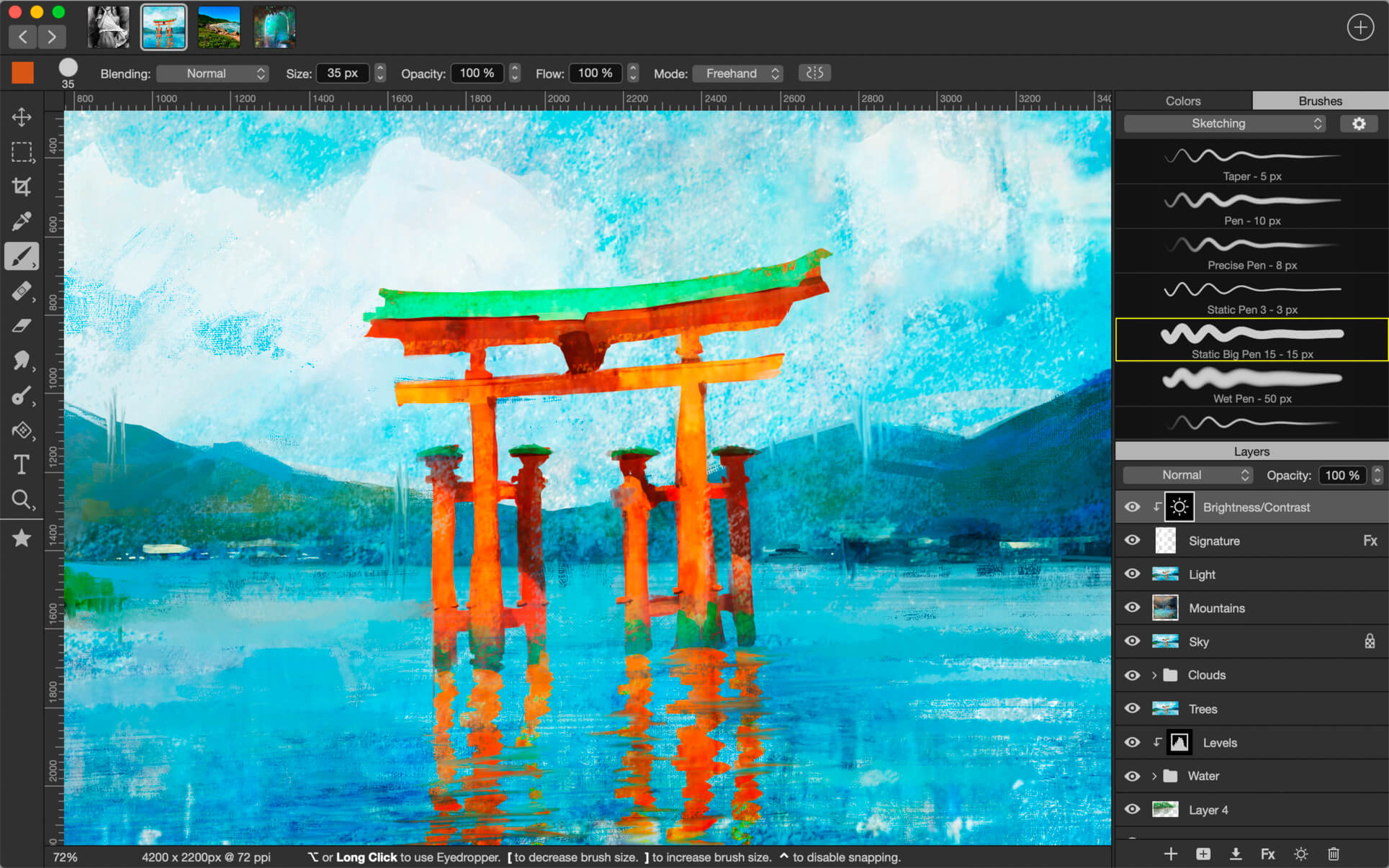
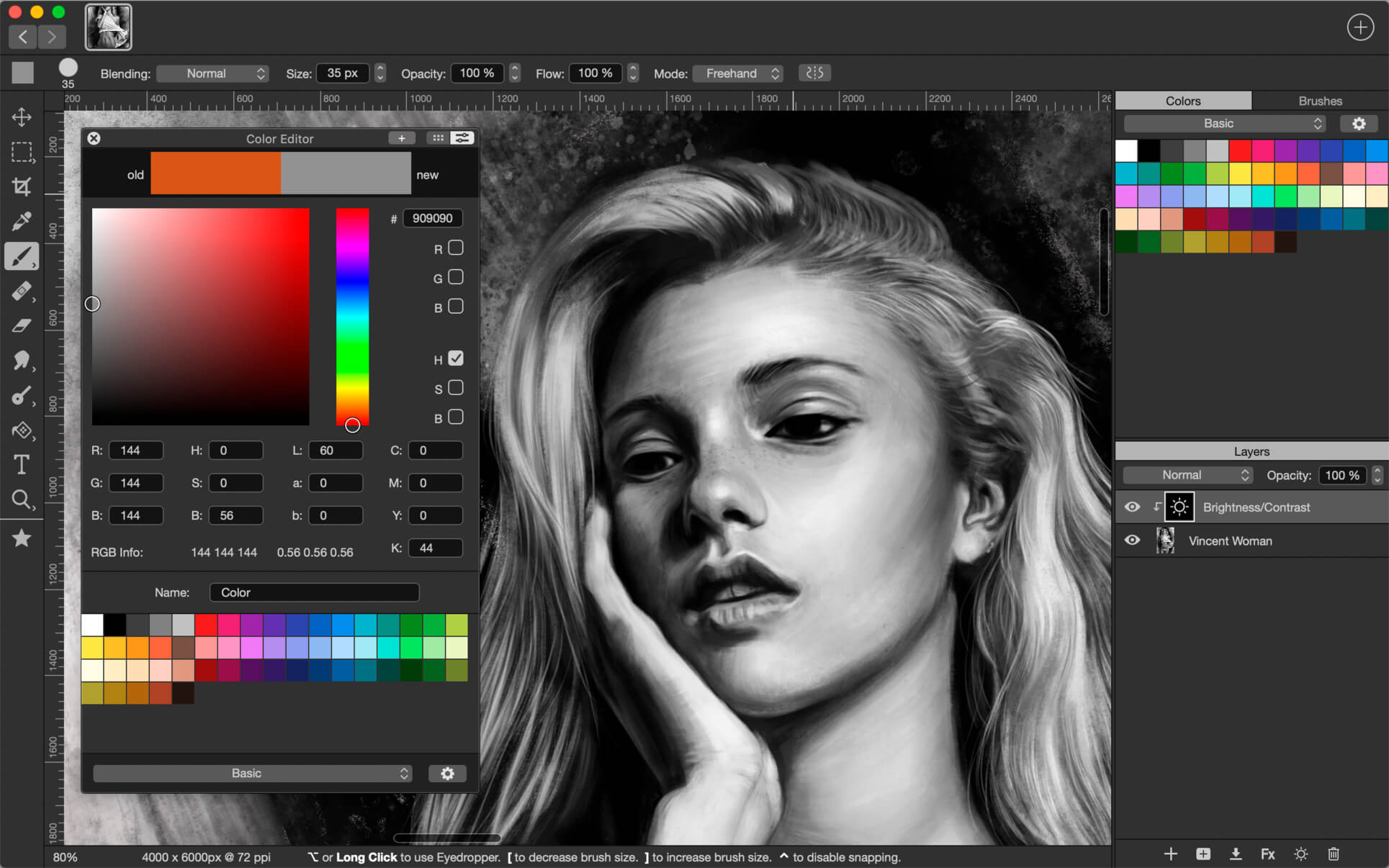
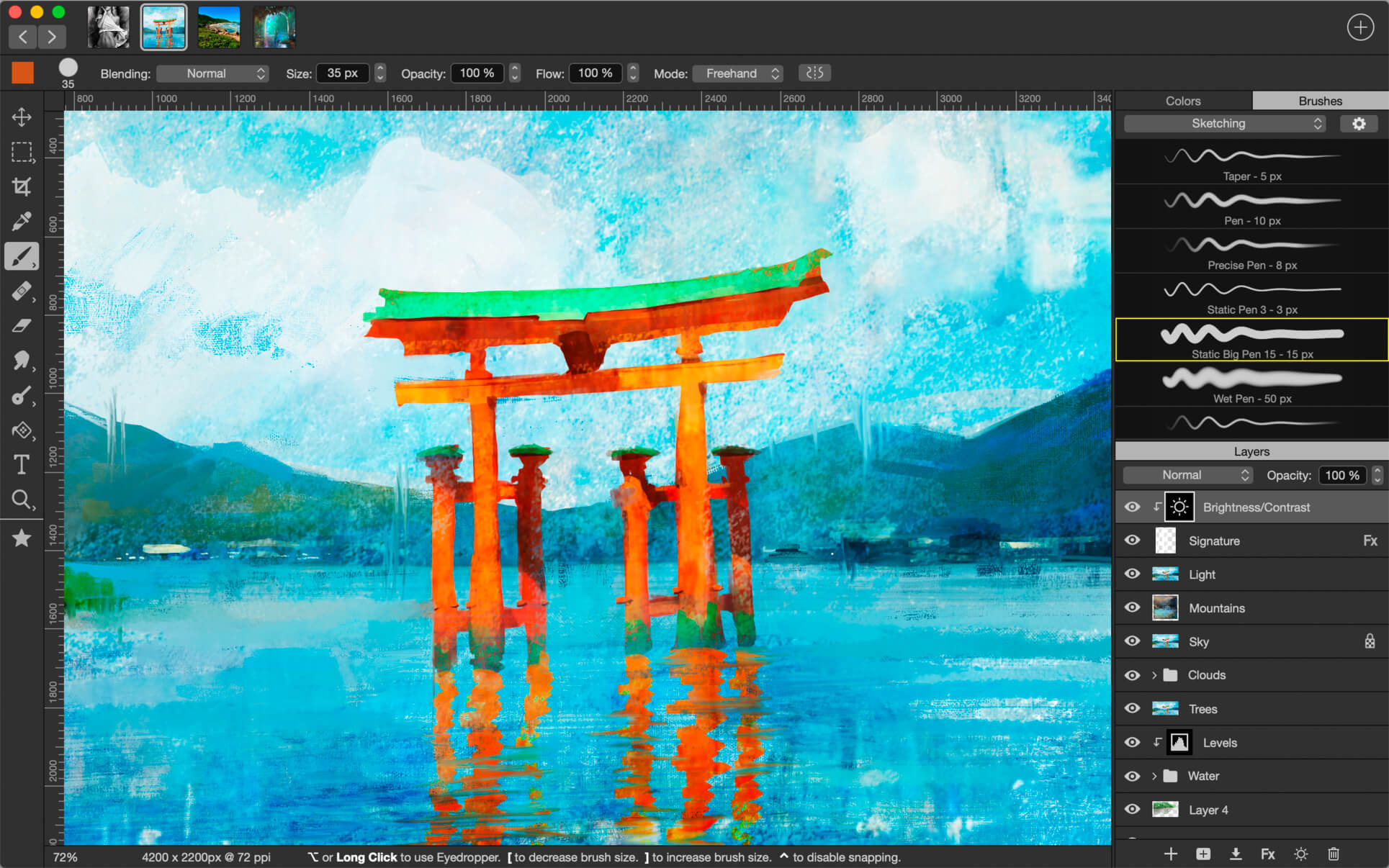
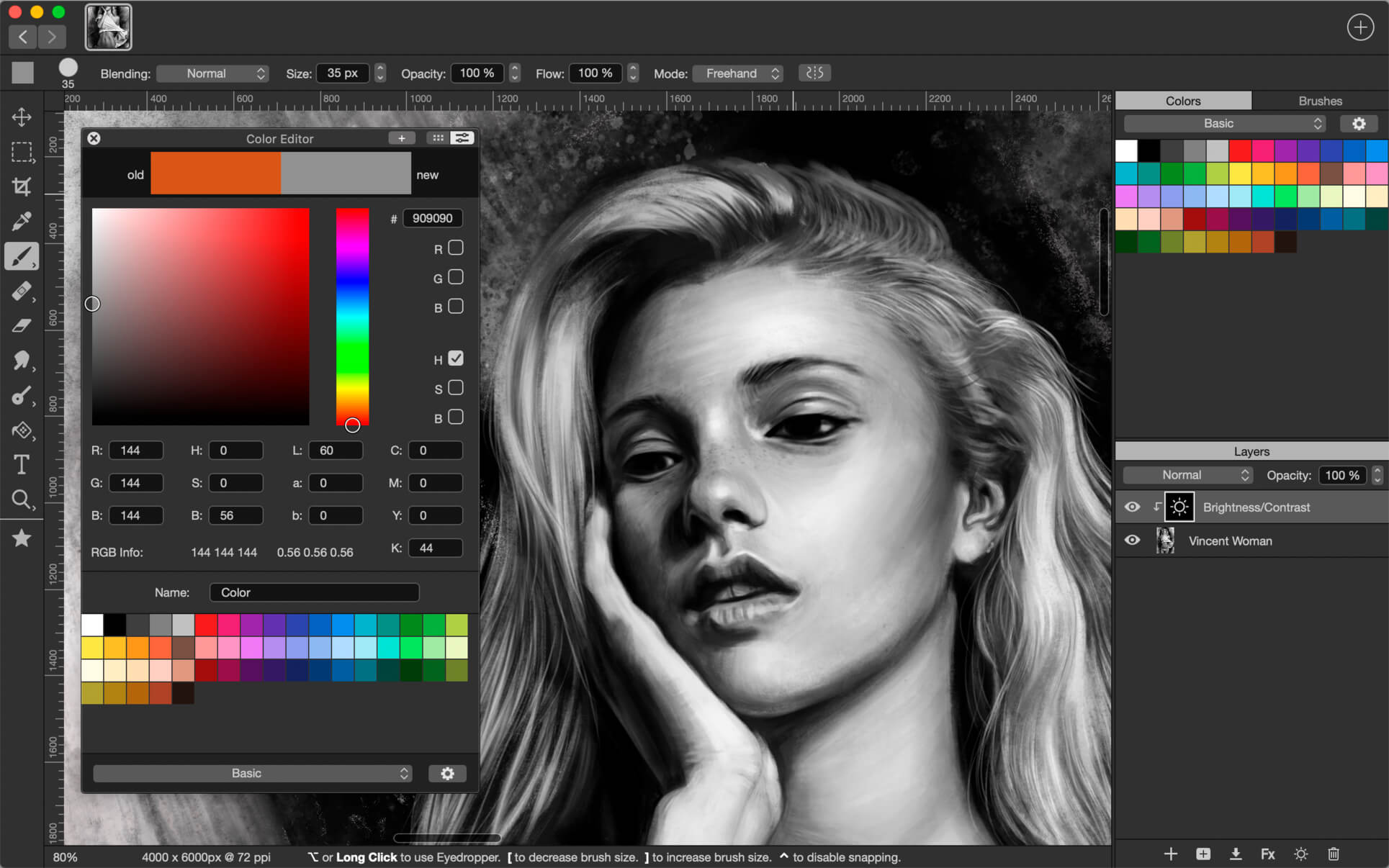
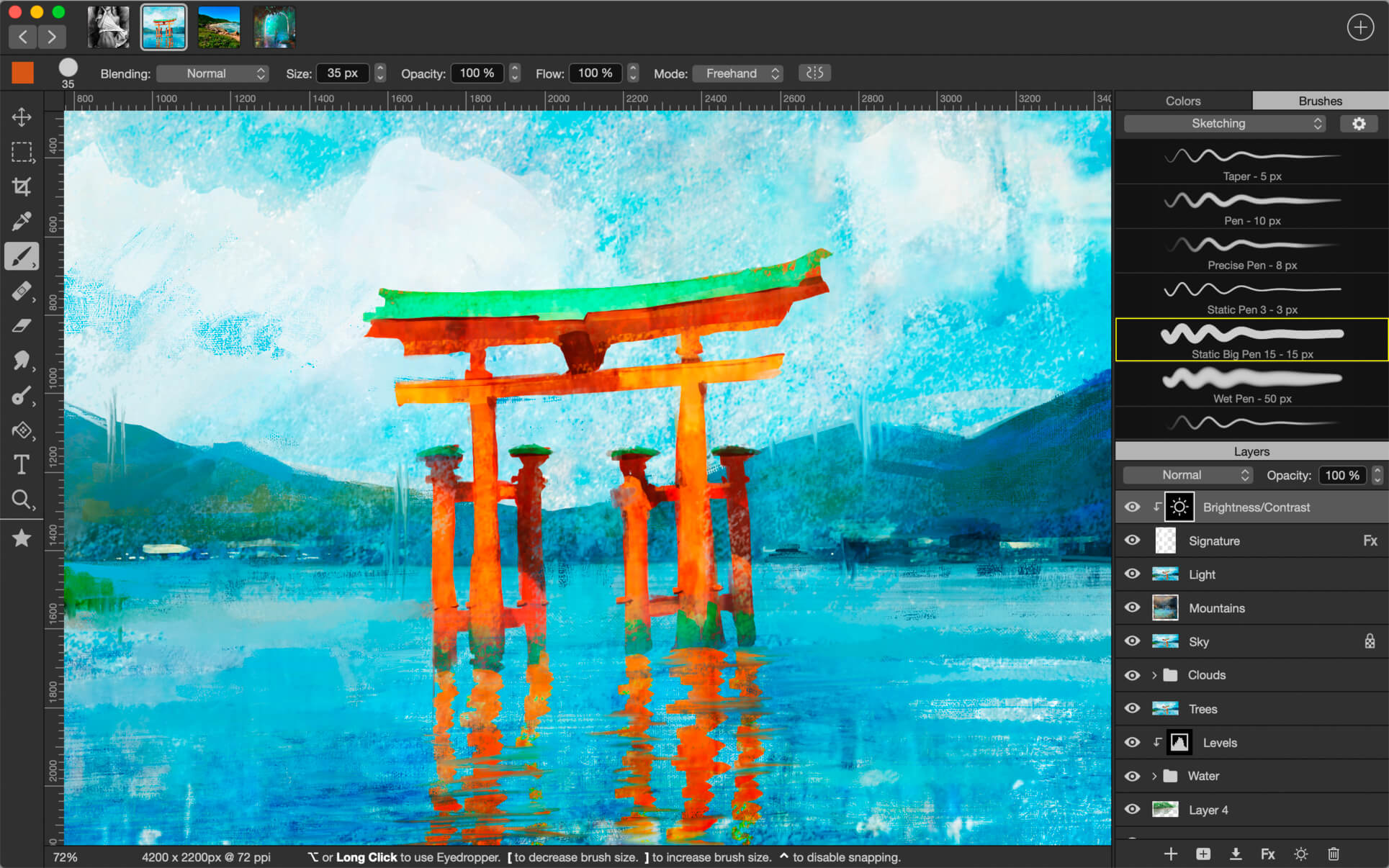
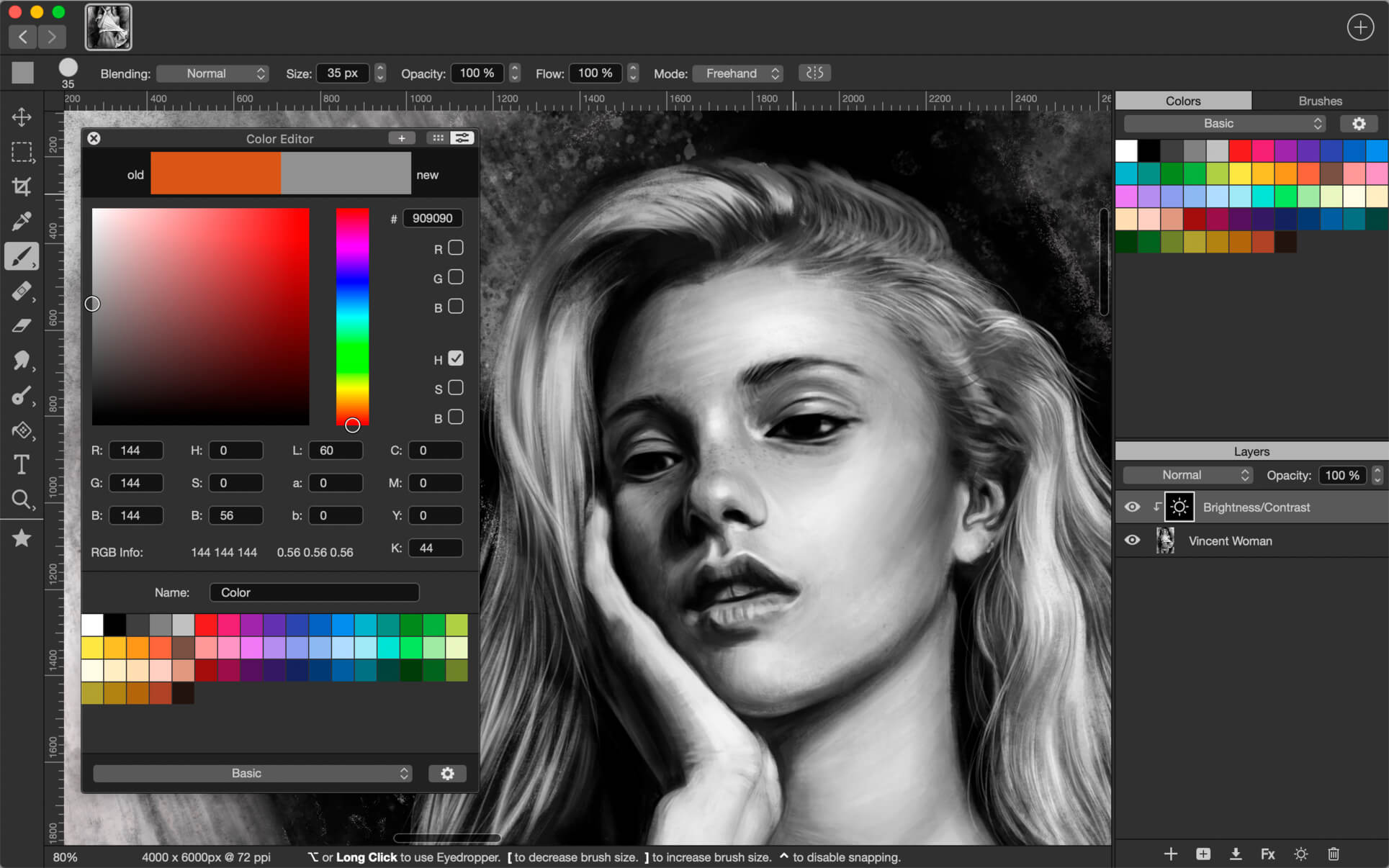
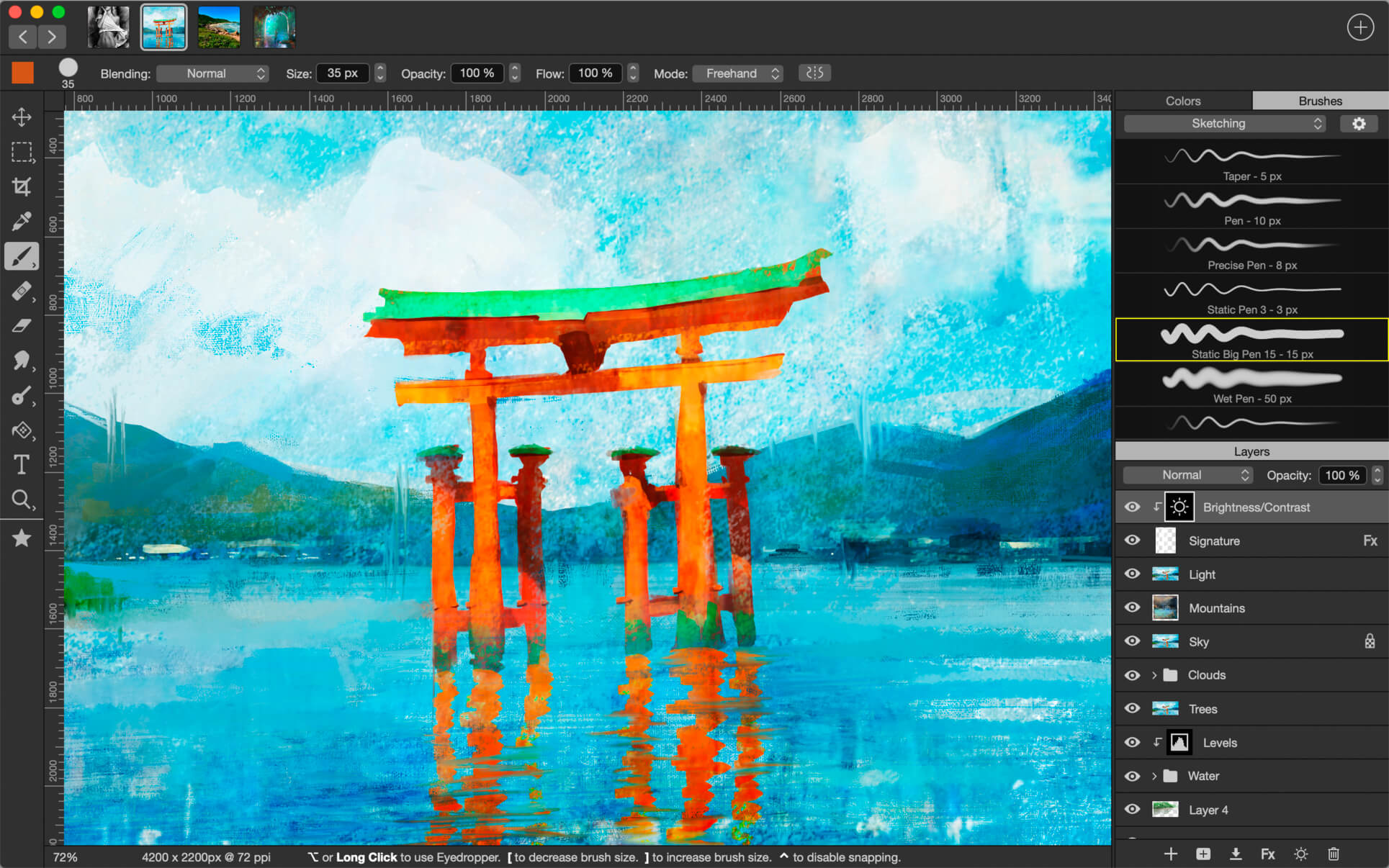
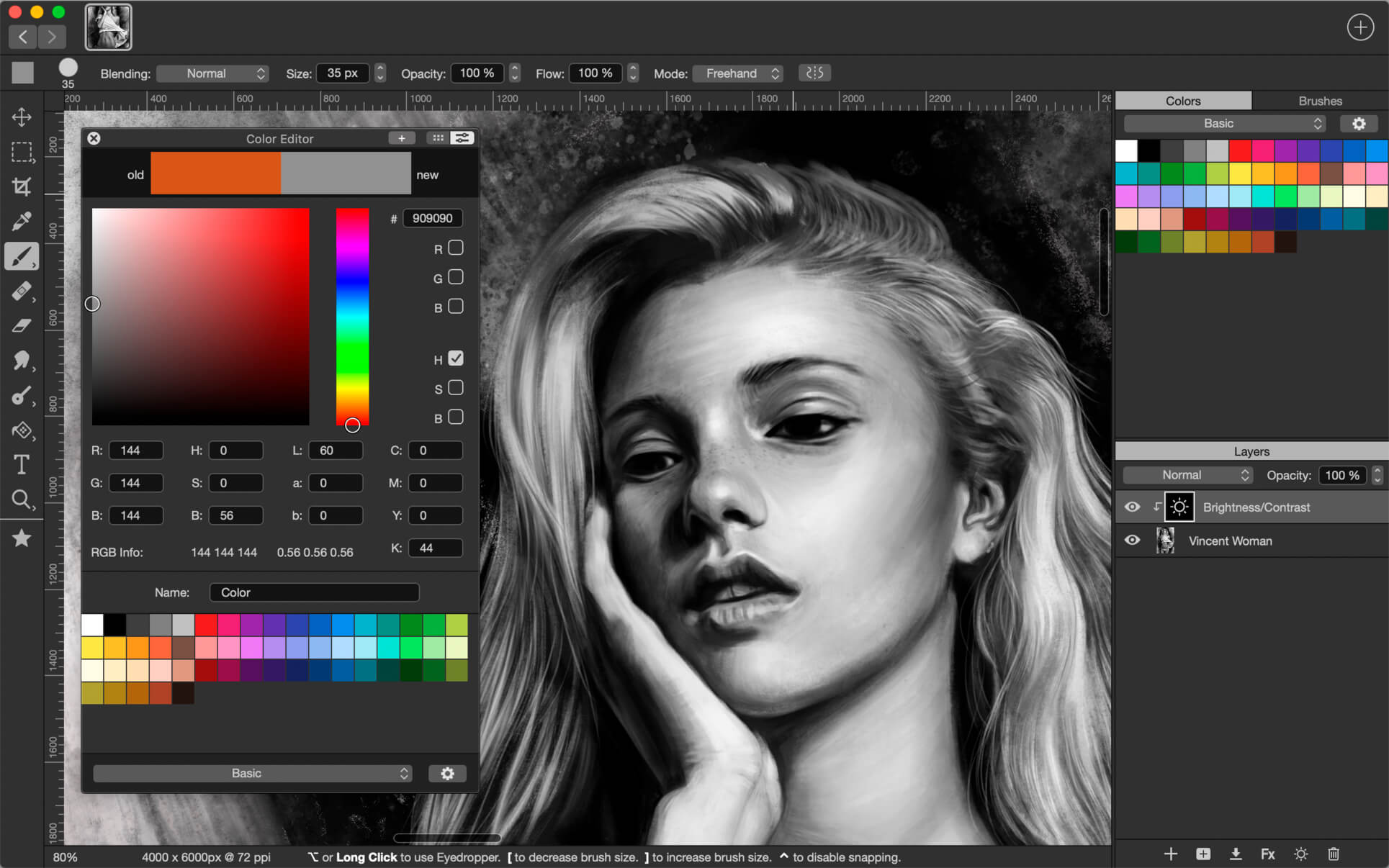
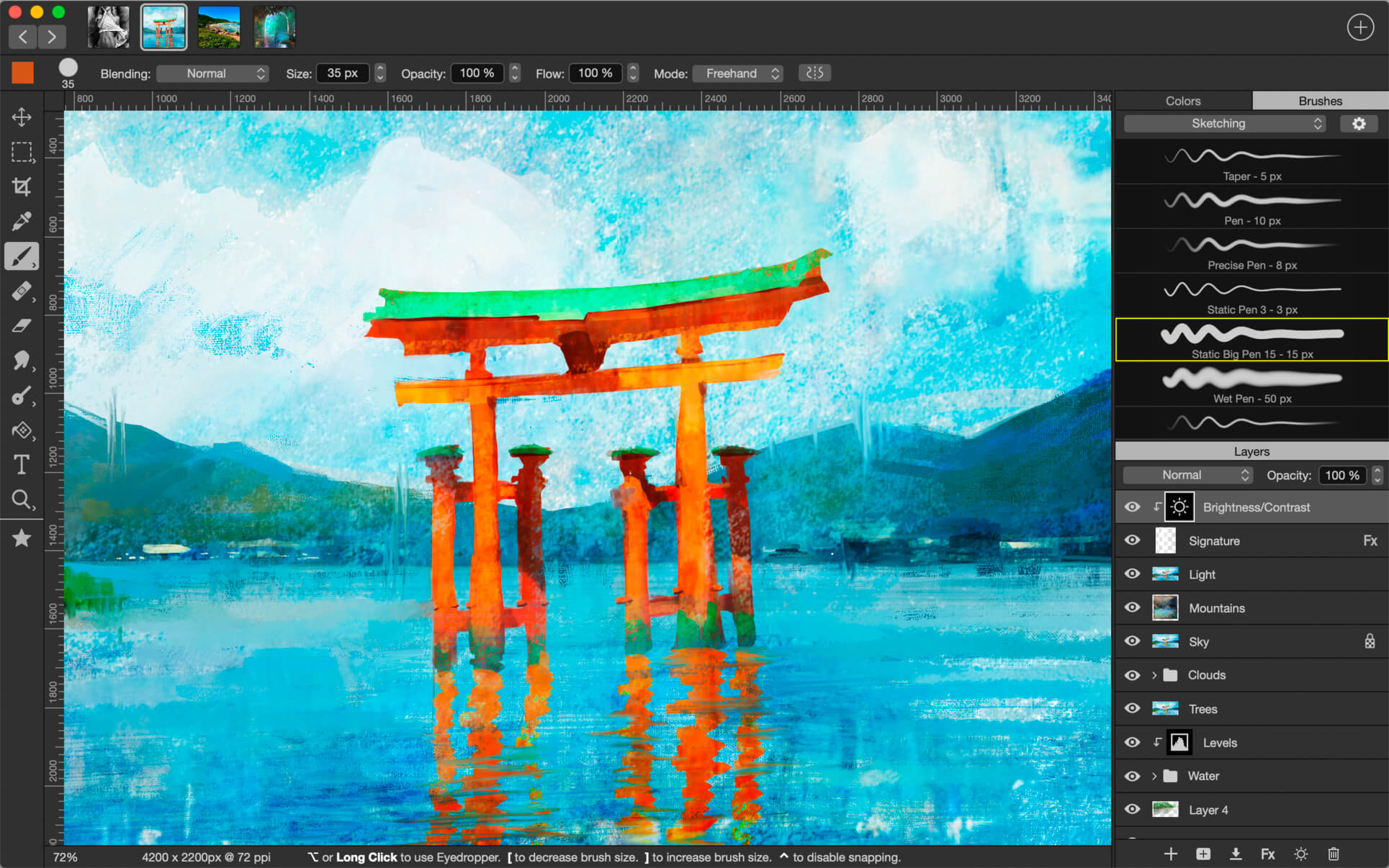
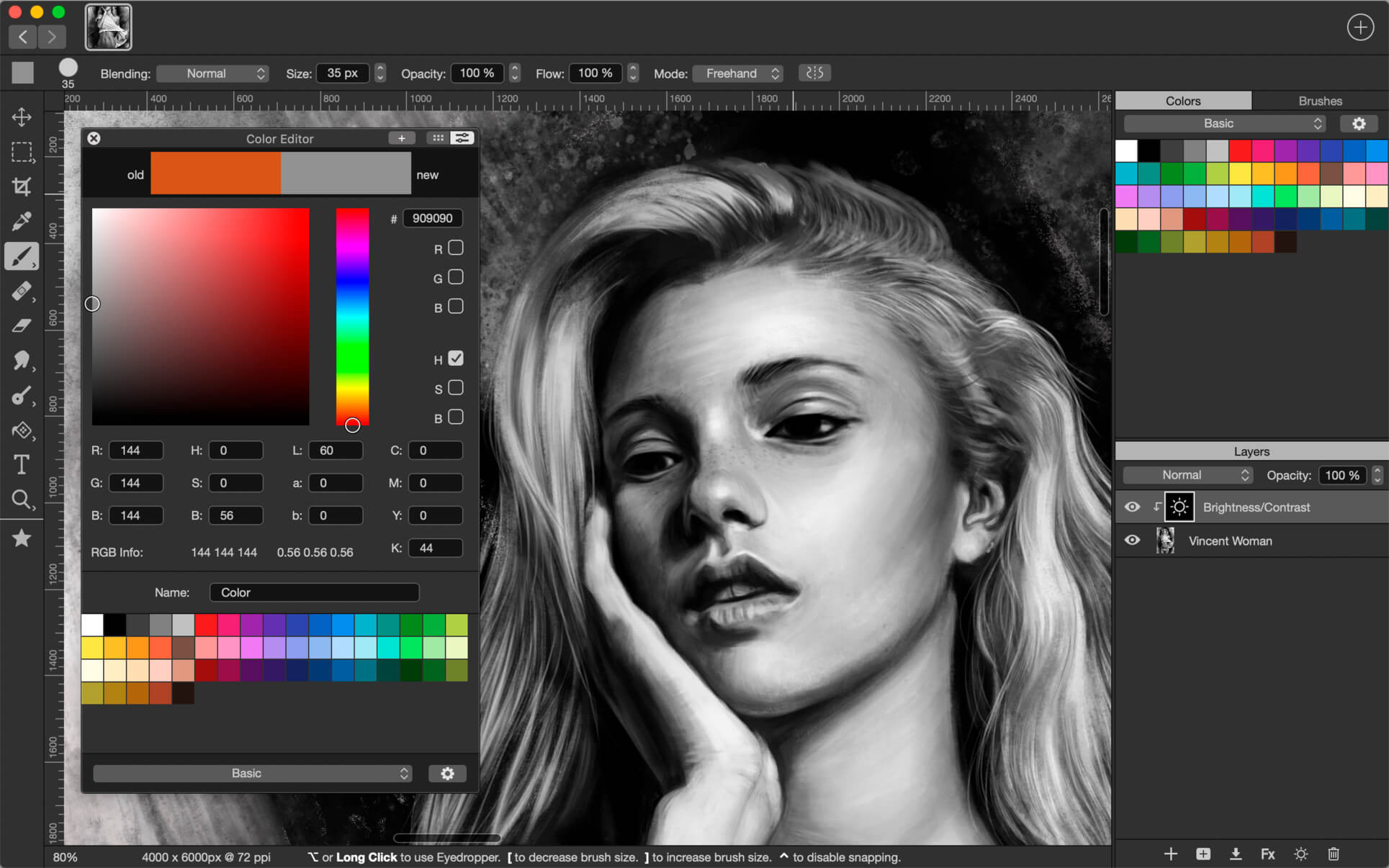
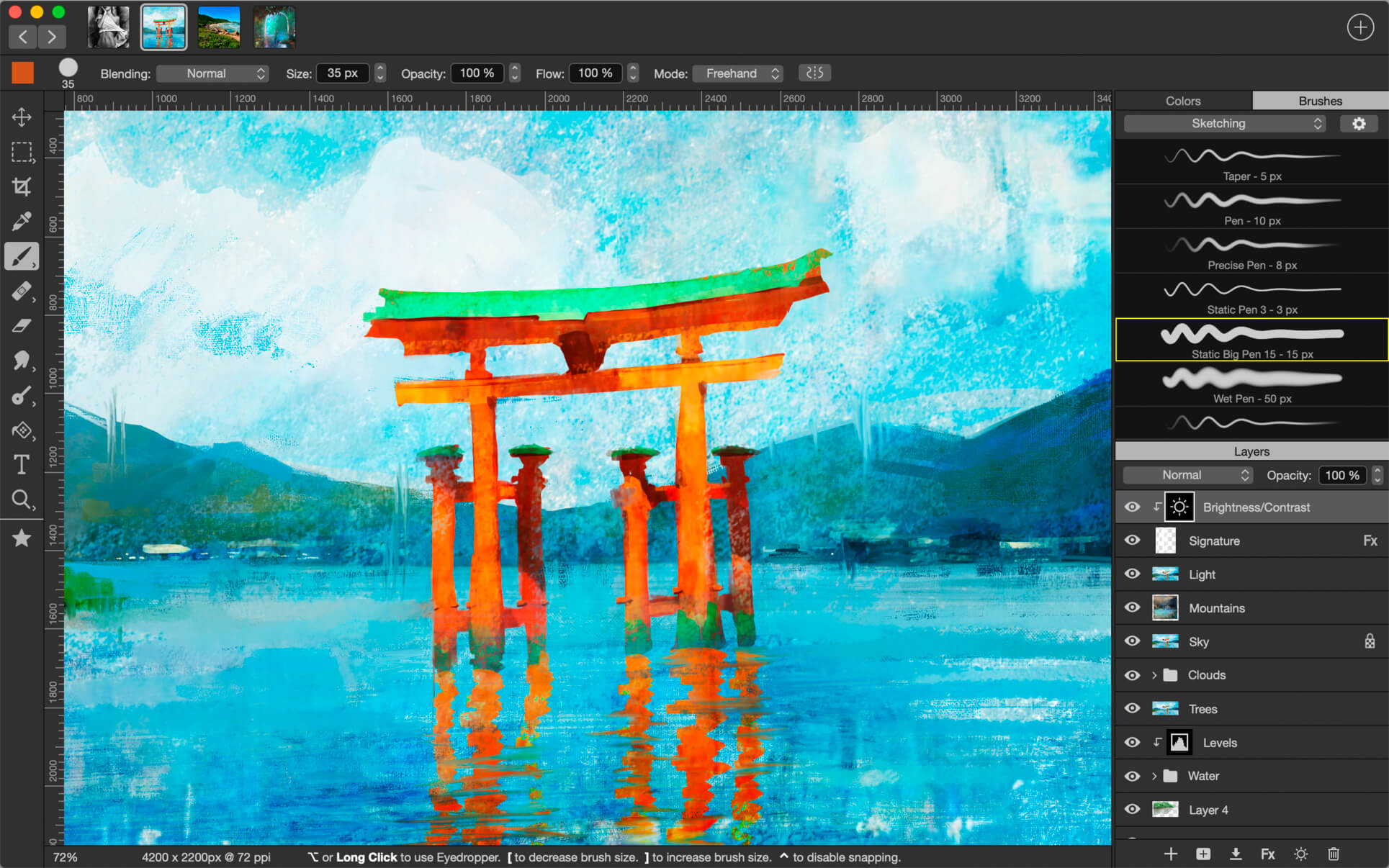
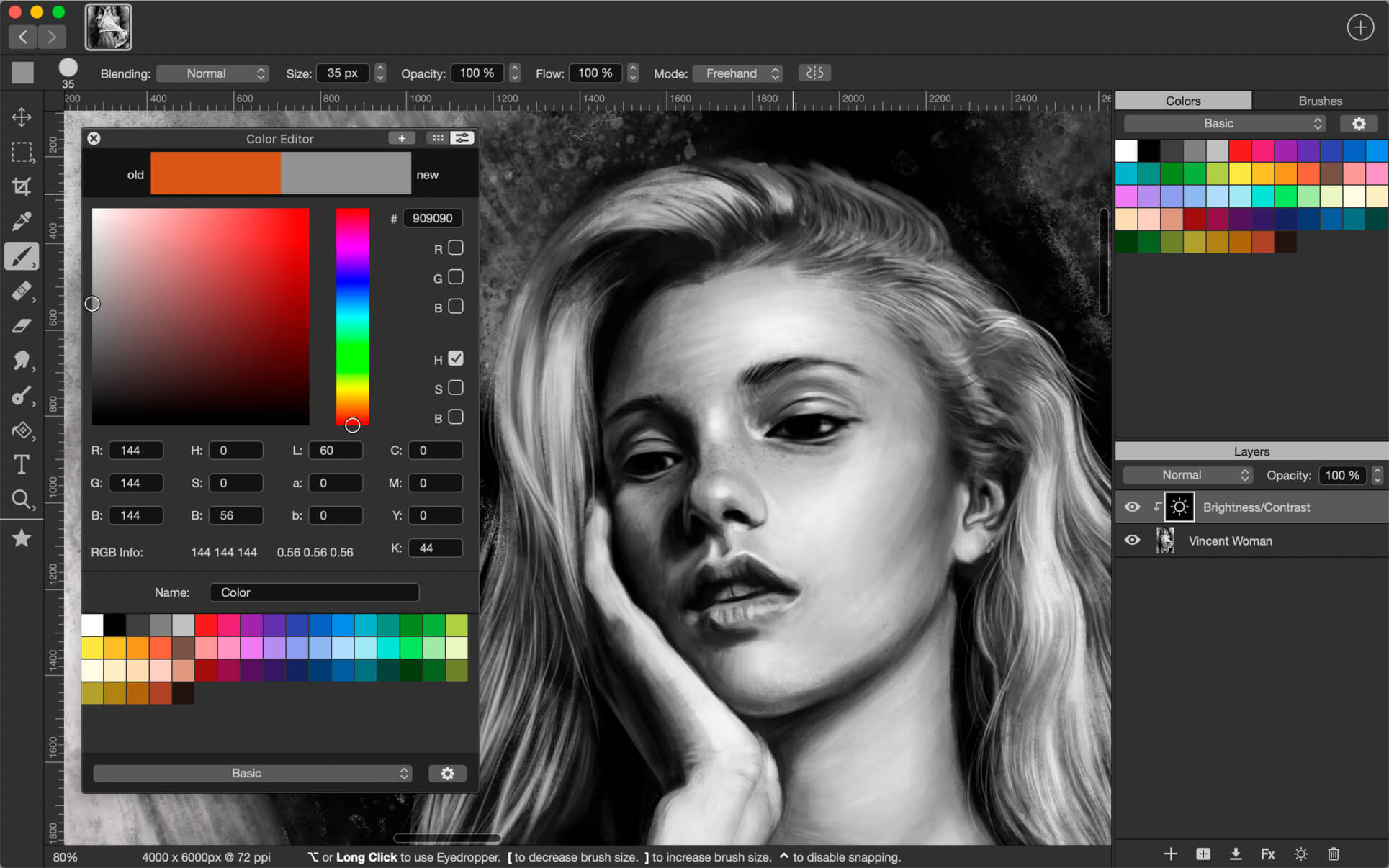
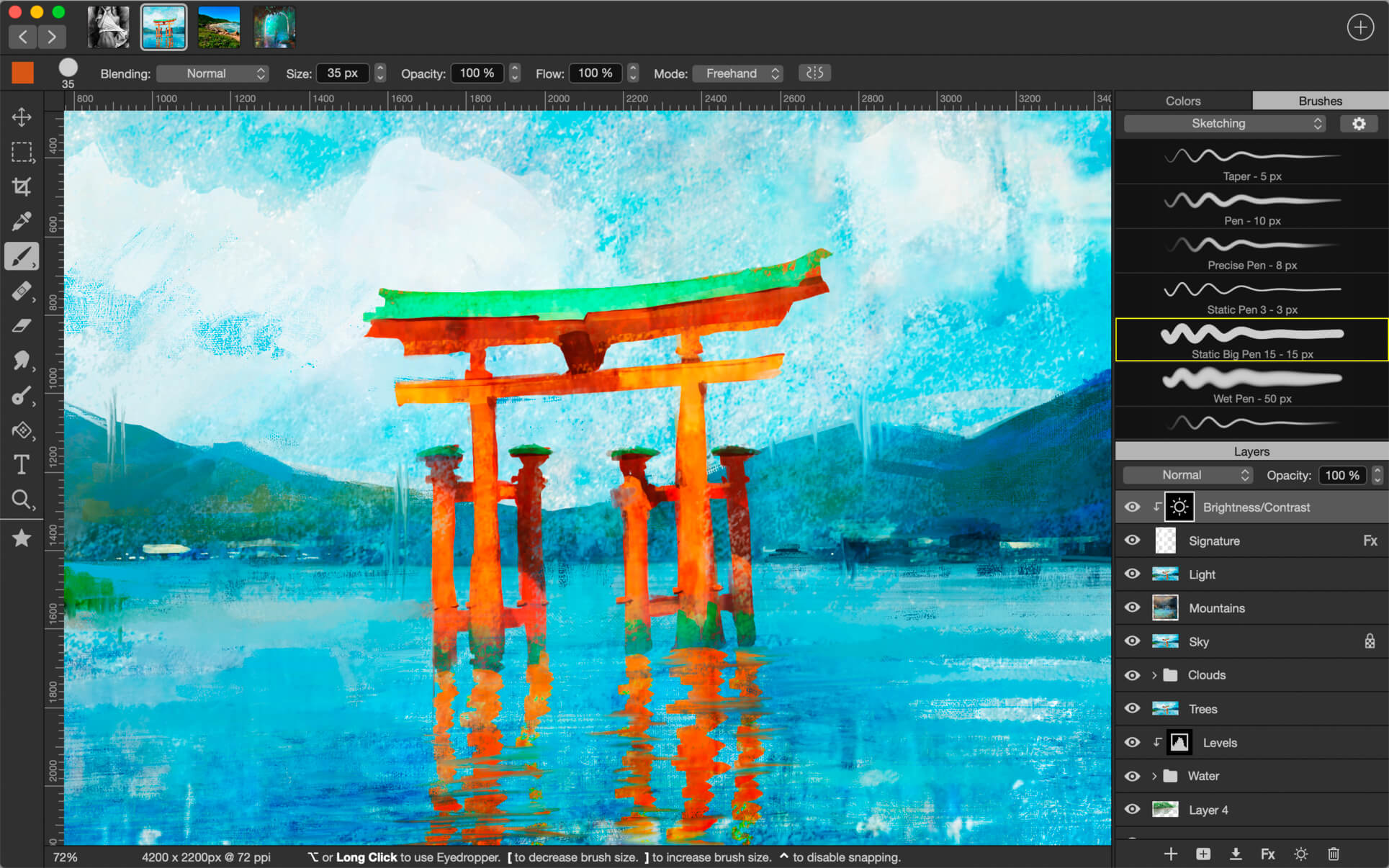
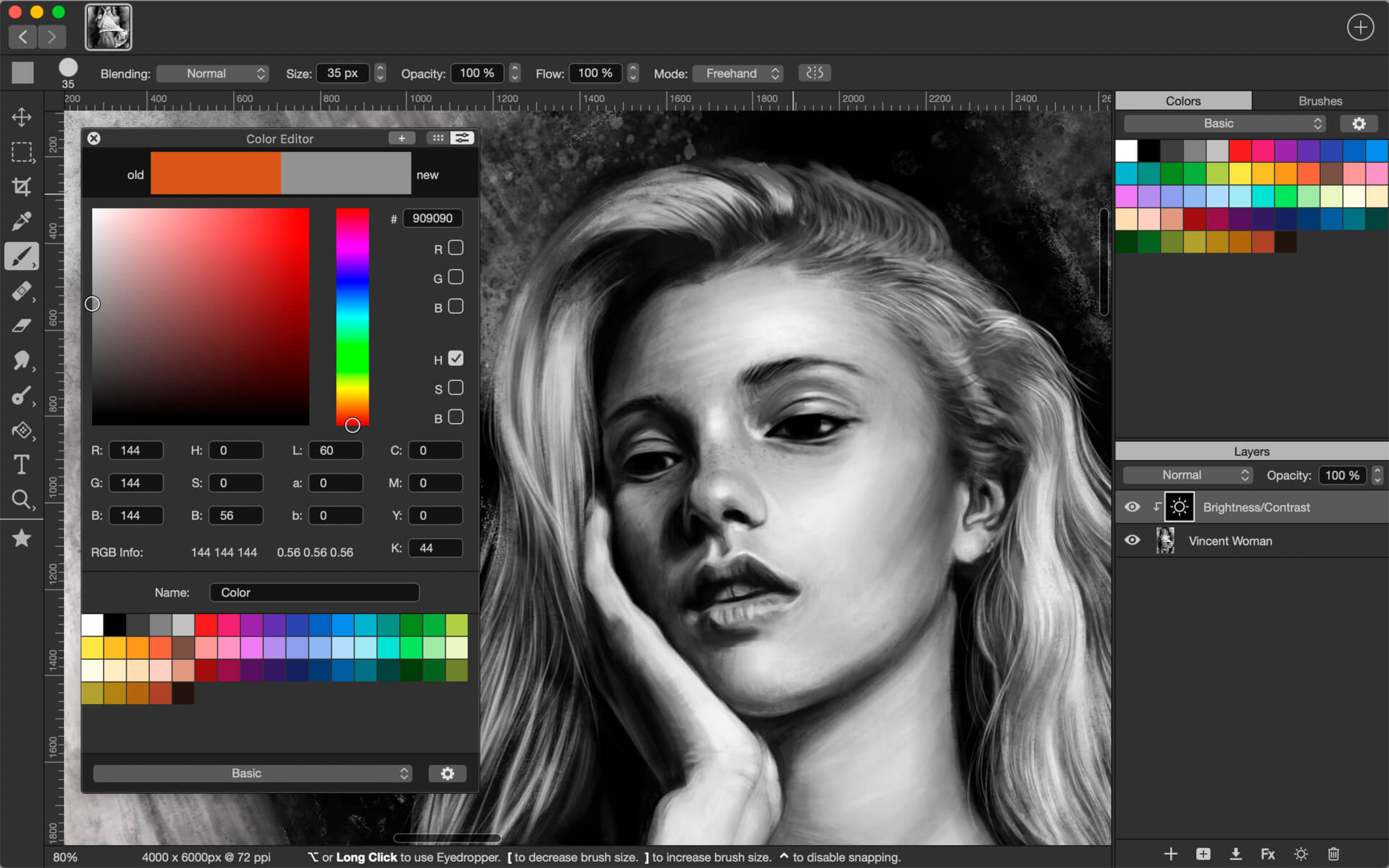
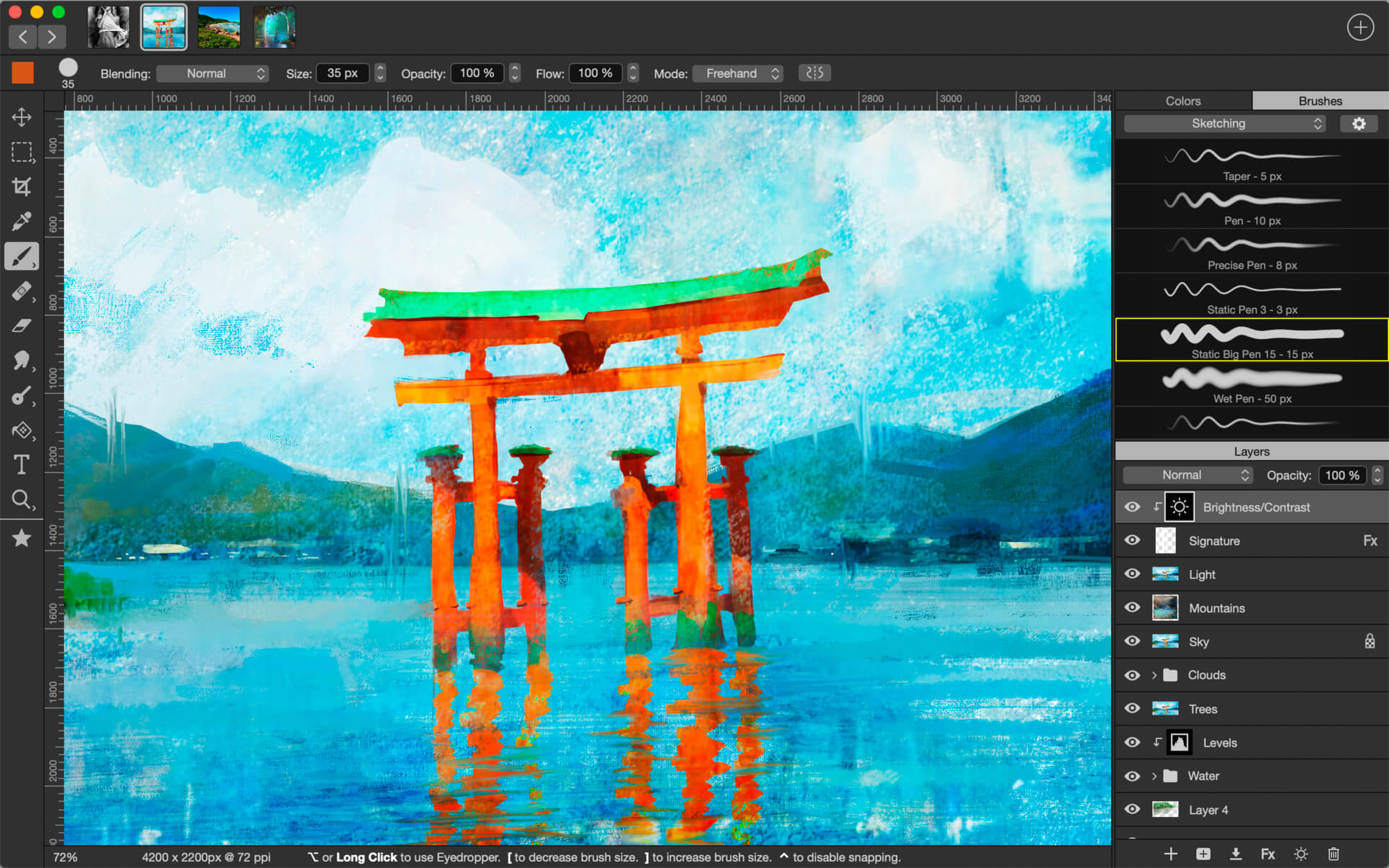
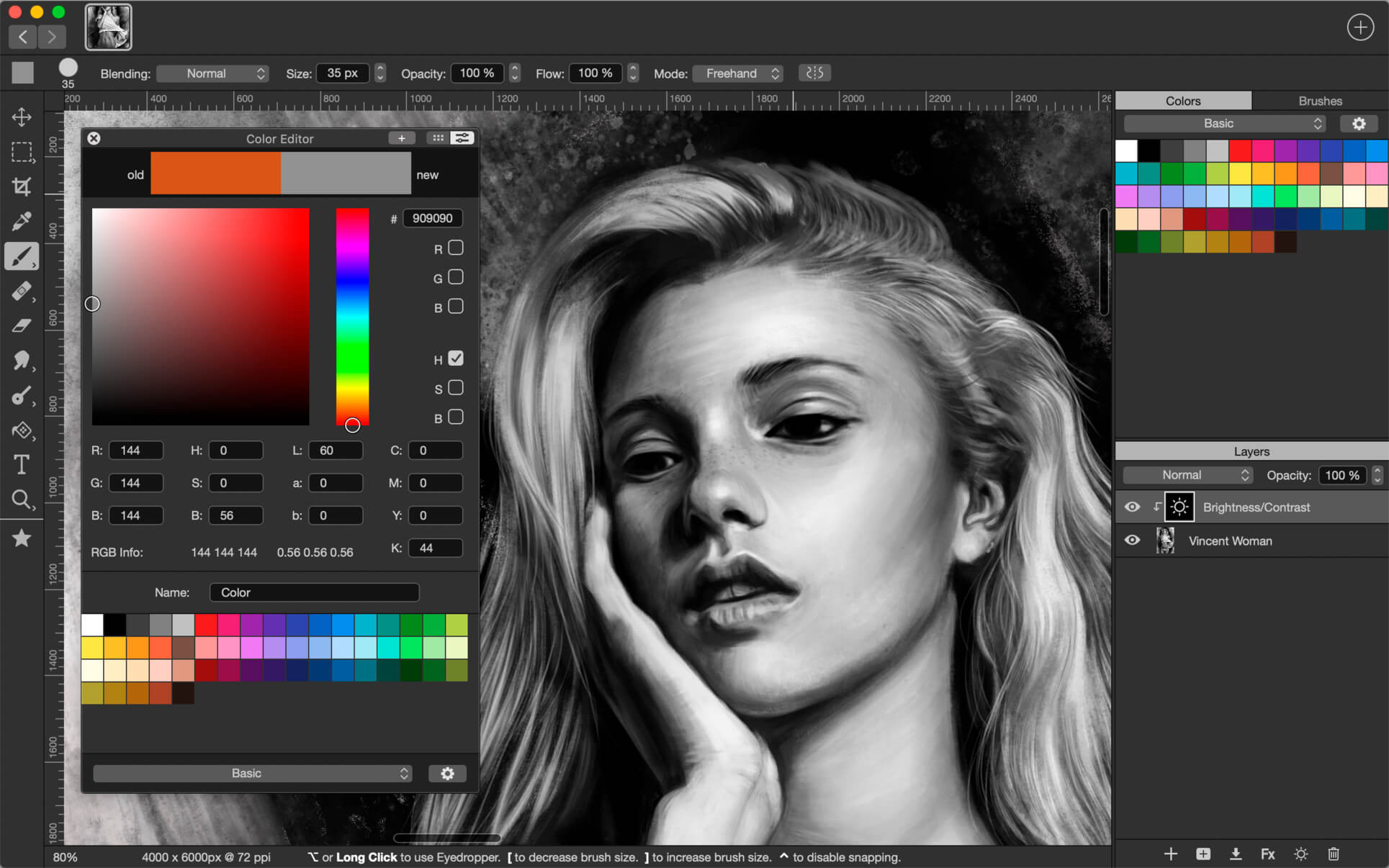
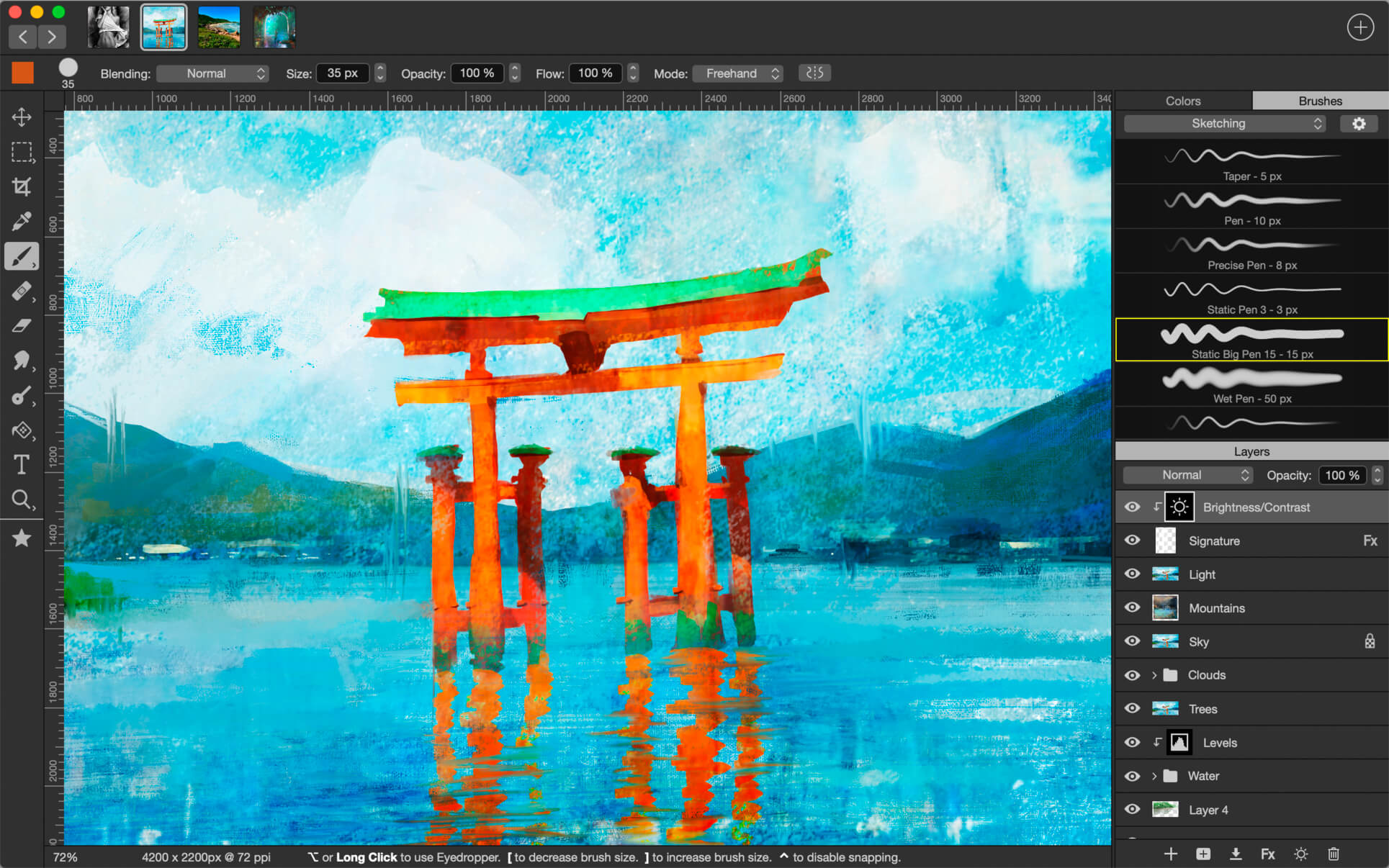
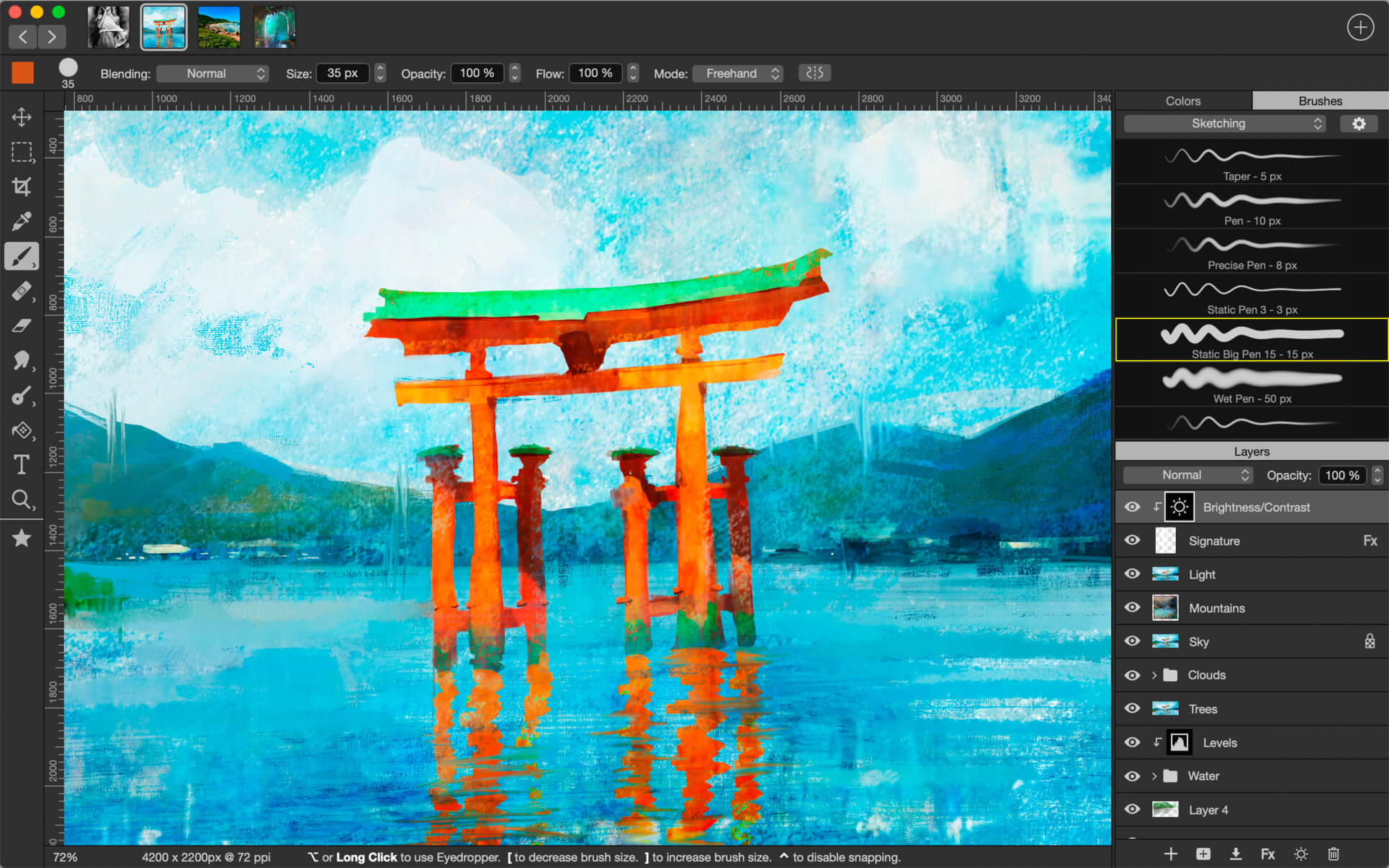
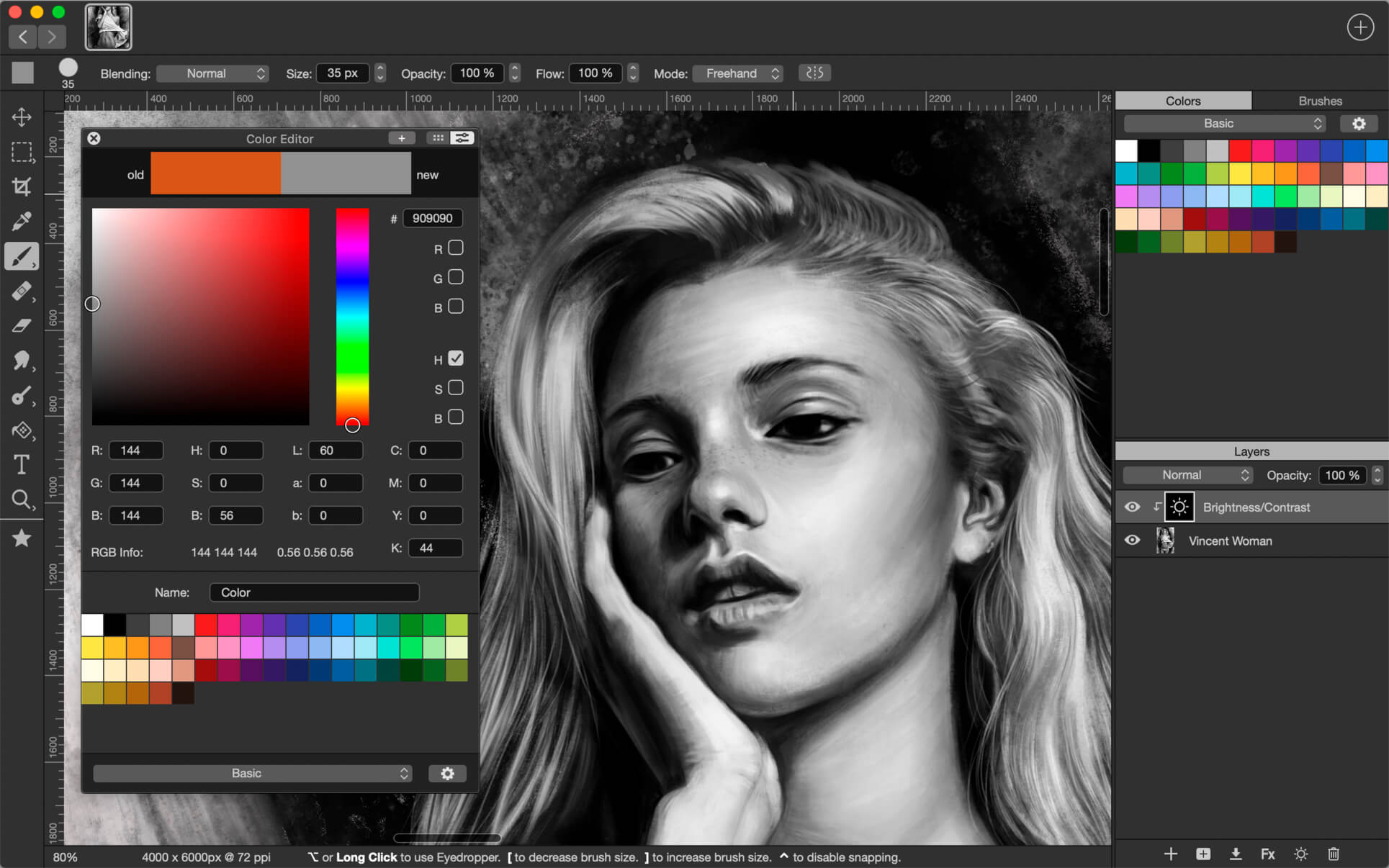
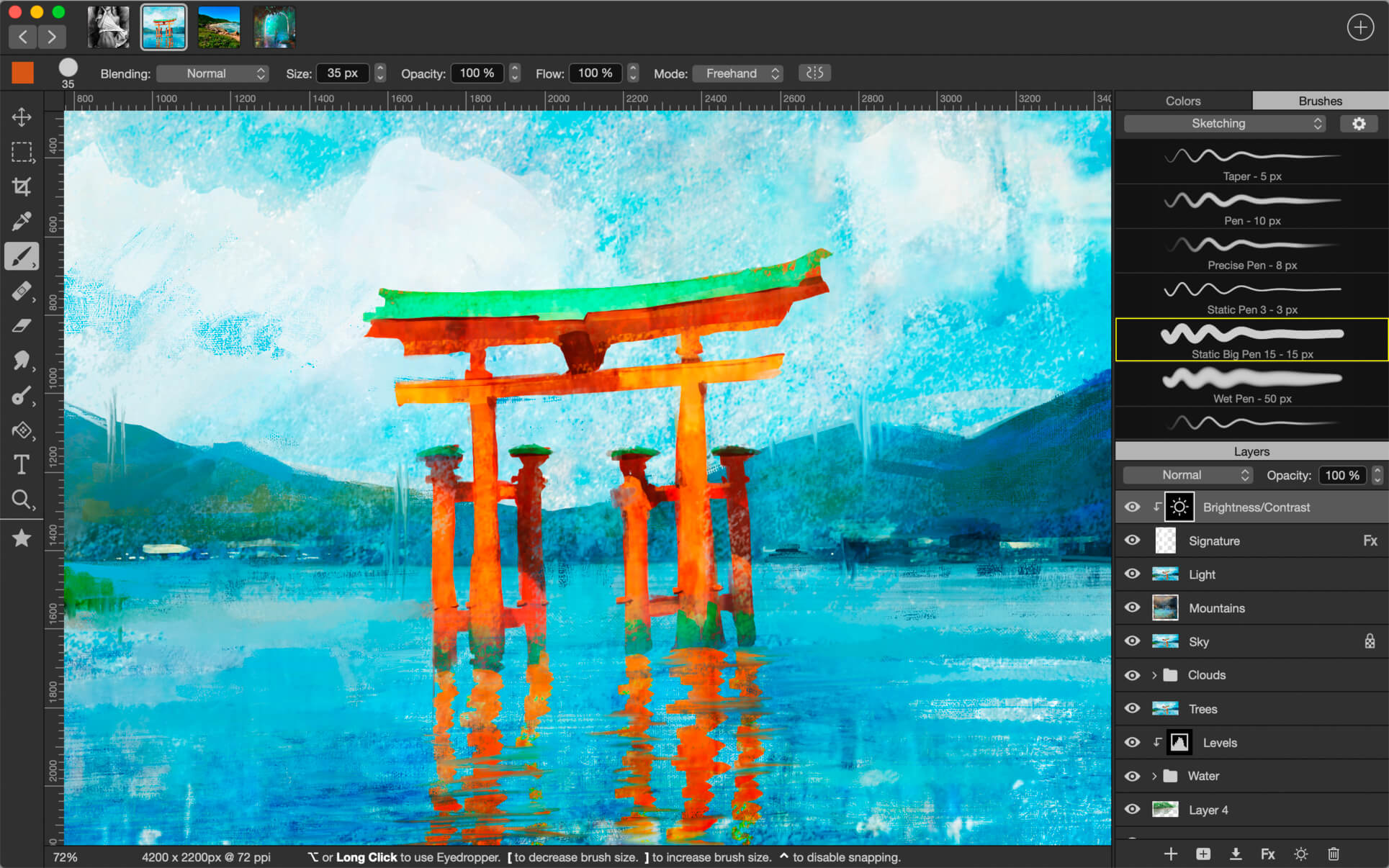
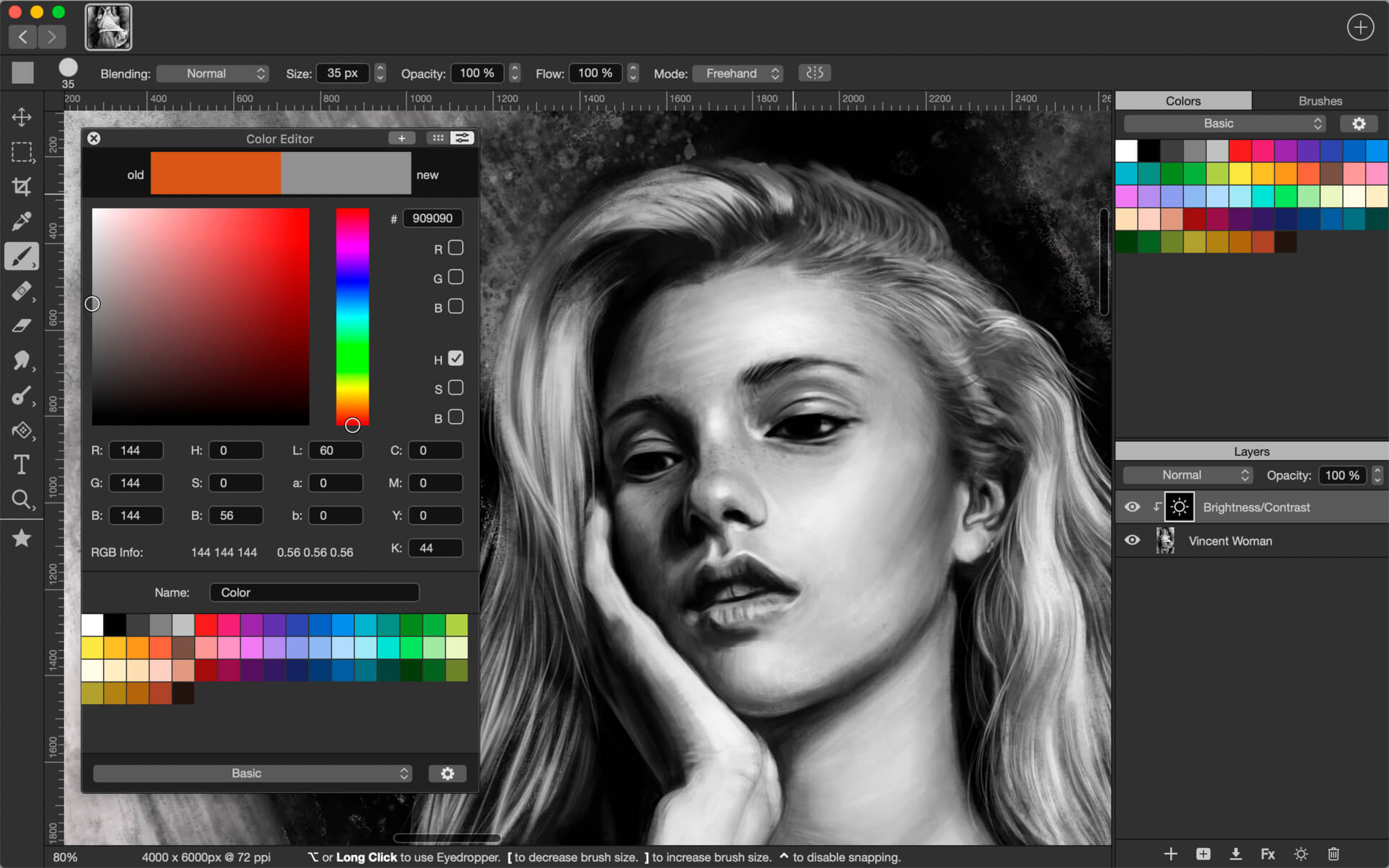
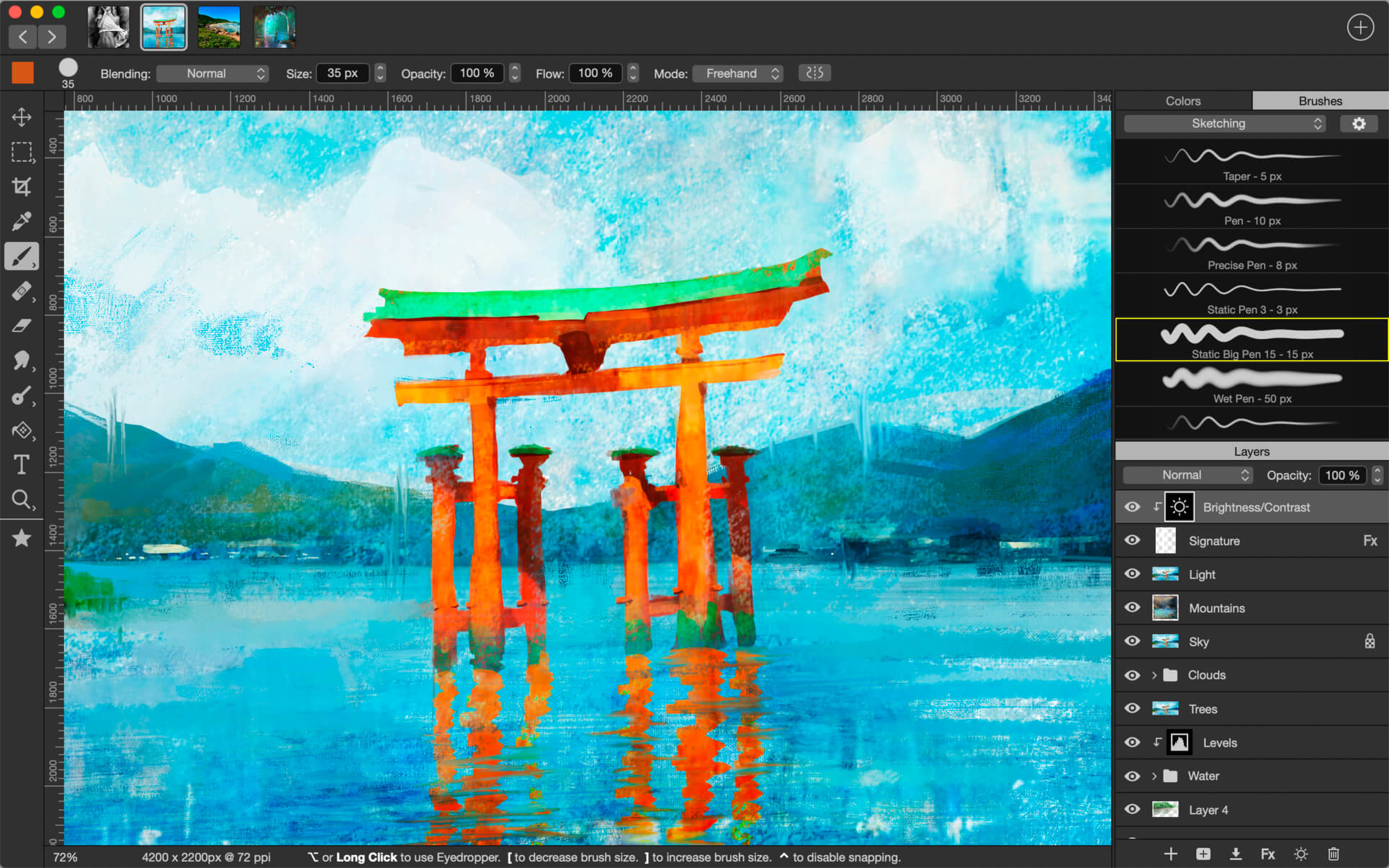
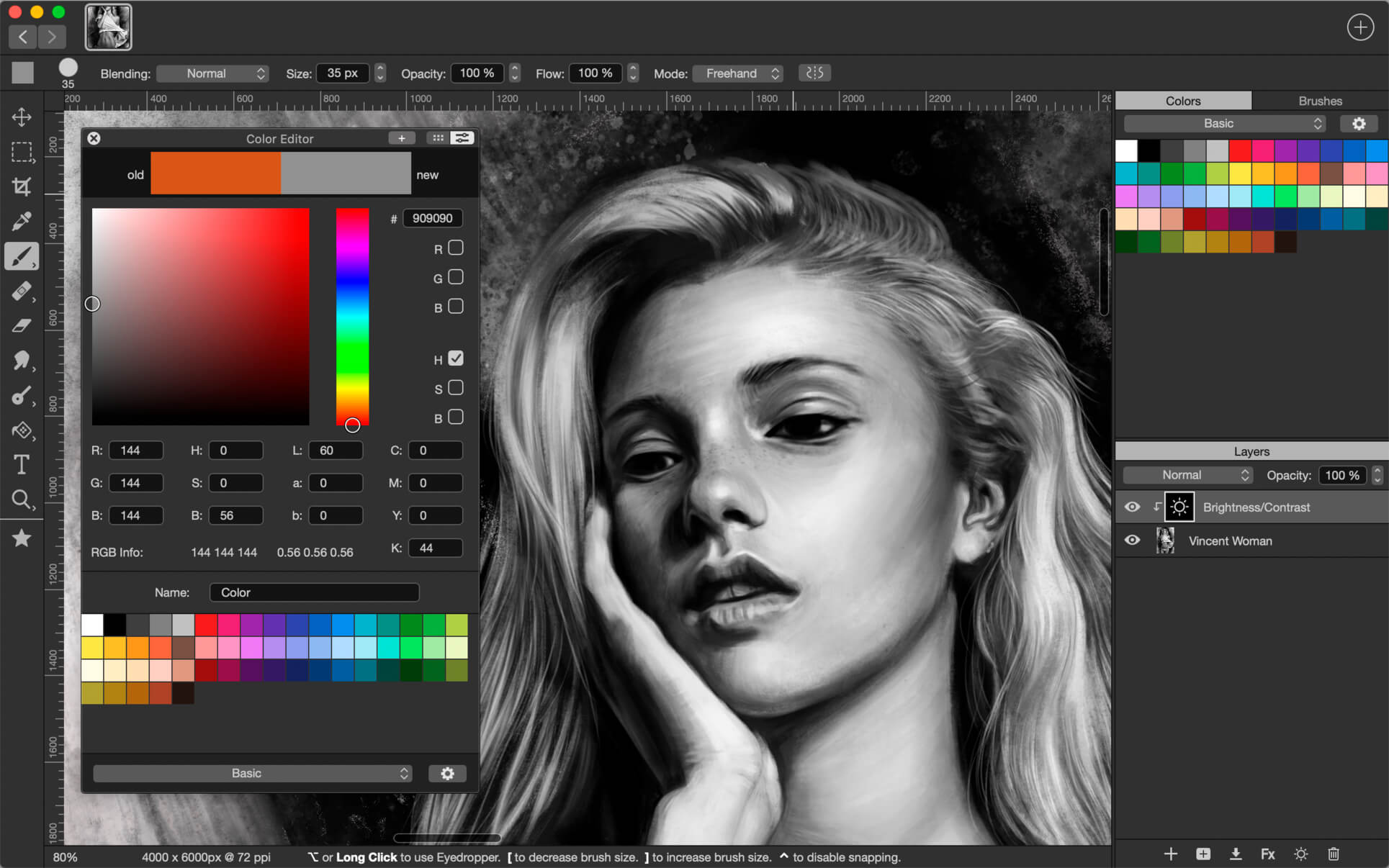
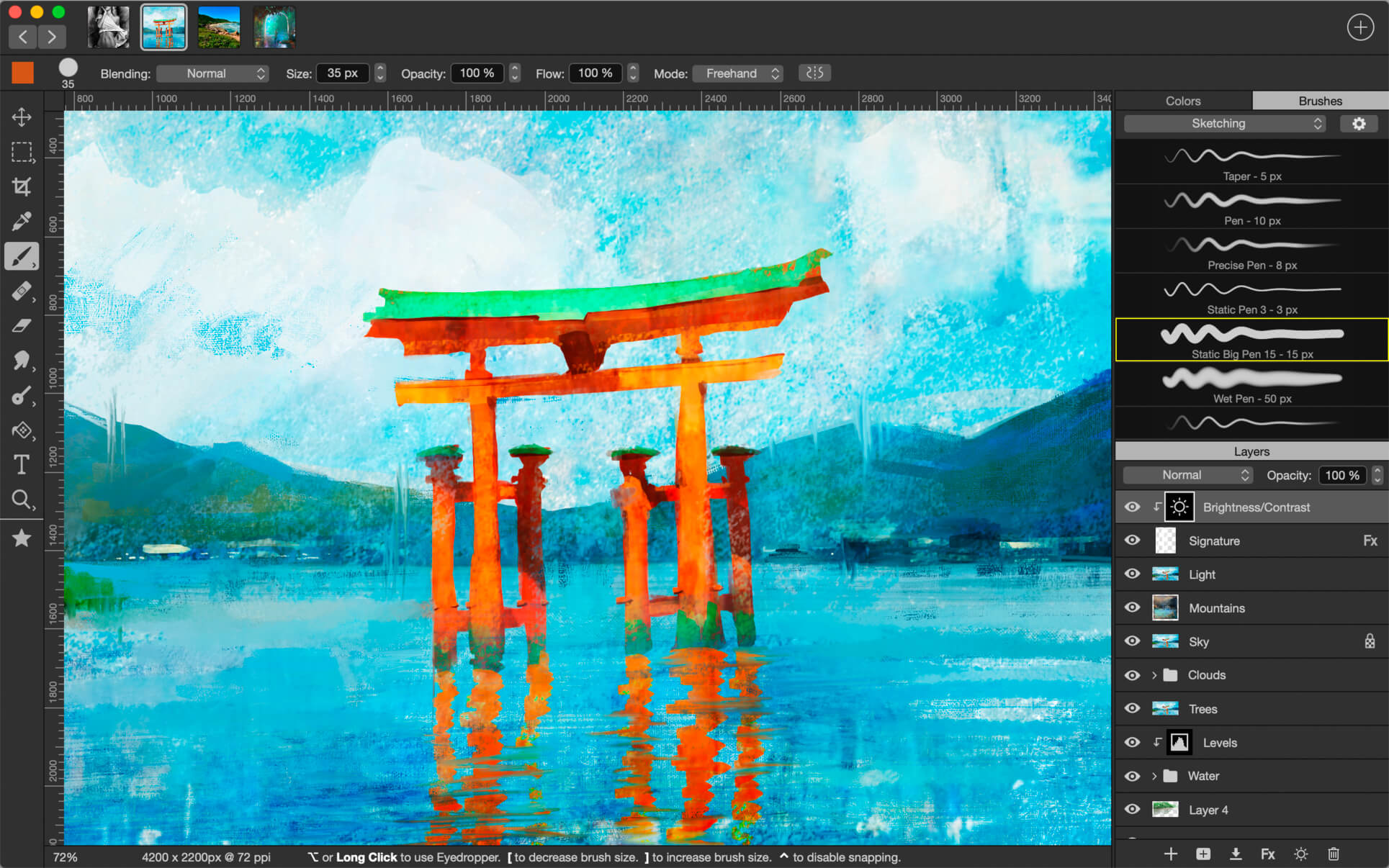
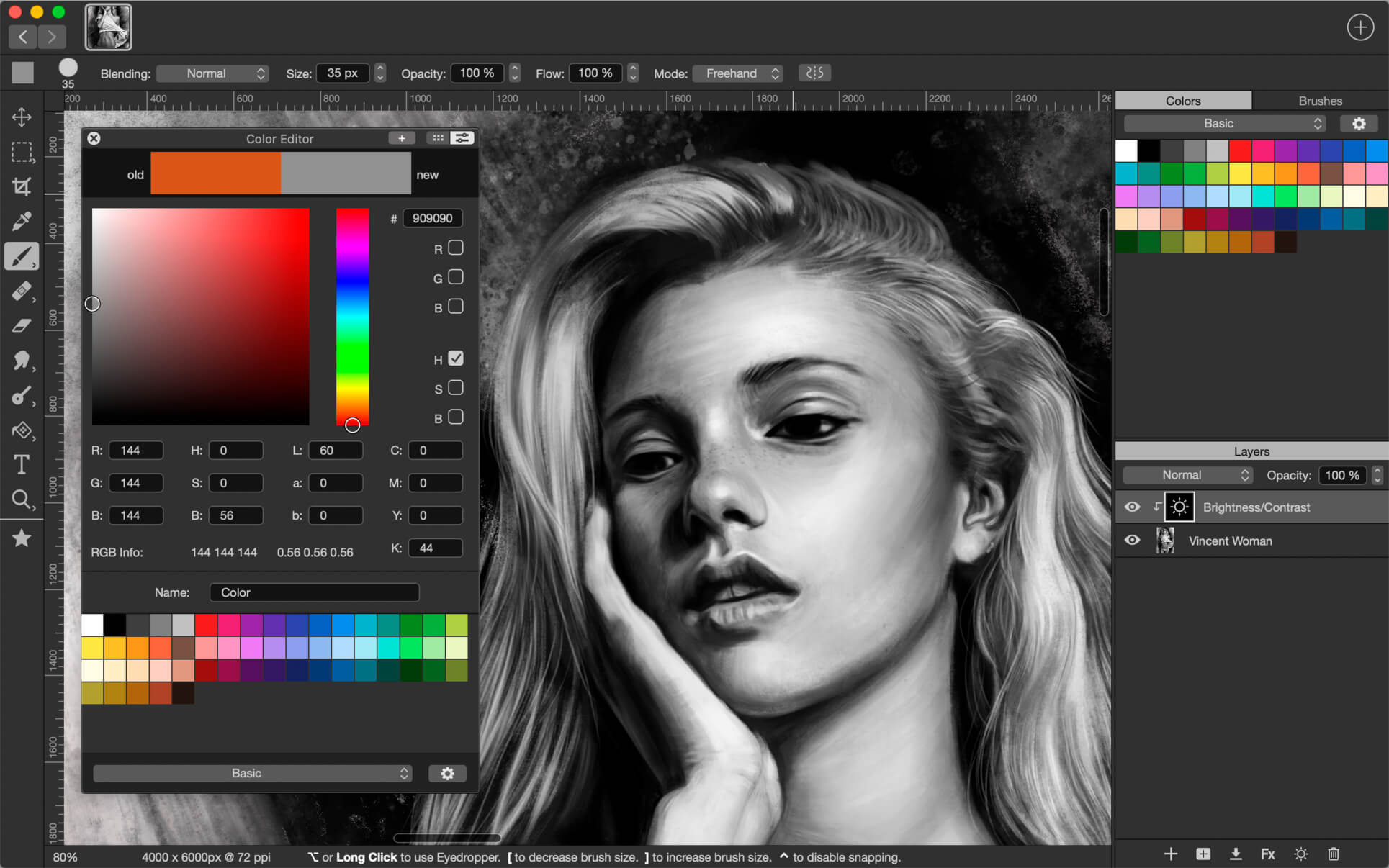
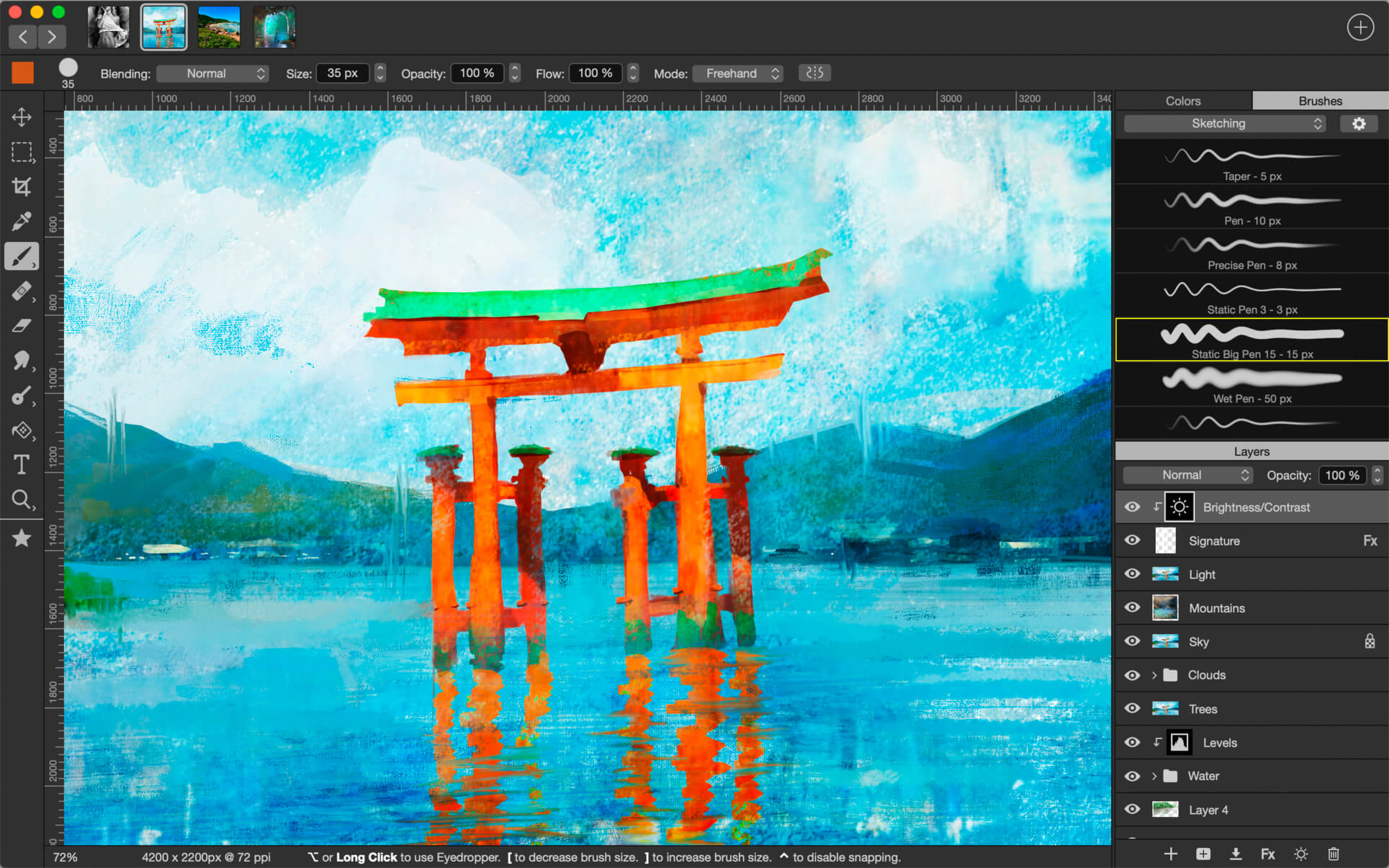
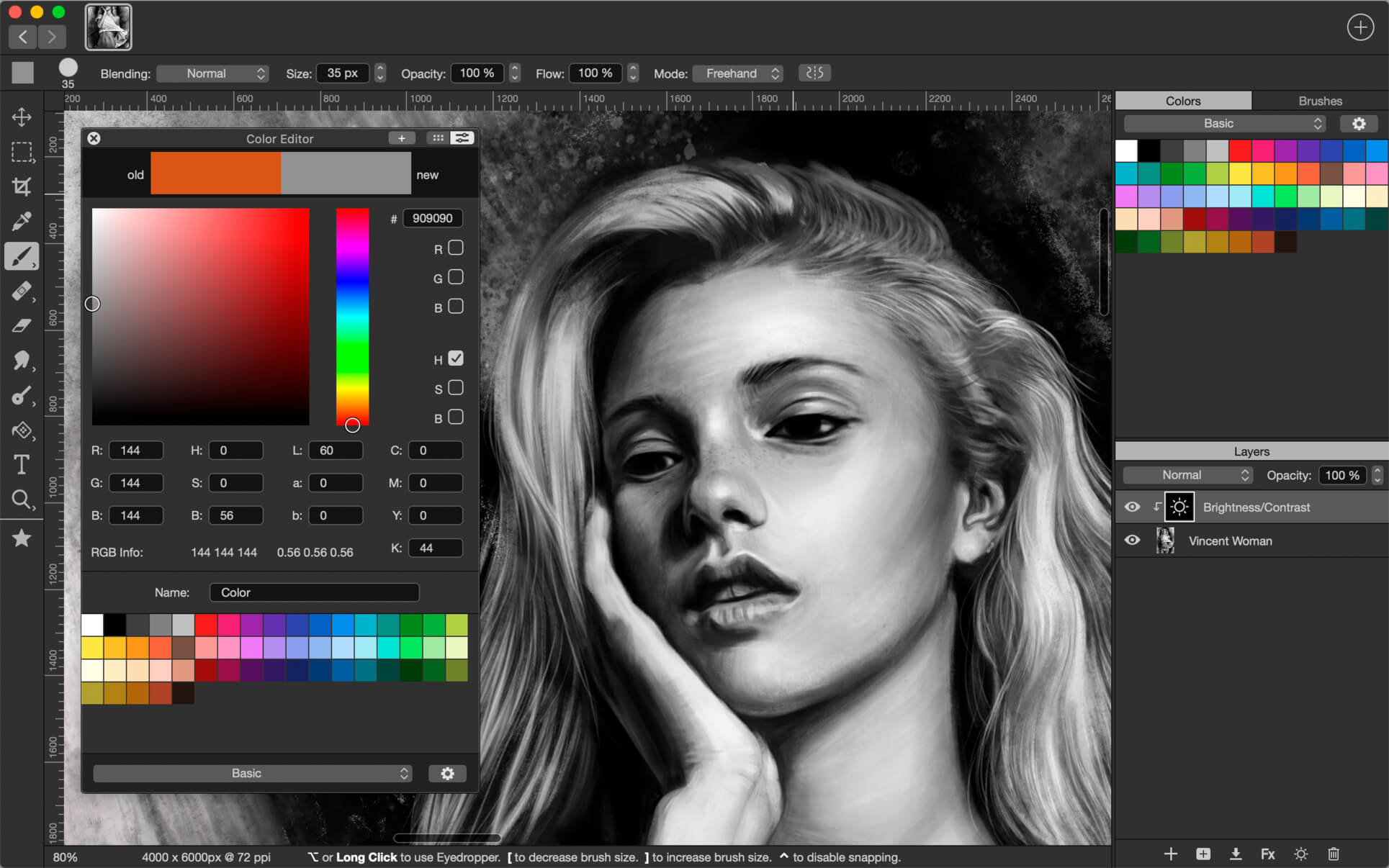
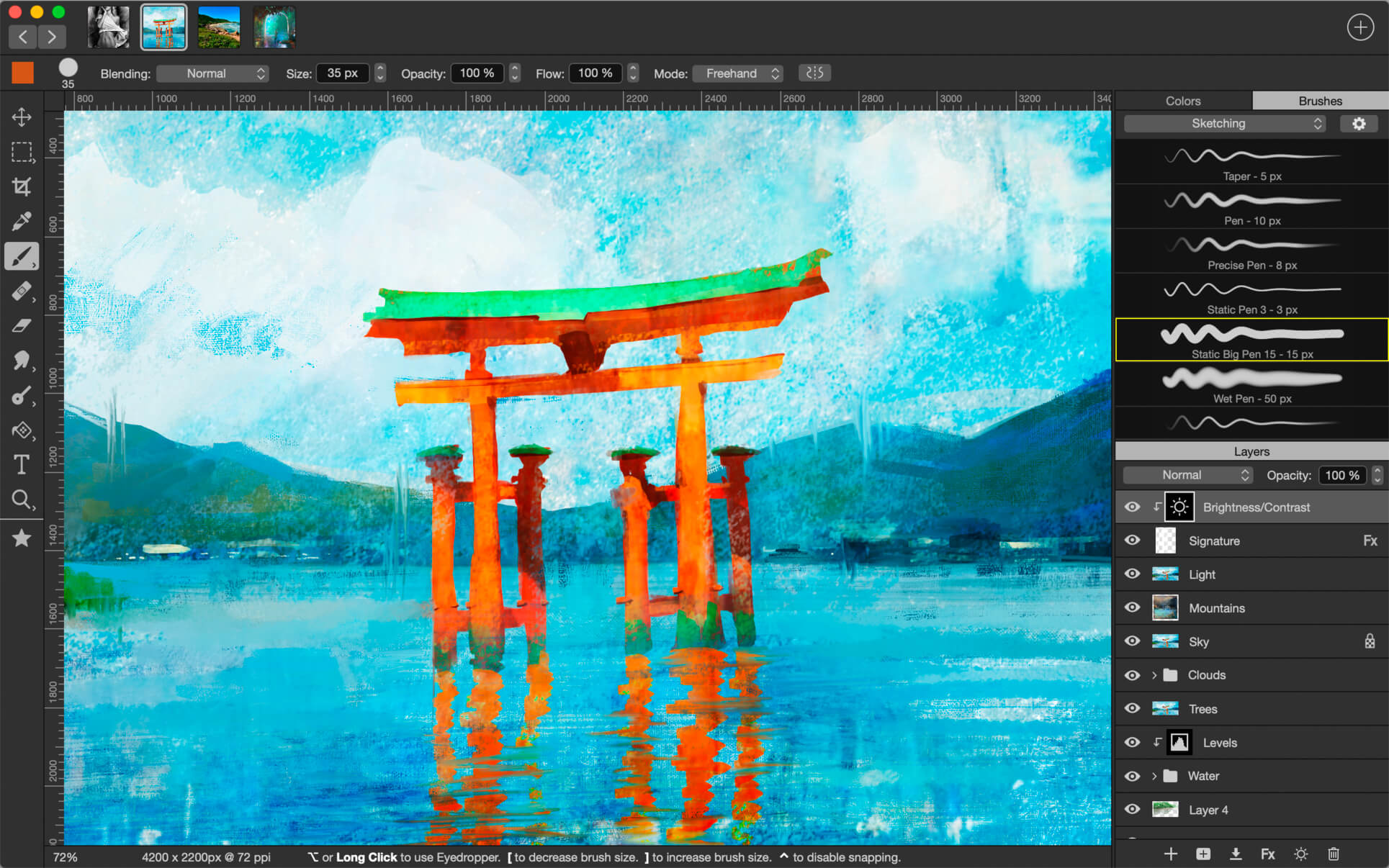
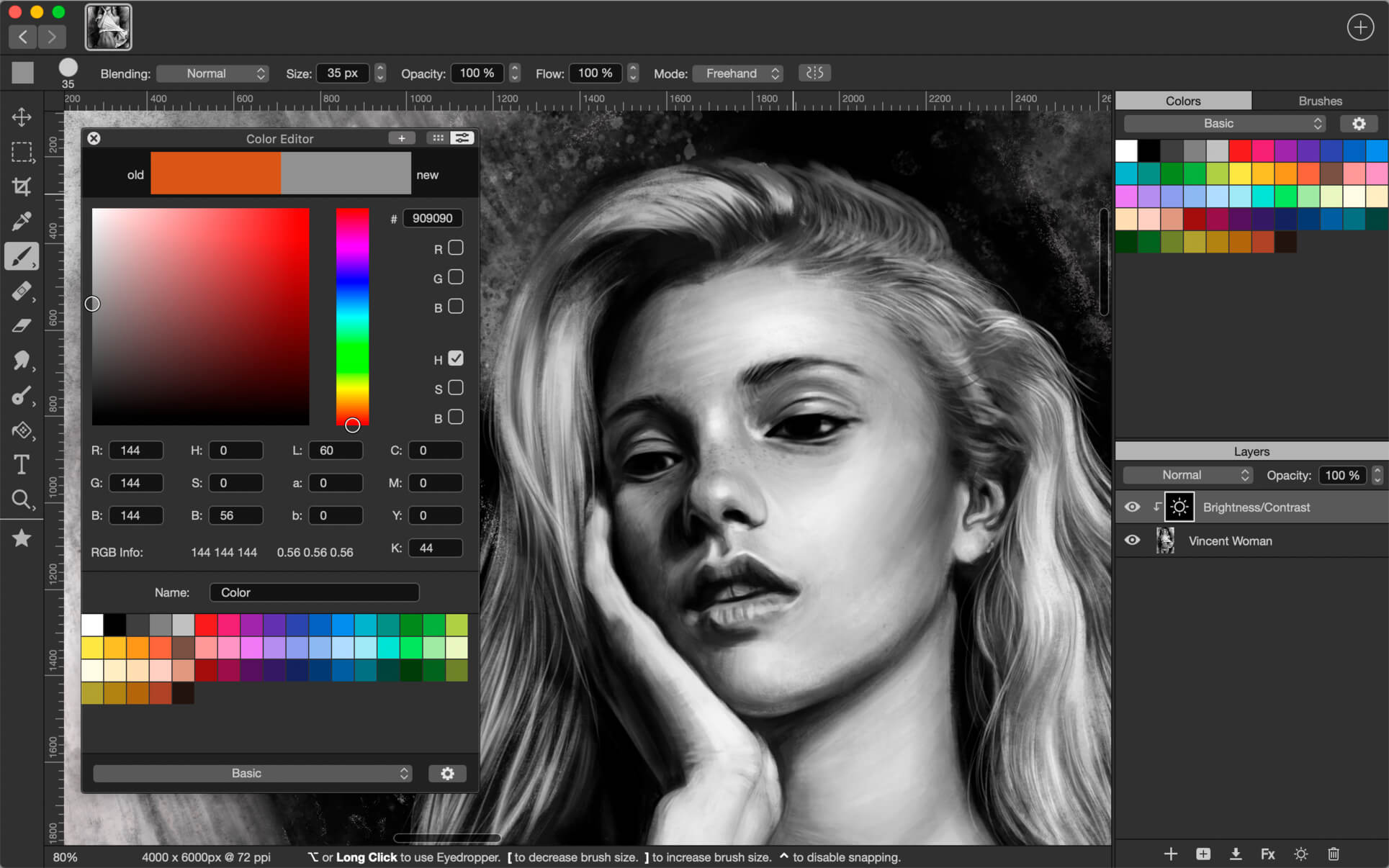
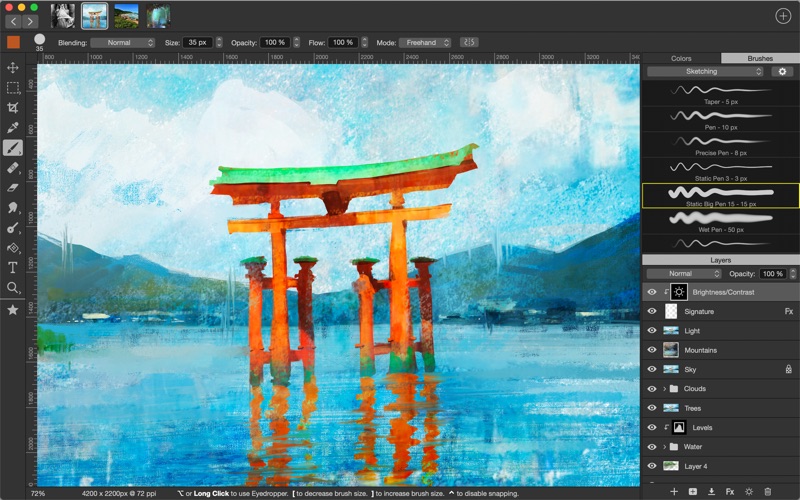
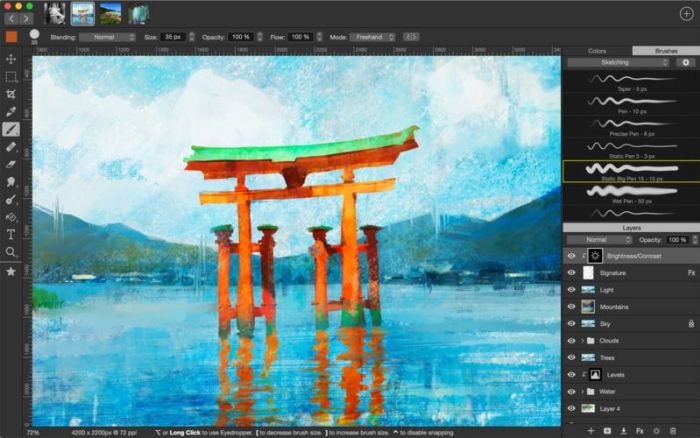
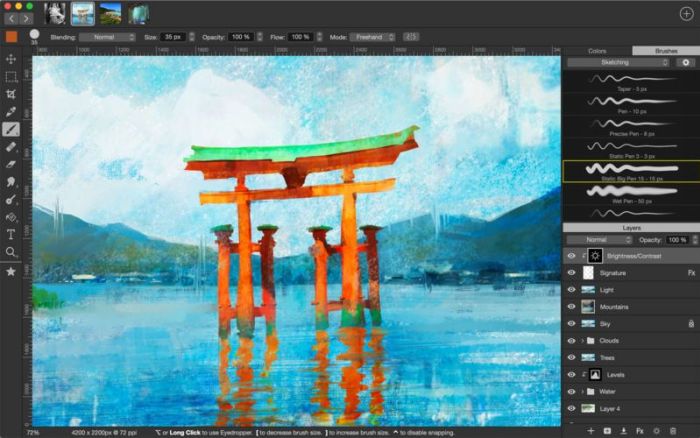
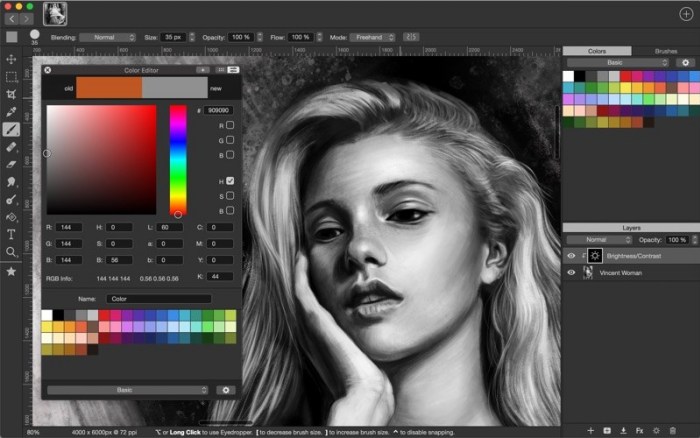
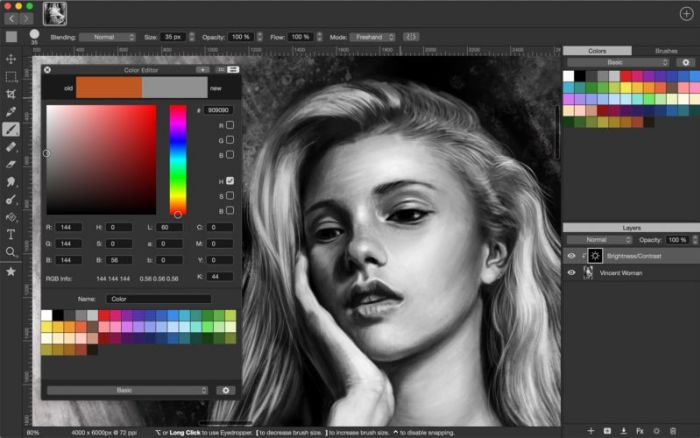
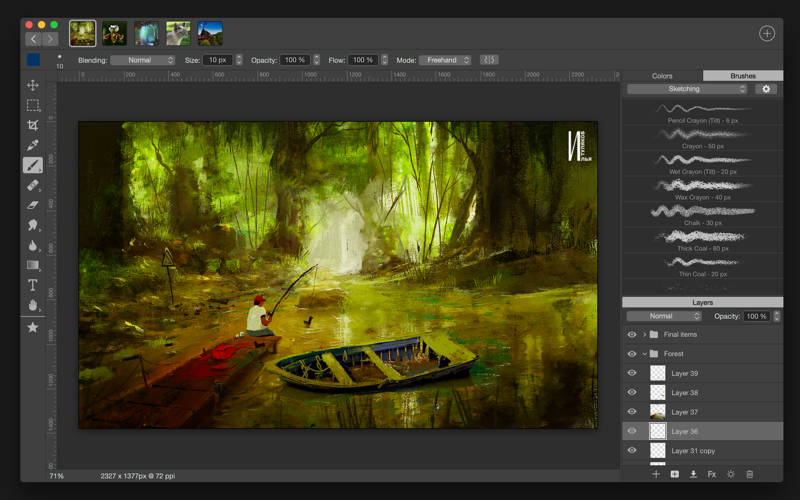
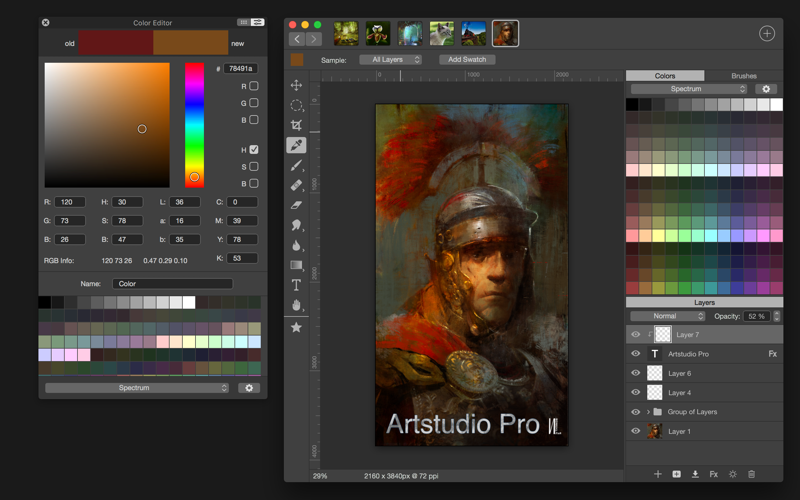
Introducing Artstudio Pro, the most powerful painting and photo editing app available for both macOS and iOS . The successor to our famous ArtStudio app has been redesigned bringing many new features and improvements taking full advantage of the latest technologies Metal, iCloud Drive, and optimized for 64-bit multi-core processors to achieve the smoothest possible workflow.

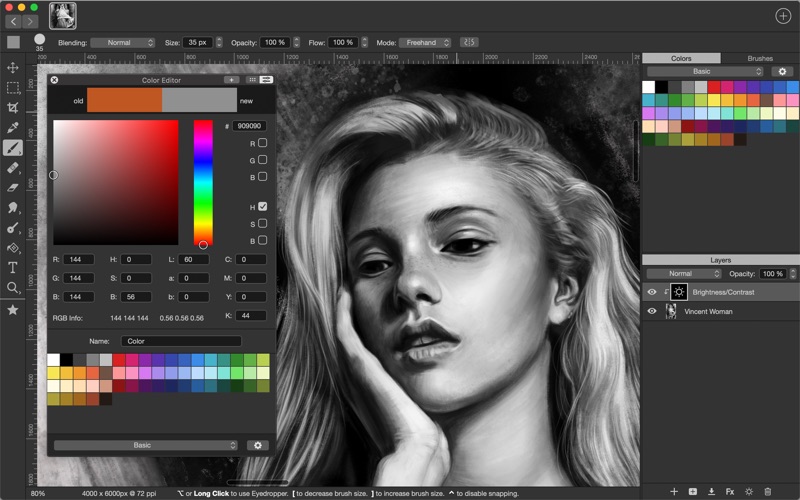
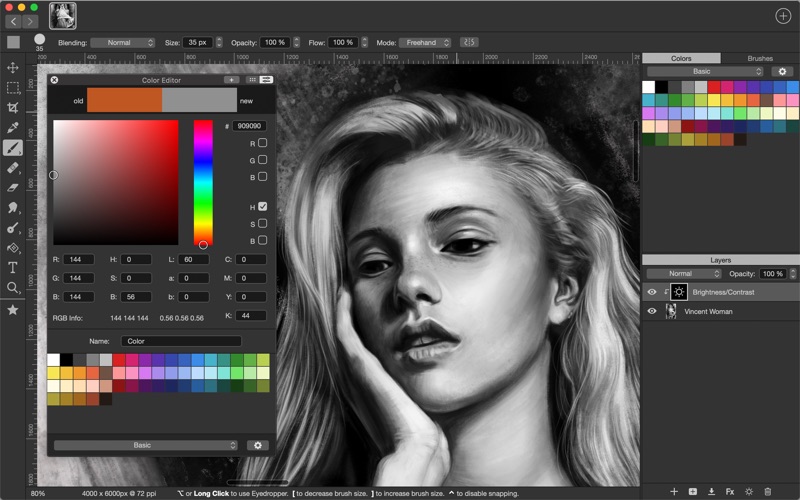
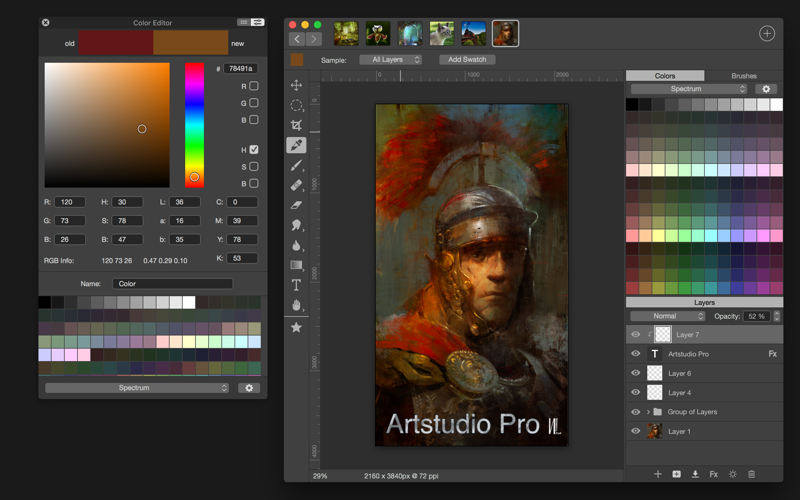
Hundreds of assets are included and users have the ability to import resources in the most popular formats (ABR, TPL, PAT, GRD, ASE, ACO) giving instant access to millions of brushes, patterns, gradients, color swatches and fonts. It will boost your creativity and help you bring your ideas to life quickly and easily.

New engine
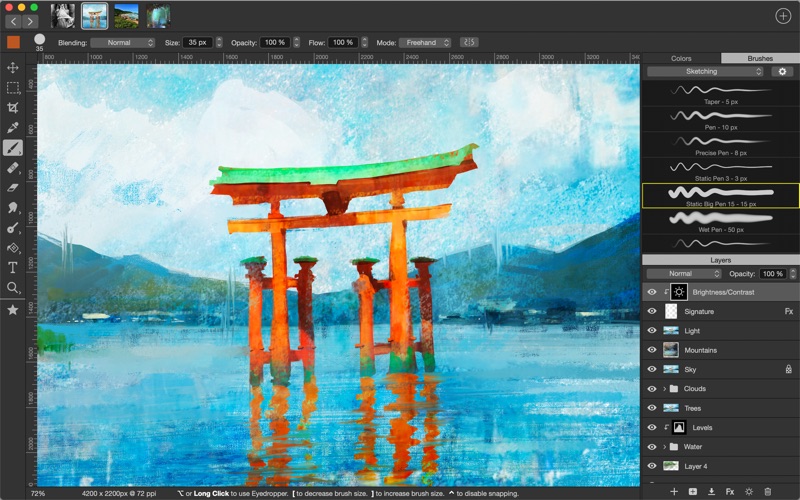
The powerful GPU accelerated ArtEngine developed by Lucky Clan is 5-10 times faster than the previous engine. It allows working with multiple documents, supports large canvas sizes and an unlimited number of layers. Incredible optimization ensures smooth work even with large canvases.

  • Multiple open documents
  • Canvas size: 256Mpix
  • Unlimited layers
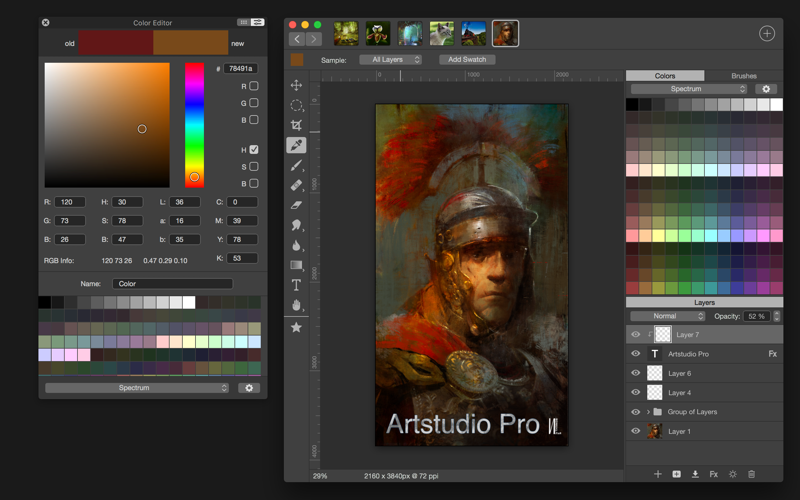
  • 27 tools: Move, Select, Crop, Eyedropper, Paint, Wet Paint, Eraser, Bucket/Pattern/Gradient Fill, Smudge, Dodge, Burn, Sponge, Text, Heal, Clone, and more

Flexible layer system
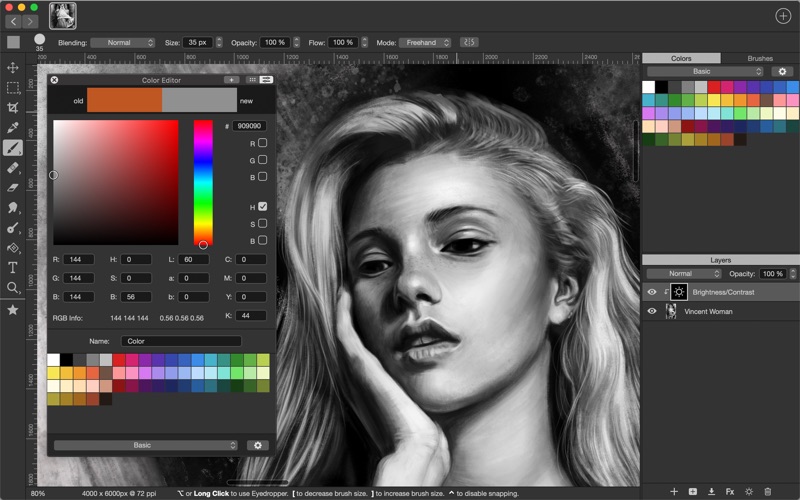
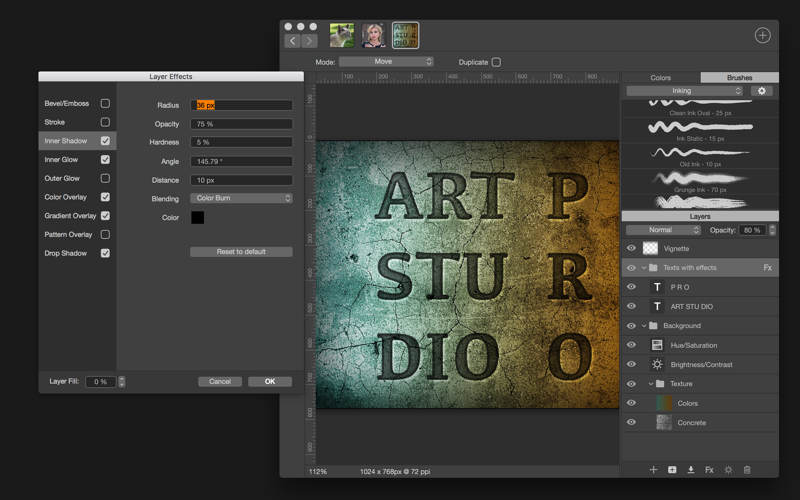
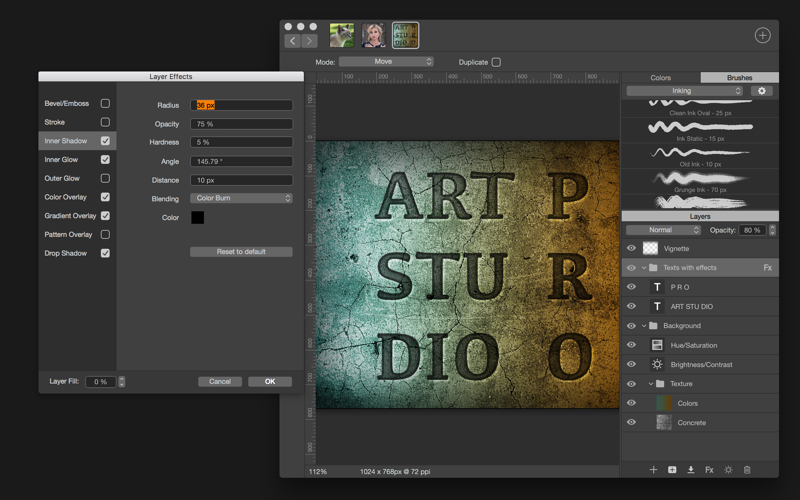
Artstudio Pro introduces a new layer system with grouping, non-destructive layer effects, and adjustment layers.

  • Groups
  • Masks, clipping masks
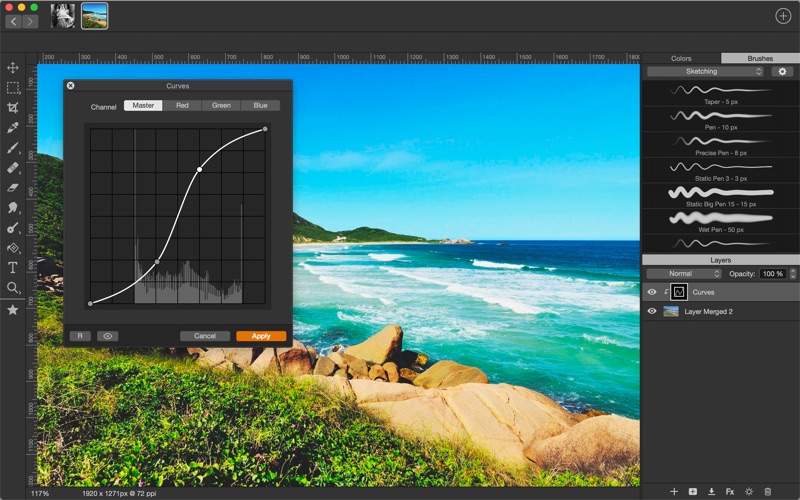
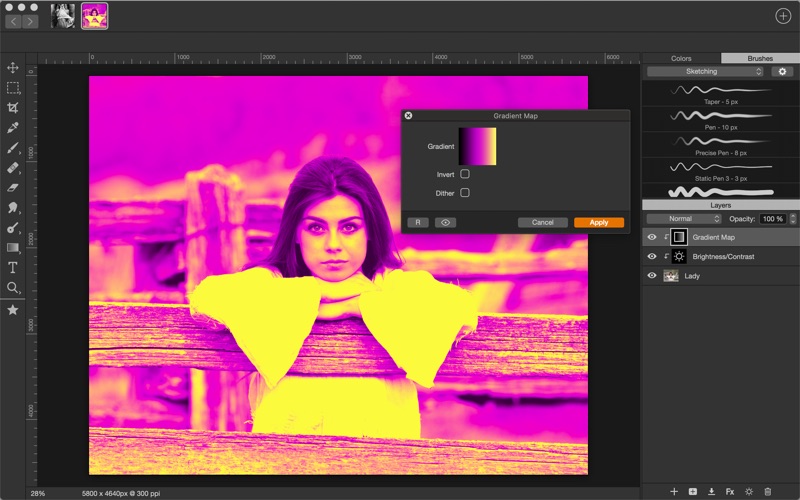
  • Adjustment layers
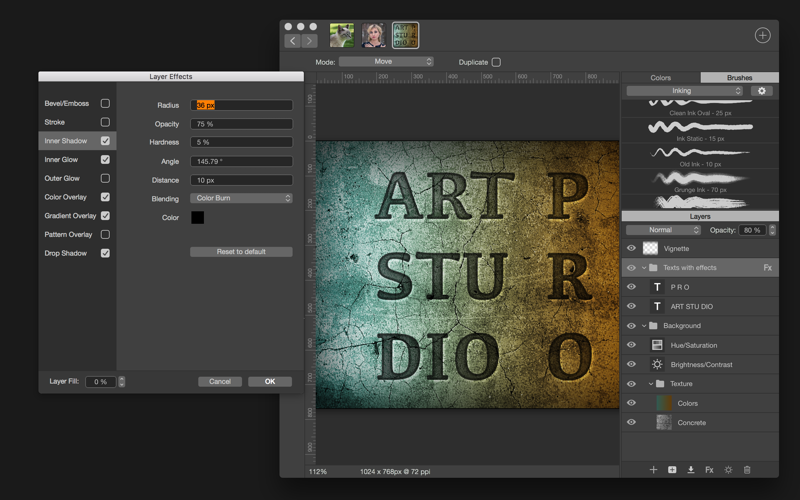
  • 9 layer effects: Bevel/Emboss, Stroke, Inner Shadow, Inner Glow, Outer Glow, Color/Gradient/Pattern Overlay, Drop Shadow
  • 27 blending modes
  • Text layers
  • Transform multiple layers simultaneously

Advanced Brush engine
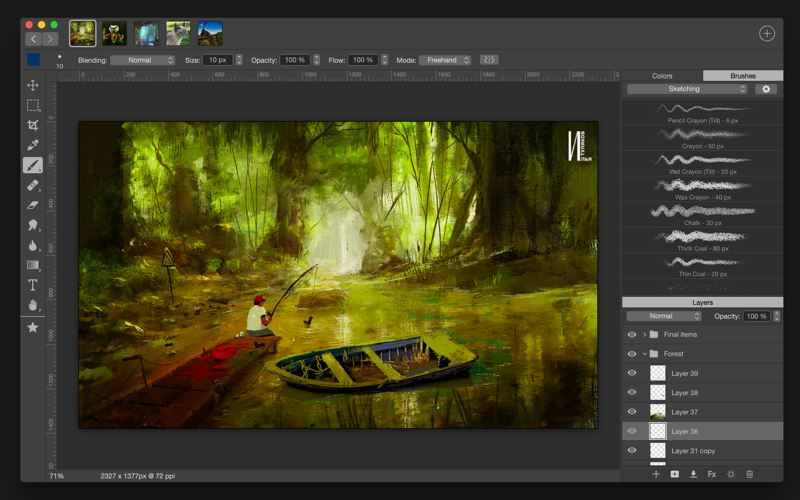
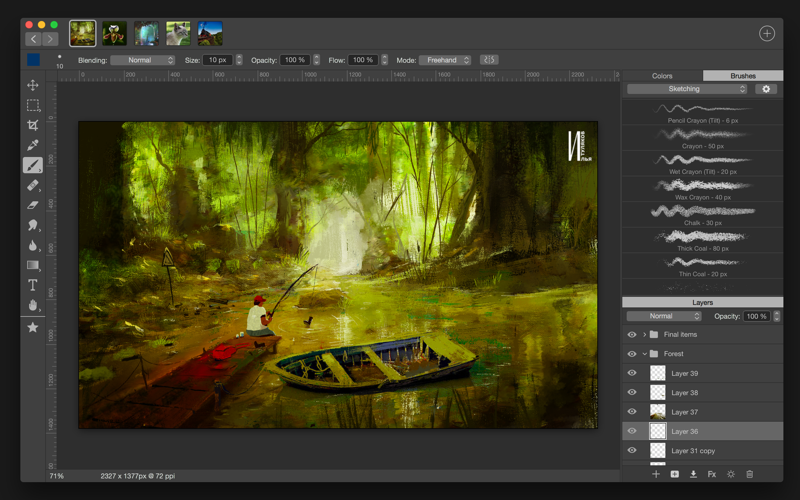
Perfectly optimized, lag free mechanism generating smooth, real looking strokes, making the most of the stylus.

  • Brush size up to 4000×4000
  • 64-bit painting with pattern, double stamp, wet brush, dynamics
  • Brush editor with 80 customizable settings
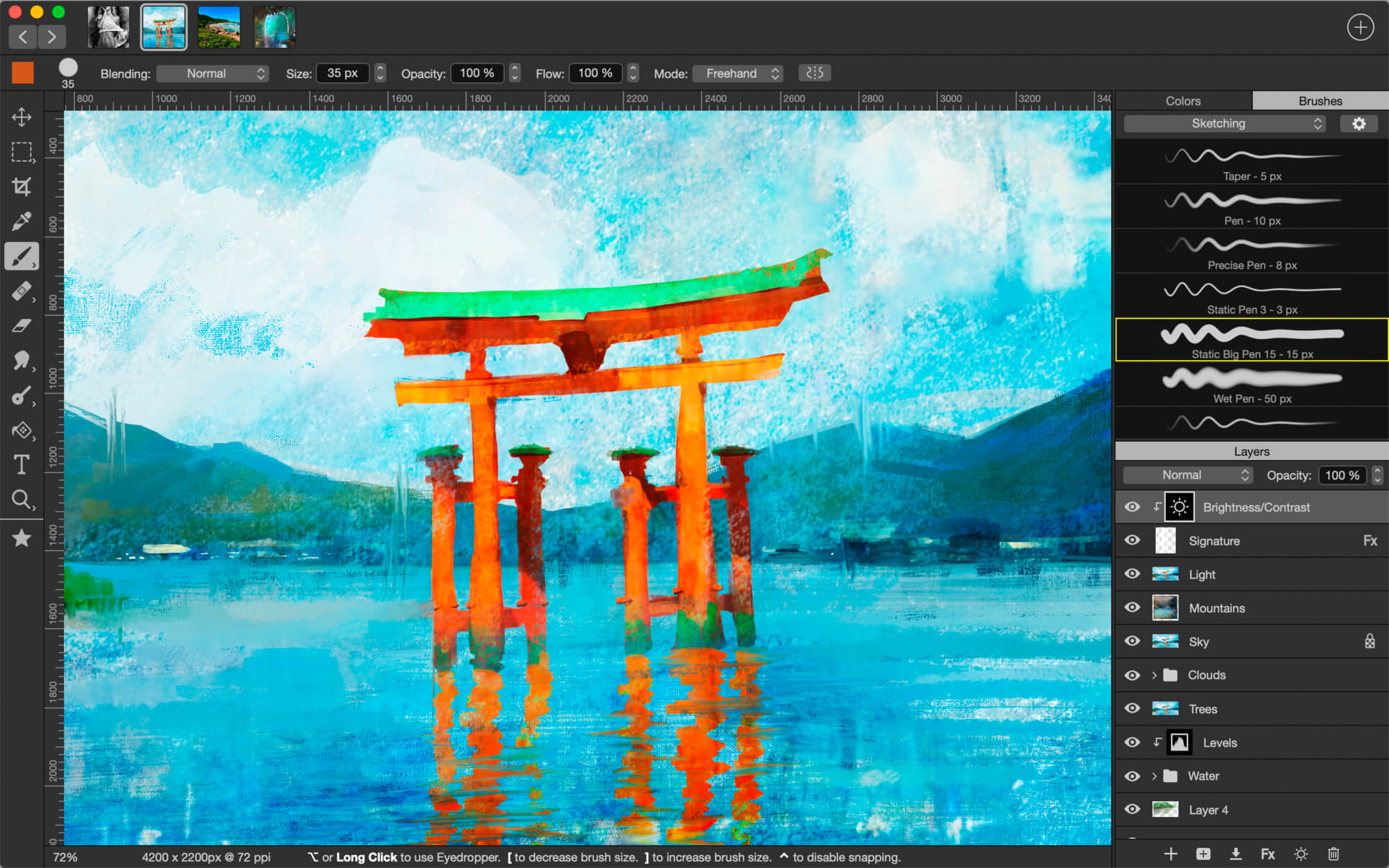
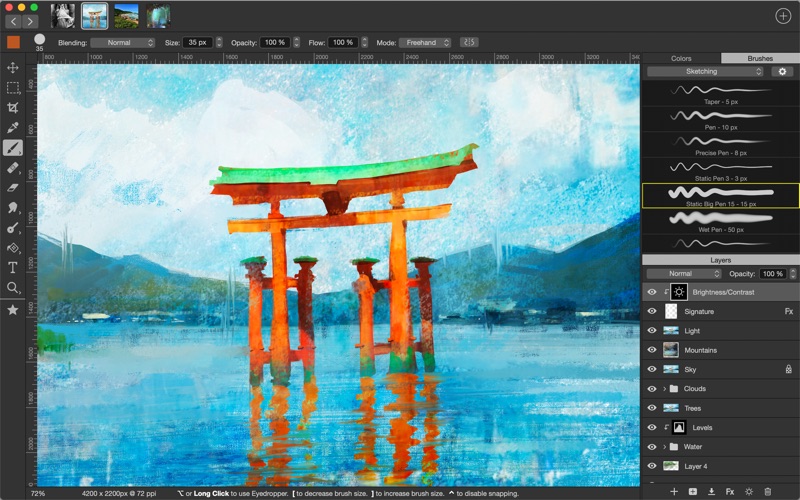
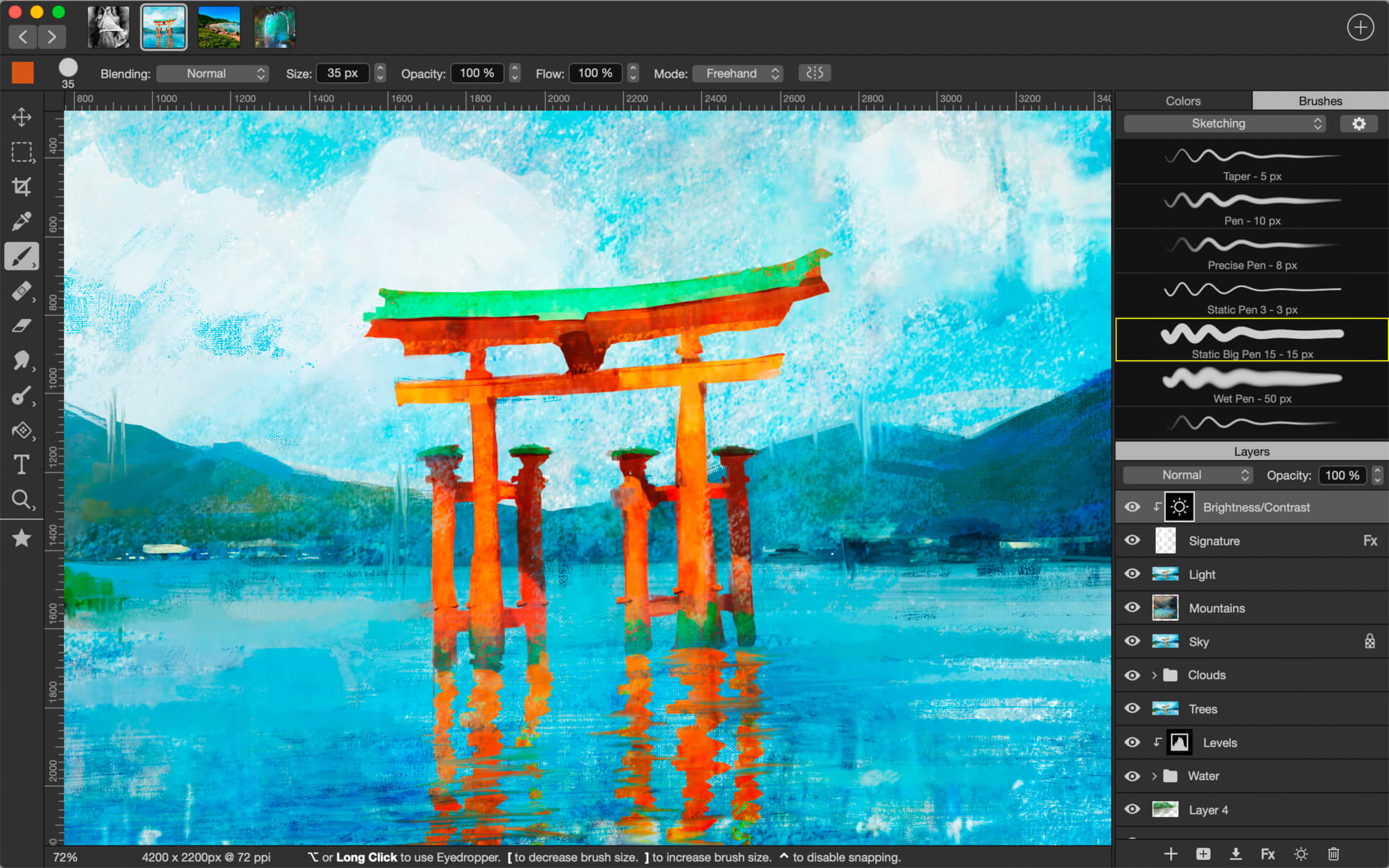
  • Over 100 built-in brushes divided into a few groups: Painting, Sketching, Markers, Inking, Dots & Specks, and more
  • Symmetric painting with custom symmetry line

Professional photo editor
Photo editing options developed in cooperation with professional photographers. Each feature was tested in several scenarios and light conditions.

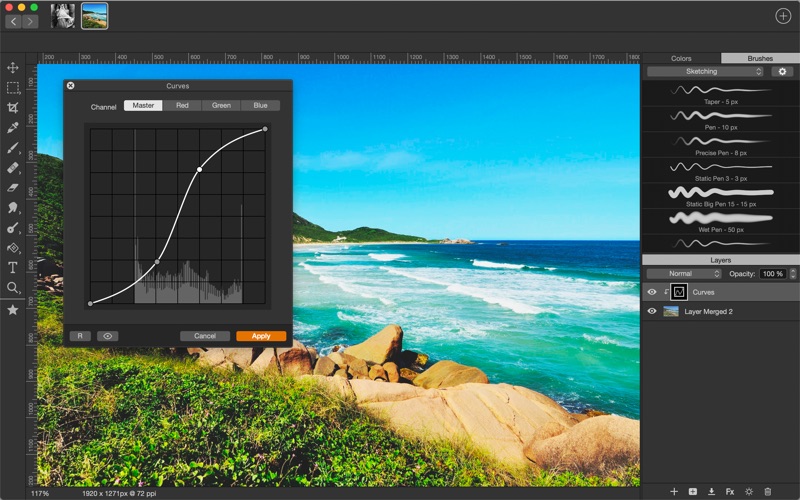
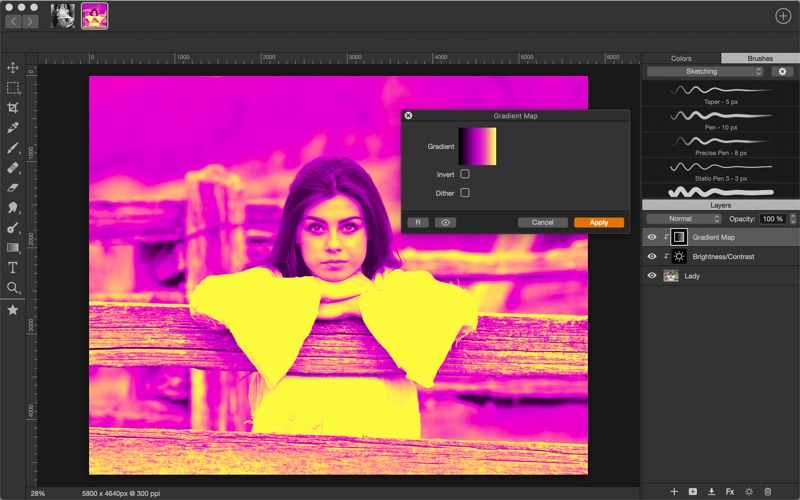
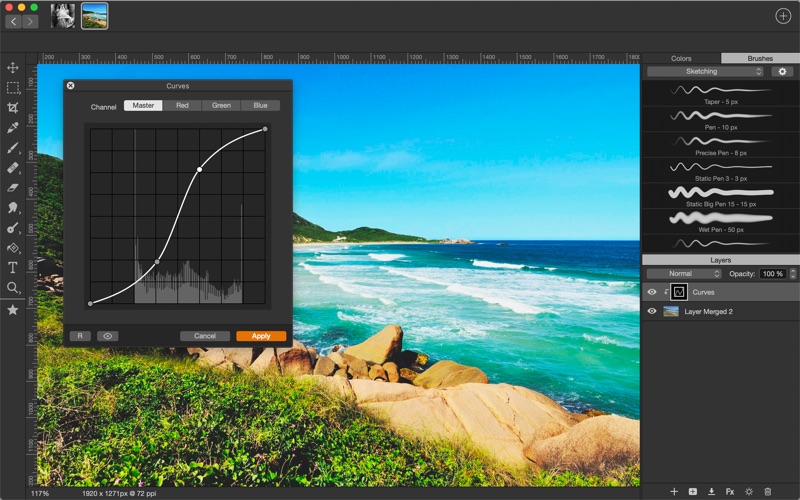
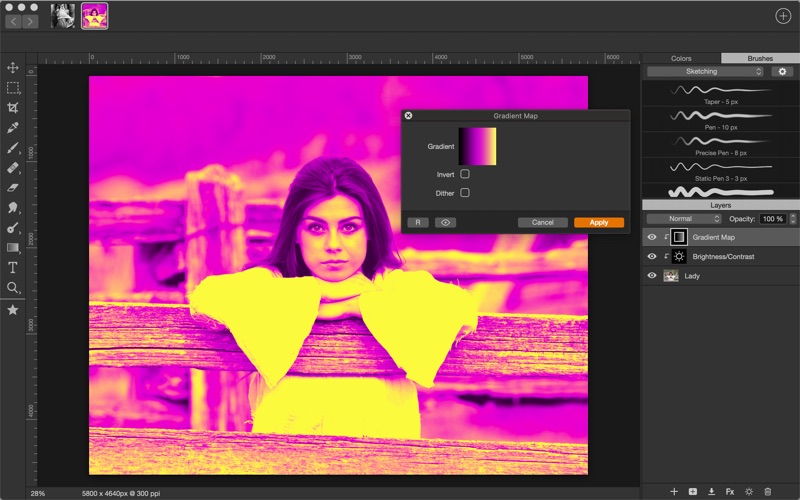
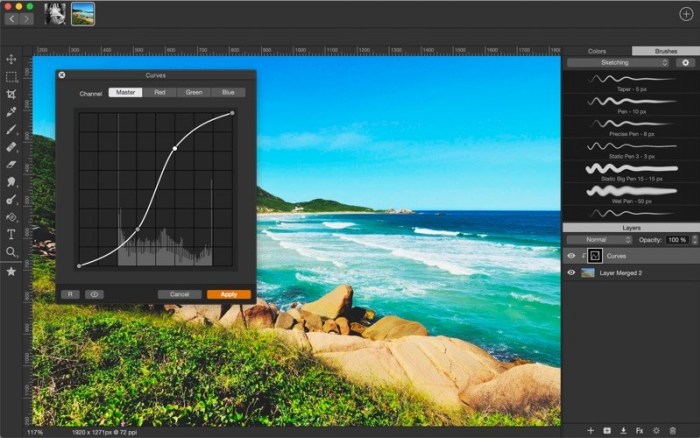
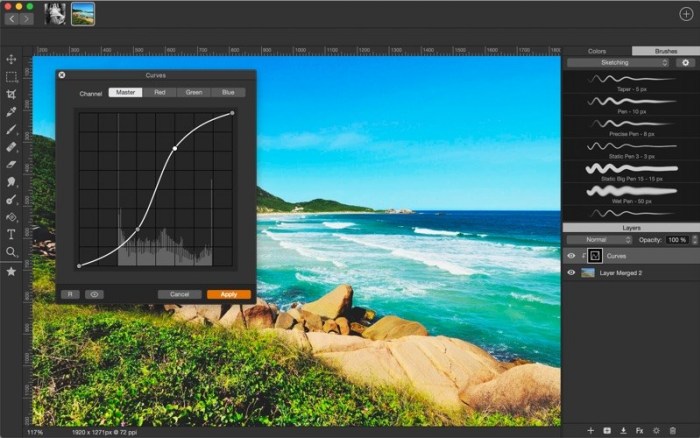
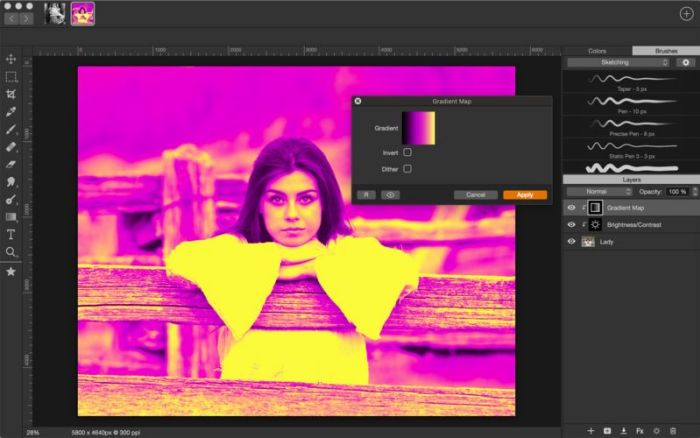
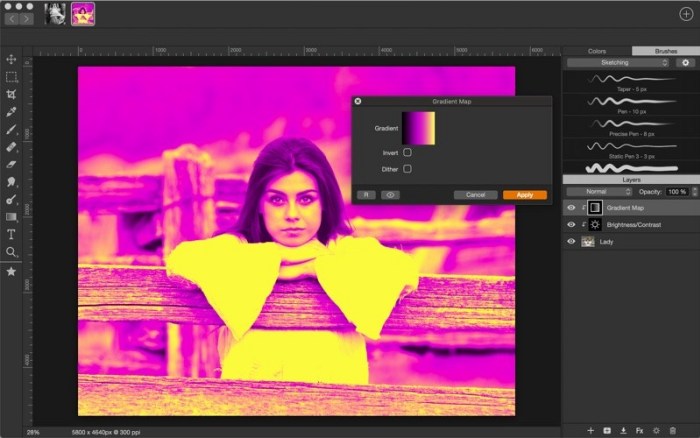
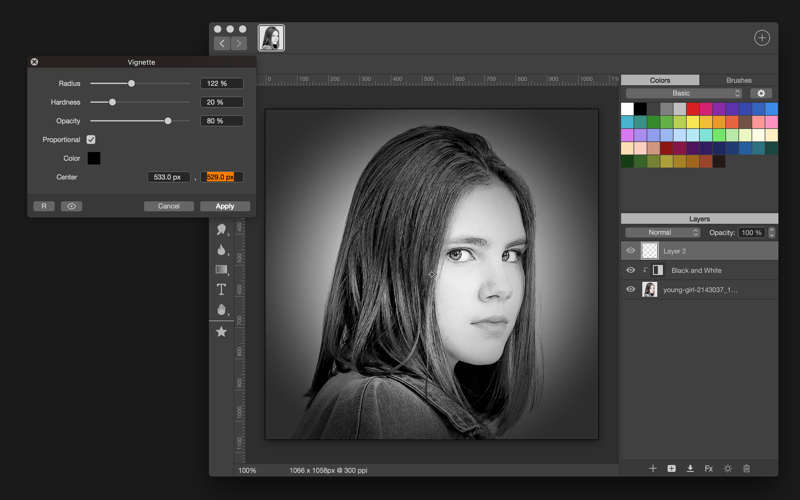
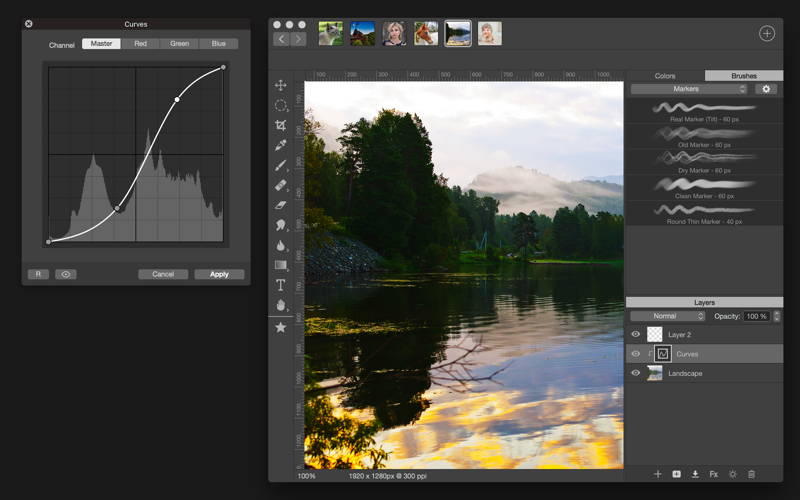
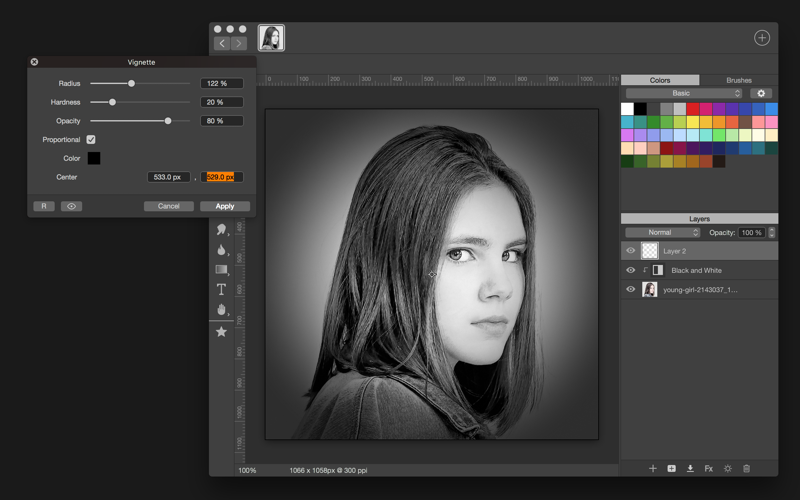
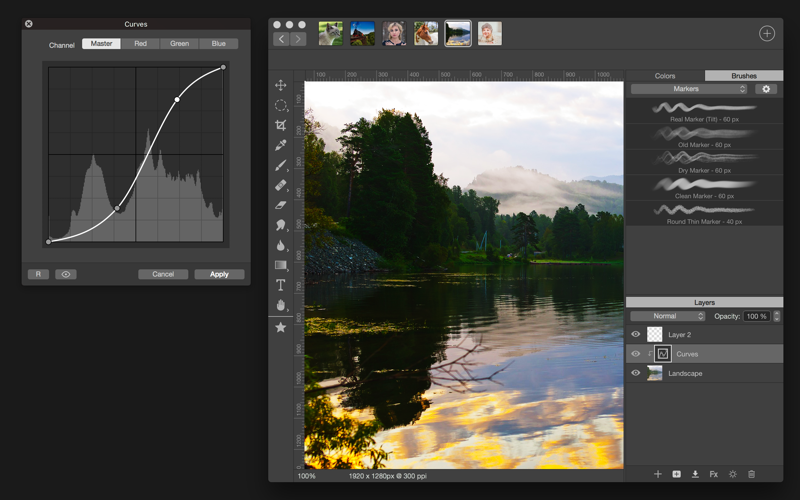
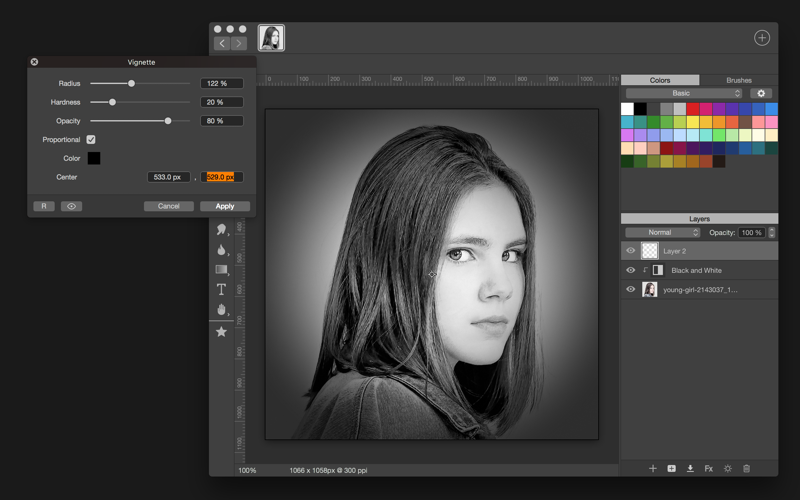
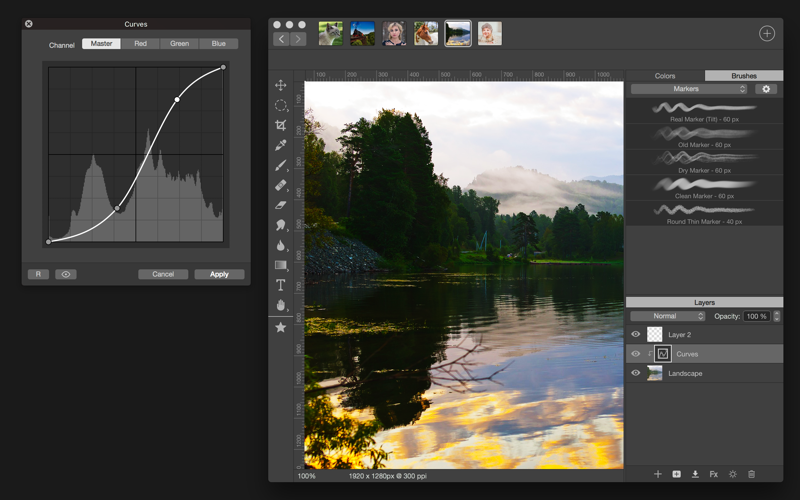
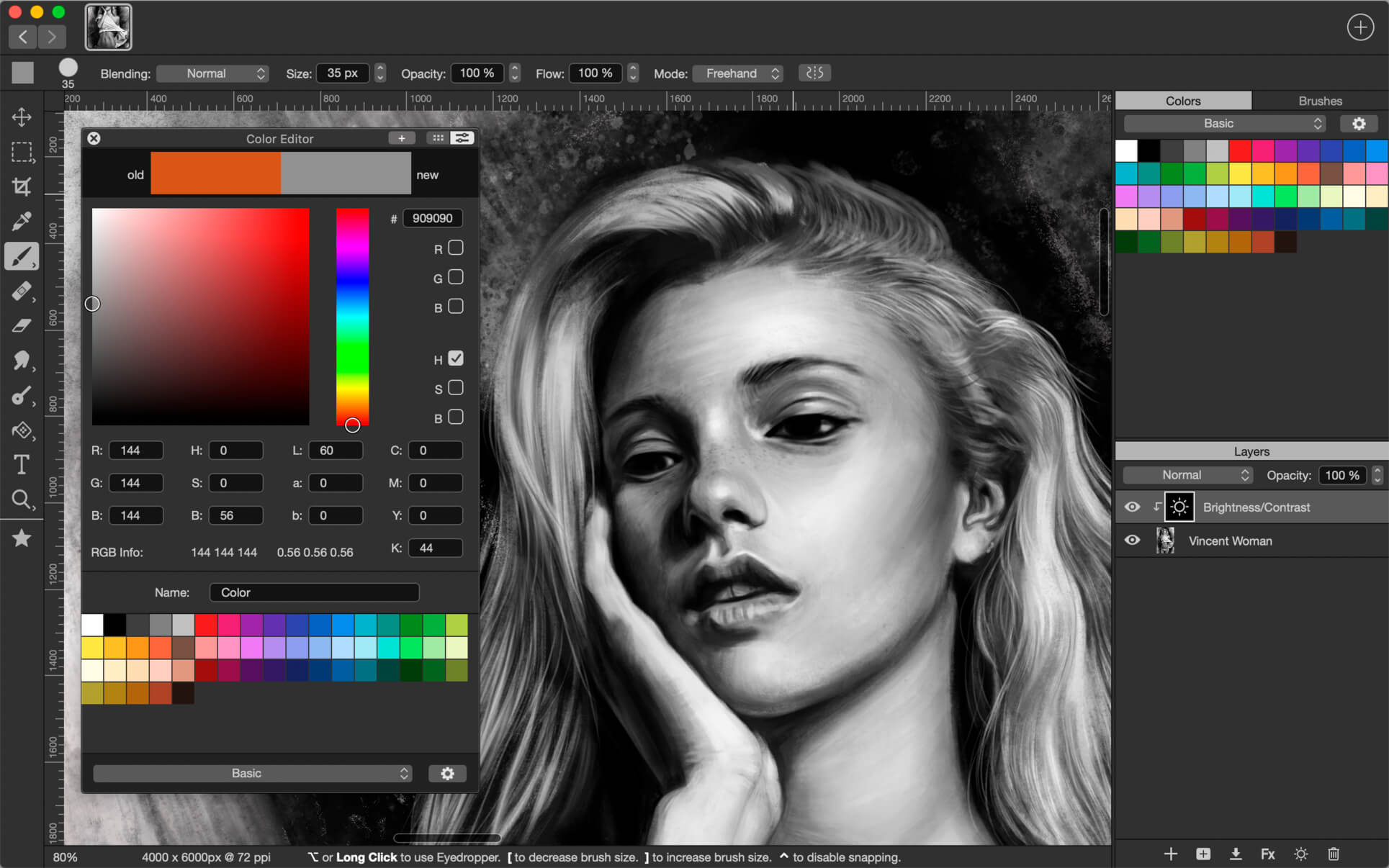
  • 15 adjustments available as non-destructive layer or simple adjustment: Brightness/Contrast, Levels, Curves, Exposure/Gamma, Shadows/Highlights, Vibrance, Hue/Saturation, Color Balance, Temperature/Tint, Black and White, Gradient Map and more
  • 4 auto adjustments: Auto Contrast, Levels, Lightness, Saturation
  • Dozens of filters with realtime preview and the ability to generate seamless patterns
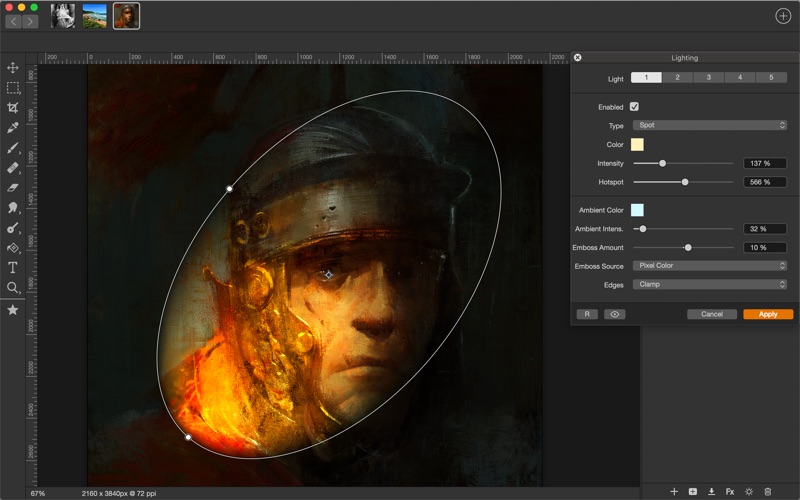
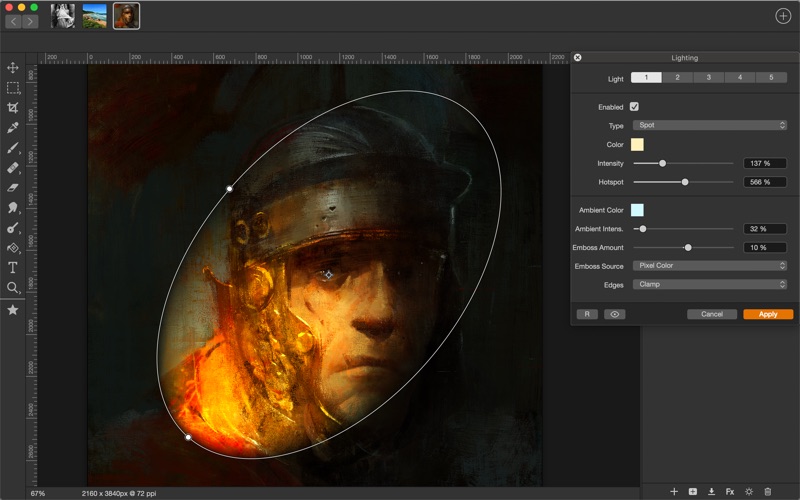
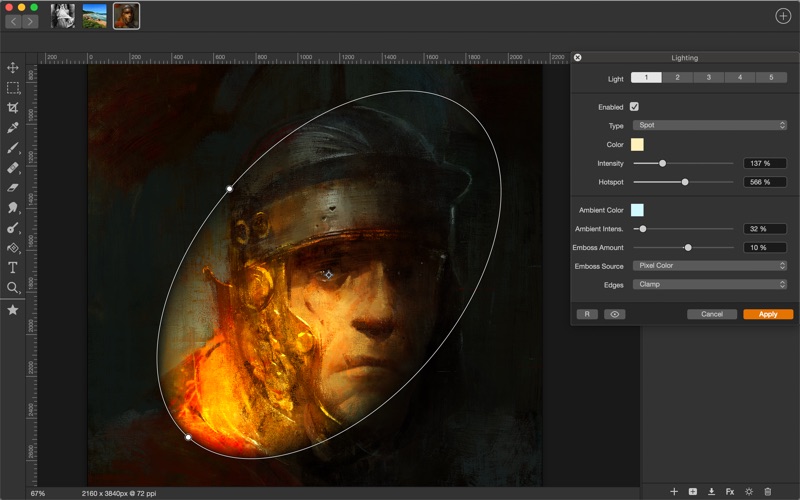
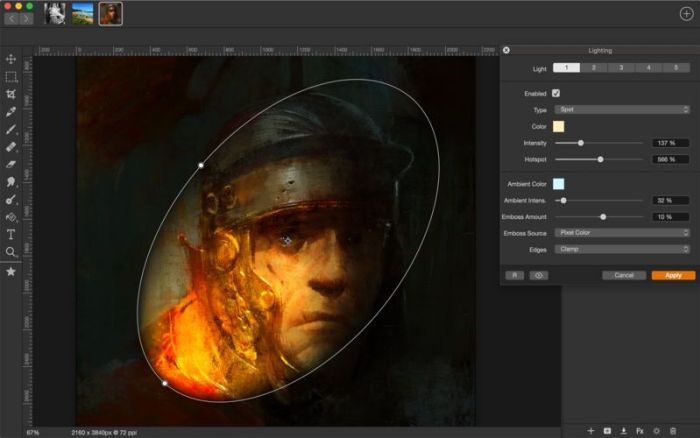
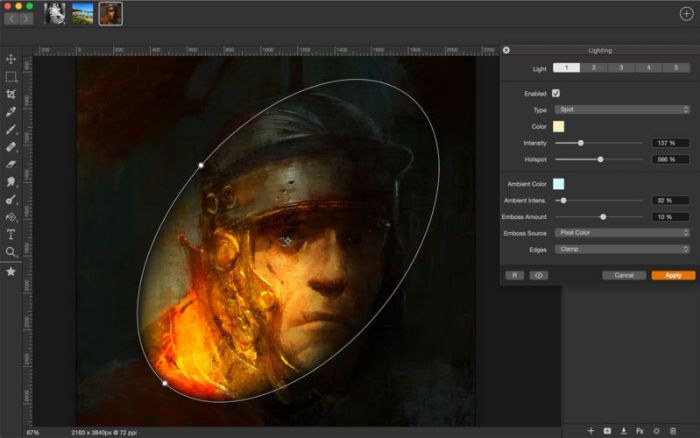
  • Inpaint, Elastify (Liquify) ,Lighting, Depth Of Field, Denoise
  • Retouching tools: Heal, Dodge, Burn, Sponge and more
  • Image resize, Canvas resize
  • Crop using special tool, crop from selection, trim transparent areas

Import/Export
We have implemented many parsers from the most popular assets/images formats and we are especially proud of our ABR/TPL parser which not only reads brush stamps and patterns, but also most settings which are converted to Artstudio Pro brush engine values.

Import

  • Images – PNG, JPEG, PSD, HEIC, TIFF, GIF, most raw formats
  • Brushes – ABR, TPL
  • Color swatches – ASE, ACO
  • Patterns – PAT
  • Gradients – GRD
  • Fonts – TTF, OTF

Export

  • Images – PNG, JPEG, PSD, TIFF, PDF

Other features

  • Full iCloud integration
  • Screen recording
  • All features available on macOS, iPad and iPhone
  • Selection displayed as marching ants, quick mask or invisible
  • Snapping to guidelines, dynamic guidelines, grid
  • Perspective grid assist
  • Mirror (flipped) view
  • Canvas rotation

Compatibility: macOS 11.0 or later
Homepage https://geo.itunes.apple.com/app/id1313773050

Screenshots

Name: Artstudio_Pro_5.2.7_Mactorrents.Me.dmg
Size: 243 MB
Files Artstudio_Pro_5.2.7_Mactorrents.Me.dmg[243 MB]


   Download Torrent

Artstudio Pro 5.2.5

Introducing Artstudio Pro, the most powerful painting and photo editing app available for both macOS and iOS . The successor to our famous ArtStudio app has been redesigned bringing many new features and improvements taking full advantage of the latest technologies Metal, iCloud Drive, and optimized for 64-bit multi-core processors to achieve the smoothest possible workflow.

Hundreds of assets are included and users have the ability to import resources in the most popular formats (ABR, TPL, PAT, GRD, ASE, ACO) giving instant access to millions of brushes, patterns, gradients, color swatches and fonts. It will boost your creativity and help you bring your ideas to life quickly and easily.

New engine
The powerful GPU accelerated ArtEngine developed by Lucky Clan is 5-10 times faster than the previous engine. It allows working with multiple documents, supports large canvas sizes and an unlimited number of layers. Incredible optimization ensures smooth work even with large canvases.

  • Multiple open documents
  • Canvas size: 256Mpix
  • Unlimited layers
  • 27 tools: Move, Select, Crop, Eyedropper, Paint, Wet Paint, Eraser, Bucket/Pattern/Gradient Fill, Smudge, Dodge, Burn, Sponge, Text, Heal, Clone, and more

Flexible layer system
Artstudio Pro introduces a new layer system with grouping, non-destructive layer effects, and adjustment layers.

  • Groups
  • Masks, clipping masks
  • Adjustment layers
  • 9 layer effects: Bevel/Emboss, Stroke, Inner Shadow, Inner Glow, Outer Glow, Color/Gradient/Pattern Overlay, Drop Shadow
  • 27 blending modes
  • Text layers
  • Transform multiple layers simultaneously

Advanced Brush engine
Perfectly optimized, lag free mechanism generating smooth, real looking strokes, making the most of the stylus.

  • Brush size up to 4000×4000
  • 64-bit painting with pattern, double stamp, wet brush, dynamics
  • Brush editor with 80 customizable settings
  • Over 100 built-in brushes divided into a few groups: Painting, Sketching, Markers, Inking, Dots & Specks, and more
  • Symmetric painting with custom symmetry line

Professional photo editor
Photo editing options developed in cooperation with professional photographers. Each feature was tested in several scenarios and light conditions.

  • 15 adjustments available as non-destructive layer or simple adjustment: Brightness/Contrast, Levels, Curves, Exposure/Gamma, Shadows/Highlights, Vibrance, Hue/Saturation, Color Balance, Temperature/Tint, Black and White, Gradient Map and more
  • 4 auto adjustments: Auto Contrast, Levels, Lightness, Saturation
  • Dozens of filters with realtime preview and the ability to generate seamless patterns
  • Inpaint, Elastify (Liquify) ,Lighting, Depth Of Field, Denoise
  • Retouching tools: Heal, Dodge, Burn, Sponge and more
  • Image resize, Canvas resize
  • Crop using special tool, crop from selection, trim transparent areas

Import/Export
We have implemented many parsers from the most popular assets/images formats and we are especially proud of our ABR/TPL parser which not only reads brush stamps and patterns, but also most settings which are converted to Artstudio Pro brush engine values.

Import

  • Images – PNG, JPEG, PSD, HEIC, TIFF, GIF, most raw formats
  • Brushes – ABR, TPL
  • Color swatches – ASE, ACO
  • Patterns – PAT
  • Gradients – GRD
  • Fonts – TTF, OTF

Export

  • Images – PNG, JPEG, PSD, TIFF, PDF

Other features

  • Full iCloud integration
  • Screen recording
  • All features available on macOS, iPad and iPhone
  • Selection displayed as marching ants, quick mask or invisible
  • Snapping to guidelines, dynamic guidelines, grid
  • Perspective grid assist
  • Mirror (flipped) view
  • Canvas rotation

Compatibility: macOS 11.0 or later
Homepage https://geo.itunes.apple.com/app/id1313773050

Screenshots

Name: Artstudio_Pro_5.2.5_Mactorrents.Me.dmg
Size: 243 MB
Files Artstudio_Pro_5.2.5_Mactorrents.Me.dmg[243 MB]


   Download Torrent

Artstudio Pro 5.2.4

Introducing Artstudio Pro, the most powerful painting and photo editing app available for both macOS and iOS . The successor to our famous ArtStudio app has been redesigned bringing many new features and improvements taking full advantage of the latest technologies Metal, iCloud Drive, and optimized for 64-bit multi-core processors to achieve the smoothest possible workflow.

Hundreds of assets are included and users have the ability to import resources in the most popular formats (ABR, TPL, PAT, GRD, ASE, ACO) giving instant access to millions of brushes, patterns, gradients, color swatches and fonts. It will boost your creativity and help you bring your ideas to life quickly and easily.

New engine
The powerful GPU accelerated ArtEngine developed by Lucky Clan is 5-10 times faster than the previous engine. It allows working with multiple documents, supports large canvas sizes and an unlimited number of layers. Incredible optimization ensures smooth work even with large canvases.

  • Multiple open documents
  • Canvas size: 256Mpix
  • Unlimited layers
  • 27 tools: Move, Select, Crop, Eyedropper, Paint, Wet Paint, Eraser, Bucket/Pattern/Gradient Fill, Smudge, Dodge, Burn, Sponge, Text, Heal, Clone, and more

Flexible layer system
Artstudio Pro introduces a new layer system with grouping, non-destructive layer effects, and adjustment layers.

  • Groups
  • Masks, clipping masks
  • Adjustment layers
  • 9 layer effects: Bevel/Emboss, Stroke, Inner Shadow, Inner Glow, Outer Glow, Color/Gradient/Pattern Overlay, Drop Shadow
  • 27 blending modes
  • Text layers
  • Transform multiple layers simultaneously

Advanced Brush engine
Perfectly optimized, lag free mechanism generating smooth, real looking strokes, making the most of the stylus.

  • Brush size up to 4000×4000
  • 64-bit painting with pattern, double stamp, wet brush, dynamics
  • Brush editor with 80 customizable settings
  • Over 100 built-in brushes divided into a few groups: Painting, Sketching, Markers, Inking, Dots & Specks, and more
  • Symmetric painting with custom symmetry line

Professional photo editor
Photo editing options developed in cooperation with professional photographers. Each feature was tested in several scenarios and light conditions.

  • 15 adjustments available as non-destructive layer or simple adjustment: Brightness/Contrast, Levels, Curves, Exposure/Gamma, Shadows/Highlights, Vibrance, Hue/Saturation, Color Balance, Temperature/Tint, Black and White, Gradient Map and more
  • 4 auto adjustments: Auto Contrast, Levels, Lightness, Saturation
  • Dozens of filters with realtime preview and the ability to generate seamless patterns
  • Inpaint, Elastify (Liquify) ,Lighting, Depth Of Field, Denoise
  • Retouching tools: Heal, Dodge, Burn, Sponge and more
  • Image resize, Canvas resize
  • Crop using special tool, crop from selection, trim transparent areas

Import/Export
We have implemented many parsers from the most popular assets/images formats and we are especially proud of our ABR/TPL parser which not only reads brush stamps and patterns, but also most settings which are converted to Artstudio Pro brush engine values.

Import

  • Images – PNG, JPEG, PSD, HEIC, TIFF, GIF, most raw formats
  • Brushes – ABR, TPL
  • Color swatches – ASE, ACO
  • Patterns – PAT
  • Gradients – GRD
  • Fonts – TTF, OTF

Export

  • Images – PNG, JPEG, PSD, TIFF, PDF

Other features

  • Full iCloud integration
  • Screen recording
  • All features available on macOS, iPad and iPhone
  • Selection displayed as marching ants, quick mask or invisible
  • Snapping to guidelines, dynamic guidelines, grid
  • Perspective grid assist
  • Mirror (flipped) view
  • Canvas rotation

Compatibility: macOS 11.0 or later
Homepage https://geo.itunes.apple.com/app/id1313773050

Screenshots


Name: Artstudio_Pro_5.2.4_Mactorrents.Me.dmg
Size: 243 MB
Files Artstudio_Pro_5.2.4_Mactorrents.Me.dmg[243 MB]


   Download Torrent


   Download Link

Artstudio Pro 5.2.3

Introducing Artstudio Pro, the most powerful painting and photo editing app available for both macOS and iOS . The successor to our famous ArtStudio app has been redesigned bringing many new features and improvements taking full advantage of the latest technologies Metal, iCloud Drive, and optimized for 64-bit multi-core processors to achieve the smoothest possible workflow.

Hundreds of assets are included and users have the ability to import resources in the most popular formats (ABR, TPL, PAT, GRD, ASE, ACO) giving instant access to millions of brushes, patterns, gradients, color swatches and fonts. It will boost your creativity and help you bring your ideas to life quickly and easily.

New engine
The powerful GPU accelerated ArtEngine developed by Lucky Clan is 5-10 times faster than the previous engine. It allows working with multiple documents, supports large canvas sizes and an unlimited number of layers. Incredible optimization ensures smooth work even with large canvases.

  • Multiple open documents
  • Canvas size: 256Mpix
  • Unlimited layers
  • 27 tools: Move, Select, Crop, Eyedropper, Paint, Wet Paint, Eraser, Bucket/Pattern/Gradient Fill, Smudge, Dodge, Burn, Sponge, Text, Heal, Clone, and more

Flexible layer system
Artstudio Pro introduces a new layer system with grouping, non-destructive layer effects, and adjustment layers.

  • Groups
  • Masks, clipping masks
  • Adjustment layers
  • 9 layer effects: Bevel/Emboss, Stroke, Inner Shadow, Inner Glow, Outer Glow, Color/Gradient/Pattern Overlay, Drop Shadow
  • 27 blending modes
  • Text layers
  • Transform multiple layers simultaneously

Advanced Brush engine
Perfectly optimized, lag free mechanism generating smooth, real looking strokes, making the most of the stylus.

  • Brush size up to 4000×4000
  • 64-bit painting with pattern, double stamp, wet brush, dynamics
  • Brush editor with 80 customizable settings
  • Over 100 built-in brushes divided into a few groups: Painting, Sketching, Markers, Inking, Dots & Specks, and more
  • Symmetric painting with custom symmetry line

Professional photo editor
Photo editing options developed in cooperation with professional photographers. Each feature was tested in several scenarios and light conditions.

  • 15 adjustments available as non-destructive layer or simple adjustment: Brightness/Contrast, Levels, Curves, Exposure/Gamma, Shadows/Highlights, Vibrance, Hue/Saturation, Color Balance, Temperature/Tint, Black and White, Gradient Map and more
  • 4 auto adjustments: Auto Contrast, Levels, Lightness, Saturation
  • Dozens of filters with realtime preview and the ability to generate seamless patterns
  • Inpaint, Elastify (Liquify) ,Lighting, Depth Of Field, Denoise
  • Retouching tools: Heal, Dodge, Burn, Sponge and more
  • Image resize, Canvas resize
  • Crop using special tool, crop from selection, trim transparent areas

Import/Export
We have implemented many parsers from the most popular assets/images formats and we are especially proud of our ABR/TPL parser which not only reads brush stamps and patterns, but also most settings which are converted to Artstudio Pro brush engine values.

Import

  • Images – PNG, JPEG, PSD, HEIC, TIFF, GIF, most raw formats
  • Brushes – ABR, TPL
  • Color swatches – ASE, ACO
  • Patterns – PAT
  • Gradients – GRD
  • Fonts – TTF, OTF

Export

  • Images – PNG, JPEG, PSD, TIFF, PDF

Other features

  • Full iCloud integration
  • Screen recording
  • All features available on macOS, iPad and iPhone
  • Selection displayed as marching ants, quick mask or invisible
  • Snapping to guidelines, dynamic guidelines, grid
  • Perspective grid assist
  • Mirror (flipped) view
  • Canvas rotation

Compatibility: macOS 11.0 or later
Homepage https://geo.itunes.apple.com/app/id1313773050

Screenshots


Name: Artstudio_Pro_5.2.3_MAS__TNT_Mactorrents.Me.dmg
Size: 243 MB
Files Artstudio_Pro_5.2.3_MAS__TNT_Mactorrents.Me.dmg[243 MB]


   Download Torrent

Artstudio Pro 5.2.2

Introducing Artstudio Pro, the most powerful painting and photo editing app available for both macOS and iOS . The successor to our famous ArtStudio app has been redesigned bringing many new features and improvements taking full advantage of the latest technologies Metal, iCloud Drive, and optimized for 64-bit multi-core processors to achieve the smoothest possible workflow.

Hundreds of assets are included and users have the ability to import resources in the most popular formats (ABR, TPL, PAT, GRD, ASE, ACO) giving instant access to millions of brushes, patterns, gradients, color swatches and fonts. It will boost your creativity and help you bring your ideas to life quickly and easily.

New engine
The powerful GPU accelerated ArtEngine developed by Lucky Clan is 5-10 times faster than the previous engine. It allows working with multiple documents, supports large canvas sizes and an unlimited number of layers. Incredible optimization ensures smooth work even with large canvases.

  • Multiple open documents
  • Canvas size: 256Mpix
  • Unlimited layers
  • 27 tools: Move, Select, Crop, Eyedropper, Paint, Wet Paint, Eraser, Bucket/Pattern/Gradient Fill, Smudge, Dodge, Burn, Sponge, Text, Heal, Clone, and more

Flexible layer system
Artstudio Pro introduces a new layer system with grouping, non-destructive layer effects, and adjustment layers.

  • Groups
  • Masks, clipping masks
  • Adjustment layers
  • 9 layer effects: Bevel/Emboss, Stroke, Inner Shadow, Inner Glow, Outer Glow, Color/Gradient/Pattern Overlay, Drop Shadow
  • 27 blending modes
  • Text layers
  • Transform multiple layers simultaneously

Advanced Brush engine
Perfectly optimized, lag free mechanism generating smooth, real looking strokes, making the most of the stylus.

  • Brush size up to 4000×4000
  • 64-bit painting with pattern, double stamp, wet brush, dynamics
  • Brush editor with 80 customizable settings
  • Over 100 built-in brushes divided into a few groups: Painting, Sketching, Markers, Inking, Dots & Specks, and more
  • Symmetric painting with custom symmetry line

Professional photo editor
Photo editing options developed in cooperation with professional photographers. Each feature was tested in several scenarios and light conditions.

  • 15 adjustments available as non-destructive layer or simple adjustment: Brightness/Contrast, Levels, Curves, Exposure/Gamma, Shadows/Highlights, Vibrance, Hue/Saturation, Color Balance, Temperature/Tint, Black and White, Gradient Map and more
  • 4 auto adjustments: Auto Contrast, Levels, Lightness, Saturation
  • Dozens of filters with realtime preview and the ability to generate seamless patterns
  • Inpaint, Elastify (Liquify) ,Lighting, Depth Of Field, Denoise
  • Retouching tools: Heal, Dodge, Burn, Sponge and more
  • Image resize, Canvas resize
  • Crop using special tool, crop from selection, trim transparent areas

Import/Export
We have implemented many parsers from the most popular assets/images formats and we are especially proud of our ABR/TPL parser which not only reads brush stamps and patterns, but also most settings which are converted to Artstudio Pro brush engine values.

Import

  • Images – PNG, JPEG, PSD, HEIC, TIFF, GIF, most raw formats
  • Brushes – ABR, TPL
  • Color swatches – ASE, ACO
  • Patterns – PAT
  • Gradients – GRD
  • Fonts – TTF, OTF

Export

  • Images – PNG, JPEG, PSD, TIFF, PDF

Other features

  • Full iCloud integration
  • Screen recording
  • All features available on macOS, iPad and iPhone
  • Selection displayed as marching ants, quick mask or invisible
  • Snapping to guidelines, dynamic guidelines, grid
  • Perspective grid assist
  • Mirror (flipped) view
  • Canvas rotation

Compatibility: macOS 11.0 or later
Homepage https://geo.itunes.apple.com/app/id1313773050

Screenshots


Name: Artstudio_Pro_5.2.2_Mactorrents.Me.dmg
Size: 243 MB
Files Artstudio_Pro_5.2.2_Mactorrents.Me.dmg[243 MB]

   Download Torrent

Artstudio Pro 5.2.1

Name: Artstudio_Pro_5.2.1_Mactorrents.biz.dmg
Size: 243 MB
Files Artstudio_Pro_5.2.1_Mactorrents.biz.dmg[243 MB]

   Download Torrent

Introducing Artstudio Pro, the most powerful painting and photo editing app available for both macOS and iOS . The successor to our famous ArtStudio app has been redesigned bringing many new features and improvements taking full advantage of the latest technologies Metal, iCloud Drive, and optimized for 64-bit multi-core processors to achieve the smoothest possible workflow.

Hundreds of assets are included and users have the ability to import resources in the most popular formats (ABR, TPL, PAT, GRD, ASE, ACO) giving instant access to millions of brushes, patterns, gradients, color swatches and fonts. It will boost your creativity and help you bring your ideas to life quickly and easily.

New engine
The powerful GPU accelerated ArtEngine developed by Lucky Clan is 5-10 times faster than the previous engine. It allows working with multiple documents, supports large canvas sizes and an unlimited number of layers. Incredible optimization ensures smooth work even with large canvases.

  • Multiple open documents
  • Canvas size: 256Mpix
  • Unlimited layers
  • 27 tools: Move, Select, Crop, Eyedropper, Paint, Wet Paint, Eraser, Bucket/Pattern/Gradient Fill, Smudge, Dodge, Burn, Sponge, Text, Heal, Clone, and more

Flexible layer system
Artstudio Pro introduces a new layer system with grouping, non-destructive layer effects, and adjustment layers.

  • Groups
  • Masks, clipping masks
  • Adjustment layers
  • 9 layer effects: Bevel/Emboss, Stroke, Inner Shadow, Inner Glow, Outer Glow, Color/Gradient/Pattern Overlay, Drop Shadow
  • 27 blending modes
  • Text layers
  • Transform multiple layers simultaneously

Advanced Brush engine
Perfectly optimized, lag free mechanism generating smooth, real looking strokes, making the most of the stylus.

  • Brush size up to 4000×4000
  • 64-bit painting with pattern, double stamp, wet brush, dynamics
  • Brush editor with 80 customizable settings
  • Over 100 built-in brushes divided into a few groups: Painting, Sketching, Markers, Inking, Dots & Specks, and more
  • Symmetric painting with custom symmetry line

Professional photo editor
Photo editing options developed in cooperation with professional photographers. Each feature was tested in several scenarios and light conditions.

  • 15 adjustments available as non-destructive layer or simple adjustment: Brightness/Contrast, Levels, Curves, Exposure/Gamma, Shadows/Highlights, Vibrance, Hue/Saturation, Color Balance, Temperature/Tint, Black and White, Gradient Map and more
  • 4 auto adjustments: Auto Contrast, Levels, Lightness, Saturation
  • Dozens of filters with realtime preview and the ability to generate seamless patterns
  • Inpaint, Elastify (Liquify) ,Lighting, Depth Of Field, Denoise
  • Retouching tools: Heal, Dodge, Burn, Sponge and more
  • Image resize, Canvas resize
  • Crop using special tool, crop from selection, trim transparent areas

Import/Export
We have implemented many parsers from the most popular assets/images formats and we are especially proud of our ABR/TPL parser which not only reads brush stamps and patterns, but also most settings which are converted to Artstudio Pro brush engine values.

Import

  • Images – PNG, JPEG, PSD, HEIC, TIFF, GIF, most raw formats
  • Brushes – ABR, TPL
  • Color swatches – ASE, ACO
  • Patterns – PAT
  • Gradients – GRD
  • Fonts – TTF, OTF

Export

  • Images – PNG, JPEG, PSD, TIFF, PDF

Other features

  • Full iCloud integration
  • Screen recording
  • All features available on macOS, iPad and iPhone
  • Selection displayed as marching ants, quick mask or invisible
  • Snapping to guidelines, dynamic guidelines, grid
  • Perspective grid assist
  • Mirror (flipped) view
  • Canvas rotation

Compatibility: macOS 11.0 or later
Homepage https://geo.itunes.apple.com/app/id1313773050

Screenshots


Artstudio Pro 5.1.21

Name: Artstudio_Pro_5.1.21_Mactorrents.biz.dmg
Size: 243 MB
Files Artstudio_Pro_5.1.21_Mactorrents.biz.dmg[243 MB]

   Download Torrent
   Link Download

Introducing Artstudio Pro, the most powerful painting and photo editing app available for both macOS and iOS . The successor to our famous ArtStudio app has been redesigned bringing many new features and improvements taking full advantage of the latest technologies Metal, iCloud Drive, and optimized for 64-bit multi-core processors to achieve the smoothest possible workflow.

Hundreds of assets are included and users have the ability to import resources in the most popular formats (ABR, TPL, PAT, GRD, ASE, ACO) giving instant access to millions of brushes, patterns, gradients, color swatches and fonts. It will boost your creativity and help you bring your ideas to life quickly and easily.

New engine
The powerful GPU accelerated ArtEngine developed by Lucky Clan is 5-10 times faster than the previous engine. It allows working with multiple documents, supports large canvas sizes and an unlimited number of layers. Incredible optimization ensures smooth work even with large canvases.

  • Multiple open documents
  • Canvas size: 256Mpix
  • Unlimited layers
  • 27 tools: Move, Select, Crop, Eyedropper, Paint, Wet Paint, Eraser, Bucket/Pattern/Gradient Fill, Smudge, Dodge, Burn, Sponge, Text, Heal, Clone, and more

Flexible layer system
Artstudio Pro introduces a new layer system with grouping, non-destructive layer effects, and adjustment layers.

  • Groups
  • Masks, clipping masks
  • Adjustment layers
  • 9 layer effects: Bevel/Emboss, Stroke, Inner Shadow, Inner Glow, Outer Glow, Color/Gradient/Pattern Overlay, Drop Shadow
  • 27 blending modes
  • Text layers
  • Transform multiple layers simultaneously

Advanced Brush engine
Perfectly optimized, lag free mechanism generating smooth, real looking strokes, making the most of the stylus.

  • Brush size up to 4000×4000
  • 64-bit painting with pattern, double stamp, wet brush, dynamics
  • Brush editor with 80 customizable settings
  • Over 100 built-in brushes divided into a few groups: Painting, Sketching, Markers, Inking, Dots & Specks, and more
  • Symmetric painting with custom symmetry line

Professional photo editor
Photo editing options developed in cooperation with professional photographers. Each feature was tested in several scenarios and light conditions.

  • 15 adjustments available as non-destructive layer or simple adjustment: Brightness/Contrast, Levels, Curves, Exposure/Gamma, Shadows/Highlights, Vibrance, Hue/Saturation, Color Balance, Temperature/Tint, Black and White, Gradient Map and more
  • 4 auto adjustments: Auto Contrast, Levels, Lightness, Saturation
  • Dozens of filters with realtime preview and the ability to generate seamless patterns
  • Inpaint, Elastify (Liquify) ,Lighting, Depth Of Field, Denoise
  • Retouching tools: Heal, Dodge, Burn, Sponge and more
  • Image resize, Canvas resize
  • Crop using special tool, crop from selection, trim transparent areas

Import/Export
We have implemented many parsers from the most popular assets/images formats and we are especially proud of our ABR/TPL parser which not only reads brush stamps and patterns, but also most settings which are converted to Artstudio Pro brush engine values.

Import

  • Images – PNG, JPEG, PSD, HEIC, TIFF, GIF, most raw formats
  • Brushes – ABR, TPL
  • Color swatches – ASE, ACO
  • Patterns – PAT
  • Gradients – GRD
  • Fonts – TTF, OTF

Export

  • Images – PNG, JPEG, PSD, TIFF, PDF

Other features

  • Full iCloud integration
  • Screen recording
  • All features available on macOS, iPad and iPhone
  • Selection displayed as marching ants, quick mask or invisible
  • Snapping to guidelines, dynamic guidelines, grid
  • Perspective grid assist
  • Mirror (flipped) view
  • Canvas rotation

Compatibility: macOS 11.0 or later
Homepage https://geo.itunes.apple.com/app/id1313773050

Screenshots


Artstudio Pro 5.1.19

Name: Artstudio_Pro_5.1.19_Mactorrents.biz.dmg
Size: 243 MB
Files Artstudio_Pro_5.1.19_Mactorrents.biz.dmg[243 MB]

   Download Torrent

Introducing Artstudio Pro, the most powerful painting and photo editing app available for both macOS and iOS . The successor to our famous ArtStudio app has been redesigned bringing many new features and improvements taking full advantage of the latest technologies Metal, iCloud Drive, and optimized for 64-bit multi-core processors to achieve the smoothest possible workflow.

Hundreds of assets are included and users have the ability to import resources in the most popular formats (ABR, TPL, PAT, GRD, ASE, ACO) giving instant access to millions of brushes, patterns, gradients, color swatches and fonts. It will boost your creativity and help you bring your ideas to life quickly and easily.

New engine
The powerful GPU accelerated ArtEngine developed by Lucky Clan is 5-10 times faster than the previous engine. It allows working with multiple documents, supports large canvas sizes and an unlimited number of layers. Incredible optimization ensures smooth work even with large canvases.

  • Multiple open documents
  • Canvas size: 256Mpix
  • Unlimited layers
  • 27 tools: Move, Select, Crop, Eyedropper, Paint, Wet Paint, Eraser, Bucket/Pattern/Gradient Fill, Smudge, Dodge, Burn, Sponge, Text, Heal, Clone, and more

Flexible layer system
Artstudio Pro introduces a new layer system with grouping, non-destructive layer effects, and adjustment layers.

  • Groups
  • Masks, clipping masks
  • Adjustment layers
  • 9 layer effects: Bevel/Emboss, Stroke, Inner Shadow, Inner Glow, Outer Glow, Color/Gradient/Pattern Overlay, Drop Shadow
  • 27 blending modes
  • Text layers
  • Transform multiple layers simultaneously

Advanced Brush engine
Perfectly optimized, lag free mechanism generating smooth, real looking strokes, making the most of the stylus.

  • Brush size up to 4000×4000
  • 64-bit painting with pattern, double stamp, wet brush, dynamics
  • Brush editor with 80 customizable settings
  • Over 100 built-in brushes divided into a few groups: Painting, Sketching, Markers, Inking, Dots & Specks, and more
  • Symmetric painting with custom symmetry line

Professional photo editor
Photo editing options developed in cooperation with professional photographers. Each feature was tested in several scenarios and light conditions.

  • 15 adjustments available as non-destructive layer or simple adjustment: Brightness/Contrast, Levels, Curves, Exposure/Gamma, Shadows/Highlights, Vibrance, Hue/Saturation, Color Balance, Temperature/Tint, Black and White, Gradient Map and more
  • 4 auto adjustments: Auto Contrast, Levels, Lightness, Saturation
  • Dozens of filters with realtime preview and the ability to generate seamless patterns
  • Inpaint, Elastify (Liquify) ,Lighting, Depth Of Field, Denoise
  • Retouching tools: Heal, Dodge, Burn, Sponge and more
  • Image resize, Canvas resize
  • Crop using special tool, crop from selection, trim transparent areas

Import/Export
We have implemented many parsers from the most popular assets/images formats and we are especially proud of our ABR/TPL parser which not only reads brush stamps and patterns, but also most settings which are converted to Artstudio Pro brush engine values.

Import

  • Images – PNG, JPEG, PSD, HEIC, TIFF, GIF, most raw formats
  • Brushes – ABR, TPL
  • Color swatches – ASE, ACO
  • Patterns – PAT
  • Gradients – GRD
  • Fonts – TTF, OTF

Export

  • Images – PNG, JPEG, PSD, TIFF, PDF

Other features

  • Full iCloud integration
  • Screen recording
  • All features available on macOS, iPad and iPhone
  • Selection displayed as marching ants, quick mask or invisible
  • Snapping to guidelines, dynamic guidelines, grid
  • Perspective grid assist
  • Mirror (flipped) view
  • Canvas rotation

Compatibility: macOS 11.0 or later
Homepage https://geo.itunes.apple.com/app/id1313773050

Screenshots


Artstudio Pro 5.1.18

Name: Artstudio_Pro_5.1.18_Mactorrents.biz.dmg
Size: 243 MB
Files Artstudio_Pro_5.1.18_Mactorrents.biz.dmg[243 MB]

   Download Torrent

Introducing Artstudio Pro, the most powerful painting and photo editing app available for both macOS and iOS . The successor to our famous ArtStudio app has been redesigned bringing many new features and improvements taking full advantage of the latest technologies Metal, iCloud Drive, and optimized for 64-bit multi-core processors to achieve the smoothest possible workflow.

Hundreds of assets are included and users have the ability to import resources in the most popular formats (ABR, TPL, PAT, GRD, ASE, ACO) giving instant access to millions of brushes, patterns, gradients, color swatches and fonts. It will boost your creativity and help you bring your ideas to life quickly and easily.

New engine
The powerful GPU accelerated ArtEngine developed by Lucky Clan is 5-10 times faster than the previous engine. It allows working with multiple documents, supports large canvas sizes and an unlimited number of layers. Incredible optimization ensures smooth work even with large canvases.

  • Multiple open documents
  • Canvas size: 256Mpix
  • Unlimited layers
  • 27 tools: Move, Select, Crop, Eyedropper, Paint, Wet Paint, Eraser, Bucket/Pattern/Gradient Fill, Smudge, Dodge, Burn, Sponge, Text, Heal, Clone, and more

Flexible layer system
Artstudio Pro introduces a new layer system with grouping, non-destructive layer effects, and adjustment layers.

  • Groups
  • Masks, clipping masks
  • Adjustment layers
  • 9 layer effects: Bevel/Emboss, Stroke, Inner Shadow, Inner Glow, Outer Glow, Color/Gradient/Pattern Overlay, Drop Shadow
  • 27 blending modes
  • Text layers
  • Transform multiple layers simultaneously

Advanced Brush engine
Perfectly optimized, lag free mechanism generating smooth, real looking strokes, making the most of the stylus.

  • Brush size up to 4000×4000
  • 64-bit painting with pattern, double stamp, wet brush, dynamics
  • Brush editor with 80 customizable settings
  • Over 100 built-in brushes divided into a few groups: Painting, Sketching, Markers, Inking, Dots & Specks, and more
  • Symmetric painting with custom symmetry line

Professional photo editor
Photo editing options developed in cooperation with professional photographers. Each feature was tested in several scenarios and light conditions.

  • 15 adjustments available as non-destructive layer or simple adjustment: Brightness/Contrast, Levels, Curves, Exposure/Gamma, Shadows/Highlights, Vibrance, Hue/Saturation, Color Balance, Temperature/Tint, Black and White, Gradient Map and more
  • 4 auto adjustments: Auto Contrast, Levels, Lightness, Saturation
  • Dozens of filters with realtime preview and the ability to generate seamless patterns
  • Inpaint, Elastify (Liquify) ,Lighting, Depth Of Field, Denoise
  • Retouching tools: Heal, Dodge, Burn, Sponge and more
  • Image resize, Canvas resize
  • Crop using special tool, crop from selection, trim transparent areas

Import/Export
We have implemented many parsers from the most popular assets/images formats and we are especially proud of our ABR/TPL parser which not only reads brush stamps and patterns, but also most settings which are converted to Artstudio Pro brush engine values.

Import

  • Images – PNG, JPEG, PSD, HEIC, TIFF, GIF, most raw formats
  • Brushes – ABR, TPL
  • Color swatches – ASE, ACO
  • Patterns – PAT
  • Gradients – GRD
  • Fonts – TTF, OTF

Export

  • Images – PNG, JPEG, PSD, TIFF, PDF

Other features

  • Full iCloud integration
  • Screen recording
  • All features available on macOS, iPad and iPhone
  • Selection displayed as marching ants, quick mask or invisible
  • Snapping to guidelines, dynamic guidelines, grid
  • Perspective grid assist
  • Mirror (flipped) view
  • Canvas rotation

Compatibility: macOS 11.0 or later
Homepage https://geo.itunes.apple.com/app/id1313773050

Screenshots


Artstudio Pro 5.1.16

Name: Artstudio_Pro_5.1.16_Mactorrents.biz.dmg
Size: 243 MB
Files Artstudio_Pro_5.1.16_Mactorrents.biz.dmg[243 MB]

   Download Torrent

Introducing Artstudio Pro, the most powerful painting and photo editing app available for both macOS and iOS . The successor to our famous ArtStudio app has been redesigned bringing many new features and improvements taking full advantage of the latest technologies Metal, iCloud Drive, and optimized for 64-bit multi-core processors to achieve the smoothest possible workflow.

Hundreds of assets are included and users have the ability to import resources in the most popular formats (ABR, TPL, PAT, GRD, ASE, ACO) giving instant access to millions of brushes, patterns, gradients, color swatches and fonts. It will boost your creativity and help you bring your ideas to life quickly and easily.

New engine
The powerful GPU accelerated ArtEngine developed by Lucky Clan is 5-10 times faster than the previous engine. It allows working with multiple documents, supports large canvas sizes and an unlimited number of layers. Incredible optimization ensures smooth work even with large canvases.

  • Multiple open documents
  • Canvas size: 256Mpix
  • Unlimited layers
  • 27 tools: Move, Select, Crop, Eyedropper, Paint, Wet Paint, Eraser, Bucket/Pattern/Gradient Fill, Smudge, Dodge, Burn, Sponge, Text, Heal, Clone, and more

Flexible layer system
Artstudio Pro introduces a new layer system with grouping, non-destructive layer effects, and adjustment layers.

  • Groups
  • Masks, clipping masks
  • Adjustment layers
  • 9 layer effects: Bevel/Emboss, Stroke, Inner Shadow, Inner Glow, Outer Glow, Color/Gradient/Pattern Overlay, Drop Shadow
  • 27 blending modes
  • Text layers
  • Transform multiple layers simultaneously

Advanced Brush engine
Perfectly optimized, lag free mechanism generating smooth, real looking strokes, making the most of the stylus.

  • Brush size up to 4000×4000
  • 64-bit painting with pattern, double stamp, wet brush, dynamics
  • Brush editor with 80 customizable settings
  • Over 100 built-in brushes divided into a few groups: Painting, Sketching, Markers, Inking, Dots & Specks, and more
  • Symmetric painting with custom symmetry line

Professional photo editor
Photo editing options developed in cooperation with professional photographers. Each feature was tested in several scenarios and light conditions.

  • 15 adjustments available as non-destructive layer or simple adjustment: Brightness/Contrast, Levels, Curves, Exposure/Gamma, Shadows/Highlights, Vibrance, Hue/Saturation, Color Balance, Temperature/Tint, Black and White, Gradient Map and more
  • 4 auto adjustments: Auto Contrast, Levels, Lightness, Saturation
  • Dozens of filters with realtime preview and the ability to generate seamless patterns
  • Inpaint, Elastify (Liquify) ,Lighting, Depth Of Field, Denoise
  • Retouching tools: Heal, Dodge, Burn, Sponge and more
  • Image resize, Canvas resize
  • Crop using special tool, crop from selection, trim transparent areas

Import/Export
We have implemented many parsers from the most popular assets/images formats and we are especially proud of our ABR/TPL parser which not only reads brush stamps and patterns, but also most settings which are converted to Artstudio Pro brush engine values.

Import

  • Images – PNG, JPEG, PSD, HEIC, TIFF, GIF, most raw formats
  • Brushes – ABR, TPL
  • Color swatches – ASE, ACO
  • Patterns – PAT
  • Gradients – GRD
  • Fonts – TTF, OTF

Export

  • Images – PNG, JPEG, PSD, TIFF, PDF

Other features

  • Full iCloud integration
  • Screen recording
  • All features available on macOS, iPad and iPhone
  • Selection displayed as marching ants, quick mask or invisible
  • Snapping to guidelines, dynamic guidelines, grid
  • Perspective grid assist
  • Mirror (flipped) view
  • Canvas rotation

Compatibility: macOS 11.0 or later
Homepage https://geo.itunes.apple.com/app/id1313773050

Screenshots


Artstudio Pro 5.1.13

Name: Artstudio_Pro_5.1.13_Mactorrents.biz.dmg
Size: 243 MB
Files Artstudio_Pro_5.1.13_Mactorrents.biz.dmg[243 MB]

   Download Torrent

Introducing Artstudio Pro, the most powerful painting and photo editing app available for both macOS and iOS . The successor to our famous ArtStudio app has been redesigned bringing many new features and improvements taking full advantage of the latest technologies Metal, iCloud Drive, and optimized for 64-bit multi-core processors to achieve the smoothest possible workflow.

Hundreds of assets are included and users have the ability to import resources in the most popular formats (ABR, TPL, PAT, GRD, ASE, ACO) giving instant access to millions of brushes, patterns, gradients, color swatches and fonts. It will boost your creativity and help you bring your ideas to life quickly and easily.

New engine
The powerful GPU accelerated ArtEngine developed by Lucky Clan is 5-10 times faster than the previous engine. It allows working with multiple documents, supports large canvas sizes and an unlimited number of layers. Incredible optimization ensures smooth work even with large canvases.

  • Multiple open documents
  • Canvas size: 256Mpix
  • Unlimited layers
  • 27 tools: Move, Select, Crop, Eyedropper, Paint, Wet Paint, Eraser, Bucket/Pattern/Gradient Fill, Smudge, Dodge, Burn, Sponge, Text, Heal, Clone, and more

Flexible layer system
Artstudio Pro introduces a new layer system with grouping, non-destructive layer effects, and adjustment layers.

  • Groups
  • Masks, clipping masks
  • Adjustment layers
  • 9 layer effects: Bevel/Emboss, Stroke, Inner Shadow, Inner Glow, Outer Glow, Color/Gradient/Pattern Overlay, Drop Shadow
  • 27 blending modes
  • Text layers
  • Transform multiple layers simultaneously

Advanced Brush engine
Perfectly optimized, lag free mechanism generating smooth, real looking strokes, making the most of the stylus.

  • Brush size up to 4000×4000
  • 64-bit painting with pattern, double stamp, wet brush, dynamics
  • Brush editor with 80 customizable settings
  • Over 100 built-in brushes divided into a few groups: Painting, Sketching, Markers, Inking, Dots & Specks, and more
  • Symmetric painting with custom symmetry line

Professional photo editor
Photo editing options developed in cooperation with professional photographers. Each feature was tested in several scenarios and light conditions.

  • 15 adjustments available as non-destructive layer or simple adjustment: Brightness/Contrast, Levels, Curves, Exposure/Gamma, Shadows/Highlights, Vibrance, Hue/Saturation, Color Balance, Temperature/Tint, Black and White, Gradient Map and more
  • 4 auto adjustments: Auto Contrast, Levels, Lightness, Saturation
  • Dozens of filters with realtime preview and the ability to generate seamless patterns
  • Inpaint, Elastify (Liquify) ,Lighting, Depth Of Field, Denoise
  • Retouching tools: Heal, Dodge, Burn, Sponge and more
  • Image resize, Canvas resize
  • Crop using special tool, crop from selection, trim transparent areas

Import/Export
We have implemented many parsers from the most popular assets/images formats and we are especially proud of our ABR/TPL parser which not only reads brush stamps and patterns, but also most settings which are converted to Artstudio Pro brush engine values.

Import

  • Images – PNG, JPEG, PSD, HEIC, TIFF, GIF, most raw formats
  • Brushes – ABR, TPL
  • Color swatches – ASE, ACO
  • Patterns – PAT
  • Gradients – GRD
  • Fonts – TTF, OTF

Export

  • Images – PNG, JPEG, PSD, TIFF, PDF

Other features

  • Full iCloud integration
  • Screen recording
  • All features available on macOS, iPad and iPhone
  • Selection displayed as marching ants, quick mask or invisible
  • Snapping to guidelines, dynamic guidelines, grid
  • Perspective grid assist
  • Mirror (flipped) view
  • Canvas rotation

Compatibility: macOS 11.0 or later
Homepage https://geo.itunes.apple.com/app/id1313773050

Screenshots


Artstudio Pro 5.1.8

Name: Artstudio_Pro_5.1.8_Mactorrents.biz.dmg
Size: 243 MB
Files Artstudio_Pro_5.1.8_Mactorrents.biz.dmg[243 MB]

   Download Torrent

Introducing Artstudio Pro, the most powerful painting and photo editing app available for both macOS and iOS . The successor to our famous ArtStudio app has been redesigned bringing many new features and improvements taking full advantage of the latest technologies Metal, iCloud Drive, and optimized for 64-bit multi-core processors to achieve the smoothest possible workflow.

Hundreds of assets are included and users have the ability to import resources in the most popular formats (ABR, TPL, PAT, GRD, ASE, ACO) giving instant access to millions of brushes, patterns, gradients, color swatches and fonts. It will boost your creativity and help you bring your ideas to life quickly and easily.

New engine
The powerful GPU accelerated ArtEngine developed by Lucky Clan is 5-10 times faster than the previous engine. It allows working with multiple documents, supports large canvas sizes and an unlimited number of layers. Incredible optimization ensures smooth work even with large canvases.

  • Multiple open documents
  • Canvas size: 256Mpix
  • Unlimited layers
  • 27 tools: Move, Select, Crop, Eyedropper, Paint, Wet Paint, Eraser, Bucket/Pattern/Gradient Fill, Smudge, Dodge, Burn, Sponge, Text, Heal, Clone, and more

Flexible layer system
Artstudio Pro introduces a new layer system with grouping, non-destructive layer effects, and adjustment layers.

  • Groups
  • Masks, clipping masks
  • Adjustment layers
  • 9 layer effects: Bevel/Emboss, Stroke, Inner Shadow, Inner Glow, Outer Glow, Color/Gradient/Pattern Overlay, Drop Shadow
  • 27 blending modes
  • Text layers
  • Transform multiple layers simultaneously

Advanced Brush engine
Perfectly optimized, lag free mechanism generating smooth, real looking strokes, making the most of the stylus.

  • Brush size up to 4000×4000
  • 64-bit painting with pattern, double stamp, wet brush, dynamics
  • Brush editor with 80 customizable settings
  • Over 100 built-in brushes divided into a few groups: Painting, Sketching, Markers, Inking, Dots & Specks, and more
  • Symmetric painting with custom symmetry line

Professional photo editor
Photo editing options developed in cooperation with professional photographers. Each feature was tested in several scenarios and light conditions.

  • 15 adjustments available as non-destructive layer or simple adjustment: Brightness/Contrast, Levels, Curves, Exposure/Gamma, Shadows/Highlights, Vibrance, Hue/Saturation, Color Balance, Temperature/Tint, Black and White, Gradient Map and more
  • 4 auto adjustments: Auto Contrast, Levels, Lightness, Saturation
  • Dozens of filters with realtime preview and the ability to generate seamless patterns
  • Inpaint, Elastify (Liquify) ,Lighting, Depth Of Field, Denoise
  • Retouching tools: Heal, Dodge, Burn, Sponge and more
  • Image resize, Canvas resize
  • Crop using special tool, crop from selection, trim transparent areas

Import/Export
We have implemented many parsers from the most popular assets/images formats and we are especially proud of our ABR/TPL parser which not only reads brush stamps and patterns, but also most settings which are converted to Artstudio Pro brush engine values.

Import

  • Images – PNG, JPEG, PSD, HEIC, TIFF, GIF, most raw formats
  • Brushes – ABR, TPL
  • Color swatches – ASE, ACO
  • Patterns – PAT
  • Gradients – GRD
  • Fonts – TTF, OTF

Export

  • Images – PNG, JPEG, PSD, TIFF, PDF

Other features

  • Full iCloud integration
  • Screen recording
  • All features available on macOS, iPad and iPhone
  • Selection displayed as marching ants, quick mask or invisible
  • Snapping to guidelines, dynamic guidelines, grid
  • Perspective grid assist
  • Mirror (flipped) view
  • Canvas rotation

Compatibility: macOS 11.0 or later • Apple Silicon or Intel Core processor
Homepage https://geo.itunes.apple.com/app/id1313773050

Screenshots


Artstudio Pro 5.1.3

Name: Artstudio_Pro_5.1.3_MAS__TNT_Mactorrents.biz.dmg
Size: 243 MB
Files Artstudio_Pro_5.1.3_MAS__TNT_Mactorrents.biz.dmg[243 MB]

   Download Torrent
   Link Download

Introducing Artstudio Pro, the most powerful painting and photo editing app available for both macOS and iOS . The successor to our famous ArtStudio app has been redesigned bringing many new features and improvements taking full advantage of the latest technologies Metal, iCloud Drive, and optimized for 64-bit multi-core processors to achieve the smoothest possible workflow.

Hundreds of assets are included and users have the ability to import resources in the most popular formats (ABR, TPL, PAT, GRD, ASE, ACO) giving instant access to millions of brushes, patterns, gradients, color swatches and fonts. It will boost your creativity and help you bring your ideas to life quickly and easily.

New engine
The powerful GPU accelerated ArtEngine developed by Lucky Clan is 5-10 times faster than the previous engine. It allows working with multiple documents, supports large canvas sizes and an unlimited number of layers. Incredible optimization ensures smooth work even with large canvases.

  • Multiple open documents
  • Canvas size: 256Mpix
  • Unlimited layers
  • 27 tools: Move, Select, Crop, Eyedropper, Paint, Wet Paint, Eraser, Bucket/Pattern/Gradient Fill, Smudge, Dodge, Burn, Sponge, Text, Heal, Clone, and more

Flexible layer system
Artstudio Pro introduces a new layer system with grouping, non-destructive layer effects, and adjustment layers.

  • Groups
  • Masks, clipping masks
  • Adjustment layers
  • 9 layer effects: Bevel/Emboss, Stroke, Inner Shadow, Inner Glow, Outer Glow, Color/Gradient/Pattern Overlay, Drop Shadow
  • 27 blending modes
  • Text layers
  • Transform multiple layers simultaneously

Advanced Brush engine
Perfectly optimized, lag free mechanism generating smooth, real looking strokes, making the most of the stylus.

  • Brush size up to 4000×4000
  • 64-bit painting with pattern, double stamp, wet brush, dynamics
  • Brush editor with 80 customizable settings
  • Over 100 built-in brushes divided into a few groups: Painting, Sketching, Markers, Inking, Dots & Specks, and more
  • Symmetric painting with custom symmetry line

Professional photo editor
Photo editing options developed in cooperation with professional photographers. Each feature was tested in several scenarios and light conditions.

  • 15 adjustments available as non-destructive layer or simple adjustment: Brightness/Contrast, Levels, Curves, Exposure/Gamma, Shadows/Highlights, Vibrance, Hue/Saturation, Color Balance, Temperature/Tint, Black and White, Gradient Map and more
  • 4 auto adjustments: Auto Contrast, Levels, Lightness, Saturation
  • Dozens of filters with realtime preview and the ability to generate seamless patterns
  • Inpaint, Elastify (Liquify) ,Lighting, Depth Of Field, Denoise
  • Retouching tools: Heal, Dodge, Burn, Sponge and more
  • Image resize, Canvas resize
  • Crop using special tool, crop from selection, trim transparent areas

Import/Export
We have implemented many parsers from the most popular assets/images formats and we are especially proud of our ABR/TPL parser which not only reads brush stamps and patterns, but also most settings which are converted to Artstudio Pro brush engine values.

Import

  • Images – PNG, JPEG, PSD, HEIC, TIFF, GIF, most raw formats
  • Brushes – ABR, TPL
  • Color swatches – ASE, ACO
  • Patterns – PAT
  • Gradients – GRD
  • Fonts – TTF, OTF

Export

  • Images – PNG, JPEG, PSD, TIFF, PDF

Other features

  • Full iCloud integration
  • Screen recording
  • All features available on macOS, iPad and iPhone
  • Selection displayed as marching ants, quick mask or invisible
  • Snapping to guidelines, dynamic guidelines, grid
  • Perspective grid assist
  • Mirror (flipped) view
  • Canvas rotation

Compatibility: macOS 11.0 or later • Apple Silicon or Intel Core processor
Homepage https://geo.itunes.apple.com/app/id1313773050

Screenshots


Artstudio Pro 5.0.2

Introducing Artstudio Pro, the most powerful painting and photo editing app available for both macOS and iOS . The successor to our famous ArtStudio app has been redesigned bringing many new features and improvements taking full advantage of the latest technologies Metal, iCloud Drive, and optimized for 64-bit multi-core processors to achieve the smoothest possible workflow.

Hundreds of assets are included and users have the ability to import resources in the most popular formats (ABR, TPL, PAT, GRD, ASE, ACO) giving instant access to millions of brushes, patterns, gradients, color swatches and fonts. It will boost your creativity and help you bring your ideas to life quickly and easily.

New engine
The powerful GPU accelerated ArtEngine developed by Lucky Clan is 5-10 times faster than the previous engine. It allows working with multiple documents, supports large canvas sizes and an unlimited number of layers. Incredible optimization ensures smooth work even with large canvases.

  • Multiple open documents
  • Canvas size: 256Mpix
  • Unlimited layers
  • 27 tools: Move, Select, Crop, Eyedropper, Paint, Wet Paint, Eraser, Bucket/Pattern/Gradient Fill, Smudge, Dodge, Burn, Sponge, Text, Heal, Clone, and more

Flexible layer system
Artstudio Pro introduces a new layer system with grouping, non-destructive layer effects, and adjustment layers.

  • Groups
  • Masks, clipping masks
  • Adjustment layers
  • 9 layer effects: Bevel/Emboss, Stroke, Inner Shadow, Inner Glow, Outer Glow, Color/Gradient/Pattern Overlay, Drop Shadow
  • 27 blending modes
  • Text layers
  • Transform multiple layers simultaneously

Advanced Brush engine
Perfectly optimized, lag free mechanism generating smooth, real looking strokes, making the most of the stylus.

  • Brush size up to 4000×4000
  • 64-bit painting with pattern, double stamp, wet brush, dynamics
  • Brush editor with 80 customizable settings
  • Over 100 built-in brushes divided into a few groups: Painting, Sketching, Markers, Inking, Dots & Specks, and more
  • Symmetric painting with custom symmetry line

Professional photo editor
Photo editing options developed in cooperation with professional photographers. Each feature was tested in several scenarios and light conditions.

  • 15 adjustments available as non-destructive layer or simple adjustment: Brightness/Contrast, Levels, Curves, Exposure/Gamma, Shadows/Highlights, Vibrance, Hue/Saturation, Color Balance, Temperature/Tint, Black and White, Gradient Map and more
  • 4 auto adjustments: Auto Contrast, Levels, Lightness, Saturation
  • Dozens of filters with realtime preview and the ability to generate seamless patterns
  • Inpaint, Elastify (Liquify) ,Lighting, Depth Of Field, Denoise
  • Retouching tools: Heal, Dodge, Burn, Sponge and more
  • Image resize, Canvas resize
  • Crop using special tool, crop from selection, trim transparent areas

Import/Export
We have implemented many parsers from the most popular assets/images formats and we are especially proud of our ABR/TPL parser which not only reads brush stamps and patterns, but also most settings which are converted to Artstudio Pro brush engine values.

Import

  • Images – PNG, JPEG, PSD, HEIC, TIFF, GIF, most raw formats
  • Brushes – ABR, TPL
  • Color swatches – ASE, ACO
  • Patterns – PAT
  • Gradients – GRD
  • Fonts – TTF, OTF

Export

  • Images – PNG, JPEG, PSD, TIFF, PDF

Other features

  • Full iCloud integration
  • Screen recording
  • All features available on macOS, iPad and iPhone
  • Selection displayed as marching ants, quick mask or invisible
  • Snapping to guidelines, dynamic guidelines, grid
  • Perspective grid assist
  • Mirror (flipped) view
  • Canvas rotation

Compatibility: macOS 11.0 or later • Apple Silicon or Intel Core processor
Homepage https://geo.itunes.apple.com/app/id1313773050

Screenshots


Name: Artstudio_Pro_5.0.2_MAS__HCiSO_Mactorrents.is.dmg
Size: 242.56 MB
Files Artstudio_Pro_5.0.2_MAS__HCiSO_ Mactorrents.is.dmg[242.56 MB]

   Download Torrent
   Download Links

Artstudio Pro 5.0.1

Introducing Artstudio Pro, the most powerful painting and photo editing app available for both macOS and iOS . The successor to our famous ArtStudio app has been redesigned bringing many new features and improvements taking full advantage of the latest technologies Metal, iCloud Drive, and optimized for 64-bit multi-core processors to achieve the smoothest possible workflow.

Hundreds of assets are included and users have the ability to import resources in the most popular formats (ABR, TPL, PAT, GRD, ASE, ACO) giving instant access to millions of brushes, patterns, gradients, color swatches and fonts. It will boost your creativity and help you bring your ideas to life quickly and easily.

New engine
The powerful GPU accelerated ArtEngine developed by Lucky Clan is 5-10 times faster than the previous engine. It allows working with multiple documents, supports large canvas sizes and an unlimited number of layers. Incredible optimization ensures smooth work even with large canvases.

  • Multiple open documents
  • Canvas size: 256Mpix
  • Unlimited layers
  • 27 tools: Move, Select, Crop, Eyedropper, Paint, Wet Paint, Eraser, Bucket/Pattern/Gradient Fill, Smudge, Dodge, Burn, Sponge, Text, Heal, Clone, and more

Flexible layer system
Artstudio Pro introduces a new layer system with grouping, non-destructive layer effects, and adjustment layers.

  • Groups
  • Masks, clipping masks
  • Adjustment layers
  • 9 layer effects: Bevel/Emboss, Stroke, Inner Shadow, Inner Glow, Outer Glow, Color/Gradient/Pattern Overlay, Drop Shadow
  • 27 blending modes
  • Text layers
  • Transform multiple layers simultaneously

Advanced Brush engine
Perfectly optimized, lag free mechanism generating smooth, real looking strokes, making the most of the stylus.

  • Brush size up to 4000×4000
  • 64-bit painting with pattern, double stamp, wet brush, dynamics
  • Brush editor with 80 customizable settings
  • Over 100 built-in brushes divided into a few groups: Painting, Sketching, Markers, Inking, Dots & Specks, and more
  • Symmetric painting with custom symmetry line

Professional photo editor
Photo editing options developed in cooperation with professional photographers. Each feature was tested in several scenarios and light conditions.

  • 15 adjustments available as non-destructive layer or simple adjustment: Brightness/Contrast, Levels, Curves, Exposure/Gamma, Shadows/Highlights, Vibrance, Hue/Saturation, Color Balance, Temperature/Tint, Black and White, Gradient Map and more
  • 4 auto adjustments: Auto Contrast, Levels, Lightness, Saturation
  • Dozens of filters with realtime preview and the ability to generate seamless patterns
  • Inpaint, Elastify (Liquify) ,Lighting, Depth Of Field, Denoise
  • Retouching tools: Heal, Dodge, Burn, Sponge and more
  • Image resize, Canvas resize
  • Crop using special tool, crop from selection, trim transparent areas

Import/Export
We have implemented many parsers from the most popular assets/images formats and we are especially proud of our ABR/TPL parser which not only reads brush stamps and patterns, but also most settings which are converted to Artstudio Pro brush engine values.

Import

  • Images – PNG, JPEG, PSD, HEIC, TIFF, GIF, most raw formats
  • Brushes – ABR, TPL
  • Color swatches – ASE, ACO
  • Patterns – PAT
  • Gradients – GRD
  • Fonts – TTF, OTF

Export

  • Images – PNG, JPEG, PSD, TIFF, PDF

Other features

  • Full iCloud integration
  • Screen recording
  • All features available on macOS, iPad and iPhone
  • Selection displayed as marching ants, quick mask or invisible
  • Snapping to guidelines, dynamic guidelines, grid
  • Perspective grid assist
  • Mirror (flipped) view
  • Canvas rotation

Compatibility: macOS 10.15 or later
Homepage https://geo.itunes.apple.com/app/id1313773050

Screenshots


Name: Artstudio_Pro_5.0.1_MAS_[TNT]_Mactorrents.is.dmg
Size: 237.39 MB
Files Artstudio_Pro_5.0.1_MAS_[TNT]_ Mactorrents.is.dmg[237.39 MB]

   Download

Artstudio Pro 4.1.8

Introducing Artstudio Pro, the most powerful painting and photo editing app available for both macOS and iOS . The successor to our famous ArtStudio app has been redesigned bringing many new features and improvements taking full advantage of the latest technologies Metal, iCloud Drive, and optimized for 64-bit multi-core processors to achieve the smoothest possible workflow.

Hundreds of assets are included and users have the ability to import resources in the most popular formats (ABR, TPL, PAT, GRD, ASE, ACO) giving instant access to millions of brushes, patterns, gradients, color swatches and fonts. It will boost your creativity and help you bring your ideas to life quickly and easily.

New engine
The powerful GPU accelerated ArtEngine developed by Lucky Clan is 5-10 times faster than the previous engine. It allows working with multiple documents, supports large canvas sizes and an unlimited number of layers. Incredible optimization ensures smooth work even with large canvases.

  • Multiple open documents
  • Canvas size: 256Mpix
  • Unlimited layers
  • 27 tools: Move, Select, Crop, Eyedropper, Paint, Wet Paint, Eraser, Bucket/Pattern/Gradient Fill, Smudge, Dodge, Burn, Sponge, Text, Heal, Clone, and more

Flexible layer system
Artstudio Pro introduces a new layer system with grouping, non-destructive layer effects, and adjustment layers.

  • Groups
  • Masks, clipping masks
  • Adjustment layers
  • 9 layer effects: Bevel/Emboss, Stroke, Inner Shadow, Inner Glow, Outer Glow, Color/Gradient/Pattern Overlay, Drop Shadow
  • 27 blending modes
  • Text layers
  • Transform multiple layers simultaneously

Advanced Brush engine
Perfectly optimized, lag free mechanism generating smooth, real looking strokes, making the most of the stylus.

  • Brush size up to 4000×4000
  • 64-bit painting with pattern, double stamp, wet brush, dynamics
  • Brush editor with 80 customizable settings
  • Over 100 built-in brushes divided into a few groups: Painting, Sketching, Markers, Inking, Dots & Specks, and more
  • Symmetric painting with custom symmetry line

Professional photo editor
Photo editing options developed in cooperation with professional photographers. Each feature was tested in several scenarios and light conditions.

  • 15 adjustments available as non-destructive layer or simple adjustment: Brightness/Contrast, Levels, Curves, Exposure/Gamma, Shadows/Highlights, Vibrance, Hue/Saturation, Color Balance, Temperature/Tint, Black and White, Gradient Map and more
  • 4 auto adjustments: Auto Contrast, Levels, Lightness, Saturation
  • Dozens of filters with realtime preview and the ability to generate seamless patterns
  • Inpaint, Elastify (Liquify) ,Lighting, Depth Of Field, Denoise
  • Retouching tools: Heal, Dodge, Burn, Sponge and more
  • Image resize, Canvas resize
  • Crop using special tool, crop from selection, trim transparent areas

Import/Export
We have implemented many parsers from the most popular assets/images formats and we are especially proud of our ABR/TPL parser which not only reads brush stamps and patterns, but also most settings which are converted to Artstudio Pro brush engine values.

Import

  • Images – PNG, JPEG, PSD, HEIC, TIFF, GIF, most raw formats
  • Brushes – ABR, TPL
  • Color swatches – ASE, ACO
  • Patterns – PAT
  • Gradients – GRD
  • Fonts – TTF, OTF

Export

  • Images – PNG, JPEG, PSD, TIFF, PDF

Other features

  • Full iCloud integration
  • Screen recording
  • All features available on macOS, iPad and iPhone
  • Selection displayed as marching ants, quick mask or invisible
  • Snapping to guidelines, dynamic guidelines, grid
  • Perspective grid assist
  • Mirror (flipped) view
  • Canvas rotation

Compatibility: macOS 10.15 or later
Homepage https://geo.itunes.apple.com/app/id1313773050

Screenshots


Name: Artstudio_Pro_4.1.8_MAS_[TNT]_Mactorrents.is.dmg
Size: 238.37 MB
Files Artstudio_Pro_4.1.8_MAS_[TNT]_ Mactorrents.is.dmg[238.37 MB]

   Download

Artstudio Pro 4.1.7

Introducing Artstudio Pro, the most powerful painting and photo editing app available for both macOS and iOS . The successor to our famous ArtStudio app has been redesigned bringing many new features and improvements taking full advantage of the latest technologies Metal, iCloud Drive, and optimized for 64-bit multi-core processors to achieve the smoothest possible workflow.

Hundreds of assets are included and users have the ability to import resources in the most popular formats (ABR, TPL, PAT, GRD, ASE, ACO) giving instant access to millions of brushes, patterns, gradients, color swatches and fonts. It will boost your creativity and help you bring your ideas to life quickly and easily.

New engine
The powerful GPU accelerated ArtEngine developed by Lucky Clan is 5-10 times faster than the previous engine. It allows working with multiple documents, supports large canvas sizes and an unlimited number of layers. Incredible optimization ensures smooth work even with large canvases.

  • Multiple open documents
  • Canvas size: 256Mpix
  • Unlimited layers
  • 27 tools: Move, Select, Crop, Eyedropper, Paint, Wet Paint, Eraser, Bucket/Pattern/Gradient Fill, Smudge, Dodge, Burn, Sponge, Text, Heal, Clone, and more

Flexible layer system
Artstudio Pro introduces a new layer system with grouping, non-destructive layer effects, and adjustment layers.

  • Groups
  • Masks, clipping masks
  • Adjustment layers
  • 9 layer effects: Bevel/Emboss, Stroke, Inner Shadow, Inner Glow, Outer Glow, Color/Gradient/Pattern Overlay, Drop Shadow
  • 27 blending modes
  • Text layers
  • Transform multiple layers simultaneously

Advanced Brush engine
Perfectly optimized, lag free mechanism generating smooth, real looking strokes, making the most of the stylus.

  • Brush size up to 4000×4000
  • 64-bit painting with pattern, double stamp, wet brush, dynamics
  • Brush editor with 80 customizable settings
  • Over 100 built-in brushes divided into a few groups: Painting, Sketching, Markers, Inking, Dots & Specks, and more
  • Symmetric painting with custom symmetry line

Professional photo editor
Photo editing options developed in cooperation with professional photographers. Each feature was tested in several scenarios and light conditions.

  • 15 adjustments available as non-destructive layer or simple adjustment: Brightness/Contrast, Levels, Curves, Exposure/Gamma, Shadows/Highlights, Vibrance, Hue/Saturation, Color Balance, Temperature/Tint, Black and White, Gradient Map and more
  • 4 auto adjustments: Auto Contrast, Levels, Lightness, Saturation
  • Dozens of filters with realtime preview and the ability to generate seamless patterns
  • Inpaint, Elastify (Liquify) ,Lighting, Depth Of Field, Denoise
  • Retouching tools: Heal, Dodge, Burn, Sponge and more
  • Image resize, Canvas resize
  • Crop using special tool, crop from selection, trim transparent areas

Import/Export
We have implemented many parsers from the most popular assets/images formats and we are especially proud of our ABR/TPL parser which not only reads brush stamps and patterns, but also most settings which are converted to Artstudio Pro brush engine values.

Import

  • Images – PNG, JPEG, PSD, HEIC, TIFF, GIF, most raw formats
  • Brushes – ABR, TPL
  • Color swatches – ASE, ACO
  • Patterns – PAT
  • Gradients – GRD
  • Fonts – TTF, OTF

Export

  • Images – PNG, JPEG, PSD, TIFF, PDF

Other features

  • Full iCloud integration
  • Screen recording
  • All features available on macOS, iPad and iPhone
  • Selection displayed as marching ants, quick mask or invisible
  • Snapping to guidelines, dynamic guidelines, grid
  • Perspective grid assist
  • Mirror (flipped) view
  • Canvas rotation

Compatibility: macOS 10.15 or later
Homepage https://geo.itunes.apple.com/app/id1313773050

Screenshots


Name: Artstudio_Pro_4.1.7_MAS_[TNT]_Mactorrents.is.dmg
Size: 238.37 MB
Files Artstudio_Pro_4.1.7_MAS_[TNT]_ Mactorrents.is.dmg[238.37 MB]

   Download

Artstudio Pro 2.3.22

Introducing Artstudio Pro, the most powerful painting and photo editing app available for both macOS and iOS . The successor to our famous ArtStudio app has been redesigned bringing many new features and improvements taking full advantage of the latest technologies Metal, iCloud Drive, and optimized for 64-bit multi-core processors to achieve the smoothest possible workflow.

Hundreds of assets are included and users have the ability to import resources in the most popular formats (ABR, TPL, PAT, GRD, ASE, ACO) giving instant access to millions of brushes, patterns, gradients, color swatches and fonts. It will boost your creativity and help you bring your ideas to life quickly and easily.

New engine
The powerful GPU accelerated ArtEngine developed by Lucky Clan is 5-10 times faster than the previous engine. It allows working with multiple documents, supports large canvas sizes and an unlimited number of layers. Incredible optimization ensures smooth work even with large canvases.

  • Multiple open documents
  • Canvas size: 256Mpix
  • Unlimited layers
  • 27 tools: Move, Select, Crop, Eyedropper, Paint, Wet Paint, Eraser, Bucket/Pattern/Gradient Fill, Smudge, Dodge, Burn, Sponge, Text, Heal, Clone, and more

Flexible layer system
Artstudio Pro introduces a new layer system with grouping, non-destructive layer effects, and adjustment layers.

  • Groups
  • Masks, clipping masks
  • 13 adjustment layers: Brightness/Contrast, Levels, Curves, Exposure/Gamma, Shadows/Highlights, Vibrance, Hue/Saturation, Color Balance, Temperature/Tint, Black and White and more
  • 9 layer effects: Bevel/Emboss, Stroke, Inner Shadow, Inner Glow, Outer Glow, Color/Gradient/Pattern Overlay, Drop Shadow
  • 27 blending modes
  • Text layers
  • Transform multiple layers simultaneously

Advanced Brush engine
Perfectly optimized, lag free mechanism generating smooth, real looking strokes, making the most of the stylus.

  • Brush size up to 4000×4000
  • 64-bit painting with pattern, double stamp, wet brush, dynamics
  • Brush editor with 80 customizable settings
  • Over 100 built-in brushes divided into a few groups: Painting, Sketching, Markers, Inking, Dots & Specks, and more
  • Symmetric painting with custom symmetry line

Professional photo editor
Photo editing options developed in cooperation with professional photographers. Each feature was tested in several scenarios and light conditions.

  • 13 adjustments available as non-destructive layer or simple adjustment (list above)
  • 4 auto adjustments: Auto Contrast, Levels, Lightness, Saturation
  • Dozens of filters with realtime preview and the ability to generate seamless patterns
  • Inpaint function
  • Retouching tools: Heal, Dodge, Burn, Sponge and more
  • Image resize with 5 interpolations: Nearest, Linear, Cubic Smooth, Cubic Sharp, and Cubic Sharper
  • Crop using special tool, crop from selection, trim transparent areas

Import/Export
We have implemented many parsers from the most popular assets/images formats and we are especially proud of our ABR/TPL parser which not only reads brush stamps and patterns, but also most settings which are converted to Artstudio Pro brush engine values.
Import

  • Images – PNG, JPEG, PSD, HEIC, TIFF
  • Brushes – ABR, TPL
  • Color swatches – ASE, ACO
  • Patterns – PAT
  • Gradients – GRD
  • Fonts – TTF, OTF

Export

  • Images – PNG, JPEG, PSD, TIFF

Other features

  • Full iCloud integration
  • Screen recording
  • All features available on macOS, iPad and iPhone
  • Selection displayed as marching ants, quick mask or invisible
  • Snapping to guidelines, dynamic guidelines, grid
  • Canvas rotation

What’s New:

Version 2.3.22

  • fixed few bugs in Canvas Video Recording
  • fixed Wet Paint / Smudge bug when using Jitter Stroke Angle
  • fixed Smart mode in Bucket Fill when using it together with a selection

Version 2.0 in a huge update which improves the interface and adds few big functionalities.
1. NEW INTERFACE COLORS

  • new grey color shades in toolbars, menu, controls and others
  • improved Preferences window

2. NEW FILTERS, IMPROVED ELASTIFY

  • added Lighting filter – it adds up to 5 Point/Spot/Directional lights, with optional emboss effect, ambient light, colors etc
  • added Depth Of Field filter with Tilt Shift and Ellipse modes
  • Elastify (Liquify) is now working with multiple layers/groups
  • added option to show original Layer in Elastify

3. OTHER IMPROVEMENTS

  • faster and less intrusive autosave
  • improved Lasso / Polygon Lasso – added undo/redo and option to disable auto-closing
  • easier Screen Recording option – just tap File>Screen Recording>Recording to start/stop recording. • added Auto Start Video Recording option in Preferences
  • added Control+Option+Mouse drag shortcut to change brush size
  • added Cmd-L key shortcut to Load Paint in Wet Paint tool
  • Select>Blur menu item renamed to Select>Feather
  • fixed few macOS Mojave related issues
  • many other small fixes, improvements and optimisations

Compatibility: macOS 10.11 or later 64-bit
Homepage https://geo.itunes.apple.com/app/id1313773050

Screenshots


Name: Artstudio_Pro_2.3.22_MAS__TNT_Mactorrents.io.dmg
Size: 54.92 MB
Files Artstudio_Pro_2.3.22_MAS__TNT_Mactorrents.io.dmg[54.92 MB]

   Download

Artstudio Pro 2.3.21

Introducing Artstudio Pro, the most powerful painting and photo editing app available for both macOS and iOS . The successor to our famous ArtStudio app has been redesigned bringing many new features and improvements taking full advantage of the latest technologies Metal, iCloud Drive, and optimized for 64-bit multi-core processors to achieve the smoothest possible workflow.

Hundreds of assets are included and users have the ability to import resources in the most popular formats (ABR, TPL, PAT, GRD, ASE, ACO) giving instant access to millions of brushes, patterns, gradients, color swatches and fonts. It will boost your creativity and help you bring your ideas to life quickly and easily.

New engine
The powerful GPU accelerated ArtEngine developed by Lucky Clan is 5-10 times faster than the previous engine. It allows working with multiple documents, supports large canvas sizes and an unlimited number of layers. Incredible optimization ensures smooth work even with large canvases.

  • Multiple open documents
  • Canvas size: 256Mpix
  • Unlimited layers
  • 27 tools: Move, Select, Crop, Eyedropper, Paint, Wet Paint, Eraser, Bucket/Pattern/Gradient Fill, Smudge, Dodge, Burn, Sponge, Text, Heal, Clone, and more

Flexible layer system
Artstudio Pro introduces a new layer system with grouping, non-destructive layer effects, and adjustment layers.

  • Groups
  • Masks, clipping masks
  • 13 adjustment layers: Brightness/Contrast, Levels, Curves, Exposure/Gamma, Shadows/Highlights, Vibrance, Hue/Saturation, Color Balance, Temperature/Tint, Black and White and more
  • 9 layer effects: Bevel/Emboss, Stroke, Inner Shadow, Inner Glow, Outer Glow, Color/Gradient/Pattern Overlay, Drop Shadow
  • 27 blending modes
  • Text layers
  • Transform multiple layers simultaneously

Advanced Brush engine
Perfectly optimized, lag free mechanism generating smooth, real looking strokes, making the most of the stylus.

  • Brush size up to 4000×4000
  • 64-bit painting with pattern, double stamp, wet brush, dynamics
  • Brush editor with 80 customizable settings
  • Over 100 built-in brushes divided into a few groups: Painting, Sketching, Markers, Inking, Dots & Specks, and more
  • Symmetric painting with custom symmetry line

Professional photo editor
Photo editing options developed in cooperation with professional photographers. Each feature was tested in several scenarios and light conditions.

  • 13 adjustments available as non-destructive layer or simple adjustment (list above)
  • 4 auto adjustments: Auto Contrast, Levels, Lightness, Saturation
  • Dozens of filters with realtime preview and the ability to generate seamless patterns
  • Inpaint function
  • Retouching tools: Heal, Dodge, Burn, Sponge and more
  • Image resize with 5 interpolations: Nearest, Linear, Cubic Smooth, Cubic Sharp, and Cubic Sharper
  • Crop using special tool, crop from selection, trim transparent areas

Import/Export
We have implemented many parsers from the most popular assets/images formats and we are especially proud of our ABR/TPL parser which not only reads brush stamps and patterns, but also most settings which are converted to Artstudio Pro brush engine values.
Import

  • Images – PNG, JPEG, PSD, HEIC, TIFF
  • Brushes – ABR, TPL
  • Color swatches – ASE, ACO
  • Patterns – PAT
  • Gradients – GRD
  • Fonts – TTF, OTF

Export

  • Images – PNG, JPEG, PSD, TIFF

Other features

  • Full iCloud integration
  • Screen recording
  • All features available on macOS, iPad and iPhone
  • Selection displayed as marching ants, quick mask or invisible
  • Snapping to guidelines, dynamic guidelines, grid
  • Canvas rotation

What’s New:

Version 2.3.21

  • fixed stability issue

Version 2.0 in a huge update which improves the interface and adds few big functionalities.
1. NEW INTERFACE COLORS

  • new grey color shades in toolbars, menu, controls and others
  • improved Preferences window

2. NEW FILTERS, IMPROVED ELASTIFY

  • added Lighting filter – it adds up to 5 Point/Spot/Directional lights, with optional emboss effect, ambient light, colors etc
  • added Depth Of Field filter with Tilt Shift and Ellipse modes
  • Elastify (Liquify) is now working with multiple layers/groups
  • added option to show original Layer in Elastify

3. OTHER IMPROVEMENTS

  • faster and less intrusive autosave
  • improved Lasso / Polygon Lasso – added undo/redo and option to disable auto-closing
  • easier Screen Recording option – just tap File>Screen Recording>Recording to start/stop recording. • added Auto Start Video Recording option in Preferences
  • added Control+Option+Mouse drag shortcut to change brush size
  • added Cmd-L key shortcut to Load Paint in Wet Paint tool
  • Select>Blur menu item renamed to Select>Feather
  • fixed few macOS Mojave related issues
  • many other small fixes, improvements and optimisations

Compatibility: macOS 10.11 or later 64-bit
Homepage https://geo.itunes.apple.com/app/id1313773050

Screenshots


Name: Artstudio_Pro_2.3.21_MAS__TNT_Mactorrents.io.dmg
Size: 54.92 MB
Files Artstudio_Pro_2.3.21_MAS__TNT_Mactorrents.io.dmg[54.92 MB]

   Download

Artstudio Pro 2.3.19

Introducing Artstudio Pro, the most powerful painting and photo editing app available for both macOS and iOS . The successor to our famous ArtStudio app has been redesigned bringing many new features and improvements taking full advantage of the latest technologies Metal, iCloud Drive, and optimized for 64-bit multi-core processors to achieve the smoothest possible workflow.

Hundreds of assets are included and users have the ability to import resources in the most popular formats (ABR, TPL, PAT, GRD, ASE, ACO) giving instant access to millions of brushes, patterns, gradients, color swatches and fonts. It will boost your creativity and help you bring your ideas to life quickly and easily.

New engine
The powerful GPU accelerated ArtEngine developed by Lucky Clan is 5-10 times faster than the previous engine. It allows working with multiple documents, supports large canvas sizes and an unlimited number of layers. Incredible optimization ensures smooth work even with large canvases.

  • Multiple open documents
  • Canvas size: 256Mpix
  • Unlimited layers
  • 27 tools: Move, Select, Crop, Eyedropper, Paint, Wet Paint, Eraser, Bucket/Pattern/Gradient Fill, Smudge, Dodge, Burn, Sponge, Text, Heal, Clone, and more

Flexible layer system
Artstudio Pro introduces a new layer system with grouping, non-destructive layer effects, and adjustment layers.

  • Groups
  • Masks, clipping masks
  • 13 adjustment layers: Brightness/Contrast, Levels, Curves, Exposure/Gamma, Shadows/Highlights, Vibrance, Hue/Saturation, Color Balance, Temperature/Tint, Black and White and more
  • 9 layer effects: Bevel/Emboss, Stroke, Inner Shadow, Inner Glow, Outer Glow, Color/Gradient/Pattern Overlay, Drop Shadow
  • 27 blending modes
  • Text layers
  • Transform multiple layers simultaneously

Advanced Brush engine
Perfectly optimized, lag free mechanism generating smooth, real looking strokes, making the most of the stylus.

  • Brush size up to 4000×4000
  • 64-bit painting with pattern, double stamp, wet brush, dynamics
  • Brush editor with 80 customizable settings
  • Over 100 built-in brushes divided into a few groups: Painting, Sketching, Markers, Inking, Dots & Specks, and more
  • Symmetric painting with custom symmetry line

Professional photo editor
Photo editing options developed in cooperation with professional photographers. Each feature was tested in several scenarios and light conditions.

  • 13 adjustments available as non-destructive layer or simple adjustment (list above)
  • 4 auto adjustments: Auto Contrast, Levels, Lightness, Saturation
  • Dozens of filters with realtime preview and the ability to generate seamless patterns
  • Inpaint function
  • Retouching tools: Heal, Dodge, Burn, Sponge and more
  • Image resize with 5 interpolations: Nearest, Linear, Cubic Smooth, Cubic Sharp, and Cubic Sharper
  • Crop using special tool, crop from selection, trim transparent areas

Import/Export
We have implemented many parsers from the most popular assets/images formats and we are especially proud of our ABR/TPL parser which not only reads brush stamps and patterns, but also most settings which are converted to Artstudio Pro brush engine values.
Import

  • Images – PNG, JPEG, PSD, HEIC, TIFF
  • Brushes – ABR, TPL
  • Color swatches – ASE, ACO
  • Patterns – PAT
  • Gradients – GRD
  • Fonts – TTF, OTF

Export

  • Images – PNG, JPEG, PSD, TIFF

Other features

  • Full iCloud integration
  • Screen recording
  • All features available on macOS, iPad and iPhone
  • Selection displayed as marching ants, quick mask or invisible
  • Snapping to guidelines, dynamic guidelines, grid
  • Canvas rotation

What’s New:

Version 2.3.21

  • fixed stability issue

Version 2.0 in a huge update which improves the interface and adds few big functionalities.
1. NEW INTERFACE COLORS

  • new grey color shades in toolbars, menu, controls and others
  • improved Preferences window

2. NEW FILTERS, IMPROVED ELASTIFY

  • added Lighting filter – it adds up to 5 Point/Spot/Directional lights, with optional emboss effect, ambient light, colors etc
  • added Depth Of Field filter with Tilt Shift and Ellipse modes
  • Elastify (Liquify) is now working with multiple layers/groups
  • added option to show original Layer in Elastify

3. OTHER IMPROVEMENTS

  • faster and less intrusive autosave
  • improved Lasso / Polygon Lasso – added undo/redo and option to disable auto-closing
  • easier Screen Recording option – just tap File>Screen Recording>Recording to start/stop recording. • added Auto Start Video Recording option in Preferences
  • added Control+Option+Mouse drag shortcut to change brush size
  • added Cmd-L key shortcut to Load Paint in Wet Paint tool
  • Select>Blur menu item renamed to Select>Feather
  • fixed few macOS Mojave related issues
  • many other small fixes, improvements and optimisations

Compatibility: macOS 10.11 or later 64-bit
Homepage https://geo.itunes.apple.com/app/id1313773050

Screenshots


Name: Artstudio_Pro_2.3.19_MAS__TNT_Mactorrents.io.dmg
Size: 54.92 MB
Files Artstudio_Pro_2.3.19_MAS__TNT_Mactorrents.io.dmg[54.92 MB]

   Download

Artstudio Pro 2.3.16

Artstudio Pro 2.3.16

Introducing Artstudio Pro, the most powerful painting and photo editing app available for both macOS and iOS. The successor to our famous ArtStudio app has been redesigned bringing many new features and improvements taking full advantage of the latest technologies Metal, iCloud Drive, and optimized for 64-bit multi-core processors to achieve the smoothest possible workflow.

Hundreds of assets are included and users have the ability to import resources in the most popular formats (ABR, TPL, PAT, GRD, ASE, ACO) giving instant access to millions of brushes, patterns, gradients, color swatches and fonts. It will boost your creativity and help you bring your ideas to life quickly and easily. New engine The powerful GPU accelerated ArtEngine developed by Lucky Clan is 5-10 times faster than the previous engine. It allows working with multiple documents, supports large canvas sizes and an unlimited number of layers. Incredible optimization ensures smooth work even with large canvases.

• Multiple open documents

• Canvas size: 256Mpix

• Unlimited layers

• 27 tools: Move, Select, Crop, Eyedropper, Paint, Wet Paint, Eraser, Bucket/Pattern/Gradient Fill, Smudge, Dodge, Burn, Sponge, Text, Heal, Clone, and more

Compatibility: macOS 10.11 or later 64-bit
Homepage https://geo.itunes.apple.com/app/id1313773050

Screenshots


Name: Artstudio_Pro_2.3.16_MAS_[TNT]_Mactorrents.io.dmg
Size: 55 MB
Files Artstudio_Pro_2.3.16_MAS_[TNT]_Mactorrents.io.dmg[55 MB]

   Download

Artstudio Pro 2.3.14

Artstudio Pro 2.3.14

Introducing Artstudio Pro, the most powerful painting and photo editing app available for both macOS and iOS . The successor to our famous ArtStudio app has been redesigned bringing many new features and improvements taking full advantage of the latest technologies Metal, iCloud Drive, and optimized for 64-bit multi-core processors to achieve the smoothest possible workflow.

Hundreds of assets are included and users have the ability to import resources in the most popular formats (ABR, TPL, PAT, GRD, ASE, ACO) giving instant access to millions of brushes, patterns, gradients, color swatches and fonts. It will boost your creativity and help you bring your ideas to life quickly and easily.

New engine
The powerful GPU accelerated ArtEngine developed by Lucky Clan is 5-10 times faster than the previous engine. It allows working with multiple documents, supports large canvas sizes and an unlimited number of layers. Incredible optimization ensures smooth work even with large canvases.

  • Multiple open documents
  • Canvas size: 256Mpix
  • Unlimited layers
  • 27 tools: Move, Select, Crop, Eyedropper, Paint, Wet Paint, Eraser, Bucket/Pattern/Gradient Fill, Smudge, Dodge, Burn, Sponge, Text, Heal, Clone, and more

Flexible layer system
Artstudio Pro introduces a new layer system with grouping, non-destructive layer effects, and adjustment layers.

  • Groups
  • Masks, clipping masks
  • 13 adjustment layers: Brightness/Contrast, Levels, Curves, Exposure/Gamma, Shadows/Highlights, Vibrance, Hue/Saturation, Color Balance, Temperature/Tint, Black and White and more
  • 9 layer effects: Bevel/Emboss, Stroke, Inner Shadow, Inner Glow, Outer Glow, Color/Gradient/Pattern Overlay, Drop Shadow
  • 27 blending modes
  • Text layers
  • Transform multiple layers simultaneously

Advanced Brush engine
Perfectly optimized, lag free mechanism generating smooth, real looking strokes, making the most of the stylus.

  • Brush size up to 4000×4000
  • 64-bit painting with pattern, double stamp, wet brush, dynamics
  • Brush editor with 80 customizable settings
  • Over 100 built-in brushes divided into a few groups: Painting, Sketching, Markers, Inking, Dots & Specks, and more
  • Symmetric painting with custom symmetry line

Professional photo editor
Photo editing options developed in cooperation with professional photographers. Each feature was tested in several scenarios and light conditions.

  • 13 adjustments available as non-destructive layer or simple adjustment (list above)
  • 4 auto adjustments: Auto Contrast, Levels, Lightness, Saturation
  • Dozens of filters with realtime preview and the ability to generate seamless patterns
  • Inpaint function
  • Retouching tools: Heal, Dodge, Burn, Sponge and more
  • Image resize with 5 interpolations: Nearest, Linear, Cubic Smooth, Cubic Sharp, and Cubic Sharper
  • Crop using special tool, crop from selection, trim transparent areas

Import/Export
We have implemented many parsers from the most popular assets/images formats and we are especially proud of our ABR/TPL parser which not only reads brush stamps and patterns, but also most settings which are converted to Artstudio Pro brush engine values.
Import

  • Images – PNG, JPEG, PSD, HEIC, TIFF
  • Brushes – ABR, TPL
  • Color swatches – ASE, ACO
  • Patterns – PAT
  • Gradients – GRD
  • Fonts – TTF, OTF

Export

  • Images – PNG, JPEG, PSD, TIFF

Other features

  • Full iCloud integration
  • Screen recording
  • All features available on macOS, iPad and iPhone
  • Selection displayed as marching ants, quick mask or invisible
  • Snapping to guidelines, dynamic guidelines, grid
  • Canvas rotation

Compatibility: macOS 10.11 or later 64-bit
Homepage https://geo.itunes.apple.com/app/id1313773050

Screenshots


Name: Artstudio_Pro_2.3.14_MAS__TNT_Mactorrents.io.dmg
Size: 55 MB
Files Artstudio_Pro_2.3.14_MAS__TNT_Mactorrents.io.dmg[55 MB]

   Download

Artstudio Pro 2.3.13

Artstudio Pro 2.3.13

Introducing Artstudio Pro, the most powerful painting and photo editing app available for both macOS and iOS . The successor to our famous ArtStudio app has been redesigned bringing many new features and improvements taking full advantage of the latest technologies Metal, iCloud Drive, and optimized for 64-bit multi-core processors to achieve the smoothest possible workflow.

Hundreds of assets are included and users have the ability to import resources in the most popular formats (ABR, TPL, PAT, GRD, ASE, ACO) giving instant access to millions of brushes, patterns, gradients, color swatches and fonts. It will boost your creativity and help you bring your ideas to life quickly and easily.

New engine
The powerful GPU accelerated ArtEngine developed by Lucky Clan is 5-10 times faster than the previous engine. It allows working with multiple documents, supports large canvas sizes and an unlimited number of layers. Incredible optimization ensures smooth work even with large canvases.

  • Multiple open documents
  • Canvas size: 256Mpix
  • Unlimited layers
  • 27 tools: Move, Select, Crop, Eyedropper, Paint, Wet Paint, Eraser, Bucket/Pattern/Gradient Fill, Smudge, Dodge, Burn, Sponge, Text, Heal, Clone, and more

Flexible layer system
Artstudio Pro introduces a new layer system with grouping, non-destructive layer effects, and adjustment layers.

  • Groups
  • Masks, clipping masks
  • 13 adjustment layers: Brightness/Contrast, Levels, Curves, Exposure/Gamma, Shadows/Highlights, Vibrance, Hue/Saturation, Color Balance, Temperature/Tint, Black and White and more
  • 9 layer effects: Bevel/Emboss, Stroke, Inner Shadow, Inner Glow, Outer Glow, Color/Gradient/Pattern Overlay, Drop Shadow
  • 27 blending modes
  • Text layers
  • Transform multiple layers simultaneously

Advanced Brush engine
Perfectly optimized, lag free mechanism generating smooth, real looking strokes, making the most of the stylus.

  • Brush size up to 4000×4000
  • 64-bit painting with pattern, double stamp, wet brush, dynamics
  • Brush editor with 80 customizable settings
  • Over 100 built-in brushes divided into a few groups: Painting, Sketching, Markers, Inking, Dots & Specks, and more
  • Symmetric painting with custom symmetry line

Professional photo editor
Photo editing options developed in cooperation with professional photographers. Each feature was tested in several scenarios and light conditions.

  • 13 adjustments available as non-destructive layer or simple adjustment (list above)
  • 4 auto adjustments: Auto Contrast, Levels, Lightness, Saturation
  • Dozens of filters with realtime preview and the ability to generate seamless patterns
  • Inpaint function
  • Retouching tools: Heal, Dodge, Burn, Sponge and more
  • Image resize with 5 interpolations: Nearest, Linear, Cubic Smooth, Cubic Sharp, and Cubic Sharper
  • Crop using special tool, crop from selection, trim transparent areas

Import/Export
We have implemented many parsers from the most popular assets/images formats and we are especially proud of our ABR/TPL parser which not only reads brush stamps and patterns, but also most settings which are converted to Artstudio Pro brush engine values.
Import

  • Images – PNG, JPEG, PSD, HEIC, TIFF
  • Brushes – ABR, TPL
  • Color swatches – ASE, ACO
  • Patterns – PAT
  • Gradients – GRD
  • Fonts – TTF, OTF

Export

  • Images – PNG, JPEG, PSD, TIFF

Other features

  • Full iCloud integration
  • Screen recording
  • All features available on macOS, iPad and iPhone
  • Selection displayed as marching ants, quick mask or invisible
  • Snapping to guidelines, dynamic guidelines, grid
  • Canvas rotation

What’s New:

Version 2.0 in a huge update which improves the interface and adds few big functionalities.
1. NEW INTERFACE COLORS

  • new grey color shades in toolbars, menu, controls and others
  • improved Preferences window

2. NEW FILTERS, IMPROVED ELASTIFY

  • added Lighting filter – it adds up to 5 Point/Spot/Directional lights, with optional emboss effect, ambient light, colors etc
  • added Depth Of Field filter with Tilt Shift and Ellipse modes
  • Elastify (Liquify) is now working with multiple layers/groups
  • added option to show original Layer in Elastify

3. OTHER IMPROVEMENTS

  • faster and less intrusive autosave
  • improved Lasso / Polygon Lasso – added undo/redo and option to disable auto-closing
  • easier Screen Recording option – just tap File>Screen Recording>Recording to start/stop recording. • added Auto Start Video Recording option in Preferences
  • added Control+Option+Mouse drag shortcut to change brush size
  • added Cmd-L key shortcut to Load Paint in Wet Paint tool
  • Select>Blur menu item renamed to Select>Feather
  • fixed few macOS Mojave related issues
  • many other small fixes, improvements and optimisations

Compatibility: macOS 10.11 or later 64-bit
Homepage https://geo.itunes.apple.com/app/id1313773050

Screenshots


Name: Artstudio_Pro_2.3.13_MAS__TNT_Mactorrents.io.dmg
Size: 54.9 MB
Files Artstudio_Pro_2.3.13_MAS__TNT_Mactorrents.io.dmg[54.9 MB]

   Download

Artstudio Pro 2.3.12

Artstudio Pro 2.3.12

Introducing Artstudio Pro, the most powerful painting and photo editing app available for both macOS and iOS . The successor to our famous ArtStudio app has been redesigned bringing many new features and improvements taking full advantage of the latest technologies Metal, iCloud Drive, and optimized for 64-bit multi-core processors to achieve the smoothest possible workflow.

Hundreds of assets are included and users have the ability to import resources in the most popular formats (ABR, TPL, PAT, GRD, ASE, ACO) giving instant access to millions of brushes, patterns, gradients, color swatches and fonts. It will boost your creativity and help you bring your ideas to life quickly and easily.

New engine
The powerful GPU accelerated ArtEngine developed by Lucky Clan is 5-10 times faster than the previous engine. It allows working with multiple documents, supports large canvas sizes and an unlimited number of layers. Incredible optimization ensures smooth work even with large canvases.

  • Multiple open documents
  • Canvas size: 256Mpix
  • Unlimited layers
  • 27 tools: Move, Select, Crop, Eyedropper, Paint, Wet Paint, Eraser, Bucket/Pattern/Gradient Fill, Smudge, Dodge, Burn, Sponge, Text, Heal, Clone, and more

Flexible layer system
Artstudio Pro introduces a new layer system with grouping, non-destructive layer effects, and adjustment layers.

  • Groups
  • Masks, clipping masks
  • 13 adjustment layers: Brightness/Contrast, Levels, Curves, Exposure/Gamma, Shadows/Highlights, Vibrance, Hue/Saturation, Color Balance, Temperature/Tint, Black and White and more
  • 9 layer effects: Bevel/Emboss, Stroke, Inner Shadow, Inner Glow, Outer Glow, Color/Gradient/Pattern Overlay, Drop Shadow
  • 27 blending modes
  • Text layers
  • Transform multiple layers simultaneously

Advanced Brush engine
Perfectly optimized, lag free mechanism generating smooth, real looking strokes, making the most of the stylus.

  • Brush size up to 4000×4000
  • 64-bit painting with pattern, double stamp, wet brush, dynamics
  • Brush editor with 80 customizable settings
  • Over 100 built-in brushes divided into a few groups: Painting, Sketching, Markers, Inking, Dots & Specks, and more
  • Symmetric painting with custom symmetry line

Professional photo editor
Photo editing options developed in cooperation with professional photographers. Each feature was tested in several scenarios and light conditions.

  • 13 adjustments available as non-destructive layer or simple adjustment (list above)
  • 4 auto adjustments: Auto Contrast, Levels, Lightness, Saturation
  • Dozens of filters with realtime preview and the ability to generate seamless patterns
  • Inpaint function
  • Retouching tools: Heal, Dodge, Burn, Sponge and more
  • Image resize with 5 interpolations: Nearest, Linear, Cubic Smooth, Cubic Sharp, and Cubic Sharper
  • Crop using special tool, crop from selection, trim transparent areas

Import/Export
We have implemented many parsers from the most popular assets/images formats and we are especially proud of our ABR/TPL parser which not only reads brush stamps and patterns, but also most settings which are converted to Artstudio Pro brush engine values.
Import

  • Images – PNG, JPEG, PSD, HEIC, TIFF
  • Brushes – ABR, TPL
  • Color swatches – ASE, ACO
  • Patterns – PAT
  • Gradients – GRD
  • Fonts – TTF, OTF

Export

  • Images – PNG, JPEG, PSD, TIFF

Other features

  • Full iCloud integration
  • Screen recording
  • All features available on macOS, iPad and iPhone
  • Selection displayed as marching ants, quick mask or invisible
  • Snapping to guidelines, dynamic guidelines, grid
  • Canvas rotation

What’s New:

Version 2.0 in a huge update which improves the interface and adds few big functionalities.
1. NEW INTERFACE COLORS

  • new grey color shades in toolbars, menu, controls and others
  • improved Preferences window

2. NEW FILTERS, IMPROVED ELASTIFY

  • added Lighting filter – it adds up to 5 Point/Spot/Directional lights, with optional emboss effect, ambient light, colors etc
  • added Depth Of Field filter with Tilt Shift and Ellipse modes
  • Elastify (Liquify) is now working with multiple layers/groups
  • added option to show original Layer in Elastify

3. OTHER IMPROVEMENTS

  • faster and less intrusive autosave
  • improved Lasso / Polygon Lasso – added undo/redo and option to disable auto-closing
  • easier Screen Recording option – just tap File>Screen Recording>Recording to start/stop recording. • added Auto Start Video Recording option in Preferences
  • added Control+Option+Mouse drag shortcut to change brush size
  • added Cmd-L key shortcut to Load Paint in Wet Paint tool
  • Select>Blur menu item renamed to Select>Feather
  • fixed few macOS Mojave related issues
  • many other small fixes, improvements and optimisations

Compatibility: macOS 10.11 or later 64-bit
Homepage https://geo.itunes.apple.com/app/id1313773050

Screenshots


Name: Artstudio_Pro_2.3.12_MAS__TNT_Mactorrents.io.dmg
Size: 54.88 MB
Files Artstudio_Pro_2.3.12_MAS__TNT_Mactorrents.io.dmg[54.88 MB]

   Download

Artstudio Pro 2.3.10

Artstudio Pro 2.3.10

Introducing Artstudio Pro, the most powerful painting and photo editing app available for both macOS and iOS. The successor to our famous ArtStudio app has been redesigned bringing many new features and improvements taking full advantage of the latest technologies Metal, iCloud Drive, and optimized for 64-bit multi-core processors to achieve the smoothest possible workflow.

Hundreds of assets are included and users have the ability to import resources in the most popular formats (ABR, TPL, PAT, GRD, ASE, ACO) giving instant access to millions of brushes, patterns, gradients, color swatches and fonts. It will boost your creativity and help you bring your ideas to life quickly and easily. New engine The powerful GPU accelerated ArtEngine developed by Lucky Clan is 5-10 times faster than the previous engine. It allows working with multiple documents, supports large canvas sizes and an unlimited number of layers. Incredible optimization ensures smooth work even with large canvases.

• Multiple open documents

• Canvas size: 256Mpix

• Unlimited layers

• 27 tools: Move, Select, Crop, Eyedropper, Paint, Wet Paint, Eraser, Bucket/Pattern/Gradient Fill, Smudge, Dodge, Burn, Sponge, Text, Heal, Clone, and more

Compatibility: macOS 10.11 or later 64-bit
Homepage https://geo.itunes.apple.com/app/id1313773050

Screenshots


Name: Artstudio_Pro_2.3.10_MAS__TNT_Mactorrents.io.dmg
Size: 55 MB
Files Artstudio_Pro_2.3.10_MAS__TNT_Mactorrents.io.dmg[55 MB]

   Download

Artstudio Pro 2.3.8

Download Artstudio Pro 2.3.8

Artstudio Pro is a powerful painting and photo editing app available for both macOS and iOS. The successor to our famous ArtStudio app has been redesigned bringing many new features and improvements taking full advantage of the latest technologies Metal, iCloud Drive, and optimized for 64-bit multi-core processors to achieve the smoothest possible workflow.

Hundreds of assets are included and users have the ability to import resources in the most popular formats (ABR, TPL, PAT, GRD, ASE, ACO) giving instant access to millions of brushes, patterns, gradients, color swatches and fonts. It will boost your creativity and help you bring your ideas to life quickly and easily.

Artstudio Pro Features:

New engine

The powerful GPU accelerated ArtEngine developed by Lucky Clan is 5-10 times faster than the previous engine. It allows working with multiple documents, supports large canvas sizes and an unlimited number of layers. Incredible optimization ensures smooth work even with large canvases.

  • Multiple open documents
  • Canvas size: 256Mpix
  • Unlimited layers
  • 27 tools: Move, Select, Crop, Eyedropper, Paint, Wet Paint, Eraser, Bucket/Pattern/Gradient Fill, Smudge, Dodge, Burn, Sponge, Text, Heal, Clone, and more

Flexible layer system

Artstudio Pro introduces a new layer system with grouping, non-destructive layer effects, and adjustment layers.

  • Groups
  • Masks, clipping masks
  • Adjustment layers
  • 9 layer effects: Bevel/Emboss, Stroke, Inner Shadow, Inner Glow, Outer Glow, Color/Gradient/Pattern Overlay, Drop Shadow
  • 27 blending modes
  • Text layers
  • Transform multiple layers simultaneously

Advanced Brush engine

Perfectly optimized, lag free mechanism generating smooth, real looking strokes, making the most of the stylus.

  • Brush size up to 4000×4000
  • 64-bit painting with pattern, double stamp, wet brush, dynamics
  • Brush editor with 80 customizable settings
  • Over 100 built-in brushes divided into a few groups: Painting, Sketching, Markers, Inking, Dots & Specks, and more
  • Symmetric painting with custom symmetry line

Professional photo editor

Photo editing options developed in cooperation with professional photographers. Each feature was tested in several scenarios and light conditions.

  • 15 adjustments available as non-destructive layer or simple adjustment: Brightness/Contrast, Levels, Curves, Exposure/Gamma, Shadows/Highlights, Vibrance, Hue/Saturation, Color Balance, Temperature/Tint, Black and White, Gradient Map and more
  • 4 auto adjustments: Auto Contrast, Levels, Lightness, Saturation
  • Dozens of filters with realtime preview and the ability to generate seamless patterns
  • Inpaint, Elastify (Liquify) ,Lighting, Depth Of Field, Denoise
  • Retouching tools: Heal, Dodge, Burn, Sponge and more
  • Image resize, Canvas resize
  • Crop using special tool, crop from selection, trim transparent areas

Import/Export

We have implemented many parsers from the most popular assets/images formats and we are especially proud of our ABR/TPL parser which not only reads brush stamps and patterns, but also most settings which are converted to Artstudio Pro brush engine values.

Import

  • Images – PNG, JPEG, PSD, HEIC, TIFF, GIF, most raw formats
  • Brushes – ABR, TPL
  • Color swatches – ASE, ACO
  • Patterns – PAT
  • Gradients – GRD
  • Fonts – TTF, OTF

Export

  • Images – PNG, JPEG, PSD, TIFF, PDF

Other features

  • Full iCloud integration
  • Screen recording
  • All features available on macOS, iPad and iPhone
  • Selection displayed as marching ants, quick mask or invisible
  • Snapping to guidelines, dynamic guidelines, grid
  • Perspective grid assist
  • Mirror (flipped) view
  • Canvas rotation

Information

Compatibility
10.11 or later, 64-bit processor
Languages
English

What’s New in Artstudio Pro 2.3.8

  • fixed problem with overwriting file when doing Export
  • few other minor bug fixes

Screenshots

Name Artstudio Pro 2 3 8 MAS [TNT] mac-torrents.net.zip
Size 62.24 MB
Created on 2019-11-14 15:42:09
Hash 3d7bb1b20547daa2126a92dd3d789ac311ed2c55
Files Artstudio Pro 2 3 8 MAS [TNT] mac-torrents.net.zip (62.24 MB)

Artstudio Pro 2.3.7

Download Artstudio Pro 2.3.7

Artstudio Pro is a powerful painting and photo editing app available for both macOS and iOS. The successor to our famous ArtStudio app has been redesigned bringing many new features and improvements taking full advantage of the latest technologies Metal, iCloud Drive, and optimized for 64-bit multi-core processors to achieve the smoothest possible workflow.

Hundreds of assets are included and users have the ability to import resources in the most popular formats (ABR, TPL, PAT, GRD, ASE, ACO) giving instant access to millions of brushes, patterns, gradients, color swatches and fonts. It will boost your creativity and help you bring your ideas to life quickly and easily.

Artstudio Pro Features:

New engine

The powerful GPU accelerated ArtEngine developed by Lucky Clan is 5-10 times faster than the previous engine. It allows working with multiple documents, supports large canvas sizes and an unlimited number of layers. Incredible optimization ensures smooth work even with large canvases.

  • Multiple open documents
  • Canvas size: 256Mpix
  • Unlimited layers
  • 27 tools: Move, Select, Crop, Eyedropper, Paint, Wet Paint, Eraser, Bucket/Pattern/Gradient Fill, Smudge, Dodge, Burn, Sponge, Text, Heal, Clone, and more

Flexible layer system

Artstudio Pro introduces a new layer system with grouping, non-destructive layer effects, and adjustment layers.

  • Groups
  • Masks, clipping masks
  • Adjustment layers
  • 9 layer effects: Bevel/Emboss, Stroke, Inner Shadow, Inner Glow, Outer Glow, Color/Gradient/Pattern Overlay, Drop Shadow
  • 27 blending modes
  • Text layers
  • Transform multiple layers simultaneously

Advanced Brush engine

Perfectly optimized, lag free mechanism generating smooth, real looking strokes, making the most of the stylus.

  • Brush size up to 4000×4000
  • 64-bit painting with pattern, double stamp, wet brush, dynamics
  • Brush editor with 80 customizable settings
  • Over 100 built-in brushes divided into a few groups: Painting, Sketching, Markers, Inking, Dots & Specks, and more
  • Symmetric painting with custom symmetry line

Professional photo editor

Photo editing options developed in cooperation with professional photographers. Each feature was tested in several scenarios and light conditions.

  • 15 adjustments available as non-destructive layer or simple adjustment: Brightness/Contrast, Levels, Curves, Exposure/Gamma, Shadows/Highlights, Vibrance, Hue/Saturation, Color Balance, Temperature/Tint, Black and White, Gradient Map and more
  • 4 auto adjustments: Auto Contrast, Levels, Lightness, Saturation
  • Dozens of filters with realtime preview and the ability to generate seamless patterns
  • Inpaint, Elastify (Liquify) ,Lighting, Depth Of Field, Denoise
  • Retouching tools: Heal, Dodge, Burn, Sponge and more
  • Image resize, Canvas resize
  • Crop using special tool, crop from selection, trim transparent areas

Import/Export

We have implemented many parsers from the most popular assets/images formats and we are especially proud of our ABR/TPL parser which not only reads brush stamps and patterns, but also most settings which are converted to Artstudio Pro brush engine values.

Import

  • Images – PNG, JPEG, PSD, HEIC, TIFF, GIF, most raw formats
  • Brushes – ABR, TPL
  • Color swatches – ASE, ACO
  • Patterns – PAT
  • Gradients – GRD
  • Fonts – TTF, OTF

Export

  • Images – PNG, JPEG, PSD, TIFF, PDF

Other features

  • Full iCloud integration
  • Screen recording
  • All features available on macOS, iPad and iPhone
  • Selection displayed as marching ants, quick mask or invisible
  • Snapping to guidelines, dynamic guidelines, grid
  • Perspective grid assist
  • Mirror (flipped) view
  • Canvas rotation

Information

Compatibility
10.11 or later, 64-bit processor
Languages
English

What’s New in Artstudio Pro 2.3.7

  • improved psd import
  • few bug fixes

Screenshots

Name Artstudio Pro 2.3.7 MAS [TNT] mac-torrents.net.zip
Size 62.24 MB
Created on 2019-11-01 08:43:27
Hash 739e1db494c4d9bae9358bb9ef77165c73f9f52c
Files Artstudio Pro 2.3.7 MAS [TNT] mac-torrents.net.zip (62.24 MB)

Artstudio Pro 2.3.2

Download Artstudio Pro 2.3.2

Artstudio Pro is a powerful painting and photo editing app available for both macOS and iOS. The successor to our famous ArtStudio app has been redesigned bringing many new features and improvements taking full advantage of the latest technologies Metal, iCloud Drive, and optimized for 64-bit multi-core processors to achieve the smoothest possible workflow.

Hundreds of assets are included and users have the ability to import resources in the most popular formats (ABR, TPL, PAT, GRD, ASE, ACO) giving instant access to millions of brushes, patterns, gradients, color swatches and fonts. It will boost your creativity and help you bring your ideas to life quickly and easily.

Artstudio Pro Features:

New engine

The powerful GPU accelerated ArtEngine developed by Lucky Clan is 5-10 times faster than the previous engine. It allows working with multiple documents, supports large canvas sizes and an unlimited number of layers. Incredible optimization ensures smooth work even with large canvases.

  • Multiple open documents
  • Canvas size: 256Mpix
  • Unlimited layers
  • 27 tools: Move, Select, Crop, Eyedropper, Paint, Wet Paint, Eraser, Bucket/Pattern/Gradient Fill, Smudge, Dodge, Burn, Sponge, Text, Heal, Clone, and more

Flexible layer system

Artstudio Pro introduces a new layer system with grouping, non-destructive layer effects, and adjustment layers.

  • Groups
  • Masks, clipping masks
  • Adjustment layers
  • 9 layer effects: Bevel/Emboss, Stroke, Inner Shadow, Inner Glow, Outer Glow, Color/Gradient/Pattern Overlay, Drop Shadow
  • 27 blending modes
  • Text layers
  • Transform multiple layers simultaneously

Advanced Brush engine

Perfectly optimized, lag free mechanism generating smooth, real looking strokes, making the most of the stylus.

  • Brush size up to 4000×4000
  • 64-bit painting with pattern, double stamp, wet brush, dynamics
  • Brush editor with 80 customizable settings
  • Over 100 built-in brushes divided into a few groups: Painting, Sketching, Markers, Inking, Dots & Specks, and more
  • Symmetric painting with custom symmetry line

Professional photo editor

Photo editing options developed in cooperation with professional photographers. Each feature was tested in several scenarios and light conditions.

  • 15 adjustments available as non-destructive layer or simple adjustment: Brightness/Contrast, Levels, Curves, Exposure/Gamma, Shadows/Highlights, Vibrance, Hue/Saturation, Color Balance, Temperature/Tint, Black and White, Gradient Map and more
  • 4 auto adjustments: Auto Contrast, Levels, Lightness, Saturation
  • Dozens of filters with realtime preview and the ability to generate seamless patterns
  • Inpaint, Elastify (Liquify) ,Lighting, Depth Of Field, Denoise
  • Retouching tools: Heal, Dodge, Burn, Sponge and more
  • Image resize, Canvas resize
  • Crop using special tool, crop from selection, trim transparent areas

Import/Export

We have implemented many parsers from the most popular assets/images formats and we are especially proud of our ABR/TPL parser which not only reads brush stamps and patterns, but also most settings which are converted to Artstudio Pro brush engine values.

Import

  • Images – PNG, JPEG, PSD, HEIC, TIFF, GIF, most raw formats
  • Brushes – ABR, TPL
  • Color swatches – ASE, ACO
  • Patterns – PAT
  • Gradients – GRD
  • Fonts – TTF, OTF

Export

  • Images – PNG, JPEG, PSD, TIFF, PDF

Other features

  • Full iCloud integration
  • Screen recording
  • All features available on macOS, iPad and iPhone
  • Selection displayed as marching ants, quick mask or invisible
  • Snapping to guidelines, dynamic guidelines, grid
  • Perspective grid assist
  • Mirror (flipped) view
  • Canvas rotation

Information

Compatibility10.11 or later, 64-bit processor
LanguagesEnglish

What’s New in Artstudio Pro 2.3.2

GENERAL

  • added CMYK color proof (Image>Color Profile>CMYK Preview)
  • added auto activating Edit>Transform after adding photo as a layer (it can be disabled in Preferences)

INTERFACE

  • added Show Previous/Next Document in menu
  • added option to copy/paste curves in Brush Editor
  • added Crosshair cursor option

BRUSH ENGINE

  • new brush parameters: Max Flow, Jitter / Stroke Angle, Jitter / Preserve Luminosity
  • added per brush Tilt curve
  • Flow and Spacing brush parameters have now 0.1% precision
  • it is now allowed to set negative Rotation in Brush > Aux Stamp

TOOLS, ADJUSTMENTS, FILTERS

  • added Median filter
  • added option to select Hue range to Hue/Saturation adjustment
  • improved Dodge/Burn tools, added Protect option
  • added Symmetry support in Elastify filter

OTHER IMPROVEMENTS

  • improved performance of Wet Paint and Smudge tools
  • Twitter/Facebook/Forum menu items moved to ‘Social’ menu group
  • If canvas is fully visible, View>Mirror uses canvas center as pivot point
  • Fixed paste origin when adding new layer from photo or clipboard
  • changed Smoothing calculation – now value 0 disables smoothing at all
  • few other bug fixes and improvements

Screenshots

Name Artstudio Pro 2.3.2 MAS [TNT] mac-torrents.net.zip
Size 62.42 MB
Created on 2019-10-13 17:24:41
Hash 880d1e5cb3a7195b29a1c76b06a6e25a55cc8ecf
Files Artstudio Pro 2.3.2 MAS [TNT] mac-torrents.net.zip (62.42 MB)

Download

Artstudio Pro 2.2.9

Download

Descriptions for Artstudio Pro 2.2.9

Artstudio Pro is a powerful painting and photo editing app available for both macOS and iOS. The successor to our famous ArtStudio app has been redesigned bringing many new features and improvements taking full advantage of the latest technologies Metal, iCloud Drive, and optimized for 64-bit multi-core processors to achieve the smoothest possible workflow.

Hundreds of assets are included and users have the ability to import resources in the most popular formats (ABR, TPL, PAT, GRD, ASE, ACO) giving instant access to millions of brushes, patterns, gradients, color swatches and fonts. It will boost your creativity and help you bring your ideas to life quickly and easily.

New engine

The powerful GPU accelerated ArtEngine developed by Lucky Clan is 5-10 times faster than the previous engine. It allows working with multiple documents, supports large canvas sizes and an unlimited number of layers. Incredible optimization ensures smooth work even with large canvases.

  • Multiple open documents
  • Canvas size: 256Mpix
  • Unlimited layers
  • 27 tools: Move, Select, Crop, Eyedropper, Paint, Wet Paint, Eraser, Bucket/Pattern/Gradient Fill, Smudge, Dodge, Burn, Sponge, Text, Heal, Clone, and more
Flexible layer system

Artstudio Pro introduces a new layer system with grouping, non-destructive layer effects, and adjustment layers.

  • Groups
  • Masks, clipping masks
  • Adjustment layers
  • 9 layer effects: Bevel/Emboss, Stroke, Inner Shadow, Inner Glow, Outer Glow, Color/Gradient/Pattern Overlay, Drop Shadow
  • 27 blending modes
  • Text layers
  • Transform multiple layers simultaneously
Advanced Brush engine

Perfectly optimized, lag free mechanism generating smooth, real looking strokes, making the most of the stylus.

  • Brush size up to 4000×4000
  • 64-bit painting with pattern, double stamp, wet brush, dynamics
  • Brush editor with 80 customizable settings
  • Over 100 built-in brushes divided into a few groups: Painting, Sketching, Markers, Inking, Dots & Specks, and more
  • Symmetric painting with custom symmetry line
Professional photo editor

Photo editing options developed in cooperation with professional photographers. Each feature was tested in several scenarios and light conditions.

  • 15 adjustments available as non-destructive layer or simple adjustment: Brightness/Contrast, Levels, Curves, Exposure/Gamma, Shadows/Highlights, Vibrance, Hue/Saturation, Color Balance, Temperature/Tint, Black and White, Gradient Map and more
  • 4 auto adjustments: Auto Contrast, Levels, Lightness, Saturation
  • Dozens of filters with realtime preview and the ability to generate seamless patterns
  • Inpaint, Elastify (Liquify) ,Lighting, Depth Of Field, Denoise
  • Retouching tools: Heal, Dodge, Burn, Sponge and more
  • Image resize, Canvas resize
  • Crop using special tool, crop from selection, trim transparent areas
Import/Export

We have implemented many parsers from the most popular assets/images formats and we are especially proud of our ABR/TPL parser which not only reads brush stamps and patterns, but also most settings which are converted to Artstudio Pro brush engine values.

Import
  • Images – PNG, JPEG, PSD, HEIC, TIFF, GIF, most raw formats
  • Brushes – ABR, TPL
  • Color swatches – ASE, ACO
  • Patterns – PAT
  • Gradients – GRD
  • Fonts – TTF, OTF
Export
  • Images – PNG, JPEG, PSD, TIFF, PDF
Other features
  • Full iCloud integration
  • Screen recording
  • All features available on macOS, iPad and iPhone
  • Selection displayed as marching ants, quick mask or invisible
  • Snapping to guidelines, dynamic guidelines, grid
  • Perspective grid assist
  • Mirror (flipped) view
  • Canvas rotation

Compatibility: macOS 10.11 or later 64-bit

Web Site: http://www.luckyclan.com/

Mac App Store: https://apps.apple.com/app/artstudio-pro/id1313773050

What’s New in Artstudio Pro 2.2.9

Screenshots

Name Artstudio Pro 2.2.9 MAS TNT mac-torrents.net.dmg
Size 59.56 MB
Created on 2019-09-16 04:34:30
Hash 26bc1c7cfcb7da79816cbd0aa8f4092d9d195fd3
Files Artstudio Pro 2.2.9 MAS TNT mac-torrents.net.dmg (59.56 MB)

Download

Artstudio Pro 2.2.5

Download

Artstudio Pro 2.2.5

Artstudio Pro is a powerful painting and photo editing app available for both macOS and iOS. The successor to our famous ArtStudio app has been redesigned bringing many new features and improvements taking full advantage of the latest technologies Metal, iCloud Drive, and optimized for 64-bit multi-core processors to achieve the smoothest possible workflow.

Hundreds of assets are included and users have the ability to import resources in the most popular formats (ABR, TPL, PAT, GRD, ASE, ACO) giving instant access to millions of brushes, patterns, gradients, color swatches and fonts. It will boost your creativity and help you bring your ideas to life quickly and easily.

New engine

The powerful GPU accelerated ArtEngine developed by Lucky Clan is 5-10 times faster than the previous engine. It allows working with multiple documents, supports large canvas sizes and an unlimited number of layers. Incredible optimization ensures smooth work even with large canvases.

  • Multiple open documents
  • Canvas size: 256Mpix
  • Unlimited layers
  • 27 tools: Move, Select, Crop, Eyedropper, Paint, Wet Paint, Eraser, Bucket/Pattern/Gradient Fill, Smudge, Dodge, Burn, Sponge, Text, Heal, Clone, and more
Flexible layer system

Artstudio Pro introduces a new layer system with grouping, non-destructive layer effects, and adjustment layers.

  • Groups
  • Masks, clipping masks
  • Adjustment layers
  • 9 layer effects: Bevel/Emboss, Stroke, Inner Shadow, Inner Glow, Outer Glow, Color/Gradient/Pattern Overlay, Drop Shadow
  • 27 blending modes
  • Text layers
  • Transform multiple layers simultaneously
Advanced Brush engine

Perfectly optimized, lag free mechanism generating smooth, real looking strokes, making the most of the stylus.

  • Brush size up to 4000×4000
  • 64-bit painting with pattern, double stamp, wet brush, dynamics
  • Brush editor with 80 customizable settings
  • Over 100 built-in brushes divided into a few groups: Painting, Sketching, Markers, Inking, Dots & Specks, and more
  • Symmetric painting with custom symmetry line
Professional photo editor

Photo editing options developed in cooperation with professional photographers. Each feature was tested in several scenarios and light conditions.

  • 15 adjustments available as non-destructive layer or simple adjustment: Brightness/Contrast, Levels, Curves, Exposure/Gamma, Shadows/Highlights, Vibrance, Hue/Saturation, Color Balance, Temperature/Tint, Black and White, Gradient Map and more
  • 4 auto adjustments: Auto Contrast, Levels, Lightness, Saturation
  • Dozens of filters with realtime preview and the ability to generate seamless patterns
  • Inpaint, Elastify (Liquify) ,Lighting, Depth Of Field, Denoise
  • Retouching tools: Heal, Dodge, Burn, Sponge and more
  • Image resize, Canvas resize
  • Crop using special tool, crop from selection, trim transparent areas
Import/Export

We have implemented many parsers from the most popular assets/images formats and we are especially proud of our ABR/TPL parser which not only reads brush stamps and patterns, but also most settings which are converted to Artstudio Pro brush engine values.

Import
  • Images – PNG, JPEG, PSD, HEIC, TIFF, GIF, most raw formats
  • Brushes – ABR, TPL
  • Color swatches – ASE, ACO
  • Patterns – PAT
  • Gradients – GRD
  • Fonts – TTF, OTF
Export
  • Images – PNG, JPEG, PSD, TIFF, PDF
Other features
  • Full iCloud integration
  • Screen recording
  • All features available on macOS, iPad and iPhone
  • Selection displayed as marching ants, quick mask or invisible
  • Snapping to guidelines, dynamic guidelines, grid
  • Perspective grid assist
  • Mirror (flipped) view
  • Canvas rotation

Compatibility: macOS 10.11 or later 64-bit

Web Site: http://www.luckyclan.com/

Mac App Store: https://apps.apple.com/app/artstudio-pro/id1313773050

What’s New in Artstudio Pro 2.2.5

  • ‘Flat’ mode in Wet Paint and Smudge tools is now much faster
  • added support of Wetness parameter in ‘Flat’ mode in Wet Paint and Smudge tools
  • bug fixes

Screenshots

Name Artstudio_Pro_2.2.5_MAS_TNT.zip
Size 61.31 MB
Created on 2019-08-22 03:15:13
Hash 9968be8119fb09ab67637dc87beddc1c0154e453
Files Artstudio_Pro_2.2.5_MAS_TNT.zip (61.31 MB)

Download

Artstudio Pro 2.1.8

Download

Artstudio Pro 2.1.8

Introducing Artstudio Pro, the most powerful painting and photo editing app available for both macOS and iOS . The successor to our famous ArtStudio app has been redesigned bringing many new features and improvements taking full advantage of the latest technologies Metal, iCloud Drive, and optimized for 64-bit multi-core processors to achieve the smoothest possible workflow.

Hundreds of assets are included and users have the ability to import resources in the most popular formats (ABR, TPL, PAT, GRD, ASE, ACO) giving instant access to millions of brushes, patterns, gradients, color swatches and fonts. It will boost your creativity and help you bring your ideas to life quickly and easily.

New engine

The powerful GPU accelerated ArtEngine developed by Lucky Clan is 5-10 times faster than the previous engine. It allows working with multiple documents, supports large canvas sizes and an unlimited number of layers. Incredible optimization ensures smooth work even with large canvases.

  • Multiple open documents
  • Canvas size: 256Mpix
  • Unlimited layers
  • 27 tools: Move, Select, Crop, Eyedropper, Paint, Wet Paint, Eraser, Bucket/Pattern/Gradient Fill, Smudge, Dodge, Burn, Sponge, Text, Heal, Clone, and more
Flexible layer system

Artstudio Pro introduces a new layer system with grouping, non-destructive layer effects, and adjustment layers.

  • Groups
  • Masks, clipping masks
  • Adjustment layers
  • 9 layer effects: Bevel/Emboss, Stroke, Inner Shadow, Inner Glow, Outer Glow, Color/Gradient/Pattern Overlay, Drop Shadow
  • 27 blending modes
  • Text layers
  • Transform multiple layers simultaneously
Advanced Brush engine

Perfectly optimized, lag free mechanism generating smooth, real looking strokes, making the most of the stylus.

  • Brush size up to 4000×4000
  • 64bit painting with pattern, double stamp, wet brush, dynamics
  • Brush editor with 80 customizable settings
  • Over 100 builtin brushes divided into a few groups: Painting, Sketching, Markers, Inking, Dots & Specks, and more
  • Symmetric painting with custom symmetry line
Professional photo editor

Photo editing options developed in cooperation with professional photographers. Each feature was tested in several scenarios and light conditions.

  • 15 adjustments available as nondestructive layer or simple adjustment: Brightness/Contrast, Levels, Curves, Exposure/Gamma, Shadows/Highlights, Vibrance, Hue/Saturation, Color Balance, Temperature/Tint, Black and White, Gradient Map and more
  • 4 auto adjustments: Auto Contrast, Levels, Lightness, Saturation
  • Dozens of filters with realtime preview and the ability to generate seamless patterns
  • Inpaint, Elastify (Liquify) ,Lighting, Depth Of Field, Denoise
  • Retouching tools: Heal, Dodge, Burn, Sponge and more
  • Image resize, Canvas resize
  • Crop using special tool, crop from selection, trim transparent areas
Import/Export

We have implemented many parsers from the most popular assets/images formats and we are especially proud of our ABR/TPL parser which not only reads brush stamps and patterns, but also most settings which are converted to Artstudio Pro brush engine values.

Import
  • Images PNG, JPEG, PSD, HEIC, TIFF, GIF, most raw formats
  • Brushes ABR, TPL
  • Color swatches ASE, ACO
  • Patterns PAT
  • Gradients GRD
  • Fonts TTF, OTF
Export
  • Images PNG, JPEG, PSD, TIFF, PDF
Other features
  • Full iCloud integration
  • Screen recording
  • All features available on macOS, iPad and iPhone
  • Selection displayed as marching ants, quick mask or invisible
  • Snapping to guidelines, dynamic guidelines, grid
  • Perspective grid assist
  • Mirror (flipped) view
  • Canvas rotation
Minimum System Requirements

Artstudio Pro for macOS requires a Mac running macOS 10.11 El Capitan or above

Compatibility: macOS 10.11 or later 64-bit

Web Site: http://www.luckyclan.com/

Mac App Store: https://itunes.apple.com/app/artstudio-pro/id1313773050?mt=12

What’s New in Artstudio Pro 2.1.8

  • bug fixes

Screenshots

Name Artstudio Pro 2 1 8 MAS TNT.zip
Size 55.19 MB
Created on 2019-07-26 23:10:29
Hash 6fb89271b4a0c5e654a2165b5dee9068fbbdba63
Files Artstudio Pro 2 1 8 MAS TNT.zip (55.19 MB)

Download

Artstudio Pro 1.3.9

Artstudio Pro 1.3.9

Introducing Artstudio Pro, the most powerful painting and photo editing app available for both macOS and iOS . The successor to our famous ArtStudio app has been redesigned bringing many new features and improvements taking full advantage of the latest technologies Metal, iCloud Drive, and optimized for 64-bit multi-core processors to achieve the smoothest possible workflow.

Hundreds of assets are included and users have the ability to import resources in the most popular formats (ABR, TPL, PAT, GRD, ASE, ACO) giving instant access to millions of brushes, patterns, gradients, color swatches and fonts. It will boost your creativity and help you bring your ideas to life quickly and easily.

New engine

The powerful GPU accelerated ArtEngine developed by Lucky Clan is 5-10 times faster than the previous engine. It allows working with multiple documents, supports large canvas sizes and an unlimited number of layers. Incredible optimization ensures smooth work even with large canvases.

  • Multiple open documents
  • Canvas size: 256Mpix
  • Unlimited layers
  • 27 tools: Move, Select, Crop, Eyedropper, Paint, Wet Paint, Eraser, Bucket/Pattern/Gradient Fill, Smudge, Dodge, Burn, Sponge, Text, Heal, Clone, and more

Compatibility: macOS 10.11 or later 64-bit

Web Site: http://www.luckyclan.com/
Mac App Store: https://itunes.apple.com/app/artstudio-pro/id1313773050?mt=12

What’s New in Artstudio Pro 1.3.9

  • Release notes not available at the time of this post.

Screenshots

Name Artstudio Pro 1 3 9 MAS TNT.zip
Size 47.05 MB
Created on 2018-09-05 21:33:02
Hash d047d28333be90682567a8e9ee304c754cf80e4d
Files Artstudio Pro 1 3 9 MAS TNT.zip (47.05 MB)

Artstudio Pro 1.0.15

Descriptions for Artstudio Pro 1.0.15 MAS

Name: Artstudio Pro
Version: 1.0.15
Release Date: February 16, 2018
Developer: Lucky Clan
MAS Rating: 4+
Mac Platform: Intel
OS Version: OS X 10.11 or later

Includes: Pre-K’ed (TNT)

Web Site: http://www.luckyclan.com/
Mac App Store: https://itunes.apple.com/app/artstudio-pro/id1313773050?mt=12

Overview

Introducing Artstudio Pro, the most powerful painting and photo editing app available for both macOS and iOS. mac-torrents.net The successor to our famous ArtStudio app has been redesigned bringing many new features and improvements taking full advantage of the latest technologies Metal, iCloud Drive, and optimized for 64-bit multi-core processors to achieve the smoothest possible workflow.

Hundreds of assets are included and users have the ability to import resources in the most popular formats (ABR, TPL, PAT, GRD, ASE, ACO) giving instant access to millions of brushes, patterns, gradients, color swatches and fonts. It will boost your creativity and help you bring your ideas to life quickly and easily.

New engine

The powerful GPU accelerated ArtEngine developed by Lucky Clan is 5-10 times faster than the previous engine. It allows working with multiple documents, supports large canvas sizes and an unlimited number of layers. Incredible optimization ensures smooth work even with large canvases.
• Multiple open documents
• Canvas size: 256Mpix
• Unlimited layers
• 27 tools: Move, Select, Crop, Eyedropper, Paint, Wet Paint, Eraser, Bucket/Pattern/Gradient Fill, Smudge, Dodge, Burn, Sponge, Text, Heal, Clone, and more

Flexible layer system

Artstudio Pro introduces a new layer system with grouping, non-destructive layer effects, and adjustment layers.
• Groups
• Masks, clipping masks
• 13 adjustment layers: Brightness/Contrast, Levels, Curves, Exposure/Gamma, Shadows/Highlights, Vibrance, Hue/Saturation, Color Balance, Temperature/Tint, Black and White and more
• 9 layer effects: Bevel/Emboss, Stroke, Inner Shadow, Inner Glow, Outer Glow, Color/Gradient/Pattern Overlay, Drop Shadow
• 27 blending modes
• Text layers
• Transform multiple layers simultaneously

Advanced Brush engine

Perfectly optimized, lag free mechanism generating smooth, real looking strokes, making the most of the stylus.
• Brush size up to 4000×4000
• 64-bit painting with pattern, double stamp, wet brush, dynamics
• Brush editor with 80 customizable settings
• Over 100 built-in brushes divided into a few groups: Painting, Sketching, Markers, Inking, Dots & Specks, and more
• Symmetric painting with custom symmetry line

Professional photo editor

Photo editing options developed in cooperation with professional photographers. Each feature was tested in several scenarios and light conditions.
• 13 adjustments available as non-destructive layer or simple adjustment (list above)
• 4 auto adjustments: Auto Contrast, Levels, Lightness, Saturation
• Dozens of filters with realtime preview and the ability to generate seamless patterns
• Inpaint function
• Retouching tools: Heal, Dodge, Burn, Sponge and more
• Image resize with 5 interpolations: Nearest, Linear, Cubic Smooth, Cubic Sharp, and Cubic Sharper
• Crop using special tool, crop from selection, trim transparent areas

Import/Export

We have implemented many parsers from the most popular assets/images formats and we are especially proud of our ABR/TPL parser which not only reads brush stamps and patterns, but also most settings which are converted to Artstudio Pro brush engine values.
Import
• Images- PNG, JPEG, PSD, HEIC, TIFF
• Brushes- ABR, TPL
• Color swatches- ASE, ACO
• Patterns- PAT
• Gradients- GRD
• Fonts- TTF, OTF
Export
• Images- PNG, JPEG, PSD, TIFF

Other features

• Full iCloud integration
• Screen recording
• All features available on macOS, iPad and iPhone
• Selection displayed as marching ants, quick mask or invisible
• Snapping to guidelines, dynamic guidelines, grid
• Canvas rotation

Minimum System Requirements

Artstudio Pro for macOS requires a Mac running macOS 10.11 El Capitan or above

What’s New in Artstudio Pro 1.0.15

– fixed abr/tpl/pat import
– fixed crash when image width or height is 1
– few other minor fixes

Screenshots

Name Artstudio_Pro_1.0.15_MAS__TNT.rar
Size 46.33 MB
Created on 2018-02-21 06:31:38
Hash 8ac8cd30a16098e83da0e72b7102ea9dc4e8559a
Files Artstudio_Pro_1.0.15_MAS__TNT.rar (46.33 MB)

Artstudio Pro 1.0.14

Descriptions for Artstudio Pro 1.0.14 MAS

Name: Artstudio Pro
Version: 1.0.14
Release Date: February 12, 2018
Developer: Lucky Clan
MAS Rating: 4+
Mac Platform: Intel
OS Version: OS X 10.11 or later

Includes: Pre-K’ed (TNT)

Web Site: http://www.luckyclan.com/
Mac App Store: https://itunes.apple.com/app/artstudio-pro/id1313773050?mt=12

Overview

Introducing Artstudio Pro, the most powerful painting and photo editing app available for both macOS and iOS . The successor to our famous ArtStudio app has been redesigned bringing many new features and improvements taking full advantage of the latest technologies Metal, iCloud Drive, and optimized for 64-bit multi-core processors to achieve the smoothest possible workflow.

Hundreds of assets are included and users have the ability to import resources in the most popular formats (ABR, TPL, PAT, GRD, ASE, ACO) giving instant access to millions of brushes, patterns, gradients, color swatches and fonts. It will boost your creativity and help you bring your ideas to life quickly and easily.

New engine

The powerful GPU accelerated ArtEngine developed by Lucky Clan is 5-10 times faster than the previous engine. It allows working with multiple documents, supports large canvas sizes and an unlimited number of layers. Incredible optimization ensures smooth work even with large canvases.
• Multiple open documents
• Canvas size: 256Mpix
• Unlimited layers
• 27 tools: Move, Select, Crop, Eyedropper, Paint, Wet Paint, Eraser, Bucket/Pattern/Gradient Fill, Smudge, Dodge, Burn, Sponge, Text, Heal, Clone, and more

Flexible layer system

Artstudio Pro introduces a new layer system with grouping, non-destructive layer effects, and adjustment layers.
• Groups
• Masks, clipping masks
• 13 adjustment layers: Brightness/Contrast, Levels, Curves, Exposure/Gamma, Shadows/Highlights, Vibrance, Hue/Saturation, Color Balance, Temperature/Tint, Black and White and more
• 9 layer effects: Bevel/Emboss, Stroke, Inner Shadow, Inner Glow, Outer Glow, Color/Gradient/Pattern Overlay, Drop Shadow
• 27 blending modes
• Text layers
• Transform multiple layers simultaneously

Advanced Brush engine

Perfectly optimized, lag free mechanism generating smooth, real looking strokes, making the most of the stylus.
• Brush size up to 4000×4000
• 64-bit painting with pattern, double stamp, wet brush, dynamics
• Brush editor with 80 customizable settings
• Over 100 built-in brushes divided into a few groups: Painting, Sketching, Markers, Inking, Dots & Specks, and more
• Symmetric painting with custom symmetry line

Professional photo editor

Photo editing options developed in cooperation with professional photographers. Each feature was tested in several scenarios and light conditions.
• 13 adjustments available as non-destructive layer or simple adjustment (list above)
• 4 auto adjustments: Auto Contrast, Levels, Lightness, Saturation
• Dozens of filters with realtime preview and the ability to generate seamless patterns
• Inpaint function
• Retouching tools: Heal, Dodge, Burn, Sponge and more
• Image resize with 5 interpolations: Nearest, Linear, Cubic Smooth, Cubic Sharp, and Cubic Sharper
• Crop using special tool, crop from selection, trim transparent areas

Import/Export

We have implemented many parsers from the most popular assets/images formats and we are especially proud of our ABR/TPL parser which not only reads brush stamps and patterns, but also most settings which are converted to Artstudio Pro brush engine values.
Import
• Images- PNG, JPEG, PSD, HEIC, TIFF
• Brushes- ABR, TPL
• Color swatches- ASE, ACO
• Patterns- PAT
• Gradients- GRD
• Fonts- TTF, OTF
Export
• Images- PNG, JPEG, PSD, TIFF

Other features

• Full iCloud integration
• Screen recording
• All features available on macOS, iPad and iPhone
• Selection displayed as marching ants, quick mask or invisible
• Snapping to guidelines, dynamic guidelines, grid
• Canvas rotation

Minimum System Requirements

Artstudio Pro for macOS requires a Mac running macOS 10.11 El Capitan or above

What’s New in Artstudio Pro 1.0.14

– added option to create a brush from active image (File>Add Preset>Add Brush)
– added Watercolor and Wet Watercolor brushes in Painting group (similar to Watercolor brush from old ArtStudio)
– improved performance of Edit>Transform
– fixed Quick Mask view mode
– merging down layer over mask/clipping is not possible anymore
– few other minor fixes and optimizations

Screenshots

Name Artstudio Pro 1 0 14 MAS TNT.zip
Size 49.72 MB
Created on 2018-02-15 02:59:09
Hash ff04be6763dfcbf81a65acb0d35ead95a2d82a2f
Files Artstudio Pro 1 0 14 MAS TNT.zip (49.72 MB)