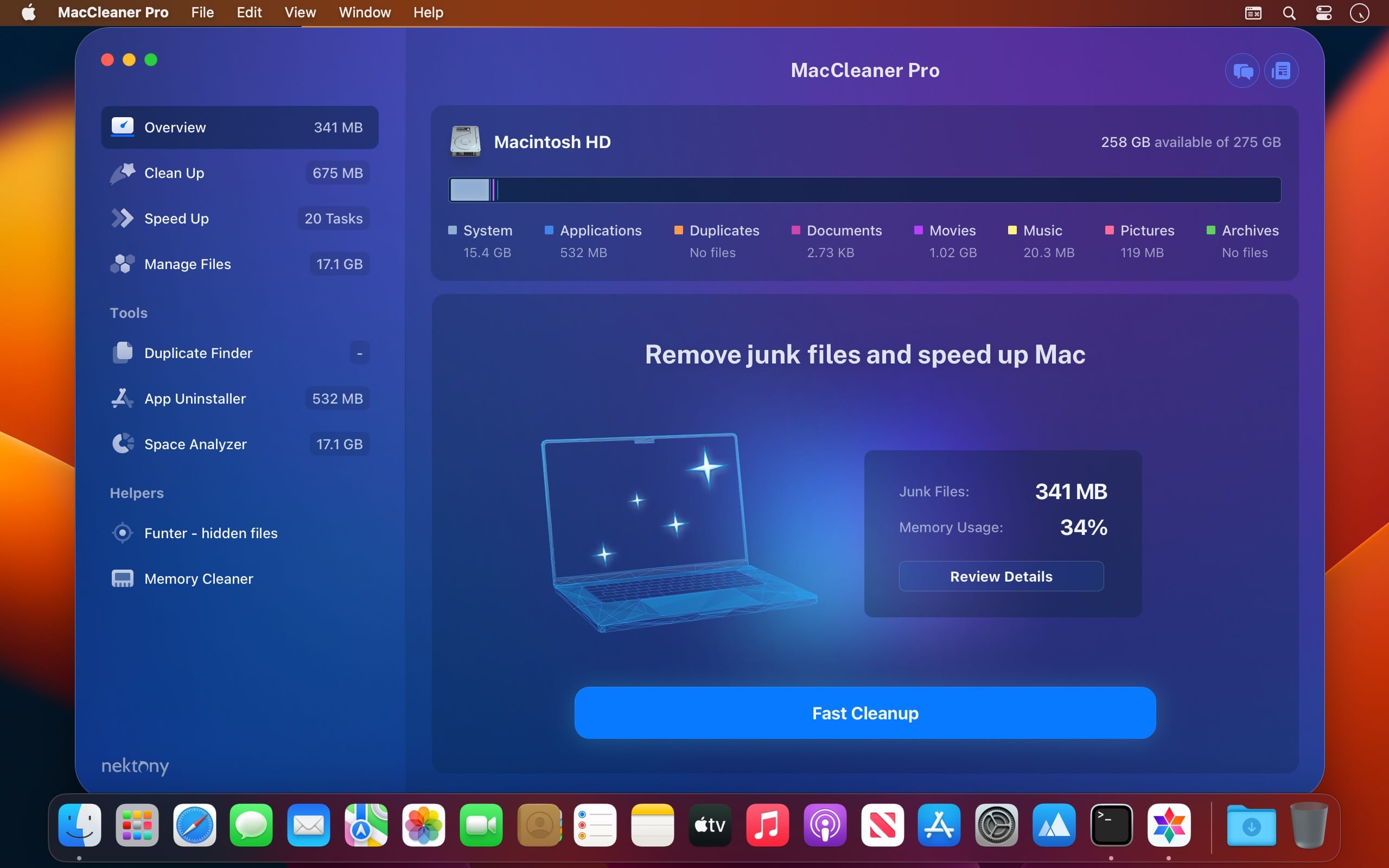
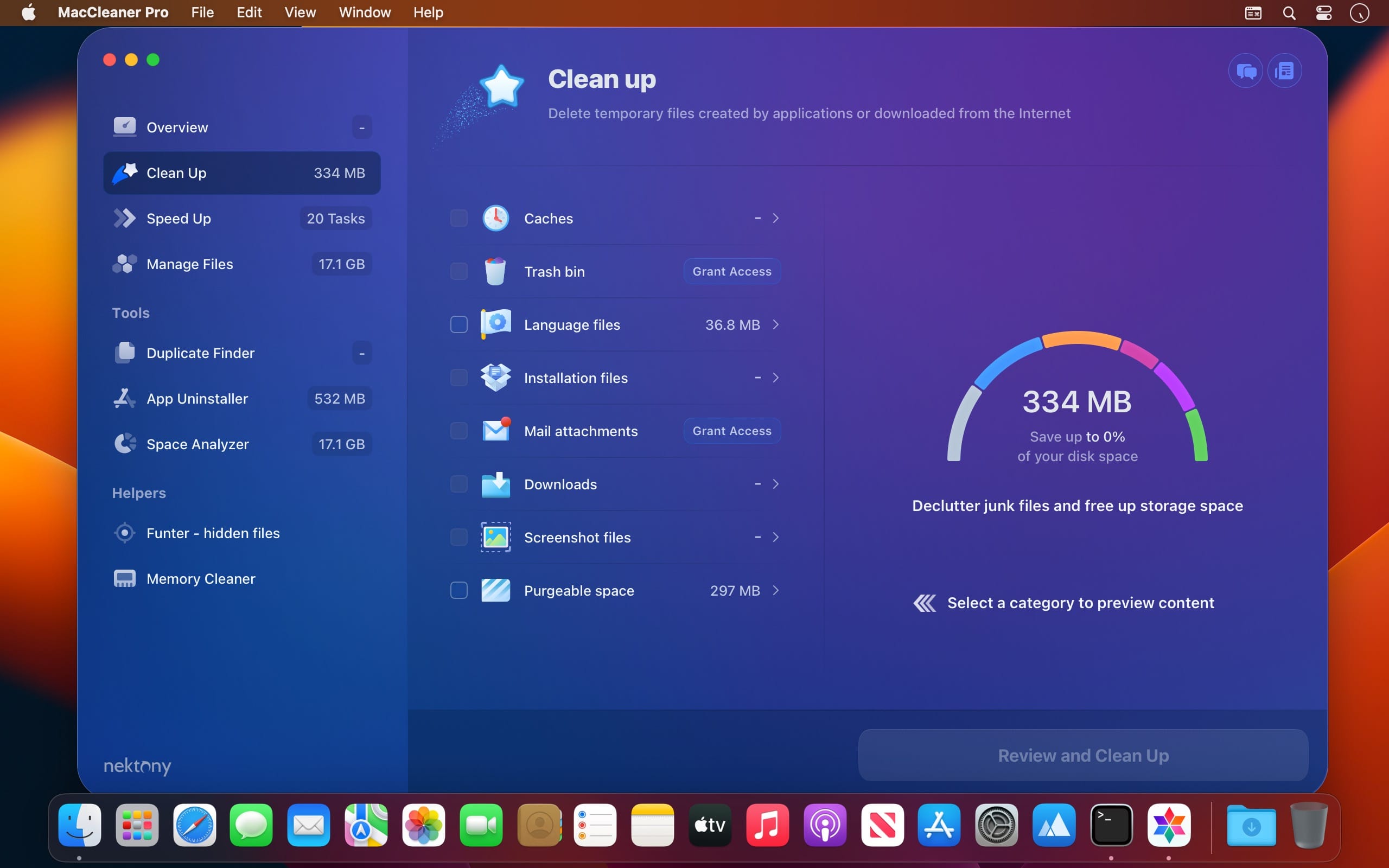
Clean up your Mac and optimize its performance. Speed up a slow Mac, free up disk space, remove junk files, prevent the “Startup Disk Full” error.
Why do I need MacCleaner Pro? Your Mac needs to be cleared of junk files periodically if you wish to keep it working as fast as a new one. MacCleaner Pro provides a set of cleanup apps for that, which we call “must haves” for every self-respecting Mac owner.
How to use MacCleaner Pro? Using MacCleaner Pro is as easy as ABC. Just launch the application and you will see a list of all the tools with a details description of what each app can do for you. Open each app and follow simple steps to start the cleaning process. Whenever you have any questions, just visit the Support page or directly contact the Support team. We are always happy to help you.
What are benefits of MacCleaner Pro? The best thing about MacCleaner Pro is that the bundle contains all the necessary tools for a safe and deep hard drive cleanup. You should use them to always keep your Mac running properly, and thus prolong its’ life. My Mac is slow.
Can MacCleaner Pro help me? Despite freeing the disk space, MacCleaner Pro thinks about your RAM memory as well. It can work in the background and monitor the memory usage by apps. When your Mac’s memory is filled up, it will clear inactive RAM and make your Mac run faste
What’s New:
Version 3.2.1 (180823) fix:
Release notes were unavailable when this listing was updated.
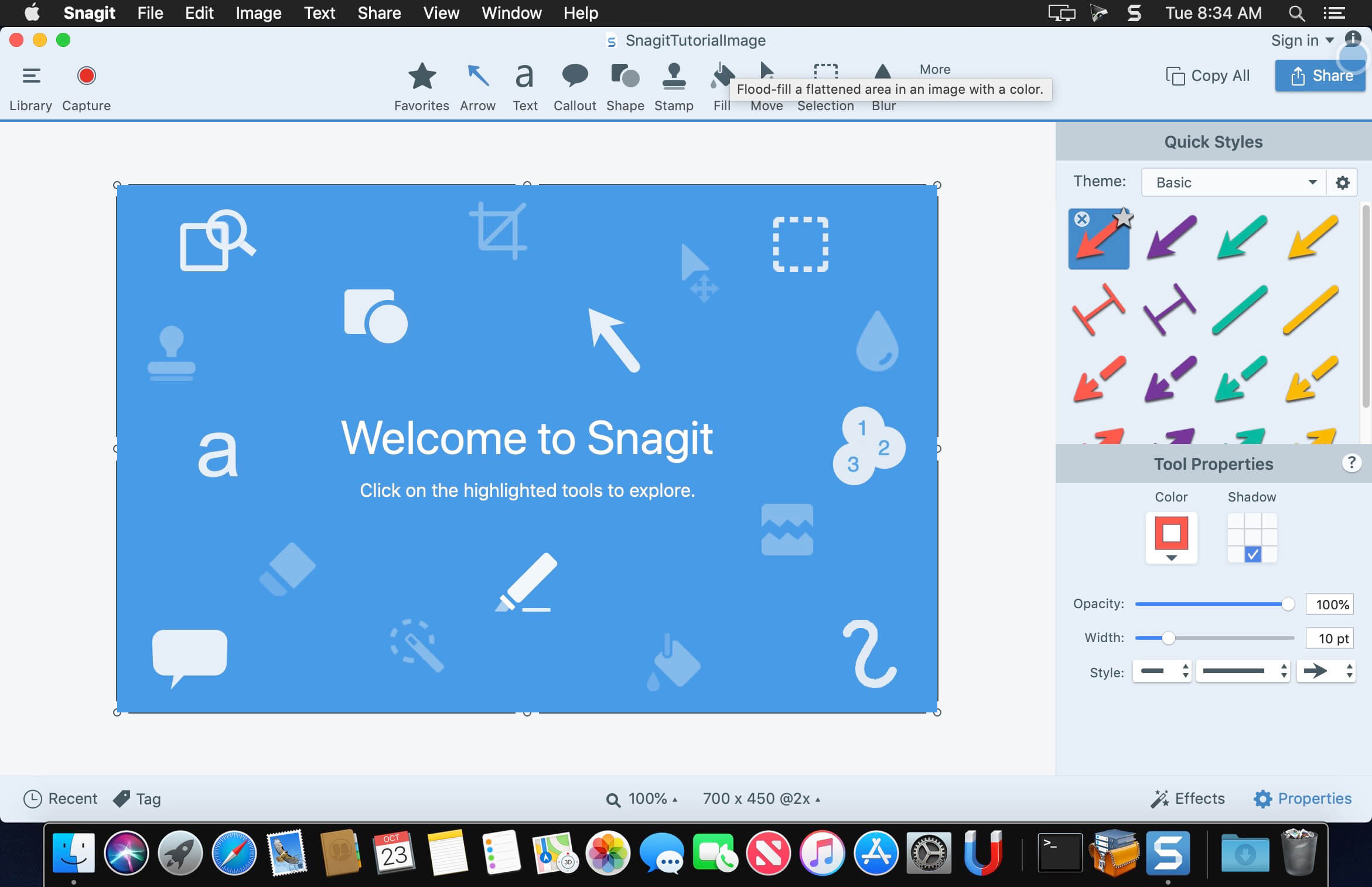
macOS comes with basic screen capturing capabilities, but the customization options are fairly limited. Snagit is an unobtrusive yet very easily accessible Mac app that proposes more diversified screenshot taking functions, and is also able to record videos.
In addition, Snagit provides an editing area where you can to personalize your projects without having to employ third party applications.
Capture screenshots or record videos in no time
By default, Snagit is a status bar menu application that also provides an autohiding capture window placed in the top right corner of your screen. Via the app’s Preferences window you can quickly decide to keep only one of them enabled. At the same time, you can also make use of the already defined hotkeys.
All you have to do is select the capture type via any of those controllers, and highlight the area you want to record. Snagit automatically sends the captures to the processing window but that does not obstruct you workflow in any way: if you are already satisfied with the result, simply select one of the many image or video sharing solutions.
Versatile editing and sharing solutions
The Snagit image editor includes a collection of simple tools that can be used to highlight certain areas, to write down text, to erase certain elements, and much more. Moreover, you also get to apply color filters, edge effects, and more.
When dealing with video content, all you can do is preview the recording and cut a specific portion. Noteworthy is that Snagit allows you to connect to various online account in order to quickly upload the final projects from within the application: this makes the entire procedure extremely straightforward.
Powerful screen capturing tool that includes editing and sharing capabilities
Snagit succeeds at being a complete screen capturing solution: you get to capture both screenshots (including menus or entire webpages, on the spot or with a small delay) and videos (with your screen activity or with the images captured by your webcam).
To conclude, Snagit is the tool you want if you have to highlight certain aspects of an image, or if you need to record video presentations: use its built-in tools to edit the content, and then share the results with your friends in no time.
Language: English, Deutsch, Français Compatibility: macOS 11.0 or later Homepagehttps://www.techsmith.com/
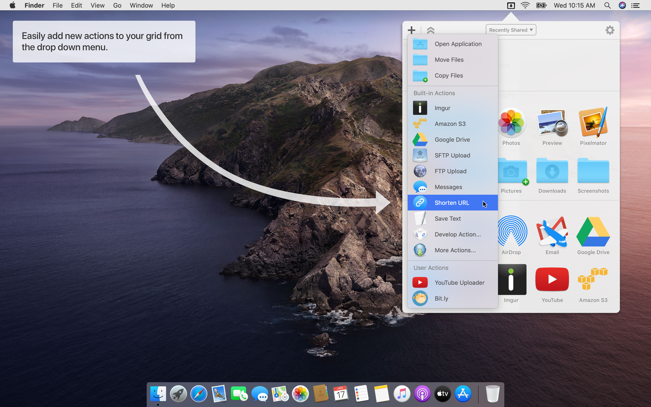
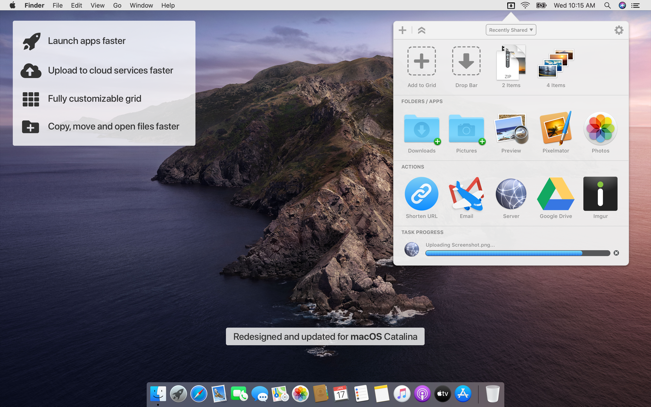
Dropzone makes it faster and easier to copy and move files, open applications and share files with many different services. Dropzone is a unique and amazing app that’s like nothing you’ve ever used before. We’ve paid fanatical attention to every detail and built an app that looks and feels like an integral part of macOS.
Dropzone ships with a powerful scripting API and with a little programming knowledge you can modify any of your actions or even create entirely new ones. This gives Dropzone unlimited extendability and utility. We’re always thinking up new actions so Dropzone will become even more useful over time.
Dropzone also includes Drop Bar – Drop Bar makes it easy to stash files you know you’ll need later. Just drop files on the Drop Bar icon in the grid and they will stick there until you’re ready to use them.
Features
Open applications, move and copy files faster than ever before.
Shorten URLs quickly using Tinyurl shortener. Just select a URL to shorten and press Ctrl+Option+Cmd+S and the shortened URL is automatically copied to the clipboard.
AirDrop integration lets you drop files or folders from any app and share them with your other Macs over the network.
Imgur integration lets you share images fast and get a link for pasting.
Upload files to Amazon S3 (Dropzone Pro feature).
Upload files to your FTP server (Dropzone Pro feature).
Upload files to your Google Drive (Dropzone Pro feature).
Download and install add-on actions that let you upload to services like Google Drive, YouTube and many others (Dropzone Pro feature).
Powerful multi-tasking engine allows you to run multiple tasks at once and track the progress of each one through the in-grid task status area.
See how tasks are progressing at a glance in the animated menu item.
Launch Dropzone actions with the newly added keyboard shortcuts feature (Dropzone Pro feature).
Add applications, folders or actions to your grid easily by dragging and dropping them on the Add to Grid area.
Develop your own actions using the updated and massively improved Ruby or Python API (Dropzone Pro feature).
THE EVOLUTION OF VOCALS
Color and shape vocals with five blendable creative must-haves and stompbox-style studio effects. A one-stop for past, present, and future vocal sounds
Interactive visualizations
An advanced spectral display reacts to the sonic characteristic of vowels and blends fun interaction with a unique metering experience.
Inter-plugin communication
VocalSynth 2 works within the iZotope ecosystem to connect with other plugins like Neutron, Ozone, and Tonal Balance Control.
Three distinct processing modes
Auto, MIDI, and Sidechain modes allow control over vocoder-inspired effects and unique signal modulation for added creativity.
WonderPen is a powerful and easy-to-use writing app, whether you are a writer, a student or a writing enthusiast, you can use it to complete your writing.
Features:
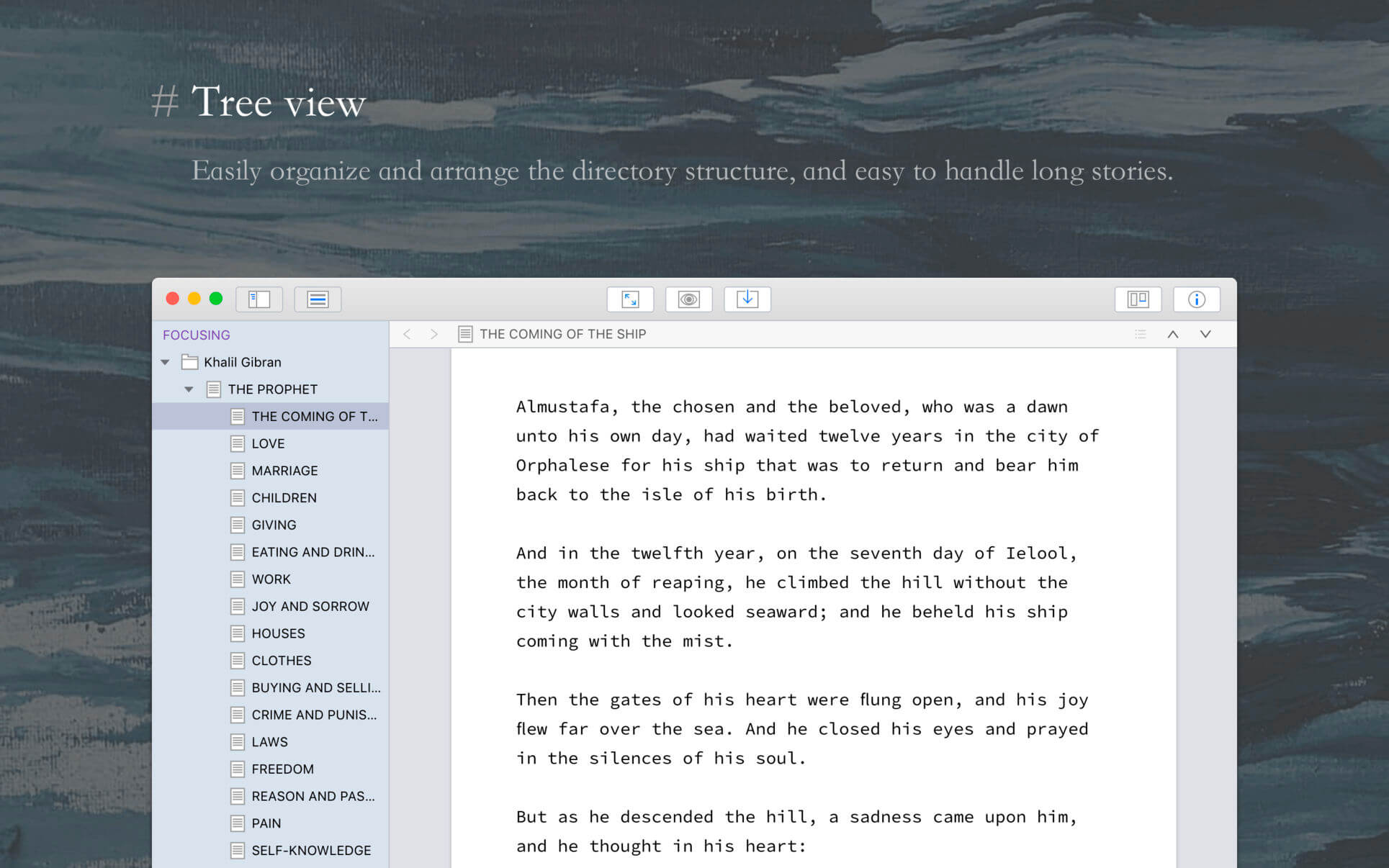
Tree view, drag-and-drop to reorder.
An easy-to-use text editor that supports Markdown.
Supports full-screen mode, lets you focus on writing.
Docs can be exported as Image, PDF, HTML, etc.
Auto save while editing. You can backup all docs as a single file and restore from it later.
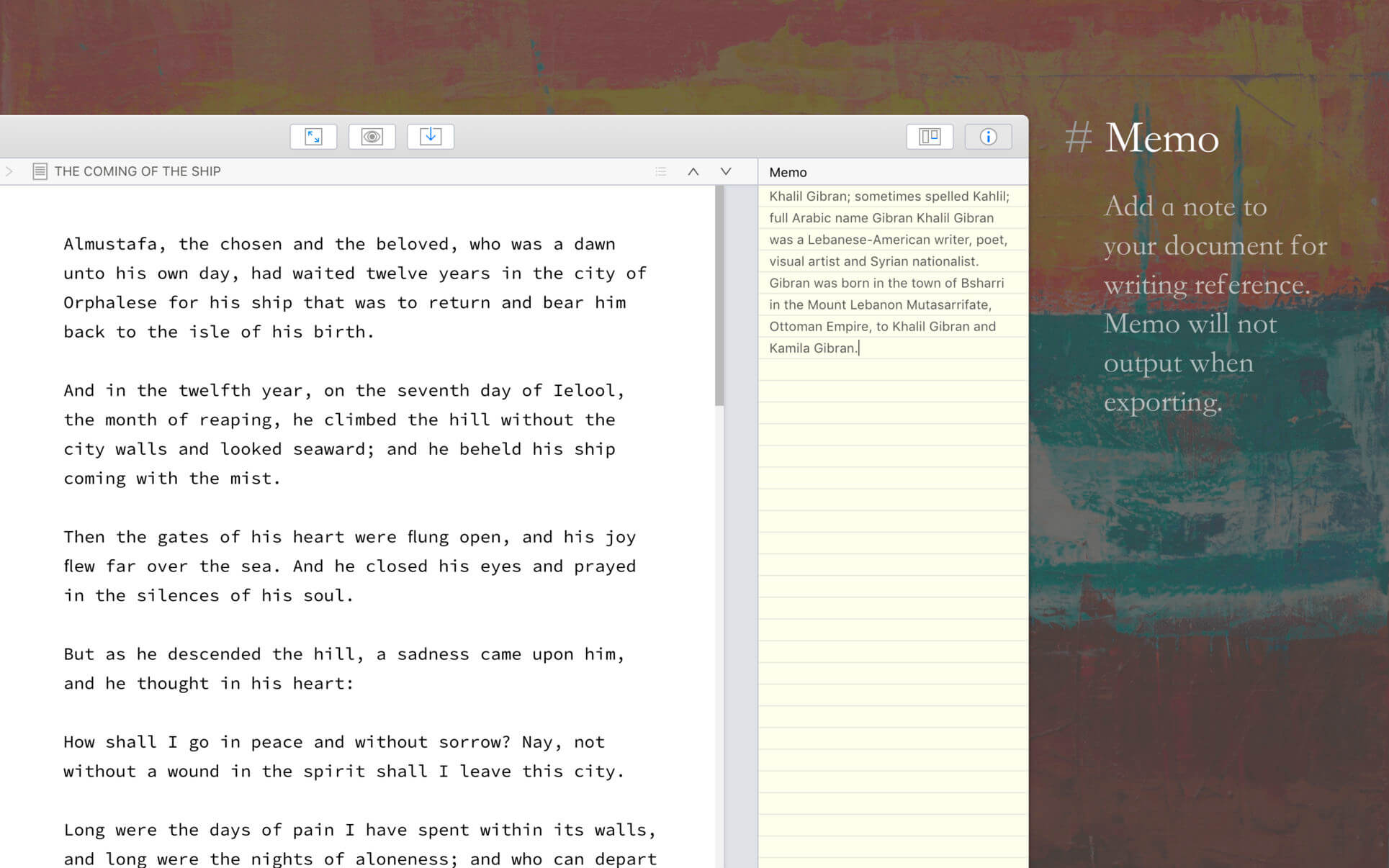
Add memo for each doc.
Focus on one node of the doc tree.
Search in all docs.
Automatic backup.
Support
Hope you enjoy this app. If you have any questions or suggestions about using it, you can contact us via the “Feedback” option in the “Help” menu
Perfectly Clear Workbench is an application that uses Athentech’s Perfectly Clear image correction libraries and is made available to demonstrate the capabilities of the Perfectly Clear processing libraries, face detection library and to allow a quick export of the processing settings for use.
One of the key features in Workbench is the ability to “export to API” when saving a Preset. This allows you to make image corrections in Workbench and tune the settings to match your style and correction needs. Then, you can quickly export these settings to a text file – ready to be copy / pasted into your source code with our image correction SDK.
What’s New in Perfectly Clear WorkBench 4
1. Beautiful new interface
2. New image correction tools
a. Preprocessing section for Input Looks and “Image Ambulance” for manual exposure corrections
b. “Face Aware” exposure for more accurate auto-exposure corrections in portraits and group photos
c. Black Point tool to deepen blacks
d. New Color Vibrancy tool to complement our previous “Vibrancy” control (now renamed to Color Restoration)
e. Sky and Foliage enhancements
3. Existing tools have been improved
a. Added strength sliders to Light Diffusion and Vibrancy for better control
b. Better ‘color pickers’ for Skin Tone and Blush adjustments
4. Manually identify faces that are not detected automatically
5. One-click to zoom to individual faces
6. Modify facial regions to provide the best corrections
7. Histogram
8. Much improved preset management
Supported Image Formats
Perfectly Clear requires RGB-formatted images in either 8 or 16-bit color depth. Any image file that Photoshop or Lightroom can open and convert to this format may be used in Perfectly Clear. Monochrome and CMYK images must be converted to RGB before using Perfectly Clear. RAW files must be opened through Adobe Camera RAW and loaded into Photoshop to be accessible to Perfectly Clear.
What’s New:
Version 4.6.0.2594:
Release notes were unavailable when this listing was updated.
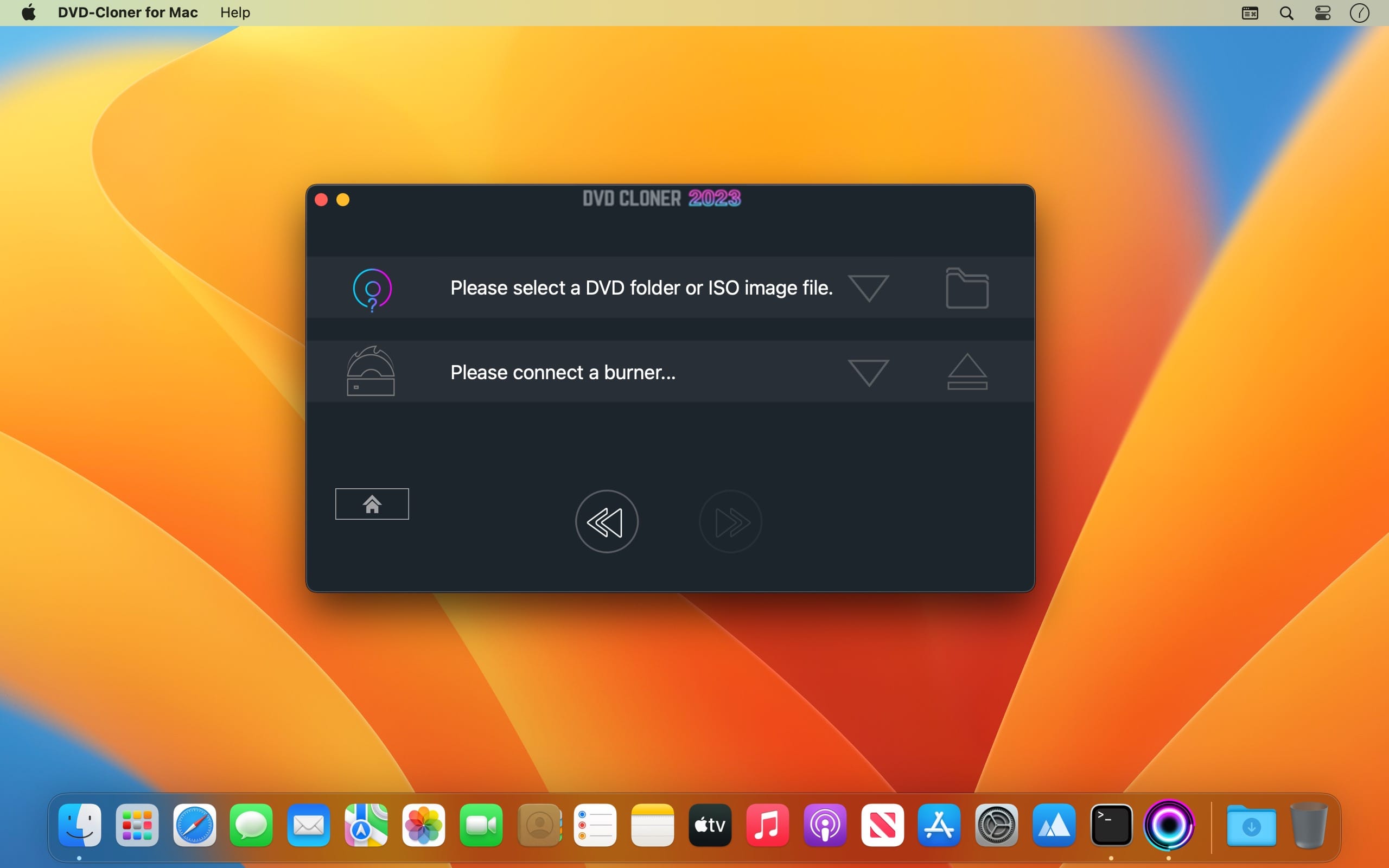
DVD-Cloner for Mac is the up-to-the-minute generation of the top DVD copy software for Mac worldwide. It enables you to copy/clone/burn DVD movies on Mac with lossless quality. The brand-new interfaces make DVD copy for Mac much easier than before. Besides, it can remove various DVD copy protections such as CSS, RE, RCE and region codes to copy DVD movies without restrictions. It can also make another copy from the burnt DVD freely without using your original DVD disc again.
DVD-Cloner for Mac can make perfect 1:1 DVD copy, movie complete copy, movie-only copy, split copy and movie customized copy. With the innovative UMT™, it can back up latest DVD movies with ease. It also supports to copy a DVD disc to another blank DVD disc or to the hard disk as a VIDEO_TS folder or an ISO file for convenient playback in the future.
Features
Discover the upgraded features of DVD-Cloner for Mac 2023, your comprehensive solution for DVD, Blu-ray, and UHD copying and ripping on macOS:
Boosted Blu-ray/UHD Copy Speed:
Enjoy the refined Blu-ray decryption function and enhanced HST encoding acceleration technology for quicker UHD backup speed (NVIDIA 1660 or above graphics card suggested).
User-Friendly, Simple as 1-2-3:
DVD-Cloner for Mac 2023 is ideal for both beginners and experts, providing intuitive Express and Expert modes for one-click copying and personalized DVD duplication, respectively.
Convert UHD to MKV (HDR10+) Format:
Utilize DVD-Cloner for Mac 2023 to convert UHD discs to MKV (HDR10+) format, store them on a portable hard disk, and connect them to a 4K UHD Player for playback. Relish Dolby HD Audio, HDR Video, and more, with identical quality to the source disc.
Express mode (One-click duplication):
Duplicate DVD-5 to DVD-5
Duplicate DVD-9 to DVD-5
Duplicate Blu-ray to BD-25
Duplicate UHD to BD-50
Convert DVD to optimized MKV
Convert Blu-ray to optimized MKV with HDR10+ technology
xpert mode (Advanced duplication):
Flawless 1:1 DVD Duplication
Movie Complete Duplication
Movie-Only Duplication
Split DVD Duplication
Movie Customized Duplication
Convert DVD to MKV
Convert Blu-ray/4K UHD Blu-ray to optimized MKV with HDR10+ technology
Burn a DVD movie from the hard disk to a DVD±R (DL)
Combine multiple DVDs onto one DVD±R DL or BD-R/RE (DL)
Duplicate Blu-ray/4K UHD Blu-ray films
Additional Features:
Compatible with the latest macOS
Refined DVD burning engine
All-new generation of “Dazzling colorful” style software interface
Impeccable duplication of scratched DVDs
Enhanced Smart Analyzer module
Manually set Read I/O pattern
Multi-language interface support
Zoom in/Zoom out user interface
One-click installation option
Real-time feedback through shortcut window
Complimentary 7-day trial before purchasing
What’s New:
Version 2023 v10.00.736:
Up-to-date Blu-ray decryption – Supports the latest Blu-ray UHD copying on macOS
Refined DVD burning technology – Enhanced burning quality for perfect copies
Advanced BD/UHD (HDR10+) to MKV conversion – Superior video quality for an exceptional viewing experience
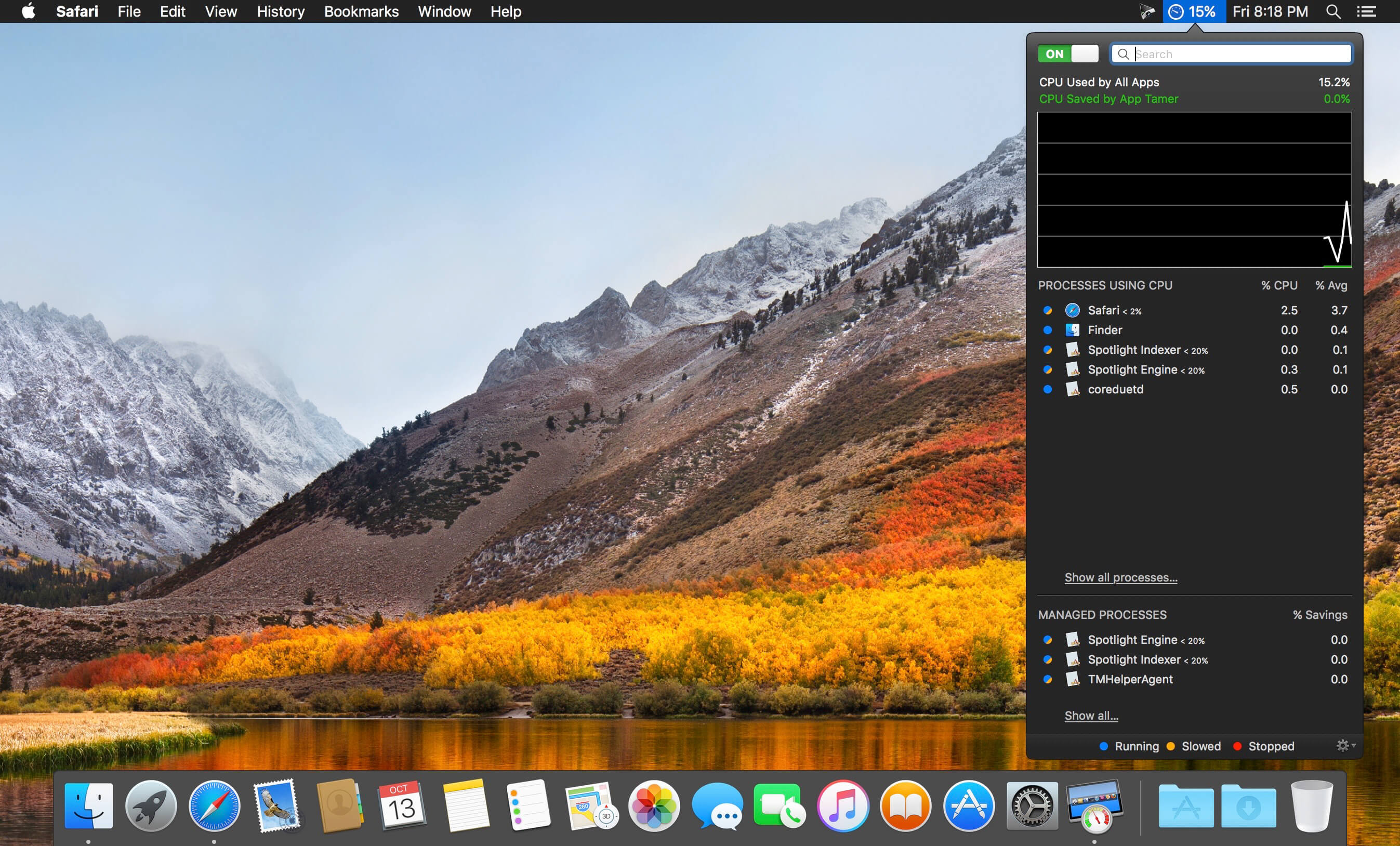
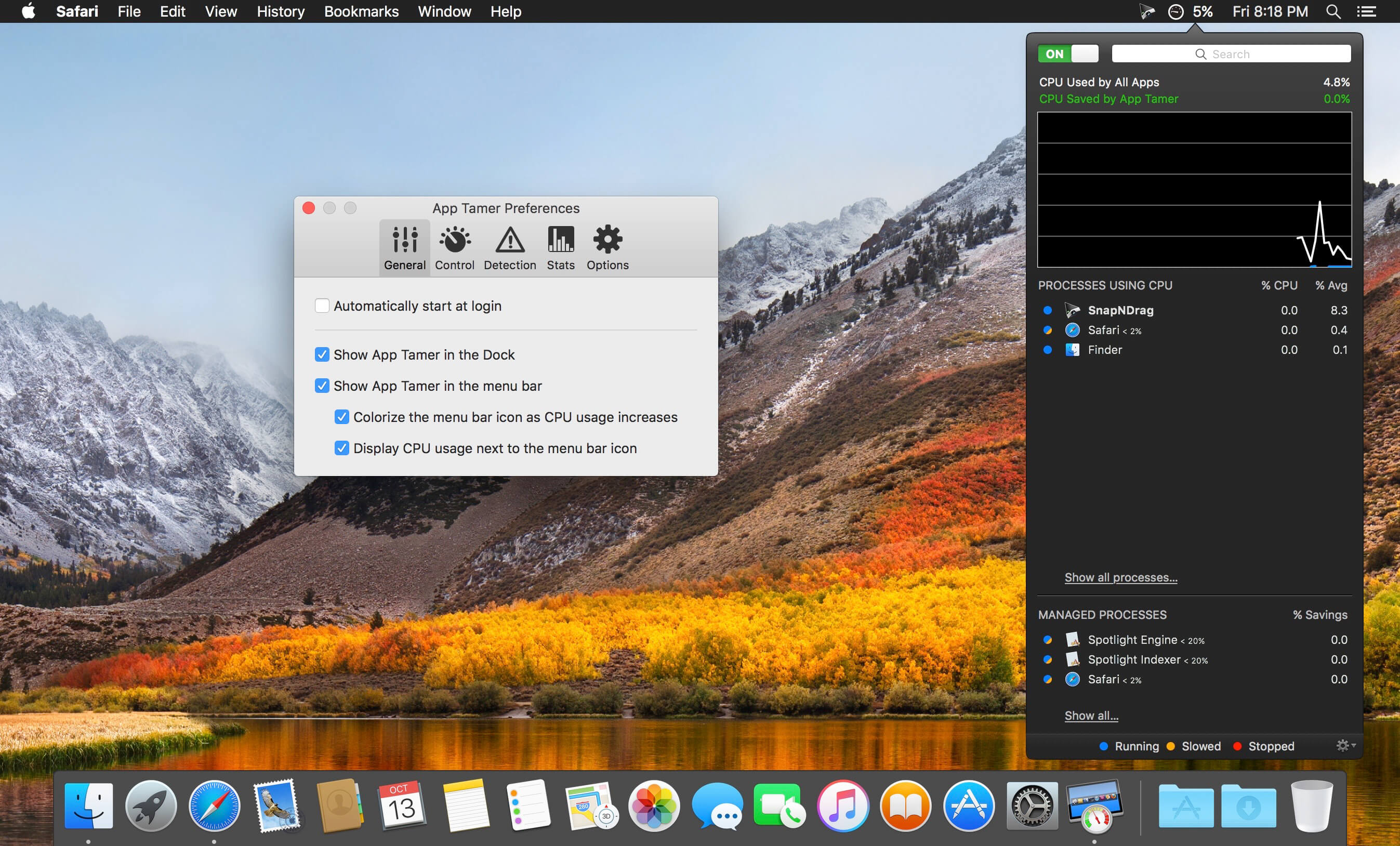
App Tamer tames your processor-monopolizing apps and keeps them from chewing up excessive CPU time and battery life. Powered by a unique AutoStop feature, App Tamer stops each application when you switch away from it — when you return to that app, it restarts automatically!
App Tamer is built around an attractive and clear user interface, designed for managing all your running applications with minimum distraction or frustration. With helpful displays, you can monitor the average percentage of your processor(s) being used by each app, or access a graphical history or your CPU usage. Easily enable AutoStop for any application, or limit it to a certain amount of CPU time.
Don’t waste time trying to manage CPU usage on an app-by-app basis — liberate your Mac with App Tamer!
Native Lossless Audio for macOS – A refreshingly new addition to the audio player scene.
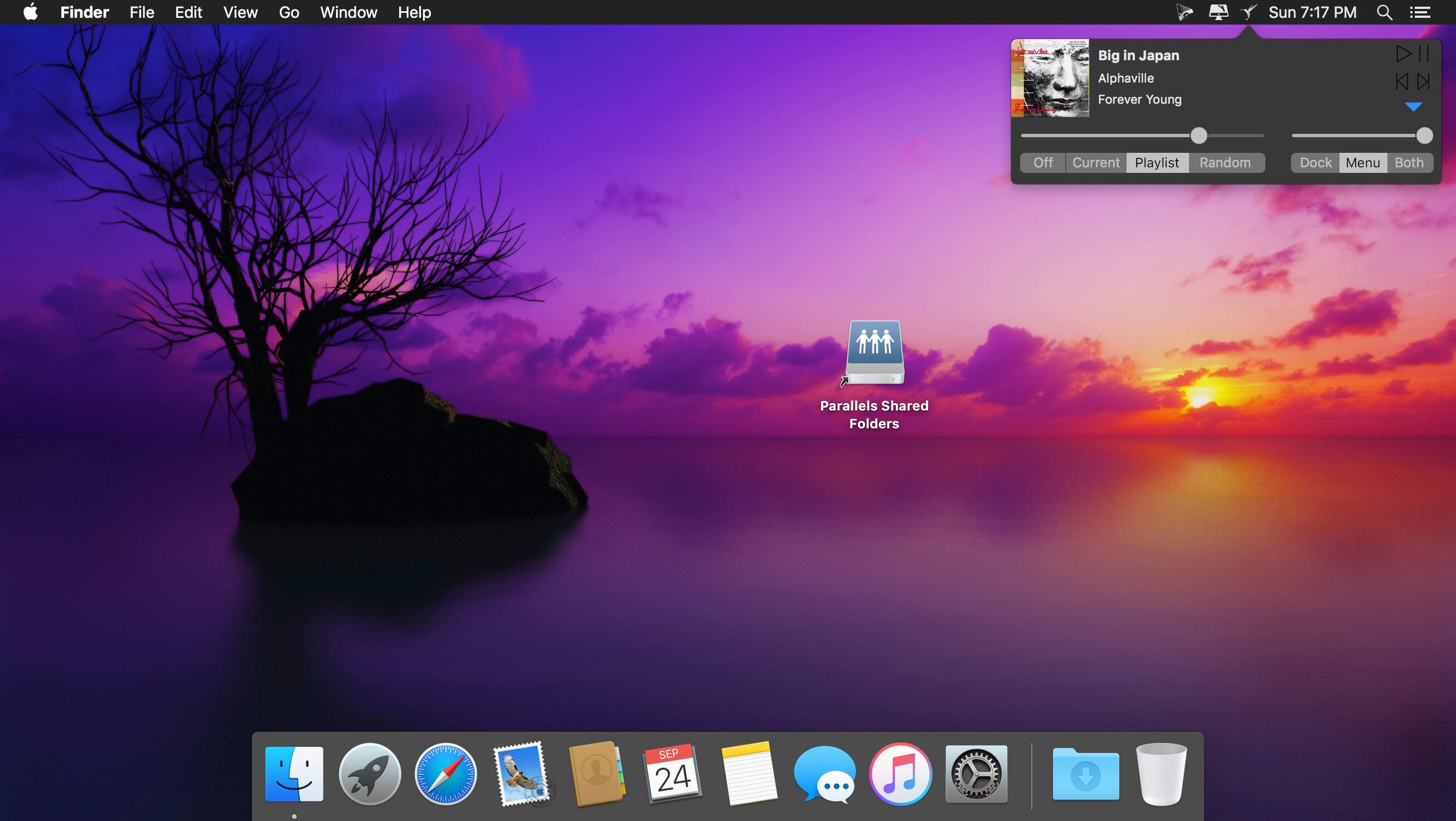
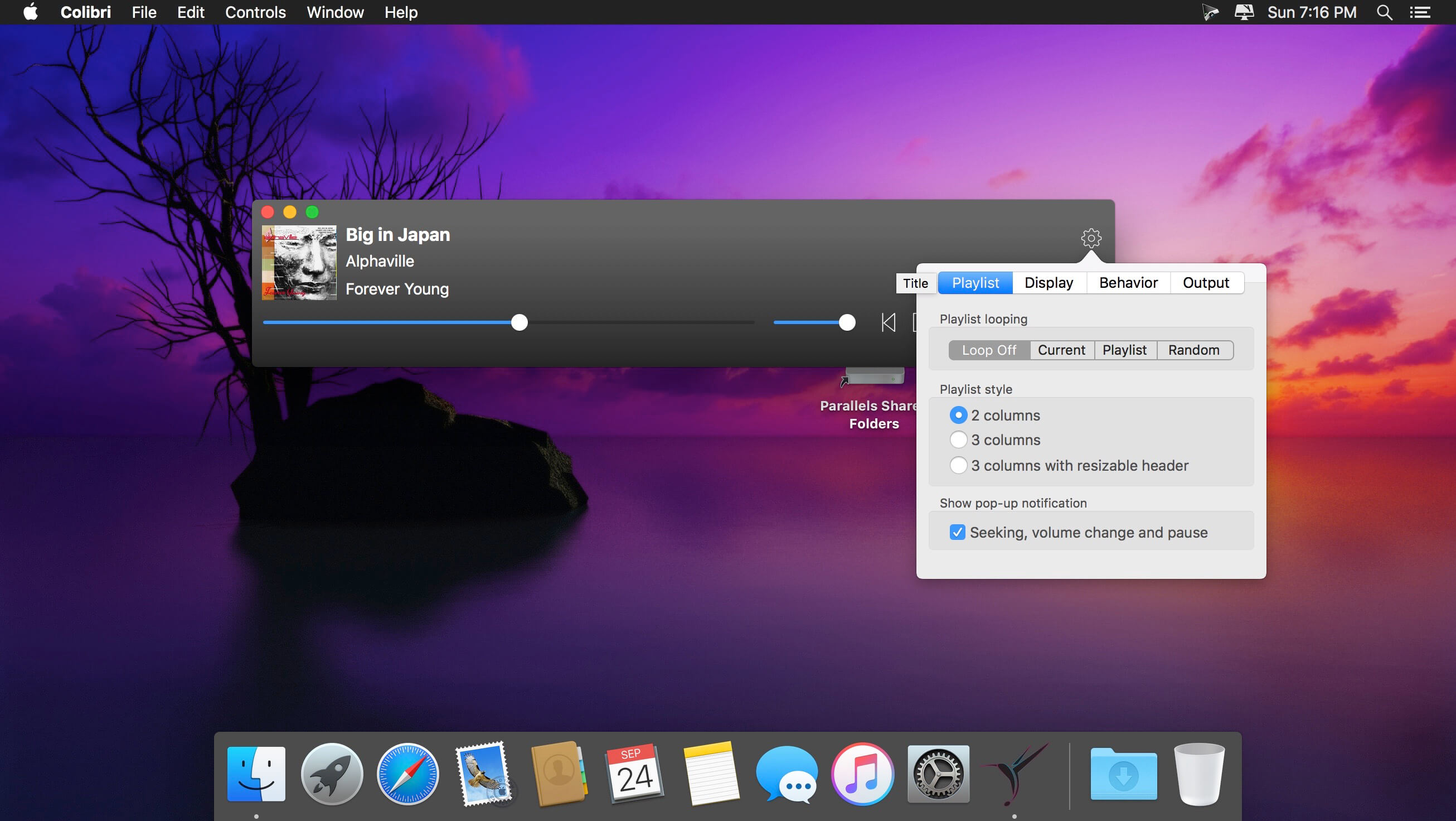
Colibri is a native macOS audio player built from scratch on top of the award-winning BASS technology, supports cristal-clear bit-perfect playback of all popular lossless and lossy audio formats, uses only a tiny amount of computing power and offers a clean and intuitive user experience.
Saves your battery – Colibri uses a barely noticable amount of computing power during the playback of your music. The application is built using state-of-the-art Swift 3 programming language, the BASS audio engine is bundled as machine code while the interface uses built-in components by Apple. This was done in order to achieve a tiny footprint and to be as native to macOS as humanly possible.
Plays your audio – Colibri is able to playback the most widely used range of file formats in terms of lossless audio: FLAC, ALAC, WAV, AIFF, APE, TTA, DSD and WavPack – along with these popular lossy formats: Ogg Vorbis, MP1/MP2/MP3 and AAC/M4A – along with network streams/online radio! Additional format support might be considered if requested.
Handles CUE Sheets – Colibri reads, processes – and to some extent – sanitizes cue sheets. Malformed and disordered content is reprocessed during loading and should audio files written in the sheet be missing then Colibri makes a few educated guesses on the possible file name/extension. If the sheet does not contain artist, song title or album information then Colibri tries to extract the song info from the audio file header itself.
Supports gapless playback – Colibri is extensively designed from the ground-up to provide a true gapless listening experience – with or without using a Cue Sheet.
Picks up where you left off – Colibri saves your current playlist upon quitting and re-opens your songs when you start it up again, maintaining the song data between playback sessions, regardless of having them previously loaded from CUE sheets or single files. Apple’s Sandbox protection is fully supported.
Avoids most problems – Colibri does its’ best to avoid most problems before, during and after playback – however there are situations where error checking and guessing indexes won’t suffice. Loading unsupported files show up as an error message in the status bar and files that have disappeared since loading are automatically removed and skipped upon being reached in the playlist.
Understands your language – Colibri is capable of rendering the song information as it was intended to be shown: of all the tried metadata it had no problem with displaying cyrillic or kanji/katakana/hiragana characters mixed with ASCII.
Respects your privacy – Colibri does not phone home, collect usage data or modify files in any way. The only data it remembers are your playlist and settings: the loop mode state, whether to show the menubar and which pieces of info text to display in the status bar – nothing else!
Displays album art – Colibri displays embedded cover art for FLAC files and ID3/iTunes artwork metadata for other files (mainly M4A / ALAC and MP3). When that yields not results then it looks in the folder where the current song resides for a cover art image.
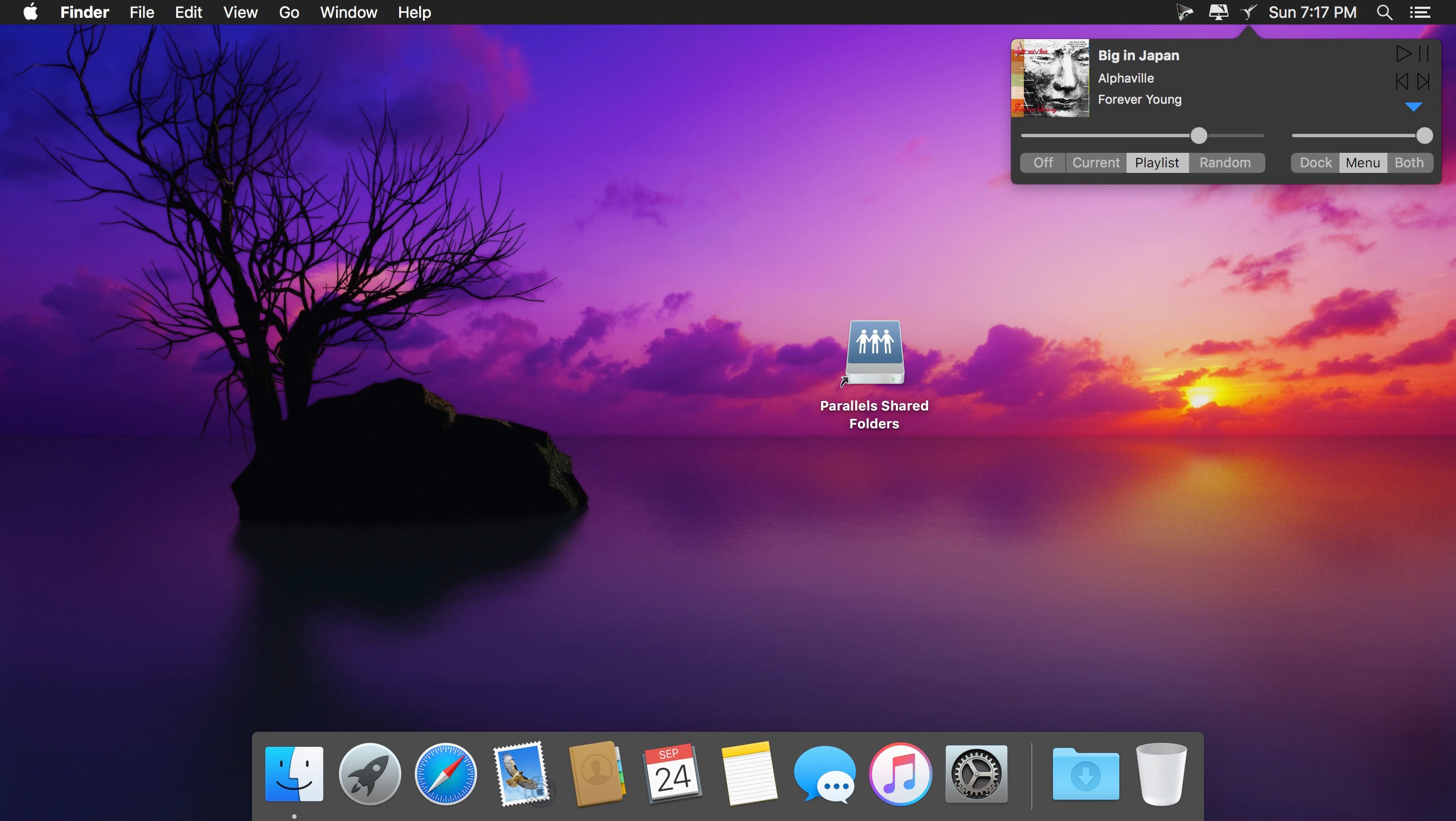
Resides in your Menu Bar – Colibri can place an unobtrusively small icon in the Menu Bar for easy access and playlist control: you can either start/pause the playback, skip to the next track or go back to the previous one. It also displays the info and cover art image of the current song.
Integrates with Finder – Colibri conforms all of Apple’s strict requirements – which means that it shows up in Finder as an option in “Open With” when a supported file is selected. Which in turn also makes it an available as a suggested file association option.
Adjusts to your Display – Colibri’s interface elements scale themselves nicely on every screen resolution and pixel density.
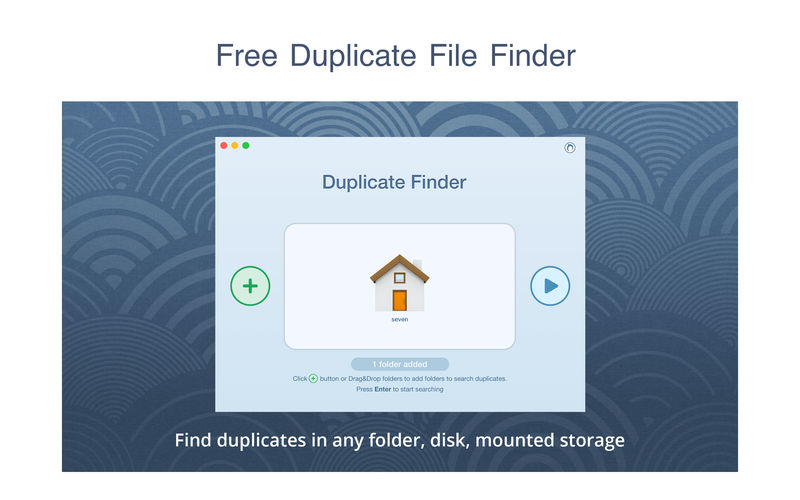
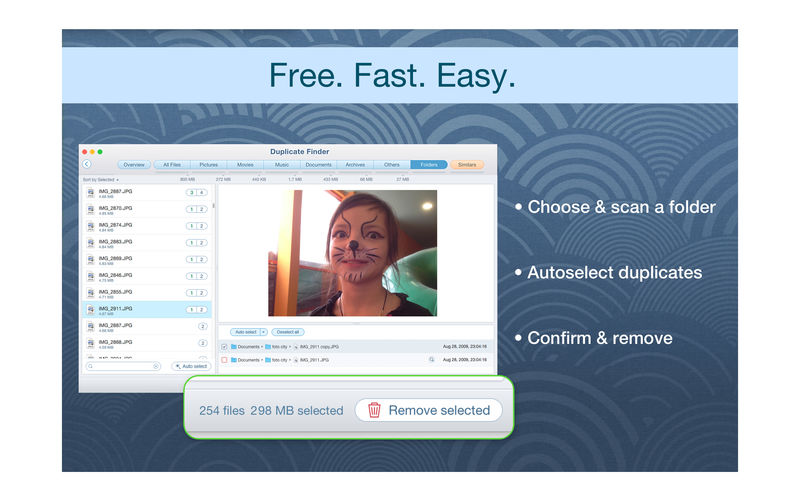
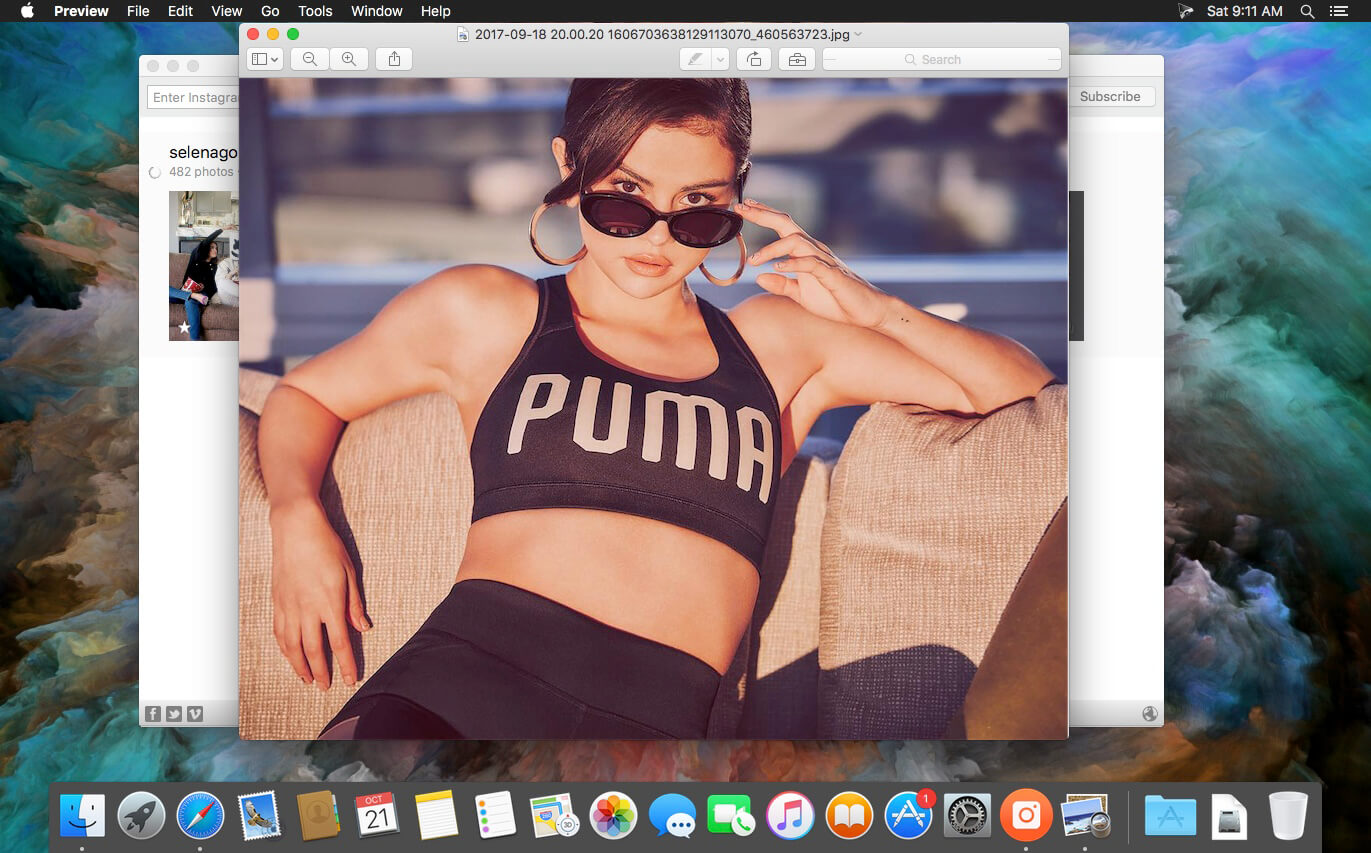
PrimeFile is a free utility that finds duplicate files on your Mac in just 3 clicks. Drag & drop as many folders as you wish and click SCAN.
Within a minute the app will give a report with all duplicate files by categories: images, videos, music, archives, documents, and all other specific extensions. It’s really easy to see how much space each file takes.
Features: SCANNING
fast scanning algorithm
scanning for duplicates in multiple folders or drives
external drives & mounted network folders support
“Recent Folders List” for scanned folders
animated scanning process
skip list for various files & folders
RESULTS OVERVIEW
visual chart report when scanning
duplicate files list
duplicate files by types
DUPLICATES
built-in duplicates search
preview & quick look for every file
sort duplicates (by name, size, total size, type, and duplicates count)
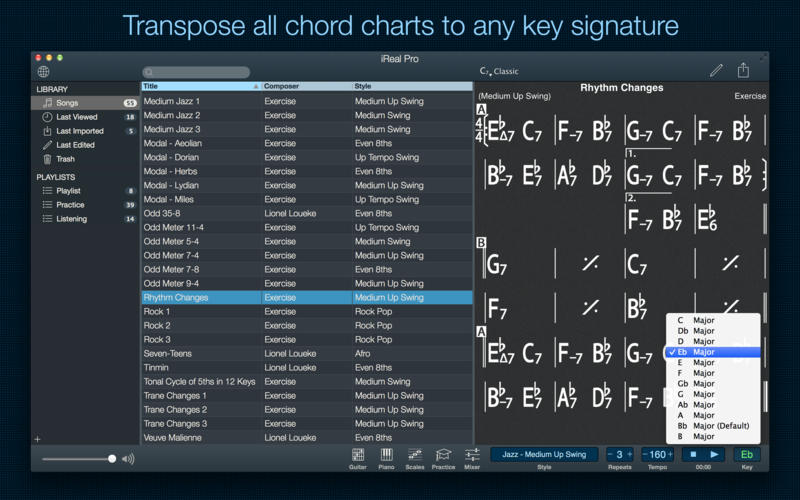
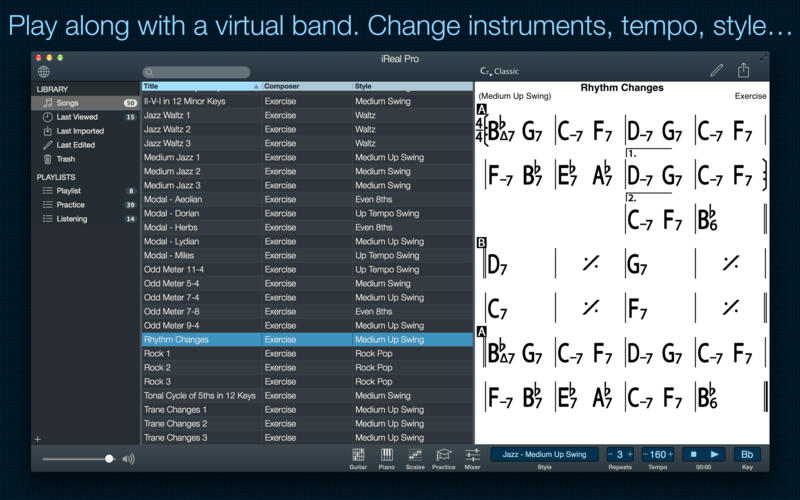
Practice makes perfect. iReal Pro offers an easy-to-use tool to help musicians of all levels master their art. It simulates a real-sounding band that can accompany you as you practice. The app also lets you create and collect chord charts of your favorite songs for reference.
Used by thousands of music students, teachers and some of the world’s top music schools such as Berklee College of Music and Musicians Institute.
“It’s the perfect technology for a practicing musician: high-quality digital audio, mixable, transposable into any key and completely mobile. Now every aspiring musician has a backup band in their pocket.” – Tim Westergren, Pandora Founder
• It’s a Book:
Create, edit, print, share and collect chord charts of your favorite songs for reference while practicing or performing.
• It’s a Band:
Practice with a realistic sounding piano (or guitar), bass and drum accompaniments for any downloaded or user-created chord chart.
FEATURES:
Have a virtual band accompany you as you practice
• Choose from the included 50 different accompaniment styles (Swing, Ballad, Gypsy Jazz, Bluegrass, Country, Rock, Funk, Reggae, Bossa Nova, Latin,…) and 12 blues styles available as a one-time In-App purchase
• Personalize each style with a variety of sounds including piano, Fender Rhodes, acoustic and electric guitars, acoustic and electric basses, drums, vibraphone, organ, and more
• Record yourself playing or singing along with the accompaniment
Play, edit, and download any songs you want
• 1000s of songs can be downloaded from the forums in a few simple steps
• Edit existing songs or create your own with the Editor
• The Player will play any song that you edit or create
• Create multiple editable playlists
Improve your skills with the included chord diagrams
• Display guitar, ukulele tabs and piano fingerings for any of your chord charts
• Look up piano, guitar and ukulele fingerings for any chord
• Display scale recommendations for each chord of a song to help with improvisations
Practice in the way, and at the level, that you choose
• Includes 50 exercises for practicing common chord progressions
• Transpose any chart to any key or to number notation
• Loop a selection of measures of a chart for focused practicing
• Advanced practice settings (automatic tempo increase, automatic key transposition)
• Global Eb, Bb, F and G transposition for horn players
Share, print, and export – so your music follows you wherever you need it!
• Share individual charts or whole playlists with other iReal Pro users via email and the forums
• Export charts as PDF and MusicXML
• Export audio as WAV, AAC and MIDI
• Upload your songs and playlists to iCloud for safekeeping and for synchronization across any of your iCloud enabled devices such as iPhone, iPad or Mac
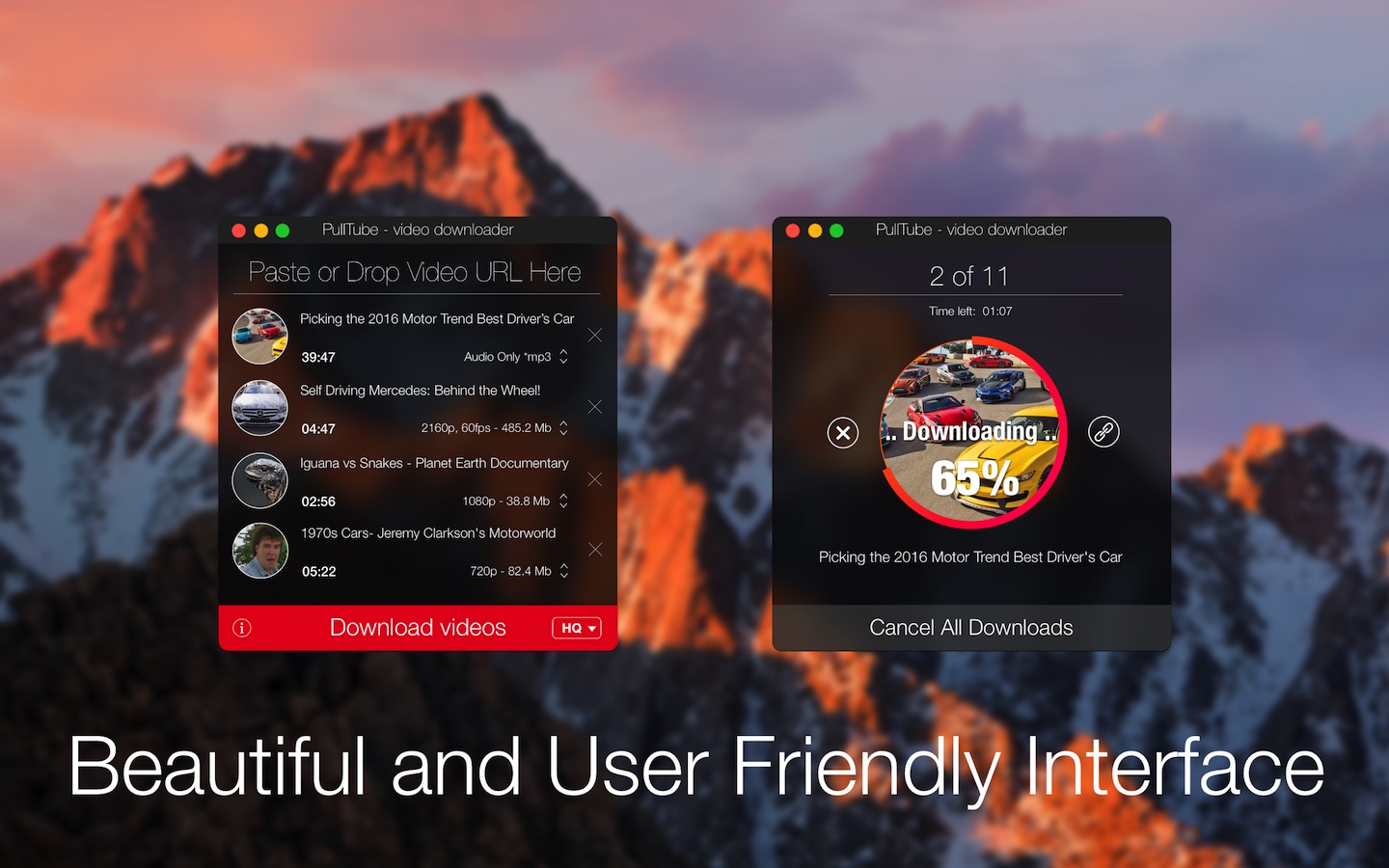
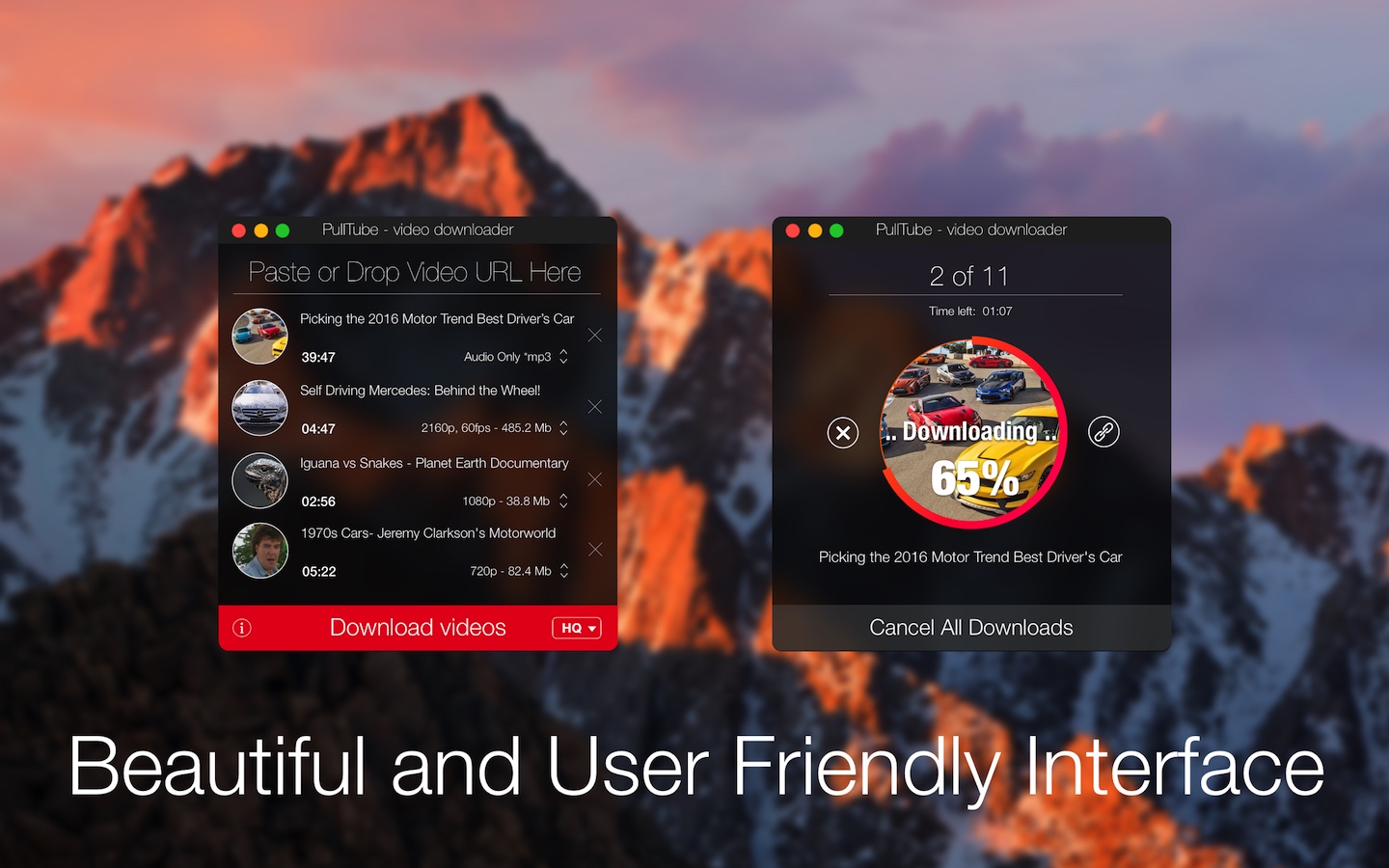
A beautiful online video downloader for your Mac PullTube proposes a streamlined workflow for quickly downloading videos from YouTube or Vimeo, provides control over the output quality, and enables you to extract the audio to MP3 or M4A files. The PullTube app can handle videos of any duration or size, and you get to monitor the download progress within its main window. The utility also integrates with the Notification Center to send completion alerts.
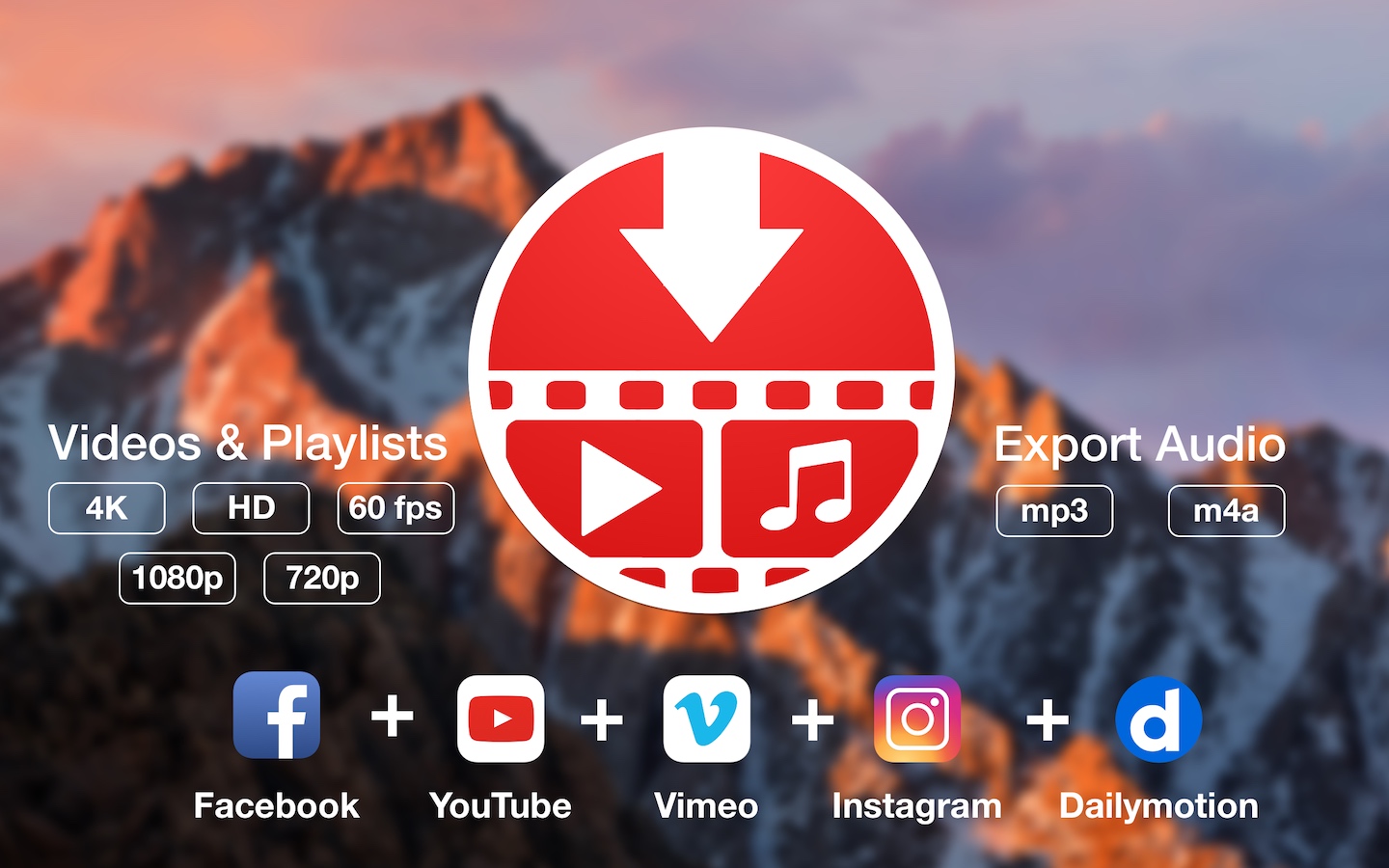
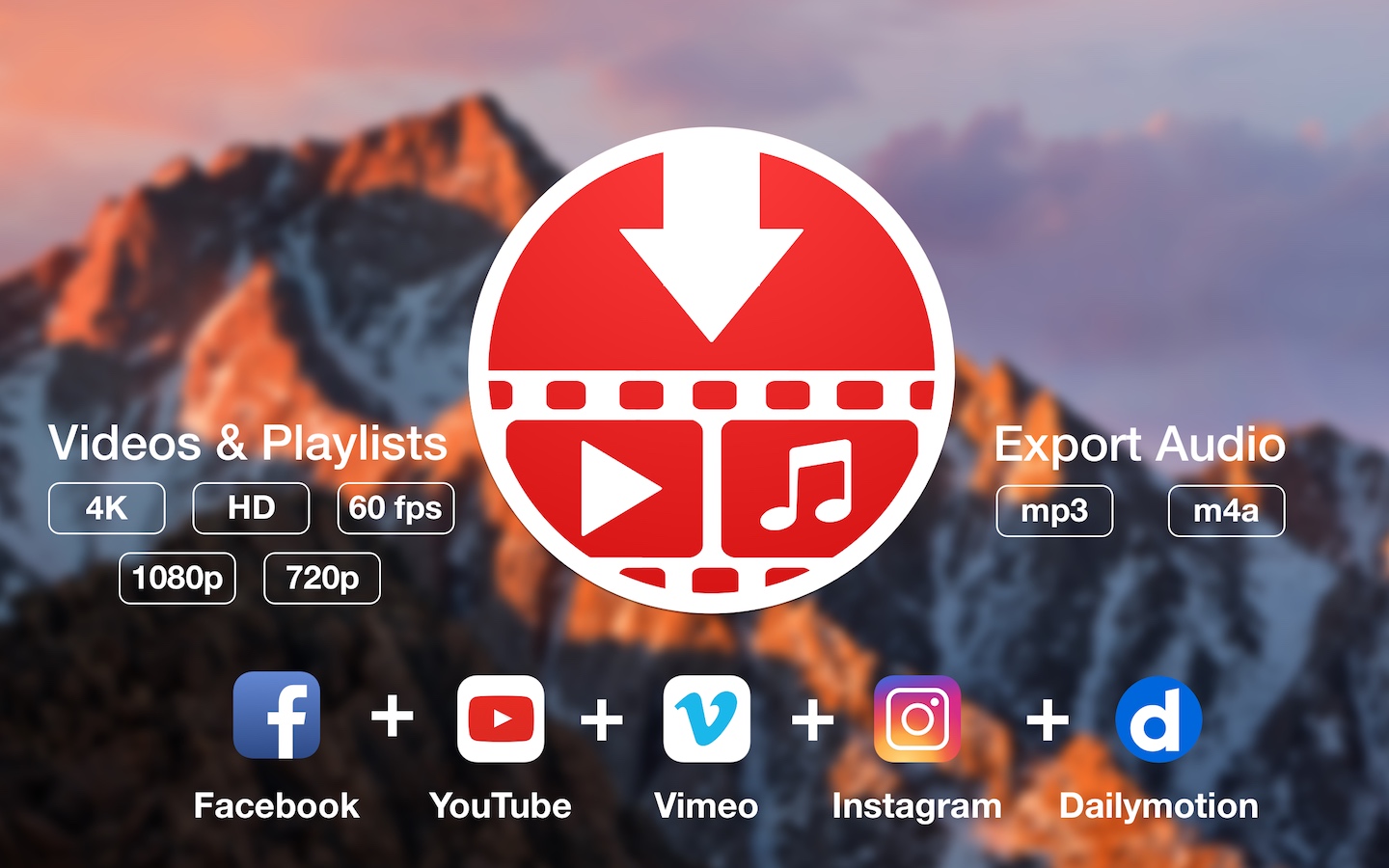
YouTube and Vimeo
Supports Youtube and Vimeo. More platforms to be added upon user requests.
4K, HD and 60fps support
PullTube allows you to download video in any format available
Video to Audio
Convert and save videos to mp3 and m4a
Beautiful and Flexible Interface
Nice looking, dark user interface
What’s New:
Version 1.8.5.17:
Release notes were unavailable when this listing was updated.
Download movies on Mac with VideoDuke! It supports all popular video websites and will save your videos in various file formats. You can also download streaming videos on Mac at a pleasantly fast speed and with great quality.
You can download any video you like in a click! Simply paste the link to the video and VideoDuke will do the rest.
In Simple mode you are getting quick access to music videos, movies, TV shows, cartoons available from Vimeo, YouTube, and Dailymotion. Files can be saved as 3GP, MP4, M4V, FLV and in a preferred resolution: 360p, HD 720p, HD 1080p or other.
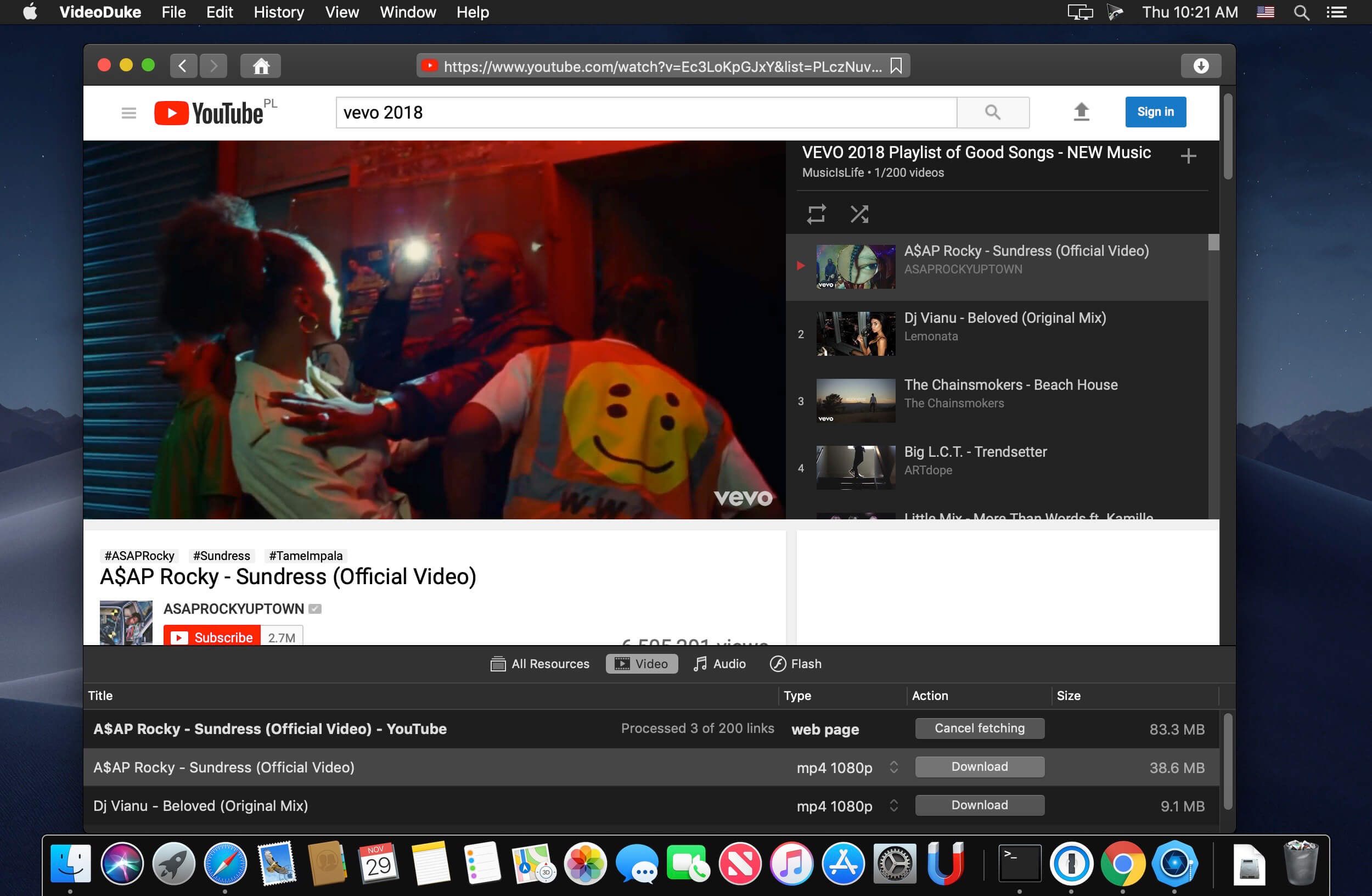
Download Full YouTube Playlists and Channels
With VideoDuke you’ll be able to save complete channels and playlists off YouTube. Just as with separate videos, you can select quality for each video: 1440p, 1080p, 720p, 480p, 360p, 240p, or 180p.
MP3 Downloader
VideoDuke will also download YouTube videos as audio files. No conversion needed – you will simply get a soundtrack instead of the original YouTube clip. The app keeps the audio track title and album art and can save files as WebM, MP3 or other available formats.
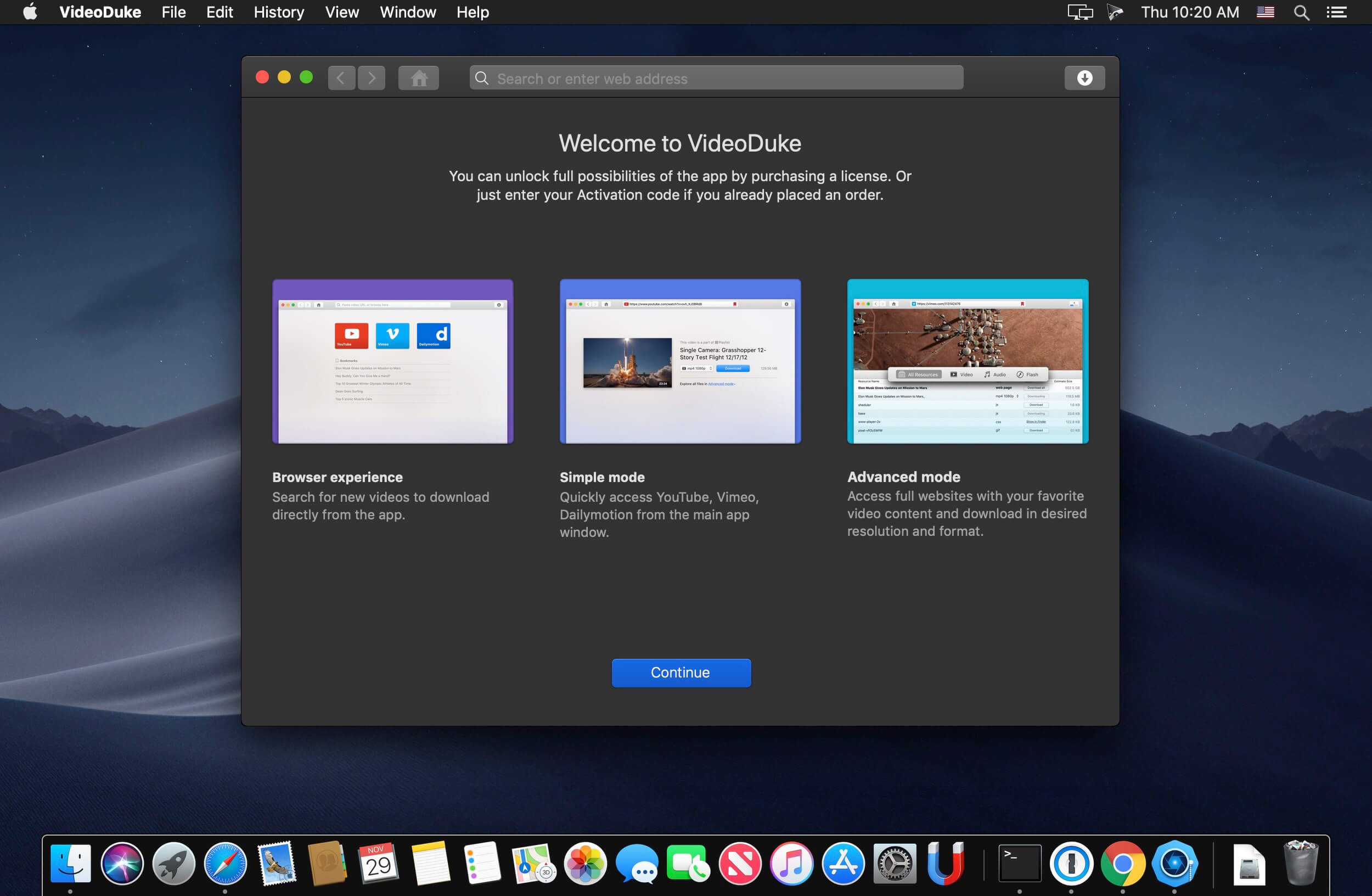
Using VideoDuke is easy and intuitive – just type your search words in the app to find the videos you’ll download from the web. You can also search for videos in the web browser – VideoDuke supports all popular video websites, such as YouTube, Dailymotion, Vimeo with quick access buttons.
In an advanced mode of VideoDuke you get more profound options when downloading content. For example, you can see all resources fetched from the web page, including video, audio, Flash animation, images, etc. Switch to a needed tab to see exactly the types of files you need to download.
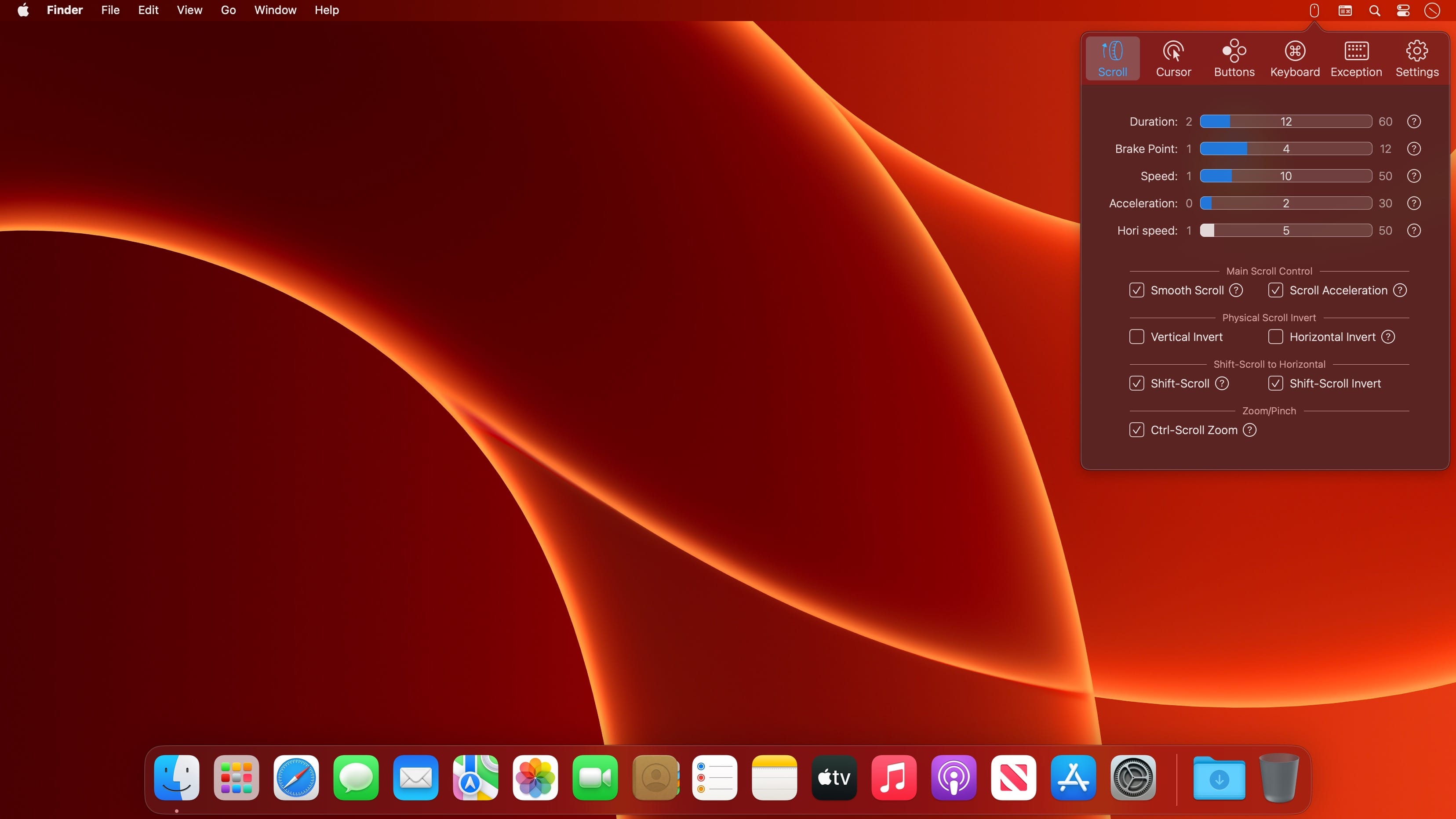
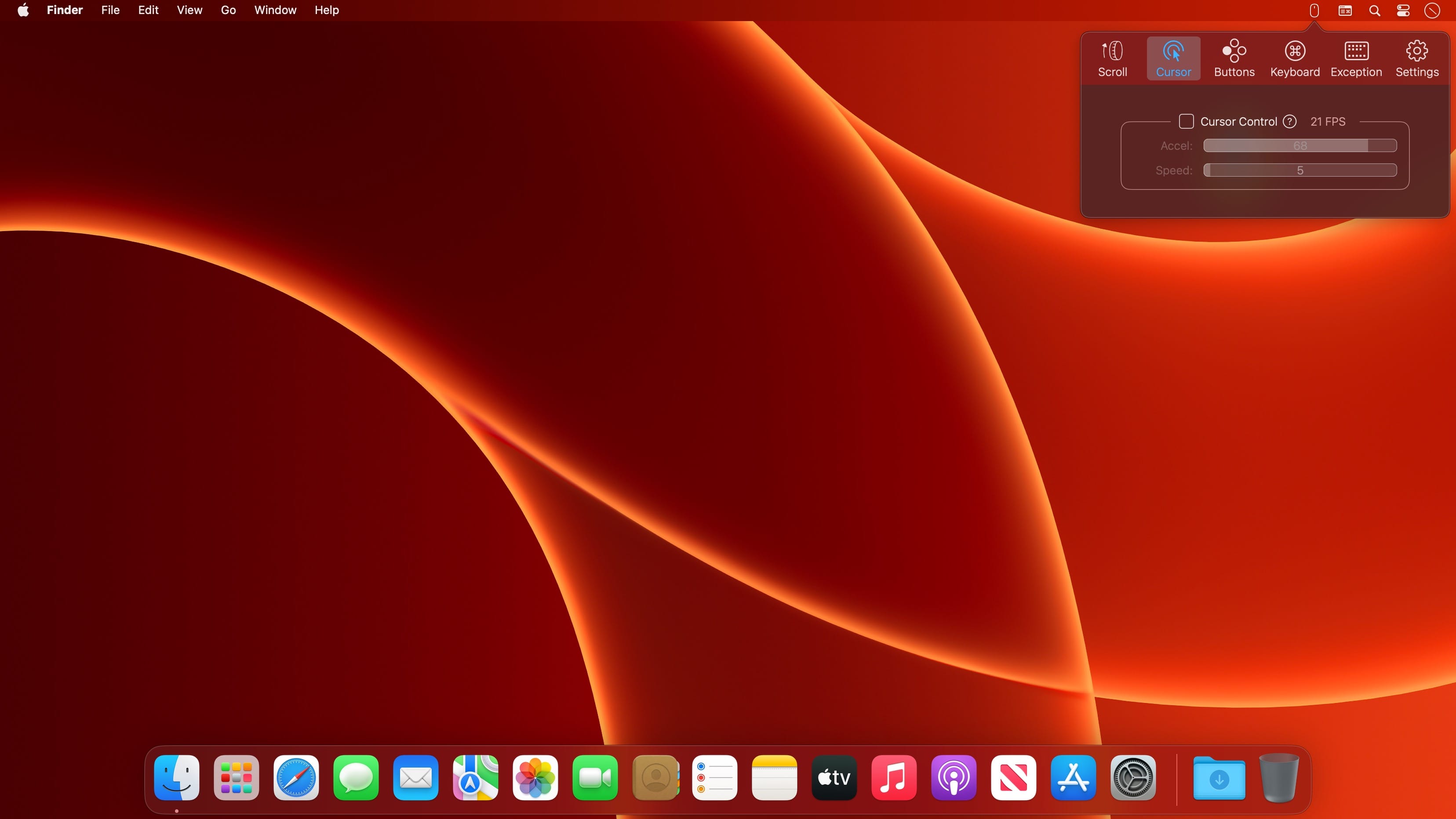
BetterMouse is a macOS utility improving external mouse performance and functionalities, aiming for replacing bulky, intrusive, and resource-hungry mouse drivers like Logitech Options. It’s feature-rich, light-weighted, efficiency-optimized, and perfectly privacy safe, trying to meet all your needs for using a 3rd-party mouse on macOS.
Features
Scroll
Butter smooth scroll, with fully configurable settings of duration, direction, acceleration, etc.
Precise configurable discrete scroll with or without acceleration.
Shift-scroll to horizontal on/off, with configurable speed, direction.
Ctrl-scroll to zoom/pinch.
Thumbwheel zoom for hi-res thumbwheel.
Cursor
Separated cursor acceleration & speed control, acceleration can be completely eliminated.
Precise mouse fps counter.
Button/gesture mapping
Mapping every extra mouse button to any keyboard shortcuts & extensive special actions.
Up/down/left/right gestures mapping for every extra mouse buttons.
Modifier keyed button/gesture mapping.
Click-through feature for left/right click for direct actions to inactive window with one click.
Click-through option for every mapping independently.
Right click free pan view.
Exception apps
Per-app independent settings for scroll setting & button/gesture mapping.
App
Menu bar app with hide-able app icon.
Clean & safe, with no custom network access, no file access.
Fully optimized algorithm with extremely low CPU & power usage.
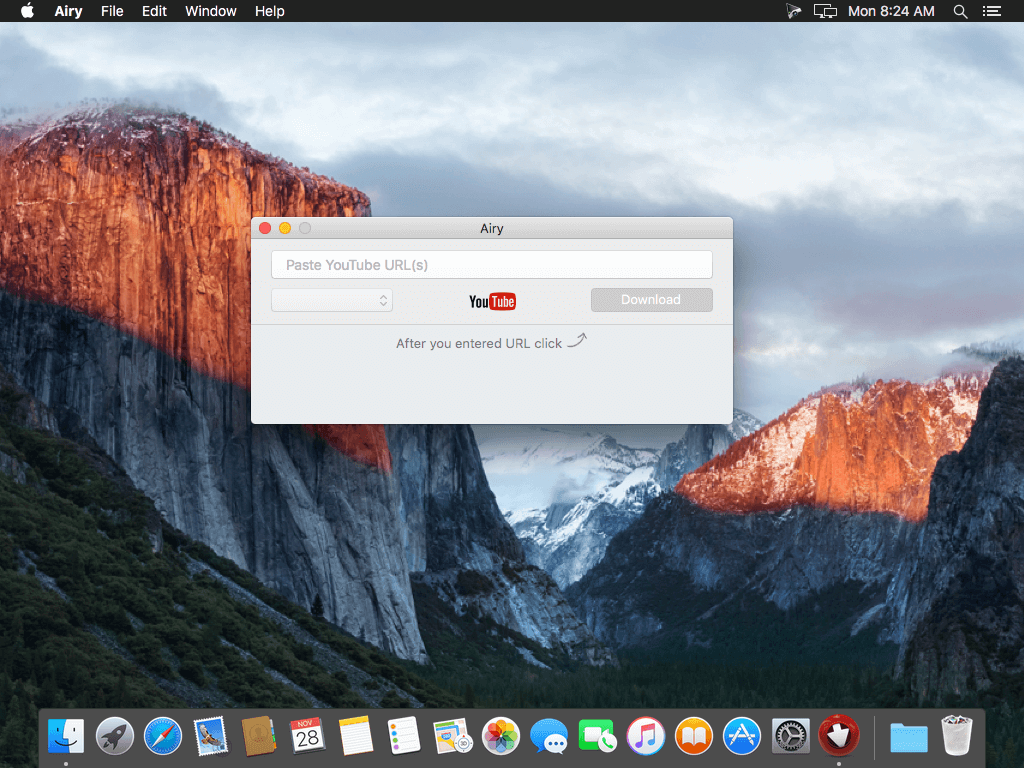
Airy will help you save YouTube video on your computer so that you can always watch it even if there is no Internet available. Airy is a utility for downloading videos from YouTube in a simple and efficient way.
Download YouTube videos on Mac
A simple and neat Mac YouTube downloader: start multiple downloads at the same time, select formats you want to save videos in and choose the desired resolution. Airy can download whole YouTube playlists and channels.
Download MP3 from YouTube
How many times you needed YouTube MP3 download Mac instead of video? Pretty often we bet. When you just need YouTube MP3 downloader for Mac Airy is your first choice! It will extract sounds from YouTube videos and fetch titles and album art, and it supports other audio formats too! For fast and easy YouTube download MP3 on Mac simply copy and paste the link, select audio format and click ‘Download’.
Integrate into Browser
Airy can be integrated in your browser to catch YouTube downloads directly from web. It supports all popular browsers like Safari, Chrome, Firefox, or Opera. To be able to save YouTube videos on Mac with Airy click “Integrate into Browser” in main menu and follow comprehensive instructions to set it up. Now saving YouTube videos on Mac is very easy – just click Airy bookmark each time you need it.
Choose Preferred Quality
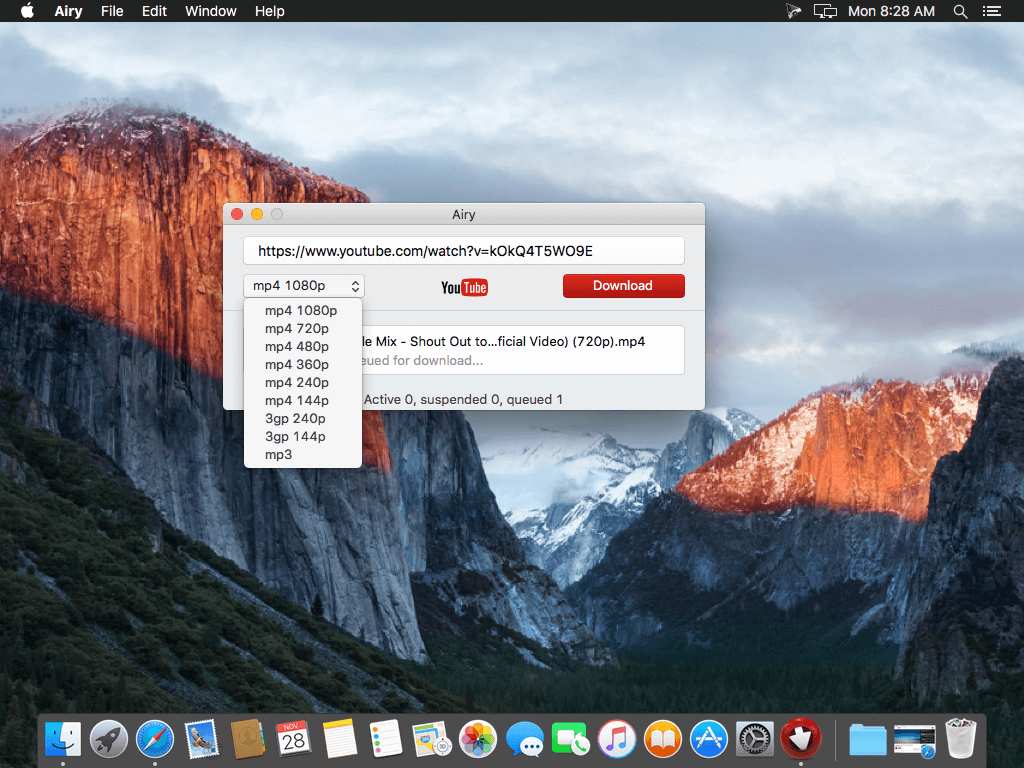
Benefit from the possibility to choose the quality for the video to be saved. You can save video in MP4, FLV, and 3GP formats in a resolution of your choice. Airy downloads HD videos – even 4K and 8K Ultra HD videos are supported. Choose the format to save videos in depending on their further usage – device you will be using, player you want to watch videos in. Keep in mind that if you are going to watch videos on your mobile phone, lower resolution is preferable, however watching an HD video on a large screen will be much more comfortable.
Playlists and channels
Airy can download YouTube playlist on Mac; downloading of YouTube channels is also fully supported. The steps are really easy: copy and paste YouTube link, choose the desired format and click Download. When you are downloading playlists, you can choose to download each item in its best available quality.
Login & password
Airy offers downloading of age-restricted and protected videos. Simply go to Airy menu to log in to your YouTube account (save your login and password for future if you’d like) and enjoy unlimited video experience.
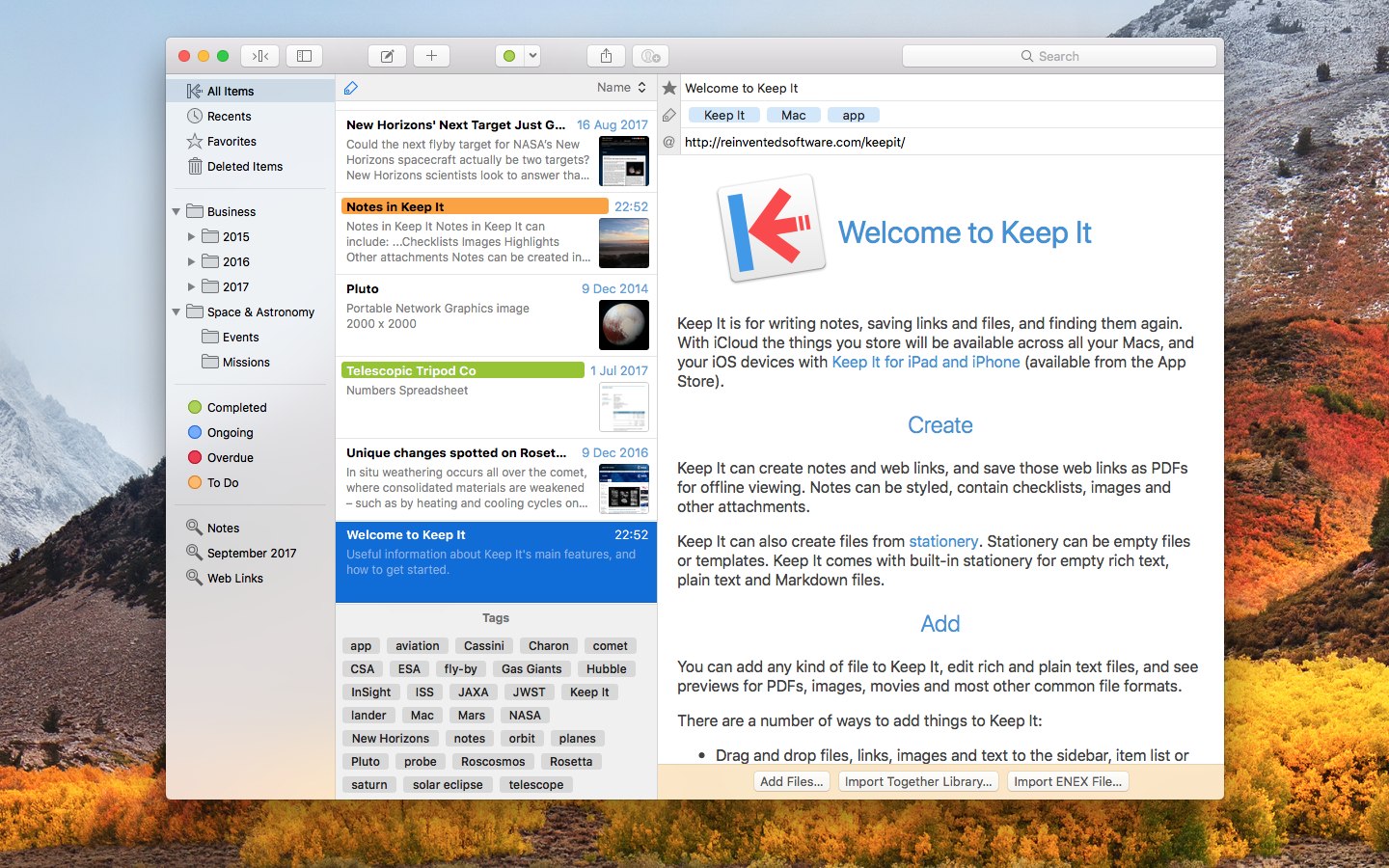
Keep It is for writing notes, keeping web links and documents, and finding them again. Available on Mac, and as a separate app for iPhone and iPad, Keep It is the destination for all those things you want to put somewhere, confident you will find them again later.
Notes and Links Make Notes
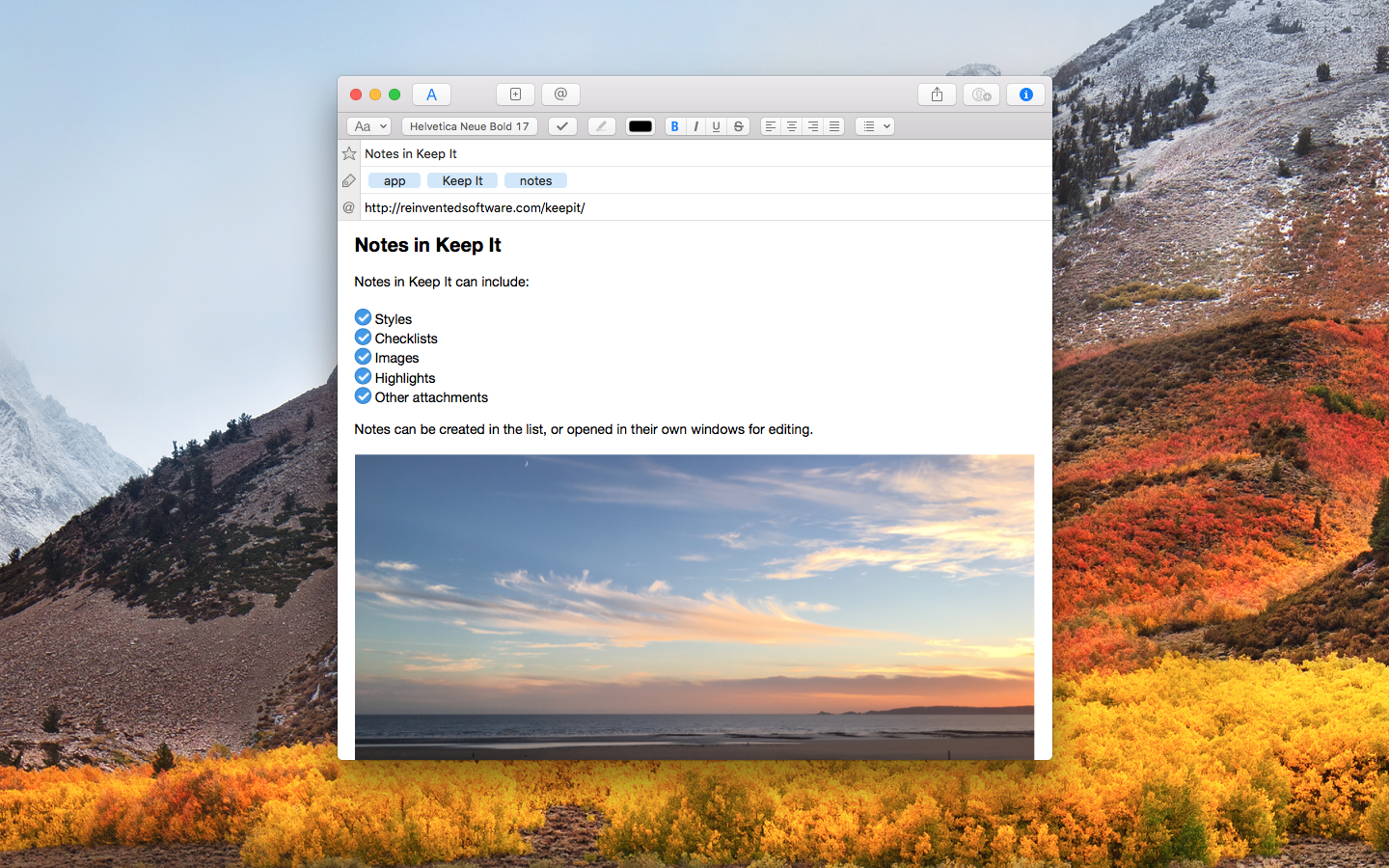
Create notes with built-in styles that look good and read well on all your devices. Notes can contain checklists, bulleted and numbered lists, images, links and other attachments.
Save Web Links
Save web links to Keep It, view them in the app, open them in your browser, or save them as PDFs for offline reading.
Files Add Anything
Any kind of file can be added to Keep It or saved to its folders, and opened for editing in their original applications. With iCloud, changes are automatically made available across all your Macs and iOS devices.
Preview and Edit
Keep It generates thumbnails and summaries for most files, can edit its own notes, rich and plain text files, and show previews for PDFs, images, web pages and most other documents.
Search and Filter Search
Keep It can search the content of most files. Suggestions appear as you type, allowing you to narrow down results to exactly what you need, or use keywords and natural language. Save searches for later reuse.
Tag Filter
Keep It’s Tag Filter makes finding things by their tags a pleasure. Choose a tag to see all the tagged items and any other relevant tags; choose another tag to drill down further.
Organize Folders
Folders let you organize items and bundles hierarchically, when needed. Select a folder to see everything it contains.
Bundles
When you need to gather things into one place, make a bundle. Items can be in more than one bundle at a time, and when you remove the bundle, everything else stays where it was.
Labels
Use labels to color-code items for quick visual recognition. Labels are listed in the sidebar so you can quickly see everything with a particular label.
More Lists
Use the Recents list to see things you’ve added or viewed lately, with the latest shown at the top. Favorites provide quick access. Deleted Items are automatically removed after 30 days.
Where You Need It Compact Mode
In compact mode, Keep It for Mac becomes a single column, ideal for using alongside other apps or in split screen.
Works with Other Apps
Pretty much anything can be dragged to Keep It, and you can also add things from a variety of apps with Keep It’s share extension.
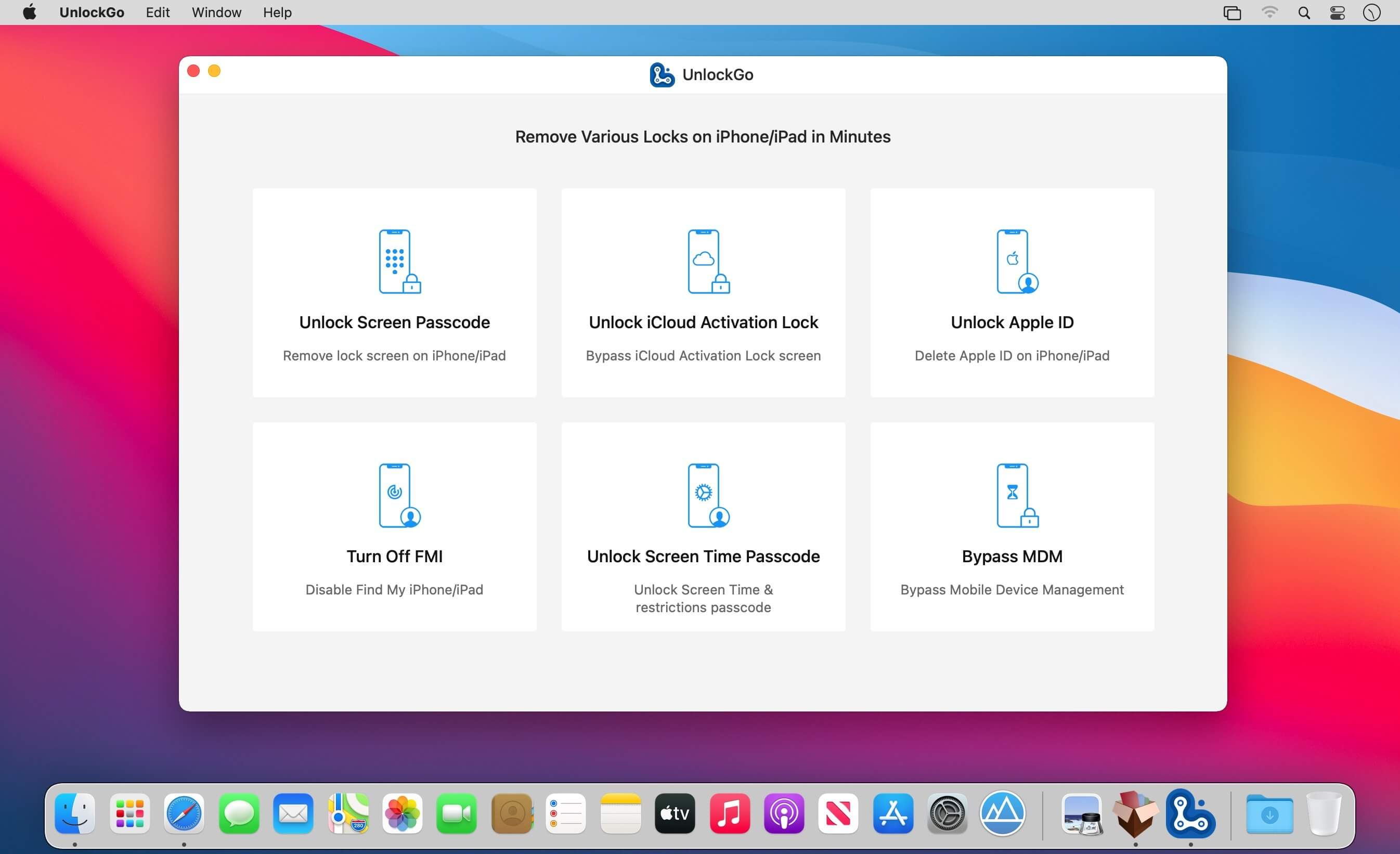
All-in-One iPhone Lock Removal Tool. Remove Various Locks on iPhone/iPad in Minutes. Instantly unlock your iPhone/iPad’s passcode
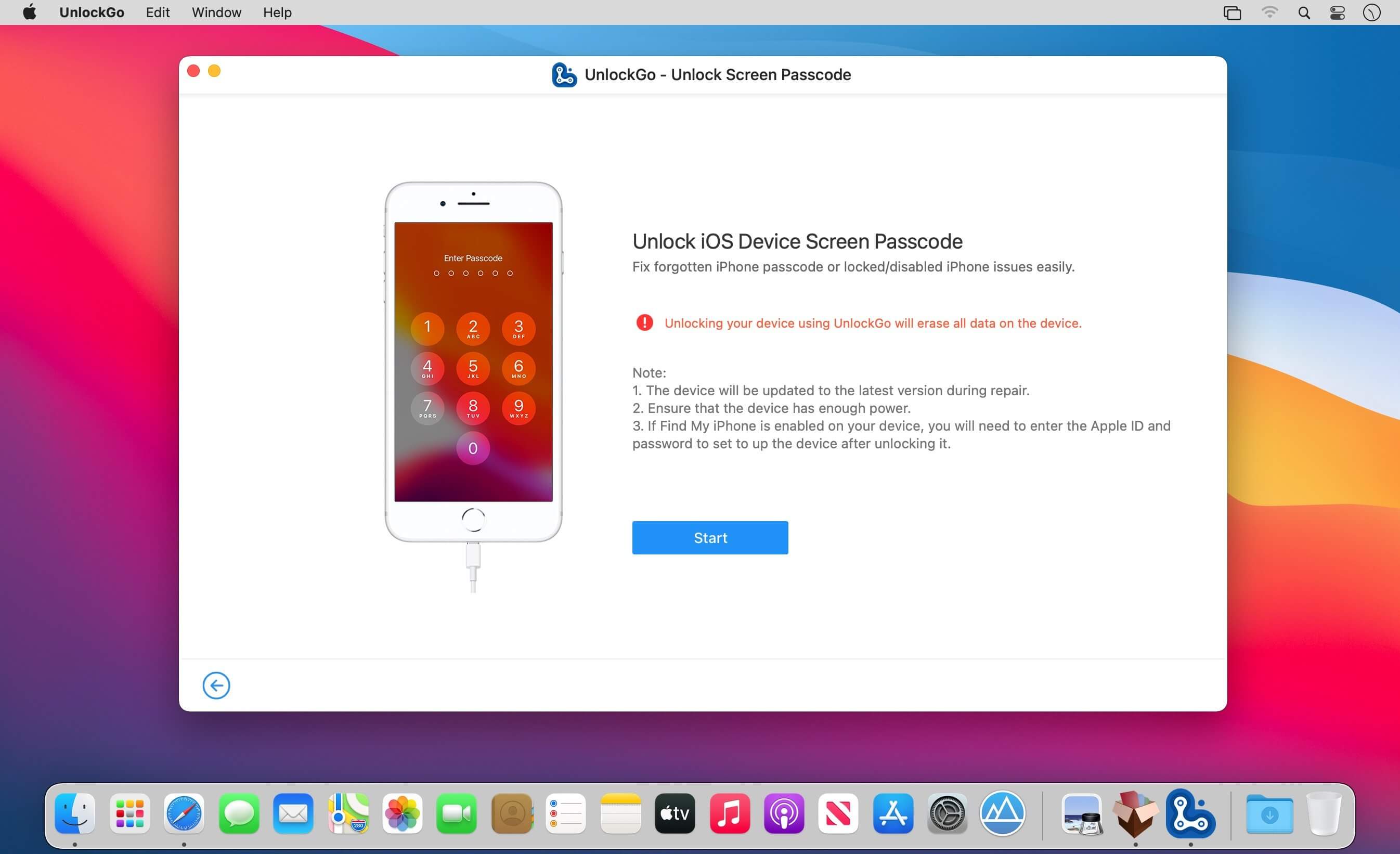
iToolab UnlockGo allows you to easily bypass iPhone passcode and gain full access to the device. It works on the following scenarios, and all kinds of passcodes are fully supported.
All types of passcodes are fully supported
UnlockGo supports to remove all types of passcodes easily including the 4-digit code, the 6-digit code, custom numeric code, alphanumeric code, Touch ID or Face ID.
Note: The removal of passwords for business purposes is illegal and prohibited.
Forgot iPhone password
iPhone is disabled
Face/Touch ID is not available
Passcode expired
Second-hand iPhone
Broken screen
Bypass iCloud activation lock without password
UnlockGo enables you to turn off the iCloud Activation Lock without password easily, if your device is stuck in the “Activation Lock” screen.
Remove activation lock after restore
Remove activation lock of lost iPhone
Could not activate iPhone
Unable to activate
Get access to the device after iCloud Activation Lock removal
Once Activation Lock is disabled, you can enjoy the following:
Gain access to your device.
Use a new Apple ID for iTunes Store & App Store.
The device won’t be tracked by the previous Apple ID.
The device won’t be remotely erased by the previous Apple ID.
The Activation Lock won’t appear again even if you restart the device.
Remove Apple ID without password
Forgot Apple ID password or it has been disabled? iToolab UnlockGo helps you delete Apple ID account with no restrictions. By creating a new account, you can then obtain access to all iCloud services and Apple ID features once more.
Get complete control over your iPhone after Apple ID removal
No specialist knowledge is required to remove Apple ID from locked iOS devices, so you’ll be able to take advantage of all of the following features on iPhone/iPad in no time.
Switch to another Apple ID or set up a new one.
Take advantage of all iCloud and Apple ID functionality.
Easily switch off Find My iPhone/iPad.
Remove the previous Apple ID’s tracking.
No password required to disable Find My iPhone. UnlockGo is the best choice on how to turn off Find My iPhone.
You can access to your iPhone/iPad/iPod touch, but you don’t know your Apple ID account password? Simply switch off FMI with UnlockGo.
Find My iPhone can be disabled with no Apple ID or password necessary.
Delete the previous Apple ID completely and avoid being tracked by the device’s previous owner.
Your iOS device can be used as a brand new one!
Take advantage of all the iOS features and iCloud services with no limitations.
Even if you restart or factory reset your iOS device, the activation lock will no longer be displayed after you disable Find My iPhone.
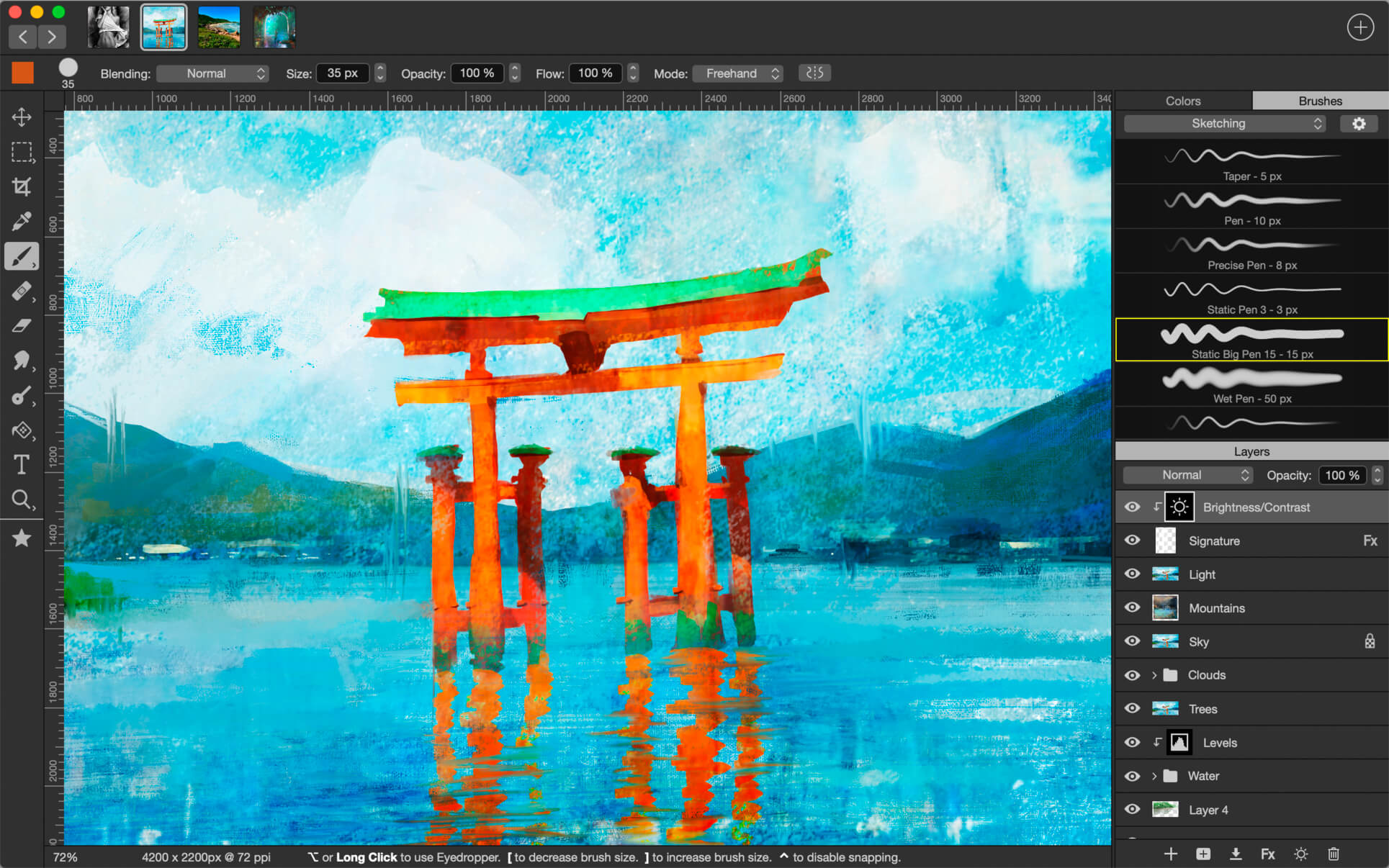
Introducing Artstudio Pro, the most powerful painting and photo editing app available for both macOS and iOS . The successor to our famous ArtStudio app has been redesigned bringing many new features and improvements taking full advantage of the latest technologies Metal, iCloud Drive, and optimized for 64-bit multi-core processors to achieve the smoothest possible workflow.
Hundreds of assets are included and users have the ability to import resources in the most popular formats (ABR, TPL, PAT, GRD, ASE, ACO) giving instant access to millions of brushes, patterns, gradients, color swatches and fonts. It will boost your creativity and help you bring your ideas to life quickly and easily.
New engine
The powerful GPU accelerated ArtEngine developed by Lucky Clan is 5-10 times faster than the previous engine. It allows working with multiple documents, supports large canvas sizes and an unlimited number of layers. Incredible optimization ensures smooth work even with large canvases.
Advanced Brush engine
Perfectly optimized, lag free mechanism generating smooth, real looking strokes, making the most of the stylus.
Brush size up to 4000×4000
64-bit painting with pattern, double stamp, wet brush, dynamics
Brush editor with 80 customizable settings
Over 100 built-in brushes divided into a few groups: Painting, Sketching, Markers, Inking, Dots & Specks, and more
Symmetric painting with custom symmetry line
Professional photo editor
Photo editing options developed in cooperation with professional photographers. Each feature was tested in several scenarios and light conditions.
15 adjustments available as non-destructive layer or simple adjustment: Brightness/Contrast, Levels, Curves, Exposure/Gamma, Shadows/Highlights, Vibrance, Hue/Saturation, Color Balance, Temperature/Tint, Black and White, Gradient Map and more
4 auto adjustments: Auto Contrast, Levels, Lightness, Saturation
Dozens of filters with realtime preview and the ability to generate seamless patterns
Inpaint, Elastify (Liquify) ,Lighting, Depth Of Field, Denoise
Retouching tools: Heal, Dodge, Burn, Sponge and more
Image resize, Canvas resize
Crop using special tool, crop from selection, trim transparent areas
Import/Export
We have implemented many parsers from the most popular assets/images formats and we are especially proud of our ABR/TPL parser which not only reads brush stamps and patterns, but also most settings which are converted to Artstudio Pro brush engine values.
Import
Images – PNG, JPEG, PSD, HEIC, TIFF, GIF, most raw formats
Brushes – ABR, TPL
Color swatches – ASE, ACO
Patterns – PAT
Gradients – GRD
Fonts – TTF, OTF
Export
Images – PNG, JPEG, PSD, TIFF, PDF
Other features
Full iCloud integration
Screen recording
All features available on macOS, iPad and iPhone
Selection displayed as marching ants, quick mask or invisible
Unlock iPhone iPad and iPod by wiping passcode. Remove Apple ID if you forgot Apple ID or password. Recover and remove Screen Time passcode without data loss.
iPhone Screen Locked? Wipe iPhone Passcode Instantly
Creating a passcode for iPhone can protect your privacy. But there are various reasons for you to lose control of the lock screen passcode. How to get into a locked iPhone? Aiseesoft iPhone Unlocker will remove the various lock screen passcode from 4-digit, 6-digit, Touch ID and Face ID, and unlock the locked iPhone easily.
Forgot iPhone Passcode
Change your iPhone passcode frequently and forgot it? Find an old iPhone, but fails to unlock it with the passcode in memory? Mix up the password for many devices at hand? Aiseesoft iPhone Unlocker can remove the iPhone screen passcode easily.
Attention: While removing the screen locked passcode on iPhone, all the data and settings will be erased.
Forgot Apple ID or Password? Remove Apple ID in Seconds
Apple ID is a pass to accessing App Store, Apple Music, iCloud, iMessage, FaceTime, and more. If you forgot the Apple ID or password, you will lose access to many Apple services. Even trying the security questions and rescue emails in iForgot, but still fail to recover the password, you should try iPhone Unlocker. It can remove the forgotten Apple ID and let you change a new Apple ID account to activate your iPhone.
After Removing Forgotten Apple ID, you will:
– Fully control the iPhone without any limits.
– Access Apple ID features and iCloud settings.
– Not be disturbed by the old Apple ID sign-in.
– Not be tracked or found by the old Apple ID.
– Not be Erased remotely by old Apple ID.
– Backup iPhone with iTunes via iCloud or computer.
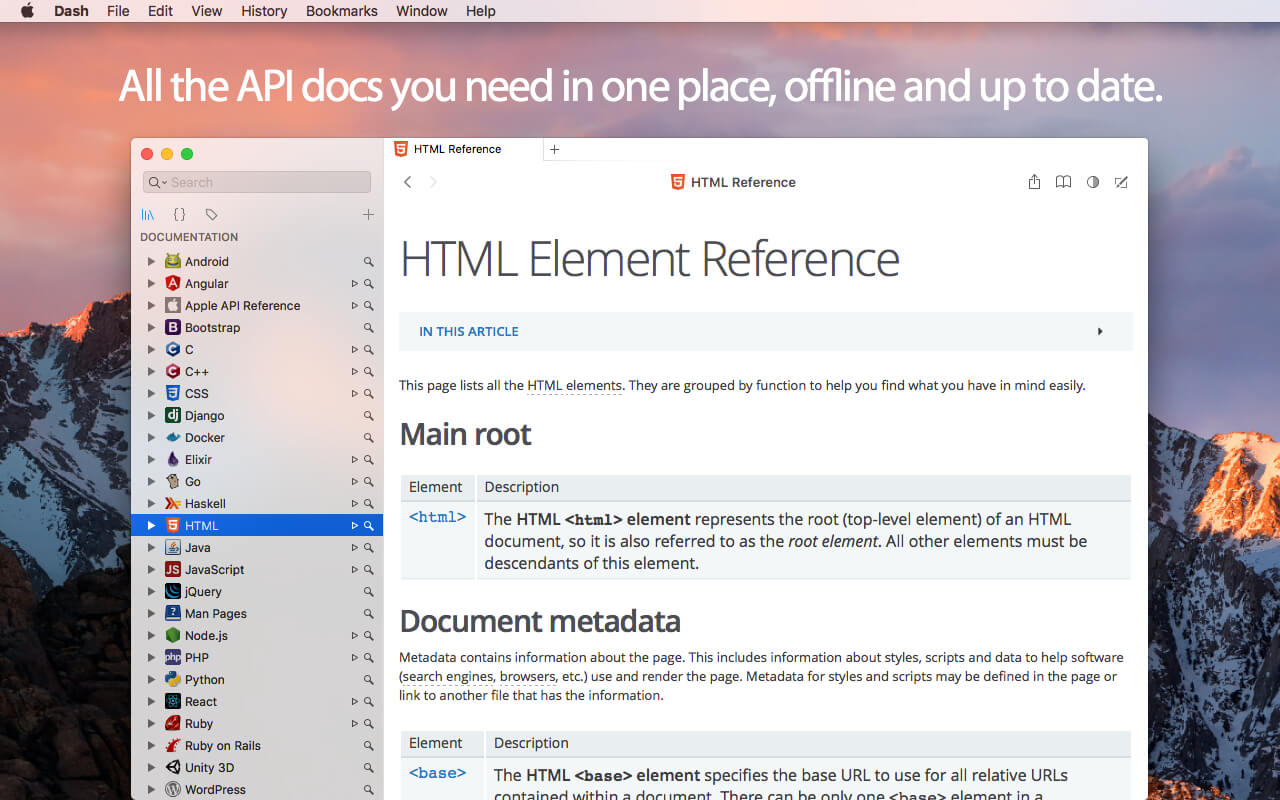
Dash is an API Documentation Browser and Code Snippet Manager. Dash helps you store snippets of code, as well as instantly search and browse documentation for almost any API you might use (for a full list, see below).
Stream Videos from Your Mac Effortlessly Stream your favorite videos from your Mac directly to Apple TV, Chromecast, and more with Beamer 4.
Drag your video files onto Beamer 4, and start watching on your TV immediately. Beamer handles all the conversion and streaming for you, so you can sit back and enjoy.
Redesigned Interface
Experience a sleek, modern, and user-friendly interface designed to make streaming your favorite content easier than ever.
Chromecast Ultra Support
Stream 4K Ultra HD and HDR content with stunning visuals and vibrant colors using Chromecast Ultra.
Improved Performance
Experience faster loading times, smoother streaming, and overall better performance with Beamer 4.
Playlist and Queue Features
Organize your content with custom playlists and queues, or let Beamer 4 suggest a lineup based on your preferences.
Enhanced Subtitle Support
Enjoy improved subtitle detection and synchronization for a seamless multi-language viewing experience.
tvOS 16 & AirPlay 2 Support
Beamer 4 is fully compatible with the latest Apple TV devices, tvOS 16, and AirPlay 2 for seamless, high-quality streaming.
Softorino YouTube Converter – YouTube to MP3. Offline YT Converter. No Ads. Background Playback.
YouTube on the iPhone and iPad, without advertising, to support offline viewing but still nothing. You think it’s impossible? But not guessed!
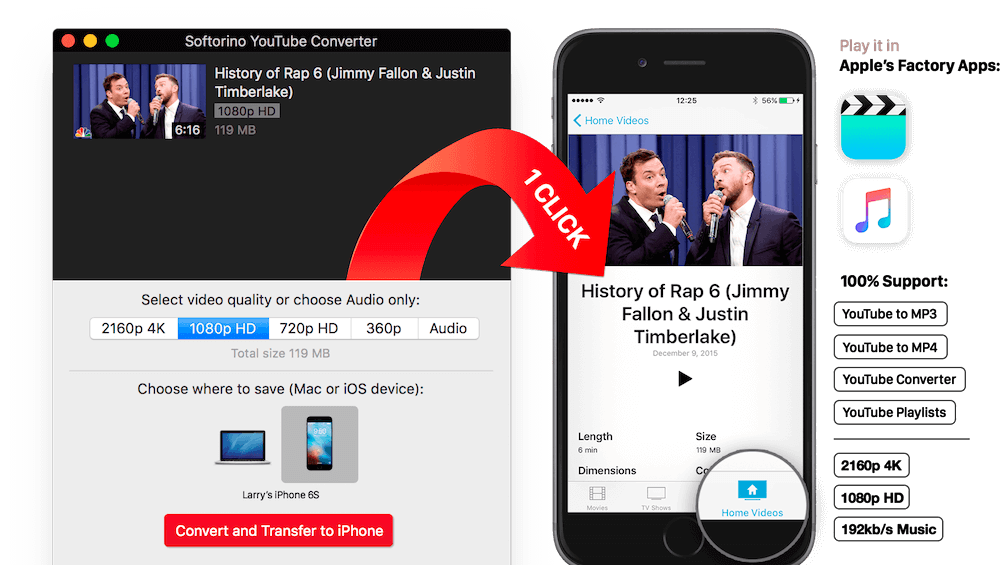
All this and a little bit more you can get by using Softorino YouTube Converter. The whole process is simple in the extreme: copy the link to the video, go to the app and choose where you want to save the video.
After you copy the link to the clipboard, Softorino YouTube Converter automatically recognizes it, and you will only choose the quality (60fps, 2160p 4K, 1080p HD, 720p, 360p, or audio only) and a place to save (Mac or iOS-device ). A few seconds after pressing the button Download the file is in the “Boot” on the Mac, or “Video” application / “Music” on iOS. That’s all.
No advertising;
You can download any video from YouTube and Vimeo;
You can download the audio track of the video and listen to the standard player on iOS;
Do not need internet to view;
less discharged battery;
for it not to be paid;
it works anywhere in the world, in contrast to the YouTube Red.
What’s New:
Version 5.1.4:
Release notes were unavailable when this listing was updated.
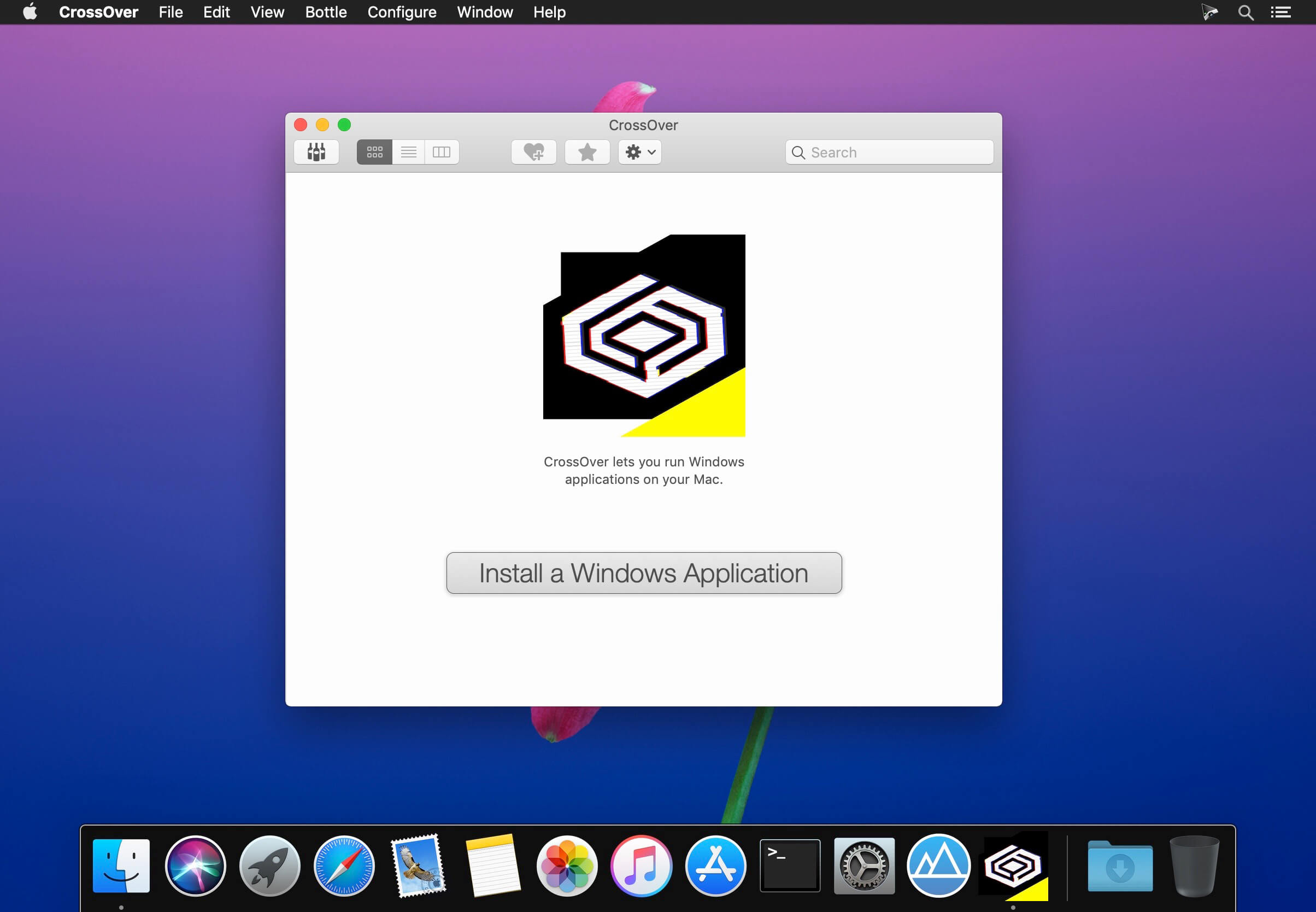
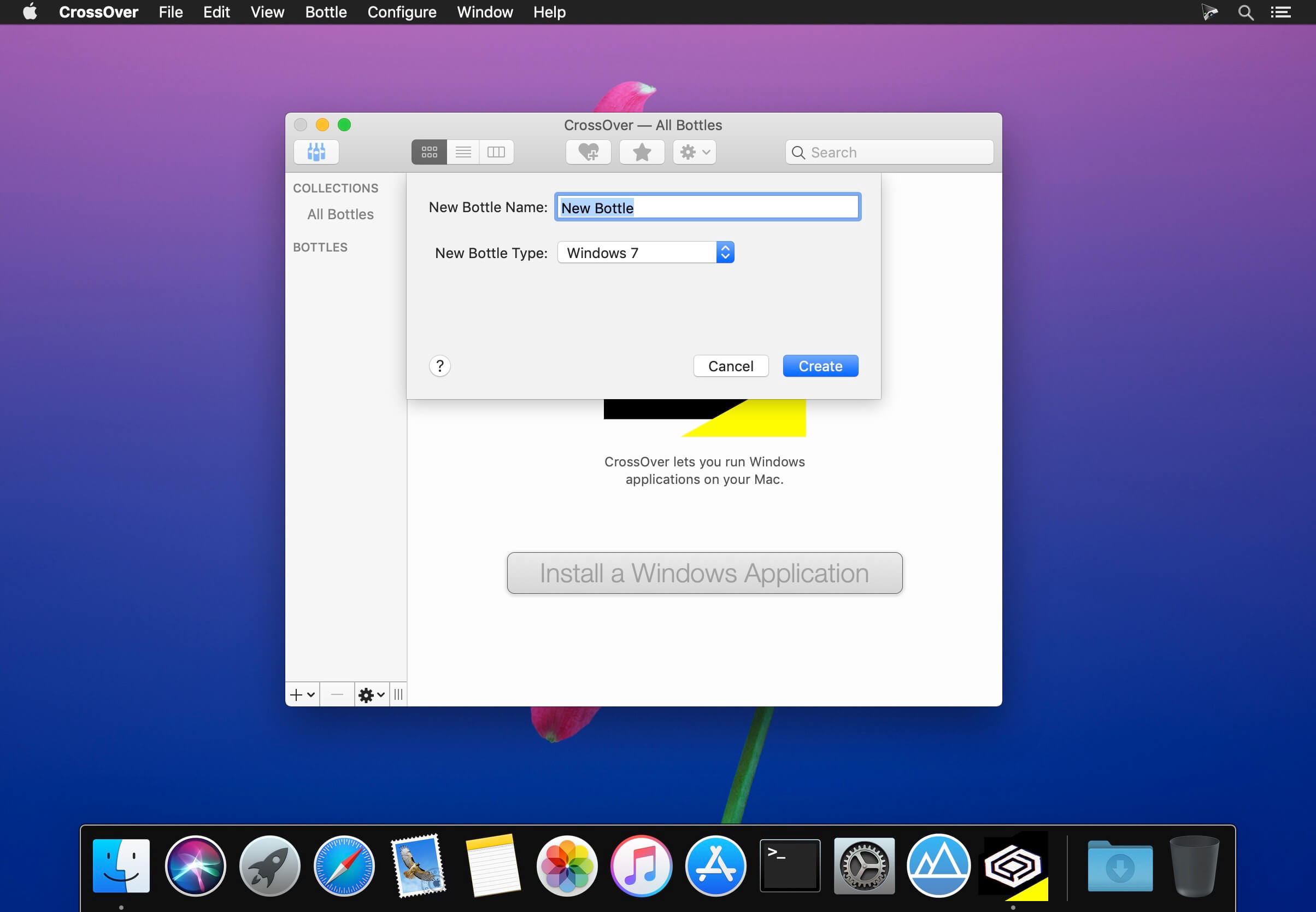
Run Microsoft Windows software on your Mac without buying a Windows license, rebooting or using a virtual machine. CrossOver Mac makes it easy to launch Windows apps natively from the dock, and integrates Mac operating system functionality like cross-platform copy & paste and shared file systems to your Windows programs.
Easy Installs! Many Windows titles can be installed using our CrossTie technology. If you have CrossOver installed, and have the installer for your Windows software, simply click the button in our Compatibility Database, and CrossOver will automatically install your application for you!
===========
*** NOTE: Before installing the Crossover 23.0.0, it is necessary to read README.pdf from the Extra folder
=========== Compatibility: macOS 10.13 or later 64-bit Homepagehttps://www.codeweavers.com/
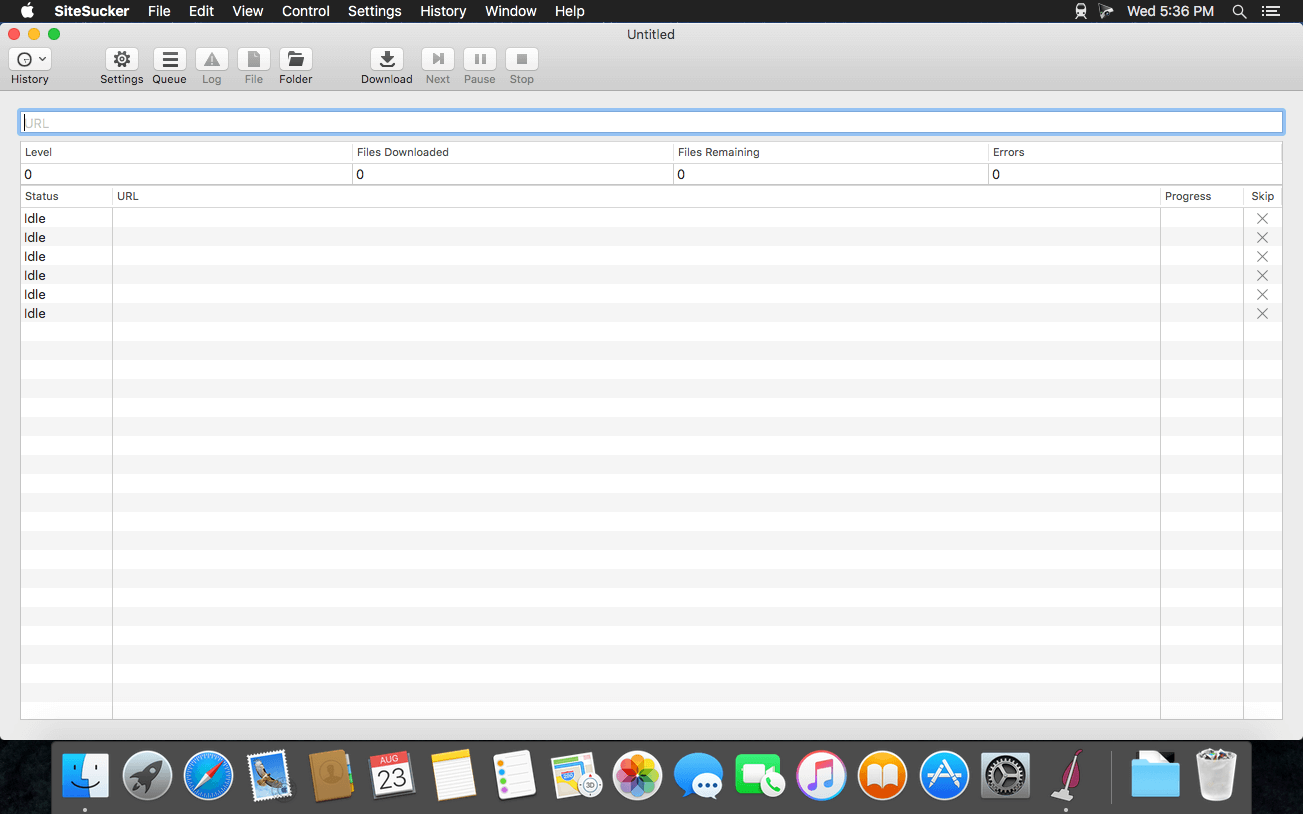
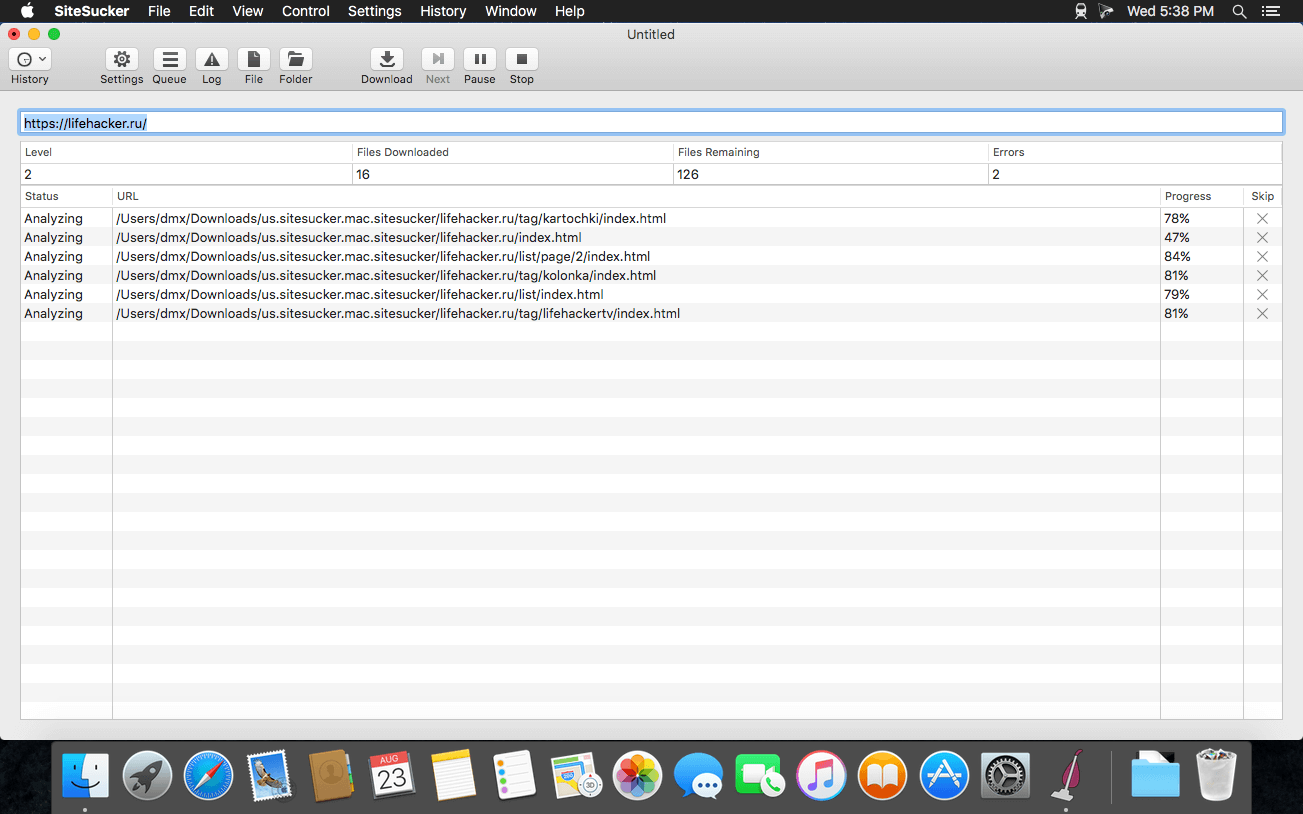
SiteSucker is an Macintosh application that automatically downloads Web sites from the Internet. It does this by asynchronously copying the site’s webpages, images, PDFs, style sheets, and other files to your local hard drive, duplicating the site’s directory structure. SiteSucker Pro is an enhanced version of SiteSucker that can download embedded videos, including embedded YouTube and Vimeo videos.
SiteSucker can be used to make local copies of Web sites. By default, SiteSucker “localizes” the files it downloads, allowing you to browse a site offline, but it can also download sites without modification.
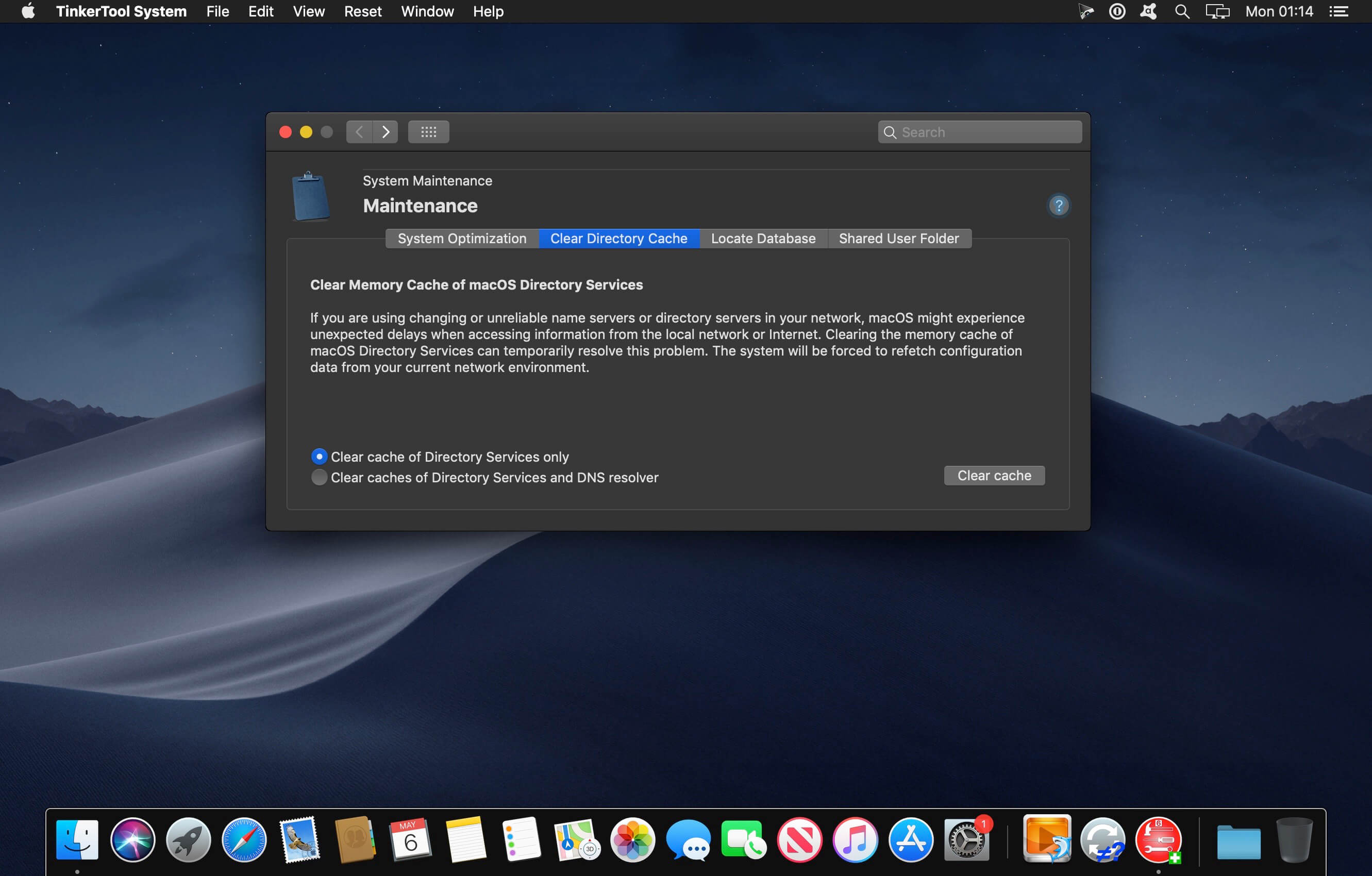
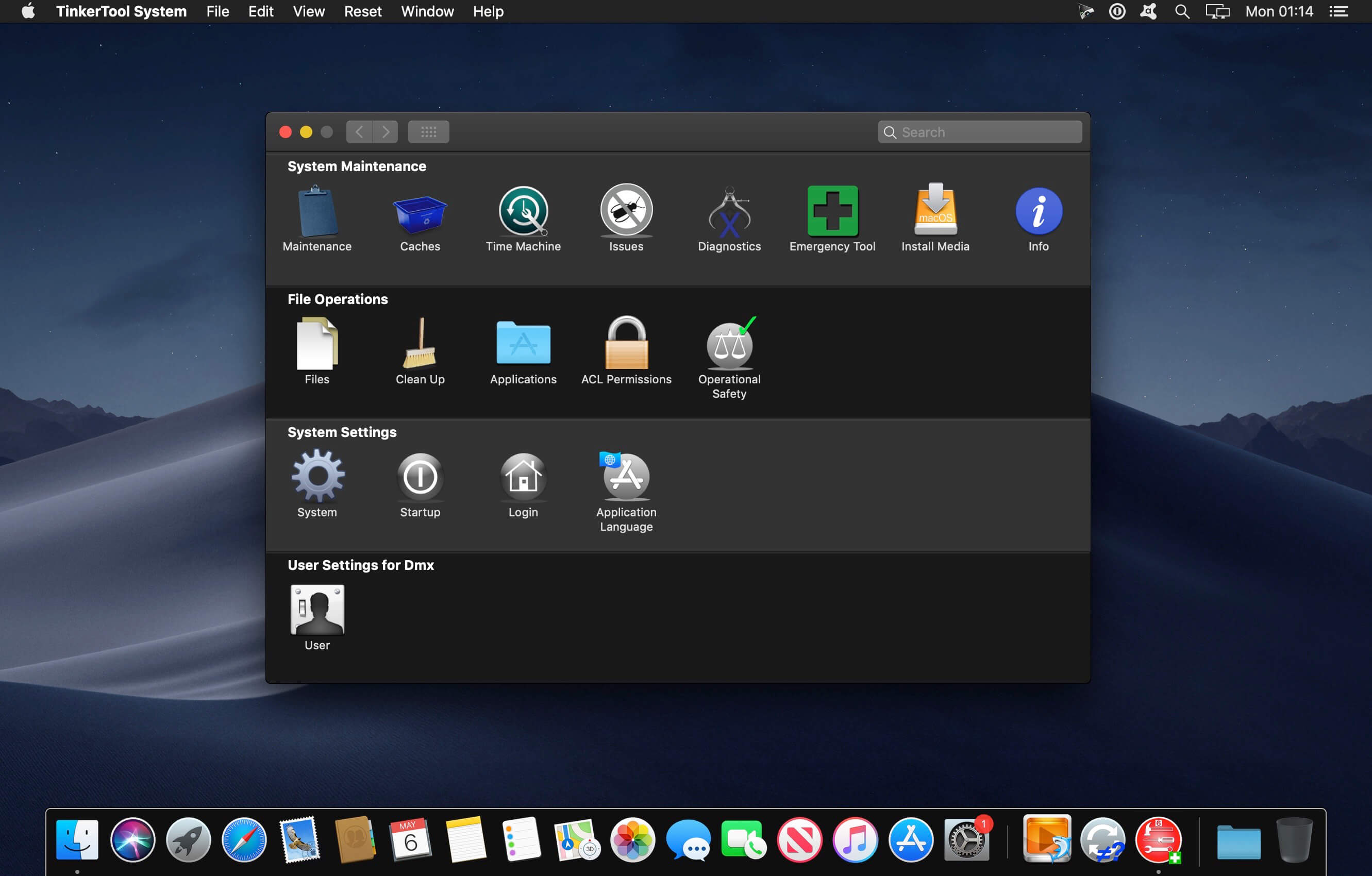
TinkerTool System is a collection of system utility features helping you in performing advanced administration tasks on Apple Macintosh computers. The application makes use of a self-adapting user interface which automatically adjusts to the computer model and to the version of macOS you are running. All options available in the current situation are accessible via “panes”, very similar to the techniques you already know from the System Preferences application. The features are controlled via a single window which allows you to use the application as a general toolbox and First Aid assistant.
This includes:
built-in maintenance features of macOS, usually not visible on the graphical user interface,
extended file operations, not available in the macOS Finder,
the possibility to access advanced system settings which are not visible in System Preferences,
genuine and unique features of TinkerTool System, designed to resolve typical real-world problems of administrators and to fix the effects of certain defects (“bugs”) in the operating system,
an emergency tool to troubleshoot and repair macOS in cases where the graphical user interface is no longer starting correctly or the user account of the system administrator has been damaged,
functions to collect advanced information about the hardware, operating system, and applications.
Together with its sister program TinkerTool which is available at no charge, TinkerTool System is a perfect substitute for the following types of system utilities:
Finder enhancers,
Cache and font cache cleaners,
Scripts to create bootable system installer and recovery disks,
Tools to access hidden preference settings,
Applications to make objects invisible in the Finder,
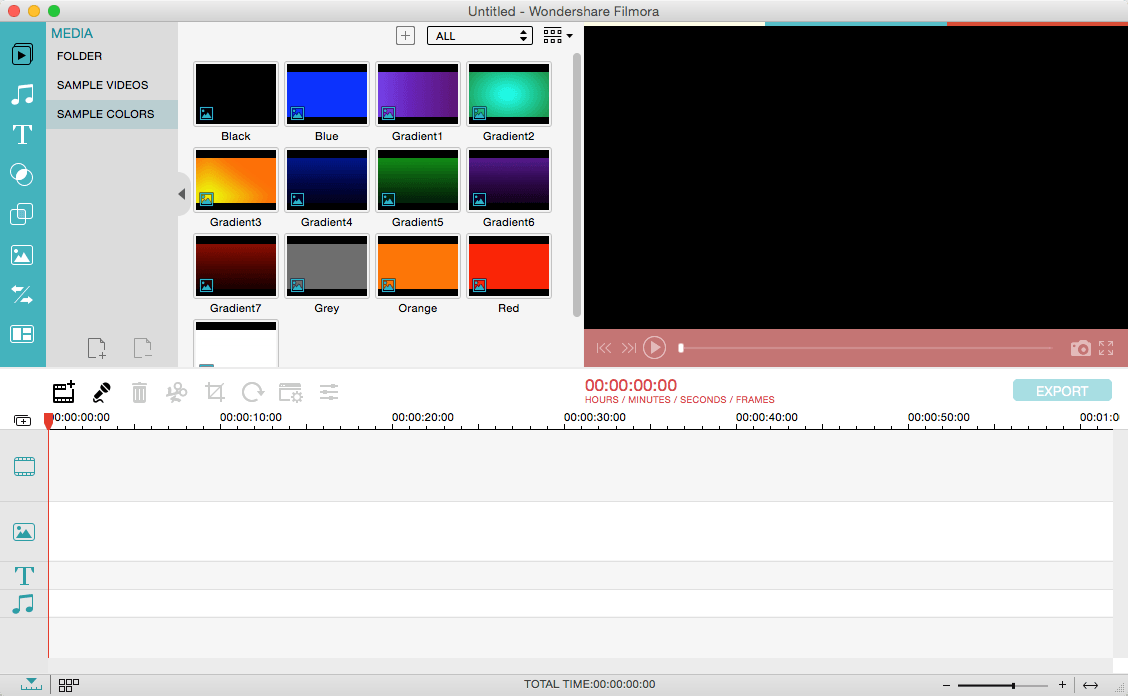
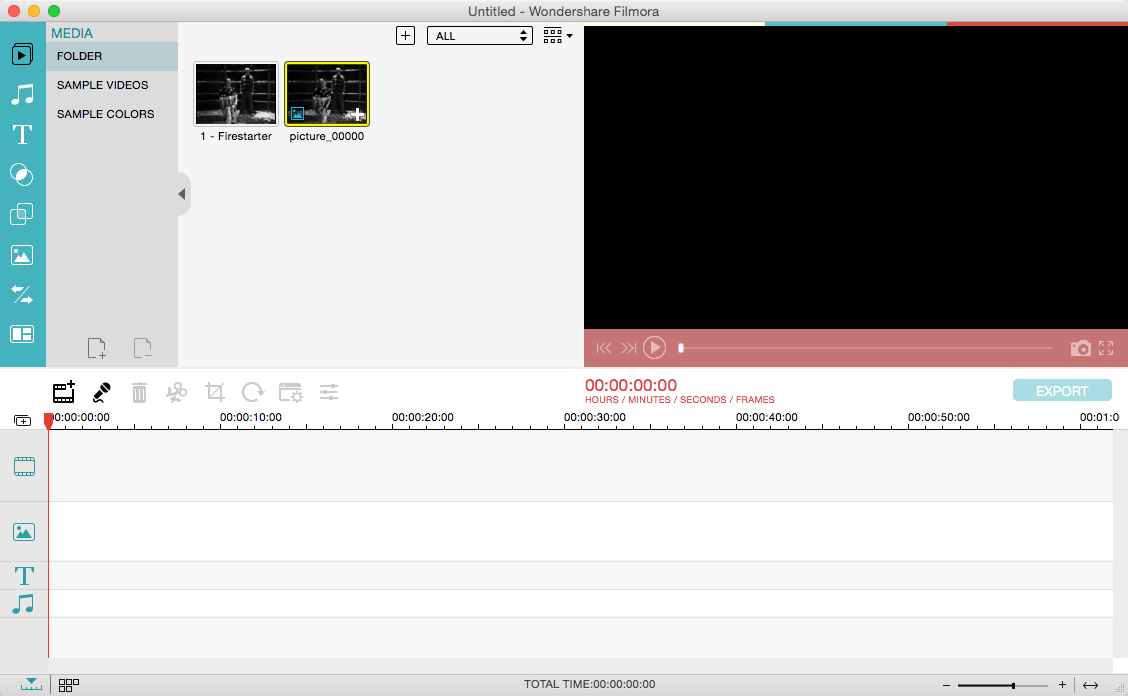
Wondershare Filmora, an easy-to-use video editor with all the video editing tools you need, enables you to create Hollywood-like home movies with titles, effects and transitions from all regular videos, audio and photos. Share instantly with family and friends with easy upload to YouTube, Facebook, etc.
Ignite your story
Use Filmora video editor to express your creativity and amaze with beautiful results.
Modern and Simple UI
A modern and intuitive design that you’ll be delighted to use again and again.
Text & Titles
Now you can create beautiful animated messages from our text & titles library
Music Library
Add your favorite music dircectly into your movie to create the perfect atmosphere.
Overlays & Filters
Transform a movie into something spectacular with our handcrafted, overlays and filters.
Elements
Take your video to the next level by adding impressive Still and Motion Graphics.
Simple Effects
Expand Your Imagination with Over a Hundred Unique Visual Effects. Wondershare Filmora allows you to turn your home video into something extraordinary with minimal effort.
Advanced Effects
Expand Your Imagination with Over a Hundred Unique Visual Effects. Turn your home video into something extraordinary with minimal effort.
Share Your Creative Work
Showcase your creativity with your family, friends and the rest of the world! You can easily publish your masterpiece in so many ways.
Key Features: Support Formats Support video formats editing: MP4, FLV, MOV, AVI, MKV, FLV, WMV, TS, MTS, etc. Make it possible for homemade and downloaded SD/HD videos for editing. Audio: MP3, WMA, WAV, M4A, AAC, AC3, OGG, etc., as background music of the videos. Photo:BMP, JPG, PNG, GIF, etc. and create home movies combining photos.
Basic Editing
Trim, crop and rotate videos
Remove unwanted black edges or other unwanted parts
Change audio pitch, adjust volume, and get rid of video noise
Professional Effects
80+ professional filters and artistic effects including particle effects, fire effects, face-off effect, tilt-s**t effect, mosaic and more.
50+ transition and motion effects.
Touch up your photo with perfect brightness, contrast, or saturation, and turn your photos into an animated slideshow.
Effects Pack
8bit Gamers Effect Pack.
80s Vintage Collection.
Fashion Collection.
Summer Effect Pack.
Travel Effect Pack
Special Thanks to iTEHb
What’s New:
Version 12.4.2:
Release notes were unavailable when this listing was updated.
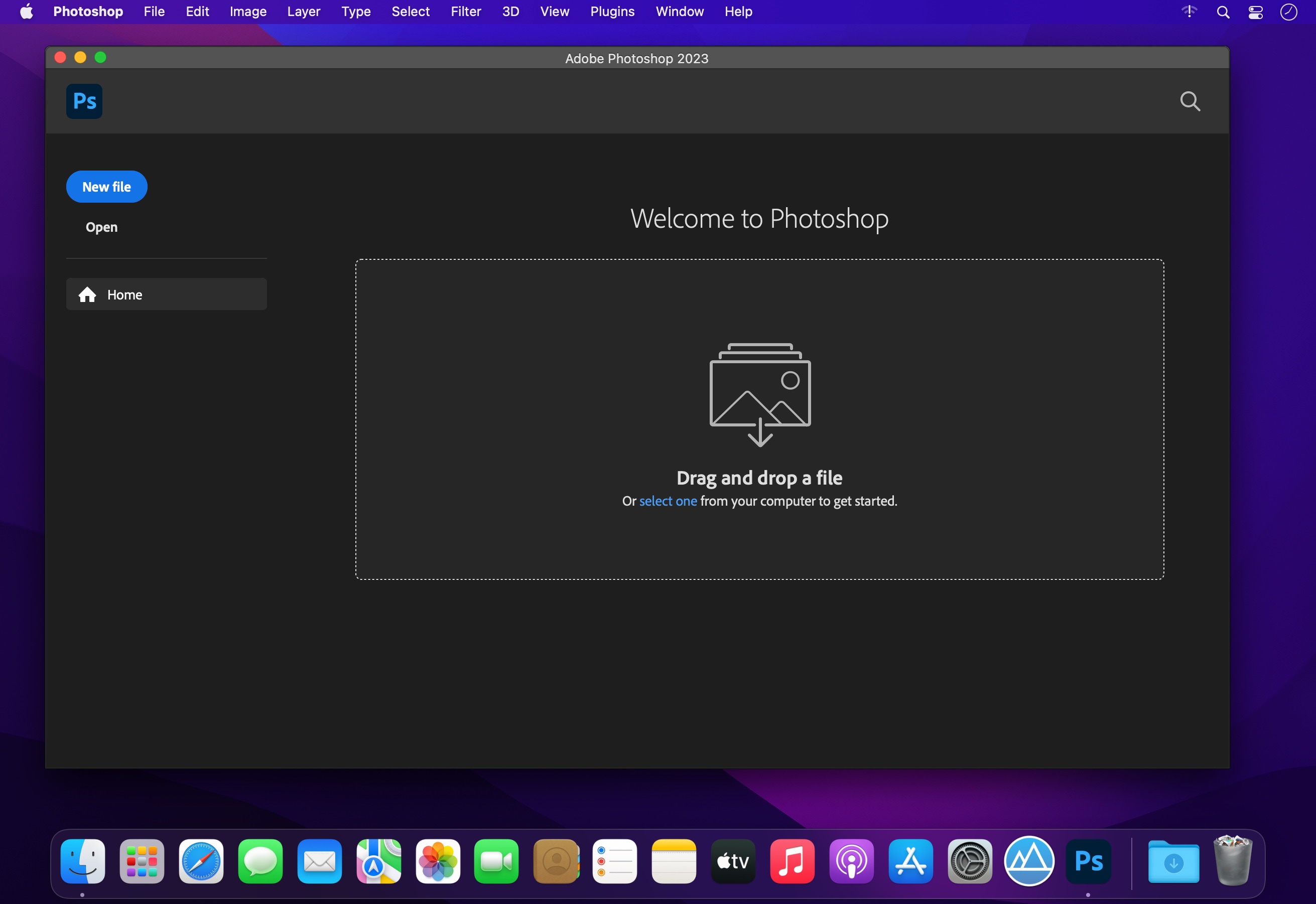
Welcome to the AI generation. The full power of generative AI. All your favorite Adobe tools. A new era of creativity and productivity has begun.
From photo editing and compositing to digital painting, animation and graphic design, everything you can imagine, you can create in Photoshop. Bring ideas to life on desktops and iPads. Use artificial intelligence technology for fast editing. Learn new skills and share your work with the community. With our latest release, doing amazing things has never been easier.
Retouch, replace, compose and more
Make portraits brighter and facial expressions more expressive. The sky in the background can be replaced with a single click. Removing objects, retouching, changing colors. With powerful editing tools and smart new features to create great effects, you can turn your graphics into a real art.
An all-in-one graphic design tool
Posters, packaging, banners, websites – graphic design starts with Photoshop. Combine photos, diagrams and text into brand new images. Select items with one click. Play with color and effects to enhance any project.
Thousands of amazing brushes
Paint with a variety of custom brushes or create your own with the world’s largest collection of Photoshop brushes at your fingertips.
Follow inspiration
Mix photos, graphics, effects and neural filters to turn any photo into a work of art. With one-click selections, auto-masking, and virtually unlimited layers, you can quickly create things your camera can’t do.
Language: English , German , Arabic , Hungarian , Danish , Hebrew , Spanish , Italian , Traditional Chinese , Simplified Chinese , Korean , Dutch , Norwegian , Polish , Portuguese , Turkish , Ukrainian , Finnish , French , Czech , Swedish , Japanese
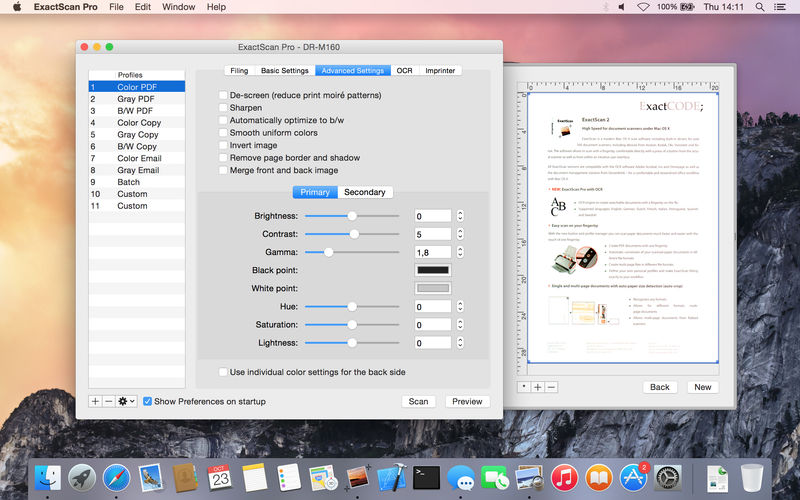
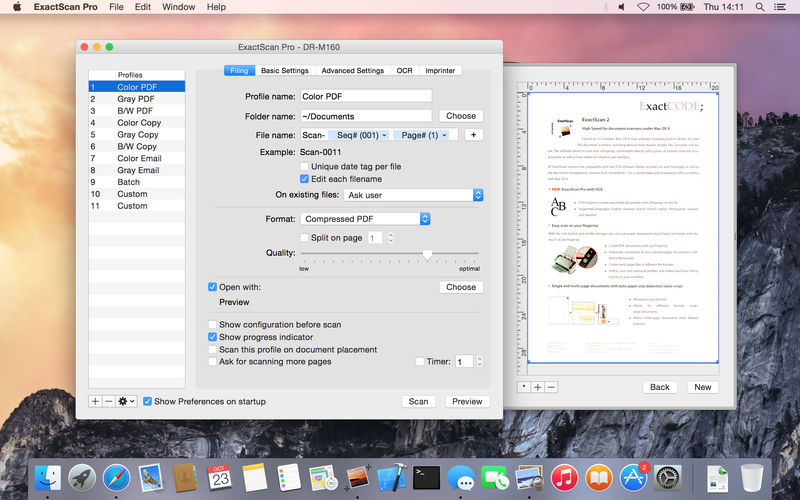
ExactScan Enterprise is the professional scan solution for a paperless office on the Mac. ExactScan comes with over 400 drivers for professional document scanners from Avision, Canon DR-series, Fujitsu fi-series, Kodak, Oki, Panasonic, Visioneer and Xerox, which otherwise do not come with a Mac driver. Additionally it allows to use any other scanner with TWAIN or ImageCapture driver.
Scan all your documents for fast retrieval, and get rid of dusty paper archives. Find searchable PDF everywhere with Spotlight in a snap.
• Over 400 native built-in drivers for professional document scanners from Avision, Canon, Fujitsu, HP, Kodak, Oki, Panasonic, Visioneer and Xerox
• Support for a variety of third party scanners via ImageCapture and TWAIN drivers
• Save to PDF, TIFF, JPEG, JPEG 2000, PNG, BMP, PNM
• Advanced and intelligent image processing algorithms
• Auto-crop & de-skew
• Blank page removal
• Direct scan to print
• Profiles to configure scan workflow
• AppleScript support for professionals
ExactScan Pro additionally includes:
• OCR to directly create searchable PDF files
• Content based page de-skew
• Automatic rotation, color- and source detection
• Imprinter to print flexible text into the scanned image
• Barcode recognition to file stacks by barcodes
• Batch processing of existing image files
The following languages are supported by the OCR:
Bulgarian, Croatian, Czech, Danish, Dutch, English, Estonian, French, German, Hungarian, Italian, Latvian, Lithuanian, Polish, Portuguese, Rumanian, Russian, Serbian, Slovenian, Spanish, Swedish, Turkish, Ukrainian, and Norwegian.
ExactScan Enterprise: High-speed ahead
High-speed volume scanners
To support you with high speed (100 pages per minute and higher) scanners, ExactScan comes in an Enterprise-ready flavour.
PDF/A
Additionally to the highly compressed PDF variants of ExactScan Pro, the Enterprise version comes with support for PDF/A-1b for certainl long term archival requirements.
2D Barcode Recognition
Additionally to the 1D-barcode recognition of the Pro version, the Enterprise version also supports recognition of 2D, Datamatrix and PDF-417 codes.
ExactScan Pro is a popular, easy-to-use macOS scanning software that utilizes built-in drivers for over 200 document scanners, including devices from Avision, Kodak, Oki, Visioneer, and Xerox.
ExactScan’s built-in scanner drivers cover the whole range, from Visioneer’s portable RoadWarrior to dependable workgroup scanners from Xerox, Visioneer, Kodak, and Avision. ExactScan allows for easy scanning of business cards, bills, and receipts, and ExactScan Pro’s built-in OCR can directly save them as searchable PDFs.
Scan all your documents for fast retrieval, and get rid of dusty paper archives. Find searchable PDF everywhere with Spotlight in a snap.
Over 400 native built-in drivers for professional document scanners from Avision, Canon, Fujitsu, HP, Kodak, Oki, Visioneer and Xerox
Support for a variety of third party scanners via ImageCapture and TWAIN drivers
Save to PDF, TIFF, JPEG, JPEG 2000, PNG, BMP, PNM
Advanced and intelligent image processing algorithms
Auto-crop & de-skew
Blank page removal
Direct scan to print
Profiles to configure scan workflow
AppleScript support for professionals
ExactScan Pro additionally includes:
OCR to directly create searchable PDF files
Content based page de-skew
Automatic rotation, color- and source detection
Imprinter to print flexible text into the scanned image
Barcode recognition to file stacks by barcodes
Batch processing of existing image files
Language: English, German, French, Russian and others. Compatibility: OS X 10.10 or later 64 bit Homepagehttp://exactscan.com/
Native Lossless Audio for macOS – A refreshingly new addition to the audio player scene.
Colibri is a native macOS audio player built from scratch on top of the award-winning BASS technology, supports cristal-clear bit-perfect playback of all popular lossless and lossy audio formats, uses only a tiny amount of computing power and offers a clean and intuitive user experience.
Saves your battery – Colibri uses a barely noticable amount of computing power during the playback of your music. The application is built using state-of-the-art Swift 3 programming language, the BASS audio engine is bundled as machine code while the interface uses built-in components by Apple. This was done in order to achieve a tiny footprint and to be as native to macOS as humanly possible.
Plays your audio – Colibri is able to playback the most widely used range of file formats in terms of lossless audio: FLAC, ALAC, WAV, AIFF, APE, TTA, DSD and WavPack – along with these popular lossy formats: Ogg Vorbis, MP1/MP2/MP3 and AAC/M4A – along with network streams/online radio! Additional format support might be considered if requested.
Handles CUE Sheets – Colibri reads, processes – and to some extent – sanitizes cue sheets. Malformed and disordered content is reprocessed during loading and should audio files written in the sheet be missing then Colibri makes a few educated guesses on the possible file name/extension. If the sheet does not contain artist, song title or album information then Colibri tries to extract the song info from the audio file header itself.
Supports gapless playback – Colibri is extensively designed from the ground-up to provide a true gapless listening experience – with or without using a Cue Sheet.
Picks up where you left off – Colibri saves your current playlist upon quitting and re-opens your songs when you start it up again, maintaining the song data between playback sessions, regardless of having them previously loaded from CUE sheets or single files. Apple’s Sandbox protection is fully supported.
Avoids most problems – Colibri does its’ best to avoid most problems before, during and after playback – however there are situations where error checking and guessing indexes won’t suffice. Loading unsupported files show up as an error message in the status bar and files that have disappeared since loading are automatically removed and skipped upon being reached in the playlist.
Understands your language – Colibri is capable of rendering the song information as it was intended to be shown: of all the tried metadata it had no problem with displaying cyrillic or kanji/katakana/hiragana characters mixed with ASCII.
Respects your privacy – Colibri does not phone home, collect usage data or modify files in any way. The only data it remembers are your playlist and settings: the loop mode state, whether to show the menubar and which pieces of info text to display in the status bar – nothing else!
Displays album art – Colibri displays embedded cover art for FLAC files and ID3/iTunes artwork metadata for other files (mainly M4A / ALAC and MP3). When that yields not results then it looks in the folder where the current song resides for a cover art image.
Resides in your Menu Bar – Colibri can place an unobtrusively small icon in the Menu Bar for easy access and playlist control: you can either start/pause the playback, skip to the next track or go back to the previous one. It also displays the info and cover art image of the current song.
Integrates with Finder – Colibri conforms all of Apple’s strict requirements – which means that it shows up in Finder as an option in “Open With” when a supported file is selected. Which in turn also makes it an available as a suggested file association option.
Adjusts to your Display – Colibri’s interface elements scale themselves nicely on every screen resolution and pixel density.
DaVinci Resolve is the world’s only solution that combines editing, color correction, visual effects, motion graphics and audio post production all in one software tool! Its elegant, modern interface is fast to learn and easy enough for new users, yet powerful for professionals. DaVinci Resolve lets you work faster and at a higher quality because you don’t have to learn multiple apps or switch software for different tasks.
Hollywood’s #1 Post Solution
High end professionals working on feature films and television shows use DaVinci Resolve more than any other solution! That’s because it’s known for incredible quality and creative tools that are light years beyond the competition. You get DaVinci’s Emmy™ award winning image technology with 32‑bit float processing, patented YRGB color science and a massive wide gamut color space for the latest HDR workflows. You also get the legendary quality of Fairlight audio processing for the best sound in the industry! With DaVinci Resolve, you get the same exact tools professional colorists, editors, VFX artists and sound engineers use every day to finish your favorite films and streaming television shows!
What’s New in DaVinci Resolve 17:
DaVinci Resolve 17 features new image processing for the latest wide gamut HDR, a powerful audio engine, immersive 3D audio workflows and more! Colorists get new HDR grading tools, AI based magic mask and more. Fairlight upgrades mouse and keyboard based edit selection tools along with Fairlight audio core, a high performance audio engine that supports 2,000 tracks on a single system! Editors get a new metadata based “slate” view with bin dividers to organize and find footage faster, zoomed waveforms for audio editing, smart reframing, proxies, live effect previews and more. In addition, effects, titles or transitions created on the Fusion page can be used on the edit and cut pages!
All In One Solution for Post Production
DaVinci Resolve is divided into “pages,” each of which gives you a dedicated workspace and tools for a specific task. Editing is done on the cut and edit pages, visual effects and motion graphics on the Fusion page, color correction on the color page, audio on the Fairlight page, and media organization and output on the media and deliver pages. All it takes is a single click to switch between tasks!
Color – Hollywood’s favorite color corrector!
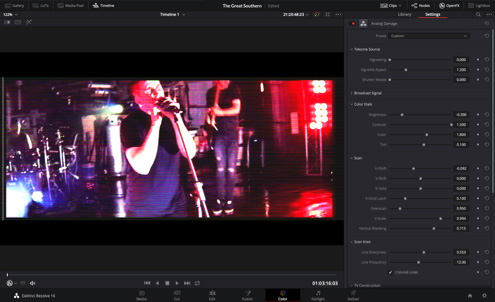
The DaVinci Resolve color page is Hollywood’s most advanced color corrector and has been used to color and finish more high end feature films and television shows than any other system! It’s also approachable with exciting new features designed to make it easier for new users to get great results while they continue to learn the advanced tools. For example, new primary control sliders will be familiar to anyone that’s used image editing software, making it easy to adjust contrast, temperature, midtone detail, saturation and more. The color page has an incredible range of primary and secondary color grading features including PowerWindows™, qualifiers, tracking, advanced HDR grading tools and more!
Media and Delivery – Incredibly wide format support, finishing and mastering!
The media and delivery pages have everything you need to import, manage and deliver final projects. While you can import and organize footage into bins on both the cut and edit pages, the media page gives you a dedicated full screen workspace so you can focus on preparing footage, syncing clips, organizing footage into bins and adding metadata before you start editing. The media page also lets you clone camera media cards for backup purposes. The quick export tool lets you output and upload files to YouTube, Vimeo and Twitter from anywhere in the software, but the deliver page gives you total control over all encoding options and formats, along with a render queue for exporting multiple jobs!
Resolve FX
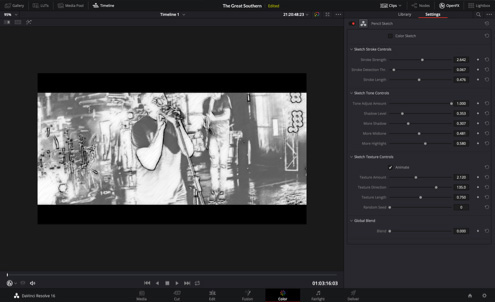
DaVinci Resolve Studio 17 features over 100 GPU and CPU accelerated Resolve FX in categories such as blurs, light effects, noise, image restoration, beauty enhancement, stylize and more! Version 17 adds 11 new plugins for texture pop, detail recovery, creating video collages, 3D keyer, HSL keyer, luma keyer, smear, motion trails, noise reduction, image transforms and false color. The video collage plug-in is perfect for picture in picture zoom style videos, virtual choirs and more! There are also improvements to the object removal, dead pixel fixer, dust buster, blur and film grain plug‑ins. All Resolve FX can be animated using the new unified inspector on the cut, edit and Fusion pages!
DaVinci Resolve Color Panels
DaVinci Resolve color panels let you adjust multiple parameters at once so you can create unique looks that are impossible with a mouse and keyboard. The incredibly small DaVinci Resolve Micro Panel is great for new colorists just getting started or anyone that needs a portable panel. It features three high quality trackballs, knobs for primary adjustment controls and buttons for playback and navigation. The DaVinci Resolve Mini Panel features additional controls and screens for accessing virtually all palettes and tools. For the ultimate in control, the DaVinci Resolve Advanced Panel gives high end professional colorists access to every single feature and command mapped to a specific button!
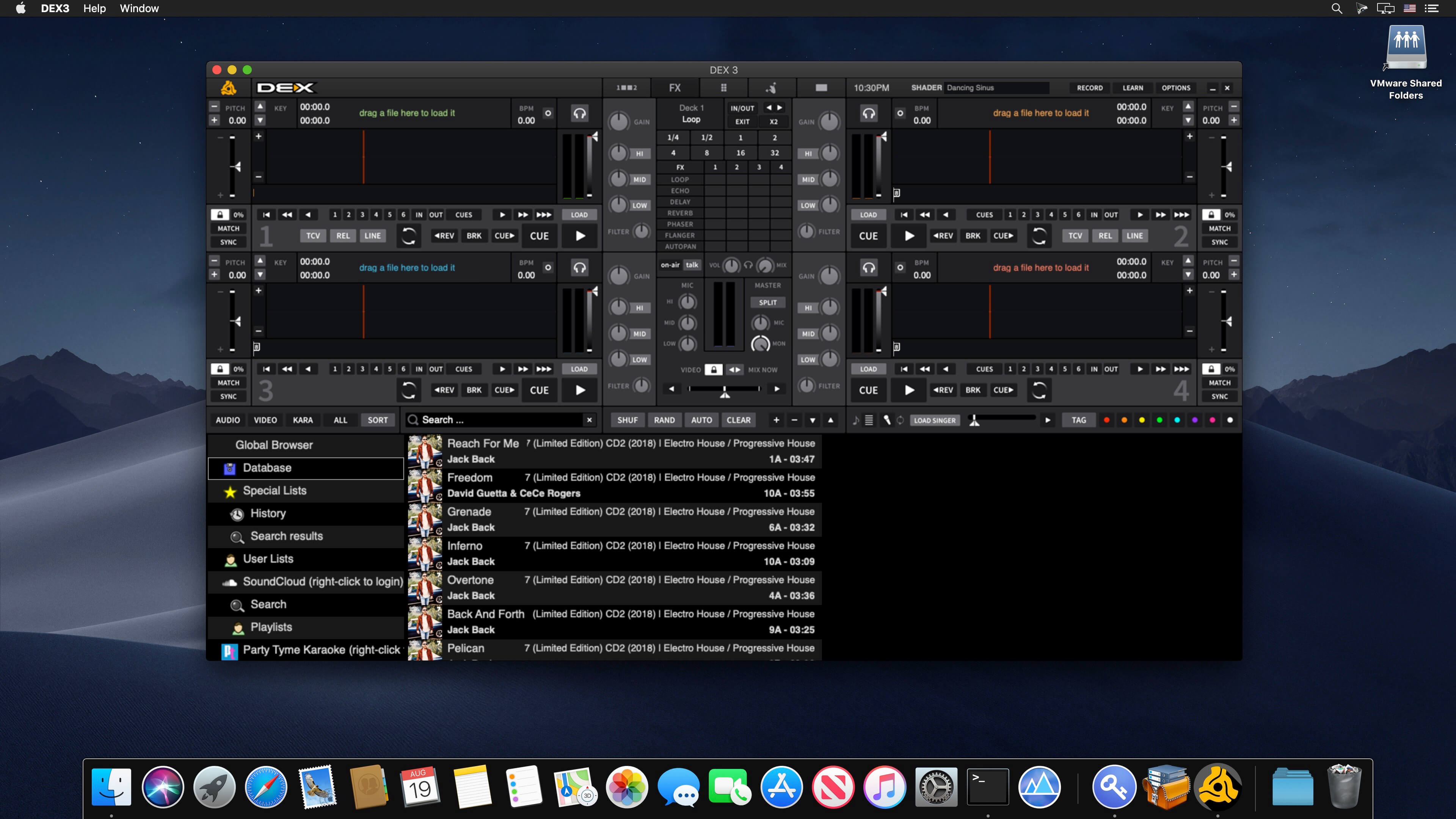
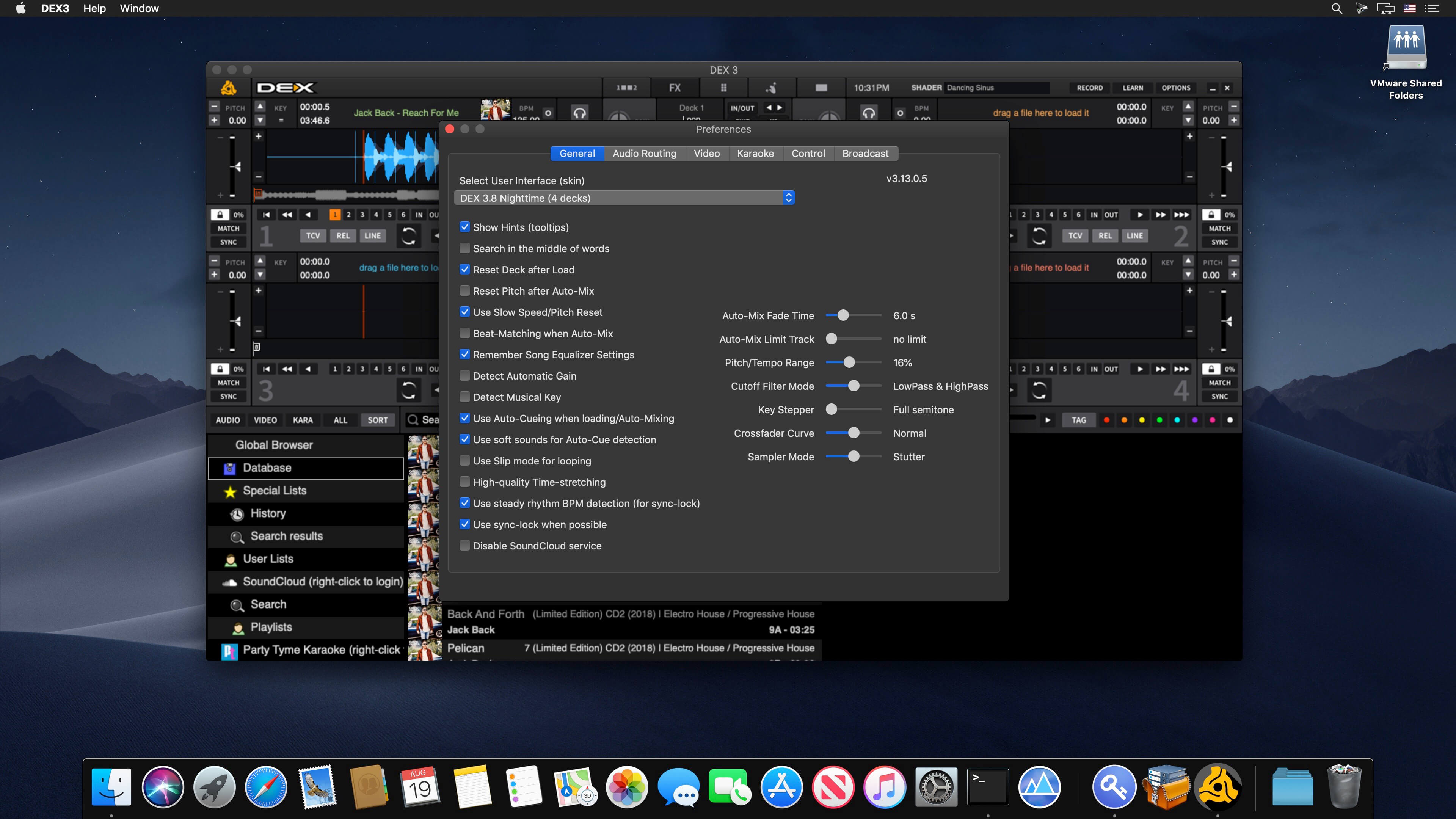
PCDJ DEX 3 is professional DJ Software for Mac and Windows that allows you to seamlessly mix music, music videos, and host karaoke shows. DEX 3 gives you full control over your media, allowing for more creative freedom while mixing than ever before. With our beat-grid-based automatic beat mixing it’s easy to blend tracks, allowing you to focus on the other aspects of your mix.
Since DEX 3 offers no-latency playback, loops, hot cues, and all playback features are ultra-responsive. Use DEX 3 with a keyboard or mouse, or use one of the 65+ supported DJ controllers for tactile hands-on control. So download DEX 3, import you tunes, and cue up your imagination — DEX 3 is the complete DJ mixing software solution.
Transport And DJ Mixer Controls
DEX 3 makes it easy to mix everything. The DEX user interface emulates the look and feel of CD Decks and includes mixer controls much like you find on physical DJ mixers. Use a traditional 2-Deck interface with or without video mixing controls, or layer in your mix with one of the included 4-Deck skins. BPM beat-sync, looping, key-lock, hot cue points, filters and effects all work flawlessly whether youíre mixing audio or blending music videos.
Advanced Media File Browser With Search, Playlists And Automix
DEX 3 includes an advanced media file browser for all your music, music videos and karaoke files. The included library filters allow you to view only the file type you want to work with, and the fast search feature displays results as you type. Create custom playlists or generate lists from directories on your hard drive. Album art and color coding makes it easy to find the song/s you’re looking for. Playlist playback automation is built right in; engage Automix or Shuffle Play if you need a break.
65+ COMPATIBLE DJ CONTROLLERS
DJ Controllers provide hands-on tactile control over PCDJ DEX, allowing for more creativity while mixing. Over 65 DJ controllers from popular DJ equipment manufacturers are natively supported, which means zero-configuration for you so you can get into the mix right away. When you press a button, twist a knob or scratch a platter on your DJ controller PCDJ will react immediately, without latency.
DJ Music And Music Videos For DJs
PCDJ has teamed up with two great record pool services for pro DJs. Our partners at the iDJPool have the hottest new music in 320kbps MP3, plus 2 years of back catalog available in all popular genres to subscribers. Get unlimited downloads in all genres for only $50, or select the “Country Pool” or “Urban Pool” options only.
What’s New:
Version 3.20.6:
Release notes were unavailable when this listing was updated.
Unobtrusive tool created to help you smooth out your scrolling, as well as to add custom mouse buttons actions and mouse gestures to any app.
Even though macOS comes with a mouse preference pane, it is quite limited as it offers insufficient options for customizing the scroll feature, the mouse’s buttons, and absolutely no mouse gesture support. Smooze is an application designed to fill in the gap left by Apple in macOS’ mouse customization department. Once launched, Smooze will add a status bar item with a menu which enables you to set the app to start automatically on login, as well to disable its custom scroll engine and button actions, and access its options.
And a lot more
Animated Scroll
Every app you own will have buttery smooth scrolling.
Productive
Save time by attaching mouse buttons to actions.
Gestures
Assign gestures and Rocker gestures to any button / shortcut / app.
Auto Scroll
Auto scroll anywhere on the screen, hands free, with buttery smooth animations!
Grab & Drag & Throw
Grab and scroll anywhere on the screen. Throwing will animate the scrolling just like it would on a trackpad.
CPU Friendly
Highly optimized & uses a very small percentage of your CPU power, even during excessive use.
High FPS
Smooze synchronizes its drawings to the refresh rate of your display which ensures the best scrolling experience.
Disable acceleration
Disable scroll acceleration and select the number of lines you want to scroll on each tick. These features are, and will always be, free!
Multiple displays
All settings can now be configured per app per display.
Intuitive Design
Easy to configure with a brand new design.
Moustache
This app also includes a pro moustache.
What’s New:
Version 2.0.60:
Release notes were unavailable when this listing was updated.
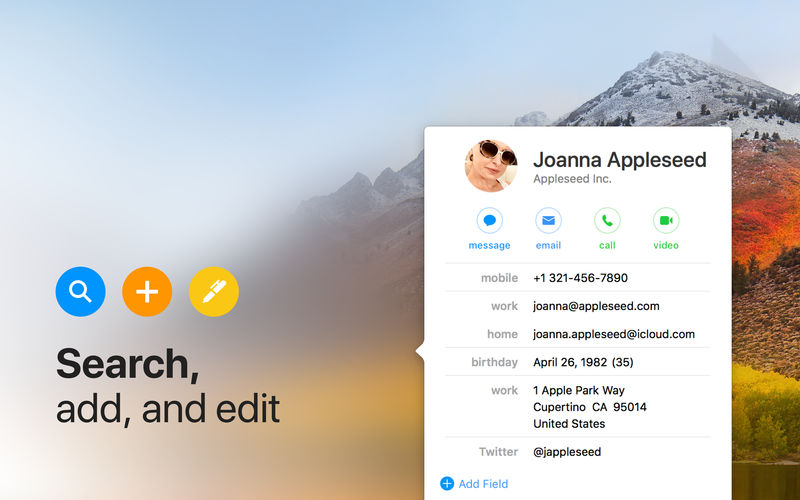
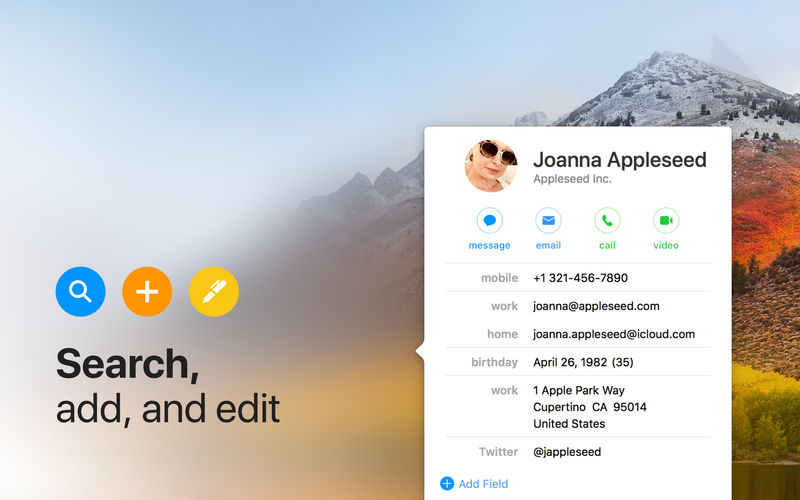
Until now, managing and interacting with your contacts has been a real frustration. Cardhop’s magical parsing engine is incredibly intuitive, letting you search, add, edit, and interact with your contacts using a simple sentence!
FEATURES
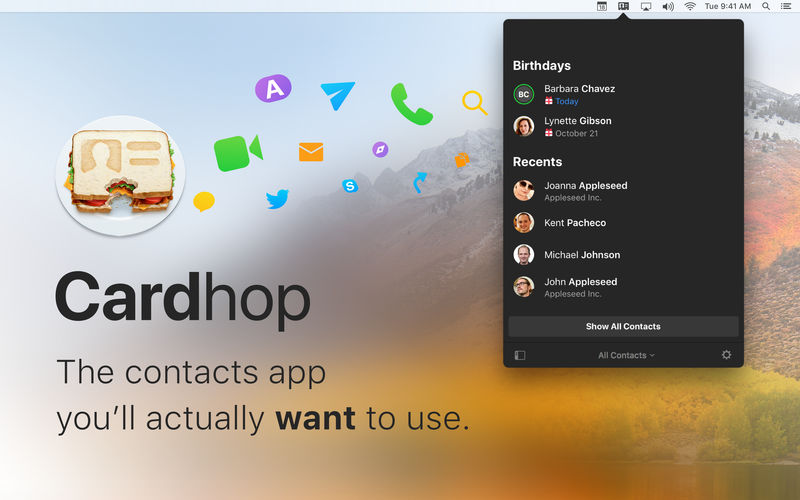
A beautiful and simple menu bar app, designed exclusively for macOS
Instantly works with your existing macOS contacts, nothing to configure
Groups: quickly toggle contact groups with a click
Notes: a convenient and powerful way to add notes to your contacts, helping you to strengthen your relationships
Recents: quickly interact with your recent contacts
Birthdays: instantly see upcoming birthdays and easily send a wish on their special day
iPhone and Bluetooth dialing
macOS Action Extension
Dark and light themes
And much, much more!
POWERFUL ACTIONS
Quickly interact with your contacts with the following actions: Call, Copy, Directions, Email, FaceTime, FaceTime Audio, Large Type, Message, Skype, Telegram, Twitter, URL, and VoIP
Simply enter an action or abbreviation (which you’ll find in the Help Book by entering “?” or “help”) followed by your contact’s name and Cardhop will handle the rest
Even better, some actions are flexible. For example, you can add a subject to an email by entering “email Kent Lunch tomorrow?” and the email including the subject will instantly appear, ready to go!
Customizable quick actions are also available per contact, allowing for single-click actions
What’s New:
Version 2.2.10
Release notes were unavailable when this listing was updated.
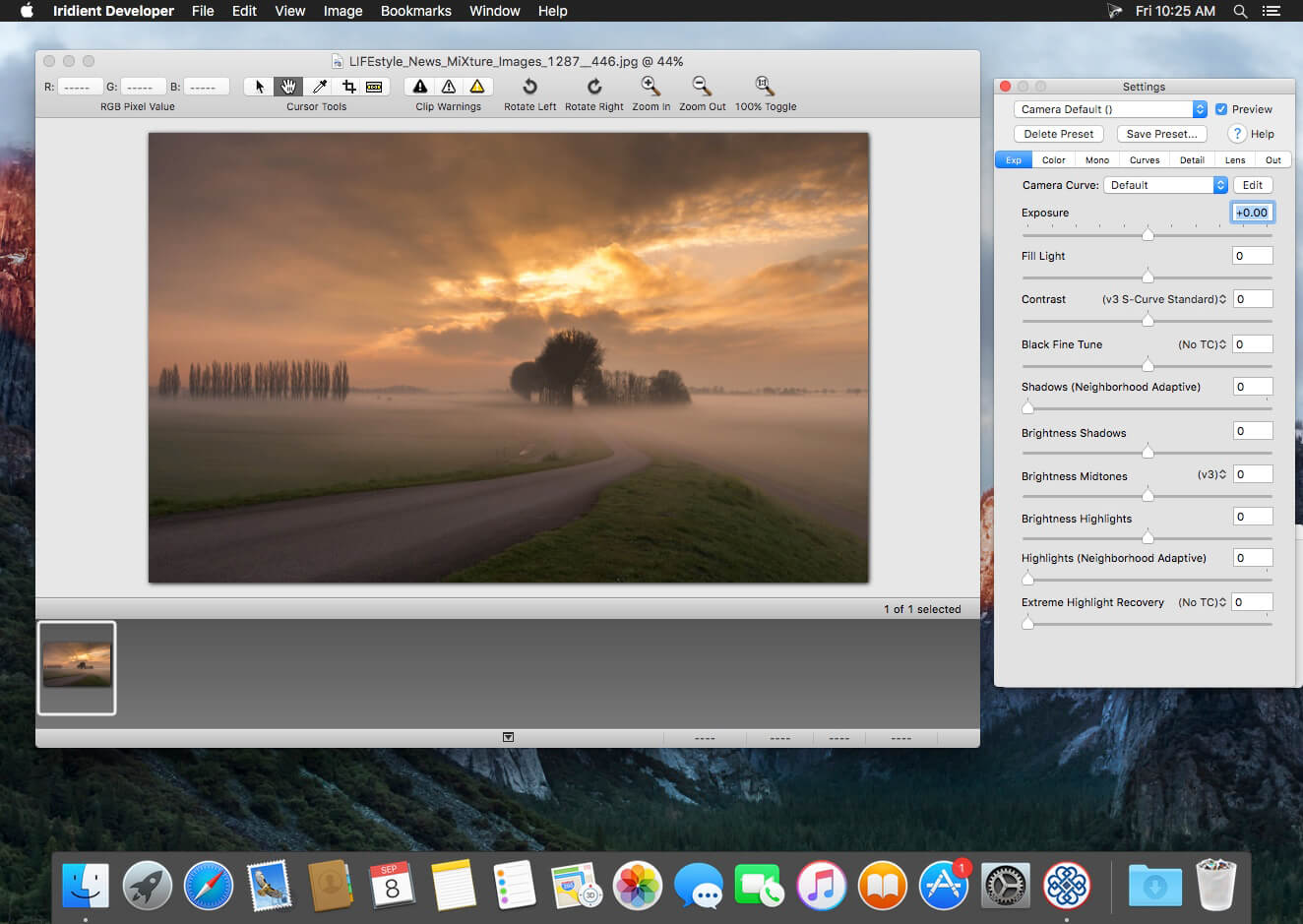
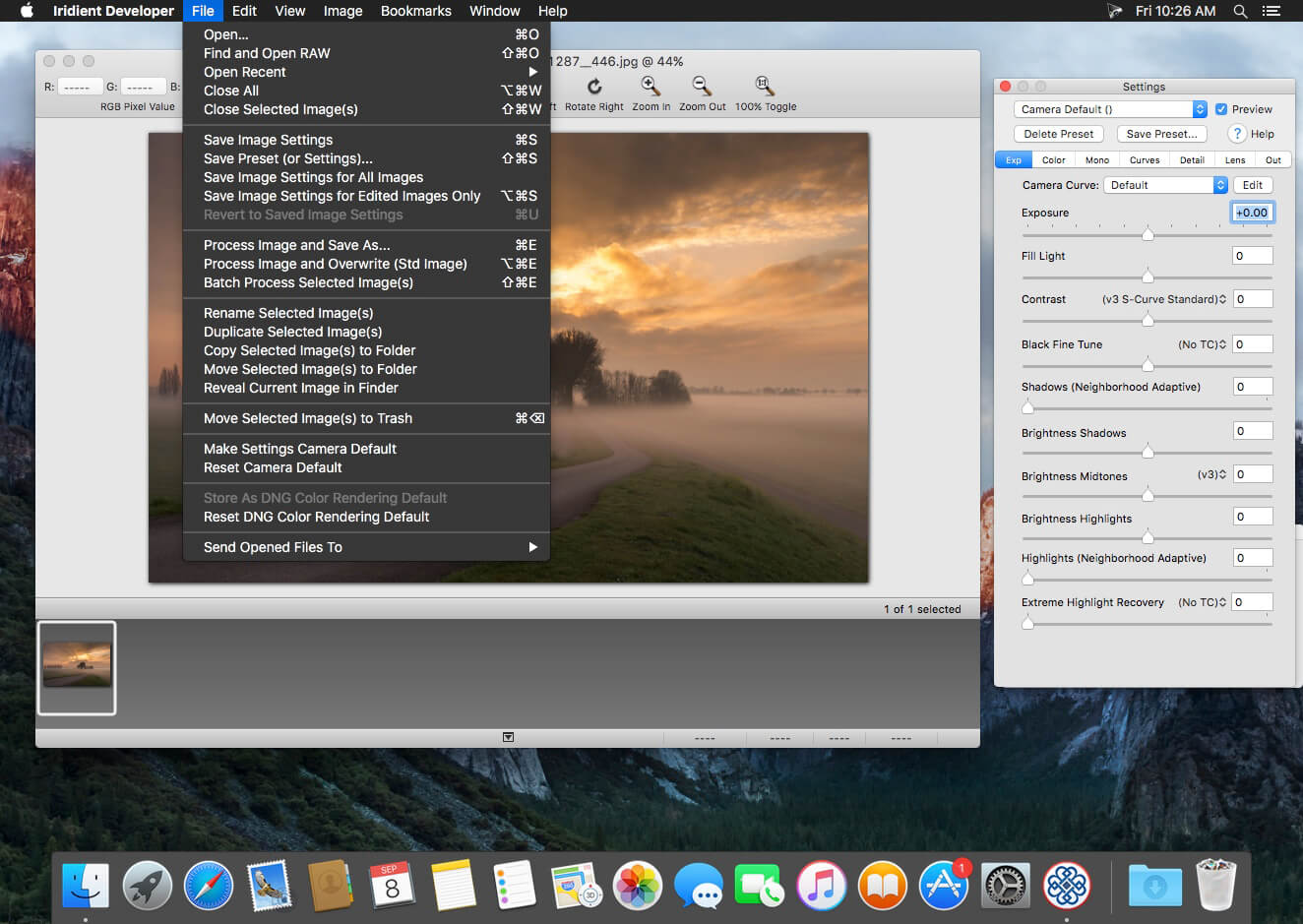
Iridient Developer is a powerful RAW image conversion application designed and optimized specifically for Mac OS X. Iridient Developer gives advanced photographers total control over their digital photographs, yet still provides easy drag and drop batch conversion and access to basic adjustments for the casual user.
Advanced Sharpening and Noise Reduction Algorithms Iridient Developer offers SIX advanced sharpening methods, including “Iridient Reveal”, a “super” sharpener utilizing aspects of both state of the art edge enhancement techniques and deconvolution, traditional unsharp masking, high pass, difference of gaussians, a unique “hybrid” sharpening algorithm and an advanced Richardson-Lucy Deconvolution based method. All are processed in a special 32 bits/channel floating point color space to avoid color artifacts and provide amazing detail. Powerful hot/dead pixel filters and new, state of the art noise reduction methods help eliminate noise, especially from images taken with long exposures or high ISO settings. All sharpening methods also now support advanced edge masking for limiting the sharpening effect to just edge regions while leaving “flat” or low contrast areas of the image unchanged.
High Quality Image Resizing Whether down sizing for the web or producing massive prints for gallery display, Iridient Developer offers a wide range of resizing methods that allow you fine tune the level of output to best suit your own preferences from incedibly high levels of sharpness and detail to smooth, artifact free output.
Fabulously Flexible Camera Color Specification Iridient Developer includes support for just about any camera color specification imaginable from industry standard ICC color profiles to DNG color matrix values to the latest DNG v1.4 camera profile (DCP) specification to camera manufacturer specific color metadata. Iridient Developer provides incedible control over establishing the ideal color starting point for your photos whether you want to use custom camera profiling solutions or simply to match a color look provided by the camera manufacturer or just about any other RAW processing software.
Extensive Image Adjustment Options You’re in total control of every step of the conversion process, fully editable tone curves in RAW, RGB and LAB color spaces, advanced highlight recovery, white balancing, noise reduction, sharpening, exposure compensation, brightness, contrast, saturation and more.
Super Monochrome (Black And White) Conversion Options High quality black and white conversion options including direct access to RAW image color planes, standard RGB channel mixers, perceptual LAB lightness based conversion, luma, desaturation, intensity, custom duotones and other toning options including curves.
Fast, High Quality Image Previews RAW developer allows you to view and make all image adjustments while viewing a full resolution, fully color managed, 16 bit per channel preview.
Advanced Histogram View Supports 256, 512 or an extra wide 1024 levels of detail. Viewing modes include RGB, individual R, G, B channels, all three colors at once, CIE Lightness, CIE Luminance, CIE Chroma (ab), luminosity, hue and saturation.
Fully Configurable Color Management Support for two high quality color management engine options including Apple’s ColorSync and LittleCMS 2.6 which includes full support for the latest ICC v4.3 standard. Ability to specify camera or image specific input profiles, RGB working space profiles for image adjustments and final image output profiles. Automatic support for LAB and chroma color space curves without any manual color space changes.
Unlimited batch processing You can continue making image adjustments while other images are converted in the background. Supports, easy drag and drop image conversion with flexible file naming options and support for multiple file formats including JPEG, TIFF, PNG, JPEG2000 and more.
Multithreaded and vector processor (SSE3+) optimized Iridient Developer takes full advantage of multi-core and multi processor systems and the advanced vector processing capabilities of Intel processors. Highly optimized for all the latest and greatest Mac OS X technologies including Grand Central Dispatch (GCD), 64-bit processing, Core Image, Quartz Extreme and more. All image processing is handled by secondary threads so your real time editing work is never blocked waiting for export processing to complete.
Support for IPTC, XMP and EXIF v2.3 metadata EXIF, IPTC and XMP metadata is supported when exporting to TIFF, PNG or JPEG image formats.
“Processing Disabled” Output Mode Ability to bypass all image adjustments and all color matching operations for fast, high quality export of linear files intended for further processing with other image processing programs or RAW workflows. Also useful for creating non-color matched output for use in generating custom camera or scene profiles with ICC camera profiling software.
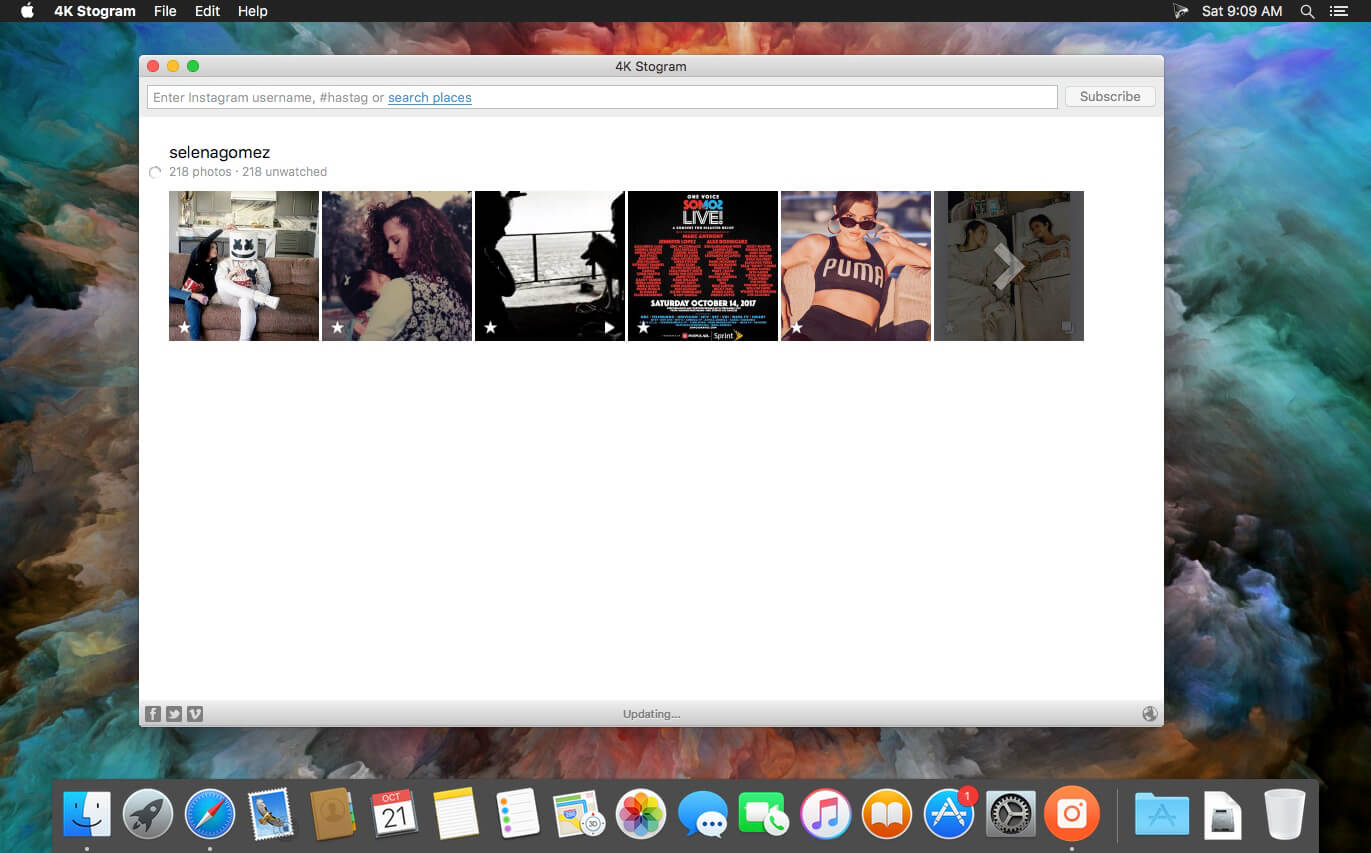
4K Stogram is an Instagram downloader which allows you to download and backup Instagram photos and videos, even from private accounts. Download Instagram photos by hashtags or favorite locations!
Features:
Grab photos of few account simultaneously and save it in JPEG on your desktop.
Follow your favourite photographers and get their latest photos automatically.
Download Instagram Stories as video or image files.
Login with your Instagram credentials and download photos of private friends accounts.
Access to your viewer directly from the application.
Download Instagram video in MP4 format.
Enjoy the minimalistic interface of application.
What’s New:
Version 4.6.2:
Release notes were unavailable when this listing was updated.
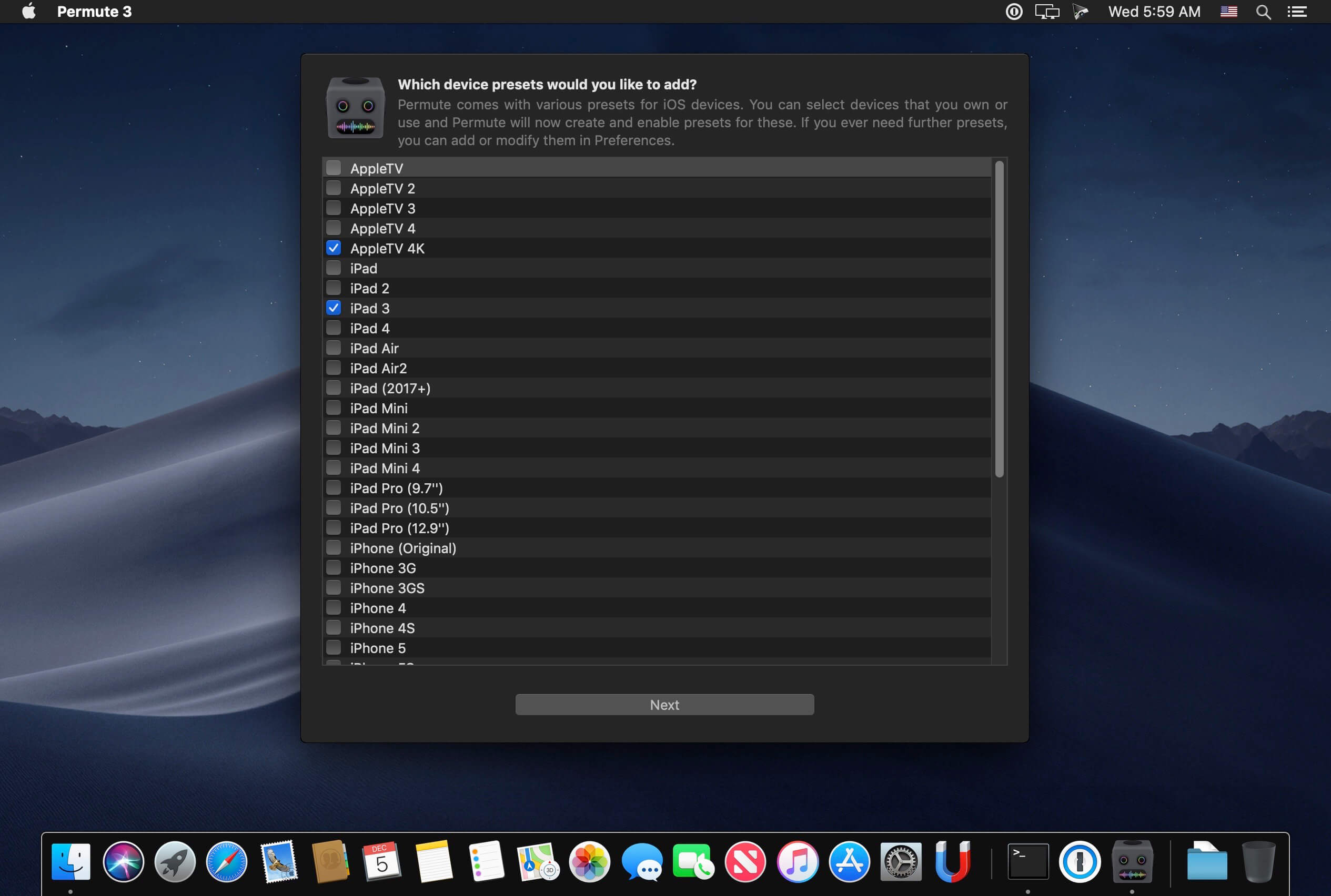
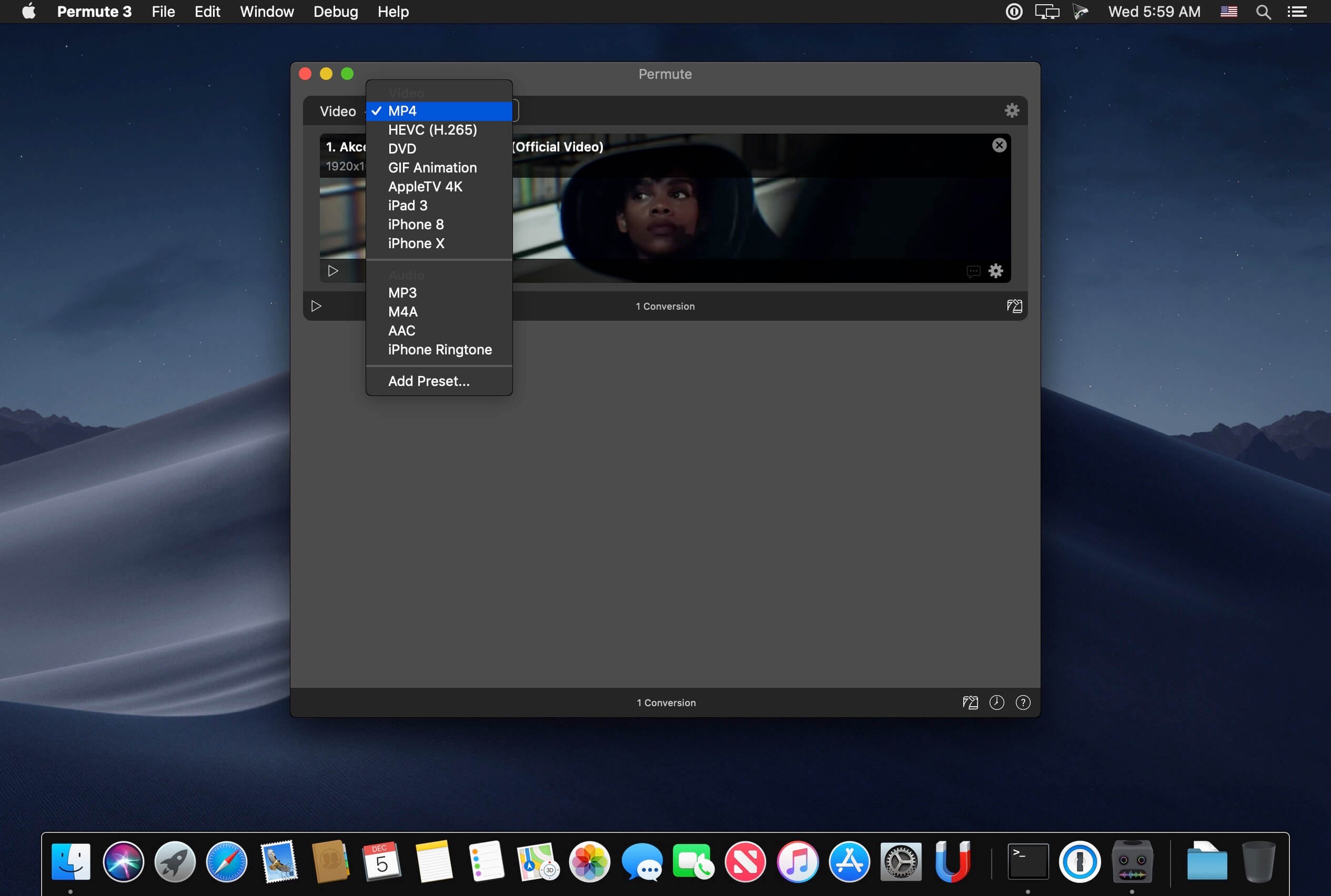
Video, audio and image files come in many different kinds and shapes, but sometimes you need a specific format since your iPad or DVD player won’t play that video. That is what Permute is for – easily convert your media files to various different formats.
Key Features
Easy to Use – built from the ground up, Permute is a perfect example of what a Mac app should be. With a gorgeous interface and drag & drop simplicity no need for complicated options.Video, audio and image files come in many different kinds and shapes, but sometimes you need a specific format since your iPad or DVD player won’t play
Insanely Fast – Permute was engineered to be incredibly fast. Let us take care of the hard stuff. Just select the video format you want and it’ll be done faster than you can say “hardware acceleration” – MP4 and HEVC presets now take advantage of your machine’s hardware acceleration capabitlities, speeding up HEVC conversions more than 3 times over previous versions of Permute!
PDF Support – Permute 3 now includes support for stitching multiple images into a single PDF.
Everything Included – It doesn’t matter if you’re converting home movies or processing images. Permute can do it all. We support nearly every format and have plenty of device presets to choose from.
Looks Amazing – Whether you use dark mode or not, Permute will look amazing. Taking advantage of the modern technologies, Permute will even change its icon in dark mode.
Keep the Schedule – Video re-encoding is quite demanding on computer resources. This is why you can now schedule Permute to convert videos e.g. at night when you’re not using your computer.
And so much more! – There are so many other great features in Permute – adjust volume of an audio file or an audio track in a video. Batch-resize, rotate and flip images and videos. And more!
Completely Rewritten – Permute 3 was started from scratch – completely new project, everything written from the ground up again.
UI Redesign – the UI has been redesigned from the ground up. It’s faster, more fluent and visually pleasing.
Dark Mode – Permute now works 100% with the dark mode, even adjusting its Dock icon based on your macOS theme.
Image Stitching – Stitch images together into a PDF.
HEVC (H.265) Hardware Acceleration – HEVC (H.265) video encoding now supports hardware acceleration, resulting in conversions more than twice as fast.
Screen Recorder for Mac is a powerful tool that allows you to quickly and easily capture your computer screen in high-quality video format. With just one click, you can record the full screen, a designated area, or footage from your camera. Your recordings will be saved in MP4 format, making it easy to share with others.
Key Features:
* Full Screen Recording
* Area Recording
* Camera Recording
* Window Recording
* Voice Recording
* Camera Picture-in-Picture
* Camera Virtual Background (for macOS 12.0 and above)
* System Sound Recording (with separate sound driver plugin download and installation required)
* Mouse Click Event Recording
* Customizable Recording Screen Size
* Selectable Frame Rate
* Adjustable Recording Resolution
* Specified Recording Duration
* Built-In Video Editor
* Customizable Shortcut Keys
Top In-App Purchases: Full (PRO) Version – included
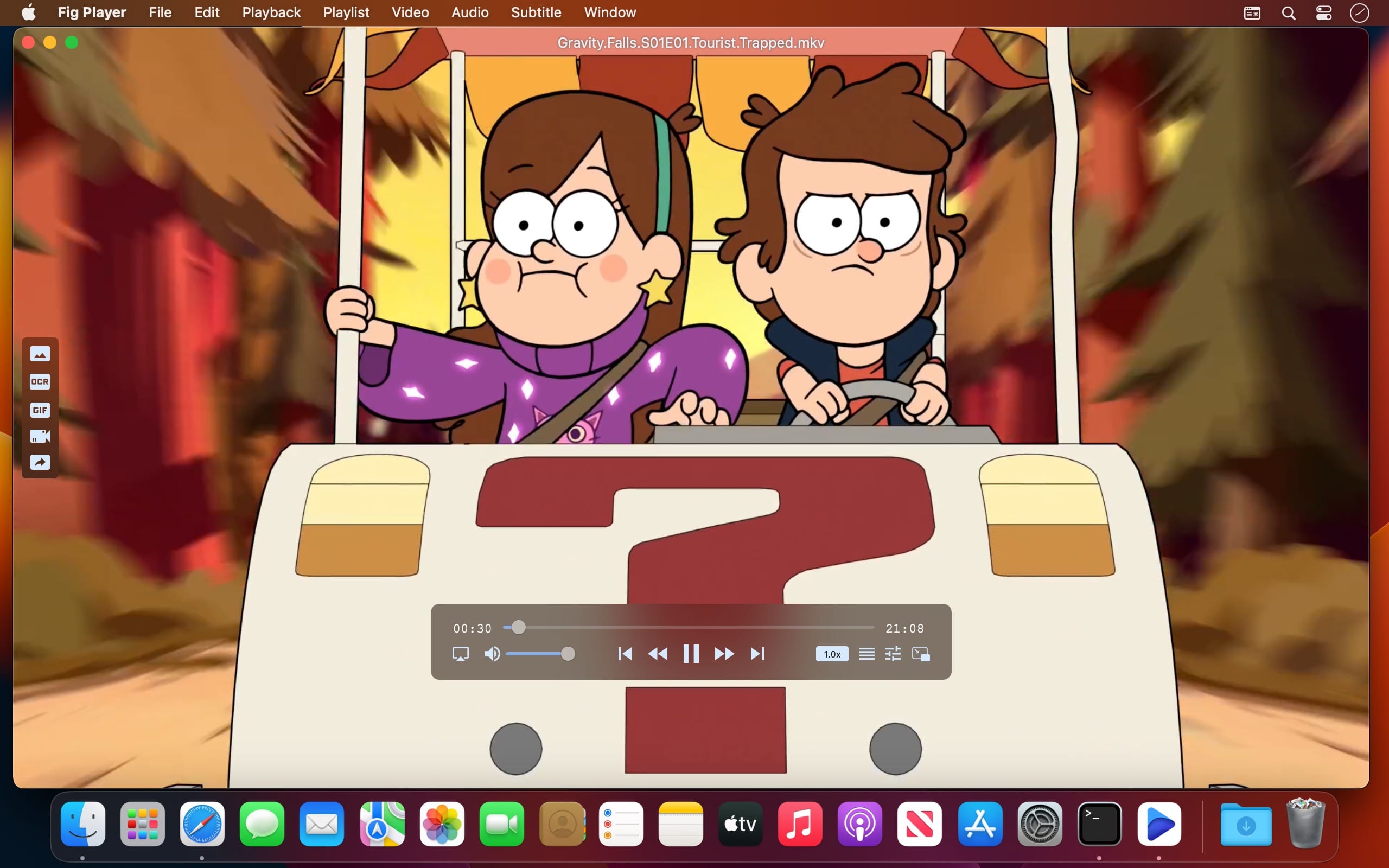
Fig Player, is a media player for Mac that supports a wide variety of media files and allows you to listen to music, watch videos and movies.
If you have an extensive media library but don’t have a good media player for Mac, here’s a good solution. Fig Player. It’s free to use and comes with a friendly interface. On the screen, you’ll be able to see all of the buttons that give you control over your experience, such as the play and stop button, playback options, volume slider, preview section, screenshot, and recording.
More Advanced Features
Smooth, seamless video play, support 4K.
Auto deinterlacing.
H/W-acceleration.
A-B loop.
Frame by Frame playback.
PIP mode.
Support various Subtitle formats(Text subtitles(SRT), Vobsub
and ASS/SSA, etc.).
Choose which one when you have multiple sound output devices.
Create the scene poster with snapshots.
Playlist with upper-level folder name.
Support multiple windows and play multiple videos at the same time.
Support Wireless display to DLNA, Chromecast, Roku devices.
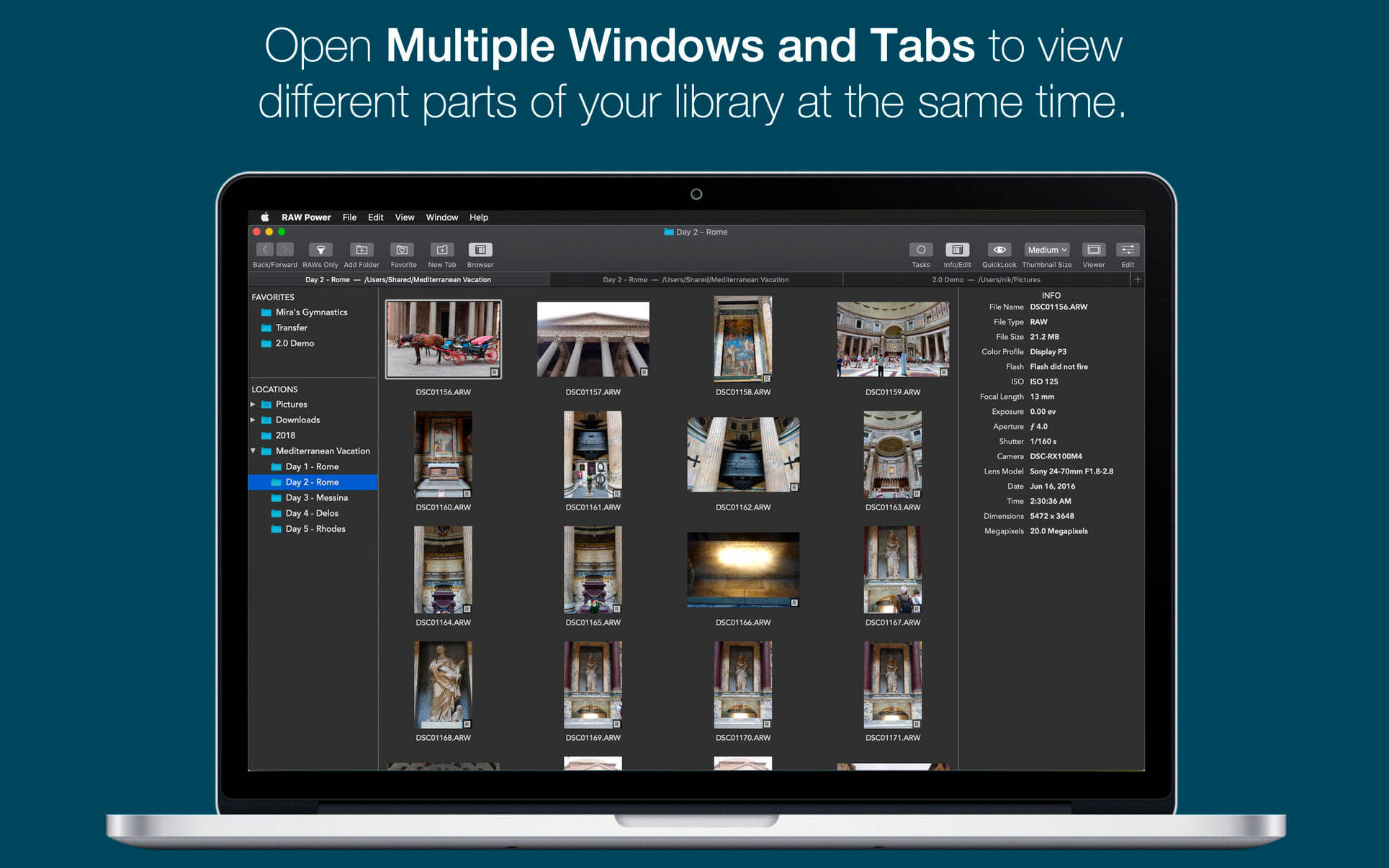
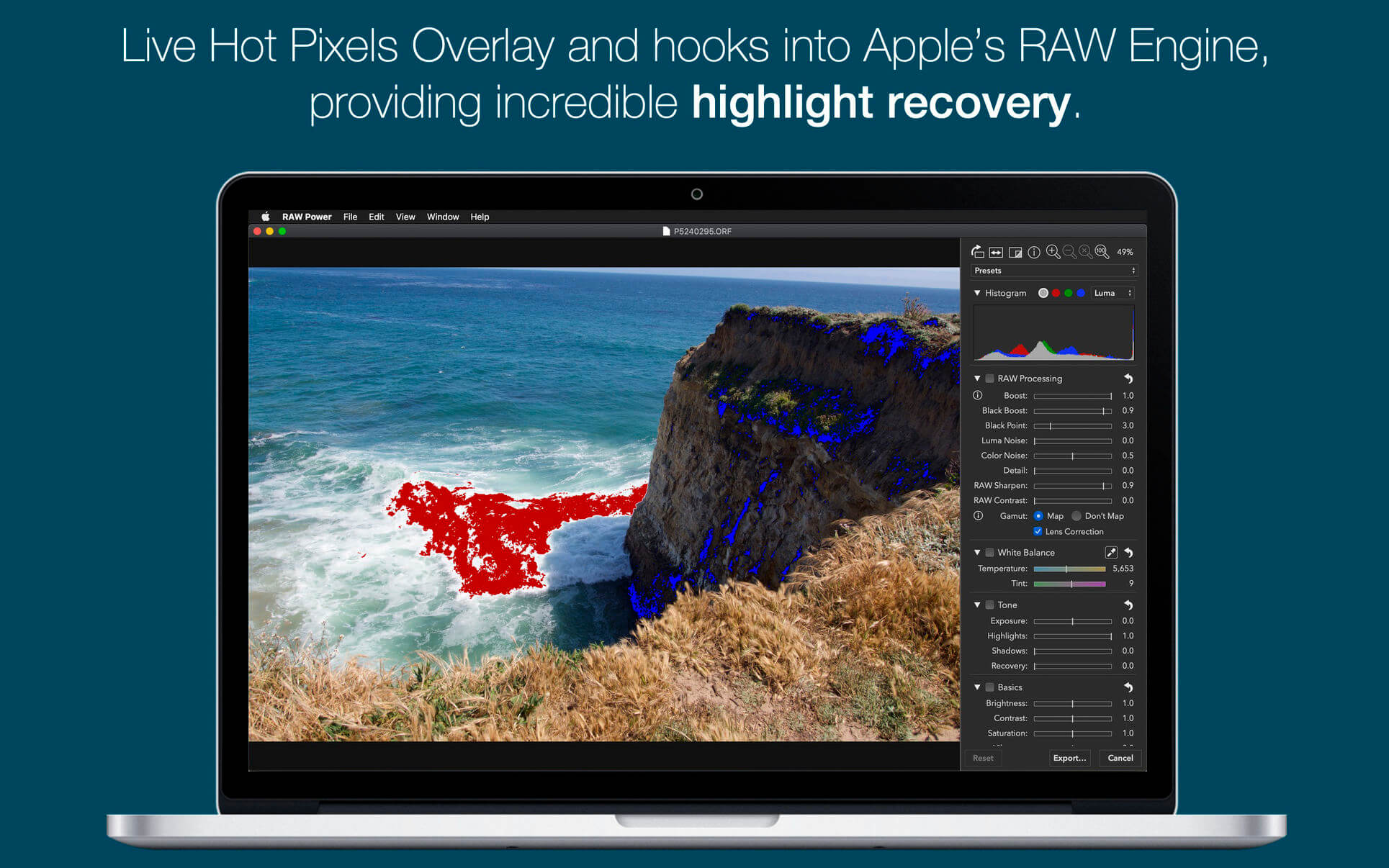
RAW Power® has the best Finder, Photos and iCloud integration of any non-Apple photo app, plus advanced RAW editing, ratings and more.
RAW Power is three tools in one:
A fast, non-destructive image editor app. No need to import – RAW Power can quickly browse any folder on your disk.
An Apple Photos library app. It is also compatible with iCloud Photos, so any Photos library changes you make sync to your other Macs and iOS devices.
A Photos editing extension.
Any way you use it, you get the same impressive editing features. With either app mode, you can rate, flag, and filter too.
RAW Power is great with JPEGs, with powerful adjustments absent from Apple’s Photos (such as LUTs, Depth Effect and Chromatic Aberration)
If you loved Aperture’s advanced RAW processing, you’ll feel at home with RAW Power. Adjustments like Boost, previously only available in Aperture, help you improve your images in ways that simply can’t be done in any other application.
OVERVIEW
ADVANCED RAW: Unlock the power of Apple’s RAW engine (previously only in Aperture). Unique adjustments improve photos in ways impossible in any other app.
ORGANIZE: RAW Power can organize and manage your Photos Library (requires Catalina). Fully compatible with iCloud Photo Library, so library changes are synced.
FINDER SUPPORT: RAW Power is a fast, standalone image editor with the same excellent non-destructive, RAW processing.
RATE & FILTER: Filter by file type, rating, flag, and edit state. Ratings and flags sync over iCloud Photos!
EDIT CROSS-PLATFORM: Start on one device and continue on another using RAW Power 3 for iOS (separate purchase). RAW Power is also a Photos editing extension with all the same adjustments.
BATCH PROCESSING: Apply presets, paste adjustments, and export images. Apply Auto Enhance or Auto White Balance to many images at once.
ORGANIZATION AND DISPLAY
Zoom up to 800% for extremely precise adjustments.
Create Photo library albums, delete images, and arrange images in albums.
View metadata such as file name, shot information, flash status, and location with map.
Browse folders on your disk or albums in your library, pick favorite folders
Multiple Windows / Tabs to view different parts of your disk or library at once
Open and edit multiple files at once
Thumbnail Grid with badges for edit state, file type, rating, and flags
Filter by file type, edit state, rating, flags and tags
Export with control over size, format, profile, and name
Apply Presets, Paste Adjustments, Export, and more with Batch Processing in the background
REAL-TIME EDITING
Compatible with hundreds of cameras, including iPhone RAW. (see https://support.apple.com/en-jo/HT210191). Fuji Compressed RAW is not supported. Supports most DNGs.
Unparalleled highlight recovery. Real-time control of Apple’s RAW, including Noise Reduction, Black Point, Gamut Mapping and more
Auto Enhance, Auto White Balance, Auto Levels and Auto Curves
Histogram with Clipping Indicators and Hot Pixels Overlay
LUTs (Look up tables) with built-in looks and film simulations. Add your own!
Crop and Straighten, Rotate and Flip, White Balance with sampler and auto
Highlights, Shadows, Vibrancy, Local Contrast and incredible Lighten and Darken sliders
Curves and Levels. Curves has Linear and Lab modes, and samplers
Depth Effect to enhance photos shot with the dual camera system
Chromatic Aberration to correct lens artifacts, Perspective, Black & White, Vignette with adjustable center point
Metal-based image processing engine for better performance. High-precision, deep color imaging.
Fully non-destructive editing, with all changes stored in sidecars
All sliders are real-time and GPU accelerated
Customizable Presets and Copy / Paste of adjustments
Camera Presets let you create a starting point for each camera model
EdgeView 3 is fast image viewer has elegant user interface. EdgeView 3 is developed and designed for modern MacOS. It can open various image files such as JPEG, PNG, TIFF, BMP, and RAW file of DSLR, EPS and PDF, AI(Adobe Illustrator). Can open image files in archive directly without extraction.
User can open files, rename files, delete files from EdgeView’s file browser. Also can access to SMB/AFP/FTP network volume.
User can navigate images quickly by using keyboard shorcut, mouse wheel, trackpad gesture. EdgeVew show EXIF information, play animation GIF/PNG/WebP smoothly. Save last status to history, and restore when reopen file.
EdgeView 3 will be the best choice when viewing and managing image files.
Features
Rewrote full code as Swift for improve performance.
Support m1 CPU Mac.
Has easy UI, can control main function at Sidebar.
Support English/Korean/Japanese/Chinese(Simplified).
Image Viewer
Supporting image files such as JPG, GIF, BMP, PSD, TIFF, RAW, WEBP and PDF, EPS, AI(Adobe Illustrator), OpenEXR, HDR, TGA.
Can play animation GIF/PNG/WebP. User can control animation with floating animation controller.
Dispaly internal image(or frame) of animation GIF/PNG/WebP or HEIC that has multiple internal image.
Can read and show images of major archive formats (such as ZIP, RAR, CBZ, CBR, 7-zip) without extraction. Of course, can open ZIP file that 4GB over.
Can read encrypted archive file.
Can read archive file in archive file recursively
Improved draw speed by rebuilt image cache system and drawing engine.
Draw images as high quality.
Provide suitable functions for comic reading such as ‘Two-Page Spread’, ‘Continuous Scroll mode’, ‘Right to Left’, etc.
Provide multiple navigation functions like as ‘Move’, ‘Skip’, ‘Shift’, etc.
User can navigate images and check whole thumbnails at Thumbnailsbar.
User can navigate images by using keyboard shortcut, mouse wheel, trackpad gesture.
Can rotate and flip images. Orientation will be saved to history.
User can select part of images, and copy it or save as file.
Can zoom in/out image freely.
Built-in loupe function to make it easier to magnify part of image.
Show histogram.
Show neighbor files list. And can open neighbor file.
Support history feature for saving and restoring last status of file.
Can reopen file or remove history at history list.
Can rate image files.
File Browser
Built-in file browser can show and open files from local drive or AFP/SMB/FTP network drive.
Can display files as lists or icon.
Show images in folder/archive file at preview panel.
Generate thumbnails of archive files and folders.
Support powerful search feature.
Show category and writer information.
User can sort files by various options, and can delete or rename files.
Can rate files or folders.
Others
Support customizing feature. Also user can change shortcuts.
Built-in Quick Look Extension generate thumbnails and preview of archive files at Finder.
Magic Battery supports all Apple input and audio devices. Battery information will be shown in the menu bar and the main window.
The App Magic Battery shows the battery level of supported input devices and headphones that are connected via Bluetooth in the menu bar. Internal batteries are also supported.
The following devices are supported:
Input devices:
Apple Magic Mouse
Apple Magic Mouse 2
Apple Magic Trackpad 2
Apple Wireless Keyboard
Apple Wireless Trackpad
Logitech MX Anywhere 3
Headphones:
AirPods
AirPods Pro
AirPods Max
Beats Solo 3
Beats X
Beats Studio 3 Wireless
Other devices:
Apple iPad (all models)
Apple iPhone (all models)
The app features:
Modern GUI for displaying connected devices and their battery levels.
Shows the percentage of the internal battery including how long the battery will last.
You can choose between a detailed, a compact or an icon-only view. In the detailed view, the battery level is shown next to the device icon. In the icon-only view, the battery levels are shown once the menu of the app is opened. The compact view shows all the information in a way that very little space is used.
Apple Silicon support.
Connected or disconnected devices are detected automatically. The view is then adjusted accordingly.
Receive notifications when the battery level of a device is reaches 20%.
Support for auto-start: The app is started as soon as the user is logged in (optional).
All products that are supported and were listed above are a registered trademark of Apple Inc.
Live Wallpaper & Themes 4K allows you to use live wallpapers on your desktop/screensaver. It provides thousands of live wallpapers in the Workshop while taking as little system resources as possible. It’s the Wallpaper Engine for Mac.
Feature:
2000+ hand-picked videos which are updated every day.
Multiple types of 4K Ultra HD videos, anime, scenery, cute, game, creative, Beauty, Ancient, Movie, etc.
Supports “keyword searching” in videos.
Supports “Dynamic-ScreenSaver”, personalize your lock screen.
Easy to import local video.
Supports The playlist, list loop, shuffle loop.
Supports multiple screen aspect ratios and video native resolutions.
Set different wallpapers on different displays.
Manual control, video pause, resume and mute.
Break reminders, with flexible customization if you want it.
Supports global hotkeys to control wallpaper, hide desktop icons and show screensaver.
Auto mode, pause the video when other apps are active, not disturbed at work.
Auto mode, pause the video when Power Disconnected.
Support for hiding desktop icons.
Live Wallpaper Engine is designed to provide an interesting experience while consuming as little system resources as possible.
Jump Desktop is a remote desktop application that lets you securely connect to any computer in the world. Compatible with both RDP and VNC, Jump Desktop is secure, reliable, and very easy to set up.
Easy setup and reliable:
Jump Desktop is very easy to configure; anyone can do it! Just visit: https://www.jumpdesktop.com on your PC or Mac, click the ‘Automatic Setup’ link and follow step-by-step instructions. You’ll be up and running in no time.
Secure:
Jump encrypts the connection between computers to ensure privacy and security. Automatic connections are always encrypted by default. Supports NLA, TLS/SSL encryption for RDP. SSH Tunnelling and SSL/TLS encryption for VNC.
Supercharged Productivity:
Use Mac keyboard shortcuts in Windows. Seamlessly switch between computers without changing the way you use the keyboard. Vastly improves productivity. Fully customizable: Configure your own shortcuts or use the built-in defaults. No other app comes close.
Integrated into macOS
Quickly search and launch computers directly from Spotlight. Tightly integrated into macOS’s power saving technology to give you the best battery life on the go. Tabbing support.
Super fast and beautiful:
Powered by one of the fastest VNC and RDP engines on the planet. Multi-core, hardware accelerated rendering for zippy performance. Optimized for MacBook Pros and iMacs with Retina display
Features:
Multi-protocol: supports RDP, VNC and Fluid Remote Desktop
Full international keyboard support for RDP, VNC and ARD
Dictation support (Mountain Lion and later)
Tabs (macOS Sierra and later)
3 different ways to zoom and pan the remote screen (really useful when controlling multi-monitor remote systems from laptops)
Easy and secure setup: Automatically configure your PC or Mac for remote access without worrying about your router settings. Set up as many computers as you like and manage them all using your Google account (optional)
Built-in SSH tunneling for RDP and VNC connections
RDP features:
Tested on: Windows 2000, XP, Vista, Windows 7, Windows 8, Server 2003, Server 2008, Server 2008 R2, Server 2012/R2/2016, SBS Server, Windows 10
RD Broker and Load balancer support
RD Gateway support
Dynamic resolution updates (Win 8.1/2012 R2+)
Desktop Scaling (Win 8.1/2012 R2+)
Multi monitor support
Secure: 128-bit RDP, TLS/SSL, FIPS and NLA authentication supported
Printing redirection support (including a optional , super-fast server side-driver)
Audio streaming
Console sessions
Folder sharing
International keyboard layouts
VNC features:
Tested with macOS 10.5+, TightVNC, RealVNC, UltraVNC, Linux (Ubuntu Remote Desktop)
Secure: Supports SSH tunneling as well as SSL encryption (SSL only available when using automatic setup)
Black and white, Grayscale, 8-bit and 16-bit color modes to help manage bandwidth
Clipboard syncing
Multiple monitor support
What’s New:
Version 8.9.11
“Fullscreen on All Windows” could not be selected for RDP connections
Apple Silicon optimizations when running multiple simultaneous Fluid connections
Adds an option is preferences to enable the Apple Menu
A beautiful online video downloader for your Mac PullTube proposes a streamlined workflow for quickly downloading videos from YouTube or Vimeo, provides control over the output quality, and enables you to extract the audio to MP3 or M4A files. The PullTube app can handle videos of any duration or size, and you get to monitor the download progress within its main window. The utility also integrates with the Notification Center to send completion alerts.
YouTube and Vimeo
Supports Youtube and Vimeo. More platforms to be added upon user requests.
4K, HD and 60fps support
PullTube allows you to download video in any format available
Video to Audio
Convert and save videos to mp3 and m4a
Beautiful and Flexible Interface
Nice looking, dark user interface
What’s New:
Version 1.8.5.16:
Release notes were unavailable when this listing was updated.