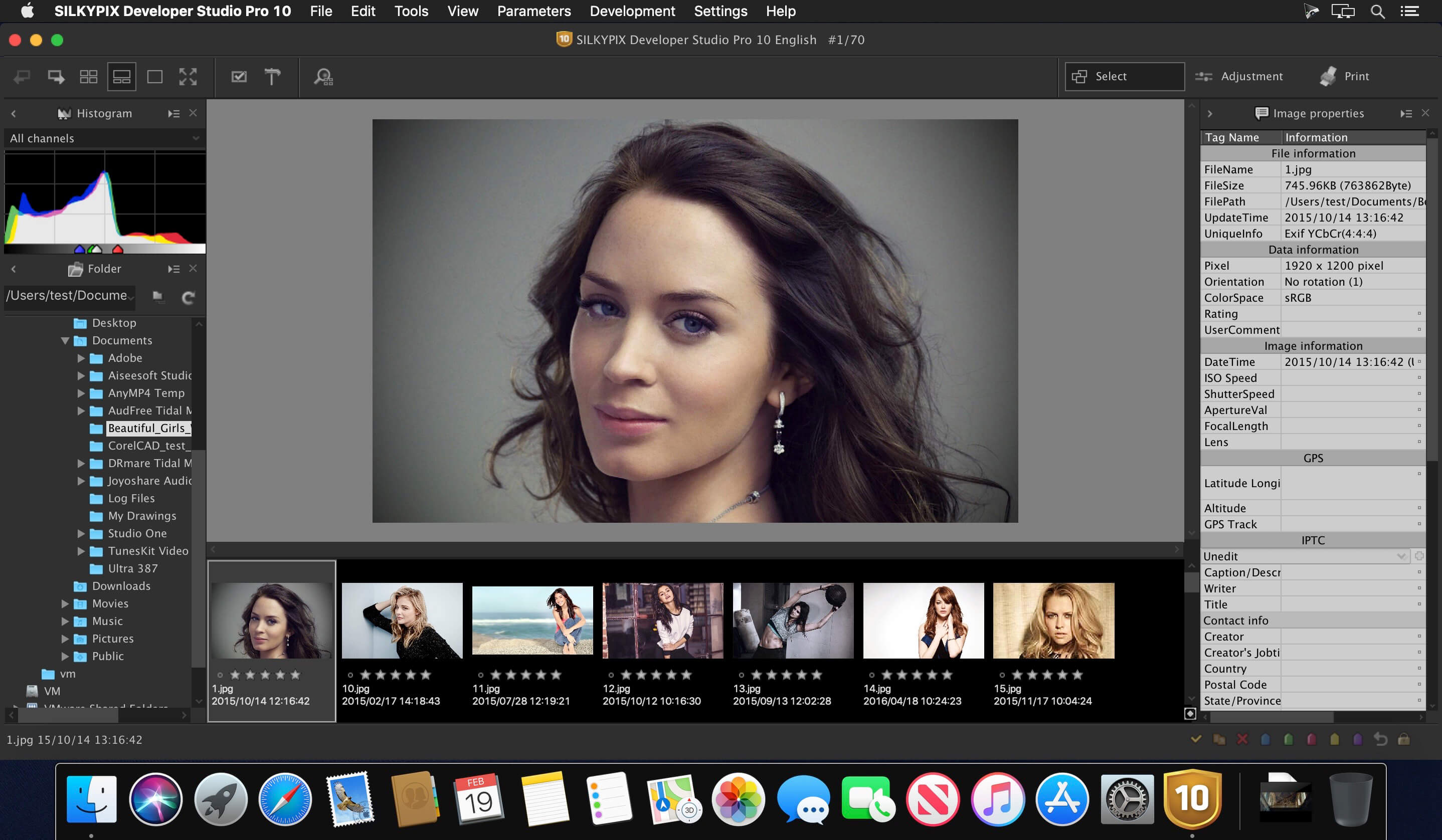
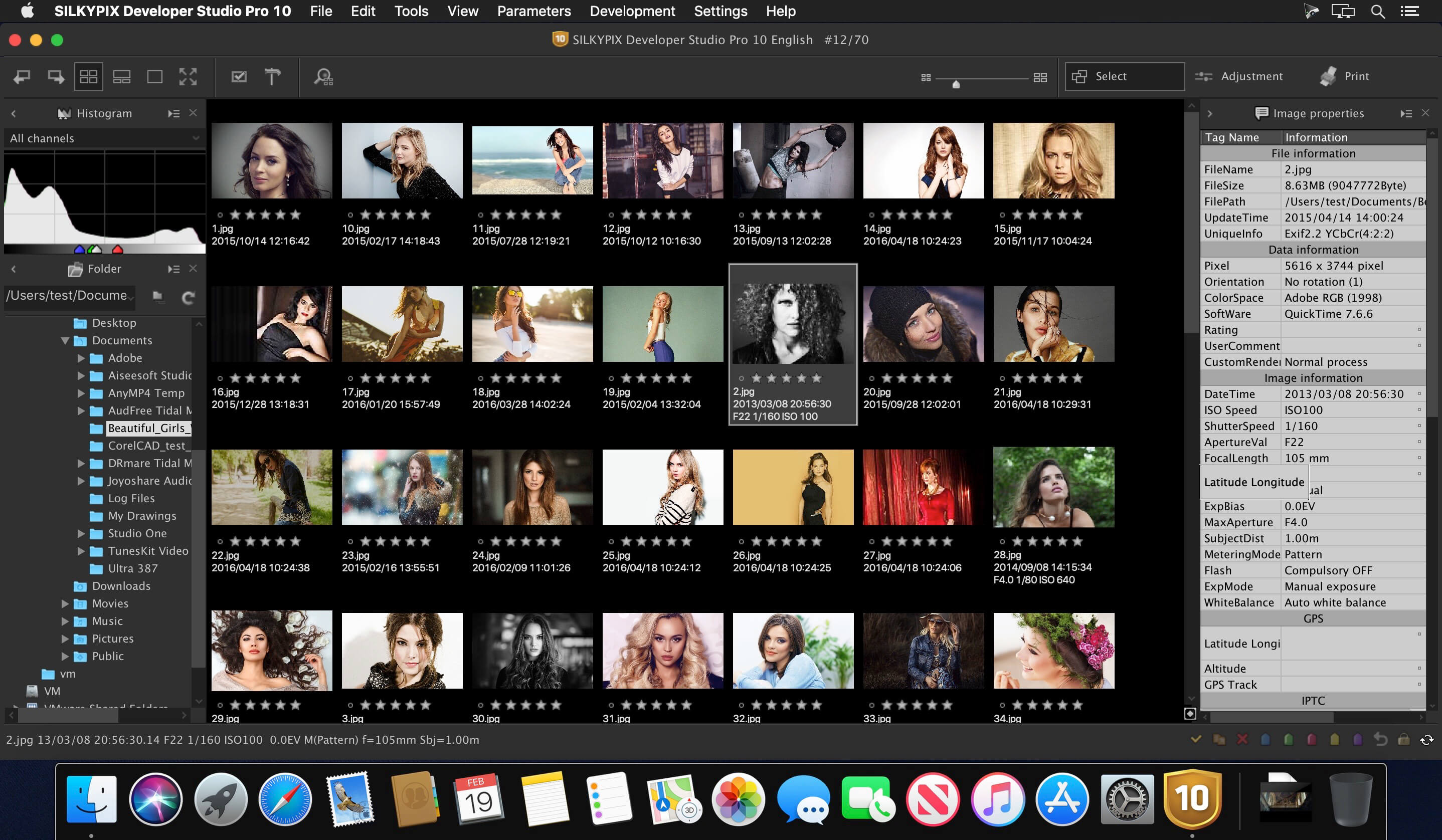
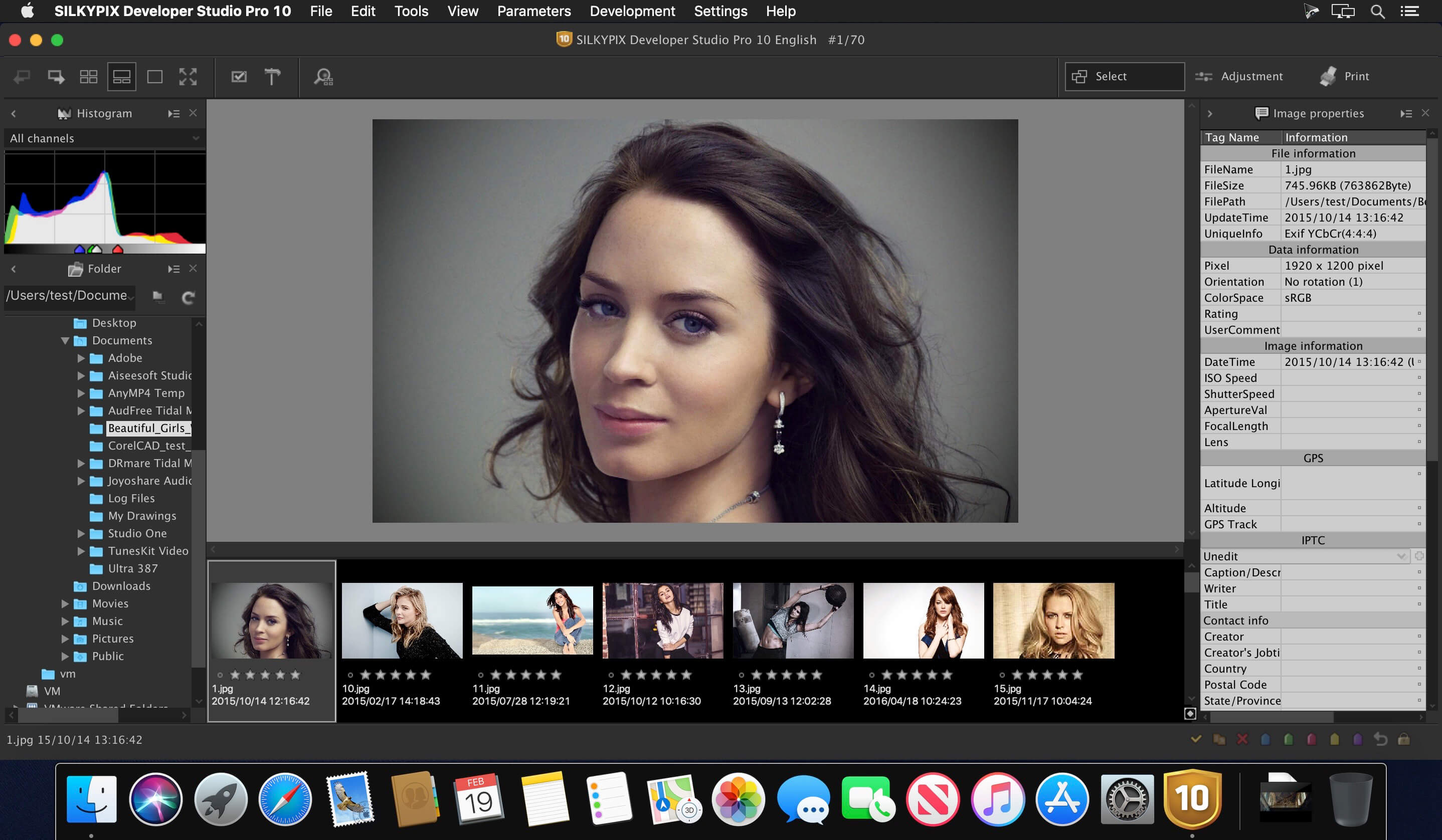
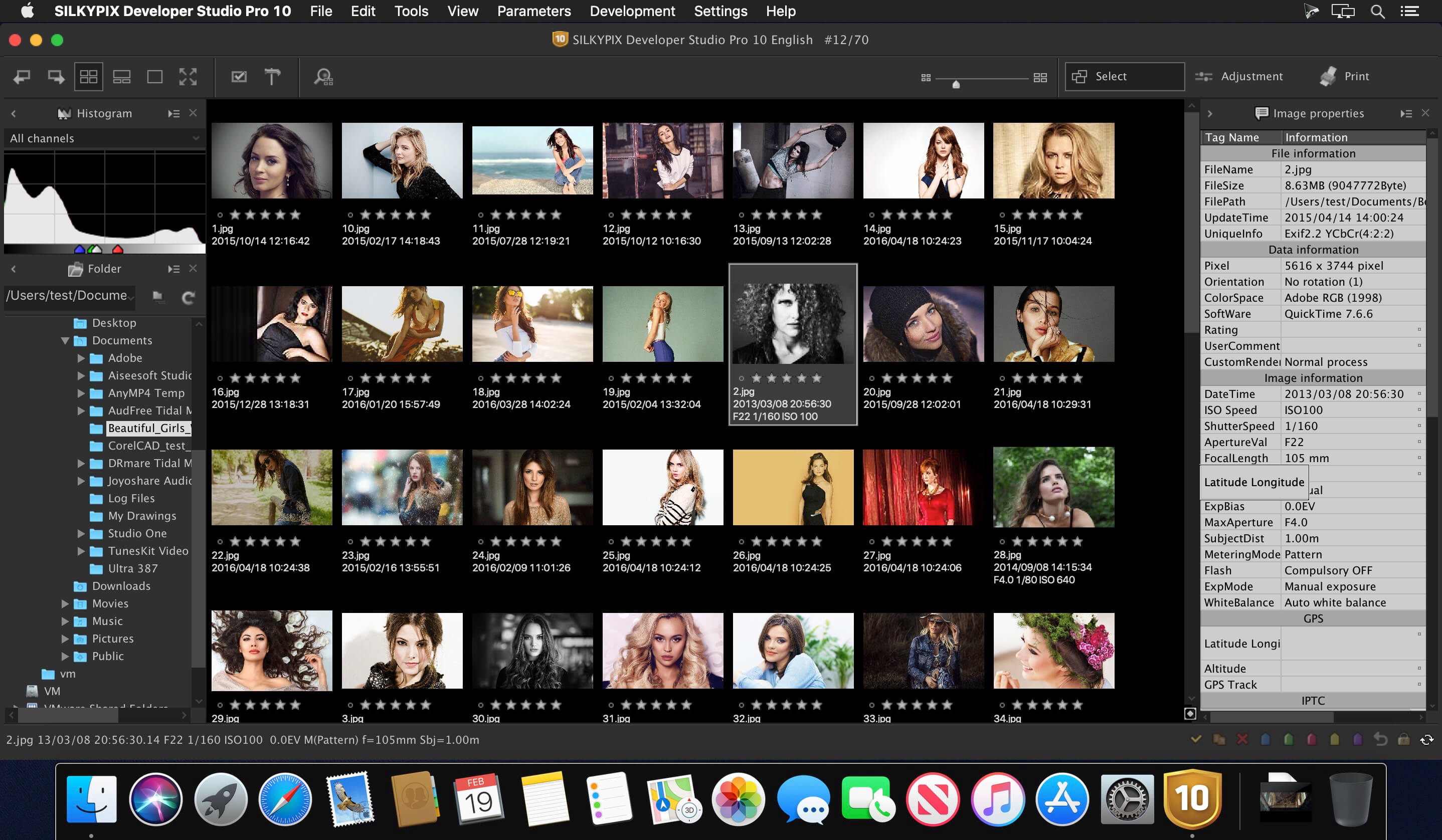
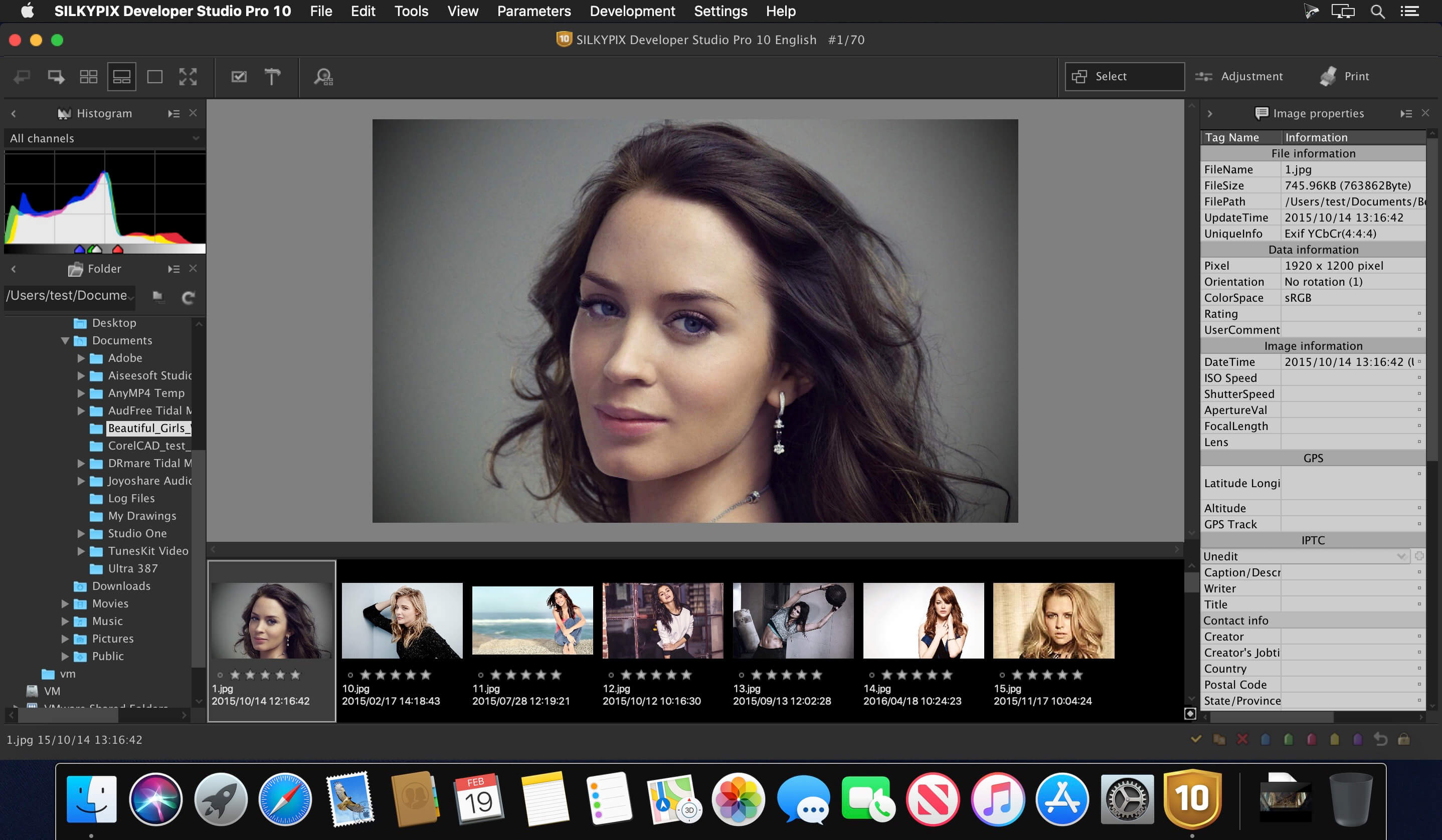
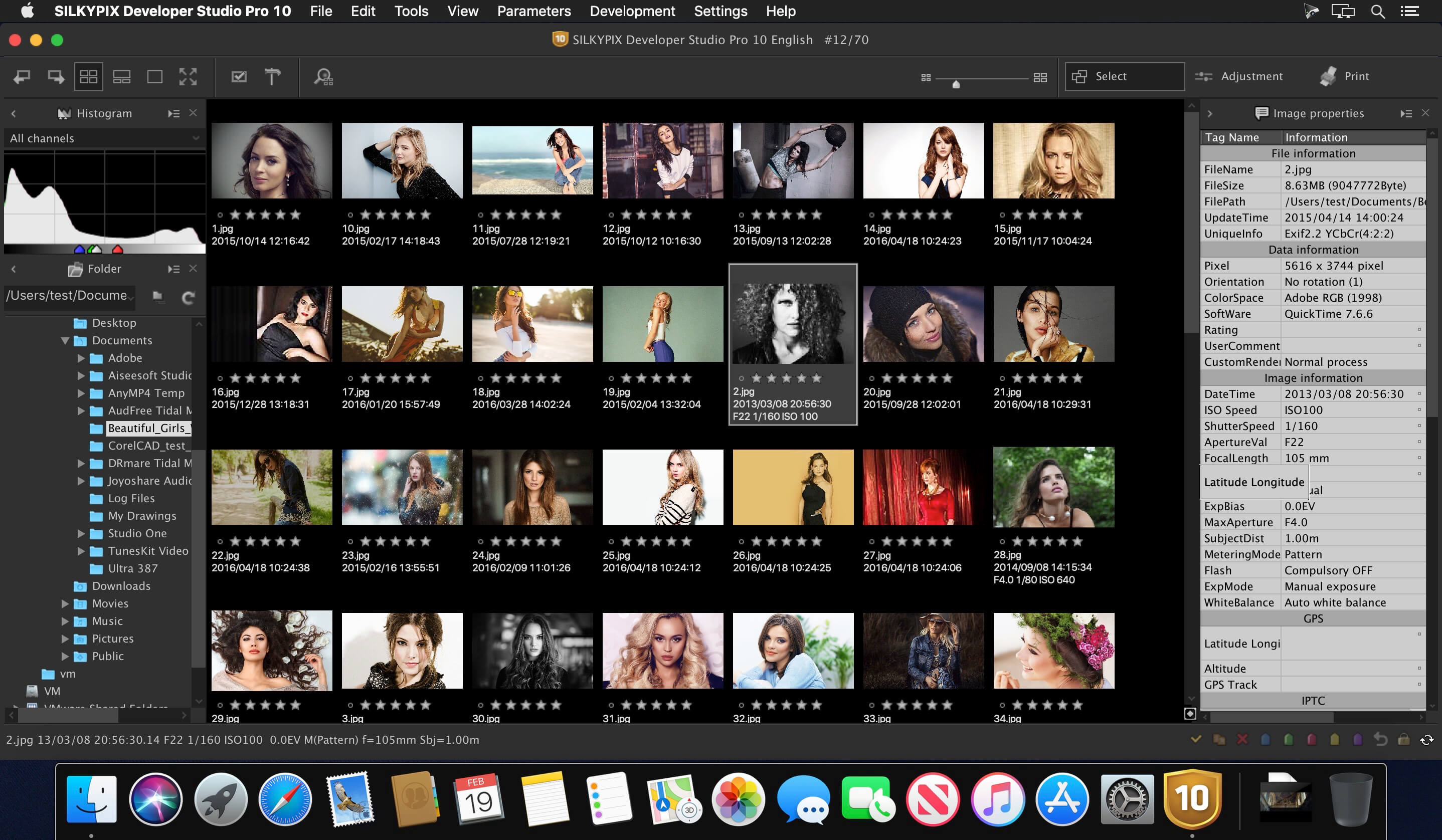
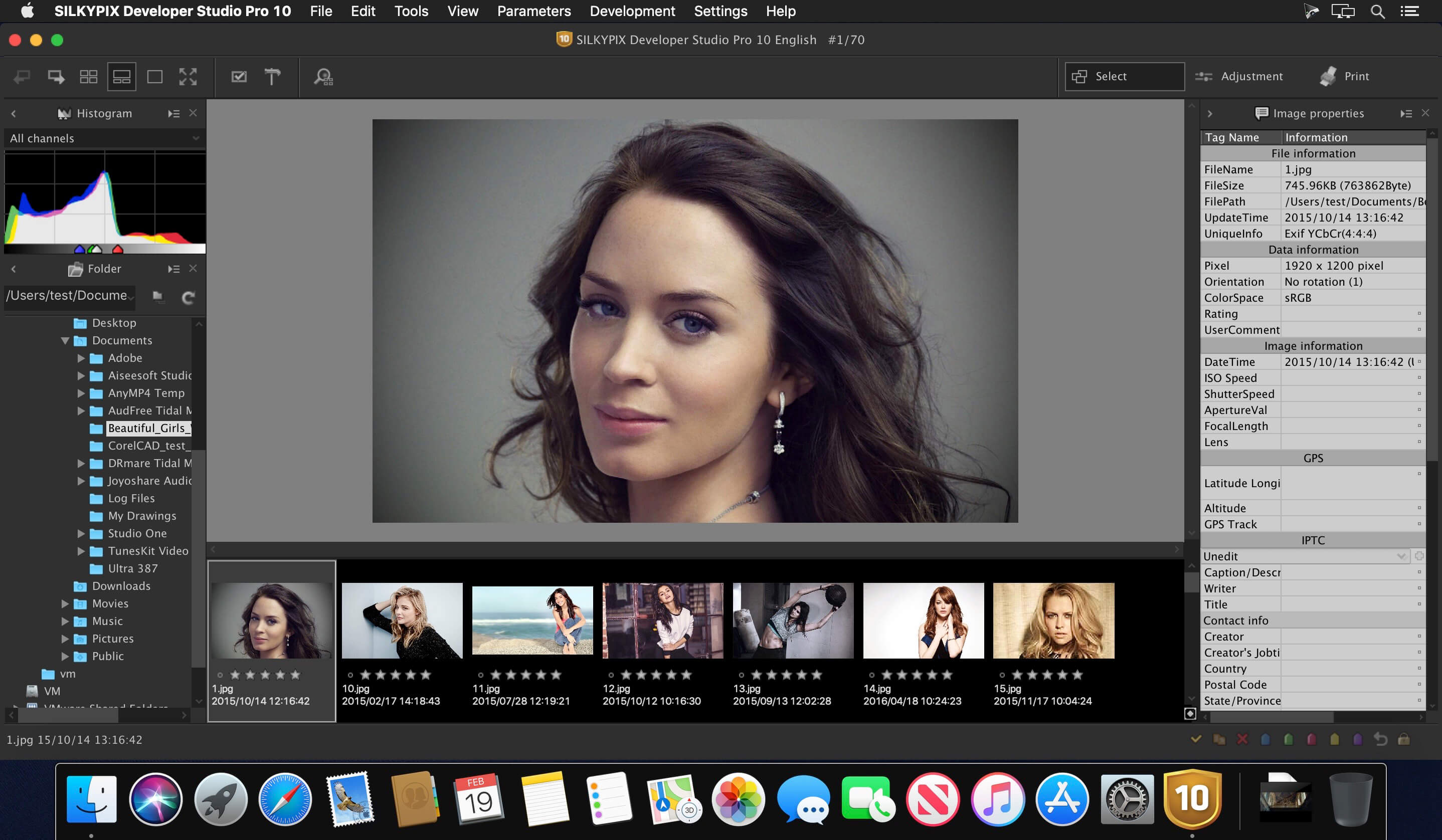
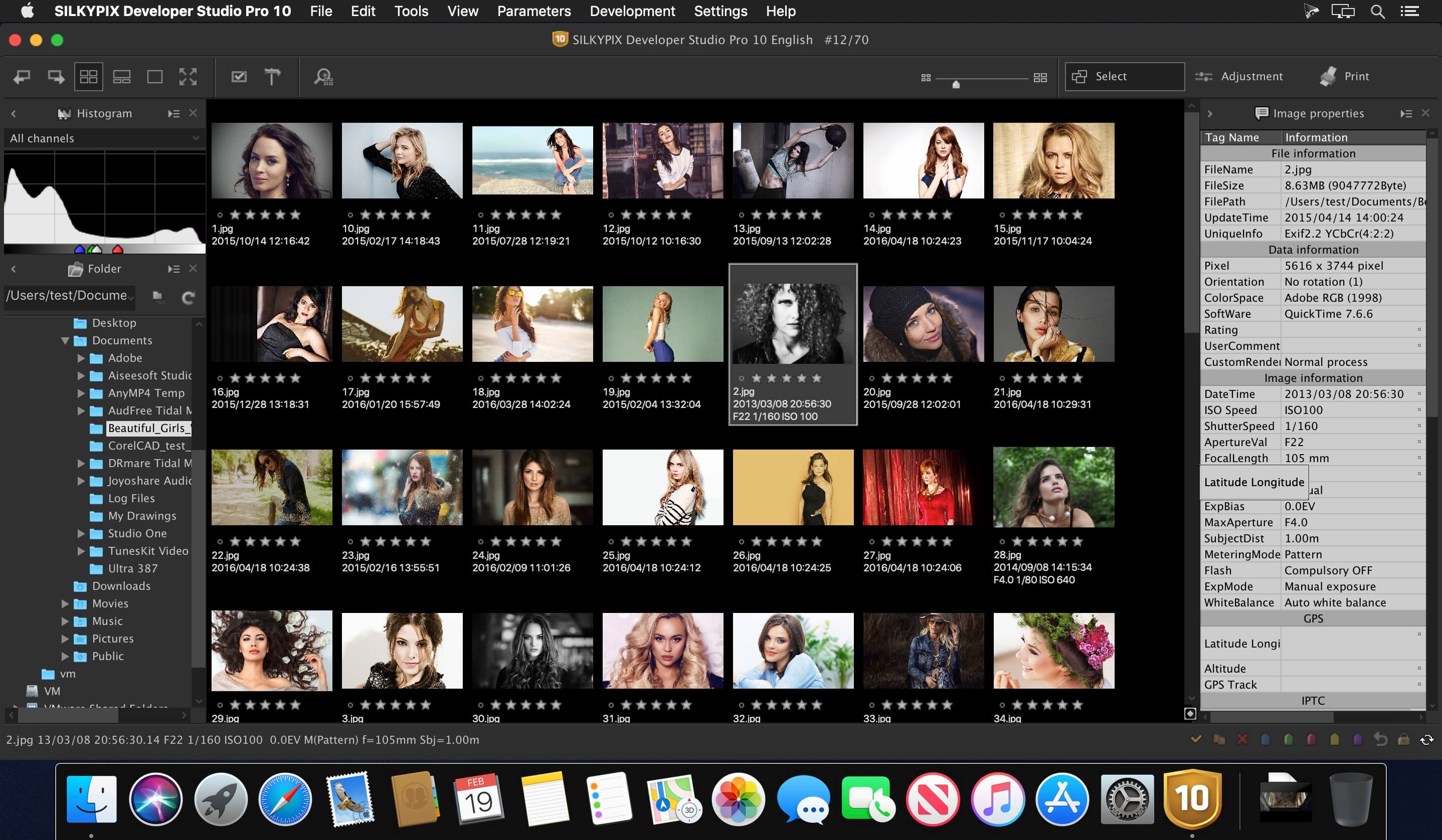
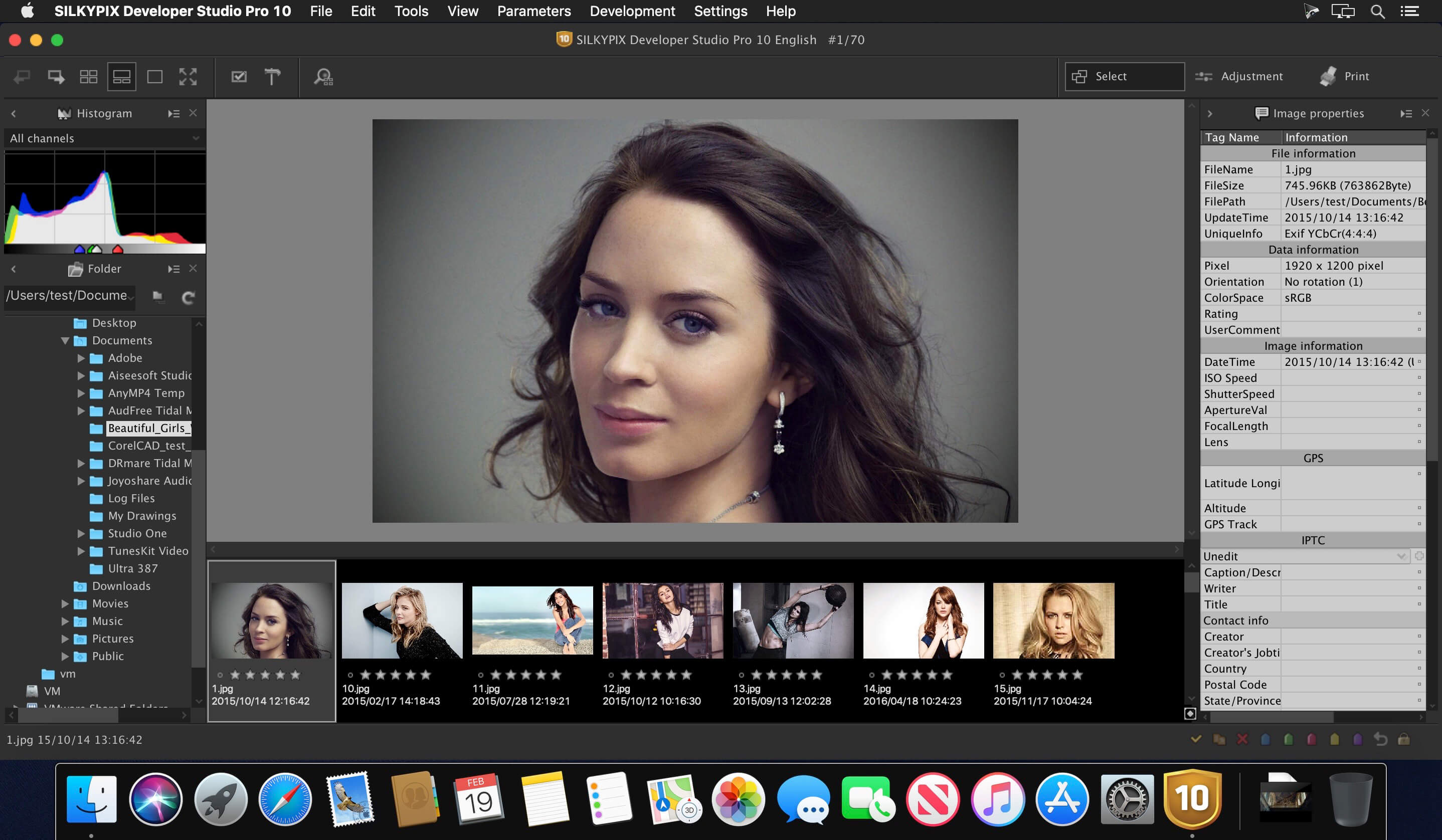
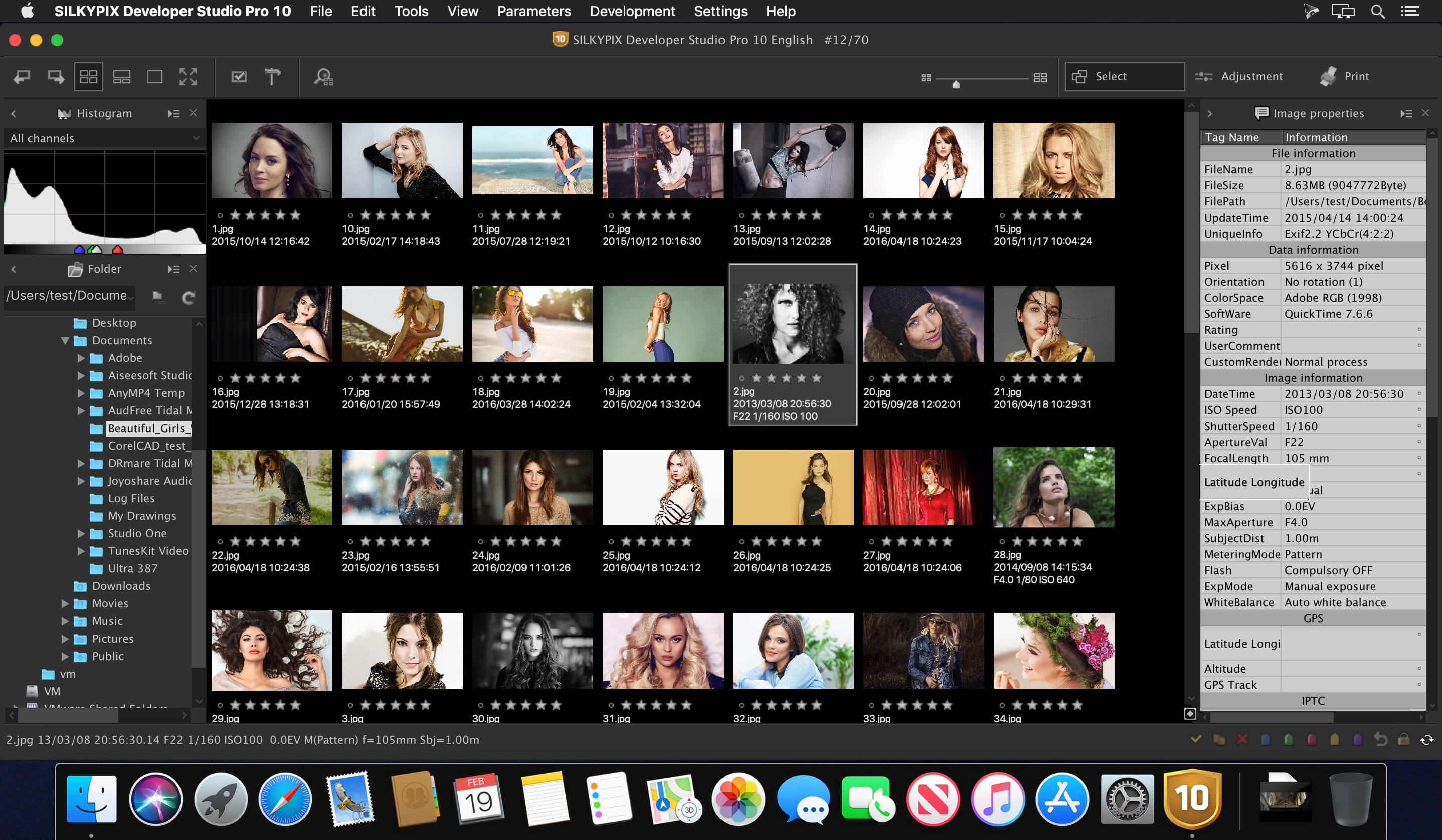
SILKYPIX Developer Studio Pro 11 for FUJIFILM is for a FUJIFILM camera limited special edition.
Those are the RAW development softwares that strongly supports you in creating your own photo works by its various adjustment functions, such as the “Compositing modes,” “Partial correction tool,” and “Dehaze” included in the Pro11 professional edition. Only existing FUJIFILM or Panasonic cameras are supported, and the sales period is also limited, affordable price has been realized.
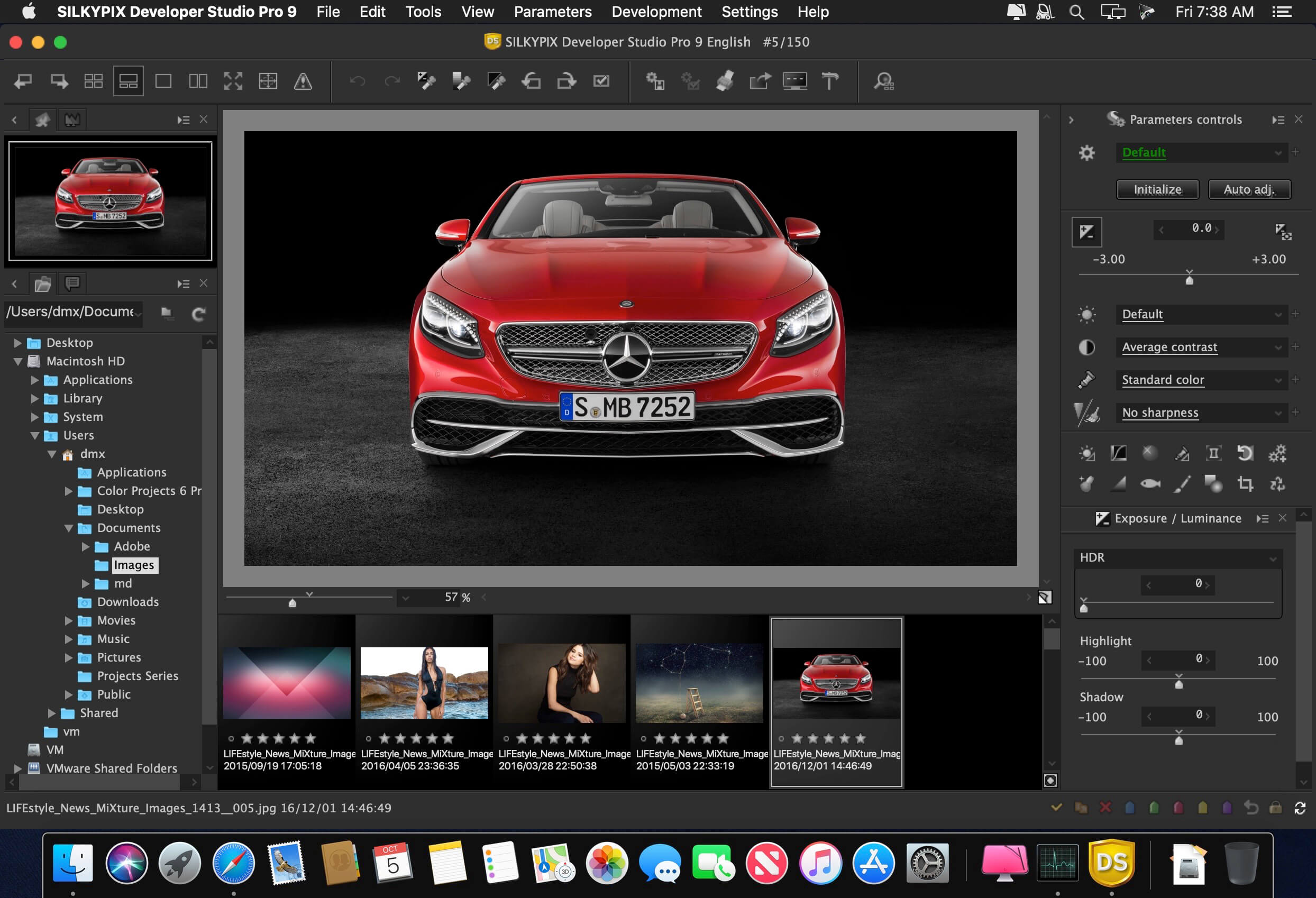
SILKYPIX Developer Studio Pro adds new functions that were highly desired in addition to the rich features of SILKYPIX so far
• Tone- Dehaze Slider
• Exposure bias-Highlight / Shadow slider
• Lens aberration correction – Distortion correction function by lens profile
• Lens aberration correction – Distortion correction function using simultaneous recording JPEG
• Effect – Blurred / Sharp periphery
• Partial correction tool – Curve / Polygon area selection / Select color to be corrected
• Automatic adjustment button
• Noise Reduction – Level of shadow noise reduction
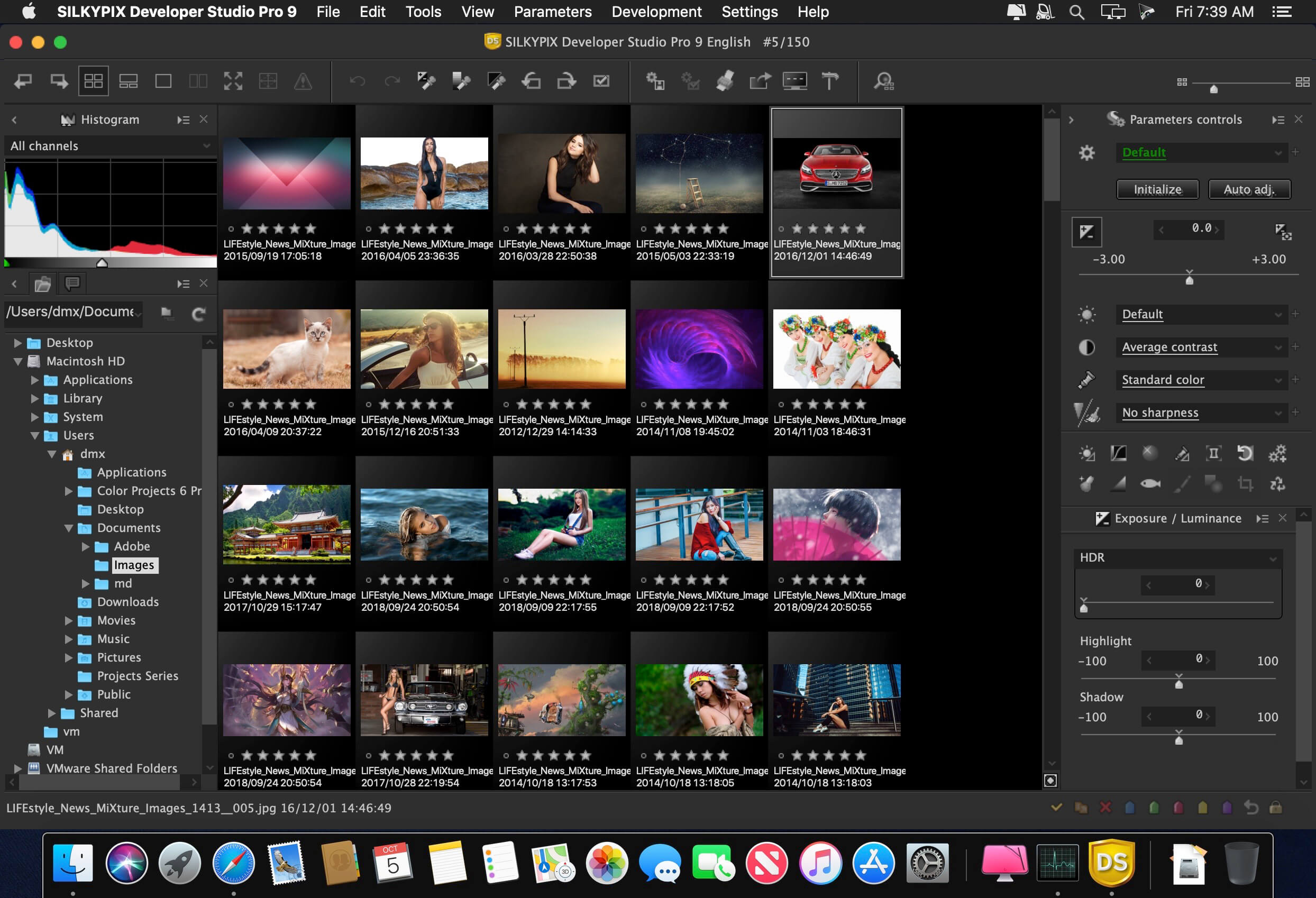
• Search in the thumbnail
• Independent arrangement of initialization button
• Add user mark color
• Open in another application
• Control Palette
• Customize toolbar
• Show / hide information box
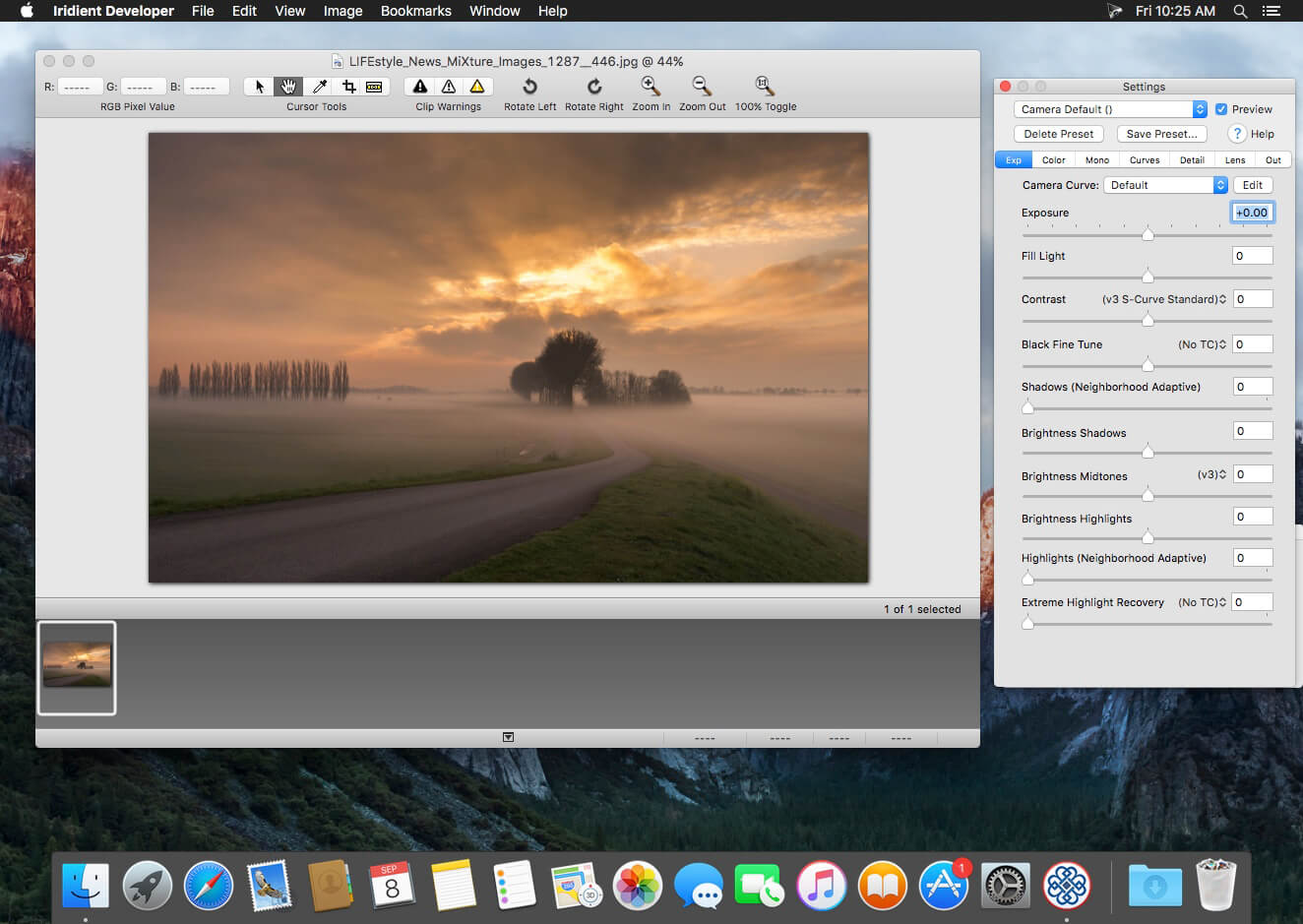
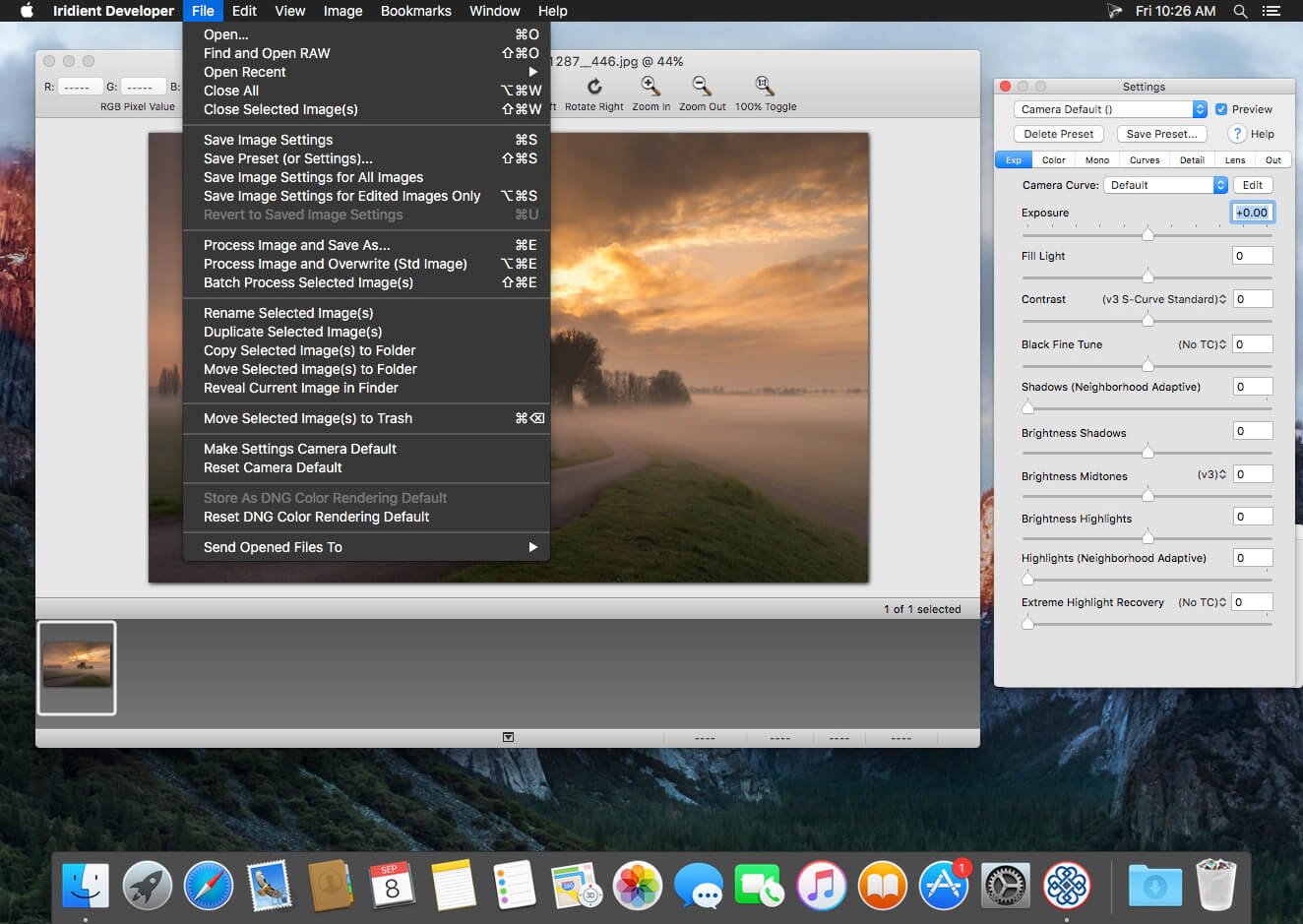
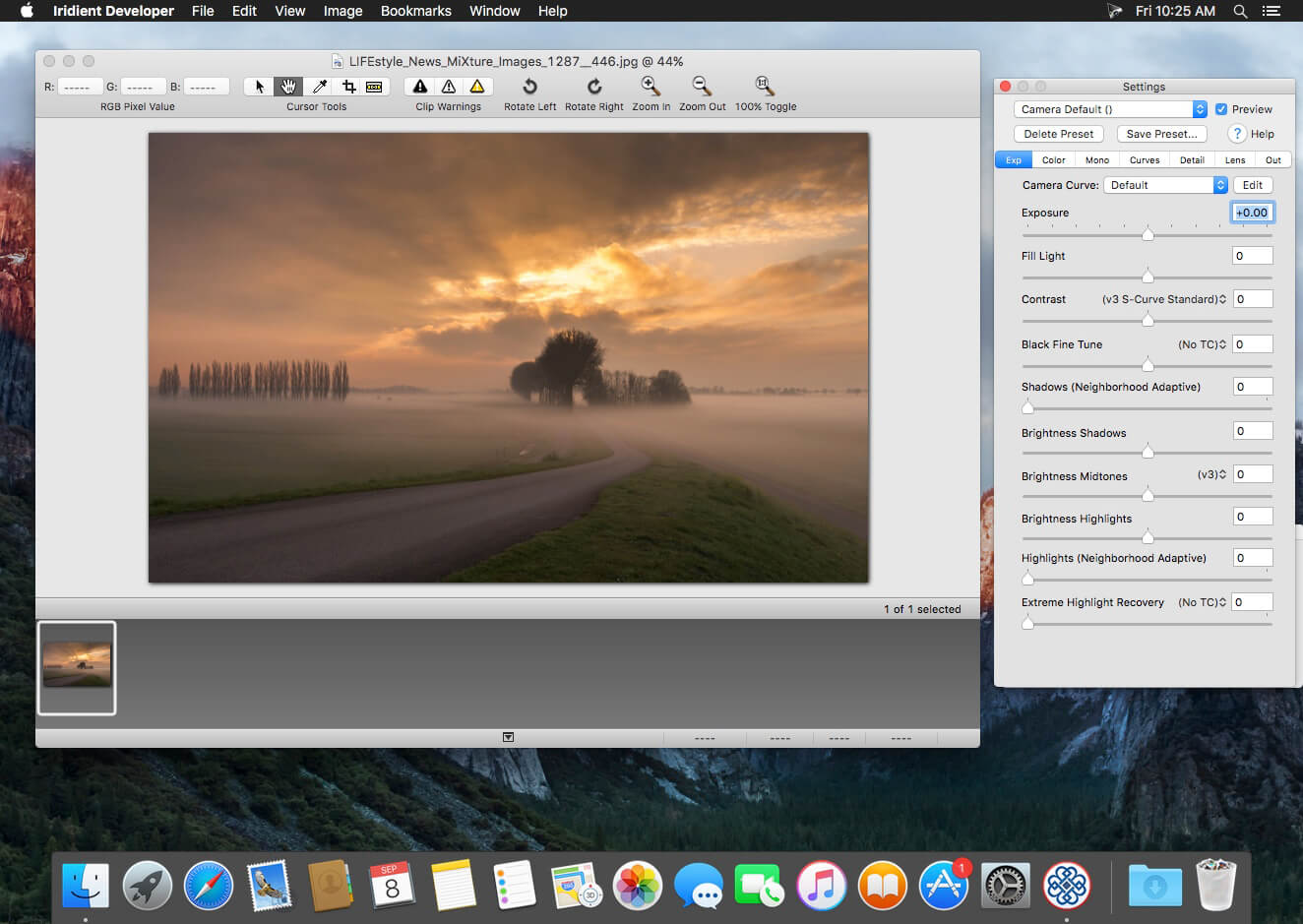
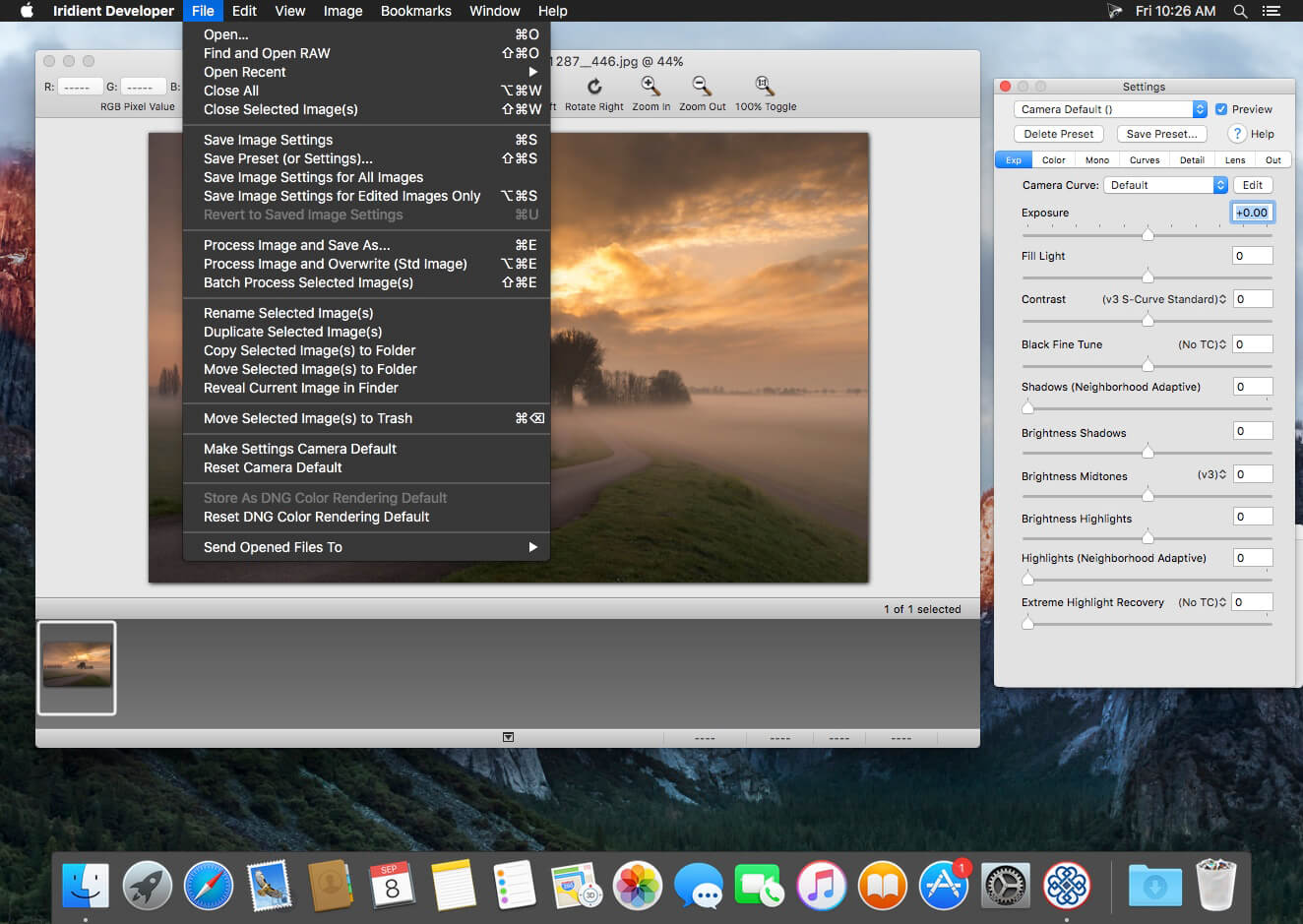
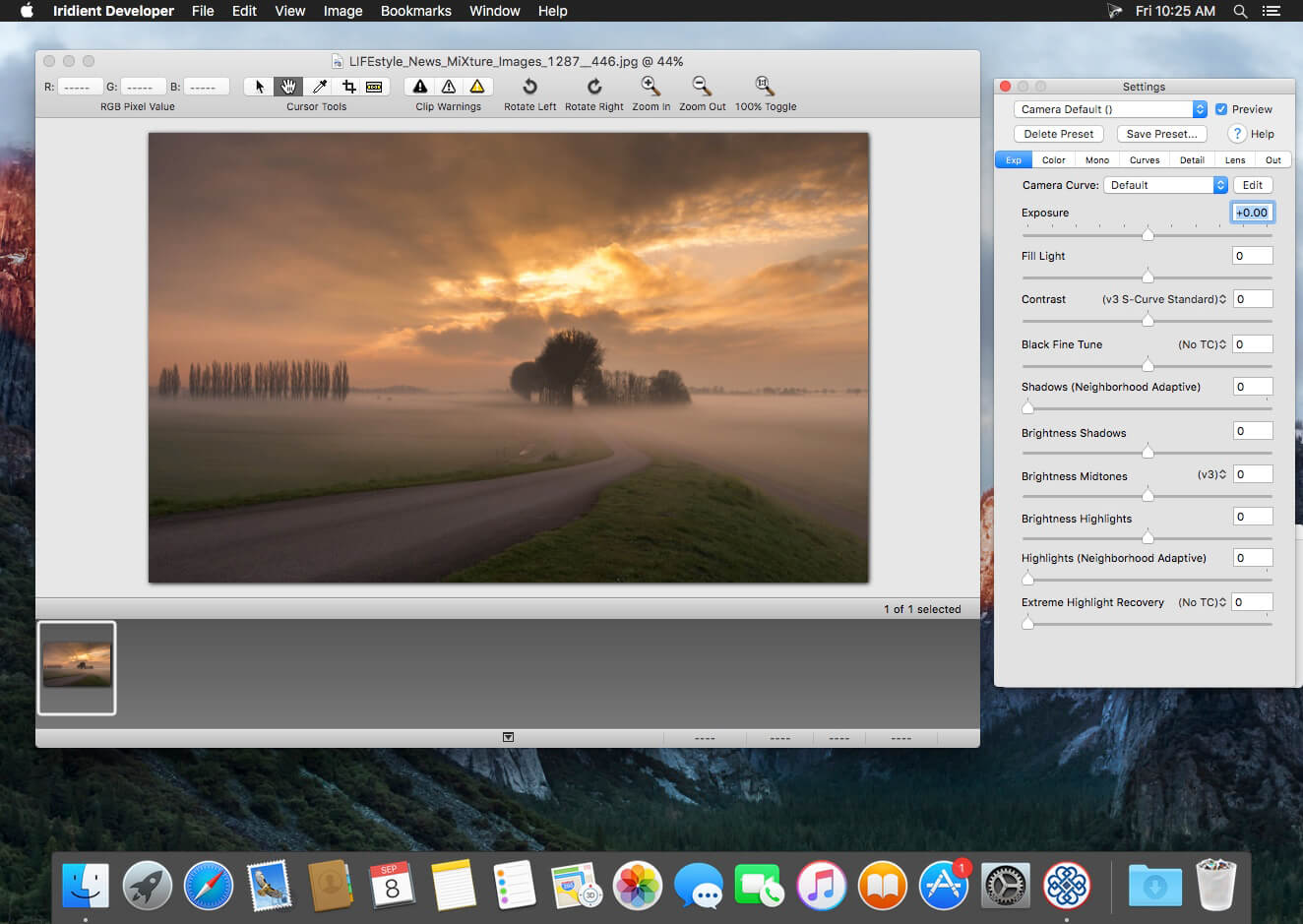
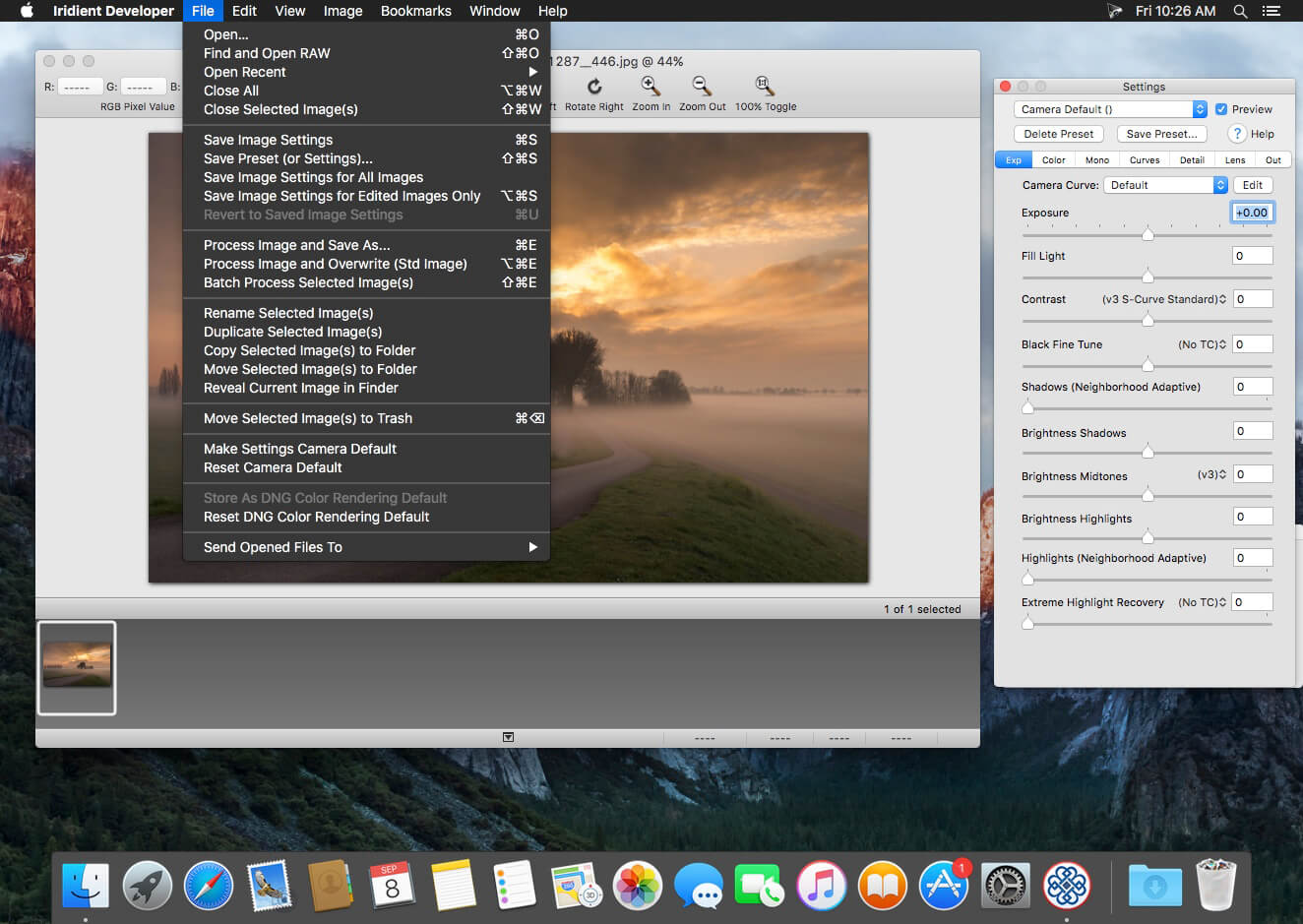
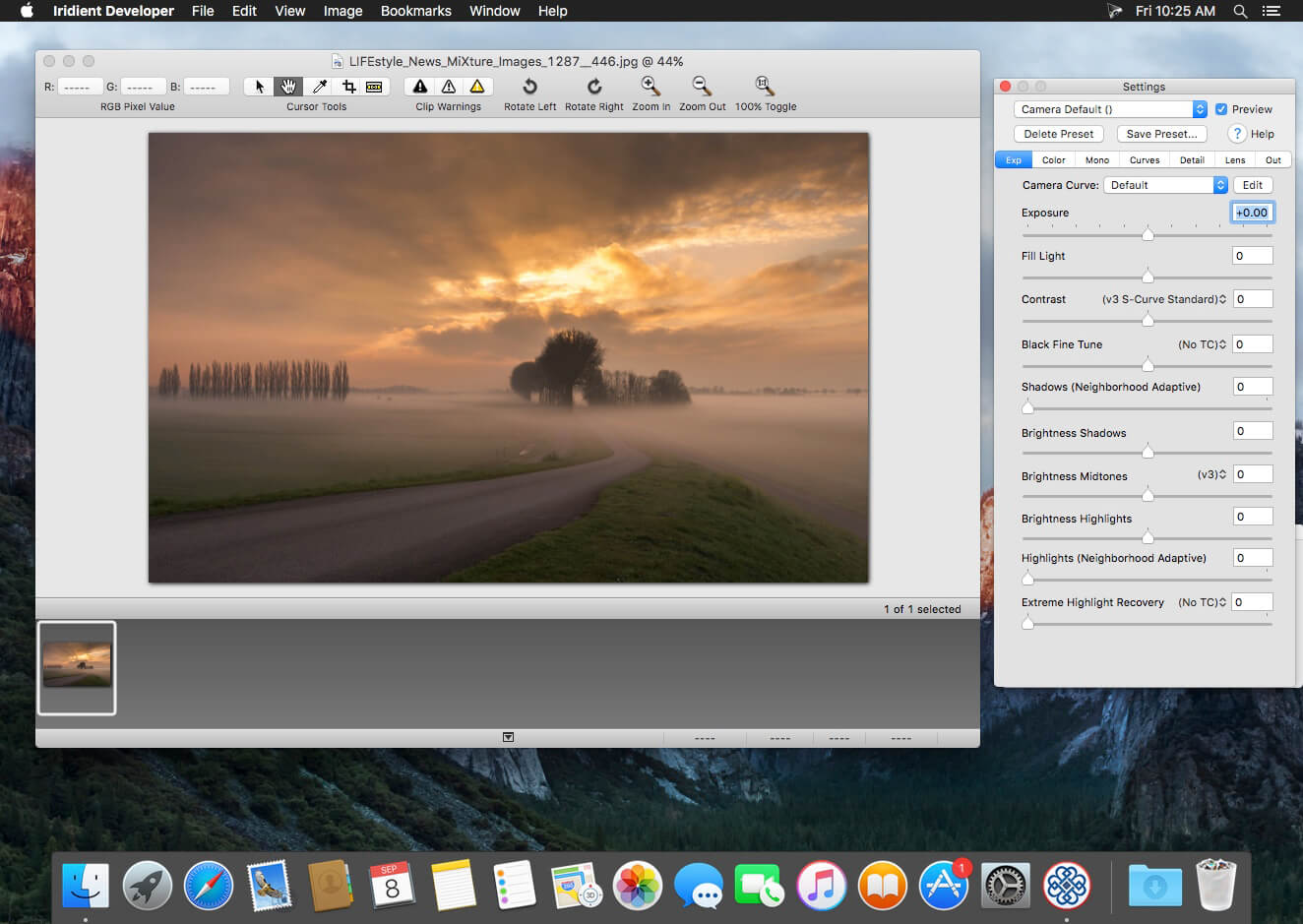
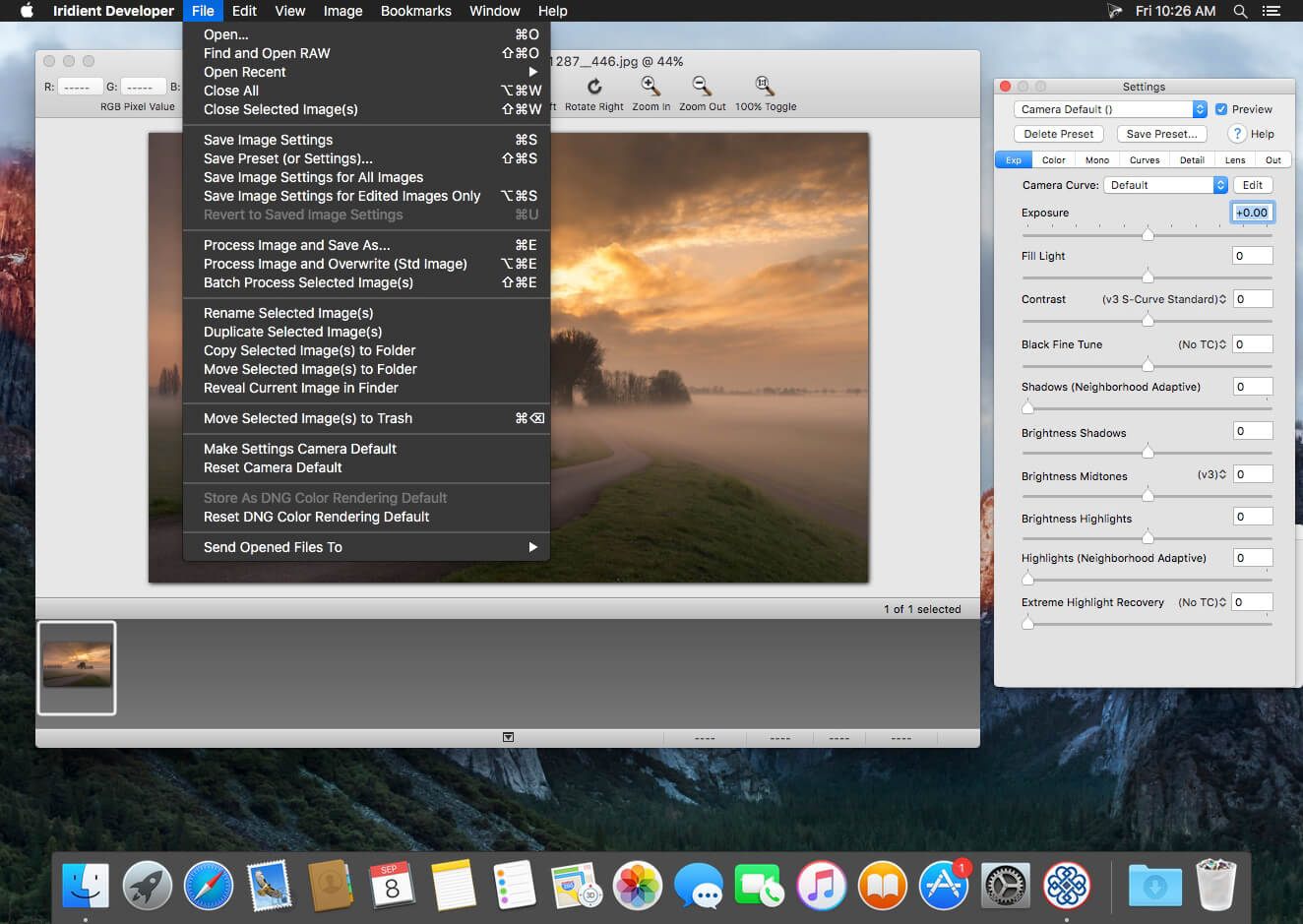
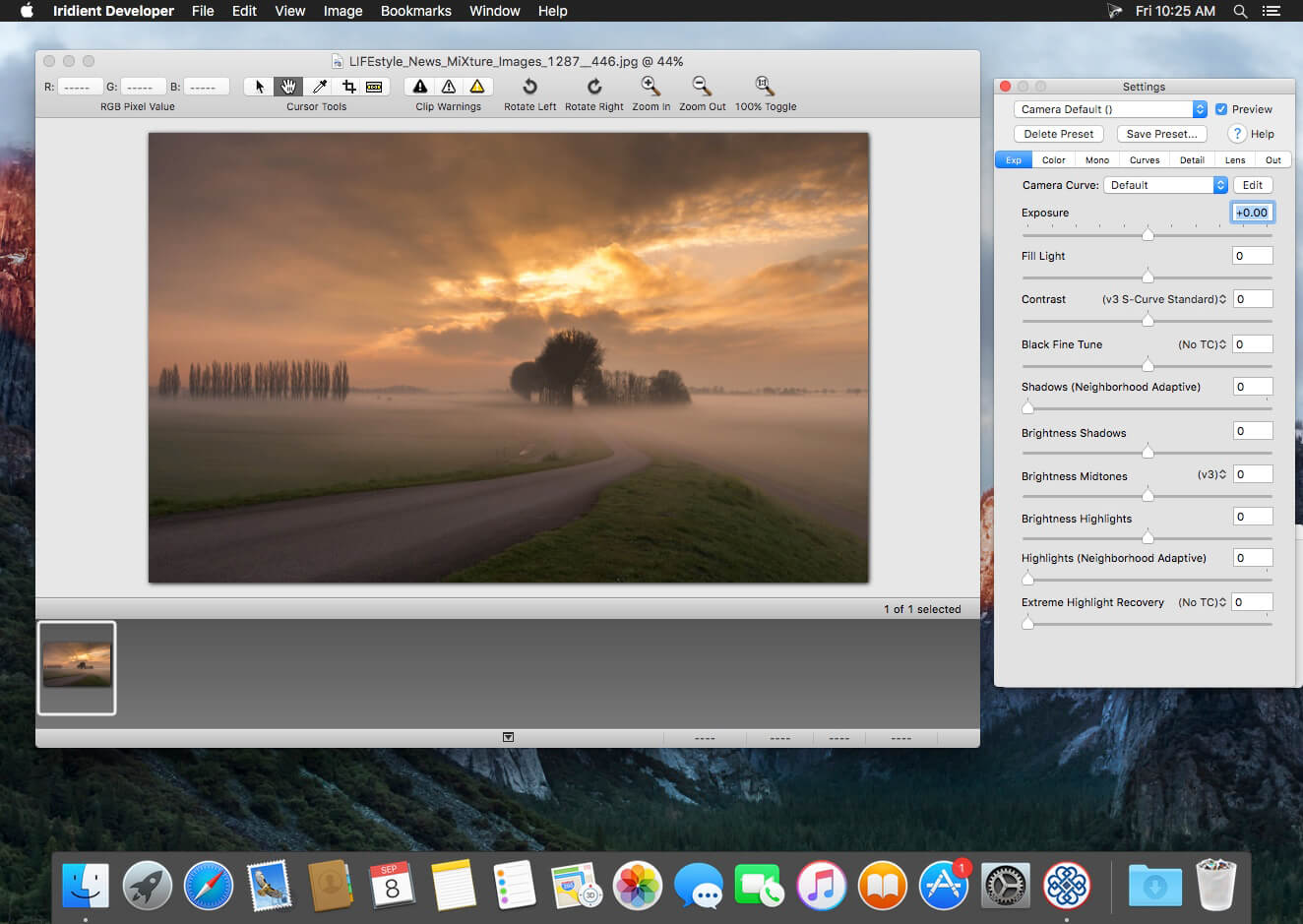
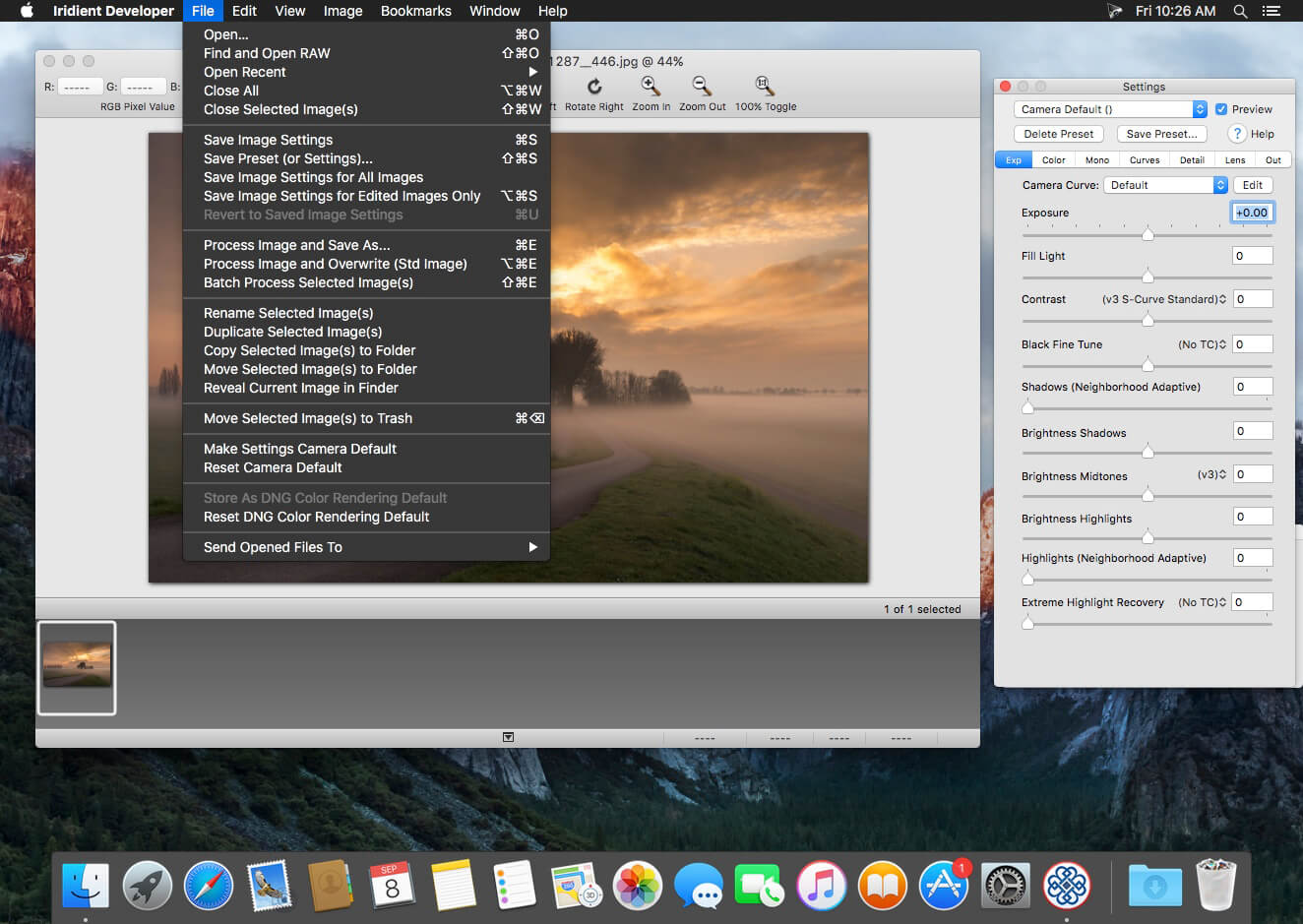
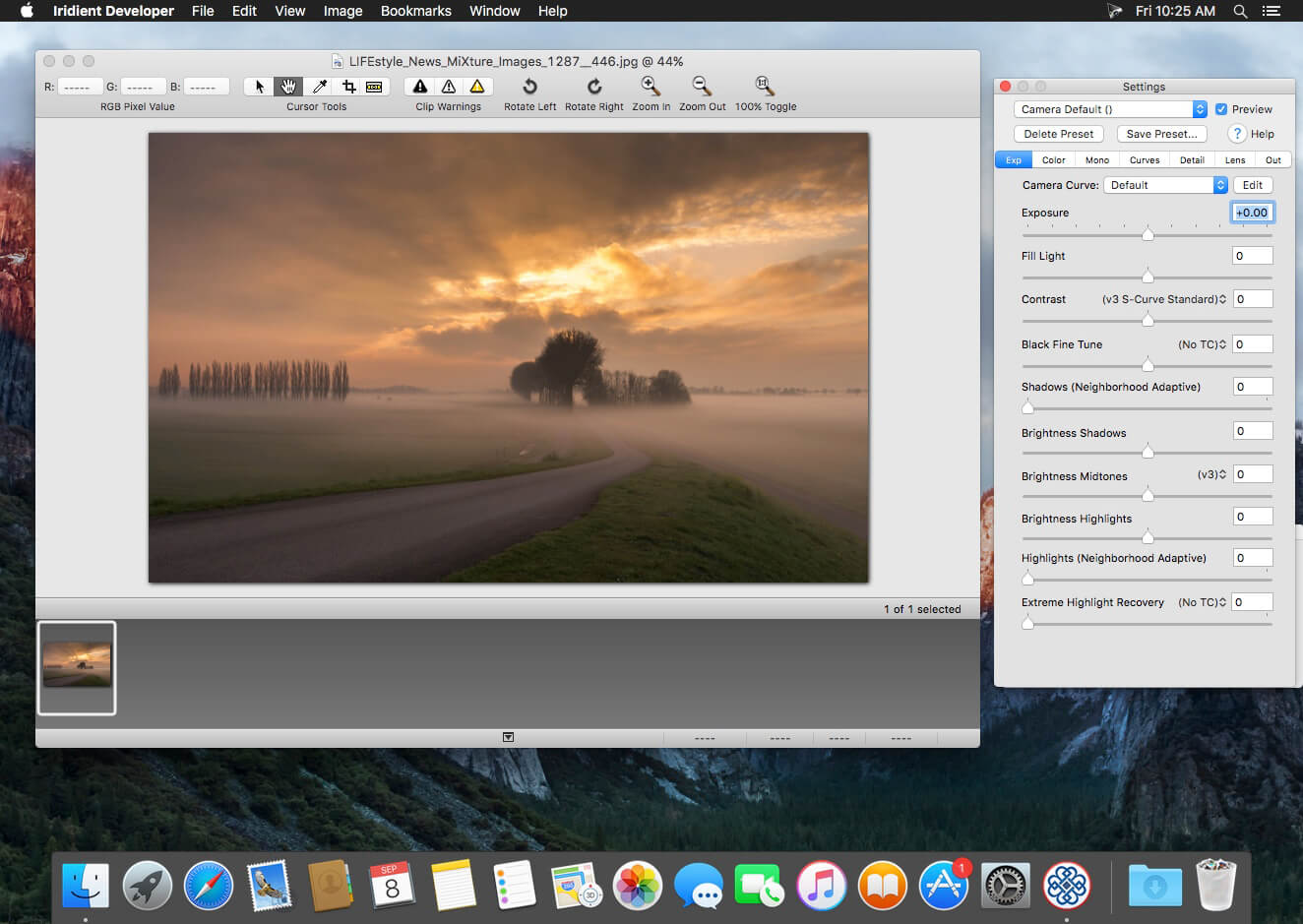
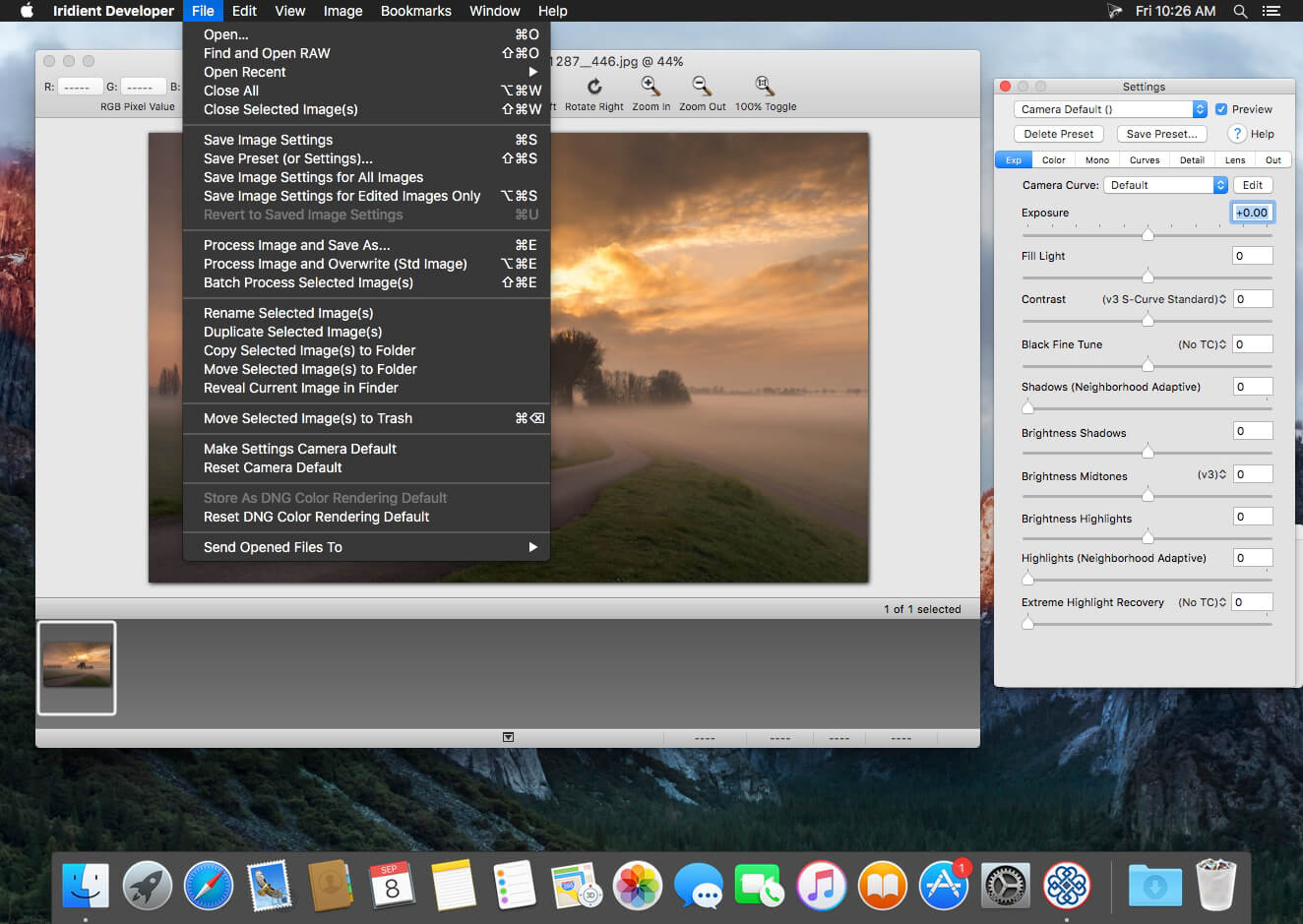
Iridient Developer is a powerful RAW image conversion application designed and optimized specifically for Mac OS X. Iridient Developer gives advanced photographers total control over their digital photographs, yet still provides easy drag and drop batch conversion and access to basic adjustments for the casual user.
Advanced Sharpening and Noise Reduction Algorithms Iridient Developer offers SIX advanced sharpening methods, including “Iridient Reveal”, a “super” sharpener utilizing aspects of both state of the art edge enhancement techniques and deconvolution, traditional unsharp masking, high pass, difference of gaussians, a unique “hybrid” sharpening algorithm and an advanced Richardson-Lucy Deconvolution based method. All are processed in a special 32 bits/channel floating point color space to avoid color artifacts and provide amazing detail. Powerful hot/dead pixel filters and new, state of the art noise reduction methods help eliminate noise, especially from images taken with long exposures or high ISO settings. All sharpening methods also now support advanced edge masking for limiting the sharpening effect to just edge regions while leaving “flat” or low contrast areas of the image unchanged.
High Quality Image Resizing Whether down sizing for the web or producing massive prints for gallery display, Iridient Developer offers a wide range of resizing methods that allow you fine tune the level of output to best suit your own preferences from incedibly high levels of sharpness and detail to smooth, artifact free output.
Fabulously Flexible Camera Color Specification Iridient Developer includes support for just about any camera color specification imaginable from industry standard ICC color profiles to DNG color matrix values to the latest DNG v1.4 camera profile (DCP) specification to camera manufacturer specific color metadata. Iridient Developer provides incedible control over establishing the ideal color starting point for your photos whether you want to use custom camera profiling solutions or simply to match a color look provided by the camera manufacturer or just about any other RAW processing software.
Extensive Image Adjustment Options You’re in total control of every step of the conversion process, fully editable tone curves in RAW, RGB and LAB color spaces, advanced highlight recovery, white balancing, noise reduction, sharpening, exposure compensation, brightness, contrast, saturation and more.
Super Monochrome (Black And White) Conversion Options High quality black and white conversion options including direct access to RAW image color planes, standard RGB channel mixers, perceptual LAB lightness based conversion, luma, desaturation, intensity, custom duotones and other toning options including curves.
Fast, High Quality Image Previews RAW developer allows you to view and make all image adjustments while viewing a full resolution, fully color managed, 16 bit per channel preview.
Advanced Histogram View Supports 256, 512 or an extra wide 1024 levels of detail. Viewing modes include RGB, individual R, G, B channels, all three colors at once, CIE Lightness, CIE Luminance, CIE Chroma (ab), luminosity, hue and saturation.
Fully Configurable Color Management Support for two high quality color management engine options including Apple’s ColorSync and LittleCMS 2.6 which includes full support for the latest ICC v4.3 standard. Ability to specify camera or image specific input profiles, RGB working space profiles for image adjustments and final image output profiles. Automatic support for LAB and chroma color space curves without any manual color space changes.
Unlimited batch processing You can continue making image adjustments while other images are converted in the background. Supports, easy drag and drop image conversion with flexible file naming options and support for multiple file formats including JPEG, TIFF, PNG, JPEG2000 and more.
Multithreaded and vector processor (SSE3+) optimized Iridient Developer takes full advantage of multi-core and multi processor systems and the advanced vector processing capabilities of Intel processors. Highly optimized for all the latest and greatest Mac OS X technologies including Grand Central Dispatch (GCD), 64-bit processing, Core Image, Quartz Extreme and more. All image processing is handled by secondary threads so your real time editing work is never blocked waiting for export processing to complete.
Support for IPTC, XMP and EXIF v2.3 metadata EXIF, IPTC and XMP metadata is supported when exporting to TIFF, PNG or JPEG image formats.
“Processing Disabled” Output Mode Ability to bypass all image adjustments and all color matching operations for fast, high quality export of linear files intended for further processing with other image processing programs or RAW workflows. Also useful for creating non-color matched output for use in generating custom camera or scene profiles with ICC camera profiling software.
Iridient Developer is a powerful RAW image conversion application designed and optimized specifically for Mac OS X. Iridient Developer gives advanced photographers total control over their digital photographs, yet still provides easy drag and drop batch conversion and access to basic adjustments for the casual user.
Advanced Sharpening and Noise Reduction Algorithms Iridient Developer offers SIX advanced sharpening methods, including “Iridient Reveal”, a “super” sharpener utilizing aspects of both state of the art edge enhancement techniques and deconvolution, traditional unsharp masking, high pass, difference of gaussians, a unique “hybrid” sharpening algorithm and an advanced Richardson-Lucy Deconvolution based method. All are processed in a special 32 bits/channel floating point color space to avoid color artifacts and provide amazing detail. Powerful hot/dead pixel filters and new, state of the art noise reduction methods help eliminate noise, especially from images taken with long exposures or high ISO settings. All sharpening methods also now support advanced edge masking for limiting the sharpening effect to just edge regions while leaving “flat” or low contrast areas of the image unchanged.
High Quality Image Resizing Whether down sizing for the web or producing massive prints for gallery display, Iridient Developer offers a wide range of resizing methods that allow you fine tune the level of output to best suit your own preferences from incedibly high levels of sharpness and detail to smooth, artifact free output.
Fabulously Flexible Camera Color Specification Iridient Developer includes support for just about any camera color specification imaginable from industry standard ICC color profiles to DNG color matrix values to the latest DNG v1.4 camera profile (DCP) specification to camera manufacturer specific color metadata. Iridient Developer provides incedible control over establishing the ideal color starting point for your photos whether you want to use custom camera profiling solutions or simply to match a color look provided by the camera manufacturer or just about any other RAW processing software.
Extensive Image Adjustment Options You’re in total control of every step of the conversion process, fully editable tone curves in RAW, RGB and LAB color spaces, advanced highlight recovery, white balancing, noise reduction, sharpening, exposure compensation, brightness, contrast, saturation and more.
Super Monochrome (Black And White) Conversion Options High quality black and white conversion options including direct access to RAW image color planes, standard RGB channel mixers, perceptual LAB lightness based conversion, luma, desaturation, intensity, custom duotones and other toning options including curves.
Fast, High Quality Image Previews RAW developer allows you to view and make all image adjustments while viewing a full resolution, fully color managed, 16 bit per channel preview.
Advanced Histogram View Supports 256, 512 or an extra wide 1024 levels of detail. Viewing modes include RGB, individual R, G, B channels, all three colors at once, CIE Lightness, CIE Luminance, CIE Chroma (ab), luminosity, hue and saturation.
Fully Configurable Color Management Support for two high quality color management engine options including Apple’s ColorSync and LittleCMS 2.6 which includes full support for the latest ICC v4.3 standard. Ability to specify camera or image specific input profiles, RGB working space profiles for image adjustments and final image output profiles. Automatic support for LAB and chroma color space curves without any manual color space changes.
Unlimited batch processing You can continue making image adjustments while other images are converted in the background. Supports, easy drag and drop image conversion with flexible file naming options and support for multiple file formats including JPEG, TIFF, PNG, JPEG2000 and more.
Multithreaded and vector processor (SSE3+) optimized Iridient Developer takes full advantage of multi-core and multi processor systems and the advanced vector processing capabilities of Intel processors. Highly optimized for all the latest and greatest Mac OS X technologies including Grand Central Dispatch (GCD), 64-bit processing, Core Image, Quartz Extreme and more. All image processing is handled by secondary threads so your real time editing work is never blocked waiting for export processing to complete.
Support for IPTC, XMP and EXIF v2.3 metadata EXIF, IPTC and XMP metadata is supported when exporting to TIFF, PNG or JPEG image formats.
“Processing Disabled” Output Mode Ability to bypass all image adjustments and all color matching operations for fast, high quality export of linear files intended for further processing with other image processing programs or RAW workflows. Also useful for creating non-color matched output for use in generating custom camera or scene profiles with ICC camera profiling software.
Iridient Developer is a powerful RAW image conversion application designed and optimized specifically for Mac OS X. Iridient Developer gives advanced photographers total control over their digital photographs, yet still provides easy drag and drop batch conversion and access to basic adjustments for the casual user.
Advanced Sharpening and Noise Reduction Algorithms Iridient Developer offers SIX advanced sharpening methods, including “Iridient Reveal”, a “super” sharpener utilizing aspects of both state of the art edge enhancement techniques and deconvolution, traditional unsharp masking, high pass, difference of gaussians, a unique “hybrid” sharpening algorithm and an advanced Richardson-Lucy Deconvolution based method. All are processed in a special 32 bits/channel floating point color space to avoid color artifacts and provide amazing detail. Powerful hot/dead pixel filters and new, state of the art noise reduction methods help eliminate noise, especially from images taken with long exposures or high ISO settings. All sharpening methods also now support advanced edge masking for limiting the sharpening effect to just edge regions while leaving “flat” or low contrast areas of the image unchanged.
High Quality Image Resizing Whether down sizing for the web or producing massive prints for gallery display, Iridient Developer offers a wide range of resizing methods that allow you fine tune the level of output to best suit your own preferences from incedibly high levels of sharpness and detail to smooth, artifact free output.
Fabulously Flexible Camera Color Specification Iridient Developer includes support for just about any camera color specification imaginable from industry standard ICC color profiles to DNG color matrix values to the latest DNG v1.4 camera profile (DCP) specification to camera manufacturer specific color metadata. Iridient Developer provides incedible control over establishing the ideal color starting point for your photos whether you want to use custom camera profiling solutions or simply to match a color look provided by the camera manufacturer or just about any other RAW processing software.
Extensive Image Adjustment Options You’re in total control of every step of the conversion process, fully editable tone curves in RAW, RGB and LAB color spaces, advanced highlight recovery, white balancing, noise reduction, sharpening, exposure compensation, brightness, contrast, saturation and more.
Super Monochrome (Black And White) Conversion Options High quality black and white conversion options including direct access to RAW image color planes, standard RGB channel mixers, perceptual LAB lightness based conversion, luma, desaturation, intensity, custom duotones and other toning options including curves.
Fast, High Quality Image Previews RAW developer allows you to view and make all image adjustments while viewing a full resolution, fully color managed, 16 bit per channel preview.
Advanced Histogram View Supports 256, 512 or an extra wide 1024 levels of detail. Viewing modes include RGB, individual R, G, B channels, all three colors at once, CIE Lightness, CIE Luminance, CIE Chroma (ab), luminosity, hue and saturation.
Fully Configurable Color Management Support for two high quality color management engine options including Apple’s ColorSync and LittleCMS 2.6 which includes full support for the latest ICC v4.3 standard. Ability to specify camera or image specific input profiles, RGB working space profiles for image adjustments and final image output profiles. Automatic support for LAB and chroma color space curves without any manual color space changes.
Unlimited batch processing You can continue making image adjustments while other images are converted in the background. Supports, easy drag and drop image conversion with flexible file naming options and support for multiple file formats including JPEG, TIFF, PNG, JPEG2000 and more.
Multithreaded and vector processor (SSE3+) optimized Iridient Developer takes full advantage of multi-core and multi processor systems and the advanced vector processing capabilities of Intel processors. Highly optimized for all the latest and greatest Mac OS X technologies including Grand Central Dispatch (GCD), 64-bit processing, Core Image, Quartz Extreme and more. All image processing is handled by secondary threads so your real time editing work is never blocked waiting for export processing to complete.
Support for IPTC, XMP and EXIF v2.3 metadata EXIF, IPTC and XMP metadata is supported when exporting to TIFF, PNG or JPEG image formats.
“Processing Disabled” Output Mode Ability to bypass all image adjustments and all color matching operations for fast, high quality export of linear files intended for further processing with other image processing programs or RAW workflows. Also useful for creating non-color matched output for use in generating custom camera or scene profiles with ICC camera profiling software.
Iridient Developer is a powerful RAW image conversion application designed and optimized specifically for Mac OS X. Iridient Developer gives advanced photographers total control over their digital photographs, yet still provides easy drag and drop batch conversion and access to basic adjustments for the casual user.
Advanced Sharpening and Noise Reduction Algorithms Iridient Developer offers SIX advanced sharpening methods, including “Iridient Reveal”, a “super” sharpener utilizing aspects of both state of the art edge enhancement techniques and deconvolution, traditional unsharp masking, high pass, difference of gaussians, a unique “hybrid” sharpening algorithm and an advanced Richardson-Lucy Deconvolution based method. All are processed in a special 32 bits/channel floating point color space to avoid color artifacts and provide amazing detail. Powerful hot/dead pixel filters and new, state of the art noise reduction methods help eliminate noise, especially from images taken with long exposures or high ISO settings. All sharpening methods also now support advanced edge masking for limiting the sharpening effect to just edge regions while leaving “flat” or low contrast areas of the image unchanged.
High Quality Image Resizing Whether down sizing for the web or producing massive prints for gallery display, Iridient Developer offers a wide range of resizing methods that allow you fine tune the level of output to best suit your own preferences from incedibly high levels of sharpness and detail to smooth, artifact free output.
Fabulously Flexible Camera Color Specification Iridient Developer includes support for just about any camera color specification imaginable from industry standard ICC color profiles to DNG color matrix values to the latest DNG v1.4 camera profile (DCP) specification to camera manufacturer specific color metadata. Iridient Developer provides incedible control over establishing the ideal color starting point for your photos whether you want to use custom camera profiling solutions or simply to match a color look provided by the camera manufacturer or just about any other RAW processing software.
Extensive Image Adjustment Options You’re in total control of every step of the conversion process, fully editable tone curves in RAW, RGB and LAB color spaces, advanced highlight recovery, white balancing, noise reduction, sharpening, exposure compensation, brightness, contrast, saturation and more.
Super Monochrome (Black And White) Conversion Options High quality black and white conversion options including direct access to RAW image color planes, standard RGB channel mixers, perceptual LAB lightness based conversion, luma, desaturation, intensity, custom duotones and other toning options including curves.
Fast, High Quality Image Previews RAW developer allows you to view and make all image adjustments while viewing a full resolution, fully color managed, 16 bit per channel preview.
Advanced Histogram View Supports 256, 512 or an extra wide 1024 levels of detail. Viewing modes include RGB, individual R, G, B channels, all three colors at once, CIE Lightness, CIE Luminance, CIE Chroma (ab), luminosity, hue and saturation.
Fully Configurable Color Management Support for two high quality color management engine options including Apple’s ColorSync and LittleCMS 2.6 which includes full support for the latest ICC v4.3 standard. Ability to specify camera or image specific input profiles, RGB working space profiles for image adjustments and final image output profiles. Automatic support for LAB and chroma color space curves without any manual color space changes.
Unlimited batch processing You can continue making image adjustments while other images are converted in the background. Supports, easy drag and drop image conversion with flexible file naming options and support for multiple file formats including JPEG, TIFF, PNG, JPEG2000 and more.
Multithreaded and vector processor (SSE3+) optimized Iridient Developer takes full advantage of multi-core and multi processor systems and the advanced vector processing capabilities of Intel processors. Highly optimized for all the latest and greatest Mac OS X technologies including Grand Central Dispatch (GCD), 64-bit processing, Core Image, Quartz Extreme and more. All image processing is handled by secondary threads so your real time editing work is never blocked waiting for export processing to complete.
Support for IPTC, XMP and EXIF v2.3 metadata EXIF, IPTC and XMP metadata is supported when exporting to TIFF, PNG or JPEG image formats.
“Processing Disabled” Output Mode Ability to bypass all image adjustments and all color matching operations for fast, high quality export of linear files intended for further processing with other image processing programs or RAW workflows. Also useful for creating non-color matched output for use in generating custom camera or scene profiles with ICC camera profiling software.
SILKYPIX Developer Studio Pro 11 for FUJIFILM is for a FUJIFILM camera limited special edition.
Those are the RAW development softwares that strongly supports you in creating your own photo works by its various adjustment functions, such as the “Compositing modes,” “Partial correction tool,” and “Dehaze” included in the Pro11 professional edition. Only existing FUJIFILM or Panasonic cameras are supported, and the sales period is also limited, affordable price has been realized.
SILKYPIX Developer Studio Pro adds new functions that were highly desired in addition to the rich features of SILKYPIX so far
• Tone- Dehaze Slider
• Exposure bias-Highlight / Shadow slider
• Lens aberration correction – Distortion correction function by lens profile
• Lens aberration correction – Distortion correction function using simultaneous recording JPEG
• Effect – Blurred / Sharp periphery
• Partial correction tool – Curve / Polygon area selection / Select color to be corrected
• Automatic adjustment button
• Noise Reduction – Level of shadow noise reduction
• Search in the thumbnail
• Independent arrangement of initialization button
• Add user mark color
• Open in another application
• Control Palette
• Customize toolbar
• Show / hide information box
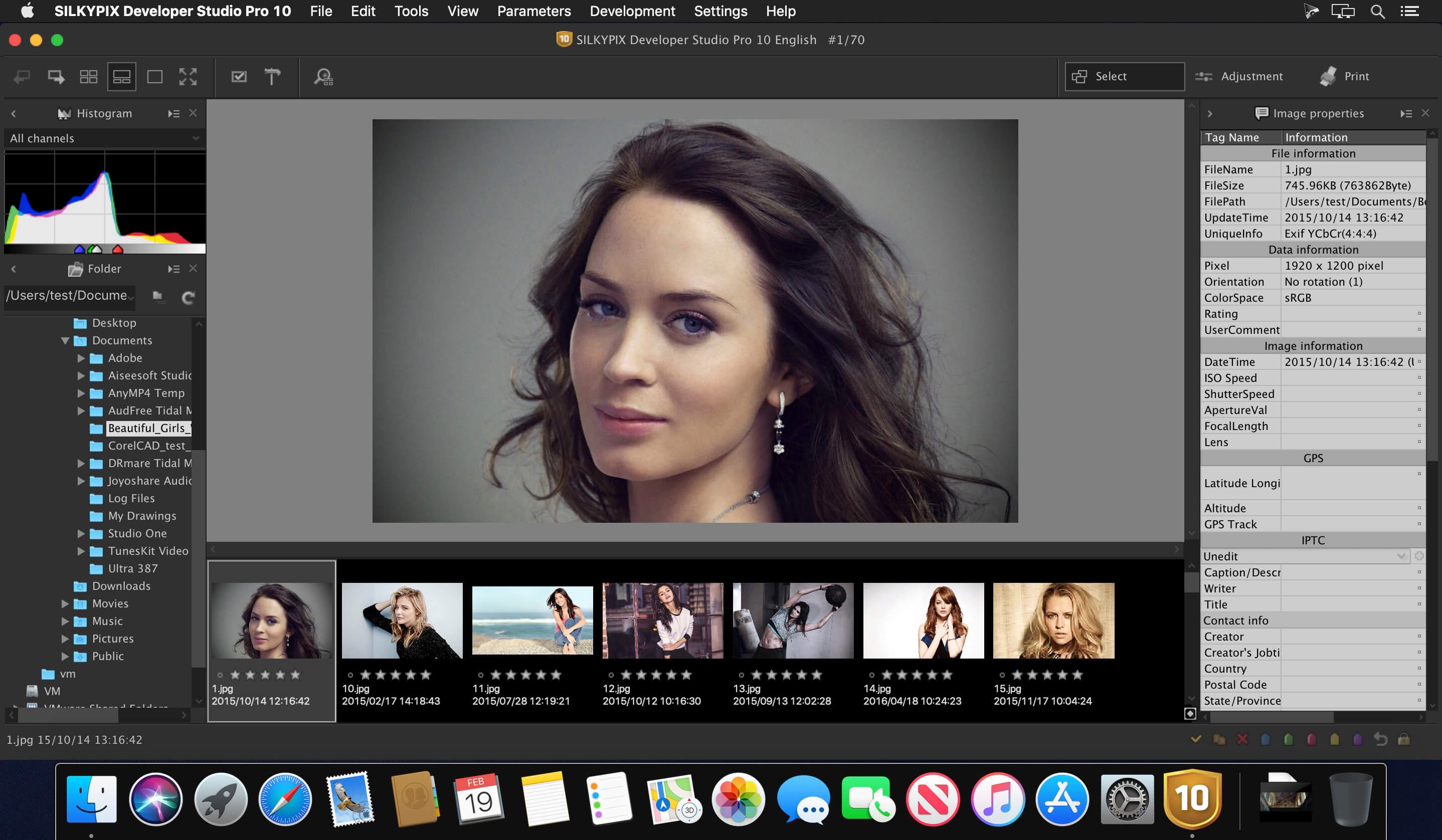
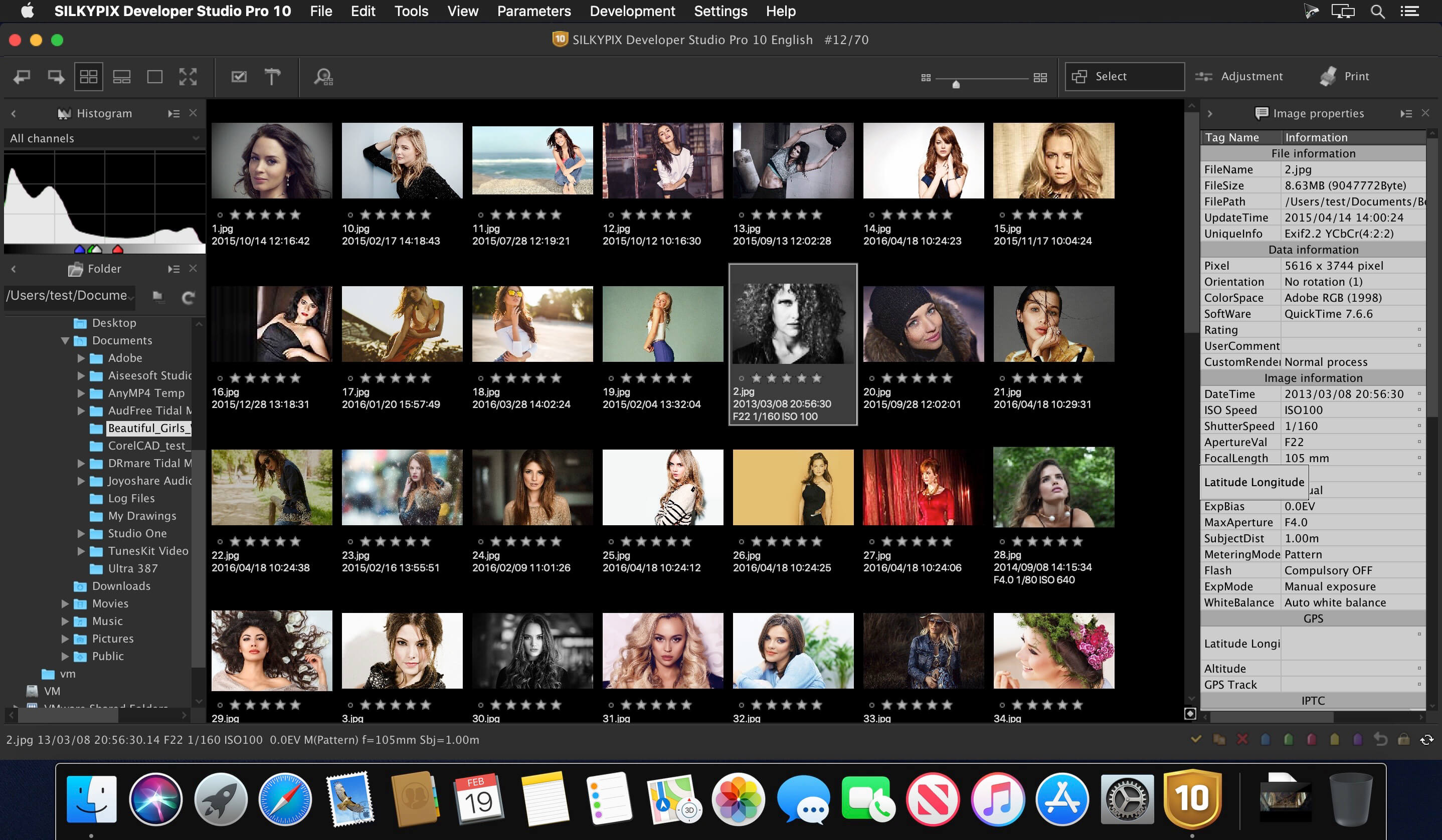
SILKYPIX Developer Studio Pro is equipped with a new function for compositing multiple RAWs which enables the user a previously unprecedented level of creative photographic expression. The latest transformative enhancement to the software’s capabilites is the “Fine detail” mode which enables the optimal noise reduction. In addition, the “Select” section enables high-speed display of a large number of high-resolution images. Professional edition of RAW development software with improved flexibility and ease of use.
SILKYPIX Developer Studio Pro adds new functions that were highly desired in addition to the rich features of SILKYPIX so far.
Tone- Dehaze Slider
Exposure bias-Highlight / Shadow slider
Lens aberration correction – Distortion correction function by lens profile
Lens aberration correction – Distortion correction function using simultaneous recording JPEG
Effect – Blurred / Sharp periphery
Partial correction tool – Curve / Polygon area selection / Select color to be corrected
Automatic adjustment button
Noise Reduction – Level of shadow noise reduction
Search in the thumbnail
Independent arrangement of initialization button
Add user mark color
Open in another application
Control Palette
Customize toolbar
Show / hide information box
Compatibility: macOS 10.10 or later Homepagehttps://sil
SILKYPIX Developer Studio Pro is equipped with a new function for compositing multiple RAWs which enables the user a previously unprecedented level of creative photographic expression. The latest transformative enhancement to the software’s capabilites is the “Fine detail” mode which enables the optimal noise reduction. In addition, the “Select” section enables high-speed display of a large number of high-resolution images. Professional edition of RAW development software with improved flexibility and ease of use.
SILKYPIX Developer Studio Pro adds new functions that were highly desired in addition to the rich features of SILKYPIX so far.
Tone- Dehaze Slider
Exposure bias-Highlight / Shadow slider
Lens aberration correction – Distortion correction function by lens profile
Lens aberration correction – Distortion correction function using simultaneous recording JPEG
Effect – Blurred / Sharp periphery
Partial correction tool – Curve / Polygon area selection / Select color to be corrected
Automatic adjustment button
Noise Reduction – Level of shadow noise reduction
Search in the thumbnail
Independent arrangement of initialization button
Add user mark color
Open in another application
Control Palette
Customize toolbar
Show / hide information box
Compatibility: macOS 10.13 or later, Homepagehttps://sil
SILKYPIX Developer Studio Pro is equipped with a new function for compositing multiple RAWs which enables the user a previously unprecedented level of creative photographic expression. The latest transformative enhancement to the software’s capabilites is the “Fine detail” mode which enables the optimal noise reduction. In addition, the “Select” section enables high-speed display of a large number of high-resolution images. Professional edition of RAW development software with improved flexibility and ease of use.
SILKYPIX Developer Studio Pro adds new functions that were highly desired in addition to the rich features of SILKYPIX so far.
Tone- Dehaze Slider
Exposure bias-Highlight / Shadow slider
Lens aberration correction – Distortion correction function by lens profile
Lens aberration correction – Distortion correction function using simultaneous recording JPEG
Effect – Blurred / Sharp periphery
Partial correction tool – Curve / Polygon area selection / Select color to be corrected
Automatic adjustment button
Noise Reduction – Level of shadow noise reduction
Search in the thumbnail
Independent arrangement of initialization button
Add user mark color
Open in another application
Control Palette
Customize toolbar
Show / hide information box
Compatibility: macOS 10.13 or later, Homepagehttps://sil
Iridient Developer is a powerful RAW image conversion application designed and optimized specifically for Mac OS X. Iridient Developer gives advanced photographers total control over their digital photographs, yet still provides easy drag and drop batch conversion and access to basic adjustments for the casual user.
Advanced Sharpening and Noise Reduction Algorithms Iridient Developer offers SIX advanced sharpening methods, including “Iridient Reveal”, a “super” sharpener utilizing aspects of both state of the art edge enhancement techniques and deconvolution, traditional unsharp masking, high pass, difference of gaussians, a unique “hybrid” sharpening algorithm and an advanced Richardson-Lucy Deconvolution based method. All are processed in a special 32 bits/channel floating point color space to avoid color artifacts and provide amazing detail. Powerful hot/dead pixel filters and new, state of the art noise reduction methods help eliminate noise, especially from images taken with long exposures or high ISO settings. All sharpening methods also now support advanced edge masking for limiting the sharpening effect to just edge regions while leaving “flat” or low contrast areas of the image unchanged.
High Quality Image Resizing Whether down sizing for the web or producing massive prints for gallery display, Iridient Developer offers a wide range of resizing methods that allow you fine tune the level of output to best suit your own preferences from incedibly high levels of sharpness and detail to smooth, artifact free output.
Fabulously Flexible Camera Color Specification Iridient Developer includes support for just about any camera color specification imaginable from industry standard ICC color profiles to DNG color matrix values to the latest DNG v1.4 camera profile (DCP) specification to camera manufacturer specific color metadata. Iridient Developer provides incedible control over establishing the ideal color starting point for your photos whether you want to use custom camera profiling solutions or simply to match a color look provided by the camera manufacturer or just about any other RAW processing software.
Extensive Image Adjustment Options You’re in total control of every step of the conversion process, fully editable tone curves in RAW, RGB and LAB color spaces, advanced highlight recovery, white balancing, noise reduction, sharpening, exposure compensation, brightness, contrast, saturation and more.
Super Monochrome (Black And White) Conversion Options High quality black and white conversion options including direct access to RAW image color planes, standard RGB channel mixers, perceptual LAB lightness based conversion, luma, desaturation, intensity, custom duotones and other toning options including curves.
Fast, High Quality Image Previews RAW developer allows you to view and make all image adjustments while viewing a full resolution, fully color managed, 16 bit per channel preview.
Advanced Histogram View Supports 256, 512 or an extra wide 1024 levels of detail. Viewing modes include RGB, individual R, G, B channels, all three colors at once, CIE Lightness, CIE Luminance, CIE Chroma (ab), luminosity, hue and saturation.
Fully Configurable Color Management Support for two high quality color management engine options including Apple’s ColorSync and LittleCMS 2.6 which includes full support for the latest ICC v4.3 standard. Ability to specify camera or image specific input profiles, RGB working space profiles for image adjustments and final image output profiles. Automatic support for LAB and chroma color space curves without any manual color space changes.
Unlimited batch processing You can continue making image adjustments while other images are converted in the background. Supports, easy drag and drop image conversion with flexible file naming options and support for multiple file formats including JPEG, TIFF, PNG, JPEG2000 and more.
Multithreaded and vector processor (SSE3+) optimized Iridient Developer takes full advantage of multi-core and multi processor systems and the advanced vector processing capabilities of Intel processors. Highly optimized for all the latest and greatest Mac OS X technologies including Grand Central Dispatch (GCD), 64-bit processing, Core Image, Quartz Extreme and more. All image processing is handled by secondary threads so your real time editing work is never blocked waiting for export processing to complete.
Support for IPTC, XMP and EXIF v2.3 metadata EXIF, IPTC and XMP metadata is supported when exporting to TIFF, PNG or JPEG image formats.
“Processing Disabled” Output Mode Ability to bypass all image adjustments and all color matching operations for fast, high quality export of linear files intended for further processing with other image processing programs or RAW workflows. Also useful for creating non-color matched output for use in generating custom camera or scene profiles with ICC camera profiling software.
SILKYPIX Developer Studio Pro is equipped with a new function for compositing multiple RAWs which enables the user a previously unprecedented level of creative photographic expression. The latest transformative enhancement to the software’s capabilites is the “Fine detail” mode which enables the optimal noise reduction. In addition, the “Select” section enables high-speed display of a large number of high-resolution images. Professional edition of RAW development software with improved flexibility and ease of use.
SILKYPIX Developer Studio Pro adds new functions that were highly desired in addition to the rich features of SILKYPIX so far.
Tone- Dehaze Slider
Exposure bias-Highlight / Shadow slider
Lens aberration correction – Distortion correction function by lens profile
Lens aberration correction – Distortion correction function using simultaneous recording JPEG
Effect – Blurred / Sharp periphery
Partial correction tool – Curve / Polygon area selection / Select color to be corrected
Automatic adjustment button
Noise Reduction – Level of shadow noise reduction
Search in the thumbnail
Independent arrangement of initialization button
Add user mark color
Open in another application
Control Palette
Customize toolbar
Show / hide information box
Compatibility: macOS 10.13 or later, Homepagehttps://sil
SILKYPIX Developer Studio Pro is equipped with a new function for compositing multiple RAWs which enables the user a previously unprecedented level of creative photographic expression. The latest transformative enhancement to the software’s capabilites is the “Fine detail” mode which enables the optimal noise reduction. In addition, the “Select” section enables high-speed display of a large number of high-resolution images. Professional edition of RAW development software with improved flexibility and ease of use.
SILKYPIX Developer Studio Pro adds new functions that were highly desired in addition to the rich features of SILKYPIX so far.
Tone- Dehaze Slider
Exposure bias-Highlight / Shadow slider
Lens aberration correction – Distortion correction function by lens profile
Lens aberration correction – Distortion correction function using simultaneous recording JPEG
Effect – Blurred / Sharp periphery
Partial correction tool – Curve / Polygon area selection / Select color to be corrected
Automatic adjustment button
Noise Reduction – Level of shadow noise reduction
Search in the thumbnail
Independent arrangement of initialization button
Add user mark color
Open in another application
Control Palette
Customize toolbar
Show / hide information box
What’s New:
Version 11.0.8.0:
Support Fujifilm X-T5. (*1, 2)
Support Pentax KF. (*3)
Supports CR3 format RAWs extracted from RAWs shot with “RAW burst mode” on Canon EOS R7.
Other small fixes.
Compatibility: macOS 10.15 or later • Apple Silicon or Intel Core processor Homepagehttps://sil
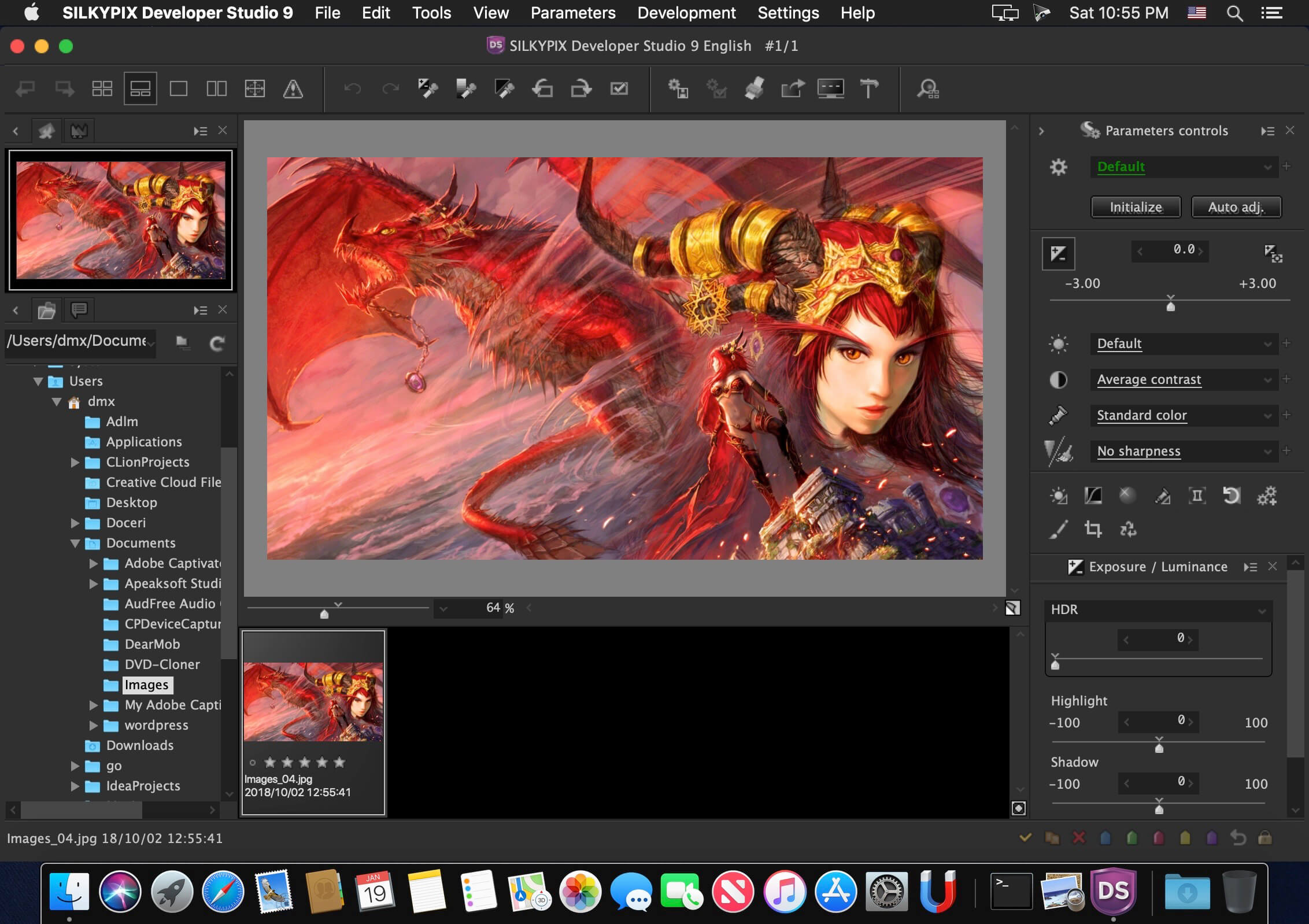
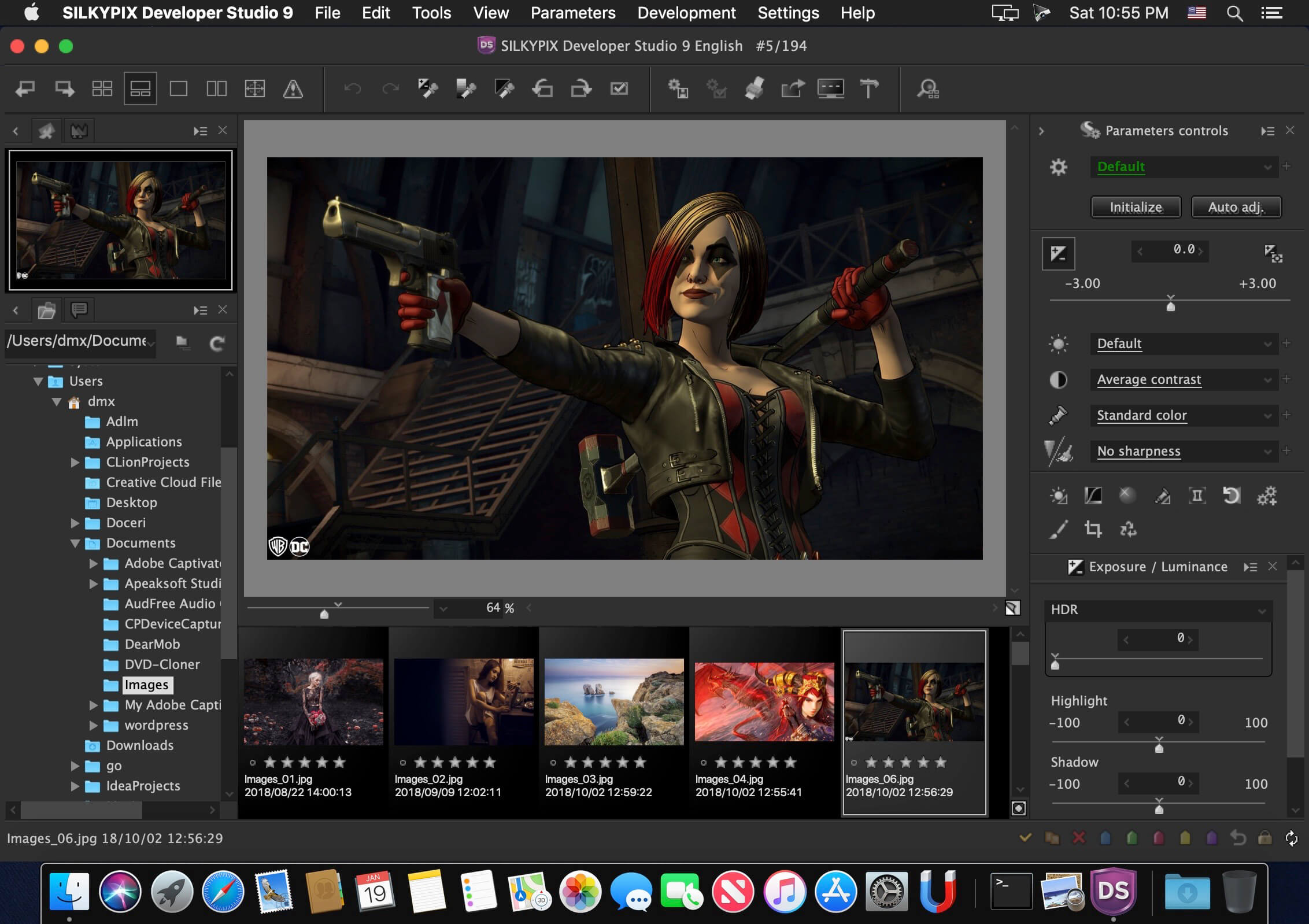
“SILKYPIX Developer Studio 9” has not only basic adjustment functions such as exposure, white balance, contrast, but also a full correction function such as dust removal function, clarity adjustment, lens profile function corresponding to lens aberration correction.
It is a standard version of SILKYPIX series recommended for people of a wide range, from people who are going to start Raw development and those looking for new RAW development software.
What’s New:
Version 11.1.8.0 :
Support Fujifilm X-T5. (*1, 2)
Support Pentax KF. (*3)
Supports CR3 format RAWs extracted from RAWs shot with “RAW burst mode” on Canon EOS R7.
Other small fixes.
Compatibility: macOS 10.15 or later • Apple Silicon or Intel Core processor Homepagehttps://sil
SILKYPIX Developer Studio Pro10 for Panasonic is for a Panasonic camera limited special version. The RAW development software “SILKYPIX Developer Studio Pro10 for Panasonic” has many functions such as the Compositing function, the Partial correction, and the Dehaze installed in the “SILKYPIX Developer Studio Pro10.” These various functions are strongly supports the creation of your work.
SILKYPIX Developer Studio Pro adds new functions that were highly desired in addition to the rich features of SILKYPIX so far
• Tone- Dehaze Slider
• Exposure bias-Highlight / Shadow slider
• Lens aberration correction – Distortion correction function by lens profile
• Lens aberration correction – Distortion correction function using simultaneous recording JPEG
• Effect – Blurred / Sharp periphery
• Partial correction tool – Curve / Polygon area selection / Select color to be corrected
• Automatic adjustment button
• Noise Reduction – Level of shadow noise reduction
• Search in the thumbnail
• Independent arrangement of initialization button
• Add user mark color
• Open in another application
• Control Palette
• Customize toolbar
• Show / hide information box
SILKYPIX Developer Studio Pro 11 for FUJIFILM is for a FUJIFILM camera limited special edition.
Those are the RAW development softwares that strongly supports you in creating your own photo works by its various adjustment functions, such as the “Compositing modes,” “Partial correction tool,” and “Dehaze” included in the Pro11 professional edition. Only existing FUJIFILM or Panasonic cameras are supported, and the sales period is also limited, affordable price has been realized.
SILKYPIX Developer Studio Pro adds new functions that were highly desired in addition to the rich features of SILKYPIX so far
• Tone- Dehaze Slider
• Exposure bias-Highlight / Shadow slider
• Lens aberration correction – Distortion correction function by lens profile
• Lens aberration correction – Distortion correction function using simultaneous recording JPEG
• Effect – Blurred / Sharp periphery
• Partial correction tool – Curve / Polygon area selection / Select color to be corrected
• Automatic adjustment button
• Noise Reduction – Level of shadow noise reduction
• Search in the thumbnail
• Independent arrangement of initialization button
• Add user mark color
• Open in another application
• Control Palette
• Customize toolbar
• Show / hide information box
SILKYPIX Developer Studio Pro10 is equipped with a new function for compositing multiple RAWs which enables the user a previously unprecedented level of creative photographic expression. The latest transformative enhancement to the software’s capabilites is the “Fine detail” mode which enables the optimal noise reduction. In addition, the “Select” section enables high-speed display of a large number of high-resolution images. Professional edition of RAW development software with improved flexibility and ease of use.
SILKYPIX Developer Studio Pro adds new functions that were highly desired in addition to the rich features of SILKYPIX so far.
Tone- Dehaze Slider
Exposure bias-Highlight / Shadow slider
Lens aberration correction – Distortion correction function by lens profile
Lens aberration correction – Distortion correction function using simultaneous recording JPEG
Effect – Blurred / Sharp periphery
Partial correction tool – Curve / Polygon area selection / Select color to be corrected
Automatic adjustment button
Noise Reduction – Level of shadow noise reduction
Search in the thumbnail
Independent arrangement of initialization button
Add user mark color
Open in another application
Control Palette
Customize toolbar
Show / hide information box
What’s New:
Version 10.0.3.0:
Release notes were unavailable when this listing was updated.
Iridient Developer is a powerful RAW image conversion application designed and optimized specifically for Mac OS X. Iridient Developer gives advanced photographers total control over their digital photographs, yet still provides easy drag and drop batch conversion and access to basic adjustments for the casual user.
Advanced Sharpening and Noise Reduction Algorithms Iridient Developer offers SIX advanced sharpening methods, including “Iridient Reveal”, a “super” sharpener utilizing aspects of both state of the art edge enhancement techniques and deconvolution, traditional unsharp masking, high pass, difference of gaussians, a unique “hybrid” sharpening algorithm and an advanced Richardson-Lucy Deconvolution based method. All are processed in a special 32 bits/channel floating point color space to avoid color artifacts and provide amazing detail. Powerful hot/dead pixel filters and new, state of the art noise reduction methods help eliminate noise, especially from images taken with long exposures or high ISO settings.
All sharpening methods also now support advanced edge masking for limiting the sharpening effect to just edge regions while leaving “flat” or low contrast areas of the image unchanged.
High Quality Image Resizing Whether down sizing for the web or producing massive prints for gallery display, Iridient Developer offers a wide range of resizing methods that allow you fine tune the level of output to best suit your own preferences from incedibly high levels of sharpness and detail to smooth, artifact free output.
Fabulously Flexible Camera Color Specification Iridient Developer includes support for just about any camera color specification imaginable from industry standard ICC color profiles to DNG color matrix values to the latest DNG v1.4 camera profile (DCP) specification to camera manufacturer specific color metadata. Iridient Developer provides incedible control over establishing the ideal color starting point for your photos whether you want to use custom camera profiling solutions or simply to match a color look provided by the camera manufacturer or just about any other RAW processing software.
Extensive Image Adjustment Options You’re in total control of every step of the conversion process, fully editable tone curves in RAW, RGB and LAB color spaces, advanced highlight recovery, white balancing, noise reduction, sharpening, exposure compensation, brightness, contrast, saturation and more.
Super Monochrome (Black And White) Conversion Options High quality black and white conversion options including direct access to RAW image color planes, standard RGB channel mixers, perceptual LAB lightness based conversion, luma, desaturation, intensity, custom duotones and other toning options including curves.
Fast, High Quality Image Previews RAW developer allows you to view and make all image adjustments while viewing a full resolution, fully color managed, 16 bit per channel preview.
Advanced Histogram View Supports 256, 512 or an extra wide 1024 levels of detail. Viewing modes include RGB, individual R, G, B channels, all three colors at once, CIE Lightness, CIE Luminance, CIE Chroma (ab), luminosity, hue and saturation.
Fully Configurable Color Management Support for two high quality color management engine options including Apple’s ColorSync and LittleCMS 2.6 which includes full support for the latest ICC v4.3 standard. Ability to specify camera or image specific input profiles, RGB working space profiles for image adjustments and final image output profiles. Automatic support for LAB and chroma color space curves without any manual color space changes.
Unlimited batch processing You can continue making image adjustments while other images are converted in the background. Supports, easy drag and drop image conversion with flexible file naming options and support for multiple file formats including JPEG, TIFF, PNG, JPEG2000 and more.
Multithreaded and vector processor (SSE3+) optimized Iridient Developer takes full advantage of multi-core and multi processor systems and the advanced vector processing capabilities of Intel processors. Highly optimized for all the latest and greatest Mac OS X technologies including Grand Central Dispatch (GCD), 64-bit processing, Core Image, Quartz Extreme and more. All image processing is handled by secondary threads so your real time editing work is never blocked waiting for export processing to complete.
Support for IPTC, XMP and EXIF v2.3 metadata EXIF, IPTC and XMP metadata is supported when exporting to TIFF, PNG or JPEG image formats.
“Processing Disabled” Output Mode Ability to bypass all image adjustments and all color matching operations for fast, high quality export of linear files intended for further processing with other image processing programs or RAW workflows. Also useful for creating non-color matched output for use in generating custom camera or scene profiles with ICC camera profiling software.
SILKYPIX Developer Studio Pro10 is equipped with a new function for compositing multiple RAWs which enables the user a previously unprecedented level of creative photographic expression. The latest transformative enhancement to the software’s capabilites is the “Fine detail” mode which enables the optimal noise reduction. In addition, the “Select” section enables high-speed display of a large number of high-resolution images. Professional edition of RAW development software with improved flexibility and ease of use.
SILKYPIX Developer Studio Pro adds new functions that were highly desired in addition to the rich features of SILKYPIX so far.
Tone- Dehaze Slider
Exposure bias-Highlight / Shadow slider
Lens aberration correction – Distortion correction function by lens profile
Lens aberration correction – Distortion correction function using simultaneous recording JPEG
Effect – Blurred / Sharp periphery
Partial correction tool – Curve / Polygon area selection / Select color to be corrected
Automatic adjustment button
Noise Reduction – Level of shadow noise reduction
Search in the thumbnail
Independent arrangement of initialization button
Add user mark color
Open in another application
Control Palette
Customize toolbar
Show / hide information box
What’s New:
Version 10.0.1.0:
Release notes were unavailable when this listing was updated.
Iridient Developer gives advanced photographers total control over every aspect of their digital camera’s output, yet still provides easy drag and drop conversion convenience and access to basic adjustments for the casual user. Iridient developer supports RAW files from over 400 digital camera models.
What’s New:
Version 3.3.10: These Iridient updates adds support for recently released RAW camera models, bug fixes and other improvements.
Iridient Developer is a powerful RAW image conversion application designed and optimized specifically for Mac OS X. Iridient Developer gives advanced photographers total control over their digital photographs, yet still provides easy drag and drop batch conversion and access to basic adjustments for the casual user.
Advanced Sharpening and Noise Reduction Algorithms Iridient Developer offers SIX advanced sharpening methods, including “Iridient Reveal”, a “super” sharpener utilizing aspects of both state of the art edge enhancement techniques and deconvolution, traditional unsharp masking, high pass, difference of gaussians, a unique “hybrid” sharpening algorithm and an advanced Richardson-Lucy Deconvolution based method. All are processed in a special 32 bits/channel floating point color space to avoid color artifacts and provide amazing detail. Powerful hot/dead pixel filters and new, state of the art noise reduction methods help eliminate noise, especially from images taken with long exposures or high ISO settings.
All sharpening methods also now support advanced edge masking for limiting the sharpening effect to just edge regions while leaving “flat” or low contrast areas of the image unchanged.
High Quality Image Resizing Whether down sizing for the web or producing massive prints for gallery display, Iridient Developer offers a wide range of resizing methods that allow you fine tune the level of output to best suit your own preferences from incedibly high levels of sharpness and detail to smooth, artifact free output.
Fabulously Flexible Camera Color Specification Iridient Developer includes support for just about any camera color specification imaginable from industry standard ICC color profiles to DNG color matrix values to the latest DNG v1.4 camera profile (DCP) specification to camera manufacturer specific color metadata. Iridient Developer provides incedible control over establishing the ideal color starting point for your photos whether you want to use custom camera profiling solutions or simply to match a color look provided by the camera manufacturer or just about any other RAW processing software.
Extensive Image Adjustment Options You’re in total control of every step of the conversion process, fully editable tone curves in RAW, RGB and LAB color spaces, advanced highlight recovery, white balancing, noise reduction, sharpening, exposure compensation, brightness, contrast, saturation and more.
Super Monochrome (Black And White) Conversion Options High quality black and white conversion options including direct access to RAW image color planes, standard RGB channel mixers, perceptual LAB lightness based conversion, luma, desaturation, intensity, custom duotones and other toning options including curves.
Fast, High Quality Image Previews RAW developer allows you to view and make all image adjustments while viewing a full resolution, fully color managed, 16 bit per channel preview.
Advanced Histogram View Supports 256, 512 or an extra wide 1024 levels of detail. Viewing modes include RGB, individual R, G, B channels, all three colors at once, CIE Lightness, CIE Luminance, CIE Chroma (ab), luminosity, hue and saturation.
Fully Configurable Color Management Support for two high quality color management engine options including Apple’s ColorSync and LittleCMS 2.6 which includes full support for the latest ICC v4.3 standard. Ability to specify camera or image specific input profiles, RGB working space profiles for image adjustments and final image output profiles. Automatic support for LAB and chroma color space curves without any manual color space changes.
Unlimited batch processing You can continue making image adjustments while other images are converted in the background. Supports, easy drag and drop image conversion with flexible file naming options and support for multiple file formats including JPEG, TIFF, PNG, JPEG2000 and more.
Multithreaded and vector processor (SSE3+) optimized Iridient Developer takes full advantage of multi-core and multi processor systems and the advanced vector processing capabilities of Intel processors. Highly optimized for all the latest and greatest Mac OS X technologies including Grand Central Dispatch (GCD), 64-bit processing, Core Image, Quartz Extreme and more. All image processing is handled by secondary threads so your real time editing work is never blocked waiting for export processing to complete.
Support for IPTC, XMP and EXIF v2.3 metadata EXIF, IPTC and XMP metadata is supported when exporting to TIFF, PNG or JPEG image formats.
“Processing Disabled” Output Mode Ability to bypass all image adjustments and all color matching operations for fast, high quality export of linear files intended for further processing with other image processing programs or RAW workflows. Also useful for creating non-color matched output for use in generating custom camera or scene profiles with ICC camera profiling software.
SILKYPIX Developer Studio Pro 9 adds new functions that were highly desired in addition to the rich features of SILKYPIX so far. Main new functions are “Dehaze function”, “individual adjustment of Highlight / Shadow”, “lens profile function” and so on. Extending and improving existing functions further improved operability and convenience. This product is RAW development software for professional.
SILKYPIX Developer Studio Pro9 adds new functions that were highly desired in addition to the rich features of SILKYPIX so far.
New function / Improvement list
Tone- Dehaze Slider
Exposure bias-Highlight / Shadow slider
Lens aberration correction – Distortion correction function by lens profile
Lens aberration correction – Distortion correction function
Effect – Blurred / Sharp periphery
Partial correction tool – Curve / Polygon area selection / Select color
Automatic adjustment button
Noise Reduction – Level of shadow noise reduction
Search in the thumbnail
Independent arrangement of initialization button
Add user mark color
Open in another application
Control Palette
Customize toolbar
Show / hide information box
What’s New:
Version 9E 9.0.16.0:
Release notes were unavailable when this listing was updated.
Iridient Developer is a powerful RAW image conversion application designed and optimized specifically for Mac OS X. Iridient Developer gives advanced photographers total control over their digital photographs, yet still provides easy drag and drop batch conversion and access to basic adjustments for the casual user.
Features
Advanced Sharpening and Noise Reduction Algorithms
Iridient Developer offers SIX advanced sharpening methods, including “Iridient Reveal”, a “super” sharpener utilizing aspects of both state of the art edge enhancement techniques and deconvolution, traditional unsharp masking, high pass, difference of gaussians, a unique “hybrid” sharpening algorithm and an advanced Richardson-Lucy Deconvolution based method. All are processed in a special 32 bits/channel floating point color space to avoid color artifacts and provide amazing detail. Powerful hot/dead pixel filters and new, state of the art noise reduction methods help eliminate noise, especially from images taken with long exposures or high ISO settings.
All sharpening methods also now support advanced edge masking for limiting the sharpening effect to just edge regions while leaving “flat” or low contrast areas of the image unchanged.
High Quality Image Resizing
Whether down sizing for the web or producing massive prints for gallery display, Iridient Developer offers a wide range of resizing methods that allow you fine tune the level of output to best suit your own preferences from incedibly high levels of sharpness and detail to smooth, artifact free output.
Fabulously Flexible Camera Color Specification
Iridient Developer includes support for just about any camera color specification imaginable from industry standard ICC color profiles to DNG color matrix values to the latest DNG v1.4 camera profile (DCP) specification to camera manufacturer specific color metadata. Iridient Developer provides incedible control over establishing the ideal color starting point for your photos whether you want to use custom camera profiling solutions or simply to match a color look provided by the camera manufacturer or just about any other RAW processing software.
Extensive Image Adjustment Options
You’re in total control of every step of the conversion process, fully editable tone curves in RAW, RGB and LAB color spaces, advanced highlight recovery, white balancing, noise reduction, sharpening, exposure compensation, brightness, contrast, saturation and more.
Super Monochrome (Black And White) Conversion Options
High quality black and white conversion options including direct access to RAW image color planes, standard RGB channel mixers, perceptual LAB lightness based conversion, luma, desaturation, intensity, custom duotones and other toning options including curves.
Fast, High Quality Image Previews
RAW developer allows you to view and make all image adjustments while viewing a full resolution, fully color managed, 16 bit per channel preview.
Advanced Histogram View
Supports 256, 512 or an extra wide 1024 levels of detail. Viewing modes include RGB, individual R, G, B channels, all three colors at once, CIE Lightness, CIE Luminance, CIE Chroma (ab), luminosity, hue and saturation.
Fully Configurable Color Management
Support for two high quality color management engine options including Apple’s ColorSync and LittleCMS 2.6 which includes full support for the latest ICC v4.3 standard. Ability to specify camera or image specific input profiles, RGB working space profiles for image adjustments and final image output profiles. Automatic support for LAB and chroma color space curves without any manual color space changes.
Unlimited batch processing
You can continue making image adjustments while other images are converted in the background. Supports, easy drag and drop image conversion with flexible file naming options and support for multiple file formats including JPEG, TIFF, PNG, JPEG2000 and more.
Multithreaded and vector processor (SSE3+) optimized
Iridient Developer takes full advantage of multi-core and multi processor systems and the advanced vector processing capabilities of Intel processors. Highly optimized for all the latest and greatest Mac OS X technologies including Grand Central Dispatch (GCD), 64-bit processing, Core Image, Quartz Extreme and more. All image processing is handled by secondary threads so your real time editing work is never blocked waiting for export processing to complete.
Support for IPTC, XMP and EXIF v2.3 metadata
EXIF, IPTC and XMP metadata is supported when exporting to TIFF, PNG or JPEG image formats.
“Processing Disabled” Output Mode
Ability to bypass all image adjustments and all color matching operations for fast, high quality export of linear files intended for further processing with other image processing programs or RAW workflows. Also useful for creating non-color matched output for use in generating custom camera or scene profiles with ICC camera profiling software.
SILKYPIX Developer Studio Pro 9 adds new functions that were highly desired in addition to the rich features of SILKYPIX so far. Main new functions are “Dehaze function”, “individual adjustment of Highlight / Shadow”, “lens profile function” and so on. Extending and improving existing functions further improved operability and convenience. This product is RAW development software for professional.
SILKYPIX Developer Studio Pro9 adds new functions that were highly desired in addition to the rich features of SILKYPIX so far.
New function / Improvement list
Tone Dehaze Slider
Exposure biasHighlight / Shadow slider
Lens aberration correction Distortion correction function by lens profile
Lens aberration correction Distortion correction function
using simultaneous recording JPEG
Effect Blurred / Sharp periphery
Partial correction tool Curve / Polygon area selection / Select color
A handy and intuitive RAW photo processor that enables you to enhance, adjust, correct and convert RAW pictures into popular image formats
SILKYPIX Developer Studio is a straightforward multi-platform application designed to provide you with all the tools and features needed to generate high-resolution images.
Moreover, SILKYPIX Developer Studio comes with inbuilt support for a wide variety of RAWpicture files that you can easily adjust and convert into JPEG or TIFFfiles.
Helps you preview, process and convert RAW images on your Mac
With the help of its built-in image processor, SILKYPIX Developer Studio allows you to accurately make color adjustments from shadows to highlights.
Amateur and professional photographers will be happy to know that SILKYPIX Developer Studio also comes with noise reduction and lens aberration controllers that enable you to obtain high quality images with just a couple of mouse clicks.
From SILKYPIX Developer Studio’s top toolbar you can easily access various tools and features, load multiple photos and switch between different viewing modes. As follows, you can undo and redo the last actions, switch between photos, trim and rotate the original picture.
Intuitive interface and basic image processing tools
The context menu helps you zoom in and out the picture, change the currently used viewing mode, summon the loupe tool, mark multiple files print the selected photo.
By accessing the Image Property window, you can view detailedinformation about the currently selected image and video info such asresolution, colorspace, ISO, shutter speed, aperture and focal lengthvalue, the model and maker name of the used digital camera and more.
At the same time, the left side panel helps you adjust the pictureexposure, white balance, tone and color, increase or decrease thesharpness and reduce the noise from the image.
Accurately make color adjustments and reduce image noise
On top of that, the SILKYPIX Developer Studio app bundles a large array of predefined RAW processing profiles that can be used to quickly and effortlessly modify and adjust images based on your requirements.
To conclude, SILKYPIX Developer Studio is a simple and user-friendly RAW image processor that will help you to adjust, enhance and convert RAW image files using your Mac.
OS Version: OS X 10.6.8 or later
Web Site: http://www.isl.co.jp/SILKYPIX/english/
What’s New in SILKYPIX Developer Studio 8E 8.1.21
Release notes not available at the time of this post.
Descriptions for SILKYPIX Developer Studio 8E 8.1.17
Name: SILKYPIX Developer Studio Version: 8.1.17.0 Developer: ICHIKAWA SOFT Mac Platform: Intel OS Version: OS X 10.6.8 or later
Includes: Pre-K’ed (TNT)
Web Site: http://www.isl.co.jp/SILKYPIX/english/
Overview
A handy and intuitive RAW photo processor that enables you to enhance, adjust, correct and convert RAW pictures into popular image formats
SILKYPIX Developer Studio is a straightforward multi-platform application designed to provide you with all the tools and features needed to generate high-resolution images.
Moreover, SILKYPIX Developer Studio comes with inbuilt support for a wide variety of RAWpicture files that you can easily adjust and convert into JPEG or TIFFfiles.
Helps you preview, process and convert RAW images on your Mac
With the help of its built-in image processor, SILKYPIX Developer Studio allows you to accurately make color adjustments from shadows to highlights.
Amateur and professional photographers will be happy to know that SILKYPIX Developer Studio also comes with noise reduction and lens aberration controllers that enable you to obtain high quality images with just a couple of mouse clicks.
From SILKYPIX Developer Studio’s top toolbar you can easily access various tools and features, load multiple photos and switch between different viewing modes. As follows, you can undo and redo the last actions, switch between photos, trim and rotate the original picture.
Intuitive interface and basic image processing tools
The context menu helps you zoom in and out the picture, change the currently used viewing mode, summon the loupe tool, mark multiple files print the selected photo.
By accessing the Image Property window, you can view detailedinformation about the currently selected image and video info such asresolution, colorspace, ISO, shutter speed, aperture and focal lengthvalue, the model and maker name of the used digital camera and more.
At the same time, the left side panel helps you adjust the pictureexposure, white balance, tone and color, increase or decrease thesharpness and reduce the noise from the image.
Accurately make color adjustments and reduce image noise
On top of that, the SILKYPIX Developer Studio app bundles a large array of predefined RAW processing profiles that can be used to quickly and effortlessly modify and adjust images based on your requirements.
To conclude, SILKYPIX Developer Studio is a simple and user-friendly RAW image processor that will help you to adjust, enhance and convert RAW image files using your Mac.
What’s new in SILKYPIX Developer Studio 8.1.17.0
February 22nd, 2018
Support Fujifilm X-A5 and X-A20. (*1)
Support Panasonic DC-GF10 / GF90. (*2)
Support ARQ format that is the format of the RAW created from the RAW shot with “Pixel Shift Multi Shooting” in the supported Sony cameras. (*3)
Readjusted the image processing of the RAW that shot with Canon PowerShot G1 X Mark III. (*4)
Other small fixes.
*1 “FILM SIMULATION” is supported and an available film simulation can be selected.
*2 “Photo style/Camera color” is supported and an available photo style can be selected.
*3 The some functions are limited, such as “Demosaicing sharpness” is not available.
*4 To enable this fix, you must delete temporary files through the menu. To delete temporary files, select [Help] – [Troubleshooting] – [Delete temporary files] from the menu.
Screenshots
Name
SILKYPIX Developer Studio 8E 8 1 17 0 TNT.dmg
Size
335.8 MB
Created on
2018-03-11 20:44:51
Hash
dfc2d71743ef91dd6a97949ef1bab024bdb57943
Files
SILKYPIX Developer Studio 8E 8 1 17 0 TNT.dmg (335.8 MB)
Name: macOS Sierra 10.12
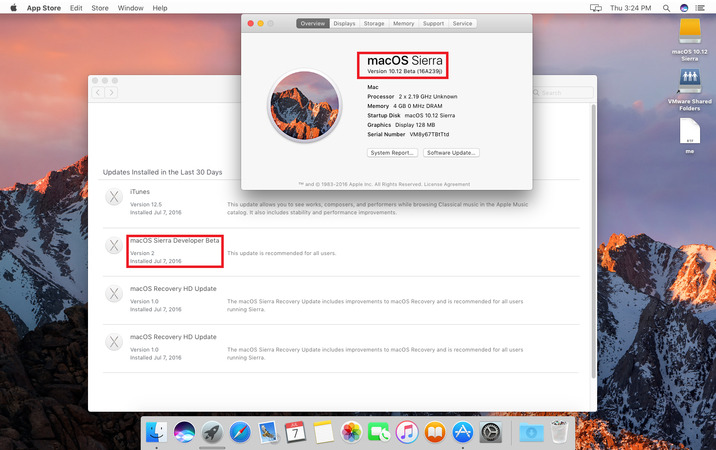
Version: Developer Beta 2
No need Developer Account
Requirements: macOS Sierra 10.12 Developer Beta 1
macOS 10.12 Sierra - Developer Preview Beta 1 - Original AppStoremacOS 10.12 Sierra - Developer Preview Beta1
More information: http://www.apple.com/macos/sierra-preview/
macOS Sierra supported devices:
- iMac (late 2009 or newer)
- MacBook Air (2010 or newer)
- MacBook Pro (2010 or newer
- Mac mini (2010 or newer)
- MacBook (2009 or newer)
- Mac Pro (2010 or newer)
How to Install:
1) Download torrent files.
2) Copy the 4 files .pkg.
3) Open /Library/Updates/031-63042 and paste it.
4) Restart your Mac.
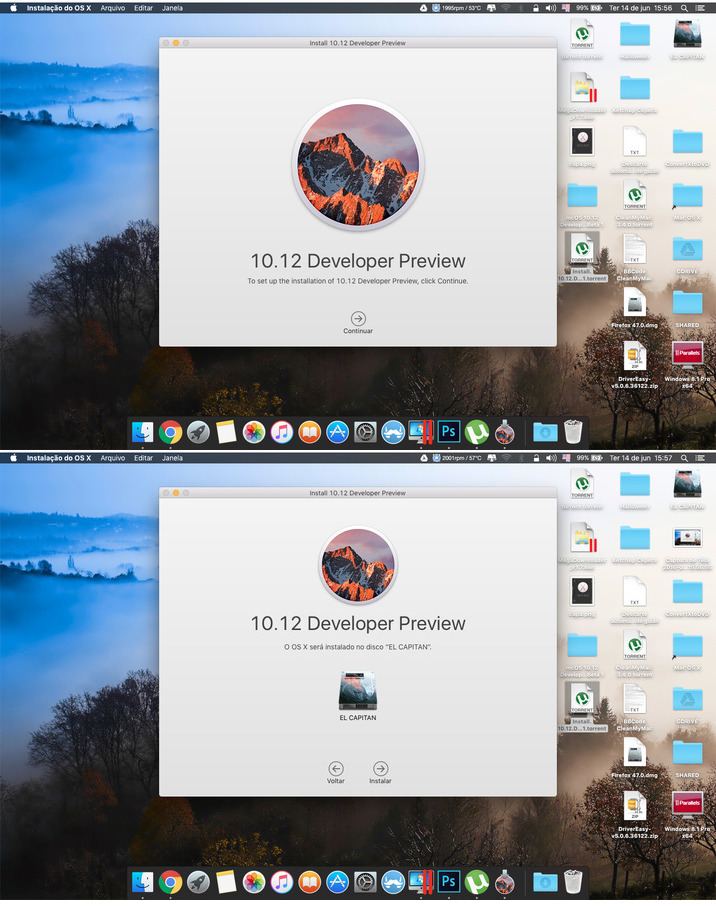
5) Open AppStore and click Update.
6) It should now ask you to reboot and will install the Beta 2
7) Reboot and wait to install.
macOS Sierra
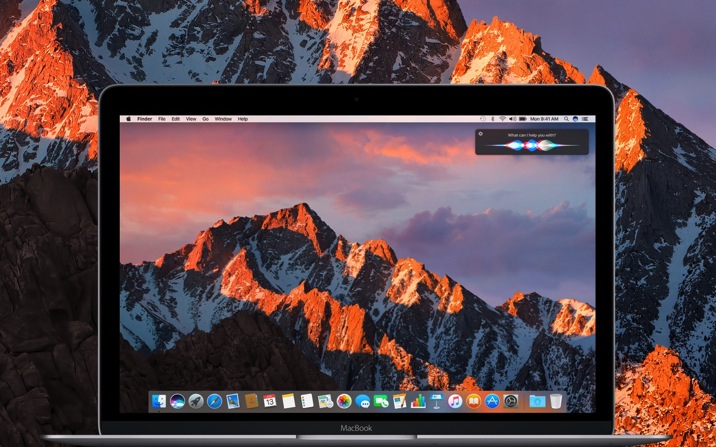
macOS Sierra (version 10.12) is the thirteenth major release of macOS (previously OS X), Apple Inc.’s desktop and server operating system for Macintosh computers. It is the successor to OS X El Capitan and will focus on Continuity, iCloud and windowing enhancements, and support for Apple Pay and Siri. Apple rebranded OS X into macOS, reminiscing the old naming scheme used since Mac OS 7.6.
The first beta of macOS Sierra was released to developers shortly following the 2016 WWDC keynote on June 13, 2016. macOS Sierra will be available to end users in the fall of 2016 as a free upgrade through the Mac App Store.
Features:
Continuity, iCloud and Apple Pay
The computer can be unlocked automatically when the user wears a paired Apple Watch. The clipboard can be shared across nearby macOS Sierra and iOS 10 devices for cut, copy and paste. iCloud Drive will be able to sync files that are located in the Documents directory and on the desktop, in addition to the iCloud Drive directory. Old files across the system can also be uploaded automatically and be deleted locally as the computer runs out of space. Apple Pay will be made available to online shops and users can authenticate purchases through a connected iPhone or Apple Watch.
Windowing enhancements
Applications that support multiple windows will support multiple tabs within a single window. Picture in Picture, a miniature video player that floats on top and follows the user across spaces, will be supported.
Siri
The Siri intelligent assistant will be integrated into the system. Users can access it via the Dock, the menu bar or a keyboard shortcut and results are shown with an interface in the upper-right corner. Results are interactive and be dropped into other applications, for instance, pictures from a web search can be dragged into a document.
Photos
Using deep learning, Apple added facial recognition to Photos. It groups similar pictures together using faces, locations and object recognition to create “memories”. Memories contain picture slideshows with transitions and music selected by the algorithm, which can be modified to the user’s liking.
Apple File System
Apple announced a preview of a new file system, called Apple File System (APFS). It is intended for SSDs and will adopt several features introduced by ZFS, such as snapshots and cloning, as well as native support for features that Apple already provides through HFS Plus and supplementary software, such as encryption and TRIM. Usage is currently experimental and a release is planned for 2017. Apple plans to make it open source.
Screenshots
Name
macOS Sierra 10.12 Developer Beta 2 Update
Size
2.79 GB
Created on
2016-07-08 07:05:44
Hash
7f2fe149cb6e9e969ccab5ffee4bfe5503d61169
Files
macOS Sierra 10.12 Developer Beta 2 Update/FirmwareUpdate.pkg (132.9 MB) macOS Sierra 10.12 Developer Beta 2 Update/FullBundleUpdate.pkg (17.68 MB) macOS Sierra 10.12 Developer Beta 2 Update/OSXUpd10.12.pkg (1.64 GB) macOS Sierra 10.12 Developer Beta 2 Update/OSXUpd10.12Patch.pkg (996.9 MB)
Name : 75 Premium Styles Developer Bundle
Files : JPG, PSD
File Size : 314.28 MB
Requirements : Adobe CS2+

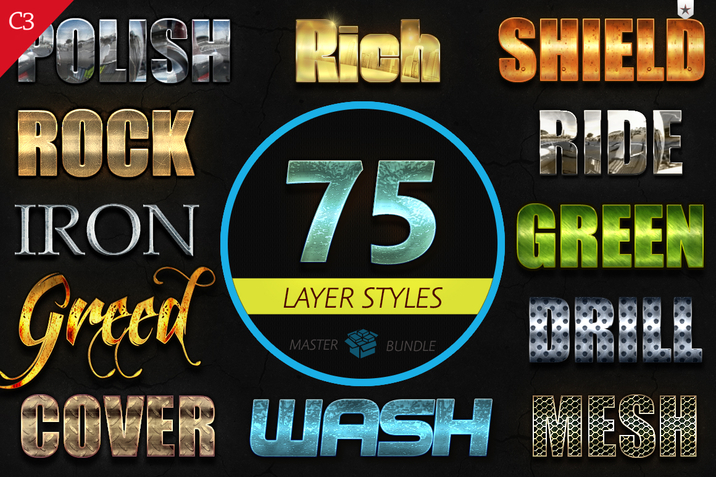
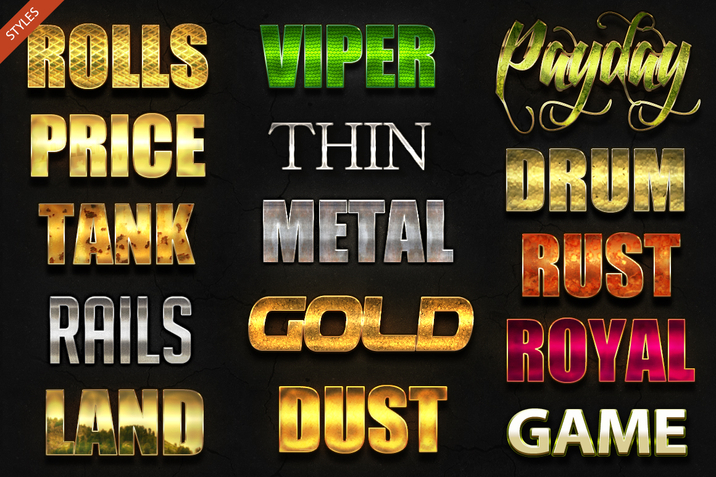
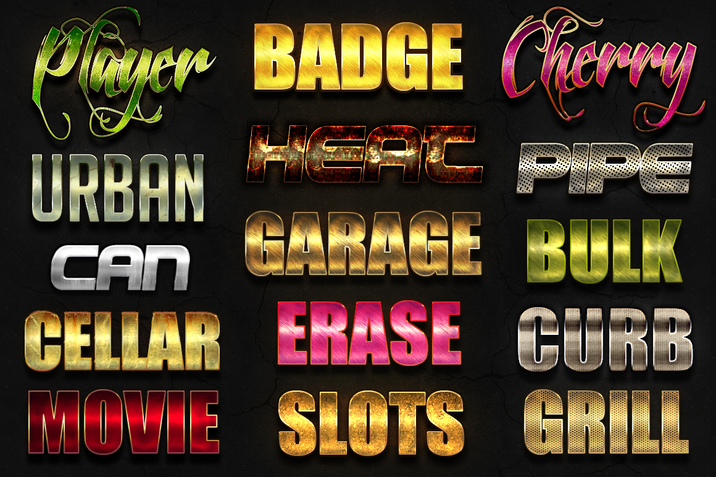
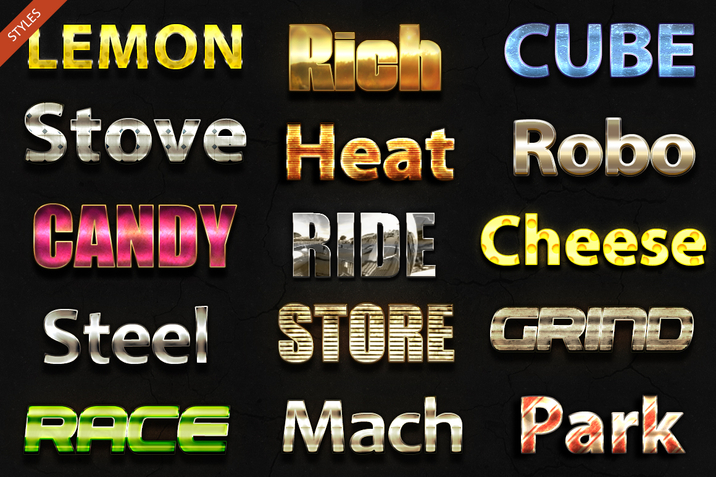
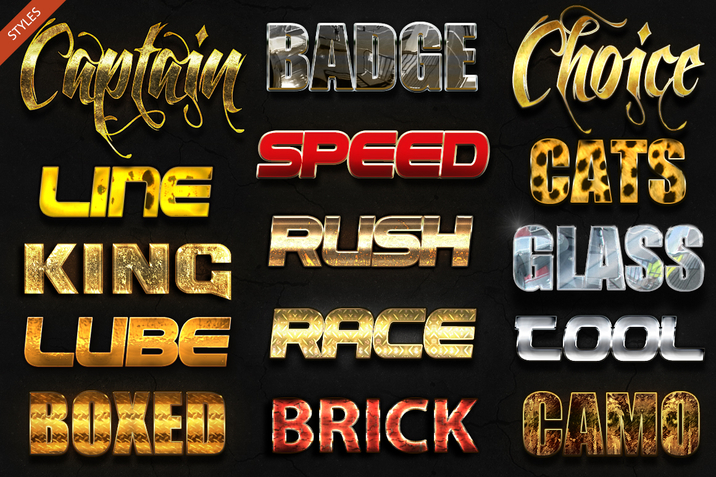
75 Premium Styles Developer Bundle. These are premium Adobe Photoshop layer styles.  This Bundle includes source .psd.  The source .psd layers are active (unlocked).  All layer styles have been organized & are easy to use, 100% scalable. Just click to apply.
Package Contents

• 75 Adobe Photoshop layer styles (.asl)
• 5 Adobe Photoshop (.psd) source
• Font information
• Install intsructions (.pdf)

Quality Certificate 2.0

• The complete package has been tested for quality  Passed/Approved!
•
Quality Certificate 2.0 is active
Quality Controlled Test Results:

• The complete package has been tested for quality  Passed/Approved!
• The complete package has been tested for errors  Passed/Approved!
• The complete action set is multilingual application compatible  Passed/Approved!
• The complete package has been tested using, minimum three versions of Adobe Photoshop  Passed/Approved!
• The complete package is well documented
Passed/Approved!


Link for more information: https://creativemarket.com/C3Design/17715-75-Premium-Styles-Developer-Bundle