Category Archives: Graphics & Design

Stupid Raisins Split Pop 1.0 for Final Cut Pro X

Stupid raisins split pop icon

Descriptions for Stupid Raisins Split Pop 1.0

Name: Stupid Raisins Split Pop
Version: 1.0

Includes: Serial

Web Site: http://stupidraisins.com/titles/split-pop/

Overview

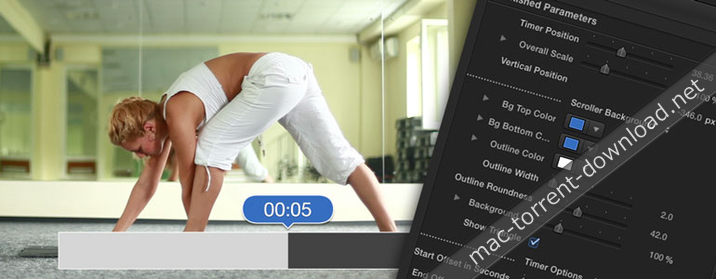
25 customizable splitscreen effects, perfect for creating animated splits with videos and photos.

Split Pop is a pack of 25 customizable split-screen titles for Final Cut Pro X, perfect for creating animated splits with videos and photos.

Split Pop is the perfect solution for everyone out there looking for a fast and simple way to add animated splitscreens to any video without wasting precious hours and dollars.

Split Pop is designed for 4K UHD and HD videos and lets you make split-screens in a snap!

Name Stupid Raisins Split Pop v1.0 [sn].zip
Size 15.99 MB
Created on 2018-02-15 02:59:09
Hash af12d3272f6283f0158880706c7ad7d3fad632aa
Files Stupid Raisins Split Pop v1.0 [sn].zip (15.99 MB)

3D Sports Graphics 1.0 for Final Cut Pro X

Descriptions for 3D Sports Graphics 1.0

Name: 3D Sports Graphics
Version: 1.0
Mac Platform: Intel
OS Version: macOS 10.12 or later

Requirements: Final Cut Pro 10.3 or later

Includes: Serial

Web Site: https://idustrialrevolution.com/products/xeffects-3d-sports-graphics

Overview

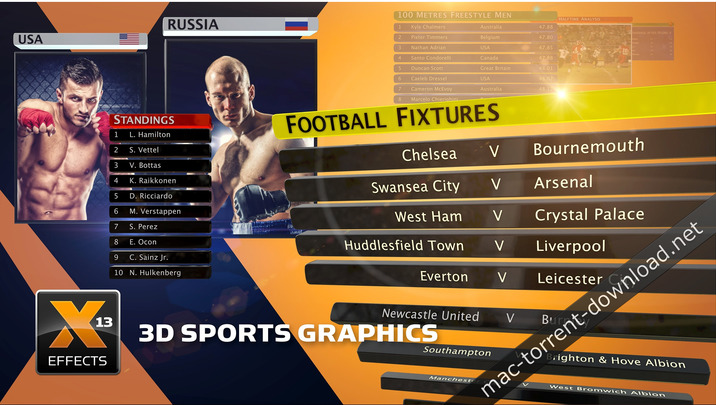
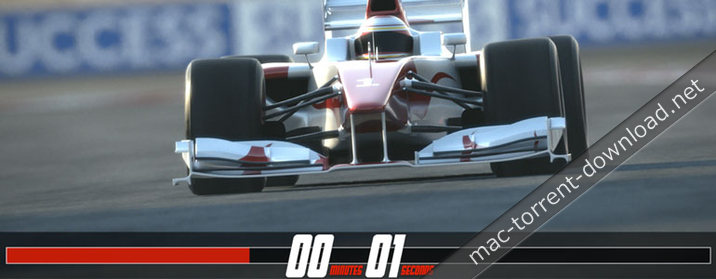
XEffects 3D Sports Graphics are a set of 24 glossy 3D, professionally designed broadcast quality plugins for sports TV & video production. Highly customisable, you can build sports graphics to your exact requirements.

Ten colour palettes are built in to choose from, or use your own to match your broadcast identity, corporate colours or your local club team strip.

All 4K Ready in Final Cut Pro X, these customisable graphics are a stylish way to add statistics, scores and information to sporting videos.

These plugins are perfect for sport, but because of the built-in flexibility they can be used for anything from corporate, broadcast or just a great looking name super.

Features
  • 10 preset colour palettes in every template or choose your own
  • Use images or video in panels No drop zones for easy editing
  • Many display options and XY positioning on every template
  • Adjust overall strip width and depth of every item
  • Display up to 12 rows with 4 globally moving text columns
  • Build In & Build Out animations on every template or toggle off for cuts & dissolves
  • Layer up titles for ‘Change ons’
  • Drop Zones for team badges and flag images
  • 4K Ready

Screenshots

Name 3D Sports Graphics 1.0 [sn].zip
Size 23.92 MB
Created on 2018-02-15 02:59:09
Hash 9bc720e33b734201e8cfdaf2d6c8a81f237b1db4
Files 3D Sports Graphics 1.0 [sn].zip (23.92 MB)

Filter Forge 7.007

Descriptions for Filter Forge 7.007

Name: Filter Forge for Mac
Version: 7.007
Release Date: 17 Nov 2017
Mac Platform: Intel
OS version:OS X 10.8 or later

Includes: K

Web Site: https://filterforge.com/

Overview

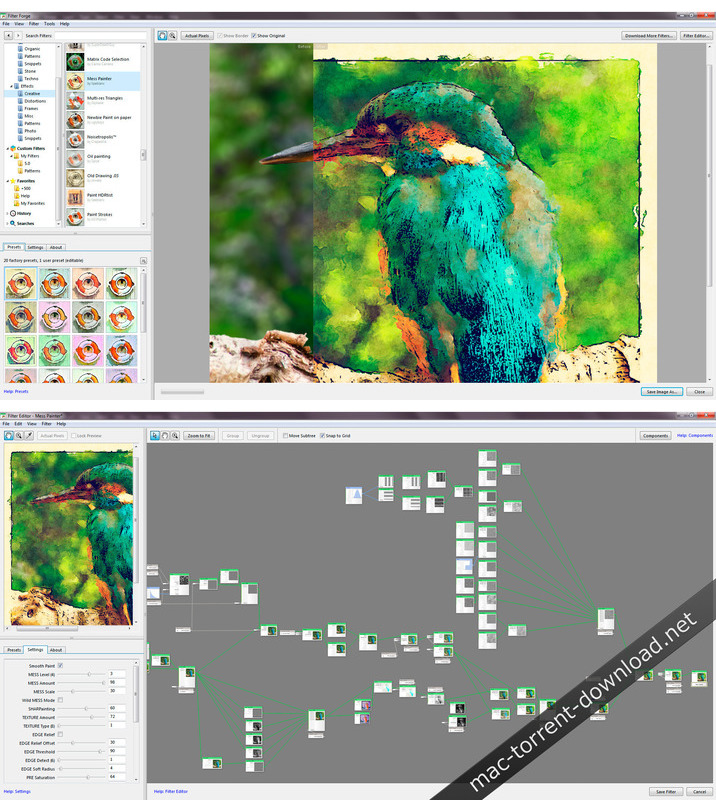
Filter Forge is a high-end graphic app which allows you to generate textures, create visual effects, enhance photos, and process images. It features several thousand ready-made realistic and abstract textures and effects, and a powerful visual editor to create custom ones.

The listed price is for the Basic version of Filter Forge. You can compare the different versions and their options on the developer site.

What’s New in Filter Forge 7.007

  • New Sample Cache Architecture Speeds Up Rendering – Rendering speed has always been a concern for many Filter Forge users. Filter Forge 7.0 brings in improvements to sample caching that can speed up lots of filters.
  • Instant Component Search – New instant component search makes adding components to your filter faster and easier.
  • Mappable Lists and Sliders – Filter Forge 7.0 refreshes 47 existing components, making their list and slider inputs mappable. It simplifies filter creation and gives authors more room for creativity.
  • Copy / Paste – Filter Forge 7.0 adds support for copying and pasting images that allows you to use Filter Forge together with any image editor regardless of its support for plugins.
  • New Approach to Channels – Thanks to the recent renderer rewrite, Filter Forge 7 brings in the ability to generate all render channels simultaneously and in parallel with the final image. You can now preview the channels being rendered and quickly switch between them without restarting rendering.
  • Easy Export – The new Export dialog implements the long-awaited option to export multiple render channels at once. You can select specific images for export and fine-tune their export settings.

Screenshots

Name Filter Forger 7.007 [k].zip
Size 115.7 MB
Created on 2018-02-15 02:59:09
Hash 73028663c082f8e9abb7118ae1e82320bc02d214
Files Filter Forger 7.007 [k].zip (115.7 MB)

Tayasui Sketches Pro 3.6

Descriptions for Tayasui Sketches Pro 3.6 MAS

Name: Tayasui Sketches Pro
Version: 3.6
Release Date: February 13, 2018
Developer: Tayasui.com
MAS Rating: 4+
Mac Platform: Intel
OS Version: OS X 10.10 or later

Includes: Pre-K’ed (TNT)

Web Site: http://tayasui.com/sketches/
Mac App Store: https://itunes.apple.com/app/tayasui-sketches-pro/id1031566200?mt=12

Overview

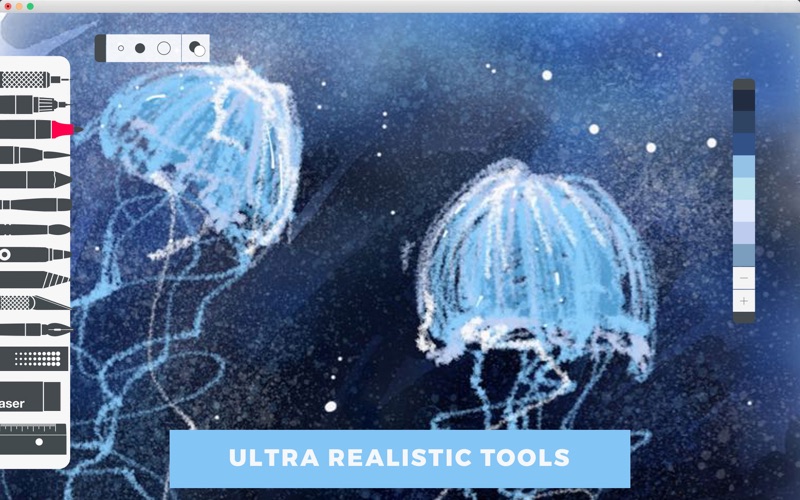
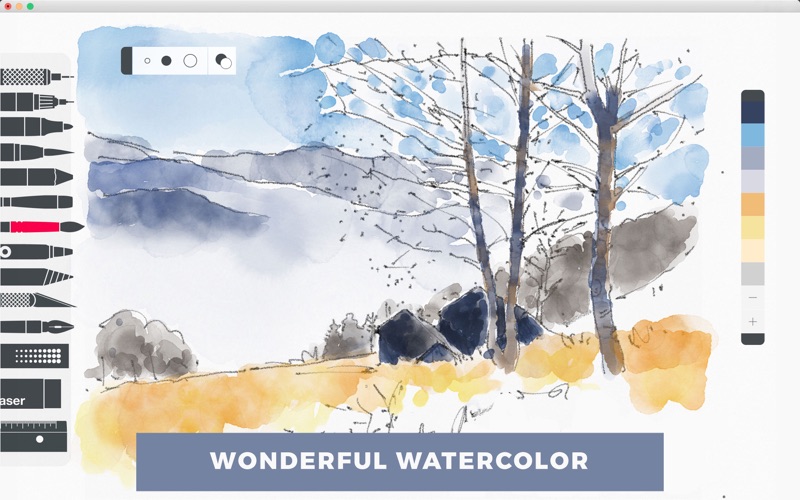
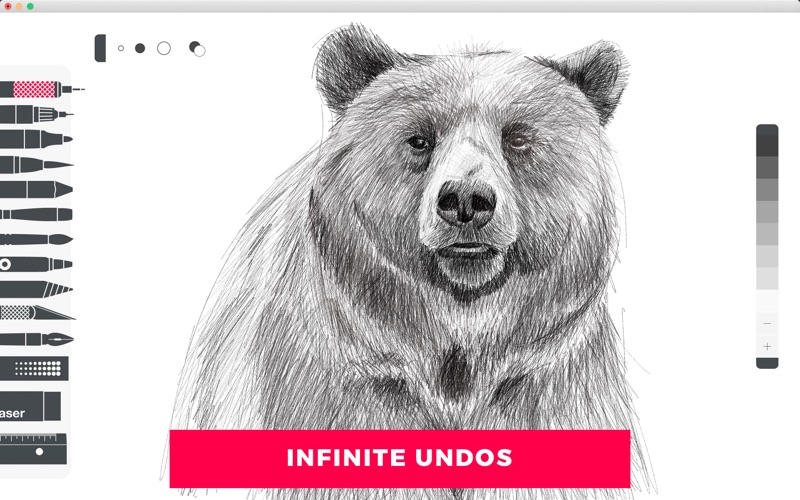
Because beautiful tools make beautiful drawings, we endlessly refined Sketches brushes to create the most realistic drawing tools.

With a modern and clean UI, Sketches is the most versatile and user-friendly sketching app available on Mac.

Features

Over 20 ultra realistic tools
Incredibly realistics watercolor wet brushes
Smart Brushes Editor
Color Eyedropper
Color editor
Import photos

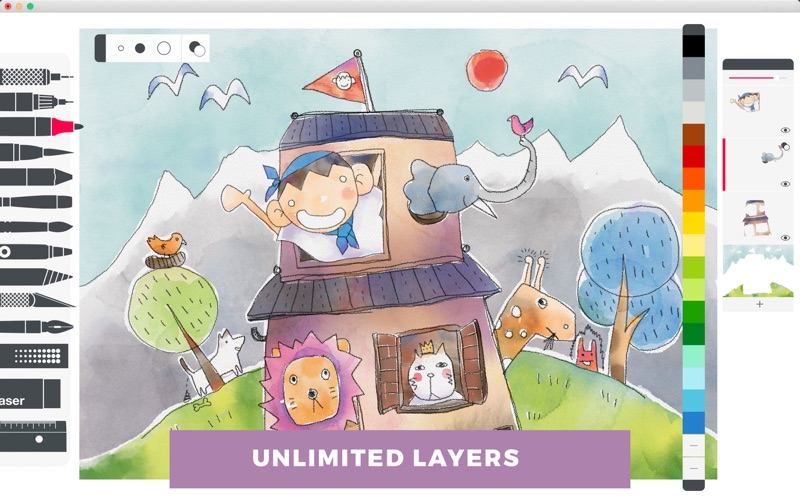
Layers

Use up to 12 layers to simplify your task
Export them as separate PNG with transparency

Stylus support

Sketches GUI has been designed from the ground up with styluses in mind and the brushes are even more realistic while using tablets.

A fast and efficient UI with a touch of Zen
A very clean and simple to use UI offering a lot of powerful functions in a lean design.

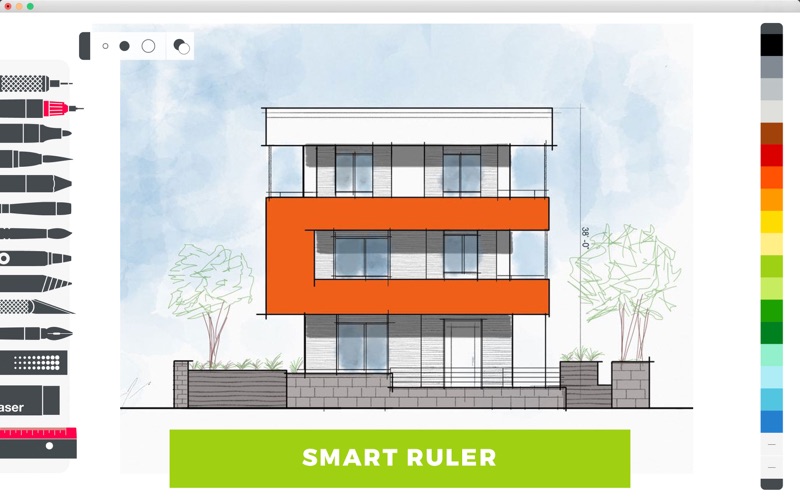
• List of tools
– Pen
– Rotring
– Felt Pen
– Pen Brush
– Oil Pastel
– Watercolor Dry and Wet brushes
– Acrylic brush
– Airbrush
– Area and Filling tool
– Patterns
– Eraser
– Cutter
– Smudge tool
– Ruler

What’s New in Tayasui Sketches Pro 3.6

Bug corrections
Added Text tool in pro mode

Screenshots

Name Tayasui Sketches Pro 3 6 MAS TNT.zip
Size 74.88 MB
Created on 2018-02-15 02:59:09
Hash 9cbca24390409f097d5bd625c8c9609cacf3f533
Files Tayasui Sketches Pro 3 6 MAS TNT.zip (74.88 MB)

Compress 1.0.1

Descriptions for Compress 1.0.1

Name: Compress – Image Compression
Version: 1.0.1
Release Date: February 20, 2018
Developer: Binyamin Goldman
MAS Rating: 4+
Mac Platform: Intel
OS Version: OS X 10.10 or later

Includes: Pre-K’ed (TNT)

Mac App Store: https://itunes.apple.com/app/compress-image-compression/id1332838649?mt=12

Overview

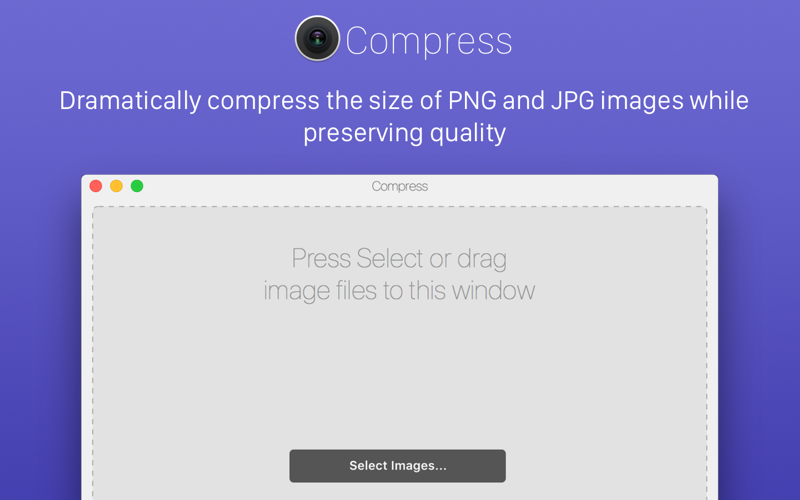
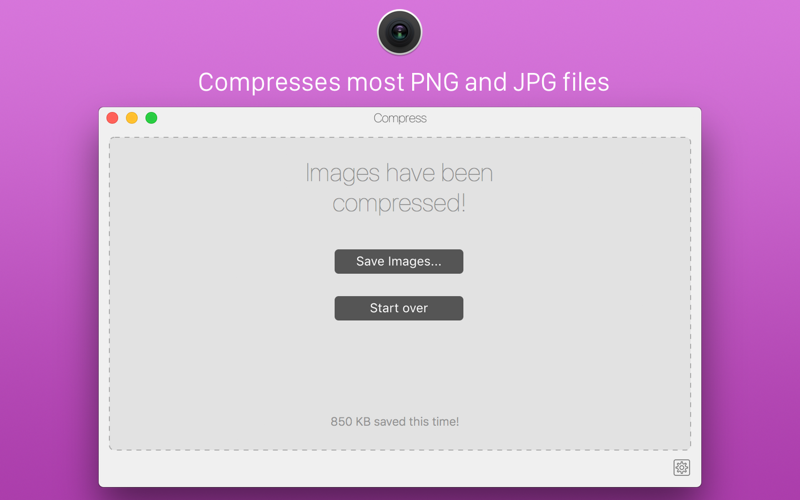
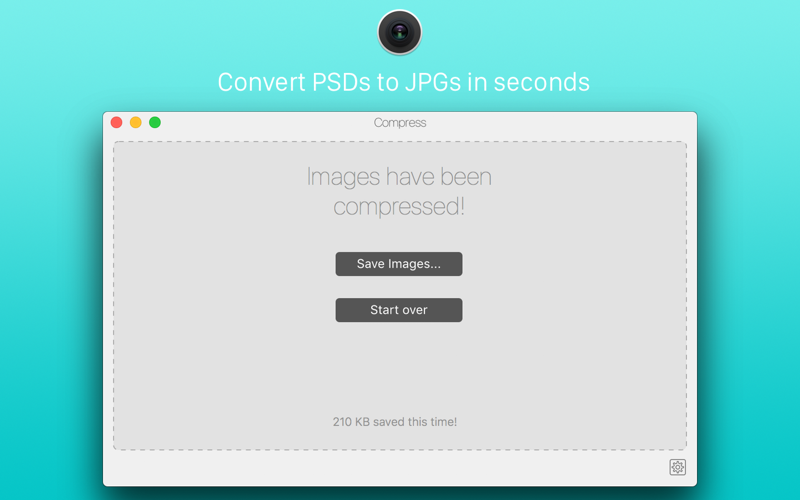
Compress includes:

– Compression of PNGs while preserving quality
– Compression of JPGs while preserving quality
– Easy conversion of PSDs to JPEGs
– Easily remove JPG metadata
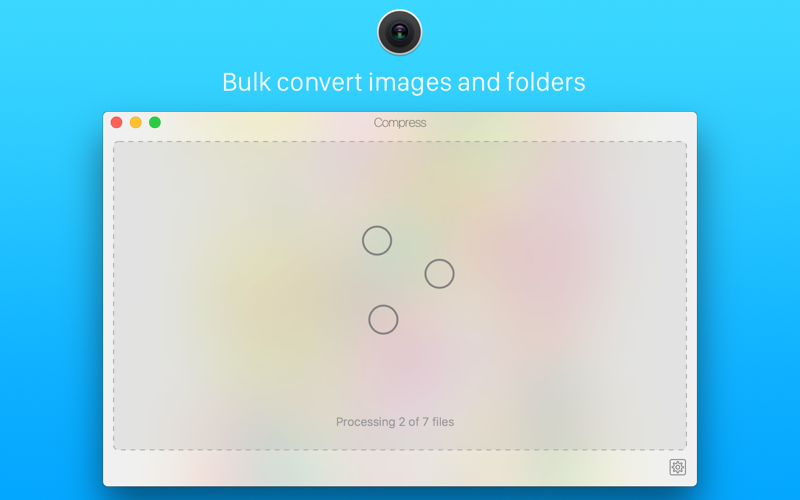
– Batch conversion of files and folders
– Custom prefixes
– Drag and drop interface
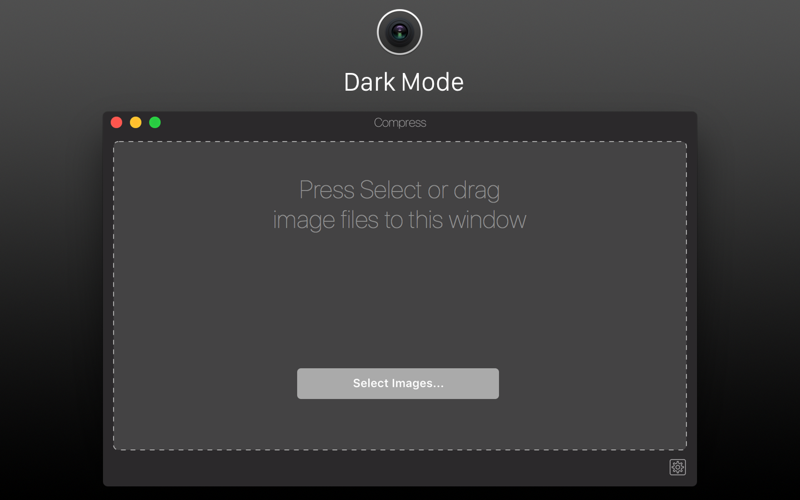
– Dark and Light modes

What’s New in Compress 1.0.1

– Initial Release

Screenshots

Name Compress 1 0 1 TNT.zip
Size 12.59 MB
Created on 2018-02-15 02:59:09
Hash e17fb4a63af813c97609f426034b492407747c9b
Files Compress 1 0 1 TNT.zip (12.59 MB)

Artstudio Pro 1.0.14

Descriptions for Artstudio Pro 1.0.14 MAS

Name: Artstudio Pro
Version: 1.0.14
Release Date: February 12, 2018
Developer: Lucky Clan
MAS Rating: 4+
Mac Platform: Intel
OS Version: OS X 10.11 or later

Includes: Pre-K’ed (TNT)

Web Site: http://www.luckyclan.com/
Mac App Store: https://itunes.apple.com/app/artstudio-pro/id1313773050?mt=12

Overview

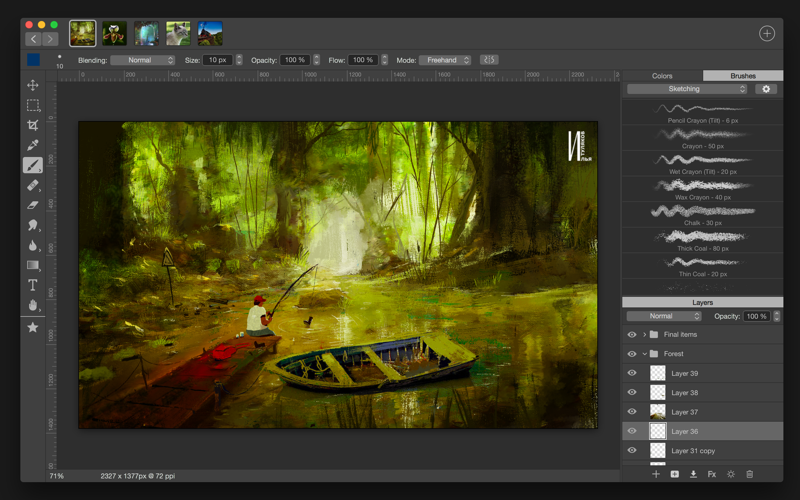
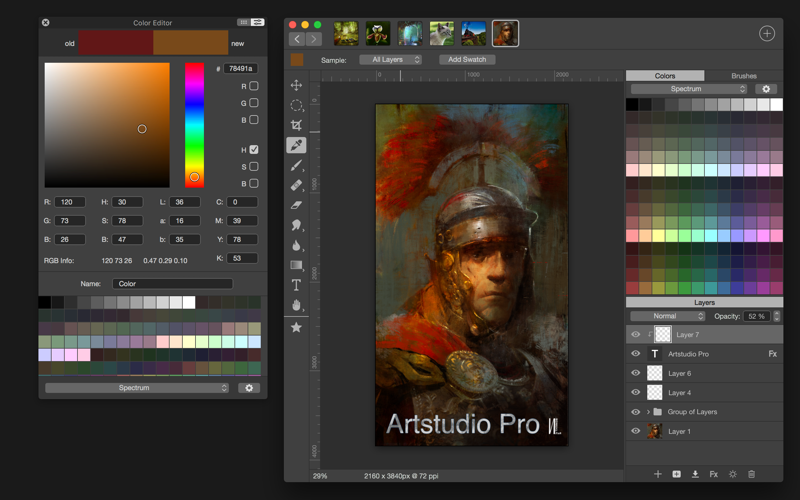
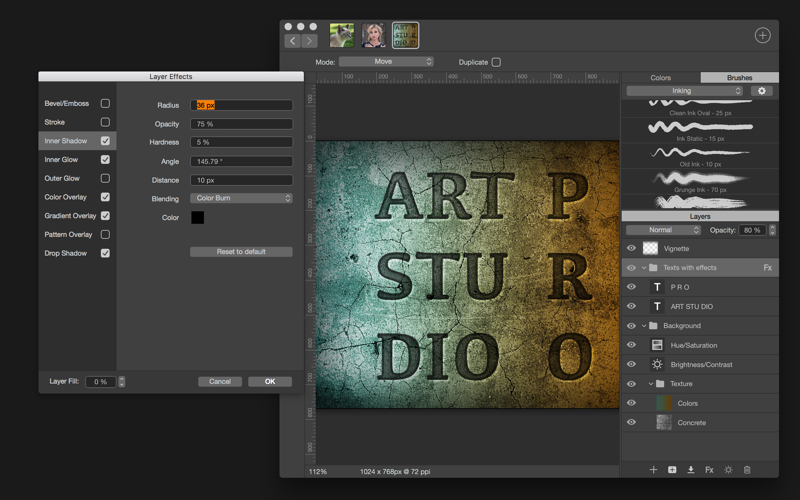
Introducing Artstudio Pro, the most powerful painting and photo editing app available for both macOS and iOS . The successor to our famous ArtStudio app has been redesigned bringing many new features and improvements taking full advantage of the latest technologies Metal, iCloud Drive, and optimized for 64-bit multi-core processors to achieve the smoothest possible workflow.

Hundreds of assets are included and users have the ability to import resources in the most popular formats (ABR, TPL, PAT, GRD, ASE, ACO) giving instant access to millions of brushes, patterns, gradients, color swatches and fonts. It will boost your creativity and help you bring your ideas to life quickly and easily.

New engine

The powerful GPU accelerated ArtEngine developed by Lucky Clan is 5-10 times faster than the previous engine. It allows working with multiple documents, supports large canvas sizes and an unlimited number of layers. Incredible optimization ensures smooth work even with large canvases.
• Multiple open documents
• Canvas size: 256Mpix
• Unlimited layers
• 27 tools: Move, Select, Crop, Eyedropper, Paint, Wet Paint, Eraser, Bucket/Pattern/Gradient Fill, Smudge, Dodge, Burn, Sponge, Text, Heal, Clone, and more

Flexible layer system

Artstudio Pro introduces a new layer system with grouping, non-destructive layer effects, and adjustment layers.
• Groups
• Masks, clipping masks
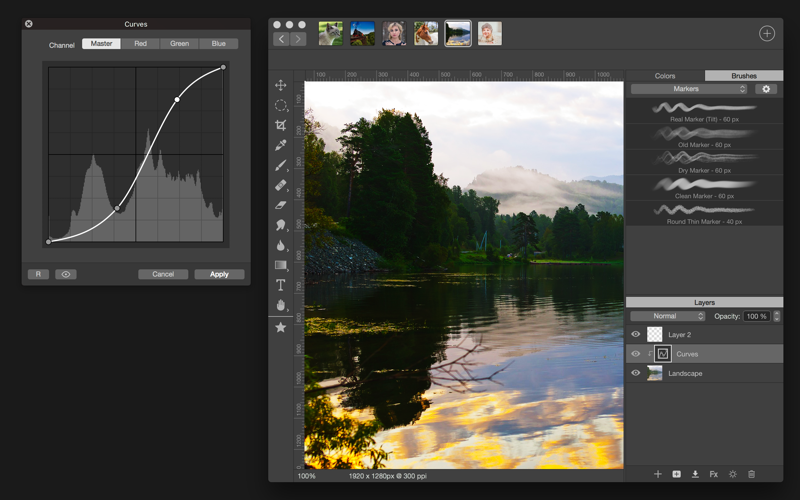
• 13 adjustment layers: Brightness/Contrast, Levels, Curves, Exposure/Gamma, Shadows/Highlights, Vibrance, Hue/Saturation, Color Balance, Temperature/Tint, Black and White and more
• 9 layer effects: Bevel/Emboss, Stroke, Inner Shadow, Inner Glow, Outer Glow, Color/Gradient/Pattern Overlay, Drop Shadow
• 27 blending modes
• Text layers
• Transform multiple layers simultaneously

Advanced Brush engine

Perfectly optimized, lag free mechanism generating smooth, real looking strokes, making the most of the stylus.
• Brush size up to 4000×4000
• 64-bit painting with pattern, double stamp, wet brush, dynamics
• Brush editor with 80 customizable settings
• Over 100 built-in brushes divided into a few groups: Painting, Sketching, Markers, Inking, Dots & Specks, and more
• Symmetric painting with custom symmetry line

Professional photo editor

Photo editing options developed in cooperation with professional photographers. Each feature was tested in several scenarios and light conditions.
• 13 adjustments available as non-destructive layer or simple adjustment (list above)
• 4 auto adjustments: Auto Contrast, Levels, Lightness, Saturation
• Dozens of filters with realtime preview and the ability to generate seamless patterns
• Inpaint function
• Retouching tools: Heal, Dodge, Burn, Sponge and more
• Image resize with 5 interpolations: Nearest, Linear, Cubic Smooth, Cubic Sharp, and Cubic Sharper
• Crop using special tool, crop from selection, trim transparent areas

Import/Export

We have implemented many parsers from the most popular assets/images formats and we are especially proud of our ABR/TPL parser which not only reads brush stamps and patterns, but also most settings which are converted to Artstudio Pro brush engine values.
Import
• Images- PNG, JPEG, PSD, HEIC, TIFF
• Brushes- ABR, TPL
• Color swatches- ASE, ACO
• Patterns- PAT
• Gradients- GRD
• Fonts- TTF, OTF
Export
• Images- PNG, JPEG, PSD, TIFF

Other features

• Full iCloud integration
• Screen recording
• All features available on macOS, iPad and iPhone
• Selection displayed as marching ants, quick mask or invisible
• Snapping to guidelines, dynamic guidelines, grid
• Canvas rotation

Minimum System Requirements

Artstudio Pro for macOS requires a Mac running macOS 10.11 El Capitan or above

What’s New in Artstudio Pro 1.0.14

– added option to create a brush from active image (File>Add Preset>Add Brush)
– added Watercolor and Wet Watercolor brushes in Painting group (similar to Watercolor brush from old ArtStudio)
– improved performance of Edit>Transform
– fixed Quick Mask view mode
– merging down layer over mask/clipping is not possible anymore
– few other minor fixes and optimizations


Screenshots

Name Artstudio Pro 1 0 14 MAS TNT.zip
Size 49.72 MB
Created on 2018-02-15 02:59:09
Hash ff04be6763dfcbf81a65acb0d35ead95a2d82a2f
Files Artstudio Pro 1 0 14 MAS TNT.zip (49.72 MB)

Athentech Perfectly Clear Complete 3.5.6.1148 (St and Plug-in for Lr)

Descriptions for Athentech Perfectly Clear Complete 3.5.6.1148
Name: Athentech Perfectly Clear Complete
Version: 3.5.6.1148
Mac Platform: Intel
OS Version: OS X 10.9 or later
Processor type(s) & speed: 64-bit processor

Includes: Pre-K’ed (TNT)

Web Site: http://www.athentech.com/products/plugins

Overview

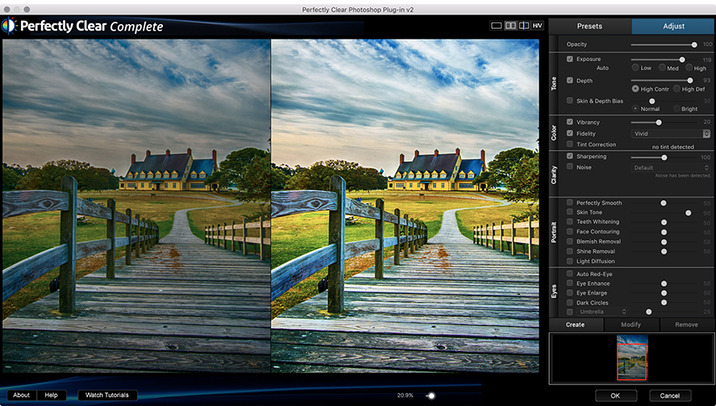
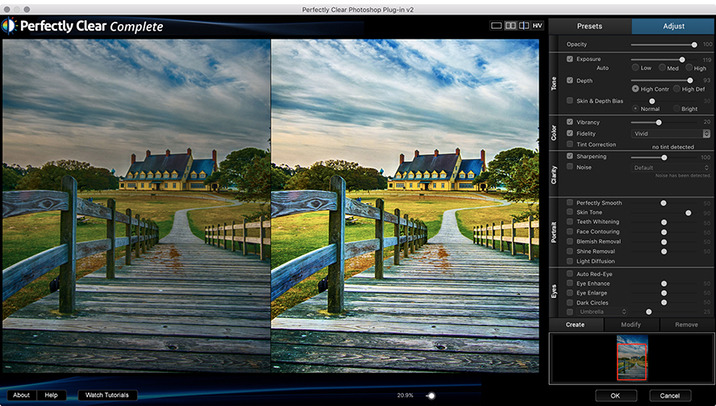
Built for precision. Made for beauty. Above all, you want better photos. But what if you could have better photos faster? Perfectly Clear has mastered the science of intelligent image correction – creating superior quality photos in record time, so you can get back to doing what you really love…in no time.

You became a photographer to go out and capture the beauty of the world, not sit inside at an editing desk. We invented our automatic image corrections to take away the tedium and give you back your freedom. So let Perfectly Clear handle the editing chores while you devote your day to doing what you do best—creating incredible images.
– Up to 20 auto corrections with one click
– Batch process 1000s of images in minutes
– Stay within your workflow
– Unlock the details in every image
– Tap into professionally created presets
– Save countless hours of manual editing
– Fine tune details with precise controls

Also:

Perfectly Clear is Now A Stand-Alone Application!
– Open RAW and traditional photos directly
– Crop to whatever size you need
– Print your photos
– Export in the original format or as JPEG or TIFF for sharing

– Filmstrip for Easy Navigation
– Undo/Redo
– Visual Presets
– Visual LOOKs
– Preset & LOOKs Favorites
– Graduated Filters
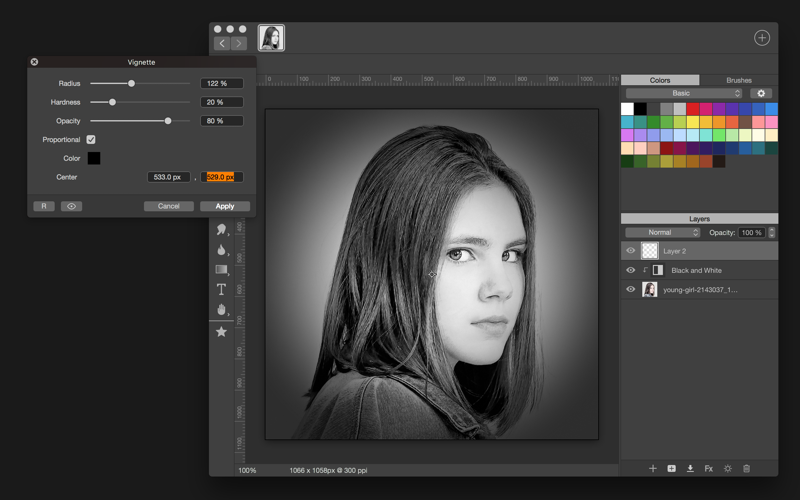
– Stylistic Vignette and Radial Filters
– Robust Color Restoration
– Manual Finishing Controls

What’s New in Athentech Perfectly Clear Complete 3.5.6.1148

  • Release notes not available at the time of this post.

Screenshots

Name Perfectly Clear Complete St and Lr 3 5 6 1148 TNT.zip
Size 135.6 MB
Created on 2018-02-15 02:59:09
Hash 7d191360e28e9c65108f85cd4dc157bfb47c53a9
Files Perfectly Clear Complete St and Lr 3 5 6 1148 TNT.zip (135.6 MB)

Acorn 6.1.1

Name Acorn 6.1.1 [core].zip
Size 18.73 MB
Created on 2018-02-15 04:43:40
Hash e7fb4b9a96f1c8a0aeafe580d66b15b5333e1715
Files Acorn 6.1.1 [core].zip (18.73 MB)

Descriptions for Acorn 6.1.1

Name: Acorn for Mac
Version: 6.1.1
Mac Platform: Intel
OS version:OS X 10.11.4 or later
Processor type(s) & speed: 64-bit processor

Includes: Pre-K’ed (TNT)

Web Site: https://flyingmeat.com/acorn/

Overview

Acorn is a new image editor built with one goal in mind – simplicity. Fast, easy, and fluid, Acorn provides the options you’ll need without any overhead. Acorn feels right, and won’t drain your bank account.
  • Take screenshots using Acorn and edit them right away.
  • Chain together image filters to create stunning effects.
  • Layer based image editing, an industry standard.
  • Make new images and layers using your built-in iSight.
  • Easy image and canvas resizing, just by changing the size of your window.
  • Take advantage of every pixel of your monitor with full screen image editing.
  • Tablet sensitive for pressure strokes and using the tablet’s eraser.
  • Vector shape and text layers.
  • Freeform, elliptical, rectangular, and magic wand selections.
  • Gradients.
  • Create and apply custom text styles.
  • Control opacity and blending modes for each layer.
  • Write plugins using the Python scripting language, as well as in Objective-C.
  • GPU powered. The same graphics card that makes your gaming experience smooth, helps Acorn fly through the toughest of graphics operations.

What’s New in Acorn 6.1.1

  • Release notes not available at the time of this post.

Screenshots

Password

ndjmm2-[mac-torrents.net]-nkmz