Tag Archives: Lighting

Pixel Film Studios – Cinematic Lighting Effects for FCPX

Pixel Film Studios presents FCPX Light Rays, a trackable volumetric lighting tool for Final Cut Pro X. With FCPX Light Rays, you can outline the light source of any video by using built-in masking controls and tracking its’ movement. Quickly and easily create realistic beams of beautiful light that can follow the movement of your camera with FCPX Light Rays from Pixel Film Studios.

Realistic Light Effects
 FCPX Light Rays lets users add realistic volumetric lighting to their media using new and advanced motion tracking technology. Create a mask around a light source and track it’s movement. Then, make adjustments to the direction and size of light rays using intuitive on-screen controls. FCPX Light Rays can help light up any scene in just a few easy steps.

Completely Customizable Rays
Invigorate your media with realistic rays of light. Add radiant beams to indoor shots and enhance outdoor lighting with beautiful crepuscular rays. The possibilities are endless using FCPX Light Rays from Pixel Film Studios.
Homepage https://store.pixelfilmstudios.com/lighting-effects-and-tools/
FCPX Light Rays

Name: mMovie_Lights_Mactorrents.is.zip
Size: 271 MB
Files mMovie_Lights_Mactorrents.io.dmg[271 MB]

   Download Torrent
   Download Links

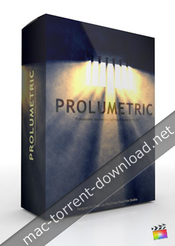
Pixel Film Studios – Prolumetric – Professional Volumetric Lighting Effects for Final Cut Pro X

Descriptions for Pixel Film Studios – Prolumetric – Professional

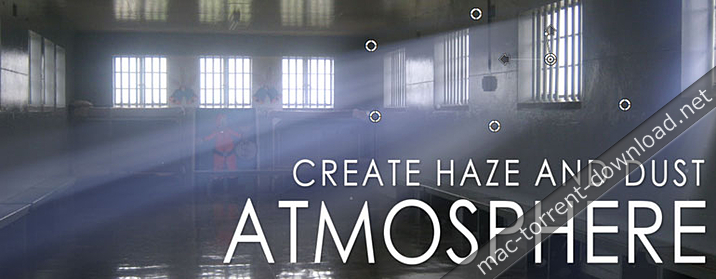
Want to give the illusion that epic or stunning light rays are poking through clouds or a stained glass window? With Prolumetric from Pixel Film Studios create beautiful volumetric lighting effects in Final Cut Pro X.

Prolumetric requires Final Cut Pro X 10.2 or newer.

Web Site: http://store.pixelfilmstudios.com/product/prolumetric/

Find more Pixel Film Studio Plugins

Volumetric Lighting Effects with ProLumetric in Final Cut Pro X

Control Your Light Source

Pixel Film Studios - Prolumetric - Control Your Light Source

Use the 8-point light masking tool to isolate the source of your volumetric light. Want your light rays to just poke through a small window opening or a hole in the clouds? Simply use the on-screen masking tool in Final Cut Pro X to shape the mask around the light source.

Adjust Your Light Color

Take control of the light in your scene and adjust the color of your volumetric lighting. From a dimmly candle lit dinner to a sunset at dusk you can change mood with a tweak of the on-screen controls.

Add Dust Particles

Over 24 different presets of dust that can be added into the volumetric light in Final Cut Pro X. From out of focus large dust particles to small shimmers in the distance. Simply select one of the FCPX presets in the effect panel.

Light Diffusers

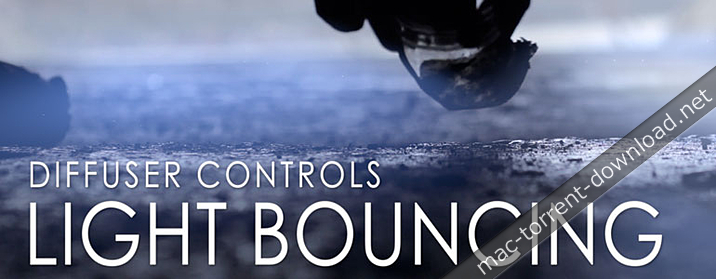
Diffuse your light using two methods in Prolumetric First a simple diffuser located at the light source. This can be adjusted using a slider in the effect control panel in Final Cut Pro X. The second diffuser point is used to bounce the light around your scene creating a realistic volumetric light effect.

Stunning Light Effects

Create the epic or mythological lighting effects that you see in Hollywood blockbusters without breaking the bank on lighting equipment. Add shines, shimmers and sweeping rays to your footage with the Prolumetric plugin for Final Cut Pro X. Then make a Hollywood-style trailer for your film by adding the Prolumetric effects to your title text.

On-Screen Controls

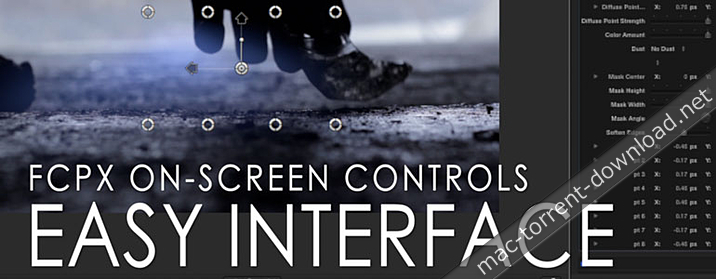
Prolumetric was created by the team at Pixel Film Studios to integrate perfectly with Final Cut Pro X to enhance your editing experience. Take command of this plugin using the on-screen controls in the FCPX viewer. Simply grab control of your light, diffuser points, and dust particles using the handles instead fumbling around in the inspector. – http://mactorrents.cc


Pixel Film Studios – Prolumetric – FCPX Plugins and Effects

Name Pixel Film Studios – ProLumetric [mac-torrents.net].zip
Size 149.4 MB
Created on 2018-02-03 09:44:47
Hash 32d79f02a9c8a36cba9237497ed725a97e843de5
Files Pixel Film Studios – ProLumetric [mac-torrents.net].zip (149.4 MB)

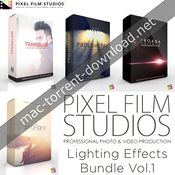
Pixel Film Studios – Lighting Effects Bundle Vol.1 for Final Cut Pro X

Descriptions for Pixel Film Studios – Lighting Effects Bundle Vol.1

Lighting effects & plugins for final cut pro x from Pixel Film Studios.

Pixel Film Studios – Lighting Effects Bundle Vol.1 Includes:
  1. ProFlare
  2. ProLumetric
  3. TransFlare
  4. ProAna

Web Site: http://store.pixelfilmstudios.com/product-category/final-cut-pro-x-products/final-cut-pro-x-plugins/lighting-effects-final-cut-pro-x/

ProFlare – Professional Light Leaks for FCPX

Easily add beautiful, epic, or vintage lighting to any footage in FCPX with ProFlare by Pixel Film Studios, a collection of over 150 professional light leak effects. Simply drop one of ProFlare s effects on to your clip and adjust the user friendly controls to change the orientation, movement, color, flicker, and opacity of the light.

Web Site: http://store.pixelfilmstudios.com/product/proflare/


ProLumetric – Volumetric Lighting Effects

Want to give the illusion that epic or stunning light rays are poking through clouds or a stained glass window? With Prolumetric from Pixel Film Studios create beautiful volumetric lighting effects in Final Cut Pro X.

Prolumetric requires Final Cut Pro X 10.2 or newer.

Web Site: http://store.pixelfilmstudios.com/product/prolumetric/


TransFlare – Light Flare Transitions for FCPX

Flicker, flash, and flare your way from one clip to the next with TransFlare from Pixel Film Studios. With 70 professional light burst transitions for Final Cut Pro X, you can create endless vintage, hip, or edgy looks. Easily add beautiful light transitions to your footage by dropping one of TransFlare’s effects between two of your clip and adjust the user friendly controls.

Web Site: http://store.pixelfilmstudios.com/product/transflare/


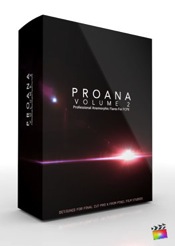
ProAna: Volume 2 Anamorphic Flares For FCPX

PROANA is back with Volume 2. With PROANA Vol. 2 users have the ability to create and design their very own anamorphic lens flare, or choose from more than 30 presents all with in Final Cut Pro X. With PROANA Vol. 2 users have total control over flare and lens imperfection blend modes, light color, light intensity, streak intensity, flicker amount, falloff, environment light, refraction shapes, and more.

PROANA Volume 2 requires the latest version of Final Cut Pro X.

Web Site: http://store.pixelfilmstudios.com/product/proana-volume-2/


Name LightingEffctBundl1.zip
Size 1.49 GB
Created on 2017-05-10 07:30:24
Hash d447487de230073c3ee22417092db9a6e8d595aa
Files LightingEffctBundl1.zip (1.49 GB)