Tag Archives: Cut

Brooklyn Effects – Custom Split Screen Tool For Final Cut Pro X

Brooklyn effects custom split screen tool icon

Descriptions for Brooklyn Effects – Custom Split Screen Tool For Final Cut Pro X

Name: Brooklyn Effects

SYSTEM REQUIREMENTS

– An up-to-date installation of Final Cut Pro X.
– Mac OS X 10.6.8 or greater.
– Mac Computer with a minimum of a Core 2 Duo processor, 2GB RAM, and 256MB VRAM.

Overview

SPLIT YOUR SCREEN INTO CUSTOM BLOCKS AND SHAPES

Bronx Blocks was designed by Brooklyn Effects to be the most intuitive, and customizable split screen effect for FCPX. Simply stack your media in the timeline; drag and drop a shape effects on top of each layer, and use the built-in control panel to change the position.

Name Bronx Blocks by Brooklyn Effects.zip
Size 8.87 MB
Created on 2018-02-16 04:44:32
Hash 50a03b9cf2210024e6ab2ee5327047edd8999778
Files Bronx Blocks by Brooklyn Effects.zip (8.87 MB)

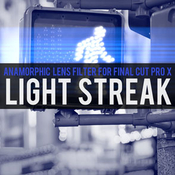
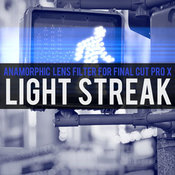
Brooklyn Effects – Light Streak Filter For Final Cut Pro X

Descriptions for Brooklyn Effects – Light Streak Filter For Final Cut Pro X

Name: Brooklyn Effects – Light Streak Filter

SYSTEM REQUIREMENTS

– An up-to-date installation of Final Cut Pro X.
– Mac OS X 10.6.8 or greater.
– Mac Computer with a minimum of a Core 2 Duo processor, 2GB RAM, and 256MB VRAM.

Web Site: http://brooklyneffects.com

Overview

From action flicks to Sci-Fi films, add anamorphic light refractions to your film with the Light Streak Filter from Brooklyn Effects. We designed the Light Streak Filter to allow users to emit add streaking rays of light from the bright areas in their scene, eliminating the need for composite footage.

Name Light Streak by Brooklyn Effects.zip
Size 5.46 MB
Created on 2018-02-16 04:44:32
Hash 30dbf070320ca155f320c9964235c19cd278761c
Files Light Streak by Brooklyn Effects.zip (5.46 MB)

Pixel Film Studios – Composites and Elements Plugins Volume 1 for Final Cut Pro X

Descriptions for Pixel Film Studios – Composites and Elements Plugins Volume 1

Composites and Elements Plugins Volume 1 Includes:
  1. ProPixie
  2. Protrails Vol. 2
  3. ProGun
  4. ProSmoke 5K

Web Site: http://store.pixelfilmstudios.com/product-category/final-cut-pro-x-products/final-cut-pro-x-plugins/composites-and-elements/

Find more Pixel Film Studio Plugins

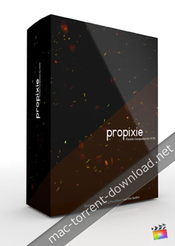
ProPixie – Particle Composites for FCPX

With PROPIXIE from Pixel Film Studios, you can give your film an epic or magical look by simulating floating particles in your footage. PROPIXIE is a collection of 75 ProRes composites that can be applied to footage in any non-linear editing software, simply drag and drop the video file on top of your footage in the timeline and select a composite type.

Web Site: http://store.pixelfilmstudios.com/product/propixie/


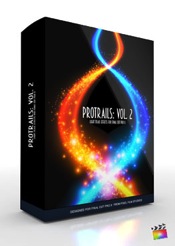
ProTrails: Volume 2 – Particle Trail Effects for FCPX

PROTRAILS Vol.2 lets the users now have the ability to add custom particle trails to their footage all with in Final Cut Pro X. Adjust the particle trail, light source, glow, speed, scale and birth and death, spin speed, and more. With PROTRAILS particle trail effects your footage will never look the same again.

Web Site: https://store.pixelfilmstudios.com/product/protrails-volume-2/


ProGun – Gun-Fire Effect for Final Cut Pro X

Star in your very own action film with PROGUN from Pixel Film Studios. With over 30 muzzle fire effect presets for Final Cut Pro X, be in total control over your muzzle fire effects in a few clicks of a mouse. Rotate your muzzle fire in 3D space, choose your color, and even control the muzzle flash on your subject all with in Final Cut Pro X.

PROGUN requires Final Cut Pro X version 10.1.2 or newer.


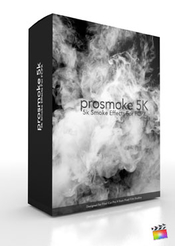
ProSmoke 5K – 5k Smoke Effects For FCPX

Pixel Film Studios brings you PROSMOKE 5K, the premiere Ultra HD Smoke composite tool for any non-linear video editing platform! Transform film shots and enahance the suspense and danger with these smoke composites! Includes on-screen controls and multi-point masks for FCPX!

Web Site: http://store.pixelfilmstudios.com/product/prosmoke-5k/


Name Pixel Film Studios – Composites and Elements Plugins Vol. 1 for FCPX.dmg.zip
Size 2.75 GB
Created on 2018-02-16 00:40:19
Hash d14466d5fbc2dcad080834ce921372cb90eef9d9
Files Pixel Film Studios – Composites and Elements Plugins Vol. 1 for FCPX.dmg.zip (2.75 GB)

PremiumVFX – Minimal Titles 1.0 for Final Cut pro X

Descriptions for PremiumVFX – Minimal Titles 1.0

Name: Minimal Titles
Version: 1.0

Requirements:

– FCPX 10.3 or later
– Motion 5 is NOT required

Includes: Serial

Web Site: https://www.premiumvfx.com/minimal-titles/

Overview

Bring elegance to your project with Minimal Titles for Final Cut Pro

Just drag and drop. Customize everything.

What is Included:
  • 20 Minimal Titles
  • Very detailed video tutorial
Bonus:
  • 01 BG Overlay Effect
  • 01 Motion Blur Effect
Features:
  • Quick and easy to edit in Final Cut Pro X
  • Responsive titles with multiples OSC’s
  • Change duration, color, position, size, etc
  • Disable animation in/out
  • Ready to use in 4K projects
  • No thirdparty plugins required
  • Quick and easy to install

Screenshots

Name PremiumVFX – Minimal Titles v1.0 [sn].zip
Size 18.89 MB
Created on 2018-02-15 02:59:09
Hash 99d7ba080d523180413f78262a1ab6189958e6e2
Files PremiumVFX – Minimal Titles v1.0 [sn].zip (18.89 MB)

Lemke Software EPICOLOR 6 for Final Cut Pro X, Motion & Resolve

Descriptions for Lemke Software EPICOLOR 6 for Final Cut Pro X, Motion & Resolve

Name: Lemke Software EPICOLOR 6

Includes: Serial

Web Site: https://epicolor.film/

Overview

EPICOLOR – Revolutionary Automatic Color Correction Plugin for Final Cut Pro X
it makes your footage look completely natural, just the way you would expect to see it

EPICOLOR is fundamentally different
Even the best cameras in the world only record the incoming light and “see” color-shifts in a scene that would be imperceptible to the naked eye if observed in person

Based on an algorithm called Xe8472® which simulates the human brain visual system, the so-called Color Constancy it automatically corrects professional video to make it look natural and realistic without tedious manual correction

This technology is a first of it’s kind and is the result of 15 years of research and development

From Lemke Software, the makers of GraphicConverter

Name Lemke Software EPICOLOR 6 [sn].zip
Size 17.31 MB
Created on 2018-02-15 02:59:09
Hash f18aa17e3241c82470cd688fb468ab87dca633d8
Files Lemke Software EPICOLOR 6 [sn].zip (17.31 MB)

Stupid Raisins Split Pop 1.0 for Final Cut Pro X

Descriptions for Stupid Raisins Split Pop 1.0

Name: Stupid Raisins Split Pop
Version: 1.0

Includes: Serial

Web Site: http://stupidraisins.com/titles/split-pop/

Overview

25 customizable splitscreen effects, perfect for creating animated splits with videos and photos.

Split Pop is a pack of 25 customizable split-screen titles for Final Cut Pro X, perfect for creating animated splits with videos and photos.

Split Pop is the perfect solution for everyone out there looking for a fast and simple way to add animated splitscreens to any video without wasting precious hours and dollars.

Split Pop is designed for 4K UHD and HD videos and lets you make split-screens in a snap!

Name Stupid Raisins Split Pop v1.0 [sn].zip
Size 15.99 MB
Created on 2018-02-15 02:59:09
Hash af12d3272f6283f0158880706c7ad7d3fad632aa
Files Stupid Raisins Split Pop v1.0 [sn].zip (15.99 MB)

3D Sports Graphics 1.0 for Final Cut Pro X

Descriptions for 3D Sports Graphics 1.0

Name: 3D Sports Graphics
Version: 1.0
Mac Platform: Intel
OS Version: macOS 10.12 or later

Requirements: Final Cut Pro 10.3 or later

Includes: Serial

Web Site: https://idustrialrevolution.com/products/xeffects-3d-sports-graphics

Overview

XEffects 3D Sports Graphics are a set of 24 glossy 3D, professionally designed broadcast quality plugins for sports TV & video production. Highly customisable, you can build sports graphics to your exact requirements.

Ten colour palettes are built in to choose from, or use your own to match your broadcast identity, corporate colours or your local club team strip.

All 4K Ready in Final Cut Pro X, these customisable graphics are a stylish way to add statistics, scores and information to sporting videos.

These plugins are perfect for sport, but because of the built-in flexibility they can be used for anything from corporate, broadcast or just a great looking name super.

Features
  • 10 preset colour palettes in every template or choose your own
  • Use images or video in panels No drop zones for easy editing
  • Many display options and XY positioning on every template
  • Adjust overall strip width and depth of every item
  • Display up to 12 rows with 4 globally moving text columns
  • Build In & Build Out animations on every template or toggle off for cuts & dissolves
  • Layer up titles for ‘Change ons’
  • Drop Zones for team badges and flag images
  • 4K Ready

Screenshots

Name 3D Sports Graphics 1.0 [sn].zip
Size 23.92 MB
Created on 2018-02-15 02:59:09
Hash 9bc720e33b734201e8cfdaf2d6c8a81f237b1db4
Files 3D Sports Graphics 1.0 [sn].zip (23.92 MB)

Pixel Film Studios – ProTimer Volume 1 – Timer Plugin for Final Cut Pro X

Descriptions for Pixel Film Studios – ProTimer Volume 1

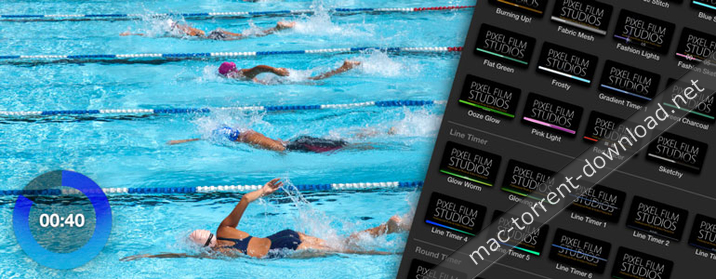
Create a custom timer in your next workout video, cooking tutorial or infomercial with PROTIMER from Pixel Film Studios. This collection of over 50 timers can help you count down or up in various units and styles in Final Cut Pro X. PROTIMER comes fully stocked with line, round, and progress clocks.

Web Site: http://store.pixelfilmstudios.com/product/protimer-volume-1/

Find more Pixel Film Studio Plugins

Interface Tools with ProTimer: Volume 1 in Final Cut Pro X

Over 50 Timer Presets

From fun and energetic to clean and corporate, users can create a functional timer to fit any video style in Final Cut Pro X. With over 50 timer and clock presets along with customization options, the number of looks and styles you can create are almost endless!

5 Unique Timer Styles

Quickly and easily create linear, radial, scrolling and basic timers in Final Cut Pro X using PROTIMER from Pixel Film Studios. Users can simply preview all of the timers in real time by scrolling through the library in the effects browser and mousing over the thumbnail.

Multi-Purpose Timers

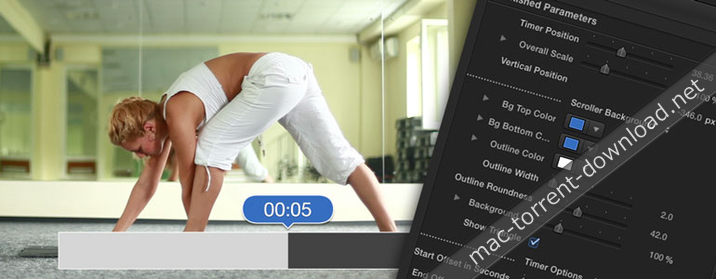
Make a countdown timer for an infomercial to tell viewers how much time they have to call in, or create a progress timer for a workout video to allow your viewer to know how much time they have left in that exercise. With various units and counting directions, you can use the timers in PROTIMER to create a clock for any video.

On-Screen Controls

Is the timer covering up your actor? Use the on-screen controls in Final Cut Pro X viewer window to move the timer to exactly where you need it on the screen. Simply grab the handle and drag it to whatever position you want.

Designed for Final Cut Pro X

With on-screen controls and customization options in the FCPX Inspector, PROTIMER was created to work seemlessly in Final Cut Pro X without ever having to open another software. Simply, drag and drop one of the timer titles over your video and stretch as long as you need. Then set the start time, counting unit, and style options.


Pixel Film Studios – ProTimer Volume 1 – PROFESSIONAL TIMERS FCPX – PIXEL FILM STUDIOS

Password

otgzm-[mac-torrents.net]-ty0yz

Name Pixel Film Studios – ProTimer Vol. 1 [mac-torrents.net].zip
Size 39.71 MB
Created on 2018-02-12 02:36:30
Hash cceb486be45bc7f3f731c3cad09b3b7797280163
Files Pixel Film Studios – ProTimer Vol. 1 [mac-torrents.net].zip (39.71 MB)

SUGARfx Revolve 360 v1.0.2 for Final Cut Pro X, AE & Premiere

Descriptions for SUGARfx Revolve 360 1.0.2

Name: SUGARfx Revolve 360
Version: 1.0.2

Web Site: https://fxfactory.com/info/revolve360/

Overview

Revolve 360- Starting a new evolution.

SUGARfx Revolve 360 is an effect that provides the capabilities of editing and animating spherical video and still images right in the timeline of your favorite application.

Revolve 360 is available for Final Cut Pro X, Motion, After Effects and Adobe Premiere Pro in the same installation.

With Revolve 360 you have all the control of how your film is experienced and you can make sure the viewer enjoys your film the way you envisioned it.

Evolve with Revolve 360

Shooting spherical videos is challenging and fun, however the ultimate decision of how your film is viewed is in the hands of the interactive user via a VR device. That’s all fine if VR is what you want.

With Revolve 360 you become the decision maker, and tell the story of your film the way you want, from any angle that you want, using the similarities of a VR experience in a version that you are actually directing, editing and controling.

Revolve 360 is an Editor’s tool where the Editor becomes the Director and controls the framing and viewing of a specific area of the captured 360° panorama.

Imagine showing the same moment from several angles, be it the happy couple and the joyful guests at a wedding reception, the fans reaction while their team scores a goal during a soccer match, or a conversation between two actors, never missing a piece of the action or the reaction.

With Revolve 360 you can communicate your ideas without missing a frame.

What’s New in SUGARfx Revolve 360 1.0.2

  • Release notes not available at the time of this post.
Password

otgzm-[mac-torrents.net]-ty0yz

Name SUGARfx Revolve 360 v1.0.2 [sn] [mac-torrents.net].zip
Size 16.48 MB
Created on 2018-02-12 02:36:30
Hash 485b62cb264bbec2b08dea21ae8983bda4b8b8da
Files SUGARfx Revolve 360 v1.0.2 [sn] [mac-torrents.net].zip (16.48 MB)

Pixel Film Studios – ProWedding – Wedding Color Grades Plugin for Final Cut Pro X

Descriptions for Pixel Film Studios – ProWedding

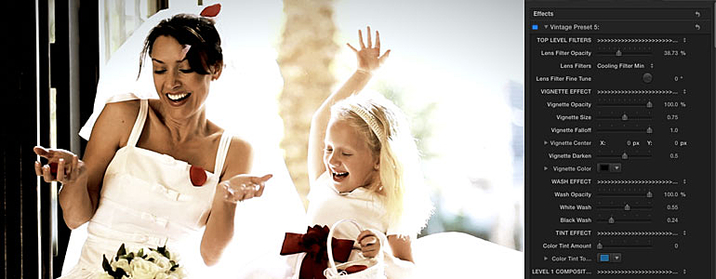
Get ready to say “I Do” to ProWedding from Pixel Film Studios. With over 50 wedding color grade effects and customizable controls, you can create the perfect wedding look for your special day directly inside of Final Cut Pro X!

Web Site: http://store.pixelfilmstudios.com/product/prowedding/

Find more Pixel Film Studio Plugins

Color Grading with ProWedding in Final Cut Pro X

Over 50 Effect Presets

ProWedding was professionally created to allow Final Cut Pro X users to apply and customize their wedding color grade. With numerous styles including vintage, bleached, desaturated, and fashion, wedding videographers can give their film the perfect look with ProWedding from Pixel Film Studios.

Add a Selective Blur

FCPX users can add a Soft Focus or Gradient Blur to their image. Then they can use the on-screen controls in the FCPX Viewer window to customize the focal point. By simply grabbing control of the handle, users can adjust the position of your blur in the image. Then, they can use the slider in the FCPX Inspector to calibrate the strength of the blur.

Add a Custom Vignette

Wedding editors can use ProWedding’s vignette feature to add the most customizable vignette ever. They can control the scale, feather, falloff, position and even color of the vignette directly inside of Final Cut Pro X.

Designed for Final Cut Pro X

ProWedding was professionally designed to work seamlessly inside of Final Cut Pro X. As a FCPX effect, ProWedding plugins can be dragged and dropped onto any footage and previewed in real time without rendering. With easy-to-use controls that can be found in the FCPX inspector, users can calibrate their wedding look in a few clicks of a mouse.


Pixel Film Studios – ProWedding – WEDDING COLOR GRADES FOR FINAL CUT PRO X

Password

ndjmm2-[mac-torrents.net]-nkmz

Name Pixel Film Studios – ProWedding [mac-torrents.net].zip
Size 30.13 MB
Created on 2018-02-09 08:11:20
Hash e03f83da8ed078093e5af6b9004081fc3b681eb1
Files Pixel Film Studios – ProWedding [mac-torrents.net].zip (30.13 MB)

Brooklyn Effects – Clone Patching Tool For Final Cut Pro X

Name Brooklyn Effects – Clone Patching Tool [mac-torrents.net].zip
Size 1.90 MB
Created on 2018-02-09 09:21:39
Hash 5c3f6095ff76b50dafeffcab6c0a0924776e90d1
Files Brooklyn Effects – Clone Patching Tool [mac-torrents.net].zip (1.90 MB)

Descriptions for Descriptions for Brooklyn Effects – Clone Patching Tool

Name: Clone Patching Tool

SYSTEM REQUIREMENTS

– An up-to-date installation of Final Cut Pro X.
– Mac OS X 10.6.8 or greater.
– Mac Computer with a minimum of a Core 2 Duo processor, 2GB RAM, and 256MB VRAM.

Web Site: http://brooklyneffects.com

Overview

Everyone makes mistakes, but not everyone has to see yours with the Patch Repair Tool from Brooklyn Effects™. Drag and Drop this effect on top of your video in Final Cut Pro X to replace information from one part of the screen with information from another part.

Password

ndjmm2-[mac-torrents.net]-nkmz

Stupid Raisins Fast Pop 1.0 for Final Cut Pro X

Name Stupid Raisins Fast Pop v1.0 [sn] [mac-torrents.net].zip
Size 12.51 MB
Created on 2018-02-06 10:14:21
Hash aec94c5c042903f649faf3adc5c7c6f39cd83f92
Files Stupid Raisins Fast Pop v1.0 [sn] [mac-torrents.net].zip (12.51 MB)

Descriptions for Descriptions for Stupid Raisins Fast Pop 1.0

Stupid Raisins Fast Pop
Version: 1.0

Includes: Serial

Web Site: http://stupidraisins.com/transitions/fast-pop/

Overview

Fast Pop is a pack of 46 quick blur transitions. These transitions add energy to your video project and are easy to use. Add a professional transition to your video in seconds. Fast Pop is designed for 4K (UHD) and works with HD videos.

Fast Pop has 46 customizable Final Cut Pro X transitions in 8 styles. Quickly zoom into your next scene. Slide any direction to transition to your next video. Use a fast spin to reveal your next clip.

Each transition is simple to use and has a slider control to adjust the blur amount. The following clips show all the transitions in each style.

What’s New in Stupid Raisins Fast Pop 1.0

  • Initial release

Pixel Film Studios – Prolumetric – Professional Volumetric Lighting Effects for Final Cut Pro X

Descriptions for Pixel Film Studios – Prolumetric – Professional

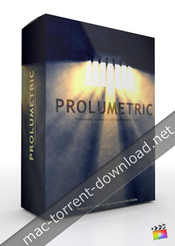
Want to give the illusion that epic or stunning light rays are poking through clouds or a stained glass window? With Prolumetric from Pixel Film Studios create beautiful volumetric lighting effects in Final Cut Pro X.

Prolumetric requires Final Cut Pro X 10.2 or newer.

Web Site: http://store.pixelfilmstudios.com/product/prolumetric/

Find more Pixel Film Studio Plugins

Volumetric Lighting Effects with ProLumetric in Final Cut Pro X

Control Your Light Source

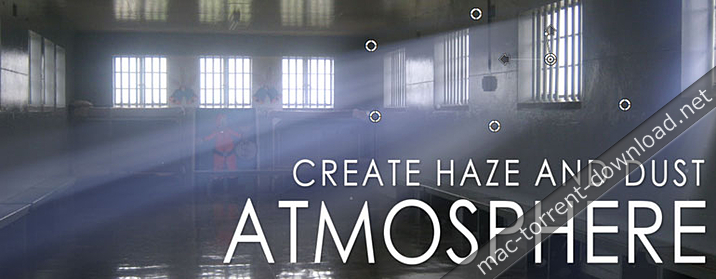
Use the 8-point light masking tool to isolate the source of your volumetric light. Want your light rays to just poke through a small window opening or a hole in the clouds? Simply use the on-screen masking tool in Final Cut Pro X to shape the mask around the light source.

Adjust Your Light Color

Take control of the light in your scene and adjust the color of your volumetric lighting. From a dimmly candle lit dinner to a sunset at dusk you can change mood with a tweak of the on-screen controls.

Add Dust Particles

Over 24 different presets of dust that can be added into the volumetric light in Final Cut Pro X. From out of focus large dust particles to small shimmers in the distance. Simply select one of the FCPX presets in the effect panel.

Light Diffusers

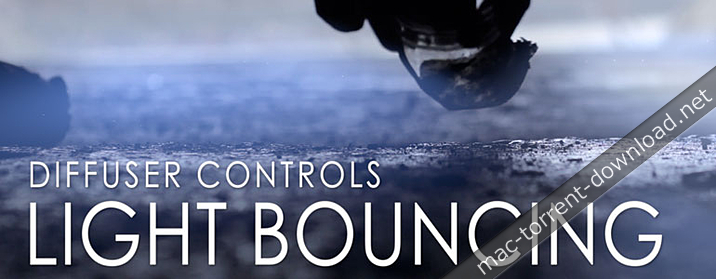
Diffuse your light using two methods in Prolumetric First a simple diffuser located at the light source. This can be adjusted using a slider in the effect control panel in Final Cut Pro X. The second diffuser point is used to bounce the light around your scene creating a realistic volumetric light effect.

Stunning Light Effects

Create the epic or mythological lighting effects that you see in Hollywood blockbusters without breaking the bank on lighting equipment. Add shines, shimmers and sweeping rays to your footage with the Prolumetric plugin for Final Cut Pro X. Then make a Hollywood-style trailer for your film by adding the Prolumetric effects to your title text.

On-Screen Controls

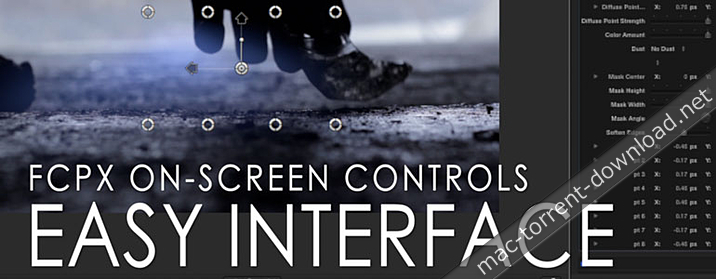
Prolumetric was created by the team at Pixel Film Studios to integrate perfectly with Final Cut Pro X to enhance your editing experience. Take command of this plugin using the on-screen controls in the FCPX viewer. Simply grab control of your light, diffuser points, and dust particles using the handles instead fumbling around in the inspector. – http://mactorrents.cc


Pixel Film Studios – Prolumetric – FCPX Plugins and Effects

Name Pixel Film Studios – ProLumetric [mac-torrents.net].zip
Size 149.4 MB
Created on 2018-02-03 09:44:47
Hash 32d79f02a9c8a36cba9237497ed725a97e843de5
Files Pixel Film Studios – ProLumetric [mac-torrents.net].zip (149.4 MB)

CineFlare – Kinetic Badges 1.0.2 – Vector graphics library with optional animations for Final Cut Pro X

Descriptions for CineFlare – Kinetic Badges 1.0.2 for Final Cut Pro X

Name: Kinetic Badges
Version: 1.0.2
Includes: Serial

Web Site: http://cineflare.com/kinetic-badges/

Overview

Kinetic Badges is a set of original usable vector graphics that can be used as stand-alone vector graphics, or combined with the various badge options that come with your purchase. Each graphic is also slightly animated (which can be turned on or off) to give your project a unique feel. With all the graphics, badge stylizing options and texture backgrounds, several hundred possibilities can be achieved with the Kinetic Badges.

BADGE OPTIONS

The badge options available to you to stylize the type of badge, along with many other variables, gives you the possibility to create hundreds of different badges to place as info graphics, callouts, pins, etc into your filmmaking and video projects.

GRAPHICS OPTIONS

Check out all the vector graphics options that come with Kinetic Badges: use them as stand-alone graphics or combine them with hundreds of possible combinations for sleek-looking badge icons for any project.

SCALABLE VECTOR GRAPHICS

The 30 icons that come with Kinetic Badges is a library of usable and fully scalable vector graphics. Scale them as small or as large as you like. You can even turn off the badge options, scale the image up, and use them as straight icons. You can even colorize the separate elements of each image differently for a custom look.

ANIMATIONS

Each graphic comes with one or more continuous animations that can easily be turned on or off. These animations give your project life and character that coincide with the type of graphic you choose.

STYLIZING CONTROLS

The style parameters of each badge are the same. There are many possibilities to choose form when determining the size, shape, badge type, colors, drop shadows, and even the individual colors of separate elements in each badge.

CREATIVE POSSIBILITES

The sky is the limit with creativity using Kinetic Badges. Use it to pin images on a map, or show off a sale going on with your client’s company. It’s up to you what diversity you can come up with.

EXTRAS

Kinetic Badges come with some great extras. It has a custom image and custom text badge so you can load your own image and write your own text inside a badge. It also comes with two great “Fill Statistic” tools that use each icon as a fill percentage info graphic. We have also added 10 high quality textures you can use as backgrounds when showing off your badges. Choose an image, background, and set the statistic percentage and you’re ready to go.

ADD MORE ANIMATION

If you’d like to add a quick animation that automatically brings your icons and badges into the frame, check out our product called “Object Animator” for tons of automatic animations!

Please Note: If using Object Animator with Kinetic Badges, the on-screen controls of Object Animator will not function (this is a developer bug inside FCPX on their side). The parameter controls, however, are fully functional.

What’s New in CineFlare – Kinetic Badges 1.0.2

  • Release notes not available at the time of this post.

Name CineFlare Kinetic Badges 1.0.2 [sn] [mac-torrents.net].zip
Size 26.28 MB
Created on 2018-02-03 09:44:47
Hash bfbc0f7df014d8482f0b6cff29f8d785513e03ff
Files CineFlare Kinetic Badges 1.0.2 [sn] [mac-torrents.net].zip (26.28 MB)

Stupid Raisins Symbol Pop 2.0.1 – Animated symbols and icons for Final Cut Pro X

Descriptions for Stupid Raisins Symbol Pop 2.0.1

Name: Stupid Raisins Symbol Pop
Version: 2.0.1

Includes: Serial

Web Site: http://stupidraisins.com/titles/symbol-pop/

Overview

Stop being boring. Spice up your video with animated symbols.

Symbol Pop is a quick and fun way to spice up commercials, presentations or any video project with fresh animated icons relevant in today’s world. With twelve themes to choose from and 192 animated symbols, there’s something for everyone.

Use these symbols to prove your point while adding energy to your next corporate promo. Quickly add a highly visual, yet non-distracting element that will impress your clients, boss, friends and family.

A symbol for any project.

Symbol Pop has 192 customizable symbols in 12 templates. Use the animated Social Media icons in your commercial projects. Use the Technology and Internet symbols in your lifestyle video projects. No matter what your story is, Symbol Pop’s got an icon ready for you.

Each template has a few symbols built in. Check ’em out.

What’s New in Stupid Raisins Symbol Pop 2.0.1

  • Release notes not available at the time of this post.

Name Stupid Raisins Symbol Pop 2.0.1 [sn] [mac-torrents.net].zip
Size 48.79 MB
Created on 2018-02-03 03:55:14
Hash b302c0603fe23cf54047a40f1fcb31d1d4dd4e29
Files Stupid Raisins Symbol Pop 2.0.1 [sn] [mac-torrents.net].zip (48.79 MB)

Pixel Film Studios – ProPanic – Professional Anxiety Effects for Final Cut Pro X

Descriptions for Pixel Film Studios – ProPanic

Create a panic effect with ProPanic. Users have the power to shake things up with a click of a mouse, or simple add a fun and stylized effect to their media. With ProPanic, user have total control over seven different randomization generators, twist, depth, shake, blur, waviness, prism, horizontal & vertical rotation, horizontal & vertical position, and more all with in Final Cut Pro X.

Web Site: http://store.pixelfilmstudios.com/product/propanic/

Find more Pixel Film Studio Plugins

Stylized Effects with ProPanic in Final Cut Pro X

Edgy Effects for FCPX

Never feel safe and at ease again with ProPanic. With ProPanic, users can add a little or a lot of frustration to their scene, or apply an edgy look to their footage with a click of a mouse. Users have full customization over shake, depth, position, effects, and more all with in Final Cut Pro X.

Endless Possibilities

With ProPanic, the possibilities are truly endless with seven different randomization buttons. Users can generate endless combinations over horizontal position, vertical position, horizontal rotation, vertical rotation, zoom blur, prism, and waviness. By Adjusting the amount, frequency, and noise over movement, each user even more control over look and feel with a click of a mouse. Users also have control over twist amount, horizontal & vertical shake, shake layers, depth, film edges, and more all with in Final Cut Pro X.

On-Screen Controls

With ProPanic, on-screen controls users have total control over the center of attention. Users can move the center puck to follow their subject mater from start to finish, and adjust the size of the attention area by clicking and expanding the ring. With ProPanic easy-to-use on-screen controls, the user, and their audience, will never loose sight of the subject matter all with a few clicks of a mouse all with in Final Cut Pro X.

Designed for Final Cut X

ProPanic was professionally designed to work seamlessly inside of Final Cut Pro X. As a FCPX title effect overlay, each ProPanic preset can be dragged and dropped onto the users footage. With the published parameters found in the FCPX inspector, users have the ability to make adjustments and generate a custom panic attack with just a few clicks of a mouse.


Pixel Film Studios – ProPanic – PROFESSIONAL ANXIETY EFFECTS FOR FCPX

Name Pixel Film Studios – ProPanic [mac-torrents.net].zip
Size 13.52 MB
Created on 2018-02-01 02:04:44
Hash f2a7a7ca2d5092b976885573f45a006662cf0cc2
Files Pixel Film Studios – ProPanic [mac-torrents.net].zip (13.52 MB)

Hawaiki Keyer 4 for Final Cut Pro X, AE & Premiere

Descriptions for Hawaiki Keyer 4

Name: Hawaiki Keyer
Version: 4
Mac Platform: Intel
OS Version: macOS Sierra 10.12.6 or later

Requirements:

– FxFactory 6.0.4 or later
– Final Cut Pro X 10.3.4 or later
– Motion 5.3.2 or later
– After Effects and Premiere Pro CC (2015.3) or later

Includes: Serial

Web Site: http://hawaiki.co/keyer.html

Overview

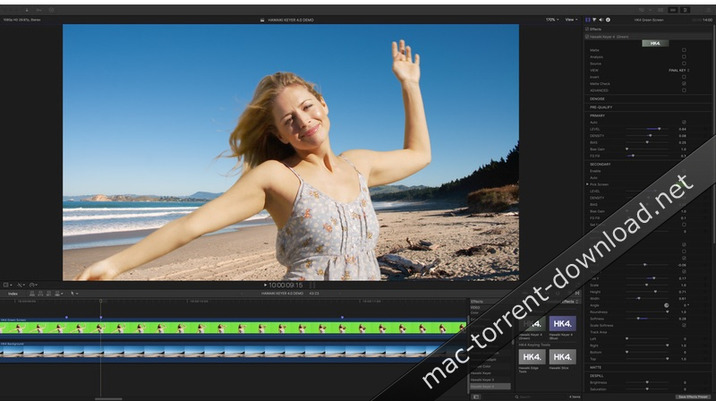
Hawaiki Keyer 4 is a complete keying system, for green screens and blue screens, designed for Apple’s Final Cut Pro X and Motion 5, and Adobe Premiere Pro and After Effects, featuring two keyers in one, an innovative keying algorithm, a unique diagnostic toolset and unrivalled compositing options, all designed to help you get the perfect key with the minimum of guesswork.

New in Hawaiki Keyer 4

For Hawaiki Keyer 4 (HK4), we have rebuilt the matte extraction algorithm from the ground up to give you even better quality keys with even less effort.

And we’ve added a whole range of exciting new features to help you key even more accurately and with even greater finesse.

Two Keyers in One

Unique new feature that gives you a Primary and a Secondary keyer within the one plug-in. Tackle tricky problem areas much more easily while avoiding any compromise on the fine edge detail. The Secondary keyer section gives you all the same controls as the Primary with full control of the mask between the two.

Mask Tracking

A new tracking system gives you precise and powerful automated realtime tracking of the Secondary mask with the minimum of additional set-up and no need to pre-compute tracking data.

New advanced matte extraction algorithm:

Does more of the heavy lifting for you – clearing the backing and preserving edges while also giving those who need it more fine-grained control. In short, faster results and better edges, more easily.

BG Match

Background Match automatically adjusts the edges of the foreground to match the luminance of the background. So if a foreground pixel is darker than the background it will be brightened and if lighter than the background, darkened. BG Match can be used as an alternative or complement to Light Wrap.

Edge Replace

Allows you to replace the edge of the foreground with pixels further from the edge, synthesising new pixels to replace unwanted edge artefacts. Useful for dealing with a noticeable dark or light edge caused by excessive in-camera sharpening and chroma subsampling as well as the real world light wrap that is present in some shots.

Hawaiki Edge Tools

Edge Tools is a new plug-in which can be added on top of the main keyer module. Provides standalone Light Wrap and Edge adjustments – including the new Fine Edge, Edge Replace and BG Match operations – that can be used with any image with an alpha channel. For example you can use it with an HSV Keyer or use it on titles to create interesting edge effects.

Fine Edge

A new feature in the Edge Tools Plug-in, Fine Edge allows you to darken the outer edge and brighten the inner edge of the foreground’s semi-transparent (grey matte values) pixels. Quite sophisticated results can be achieve with a look that differs from the main Edge brightness. It is also more efficient.

Pre-Qualify

Pre-Qualify now has separate views for the background and foreground mattes and matte black and white controls (replacing FG and BG separation) that work independently on each matte. Makes it much easier to isolate a correction to the foreground or background or correct both differently e.g use a hard foreground matte and a soft background matte.

Hawaiki Slice

A powerful new image analysis plug-in.

What’s New in Hawaiki Keyer 4

  • Release notes not available at the time of this post.

Screenshots

Name Hawaiki_Keyer_4_[sn] [mac-torrents.net].zip
Size 11.46 MB
Created on 2018-02-01 02:04:44
Hash 3497e1fb432d4a5c08977badb5b8bb5e13c12fed
Files Hawaiki_Keyer_4_[sn] [mac-torrents.net].zip (11.46 MB)

Luca Visualfx Spectrum 1.0.3 – Light Effect & Light Transition Generators for Final Cut Pro X

Name Luca Visualfx Spectrum 1.0.3 [sn] [mac-torrents.net].zip
Size 188.9 MB
Created on 2018-01-30 07:31:31
Hash c64220d5151017130e428f401f5cdd50e0d74ad7
Files Luca Visualfx Spectrum 1.0.3 [sn] [mac-torrents.net].zip (188.9 MB)

Descriptions for Descriptions for Luca Visualfx Spectrum 1.0.3

Name: Luca Visualfx Spectrum
Version: 1.0.3

System requirement:

FxFactory 5.0.1, ATI, NVIDIA or Intel HD graphics. A graphics card with at least 1GB of VRAM is highly recommended.

Web Site: http://www.lucavisualfx.com/plugins/spectrum.php

Overview

Spectrum is a bundle of 2 very customisable generators for all hosts supported by FxFactory designed to create stylized light and color effects. Light Effect Generator can be used either to create unusual backgrounds or subtle overlays. Light Transition Generator allows the user to create freely interpreted quick light and color transitions over a given cut point.

What’s New in Luca Visualfx Spectrum 1.0.3

  • Release notes not available at the time of this post.

Pixel Film Studios – ProSkew – Perspective Manipulation Tool Plug-in for Final Cut Pro X

Descriptions for Pixel Film Studios – ProSkew

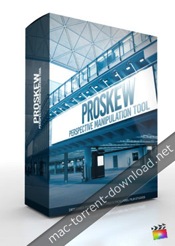
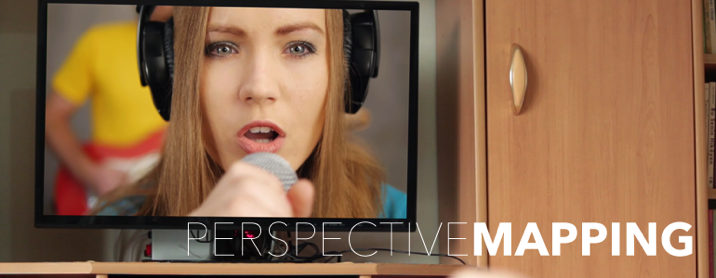
PROSKEW is a Final Cut Pro X tool that allows users to create the illusion of a skewed perspective within a scene. Utilize PROSKEW to map pictures and videos onto T.V screens, tablets, computers, billboards, and more. Use PROSKEW effortlessly within Final Cut Pro X with the assistance of on-screen controls and smart compositing controls. PROSKEW requires the latest version of Final Cut Pro X.

Web Site: http://store.pixelfilmstudios.com/product/proskew/

Find more Pixel Film Studio Plugins

Film Distortion Effects with ProSkew in Final Cut Pro X

Skew Perspective

With ProSkew, manipulate the perspective of pictures, video files, and logos within Final Cut Pro X. Utilize amazing blur controls to create add the illusion of depth within the scene. ProSkew allows users to map images at any perspective, no matter how extreme.

Get Creative

ProSkew is extremely versatile. Map advertisements onto high-rise billboards, commercials onto television sets, or even slap graffiti against red-brick walls. Pixel Film Studios ProSkew adds enormous editing capabilities; enhancing Final Cut Pro X users experience and streamlining the editing process simultaneously.

Shadow Controls

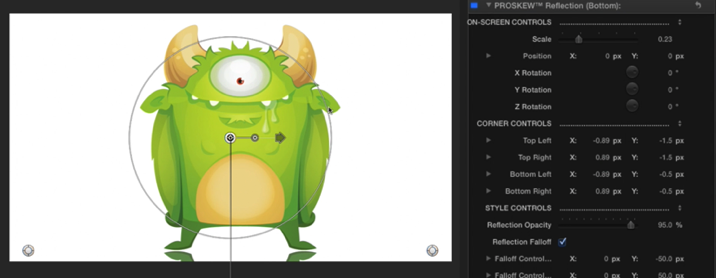
ProSkew features shadow and reflection skewing effects. Choose the front shadow to cast an elongated shadow coming towards the audience. Utilize the back shadow preset to create the opposite effect. Utilize shadow blur and falloff controls to stylize the shadows/reflections properly.

On-Screen Controls

Using ProSkew is an absolute breeze within Final Cut Pro X. Drag a ProSkew effect preset onto the desired image or video clip. Position the on-screen controls to match the corners of the shape desired. Next, use the gradient blur on-screen control to create depth. With the shadow/reflection presets, use easy rotate controls to create a new scene.


Pixel Film Studios – ProSkew – Perspective Manipulation Tool for Final Cut Pro X – Pixel Film Studios

Name Pixel Film Studios ProSkew [mac-torrents.net].zip
Size 3.21 MB
Created on 2018-01-24 11:07:54
Hash 4a7a51638df72ad8a0130beb52bda5d8f05777ff
Files Pixel Film Studios ProSkew [mac-torrents.net].zip (3.21 MB)

Ripple Tools Complete 1.0.3 for Final Cut Pro X

Descriptions for Ripple Tools Complete 1.0.3 for Final Cut Pro X

Name: Ripple Tools Complete
Version: 1.0.3

Web Site: https://www.rippletraining.com/products/plugins/ripple-tools-complete/

Overview

Ripple Tools Complete is an awesome set of 32 Final Cut Pro X plugins that will allow you to quickly accomplish a number of effects and editorial tasks.

Add Glows and Light Rays to your text and video; format and animate your text along 4 different path types; remove unwanted pixels using our Cloner; create Scrolls or Crawls with custom graphics or video; apply various Retiming Effects; and apply classics effects like Tritone, Grad Filter, Black & White and Vignette effects.

Use our Adjustment Layer to control the look of multiple clips and our insanely useful Guides plugin for aligning text and graphic elements on the screen. Instantly improve the look of videos that were shot vertically. Add Shutter, Viewfinder and Tilt-Shift effects, animate Split Screens, Picture-in-Picture, Reflection effects and more!

Each plugin is organized by category and color-coded for quick identification. We’ve also included helpful QuickTips built into the plugin UI for a quick reference guide on how to use them.

What’s New in Ripple Tools Complete 1.0.3

  • Release notes not available at the time of this post.

Name Ripple_Tools_Complete_1.03_[sn] [mac-torrents.net].zip
Size 36.57 MB
Created on 2018-01-24 04:41:23
Hash 05a023f16e26d014915bad8599bb8d5187ad59be
Files Ripple_Tools_Complete_1.03_[sn] [mac-torrents.net].zip (36.57 MB)

Pixel Film Studios – ProBlur – Blur Techniques for Final Cut Pro X

Pixel Film Studios – ProBlur

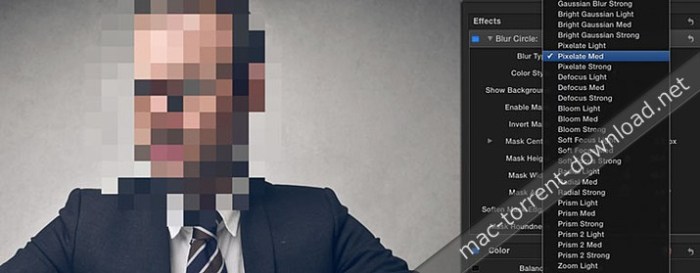
Create artistic or practical blur effects with ProBlur from Pixel Film Studios, the ultimate selective blur plugin for Final Cut Pro X. Use the blur areas to cover up unwanted logos or license plates or protect an eye witness’s identity. With over 40 blur presets, on-screen controls and customization options, ProBlur can help you create any selective blur effect in FCPX.

Web Site: http://store.pixelfilmstudios.com/product/problur/

Find more Pixel Film Studio Plugins

Focus Tools with ProBlur in Final Cut Pro X

Over 40 Blur Methods for FCPX

With over 40 blur presets to choose from, you can create endless artistic or practical blur effects inside of Final Cut Pro X. Create customizable zoom, radial, gaussian, prism, and defocus blurs along with many other in the click of a button in FCPX.

15 Customizable Shapes

Don’t have the rights to show a brands logo? Have an actor who hasn’t signed his or her release form yet? Use ProBlur’s blur areas to cover up unwanted logos, license plates and faces using fully customizable blur shapes and types.

On-Screen Controls

Take command of this plugin using the on-screen controls in the FCPX viewer. Simply grab control of one of the handles to adjust the position size and shape of your blur area, instead fumbling around with numbers in the inspector window.

Includes Color Controls

Use ProBlur blur areas to create a selective focus on an area of your screen in Final Cut Pro X. Then draw attention to an area by leaving it in color while turning surrounding area black and white.

Designed for Final Cut Pro X

ProBlur was created by the team at Pixel Film Studios to integrate perfectly with Final Cut Pro X to enhance your editing experience. Simply drag and drop one of the ProBlur presets on top of your clip and quickly create the perfect selective blur.


Pixel Film Studios – ProBlur – PROFESSIONAL BLUR EFFECTS AND PLUGINS FOR FCPX – PIXEL FILM STUDIOS

Name Pixel Film Studios – ProBlur [mac-torrents.net].zip
Size 8.19 MB
Created on 2018-01-22 05:38:53
Hash 2ae234d3c5026be487a4f9f6660219876fc17c16
Files Pixel Film Studios – ProBlur [mac-torrents.net].zip (8.19 MB)

Pixel Film Studios – ProHue – Professional Color Controls Plug-in for Final Cut Pro X

Name Pixel Film Studios – ProHue [mac-torrents.net].zip
Size 26.34 MB
Created on 2018-01-22 05:38:53
Hash 393186c8a1b6895faa2b92fbd7a392bc1a5d0a7a
Files Pixel Film Studios – ProHue [mac-torrents.net].zip (26.34 MB)

Descriptions for Descriptions for Pixel Film Studios – ProHue

Take total control over the color in your film like never before in Final Cut Pro X with ProHue from Pixel Film Studios. With 30 customizable presets, you can calibrate the colors, levels, temperature, saturation, cross processing, vignette, and wash to get exact color grade you want for your film in FCPX.

Web Site: http://store.pixelfilmstudios.com/product/prohue/

Find more Pixel Film Studio Plugins

Color Grading with ProHue in Final Cut Pro X

Create a Stylistic Film in Final Cut Pro X

ProHue is a powerful tool that help a film set the temperature, time, tone and even helps create a reoccurring stylistic theme throughout the film. This tool can help you create the look for your film through color, saturation, contrast, levels, temperature and cross processing techniques.

Primary and Secondary Levels

With ProHue from Pixel Film Studios, you can customize and control of the color at both the primary and secondary color levels. With over 30 color presets and numerous customization options, the possibilities are endless. Never have so many color correction options been featured in one FCPX plugin.

Control the Color Wash with ProHue

ProHue is more than just a color adjustor effect. It allows users to control the quality of the color to create even more unique looks. Wash out your image to create a more vintage look or increase the contrast to make a contemporary action-style film all inside Final Cut Pro X.

Ultimate Custom Vignette

Use PROHUE’s vignette feature to create the most customizable vignette ever. Change the scale, feather, falloff, position and even color of your vignette directly inside of Final Cut Pro X.

Designed for Final Cut Pro X

ProHue was professionally designed to work seamlessly inside of Final Cut Pro X. As a FCPX effect, this plugin can be dragged and dropped onto your footage and previewed in real time without rendering. With easy-to-use controls that can be found in the FCPX inspector, you can calibrate your settings in a few clicks of a mouse.


PIXEL FILM STUDIOS – PROHUE – PROFESSIONAL COLOR CONTROLS FOR FCPX

Pixel Film Studios – ProAction 1.0.1 – Professional Action Filters for Final Cut Pro X

Name Pixel Film Studios – ProAction [mac-torrents.net].zip
Size 271.7 MB
Created on 2018-01-22 05:38:53
Hash f76e494a8be2404a05f84137a0e58fd9d0162c17
Files Pixel Film Studios – ProAction [mac-torrents.net].zip (271.7 MB)

Descriptions for Pixel Film Studios – ProAction 1.0.1 – Professional Action Filters for FCPX

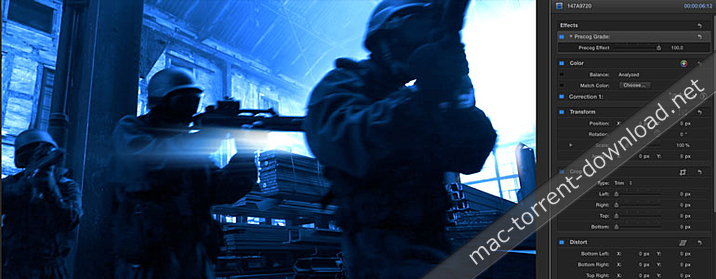
Create the next Hollywood blockbuster with ProAction by Pixel Film Studios. These 30 professional action color grades for FCPX will make your film project look like its ready for the big screen. Simply drop one of ProAction’s effects on to your clip and adjust the user friendly controls to change the intensity and shadow. Headshot!

Web Site: http://store.pixelfilmstudios.com/product/proaction/

Find more Pixel Film Studio Plugins

Color Grading with ProAction in Final Cut Pro X

Blockbuster Looks with ProAction

With 30 epic action grades to choose from, ProAction can turn your footage into a futuristic sci-fi thriller or post-apocalyptic desert war in the click of a button. ProAction was created by film professionals to recreate the color grades used in Hollywood’s biggest blockbusters. All tints and colors are represented with ProAction, giving FCPX users the keys to the driver seat in setting each mood. Final Cut Pro X editors can enhance the suspense, and keep the audience on the edge of their seat with any of these ProAction filters. ProAction will catapult your project to be the next big thing in the film world, With easy to use intuitive controls the possibilities are endless.

Customize Your ProAction preset

Don’t Ask. Just Act! ProAction eliminates confusing controls and streamlines the color grading process. Simply browse through the ProAction themed filters in Final Cut Pro X, drag the desired preset to the correct clip, and adjust the intensity and shadow. Customize the amount of blue or green tints to any shot, adding cold and suspenseful, or radioactive and toxic moods to any clip. ProAction gives Final Cut Pro X users of any skill level professional Action color grades in just a few steps, all in real-time. ProAction will turn your idea into a reality so create something your viewers won’t forget.

Now Includes ProRay

ProAction now comes locked ‘N loaded with ProRay, a collection of epic light bursts. Use ProRay to give your project the same lighting effect as many of your favorite contemporary action films. ProRay blends perfectly with the color grade presets given with ProAction. Using these two effects will take any film to explosive new heights while leaving a lasting and exhilarating effect on any viewer.


Pixel Film Studios – ProAction 1.0.1 – FCPX Plugin – Pixel FIlm Studios

motionVFX – mInfographics – 60 Universal Infographic Elements for Final Cut Pro X

Descriptions for motionVFX – mInfographics

Name: motionVFX – mInfographics
Mac Platform: Intel
OS Version: OS X 10.10.5 or later
Supported Software: FCPX 10.2.2 or later

Web Site: https://www.motionvfx.com/mplugs-104.html

Overview

Information and data nowadays flow through the world with a very fast stream and it is quite a challenge to present some of it in an accessible and rememberable way.

One way to do this is to create a visual representation of the info and facilitate the understanding and memorizing process. This is not an easy task, especially when the charts, diagrams and other data representations are animated. Designing the component elements alone is a demanding undertaking and the multitude of needed types makes the whole venture a very complicated one. Until now.

With our mInfographics plugin your information can now get a top-quality graphic image and flawless animation.

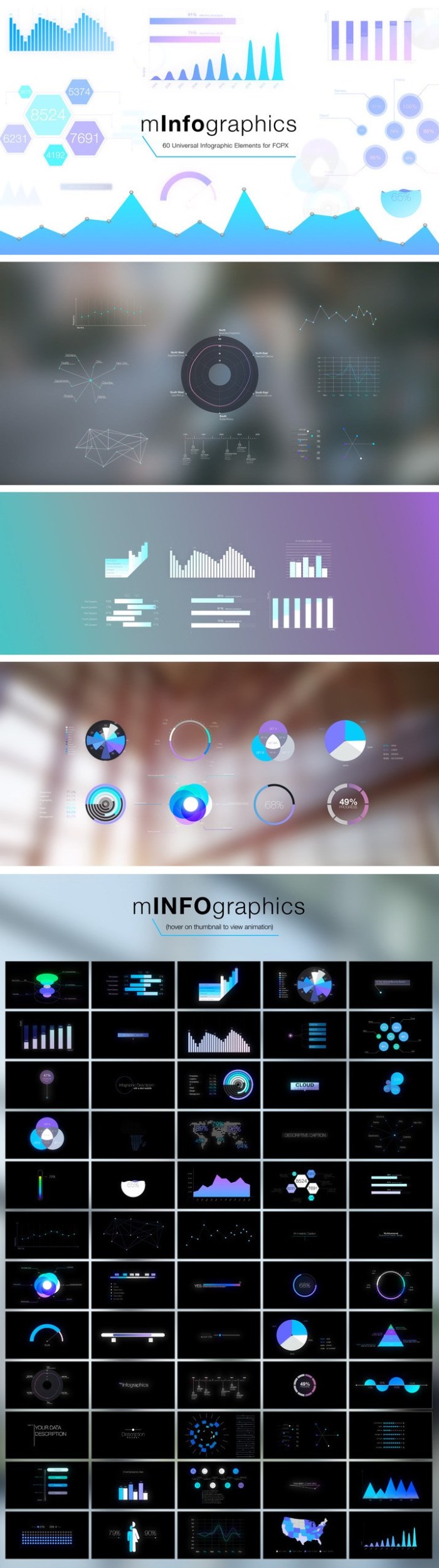
With these 60 diversified charts, diagrams, plots and graphs you can create infinite combinations and construct unique infographics on any topic. We put much effort into making the work with our mInfographics as easy and efficient as possible, so you can work faster and have more creative fun in the process. All elements are handily editable with on-screen controls to save your time and help you conveniently arrange the modules.

We tried to cover every possible type of elements that may be useful in the creation of infographics and we are sure that everyone will find something useful for their edit, especially with such huge customization possibilities. Have fun creating your visual data content, with mInfographics plugin it’s gonna be a pleasant ride and a real boost for your creativity.

Screenshots

Name motionVFX mInfographics [mac-torrents.net].zip
Size 63.86 MB
Created on 2018-01-17 07:33:09
Hash c652dcb12103755a9721464ac0c1758feec5bbaa
Files motionVFX mInfographics [mac-torrents.net].zip (63.86 MB)

Color Finale 1.8.1 ASCEND for Final Cut Pro X

Descriptions for Color Finale 1.8.1 ASCEND

Name: ColorFinale for Mac
Version: 1.8.1
Mac Platform: Intel
OS version:OS X 10.11 or later
Processor type(s) & speed: 64-bit processor

Includes: Pre-K’ed (TNT)

Web Site: http://try.colorgradingcentral.com/colorfinale/

Overview

The most powerful and exciting way to color grade in Final Cut Pro X!

Layer Based Grading

The power and elegance of grading via layers. We incorporate the best features of image editing applications.

Telecine Tools

Industry standard 3 Way Color Corrector and RGB Curves. We incorporate the best that the telecine suite has to offer.

LUT Utility

Apply industry standard Look Up Tables like OSIRIS and ImpulZ to accurately emulate the look of 35mm film.

Vector Grading
Powerful vector based grading to apply quick and accurate secondaries.

What’s New in Color Finale Pro 1.8.1

  • Release notes not available at the time of this post.

Name Color_Finale_Pro_ASCEND_1.8.0_[TNT].zip
Size 1.24 GB
Created on 2018-01-09 01:15:48
Hash a00dfd92c8f75fb6cbbda63a130c1beb5b578c3b
Files Color_Finale_Pro_ASCEND_1.8.0_[TNT].zip (1.24 GB)

Yanobox Mosaic 1.0 for Final Cut Pro X, After Effects & Premiere

Name Yanobox Mosaic 1.0 [sn].zip
Size 23.52 MB
Created on 2018-01-07 07:34:01
Hash c732b88e6e789216883ef0230cff811800e07d69
Files Yanobox Mosaic 1.0 [sn].zip (23.52 MB)

Descriptions for Descriptions for Yanobox Mosaic 1.0

Name: Yanobox Mosaic
Version: 1.0
Mac Platform: Intel
OS Version: OS X 10.11 or later

Requirements:

– Apple Final Cut Pro X 10.2 and 10.3
– Apple Motion 5.2 and 10.3
– Adobe After Effects (CC, CC2014, CC2015, CC2017, CC2018)
– Adobe Premiere Pro (CC, CC2014, CC2015, CC2017,CC2018)

Web Site: http://www.yanobox.com/Mosaic/

Overview

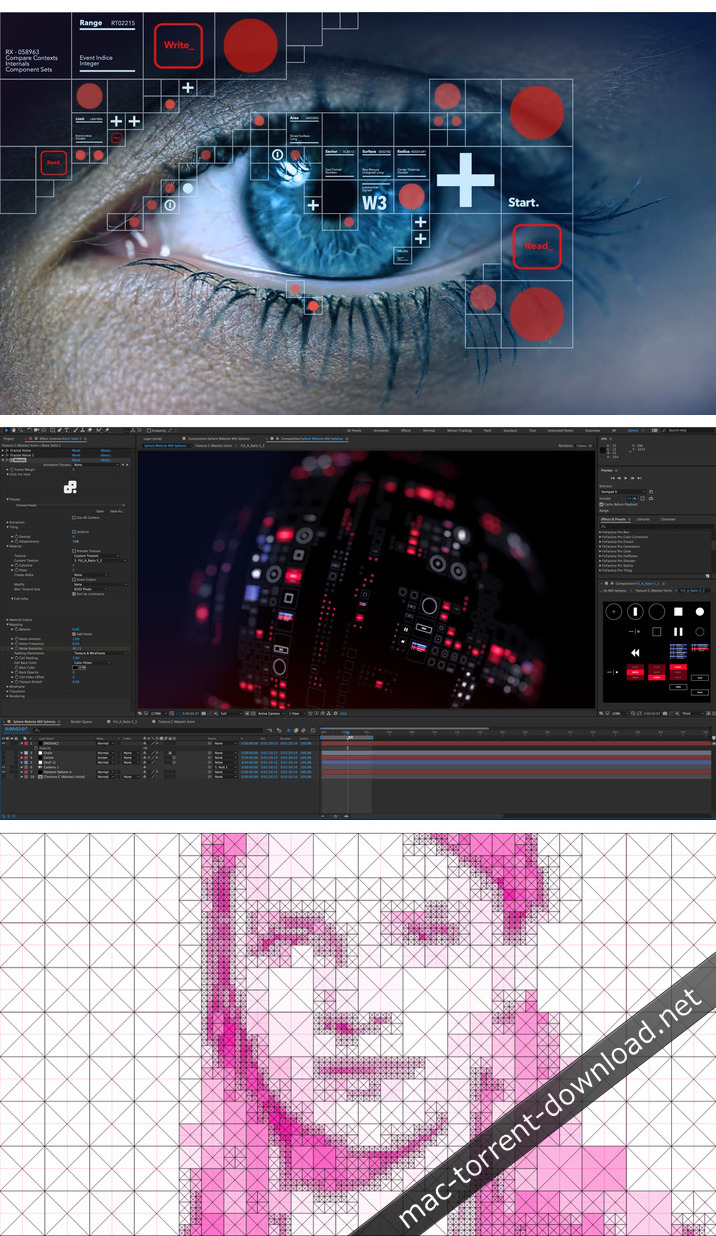
Mosaic lets you create a wide range of effects based on real time pixel texturing and adaptive tiling. Mosaic includes several procedural recipes but the most exciting use comes with the import of your own motifs to create amazing graphic effects.

Mosaic supports Final Cut Pro X, After Effects, Motion and Premiere Pro on macOS.

What’s New in Yanobox Mosaic 1.0

  • Initial release

Screenshots

Yanobox Moods 1.3.2 for Final Cut Pro X, After Effects & Premiere

Descriptions for Yanobox Moods 1.3.2

Name: Yanobox Moods
Version: 1.3.2
Mac Platform: Intel
OS Version: OS X 10.11 or later

Requirements:

– Apple Final Cut Pro X Version 10.2 and 10.3
– Apple Motion Version 5.2 and 10.3
– Adobe After Effects (CC, CC2014, CC2015, CC2017, CC2018)
– Adobe Premiere Pro (CC, CC2014, CC2015, CC2017,CC2018)

Web Site: http://www.yanobox.com/Moods/

Overview

Available in full screen

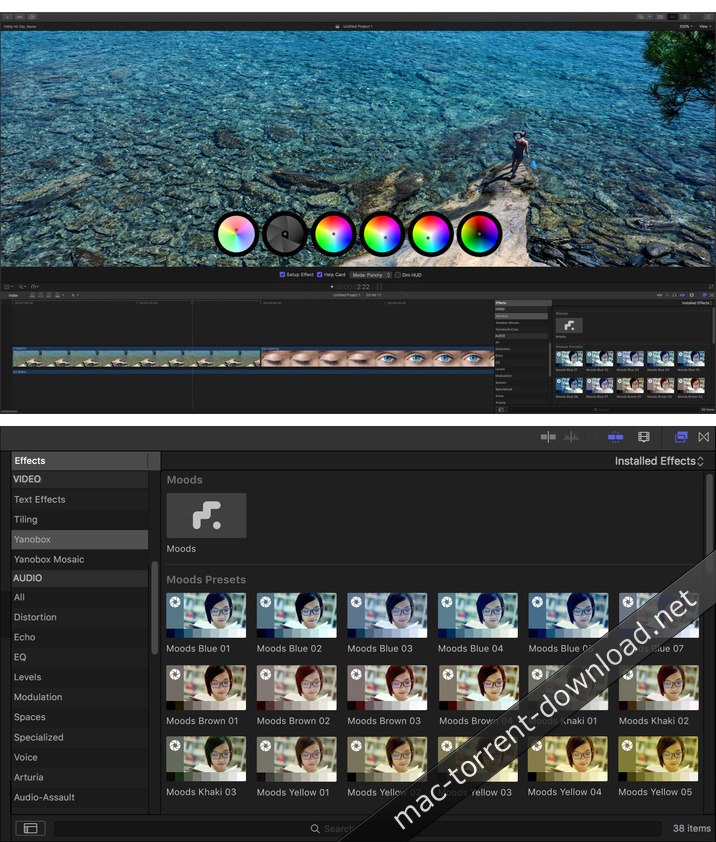
Keep your eyes on the road and focus on the story while creating the mood. Grading your HD footage in full screen becomes an immersive experience.

Intuitive interface

Moods is the only Color Correction plugin to sport an intuitive onscreen control interface in a heads up display.

Easy of use

Display the help card to be reminded of each wheel’s functionality. Use the compare handle to split the screen and show before & after.

What’s New in Yanobox Moods 1.3.2

  • Release notes not available at the time of this post.

Screenshots

Name Yanobox Moods 1.3.2 [k].zip
Size 18.68 MB
Created on 2018-01-06 06:15:17
Hash 451d2f9a778da676bef30fc9b12b1742627c5f94
Files Yanobox Moods 1.3.2 [k].zip (18.68 MB)

Pixel Film Studios – Film Distortion Effects Bundle Vol.1 for Final Cut Pro X

Descriptions for Pixel Film Studios – Film Distortion Effects Bundle Vol.1 for Final Cut Pro X

Film Distortions Effects for Final Cut Pro X from Pixel Film Studios.

Pixel Film Studios – Film Distortion Effects Bundle Vol.1 Includes:
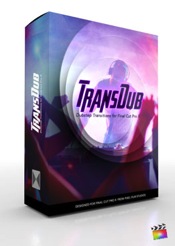
  • TransDUB
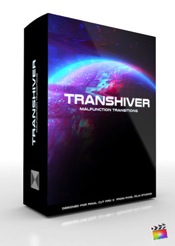
  • TransShiver
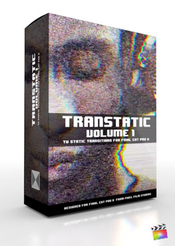
  • Transtatic
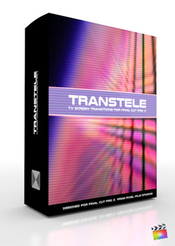
  • TransTele

Web Site: http://store.pixelfilmstudios.com/product-category/final-cut-pro-x-products/final-cut-pro-x-transitions/film-distortion-transitions-final-cut-pro-x/

Find more Pixel Film Studio Plugins

TransDub – Dubstep Transitions for FCPX

Add a little chaos to your next music video with TransDub from Pixel Film Studios. Flash, spin and separate your way from one clip to the next creating awesome and energetic looks that will compliment your favorite dubstep music. Simply drag and drop the transitions between two of your clips and watch as the beat goes on!

Web Site: http://store.pixelfilmstudios.com/product/transdub/


TranShiver – Malfunction Transitions for FCPX

Create quick computer glitch transitions with TranShiver from Pixel Film Studios. With 45 professional malfunction transitions For FCPX, you can pixel shift and shiver your way from one clip to the next. TranShiver transitions will give any scene a more kinetic, fast paced feel.

Web Site: http://store.pixelfilmstudios.com/product/transhiver/


TranStatic: Volume 1 – TV Static Transitions for FCPX

Wriggle, warp, and roll your way from one clip to the next with TranStatic from Pixel Film Studios. With 50 professional static transitions for Final Cut Pro X, you can create endless thrilling, hip, or horrifying looks. Easily add realistic static transitions to your footage by dropping one of TranStatic’s effects between two of your clip and adjust the length to your liking.

Web Site: http://store.pixelfilmstudios.com/product/transtatic-volume-1/


TransTele – TV Screen Transitions for FCPX

Create the illusion that your camera is passing through an old school CRT television screen with TransTele from Pixel Film Studios. With over 60 professionally made transitions to choose from you can make it look like your being sucked in or out of your tv screen. Simply drag and drop one of the the TransTele effects between your clips, adjust the speed, and be amazed.

Web Site: http://store.pixelfilmstudios.com/product/transtele/


Name Pixel Film Studios – Film Distortion Effects Bundle Vol.1.zip
Size 119.1 MB
Created on 2018-01-06 00:11:56
Hash 52eb26e8f61743cc38f8574ed0b0bb7df8a6cc9e
Files Pixel Film Studios – Film Distortion Effects Bundle Vol.1.zip (119.1 MB)

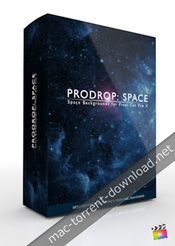
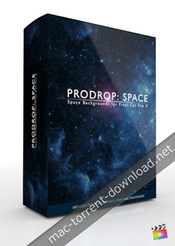
Pixel Film Studios – ProDrop Space – Space Backgrounds for FInal Cut Pro X

Descriptions for Pixel Film Studios – ProDrop Space

Pixel Film Studios brings Final Cut Pro X users an epic intergalactic tool for the ultimate in space background creation. ProDrop Space includes over 40 presets including star controls, inter-changable planets, and compositing overlays. Adding in the ultimate space environments has never been easier for any FCPX user.

Web Site: http://store.pixelfilmstudios.com/product/prodrop-space/

Find more Pixel Film Studio Plugins

Background Generators with ProDrop: Space in Final Cut Pro X

Includes Planets & more

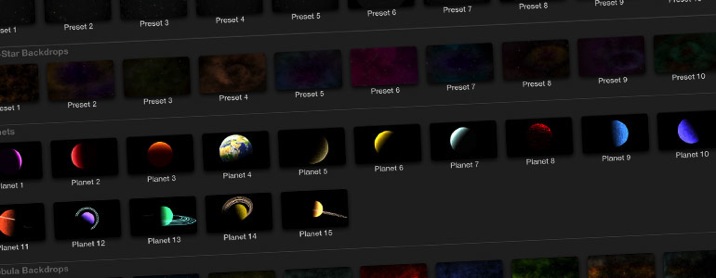
ProDrop Space includes numerous elements for the ultimate space creation toolset exlusively for FCPX. Users simply stack the generators and titles, and compound them to add even more effects. Ringed planets, ice worlds, and even Planet Earth are included.

All the tools for Space

ProDrop Space includes all the nevessary tools for limitless space environment creativity. Users can select different space backdrops with gasses, nebulas, and thousands of stars. The planet generators allow easy placement of worlds in the foreground. Color, blur, bokeh, and flare controls are included for the ultimate level of realism.

Designed For FCPX

ProDrop Space is an exclusively set of FCPX tools and generators. FCPX users have al the necessary tools, including effect overlays for vignettes, flying stars, and more. On-screen controls help the user arrange each star system, for limiltless environments and ultimate value.


Pixel Film Studios – ProDrop Space – Professional Space Backgrounds For FCPX

Name Pixel Film Studios – ProDrop Space.zip
Size 147.8 MB
Created on 2018-01-04 23:03:40
Hash 1239581226b37d4849d72cf270a9234e788d7bda
Files Pixel Film Studios – ProDrop Space.zip (147.8 MB)

Automatic Duck Media Copy 4.1.1 for Final Cut Pro X & Motion 5

Name AutomaticDuckMediaCopy_411_[sn].zip
Size 7.40 MB
Created on 2018-01-04 07:55:42
Hash cf2c789b376b29632a66141a812699730c7dbd13
Files AutomaticDuckMediaCopy_411_[sn].zip (7.40 MB)

Descriptions for Descriptions for Automatic Duck Media Copy 4.1.1

Name: Automatic Duck Media Copy
Version: 4.1.1

Includes: Serial

Web Site: https://fxfactory.com/info/mediacopy/

Overview

Automatic Duck Media Copy is a very helpful utility that reads Avid AAF exports or XML files from Final Cut Pro 7 or Final Cut Pro X and copies the media files referenced by the project to a location you specify. This makes it very easy to identify and copy the media you need for a specific AAF or XML File. You can archive the media, or perhaps send to another computer.

What’s New in Automatic Duck Media Copy 4.1.1

  • Release notes not available at the time of this post.

Automatic Duck Ximport AE 1.1.1 for Final Cut Pro X & After Effecs

Name Automatic Duck Ximport AE 1.1.1.zip
Size 2.28 MB
Created on 2018-01-04 07:55:42
Hash 2f1684f19c339ee0367b8caf99f03e3f4599f709
Files Automatic Duck Ximport AE 1.1.1.zip (2.28 MB)

Descriptions for Descriptions for Automatic Duck Ximport AE 1.1.1

Name: Automatic Duck Ximport AE
Version: 1.1.1

Web Site: https://fxfactory.com/info/ximportae/

Overview

We are excited make available Automatic Duck Ximport AE, a powerful After Effects plug-in from Automatic Duck that imports XML files from Final Cut Pro X. This plug-in offers the most complete workflow for translating a timeline from Final Cut Pro X to Adobe After Effects.

What’s New in Automatic Duck Ximport AE 1.1.1

  • Release notes not available at the time of this post.

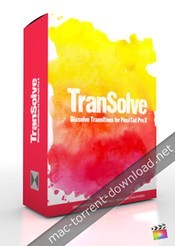
Pixel Film Studios – TranSolve – Dissolve Transitions for Final Cut Pro X

Descriptions for Pixel Film Studios – TranSolve

Create grungy, gritty dissolves and reveals in your next Final Cut Pro X project with TranSolve from Pixel Film Studios. Simply place one of the transitions between two of your clips and get ready to burn, crack, scratch and splatter your way from clip to clip. TranSolve comes with 20 unique dissolve transitions that you can customize and control in FCPX.

Web Site: http://store.pixelfilmstudios.com/product/transolve/

Find more Pixel Film Studio Plugins

TranSolve requires Final Cut Pro X version 10.2 or newer.

Dissolve Transitions with TranSolve in FCPX

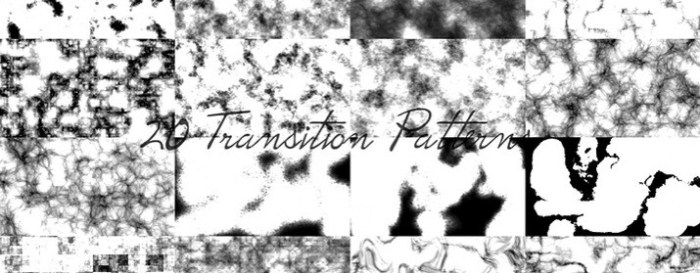
20 Dissolve Patterns

With 20 TranSolve textures to choose from, you can create endless unique grunge or ink reveal sequences without having to repeat the same look. Quickly and easily browse through the TranSolve library by scrubbing over the preview to see the effects in real time.

Works on Photos or Videos

TranSolve from Pixel Film Studios is designed to work with photos, videos or titles. Whether you are making a unique and stylized slide show, or want professional looking transitions for your film, TranSolve is a fantastic tool to help you achieve your goal!

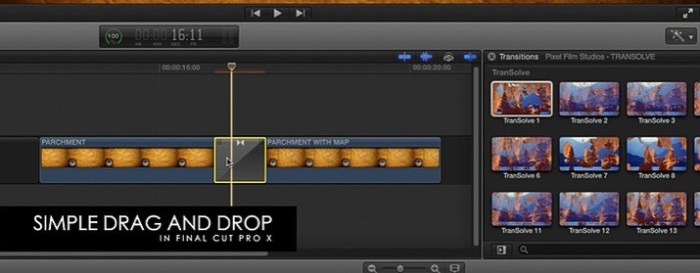
Simple Drag-and-Drop

Designed as a Final Cut Pro X transition, users can simply drag and drop the dissolve they want between two of their film’s clips, and then adjust the length. Editors can instantly give their film the style it needs with just a few clicks of a mouse!

Designed for Final Cut Pro X

TranSolve was designed to work seamlessly inside Final Cut Pro X, eliminating the need for composite footage. Simply choose the dissolve textures you like in the transitions window, and then adjust the length you want the transition to last to work best with your scene.


Pixel Film Studios – TranSolve – Dissolve Transitions for Final Cut Pro X

Name Pixel Film Studios – TranSolve [mac-torrents.net].zip
Size 107.9 MB
Created on 2017-12-18 08:34:04
Hash 35592fd8c3c758a1732d1af73979d5a6ac8f631e
Files Pixel Film Studios – TranSolve [mac-torrents.net].zip (107.9 MB)

Pixel Film Studios – Camera Tools Volume 1 for Final Cut Pro X

Descriptions for Pixel Film Studios – Camera Tools Vol. 1 for Final Cut Pro X

Pixel Film Studios – Camera Tools Volume 1 Includes:
  1. ProAxis
  2. Prolens
  3. ProPath
  4. Proworld

Web Site: http://store.pixelfilmstudios.com/product-category/final-cut-pro-x-products/tools-final-cut-pro-x/camera-tools-final-cut-pro-x/

Find more Pixel Film Studio Plugins

ProAxis Professional 3D Camera Controls

Create interesting angles and perspectives in Final Cut Pro X with PROAXIS from Pixel Film Studios. Pivot, rotate, and skew your footage with a 3D Camera. Then give your film a cinematic looks by adjusting the depth of field and lens angle. With on screen controls and easy to use sliders, controlling a 3D camera in Final Cut Pro X has never been so easy.

Web Site: http://store.pixelfilmstudios.com/product/proaxis/


ProLens Lens Plugins for FCPX

Create the cinematic masterpiece you always wanted to with PROLENS. This bundle of professional lens plugins and video enhancing tools for FCPX will help you look like a professional Cameraman. Use the plugins in PROLENS to give your footage optical looks that you could normally only achieve in-camera and by owning many expensive lenses.

Web Site: http://store.pixelfilmstudios.com/product/prolens/


ProPath Camera Path Controller

Take your audience on a journey with ProPath from Pixel Film Studios. With this tool, You can create a camera path with up to five 3D camera movements in single shot without ever setting a single keyframe in Final Cut Pro X. Design smooth and complex paths by simply moving the on-screen controls in the Viewer Window. Then use the camera controls to change the angle and depth of field to create unique viewing perspectives.

Web Site: http://store.pixelfilmstudios.com/product/propath/


ProWorld 3D Environment Creator for FCPX

Final Cut Pro X users can turn their 2D HDRI images into 360° viewing area with ProWorld from Pixel Film Studios. This plugin allows editors to map an HDRI or Skybox texture onto a 3D environment in FCPX. ProWorld also gives users the ability to add text, logos, or keyed footage to their 3D world.

ProWorld Plugin requires FCPX 10.1.2. Mac Mini and Macbook Air computers with intel graphics cards are not compatible with this plugin.

Web Site: http://store.pixelfilmstudios.com/product/proworld/


Name Pixel Film Studios – Camera Tools Vol. 1 [mac-torrents.net].zip
Size 45.71 MB
Created on 2017-12-17 08:05:37
Hash 7ee51ef216a81859c7333dbdeec2b0f83e4f949e
Files Pixel Film Studios – Camera Tools Vol. 1 [mac-torrents.net].zip (45.71 MB)

Digital Anarchy Beauty Box Video 4.0.12 for Final Cut Pro X

Descriptions for Digital Anarchy Beauty Box Video 4.0.12

Name: Digital Anarchy Beauty Box Video
Version: 4.0.12
Language: English

Requirements: Final Cut Pro X 10.0.9 or later

Includes: Serial

Web Site: http://www.digitalanarchy.com/beautyVID/main.html

Overview

Apply Digital Makeup to your photos! Beauty Box Photo allows you to quickly and easily erase skin blemishes and wrinkles, even out skin tones, and reduce shine – achieving a consistently professional result. The plugin uses advanced skin smoothing techniques that enhance the work of photographers at all levels in Adobe Photoshop and Lightroom.

Lose 10 years in 1 minute

Beauty Box Photo is the makeup artist you thought you couldn’t afford. Our skin retouching plugin for Adobe Photoshop and Aperture is simple to use. This skin smoothing software saves hours of your production time while making your client look years younger. In addition, the 30+ new presets let’s you apply different color styles and looks to your images. Let’s see how the plugin works.

A simple & automatic workflow

– Apply Beauty Box to your Photoshop layer or Aperture photo.
– The Auto-Mask button will automatically run. Beauty Box looks at your photo and figures out where the skin tones are. The algorithm to do this is brand new and does a great job of accurately selecting skin tones.
– Our Digital Makeup technology then applies very smart smoothing to just the skin ares, reducing imperfections while keeping the skin texture.
– Click OK to render the automatic results back into Photoshop or Aperture.

In most cases, that’s it. This fast, smart skin smoothing is especially important for photographers working under tight deadlines. Of course, Beauty Box has simple, smart tools for tweaking the effect or adding color styles to get the exact look you want. You can also use it as part of a batch process to retouch hundreds of photos an hour. This is great for labs processing thousands of photos that need a beauty pass but don’t require complex retouching.

Apply Digital Makeup for a photo makeover after the shoot

The Beauty Box skin retouching plugin provides photographers and digital artists with an easy and powerful way of smoothing out skin and removing blemishes using Adobe Photoshop and Lightroom. Whether the software is used for a glamour shoot, senior portraits or just a personal photo, Beauty Box Photo achieves a consistently professional result.

What’s New in Version 4

– Increased Speed: Beauty Box is up to 600% faster. By using OpenCL, Beauty Box Photo is super fast on both AMD and Nvidia graphics cards.
– Automatic Mask: The Auto-Mask button automatically creates an underlying mask. This is brand new in 3.0 and does an amazing job of accurately selecting skin tones.
– Smart Skin Smoothing: Adjust the skin smoothing effects with three Smoothing controls. This uses sophisticated algorithms for smoothing the skin areas while retaining the skin texture.
– Shine Reduction: This slider lets you reduce the hot spots caused by bright lights on shiny/sweaty skin.
– 30+ Preset Styles: Add a variety of color effects on top of the basic retouching to give your photo a glamour, fashion, or dark and evil look.
– Batch Processing: Let Beauty Box set the mask and smoothing automatically for batch processing. With the new speed increase, you can retouch up to 900 12mp images an hour. Great for labs or high volume photographers.
– Control Over Mask: Make changes to the mask with advanced Mask tools (though generally you won’t need to!).
– Detail Sharpening: Use fine-tuning controls to preserve important details like hair, eyelashes and jewelry.
– Add Texture: Bring back skin texture like pore structure that can be lost because of the smoothing.

What’s New in Digital Anarchy Beauty Box Video 4.0.12

  • Release notes not available at the time of this post.

Name Digital Anarchy Beauty Box Video 4.0.12 for FCP X [mac-torrents.net].zip
Size 12.74 MB
Created on 2017-12-15 06:46:06
Hash 2461d537d1183032c5b555b03a2724d1f47628b2
Files Digital Anarchy Beauty Box Video 4.0.12 for FCP X [mac-torrents.net].zip (12.74 MB)

Final Cut Pro 10.4

Name Final Cut Pro 10.4 TNT [mac-torrents.net].dmg
Size 3.06 GB
Created on 2017-12-15 03:21:31
Hash d4d3bd468f7ec9e27c2832ae1bb5ec4dc37097b2
Files Final Cut Pro 10.4 TNT [mac-torrents.net].dmg (3.06 GB)

Descriptions for Descriptions for Final Cut Pro 10.4 MAS

Name: Final Cut Pro
Version: 10.4
Release Date: December 14, 2017

Languages: English, French, German, Japanese, Simplified Chinese, Spanish

Developer: Apple
MAS Rating: 4+
Mac Platform: Intel
OS Version: OS X 10.12.4 or later
Processor type(s) & speed: 64-bit processor

Includes: Pre-K’ed (TNT)

Web Site: http://www.apple.com/finalcutpro/
Mac App Store: https://itunes.apple.com/app/final-cut-pro/id424389933?mt=12

Related Apps:

Motion 5.4
Compressor 4.4

Overview

Redesigned from the ground up, Final Cut Pro combines revolutionary video editing with powerful media organization and incredible performance to let you create at the speed of thought.

Revolutionary Video Editing

• The Magnetic Timeline 2 uses advanced metadata for faster, easier editing than with traditional tracks
• Enhanced Timeline Index lets you drag and drop audio roles to rearrange the layout of your timeline
• Use Clip Connections to attach B-roll, sound effects, and music to the timeline
• Reduce clutter by grouping clips into a Compound Clip
• Cycle through different shots, graphics, or effects at one place in the timeline with Auditions
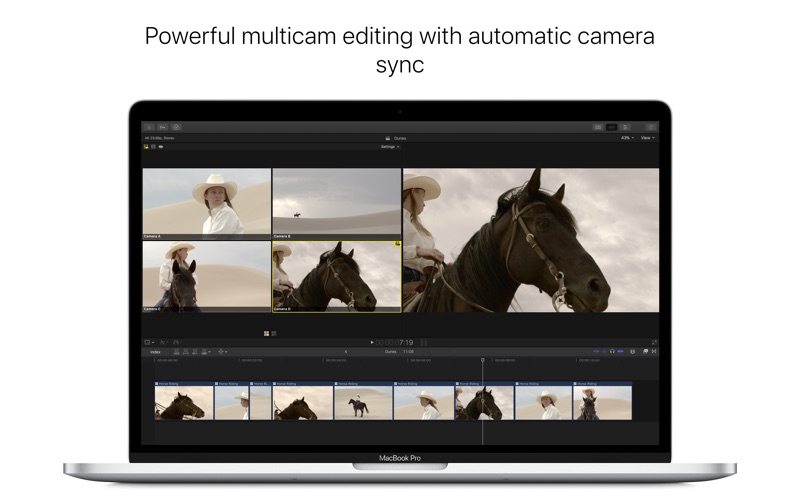
• Edit multicamera projects with automatic syncing based on audio waveforms and support for up to 64 camera angles
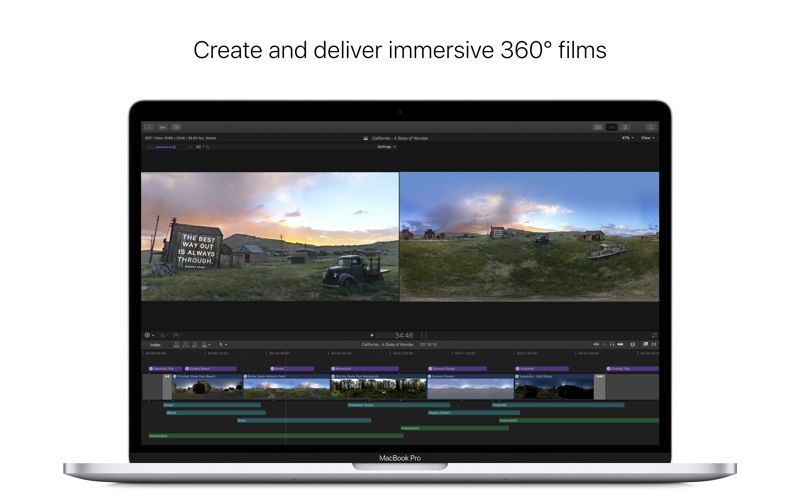
• Import and edit 360° equirectangular video in a wide range of formats and frame sizes

Powerful Media Organization

• Organize your work within libraries for efficient media management and collaboration
• Content Auto-Analysis captures camera metadata and analyzes shots in the background
• Create and apply custom keywords or favorites on the fly as you select clip ranges
• Smart Collections dynamically organize content for you to quickly find any shot in a few clicks

Incredible Performance

• Final Cut Pro uses all the GPUs in your Mac for superior real-time playback performance and fast background rendering
• 64-bit architecture uses all the RAM in your system for larger projects and richer effects
• Background processing lets you keep working without interruption
• Work natively with a broad range of formats including ProRes, RED, XAVC, AVCHD, H.264 from DSLRs, and more

Compelling, Customizable Effects

• Beautifully animated, easily customizable 2D and 3D titles
• Change the look of titles, transitions, and effects using intuitive controls
• Choose from an extensive ecosystem of third-party FxPlug plug-ins with custom interfaces

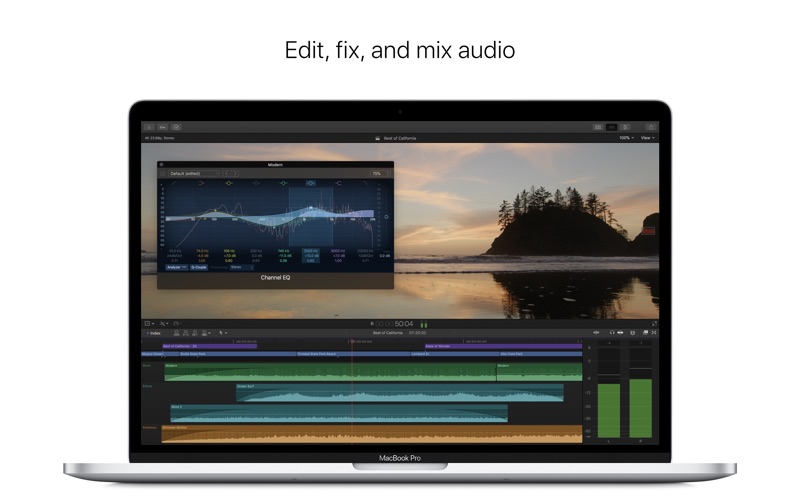
Integrated Audio Editing

• Assign roles — including dialogue, music, effects, and custom choices — during import to easily track and organize your project
• Expand and edit multichannel audio files directly in the timeline
• Let Final Cut Pro repair audio problems such as hum, excessive background noise, and more
• Sync DSLR video with separate audio in a single step with instant audio waveform matching

Intuitive Color Grading

• Import, edit, and deliver video in standard color spaces, or in wide Rec. 2020 color space
• Improve the look of any clip with one-click Balance Color
• Manipulate color, saturation, and exposure with the Color Board
• Fine tune a specific color or area of the screen using keying and masks
• Powerful color wheels and curves for precise adjustments with keying and masks

One-Step, Optimized Output

• Incredibly fast export for playback on Apple devices and upload to websites such as Vimeo, YouTube, and Facebook
• Use themed menus to author and burn a DVD or Blu-ray disc
• Export audio stems and multiple versions of a finished video using roles metadata
• Import and export XML for third-party workflows like color grading and sound mixing

System Requirements:

macOS 10.12.4 or later, 4GB of RAM (8GB recommended for 4K editing, 3D titles, and 360° video editing), OpenCL-capable GPU graphics card or Intel HD Graphics 3000 or later, 256MB of VRAM (1GB recommended for 4K editing, 3D titles, and 360° video editing), 4GB of available disk space.

Some features require Internet access; fees may apply. Blu-ray recorder required for burning Blu-ray discs. Video output to VR headset requires Mac computer with discrete graphics running macOS High Sierra. 27-inch iMac with Radeon Pro 580 graphics recommended. HEVC and HEIF support require macOS High Sierra.

What’s New in Final Cut Pro 10.4

360 VR editing

• Import and edit 360° equirectangular video in a wide range of formats and frame sizes
• Output 360° video to a connected VR headset*
• Open the 360° viewer to simultaneously monitor headset and equirectangular views while editing
• Option to track movement of a VR headset in the 360° viewer in Final Cut Pro
• Add 360° effects including blurs, glows, and more
• Share 360° video directly to YouTube, Facebook, and Vimeo
• Use the 360° patch to instantly remove cameras and rigs from the scene
• Use the Horizon overlay to easily change the orientation of 360° video right in the viewer
• Edit 360° video into a non-360° project and animate the pan, tilt, and zoom
• Place any graphic, still, or video into a 360° project, then reposition and resize to fit perfectly into the 360° scene
• Support for monoscopic and stereoscopic 360° video

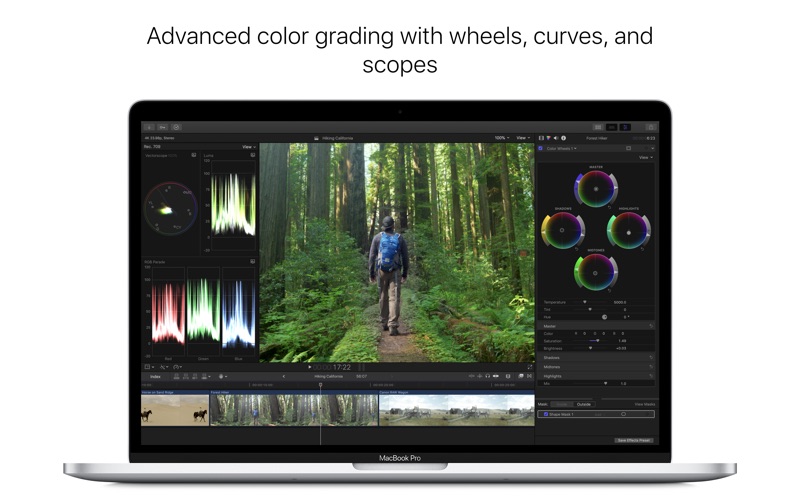
Advanced color grading

• Dedicated color tab in the inspector provides one location for all color controls
• Powerful new color wheels improve upon traditional wheels with integrated sliders to adjust hue, saturation, and brightness
• Color curves enable ultra-fine adjustments using multiple control points to change color and contrast
• Hue/saturation curves let you select a specific hue or brightness level to make adjustments while leaving other parts of the image unchanged
• Use the eye dropper in the color and hue/saturation curves to quickly sample parts of an image for adjustment
• Balance Color command includes an eye dropper for manual white balance
• Apply custom LUTs from popular color grading apps and sites
• Adjust color corrections over time with precise keyframe controls
• Speed through color correction using new keyboard shortcuts for color adjustments and role-based timeline navigation
• Color presets are now located in the effects browser for skimmable preview and fast search

High Dynamic Range

• Import, grade, and deliver High Dynamic Range (HDR) video as Rec. 2020 HLG or Rec. 2020 PQ for HDR10
• Output video to third-party HDR monitors using third-party I/O devices
• Built-in waveform monitor indicates HDR brightness levels up to 10,000 nits
• HDR Tools effect lets you easily tone map HDR to Standard Dynamic Range (SDR) output as well as convert between PQ and HLG formats
• Option to view HDR as raw values when working without an HDR monitor

Additional features

• Send your iMovie for iOS project directly to Final Cut Pro for advanced editing, audio work, and finishing
• Import, playback, and editing of High Efficiency Video Coding (HEVC, also known as H.265) video clips and High Efficiency Image Format (HEIF) photos from Apple devices**
• Send to Compressor to export video projects in the HEVC format
• Adjust audio using effects plug-ins from Logic Pro X with redesigned, resizable interfaces
• Support for Canon Cinema RAW Light format with additional software from Canon
• Faster Optical Flow analysis using Metal 2
• Support for NFS-based libraries and media
• XML 1.7 with support for new color grading controls, 360 VR effects, and HDR

* Requires compatible VR headset, macOS High Sierra, and SteamVR
** HEVC and HEIF support requires macOS High Sierra


Screenshots

motionVFX – mLowers Full Bundle: 50 Profressional Lower Thirds for Final Cut Pro X and Motion 5

Name motionVFX – mLowers Full Bundle [mac-torrents.net].zip
Size 984.2 MB
Created on 2017-12-13 09:02:01
Hash 1be63734f564864fb4e7871cf2483acf210bb0e7
Files motionVFX – mLowers Full Bundle [mac-torrents.net].zip (984.2 MB)

Descriptions for Descriptions for mLowers Full Bundle

Name: mLowers Full Bundle: 50 Profressional Lower Thirds for Final Cut Pro X and Motion 5

Web Site: http://www.motionvfx.com/mplugs-15.html

Overview

A Bundle of 50 Professional Lower Thirds for Final Cut Pro X and Motion 5

mLowers for FCPX and Motion 5 – Bundle of 50 Professional Lower Thirds for Final Cut Pro X and Motion 5

mLowers Full Bundle Includes:
  1. Cartoon Pack
  2. Elegant Pack
  3. Grunge Pack
  4. Life Pack
  5. Modern Pack
  6. Music Pack
  7. News Pack
  8. Retro Pack
  9. Sport Pack
  10. Wedding Pack

Pixel Film Studios – TranStatic Volume 1 – TV Static Transitions for Final Cut Pro X

Name Pixel Film Studios – TranStatic Volume 1 [mac-torrents.net].zip
Size 37.23 MB
Created on 2017-12-06 08:50:26
Hash 5e24e3e6225764762dd96476d96f7f9bf12dd747
Files Pixel Film Studios – TranStatic Volume 1 [mac-torrents.net].zip (37.23 MB)

Descriptions for Descriptions for Pixel Film Studios – TranStatic Volume 1

Wriggle, warp, and roll your way from one clip to the next with TranStatic from Pixel Film Studios. With 50 professional static transitions for Final Cut Pro X, you can create endless thrilling, hip, or horrifying looks. Easily add realistic static transitions to your footage by dropping one of TranStatic’s effects between two of your clip and adjust the length to your liking.

Web Site: http://store.pixelfilmstudios.com/product/transtatic-volume-1/

Find more Pixel Film Studio Plugins

Static Transitions with TranStatic in FCPX

50 Static Transitions

Quickly and easily make your footage look like its being taken over by a stronger incoming transmission with TranStatic from Pixel Film Studios. This collection of 50 static transitions comes equipped with every lined, pixely, grainy static you can think of for Final Cut Pro X.

Dynamic Static Effects

After studying many contemporary espionage and horror films, the team at Pixel Film Studios was able to design the most realistic and dynamic static transitions available. Whether you are making your own spy film or thrilling trailer, TranStatic can help set the tone of your film while creating a stylistic theme.

Roll, Warp, and Wriggle

TranStatic does not simply add static to your footage; it makes static out of your footage. Apply one of TranStatic’s transitions between your clips and see your images wriggles, warp, and roll together and then flicker and crackle apart to reveal the new image.

Designed for Final Cut Pro X

TranStatic was designed to work seamlessly inside Final Cut Pro X, eliminating the need to composite footage. Simply choose your static effect in the transitions window, and then adjust the length you want the transition to last to work best with your scene.


Pixel Film Studios – TRANSTATIC – Professional TV Static Transitions for Final Cut Pro X

CrumplePop BetterStabilizer 1.0.29.2 for Final Cut Pro X & Premiere Pro

Name CrumplePop BetterStabilizer v1.0.29.2 [mac-torrents.net].zip Size 7.11 MB Created on 2017-11-20 07:03:51 Hash 4379fe415d8678932e6fcefe0f44d321f47aee99 Files CrumplePop BetterStabilizer v1.0.29.2 [mac-torrents.net].zip (7.11 MB) Download Download Descriptions for CrumplePop BetterStabilizer 1.0.29.2 Name: CrumplePop BetterStabilizer Version: 1.0.29.2 Mac Platform: Intel OS Version: OS X 10.10 or later Software requirements: – Final Cut Pro 10.2.2 or later – Adobe Premiere Pro CC 2015 or later Web Site: https://www.crumplepop.com/fcpx-premiere-stabilize-plugin-betterstabilizer/ Overview If you have shaky video footage from a drone, handheld camera, or GoPro®, then you can use BetterStabilizer by CrumplePop to stabilize your footage. Fix shaky video footage Shaky video is distracting and unprofessional. Whether you …

Copyright © 2019 Mac Torrent Download All Rights Reserved.

Pixel Film Studios – ProIntro Glamour – Introductions for Final Cut Pro X

Name Pixel Film Studios ProIntro Glamour.zip Size 194.9 MB Created on 2017-11-14 06:36:09 Hash 7cbc5d6d4b7fa47f9911348114b74ada0a31b9d4 Files Pixel Film Studios ProIntro Glamour.zip (194.9 MB) Download Download Descriptions for Pixel Film Studios – ProIntro Glamour ProIntro: Glamor is a set of 30 self-animating elegant-styled introductions created exclusively for use in Final Cut Pro X. Pixel Film Studios’ elegantly styled titles allow FCPX editors to add a unique opener to any video production. Choose from styles with beautiful animations and basic title elements including shapes, lines, and patterns. Blur the background and adjust gradients for greater contrast. Pixel Film Studios’ ProIntro: Glamor makes …

Copyright © 2019 Mac Torrent Download All Rights Reserved.

motionVFX – mLowers Elegant Pack – 5 Elegant Lower Thirds for Final Cut Pro X and Motion 5

Descriptions for MotionVFX – mLowers Elegant Pack for Final Cut Pro X and Motion 5

Name: MotionVFX – mLowers Elegant Pack

Web Site: https://www.motionvfx.com/store,mlowers_elegant_pack,p1254.html

Overview

This is a pack of 5 Elegant Lower Thirds for Final Cut Pro X and Motion 5

Name motionVFX mLowers Elegant Pack.zip
Size 180.2 MB
Created on 2017-11-09 07:39:12
Hash e2260673db01d7c364ce7fe9fcf57fd5ac26f9a6
Files motionVFX mLowers Elegant Pack.zip (180.2 MB)

Pixel Film Studios – ProDub – Separation and BPM Effects for Final Cut Pro X

Name Pixel Film Studios ProDub Vol 1.zip
Size 78.32 MB
Created on 2017-11-04 08:28:31
Hash 6f663c35d6f2092da2a096f488dfa03fc35b58f9
Files Pixel Film Studios ProDub Vol 1.zip (78.32 MB)

Descriptions for Descriptions for Pixel Film Studios – ProDub Vol.1

Create organized chaos with ProDub: Volume 1 from Pixel Film Studios. Add screen separations, flashes, and prismatic effects to your footage to create energetic looks that will compliment your favorite electronic dance music. Simply drag and drop the effects on your footage and prepare to drop it hard!

Web Site: https://store.pixelfilmstudios.com/product/produb-volume-1/

Find more Pixel Film Studio Plugins

Film Distortion Effects with ProDub: Volume 1 in Final Cut Pro X

Visualize the Music

Based on recent popular music videos and commercials, ProDub: Volume 1 was designed to help you create chaotic effects that will perfectly match the energy of your favorite electronic or dubstep music. ProDub: Volume 1 contains 77 unique effects including mirror, flash, and strobe lighting effects only for Final Cut Pro X.

Shards and Mirror Effects

With ProDub: Volume 1 from Pixel Film Studios, you can create awesome prismatic effects in Final Cut Pro X by moving shards and mirrors across the surface of your footage. This is a great effect to use on high energy clips such as extreme sports or dance videos. Also, try stacking multiple plugins on top of each other to create an endless amount of looks.

Wub, Wub, Wub…

You guys are going to wub this plugin! ProDub: Volume 1 includes effects that will help you edit to the beat. Stop cutting your footage by hand. Simply drag-and-drop one of these plugins on to your clip and adjust the simple BPM slider to easily synchronize the beat with a flash or movement in the effect.

Drop It Hard in FCPX!

ProDub: Volume 1 was professionally designed to work inside Final Cut Pro X. Simply choose one of the plugin from the library, select the effect you like, and use the FCPX Inspector to control the look. Don’t go easy with these effects! Drop it as hard as your beat!


Pixel Film Studios – PRODUB – Final Cut Pro X Plugins and Effects

Pixel Film Studios – FCPX LUT: Film for Final Cut Pro X

Name Pixel Film Studios FCPX LUT Film.zip Size 52.67 MB Created on 2017-10-25 11:32:28 Hash baa52740c792a91a5c0183aa3198c5f8a8e3c785 Files Pixel Film Studios FCPX LUT Film.zip (52.67 MB) Download Download Pixel Film Studios – FCPX LUT: Film – Filmic Look Up Tables for FCPX With the FCPX LUT: Film pack for Final Cut Pro X, editors can quickly and easily add filmic color grades to their footage. A LUT is a Lookup Table that contains a mathematical formula for modifying an image. The LUT changes every pixel’s color to the corresponding color indicated by the table. This pack comes with 60 film-inspired CUBE …

Copyright © 2019 Mac Torrent Download All Rights Reserved.

Pixel Film Studios – ProRays – Professional Light Ray Effects for Text and Logos for Final Cut Pro X

Name Pixel Film Studios – ProRays.zip Size 20.79 MB Created on 2017-10-22 09:43:18 Hash 085ee3d2d43ec3851665f7491b6a3c2afd547ae4 Files Pixel Film Studios – ProRays.zip (20.79 MB) Download Download Descriptions for Pixel Film Studios – ProRays ProRays creates a light ray effect through text or logos. Manipulate the look and feel within Final Cut Pro X. This collection contains 30 light ray control presets which gives the user total control over the color, saturation and light ray amount adding a glimmering text effect to the scene. ProRays requires Final Cut Pro X version 10.1.2 or newer. Web Site: http://store.pixelfilmstudios.com/product/prorays/ 
 Find more Pixel Film …

Copyright © 2019 Mac Torrent Download All Rights Reserved.

Pixel Film Studios – Prosmoke 5K – Professional 5K Smoke Effects for Final Cut Pro X

Pixel Film Studios – ProSmoke 5K – 5k Smoke Effects For FCPX

Pixel Film Studios brings you PROSMOKE 5K, the premiere Ultra HD Smoke composite tool for any non-linear video editing platform! Transform film shots and enahance the suspense and danger with these smoke composites! Includes on-screen controls and multi-point masks for FCPX!

Web Site: http://store.pixelfilmstudios.com/product/prosmoke-5k/

Find more Pixel Film Studio Plugins

Composites & Elements with ProSmoke 5K in Final Cut Pro X

Composites For any non-linear editing platform

PROSMOKE 5K consists of new 5K resolution smoke composites that can be used in any non-linear video editing platform. Simply overlay the smoke footage on any clip and apply the necessary composite methods to achieve the desired look! Its that simple!

Shot in 5K Resolution

PROSMOKE 5K was shot in 5K resolution to ensure that no matter how large the user wants to scale up the smoke, the footage stays sharp and clear! These composites can also be used in native ultra high definition to match the users vision for any hd format!

Numerous Different Angles and Shots

PROSMOKE 5K comes with over 50 styles that allow the user to select the desired movement to match their camera angle, as will as environment shot they desire! Select the desired clip, apply the composite method, and enjoy!
Includes Compositing Tools For FCPX

PROSMOKE 5K comes with intuitive placement, color match, and mask tools to help the user with any shot enhancments they need to apply to their shot, all within FCPX! Applying smoke to any scene and enhancing the mood has never been easier!


Pixel Film Studios – PROSMOKE 5K PROFESSIONAL 5K SMOKE EFFECTS FOR FCPX

Name Pixel Film Studios ProSmoke 5K.dmg
Size 1.97 MB
Created on 2017-08-22 07:07:23
Hash 34950da3db9f4c53f43e86fbe4a3dae3bddd9e29
Files Pixel Film Studios ProSmoke 5K.dmg (1.97 MB)

motionVFX – mLowers ModernPack for Final Cut Pro X and Motion 5

Name motionVFX – mLowers ModernPack.zip Size 55.54 MB Created on 2017-10-18 05:36:24 Hash 30f3e7c7fb246ab523c6417991e229620b3e6f36 Files motionVFX – mLowers ModernPack.zip (55.54 MB) Download Download Descriptions for motionVFX – mLowers ModernPack for Final Cut Pro X and Motion 5 Name: mLowers ModernPack Web Site: https://www.motionvfx.com/store,mlowers_modern_pack,p1251.html Overview mLowers Modern Pack for Final Cut Pro X and Motion 5 This is a pack of 5 Modern Lower Thirds for Final Cut Pro X and Motion 5
Copyright © 2019 Mac Torrent Download All Rights Reserved.

motionVFX – mLowers Retro Pack for Final Cut Pro X and Motion 5

Name motionVFX – mLowers Retro Pack.zip Size 43.30 MB Created on 2017-10-16 08:38:15 Hash 6772dd44fa30aacb9091fc68dd502bb303b0ef66 Files motionVFX – mLowers Retro Pack.zip (43.30 MB) Download Download Descriptions for mLowers Retro Pack Name: motionVFX – mLowers Retro Pack Web Site: https://www.motionvfx.com/store,mlowers_retro_pack,p1248.html Overview This is a pack of 5 Wedding Lower Thirds for Final Cut Pro X and Motion 5.

Copyright © 2019 Mac Torrent Download All Rights Reserved.

motionVFX – mLowers News Pack for Final Cut Pro X and Motion 5

Descriptions for MotionVFX – mLowers News Pack for Final Cut Pro X and Motion 5

Name: mLowers News Pack

Web Site: https://www.motionvfx.com/store,mlowers_news_pack,p1249.html

Overview

This is a pack of 5 News Lower Thirds for Final Cut Pro X and Motion 5.

Name motionVFX – mLowersNewsPack.zip
Size 85.21 MB
Created on 2017-10-15 06:19:22
Hash 9a2b6f030a92a4408d62a8d041170d8a72c7d7fa
Files motionVFX – mLowersNewsPack.zip (85.21 MB)

Pixel Film Studios – Transformation Tool Plug-ins for Final Cut Pro X

Name Pixel Film Studios – Transformation Tools.zip Size 166.1 MB Created on 2017-10-12 07:04:07 Hash 0988aac531b8f02d7a8a8af46a98c4a6ad26c789 Files Pixel Film Studios – Transformation Tools.zip (166.1 MB) Download Download Descriptions for Pixel Film Studios – Transformation Tool Plug-ins Pixel Film Studios – Transformation Tools Includes: Projection Prppen Propath Prodrk Web Site: http://store.pixelfilmstudios.com/product-category/final-cut-pro-x-products/tools-final-cut-pro-x/transformation-tools-final-cut-pro-x/ Find more Pixel Film Studio Plugins Projection – 3D Projection Mapping for FCPX Final Cut Pro X users can bring their 2D images to life with Projection from Pixel Film Studios. This plugin allows editors to map a photo of an alley, hallway or room onto a 3D environment in …

Copyright © 2019 Mac Torrent Download All Rights Reserved.