Category Archives: Application

Kaleidoscope 5.1

Kaleidoscope is the most powerful file comparison app. Spot the differences in text and image files, or even folders full of files. Review changes in seconds, with the world’s most advanced and beautiful file comparison app.

Kaleidoscope 3 features the first major redesign in over eight years, with support for Apple Silicon-based Macs, a redesigned interface that looks great in the latest versions of macOS, and new dark mode support, Kaleidoscope 3 marks the comeback of a longtime developer favorite for spotting changes in text, images, and folders. There is a new Reader view, and changesets have received major improvements.

WHAT’S NEW IN KALEIDOSCOPE 3?

  • Redesigned interface, including new dark mode and new app icon; Kaleidoscope’s design now fits macOS Big Sur and macOS Monterey
  • Runs natively on all Macs, including those based on Apple silicon (Apple M1 chip).
  • Reader view makes it easier to focus on the content
  • Greater control over how text layout, with better font options and display choices
  • Ability to ignore particular folders and files during folder compare, using powerful patterns.
  • Persistent top toolbar with convenient Add and Paste buttons
  • Redesigned Unified text comparison and File Shelf views to make it easier to review differences and keep track of files being compared
  • Powerful filters for comparing items in changeset windows

KALEIDOSCOPE FEATURES:

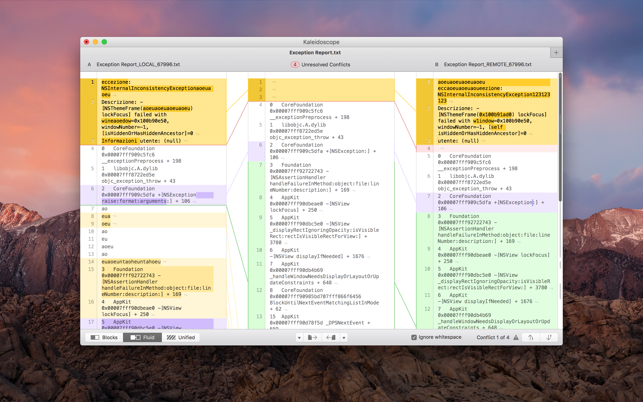
  • Two-Way Text Comparison & Merging
  • Supports any text file, Word documents, PDF, RTF
  • Super-fast diffing of lines and character-level changes
  • Directly paste from clipboard
  • Three powerful display modes: Blocks, Fluid and Unified
  • Color coding to spot added, deleted, and changed text
  • Powerful text layout customization
  • Reader view that helps focus on content
  • Built-in search

Three-Way Merge

  • Review code changes and resolve conflicts
  • Edit text inline
  • Intelligently auto-merge the right content

Powerful Image Comparison

  • Supports any file that can be imported as bitmap
  • Directly paste from clipboard
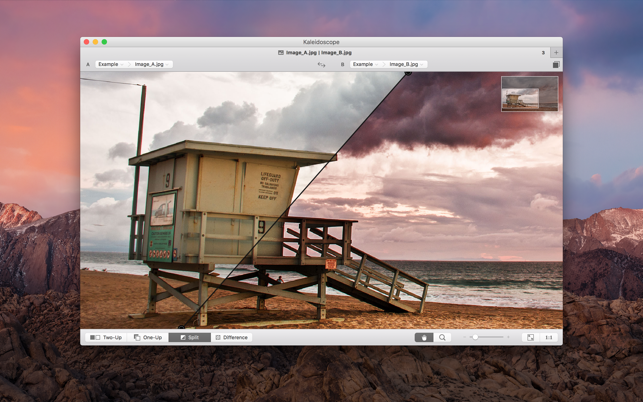
  • Compare images in four different modes: Two-Up, One-Up, Split and Difference
  • Spot subtle pixel differences with a high contrast “difference mask”
  • Navigate large images using pan & zoom tools

Folder Comparison

  • Ultra-fast algorithm for finding differences in large folders
  • Sort and filter down to what is most important
  • Powerful ignore patterns to exclude extraneous files and folders
  • Drill deeper into folders for more detailed comparisons
  • Copy your preferred files across sources

Code Review

  • Well-designed overview of all files changed in a changeset
  • Find a file by filtering by name or by kind of change
  • Inspect changes in text and image files using all of Kaleidoscope’s compare tools

Easy Workflow Integration

  • Git, Mercurial, Subversion, Bazaar, and Perforce support
  • Works as a fully functional diff or merge tool
  • ksdiff tool unleashes the power of the unix command-line
  • Supported by a growing list of GUI source control management apps
  • Integrate with the Xcode debugger (lldb) for text and graphics
  • Integrates with tools like Alfred for even faster workflows

Compatibility: macOS 13.0 or later
Homepage https://geo.itunes.apple.com/app/id587512244

Screenshots


Name: Kaleidoscope_5.1_Mactorrents.Me.dmg
Size: 39 MB
Files Kaleidoscope_5.1_Mactorrents.Me.dmg[39 MB]

   Download Torrent

iTubeGo YouTube Downloader 8.2.0

Download full HD/4K/8K videos from YouTube and more than 10,000+ websites at high speed. As a powerful HD video downloader for YouTube, Dailymotion, Facebook, and other streaming sites, iTubeGo HD Video Downloader provides 10X faster speed to download high-quality videos in bulk. Moreover, it provides a built-in browser to download video and music easily and cut Youtube to MP4, MP3, and more

iTubeGo YouTube Downloader allows you to download videos from YouTube, Facebook, Instagram, Dailymotion, Vimeo, TikTok, Pornhub, Xvideos, SpankBang, xHamster and other websites. iTubeGo provides various SD and UHD video quality options, including 480p, 720, 1080p, 2K, 4K, 8K etc.
Besides downloading videos, iTubeGo can also extract audio from video and save it as high quality 320kbps MP3 format. It supports mp3 download from most music sites.

Compatibility: macOS 10.10 or later
Homepage https://itubego.com

Name: iTubeGo_8.2.0_Mactorrents.Me.dmg
Size: 59 MB
Files iTubeGo_8.2.0_Mactorrents.Me.dmg[59 MB]

   Download Torrent

Downie 4.7.27

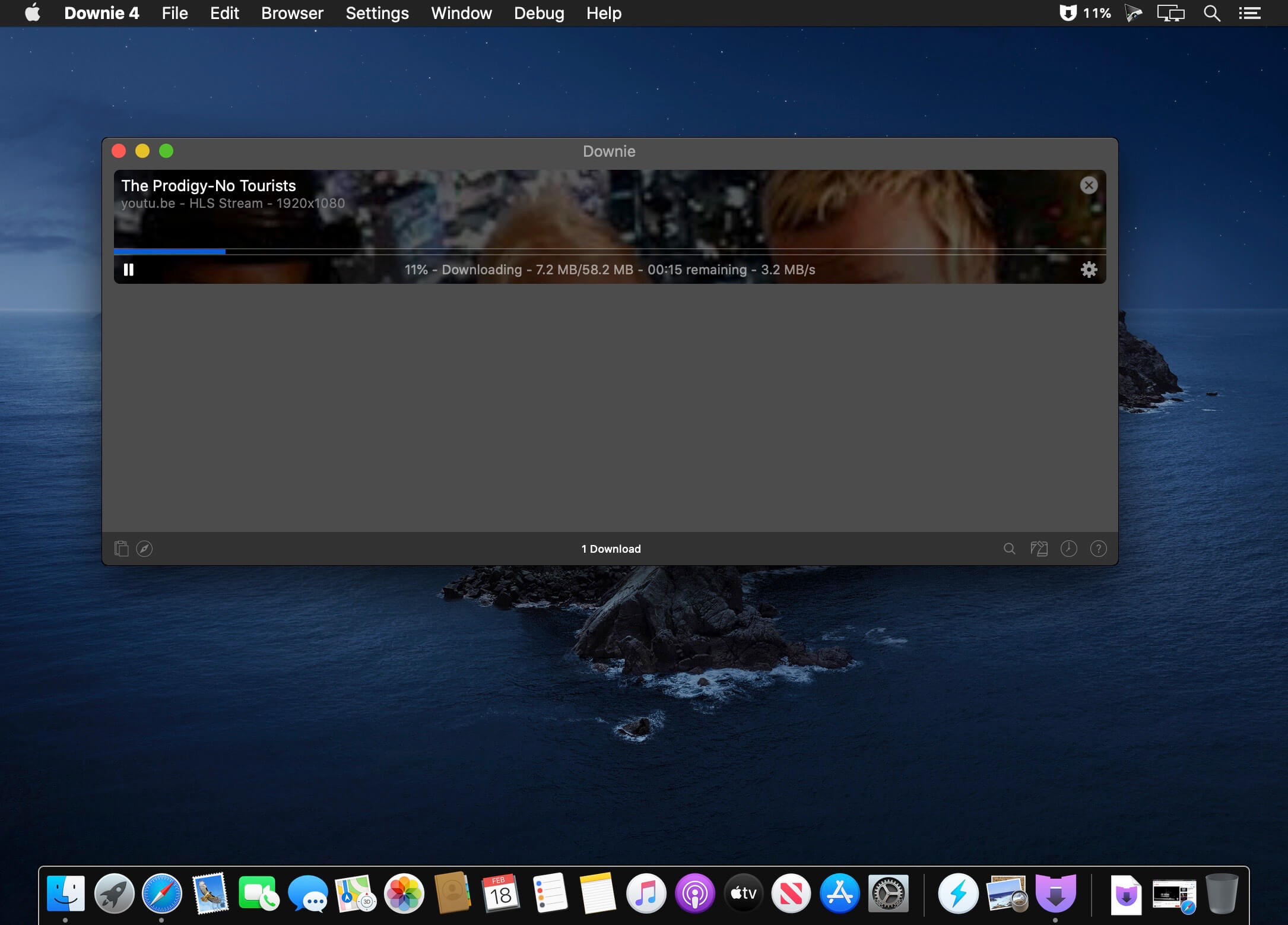
A simple download manager that offers you the possibility to quickly save videos from different websites to your own disk drive.

f you are using a poor internet connection, trying to visualize videos streamlined online might not work properly since the content is loaded too slowly. Downie is a simple Mac app that can help you download those videos to your computer, and then watch them by using your default media player.

User friendly video downloader featuring support for drag and drop actions
Working with Downie is extremely straightforward: simply drop the video URL on top of the app’s main window or on the Dock icon. Downie adds the video to your downloads list, so all you have to do next is start the process by pressing the appropriate button. Of course, you can also remove items from the list.

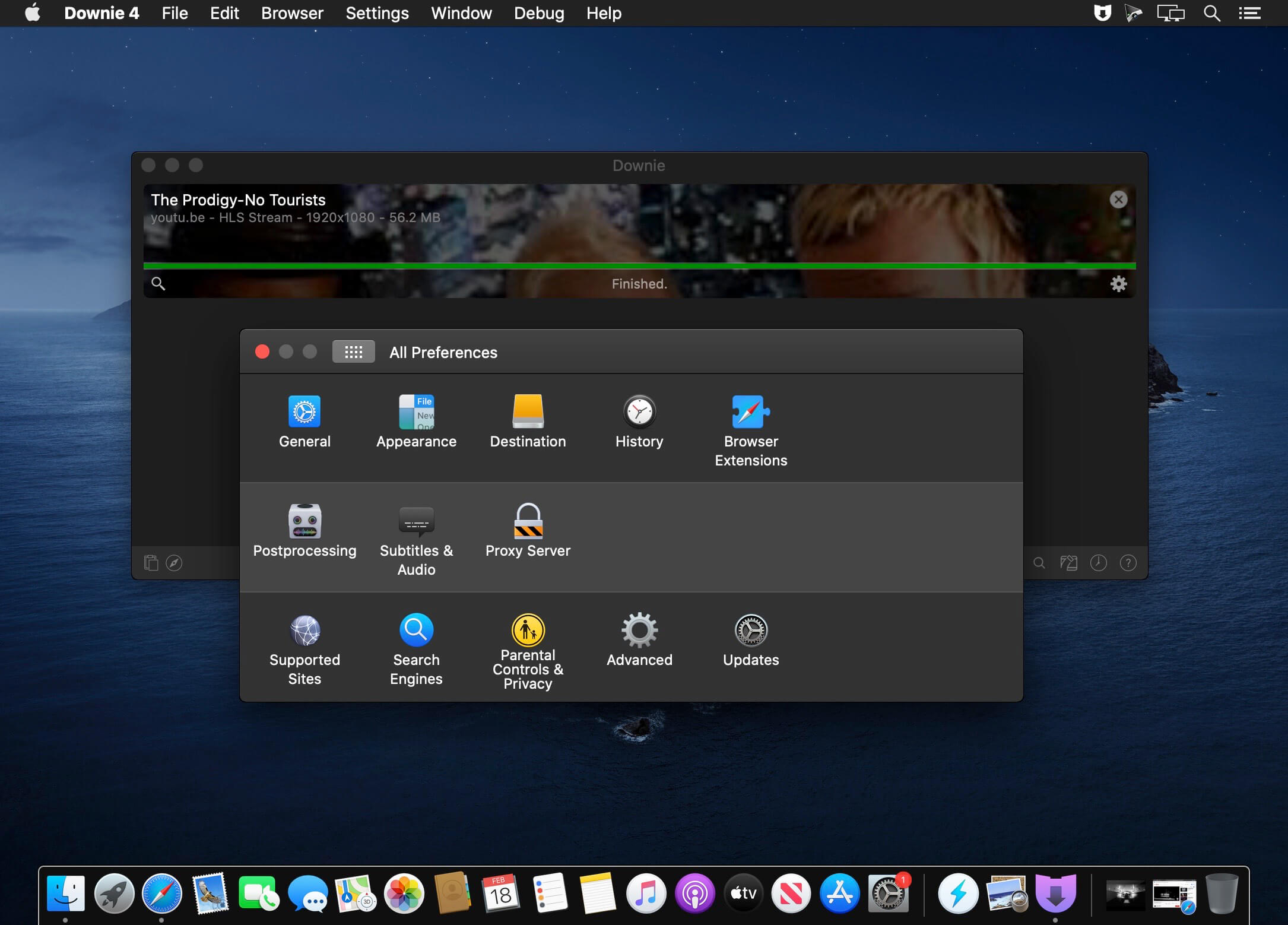
By default, Downie downloads MP4 files and places them in your default Downloads folder, but you can easily change this via the Preferences window. The same area allows you to setup notifications, or post processing actions (convert to MP4 if necessary, or extract audio only).

Effortlessly download videos from a wide collection of hosting websites
Downie provides support for more than 400 different websites that host video content, among which there are the most popular choices, such as YouTube, Apple, LiveLeak, Vimeo, BBC, and so on. If a certain website is not included, within the app you can send a request email to the Downie developers.

Moreover, Downie also provides matching extensions for various popular web browsers, such as Firefox, Safari, Google Chrome or Chromium. The add-ons are not installed by default: open the Preferences window and install only the ones you plan to use.

Straightforward solution for downloading video content hosted online
Downie is a great tool for saving videos posted on various websites to your Mac for offline playback. The application is extremely useful especially if you have a slow internet connection.

Compatibility: macOS 10.12.6 or later
Homepage https://software.charliemonroe.net/downie/

Screenshots


Name: Downie_4_4.7.27_Mactorrents.Me.dmg
Size: 50 MB
Files Downie_4_4.7.27_Mactorrents.Me.dmg[50 MB]

   Download Torrent

Capture One Pro 16.4.5.29

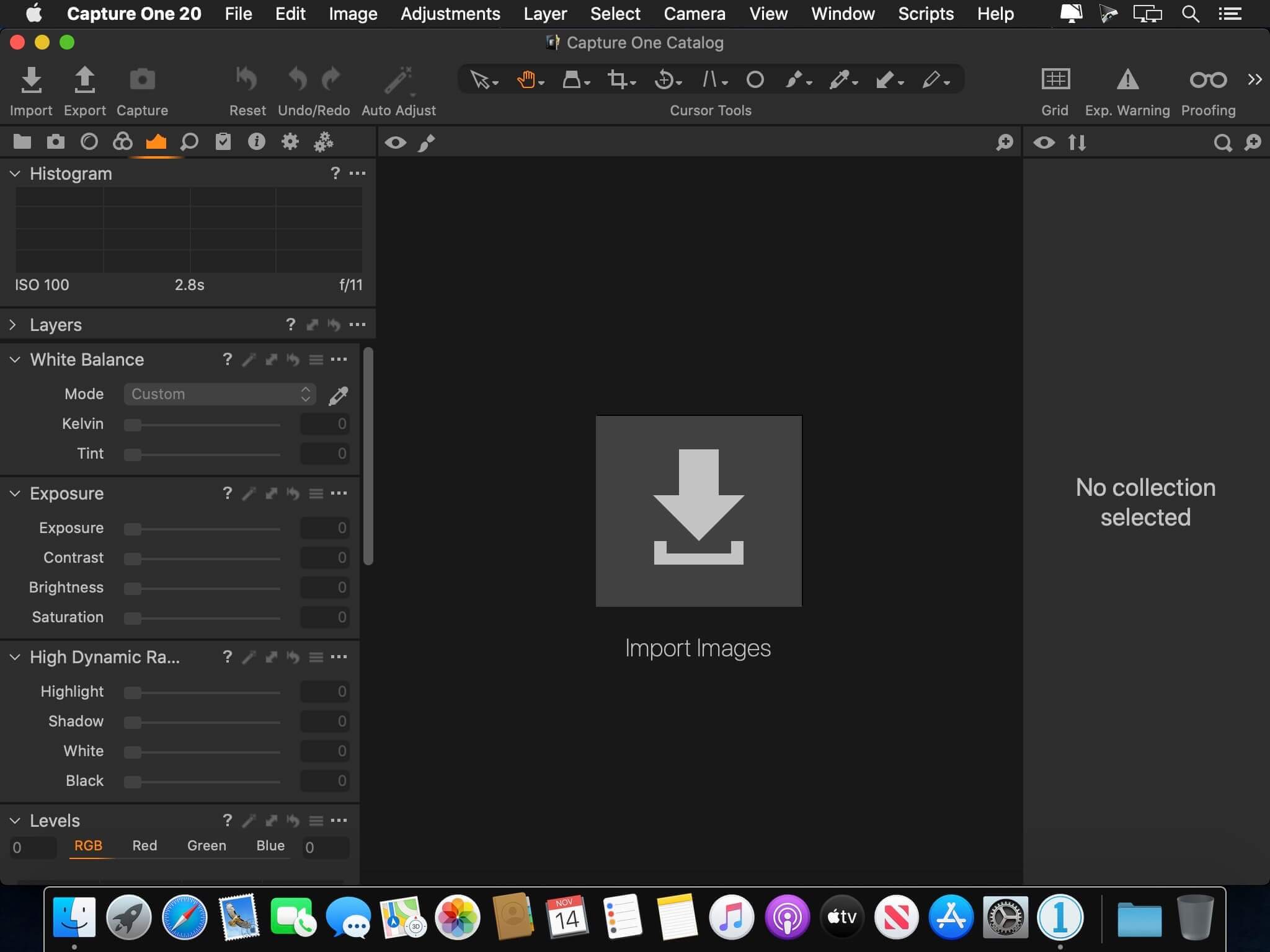
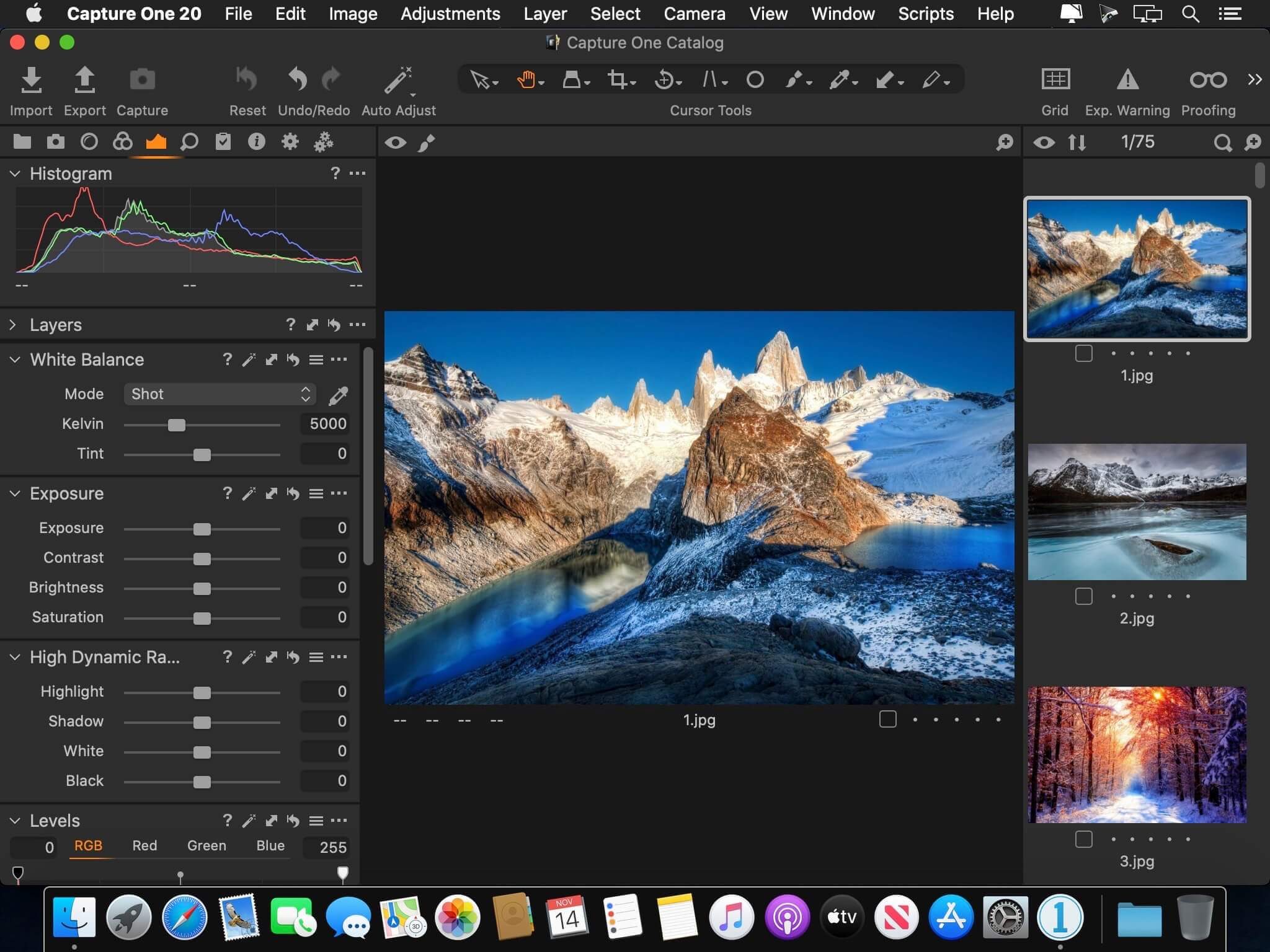
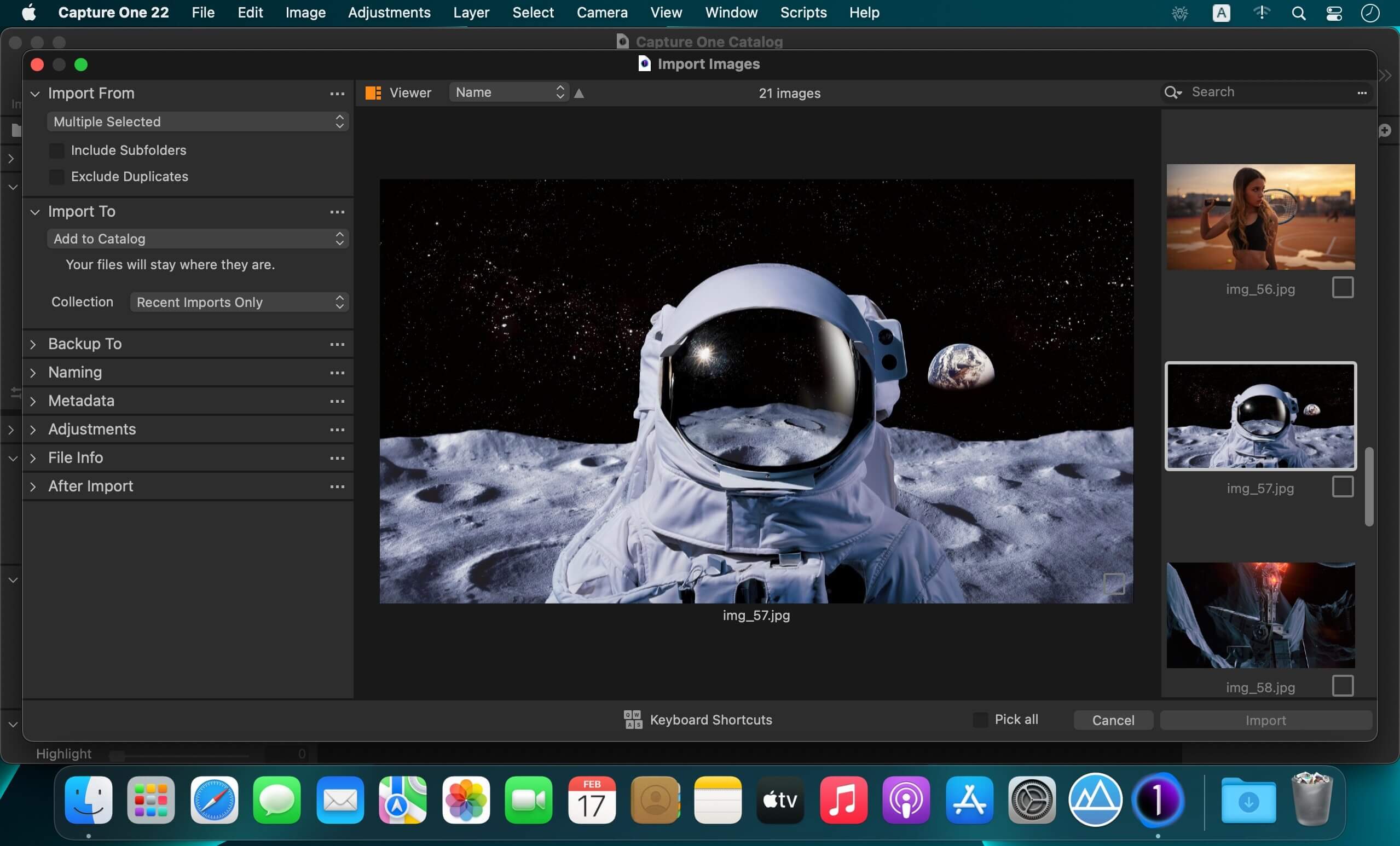
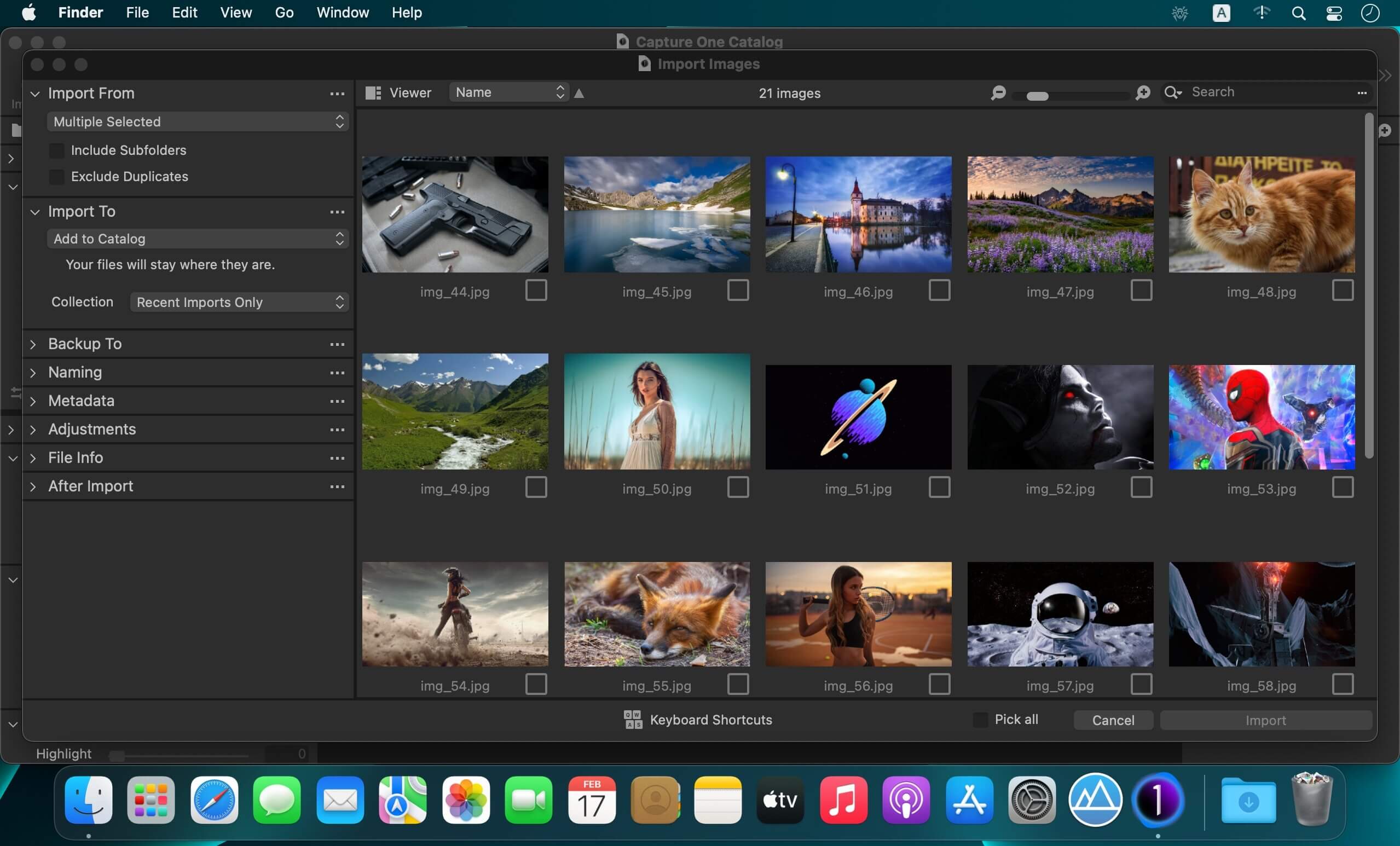
Capture One 23 is a professional RAW converter offering you ultimate image quality with beautiful colors and incredible detail for more than 500 high-end cameras. It offers state- of-the-art tethered capture, powerful digital asset management, extensive adjustment tools and a flexible workflow through customizable workspaces.

With an updated processing engine, market-leading performance and powerful new features, Capture One is the professional choice in imaging software. You get the highly responsive precision tools you need to create stunning images from your camera’s RAW files in a time-saving workflow that can be customized to fit your needs.

New features and improvements

  • Speed Edit
  • Dehaze
  • Improved importer

General User Experience Improvements and tweaks

  • HEIF support
  • Easy brush adjusting
  • Improved performance
  • Colored gradients on White Balance Sliders
  • Enhanced tooltips
  • Easy access to Tutorials

Compatibility: macOS 12.0 or later,
Homepage https://www.phaseone.com/

Screenshots


Name: Capture_One_Pro_16.4.5.29_Mactorrents.Me.dmg
Size: 1 GB
Files Capture_One_Pro_16.4.5.29_Mactorrents.Me.dmg[1 GB]

   Download Torrent

Capture One Enterprise 16.4.5.29

Capture One 23 Enterprise – the photo editing solution for image production studios and e-commerce platforms. Its authentic true-to-life color processing, seamless editing experience, and fastest tethering in the industry gives you total creative control, making it a household name in studios across the world. Based in Copenhagen, Denmark, Capture One empowers photographers with cutting-edge features to keep your photography one step ahead.

How any photography studio can create value with Capture One Enterprise
For the past 10 years, leading studio photography has been created with photo editing software Capture One. With world-class tethering, state-of-the-art photo editing tools and the highest quality RAW processing, it’s been a staple in any photography studio.

Now, Capture One has introduced an “Enterprise” version which is specifically built for business and aligned to the way a photography studio works.
Capture One Enterprise offers the same standard features as Capture One’s flagship product Capture One 20 – tailored to the needs of studio photography.

Built for Business
Photographers are key to the success of any photography studio.

But what if the photography studio involves several photographers, studio managers, retouchers, quality assurance managers, project leaders, etc who need to collaborate, standardize and carry out the same workflows over and over again? What if those workflows also need to be integrated to other systems, eg. barcode scanners, PIM systems, digital asset management systems, ecommerce platforms etc?

Capture One Enterprise has been developed to address the challenges faced by studio photography and help any enterprise or e-commerce photography studio optimize their image production process and boost results across relevant KPI’s.

Value creation with Capture One Enterprise
Studio photography has huge value creation potential with Capture One Enterprise. By incorporating its enterprise-specific features into the workflow, it can improve KPI’s such as

  • “Time to Market” – Optimizing the hours your photography studio spends on the image production process, from planning your image, to shoots, to publishing the final photo on your ecommerce platform.
  • “Cost per image” – Optimizing each step in your studio photography process can dramatically increase your efficiency and reduce your costs
  • “Reduce Risk” – Secure your studio photography and image production to reduce errors and costs, thanks to enterprise exclusive features such as Image back-Up, License Management, MDM support etc.

This is achieved via enterprise features such as the Barcode scanner tool, Advanced Guides, Next Capture Backup, Next Capture Keywords, Next Capture Metadata, Tool Locks, Capture Pilot with Enterprise enhancements and Dedicated Studio workspaces.

Automated workflows in Capture One Enterprise
Once your studio has implemented Capture One Enterprise and begun implementing its standard features in your workflows, there are further opportunities to intensify value creation by automating workflows and integrating Capture One Enterprise into your IT infrastructure. You can do this by implementing

  • Workflow enhancement (an automation feature within Capture One)
  • Integrations (extension or automation interfacing with another app)

Customized solutions can maximize value, too
Your photography studio might also have very specialized needs – here, customized solutions can generate value for your studio photography. For example, ultra-accurate color profiling can assist in achieving one critical KPI in particular

“Reduce product returns” – Color profiling optimization on true color reproduction can reduce the rate of goods returned due to discrepancies in color between the actual product and the image.

Capture One offers individual color profiles for businesses, so you can reduce editing time and save on retoucher costs with fine-tuned color profiling for the most popular e-commerce cameras used by photography studios. Minimize color discrepancies and meet the demands of specialist product and studio photography with more accurate colors out-of-the-box.

These are just some of the exclusive features designed for studio photography – get in touch with the Enterprise team to learn more and discover where Capture One Enterprise can specifically meet the demands of your business. For more insight into specific tools, check out the Tools and Functionality white paper and Barcode Reader white paper.

What’s New:

Release Notes:

Tools exclusive to Capture One Enterprise are as follows:
1. Barcode scanner tool 

2. Advanced Guides 

3. Next Capture Backup 

4. Next Capture Keywords 

5. Next Capture Metadata 

6. Tool Locks 

7. Capture Pilot with Enterprise enhancements 

8. Dedicated Studio workspaces

Compatibility: macOS 12.0 or later,
Homepage https://www.captureone.com/en/explore-features/enterprise

Screenshots


Name: Capture_One_Ent_16.4.5.29_Mactorrents.Me.dmg
Size: 1 GB
Files Capture_One_Ent_16.4.5.29_Mactorrents.Me.dmg[1 GB]

   Download Torrent

Capture One Studo 16.4.5.29

Capture One is a professional RAW converter offering you ultimate image quality with beautiful colors and incredible detail for more than 500 high-end cameras. It offers state- of-the-art tethered capture, powerful digital asset management, extensive adjustment tools and a flexible workflow through customizable workspaces.

A powerful editing software that lets you quickly bring your photography to life with lightning-fast tethering, timesaving editing tools that give you creative control, and a personalized workflow with a customizable interface. Renowned for its RAW image processing and true-to-life colors thanks to tailored profiles for nearly 600 camera models and lenses, Capture One Pro gives you the best of your image to work with right from the start.

With an updated processing engine, market-leading performance and powerful new features, Capture One is the professional choice in imaging software. You get the highly responsive precision tools you need to create stunning images from your camera’s RAW files in a time-saving workflow that can be customized to fit your needs.

Capture One Studio is the new option to Capture One Pro with additional features useful for photographers studios.
It contains the Capture One Pro but also additional apps listed in the description below.

Compatibility: macOS 12.0 or later,
Homepage https://www.phaseone.com

Name: Capture_One_Studio_16.4.5.29_Mactorrents.Me.dmg
Size: 1 GB
Files Capture_One_Studio_16.4.5.29_Mactorrents.Me.dmg[1 GB]


   Download Torrent

Easy Data Transform 1.47.0

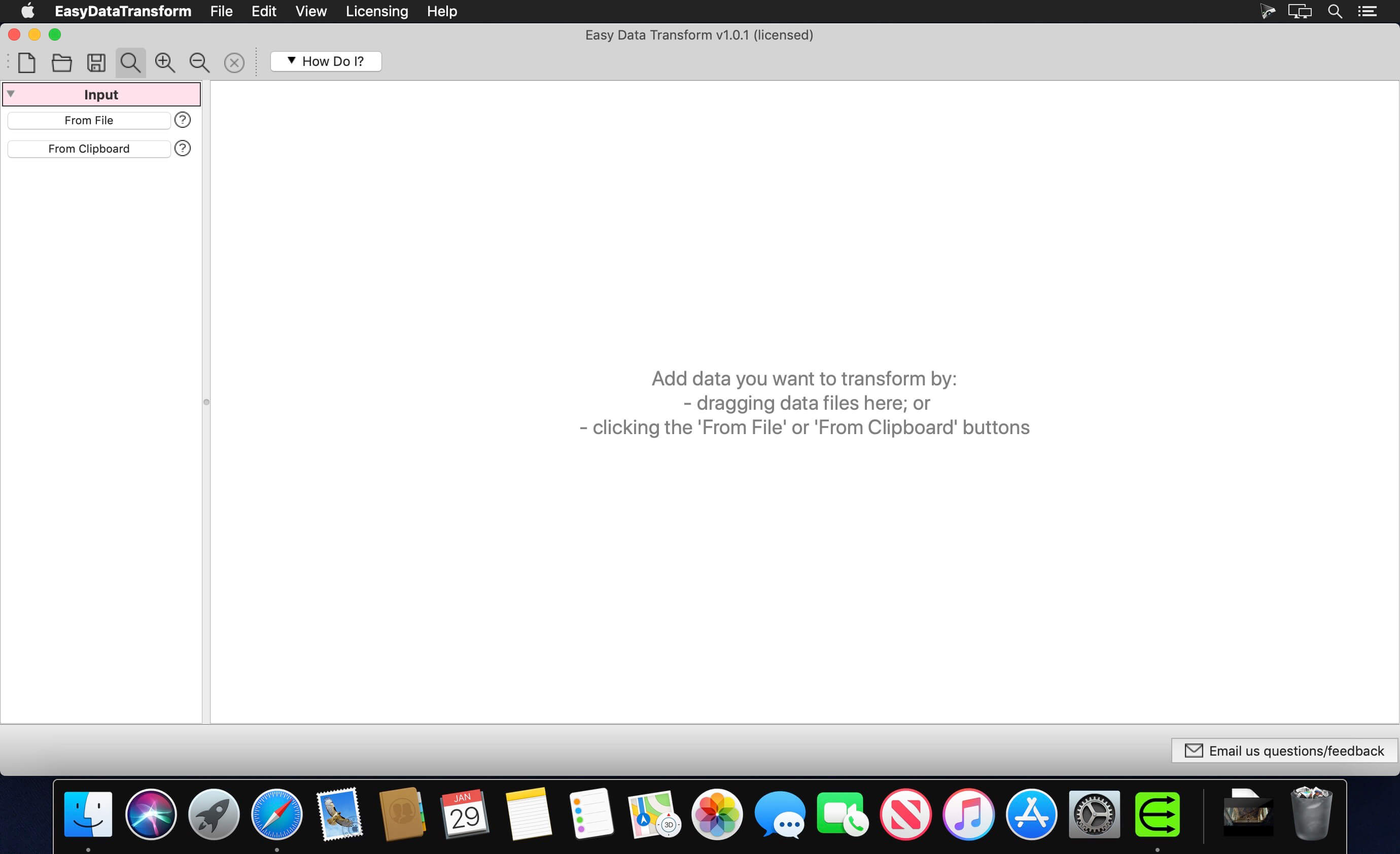
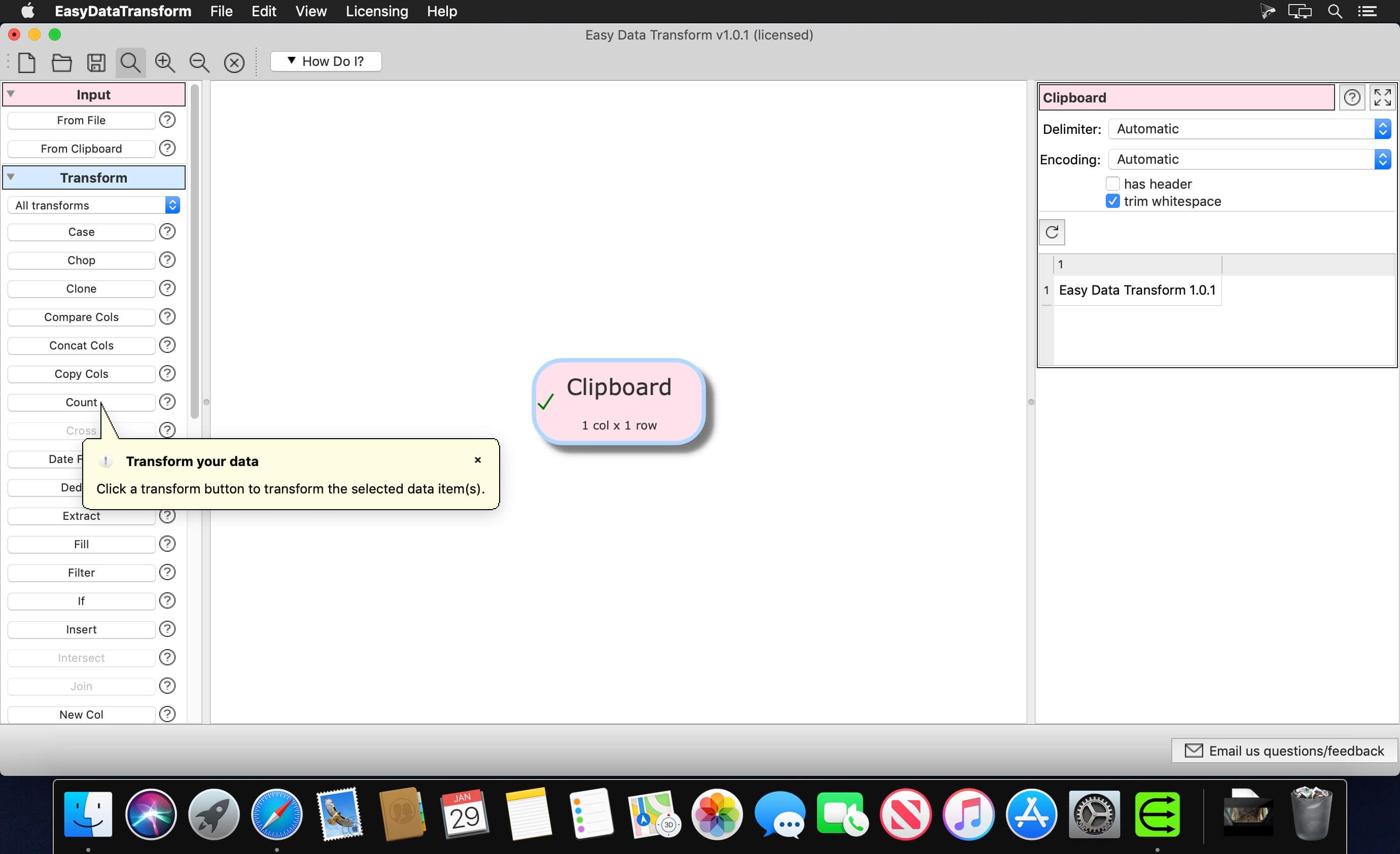
Transform Your Data Into Information – merge, split, clean, de-duplicate, reformat, analyze & more, without coding. Transform your Excel and CSV files without programming with Easy Data Transform.

Features:

  • Clean, re-format, merge, dedupe, filter and analyze table and list data on your Mac.
  • Transform your data interactively, step by step using 36 built-in transforms.
  • Transforms thousands of rows in the blink of an eye.
  • No need to upload your sensitive data to a third party server.

Compatibility: macOS 10.10 or later
Homepage https://www.easydatatransform.com/

Screenshots


Name: EasyDataTransform_1.47.0_Mactorrents.Me.dmg
Size: 82 MB
Files EasyDataTransform_1.47.0_Mactorrents.Me.dmg[82 MB]


   Download Torrent

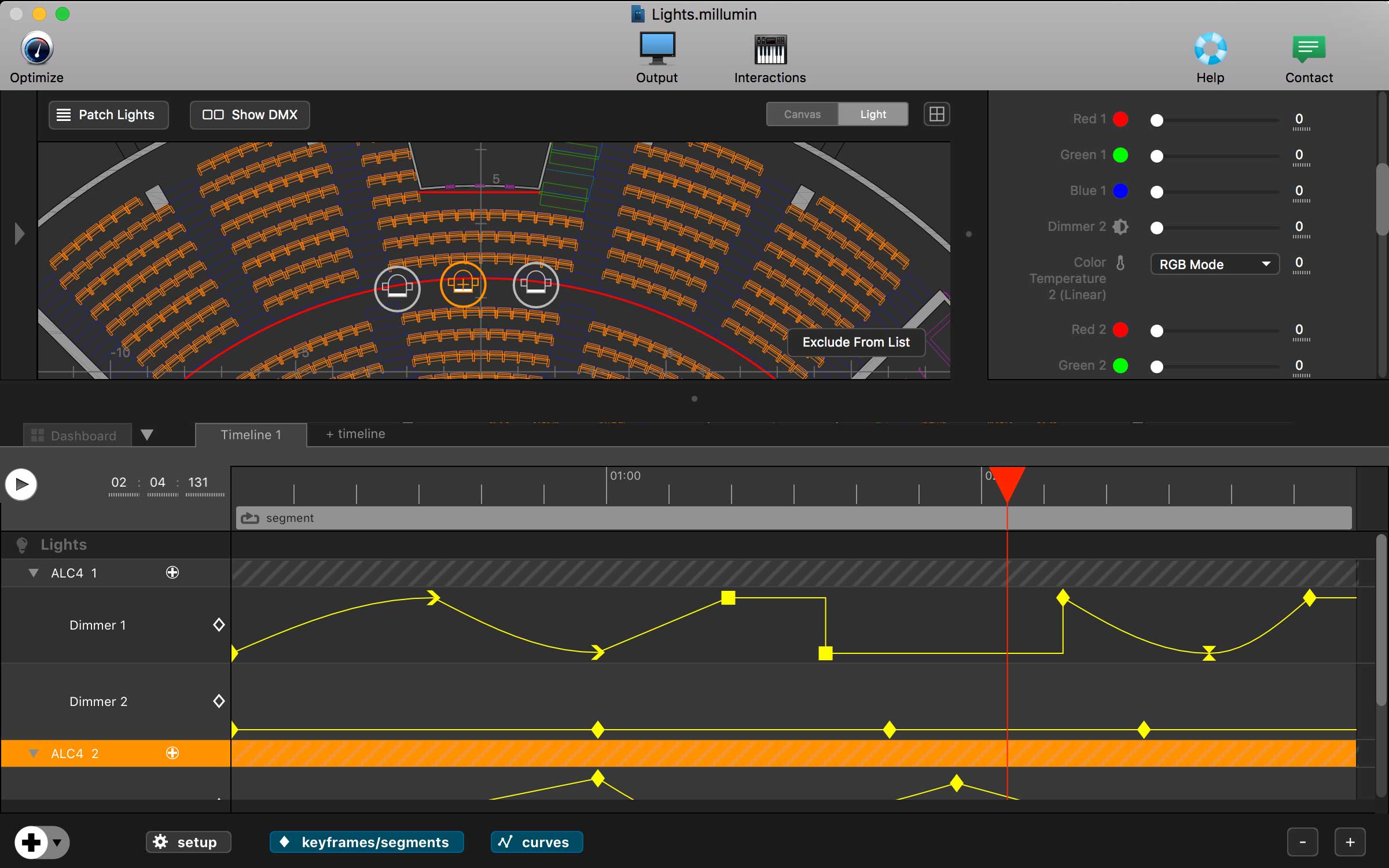
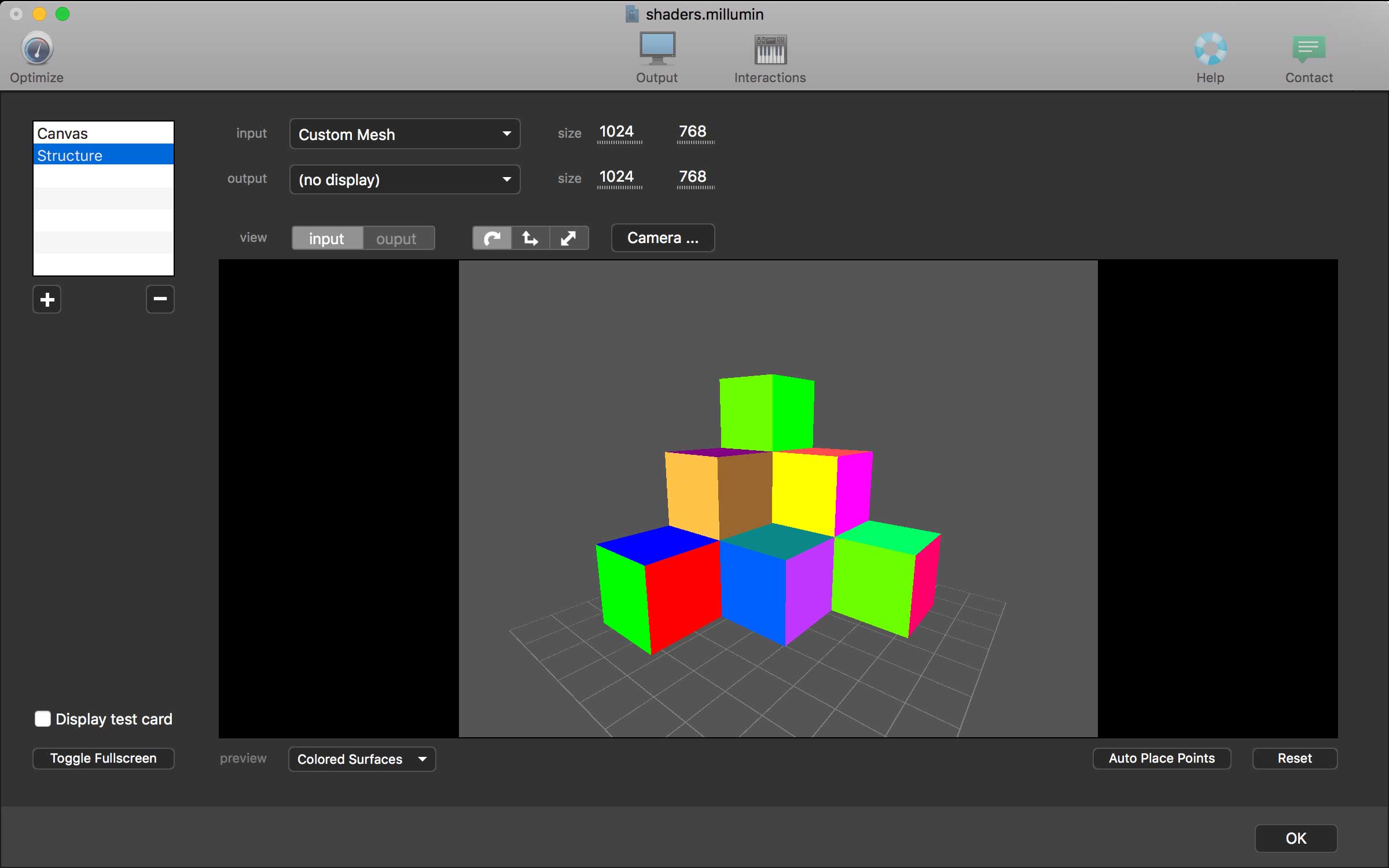
Millumin 4 v4.18.h

Millumin – create audiovisual and interactive shows, Theater, Dance, Videomapping, Interactive installation. Millumin is a creative solution to bring your ideas to life. It is tailored to play your live show and tell your story.

What’s New:

Version 4 v4.18.h:

  • Release notes were unavailable when this listing was updated.

<Compatibility: macOS 10.14 or later
Homepage https://www.millumin.com/v3/index.php

Screenshots


Name: Millumin4_4.18.h_Mactorrents.Me.dmg
Size: 116 MB
Files Millumin4_4.18.h_Mactorrents.Me.dmg[116 MB]


   Download Torrent

Bartender 5.1.1

Bartender lets you organize your menu-bar apps by hiding them, rearranging them, or moving them to Bartender’s Bar. You can display the full menu bar, set options to have menu-bar items show in the menu bar when they have updated, or have them always visible in Bartender’s Bar.

Features

  • Lets you tidy your menu bar apps how you want.
  • See your menu bar apps when you want.
  • Hide the apps you need to run, but do not need to see.
  • Have the clean looking menu bar you want.
  • Rearrange your menu bar items as you wish.

Compatibility: macOS 14.0 or later
Homepage https://www.macbartender.com

Screenshots


Name: Bartender_5_5.1.1_Mactorrents.Me.dmg
Size: 12 MB]
Files Bartender_5_5.1.1_Mactorrents.Me.dmg[12 MB]


   Download Torrent

Arturia Augmented BRASS v1.2.1

Augmented BRASS
Acoustic instruments reinvented
Augmented BRASS delivers a rich variety of expressive, unique, and powerful brass sounds for modern production and composition, uniting beautifully recorded samples, bold synth engines, and seamless morphing between them.

Air and metal
like you’ve never heard it
Go from evocative chamber trumpets to huge cinematic ensembles, somber melodies to thunderous synth-infused fanfares, essential brass tones to experimental textures unheard – all in the same place. Augmented BRASS morphs beautifully-recorded samples and powerful synth engines into captivating and refreshing sounds for your composition, production, and sound exploration.

Morphing:
sound between the valves
Navigate the exciting sonic territory between each of Augmented BRASS’ elements with the central Morph control.

Easy, hands-on, creative.
Brass that can be transformed, customized, and animated in seconds.

Augmented BRASS is designed to deliver the powerful, authentic brass sounds you need, but give you the flexibility to push your sound into new territory when you need to – in as little time as possible.

Deeper
sound design
Rearrange, modulate, and customize every aspect of your hybrid ensemble.

Augmented BRASS’ simple interface and diverse preset library brings quick results to keep your flow moving – but when you want to get complex, you can. The Advanced panel takes you deep into the inner workings of the instrument, giving you detailed control over your sound sources, modulation, performance, and beyond.

Capturing the essence
of brass
This isn’t just a detailed sample library; this is a collection of diverse, authentic, and modern brass recordings, from the wonderful to the weird, performed by a dynamic and expressive ensemble.

Your production-ready
brass library
For when you need immediate results to get that project finished, Augmented BRASS’ preset library contains hundreds of expertly-crafted presets, from ideal bread-and-butter brass to dense hybrid textures – all at the touch of a button.

AU | VST | VST3 | AAX | STANDALONE
Homepage https://www.arturia.com/products/software-instruments/augmented-brass/overview

Name: Arturia_Augmented_BRASS_v1.2.1_U2B_macOS-MORiA_Mactorrents.Me.rar
Size: 2.4 GB
Files Arturia_Augmented_BRASS_v1.2.1_U2B_macOS-MORiA_Mactorrents.Me.rar[2.4 GB]


   Download Torrent

Arturia Augmented STRINGS v1.7.1

Augmented STRINGS
Acoustic instruments reinvented
Augmented STRINGS combines rich sampled strings with state-of-the-art synthesis in an approachable, inspiring software instrument, giving modern producers immediate access to a comprehensive range of authentic, abstract, and evocative string sounds.

Redefining strings
An evolved hybrid soundtrack for the modern age.
Uniting quality string libraries with state-of-the-art synthesis, Augmented STRINGS is your quickest route to the fresh string sound you’ve always wanted. Go beyond conventional libraries, virtual instruments, and familiar orchestral timbres, and elevate your string sounds to inspiring new heights. Whether you’re a composer, producer, sound designer, or anything in between, effortlessly control an enhanced hybrid ensemble that’ll set your production alight.

A new string palette
Augmented STRINGS’ hybrid palette unlocks the truly exciting and unique power that strings can bring to your projects. This isn’t just a selection of string samples; these are traditional instruments transformed into sounds unlike anything you’ve ever heard.

Layer your own sound
Build your own ensemble with Augmented STRINGS’ multi-engine flexibility. Experiment with 2 layers, each containing 2 sound sources, and weave your own custom combination of sampling and synthesis for a string sound that transcends the real thing.

Authentic to abstract
Immersive, orchestral, cinematic, and everything in between. With over 60 articulations, multiple mic setups, solo & ensemble performances, 4 types of synthesis, and built-in FX, explore a near-limitless spectrum of modern string textures and timbres for any style.

Morphing power
Augmented STRINGS’ Morph control gives you truly unique & ever-evolving sound with one click. Unlock huge sonic territory within a single sound, move and transform between Layers A and B, and adjust up to 8 custom destinations – all with one control.

Transform sound instantly
Make dramatic changes and tap into your musical expression in real-time with a streamlined set of macro controls, designed to intelligently change multiple parameters for sweeping sound tweaks in real-time. Perfect dynamics, variety, and individuality when you need it.

Deeper customization
An instrument that can do both: Augmented STRINGS is quick and intuitive on the surface, but deep and advanced when you need it to be. Weave intricate modulation, create dynamic sequences, customize sound sources, and more.

Sampling
Augmented Strings’ built-in sample library has been recorded and curated to be every bit as delicate, urgent, and expressive as conducting your own personal ensemble.

22 musicians performed as soloists and as an ensemble, with over 60 articulations across double bass, cello, viola, and violin. The recordings were captured in detail with world-class microphones and preamps in various positions, ensuring that every sample resonates with lifelike space, detail, and energy. Whether you need an evocative single instrument melody, a huge tremolo sustain, or anything in between, this library ticks the boxes.

Synthesis
Discover sounds from 4 synth engines, from subtle textural embellishment to in-your-face soundscapes: Virtual Analog, Granular, Wavetable, and Harmonic.

Inspired by state-of-the-art synthesis architecture from the minds behind Pigments and V Collection, this is more than a list of synth presets. These are entire instruments within an instrument, responsive and tactile, providing everything from destructive sub-bass to digital pads brimming with harmonic detail.

Compatibility: AU | VST | VST3 | AAX | STANDALONE
Homepage https://www.arturia.com/products/software-instruments/augmented-strings/overview

Name: Arturia_Augmented_STRINGS_v1.7.1_U2B_macOS-MORiA_Mactorrents.Me.rar
Size: 3.5 GB
Files Arturia_Augmented_STRINGS_v1.7.1_U2B_macOS-MORiA_Mactorrents.Me.rar[3.5 GB]


   Download Torrent

Arturia Augmented WOODWINDS v1.1.1

Augmented WOODWINDS
Acoustic instruments reinvented
Augmented WOODWINDS unites dynamically sampled instruments with state-of-the-art synthesis in an intuitive and breathtaking interface, delivering a rich, reedy and redefined range of woodwind sounds – morph to your mood, from dark and denatured to bright and elegant.

Flutes, reeds
and beyond
A dance between acoustic precision and digital drive. Experience sonic metamorphosis and turn raw woodwind energy into orchestral dreamscapes, blissful flutters and epic sonic textures.

meta-Morph-osis
An authentic wind sound, modifiable in nature, radical in form.

Simple
and intuitive
In a few clicks, take an animated solo clarinet and render it anew with intricate, infinitely expressive sonic detailing.

Augmented WOODWINDS is built around a streamlined interface, designed to help you reach the sound in your mind’s eye, in as little time as possible. Utilize the preset library and intuitive quick-fire controls for a dependable composition experience.

Advanced
sound design
For a bespoke, breathtaking sound that has your name on it, access the advanced panel to rearrange, modulate, and arpeggiate your hybrid ensemble.

Capturing
Magic
We knew that in order to create fresh and exciting sounds with Augmented WOODWINDS, we first had to capture beautiful and authentic samples.

AU | VST | VST3 | AAX | STANDALONE
Homepage https://www.arturia.com/products/software-instruments/augmented-woodwinds/overview

Name: Arturia_Augmented_WOODWINDS_v1.1.1_U2B_macOS-MORiA_Mactorrents.Me.rar
Size: 2.8 GB
Files Arturia_Augmented_WOODWINDS_v1.1.1_U2B_macOS-MORiA_Mactorrents.Me.rar[2.8 GB]

   Download Torrent

Arturia Augmented YANGTZE v1.1.1

Acoustic instruments reinvented
Augmented YANGTZE is a software instrument that unites the unique essence of traditional Chinese instruments with the raw power of synthesis. Discover a spectrum of Chinese musical motifs and modern textures brought to life with experimental processing. Augmented YANGTZE blends meticulous sampling with innovative multilayered synthesis for a sound that transcends traditional musical boundaries. From the rich, earthy tones of the bass Dizi and Xiao to the sparkling overtones of the Yangqin and Erhu to the soulful plucked strings of the Pipa and Guqin – each timbre is presented with unparalleled clarity and depth. Whether you’re a composer, producer or sound designer, dive into a wellspring of expressive, textural soundscapes.

Bowed, plucked and more
Augmented YANGTZE offers a rich and uniquely textured palette of sounds from China’s most well-known traditional instruments. Explore 200 presets and discover breathtaking soundscapes with the Bass Dizi & Xiao, Pipa, Guqin, Yangqin and Erhu.

Layer your own sound
Build your own ensemble with Augmented YANGTZE’s multi-engine flexibility. Experiment with 2 layers, each containing 2 sound sources, and weave your own custom combination of sampling and synthesis for a convergence of acoustic textures and professional grade effects.

Authentic to abstract
Immersive, warped, traditional, transcendent and everything in between. 6 instruments, 38 articulations, 30 processed & multisample articulations, 4 types of synthesis, 2 sampler engines and built-in FX – explore a near-limitless spectrum of composition-ready textures and timbres.

Morphing power
Augmented YANGTZE’s library is designed to be morphed, giving you a truly unique & ever-evolving sound at the turn of a wheel. Augment music tradition into otherworldly sonic rendition, for a contemporary take on classic instruments.

Transform sound instantly
Enhance your sound with intuitive modulation using a streamlined set of macro controls and insert effects. Adjust your parameters with ease for both subtle changes and dramatic transformations – from cutoff color to call-and-response delay.

Deeper customization
Quickly select, morph and adjust a dynamic hybrid sound from the main instrument view, or dig deeper in the advanced panel for access to intricate modulation, arpeggiation, custom sound sources, and more.

Confluence of sound
Morph to discover a unity of opposites – between natural and artificial

On one side, a library of enhanced organic sounds. On the other, 4 ultra-powerful synth engines – Augmented YANGTZE invites ou to dance between the two to discover totally unique and evocative composition textures.

Sampling
Recorded with precision, Augmented YANGTZE’s sample library embodies the unique spirit of its source, enabling deeply evocative compositions – whether you seek a dynamic textural melody of a lone Erhu or the intricate rhythms of a Guqin or Pipa.

Synthesis
Powered by 4 synth engines including Virtual Analog, Granular, Wavetable, Harmonic, and the Simpler engine – discover evolving ambiences, experimental processing and dynamic after-effects designed to blend and converge with Augmented YANGTZE’s evocative sample library.

AU | VST | VST3 | AAX | STANDALONE
Homepage https://www.arturia.com/products/software-instruments/augmented-yangtze/overview

Name: Arturia_Augmented_YANGTZE_v1.1.1_U2B_macOS-MORiA_Mactorrents.Me.rar
Size: 3.3 GB
Files Arturia_Augmented_YANGTZE_v1.1.1_U2B_macOS-MORiA_Mactorrents.Me.rar[3.3 GB]

   Download Torrent

AutoBounce Auto-Bounce by Tom Salta v1.0.0

The days of manually bouncing stems in Logic Pro are over. It is the world’s first and only tool that allows you to fully automate the monotonous and time-consuming task of running stems, multi-tracks, and mixes in Logic Pro. Join the growing list of Composers, Producers, Songwriters, and Session Musicians worldwide who are enjoying the freedom of using Auto-Bounce for Logic Pro.

KEY FEATURES:
​Bounce complete sets of stems, multi-tracks, and mixes with just a few clicks.
Bounce multiple “jobs” (mixes and stems) with different cycle ranges, bounce parameters, etc.
Bounce wet and dry stems in a single pass.
NEW! Track Lock for running stems with sidechain effects.
Create custom and dynamic naming conventions for your stems and mixes.
“Vari-End Mode” automatically avoids bouncing empty space after the last region to save even more time and disk space.
“Vari-Start Mode” automatically sets the start and end points of each bounce based on the start and end points of the regions.
Create complete multi-track archives to “future-proof” your Logic projects.
Save and load entire job sets for easy recall.

Homepage https://www.auto-bounce.com

Name: AutoBounce_Auto-Bounce_by_Tom_Salta_v1.0.0_macOS-GUSEPPE_Mactorrents.Me.rar
Size: 2.42 MB
Files AutoBounce_Auto-Bounce_by_Tom_Salta_v1.0.0_macOS-GUSEPPE_Mactorrents.Me.rar[2.42 MB]

   Download Torrent

Techtool Pro 20.0.2 Build 9270

Techtool Pro 15 – Now supporting macOS Monterey. The professional-grade Mac toolkit for the rest of us. Your Macintosh counts on you to keep it running at its best. And other people may count on you to keep their own computers running at their best as well. Whether you’re a single user or you support many other Macintosh users at work, you’ll want to get the latest version of Techtool Pro.

New in Techtool Pro 15

macOS Monterey Compatibility
Techtool Pro 15 has been fully updated and optimized to support macOS 12, Monterey. Techtool Pro continues to support both Apple Silicon and Intel Macs.

SMART SUPPORT for External Drives
Techtool Pro 15 now includes improved and updated drivers for reading SMART data on external drives on both Intel and Apple Silicon Macs.

Internal Improvements
Techtool Pro 15 continues to receive improvements to support the latest Macs, along with improvements in the tests and tools you rely on.

Other highlighted features

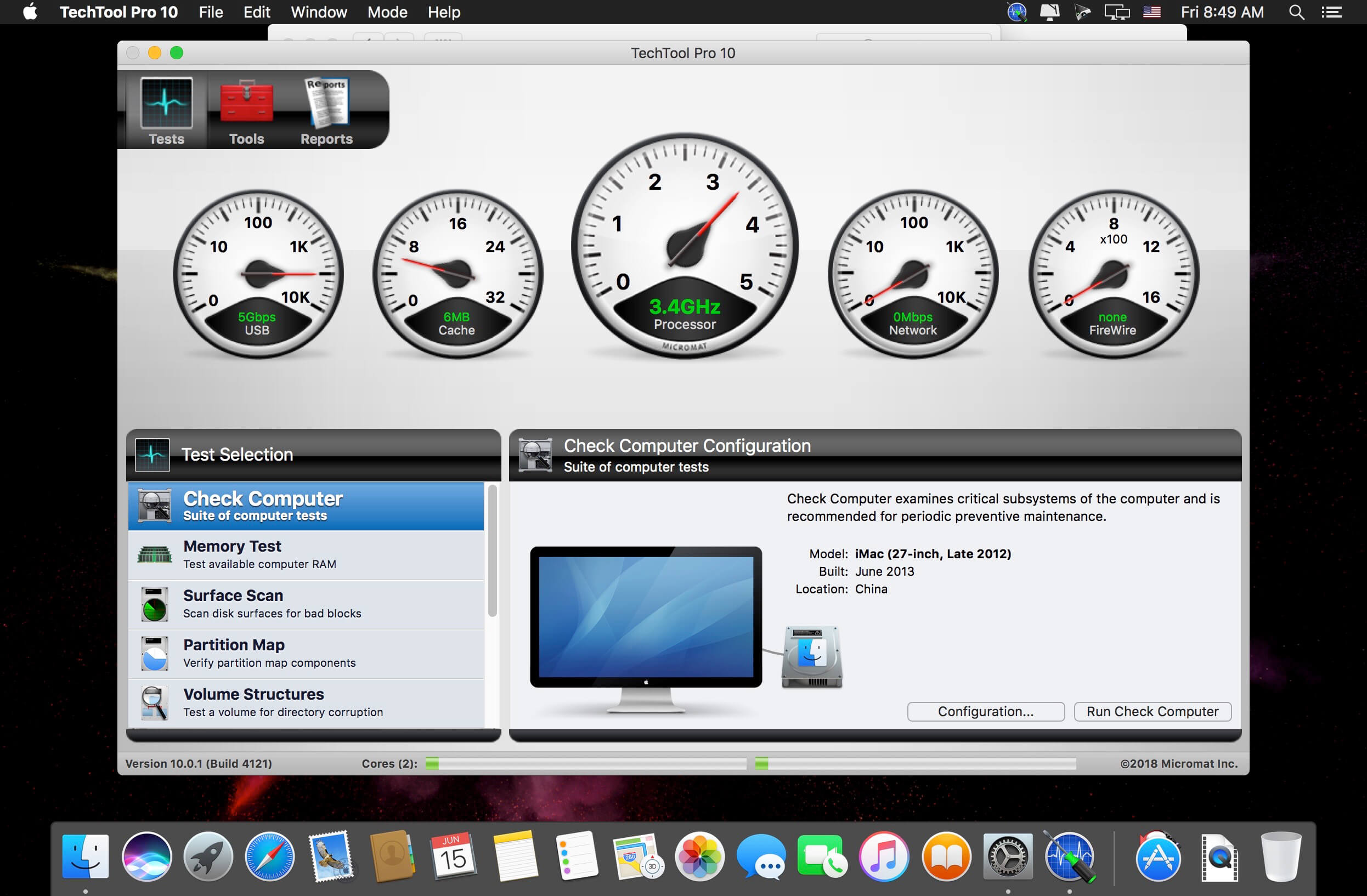
Check Computer Suites
Using the Check Computer Suites, you can set up a variety of test suites for your needs. Use the built-in Full, Intermediate or Quick suites or make your own suite of tests to perfectly suit your needs. The Full Suite does what it sounds like, running every test and checking every drive. The Intermediate Suite leaves out the Surface Scan test to help save time, while the Quick Suite tests your Mac excluding your disks, for a quick look at the health of your Mac’s hardware. Customize any of these or create your own suite from scratch to test your Mac exactly as you would like.

Emergency Startup Disk
If your startup disk stops working, and you need another startup disk, Techtool Pro’s eDrive steps in to help. The eDrive is what you’ll use to test, rebuild or defragment your main hard drive, but it is really helpful if your main startup disk goes missing. Instead of fumbling for your install DVD, or relying on the Recovery HD’s limited functionality, the eDrive gives you quick access to Techtool Pro along with several handy Apple utilities. You can even add other programs if you like. Customize the size of your eDrive, up to 128 GB.*

Take It With You
The portability of Techtool Protogo is included with every copy of Techtool Pro. Techtool Protogo allows you to create a bootable diagnostic device that contains Techtool Pro and all of its most powerful tools as well as any of your own utilities you may wish to install. You can then use this device to boot, check, maintain, and repair Macintosh computers as needed. Simply launch Protogo, choose Protogo from the Mode menu, and use it to set up a diagnostic disk.*

Advanced Memory Testing
Techtool Pro’s memory testing suite is the most comprehensive among general hardware utilities. Techtool Pro takes advantage of advancements used by ATOMIC, our dedicated Memory Tester, and integrates them into testing your memory. Now, memory is ‘cleaned’ before testing, reclaimed from macOS, maximizing the amount of RAM that can be tested.

Drive Testing and Repair
Your Mac’s hard drive, even if it is a Solid State Drive, is more likely to experience problems than any other component on your Mac. Because data changes so frequently, it can sometimes get scrambled. So, it’s important to be able to test drives for problems and then repair them. Sadly, if something is physically wrong with the drive, it will need to be backed up and replaced, but the sooner this type of damage is detected, the fewer files – like cherished memories and important personal documents – will be lost. Most drive problems, however, result from data being in the wrong place, and can be repaired using Techtool Pro’s Volume Rebuild tool. In addition to native Mac drive formats, Mac OS Extended and APFS, Techtool Pro supports testing and repair of MS-DOS (FAT32) and ExFAT formatted volumes.

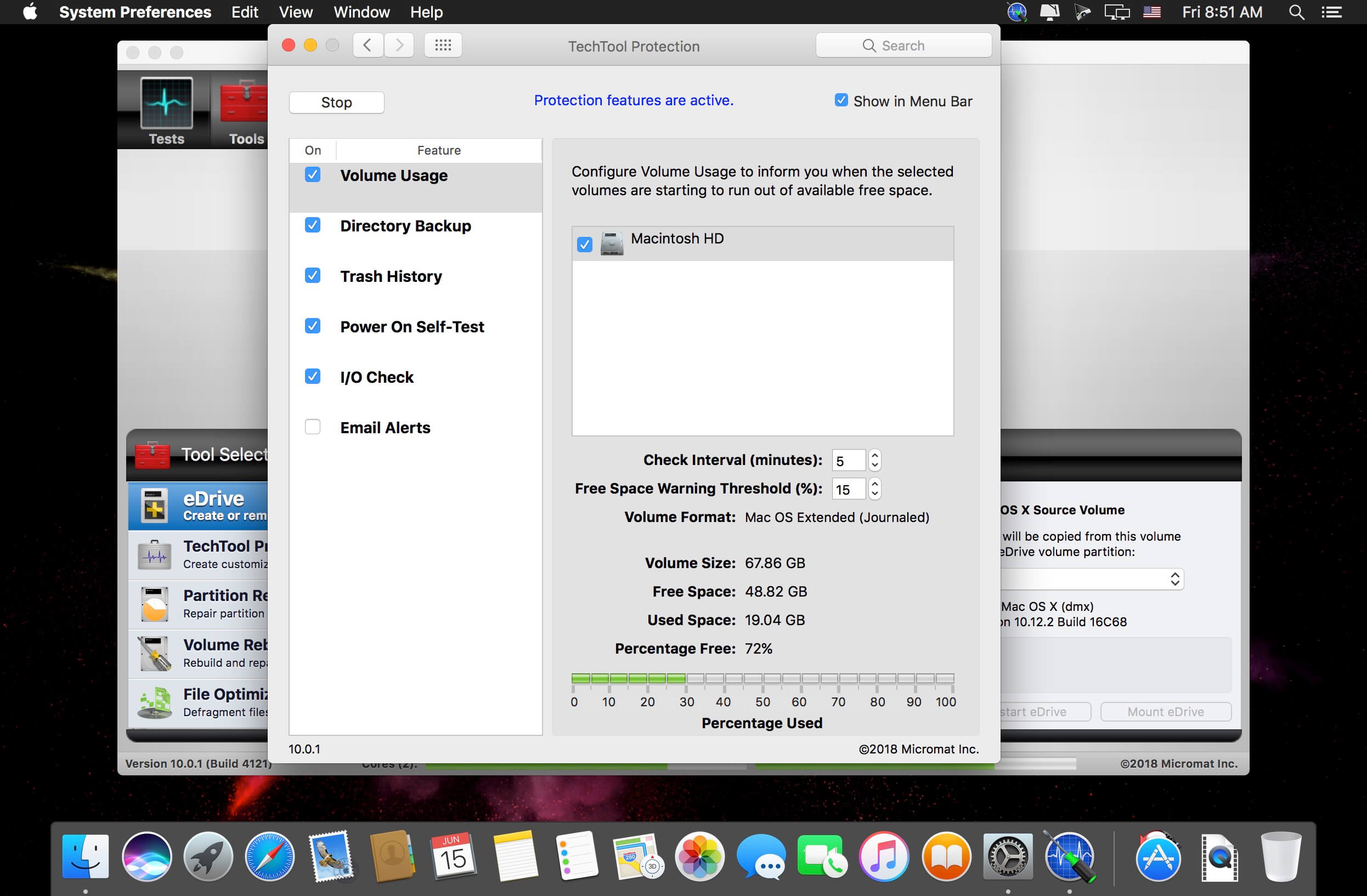
Protect Important Data
The best way to prevent data loss is to be prepared. In addition to a backup, Techtool Pro includes Techtool Protection, which keeps an eye on your trash, allowing you to undelete that file you didn’t mean to delete. You can also back up your directory structures, the ‘map’ of where your data lives, so that if you need to recover data from a corrupt drive, Techtool Pro’s Data Recovery tool will know exactly where to look. Better yet, use Techtool Pro’s Volume Cloning tool to create an additional backup. The Snapshot Recovery tool assists in recovering data from APFS volumes.

Mac and iOS Battery Testing
Techtool Pro has been able to test your Mac’s battery for quite a while. Recent reports have shown that battery condition can affect the performance of your iPhone and iPad. If your iOS device is connected to your Mac, Techtool Pro can now test your device’s battery, and give you a host of other important battery data as well. Find out if your iPhone or iPad is running at its full potential.

Results on the Go
Techtool Pro supports iCloud Drive. Simply download the new Techtool Remote iOS app (free on the App Store), and open it. Techtool Pro will then send test results to any iOS device logged in to the same iCloud account. So if you have a long test (or tests) running that you want to know the results of, but you need to hit the road, you can now get notified of your results anywhere you have an internet connection.

Compatibility: Apple Silicon and Intel-based Macs
macOS 10.13 ‘High Sierra’ through macOS 14 ‘Sonoma’
Homepage https://www.micromat.com

Screenshots


Name: TechTool.Pro.v20.0.2_Mactorrents.Me.zip
Size: 325 MB
Files TechTool.Pro.v20.0.2_Mactorrents.Me.dmg[325 MB]

   Download

Master of Typing 3 – Practice 3.16.0

Master of Typing 3 is an effective TOUCH typing course for mastering fast typing technique using all your 10 FINGERS simultaneously.

INCREASE YOUR TYPING SPEED

  • Variety of exercises: letters & special characters, words & phrases.
  1. Click Settings (bottom left corner).
  2. Please, make sure that Auto Difficulty is OFF.
  3. Select a difficulty level, and then a lesson.
  4. Select a lesson section using left / right arrow keys.

Auto Difficulty settings:

  1. Click Settings (bottom left corner).
  2. Select auto-difficulty to move to the next lesson automatically if you do an exercise successfully.
  3. Deselect auto-difficulty and select a lesson if you want to exercise letters of this lesson only.

CHECK NEW SKILLS

  • Multiple levels of exams.
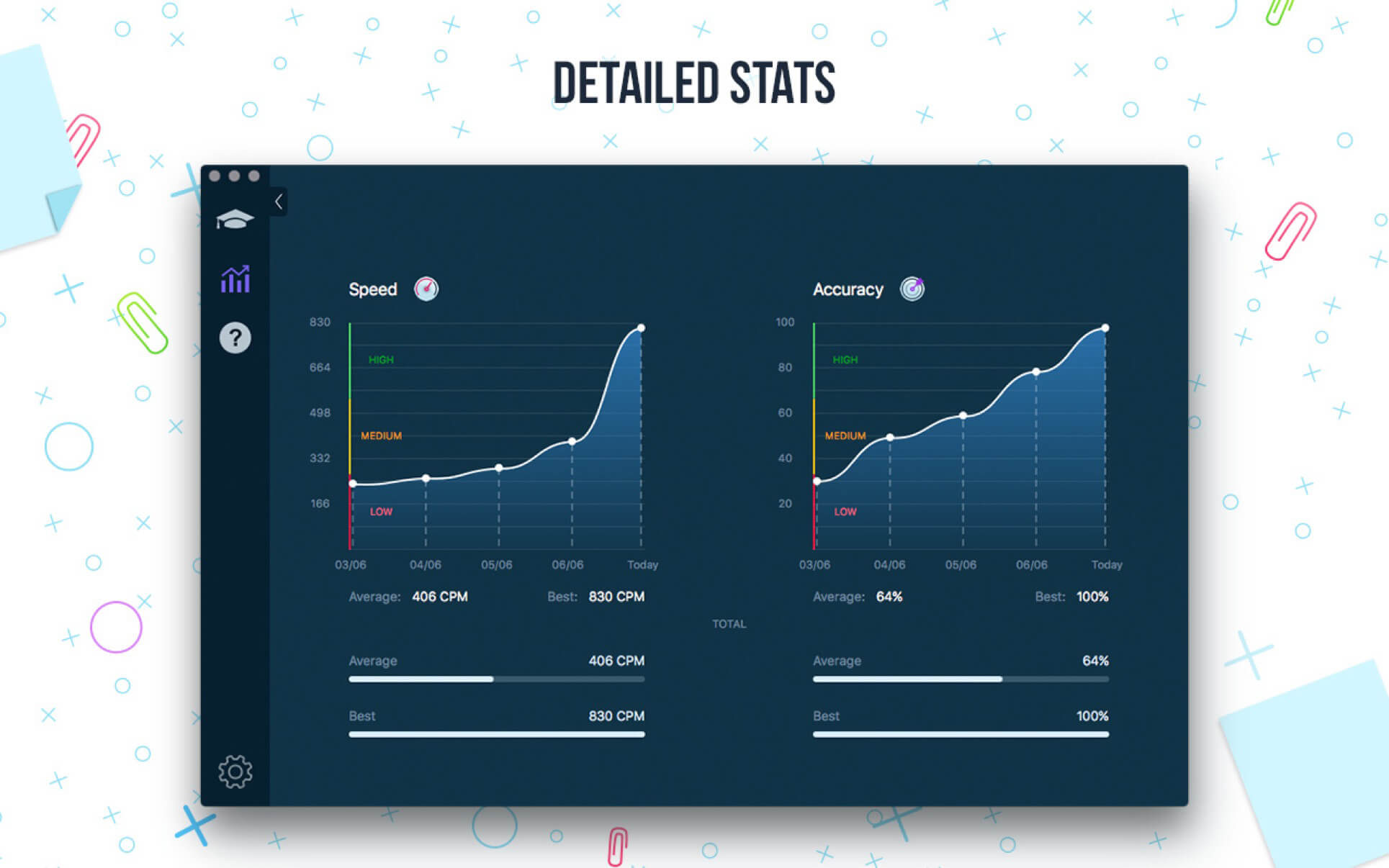
  • Accurate statistics results:
  • Best & average speed,
  • Best & average accuracy.
  • Tips system

ENJOY BENEFITS:

  • AI-powered dictation mode

Dictate the text and then type it OR select the suggested text and type it at dictation

  • Smart timer – stops when you click outside the app window.

So, you can come back to the exercise and continue doing it at any time.

  • 3 themes: Light, Dark and East – choose the most universally convenient theme that fits your needs.
  • Swipe and hotkeys for quickly switching between windows.
  • Colored keyboard’s scheme to memorize finger positions.
  • Ideal for self-study at any time.

TYPE IN DIFFERENT LANGUAGES:

  • English (QWERTY),
  • Russian (ЙЦУКЕН),
  • Spanish
  • French (AZERTY),
  • German (QWERTZ),
  • Italian.

Top In-App Purchases: Full Pack + No Ads

Compatibility: macOS 10.13 or later
Homepage https://geo.itunes.apple.com/app/id1225121166

Screenshots


Name: Master_of_Typing_3_-_Practice_3.16.0_Mactorrents.Me.dmg
Size: 197 MB
Files Master_of_Typing_3_-_Practice_3.16.0_Mactorrents.Me.dmg[197 MB]


   Download Torrent

Topaz Video AI 5.3.1

Time-aware video quality enhancement. Video Enhance AI uses information from multiple frames to achieve high-end results for video upscaling, denoising, deinterlacing, and restoration. Improving the quality of videos is substantially more complex than photos because of motion-related issues like flickering, blockiness, and wavy artifacts. To solve this issue, Video Enhance AI looks at surrounding frames to improve resolution and reduce motion artifacts for natural results.

Upscaling
Upscale video resolution with detail gathered from multiple frames. Our video upscaler can convert SD to HD and HD to 4k or 8k while adding crisp and natural video details.

Denoising
Remove noise and grain while recovering real detail in your videos. Minimize flickering and other temporal artifacts caused by frame-by-frame denoising approaches.

Deinterlacing
Use deep learning to convert interlaced videos to progressive while preserving image definition. Significantly reduces visual artifacts compared to traditional deinterlacing.

Restoration
Naturally restore old videos without adding visual artifacts. Restore realistic details and remove compression artifacts from old or degraded sources.

Frame rate conversion for 2021
Introduced in v2.3, the Chronos AI model uses deep learning to increase video frame rate without artifacts. Existing methods like frame blending and optical flow are decades old and produce inconsistent and unnatural results. Video Enhance AI generates new frames that are often indistinguishable from frames captured in-camera, enhancing videos with more natural results.

Increase video frame rate (24 to 60 FPS, 30 to 60 FPS)
To increase your video’s frame rate, you’ll need to generate new frames between your video’s existing frames. The existing ways to do this (frame blending, optical flow) often look unnatural and jittery especially with moving backgrounds. Video Enhance AI uses a new approach based on machine learning to “predict” the best intermediate frame between existing ones, which gives you much better results with a wider variety of material.

Create a smooth slow-motion effect
When you create a slow motion effect, it’s even more important that you generate new frames without stuttering or motion artifacts. Video Enhance AI creates much more natural slow motion results compared to traditional time interpolation.

Fewer motion artifacts
Other video upscaling techniques often create a “shimmering” or “flickering” effect from different processing in adjacent frames. VEAI is trained to significantly reduce such artifacts.

Recover video details
VEAI has been trained to inject real details into your videos, derived from the additional information in multiple adjacent frames, allowing us to deliver superior video enhancement.

Get more natural results
Traditional upscaling often causes artifacts. While visual artifacts do exist in VEAI too, they’re mitigated by information derived from multiple frames.

Trained on videos
VEAI was trained exclusively on video clips instead of still images. (The improved results are worth the increased effort to gather the dataset!)

Optimized for your hardware
We work directly with different hardware manufacturers to ensure the software works as fast as possible on your machine.

Convenient workflow
Easily convert and combine multiple videos from SD to HD, HD to 4k, and much more. Includes export presets and batch processing.

Flexible import / export
Supports common video file types and image sequence as input, and export directly to mp4, mov, or image sequence.

Batch processing
Leave Video Enhance AI running overnight with your videos queued up, and come back in the morning to enhanced footage.

Compatibility: macOS 10.12 or later.
Homepage https://www.topazlabs.com/topaz-video-ai

Topaz Video AI

Name: TOVIAI.531.OSX_Mactorrents.Me.zip
Size: 530.5 MB
Files TOVIAI.531.OSX_Mactorrents.Me.dmg[530 MB]

   Download

Topaz Gigapixel AI 7.4.1

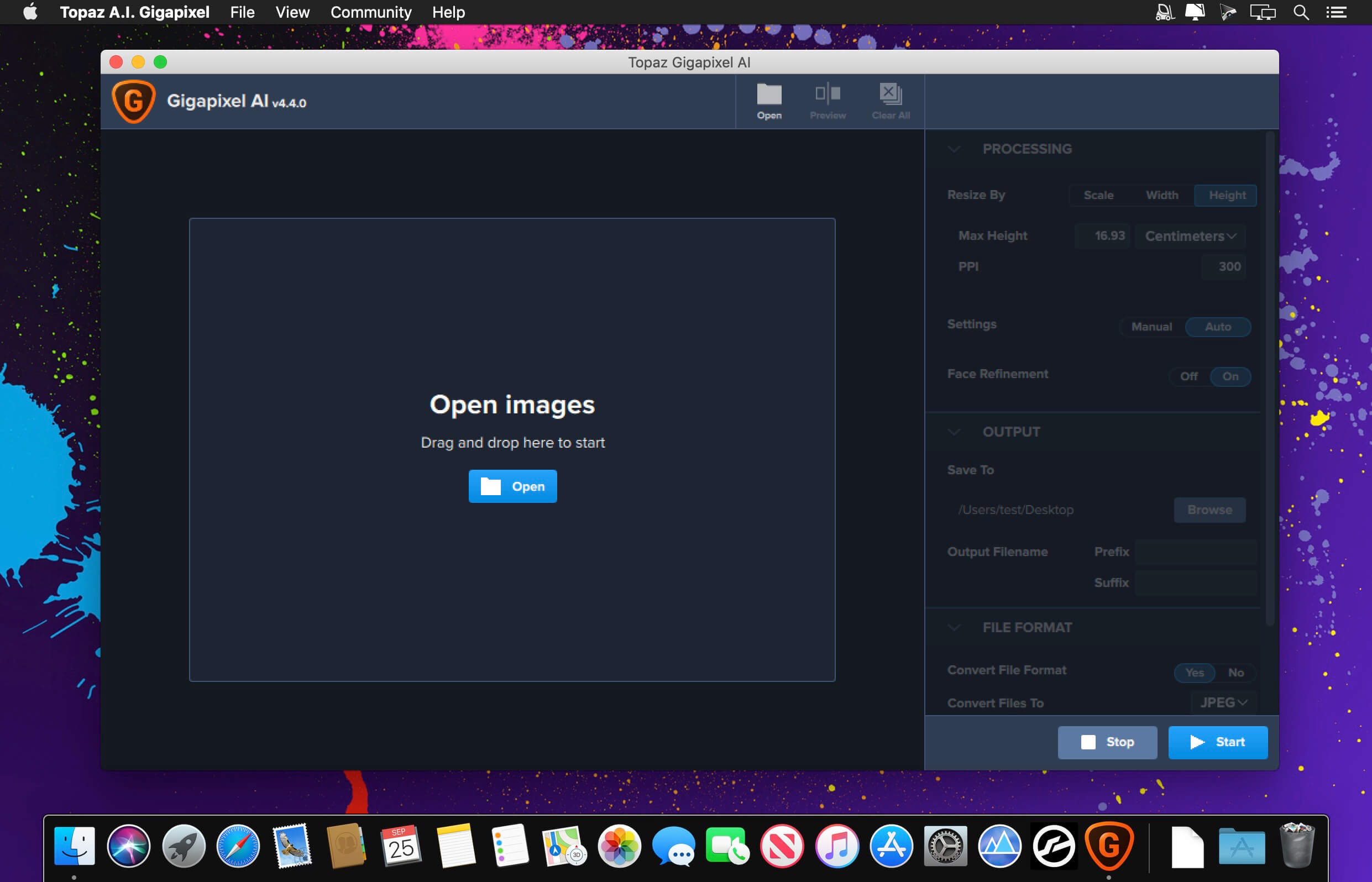
Beautiful photo enlargements using machine learning. Enlarging your image without losing detail has always been impossible… until now. Upscale your photos by up to 600% while perfectly preserving image quality.

Enlarge Images by up to 600%
Create a beautiful 80 x 60 inch print from a simple iPhone photo. Or transform your DSLR photos into sharp and ultra-detailed 100MP images.

Use truly intelligent upscaling
After being trained with millions of sample images, Gigapixel can now enlarge your images with a surprising level of quality.

Get crisp and clear results.
Gigapixel performs around 2 million operations per pixel to get you results with as much detail and sharpness as possible.

No more fuzzy enlargements.
Breathtakingly sharp prints. High-resolution cropping in post-production. iPhone photos that look like they came out of a DSLR. No matter why you’re enlarging your photos, you always want the best possible quality for your results. AI Gigapixel is currently the only photo enlargement product available that can actually add detail back to your upscaled photo.

Recover real details for actual sharpness
Increasing edge contrast is the simplest way to make an image look “sharp”, and how most other upscaling software works. Gigapixel is different: it increases the actual sharpness of your upscaled photo by recovering real detail in your image. This is only possible through training and exposure to millions of test images.

Crisp photos that look like they were never upscaled
It’s hard to believe that the crisp output image above was enlarged 4x, but it was. Gigapixel AI successfully determines which image features are stars (detail) and what’s noise. Then, it naturally accentuates and recovers detail while suppressing noise in your upscaled photo.

The highest-quality image upscaling that you can get anywhere
Because of these exceptional results, Gigapixel AI is used by everyone from leading photographers, to video game modders, to major motion studios. If you ever need to upscale your photo while preserving beautiful detail, take advantage of the most modern technology in the space and give Gigapixel AI a try.

Image enlargement: interpolation vs machine learning
Interpolation-based photo enlargement software has been around for decades. Gigapixel’s new approach based on machine learning is a giant leap ahead: state-of-the-art “deep learning” methods allow it to enlarge images while actually adding new details.

Interpolation
Interpolation algorithms work by approximating new pixels from the colors of surrounding ones. This does not add any detail to the image, it just smoothes out the transition between pixels.

Neural Network (Gigapixel AI)
A neural network analyzes thousands of photo pairs to learn how details usually get lost. The algorithm learns to “fill in” information in new images based on what it has learned… effectively adding new detail to your photo.

What’s New:

 Version 7.4.1:

  • Release notes were unavailable when this listing was updated.

Compatibility: macOS 10.14 or later
Homepage https://topazlabs.com/

Screenshots


Name: Topaz.Gigapixel.AI.7.4.1_Mactorrents.Me.zip
Size: 308.3 MB
Files Topaz.Gigapixel.AI.7.4.1_Mactorrents.Me.dmg[308.3 MB]

   Download

TeaCode 1.1.3

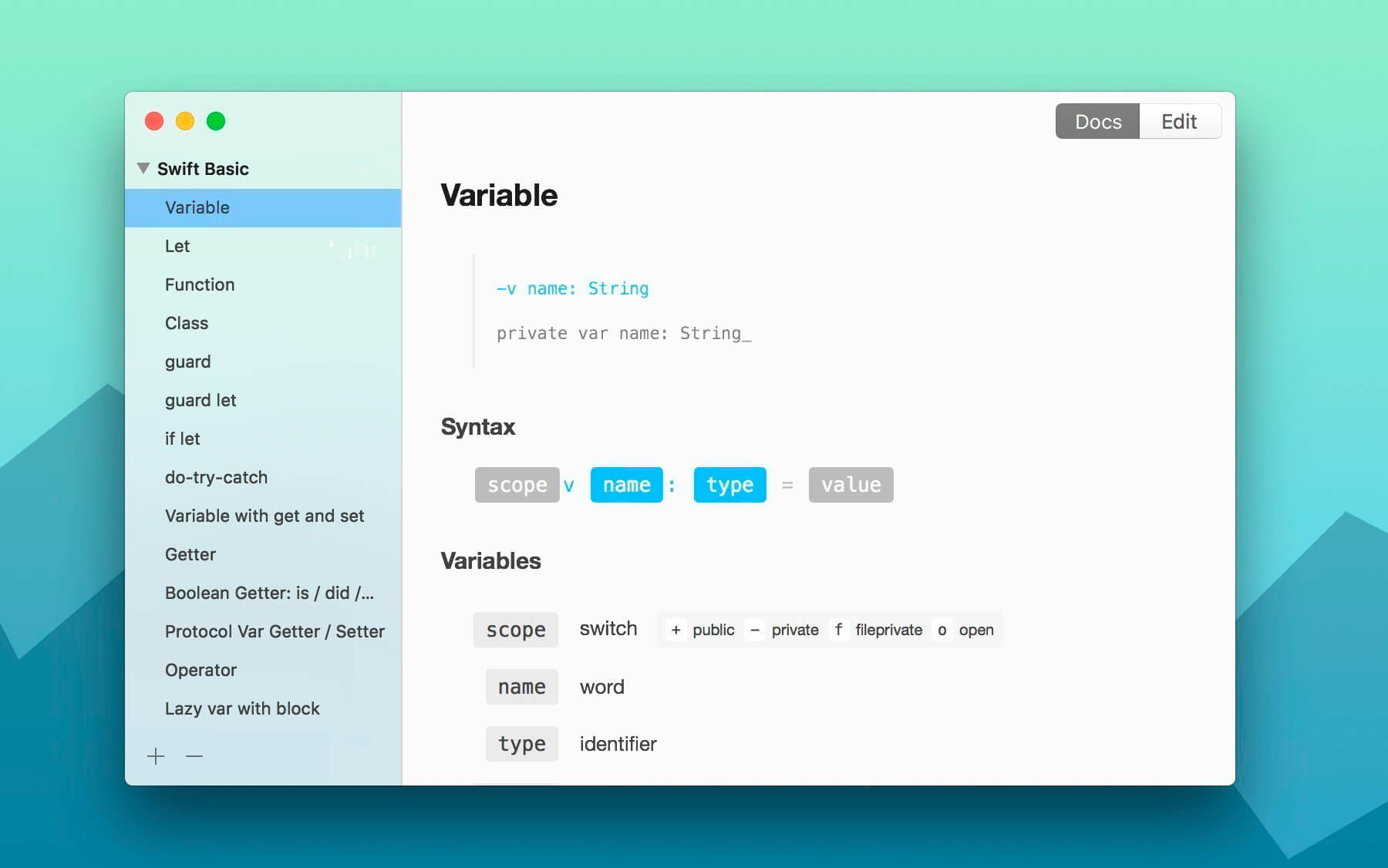
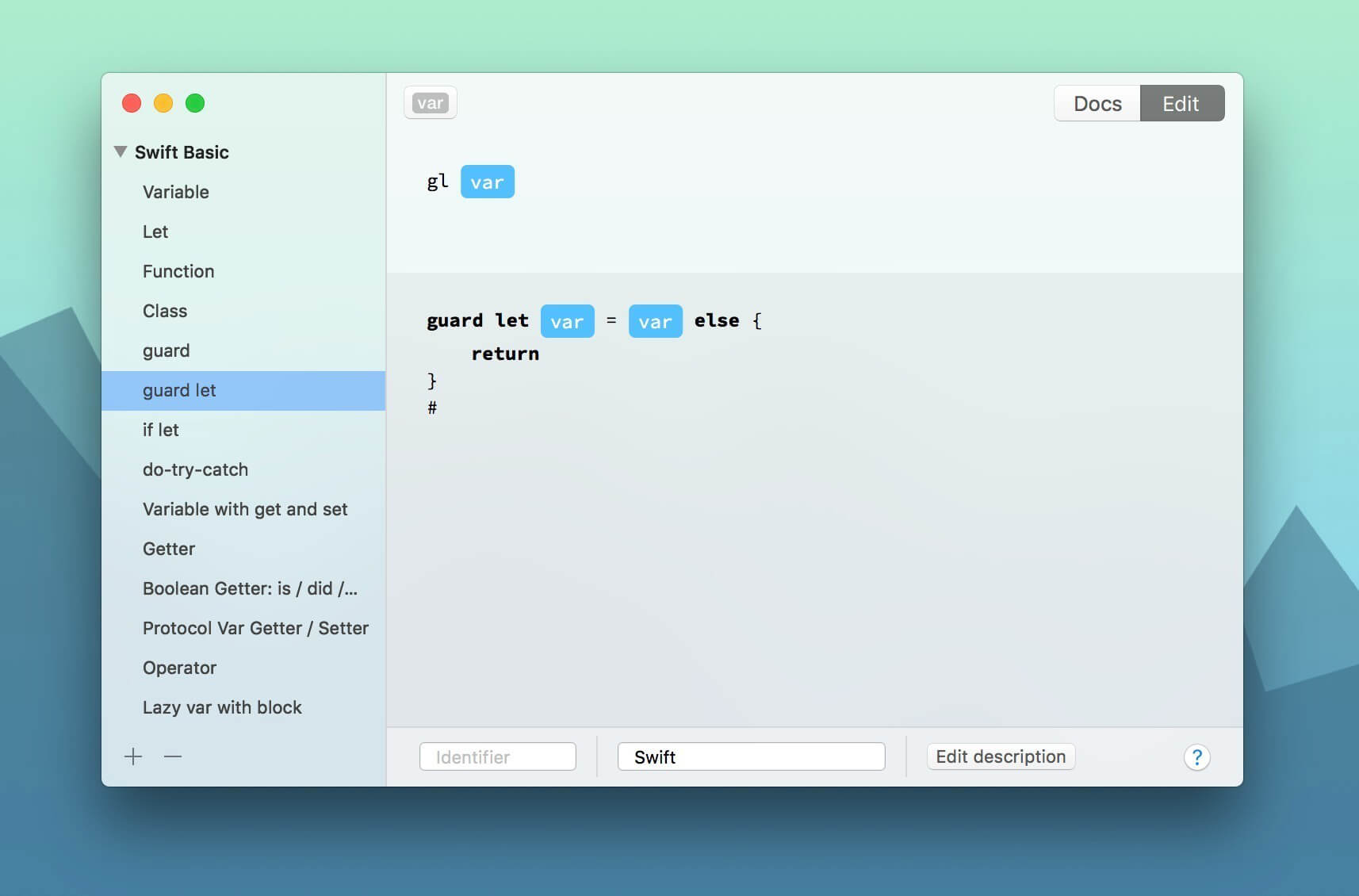
TeaCode speeds up your code writing with a powerful variable-based language. The app comes with over 80 built-in expanders. Creating new ones is extremely easy, and it works with almost any editor. No matter what programming language do we use, we always write lots of code. TeaCode writes it with you. Quickly.

  • Focus on your code: Just write your code pattern, press TeaCode shortcut and keep writing your code.
  • Any text editor: TeaCode works with probably all the native macOS text editors. For non-native ones, we’ve already made some plugins.
  • 80+ built-in expanders: TeaCode comes with 70+ built-in expanders. For Swift, PHP, and HTML.
  • Create your own expanders: t’s very easy. Create them once and write your code faster.
  • Export: You can export your bundle of expanders and share with others.
  • Quick browser: Need to access expander syntax quickly? Or to quickly find one? Press ⌘+⇧+space and start typing.

Compatibility: macOS 10.12 or later 64 bit
Homepage https://www.apptorium.com

Screenshots


Name: TeaCode_1.1.3_Mactorrents.Me.dmg
Size: 16 MB
Files TeaCode_1.1.3_Mactorrents.Me.dmg[16 MB]


   Download Torrent

Ableton Live 11 Suite 11.3.26

Live is fast, fluid and flexible software for music creation and performance. It comes with effects, instruments, sounds and all kinds of creative features—everything you need to make any kind of music. Create in a traditional linear arrangement, or improvise without the constraints of a timeline in Live’s Session View. Move freely between musical elements and play with ideas, without stopping the music and without breaking your flow.

Create your perfect take
Take recording and comping
Live organizes multiple passes of an audio or MIDI performance into individual takes. Pick the best moments of each performance and combine them to create your perfect take. Or approach sound design in a new way by splicing together random samples from your library.

Linked-track editing
Link two or more tracks to edit their content simultaneously. This makes editing multi-tracked instruments or performances with multiple musicians easy and fast whilst keeping everything in time across tracks. This feature also works for MIDI tracks.

Add more feeling to your music
Use your MPE-capable controller
Plug in your MPE-capable controller and immediately add bends, slides and pressure for each individual note in a chord. Add subtle expression variations, morph between chords and create evolving sonic textures.

What is MPE?
MPE stands for MIDI Polyphonic Expression. This way of using MIDI allows MPE-capable devices to control multiple parameters of every note in real time for more expressive instrumental performances.

Experiment with new devices
Hybrid Reverb

Hybrid Reverb combines convolution and algorithmic reverbs. Place your sounds in any space, from accurate real-life environments to those that defy physical reality. Use the algorithmic side to add control and modulate the reverb tail, run it in parallel or in series with the convolution side, or play Hybrid Reverb like an instrument for real-time sound design.

Spectral Resonator
Breaks the spectrum of an incoming audio signal into partials, then stretches, shifts and blurs the result by a frequency or a note in subtle or radical ways. The MIDI sidechain input also allows musicians to process material in key and even play the device as if it were a polyphonic instrument.

Spectral Time
Transforms sound into partials and feeds them into a frequency-based delay, resulting in metallic echoes, frequency-shifted and reverb-like effects. The Freeze function captures and holds a slice of audio – either free-running or in time with the beat – for stuttered, glitched and washed-out effects.

PitchLoop89
Create jittery glitch effects, delayed digital shimmers and outlandish vibrato with this Max for Live pitch shifting device created in collaboration with Robert Henke and inspired by the Publison DHM 89 – an early digital effects processor. It’s a flexible tool to add character to sounds in the studio, or for in-the-moment experimentation onstage.

Do more on stage
Tempo Following

Live listens to and adjusts its tempo based on incoming audio in real time, making it a dynamic part of the band instead of the tempo source that everyone has to follow. When you DJ, you can even turn Live into a tempo-synced FX box.

Macro Snapshots
Store the state of your Macros for later recall – perfect for creating instant variations to your sounds or builds and drops during performance.

Rack improvements
Configure your Racks to have between 1 and 16 Macros. Randomize the state of your Macros with the randomization button. Map this control to MIDI and perform drastic changes in real time to surprise your audience and yourself.

Be unpredictable

Note chance

Set the probability that a note or drum hit will occur and let Live generate surprising variations to your patterns that change over time.

Velocity chance
Define ranges for velocity probability for subtle, humanized variations in the dynamics of your patterns.

Do more with Follow Actions
Follow Actions can now be linked to the clip length, making it faster to create interesting sequences of clips. Scene Follow Actions let you create evolving arrangements. You can also set Follow Actions to jump to specific clips and enable and disable Follow Actions globally.

What’s New:

Release Notes:

Compatibility: macOS 10.14 or later • Apple Silicon
Language: English, Français, Deutsch, Italiano, 日本語, Español
Homepage https://www.ableton.com/

Name: Ableton_Live_11_Suite_11.3.26_Mactorrents.Me.rar
Size: 5.8 GB
Files Ableton_Live_11_Suite_11.3.26_Mactorrents.Me.rar[5.8 GB]

   Download

Ableton Live 12 Suite 12.0.25

Ableton Live is fast, fluid and flexible software music sequencer and digital audio workstation for music creation and performance. It comes with effects, instruments, sounds and all kinds of creative features – everything you need to make any kind of music.

Create in a traditional linear arrangement, or improvise without the constraints of a timeline in Live’s Session View. Move freely between musical elements and play with ideas, without stopping the music and without breaking your flow.

All new features and updates in Live 12:

MIDI Transformations
Create a variety of simple or complex variations to your MIDI clips: add ornaments and articulations, draw acceleration and deceleration curves, connect successive notes and chords, or simulate the strum of a guitar.

MIDI Generators
Conjure up melodies, chords and rhythms with new MIDI Generators. Give your chosen Generator custom constraints, watch it create playful and original patterns, and then turn the ideas it produces into your own.

Max for Live MIDI Tools
Max now facilitates even greater experimentation, letting you create new MIDI Transformations and Generators – either based on existing ones, or your own creations.

MIDI Editing Improvements
Arrange the order of a selection of notes by pitch, velocity or duration. Stretch, split, chop or join notes in new ways; shape the velocity of notes; transpose them into a scale; or add intervals chromatically or in key.

Keys and Scales
Set the selected clip’s scale in Live’s Control Bar to see its notes in any clip you create. Then edit the clip using scale highlighting as a guide, use the clip scale to transform and generate musical ideas, or sync the scale of MIDI devices and instruments to the clip being played. Any changes in Live will be reflected in Push, and vice versa.

Expanded probability
Assign a single probability rule to a group of notes so that the entire group of notes is played whenever the trigger is fired. Or select a chord and tell Live to randomly play one note from it whenever the probability trigger is fired.

Embrace and explore tunings
Follow your preferred tuning systems or try different ones more easily. Work outside the 12-tone equal temperament system, and access tunings with Live’s devices as well as any MPE-capable plugin.

Meld
A bi-timbral, MPE-capable instrument designed for deep sound shaping that lets you create a wide array of textural and experimental tones with its two easy-to-use macro oscillators.

Granulator III
The latest iteration of Robert Henke’s granular instrument now has MPE capability, giving you expressive control over parameters like note bend, vibrato and glissando. Plus, you can now capture audio in real time and start manipulating it immediately.

Roar
Create everything from subtle and precise mastering-grade warmth to wild and unpredictable sound degradation with Live’s new coloring and saturation effect. Roar’s three saturation stages can be used in series, parallel, or even in mid/side and multiband configurations – and it comes equipped with a feedback generator and an extensive modulation matrix.

New Modulation Behavior
Modulation destinations are no longer taken over by the modulation source. This means you can still adjust the parameter being modulated, even after assigning an LFO or other modulation source to it, opening up faster workflows, more possibilities for performance and continuous real-time control of parameters.

New Pack
Lost and Found – A collection of sounds fashioned from unusual materials, percussive trinkets, unique foley recordings and expressive objects to infuse your productions with character and authenticity. Dig deep and create layers of decorative, expressive instruments, playful Drum Racks and rich sound effects.

New Pack
Performance Pack – A set of innovative devices from Iftah that push the boundaries of performing with Live. Capture snapshots of your sets and deploy them later, control multiple parameters with layered macros and curves, extend performances with looping in Arrangement View and pre-arrange the structure of a performance before you have even recorded it.

Stacked Detail Views
View your devices and the Clip Editor, or automation and device parameters, at the same time – so you can work without the distraction of switching between views.

View styling
Live 12’s cleaner, more minimal look removes visual complexity and keeps the focus on your music.

Mixer in Arrangement
Live’s Mixer, previously available only in Session View, can now be used in Arrangement View. Toggle it on or off with Mixer View Control located in the bottom right corner or via the View menu, and configure it independently of the Arrangement Mixer.

Mixer improvements
Live’s Mixer also comes with visual improvements that make it more accurate for detailed mixing decisions, and easier to read and control.

Browser Tagging and Filtered Searches
Search for your sounds in the Browser without the constraints of Live’s built-in categorization. That means when you search for bass sounds, you’ll see all the bass sounds in your Ableton library, whether they’re samples or instrument presets.

Live 12’s sound content is also tagged using a new system that acts as a more flexible alternative or addition to Collections in the sidebar. Sounds now come with sensible labels to make them easier to find – but if you need more detail, or just want to use your own method of labeling, you can also add your own.

Aside from Live 12’s built-in tags, you can create your own custom categories in the sidebar for easy access to all your favorite sounds and devices in the way that makes the most sense to your workflow.

Sound Similarity Search
Start with a sample and tell Live’s browser to find comparable sounds and instrument presets, with the help of a neural network.
Or swap all the samples in your Drum Rack for similar ones to quickly try out new percussive textures – like a drum machine with seemingly-infinite kits.

Browser History
Retrace your steps, and see and hear the sounds or categories you’ve previously searched for: Live’s Browser now lets you backtrack through your search history as you would with a web browser.

Accessibility and navigation improvements
Control core workflows in Live 12 using assistive technologies like screen readers, and use new keyboard shortcuts to navigate to nearly every part of Live.

New Themes
Choose new themes and adjust them with cool, neutral or warm tones and even a high contrast mode.

What’s New:

Release Notes:

Compatibility: macOS 11.0 or later, Apple Silicon or Intel Core processor
Language: English
Homepage https://www.ableton.com/

Screenshots

Name: Ableton_Live_12_Suite_12_0_25_U2B_HCiSO_Mactorrents.Me.dmg
Size: 2.71 GB
Files Ableton_Live_12_Suite_12_0_25_U2B_HCiSO_Mactorrents.Me.dmg[2.71 GB]

   Download

Multitouch 1.27.36

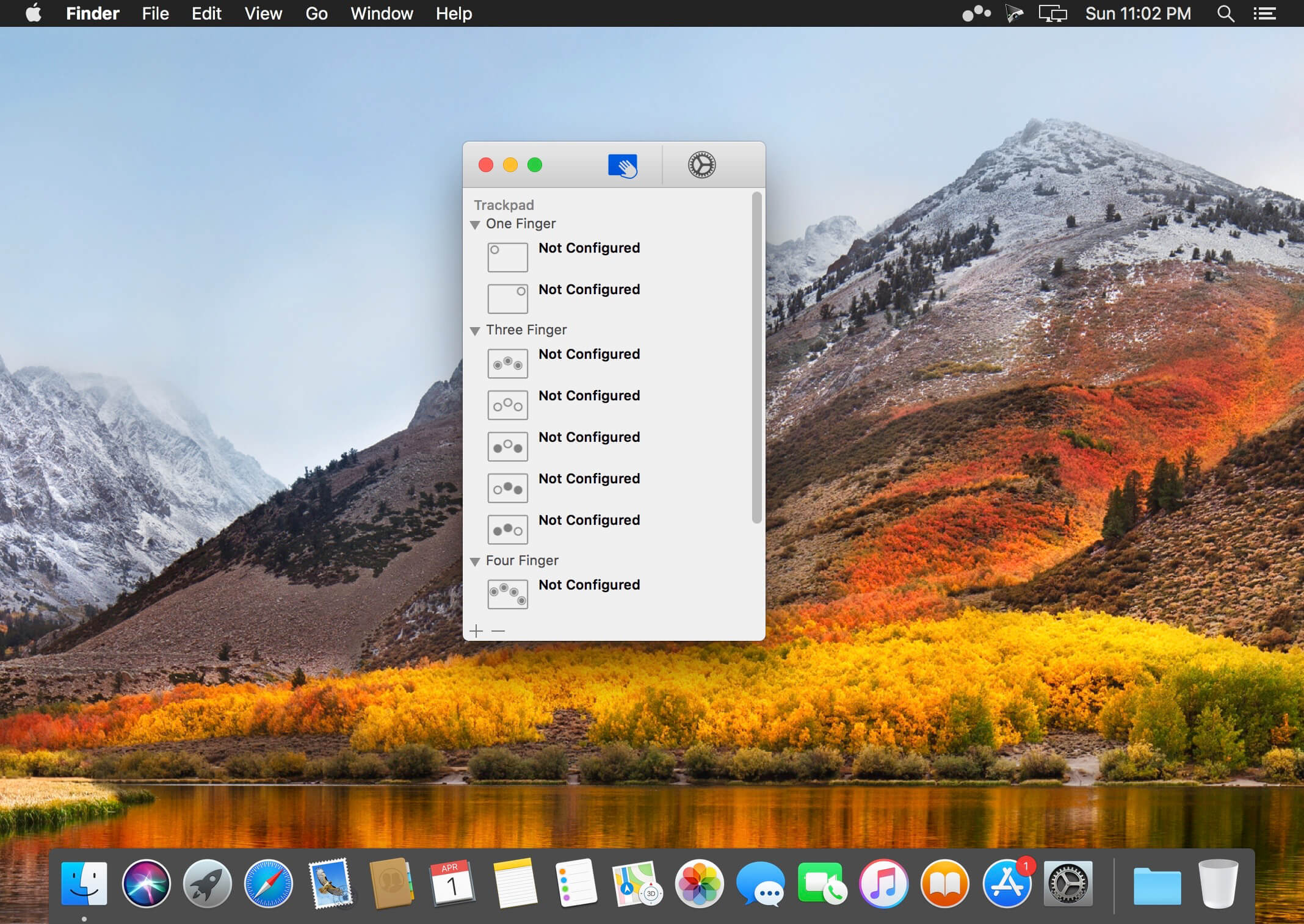
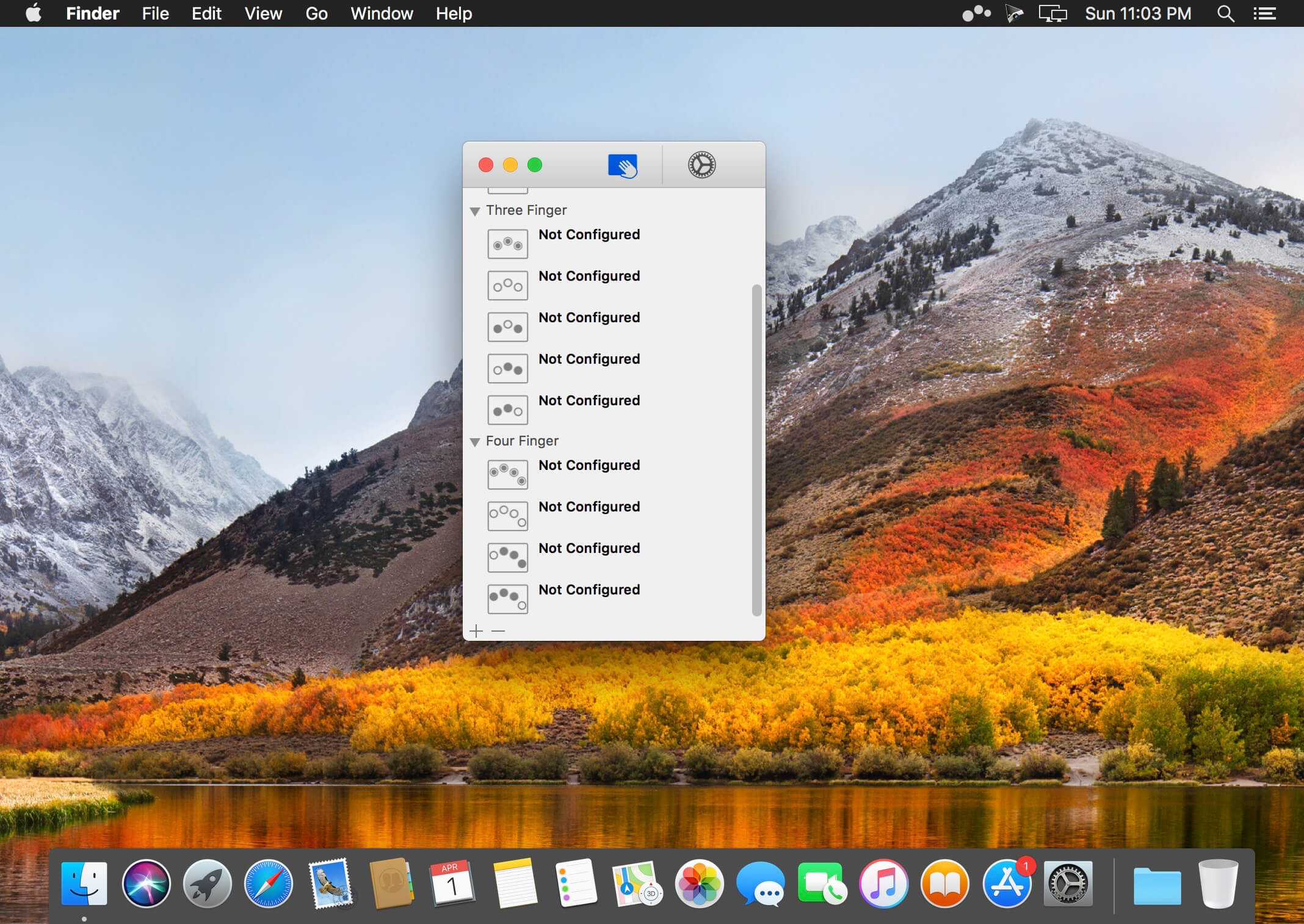
Easily add gestures to macOS
Multitouch lets you tie a custom action to a specific magic trackpad or magic mouse gesture. For example, a three finger click can execute a paste. Improve your workflow by executing keyboard shortcuts, controlling your browser’s tabs, performing a middle mouse click, and much more.

Features

  • One time purchase and free updates with a growing list of gestures and actions.
  • Privacy. No user data is gathered from the app.
  • Does not require Accessibility privileges to run.

What’s New:

Version 1.27.36:

  • Release notes were unavailable when this listing was updated.

Compatibility: macOS 10.15 or later
Homepage https://multitouch.app/

Screenshots


Name: Multitouch_1.27.36_Mactorrents.Me.dmg
Size: 11 MB
Files Multitouch_1.27.36_Mactorrents.Me.dmg[11 MB]

   Download

DMG Wizard 1.0

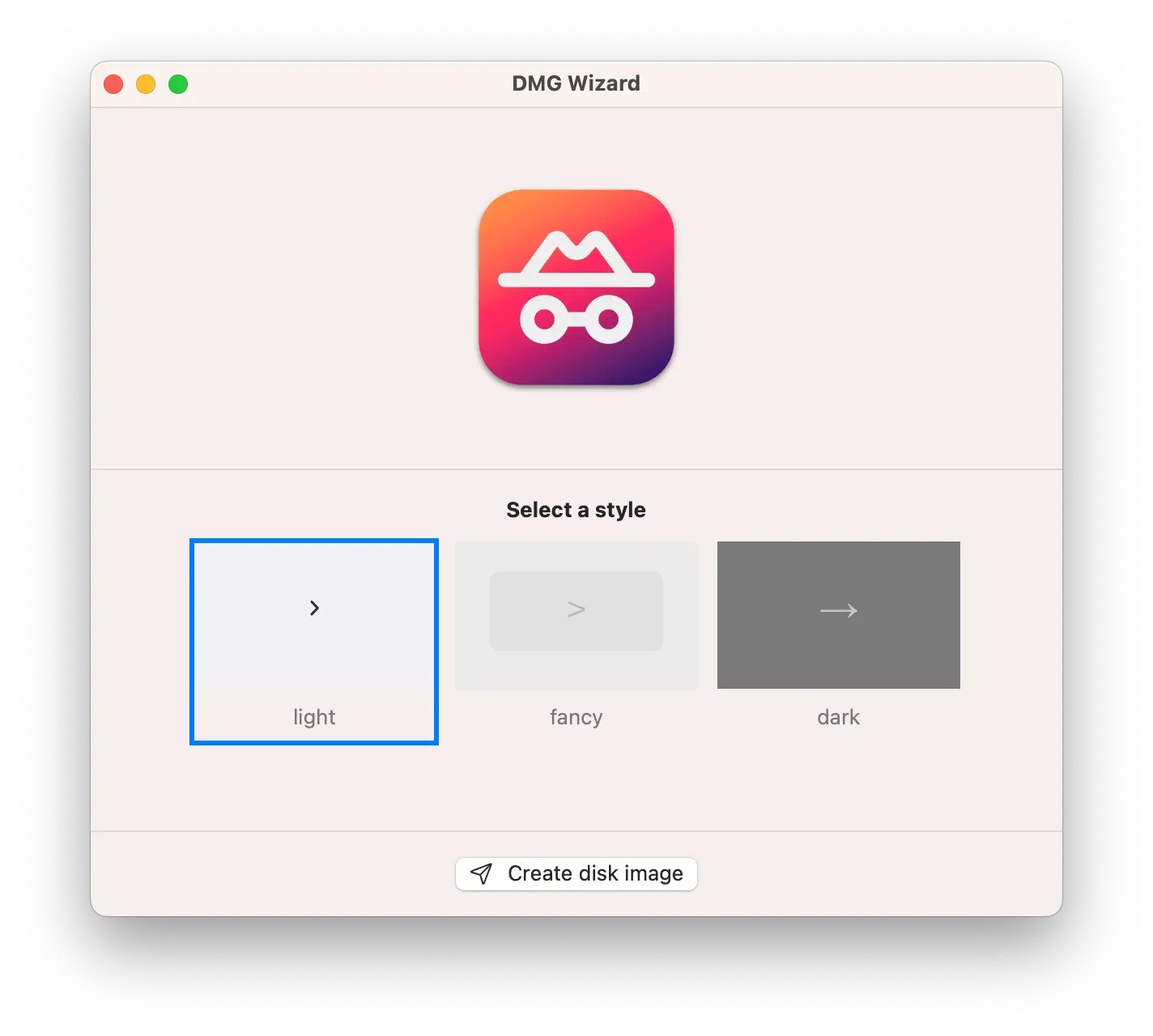
Your application disk images,
the easy way. The no-hassle, no-frills way
to beautiful & functional app packages

FEATURES
-Easy to use
Simple, practical and ultra-easy to use: Just drag’n’drop your app bundle! Yep. (Why would you need to do more than that?)
-No fuss, no frills
If you want 1 zillion options to fine-tune your DMG images, DMG Wizard is not the tool for you: DMG Wizard is about pure simplicity! 😉
-Fast & Functional
Just choose a destination folder and wait for a couple of seconds. Your application disk image will be ready befre you even notice!

What’s new
version 1.0
Initial release.

Compatibility: macOS 12.0 or later
Homepage https://ensili.co

Screenshots

Name: DMG_Wizard_1.0_Mactorrents.Me.dmg
Size: 5 MB
Files DMG_Wizard_1.0_Mactorrents.Me.dmg[5 MB]

   Download

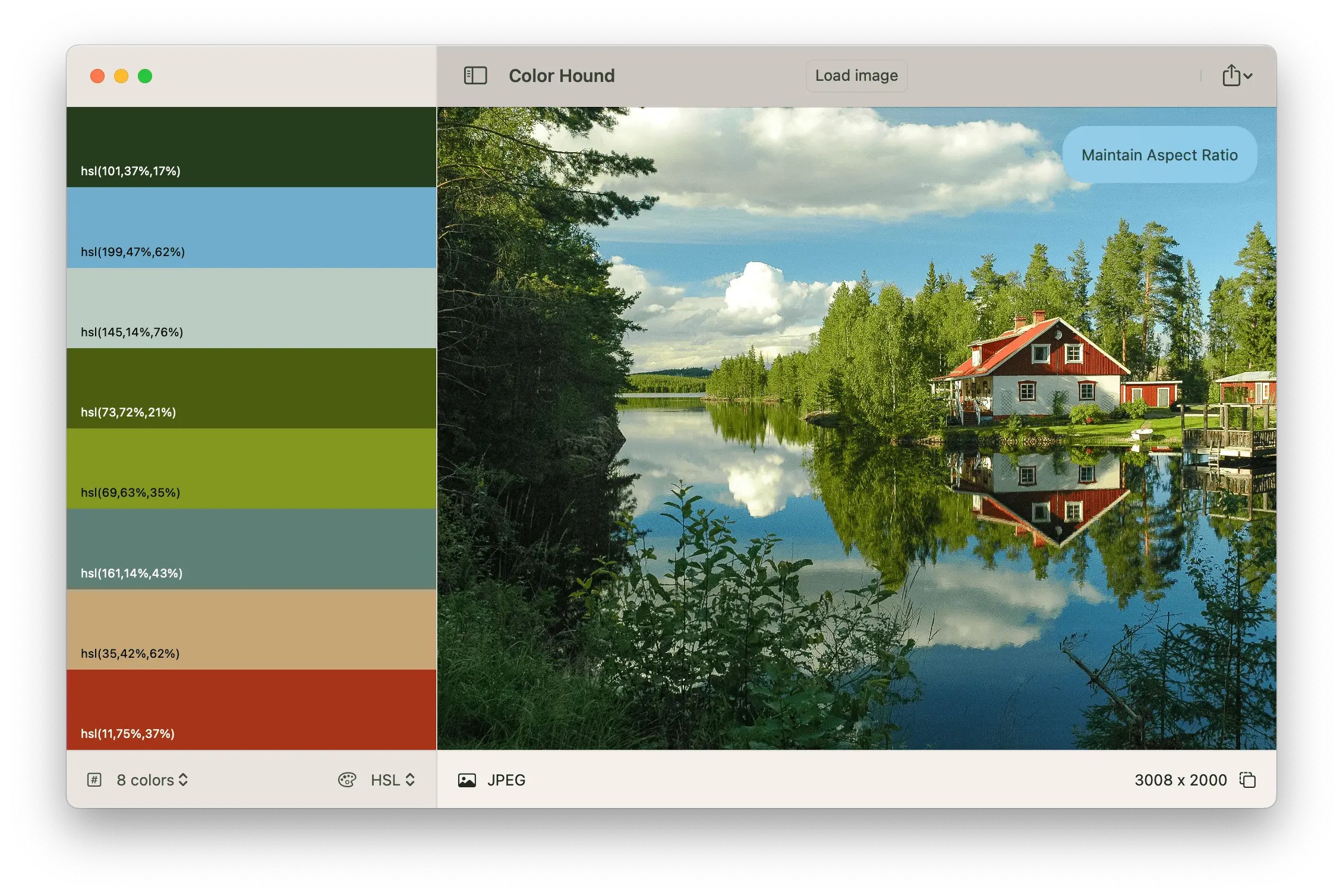
Color Hound 1.5

Image → Colors
Palette generator. Detect + export color palettes
from your images – instantly!

FEATURES
-Show me the image!
Simple, practical and ultra-easy to use: Just drag’n’drop your photo you want to analyze!
-Tons of options
Lots of options (number of colors, format, etc) to get exactly the result you wish.
-Export
Want to export to CSS? Maybe LESS? Maybe export the whole palette to an image? Done!

Compatibility: macOS 12.0 or later
Homepage https://ensili.co

Screenshots

Name: Color_Hound_1.5_Mactorrents.Me.dmg
Size: 5 MB
Files Color_Hound_1.5_Mactorrents.Me.dmg[5 MB]

   Download

Liftoff®: The Ultimate FPV Drone Racing Platform

Liftoff®: The Ultimate FPV Drone Racing Platform

Liftoff® is your gateway to the thrilling world of drone racing. Whether you’re an experienced pilot or a gamer new to this exciting sport, Liftoff® offers a platform tailored for everyone. Veterans can explore new environments or compete against each other, while newcomers can hone their piloting skills before hitting the track.

A Passion for Drones for Everyone

We aim to make FPV drone racing accessible to all. Liftoff® caters to seasoned FPV racers as well as gamers taking their first steps into the world of drone racing.

Realistic Flight Experience

Liftoff® delivers highly realistic drone physics, endorsed by some of the world’s top drone pilots. The flying experience in the game is so lifelike, you’ll forget you’re not actually in the cockpit.

Customization Options

The drone community is full of creative minds and tech enthusiasts. Liftoff® offers extensive tools for customizing your drones and creating your own racing tracks, allowing you to bring your unique vision to life.

An Evolving Platform

We are committed to continuously expanding the game with new content and features, driven by community support. We’re always eager to hear your ideas and feedback!

Hardware Support

Liftoff® supports FPV goggles and a wide range of remote controllers, further bridging the gap between gaming and real-world drone racing.

Important Note

To play Liftoff®, you’ll need a gamepad or a dedicated R/C controller.

Get ready to elevate your drone racing experience with Liftoff®!

Name: Liftoff®_The_Ultimate_FPV_Drone_Racing_Platform.dmg
Size: 17 GB
Files Liftoff®_The_Ultimate_FPV_Drone_Racing_Platform_Mactorrents.Me.dmg[17 GB]

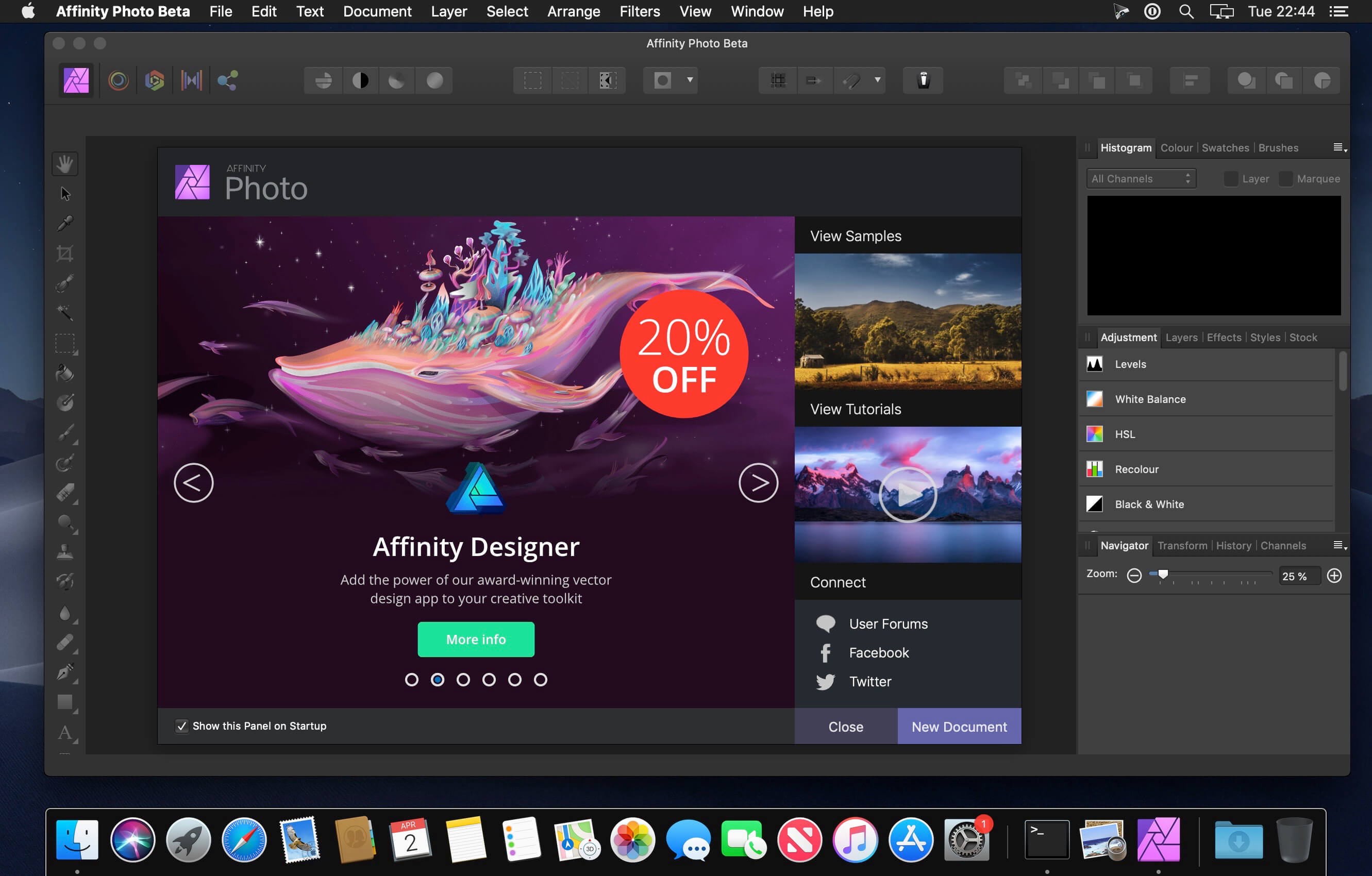
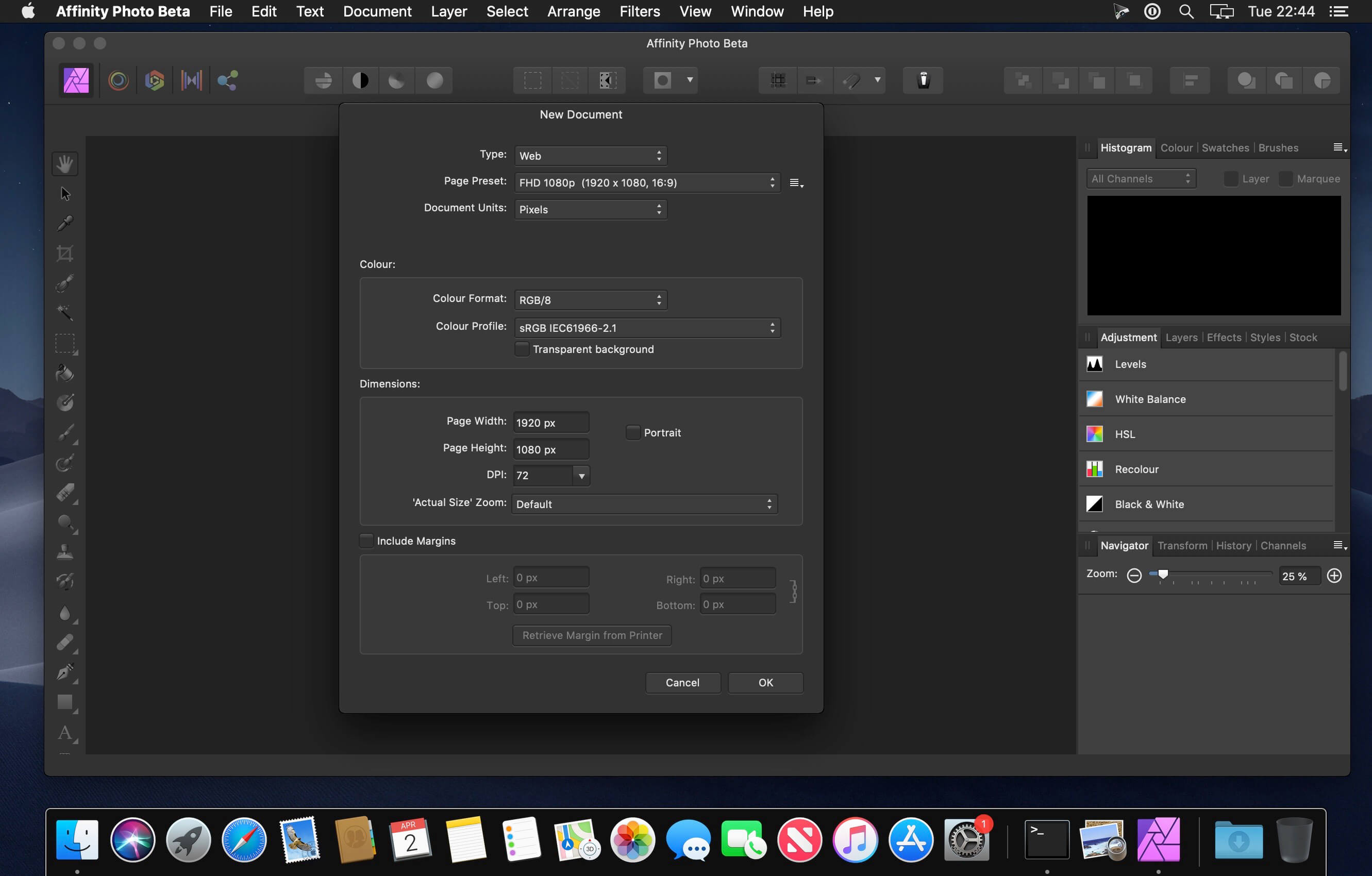
Affinity Photo 2.5.5

Affinity Photo redefines the boundaries for professional photo editing software on the Mac. With a meticulous focus on workflow it offers sophisticated tools for enhancing, editing and retouching your images in an incredibly intuitive interface with all the power and performance you need.

Engineered for Professionals
• Open, edit and save Photoshop® PSD files
• RGB, CMYK, Greyscale and LAB color spaces
• End-to-end CMYK workflow with ICC color management
• Full 16 and 32-bit per channel editing
• Work with all standard formats like PNG, TIFF, JPG, GIF, SVG, EPS, EXR, HDR and PDF
• Panning and zooming is always live at 60fps with live previews, live tools and real-time editing
• Open and edit massive images without compromising performance or running out of memory
and other

What’s New:

Version 2.5.5:

  • Release notes were unavailable when this listing was updated.

Compatibility: macOS 10.15 or later
Homepage https://affinity.serif.com

Screenshots


Name: Affinity_Photo_2_2.5.5_Mactorrents.Me.dmg
Size: 772 MB
Files Affinity_Photo_2_2.5.5_Mactorrents.Me.dmg[772 MB]

   Download

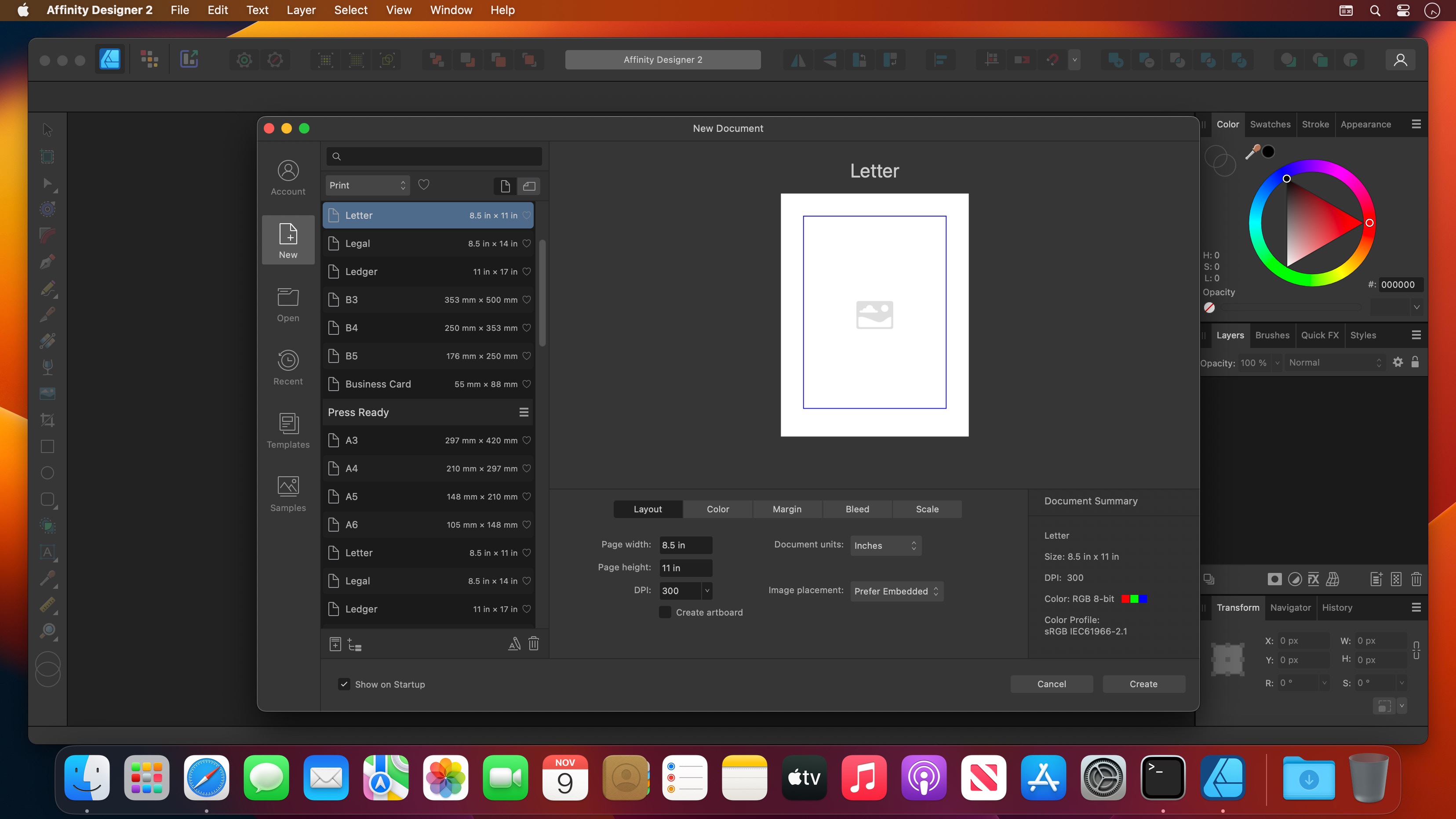
Affinity Designer 2.5.5

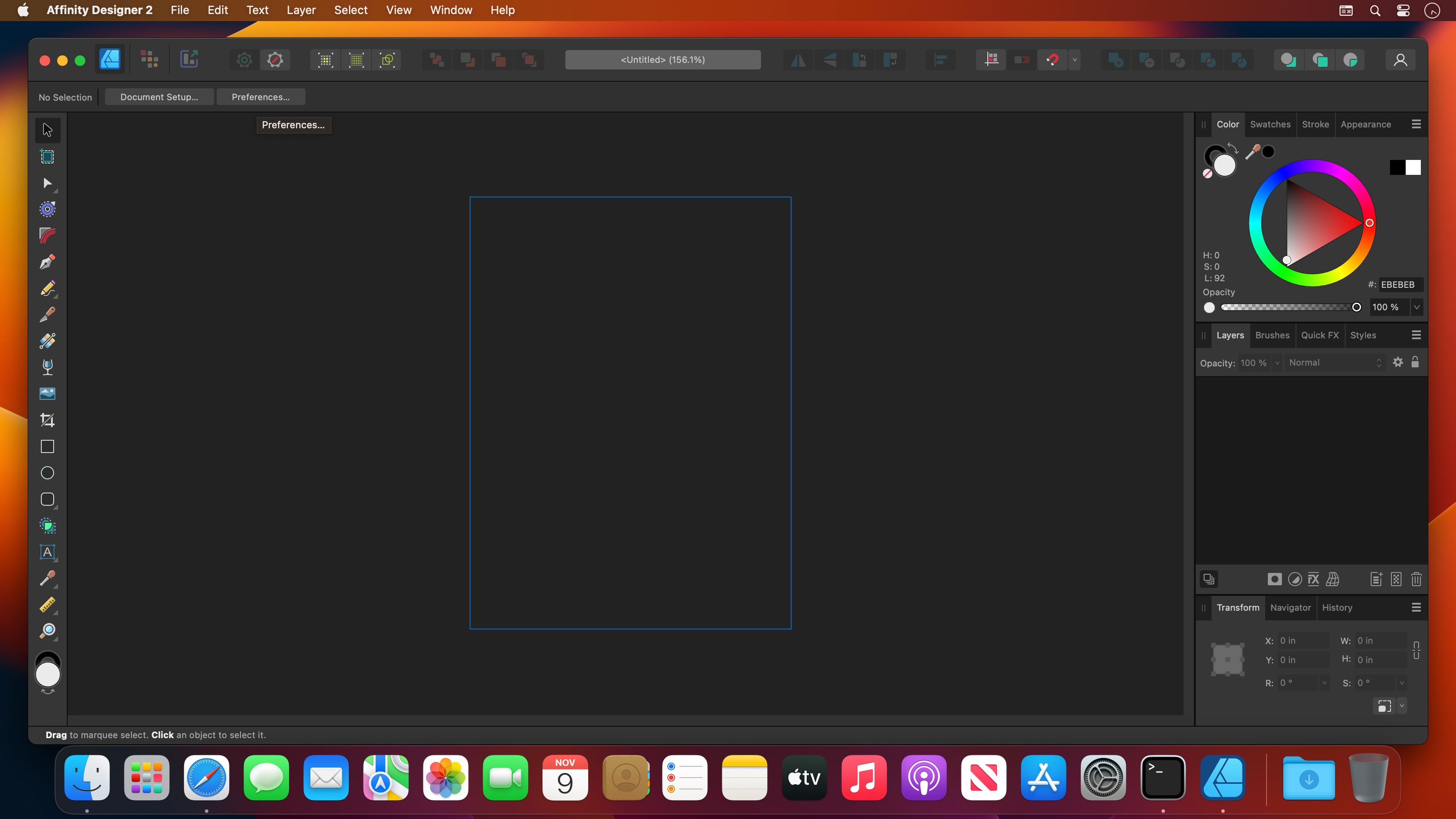
Affinity Designer is an advanced graphic design application that provides all the tools and features you might need to prepare various graphic materials for websites, interface design, icons and even modern concept art.

Professional-grade graphic design application for Mac users
Affinity Designer comes with a versatile and fully customizable workspace that enables you to work with a docked or floating UI that seamlessly integrates with macOS’ workflow features such as iCloud, Full Screen and Spaces.

From the main window you have instant access to a wide variety of design and graphic tools such as node, pen, crop, pencil and crop tools, as well as vector brushes, gradient fill tool, text, alignment guides and more.

Numerous highly customizable and powerful design tools
What is more, Affinity Designer offers accurate pixel control with a real-time pixel preview that allows you to edit in pixels if the desired result cannot be obtained solely in vector.

In addition, the suite of raster tools also includes lasso tool, pixel and paint brush, eraser, blur, dodge, burn, smudge, selection brush and sharpen.

Furthermore, you can use the pressure and velocity of a stylus and draw smooth, clean strokes that are fully editable. Consequently, you can enjoy the flexibility of brush texture and variable opacity and create natural-looking artwork while taking advantage of the benefits of vector editing.

Affinity Designer allows you to use pixel brush tools to erase and paint inside vectors in a non-destructive manner, a function that enables you to paint shadows, textures and highlights onto vector shapes with high precision.

Take advantage of the support for most popular file formats
On top of that, Affinity Designer delivers a broad collection of customizable shapes that you can adjust with the help of smart-snapping indicators and a full set of Boolean geometry operations.

Finally, Affinity Designer offers you the option to work in the desired color space, being it RGB, LAB, CMYK or Greyscale and comes with full support for AI, PSD, PDF and SVG files. At the same time, you can export areas, layers or objects independently with standard or retina versions.

What’s New:

Version 2.5.5:

  • Release notes were unavailable when this listing was updated.

Compatibility: macOS 10.15 or later
Homepage https://affinity.serif.com/en-us/

Screenshots


Name: Affinity_Designer_2_2.5.5_Mactorrents.Me.dmg
Size: 767 MB
Files Affinity_Designer_2_2.5.5_Mactorrents.Me.dmg[767 MB]

   Download

Affinity Publisher 2.5.5

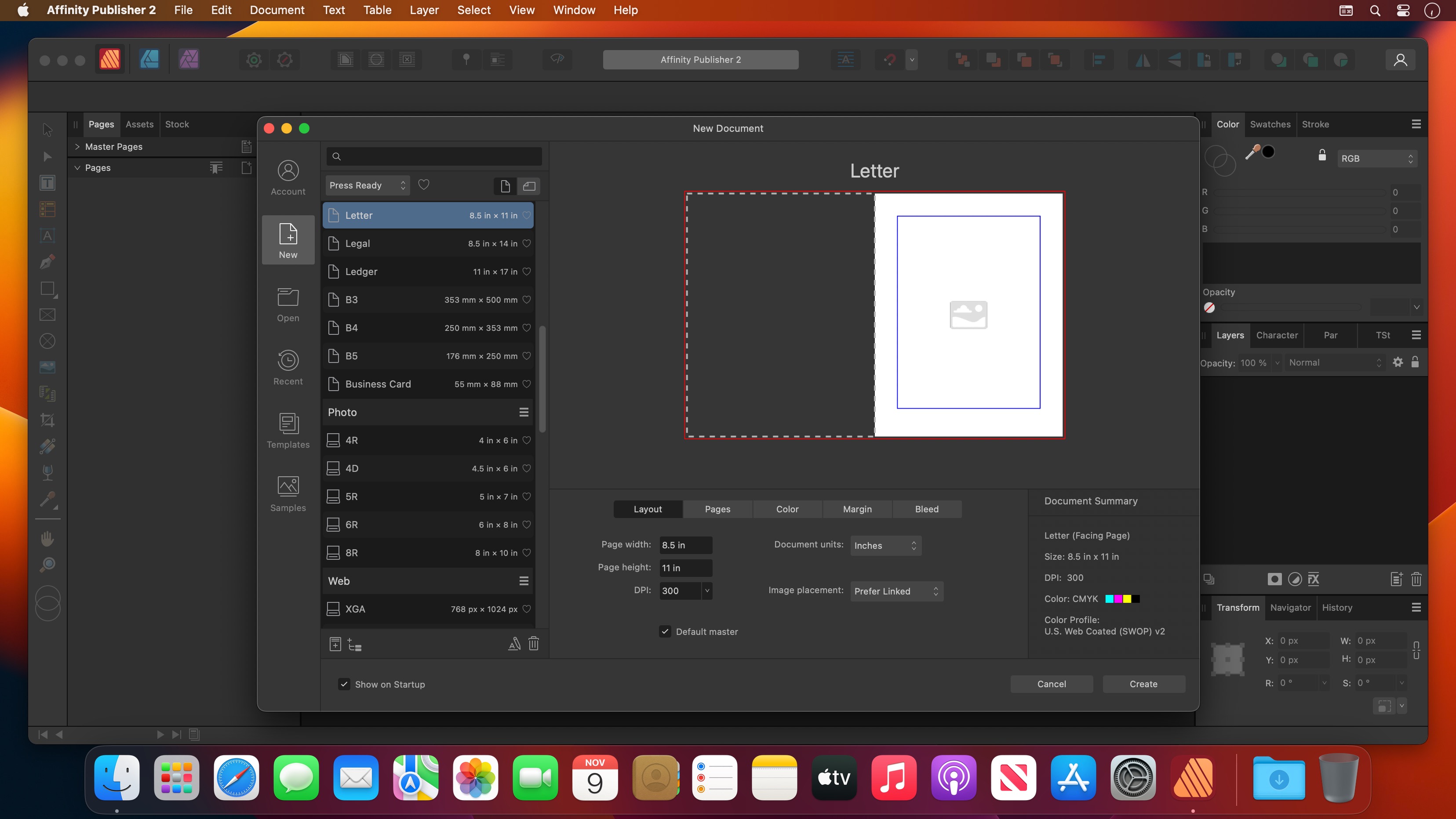
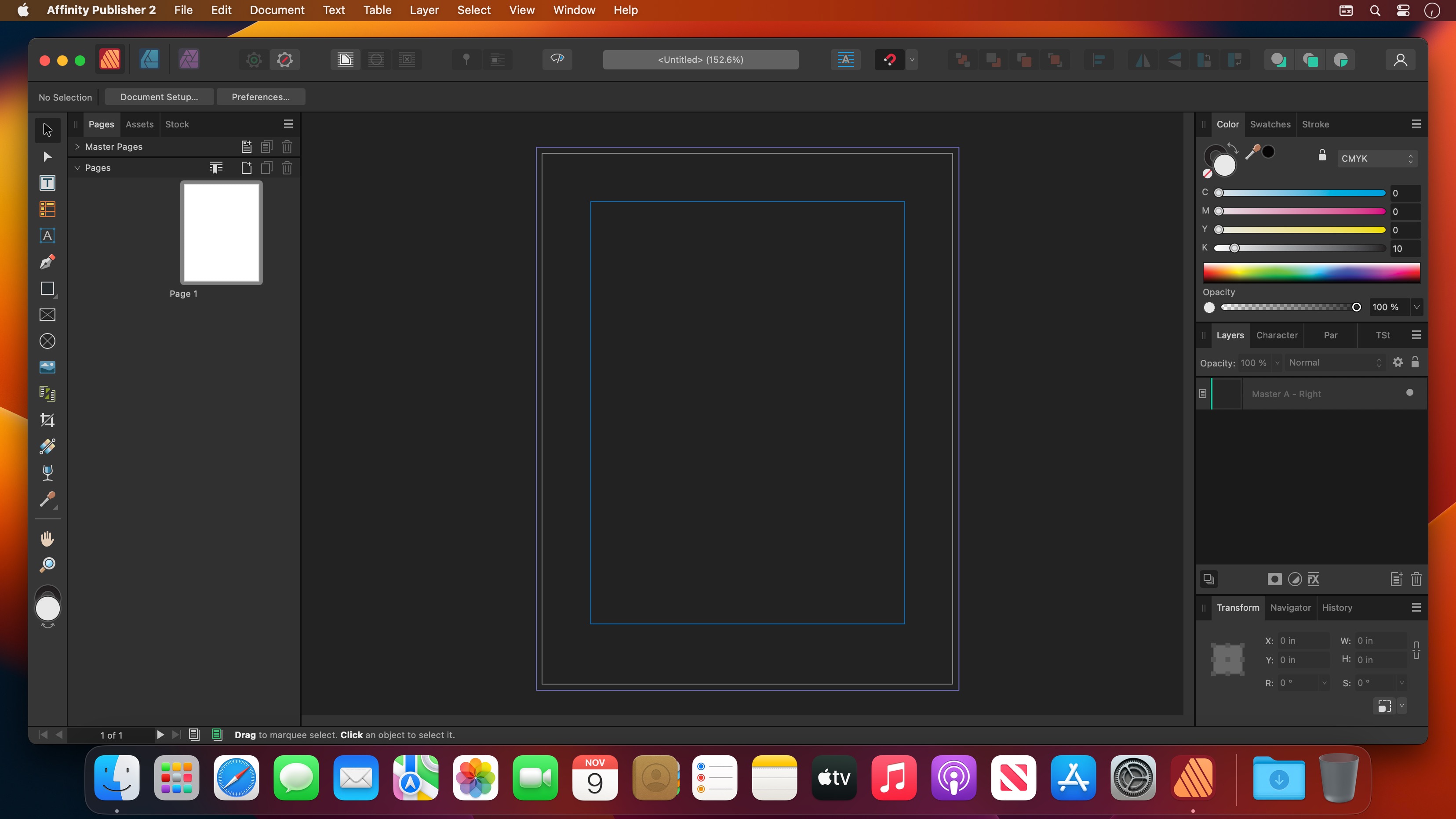
Bring your vision to life with Affinity Publisher, the next generation of professional publishing software. From magazines, books, brochures, posters, reports and stationery to other creations, this incredibly smooth, intuitive app gives you the power to combine your images, graphics and text to make beautiful layouts ready for publication.

With essentials like master pages, facing page spreads, grids, tables, advanced typography, text flow, full professional print output and other amazing features, Affinity Publisher has everything you need to create the perfect layout – whatever your project.

  • Double page spreads
  • Live master pages, including nested master pages
  • Image frames with intelligent scaling options
  • Text wrapping with fine padding control
  • Custom shaped text frames
  • Link multiple text frames together across your document
  • Advanced guides, grids and snapping
  • Tables and custom table formats

What’s New:

Version 2.5.5:

  • Release notes were unavailable when this listing was updated.

Compatibility: macOS 10.15 or later
Language: Multilingual
Homepage https://affinity.serif.com/en-us/

Screenshots


Name: Affinity_Publisher_2_2.5.5_Mactorrents.Me.dmg
Size: 766 MB
Files Affinity_Publisher_2_2.5.5_Mactorrents.Me.dmg[766 MB]

   Download

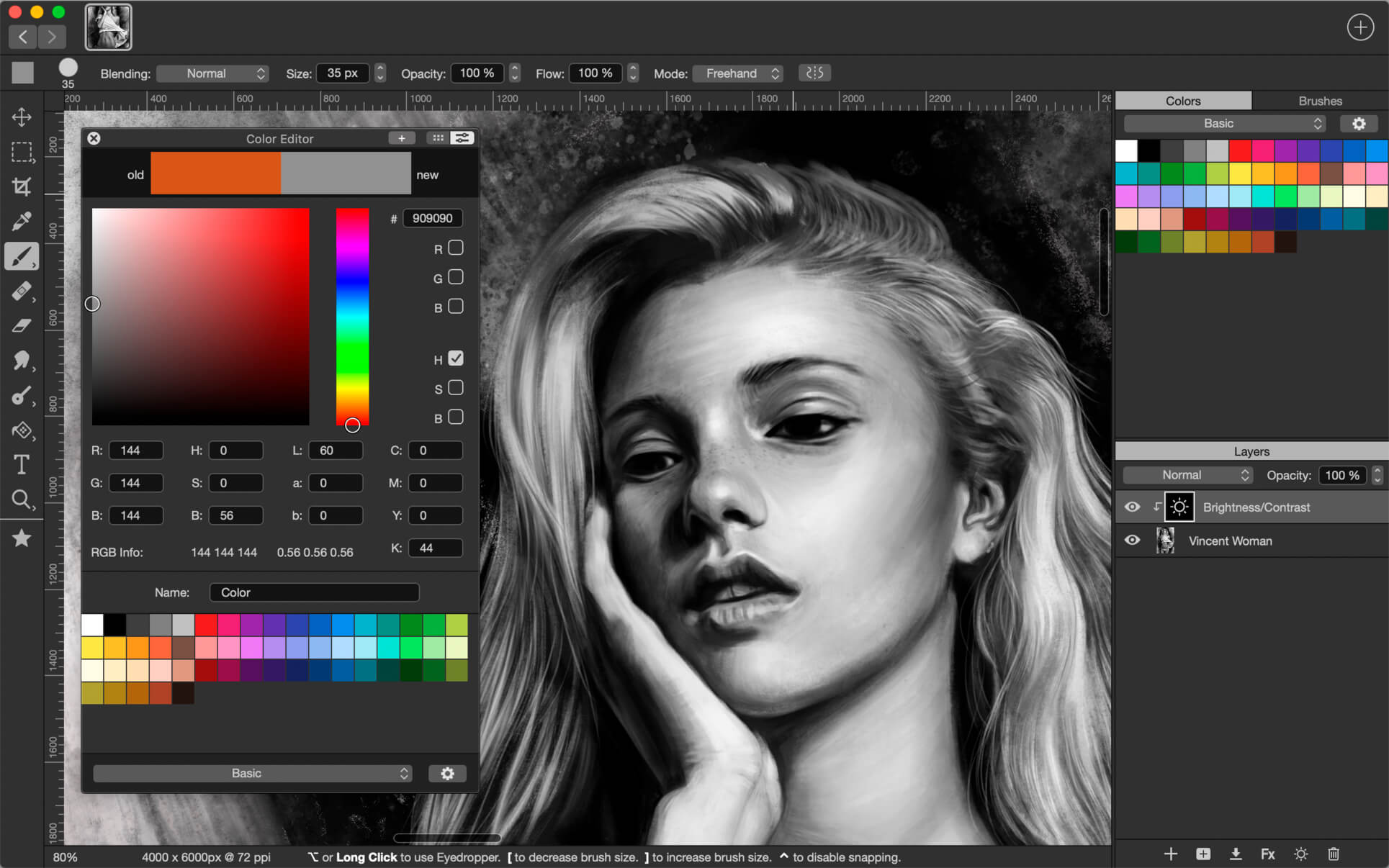
Artstudio Pro 5.2.2

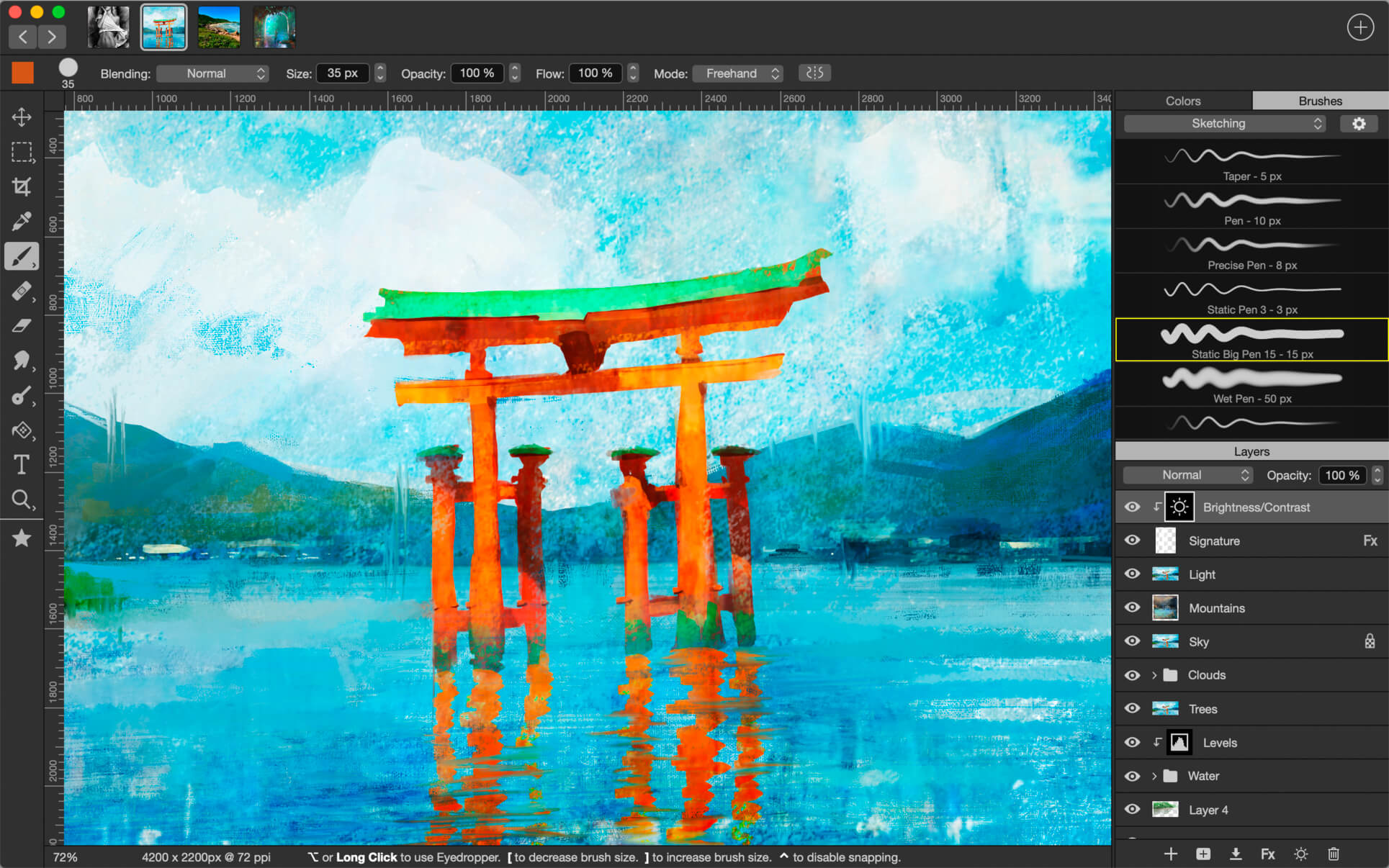
Introducing Artstudio Pro, the most powerful painting and photo editing app available for both macOS and iOS . The successor to our famous ArtStudio app has been redesigned bringing many new features and improvements taking full advantage of the latest technologies Metal, iCloud Drive, and optimized for 64-bit multi-core processors to achieve the smoothest possible workflow.

Hundreds of assets are included and users have the ability to import resources in the most popular formats (ABR, TPL, PAT, GRD, ASE, ACO) giving instant access to millions of brushes, patterns, gradients, color swatches and fonts. It will boost your creativity and help you bring your ideas to life quickly and easily.

New engine
The powerful GPU accelerated ArtEngine developed by Lucky Clan is 5-10 times faster than the previous engine. It allows working with multiple documents, supports large canvas sizes and an unlimited number of layers. Incredible optimization ensures smooth work even with large canvases.

  • Multiple open documents
  • Canvas size: 256Mpix
  • Unlimited layers
  • 27 tools: Move, Select, Crop, Eyedropper, Paint, Wet Paint, Eraser, Bucket/Pattern/Gradient Fill, Smudge, Dodge, Burn, Sponge, Text, Heal, Clone, and more

Flexible layer system
Artstudio Pro introduces a new layer system with grouping, non-destructive layer effects, and adjustment layers.

  • Groups
  • Masks, clipping masks
  • Adjustment layers
  • 9 layer effects: Bevel/Emboss, Stroke, Inner Shadow, Inner Glow, Outer Glow, Color/Gradient/Pattern Overlay, Drop Shadow
  • 27 blending modes
  • Text layers
  • Transform multiple layers simultaneously

Advanced Brush engine
Perfectly optimized, lag free mechanism generating smooth, real looking strokes, making the most of the stylus.

  • Brush size up to 4000×4000
  • 64-bit painting with pattern, double stamp, wet brush, dynamics
  • Brush editor with 80 customizable settings
  • Over 100 built-in brushes divided into a few groups: Painting, Sketching, Markers, Inking, Dots & Specks, and more
  • Symmetric painting with custom symmetry line

Professional photo editor
Photo editing options developed in cooperation with professional photographers. Each feature was tested in several scenarios and light conditions.

  • 15 adjustments available as non-destructive layer or simple adjustment: Brightness/Contrast, Levels, Curves, Exposure/Gamma, Shadows/Highlights, Vibrance, Hue/Saturation, Color Balance, Temperature/Tint, Black and White, Gradient Map and more
  • 4 auto adjustments: Auto Contrast, Levels, Lightness, Saturation
  • Dozens of filters with realtime preview and the ability to generate seamless patterns
  • Inpaint, Elastify (Liquify) ,Lighting, Depth Of Field, Denoise
  • Retouching tools: Heal, Dodge, Burn, Sponge and more
  • Image resize, Canvas resize
  • Crop using special tool, crop from selection, trim transparent areas

Import/Export
We have implemented many parsers from the most popular assets/images formats and we are especially proud of our ABR/TPL parser which not only reads brush stamps and patterns, but also most settings which are converted to Artstudio Pro brush engine values.

Import

  • Images – PNG, JPEG, PSD, HEIC, TIFF, GIF, most raw formats
  • Brushes – ABR, TPL
  • Color swatches – ASE, ACO
  • Patterns – PAT
  • Gradients – GRD
  • Fonts – TTF, OTF

Export

  • Images – PNG, JPEG, PSD, TIFF, PDF

Other features

  • Full iCloud integration
  • Screen recording
  • All features available on macOS, iPad and iPhone
  • Selection displayed as marching ants, quick mask or invisible
  • Snapping to guidelines, dynamic guidelines, grid
  • Perspective grid assist
  • Mirror (flipped) view
  • Canvas rotation

Compatibility: macOS 11.0 or later
Homepage https://geo.itunes.apple.com/app/id1313773050

Screenshots


Name: Artstudio_Pro_5.2.2_Mactorrents.Me.dmg
Size: 243 MB
Files Artstudio_Pro_5.2.2_Mactorrents.Me.dmg[243 MB]

   Download Torrent

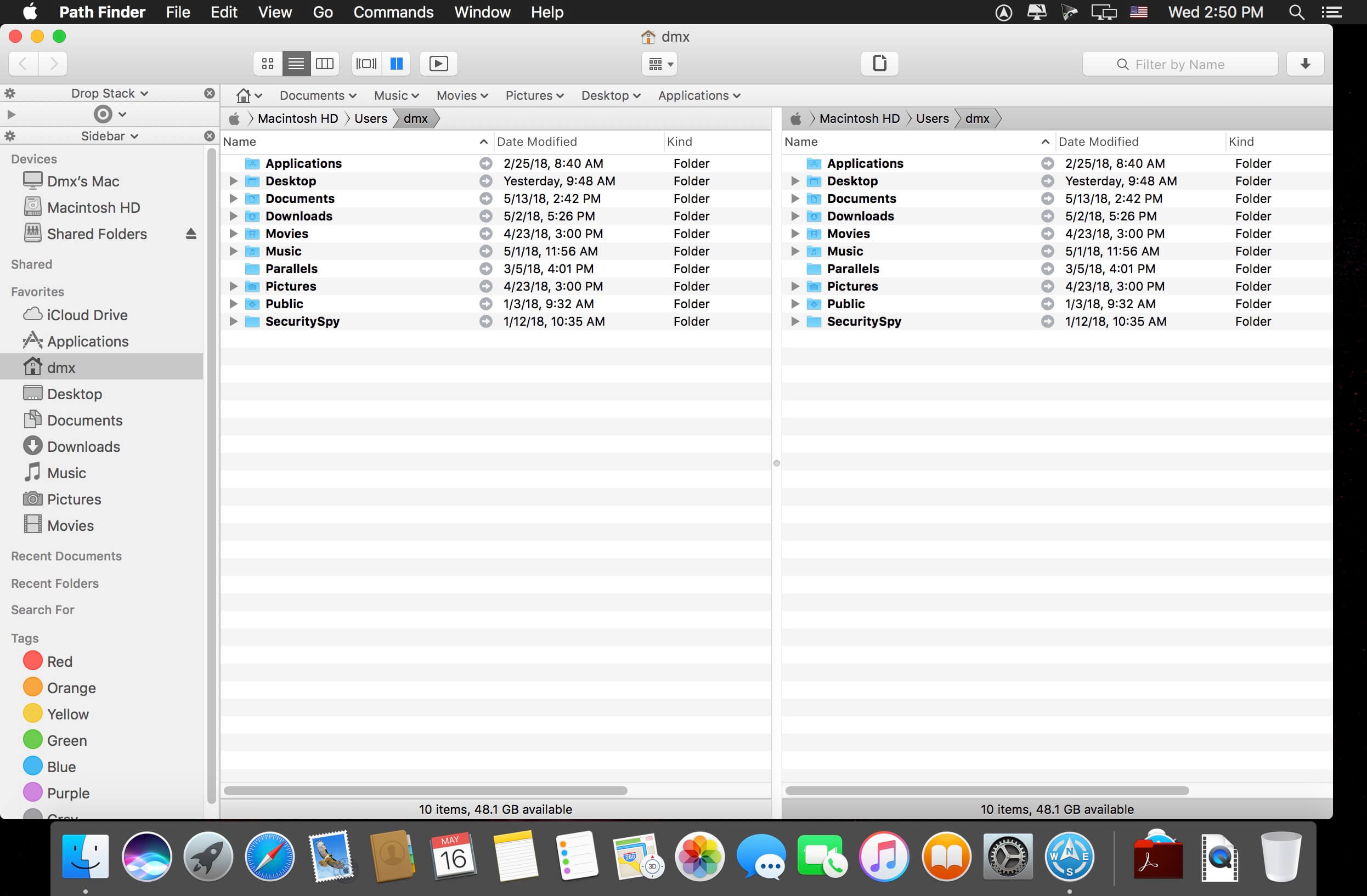
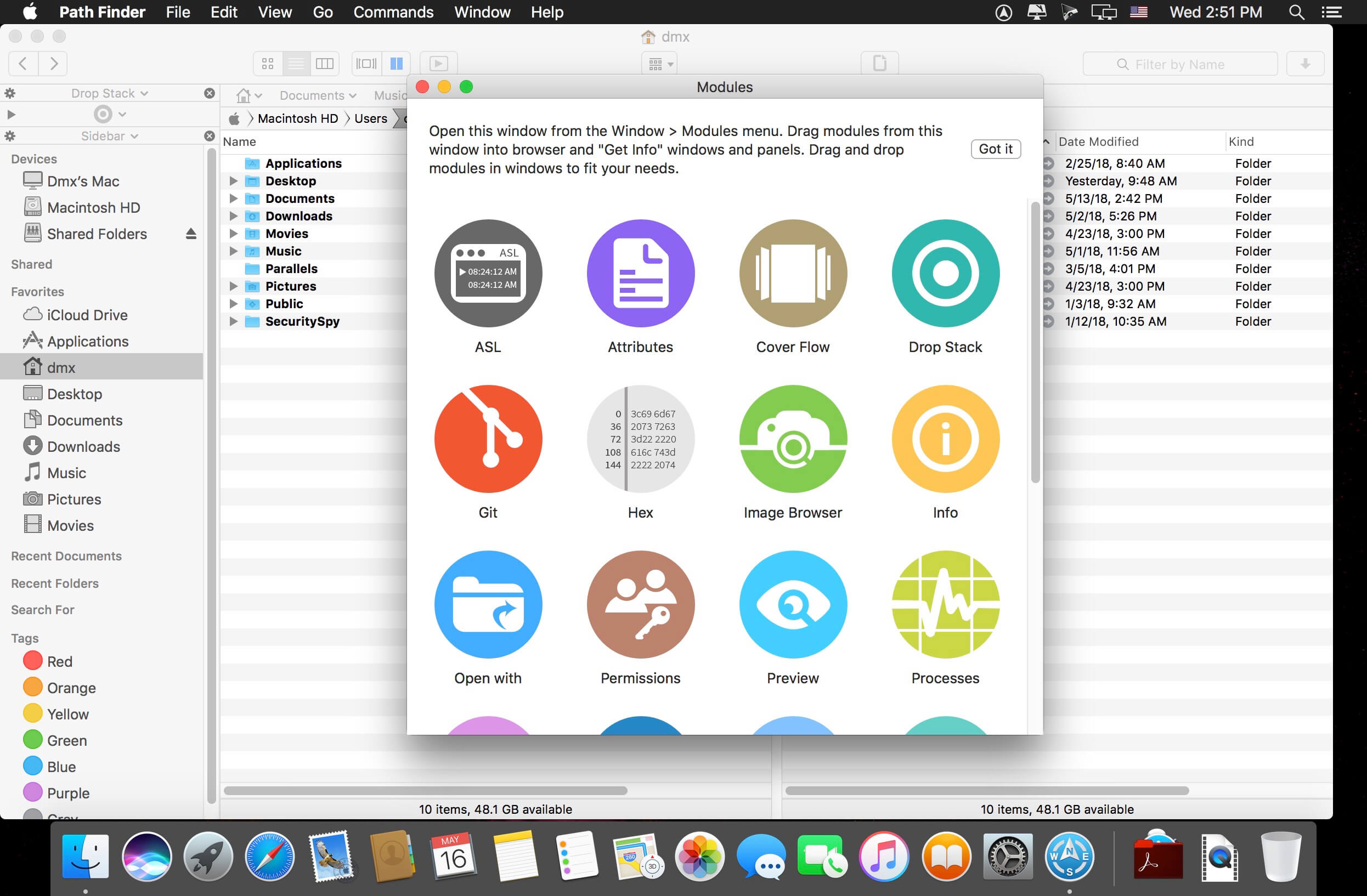
Path Finder 2174

Path Finder 10 makes you a master of file management. Take full control over your file system. Save your time: compare and synchronize folders, view hidden files, use Dual Pane and full keyboard navigation to browse your file system.

Work how you want: extreme customization allows you to access most tools in many different ways to suit your workflow. Work seamlessly with other platforms: don’t leave any hidden .DS_Store files on non-Mac volumes, delete files securely and completely with the powerful delete feature from any volume type, search any network volume.

Features

  • View and manipulate hidden files
  • Dual Pane View
  • Full keyboard navigation
  • Folder comparison and synchronization
  • Folder merging
  • Batch renaming
  • Powerful file filtering
  • One-click dual-pane copy
  • Bookmarks and Tab Presets
  • ACL editor
  • File tagging
  • Editable Path Navigator
  • Powerful low-level search
  • Smart sorting
  • Advanced selection
  • Integrated terminal
  • Integrated text and image editors

Language: Multilingual
Compatibility: macOS 10.12 or later
Homepage https://cocoatech.com/

Screenshots

Name: Path_Finder_2174_Mactorrents.Me.dmg
Size: 27 MB
Files Path_Finder_2174_Mactorrents.Me.dmg[27 MB]

   Download Torrent

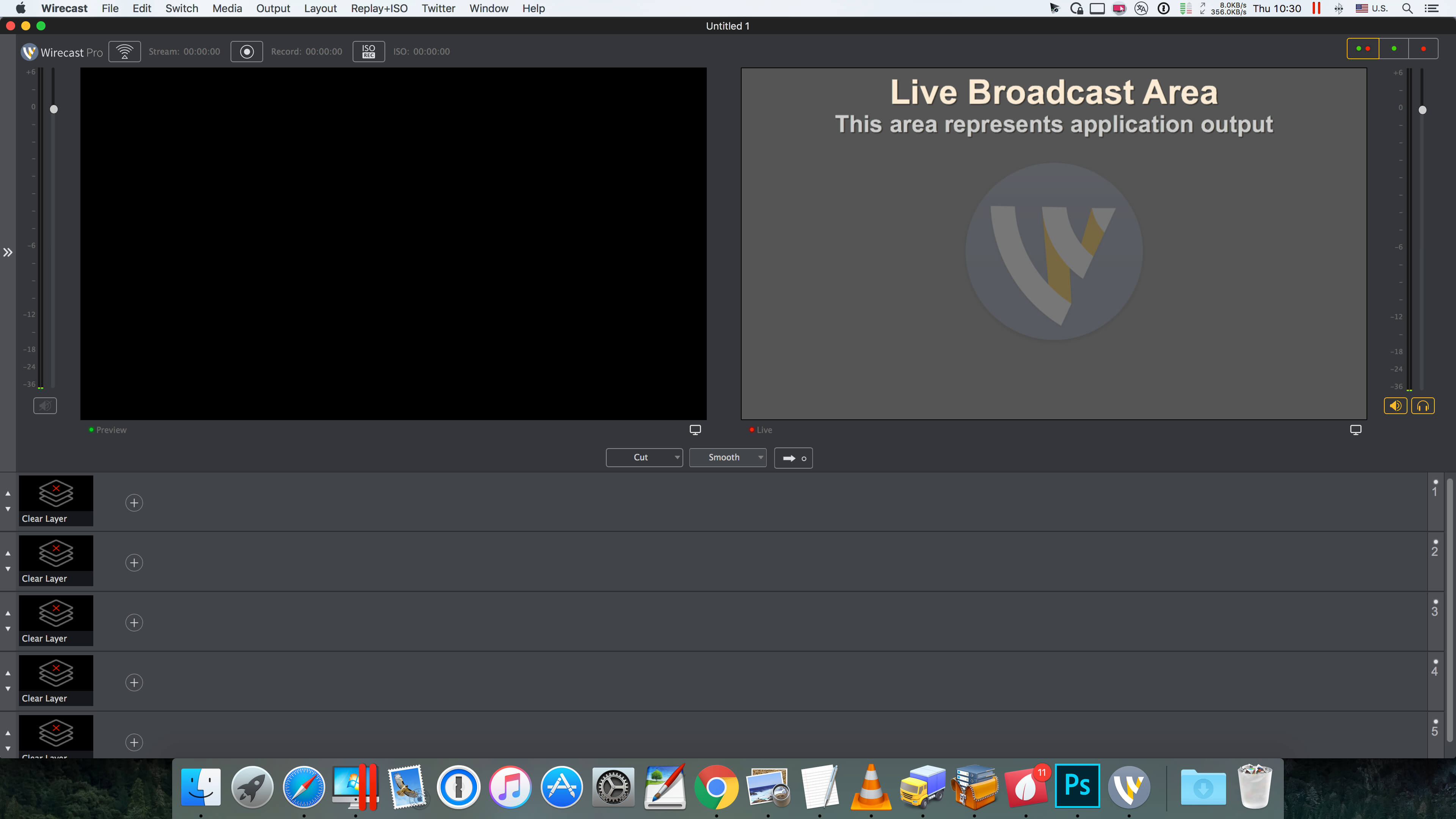
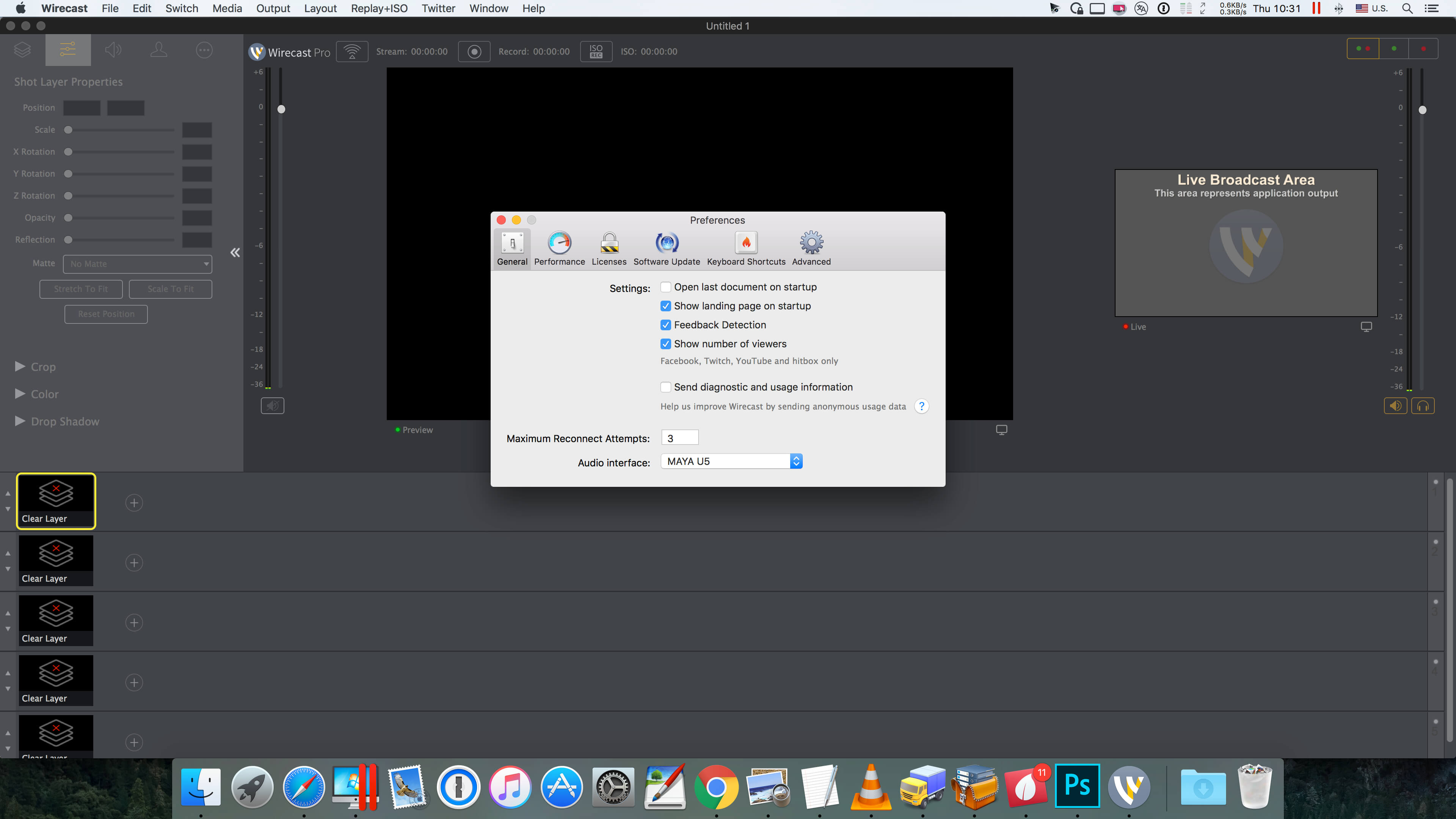
Wirecast Pro 16.2.2

Wirecast is an all-in-one live streaming production application that provides the required tools to capture video, encode it and broadcast it to multiple servers and platforms at the same time.

You can use Wirecast with an unlimited number of camera inputs ranging from web cams to DV/HDV, SDI cameras to IP and web-based sources and wireless devices. You just have to plugin your device and Wirecast will automatically recognize it as a live feed. The supported input sources include USB, Web cams, SDI, composite, S-Video, DV/HDV, Component, HD-SDI, HDMI sources, IP Cameras, ONVIF, Web stream source and screen capture sources.

Moreover, Wirecast features support for up to 35 layers of live compositing. Hence, you can effortlessly place watermarks, background music and other visual elements over your webcast. As expected, you can also add titles and lower thirds, with more than 30 built-in professional looking broadcast title themes. You just have to select the one that fits your content, type in the text and apply it to your broadcast.

FEATURES

  • Support DV, HDV (1) and USB cameras
  • Real-time transition and effect generator
  • Built-in GPU accelerated green and blue screen solution
  • Professional broadcast quality titles themes.
  • Generates fully ISO-compliant MPEG-4 video streams
  • GPU accelerated Core Image filter and transition library
  • Keynote integration
  • H.264 video codec support
  • Multi-language

Compatibility: macOS 11.0 or later
Homepage https://www.telestream.net/

Screenshots


Name: wirecast_16.2.2_Mactorrents.Me.dmg
Size: 626 MB
Files wirecast_16.2.2_Mactorrents.Me.dmg[626 MB]

   Download Torrent

iA Writer 7.1.4

iA Writer Pro is a professional writing suite that gives you full control over your notes, drafts and edits.

Unmatched Writing Experience
iA Writer is designed to provide the best digital writing experience: Keep your hands on the keyboard and your mind in the text.

Swipe Right to Library
iA Writer now comes with an integrated library for all your documents. With a swipe to the right you have easy access to all your texts in one place.

Swipe Left to Preview
With synchronized scrolling Preview, iA Writer consciously separates form and content. It optimizes plain text writing while offering stellar formatted export—with world class typography.

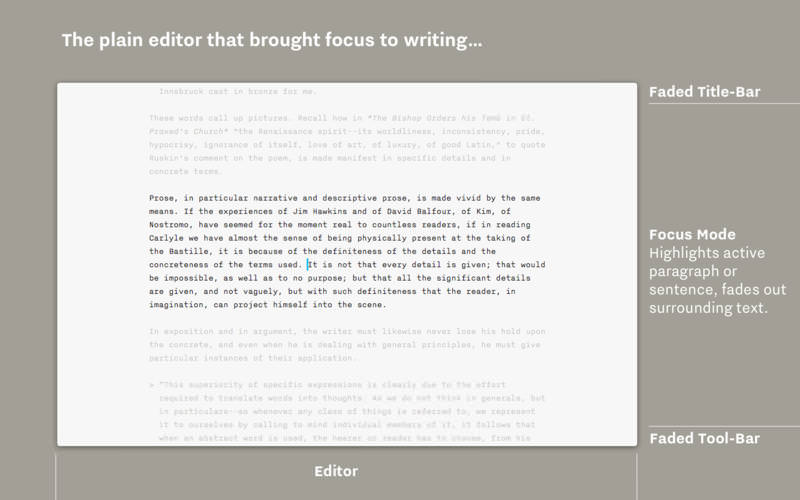
Focus Mode and Syntax Control
iA Writer is famous for offering a deeper focus on your text. Its unique tools improve your writing style by honing your concentration: One sentence at a time, or by highlighting different parts of speech.

All Your Documents on All Your Devices

With seamless Dropbox and iCloud sync, iA Writer keeps your documents safe and at hand on whatever device you are using when inspiration strikes.

Features

  • Integrated document Library
  • Synchronized scrolling Markdown Preview
  • Beautiful Preview templates with curated fonts
  • Focus Mode fades all but the current sentence, for maximum concentration
  • Convert formatting to Microsoft® Word .docx, and back again
  • Also export formatting to HTML and beautifully styled PDF
  • Auto Markdown formats text on-screen
  • Night Mode
  • Real-time iCloud and Dropbox sync
  • Reading Time; plus sentence, word, and character count
  • Customized for Retina displays
  • Handoff support
  • Full screen for total immersion in the text

Compatibility: macOS 10.15 or later
Homepage https://apps.apple.com/us/app/ia-writer-pro/id775737590

Screenshots


Name: iA_Writer_7.1.4_Mactorrents.Me.dmg
Size: 20 MB
Files iA_Writer_7.1.4_Mactorrents.Me.dmg[20 MB]

   Download Torrent

Dash 7.2.4

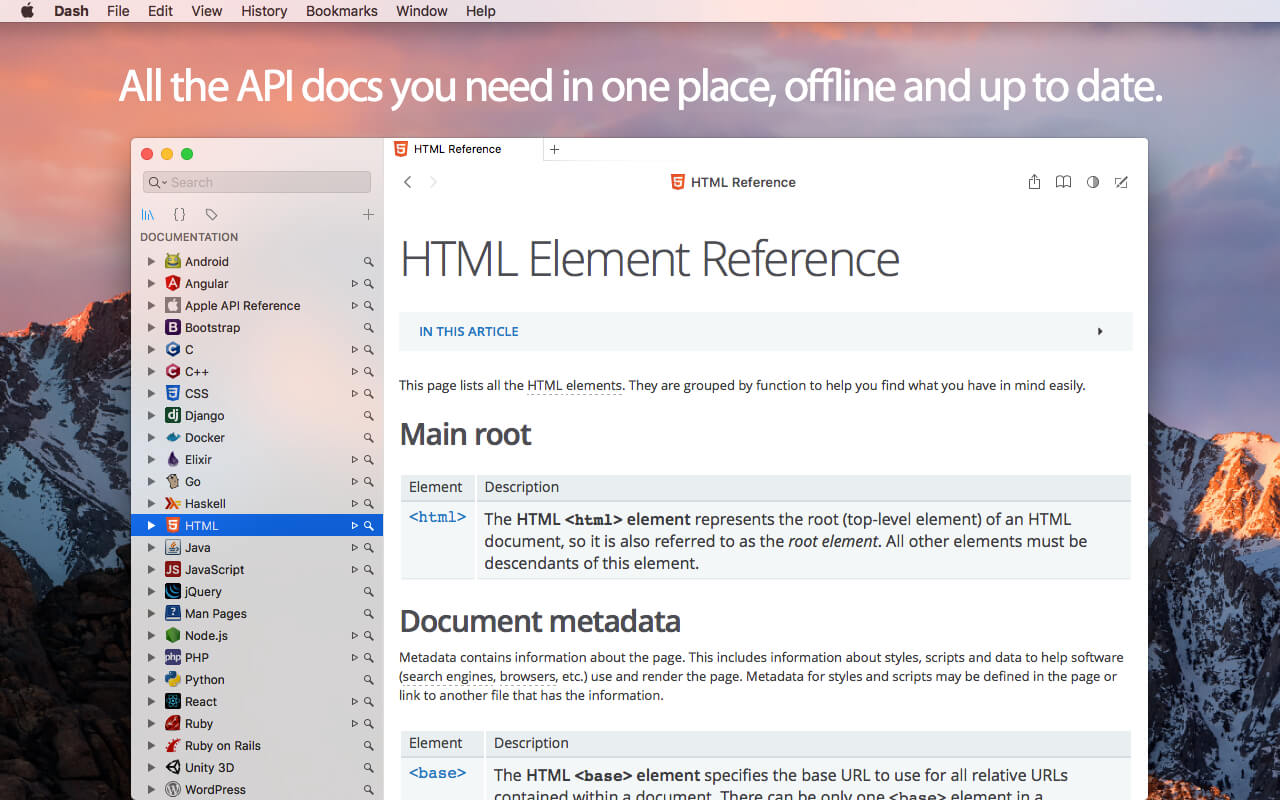
Dash is an API Documentation Browser and Code Snippet Manager. Dash helps you store snippets of code, as well as instantly search and browse documentation for almost any API you might use (for a full list, see below).

Documentation Browser Features:

  • Offline Documentation: iOS, OS X, watchOS, Swift, Man Pages, .NET Framework, ActionScript, Akka, Android, AngularJS, Angular.dart, Ansible, Apache, Appcelerator Titanium, AppleScript, Arduino, Backbone, Bash, Boost, Bootstrap, Bourbon, Bourbon Neat, C, C++, CakePHP, Cappuccino, Chai, Chef, Clojure, CMake, Cocos2D, Cocos2D-X, CodeIgniter, CoffeeScript, ColdFusion, Common Lisp, Compass, Cordova, Corona, CSS, D3.js, Dart, Django, Dojo Toolkit, Drupal, ElasticSearch, Elixir, Emacs Lisp, Ember.js, Emmet.io, Erlang, Express.js, Expression Engine, ExtJS, Flask, Font Awesome, Foundation, GLib, Go, Grails, Groovy, Grunt, Haml, Haskell, HTML, Jade, Jasmine, Java SE, Java EE, JavaFX, jаvascript, Joomla, jQuery, jQuery Mobile, jQuery UI, Knockout.js, Kobold2D, Laravel, LaTeX, Less, Lo-Dash, Lua, Marionette.js, Meteor, MomentJS, MongoDB, Mongoose, Mono, MooTools, MySQL, Nginx, Node.js, NumPy, OCaml, OpenCV, OpenGL, Perl, PhoneGap, PHP, PHPUnit, Play Framework, Polymer.dart, PostgreSQL, Processing.org, Prototype, Puppet, Python, Qt, R, Redis, RequireJS, Ruby, Ruby on Rails, Rust, Sass, SaltStack, Scala, SciPy, Sencha Touch, Sinon, Smarty, Sparrow, Spring Framework, SproutCore, SQLAlchemy, SQLite, Statamic, Stylus, SVG, Symfony, Tcl, Tornado, Twig, Twisted, TYPO3, Underscore.js, Unity 3D, Vagrant, Vim, VMware vSphere, WordPress, Xamarin, Xojo, XSLT, XUL, Yii, YUI, Zend Framework, Zepto.js.
  • Download docsets from CocoaDocs.org, RubyGems.org, Maven.org (Java and Scala), Packagist.org (PHP) and GoDoc.org.
  • Supports docsets generated using popular tools like Appledoc and Doxygen.
  • Methods are conveniently shown in a special Table of Contents.
  • Highlighted in-page search.
  • Save bookmarks of your most used documentation pages.
  • Create search profiles to easily switch between docsets.
  • Easily search specific docsets by defining keyword filters (e.g. start your query with “ruby:” to search only the Ruby documentation).
  • Integration plugins for: Xcode, Alfred, Quicksilver, LaunchBar, Coda, Espresso, PopClip, Sublime Text, Atom, Brackets, Chocolat, Emacs, Vim, BBEdit, TextWrangler, TextMate, Eclipse, AppCode, Android Studio, IntelliJ Idea, RubyMine, WebStorm, PhpStorm, PyCharm, Terminal, AppleScript.
  • Easily integrate with any other application using the “dash://” URL scheme or the “Look up in Dash” system service.
  • Annotate any documentation page and view public annotations.
  • Use alongside Dash for iOS to turn your iOS device into a remote screen just for documentation.
  • Fuzzy search. Don’t let misspells get in your way.
  • Built for speed. Searching is almost instant.

Snippet Manager Features:

  • Collect snippets of code that you reuse often.
  • Sync by saving your library in Dropbox.
  • Over 80 syntaxes for code highlighting.
  • Variable Placeholders can be edited before pasting.
  • Abbreviations are expanded wherever you type them.

Special Snippet Placeholders:

  • @clipboard expands into the contents of the clipboard.
  • @cursor repositions the cursor after expansion.
  • @date expands into the current date.
  • @time expands into the current time.

Other Features:

  • Retina-ready.
  • Multi-Touch Gestures.
  • Menu item or dock application, always one keyboard shortcut away.
  • Users that want to use Dash only as a Snippet Manager or Documentation Browser, can do so.

What’s New:

Version 7.2.4:

  • Release notes were unavailable when this listing was updated.

Compatibility: macOS 10.14 or later 64-bit
Homepage https://kapeli.com/dash

Screenshots

Name: Dash_7.2.4_Mactorrents.Me.dmg
Size: 21 MB
Files Dash_7.2.4_Mactorrents.Me.dmg[21 MB]

   Download Torrent

CloudMounter 4.7

CloudMounter is a centralized service that allows mounting cloud storages as local drives and work with online files the same way as with local ones.

Supported cloud services:

  • Google Drive
  • Microsoft OneDrive
  • Dropbox
  • Amazon S3
  • FTP
  • FTPS
  • SFTP
  • WebDAV

With this handy system utility you can extend your Mac disk space to unlimited, the only condition is an active Internet connection. Ready to find out how it works? It is really easy!

Unlike native clients, CloudMounter does not sync local information with your online accounts, it really mounts remote servers on your Mac, like removable disks. You can copy, move, open, download and upload files to your cloud servers, just as you would be doing it with your local folders. You can even move files between cloud accounts, without having to manually copy them to your local computer. Keep in mind that a temporary copy of the file is still saved to a computer only to be removed after the transfer is completed.

CloudMounter is a safe and secure utility. All connections are performed through the native API of cloud services, which means that all your login credentials are not used by the app for anything else except for logging in appropriate accounts and of course are not shared with any third parties. All passwords for FTP, WebDAV and Amazon S3 accounts are securely kept in Mac OS X Keychain.

CloudMounter is your must-have tool if you use several cloud accounts or if your Mac SSD drive has an extremely low capacity. Try it now and enjoy the benefits of an all-in-one cloud solution.

Compatibility: macOS 10.14 or later
Homepage https://cloudmounter.net/

Screenshots


Name: CloudMounter_4.7_Mactorrents.Me.dmg
Size: 57 MB
Files CloudMounter_4.7_Mactorrents.Me.dmg[57 MB]

   Download Torrent

AppKiller 3.7

Do you simply want to close all your open apps, with the fuss of going through them one by one? Do you want to be able to do with a single click? Or – even better – with a single… keyboard shortcut? Look no further!

Easy-to-use
App Killer sleeps unobtrusively in your status bar and waiting for… orders

Ultra-fast
Killing ALL your open applications will take no more than… milliseconds

Cmd+Shift+K
And that’s all it takes to instantaneously kill all your open apps. Really!

Compatibility: macOS 10.12.2 or later
Compatible with M1/M2 and the latest macOS Sonoma.
Homepage http://insili.co.uk/apps/appkiller/

Screenshots


Name: AppKiller_3.7_Mactorrents.Me.dmg
Size: 8 MB
Files AppKiller_3.7_Mactorrents.Me.dmg[8 MB]

   Download Torrent

PullTube 1.8.5.36

A beautiful online video downloader for your Mac PullTube proposes a streamlined workflow for quickly downloading videos from YouTube or Vimeo, provides control over the output quality, and enables you to extract the audio to MP3 or M4A files. The PullTube app can handle videos of any duration or size, and you get to monitor the download progress within its main window. The utility also integrates with the Notification Center to send completion alerts.

YouTube and Vimeo
Supports Youtube and Vimeo. More platforms to be added upon user requests.

4K, HD and 60fps support
PullTube allows you to download video in any format available

Video to Audio
Convert and save videos to mp3 and m4a

Beautiful and Flexible Interface
Nice looking, dark user interface

What’s New:

Version 1.8.5.36:

  • Release notes were unavailable when this listing was updated.

Compatibility: macOS 10.12
Language: Multilingual
Homepage https://mymixapps.com/pulltube

Screenshots


Name: PullTube_1.8.5.36_Mactorrents.Me.dmg
Size: 124 MB
Files PullTube_1.8.5.36_Mactorrents.Me.dmg[124 MB]

   Download Torrent

QLab Pro 5.4.3

QLab makes it simple to create rich multimedia designs for live performances and installations. From Broadway to the West End, in churches, museums, store fronts, concert halls, and theaters around the world, people use QLab to bring their audio and video to life.

Simply powerful show control
QLab allows you to design and operate amazing multimedia performances from your Mac OS X computer. A single QLab workspace can control audio, video, MIDI, OSC, and more.

Amazingly deep, surprisingly easy
Using building blocks called “cues”, you can create sophisticated designs in seconds.

Getting started is as simple as dragging in a file and pressing “GO”. From there, add commands to fade volume, animate videos, or add audio and video effects.
Once you master the basics, become a power user with advanced features like scripting, video corner pinning, multi-projector edge blending, audio localization, or even building multi-computer designs by sending commands to other QLab machines on your local network.

The industry standard.
Battle-tested and used by designers around the world, QLab is the tool of choice in venues large and small.

Audio Effects
You can now apply live audio effects to all your cues: EQ, pitch shift, reverb, and more. Add audio effects to individual cues, across all cue outputs, or on your device outputs.

Dynamic Effects
The powerful new Fade Cue can adjust your audio effect parameters in real time. It can even adjust playback rate, to dynamically speed up or slow down your audio, with or without pitch shifting.

Live Audio Inputs
The new Mic Cue offers up to 24 channels of live audio inputs. Plus all those routing, fading, and audio effects you get on Audio Cues? You get those on Mic Cues too.

Compatibility: OS X 11.0 or later
Homepage https://qlab.app/

Screenshots


Name: QLab_5.4.3_Mactorrents.Me.dmg
Size: 39 MB
Files QLab_5.4.3_Mactorrents.Me.dmg[39 MB]

   Download Torrent

PDF Checkpoint 1.9.21

PDF Checkpoint automates PDF workflows with powerful batch processing: preflight, route by preflight results, export as images, split, convert colors, reduce file size and more.

  • Preflight PDF files. Quickly preflight multiple PDF files using customizable preflight profiles and get detailed info on document fonts, color spaces, images and attributes.
  • Export PDF as images. Batch export PDF files into various image formats, in RGB, CMYK, or grayscale color space. Specify desired image resolution and page scale.
  • Convert colors. Convert PDF to the selected color profile (for example, convert RGB PDF to CMYK). You can convert the colors of images, text and graphic elements.
  • Optimize images. Downsample and compress images to reduce file size. Specify image resolution for PDF’s target usage. For example, repurpose a hi-res PDF for web and mobile devices.
  • Split PDF files into single pages. Automatically split multiple PDF files into single page PDF documents.
  • Route files by preflight results. PDF Checkpoint will automatically move or copy PDF files to specified success and error folders after preflighting. It can also generate a preflight report for each file.

Compatibility: macOS 10.9 or later
Homepage http://zevrix.com/pdfcheckpoint.php

Screenshots


Name: PDF_Checkpoint_1.9.21_Mactorrents.Me.dmg
Size: 16 MB
Files PDF_Checkpoint_1.9.21_Mactorrents.Me.dmg[16 MB]

   Download Torrent

Yoink 3.6.92

Yoink helps by making drag-and-drop between Spaces or full-screen apps easier.

Every time you start dragging a file, Yoink fades in a tiny window on the left edge of your screen so you can drag files to it. This frees up your mouse so you can comfortably navigate to the destination of the drop and resume the drag from Yoink’s window.

Overview of Yoink’s main features:

  • A “shelf” at the edge of your screen for files and app-content you’d like to move or copy, which behaves like Finder (regarding moving and copying)
  • Yoink follows you everywhere – windows, spaces and (fullscreen-) apps
  • Icons are created using QuickLook, allowing easy identification
  • Multiple files dragged to Yoink at once are condensed into a Stack, making it easy to drag them out together
  • System Services, the Quick Action and Share extensions allow storing files in Yoink without having to use drag and drop
  • Handoff to transfer files between all the Macs, iPads and iPhones you’re using Yoink on
  • Clipboard History, which lets you store previously copied content in Yoink, or copy again
  • Highly customizable – you decide where, when and if Yoink appears
  • “Share” to and from Yoink
  • Build workflows with Yoink’s Shortcuts integration

Language: English, French, German, Italian, Japanese, Korean, Portuguese, Simplified Chinese
Compatibility: OS X 10.10 or later
Homepage https://geo.itunes.apple.com/app/id457622435

Screenshots


Name: Yoink_3.6.92_Mactorrents.Me.dmg
Size: 22 MB
Files Yoink_3.6.92_Mactorrents.Me.dmg[22 MB]

   Download Torrent

A Better Finder Attributes 7 v7.34

A Better Finder Attributes is the ultimate file-tweaking tool for macOS. It combines photo-shooting date and file date changing along with a few unique tricks of its own.

Change EXIF Timestamps at Will – A Better Finder Attributes 5 allows you to manipulate JPEG, CR2, NEF, ARF CRW and CIFF EXIF timestamps at will by setting them to specific times or batch adjAusting them by adding and removing time (useful for correcting the timestamps of images taken with a digital camera with a incorrectly set clock and to compensate for timezone changes).

Correct Finder Sorting for JPEG EXIF and RAW Photo – A Better Finder Attributes 5 also allows to synchronize the file creation and modification dates with the shooting dates of JPEG EXIF as well as a wide variety of RAW formats, so that files sort properly in the Finder and other systems.

Total File and Folder Creation and Modification Date Control – A Better Finder Attributes 5 gives you total control over file creation and modification dates, setting them to specific times and dates, adding or removing time or simply removing them altogether.

Automate with Droplets – A Better Finder Attributes 5 allows you to save frequently used settings to separate “droplet” applications. Drag-and-drop files onto the droplet application to apply the changes stored in it. Double click the droplet to edit the stored settings.

Other Noteworthy Features

  • Batch operation
  • Drag-and-drop into the file list or onto the application icon
  • Select files in the Finder and activate A Better Finder Attributes 5 via the Finder context menu or via a hot key
  • Automatically deals with file date consistency rules
  • Separate processing for files and folders, batch processing of sub-folders
  • Additionally, A Better Finder Attributes 5 gives you control over:
  • Whether or not file extensions appear in the Finder
  • Batch locking or unlocking of files
  • Setting or removing legacy creator and type codes
  • Removing invisible files
  • Seeing invisible files in the Finder
  • Batch setting of Finder labels
  • Forcing the Finder to update its information about files and folders

Compatibility: macOS 10.11 or later
Homepage http://www.publicspace.net/ABetterFinderAttributes/

Screenshots


Name: A_Better_Finder_Attributes_7_7.34_Mactorrents.Me.dmg
Size: 16 MB
Files A_Better_Finder_Attributes_7_7.34_Mactorrents.Me.dmg[16 MB]

   Download Torrent

App Cleaner & Uninstaller Pro 8.3.1

Preview Installed Applications and Remove Service Files to Complete Uninstall.
App Cleaner 7 – The best app to remove applications service files on macOS and uninstalling applications*.

Delete application’s service files. Make sure they aren’t eating up precious space on your Mac with this helpful app that does the legwork for you.
Disable unneeded login items to launch Mac faster.
Get PRO features and remove even System Extensions.

Main Gained Value – Speed up Your Mac by: 

  • deleting apps’ files taking performance resources
  • deleting debris of apps that were simply put into Trash
  • managing all types of service files (caches, logs, preferences, etc.)
  • removing unneeded System Extensions
  • removing login items and disabling startup programs

Main Advantage: App Cleaner deletes Remains (or leftovers) – files of previously removed apps.
Thus, you uninstall applications completely.

Main Features: 

  • Scan the system and preview installed applications
  • Remove all types of service files
  • Remove remains of previously uninstalled apps
  • Reset application to a first-launch state
  • Preview launch agents and system daemons
  • Preview login items
  • Disable launch agents and login items
  • •ind and preview installed System Extensions
  • Remove System Extensions
  • Easy-to-use shortcuts
  • Any file or app quick preview
  • Specific app-associated file formats preview
  • In-app help assistance
  • Show unused applications
  • Skip list option

How to Uninstall an application using App Cleaner:

  1. Launch App Cleaner.
  2. Scan all applications for service files.
  3. Choose unneeded application (left view). In-app purchase required.
  4. Select all its’ service files on right view.
  5. Click Remove.
  6. If some apps were not removed, due to access rights, switch to Finder and move them manually to Trash*.

*Some applications can not be removed because they require administrator privileges. In this case, switch to the Finder and delete the application file in usual way.

PRO mode required to:

  • Remove executable part of applications
  • Remove system extensions
  • Disable ads

FREE mode allows to:

  • Preview all installed apps
  • Preview service files for apps
  • Remove service files for apps
  • Reset apps to first-run state
  • Preview installed extensions and widgets
  • Disable launch agents and startup items
  • Remove Remains – broken service files

Top In-App Purchases : PRO Version – included
Compatibility: macOS 10.13 or later
Homepage https://nektony.com/

Screenshots


Name: App_Cleaner_8.3.1_Mactorrents.Me.dmg
Size: 28 MB
Files App_Cleaner_8.3.1_Mactorrents.Me.dmg[28 MB]

   Download Torrent

Exposure X7 Bundle 7.2.0.2

The Exposure X Bundle is a photo editor and organizer that integrates all of Alien Skin’s award-winning photo editing apps into a single product.. The centerpiece of the bundle is Exposure X, the editing app that streamlines your workflow and provides a rich set of creative tools. Two additional apps expand the creative possibilities: Blow Up 3 enlarges your photos into large prints with the sharpest resizing technology available, and Snap Art 4 transforms your photos into gorgeous, handcrafted paintings.

  • Exposure X7 non-destructive RAW photo editor
  • Integrated Snap Art natural media
  • Integrated Blow Up high-quality photo enlargement
  • Exposure X7, Snap Art, and Blow Up plug-ins for Lightroom and Photoshop

Exposure X is a complete photo editing and organizing solution. It can also be used as a creative editing plug-in. The plug-in requirements are as follows:

  • Adobe Photoshop CS6 or Adobe Photoshop CC 2015 or newer
  • Adobe Lightroom 6 or Adobe Lightroom CC 2015 or newer

Compatibility: OS X 10.11 or later
Homepage https://exposure.software

Screenshots

Name: Exposure_X7_Bundle_v7.2.0.2_Mactorrents.Me.dmg
Size: 670 MB
Files Exposure_X7_Bundle_v7.2.0.2_Mactorrents.Me.dmg[670 MB]

   Download Torrent

Exposure X7 7.2.0.25

Exposure is the best photo editor for creative photographers who want to create artistic images. Its large library of gorgeous looks provides inspiring starting points that you can customize. Unique creative tools not found in other photo editors help your photos stand out. And Exposure’s efficient workflow keeps you in the creative zone. Use Exposure as a complete photo editor to master your full workflow, or as a Lightroom or Photoshop plug-in for your creative edits.

Additional enhancements include the following:

  • New masking tool that makes it easy to separate a subject from the background. Draw a rough border in just a few clicks to indicate the selected area and Exposure’s intelligent algorithm creates a precise mask
  • Selectable workspaces organize the panels needed for a particular task. Use the built-in layouts for culling, editing, and retouching, or create your own customized workspaces.
  • The crop and transform panels have been unified into a single easy-to-use interface.
  • New composition guides – golden ratio, golden spiral, golden triangle, and diagonal.
  • Defective pixel removal for raw photos.
  • More faithful color reproduction when using custom DCP color profiles.
  • Improved color fidelity with DNG files.
  • Fine texture noise can be added to recover detail with aggressive noise reduction.

Exposure X7 is a complete photo editing and organizing solution. It can also be used as a creative editing plug-in. The plug-in requirements are as follows:
Adobe Photoshop CS6 or Adobe Photoshop CC 2015 or newer
Adobe Lightroom 6 or Adobe Lightroom CC 2015 or newer

Compatibility: OS X 10.11 or later
Homepage https://exposure.software

Screenshots
Name: Exposure_X7_v7.2.0.25_Mactorrents.Me.dmg
Size: 551 MB
Files Exposure_X7_v7.2.0.25_Mactorrents.Me.dmg[551 MB]

   Download Torrent

PDF Reader Pro 4.0.4

PDF Reader Pro is a PDF powerhouse that will fulfill all your document needs. Building on solid features such as Annotation, Edit, Form filling, OCR, Convert, Create, Sign, Bookmark and protect your PDF files, PDF Reader Pro allows you to maneuver through your PDF files.

PDF Reader Pro offers even more – Edit text in PDFs, merge and combine multiple documents, split your PDF into several files, insert pages from another PDF, Convert PDF to Word and any other Microsoft Office® formats. Carry just your PDFs and make your presentations with them under the Presentation Mode, work becomes effortless and more productive with lighter PDFs!

The app has a presentation mode that will allow you to showcase your PDF document to others. Now you can enjoy the best PDF to Office Converter! Export from PDF to Microsoft Word (.docx), PowerPoint (.pptx), Excel (.xlsx), RTF, HTML, Text, Image, CSV, and more Offline

Compatibility: macOS 10.13 or later
Homepage https://www.pdfreaderpro.com

Name: PDF_Reader_Pro_4.0.4_Mactorrents.Me.dmg
Size: 153 MB
Files PDF_Reader_Pro_4.0.4_Mactorrents.Me.dmg[153 MB]

   Download Torrent

Folder Icons 1.95

Add cool icons to your files/folders in 3 Steps! Choose from +300 icons: Modern, Classy, Cute, Nature, Office, Music, Pictures and much more!

Features:

• Add cool icon to your files/folders in 3 Steps!
• Folder Icons brings a fresh look to your folders/files.
• Add your favourite customised icons to your folders, Add your choices, Be organised, feel happy and be more productive!
• Say goodbye to your old blue boring icon.
• Choose from a lot of icons: Modern, Classy, Cute, Nature, Office, Music, Pictures and much more!
• Add your picture to your as folder icon.
• Add Icons for your Favourite TV Series and movies folders.

Compatibility: OS X 10.10 or later, 64-bit processor
Homepage https://apps.apple.com/pk/app/folder-icons/id969460961

Screenshots

Name: Folder_Icons_1.95_Mactorrents.Me.dmg
Size: 210 MB
Files Folder_Icons_1.95_Mactorrents.Me.dmg[210 MB]

   Download Torrent

Bogren Digital Ampknob Trivium Rhythm v1.0.221

This rhythm guitar monster offers a broad range of terrific tones and yet maintains a straightforward interface.

The amp has been crafted with Matt and Corey’s ultra-precise riffing in mind and provides an extremely tight low end that never muddies up those fast chugs.

A VERSATILE BEAST
Green Boost gives you a sparkly clean tone that can be pushed into a wonderful edge-of-breakup sound. This mode also features a beautiful, lush reverb.
Orange Boost starts at crunch but can deliver a unique flavor of huge distortion with the gain turned up.

Red Boost breathes fire, with an uncompromising high-octane tone with a ton of clarity for ultra-fast picking.
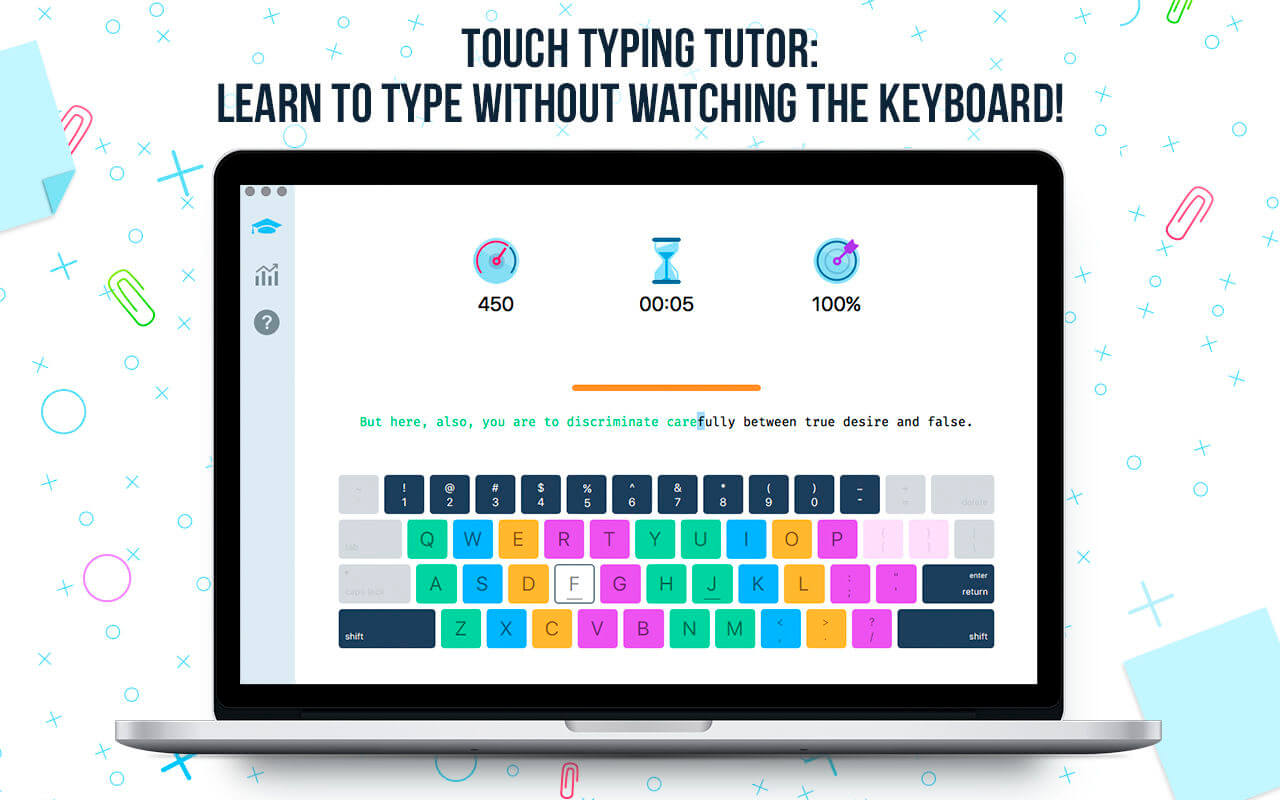
TWO CABS
The rhythm amp comes with two, perfectly matched cabinets captured at Fascination Street Studios: Modern, and Vintage.
Homepage https://bogrendigital.com/pages/ampknob-trivium-bundle

Name: Bogren_Digital_Ampknob_Trivium_Rhythm_v1.0.221_U2B_macOS_Mactorrents.Me.rar
Size: 352.9 MB
Files Bogren_Digital_Ampknob_Trivium_Rhythm_v1.0.221_U2B_macOS_Mactorrents.Me.rar[352.9 MB]
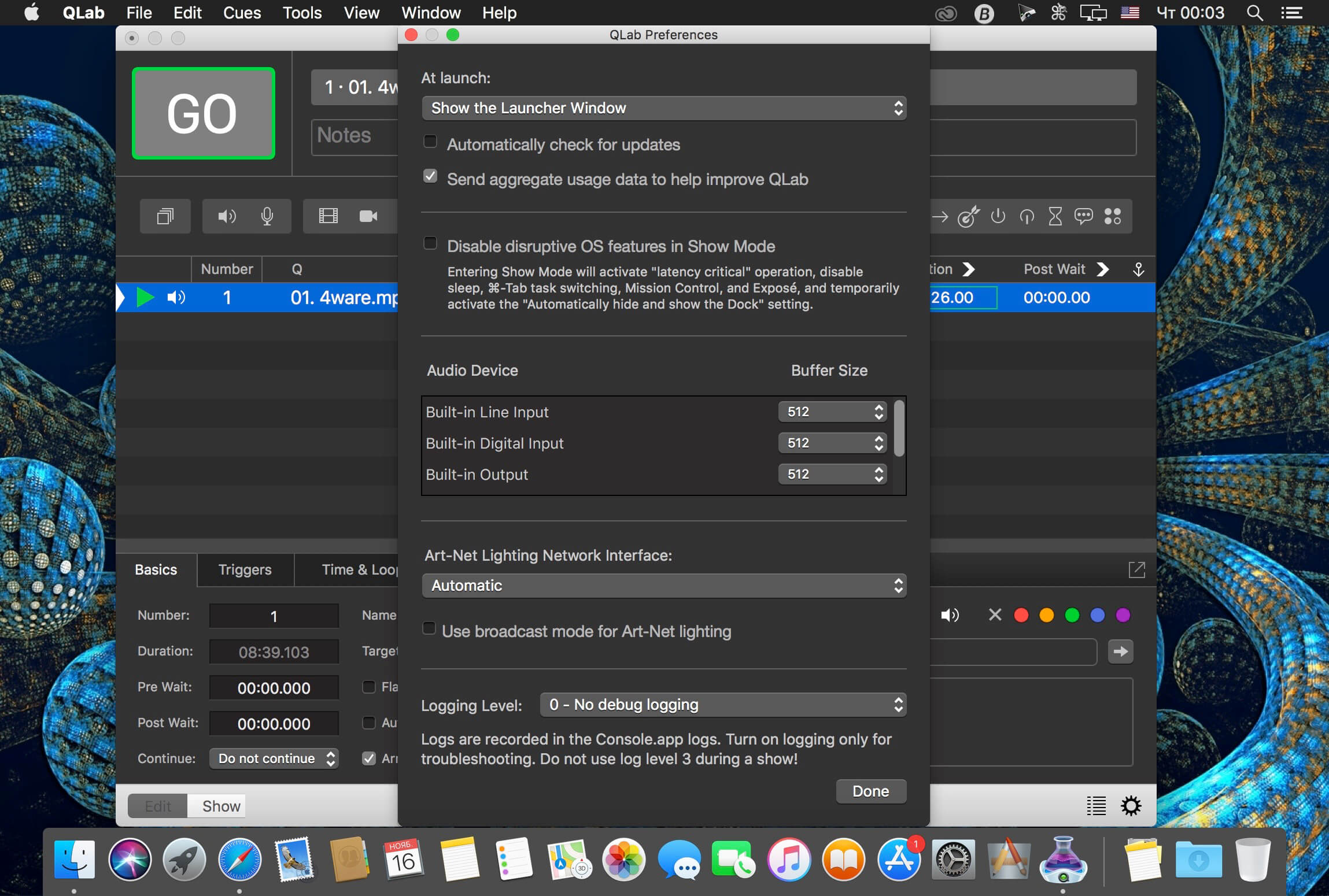
   Download Torrent

Bogren Digital Ampknob Trivium Lead v1.0.304

Built from the ground up for blistering leads and soaring melody parts, the Trivium Ampknob Lead delivers a tonal character that makes your guitar solos sit right on top of the rhythm guitars. But the Trivium Ampknob Lead is much more than just an amplifier model. It also includes a chorus/doubler effect we call Chorey, and a delay — essential effects for great Trivium lead tones. To top it off, the effects can be used in stereo for wide, attention-grabbing sounds.

Homepage https://bogrendigital.com/pages/ampknob-trivium-bundle

Name: Bogren_Digital_Ampknob_Trivium_Lead_v1.0.304_U2B_macOS_Mactorrents.Me.rar
Size: 347.0 MB
Files Bogren_Digital_Ampknob_Trivium_Lead_v1.0.304_U2B_macOS_Mactorrents.Me.rar[347.0 MB]

   Download Torrent

Bogren Digital Bassknob Trivium v1.0.164

Paolo Gregoletto prefers a bright bass tone that lets string noise and snarl poke through the wall of guitars while still delivering an uncompromisingly solid low-frequency foundation. The Trivium Bassknob has been designed to deliver just that. Use a bass with bright, clean bass strings and clear pickups, run it through the Trivium Bassknob plugin, and you’ll find yourself nailing Paolo’s signature tone in seconds. Is the amp too clean for you? Kick it into overdrive with the Drive button.

CAPTURE YOUR IDEAS
When inspiration strikes, every second counts before that golden riff is gone forever.
With Ampknob, you can capture your ideas quickly and easily without even starting a DAW. The standalone version of Ampknob includes a built-in recording functionality that makes it effortless to always stay creative.
A scratch book has never been this inspiring!

STAY IN TIME, STAY IN TUNE
The standalone version of Ampknob now comes with a built-in metronome for you to stay sharp at your guitar playing skills.
Change meter, accent, or set automatic speed increments so you can focus on practicing without even taking your hands off the guitar.
The excellent built-in tuner means you’re always ready to jam!

THE PERFECT TONE
Ampknob IR menu with IRDX
The perfect speaker cabinet, microphones, and recording chain have been expertly chosen and dialed in by producer Jens Bogren to capture the tone with outstanding detail.
If you feel like experimenting, you can disable the cab or even load your favorite impulse response right from the plugin.

Homepage https://bogrendigital.com/pages/ampknob-trivium-bundle

Name: Bogren_Digital_Bassknob_Trivium_v1.0.164_U2B_macOS_Mactorrents.Me.rar
Size: 196.8 MB
Files Bogren_Digital_Bassknob_Trivium_v1.0.164_U2B_macOS_Mactorrents.Me.rar[196.8 MB]

   Download Torrent