The days of manually bouncing stems in Logic Pro are over. It is the world’s first and only tool that allows you to fully automate the monotonous and time-consuming task of running stems, multi-tracks, and mixes in Logic Pro. Join the growing list of Composers, Producers, Songwriters, and Session Musicians worldwide who are enjoying the freedom of using Auto-Bounce for Logic Pro.
KEY FEATURES: Bounce complete sets of stems, multi-tracks, and mixes with just a few clicks. Bounce multiple “jobs” (mixes and stems) with different cycle ranges, bounce parameters, etc. Bounce wet and dry stems in a single pass. NEW! Track Lock for running stems with sidechain effects. Create custom and dynamic naming conventions for your stems and mixes. “Vari-End Mode” automatically avoids bouncing empty space after the last region to save even more time and disk space. “Vari-Start Mode” automatically sets the start and end points of each bounce based on the start and end points of the regions. Create complete multi-track archives to “future-proof” your Logic projects. Save and load entire job sets for easy recall.
Tom Antos CineColor LUTs Pack 1 WIN MAC mac-torrents.net.rar
Size
10.79 MB
Created on
2019-11-29 08:28:09
Hash
60c10c63d2c387623ad0d75423e01ff6db121466
Files
Tom Antos CineColor LUTs Pack 1 WIN MAC mac-torrents.net.rar (10.79 MB)
Download Tom Antos CineColor LUTs Pack 1 (Win/Mac)
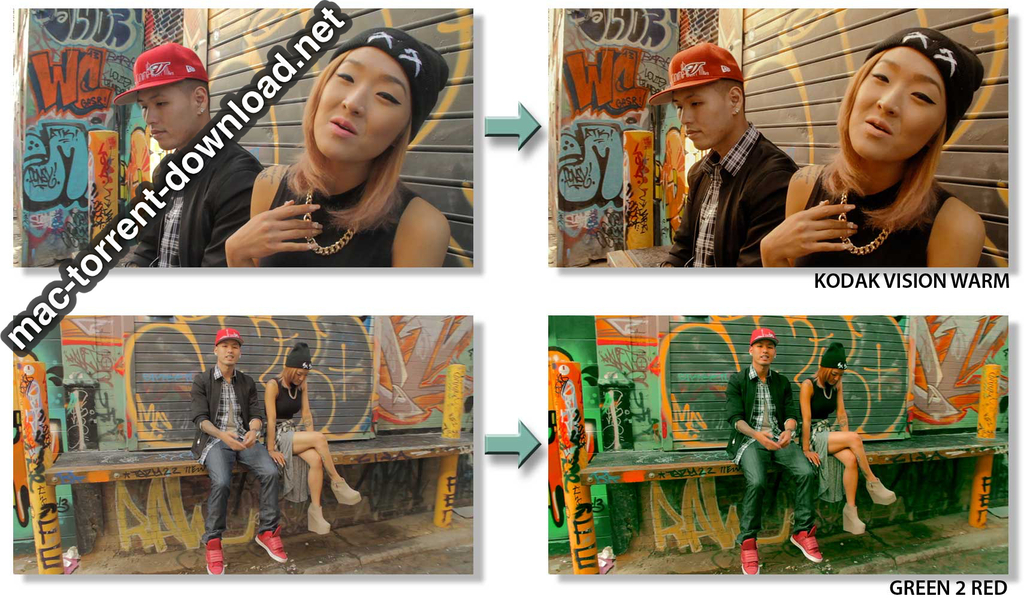
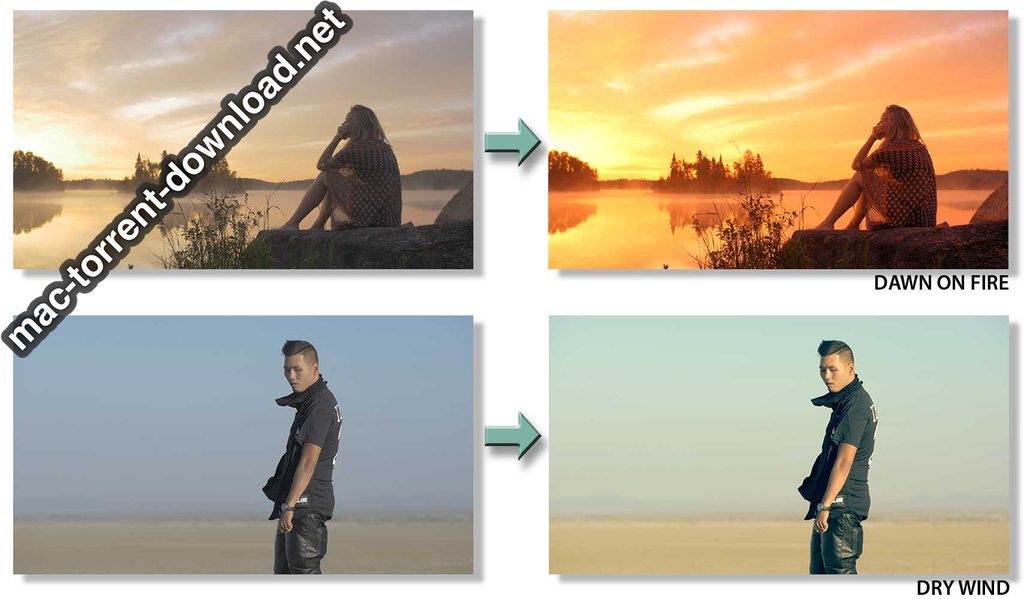
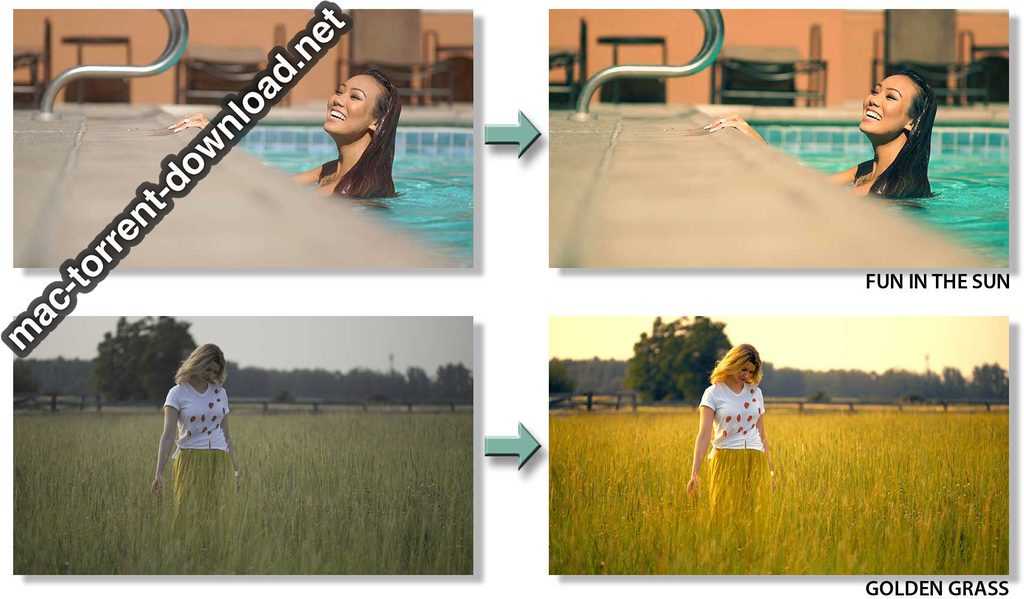
This is a collection of 20 look-up tables (LUTs) that will quickly transform your footage to give it a cinematic look. Each LUT creates a unique look that can be used on its own, or in combination with your traditional color grading workflow.
The entire collection of looks was created by Tom Antos to aid in his workflow over the past few years. These original looks have been used in numerous films, music videos and documentaries that Tom has worked on.
LUTs are like a magic brush that paint your video to give it a specific look. It’s a simple process of drag and dropping each LUT onto your footage to see if you like the look that it creates. That’s it!
For advanced workflow, you can use standard RGB color curves to further tweak each look.
Compatible with most digital video and stills cameras!
CineColor LUTs work with Rec.709 footage, which is the standard color space. So if your camera shoots in Rec.709, then you can directly apply any of the CineColor LUTs to your footage.
If your camera shoots in a flat LOG profile, like S-Log (Sony A7S, FS-7, etc.), or C-Log (Canon C100, C300, etc), then you can apply one of our additional LUTs, to convert your footage to Rec.709
The CineColor LUTs come with four additional LUTs that will convert your footage to the standard color space (Rec.709):
LOG – flat color space (BMD Film, RedLogFilm, Cinestyle)
C-LOG – Canon’s semi-log color space – somewhere between LOG and Rec.709
S-LOG – Sony’s log color space called S-Log2
Flat – semi flat color space like the Cinestyle-D on the Panasonic GH4 & other similar cameras
To use the CineColor LUTs, you will need one of the following applications:
Adobe Premiere CC 2014, 2015 and later versions
Adobe Speedgrade
Adobe Photoshop CS6 and later versions
Adobe After Effects CS5 and later versions
DaVinci Resolve FULL/lite
Apple Shake
Assimilate SCRATCH
Nuke
Apple Final Cut Pro X – requires either the LUT Utility or the FCPX LUT Loader (free as of time of writing)
Adobe Premiere Pro CS5 and later versions (requires LUT Buddy which you can download for free here)
Final Cut Pro 6,7 (requires LUT Buddy which you can download for free here)
Apple Motion 3,4 (requires LUT Buddy which you can download for free here)