Structured & focused writing. Use Bike to think, write, organize. Make lists, take notes, create documents. . Bike’s an unusually fast writing app designed for your Mac. Bike’s fast. It can handle big projects that break other outliners. Bike’s also fast at the basics–opening files, scrolling views, and resizing windows. Bike won’t slow your Mac down.
Bike is a better place to think and write.
Bike’s nimble. Use it as the main app for a big project or as a supporting app for notes and ideas. Standard file formats, shortcuts support, and scripting allow Bike to integrate with your existing workflows.
Bike’s innovative. Your ideas flow smoothly across the screen. You get the power of outlining without the feeling of constraint. Bike is a powerful tool that’s also enjoyable to use.Bike’s innovative. Your ideas flow smoothly across the screen. You get the power of outlining without the feeling of constraint. Bike is a powerful tool that’s also enjoyable to use.
Perfectly Clear Workbench is an application that uses Athentech’s Perfectly Clear image correction libraries and is made available to demonstrate the capabilities of the Perfectly Clear processing libraries, face detection library and to allow a quick export of the processing settings for use.
One of the key features in Workbench is the ability to “export to API” when saving a Preset. This allows you to make image corrections in Workbench and tune the settings to match your style and correction needs. Then, you can quickly export these settings to a text file – ready to be copy / pasted into your source code with our image correction SDK.
What’s New in Perfectly Clear WorkBench 4
1. Beautiful new interface
2. New image correction tools
a. Preprocessing section for Input Looks and “Image Ambulance” for manual exposure corrections
b. “Face Aware” exposure for more accurate auto-exposure corrections in portraits and group photos
c. Black Point tool to deepen blacks
d. New Color Vibrancy tool to complement our previous “Vibrancy” control (now renamed to Color Restoration)
e. Sky and Foliage enhancements
3. Existing tools have been improved
a. Added strength sliders to Light Diffusion and Vibrancy for better control
b. Better ‘color pickers’ for Skin Tone and Blush adjustments
4. Manually identify faces that are not detected automatically
5. One-click to zoom to individual faces
6. Modify facial regions to provide the best corrections
7. Histogram
8. Much improved preset management
Supported Image Formats
Perfectly Clear requires RGB-formatted images in either 8 or 16-bit color depth. Any image file that Photoshop or Lightroom can open and convert to this format may be used in Perfectly Clear. Monochrome and CMYK images must be converted to RGB before using Perfectly Clear. RAW files must be opened through Adobe Camera RAW and loaded into Photoshop to be accessible to Perfectly Clear.
What’s New:
Version 4.6.1.2659:
Release notes were unavailable when this listing was updated.
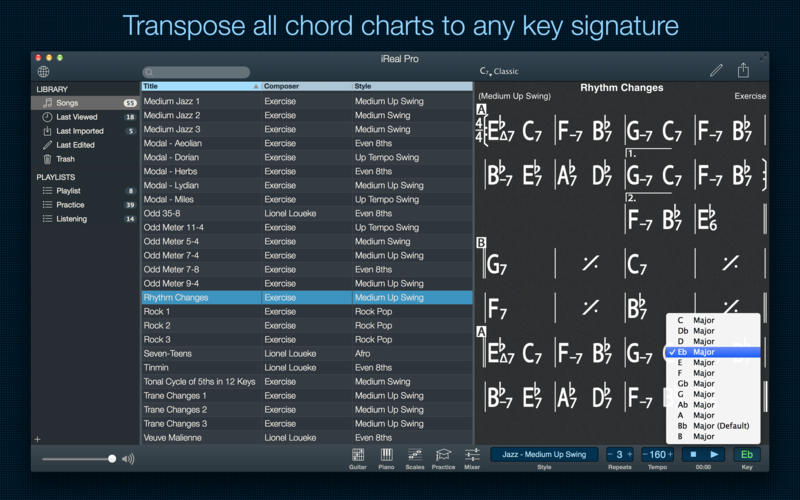
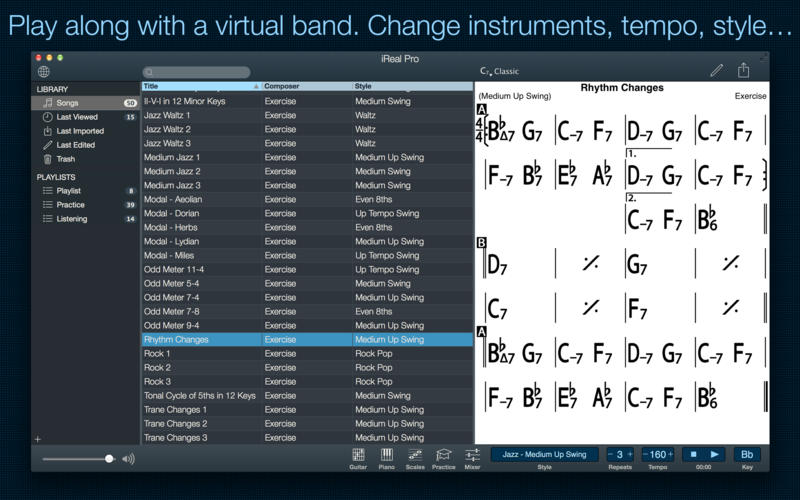
Practice makes perfect. iReal Pro offers an easy-to-use tool to help musicians of all levels master their art. It simulates a real-sounding band that can accompany you as you practice. The app also lets you create and collect chord charts of your favorite songs for reference.
Used by thousands of music students, teachers and some of the world’s top music schools such as Berklee College of Music and Musicians Institute.
“It’s the perfect technology for a practicing musician: high-quality digital audio, mixable, transposable into any key and completely mobile. Now every aspiring musician has a backup band in their pocket.” – Tim Westergren, Pandora Founder
• It’s a Book:
Create, edit, print, share and collect chord charts of your favorite songs for reference while practicing or performing.
• It’s a Band:
Practice with a realistic sounding piano (or guitar), bass and drum accompaniments for any downloaded or user-created chord chart.
FEATURES:
Have a virtual band accompany you as you practice
• Choose from the included 50 different accompaniment styles (Swing, Ballad, Gypsy Jazz, Bluegrass, Country, Rock, Funk, Reggae, Bossa Nova, Latin,…) and 12 blues styles available as a one-time In-App purchase
• Personalize each style with a variety of sounds including piano, Fender Rhodes, acoustic and electric guitars, acoustic and electric basses, drums, vibraphone, organ, and more
• Record yourself playing or singing along with the accompaniment
Play, edit, and download any songs you want
• 1000s of songs can be downloaded from the forums in a few simple steps
• Edit existing songs or create your own with the Editor
• The Player will play any song that you edit or create
• Create multiple editable playlists
Improve your skills with the included chord diagrams
• Display guitar, ukulele tabs and piano fingerings for any of your chord charts
• Look up piano, guitar and ukulele fingerings for any chord
• Display scale recommendations for each chord of a song to help with improvisations
Practice in the way, and at the level, that you choose
• Includes 50 exercises for practicing common chord progressions
• Transpose any chart to any key or to number notation
• Loop a selection of measures of a chart for focused practicing
• Advanced practice settings (automatic tempo increase, automatic key transposition)
• Global Eb, Bb, F and G transposition for horn players
Share, print, and export – so your music follows you wherever you need it!
• Share individual charts or whole playlists with other iReal Pro users via email and the forums
• Export charts as PDF and MusicXML
• Export audio as WAV, AAC and MIDI
• Upload your songs and playlists to iCloud for safekeeping and for synchronization across any of your iCloud enabled devices such as iPhone, iPad or Mac
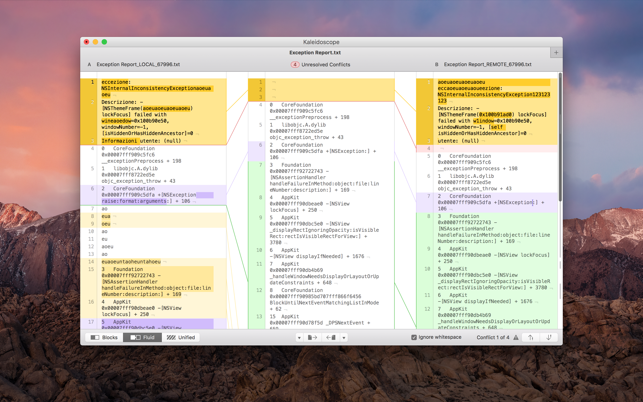
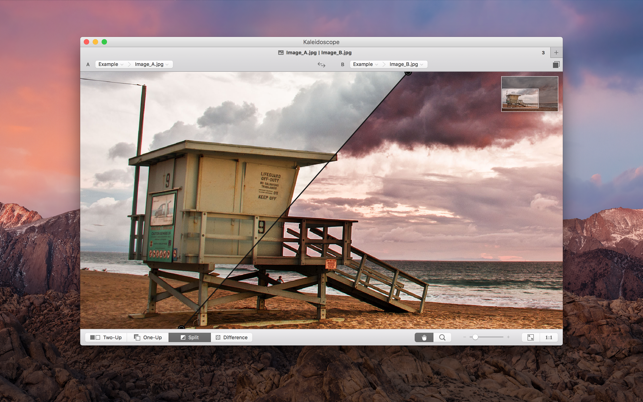
Kaleidoscope is the most powerful file comparison app. Spot the differences in text and image files, or even folders full of files. Review changes in seconds, with the world’s most advanced and beautiful file comparison app.
Kaleidoscope 3 features the first major redesign in over eight years, with support for Apple Silicon-based Macs, a redesigned interface that looks great in the latest versions of macOS, and new dark mode support, Kaleidoscope 3 marks the comeback of a longtime developer favorite for spotting changes in text, images, and folders. There is a new Reader view, and changesets have received major improvements.
WHAT’S NEW IN KALEIDOSCOPE 3?
Redesigned interface, including new dark mode and new app icon; Kaleidoscope’s design now fits macOS Big Sur and macOS Monterey
Runs natively on all Macs, including those based on Apple silicon (Apple M1 chip).
Reader view makes it easier to focus on the content
Greater control over how text layout, with better font options and display choices
Ability to ignore particular folders and files during folder compare, using powerful patterns.
Persistent top toolbar with convenient Add and Paste buttons
Redesigned Unified text comparison and File Shelf views to make it easier to review differences and keep track of files being compared
Powerful filters for comparing items in changeset windows
KALEIDOSCOPE FEATURES:
Two-Way Text Comparison & Merging
Supports any text file, Word documents, PDF, RTF
Super-fast diffing of lines and character-level changes
Directly paste from clipboard
Three powerful display modes: Blocks, Fluid and Unified
Color coding to spot added, deleted, and changed text
Powerful text layout customization
Reader view that helps focus on content
Built-in search
Three-Way Merge
Review code changes and resolve conflicts
Edit text inline
Intelligently auto-merge the right content
Powerful Image Comparison
Supports any file that can be imported as bitmap
Directly paste from clipboard
Compare images in four different modes: Two-Up, One-Up, Split and Difference
Spot subtle pixel differences with a high contrast “difference mask”
Navigate large images using pan & zoom tools
Folder Comparison
Ultra-fast algorithm for finding differences in large folders
Sort and filter down to what is most important
Powerful ignore patterns to exclude extraneous files and folders
Drill deeper into folders for more detailed comparisons
Copy your preferred files across sources
Code Review
Well-designed overview of all files changed in a changeset
Find a file by filtering by name or by kind of change
Inspect changes in text and image files using all of Kaleidoscope’s compare tools
Easy Workflow Integration
Git, Mercurial, Subversion, Bazaar, and Perforce support
Works as a fully functional diff or merge tool
ksdiff tool unleashes the power of the unix command-line
Supported by a growing list of GUI source control management apps
Integrate with the Xcode debugger (lldb) for text and graphics
Integrates with tools like Alfred for even faster workflows
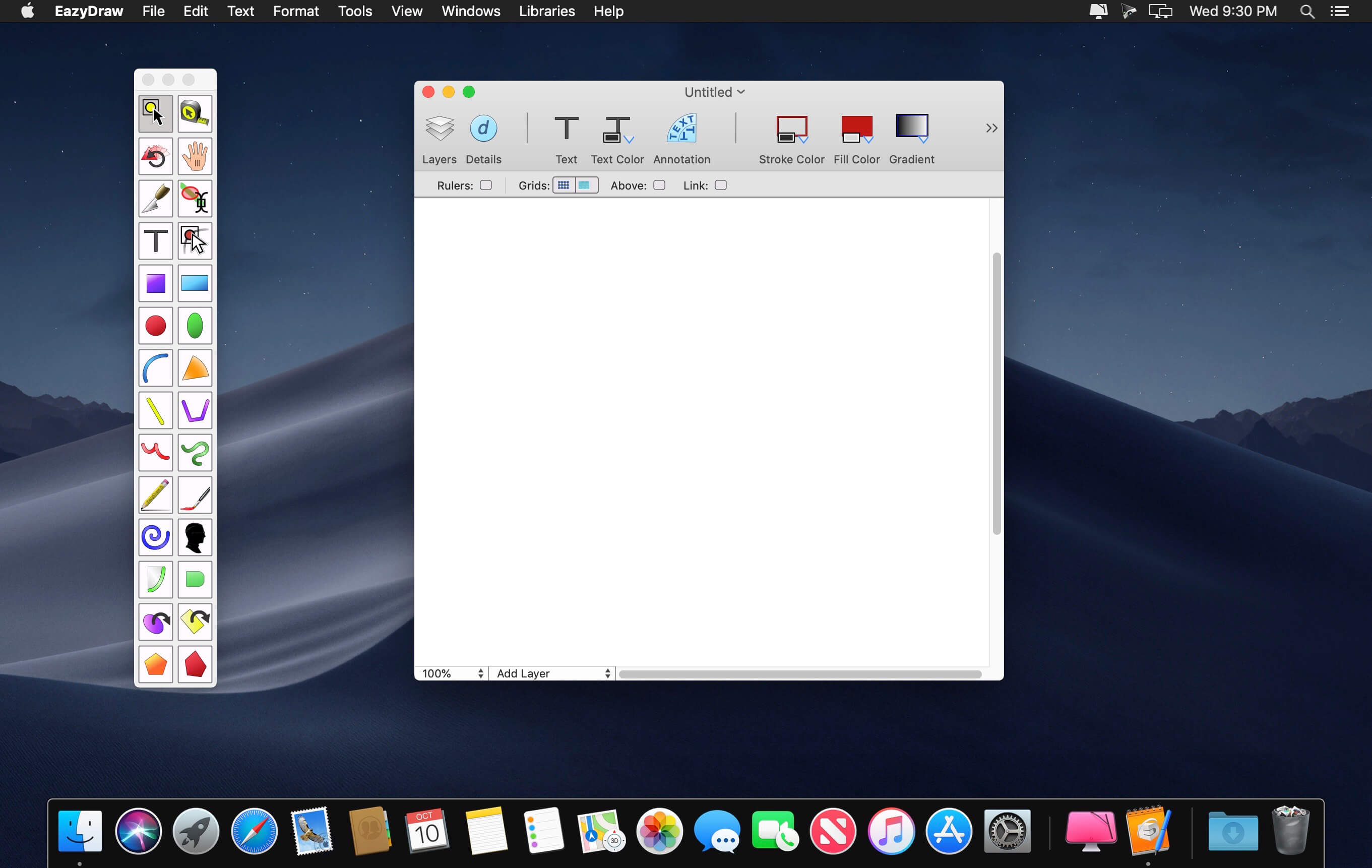
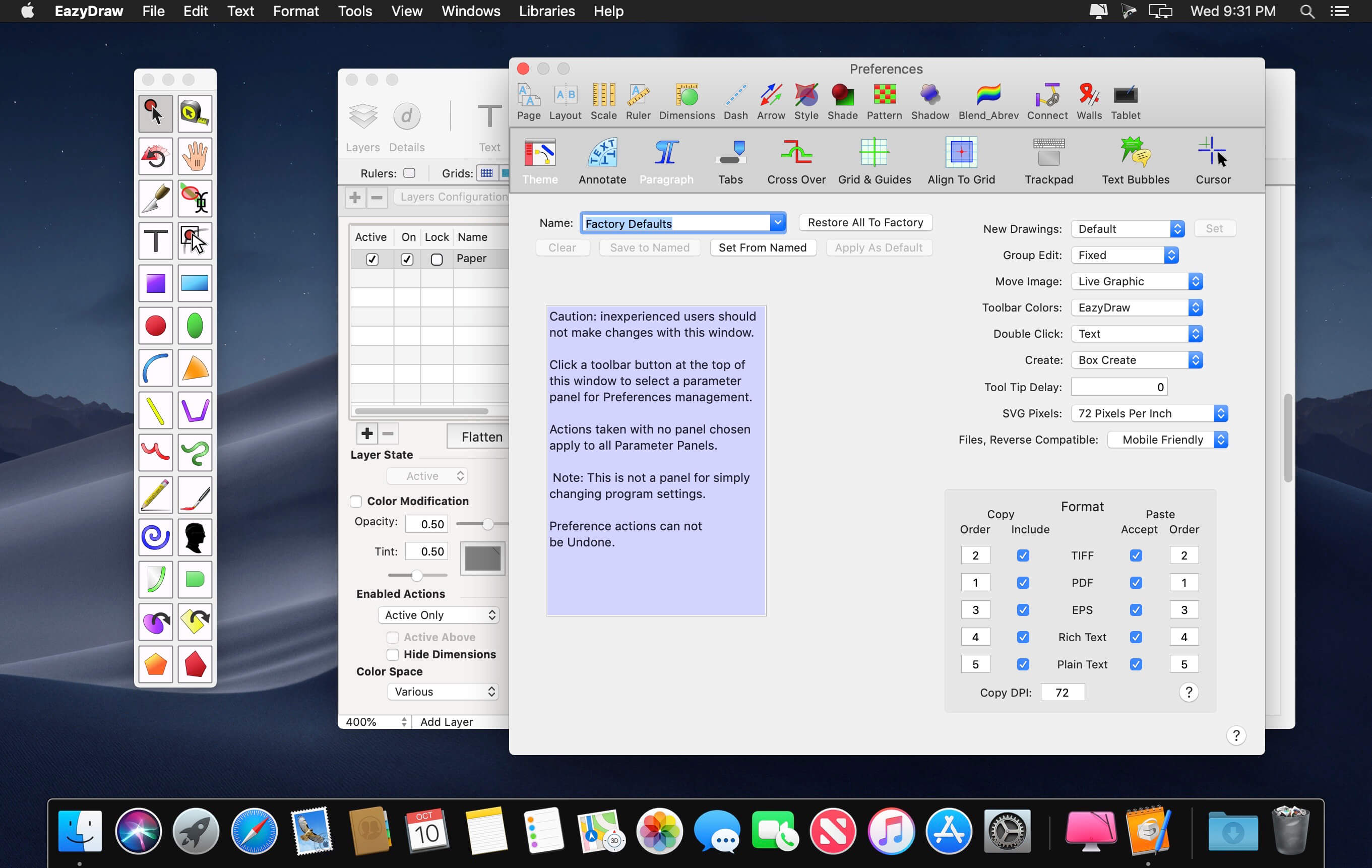
EazyDraw is a vector drawing application. For the full journey from Jaguar to El Capitan, EazyDraw has been the trail-blazing app for the new vector-drawing paradigm on the Mac.
EazyDraw provides a balanced feature set that includes tools needed for technical drawing, Web and app graphic design, print publishing, logos, page – text layout and more. Easy enough for everyone, but with the depth your project will need.
Includes comprehensive support for bitmap and vector graphic formats. Import and ungroup for editing PDF and EPS. Import and export SVG and now DXF. Preview and publish to EPS and TIFF with RGB or CMYK process colors. Exchange scaled CAD drawings with DXF. Publish Web graphics. Create Mac, iPhone, and iPad app-development graphics and icons.
Top In-App Purchases: Full Version – included Compatibility: macOS 11.0 or later Homepagehttp://www.eazydraw.com/
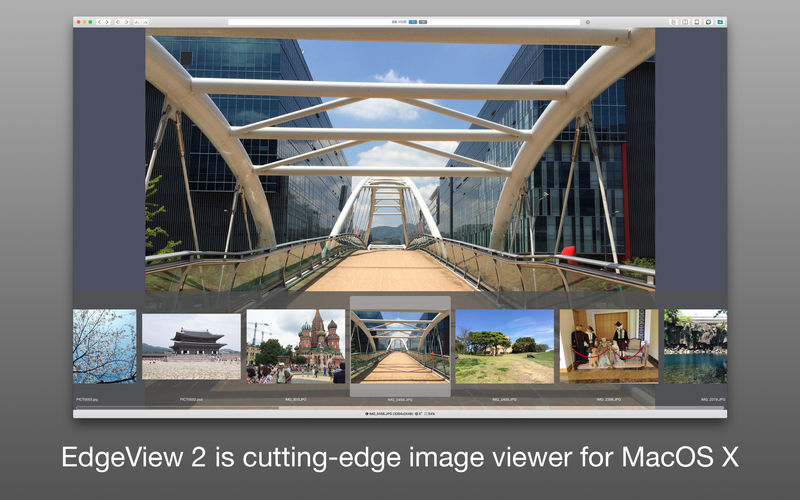
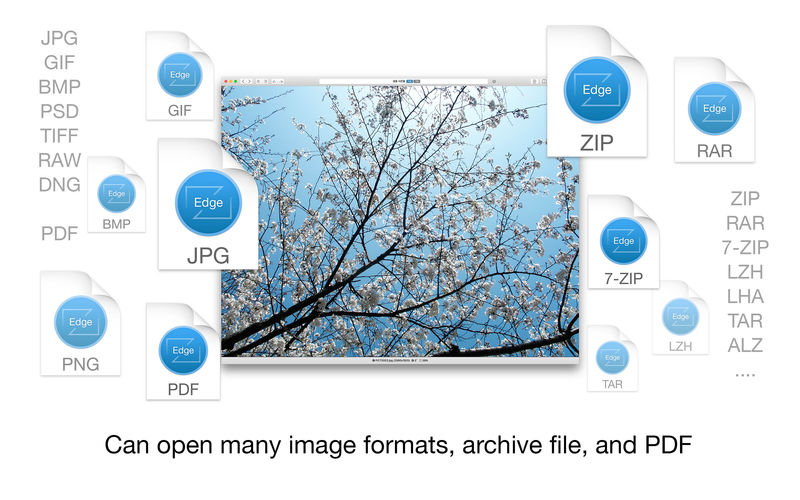
EdgeView 3 is fast image viewer has elegant user interface. EdgeView 3 is developed and designed for modern MacOS. It can open various image files such as JPEG, PNG, TIFF, BMP, and RAW file of DSLR, EPS and PDF, AI(Adobe Illustrator). Can open image files in archive directly without extraction.
User can open files, rename files, delete files from EdgeView’s file browser. Also can access to SMB/AFP/FTP network volume.
User can navigate images quickly by using keyboard shorcut, mouse wheel, trackpad gesture. EdgeVew show EXIF information, play animation GIF/PNG/WebP smoothly. Save last status to history, and restore when reopen file.
EdgeView 3 will be the best choice when viewing and managing image files.
Features
Rewrote full code as Swift for improve performance.
Support m1 CPU Mac.
Has easy UI, can control main function at Sidebar.
Support English/Korean/Japanese/Chinese(Simplified).
Image Viewer
Supporting image files such as JPG, GIF, BMP, PSD, TIFF, RAW, WEBP and PDF, EPS, AI(Adobe Illustrator), OpenEXR, HDR, TGA.
Can play animation GIF/PNG/WebP. User can control animation with floating animation controller.
Dispaly internal image(or frame) of animation GIF/PNG/WebP or HEIC that has multiple internal image.
Can read and show images of major archive formats (such as ZIP, RAR, CBZ, CBR, 7-zip) without extraction. Of course, can open ZIP file that 4GB over.
Can read encrypted archive file.
Can read archive file in archive file recursively
Improved draw speed by rebuilt image cache system and drawing engine.
Draw images as high quality.
Provide suitable functions for comic reading such as ‘Two-Page Spread’, ‘Continuous Scroll mode’, ‘Right to Left’, etc.
Provide multiple navigation functions like as ‘Move’, ‘Skip’, ‘Shift’, etc.
User can navigate images and check whole thumbnails at Thumbnailsbar.
User can navigate images by using keyboard shortcut, mouse wheel, trackpad gesture.
Can rotate and flip images. Orientation will be saved to history.
User can select part of images, and copy it or save as file.
Can zoom in/out image freely.
Built-in loupe function to make it easier to magnify part of image.
Show histogram.
Show neighbor files list. And can open neighbor file.
Support history feature for saving and restoring last status of file.
Can reopen file or remove history at history list.
Can rate image files.
File Browser
Built-in file browser can show and open files from local drive or AFP/SMB/FTP network drive.
Can display files as lists or icon.
Show images in folder/archive file at preview panel.
Generate thumbnails of archive files and folders.
Support powerful search feature.
Show category and writer information.
User can sort files by various options, and can delete or rename files.
Can rate files or folders.
Others
Support customizing feature. Also user can change shortcuts.
Built-in Quick Look Extension generate thumbnails and preview of archive files at Finder.