Category Archives: Application

Pulsar Modular P42 Climax v6.0.1

P42 Climax is an innovative multifaceted powerstrip for tone shaping/coloration, saturation and conjures more of the idea of working with hardware. P42 Climax begins with the heartbeat of a hardware line amp, and ends on every single track because it has the cpu coverage to do so (more than 300 instances in a single session). Sculpt your perfect sound whether processing a single instrument, grouped tracks, the 2-bus or even when mastering. The sound is simply… unbelievable!

Pulsar Modular P42 Climax is an innovative multifaceted powerstrip for tone shaping/coloration, saturation and conjures more of the idea of working with hardware. P42 Climax begins with the heartbeat of a hardware line amp, and ends on every single track because it has the cpu coverage to do so (more than 300 instances in a single session). Sculpt your perfect sound whether processing a single instrument, grouped tracks, the 2-bus or even when mastering. The sound is simply… unbelievable!

Don’t underestimate the few parameters in P42 Climax. It is chameleon like, able to assimilate many different coloring hardware devices, but never intended to copy any single one! P42 Climax works magic on drum bus, snare, and of course the bass guitar. Inserting P42 on the 2-bus track, immediately opens up your mix and exposes hidden gems in your mix. With its Mid/Side processing and detailed metering (peak, RMS and LUFS) and Auto. Gain Compensation workflow, P42 fits nicely into your mastering signal chain.

Don’t get scared by the price tag- a comparable hardware unit for a single channel costs around $1,700. Check the Audio examples below as we compare P42 Climax plugin tone shaping against the Neve 1080, Studer A812 Tape recorder, WolfBox DI and other hardware devices.

Features
• Organic hardware-like feel & behavior.
• Pulsar Modular signature Shelving EQ (Low & High).
• Signature LPF and HPF
• Tube-like odd harmonics saturation slider.
• Super low cpu tax and zero sample latency!
• Works with Mono, Dual Mono or Stereo signal.
• All parameters are exposed to your DAW for automation.

Homepage https://www.pulsarmodular.com/product/p42-climax-line-amp/


Name: P42.Climax.v6.0.1_Mactorrents.Me.rar
Size: 70 MB
Files P42.Climax.v6.0.1_Mactorrents.Me.rar[70 MB]


   Download Torrent


   Download Link

Leister Productions Reunion 14.0.250702

Reunion helps you to document, store, and display information about your family — your ancestors, descendants, cousins, etc. It records names, dates, places, facts, plenty of notes, sources of information, pictures, sounds, and videos. It shows family relationships in an elegant, graphic form — people and families are linked in an easy-to-understand fashion.

Reunion makes it easy to publish your family tree information — even if you want to share it on the Web or carry it on your devices. You can automatically create common genealogy reports, charts, forms, and books, as well as birthday calendars, mailing lists, questionnaires, indexes, and other lists. Reunion even creates slideshows, calculates relationships, ages, and statistics.

Reunion creates large, graphic tree charts allowing complete on-screen editing of boxes, lines, fonts, and colors. Wall charts for family reunions are just one of its specialties.

Compatibility: macOS 10.12 (Sierra) or newer
Homepage https://www.leisterpro.com


Name: Leister.Productions.Reunion.v14.0.250702.MacOS_Mactorrents.Me.zip
Size: 221.3 MB
Files Leister.Productions.Reunion.v14.0.250702.MacOS_Mactorrents.Me.dmg[221.3 MB]


   Download Torrent


   Download Link

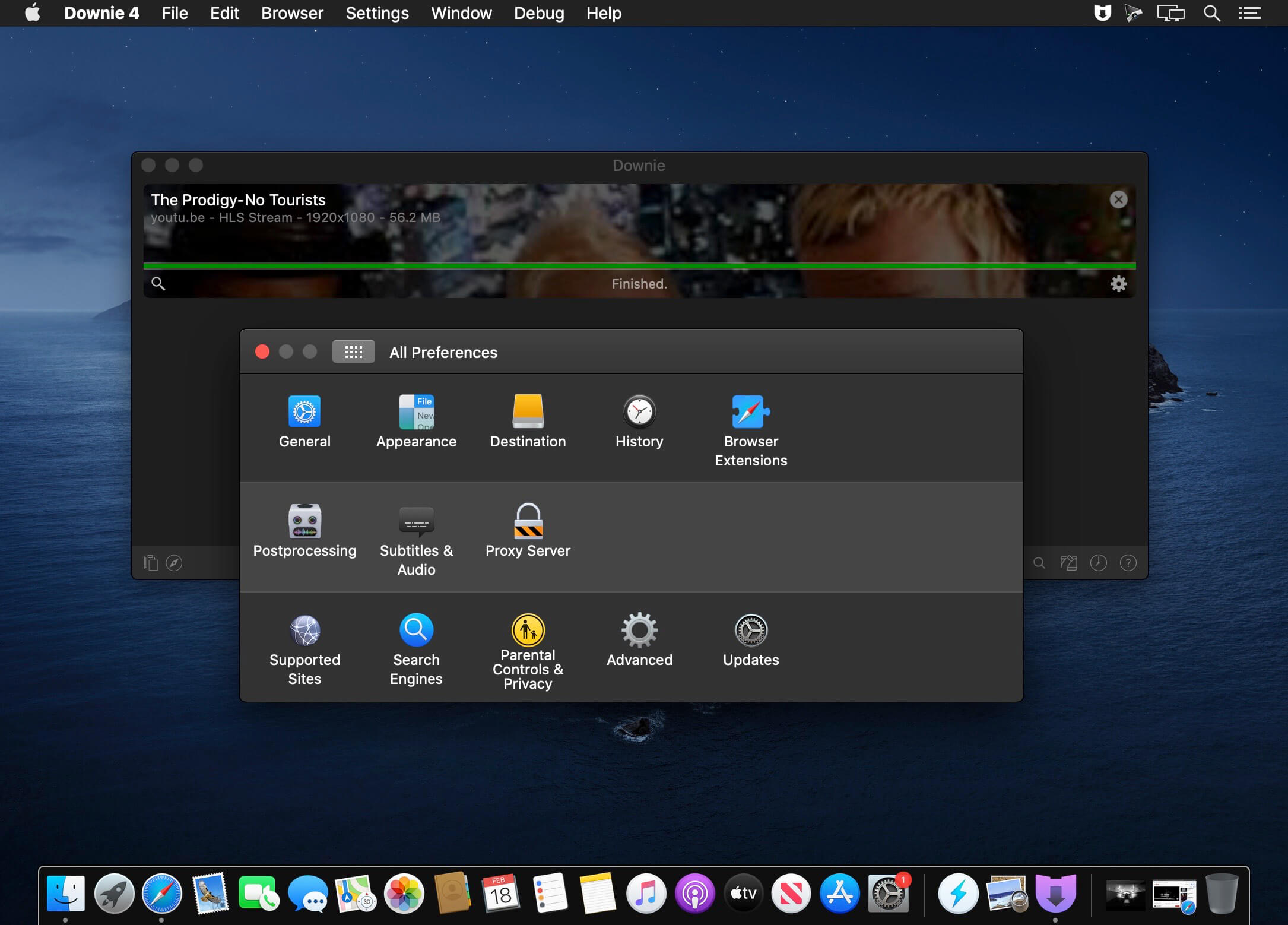
PullTube 1.8.5.69

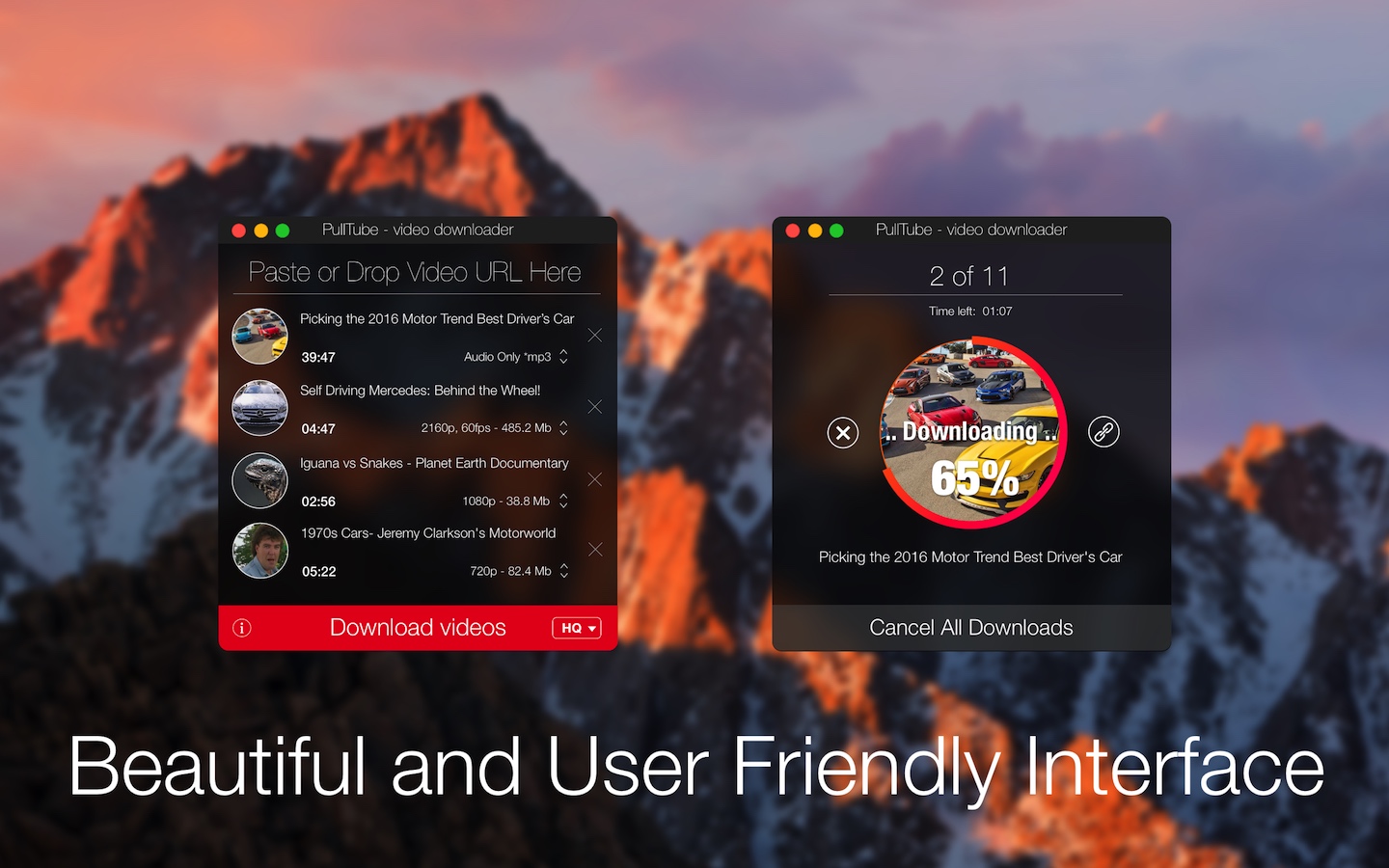
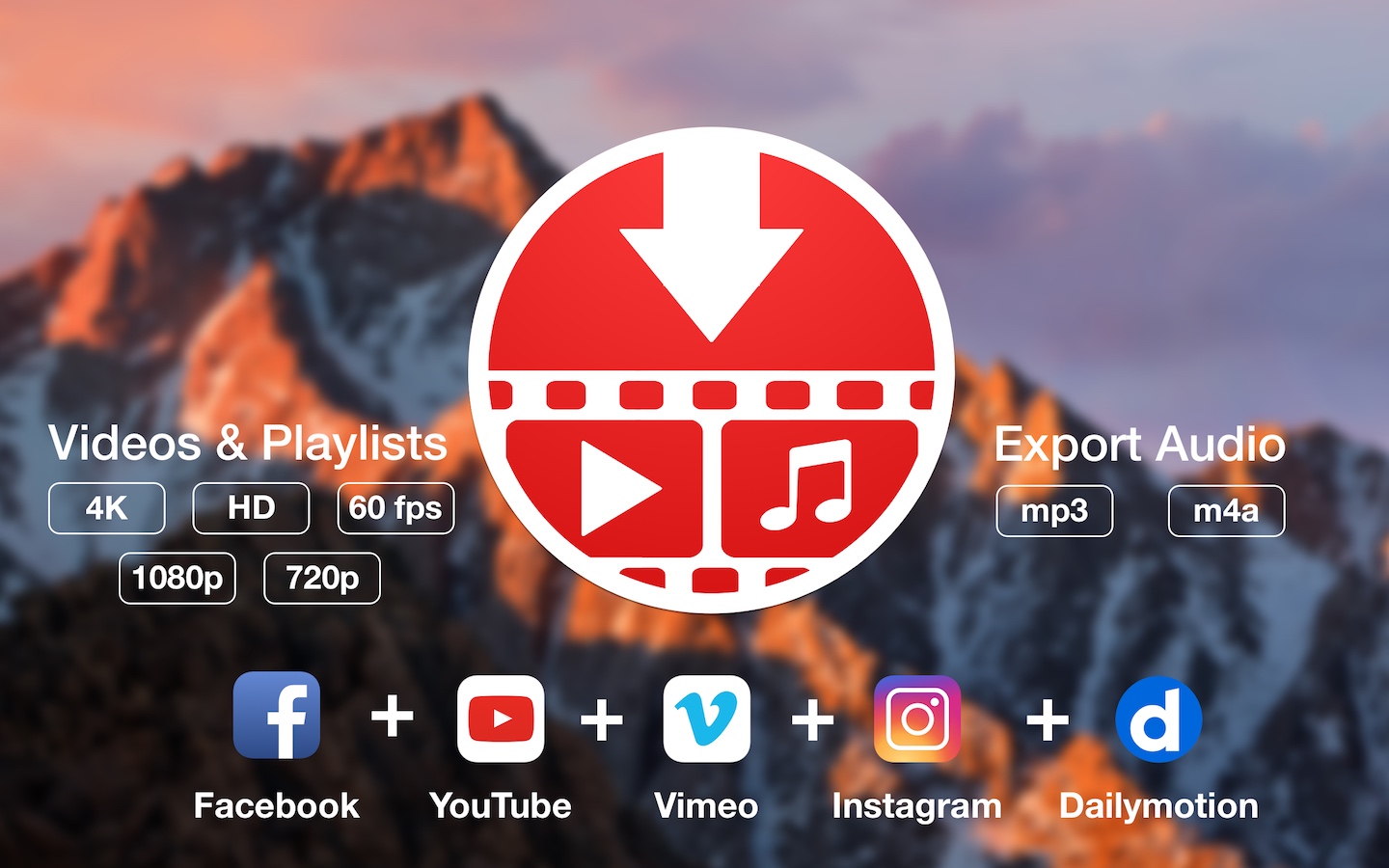
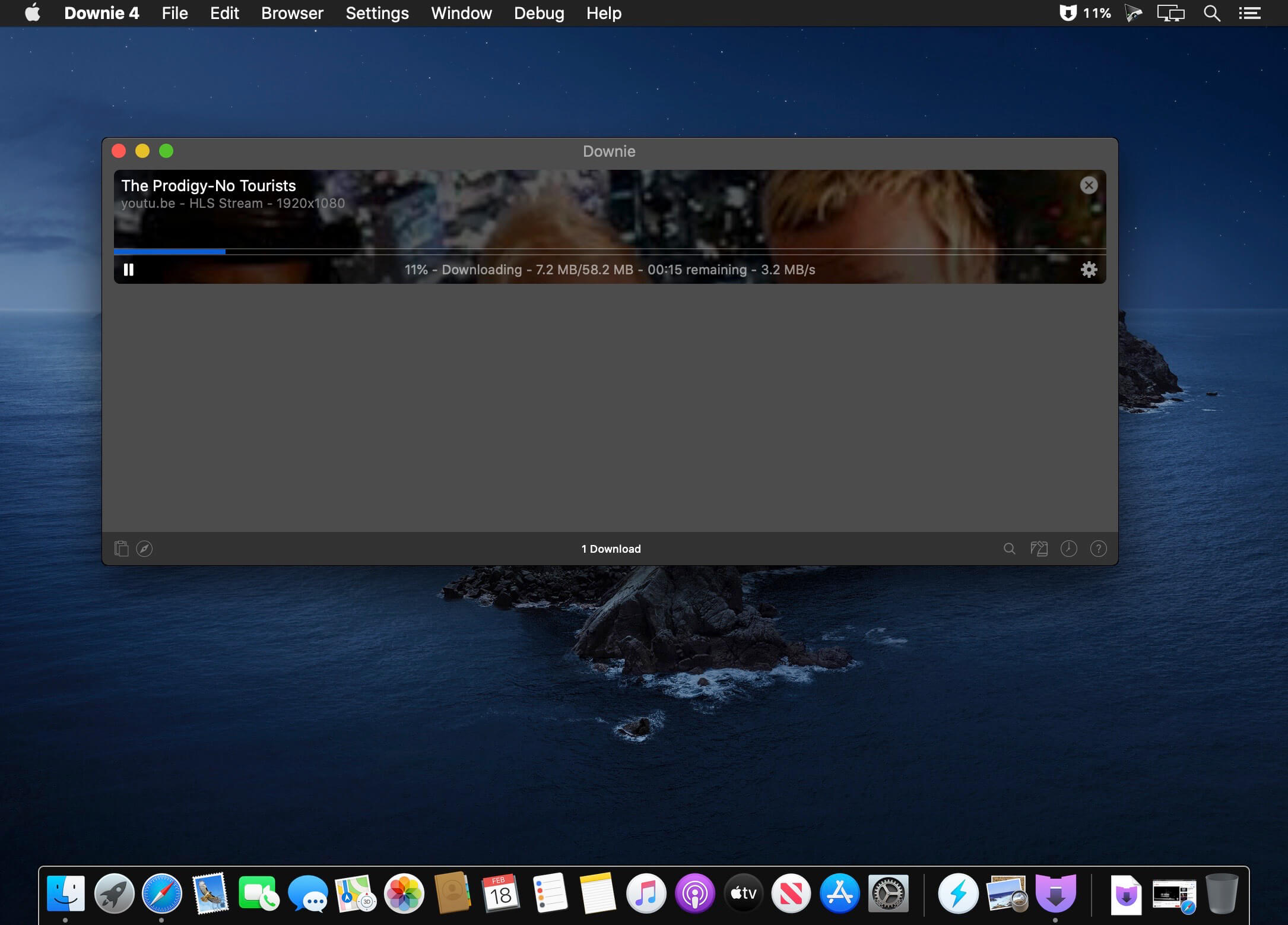
A beautiful online video downloader for your Mac PullTube proposes a streamlined workflow for quickly downloading videos from YouTube or Vimeo, provides control over the output quality, and enables you to extract the audio to MP3 or M4A files. The PullTube app can handle videos of any duration or size, and you get to monitor the download progress within its main window. The utility also integrates with the Notification Center to send completion alerts.

YouTube and Vimeo
Supports Youtube and Vimeo. More platforms to be added upon user requests.

4K, HD and 60fps support
PullTube allows you to download video in any format available

Video to Audio
Convert and save videos to mp3 and m4a

Beautiful and Flexible Interface
Nice looking, dark user interface

What’s New:

Version 1.8.5.69:

  • Release notes were unavailable when this listing was updated.

Compatibility: macOS 10.12
Language: Multilingual
Homepage https://mymixapps.com/pulltube

Screenshots


Name: PullTube_1.8.5.69_Mactorrents.Me.dmg
Size: 149 MB
Files PullTube_1.8.5.69_Mactorrents.Me.dmg[149 MB]


   Download Torrent

TunesKit AceMovi Video Editor 5.4.0

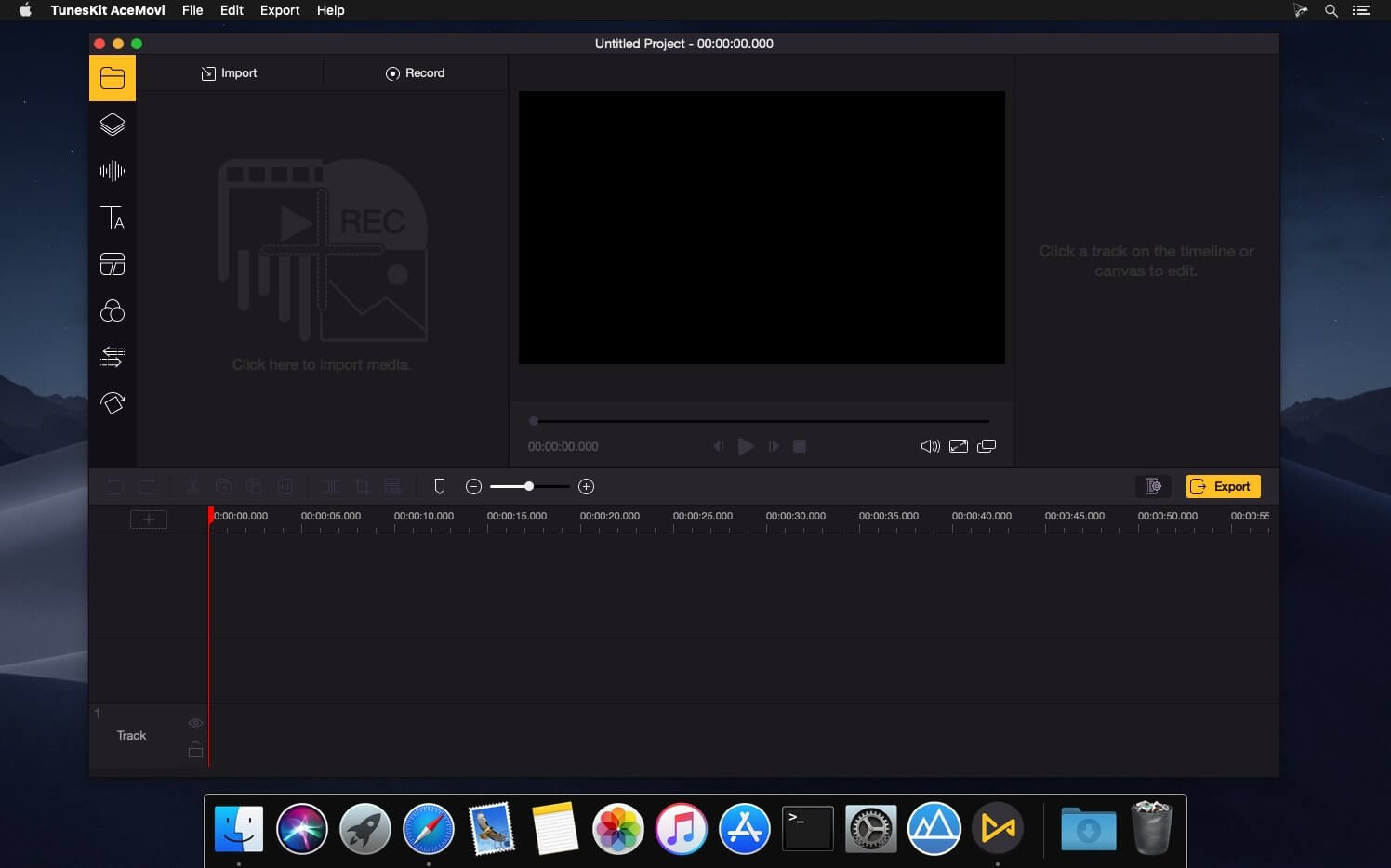
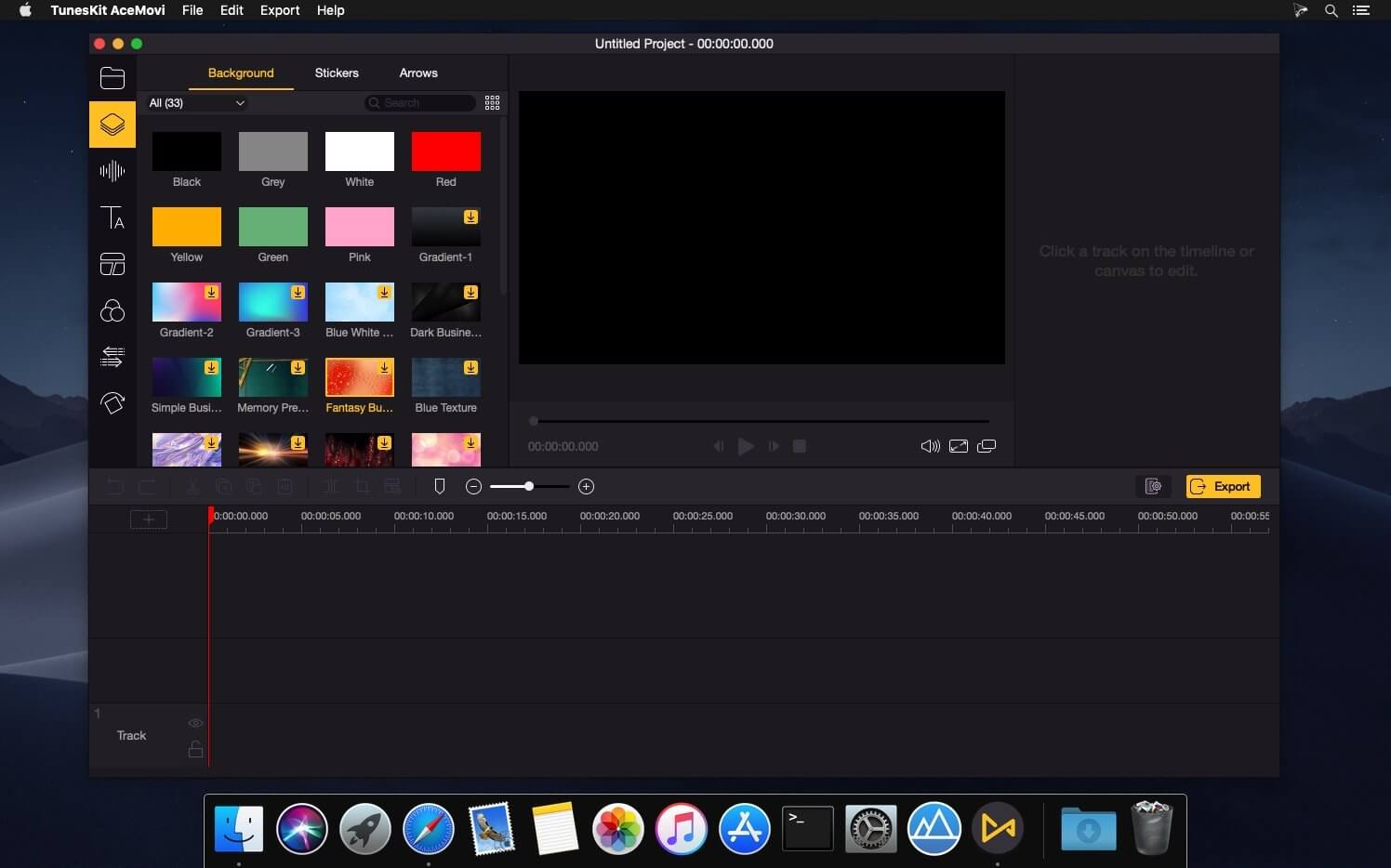
TunesKit AceMovi Video Editor can stand out from numerous similar video editor apps in the market is mainly because of its simple and intuitive interface, as well as a variety of powerful features. With this software, you can easily create high-quality videos on Mac and Windows, no matter you’re a pro or just about to video editing field. You can simply record your screen or import your media, drop and drop text, music, transitions, and more effects, and then export and share your video. Done!

After everything is well-tailored, you can now save your video to the local computer or share your story online like YouTube, Vimeo, Facebook, etc. It supports various popular video formats and devices incTunesKit AceMovi Video Editor can stand out from numerous similar video editor apps in the market is mainly because of its simple and intuitive luding MP4, M4V, MOV, MKV, MPG, 3GP, 3GP-2, OGV, iPhone, iPad, Apple TV, Galaxy series, Huawei, Xbox, PSP, LG TV, etc.

Compatibility: macOS 10.10 or later
Homepage https://www.tuneskit.com/

Screenshots


Name: AceMovi_Video_Editor_5.4.0_Mactorrents.Me.dmg
Size: 158 MB
Files AceMovi_Video_Editor_5.4.0_Mactorrents.Me.dmg[158 MB]


   Download Torrent

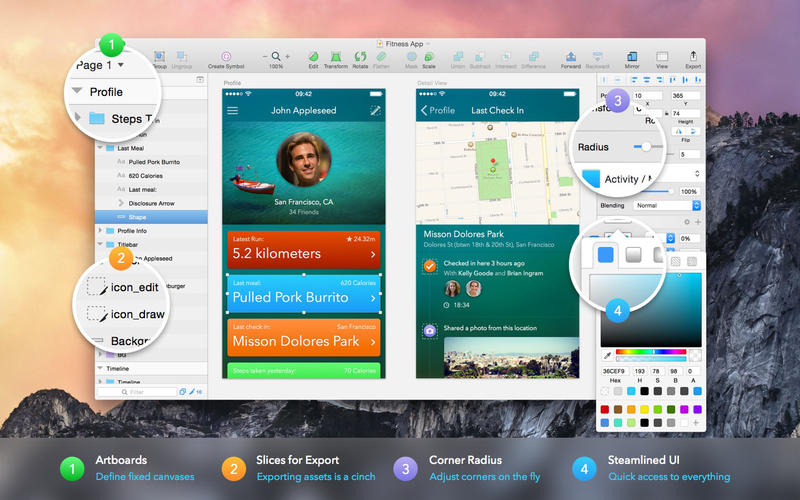
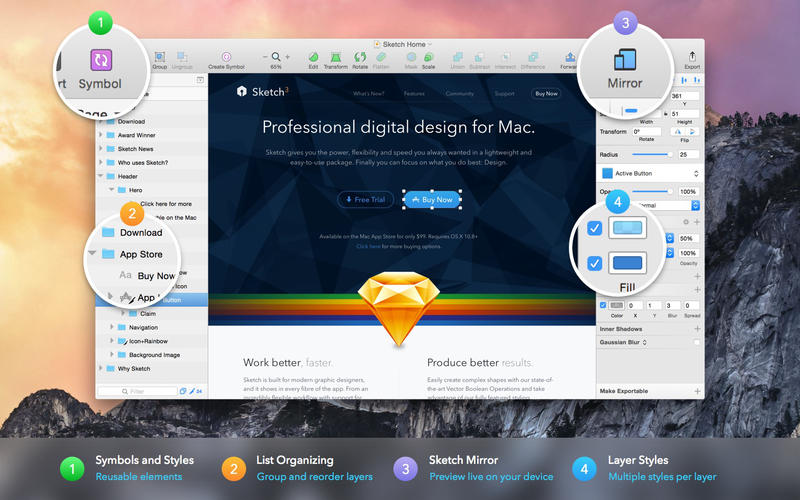
Sketch 2025.1.1

Sketch: graphic design for a digital world. Powerful tools and an elegant interface, in a single award-winning package. Because making beautiful things should be a joy, not a burden.

Sketch supports multiple fills, borders and shadows per layer; has powerful non-destructive boolean operations; smart pixel alignment; and makes exporting a breeze with automatic slicing and multiple resolution export.

Vector tools and basic shapes are the foundation; whether you are designing icons, websites, interfaces or anything else. Combine these into complex shapes with non-destructive boolean operations, leaving you free to edit them in the future, then apply advanced layer style options like multiple shadows, fills, gradients, noise, blending, background blurring, and more.

Sketch doesn’t just do shapes, of course. Imported images can be rotated, scaled, cropped and masked. The best-in-class text tool lets you add beautiful typography to your designs, using native font rendering, so you can be sure that text always looks 100% accurate!

Brand new to Sketch 3, Symbols allow you to reuse entire groups of content in multiple places in your design. Think of interface elements such as buttons, headers and footers. Change them once, and they update everywhere in your document.

Built for the Mac, Sketch supports OS X’s Versions and Auto Save, letting you focus on your work instead of hitting CMD+S. Keep your work safely in sync across multiple Mac computers with iCloud. And take Sketch full screen to maximise the size of your canvas.

All this power is deliciously baked into Sketch’s single-window interface. Everything is there, tucked away until you need it. A simple interface with powerful tools.

Compatibility: macOS 14.0 or later
Homepage https://www.sketch.com/updates/

Screenshots


Name: Sketch_2025.1.1_Mactorrents.Me.dmg
Size: 97 MB
Files Sketch_2025.1.1_Mactorrents.Me.dmg[97 MB]


   Download Torrent

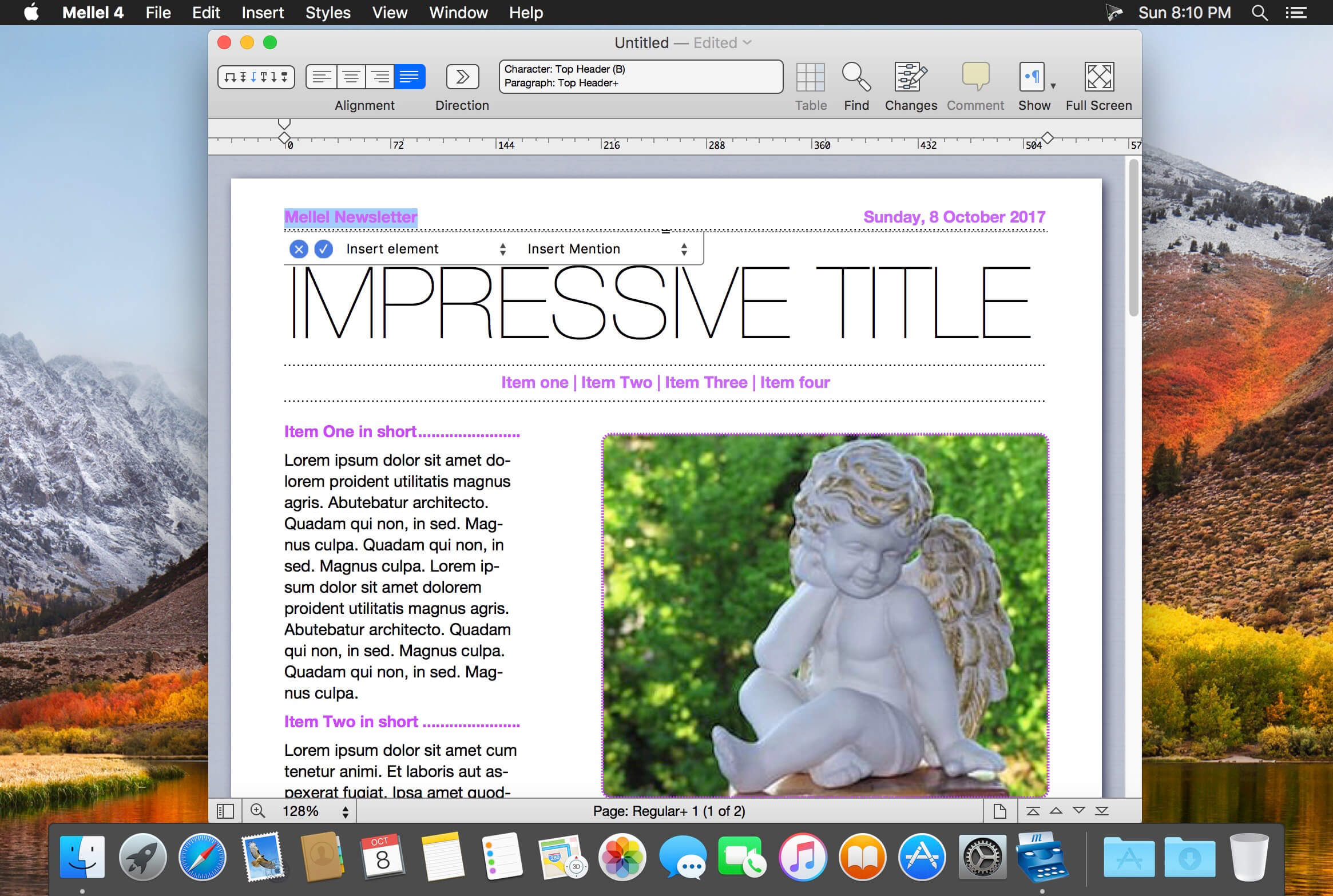
Mellel 6.3.3

Mellel is the leading word processor for macOS and has been widely considered the industry standard since its inception. Mellel focuses on writers and scholars for technical writing and multilingual word processing. It offers special tools to help you write and organize long documents easily. If you need multilingual support or are writing bi-directional text, Mellel is just the thing for you: Arabic, Persian, Hebrew, and Syriac never looked better on a Mac. Even if you don’t need all the bells and whistles, Mellel is still the right choice for you: clean, stable, and easy to use.

A Word Processor You Can Trust
Mellel gets the job done. It’s considered the leading word processor for complex documents. It’s stable. It’s trustworthy under real work pressure. Once you get it, you’ll wonder why you wrote with anything else.

An Outline and an Outliner
Mellel’s superb Outline feature allows you to organize your work. View, edit, and navigate your document. Reorganize sections with a click of your mouse.

Find. Replace. Repeat.
Mellel’s advanced find and replace tool turns hours of editing into minutes. Everything in any sequence can be searched, found, switched, and fixed. Save your find actions. Use them again and again to transform all your documents in seconds.

The Best Multi-language Support
Mellel was created to support multiple languages and script systems within the same document. It was the first and still is the best word processor for right-to-left writing systems.

The Best Index Tool
Create your index in half the time. Mellel’s Index feature tops similar tools in other word processors, and rivals dedicated Index applications.

What’s New:

Version 6.3.3:

  • Release notes were unavailable when this listing was updated.

Language: English, Czech, Dutch, French, German, Russian, Simplified Chinese, Spanish
Compatibility: macOS 10.13 or later
Homepage https://www.mellel.com/

Screenshots


Name: Mellel_6_6.3.3_Mactorrents.Me.dmg
Size: 108 MB
Files Mellel_6_6.3.3_Mactorrents.Me.dmg[108 MB]


   Download Torrent

RAW Power 3.4.28

RAW Power® has the best Finder, Photos and iCloud integration of any non-Apple photo app, plus advanced RAW editing, ratings and more.

RAW Power is three tools in one:

  1. A fast, non-destructive image editor app. No need to import – RAW Power can quickly browse any folder on your disk.
  2. An Apple Photos library app. It is also compatible with iCloud Photos, so any Photos library changes you make sync to your other Macs and iOS devices.
  3. A Photos editing extension.

Any way you use it, you get the same impressive editing features. With either app mode, you can rate, flag, and filter too.

RAW Power is great with JPEGs, with powerful adjustments absent from Apple’s Photos (such as LUTs, Depth Effect and Chromatic Aberration)

If you loved Aperture’s advanced RAW processing, you’ll feel at home with RAW Power. Adjustments like Boost, previously only available in Aperture, help you improve your images in ways that simply can’t be done in any other application.

OVERVIEW

  • ADVANCED RAW: Unlock the power of Apple’s RAW engine (previously only in Aperture). Unique adjustments improve photos in ways impossible in any other app.
  • ORGANIZE: RAW Power can organize and manage your Photos Library (requires Catalina). Fully compatible with iCloud Photo Library, so library changes are synced.
  • FINDER SUPPORT: RAW Power is a fast, standalone image editor with the same excellent non-destructive, RAW processing.
  • RATE & FILTER: Filter by file type, rating, flag, and edit state. Ratings and flags sync over iCloud Photos!
  • EDIT CROSS-PLATFORM: Start on one device and continue on another using RAW Power 3 for iOS (separate purchase). RAW Power is also a Photos editing extension with all the same adjustments.
  • BATCH PROCESSING: Apply presets, paste adjustments, and export images. Apply Auto Enhance or Auto White Balance to many images at once.

ORGANIZATION AND DISPLAY

  • Zoom up to 800% for extremely precise adjustments.
  • Create Photo library albums, delete images, and arrange images in albums.
  • View metadata such as file name, shot information, flash status, and location with map.
  • Browse folders on your disk or albums in your library, pick favorite folders
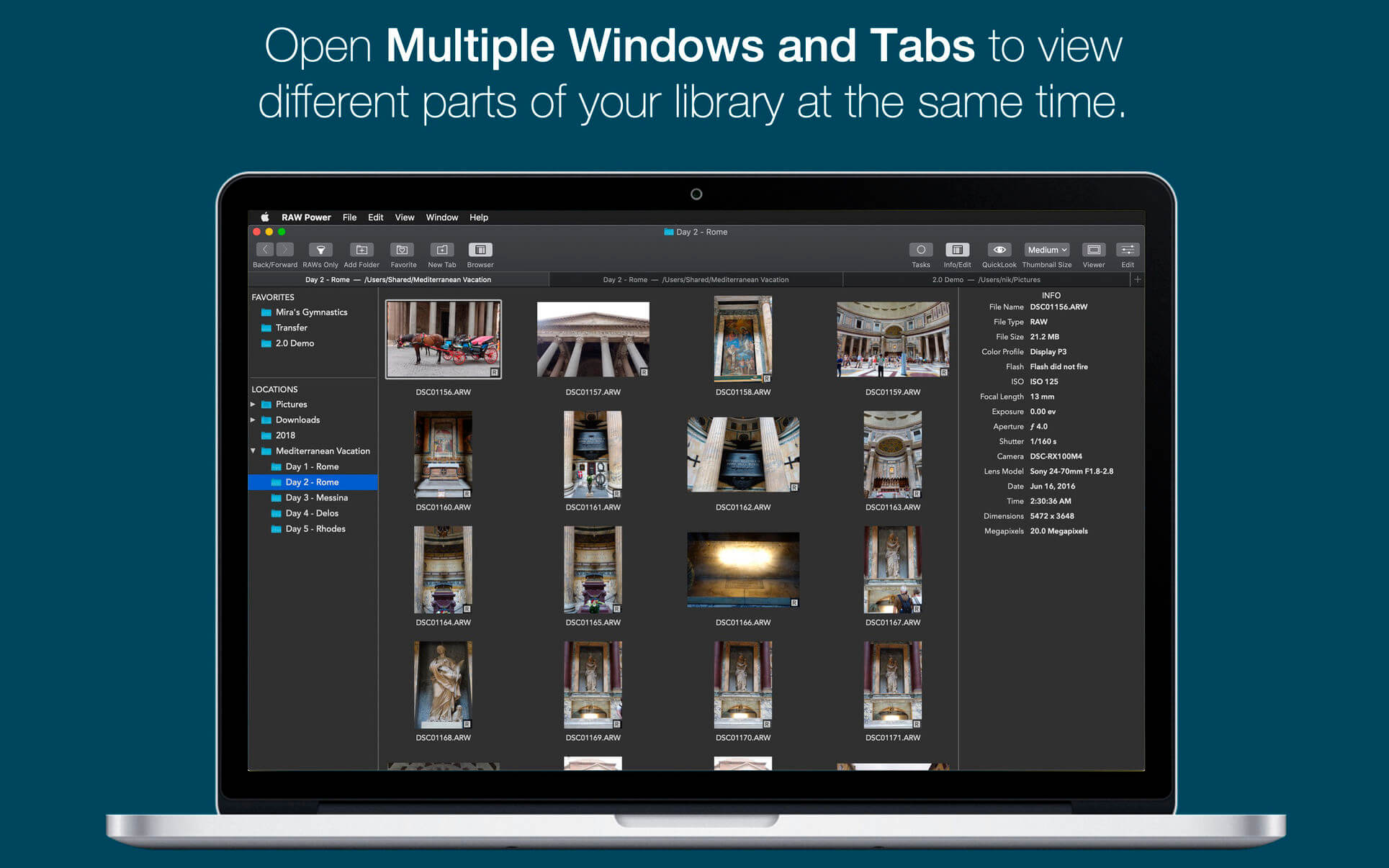
  • Multiple Windows / Tabs to view different parts of your disk or library at once
  • Open and edit multiple files at once
  • Thumbnail Grid with badges for edit state, file type, rating, and flags
  • Filter by file type, edit state, rating, flags and tags
  • Export with control over size, format, profile, and name
  • Apply Presets, Paste Adjustments, Export, and more with Batch Processing in the background

REAL-TIME EDITING

  • Compatible with hundreds of cameras, including iPhone RAW. (see https://support.apple.com/en-jo/HT210191). Fuji Compressed RAW is not supported. Supports most DNGs.
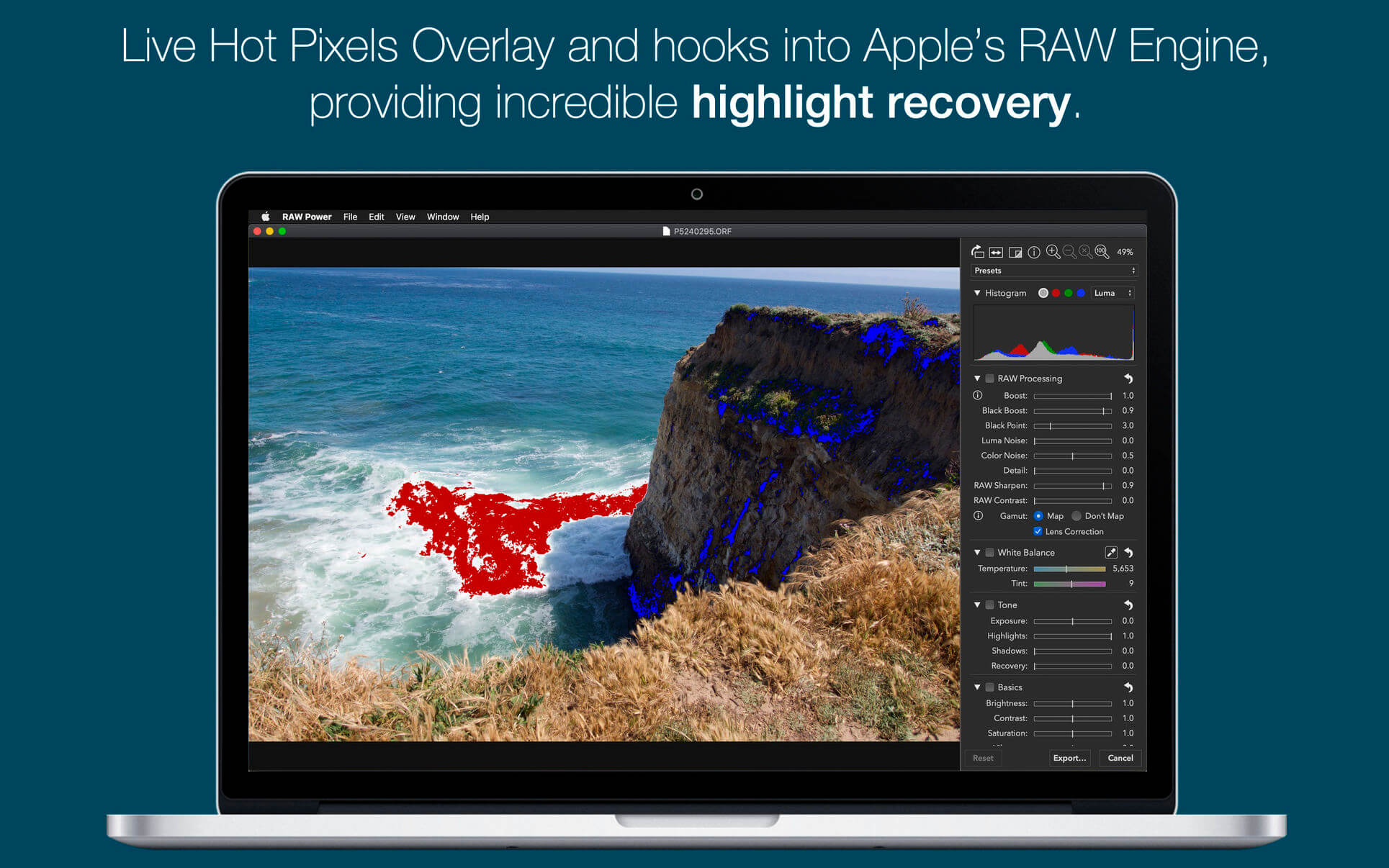
  • Unparalleled highlight recovery. Real-time control of Apple’s RAW, including Noise Reduction, Black Point, Gamut Mapping and more
  • Auto Enhance, Auto White Balance, Auto Levels and Auto Curves
  • Histogram with Clipping Indicators and Hot Pixels Overlay
  • LUTs (Look up tables) with built-in looks and film simulations. Add your own!
  • Crop and Straighten, Rotate and Flip, White Balance with sampler and auto
  • Highlights, Shadows, Vibrancy, Local Contrast and incredible Lighten and Darken sliders
  • Curves and Levels. Curves has Linear and Lab modes, and samplers
  • Depth Effect to enhance photos shot with the dual camera system
  • Chromatic Aberration to correct lens artifacts, Perspective, Black & White, Vignette with adjustable center point
  • Metal-based image processing engine for better performance. High-precision, deep color imaging.
  • Fully non-destructive editing, with all changes stored in sidecars
  • All sliders are real-time and GPU accelerated
  • Customizable Presets and Copy / Paste of adjustments
  • Camera Presets let you create a starting point for each camera model

Compatibility: macOS 10.14 or later
Homepage https://geo.itunes.apple.com/app/id1157116444

Screenshots


Name: RAW_Power_3.4.28_Mactorrents.Me.dmg
Size: 62 MB
Files RAW_Power_3.4.28_Mactorrents.Me.dmg[62 MB]


   Download Torrent

PDF Reader Pro 5.1.0

PDF Reader Pro is a PDF powerhouse that will fulfill all your document needs. Building on solid features such as Annotation, Edit, Form filling, OCR, Convert, Create, Sign, Bookmark and protect your PDF files, PDF Reader Pro allows you to maneuver through your PDF files.

PDF Reader Pro offers even more – Edit text in PDFs, merge and combine multiple documents, split your PDF into several files, insert pages from another PDF, Convert PDF to Word and any other Microsoft Office® formats. Carry just your PDFs and make your presentations with them under the Presentation Mode, work becomes effortless and more productive with lighter PDFs!

The app has a presentation mode that will allow you to showcase your PDF document to others. Now you can enjoy the best PDF to Office Converter! Export from PDF to Microsoft Word (.docx), PowerPoint (.pptx), Excel (.xlsx), RTF, HTML, Text, Image, CSV, and more Offline

Compatibility: macOS 11.0 or later
Homepage https://www.pdfreaderpro.com

Name: PDF_Reader_Pro_5.1.0_Mactorrents.Me.dmg
Size: 280 MB
Files PDF_Reader_Pro_5.1.0_Mactorrents.Me.dmg[280 MB]


   Download Torrent

SiteSucker Pro 5.7.1

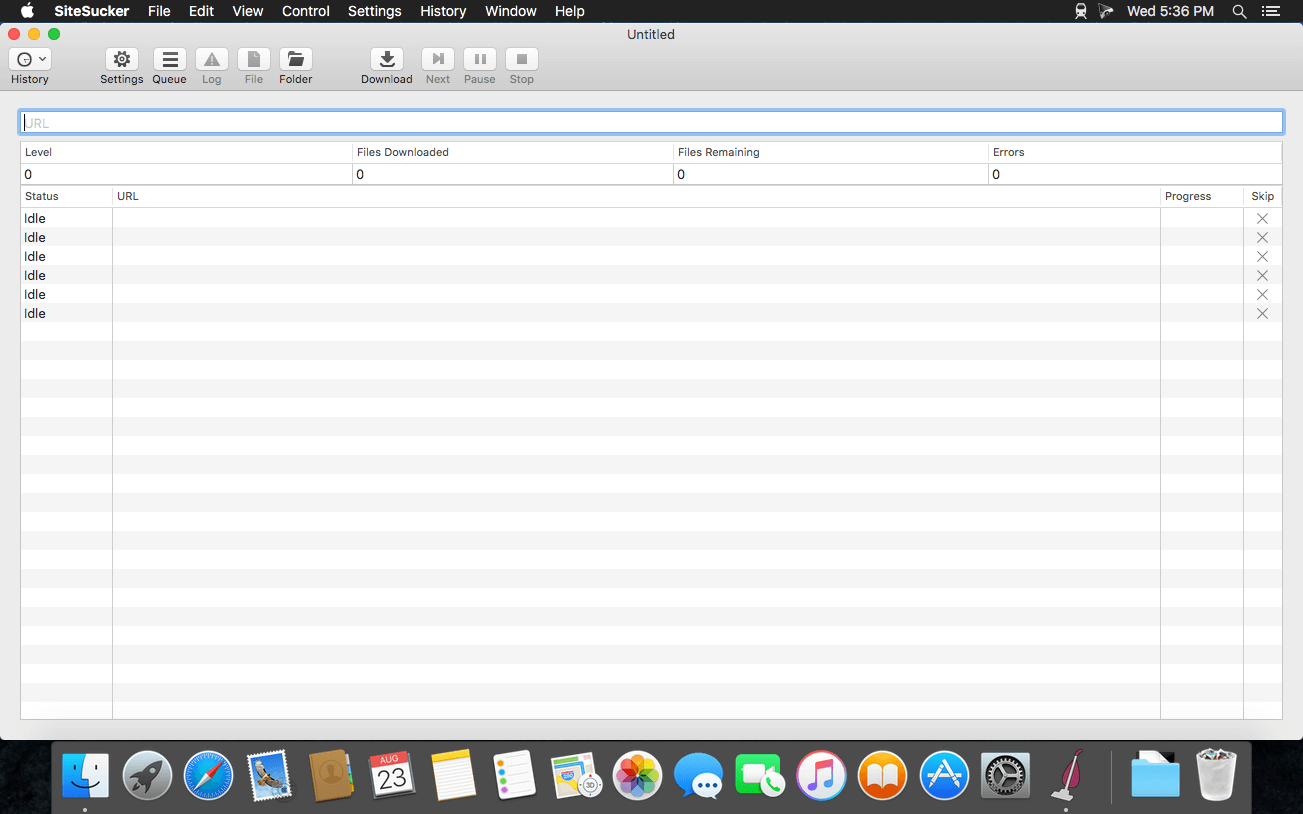
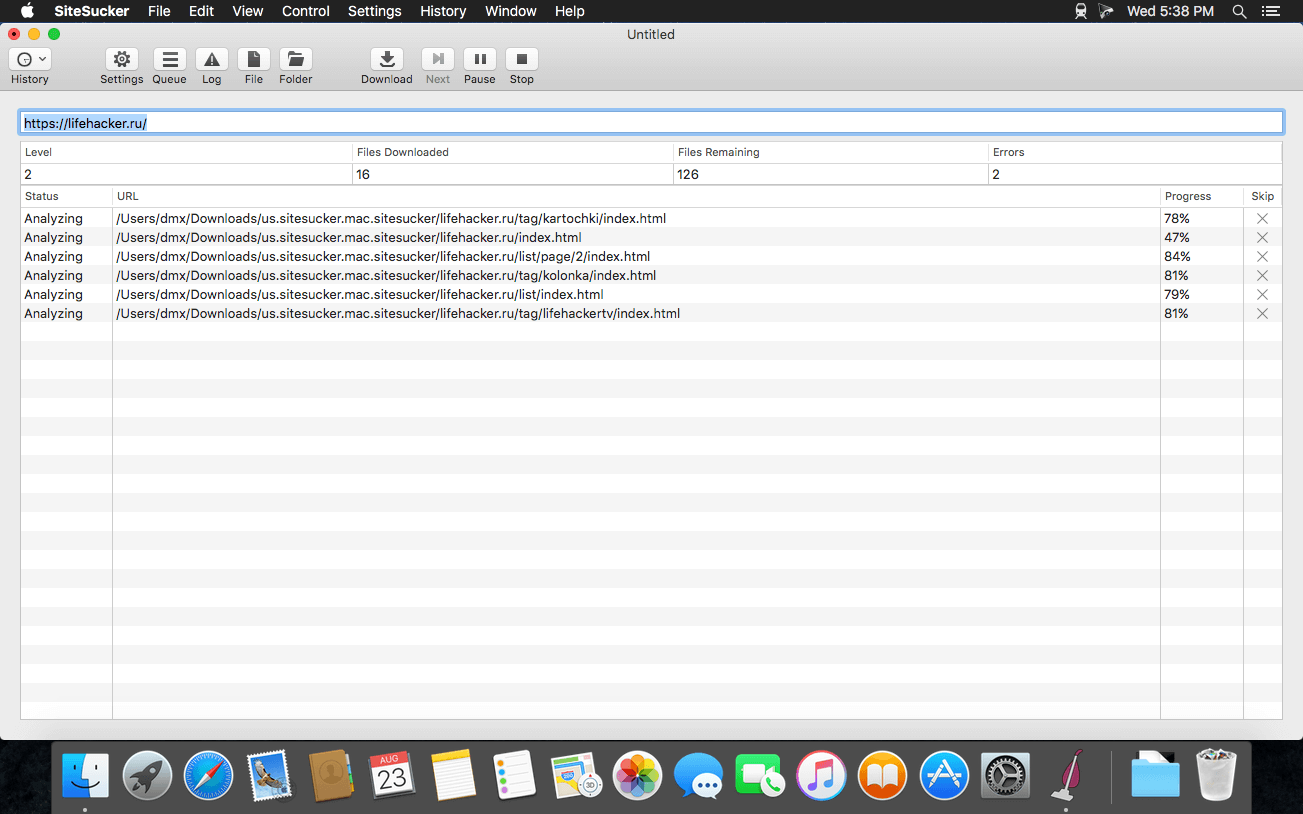
SiteSucker is an Macintosh application that automatically downloads Web sites from the Internet. It does this by asynchronously copying the site’s webpages, images, PDFs, style sheets, and other files to your local hard drive, duplicating the site’s directory structure. SiteSucker Pro is an enhanced version of SiteSucker that can download embedded videos, including embedded YouTube and Vimeo videos.

SiteSucker can be used to make local copies of Web sites. By default, SiteSucker “localizes” the files it downloads, allowing you to browse a site offline, but it can also download sites without modification.

Compatibility: macOS 11.0 or later
Homepage https://apps.apple.com/us/app/sitesucker/id442168834

Screenshots


Name: SiteSucker_Pro_5.7.1_Mactorrents.Me.dmg
Size: 6 MB
Files SiteSucker_Pro_5.7.1_Mactorrents.Me.dmg[6 MB]


   Download Torrent

USBclean 4.3.0

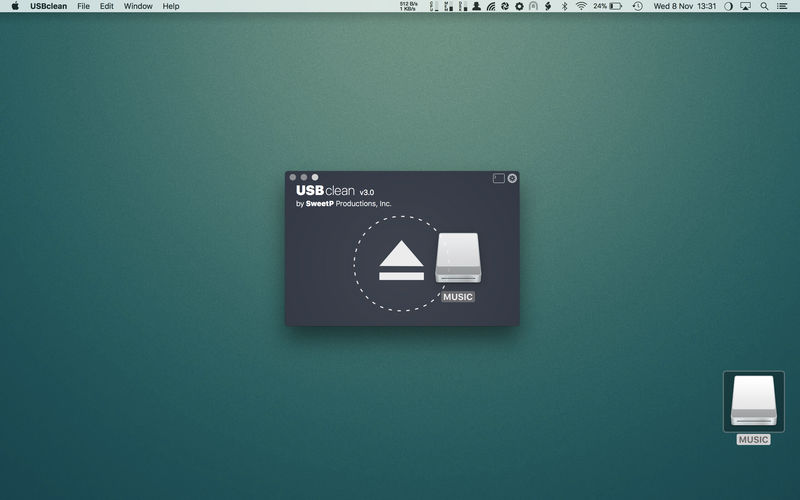
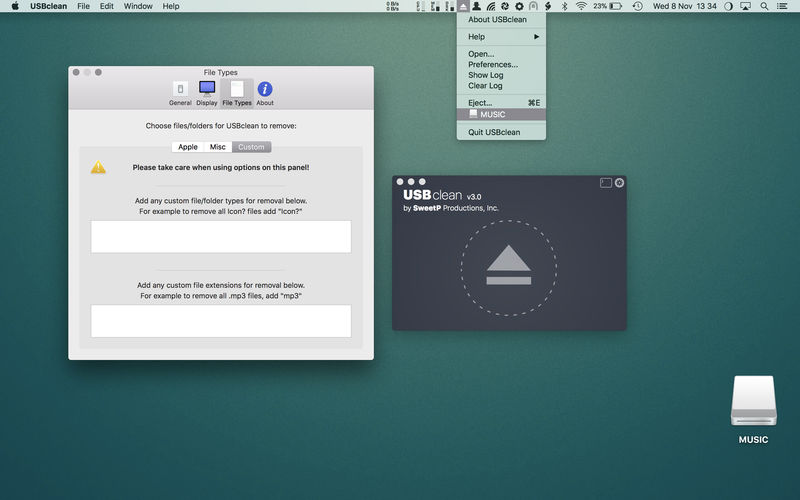
USBclean quickly and easily removes all those pesky junk and ghost files from your external Windows formatted USB drives. .DS_Store, Thumbs.db, .Spotlight, and trashes files take up precious space, and can cause issues on some devices. Remove them all quickly and easily with USBclean. Configure USBclean the way you want! Remove files by dragging your drive into the handy drop zone, from the system menubar, or by dropping straight onto the dock icon. You can easily configure USBclean to run only from the system menubar and open at login. It’s a snap to auto quit after dropping your drive onto the dock icon. USBclean always ejects your drive after cleaning for your convenience.

USBclean is useful for:

  • cleaning annoying files which don’t play on your media devices.
  • removal of Mac only files (useful when sharing USB drive with a friends PC).
  • removal of Windows only files which take up useful space
  • removing files of any number of (customizable) filetypes. [for instance, to quickly remove all m4a files from an external drive, go to the “File Types” preference-tab and quickly add “m4a” to the extensions field]

Note: Automatic eject is not available for all volume types.

Compatibility: macOS 11.0 or later
Homepage https://sweetpproductions.com

Screenshots


Name: USBclean_4.3_Mactorrents.Me.dmg
Size: 5 MB
Files USBclean_4.3_Mactorrents.Me.dmg[5 MB]


   Download Torrent

Folx GO+ 5.28

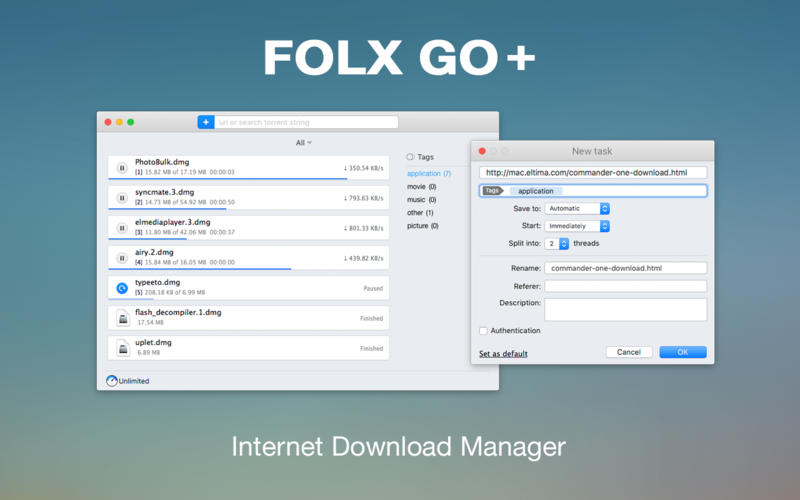
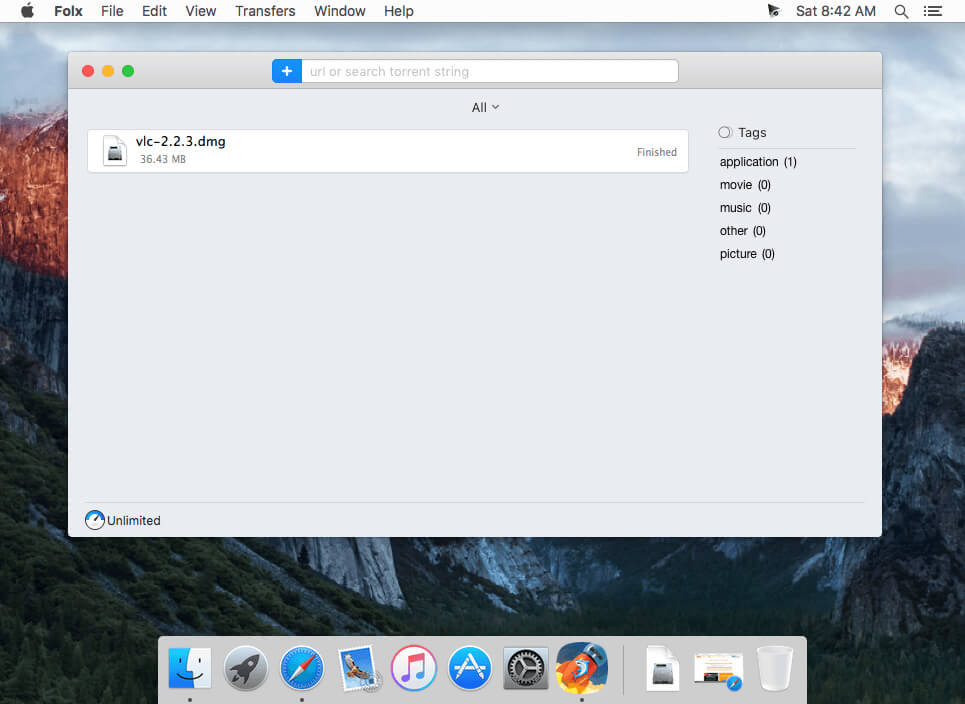
If you are looking for a powerful tool to manage and organize your downloads in a neat way Folx GO+ is just what you need.

With Folx GO+ you get the following:

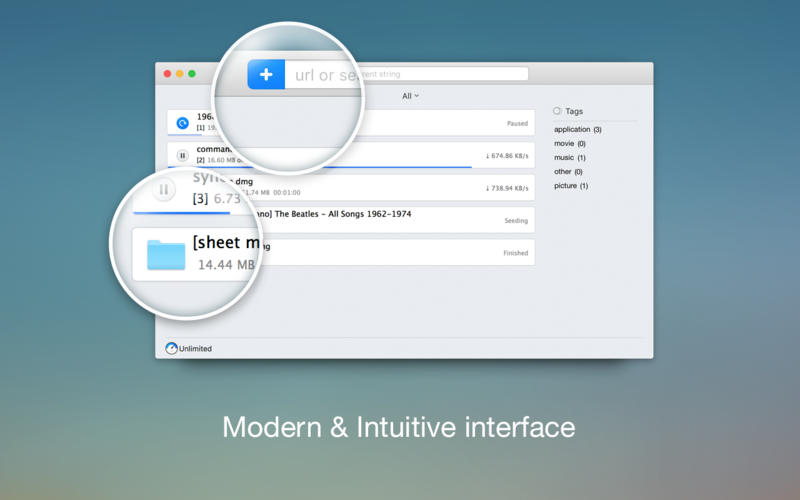
  • User friendly downloader with lots of cool options and modern Mac interface
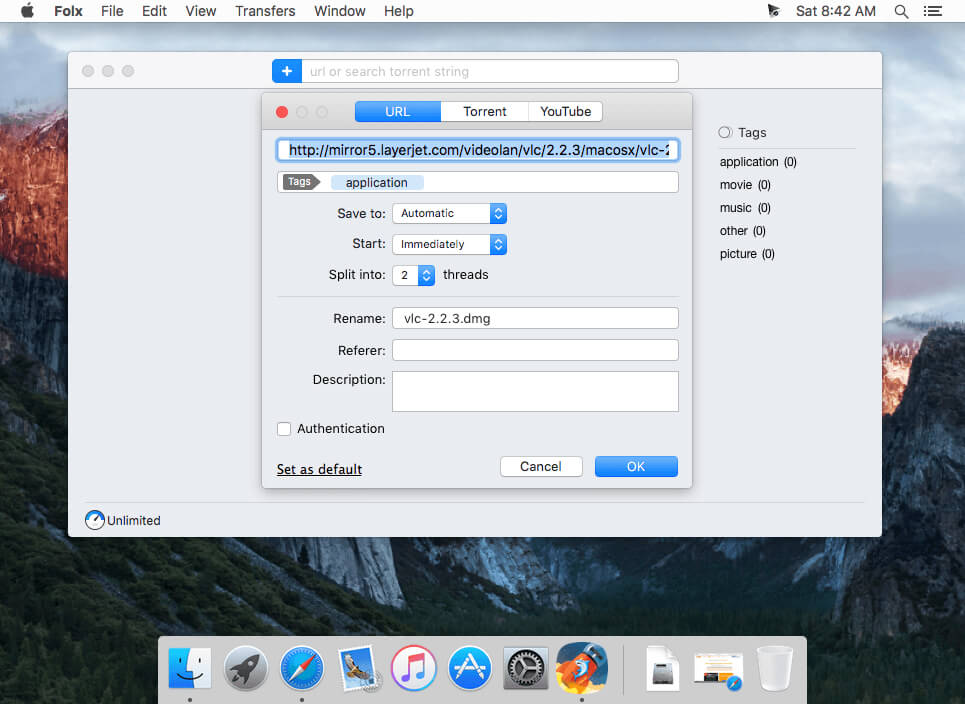
  • Folx GO+ is powered by a great feature to split downloads up to 10 threads. In this way the downloading speed will be increased dramatically.
  • Downloads Scheduler
  • You are able to set a time that is most convenient to start/stop the downloads.
  • Tagging system
  • For better search of downloaded data, assign one or more tags to each task. You can add tags during downloading progress or set them automatically.
  • Smart Speed Control
  • Allows controlling download speed with an added possibility to schedule specific speed for certain time and dates.
  • Integration to iTunes
  • All the downloaded data, whether it’s music or video, will be automatically integrated to iTunes playlist.
  • Save login and password
  • When starting new downloads from websites requiring authentication, Folx can remember login and password for easier downloading in the future. Folx Go+ can also save passwords for FTP and HTTP websites.

What’s New:

Version 5.28

  • Improved: functionality with enabled proxy.
  • Many other fixes and improvements.

Compatibility: macOS 10.13 or later
Language: English, French, German, Italian, Japanese, Korean, Portuguese, Russian, Simplified Chinese, Spanish, Vietnamese

Homepage https://itunes.apple.com/app/folx-go+/id823528286

Screenshots


Name: Folx_GO__5.28_Mactorrents.Me.dmg
Size: 17 MB
Files Folx_GO__5.28_Mactorrents.Me.dmg[17 MB]


   Download Torrent

Plugin Alliance Maor Appelbaum Mastering & Hendyamps THE OVEN 1.2.0

THE OVEN is not a typical EQ or saturator. It’s a colorful “Mojo Box” designed to “Cook, Bake & Broil” any sound source, whether an individual track, stem, group, mixbuss or mastering chain. From subtle hi-fi enhancement to aggressive drive, it will add warmth, size, depth, color and sizzle to your tracks.

The color of tubes and solid state combined
Designed by world renowned mastering engineer Maor Appelbaum and acclaimed analog hardware designer Chris Henderson, THE OVEN is an “out of the box” take on tonal coloration that is quickly making fans out of producers, engineers, mixers, mastering engineers and composers alike. Bringing together the best of classic meets modern tube and solid state designs, it features a unique set of controls for intuitive, creative and FUN tone tweaking.

One-of-a-kind operation that’s easier than scrambling an egg
The controls on THE OVEN may seem unusual at first—but that’s a feature, not a bug. They are designed to help you turn off your technical mind and start making bold and creative choices immediately. Use the COOK control to add thick bloom, pentode tube drive, and the three BURNERS to layer in multiband saturation and tonal shaping options. Turn up the TEMP to push them harder for added color and mojo, or switch from BAKE to BROIL and ELEC to GAS to change the voicing and response of the tube circuit. Adjust controls like BURN TYPE, BUNSEN and SIZZLE to quickly dial in freshly baked new sounds. To get memorable and useful tone, you don’t even have to know what these controls are supposed to do! Just let your taste and imagination guide you, and you’ll love what you hear.

Further enhanced with digital-only features from Brainworx
This adventuresome plugin has additional features that are not in the original hardware thanks to the retractable Extra Unit from Brainworx, which adds in the Mono Maker, Stereo Width control, TMT and more.

→ FEATURES:

• Emulation of the Mastering Grade Mojo Box THE OVEN, endorsed by Maor Appelbaum & Hendyamps
• Immediately add Warmth, Size, Depth, Mojo, Vibe, Color, Saturation and Sizzle to your tracks with fun and intuitive controls
• Use the COOK knob to add tube color, adjusting the tube’s voicing with BAKE/BROIL and its intensity and drive mode with ELEC/GAS
• Twist the three BURNERS for frequency specific saturation, and adjust their BURN TYPE to switch between carefully curated frequency ranges
• Add Upper range SIZZLE or kick the high burner in BUNSEN mode for extra presence that will open up more detail
• Increase the color and drive by turning up the TEMP
• Brainworx ́ TMT inside: Tolerance Modeling Technology (TMT, US Patent No. 10,725,727) simulates channel-to-channel variances in electronic components for the most realistic analog sound in the box
• Mono-Maker – sums your low-frequency content to mono, giving you focused, punchy bass response
• Stereo Width – to expand the stereo width of your tracks
• Separate Mono Version – for using individual tracks such Kick Drum, Snare, Bass, Vocals, etc.
• Scalable User Interface
• Artist Presets from Bob Horn, Chris Henderson, Kane Churko, Yoran Vazan, Jordan Stillwell, Geoff Swan and Maor Appelbaum

Compatibility: macOS 12.0 or later • Apple Silicon or Intel Core processor
Homepage https://www.plugin-alliance.com/en/products/the_oven.html

Name: Plugin.Alliance.Maor.Appelbaum.Mastering_Hendyamps_THE_OVEN_1.2.0
Size: 89.29 MB
Files Plugin.Alliance.Maor.Appelbaum.Mastering_Hendyamps_THE_OVEN_1.2.0.dmg [89.29 MB]


   Download Torrent

Disk Drill Enterprise 6.0.2019

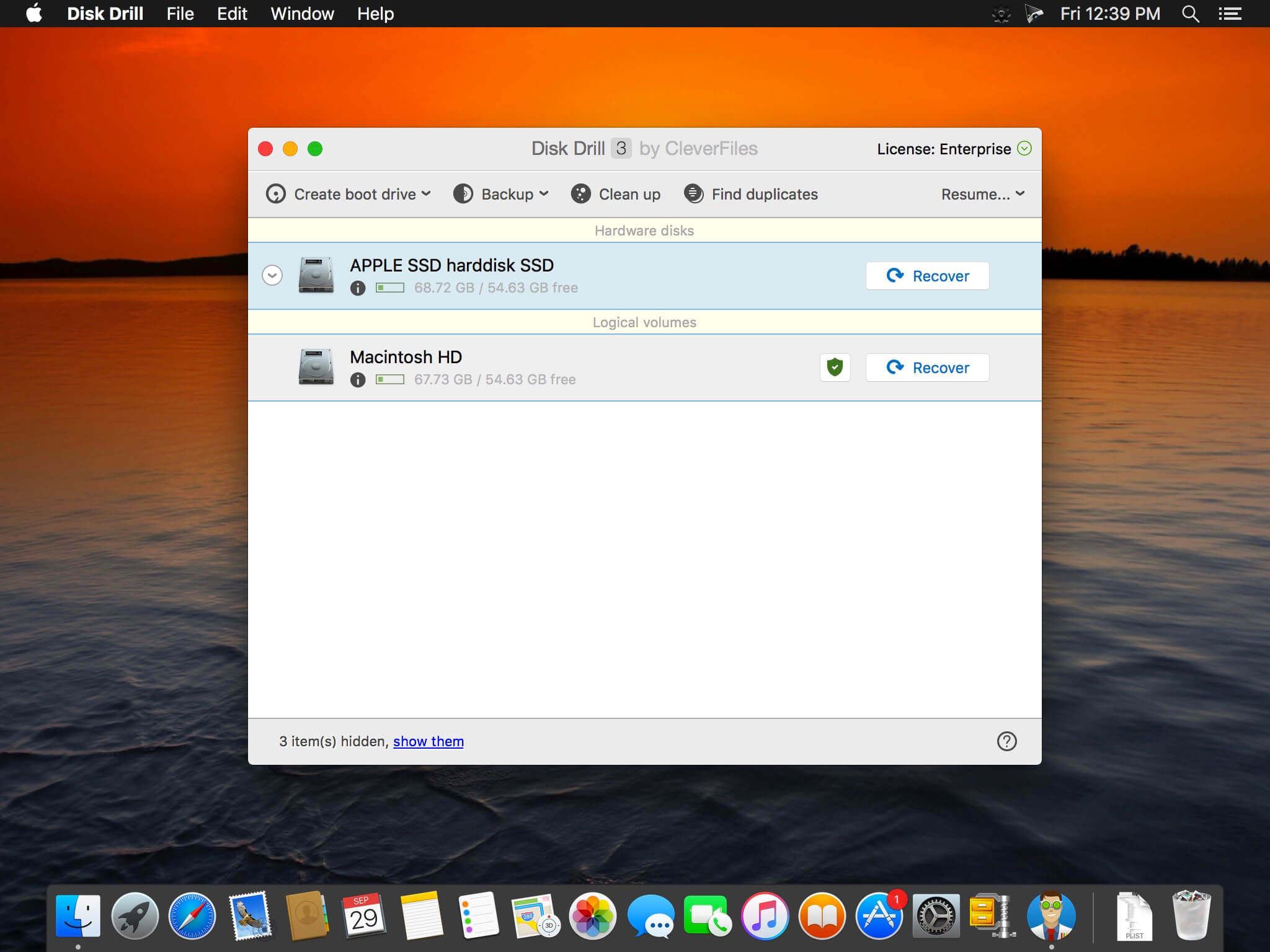
Disk Drill is a Mac data recovery software designed natively for Mac OS: easily protect your files from accidental deletion with Recovery Vault and recover lost data from Mac disks. Most of storage devices, file types and file systems are supported. You can recover deleted files from iPhone and Android devices! Disk Drill offers helpful and free tools for disk management like duplicate file finder, byte-to-byte backups, disk cleanup and space visualization, bootable data recovery drive, disk health monitoring, etc.

When something is deleted Recovery Vault makes it possible to recover not only the file itself, but also its properties, such as original file name, location, etc. So you will always be able to recover data from Mac files system (HFS/HFS+) and FAT32 partitions. Disk Drill also includes powerful S.M.A.R.T. disk monitoring right out-of-the-box; you can monitor your disks’ hardware status and get automatic notifications of potential failures or other issues. If a disk or partition is failing, you can easily backup it into a disk image (DMG) which can later be mounted for recovery.

Disk Drill PRO also features a number of advanced scanning modes for data recovery of FAT, NTFS, HFS/HFS+, other file systems and formatted (initialized) drives. Using Quick Scan you can locate deleted items on FAT and NTFS disks, this scanning method is fast and accurate, but is unlikely to find data deleted long ago. With Deep Scan you can try to recover data from any disk or memory card regardless of their file system. This recovery method is long and thorough, it scans your disk in a binary mode and is capable of finding deleted files even after formatting.

What’s New:

Version 4:
Better Interface
Easier access to numerous features + faster and more informative scans + simple yet powerful management of found items + embedded preview = the elevated user experience! Enjoy simpler scan progress notifications and embedded tutorials.

More Files Found
Updated FAT32, NTFS, HFS+ and APFS recovery algorithms, powered by Disk Drill’s clever scans, simply find more recoverable files. In many test cases we’ve seen up to a 200% recovery efficiency and quality boost.

Data Shredder
Securely delete any files and folders, for good! This new free module will destroy unwanted files on your storage device beyond any future recovery.

Time Machine Recovery
Analyze your Time Machine backups and safely extract any data you may need. No need to restore or roll back your historic snapshots.

Ready for macOS 11 Big Sur
We haven’t just brought the long-awaited Dark Mode to Disk Drill, we’ve also optimized it for the new macOS in terms of features, internal technologies, code, speed, etc.

Ready for iOS 14
Disk Drill’s iOS recovery not only gets highlighted in the new sidebar as a separate recovery mode, we’ve also added support for the all-new Apple’s iOS 14.

New Disk Image Formats
Got an unsupported disk image that you would want Disk Drill to scan for lost data? We are adding the support of DSK, BIN, DAT, RAW, and DD formats to our arsenal.

More Free Tools
We are adding Data Shredder and Free Disk Space Erasure as separate free extras that help prevent further data recovery. In addition to your entire drives, Clean Up mode can now map specific folders.

*** You need to disable the System Integrity Protection (SIP) to perform the selected Application.

Compatibility: macOS 10.15 or later
Homepage https://www.cleverfiles.com/mac-data-recovery.html

Screenshots


Name: Disk_Drill_6.0.2019_Mactorrents.Me.dmg
Size: 66 MB
Files Disk_Drill_6.0.2019_Mactorrents.Me.dmg[66 MB]


   Download Torrent

OmniReader Pro 3.2.8

Read EPUB,CHM,MOBI… use it.. GM Reader is a fully functional book Reader with a simple and beautiful interface and a good reading experience.
Features

  • Supports reading EPUB, CHM and Kindle files.
  • Support single page search and full text search, and highlight search results.
  • Support the forward and backward browsing history.
  • Supports page turning, zooming, and sidebar shrinking.
  • Support page printing.
  • Support to view the basic information of the file.
  • Supports file export to EPUB, PDF.
  • Support to extract all images in the file.
  • Support file coding, deal with the problem of garbled code.
  • Support image adaptive, automatically adjust the size of the picture.

Bookrack

  • All the files you have read will be saved in the bookshelf for quick review next time.
  • Supports file drag and drop addition.

Top In-App Purchases: Pro Version – included

Compatibility: macOS 10.13 or later
Mac App Store https://apps.apple.com/pk/app/omnireader-file-explorer/id1510511137

Screenshots


Name: OmniReader_3.2.8_Mactorrents.Me.dmg
Size: 32 MB
Files OmniReader_3.2.8_Mactorrents.Me.dmg[32 MB]


   Download Torrent

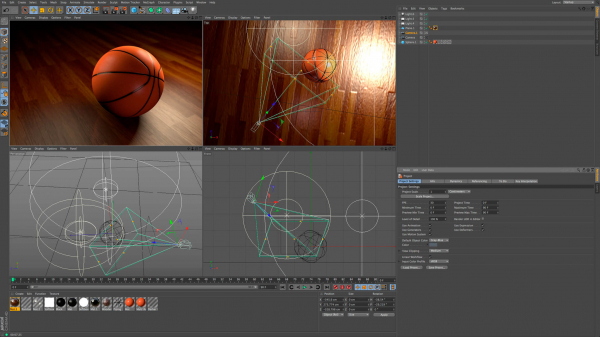
Maxon Cinema 4D 2024.2.0

Cinema 4D is a professional 3D modeling, animation, simulation and rendering software solution. Its fast, powerful, flexible and stable toolset make 3D workflows more accessible and efficient for design, motion graphics, VFX, AR/MR/VR, game development and all types of visualization professionals. Cinema 4D produces stunning results, whether working on your own or in a team.

Cinema 4D 2024 provides unmatched speed and performance for the most sophisticated creative scenes. Rigid Body Simulations can now interact with all existing forces, pyro, cloth and soft bodies. Pyro shines with a hot new feature that allows fire to be emitted from particles and matrices. And the new Vertex Normal tools offer artists unparalleled precision to perfect surfaces.

– Cinema 4D 2024 is more than twice as fast as previous versions – through the power of Maxon’s brand new core that optimizes speed and performance.

– Thanks to the addition of Rigid Body Simulations to Cinema 4D’s Unified Simulation System, solid objects can now interact with all simulation types in the scene – be it soft bodies, cloth, ropes or Pyro.

– Pyro now offers more precise controls for artists to art direct their simulation and ensure it matches their vision. By adding the Pyro tag to standard particle emitters, thinking particle geometries and matrix cloners, they can now emit Pyro. This enables artists to create filmic scenes with fire, smoke trails and explosions or visualize beautiful fireworks in the night sky. With the help of UpRes, creatives can use a lower resolution simulation for quicker turnarounds during the art direction and concepting stage of a project and then render the simulation in full quality for final output.

Compatibility: macOS 10.13 or later
Homepage https://www.maxon.net/en/

Screenshots

Name: C4D_2024.2_Mactorrents.Me.dmg
Size: 721 MB
Files C4D_2024.2_Mactorrents.Me.dmg[721 MB]


   Download Torrent

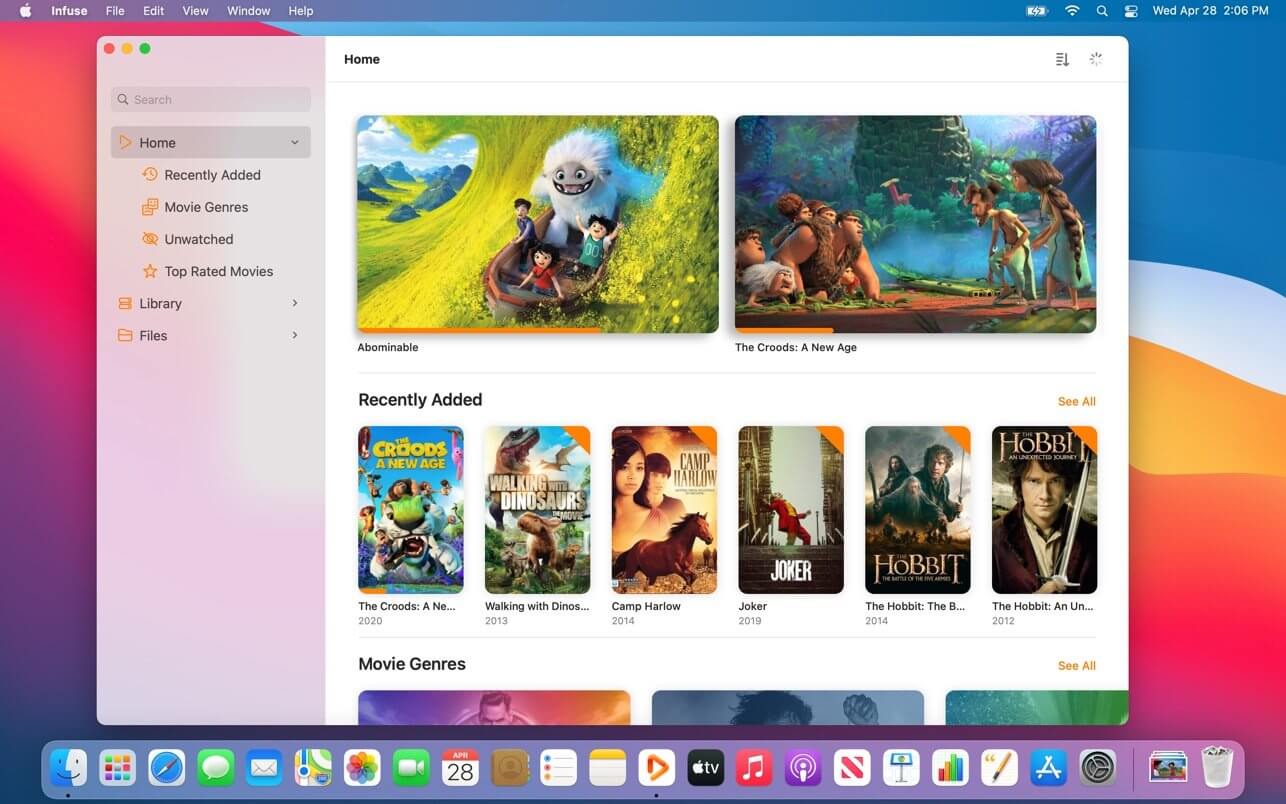
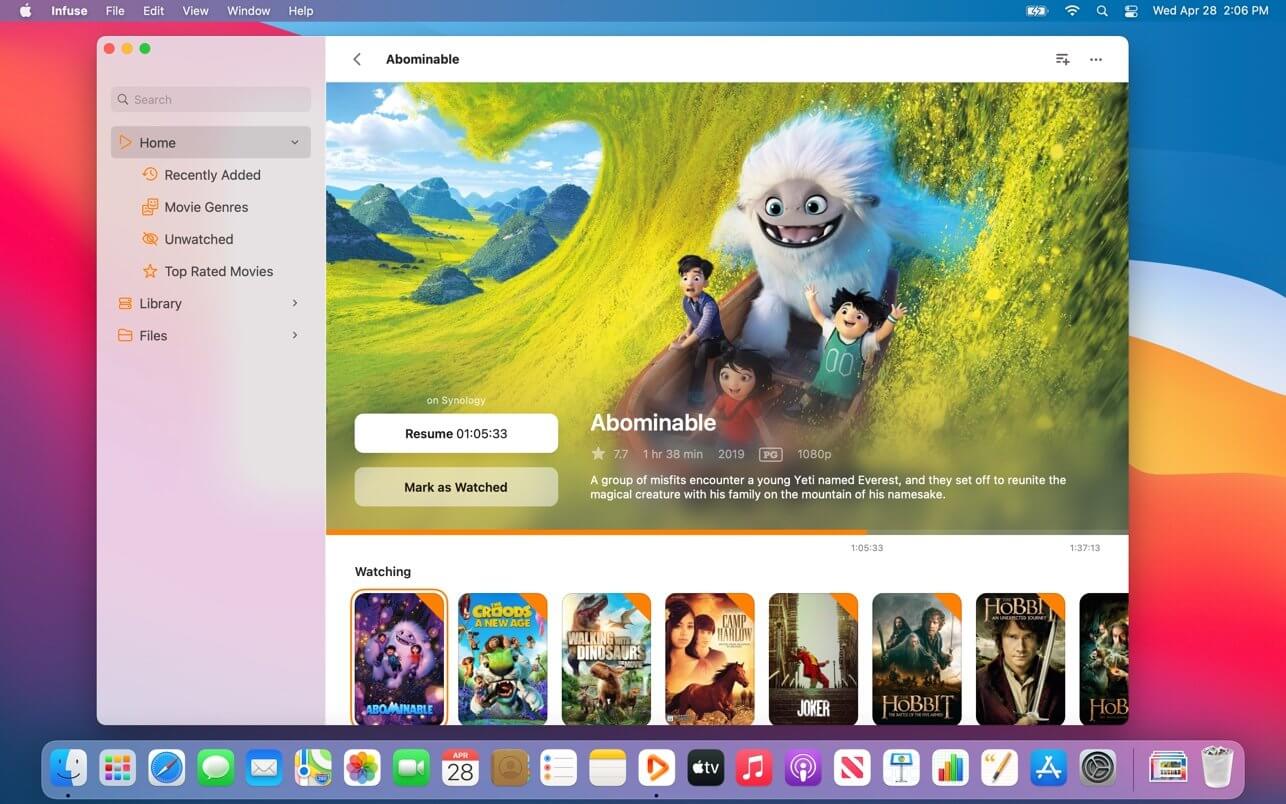
Infuse Pro 8.1.8

Infuse – the beautiful way to watch almost any video format on your iPhone, iPad, Apple TV, and Mac. No need to convert files! Infuse is optimized for macOS 11, with powerful streaming options, Trakt sync, and unmatched AirPlay & subtitle support. Gorgeous interface. Precise controls. And silky-smooth playback.

PLAY MORE VIDEO TYPES
A powerful video player that plays just about anything, including the standard MP4, M4V and MOV – plus MKV, AVI, WMV, MTS, ISO, VIDEO_TS, FLV, OGM, OGV, ASF, 3GP, DVR-MS, WebM, and WTV. Includes fully certified Dolby® Digital Plus (AC3/E-AC3), DTS® and DTS-HD® audio.

STREAM FROM OTHER DEVICES
Browse and play videos stored on your Mac, PC, NAS, Wi-Fi hard drive, apps like Plex, Emby, and Jellyfin, or from cloud services like Dropbox, Google Drive, OneDrive, Box, pCloud, Yandex.Disk, and Mega.nz – no syncing required!

TRAKT 2-WAY SYNC
Connect with Trakt to sync watched history, submit ratings and post comments.

OPTIMIZED SUBTITLES POWERED BY OPENSUBTITLES
Bring your own subtitles, or download them on the fly (for free) in virtually any language.

THE BASICS

  • Silky-smooth video player (plays full 4K w/ HDR & Dolby Vision)
  • Stream from a Mac, PC, NAS or Wi-Fi enabled hard drive
  • Connect with Plex, Emby, Jellyfin, Kodi (XBMC), WMC and other media servers
  • Beautiful layout with quick access to video info
  • Artwork and metadata added automatically
  • Picture-in-Picture

SUPPORTED FORMATS

  • Video: 3GP, AVI, ASF, BDMV, DIVX, DVDMEDIA, DVR-MS, FLV, ISO, M4V, MKV, MOV, MP4, M2TS, MTS, OGM, OGV, TP, TS, VIDEO_TS, WEBM, WMV, WTV
  • Audio: AAC, AC3/E-AC3, DOLBY TRUEHD, DTS, DTS-HD MA, FLAC, MP3, OGG, PCM, WMA
  • Subtitles: DVB, DVDSUB, MICRODVD, MPL2, PGS, SMI, SSA/ASS, SRT, SUB, TIMED TEXT, TMP, TXT, VOBSUB, VTT, XSUB

PLAYER FEATURES

  • Multiple audio tracks
  • Chapters
  • Gesture controls
  • 8 video zoom options
  • Continuous playback
  • Deinterlacing

EXTRAS

  • Library organization
  • Folders
  • One-click subtitle downloads from OpenSubtitles
  • Scrobble plays to Trakt
  • Download videos from networked devices
  • Drag and drop uploads via web browser
  • Get extra onboard storage by adding USB drives

GET MORE WITH INFUSE PRO!

  • Play even more video formats
  • Enjoy Dolby® Digital Plus (AC3/E-AC3), DTS® and DTS-HD® mobile surround sound
  • Stream a wide variety of video types over AirPlay and Google Cast
  • Access videos stored in cloud services like Dropbox, Google Drive, Box, OneDrive, pCloud, Yandex.Disk, and Mega.nz
  • Sync libraries, settings, watched history, and playback progress between devices

*** You need to disable the System Integrity Protection (SIP) to perform the selected Application.

Top In-App Purchases: Pro features – included
Compatibility: macOS 12.0 or later
Homepage https://apps.apple.com/app/infuse-7/id1136220934

Screenshots


Name: Infuse_8.1.8_Mactorrents.Me.dmg
Size: 100 MB
Files Infuse_8.1.8_Mactorrents.Me.dmg[100 MB]


   Download Torrent

FSNotes 6.10.1

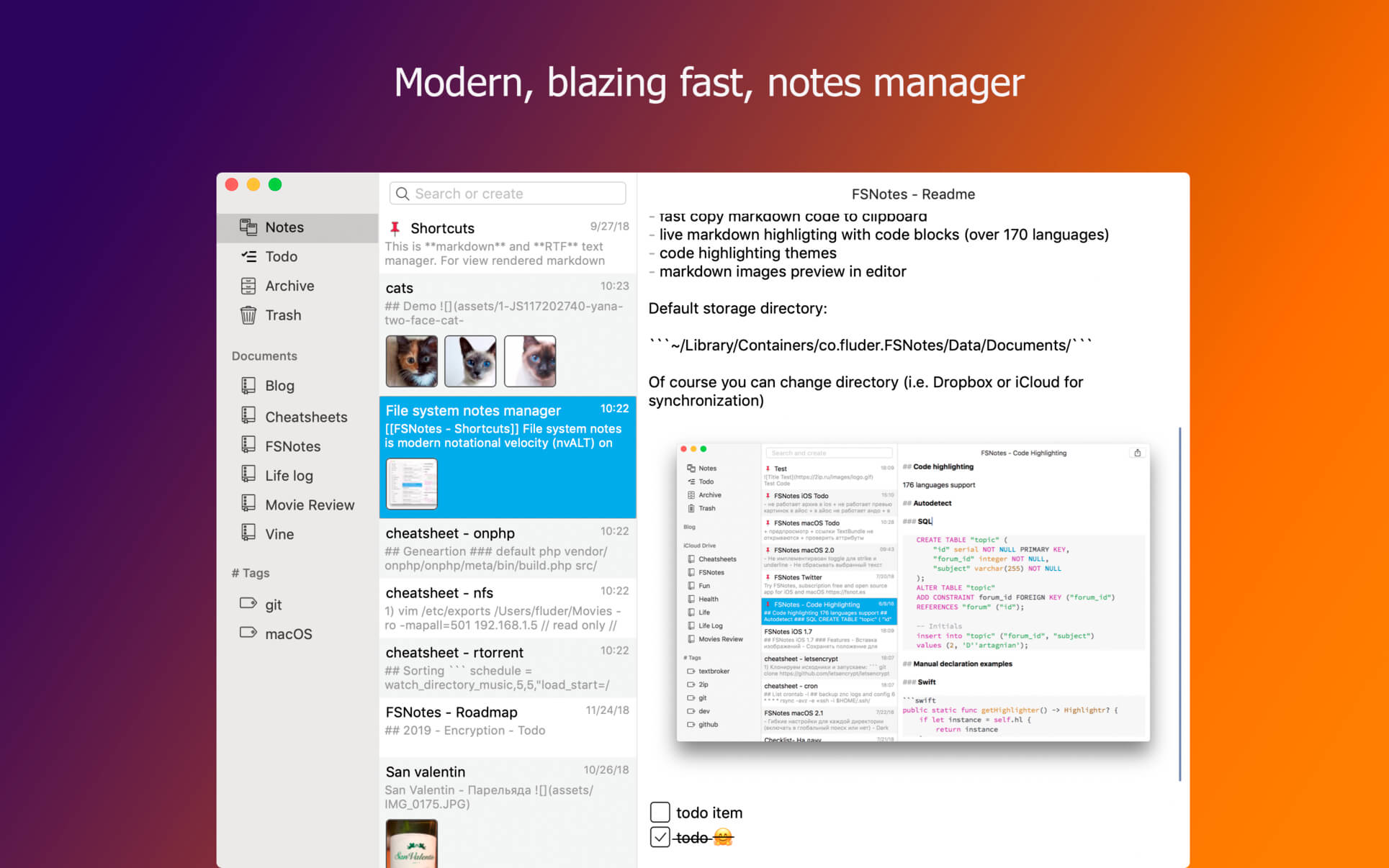
FSNotes is a plain-text note manager for macOS, and is modern reinvention of notational velocity (nvALT) on steroids. Our application respects the following open formats: plain/text, Markdown, and RTF, and stores data in the file system. You can view, edit, and copy data in your favourite external editor, and see live results in FSNotes.

Features

  • ICloud synchronization
  • Keyboard centric
  • Global shortcuts (clipboard save / search field)
  • Markdown and RTF markup (files stored on disk as plain/text and rich text)
  • Markdown preview mode
  • Elastic two pane view (vertical and horizontal layout)
  • Blazing fast and lightweight
  • Open files in finder / works with external editors (changes seamless live sync with UI)
  • Pin/unpin important notes in top
  • Multi folder storage
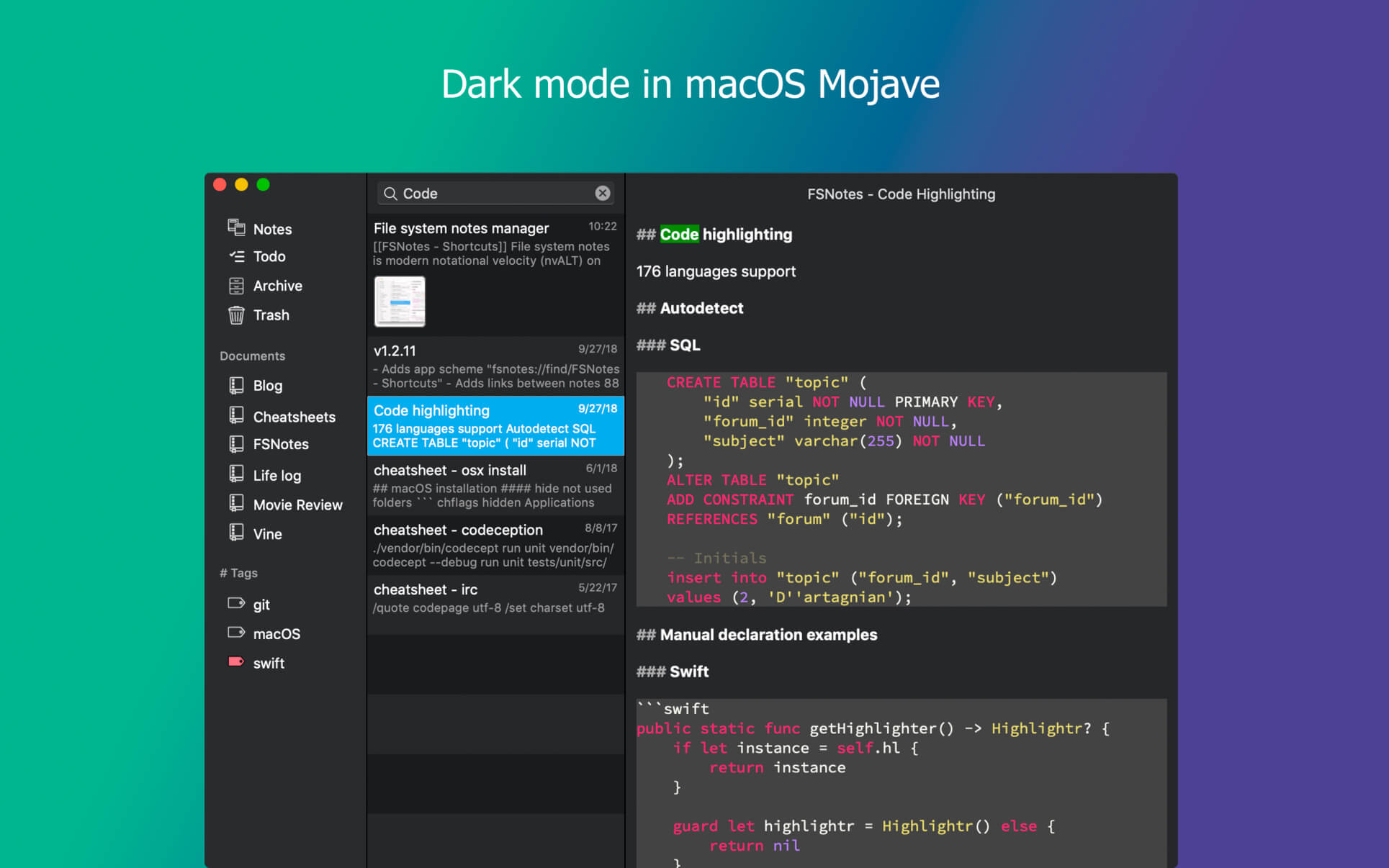
  • Markdown live highlighting with over 170 languages in code blocks

Compatibility: macOS 10.14 or later
Homepage https://apps.apple.com/pk/app/fsnotes/id1277179284

Screenshots


Name: FSNotes_6.10.1_Mactorrents.Me.dmg
Size: 24 MB
Files FSNotes_6.10.1_Mactorrents.Me.dmg[24 MB]


   Download Torrent

Cycling ’74 Max 9.0.7 incl. RNBO

Max is a graphical environment for music, audio, and multimedia. In use for over twenty years by performers, composers, artists, scientists, teachers, and students, Max is the way to make your computer do things that reflect your individual ideas and dreams.

OBJECTS
Each object does something. Max has objects that generate sound waves, represent hardware, or provide a UI for interaction.

PATCHCORDS
Patchcords connect one object to another. This connection lets objects share their output with connected objects.

CONTROL
Connect UI objects like dials and sliders to provide control values or display results. Modulate, map and scale data to get just the right results.

Create Software Built Around You, In the Moment
• Drag in your own audio clips and start manipulating them and connecting effects
• Map your patcher with MIDI controllers as you go to start playing with your creation while you work

Expanded Ideas
Max patching starts on a blank canvas, free of any structure. This makes it natural to build and explore unique ideas that would be too complex to make elsewhere. The Max patcher automatically expands to fit your work as it grows, no matter how much space you take up.

Explore Sound without Limits
• Design a custom synthesizer with as many oscillators and effects as you wish.
• Manipulate samples in every way, including timestretch and pitch shifting.
• Build up more layered sounds using MC objects to patch multichannel audio.

Make Sound with a Gesture
In Max, you can build classic synths from scratch or get lost hacking together unusual sounds. Try the XY controls below to hear some sounds you could create with Max.

• You can do a lot with just a single oscillator and a filter.
• Add some extra modulation and try something a little more wild.

Make Visual Music
Max includes full-featured, expandable video and graphics tools with Jitter. Jitter is optimized for realtime audiovisual work, and is easy to combine with audio, sequencing, and modulation like everything else in Max.

Take Max into the World
Max patching starts on a blank canvas, free of any structure. This makes it natural to build and explore unique ideas that would be too complex to make elsewhere. The Max patcher automatically expands to fit your work as it grows, no matter how much space you take up.

Prototype and Evaluate
Flexible access to hardware makes Max a perfect environment for prototyping. Connect your development board to Max and get instant access to sensors, knobs, and switches. Watch the data stream in as you develop the interaction. Countless commercial products, art installations, and stage shows have relied on Max to glue together all the parts of their process.

Generate Audio, Video, Code
Use Gen to patch together fine-tuned processes for audio, matrix data, or texture processing. Gen lets you combine procedural commands with visual patching to simplify the creation of custom processes. Gen objects can also output source code to be used elsewhere if needed.

Extended Max
Max’s built-in Package Manager offers immediate access to over 50 add-ons covering everything from computer vision to support for hardware controllers including Novation, Monome and ROLI controllers. If the feature you want doesn’t exist in Max, chances are someone in the community has created it. And if they haven’t, you can extend Max yourself using C++, NodeJS, Java, or javascript.

→ Introducing RNBO
RNBO is a new patching environment built to export software with the sound of Max.

Create web experiences, hardware music devices, audio plugins, and new Max objects all from the same patch. And when that’s not enough, RNBO generates source code that you can use however you want.

This Was Made in RNBO
The example below was patched in RNBO and exported to Web Audio. RNBO Web Export also provides easy access to your patcher’s interactive elements and seamlessly integrates with your HTML/javascript code to add rich sonic experiences.

One Patch, Many Targets
A single RNBO patch can export compiled code that runs in several defined target contexts, and source code you can integrate into any C++ or Web Audio project.

• Build guitar pedals, Eurorack modules and much more with Raspberry Pi export
• Run your patch in any DAW as a VST3 or AudioUnit Plugin
• Compile your own self-contained, shareable Max object
• Increase performance and loading times of your Max for Live devices
• Embed your RNBO sound engine into a website using Web Export

Hear the Code While You Patch
The sound you hear while patching in RNBO is generated and compiled code that updates as you make changes. This running code is identical to the code you export, so your work will sound the same no matter which target you choose.

You’ll Feel Right at Home
Although built on new technology, RNBO offers an instantly recognizable patching environment with many familiar objects and practices from Max. If you’ve used Max before, you’ll be up and running in no time.

Inspired by What You Love in Max

• Full Gen integration, with the addition of event support and interactive UI objects
• Every RNBO object has its own help file, just like in Max
• Events and signals can be mixed in the patcher, just like in Max
• Use param, inport, and outport objects to define the controls for your RNBO export
• Mix patching and text-based programming directly in RNBO
• Easily make your patches, subpatches, and abstractions polyphonic with the polyphony attribute

→ What’s new in Max 9?
Introducing a new version of Max that is more direct, more transparent, and full of inspiring new features that will spark your curiosity. Max 9 brings a new collection of audio objects based on Ableton’s ABL library, the biggest Jitter update in years, interface improvements, reinvented coding workflows – and much more.

→ The ABL Objects

Ableton Sound for Max
We’re excited to offer a suite of Max objects created with Ableton’s ABL library for DSP. These objects offer a patchable interface to the internal workings of some of Ableton Live Suite’s most popular devices. Whether you’re looking to explore some wild distortion effects (abl.device.roar~) or dreamy reverbs (abl.dsp.shimmer~), the ABL library has got you covered.

Patching with Code
Patching in Max is even more powerful when you integrate text-based code. Max 9 presents a new vision of code integration with patching – including a fully reinvented, fast and modern javascript V8 engine. Even if you’ve never tried integrating javascript and Max, you’ll definitely want to check out what is possible.

Codebox Everywhere
Stay in the flow with codebox, which enables direct text-based coding alongside visual patching. Codebox variants provide support for JS (v8), Gen (gen, gen~, jit.gl.pix, jit.gen), and Node for Max, as well as dictionary and coll editing and OSC display.

New V8 Objects for JS
To access the new performance and compatibility features of javascript V8 in Max, we’ve introduced the v8, v8ui, and v8.codebox objects. With these new objects, you can make use of more modern (ES6+) language features like arrow functions and typed arrays, and in many cases enjoy a big speed improvement over the standard js object.

Introducing Jitter Geometry
In Max 9, we’re going beyond the Jitter Matrix with a new way to represent 3D geometry data and several new realtime geometry objects to manipulate and fine-tune your 3D graphics in Jitter.

Enhanced Visuals with Jitter FX
The new jit.fx library of image effect objects makes creating interactive visual effects in Jitter more streamlined than ever. Enjoy a full range of realtime, shader-based processes with an easy-to-use Max interface.

Included Effects:

✓ Color adjustments and corrections
✓ Stylized image manipulations
✓ Distortions and Blurs
✓ Blending and Compositing
✓ Time delay and temporal displacement

→ New in Jitter
In addition to the exciting new jit.geom objects and jit.fx, Max 9 brings exciting new additions that enrich Jitter in both practical and inspiring ways.

• In-Window UI Objects
Use jit.ui objects to build kiosk experiences or interact with your patch without leaving fullscreen mode.

• 3D Widgets
Directly edit your 3D scenes in Jitter with updated, in-window UI widgets.

• Scene Rendering
Max 9 introduces ReSTIR-based global illumination, order-independent transparency, depth-sorting, and new scene FX passes to add texture and grain.

• Jitter in Production
Switch Jitter into post-production and animation mode with new “fixed_delta” attribute for jit.world, jit.mo, and all animation-driven objects in Jitter. New objects jit.bang and jit.frame also help in syncronizing your processes with rendering.

→ Remote Control

Parameter Connect
Easily connect UI objects in Max to supported object attributes without any patchcords. This feature is currently supported by all ABL, jit.fx, and Gen objects, as well as jit.gl.slab. javascript V8 object support can be enabled by using the new JS attribute API.

OSC Integration
A new global preference allows you to set application-wide OSC address and port settings, and all parameter-enabled objects in your patch are automatically available to OSC messages. The param.osc and osc.codebox objects let you inspect OSC state and communications.

→ Improving Your Patching Life
Thoughtful improvements to the Max environment that will enhance the way you patch, play, and explore.

• List View
Explore the objects in your patch with a list-based interface. Rapidly filter, search, and edit objects, and watch the numbers change.

• Syntax Coloring
Inspired by our favorite code editors, Max syntax coloring makes it much more comfortable to read Max patches.

• Global Record Button
Max moments are often fleeting, but now you can capture any audio from Max, in the moment, with the new Global Record Button in the Max Toolbar.

• Preset Mixing
Connect a nodes object to preset to easily create an interface that lets you mix and interpolate presets across a 2D space.

Command Your Patcher with REPL
The familiar Max Window has a new input field that turns it into a command-line interface to your patch. This input allows you to send text messages to named objects in your patch, send messages to the application itself, execute javascript, or query the documentation.

New Tools for Learning
New Max 9 features for self-learners, teachers, and students alike

Illustration Mode
Visualize your patch running in slow motion to gain insight into how it’s actually working. Illustration Mode is useful for both learning and debugging.

Examples and Tutorials Online
Visit our new online documentation and learning site to find updated Max Tutorials, Documentation, and Examples.

→ Even More Improvements
Max 9 also brings many smaller features and improvements that will likely have a big impact on your daily patching life.

✓ Object Macros enable the use of js/v8, jit.gl.slab, and other generic objects with specific source code files as named objects
✓ New loudness~ object based on EBU R 128
✓ Visual updates to waveform~ and function
✓ New hid object supports more robust interactions with HID hardware than hi
✓ Improved media and file browsing in left toolbar
✓ Access jit.gl.slab params as object attributes.
✓ Clue display on bottom toolbar provides links to relevant documentation
✓ CPU/FPS display on right toolbar
✓ Multichannel meters on toolbar volume control.
✓ Reorganized and easier to navigate Preferences window
✓ Patching Margin provides extra space while editing at the edges of a patcher window
✓ Capture your content with a new patcher window aspect ratio feature

Compatibility: macOS 11.0 or later • Apple Silicon or Intel Core processor
Homepage https://cycling74.com/


Name: Max_9.0.7__HCiSO_Mactorrents.Me.dmg
Size: 969.26 MB
Files Max_9.0.7__HCiSO_Mactorrents.Me.dmg[969.26 MB]


   Download Torrent

Folx Pro 5.28

Folx makes downloading extremely easy: just open the page with the file to be downloaded, click the link in your browser and Folx will start the download for you. The application splits the file being downloaded in up to ten threads, thus significantly increasing the download speed. Its auto resume option comes handy when the downloading gets interrupted. You can also assign a tag or a few to the downloaded content for accurate and easy search through the downloaded files. You can optimize traffic allocation between different applications by regulating manually the download and upload speed.

Folx is also available as PRO version. It brings such handy features as splitting the downloads in up to 10 threads which speeds up the download process; scheduling the download tasks according to your convenience; smart speed adjustment option (download speed will be adjusted automatically whenever you need to use Internet traffic to run other applications), iTunes integration and searching the web for torrents directly from Folx.

Please, note that this version of Folx does not support downloading videos from YouTube. To be able to download YouTube videos, please get the special build from the developer’s website.

Compatibility: macOS 10.13 or later
Homepage https://mac.eltima.com/download-manager.html

Screenshots


Name: Folx_Pro_5.28_Mactorrents.Me.dmg
Size: 22 MB
Files Folx_Pro_5.28_Mactorrents.Me.dmg[22 MB]


   Download Torrent

OmniFocus Pro 4.6.0

OmniFocus Standard and Pro are in-app purchases, with discounts for people who bought earlier versions of OmniFocus for Mac through the Mac App Store. Download the app for details.

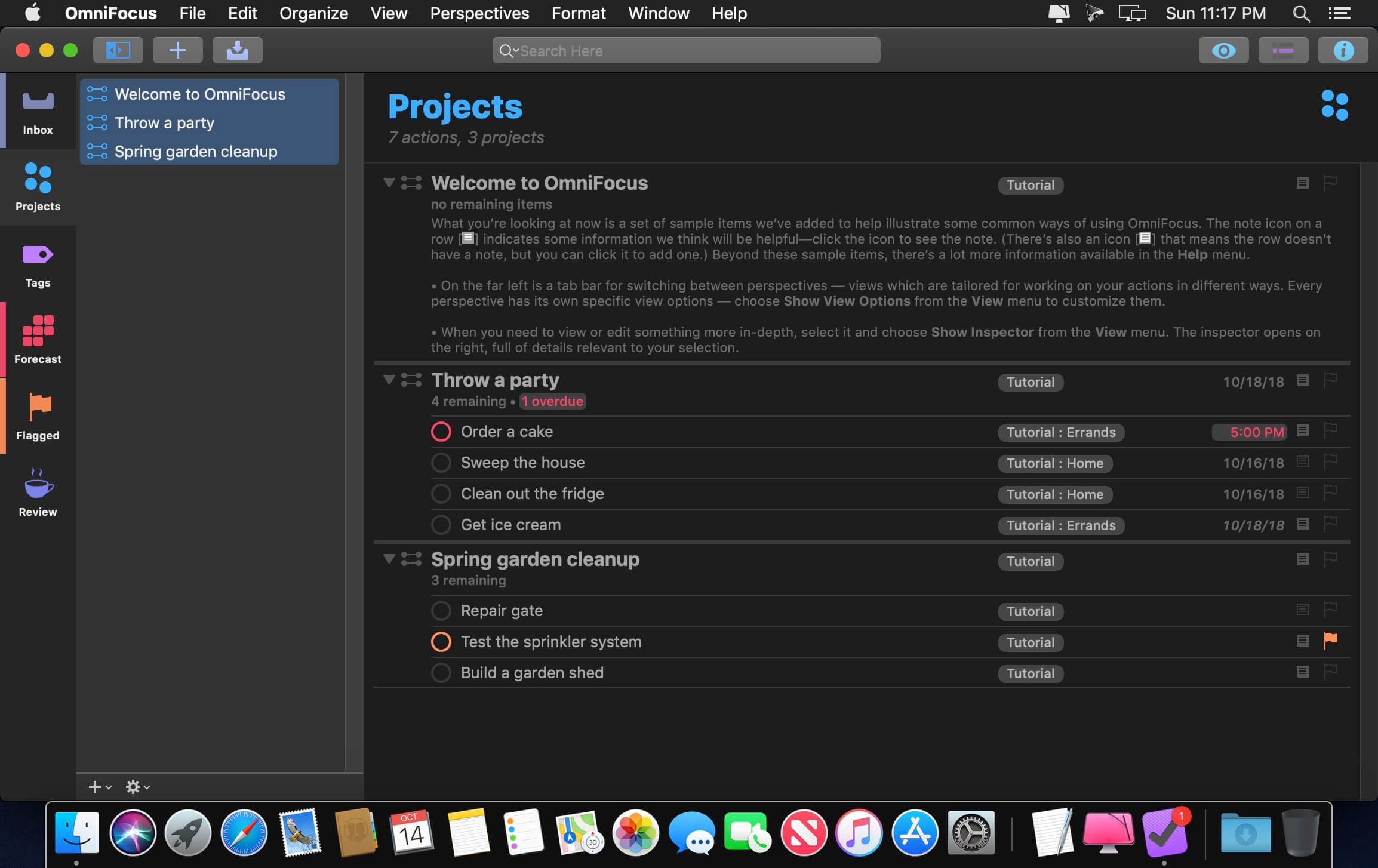
Use OmniFocus to accomplish more every day. Create projects and tasks, organize them with tags, focus on what you can do right now — and get stuff done.

OmniFocus — now celebrating 10 years as the trusted, gold-standard to-do list app — brings unrivaled power and flexibility to your Mac, making it easy to work the way you want to work.

OmniFocus manages everything in your busy life. Use projects to organize tasks naturally, and then add tags to organize across projects. Easily enter tasks when you’re on the go, and process them when you have time. Tap the Forecast view — which shows both tasks and calendar events — to get a handle on your day. Use the Review perspective to keep your projects and tasks on track.

Then let our free syncing system make sure you data is the same on every Mac. (And on OmniFocus for iOS, available separately.) Because your data is encrypted, it’s safe in the cloud.

STANDARD FEATURES

  • NEW: Tags add a powerful additional organizing tool. Create tags for people, energy levels, priorities, locations, and more.
  • NEW: The Forecast view shows your tasks and calendar events in order, so you can better see what’s coming up in your day.
  • NEW: Enhanced repeating tasks are easier than ever to set up — and they work with real-world examples such as the first weekday of the month.
  • NEW: The Modern, fresh-but-familiar design helps you focus on your content.
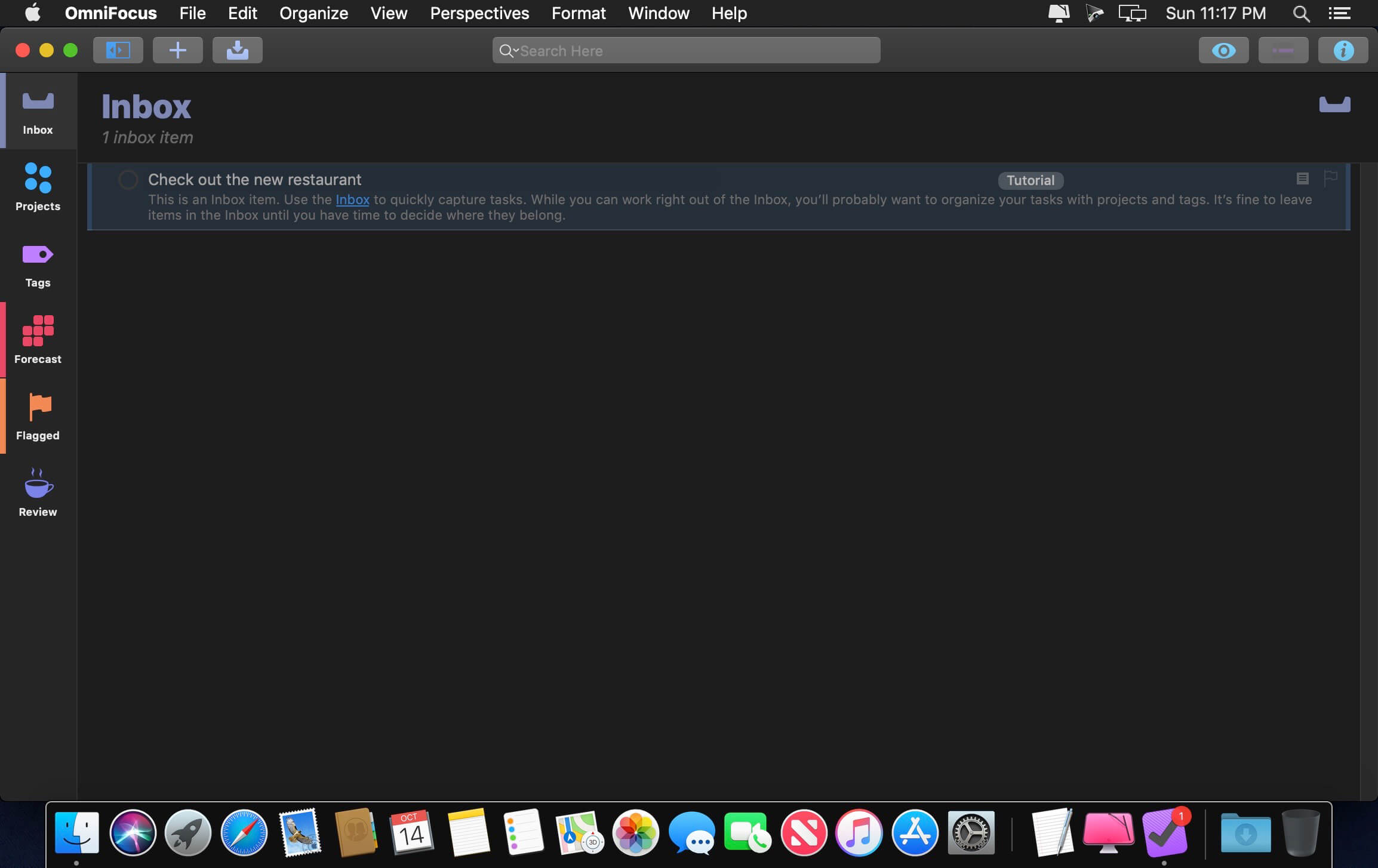
  • Inbox is where you quickly add tasks — save them when you think of them, and organize them later.
  • Syncing supports end-to-end encryption so that your data is safe wherever it’s stored, on our server or yours.
  • Notes can be attached to your tasks, so you have all the information you need.
  • Attachments — graphics, video, audio, whatever you want — add richness to your tasks.
  • View Options let you customize each perspective by deciding what it should show and how it should filter your tasks.
  • The Review perspective takes you through your projects and tasks — so you stay on track.
  • OmniFocus Mail Drop adds tasks via email and works with services like IFTTT and Zapier (if you’re using our free syncing server).
  • The Today Widget shows you your most important items — you don’t even have to switch to the app to know what’s up.

PRO FEATURES

  • Custom perspectives help you create new ways to see your data by filtering and grouping projects and tags. NEW: The filtering rules are simpler to use while being more powerful than ever, letting you combine rules with “all,” “any,” and “none.” You can also choose any image to use as your custom perspective’s icon, and a custom tint color to go with it.
  • NEW: Today’s Forecast can include items with a specific tag, and you can reorder those tasks however you choose, so you can plan your day better.
  • The customizable sidebar lets you organize your perspectives the way you want to, for super-fast access.
  • The Today Widget shows a perspective of your choice in Notification Center.
  • AppleScript support opens up a world of automation, using Apple’s Mac scripting language.

Language: English, Dutch, French, German, Italian, Japanese, Korean, Portuguese, Russian, Simplified Chinese, Spanish
strong>Compatibility: macOS 14.0 or later
Homepage https://www.omnigroup.com/omnifocus/

Screenshots


Name: OmniFocus_4.6_Mactorrents.Me.dmg
Size: 41 MB
Files OmniFocus_4.6_Mactorrents.Me.dmg[41 MB]


   Download Torrent

OmniPlan Pro 4.9.5

With OmniPlan, you can create logical, manageable project plans with Gantt charts, schedules, summaries, milestones, and critical paths. Break down the tasks needed to make your project a success, optimize resources, and streamline budgets. It’s project management made painless.

How to get your project done on time and under budget:

  • Translate strategy into tactics everyone can understand
  • Create summaries of work broken into lists of activities
  • Distribute workloads fairly and efficiently
  • Manage costs as you go
  • Plan, monitor, and control it all with software designed to make your job easier, not harder.

Compatibility: macOS 12.0 or later
Homepage https://www.omnigroup.com/omniplan

Screenshots


Name: OmniPlan_Pro_4.9.5_Mactorrents.Me.dmg
Size: 99 MB
Files OmniPlan_Pro_4.9.5_Mactorrents.Me.dmg[99 MB]


   Download Torrent

ToothFairy 2.8.6

Connect AirPods (or other Bluetooth headphones) to your Mac with a single click or keypress.
AirPods are great, but they don’t work quite as smoothly with Macs as they do iPhones. You can’t tell at a glance whether audio will play from the AirPods or your Mac’s built-in speaker, you have to dig into a Bluetooth submenu to connect, and then you have to go back to the menu to see when the AirPods are ready for use. ToothFairy streamlines this: just click an icon in the menu bar (or press a hotkey) to switch to the AirPods, and the icon always shows whether they’re connected.

  • Works with AirPods, as well as any Bluetooth headphones, speakers, or headset that you can connect to your Mac.
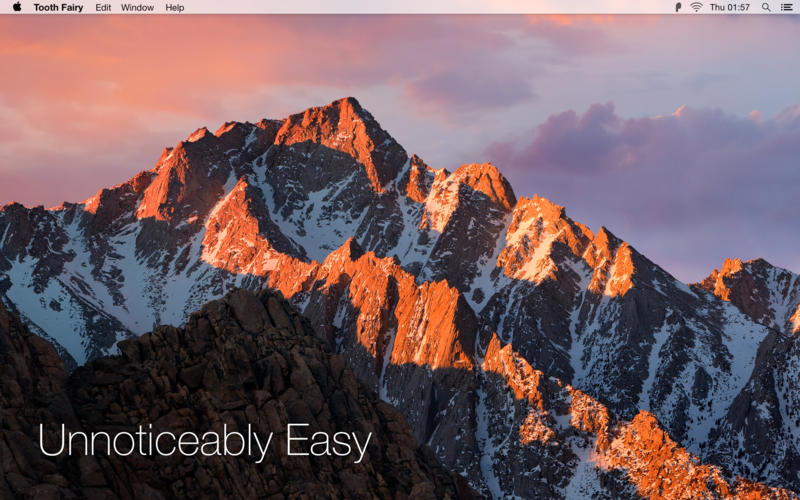
  • Click the hollow AirPods icon in the menu bar to switch to AirPods. It fills in to show they are connected and also displays a battery indicator.
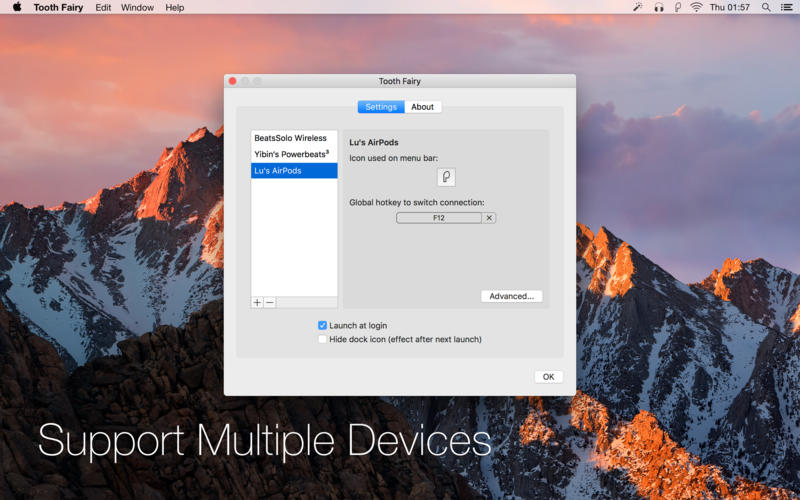
  • Supports multiple Bluetooth audio devices; you can choose a different icon and hotkey for each.
  • Get the best audio quality. macOS will normally use the SCO codec if it thinks you’re going to use the microphone. ToothFairy can ensure that it uses the higher quality AAC codec when you only care about audio output: listening to music or video or playing a game.
  • Disconnect a Bluetooth device by clicking the icon (or pressing the hotkey) again, so that you can switch back to your phone. AirPods and Beats devices with an Apple W1 chip do not need to be manually disconnected, and you can set them to “Connection only mode” to avoid accidental disconnetions when pressing the hotkey multiple times.
  • ToothFairy automatically launches at login, so it’s always there when you need it.
  • Optionally hide the Dock icon so it only appears in the menu bar. With the Dock icon hidden, you can right-click (or Control-click) the menu bar icon to access the settings.
  • Run a shell script when the AirPods are connected or disconnected.

Note: ToothFairy works with devices that can be connected via the macOS Bluetooth menu. Please make sure the devices you want to connect have been paired to the system correctly before using them with ToothFairy.

Compatibility: OS X 10.11 or later, 64bit
Homepage https://geo.itunes.apple.com/app/id1191449274

Screenshots


Name: ToothFairy_2.8.6_Mactorrents.Me.dmg
Size: 13 MB
Files ToothFairy_2.8.6_Mactorrents.Me.dmg[13 MB]


   Download Torrent

Hides 7.1.0

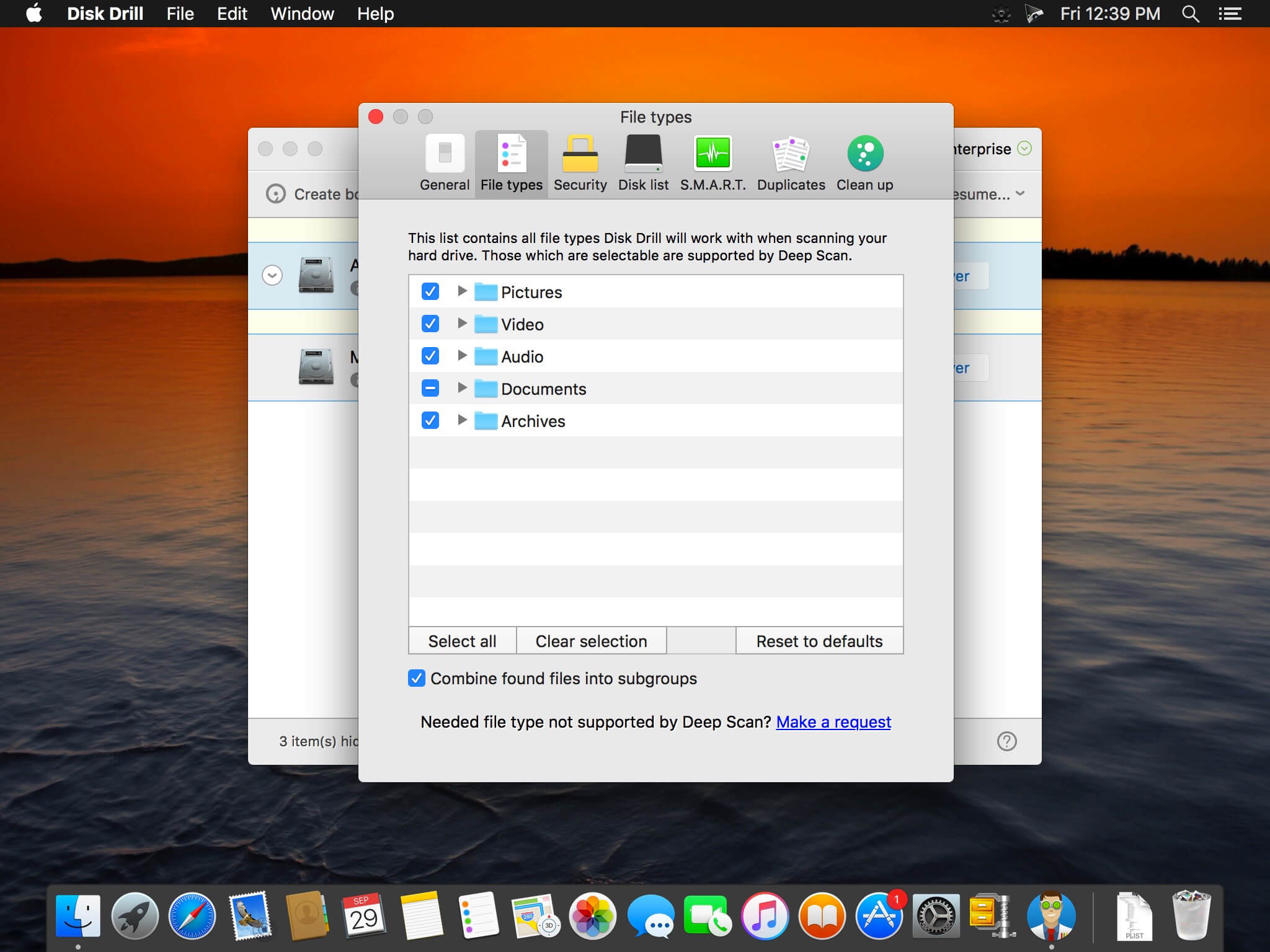
Boost your productivity with Hides. Enable Single App Mode, to focus on the task at hand. Single App Mode will hide all other open applications automatically, so you can focus on your work. Hides can also quickly hide all open Applications, giving you a fresh, clear work space. Configure Hides with global hotkeys, allowing you to effortlessly clear your desktop of all running apps with one quick keystroke, or quickly enable Single App Mode for a distraction-free work environment. Single App Mode is exactly what you think it would be. only one app is in focus at one time on your desktop. Whenever you change to another app, all other apps are hidden from view leaving your entire focus for that one app.

  • You can now enable Focus mode only for specific apps or globally for all Apps!
  • new option to hide all apps except the current active app
  • new icon
  • small ui improvements
  • Better window handling

Compatibility: macOS 11.5 or later
Homepage https://sweetpproductions.com/
Screenshots


Name: Hides_7.1_Mactorrents.Me.dmg
Size: 5 MB
Files Hides_7.1_Mactorrents.Me.dmg[5 MB]


   Download Torrent

Steinberg Nuendo v14.0.30

As the most advanced audio post-production solution available, Nuendo is the choice of film, TV, game audio and immersive sound industry professionals worldwide. Ever since its initial release, Nuendo has been a vital tool in creating the soundtrack to many high-profile productions, products and installations. Regular updates with new features, workflow improvements and additional, user-requested functions mean that Nuendo constantly exceeds the expectations of an audio workstation dedicated to audio post, with high end – often unique – capabilities that continue an ongoing revolution in audio and media production software.

ADM Authoring for Dolby Atmos®
In this window, you can configure objects and beds from existing tracks in the project. Every object needs a source track from the project, which feeds audio to it. Any audio track, group channel or even VST instruments can act as source tracks for objects. A prerequisite is that a VST MultiPanner is present on a source track. Configuring objects in the ADM Authoring for Dolby Atmos window will enable special features on the source tracks in the project: the VST MultiPanner in each source track will switch to Object Mode and the audio signal will be sent to the renderer for monitoring, no longer to the bed.

Renderer for Dolby Atmos®
Included in Nuendo is a Dolby Atmos VST renderer, that allows for real-time monitoring, downmixing and re-rendering of object-based mixes, without requiring external software or hardware.

Automated Dialog Replacement (ADR) system
Nuendo provides a fully-equipped solution for convenient recording of dialog and Foley. Using up to 32 marker tracks, every aspect of a film — such as Foley, dialog or sound design — can be spotted. Each Nuendo project marker can contain user definable attributes, such as a scene location, the time and the stage directions. Markers can be exported in CSV file format. Nuendo is also able to import EDL lists in the CMX 3600 and CSV formats. The info will show up as a marker track that includes all attributes. If necessary, marker tracks can be imported and exported between Nuendo projects, giving the sound editor or Foley recorder maximum freedom when organizing projects. For the voice recording process, the Nuendo ADR Taker System offers a dedicated panel with three different modes: rehearse, record and review, including pre- and post-record option. Also included are various filtering and sorting functions.

Field Recorder Audio Import
This powerful feature allows you to search for Field Recorder audio files matching selected events in the project by choosing a set of predefined search criteria – a process which can otherwise take weeks of manual work. A list of files with attributes or metadata similar to the selected project events will be displayed, with options to check the search result and preview the files. After confirmation, the chosen audio files will be inserted into the project and edited to match the originally selected events.

Homepage https://new.steinberg.net/nuendo/

Name: Steinberg.Nuendo.14.v14.0.30.U2B.macOS_Mactorrents.Me.rar
Size: 1.4 GB
Files Steinberg.Nuendo.14.v14.0.30.U2B.macOS_Mactorrents.Me.rar[1.4 GB]


   Download Torrent

Kaleidoscope 6.0.2

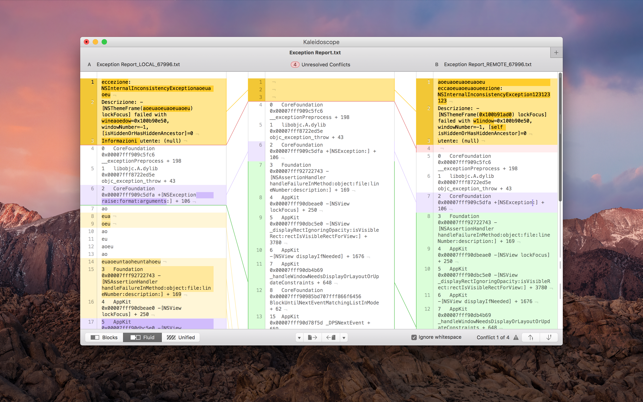
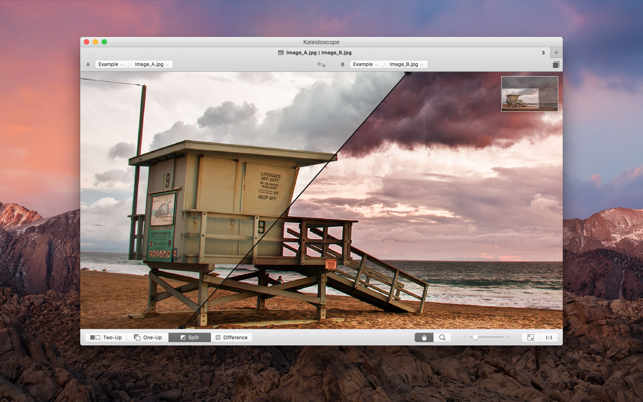
Kaleidoscope is the most powerful file comparison app. Spot the differences in text and image files, or even folders full of files. Review changes in seconds, with the world’s most advanced and beautiful file comparison app.

Kaleidoscope 3 features the first major redesign in over eight years, with support for Apple Silicon-based Macs, a redesigned interface that looks great in the latest versions of macOS, and new dark mode support, Kaleidoscope 3 marks the comeback of a longtime developer favorite for spotting changes in text, images, and folders. There is a new Reader view, and changesets have received major improvements.

WHAT’S NEW IN KALEIDOSCOPE 3?A

  • Redesigned interface, including new dark mode and new app icon; Kaleidoscope’s design now fits macOS Big Sur and macOS Monterey
  • Runs natively on all Macs, including those based on Apple silicon (Apple M1 chip).
  • Reader view makes it easier to focus on the content
  • Greater control over how text layout, with better font options and display choices
  • Ability to ignore particular folders and files during folder compare, using powerful patterns.
  • Persistent top toolbar with convenient Add and Paste buttons
  • Redesigned Unified text comparison and File Shelf views to make it easier to review differences and keep track of files being compared
  • Powerful filters for comparing items in changeset windows

KALEIDOSCOPE FEATURES:

  • Two-Way Text Comparison & Merging
  • Supports any text file, Word documents, PDF, RTF
  • Super-fast diffing of lines and character-level changes
  • Directly paste from clipboard
  • Three powerful display modes: Blocks, Fluid and Unified
  • Color coding to spot added, deleted, and changed text
  • Powerful text layout customization
  • Reader view that helps focus on content
  • Built-in search

Three-Way Merge

  • Review code changes and resolve conflicts
  • Edit text inline
  • Intelligently auto-merge the right content

Powerful Image Comparison

  • Supports any file that can be imported as bitmap
  • Directly paste from clipboard
  • Compare images in four different modes: Two-Up, One-Up, Split and Difference
  • Spot subtle pixel differences with a high contrast “difference mask”
  • Navigate large images using pan & zoom tools

Folder Comparison

  • Ultra-fast algorithm for finding differences in large folders
  • Sort and filter down to what is most important
  • Powerful ignore patterns to exclude extraneous files and folders
  • Drill deeper into folders for more detailed comparisons
  • Copy your preferred files across sources

Code Review

  • Well-designed overview of all files changed in a changeset
  • Find a file by filtering by name or by kind of change
  • Inspect changes in text and image files using all of Kaleidoscope’s compare tools

Easy Workflow Integration

  • Git, Mercurial, Subversion, Bazaar, and Perforce support
  • Works as a fully functional diff or merge tool
  • ksdiff tool unleashes the power of the unix command-line
  • Supported by a growing list of GUI source control management apps
  • Integrate with the Xcode debugger (lldb) for text and graphics
  • Integrates with tools like Alfred for even faster workflows

Compatibility: macOS 13.0 or later
Homepage https://geo.itunes.apple.com/app/id587512244

Screenshots


Name: Kaleidoscope_6.0.2_Mactorrents.Me.dmg
Size: 41 MB
Files Kaleidoscope_6.0.2_Mactorrents.Me.dmg[41 MB]


   Download Torrent

Print to PDF Pro 5.8.5

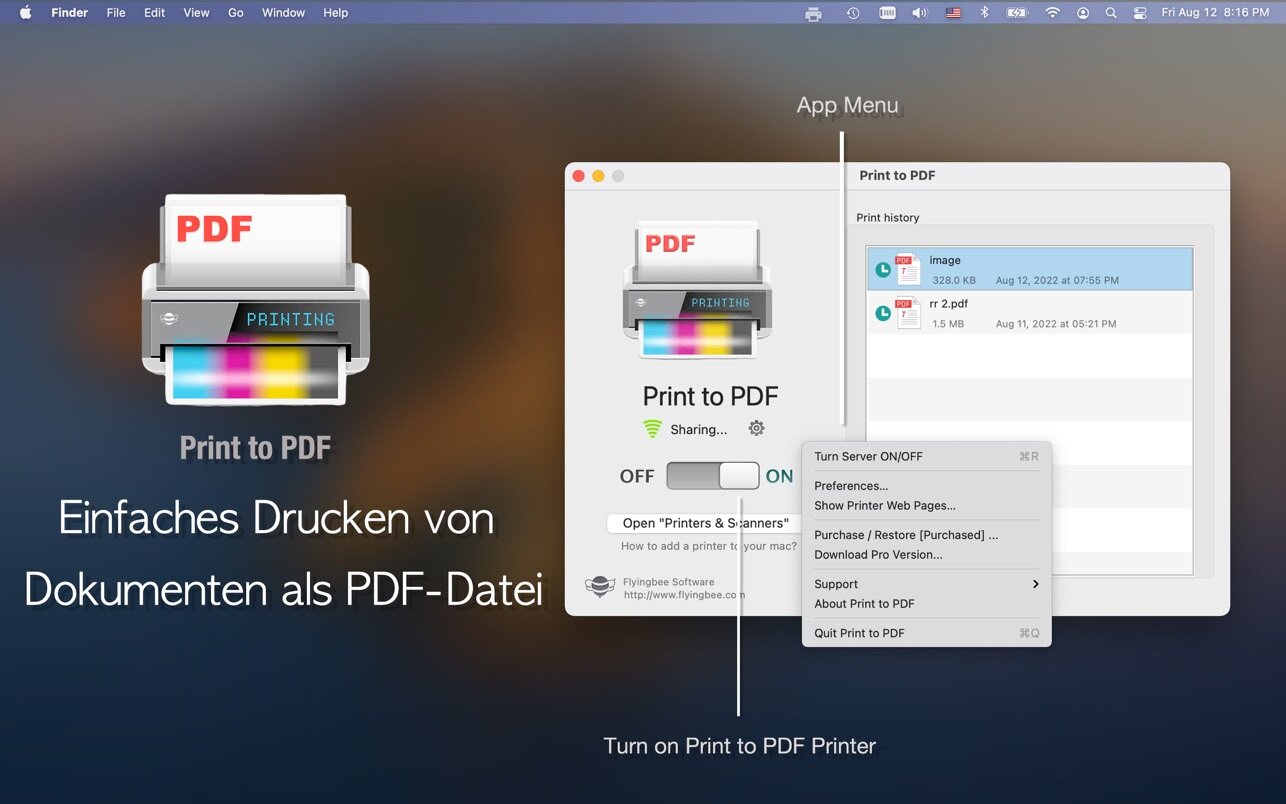
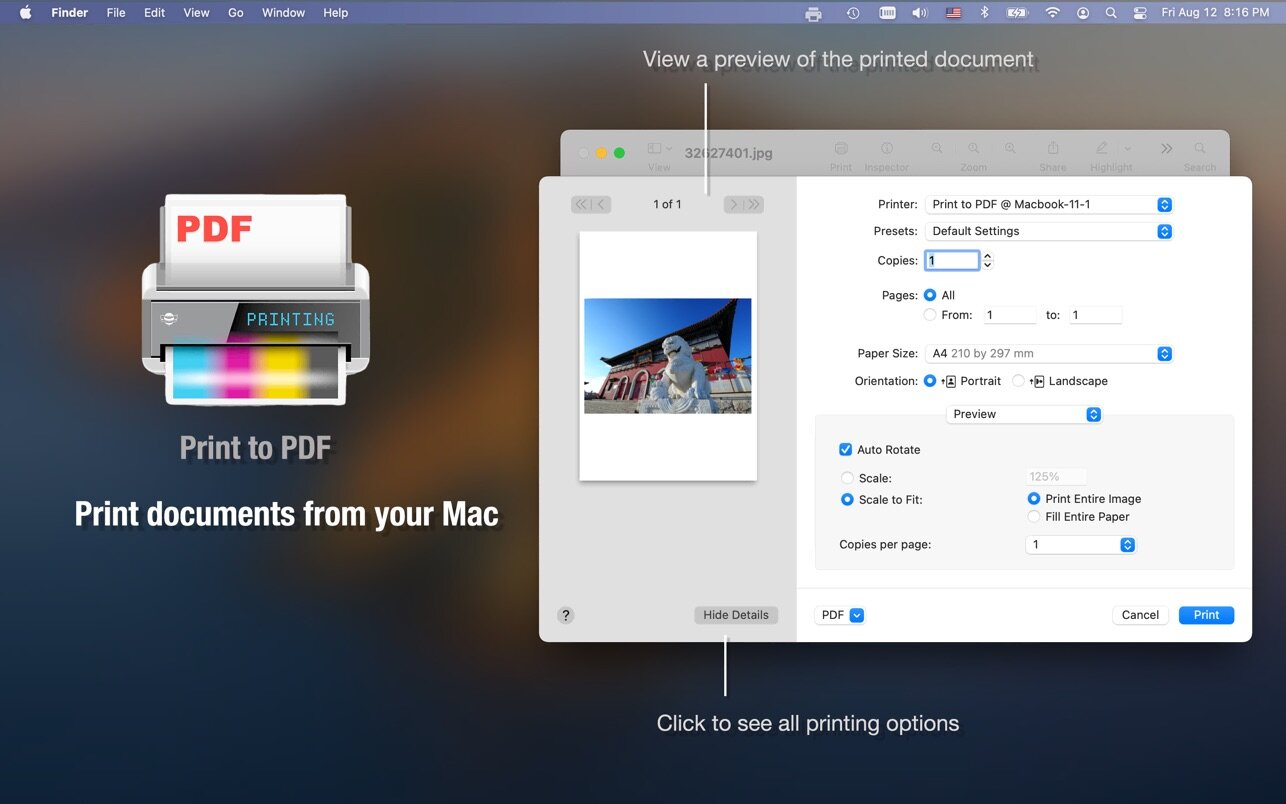
This app runs as a little wireless printer server on the network, so you can add it to our mac in system preferences and print any document directly to pdf.

The process is 100% safe as the conversion is done locally on the Mac.
Your files never leave it and it doesn’t require an internet connection.

Additionally, the app lets you organize PDF documents in different folders and automatically categorize documents to separate emails, web pages, and other printouts.

With a This Printer app, you can print PDFs from:
> Email attachments
> iWork and MS Office documents
> Web page
> Photo
> Documents on Dropbox, Google Driver and other online storage.

Top In-App Purchases: Pro Version – included.

Compatibility: macOS 10.10 or later
Mac App Store https://geo.itunes.apple.com/app/id1639234272

Screenshots


Name: Print_to_PDF_5.8.5_Mactorrents.Me.dmg
Size: 46 MB
Files Print_to_PDF_5.8.5_Mactorrents.Me.dmg[46 MB]


   Download Torrent

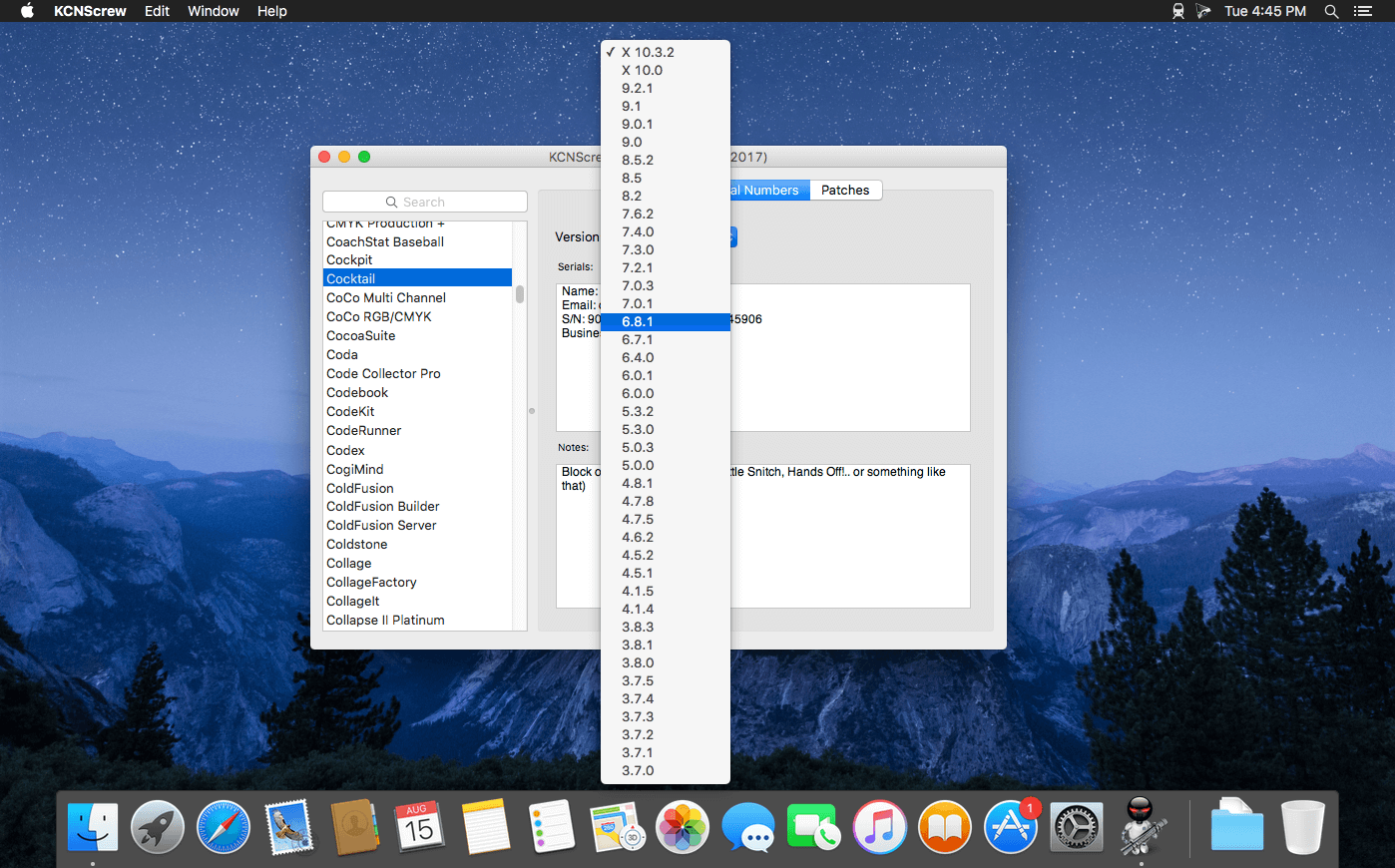
KCNcrew Pack 06-15-25

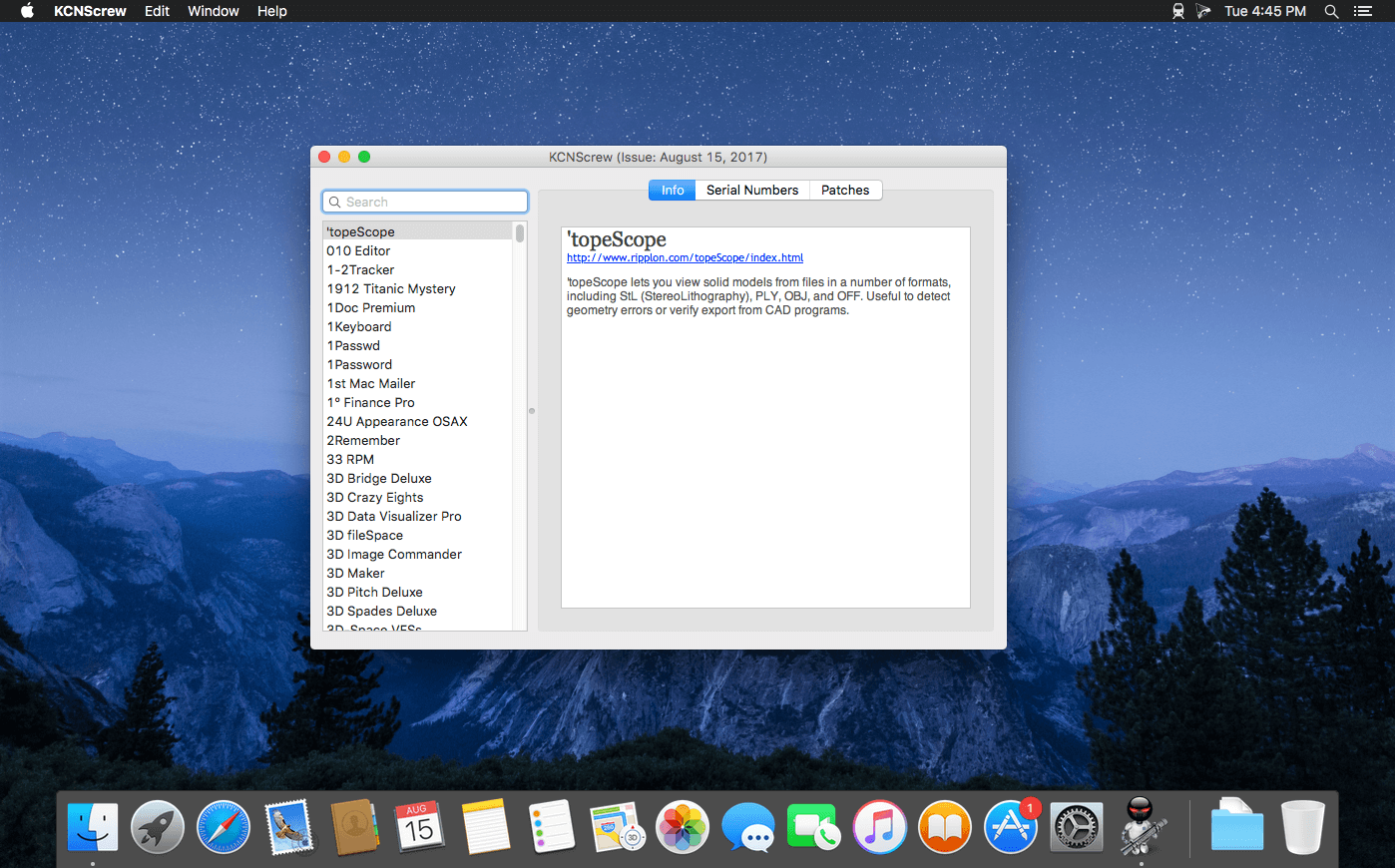
KCNcrew Pack – This is a huge collection of serial numbers for software under MacOS X with a convenient cover for browsing and searching. There is a very long time and is periodically updated! Base serial numbers KCNcrew project as of 2018. Unlike Serial Box, no readers are required.

Just open the dmg file, drag and drop the app where you like. However, there is no way to view what serials, cracks and patches are new in this issue as compared to the previous. Thanks to all contributors and supporters!

Compatibility: OS X 10.6 or higher

Screenshots


Name: KCNcrew_Pack_06-15-25_macOS_Mactorrents.Me.dmg
Size: 5 MB
Files KCNcrew_Pack_06-15-25_macOS_Mactorrents.Me.dmg[5 MB]


   Download Torrent

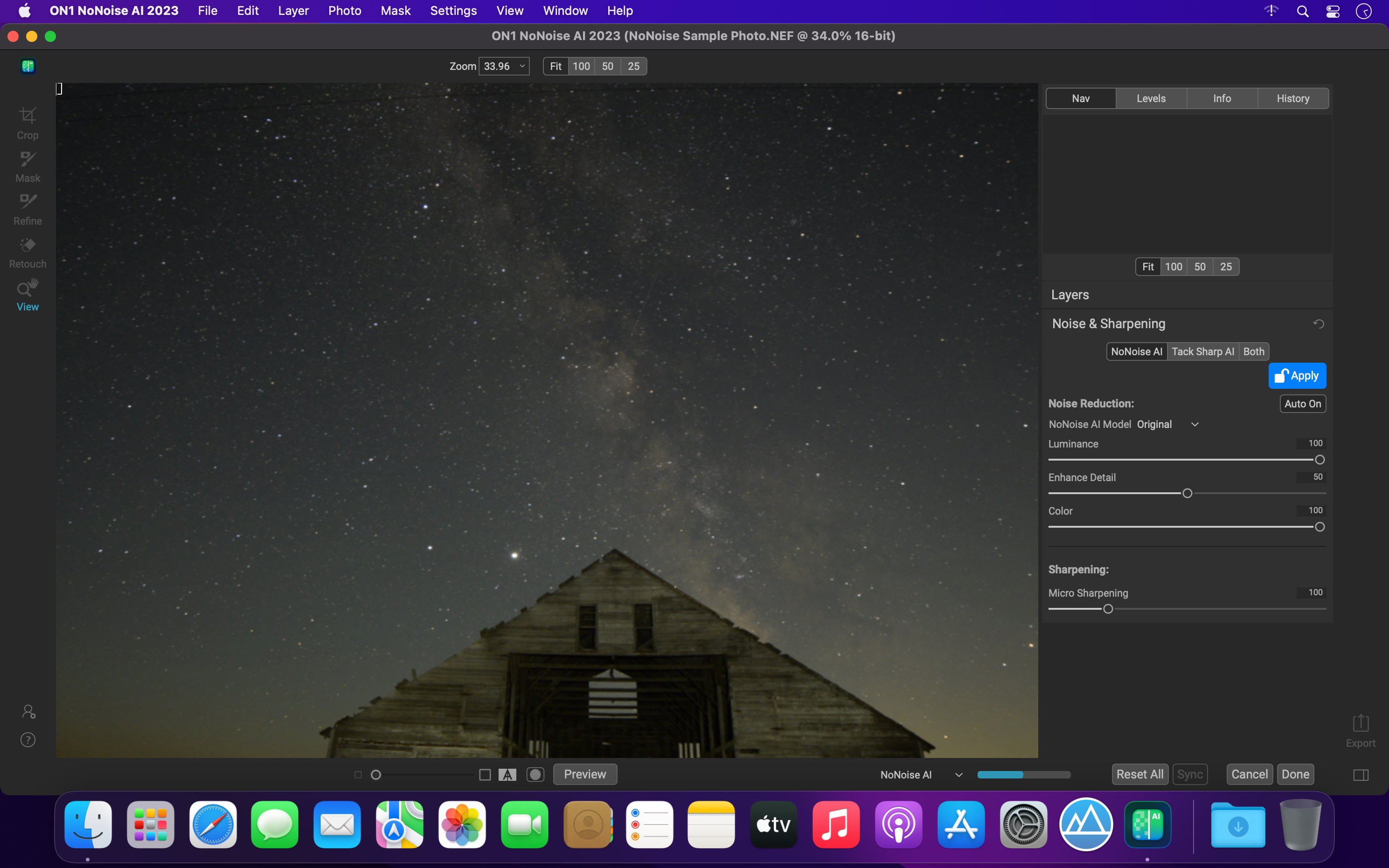
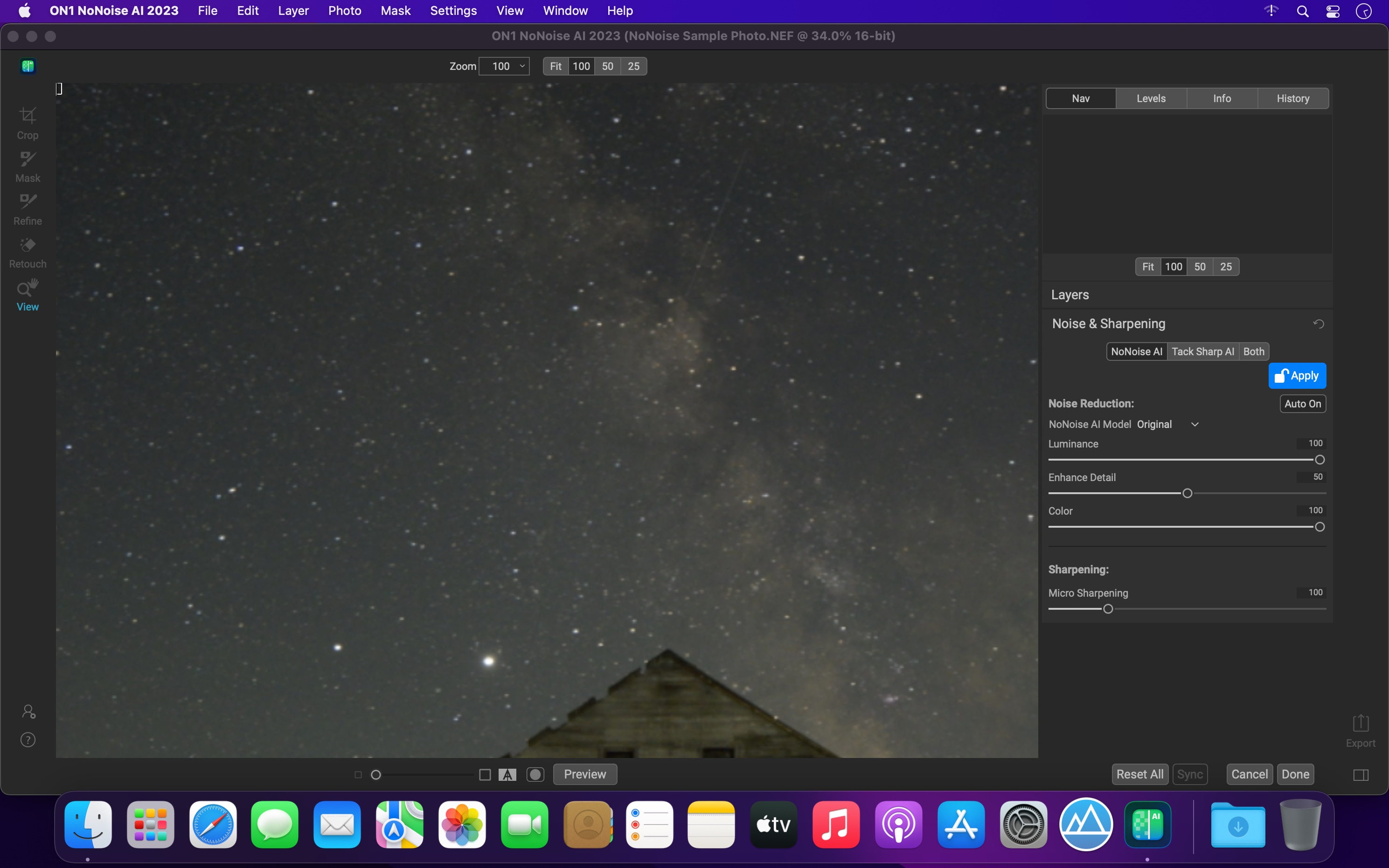
ON1 NoNoise AI 2024.5 v18.5.1.15726

The New Standard in Quality and Speed for Removing Image Noise. It’s the best noise reduction software for photography. Quickly remove noise and get the sharpest details in your photos with AI-powered NoNoise AI.

ON1 NoNoise AI intelligently removes all the image noise while intelligently recovering and enhancing the details. It integrates into your workflow by supporting common photo editors and file formats, including saving DNG raw files that maintain the full tonal and color range.

Get the Absolute Best Results Way Faster!
ON1 NoNoise is up to ten times faster than the other leading image noise removal products and the results will amaze you!

AI-Based Noise Reduction
Leverages state-of-art machine learning to build an AI network to remove luminance and color noise while maintaining the details like no other application producing excellent results.

AI-Based Demosaicing
For raw photos, most image noise comes in the demosaicing process. Combining this step with the noise reduction during the AI training in ON1 NoNoise AI will achieve both better noise reduction and help increase detail and sharpness.

AI-Based Demosaicing
Includes the ON1 exclusive Progressive Sharpening algorithm to enhance the sharpness and details based on the size of the details in the photo, without the halos and artifacts that other sharpening techniques can create.

Super-Fast Live Preview of the Adjustments
Results can be viewed in only a fraction of the time it takes other apps to produce viewable results. There are also far fewer controls to adjust without the limitation of sacrificing sharpness to reduce image noise.

Plugin to Your Workflow

  • ON1 NoNoise AI is the perfect fit for almost any workflow.
  • Get amazing retouching results in seconds when using ON1 NoNoise AI as a plugin for
  • Adobe Photoshop
  • Adobe Lightroom Classic
  • Adobe Photoshop Elements
  • Affinity Photo
  • Capture One
  • Corel Paintshop Pro

Compatibility: macOS 10.15 or later, Apple Silicon or Intel Core processor
Homepage https://www.on1.com/products/nonoise-ai

Screenshots


Name: ON1_NoNoise_AI_2024.5_v18.5.1.15726__TNT_Mactorrents.Me.dmg
Size: 550 MB
Files ON1_NoNoise_AI_2024.5_v18.5.1.15726__TNT_Mactorrents.Me.dmg[550 MB]


   Download Torrent

Dropzone 4 Pro 4.80.54

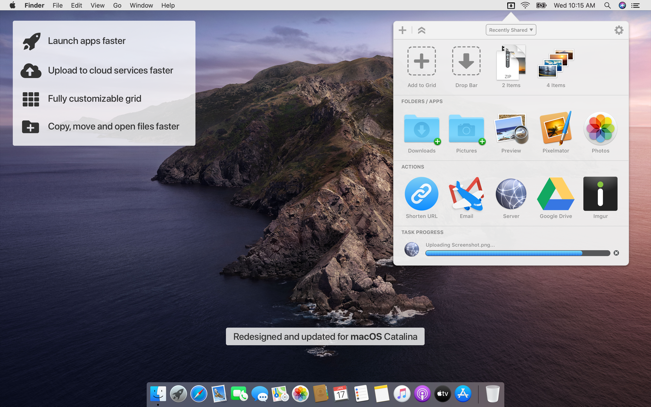
Dropzone makes it faster and easier to copy and move files, open applications and share files with many different services. Dropzone is a unique and amazing app that’s like nothing you’ve ever used before. We’ve paid fanatical attention to every detail and built an app that looks and feels like an integral part of macOS.

Dropzone ships with a powerful scripting API and with a little programming knowledge you can modify any of your actions or even create entirely new ones. This gives Dropzone unlimited extendability and utility. We’re always thinking up new actions so Dropzone will become even more useful over time.

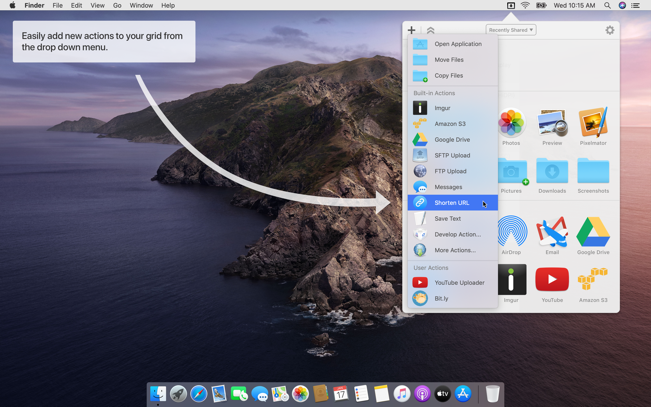
Dropzone also includes Drop Bar – Drop Bar makes it easy to stash files you know you’ll need later. Just drop files on the Drop Bar icon in the grid and they will stick there until you’re ready to use them.

Features

  • Open applications, move and copy files faster than ever before.
  • Shorten URLs quickly using Tinyurl shortener. Just select a URL to shorten and press Ctrl+Option+Cmd+S and the shortened URL is automatically copied to the clipboard.
  • AirDrop integration lets you drop files or folders from any app and share them with your other Macs over the network.
  • Imgur integration lets you share images fast and get a link for pasting.
  • Upload files to Amazon S3 (Dropzone Pro feature).
  • Upload files to your FTP server (Dropzone Pro feature).
  • Upload files to your Google Drive (Dropzone Pro feature).
  • Download and install add-on actions that let you upload to services like Google Drive, YouTube and many others (Dropzone Pro feature).
  • Powerful multi-tasking engine allows you to run multiple tasks at once and track the progress of each one through the in-grid task status area.
  • See how tasks are progressing at a glance in the animated menu item.
  • Launch Dropzone actions with the newly added keyboard shortcuts feature (Dropzone Pro feature).
  • Add applications, folders or actions to your grid easily by dragging and dropping them on the Add to Grid area.
  • Develop your own actions using the updated and massively improved Ruby or Python API (Dropzone Pro feature).

In-App Purchases: Dropzone 4 Pro
Compatibility: macOS 10.15 or later
Mac App Store: https://geo.itunes.apple.com/app/id1485052491

Screenshots


Name: Dropzone_4_4.80.54_Mactorrents.Me.dmg
Size: 62 MB
Files Dropzone_4_4.80.54_Mactorrents.Me.dmg[62 MB]


   Download Torrent

Pulsar Audio Pulsar Poseidon v1.1.4

CONTROL THE BEAST
Ask an engineer for a shortlist of EQs that make their eyes and ears sparkle, and they’ll probably mention an inductor-based design with a nautical name that conjures up images of the god Poseidon. The EQ section of this rare and legendary console made the sound of records you might have grown up with: Queen, The Beatles, David Bowie, The Rolling Stones… Let’s just say it’s “tried and tested”.

Present in very few studios, this console is renowned for being highly musical. One key component behind its mojo is its unique band interactions – pushing the gain of one band can lead to EQ curves that would need three or four bands on a parametric EQ.

With such an idiosyncratic EQ, there’s a learning curve. The interactions between its bands are so unique that we’ve never seen a digital reproduction that makes them simple to use. So we decided to nail it ourselves with an on-screen EQ curve that reacts faithfully to the quirks of the original hardware, making Pulsar Poseidon easy to master.

With all its additional features (Mid/Side bands, Gain Scale, Auto-Gain, multiple saturation colors), this plugin (VST/VST3/AU/AAX) faithfully resurrects the rare and iconic qualities of this console EQ into the digital realm.

Homepage https://pulsar.audio/poseidon/

Name: Pulsar.Poseidon.v1.1.4_Mactorrents.Me.rar
Size: 58 MB
Files Pulsar.Poseidon.v1.1.4_Mactorrents.Me.rar[58 MB]


   Download Torrent

Capture One Pro 16.6.1.21

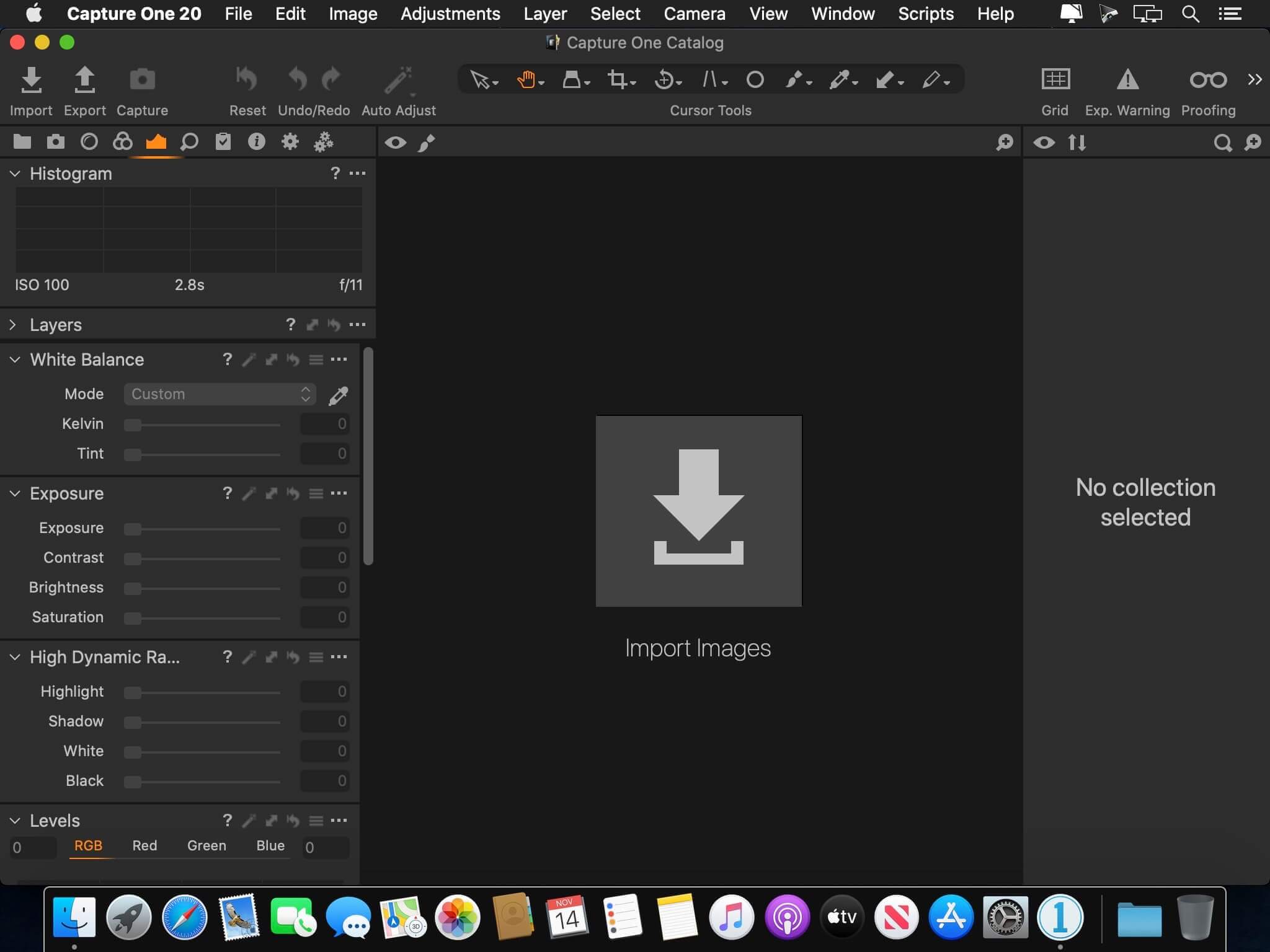
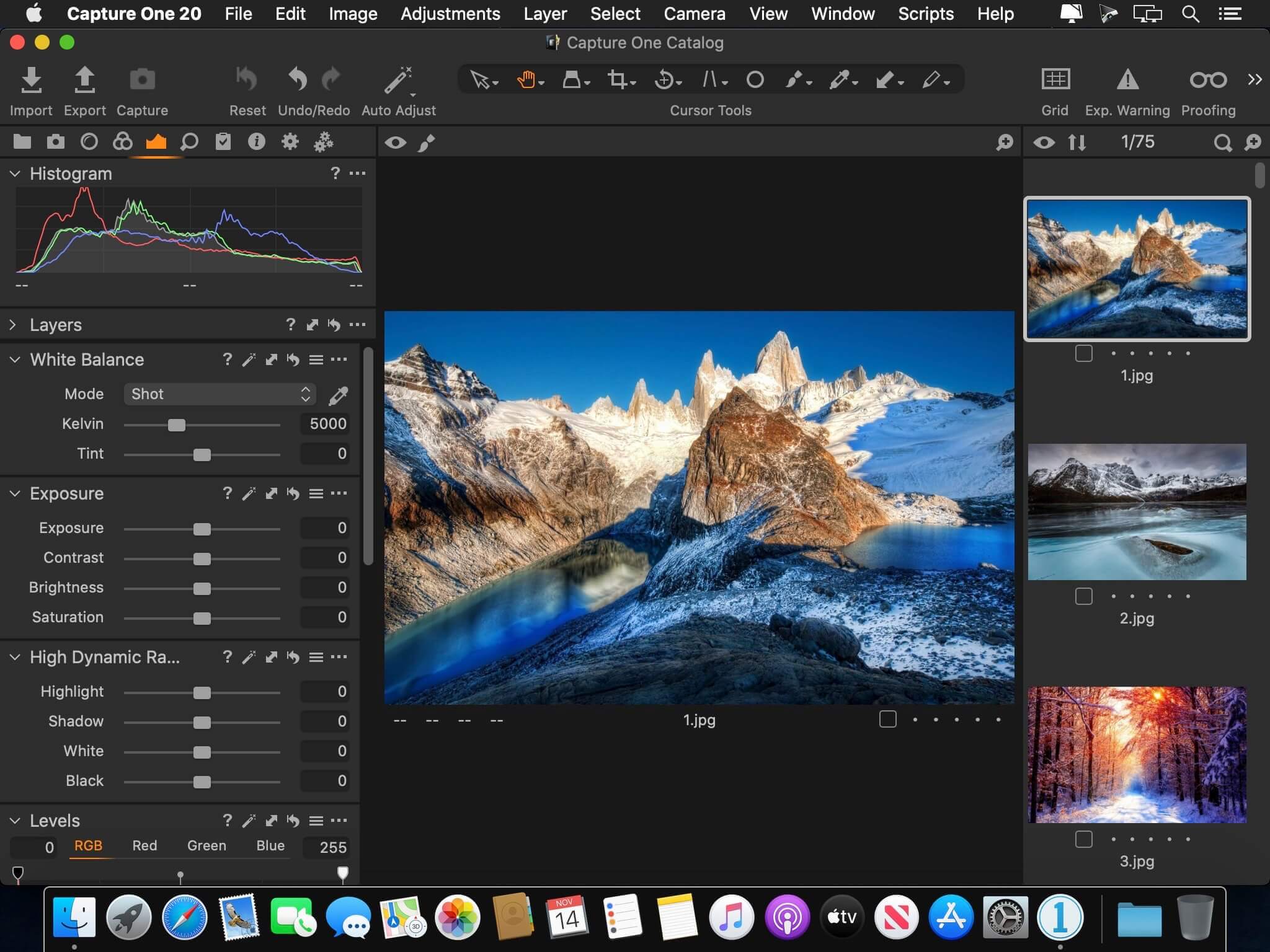
Capture One 23 is a professional RAW converter offering you ultimate image quality with beautiful colors and incredible detail for more than 500 high-end cameras. It offers state- of-the-art tethered capture, powerful digital asset management, extensive adjustment tools and a flexible workflow through customizable workspaces.

With an updated processing engine, market-leading performance and powerful new features, Capture One is the professional choice in imaging software. You get the highly responsive precision tools you need to create stunning images from your camera’s RAW files in a time-saving workflow that can be customized to fit your needs.

New features and improvements

  • Speed Edit
  • Dehaze
  • Improved importer

General User Experience Improvements and tweaks

  • HEIF support
  • Easy brush adjusting
  • Improved performance
  • Colored gradients on White Balance Sliders
  • Enhanced tooltips
  • Easy access to Tutorials

Compatibility: macOS 12.0 or later,
Homepage https://www.phaseone.com/

Screenshots


Name: Capture_One_Pro_16.6.1.21_Mactorrents.Me.dmg
Size: 1.2 GB
Files Capture_One_Pro_16.6.1.21_Mactorrents.Me.dmg[1.2 GB]


   Download Torrent

GraphicConverter 12.4.1

GraphicConverter is an all-purpose image-editing program that can import 200 different graphic-based formats, edit the image, and export it to any of 80 available file formats.

The high-end editing tools are perfect for graphic manipulation as well as the ability to use Photoshop-compatible plug-ins. It offers batch-conversion capabilities, a slide-show window, batch rename, batch and individual editing of metadata (EXIF, IPTC, XMP) and so much more.

GraphicConverter 11

RAW Developer
RAW images are much easier to edit thanks to their enormous data depth. This is particularly noticeable when brightening images with the Exposure slider. The picture remains clear, there is no gray haze as with many JPG images. GraphicConverter now offers a full-screen dialog when opening RAW files with controls for Exposure, Contrast, and Color Corrections. The picture noise can be reduced even with 6 controllers.

Unpack Archives
You want to know which pictures and documents are in an archive file? Then double-click is enough: GraphicConverter temporarily shows you the content or secures the content permanently. In addition to the Zip format, there are 12 additional formats supported, such as the TAR and TGZ formats.

Wide Equalization
In wide-angle shooting, faces and objects on the left and right edges of the image are often heavily distorted in width. With the new wide-angle equalization in GraphicConverter 11, you can now reduce this distortion.

Gradients
You need a gradient, e.g. as a background for a collage? No problem. Easily create color gradients with up to 10 colors via the new dialog.

Duo-Tone
Color your shots with two colors to duo-tone images. In this impressive technique, the lighter shades are colored with the color 1 and the darker ones with the color 2. The result is an effect that enchants your pictures.

Apple Finder Tags
Do you organize your work with Finder Tags from Apple? Then your work will be even easier, because in the browser you can now use the context menu to directly display and change these tags.

Compatibility: macOS 10.13 or later • Apple Silicon or Intel Core processor
Homepage https://www.lemkesoft.de

Screenshots


Name: GraphicConverter_12_12.4.1_Mactorrents.Me.dmg
Size: 268 MB
Files GraphicConverter_12_12.4.1_Mactorrents.Me.dmg[268 MB]


   Download Torrent

Text Workflow 2.4.0

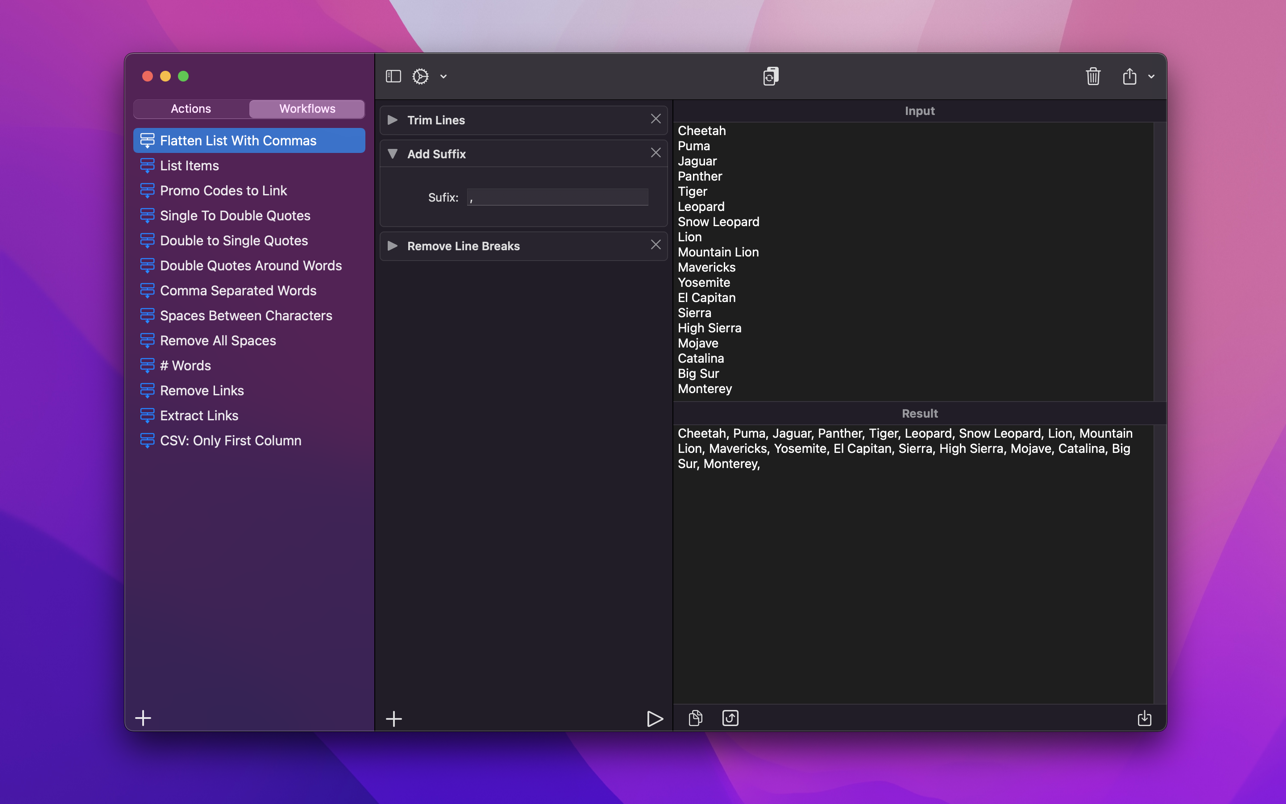
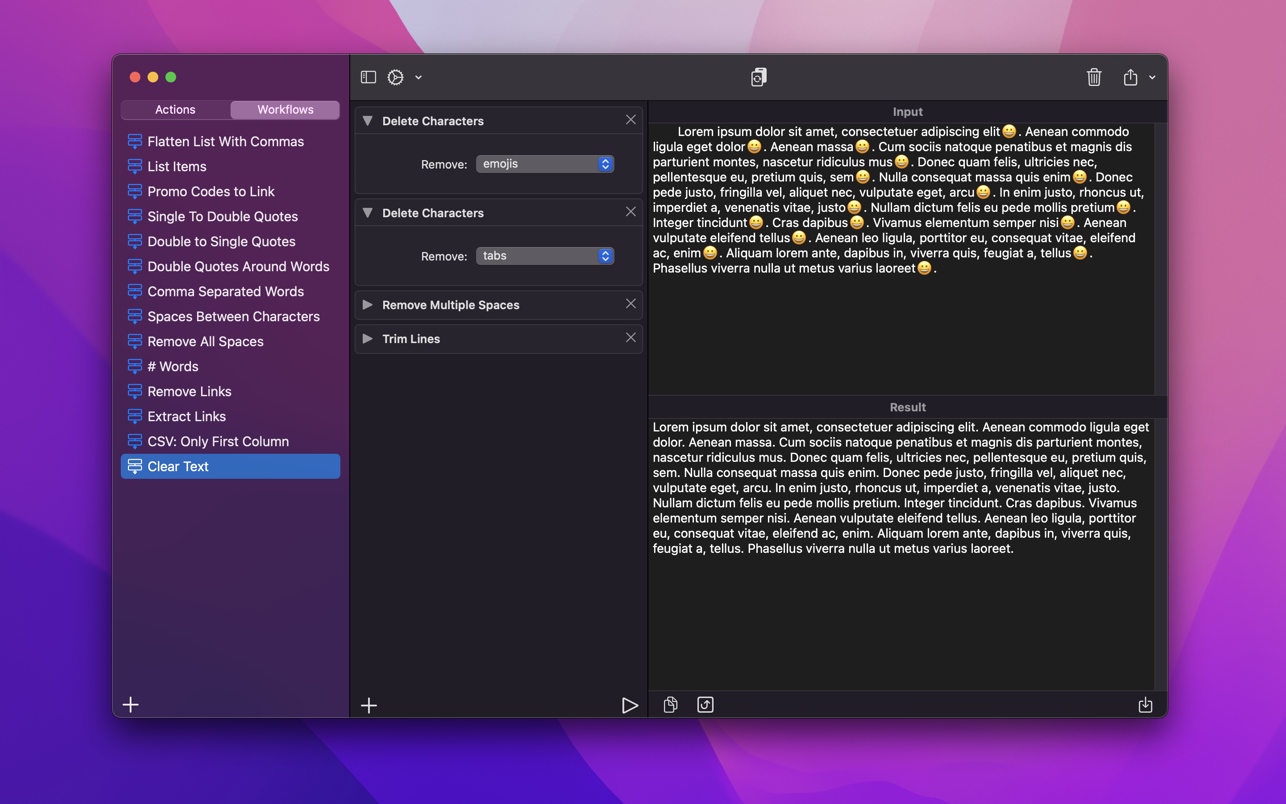
A powerful and easy to use tool that will help you transform your text. Text Workflow removes the need to perform repetitive tasks manually on your text.

Combine transformation actions to create powerful automations for your text. Save your transformation workflows to use them any time you want.

Available text transformation actions
• Add prefix
• Add suffix
• Replace text
• Sort lines
– alphabetically
– reverse
– shuffle
– by length
• Trim Lines
• Add line number
• Break lines
– after every word
– after every sentence
– after text
– before text
• Convert Case
– uppercase
– lowercase
– title case
– camel case
– pascal case
• Delete Characters
– selected characters
– non-alphanumeric
– numeric characters
– non numeric
– tabs
– spaces
– characters after position
– characters before position
– last characters
– emojis
– characters after text
– characters before text
• Insert Text
– at first line
– at last line
– every line (position)
– before every word
– after every word
– before text
– after text
– after every character
• Delete Lines
– containing text
– starting with text
– not containing text
– not starting with text
• Remove line breaks
• Remove multiple spaces
• Remove duplicates lines
• Remove duplicates words
• Remove empty lines
• Delete/Filter words
– containing text
– starting with text
– not containing text
– not starting with text
• Spell out lines
• Get Statistics
– count characters
– count words
– count lines
• Encode/Decode
– Base64
– URL
• Encrypt/Decrypt Text with password
• Beautify JSON
• Beautify XML

You can combine all these actions to create your custom transformation workflows!
Export your workflows to file and share them easily with other users!

Compatibility: macOS 12.0 or later
Mac App Store https://apps.apple.com/app/text-workflow/id1600520682

Screenshots


Name: Text_Workflow_2.4_Mactorrents.Me.dmg
Size: 13 MB
Files Text_Workflow_2.4_Mactorrents.Me.dmg[13 MB]


   Download Torrent

Wondershare Recoverit 13.5.15.19

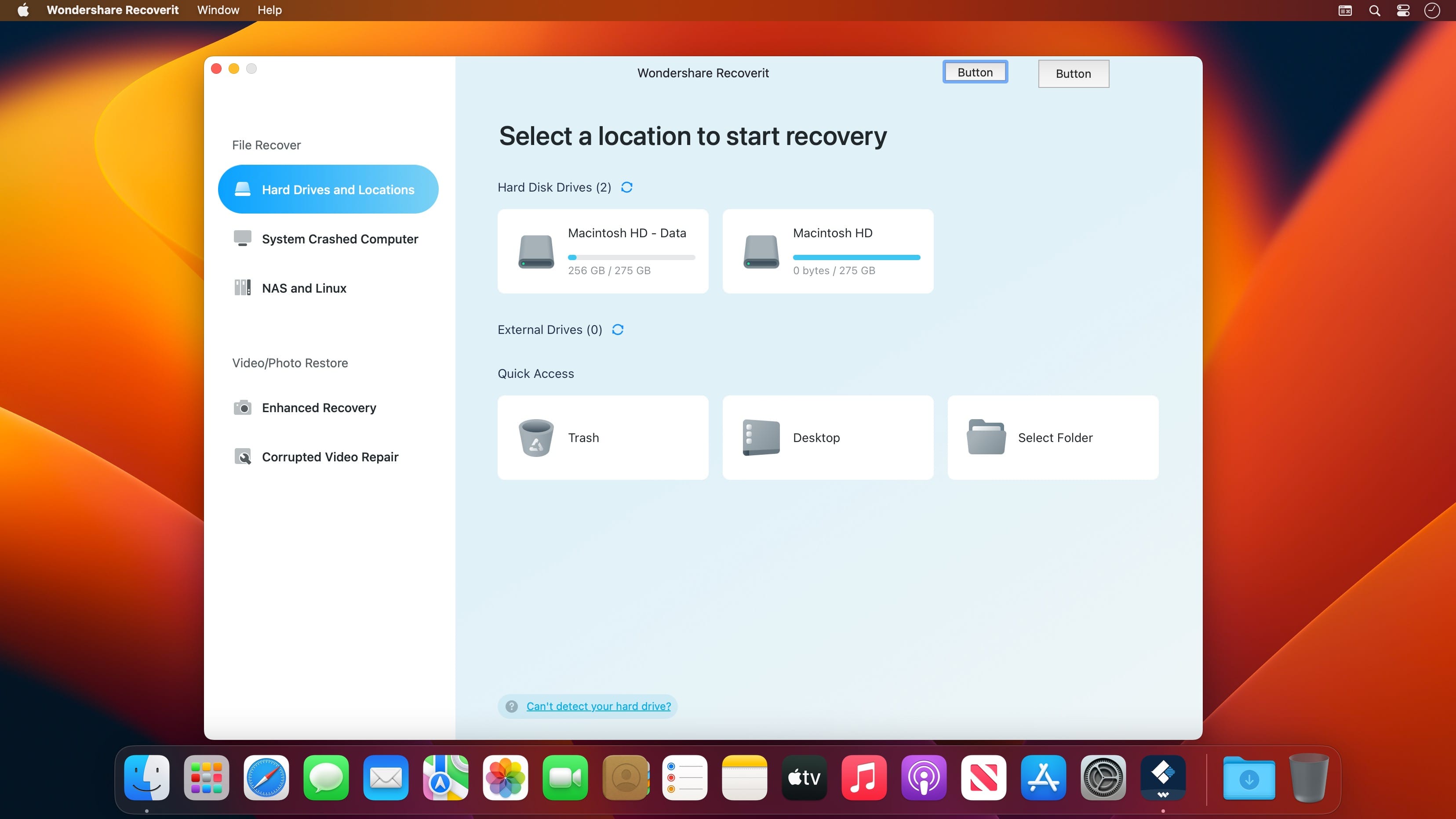
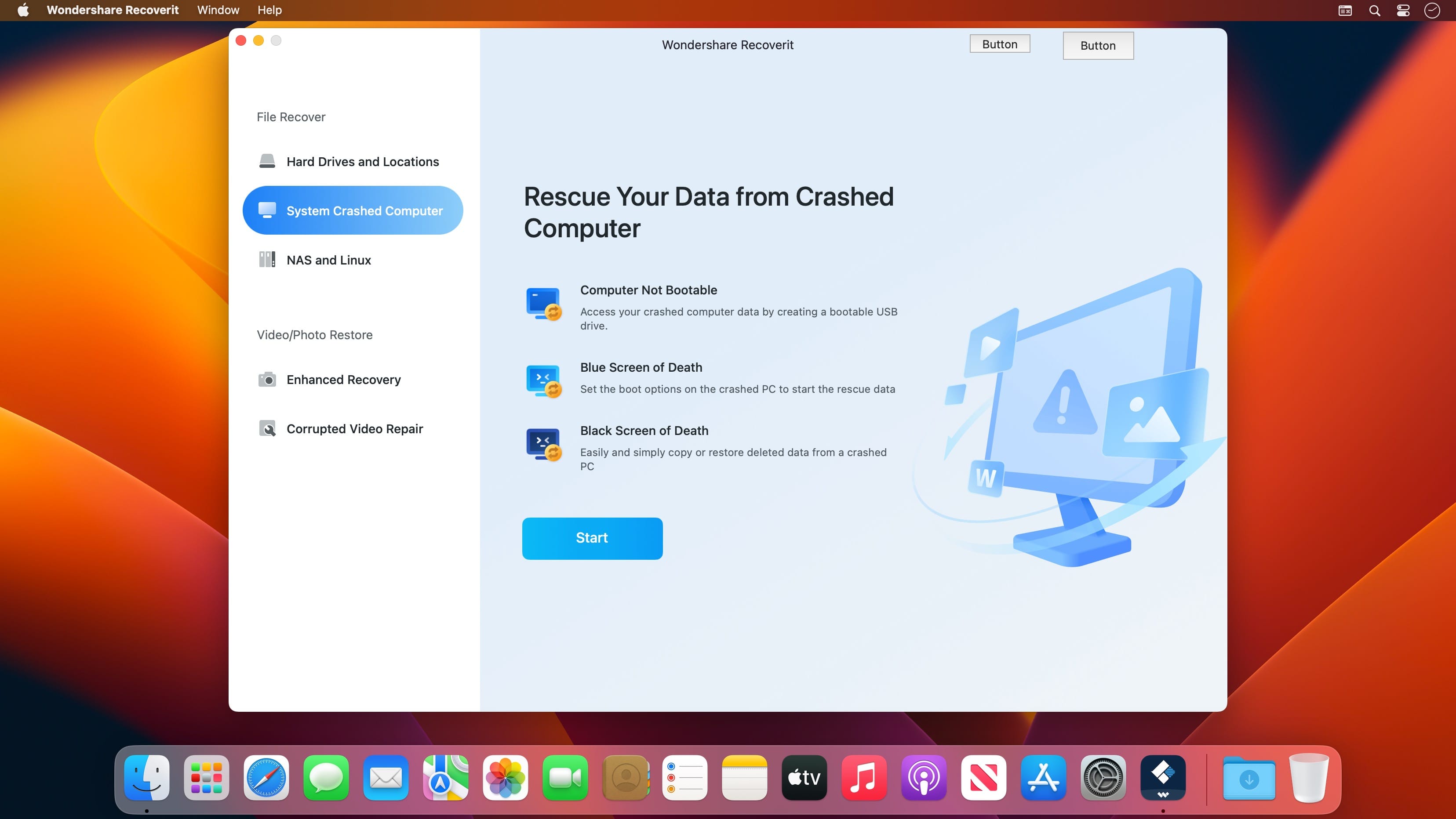
Wondershare Recoverit is a comprehensive data recovery suite to recover Mac data lost due to accidental deleting, formatting, virus infection, improper operation, unexpected power failure, and other unknown reasons.

It can recover Mac data from lost, deleted, logical corrupted and formatted Mac hard drive, iPod, USB drive, SD card, digital camera, mobile phone, MP3, and MP4 player. Compatible with HFS+, FAT16/32, and NTFS file system volumes, this non-destructive Mac file recovery software ensures safe Mac file recovery without modifying the original data saved on your Mac machine or any other storage media. Versatile preview lets you enjoy Mac data recovery in advance.

Features

  • Safety First:
    • Read-only and risk-free Mac data recovery program. No any writing operation to your original data.
  • Versatile Preview Ability:
    • For images, real-time and direct scan results is displayed during the scan process to let users stop scanning once the target images are found.
    • For other Mac files such as videos, audio files, archives and documents, they are displayed as a text in a Hex mode for preview to let users enjoy file recovery on Mac in advance.
  • Precise File Recovery for Mac:
    • Before data recovery on Mac, you can choose the target file types to scan, which saves you much time especially when there are tons of files on your Mac machine.
    • Restore deleted files for Mac with original file names, shooting date, and storage paths.
    • Support file names search for scanning results to provide you precise Mac file recovery.
  • Easy-to-use and Clean Interface:
    • Complete wizard and easy-to-use interface let you perform Mac data recovery in a breeze.

Compatibility: macOS 10.14 or later,
Homepage https://recoverit.wondershare.com

Screenshots


Name: Wondershare_Recoverit_13.5.15.19.dmg
Size: 129 MB
Files Wondershare_Recoverit_13.5.15.19.dmg [129 MB]


   Download Torrent

EdgeView 5.0.6

EdgeView 3 is fast image viewer has elegant user interface. EdgeView 3 is developed and designed for modern MacOS. It can open various image files such as JPEG, PNG, TIFF, BMP, and RAW file of DSLR, EPS and PDF, AI(Adobe Illustrator). Can open image files in archive directly without extraction.

User can open files, rename files, delete files from EdgeView’s file browser. Also can access to SMB/AFP/FTP network volume.

User can navigate images quickly by using keyboard shorcut, mouse wheel, trackpad gesture. EdgeVew show EXIF information, play animation GIF/PNG/WebP smoothly. Save last status to history, and restore when reopen file.

EdgeView 3 will be the best choice when viewing and managing image files.

Features

  • Rewrote full code as Swift for improve performance.
  • Support m1 CPU Mac.
  • Has easy UI, can control main function at Sidebar.
  • Support English/Korean/Japanese/Chinese(Simplified).

Image Viewer

  • Supporting image files such as JPG, GIF, BMP, PSD, TIFF, RAW, WEBP and PDF, EPS, AI(Adobe Illustrator), OpenEXR, HDR, TGA.
  • Can play animation GIF/PNG/WebP. User can control animation with floating animation controller.
  • Dispaly internal image(or frame) of animation GIF/PNG/WebP or HEIC that has multiple internal image.
  • Can read and show images of major archive formats (such as ZIP, RAR, CBZ, CBR, 7-zip) without extraction. Of course, can open ZIP file that 4GB over.
  • Can read encrypted archive file.
  • Can read archive file in archive file recursively
  • Improved draw speed by rebuilt image cache system and drawing engine.
  • Draw images as high quality.
  • Provide suitable functions for comic reading such as ‘Two-Page Spread’, ‘Continuous Scroll mode’, ‘Right to Left’, etc.
  • Provide multiple navigation functions like as ‘Move’, ‘Skip’, ‘Shift’, etc.
  • User can navigate images and check whole thumbnails at Thumbnailsbar.
  • User can navigate images by using keyboard shortcut, mouse wheel, trackpad gesture.
  • Can rotate and flip images. Orientation will be saved to history.
  • User can select part of images, and copy it or save as file.
  • Can zoom in/out image freely.
  • Built-in loupe function to make it easier to magnify part of image.
  • Show histogram.
  • Show neighbor files list. And can open neighbor file.
  • Support history feature for saving and restoring last status of file.
  • Can reopen file or remove history at history list.
  • Can rate image files.

File Browser

  • Built-in file browser can show and open files from local drive or AFP/SMB/FTP network drive.
  • Can display files as lists or icon.
  • Show images in folder/archive file at preview panel.
  • Generate thumbnails of archive files and folders.
  • Support powerful search feature.
  • Show category and writer information.
  • User can sort files by various options, and can delete or rename files.
  • Can rate files or folders.

Others

  • Support customizing feature. Also user can change shortcuts.
  • Built-in Quick Look Extension generate thumbnails and preview of archive files at Finder.

Compatibility: macOS 11.1 or later
Homepage https://apps.apple.com/pk/app/edgeview-2/id1206246482

Screenshots


Name: EdgeView_5.0.6_Mactorrents.Me.dmg
Size: 142 MB
Files EdgeView_5.0.6_Mactorrents.Me.dmg[142 MB]


   Download Torrent

Keep It 2.6.5

Keep It is for writing notes, keeping web links and documents, and finding them again. Available on Mac, and as a separate app for iPhone and iPad, Keep It is the destination for all those things you want to put somewhere, confident you will find them again later.

Notes and Links
Make Notes
Create notes with built-in styles that look good and read well on all your devices. Notes can contain checklists, bulleted and numbered lists, images, links and other attachments.

Save Web Links
Save web links to Keep It, view them in the app, open them in your browser, or save them as PDFs for offline reading.

Files
Add Anything
Any kind of file can be added to Keep It or saved to its folders, and opened for editing in their original applications. With iCloud, changes are automatically made available across all your Macs and iOS devices.

Preview and Edit
Keep It generates thumbnails and summaries for most files, can edit its own notes, rich and plain text files, and show previews for PDFs, images, web pages and most other documents.

Search and Filter
Search
Keep It can search the content of most files. Suggestions appear as you type, allowing you to narrow down results to exactly what you need, or use keywords and natural language. Save searches for later reuse.

Tag Filter
Keep It’s Tag Filter makes finding things by their tags a pleasure. Choose a tag to see all the tagged items and any other relevant tags; choose another tag to drill down further.

Organize
Folders
Folders let you organize items and bundles hierarchically, when needed. Select a folder to see everything it contains.

Bundles
When you need to gather things into one place, make a bundle. Items can be in more than one bundle at a time, and when you remove the bundle, everything else stays where it was.

Labels
Use labels to color-code items for quick visual recognition. Labels are listed in the sidebar so you can quickly see everything with a particular label.

More Lists
Use the Recents list to see things you’ve added or viewed lately, with the latest shown at the top. Favorites provide quick access. Deleted Items are automatically removed after 30 days.

Where You Need It
Compact Mode
In compact mode, Keep It for Mac becomes a single column, ideal for using alongside other apps or in split screen.

Works with Other Apps
Pretty much anything can be dragged to Keep It, and you can also add things from a variety of apps with Keep It’s share extension.

Compatibility: macOS 11.3 or later
Homepage http://reinventedsoftware.com/keepit/

Screenshots


Name: Keep_It_2.6.5_Mactorrents.Me.dmg
Size: 34 MB
Files Keep_It_2.6.5_Mactorrents.Me.dmg[34 MB]


   Download Torrent

RightFont 9.5.1

RightFont is an innovative, beautiful and professional font manager app for macOS, helping designers to preview, install, sync and manage their font files. RightFont is a lightweight font manager with a clean, beautiful interface. It offers many features which help you manage all your local fonts with ease

  • Font-management access anytime directly from your menubar
  • Mark any font as starred with a click
  • Create and manage font lists
  • Access fonts directly in Adobe Creative Cloud (Photoshop, Illustrator, InDesign, Flash, AfterEffect), Sketch, etc.
  • Instant search results as you type
  • Change font preview and font size in real-time Find the right font faster
  • Easily filter fonts by classifications (sans serif, serif, script, etc.), font width and font weight. Even Google fonts and Adobe TypeKit fonts are listed separately for you.
  • Effortless integrations – You can use RightFont with design software. With a simple double-click, the font used in your text layer can be changed.

Interface Redesign
RightFont 5 was totally redesigned to keep a balance between simplicity and features. It’s now much easier to enable creative designers and teams accelerate their workflow.

Font Library
As you wish, Font Library is finally introduced in RightFont 5. Now you are able to organize fonts and fontlists in a font library, and free to move it anywhere for font sharing or backup purpose.

macOS Mojave Support
RightFont 5 is fully optimized for macOS Mojave, with the support for dark theme, Touchbar, color SVG fonts and more.

Better Performance
Performance is a big step forward in RightFont 5, now 2x faster than version 4.0 when importing and rendering fonts.

Compatibility: macOS 11.0 or later
Homepage https://rightfontapp.com/
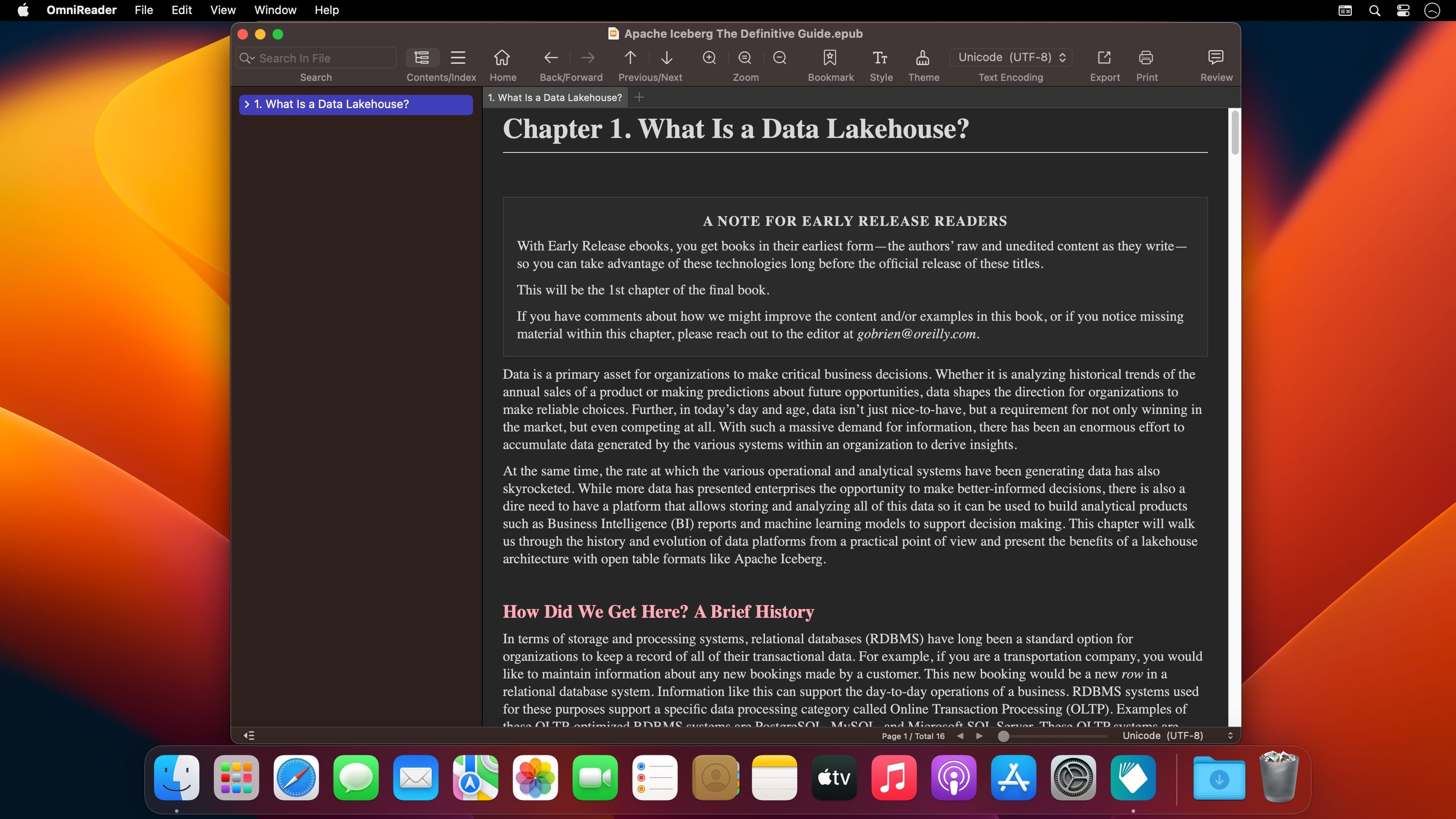
Screenshots


Name: RightFont_9.5.1_Mactorrents.Me.dmg
Size: 17 MB
Files RightFont_9.5.1_Mactorrents.Me.dmg[17 MB]


   Download Torrent

PDF Reader Pro 5.1.1

PDF Reader Pro is a PDF powerhouse that will fulfill all your document needs. Building on solid features such as Annotation, Edit, Form filling, OCR, Convert, Create, Sign, Bookmark and protect your PDF files, PDF Reader Pro allows you to maneuver through your PDF files.

PDF Reader Pro offers even more – Edit text in PDFs, merge and combine multiple documents, split your PDF into several files, insert pages from another PDF, Convert PDF to Word and any other Microsoft Office® formats. Carry just your PDFs and make your presentations with them under the Presentation Mode, work becomes effortless and more productive with lighter PDFs!

The app has a presentation mode that will allow you to showcase your PDF document to others. Now you can enjoy the best PDF to Office Converter! Export from PDF to Microsoft Word (.docx), PowerPoint (.pptx), Excel (.xlsx), RTF, HTML, Text, Image, CSV, and more Offline

Compatibility: macOS 11.0 or later
Homepage https://www.pdfreaderpro.com

Name: PDF_Reader_Pro_5.1.1_Mactorrents.Me.dmg
Size: 280 MB
Files PDF_Reader_Pro_5.1.1_Mactorrents.Me.dmg[280 MB]


   Download Torrent

DoubleTake 2.7.7

DoubleTake is for Mac users who like compact cameras, but sometimes wish they could magically pull a wide angle lens out of their pocket, or plug in a sensor with a few extra megapixels for that large print.

DoubleTake handles this by giving you both automatic and manual control of how to stitch photos perfectly, with simple drag-and-drop.

Compatibility: OS X 10.10 or later, 64-bit processor
Homepage https://echoone.com/doubletake/https://echoone.com/doubletake/

Screenshots


Name: doubletake_2.7.7_Mactorrents.Me.dmg
Size: 5 MB
Files doubletake_2.7.7_Mactorrents.Me.dmg[5 MB]


   Download Torrent

Downie 4.9.18

A simple download manager that offers you the possibility to quickly save videos from different websites to your own disk drive.

f you are using a poor internet connection, trying to visualize videos streamlined online might not work properly since the content is loaded too slowly. Downie is a simple Mac app that can help you download those videos to your computer, and then watch them by using your default media player.

User friendly video downloader featuring support for drag and drop actions
Working with Downie is extremely straightforward: simply drop the video URL on top of the app’s main window or on the Dock icon. Downie adds the video to your downloads list, so all you have to do next is start the process by pressing the appropriate button. Of course, you can also remove items from the list.

By default, Downie downloads MP4 files and places them in your default Downloads folder, but you can easily change this via the Preferences window. The same area allows you to setup notifications, or post processing actions (convert to MP4 if necessary, or extract audio only).

Effortlessly download videos from a wide collection of hosting websites
Downie provides support for more than 400 different websites that host video content, among which there are the most popular choices, such as YouTube, Apple, LiveLeak, Vimeo, BBC, and so on. If a certain website is not included, within the app you can send a request email to the Downie developers.

Moreover, Downie also provides matching extensions for various popular web browsers, such as Firefox, Safari, Google Chrome or Chromium. The add-ons are not installed by default: open the Preferences window and install only the ones you plan to use.

Straightforward solution for downloading video content hosted online
Downie is a great tool for saving videos posted on various websites to your Mac for offline playback. The application is extremely useful especially if you have a slow internet connection.

Compatibility: macOS 10.12.6 or later
Homepage https://software.charliemonroe.net/downie/

Screenshots


Name: Downie_4_4.9.18_Mactorrents.Me.dmg
Size: 50 MB
Files Downie_4_4.9.18_Mactorrents.Me.dmg[50 MB]


   Download Torrent

Noizio Calm, Meditate, Sleep 2.1.3

Noizio is an app that will drown out the noise of the street and allow you to concentrate on the work at hand, increasing your productivity. On the other hand, it can also set the mood for a romantic evening or lull you to sleep, ensuring that you will dream soundly all night long. An ambient sound equalizer app for creating a mixture of ambient sounds available for macOS.

Features:

  • 40+ enchanting ambient sounds included;
  • Ease of choosing and blending the ambient sounds into a mixture that will perfectly fit your mood;
  • Background sound support. Listen to your mixes while using other apps;
  • The Noizio app lets you play all the sounds offline;
  • High-quality nature sounds, to set the mood;
  • Create your own amazing focus, relax or sleep sounds mixes;
  • Minimalistic design;
  • Sounds are played in a seamless loop;
  • Autopause timer & Alarm.

Our Ambient & Nature sounds:
Birds in Park, Blue Whales, Campfire, City Street, Clock, Deep Space, Desert, Farm, Frogs and Crickets, Ghosty, Heartbeat, Inside Train, Keyboard Typing, Kitty Purr, Magical Chimes, Night Owls, October Rain, Old Typewriter, Paris Cafe, Pink Noise, Playground, River Stream, Sailing Yacht, Sea Waves, Ship Hull, Space Drone, Subway, Summer Night, Sunny Day, Thunderstorm, Tropical Birds, Vinyl Cracks, White Noise, Wind Chimes, Winter Wind, Alpha Waves, Beta Waves, Gamma Waves, Delta Waves, Theta Waves.

Compatibility: macOS 10.13 or later 64-bit
Homepage https://geo.itunes.apple.com/app/id928871589

Screenshots


Name: Noizio_2.1.3_Mactorrents.Me.dmg
Size: 104 MB
Files Noizio_2.1.3_Mactorrents.Me.dmg[104 MB]


   Download Torrent

Aspect Ratio Pro 2.22

Aspect Ratio Pro is a Rule of Three calculator. It’s handy for calculating aspect ratios and scaling.

Features
– Calculate aspect ratios (rule of three)
– Swap values horizontally and vertically
– Select scales and ratios
– Browse common resolutions
– Browse recent ratios
– Formula preview
– Uses imperial or metric system automatically based on your system settings
– Multi-window support
– Optimized for macOS 11 (Big Sur) and macOS 12 (Monterey)
– Optimized for Mac with M1, M1 Pro and M1 Max (Apple Silicon)

Compatibility: macOS 11.0 or later
Homepage: https://apps.apple.com/rs/developer/app-ahead-gmbh/id955848754

Name: Aspect_Ratio_2.22_Mactorrents.Me.dmg
Size: 7 MB
Files Aspect_Ratio_2.22_Mactorrents.Me.dmg[7 MB]


   Download Torrent

Trickster 3.9.9

Trickster (was Blast) is a productivity booster application that places all recently used files at user’s fingertips, providing him with a fast and easy access to them.

Trickster keeps track of all the files the user has been recently using on his Mac. With Trickster, all these documents are just one click away. The user can access the file list anytime by clicking on the application icon in the menu bar, and perform multiple actions on the files: open, preview, move and more.

Compatibility: macOS 10.14 or later, 64-bit processor
Homepage https://www.apparentsoft.com/trickster

Screenshots

Name: Trickster_3.9.9_Mactorrents.Me.dmg
Size: 9 MB
Files Trickster_3.9.9_Mactorrents.Me.dmg[9 MB]


   Download Torrent

EazyDraw 11.12.0

EazyDraw is a vector drawing application. For the full journey from Jaguar to El Capitan, EazyDraw has been the trail-blazing app for the new vector-drawing paradigm on the Mac.

EazyDraw provides a balanced feature set that includes tools needed for technical drawing, Web and app graphic design, print publishing, logos, page – text layout and more. Easy enough for everyone, but with the depth your project will need.

Includes comprehensive support for bitmap and vector graphic formats. Import and ungroup for editing PDF and EPS. Import and export SVG and now DXF. Preview and publish to EPS and TIFF with RGB or CMYK process colors. Exchange scaled CAD drawings with DXF. Publish Web graphics. Create Mac, iPhone, and iPad app-development graphics and icons.

Top In-App Purchases: Full Version – included
Compatibility: macOS 11.0 or later
Homepage http://www.eazydraw.com/
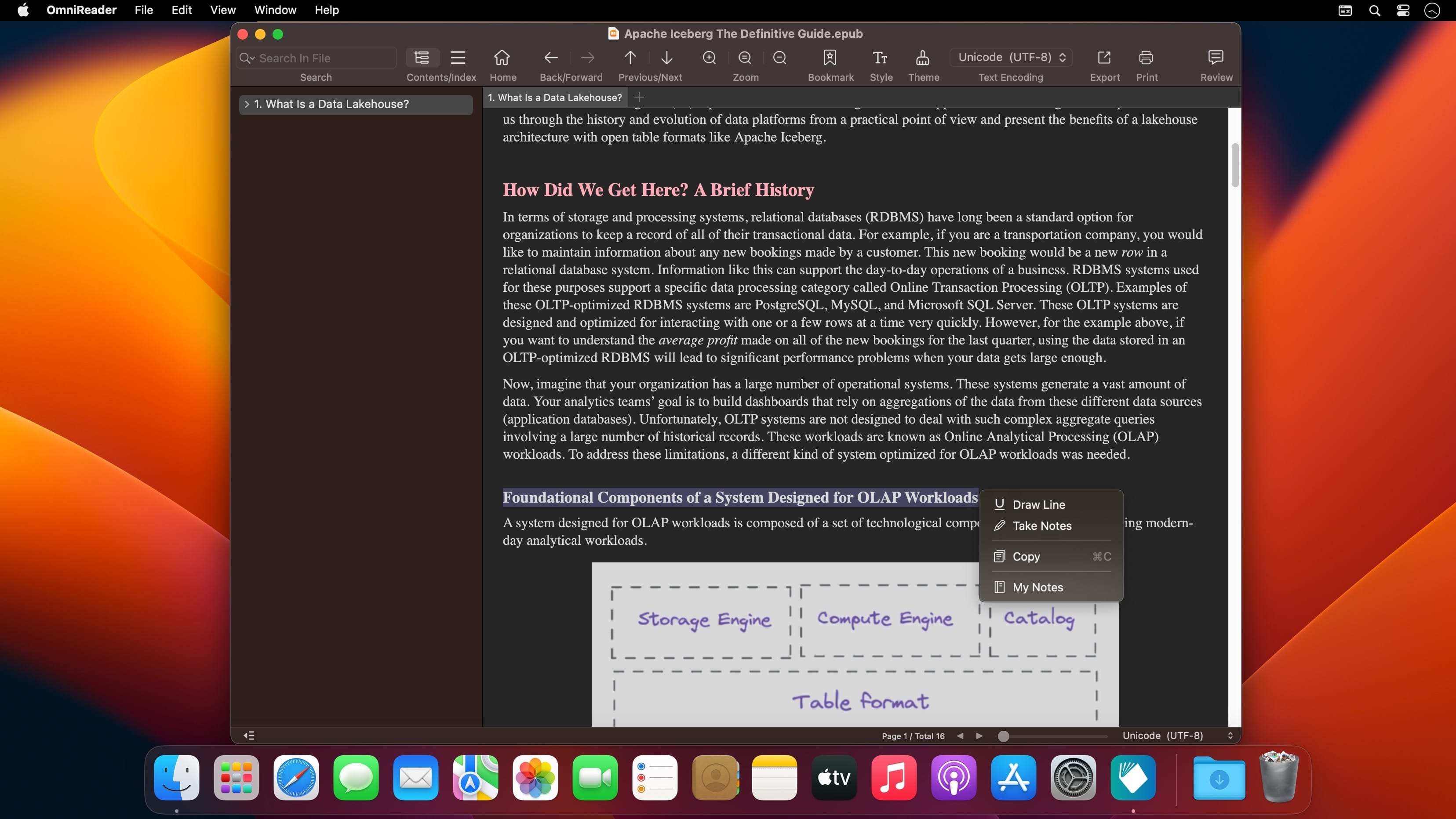
Screenshots


Name: EazyDraw_11.12.0_Mactorrents.Me.dmg
Size: 151 MB
Files EazyDraw_11.12.0_Mactorrents.Me.dmg[151 MB]


   Download Torrent

Folx GO+ 5.29

If you are looking for a powerful tool to manage and organize your downloads in a neat way Folx GO+ is just what you need.

With Folx GO+ you get the following:

  • User friendly downloader with lots of cool options and modern Mac interface
  • Folx GO+ is powered by a great feature to split downloads up to 10 threads. In this way the downloading speed will be increased dramatically.
  • Downloads Scheduler
  • You are able to set a time that is most convenient to start/stop the downloads.
  • Tagging system
  • For better search of downloaded data, assign one or more tags to each task. You can add tags during downloading progress or set them automatically.
  • Smart Speed Control
  • Allows controlling download speed with an added possibility to schedule specific speed for certain time and dates.
  • Integration to iTunes
  • All the downloaded data, whether it’s music or video, will be automatically integrated to iTunes playlist.
  • Save login and password
  • When starting new downloads from websites requiring authentication, Folx can remember login and password for easier downloading in the future. Folx Go+ can also save passwords for FTP and HTTP websites.

Compatibility: macOS 10.13 or later
Language: English, French, German, Italian, Japanese, Korean, Portuguese, Russian, Simplified Chinese, Spanish, Vietnamese

Homepage https://itunes.apple.com/app/folx-go+/id823528286

Screenshots


Name: Folx_GO__5.29_Mactorrents.Me.dmg
Size: 17 MB
Files Folx_GO__5.29_Mactorrents.Me.dmg[17 MB]


   Download Torrent

MouseBoost Pro 3.7.1

MouseBoost Pro integrates more than 30 kinds of small tools, and the operation way is very simple, as long as you click the right mouse button, you can activate all kinds of functions you want, so that your work efficiency is greatly improved.

You can create any file type you want, open any APP you want, self-sorting, fully customized!

Main Features

  • All menus support custom sorting.
  • Quickly create all kinds of commonly used files, and supports custom creation of various file types you want.
  • Quickly open your terminal, iTerm2, and go to the directory you want.
  • Quickly open VSCode, Sublime Text and Emacs, and customize the various apps you want to open.
  • Quickly copy the current path power.
  • Complete files deletion is supported.
  • Supports files moving, copying and cutting.
  • Supports files encrypted compression.
  • Quickly open your favorite directory.
  • Quickly get file MD5,SHA1,SHA256 and other information.
  • Supports hiding and displaying of specified files.
  • Supports modify folder icon.

Compatibility: macOS 10.11 or later
Homepage https://apps.apple.com/app/mouseboost-pro/id1555844307

Screenshots


Name: MouseBoost_Pro_3.7.1_Mactorrents.Me.dmg
Size: 16 MB]
Files MouseBoost_Pro_3.7.1_Mactorrents.Me.dmg[16 MB]


   Download Torrent

Master of Typing 3 – Practice 3.17.2

Master of Typing 3 is an effective TOUCH typing course for mastering fast typing technique using all your 10 FINGERS simultaneously.

INCREASE YOUR TYPING SPEED

  • Variety of exercises: letters & special characters, words & phrases.
  1. Click Settings (bottom left corner).
  2. Please, make sure that Auto Difficulty is OFF.
  3. Select a difficulty level, and then a lesson.
  4. Select a lesson section using left / right arrow keys.

Auto Difficulty settings:

  1. Click Settings (bottom left corner).
  2. Select auto-difficulty to move to the next lesson automatically if you do an exercise successfully.
  3. Deselect auto-difficulty and select a lesson if you want to exercise letters of this lesson only.

CHECK NEW SKILLS

  • Multiple levels of exams.
  • Accurate statistics results:
  • Best & average speed,
  • Best & average accuracy.
  • Tips system

ENJOY BENEFITS:

  • AI-powered dictation mode

Dictate the text and then type it OR select the suggested text and type it at dictation

  • Smart timer – stops when you click outside the app window.

So, you can come back to the exercise and continue doing it at any time.

  • 3 themes: Light, Dark and East – choose the most universally convenient theme that fits your needs.
  • Swipe and hotkeys for quickly switching between windows.
  • Colored keyboard’s scheme to memorize finger positions.
  • Ideal for self-study at any time.

TYPE IN DIFFERENT LANGUAGES:

  • English (QWERTY),
  • Russian (ЙЦУКЕН),
  • Spanish
  • French (AZERTY),
  • German (QWERTZ),
  • Italian.

Top In-App Purchases: Full Pack + No Ads

Compatibility: macOS 10.13 or later
Homepage https://geo.itunes.apple.com/app/id1225121166

Screenshots


Name: Master_of_Typing_3_-_Practice_3.17.2_Mactorrents.Me.dmg
Size: 228 MB
Files Master_of_Typing_3_-_Practice_3.17.2_Mactorrents.Me.dmg[228 MB]


   Download Torrent

Pulsar Audio Pulsar Mu v1.6.4

An industry-standard tube compressor
There are several reasons to use a variable-bias tube compressor. One is the exceptional compression transparency that this kind of compressor can achieve, even when pushed into extreme gain reduction. Another – and perhaps the most common – is their ability to add cohesion or “glue” to buses, whole mixes and masters.

Unfortunately, the original hardware is expensive and difficult to integrate with “in-the-box” workflows. Software emulations exist but most owners of the hardware agree that they cannot be compared to the original unit, as there’s always “something” missing.

With its unique Topology Preservation Technology, Pulsar Mu sounds objectively identical to the hardware in every production context, and even makes improvements such as an increased signal-to-noise ratio.

Homepage https://pulsar.audio/mu/

Name: Pulsar.Mu.v1.6.4_Mactorrents.Me.rar
Size: 89 MB
Files Pulsar.Mu.v1.6.4_Mactorrents.Me.rar[89 MB]


   Download Torrent