Tag Archives: 2.7.7

Keep It 2.7.7

Keep It is for writing notes, keeping web links and documents, and finding them again. Available on Mac, and as a separate app for iPhone and iPad, Keep It is the destination for all those things you want to put somewhere, confident you will find them again later.

Notes and Links
Make Notes
Create notes with built-in styles that look good and read well on all your devices. Notes can contain checklists, bulleted and numbered lists, images, links and other attachments.

Save Web Links
Save web links to Keep It, view them in the app, open them in your browser, or save them as PDFs for offline reading.

Files
Add Anything
Any kind of file can be added to Keep It or saved to its folders, and opened for editing in their original applications. With iCloud, changes are automatically made available across all your Macs and iOS devices.

Preview and Edit
Keep It generates thumbnails and summaries for most files, can edit its own notes, rich and plain text files, and show previews for PDFs, images, web pages and most other documents.

Search and Filter
Search
Keep It can search the content of most files. Suggestions appear as you type, allowing you to narrow down results to exactly what you need, or use keywords and natural language. Save searches for later reuse.

Tag Filter
Keep It’s Tag Filter makes finding things by their tags a pleasure. Choose a tag to see all the tagged items and any other relevant tags; choose another tag to drill down further.

Organize
Folders
Folders let you organize items and bundles hierarchically, when needed. Select a folder to see everything it contains.

Bundles
When you need to gather things into one place, make a bundle. Items can be in more than one bundle at a time, and when you remove the bundle, everything else stays where it was.

Labels
Use labels to color-code items for quick visual recognition. Labels are listed in the sidebar so you can quickly see everything with a particular label.

More Lists
Use the Recents list to see things you’ve added or viewed lately, with the latest shown at the top. Favorites provide quick access. Deleted Items are automatically removed after 30 days.

Where You Need It
Compact Mode
In compact mode, Keep It for Mac becomes a single column, ideal for using alongside other apps or in split screen.

Works with Other Apps
Pretty much anything can be dragged to Keep It, and you can also add things from a variety of apps with Keep It’s share extension.

Compatibility: macOS 14.6 or later
Homepage http://reinventedsoftware.com/keepit/

Screenshots


Name: Keep_It_2.7.7_Mac-torrents.Net.dmg
Size: 38 MB
Files Keep_It_2.7.7_Mac-torrents.Net.dmg[38 MB]


   Download Torrent

DoubleTake 2.7.7

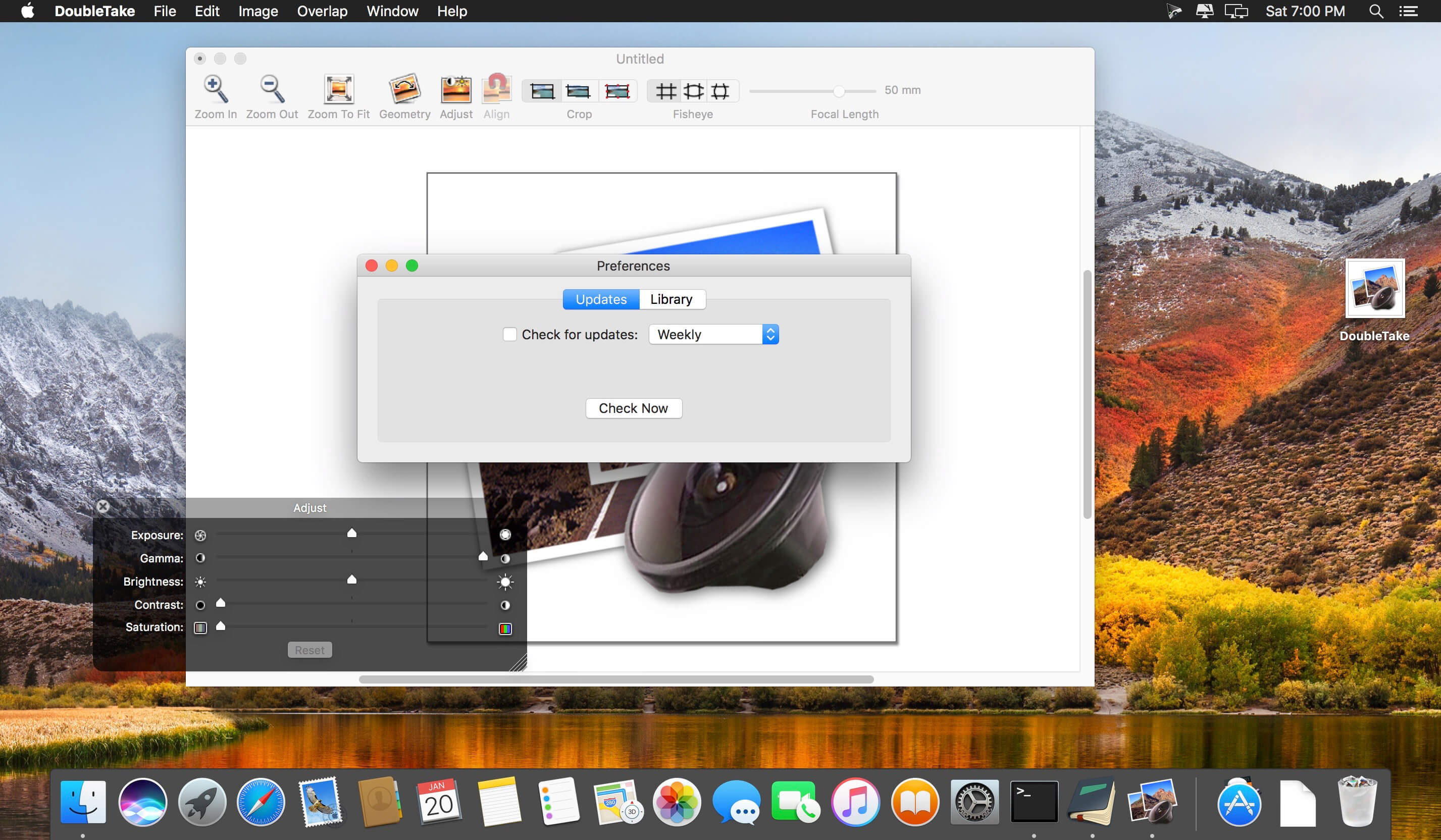
DoubleTake is for Mac users who like compact cameras, but sometimes wish they could magically pull a wide angle lens out of their pocket, or plug in a sensor with a few extra megapixels for that large print.

DoubleTake handles this by giving you both automatic and manual control of how to stitch photos perfectly, with simple drag-and-drop.

Compatibility: OS X 10.10 or later, 64-bit processor
Homepage https://echoone.com/doubletake/https://echoone.com/doubletake/

Screenshots


Name: doubletake_2.7.7_Mactorrents.Me.dmg
Size: 5 MB
Files doubletake_2.7.7_Mactorrents.Me.dmg[5 MB]


   Download Torrent

PowerPhotos 2.7.7

PowerPhotos – The ultimate toolbox for Photos on the Mac. PowerPhotos works with the built-in Photos app on your Mac, providing an array of tools to help you get your photo collection in order.

Create and manage multiple libraries
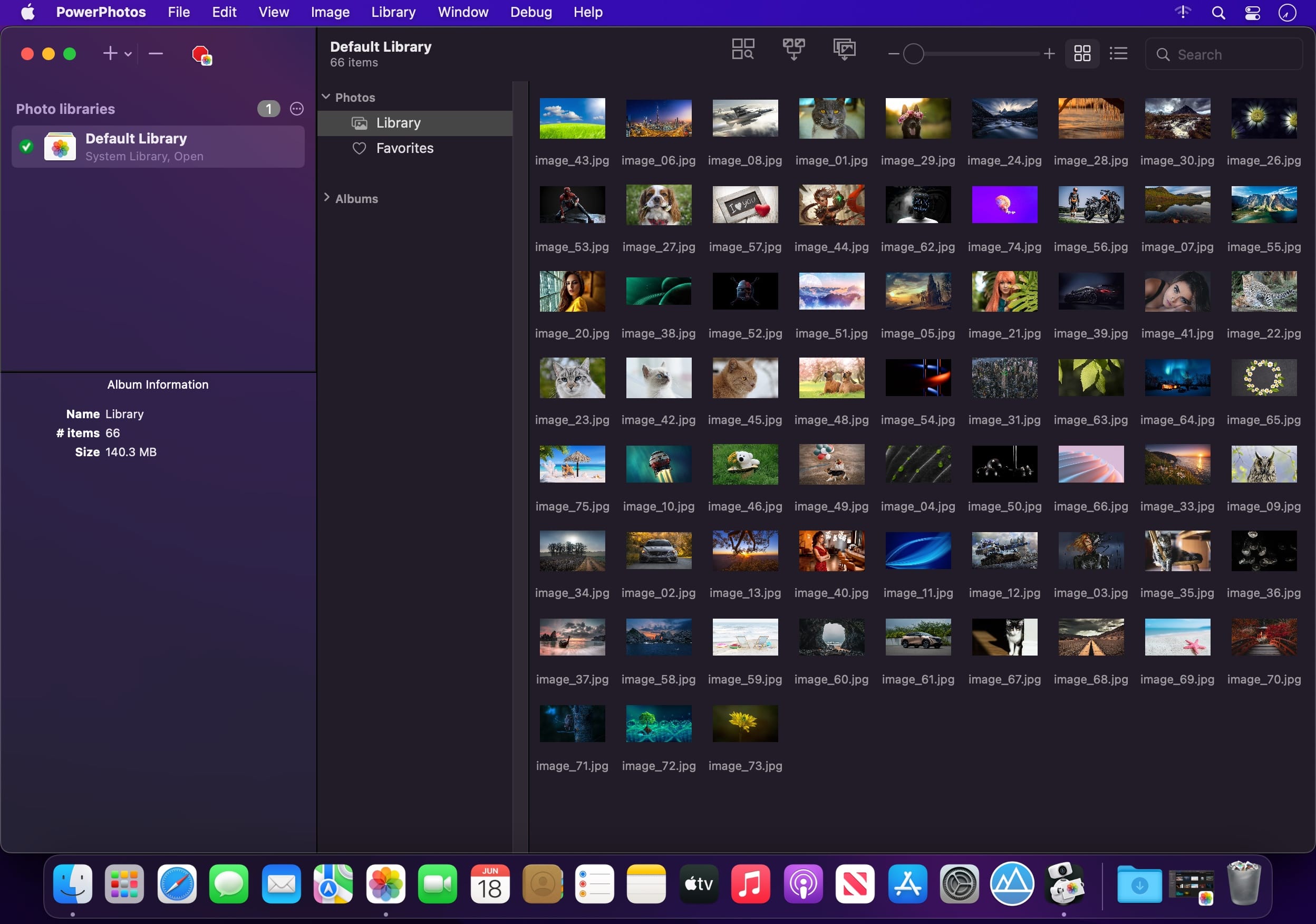
Instead of being limited to putting all your photos in a single library, PowerPhotos can work with multiple Photos libraries, giving you many more options for how to organize your ever growing photo collection.

Splitting your photos between multiple libraries helps Photos open more quickly, lets you archive older photos, store some of your collection on an external hard drive, and reduce storage space used by iCloud Photo Library.

Copy photos and their metadata
You can split your library by copying albums and photos with a simple drag and drop. PowerPhotos will take care of copying the photos and retaining their metadata, including keywords, descriptions, titles, dates, and favorite status. Read more about what PowerPhotos can copy.

Merge Photos libraries
Got a whole bunch of libraries you want to consolidate into one? PowerPhotos lets you merge your libraries together while weeding out duplicate photos in the process. You will be shown a preview of what your merged library will look like before any modifications are done, to ensure your merged library looks how you want.

Find duplicate photos
It’s easy to have multiple copies of the same photo creep into your photo collection over time. Use PowerPhotos to find duplicate photos in one or more libraries, view them side by side, and separate them into albums where you can easily delete them from your library.

Browse and search
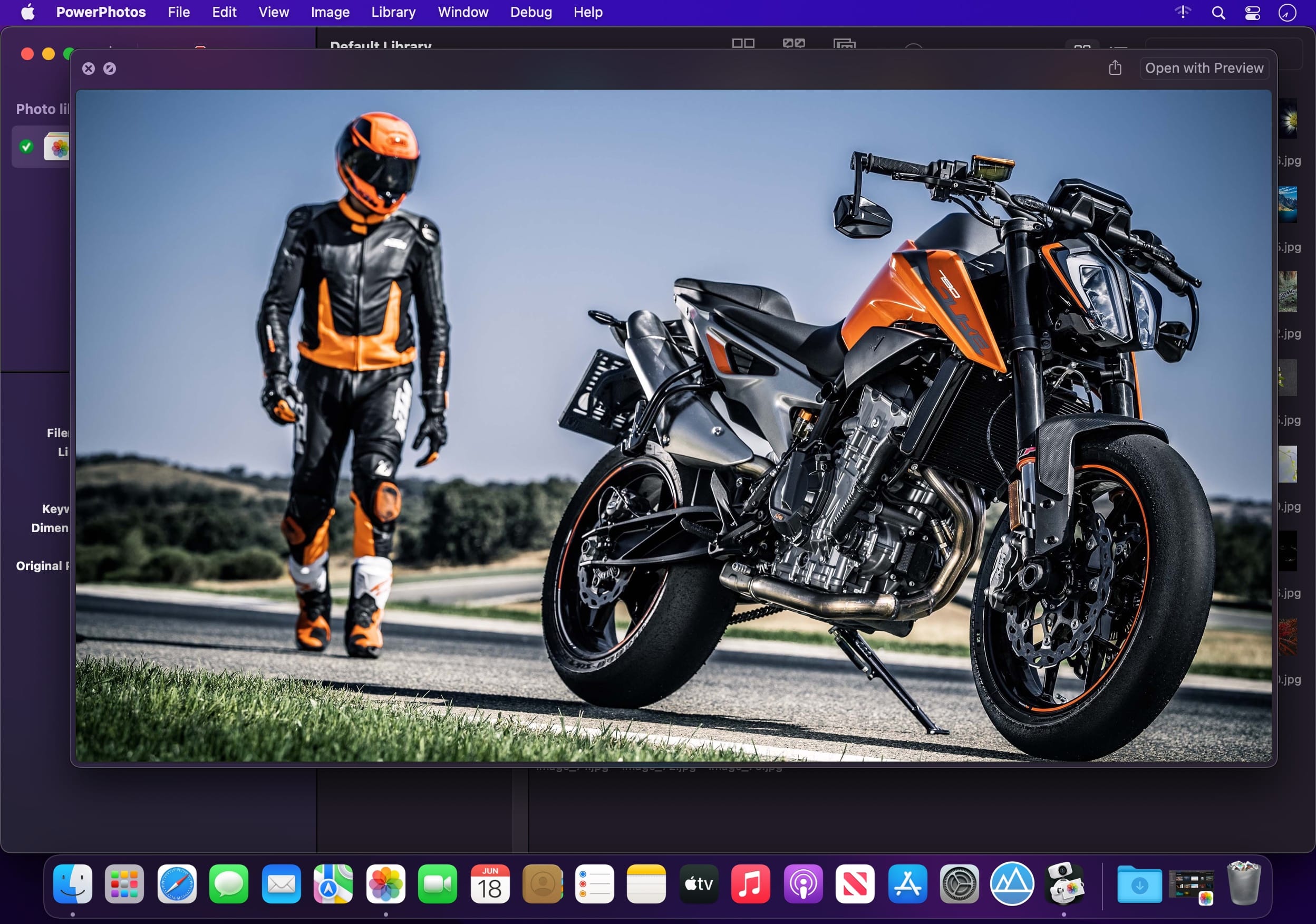
Use PowerPhotos’ image browser to quickly view your photos without having to open Photos itself. View detailed photo information using List View, and search for photos across all your libraries at once.

Migrate your iPhoto/Aperture libraries
If you have a lot of existing iPhoto or Aperture libraries that you want to migrate over to Photos, PowerPhotos will help automate your migrations so you don’t have to spend time babysitting this lengthy process.

New features:

  • Improved iCloud Photos support: If you use iCloud Photos, PowerPhotos 1.x was only able to see photos in your library that had already been downloaded to your local hard drive. For users with the “Optimize Mac Storage” option enabled, this could mean a significant portion of your iCloud library would not be visible to PowerPhotos. In PowerPhotos 2.0, it can now see and work with any photos in your iCloud photo library, and will automatically download any photos from iCloud as needed.
  • Advanced exporting: Photos has an export command, but it is fairly limited in what it can provide. PowerPhotos 2.0 has a new, more fully featured export function with options such as
  • Export as a flat folder or as a folder hierarchy in the Finder that mimics your album hierarchy
  • Export unmodified photos, or as JPG, PNG, HEIF, or TIFF of different sizes
  • Include captions, dates, keywords, and titles in EXIF metadata
  • Retain or strip location metadata
  • Optionally include videos from Live Photos and all photos from a burst
  • Set Finder creation/modification dates to the photo’s EXIF date
  • Video export support as H.264 or H.265
  • Global menu bar item: Get fast access to your libraries via a global item in your menu bar even when PowerPhotos itself isn’t running.
  • Library groups: For those with lots of libraries, you can now organize your libraries into groups in the PowerPhotos sidebar.
  • Multiple windows: You can now open each library in a separate window in PowerPhotos, allowing for easier comparison between libraries, and dragging and dropping photos/albums between libraries.
  • New duplicate search engine: PowerPhotos 2.0 uses a new duplicate comparison algorithm that can find more duplicate photos which are not quite 100% identical, such as scaled down copies of photos, photos that have been resaved in a different format or with different compression, and even photos with minor edits applied to them.
  • Faster library loading: PowerPhotos 2.0 has rewritten a bunch of its internals to load your library much faster than PowerPhotos 1.0.
    Improved AppleScript support: New support for copying albums or photos between libraries, merging libraries, and exporting photos/albums from a library.

Compatibility: macOS Monterey/Ventura/Sonoma/Sequoia
Homepage https://www.fatcatsoftware.com/powerphotos/

Screenshots


Name: PowerPhotos_2.7.7_Mactorrents.Me.dmg
Size: 34 MB
Files PowerPhotos_2.7.7_Mactorrents.Me.dmg[34 MB]


   Download Torrent

File List Export 2.7.7

An easy to use application that will help you create list of files for any need. List all your photos, all your videos or all your files. If you need to create list of files this app is for you.

New version with 26 more metadata columns and export to CVS file!

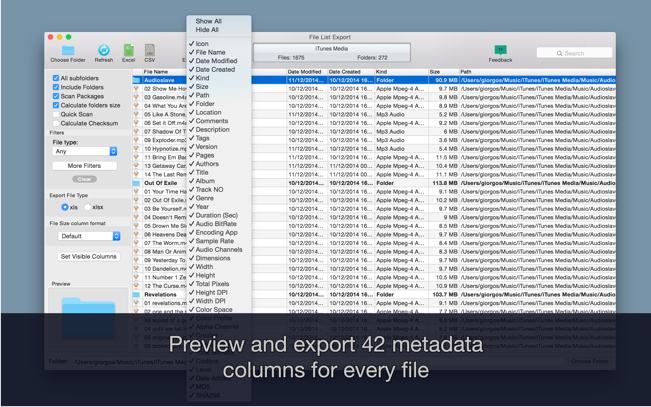
Just select a folder or drag and drop files to get a list with all files and folders to Excel or to a CVS file. You can choose if you want to include the files from all subfolders. Preview and edit the list before export to file. Easily search and filter the file list records.

You can select a specific kind of file to list. For example, you can choose to export to Excel a list with all the audio files of your iTunes Music folder or all the pdf files from your Documents folder.

For every file you can get this info:

  1. File name
  2. Date modified
  3. Date created
  4. Kind
  5. Size
  6. Path (the location of the file)
  7. Comments
  8. Tags
  9. Version
  10. Pages
  11. Authors/Artist
  12. Title
  13. Album
  14. Track NO
  15. Genre
  16. Year
  17. Duration
  18. Audio BitRate
  19. Audio Encoding Application
  20. Audio Sample Rate
  21. Audio Channels
  22. Dimensions
  23. Pixel Width
  24. Pixel Height
  25. Total Pixels
  26. Height DPI
  27. Width DPI
  28. Color Space
  29. Color Profile
  30. Alpha Channel:
  31. Creator
  32. Video Bit Rate
  33. Total Bit Rate
  34. Codecs
  35. md5
  36. sha256

Compatibility: OS X 10.9 or later
Homepage https://itunes.apple.com/ca/app/file-list-export/id852692251?mt=12

Screenshots

Name: File_List_Export_2.7.7_MAS__TNT_Mactorrents.is.dmg
Size: 25 MB
Files File_List_Export_2.7.7_MAS__TNT_ Mactorrents.is.dmg[25 MB]

   Download Torrent
   Download Links

Deliver Express Enterprise 2.7.7

Send files to remote and local destinations automatically with email notifications.

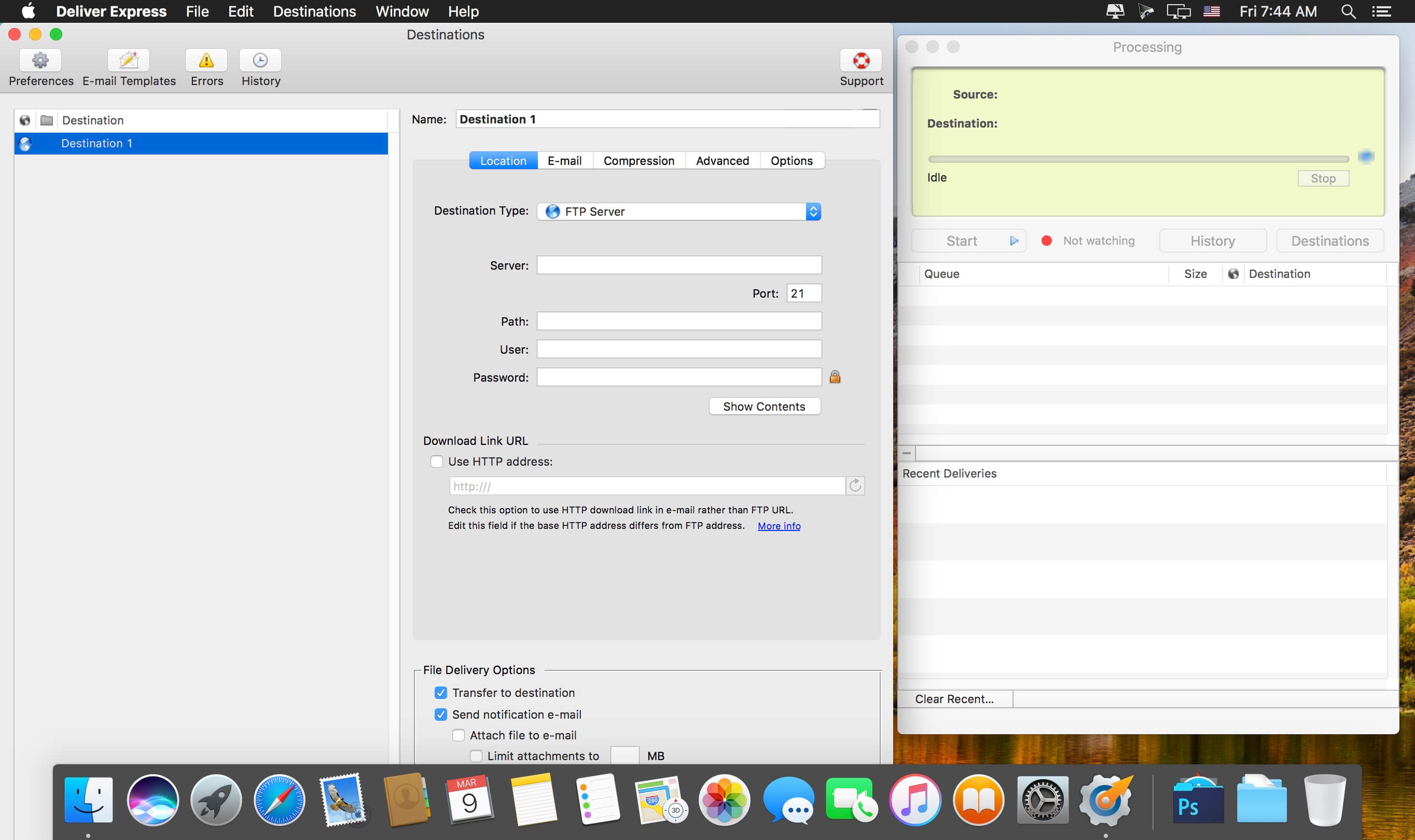
Deliver offers automatic email notifications, hot folders, delivery to multiple destinations, support for major online services, detailed history and much more

✓ Notify recipients on file uploads by email automatically instead of babysitting your transfers
✓ Hot folders for automatic delivery with Deliver Express
✓ Automatic file compression & encryption
✓ Supports FTP, SFTP, WebDAV, local disks and other services

Watched hot folders
Create watched hot folders for your destinations, drop your files there – and they will be sent automatically. This option only available in Deliver Express which can run absolutely unattended and serve unlimited users on a network.

Automatic email notifications
Deliver solves the problem of notifying recipients about file uploads. Once the file is transferred, Deliver will send an email automatically so you don’t need to lift a finger and babysit your deliveries. Your recipients can download files automatically from a link in the email.

…or copy download link
If you prefer to notify your recipients manually, you can just copy the file download link and include it in your email.

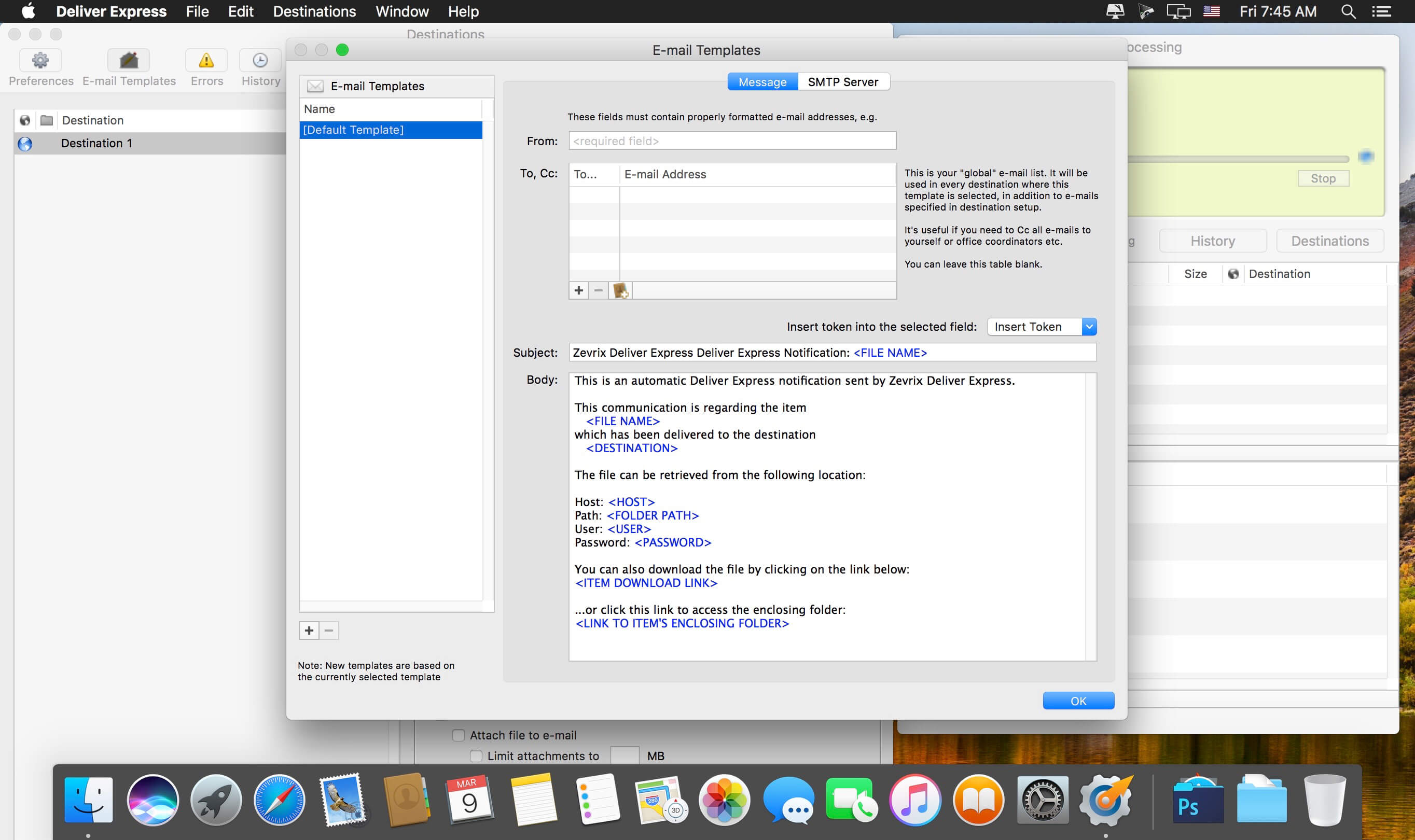
Variable email templates
The emails are based on powerful variable templates. Include variable data such as file name, destination, server location, hyperlink to your file or its enclosing folder, and more.

Create lo-res PDF on the fly
If you send a PDF file, Deliver can create its lo-res RGB version on the fly and attach it to the notification email as an instant preview for your recipients.

Automatic compression and encryption
Files and folders can be compressed in either .zip or .dmg format. Disk images can be automatically encrypted with a password.

Compatibility: macOS 10.13 or later • Intel Core processor
Homepage https://zevrix.com/deliver/

Name: Deliver_Express_2.7.7__HCiSO_Mactorrents.is.dmg
Size: 11.77 MB
Files Deliver_Express_2.7.7__HCiSO_ Mactorrents.is.dmg[11.77 MB]

   Download Torrent
   Download Links

Deliver 2.7.7

Deliver is a complete solution to send files across the Internet and local networks with email notifications. It supports FTP, SFTP, Amazon S3 and other major services, and offers automatic email delivery notifications, compression, delivery to multiple destinations and much more. The notification messages are based on variable templates and contain the download link to your file and other delivery details.

A hot-folder version of Deliver, Deliver Express, is also available.

Features

  • Supports FTP, SFTP, WebDAV, Google Storage, Amazon S3, AFP, SMB and local destinations
  • Automatic email notifications
  • Variable email templates
  • Download link to file in the email
  • Send files to multiple destinations at once
  • Delete files automatically after specified number of days
  • Automatic zip/dmg compression
  • Create lo-res PDF and attach to email on the fly
  • Attach files from specific subfolder to email
  • Encrypt disk images with passwords
  • Detailed history of all deliveries
  • Add e-mails from Contacts

What’s New:

Version 2.7.7:

  • Release notes were unavailable when this listing was updated

Compatibility: macOS 10.9 or later
Homepage http://zevrix.com/deliver.php

Screenshots


Name: Deliver_2.7.7_[TNT]_Mactorrents.is.dmg
Size: 14.26 MB
Files Deliver_2.7.7_[TNT]_ Mactorrents.is.dmg[14.26 MB]

   Download