Description
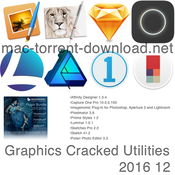
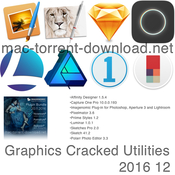
Includes:
 • Affinity Designer 1.5.4 [Multi]
 • Capture One Pro 10.0.0.193 [Multi/Ru]
 • Imagenomic Plug-in for Photoshop, Aperture 3 and Lightroom (update 19.11.2016) [En]
 • Pixelmator 3.6 [Multi]
 • Priime Styles 1.2 [En]
 • Luminar 1.0.1 [Multi]
 • Sketches Pro 2.0 [Multi/Ru]
 • Sketch 41.2 [En]
 • Polarr Photo Editor 3.3 [Multi/Ru]


Installation procedure:
Mount the image and see Readme.txt why so ...
Further to the selection, installation as you normally would or by using the Open Gatekeeper friendly

or

Mount image and drag the application icon in the applications folder
Affinity Designer 1.5.4 [Multi]
The release took place: November 24, 2016
Supported OS: macOS 10.7 +
Language: English, Spanish, German, French
Treatment: not required (the installer is already treated)

System requirements:
• OS X 10.7 or later,
• 64-bit processor


Description:

Affinity Designer is a vector editor

Affinity Designer is the fastest, most smooth, most precise vector graphic editor.
Whether you're working on graphics for marketing materials, websites, icons, UI design or just like creating concept art,
Affinity Designer will make a revolution in Your work.


Affinity Designer takes full advantage of OS X technologies such as OpenGL, Grand Central Manager,
Core Graphics and is fully optimized for 64-bit and multi-core processors. Along with support for PSD, PDF, SVG,
AI (PDF Stream), Freehand and EPS files you get all the necessary flexibility as soon as You switch to Affinity Designer.
Affinity Designer is a serious tool for creative professionals.


Added support for the new MacBook Pro's Touch Bar
Introduced 32bit document format and OCIO support
Miscellaneous improvements and fixes


Other recently added features and improvements:

- Symbols. Create multiple instances of an object and edit any of them in realtime with changes reflected in all instances
- Text Styles
- Assets Panel. Store commonly used design elements and drag them onto your documents
- Constraints. Specify how your design elements should interact and construct mockups which change size dynamically
- Colour Picker Tool
- Improved Export Persona
- Improved Snapping with automatic gap & span snapping and geometry snapping
- Measurement tool
- Improved PSD/PDF/SVG compatibility
- Automatically generate a palette from an image
Capture One Pro 10.0.0.193 [Multi/Ru]
The release took place: 01 Dec 2016
Supported OS: macOS 10.11.6 +
Interface language: Russian, English, German etc.
the program interface language depends on the default language of the operating system
Treatment: not required (the installer is already treated)

System requirements:
Minimum requirements
 • CPU with 2 cores
 • 8 GB of RAM
 • 10 GB of free hard disk space
 • Calibrated color monitor with 1280x800, 24-bit resolution at 96dpi
 • 10.11.6 10.12 or macOS.x

Recommended system requirements
 • If working with high-resolution images and doing calculation heavy adjustments we recommend the following:
 • CPU with 4+ cores
 • 16+ GB of RAM
 • Solid State Disk (SSD)
 • A fast Graphics card from NVIDIA or AMD with 2GB+ RAM (4+ GB for 4k or multiple
 • monitors)


Description:

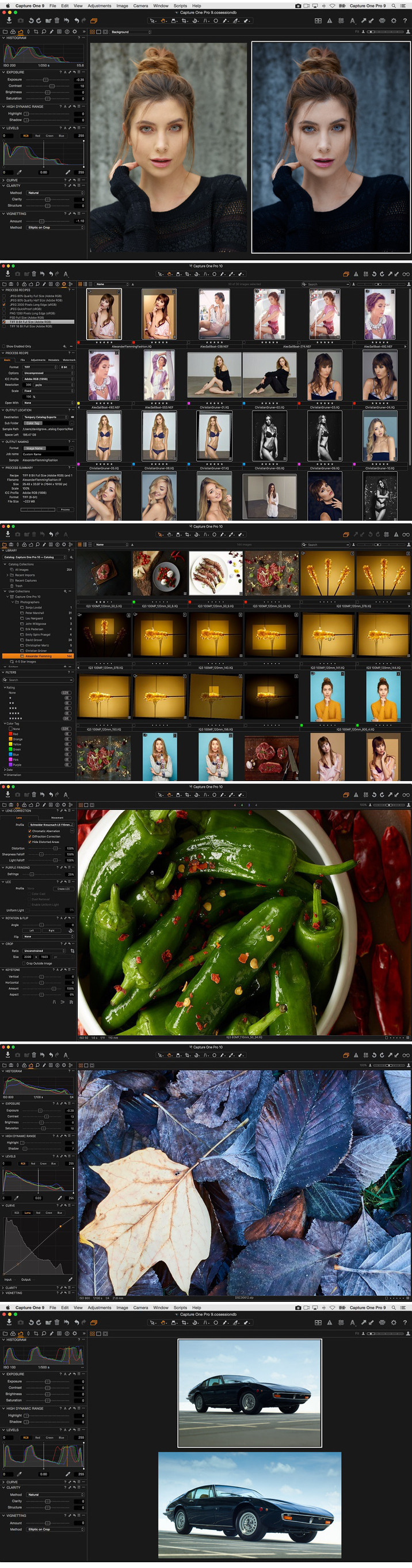
Capture One Pro is one of the most powerful professional converters digital photos in RAW format with support
for a wide model range of modern cameras. The program allows for single and batch mode to convert "on the fly"
file in full-size TIFF (RGB / CMYK) and JPG format, adjust white balance, effectively handle "overexposed"
and "nedovedeniya" snapshots, fine-tune the sharpness of the image and eliminate color noise.

Capture One allows you to use several options corrections of the same image. As a template used the original RAW,
and not the result of previous adjustments. The workspace is divided into several areas.
Their number equals the number of options for processing the original digital negative.
White balance is performed by using regulators color temperature and tint. In addition,
there is a choice of scene modes, for many traditional cameras. You can also use the eyedropper.
On the photograph indicates a neutral gray point from which builds and white balance.


For people interested, here is the full list of the new and enhanced features:
- Three-phase sharpening tools
- Output proofing
- New default and intuitive workspace
- Camera focus tool module for tethered cameras
- Tangent panel: full integration
- New filter option: search by orientation of images
- Optimization of JPEG output for size/quality
- Move folders in catalogs
- Auto masking extended to any editable file type (including Xtrans)
- Improved compressed raw and Fuji support
- Hardware acceleration - OpenCL is now enabled by default
- Stripe reduction LCC for 100MP
- Optimized LCC creation
- Apple script - new properties (Mac only)
- New camera support for the Olympus E-M1 ll, Sony RX100 V, Sony a6500 and Sony a99 II.
- New lens profile for the Sony FE 70-200mm f/4 G OSS, Sony 70-200mm f/2.8 G, and Sony E 18-200mm f/3.5-6.3 OSS

Imagenomic Plug-in for Photoshop, Aperture 3 and Lightroom (update 19.11.2016) [En]


The release took place: November 2016
Supported OS: macOS 10.9.x +
Language: English
Type of medicine: the crack/sn ready

System requirements:
• Mac OS X 10.9.x/10.10.x/10.11/10.12.x
• 1GB of free RAM
• 100MB of free hard disk space
• 1280x800 screen resolution

Host Applications:
• Adobe Photoshop CS5/CS6/CC/CC2014/??2015/??2015.5/CC2017
• Adobe Photoshop Elements 11/12/13/14/15
• Photoshop Lightroom 2/3/4/5/6/CC
• Aperture 3 (64 bit only)


Description:

A set of plug-ins from the company Imagenomic ...
Portraiture - irreplaceable filter that will turn your photo into a glamorous picture,
will allow to avoid time-consuming procedure per-pixel image retouching to remove image defects.
Thanks implemented in the application technology of intellectual dithering,
Amateurs will be able to completely remove the defects without affecting the smallest detail,
including the texture of the skin, hair, eyebrows, eyelashes etc.


Noiseware - one of the best plug-ins designed to eliminate noise in digital photographs.
Noiseware allows you to quickly and effectively clean the images of artifacts that often
arise when shooting at high ISO values and low light conditions.


RealGrain - plug-in helps to stylize a digital image of a classic photograph by simulating film grain,ie.
convert the digital image so as if it was taken on one of the professional films.


Professional Plugin Suite for Adobe Photoshop CC 2015.5/CC 2017 and Photoshop Elements 14/15 build 1414u7 NEW
Mac OS X 10.10.x (Yosemite)/10.11.x (El Capitan)/10.12.x (Sierra), 1GB RAM, 100MB HDD, 1280x800 min resolution


Professional Plugin Suite for Adobe Photoshop CS5/CS6/CC/CC 2014/CC 2015 and Photoshop Elements 11/12/1build 1414
Mac OS X 10.9.x/10.10.x/10.11.x, 1GB RAM, 100MB HDD, 1280x800 min resolution,


Professional Plugin Suite for Apple Aperture build 1409
Mac OS X 10.7.x/10.8.x/10.9.x/10.10.x, 2GB RAM, 100MB HDD, 1280x800 min resolution, Aperture 3 (64bit only)


Portraiture Plugin for Adobe Photoshop CC 2015.5/CC 2017 and Photoshop Elements 14/15 v.2.3.5 build 2352u7 NEW
Mac OS X 10.10.x (Yosemite)/10.11.x (El Capitan)/10.12.x (Sierra), 1GB RAM, 100MB HDD, 1280x800 min resolution


Portraiture Plugin for Adobe Photoshop CS5/CS6/CC/CC 2014/CC 2015 and Photoshop Elements 11/12/13 v.2.3.5 build 2352
Mac OS X 10.7.x/10.8.x/10.9.x/10.10.x, 1GB RAM, 100MB HDD, 1280x800 min resolution,
Photoshop CS5/CS6/CC/CC 2014/CC 2015 or Elements 11/12/13


Portraiture Plugin for Adobe Photoshop CS4 and Photoshop Elements 8/9/10 v.2.3 build 2309u1
Mac OS X 10.6.x/10.7.x/10.8.x, 1GB RAM, 100MB HDD, 1280x800 min resolution, Photoshop CS4 or Elements 8/9/10


Portraiture Plugin for Adobe Photoshop Lightroom v.2.3.4 build 2342
Mac OS X 10.6.x/10.7.x/10.8.x/10.9.x/10.10.x/10.12.x, 1GB RAM, 100MB HDD, 1280x800 min resolution,
Adobe Photoshop Lightroom 5/6/CC/CC2015


Portraiture Plugin for Apple Aperture v.2.3.4 build 2341
Mac OS X 10.6.x/10.7.x/10.8.x/10.9.x/10.10.x, 2GB RAM, 100MB HDD, 1280x800 min resolution, Aperture 3 (64bit only)


Noiseware Plugin for Adobe Photoshop CC 2015.5/CC 2017 and Photoshop Elements 14/15 v.5.0.3 build 5033u7 NEW
Mac OS X 10.10.x (Yosemite)/10.11.x (El Capitan)/10.12.x (Sierra), 1GB RAM, 100MB HDD, 1280x800 min resolution


Noiseware Plugin for Adobe Photoshop CS4 and Photoshop Elements 8/9/10 v.5.0 build 5007
Mac OS X 10.6.x/10.7.x/10.8.x, 1GB RAM, 100MB HDD, 1280x800 min resolution, Photoshop CS4 or Elements 8/9/10


Noiseware Plugin for Apple Aperture v.5.0.3 build 5031
Mac OS X 10.6.x/10.7.x/10.8.x/10.9.x/10.10.x, 2GB RAM, 100MB HDD, 1280x800 min resolution, Aperture 3 (64 bit only)


Realgrain Plugin for Adobe Photoshop CC 2015.5/CC 2017 and Photoshop Elements 14/15 v.2.0.1 build 2013u7 NEW
Mac OS X 10.10.x (Yosemite)/10.11.x (El Capitan)/10.12.x (Sierra), 256MB RAM, 10MB HDD, 1024x768 min resolution


Realgrain Plugin for Adobe Photoshop CS4 and Photoshop Elements 8/9/10 v.1.1 build 1103u3
Mac OS X 10.6.x/10.7.x/10.8.x, 256MB RAM, 10MB HDD, 1024x768 min resolution, Photoshop CS4 or Elements 8/9/10


Realgrain Plugin for Apple Aperture v.2.0.1 build 2011
Mac OS X 10.7.x/10.8.x/10.9.x/10.10.x, 2GB RAM, 100MB HDD, 1280x800 min resolution, Aperture 3 (64 bit only)


Installation procedure:
Mount image, select the desired plugin
Run the installer and follow the instructions

Register data from the keygen:
Name - any
e-mail - any
serial number - of keygen
or, use ready sn from a text file

Pixelmator 3.6 [Multi]


The release took place: November 15, 2016
Supported OS: macOS 10.10 +
Language: English, German, French, etc.
Treatment: not required (the installer is already treated)

System requirements:
• OS X 10.10 or later
• 64-bit processor


Description:

Pixelmator is a powerful tool for editing pictures, actively using the computing power of the graphics card.
It offers selection tools, painting, hatch, navigation, and color correction, supports layered images,
processing images on GPU, color management, automation, has a stylish "transparent" interface.
The main innovation Pixelmator steel 3 layer styles. A variety of effects, strokes, fills,
shadows or reflection will allow you to transform the layer at its own discretion with just a few clicks.
Moreover, the function does not affect the image itself, leaving the original data intact,
which greatly facilitates the process. The style can be copied to the clipboard, duplicating if necessary.
For convenience, the modified layer is a little FX icon. To access the functions through the updated toolbar.

The application can work with more than a hundred different graphics file formats,
includes more than 15 color correction tools and 50 filters on the basis of Core Image, tools, convert, strokes,
gradients, QuickMask mode, full-screen editing, opening and saving images in these file formats:
PSD, TIFF, JPEG, PNG, PDF, and many other popular formats. Supports Automator, ColorSync, Spotlight and many more.

Pixelmator 3.6 Cordillera brings full support for macOS Sierra and the all-new MacBook Pro Touch Bar, adds Tabs,
includes a content-aware Smart Refine feature, Deep Images support, and more.


Pixelmator is now fully compatible with macOS Sierra.
The Touch Bar keeps your favorite Pixelmator tools and the most useful options always at hand.
Use Tabs to easily manage your Pixelmator windows.
The new Smart Refine feature lets you instantly improve selections with stunning accuracy and speed.
Support for Deep Images makes colors in 16-bit images more vibrant and true-to-life on Wide Color displays.


Touch Bar:
Set the most useful tool options for your selected tool right in the Touch Bar.
The Touch Bar is customizable, so you can choose exactly which tools you'd like to keep in it.
Use the Touch Bar to change color, alignment, and other text properties.
When previewing effects or adjustments, a Show Original button lets you take a peek at the original image.
Use Rotate and Scale sliders to transform layers.
And do a lot more!


Tabs:
Quickly drag and drop layers between documents in different tabs.
Merge all your Pixelmator windows into a single one by choosing Window > Merge All Windows.
Close all tabs except the current one by Option-clicking the Close button of the tab you're in.
New images open in a new tab according to your preferences in System Preferences > Dock - either Always,
In Full Screen Only, or Manually.
If your tab preferences are set to In Full Screen Only or Manually, hold down the Option key when opening
or creating new documents to open them in a new tab.


New features and other gems in macOS Sierra:
With support for the Universal Clipboard, you can now seamlessly copy images and text between Pixelmator
on your Mac and iOS devices.
Precisely align windows and palettes by moving them close to each other.
Double-click the edge of a window to automatically expand that edge.


Smart Refine and Refine Selection:
Using an advanced edge-detection algorithm, Smart Refine precisely snaps your existing selection to object edges
in your image.
Customize just how edge-sensitive Smart Refine is using the Edge Detection slider in the Refine Selection dialog.
You can now edit your selection while the Refine Selection dialog is open - paint to subtract from your selection,
hold down the Option key and paint to add to your selection.
Use the [ and ] keys to change the size of the selection brush.


Deep Images:
With support for P3 color and Wide Color displays, all 16-bit images on the new MacBook Pro,
iMac with Retina 4K display, and iMac with Retina 5K display look more vibrant and true to life.
16-bit images also look better on standard displays, as dithering is applied to subtly smooth gradients
and remove visible banding.
Dithering is also applied when reducing the color depth of an image from 16 bits to 8 bits.


Quick Selection improvements:
The Quick Selection Tool now has a live preview.
It's also much faster, thanks to a faster algorithm.
And it's more accurate, too - especially with black and white images.

Priime Styles 1.2 [En]


The release took place: 01 Dec 2016
Supported OS: macOS 10.11 +
Language: English
Treatment: not required (the installer is already treated)

System requirements:
• OS X 10.11 or later,
• 64-bit processor


Description:

To use presets created and used by the world's best contemporary photographers.
Priime has more than 100 photographic styles (also known as presets or filters)
that are created in collaboration with leading photographers in the world in the form of their photographic styles.
Works without requiring any other programs to add style to one or more photos at once.
Elegant integration into the Photos.app, and full integration with photo catalogs in Lightroom.


We've improved Priime Styles compatibility with macOS Sierra, and made it even easier to add styles to favorites:
modify favorites through the keyboard shortcut (F), by double-clicking a style, by right-clicking a style, or from the Style menu.


Supported photo formats:
TIFF
JPG
PNG
ARW - Sony
CRW - Canon
CR2 - Canon
NEF - Nikon RAW
ORF - Olympus RAW
RAF - Fuji RAW
MRW - Minolta RAW
DCR - Kodak RAW
DNG - Adobe / Leica RAW
MOS, KDC, FPX/FPIX, EXR, PSD, QTI/QTIF, HDR, SGI, SRF, TARGA/TGA, CUR, XBM, PTNG, PNT, MAC, and more

Luminar 1.0.1 [Multi]


The release took place: November 17, 2016
Supported OS: OS X 10.10.5 +
Language: English, etc.
Treatment: not required (the installer is already treated)

System requirements:
• OS X 10.10.5 or later,
• 64-bit processor


Description:

Luminar is the world's first photo editor that adapts to your style and skill level.
Luminar makes complex editing simple and enjoyable. Luminar is based on the latest technology of photo processing,
Macphun team with more than 10 years of experience developing award-winning and loved by millions.

Adaptive interface that inspires you to do more - while other photo editors offer you to adapt to their interface,
Luminar adapts to your skill level. There is no need to deal with dozens of sliders,
if you just want to remove an object from an image or apply a preset. But if you need to perform some serious tasks,
you can easily get access to all the advanced functions. Enjoy, using only the necessary tools,
effects and functions that you actually use for your photos.

We are busy working on making your Luminar experience even better.
- This update brings performance improvements for: Erasing Tool, Noise Reduction, Clone & Stamp, Crop & Transform Tool.
- Luminar speed and stability have been improved.
- Plus UI/UX improvements across the software.
- More great features are coming soon

Sketches Pro 2.0 [Multi/Ru]


The release took place: November 24, 2016
Supported OS: macOS 10.10 +
Interface language: Russian, English, German, French, etc.
Treatment: not required (the installer is already treated)

System requirements:
• OS X 10.10 or later
• 64-bit processor


Description:

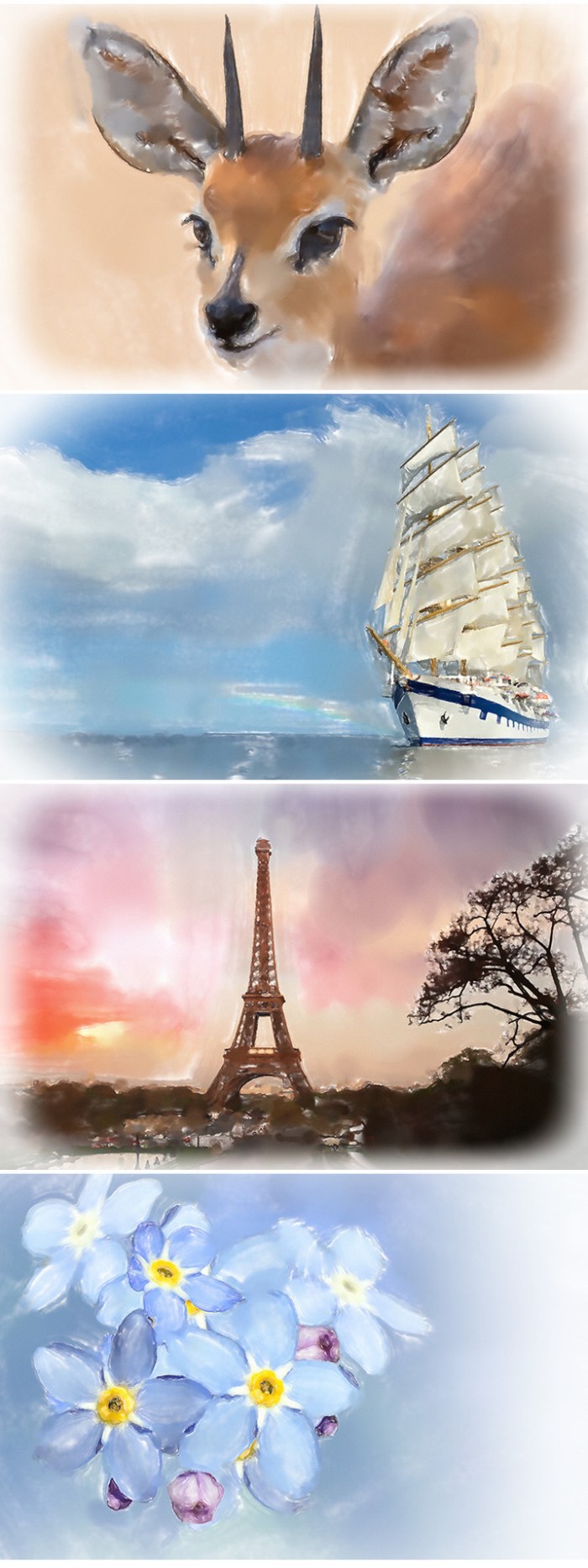
Great tools — the key to excellent images, so we created Sketches with a wider set of realistic tools.
With an amazing set of tools and a modern user interface Sketches is the most versatile and handy application
for creating drawings.


Over 20 ultra-realistic instruments
- Incredibly realistic brushes for watercolor in the wet
- The brush editor
The eyedropper color
- Export and the ability to share in the Pro version
- Import photos


Additionally:
Layers
- Use up to 12 layers in one picture
- Export layers as separate PNG files on transparent background

List of tools

Pero
- Rotring

Pen
- Brush-pen
- Oil pastels
Dry and wet watercolour brushes
- Acrylic brush

Spray gun
- The tool "Area and filling"

Templates
- Text (iPad only)
- Shapes (iPad only)
- Eraser
- Carver
- Smudge Tool
- Line

Sketch 41.2 [En]


DO NOT UPDATE
The release took place: November 28, 2016
Supported OS: macOS 10.10 +
Language: English
Treatment: not required (the installer is already treated)

System requirements:
• OS X 10.10 or later
• Intel, 64-bit processor


Description:

DO NOT UPDATE!!!
Sketch from Bohemian Coding — one of the best vector editors for Mac OS X!
The modern software development is inconceivable without the work of the designer, and the designer to work,
you need the appropriate software. Mainly for design use Adobe Illustrator, Photoshop and other professional image editors,
but there are specialized solutions. Recently released the third version of the vector editor Sketch,
centred on the creation of graphics for your programs.

Sketch - a real vector editor containing a great variety of really powerful tools allow all sorts of manipulation
with vector graphics.

Removes the align dialog asking if you want to align layers precisely.

When aligning, the bottom-most layer is no longer treated as the key object.

Fixes a bug where copying and pasting Symbols with a nested override to a new document would not copy
over the nested Symbols.

Polarr Photo Editor 3.3 [Multi/Ru]


The release took place: 01 Dec 2016
Supported OS: macOS 10.10 +
Interface language: Russian, English, etc.
Treatment: not required (the installer is already treated)

System requirements:
• OS X 10.10 or later
• 64-bit processor


Description:

Polarr is an advanced, intuitive and multi-image editor with a range of features "must-have".
Make high-level edits with this powerful and elegant tool for advanced photo enthusiasts.
Explore new ways of processing Your photos, or open the tools You already know and love.

- Polarr is the smallest and most efficient photo editor for Mac.
- Exceptional memory/CPU and low power consumption, using WebKit.
- Supports JPEG and most RAW images to 42MP.
- Supports transparent PNG and exporting transparent images in PNG format

Introducing text tools. Our new text tools let you add text and shapes to photos.
With features like letter and line spacing, alignment, and wrapping,
you have full control your text. We've even included advanced features like dynamic vector scaling
and a unique blending adjustment.

Files

Graphics  Cracked  Utilities   2016 12 04
│── Adguard.release.dmg (49.79 MB)
│── Affinity Designer 1.5.4 .dmg (238.2 MB)
│── Capture One Pro 10 v10.0.0.193.dmg (295.9 MB)
│── Graphics  Cracked  Utilities   2016 12 04.rtf (82.81 MB)
│── Graphics  Cracked  Utilities   2016 12 04.txt (48.95 kB)
│── Imagenomic Plug-in for PS, Aperture 3 & LR (upd 19.11.2016).dmg (85.46 MB)
│── Luminar 1.0.1 .dmg (109.4 MB)
│── Pixelmator 3.6 .dmg (56.36 MB)
│── Polarr Photo Editor 3.3.0.dmg (52.55 MB)
│── Priime Styles 1.2 .dmg (104.7 MB)
│── Sketch 41.2.dmg (21.85 MB)
└─ Tayasui Sketches Pro v2.0.dmg (33.49 MB)