| Name |
mac ADOBE mini set MAR 2018 |
| Size |
10.64 GB |
| Created on |
2018-03-27 23:21:57 |
| Hash |
9eeaf0224c3bcaddeffe90a61c46d9eb2916131c |
| Files |
mac ADOBE mini set MAR 2018 (10.64 GB) |
Descriptions for ADOBE mini set 2018 03
Name: ADOBE mini set
Version: 2018 03
Mac Platform: Intel
OS Version: OS X 10.11 or later
Processor type(s) & speed: 64-bit processor
Overview
Adobe mini set 2018.03 Includes:
- Adobe Audition CC 2018 v11.0.2.2 [Multi]
- Adobe Dreamweaver CC 2018 v18.1 [Multi/Ru]
- Adobe Illustrator CC2018.1 v22.1 [Multi/Ru]
- Adobe InDesign CC 2018.1 v13.1 [Multi/Ru]
- Adobe Photoshop CC 2018 v19.1.2 [Multi/Ru]
- Adobe Photoshop Lightroom Classic CC 2018 v7.2.0 [Multi]
- Adobe Premiere Pro CC 2018 v12.0.1 [Multi/Ru]
- Adobe XD CC v4.0.12 [Multi]
Adobe Audition CC 2018 v11.0.2.2 [Multi]
Supported OS: macOS 10.11 +
Interface language: English, German, Spanish, etc.
Type of medicine: patch
System requirements:
- Intel multicore processor
- Mac OS X 10.11 or later
- 4 GB OF RAM
- 4 GB of free hard disk space for installation. During installation requires additional free space
- (install on removable flash memory device or volume with the file system to case sensitive, not)
- 1920×1080 screen
- The system supports OpenGL 2.0; additional GPU to improve performance of video playback
- USB and/or MIDI interface may be required to support the external control area (see device
- specifications from the manufacturer)
- Optional: optical drive for CDROM drive (SuperDrive recommended)
Overview
The Adobe Audition audio data program is a professional tool for professionals who work in the field of audio and video processing, offering them virtually unlimited possibilities. Ease of use is perfectly combined with flexibility, allowing you to create master copies of the highest class, edit, mix, process, impose a variety of sound effects. In fact, the user gets on his computer a full-fledged powerful recording Studio with easy-to-use and, at the same time, quite professional tools.
Record, edit, and create audio content in Adobe Audition with a full-featured set of waveform, spectral, and track processing tools. This powerful audio editor allows you to speed up the audio and video processing process while providing the highest audio quality.
Installation using the patch:
software installation:
Attention!
Before installation, disconnect from the Internet or use Little Snitch to block all outgoing connections!
0. Mountable image Adobe_Audition_CC_2018_v11.0.2.2.dmg
1. Run the installer Adobe_Audition_CC_2018_v11.0.2.2_Install.pkg (/Adobe_Audition_CC_2018_v11.0.2.2/Build) and follow the instructions
2. After installation, do not run the program in trial mode (force close the application if it starts on its own)
Before applying the patch, make a copy of the original file:
3. Click the right mouse button on the application – Show package contents. Open the folder Contents – folder Frameworks.
4. Make a copy of the original amtlib.framework / archive or rename and leave in the package (leave the original in its place)
5. From the desktop, run the patch (Adobe_Zii_for_Adobe_CC15_-_CC18_3.0.4_[cutl].dmg -> Adobe Zii ) and click PATCH or drag selected/a specific application in the open window of the patch
ATTENTION:
- the program must be installed by default
- if other programs from the CC 2015CC2018 package are installed, the original amtlib will be automatically replaced/patched in those applications where it is required.framework , that this did not happen drag the application window of the running patch.
- make copies of the original files before applying the patch
- It is advisable to return the original amtlib before updating the software.framework, to apply the updates again and apply the patch
- block outgoing connections do not need (if you are using a patch to treat)
- Adobe Zii 3.0.1 for Adobe CC15 CC17also activates programs downloaded from Adobe Creative Cloud
- Adobe Creative Cloud (CC) Cleaner Tool is included in the distribution
- Adobe Creative Cloud (CC) Cleaner Tool can clean from installation and problematic installed beta version of software, Adobe Creative Cloud, Adobe Creative Suite 6, Adobe Creative Suite 55.5, Adobe Creative Suite 4 and Adobe Creative Suite 3, etc.
Adobe (CC) Cleaner Tool is not a full – fledged program for uninstalling any software, it is a console application that works in consultation with you. Ie You do not delete anything extra besides what you have chosen. You decide and coordinate all actions with your own removal needs.
Adobe Dreamweaver CC 2018 v18.1 [Multi/Ru]
Supported OS: macOS 10.11 +
Interface language: Russian, English, German, French, etc.
Type of medicine: patch
System requirements:
- Intel multicore processor
- Mac OS X 10.11 or later
- 1 GB of RAM
- 1 GB of free hard disk space for installation; additional free space required for installation (not
- installed on a disk using the file system is casesensitive, or on removable USB flash storage
- devices)
- Monitor resolution of 1280 x 1024 with 16bit video card
- Java Runtime Environment 1.6
- Software QuickTime 7.6.6, required for HTML5 playback of media content
- Internet connection and registration are required for mandatory software activation, confirmation of participation in the program and access to online services*.
Overview
To create interactive web sites is faster and easier.
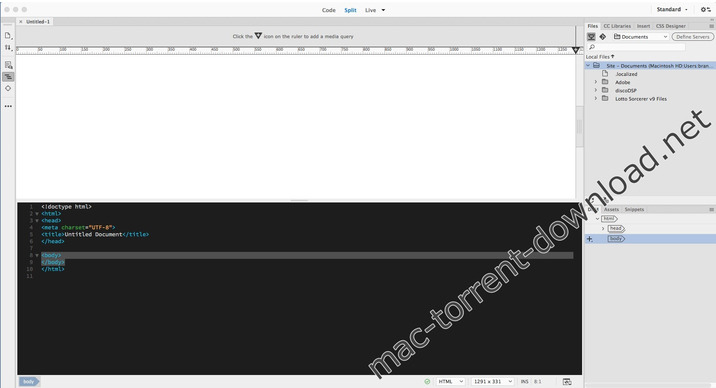
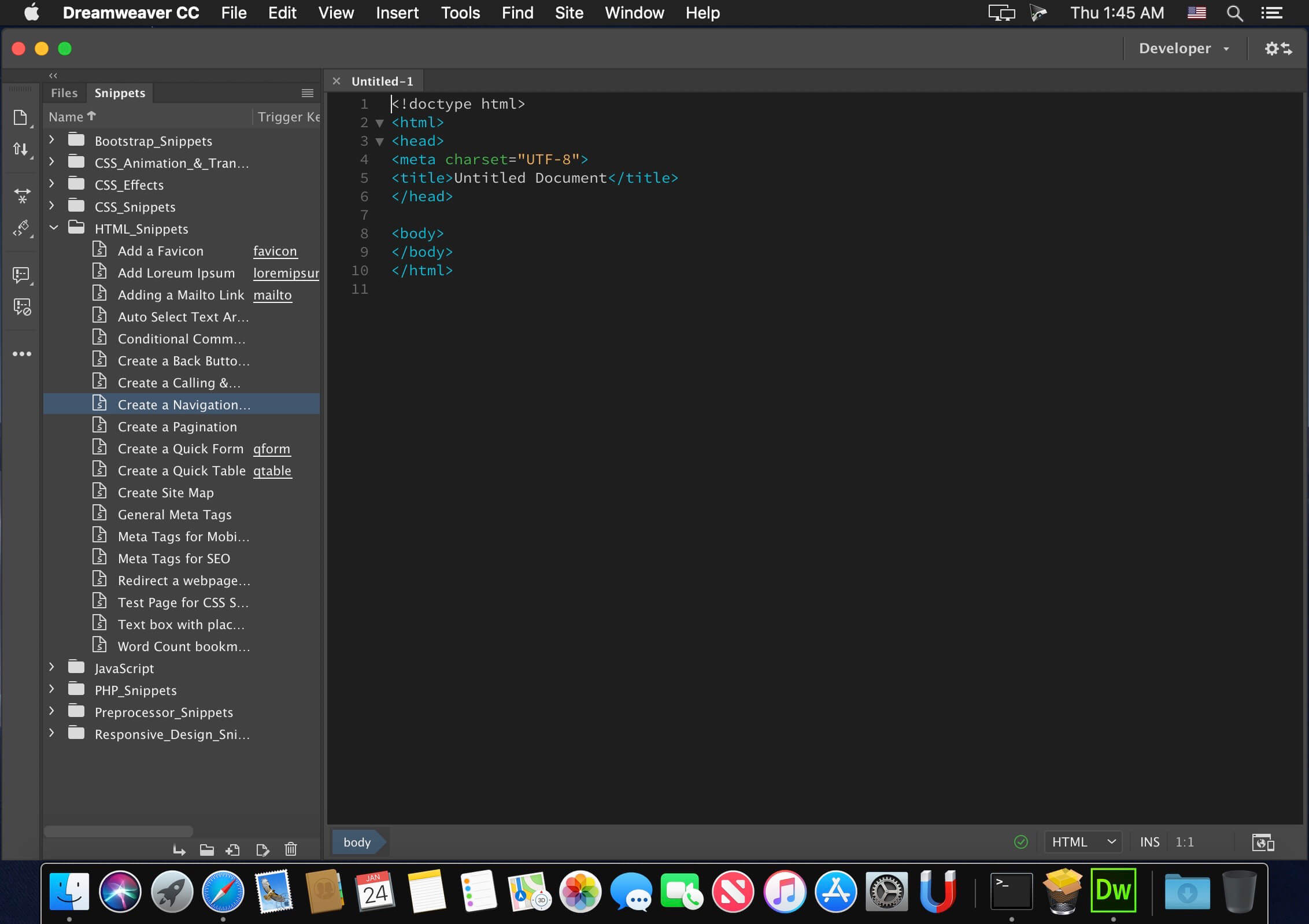
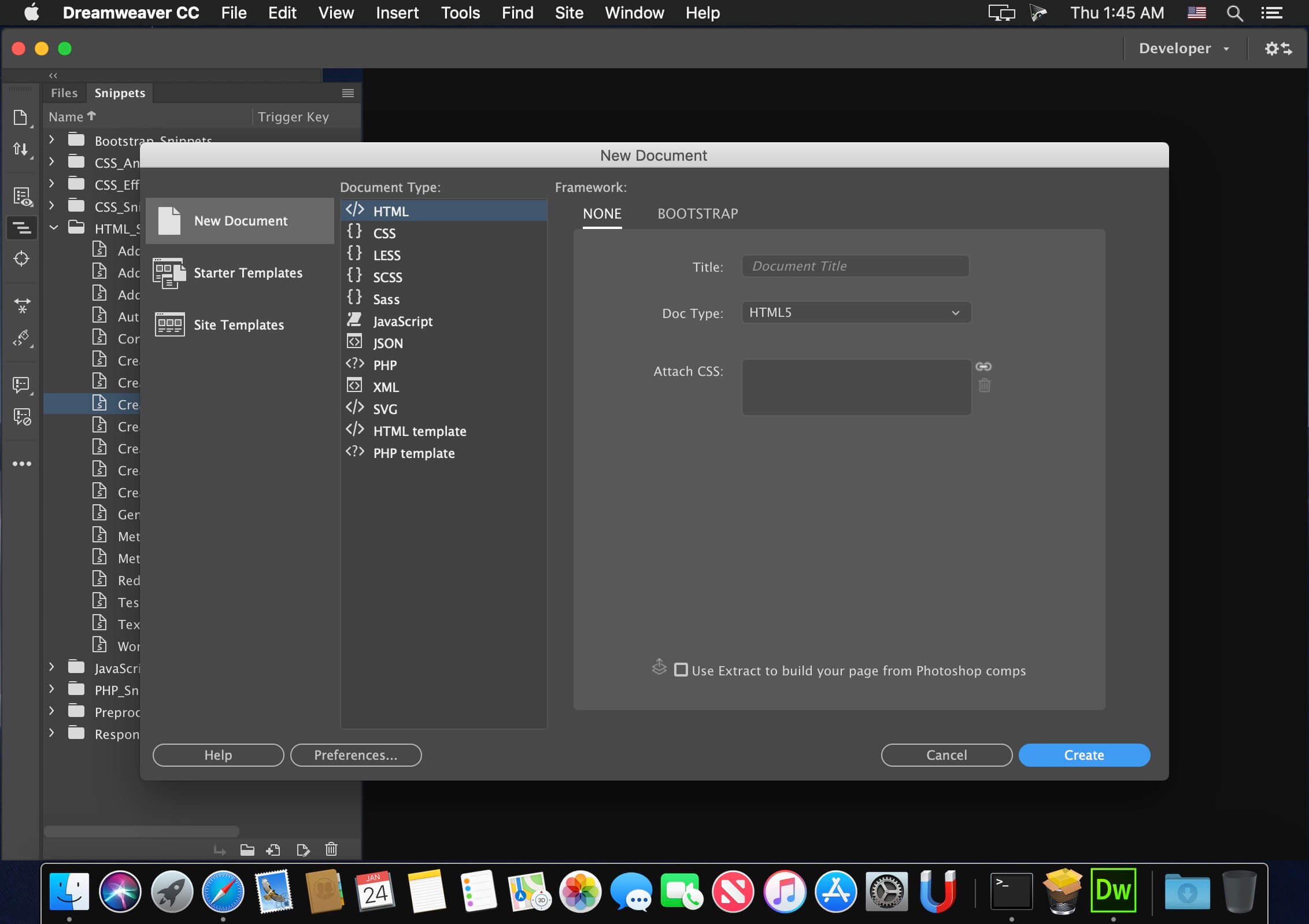
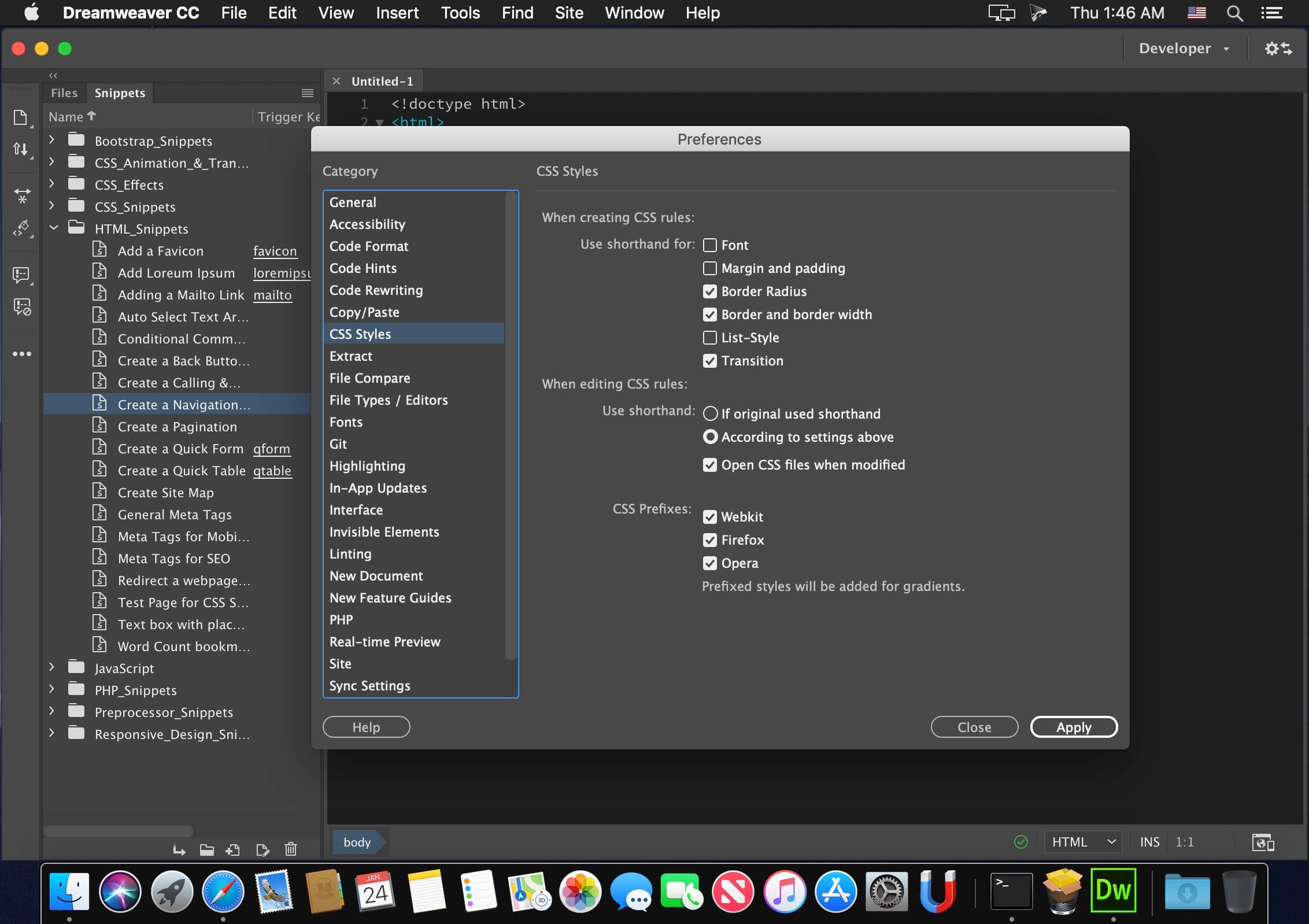
Software for web design Adobe Dreamweaver CC contains an intuitive visual interface that allows you to create and edit web sites and mobile applications. Use the “rubber layouts” (Fluid Grid Layouts) with cross-platform support for creating web pages. Before publishing preview created layouts in panel a multi-screen viewing.
Watch for design changes with new interactive viewing features. Make changes to the visual presentation of HTML elements and test your changes on web site in live view without switching between display modes or constant updates to the screen. Create codes that correspond to web standards, with the help of visual editing tools. Apply CSS properties like gradients, box shadows and borders. If you don’t like the changes, just cancel them.
The Edge Animate and Dreamweaver integration makes it possible to use HTML5 interactive content on mobile devices and for publishing to the Internet.
Installation using the patch:
software installation:
Attention!
Before installing, disconnect from the Internet
0. Mountable image AdobeDreamweaver18.1-mul.dmg
1. Run the Install installer and follow the instructions
2. After installation, do not run the program in trial mode (force close the application if it starts on its own)
Before applying the patch, make a copy of the original file: (optional)
3. Click the right mouse button on the application – Show package contents. Open the folder Contents – folder Frameworks.
4. Make a copy of the original amtlib.framework / archive or rename and leave in the package (leave the original in its place)
5. From the desktop, run the patch Adobe_Zii_for_Adobe_CC15_-_CC18_3.0.4_[cutl].dmg -> Adobe Zii PATCH and click or DRAG or drag selected/a specific application in the open window of the patch
ATTENTION:
- the program must be installed by default
- if other programs from the CC 2015CC2018 package are installed, the original amtlib will be automatically replaced/patched in those applications where it is required.framework , that this did not happen drag the application window of the running patch.
- make copies of the original files before applying the patch
- It is advisable to return the original amtlib before updating the software.framework, to apply the updates again and apply the patch
- block outgoing connections do not need (if you are using a patch to treat)
- Adobe Zii 3.0.1 for Adobe CC15 CC17also activates programs downloaded from Adobe Creative Cloud
- Adobe Creative Cloud (CC) Cleaner Tool is included in the distribution
Adobe Creative Cloud (CC) Cleaner Tool can clean from installation and problematic installed beta version of software, Adobe Creative Cloud, Adobe Creative Suite 6, Adobe Creative Suite 5-5.5, Adobe Creative Suite 4 and Adobe Creative Suite 3, etc.
Adobe (CC) Cleaner Tool is not a full – fledged program for uninstalling any software, it is a console application that works in consultation with you. Ie You do not delete anything extra besides what you have chosen. You decide and coordinate all actions with your own removal needs.
Adobe Illustrator CC2018.1 v22.1 [Multi/Ru]
Supported OS: macOS 10.11+
Interface language: Russian, English, German, etc.
Type of medicine: patch
System requirements:
- Multicore Intel processor with 64bit computing
- Mac OS X version 10.11 or later
- 2 GB of RAM (8 GB recommended)
- 2 GB of free hard disk space for installation; additional free space required for installation (not installed on a disk using the file system is casesensitive, or on removable flash memory device)
- 1024×768 monitor resolution (1280×800 recommended)
- Optional: to use GPU performance to a computer running Mac OS should have at least 512 MB RAM (2 GB recommended), as well as to support OpenGL 4.0 or higher
Overview
Illustrator CC – is adopted as an industry standard software for vector graphics, widely used by designers in different areas – digital graphics, illustrations and printing – when you develop any types of multimedia resources: printed materials, online content, interactive media, video and mobile applications.
Introducing the most powerful and user-friendly version Illustrator®. New tool “Change text” contains advanced management functions typing, including translation, scale, and rotate individual characters with the ability to change the font or copy at any time. Illustrator CC allows to provide access to the results of the work directly from the application and synchronize color with Adobe® Kuler®. Put all your work together.
Installation using the patch:
software installation:
Attention!
Before installing, disconnect from the Internet
0. Mountable image AdobeIllustrator22.1-mul.dmg
1. Run the Install installer and follow the instructions
2. After installation, do not run the program in trial mode (force close the application if it starts on its own)
Before applying the patch, make a copy of the original file:
3. Click the right mouse button on the application – Show package contents. Open the folder Contents – folder Frameworks.
4. Make a copy of the original amtlib.framework / archive or rename and leave in the package (leave the original in its place)
5. From the desktop, run the patch Adobe for Adobe Zii CC15 – CC18 3.0.4 PATCH and click or drag selected/a specific application in the open window of the patch
ATTENTION:
- the program must be installed by default
- if other programs from the CC 2015CC2018 package are installed, the original amtlib will be automatically replaced/patched in those applications where it is required.framework , that this did not happen drag the application window of the running patch.
- make copies of the original files before applying the patch
- It is advisable to return the original amtlib before updating the software.framework, to apply the updates again and apply the patch
- block outgoing connections do not need (if you are using a patch to treat)
- Zii Adobe for Adobe CC15 CC18 3.0.4 also enables programs downloaded from Adobe Creative Cloud
- Adobe Creative Cloud (CC) Cleaner Tool is included in the distribution
Adobe Creative Cloud (CC) Cleaner Tool can clean from installation and problematic installed beta version of software, Adobe Creative Cloud, Adobe Creative Suite 6, Adobe Creative Suite 5-5.5, Adobe Creative Suite 4 and Adobe Creative Suite 3, etc.
Adobe (CC) Cleaner Tool is not a full – fledged program for uninstalling any software, it is a console application that works in consultation with you. Ie You do not delete anything extra besides what you have chosen. You decide and coordinate all actions with your own removal needs.
Adobe InDesign CC 2018.1 v13.1 [Multi/Ru]
Supported OS: macOS 10.11 +
Interface language: Russian, English, German, French, etc.
Type of medicine: patch
System requirements:
- Multicore Intel processor with 64bit computing
- Operating system Mac OS X version 10.11 or newer
- 1 GB of RAM
- 3.2 GB of free hard disk space for installation; additional free space required for installation (not installed on a disk using the file system is casesensitive, or on removable storage devices flash memory)
- Monitor with a resolution of 1024 x 768 (recommended 1280 x 800), video card that supports OpenGL 2.0, 16bit color, 512 MB RAM (1 GB recommended)*
Overview
Adobe InDesign CC — professional product design to design any print or Internet publications.
Adobe InDesign CC has all the advanced features and tools of machine layout, with which you can quickly and efficiently design pages of any complexity. The program supports the import of drawings and text from a variety of formats, including PDF and XML files, offers a set of tools for editing imported materials which includes work with layers, cascading styles, tables and templates.
Adobe InDesign CC is a universal app for publishing content, which provides precise control over design and typography at the pixel level. Easily adapt layouts to different page formats, orientations and devices while maintaining high image quality.
Installation using the patch:
software installation:
Attention!
Before installing, disconnect from the Internet
1. Run the Install installer and follow the instructions
2. After installation, do not run the program in trial mode (force close the application if it starts on its own)
Before applying the patch, make a copy of the original file:
3. Click the right mouse button on the application – Show package contents. Open the folder Contents – folder Frameworks.
4. Make a copy of the original amtlib.framework / archive or rename and leave in the package (leave the original in its place)
5. From the desktop, run the patch Adobe_Zii_for_Adobe_CC15_-_CC18_3.0.4_[cutl].dmg -> Adobe Zii PATCH and click or drag selected/a specific application in the open window of the patch
ATTENTION:
- the program must be installed by default
- if other programs from the CC 2015CC2018 package are installed, the original amtlib will be automatically replaced/patched in those applications where it is required.framework , that this did not happen drag the application window of the running patch.
- make copies of the original files before applying the patch
- It is advisable to return the original amtlib before updating the software.framework, to apply the updates again and apply the patch
- block outgoing connections do not need (if you are using a patch to treat)
- Adobe_Zii_for_Adobe_CC15__CC18_3.0.4_[cutl] also activates programs downloaded from Adobe Creative Cloud
- Adobe Creative Cloud (CC) Cleaner Tool is included in the distribution
Adobe Creative Cloud (CC) Cleaner Tool can clean from installation and problematic installed beta version of software, Adobe Creative Cloud, Adobe Creative Suite 6, Adobe Creative Suite 5-5.5, Adobe Creative Suite 4 and Adobe Creative Suite 3, etc.
Adobe (CC) Cleaner Tool is not a full – fledged program for uninstalling any software, it is a console application that works in consultation with you. Ie You do not delete anything extra besides what you have chosen. You decide and coordinate all actions with your own removal needs.
Adobe Photoshop CC 2018 v19.1.2 [Multi/Ru]
Supported OS: macOS 10.11 +
Interface language: Russian, English, etc.
Type of medicine: patch
System requirements:
- Intel multicore processor with 64bit support
- 10.11 macOS (Yosemite) or newer; 64bit version
- 2 GB of RAM (8 GB recommended)
- 4 GB of free hard disk space for installation; during installation requires additional free space (cannot install on a drive that uses a filesystem with casesensitivity of symbols)
- Monitor resolution 1024×768 (recommended 1280×800), support for 16bit color and 512MB of dedicated video memory; 2 GB recommended*
- The system supports OpenGL 2.0
Overview
Adobe Photoshop CC — a program for processing raster graphics. Many graphic formats are supported. Adobe Photoshop allows you to create new images and edit them. Photoshop used to create photorealistic images to work with color scanned images, retouching, color correction, collage, transformation of graphs, color separation, etc.
Adobe Photoshop has all the methods for working with point images, with the ability to work with layers and uses contours. The program is the undisputed leader among professional graphic editors due to its widest possibilities, high efficiency and speed. Adobe Photoshop provides all the necessary tools for correcting, editing, preparing images for printing and high quality output.
Installation using the patch:
software installation:
Attention!
Before installing, disconnect from the Internet
0. Mountable image AdobePhotoshop19.1.2-mul.dmg
1. Run the Install installer and follow the instructions
2. After installation, do not run the program in trial mode (force close the application if it starts on its own)
Before applying the patch, make a copy of the original file:
3. Click the right mouse button on the application – Show package contents. Open the folder Contents – folder Frameworks.
4. Make a copy of the original amtlib.framework / archive or rename and leave in the package (leave the original in its place)
5. From the desktop, run the patch (Adobe_Zii_for_Adobe_CC15_-_CC18_3.0.4_[cutl].dmg -> Adobe Zii ) and click PATCH or drag selected/a specific application in the open window of the patch
ATTENTION:
- the program must be installed by default
- if other programs from the CC 2015CC2018 package are installed, the original amtlib will be automatically replaced/patched in those applications where it is required.framework , that this did not happen drag the application window of the running patch.
- make copies of the original files before applying the patch
- It is advisable to return the original amtlib before updating the software.framework, to apply the updates again and apply the patch
- block outgoing connections do not need (if you are using a patch to treat)
- Adobe Ziialso activates programs downloaded from Adobe Creative Cloud
- Adobe Creative Cloud (CC) Cleaner Tool is included in the distribution
Adobe Creative Cloud (CC) Cleaner Tool can clean from installation and problematic installed beta version of software, Adobe Creative Cloud, Adobe Creative Suite 6, Adobe Creative Suite 5-5.5, Adobe Creative Suite 4 and Adobe Creative Suite 3, etc.
Adobe (CC) Cleaner Tool is not a full – fledged program for uninstalling any software, it is a console application that works in consultation with you. Ie You do not delete anything extra besides what you have chosen. You decide and coordinate all actions with your own removal needs.
Adobe Photoshop Lightroom Classic CC 2018 v7.2.0 [Multi]
Supported OS: OS X 10.11 +
Interface language: English, German, etc
Type of medicine: patch
System requirements:
- Multicore Intel processor with 64bit support*
- Mac OS X 10.11 or later(Note that LR CC/6 can run on Mac 10.8, but without GPU acceleration)
- OpenGL 3.3capable graphics card for GPU related functionality or later, which includes most cards from about 2010/2011 onwards.
- 2GB of RAM (4GB recommended)
- 2GB of available harddisk space
- Dualcore processor recommended for HD or AVCHD video functionality
Overview
Application Photoshop Lightroom is designed for professional photographers and enthusiasts, and allows you to quickly import and process images, and manage photo library. Features such as Smart Preview and Advanced Healing Brush enhance the full-featured version of Photoshop in the field of fine-grained photo editing. The Advanced Healing Brush tool allows you to literally adjust parts of the image with your hands, instead of applying some filters to the entire image.
Smart Preview allows you to edit photos, even in moments of unavailability of the main archive RAW. If the archive is available, the program will transfer all the changes.
Adobe Photoshop Lightroom CC is part of Creative Cloud. So it is available to users all the latest updates, and access to new versions available from the date of their issue. Publishing capabilities in the cloud allow organize your files on multiple computers.
Lightroom brings together all the tools you need to work with digital photography in one quick and intuitive application.
File replacement installation:
software installation:
Attention!
Before installing, disconnect from the Internet
0. Mountable image Adobe Photoshop Lightroom Classic CC 2018 v7.2.0.dmg
1. Run the Adobe Photoshop Lightroom Classic CC 2018 V7 installer.2.0_Install.pkg (Adobe Photoshop Lightroom Classic CC 2018 v7.2.0/Build) and follow the instructions
2. After installation, do not run the program in trial mode (force close the application if it starts on its own)
Before applying the patch, make a copy of the original file:
3. Click the right mouse button on the application – Show package contents. Open the folder Contents – folder Frameworks.
4. Make a copy of the original amtlib.framework / archive or rename and leave in the package (leave the original in its place)
5. From the desktop, run the patch Adobe for Adobe Zii CC15 – CC18 3.0.4 PATCH and click or drag selected/a specific application in the open window of the patch
ATTENTION:
- the program must be installed by default
- if other programs from the CC 2015CC2018 package are installed, the original amtlib will be automatically replaced/patched in those applications where it is required.framework , that this did not happen drag the application window of the running patch.
- make copies of the original files before applying the patch
- It is advisable to return the original amtlib before updating the software.framework, to apply the updates again and apply the patch
- block outgoing connections do not need (if you are using a patch to treat)
- Zii Adobe for Adobe CC15 CC18 3.0.4 also enables programs downloaded from Adobe Creative Cloud
- Adobe Creative Cloud (CC) Cleaner Tool is included in the distribution
Adobe Creative Cloud (CC) Cleaner Tool can clean from installation and problematic installed beta version of software, Adobe Creative Cloud, Adobe Creative Suite 6, Adobe Creative Suite 5-5.5, Adobe Creative Suite 4 and Adobe Creative Suite 3, etc.
Adobe (CC) Cleaner Tool is not a full – fledged program for uninstalling any software, it is a console application that works in consultation with you. Ie You do not delete anything extra besides what you have chosen.
You decide and coordinate all actions with your own removal needs.
Adobe Premiere Pro CC 2018 v12.0.1 [Multi/Ru]
Supported OS: macOS 10.11+
Interface language: Russian, English, German, etc.
Type of medicine: patch
System requirements:
- Multicore Intel processor with 64bit computing
- Mac OS X version 10.11 or later
- 8 GB RAM (16 GB recommended)
- 8 GB of free hard disk space for installation; during installation requires additional free space (cannot install on a drive that uses the casesensitive file system and on removable flash memory device)
- Display with a resolution of 1280×800
** Optional: Adobe recommended graphics card for GPU acceleration functions
Overview
Create superb videos wherever you are. The industry’s best set of tools for the production of video materials helps to work faster and easier, bringing together the desktop and mobile app with resources for design.
Adobe Premiere Pro is a powerful, customizable editor for non-linear editing, with which you can mount videos exactly as you want. Import and free Association of any video from the clip, shot on a phone to raw 5K, followed by installation that does not need to perform transcoding.
Edit video faster and more fluidly with Adobe Premiere Pro CC – ideal tools for professional editors. Now available many new features including a built-in mechanism for color correction with Adobe SpeedGrade CC, expanded support of the original formats, improved installation material from multiple cameras, etc.
Installation using the patch:
software installation:
Attention! Before installing, disconnect from the Internet
0. Mountable image Adobe_Premiere_Pro_CC_2018_v12.0.1.dmg
1. Run the installer Adobe_Premiere_Pro_CC_2018_v12.0.1_Install.pkg (/Adobe_Premiere_Pro_CC_2018_v12.0.1/Build) and follow the instructions
2. After installation, do not run the program in trial mode (force close the application if it starts on its own)
Before applying the patch, make a copy of the original file:
3. Click the right mouse button on the application – Show package contents. Open the folder Contents – folder Frameworks.
4. Make a copy of the original amtlib.framework / archive or rename and leave in the package (leave the original in its place)
5. From the desktop, run the patch Adobe for Adobe Zii CC15 – CC18 3.0.4 PATCH and click or drag selected/a specific application in the open window of the patch
ATTENTION:
- the program must be installed by default
- if other programs from the CC 2015CC2018 package are installed, the original amtlib will be automatically replaced/patched in those applications where it is required.framework , that this did not happen drag the application window of the running patch.
- make copies of the original files before applying the patch
- It is advisable to return the original amtlib before updating the software.framework, to apply the updates again and apply the patch
- block outgoing connections do not need (if you are using a patch to treat)
- Zii Adobe for Adobe CC15 CC18 3.0.4 also enables programs downloaded from Adobe Creative Cloud
- Adobe Creative Cloud (CC) Cleaner Tool is included in the distribution
Adobe Creative Cloud (CC) Cleaner Tool can clean from installation and problematic installed beta version of software, Adobe Creative Cloud, Adobe Creative Suite 6, Adobe Creative Suite 5-5.5, Adobe Creative Suite 4 and Adobe Creative Suite 3, etc.
Adobe (CC) Cleaner Tool is not a full – fledged program for uninstalling any software, it is a console application that works in consultation with you. Ie You do not delete anything extra besides what you have chosen. You decide and coordinate all actions with your own removal needs.
Adobe XD CC v4.0.12 [Multi]
Supported OS: macOS 10.11 +
Interface language: English, etc.
Type of medicine: patch
System requirements:
- Intel multicore processor with 64bit support
- 10.11 macOS (Yosemite) or newer; 64bit version
- 4 GB of RAM (8 GB recommended)
- 4? GB of free hard disk space for installation; during installation requires additional free space (cannot install on a drive that uses a filesystem with casesensitivity of symbols)
- Monitor resolution 1024×768 (recommended 1280×800), support for 16bit color and 512MB of dedicated video memory; 2 GB recommended*
Overview
Adobe XD CC is a new creative tool from Adobe for designing high-quality prototype of user interfaces for mobile and web applications. This tool is specially designed for building quick prototypes as well as for high fidelity UI and design.
With Adobe CC XD anyone can create frames, interactive prototypes, and highly reliable design of applications and web sites. Once you have your prototype, you can import the visuals to start creating the final app.
Installation using the patch:
software installation:
Attention! Before installing, disconnect from the Internet
0. Mountable image Adobe_XD_CC_4.0.12.dmg
1. Run the installer Adobe_XD_CC_4.0.12_Install.pkg (/Adobe_XD_CC_4.0.12/Build) and follow the instructions
2. After installation, do not run the program in trial mode (force close the application if it starts on its own)
Before applying the patch, make a copy of the original file:
3. Click the right mouse button on the application – Show package contents. Open the folder Contents – folder Frameworks.
4. Make a copy of the original amtlib.framework / archive or rename and leave in the package (leave the original in its place)
5. From the desktop, run the patch (Adobe_Zii_for_Adobe_CC15_-_CC18_3.0.4_[cutl].dmg -> Adobe Zii ) and click PATCH or drag selected/a specific application in the open window of the patch
ATTENTION:
- the program must be installed by default
- if other programs from the CC 2015CC2018 package are installed, the original amtlib will be automatically replaced/patched in those applications where it is required.framework , that this did not happen drag the application window of the running patch.
- make copies of the original files before applying the patch
- It is advisable to return the original amtlib before updating the software.framework, to apply the updates again and apply the patch
- block outgoing connections do not need (if you are using a patch to treat)
- Adobe Ziialso activates programs downloaded from Adobe Creative Cloud
- Patcher by cutl
- Adobe Creative Cloud (CC) Cleaner Tool is included in the distribution
Adobe Creative Cloud (CC) Cleaner Tool can clean from installation and problematic installed beta version of software, Adobe Creative Cloud, Adobe Creative Suite 6, Adobe Creative Suite 5-5.5, Adobe Creative Suite 4 and Adobe Creative Suite 3, etc.
Adobe (CC) Cleaner Tool is not a full – fledged program for uninstalling any software, it is a console application that works in consultation with you. Ie You do not delete anything extra besides what you have chosen. You decide and coordinate all actions with your own removal needs.