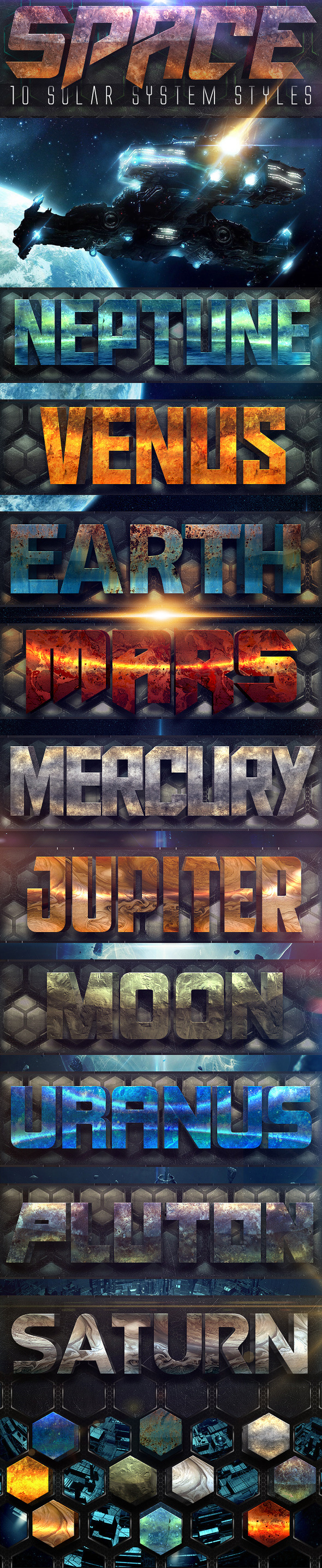
Graphicriver Space 10 Solar System Styles 11877911
Size
31.16 MB
Created on
2015-06-23 22:14:45
Hash
da8df59ecfa3735f6092fb78fbc52859e632e57d
Files
Graphicriver Space 10 Solar System Styles 11877911/Graphicriver Space 10 Solar System Styles 11877911.tgz (31.16 MB)
Graphicriver Space 10 Solar System Styles 11877911/Torrent Downloaded From ExtraTorrent.cc.txt (0.35 kB)
Graphicriver Space 10 Solar System Styles 11877911/Torrent downloaded from demonoid.pw.txt (0.05 kB)
Name: Space 10 Solar System Styles
Created: 23 June 15
Last Update: 23 June 15
Add-on Files Included: Layered PSD, Photoshop ASL
Works With: PSD
Minimum Adobe CS Version: CS6


The pack include:
1 PSD file with 10 styles
1 ASL file with 20 styles
1 TXT file with complete fonts list
- INSTRUCTIONS: To add the style pack, make double click in the .ASL file and go to the “styles palette” in Photoshop.

- RECOMMENDATION: If you want the same effect shown in the .PSD file and don’t have interest about install the complete pack into your Photoshop, just drag and drop the chosen text to your own design and edit them! VERY EASY!


More information: http://graphicriver.net/item/space-10-solar-system-styles/11877911
Name: Berliner Newspaper/Magazine Template
Last Update: 26 February 12
Created: 5 January 12
Layered: No
Graphics Files Included: InDesign INDD
Minimum Adobe CS Version: CS3
Print Dimensions: 8.27x11.69


Web Site: https://graphicriver.net/item/berliner-newspapermagazine-template/1224460


Overview
Berliner Newspaper/Magazine InDesign Template. This modern and elegant newspaper design can be easily used by anyone who wants to create a standard newspaper or something more specific like a financial or motor vehicle pullout. The design has been produced in both the distinctive Berliner page size used by top newspapers like The Guardian in the UK, Le Monde in France and the New York Times and USA Today in the US, and to the standard A4 size. Essentially two items in one: a newspaper and a magazine.

The design is hugely flexible and contains lots of high quality page layouts to get you started. Page elements can easily be swapped around and re-arranged so you can create your own great designs. The design is completely print ready and all paragraph styles have been setup and organised into easy to use folders.


Template Includes:

 ● Berliner and A4 page size tempaltes
 ● Cover design
 ● Contents page
 ● Five double page spread designs
 ● Six single page layouts
 ● Info-graphic centre spread
 ● Lots of info-graphic page elements
 ● Lead story layouts and styles
 ● Downpage and nibs layouts and styles
 ● All paragraph styles setup and grouped
 ● Automatic page numbering
 ● Technical info

This template is InDesign CS5.5 format, so is fully editable in CS5, CS4 and CS3. I have also included an Interchange file (inx) for people on older versions of InDesign. Instructions provided with the file. Template includes both A4 and Berliner page size tempaltes. Images used for illustration purposes only.
Name: Minimal Black & White Magazine
Last Update: 6 August 16
Created: 6 August 16
Layered: Yes
Graphics Files Included: InDesign INDD
Minimum Adobe CS Version: CS4
Print Dimensions: 8.5x11


Web Site: https://graphicriver.net/item/minimal-black-white-magazine/17358159


Overview
MINIMAL BLACK & WHITE MAGAZINE

Clean, modern and simple design ideal for any purposes. Very easy to adapt and customize.


DETAILS
· 32 custom pages
· Free fonts used
· Print ready (300 dpi, CMYK)
· Separated layers (graphics, images, shapes and text)
· Various photo display options
· Compatible with InDesign CS4 and newer
· Help file included


DIMENSIONS
· A4 (297×210 mm)
· Letter (8.5×11 inches)
Name: Modern Red Pattern Brochure
Last Update: 15 May 16
Created: 15 May 16
Layered: Yes
Graphics Files Included: InDesign INDD
Minimum Adobe CS Version: CS4
Print Dimensions: 8.5x11


Web Site: https://graphicriver.net/item/modern-red-pattern-brochure/16132872


Overview
MODERN RED PATTERN BROCHURE

Clean, modern and simple design ideal for any purposes. Very easy to adapt and customize.


DETAILS:
· 28 custom pages
· Free fonts used
· Print ready (300 dpi, CMYK)
· Separated layers (graphics, images, shapes and text)
· Various photo display options
· Compatible with InDesign CS4 and newer
· Help file included


DIMENSIONS:
· A4 (297×210 mm)
· Letter (8.5×11 inches)
Name: T-shirt Mockups Bundle
Last Update: 12 February 17
Created: 12 February 17
High Resolution: Yes
Layered: Yes
Graphics Files Included: Photoshop PSD
Minimum Adobe CS Version: CS4
Pixel Dimensions: 2000x3000
Print Dimensions: 6.5x10


Web Site: https://graphicriver.net/item/tshirt-mockups-bundle/19430131


Overview
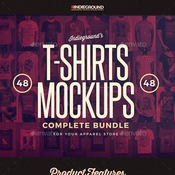
“Premium Tees Realistic Mockups Bundle” – This graphic resource gives you a quick & easy possibility to apply your artwork & graphics, clothing label, text, image, logo and every kind of graphic on a man & woman plain t-shirt from different prospectives & closeups. You just need to replace them with the smart object. Create a great apparel showcase for your website, a facebook cover, a clothing magazine or a fashion website banner. This offer includes 4 different mockups sets. You can replace the background with a texture to create a realistic floor or wall and also use the “Vintage Distressed Effect” that applies on your artwork to give that cool vintage touch to your tees.


Features:
 ● 48 Psd Files
 ● Smart Object Replacement
 ● 2000×3000 px
 ● 300 dpi / RGB
 ● Well Organized Layers
 ● 100% Editable
 ● Quick Graphic Replacement
 ● Vintage Distressed Graphic Effect Included


Products Included:
 ● https://graphicriver.net/item/men-tshirt-mockups/8933044 Men T-shirt Mockups:This product includes 3 male models, black & white, each in 4 different poses
 ● https://graphicriver.net/item/women-tshirt-mockups/9156519 Women T-shirt Mockups:This product includes 3 female models, black & white, each in 4 different poses
 ● https://graphicriver.net/item/urban-tshirt-mockups/10940969 Urban T-shirt Mockups:This product includes male & female models, black & white, in different urban street scenes
 ● https://graphicriver.net/item/studio-tshirt-mockups/19014440 Studio T-shirt Mockups:This product includes open, folded and hanged t-shirts different positions & angles
Name: 49 Vintage Photoshop Actions
Last Update: 13 February 17
Created: 13 February 17
Add-on Files Included: Photoshop ATN
Works With: JPG
Minimum Adobe CS Version: CS


Web Site: https://graphicriver.net/item/49-vintage-photoshop-actions/19433829


Overview
Vintage Era is a fantastic bundle of Photoshop Actions to add a beautiful vintage, retro effects to your photos with just one click.

Photoshop can be your best friend, so spend less time editing and more time shooting. This is a must-have for photographers and graphic designers.

Product Features:
 ● One Click Actions
 ● Fast Rendering
 ● Non-destructive Actions
 ● Clean and professional arrangement
 ● Documentation

Files Included:
 ● 49 Vintage Photoshop Actions (ATN)
 ● Documentation (PDF)
Name: Start-up Business Brochure
Last Update: 3 May 16
Created: 3 May 16
Layered: Yes
Graphics Files Included: InDesign INDD
Minimum Adobe CS Version: CS4
Print Dimensions: 8.5x11


Web Site: https://graphicriver.net/item/startup-business-brochure/15967387


Overview
START-UP BUSINESS BROCHURE

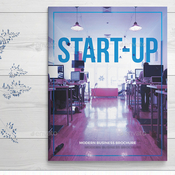
- Start-up business brochure is a print template for Adobe InDesign. - This is a modern and stylish template for a business brochuree. - Great start for your start-up company is a premium visual identity that allows this brochure we offer. - Perfect for corporate or other business promotion – 24 pages possibility of creating many unique spreads.

- This template also fully editable – any elements used in the template such as text, graphic elements, images, layout are easy to customize.

- Start-up business brochure print template includes:

- INDD: Compatible files for Adobe InDesign CC (US Letter) - IDML: Compatible files for Adobe InDesign CS4+ (US Letter) - Help File + link for fonts

FEATURES:
 ● Start-up
 ● Business Brochure
 ● US letter format
 ● 24 unique layouts
 ● Automatic page numbering
 ● Free fonts
 ● Edit colors through palette
 ● 100% print ready with bleeds
 ● CMYK, 300 DPI optimized
 ● Easy editable text/colors/images
 ● Photographs not included
 ● Well organized layer

FREE FONT:
 ● BEBAS
 ● WEB SYMBOLS
 ● MONTSERRAT
 ● MYRIAD – SYSTEM FONT

FILE INCLUDED:
 ● US letter InDesign indd (CC)
 ● US letter InDesign idml (CS4, CS5, CS6)
 ● Help file (PDF) + links for font
Name: GraphicRiver - Watercolor Comic
Add-on Files Included: Photoshop ABR, Photoshop ATN
Works With: PSD, CMYK, JPG
Minimum Adobe CS Version: CS5


Web Site: https://graphicriver.net/item/watercolor-comic/18922112


Overview
Watercolor Comic Photoshop Action

Create your painting quickly with Watercolor Comic action. In Photoshop, open your photo, image, make a selection and run action, your photo will be rendered to the painting with Watercolor and Comic contour effects. It’s convenient to create your own artworks and show them to your relatives.

  ● Watercolor Comic action has been tested and working on Photoshop CS5, CS6,CC+ (multi-languages)
  ● For the best results, use Photos between 1500px – 3500px high/wide
  ● This package includes: Watercolor comic.ATN, Watercolor brush.ABR, Readme.txt.
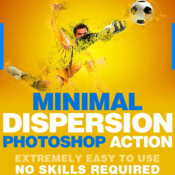
Name: GraphicRiver - Minimal Dispersion
Add-on Files Included: Photoshop ABR, Photoshop ATN
Minimum Adobe CS Version: CS3


Web Site: https://graphicriver.net/item/minimal-dispersion-photoshop-action/19176826


Overview
Minimal Dispersion Photoshop Action

MD is a Photoshop action that produces Manipulation effect artwork from just about any image. Play the action and your model will become an artwork , Every layer is editable.

This action has been created and optimized for use on Photoshop CS3, CS4, CS5, CS6, CC and ONLY FOR THE ENGLISH VERSION OF PHOTOSHOP.


Easy to use
Turn any image into an artwork with 3 easy steps:
  1. Open image with Photosop
  2.Select area and fill in with any color
  3. Play the action

The action has been tested onCS3, CS4, CS5, CS6 and CC English versions of Adobe Photoshop.


Well Organised
All elements created with this action are separated into sensibly ordered and intuitively named layers. Settings layers are also created allowing further control of how your artwork is applied to the AREA and can be easily changed by adjusting the opacity of each layer.

Additional actions are also included which can edit the effect applied to AREA , and other actions that add final effects


The Best Results
We recommend that your image should be between 2000px – 4000px wide/high (along whichever is the longer axis) to get the best results. However, because the perfect image isn’t always the one taken professionally at a high resolution we developed this action to be extremely forgiving when rendering images. Both high and low quality imagery have proven to give stunning results, as long as they are re-sized to within the recommended range before playing the action.


1 Action. ANY IMAGE
The action is tested with many different photos to ensure there are no errors.
  ● Amateur photography
  ● Illustrations
  ● Professional/Stock photography
  ● Selfies
  ● Instagram moments
  ● Logos and motifs
  ● Clip art
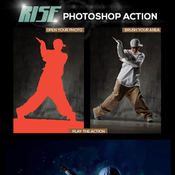
Name: GraphicRiver - Rise Photoshop Action
Add-on Files Included: Photoshop ABR, Photoshop ATN
Works With: PSD
Minimum Adobe CS Version: CS6


Web Site: https://graphicriver.net/item/rise-photoshop-action/19153615


Overview
IMPORTANT : Please set the below given values to your Brush tool before play the action. This must be done before play the action. This is strongly recommended for the better results Opacity : 100% Flow : 43%

This Package includes One Action file, one Brush file and one Help file. Please read the HELP FILE before Proceed with the Action file. Because it’s too important to get the exact effects to your images as like shown in the above preview images
Name: Dark Fantasy Photoshop Action
Created: 4 November 15
Last Update: 4 November 15
Add-on Files Included: Photoshop ATN
Works With: PSD
Minimum Adobe CS Version: CS3


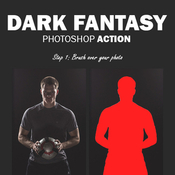
Dark Fantasy Photoshop Action

Create this professional, advanced looking effect from your photos with no work at all. This effect will save you hours of work and it is simple to use. Just brush over your photo and play the action. It’s really that simple! All layers are color coded, well named, grouped and organized. After you play the action You got full layer control! The effect is fully customizable You can change light direction, density, width, or add more light sources if you like, you can change texture detail and much more! You have 25 preset color looks to choose from and have the possibility of combining them for more looks.

The action is tested and working in Photoshop (English versions) CS3, CS4, CS5, CS6, CC.

The action is only working in English versions of Photoshop.

If you are using another language, you can easy change it to English in this way. After you play the action, you can change it back to your native language.

If you need any help with the action or you got any questions, please contact me via my Envato profile page.


Combine actions

If you have more than one my action, you can combine the effects an build even more advanced designs. Below there are over 20 actions to choose from.
How do I combine actions?

1) Run the first action on your photo.

2) When you finish with customizing the design, save your image.

3) Now re-open your image and run another action!

You can then use the 2nd actions layer flexibility to further customize the design. In this way you can build incredibly detailed, advanced designs with no work at all.


More information: http://graphicriver.net/item/dark-fantasy-photoshop-action/13467329
Name: Ghost Effects
Created: 31 October 15
Last Update: 31 October 15
Add-on Files Included: Photoshop ATN
Works With: JPG
Minimum Adobe CS Version: CS5


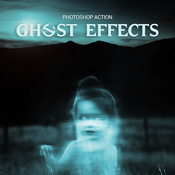
Ghost Effects Photoshop Action

This action will create Ghost effects from your photos, pictures, ect… You can transform anyone in photo become ghost immediately. This effect can cause fear, so be careful when using it. If you are a person with a history of heart disease, it is best not to use the Ghost Effects action at midnight. Very appropriate for the upcoming Halloween festivities.

After the action has finished rendering, it creates a well organised layer structure. Each layer and layer group are named appropriately and color coded to create a neat working environment for you. Use them by try to experiment with all the different layers. Hide or show layer, duplicate layer to enhance the effects, transform, rotate, change blend mode, ect… You can create a lot of effects, with only a few minutes of experimenting with the layers, saving your time.


• The action has been tested and working on Photoshop CS5, CS6,CC+
• For the best results, use Photos between 1500px – 3500px high/wide.
• The action willOnly work in English version of Photoshop . If you are not using the English version of Photoshop, you can always change it to English and then back again to your native language using this way: https://youtu.be/GJAiu5W2gLE
• This package included: Ghosts.atn, Readme.pdf.

Hope Ghost Effects Photoshop Action is useful for you in Halloween.


More information: http://graphicriver.net/item/ghost-effects/13448701
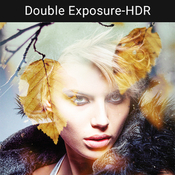
Name: Double_Exposure_HDR
Created: 31 October 15
Last Update: 31 October 15
Add-on Files Included: Photoshop ATN
Minimum Adobe CS Version: CS3


• The action will only Work in the ENGLISH VERSION OF PHOTOSHOP. How to change the language watch THIS (https://www.youtube.com/watch?v=GJAiu5W2gLE)

• Images in the Preview are NOT Included

• Select Your Image and just play the Action Thats it.

• Time Saving

• Well Organized

• Tips & Tutorial Included

• Some Useful Links Also Included

Thanks!


More information: http://graphicriver.net/item/double_exposure_hdr/13430482
Name: MultiArt Photoshop Action
Created: 23 March 15
Last Update: 21 March 16
Add-on Files Included: Transparent PNG, Photoshop ATN
Works With: PSD
Minimum Adobe CS Version: CS3


MultiArt Photoshop Action

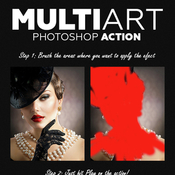
Create this advanced art effect from your photos with no work at all. Just open your photo, brush the areas where you want to apply the effect, and click Play on the action! Yes, it’s really that simple. After the action has finished you have full layer control.

Each time you run the action you can use different textures to achieve different types of art! 70 textures are included in download!

The action is tested and working in Photoshop (English versions) CS3, CS4, CS5, CS6, CC.

The action is only working in English versions of Photoshop.

If you are using another language, you can easy change it to English in this way. After you play the action, you can change it back to your native language.

If you need any help with the action or you got any questions, please contact me via my Envato profile page.


Combine actions

If you have more than one my action, you can combine the effects an build even more advanced designs. Below there are over 10 actions to choose from.
How do I combine actions?

1) Run the first action on your photo.

2) When you finish with customizing the design, save your image.

3) Now re-open your image and run another action!

You can then use the 2nd actions layer flexibility to further customize the design. In this way you can build incredibly detailed, advanced designs with no work at all.


More information: http://graphicriver.net/item/multiart-photoshop-action/10815669
Name: Facial Hair Photoshop Action
Created: 31 October 15
Last Update: 31 October 15
Add-on Files Included: Photoshop ATN
Minimum Adobe CS Version: CS3


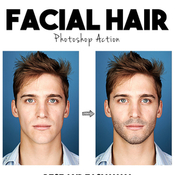
Facial Hair Action – it’s photorealistic facial hair effect. With this action you can create a mustache or small beard or a thick beard for a few clicks. After action finished work, you can adjust the colors of hair and density.

Watch detailed video tutorial for this action HERE


This action has been created and optimized for use on Photoshop CS3, CS4, CS5, CS6, CC and ONLY FOR THE ENGLISH VERSION OF PHOTOSHOP. Need to change the language of your version? WATCH HERE: https://www.youtube.com/watch?v=GJAiu5W2gLE


If you have any problems with this action please visit the help page, where you will find answers to FAQs and recommendations for getting the most out of my actions. If you can’t find the answer to your question, and you’re still having trouble, please contact me by e-mail: eugenedesign19@gmail.com


How to configure Photoshop to work with actions.

1. Make sure you are using the English version of Photoshop.
Each action has been created and optimized to work only with the English version of Photoshop, so please make sure that you are using this version. If not, don’t worry: you can change the language of your version of Photoshop to English (and switch back again) using this method: https://www.youtube.com/watch?v=GJAiu5W2gLE

By the way, my best selling Double Exposure Action has recently been updated, and you can now use it with the English, German, French, Italian and Spanish versions of Photoshop.


2. Use the RGB Mode and 8 Bits color.
To check these settings, go to Image->Mode and check the “RGB color” and “8 Bits/Channel”.


3. Make sure that the option “Add ‘copy’ to Copied Layers and Groups” is turned on.
This option applies only to CS5 and later versions of Photoshop. On the “LAYERS” panel, click on the menu icon, go to “Panel Options…”, and check that the “Add ‘copy’ to Copied Layers and Groups” is turned on.


4. Use a photo with 72dpi or higher.
If you are using a photo with less than 72dpi, the action will not function correctly. To fix this, go to Image->Image Size and increase the resolution value.


5. Set the Opacity of brush to 100%.
Set the Opacity of the brush to 100%. Select the “Brush Tool” and move the opacity slider to 100%.


How to combine my actions?
1. Open your photo
2. Play the first action
3. Save the result as an image
4. Open the previously saved image
5. Play the second action


ADDITIONAL HELP INFORMATION FOR BUYERS.

If you sure that you doing all right and this is still does not work, before play action please increase the resolution of your photo using Image Size adjustment. For that go to Image/ Image Size. And change width and height values to 2000-3000px. If it still not works increase more to 4000-5000px.

As you can see in my preview image i use photo with high resolution and the face of model occupies most of photo space. In this case the mustache and beard area what you painted is big and action works correctly.
If you use High quality photo with big resolution, but your mustache and beard area is too small compared with all image size,
it mean work area has too small resolution the action can’t works correctly. So all what you need
to do it’s increase resolution of photo with “Image Size” instruments before use action.


More information: http://graphicriver.net/item/facial-hair-photoshop-action/13434912
Name: Double Exposure 3 Photoshop Action
Created: 30 October 15
Last Update: 30 October 15
Add-on Files Included: Photoshop ABR, Photoshop ATN
Works With: TIFF, PSD, JPG
Minimum Adobe CS Version: CS


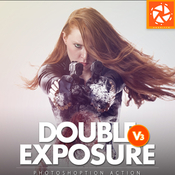
Add special effects into your photo instantly using Double Exposure 3 photoshop action. This action will create lots more elements that can be edited manually. After this action finished you can set opacity of layer, set properties, duplicate, move etc.

Double Exposure 3 photoshop action created for all users like you. You can use this action for poster, profile, cover or printing maybe. I hopefully you like this one, if you do, dont forget to rate and set to your favorite.

The action will only work in the English version of Photoshop. If you are not using the English version of Photoshop, you can always change it to English and then back again to your native language using this method.


- All Images in the preview are not included at the zip file - For the best results, it is recommended to use high resolution photos in the range of 2500px – 3500px. The optimal range is from 2000px – 3500px. The detail and clarity in the effects generated by the actions reduce the smaller of your photo.


Each action is thoroughtly teste across between 50 – 100 different photos to ensure there are no errors. In this case where you do experience an error. Contact me via email if you area still having troubles.


After each action has finished playing, it creates a well organized layer structure. Each layer and folder are named appropriately and color coded to create a neat working environtment for you.


Not only is the layer structure organised, each action comes with a highly detailed video tutorial teaching you about how each layer affects the design and how you can make customisations to it. So you can check my youtube channel here.


All my photoshop action are designed to save your hours, days, weeks or month of work. They area created in a way that booth photoshop beginners and experts can use it, saving you lots of time working on both personal or commercial projects.


If you own multiple actions, have you thought about stacking the effects to build even more advanced designs?. Below there are over 50 actions to choose from – this is where you can get really creative!


Tips how to combine the actions:

1. Run the first action on your photo.
2. One you are happy with the design, save your image out.
3. Now re-open your image and run another action!

You can then use the second actions layer flexibility to furher customize the design. You can follow this process and stack effects to build incredibly detailed designs with very little work.


More information: http://graphicriver.net/item/double-exposure-3-photoshop-action/13411731
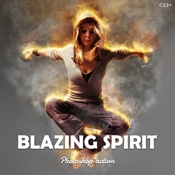
Name: Blazing Spirit - Fire Photoshop Action v1.01
Created: 31 October 15
Last Update: 25 January 16
Add-on Files Included: Photoshop ABR, Photoshop ATN
Minimum Adobe CS Version: CS3


Features:

・Action keeps original image untouched;
・Useful from 1500px to 4500px width images;
・Fully structured and editable PSD-file;
・With/without background;
・Unlimited results;


Action has been tested and works in CS6, CC, CC 2014, CC 2015 versions. Action works only in English version Photoshop.


The package contains 3 files:

・Blazing Spirit.ATN;
・brush.ABR;
・readme.TXT;


More information: http://graphicriver.net/item/blazing-spirit-fire-photoshop-action-v101/13448466
Name: Movable Sunlight Effects Photoshop Actions
Created: 14 October 15
Last Update: 15 October 15
Add-on Files Included: Photoshop ATN
Works With: PSD, CMYK, JPG, RAW
Minimum Adobe CS Version: CS4


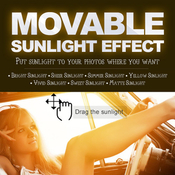
Movable Sunlight Effects  Photoshop Actions : Add a sunlight effect to your photos / images to make them stand out more. This is a great way to make an already beautiful sunset photo even more magical.Featured Products


More information: http://graphicriver.net/item/movable-sunlight-effects-photoshop-actions/13222876
Name: Braga
Created: 14 October 15
Last Update: 14 October 15
Compatible OS: Mac, PC
Font Files Included: TrueType TTF, OpenType OTF
Optimum Size: 700pt


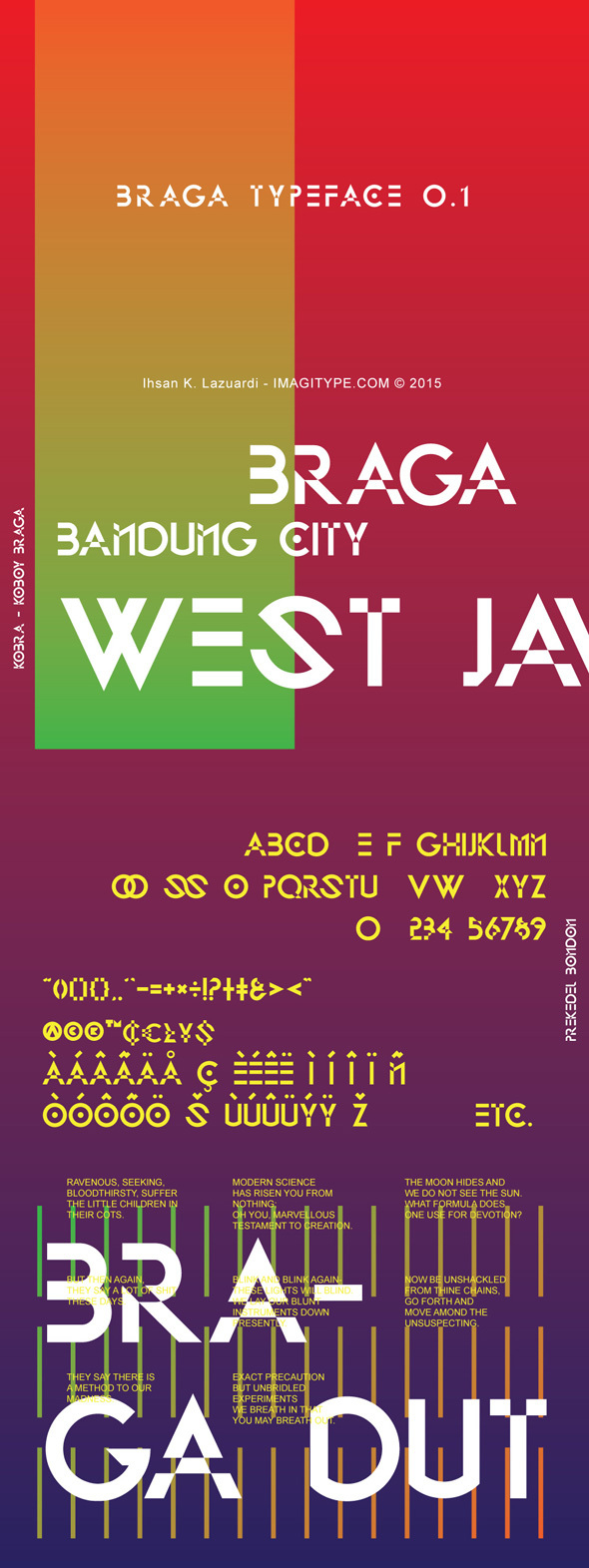
Braga is a modern display typeface, which is combining the style of art deco and sci-fi. Braga features a numerals & punctuations, accents (multilingual characters) and uppercase only.


More information: http://graphicriver.net/item/braga/13262142
Name: SandDust Photoshop Action
Created: 16 October 15
Last Update: 18 October 15
Add-on Files Included: Photoshop ATN
Minimum Adobe CS Version: CS3


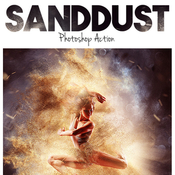
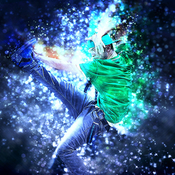
SandDust Action – it’s effect with sand particles and rays of light. You can turn on beautiful sky as the background image, or leave only sand particles on your photos to create an awesome photorealistic sand storm on your landscape.Watch detailed video tutorial for this action HERE


This action has been created and optimized for use on Photoshop CS3, CS4, CS5, CS6, CC and ONLY FOR THE ENGLISH VERSION OF PHOTOSHOP. Need to change the language of your version? WATCH HERE: https://www.youtube.com/watch?v=GJAiu5W2gLE


If you have any problems with this action please visit the help page, where you will find answers to FAQs and recommendations for getting the most out of my actions. If you can’t find the answer to your question, and you’re still having trouble, please contact me by e-mail: eugenedesign19@gmail.com


How to configure Photoshop to work with actions.

1. Make sure you are using the English version of Photoshop. Each action has been created and optimized to work only with the English version of Photoshop, so please make sure that you are using this version. If not, don’t worry: you can change the language of your version of Photoshop to English (and switch back again) using this method

By the way, my best selling Double Exposure Action has recently been updated, and you can now use it with the English, German, French, Italian and Spanish versions of Photoshop.


2. Use the RGB Mode and 8 Bits color.
To check these settings, go to Image->Mode and check the “RGB color” and “8 Bits/Channel”.


3. Make sure that the option “Add ‘copy’ to Copied Layers and Groups” is turned on.
This option applies only to CS5 and later versions of Photoshop. On the “LAYERS” panel, click on the menu icon, go to “Panel Options…”, and check that the “Add ‘copy’ to Copied Layers and Groups” is turned on.

4. Use a photo with 72dpi or higher.
If you are using a photo with less than 72dpi, the action will not function correctly. To fix this, go to Image->Image Size and increase the resolution value.


5. Set the Opacity of brush to 100%.
Set the Opacity of the brush to 100%. Select the “Brush Tool” and move the opacity slider to 100%.


How to combine my actions?

1. Open your photo
2. Play the first action
3. Save the result as an image
4. Open the previously saved image
5. Play the second action

Photos used in preview are not included.


More information: http://graphicriver.net/item/sanddust-photoshop-action/13286152
Name: 13 Cross Hatch Scatter PS Brushes
Created: 14 October 15
Last Update: 14 October 15
Add-on Files Included: Photoshop ABR
Works With: JPG
Minimum Adobe CS Version: CS


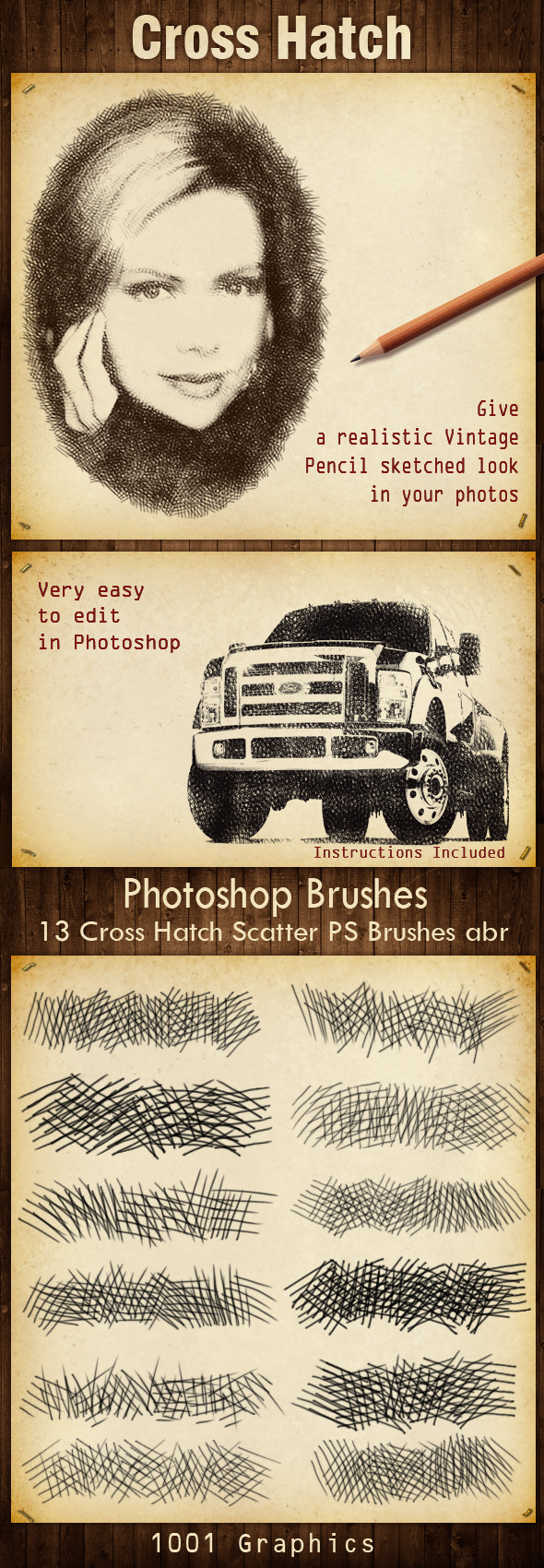
13 Cross Hatch Scatter PS Brushes abr
Give a realistic Vintage,Pencil sketched look in your photos.
Very easy to edit in Photoshop.
Instructions included.


More information: http://graphicriver.net/item/13-cross-hatch-scatter-ps-brushes/13268249
Name: Overpainted Photoshop Action
Created: 14 October 15
Last Update: 14 October 15
Add-on Files Included: Photoshop ABR, Photoshop ATN
Minimum Adobe CS Version: CS2


Features:

Action keeps original image untouched;
Useful from 1500px to 4500px width images;
Easy to change colors;
2 styles;
3 background patterns;
ALWAYS DIFFERENT RESULTS;

Action has been tested and works in CS2, CS3, CS4, CS5, CS5.5, CS6, CC, CC 2014, CC 2015 versions. Action works only in English version Photoshop.


The package contains 3 files:
・Overpainted.ATN;
・brush.ABR.
・readme.TXT;


More information: http://graphicriver.net/item/overpainted-photoshop-action/13270812
Name: Soft Focus 3 Photoshop Action
Created: 13 October 15
Last Update: 24 October 15
Add-on Files Included: Photoshop ATN
Works With: PSD
Minimum Adobe CS Version: CS5


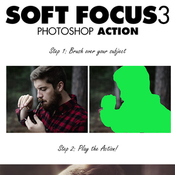
Soft Focus 3 Photoshop Action

Create a lovely soft look to your photos with this action. It is very easy to use and allows for great customization after the action has finished playing back. You have 8 preset color looks to choose from and have the possibility of combining them for more looks. Please watch the video tutorial for techniques on getting the most out of the effect.
The action has been tested and working on Photoshop CS5,CS6,CC+

The action will ONLY WORK IN THE ENGLISH VERSION OF PHOTOSHOP . If you are not using the English version of Photoshop, you can always change it to English and then back again to your native language using this method.

Stock Photo credits:

Phelan Davion
Marcus Ranum
Tips & Help

If you need assistance with this action or any others, please visit the help page here. This page covers FAQ, general knowledge about the actions and ways you could make money with them. My email address is listed on the help page if you are still stuck.
Tested

Each action is thoroughly tested across between 50 – 150 different photos to ensure there are no errors. In the case where you do experience an error, please firstly visit the help page and then contact me via email if you are still having troubles.
The Best Results

For the best results, it is recommended to use high resolution photos in the range of 1500px – 3500px. The optimal range is from 2500px – 3500px. The detail and clarity in the effects generated by the actions reduce the smaller your photo is.
Organised

After each action has finished playing, it creates a well organised layer structure. Each layer and folder are named appropriately and color coded to create a neat working environment for you. Not only is the layer structure organised, each action comes with a highly detailed video tutorial teaching you about how each layer affects the design and how you can make customisations to it. Here is my YouTube channel.
Time Saving

SevenStyles Photoshop Actions are designed to save you hours, days, weeks or months of work. They are created in a way that both Photoshop beginners and experts can use, saving you lots of time working on both personal or commercial projects.
Earn Money

SevenStyles Photoshop Actions are the fastest selling on GraphicRiver and can earn you a great passive income. How? simply refer people through your social media pages to this action or another other SevenStyles action! Make sure to sign up as an affiliate so you can add your referral code to any link you post.
Share your creativity!

Created something awesome with SevenStyles Actions? Share your designs on the SevenStyles Facebook page and inspire others to apply the effects in ways they may not have thought of.
Combine actions

If you own multiple actions, have you thought about stacking the effects to build even more advanced designs? Below there are over 70 actions to choose from – this is where you can get really creative!

How do I combine actions?

Run the first action on your photo.
Once you are happy with the design, save your image out.
Now re-open your image and run another action!
You can then use the 2nd actions layer flexibility to further customize the design. You can follow this process and stack effects to build incredibly detailed designs with very little work.


More information: http://graphicriver.net/item/soft-focus-3-photoshop-action/13257536
Name: Pixity Character Creator Kit
Created: 14 January 15
Last Update: 22 January 15
Layered: No
Graphics Files Included: Vector EPS, AI Illustrator
Minimum Adobe CS Version: CS


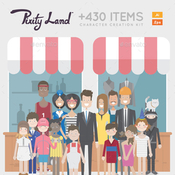
Create your beautiful character with this vector character creator kit, with more than 500 elements you can build really cool character and customize the colors of every object. Also kids and fat kids are available, and remember, Pre-made characters are included for faster results and your inspiration.

Pixity Land itself is a very popular item on Videohive for creating explainer videos. You can check www.pixityland.com for full product presentation.


More information: http://graphicriver.net/item/pixity-character-creator-kit/10032392
Name: Shimmer - Photoshop Action
Created: 27 September 15
Last Update: 27 September 15
Add-on Files Included: Photoshop ABR, Photoshop ATN
Works With: TIFF, JPG, RAW
Minimum Adobe CS Version: CS4


Features
• Work only with ENGLISH language photoshop.
• How to change language to English with this TUTORIAL.(https://www.youtube.com/watch?v=GJAiu5W2gLE)
• Separated layers.
• Preview image not included.

Item contains
• Action ATN file
• Brush ABR file
• Instructions in pdf.


Note
• Created in CS6 tested and working in CS4, CS5,CC 2014, CC 2015photoshop version. • Be sure your photoshop set to RGB color , 8Bits/Channel , English version.


More information: http://graphicriver.net/item/shimmer-photoshop-action/12966631
Name: Zombie Photoshop Action
Created: 2 October 15
Last Update: 30 October 15
Add-on Files Included: Photoshop ATN
Minimum Adobe CS Version: CS3


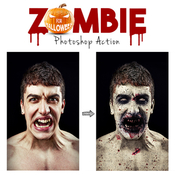
Zombie Action – This is a very scare and high-quality zombie effect which will created on your face blood stains, veins with black blood, wounds, dead skin and more. You can change the color of the eyes and skin color. This effect scare and surprise you incredible photorealism.


This action has been created and optimized for use on Photoshop CS3, CS4, CS5, CS6, CC and ONLY FOR THE ENGLISH VERSION OF PHOTOSHOP. Need to change the language of your version?
WATCH HERE: https://www.youtube.com/watch?v=GJAiu5W2gLE

If you have any problems with this action please visit the help page, where you will find answers to FAQs and recommendations for getting the most out of my actions. If you can’t find the answer to your question, and you’re still having trouble, please contact me by e-mail: eugenedesign19@gmail.com


How to configure Photoshop to work with actions.

1. Make sure you are using the English version of Photoshop. Each action has been created and optimized to work only with the English version of Photoshop, so please make sure that you are using this version. If not, don’t worry: you can change the language of your version of Photoshop to English (and switch back again) using this methodBy the way, my best selling Double Exposure Action has recently been updated, and you can now use it with the English, German, French, Italian and Spanish versions of Photoshop.

2. Use the RGB Mode and 8 Bits color.
To check these settings, go to Image->Mode and check the “RGB color” and “8 Bits/Channel”.

3. Make sure that the option “Add ‘copy’ to Copied Layers and Groups” is turned on.
This option applies only to CS5 and later versions of Photoshop. On the “LAYERS” panel, click on the menu icon, go to “Panel Options…”, and check that the “Add ‘copy’ to Copied Layers and Groups” is turned on.

4. Use a photo with 72dpi or higher.
If you are using a photo with less than 72dpi, the action will not function correctly. To fix this, go to Image->Image Size and increase the resolution value.

5. Set the Opacity of brush to 100%.
Set the Opacity of the brush to 100%. Select the “Brush Tool” and move the opacity slider to 100%.


How to combine my actions?
1. Open your photo

2. Play the first action

3. Save the result as an image

4. Open the previously saved image

5. Play the second action


IMPORTANT INFORMATION to all buyers who have any problems with Zombie action.

Hello! Before use action please watch videotutorial

If you sure that you doing all right and this is still does not work, before play action please increase the resolution of your photo using Image Size adjustment. For that go to Image/ Image Size. And change width and height values to 2000-3000px. If it still not works increase more to 4000-5000px.

As you can see in my preview image i use photo with high resolution and the face of model occupies most of photo space. In this case the skin area what you painted is big and action works correctly. If you use High quality photo with big resolution, but your skin area is too small compared with all image size, it mean work area has too small resolution the action can’t works correctly. So all what you need to do it’s increase resolution of photo with “Image Size” instruments before use action.


More information: http://graphicriver.net/item/zombie-photoshop-action/13077710
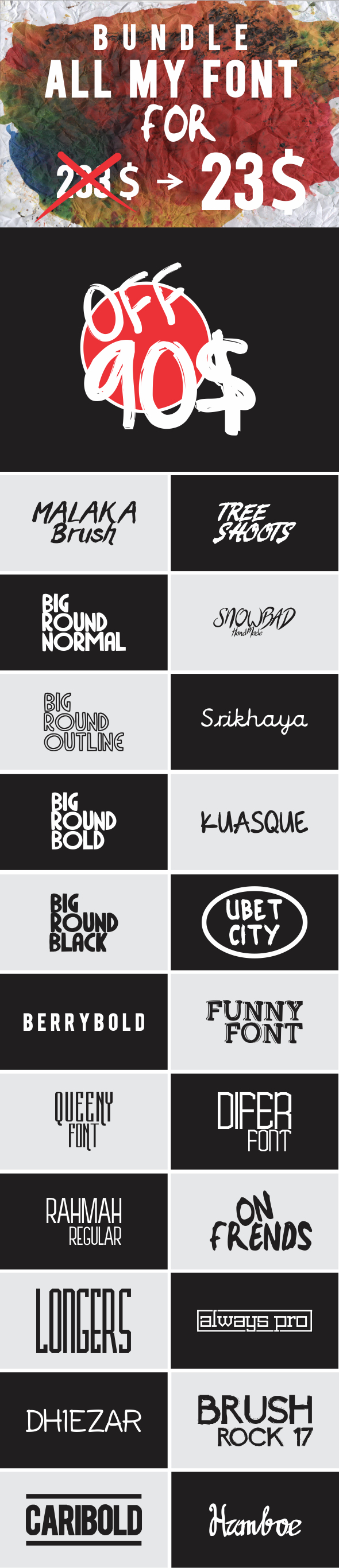
Graphicriver BUNDLE ALL MY FONT 12815578


More information: http://graphicriver.net/item/bundle-all-my-font/12815578
Screenshots
Files
[Graphicriver][12815578] BUNDLE ALL MY FONT [Fluck3r]/Always Pro.zip (36.47 kB)
[Graphicriver][12815578] BUNDLE ALL MY FONT [Fluck3r]/BERRYBOLD.zip (15.20 kB)
[Graphicriver][12815578] BUNDLE ALL MY FONT [Fluck3r]/Big Round Black.zip (23.53 kB)
[Graphicriver][12815578] BUNDLE ALL MY FONT [Fluck3r]/Big Round Bold.zip (21.45 kB)
[Graphicriver][12815578] BUNDLE ALL MY FONT [Fluck3r]/Big Round Normal.zip (17.16 kB)
[Graphicriver][12815578] BUNDLE ALL MY FONT [Fluck3r]/Big Round Outline.zip (36.47 kB)
[Graphicriver][12815578] BUNDLE ALL MY FONT [Fluck3r]/Brush Rock 17.zip (144.7 kB)
[Graphicriver][12815578] BUNDLE ALL MY FONT [Fluck3r]/CariBold.zip (23.03 kB)
[Graphicriver][12815578] BUNDLE ALL MY FONT [Fluck3r]/Dhiezar.zip (56.86 kB)
[Graphicriver][12815578] BUNDLE ALL MY FONT [Fluck3r]/Difer.zip (17.86 kB)
[Graphicriver][12815578] BUNDLE ALL MY FONT [Fluck3r]/Funny Font.zip (45.65 kB)
[Graphicriver][12815578] BUNDLE ALL MY FONT [Fluck3r]/Hamboe.zip (48.73 kB)
[Graphicriver][12815578] BUNDLE ALL MY FONT [Fluck3r]/Kuasque.zip (49.78 kB)
[Graphicriver][12815578] BUNDLE ALL MY FONT [Fluck3r]/Longers.zip (15.97 kB)
[Graphicriver][12815578] BUNDLE ALL MY FONT [Fluck3r]/Malaka Brush.zip (50.14 kB)
[Graphicriver][12815578] BUNDLE ALL MY FONT [Fluck3r]/On Frends.zip (31.53 kB)
[Graphicriver][12815578] BUNDLE ALL MY FONT [Fluck3r]/Queeny Font.zip (17.09 kB)
[Graphicriver][12815578] BUNDLE ALL MY FONT [Fluck3r]/Rahmah Regular.zip (18.59 kB)
[Graphicriver][12815578] BUNDLE ALL MY FONT [Fluck3r]/SnowBad.zip (1.49 MB)
[Graphicriver][12815578] BUNDLE ALL MY FONT [Fluck3r]/Srikhaya.zip (29.49 kB)
[Graphicriver][12815578] BUNDLE ALL MY FONT [Fluck3r]/Tree Shoots.zip (67.85 kB)
[Graphicriver][12815578] BUNDLE ALL MY FONT [Fluck3r]/Ubet City.zip (79.84 kB)
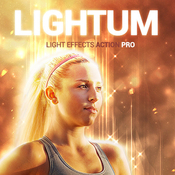
Name: Lightum PS Action
Created: 27 August 15
Last Update: 27 August 15
Add-on Files Included: Photoshop ATN
Works With: TIFF, PSD, JPG
Minimum Adobe CS Version: CS3


LIGHTUM

NEW Generation Photoshop ACTION Pro with lihgt effects and soft focus of the object on your photo.
Highly detailed result, easy to use, customise and improve. One click action.

This action created on Photoshop CS5, tested and working on Photoshop CS3,CS4,CS5,CS6,CC (only English versions). If you are not using the English version, you can switch your Photoshop in English, play the action and return to your language back.How to do it – https://www.youtube.com/results?search_query=How+to+change+language+on+Photoshop+to+english.


ACTION INCLUDE
1. main .atn file
2. user’s guide .txt file with recommendations
3. 10 color presets and options
4. lots of graphic elements
5. fully editable and well organized layers


FOR THE BEST RESULT, IT IS RECOMMENDED TO USE
1. photo sizes between 1000–4000px (recommended 2000-3000px)
2. photo resolution between 72-300dpi (recommended 300pdi)


COMBINE ACTIONS
To build even more advanced and creative designs you can try to combine this action with items below. It’s realy easy:
1. Run the first action
2. Save the result (jpg, tiff, psd)
3. Open your saved file and run another action


More information: http://graphicriver.net/item/lightum-ps-action/12617138
Name: Bangla Art Action
Created: 17 August 15
Last Update: 17 August 15
Add-on Files Included: Photoshop ATN, ZXP file
Works With: JPG, RAW
Minimum Adobe CS Version: CS6


Buy Photoshop Action Bundle

D ARTIST MRI …... Presenting….Bangla Art Action

Product : Bangla Art Action Publish : Graphic River.

1st see this video How to usage Bangla Art Action https://www.youtube.com/watch?v=VTn4g64hiNk&feature=youtu.be

Publish Date :

Photos : Working Software Version : CS6 English Version.

Software support version : Cs5.5, CS6,and (CC for 2014 English) Version.

Not 1: Photo are not include in download main file Not 2: Mock-up are not include in download main file

| This action set has been developed for any type of cover design for example magazine, book, advertisement , poster, Photographers and Personal graphic or designers. FEATURES Arranged (all layers are automatically arranged in a Group Folder) Make changes (most of the actions has been created using “Adjustments layers” which gives you the chance to change the values in your own way)

May every body know that Picture is very important issue because without a proper picture you can’t make accurate view .. so please provide a quality picture for better look … which you expect

Help Gide included

Open the zip file, Double click ATN (action file ) than it will instal in your Photoshop, now go the window menu >> click the action option ….. now show action plate in your front …... select action than play action


More information: http://graphicriver.net/item/bangla-art-action/12468631
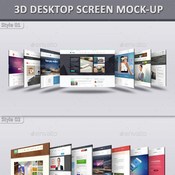
Name: 3D Desktop Screen Mock-Ups
Created: 21 August 15
Last Update: 22 August 15
High Resolution : Yes
Layered: Yes
Graphics Files Included: Photoshop PSD
Minimum Adobe CS Version: CS5
Pixel Dimensions: 3000x2400
Print Dimensions: 10x8


3D Desktop Screen Mock-Ups:

The pack includes 25 desktop screen mock-ups. 25 PSD files are included in the package. Adobe CS5 or upper version is required to place screenshots. Every smart object layer is red signed in layer box in every PSD file. Detailed help document is also provided from which you will find the overall process of replacing screenshot in the smart object layer.

Features:
・25 Desktop Screen Mock-Ups
・25 Layered PSD Files
・Pixel Dimension: 3000×2400
・High Resolution: 300 DPI
・3 Different Backgrounds
・Well Organized Groups & Layers
・Replace with Smart Object
・Easy to Replace Screenshot
・Realistic Shadows
・Auto Thickness Layer
・Change BackgroundColor
・15 Photographic Color Effects
・Color Mode: RGB
・Help Document Included
・No Preview Images Included
・Minimum Adobe Version: CS5


More information: http://graphicriver.net/item/3d-desktop-screen-mockups/12521745
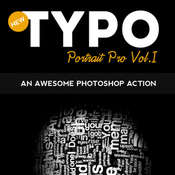
Name: Typo Portrait Pro Photoshop Action
Created: 18 March 15
Last Update: 18 March 15
Add-on Files Included: Photoshop PAT, Photoshop ATN
Minimum Adobe CS Version: CS


Typo Portrait Pro Photoshop Action

Typo Portrait Pro is a Photoshop Action to convert your simple image to Typographic master piece. Results are very professional with minimal user interactions.
Three Actions Included:

1. 3D_mesh action

2. Typo_portrait_pro_small action( for small images )

3. Typo_portrait_pro_large action( for large images )

One Pattern Included:

1. Typo Pattern

Step by step help.pdf file is included and user manual instruction also included in action it self to guide you.

Please Note : Images used in preview are just for display purpose not included in download file.


More information: http://graphicriver.net/item/typo-portrait-pro-photoshop-action/10777433
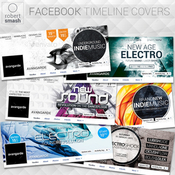
Name: Social Media Covers Kit
Created: 25 August 15
Last Update: 25 August 15
Layered: Yes
Graphics Files Included: Photoshop PSD
Minimum Adobe CS Version: CS5
Pixel Dimensions: 851x315


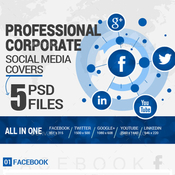
BUSINESS / CORPORATE SOCIAL MEDIA COVERS
Clean, creative & professional Social Media covers. Best for display your products, or promote your business/ services etc.

All files are editable. Colors, fonts and photos can be changes easily.


This item includes
- Facebook Cover (851×315px)
- Twitter Cover (1500×500px)
- Google+ Cover (1080×608)
- Youtube Cover (2560×1440)
- Linkedin Cover (646×220)


Features:
- 5 different sizes for major social media sites ( Facebook,Twitter,Google+,Youtube,Linkedin ) All in one..
- Editable layer
- Vector shapes
- Free fonts used
- Use smart objects to change image


Fonts Used
Lato, Open Sans, Oswald (OT1)Rate, If you like the template


More information: http://graphicriver.net/item/social-media-covers-kit/12586324
Name: Broken Dispersion PS Action
Created: 21 September 15
Last Update: 21 September 15
Add-on Files Included: Photoshop ATN
Works With: DNG, TIFF, PSD, JPG, RAW
Minimum Adobe CS Version: CS3


Everything is very straight forward. I have tried to make the item as very easy to use.


Features:

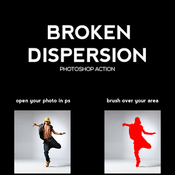
This action is designed to transform your photos into Broken Dispersion Photoshop Action.

- Easily editable & customizable
- Work on every photos
- Well Grouped Layer

This action is specially made for photographers, graphic designer & artists.

The action has been tested and working on Photoshop (English versions)CS3,CS4,CS5,CS6,CC,CC+.

I recommend using the action on photo’s with high resolution for the best results.

Instructions:

1. Open your photo in Photoshop.

2. On the “Window” tab, click “Actions”, once the window has opened you will see an arrow pointing right in the top right hand corner, click this then click “Load Actions”.

3. Go to “Layer” tab “New” -> “Layer”,Rename the layer to “brush” (Important: all letters must be lower case). To do that, double click on layer name and type “brush”.

4. In the end you just open”Broken Dispersion” folder and choose the direction that you like and click play button.

5. You are done.


More information: http://graphicriver.net/item/broken-dispersion-ps-action/12920309
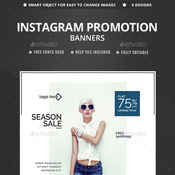
Name: Sales Instagram Banners - 6 Templates
Created: 19 September 15
Last Update: 19 September 15
High Resolution : Yes
Layered: Yes
Graphics Files Included: Photoshop PSD
Minimum Adobe CS Version: CS3
Pixel Dimensions: 900x900


Promote your Products and services in Instagram with this awesome looking banner set.

6 awesome quality banner template PSD files ready for your Services, products, campaigns.Each PSD files are layered and fully organized.

The package also contains a help file & Editable PSDs.

Images are not included. Image can be purchased from PhotoDune.

Font Used (RED-636) Raleway :
https://www.google.com/fonts/specimen/Raleway

IMAGES USED (RED-636) http://photodune.net/item/guy-in-suit/4161460
http://photodune.net/item/sexy-fashion-male-model-dressed-elegant-casual-posing-against/4318646
http://photodune.net/item/portrait-of-bright-stylish-girls/6311537
http://photodune.net/item/fashion-portrait-of-sensual-stylish-girl/6312151
http://photodune.net/item/fashion-portrait-of-sensual-stylish-girl-on-a-blue-background/6311967
http://photodune.net/item/fashion-portrait-of-sensual-girls/6312048
http://photodune.net/item/sensual-vintage-girl-at-a-wall/6311886


More information: http://graphicriver.net/item/sales-instagram-banners-6-templates/12901326
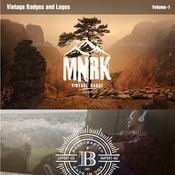
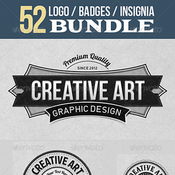
Name: Vintage Badges and Logos
Created: 21 September 15
Last Update: 7 October 15
High Resolution : Yes
Layered: No
Graphics Files Included: Vector EPS, AI Illustrator
Minimum Adobe CS Version: CS3


Vintage Badges & Logos Volume -1, perfect for poster, sticker, packaging product design, t-shirt design, corporate identity and much more! Each Badge & Logo have been created with care with the finest details, all elements are clearly labeled and in organized folders.

- All text is easy editable.

- 100% vector and 100% editable.

- Files included AI and EPS format.

- Fonts are free for personal and commercial name and links given in the “Info File”.

- Background images are not included in this package.


More information: http://graphicriver.net/item/vintage-badges-and-logos/12908546
Screenshots
Files
Graphicriver - Vintage Badges and Logos 12908546/Follow.jpg (50.69 kB)
Graphicriver - Vintage Badges and Logos 12908546/Graphicriver Vintage Badges and Logos 12908546/Files/AI-CS3.ai (1.58 MB)
Graphicriver - Vintage Badges and Logos 12908546/Graphicriver Vintage Badges and Logos 12908546/Files/EPS-CS3.eps (7.48 MB)
Graphicriver - Vintage Badges and Logos 12908546/Graphicriver Vintage Badges and Logos 12908546/Files/Info File.rtf (56.54 kB)
Graphicriver - Vintage Badges and Logos 12908546/Graphicriver Vintage Badges and Logos 12908546/Follow Me on ExtraTorrent.cc.txt (0.18 kB)
Graphicriver - Vintage Badges and Logos 12908546/Graphicriver Vintage Badges and Logos 12908546/Follow Me on Kickass.txt (0.17 kB)
Name: Oil Painting Action v.9
Created: 7 September 15
Last Update: 7 September 15
Add-on Files Included: Photoshop ATN
Works With: PSD, CMYK, AVCHD, JPG
Minimum Adobe CS Version: CS6


Features: This action is designed to transform your photo’s into Effects look. The action has been tested and working on Photoshop (English versions) CS6. I recommend using the action on photo’s with high resolution for the best results..

Features :
1 Atn file
1 Help_File

Easy to edit 100% Fully editable Simple to Customize Well Organized Layers Works for any photo size


More information: http://graphicriver.net/item/oil-painting-action-v9/12755182
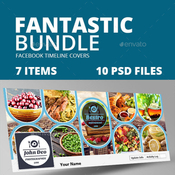
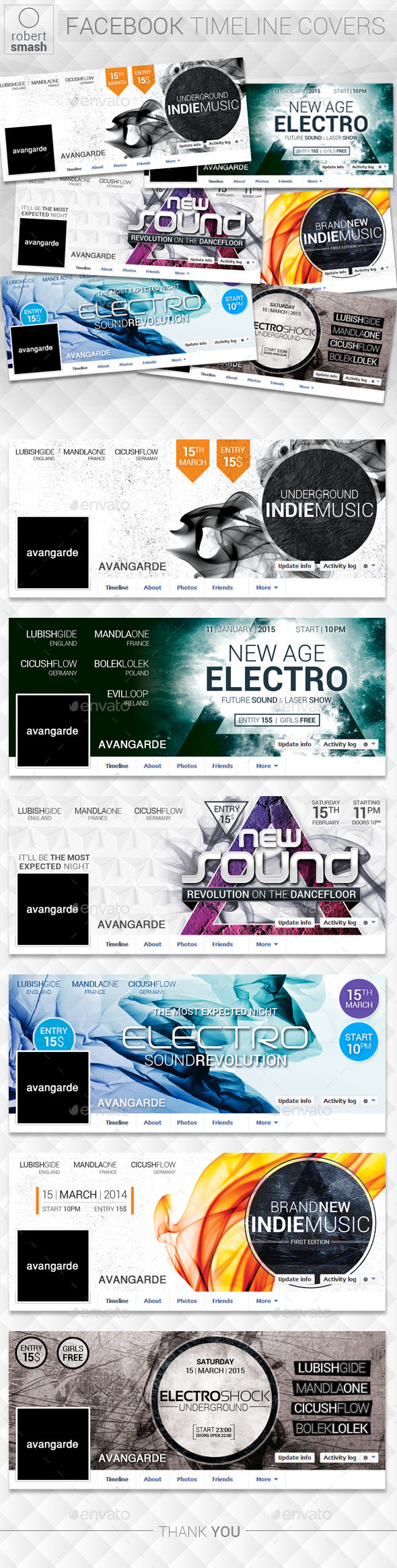
Name: Fantastic Bundle Facebook Timelines Covers
Created: 3 September 15
Last Update: 3 September 15
High Resolution : Yes
Layered: Yes
Graphics Files Included: Photoshop PSD
Minimum Adobe CS Version: CS3
Pixel Dimensions: 851x315


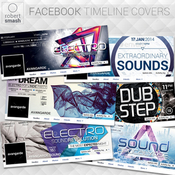
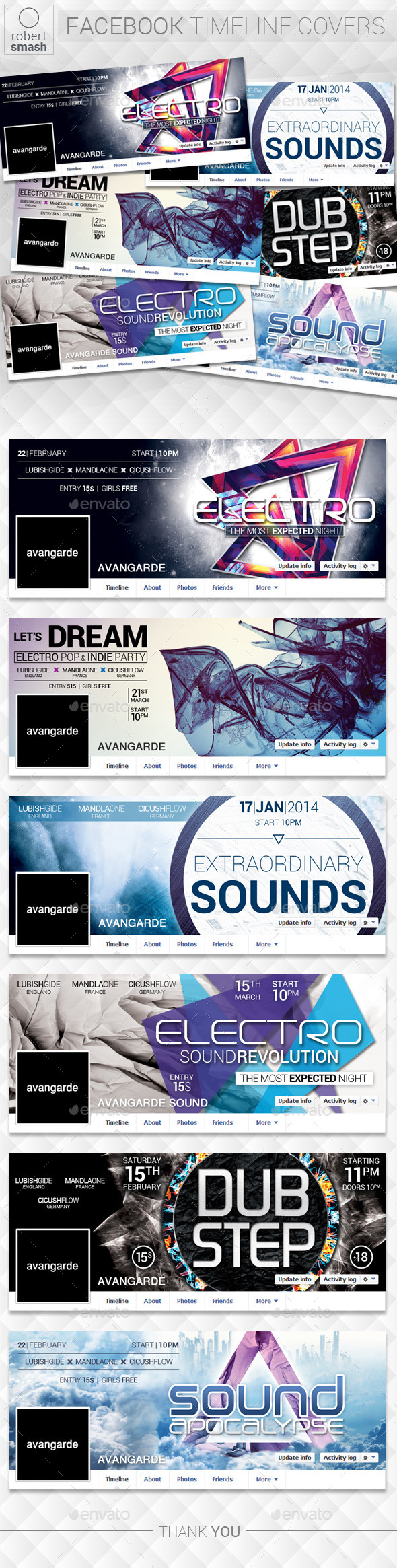
Simple, creative and clean Facebook Timeline cover template, perfectly used for any photographer or designer, PSD File 851×315 px Fully Editable Layer Psd files RGB 72 DPI Smart Object to Replace Your Image. all images not included


More information: http://graphicriver.net/item/fantastic-bundle-facebook-timelines-covers/12716956
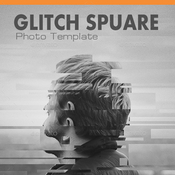
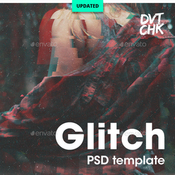
Name: Glitch Photoshop Photo Template
Created: 26 August 15
Last Update: 1 October 15
High Resolution : Yes
Layered: Yes
Graphics Files Included: Photoshop PSD
Minimum Adobe CS Version: CS6
Pixel Dimensions: 3000x2000
Print Dimensions: 10x6.6


Glitch Photoshop Photo Template – Use this template to create stunning glitch effects to your photos, illustrations and logos. Inside this pack you will find 01 PSD and a step-by-step guide.

This template is extremely easy to use. all you need to do is paste your image inside the smart object. You can combine the effects to achieve different results.

Details:
• 01 PSD
• 3000×2000 px
• RGB
• step-by-step guide

I’ve tried my best to make it simple and well-organized, but please don’t hesitate to contact me if you need further assistance.

This is a photoshop photo template, NOT an action.

Images are NOT included.


More information: http://graphicriver.net/item/glitch-photoshop-photo-template/12606269
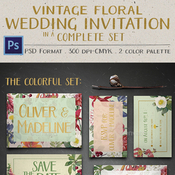
Name: Vintage Floral Wedding Invitation
Created: 15 July 15
Last Update: 15 July 15
Layered: Yes
Graphics Files Included: Photoshop PSD
Minimum Adobe CS Version: CS
Print Dimensions: 5x7


Create a beautiful wedding celebration with the vintage floral wedding invitation that has a complete set for you; the invitation & save the date, RSVP, thank you & message card, to escort & table card.

Each design is well crafted & very easy to edit. Every layer is well ordered & color highlighted just so you can find the text or image easily. There are 2 color palettes available: colorful & black floral.

Tutorial file to guide you through the editing process also comes with the set.


Vintage Floral Wedding Invitation Features:

- Front & Back Design with Bleed 3mm

- 2 Color Palettes

- Invitation 5×7 inch

- RSVP 5×3 inch

- Message Card 6×4 inch

- Thank You Card 5×3 inch

- Table Card 3×5 inch

- Escort Card 2.5×3.5 inch

- CMYK, 300dpi

- Guidelines & Safe Lines

- Editable Layers

- Help Me File


Fonts Used:
You can download the fonts here:

Aristelle: https://www.myfonts.com/fonts/my-creative-land/aristelle/

Just contact me if you have problem in downloading them or need the fonts for free!


More information: http://graphicriver.net/item/vintage-floral-wedding-invitation/12116686
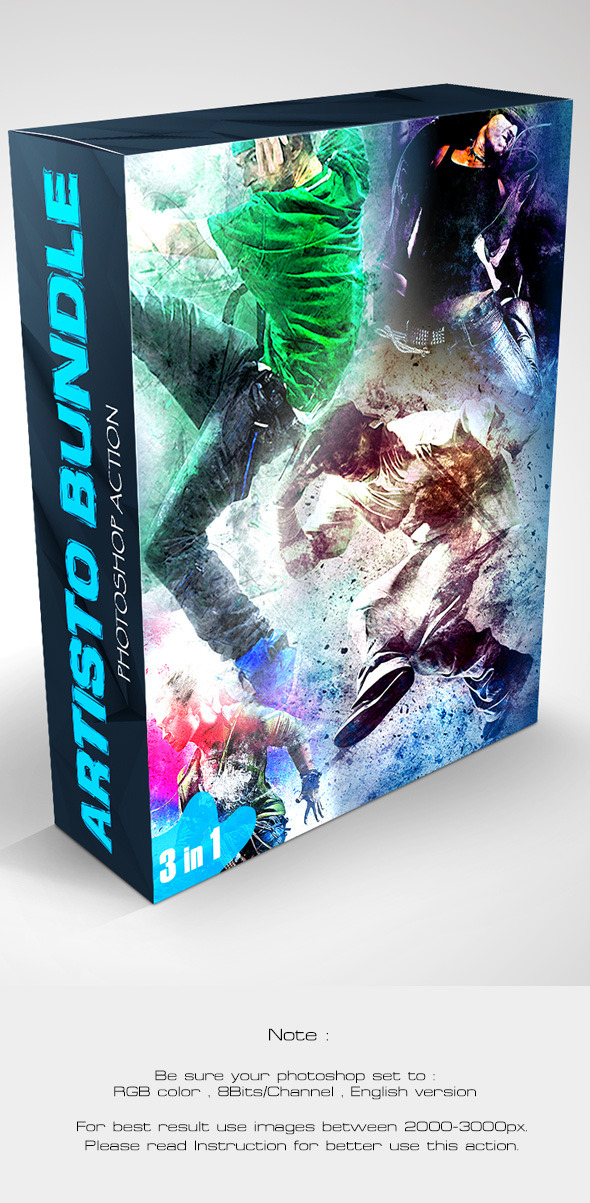
Name: Artisto Bundle - Photoshop Action
Created: 2 September 15
Last Update: 2 September 15
Add-on Files Included: Photoshop ABR, Photoshop PAT, Photoshop ATN
Works With: TIFF, PSD, RAW
Minimum Adobe CS Version: CS4


Features
• Work only with ENGLISH language photoshop.
• How to change language to English with this TUTORIAL. https://www.youtube.com/watch?v=GJAiu5W2gLE
• Separated layers.
• Preview image not included.


Bundle contains
• http://graphicriver.net/item/artisto-photoshop-action/12390526
• http://graphicriver.net/item/artisto-2-photoshop-action/12480647
• http://graphicriver.net/item/artisto-3-photoshop-action/12644480


Note
• Created in CS6,tested and working in CS4,CS5 and CC 2014 version photoshop. • Be sure your photoshop set to RGB color , 8Bits/Channel , English version.


More information: http://graphicriver.net/item/artisto-bundle-photoshop-action/12708979