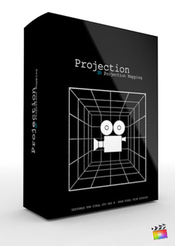
Description

Screenshots


Find more Pixel Film Studio Plugins

Pixel Film Studios brings you TransFold, a 3D folding transition pack for FCPX. With TransFold, make your films scene transitions blow away your audience! Completely customize the way your shots change and flow. Designed to work seamlessly within FCPX, TransFold is easy to use and will have your transitions stylized in minutes!
Web Site: http://store.pixelfilmstudios.com/product/transfold/
Create grungy, gritty dissolves and reveals in your next Final Cut Pro X project with TranSolve from Pixel Film Studios. Simply place one of the transitions between two of your clips and get ready to burn, crack, scratch and splatter your way from clip to clip. TranSolve comes with 20 unique dissolve transitions that you can customize and control in FCPX.
TranSolve requires Final Cut Pro X version 10.2 or newer.
Web Site: http://store.pixelfilmstudios.com/product/transolve/
TransPanel: Kinetic is an exciting new pack of animated panel transitions designed specially for FCPX. TransPanel: Kinetic allows users to divide up each shot, and flip it into the next. These transitions include editable text and environment controls, along with numerous keyframe-less animations for added versatility. FCPX users can now create professionally styled animated transitions seamlessly with no effort.
Web Site: http://store.pixelfilmstudios.com/product/transpanel-kinetic/
TransPic comes packed with 100 customizable transitions. This transition pack comes with many different types of transitions to choose from. The user can choose to transition with only standard, instant, or mixed photos. Choose to transition with up to 20 photos. The user has parameter control over each transition such as rotation, shadow, and reflection controls. The user gets different reflection presets or can choose to add their own reflection image.
Web Site: http://store.pixelfilmstudios.com/product/transpic/
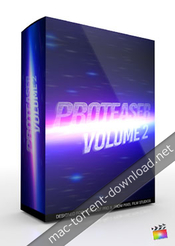
Ready for a sequel that won’t leave you disappointed? ProTeaser: Volume 2 from Pixel Film Studios can help you hype up your next film with 6 new teaser trailer texts. Take your audience into a digital horror story or to an Arabian desert in your next trailer video. ProTeaser’s text are pre-animated and can be customized in the FCPX Inspector.
Web Site: http://store.pixelfilmstudios.com/product/proteaser-volume-2/

Take your viewer on a journey to edge of the universe with the Space Race theme. With a metal textured font and racing stars, the Space Race theme is perfect for any intergalactic adventure this side of the Milky Way.

Define your own destiny in Final Cut Pro X with the Princess of Thieves Theme. Take your viewer to a sunny desert world of snake charmers, sand storms and endless peril with the Princess of Thieves Theme.
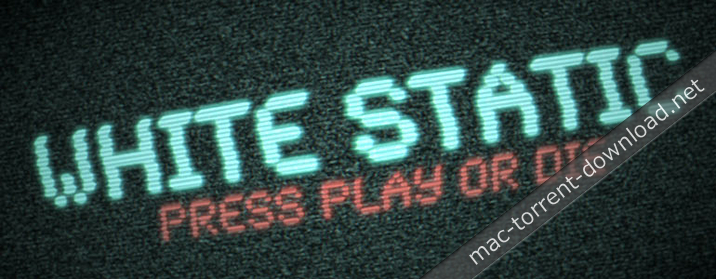
You won’t forget to press record after seeing the System Failure Theme for Final Cut Pro X. This scary title text recreates the look and feel of a possessed VCR player. Fully customize this horror theme directly in FCPX.

Create a cool night life look or scary hotel scene in the click of a button with the No Vacancy Theme. Control the glow, color, font and text size directly inside Final Cut Pro X.

Create a graphic novel, pop art, or video game look in the drag of a mouse with the Comic Book Theme. No keyframing necessary! Simply place one of the pre-animated generators into the timeline, and you are good to go!

Create an epic solar title sequence with the Horizon Theme. Control the brightness, color, and size of the sun, along with the text, font, and reflection directly in the FCPX Inspector. Take your footage to the edge of the eclipse with the Horizon Theme.

Name: ToneGrade: HDR and Tone Mapping
Mac Platform: Intel
OS Version: OS X 10.6.8 or later
Software requirements: Final Cut Pro 10.0.8 or later
Graphics card requirements: OpenCL-capable graphics card or Intel HD Graphics 3000 or later

Supported cameras:
 ● All Canon DSLRs
 ● All Nikon DSLRs
 ● All Panasonic DSLRs
 ● Black Magic Cinema Cameras
 ● Sony NEX, HVR, HXR, HDR and PMW series camcorders
 ● Panasonic AG, AF, HMC, HDC, HC series camcorders
 ● All GoPro Hero Series
 ● most other h.264 and AVCHD format cameras


Web Site: http://www.crumplepop.com/hdr-fcpx-plugin/


Overview
ToneGrade™ easily applies HDR tone mapping to your footage. Create visual striking, “hyper real” color grades by using ToneGrade™ in Final Cut Pro X.

 • Add striking character to your footage
 • Restore detail without introducing noise
 • Soften skin tones with skin smoothing controls


Easy Tone Mapping within FCPX
Tone mapping is an image processing technique that simulates the properties of HDR photography.

ToneGrade allows you to easily and quickly apply tone mapping to your footage. The result is a frame with an expanded range of detail in both highlights and shadows.


Recovery Detail Easily
ToneGrade™ also allows you to restore fine detail in your frame.

Unlike sharpening filters, ToneGrade™ overlays multiple luma layers to pull out detail with very little added noise creating a simultaneously tack-sharp and natural looking image.


Fast Final Cut Pro X Color Grading
To round out the HDR effect, ToneGrade™ provides a set of easy, powerful FCPX color grading tools.

A single control allows you to cool or warm your footage, and a skin smoothing control softens skin tones. The result is a beautiful HDR color grade that would require multiple third party add-ons.
Name: Adobe CC Collection 2017 Version: 04.2017 Language: Multilingual System Requirements: - Multicore Intel processor with 64-bit support - macOS version 10.12 (Sierra), Mac OS X version 10.11 (El Capitan), or Mac OS X version 10.10 (Yosemite) - 1024 x 768 display (1280x800 recommended) with 16-bit color and 512 MB of dedicated VRAM; 2 GB is recommended* - OpenGL 2.0–capable system Includes: Patch Adobe Zii v2.2.1 Web Site: http://www.adobe.com/creativecloud/features.html Overview Creative Cloud offers the best creative tools in the world, always up to date. And now, all the apps and resources, including new Adobe Stock images are always at your fingertips right there where they serve. And everything is perfectly connected through Adobe CreativeSync technology, so you can easily turn your brightest ideas in your best projects across desktops and mobile devices. MAKE IT. CREATIVE CLOUD. Adobe Master Collection CC 2017 (updated 04.2017): -Adobe Photoshop CC 2017 v18.1 -Adobe Photoshop Lightroom CC v6.9 -Adobe After Effects CC 2017 v14.1.0.57 -Adobe Premiere Pro CC 2017 v11.0.1 -Adobe Animate CC 2017 v16.2.0 -Adobe Audition CC 2017 v10.0.2.27 -Adobe Bridge CC 2017 v7.0.0 -Adobe Dreamweaver CC 2017 v17.0.2 -Adobe Illustrator CC 2017 v21.1.0 -Adobe InCopy CC 2017 v12.0.0.81 -Adobe InDesign CC 2017 v12.1.0 -Adobe Media Encoder CC 2017 v11.0.2.53 -Adobe Muse CC 2017 v2017.0.2.60
Adobe CC Collection April 2017 │── Adobe.Mac.4.2017.part1.rar (4.70 GB) │── Adobe.Mac.4.2017.part2.rar (4.70 GB) │── Adobe.Mac.4.2017.part3.rar (4.70 GB) └─ Adobe.Mac.4.2017.part4.rar (115.5 MB)

Name: Adobe Creative Cloud Collection 2017 For Mac Version: 9-21 Language: English/Russian Mac Platform: Intel OS Version: OS X 10.12 or above Overview Adobe Creative Cloud Collection - a set of cross-platform applications from Adobe Systems. The distribution includes software for graphic design, photo editing and video, web development, and access to cloud services. All packages tested on macOS Sierra... If you're having trouble Adobe recommends Creative Cloud Cleaner Tool. Includes: - Adobe Acrobat Pro CC 2015 - Adobe After Effects CC 2017 - Adobe Animate CC 2017 - Adobe Audition CC 2017 - Adobe Bridge CC 2017 - Adobe Dreamweaver CC 2017 - Adobe Edge Animate CC 2015 - Adobe Experience Design CC 2017 - Adobe Illustrator CC 2017 - Adobe InCopy CC 2017 - Adobe InDesign CC 2017 - Adobe Media Encoder CC 2017 - Adobe Muse CC 2017 - Adobe Photoshop CC 2017 - Adobe Photoshop Lightroom CC 2015 - Adobe Prelude Pro CC 2017 - Adobe Premiere Pro CC 2017 - Adobe_CreativeCloudCleanerTool
Adobe Creative Cloud Collection 2017 For Mac │── Adobe Acrobat DC.dmg (1.04 GB) │── Adobe After Effects CC 2017.dmg (1.43 GB) │── Adobe Animate CC 2017.dmg (1.39 GB) │── Adobe Audition CC 2017.dmg (915.5 MB) │── Adobe Bridge CC 2017.dmg (812.2 MB) │── Adobe Character Animator CC (Beta).dmg (887.0 MB) │── Adobe Creative Cloud Collection 2017 For Mac.rtf (2.75 MB) │── Adobe Creative Cloud Collection 2017 For Mac.txt (2.23 kB) │── Adobe Creative Cloud.dmg (487.8 MB) │── Adobe Dreamweaver CC 2017.dmg (795.5 MB) │── Adobe Edge Animate CC 2015.dmg (556.8 MB) │── Adobe Experience Design CC (Beta).dmg (522.2 MB) │── Adobe ExtendScript Toolkit CC.dmg (498.4 MB) │── Adobe Extension Manager CC.dmg (497.0 MB) │── Adobe Flash Builder 4.7.dmg (1.48 GB) │── Adobe Fuse CC (Preview).dmg (4.51 GB) │── Adobe Illustrator CC 2017.dmg (1.01 GB) │── Adobe InCopy CC 2017.dmg (962.4 MB) │── Adobe InDesign CC 2017.dmg (972.5 MB) │── Adobe Lightroom.dmg (1.17 GB) │── Adobe Media Encoder CC 2017.dmg (1.24 GB) │── Adobe Muse CC 2017.dmg (905.3 MB) │── Adobe Photoshop CC 2017.dmg (1.30 GB) │── Adobe Prelude CC 2017.dmg (914.8 MB) │── Adobe Premiere Pro CC 2017.dmg (1.28 GB) │── Adobe_CreativeCloudCleanerTool.dmg (1.46 MB) └─ Torrent downloaded from Demonoid.com.txt (0.04 kB)
Includes:
 - Adobe Photoshop CC 2017.1 (18.1) [Multi]
 - Adobe Illustrator CC 2017.1 (21.1) [Multi]
 - Adobe InDesign CC 2017.1 (12.1) [Multi]
 - Adobe Dreamweaver CC 2017 (17.0.2) [Multi]
 - Adobe Muse CC 2017.0.2 [Multi]

Supported OS: macOS 10.10 +
Interface language: English, etc.
Treatment: complete
Type of medicine: patch

System requirements:
Multicore Intel processor with 64-bit support functions
macOS 10.10 (Yosemite), 10.11 (El Capitan), 10.12 (Sierra); the 64-bit version
2 GB of RAM (8 GB recommended)
4 GB of free hard disk space for installation; during installation requires additional free space
(cannot install on a disk that uses a file system with case-sensitive symbols)
Monitor resolution 1024x768 (recommended 1280x800), support for 16-bit color and 512MB of dedicated video memory; 2 GB recommended*
The system supports OpenGL 2.0


Description:
Adobe Photoshop CC — a program for processing raster graphics. Supports various graphic formats.
Adobe Photoshop allows both create new images and edit them. Photoshop used to create photorealistic images to work with color scanned images,
retouching, color correction, collage, transformation of graphs, color separation, etc Adobe Photoshop has all the methods of work with point images,
and has the ability to work with layers and uses the contours.
The program is the undisputed leader among professional graphic editors due to its widest possibilities, high efficiency and speed.
Adobe Photoshop provides all the necessary tools for correcting, editing, preparing images for printing and high quality output.


Installing with the patch:
Software INSTALLATION:
Attention! Before installation, disconnect from the Internet
1. Run the installer and follow the Install instructions
2. After installation, do not run the program in trial mode (force close the app if it automatically starts)

Before applying the patch make a copy of the original file:
3. Click the right mouse button on the application - Show package contents. Open the folder Contents — the folder Frameworks.
4. Make a copy the original amtlib.framework / library or rename and leave it in the package (leave the original in place)
5. From the desktop, run the patch Adobe Zii 2.2.1 for Adobe CC15 CC17 PATCH and click or drag selected/a specific application in the open window of the patch

ATTENTION:
- the program should be installed by default
- if you have installed other programs from the package SS 2015-СС2017, in those applications where it is required,
will be automatically replaced/patched the original amtlib.framework , that this did not happen - drag the application window of the running patch.
- before applying the patch make a copy of the original files

Before updating software, it is advisable to return the original amtlib.framework, to apply the updates again and apply the patch
block outgoing connections do not need (if you are using a patch to treat)
Adobe Zii 2.2.1 for Adobe CC15 CC17 - also enables programs downloaded from Adobe Creative Cloud


The distribution utility included with Adobe Creative Cloud (CC) Cleaner Tool
Adobe Creative Cloud (CC) Cleaner Tool can clean from installation and problem installed the beta version of software,
Adobe Creative Cloud, Adobe Creative Suite 6, Adobe Creative Suite 5 - 5.5, Adobe Creative Suite 4 and Adobe Creative Suite 3, etc.
Adobe (CC) Cleaner Tool is not a full-fledged program for uninstalling any software, it is a console application that works in coordination with You.
Ie You do not delete anything extra besides what you have chosen. You decide yourself

Supported OS: macOS 10.10+
Interface language: English, German etc.
Treatment: complete
Type of medicine: patch

System requirements:
Multicore Intel processor with 64-bit computing
Mac OS X version 10.10 or newer
2 GB of RAM (8 GB recommended)
2 GB of free hard disk space for installation; additional free space required for installation (not installed on a disk using the file system
is case-sensitive, or on removable flash storage device)
Monitor resolution 1024x768 (recommended 1280x800)
Optional: to use GPU performance to a computer running Mac OS should have at least 512 MB RAM (2 GB recommended), as well as to support OpenGL 4.0 or higher


Description:
Illustrator CC – is adopted as an industry standard software for vector graphics, widely used by designers in different areas – digital graphics,
illustrations and printing – when you develop any types of multimedia resources: printed materials, online content, interactive media,
video and mobile applications.

Introducing the most powerful and user-friendly version Illustrator®. New tool "Change text" contains advanced management functions typing,

including translation, scale, and rotate individual characters with the ability to change the font or copy at any time.
Illustrator CC allows to provide access to the results of the work directly from the application and synchronize color with Adobe® Kuler®.
Gather all your work together.


Installing with the patch:
Software INSTALLATION:
Attention! Before installation, disconnect from the Internet
1. Run the installer and follow the Install instructions
2. After installation, do not run the program in trial mode (force close the app if it automatically starts)

Before applying the patch make a copy of the original file:
3. Click the right mouse button on the application - Show package contents. Open the folder Contents — the folder Frameworks.
4. Make a copy the original amtlib.framework / library or rename and leave it in the package (leave the original in place)
5. From the desktop, run the patch Adobe Zii 2.2.1 for Adobe CC15 CC17 PATCH and click or drag selected/a specific application in the open window of the patch

ATTENTION:
- the program should be installed by default
- if you have installed other programs from the package SS 2015-СС2017, in those applications where it is required,
will be automatically replaced/patched the original amtlib.framework , that this did not happen - drag the application window of the running patch.
- before applying the patch make a copy of the original files

Before updating software, it is advisable to return the original amtlib.framework, to apply the updates again and apply the patch
block outgoing connections do not need (if you are using a patch to treat)
Adobe Zii 2.2.1 for Adobe CC15 CC17 - also enables programs downloaded from Adobe Creative Cloud


The distribution utility included with Adobe Creative Cloud (CC) Cleaner Tool
Adobe Creative Cloud (CC) Cleaner Tool can clean from installation and problem installed the beta version of software,
Adobe Creative Cloud, Adobe Creative Suite 6, Adobe Creative Suite 5 - 5.5, Adobe Creative Suite 4 and Adobe Creative Suite 3, etc.
Adobe (CC) Cleaner Tool is not a full-fledged program for uninstalling any software,
it is a console application that works in coordination with You. Ie You do not delete anything extra besides what you have chosen.
You decide yourself coordinating your actions with your needs to remove.

Supported OS: macOS 10.10 +
Interface language: English, German, French, etc.
Treatment: complete
Type of medicine: patch

System requirements:
Multicore Intel processor with 64-bit computing
Operating system Mac OS X version 10.10 or newer
1 GB of RAM
3.2 GB of free hard disk space for installation; additional free space required for installation
(not installed on a disk using the file system is case-sensitive, or on removable storage devices flash memory)
Monitor with a resolution of 1024 x 768 (recommended 1280 x 800), video card that supports OpenGL 2.0, 16-bit color, 512 MB RAM (1 GB recommended)


Description:
Adobe InDesign CC — professional product design to design any print or Internet publications.
Adobe InDesign CC has all the progressive features and tools of machine layout,
with which you can quickly and efficiently design the pages of any complexity. The program supports the import of drawings and text from a variety of formats,
including PDF and XML files, offers a set of tools for editing imported materials which includes work with layers, cascading styles, tables and templates.

Adobe InDesign CC is a universal app for publishing content, which provides precise control over design and typography at the pixel level.
Comfortable adapting layouts to different page sizes, orientations and devices while maintaining high image quality.


Installing with the patch:
Software INSTALLATION:
Attention! Before installation, disconnect from the Internet
1. Run the installer and follow the Install instructions
2. After installation, do not run the program in trial mode (force close the app if it automatically starts)

Before applying the patch make a copy of the original file:
3. Click the right mouse button on the application - Show package contents. Open the folder Contents — the folder Frameworks.
4. Make a copy the original amtlib.framework / library or rename and leave it in the package (leave the original in place)
5. From the desktop, run the patch Adobe Zii 2.2.1 for Adobe CC15 CC17 PATCH and click or drag selected/a specific application in the open window of the patch


ATTENTION:
- the program should be installed by default
- if you have installed other programs from the package SS 2015-СС2017, in those applications where it is required,
will be automatically replaced/patched the original amtlib.framework , that this did not happen - drag the application window of the running patch.
- before applying the patch make a copy of the original files

Before updating software, it is advisable to return the original amtlib.framework, to apply the updates again and apply the patch
block outgoing connections do not need (if you are using a patch to treat)
Adobe Zii 2.2.1 for Adobe CC15 CC17 - also enables programs downloaded from Adobe Creative Cloud


The distribution utility included with Adobe Creative Cloud (CC) Cleaner Tool
Adobe Creative Cloud (CC) Cleaner Tool can clean from installation and problem installed the beta version of software,
Adobe Creative Cloud, Adobe Creative Suite 6, Adobe Creative Suite 5 - 5.5, Adobe Creative Suite 4 and Adobe Creative Suite 3, etc.
Adobe (CC) Cleaner Tool is not a full-fledged program for uninstalling any software, it is a console application that works in coordination with You.
Ie You do not delete anything extra besides what you have chosen. You decide yourself coordinating your actions with your needs to remove.

Supported OS: macOS 10.10 +
Interface language: English, German, French, etc.
Treatment: complete
Type of medicine: patch

System requirements:
Multicore Intel processor
Operating system Mac OS X 10.10 or newer
1 GB of RAM
1 GB of free hard disk space for installation; additional free space required for installation (not
installed on a disk using the file system is case-sensitive, or on removable storage devices flash)

Monitor resolution of 1280 x 1024 with 16-bit video card

Java Runtime Environment 1.6
Software QuickTime 7.6.6, required for HTML5 playback of media content
Connect to the Internet and registration are necessary for required software activation,
confirmation of participation in the program and access to online services*.


Description:
To create interactive web sites is faster and easier.
Software for web design Adobe Dreamweaver CC contains an intuitive visual interface that allows you to create and edit web sites and mobile applications.
Use the "rubber layouts" (Fluid Grid Layouts) with cross-platform support for creating web pages.
Before publishing preview created layouts in panel a multi-screen viewing.

Watch the design changes with new features interactive viewing.
Make changes to the visual presentation of HTML elements and test your changes on web site in live view without switching
between display modes or constant updates to the screen. Create codes that correspond to web standards, with the help of visual editing tools.
Apply CSS properties like gradients, box shadows and borders. If the changes you don't like, just cancel them.
Integration of Edge Animate and Dreamweaver makes it possible to use interactive HTML5 content on mobile devices and for publishing on the Internet.


Installing with the patch:
Software INSTALLATION:
Attention! Before installation, disconnect from the Internet

1. Run the installer and follow the Install instructions
2. After installation, do not run the program in trial mode (force close the app if it automatically starts)

Before applying the patch make a copy of the original file:
3. Click the right mouse button on the application - Show package contents. Open the folder Contents — the folder Frameworks.
4. Make a copy the original amtlib.framework / library or rename and leave it in the package (leave the original in place)
5. From the desktop, run the patch Adobe Zii 2.2.1 for Adobe CC15 CC17 PATCH and click or drag selected/a specific application in the open window of the patch

ATTENTION:
- the program should be installed by default
- if you have installed other programs from the package SS 2015-СС2017, in those applications where it is required,
will be automatically replaced/patched the original amtlib.framework , that this did not happen - drag the application window of the running patch.
- before applying the patch make a copy of the original files


Before updating software, it is advisable to return the original amtlib.framework, to apply the updates again and apply the patch
block outgoing connections do not need (if you are using a patch to treat)
Adobe Zii 2.2.1 for Adobe CC15 CC17 - also enables programs downloaded from Adobe Creative Cloud


The distribution utility included with Adobe Creative Cloud (CC) Cleaner Tool
Adobe Creative Cloud (CC) Cleaner Tool can clean from installation and problem installed the beta version of software, Adobe Creative Cloud,
Adobe Creative Suite 6, Adobe Creative Suite 5 - 5.5, Adobe Creative Suite 4 and Adobe Creative Suite 3, etc.
Adobe (CC) Cleaner Tool is not a full-fledged program for uninstalling any software, it is a console application that works in coordination with You.
Ie You do not delete anything extra besides what you have chosen. You decide yourself coordinating your actions with your needs to remove.

Supported OS: macOS 10.10 +
Interface language: English, Spanish, etc.
Treatment: complete
Type of medicine: patch

System requirements:
Multicore Intel processor with 64-bit computing
macOS version of OS X 10.12 or 10.11 (64-bit) or version 10.10 (64-bit)
2 GB OF RAM
1.1 GB free hard disk space for installation; during installation requires additional free space of about 1.5 GB
(not installed on a disk that uses a case-sensitive file system or on removable flash-memory)
For software activation, validation of subscriptions, and access to online services require an Internet connection and registration


Description:
Adobe Muse CC - create stunning websites without writing code.
If you are already familiar with Adobe InDesign, we recommend you to get acquainted with Adobe Muse,
a popular graphic design application for creating web sites. Don't waste time writing code and quickly create unique websites using familiar tools and shortcuts,
as well as integrate third party features like blogs and shopping cart.

SS Adobe Muse – a visual site Builder, operating on the principle of "mapping the changes in real time."
Thus, the developer is not required to access the HTML code of the site - edit panel allows you to work with web page as an image. Obviously,
this approach is focused on creating a development environment available to the user without special education.


Installing with the patch:
Software INSTALLATION:
Attention! Before installation, disconnect from the Internet

1. Run the installer and follow the Install instructions
2. After installation, do not run the program in trial mode (force close the app if it automatically starts)

Before applying the patch make a copy of the original file:
3. Click the right mouse button on the application - Show package contents. Open the folder Contents — the folder Frameworks.
4. Make a copy the original amtlib.framework / library or rename and leave it in the package (leave the original in place)
5. From the desktop, run the patch Adobe Zii 2.2.1 for Adobe CC15 CC17 PATCH and click or drag selected/a specific application in the open window of the patch

ATTENTION:
- the program should be installed by default
- if you have installed other programs from the package SS 2015-СС2017, in those applications where it is required,
will be automatically replaced/patched the original amtlib.framework , that this did not happen - drag the application window of the running patch.
- before applying the patch make a copy of the original files

Before updating software, it is advisable to return the original amtlib.framework, to apply the updates again and apply the patch
block outgoing connections do not need (if you are using a patch to treat)
Adobe Zii 2.2.1 for Adobe CC15 CC17 - also enables programs downloaded from Adobe Creative Cloud


The distribution utility included with Adobe Creative Cloud (CC) Cleaner Tool
Adobe Creative Cloud (CC) Cleaner Tool can clean from installation and problem installed the beta version of software, Adobe Creative Cloud,
Adobe Creative Suite 6, Adobe Creative Suite 5 - 5.5, Adobe Creative Suite 4 and Adobe Creative Suite 3, etc.
Adobe (CC) Cleaner Tool is not a full-fledged program for uninstalling any software, it is a console application that works in coordination with You.
Ie You do not delete anything extra besides what you have chosen. You decide yourself coordinating your actions with your needs to remove.
ADOBE mini set 2017 04 12
│── ADOBE mini set 2017 04 12.rtf (36.51 MB)
│── ADOBE mini set 2017 04 12.txt (36.84 kB)
│── Adguard.release.dmg (49.79 MB)
│── Adobe Dreamweaver CC 2017 (17.0.2)
│   │── Adobe Zii 2.2.1  for Adobe CC15 CC17.dmg (9.08 MB)
│   │── AdobeCreativeCloudCleanerTool.dmg (1.46 MB)
│   └─ AdobeDreamweaver17.0.2-mul.dmg (673.2 MB)
│── Adobe Illustrator CC 2017.1 (21.1)
│   │── Adobe Zii 2.2.1  for Adobe CC15 CC17.dmg (9.08 MB)
│   │── AdobeCreativeCloudCleanerTool.dmg (1.46 MB)
│   └─ AdobeIllustrator21.1-mul.dmg (2.13 GB)
│── Adobe InDesign CC 2017.1 (12.1)
│   │── Adobe Zii 2.2.1  for Adobe CC15 CC17.dmg (9.08 MB)
│   │── AdobeCreativeCloudCleanerTool.dmg (1.46 MB)
│   └─ AdobeInDesign12.1-mul.dmg (835.0 MB)
│── Adobe Muse CC 2017 (2017.0.2.60)
│   │── Adobe Zii 2.2.1  for Adobe CC15 CC17.dmg (9.08 MB)
│   │── AdobeCreativeCloudCleanerTool.dmg (1.46 MB)
│   └─ AdobeMuse2017.0.2-mul.dmg (692.9 MB)
│── Adobe Photoshop CC 2017.1 (18.1)
│   │── Adobe Zii 2.2.1  for Adobe CC15 CC17.dmg (9.08 MB)
│   │── AdobeCreativeCloudCleanerTool.dmg (1.46 MB)
│   └─ AdobePhotoshop18.1-mul.dmg (1.50 GB)
└─ Torrent downloaded from Demonoid.txt (0.04 kB)
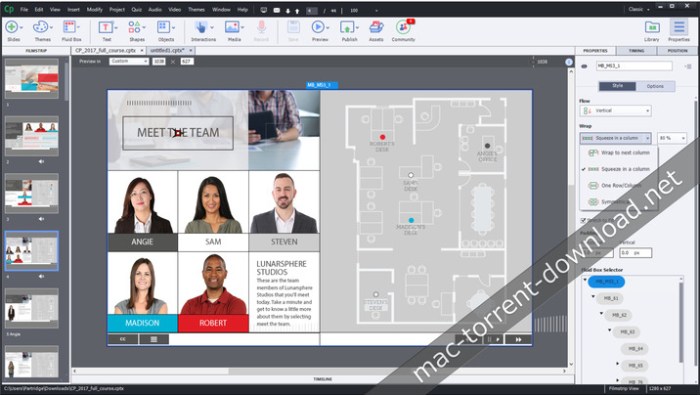
Name: Adobe Captivate 2017 Version: 10.0.0 Mac Platform: Intel OS Version: macOS 10.12.3 or later Includes: Adobe Zii 2.2.1 Web Site: http://www.adobe.com/products/captivate.html Overview The latest update to Adobe Captivate, Adobe’s industry leading eLearning authoring tool is packed with solid enhancements that will make virtually any eLearning developer smile, and the team at Adobe brings home another marvel – incredible levels of intuition and automation when it comes to creating fully responsive content for mobile devices. Smart eLearning design [New] Embrace an intelligent authoring paradigm—deliver the most engaging, interactive device-independent content with a minimum of fuss. Automatically create fully responsive content that best-fits your learners’ devices, automatically transform legacy projects into responsive projects and automatically deliver great viewing experiences with Adobe Typekit integration. Fluid Boxes [New] Explore the building blocks of Smart eLearning design with intelligent containers that use white space optimally. These containers kick-in when you choose a responsive theme. Optionally you can draw your own Fluid Boxes. Objects placed in Fluid Boxes get aligned automatically so that learners always get fully responsive experience regardless of their device or browser. Crunch authoring time and speed up time-to-market with a host of powerful properties, such as optional display of objects and locking of aspect ratio. Multiscreen responsive eLearning authoring [Enhanced] Author as you always have—content automatically rearranges itself for the learner’s device. Use the in-product device-specific preview to see how your project will appear. Publish as a single project and automatically deliver a fully responsive experience to your learners. Auto-migrate from non-mobile to mobile [New] Join the mobile age. Transform legacy desktop-only courses into fully responsive modules using patent-pending technology from Adobe. Bring in existing Adobe Captivate projects and save them as responsive projects. When you relaunch them, Fluid Boxes will automatically appear around the most logical grouping of objects, which you can accept or customize. Adobe Typekit integration [New] Good typography makes for a great viewing experience only when it is consistent across devices, and delivering that just got a lot easier. Create a cloud-based kit of selected Typekit font families for use in your courses. Now learners will experience the content exactly as you intended. Best-in-class screen capture Generate robust software simulations with multiple learning modes in a single recording session by capturing all on-screen actions, including mouse movements, system audio and keyboard activity. Create a single responsive screen capture project that plays seamlessly across devices. Adobe Captivate detects screen activity in the recording window and automatically pans to those areas to create screen capture output for the tablet and mobile views. Adobe Captivate Draft Kickstart authoring the smart way with this free storyboarding app**. Convert your ideas into interactive storyboards complete with eLearning elements such as content and question slides, branching logic, and more. Share storyboards for real-time, collaborative reviewing on the cloud; reviewers do not need to have either the app or Adobe Captivate. Simply import your storyboards into Adobe Captivate and publish them, to seamlessly generate responsive projects. **the app is currently available only for iPad on the Apple iOS App Store.
Name: FxFactory Plugins
Version: 5.0.7 (build 4742)

Requirements:
 ● OS X Yosemite 10.10.2 or later
 ● Final Cut Pro 10.2 or later
 ● Motion 5.2 or later
 ● Adobe After Effects CC, CC 2014 and CC 2015 Versions 12, 13 and 14
 ● Adobe Premiere Pro CC, CC 2014 and CC 2015 Versions 7, 8 and 9


Web Site: http://fxfactory.com/


Overview
FxFactory Pro includes filters, generators and transitions for Final Cut Pro X, Final Cut Pro 7, Motion, Premiere Pro and After Effects. FxFactory - first extensible package of visual effects for Final Cut Studio. Unlimited capacity: download additional plug-ins in FxMarket.

FxFactory Pro effects are accelerated using the graphics card for unbeatable previewing and rendering performance. FxFactory Pro plugins ship with many built-in presets, a time-saving feature to try new looks with minimal effort. FxFactory Pro is the first visual effects package that lets you customize and create your own plugins for Final Cut Pro, Motion, Premiere Pro and After Effects without writing a single line of code.

The user can check all the plug-ins and configure them suitably for your project, or create new ones based on existing ones.

Create your own effects for Final Cut Studio without writing code. Seamless integration with FxPlug: once to install the plugin, you can immediately start using them in Final Cut Pro, Motion and After Effects.

An additional advantage is that the Pro Pack plug-ins support the construction of a moving image of 16-bit and 32-bit. FxFactory - it's not just the built-in plugin manager, but also a complete environment for their management. Through it you can connect to the project the necessary modules, apply them to your content, preview and rendering.
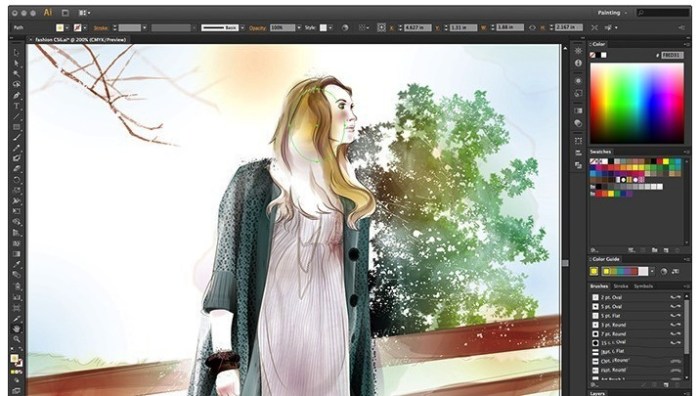
Name: Adobe Illustrator CC 2017 Version: 21.1.0 Mac Platform: Intel OS version:OS X 10.10 or later Processor type(s) & speed: 64-bit Requirements: • 2 GB RAM (8 GB recommended) • 2 GB of available hard-disk space for installation; additional free space required during installation (cannot install on a volume that uses a case-sensitive file system or on removable flash storage devices) • 1024x768 display (1280x800 recommended) with 16-bit video card • To use the GPU performance features: Your Mac should have a minimum of 512 MB VRAM (2 GB recommended), and your computer must support OpenGL version 4.0 or greater. Includes: Adobe Zii v2.2 Patcher Web Site: http://www.adobe.com/products/illustrator.html Overview: Adobe Illustrator CC 2017 is the industry standard vector-drawing environment for designing across media. Express your creative vision with shapes, color, effects, and typography. Work with speed and stability on large, complex files, and move designs efficiently among Adobe's creative applications. What's New in Version 2017 21.1.0: April 3rd, 2017 Crop images more easily: • Crop bitmap images directly within Illustrator to discard excess parts, reduce file size, and improve performance. That means no need to use clipping masks or edit the image in Photoshop. Create new documents faster: • To improve speed and performance, the start screen for creating new documents now loads even faster than before. Redesigned Color Theme panel: • Create, explore, save, and retrieve color themes across applications with the new Color Theme panel. Now you can explore popular themes and get help perfecting color choices. Stability enhancements: • You asked, we listened. We've fixed top Illustrator issues and improved stability.
Name: Adobe InDesign CC 2017 Version: 12.1.0.56 Language: English Mac Platform: Intel OS Version: OS X 10.10 or later Requirements: • Multicore Intel processor • 2 GB RAM (8 GB recommended) • 2.5 GB of available hard-disk space for installation • 1024 x 768 display (1280 x 800 recommended) with 32-bit video card; supports Retina display • Adobe Flash Player 10 software required to export SWF files Includes: Adobe Zii Patcher Web Site: http://www.adobe.com/products/indesign.html Overview: The industry-leading page design and layout toolset lets you work across desktop and mobile devices to create, preflight, and publish everything from printed books and brochures to digital magazines, iPad apps, eBooks, and interactive online documents. Polished pages, faster than ever. See how the latest release helps you design layouts faster, from creating footnotes with more control to easily working with OpenType fonts. Go from blank page to brilliant. InDesign is part of Creative Cloud, which means you can access all your assets — including Adobe Stock — right inside the app and quickly turn any inspiration into a beautiful work of art. And with Adobe CreativeSync, everything is connected across your desktop and mobile apps. All your assets. Always at your fingertips. Creative Cloud Libraries store all your colors, shapes, graphics, fonts from Adobe Typekit, and other creative assets, so they’re instantly available across your desktop and mobile devices. Adobe Stock built right in. Spend less time searching and more time designing with more than 60 million high-quality images, graphics, videos, 3D objects and our Premium collection inside your apps. With built-in templates for web, print, mobile and more, you can dive right into your designs. What's New in Version 12.1.0.56 (2017.1): April 6th, 2017 Modern user experience: • A flat and streamlined interface makes it easier to focus on your project. The tools and panels have updated icons that match those in Photoshop and Illustrator, making your workflow more intuitive. Customize your interface to one of four UI themes: Dark, medium-dark, medium-light, and light. Start projects faster: • Jump-start print, web, and mobile projects with easy access to presets and free Adobe Stock templates. Access them within InDesign right from the File > New menu. Stability Enhancements: • We've fixed the top customer issues to enhance productivity and improve stability.
With PROPIXIE from Pixel Film Studios, you can give your film an epic or magical look by simulating floating particles in your footage. PROPIXIE is a collection of 75 ProRes composites that can be applied to footage in any non-linear editing software, simply drag and drop the video file on top of your footage in the timeline and select a composite type.
Web Site: http://store.pixelfilmstudios.com/product/propixie/
Find more Pixel Film Studio Plugins

Whether you are filming a magical fantasy world or an old haunted house, PROPIXIE’s high-resolution composites can help create the atmosphere of your film in a matter of seconds. Adding floating particles to your footage is a great way to give your film a hyper-real quality.

PROPIXIE consists of 75 ProRes HD particle composites files created by filming real, natural particles. These video files and can be applied and composited onto your footage in any non-linear editing software (such as Final Cut Pro X, Avid, and Adobe Premiere).

The PROPIXIE composites were shot at 60fps on super speed lenses to create the best quality videos with the least amount of blur. All the PROPIXIE video composites are ProRes 24fps quicktime files that work inside any non-linear editing system.

The partcles in the PROPIXIE video files vary in size, speed and focus, so you can layer them to create more depth in your image. This is a great way to give your film a more cinematic feel. With 75 particle techniques to choose from, the combinations are endless!

Video files can be used in any non-linear editing software, but if you are using it in Final Cut Pro X, you can use the PROPIXIE Blending Tool to help blend and color correct your particles to match your footage. You can even invert the particles footage to create an ash look. The Compositing Tool is free with a purchase of PROPIXIE.

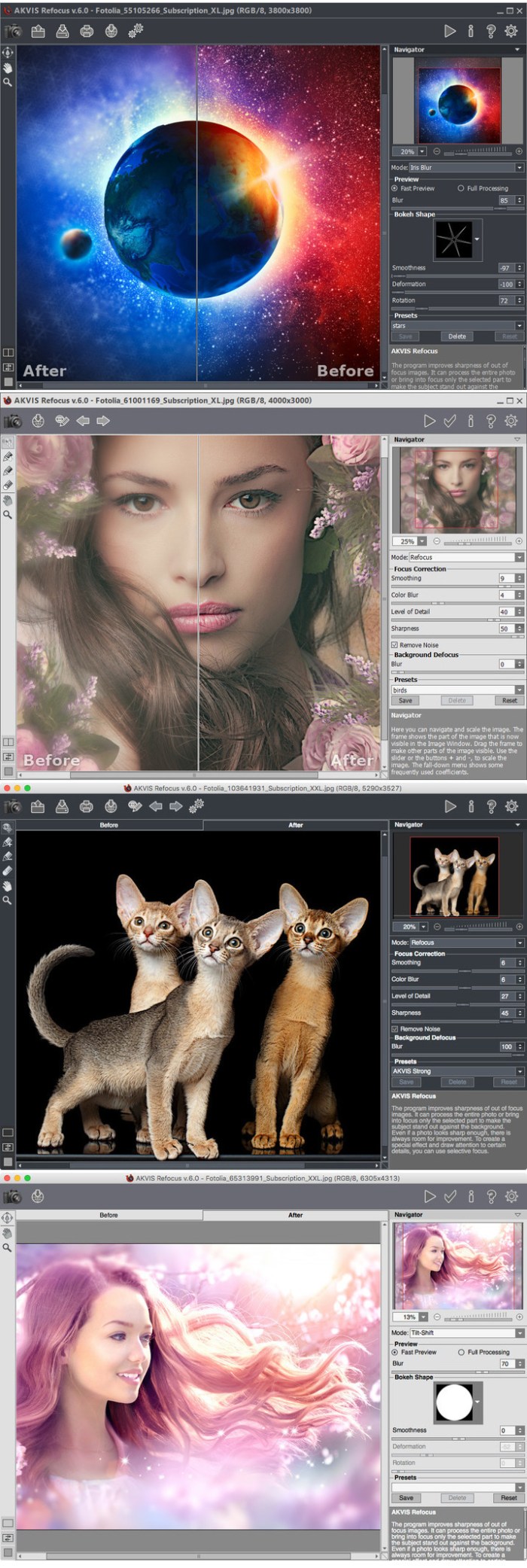
Name: AKVIS Refocus Version: 7.0.671.14611 Language: English Mac Platform: Intel OS Version: OS X 10.6 or higher Includes: Pre-Activation Web Site: http://akvis.com/en/refocus/index.php Overview Digital cameras are a good companion for capturing everyday moments - they are handy and offer automatic settings that save you time. However, sometimes the camera fails to focus on the subject automatically and it comes out unsharp. AKVIS Refocus will take care of such images. The software improves sharpness of out of focus images. The program can process the entire photo or bring into focus only the selected part to make the subject stand out against the background. It's also possible to add bokeh and lens blur effects to your photos. The software works in three modes: Refocus, Tilt-Shift, and Iris Blur. Refocus mode makes blurred photos sharp and clear. You can re-focus the entire image or only certain details. Bokeh Effect, Tilt-Shift When shooting an object or a landscape at a distance, you may notice that the picture looks hazy. The software will make the photo more distinct and thus more impressive. Even if a photo looks sharp enough, there is always room for improvement. To draw attention to certain details, you can use selective focus. In digital photography the selective focus technique is used to shoot portraits, macro and close-up photographs. For this purpose, one switches to aperture mode and adjusts the settings till the subject is in focus. With the software you can separate the subject from the background using special tools; to achieve a more realistic selective focus effect you can sharpen one part of the photo and blur the rest (Deluxe/Business). Tilt-Shift mode allows leaving a sharp strip in the image, adding gradual blur at the edges, with smooth transitions between the regions and with bokeh effects. This mode gives the objects on the photo a "toy" look. It blurs the outer parts and makes the objects appear as if they are miniature models. In real photography, you can achieve this effect with special tilt-shift camera lenses. Using the software you can bring any photo into a world of miniatures! Iris Blur Effect Iris Blur mode (Deluxe/Business) creates shallow depth-of-field effect, blurring the background while keeping the subject in focus. In contrast to the previous mode, this one lets you specify the shape of the sharp area (ellipse, rectangle). Real photographers can achieve this effect by opening aperture and using different lenses. With this program you can create a blur background in a click. Advanced photography techniques are now available for everyone! You do not need special knowledge to achieve good results. The software is easy-to-use, even for novices. To get started quickly, the program offers a large number of presets. You can observe the result in real time and compare before and after states.
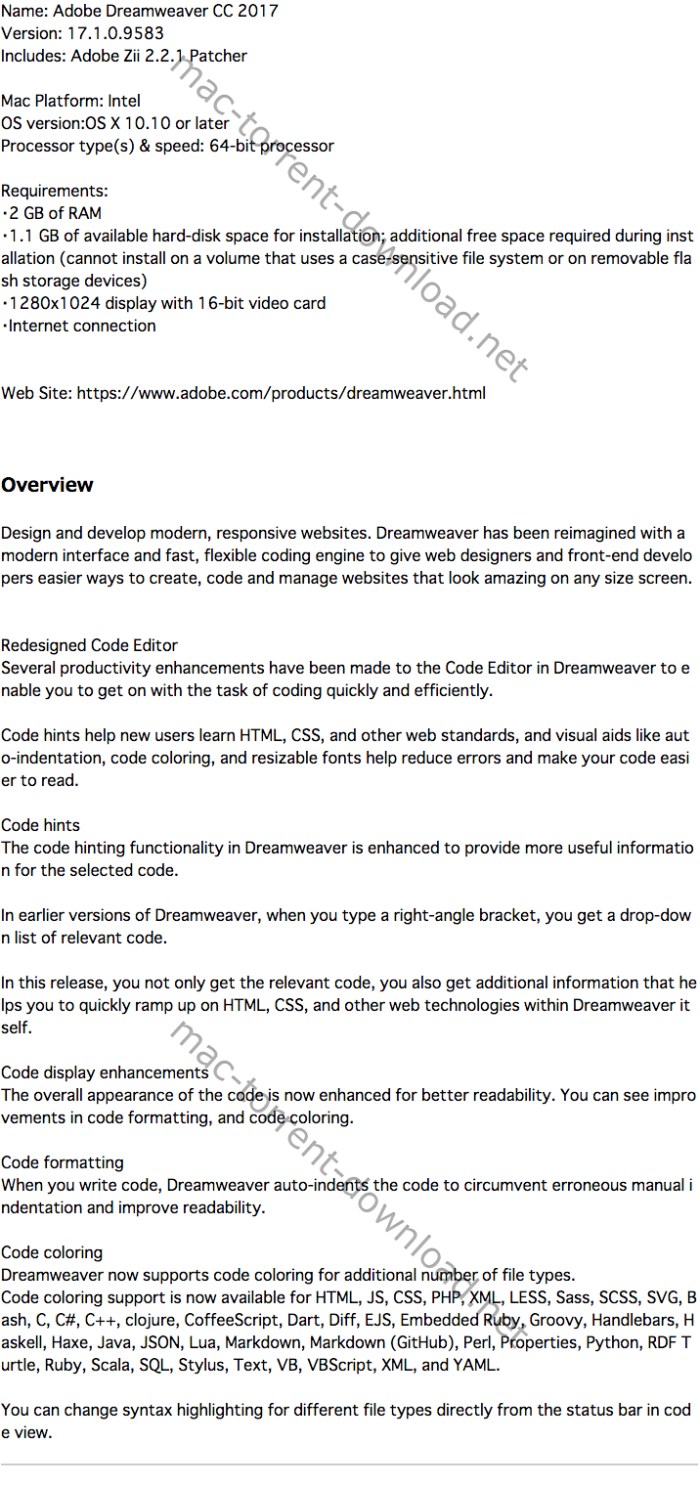
Name: Adobe Dreamweaver CC 2017 for Mac Version: 17.0.2.9391 Language: English Release Date: 29 Mar 2017 Mac Platform: Intel OS version:OS X 10.10 or later Processor type(s) & speed: 64-bit processor Requirements: ・2 GB of RAM ・1.1 GB of available hard-disk space for installation; additional free space required during installation (cannot install on a volume that uses a case-sensitive file system or on removable flash storage devices) ・1280x1024 display with 16-bit video card ・Internet connection Includes: Keygen (Adobe Zii v2.2.1) Web Site: https://www.adobe.com/products/dreamweaver.html Overview: Dreamweaver has been reimagined for web designers who code. It is now more focused, efficient, and faster than ever before - with an all-new code editor, more intuitive user interface with a selectable dark theme, and several enhancements including support for new workflows such as CSS pre-processors. Redesigned Code Editor Several productivity enhancements have been made to the Code Editor in Dreamweaver to enable you to get on with the task of coding quickly and efficiently. Code hints help new users learn HTML, CSS, and other web standards, and visual aids like auto-indentation, code coloring, and resizable fonts help reduce errors and make your code easier to read. Code hints The code hinting functionality in Dreamweaver is enhanced to provide more useful information for the selected code. In earlier versions of Dreamweaver, when you type a right-angle bracket, you get a drop-down list of relevant code. In this release, you not only get the relevant code, you also get additional information that helps you to quickly ramp up on HTML, CSS, and other web technologies within Dreamweaver itself. Code display enhancements The overall appearance of the code is now enhanced for better readability. You can see improvements in code formatting, and code coloring. Code formatting When you write code, Dreamweaver auto-indents the code to circumvent erroneous manual indentation and improve readability. Code coloring Dreamweaver now supports code coloring for additional number of file types. Code coloring support is now available for HTML, JS, CSS, PHP, XML, LESS, Sass, SCSS, SVG, Bash, C, C#, C++, clojure, CoffeeScript, Dart, Diff, EJS, Embedded Ruby, Groovy, Handlebars, Haskell, Haxe, Java, JSON, Lua, Markdown, Markdown (GitHub), Perl, Properties, Python, RDF Turtle, Ruby, Scala, SQL, Stylus, Text, VB, VBScript, XML, and YAML. You can change syntax highlighting for different file types directly from the status bar in code view. What's New in Version 17.0.2.9391 (2017): ・Create email campaigns using Dreamweaver with Campaign - You can now use the Campaign extension for Dreamweaver to create personalized email campaigns; to get started, download the Campaign extension by clicking Window > Extensions > Browse Extensions, create a new email newsletter, or edit an existing one

Name: Adobe Animate CC 2017 for Mac Version: 16.2.0.24 Release Date: 29 Mar 2017 Mac Platform: Intel OS version:OS X 10.10 or later Processor type(s) & speed: 64-bit processor Requirements: ・Multicore Intel processor ・2 GB RAM (4 GB recommended) ・4 GB available hard-disk space for installation ・QuickTime 10 software recommended ・Internet connection Includes: Adobe Zii v2.2.1 Patch Web Site: http://www.adobe.com/products/animate.html Overview: For nearly two decades, Flash Professional has been the standard for producing rich animations on the web. Because of the emergence of HTML5 and demand for animations that leverage web standards, we completely rewrote the tool over the past few years to incorporate native HTML5 Canvas and WebGL support. To more accurately represent its position as the premier animation tool for the web and beyond, Flash Professional will be renamed Adobe Animate CC Animations that look amazing. See how the leading vector animation toolset helps you work faster and create content that looks terrific on everything from mobile devices to the latest ultrahigh-resolution displays. - Pan and zoom on your animations using a built-in virtual camera. - Use pressure and tilt-sensitive vector brushes for more natural results, and create your own custom vector brushes. - Convert existing Flash-based ads to HTML5 canvas or create them from scratch, so they’re optimized for any browser. - Export to 4K and higher resolutions to make sure your videos will look great on the latest Ultra HD TVs and monitors. Go from blank page to brilliant. Animate is part of Creative Cloud, which means you can access all your assets — including Adobe Stock — right inside the app and quickly turn any inspiration into a beautiful work of art. And with Adobe CreativeSync, everything is connected across your desktop and mobile apps. All your assets. Always at your fingertips. Creative Cloud Libraries store all your brushes, colors, graphics, metadata, and other creative assets, so they’re instantly available across your desktop and mobile devices. Adobe Stock built right in. Spend less time searching and more time designing with more than 60 million high-quality images, graphics, videos, 3D objects and our Premium collection inside your apps. With Stock templates for web, print, mobile and more, you can dive right into your designs. What's New in Animate CC (2017): Integrated virtual camera Use the built-in V-Cam to pan and zoom in and out on your animations just like you would with a video camera. The V-Cam also lets you add tints and filters. Reusable components Now it’s quick and easy to add and reuse common components such as video players, buttons, and carousels to your HTML5 Canvas documents. Vector brush improvements Create and share custom brushes, convert pattern brushes to standard art brushes, and get more expressive with better pressure and tilt sensitivity. Collaboration with CC Libraries Collaborate simultaneously on animations with multiple team members. Share, modify and reuse entire animations, clips, or symbols via CC Libraries and place animations directly into InDesign and Adobe Muse. Easier export Now it’s simple to share quick prototypes by exporting clips or excerpts as GIFs, JPEGs, or PNGs and sharing them on social media, in instant messages, emails, and texts. Creative Cloud Assets improvements Archive and restore all your assets stored in Creative Cloud, including the ones in your Creative Cloud Libraries, assets created with CC desktop products, and mobile projects. Introducing Typekit Marketplace Buy fonts from some of the industry’s biggest names and use them in your Animate projects. Typekit uses its font sync and web technologies to deliver your Marketplace fonts anywhere you need them. And so much more Also includes: the ability to stage enhancements, layers that can be published as independent SWFs, and more. System requirements • Intel Pentium 4 or AMD Athlon 64 processor (2 GHz or faster) with 64-bit support • Microsoft Windows Server 2008 R2, Windows 7 with Service Pack 1, Windows 8, Windows 8.1, or Windows 10 • 1 GB of RAM • Internet connection and registration are necessary for required software activation, validation of subscriptions, and access to online services.* • Adobe online services that integrate with Adobe Muse CC are available only to users 13 and older. • Note: 32-bit systems are no longer supported as of June 2014. What's New in Version 16.2.0 (2017): ・The performance of the Brush tool has been significantly improved in this release; in previous releases, there was a time lag while sketching or drawing fast with the Brush tool; in this release, you can sketch or draw fast without having to wait for the previously drawn sketches to smoothen out ・Critical bug fixes and additional performance enhancements
Name: Alien Skin Software Photo Bundle Version: March 29, 2017 Mac Platform: Intel OS Version: OS X 10.8 or later Processor type(s) & speed: 64-bit processor One of the following: * Apple Aperture 3 or later * Adobe Photoshop CS6 or later * Adobe Photoshop Elements 12 or later * Adobe Lightroom 4 or later Includes Patches Special K Web Site: http://www.alienskin.com/photobundle/ Bundle Includes: * Alien Skin Exposure X2 2.5 * Alien Skin Exposure X2 Bundle 2.5.1 * Alien Skin Snap Art 4.1.0.155 * Alien Skin Blow Up 3.1.0.151 * Alien Skin Eye Candy 7.2.0.50 Overview Alien Skin Software is a company that has been dedicated to graphics software for designers and photographers for years. They contain excellent simple tools that make beautiful pictures and more. This package contains plug-ins recently updated its all softwares that are Blow Up, Bokeh, Exposure, Eye Candy, Snap Art, you are able to work on the Mac OS X platform.

Name: Alien Skin Exposure X2 Bundle Version: 2.5.0.40 [Revision 36544] Language: English Mac Platform: Intel OS Version: OS X 10.10 or later Processor type(s) & speed: 64-bit processor Host Requirements: ● Adobe Photoshop CS6 or Adobe Photoshop CC 2015 or newer ● Adobe Lightroom 6 or Adobe Lightroom CC 2015 or newer Includes: Crack (Special K) More info: http://www.alienskin.com/exposure/ Overview Exposure X2 Bundle is a photo editor and organizer that integrates all the exotic skins of award - winning photo editing applications in one product. The centerpiece of the beam is Exposure X, the editing application that streamlines workflow and provides a rich set of creative tools. Two additional applications extend the creative possibilities: Blow Up 3 expands your photos on large prints with changing technology sharper size available, and Snap Art 4 transforms your photos into beautiful paintings, handmade. Exposure X: and previous editions, this new edition allows editing of images non - destructively, so our original will always be safe. In addition, the program can be used as plug-in Photoshop or Lightroom or autonomously. In the latter case Exposure X can quickly edit RAW photos non - destructively. Snap Art: it is a Photoshop plug-in that turns photography into beautiful works of art with a single click. Blow Up: It is a powerful addition of Alien Skin for Photoshop CS and Lightroom, able to resize images on a larger scale without smudging or losses appreciate quality.

Name: Alien Skin Exposure X2 Version: 2.5.1.91 [Revision 36597] Language: English Mac Platform: Intel OS version: OS X 10.10 or later Processor type(s) & speed: 64-bit processor Host Requirements: ● Adobe Photoshop CS6 or Adobe Photoshop CC 2015 or newer ● Adobe Lightroom 6 or Adobe Lightroom CC 2015 or newer Includes: Crack Version OS: 10.10 or higher More info: http://www.alienskin.com/exposure/ Overview From capture to creativity, the fastest way to bring your vision to life. Exposure X2 is the advanced non-destructive RAW editor that handles your full workflow. Its blazing fast, catalog-free workflow speeds photo organization so you can focus on creative editing. mac-torrents.net NEW Advanced Layers Update ● New layering tools for blending presets and adjustments ● Quick Export enables multiple simultaneous exports ● Bright and Platinum Print presets offer gorgeous new looks ● Selective presets give you greater creative control ● New file naming and destination options speed up your workflow ● Expanded camera and lens support mac-torrents.net

Name: Alien Skin Exposure X2 Version: 2.5.0.85 Mac Platform: Intel OS version: OS X 10.10 or later Processor type(s) & speed: 64-bit processor Includes: K Courtesy of Special [K] Web Site: http://www.alienskin.com/exposure/ Overview From capture to creativity, the fastest way to bring your vision to life. Exposure X2 is the advanced non-destructive RAW editor that handles your full workflow. Its blazing fast, catalog-free workflow speeds photo organization so you can focus on creative editing. mac-torrents.net NEW Advanced Layers Update ● New layering tools for blending presets and adjustments ● Quick Export enables multiple simultaneous exports ● Bright and Platinum Print presets offer gorgeous new looks ● Selective presets give you greater creative control ● New file naming and destination options speed up your workflow ● Expanded camera and lens support mac-torrents.net
Alien Skin Exposure X2 2.5.0.85 Revision 36544 │── Special K for MacOS Sierra Utility v1.0.dmg (1.17 MB) │── crack.zip (1.23 MB) └─ exposure-x2-2.5.0.85.dmg (201.8 MB)

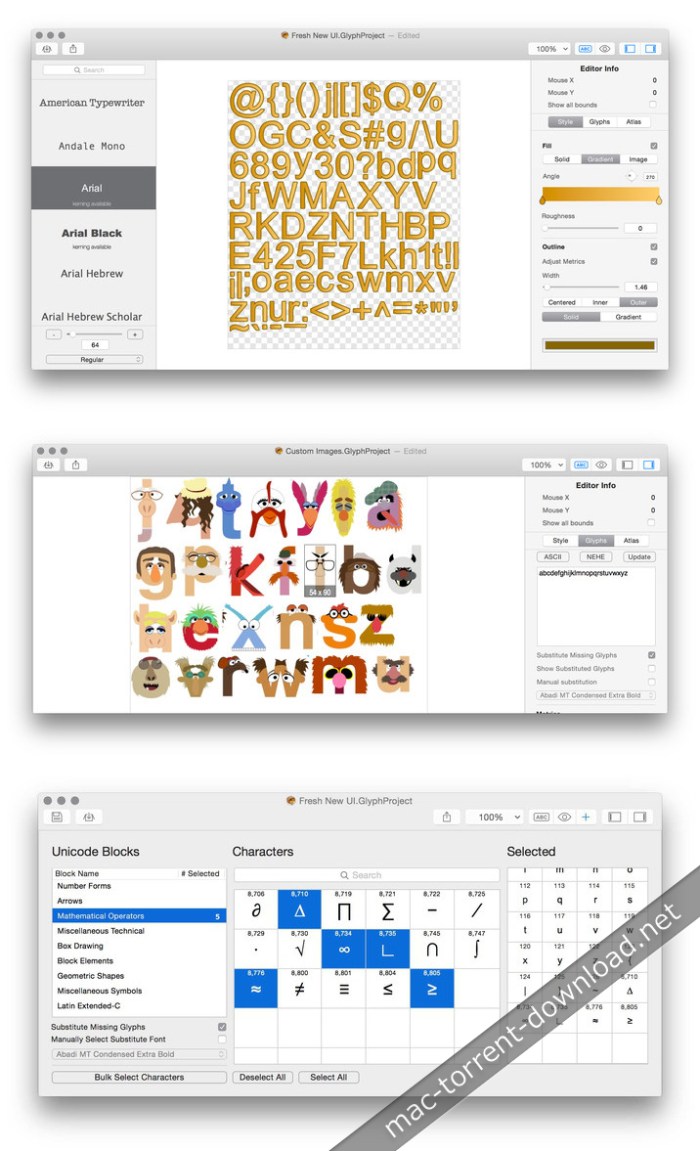
Name: Glyph Designer Version: 2.0 Build 10 Released: May 7th, 2014 Developer: 71Squared Mac Platform: Intel OS Version: OS X 10.9 or later Web Site: http://www.71squared.com/ Overview Helps you create beautifully rendered text for your next game Glyph Designer is a simple to use Mac OS X application that will allow one to quickly create beautifully rendered text for their next app or game. Glyph Designer features support for all iOS devices allowing you to target the widest audience. mac-torrents.net mac-torrents.net Glyph Designer will also allow you to export your projects to the widely supported Angelcode format, allowing you to design text for any platform. What's new in Glyph Designer 2.0 Build 10 December 17th, 2015 New: ・New license scheme Fixed: ・Fixed a bug that caused glyph metric adjustments to be ignored if the fixed width option was checked in the font metrics panel mac-torrents.net

Name: Alien Skin Exposure X Bundle Version: 2.5.0.33 Mac Platform: Intel OS version: 10.10 or later Processor type(s) & speed: 64-bit processor System Requirements: The bundle components (Exposure X, Snap Art 4, and Blow Up 3) can each be used as a plug-in. The plug-in requirements are as follows: • Adobe Photoshop CS6 or Adobe Photoshop CC 2015 or newer • Adobe Lightroom 6 or Adobe Lightroom CC 2015 or newer Includes: K Courtesy of Special [K] Web Site: http://www.alienskin.com/exposure-x-bundle/ Overview The Exposure X Bundle is a photo editor and organizer that integrates all of Alien Skin’s award-winning photo editing apps into a single product. mac-torrents.net The centerpiece of the bundle is Exposure X, the editing app that streamlines your workflow and provides a rich set of creative tools. Two additional apps expand the creative possibilities: Blow Up 3 enlarges your photos into large prints with the sharpest resizing technology available, and Snap Art 4 transforms your photos into gorgeous, handcrafted paintings.
Alien Skin Exposure X2 Bundle 2.5.0.33 │── Special K for MacOS Sierra Utility v1.0.dmg (1.17 MB) │── crack.zip (1.23 MB) └─ exposure-x2-bundle-2.5.0.33.dmg (272.8 MB)
Name: Alien Skin Software Photo Bundle Version: March 2017 Mac Platform: Intel OS Version: OS X 10.8 or later Processor type(s) & speed: 64-bit processor One of the following: * Apple Aperture 3 or later * Adobe Photoshop CS6 or later * Adobe Photoshop Elements 12 or later * Adobe Lightroom 4 or later Includes: Patches Special K Web Site: http://www.alienskin.com/photobundle/ Bundle Includes: ● Alien Skin Exposure X2 2.25 ● Alien Skin Exposure X2 Bundle 2.5 ● Alien Skin Snap Art 4.1.0.155 ● Alien Skin Blow Up 3.1.0.151 ● Alien Skin Eye Candy 7.2.0.50 Overview Alien Skin Software is a company that has been dedicated to graphics software for designers and photographers for years. They contain excellent simple tools that make beautiful pictures and more. This package contains plug-ins recently updated its all softwares that are Blow Up, Bokeh, Exposure, Eye Candy, Snap Art, you are able to work on the Mac OS X platform.

Name: Adobe Edge Animate CC 2015 Version: 6.0.0.400 Language: Multilingual Mac Platform: Intel OS Version: OS X 10.9 or later Processor type(s) & speed: 64-bit processor Includes: Crack Adobe Zii Web Site: http://www.adobe.com/products/edge-animate.html Overview Edge Animate CC. Create interactive and animated web content. Edge Animate lets web designers create interactive HTML animations for web, digital publishing, rich media advertising and more, reaching both desktop and mobile browsers with ease. Features: ● On-stage text editing, rather than using a pop-up window ● 64-bit Chromium Embedded Framework support ● Reduced supporting runtime size by 55% ● No dependency on third-party libraries ● Custom folders for saving your images, media and scripts ● Fewer project output files to manage ● New preloader options ● Support for HTML5 video ● Sprite sheet import from Flash Professional, Photoshop or other design tools ● Linking support for DPS articles ● Updated Actions Editor ● Copy and paste functionality to get SVG artwork from Illustrator ● Hand and Zoom tools

Name: Acorn 5 - The Image Editor for Humans Version: 5.6.4 Release Date: March 15, 2017 Language: English Developer: Flying Meat Inc. MAS Rating: 4+ Mac Platform: Intel OS Version: OS X 10.10 or later Processor type(s) & speed: 64-bit processor Includes: Serial Web Site: http://flyingmeat.com/acorn/ Mac App Store: https://itunes.apple.com/app/acorn-5-the-image-editor-for-humans/id1019272813?mt=12 Overview Everyone needs to edit photos at some point, but not everyone has the time to learn complicated super pricey photo editing software. This is why we created Acorn. Add text and shapes to your digital pictures. Combine images together to create a photo collage. Work with layers to touch up your favorite photos or make something entirely new from scratch. Do all this and more with Acorn! Powerful Layer Capabilities * Over 25 different non-destructive blending mode options. * There is no limit to the number of layers and group layers, so you are never held back in creating complex intricate images. * Use layer masks to block out unwanted areas of your image or to expose layers below. * Transform, rotate, move, lock, merge, delete, and duplicate your layers quickly and easily. * Use Acorn’s snapping to line things up perfectly. Snap to grid, guides, selections, shapes, layers, and the canvas. Filters, Layer Styles, and Effects * Apply endless combinations of layer styles and non-destructive filters to create unique effects. * Save and modify your filters even after you’ve closed and re-opened your Acorn image. * Customize your own presets and use the on-canvas controls to get things looking just right. * Tilt shift, vignette, shadow, distortions, blurs, and over a hundred additional effects. Adding effects to your images has never been so easy. * Use non-destructive curves and levels to adjust the individual color channels to perfect the mid-tones, shadows, highlights, and contrast in your images. The Tools You Need * Powerful eraser tools like instant alpha make removing photo backgrounds and other unwanted pixels from your images both fast and fun. * Use traditional photography techniques like dodge and burn to highlight and darken your images. * Acorn’s customizable clone, blur, and smudge brushes will have your photos looking great. * Acorn features brushes that let you draw and sketch right on your image. Use a track pad, mouse, or even a tablet. * Create your own brushes using Acorn's built in brush designer, or add to your brush library by importing photoshop brushes. * Use Acorn’s multi-stop live gradients to create beautiful linear and radial gradients for vector shape and bitmap layers. * Create custom selections, invert, feather, and even add a corner radius. Quickly select an entire color using the magic wand. * Quickmask mode allows you to easily create and edit your selections like never before. Vector Prowess * Acorn’s text tool gives you control over your text in a simple interface. Everything is in the text palette from bold and italic to kerning and ligatures. * Stars, arrows, bézier curves, circles, lines, and squares are just a handful of the vector features awaiting you. * Use Acorn’s powerful shape processor to move, tweak, generate, and adjust shapes. Best of all, shape processors are non-destructible and stackable just like Acorn’s filters. * Boolean shape operations include union, intersect, difference and exclude. Create complex vectors with ease. * Convert text to bézier paths, add and subtract bézier points, and have your edges snap to pixel boundaries for precise alignment. Professional Features * RAW image import that allows you to import as 32, 64, or even 128 bit images. * Create layered screenshots of every window you have open on your computer. It’s magic. * Optimize and export your images for the web as PNG, JPEG, JPEG 2000, and GIF. * Acorn is automatable and scriptable. Perform batch image editing using Automator, AppleScript, and JavaScript. You can even write custom plugins for Acorn. * Use Acorn’s Smart Layer Export for easy 1x and 2x image export. * Retina canvas support, and image metadata support. Acorn’s website offers extensive online documentation, tutorials, a forum, and responsive support staff. You don’t have to learn by yourself. If you ever run into any issues, please let us know by writing to support@flyingmeat.com What's New in Version 5.6.4: Fixed • Fixed a(nother) problem where areas of the image would go black when running on macOS 10.12 Sierra • Fixed a problem where nudging a single selected pixel could fail on 10.12 • Fixed a problem where deleting a magic wand selection would sometimes fail on 10.12 • Fixed a problem where certain NEF files might cause Acorn's RAW importer window to misbehave on 10.12 • A little fix for Python plugins, for the handful of you still using those

Flicker, flash, and flare your way from one clip to the next with TransFlare from Pixel Film Studios. With 70 professional light burst transitions for Final Cut Pro X, you can create endless vintage, hip, or edgy looks. Easily add beautiful light transitions to your footage by dropping one of TransFlare’s effects between two of your clip and adjust the user friendly controls.
Web Site: http://store.pixelfilmstudios.com/product/transflare/
Find more Pixel Film Studio Plugins

With TransFlare s huge library of light bursts along with its customization options, there are endless ways for you to flicker, flash, and flare your way from clip to clip.

Choose from seven different types light bursts categories (including: color light leaks, lens flares, sun flares, and DJ light leaks). With TransFlare, you can create the perfect light burst transition for any footage!

TransFlare contains no digitally generated images. All 70 of the light effects were professionally made by bouncing light inside a lens to give your footage the most realistic flares, leaks and bokeh possible.
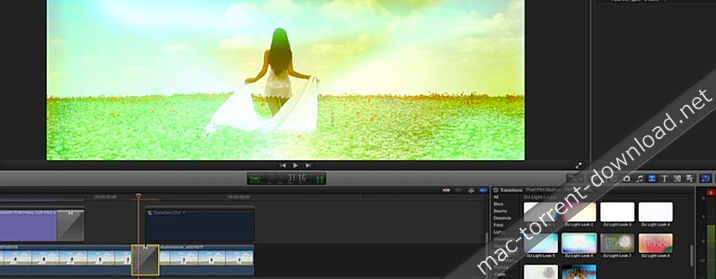
TransFlare was designed to work seamlessly inside Final Cut Pro X, eliminating the need to composite footage. Simply choose your light effect in the transitions window, and then calibrate the color and intensity of your light. You can also adjust the length of the transition in the timeline to best work with your scene.
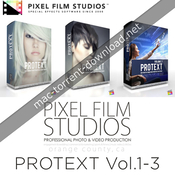
Pixel Film Studios – PROTEXT Vol.1-3: Pro Text Effects Plugin Bundle for FCPX.
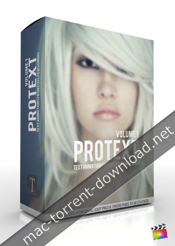
Create Professional text title introductions for Final Cut Pro X with ProText: Volume 1 from Pixel Film Studios. Make a statement with your film title with these animation presets. Look like a pro with over 50 different animations to bring your title to life. Looking for two-dimensional or three-dimensional text animations in FCPX? The ProText: Volume 1 Plugin from Pixel Film Studios has you covered!
Web Site: http://store.pixelfilmstudios.com/product/protext-volume-1/
Find more Pixel Film Studio Plugins
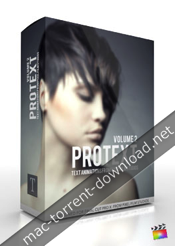
With 50 new text animations to choose from, prepare to create even more professional text titles in Final Cut Pro X with ProText: Volume 2 from Pixel Film Studios. This library of text animations allows you to move and replicate your text in a 3D environment or send your text into the center of a kaleidoscope, all inside FCPX.
Web Site: http://store.pixelfilmstudios.com/product/protext-volume-2/

Create the surreal text effects you always wanted in Final Cut Pro X with ProText: Volume 3 from Pixel Film Studios. This library of 28 text animations allows you to move and replicate your text in a 3D environment and create unique text looks all inside FCPX. If you are looking for three-dimensional text animations in FCPX, ProText: Volume 3 Plugin from Pixel Film Studios has you covered!
Web Site: http://store.pixelfilmstudios.com/product/protext-volume-3/
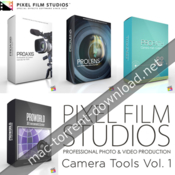
Web Site: http://store.pixelfilmstudios.com/product-category/final-cut-pro-x-products/tools-final-cut-pro-x/camera-tools-final-cut-pro-x/
Find more Pixel Film Studio Plugins

Create interesting angles and perspectives in Final Cut Pro X with PROAXIS from Pixel Film Studios. Pivot, rotate, and skew your footage with a 3D Camera. Then give your film a cinematic looks by adjusting the depth of field and lens angle. With on screen controls and easy to use sliders, controlling a 3D camera in Final Cut Pro X has never been so easy.
Web Site: http://store.pixelfilmstudios.com/product/proaxis/

Create the cinematic masterpiece you always wanted to with PROLENS. This bundle of professional lens plugins and video enhancing tools for FCPX will help you look like a professional Cameraman. Use the plugins in PROLENS to give your footage optical looks that you could normally only achieve in-camera and by owning many expensive lenses.
Web Site: http://store.pixelfilmstudios.com/product/prolens/
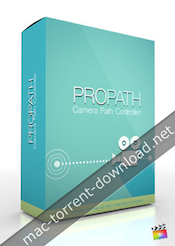
Take your audience on a journey with ProPath from Pixel Film Studios. With this tool, You can create a camera path with up to five 3D camera movements in single shot without ever setting a single keyframe in Final Cut Pro X. Design smooth and complex paths by simply moving the on-screen controls in the Viewer Window. Then use the camera controls to change the angle and depth of field to create unique viewing perspectives.
Web Site: http://store.pixelfilmstudios.com/product/propath/
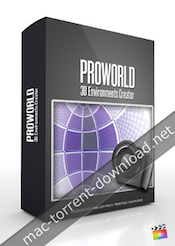
Final Cut Pro X users can turn their 2D HDRI images into 360° viewing area with ProWorld from Pixel Film Studios. This plugin allows editors to map an HDRI or Skybox texture onto a 3D environment in FCPX. ProWorld also gives users the ability to add text, logos, or keyed footage to their 3D world.
ProWorld Plugin requires FCPX 10.1.2. Mac Mini and Macbook Air computers with intel graphics cards are not compatible with this plugin.
Web Site: http://store.pixelfilmstudios.com/product/proworld/

Just when you thought it was over! ProTeaser is back with the start of a brand new trilogy. With 6 new teaser trailer titles for Final Cut Pro X, ProTeaser: Volume 4 from Pixel Film Studios can help you hype up your next film. Take your audience into the eye of a supernova or into the middle of an arms race in your next trailer video. ProTeaser’s text are pre-animated and can be customized in the FCPX Inspector.
Web Site: http://store.pixelfilmstudios.com/product/proteaser-volume-4/
Find more Pixel Film Studio Plugins
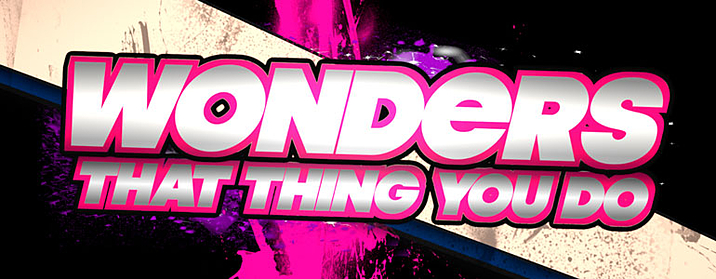
With splattering paint drips and geometric cut outs, The Splatter Paint Theme is a great way to make edgy, hip looks for your movie in FCPX. Use the quick and easy controls to change the background shape, paint pattern, colors, text and font in your project.
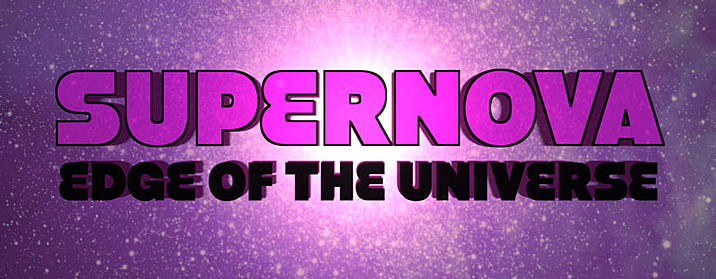
Take a journey through both space and time with the Supernova theme included in ProTeaser: Volume 4. With a nebula of stars and flares, you can make it look like your titles are being transmitted from the edge of the universe in Final Cut Pro X.
Control the color, text and font of the Supernova theme to best fit your film directly inside FCPX.
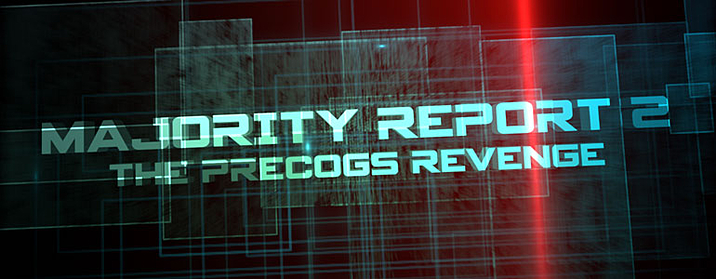
When his own government turns on him, he has no choice but to fight for his innocence. He is The International Fugitive.
With laser lines and HUD-like displays, the International Fugitive Theme is perfect for any Spy Thriller or Heist movie. Quickly change the color, font, text and movement of the theme to best fit your film.

The global arms race is beginning to heat up! It’s time to get ready for War!
Add the Arms Race Theme to your Final Cut Pro X arsenal with ProTeaser Volume 4 from Pixel Film Studios. With the Arms Race Theme, you can control the glow color, light, and smoke color directly inside the Final Cut Pro X Inspector.

Something lurks in the darkness. The wind whispers through the trees. Stay out of The Woods!
From a dark and scary woods to a snowy pine forest, The Trees Theme allows you to create and customize looks for any nature movie in Final Cut Pro X.

They adopted him from the local shelter, but were surprised to find out that he wasn’t like normal dogs. Get ready for this summer’s family hit. My Pet Alien.
Create a family fun adventure in your next Final Cut Pro X project. Customize the color, vignette, font, text, and line size inside FCPX.

Create a retro photograph look in your next project with ProVintage by Pixel Film Studios. This collection of 30 professional vintage color grading effects can be used seamlessly with FCPX. Make any footage into a timeless moment by simply applying the plugin to a clip. Then, use ProVintage’s easy-to-use controls to adjust the intensity of the effect, giving your film a beautiful and trendy look.
Web Site: http://store.pixelfilmstudios.com/product/provintage/
Find more Pixel Film Studio Plugins

Inspired by contemporary film aging techniques, ProVintage can instantly make any footage look sophisticated and timeless. ProVintage was professionally created to make your project look like it was shot on real analog film.

Bold colors, subdued contrasts, and everything in-between. With 30 different vintage color gradings to choose from, you can make your project look anywhere from hip-retro to classic-vintage. ProVintage by Pixel Film Studios can give your next project a high-end photographic style.

Time travel without having to learn quantum physics. The intuitive controls in the ProVintage plugin make it easy to change the look of your vintage color grading effect inside FCPX. Simply adjust the sliders in the Final Cut Pro Inspector and see your changes appear in real-time.

Name: Font Pack Pro Master Collection Version: 2015 SP1 Languages: English, Dutch Developer: Macware, Inc MAS Rating: 4+ Mac Platform: Intel OS Version: OS X 10.6 or later Web Site: http://www.macwareinc.com/products/royalty-free-fonts/font-pack-pro-master-collection.html Mac App Store: https://itunes.apple.com/app/font-pack-pro-master-collection-2015-edition/id914093460?mt=12 Overview Over 7,600 OpenType Fonts Total- including 1,400 never before seen fonts! This is the ultimate collection of every single font created by our font foundry. Each font was designed by the professionals at the SummitType Font Foundry and now you can have access to the amazing quality and variety that has become a staple for SummitType fonts. Macware is the #1 publisher of fonts in major retailers for over 15 years! Font Pack Pro Master Collection 2015 expands your collection with over 7,600 fonts including 1,400 NEVER-BEFORE seen on the Mac App Store. Designed by our exclusive SummitType™ font foundry. Font Pack Pro Master Collection 2015 is licensed for commercial-use & is royalty free. All fonts are delivered in OpenType® format, which means everything you need is contained in a single font file and is compatible with all applications. Font Pack Pro Master Collection 2015 give you a 12-user license- 2 more than our older edition! Every Mac font can be used for any personal AND commercial use (for-profit) project, are fully embeddable (i.e. for PDF files), and include complete character sets that support international languages and symbols. Font Pack Pro Master Collection 2015 contains: •Interactive preview window that allows you to type in any text and adjust its size, color and style. •7,600 OpenType Fonts. With OpenType fonts, everything you need is contained in a single file that is compatible with all of your applications. •Cross-compatibility between Mac and PC. •A complete character set that includes international symbols and alternative characters. •Are 100% embeddable in common file formats like PDF. •Are 100% compatible with all of your programs, so you can install and use them right away. Advantages of OpenType Fonts: The OpenType font format provides a single cross-platform compatible font file for easy font management and improved document portability between the Mac and PC platforms; ability to embed fonts into PDF projects; superior print quality; and improved language support with an expanded set of international characters including the Euro currency symbol. Font Pack Pro Master Collection 2015 is perfect for: Web development Graphic designers Creative artists Corporate design Self-publishing Game development Printers Online and print publications Advertisements Catalogs Brochures Manuals Product design Direct marketing Mailing campaigns Video editing Print and Broadcast media Greeting cards Wedding and party invitations Event announcements T-shirts Calendars Newsletters Banners Signs
Name: MotionVFX - mLowers Grunge Pack for Final Cut Pro X and Motion 5


Web Site: https://www.motionvfx.com/store,mlowers_grunge_pack,p1253.html
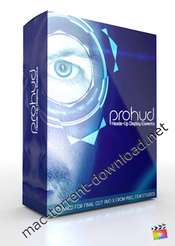
The two things that the future has promised us is flying cars and transparent touch screen surfaces. With PROHUD from Pixel Film Studios, you can have one of them in your next futuristic Sci-Fi film by creating your very own Heads Up Display interface in FCPX.
Web Site: http://store.pixelfilmstudios.com/product/prohud-volume-1/
Find more Pixel Film Studio Plugins

By stacking PROHUD elements in your Final Cut Pro X timeline, you can quickly create endless unique and futuristic looks. Simple drag and drop as many elements as you want and then rearrange, resize and colorize them to your liking. Even add static and scan lines to your interface to immitate a monitor screen.

With over 50 HUD interface elements to choose from (including scopes, frames, radars, charts and waveforms), the options are endless. Simply drag and drop a few or many of the PROHUD generators on top of one another in the FCPX timeline and create all sorts of futuristic touch interfaces in minutes.

Want to see the incredible detail in your heads up display? With PROHUD, you can control a 3D camera in the FCPX Inspector to view your interface elements from all angles. This abilitiy gives your elements effect that they are being projected off the surface of the screen or interface.

Simulate a holographic image by placeing one of the drop zone frames into the timeline, insert your footage, and adjust the parameters in the FCPX Inspector. Just like that it will look like you’re web camming with someone from the future.
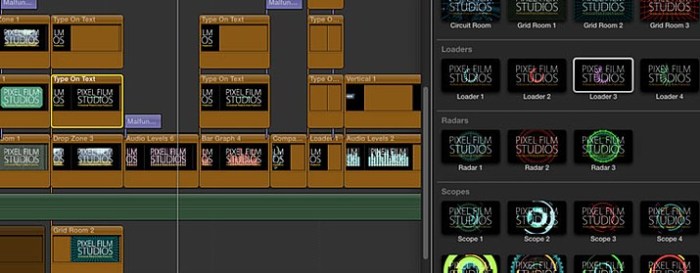
Pixel Film Studios designed these HUD elements to work flawlessly with FCPX. PROHUD can help you create futuristic looks in your next Final Cut Pro X project. Simply drag and drop a few or many of the interface elements ontop of your clip and use the on-screen controls and Inspector sliders to calibrate your design.
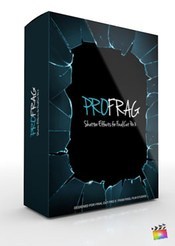
Smash and shatter your footage into smithereens and watch as 3D fragments and shards made out of your footage fly by the camera. With over 30 presets to choose from, PROFRAG from Pixel Film Studios can help you make endless cool shatter effects in your next FCPX project. Simply insert a clip into one the PROFRAG drop zones and use the controls to shatter it appart!
Web Site: http://store.pixelfilmstudios.com/product/profrag/
Find more Pixel Film Studio Plugins

Smash and shatter your footage into smithereens and watch as 3D fragments and shards made out of your footage fly by the camera. You can even control the speed at which your image shatters, so you can slow it down as it flies by to see the remains of your clip.

With over 30 unique camera movements and shatter patterns presets to choose from you can create numerous epic looks directly inside Final Cut Pro X. Simply choose one of the presets in the FCPX generators browser and calibrate the movement settings to your liking, and set keyframe in and out points.

Use the 3D camera movement controls in FCPX Inspector to view your footage as it explodes and shatters. You also have control over the depth of field to create unique filmic looks as shards of footage fly by the camera.
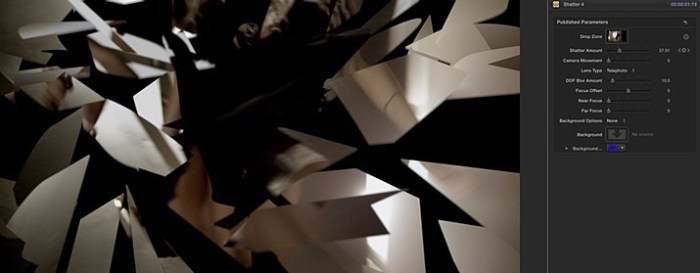
PROFRAG was designed by the team at Pixel Film Studios to work perfectly inside Final Cut Pro X. With easy-to-use drop zones, sliders and menus in the FCPX Inspector you can quickly and effortlessly change the Camera Movement, Shatter Amount, and Depth of Field.
Name: Magic Retouch Pro
Version: 4.0
Language: English

Photoshop Version: CC or later

Includes: Pre-Activation (install and play)


Web Site: http://intagliographicsandmultimedia.com/Products/MagicRetouchPro/
Graphicriver Page: https://graphicriver.net/item/magic-retouch-pro/1760655


Overview
Magic Retouch Pro is a plug-in for Photoshop with which you can do professional level of photo retouching without any knowledge of retouching.

With Magic Retouch Pro. You can do professional-level retouching, without any retouching knowledge. The plug-in is beautiful and intuitive to work with. Get the results faster by using sliders, instead of actions.
Magic Retouch Pro,includes Wide variety of features. Including Skin Retouching, Eye Enhancer, Eye Color Change, Eye Shade, Natural Lips Color Boost, Lip Gloss, Lipstick, Digital Makeup, Hair Color Change, Teeth Whitener, Blush On, and 4 skin effects which include, Tan Skin, Candy Skin, Gritty Skin, and High Key Skin effects.

Magic Retouch Pro, is updated on a regular base. We add new features, and bug fixes, to improve the quality of this product, based on our user feedback.

Magic Retouch Pro, can be used in plug-in panel mode. The panel can also be positioned anywhere you want, and can also be docked.

Magic Retouch Pro is easy to use with a lot of learning resources, such as PDF User Guide, and video tutorials.

With rich feature set and low price. Magic retouch pro, is a perfect retouching package, for amateur and professional photographers.


Key Features:
  ● All in one skin retouching and digital makeup solution.
  ● Integrated right inside Photoshop.
  ● Precise control over the effects and settings via sliders.
  ● High quality product with great value and low price.
  ● Free future updates.
  ● Great customer support.


Adobe Creative Cloud Collection 2016 31.10.16 Version: 31.10.16 Developer: Adobe Language: English Mac Platform: Intel OS Version: Mac OS X 10.9 or later (tested on macOS Sierra!!) Includes: Patcher Web Site: http://www.adobe.com Note: DMCA-Reup Overview Adobe Creative Cloud Collection - a set of cross-platform applications from Adobe Systems. The distribution includes software for graphic design, photo editing and video, web development, and access to cloud services. All packages tested on macOS Sierra... Includes: ● Adobe Acrobat Pro DC 2015 ● Adobe After Effects CC 2015 ● Adobe Animate CC 2015 ● Adobe Audition CC 2015 ● Adobe Bridge CC 2015 v6.3 ● Adobe Dreamweaver CC 2015 ● Adobe Edge Animate CC 2015 ● Adobe Experience Design CC v0.5.16 ● Adobe Illustrator CC 2015 ● Adobe InCopy CC 2015 v11.4 ● Adobe InDesign CC 2015 ● Adobe Media Encoder CC 2015 ● Adobe Muse CC 2015 ● Adobe Photoshop CC 2015 ● Adobe Photoshop Elements 15 ● Adobe Photoshop Lightroom CC 2015 ● Adobe Prelude CC 2015 ● Adobe Premiere Elements 15 ● Adobe Premiere Pro CC 2015 ● Adobe Uninstallers ● Adobe Update ● Adobe Crack
Adobe Creative Cloud Collection 31.10.16 │── Adguard.release.dmg (49.79 MB) │── Adobe CC 31.10.16.rtf (1.97 MB) │── Adobe CC 31.10.16.txt (4.63 kB) │── Adobe_Acrobat_Pro_DC_2015.dmg (867.9 MB) │── Adobe_After_Effects_CC_2015.dmg (1.40 GB) │── Adobe_Animate_CC_2015.dmg (1.39 GB) │── Adobe_Audition_CC_2015.dmg (354.7 MB) │── Adobe_Bridge_CC_2015_v6.3.dmg (977.4 MB) │── Adobe_Crack.dmg (39.71 MB) │── Adobe_Dreamweaver_CC_2015.dmg (396.2 MB) │── Adobe_Edge_Animate_CC_2015.dmg (140.9 MB) │── Adobe_Experience_Design_CC_v0.5.16.dmg (275.0 MB) │── Adobe_Illustrator_CC_2015.dmg (1.80 GB) │── Adobe_InCopy_CC_2015_v11.4.dmg (783.4 MB) │── Adobe_InDesign_CC_2015.dmg (509.5 MB) │── Adobe_Media_Encoder_CC_2015.dmg (690.5 MB) │── Adobe_Muse_CC_2015.dmg (862.7 MB) │── Adobe_Photoshop_CC_2015.dmg (867.4 MB) │── Adobe_Photoshop_Elements_15.dmg (1.85 GB) │── Adobe_Photoshop_Lightroom_CC_2015.dmg (762.8 MB) │── Adobe_Prelude_CC_2015.dmg (701.8 MB) │── Adobe_Premiere_Elements_15.dmg (2.06 GB) │── Adobe_Premiere_Pro_CC_2015.dmg (987.0 MB) │── Adobe_Uninstallers.dmg (6.37 MB) └─ Adobe_Update.dmg (564.0 MB)
The FCPX Colorist brings professional color grading tools to Final Cut Pro X users. Now, editors can adjust curves, hue, saturation and color levels like never before without ever having to open another color grading software.
Web Site: http://store.pixelfilmstudios.com/product/fcpx-colorist/
Find more Pixel Film Studio Plugins
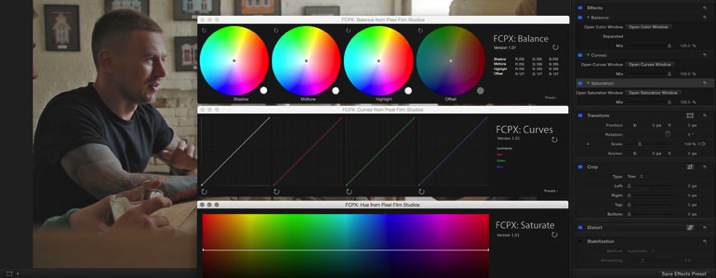
Each FCPX Colorist Tool installs into Final Cut Pro X as a separate filter in the Final Cut Pro X Effects library. This modular set-up allows users to stack, combine and re-arrange multiple filters on their footage to achieve endless looks.
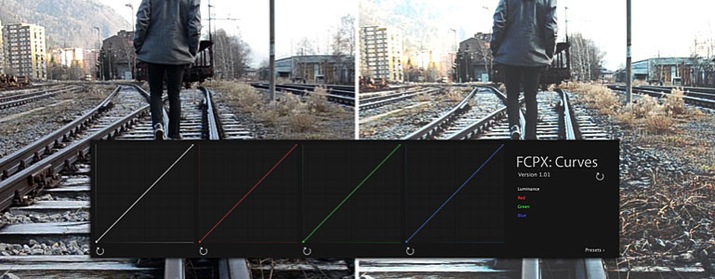
FCPX Colorist introduces curve color correcting to Final Cut Pro X. The Custom Curves Tool allows users to adjust the tone and color of their image along the Red, Blue and Green color channels. Curves can be used to color balance an image, create high-dynamic looks, control light clipping or adjust contrast.
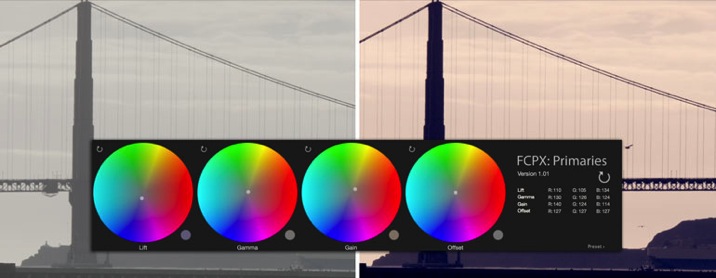
The Primary and Balance Color tools allows users to adjust the color of their image based on exposure. The Primary Tool controls the Lift, Gamma and Gain; while the Balance Tool adjusts the Shadows, Mid-tones and Highlights.
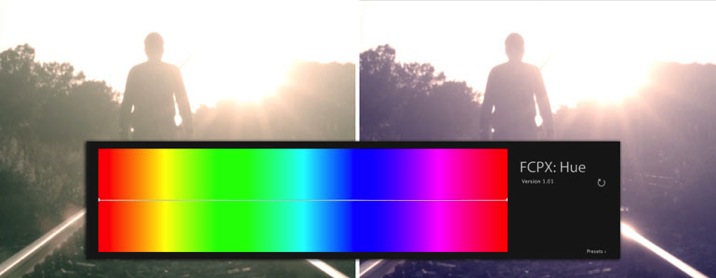
The Hue-Hue Tool allows Final Cut Pro X users to isolate a specific color range in their image and adjust the hue of it. From skin tones to eye colors, users can use this tool to correct and grade a specific range of the color spectrum in their image.
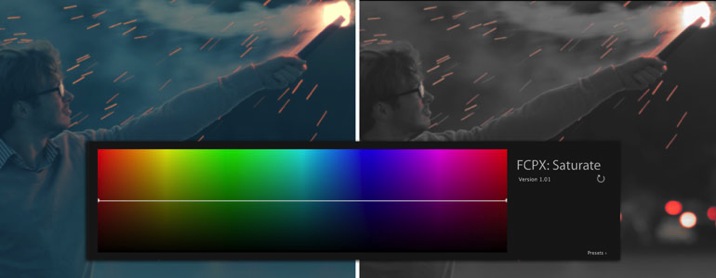
The Hue-Saturation tool allows Final Cut Pro X users to increase or decrease the saturation for a specific color range like never before. This tool can be used to create stylized looks like the Sin City effect, in which everything is black and white except for reds.
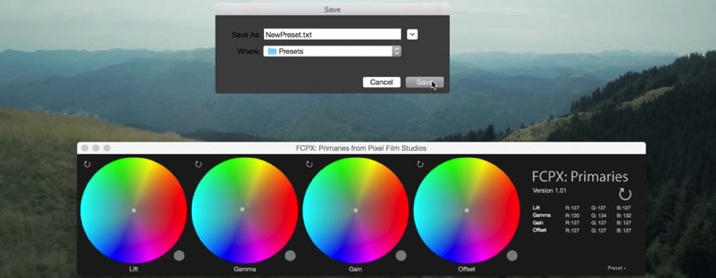
The Hue-Saturation tool allows Colorist users to increase or decrease the saturation for a specific color range. This tool can be used to create stylized looks like the Sin City effect, in which everything is black and white except for reds.

Name: Gorilla Grain Collection (16mm, 35mm & Vintage) for FCP X


Web Site: http://www.gorillagrain.com/#home


Overview
Tired of trying to achieve that film look?

Instantly add cinematic film grain to your footage!

Featuring REAL 35MM, 16MM, and VINTAGE film grain!

Includes PRORES versions for any stand alone editor and Final Cut Pro X plugins!

The Gorilla Grain Super Pack includes 21 different REAL 35mm, 16mm, and Vintage 2K film grains to achieve that precise look that you’re going for!  You can purchase the Super Pack in either H.264 MOV’s,  APPLE PRORES MOV’s or the FINAL CUT PRO X plugin to suit your needs.


Key Features
 ● Real film grain real film
 ● Compatible with any NLE
 ● 21 film grains to complement any scene / style
 ● vintage Grano!
 ● Customize the grain filter "Brightness / Contrast"
 ● Stack several grains to give a unique look
 ● Sound Camera 16MM bonus included!
 ● Real film grain film 35MM

Name: AKVIS Points Version: 3.0.258.14357 Released: February 27th, 2017 Language: Multilingual Mac Platform: Intel OS Version: OS X 10.6 or later Includes: Pre-Activation More info: http://akvis.com/en/points/index.php Overview AKVIS Points lets you transform your photos into paintings using the technique of pointillism. Pointillism is a painting technique characterized by applying of separate brush strokes in the form of dots or spots. This style is an offshoot of Impressionism. A complex hue is decomposed into individual colors, which are displayed on the canvas as dotted strokes, small dabs of paint of pure color. The optical mixing of these dots gives us the visual perception of an entire painting. The software includes ready-to-use AKVIS presets which help you start working. It’s possible to create your own presets by saving your favorite photo-to-painting settings. The program offers the choice between a flat paper and a rough surface that makes the impression even more vivid. It’s also possible to add a signature, an inscription, or a copyright watermark to the picture. The software supports the Batch Processing feature which helps you to automatically convert a series of images with the same effect settings. It is useful when you need to create a number of paintings at the same style for a book or a blog or to convert a video into a cartoon with the pointillism technique. While filtering the image, the program makes snapshots of intermediate steps. Thanks to the indispensable and spectacular Timeline feature it’s possible to create variations of paintings without adjusting the settings. The program gives at your disposal the special Post-Processing Tools to add final touches to your masterpiece, and strengthen/reduce the pointillism effect on certain areas. What's New in Version 3.0.258.14357: February 27th, 2017 • Added new effect parameters: Color Variety, Relief, Distortion, and the Hard Edges check-box. • The Shape parameter has been renamed to Aspect. • Added new parameters to the Pointillist Brush tool: Color Variety, Relief, Distortion, and the Hard Edges check-box. • Added the possibility to switch between two interface modes: Express and Advanced. • Updated the list of ready-to-use presets. Added new AKVIS presets. • Improved the plugin compatibility with Photoshop CC 2017. • Support for new RAW files for the standalone version. • Fixed bugs.

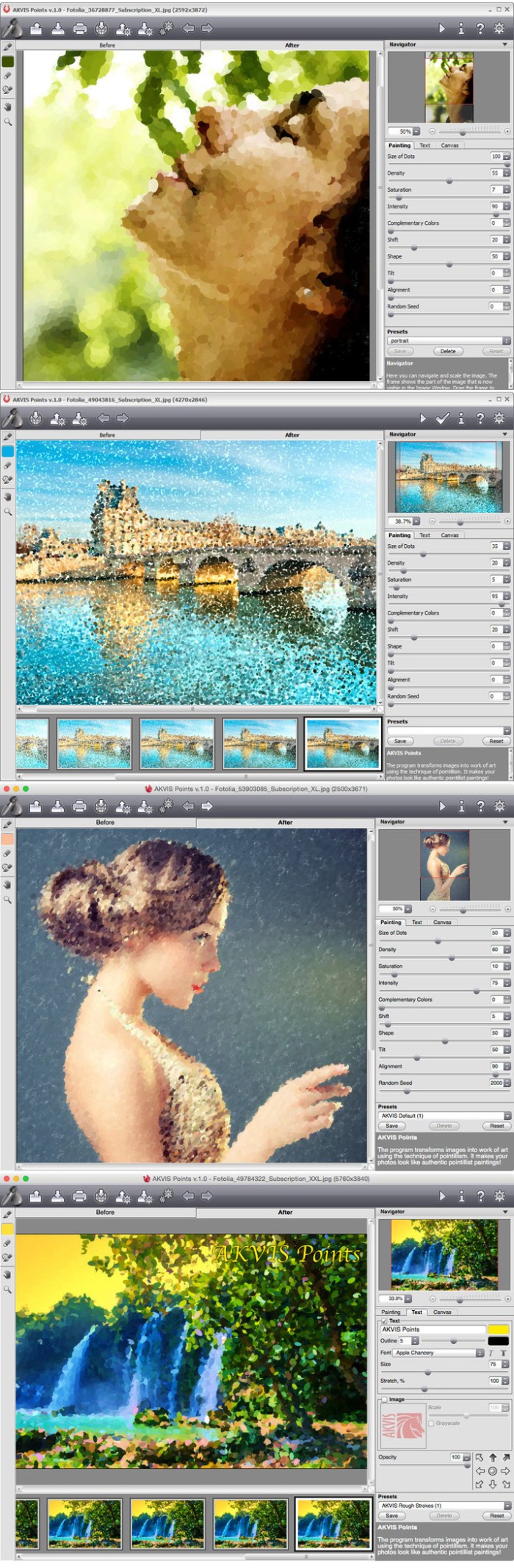
Name: Adobe CC Collection 2017 Version: 02.2017 Language: Multilingual Includes: Patch Adobe Zii v2.2.1 Web Site: http://www.adobe.com/creativecloud/features.html Overview Adobe Creative Cloud Collection - a set of cross-platform applications from Adobe Systems. The distribution includes software for graphic design, photo editing and video, web development, and access to cloud services. Includes: ● Adobe Acrobat Pro DC v2015.023.20056 ● Adobe After Effects CC 2017 v14.1.0.57 ● Adobe Animate CC 2017 v16.1.0.86 ● Adobe Audition CC 2017 v10.0.2.27 ● Adobe Bridge CC 2017 V7.0.0 ● Adobe Dreamweaver CC 2017 v17.0.1.9346 ● Adobe Illustrator CC 2017 v21.0.2.242 ● Adobe InCopy CC 2017 v12.0.0.81 ● Adobe InDesign CC 2017 v12.0.0.81 ● Adobe Media Encoder CC 2017 v11.0.2.53 ● Adobe Muse CC 2017 v2017.0.2.60 ● Adobe Photoshop CC 2017 v18.0.1.29 ● Adobe Photoshop Lightroom v6.8 CC ● Adobe Premiere Pro CC 2017 v11.0.2.47
Adobe_CC_Collection_2017[02.2017] │── Adobe_CC_Collection_2017[02.2017].zip.001 (3.00 GB) │── Adobe_CC_Collection_2017[02.2017].zip.002 (3.00 GB) │── Adobe_CC_Collection_2017[02.2017].zip.003 (3.00 GB) │── Adobe_CC_Collection_2017[02.2017].zip.004 (3.00 GB) │── Adobe_CC_Collection_2017[02.2017].zip.005 (3.00 GB) │── Adobe_CC_Collection_2017[02.2017].zip.006 (1.48 GB) └─ Descomprimir con Betterzip └─ BetterZip_v3.2.zip (11.31 MB)
Want to create a wall of monitors that are each showing a different clip or image? With PROWALL from Pixel Film Studios users can create video walls, rooms and tunnels directly inside of Final Cut Pro X, and then navigate the viewer through them with a 3D camera. With 60 different layouts and customization options, the possibilities are endless.
Web Site: http://store.pixelfilmstudios.com/product/prowall-volume-1/
Find more Pixel Film Studio Plugins

Today is going to be the day we are going to bring PROWALL to you. Fill drop zones and move the camera is all you have to do. Whether you are telling a story through images or creating a backdrop for your scene, PROWALL can be the one that saves you.
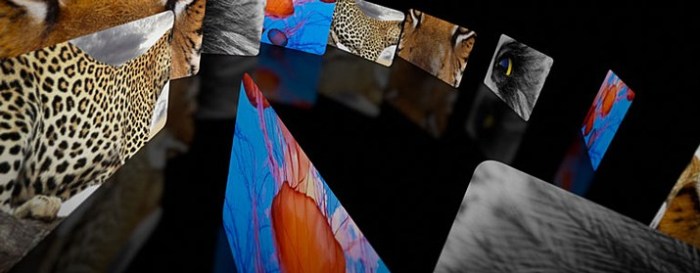
With 60 unique layouts, PROWALL can create a video wall for any situation. Quickly and easily make title sequences, slide shows, backdrops, or corporate videos directly inside Final Cut Pro X using your own footage or images.

Want to pan or glide around to reveal new videos and images in your video wall? With PROWALL, you can control a 3D camera in the FCPX Inspector to view your wall from all angles. This ability allows you to tell a story through your images as you progress through the wall, room or tunnel you have created.
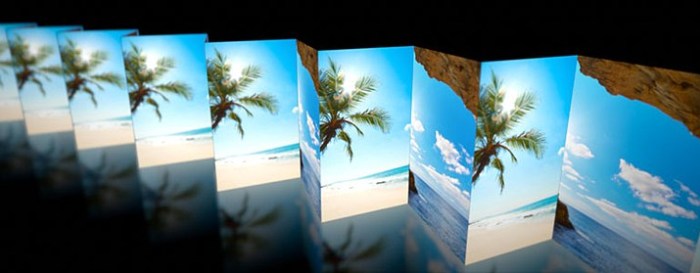
The team at Pixel Film Studios meticulously created PROWALL so that users could create and manipulate awesome 3D video walls, room, tunnels, and environments directly inside of the Final Cut Pro X viewer without having to import them from another software.

ProPalette gives users control over secluding a particular color and making adjustments with in their scene with over 70 presets all with in Final Cut Pro X. Users have the ability to alter the color’s softness, color matte levels, color levels, hue, black and white levels, black and white gradient colorization and more all with a click of a mouse.
Web Site: http://store.pixelfilmstudios.com/product/propalette/
Find more Pixel Film Studio Plugins
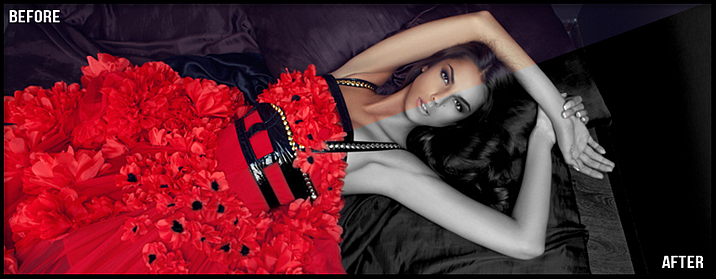
With ProPalette, users now have the ability to seclude colors with in their footage and fully customizing the hue, levels, and more. With ProPalette, users can change the mood of their project by bringing their audience’s attention to a subject matter, or simply make color alterations to their footage all with in a click of a mouse all with in Final Cut Pro X.
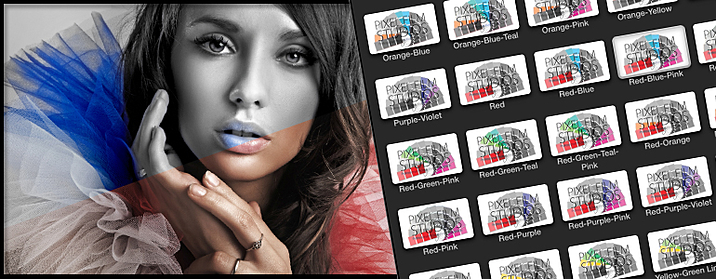
ProPalette offers a wide selection of color combinations for all sorts of situations. With ProPalette, users are given over 90 color palette combinations, each preset having it’s own color selection that is fully customizable. Users have the option of selecting a preset with one or more color seclusions by simply clicking on their color palette selection and dragging it on to their footage with in the timeline all with in Final Cut Pro X.
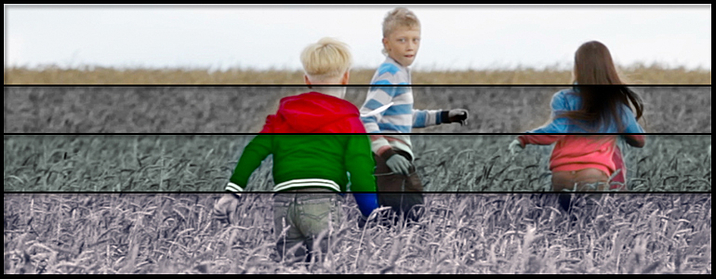
With ProPalette, easy to use published parameters each user can create their own custom colorize look with just a few clicks of a mouse. Users have the ability to alter their color matte levels, color levels, hue skew adjustment, black and white effect opacity, black and white levels, gradient colorize controls, and more. Users can make their media pop in a whole new way all with in Final Cut Pro X.
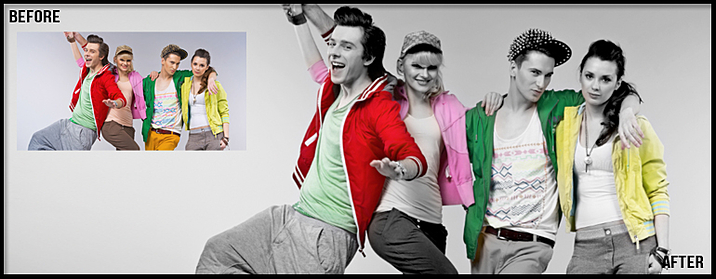
ProPalette was professionally designed to work seamlessly inside of Final Cut Pro X. As a FCPX effect, each ProPalette preset can be dragged and dropped onto the users footage and have instant results. With the published parameters found in the FCPX inspector, users have the ability to make adjustments and generate their own color palette effect with just a few clicks of a mouse.
ProText: Volume 5 gives the user 138 text animation presets to choose from. With ProText: Volume 5, users can animate their text on a custom shape or line path. Have total control over range, phase, path roundness, path offset, text location, alignment, path point controls, origin, amplitude, shape scale, shape overall position, path point positions in shape paths and line paths, and more with a click of a mouse all with in Final Cut Pro X.
ProText: Volume 5 requires Final Cut Pro X version 10.1.2 or newer.
Web Site: http://store.pixelfilmstudios.com/product/protext-volume-5/
Find more Pixel Film Studio Plugins

With ProText: Volume 5, users can animate their text on a custom shape or line path. Users have the ability to create their own shape or choose from 138 presets. Watch as the text follows the path, oscillates in multiple directions, scales, shakes, spins, swings, teeter totters, wiggles, and more all with in Final Cut Pro X. With ProText: Volume 5, animating along side or on top of has never been this simple and fun to create all with a click of mouse.

ProText: Volume 5 gives the user 138 text effect presets, as well as a color solid or a gradient color background. The user may make a selection from either 4 categories such as the text on a 3D Path, text on a line path, text on a shape path, and colorized backgrounds category. ProText: Volume 5 gives the user total control over the text speed, range, phase, path roundness, path offset, text location, alignment, path point controls, origin, amplitude, and more all with a click of a mouse.

With ProText: Volume 5, on-screen controls are fun, simple, and easy to use. Users have total control shape scale, shape overall position, and path point positions in shape paths and line paths. With these path position on-screen controls ProText: Volume 5 makes it easier for users to animate their text on or along side their subject matter. ProText: Volume 5 puts the user in total control with simple and easy to use on-screen controls all with in Final Cut Pro X.

ProText: Volume 5 was professionally designed to work seamlessly inside of Final Cut Pro X. As a FCPX title, each ProText: Volume 5 preset can be dragged and dropped onto the users footage, and can be adjusted by on-screen controls. With easy-to-use controls that can be found in the FCPX inspector, with a few adjustments the user can easily find the best look with just a few clicks of a mouse.
Final Cut Pro X users can bring their 2D images to life with PROJECTION from Pixel Film Studios. This plugin allows editors to map a photo of an alley, hallway or room onto a 3D environment in FCPX. PROJECTION also gives users the ability to add text, logos, or keyed footage to their 3D room.
PROJECTION Plugin requires FCPX 10.1.2. Mac Mini and Macbook Air computers with Intel graphics cards are not compatible with this plugin.
Web Site: http://store.pixelfilmstudios.com/product/projection/
Find more Pixel Film Studio Plugins
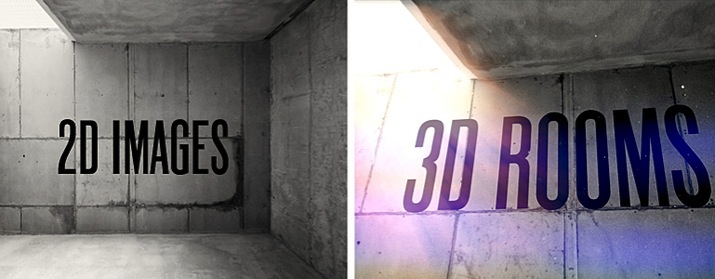
Projection allows FCPX users to project a 2D image onto a 3D room. Then with a 3D camera, editors can pan, tilt, and dolly around their environment to observer it from unique and interesting perspectives. Projection is a great tool for turning a stagnant photo into a fun and engaging journey.
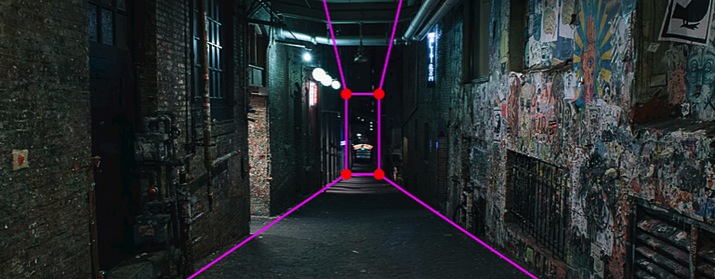
FCPX editors can take total control of their environment. With easy-to-use sliders and controls, they can adjust the depth, width, and height of their room. Then, by grabbing the on-screen controls, users can manipulate the position and rotation of the perspective lines.
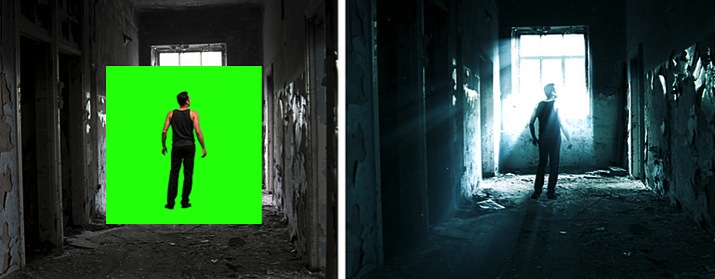
Projection is a powerful tool that can help editors create 3D title sequences quickly in Final Cut Pro X. With designated presets, users can add logos, text, or keyed footage to their scene that can interact with their environment in 3D space.
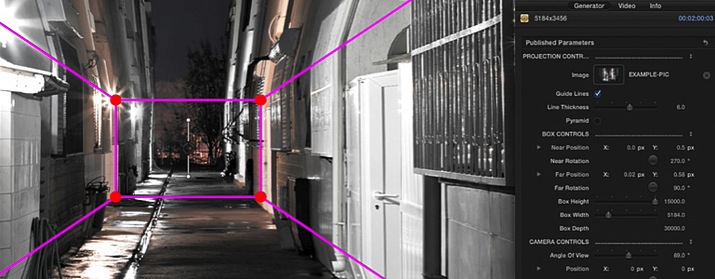
Projection was professionally designed by the team at Pixel Film Studios for FCPX. As an FCPX generator, this tool can be dragged-and-dropped onto the timeline and filled with a still image. Projection also contains easy-to-use controls built into the Final Cut Pro X Inspector that allow users to customize their environment quickly.

With 50 new text animations to choose from, prepare to create even more professional text titles in Final Cut Pro X with ProText: Volume 2 from Pixel Film Studios. This library of text animations allows you to move and replicate your text in a 3D environment or send your text into the center of a kaleidoscope, all inside FCPX.
Web Site: http://store.pixelfilmstudios.com/product/protext-volume-2/
Find more Pixel Film Studio Plugins

Choose from over 50 new text effect presets with ProText: Volume 2 from Pixel Film Studios. This collection includes everything from 3D text environments, to color fading text, and much much more. With ProText: Volume 2 you can create an artistic title that will match the look and feel of your next Final Cut Pro X project.

Turn your text into a groovy fractal pattern with one of the Kaleidoscope text effects included in ProText: Volume 2. You can use the on-screen controls to control the angle of the fractals, and then change the camera position and depth of field with the parameters in the FCPX Inspector.

Create 3D text environments in Final Cut Pro X with ProText: Volume 2. By replicating your text along 3 different axis and controlling the depth of field, you can create a deep, 3D world of text in Final Cut Pro X.

Take control of your text animations in the click of a button! Change the look and feel of your title animation with the on-screen controls in the FCPX viewer. With ProText: Volume 2, you can control the position, character start point and filter rotation all inside the viewer window.
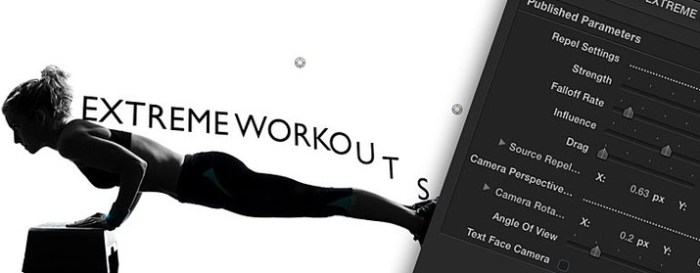
ProText: Volume 2 was designed by the team at Pixel Film Studios to work with ease inside Final Cut Pro X. Users can select the text animations they like, and adjust the length until it matches the mood and style of their film. Even change the origin points to make your title style seamlessly different.

Name: 1000 OpenType Fonts - Commercial Use Fonts Version: 4.0 Release Date: September 18, 2016 Languages: English, French, German, Italian, Japanese, Spanish Developer: 128bit Technologies MAS Rating: 4+ Mac Platform: Intel OS Version: OS X 10.6 or later Processor type(s) & speed: 64-bit processor Web Site: http://macappware.com/software/1000-opentype-fonts/ Mac App Store: https://itunes.apple.com/app/1000-opentype-fonts-commercial-use-fonts/id664501556?mt=12 Overview New commercial use fonts for creative home and business projects. Get creative with a new collection of 1,000 OpenType fonts for commercial use. The font collection includes 240 unique font family styles, with 1000 total fonts. An excellent addition to any font collector's library for use in graphic and logo design, web design, scrapbooks, presentations, invitations, promotional material, advertisements, and more. Each font is in OpenType font format and can be used for any personal and business project on both Mac and PC computers. International character support is standard for nearly every font (bar code fonts and wingding fonts do not include international character support). This collection is completely different from our Premium Fonts collection, and our Free Fonts collection. • 1,000 royalty free, commercial use fonts • 240 unique font families • All fonts in OpenType font format to use on both Mac and Windows • Commercial use license • Cross-platform compatible • Install and use in all applications that support fonts • Perfect for presentations, logos, business cards, websites, advertisements, brochures, holidays, weddings, application development and more • BONUS: Includes a custom font preview app to see how the fonts look when applied to text, before you save and install them! PLEASE NOTE: The fonts are not automatically installed when you install the application. You need to open 1000 OpenType Fonts from your Applications folder and then click the Copy Files button in the main window to save the folder of fonts to a location on your computer. The PDF sample book is in the fonts folder that is copied to your computer from the Copy Files button. Download the Webfonts versions from the Webfonts menu option. Refer to the Support page on our website if you need help using Webfonts: http://macappware.com/support/ What's New in Version 4.0: Now with Webfonts versions and a PDF sample book showing how each font family looks!