Tag Archives: Mapping

Pixel Film Studios Projection – 3D Projection Mapping for FCPX

Descriptions for Pixel Film Studios Projection – 3D Projection Mapping for FCPX

Final Cut Pro X users can bring their 2D images to life with PROJECTION from Pixel Film Studios. This plugin allows editors to map a photo of an alley, hallway or room onto a 3D environment in FCPX. PROJECTION also gives users the ability to add text, logos, or keyed footage to their 3D room.

PROJECTION Plugin requires FCPX 10.1.2. Mac Mini and Macbook Air computers with Intel graphics cards are not compatible with this plugin.

Web Site: http://store.pixelfilmstudios.com/product/projection/

Find more Pixel Film Studio Plugins

3D Projection Mapping Tools with Projection in Final Cut Pro X

From 2D to 3D in FCPX

Pixel Film Studios Projection description image 1

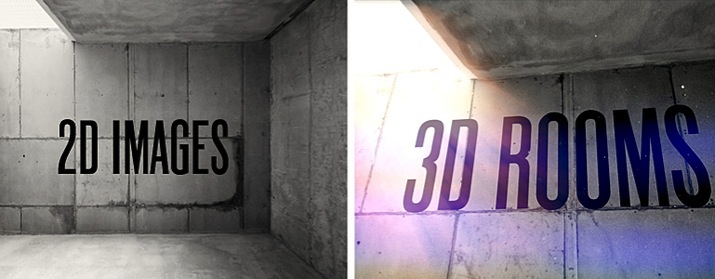
Projection allows FCPX users to project a 2D image onto a 3D room. Then with a 3D camera, editors can pan, tilt, and dolly around their environment to observer it from unique and interesting perspectives. Projection is a great tool for turning a stagnant photo into a fun and engaging journey.

Control the Environment

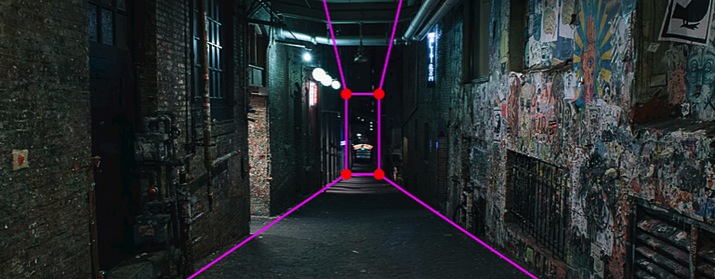
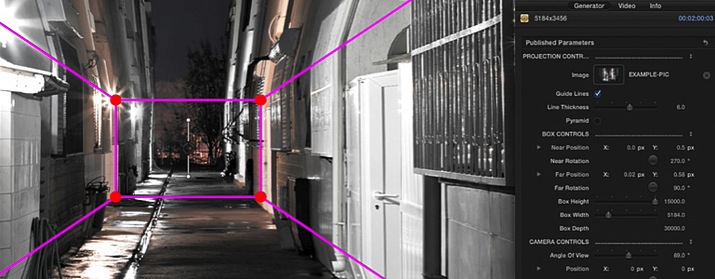
FCPX editors can take total control of their environment. With easy-to-use sliders and controls, they can adjust the depth, width, and height of their room. Then, by grabbing the on-screen controls, users can manipulate the position and rotation of the perspective lines.

Add Text or Keyed Footage

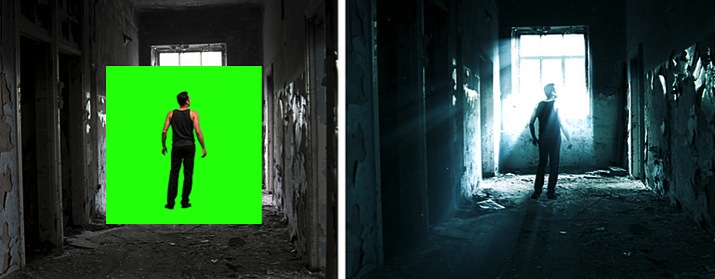
Projection is a powerful tool that can help editors create 3D title sequences quickly in Final Cut Pro X. With designated presets, users can add logos, text, or keyed footage to their scene that can interact with their environment in 3D space.

Designed for Final Cut Pro X

Projection was professionally designed by the team at Pixel Film Studios for FCPX. As an FCPX generator, this tool can be dragged-and-dropped onto the timeline and filled with a still image. Projection also contains easy-to-use controls built into the Final Cut Pro X Inspector that allow users to customize their environment quickly.


PIXEL FILM STUDIOS PROJECTION – PROJECTION MAPPING FOR FCPX

Name Pixel Film Studios – Projection.dmg
Size 14.34 MB
Created on 2018-04-11 09:40:58
Hash fb3752aad7cc3220ad9c72afd2071493312d2256
Files Pixel Film Studios – Projection.dmg (14.34 MB)

Oh! My Mind Mapping 2 PRO 6.2.1 (1.2.1)

Descriptions for Oh! My Mind Mapping 2 PRO 6.2.1 (1.2.1)

Name: Oh! My Mind Mapping 2 PRO
Version: 6.1.14

Languages: English, French, German, Italian, Japanese, Korean, Portuguese, Russian, Simplified Chinese, Spanish

Developer: New Technologies
Mac Platform: Intel
OS Version: OS X 10.10 or later
Processor type(s) & speed: 64-bit processor

Includes: Pre-K’ed (In-app Purchase: PRO)
Courtesy of TNT

Web Site: http://newtech-ltd.com
Mac App Store: https://itunes.apple.com/app/oh-my-mind-mapping-2/id1140048806?mt=12

Overview

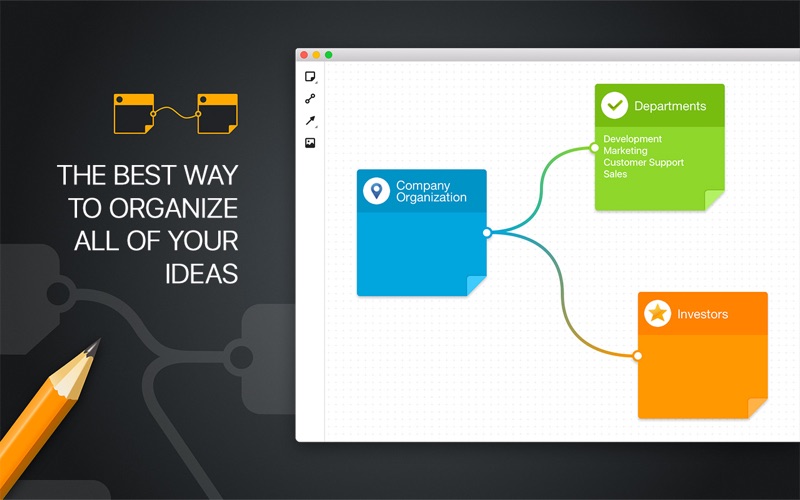
Memorize ideas or organize your brainstorming process in the most convenient way with Oh My Mind Mapping 2. Pick all your ideas together and create a clear mind map. Visual diagrams will help you to keep in mind any flow of information!

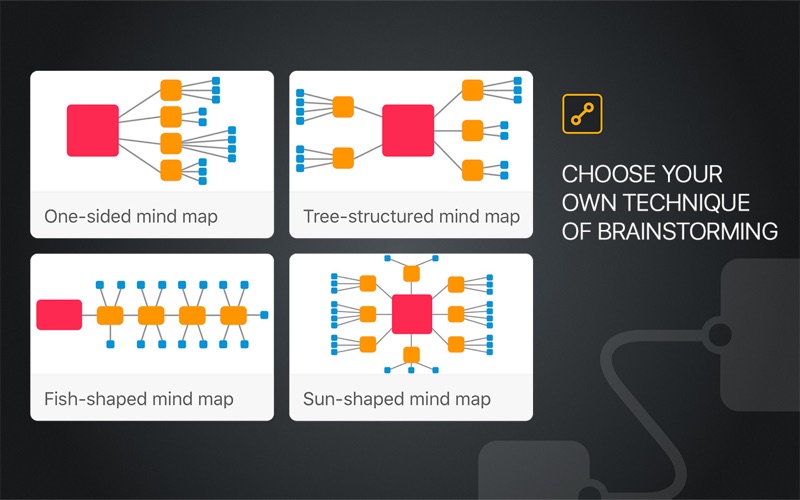
DIFFERENT PRE-INSTALLED TYPES OF VISUALIZATION

– One-sided mind map;
– Tree-structured;
– Fish-shaped;
– Sun-shaped.

BRING YOUR THOUGHTS IN ORDER

– Enter your thoughts, drawing a scheme;
– Use various templates or create your own;

SMART REPRESENTATION

– Different layouts structures vary depending on the purpose;
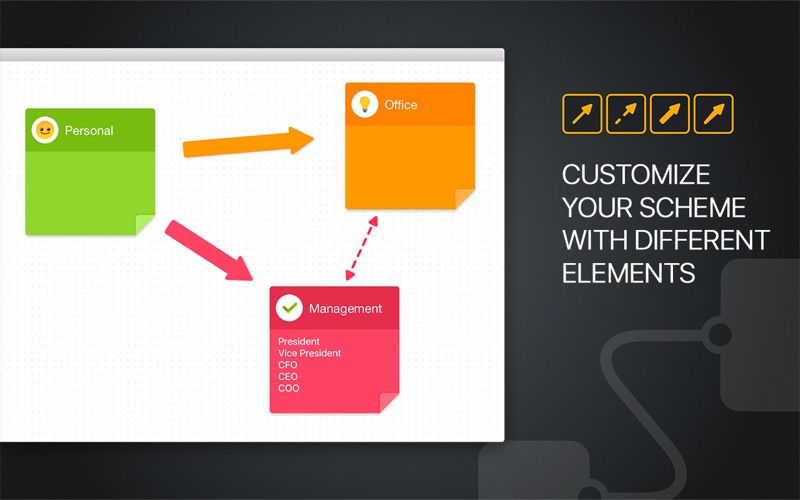
– 3 elements to work with: arrows, stickers and images;
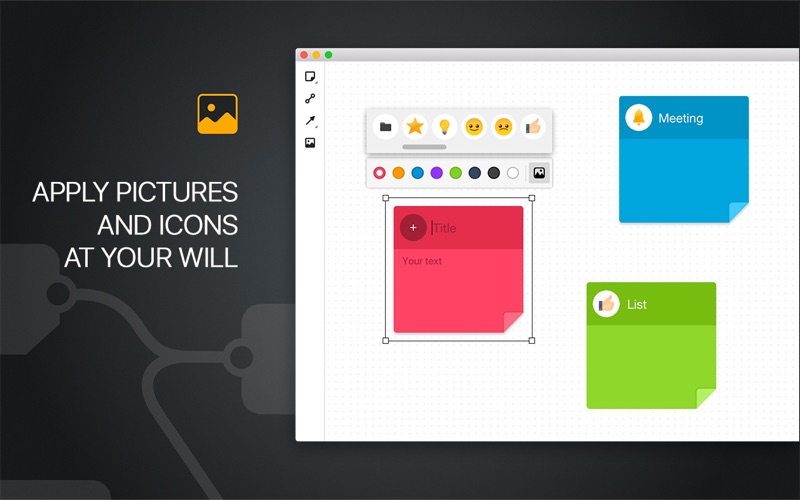
– Apply images or icons to stickers;
– Opportunity to interconnect stickers.

SHOW RESULTS OF BRAINSTORMING

– Save&share all your ideas;
– Print out your projects.

With user-friendly control and understandable functions of Oh! My Mind Mapping 2, the brainstorming process becomes easy and convenient!

What’s New in Oh! My Mind Mapping 2 PRO 6.2.1 (1.2.1)

・Release notes not available at the time of this post.

Screenshots

Name Oh My Mind Mapping 2 Pro 6 2 1 1 2 1 MAS In-App TNT.dmg
Size 15.07 MB
Created on 2018-03-10 19:39:23
Hash 509a7835ca03bbdbca42d86a933d2bcd3a577f20
Files Oh My Mind Mapping 2 Pro 6 2 1 1 2 1 MAS In-App TNT.dmg (15.07 MB)

CrumplePop – ToneGrade: HDR and Tone Mapping (Final Cut Pro X)

Description

Name: ToneGrade: HDR and Tone Mapping
Mac Platform: Intel
OS Version: OS X 10.6.8 or later
Software requirements: Final Cut Pro 10.0.8 or later
Graphics card requirements: OpenCL-capable graphics card or Intel HD Graphics 3000 or later

Supported cameras:
 ● All Canon DSLRs
 ● All Nikon DSLRs
 ● All Panasonic DSLRs 
 ● Black Magic Cinema Cameras
 ● Sony NEX, HVR, HXR, HDR and PMW series camcorders
 ● Panasonic AG, AF, HMC, HDC, HC series camcorders
 ● All GoPro Hero Series
 ● most other h.264 and AVCHD format cameras


Web Site: http://www.crumplepop.com/hdr-fcpx-plugin/


Overview
ToneGrade™ easily applies HDR tone mapping to your footage. Create visual striking, “hyper real” color grades by using ToneGrade™ in Final Cut Pro X.

 • Add striking character to your footage
 • Restore detail without introducing noise
 • Soften skin tones with skin smoothing controls


Easy Tone Mapping within FCPX
Tone mapping is an image processing technique that simulates the properties of HDR photography. 

ToneGrade allows you to easily and quickly apply tone mapping to your footage. The result is a frame with an expanded range of detail in both highlights and shadows.


Recovery Detail Easily
ToneGrade™ also allows you to restore fine detail in your frame. 

Unlike sharpening filters, ToneGrade™ overlays multiple luma layers to pull out detail with very little added noise creating a simultaneously tack-sharp and natural looking image.


Fast Final Cut Pro X Color Grading
To round out the HDR effect, ToneGrade™ provides a set of easy, powerful FCPX color grading tools. 

A single control allows you to cool or warm your footage, and a skin smoothing control softens skin tones. The result is a beautiful HDR color grade that would require multiple third party add-ons.

Name CrumplePop_ToneGrade.dmg.zip
Size 1.10 MB
Created on 2017-04-14 03:59:55
Hash 03d6b454cbf3a1f6c281dc091c5c9095b6380dc5
Files CrumplePop_ToneGrade.dmg.zip (1.10 MB)

Pixel Film Studios – ProJection – 3D Projection Mapping for Final Cut Pro X

Pixel Film Studios – ProJection – 3D Projection Mapping for FCPX

Final Cut Pro X users can bring their 2D images to life with PROJECTION from Pixel Film Studios. This plugin allows editors to map a photo of an alley, hallway or room onto a 3D environment in FCPX. PROJECTION also gives users the ability to add text, logos, or keyed footage to their 3D room.

PROJECTION Plugin requires FCPX 10.1.2. Mac Mini and Macbook Air computers with Intel graphics cards are not compatible with this plugin.

Web Site: http://store.pixelfilmstudios.com/product/projection/

Find more Pixel Film Studio Plugins

3D Projection Mapping Tools with Projection in Final Cut Pro X

From 2D to 3D in FCPX
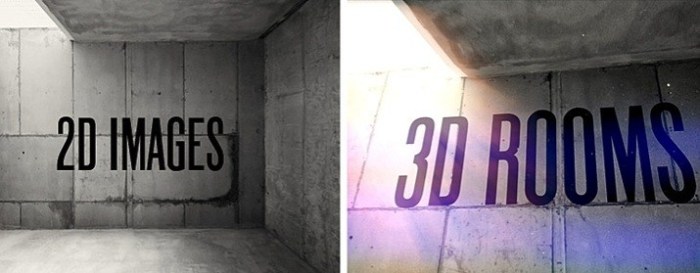
Projection allows FCPX users to project a 2D image onto a 3D room. Then with a 3D camera, editors can pan, tilt, and dolly around their environment to observer it from unique and interesting perspectives. Projection is a great tool for turning a stagnant photo into a fun and engaging journey.

Control the Environment
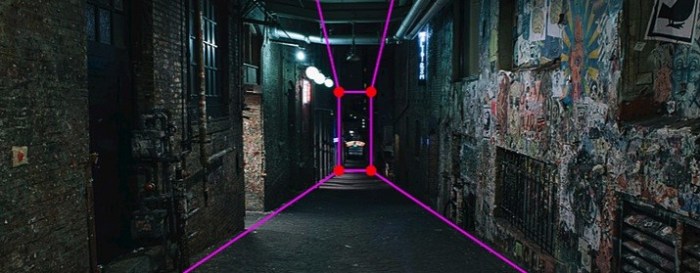
FCPX editors can take total control of their environment. With easy-to-use sliders and controls, they can adjust the depth, width, and height of their room. Then, by grabbing the on-screen controls, users can manipulate the position and rotation of the perspective lines.

Add Text or Keyed Footage
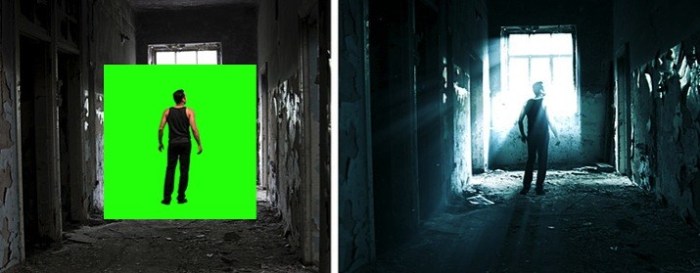
Projection is a powerful tool that can help editors create 3D title sequences quickly in Final Cut Pro X. With designated presets, users can add logos, text, or keyed footage to their scene that can interact with their environment in 3D space.

Designed for Final Cut Pro X
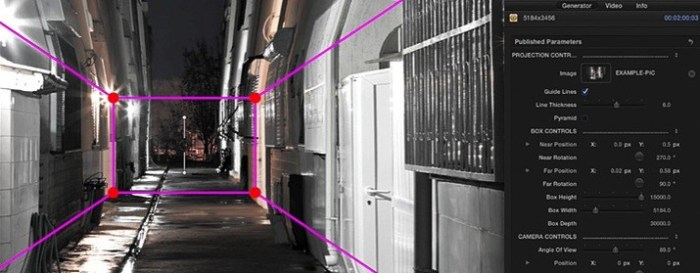
Projection was professionally designed by the team at Pixel Film Studios for FCPX. As an FCPX generator, this tool can be dragged-and-dropped onto the timeline and filled with a still image. Projection also contains easy-to-use controls built into the Final Cut Pro X Inspector that allow users to customize their environment quickly.


PIXEL FILM STUDIOS – PROJECTION – PROJECTION MAPPING FOR FCPX

Name Pixel Film Studios Projection.zip
Size 33.97 MB
Created on 2017-02-13 01:48:01
Hash 5fdc77df36ce60976abe8aa1f6c86afa087ad9f4
Files Pixel_Film_Studios_Projection.zip (33.97 MB)