Tag Archives: HDR

ON1 HDR 2023.5 v17.5.1.14028

Name: ON1_HDR_2023.5_v17.5.1.14028_[TNT]_Mactorrents.biz.dmg
Size: 1.77 GB
Files ON1_HDR_2023.5_v17.5.1.14028_[TNT]_Mactorrents.biz.dmg[1.77 GB]

   Download Torrent
   Link Download

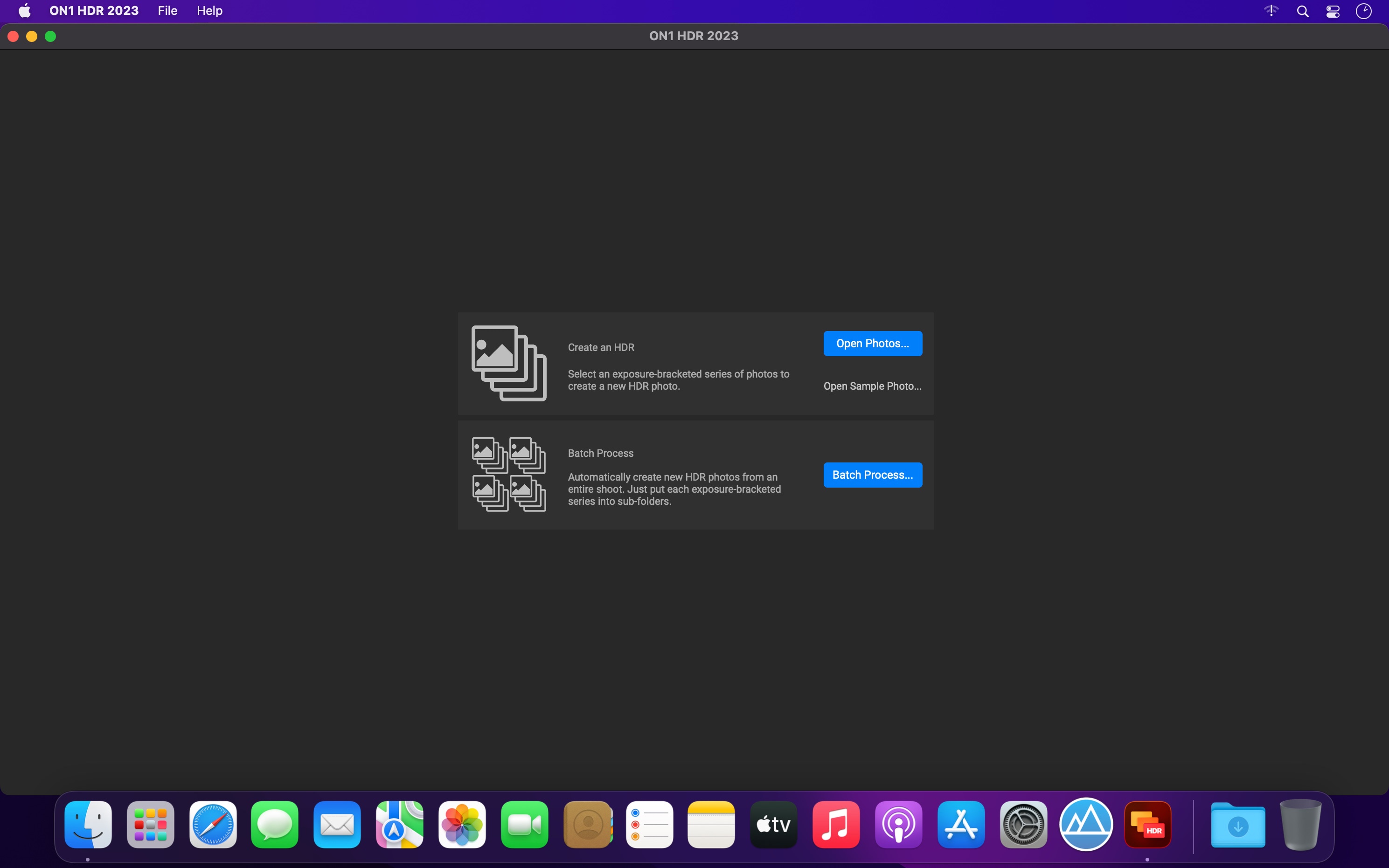
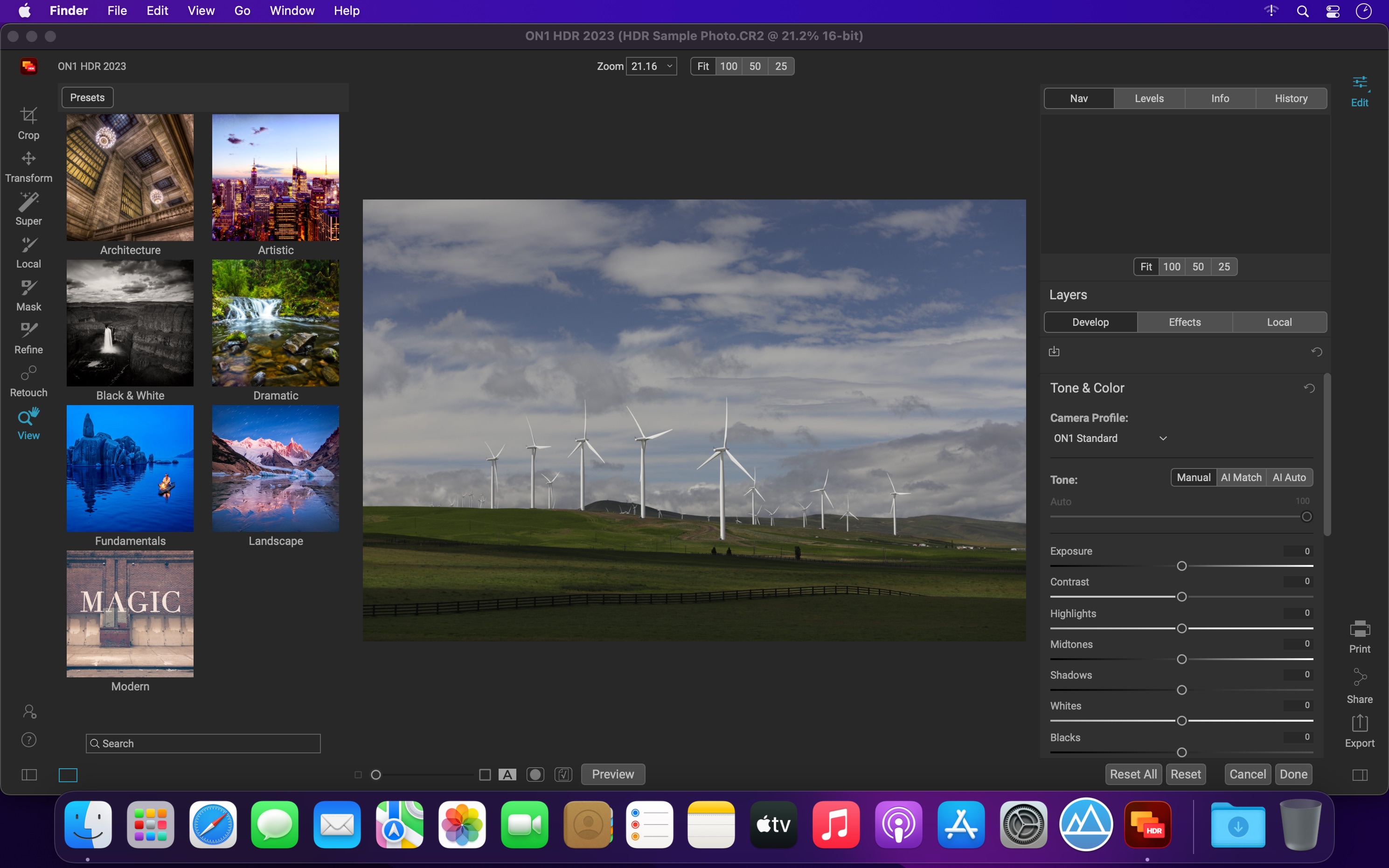
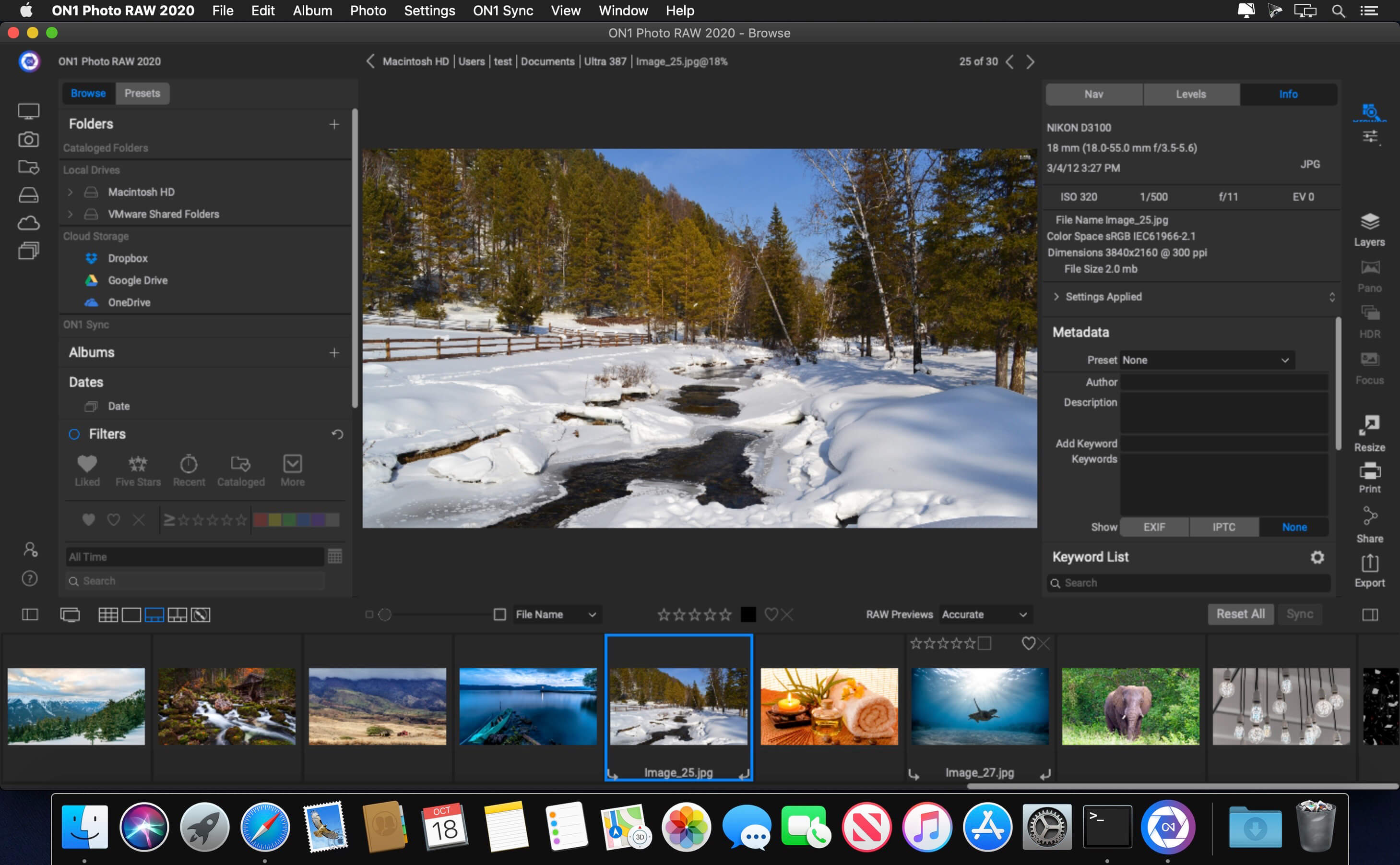
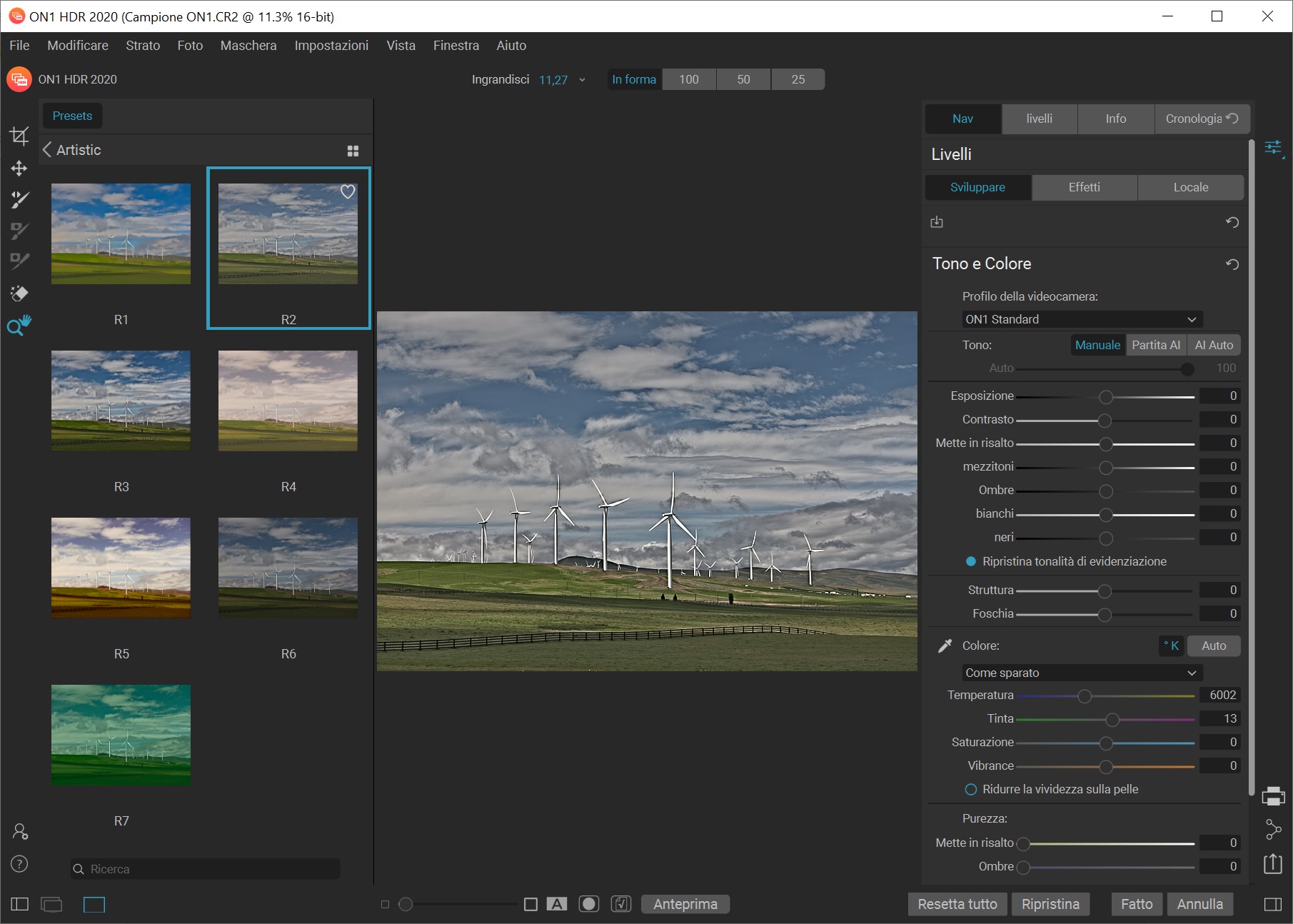
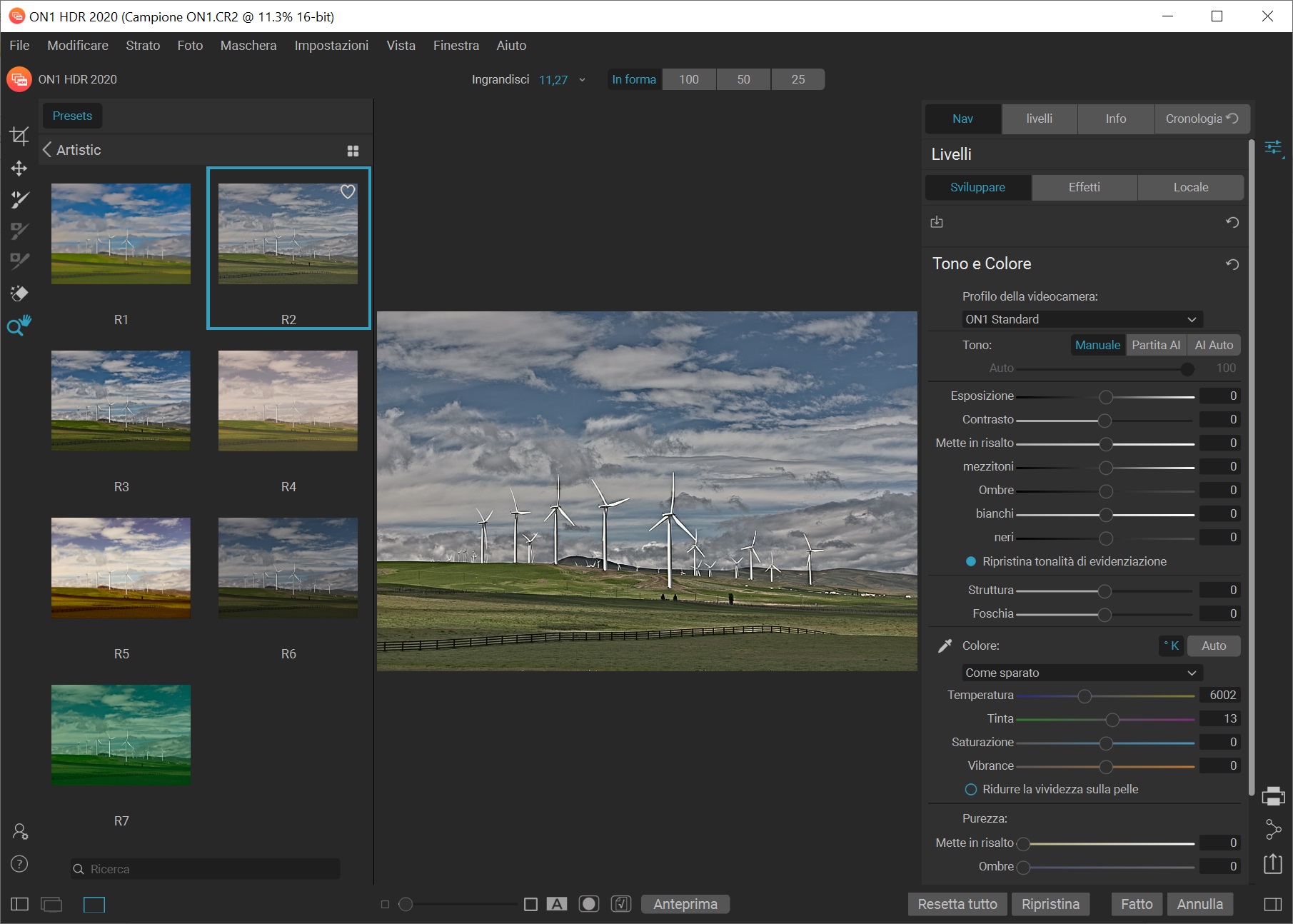
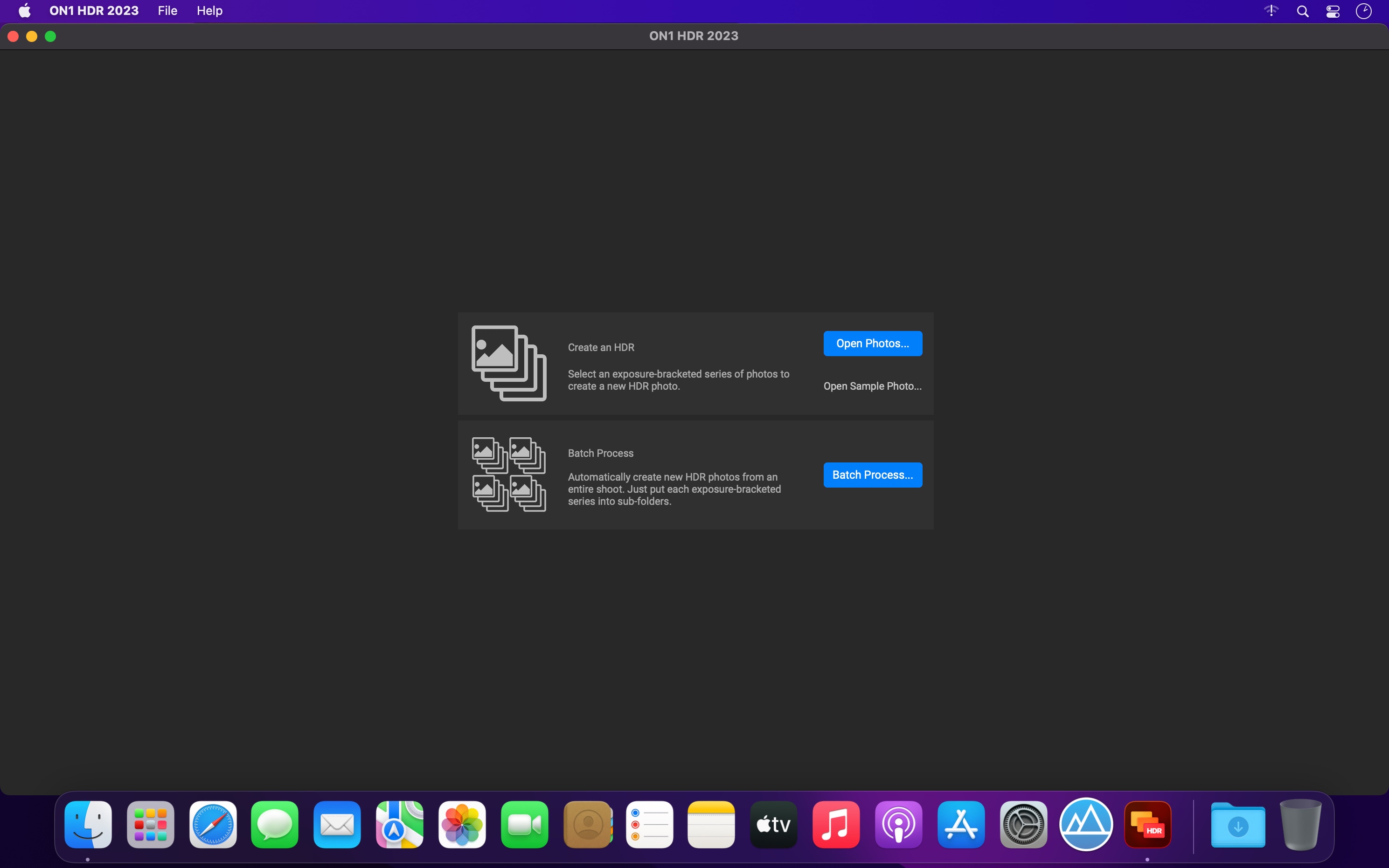
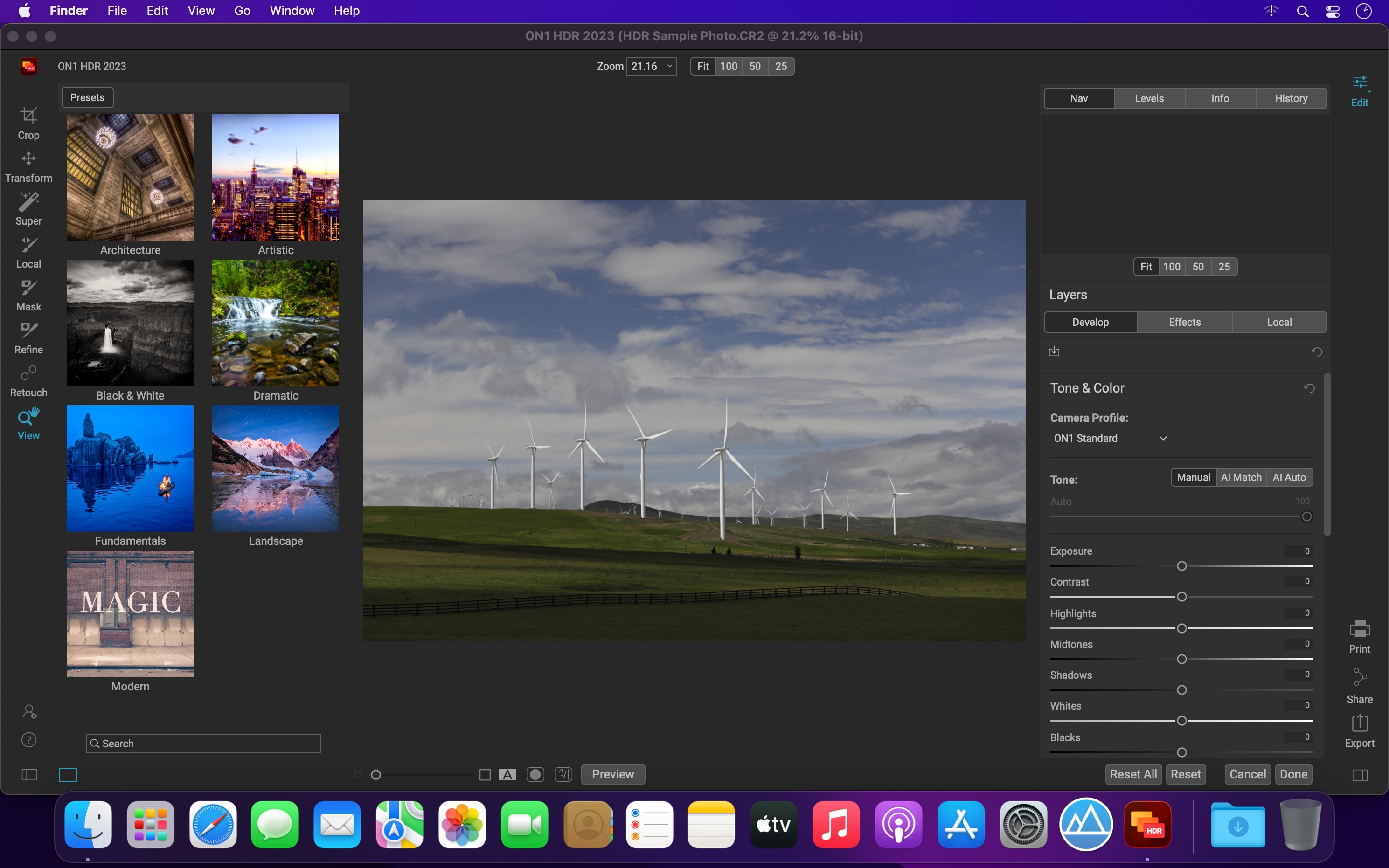
ON1 HDR 2023 creates flawless, natural HDR photos, that combine the highlight and shadow details from a bracket of exposures, in the blink of an eye. You can control the movement, such as clouds and running water with a live preview. Then, perfect your HDR photos with powerful tools and presets that showcase your creativity. ON1 HDR works as both a standalone and a plug-in for Lightroom® Classic CC.

Speed
Slow previews are a thing of the past. Get results in seconds vs. minutes when compared to the competition.

Control
You control the motion with live de-ghosting controls. Everything you need to make it look great including tone & color, layers, retouching and special effects.

Re-Editable
Preview and control noise reduction, lens corrections, and chromatic aberration anytime. Re-edit any of your settings at a later date in ON1 HDR.

Create Awe-Inspiring HDR.
Tone mapping and merging exposure brackets combined with layers allows you to combine other HDR photos and even alternate exposures.

  • Auto-aligns photos & removes ghosting
  • Up to 7x faster than leading HDR apps
  • Combine other exposures with HDR photos
  • Create natural or surreal looking HDR photos

Get HDR Looks From a Single Photo!
You don’t have to shoot a bracket of exposures to create an HDR look. With ON1 HDR you can open a single, well exposed raw photo and use the HDR toolset to reveal all of the shadow and highlight detail.

Batch process the creation of your HDR files, perfect for real estate photographers.
Your files work with HDR’s broad file support. It can handle raw photos from over 800 cameras spanning 20 years. Plus, it supports PSD, TIF, JPG, PNG, and HEIC.

Get Creative HDR with the Best Photo Effects
Nine powerful photo effects filters work like filters you can stack on your camera lens. Mix and combine color and tone enhancers, HDR Look, Dynamic Contrast, Glow, Black and White, LUTs, and more. It even includes tons of professional-grade presets to get you started.

Plug-in & Integrate

  • Plug-in to Adobe® Lightroom® Classic
  • Batch process the creation of your HDR files, perfect for real estate photographers.
  • Your files will work with HDR’s broad file support. It can handle raw photos from over 800 cameras spanning 20 years. Plus it supports PSD, TIF, JPG, PNG, and HEIC.

What’s New:

Version 2023 v17.1.0.13508:

  • Improved the masking fidelity and consistency of the AI Masking features: Super Select AI, Mask AI, Quick Mask AI, and AI Adaptive Presets
  • Improved the performance of the Mask Refine Brush
  • Improved raw file opening speed by 33%
  • Reduced Vulkan errors on Windows that could prevent launching
  • Reduced pixelation when using content-aware crop and the Perfect Eraser
  • Fixed an issue that could cause the log file to grow large
  • Fixed an issue where the menus could disappear on Windows when using full-screen mode
  • Added raw file support for:
    • Fujifilm X-T5
    • OM Systems OM-5
    • Sony a7RV (ILCE-7RM5)
  • Added lens profiles for:
    • Canon PowerShot G7 X Mark III
    • Samsung Galaxy S21 ultrawide
    • Canon RF 35mm F1.8 MACRO IS STM
    • NIKKOR Z 24-120mm f/4 S
    • Leica D Vario-Elmar 14-150mm f/3.5-5.6 Asph. OIS
    • Samyang XP 10mm f/3.5
    • Sony E 11mm F1.8
    • Sony FE 14mm F1.8 GM
    • Sony FE 40mm F2.5 G
    • Sony FE 50mm F1.2 GM
    • Mitakon Speedmaster 50mm f/0.95 III
    • Voigtlander Color Skopar 20mm F3.5 SLII Aspherical

Compatibility: macOS 10.15 or later, Apple Silicon or Intel Core processor
Homepage https://www.on1.com/

Screenshots

ON1 HDR 2023.1 v17.1.1.13620

Name: ON1_HDR_2023.1_v17.1.1.13620__TNT_Mactorrents.biz.dmg
Size: 1.8 GB
Files ON1_HDR_2023.1_v17.1.1.13620__TNT_Mactorrents.biz.dmg[1.8 GB]

   Download Torrent

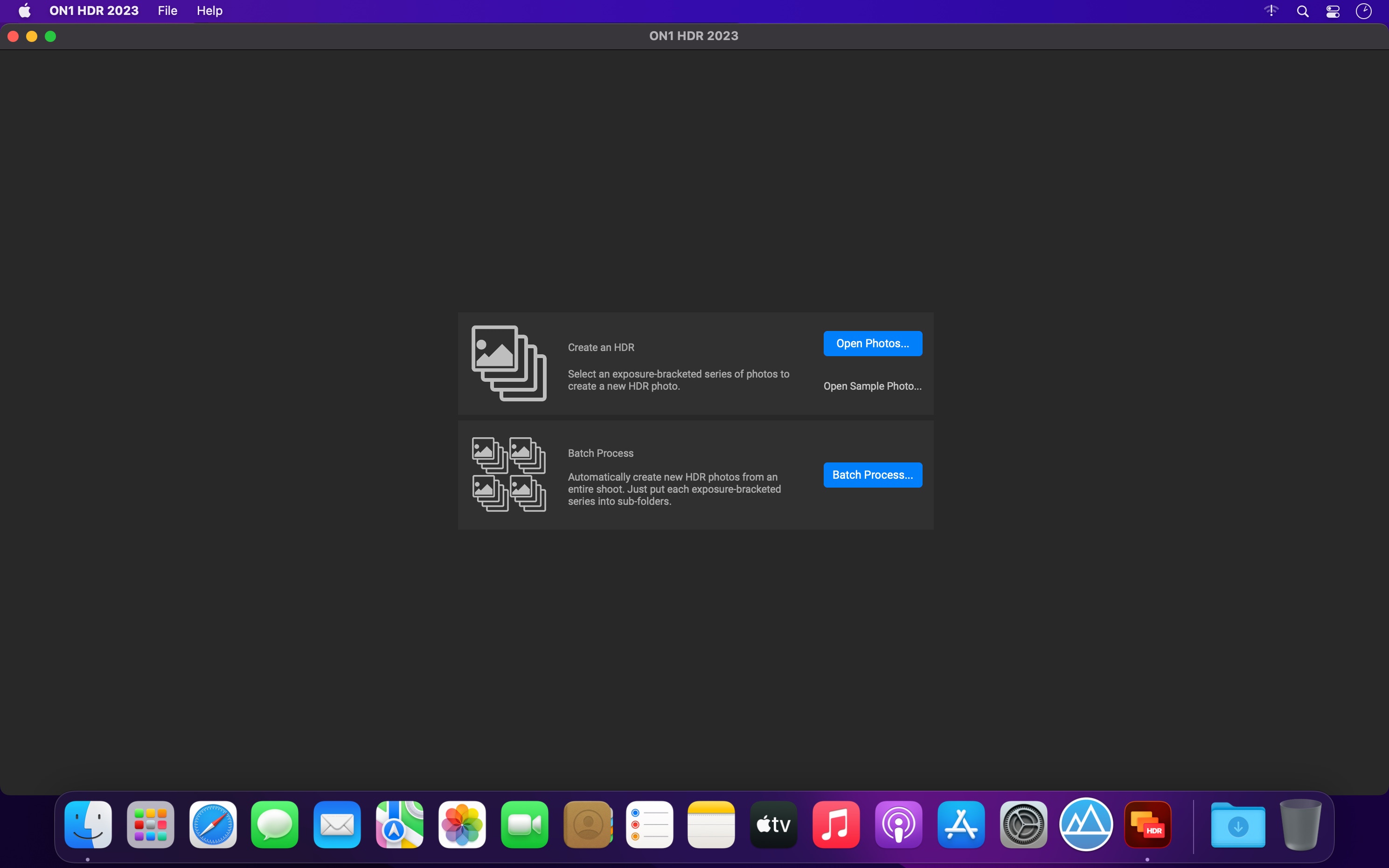
ON1 HDR 2023 creates flawless, natural HDR photos, that combine the highlight and shadow details from a bracket of exposures, in the blink of an eye. You can control the movement, such as clouds and running water with a live preview. Then, perfect your HDR photos with powerful tools and presets that showcase your creativity. ON1 HDR works as both a standalone and a plug-in for Lightroom® Classic CC.

Plug-in & Integrate

  • Plug-in to Adobe® Lightroom® Classic
  • Batch process the creation of your HDR files, perfect for real estate photographers.
  • Your files will work with HDR’s broad file support. It can handle raw photos from over 800 cameras spanning 20 years. Plus it supports PSD, TIF, JPG, PNG, and HEIC.

What’s New:

Version 2023.1 v17.1.1.13620:

  • Release notes were unavailable when this listing was updated.

Compatibility: macOS 10.15 or later
Homepage https://www.on1.com/

Screenshots

ON1 HDR 2023 v17.0.2.13102

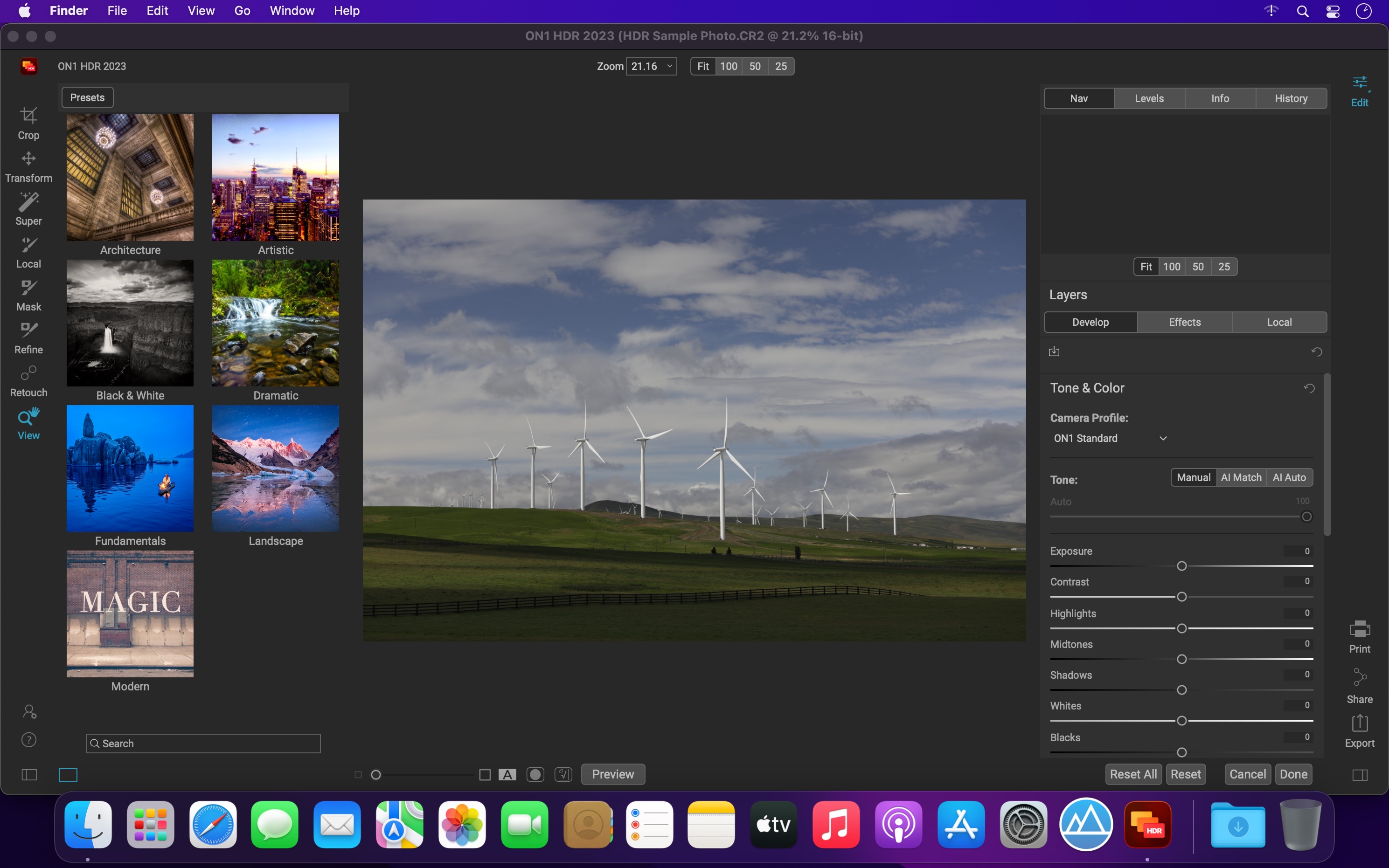
ON1 HDR 2023 creates flawless, natural HDR photos, that combine the highlight and shadow details from a bracket of exposures, in the blink of an eye. You can control the movement, such as clouds and running water with a live preview. Then, perfect your HDR photos with powerful tools and presets that showcase your creativity. ON1 HDR works as both a standalone and a plug-in for Lightroom® Classic CC.

Plug-in & Integrate

  • Plug-in to Adobe® Lightroom® Classic
  • Batch process the creation of your HDR files, perfect for real estate photographers.
  • Your files will work with HDR’s broad file support. It can handle raw photos from over 800 cameras spanning 20 years. Plus it supports PSD, TIF, JPG, PNG, and HEIC.

What’s New:

Version 2023 v17.0.2.13102:

  • Release notes were unavailable when this listing was updated.

Compatibility: macOS 10.15 or later
Homepage https://www.on1.com/

Screenshots


Name: ON1_HDR_2023_v17.0.2.13102_[TNT]_Mactorrents.is.dmg
Size: 1.76 GB
Files ON1_HDR_2023_v17.0.2.13102_[TNT]_ Mactorrents.is.dmg[1.76 GB]

   Download

ON1 HDR 2023 v17.0.1.12976

ON1 HDR 2023 creates flawless, natural HDR photos, that combine the highlight and shadow details from a bracket of exposures, in the blink of an eye. You can control the movement, such as clouds and running water with a live preview. Then, perfect your HDR photos with powerful tools and presets that showcase your creativity. ON1 HDR works as both a standalone and a plug-in for Lightroom® Classic CC.

Plug-in & Integrate

  • Plug-in to Adobe® Lightroom® Classic
  • Batch process the creation of your HDR files, perfect for real estate photographers.
  • Your files will work with HDR’s broad file support. It can handle raw photos from over 800 cameras spanning 20 years. Plus it supports PSD, TIF, JPG, PNG, and HEIC.

What’s New:

Version 2023 v17.0.1.12976:

  • Release notes were unavailable when this listing was updated.

Compatibility: macOS 10.15 or later
Homepage https://www.on1.com/

Screenshots

Name: ON1 HDR 2023 v17.0.1.12976 [HCiSO]_Mactorrents.is.dmg
Size: 1.58 GB
Files ON1 HDR 2023 v17.0.1.12976 [HCiSO]_ Mactorrents.is.dmg[1.58 GB]

   Download

ON1 HDR 2021 v15.0.1.9783

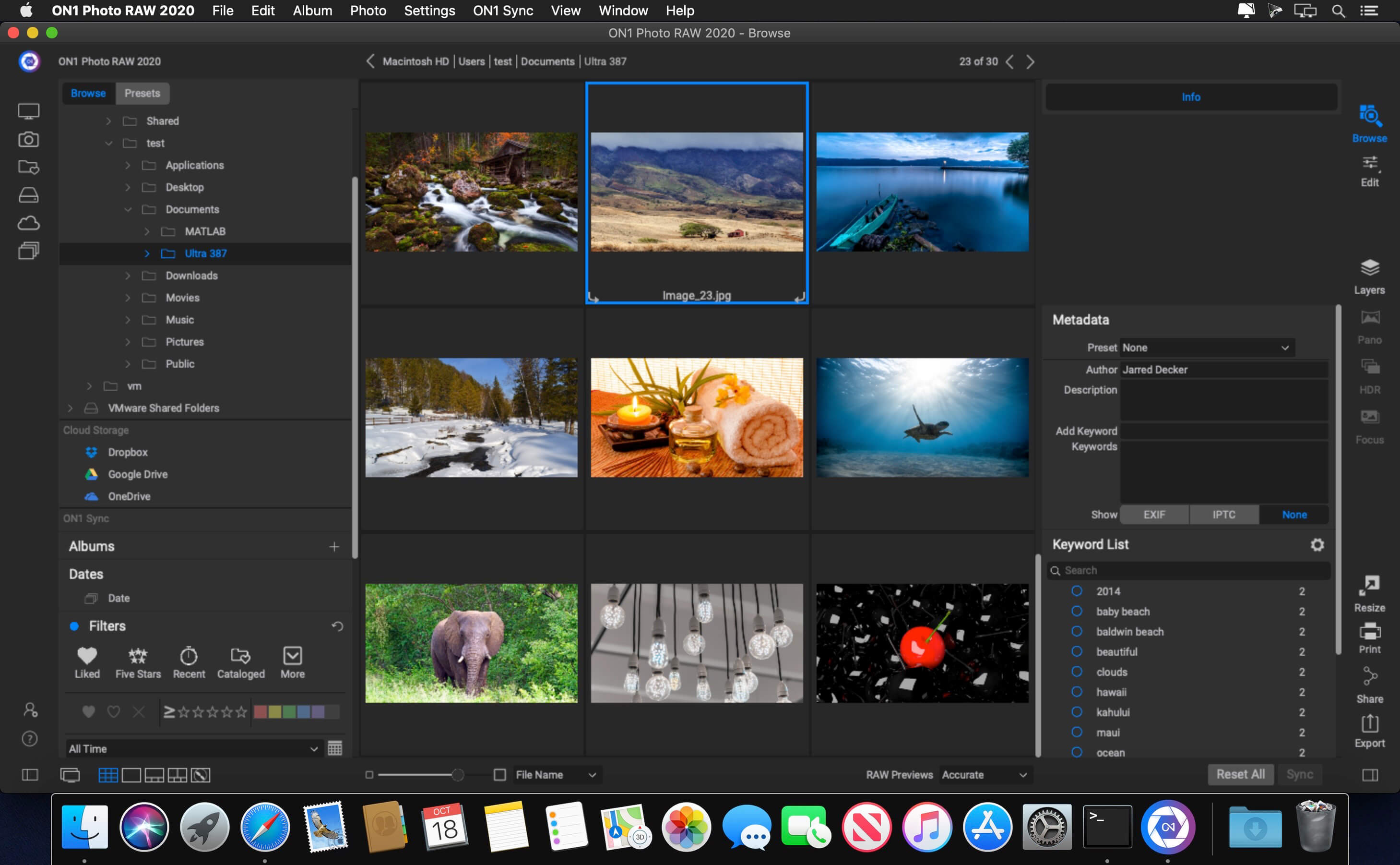
ON1 Resize (formerly known as Perfect Resize Standard) is a straightforward image resizing application that provides a set of tools designed to help you get your pictures ready for print. Organize & Resize. ON1 Resize just got a whole lot better. The NEW ON1 Resize now includes one of the fastest ways to view, cull, and edit photos–ON1 Browse. It’s the new starting point for your editing and resizing workflow.

ON1 Resize uses the Genuine Fractals technology in order to provide high quality image enlargements without the loss of details or sharpness in your pictures.
From ON1 Resize’s main window, you can go through your picture collection and preview your images with ease. What is more, ON1 Resize helps you browse pictures stored in Dropbox, Google Driver, OneDrive or iCloud Photo Stream.

Compatibility: OS X 10.11 or later, 64-bit processor
Homepage https://www.on1.com/

Screenshots

Name: ON1_HDR_2021_15.0.1__9783___TNT_Mactorrents.io.dmg
Size: 1.01 GB
Files ON1_HDR_2021_15.0.1__9783___TNT_Mactorrents.io.dmg[1.01 GB]

   Download

ON1 HDR 2020.1 v14.1.1.8876

ON1 HDR 2020 creates flawless, natural HDR photos, that combine the highlight and shadow details from a bracket of exposures, in the blink of an eye. You can control the movement, such as clouds and running water with a live preview. Then, perfect your HDR photos with powerful tools and presets that showcase your creativity. ON1 HDR works as both a standalone and a plug-in for Lightroom® Classic CC.

Plug-in & Integrate
– Plug-in to Adobe® Lightroom® Classic
– Batch process the creation of your HDR files, perfect for real estate photographers.
– Your files will work with HDR’s broad file support. It can handle raw photos from over 800 cameras spanning 20 years. Plus it supports PSD, TIF, JPG, PNG, and HEIC.

Compatibility: macOS 10.11 or later 64-bit
Homepage https://www.on1.com

Screenshots

Name: ON1_HDR_2020.1_14.1.1.8876__TNT_Mactorrents.io.dmg
Size: 879 MB
Files ON1_HDR_2020.1_14.1.1.8876__TNT_Mactorrents.io.dmg[879 MB]

   Download

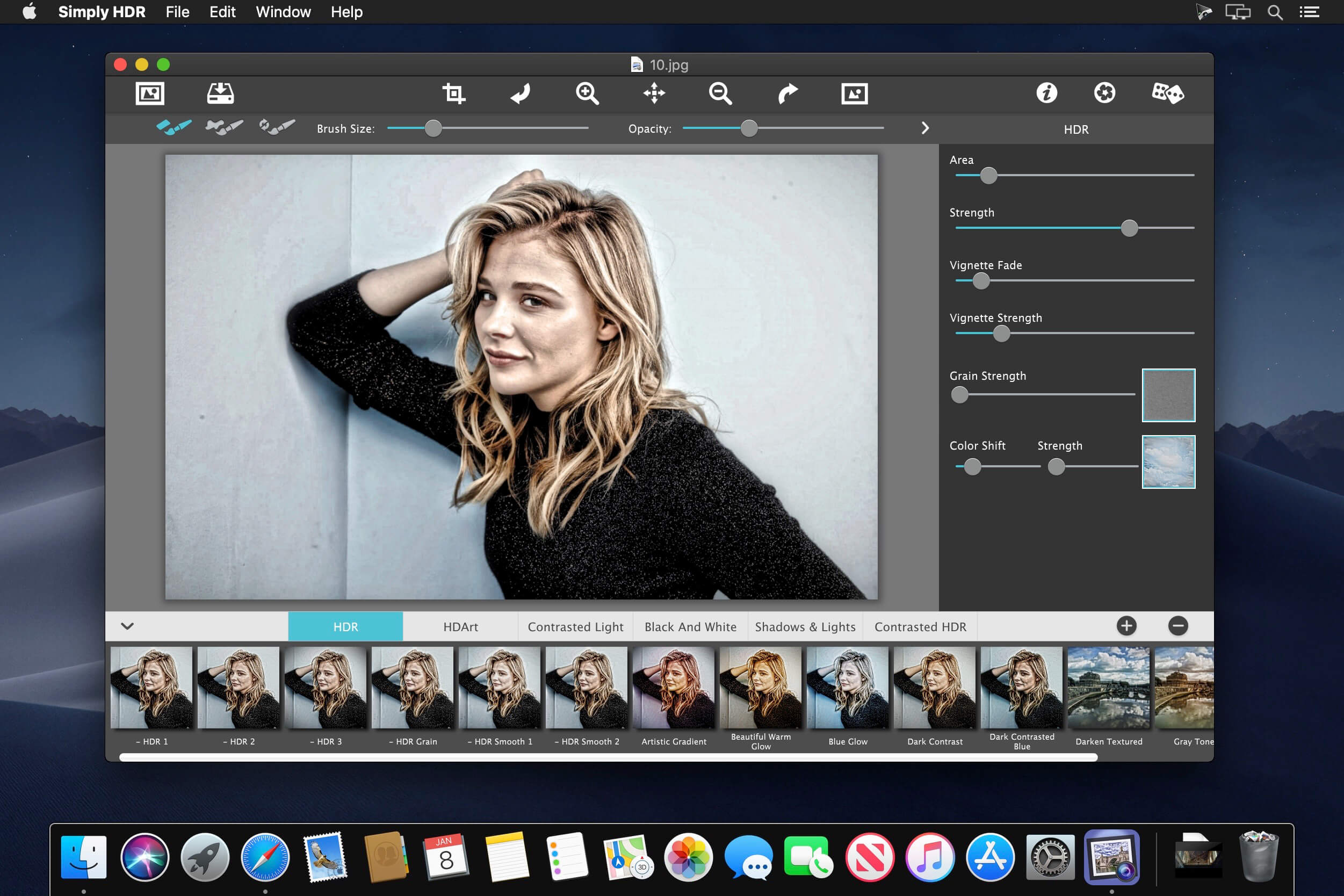
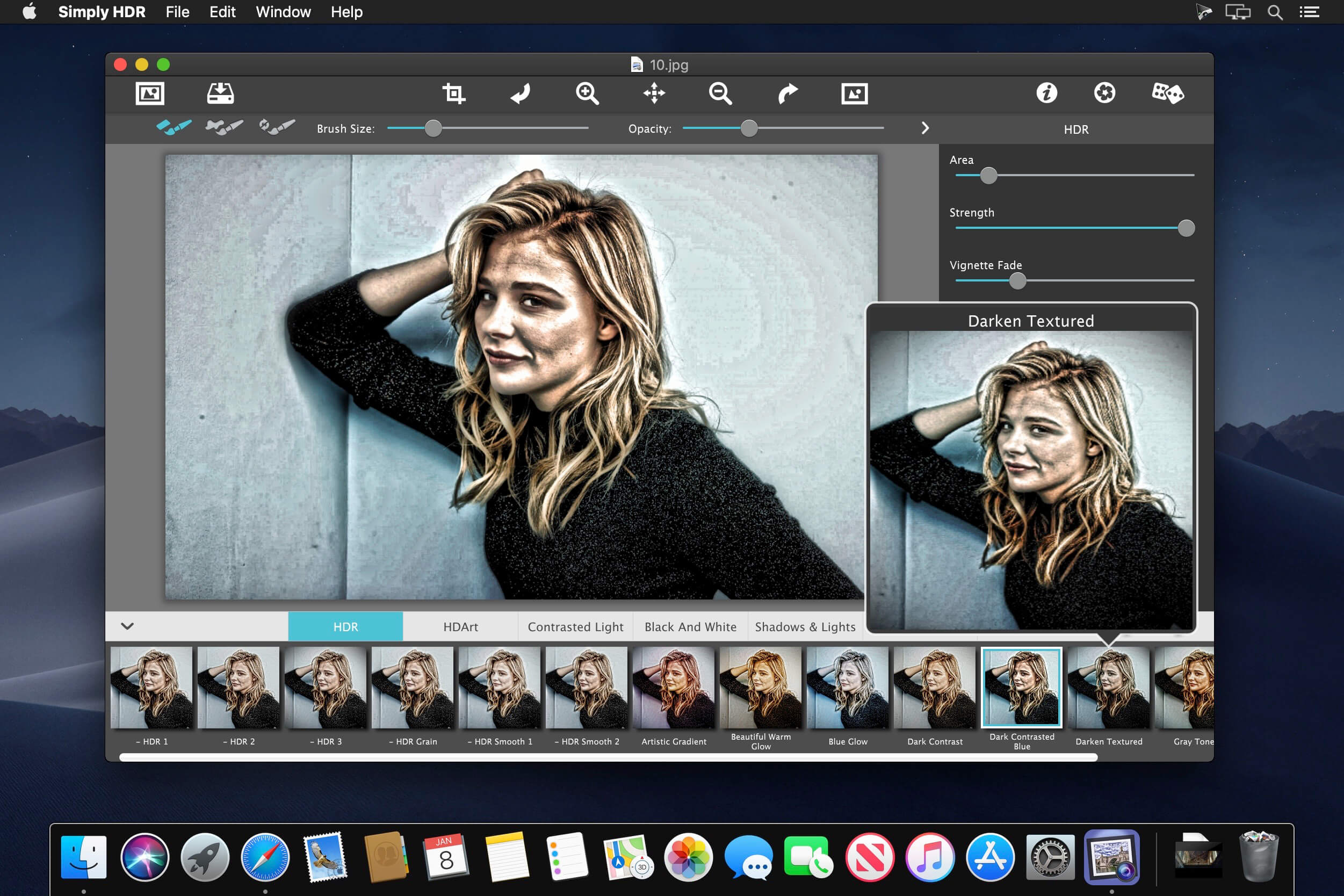
JixiPix Simply HDR 3.2.12

JixiPix Simply HDR 3.2.12

This award-winning high dynamic range software instantly creates stunning and mesmerizing imagery from otherwise bland subjects and compositions. Have you ever looked at a well-executed HDR photo, ones with a dramatic sky and incredible detail, and wish you could shoot photography like that? Now you can! With Simply HDR this stunning art form is now accessible to everyone.

Simply HDR—High Dynamic Range Photography Software
Early on photographers were challenged to capture beautiful scenery, seen with their eyes on to film. Now, with Simply HDR photographers and hobbyists can automatically convert their images into ones with unparalleled ranges of light and detail. Gone are the days of multiple images; with Simply HDR one picture is all that is required to add dramatic luminescence detail to the brightest and darkest areas of any scene—the result will be outstanding work that is captivating, mesmerizing, revealing and beautifully detailed.

Simply HDR Features
Six HDR styles and a library of artistic content is everything needed to create both a realistic HDR photo or a stylized one. We have included a handy smoothing brush for easy corrections to noisy skies and halos*, a library of color filters and artistic content for WOW factor, and adjustable vignettes for darkening edges. If this is your first exposure to HDR we suggest using one of the many one-touch settings. Use the settings as they are or play around with the controls to find your own photographic style. If you like the setting you have created, use the ‘save preset’ feature and apply them to your future projects.

HDR Styles

  • High Dynamic Range (HDR)
  • HD Art
  • Black & White HDR
  • Contrasted HDR
  • Shadows & Light
  • Contrasted Light

HDR Includes

  • Six High Dynamic Range (HDR) styles
  • Control over detail area and strength
  • Smoothing brush (desktop) or smoothing slider (mobile)
  • Restore brush
  • Adjustable vignette
  • Film grain
  • 45 color filters and gradients
  • 70 artistic finishes for HD Art
  • 100 One-touch settings

Compatibility: OS X 10.9 or later, 64-bit processor
Homepage https://jixipix.com/

Screenshots


Name: JixiPix_Simply_HDR_3.2.12__TNT__Mactorrents.io.dmg
Size: 83.79 MB
Files JixiPix_Simply_HDR_3.2.12__TNT__Mactorrents.io.dmg[83.79 MB]

   Download

HDR Effect 1.9

HDR Effect 1.9 macOS

HDR Effect: Create eye catching HDR photo effects in single shot!Have you ever wished to have a perfect HDR photo with all detailing? Now you can, turn your standard photo in a vibrant HDR image with powerful tools.

A cutting-edge tool which comes with an innovative solution to bring every imaginable HDR effect to life. Developed by Tweaking Technologies , HDR Effect inspires to create beautiful photos with simple yet powerful editing features. From Landscapes to Interiors, the app offers a wide range of parameters to play around. A perfectly hand crafted interface to suit every users’ imagination. It analyzes the picture and instantly creates stunning, mesmerizing images from bland photographs. You can evolve your own photographic style by creating your own presets and can also chose various HDR predefined presets, for desired results. HDR Effect gives you maximum dynamic range with minimal artifacts and noise.

The features doesn’t end here, there are more creative possibilities you can explore with HDR Effect:

# HDR Algorithm
Convert your imagination to create stunning photos in a single-shot. The app uses an advanced HDR algorithm and combines multiple exposure, tone mapping to produce fantastic results.

# Support for RAW Formats
We let you import giant RAW images, to create professional HDR image and generate realistic, natural results on almost all popular image formats. Edit your JPEG, PNG, RAW or any other image in just no time and produce fabulous HDR output.

# Predefined and customized high end Presets
Start off on the right foot, pick the style that excites you and adjust them to perfect your image by controlling strength, brightness, contrast, saturation, warmth. Tune towards your target, make the images look your own by customizing presets from the varied choices to get what you desire. Different HDR mixes like: Realistic Vivid, Bright Day, Detailed, Fiery Cinematic, Smooth, Warm Sunset, Basic B/W, Sleepy forest, Sunrise Glow which are automatically aligned to produce sharpest results. Use any of the preset to get more realistic look or enhanced look with more vivid colors and contrast – pick the look you want.

# Quick Edit Mode:
Quickly and easily do image editing with Automatic Enhancement (Auto HDR), Highlight Effects, Noise Reduction, Brightness, Contrast, as well as Color Saturation adjustment. Automatic enhancement (Auto HDR) will automatically enhance the details, color and contrast of a single standard jpeg images in one click.

# Advanced Photo Effects:
Bring back the look, feel and innovative beauty of the photographs made in darkroom in the past, as well as in modern digital studios. Adjust tonality to get the perfect natural and balanced image you’ve envisioned and combine them with Vignettes.

Homepage OS X 10.10 or later, 64-bit processor

Name: HDR_Effect_1.9_MAS__HCiSO_Mactorrents.io.dmg
Size: 13.5 MB
Files HDR_Effect_1.9_MAS__HCiSO_Mactorrents.io.dmg[13.5 MB]

   Download

Lightmap HDR Light Studio Carbon 5.5.0

Descriptions for Lightmap HDR Light Studio Carbon 5.5.0

Name: Lightmap HDR Light Studio Carbon
Version: 5.5.0

Includes: K

Web Site: https://www.lightmap.co.uk/

Overview

Lightmap HDR Light Studio 5 – The lighting tool for 3D artists – HDR Light Studio provides a fast and precise way to light a 3D model. mac-torrents.net The lighting design is saved as a high dynamic range, high resolution image that can be used in any renderer.

Image Lights

Load your own environment maps as a base for your lighting design. mac-torrents.net Add your own high dynamic range images to provide additional lighting or select from our preset lights. Choose from three projection mappings – 3D, canvas or spherical – when placing your lights. Use mattes to shape the illumination with our Gobo lights.

Render View

HDR Light Studio includes a very fast renderer optimised to help you light models rather than render your final image. mac-torrents.net You can place lights just by clicking on where you’d like it to reflect in the model. Alembic, FBX, Collada, OBJ and MI formats supported.

Blend Modes

Use blend modes to adjust the colour of all or parts of the canvas. Add, subtract, multiply, over, clamp, color, saturation and hue blend modes are supported.

Full Feature List
  • Professional lighting software for creating HDRI maps for image based lighting
  • Add, move and edit lights on a latlong rectangular canvas.
  • Lights displayed on the canvas are distorted automatically so that they appear undistorted when projected using a 3D spherical environment map. Three projection types are included for content placed on the canvas: Planar, 3D (LatLong), Spherical.
  • Procedural and image based lighting content including procedural sky.
  • Load BMP, Cineon, HDR, IFF, JPG, OpenEXR, PNG, PSD, Targa, Tiff files as lighting content. For large image files, converting to a mipmapped image format before loading significantly increases performance.
  • Over one hundred high resolution, high dynamic range images of spotlights, softboxes, umbrellas and other light sources are included with HDR Light Studio 5. These can be dragged from the presets panel and dropped onto the 3D model, canvas or light list.
  • Blend modes determine how the lights are composited. Add, Multiply, Over, Low Pass, Color, Saturation, Hue, Amplify are included.
  • Variable sized canvas can be zoomed and panned for precision lighting.
  • Our patented “LightPaint” technology enables you to position lights accurately on the environment map by clicking where you’d like the lighting effect on the 3D model. Rim mode allows quick positioning of light behind your model. This approach removes much of the trial and error of traditional lighting setups.
  • Lights are managed in a list and can be switched off, soloed, reordered and locked. The position in the list determines the order in which the lights are composited on the HDR canvas.
  • Toolbars provide quick access to all light types: Round Light, Rect Light, Hex Light, Gradient Light, Picture Light, Dark Light, Sun Shade, Gradient Background, Picture Background, Sky Background and the Uber Light. Uber Light is a flexible multipurpose light with additional Alpha controls.
  • Frequently used light parameters (brightness, scale, rotation) can be adjusted using a dragable area of the interface.
  • 3D models are rendered and displayed in the Render View window. An optimised renderer is used to provide an instant preview of your lighting design as you add, move, edit and delete lights, or change the surface characteristics of your model. There are options to render with a shadow catcher floor and display a solid color, flat image or the environment map in the background of your shot.
  • Supported 3D model formats: Collada, Mental Images, OBJ, Alembic (time support in seconds) and FBX (Windows only).
  • Flexible user interface with panels that can be docked, undocked, tabbed, resized and hidden. Includes a range of useful interface layouts.
  • Canvas pixel probe provides RGBA and HSV values.
  • Canvas exposure control.
  • Canvas channel controls to view HSVA, HSV, Red, Green, Blue, Alpha.
  • Unlimited Undo/Redo.
  • Optional plugin connections are available to buy that link HDR Light Studio to your 3D software. These connections seamlessly push the model to HDR Light Studio and pull the environment map back into the 3D application without having to import/export via the filesystem. Connections also allow you to view each of your lighting changes both in HDR Light Studio’s optimised renderer and in your 3D app’s final renderer.
  • Supported connections include: 3ds Max, Maya, Cinema 4D, MODO, LightWave3D. (Coming soon to Houdini, Bunkspeed, VRED, Maxwell Studio, Rhino 3D)
  • Industry standard OpenColorIO color management.
  • Save lighting as HDR file or OpenEXR file (version 2) with Mip Mapping option.
  • HDR Light Studio is built for 64bit editions of Windows, Mac OS X and Linux.
  • Easily unlock the product using activation codes, built on industry standard RLM license keys.
  • Nodelocked and floating licenses available.

What’s New in Lightmap HDR Light Studio Carbon 5.5.0

  • Release notes not available at the time of this post.

Name HDRLightStudio OSX 5.5.0.2018.0213 [K].dmg
Size 182.9 MB
Created on 2018-02-21 09:28:29
Hash 4d7b659e292b795813563e6f57d773250b6ab719
Files HDRLightStudio OSX 5.5.0.2018.0213 [K].dmg (182.9 MB)

Aurora HDR 2018 1.1.3 (3046)

Descriptions for Aurora HDR 2018 1.1.3 (3046)

Name: Aurora HDR
Version: 2018 1.1.3 Build 3046
Released: Feb 1st, 2018
Developer: MacPhun LLC
Mac Platform: Intel
OS Version: OS X 10.10 or later

Includes: Pre-K’ed (TNT)

Web Site: http://www.macphun.com/

Overview

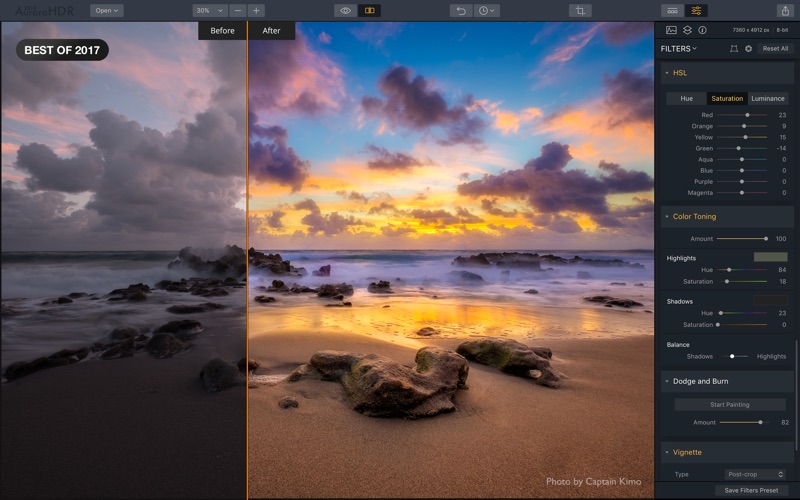
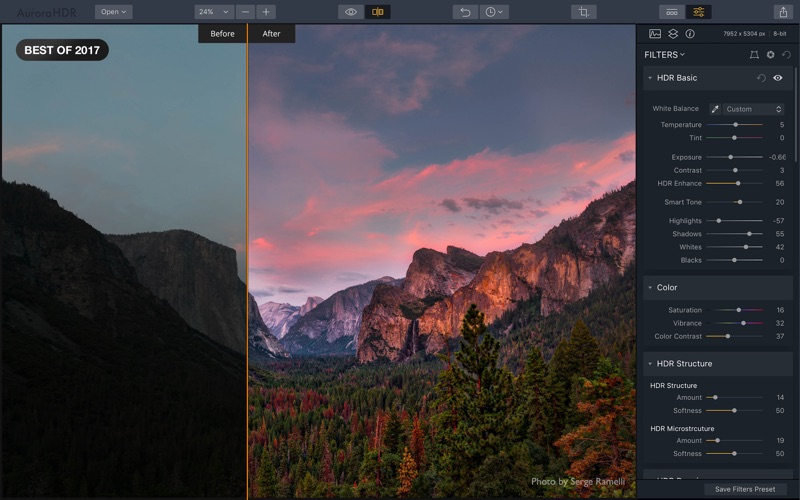
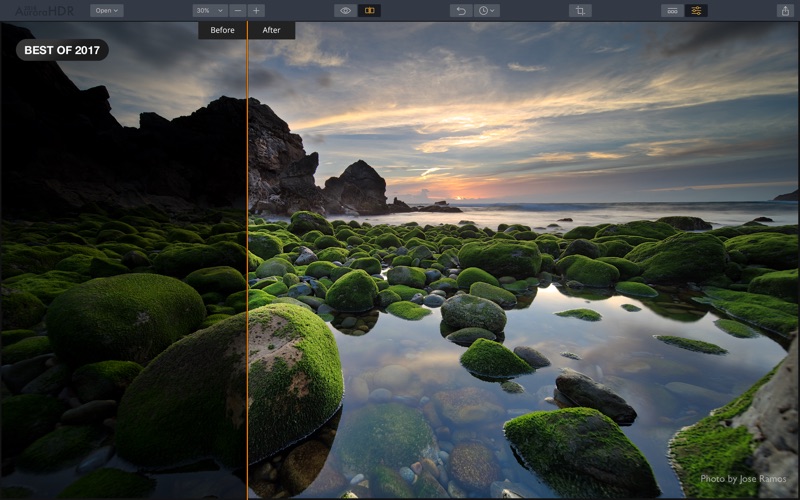
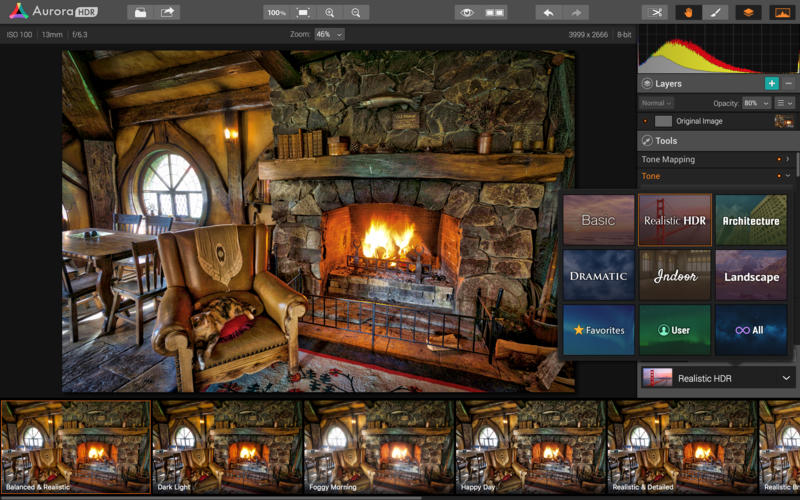
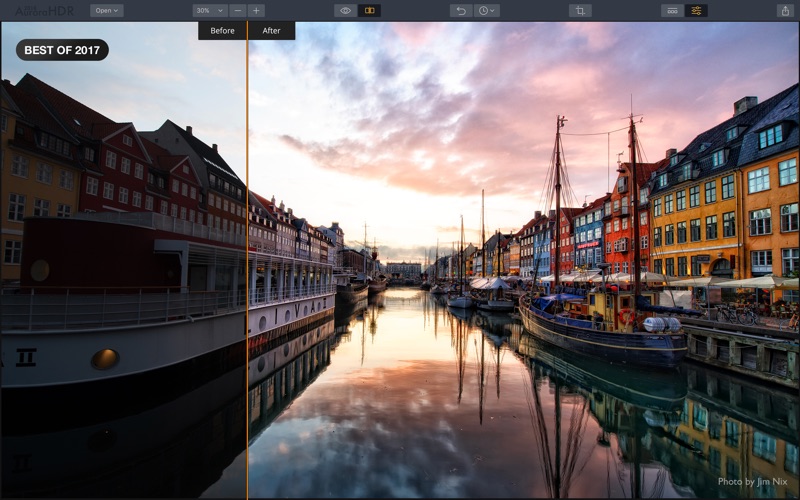
High Dynamic Range photo editor that packs a large collection of professional tools that can help you give beautiful effects to your images

Aurora HDR is a feature packed image processor that integrates numerous editing tools and a tone-mapping algorithm that will help you create high dynamic range photos with ease.

Generate HDR image by using presets, or make use of the sizable collection of customization tools

To help you get started, Aurora HDR comes with numerous presets that can give a different style to your photo with a simple mouse click. At the same time, Aurora HDR also offers you the option to create your own presets.

Aurora HDR packs tone mapping controls, allows you to adjust the clarity level, the HDR look or details, offers you the possibility to apply denoise effects, to set the image radiance or colorization, to use glow, color toning, or vignette effects, and so on.

Even more, Aurora HDR includes masking functions and allows you to employ a customizable brush tool to create more precise effects. Your custom configurations can be saved as presets, so you can give the same look to another photo in no time.

Integrate HRD editing tools in your default photo editor

As a standalone app, Aurora HDR is able to deal with RAW files, to use multiple layers to create beautiful effects, to fully control the image structure, to apply denoise effects, and so on.

However, to eliminate the need to import and export images between photo editors, Aurora HDR can integrate with some of the most popular image processing titles: Adobe Photoshop, Lightroom, Aperture, and Photoshop Elements.

Note that the plug-ins have to be installed separately, although you can trigger the process from the Aurora HDR Pro File menu.

Comprehensive software solution for creating high-quality HDR images with ease

To conclude, Aurora HDR brings to the table a user-friendly user interface where you get to make use of numerous tools in order to give beautiful effects to your images.

At the same time, all these tools can be readily integrated within third party photo editors to save the time and resources allocated for the importing and exporting procedures.

What’s new in Aurora HDR 2018 1.1.3 Build 3046

February 1st, 2018

  • Batch process faster: We’ve fine-tuned our bracket-detecting algorithm to speed up batch processing.
  • Align brackets better: We’ve updated our alignment algorithm to improve hand-held HDR photography.
  • Adobe plug-in improvements: The plugins for Adobe products have been performance tuned.
  • Improved cross-platform files: We’ve fixed issue with cropped photos created on Windows.
  • Improved user experience: We’ve refined the software to make it easier to use based on user feedback and testing.

Screenshots
Name Aurora HDR 2018 1 1 3 3046 TNT [mac-torrents.net].zip
Size 213.9 MB
Created on 2018-02-03 03:55:14
Hash 0e808078073074791b32798d10937a12875b832e
Files Aurora HDR 2018 1 1 3 3046 TNT [mac-torrents.net].zip (213.9 MB)

CrumplePop – ToneGrade: HDR and Tone Mapping (Final Cut Pro X)

Description

Name: ToneGrade: HDR and Tone Mapping
Mac Platform: Intel
OS Version: OS X 10.6.8 or later
Software requirements: Final Cut Pro 10.0.8 or later
Graphics card requirements: OpenCL-capable graphics card or Intel HD Graphics 3000 or later

Supported cameras:
 ● All Canon DSLRs
 ● All Nikon DSLRs
 ● All Panasonic DSLRs 
 ● Black Magic Cinema Cameras
 ● Sony NEX, HVR, HXR, HDR and PMW series camcorders
 ● Panasonic AG, AF, HMC, HDC, HC series camcorders
 ● All GoPro Hero Series
 ● most other h.264 and AVCHD format cameras


Web Site: http://www.crumplepop.com/hdr-fcpx-plugin/


Overview
ToneGrade™ easily applies HDR tone mapping to your footage. Create visual striking, “hyper real” color grades by using ToneGrade™ in Final Cut Pro X.

 • Add striking character to your footage
 • Restore detail without introducing noise
 • Soften skin tones with skin smoothing controls


Easy Tone Mapping within FCPX
Tone mapping is an image processing technique that simulates the properties of HDR photography. 

ToneGrade allows you to easily and quickly apply tone mapping to your footage. The result is a frame with an expanded range of detail in both highlights and shadows.


Recovery Detail Easily
ToneGrade™ also allows you to restore fine detail in your frame. 

Unlike sharpening filters, ToneGrade™ overlays multiple luma layers to pull out detail with very little added noise creating a simultaneously tack-sharp and natural looking image.


Fast Final Cut Pro X Color Grading
To round out the HDR effect, ToneGrade™ provides a set of easy, powerful FCPX color grading tools. 

A single control allows you to cool or warm your footage, and a skin smoothing control softens skin tones. The result is a beautiful HDR color grade that would require multiple third party add-ons.

Name CrumplePop_ToneGrade.dmg.zip
Size 1.10 MB
Created on 2017-04-14 03:59:55
Hash 03d6b454cbf3a1f6c281dc091c5c9095b6380dc5
Files CrumplePop_ToneGrade.dmg.zip (1.10 MB)

Creative Market – Authentic HDR Photoshop Action 1165985

Name Creative Market Authentic HDR Photoshop Action 1165985.zip
Size 4.75 MB
Created on 2017-02-26 00:19:44
Hash 547c6264228828f436440553808104f7207b37ed
Files Creative_Market_Authentic_HDR_Photoshop_Action_1165985.zip (4.75 MB)

Descriptions for Description

Name: Authentic HDR Photoshop Action
File Types: ATN, etc
File Size: 195.64 KB
Requirements: Adobe CC+

Web Site: https://creativemarket.com/Twinbrush/1165985-Authentic-HDR-Photoshop-Action

Overview
Twinbrush Authentic HDR Photoshop Action For Photoshop CC

HDR (High Dynamic Range) photography can be a tricky technique to master, involving multiple exposures, edited and blended together. Not any more; Introducing the Twinbrush Authentic HDR Photoshop Action.

This action takes a single image and through a carefully crafted process, creates multiple variants that are blended together into a detail rich, breathtaking HDR image, all in a single click.

Pro Quality

The twinbrush Authentic HDR does not create garish, cartoony, false looking HDR images; instead, through the expertly designed process, this action is able to expand, enhance and reveal the hidden detail and colour information in your photographs and bring them jumping out, resulting in authentic, usable final images.

Versatile and Non-destructive

Using smart object layers and camera raw filters the final results are fully editable without damaging your original image.

Compatible with virtually any image format including Photoshop psd, jpeg, bmp and camera raw formats.

Complete Control

Every image is different and not all are as effective as others, however this action set creates 4 smart outcomes that, if not exactly as you’d like, can be edited or combined, providing you with the perfect starting point…if not the perfect image right off the bat.

Core Features:
● One Click action
● Works with a single image, no need to take various bracketed exposure photographs
● 4 different, fully customizable HDR effects created
● All fully editable via Smart Object layers and Camera Raw filters
● Increased colour information
● Enhanced detail information
● Various colour adjustment layers included for additional enhancements
● Works with virtually any image format including jpeg, psd and camera raw formats
● Quick start instruction read me file included

Screenshots

HDR Darkroom 3 1.1.3

Description

Name: HDR Darkroom 3 - Professional HDR photos with the ultimate in ease-of-use
Version: 1.1.3
Release Date: July 28, 2015
Language: English
Developer: Chengdu Everimaging Science and Technology Co., Ltd
MAS Rating: 4+
Mac Platform: Intel
OS Version: OS X 10.6 or later
Processor type(s) & speed: 64-bit processor


Web Site: http://www.everimaging.com
Mac App Store: https://itunes.apple.com/app/hdr-darkroom-3-professional/id763309740?mt=12


Overview:
The wait is over. HDR Darkroom 3 has come to the App Store to bring you the best in High Dynamic Range photography processing. Our easy-to-use software lets you merge multiple images so you can show every detail, every ray of light, every time.

Unlike other apps that call themselves HDR but simply try to squeeze detail out of a single image file, we use patented technology to bring you the real deal. Multiple-exposure HDR, so you can get the ultimate in detail and control. No one else brings you all these features in one package:

-HDR Styles
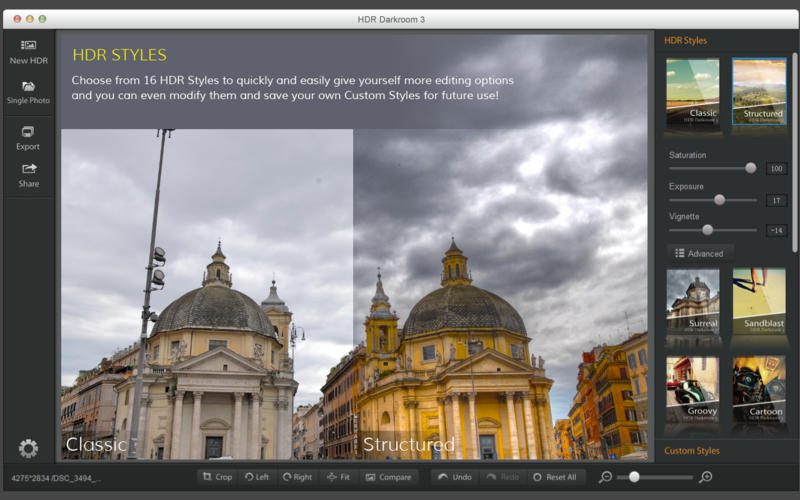
Our new HDR Styles give you more ways to be bold. Choose from 16 HDR Styles to quickly and easily give yourself more editing options. Change up the look of your image, from realistic to artistic to futuristic. You can even modify them and save your own Custom Styles for future use!

-Advanced Adjustments
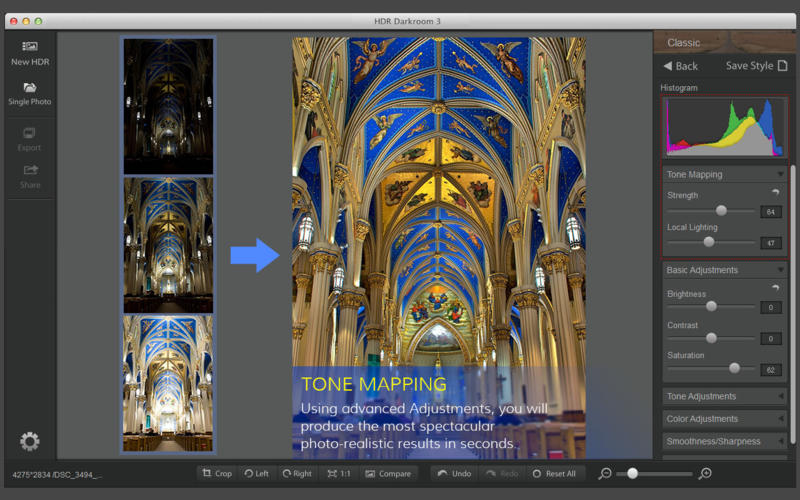
Using advanced Adjustments, you will produce the most spectacular photo-realistic results in seconds. We also give you control of the Tone Mapping parameters if you want even more advanced results. And as always, we give you all the best photo editing tools, from exposure, contrast, and saturation to more advanced features like curves and lens correction.

-Ghost Reduction
Advanced Ghost Reduction technology frees you from worrying about moving objects in your shots. If an object moves through the scene while you are taking multiple shots, our Ghost Reduction technology corrects the problem when the images are combined.

-Alignment Technology
HDR Darkroom 3’s improved alignment algorithm corrects problems when your camera moves slightly between the bracketed frames. You can’t always carry a tripod around, so we have you covered!

-Real Time Processing
Nearly all of the processing controls in HDR Darkroom 3 are real time, making it the fastest-processing HDR software on the market with real time processing as a standard feature. Don't spend your time sitting in front of a computer. Get back out there and shoot more!

-Camera RAW File Converter
HDR Darkroom 3 supports RAW files from more than 150 camera models, including Canon, Nikon, Sony, Olympus and Panasonic, as well as Adobe (DNG), etc. Dozens added with this latest release!

- Powerful Batch Processing
Our Batch Processing Engine automatically handles multiple sets of photos according to your unique preferences. Apply styles and adjustments and let us do the work for you. Harness the power of batch processing to save yourself countless hours of manual adjustments.

Customers already loved our previous versions of HDR Darkroom:

"So much faster, so much easier, so much more control."
- By Scott W.

"HDR Darkroom by Everimaging is a good photo editor. It definitely provides ease of operation and fast image previews."
- By Melivea M.

"I like HDR Darkroom for its simplicity and speed."
- By Sean O.

"HDR Darkroom has a very slick and simple user interface. Great for creating realistic HDR images."
- Damon R.


What's New in Version 1.1.3:
Enhanced batch processing feature

Screenshots
Name HDR Darkroom 3 1.1.3
Size 25.34 MB
Created on 2016-08-10 00:47:26
Tracker http://109.235.50.166:2710/announce
Hash 0b112b000f97f85ae73c8966056f787675e298cb
Files HDDa113.zip (25.34 MB)

Graphicriver 10 HDR And Oil Paint Photo Effects 11241103

Name graphicriver_11241103_10_hdr_and_oil_paint_photo_effects_photoshop_actions_fluck3r
Size 352.5 kB
Created on 2015-09-13 00:31:47
Hash bb5da06039f9ec4a37249dc031dfbb4eff7db281
Files [Graphicriver][11241103] 10 HDR And Oil Paint Photo Effects – Photoshop Actions [Fluck3r]/[Graphicriver][11241103] 10 HDR And Oil Paint Photo Effects – Photoshop Actions [Fluck3r].zip (352.5 kB)

Descriptions for Description

Includes:
1 .ATN

Screenshots

Graphicriver Pro HDR Photo FX vol.1 – 25 HDR Photoshop Actions 12042916

Name Graphicriver Pro HDR Photo FX vol.1 – 25 HDR Photoshop Actions 12042916
Size 92.93 kB
Created on 2015-07-16 19:03:41
Hash c5e702ed9261c36f189c112e5b723b09618600c3
Files Graphicriver Pro HDR Photo FX vol.1 – 25 HDR Photoshop Actions 12042916/Graphicriver Pro HDR Photo FX vol.1.tgz (92.53 kB)
Graphicriver Pro HDR Photo FX vol.1 – 25 HDR Photoshop Actions 12042916/Torrent Downloaded From ExtraTorrent.cc.txt (0.35 kB)
Graphicriver Pro HDR Photo FX vol.1 – 25 HDR Photoshop Actions 12042916/Torrent downloaded from demonoid.pw.txt (0.05 kB)

Descriptions for Description

Name: Pro HDR Photo FX vol.1 - 25 HDR Photoshop Actions
Created: 7 July 15
Last Update: 7 July 15
Add-on Files Included: Photoshop ATN
Minimum Adobe CS Version: CS4


Make your unique effect today by using a PRO HDR PHOTO FX!
Easy to Customize – Layers organized in folders – non-destructive actions – only 1 .atn file – fully editable layers – Instruction included

PRO HDR PHOTO FX vol.1 – 25 HDR Photoshop Actions
Make your unique effect today by using a PRO HDR PHOTO FX!
Those actions are perfect for photographers and graphic designers.
You don’t need hundreds of useless actions – PRO HDR PHOTO FX really works! 
This action has been tested and working on Photoshop CS4, CS5, CS6, CC – this action will only work in the English version of Photoshop.

This pack include:
2 HDR Actions:
HDR v.1
HDR BLACK
25 Color Actions:
Retro HDR
Film FX
Dream
Winter
Yellow Summer
Boban
Aisha
Hope
Magic
Frosty Night
Gaia
Vice Versa
Magenta
Foggy Violet
Vintage
Old 70’s
Skyliner
Kanonier
Sandy
Secret
Synthezia
70’s v2
Black And White
Red Rose
Tuvan
2 Additional Actions:
Color Boost
Color Glow


Credits:
Flyers used in preview image:
Pirate Costume Party
Fire Club DJ

Photo Credits:
VD Lips Deux by AZAdam95
Pine Tree Princess by Brian Tomlinson
DeathToTheStockPhoto
Summer memory by Benoit cars
Dark Teal for Secret Doll Person #21 by thepeachpeddler
Underground Yoga by darkday


More information: http://graphicriver.net/item/pro-hdr-photo-fx-vol1-25-hdr-photoshop-actions/12042916

Screenshots

Graphicriver 22 HDR Photoshop Actions V2 10940400

Name Graphicriver 22 HDR Photoshop Actions V2 10940400
Size 5.63 MB
Created on 2015-06-09 21:20:59
Hash 225f9e2316a4c24ff08e1b2891574fa82f97e356
Files Graphicriver 22 HDR Photoshop Actions V2 10940400/Graphicriver 22 HDR Photoshop Actions V2 10940400.tgz (5.63 MB)
Graphicriver 22 HDR Photoshop Actions V2 10940400/Torrent Downloaded From ExtraTorrent.cc.txt (0.35 kB)
Graphicriver 22 HDR Photoshop Actions V2 10940400/Torrent downloaded from demonoid.pw.txt (0.05 kB)

Descriptions for Description

Name: 22 HDR Photoshop Actions V2
Created: 29 March 15
Last Update: 29 March 15
Add-on Files Included: Photoshop ATN
Minimum Adobe CS Version: CS


Life is too short to spend your time in photoshop , Now bring your photos to life with one click !!!!!

An Amazing Premium Collection with 22 professional Photoshop actions (v2) .

non destructive effects perfect for photographers and graphic designers.

!!! Every action is divided in layers so you can modify every effect without touching the original image !!!

This is a powerful complete Collection that will give a new HDR look to your images

a PDF instruction file is included*


More information: http://graphicriver.net/item/22-hdr-photoshop-actions-v2/10940400

Screenshots

Graphicriver Sharp HDR Action 11477630

Name Graphicriver Sharp HDR Action 11477630
Size 2.54 kB
Created on 2015-05-21 20:48:25
Hash b2bcec0768ae0aa0a2e7f0b26998b6aeac9dbc49
Files Graphicriver Sharp HDR Action 11477630/Graphicriver Sharp HDR Action 11477630.tgz (2.15 kB)
Graphicriver Sharp HDR Action 11477630/Torrent Downloaded From ExtraTorrent.cc.txt (0.35 kB)
Graphicriver Sharp HDR Action 11477630/Torrent downloaded from demonoid.pw.txt (0.05 kB)

Descriptions for Description

Name: Sharp HDR Action
Created: 20 May 15
Last Update: 20 May 15
Add-on Files Included: Photoshop ATN
Works With: DNG, TIFF, PSD, JPG, RAW
Minimum Adobe CS Version: CS


Everything is very straight forward. I have tried to make the item as very easy to use.

Features: These actions are designed to transform your photos into Sharp hdr Photoshop Action. The action has been tested and working on Photoshop (English versions)CS3,CS4,CS5,CS6,CC. I recommend using the action on photo’s with high resolution for the best results.

Instructions 1. Open Photoshop. 2. On the “Window” tab, click “Actions”, once the window has opened you will see an arrow pointing right in the top right hand corner, click this then click “Load Actions”. 3. In the end you just have to choose your action and click the play button. 4. You are done!

Photo Credit goes to http://www.500px.com


More information: http://graphicriver.net/item/sharp-hdr-action/11477630

Screenshots
Graphicriver HDR Clean Action Pack 11471190

Name Graphicriver HDR Clean Action Pack 11471190
Size 964.0 kB
Created on 2015-05-19 20:44:38
Hash 34a151aa45d768fdafdba052a8a5614fbb812211
Files Graphicriver HDR Clean Action Pack 11471190/Graphicriver HDR Clean Action Pack 11471190.tgz (963.6 kB)
Graphicriver HDR Clean Action Pack 11471190/Torrent Downloaded From ExtraTorrent.cc.txt (0.35 kB)
Graphicriver HDR Clean Action Pack 11471190/Torrent downloaded from demonoid.pw.txt (0.05 kB)

Descriptions for Description

Name: HDR Clean Action Pack
Created: 18 May 15
Last Update: 18 May 15
Add-on Files Included: Photoshop ATN
Works With: DNG, TIFF, PSD, JPG, RAW
Minimum Adobe CS Version: CS3


HDR Clean Action Pack
i.One Click To Apply An Amazing Effects On Your Photo 

ii. Clean actions, Clean work

iii. Easy to use 

iv. HDR, vintage, soft, sharpen, contrast actions 

v.15 HDR Action pack 

This actions will work in photoshop all latest version like CS3,CS4,CS5,CS5.5,CS6,CC&CC 2014**1. ATN File 

2. Help File 

3. Info File


More information: http://graphicriver.net/item/hdr-clean-action-pack/11471190

Screenshots
Aurora HDR Pro v1.2.1

Description

Name: Aurora HDR Pro
Version: 1.2.1
Mac Platform: Intel
OS version: 10.9 or later
Processor type(s) & speed: 64-bit

Includes: Pre-K'ed


More Info:
http://aurorahdr.com/
https://itunes.apple.com/us/app/aurora-hdr/id1052074952


What's New in Version 1.2.1
Aurora HDR is now available in 3 new languages: German, Japanese, and Spanish.
We've improved Aurora HDR performance as the Photos extensions.
And improved highlights effect and increased the speed while processing big files


DESCRIPTION:
Aurora HDR is the world’s most advanced & amazing HDR software, co-developed by
Macphun and Trey Ratcliff - the world’s most famous HDR photographer.

You get tools, power, flexibility and creative freedom to make amazing HDR photos in minutes,
without Adobe Photoshop, Lightroom or any other software.

From the mac app store page for Aurora HDR:

RAW files only supported in the Aurora HDR Pro version available at www.aurorahdr.com.


Also see: Aurora HDR Pro (Pro version, which includes RAW support)

Screenshots

Name Aurora HDR Pro 1.2.1
Size 118.3 MB
Created on 2016-03-21 00:20:46
Tracker http://109.235.50.166:2710/announce
Hash 8a4e233b578ad313b31fa361b0d131c983451281
Files Aurora HDR 1.2.1 [MAS]/Aurora HDR.zip (118.3 MB)

Creativemarket HDR Painting Art Effects – Photoshop 228257

Name Creativemarket HDR Painting Art Effects – Photoshop 228257
Size 219.9 kB
Created on 2015-03-24 21:17:53
Hash c6bb1b66cb61043519ae3b6dcf5218a9a392bf48
Files Creativemarket HDR Painting Art Effects – Photoshop 228257/Creativemarket HDR Painting Art Effects.tgz (219.5 kB)
Creativemarket HDR Painting Art Effects – Photoshop 228257/Torrent Downloaded From ExtraTorrent.cc.txt (0.35 kB)
Creativemarket HDR Painting Art Effects – Photoshop 228257/Torrent downloaded from AhaShare.com.txt (0.06 kB)
Creativemarket HDR Painting Art Effects – Photoshop 228257/Torrent downloaded from demonoid.pw.txt (0.05 kB)

Descriptions for Description

================
[INFO:]
================

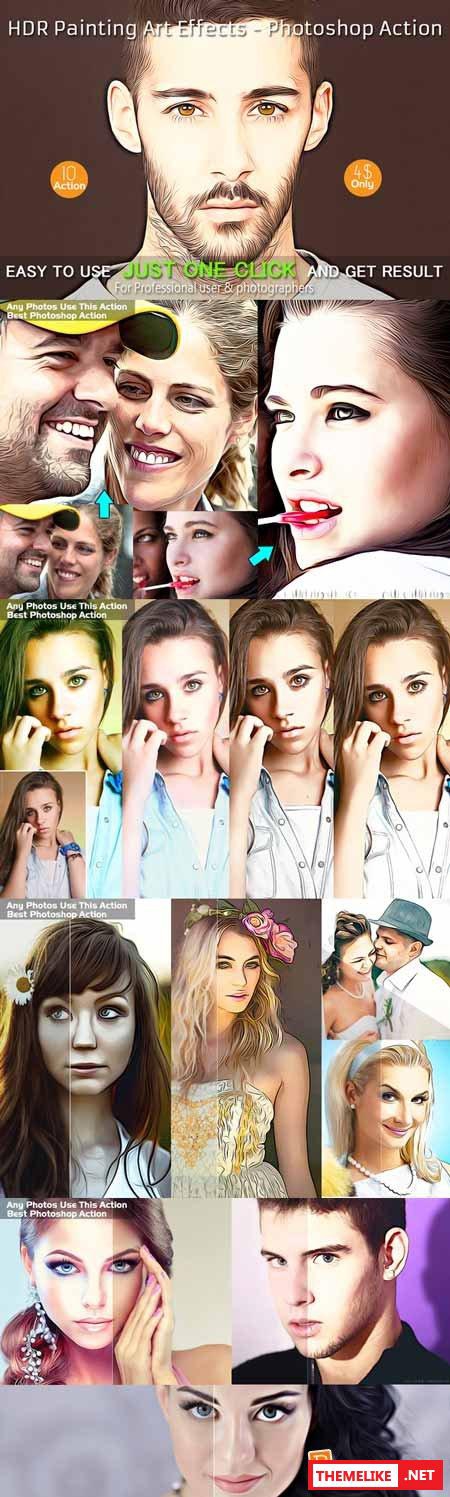
Creativemarket HDR Painting Art Effects - Photoshop 228257
Photoshop ATN | 474 Kb

Screenshots