Tag Archives: Pro

Dropzone 4 Pro 4.5.1

Dropzone 4 Pro

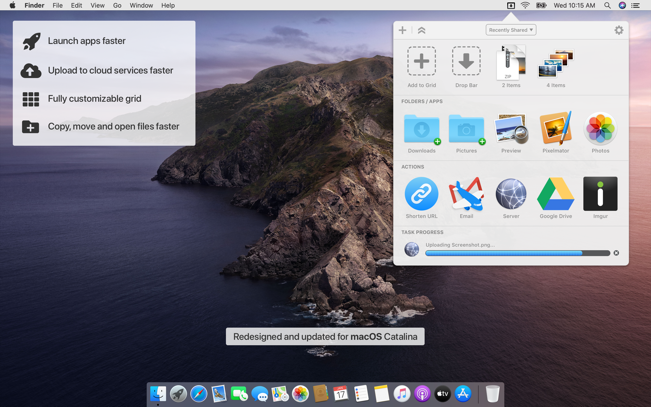
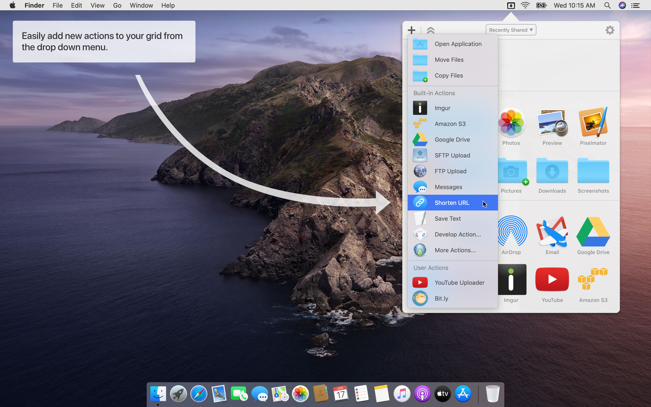
Dropzone makes it faster and easier to copy and move files, open applications and share files with many different services. Dropzone is a unique and amazing app that’s like nothing you’ve ever used before. We’ve paid fanatical attention to every detail and built an app that looks and feels like an integral part of macOS.

Dropzone ships with a powerful scripting API and with a little programming knowledge you can modify any of your actions or even create entirely new ones. This gives Dropzone unlimited extendability and utility. We’re always thinking up new actions so Dropzone will become even more useful over time.

Dropzone also includes Drop Bar – Drop Bar makes it easy to stash files you know you’ll need later. Just drop files on the Drop Bar icon in the grid and they will stick there until you’re ready to use them.

Features

  • Open applications, move and copy files faster than ever before.
  • Shorten URLs quickly using Tinyurl shortener. Just select a URL to shorten and press Ctrl+Option+Cmd+S and the shortened URL is automatically copied to the clipboard.
  • AirDrop integration lets you drop files or folders from any app and share them with your other Macs over the network.
  • Imgur integration lets you share images fast and get a link for pasting.
  • Upload files to Amazon S3 (Dropzone Pro feature).
  • Upload files to your FTP server (Dropzone Pro feature).
  • Upload files to your Google Drive (Dropzone Pro feature).
  • Download and install add-on actions that let you upload to services like Google Drive, YouTube and many others (Dropzone Pro feature).
  • Powerful multi-tasking engine allows you to run multiple tasks at once and track the progress of each one through the in-grid task status area.
  • See how tasks are progressing at a glance in the animated menu item.
  • Launch Dropzone actions with the newly added keyboard shortcuts feature (Dropzone Pro feature).
  • Add applications, folders or actions to your grid easily by dragging and dropping them on the Add to Grid area.
  • Develop your own actions using the updated and massively improved Ruby or Python API (Dropzone Pro feature).

In-App Purchases: Dropzone 4 Pro
Compatibility: macOS 10.15 or later
Mac App Store: https://geo.itunes.apple.com/app/id1485052491

Screenshots

Name: Dropzone_4_4.5.1_[TNT]_Mactorrents.is.dmg
Size: 62.87 MB
Files Dropzone_4_4.5.1_[TNT]_ Mactorrents.is.dmg[62.87 MB]

   Download

4K Video Downloader Pro 5.0.0 Beta

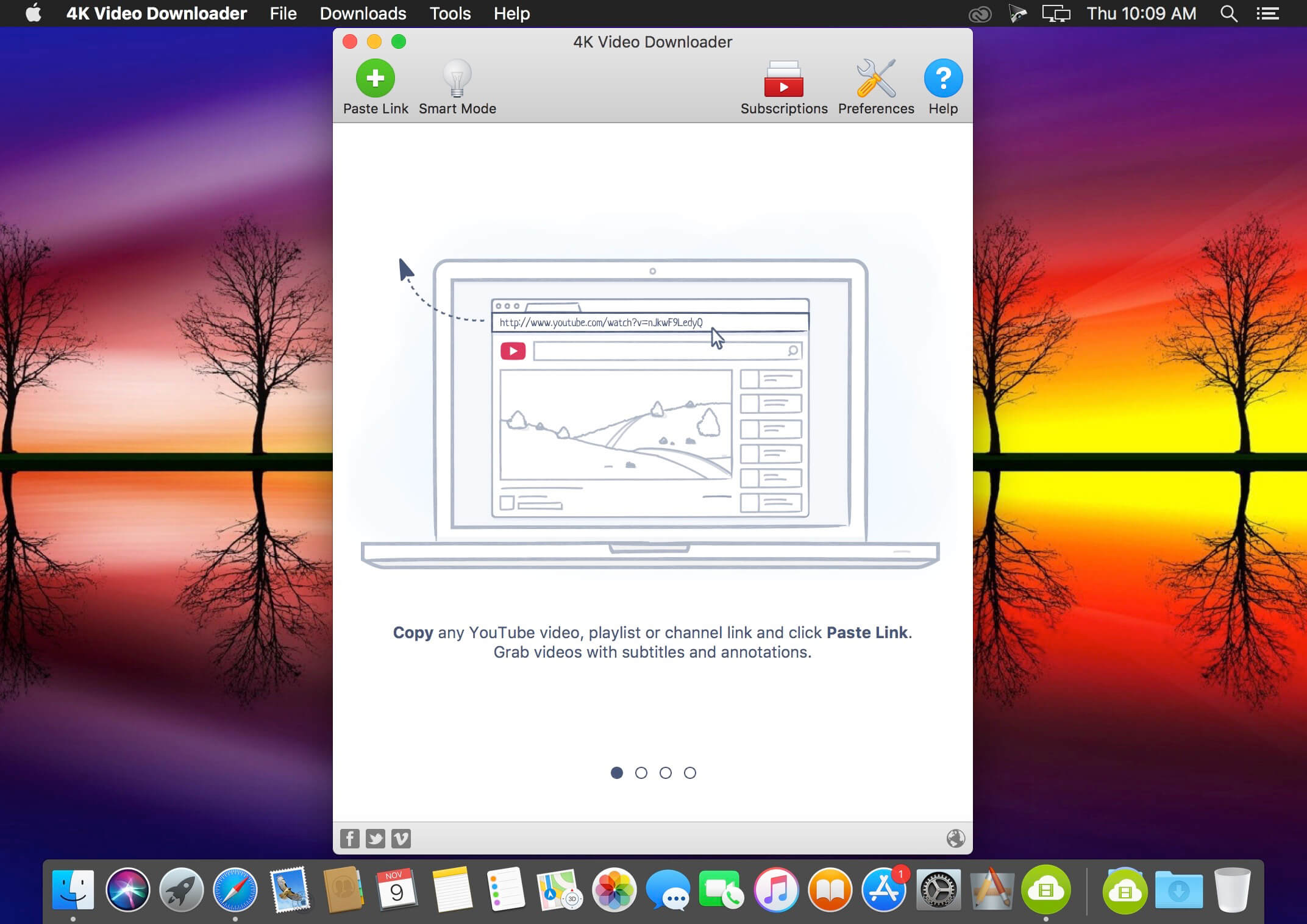
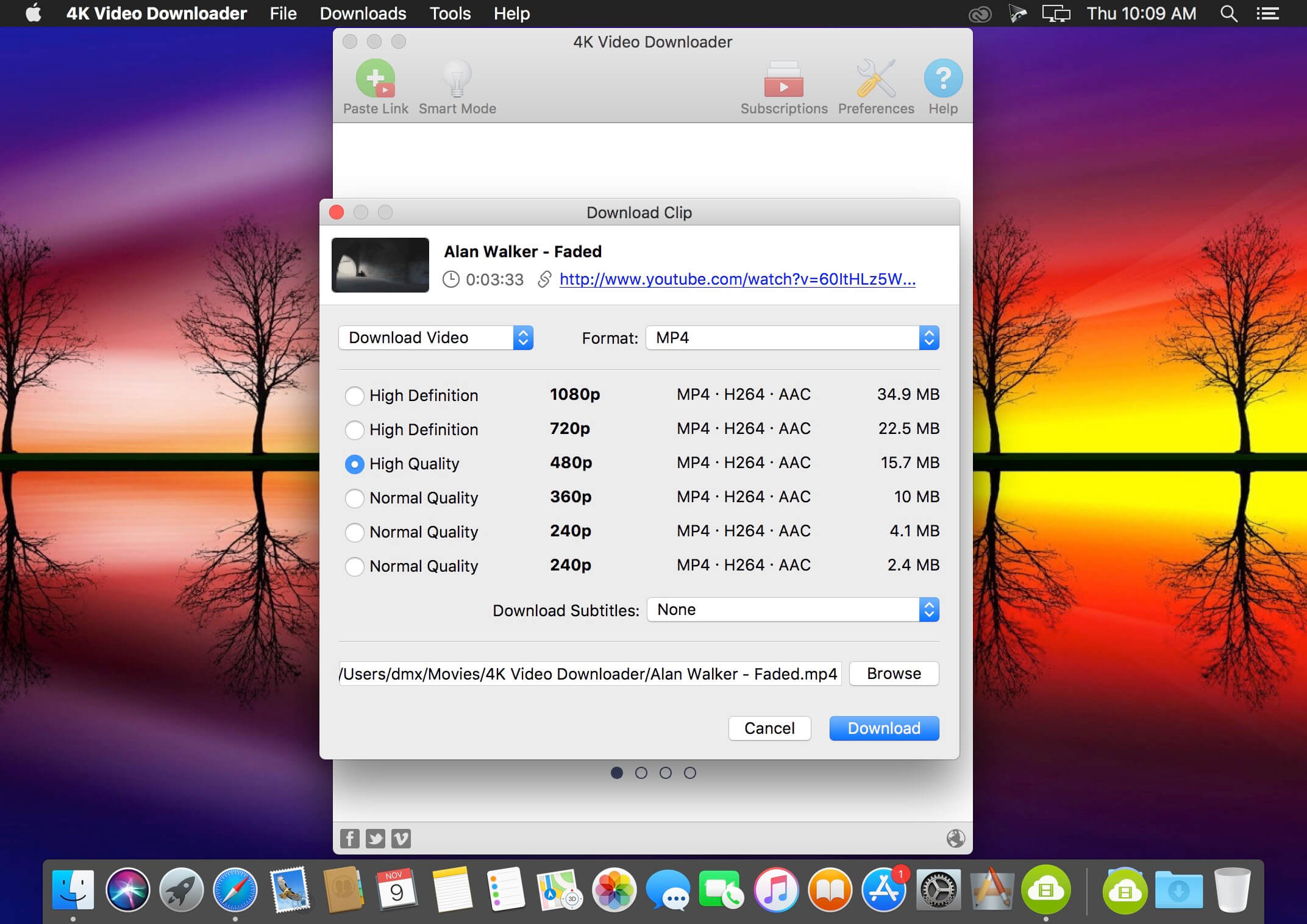
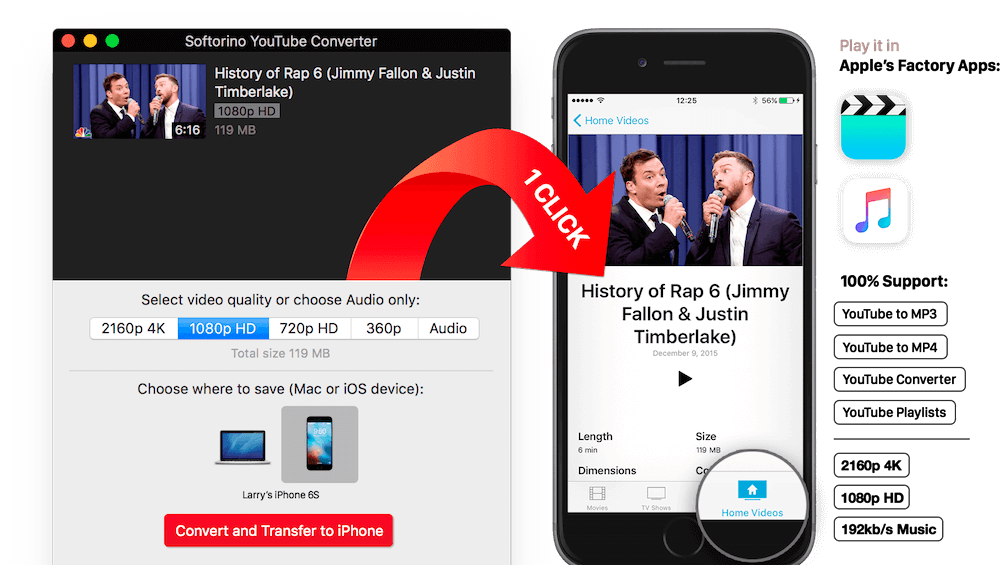
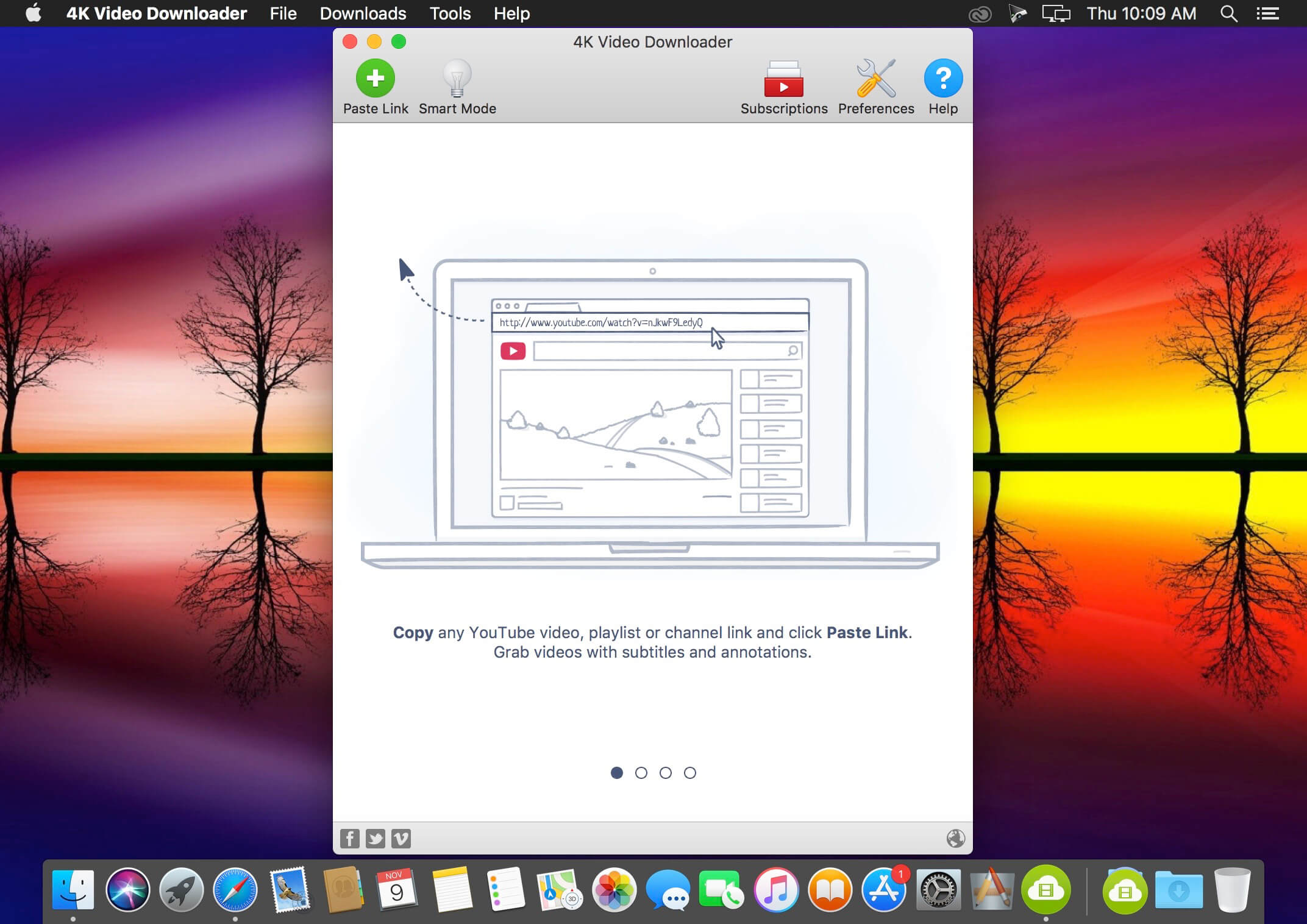
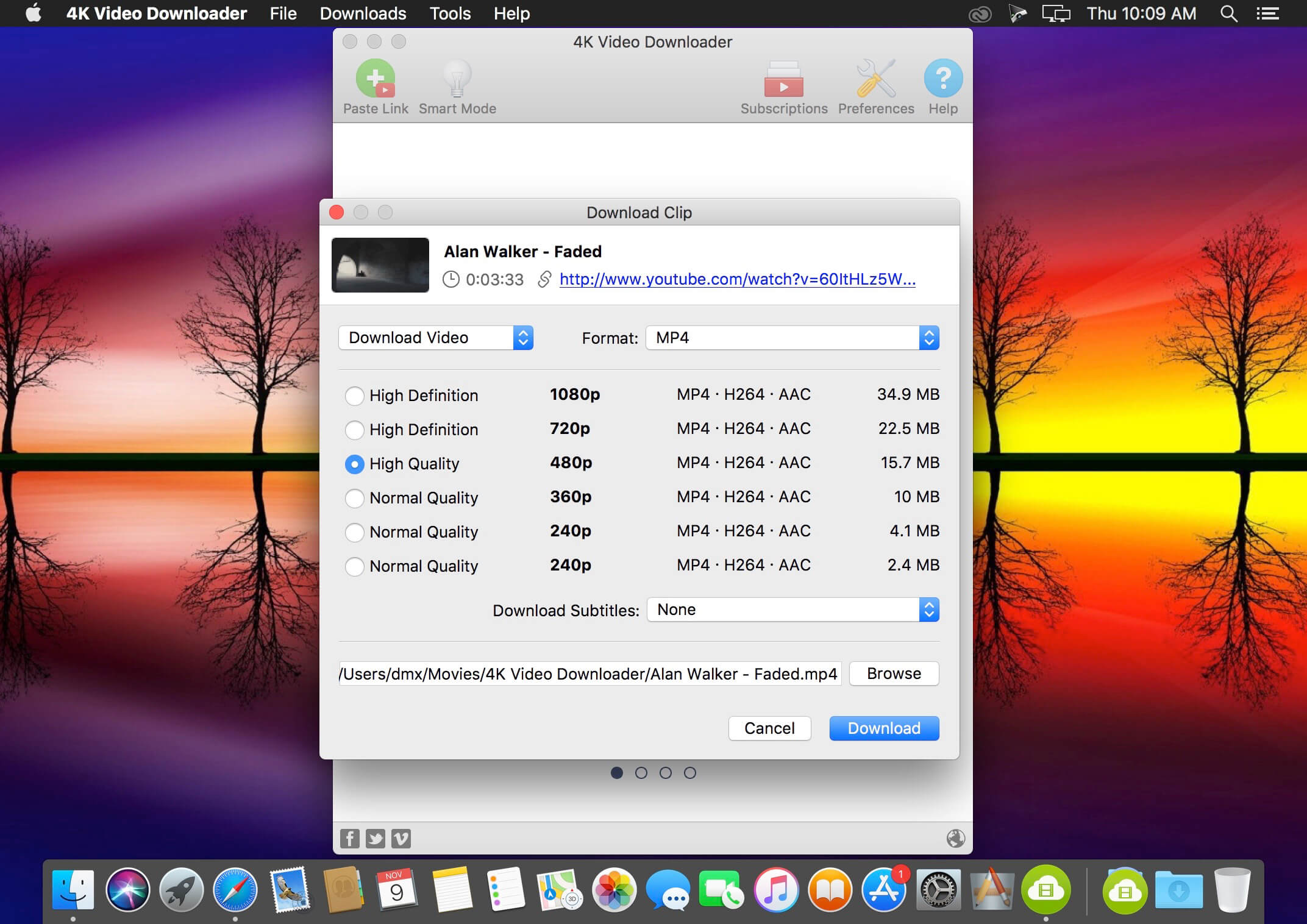
4K Video Downloader allows to download video, audio and subtitles from YouTube in high-quality and as fast as your computer and connection will allow. If you want that video on your iPad, iPhone or other device we’ve got you covered. Downloading is simple and straightforward: just copy the video link from your browser and click ‘Paste Url’. Done!

  • Download entire playlists and channels from YouTube and save them in MP4, MKV, M4A, MP3, FLV, 3G, generate .m3u file for playlists.
  • Download video in HD 1080p, HD 720p or 4K quality and enjoy high dimension video on your HD TV, iPad or other devices.
  • Advanced subtitles download, select if you would like to have .srt file or embedd subtitles in video file to watch it on your Mac for example.
  • Activate “Smart Mode” in order to apply the selected settings to all your downloads, easy and fast.
  • Download video in 3D format, you will find a small special icon among available formats after video parsing. It’s really impressive to watch live shows and cartoons in 3D.
  • Download embedded YouTube videos from any web pages, just copy/paste link and the program will find the source of download.
  • Download video and audio from Vimeo, SoundCloud, Flickr, Facebook and DailyMotion.

What’s New:

  • YouTube сhannel subscription feature added
  • 360 degrees videos are supported
  • Original audio bitrate option added
  • YouTube and Facebook download issues fixed
  • Import and export of downloaded items supported
  • Thumbnail for audio in metadata added

Language: Multilangual
Compatibility: macOS 10.13 or later
Homepage https://www.4kdownload.com/ru/products/product-videodownloader

Screenshots


Name: 4K_Video_Downloader_Pro_5.0_[TNT]_Mactorrents.is.dmg
Size: 134.58 MB
Files 4K_Video_Downloader_Pro_5.0_[TNT]_ Mactorrents.is.dmg[134.58 MB]

   Download

Folx Pro 5.27

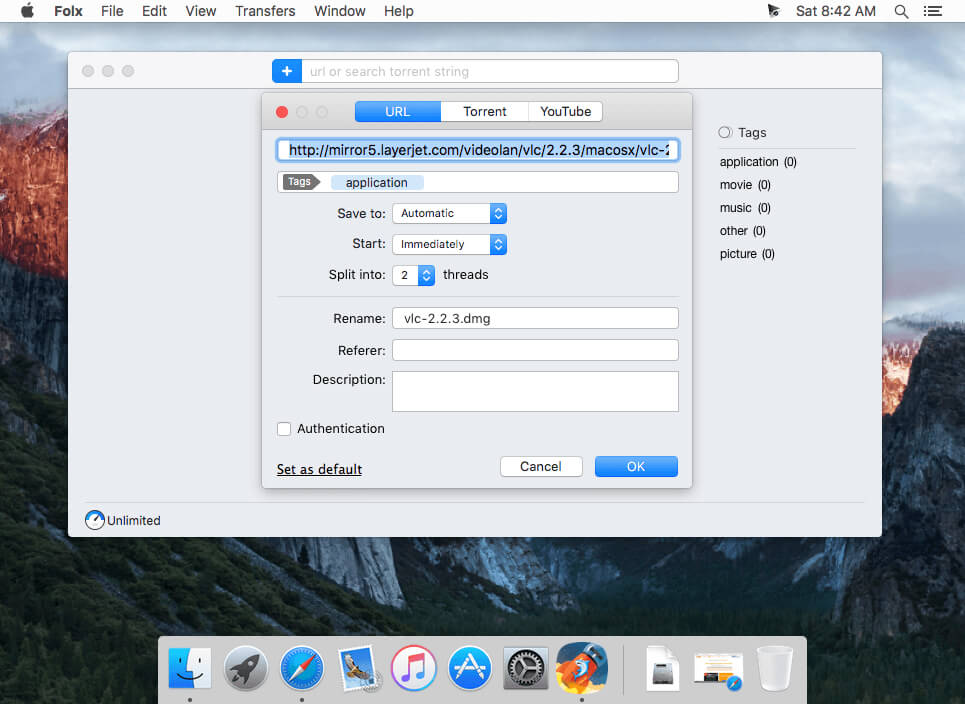
Folx makes downloading extremely easy: just open the page with the file to be downloaded, click the link in your browser and Folx will start the download for you. The application splits the file being downloaded in up to ten threads, thus significantly increasing the download speed. Its auto resume option comes handy when the downloading gets interrupted. You can also assign a tag or a few to the downloaded content for accurate and easy search through the downloaded files. You can optimize traffic allocation between different applications by regulating manually the download and upload speed.

Folx is also available as PRO version. It brings such handy features as splitting the downloads in up to 10 threads which speeds up the download process; scheduling the download tasks according to your convenience; smart speed adjustment option (download speed will be adjusted automatically whenever you need to use Internet traffic to run other applications), iTunes integration and searching the web for torrents directly from Folx.

Please, note that this version of Folx does not support downloading videos from YouTube. To be able to download YouTube videos, please get the special build from the developer’s website.

Compatibility: macOS 10.12 or later
Homepage https://mac.eltima.com/download-manager.html

Screenshots


Name: Folx_5.27_[TNT]_Mactorrents.is.dmg
Size: 19.24 MB
Files Folx_5.27_[TNT]_ Mactorrents.is.dmg[19.24 MB]

   Download

PCDJ DEX PRO 3.19.0

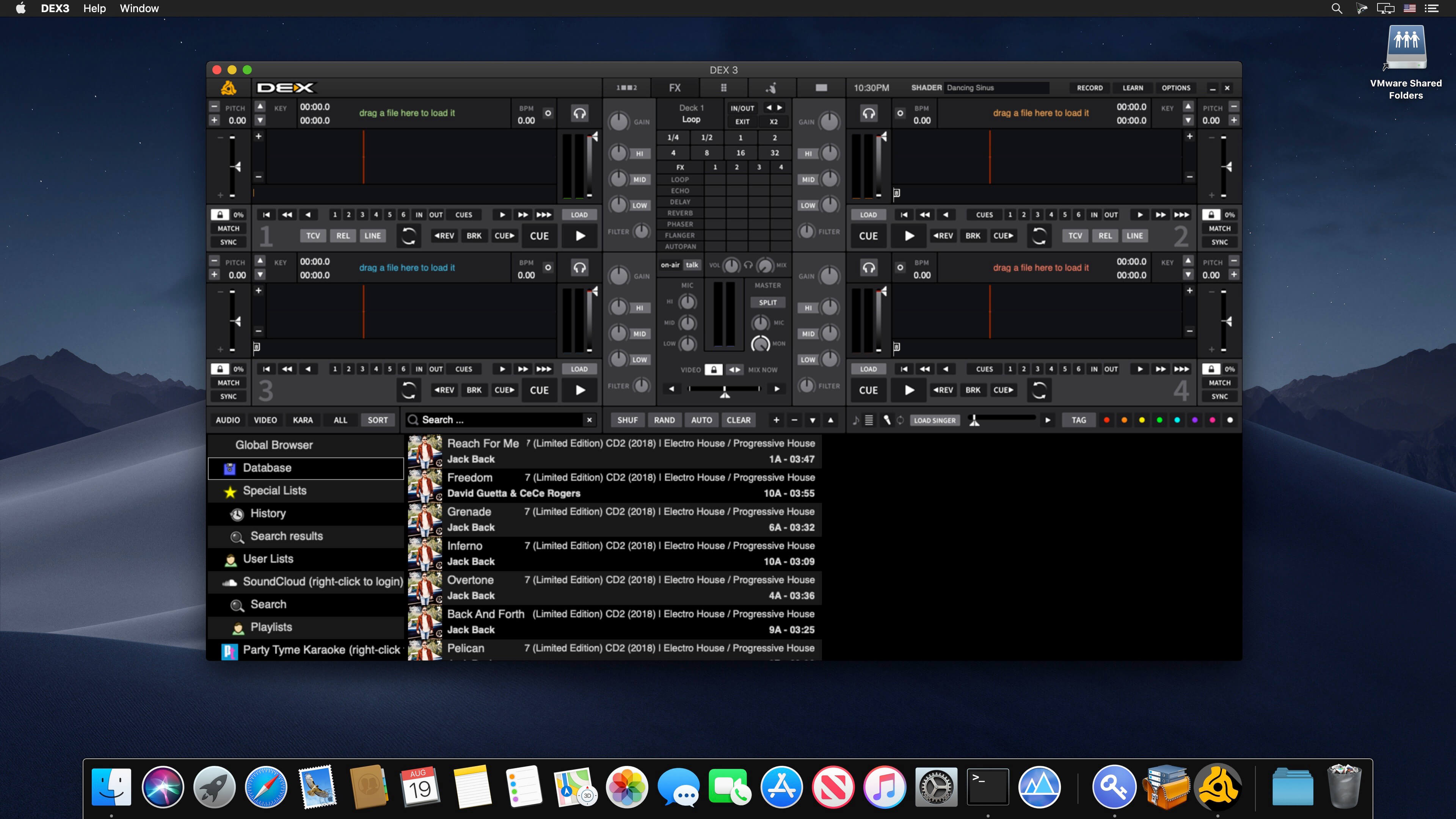
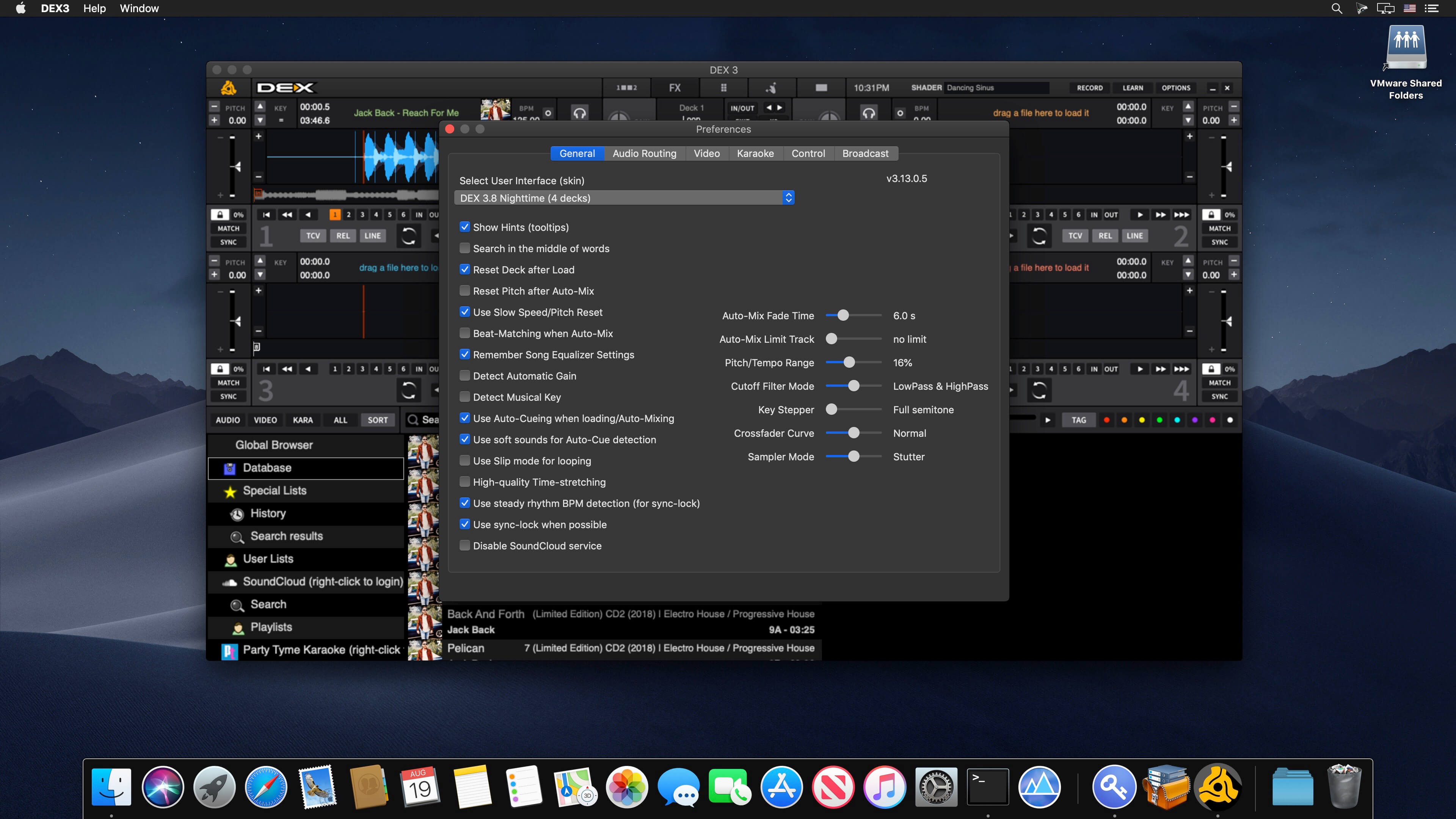
PCDJ DEX 3 is professional DJ Software for Mac and Windows that allows you to seamlessly mix music, music videos, and host karaoke shows. DEX 3 gives you full control over your media, allowing for more creative freedom while mixing than ever before. With our beat-grid-based automatic beat mixing it’s easy to blend tracks, allowing you to focus on the other aspects of your mix.

Since DEX 3 offers no-latency playback, loops, hot cues, and all playback features are ultra-responsive. Use DEX 3 with a keyboard or mouse, or use one of the 65+ supported DJ controllers for tactile hands-on control. So download DEX 3, import you tunes, and cue up your imagination — DEX 3 is the complete DJ mixing software solution.

Transport And DJ Mixer Controls
DEX 3 makes it easy to mix everything. The DEX user interface emulates the look and feel of CD Decks and includes mixer controls much like you find on physical DJ mixers. Use a traditional 2-Deck interface with or without video mixing controls, or layer in your mix with one of the included 4-Deck skins. BPM beat-sync, looping, key-lock, hot cue points, filters and effects all work flawlessly whether youíre mixing audio or blending music videos.

Advanced Media File Browser With Search, Playlists And Automix
DEX 3 includes an advanced media file browser for all your music, music videos and karaoke files. The included library filters allow you to view only the file type you want to work with, and the fast search feature displays results as you type. Create custom playlists or generate lists from directories on your hard drive. Album art and color coding makes it easy to find the song/s you’re looking for. Playlist playback automation is built right in; engage Automix or Shuffle Play if you need a break.

65+ COMPATIBLE DJ CONTROLLERS
DJ Controllers provide hands-on tactile control over PCDJ DEX, allowing for more creativity while mixing. Over 65 DJ controllers from popular DJ equipment manufacturers are natively supported, which means zero-configuration for you so you can get into the mix right away. When you press a button, twist a knob or scratch a platter on your DJ controller PCDJ will react immediately, without latency.

DJ Music And Music Videos For DJs
PCDJ has teamed up with two great record pool services for pro DJs. Our partners at the iDJPool have the hottest new music in 320kbps MP3, plus 2 years of back catalog available in all popular genres to subscribers. Get unlimited downloads in all genres for only $50, or select the “Country Pool” or “Urban Pool” options only.

What’s New:

Version 3.19.0:

  • Release notes were unavailable when this listing was updated.

Compatibility: macOS 10.14 or later, 64-bit processor
Homepage http://www.pcdj.com/

Screenshots


Name: DEX3_3.19.0.0_[TNT]_Mactorrents.is.dmg
Size: 270.43 MB
Files DEX3_3.19.0.0_[TNT]_ Mactorrents.is.dmg[270.43 MB]

   Download

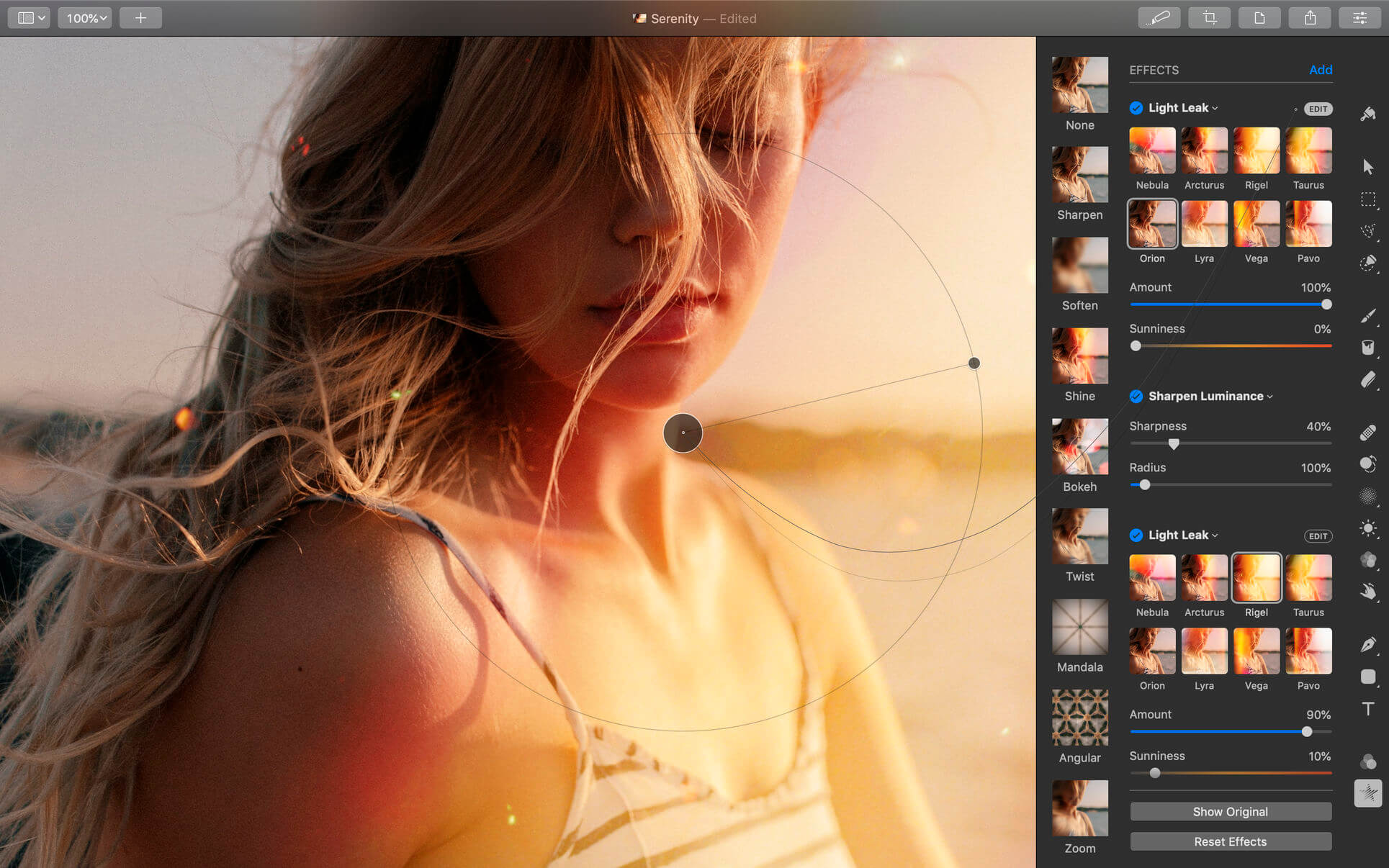
Pixelmator Pro 3.0.1

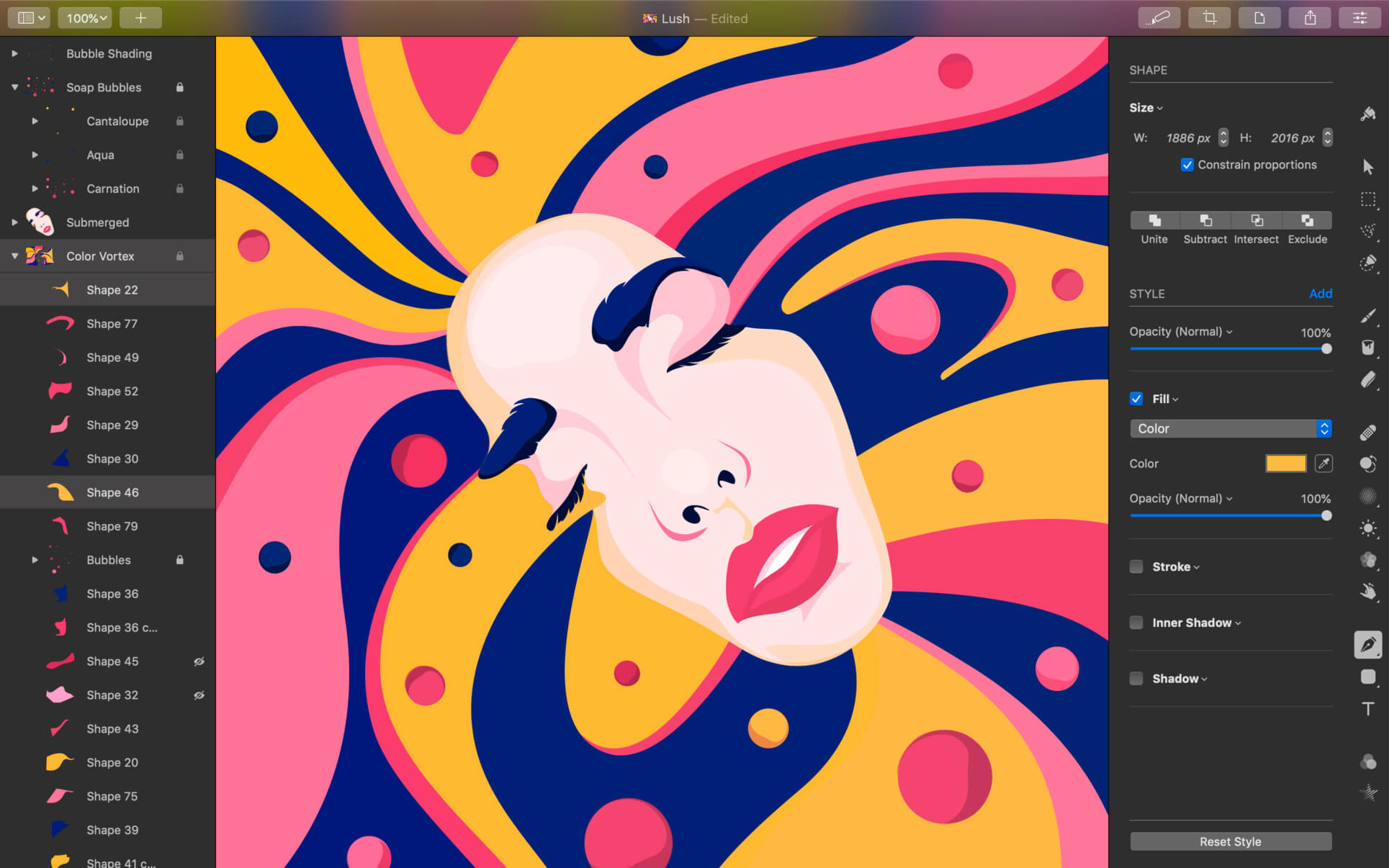
Pixelmator Pro is an incredibly powerful, beautiful, and easy to use image editor designed exclusively for Mac.
With a wide range of professional-grade, nondestructive image editing tools, Pixelmator Pro lets you bring out the best in your photos, create gorgeous compositions and designs, draw, paint, apply stunning effects, design beautiful text, and edit images in just about any way you can imagine. And thanks to its intuitive and accessible design, Pixelmator Pro is delightfully easy to use — whether you’re just starting out with image editing or you’re a seasoned pro.

Exceptional Design and Functionality

  • The modern, single-window interface of Pixelmator Pro is designed exclusively for working with images on a Mac
  • An intuitive and refined design makes image editing easy and accessible, even if you’re a complete beginner
  • Native dark and light appearances adapt to the light and dark modes of macOS
  • A customizable interface lets you organize your creative environment just the way you want
  • Choose from workspace presets created for photography, design, illustration, and painting
  • A full-featured Photos extension lets you edit images using Pixelmator Pro without ever leaving Photos, saving layered, nondestructive edits directly to your library

Professional Tools

  • Enhance your existing images and create new ones using every image editing tool you could ever need
  • Edit nondestructively, adjusting individual changes whenever you like
  • Easily move, resize, and arrange objects to create stunning compositions
  • Adjust colors with a collection of nondestructive, machine learning-powered color adjustments
  • Enjoy superior support for RAW files, editing RAW images using all their extended range data
  • Create digital or traditional paintings using handcrafted, fully-customizable, dual-texture brushes with full support for digital graphics tablets
  • Combine the built-in effects to create any artistic or special effects you can imagine
  • Save adjustment, effect, and layer style combinations as presets, use them in any of your images, and share them with others
  • Speed up image editing with hundreds of presets for color adjustments, effects, layer styles, and shapes
  • Magically remove small imperfections or entire objects, seamlessly clone parts of your photos, and lighten or darken precise areas using a full set of retouching tools
  • Use the reshaping tools to easily change the shape of any object or area in your images
  • Add customizable vector graphics designed by the Pixelmator Team
  • Create your own vector graphics using the Pen tool
  • Easily design great-looking text with a full set of typography tools
  • Quickly create curved, circular, and path text
  • Optimize and save your images for the web, using advanced compression to shrink file sizes
  • Batch process images using built-in Automator actions
  • Effortlessly automate workflows using full-featured AppleScript support

Image Editing Enhanced by Machine Learning

  • Magically remove objects, recreating image areas with stunning realism using the Repair tool
  • Use ML Enhance to intelligently enhance photos with a machine learning algorithm trained on millions of professional photos
  • Zoom and enhance image resolution with the incredible ML Super Resolution
  • Automatically copy the look of one photo to another with ML Match Colors
  • Remove image noise and compression artifacts while preserving details using ML Denoise
  • Quickly make accurate selections with ease using the Quick Selection tool

Compatibility

  • Open and edit images in all the most popular image formats, including JPEG, TIFF, PNG, PSD, HEIF, SVG, PDF, GIF, BMP, TGA, WebP and JPEG-2000
  • Open and edit Photoshop images with layers
  • Open and edit SVG vector images
  • Share your images to Photos, Mail, AirDrop, and other locations

Built Exclusively for Mac

  • Designed exclusively for macOS, Pixelmator Pro supports almost every major macOS feature and integrates seamlessly with macOS Big Sur.

What’s New:

Version 3.0

Pixelmator Pro 3.0 Muse introduces an all-new way to create designs with over 200 easy‑to‑use design templates, AI-powered template editing, 16 fully‑customizable mockups, document color palettes, and more.

New Features

  • Get inspired with over 200 easy-to-use templates designed following the best industry practices.
  • Showcase your designs in 16 stunning, fully-customizable mockups.
  • Enjoy incredibly fast template editing thanks to the machine learning-powered Smart Replace feature.
  • Easily transform the look of templates using built-in alternative elements — lighting, shapes, effects, and illustrations.
  • Use the new Document Colors feature to quickly change the colors of multiple layers in your designs.

200+ Design Templates

  • Find templates for a wide range of different formats, including posters, social media posts, resumes, and more.
  • Use brand templates to effortlessly build an eye-catching visual identity for your personal brand or business.
  • Quickly replace placeholder content using on-canvas controls and watch as your custom images or text fit seamlessly into pre-made designs.
  • Transform the look of a design in seconds using alternative elements — shapes, effects, and illustrations — designed exclusively for each template.
  • The template browser has been redesigned, letting you easily browse template collections, see previews of templates, and search.
  • You can search for specific templates by name or enter keywords to show related templates.
  • Use the new preset browser to more conveniently browse image size presets, manage preset collections, and change document orientation.

AI-Powered Editing

  • When replacing placeholder content that shouldn’t have a background, it will be removed from your images automatically.
  • Automatically insert images with the most optimal placement and composition using Auto Fill.
  • Pixelmator Pro will upscale low-res images using Super Resolution if it detects that their quality is too low.

Mockups

  • Find 16 fully-customizable mockups for devices such as Mac, iPad, and iPhone, and print formats, including posters, book covers, and more.
  • Quickly adjust lighting or recolor objects in mockups to find a look that compliments your design the best.
  • Replace the placeholder images with designs saved in regular image formats and multilayer document formats including PXD, PSD, and SVG.

Document Colors

  • When working with templates or mockups, try out alternative color palettes created specifically for each template to see which one looks best for your design.
  • Pixelmator Pro automatically generates color palettes using the colors of elements — styles, shapes, text, and effects — in a particular design.
  • Quickly recolor your composition by changing, adding, or removing colors from a palette.
  • Easily duplicate, copy and paste palettes between documents, or remove them.

Compatibility: macOS 11.0 or later
Homepage https://apps.apple.com/pk/app/pixelmator-pro/id1289583905

Screenshots


Name: Pixelmator_Pro_3.0.1_MAS_[TNT]_ Mactorrents.is.dmg
Size: 503.87 MB
Files Pixelmator_Pro_3.0.1_MAS_[TNT]_ Mactorrents.is.dmg[503.87 MB]

   Download

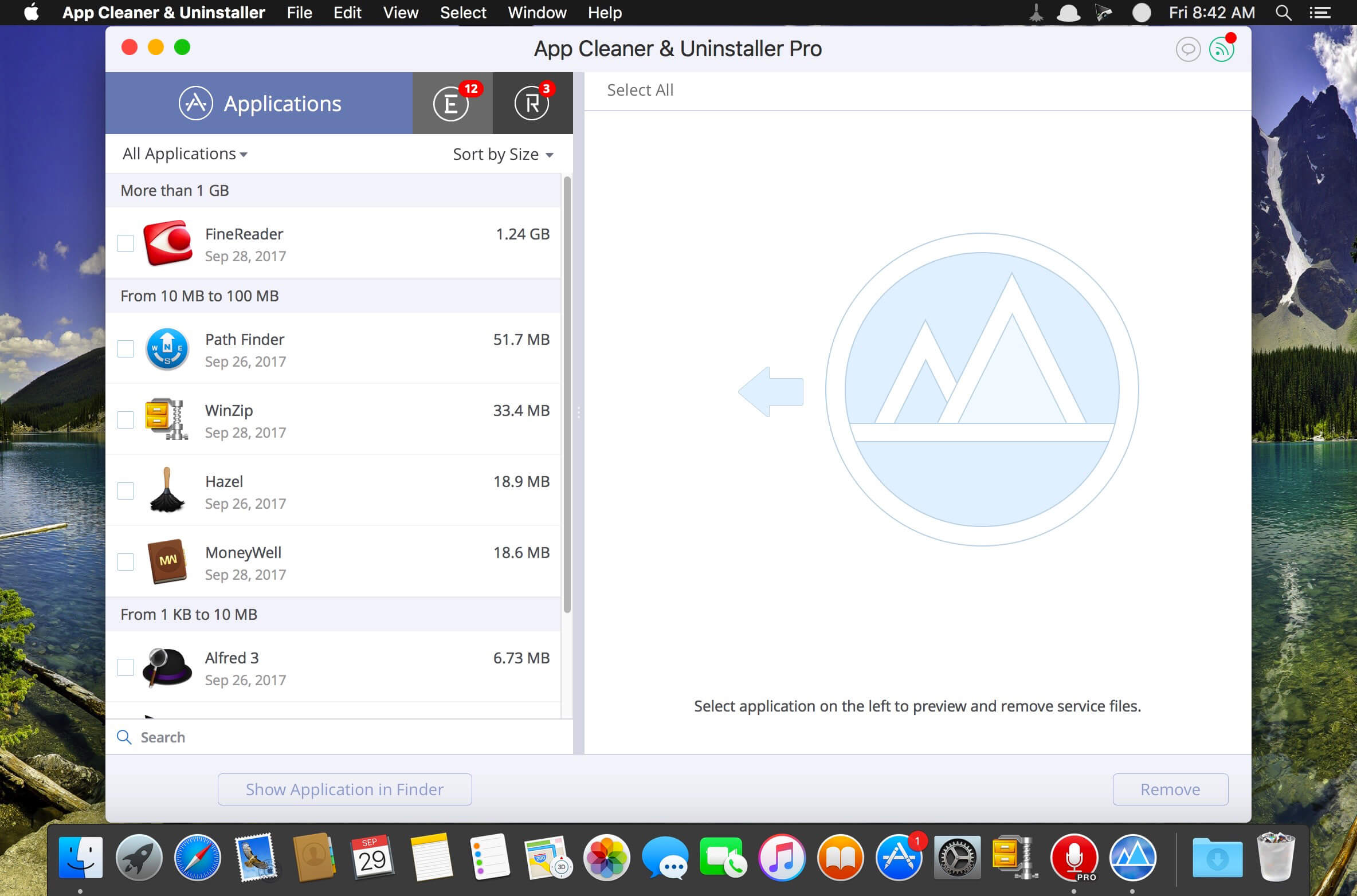
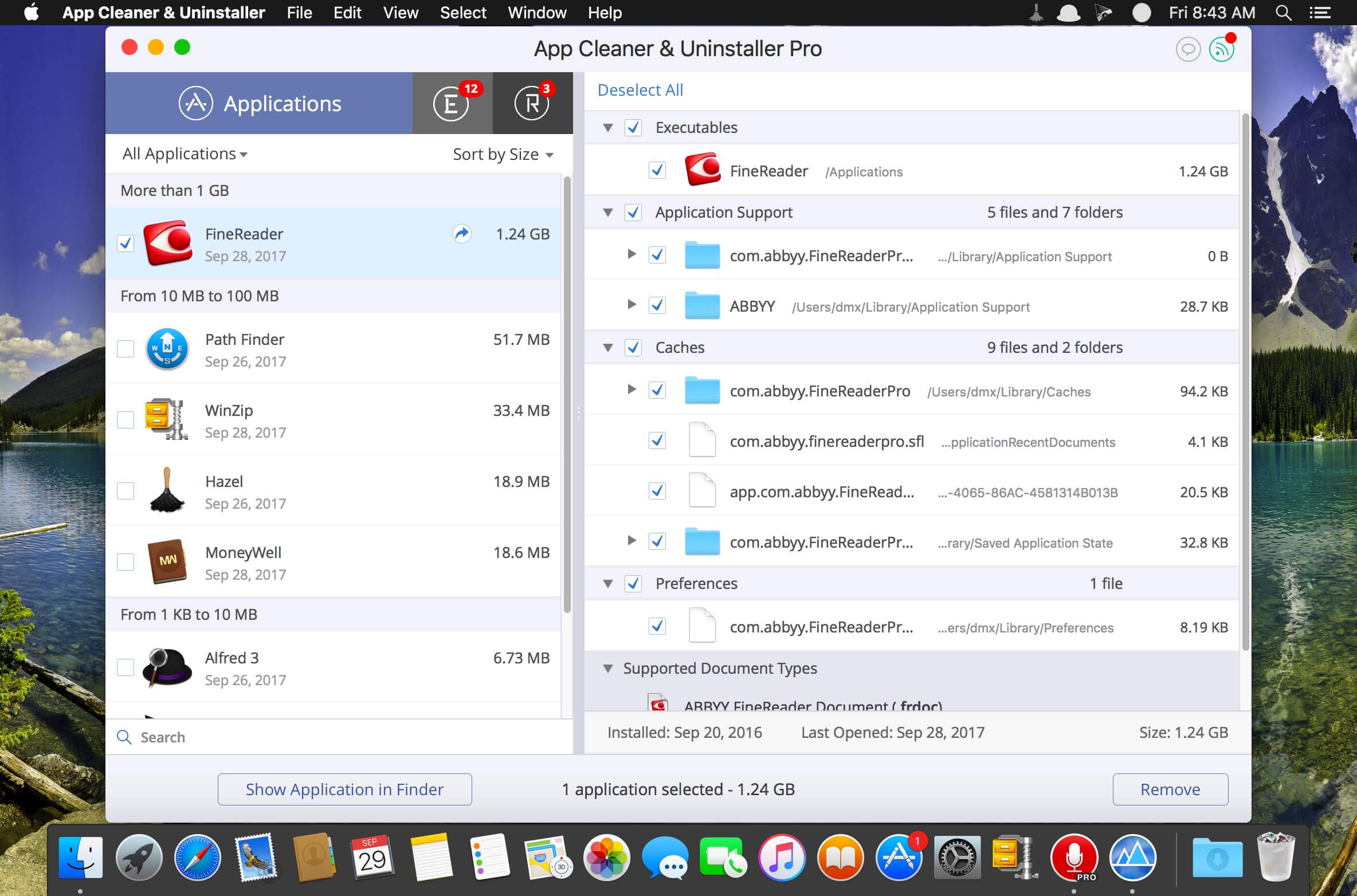
App Cleaner & Uninstaller Pro 7.8.3

Preview Installed Applications and Remove Service Files to Complete Uninstall.
App Cleaner 7 – The best app to remove applications service files on macOS and uninstalling applications*.

Delete application’s service files. Make sure they aren’t eating up precious space on your Mac with this helpful app that does the legwork for you.
Disable unneeded login items to launch Mac faster.
Get PRO features and remove even System Extensions.

Main Gained Value – Speed up Your Mac by: 

  • deleting apps’ files taking performance resources
  • deleting debris of apps that were simply put into Trash
  • managing all types of service files (caches, logs, preferences, etc.)
  • removing unneeded System Extensions
  • removing login items and disabling startup programs

Main Advantage: App Cleaner deletes Remains (or leftovers) – files of previously removed apps.
Thus, you uninstall applications completely.

Main Features: 

  • Scan the system and preview installed applications
  • Remove all types of service files
  • Remove remains of previously uninstalled apps
  • Reset application to a first-launch state
  • Preview launch agents and system daemons
  • Preview login items
  • Disable launch agents and login items
  • •ind and preview installed System Extensions
  • Remove System Extensions
  • Easy-to-use shortcuts
  • Any file or app quick preview
  • Specific app-associated file formats preview
  • In-app help assistance
  • Show unused applications
  • Skip list option

How to Uninstall an application using App Cleaner:

  1. Launch App Cleaner.
  2. Scan all applications for service files.
  3. Choose unneeded application (left view). In-app purchase required.
  4. Select all its’ service files on right view.
  5. Click Remove.
  6. If some apps were not removed, due to access rights, switch to Finder and move them manually to Trash*.

*Some applications can not be removed because they require administrator privileges. In this case, switch to the Finder and delete the application file in usual way.

PRO mode required to:

  • Remove executable part of applications
  • Remove system extensions
  • Disable ads

FREE mode allows to:

  • Preview all installed apps
  • Preview service files for apps
  • Remove service files for apps
  • Reset apps to first-run state
  • Preview installed extensions and widgets
  • Disable launch agents and startup items
  • Remove Remains – broken service files

Top In-App Purchases : PRO Version – included
Compatibility: OS X 10.10 or later
Homepage https://nektony.com/

Screenshots


Name: App_Cleaner_7.8.3_[TNT]_Mactorrents.is.dmg
Size: 30.34 MB
Files App_Cleaner_7.8.3_[TNT]_ Mactorrents.is.dmg[30.34 MB]

   Download

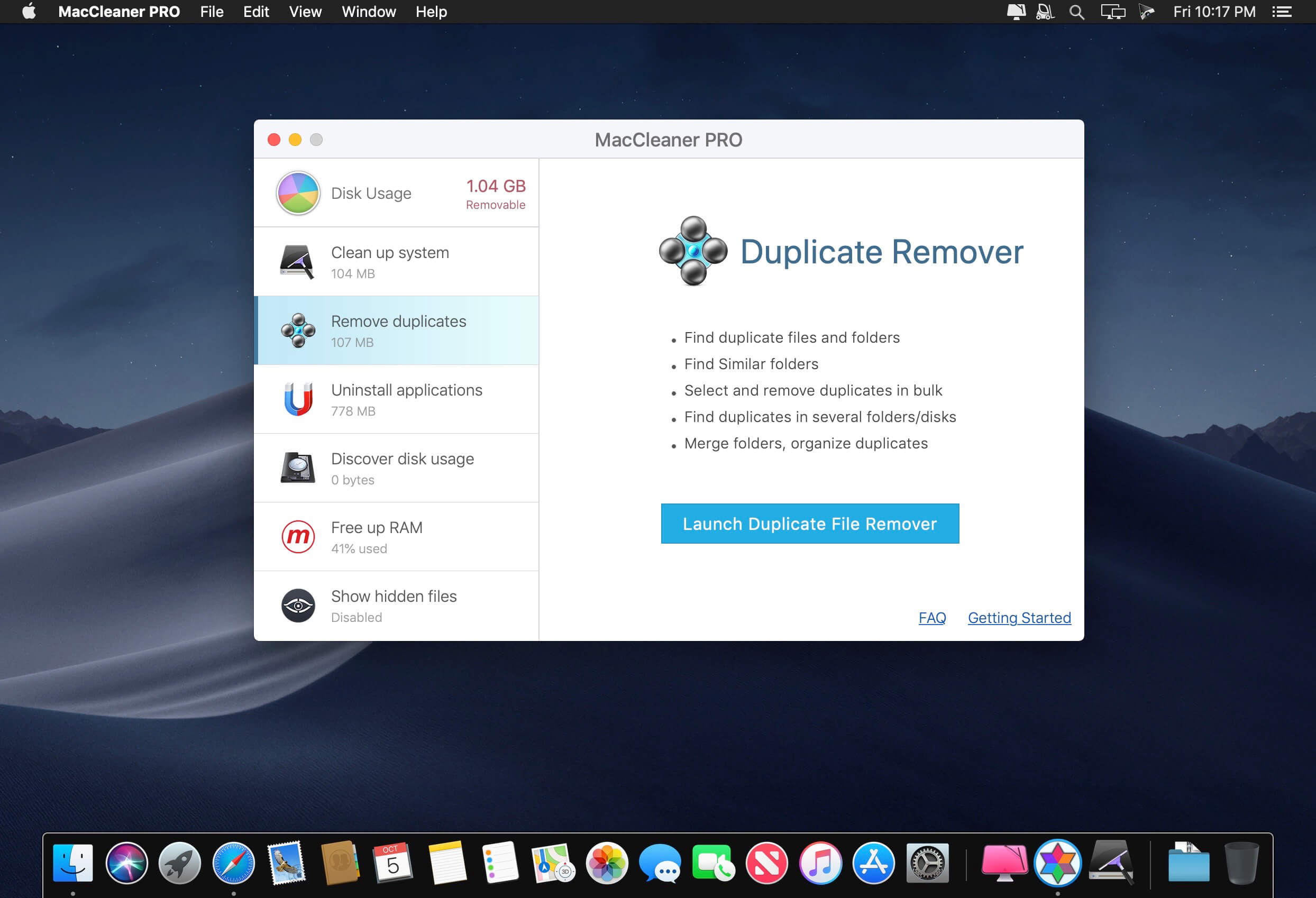
MacCleaner 2 PRO 2.9.2

Clean up your Mac and optimize its performance. Speed up a slow Mac, free up disk space, remove junk files, prevent the “Startup Disk Full” error.

Why do I need MacCleaner Pro 2?
Your Mac needs to be cleared of junk files periodically if you wish to keep it working as fast as a new one. MacCleaner Pro provides a set of cleanup apps for that, which we call “must haves” for every self-respecting Mac owner.

How to use MacCleaner Pro 2?
Using MacCleaner Pro is as easy as ABC. Just launch the application and you will see a list of all the tools with a details description of what each app can do for you. Open each app and follow simple steps to start the cleaning process. Whenever you have any questions, just visit the Support page or directly contact the Support team. We are always happy to help you.

What are benefits of MacCleaner Pro 2?
The best thing about MacCleaner Pro is that the bundle contains all the necessary tools for a safe and deep hard drive cleanup. You should use them to always keep your Mac running properly, and thus prolong its’ life.

My Mac is slow. Can MacCleaner Pro help me?
Despite freeing the disk space, MacCleaner Pro thinks about your RAM memory as well. It can work in the background and monitor the memory usage by apps. When your Mac’s memory is filled up, it will clear inactive RAM and make your Mac run faste

Compatibility: macOS 10.12 or later
Homepage https://nektony.com/

Screenshots


Name: MacCleaner_Pro_2_2.9.2_[TNT]_Mactorrents.is.dmg
Size: 108.24 MB
Files MacCleaner_Pro_2_2.9.2_[TNT]_ Mactorrents.is.dmg[108.24 MB]

   Download

Disk Expert Pro 3.8.2

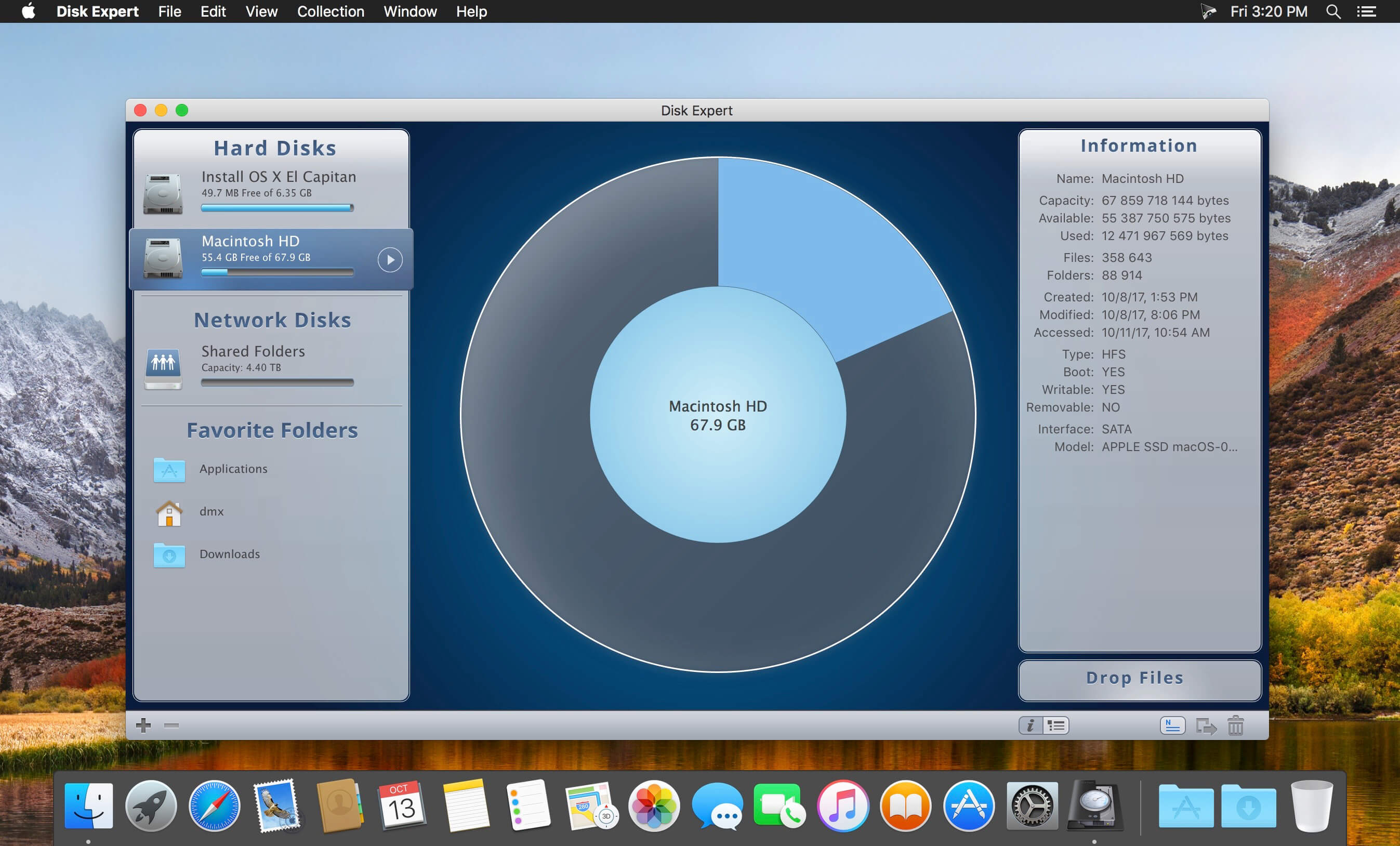
A powerful disk usage scanning and reporting utility for Mac. Disk Expert allows you to find the bulkiest content and free up Mac hard drive space.

Disk Expert – The Best Disk Cleanup Tool for your Mac
Fast Scanning
Get ready to be impressed by the fast scan speed of the app. Scan your drive and get the results in less than a minute!

Largest Items
View the list of 25 of the biggest files and folders on your disk. Make it simple to clear storage space with Disk Expert.

Hidden Files
Find even hidden debris on your disk, such as logs and caches of apps, browser data and so on.

Drop Lists
Add files to the special Drop Lists for further removal or transmission to external storages.

How to Free Up Disk Space on Mac find large files on Mac

  1. Launch the app and click to scan your disk or separate folders.
  2. View the space usage distribution and identify the biggest items.
  3. Get rid of old unused items which occupy useless drive space.

What’s New:

Version 3.8.2:

  • Release notes were unavailable when this listing was updated.

Compatibility: OS X 10.10 or later 64bit
Homepage https://nektony.com

Screenshots


Name: Disk_Expert_3_3.8.2_[TNT]_Mactorrents.is.dmg
Size: 14.05 MB
Files Disk_Expert_3_3.8.2_[TNT]_ Mactorrents.is.dmg[14.05 MB]

   Download

Duplicate File Finder Pro 6.17.3

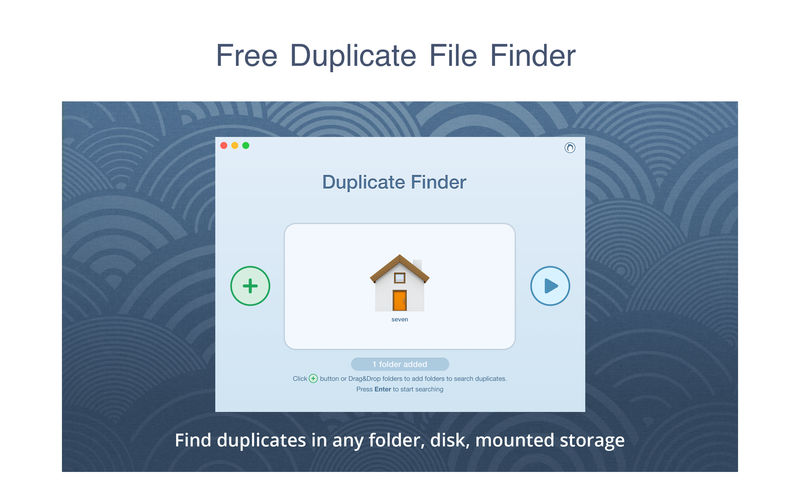
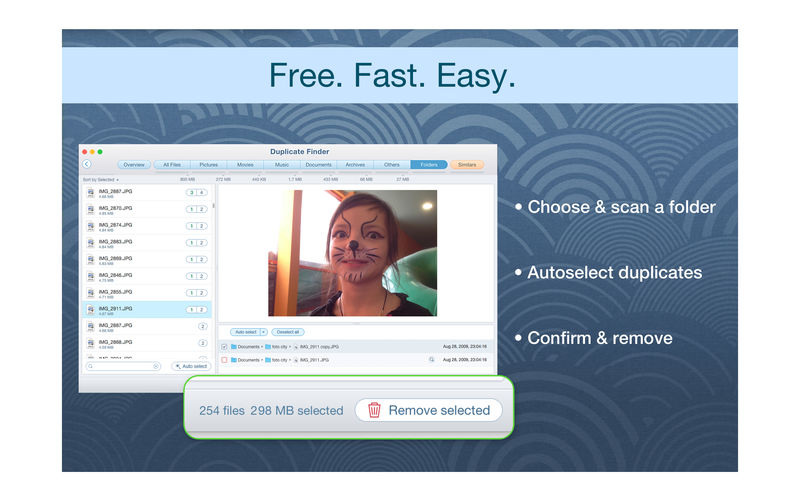
PrimeFile is a free utility that finds duplicate files on your Mac in just 3 clicks. Drag & drop as many folders as you wish and click SCAN.

Within a minute the app will give a report with all duplicate files by categories: images, videos, music, archives, documents, and all other specific extensions. It’s really easy to see how much space each file takes.

Features:
SCANNING

  • fast scanning algorithm
  • scanning for duplicates in multiple folders or drives
  • external drives & mounted network folders support
  • “Recent Folders List” for scanned folders
  • animated scanning process
  • skip list for various files & folders

RESULTS OVERVIEW

  • visual chart report when scanning
  • duplicate files list
  • duplicate files by types

DUPLICATES

  • built-in duplicates search
  • preview & quick look for every file
  • sort duplicates (by name, size, total size, type, and duplicates count)

REMOVING

  • visual progress bar of selected files for removal
  • one-click selection of multiple duplicate files
  • smart duplicates autoselection
  • “always select” & “never select” autoselect options
  • confirmation list of deleted files
  • moving to Trash or permanent removal option

UPGRADE TO PRO, In-app purchase

  • preview & use visual report on duplicates scan
  • find duplicates in hidden folders
  • find duplicate folders
  • find SIMILAR folders (folders that have both unique & duplicate files)
  • use intelligent cleanup hints

Compatibility: macOS 10.12 or later
Homepage https://geo.itunes.apple.com/app/id1032755628

Screenshots


Name: Duplicate_File_Finder_6_6.17.3_[TNT]_Mactorrents.is.dmg
Size: 30.32 MB
Files Duplicate_File_Finder_6_6.17.3_[TNT]_ Mactorrents.is.dmg[30.32 MB]

   Download

Music Tag Editor Pro 7.3.2

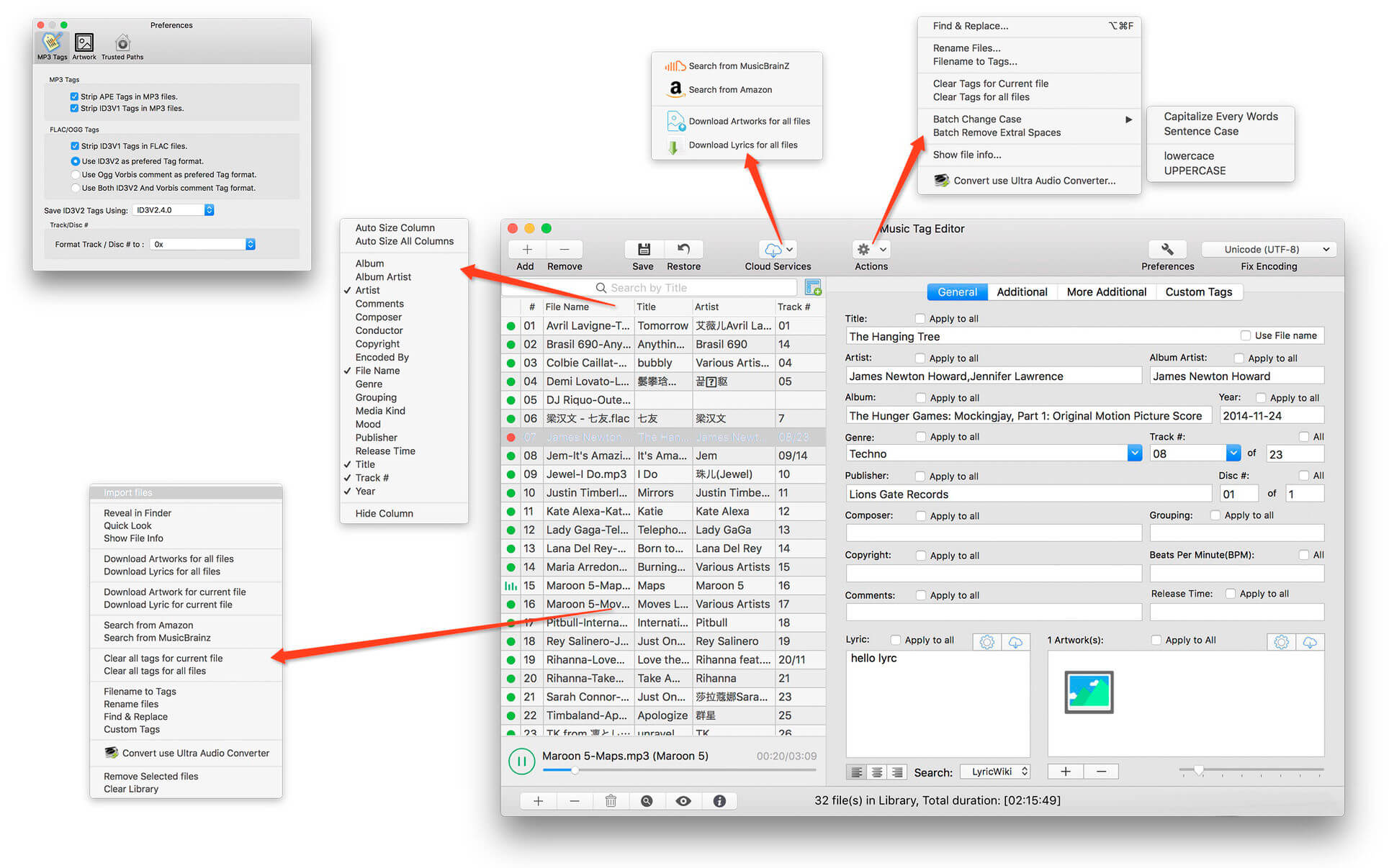
Music Tag Editor Pro can help you to edit your Music Tag info easily and effectively,Batch edit all tags and batch rename with metadata, you can also use it to convert the text encoding of Music Tag, In situations,it can repair the messy code in Music Tags. You also can download the album image for MP3 from internet. Also, you can search tags of music file from Amazon or MusicBrainz cloud services.
In Pro version More additional tags are supported, you can even custom any tags you want!

Support Music formats:
 MP3, M4A (Apple lossless), MP4, FLAC, APE, AIFF, WAV , Ogg files, asf, mkv, dsf, dsd…
Support ID3V1, ID3V2.3,ID3V2.4, xiphComments, APE Tag, Ogg Vorbis, Ogg Speex, Ogg Flac.

Main features:

  • support id3v1,id3v2,xiphComments, RIFF Info, APE Tag, Ogg Tags,iTunes tags. Tags:Title,Artist,Album,Genre,Copyright,Comments,Artworks,Lyrics and so on…
  • lyrics you saved to file can be show correctly in you iPhone or iPod music player.
  • support batch processing of lots of music files,support iTunes importing.
  • Online album image download,multi album image supported.
  • batch rename audio file with metadata
  • batch convert file name to tags
  • user can change,convert the tag text encoding easily, it also can repair messy code in situations.
  • Fully iTunes Tag supported.
  • Support strip APE or ID3V1 tags in mp3 files
  • support to save id3v2.3 or id3v2.4 tags!
  • Batch clean tags
  • Built-IN Music player for all audio formats

Advance features in pro version:

  • Edit Additional and Advanced Tags.
  • Custom and edit any tags you want.
  • Batch Find & Replace all tag fields in one click.
  • MusicBrainZ Cloud services supported.

What’s New:

Version 7.3.2

  • Optimize the search experience
  • Support flow style editor panel
  • The rename function supports applying a template to a single label
  • Bug fixes

Compatibility: macOS 10.11 or later
Homepage https://geo.itunes.apple.com/app/id1229106549

Screenshots


Name: Music_Tag_Editor_Pro_7.3.2_MAS_[TNT]_Mactorrents.is.dmg
Size: 30.54 MB
Files Music_Tag_Editor_Pro_7.3.2_MAS_[TNT]_ Mactorrents.is.dmg[30.54 MB]

   Download

CheckBook Pro 2.7.10

More than a basic check register and reporting tool, CheckBook Pro features everything in CheckBook, our powerfully simple personal finance manager, and then some. Get a report for all of your accounts at once. Search for transactions with any combination of criteria. Group your transactions into folders. Change the details of a group of transactions in a single stroke. CheckBook Pro’s simply powerful data management tools make it all just plain easy.

Pro features
Save complex searches as Smart Folders, so you can search again and again
Group your transactions into Folders, to tidy up or begin a new year
Quickly change the details for a group of transactions, instead of one at a time
Report on all your accounts at the same time
See pending scheduled transactions for all your accounts with a single reminder
Save some ink strokes and let
CheckBook Pro print your checks for you (pre-printed check paper only)

Import from other personal finance apps or your bank

Strong support for OFX, QFX, QIF, CSV and Text Import from Quicken® Essentials for Mac

Name: CheckBook_Pro_2.7.10_[TNT]_Mactorrents.is.dmg
Size: 50.55 MB
Files CheckBook_Pro_2.7.10_[TNT]_ Mactorrents.is.dmg[50.55 MB]

   Download

Wondershare PDFelement Pro 9.1.1.4523 (OCR)

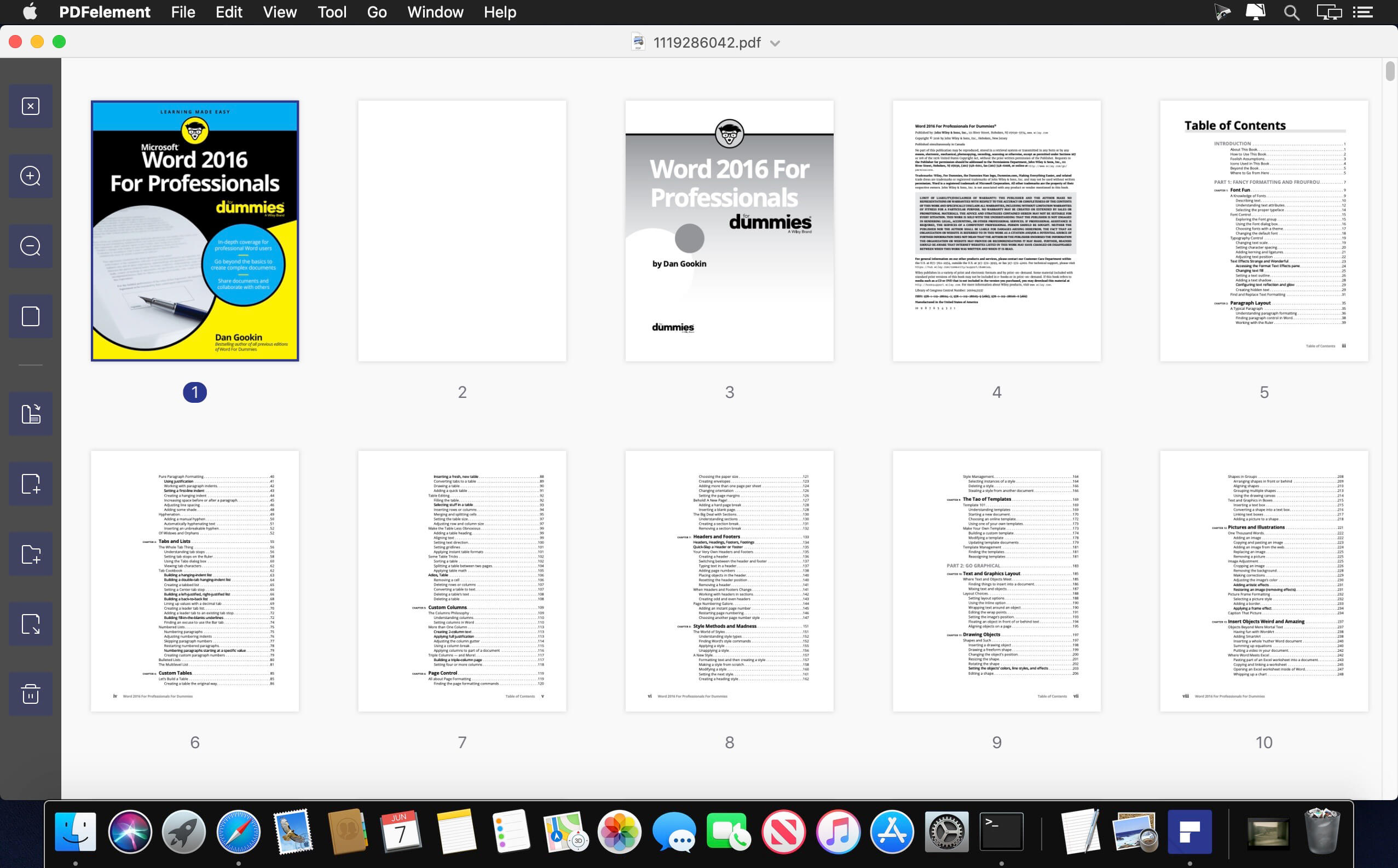
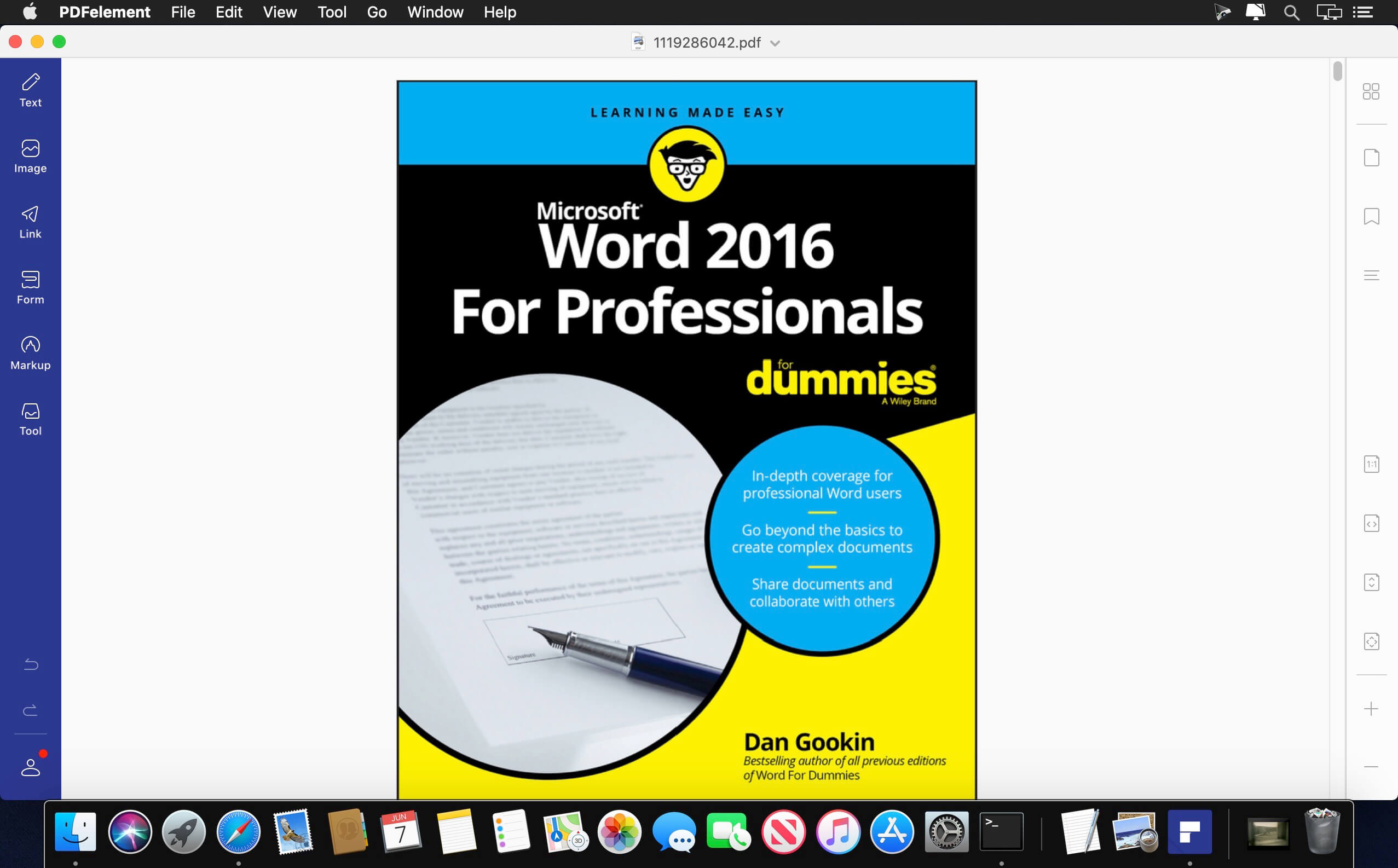
PDFelement – The easiest way to create, edit, convert, and sign PDF documents. We’re now introducing the all-new PDFelement 8, which includes a redesigned UI, more advanced writing tools, improved team collaboration features, more powerful conversion tools, a user management console, and more.

PDFelement Pro
OCR (Exclusive in Pro version)

  • OCR (Optical Character Recognition)enables you to edit and convert characters in scanned PDF files or pictures
  • Supports recognition of 29 languages

Create & Sign Forms (Exclusive in Pro version)

  • Create fillable PDF Forms from interactive field objects, such as buttons, check boxes, radio buttons, list boxes, and drop-down lists
  • Support adding digital signatures to forms

Merge PDF (Exclusive in Pro version)

  • Combine different format files into a new PDF

Convert PDF (Exclusive in Pro version)

  • Supports converting PDF file to a greater number of output formats like EPUB, HTML, Text, RTF

PDF/A (Exclusive in Pro version)

  • Support PDF/A as an available output format with ISO Standard for long term archiving

Batch Processing of PDF Files (Exclusive in Pro version)

  • Process PDFs in batches
  • Add backgrounds, watermarks, headers and footers in batches

Bates Numbering (Exclusive in Pro version)

  • Apply Bates Numbering with advanced formatting

Redact PDF (Exclusive in Pro version)

  • Redact sensitive text and images in PDFs

What’s New:

Version 9.1.0:

  • Release notes were unavailable when this listing was updated.

Compatibility: macOS 10.14 or later
Homepage https://www.wondershare.com/

Screenshots


Name: Wondershare_PDFelement_Pro_9.1.1_(4523)_OCR_[TNT]_Mactorrents.is.dmg
Size: 656.41 MB
Files Wondershare_PDFelement_Pro_9.1.1_(4523)_OCR_[TNT]_ Mactorrents.is.dmg[656.41 MB]

   Download

4K Video Downloader PRO 4.21.7

4K Video Downloader allows to download video, audio and subtitles from YouTube in high-quality and as fast as your computer and connection will allow. If you want that video on your iPad, iPhone or other device we’ve got you covered. Downloading is simple and straightforward: just copy the video link from your browser and click ‘Paste Url’. Done!

  • Download entire playlists and channels from YouTube and save them in MP4, MKV, M4A, MP3, FLV, 3G, generate .m3u file for playlists.
  • Download video in HD 1080p, HD 720p or 4K quality and enjoy high dimension video on your HD TV, iPad or other devices.
  • Advanced subtitles download, select if you would like to have .srt file or embedd subtitles in video file to watch it on your Mac for example.
  • Activate “Smart Mode” in order to apply the selected settings to all your downloads, easy and fast.
  • Download video in 3D format, you will find a small special icon among available formats after video parsing. It’s really impressive to watch live shows and cartoons in 3D.
  • Download embedded YouTube videos from any web pages, just copy/paste link and the program will find the source of download.
  • Download video and audio from Vimeo, SoundCloud, Flickr, Facebook and DailyMotion.

What’s New:

  • YouTube сhannel subscription feature added
  • 360 degrees videos are supported
  • Original audio bitrate option added
  • YouTube and Facebook download issues fixed
  • Import and export of downloaded items supported
  • Thumbnail for audio in metadata added

Language: Multilangual
Compatibility: OS X 10.10 or later
Homepage https://www.4kdownload.com/ru/products/product-videodownloader

Screenshots


Name: 4K Video Downloader PRO 4.21.7 [HCiSO]_Mactorrents.is.dmg
Size: 109.45 MB
Files 4K Video Downloader PRO 4.21.7 [HCiSO]_ Mactorrents.is.dmg[109.45 MB]

   Download

OmniPlayer PRO 2.0.10

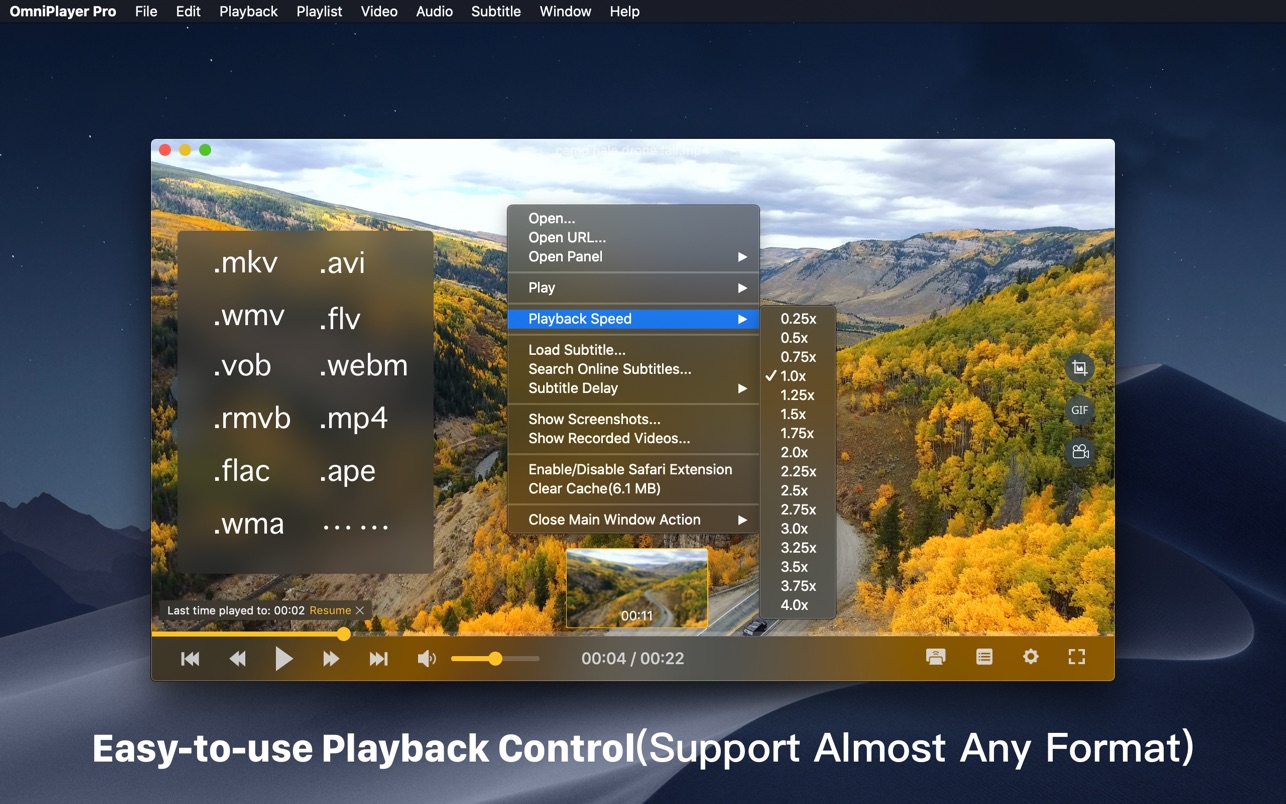
OmniPlayer Pro for Mac is a comprehensive media player for almost any video and audio format on macOS. It has powerful features with a modern and clean design. You can use it to play various 4K/1080P/720P HD videos and normal/lossless audio easily with hardware decoding. OmniPlayer’s rich features let you conveniently control and adjust the playback, playlists, video images, audio tracks, subtitles, and screenshots, etc.

Supported Formats:
Videos: mkv, rmvb, rm, avi, mov, wmv, flv, f4v, f4p, f4a, f4b, swf, mpg, mpeg, mpeg1, mpeg2, m1v, m2v, mpv, mp4, mpeg4, m4v, 3gp, 3gpp, 3g2, 3gp2, m2p, ps, ts, m2ts, mts, mt2s, ogm, ogv, divx, dv, asf, wtv, webm, m3u, m3u8 etc.

Audios: flac, ape, m2a, mp1, mp2, mpa, mp3, mpg3, m4a, m4b, wma, wav, wv, xm, aiff, aif, ac3, a52, aac, opus, ogg, oga, mid, midi, mka etc.

Subtitles: ass, ssa, srt, idx&sub

Features:

Supports Multiple Media Types

  • Play almost any format of the local and remote server videos and audios (SAMBA/FTP protocol).
  • Supports online videos and audio with HTTP/HTTPS protocols.
  • Play Youtube and Vimeo videos using the webpage URL directly without online ads.

Playlist Control

  • Record media files to playlists automatically and automatically clear all when exiting the player.
  • Play, search, delete, change repeat mode of media items in the playlist.

Playback Control

  • Pause, resume, fast forward, rewind and jump to a specified progress time.
  • Record last progress time of playback when stopping automatically.
  • Show preview images on the progress bar when playing a local video.
  • Hide controls automatically to display pure video view without any occlusion.
  • Adjust playback speed from 0.25x to 4x.

Video Image Adjustment

  • Adjust window size and video image aspect ratio quickly.
  • Adjust video image rotation in all directions.
  • Adjust video image equalizer including brightness, contrast, and saturation.

Audio Control

  • Change audio delay time to synchronize audio and video.
  • Choose different audio tracks in the video.
  • Choose audio mode such as Stereo, Dolby Surround, Headphones, etc.
  • Customize audio equalizer or choose predefined equalizer settings such as Classic, Rock, Pop, etc.

Subtitle Control

  • Load different formats of local subtitles in real-time.
  • Search and load subtitles online with video name or hash.
  • Support for most languages. Change subtitle color and size in real-time.
  • Change the encoding of subtitles in different languages to fix subtitle display problems.

Screenshot

  • Take a screenshot with different formats.
  • Generate GIF images up to 60s. Export thumbnails with one click.

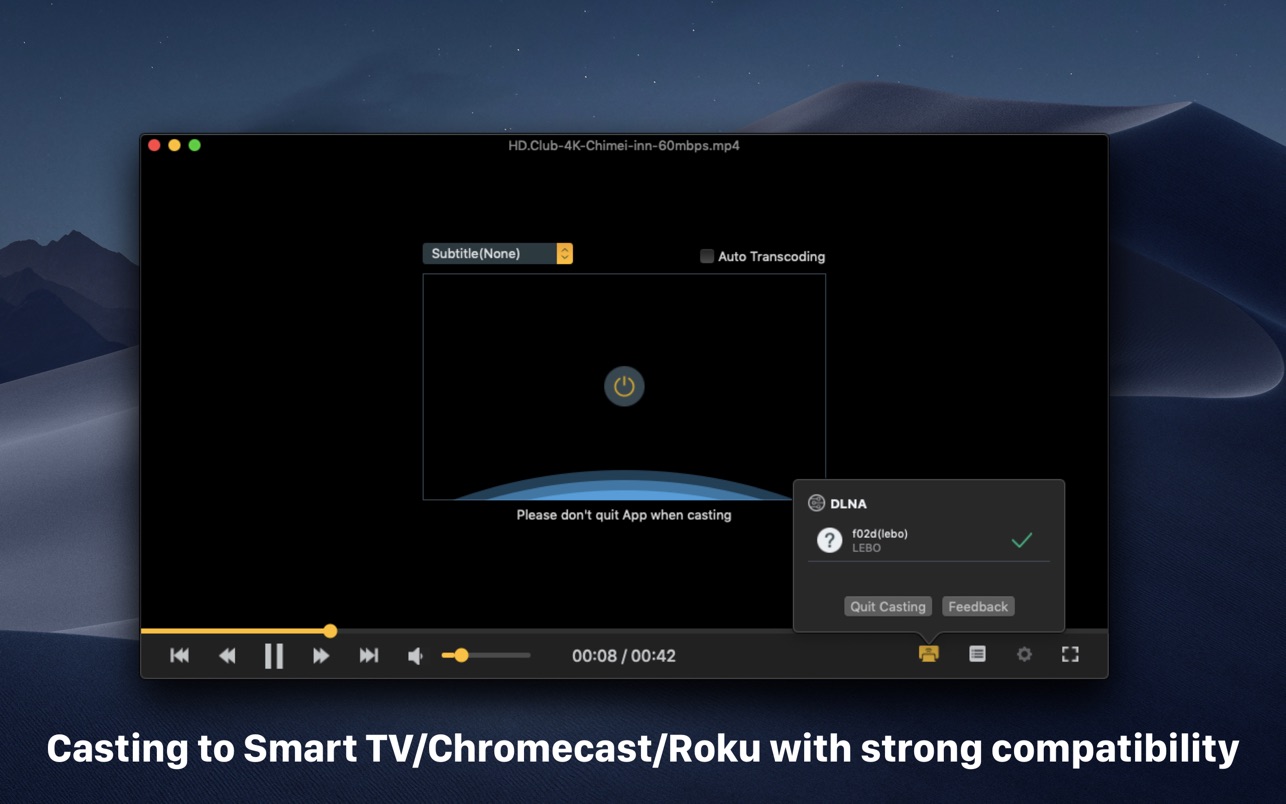
Wireless Display

  • DLNA protocol, Chromecast protocol, Roku channel

What’s New:

Version 2.0.10

  • Fix the problem that some videos fail to cast to DLNA devices

Compatibility: macOS 10.13 or later • Intel Core processor
Mac App Store https://apps.apple.com/app/omniplayer-pro-media-player/id1522844237

Screenshots


Name: OmniPlayer PRO 2.0.10 MAS [HCiSO]_Mactorrents.is.dmg
Size: 86.71 MB
Files OmniPlayer PRO 2.0.10 MAS [HCiSO]_ Mactorrents.is.dmg[86.71 MB]

   Download

FrameMagic – Collage Maker Pro 3.6.4

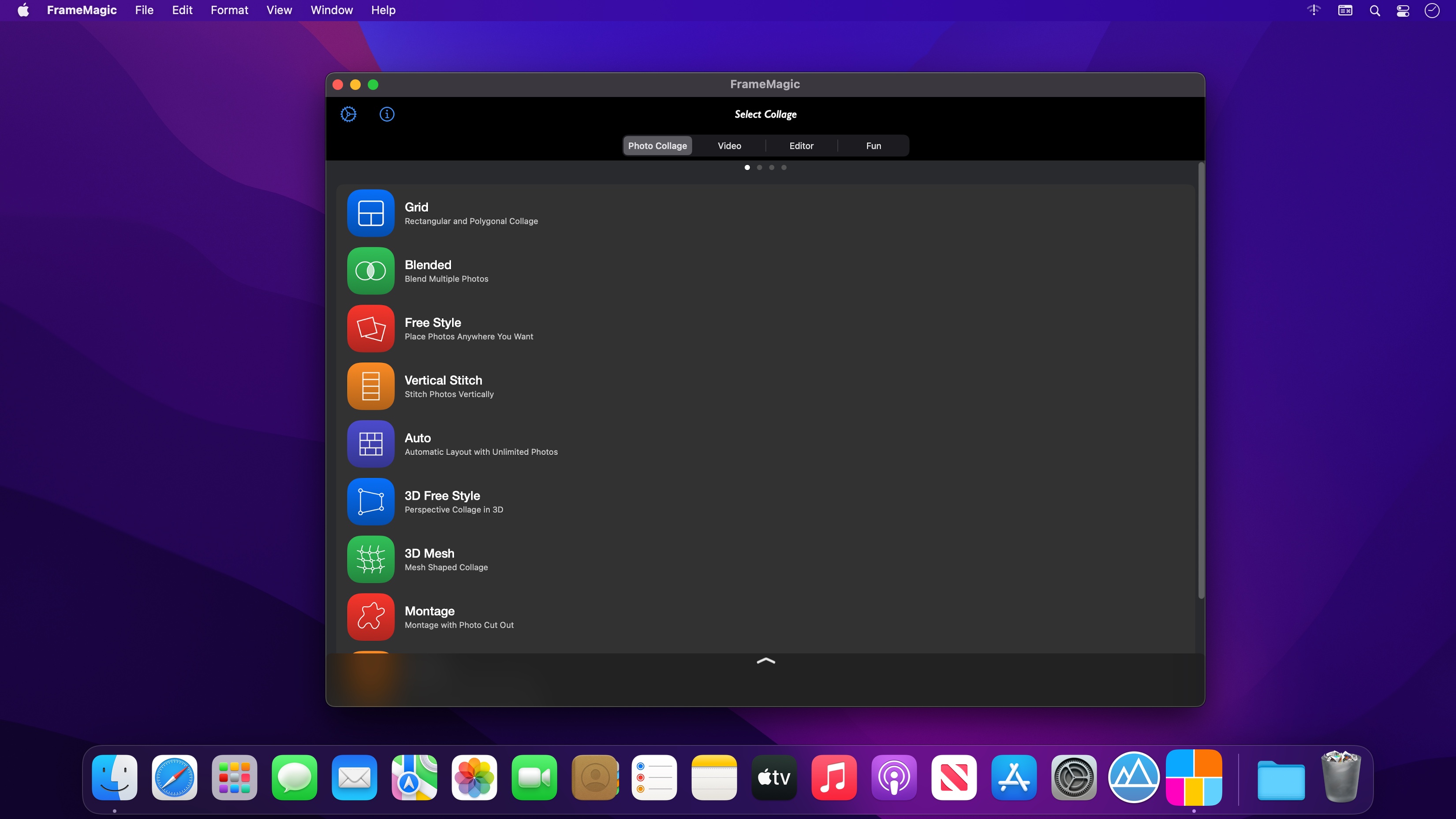
FrameMagic enables you to create awesome photo collage, video collage and video slideshow within just a few seconds with tons of layouts, endless options, colors, patterns, powerful text editor, beautiful filter effects, flexible play options, musics and narrations.

FrameMagic also supports powerful and intelligent photo editors including object removal, soft skin, dark light, bokeh, sticker, silhouette, outline, hole, background blur, motion blur and color splash.

FrameMagic also supports magical funny photo editors including face morphing, crystal(refracted) text and pic warping effect.

[Photo Collage]
• The ultimate photo collage layouts.
– Grid : Combine mulitple photos with hundreds of rectangular and polygonal layouts.
– Auto : Create fully automatic collage with a single tap.
– Blended : Blend multiple photos and create stunning collage.
– Free Style : No limitation on how you add and arrange your photos.
– Vertical Stitch : Combine multiple photos into one long. storytelling collage.
– Squared : Create squared photo and video optimized for Instagram.
– Montage: Create montage photo collage with powerful object masking tool.
– 3D Free Style : Free style collage with 3D perspective layouts.
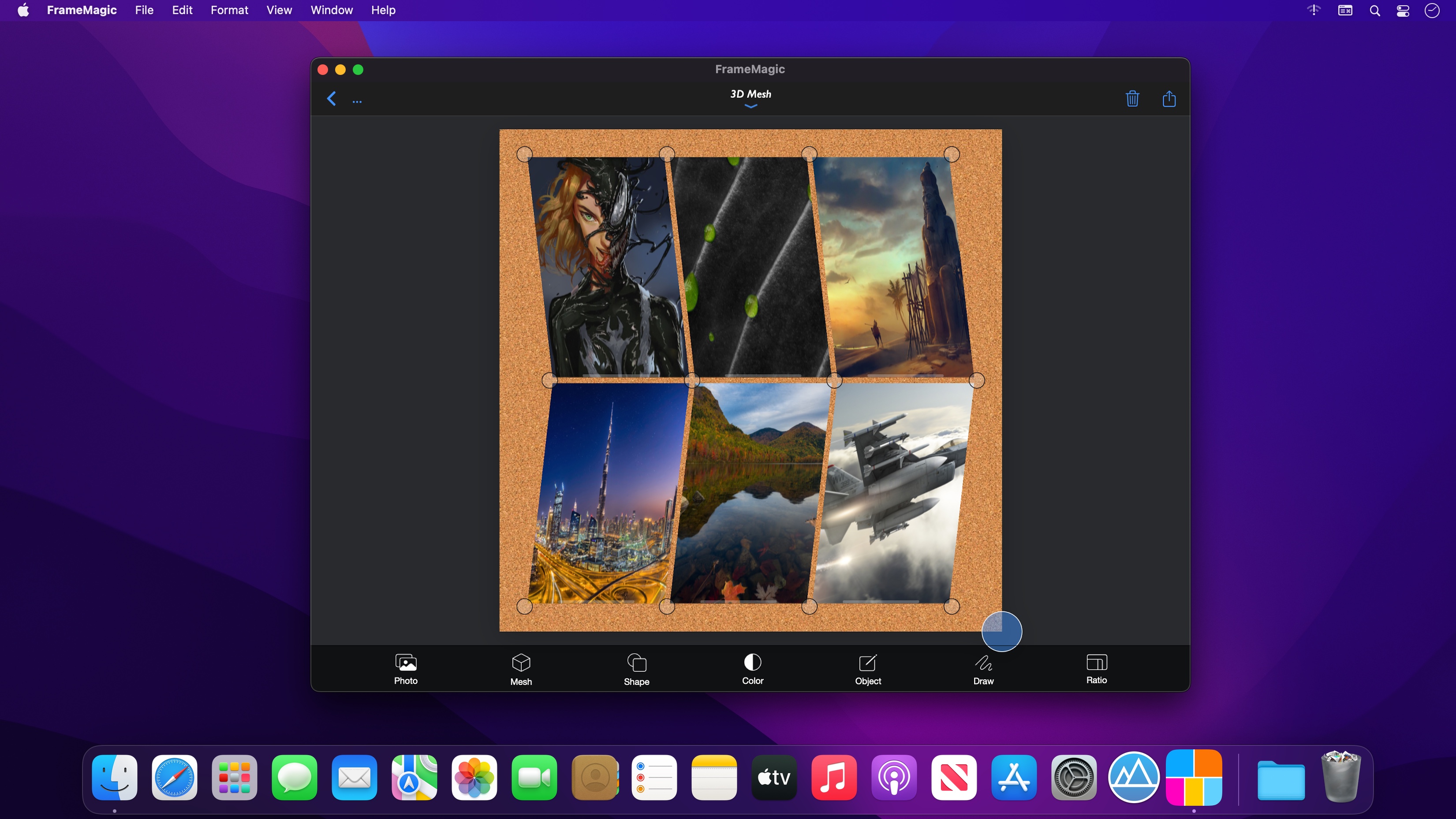
– 3D Mesh : 3D meshed collage with beautiful mesh layouts.

• Load multiple photos at once.
• Unique decoration with rounded corner, margin, border, shadow.
• Background colors and patterns.
• Gradient and shape background color.
• Powerful text editor and beautiful stickers.
• Download and install custom fonts from free font servers.
• Edit photo with aviary photo editor.
• Easy width and height ratio.
• Portrait and landscape mode.
• Save and share in HD (up to 3200×3200).

[Intelligent Photo Editor]
• Object Removal : Remove unncessary objects from your photo in single step.
• Sticker Generation : Create sticker and montage with powerful object masking tool.
• Silhouette Effect : Create beautiful silhouette effect.
• Outline Effect : Create beautiful outline and edge effect.
• Hole Generation : Create holed image and montage.
• Background Blur : Create manual depth blur effect. (aka portrait photo)
• Motion Blur : Create manual panning photography.
• Color Splash : Create selective color and greyscale effect.
• Soft Skin : Create soft skin effect.
• Bokeh : Create circular and hexagonal background bokeh effect.
• Dark light : Create selective light and darkness effect.

[Video Collage & Slideshow]
• 101 rectangular layouts with up to 9 videos
• Photo slides with your own photos
• Video in video with up to 5 videos (PIP)
• Load multiple videos at once
• Trim each video at any time and size
• Apply beautiful filters to each video
• Adjust audio volume of each video
• Add your own song as background music
• Adjust audio volume and start/end time of background music
• Unique decoration with rounded corner, margin, border, shadow
• Background colors and patterns
• Gradient and shape background color
• Powerful text editor and stickers
• Easy width and height ratio
• Portrait and landscape mode
• Save and share in HD (up to 1080×1080)

[Fun Photo Editors]
• Create face morphing effect.
• Add refracted text effect.
• Create warp in/out effect.
Compatibility: macOS 11.0 or later • Apple Silicon or Intel Core processor
Homepage https://apps.apple.com/app/framemagic-collage-maker-pro/id1615349857

Screenshots


Name: FrameMagic 3.6.4 MAS [HCiSO]_Mactorrents.is.dmg
Size: 125.97 MB
Files FrameMagic 3.6.4 MAS [HCiSO]_ Mactorrents.is.dmg[125.97 MB]

   Download

Wondershare PDFelement Pro 9.1.0 (OCR)

PDFelement – The easiest way to create, edit, convert, and sign PDF documents. We’re now introducing the all-new PDFelement 7, which includes a redesigned UI, more advanced writing tools, improved team collaboration features, more powerful conversion tools, a user management console, and more.

PDFelement Pro
OCR (Exclusive in Pro version)

  • OCR (Optical Character Recognition)enables you to edit and convert characters in scanned PDF files or pictures
  • Supports recognition of 29 languages

Create & Sign Forms (Exclusive in Pro version)

  • Create fillable PDF Forms from interactive field objects, such as buttons, check boxes, radio buttons, list boxes, and drop-down lists
  • Support adding digital signatures to forms

Merge PDF (Exclusive in Pro version)

  • Combine different format files into a new PDF

Convert PDF (Exclusive in Pro version)

  • Supports converting PDF file to a greater number of output formats like EPUB, HTML, Text, RTF

PDF/A (Exclusive in Pro version)

  • Support PDF/A as an available output format with ISO Standard for long term archiving

Batch Processing of PDF Files (Exclusive in Pro version)

  • Process PDFs in batches
  • Add backgrounds, watermarks, headers and footers in batches

Bates Numbering (Exclusive in Pro version)

  • Apply Bates Numbering with advanced formatting

Redact PDF (Exclusive in Pro version)

  • Redact sensitive text and images in PDFs

What’s New:

Version 9.1.0 (OCR)

  • Release notes were unavailable when this listing was updated.

Compatibility: macOS 10.14 or later
Homepage https://www.wondershare.com/

Screenshots


Name: Wondershare_PDFelement_Pro_9.1.0_(OCR)_[TNT]_Mactorrents.is.dmg
Size: 655.6 MB
Files Wondershare_PDFelement_Pro_9.1.0_(OCR)_[TNT]_ Mactorrents.is.dmg[655.6 MB]

   Download

Rectangle Pro 2.6.2

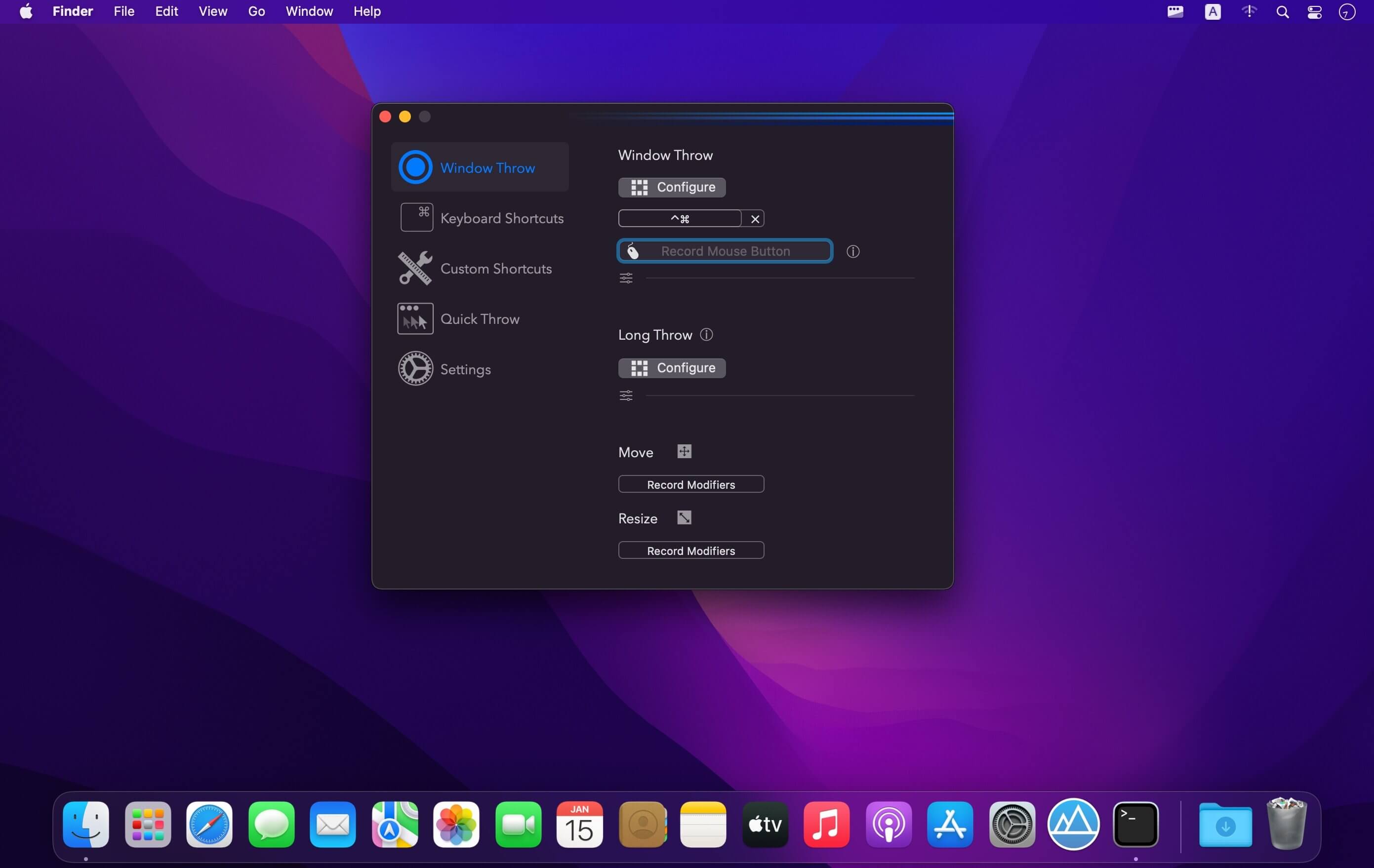
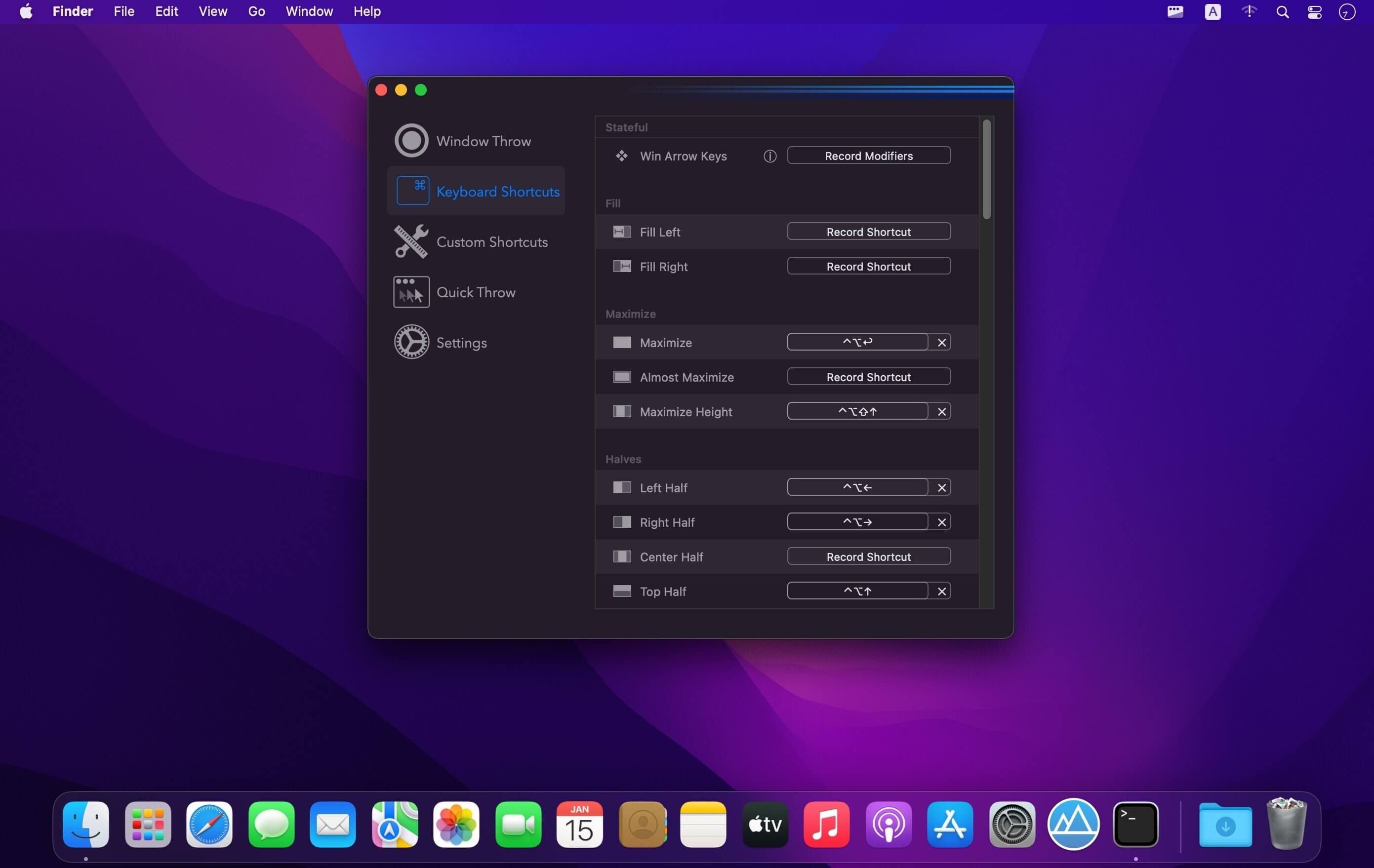
(Formerly Hookshot) Snap windows faster in this featureful Rectangle superset. Toss windows in the right places with cursor movement, move multiple windows with one command, create custom shortcuts, and more.

Features

  • 16 window sizes & positions
  • Keyboard shortcuts
  • Drag windows to screen edges to snap
  • Move and resize by holding a key and moving your cursor
  • Snap windows under your cursor, even if not in focus
  • Custom shortcuts for any size & position

What’s New:

Version 2.6.2:

  • Release notes were unavailable when this listing was updated.

Compatibility: macOS 10.12 or later • Apple Silicon or Intel Core processor
Homepage https://hookshot.app

Screenshots


Name: Rectangle_Pro_2.6.2_[TNT]_Mactorrents.is.dmg
Size: 16.22 MB
Files Rectangle_Pro_2.6.2_[TNT]_ Mactorrents.is.dmg[16.22 MB]

   Download

Pixelmator Pro 3.0

Pixelmator Pro is an incredibly powerful, beautiful, and easy to use image editor designed exclusively for Mac.
With a wide range of professional-grade, nondestructive image editing tools, Pixelmator Pro lets you bring out the best in your photos, create gorgeous compositions and designs, draw, paint, apply stunning effects, design beautiful text, and edit images in just about any way you can imagine. And thanks to its intuitive and accessible design, Pixelmator Pro is delightfully easy to use — whether you’re just starting out with image editing or you’re a seasoned pro.

Exceptional Design and Functionality

  • The modern, single-window interface of Pixelmator Pro is designed exclusively for working with images on a Mac
  • An intuitive and refined design makes image editing easy and accessible, even if you’re a complete beginner
  • Native dark and light appearances adapt to the light and dark modes of macOS
  • A customizable interface lets you organize your creative environment just the way you want
  • Choose from workspace presets created for photography, design, illustration, and painting
  • A full-featured Photos extension lets you edit images using Pixelmator Pro without ever leaving Photos, saving layered, nondestructive edits directly to your library

Professional Tools

  • Enhance your existing images and create new ones using every image editing tool you could ever need
  • Edit nondestructively, adjusting individual changes whenever you like
  • Easily move, resize, and arrange objects to create stunning compositions
  • Adjust colors with a collection of nondestructive, machine learning-powered color adjustments
  • Enjoy superior support for RAW files, editing RAW images using all their extended range data
  • Create digital or traditional paintings using handcrafted, fully-customizable, dual-texture brushes with full support for digital graphics tablets
  • Combine the built-in effects to create any artistic or special effects you can imagine
  • Save adjustment, effect, and layer style combinations as presets, use them in any of your images, and share them with others
  • Speed up image editing with hundreds of presets for color adjustments, effects, layer styles, and shapes
  • Magically remove small imperfections or entire objects, seamlessly clone parts of your photos, and lighten or darken precise areas using a full set of retouching tools
  • Use the reshaping tools to easily change the shape of any object or area in your images
  • Add customizable vector graphics designed by the Pixelmator Team
  • Create your own vector graphics using the Pen tool
  • Easily design great-looking text with a full set of typography tools
  • Quickly create curved, circular, and path text
  • Optimize and save your images for the web, using advanced compression to shrink file sizes
  • Batch process images using built-in Automator actions
  • Effortlessly automate workflows using full-featured AppleScript support

Image Editing Enhanced by Machine Learning

  • Magically remove objects, recreating image areas with stunning realism using the Repair tool
  • Use ML Enhance to intelligently enhance photos with a machine learning algorithm trained on millions of professional photos
  • Zoom and enhance image resolution with the incredible ML Super Resolution
  • Automatically copy the look of one photo to another with ML Match Colors
  • Remove image noise and compression artifacts while preserving details using ML Denoise
  • Quickly make accurate selections with ease using the Quick Selection tool

Compatibility

  • Open and edit images in all the most popular image formats, including JPEG, TIFF, PNG, PSD, HEIF, SVG, PDF, GIF, BMP, TGA, WebP and JPEG-2000
  • Open and edit Photoshop images with layers
  • Open and edit SVG vector images
  • Share your images to Photos, Mail, AirDrop, and other locations

Built Exclusively for Mac

  • Designed exclusively for macOS, Pixelmator Pro supports almost every major macOS feature and integrates seamlessly with macOS Big Sur.

What’s New:

Version 3.0

Pixelmator Pro 3.0 Muse introduces an all-new way to create designs with over 200 easy‑to‑use design templates, AI-powered template editing, 16 fully‑customizable mockups, document color palettes, and more.

New Features

  • Get inspired with over 200 easy-to-use templates designed following the best industry practices.
  • Showcase your designs in 16 stunning, fully-customizable mockups.
  • Enjoy incredibly fast template editing thanks to the machine learning-powered Smart Replace feature.
  • Easily transform the look of templates using built-in alternative elements — lighting, shapes, effects, and illustrations.
  • Use the new Document Colors feature to quickly change the colors of multiple layers in your designs.

200+ Design Templates

  • Find templates for a wide range of different formats, including posters, social media posts, resumes, and more.
  • Use brand templates to effortlessly build an eye-catching visual identity for your personal brand or business.
  • Quickly replace placeholder content using on-canvas controls and watch as your custom images or text fit seamlessly into pre-made designs.
  • Transform the look of a design in seconds using alternative elements — shapes, effects, and illustrations — designed exclusively for each template.
  • The template browser has been redesigned, letting you easily browse template collections, see previews of templates, and search.
  • You can search for specific templates by name or enter keywords to show related templates.
  • Use the new preset browser to more conveniently browse image size presets, manage preset collections, and change document orientation.

AI-Powered Editing

  • When replacing placeholder content that shouldn’t have a background, it will be removed from your images automatically.
  • Automatically insert images with the most optimal placement and composition using Auto Fill.
  • Pixelmator Pro will upscale low-res images using Super Resolution if it detects that their quality is too low.

Mockups

  • Find 16 fully-customizable mockups for devices such as Mac, iPad, and iPhone, and print formats, including posters, book covers, and more.
  • Quickly adjust lighting or recolor objects in mockups to find a look that compliments your design the best.
  • Replace the placeholder images with designs saved in regular image formats and multilayer document formats including PXD, PSD, and SVG.

Document Colors

  • When working with templates or mockups, try out alternative color palettes created specifically for each template to see which one looks best for your design.
  • Pixelmator Pro automatically generates color palettes using the colors of elements — styles, shapes, text, and effects — in a particular design.
  • Quickly recolor your composition by changing, adding, or removing colors from a palette.
  • Easily duplicate, copy and paste palettes between documents, or remove them.

Compatibility: macOS 11.0 or later
Homepage https://apps.apple.com/pk/app/pixelmator-pro/id1289583905

Screenshots


Name: Pixelmator_Pro_3.0_MAS_[TNT]_Mactorrents.is.dmg
Size: 503.78 MB
Files Pixelmator_Pro_3.0_MAS_[TNT]_ Mactorrents.is.dmg[503.78 MB]

   Download

4K YouTube to MP3 PRO 4.6.5

4K YouTube to MP3 was specifically created to extract audio from YouTube, Vimeo or Facebook and save it in MP3, M4A, OGG. No annoying and complicated settings to deal with, just a clean, friendly and functional interface. Downloading is simple and straightforward: just copy the link from your browser and click ‘Paste Url’. Done!

Features

  • Extract audio from YouTube videos and save it in MP3, M4A or OGG in high quality.
  • Download full YouTube playlists or channels and generate m3u files.
  • Transfer downloaded tracks automatically into iTunes and upload them on your iPhone or iPod.
  • Listen music via native built-in music player.
  • Download and extract audio tracks from SoundCloud, Vimeo, Flickr and DailyMotion videos.
  • Download audio books from YouTube.
  • Extract audio tracks even from embedded in HTML page videos.
  • Use 4K YouTube to MP3 on your PC, Mac or Linux, doesn’t matter what OS you prefer.

What’s New:

Version 4.6.5:

  • Release notes were unavailable when this listing was updated.

Language: Multilangual
Compatibility: macOS 10.10 or later
Homepage https://www.4kdownload.com/ru/products/product-videodownloader

Screenshots


Name: 4K YouTube to MP3 PRO 4.6.5 [HCiSO]_Mactorrents.is.dmg
Size: 112.27 MB
Files 4K YouTube to MP3 PRO 4.6.5 [HCiSO]_ Mactorrents.is.dmg[112.27 MB]

   Download

4K Video Downloader PRO 4.21.5

4K Video Downloader allows to download video, audio and subtitles from YouTube in high-quality and as fast as your computer and connection will allow. If you want that video on your iPad, iPhone or other device we’ve got you covered. Downloading is simple and straightforward: just copy the video link from your browser and click ‘Paste Url’. Done!

  • Download entire playlists and channels from YouTube and save them in MP4, MKV, M4A, MP3, FLV, 3G, generate .m3u file for playlists.
  • Download video in HD 1080p, HD 720p or 4K quality and enjoy high dimension video on your HD TV, iPad or other devices.
  • Advanced subtitles download, select if you would like to have .srt file or embedd subtitles in video file to watch it on your Mac for example.
  • Activate “Smart Mode” in order to apply the selected settings to all your downloads, easy and fast.
  • Download video in 3D format, you will find a small special icon among available formats after video parsing. It’s really impressive to watch live shows and cartoons in 3D.
  • Download embedded YouTube videos from any web pages, just copy/paste link and the program will find the source of download.
  • Download video and audio from Vimeo, SoundCloud, Flickr, Facebook and DailyMotion.

What’s New:

  • YouTube сhannel subscription feature added
  • 360 degrees videos are supported
  • Original audio bitrate option added
  • YouTube and Facebook download issues fixed
  • Import and export of downloaded items supported
  • Thumbnail for audio in metadata added

Language: Multilangual
Compatibility: OS X 10.10 or later
Homepage https://www.4kdownload.com/ru/products/product-videodownloader

Screenshots


Name: 4K Video Downloader PRO 4.21.5 [HCiSO]_Mactorrents.is.dmg
Size: 109.47 MB
Files 4K Video Downloader PRO 4.21.5 [HCiSO]_ Mactorrents.is.dmg[109.47 MB]

   Download

Wondershare PDFelement Pro 9.0.13 (OCR)

PDFelement – The easiest way to create, edit, convert, and sign PDF documents. We’re now introducing the all-new PDFelement 7, which includes a redesigned UI, more advanced writing tools, improved team collaboration features, more powerful conversion tools, a user management console, and more.

PDFelement Pro
OCR (Exclusive in Pro version)

  • OCR (Optical Character Recognition)enables you to edit and convert characters in scanned PDF files or pictures
  • Supports recognition of 29 languages

Create & Sign Forms (Exclusive in Pro version)

  • Create fillable PDF Forms from interactive field objects, such as buttons, check boxes, radio buttons, list boxes, and drop-down lists
  • Support adding digital signatures to forms

Merge PDF (Exclusive in Pro version)

  • Combine different format files into a new PDF

Convert PDF (Exclusive in Pro version)

  • Supports converting PDF file to a greater number of output formats like EPUB, HTML, Text, RTF

PDF/A (Exclusive in Pro version)

  • Support PDF/A as an available output format with ISO Standard for long term archiving

Batch Processing of PDF Files (Exclusive in Pro version)

  • Process PDFs in batches
  • Add backgrounds, watermarks, headers and footers in batches

Bates Numbering (Exclusive in Pro version)

  • Apply Bates Numbering with advanced formatting

Redact PDF (Exclusive in Pro version)

  • Redact sensitive text and images in PDFs

What’s New:

Version 9.0.12 (OCR)

  • Release notes were unavailable when this listing was updated.

Compatibility: macOS 10.14 or later
Homepage https://www.wondershare.com/

Screenshots


Name: Wondershare_PDFelement_Pro_9.0.13_(OCR)_[TNT]_Mactorrents.is.dmg
Size: 652 MB
Files Wondershare_PDFelement_Pro_9.0.13_(OCR)_[TNT]_ Mactorrents.is.dmg[652 MB]

   Download

Integrity Pro 12.4.5

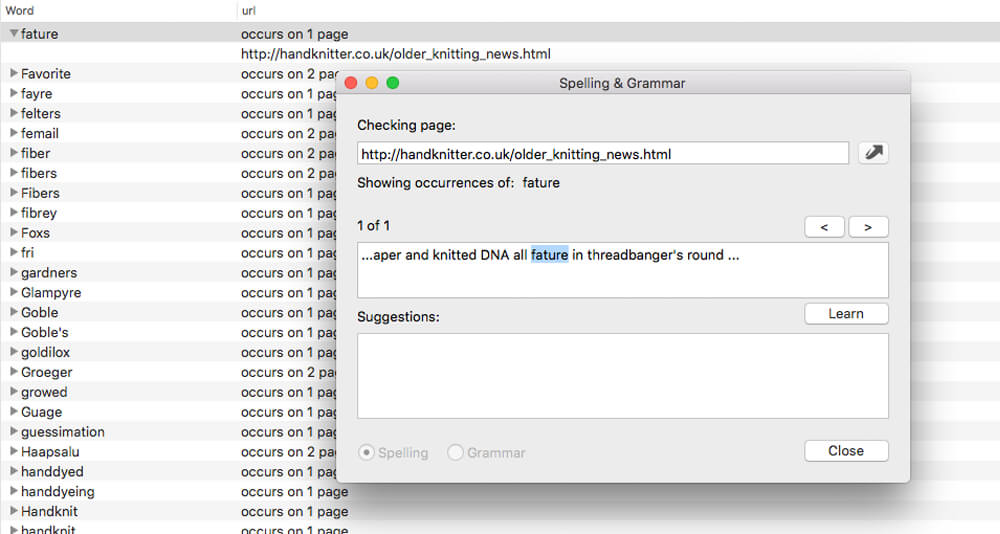
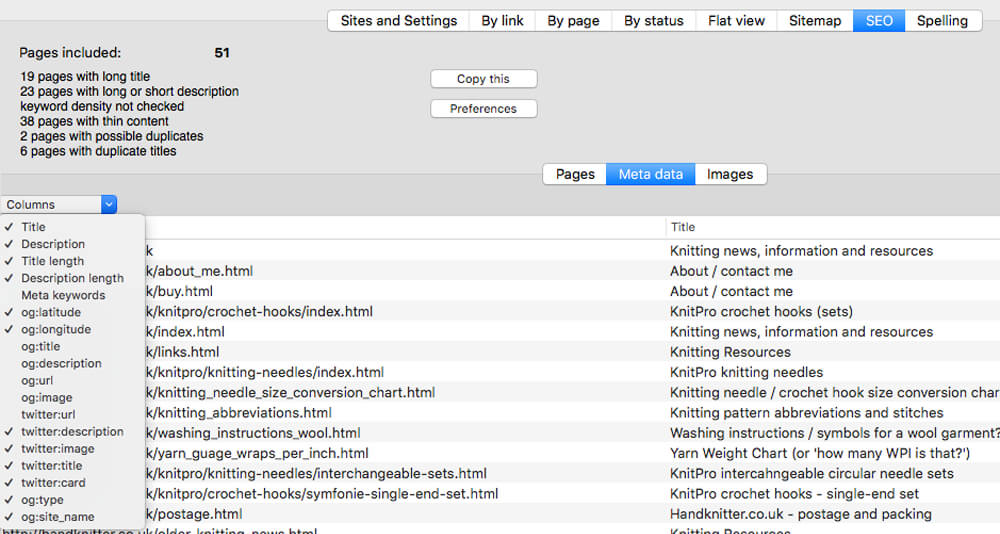
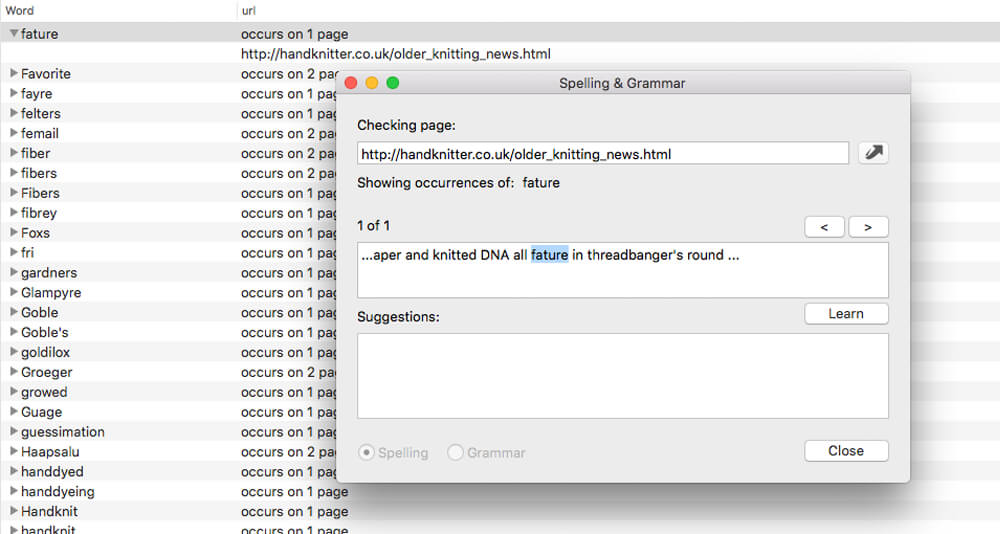
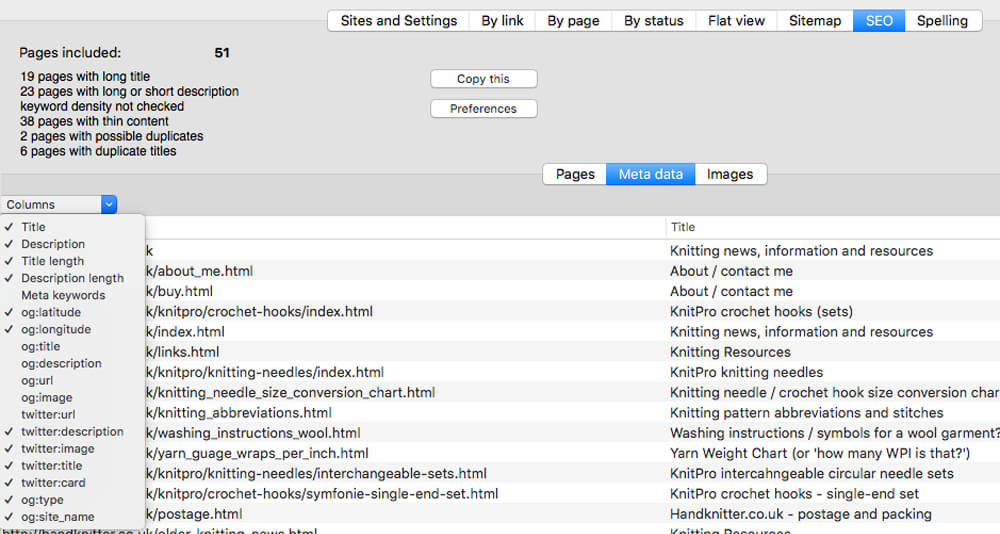
Integrity Pro builds on Integrity Plus. It has the new v10 crawling engine, it checks links and generates a sitemap with all the searching, filtering and exporting functionality of the Plus version. It adds SEO details and a sitewide spellcheck. It isn’t intended to replace Scrutiny, but to be pitched between Integrity Plus and Scrutiny, a more affordable step for Integrity Plus users.

There will, of course, be an upgrade from Integrity Plus, but this early public beta is simply free until the stable version is released.

What’s New:

Version 12.45:

  • Fixes an issue that could have caused image urls after an audio or video tag to be corrupted and therefore test bad since 12.4.2.
  • Fixes relating to the ‘on finish alert’ preference
  • (Pro) Fixes an issue which could sometimes cause scan to slow down and stop when using the rendering feature
  • Updates to the manual

Compatibility: macOS 10.10 or later
Homepage https://peacockmedia.software/mac/integrity-pro/

Screenshots


Name: Integrity Pro 12.4.5 [HCiSO]_Mactorrents.is.dmg
Size: 4.91 MB
Files Integrity Pro 12.4.5 [HCiSO]_ Mactorrents.is.dmg[4.91 MB]

   Download

Live Home 3D Pro Edition 4.5.1

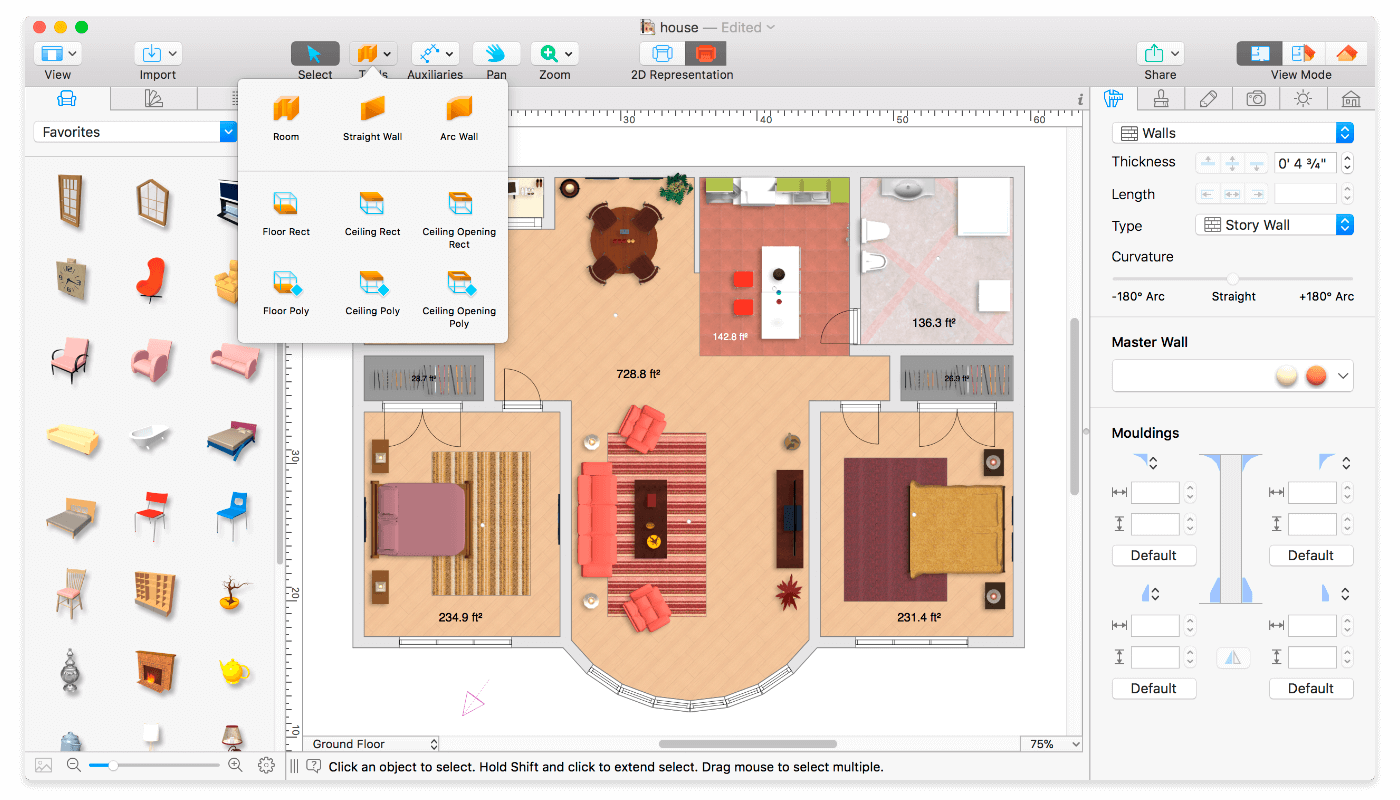
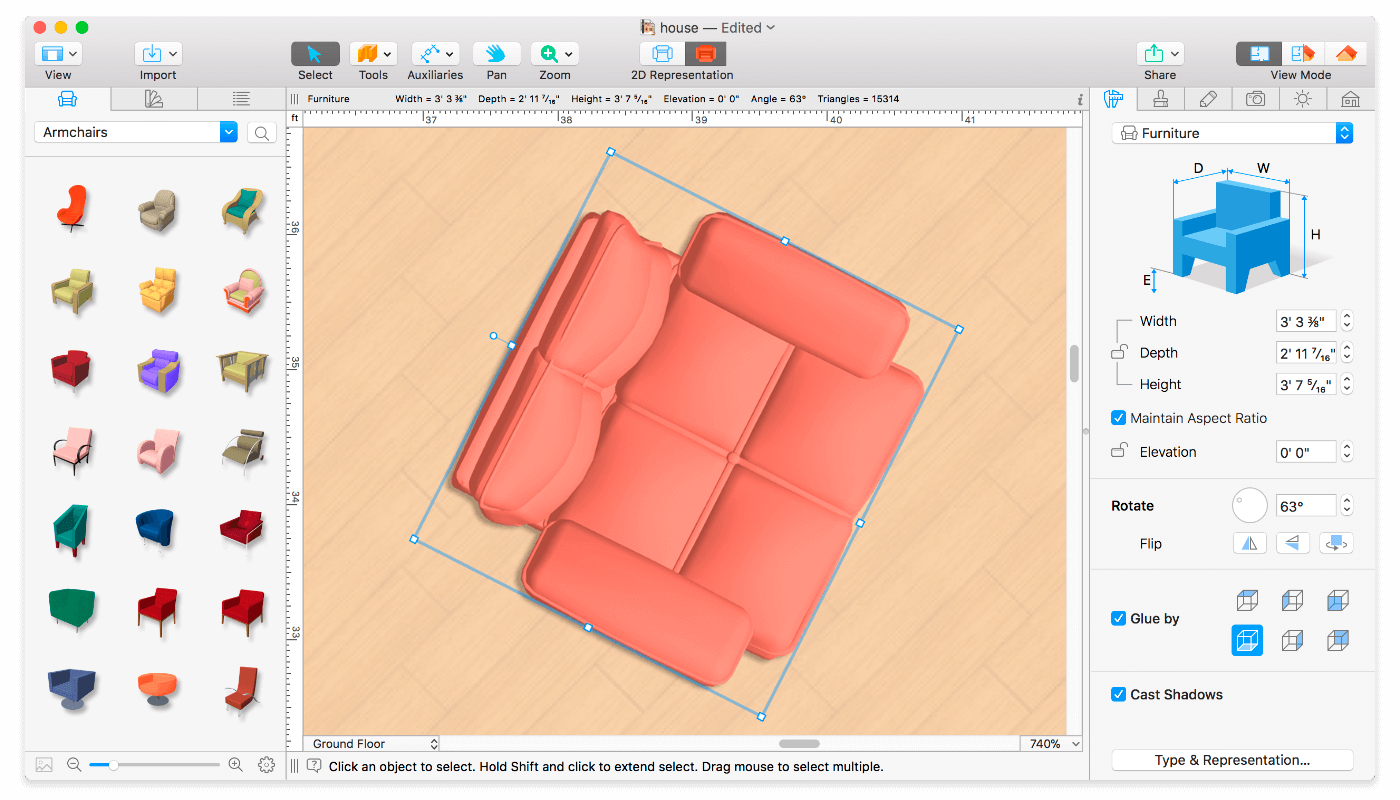
Live Home 3D Pro is the most intuitive and feature packed home design app suitable for homeowners and professional designers, a successor of Live Interior 3D. Besides offering advanced home design tools, Pro edition provides superior export quality and Elevation View mode.

General

  • Create detailed 2D floor plans.
  • Beautiful real-time 3D rendering.
  • Unlimited floor levels. (Pro edition only)
  • A collection of in-depth video tutorials.
  • Built-in Help Assistant and free, quick tech support service.
  • Project Gallery with house projects and sample rooms.
  • Native Support for Live Interior 3D Projects.

Floor Plan Tools

  • Draw complete rooms using Room tool.
  • Use Arc and Straight Wall tools for drawing walls.
  • Elevation view. (Pro edition only)
  • ‘Auto outline’ vector-based 2D representation for furniture.
  • View real-time measurements for walls, ceilings, and floors when drawing in 2D Plan view.
  • Select the necessary measurement units (inches, feet, meters, etc).
  • Use smart Dimension tool to set the distance between underlying objects or walls.
  • Precise positioning thanks to smart guides and object snapping.

Real-Time 3D Environment

  • Adjust the lighting, add and move objects, apply materials, and more right in 3D.
  • All changes, made in 3D or 2D, are rendered in 3D in real time.
  • Walk through your 3D interior.
  • FOV (field of view) and parallel camera projection. (Pro edition only)
  • Set multiple cameras to see the house from different point of views.
  • Achieve natural lighting by setting up true Geo position, daytime and overcast.
  • Adjust light fixtures throughout your project to get realistic lighting scene.
  • Light editor helps to add a light source to an imported objects. (Pro edition only)
  • Create corner windows and complex openings using the program advanced technology.
  • Level of details tool allows to optimize 3D object and speed up the project.
  • Professional Shadow Map technique makes shadows look soft and natural.

3D Models and Materials

  • 2,000+ furniture and other models.
  • Import models seamlessly from Trimble 3D Warehouse (previously Google 3D Warehouse).
  • Edit furniture in SketchUp. (Pro edition only)
  • 2,100+ supplied materials.
  • Drag and drop any image from the Finder to apply it to any surface as custom material.
  • Advanced material editor. (Pro edition only)
  • Set the exact size of a material tile to know how much of the material is needed for your house renovation project.
  • Import objects in SketchUp, COLLADA, KMZ, FBX, OBJ or 3DS formats by simply dragging and dropping them into your project.
  • Polygonal-based Block tool for drawing balconies, porches, and more. (Pro edition only)

Roofs and Dormers

  • Roof Assistant with 12 customizable roof templates.
  • Custom shaped roofs. (Pro edition only)
  • Add custom segments to fully customize your roof.
  • 16 customizable dormers.

Export and Share the Result

  • Share the result to Facebook, Twitter, Vimeo or YouTube.
  • Export 3D views to JPEG, TIFF, PNG, and BMP (up to 16000 x 16000).
  • Share 360° Panorama JPEG images (up to Ultra HD) to Facebook.
  • Render a realistic video walkthrough (up to Ultra HD).
  • Create Stereo 3D Video, 360° Video and even Stereo 3D 360° Video.
  • Quickly send a copy of your project via Mail, Messages or AirDrop.
  • Export the entire project or selected objects to COLLADA, Trimble SketchUp, VRML Version 2.0 or X3D format.
  • Export to 3DS, FBX, USDZ and OBJ formats. (Pro edition only)

Compatibility: macOS 10.14 or later, 64-bit processor
Homepage https://www.livehome3d.com/

Screenshots


Name: Live Home 3D Pro 4.5.1 [HCiSO]_Mactorrents.is.dmg
Size: 444.51 MB
Files Live Home 3D Pro 4.5.1 [HCiSO]_ Mactorrents.is.dmg[444.51 MB]

   Download

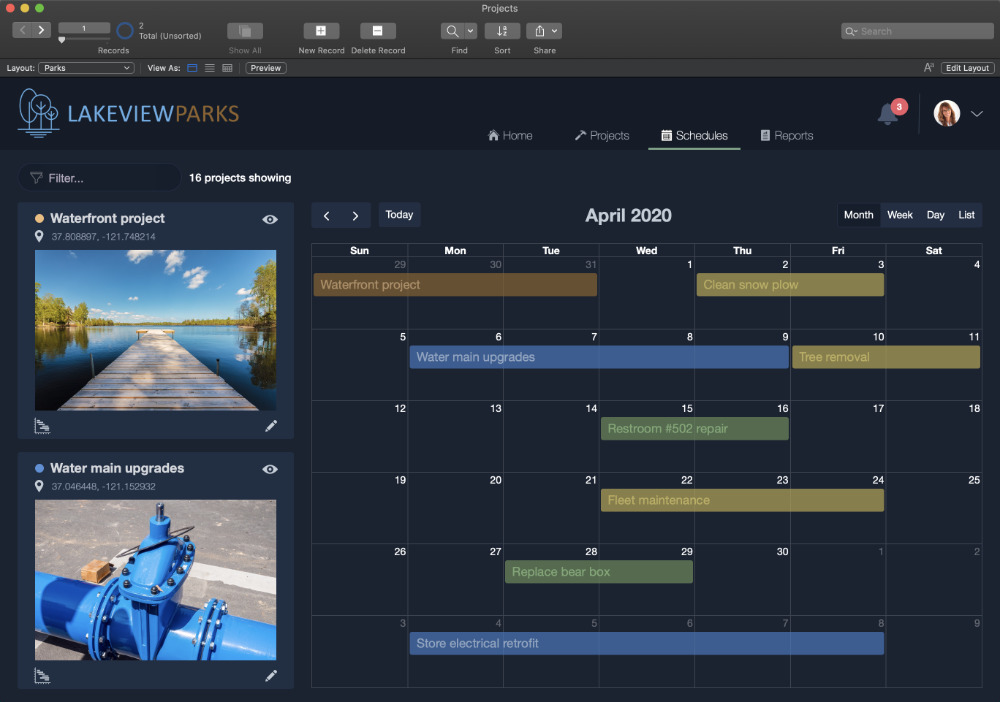
Claris FileMaker Pro 19.5.4.401

Build apps like a boss. Take on digital transformation with Claris FileMaker. Quickly build custom apps that solve your business problems today — and tomorrow. Accelerate your business, unlock your team’s creative potential, and drive to better outcomes.

Tackle any task.
Need an app to solve a really sticky business problem? Build it with FileMaker. It’s got all the tools you need to roll up your sleeves and DIY — or team up with pro developers for next-level expertise.

Start today.

And by today, we mean today. With built-in templates, drag-and-drop design, and an intuitive graphical UI, you’ll be app-building in no time. And your work goes live the second you’re ready, across every device — that’s the power of FileMaker.

Get inspired by a world of FileMaker apps.
Need an app now but crunched for time? Odds are you’re not alone. Explore Marketplace to find the perfect jumping off point for your own custom app — from templates and components to fully-completed vertical market apps.

  • CRM
  • Project Management
  • Content Library
  • Asset Manager
  • Invoicing Details
  • Contract Management
  • Event Planning
  • Field Research
  • Supply Management
  • Tour Dashboard

All devices, all the time.
Secure, real-time sharing on any device. That means your app works on mobile or desktop, on the web, on premise and in the cloud. Because apps this important should be accessible anytime, anywhere.

Power for problem solvers.

Plug and play power.
Drag and drop prebuilt add-ons for instant app development. Add charts, calendars, kanban boards, activity timelines, and more. (Coming soon.)

NEW Mobile AI.
Use smart tech such as Core ML for things like image and sentiment recognition, Siri Shortcuts for voice-enabled interactions, and NFC reading — all on mobile.

NEW Zero to cloud.
Create apps directly in the cloud with zero configuration and deployment. Add fully-integrated jаvascript to your custom apps.

Complete tooling.
Use scripts, triggers, calculation functions, graphical design tools, and relational data modeling to build robust apps that scale with your business.

Total security.
Built on Claris Core, FileMaker includes industry-standard protections to keep your data secure — both in the cloud and on premise.

Integrate. Automate. Innovate.
Connect to all kinds of web services and apps in minutes using Claris Connect. It’s the best way to automate your workflows.

Compatibility: macOS Monterey 12.0. macOS Big Sur 11.0. macOS Catalina 10.15
Homepage https://www.claris.comhttps://www.claris.com

Screenshots

Name: Claris.FileMaker.Pro.19.5.4.401.macOS_Mactorrents.is.zip
Size: 246 MB
Files Claris.FileMaker.Pro.19.5.4.401.macOS_Mactorrents.io.dmg[246 MB]

   Download

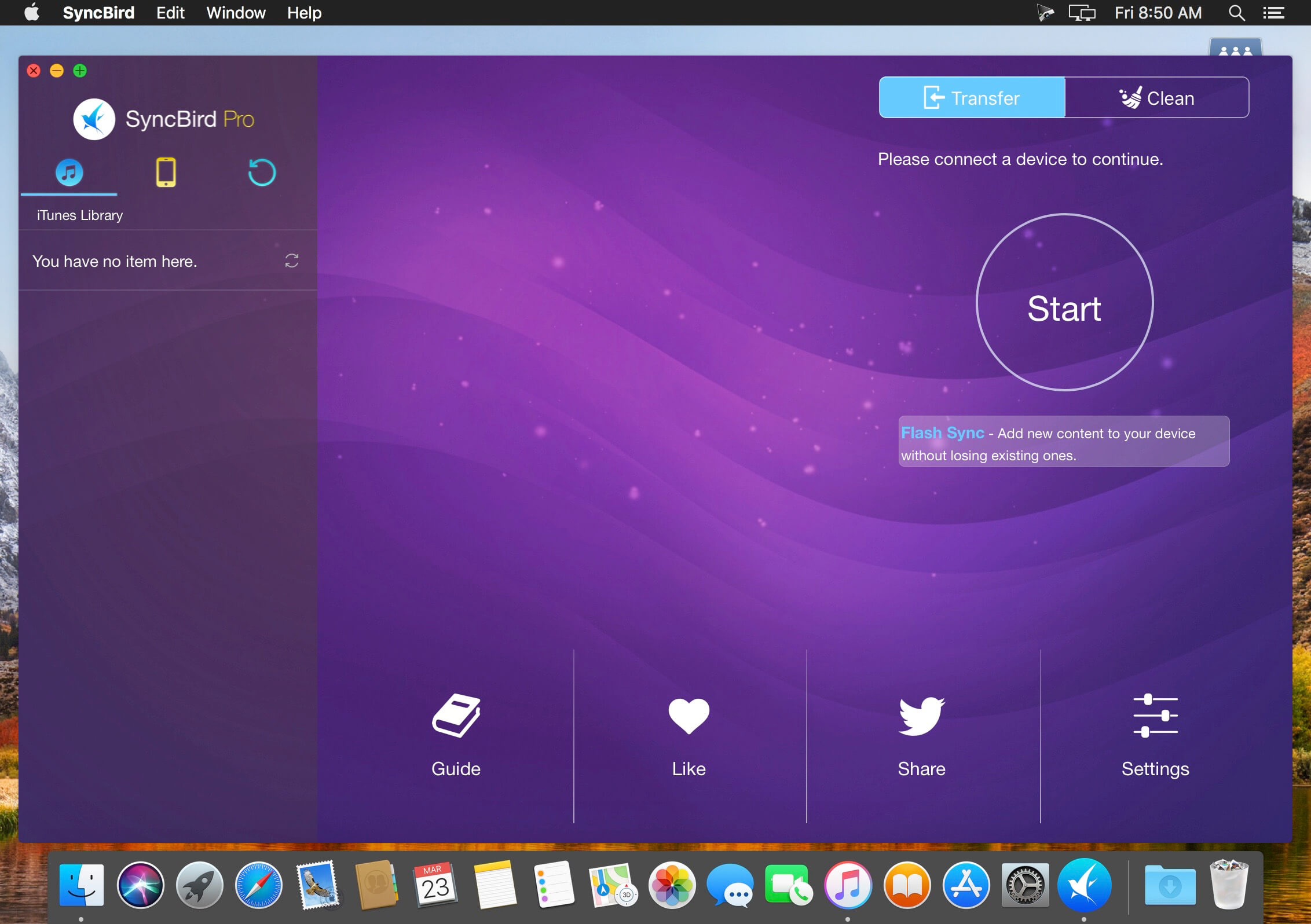
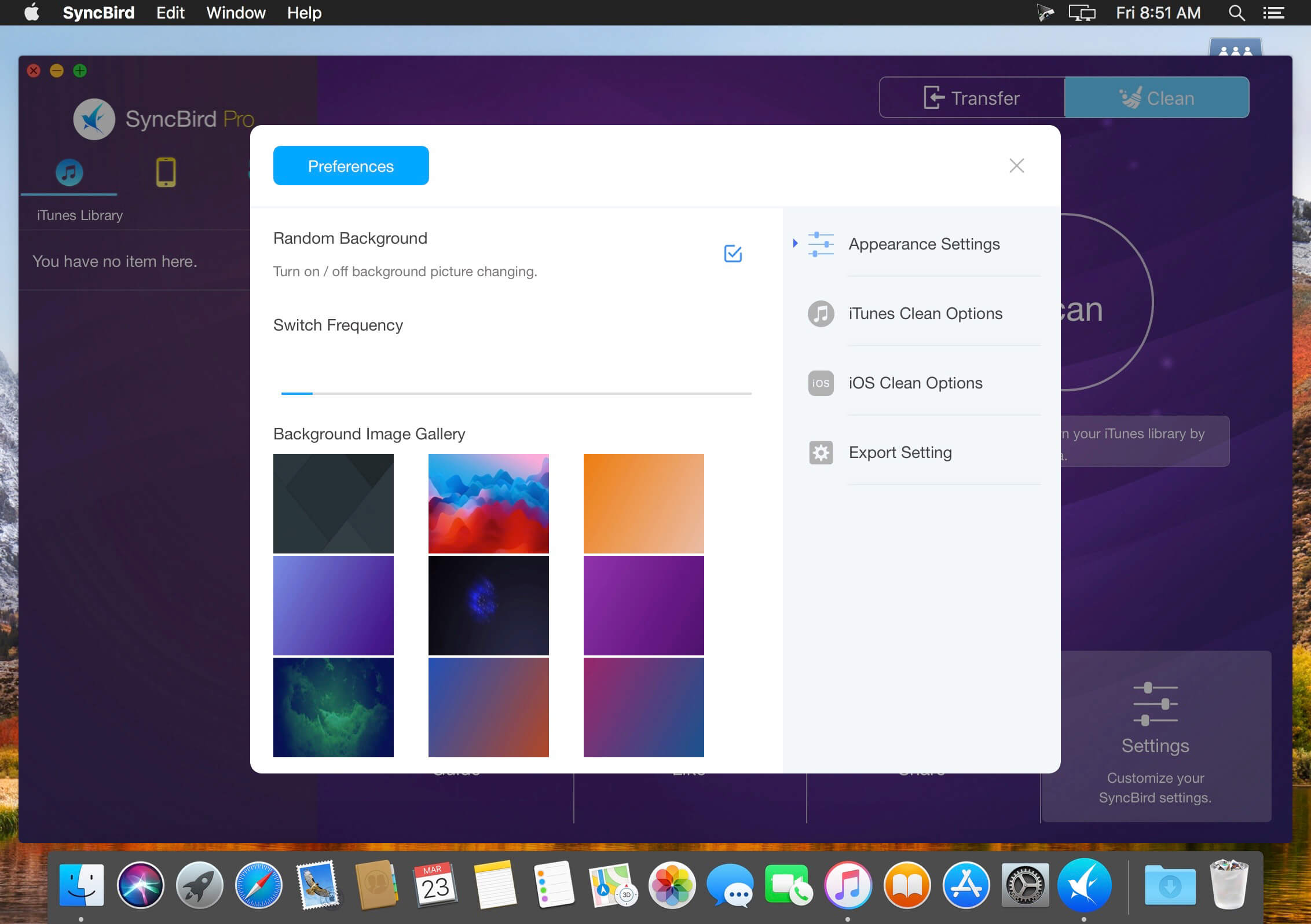
SyncBird Pro 3.8.5

SyncBird Pro is an iPhone file manager that makes iOS sync and iTunes cleaning at a glance. Transfer music, playlists, photos, videos, books–everything–between your iPhone, iPad, iPod, and Mac without using iTunes. SyncBird’s exclusive features named PhoneCare and TunesClean are made to reclaim more free space on your iPhone and iTunes. Without extra effort, SyncBird will give you a daily, thorough cleanup so that you’ll be always free from the storage boundary.

Better design yields better products, so we challenged ourselves to bring Google Material Design to the new macOS platform. The surface, motion, color, and every element in SyncBird, were chosen to give you an exciting and delightful experience.

Features

  • Flash Sync – Optimized for Flash/SSD storage and with instant Add-to-iPhone feature, SyncBird offers better iOS content management experience.
  • 4K Support – A10 chip and M10 coprocessor give monster performance on 4K video playback. SyncBird puts 4K movies on your iPhone, iPad in one go.
  • Auto-Conversion – Whatever movies you like, SyncBird helps trans-code your videos to .m4v, .mp4, and .mov formats, which suit best on Apple devices.
  • Two-Way Sync – Transfer music, videos, photos and probably all your iOS content, to / from your iPhone and iPod. Free your devices from iTunes limits.
  • Unlimited Import – Add new songs and movies to your iPhone, iPad and iPod from multiple iTunes library on different computers. No iTunes involed.
  • Drag-and-Drop – The most straightforward way to populate your iPhone media library is by dragging-and-dropping. Time to use your iPhone like Finder.

Compatibility: macOS 10.10 or later (Apple Silicon compatible)
Homepage https://www.minicreo.com

Screenshots


Name: SyncBird_3.8.5__TNT_Mactorrents.is.dmg
Size: 61 MB
Files SyncBird_3.8.5__TNT_ Mactorrents.is.dmg[61 MB]

   Download

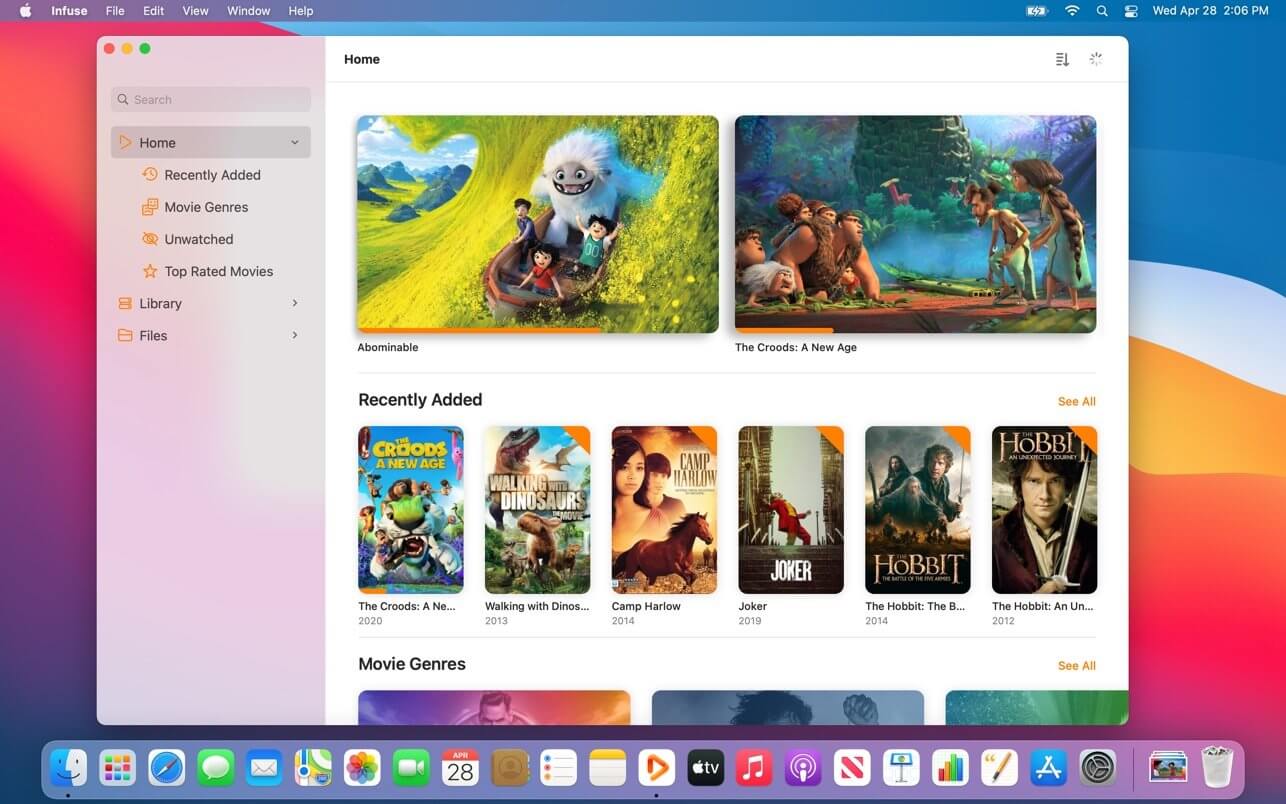
Infuse Pro 7.4.5

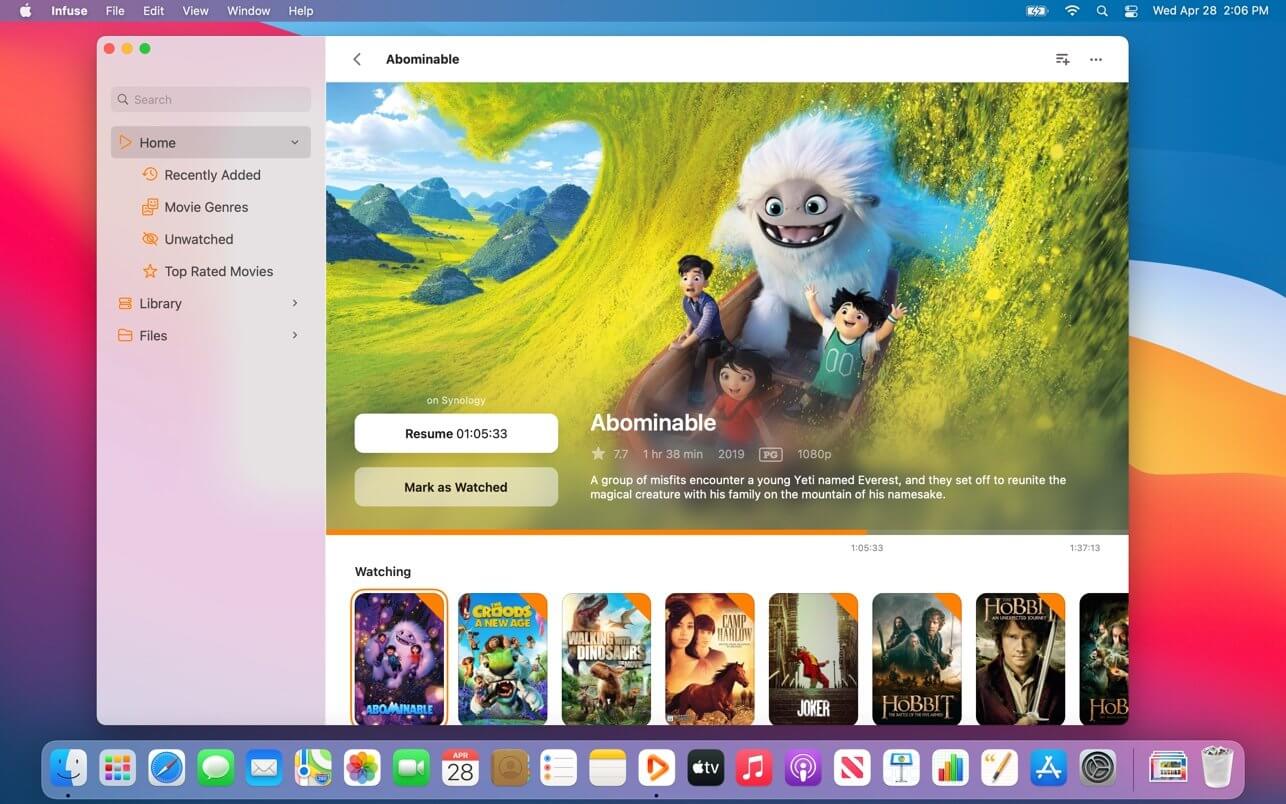
Infuse – the beautiful way to watch almost any video format on your iPhone, iPad, Apple TV, and Mac. No need to convert files! Infuse is optimized for macOS 11, with powerful streaming options, Trakt sync, and unmatched AirPlay & subtitle support. Gorgeous interface. Precise controls. And silky-smooth playback.

PLAY MORE VIDEO TYPES
A powerful video player that plays just about anything, including the standard MP4, M4V and MOV – plus MKV, AVI, WMV, MTS, ISO, VIDEO_TS, FLV, OGM, OGV, ASF, 3GP, DVR-MS, WebM, and WTV. Includes fully certified Dolby® Digital Plus (AC3/E-AC3), DTS® and DTS-HD® audio.

STREAM FROM OTHER DEVICES
Browse and play videos stored on your Mac, PC, NAS, Wi-Fi hard drive, apps like Plex, Emby, and Jellyfin, or from cloud services like Dropbox, Google Drive, OneDrive, Box, pCloud, Yandex.Disk, and Mega.nz – no syncing required!

TRAKT 2-WAY SYNC
Connect with Trakt to sync watched history, submit ratings and post comments.

OPTIMIZED SUBTITLES POWERED BY OPENSUBTITLES
Bring your own subtitles, or download them on the fly (for free) in virtually any language.

THE BASICS

  • Silky-smooth video player (plays full 4K w/ HDR & Dolby Vision)
  • Stream from a Mac, PC, NAS or Wi-Fi enabled hard drive
  • Connect with Plex, Emby, Jellyfin, Kodi (XBMC), WMC and other media servers
  • Beautiful layout with quick access to video info
  • Artwork and metadata added automatically
  • Picture-in-Picture

SUPPORTED FORMATS

  • Video: 3GP, AVI, ASF, BDMV, DIVX, DVDMEDIA, DVR-MS, FLV, ISO, M4V, MKV, MOV, MP4, M2TS, MTS, OGM, OGV, TP, TS, VIDEO_TS, WEBM, WMV, WTV
  • Audio: AAC, AC3/E-AC3, DOLBY TRUEHD, DTS, DTS-HD MA, FLAC, MP3, OGG, PCM, WMA
  • Subtitles: DVB, DVDSUB, MICRODVD, MPL2, PGS, SMI, SSA/ASS, SRT, SUB, TIMED TEXT, TMP, TXT, VOBSUB, VTT, XSUB

PLAYER FEATURES

  • Multiple audio tracks
  • Chapters
  • Gesture controls
  • 8 video zoom options
  • Continuous playback
  • Deinterlacing

EXTRAS

  • Library organization
  • Folders
  • One-click subtitle downloads from OpenSubtitles
  • Scrobble plays to Trakt
  • Download videos from networked devices
  • Drag and drop uploads via web browser
  • Get extra onboard storage by adding USB drives

GET MORE WITH INFUSE PRO!

  • Play even more video formats
  • Enjoy Dolby® Digital Plus (AC3/E-AC3), DTS® and DTS-HD® mobile surround sound
  • Stream a wide variety of video types over AirPlay and Google Cast
  • Access videos stored in cloud services like Dropbox, Google Drive, Box, OneDrive, pCloud, Yandex.Disk, and Mega.nz
  • Sync libraries, settings, watched history, and playback progress between devices

Note: DRM-protected movies & TV shows purchased from the iTunes store are not supported.

Compatibility: macOS 11.0 or later
Homepage https://apps.apple.com/app/infuse-7/id1136220934

Screenshots


Name: Infuse_Pro_7.4.5_MAS_In-App__TNT_Mactorrents.is.dmg
Size: 67 MB
Files Infuse_Pro_7.4.5_MAS_In-App__TNT_ Mactorrents.is.dmg[67 MB]

   Download

Valentina Studio Pro 12.5.5

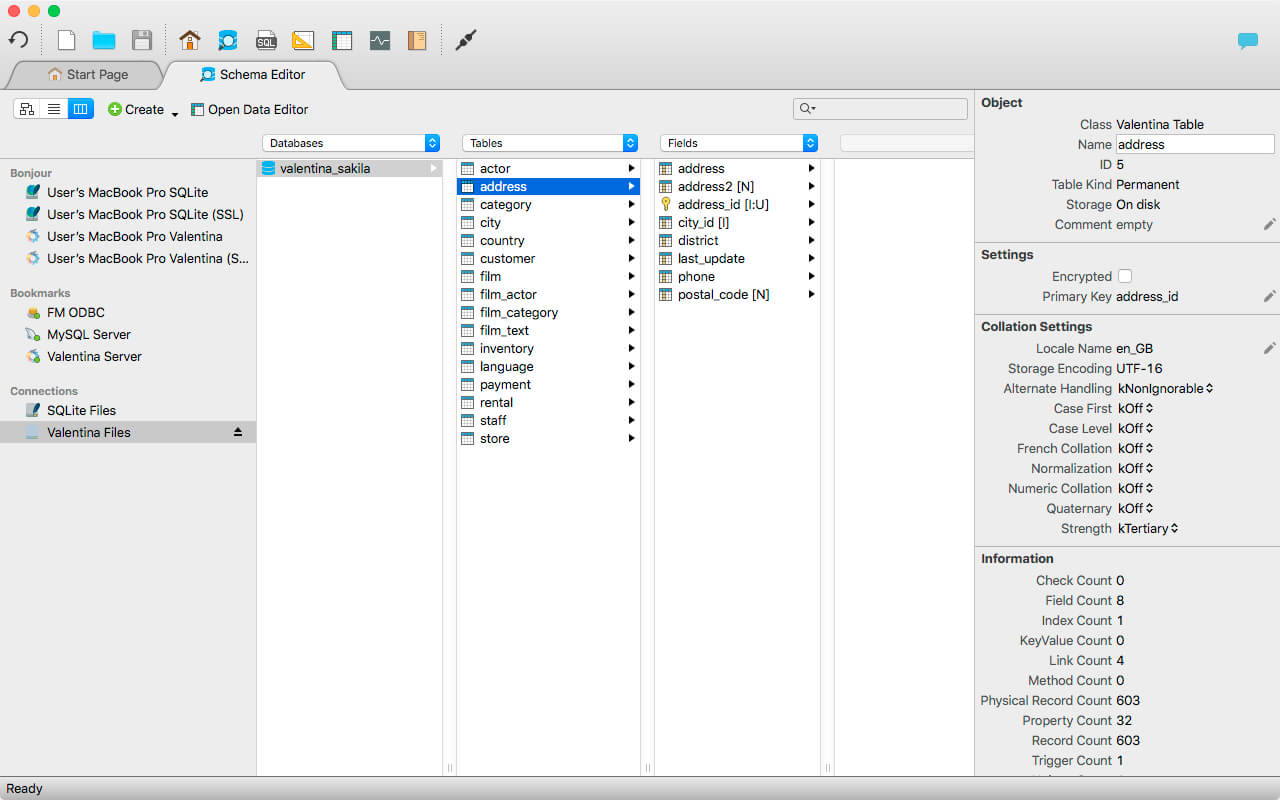
Valentina Studio is the ultimate data management tool for database administrators. Valentina Studio includes a wealth of database administration tools. Valentina Studio PRO to unlock advanced data modeling tools, report design and editing and more.

Valentina Studio brings you powerful, visual editors for your data including:

  • Schema Editor (tree view and column view) – create and modify all schema objects of supported databases: Tables, Views, Fields, Enums, Links, Constraints, Triggers, Indexes, Stored Procedures, …
  • Diagram Editor – design new diagrams or do reverse engineering, e.i explore existing databases visually.
  • Data Editor – easily browse table records in the grid, modify records, an inline edit of values, sort, filter records and save favorite filters, preview images, hex editors for binary values, …
  • Related Data Editor – easily learn and manage linked records of two tables, link/unlink records by a mouse click, do set operations over linked records, …
  • SQL Editor – with color syntax, auto-completion, recent and saved favorite queries, templates, console with error/warning reporting, …
  • Query Editor – build SQL queries visually using just a few mouse clicks
  • Server Admin – where you can manage users, learn logs and other parameters of servers.

Open as many editors as you like at the same time for different databases/servers opened in tab-panels. You also get different DB related utilities, including: Import/Export, Dumps, Diagnose, Clone, Reindex, …

MAS version of Valentina Studio uses iCloud to share bookmarks between your devices!

Valentina Studio Pro as an in-app purchase to get additional advanced pro-features such as:

  • Report Editor – visual editor of Valentina Reports that can be saved into Valentina Project file (.vsp). Reports can use as datasource MS SQL, MySQL, PostgreSQL, SQLite, Valentina DB, ODBC.
  • Form Editor – visual editor of Valentina Forms that can be saved into Valentina Project file (.vsp). Forms can use all supported databases as the datasource.
  • Data Editor – enables go to parent record function.
  • Data Editor Layouts – save columns and their order as a named layout
  • Data Editor Multiple Update – update few records at once.
  • Data Transfer – copy data between different databases
  • Diagram Editor – enables forward engineering – i.e. generation of SQL scripts for new/changed database objects.
  • Dump Wizard – enables filter for tables to select them for a dump.
  • Error Lookup – search for error description by its code.
  • Keyboard Shortcuts – enables the ability to redefine the shortcuts and create own shortcut sets.
  • Object Colors – enables marking objects with specific colors.
  • Query Editor – enables the ability to copy the generated query.
  • Schema Cache – save and reuse the schema cache.
  • Schema Editor – copy one or few schema objects using drag&drop mechanism.
  • Schema Editor – expanding and collapsing the tree items with subitems using OPTION + click
  • Schema Snapshot – save and load schema in structured format.
  • Source Control – develop database using any VCS.
  • SQLDiff – find differences between two states of a databases and generate SQL script to move between these states.
  • SQL Search – search of schema objects.
  • SQL Editor – enables autocompletion for table aliases.
  • SQL Editor – format SQL queries.
  • SQL Editor – edit the result of SQL queries.

Compatibility: macOS 10.13 or later (Apple Silicon compatible)
Homepage https://apps.apple.com/pk/app/valentina-studio/id604825918

Screenshots


Name: Valentina_Studio_12.5.5__TNT_Mactorrents.is.dmg
Size: 101 MB
Files Valentina_Studio_12.5.5__TNT_ Mactorrents.is.dmg[101 MB]

   Download

zFuse Pro – Player For Everything 1.6.128

zFuse macOS version, with iOS version of the same light, simple and powerful, the following is a characteristic:

The following is a characteristic:

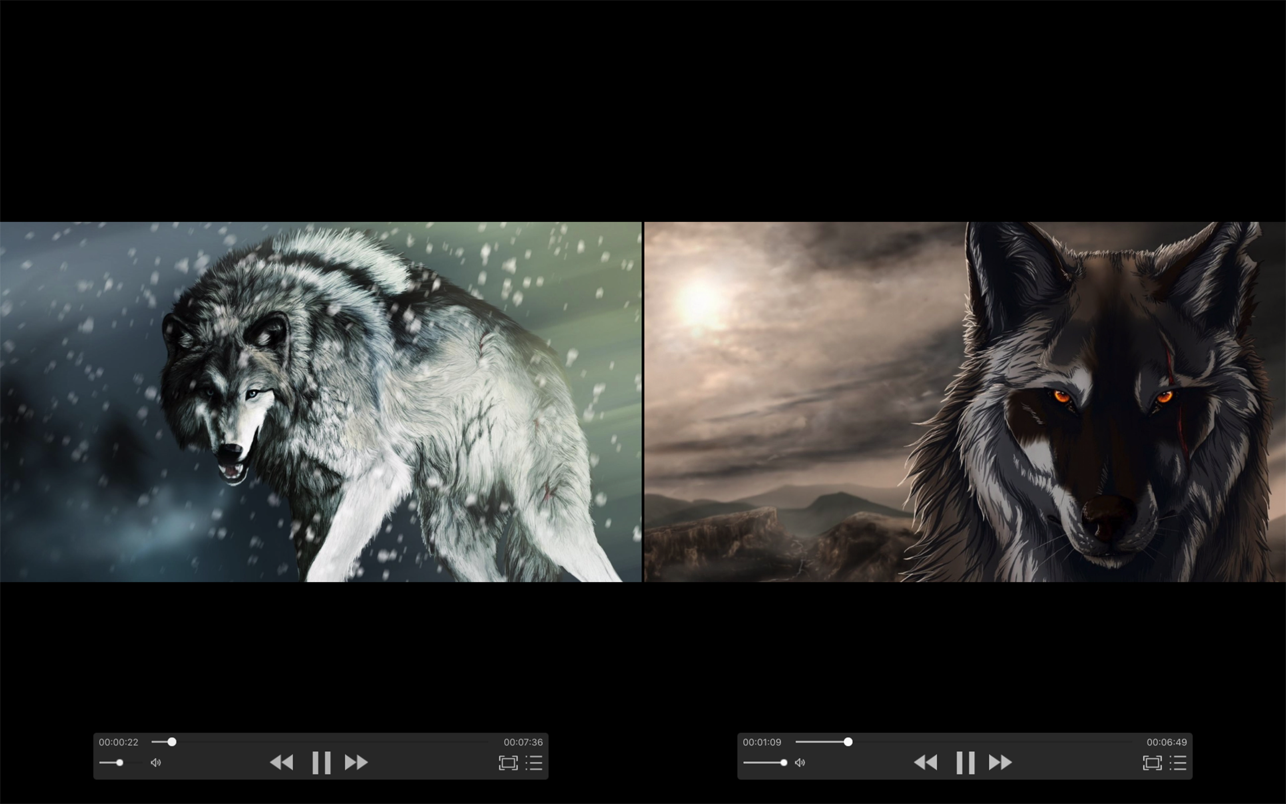
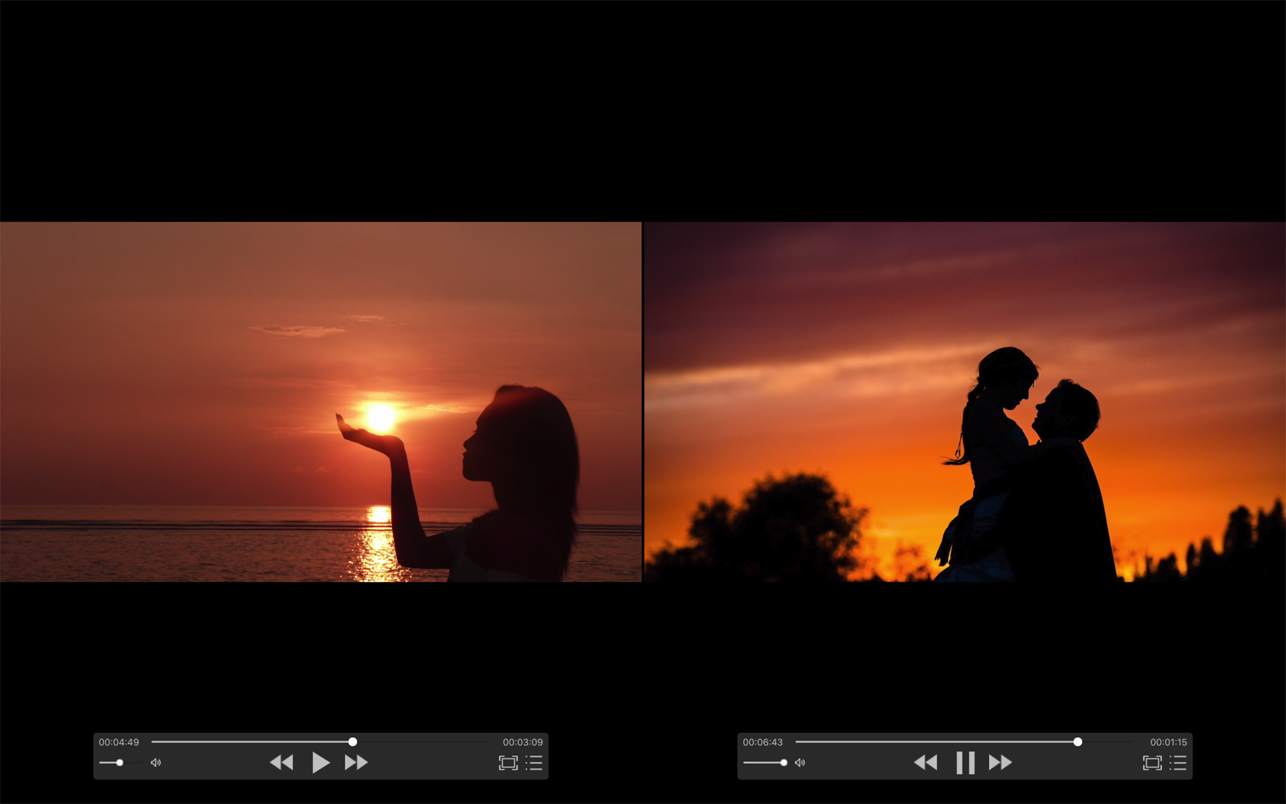
  • Simultaneously open multiple instances.
  • Video rotation, you can watch movies lying down.
  • Hardware acceleration.
  • Supports HDR Tone Mapping on non-HDR display.
  • Media preview in seeking.
  • Built-in audio enhancement.
  • Multi Soundtrack selection.
  • Embedded/External subtitle-track selection.
  • Subtitle synchronization.
  • Support for external subtitle font selection .
  • 0.5x-3.0x playback speed control.
  • 0.5x-5.0x zoom screen.
  • Can directly load Blu-ray ISO to play.
  • Support audio output format switching.
  • Support audio output sample rate switching.
  • Support audio output channels switching.

Function/Shortcut key

  • Double click: full screen/quit full screen.
  • Space: pause/play.
  • Shortcuts: See the items under the “Control” menu.
  • Supported video formats : MP4, MOV, MKV, AVI, WMV, FLV, RMVB, ASF,OGV and so on.
  • Supported audio formats : MP3, WAV, WMA, FLAC, APE and so on.
  • Support subtitle format : SRT, SSA, ASS.
  • Supported image formats : JPG, PNG, BMP,TIFF etc.
  • Supported playlist formats : M3U/M3U8/PLS/TXT/DPL.

Compatibility: macOS 10.13 or later • Apple M1 Silicon or Intel Core processor
Mac App Store https://apps.apple.com/app/zfuse-pro/id1012278958

Screenshots


Name: zFuse_Pro_1.6.128_MAS__HCiSO_Mactorrents.is.dmg
Size: 49.41 MB
Files zFuse_Pro_1.6.128_MAS__HCiSO_ Mactorrents.is.dmg[49.41 MB]

   Download

Duplicate Photos Fixer Pro 4.6

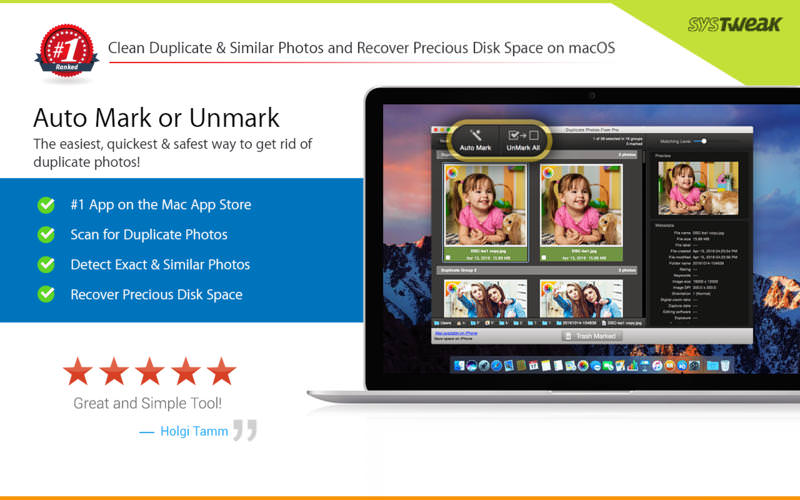
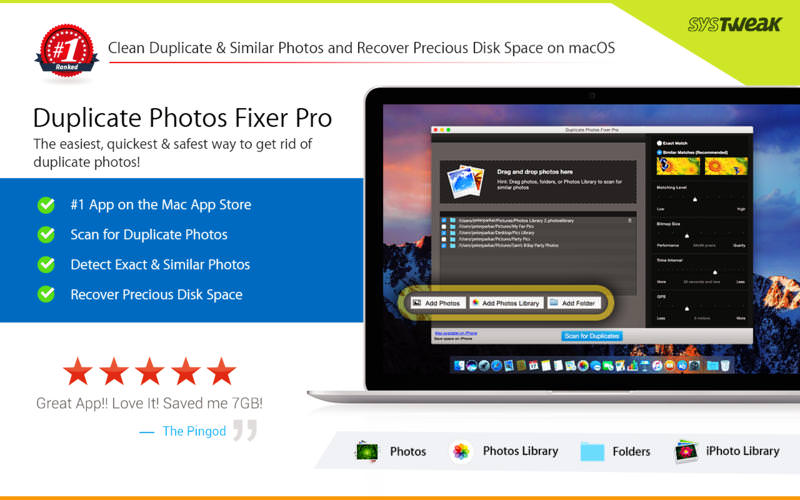
Duplicate Photos Fixer Pro is an excellent photo-fixing tool that smoothly scans and deletes duplicate or similar photos, depending on the matching level you choose. This captivating tool works with photos from iPhoto, along with photos from external storages and your system’s hard drives as well. Free up ample disk space by deleting a large number of similar and duplicate photos in just a click! Duplicate Photos Fixer Pro works like a charm and has the ability to detect duplicate and similar photos wherein:

  • You click photos of the same scene in quick succession to capture the perfect shot
  • Your photos are scattered all over the system, external storage devices, iPhoto and hard drives
  • You clutter the system by creating backups of pictures and now want to remove the junk

Why use Duplicate Photos Fixer Pro?

  • Drag-and-Drop Folders/Photos – Simply drag and drop folders to easily scan for photos inside them. You can add more photos from your iPhoto library and other folders as well.
  • Custom Comparison Settings – You can fully customize your comparison settings out of the available methods by adjusting the settings according to your requirement, regardless of the image size or format.
  • Speed – Duplicate Photos Fixer Pro is extremely fast when it comes to scanning and comparing a large number of photos within seconds. This is due to the powerful algorithms injected during the development of this tool that make the search of duplicate photos extremely fast, giving excellent comparison results.
  • Efficiency / Real-time Results – Without re-comparing photos, you can re-group the comparison results by changing the matching level on the slider in real-time.
  • Auto-Mark Duplicates – Use the Auto-Mark feature to mark all duplicate photos in every group except one, depending upon the preferences.
  • Compact Viewing – The interface of Duplicate Photos Fixer Pro is designed in such a way that all occurrences of photos are classified into different groups and are viewed as large photos group in each line.
  • QuickLook – Before moving ahead and deleting photos, you can have a clear look at them instead of opening them individually, using this feature.

Compatibility: OS X 10.8 or later
Homepage https://apps.apple.com/us/app/duplicate-photos-fixer-pro/id963642514

Screenshots


Name: Duplicate_Photos_Fixer_Pro_4.6_MAS__TNT_Mactorrents.is.dmg
Size: 17 MB
Files Duplicate_Photos_Fixer_Pro_4.6_MAS__TNT_ Mactorrents.is.dmg[17 MB]

   Download

FigrCollage Pro 3.3.4

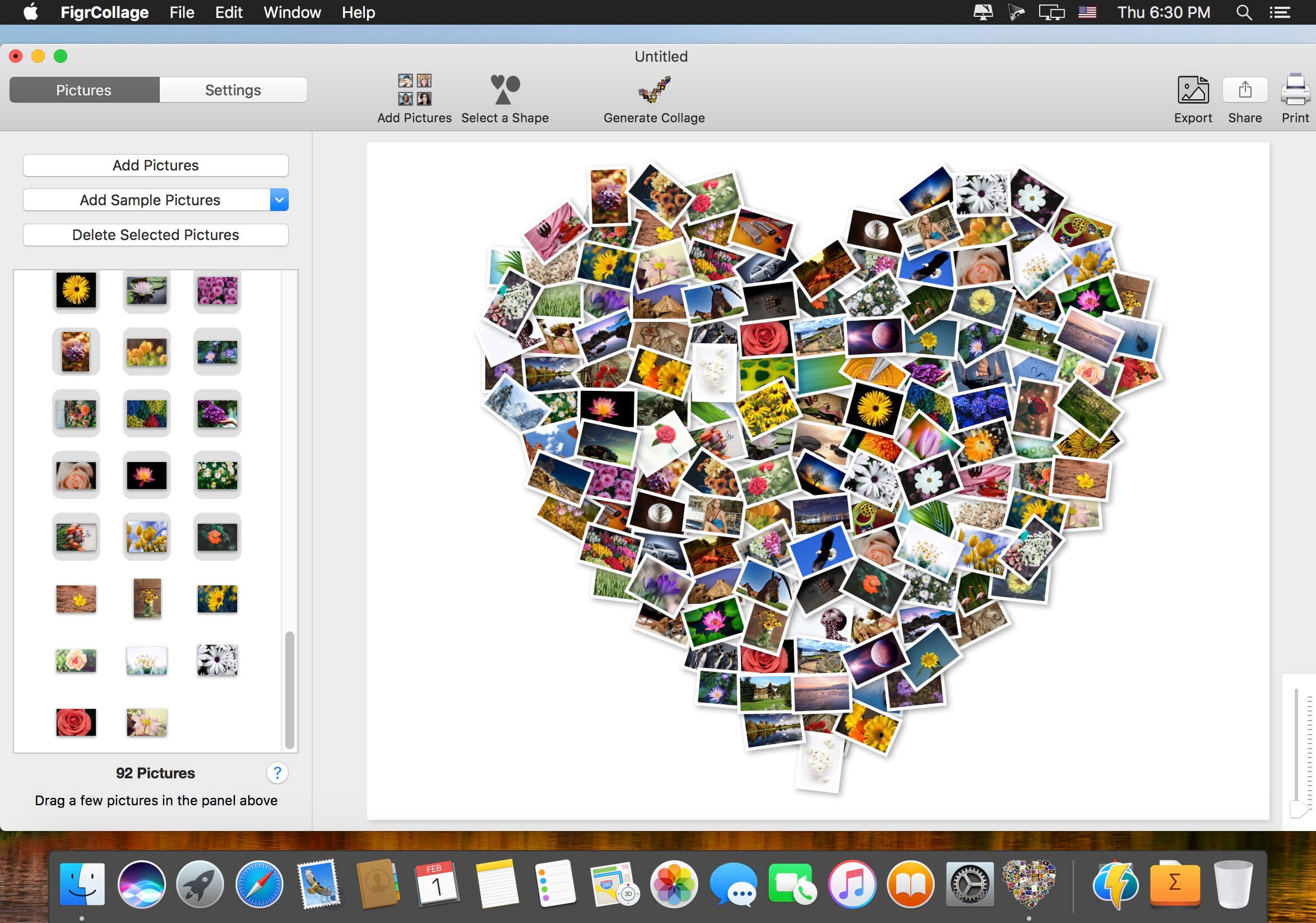
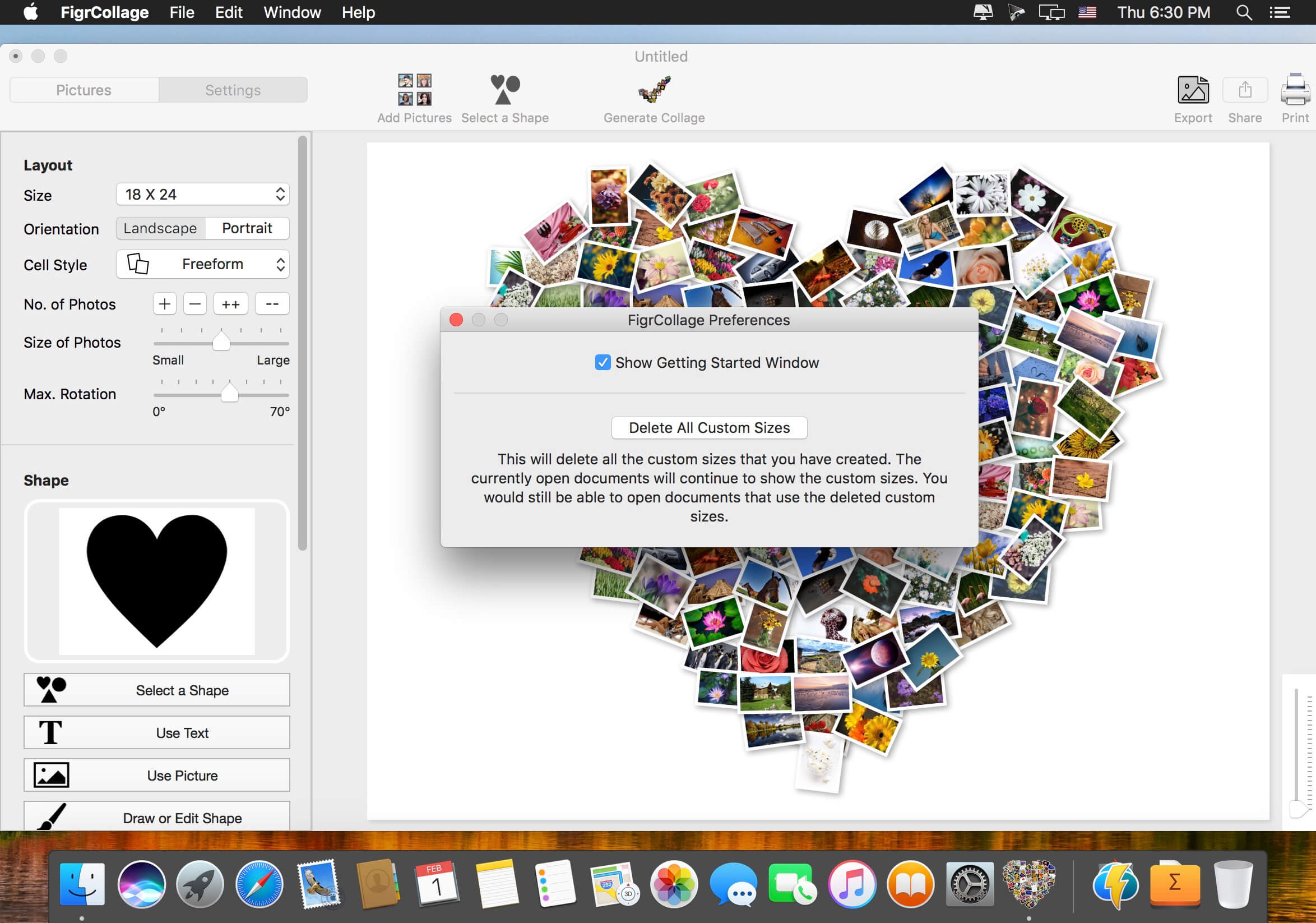
Make a photo collage in the form of any shape, number, word, or text. Make a heart collage, number collage, letter collage, word collage, or a collage from any alphabet. Absolutely anyone can make a collage from a shape or text in a few minutes — no design expertise or experience needed. We bet you’d be pleasantly surprised with the ease of use and the quality of results! Make a collage in one of the standard shapes or use your own custom shape. Here’re some sample pictures made using FigrCollage.

What’s New:

Version 3.3.4:

  • Release notes were unavailable when this listing was updated.

Compatibility: macOS 10.10 or later (Apple Silicon compatible)
Homepage http://www.figrcollage.com/

Screenshots


Name: FigrCollage_3.3.4__TNT_Mactorrents.is.dmg
Size: 62 MB
Files FigrCollage_3.3.4__TNT_ Mactorrents.is.dmg[62 MB]

   Download

Wondershare PDFelement Pro 9.0.10 (OCR)

PDFelement – The easiest way to create, edit, convert, and sign PDF documents. We’re now introducing the all-new PDFelement 7, which includes a redesigned UI, more advanced writing tools, improved team collaboration features, more powerful conversion tools, a user management console, and more.

PDFelement Pro
OCR (Exclusive in Pro version)

  • OCR (Optical Character Recognition)enables you to edit and convert characters in scanned PDF files or pictures
  • Supports recognition of 29 languages

Create & Sign Forms (Exclusive in Pro version)

  • Create fillable PDF Forms from interactive field objects, such as buttons, check boxes, radio buttons, list boxes, and drop-down lists
  • Support adding digital signatures to forms

Merge PDF (Exclusive in Pro version)

  • Combine different format files into a new PDF

Convert PDF (Exclusive in Pro version)

  • Supports converting PDF file to a greater number of output formats like EPUB, HTML, Text, RTF

PDF/A (Exclusive in Pro version)

  • Support PDF/A as an available output format with ISO Standard for long term archiving

Batch Processing of PDF Files (Exclusive in Pro version)

  • Process PDFs in batches
  • Add backgrounds, watermarks, headers and footers in batches

Bates Numbering (Exclusive in Pro version)

  • Apply Bates Numbering with advanced formatting

Redact PDF (Exclusive in Pro version)

  • Redact sensitive text and images in PDFs

What’s New:

Version 9.0.10 (OCR)

  • Release notes were unavailable when this listing was updated.

Compatibility: macOS 10.14 or later
Homepage https://www.wondershare.com/

Screenshots


Name: Wondershare_PDFelement_Pro_9.0.10__OCR___TNT_Mactorrents.is.dmg
Size: 652 MB
Files Wondershare_PDFelement_Pro_9.0.10__OCR___TNT_ Mactorrents.is.dmg[652 MB]

   Download

NetWorker Pro 8.4.2

NetWorker shows network information conveniently in the menu bar. It also features a window that shows additional information about the currently active network adapter.

NetWorker features:

  • Fully customizable view – you can choose which information is shown and select many different, pre-defined widgets.
  • The currently active network adapter is detected automatically.
  • Optional overlay window that always stays on top – useful for fullscreen apps or games.
  • Adjustable refresh interval.
  • Check your external IP address.
  • Choose between a byte- or bit-mode.
  • Support for auto start.
  • Traffic Overview: Use this feature if you are on a volume limited plan.
  • Dark Mode

Compatibility: macOS 11.5 or later • Apple Silicon or Intel Core processor
Homepage https://apps.apple.com/pk/app/networker-pro

Screenshots


Name: NetWorker_Pro_8.4.2_MAS__HCiSO_Mactorrents.is.dmg
Size: 5.45 MB
Files NetWorker_Pro_8.4.2_MAS__HCiSO_ Mactorrents.is.dmg[5.45 MB]

   Download

WiFi Radar Pro 3.4.1

WiFi Radar Pro lets you monitor your area networks; identify and troubleshoot issues with your home, small office, or enterprise network; and gather useful information about your network performance. Are you simply in search of an elegant replacement of the default OS X wireless utility? You’ve just found your ideal tool!

– Easy-to-use, intuitive UI
– Suitable for home, small office, or enterprise networks
– Live monitoring for all networks
– Graphical charts for better visualization
– Automatic signal/noise tracking
– Status-item tool to replace the default OS X wireless tool
– Option to export current networks report to CSV
– Easily connect to any network (Open, WEP, or WPA/WPA2)
– Ultra-secure password storage
– Works with 802.11a/b/g/n/ac networks
– Lots of useful information at your fingertips: SSID, BSSID, RSSI, noise, channel, AP mode, security, rates, channel flags, country

Compatibility: macOS 10.10 or later
Homepage https://wifiradar.app/

Name: WiFiRadar_Pro_3.4.1__TNT_Mactorrents.is.dmg
Size: 9 MB
Files WiFiRadar_Pro_3.4.1__TNT_ Mactorrents.is.dmg[9 MB]

   Download

MacDroid Pro 1.6.1

MacDroid app is a very helpful solution for those who use Mac or MacBook, at the same time preferring an Android device to an iPhone. Android and macOS cannot natively work together, hence there is a vital need for an interface that would not only connect the two systems but also allow safe and smooth file transfer between them.

With MacDroid you get the convenience of connecting Mac and an Android phone or tablet and accessing the portable device’s content in the Finder. You will be able to transfer photos, music, videos as well as entire folders. You’ll only need a USB cable to connect your phone to computer, MacDroid will take care of everything else.

Transfer your photos
You can access your Android photos in the Finder app and easily drag them with your mouse cursor to any folder on your Mac.

Transfer music to your phone
You can add your favorite tracks to Android from your Mac or vice versa and enjoy the music on the go.

Watch videos when offline
Got some great new episodes that you want to watch, but not planning to take your computer with you? Not a problem! You can transfer them to your Android and watch on a plane, on a train, or while having an Uber ride.

Edit Android files directly from Mac
When you don’t really feel like moving files around, you can edit your Android files with your favorite Mac app without actually saving them to your computer.

Compatibility: macOS 10.10 or later
Homepage https://www.macdroid.app

Screenshots


Name: MacDroid_1.6.1__TNT_Mactorrents.is.dmg
Size: 23 MB
Files MacDroid_1.6.1__TNT_ Mactorrents.is.dmg[23 MB]

   Download

4K YouTube to MP3 PRO 4.6.4

4K YouTube to MP3 was specifically created to extract audio from YouTube, Vimeo or Facebook and save it in MP3, M4A, OGG. No annoying and complicated settings to deal with, just a clean, friendly and functional interface. Downloading is simple and straightforward: just copy the link from your browser and click ‘Paste Url’. Done!

Features

  • Extract audio from YouTube videos and save it in MP3, M4A or OGG in high quality.
  • Download full YouTube playlists or channels and generate m3u files.
  • Transfer downloaded tracks automatically into iTunes and upload them on your iPhone or iPod.
  • Listen music via native built-in music player.
  • Download and extract audio tracks from SoundCloud, Vimeo, Flickr and DailyMotion videos.
  • Download audio books from YouTube.
  • Extract audio tracks even from embedded in HTML page videos.
  • Use 4K YouTube to MP3 on your PC, Mac or Linux, doesn’t matter what OS you prefer.

What’s New:

Version 4.6.4:

  • Release notes were unavailable when this listing was updated.

Language: Multilangual
Compatibility: macOS 10.13 or later • Intel Core processor
Homepage https://www.4kdownload.com/ru/products/product-videodownloader

Screenshots


Name: 4K_YouTube_to_MP3_PRO_4.6.4__HCiSO_Mactorrents.is.dmg
Size: 118 MB
Files 4K_YouTube_to_MP3_PRO_4.6.4__HCiSO_ Mactorrents.is.dmg[118 MB]

   Download

Softorino YouTube Converter PRO 5.0.88

Softorino YouTube Converter – YouTube to MP3. Offline YT Converter. No Ads. Background Playback.

YouTube on the iPhone and iPad, without advertising, to support offline viewing but still nothing. You think it’s impossible? But not guessed!
All this and a little bit more you can get by using Softorino YouTube Converter. The whole process is simple in the extreme: copy the link to the video, go to the app and choose where you want to save the video.

  • After you copy the link to the clipboard, Softorino YouTube Converter automatically recognizes it, and you will only choose the quality (60fps, 2160p 4K, 1080p HD, 720p, 360p, or audio only) and a place to save (Mac or iOS-device ). A few seconds after pressing the button Download the file is in the “Boot” on the Mac, or “Video” application / “Music” on iOS. That’s all.
  • No advertising;
  • You can download any video from YouTube and Vimeo;
  • You can download the audio track of the video and listen to the standard player on iOS;
  • Do not need internet to view;
  • less discharged battery;
  • for it not to be paid;
  • it works anywhere in the world, in contrast to the YouTube Red.

What’s New:

Version 5.0.86:

  • Release notes were unavailable when this listing was updated.

Compatibility: macOS 10.15 or later • Apple Silicon or Intel Core processor
Homepage https://softorino.com/youtube-downloader-mac/

Screenshots

Name: Softorino_YouTube_Converter_PRO_5.0.88__TNT_Mactorrents.is.dmg
Size: 12 MB
Files Softorino_YouTube_Converter_PRO_5.0.88__TNT_ Mactorrents.is.dmg[12 MB]

   Download

Rectangle Pro 2.5.1

(Formerly Hookshot) Snap windows faster in this featureful Rectangle superset. Toss windows in the right places with cursor movement, move multiple windows with one command, create custom shortcuts, and more.

Features

  • 16 window sizes & positions
  • Keyboard shortcuts
  • Drag windows to screen edges to snap
  • Move and resize by holding a key and moving your cursor
  • Snap windows under your cursor, even if not in focus
  • Custom shortcuts for any size & position

What’s New:

Version 2.5.1:

  • Release notes were unavailable when this listing was updated.

Compatibility: macOS 10.12
Homepage https://hookshot.app

Screenshots


Name: Rectangle_Pro_2.5.1__TNT_Mactorrents.is.dmg
Size: 17 MB
Files Rectangle_Pro_2.5.1__TNT_ Mactorrents.is.dmg[17 MB]

   Download

Pixel Film Studios – FCPX Audio Overlay Glimmer 5K – Audio Reactive Flares for Final Cut Pro X

Name: Pixel Film Studios – FCPX Audio Overlay Glimmer 5K.zip
Size: 1.13 GB
Hash: c3ba842f6865855b5b344a2fb69646ad78db0741
Files Pixel Film Studios – FCPX Audio Overlay Glimmer 5K.zip (1.13 GB)

   Download Torrent


Descriptions for Pixel Film Studios – FCPX Audio Overlay Glimmer 5K

FCPX Audio Overlay Glimmer 5K is an elegant collection of light leaks with audio-based flicker effects that can be applied to any sounds or music in the FCPX timeline. Choose from over 1400 audio reactive flares that can be switched out by using the intuitive Frame Sample slider. Editors can quickly change the style of flares using light, color and RGB separation controls in Final Cut Pro X.

This plugin requires Final Cut Pro 10.3 or higher and Mac OS 10.12 or higher.

Audio Reactive Flares with FCPX Audio Overlay Glimmer 5K

1400+ Glimmering Flares

Switching out flares is easier than ever with FCPX Audio Overlay Glimmer 5K. An included Frame Sample slider contains a unique glimmer flare for each frame of the slider. Editors can swap out flares by moving the slider marker to a new frame.

.

.

Frequency Isolation Controls

FCPX Audio Overlay Glimmer 5K responds to the full range of frequencies in the applied sound. Plus, users can adjust the low and high frequency sliders to isolate a desired range within the audio. With these two controls, editors can allow anything from the lowest rumbles to the highest pitches to affect objects in Final Cut Pro.

.

.

Up to 5K Resolution

FCPX Audio Overlay Glimmer 5K is shot in beautiful 5K resolution and comes in a variety of other formats like 4K, 2K and HD. This package is optimized to be light and compact for the customer while also being intuitive to use for the editor.

.

.

Adjust Flicker Settings

Users can switch on and off flicker controls for brightness, colors and RGB separation. Utilize the Flicker drop-down menu to choose between 3 flicker settings: rigid, medium and smooth. Once finished, make additional adjustments to parameters in the Style and Light Control sections.

Brightly PRO 2.1.3

Automatically brighten your photos and videos where they need it most.

With a single slider, Brightly Pro adaptively brightens your photos instantly to bring out hidden details while maintaining a pleasing balance between light and dark without overexposing already lit areas. Brightly Pro also brightens videos while applying lighting changes smoothly over time. Brightly Pro is designed for macOS Monterey with an intuitive interface that has all the photo editing features you’d expect to show your photos and videos in their best light, and it runs natively on Macs powered by the Apple M1 chip. Take your editing to the next level with must-have professional features like RAW photos and 4K video.

Magic Bar

When taking a photo, there are many lighting challenges often out of one’s control: low or uneven lighting, inadequate exposure, backlit subjects, some subjects are shadowed and others are not. Because its image processing algorithm is aware of the dark and light areas of a photo and how they interact with each other, Brightly Pro can handle these challenges where traditional photo editing apps fall short. Not only are the dark areas brightened, but their detail and contrast are enhanced. Already lit areas are not overexposed and blend seamlessly with the dark areas. The result is a pleasant, natural looking image.

All those computations are combined in just one slider: the Magic Bar. It’s simple, fast and intuitive. With it, you can quickly make lighting corrections to your photos and videos with a single mouse click, saving you time and requiring far less editing than with typical photo editing apps.

Video and Live Photos

Unlike other low light photo apps, Brightly Pro works on videos, including 4K, Slo-mo and Time-lapse videos. Live Photos are also supported. Algorithms specific to video dynamically lighten your video and smooth those changes over time to keep your videos looking great regardless of changes to lighting conditions.

RAW and Wide Color Images

Brightly Pro supports reading RAW, Apple ProRAW and wide color photos and processes these photos at a high precision, making it suitable for professional workflows. Results can be saved as JPEG and lossless PNG and TIFF.

Adjustments

Brightly Pro has over a dozen adjustments to fine-tune the Magic Bar results. Some you would expect from a photo app, while others are designed specifically for Brightly Pro. Brilliance provides an additional boost to brightness when it’s needed without overexposing. Structure improves local detail, but more so in darker areas than in lighter areas. White balance is a two part control calibrated to remove both indoor and outdoor color casts. Surface blur instantly smooths out large areas while preserving edges.

Capture More

Other low light photo apps require long exposure times and/or multiple exposures of the scene and a steady hand or a camera in a fixed position. Objects that are moving during an exposure introduce blur, and videos aren’t possible. Additionally, those apps cannot improve photos already in your album. This is where Brightly Pro excels.

Whether it’s a photo or video, Brightly Pro allows you to be spontaneous and capture the moment, giving you the freedom to adjust the lighting later. This also allows you to breathe new life into photos and videos in your album that were once thought unusable.

Brightly Pro’s computational photography engine combines the science of computer vision, how the eye sees light, color and contrast, with the art of photography to restore photos harmoniously.

Brightly Pro makes a perfect addition to any professional photographer’s toolbox.

Batch Processing

Save time by quickly brightening large groups of photos at once.

Made for Mac

Brightly Pro is designed from the ground up for macOS. It looks great on macOS Monterey, is seamlessly integrated with the Photos app and camera, supports Dark Mode, uses Metal for increase performance and is optimized for the Apple M1 chip.

What’s New:

Version 2.1.3

  • Bug fixes and other improvements

Compatibility: macOS 10.15 or later
Mac App Store https://apps.apple.com/app/brightly-pro/id1560229265

Screenshots

Name: Brightly PRO 2.1.3 MAS [HCiSO]_Mactorrents.io.zip
Size: 50.47 MB
Files Brightly PRO 2.1.3 MAS [HCiSO]_Mactorrents.io.dmg[50.47 MB]

   Download

4K YouTube to MP3 Pro 4.5.1

4K YouTube to MP3 was specifically created to extract audio from YouTube, Vimeo or Facebook and save it in MP3, M4A, OGG. No annoying and complicated settings to deal with, just a clean, friendly and functional interface. Downloading is simple and straightforward: just copy the link from your browser and click ‘Paste Url’. Done!

Features

  • Extract audio from YouTube videos and save it in MP3, M4A or OGG in high quality.
  • Download full YouTube playlists or channels and generate m3u files.
  • Transfer downloaded tracks automatically into iTunes and upload them on your iPhone or iPod.
  • Listen music via native built-in music player.
  • Download and extract audio tracks from SoundCloud, Vimeo, Flickr and DailyMotion videos.
  • Download audio books from YouTube.
  • Extract audio tracks even from embedded in HTML page videos.
  • Use 4K YouTube to MP3 on your PC, Mac or Linux, doesn’t matter what OS you prefer.

What’s New:

Version 4.5.1:

  • Release notes were unavailable when this listing was updated.

Language: Multilangual
Compatibility: macOS 10.13 or later • Intel Core processor
Homepage https://www.4kdownload.com/ru/products/product-videodownloader

Screenshots


Name: 4K_YouTube_to_MP3_PRO_4.5.1__HCiSO_Mactorrents.io.dmg
Size: 111 MB
Files 4K_YouTube_to_MP3_PRO_4.5.1__HCiSO_Mactorrents.io.dmg[111 MB]

   Download

MAMP PRO 5.7

Download MAMP PRO 5.7

MAMP PRO 5 for macOS comes with a lot of new features and improvements. One of the main focuses of this major update is on developers working with WordPress. But everyone else can also enjoy a wealth of new features in MAMP PRO 5.

Publish WordPress Hosts to your Live Hosting Server *

MAMP PRO can publish your WordPress hosts. Simply enter your live server credentials in to the new remote tab and select the database to transfer along with the root directory. Your project can go live with just one click.

Import WordPress Sites from Live Servers *

Import an existing WordPress site from a live server into MAMP PRO. You can now make changes to your page or test new plugins and templates without modifying your live page. You can then go live with your changes.

Migrate WordPress sites from one server to another *

Want to switch your hosting provider? No problem, simply import your site into MAMP PRO and test it with the server settings of your new hoster. Test whether everything continues to work and then transfer your site to your new provider.

Easier WordPress installation when creating a host

Enjoy the benefits of the new super-easy WordPress installation when creating a host. It takes only one click and seconds later your WordPress host is ready.

Snapshots

You can save any state for each of your hosts – the root directory including the associated database is saved. Restore the state of a host at any time. In an emergency, using snapshots saves you hours or even days of work.

Tidy up your Hostlist

Create folders and group hosts. This makes it easy to keep track of all your projects. In addition, hosts are no longer deleted immediately, but first moved to the trash. This allows you to recover a host if needed.

And a lot more

These are just a few of the new features and improvements in MAMP PRO 5. Other new features include support for MySQL 5.7, integration of Redis caching server, remote editing of the editor, redesigned toolbar, optimized host creation dialog and more.

  • Apache Web server
  • MySQL database server
  • phpMyAdmin to access the MySQL database
  • PHP as a module for the Web server
  • Company of Web server and database on standard or individual port

*For WordPress publishing and importing functions. please check system requirements.

Information

CompatibilityOS X 10.10 or later
LanguagesEnglish, German, Japanese, Spanish, French

What’s New in MAMP PRO 5.7

  • Mod_ssl is now statically compiled into Apache and is always enabled and can not be disabled.
  • Fixed a library bug that prevented Joomla from installing.
  • Updated components:
  • PHP 7.4.2 w/ Xdebug 2.9.2
  • LibXML2 2.9.4

Screenshots


Name MAMP PRO v5 7 [TNT] mac-torrents.net.zip
Size 432.3 MB
Created on 2020-03-29 01:13:51
Hash c0f693e88e22c55172b6f0d9542f5e7362452d60
Files MAMP PRO v5 7 [TNT] mac-torrents.net.zip (432.3 MB)

Adobe Premiere Pro 2020 v14.8

Adobe Premiere Pro CC 2020 lets you edit video faster than ever before. Dozens of brand-new features include a redesigned timeline, improved media management, and streamlined color grading. And it’s just the beginning: You’ll get access to new features the moment they’re released. Your entire creative world, together in one place. Only in Creative Cloud.

The main advantages of Adobe Premiere CC 2020:

  • Working with multiple projects simultaneously
  • General projects with the lock function
  • Adaptive design – Time
  • Adaptive design – Position
  • Animated graphics templates available in Adobe Stock
  •  Realistic editing of VR
  • Realistic sound processing for 360 / VR immersive
  • Transitions immersive
  • Subtitles and graphics for video with immersive
  • Rotation VR sphere
  • Improved process of “Basic Graphic Elements”
  • Support for new formats
  • Regional subtitle standards
  • Support Updates “group projects as Adobe”
  • Improved conditions beginning work for beginners
  • Optimized support for built-in camera in the shooting settings Lumetri working with templates After Effects motion graphics without installing the After Effects application
  • And much more …

What’s New:

Version 14.0:
Auto Reframe
Powered by Adobe Sensei, Auto Reframe applies intelligent reframing to your footage, keeping the action inside the frame for different aspect ratios such as square, vertical, and 16:9 video.

Graphics and text enhancements
The Essential Graphics panel in Premiere Pro has a number of text and graphics enhancements to make your titling and graphic workflows smoother.

Audio enhancements
Audio improvements in Premiere Pro include more streamlined workflows for multi-channel effects and increased range for audio gain.

Time remapping to 20,000 percent
Do more creatively with re-timing shots without requiring nested sequences for bigger speed changes.

Improved native format support
Premiere Pro provides robust native support and improved performance for widely used formats, like H264, HEVC, and ProRes – including ProRes HDR – on both macOS and Windows.

Export HDR content with HDR10 metadata
Apply metadata to HDR10 exports to ensure optimal display quality on HDR10-enabled devices

More drivers audited in System Compatibility report
The System Compatibility report now checks for more drivers to make sure your system is primed for editing with Premiere Pro.

Other enhancements
Learn more about other improvements in the new release, such as faster scrolling in the Media Browser, easier Media Cache management, and more.

Language: Multilangual
Compatibility: macOS 10.13 or later, 64-bit processor
Homepage https://www.adobe.com/

Screenshots


Name: Adobe_Premiere_Pro_2020_v14.8__TNT_Mactorrents.io.dmg
Size: 1.97 GB
Files Adobe_Premiere_Pro_2020_v14.8__TNT_Mactorrents.io.dmg[1.97 GB]

   Download

Integrity Pro 10.0.5

Integrity Pro builds on Integrity Plus. It has the new v9 crawling engine, it checks links and generates a sitemap with all the searching, filtering and exporting functionality of the Plus version. It adds SEO details and a sitewide spellcheck. It isn’t intended to replace Scrutiny, but to be pitched between Integrity Plus and Scrutiny, a more affordable step for Integrity Plus users. There will, of course, be an upgrade from Integrity Plus, but this early public beta is simply free until the stable version is released.

Compatibility: OS X 10.10 or later 64-bit
Homepage https://peacockmedia.software/mac/integrity-pro/

Screenshots


Name: Integrity_Pro_10.0.5__TNT_Mactorrents.io.dmg
Size: 7 MB
Files Integrity_Pro_10.0.5__TNT_Mactorrents.io.dmg[7 MB]

   Download

QLab Pro 4.6.9

QLab makes it simple to create rich multimedia designs for live performances and installations. From Broadway to the West End, in churches, museums, store fronts, concert halls, and theaters around the world, people use QLab to bring their audio and video to life.

Simply powerful show control
QLab allows you to design and operate amazing multimedia performances from your Mac OS X computer. A single QLab workspace can control audio, video, MIDI, OSC, and more.

Amazingly deep, surprisingly easy
Using building blocks called “cues”, you can create sophisticated designs in seconds.

Getting started is as simple as dragging in a file and pressing “GO”. From there, add commands to fade volume, animate videos, or add audio and video effects.
Once you master the basics, become a power user with advanced features like scripting, video corner pinning, multi-projector edge blending, audio localization, or even building multi-computer designs by sending commands to other QLab machines on your local network.

The industry standard.
Battle-tested and used by designers around the world, QLab is the tool of choice in venues large and small.

Audio Effects
You can now apply live audio effects to all your cues: EQ, pitch shift, reverb, and more. Add audio effects to individual cues, across all cue outputs, or on your device outputs.

Dynamic Effects
The powerful new Fade Cue can adjust your audio effect parameters in real time. It can even adjust playback rate, to dynamically speed up or slow down your audio, with or without pitch shifting.

Live Audio Inputs
The new Mic Cue offers up to 24 channels of live audio inputs. Plus all those routing, fading, and audio effects you get on Audio Cues? You get those on Mic Cues too.

What’s New:

Version 4.6.9:
Fixed

  • Blackmagic video output works again.
  • A formatting bug involving internal OSC queries that return numeric values of 1000 or greater.

Compatibility: OS X 10.10 or later, 64-bit processor
Homepage https://qlab.app/

Screenshots


Name: QLab_4.6.9__TNT_Mactorrents.io.dmg
Size: 15 MB
Files QLab_4.6.9__TNT_Mactorrents.io.dmg[15 MB]

   Download

4K Stogram Pro 3.3.2

4K Stogram is an Instagram downloader which allows you to download and backup Instagram photos and videos, even from private accounts. Download Instagram photos by hashtags or favorite locations!

Features:

  • Grab photos of few account simultaneously and save it in JPEG on your desktop.
  • Follow your favourite photographers and get their latest photos automatically.
  • Download Instagram Stories as video or image files.
  • Login with your Instagram credentials and download photos of private friends accounts.
  • Access to your viewer directly from the application.
  • Download Instagram video in MP4 format.
  • Enjoy the minimalistic interface of application.

What’s New:

Version 3.3.2:

  • Release notes were unavailable when this listing was updated.

Compatibility: OS X 10.13 or later 64-bit
Homepage https://www.4kdownload.com/products/product-stogram

Screenshots


Name: 4K_Stogram_3.3.2__TNT_Mactorrents.io.dmg
Size: 27 MB
Files 4K_Stogram_3.3.2__TNT_Mactorrents.io.dmg[27 MB]

   Download

Wirecast Pro 14.1.0

Wirecast is an all-in-one live streaming production application that provides the required tools to capture video, encode it and broadcast it to multiple servers and platforms at the same time.

You can use Wirecast with an unlimited number of camera inputs ranging from web cams to DV/HDV, SDI cameras to IP and web-based sources and wireless devices. You just have to plugin your device and Wirecast will automatically recognize it as a live feed. The supported input sources include USB, Web cams, SDI, composite, S-Video, DV/HDV, Component, HD-SDI, HDMI sources, IP Cameras, ONVIF, Web stream source and screen capture sources.

Moreover, Wirecast features support for up to 35 layers of live compositing. Hence, you can effortlessly place watermarks, background music and other visual elements over your webcast. As expected, you can also add titles and lower thirds, with more than 30 built-in professional looking broadcast title themes. You just have to select the one that fits your content, type in the text and apply it to your broadcast.

FEATURES

  • Support DV, HDV (1) and USB cameras
  • Real-time transition and effect generator
  • Built-in GPU accelerated green and blue screen solution
  • Professional broadcast quality titles themes.
  • Generates fully ISO-compliant MPEG-4 video streams
  • GPU accelerated Core Image filter and transition library
  • Keynote integration
  • H.264 video codec support
  • Multi-language

Compatibility: macOS 10.13 or later 64-bit
Homepage https://www.telestream.net/

Screenshots


Name: wirecast_14.1.0__TNT_Mactorrents.io.dmg
Size: 200 MB
Files wirecast_14.1.0__TNT_Mactorrents.io.dmg[200 MB]

   Download

RAR Extractor – The Unarchiver Pro 6.2.5

WinRAR & Unzip & Open any file. RAR Extractor – The Unarchiver is a specialized application program which aims at Rar,Zip,Tar,7-zip,Gzip,Bzip2,XZ,Tar.gz,bz2,iso,pkg,swf,exe,jar,xip,dms… and dozens of other compressed files, you can use it to extract archive files conveniently, double click to decompress, fast and safely.

Key Features:
1. Rar,Zip,Tar,7-zip,Gzip,Bzip2,XZ,Tar.gz,bz2,iso,pkg,swf,exe,jar,xip,dms… and dozens of other compressed files.
2.Support extracting password-protected archive files,but you must know the password.
3.Batch extracting.
4.Double click to extract archive files to extract archive.
5.Drag and drop archive files to the dock icon to extract archive.

In-App Purchases – Extractor Pro

Compatibility: macOS 10.12 or later 64-bit
Homepage https://geo.itunes.apple.com/app/id646295438

Name: RAR_Extractor_The_Unarchiver_6.2.5_MAS_In-App_TNT_Mactorrents.io.dmg
Size: 8 MB
Files RAR_Extractor_The_Unarchiver_6.2.5_MAS_In-App_TNT_Mactorrents.io.dmg[8 MB]

   Download

WidsMob Viewer Pro 1.3

How to view photos and videos taken with camcorder or smartphone with ease? When you view the multimedia files of camcorder on Mac, you have to use different programs to view files in different formats. Moreover you might need file converter to transcode the files beforehand. WidsMob Viewer Pro is the easy and professional method to browse and manage photos and videos.

It is a versatile file viewer support multipl photos and videos files. As for photos, the program supports JPEG, JPG, PNG, TIFF, BMP as well as other 50 RAW formats. As for video formats, it supports MP4, M4V, MOV and other video files. When you connect camcorder to Mac, you can view and manage all files within the program.

Browse files with a fast speed and great experience. Just import one image or video into the program, you can view all files within the same folder. It also provides a folder based library mode to browse photos, videos and audio files in different folders. There is also a Show Info option to check the EXIF information. The hardware acceleration algorithm enables you enjoy the photos and videos in a 5x speed.

Besides the viewing multimedia files, you can also manage and edit the files within the program. When you view the photos, you can drag them to desktop, add to favorite folder, resize and convert in batch, share files to Instagram and other websites. Adjust the different parameters of photos or apply preset effects. As for videos and audio files, you can remove the unwanted files from the original folder.

Make some simple slideshow for photos. When you need to preview photos of camcorder or smartphone automatically, you can use the slideshow mode to view all the photos of the current folder. Of course, you can also take advantage of the Favorite mode to make a slideshow, export photos and convert them to desired formats.

Compatibility: OS X 10.10 or later 64bit
Homepage https://www.widsmob.com

Screenshots


Name: WidsMob_Viewer_Pro_1.3__TNT_Mactorrents.io.dmg
Size: 7 MB
Files WidsMob_Viewer_Pro_1.3__TNT_Mactorrents.io.dmg[7 MB]

   Download