Creativemarket 80s Typography Text Effects 79756

Creativemarket 80s Typography Text Effects 79756 icon
Name Creativemarket 80s Typography Text Effects 79756
Size 53.96 MB
Created on 2015-01-15 20:03:33
Hash 13a65b062b98f88a888447bcda54c7a925eb3df1
Files Creativemarket 80’s Typography Text Effects 79756/Creativemarket 80’s Typography Text Effects 79756.tgz (53.96 MB)
Creativemarket 80’s Typography Text Effects 79756/Torrent Downloaded From ExtraTorrent.cc.txt (0.35 kB)
Creativemarket 80’s Typography Text Effects 79756/Torrent downloaded from AhaShare.com.txt (0.06 kB)
Creativemarket 80’s Typography Text Effects 79756/Torrent downloaded from demonoid.ph.txt (0.05 kB)

Descriptions for Description

Name : 80's Typography Text Effects
File Size : 40.26 MB
Requirements : Adobe CS3+

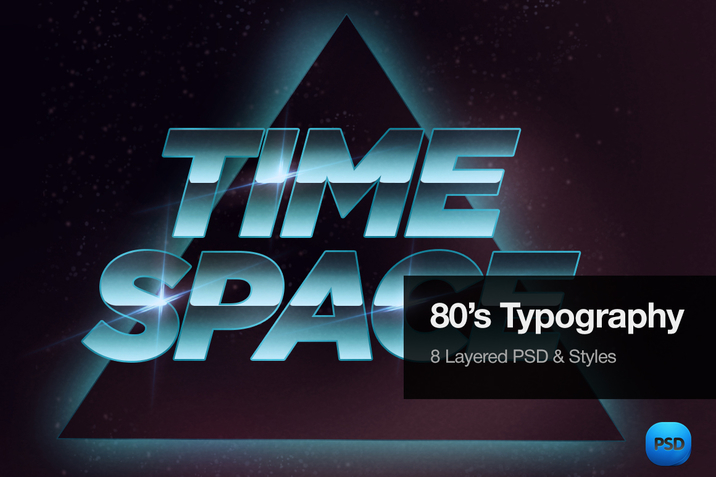
Love glossy, neon 80's typography?
Here are 8 Layered Psd files, with great examples of old school Text Effects.


Link for more information: https://creativemarket.com/Blacklovefly/79756-80s-Typography-Text-Effects

Screenshots

Creativemarket Super Strike – Matchbook Effects 130584

Name Creativemarket Super Strike – Matchbook Effects 130584
Size 493.2 MB
Created on 2014-12-23 23:39:03
Hash bf983fa0a8854bbaad0448b79c5a4a3022a2c88e
Files Creativemarket Super Strike – Matchbook Effects 130584/Creativemarket Super Strike – Matchbook Effects 130584.tgz (493.2 MB)
Creativemarket Super Strike – Matchbook Effects 130584/Torrent Downloaded From ExtraTorrent.cc.txt (0.35 kB)
Creativemarket Super Strike – Matchbook Effects 130584/Torrent downloaded from AhaShare.com.txt (0.06 kB)
Creativemarket Super Strike – Matchbook Effects 130584/Torrent downloaded from demonoid.ph.txt (0.05 kB)

Descriptions for Description

Name : Super Strike - Matchbook Effects
Files : PDF
File Size : 3.18 MB
Requirements : Adobe CS3+

From the 1920s to the 1950s, a small but useful advertising gimmick spread like wildfire into the purses, pockets, and kitchen drawers of millions of Americans. The give-away matchbook was one of the most pervasive means ever found of putting promotional images into the hands of the public. 

Super Strike recreates those wonderful works of art instantly. It takes your flat, dull illustration and adds unique and realistic textures, filters and even offsets the black from the colors, for realistic miss-registration effects. 

This is done automatically all inside the SuperStrike PSD. No splitting your artwork into different smart object layers. Just one place to paste your work and it's done. 

Video demo: http://vimeo.com/114544650

////// Your Super Strike PSD kit includes /////////
• SuperStrike PSD - 4500px x 3000px 300dpi Landscape
• SuperStrike PSD - 3000px x 4500px 300dpi Portrait
• SuperStrike PSD - 3000px x 3000px 300dpi Square
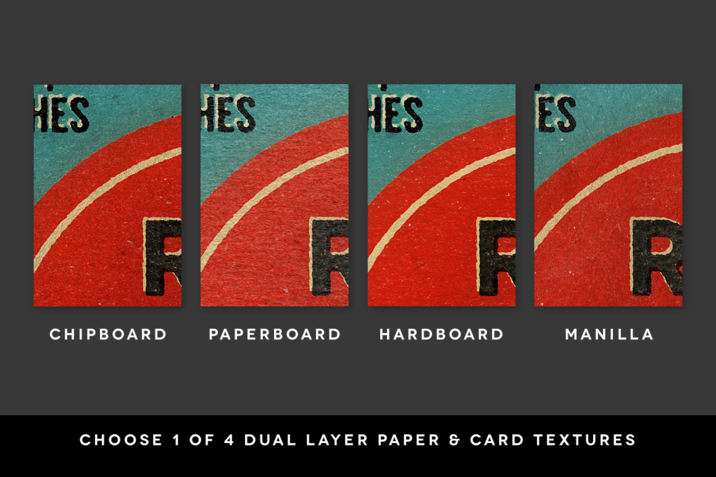
•  4 Different double layer Paper & Card Textures
- Chipboard / Paperboard / Hardboard / Manilla
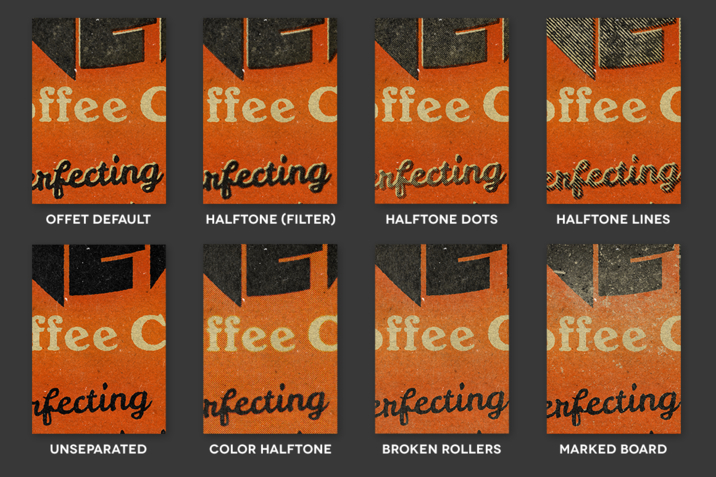
• 23 Print Textures
- Halftone Circles / Halftone Squares / Halftone Lines / Broken Rollers / Marked Board
• Instruction PDF going through each aspect of the Smart PSD with screenshots 
////////////////////////////////

////// Extras ////////////////
• 14 Bespoke retro illustrations in Illustrator AI format. Includes visual PDF list of all fonts used. 
For use in all commercial and personal work.
////////////////////////////////

Please note, SuperStrike is a layered PSD file using smart objects, not actions. 

Cover Design:
• Bespoke cover done for SuperStrike by TwentyOneCreative: http://www.twentyonecreative.com/

Requirements:
• Photoshop CS3 or above. Will NOT work in PS Elements or Coral Draw.
• Basic knowledge of Photoshop.

Download:
• Due to the large files sizes you will receive the PDF instruction booklet which has the download links on the first page.

Please do contact me for any support with this item.


Link for more information: https://creativemarket.com/ianbarnard/130584-Super-Strike-Matchbook-Effects

Screenshots

Microsoft Office for Mac 2016 15.13.3 [Indv]

Description

Name: Microsoft Office for Mac 2016
Version: 15.13.3
Mac Platform: Intel
Includes: Volume License with individual installers

OS version: 10.10.0 or later
Processor type(s) & speed: 64-bit

Supported languages: da, de, en, es, fi, fr, it, ja, nl, no, pl, pt, ru, sv, tr, zh_CN, zh_TW

https://whatimg.com/i/BwXfNW.png

This is the Volume License Edition for Microsoft Office for Mac 2016. The version included is 15.13.3 and there is NO patch needed, it installs without any serial.

After the install you are prompted to sign In to Access Cloud Storage. You can skip this step.

Auto-updater: 

Since this is a Volume License you can make use of the auto-updater.
However, the included version is the latest available at the time of this post.

You do NOT need to block any connections but you can. I recommend to block all connections.

The auto-update needs the following connections allowed:
23.99.121.207 on port 443 (https)
scus-config.officesapps.live.com on port 443 (https)

Basically you can block everything Office related minus the hosts to auto-update. Also, do not block the connections needed for Outlook.

NOTE:
This are individual installers. You can choose what to download and what to install. OneNote is not included.

Do NOT delete any languages since this can cause the apps to crash and reset the license!


More information:
https://products.office.com/en-us/mac/microsoft-office-for-mac

Welcome to the new Office for Mac!
Unmistakably Office, designed for Mac. Do your best work—anywhere, anytime and with anyone.


https://whatimg.com/i/T8xjyb.png

Get started quickly with new, modern versions of Word, Excel, PowerPoint, Outlook and OneNote.


Word
Create, polish, and share beautiful and professional documents
The state-of-the-art authoring and reviewing tools in Word make the creation of polished documents easy. The new Insights pane shows relevant contextual information from the web inside Word. The Design tab enables you to manage layout, colors, and fonts across a document. Get more done by working together using built-in tools to share and review documents. Several people can work on the same document simultaneously and use threaded comments to have a conversation right next to relevant text.


Excel
Analyze and visualize numbers in new and intuitive ways
The new Excel for Mac enables you to turn numbers into insights. Familiar keyboard shortcuts and data entry enhancements like formula builder and autocomplete immediately make you more productive. Excel also helps you visualize your data by recommending charts best suited for your numbers, and letting you quickly preview the different options. New PivotTable Slicers help you discover patterns in large volumes of data.


PowerPoint
Create multimedia presentations and present your ideas with confidence
Walk into your next presentation with complete confidence. The new Presenter View in PowerPoint displays the current slide, next slide, speaker notes, and a timer on your Mac, while projecting only the presentation to your audience on the big screen. A new Animation pane helps you design and fine-tune animations, and refined slide transitions ensure the finished product is polished. Easily share your presentation and invite others to work on the same presentation simultaneously.


OneNote
Harness your thoughts in your very own digital notebook
Capture, organize, and share your ideas with digital notebooks that you can access on any device. Find things quickly with a powerful search engine that tracks your tags, indexes your typed notes, and recognizes text in images and handwritten notes. Bold, italicize, underline, highlight, insert files, pictures and tables—format your notes like you want. Easily share notebooks with friends, family, or colleagues so everyone can work together on travel plans, household tasks, or work projects.


Outlook
Stay organized with an email and calendar experience that's fast and looks great
Managing your email, calendar, contacts, and tasks has never been easier. The new Outlook for Mac has push mail support so your inbox is always up to date. The improved conversation view automatically organizes your inbox around threaded conversations, so you'll never hunt for related messages again. And the new message preview gives you the first sentence of an email just below the subject line, so you can quickly decide if you want to read it now or come back later.

Name Microsoft Office for Mac 2016 15.13.3 [Indv]
Size 2.83 GB
Created on 2015-09-09 00:56:52
Tracker http://109.235.50.166:2710/announce
Hash b8e59e395c8db0a9cd81a3c61f0c883da6dc4bae
Files Microsoft Office for Mac 2016 v15.13.3 [Volume] [Multilang] [Indv]/SW_DVD5_Excel_Mac_2016_MultiLang_-2_ISO_MLF_X20-45882.ISO (762.1 MB)
Microsoft Office for Mac 2016 v15.13.3 [Volume] [Multilang] [Indv]/SW_DVD5_Outlook_Mac_2016_MAC_MultiLang_-2_ISO_MLF_X20-45881.ISO (484.8 MB)
Microsoft Office for Mac 2016 v15.13.3 [Volume] [Multilang] [Indv]/SW_DVD5_PowerPoint_Mac_2016_MultiLang_-2_ISO_MLF_X20-45883.ISO (718.5 MB)
Microsoft Office for Mac 2016 v15.13.3 [Volume] [Multilang] [Indv]/SW_DVD5_Word_Mac_2016_MultiLang_-2_ISO_MLF_X20-45884.ISO (867.9 MB)

Texpad 1.7.15

Description

Name: Texpad
Version: 1.7.15
Mac Platform: Intel
Includes: KG

OS version: 10.9
Processor type(s) & speed: 64-bit
RAM minimum: n/a
Video RAM: n/a

Version 1.7.15:
• tikz subfiles
• Fixed for occasional hang
• Support for derivatives of biblatex such as biblatex-chicago
• Clearer ordering of cite keys in the info popover
• Saving of the PDF state when closing the project window.


Texpad is a LaTeX editor designed for straightforward navigation of projects of any size. When Texpad opens a document it scans through it, looking for LaTeX structure commands and any included files, then it presents you with an outline view with which you can swiftly navigate the entire project.

Texpad replaces LaTeX's obscure console output with a table of typesetting errors. Clicking on these errors will direct you to the offending line in the LaTeX source.

More info: https://www.texpadapp.com/osx

Name Texpad 1.7.15
Size 30.38 MB
Created on 2015-09-06 00:03:43
Tracker http://109.235.50.166:2710/announce
Hash 36e6eb8dface4e16f6505c24c1dbec16cc1debc9
Files Texpad/Texpad 1.x [SP].zip (1.24 MB)
Texpad/Texpad.dmg (29.14 MB)

Apple Final Cut Pro 10.2.2

Description

Name: Final Cut Pro
Version: 10.2.2
Mac Platform: Intel
Includes: Pre-K'ed

OS version: OS X 10.10.4 or later
Processor type(s) & speed: 64-bit processor

Courtesy of TNT Team

Release Date: September 3, 2015

What's New in Version 10.2.2
• Native support for Sony XAVC-L and Panasonic AVC-Intra 4:4:4 up to 4K resolution
• Import Canon XF-AVC 8-bit video files with Canon plug-in
• Export interlaced H.264 video
• Asset management systems can include a library backup file when sharing from Final Cut Pro
• Fixes render errors that may occur when using reflective materials with 3D text
• Improves stability when swapping materials on 3D text with published parameters
• Improves performance when loading text styles
• Motion Title templates with published text layout parameters now export correctly
• Fixes an issue that may cause 3D text to appear dark when rendered
• Addresses issues with timing on certain animated effects

Introduced in Version 10.2
Introducing 3D titles
• Beautifully animated and easily customizable 3D text
• Simple templates to get started quickly
• Cinematic templates with built-in backgrounds and animations
• Large collection of text styles to create stunning looks in one click
• Customize your titles with hundreds of combinations of materials, lighting, and edges
• Additional controls let you adjust environments, shadows, and more
• Instantly convert any 2D title to 3D
• Open any title in Motion to add multiple lights, cameras, and tracking

Advanced effects
• Display up to four video scopes simultaneously
• Apply super ellipse Shape mask to any clip
• Apply Draw mask to any clip, with options for linear, bezier, or B-spline smoothing
• New Shape and Color mask controls for every effect
• Instantly display the alpha channel for any effect mask
• Save custom effects as presets for quick access
• Color Board merged into the new Color Correction effect
• Rearrange the processing order of Color Correction effect
• Improved keyframing with better motion smoothing
• Improved optical flow for beautiful slow motion on a wider range of content
• Better performance of FxPlug plug-ins and built-in effects that use multiple frames like Visual Echo and Trails

Camera formats
• Panasonic AVC-Ultra codec family
• Sony XAVC-S
• Import Sony XAVC and XDCAM formats without separate plug-in
• JVC H.264 Long GOP
• GPU-accelerated RED RAW processing with support for dual GPUs
• Support for RED RAW anamorphic formats

Additional features
• Smart Collections can be used at the event and library level
• Import window consolidates all options into single sidebar
• GPU rendering when using Send to Compressor with support for dual GPUs


More Info: https://itunes.apple.com/us/app/final-cut-pro/id424389933?mt=12

Completely redesigned from the ground up, Final Cut Pro adds extraordinary speed, quality, and flexibility to every part of the post-production workflow.

Revolutionary Video Editing
• Assemble clips in the Magnetic Timeline without clip collisions or sync problems
• Use Clip Connections to attach B-roll, sound effects, and music to the timeline
• Reduce clutter by grouping clips into a Compound Clip.
• Perfect your pacing right in the timeline with the Inline Precision Editor
• Cycle through different shots, graphics, or effects at one place in the timeline with Auditions
• Edit multi-camera projects with automatic sync and support for up to 64 camera angles

Powerful Media Organization
• Organize your work within libraries for efficient media management and collaboration
• Work natively with a broad range of formats including RED, AVCHD, H.264 from DSLRs, and more
• Content Auto-Analysis captures camera metadata and analyzes shots in the background
• Create and apply custom keywords on the fly as you select ranges in clips
• Smart Collections let you dynamically organize content and find any shot in a few clicks

Incredible Performance
• Final Cut Pro uses all the GPUs in your Mac for superior real-time playback performance and fast background rendering
• 64-bit architecture uses all the RAM in your system for larger projects and richer effects
• Background processing lets you keep working without interruption
• External monitoring lets you route video and audio through HDMI or third-party Thunderbolt and PCIe devices

Compelling, Customizable Effects
• Preview effects to see how they look with your footage before applying them
• Change the look of titles, transitions, and effects using intuitive controls
• Control effects with precision using a keyframe editor that appears directly in the timeline
• Use third-party FxPlug plug-ins with custom interfaces and dual-GPU support

Integrated Audio Editing
• Expand and edit multichannel audio files directly in the timeline
• Let Final Cut Pro repair significant audio problems such as hum, excessive noise, and more
• Sync DSLR video with separate audio in a single step, with instant audio waveform matching

Intuitive Color Grading
• Improve the look of any clip with the single-click Balance Color feature
• Apply the Match Color feature to match the looks of two clips shot under different conditions
• Manipulate color, saturation, and exposure with the Color Board
• Fine tune color for a specific color range or area of the screen using keying and masks

One-Step, Optimized Output
• Deliver projects for playback on Apple devices and websites such as Vimeo, YouTube, and Facebook
• Use themed menus to quickly author and burn a DVD or Blu-ray disc
• Export customized audio stems and multiple versions of a finished video using Roles metadata
• Import and export XML to support third-party workflows

Screenshots

Name Final Cut Pro 10.2.2
Size 2.68 GB
Created on 2015-09-05 04:59:49
Tracker http://109.235.50.166:2710/announce
Hash 9ef42400cca75130f6e69c9a946fae6ddef2ec4d
Files Final Cut Pro 10.2.2.dmg (2.68 GB)

Little Snitch 3.5.3

Name Little Snitch 3.5.3
Size 22.88 MB
Created on 2015-09-02 04:49:58
Tracker http://109.235.50.166:2710/announce
Hash 1be1606040e7b5e1664ec5cb45e765c9fbec1691
Files SNITCH 3.5.3/Little Snitch Installer.app.zip (21.84 MB)
SNITCH 3.5.3/Little Snitch Uninstaller.app.zip (1.04 MB)
SNITCH 3.5.3/SN.txt (0.32 kB)

Descriptions for Description

Name: Little Snitch
Version: 3.5.3
Mac Platform: Intel
Includes: Serial

OS version: 10.6
Processor type(s) & speed: 1ghz
RAM minimum: 512mb
Video RAM: 256mb

what's new in v3.5.3:

1. less cpu usage
2. improved searching for denied connection
3. improve compatibility osx 10.10.x
4. fixed menu bar item sometimes got stuck in highlight mode
5. fixed editing of multiple rules selection did not work
6. other stability improvements


Little Snitch... A firewall protects your computer against unwanted guests from the Internet. But who protects your private data from being sent out? Little Snitch does!
As soon as you're connected to the Internet, applications can potentially send whatever information they want to wherever they want.

Sometimes they do this for good reason, on your explicit request. But often they don't. Little Snitch allows you to intercept these unwanted connection attempts, and lets you decide how to proceed.

Little Snitch informs you whenever a program attempts to establish an outgoing Internet connection. You can then choose to allow or deny this connection, or define a rule how to handle similar, future connection attempts. This reliably prevents private data from being sent out without your knowledge. Little Snitch runs inconspicuously in the background and it can also detect network related activity of viruses, trojans and other malware.

More info: http://www.obdev.at/products/littlesnitch/index.html


How to get it running:

A possible solution got from a third part site. I heard it should actually works for 3.5.3!!!

Installation note for Pre-Cracked Little Snitch Version 3.5.3 Mac ===================================================
01) Before start, disconnect your mac totally from the internet during these steps
===================================================
If you already have an older version of Little Snitch installed in your mac do these steps first:
===================================================

A) uninstall your current Little Snitch using the uninstall feature in Little Snitch installer
folder .
B) After the re-boot, make sure these files are deleted.
The uninstaller does not remove them all so delete manually:

From Mac hard drive named Macintosh HD:

/Library/Application Support/Objective Development/Little Snitch/

From the Home Folder:

/Library/Application Support/Little Snitch/

/Library/Preferences/at.obdev.LittleSnitchConfiguration.plist

/Library/Preferences/at.obdev.LittleSnitchNetworkMonitor.plist

/Library/Preferences/at.obdev.LittleSnitchInstaller.plist


===================================================
If you don't already have an older version of Little Snitch installed in your mac skip to this step:
===================================================
02) Add these lines to the original host file in mac.

## LittleSnitch
127.0.0.1 obdev.at
127.0.0.1 www.obdev.at
# Block Little Snitch Activation
127.0.0.1 obdev.at
127.0.0.1 83.169.2.77
127.0.0.1 78.46.114.187
127.0.0.1 78.46.72.168
127.0.0.1 hetzner.obdev.at
127.0.0.1 wtf.obdev.at

How to find the original host file in mac

A) You need to show all files on your computer for the following steps.. to do this, open terminal. type:

defaults write com.apple.Finder AppleShowAllFiles YES
hit return then type:
killall Finder

(all hidden files should now be visible in finder)

B) open finder menu then click in go then scroll down to go to folder and copy and paste this path
/private/etc/hosts

02) Now copy the hosts file to your desktop and open it by clicking on it, and copy and paste the following lines at the end of the lines already there in the hosts file

## LittleSnitch
127.0.0.1 obdev.at
127.0.0.1 www.obdev.at
# Block Little Snitch Activation
127.0.0.1 obdev.at
127.0.0.1 83.169.2.77
127.0.0.1 78.46.114.187
127.0.0.1 78.46.72.168
127.0.0.1 hetzner.obdev.at
127.0.0.1 wtf.obdev.at

===================================================
03) Close the host file and drag and drop it to the previous path you have already opened before and replaced the original hosts file, within "/private/etc/", with the hosts file you have edited from the desktop.

Now go back to the Terminal window and paste this:

sudo dscacheutil -flushcache

Now (all hidden files should not be visible in finder any-more)

===================================================
04) Now Install Little Snitch, and reboot your mac
===================================================
05) After the reboot BEFORE you use the supplied serial number, you MUST do the next procedures or else little snitch will call home and download the list of Blacklisted serial number.

a) Open Little Snitch rules and create a new rule.
b) Select "Deny Connections".
c) Make sure "All Applications" is selected in the next line.
d) In the Server drop down menu select "Hostname".
e) On the next line enter "obdev.at" without the " ".
f) On the Port and Protocol lines it should say "Any".
g) Hit the "OK" button.

===================================================
06) Next Create another rule and enter the following:

A) Select "Deny connections"
B) On the next line, use the drop down menu and select "Choose Application".
C) One-by-One make rules that block ALL files in /Library/Little Snitch/ (You'll have to repeat the steps here about 5 times to block every "file" in the little snitch folder

(Little snitch agent, Little Snitch Daemon.bundle, Little Snitch Network Monitor, Little Snitch Uninstaller)


D) Now Block also the "Little Snitch Configuration

click on little snitch tap and scroll to rules

Block also the "Little Snitch Configuration app", sitting in the application folder
D) The Server should be "Any Server". The Port and Protocol should say "any".
E) Hit the "OK" button. Repeat for ALL files in that folder

F) Now Delete Little Snitch Software Update.app
from little snitch folder on your mac by going to this path Macintosh HD/Library/Little Snitch/Little Snitch Software Update.app

===================================================
07) Next, create another rule "Deny connections" and select "IP addresses"

Block all outgoing connections to these IP addresses (Copy and paste them all with the commas):

80.237.144.65, 64.120.176.243, 69.164.207.210, 74.117.58.251, 78.46.114.187, 87.233.175.130, 178.79.148.169, 206.212.247.94, 46.4.223.210, 78.46.114.187, 78.46.114.188, 6.4.223.210, 46.4.223.213, 64.120.176.243, 66.175.221.62, 69.164.207.210, 74.117.58.251, 78.46.72.168, 78.46.114.187, 78.46.114.189, 80.237.144.65, 127.0.0.1, 178.79.148.169, 206.212.247.94, 213.239.240.252

===================================================
08) Next uncheck the boxes IN GREEN COLORE next to any pre-existing little snitch "rules" that allow connections to little snitch..
you may not be able to edit/delete the rules, so simply uncheck the GREEN box next to them

**IMPORTANT: BE SURE TO UNCHECK BOX NEXT TO WTF.OBDEV.AT***
===================================================
09) Now Enter Supplied Serial Number

Open little snitch click on open little snitch preference then chose the tap titled Registration

Now copy the serial provided and pasted on the provided area :


===============================================
10) Now you can TURN ON THE INTERNET CONNECTION ON MAC. ===============================================
Just go through the installation and follow all previous steps listed in the
description

Afterwards I tested little snitch, and all seems to be going well!
It's working 100% fine Enjoy 

Microsoft Office for Mac 2016 15.11.2

Description

Name: Microsoft Office for Mac 2016
Version: 15.11.2 [Volume Licensed]
Mac Platform: Intel
Includes: Volume License

OS version: 10.10.0 or later
Processor type(s) & speed: 64-bit

Supported languages: da, de, en, es, fi, fr, it, ja, nl, no, pl, pt, ru, sv, tr, zh_CN, zh_TW

This is the Volume License Edition for Microsoft Office for Mac 2016. The version included is 15.11.2 and there is NO patch needed, it installs without any serial and can be updated to the latest version.

After the install you are prompted to sign In to Access Cloud Storage. You can skip this step.

Auto-updater:
After installing you can auto-update the apps to the most recent version available (which is 15.13.1 on time of this post).

You do NOT need to block any connections but you can. This are the hosts you apparently can block:
office15client.microsoft.com on port 443 (https)
prod-w.nexus.live.com.akadns.net on port 443 (https)
store.office.com on port 443 (https)
odc.officeapps.live.com on port 443 (https)
eus-retailer.osi.office.net on port 80 (http) and port 443 (https)
scus-odc.officeapps.live.com on port 443 (https)
omextemplates.content.office.net on port 443 (https)

The auto-update needs the following connections allowed:
23.99.121.207 on port 443 (https)
scus-config.officesapps.live.com on port 443 (https)

Basically you can block everything Office related minus the hosts to auto-update. Also, do not block the connections needed if you use Outlook or OneNote.

You can download the updates also manually here for v15.13.1:
https://support.microsoft.com/en-us/kb/3082420

NOTE:
This needs 6.45 GB of space on your hard-disk. It installs the complete package of Office including Word, Excel, OneNote, Outlook and PowerPoint. It also installs all languages and fonts.


More information:
https://products.office.com/en-us/mac/microsoft-office-for-mac

Welcome to the new Office for Mac!
Unmistakably Office, designed for Mac. Do your best work—anywhere, anytime and with anyone.


https://whatimg.com/i/T8xjyb.png

Get started quickly with new, modern versions of Word, Excel, PowerPoint, Outlook and OneNote.


Word
Create, polish, and share beautiful and professional documents
The state-of-the-art authoring and reviewing tools in Word make the creation of polished documents easy. The new Insights pane shows relevant contextual information from the web inside Word. The Design tab enables you to manage layout, colors, and fonts across a document. Get more done by working together using built-in tools to share and review documents. Several people can work on the same document simultaneously and use threaded comments to have a conversation right next to relevant text.


Excel
Analyze and visualize numbers in new and intuitive ways
The new Excel for Mac enables you to turn numbers into insights. Familiar keyboard shortcuts and data entry enhancements like formula builder and autocomplete immediately make you more productive. Excel also helps you visualize your data by recommending charts best suited for your numbers, and letting you quickly preview the different options. New PivotTable Slicers help you discover patterns in large volumes of data.


PowerPoint
Create multimedia presentations and present your ideas with confidence
Walk into your next presentation with complete confidence. The new Presenter View in PowerPoint displays the current slide, next slide, speaker notes, and a timer on your Mac, while projecting only the presentation to your audience on the big screen. A new Animation pane helps you design and fine-tune animations, and refined slide transitions ensure the finished product is polished. Easily share your presentation and invite others to work on the same presentation simultaneously.


OneNote
Harness your thoughts in your very own digital notebook
Capture, organize, and share your ideas with digital notebooks that you can access on any device. Find things quickly with a powerful search engine that tracks your tags, indexes your typed notes, and recognizes text in images and handwritten notes. Bold, italicize, underline, highlight, insert files, pictures and tables—format your notes like you want. Easily share notebooks with friends, family, or colleagues so everyone can work together on travel plans, household tasks, or work projects.


Outlook
Stay organized with an email and calendar experience that's fast and looks great
Managing your email, calendar, contacts, and tasks has never been easier. The new Outlook for Mac has push mail support so your inbox is always up to date. The improved conversation view automatically organizes your inbox around threaded conversations, so you'll never hunt for related messages again. And the new message preview gives you the first sentence of an email just below the subject line, so you can quickly decide if you want to read it now or come back later.
Name Microsoft Office for Mac 2016 15.11.2
Size 1.16 GB
Created on 2015-09-01 05:10:33
Tracker http://109.235.50.166:2710/announce
Hash bb27eba06f891049dafa1ee3293b28fd10ab8754
Files Microsoft Office for Mac 2016 [VOLUME] [MULTILANG]/SW_DVD5_Office_Mac_Standard_2016_MultiLang_ISO_MLF_X20-44037.iso (1.16 GB)

Toast Pro 14 (3734)

Name Toast Pro 14 (3734) Size 1.19 GB Created on 2015-08-30 22:58:58 Tracker http://109.235.50.166:2710/announce Hash ec9b6df7c6a2089817707ef190a4d104e9c601a3 Files Desktop/Serial.rtf (0.40 kB) Desktop/Toast_14_Pro_3734.dmg (1.19 GB) Download Download Description Name: Toast Pro 14 Version: 14 (3734) Mac Platform: Intel Includes: Serial OS version: 10.7 and up Processor type(s) & speed: 64-bit processor RAM minimum: 2 Gb rec Video RAM: 4 Gb rec Minimum System Requirements: Mac® computer with an Intel® processor 1 GB RAM (2 GB RAM recommended for Pro) Mac OS® X 10.7, 10.9, 10.10. Partial functionality on Mac OS 10.8 Approximately 1 GB (5 GB for Pro) of free space to …

Copyright © 2019 Mac Torrent Download All Rights Reserved.

Pragmatica Font Family – 44 Fonts

Name pragmatica.font.family.44.fonts.for.1320
Size 3.66 MB
Created on 2014-10-30 21:14:08
Tracker udp://open.demonii.com:1337/announce
Tier #2
udp://tracker.publicbt.com:80/announce
Tier #3
udp://tracker.openbittorrent.com:80/announce
Tier #4
udp://tracker.istole.it:80/announce
Tier #5
udp://tracker.token.ro:80/announce
Tier #6
http://tracker.torrentfrancais.com/announce
Tier #7
udp://9.rarbg.com:2710/announce
Tier #8
http://tracker.ex.ua/announce
Tier #9
http://torrent.gresille.org/announce
Tier #10
udp://tracker.yify-torrents.com:80/announce
Hash d5b090e2da4a0a1e99c9264ccf2ba67770d70276
Files Pragmatica Font Family – 44 Fonts for $1320/Pragmatica Font Family – 44 Fonts for $1320.tgz (3.66 MB)
Pragmatica Font Family – 44 Fonts for $1320/Torrent Downloaded From ExtraTorrent.cc.txt (0.35 kB)
Pragmatica Font Family – 44 Fonts for $1320/Torrent downloaded from AhaShare.com.txt (0.06 kB)
Pragmatica Font Family – 44 Fonts for $1320/Torrent downloaded from demonoid.ph.txt (0.05 kB)

Descriptions for Description

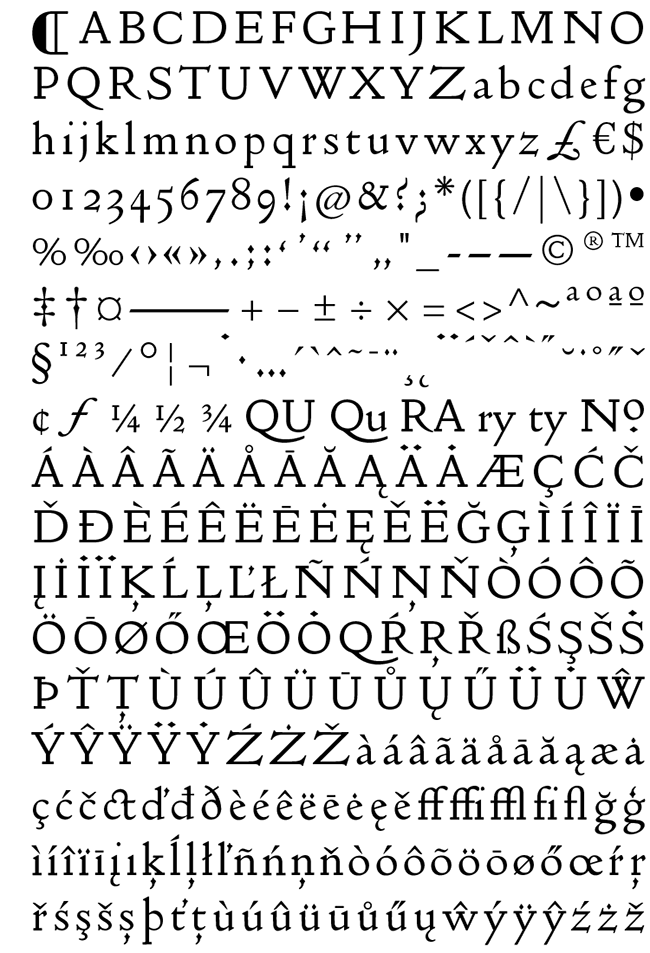
The typeface was designed at ParaType (ParaGraph) in 1989-2004 by Vladimir Yefimov and Olga Chaeva. A spin-off from Encyclopedia-4 type family of the Polygraphmash type design bureau (1987, Vladimir Yefimov and Isay Slutsker). Inspired by Helvetica (Neue Haas Grotesk) of Haas typefoundry, 1957 by Eduard Hoffman and Max Miedinger.

Based on the 19th century Grotesque designs, Helvetica brought a new level of mathematical accuracy to the sans serif category. Widely used for many applications, from magazines and books to advertising and headlines. Four basic styles of Pragmatica were developed in 1989 by Vladimir Yefimov. Eight additional styles were developed in 2003 by Olga Chaeva. Condensed styles were developed in 1993-2004 by Vladimir Yefimov, Alexander Tarbeev and Manvel Shmavonyan, with participation of Dmitry Kirsanov. Extended styles were developed in 2004 by Olga Chaeva and Manvel Shmavonyan.

Screenshots

Purista Font Family – 10 Fonts

Name purista.font.family.10.fonts.for.285
Size 2.26 MB
Created on 2014-10-30 21:14:40
Tracker udp://open.demonii.com:1337/announce
Tier #2
udp://tracker.publicbt.com:80/announce
Tier #3
udp://tracker.openbittorrent.com:80/announce
Tier #4
udp://tracker.istole.it:80/announce
Tier #5
udp://tracker.yify-torrents.com:80/announce
Tier #6
http://torrent.gresille.org/announce
Tier #7
http://tracker.ex.ua/announce
Tier #8
udp://9.rarbg.com:2710/announce
Tier #9
http://tracker.torrentfrancais.com/announce
Tier #10
udp://tracker.token.ro:80/announce
Hash 01ffb6d1a8383589ca0642934b7beb53c2748629
Files Purista Font Family – 10 Fonts for $285/Purista Font Family – 10 Fonts for $285.tgz (2.26 MB)
Purista Font Family – 10 Fonts for $285/Torrent Downloaded From ExtraTorrent.cc.txt (0.35 kB)
Purista Font Family – 10 Fonts for $285/Torrent downloaded from AhaShare.com.txt (0.06 kB)
Purista Font Family – 10 Fonts for $285/Torrent downloaded from demonoid.ph.txt (0.05 kB)

Descriptions for Description

================
[INFO:]
================

Purista Font Family - 10 Fonts for $285
OTF | 10 Fonts | JPEG Preview | 2.9 Mb


Purista is a strict, orderly typeface based on a well-tried principle of geometric sans serifs from mid-20th century. Its obsession with technological precision makes it perfect for use in corporate systems and visual communications of technocratic businesses. Thanks to its broad range of cuts, it is also ideal for display advertising.

Screenshots

PF Regal Swash Pro Font Family – 6 Fonts

Name pf.regal.swash.pro.font.family.6.fonts.for.euro.375
Size 3.83 MB
Created on 2014-10-30 21:11:04
Tracker udp://open.demonii.com:1337/announce
Tier #2
udp://tracker.publicbt.com:80/announce
Tier #3
udp://tracker.openbittorrent.com:80/announce
Tier #4
udp://tracker.istole.it:80/announce
Tier #5
udp://tracker.token.ro:80/announce
Tier #6
http://tracker.torrentfrancais.com/announce
Tier #7
udp://9.rarbg.com:2710/announce
Tier #8
http://tracker.ex.ua/announce
Tier #9
http://torrent.gresille.org/announce
Tier #10
udp://tracker.yify-torrents.com:80/announce
Hash 1d698e7eeb04930d37151faa56d5ba32fdeff7be
Files PF Regal Swash Pro Font Family – 6 Fonts for Euro 375/PF Regal Swash Pro Font Family.tgz (3.83 MB)
PF Regal Swash Pro Font Family – 6 Fonts for Euro 375/Torrent Downloaded From ExtraTorrent.cc.txt (0.35 kB)
PF Regal Swash Pro Font Family – 6 Fonts for Euro 375/Torrent downloaded from AhaShare.com.txt (0.06 kB)
PF Regal Swash Pro Font Family – 6 Fonts for Euro 375/Torrent downloaded from demonoid.ph.txt (0.05 kB)

Descriptions for Description

================
[INFO:]
================

PF Regal Swash Pro Font Family - 6 Fonts for €375
OTF | 6 Fonts | JPEG Preview | 4.8 Mb


The objective of this project was to design a new typeface series for Grazia magazine. First published in 2010, Regal was later revamped and redesigned for commercial use, evolving into a type system with five related superfamilies. According to the brief, this typeface had to be elegant, luxurious, sexy, vibrant, reflect the female sensitivity and take into consideration a modern woman who is more proud, more connected, more spontaneous, open-minded and eager to try a whole host of new products and services. Targeting this consumption-wise and well-educated woman, required a typeface that is not strictly based on classic forms, but incorporates several distinct elements that express a modern woman’s personality and the products she consumes. In that respect, a whole series of 5 related superfamilies was designed, which not only emphasize femininity but also reflect both the romantic as well as the dynamic side of the female personality. For that matter, elegant curvy details were introduced in order to create a link to the female figure; teardrop terminals which reflect a woman’s sensitivity; pronounced quirks on upper and lower arms for her eyelashes; high-contrast, sharp corners at thinning terminals for her high heels; alternate glyphs for the woman who prefers to express her individuality -rather than slavishly follow trends- by using various accessories which can dramatically change her appearance; elegant endings and long curves to reflect her predisposition to dream; bell-shaped serifs with an inward rather than outward direction which recall streamlined seventies fashion. This series of typefaces is diverse in its construction as it consists of five related superfamilies i.e. text, display, ?nesse, swash and stencil. There is a variety of weights which range from regular to ultra black for each one of the five families. These families share common attributes but they di?er in content according to each one’s usage. The whole superfamily type system is comprised of 47 weights with an average of 898 glyphs per weight. It supports simultaneously Latin, Cyrillic and Greek and comes with many alternate glyphs.

Screenshots

beaTunes 4.5.1

Description

Name: beaTunes
Version: 4.5.1
Mac Platform: Intel
Includes: Serial

OS version: 10.7.5 or higher
64 bit

Whats new:

Improved auto-recovery.
Improved support for flat symbol on Windows.
Improved handling of inconsistent Last.fm responses.
Improved AppleScript error reporting.
Fixed ArrayIndexOutOfBoundsException: No such child: -1
Fixed Last.fm copy to comment option.
Increased some timeouts.
Changed code to avoid sync during inspection.


beaTunes is a full-featured music player and organizational tool for music collections.

How well organized is your music Library? Are your artists always spelled the same way?

Any R.E.M. vs REM? beaTunes can easily fix this and other problems with its unique inspection feature (license required for applying one-click solutions).

Could your last mix CD's song order use some improvement? Let beaTunes re-arrange your playlist for you! Always wondered how you could take advantage of the BPM (beats per minute) field? Let beaTunes fill in the blanks and help you while DJ'ing at your next party.

Here are some more examples of what you can do with beaTunes:

Navigate in songs semantically, i.e. segment to segment.
Automatically determine BPM (beats per minute).
Automatically determine the musical key your songs are in.
Sort existing playlists so that matching songs succeed each other.
Create matchlists, i.e., playlists based on one or more sample songs.
Browse songs from your music collection that match the currently selected song.
Find all songs iTunes marks with an exclamation mark and remove them from the library.
Find duplicates via acoustic fingerprinting.

More info: https://www.beatunes.com/en/

Name beaTunes 4.5.1
Size 181.7 MB
Created on 2015-08-28 23:32:17
Tracker http://109.235.50.166:2710/announce
Hash 13abbf811b3ed50290ceda2e10b63a661dd633f4
Files beaTunes 4.5.1/beaTunes 4 SN.rtf (0.73 kB)
beaTunes 4.5.1/beaTunes 4.5.1.dmg (181.7 MB)

QuickShot 1.3

Description

Name: QuickShot - Menubar Screenshot Manager
Version: 1.3
Mac Platform: Intel
Includes: Pre-K'ed

OS version: 10.10 or later
Processor type(s) & speed: 64-bit processor

What's New in Version 1.3
QuickLook previews: just press spacebar while moused over the image
Bug fixes and performance improvement


QuickShot is the ultimate screenshot manager.

Simply take a screenshot using OSX's built in functionality and it will be immediately draggable from your menubar. You can also view and share all of your previously taken screenshots with just a click. With QuickShot's easy-to-use interface and design you can eliminate clutter from your desktop, save tons of time, and revolutionize your workflow all with just one minimal and lightweight app. No more struggling and switching spaces to get to the screenshots on your desktop, it's time to use QuickShot!

More info: https://itunes.apple.com/us/app/quickshot-menubar-screenshot/id965442961?mt=12

Screenshots

Name QuickShot 1.3
Size 2.52 MB
Created on 2015-08-28 23:31:54
Tracker http://109.235.50.166:2710/announce
Hash 6e4665eff03109d7098f233b07a27b5824e4b47c
Files QuickShot.zip (2.52 MB)

SiteSucker 2.7.2

Name SiteSucker 2.7.2 Size 1.73 MB Created on 2015-08-28 23:36:54 Tracker http://109.235.50.166:2710/announce Hash 8a42da1f62c5046531f4d92acd22ca36eda48234 Files SiteSucker 2.7.2/SiteSucker 2.7.2.zip (1.73 MB) Download Download Description Name: SiteSucker Version: 2.7.2 Mac Platform: Intel Includes: Pre-K’ed OS version: 10.9 or higher 64 bit Whats new: Fixed a bug that could cause SiteSucker to crash on OS X 10.9.x Mavericks. Fixed a bug that could cause SiteSucker to crash if it needs to ask the user for permission to open a file. SiteSucker is an Macintosh application that automatically downloads Web sites from the Internet. It does this by asynchronously copying the site’s webpages, images, …

Copyright © 2019 Mac Torrent Download All Rights Reserved.

Creativemarket Business folder 47648

Name Creativemarket Business folder 47648
Size 72.81 MB
Created on 2014-06-19 12:28:39
Tracker udp://open.demonii.com:1337/announce
Tier #2
udp://tracker.publicbt.com:80/announce
Tier #3
udp://tracker.prq.to/announce
Tier #4
udp://tracker.istole.it:80/announce
Tier #5
udp://tracker.yify-torrents.com:80/announce
Tier #6
udp://10.rarbg.me:80/announce
Tier #7
udp://tracker.token.ro:80/announce
Tier #8
udp://10.rarbg.com/announce
Tier #9
http://tracker.torrentfrancais.com/announce
Tier #10
udp://11.rarbg.com/announce
Tier #11
http://tracker.ex.ua/announce
Tier #12
http://torrent.gresille.org/announce
Tier #13
http://94.228.192.98/announce
Tier #14
udp://9.rarbg.com:2710/announce
Tier #15
udp://tracker.openbittorrent.com:80/announce
Tier #16
udp://inferno.demonoid.ooo:3392/announce
Hash 23db2a553532ba7adbd4b9a08d0479631a0fbe8d
Files Creativemarket Business folder 47648/Creativemarket Business folder 47648.tgz (72.81 MB)
Creativemarket Business folder 47648/Torrent Downloaded From ExtraTorrent.cc.txt (0.35 kB)
Creativemarket Business folder 47648/Torrent downloaded from demonoid.ph.txt (0.05 kB)

Descriptions for Description

Creativemarket business folder 47648
Photoshop PSD | 5000x5000 | 130 Mb


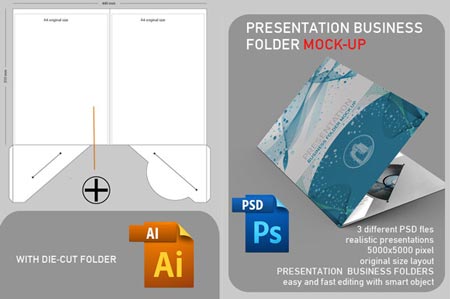
3 different psd files, 5000x5000 pixel , original size layout, easy and fast editting with smart object, vector diecut folder, included help file

Screenshots

Creativemarket Vintage Event Flyer 39605

Name Creativemarket Vintage Event Flyer 39605
Size 115.4 MB
Created on 2014-05-26 16:19:48
Tracker udp://open.demonii.com:1337/announce
Tier #2
udp://tracker.publicbt.com:80/announce
Tier #3
udp://tracker.prq.to/announce
Tier #4
udp://tracker.istole.it:80/announce
Tier #5
udp://tracker.yify-torrents.com:80/announce
Tier #6
udp://10.rarbg.me:80/announce
Tier #7
udp://tracker.token.ro:80/announce
Tier #8
udp://10.rarbg.com/announce
Tier #9
http://tracker.torrentfrancais.com/announce
Tier #10
udp://11.rarbg.com/announce
Tier #11
http://tracker.ex.ua/announce
Tier #12
http://torrent.gresille.org/announce
Tier #13
http://94.228.192.98/announce
Tier #14
udp://9.rarbg.com:2710/announce
Tier #15
udp://tracker.openbittorrent.com:80/announce
Tier #16
udp://inferno.demonoid.ooo:3392/announce
Hash b584c6d7b59b1c84de9be571cce3e282a9662100
Files Creativemarket Vintage Event Flyer 39605/Creativemarket Vintage Event Flyer 39605.tgz (115.4 MB)
Creativemarket Vintage Event Flyer 39605/Torrent Downloaded From ExtraTorrent.cc.txt (0.35 kB)
Creativemarket Vintage Event Flyer 39605/Torrent downloaded from demonoid.ph.txt (0.05 kB)

Descriptions for Description

Name : Vintage Event Flyer
Files : PSD
File Size : 110.07 MB
Requirements : Adobe CS1+
DPI : 300 DPI
Dimensions : 4.25 x 6.25 px

Everyone loves Flyers these days? Well the Layerform team has decided to go with the trend and create a vintage effect flyer that can be used for all sorts of purposes, including music festivals & events, club nights such as Indie / Rock themes and much more.

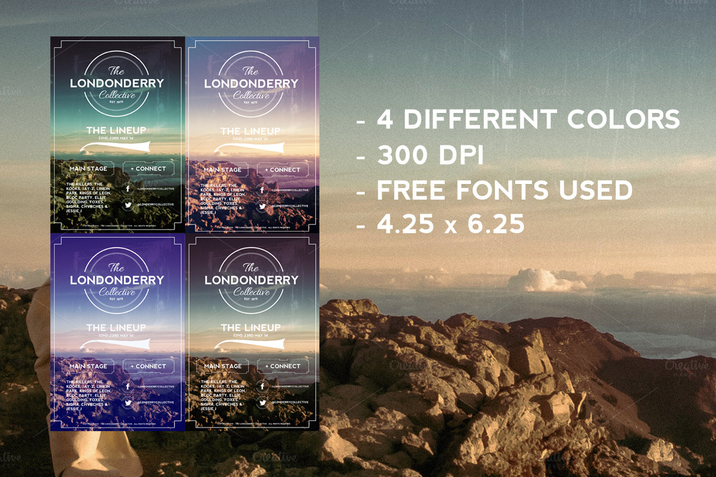
The file comes with 4 different PSD's, nicely layered and grouped, at 300dpi 4.25x6.25 size.

The logo uses one of our own creations from our set of 10 vintage insignias located here: https://creativemarket.com/Layerform/39248-10-Vintage-Insignias-Textures

We hope you enjoy this product as much as we enjoyed creating it :) 

All images used are CC0.

The Layerform.com Team

Screenshots

Creativemarket Fashion Flyer Templates Bundle 39748

Name Creativemarket Fashion Flyer Templates Bundle 39748
Size 281.0 MB
Created on 2014-05-26 16:16:48
Tracker udp://open.demonii.com:1337/announce
Tier #2
udp://tracker.publicbt.com:80/announce
Tier #3
udp://tracker.prq.to/announce
Tier #4
udp://tracker.istole.it:80/announce
Tier #5
udp://tracker.yify-torrents.com:80/announce
Tier #6
udp://10.rarbg.me:80/announce
Tier #7
udp://tracker.token.ro:80/announce
Tier #8
udp://10.rarbg.com/announce
Tier #9
http://tracker.torrentfrancais.com/announce
Tier #10
udp://11.rarbg.com/announce
Tier #11
http://tracker.ex.ua/announce
Tier #12
http://torrent.gresille.org/announce
Tier #13
http://94.228.192.98/announce
Tier #14
udp://9.rarbg.com:2710/announce
Tier #15
udp://tracker.openbittorrent.com:80/announce
Tier #16
udp://inferno.demonoid.ooo:3392/announce
Hash fec188e8294939ec094dd3f8d2fcf33f2fb29238
Files Creativemarket Fashion Flyer Templates Bundle 39748/Creativemarket Fashion Flyer Templates Bundle 39748.tgz (281.0 MB)
Creativemarket Fashion Flyer Templates Bundle 39748/Torrent Downloaded From ExtraTorrent.cc.txt (0.35 kB)
Creativemarket Fashion Flyer Templates Bundle 39748/Torrent downloaded from demonoid.ph.txt (0.05 kB)

Descriptions for Description

Name : Fashion Flyer Templates Bundle
Files : PSD, PDF
File Size : 333.81 MB
Requirements : Adobe CS5+
Layered : Yes
DPI : 300 DPI
Dimensions : 8.5 x 11 in

Fashion Flyer Templates Bundle is bundle pack of 4 Photoshop PSD Fashion Flyer Templates. 
Each flyer is easy to edit layered Adobe Photoshop Template with organised and named layers.
Designs are created in Photoshop CS5 with using only free fonts. All are in High resolution 300dpi US letter flyer size. You can use them in both personal and commercial projects. Perfectly suited for events related to fashion, beauty, events, designers and many others.

This BUNDLE contains 4 Flyers:
http://crtv.mk/rWN1 (normal price $6)
http://crtv.mk/aX7b (normal price $6)
http://crtv.mk/eXEr (normal price $6)
http://crtv.mk/dYLA (normal price $6)
You Save $12 (50%) Pay only $12 for 4 flyers it is just $3 for flyer

US Letter Flyer size:
inches: 8,5 in width x 11 in height. (Bleeds: + 0,125 in at each border)
centimeters: 21,6 cm width x 27,9 cm height. (Bleeds: + 0,3 cm at each border)
300dpi + Bleeds + CMYK color mode = Print Ready

Stock Photos are not included.

Screenshots

Currencier 1.1.2

Description

Name: Currencier - Currency Converter Widget
Version: 1.1.2
Mac Platform: Intel
Includes: Pre-K' ''ed

OS version: OS X 10.10 or later
Processor type(s) & speed: 64-bit processor

Courtesy of Chris

Release Date: August 21, 2015

What' ''s New in Version 1.1.2
Fixed problem with reordering rows


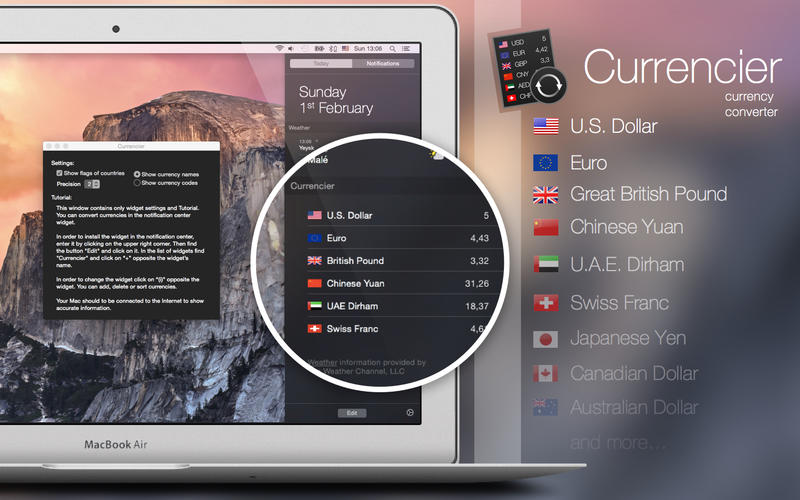
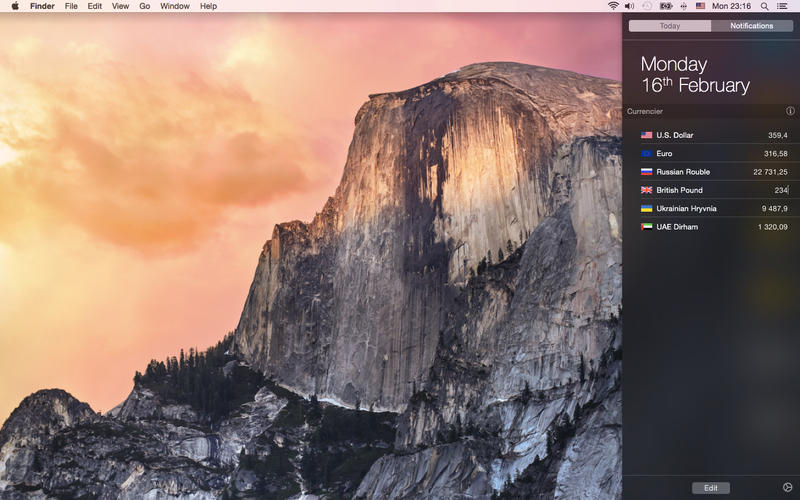
Currencier is a currency-converter widget for OS X 10.10 Yosemite' ''s Today panel!
It supports many languages.

Tutorial:
Main window contains only widget settings and Tutorial. You can convert currencies in the notification center widget. Currency data automatically update from Yahoo Finance.

In order to install the widget in the notification center, enter it by clicking on the upper right corner. Then find the button ?Edit? and click on it. In the list of widgets find ?Currencer? and click on ?+? opposite the widget?s name.

In order to change the widget click on ?(i)? opposite the widget. You can add, delete or sort currencies.

Your Mac should to be connected to the Internet to show accurate information.

More info: https://itunes.apple.com/us/app/id963574425?mt=12

Screenshots

Name Currencier 1.1.2
Size 3.23 MB
Created on 2015-08-24 23:33:57
Tracker http://109.235.50.166:2710/announce
Hash cd9186cf0f50385e4423a9123a6d888b34fb4b69
Files Currencier 1.1.2.dmg (3.23 MB)

Parallels Desktop 11.0.0 (31193) v2

Name Parallels Desktop 11.0.0 (31193) v2 Size 372.7 MB Created on 2015-08-24 23:34:38 Tracker http://109.235.50.166:2710/announce Hash 5e0127305a3650b5082e5d2127c7e482981053f9 Files Parallels Desktop 11.0.0 (31193) v2.dmg (372.7 MB) Download Download Description Name: Parallels Desktop Version: 11.0.0 (31193) v2 Mac Platform: Intel Includes: Pre-K’ ”ed OS version: OS X 10.6 or later Processor type(s) & speed: 64-bit processor RAM minimum: 2GB (4GB recommended) Block connections to: 01-274b-0023.cdx.cedexis.net account.parallels.com blist.parallels.com blist.pdfm10.parallels.com c1016.glblcdn.net gp1.wpc.v2cdn.net registration.parallels.com report.parallels.com update.parallels.com vl.pdfm10.parallels.com webservices.pdfm10.parallels.com wpc.051c.edgecastcdn.net TNT Notes for v2: Fixed minor bugs (Parallels Desktop.app/Contents/Frameworks/libConfigurer64.dylib was changed slightly) If you’ ”ve already got it installed and you’ ”re wondering if you have …

Copyright © 2019 Mac Torrent Download All Rights Reserved.

TinyBooks Pro 8.1.0

Name TinyBooks Pro 8.1.0
Size 4.55 MB
Created on 2015-08-24 23:32:47
Tracker http://109.235.50.166:2710/announce
Hash 40a1b2ab358040c2313130d0db45edaa706e202e
Files TinyBooks Pro 8.1.0/TinyBooksPro 8.1.0.zip (4.10 MB)
TinyBooks Pro 8.1.0/cr-tnybkp8.dmg (450.4 kB)

Descriptions for Description

Name: TinyBooks Pro
Version: 8.1.0
Mac Platform: Intel
Includes: KG

OS version: 10.7 or higher

Whats new

Added new Monthly Notes dialog, fixed a few cosmetic-only bugs, etc.

[/b]Keygen Courtesy of C.O.R.E[/b]


TinyBooks Pro is a simple, flexible, non-bloated, single-entry bookkeeping and accounting system for the Mac. TinyBooks Pro is designed for sole proprietors, home and other small businesses, and family finances.

Unlike many tax-related programs, TinyBooks Pro does not have to be re-purchased year after year. TinyBooks Pro can easily help you with your taxes this year and in years to come.

TinyBooks Pro is the simplest way to handle the books for most small companies. Just enter your expenses and income, and TinyBooks Pro does the rest.

Current and year-to-date on-the-fly totals are continually displayed. Fully automatic bar-charting of all expense and income accounts make the determination of monthly trends intuitively obvious.

More info: http://www.winograd.com

Arq 4.14.4

Name Arq 4.14.4
Size 25.75 MB
Created on 2015-08-24 23:33:04
Tracker http://109.235.50.166:2710/announce
Hash 0759312d855d3d89fb8717a27377ee506816a331
Files Arq 4.14.4/Arq_OSX.zip (25.29 MB)
Arq 4.14.4/cr-haystack2.dmg (459.9 kB)

Descriptions for Description

Name: Arq
Version: 4.14.4
Mac Platform: Intel
Includes: K

OS version: 10.7 or higher
64 bit

Whats new:

Added a workaround for Amazon Drive. Amazon Drive sometimes doesn' ''t return a full list of items in a directory (when a 500 error occurs during paging through the listing), causing Arq to fail to load backup records. Arq now compares the actual total item count received to the expected total; if it didn' ''t get all the items, it retries until it does.
Fixed issues where Arq wasn' ''t caching Google Drive folder IDs properly, causing the error "folderId not found for path" on Google Drive setup.
Fixed an issue with OneDrive where Arq Agent didn' ''t immediately see folders configured for backup.
Improved OneDrive caching for better backup and restore performance.

Instructions
1. Unzip and drag Arq.app to /Applications/Arq.app
2. Launch Haystack Software KF+P, click Patch and select Arq.app
3. In Patcher select name for license, and click Save License
4. Save arq4.license to your ~/Desktop
5. Launch Arq.app, from the Menu, select:
 Arq > Apply License File… and select arq4.license

Courtesy of C.O.R.E.


More Info: https://www.arqbackup.com/

Arq is super-easy online backup for the Mac. Back up to your own Google Drive storage (15GB free storage), your own Amazon Glacier ($.01/GB per month storage) or S3, or any SFTP server. Arq backs up and faithfully restores all the special metadata of Mac files that other products don' ''t, including resource forks, ACLs, and creator codes.
Arq works like Time Machine, except you don' ''t have to remember to plug in your external hard drive. Following the initial backup, Arq automatically makes incremental backups every hour, every day, uploading just the files that have changed since your last backup. Arq keeps hourly backups for the past 24 hours, daily backups for the past month, and weekly backups for everything older than a month.

Arq lets you set a budget for storage, and it automatically drops the oldest backups to keep within the budget.

Arq backs up everything with no limits. It backs up files of any size, external drives, and network drives.

Arq compresses and "de-duplicates" your backups, never storing the same file twice in the cloud. Arq encrypts all your backups with a password that never leaves your computer, so no one can read your cloud backups.

You can back up to multiple "targets". Back up some files to Glacier, some to S3, some to an SFTP server, etc. You can also back up to Amazon, GreenQloud, DreamObjects, Google Cloud Storage, or any other S3-compatible service.

Take control of your Mac' ''s backups with Arq!

SnapNDrag Pro 3.6.1

Name SnapNDrag Pro 3.6.1
Size 2.49 MB
Created on 2015-08-23 23:37:17
Tracker http://109.235.50.166:2710/announce
Hash 0d94734dd7aa24bddebd08113a3b63c0d29e08ed
Files SnapNDrag 3.6.1/Serial.rtf (0.55 kB)
SnapNDrag 3.6.1/SnapNDrag 3.6.1.zip (2.49 MB)

Descriptions for Description

Name: SnapNDrag Pro
Version: 3.6.1
Mac Platform: Intel
Includes: Serial

OS version: 10.9 or higher
64 bit

Whats new:

Made the library more robust. SnapNDrag no longer needs to rebuild the library even after the app quit unexpectedly.


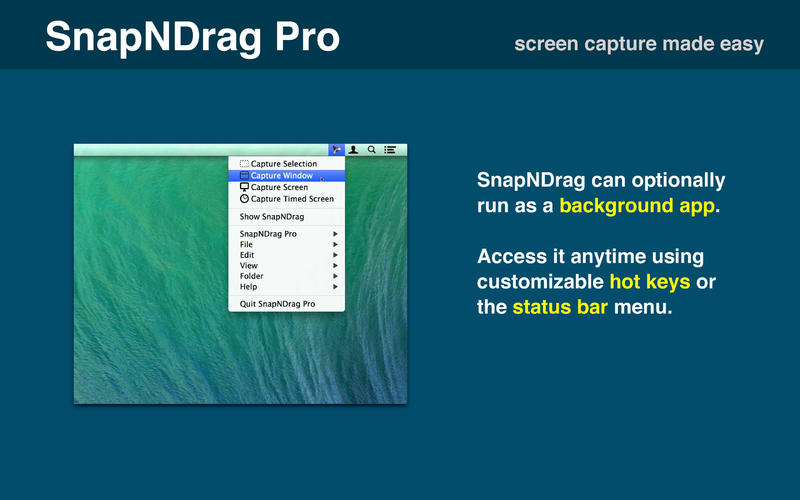
Effortless Screen Capture

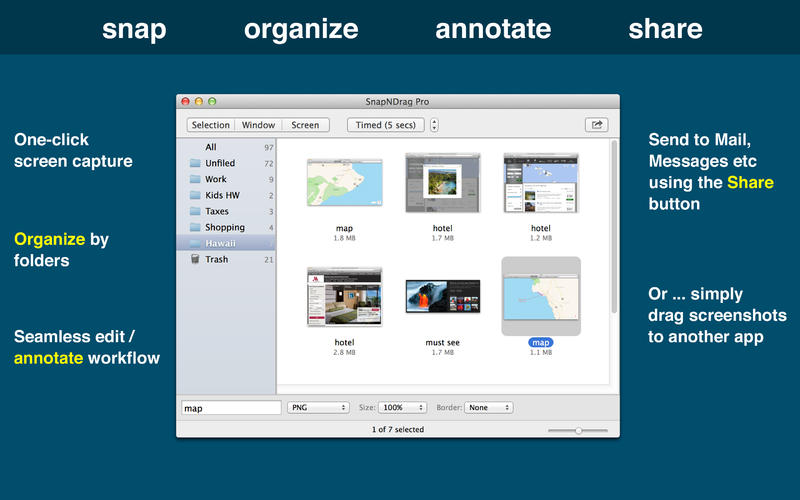
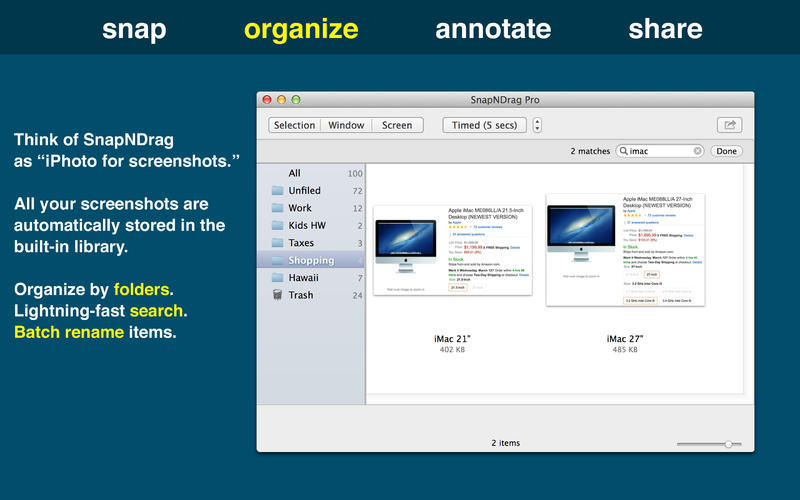
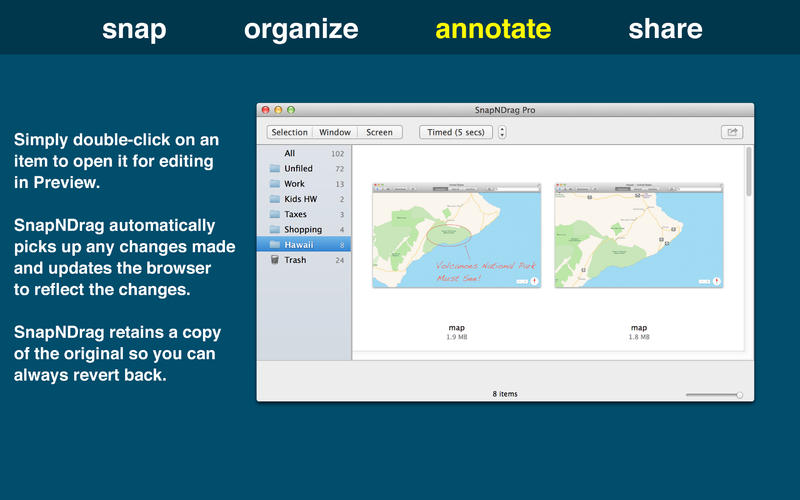
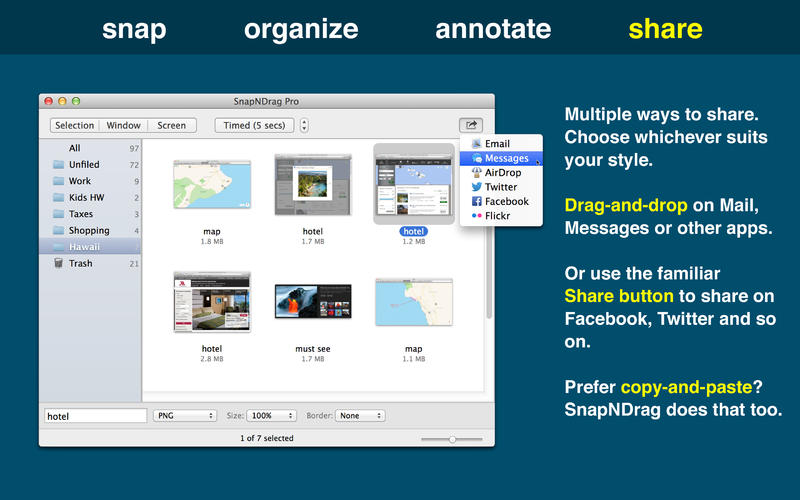
SnapNDrag lets you take a screenshot by just clicking a button and dragging the resulting screenshot off.

For example, to email a screenshot, you would drag the screenshot from SnapNDrag to the Mail application. It is that simple. No hard-to-remember key combinations, no file conversion to deal with, no file dialog boxes to navigate, no temporary files to erase later on.

More info: http://yellowmug.com/snapndrag/

Mac App Store: https://itunes.apple.com/us/app/snapndrag-pro/id430397512?mt=12

Screenshots

DxO Optics Pro 10.4.3

Description

Name: DxO Optics Pro
Version: 10.4.3
Mac Platform: Intel
Includes: K

OS version: 10.8 or higher
64 bit

Whats new:

See: http://www.dxo.com/intl/photography/dxo-optics-pro


Link for more information : http://www.dxo.com/intl/photography/dxo-optics-pro

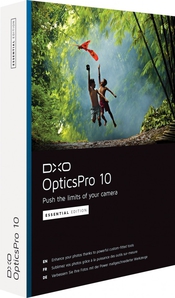
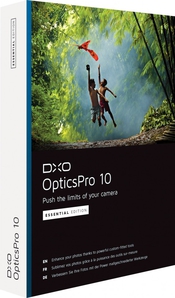
Push the limits of your camera

Enhance your photos with DxO Optics Pro, the software of reference for all demanding photographers. Based on an exclusive approach of prior equipment calibration, DxO Optics Pro includes powerful tools for processing RAW and JPEG images.

Efficiently reduce noise, optimize exposure and contrast, magnify colors, and boost details: DxO Optics Pro lets you bring out the best in your photos in just a few clicks, regardless of the shooting conditions.

Thanks to PRIME’s exclusive noise reduction technology, which analyzes in depth the structure of the images, DxO Optics Pro automatically enhances the quality of your photos, with spectacular results: noise is eliminated, textures are restored, details and color saturation are preserved in shadows — even at very high ISO values!

DxO Optics Pro software automatically improves image quality by taking into account the precise characteristics of your photographic equipment (camera body and lenses). Designed for serious amateurs as well as for professional photographers who are looking for the best image quality possible.

DxO Optics Pro processes both JPEG and RAW image files. Recognized around the world for its award-winning automatic optical corrections.

DxO Optics Pro handles every kind of problem that can affect image quality. Whether you want to use its image processing capabilities to automatically improve hundreds of images through batch processing, or if you prefer to manually define the processing settings for each photo.

DxO Optics Pro perfectly adapts to your needs to give you unsurpassed image quality and incomparable productivity.

DxO Optics Pro adapts very specifically to your equipment and automatically makes corrections to your images, whether in JPEG or RAW, thanks to a preliminary calibration of equipment identical to yours in our laboratory.

What' ''s new
• DxO OpticsPro 10 introduces DxO ClearView, a spectacular new feature that eliminates atmospheric haze from photos. This new version also improves the revolutionary PRIME denoising technology, which offers a gain in image quality of up to one stop greater than the best denoising algorithms on the market.

Requirements:
• Processor: Intel Mac only, 64-bit compatible (recommended: Intel® Core™ i5 or higher).
• Ram: Minimum: 2 GB or more. RECOMMENDS: 4 GB or more.
• Graphics Card: o 256 MB of video memory is recommended for support of the GPU acceleration.
• To deal with the RAW images of more than 20 MP camera, 4Gb of RAM are strongly recommended.
• To process the RAW images of the Nikon D800 and the Nikon D800E, a machine equipped with a processor 4 hearts or more is strongly recommended.
• 2 GB of available disk space (6 GB recommended).
• OS X 10.8 or later

What' ''s new
• DxO OpticsPro processes RAW-format images from more than 250 digital cameras calibrated in our laboratories.
Check that DxO OpticsPro supports your camera’s RAW format.

Name DxO Optics Pro 10.4.3
Size 286.2 MB
Created on 2015-08-21 04:44:14
Tracker http://109.235.50.166:2710/announce
Hash c8cc419ff17f1c36488b279a01261b311d8d7e3e
Files DxO Optics Pro Elite 10.4.3/DxO Labs [patcher].zip (473.1 kB)
DxO Optics Pro Elite 10.4.3/DxO_OpticsPro1043b152.dmg (285.7 MB)

FL Studio 12.0.2

 Name: FL Studio Version: 12.0.2 PB Mac Platform: Intel Includes: KG  OS version: Mavericks Processor type(s) & speed: Intel RAM minimum: 1GB Video RAM: 512MB  Installation: 1. Extract FL Studio app from ZIP archive to your Applications folder.  2. a) Run FL Studio (first run may take a while), and register by going to FL Studio menubar, choose Register FL Studio and point to keyfile from Crack folder. b) Or you can generate new Keyfile using keygen from R2R group (Windows app, use Parallels or similar).  NOTES: This is official (public beta) crossover-wrapped Mac OSX version from Image-Line. That means several things: - It is optimized so it can provide CoreASIO support. - You can connect your MIDI devices (controllers, keyboards, etc...) - You CAN' ''T run native OSX AU/VST plugins - you must still use windows versions. - Support for Sound Cards is limited. Some cards work, others (in rare scenarios) dont. You must try that for yourself.  To install VST plugins go to FL Studio menubar and choose File - Run Command, then point to plugin installer (usually .exe file). VST support is also limited, you must try yourslef which works and which doesnt. Also worth to mention regarding VST plugins, if some of them use some kind of special copy protection, say, dongle licensing - most likely they wont work - but you can try.  CREDITS: Keyfile is taken from R2R FL Studio release.    FL Studio 12 totally reworks the user interface and adds exciting new features you have been asking for. FL Studio 12 is a complete software music production environment, representing more than 16 years of innovative developments and our commitment to Lifetime Updates. Everything you need in one package to compose, arrange, record, edit, mix and master professional quality music. FL Studio 12 is the fastest way from your brain to your speakers. Full audio recording and post-production. Producer edition allows you to record external and internal audio. Record up to the maximum number of simultaneous audio tracks your computer and audio interface (soundcard) can support. Access to the Playlist Pattern, Audio and Automation Clips for arranging, chopping, stretching, time-shifting any Audio, Notes and Automation. Make virtually any sound - FL12 includes over 32 software synthesizers covering acoustic/synthetic bass, electric guitar, multi-sampler tools including piano & strings, general sample playback and beat-slicing (With Rex 1 & 2 support). Multi-channel audio inputs - With the ability to simultaneously capture all the inputs on your audio-interface, FL Studio has the flexibility to record a single vocalist, guitar or a full symphony orchestra. Arranging audio - Audio can be arranged, with complete freedom in the Playlist. Features include the ability to host an unlimited number of audio recordings, time-stretching, pitchshifting, beat-slicing, cropping, editing and the re-arranging of audio with only a few mouse clicks. 

Name FL Studio 12.0.2
Size 697.3 MB
Created on 2015-08-20 05:00:50
Tracker http://109.235.50.166:2710/announce
Hash d261bfe1a49e94e75c9449f385e7c3ba3a1bcb93
Files FL Studio 12.0.2 PB Mac/Crack/FLRegKey.reg (4.58 kB)
FL Studio 12.0.2 PB Mac/Crack/Keygen-R2R/ImageLine_Keygen.exe (461.7 kB)
FL Studio 12.0.2 PB Mac/Crack/Keygen-R2R/R2R.txt (0.82 kB)
FL Studio 12.0.2 PB Mac/Font Fix/ARIAL.TTF (367.1 kB)
FL Studio 12.0.2 PB Mac/flstudio-12.0.2_OSX_Installer.zip (696.4 MB)

AKVIS Enhancer 15.0.2148.12029

Name AKVIS Enhancer 15.0.2148.12029
Size 129.2 MB
Created on 2015-08-20 04:36:05
Tracker http://109.235.50.166:2710/announce
Hash 80bb1b5908ed55f8f00ce774a64f940c26f95f98
Files AKVIS Enhancer v15.0.2148.12029.zip (129.2 MB)

Description

  Name: AKVIS Enhancer  Version: 15.0.2148.12029  Mac Platform: UB  Includes: Pre-K' ''ed    OS version: 10.6  Processor type(s) & speed: -  RAM minimum: -  Video RAM: -    Evaluation expires in 999999 days!      Name: AKVIS Enhancer (App+Plugin)  Version: - 11.5.1583.6978    Mac Platform: UB  Includes: K    OS version: Mac OS X 10.4 or later  RAM minimum: 1 GB    Link for more information: http://akvis.com/en/enhancer/index.php      Courtesy of TOBW    If you take a photo of a black cat in a dark room the result can be far from ideal. Or if you make a photo of a beautiful view but the automatic settings focus on the sky and the shot comes out with uneven exposure - the sky is beautiful but the scenery is underexposed and one can hardly understand what is going on. With the standard tools of exposure correction you run the risk of spoiling the parts of the image that were good. But AKVIS Enhancer offers an individual approach to every part of the photo.    AKVIS Enhancer is image enhancement software that improves detail on an image, no matter what was the cause of the unsharpness. The program detects detail in underexposed, overexposed and mid tone areas of a photo with uneven exposure. It brings into focus blurred images. The program supports HDRI technology.    AKVIS Enhancer works in four modes: Enhancer, Focus, Smart Correction, and HDR mode. In first three modes you can improve a picture using one single shot; in the HDR mode you need a series of shots, but the result is impressive.    * In Enhancer mode the program brings out details on one single shot by intensifying color transition. It means that Enhancer strengthens the difference between adjacent pixels having different color gradations and therefore allows revealing not only details in the shadow but even details in the overexposed and mid tone areas.  * In Focus mode the program improves sharpness of blurred images. It happens when the camera fails to focus on the subject and it comes out unsharp. This mode can save such out-of-focus images. You can refocus the whole image or bring only certain a element of the image into focus.  * In Smart Correction mode the program makes color correction of a photo. The mode is used for tone correction of images, changes in the light and dark areas, which improve the overall appearance of the image. Changes can be made to the entire image or to a part of the image having the selected color to be corrected.    * In HDR mode (only in Standalone version) the program combines a series of images to get one HDR picture. This technology expands the dynamic range of an image and shows details in both shadows and highlights.    The program is useful in cases when a photo has an uneven exposure. For example, when a picture has been taken with the background overexposed and consequently the foreground is hardly discernible, which is especially annoying when you take a picture of a person; or when a photo lacks dramatic effect due to vagueness of the scene.    The tool is useful not only for correction of family and art photos, but can be effective as well in technical use. Publishers of technical literature can apply Enhancer to show equipment illustrations in detail; doctors can use Enhancer to increase the level of detail on roentgenograms, etc.    The program is available in two versions – as an independent program (standalone) and as a plug-in to a photo editor.    The Batch mode support available in the plug-in version allows you to automatically process a series of images. Just create an Action in Photoshop and apply the plug-in with the same settings to a folder full of images. It saves you time!    The plug-in version is compatible with Adobe Photoshop, Photoshop Elements, Paint Shop Pro etc.  Refer to Check the compatibility page for more details. http://akvis.com/en/compatibility-software.php      Interface languages:  English, German, Russian, French, Spanish, Portuguese, Italian, Japanese.    Help files languages:  English, German, Russian, French, Spanish, Portuguese, Italian, Japanese.  

NeoOffice 2014.13

Name NeoOffice 2014.13
Size 503.7 MB
Created on 2015-08-14 23:35:03
Tracker http://109.235.50.166:2710/announce
Hash 0fb194235aa157ef232477e889de9f0655111d6f
Files NeoOffice_v2014.13.zip (503.7 MB)

Descriptions for Description

Version: 2014.13
Mac Platform: Intel
Includes: Pre-K'ed

OS version: OS X 10.8 or later
Processor type(s) & speed: 64 bit
RAM minimum: n/a
Video RAM: n/a

NeoOffice is extremely stable and thousands of users use it daily
The NeoOffice engineers created NeoOffice in 2003 when they made
OpenOffice run natively on OS X for the first time

Since then, the NeoOffice engineers have continually added
improvements to NeoOffice that users will not find in OpenOffice
or LibreOffice such as:
* NeoOffice - Open at Launch menu to open Calc or Impress
instead of Writer at launch
* File - Browse All Versions menu to restore previous versions
of your documents
* Native file locking to safely edit files in iCloud Drive
Dropbox, or network drives
* Native OS X grammar checking
* Native OS X text highlighting
* Support for OS X Services
* Native floating tool windows

Multilingual


Description

NeoOffice is a complete office suite for OS X. With NeoOffice, users can view, edit, and save OpenOffice documents, PDF files, and most Microsoft Word, Excel, and PowerPoint documents.

NeoOffice 3.x and OpenOffice users: before you buy NeoOffice, we recommend that you click on the "NeoOffice support" link and read the list of changes.

NeoOffice is extremely stable and thousands of users use it daily. The NeoOffice engineers created NeoOffice in 2003 when they made OpenOffice run natively on OS X for the first time.

Since then, the NeoOffice engineers have continually added improvements to NeoOffice that users will not find in OpenOffice such as:

• NeoOffice > Open at Launch menu to open Calc or Impress instead of Writer at launch
• File > Browse All Versions menu to restore previous versions of your documents
• Native file locking to safely edit files in iCloud Drive, Dropbox, or network drives
• Native OS X grammar checking
• Native OS X text highlighting
• Support for OS X Services
• Native floating tool windows

More info: https://itunes.apple.com/app/id639210716

Screenshots

IconKit 4.0

Name IconKit 4.0
Size 1.84 MB
Created on 2015-08-12 05:00:27
Tracker http://109.235.50.166:2710/announce
Hash 017d265dac3e0b94d3b4ca8155c8e539fcc7cd0d
Files IconKit 4.0.dmg (1.84 MB)

Descriptions for Description

Name: IconKit : Icon Resizer for App Development
Version: 4.0
Mac Platform: Intel
Includes: Pre-K'ed

OS version: OS X 10.10 or later
Processor type(s) & speed: 64-bit processor

Courtesy of C.O.R.E.

Release Date: August 9, 2015

What's New in Version 4.0
NOTICE: An update will be available soon with a fix for Retina-display users.

This is a whole new version of IconKit with up to date features, FREE for existing users!
Some key features in this version are:
• Complete icons sizes and naming according to the latest version of Xcode
• Preview based on platform selection, for unlimited icons
• Appropriate corners rounding are applied automatically (Preview only)
• Generate AppIcon.appiconset including properly formatted JSON file for Asset Catalogs
• Complete rewrite, dramatically improves overall performance and stability
• @2x Reducer is now called ScaleReducer, it works with @2x and @3x images
• In-place reduction of image scale for ScaleReducer is back!


App Store: https://itunes.apple.com/us/app/iconkit-icon-resizer-for-app/id507135296?mt=12

IconKit - Icon Resizer for App Development

So you want to include all of your app icons at the correct sizes without having to resize every single one manually? Are you tired of confusing apps?

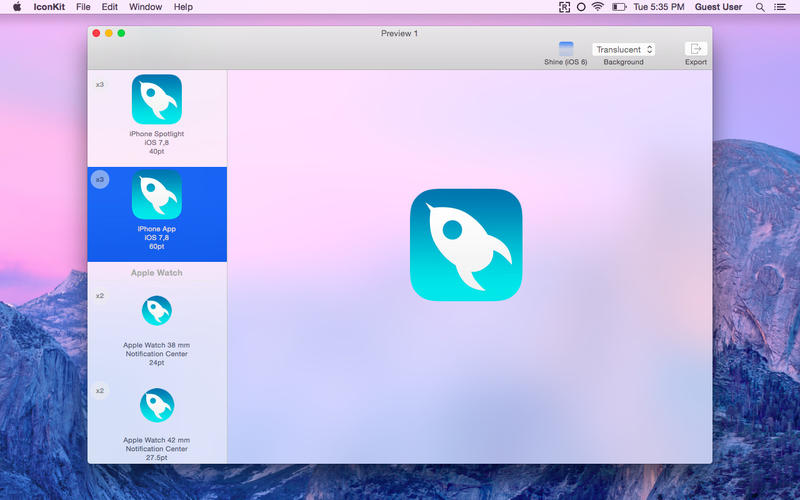
IconKit brings you a great new experience of icon generator for developers and designers, just drag your image into IconKit to start.

Features:

Export icons for iOS 8, iOS 7, iOS 6, Apple Watch, CarPlay and Mac based on the latest version of Xcode icon set
Support for Android icon set
Preview your icons before export
Tired of assigning every single icon in Xcode? Generate AppIcon.appiconset including properly formatted JSON file for Asset Catalogs
Reduction of @2x or @3x icons to 1x scale factor with a tiny tool called ScaleReducer right on your status bar.

Screenshots

Adobe Photoshop CC 2015 16.0.1

Description

Name: Adobe Photoshop CC 2015
Version: 16.0.1
Mac Platform: Intel
Includes: K

OS version: 10.7 or higher
64 bit

Included, as per usual are XFORCE and amtlib K's. Do not mix the two K's

Whats new:

See: http://www.adobe.com/nz/products/photoshop/features.html


Photoshop CC. All new in 2015. Create anything you can imagine. Anywhere you are. The world’s best imaging and design app now features even more creative possibilities with new tools for design and photography, connecting your desktop and mobile apps with all your creative assets, so you can make amazing visual content on any device.

Photoshop CC. All new in 2015. Create anything you can imagine. Anywhere you are. The world’s best imaging and design app now features even more creative possibilities with new tools for design and photography, connecting your desktop and mobile apps with all your creative assets, so you can make amazing visual content on any device.

More info: https://www.adobe.com/nz/products/photoshop.html?promoid=KLXLS

Name Adobe Photoshop CC 2015 16.0.1
Size 1.21 GB
Created on 2015-08-07 03:52:51
Tracker http://109.235.50.166:2710/announce
Hash 7e3f1e0b604ce704cb60a8383836fffaed4810fa
Files Adobe Photoshop CC – 2015 16.0.1/Photoshop_16_LS20.dmg (865.7 MB)
Adobe Photoshop CC – 2015 16.0.1/README!!.rtf (1.33 kB)
Adobe Photoshop CC – 2015 16.0.1/XFORCE.zip (51.97 kB)
Adobe Photoshop CC – 2015 16.0.1/amtlib K.zip (3.83 MB)
Adobe Photoshop CC – 2015 16.0.1/update.dmg (343.7 MB)

WebStorm 10.0.4

Description

Name: WebStorm
Version: 10.0.4 (141.1550)
Mac Platform: Intel
Includes: KG

OS version: 10.10
Processor type(s) & speed: Intel Core i5
RAM minimum: 512MB
Video RAM: 256MB

Block connections to: www.jetbrains.com

Courtesy of DVT

Unzip and double-click KeyMaker.jar to generate registration info.

Includeds bundled JDK 1.8 version, as it runs better on yosemite.

Normal version which runs slower on Yosemite and requires Apple Java 1.6 can be downloaded from JetBrains here

Release Date: Jun 12, 2015

Full Release Notes: https://confluence.jetbrains.com/display/WI/WebStorm+141.1550+Release+Notes


More Info: https://www.jetbrains.com/webstorm/

The smartest JavaScript IDE
WebStorm is a lightweight yet powerful IDE, perfectly equipped for complex client-side development and
server-side development with Node.js.

Smart Development Environment
The IDE understands your project and helps you produce high-quality code more efficiently, thanks to intelligent code completion, on-the-fly error detection, powerful navigation, and automated yet safe refactorings.

Support for the Latest Technologies
WebStorm works well with most modern and popular technologies for web development. Enjoy first-class support for AngularJS, ECMAScript 6, Compass, and much more.

The Complete Experience
WebStorm streamlines your workflow by integrating with everything you need for productive development. You can use the debugger, VCS, terminal and other tools right in the IDE.

Cross-platform IDE
WebStorm works on Windows, Mac OS or Linux with a single license key. No matter what OS you prefer, WebStorm guarantees the best development experience.

Name WebStorm 10.0.4
Size 182.5 MB
Created on 2015-08-05 05:07:46
Tracker http://109.235.50.166:2710/announce
Hash 04708d8e3002cad442a04ce511791290631883e9
Files WebStorm 10.0.4/KeyMaker.jar.zip (1.10 MB)
WebStorm 10.0.4/WebStorm-10.0.4-custom-jdk-bundled.dmg (181.4 MB)
WebStorm 10.0.4/readme.txt (0.14 kB)

Voila 3.9

Name Voila 3.9 Size 13.81 MB Created on 2015-08-05 05:09:48 Tracker http://109.235.50.166:2710/announce Hash 0b367cc62ecbbde35998bdd2fb0966ff0c2d2bb4 Files Voila 3.9/Voila 3.9.dmg (13.81 MB) Download Download Description Name: Voila Version: 3.9 Mac Platform: Intel Includes: Pre-K’ed OS version: 10.8 or higher Whats new: Screen Recording iOS using Voila – Record the video screen of an iOS device on A Mac with OS X Yosemite (only Supports iPhones and iPads with lightning port). Note: To Record A device for the first time, you’ll need to Simply Connect the device to your Mac and activate it on iTunes. Next, disconnect & reconnect the device. Also, this …

Copyright © 2019 Mac Torrent Download All Rights Reserved.

MacBooster 2.1.8

Description

Name: MacBooster
Version: 2.1.8
Mac Platform: Intel
Includes: Serial

OS version: 10.6 or higher
64 bit

Whats new:

Change log not ready at time of post.


MacBooster provides a full arsenal of system-maintenance tools to make your Mac run faster.

System Status: Explore the status of your Mac by running a full scan.

Security Center: Quickly and deeply analyze the security status of your Mac. Safely remove the threats to make your Mac stay safe.

System Cleanup: Scan every corner of your system, find out junk files to keep your hard disk from being wasted.

Performance Boost: Speed up your Mac to make it run like new.

Clean Memory: Clean to regain more available RAM and make application start faster.
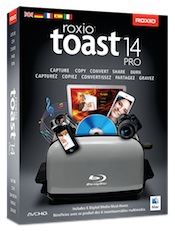
Startup Optimization: Manage your startup items to optimize the OS X boot speed.

Uninstaller: Help get rid of unwanted apps or leftover files.

Duplicates Finder: Locate and remove the duplicated files on your Mac quickly.

Large Files Cleaner: Find and remove the large files you no longer need to free up more space.

File Eraser: Securely delete unwanted files without having them being recoverable.

Photo Sweeper: Effectively and quickly find similar or duplicated photos. Keep the most beautiful ones.

More info: http://www.macbooster.net

Name MacBooster 2.1.8
Size 27.85 MB
Created on 2015-08-03 23:28:34
Tracker http://109.235.50.166:2710/announce
Hash f27661b2e1c783be6e3311e87c71ecc391b4e584
Files MacBooster 2.1.8/MacBooster 2.1 [sn].rtf (0.49 kB)
MacBooster 2.1.8/MacBooster.pkg.zip (27.85 MB)

Wondershare DVD Creator 3.9.5

Description

Name: Wondershare DVD Creator
Version: 3.9.5
Mac Platform: Intel
Includes: Serial

OS version: 10.7 or higher

Whats new:

See: http://www.wondershare.com/pro/mac-dvd-creator.html


Name: Wondershare DVD Creator for Mac
Version: - 3.8.1

Mac Platform: Intel
Includes: KG

OS version: Mac OS X 10.6, 10.7, 10.8, 10.9

Link for more information: http://www.wondershare.com/pro/mac-dvd-creator.html

Wondershare DVD Creator for Mac is an easy and fast Mac DVD Creator for any video to DVD creation. It can convert videos to DVDs from popular videos like AVI, MPG, MPEG, MP4, WMV, MOV, MKV, FLV, etc. with free yet gorgeous DVD menus. Besides, this Mac DVD burner lets you create slideshows and edit videos using tools like trim, crop, rotate, watermarks, etc. Get DVD Creator for Mac and share all your movies with family and friends now!

Burn regular video formats like MOV, MKV, MP4, AVI, WMV, MTS, HD videos, etc. to DVD.
Convert downloaded videos or movies from YouTube, Google, Yahoo or torrent sites, like Vuze, etc. to DVD.
Transfer home videos shot by all types of cameras and camcorders to DVD, iPhone 4 included.

Name Wondershare DVD Creator 3.9.5
Size 73.65 MB
Created on 2015-08-02 14:03:17
Tracker http://109.235.50.166:2710/announce
Hash 21a2bd730916d9c85799ee13506d3cc0502bf20e
Files Wondershare DVD Creator 3.9.5/Wondershare DVD Creator SN.rtf (0.75 kB)
Wondershare DVD Creator 3.9.5/mac-dvd-creator_full395.dmg (73.65 MB)

FontExplorer X Pro 5.0.1

Name FontExplorer X Pro 5.0.1 Size 25.39 MB Created on 2015-08-02 23:35:44 Tracker http://109.235.50.166:2710/announce Hash 09d53e198556cedd36cca92ff972835159afe239 Files FontExplorer Pro 5.0.1/ClientLicense.fcl.zip (827.0 kB) FontExplorer Pro 5.0.1/FontExplorer X Pro.zip (24.56 MB) Download Download Description Name: FontExplorer X Pro Version: 5.0.1 Mac Platform: Intel Includes: Pre-K’ed OS version: 10.8 or higher 64 bit Whats new: See: http://www.macupdate.com/app/mac/19514/fontexplorer-x-pro Block connections to: fex.linotype.com Courtesy of The Shark (original icon restored) Instructions: 1. Go through setup process, then, once finished, select “FontExplorer X Pro > Client License…” from the menubar. 2. Select included license file, and voila! 3. Do not update (the app is cracked to …
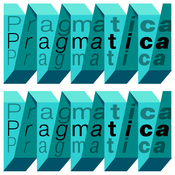
Copyright © 2019 Mac Torrent Download All Rights Reserved.

iSkysoft Video Converter 4.5.1

Name iSkysoft Video Converter 4.5.1 Size 43.10 MB Created on 2015-08-02 23:35:57 Tracker http://109.235.50.166:2710/announce Hash a5b9654dd3ae1253e41f1e98ca65bb7db15887e9 Files iSkysoft Video Converter 4.5.1/iSkysoft Video Converter for Mac.rtf (1.32 kB) iSkysoft Video Converter 4.5.1/video-converter-intel_full451.dmg (43.10 MB) Download Download Description Name: iSkysoft Video Converter Version: 4.5.1 Mac Platform: Intel Includes: Serial OS version: 10.6 or higher Whats new: Change log not ready at time of post. Effortlessly Convert Video to Virtually Any Format. Trouble watching or editing video because of compatibility issues like “wrong codec”? Your troubles are over. Video Converter lets you easily convert videos, movies and TV shows to optimized preset formats …

Copyright © 2019 Mac Torrent Download All Rights Reserved.

MemoryTamer 1.4.3

Name MemoryTamer 1.4.3
Size 6.90 MB
Created on 2015-08-02 14:02:19
Tracker http://109.235.50.166:2710/announce
Hash fa3700ea1d71158ec550364eafec16ba8ef996fc
Files MemoryTamer 1.4.3/MemoryTamer 1.4.3.zip (6.90 MB)

Descriptions for Description

Name: MemoryTamer
Version: 1.4.3
Mac Platform: Intel
Includes: Pre-K'ed

OS version: 10.9 or higher
64 bit

Whats new:

add an option to pause automatic freeing and trimming
make Paddle licensing the default again
update some dependencies


MemoryTamer is an automatic memory-freeing app that runs in your menu bar. It supports notifications with both Growl and Notification Center, and also lets you free memory whenever you want with the "Free memory now" menu item.
More info: http://www.memorytamer.com

Feeder 3.0.1

Name Feeder 3.0.1
Size 8.12 MB
Created on 2015-08-02 14:03:48
Tracker http://109.235.50.166:2710/announce
Hash 8390a8203a14735c99d85df3489c57b774c9f262
Files Feeder 3.0.1/Feeder 3.0.1.zip (8.12 MB)

Descriptions for Description

Name: Feeder
Version: 3.0.1
Mac Platform: Intel
Includes: Pre-K'ed

OS version: 10.10 or higher
64 bit

Whats new:

Fixed a problem where the Duplicate contextual menu for items wouldn't work.
The current selection is now preserved when reordering items.
Fixed a problem upgrading Feeder 2 libraries in custom locations.
Fixed a crash that could occur checking blog availability.
When the web cache is emptied, the thumbnail cache is now also reset.
Leading and trailing spaces are now trimmed from URLs.
Fixed an issue where the library window couldn't always be resized horizontally.
Fixed an issue where the library window may not load in some locales.


Feeder is a full-featured application for creating, editing, and publishing RSS and iTunes podcast feeds. Here are just some of its many features:
Create, download, and import RSS 2.0 and iTunes podcast feeds.
Full support for the iTunes RSS podcasting extensions.
Drag and drop enclosure files to create new items.
Automatically tag audio and video files with artwork, artist, etc., in all popular podcast formats including MP3s, M4As, M4Vs, and QuickTime movies.
Quick and easy feed editing with auto-complete, templates, HTML tags, and previews.
Customizable interface easily adapts to the task at hand.
Upload artwork and enclosure files when publishing.
Publish to FTP, FTP-SSL, SFTP, WebDAV, or Amazon S3 servers.
Post to a weblog when publishing.
Share new content on Twitter and Facebook.

Link for more information: http://reinventedsoftware.com/feeder/

Cookie 4.3.1

Name Cookie 4.3.1
Size 10.27 MB
Created on 2015-08-02 23:35:26
Tracker http://109.235.50.166:2710/announce
Hash ca5a948a11e6dac4674f4a70f63babfd20094a25
Files Cookie 4.3.1/Cookie 4.3.1.dmg (8.94 MB)
Cookie 4.3.1/Cookie 4.x [SP].zip (1.34 MB)

Descriptions for Description

Name: Cookie
Version: 4.3.1
Mac Platform: Intel
Includes: K

OS version: 10.6.8 or higher

Whats new:

Fixed a crash related to removal of browser extensions
Fixed some localization issues

Courtesy of Special K


Cookie is the only cookie manager which gives you complete control over your privacy.

Cookie prevents third parties from hijacking your browsing experience.

The sites you visit store "cookies" in your browser without your knowledge or consent. Some are helpful, but others are frustrating and invasive. Cookie can help.

More privacy, better browsing

*Enhanced for Security. Secure delete any unwanted data, and rest easy knowing that external threats can't recover your private data.

*Avoid invasive marketing. Tired of targeted ads that mysteriously know what products you've been shopping for online? Eliminate them with Cookie.

*Freedom from Flash, and Silverlight. Cookie is adept at eliminating Flash and Silverlight cookies, especially large and persistent types of cookie.

*Impressive results, with minimal effort. By consolidating all your cookie controls into an easy interface, Cookie makes maintaining your browsing privacy a cinch.

More info: https://itunes.apple.com/us/app/cookie/id415585910?mt=12

Screenshots

The Doves Type 2.0 – font

Description

Info: http://www.typespec.co.uk/doves-type/

After three years research & drawing from original source material, Robert Green’s digitised facsimile of the lost metal Doves Press Fount of Type, The Doves Type®, is now available to purchase. The updated Doves Type® Regular, released in January 2015, comes after the discovery in the Thames of a portion of the original metal type and replaces the initial Imprint weight which was first available back in 2013.

Screenshots

Files

The Doves Type 2.0/Doves Type 2.0 OTF 5 user/Doves Type 2.0 update.txt (2.05 kB)
The Doves Type 2.0/Doves Type 2.0 OTF 5 user/Doves Type 2.0.otf (139.5 kB)
The Doves Type 2.0/Doves Type 2.0 OTF 5 user/Typespec EULA 1.3.pdf (102.9 kB)
The Doves Type 2.0/Doves Type 2.0 web 100K/READ ME (100K).rtf (0.68 kB)
The Doves Type 2.0/Doves Type 2.0 web 100K/doves_type_2.0-demo.html (45.31 kB)
The Doves Type 2.0/Doves Type 2.0 web 100K/doves_type_2.0-webfont.eot (51.00 kB)
The Doves Type 2.0/Doves Type 2.0 web 100K/doves_type_2.0-webfont.svg (602.8 kB)
The Doves Type 2.0/Doves Type 2.0 web 100K/doves_type_2.0-webfont.ttf (144.9 kB)
The Doves Type 2.0/Doves Type 2.0 web 100K/doves_type_2.0-webfont.woff (62.94 kB)
The Doves Type 2.0/Doves Type 2.0 web 100K/doves_type_2.0-webfont.woff2 (44.52 kB)
The Doves Type 2.0/Doves Type 2.0 web 100K/specimen_files/easytabs.js (1.08 kB)
The Doves Type 2.0/Doves Type 2.0 web 100K/specimen_files/grid_12-825-55-15.css (4.60 kB)
The Doves Type 2.0/Doves Type 2.0 web 100K/specimen_files/specimen_stylesheet.css (7.31 kB)
The Doves Type 2.0/Doves Type 2.0 web 100K/stylesheet.css (0.57 kB)

Name The Doves Type 2.0
Size 1.21 MB
Created on 2015-07-29 23:42:38
Tracker http://109.235.50.166:2710/announce
Hash 33fe99de239f96be76c0f6af4da01b3ad2481fcf
Files ※ See Description

WhatsApp Pocket 4.5.2

Name WhatsApp Pocket 4.5.2 Size 3.69 MB Created on 2015-07-29 23:42:22 Tracker http://109.235.50.166:2710/announce Hash 7595bb5cc94fb0cf53192439dd19d5cde7241cd9 Files WhatsApp Pocket – 4.5.2/WhatsApp Pocket – 4.5.2 [SN].txt (0.15 kB) WhatsApp Pocket – 4.5.2/WhatsApp Pocket – 4.5.2.zip (3.68 MB) Download Download Description Name: WhatsApp Pocket Version: 4.5.2 Mac Platform: Intel Includes: Serial OS version: 10.7 or later Processor type(s) & speed: n/a RAM minimum: n/a Video RAM: n/a 1. Block with Little Snitch or similar. Change log unavailable. More Info: http://www.fireebok.com/whatsapp-pocket.html WhatsApp Pocket lets you move WhatsApp chat messages from your iPhone to your Mac with just a few, simple mouse clicks. It sports …

Copyright © 2019 Mac Torrent Download All Rights Reserved.

Script Center 1.0

Name Script Center 1.0
Size 3.15 MB
Created on 2015-07-23 05:11:41
Tracker http://109.235.50.166:2710/announce
Hash 1c3e63aa0935e7458125a234a09ef55f1482712f
Files Script Center 1.0/Paddle Generic KeyfileGen v2.2 CORE.dmg (418.0 kB)
Script Center 1.0/ScriptCenter.zip (2.73 MB)

Descriptions for Description

Name: Script Center
Version: 1.0
Mac Platform: Intel
Includes: KG

OS version: OS X 10.10 or later
Processor type(s) & speed: 64-bit processor

Block connections to:
gngrwzrd.com
www.gngrwzrd.com
www.paddleapi.com

Courtesy of C.O.R.E.

Includes Paddle Generic Keyfile Maker v2.2 by C.O.R.E.

Instructions
1. Copy App to /Applications ( DO NOT LAUNCH YET! )
2. Launch Keyfilemaker, enter your desired email (or use the default)
3. Click "Open" and select /Applications/AppName.app, then click "Save"
4. Enjoy!

Please note:
KG should be used BEFORE opening app for the first time for the best results.
If having issues, remove app with AppCleaner and run in terminal: killall -HUP cfprefsd , then try again!

Release Date: May 25, 2015

What's New in Version 1.0

First public release.


Full Release Notes: http://gngrwzrd.com/script-center-changelog.html


More Info: http://www.gngrwzrd.com/script-center/

Script Center
Organize and run scripts from one document!

Features

Set executable path
Set working directory
Add parameters
Add parameters for files or folder paths
Watch files and folders (recursively) for changes
Custom environment variables
Output panel to see output from an executable
Drag and drop
Saves relative paths so documents will work on other people's computers
Run executables as root

Radio 2.0.1

Name Radio 2.0.1
Size 1.44 MB
Created on 2015-07-23 05:10:59
Tracker http://109.235.50.166:2710/announce
Hash 6c838c23e44b33352ff112a8016bb54ba1377742
Files Radio 2.0.1.dmg (1.44 MB)

Descriptions for Description

Name: Radio
Version: 2.0.1
Mac Platform: Intel
Includes: Pre-K'ed

OS version: OS X 10.8 or later
Processor type(s) & speed: 64-bit processor

Courtesy of TNT Team

(iCloud Enabled)

Release Date: July 21, 2015

What's New in Version 2.0.1

bug fix
added support for retina displays.


App Store: https://itunes.apple.com/us/app/radio./id991729082?mt=12

Introducing the program "Radio" - a simple and convenient way to a new and unlimited music.

More than 10,000 plants of excellent quality.
Open new music, new genres, new styles of music.
Forget about complicated settings, manual selection of source of broadcasting - all this will be done automatically for the most comfortable listening.

Screenshots

iZotope Alloy v2.03 for Mac OS X

Name iZotope Alloy 2.03
Size 142.4 MB
Created on 2015-07-23 05:10:02
Tracker http://109.235.50.166:2710/announce
Hash 1f957a872a804b1663ff7614fbb3e570414f9384
Files ※ See Description

Descriptions for Description

Name: iZotope Alloy 2
Version: 2.03
Mac Platform: Intel
Includes: K

OS version: 10.6
Processor type(s) & speed: Core 2 Duo
RAM minimum: 2 gb
Video RAM: 512 mb

Intermittent crashes fixed.


more information: https://www.izotope.com/en/products/mixing-mastering/alloy/

Alloy 2: Essential Mixing Tools
iZotope Alloy 2 Signal Processing Software Suite at a Glance:
Shape your tracks with Alloy 2's powerful 8-band EQ
Add brilliance, warmth, and crunch to your mix with the fully-redesigned Exciter
Up the smash factor with Transient Shaper
Dynamics gives you the best characteristics of both analog and digital compressors
Squash those pesky "s" sounds with De-Esser
Give your mixes max slam factor with Alloy's Limiter module
Over 250 easy-to-deploy Presets
Alloy 2 gives you futuristic tools, fast results and most importantly, fantastic sound.
Bring character and life to every element of your mix with Alloy 2.
Far more than just a traditional channel strip, Alloy 2 is a modern twist on classic mixing.
The basics have been re-imagined with forward-thinking features and time-saving flexibility.
Innovative sound sculpting tools are ripe with potential for delivering your distinctive sound.
And best of all, Alloy 2 allows you to focus on mixing without distraction, neatly packaging
the mixing essentials in a self-contained and completely configurable plug-in that puts
everything you need at your fingertips.

Files

iZotope Alloy 2 v2.03 OSX/DEMO Installer/Double-Click to Install Alloy 2.pkg.zip (47.10 MB)
iZotope Alloy 2 v2.03 OSX/Ked Plug-Ins/iZAlloy2AUHook.component/Contents/Info.plist (1.79 kB)
iZotope Alloy 2 v2.03 OSX/Ked Plug-Ins/iZAlloy2AUHook.component/Contents/MacOS/PluginHooksAU (1.12 MB)
iZotope Alloy 2 v2.03 OSX/Ked Plug-Ins/iZAlloy2AUHook.component/Contents/PkgInfo (0.01 kB)
iZotope Alloy 2 v2.03 OSX/Ked Plug-Ins/iZAlloy2AUHook.component/Contents/Resources/PluginHooksAU.rsrc (0.75 kB)
iZotope Alloy 2 v2.03 OSX/Ked Plug-Ins/iZAlloy2AUHook.component/Contents/Resources/iZAlloy2.bundle/Contents/Info.plist (1.32 kB)
iZotope Alloy 2 v2.03 OSX/Ked Plug-Ins/iZAlloy2AUHook.component/Contents/Resources/iZAlloy2.bundle/Contents/MacOS/iZAlloy2 (19.67 MB)
iZotope Alloy 2 v2.03 OSX/Ked Plug-Ins/iZAlloy2AUHook.component/Contents/Resources/iZAlloy2.bundle/Contents/Resources/AuthWizard.nib (79.01 kB)
iZotope Alloy 2 v2.03 OSX/Ked Plug-Ins/iZAlloy2AUHook.component/Contents/Resources/iZAlloy2.bundle/Contents/Resources/Auth_Banner.bmp (166.2 kB)
iZotope Alloy 2 v2.03 OSX/Ked Plug-Ins/iZAlloy2AUHook.component/Contents/Resources/iZAlloy2.bundle/Contents/Resources/resources.resembed (1.53 MB)
iZotope Alloy 2 v2.03 OSX/Ked Plug-Ins/iZAlloy2AUHook.component/Contents/Resources/iZAlloy2.bundle/Contents/_CodeSignature/CodeResources (0.87 kB)
iZotope Alloy 2 v2.03 OSX/Ked Plug-Ins/iZAlloy2AUHook.component/Contents/Resources/iZCore.path (0.01 kB)
iZotope Alloy 2 v2.03 OSX/Ked Plug-Ins/iZAlloy2AUHook.component/Contents/_CodeSignature/CodeResources (0.87 kB)
iZotope Alloy 2 v2.03 OSX/Ked Plug-Ins/iZAlloy2PTHook.dpm/Contents/Info.plist (1.43 kB)
iZotope Alloy 2 v2.03 OSX/Ked Plug-Ins/iZAlloy2PTHook.dpm/Contents/MacOS/PluginHooksPT (1.25 MB)
iZotope Alloy 2 v2.03 OSX/Ked Plug-Ins/iZAlloy2PTHook.dpm/Contents/PkgInfo (0.01 kB)
iZotope Alloy 2 v2.03 OSX/Ked Plug-Ins/iZAlloy2PTHook.dpm/Contents/Resources/iZAlloy2.bundle/Contents/Info.plist (1.32 kB)
iZotope Alloy 2 v2.03 OSX/Ked Plug-Ins/iZAlloy2PTHook.dpm/Contents/Resources/iZAlloy2.bundle/Contents/MacOS/iZAlloy2 (19.67 MB)
iZotope Alloy 2 v2.03 OSX/Ked Plug-Ins/iZAlloy2PTHook.dpm/Contents/Resources/iZAlloy2.bundle/Contents/Resources/AuthWizard.nib (79.01 kB)
iZotope Alloy 2 v2.03 OSX/Ked Plug-Ins/iZAlloy2PTHook.dpm/Contents/Resources/iZAlloy2.bundle/Contents/Resources/Auth_Banner.bmp (166.2 kB)
iZotope Alloy 2 v2.03 OSX/Ked Plug-Ins/iZAlloy2PTHook.dpm/Contents/Resources/iZAlloy2.bundle/Contents/Resources/resources.resembed (1.53 MB)
iZotope Alloy 2 v2.03 OSX/Ked Plug-Ins/iZAlloy2PTHook.dpm/Contents/Resources/iZAlloy2.bundle/Contents/_CodeSignature/CodeResources (0.87 kB)
iZotope Alloy 2 v2.03 OSX/Ked Plug-Ins/iZAlloy2PTHook.dpm/Contents/Resources/iZCore.path (0.01 kB)
iZotope Alloy 2 v2.03 OSX/Ked Plug-Ins/iZotope Alloy 2.vst/Contents/Info.plist (1.32 kB)
iZotope Alloy 2 v2.03 OSX/Ked Plug-Ins/iZotope Alloy 2.vst/Contents/MacOS/PluginHooksVST (1.32 MB)
iZotope Alloy 2 v2.03 OSX/Ked Plug-Ins/iZotope Alloy 2.vst/Contents/PkgInfo (0.01 kB)
iZotope Alloy 2 v2.03 OSX/Ked Plug-Ins/iZotope Alloy 2.vst/Contents/Resources/iZAlloy2.bundle/Contents/Info.plist (1.32 kB)
iZotope Alloy 2 v2.03 OSX/Ked Plug-Ins/iZotope Alloy 2.vst/Contents/Resources/iZAlloy2.bundle/Contents/MacOS/iZAlloy2 (19.67 MB)
iZotope Alloy 2 v2.03 OSX/Ked Plug-Ins/iZotope Alloy 2.vst/Contents/Resources/iZAlloy2.bundle/Contents/Resources/AuthWizard.nib (79.01 kB)
iZotope Alloy 2 v2.03 OSX/Ked Plug-Ins/iZotope Alloy 2.vst/Contents/Resources/iZAlloy2.bundle/Contents/Resources/Auth_Banner.bmp (166.2 kB)
iZotope Alloy 2 v2.03 OSX/Ked Plug-Ins/iZotope Alloy 2.vst/Contents/Resources/iZAlloy2.bundle/Contents/Resources/resources.resembed (1.53 MB)
iZotope Alloy 2 v2.03 OSX/Ked Plug-Ins/iZotope Alloy 2.vst/Contents/Resources/iZAlloy2.bundle/Contents/_CodeSignature/CodeResources (0.87 kB)
iZotope Alloy 2 v2.03 OSX/Ked Plug-Ins/iZotope Alloy 2.vst/Contents/Resources/iZCore.path (0.01 kB)
iZotope Alloy 2 v2.03 OSX/Ked Plug-Ins/iZotope Alloy 2.vst3/Contents/Info.plist (1.32 kB)
iZotope Alloy 2 v2.03 OSX/Ked Plug-Ins/iZotope Alloy 2.vst3/Contents/MacOS/PluginHooksVST (1.32 MB)
iZotope Alloy 2 v2.03 OSX/Ked Plug-Ins/iZotope Alloy 2.vst3/Contents/PkgInfo (0.01 kB)
iZotope Alloy 2 v2.03 OSX/Ked Plug-Ins/iZotope Alloy 2.vst3/Contents/Resources/iZAlloy2.bundle/Contents/Info.plist (1.32 kB)
iZotope Alloy 2 v2.03 OSX/Ked Plug-Ins/iZotope Alloy 2.vst3/Contents/Resources/iZAlloy2.bundle/Contents/MacOS/iZAlloy2 (19.67 MB)
iZotope Alloy 2 v2.03 OSX/Ked Plug-Ins/iZotope Alloy 2.vst3/Contents/Resources/iZAlloy2.bundle/Contents/Resources/AuthWizard.nib (79.01 kB)
iZotope Alloy 2 v2.03 OSX/Ked Plug-Ins/iZotope Alloy 2.vst3/Contents/Resources/iZAlloy2.bundle/Contents/Resources/Auth_Banner.bmp (166.2 kB)
iZotope Alloy 2 v2.03 OSX/Ked Plug-Ins/iZotope Alloy 2.vst3/Contents/Resources/iZAlloy2.bundle/Contents/Resources/resources.resembed (1.53 MB)
iZotope Alloy 2 v2.03 OSX/Ked Plug-Ins/iZotope Alloy 2.vst3/Contents/Resources/iZAlloy2.bundle/Contents/_CodeSignature/CodeResources (0.87 kB)
iZotope Alloy 2 v2.03 OSX/Ked Plug-Ins/iZotope Alloy 2.vst3/Contents/Resources/iZCore.path (0.01 kB)
iZotope Alloy 2 v2.03 OSX/Uninstall iZotope Alloy 2.app/Contents/Info.plist (0.80 kB)
iZotope Alloy 2 v2.03 OSX/Uninstall iZotope Alloy 2.app/Contents/MacOS/applet (25.03 kB)
iZotope Alloy 2 v2.03 OSX/Uninstall iZotope Alloy 2.app/Contents/PkgInfo (0.01 kB)
iZotope Alloy 2 v2.03 OSX/Uninstall iZotope Alloy 2.app/Contents/Resources/Scripts/main.scpt (62.61 kB)
iZotope Alloy 2 v2.03 OSX/Uninstall iZotope Alloy 2.app/Contents/Resources/applet.icns (71.87 kB)
iZotope Alloy 2 v2.03 OSX/Uninstall iZotope Alloy 2.app/Contents/Resources/applet.rsrc (0.36 kB)
iZotope Alloy 2 v2.03 OSX/User Manual Alloy 2/Alloy 2 English Help PDF.pdf (4.30 MB)
iZotope Alloy 2 v2.03 OSX/iZotope Alloy 2 v2.03 Ked MAC OSX-Cook.rtf (3.13 kB)

iTools Pro 1.1.0

Name iTools Pro 1.1.0
Size 4.73 MB
Created on 2015-07-23 05:11:17
Tracker http://109.235.50.166:2710/announce
Hash 8532862879801afe8be841f61686930995cac427
Files iTools Pro 1.1.0.dmg (4.73 MB)

Descriptions for Description

Name: iTools Pro
Version: 1.1.0
Mac Platform: Intel
Includes: Pre-K'ed

OS version: OS X 10.6.8 or later

You may wish to block connections to:
serv-en.itools.hk
ol-en.itools.hk
stat2.itools.hk
itools.hk

Courtesy of TNT Team

Release Date: July 20, 2015

What's New in Version 1.1.0
1. Support jailbreak device opens the application documents;
2. Optimize the trusted connection.
Full Release Notes: http://dl2.itools.hk/update/iToolsProForMacWhatsNew.html
AppCast: http://dl2.itools.hk/update/iToolsProForMacCast.xml

More Info: http://pro.itools.cn/pro_mac/english

Managing the content of your iOS device using iTunes, the default OS X music player, is not always very intuitive. iTools is a simple Mac app that offers an alternative when you need to visualize, organize, or transfer data to and from your iPhone, iPad, or iPod touch

Pro version also includes the following features (compared to free version)

Applications Document Management (Does not support iOS 8.3 and later)
Photo Slideshow
Music, Movies, Tone format conversion
Music playlists
Ringtone Maker
Contacts Edit
Airplayer
System log

Shortcat 0.7.6

Name Shortcat 0.7.6
Size 4.47 MB
Created on 2015-07-23 05:09:34
Tracker http://109.235.50.166:2710/announce
Hash 82d67e0e8360d23011f3b207b4c198d667aa5f37
Files Shortcat 0.7.6/Shortcat 0.x [SP].zip (1.22 MB)
Shortcat 0.7.6/Shortcat.zip (3.25 MB)

Descriptions for Description

Name: Shortcat
Version: 0.7.6
Mac Platform: Intel
Includes: K

OS version: OS X 10.10 or later
Processor type(s) & speed: 64-bit processor

Yosemite Compatible Patcher

Courtesy of Special [K]

Neutral Leech because it's still technically Beta, despite selling licenses.

Release Date: June 1, 2015

What's New in Version 0.7.6

Updated beta expiry date


Full Release Notes: https://shortcatapp.com/changelog.html


More Info: https://shortcatapp.com/

Keep your hands on the keyboard and boost your productivity! Shortcat is a keyboard tool for Mac OS X that lets you "click" buttons and control your apps with a few keystrokes. Think of it as Spotlight for the user interface.

Click with the keyboard
Shortcat is a unique application that enables you to click without using the mouse! Shortcat is particularly suited to fast typists.
You simply activate Shortcat with a keyboard shortcut, type a few letters that match the UI element you want to click on, and Shortcat will search the current active window (and menu bar) for matching elements.
Simply hit 'Return' to click on the desired element!

Works with most apps
Shortcat leverages the Accessibility API, which is supported by all applications that come with Mac OS X and most applications!
Finder, Safari, Xcode, Textual, Skype, Calendar and more are supported. Shortcat is constantly being updated to work better with more applications!

Be more productive
It takes an average of three seconds to move your hand from the keyboard to the mouse, clicking once, and then moving back to the keybord.
Shortcat lets you keep your hands on the keyboard to click, saving time and energy. Imagine all the time you could save!

Use cases

Below is a list of examples Shortcat can be used for:
Switching channels in Textual
Switching chats in Skype
Clicking links in chat apps
Changing settings in System Preferences
Browsing the web in Safari
Using apps within the iOS Simulator
Switching tabs in Chrome
And much much more! Users are discovering new uses for Shortcat every day

Goldfish Professional 3.9

Description

Name: Goldfish Professional
Version: 3.9
Mac Platform: Intel
Includes: Pre-K'ed

OS version: 10.6.6 or higher

Whats new:

Many bugs resolved.

Courtesy of TNT Team


Goldfish is the easy to use solution for creating gorgeous, individual websites with the latest HTML5 technology in little time. In the last few years Goldfish has developed from a small tool to a widespread website creator with a growing user base. Goldfish is available in two different versions.

Goldfish Professional Features:

- Gorgeous designs for the creation of your website in only minutes
- Efficient and intuitive creation with the unique Goldfish construction kit
- Assistance by the use of templates for pages and page areas
- Design your website freely with text, images und rich media content
- Professional animated image gallery in multiple different styles
- Dynamic menus with customizable design and in different styles
- Dynamic visitor counter in many pleasent styles
- Entirely customizable e-mail forms

And much more...

More info: https://itunes.apple.com/us/app/goldfish-3-professional-edition/id528040701?ls=1&mt=12

Screenshots

Name Goldfish Professional 3.9
Size 24.60 MB
Created on 2015-07-10 05:03:25
Tracker http://109.235.50.166:2710/announce
Hash 1c1597431fe9e4fab872169bbb4204babeddfaa4
Files Goldfish Professional 3.9/Goldfish 3.9.dmg (24.60 MB)

Final Draft 9.0.7

Name Final Draft 9.0.7 Size 57.90 MB Created on 2015-07-10 05:03:01 Tracker http://109.235.50.166:2710/announce Hash b4e8b3c2a191c90c9bd69889b314ff5bbc37b0d1 Files Final Draft 9.0.7.zip (57.90 MB) Download Download Description Name: Final Draft Version: 9.0.7 Mac Platform: Intel Includes: K OS version: OS X v10.7 or later Processor type(s) & speed: 64-bit RAM minimum: 2 GB Video RAM: – What’s New Faster Typing Speed Fixed a case of upside-down text in Full Screen mode Fixed bug involving Index Cards and Printing Printing Page Range now works in Text Documents Support links added to “Get Help” menu Fixed crash caused by empty scene headings at the end …

Copyright © 2019 Mac Torrent Download All Rights Reserved.

Pagico 7.1

Description

Name: Pagico
Version: 7.1 (1781)
Mac Platform: Intel
Includes: K

OS version: 10.7 or higher
64 bit

Whats new:

Change log for build 1781 not ready at time of post

Build 1780:

New: Word and letter count when you select a portion of text
New: The lock screen (with customizable background image) is now available for databases without passwords
Improved context menu for easier task creation (you can now right-click on a project in the projects list to create new tasks)
Improved Natural Language Parsing
In List item edit mode, a confirmation will be shown to prevent losing unsaved changes by accidentally pressing the ESC key
Greatly improved content listing performance in data containers (projects, contacts and inbox)
Improved the stability of workspace sync
Improved Daily Planning section with a small yet satisfying animation when you complete all your Today's items.
Improved the rendering of appointments in Dashboard
When switching to a container for a specific object, the object in question will be elegantly highlighted
Creating lists (instead of tasks) is easier in containers by using the individual "+" buttons
Improved the user experience in the New Task panel
Fixed the rendering of ampersand symbols in lists
Fixed a bug where the Show Hidden Items toggle may not appear as expected in some rare cases

Courtesy of Special K

Install:

Install app to wherever, do not open.
Open Special K licensor, apply K.


Store and manage all your tasks, notes, files, projects and contacts in one easy-to-use app. Keeping everything organized and on-track is easier than ever.

Interactive Flowcharts
Its revolutionary flowchart intuitively presents all your schedule data without being overwhelming, helping you to easily and visually stay on track. With the brand-new Stats view, you can actually see how productive you have been, making your job a little more satisfying to do.

And more...

More info: http://www.pagico.com

Name Pagico 7.1
Size 23.13 MB
Created on 2015-07-08 04:56:07
Tracker http://109.235.50.166:2710/announce
Hash c2a16e0032aa926903e6f0813e7483988d944d7f
Files Pagico 7.1/Pagico [Lic] [SPK].zip (1.09 MB)
Pagico 7.1/Pagico_Desktop_r1781.dmg (22.04 MB)

iWatermark Pro 1.71

Description

Name: iWatermark Pro
Version: 1.71
Mac Platform: Intel
Includes: Serial

OS version: 10.6 or higher
64 bit

Whats new:

Note: This version and future versions need to be downloaded manually because of changes Apple made to security. The usual 'Check for Updates' no longer works the same way. Updates will need to be downloaded manually for every new version.

Removed sparkle framework (not currently using due to sandbox changes by Apple)
Updated version check to know about pre-release versions.
Fixed 1 pixel off issue aligning right hand or top.
Cleanup some log message and improved loggin for layout issues.
Changed update options to download zip to work around sandbox issues.
Require OS X 10.7 or later for PhotoNotary. So, in OS X 10.6 PhotoNotary will say disabled.
Fixed signing issue related to support OS X 10.7, 10.8, 10.9, and 10.10.
Move ps2png out of the resource folder, as suggested by Apple.
Minor code cleanup


iWatermark Pro - The Essential Watermarking App for Professionals, Business and Personal Use.

iWatermark, is the No. 1 and only watermarking tool available for all 4 platforms iPhone/iPad, Mac, Android and Windows. iWatermark is the most popular professional watermarking tool for photos.

Easily, secure and protect your photos with a text, graphic, signature or QR watermark. Once added to a photo this visible watermark displays it is created and owned by you.

Features:

Works with Lightroom, Photoshop, Picasa, ACDSee, iPhoto, Aperture and other photo organizers
Batch processing or sequential
Input/Output to all major file types JPEG, TIFF, PNG, RAW, etc.
Create text, graphic, or QR watermarks
Adjust opacity, font, color, border, scale, rotation, shadow, special effects, etc.
Use metadata (GPS, Exif, XMP) as watermarks
Design, edit and manage a library of watermarks
Export watermarks and use in the Mac version
Fast 64 bit multi-threaded multiple CPU/GPU's
User selectable color profiles
Add, remove and edit metadata (EXIF, GPS and XMP).
Unlimited fonts
Great Manual and support
Share to Facebook, Flickr, Instagram, Twitter and many more.

Link for more information: http://plumamazing.com/mac/iwatermark/

Name iWatermark Pro 1.71
Size 26.80 MB
Created on 2015-07-08 04:55:54
Tracker http://109.235.50.166:2710/announce
Hash d68e7494e0ac00d06c82737a6f846ec269cb1be6
Files iWatermark Pro 1.71/iWatermark Pro SN.rtf (0.68 kB)
iWatermark Pro 1.71/iwatermarkpro 1.7.1.zip (26.80 MB)

Torrents Download Apple,Mac Osx,Apps ,Software

Exit mobile version