FontLab VI: Public Preview 4 Build 5962 Font Editor & Creation App Mac OS X 10.7+

Fontlab vi icon

Description

Name: FontLab VI
Version: Public Preview 04 Build 5962
Mac Platform: Intel
OS version: Mac OS X 10.7 or later

Link for more information: http://www.fontlab.com/font-editor/fontlab-vi/


Overview
We are pleased to announce that preview builds of FontLab VI are now open to the public! No nondisclosure agreement needed.

See the main FontLab VI page to learn all about the app, preview features, and download a pre-release build to try it yourself!

Check the public FontLab VI forum to discuss features, interface and implementation, and report bugs to our eagerly waiting team.

What is FontLab VI?

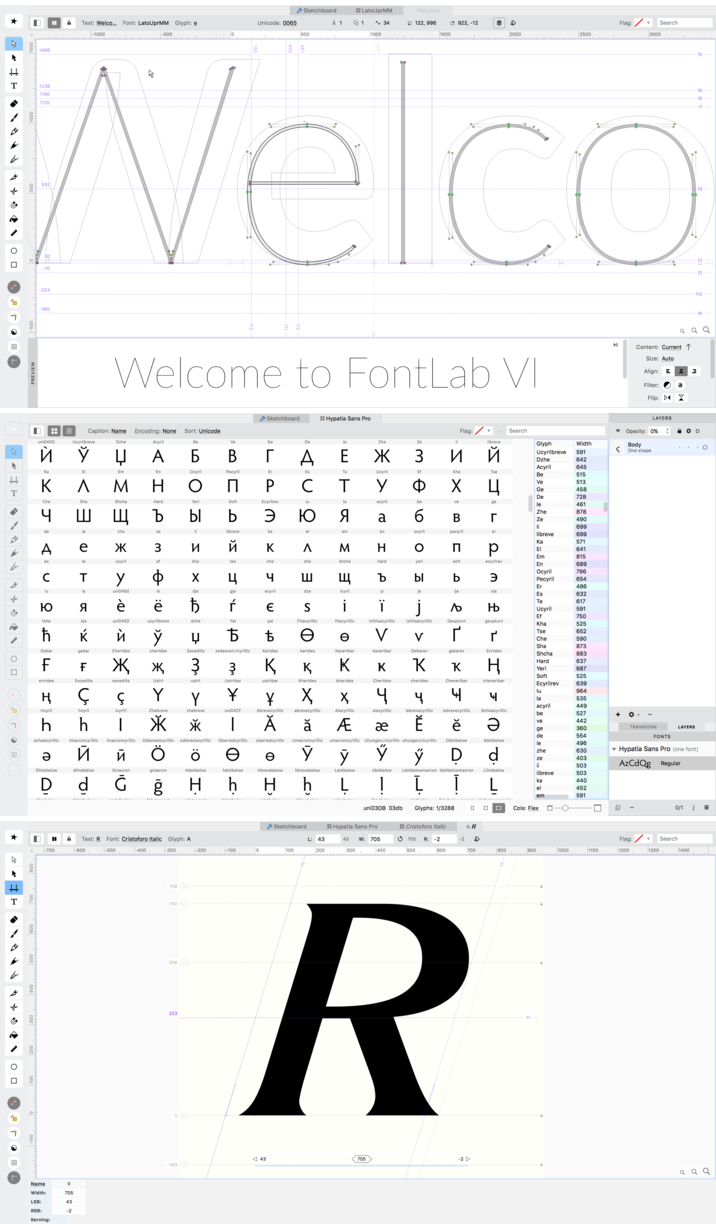
FontLab VI is our attempt to make the world's best font creation and editing tool. We hope you find it so by the time it is done. It has been years in the making. It represents a complete overhaul of the former FontLab Studio program, most of the code rewritten from scratch, with an entirely new user interface, but with a few core functions based on tested and reliable engines. As an example, while the font generation engine is newish, an earlier version shipped with TransType 4. Overall, there are enough new features that we could reasonably have skipped a version number or even two.

Wait, so you're shipping FontLab VI and it is free?

No. We are making early pre-release builds available for free. The final product will be a commercial release, with upgrade pricing available for previous users of any of our font editors, as well as educational prices for students and teachers.

What does “Preview” mean? What is the state of FontLab VI?

This Preview is neither feature-complete, nor stable enough for serious production use as your primary font editor. It still has major bugs and issues, many of which we haven't even discovered yet. That is part of why we are making it available; we want broad user input from many people, not only to help find bugs, but also to give us feedback on how the app works and user interface decisions.

Known major issues:

Manual TrueType hinting is not yet implemented. (We do have TTFautohint integration, however.)

Multiple master (axis-based, interpolation/extrapolation, MutatorMath) font support is just being integrated now, so expect it to have many issues as it gets developed.

Documentation is still under development, but has some useful info on a few features, and also a full list of keyboard shortcuts.

Python scripting has not had much testing — expect more bugs than elsewhere. Also, the APIs are undocumented. Our ultimate intention is to support both classic FontLab Python scripts with minimal-if-any changes, and also RoboFab-based scripts.

When will FontLab VI ship for real?

We will ship it when it is ready. What is “ready”? The application needs to not be missing any major features that were in FontLab Studio 5. It needs to be stable — without a bunch of crippling bugs. The interface needs to be polished and not be too confusing for people just getting started with FontLab VI, whether they are veteran type designers or new users. Documentation needs to be in a reasonable state. All that remains to be done. So, we are not promising a date, but please know that we are all working very hard on FontLab VI. We want to ship it at least as much as you want to see it!

Screenshots

Name fontlab_vi_public_preview_4_build_5962_font_editor_creation_app_10_7
Size 44.80 MB
Created on 2016-05-01 02:12:44
Hash 31178062d9682074ddf0143ef2c21fbdd851edc5
Files FontLab-VI-Preview-5962.dmg (44.80 MB)

Graphicriver Cinematic Title Text Effects Vol 6 12617327

Name graphicriver_12617327_cinematic_title_text_effects_vol_6_photoshop_project_files_fluck3r
Size 143.9 MB
Created on 2015-09-17 01:12:46
Hash 6b6ed4dbdcfc8262b3c76b77e3d778051b40eef3
Files [Graphicriver][12617327] Cinematic Title Text Effects Vol. 6 – Photoshop Project Files [Fluck3r]/[Graphicriver][12617327] Cinematic Title Text Effects Vol. 6 – Photoshop Project Files [Fluck3r].zip (143.9 MB)

Descriptions for Description

Name: Cinematic Title Text Effects Vol 6
Created: 28 August 15
Last Update: 28 August 15
Add-on Files Included: Layered PSD, Photoshop ASL
Works With: PSD
Minimum Adobe CS Version: CS3


Cinematic 3D Mockup Vol 6

• 8 Fully layered PSDs
• Background textures included
• Smart object replacement
• Super easy to edit text and elements
• 2000×1500 px
• 300 DPI
• Well organized layers
• PDF file user guide
• Works on text, shape and any layers
• Perfect for movies, games, posters, etc
• Easily modify text colors and patterns


More information: http://graphicriver.net/item/-cinematic-title-text-effects-vol-6/12617327

Screenshots

Graphicriver Cinematic Title Text Effects Vol 5 12251586

Name graphicriver_12251586_cinematic_title_text_effects_vol_5_photoshop_project_files_fluck3r
Size 174.0 MB
Created on 2015-09-17 01:12:28
Hash a54c120bc12a290c4b3a3445737c5cbd5a403e6a
Files [Graphicriver][12251586] Cinematic Title Text Effects Vol. 5 – Photoshop Project Files [Fluck3r]/[Graphicriver][12251586] Cinematic Title Text Effects Vol. 5 – Photoshop Project Files [Fluck3r].zip (174.0 MB)

Descriptions for Description

Name: Cinematic Title Text Effects Vol 5
Created: 1 August 15
Last Update: 1 August 15
Add-on Files Included: Layered PSD
Works With: PSD
Minimum Adobe CS Version: CS3


Cinematic 3D Mockup Vol 5

• 8 Fully layered PSDs
• Background textures included
• Smart object replacement
• Super easy to edit text and elements
• 2000×1500 px
• 300 DPI
• Well organized layers
• PDF file user guide
• Works on text, shape and any layers
• Perfect for movies, games, posters, etc
• Easily modify text colors and patterns


More information: http://graphicriver.net/item/cinematic-title-text-effects-vol-5/12251586

Screenshots

Graphicriver Cinematic Text Effects Vol.3 11665907

Name graphicriver_11665907_cinematic_text_effects_vol_3_photoshop_project_files_fluck3r
Size 183.9 MB
Created on 2015-09-17 01:12:09
Hash fa363184ac232331edddb3c87886e68d083089db
Files [Graphicriver][11665907] Cinematic Text Effects Vol. 3 – Photoshop Project Files [Fluck3r]/[Graphicriver][11665907] Cinematic Text Effects Vol. 3 – Photoshop Project Files [Fluck3r].zip (183.9 MB)

Descriptions for Description

Name: Cinematic Text Effects Vol.3
Created: 3 June 15
Last Update: 3 June 15
Add-on Files Included: Layered PSD
Works With: PSD
Minimum Adobe CS Version: CS3


Cinematic Text Effects Vol.3

• 10 Fully layered PSDs
• Background textures included
• Smart object replacement
• Super easy to edit text and elements
• 2000×1500 px
• 300 DPI / RGB
• Free fonts used
• Well organized layers
• PDF file user guide
• Works on text, shape and any layers
• Perfect for movies, games, posters, etc
• Easily modify text colors and patterns


More information: http://graphicriver.net/item/cinematic-text-effects-vol3/11665907

Screenshots

Graphicriver Blockbuster Heroes Style Text Effects 03 11368897

Name graphicriver_11368897_blockbuster_heroes_style_text_effects_03_photoshop_project_files_fluck3r
Size 43.11 MB
Created on 2015-09-17 01:11:42
Hash 8800a11cd2950238f381b159e028347b3c5b8616
Files [Graphicriver][11368897] Blockbuster Heroes Style Text Effects 03 – Photoshop Project Files [Fluck3r]/Info.txt (0.11 kB)
[Graphicriver][11368897] Blockbuster Heroes Style Text Effects 03 – Photoshop Project Files [Fluck3r]/[Graphicriver][11368897] Blockbuster Heroes Style Text Effects 03 – Photoshop Project Files [Fluck3r].zip (43.11 MB)

Descriptions for Description

Name: Blockbuster Heroes Style Text Effects 03
Created: 7 May 15
Last Update: 7 May 15
Add-on Files Included: Layered PSD, Photoshop ASL
Works With: PSD
Minimum Adobe CS Version: CS3


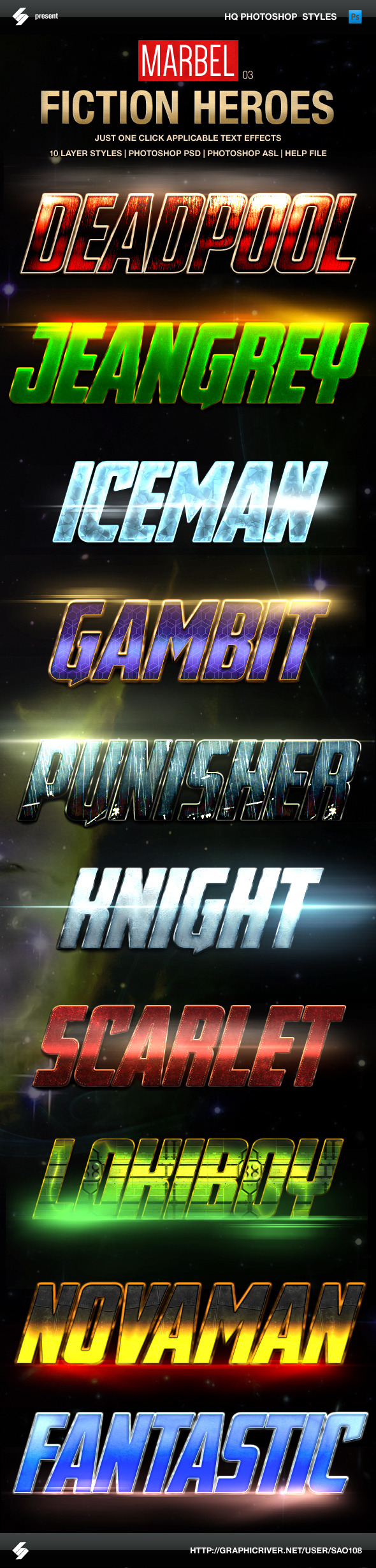
Comics Heroes Styles – game style Text Effects

Third MARVEL heroes inspired set of 10 action fantasy game styles, movies heroes text effects. Real and fiction heroes and comics characters style photoshop layer styles, text effects.


Cinematic and game style text effects
• 10 HQ photoshop styles
• just one click applicable


Comics heroes inspired movie text styles – include
• Photoshop PSD
• Photoshop ASL
• Help.txt


Fonts
• Avengeance Heroic Avenger
http://www.dafont.com/avengeance.font


More information: http://graphicriver.net/item/blockbuster-heroes-style-text-effects-03/11368897

Screenshots

OmniFocus Pro 2.5.2

Description

Name: OmniFocus Pro
Version: 2.5.2
Mac Platform: Intel
OS version: 10.10 or higher
Processor type(s) & speed: 64-bit processor

Includes: Serial


More Info: https://www.omnigroup.com/omnifocus/


Overview
We understand, you’re busy. You’ve got stuff to do. Work. Home. Play.

The only way you’ll make it through all the things that you need to do is to organize them somehow. Maybe you’ve been making do with notebooks or sticky notes — and hoping they don’t fall into the world of lost things behind your desk. But hey! You’ve got this awesome Mac sitting in front of you. You use it every day. You guard it with your life.

It’s time to get serious about all of the stuff you need to do. It’s time to get OmniFocus.

The new OmniFocus 2 features everything you need to seriously get stuff done:

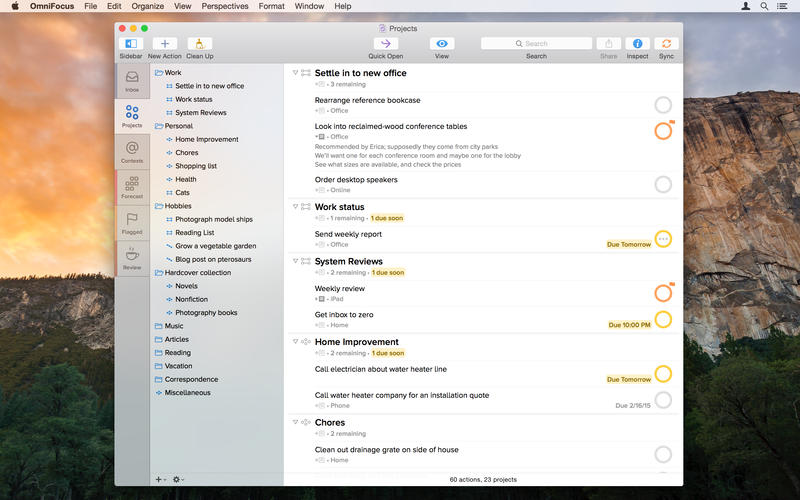
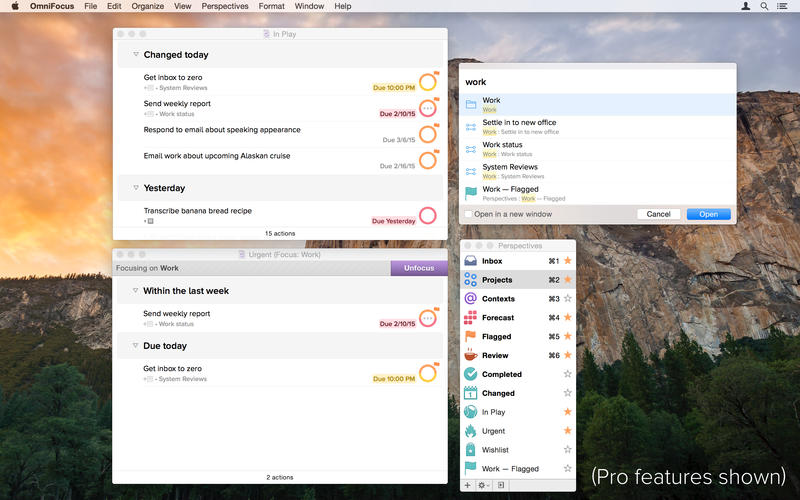
Clarify your goals as Projects, and break them down into manageable Actions.
Assign Contexts — the place you need to be, the person you need to contact, or even a state of mind — to Actions and Projects
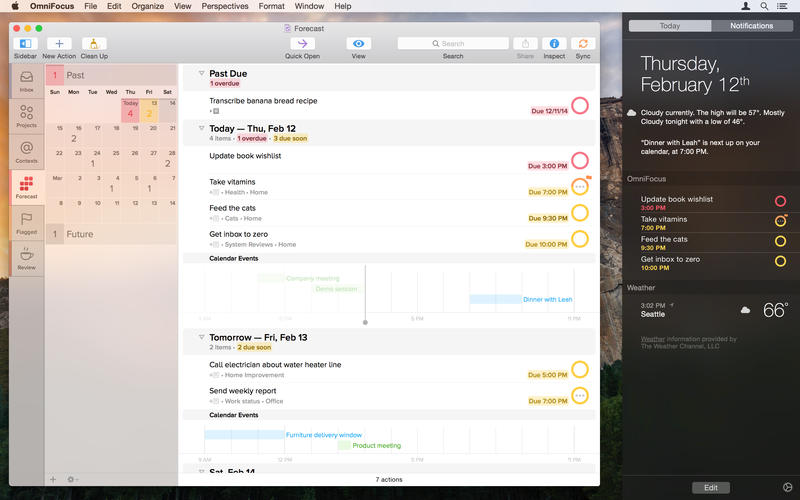
NEW: Use Forecast to see the actions and Calendar events already on your plate, and assign due dates to actions
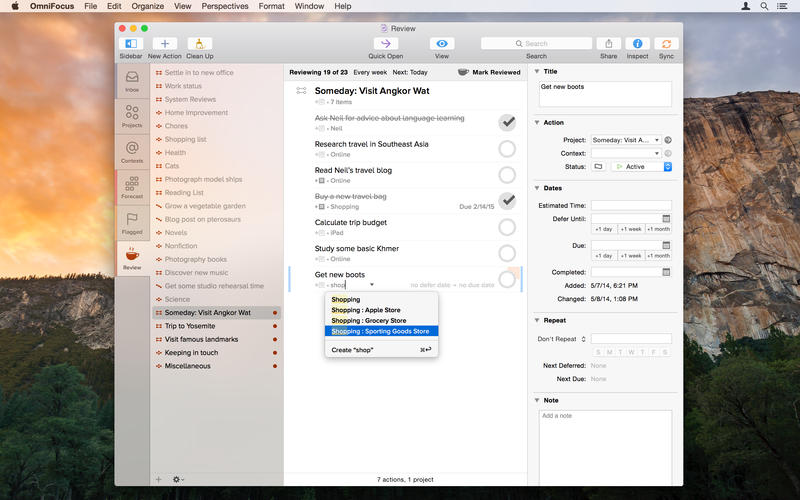
NEW: Assess and update your projects on a regular basis in the dedicated Review perspective
Track essential details on everything, including dates, notes, and file attachments
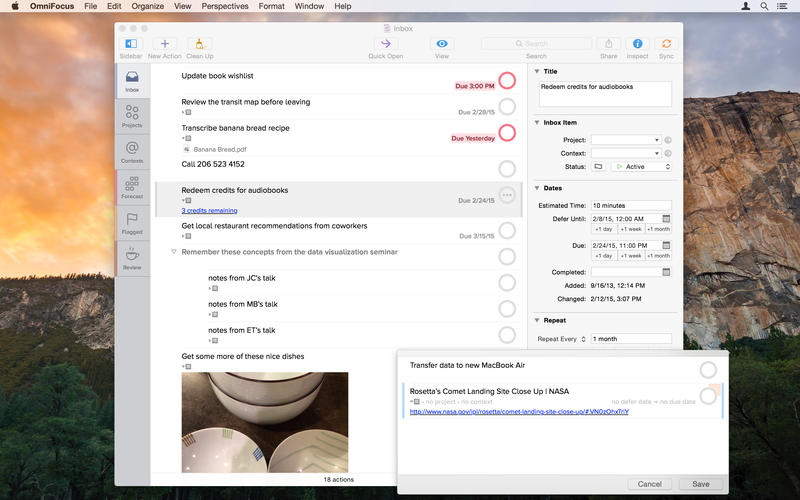
Capture urgent tasks and stray thoughts to your OmniFocus Inbox with Quick Entry — no need to even Command-Tab away from the app you’re working in when the thought occurs
Keep it all at your fingertips by syncing with OmniFocus for iPad and OmniFocus for iPhone
Collect from anything that can send email — Omni Sync Server’s Mail Drop adds items directly to your OmniFocus Inbox
Print reports for your manager (if they like that kind of thing)
Control the badges and notifications for upcoming tasks — out of your way or colorfully hard to overlook


The OmniFocus Pro in-app purchase adds tools to help you be even more productive - use custom perspectives and focus to fine-tune your views, and apply the power of AppleScript to supercharge your workflow.

Don’t you think it’s time to find a better way to organize all of the stuff you need to accomplish?

It’s time for OmniFocus.


Whats new:
[Crash] Fixed a crash when tabbing out of a completion field in the outline after dismissing the list of matches.
[News] We now behave better when you try to view news while offline.

Screenshots

Name OmniFocus Pro 2.5.2
Size 28.96 MB
Created on 2016-04-30 23:43:54
Tracker http://109.235.50.166:2710/announce
Hash 5db6c3e950564036b56fe155bd8a0d7498bb219c
Files Omnifocus Pro 2.5.2/OmniFocus-2.5.2.dmg (28.96 MB)
Omnifocus Pro 2.5.2/SERIAL.txt (0.36 kB)

djay Pro 1.3.1 for Mac

Description

Name: djay Pro
Version: 1.3.1
Release Date: May 01, 2016
Languages: English, French, German, Italian, Japanese, Spanish
Developer: algoriddim GmbH
MAS Rating: 4+
Mac Platform: Intel
OS Version: OS X 10.9 or later
Processor type(s) & speed: 64-bit processor


More information: http://www.algoriddim.com/djay-mac
Mac App Store: https://itunes.apple.com/app/djay-pro/id947578651?mt=12


Description:
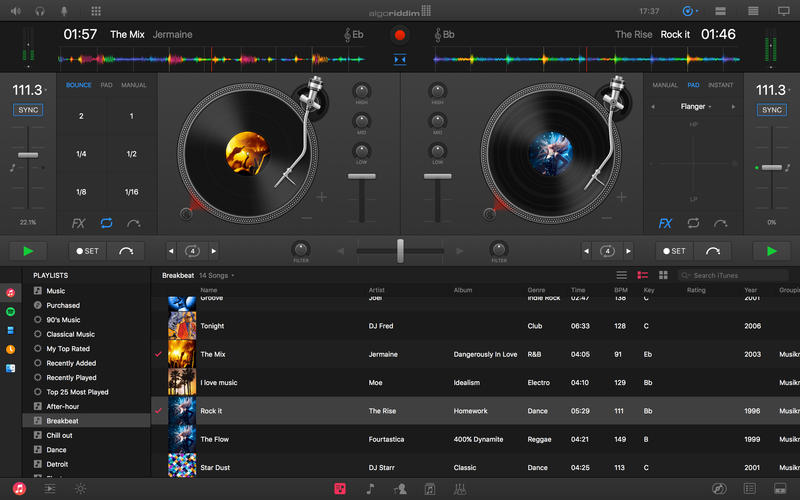
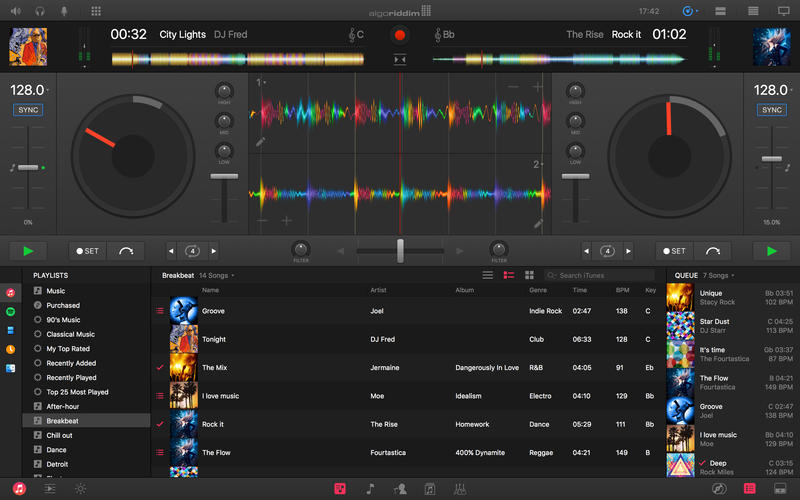
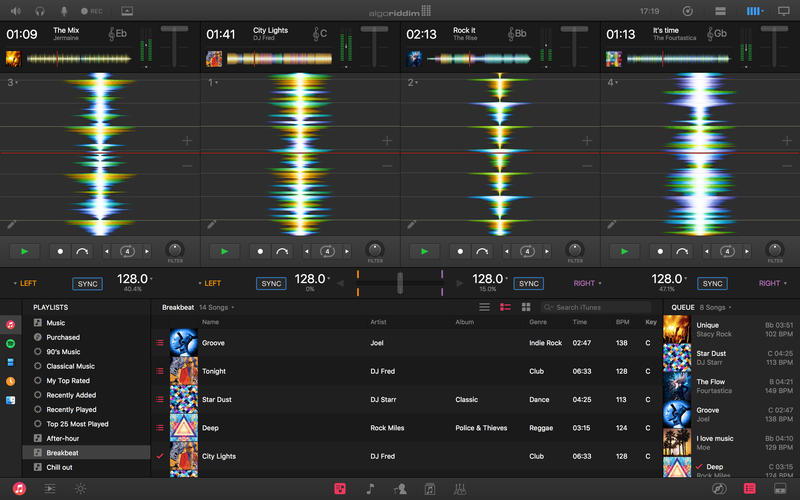
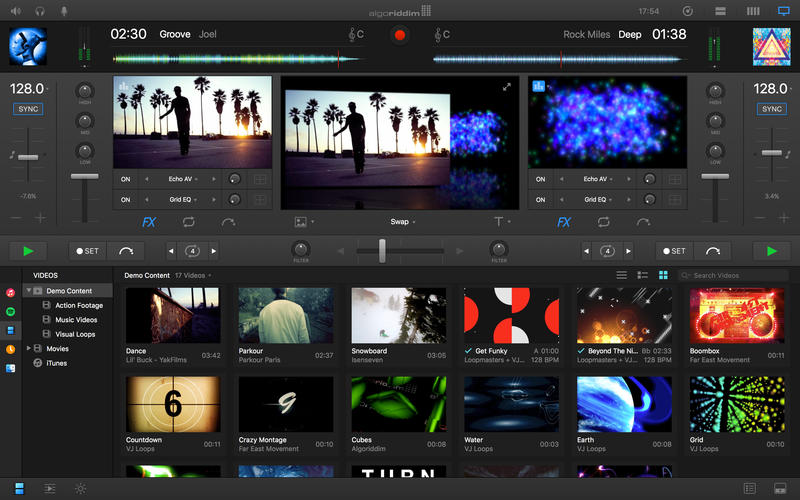
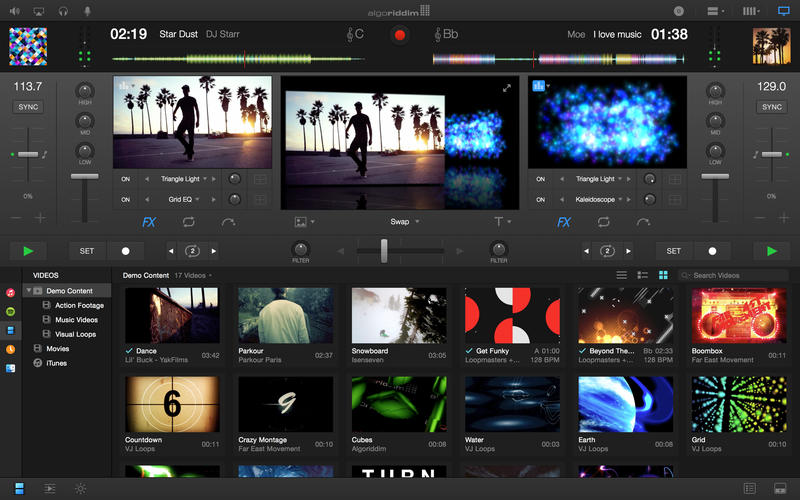
djay Pro provides a complete toolkit for performing DJs. Its unique modern interface is built around a sophisticated integration with iTunes and Spotify, giving you instant access to millions of tracks. Pristine sound quality and a powerful set of features including high-definition waveforms, four decks, audio effects, video mixing and hardware integration give you endless creative flexibility to take your sets to new heights.  

FEATURES OVERVIEW 

Powerful DJ Interface
• Turntables
• Waveforms 
• Four Decks
• Sampler
• Video

Spotify Integration
• Instant access to over 20 million songs
• Playlists, Songs, Charts, Browse
• Match: cloud-based song recommendations powered by The Echo Nest
• Instant access to BPM and Key information through the cloud
• On-the-fly playlist editing and song saving
• Drag & Drop from Spotify app
• Powerful audio streaming technology: ultra-low latency, advanced effects, on-the-fly analysis

Video Integration
• Video library with pre-bundled content
• Video mixing and scratching
• Transitions 
• Music Visualizers
• Visual FX 
• Title & image overlays
• A/V recording
• Support for external displays and Airplay

Pioneer CDJ/XDJ Integration
• Native support for Pioneer CDJ-2000NXS, CDJ-900NXS, and XDJ-1000
• Guided plug & play setup
• Full hardware control including slip mode, scratching, pitch bending, looping, cueing, master tempo
• Library navigation including Spotify + iTunes, waveforms, and cue point display on the CDJ/XDJ screens
• Connect up to 4 CDJs/XDJs

Four Deck Mixing
• Horizontal / vertical layouts
• Crossfader assignments (left, right, thru)

Music Library
• Spotify + iTunes
• Video library
• File system integration
• History and Queue
• Instant preview
• Light / dark mode 
• Expanded mode

Waveform Layouts
• Horizontal / vertical
• Two deck / four deck
• Variable zoom level

Sampler
• Live sampling and preset editing
• Pre-bundled content by Loopmasters
• Pre-bundled scratch samples by DJQbert

Recording
• AAC / WAV
• iTunes export

Automix
• Automatic, beat-matched mixes
• Queue and Playlist automation
• Automatic transitions 
• Automix Radio powered by The Echo Nest 

Advanced DJ Tools
• Sync
• Cue Points
• Looping
• Skipping
• Scrubbing
• Slip Mode
• Beat grid editing

Audio FX
• Over 30 state-of-the-art audio effects powered by Sugar Bytes (available via In-App Purchase)
• Up to three chain-able audio effects per deck 
• XY-Pad and Instant FX

Audio Processing
• Advanced time-stretching (up to +- 75%)
• Pitch shifting (up to +- 1 octave)
• Audio mixing with adjustable crossfader curves
• EQ, panning, and highpass/lowpass filtering 
• Audio Limiter
• Support for Audio Unit plug-ins

Audio Analysis 
• BPM and beat detection
• Flexible beat grids with support for dynamic tempo
• Frequency-based colored waveforms
• Key detection 
• Auto-gain / Normalize
• Multi-core batch analysis

Hardware Integration
• Native support for over 50 MIDI controllers 
• Native support for Pioneer CDJ-2000nexus, CDJ-900nexus, XDJ-1000, and all Pioneer DDJ controllers
• Advanced MIDI Learn
• External Mixer Mode
• Support for multi-channel USB audio interfaces
• Support for external audio input and microphones

Built for OS X
• Native 64-bit application
• 60 frames per second graphics engine
• Optimized for MacBook Pro with Retina Display
• Optimized for iMac with Retina 5K Display
• Multi-core analysis (up to 24 processing threads on 12-core Mac Pro)
• Extensive keyboard shortcuts
• Multi-touch trackpad control
• iCloud integration: syncs cue points, grid edits and meta data with iOS versions of djay

djay Pro is compatible with any Mac running OS X 10.9 or later.

A Spotify Premium subscription and an internet connection is required to access the Spotify music catalog from djay Pro. A seven day free trial of Spotify Premium is available to all djay Pro users. 

To use songs from iCloud in djay Pro please download them first via iTunes. No support for DRM protected songs.


What's New in Version 1.3.1:
Version 1.3.1

• Improved Spotify library performance with large libraries
• Improved 4 deck display layout
• Improved mappings for Reloop Beatpad, Numark Mixdeck Quad, Numark N4
• Improved stability

Version 1.3

• Refreshed user interface
• All-new jog waveform mode
• All-new slicer mode (accessible via waveform options popover)
• Redesigned and improved 4 deck user interface
• New high precision BPM & beat detection (auto-detects variable and straight tempo)
• New advanced BPM and beat grid editing (manually enter BPM values, recalculate grid after tapping BPM, shift grid, set downbeat)
• New full-color waveforms (can be adjusted in appearance preferences)
• New waveform zooming levels (accessible via waveform options popover)
• New preference to auto-sync BPM on song load
• New preference to disable keyboard shortcuts 
• Added native support for Pioneer CDJ-350, CDJ-400, CDJ-850, CDJ-900, CDJ-2000, and XDJ-700 using Advanced HID mode 
• Improved support for Pioneer CDJ-900NXS, CDJ-2000NXS, and XDJ-1000
• Added native jog wheel behavior for all Pioneer CDJ models
• Added keyboard shortcut to toggle tools display in “View” menu
• Added display of explicit content rating in iTunes and Spotify media libraries
• Added MIDI mapping action to open/close tools
• Improved performance with large iTunes libraries
• Improved searching in My Mac library source
• Improved mapping for Reloop Beatpad 2
• Improved Spotify library integration
• Improved pre-cueing auto-select behavior when using 4 decks
• Fixed changing loop length sometimes exiting loop
• Fixed sampler not audible via monitor with cue/mix set to “mix”
• Fixed master volume being incorrectly applied to monitor with split output
• Fixed microphone volume issues when using split output
• Reduced file size of per-song metadata
• Various other bugfixes and improvements

If you like djay, please rate it with every update! Thanks for your continued support and we look forward to hearing your feedback.

Video

Screenshots

Name Djay Pro v1.3.1
Size 265.9 MB
Created on 2016-05-03 00:12:31
Tracker http://109.235.50.166:2710/announce
Hash 19c22270c6716938f7fef55eb2ddaf2a68a5fa9d
Files DJP131.zip (265.9 MB)

Graphicriver Vintage Photography Facebook Timeline Cover Bundle 6219693

Name graphicriver_6219693_vintage_photography_facebook_timeline_cover_bundle_photoshop_project_files_fluck3r
Size 21.43 MB
Created on 2015-09-16 01:36:51
Hash 8ade2ec58db4e6a978d33351154e37609755a220
Files [Graphicriver][6219693] Vintage Photography Facebook Timeline Cover Bundle – Photoshop Project Files [Fluck3r]/[Graphicriver][6219693] Vintage Photography Facebook Timeline Cover Bundle – Photoshop Project Files [Fluck3r].zip (21.43 MB)

Descriptions for Description

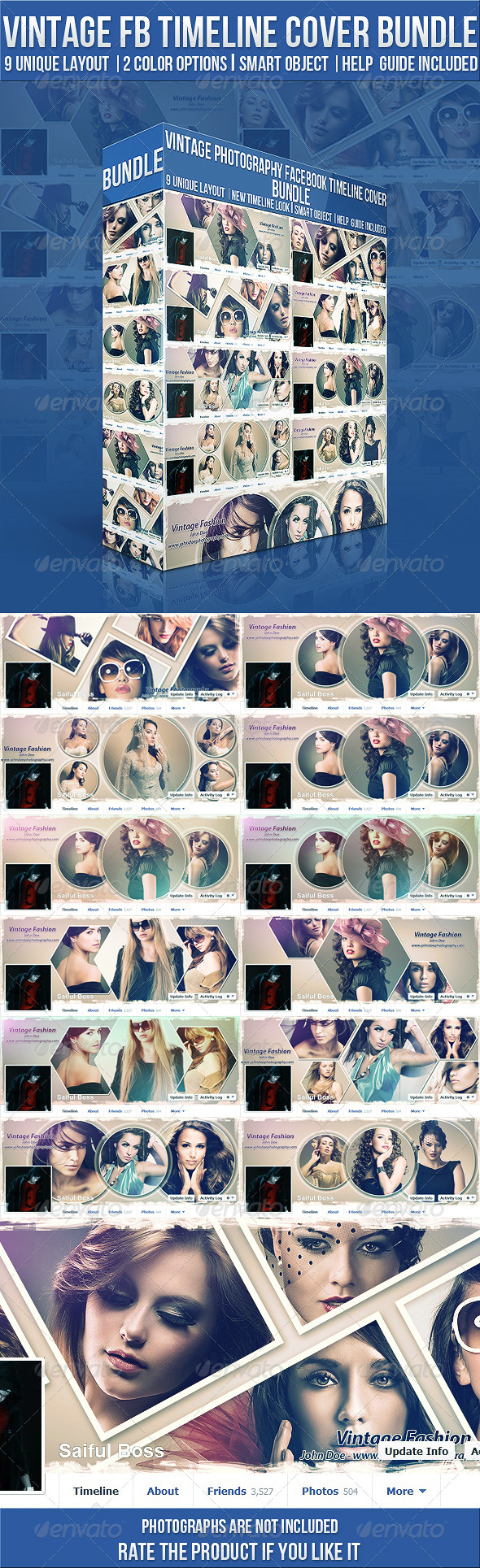
Name: Vintage Photography Facebook Timeline Cover Bundle
Created: 25 November 13
Last Update: 30 November 13
Layered: Yes
Graphics Files Included: Photoshop PSD
Minimum Adobe CS Version: CS3
Pixel Dimensions: 851x315


Vintage Photography Facebook Timeline Cover Bundle

Feature:
• Smart Object
• 9 Different Layout
• 2 Color Option
• Resolution: 851×315
• Vector Frame, (Re-sizable)
• Lots of Option for Mix Color Effects
• Detailed Help Guide Included
• THE PACK INCLUDED :
• http://graphicriver.net/item/vintage-photography-fb-timeline-cover-v3/5581071
• http://graphicriver.net/item/vintage-photography-fb-timeline-cover-v2/5388549

• http://graphicriver.net/item/vintage-photography-timeline-cover/3215892

Hope this timeline cover bundle will be very helpful for your business & hobby. Please rate it & share it if you liked the product! Thanks!


More information: http://graphicriver.net/item/vintage-photography-facebook-timeline-cover-bundle/6219693

Screenshots

Graphicriver Glitch – Photoshop Actions 12811041

Name graphicriver_12811041_glitch_photoshop_actions_fluck3r
Size 13.14 kB
Created on 2015-09-16 00:32:11
Hash 483aa5059a23cfce967a8362af05de40f2971188
Files [Graphicriver][12811041] Glitch – Photoshop Actions [Fluck3r]/[Graphicriver][12811041] Glitch – Photoshop Actions [Fluck3r].zip (13.14 kB)

Descriptions for Description

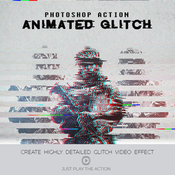
This Action will generate a video sequence of animated glitch effects from your photos, logo or artwork. What usually can take hours to create can now be done with a few clicks. You have lots of layer control after the action has finished to adjust the design how you wish. The action has been tested and working on Photoshop CS4,CS5,CS6,CC+
PSD | Photoshop ATN | DNG | TIFF | JPG | CS6+ | RAR 227,9 KB


Glitch Photoshop Action
 
Tips & Support
 
For the best results, it is recommended to use high resolution photos in the range of 600px – 2400px. The optimal range is from 640px – 1024px. The detail and clarity in the effects generated by the actions reduce the smaller your photo is.
 
Glitch Effect • Glitch Photoshop Action • Just 1 Click to Apply an Amazing Effects On Your Photo • Easy to use • Well organized layers • 10 Color options • Fully editable layers • Easy to customize • Non-destructive actions • Well documented instructions • Recommended to use high resolution photo sizes between 600 – 2400px • Help document included

Screenshots

Graphicriver Watercolor Feather Wedding Invitation Set 12783475

Name graphicriver_12783475_watercolor_feather_wedding_invitation_set_photoshop_project_files_fluck3r
Size 397.6 MB
Created on 2015-09-16 00:31:52
Hash ed1875e072f5cf9dbe1645e2d0fbfc7710169e8b
Files [Graphicriver][12783475] Watercolor Feather Wedding Invitation Set – Photoshop Project Files [Fluck3r]/Message Card.zip (65.21 MB)
[Graphicriver][12783475] Watercolor Feather Wedding Invitation Set – Photoshop Project Files [Fluck3r]/RSVP.zip (63.70 MB)
[Graphicriver][12783475] Watercolor Feather Wedding Invitation Set – Photoshop Project Files [Fluck3r]/Save the Date.zip (89.80 MB)
[Graphicriver][12783475] Watercolor Feather Wedding Invitation Set – Photoshop Project Files [Fluck3r]/Thank You Card.zip (77.65 MB)
[Graphicriver][12783475] Watercolor Feather Wedding Invitation Set – Photoshop Project Files [Fluck3r]/Wedding Invitation.zip (101.2 MB)

Descriptions for Description

Name: Watercolor Feather Wedding Invitation Set
Created: 10 September 15
Last Update: 10 September 15
Layered: Yes
Graphics Files Included: Photoshop PSD
Minimum Adobe CS Version: CS3
Print Dimensions: 5x7


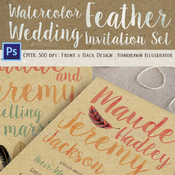
Create a memorable wedding with this well crafter watercolor feather wedding invitation set. The set comes with invitation (front & back design), save the date, thank you card, message card, and RSVP; one full pack to create a wonderful themed wedding.

You can easily edit & customize each of the design because every layer such as text, image, and shape are well ordered and highlighted. There is also a tutorial file to guide through the editing process.


Watercolor Feather Wedding Invitation Features:

- Req. Adobe Photoshop min. CS3

- Front & Back Design with bleed 0.25 inch

- Invitation 5×7 inch

- Save the Date 3.5×5 inch

- RSVP 3×5 inch

- Thank You Card 3×3 inch

- Message Card 5×3 inch

- Handcrafted watercolor design

- CMYK, 300dpi

- Guidelines & Safe Lines

- Editable Layers

- Help Me File


Fonts Used:

Link to the used fonts are included in the tutorial file. Just contact me if you have problems downloading them or need the fonts for free.


More information: http://graphicriver.net/item/watercolor-feather-wedding-invitation-set/12783475

Screenshots

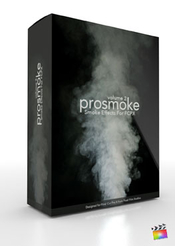
PIXEL FILM STUDIOS – PROSMOKE VOLUME 2

Description

PROSMOKE™ VOLUME 2 - PROFESSIONAL SMOKE GENERATOR FOR FCPX - PIXEL FILM STUDIOS


Find more Pixel Film Studio Plugins

Smoke Generator for FCPX

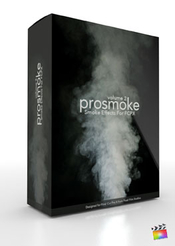
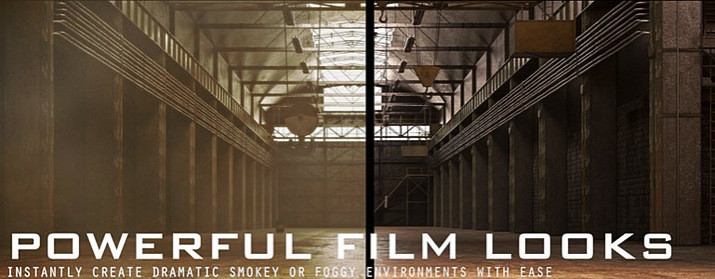
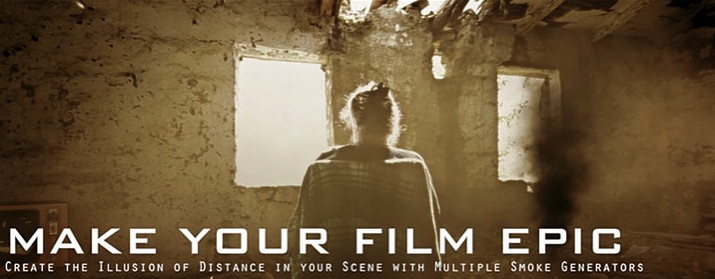
Introducing PROSMOKE Volume 2, a generator that allows you to freely change the look of realistic smoke. Add a foggy haze to a cityscape, a puff of smoke to suburban chimneys, or even dirty fumes to sputtering vehicles. Create depth in your scene with parallaxing smoke generators. With 50 different customizable smoke presets, you can complement any film scene properly.

PROSMOKE 2 requires Final Cut Pro X version 10.1.2 or newer.

Customizable Smoke Puffs

Introducing ProSmoke: Volume 2, a generator that allows you to freely change the look of realistic smoke. Add a foggy haze to a cityscape, a puff of smoke to suburban chimneys, or even dirty fumes to sputtering vehicles. Create depth in your scene with parallaxing smoke generators.

50 Smokey Presets

ProSmoke: Volume 2 comes with 50 exciting presets, including 6 Master copies that cover the different array of smoke. Rolling smoke, static smoke, smoke puffs, wispy smoke, smoke clouds, and on-coming smoke are all included in this ultra realistic and customizable package. Choose from a basic fog, to the mysterious wisps of a witch’s potion cauldron.

On-Screen Controls

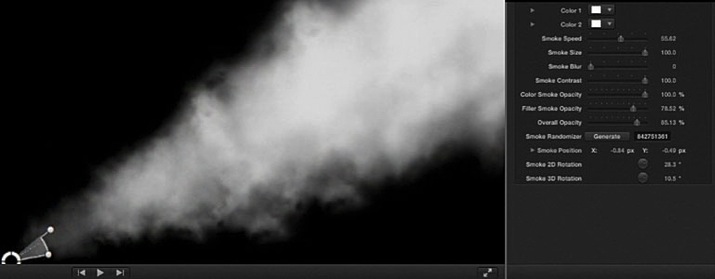
ProSmoke: Volume 2 features on-screen controls to make your FCPX experience even more enjoyable. Drag and rotate the smoke in 2D and 3D to get the look you desire. Positioning your smoke is intuitive and easy to do. Whether you need smoke rolling with the wind or a static haze, this generator makes it easy to create.

Combine with ProHue

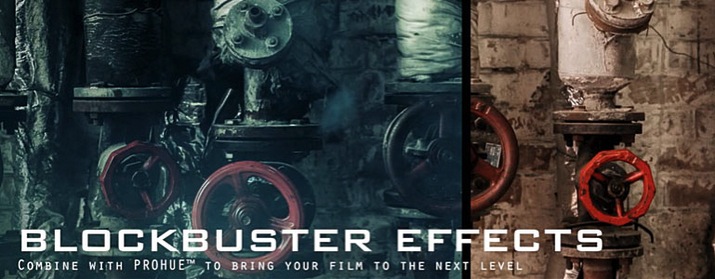
Completely transform the look of your film when combining ProSmoke: Volume 2 with the power of ProHue. Add professionally designed, and customizable color modes to your clips in order to create a dramatic setting. Elicit tranquility using softer color schemes along with a light smokey overlay.

Customizable in FCPX

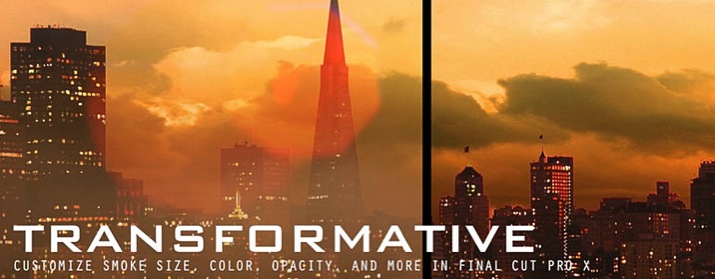
Adding realistic smoke to your FCPX project is easy with ProSmoke: Volume 2. It’s completely customizable! Change the colors of the smoke to create an ashy feel, or ramp the opacity down to change the thickness of your fog. Alter the angle of emission and blur the smoke to create a sense of depth, all within Final Cut Pro X.

More information: http://store.pixelfilmstudios.com/product/prosmoke-volume-2/


Name pixel_film_studios_prosmoke_vol_2
Size 61.13 MB
Created on 2016-04-29 04:18:19
Hash 3fe36007ee2bbcec622b5afe2674d5950e7b9e76
Files PIXEL FILM STUDIOS – PROSMOKE V2.zip (61.13 MB)

ON1 Photo 10.5.0.2943

Description

Name: ON1 Photo for Mac
Version: 10.5.0.2943
Language: English
Release Date: 27 Apr 2016
Mac Platform: Intel
OS version:OS X 10.8 or later
Processor type(s) & speed: 64-bit
RAM: 8 GB

Optional integration:
Adobe Photoshop CS6, CC 2014 and CC 2015
Adobe Photoshop Elements 11, 12, 13 or 14
Adobe Photoshop Lightroom 4, 5 or 6
Apple Aperture 3.6

Includes: Keygen 

More info: https://www.on1.com/apps/on1photo10/


Overview:
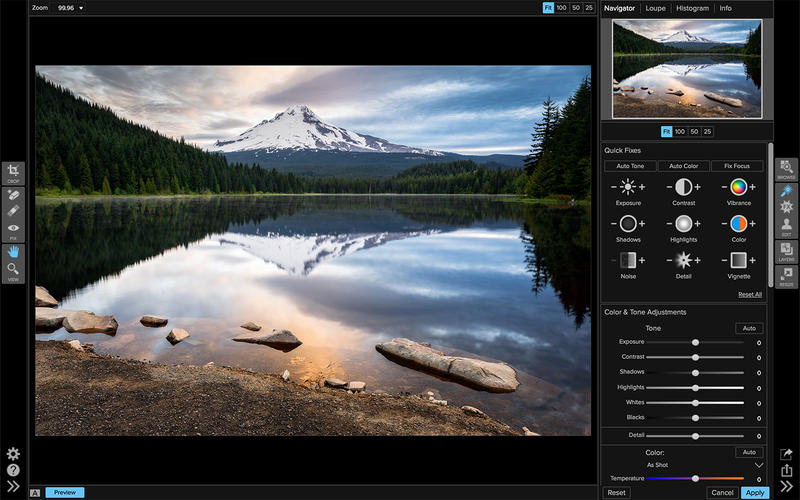
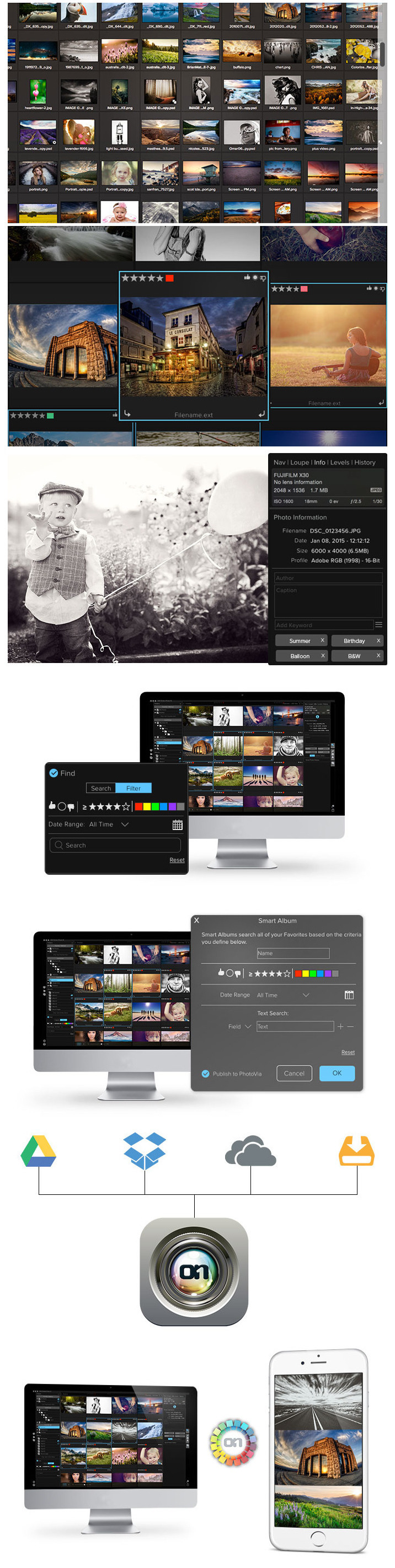
ON1 Photo 10 is a full-featured photo editor that works as a plug-in to Adobe Photoshop and Lightroom, or as a standalone application. Browse and manage your photos where they are stored; local, external, and network drives or cloud service. Version 10 includes the necessary tools to manage and edit your photos with non-destructive Smart Photo technology. Improve portraits, add effects, enlarge for large-format printing, share, and make complex selections or masks with minimal effort. 


The Components 
Effects - Everything you need to add any effect to your photos. ON1 Effects includes filters, presets, borders, and textures. With live adjustments, stack effects to create your own look, and save your own custom presets. Hundreds of presets and 23 stackable filters.

Browse - Don't wait on a slow catalog or import process. This is a lightning fast photo browser. Quickly sort, cull and edit photos from a shoot. Quickly ditch the bad ones, rate the good ones, add keywords, and much more.

Enhance - Quickly and easily adjust exposure, contrast, white balance, vibrance, detail, or add vignettes. Store all of your settings and adjustments of the enhancements for future use. 

・Color correction 
・Exposure adjustment 
・Highlight and shadow recovery 
・Retouch brush 
・Erase objects 
・Noise reduction

Portrait - Portrait retouching is faster, better, and easier than ever. Our new way of working with facial features makes it easier to retouch the areas you care about. 
・Skin retouching made easy 
・Skin smoothing 
・Blemish reduction 
・Shine removal 
・Advanced color correction technology 
・Get color correct skin tones 
・Brighten eyes 
・Whiten teeth

Layers - Create composites by stacking photos or combine and blend photos without having to use Adobe Photoshop. 
・Precise masking tools 
・Swap out boring backgrounds 
・Create your own layouts 
・Includes backgrounds, borders, and edges 
・Create layered files from Lightroom 
・Blend photos together


What's New in Version 10.5.0.2943:
・Effects Stack Masking Icon Improvements - Now it is easier to see which filter layers have masks on them. The mask icons are larger and there is a new add mask icon. The Masking and Blending options drawer state is also remembered. It is also easier to move and delete unselected filter layers.

・Perfect Brush Improvements - The results from the Perfect Brush have been improved. There are also new options to adjust the color threshold and transition to tune its results on specific images. 

・Additional Borders and Textures - We have added 80 new borders and textures built-in, plus there is a ton of additional borders and textures available on the ON1 website.

Screenshots

Name ON1 Photo 10.5.0.2943
Size 718.7 MB
Created on 2016-04-28 03:04:55
Hash e51144a6d26e54b107c32631e3abfe25e3815eed
Files ON1_Photo_v10.5.zip (718.7 MB)

ON1 Effects 10.5.0

Description

Name: ON1 Effects
Version: 10.5.0
Language: English
Platform: Intel
OS version: 10.8 or higher

Includes: Keygen


More info: https://www.on1.com/apps/effects10/


Overview
your photos. your style.
Adding style is part of what defines you as a photographer. Effects 10 includes hundreds of stackable filters, presets, borders, and textures to help create your style. Whether you're looking to add an HDR look, convert to B&W, bring out more detail, reduce noise, or enhance a portrait. Don't use five different plug-ins when ON1 Effects 10 is your one-stop solution.

Filters, Presets, & Textures
Includes 23 stackable filters and hundreds of presets, borders, and textures. Everything you need to add any effect to your photos. With live adjustments, stack effects to create your own look, and save your own custom presets.


Just the tools you need.
We've designed our collection of tools to solve specific problems, be simple to use, and perform complex tasks - the easy way.

Quick View Browser
Get a full-screen preview of how the look appears on your photo.

Quick Mask
Brush over an area to automatically create a great mask.

Perfect Brush
Brush your look on an area of your photo using edge detection.

Refine Brush
Clean up the edges of your mask.

Chisel
Remove halos or fringes along the edge of your masks.

Blur
Soften the transition between your mask and the background.

Adjustment Brushes
Paint-in adjustments to lighten or darken, or add detail, vibrance, and glow.

Adjustable Gradients
Add common adjustments to only a portion of your photo.


Feature List
Effects
・Includes hundreds of awesome presets to get you started in these genres:
・Architecture
・Black and White
・Cinematic
・Color Grading
・Faded & Matte
・Film
・Haze Reducer
・Hipster
・Landscape
・People
・Sports
・Urban
・Weddings
23 stackable, adjustable filters including:
・Adjustable Gradient
・Adjustment Brush
・Antique
・Black and White
・Bleach Bypass
・Blur
・Borders
・Color Enhancer
・Cross Process
・Dynamic Contrast
・Glow
・Grunge
・HDR Look
・Lens Blur
・Lens Flare
・Noise Reduction
・Photo Filter
・Portrait Enhancer
・Sharpening
・Split Tone
・Sunshine
・Texturizer
・Tone Enhancer
・Vignette
・Vintage
・Stack and blend filters to create your own look
・Mask filter layers using a complete range of masking tools, including the edge-detecting Perfect Brush
・Control the opacity and blending options of individual filters or a whole stack of filters
・Save and apply presetst

General
・Side by Side Preview
・Navigator
・Loupe
・Histogram
・Mask Previews
・Retina Display Support
・Modern User Interface
・Fully Color Managed
・Optimized for high performance video cards using OpenGL and OpenCL

Plug-ins & Integration
・Use as a plug-in to Adobe Photoshop
・Use as a plug-in to Adobe Photoshop Elements
・Use as a plug-in to Adobe Lightroom
・Use as a plug-in to Apple Aperture
・Works as a Smart Filter in Adobe Photoshop

Masking
・Blend filters using the familiar black and white mask concept, paint with black to hide and white to reveal.
・Edge-detecting Perfect Brush
・Refine difficult edges like hair, smoke and fog with the Refine Brush
・Straight-edged Line Mask tool is perfect for masking geometric shapes like buildings and windows
・Masking Bug creates flexible, editable gradient masks in either round or rectangle shapes
・Unique mask clean up tools like the Mask Blur and s Mask Chisel make edge blending realistic

Tools
・Masking Brush
・Quick Mask Brush
・Masking Bug
・Line Mask
・Refine Mask Brush
・Blur Mask Brush
・Chisel Mask Brush
・Zoom
・Pan

Export
・Export single photos
・Adjust crop, size and resolution
・Resize your photos with patented Genuine Fractals algorithm
・Export to TIF, JPG, PNG or PSD formats
・Convert to different color spaces
・Add gallery wrap wings for printing on canvas
・Divide an image it tiles for printing mosaics or murals
・Add a watermark like a logo
・Apply a preset from Enhance or Effects on the fly
・Sharpen photos for print or screen use
・Save export presets

Supported Files
・Re-Editable Smart Photos
・Layered PSD and PSB files including layer masks
・TIFF
・JPG
・PNG
・Raw from over 250 cameras
・All in 8 and 16-bit RGB
・Other
・Share to Facebook, Twitter, Flickr, LinkedIn, etc. (Mac OSX Only)
・Email and text message photos (Mac OSX Only)
・Print

Video

Name ON1 Effects 10.5
Size 428.6 MB
Created on 2016-04-28 05:58:13
Hash 17e5d1b31dd5ee8ce9d76a0d348ff88183bcd272
Files ON1_Effects_v10.5.zip (428.6 MB)

Graphicriver 05 Ukattak Photoshop Actions 11241271

Name graphicriver_11241271_05_ukattak_photoshop_actions_fluck3r
Size 121.5 kB
Created on 2015-09-13 00:32:00
Hash ca139e94ed2ca8c6e9d14f75014656d621c2d7a7
Files [Graphicriver][11241271] Ukattak – Photoshop Actions [Fluck3r]/[Graphicriver][11241271] Ukattak – Photoshop Actions [Fluck3r].zip (121.5 kB)

Descriptions for Description

Name: 05 Ukattak Photoshop Actions
Created: 24 April 15
Last Update: 24 April 15
Add-on Files Included: Photoshop ATN
Minimum Adobe CS Version: CS6


Turn your image into a awesome eye catching image in just few seconds !! just load and play! it’s very easy to load and use.

ZIP Contains: 1 ATN file, 1 TXT Image and Preview Image.


More information: http://graphicriver.net/item/05-ukattak-photoshop-actions/11241271

Screenshots

Graphicriver 10 HDR And Oil Paint Photo Effects 11241103

Name graphicriver_11241103_10_hdr_and_oil_paint_photo_effects_photoshop_actions_fluck3r
Size 352.5 kB
Created on 2015-09-13 00:31:47
Hash bb5da06039f9ec4a37249dc031dfbb4eff7db281
Files [Graphicriver][11241103] 10 HDR And Oil Paint Photo Effects – Photoshop Actions [Fluck3r]/[Graphicriver][11241103] 10 HDR And Oil Paint Photo Effects – Photoshop Actions [Fluck3r].zip (352.5 kB)

Descriptions for Description

Includes:
1 .ATN

Screenshots

Graphicriver 22 Wedding Lightroom Preset 11110884

Name graphicriver_11110884_22_wedding_lightroom_presets_fluck3r
Size 24.29 kB
Created on 2015-09-13 00:31:34
Hash 49586dd07589d0bf34204594ede661399f7285f0
Files [Graphicriver][11110884] 22 Wedding Lightroom Preset [Fluck3r]/[Graphicriver][11110884] 22 Wedding Lightroom Preset [Fluck3r].zip (24.29 kB)

Descriptions for Description

Name: 22 Wedding Lightroom Preset
Created: 15 April 15
Last Update: 15 April 15
Add-on Files Included: LRTemplate
Software Version: Lightroom 5.5, Lightroom 5.0, Lightroom 4.4, Lightroom 4.3
Works With: DNG, TIFF, RAW


22 Wedding Lightroom Preset22 Wedding Lightroom Preset :- Lightroom Presets contains perfect high quality effect and image will be looks better and beautiful.These presets were tested and adjusted to give good results for a wide variety of images

Included…. 1 Lightroom File and 1 Text File Working Software Version : Lightroom 5 Version.


More information: http://graphicriver.net/item/22-wedding-lightroom-preset/11110884

Screenshots

Graphicriver Plastic Bags Mockups 11035669

Name graphicriver_11035669_plastic_bags_mockups_photoshop_project_files_fluck3r
Size 311.1 MB
Created on 2015-09-13 00:31:10
Hash 5d7dc72f0aa15e352e63ce3f85b64dec2bad1e06
Files [Graphicriver][11035669] Plastic Bags Mockups – Photoshop Project Files [Fluck3r]/[Graphicriver][11035669] Plastic Bags Mockups – Photoshop Project Files [Fluck3r].zip (311.1 MB)

Descriptions for Description

Name: Plastic Bags Mockups
Created: 10 April 15
Last Update: 27 April 15
High Resolution : Yes
Layered: Yes
Graphics Files Included: Photoshop PSD
Minimum Adobe CS Version: CS4
Pixel Dimensions: 3000x2000
Print Dimensions: 10x6.667


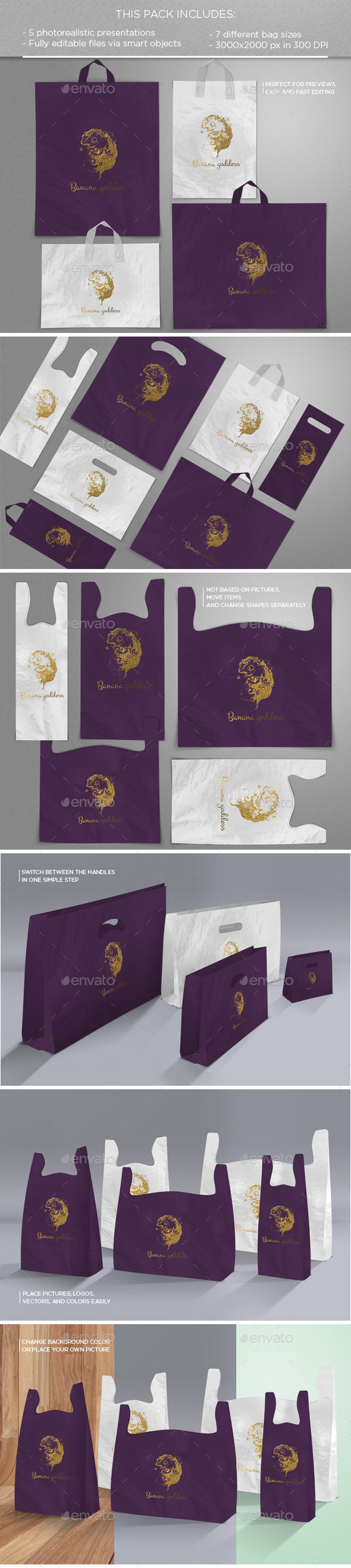
This pack includes

• 5 photorealistic presentations
• 3 different perspectives
• 7 different bag sizes
• 3 different handle designs
• 2 different backgrounds that work with light and dark colors
• 1 smart object background that allows you to insert your own image as a background
• Help Document available with the Main File

Perfect for previews, easy and fast editing via smart objects

Not based on pictures so possibility of moving the items and changing the shapes (except for the plastic handle that is based on a photography)

Every item is in a separate organized layer

Could be used for any type of plastic bags designs
Big PSD formats: 3000×2000 px in 300 DPI. Printable quality
Designs and pictures are not included in the Main Files


More information: http://graphicriver.net/item/plastic-bags-mockups/11035669

Screenshots

djay Pro 1.3

Description

Name: djay Pro
Version: 1.3
Release Date: April 27, 2016
Languages: English, French, German, Italian, Japanese, Spanish
Developer: algoriddim GmbH
MAS Rating: 4+
Mac Platform: Intel
OS Version: OS X 10.9 or later
Processor type(s) & speed: 64-bit processor

Includes: Patch 


More information: http://www.algoriddim.com/djay-mac
Mac App Store: https://itunes.apple.com/app/djay-pro/id947578651?mt=12


Description:
djay Pro provides a complete toolkit for performing DJs. Its unique modern interface is built around a sophisticated integration with iTunes and Spotify, giving you instant access to millions of tracks. Pristine sound quality and a powerful set of features including high-definition waveforms, four decks, audio effects, video mixing and hardware integration give you endless creative flexibility to take your sets to new heights.  

FEATURES OVERVIEW 

Powerful DJ Interface
• Turntables
• Waveforms 
• Four Decks
• Sampler
• Video

Spotify Integration
• Instant access to over 20 million songs
• Playlists, Songs, Charts, Browse
• Match: cloud-based song recommendations powered by The Echo Nest
• Instant access to BPM and Key information through the cloud
• On-the-fly playlist editing and song saving
• Drag & Drop from Spotify app
• Powerful audio streaming technology: ultra-low latency, advanced effects, on-the-fly analysis

Video Integration
• Video library with pre-bundled content
• Video mixing and scratching
• Transitions 
• Music Visualizers
• Visual FX 
• Title & image overlays
• A/V recording
• Support for external displays and Airplay

Pioneer CDJ/XDJ Integration
• Native support for Pioneer CDJ-2000NXS, CDJ-900NXS, and XDJ-1000
• Guided plug & play setup
• Full hardware control including slip mode, scratching, pitch bending, looping, cueing, master tempo
• Library navigation including Spotify + iTunes, waveforms, and cue point display on the CDJ/XDJ screens
• Connect up to 4 CDJs/XDJs

Four Deck Mixing
• Horizontal / vertical layouts
• Crossfader assignments (left, right, thru)

Music Library
• Spotify + iTunes
• Video library
• File system integration
• History and Queue
• Instant preview
• Light / dark mode 
• Expanded mode

Waveform Layouts
• Horizontal / vertical
• Two deck / four deck
• Variable zoom level

Sampler
• Live sampling and preset editing
• Pre-bundled content by Loopmasters
• Pre-bundled scratch samples by DJQbert

Recording
• AAC / WAV
• iTunes export

Automix
• Automatic, beat-matched mixes
• Queue and Playlist automation
• Automatic transitions 
• Automix Radio powered by The Echo Nest 

Advanced DJ Tools
• Sync
• Cue Points
• Looping
• Skipping
• Scrubbing
• Slip Mode
• Beat grid editing

Audio FX
• Over 30 state-of-the-art audio effects powered by Sugar Bytes (available via In-App Purchase)
• Up to three chain-able audio effects per deck 
• XY-Pad and Instant FX

Audio Processing
• Advanced time-stretching (up to +- 75%)
• Pitch shifting (up to +- 1 octave)
• Audio mixing with adjustable crossfader curves
• EQ, panning, and highpass/lowpass filtering 
• Audio Limiter
• Support for Audio Unit plug-ins

Audio Analysis 
• BPM and beat detection
• Flexible beat grids with support for dynamic tempo
• Frequency-based colored waveforms
• Key detection 
• Auto-gain / Normalize
• Multi-core batch analysis

Hardware Integration
• Native support for over 50 MIDI controllers 
• Native support for Pioneer CDJ-2000nexus, CDJ-900nexus, XDJ-1000, and all Pioneer DDJ controllers
• Advanced MIDI Learn
• External Mixer Mode
• Support for multi-channel USB audio interfaces
• Support for external audio input and microphones

Built for OS X
• Native 64-bit application
• 60 frames per second graphics engine
• Optimized for MacBook Pro with Retina Display
• Optimized for iMac with Retina 5K Display
• Multi-core analysis (up to 24 processing threads on 12-core Mac Pro)
• Extensive keyboard shortcuts
• Multi-touch trackpad control
• iCloud integration: syncs cue points, grid edits and meta data with iOS versions of djay

djay Pro is compatible with any Mac running OS X 10.9 or later.

A Spotify Premium subscription and an internet connection is required to access the Spotify music catalog from djay Pro. A seven day free trial of Spotify Premium is available to all djay Pro users. 

To use songs from iCloud in djay Pro please download them first via iTunes. No support for DRM protected songs.


What's New in Version 1.3:
• Refreshed user interface
• All-new jog waveform mode
• All-new slicer mode (accessible via waveform options popover)
• Redesigned and improved 4 deck user interface
• New high precision BPM & beat detection (auto-detects variable and straight tempo)
• New advanced BPM and beat grid editing (manually enter BPM values, recalculate grid after tapping BPM, shift grid, set downbeat)
• New full-color waveforms (can be adjusted in appearance preferences)
• New waveform zooming levels (accessible via waveform options popover)
• New preference to auto-sync BPM on song load
• New preference to disable keyboard shortcuts 
• Added native support for Pioneer CDJ-350, CDJ-400, CDJ-850, CDJ-900, CDJ-2000, and XDJ-700 using Advanced HID mode 
• Improved support for Pioneer CDJ-900NXS, CDJ-2000NXS, and XDJ-1000
• Added native jog wheel behavior for all Pioneer CDJ models
• Added keyboard shortcut to toggle tools display in “View” menu
• Added display of explicit content rating in iTunes and Spotify media libraries
• Added MIDI mapping action to open/close tools
• Improved performance with large iTunes libraries
• Improved searching in My Mac library source
• Improved mapping for Reloop Beatpad 2
• Improved Spotify library integration
• Improved pre-cueing auto-select behavior when using 4 decks
• Fixed changing loop length sometimes exiting loop
• Fixed sampler not audible via monitor with cue/mix set to “mix”
• Fixed master volume being incorrectly applied to monitor with split output
• Fixed microphone volume issues when using split output
• Reduced file size of per-song metadata
• Various other bugfixes and improvements

If you like djay, please rate it with every update! Thanks for your continued support and we look forward to hearing your feedback.

Video

Screenshots

Name Djay Pro 1.3
Size 265.8 MB
Created on 2016-04-28 20:58:53
Hash 22b8bbea0f0258d0c4714cd786d8e62b6df04228
Files djay_Pro_v1.3.zip (265.8 MB)

Wondershare PDF Converter Pro with OCR 5.0.6

Description

Name: PDF Converter Pro
Version: 5.0.6
Release Date: April 20, 2016
Languages: English, French, German, Italian, Japanese, Portuguese, Spanish
Developer: Wondershare Software Co., Ltd
MAS Rating: 4+
Mac Platform: Intel
OS Version: OS X 10.7 or later
Processor type(s) & speed: 64-bit processor

Includes Keygen


More information: https://pdf.wondershare.com/pdf-converter-pro-mac/
Mac App Store: https://itunes.apple.com/app/pdf-converter-pro/id422540826?mt=12


Description:
Convert PDF to iWork Pages and Office documents without losing format and layout.

Why Choose Wondershare PDF Converter Pro?
Wondershare PDF Converter Pro is a user-friendly and powerful tool that helps you convert PDF to Word (doc), Excel, PPT, EPUB, HTML, Text and Image. Scanned PDF conversion is also supported! Best assistant at your business, school assignments, reference materials or any occasion you need.

Key Features:

√ Advanced OCR: for scanned PDF Conversion
• Built-in OCR technology allows you to convert image-based PDFs into digitized text-based formats with extremely high accuracy. This makes the text in the output Word, Excel, and other file formats editable.

√ Support Conversion Formats
• Word/Excel/PPT/EPUB/HTML/Text/Rich Text/Image (jpg, gif, png, bmp, and tiff).
• The Pro version also allows Mac users to convert PDFs to iWork Pages documents. 

√ High-speed Conversion
• Converting a 60-page PDF ONLY takes ONE minute! 

√ Great Preservation
• It allows you to keep text, images, graphics with original presentation layout, fonts, and embedded images/charts/graphs.

√ Batch and Partial Conversion
• Batch processing option supports up to 50 conversions at a time. 
• Partial conversion mode gives users the most flexibility as it converts documents page by page.

√ Password-Protected PDF Files Conversion
• You can convert PDF files from being copied, edited or printed to multiply file formats with password-protected prompts. However, if the file is restricted from being opened, you are still required to enter the authorized password for the conversion to start.

√ Yes, it works with OS X 10.6.6 or later!

-----------------------------------------------------------------------------------------
Need additional options for PDF conversion and editing? More 'Wondershare' great tools are available on the Mac App Store:

• PDFelement—A comprehensive PDF tools which can not only edit native and scanned PDF text/images, watermark remove, split/merge PDF files, insert/extract/delete PDF pages, but also convert PDF to Word, PPT, Excel, HTML or EPUB files.

• PDF to Word—A professional ‘PDF to Word’ converter which can convert PDF to Word documents quickly and keeps the original texts, images, layouts, hyperlinks, tables, and graphics with high accuracy. Now it’s on sale.

• MePub —A simple but powerful EPUB eBook creator for you to create your own EPUB eBooks. Now it's on sale.

-----------------------------------------------------------------------------------------
Need HELP? Please contact us and we will feedback to you ASAP. 
support@service.wondershare.com
michelle.tsai@wondershare.com
http://support.wondershare.com

	
If you love this app, do not hesitate to leave a review.


What's New in Version 5.0.6:
Added support for 5 additional OCR languages including Korean, Dutch, Thai, Hungarian, Vietnamese.

Screenshots

Name Wondershare PDF Converter Pro with OCR 5.0.6
Size 24.79 MB
Created on 2016-04-27 05:59:58
Hash 25285d7a9d988137bd5162c18a5302a6be9ac504
Files Wondershare_PDF_Converter_Pro_5.0.6.zip (24.79 MB)

Graphicriver Dog Newspaper Mock Up 12723946

Name graphicriver_12723946_dog_newspaper_mockup_photoshop_project_files_fluck3r
Size 290.0 MB
Created on 2015-09-09 01:37:27
Hash a4a20e76d40a999d23d72251ed948db3f4dd89ab
Files [Graphicriver][12723946] Dog Newspaper Mockup – Photoshop Project Files [Fluck3r]/[Graphicriver][12723946] Dog Newspaper Mockup – Photoshop Project Files [Fluck3r].zip (290.0 MB)

Descriptions for Description

Name: Dog Newspaper Mock Up
Created: 4 September 15
Last Update: 4 September 15
High Resolution : Yes
Layered: Yes
Graphics Files Included: Photoshop PSD
Minimum Adobe CS Version: CS4
Pixel Dimensions: 6780x5018


Product Description Dog Blank Newspaper Mock Updog reading and holding a blank newspaper
Paper presentations and unique stylish for a smart presentation, fully editable psd file comes with.
presentation, as seen in the newspaper, you can view your design completely without any spatial
is zero error-free
Usage is quite simple, just open the smart object and paste it into your own design that’s all there is to it.

Features
– 6780×5018 –Photorealistic –Photoshop smart object
– Automatic Perspective – Change Background


More information: http://graphicriver.net/item/dog-newspaper-mock-up/12723946

Screenshots

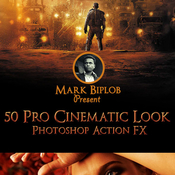
Graphicriver 50 Pro Cinematic Photoshop Action FX 12722446

Name graphicriver_12722446_50_pro_cinematic_photoshop_actions_fx_fluck3r
Size 13.46 MB
Created on 2015-09-09 01:37:07
Hash c538ed1ce245368d9e15c1d564fff118eba0090d
Files [Graphicriver][12722446] 50 Pro Cinematic Photoshop Actions FX [Fluck3r]/Pro Cinematic Action FX.zip (13.46 MB)

Descriptions for Description

Name: 50 Pro Cinematic Photoshop Action FX
Created: 3 September 15
Last Update: 3 September 15
Add-on Files Included: Photoshop ATN
Works With: JPG, RAW
Minimum Adobe CS Version: CS6


Features:

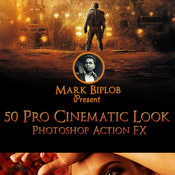
This action is designed to add Cinematic Look to your photos. This Action will work with every photo you use. But, I recommend you to use high resolution photos, if you wanna achieve high quality results.

Cinematic Look Photoshop Action is surprisingly easy to use & it has all necessary options for customization. All you need to do is, Open a photo in Photoshop. Load the Cinematic Fx Action ATN into Photoshop. Choose an action & click the “play” button. Still confused? Not really happy with the result? You can play with the options & Layers. You will find different options to achieve your desired look. :)

The action has been tested and working on Photoshop CS3,CS4,CS5,CS6,CC & CC2014.

This package includes 1 Photoshop ATN file & A Help instruction note file.

This action works in a non-destructive way to achieve a high quality look. So, the original image layer will remain unchanged. :)

Cinematic Look Photoshop Action is exclusively designed for photographers & graphic designers. It’s a must have for photo effect lovers.

The photos used in the preview image are not included for download. Used for illustration purpose only


More information: http://graphicriver.net/item/50-pro-cinematic-photoshop-action-fx/12722446

Screenshots

Graphicriver Animated Kaleidoscope Photoshop Tool 12650952

Name graphicriver_12650952_animated_kaleidoscope_photoshop_tool_fluck3r
Size 155.7 kB
Created on 2015-09-09 01:36:50
Hash b4d394247653096d625548aba94233b4c7d96e66
Files [Graphicriver][12650952] Animated Kaleidoscope – Photoshop Tool [Fluck3r]/[Graphicriver][12650952] Animated Kaleidoscope – Photoshop Tool [Fluck3r].zip (155.7 kB)

Descriptions for Description

Name: Animated Kaleidoscope Photoshop Tool
Created: 31 August 15
Last Update: 7 September 15
Add-on Files Included: Photoshop JSX
Minimum Adobe CS Version: CS


Animated Kaleidoscope Photoshop Tool – ONLY 5$

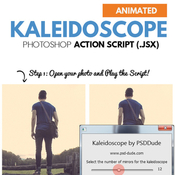
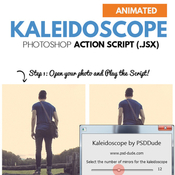
This set contains a Photoshop action script that will allow you to create realistic kaleidoscope effects and also kaleidoscope animations out of any type of image.


The kaleidoscope effect is very realistic looking. You can change the final result using the customization section. Use the Offset to move the image vertical or horizontal. Also you can use the Animation settings to create an animated kaleidoscope GIF.

Realistic Kaleidoscope Effect – up to 24 mirror sides
With Animation Effect included
You can save the result as JPG or animated GIF
Endless Combinations – Unbeatable results
300 DPI Print Ready
Easy to Edit and Customize
No Photoshop Skills Required
created by by PSDDude


More information: http://graphicriver.net/item/animated-kaleidoscope-photoshop-tool/12650952

Screenshots

Graphicriver Photography Business Card-02 12520081

Name graphicriver_12520081_photography_business_card_02_photoshop_project_files_fluck3r
Size 1.34 MB
Created on 2015-09-09 01:36:36
Hash 77b7eeacc8421caa564963eb0ff80ba887f104c3
Files [Graphicriver][12520081] Photography Business Card 02 – Photoshop Project Files [Fluck3r]/[Graphicriver][12520081] Photography Business Card 02 – Photoshop Project Files [Fluck3r].zip (1.34 MB)

Descriptions for Description

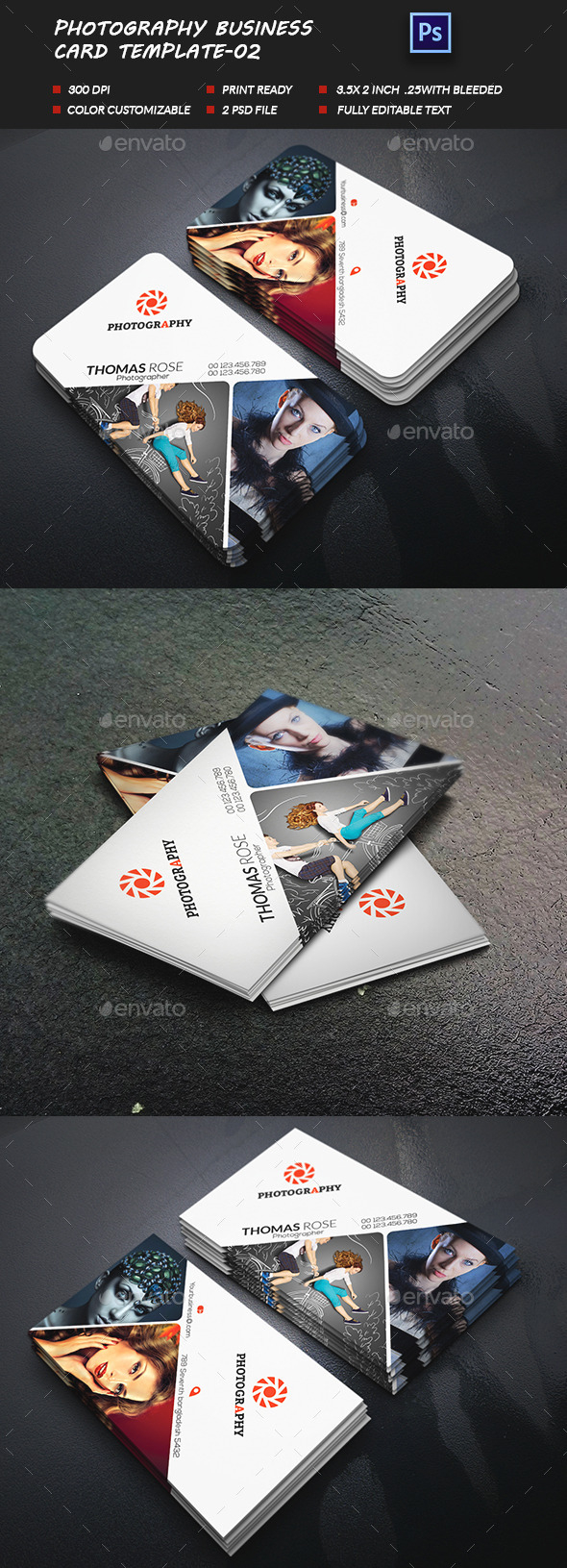
Name: Photography Business Card-02
Created: 21 August 15
Last Update: 21 August 15
Layered: Yes
Graphics Files Included: Photoshop PSD
Minimum Adobe CS Version: CS3
Print Dimensions: 3.5x2


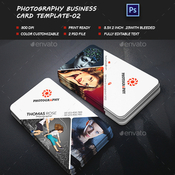
This is Photography business card-02.


Features:

• Easy Customizable and Editable
• Template with 3.75×2.25 with .25 inch bleed
• CMYK Color
• Design in 300 DPI Resolution
• Print Ready Format
• 2 PSD files
• working file adobe ccFiles included:

• 2 PSD files
• 1 Information File
• 1 Read Me File

Font Used:
• nexa-Support:

If you need any help using the file or need special customizing please feel free to contact me via my Graphic river profile. If you have a moment, please rate this item, I’ll appreciate it very much!....Thank you.


More information: http://graphicriver.net/item/photography-business-card02/12520081

Screenshots

Graphicriver Polygonal Alphabet 10938951

Name graphicriver_10938951_polygonal_alphabet_photoshop_project_files_fluck3r
Size 143.7 MB
Created on 2015-09-13 00:30:23
Hash 223d8961c09b5c3dccd529bc6ab4452a62d81de8
Files [Graphicriver][10938951] Polygonal Alphabet – Photoshop Project Files [Fluck3r]/[Graphicriver][10938951] Polygonal Alphabet – Photoshop Project Files [Fluck3r].zip (143.7 MB)

Description

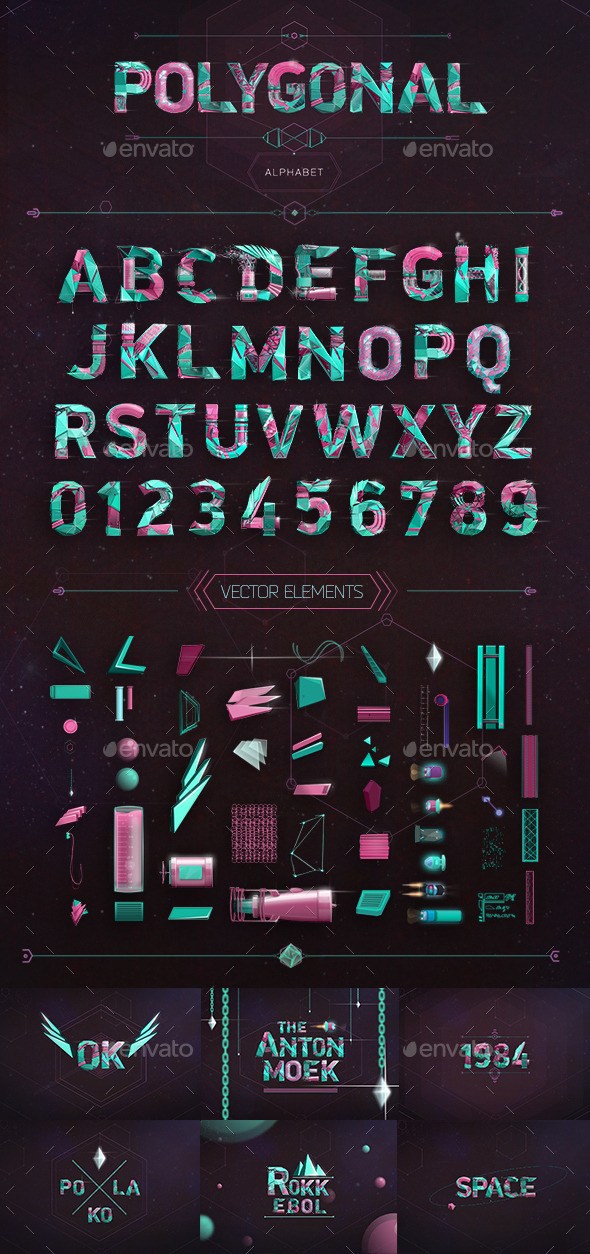
  Name: Polygonal Alphabet  Created: 2 April 15  Last Update: 2 April 15  High Resolution : Yes  Layered: No  Graphics Files Included: Photoshop PSD, Transparent PNG  Minimum Adobe CS Version: CS  Pixel Dimensions: 3200x2400        Digital artwork letters from A-Z and 1-9 figures on a high resolution 3200×2400px +Vector elements pack. PSD file with letters on alpha channel + folder with PNG images. Can be used as constructor for creating logos,introductions,wallpapers etc.        More information: http://graphicriver.net/item/polygonal-alphabet/10938951  

Screenshots

DropZone 3.6.0

Description

Name: Dropzone 3
Version: 3.6.0
Release Date: April 28, 2016
Language: English
Developer: Aptonic Limited
MAS Rating: 4+
Mac Platform: Intel
OS Version: OS X 10.9 or later
Processor type(s) & speed: 64-bit processor


More information: https://aptonic.com/
Mac App Store: https://itunes.apple.com/app/dropzone-3/id695406827?mt=12


Description:
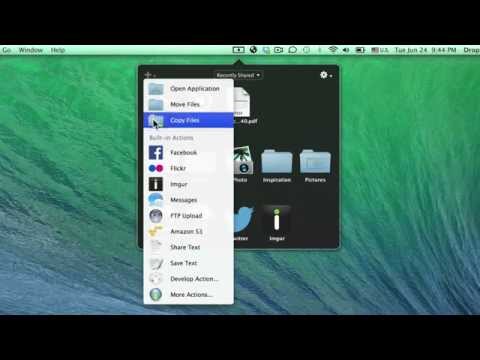
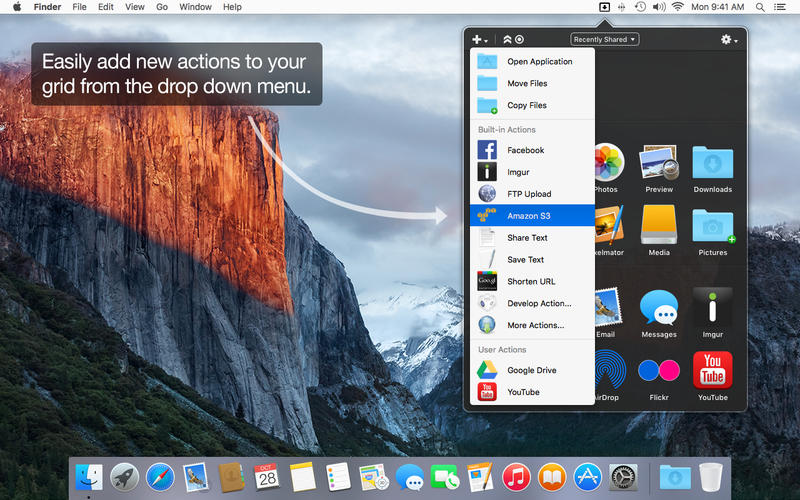
Dropzone makes it faster and easier to copy and move files, open applications and share files with many different services.

Dropzone 3 is a unique and amazing app that's like nothing you've ever used before.
We've paid fanatical attention to every detail and built an app that looks and feels like an integral part of OS X.

Dropzone ships with a powerful scripting API and with a little programming knowledge you can modify any of your actions or even create entirely new ones. This gives Dropzone unlimited extendability and utility. We're always thinking up new actions so Dropzone will become even more useful over time.

Drop Bar is a brand new feature in Dropzone 3 that makes it easy to stash files you know you'll need later. Just drop files on the target and they stick there until you're ready to use them. You can even combine groups of files into stacks and then drop them onto a Dropzone action or onto another app.

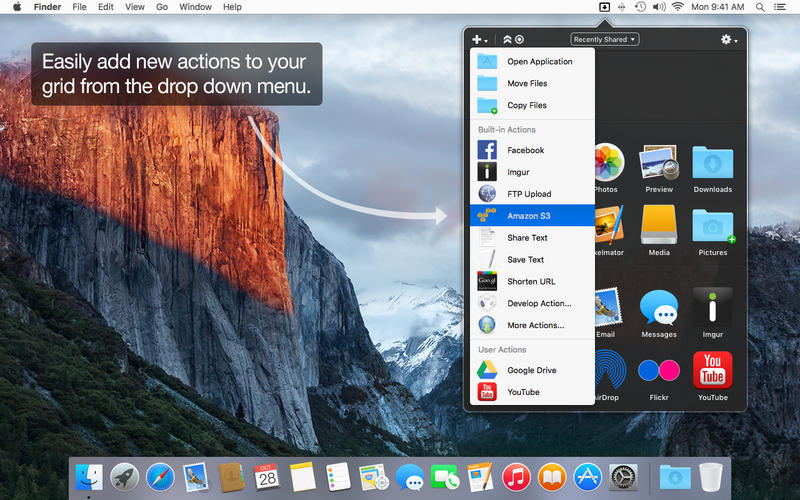
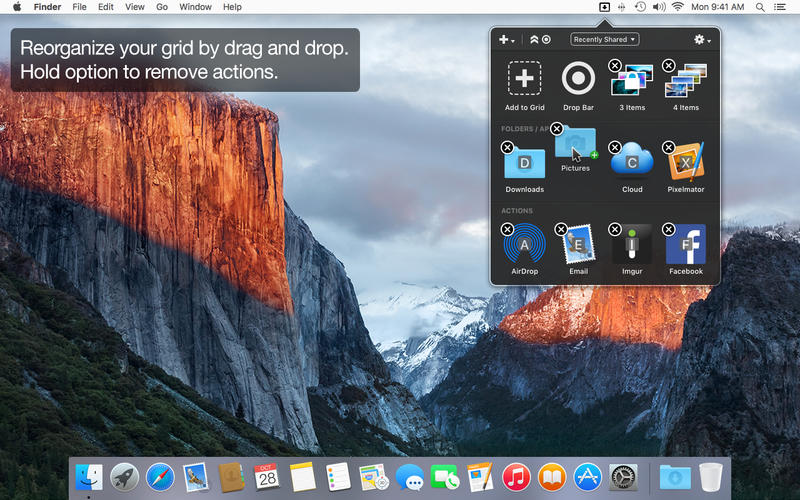
Setup your customizable grid of actions how you want and swap in different actions as your needs change.

Features

• Open applications, move and copy files faster than ever before.

• Share with Twitter, Flickr, Facebook or Messages

• Shorten URLs quickly using the newly added Goo.gl shortener. Just select a URL to shorten and press Ctrl+Option+Cmd+S and the shortened URL is automatically copied to the clipboard.

• AirDrop integration lets you drop files or folders from any app and share them with your other Macs over the network.

• Imgur integration lets you share images fast and get a link for pasting. It even allows you to drop multiple images to create an Imgur album. You can use it with or without an Imgur account and it comes setup and ready to go.

• Upload via FTP and Amazon S3.

• Download and install add-on actions that let you upload to services like Google Drive, YouTube and many others.

• Notification Center notifications let you know when your actions finish.

• Powerful multi-tasking engine allows you to run multiple tasks at once and track the progress of each one through the in-grid task status area.

• See how tasks are progressing at a glance in the animated menu item.

• Reorder your actions quickly via drag and drop.

• Launch Dropzone actions with the newly added keyboard shortcuts feature

• Add applications, folders or actions to your grid easily by dragging and dropping them on the Add to Grid area.

• Develop your own actions using the updated and massively improved Ruby or Python API.

We're always working to improve Dropzone and we're going to bring you many free feature updates and more actions in future. We'd love to hear what you think of the app, you can get in touch via the App Store “Support” link, or tweet us @aptonic.


What's New in Version 3.6.0:
- Updated and improved app design for El Capitan
- New improved dragging system for opening the Dropzone grid
- You can now lock items in Drop Bar so they don't get removed when dragging out
- You can now add items to Drop Bar via the Ruby/Python API using the dz.add_dropbar(file_paths) API call

Bug Fixes

- Updated all bundled ruby gems
- Made new screen top drag area work with menu bar hiding enabled
- Updated Shorten URL action to work with latest Google API gem
- Fixed some dual monitor bugs with new screen top drag area
- Fixed issue where Shorten URL action was failing under OS X 10.10
- Fixed issue where new screen top drag area showed when dragging layers in Photoshop CC
- Fixed issue where saving to keychain could fail
- Fixed issue where task progress bars could display incorrectly
- Fixed issue where grid could show actions incorrectly greyed out after dragging one Drop Bar stack on top of another Drop Bar stack
- Fixed two reported crashes related to Drop Bar

Video

Screenshots

Name DropZone 3.6.0
Size 22.04 MB
Created on 2016-04-29 00:35:53
Tracker http://109.235.50.166:2710/announce
Hash 6ab827d54cbb2cf11d940e3c2680f23da634058f
Files Dropzone 3.6.0 [p].dmg (22.04 MB)

The Walking Dead- Michonne Episode 1-3

Description

Name: The Walking Dead
Version: Episodes 1-3
Language: English, French, German, Spanish, Portuguese-Brazil, Simplified Chinese, Russian.
Developer: Telltale Games

Mac Platform: Intel
OS version: 10.7
Processor type(s) & speed: Intel 64 bit
RAM minimum: 4 GB
Video RAM: 512 MB
Additional Notes: Not recommended for Intel integrated graphics or Mac Minis or early-generation MacBook

More Infos: http://store.steampowered.com/app/429570/


Includes: Pre-K'ed
Courtesy of ACTiVATED


Contains episodes 1 through 3

The 3rd episode named "'What We Deserve" is also the final episode in this mini-series !


Overview
The Walking Dead: Michonne - A Telltale Miniseries stars the iconic, blade-wielding character from Robert Kirkman's best-selling comic books. Haunted by her past, and coping with unimaginable loss and regret, the story explores Michonne's absence between issues #126 and #139 of the comic book.

Includes access to all three episodes (Episode 1 available now, Episode 2-3 coming soon) in this all-new miniseries from the award-winning studio, Telltale Games.

Players will discover what took Michonne away from Rick, Ezekiel, and the rest of her trusted group… and what brought her back.

Trailer

Screenshots

Name The Walking Dead- Michonne Episode 1-3
Size 5.58 GB
Created on 2016-04-27 23:20:10
Tracker http://109.235.50.166:2710/announce
Hash 5d4c4d598476d73d217b49d8a7d0659df624f3bf
Files The Walking Dead Michonne [1-3] – ACTiVATED.dmg (5.58 GB)

FotoMagico 5.0.5

Name FotoMagico 5.0.5
Size 373.0 MB
Created on 2016-04-28 12:43:01
Tracker http://109.235.50.166:2710/announce
Hash af95f5f5e6b0e3c0adcc65d6e6bd5d0461a93a36
Files FotoMagico 5.0.5/FotoMagico 5.0.5.zip (373.0 MB)
FotoMagico 5.0.5/serial.txt.zip (0.68 kB)

Descriptions for Description

Name: FotoMagico 5
Version: 5.0.5
Release Date: April 27, 2016
Languages: English, French, German
Developer: Boinx Software
MAS Rating: 4+
Mac Platform: Intel
OS Version: OS X 10.10 or later
Processor type(s) & speed: 64-bit processor

Includes: Serial
Courtesy of Special K


More information: https://boinx.com/fotomagico
Mac App Store: https://itunes.apple.com/app/fotomagico-5/id1023352572?mt=12


Description:
FotoMagico, used by thousands of professional and amateur photographers around the world, is the easiest way to create a gorgeous slideshow on your Mac, mixing photos with movies and audio, for a storytelling effect like none other. FotoMagico brings photos to life and keeps any audience at the edge of their seats.

UPGRADE INFO: If you previously purchased FotoMagico 3 or 4 from the App Store, please read https://boinx.com/how2upgrade

• Knock the socks of your audience with your live presentations
• Step up your wedding photography game and make the newlyweds happy
• Relive and retell your travel adventures
• Save a lot of time animating stills for your Final Cut Pro X projects
• Spice up your storefront window or Point of Sales signage
• Be endlessly creative and get impressive results quickly
• Make your photos and videos stand out with brilliant quality

FOTOMAGICO 5 HIGHLIGHTS

• Snippets give you a whole new way to compose complex slideshows quickly by simply choosing from a collection of pre-built story parts and adding in your own photos and videos
• Music Snippets keep you out of copyright troubles by providing free to use CC licensed music and the proper attribution
• Animation Assistant lets you choose from a variety of styles to automatically make your slideshow move
• Improved Text Editing and Text Placeholders make it a snap to express yourself. Automatically insert slideshow title, author, music title and artist or filename, EXIF metadata and more to quickly create a portfolio show.
• Audio Marker Assistant helps you to keep music and slides in perfect harmony (Pro Feature via In-App Purchase)
• Audio Volume Envelopes & Fades – the most requested new feature! Use envelopes to make parts of the music softer when you intend to speak, or if video volume should take center stage, or increase volume when you want to enhance the mood. (Pro Feature via In-App Purchase)
• Completely new dark user interface

MORE PRO FEATURES AVAILABLE VIA IN-APP PURCHASE

(The upgrade to Pro is available as an In-App purchase for US$49.99. Owners of previous versions of FotoMagico will receive this In-App Purchase at a reduced price or for free. More info at: https://boinx.com/how2upgrade)

• Timeline View displays the timing of the slideshow in a more intuitive way
• Extra audio track and recording mode for narration
• Direct access to Aperture and Lightroom photo libraries
• Teleprompter view supports you when giving a live presentation
• Chapters let you group your slides for a better overview
• Masks and Borders give you more creative possibilities
• Additional export options: Standalone Player, ProRes video file, custom video format

For more information, please visit our website boinx.com/fotomagico

SUPPORT

If you have questions or feedback, please email us at support@boinx.com or visit the support website boinx.com/connect


What's New in Version 5.0.5:
• Background and foreground images are now correctly rendered when sharing/exporting a slideshow.
• Fixed a crash when entering bogus value in text fields of a popover window.
• When saving a slideshow document, the current language is now always stored, so that multi-lingual titles are always correctly displayed.
• Various performance and stabilty improvements.
• Various small fixes.

Screenshots

Graphicriver Splatter Ink Photoshop Action 12720711

Name graphicriver_12720711_splatter_ink_photoshop_actions_fluck3r
Size 2.33 MB
Created on 2015-09-08 00:58:44
Hash 171145d76b23f8de52fbbe7067c671afb0bd8ea6
Files [Graphicriver][12720711] Splatter Ink – Photoshop Actions [Fluck3r]/[Graphicriver][12720711] Splatter Ink – Photoshop Actions [Fluck3r].zip (2.33 MB)

Descriptions for Description

Name: Splatter Ink Photoshop Action
Created: 3 September 15
Last Update: 3 September 15
Add-on Files Included: Photoshop ABR, Photoshop ATN
Minimum Adobe CS Version: CS3


This action transforms your photos into professional looking ink designs. You have lots of layer control to adjust your results. The action has been tested and working on Photoshop (English version only) CS3,CS4,CS5,CS6,CC, the action will only work on English versions of Photoshop.

I highly recommend you use this action on high resolution photos for the best results.For the best results, it is recommended to use high resolution photos in the range of 1500px – 3500px. The optimal range is from 2000px – 3500px. The detail and clarity in the effects generated by the actions reduce the smaller your photo is, and the images in this preview are not included.


More information: http://graphicriver.net/item/splatter-ink-photoshop-action/12720711

Screenshots

Graphicriver Hipster – Soft Faded Photoshop Action 12713617

Name graphicriver_12713617_hipster_soft_faded_photoshop_actions_fluck3r
Size 183.1 kB
Created on 2015-09-08 00:58:24
Hash c84fc26b539aae4879a237898ccbf72569bd7463
Files [Graphicriver][12713617] Hipster – Soft Faded – Photoshop Actions [Fluck3r]/[Graphicriver][12713617] Hipster – Soft Faded – Photoshop Actions [Fluck3r].zip (183.1 kB)

Descriptions for Description

Name: Hipster - Soft Faded Photoshop Action
Created: 3 September 15
Last Update: 3 September 15
Add-on Files Included: Photoshop ATN
Works With: TIFF, JPG
Minimum Adobe CS Version: CS3


Easy to use Photoshop Action 
• Generate 34 color options and ready to use in a few minutes 
• Just 1 click to generate all effects 
• Easily combine the colors 
• Fully editable layers 
• Well organized layers 
• Non-destructive 
• HDR and sharp effects included 
• This action also generate dirty/grunge textures, light leaks and old photo effects 
• Easy to control the effects


Multi Language. This action is designed using a method for multi language. Treated very carefully in every single step to ensure the scripts can work on any language versions of Photoshop. It has been tested and works perfectly on English and French versions.


More information: http://graphicriver.net/item/hipster-soft-faded-photoshop-action/12713617

Screenshots

Graphicriver Liquid Photoshop Actions 12698355

Name graphicriver_12698355_liquid_photoshop_actions_fluck3r
Size 8.49 kB
Created on 2015-09-08 00:58:10
Hash a0818e2dc545d5edd84d08b141effad44af96e9f
Files [Graphicriver][12698355] Liquid – Photoshop Actions [Fluck3r]/Liquid Photoshop Action.zip (8.49 kB)

Descriptions for Description

FEATURES:

Tested in adobe photoshop CS3, CS4, CS5, CS5.5, CS6, CC+

Just 1 click to transform your photos to realistic look

Very easy to use and edit

Well organized layers

Fully editable layers

Non-destructive actions

Screenshots

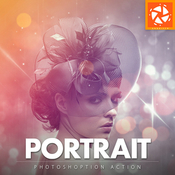
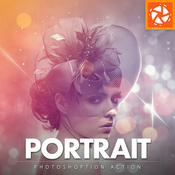
Graphicriver Portrait Photoshop Action 12663235

Name graphicriver_12663235_portrait_photoshop_actions_fluck3r
Size 29.21 kB
Created on 2015-09-08 00:57:52
Hash b90939ac2d4f278d4bb35b8ab375db7bc8d0e86d
Files [Graphicriver][12663235] Portrait – Photoshop Actions [Fluck3r]/Portrait.zip (29.21 kB)

Descriptions for Description

Name: Portrait Photoshop Action
Created: 31 August 15
Last Update: 31 August 15
Add-on Files Included: Photoshop ATN
Works With: TIFF, PSD, JPG
Minimum Adobe CS Version: CS


Add special effects into your photo instantly using Portrait photoshop action. This action will create lots more elements that can be edited manually. After this action finished you can set opacity of layer, set properties, duplicate, move etc. 

Portrait photoshop action created for all users like you. You can use this action for poster, profile, cover or printing maybe. I hopefully you like this one, if you do, dont forget to rate and set to your favorite. 

The action will only work in the English version of Photoshop. If you are not using the English version of Photoshop, you can always change it to English and then back again to your native language using this method. 


- All Images in the preview are not included at the zip file - For the best results, it is recommended to use high resolution photos in the range of 2500px – 3500px. The optimal range is from 2000px – 3500px. The detail and clarity in the effects generated by the actions reduce the smaller of your photo. 


Each action is thoroughtly teste across between 50 – 100 different photos to ensure there are no errors. In this case where you do experience an error. Contact me via email if you area still having troubles. 


After each action has finished playing, it creates a well organized layer structure. Each layer and folder are named appropriately and color coded to create a neat working environtment for you. 

Not only is the layer structure organised, each action comes with a highly detailed video tutorial teaching you about how each layer affects the design and how you can make customisations to it. So you can check my youtube channel here: https://www.youtube.com/channel/UCYE6Kv3Oz9lNGRr7mGWmM_Q


All my photoshop action are designed to save your hours, days, weeks or month of work. They area created in a way that booth photoshop beginners and experts can use it, saving you lots of time working on both personal or commercial projects. 


If you own multiple actions, have you thought about stacking the effects to build even more advanced designs?. Below there are over 50 actions to choose from – this is where you can get really creative! 

Tips how to combine the actions:

1. Run the first action on your photo.
2. One you are happy with the design, save your image out.
3. Now re-open your image and run another action!

You can then use the second actions layer flexibility to furher customize the design. You can follow this process and stack effects to build incredibly detailed designs with very little work. 


More information: http://graphicriver.net/item/portrait-photoshop-action/12663235

Video Tutorial

Screenshots

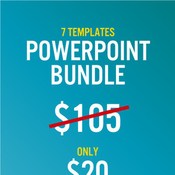
Graphicriver Powerpoint Mega Bundle Templates 12329068

Name graphicriver_12329068_powerpoint_mega_bundle_templates_fluck3r
Size 1.51 GB
Created on 2015-09-09 01:33:25
Hash 03efada34268c188bbe38bc17eee54e43a14c8b9
Files ※ See Files

Description

  Checkout what inside the package! (click for more detail) :    PowerPoint 7 (RealWording)  PowerPoint 6 (Excellent)  PowerPoint 5 (Perfect)  PowerPoint 4 (Ultimate)  PowerPoint 3 (Global)  PowerPoint 2 (Minimal)    http://graphicriver.net/item/multipurpose-powerpoint-presentation-vol-01/6494920  PowerPoint 1 (CleanPoint)      More information: http://graphicriver.net/item/powerpoint-mega-bundle-/12329068  

Screenshots

Files

  [Graphicriver][12329068] Powerpoint Mega Bundle - Templates [Fluck3r]/Powerpoint Presentation 1 (Clean Point).zip (68.85 MB)  [Graphicriver][12329068] Powerpoint Mega Bundle - Templates [Fluck3r]/Powerpoint Presentation 2 (Minimal).zip (59.33 MB)  [Graphicriver][12329068] Powerpoint Mega Bundle - Templates [Fluck3r]/Powerpoint Presentation 3 (Global).zip (9.35 MB)  [Graphicriver][12329068] Powerpoint Mega Bundle - Templates [Fluck3r]/Powerpoint Presentation 4 (Ultimate).zip (59.42 MB)  [Graphicriver][12329068] Powerpoint Mega Bundle - Templates [Fluck3r]/Powerpoint Presentation 5 (Perfect).zip (406.8 MB)  [Graphicriver][12329068] Powerpoint Mega Bundle - Templates [Fluck3r]/Powerpoint Presentation 6 (Excellent).zip (609.6 MB)  [Graphicriver][12329068] Powerpoint Mega Bundle - Templates [Fluck3r]/Powerpoint Presentation 7 (RealWording).zip (299.7 MB)  

Path Finder 7.3.3 [TNT]

Description

Name: Path Finder for Mac
Version: 7.3.3
Release Date: 28 Apr 2016
Mac Platform: Intel
OS version:OS X 10.7 or later 
Processor type(s) & speed: 64-bit


Web Site: http://cocoatech.com/pathfinder/
MacUpdate: http://www.macupdate.com/app/mac/6371/path-finder


Overview:
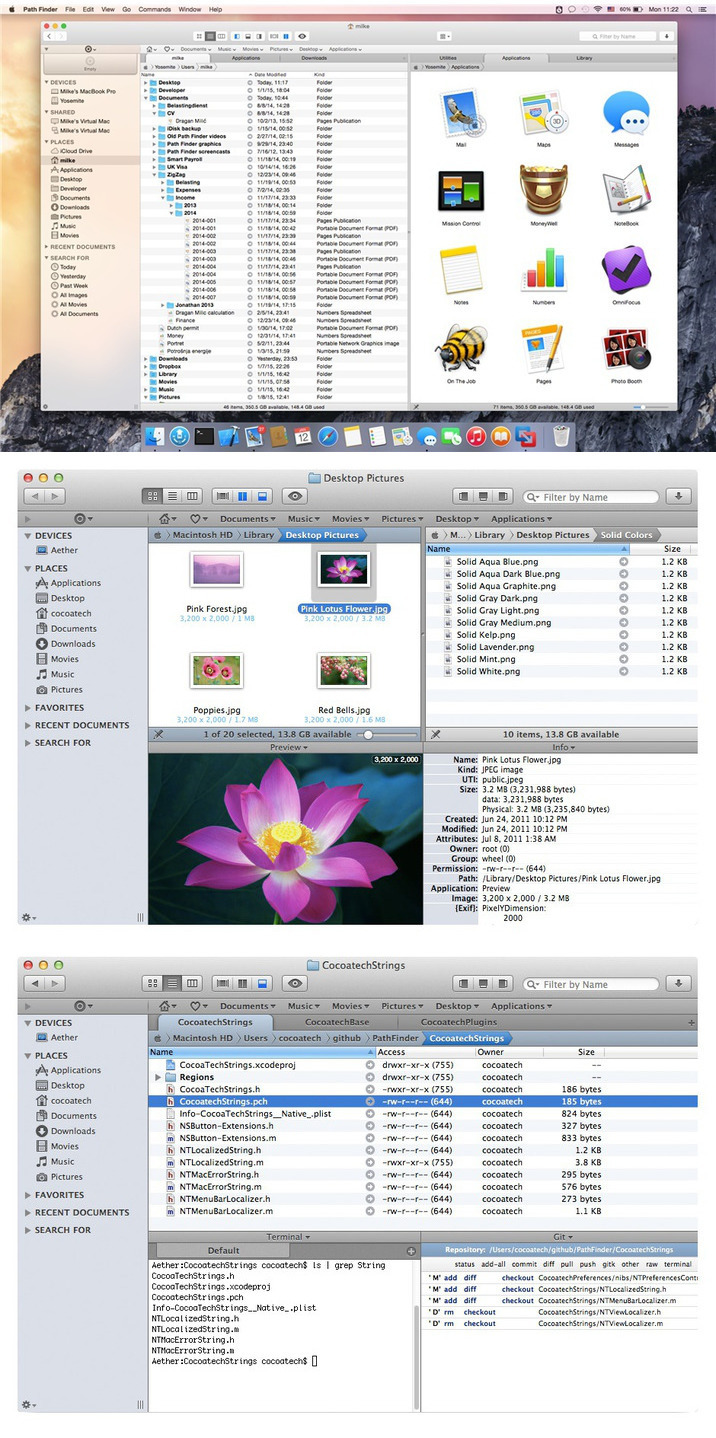
Path Finder makes you a master of file management. Take full control over your file system. Save your time: compare and synchronize folders, view hidden files, use Dual Pane and full keyboard navigation to browse your file system. Work how you want: extreme customization allows you to access most tools in many different ways to suit your workflow. Work seamlessly with other platforms: don't leave any hidden .DS_Store files on non-Mac volumes, delete files securely and completely with the powerful delete feature from any volume type, search any network volume.


Features 
 ・View and manipulate hidden files 
・Dual Pane View 
・Full keyboard navigation 
・Folder comparison and synchronization 
・Folder merging 
・Batch renaming 
・Powerful file filtering 
・One-click dual-pane copy 
・Bookmarks and Tab Presets 
・ACL editor 
・File tagging 
・Editable Path Navigator 
・Powerful low-level search 
・Smart sorting 
・Advanced selection 
・Integrated terminal 
・Integrated text and image editors 


What's New in Version 7.3.3:
・Path Finder is now compatible with iTerm2 v3 as an external terminal application. 
・Improved terminal preferences (open in new window/tab), which now work for external terminal applications too. 
・Fixed toolbar items menu updates. 
・Other minor fixes and tweaks.

Screenshots

Name Path Finder 7.3.3
Size 19.29 MB
Created on 2016-04-27 23:43:19
Tracker http://109.235.50.166:2710/announce
Hash f55a631b982e2c5cc242e2d63da8be814a54eb9d
Files Path Finder 7.3.3 [TNT].dmg (19.29 MB)

RightFont 3.2.1

Description

Name: RightFont for Mac
Version: 3.2.1
Release Date: 27 Apr 2016
Mac Platform: Intel
OS version:OS X 10.10 or later 
Processor type(s) & speed: 64-bit

More info: http://rightfontapp.com/


Overview:
RightFont is a lightweight font manager with a clean, beautiful interface. It offers many features which help you manage all your local fonts with ease. 

・Font-management access anytime directly from your menubar 
・Mark any font as starred with a click 
・Create and manage font lists 
・Access fonts directly in Adobe Creative Cloud (Photoshop, Illustrator, InDesign, Flash, AfterEffect), Sketch, etc. 
・Instant search results as you type 
・Change font preview and font size in real-time 
・Find the right font faster 
・Easily filter fonts by classifications (sans serif, serif, script, etc.), font width and font weight. Even Google fonts and Adobe TypeKit fonts are listed separately for you. 
・Effortless integrations - You can use RightFont with design software. With a simple double-click, the font used in your text layer can be changed. 


What's New in Version 3.2.1:
・Fixed the font auto-activation issue with InDesign
・Fixed the issue that Photoshop may cannot open PSD file while RightFont is running
・Fixed the window level issue

Video

Screenshots

Name RightFont 3.2.1
Size 5.27 MB
Created on 2016-04-27 23:38:23
Tracker http://109.235.50.166:2710/announce
Hash b83583344337f3471070cc328b6731debc36116e
Files right font.zip (5.27 MB)

MacX Video Converter Pro 5.9.2

Name MacX Video Converter Pro 5.9.2
Size 33.21 MB
Created on 2016-04-27 23:12:10
Tracker http://109.235.50.166:2710/announce
Hash 3fe51109632b1e48fa5b2e9c2c31e7259874bbd8
Files MacX Video Converter Pro.2/MacXCOREKG.zip (470.4 kB)
MacX Video Converter Pro.2/macx-video-converter-pro-version.dmg (32.74 MB)

Descriptions for Description

Name: MacX Video Converter Pro
Version: 5.9.2
Mac Platform: Intel
OS version: OS X 10.6 or later
Processor type(s) & speed: 64-bit processor
RAM minimum: 4G

Includes: KG


More info: http://www.macxdvd.com/mac-video-converter-pro/


Overview
The feature-rich video converter for Mac makes it easier than ever to repackage your favorite videos, TV shows and recorded videos for playback on your iPhone iPad Android, with 32X faster speed and intact quality. Just enjoy video on your mobile devices whenever, wherever, in no time.

With 320+ video and 50+ audio codecs packed in, MacX Video Converter Pro takes care of all of your video and audio converting needs. It gives you the easiest solution to convert web video, films, tv shows, video clip, recorded video to MP4, MOV, MPEG, FLV, AVI, H.264, MKV, M2TS, AVCHD, VOB, MP3, WAV, FLAC, ALAC, etc without compromising quality.

MacX Video Converter Pro makes perfect optimization for HD 1080p and 720p video encoding and decoding. Its built-in High Quality Engine helps to reduce noise and adjust definition, endowing your output video file with the crispest and sharpest image while delivering 32X faster real time converting speed compared to other similar tool.

As a best-in-class HD video converter for Mac, MacX Video Converter Pro gives you thorough control over you HD videos, helping you convert Multi-track HD video like M2TS, MKV, AVCHD, HDTV BDAV and MPEG-TS and choose any audio language track based on personal needs. It offers you ultimate solution to convert the HD videos to the formats supported by multimedia players while keep great balance between file size and output quality, so that you can watch them flawlessly on iPhone iPad Android smartphones and tablets.


What's New in Version 5.9.2:
Added new profile for the iPhone SE and the 9.7-inch iPad Pro

Screenshots

Graphicriver Twisted Photo Effect 12596490

Name graphicriver_12596490_twisted_photo_effect_photoshop_actions_fluck3r
Size 0.92 kB
Created on 2015-09-02 19:43:09
Hash 318e719be1dd707c32edfb4ef3c289fa23391ea2
Files [Graphicriver][12596490] Twisted Photo Effect – Photoshop Actions [Fluck3r]/Twisted.zip (0.92 kB)

Descriptions for Description

Name: Twisted Photo Effect
Created: 26 August 15
Last Update: 26 August 15
Add-on Files Included: Photoshop ATN
Works With: JPG
Minimum Adobe CS Version: CS3


Twisted photo effect Photoshop Action

INSTRUCTIONS:

• Open Photoshop
• On the “Window” tab, click “Actions”, once the window has opened you will see an arrow pointing right in the top right hand corner, click on and select “Load Actions”
• Select action and click the play button
• Tested on english versions of Photoshop CS2, CS3, CS4, CS5, CS6, CC, CC 2014 and CC 2015 

FEATURES:

• Just 1 click use
• Easy to use 
• Works with all resolutions and DPI INCLUDING:

• Photoshop ATN action file
• User guide TXT file


More information: http://graphicriver.net/item/twisted-photo-effect/12596490

Screenshots

Graphicriver Pure Art Image Beautification 7817697

Name graphicriver_7817697_pure_art_image_beautification_bonus_photoshop_actions_fluck3r
Size 93.80 MB
Created on 2015-09-02 19:42:44
Hash 340804bc42f51b08a15195d929a151b518aab9fd
Files [Graphicriver][7817697] Pure Art Image Beautification + Bonus – – Photoshop Actions [Fluck3r]/Pure Art Image Beautification.zip (3.07 kB)
[Graphicriver][7817697] Pure Art Image Beautification + Bonus – – Photoshop Actions [Fluck3r]/[BONUS] GlassOfBeer.zip (93.80 MB)

Descriptions for Description

Name: Pure Art Image Beautification
Created: 28 May 14
Last Update: 28 May 14
Add-on Files Included: Photoshop ATN
Works With: TIFF, PSD, CMYK, MP4
Minimum Adobe CS Version: CS4


PACKAGE DETAILS:

• Package name: Pure Art Image Beautification 
• Software version: Photoshop CS5
• Copyright: May 23, 2014
• Author: Charles Brown
• Items: – ATN file 
• Complexity: Well-labeled ‘ACTION’ operation and easy to modify to suit your need. Your main image stays unharmed and the final drawing is transparent, thereby giving you the chance to place it on any background.PACKAGE QUALITY:

• - A professional vivid imaging
• - Unbeatable quality result
• - 100% customizable
• - Digital Lab Tested

From the Maker of some of the best image actions across the web comes an outstanding and 
professional Photoshop action that will auto-blend, beautify and bring your photograph and 
design to life. It will lighten shadows, enhance midtones, contour, curves and will blend 
the details and colors. With this package your image will never be the same.

No skill required. Just ONE click away.We are determined to give you nothing but the best! Go for the best!

Please take your time to see my other awesome items you will like. Thanks!


More information: http://graphicriver.net/item/pure-art-image-beautification/7817697

Screenshots

Graphicriver – Furious – Photoshop Action 12610688

Name graphicriver_12610688_furious_photoshop_action_fluck3r
Size 13.76 kB
Created on 2015-09-02 19:36:21
Hash 70cee02a80bcceef129c9643f156c96a12ee44da
Files [Graphicriver][12610688] Furious – Photoshop Action [Fluck3r]/Furious Photoshop Action.zip (13.76 kB)

Descriptions for Description

FEATURES:

Tested in adobe photoshop CS3, CS4, CS5, CS5.5, CS6, CC+

Just 1 click to transform your photos to realistic look

Very easy to use and edit

Well organized layers

Fully editable layers

Non-destructive actions

Screenshots

Graphicriver Burn 2 Photoshop Action 12603487

Name graphicriver_12603487_burn_2_photoshop_actions_fluck3r
Size 3.80 MB
Created on 2015-09-02 19:36:05
Hash bd279a725f09884de5645f8f34f525b6f8958cd2
Files [Graphicriver][12603487] Burn 2 – Photoshop Actions [Fluck3r]/[Graphicriver][12603487] Burn 2 – Photoshop Actions [Fluck3r].zip (3.80 MB)

Descriptions for Description

Name: Burn 2 Photoshop Action
Created: 26 August 15
Last Update: 26 August 15
Add-on Files Included: Photoshop ATN
Minimum Adobe CS Version: CS3


Burn 2 Action – it’s second version of the Burn action. Here you can draw the area where you would like to see the fire. In this effect uses photorealistic flames, smoke and glowing particles. After action finishing work you can change the colors of any elements, as well as brightness and contrast of the flame. And the built-in setting help you to add color tone to all image for creation amazing result.


This action created and optimized for use on Photoshop CS3, CS4, CS5, CS6, CC and ONLY FOR THE ENGLISH VERSION OF PHOTOSHOP. How to change language WATCH HERE: https://www.youtube.com/watch?v=GJAiu5W2gLE


This action has been created and optimized for use on Photoshop CS3, CS4, CS5, CS6, CC and ONLY FOR THE ENGLISH VERSION OF PHOTOSHOP. 


If you have any problems with this action please visit the help page, where you will find answers to FAQs and recommendations for getting the most out of my actions. If you can’t find the answer to your question, and you’re still having trouble, please contact me by e-mail: eugenedesign19@gmail.com

How to configure Photoshop to work with actions.

1. Make sure you are using the English version of Photoshop. Each action has been created and optimized to work only with the English version of Photoshop, so please make sure that you are using this version. If not, don’t worry: you can change the language of your version of Photoshop to English (and switch back again) using this method


By the way, my best selling Double Exposure Action has recently been updated, and you can now use it with the English, German, French, Italian and Spanish versions of Photoshop.

2. Use the RGB Mode and 8 Bits color. To check these settings, go to Image->Mode and check the “RGB color” and “8 Bits/Channel”.

3. Make sure that the option “Add ‘copy’ to Copied Layers and Groups” is turned on. This option applies only to CS5 and later versions of Photoshop. On the “LAYERS” panel, click on the menu icon, go to “Panel Options…”, and check that the “Add ‘copy’ to Copied Layers and Groups” is turned on.

4. Use a photo with 72dpi or higher. If you are using a photo with less than 72dpi, the action will not function correctly. To fix this, go to Image->Image Size and increase the resolution value.

5. Set the Opacity of brush to 100%. Set the Opacity of the brush to 100%. Select the “Brush Tool” and move the opacity slider to 100%.

How to combine my actions?

1. Open your photo

2. Play the first action

3. Save the result as an image

4. Open the previously saved image

5. Play the second action

Photos used in preview are not included.


More information: http://graphicriver.net/item/burn-2-photoshop-action/12603487

Instruction

Screenshots

FCPX Audio Effector – Professional Audio Visualizer for FCPX – Pixel Film Studios

Description

Audio Visualizer for FCPX

Create organized chaos with the FCPX: Audio Effector from Pixel Film Studios. Scale, bump, colorize, spin, and flash your media to the beat of music without ever having to set a keyframe in FCPX. Users simply have to import their media, choose a song file, and customize the look.

The FCPX: Audio Effector requires Final Cut Pro X version 10.1.4 or newer.

Audio Visual Tools with FCPX: Audio Effector in Final Cut Pro X

Auto BPM Detection

Based on popular music videos and dj backgrounds, The Audio Effector was designed to help users create metric edits that will perfectly match the beat of their favorite song. FCPX editors can simply choose a wav audio file and the FCPX Audio Effector will automatically detect the BPM of the track.

Sync Media to Audio Wav File

Once users have their media and music in place, they can go to the FCPX Inspector window to choose what parameters they want to react to the beat. Editors can make the scale, position, rotation, color and opacity of their media change with the tempo of their music.

Works with Video & Images

The FCPX: Audio Effector works with photos, text and video footage. Editors can utilize the easy to use drop zones to attach their media to the generator, choose a song, and get ready to drop it hard. Audio visualization has never been so easy in Final Cut Pro X!

Designed for Final Cut Pro X

The FCPX: Audio Effector was professionally designed to work inside Final Cut Pro X. Users simply have to choose their media, select their song, and use the FCPX Inspector window to calibrate the look. Don’t go easy with this effect! Drop it as hard as your beat!

More information: http://store.pixelfilmstudios.com/product/fcpx-audio-effector/

Name fcpx_audio_effector_professional_audio_visualizer_for_fcpx_pixel_film_studios
Size 2.23 MB
Created on 2016-04-27 03:44:44
Hash 420f92bf730b9e4918aa4404b1fbd532ee7525be
Files PIXEL FILM STUDIOS – FCPX AUDIO EFFECTOR.zip (2.23 MB)

Email Archiver Enterprise 3.3.3

Description

Name: Email Archiver Enterprise
Version: 3.3.3
Release Date: April 20, 2016
Language: English
Developer: Palmer Andersen
MAS Rating: 17+
Mac Platform: Intel
OS Version: OS X 10.9.0 or later
Processor type(s) & speed: 64-bit processor

Includes: Pre-K'ed
Courtesy of TNT Team.


More information: http://emailarchiverpro.com
Mac App Store: https://itunes.apple.com/app/email-archiver-enterprise/id1045736238?mt=12


Description:
Email Archiver Enterprise creates a future-proof, accessible, searchable, archive of all your emails in unlimited email accounts. Preserve and protect all inbound and outbound email messages (as well as attachments and metadata) with Email Archiver Pro Enterprise today.

Archiving made simple.
Archive unlimited email accounts and folders with the press of a button.

Find stuff easily.
Email Archiver Enterprise turns all your emails (or just the folders you select) into searchable PDF’s with attachments.

Reduce bulk in your inbox
Email Archiver Enterprise frees up space and allows you to make sure your conversations are backed up and easily searchable.

Email Archiver Enterprise Includes:
Unlimited Email Addresses
Unlimited Emails
Unlimited Attachments
Setup Assistance
Advanced Email Account Management

Screenshots

Name Email Archiver Enterprise 3.3.3
Size 4.67 MB
Created on 2016-04-25 23:31:38
Tracker http://109.235.50.166:2710/announce
Hash d8c6a5a9c46d2c51345a66c9a205a9a57da54561
Files Email Archiver Enterprise 3.3.3/Email Archiver Enterprise 3.3.3.zip (4.67 MB)

KONTAKT REWIND VOL.2 [PC/MAC]

Description

8Dio Zeus Drum KONTAKT
Audiobro LASS First Chair 2.0 KONTAKT
Audiobro Legato Sordino 2.0.1 KONTAKT
Gospel Musicians Neo Soul Keys 3 KONTAKT
Ilya Efimov LP Electric Guitar KONTAKT
Ilya Efimov TC Electric Guitar KONTAKT
StudioLinkedVST Maybach Empire KONTAKT
StudioLinkedVST Ultimate Leads Urban Rack KONTAKT
StudioLinkedVST Urban Music Theory Collection Chord Machine and Melody Machine KONTAKT
USB Virtual Analog Vol.3 Nord Lead 1 KONTAKT

VOL-2 COLLECTION OF KONTAKT PACKS THAT U MIGHT OF MISSED

Files

KONTAKT REWIND-VOL-2/8Dio Zeus Drum KONTAKT/Zeus.Drum.part1.rar (1.95 GB)
KONTAKT REWIND-VOL-2/8Dio Zeus Drum KONTAKT/Zeus.Drum.part2.rar (1.95 GB)
KONTAKT REWIND-VOL-2/8Dio Zeus Drum KONTAKT/Zeus.Drum.part3.rar (1.71 GB)
KONTAKT REWIND-VOL-2/Audiobro LASS First Chair 2.0 KONTAKT/3472.rar (1.24 GB)
KONTAKT REWIND-VOL-2/Audiobro Legato Sordino 2.0.1 KONTAKT/Sordino.part1.rar (3.22 GB)
KONTAKT REWIND-VOL-2/Audiobro Legato Sordino 2.0.1 KONTAKT/Sordino.part2.rar (2.53 GB)
KONTAKT REWIND-VOL-2/Gospel Musicians Neo Soul Keys 3 KONTAKT/Gospel.Musicians.Neo.Soul.Keys.3X.KONTAKT-MAGNETRiXX.part1.rar (4.19 GB)
KONTAKT REWIND-VOL-2/Gospel Musicians Neo Soul Keys 3 KONTAKT/Gospel.Musicians.Neo.Soul.Keys.3X.KONTAKT-MAGNETRiXX.part2.rar (1.50 GB)
KONTAKT REWIND-VOL-2/Ilya Efimov LP Electric Guitar KONTAKT/Ilya_Efimov_-_LP_Electric_Guitar_KONTAKT.rar (4.32 GB)
KONTAKT REWIND-VOL-2/Ilya Efimov TC Electric Guitar KONTAKT/Ilya_Efimov_-_TC_Electric_Guitar_KONTAKT.rar (3.05 GB)
KONTAKT REWIND-VOL-2/StudioLinkedVST Maybach Empire KONTAKT/MaybachEmpire.K.part1.rar (1.95 GB)
KONTAKT REWIND-VOL-2/StudioLinkedVST Maybach Empire KONTAKT/MaybachEmpire.K.part2.rar (1.95 GB)
KONTAKT REWIND-VOL-2/StudioLinkedVST Maybach Empire KONTAKT/MaybachEmpire.K.part3.rar (319.9 MB)
KONTAKT REWIND-VOL-2/StudioLinkedVST Ultimate Leads Urban Rack KONTAKT/Ultimate.Leads.part1.rar (1.95 GB)
KONTAKT REWIND-VOL-2/StudioLinkedVST Ultimate Leads Urban Rack KONTAKT/Ultimate.Leads.part2.rar (1.95 GB)
KONTAKT REWIND-VOL-2/StudioLinkedVST Ultimate Leads Urban Rack KONTAKT/Ultimate.Leads.part3.rar (887.7 MB)
KONTAKT REWIND-VOL-2/StudioLinkedVST Urban Music Theory Collection Chord Machine and Melody Machine KONTAKT/Urban.Music.Theory.Coll.rar (1.83 GB)
KONTAKT REWIND-VOL-2/Torrent downloaded from Demonoid.ooo.txt (0.05 kB)
KONTAKT REWIND-VOL-2/USB Virtual Analog Vol.3 Nord Lead 1 KONTAKT/Vol.3NordLead1.rar (290.6 MB)

Name KONTAKT REWIND-VOL-2
Size 36.79 GB
Created on 2016-04-24 02:38:55
Hash 4b99f1515140732956a33bdbac52e843388f401f
Files ※ See Files

Graphicriver Professional Photoshop Actions 13325119

Name Graphicriver Professional Photoshop Actions 13325119
Size 789.4 kB
Created on 2015-10-20 19:44:50
Hash a607c8d5ab71796d86aae33f6dd910f1f40a1075
Files Graphicriver Professional Photoshop Actions 13325119/Professional Photoshop Actions 13325119.tgz (789.0 kB)
Graphicriver Professional Photoshop Actions 13325119/Torrent Downloaded From ExtraTorrent.cc.txt (0.35 kB)
Graphicriver Professional Photoshop Actions 13325119/Torrent downloaded from demonoid.pw.txt (0.05 kB)

Descriptions for Description

Graphicriver Professional Photoshop Actions 13325119
Photoshop ATN | 769 Kb

Screenshots

Graphicriver Grand Photo Effect 13182394

Name Graphicriver Grand Photo Effect 13182394
Size 4.40 kB
Created on 2015-10-20 19:44:34
Hash 69d880bc79548d818730ed0bf109202ddee27c01
Files Graphicriver Grand Photo Effect 13182394/Grand Photo Effect.tgz (4.00 kB)
Graphicriver Grand Photo Effect 13182394/Torrent Downloaded From ExtraTorrent.cc.txt (0.35 kB)
Graphicriver Grand Photo Effect 13182394/Torrent downloaded from demonoid.pw.txt (0.05 kB)

Descriptions for Description

Graphicriver Grand Photo Effect 13182394
Photoshop ATN | 4 Kb

Screenshots

Graphicriver Dusted Photoshop Action 13302462

Name Graphicriver Dusted Photoshop Action 13302462
Size 22.95 kB
Created on 2015-10-20 19:44:19
Hash 1ae0ae140e5e72c876b3bc0c1277c764c385afd3
Files Graphicriver Dusted Photoshop Action 13302462/Graphicriver Dusted Photoshop Action 13302462.tgz (22.55 kB)
Graphicriver Dusted Photoshop Action 13302462/Torrent Downloaded From ExtraTorrent.cc.txt (0.35 kB)
Graphicriver Dusted Photoshop Action 13302462/Torrent downloaded from demonoid.pw.txt (0.05 kB)

Descriptions for Description

Name: Dusted Photoshop Action
Created: 16 October 15
Last Update: 2 March 16
Add-on Files Included: Photoshop ATN
Minimum Adobe CS Version: CS3


Features:

・Action keeps original image untouched;
・Useful from 2000px to 5000px width images;
・Fully structured and editable PSD-file;
・4 directions
・11 correction layers;
・Separated background, dust and correction actions;
・Unlimited results;


Action has been tested and works in CS6, CC, CC 2014, CC 2015 versions. Accented Toning works only in English version Photoshop.


The package contains 2 files:

・Dusted.ATN;
・readme.TXT;


More information: http://graphicriver.net/item/dusted-photoshop-action/13302462

Video tutorial

Screenshots

Graphicriver Dispersionum PS Actions Bundle 13300930

Name Graphicriver Dispersionum PS Actions Bundle 13300930
Size 148.7 kB
Created on 2015-10-20 19:44:00
Hash a50d1bea9fbe5a00a6dfff66627318bced647457
Files Graphicriver Dispersionum PS Actions Bundle 13300930/Graphicriver Dispersionum PS Actions Bundle 13300930.tgz (148.3 kB)
Graphicriver Dispersionum PS Actions Bundle 13300930/Torrent Downloaded From ExtraTorrent.cc.txt (0.35 kB)
Graphicriver Dispersionum PS Actions Bundle 13300930/Torrent downloaded from demonoid.pw.txt (0.05 kB)

Descriptions for Description

Name: Dispersionum PS Actions Bundle
Created: 16 October 15
Last Update: 18 February 16
Add-on Files Included: Photoshop ATN
Works With: JPG
Minimum Adobe CS Version: CS3


DISPERSIONUM BUNDLE

Includes 4 actions:PIXELUM (5$) – ultimate Photoshop ACTION Pro with effect of digital dispersion. 4 actions with different directions – UP, LEFT, RIGHT, DOWN. Only brush the area, choose the direction and click play.

http://graphicriver.net/item/pixelum-ps-action/10682693


FRAGMENTUM (5$) – awesome Photoshop ACTION Pro with effect of breaking and shooting pieces of the object on your photo. 4 actions with different directions – UP, LEFT, RIGHT, DOWN. Very simple to use – only brush the area, choose the direction and click play. One click action.

http://graphicriver.net/item/fragmentum-ps-action/10775357


BUBBLUM (5$) – wonderful Photoshop ACTION Pro with effect of bubbles around the object on your photo. 4 actions with different directions – UP, LEFT, RIGHT, DOWN. Very simple to use – only brush the area, choose the direction and click play. One click action.

http://graphicriver.net/item/bubblum-ps-action/11094256


TORNADUM (5$) – BESTSELLER Photoshop ACTION Pro with effect of powerful tornado wich breaking and shooting pieces of the object on your photo. 4 actions with different directions – UP, LEFT, RIGHT, DOWN. Very simple to use – only brush the area, choose the direction and click play. One click action.

http://graphicriver.net/item/tornadum-ps-action/11257291


This actions created on Photoshop CS5, tested and working on Photoshop CS3,CS4,CS5,CS6,CC (only English versions). If you are not using the English version, you can switch your Photoshop in English, play the action and return to your language back.How to do it – https://www.youtube.com/results?search_query=How+to+change+language+on+Photoshop+to+english.


FOR THE BEST RESULT, IT IS RECOMMENDED TO USE

photo sizes between 1000–4000px (recommended 2000-3000px)
photo resolution between 240-300dpi (recommended 300pdi)


More information: http://graphicriver.net/item/dispersionum-ps-actions-bundle/13300930

Screenshots

Telestream Wirecast Pro v6.0.7

Description

Name: Wirecast
Version: Pro 6.0.7
Language: Multilangual
Mac Platform: Intel
OS Version: OS X 10.9 or later
Processor type(s) & speed: 64-bit processor

Includes: Keygen


More information: http://www.telestream.net/


Overview
Everything you need to stream live video from your desktop to the world! Wirecast lets you capture an unlimited number of input devices from live camera feeds, iOS cameras (coming soon), computer desktop, Web feeds, and more. Then add polish and professionalism to your broadcast with live switching, transitions, titles, lower thirds, and more.	

Capture your content.
- Capture unlimited number of input devices from live camera feeds
- NEW! iOS 8 cameras, computer desktop, web feeds and more.

Produce your show.
Add polish and professionalism to your broadcast with live switching, transitions, titles, lower thirds and more.

Stream it live.
Use the built in multiformat encoding capabilities and easily stream to integrated streaming services and CDNs.

Live Events / Entertainment
Live stream conferences, concerts, interviews and more. Wirecast provides everything you need to stream professional live events. Add multiple cameras, including iOS devices; create composite shots with graphics and transitions; and live encode and stream to your favorite streaming destination.

News / Sports
For a fraction of the cost of traditional broadcast hardware, Wirecast allows you to quickly and easily broadcast breaking news and live sports. Carry Wirecast on a laptop for remote newsgathering and production. For sports, use integrated scoreboards and replay for high quality live streams.

Education
Live stream your lectures, interviews, workshops for professional development or student instruction. Using Wirecast, anyone can now create professional live streamed broadcasts for sharing live or on-demand via the web with just a camera, a computer and an internet connection.

Houses of Worship
Engage and expand your remote congregation with live streams of your services and events. Easily train volunteers to use Wirecast to switch between multiple cameras, add graphics and even record a version for on-demand viewing. Wirecast is a flexible software solution that can be used on existing hardware.

Requirements: OS X 10.9 Mavericks and later, including OS X 10.11 El Capitan


▬▬▬▬▬▬▬▬▬▬▬▬▬▬▬▬▬▬▬▬▬▬▬


Nombre: Wirecast
Versión: Pro 6.0.7
Idioma: Multilenguaje (incluido español)
Incluye: Keygen
Versión OS: 10.9 o superior

Más info: http://www.telestream.net/


Telestream ha presentado en la feria IBC Wirecast 6.0, la última versión de su popular aplicación de retransmisiones en streaming. Wirecast Pro 6.0 incorpora una nueva y potente función de repetición durante la reproducción en directo que permite navegar por la retransmisión a cámara lenta o rápida o deslizarse por la línea de tiempo para encontrar más fácilmente el momento exacto.


Una nueva lista de reproducción permite arrastrar y soltar a la cola de reproducción múltiples vídeos imágenes, audio o fuentes en directo para facilitar la automatización de contenidos, añadir pausas comerciales o emitir contenido archivado fuera de las horas de emisión en directo. Las listas de reproducción pueden emplearse ahora como vistas de cámaras en directo.


Wirecast 6.0 también agrega soporte para emitir en directo desde dispositivos iOS via Wi-Fi. Además, ahora es posible superponer a las transmisiones en directo los mensajes recibidos en una cuenta de Twitter. Para tenerlo todo bajo control los operadores pueden buscar y seleccionar únicamente aquellos tweets de sus interés. Por último, otra novedad a destacar es el soporte para el plugin de titulación NewBlueFX Titler Pro.

Name telestream_wirecast_pro_v6_0_7
Size 83.25 MB
Created on 2016-04-23 23:54:22
Hash 995c36a8ec91fd1c20d4b8a4018bc1dfa62728e2
Files Telestream_Wirecast_Pro_v6.0.7.zip (83.25 MB)

Torrents Download Apple,Mac Osx,Apps ,Software

Exit mobile version