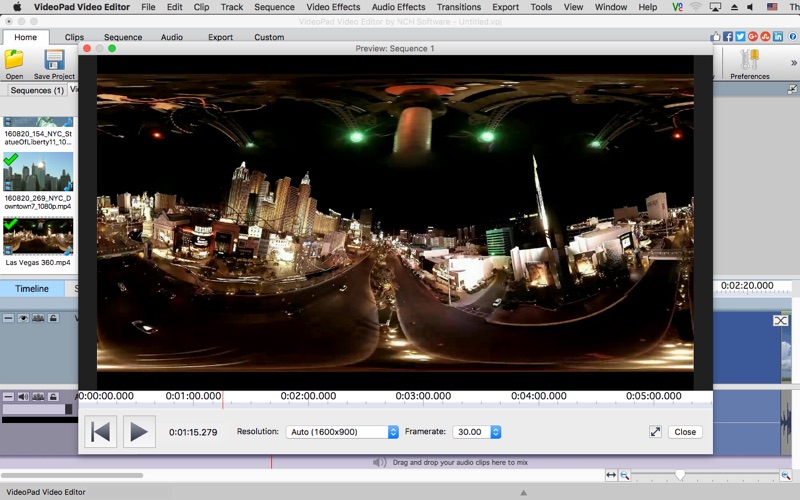
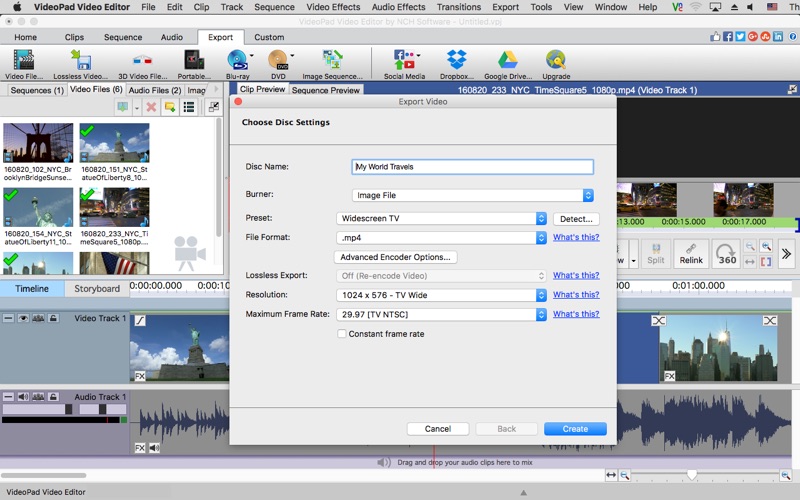
70 Adventure Photoshop Actions

Download

70 Adventure Photoshop Actions 3934254

70 Adventure Photoshop Actions

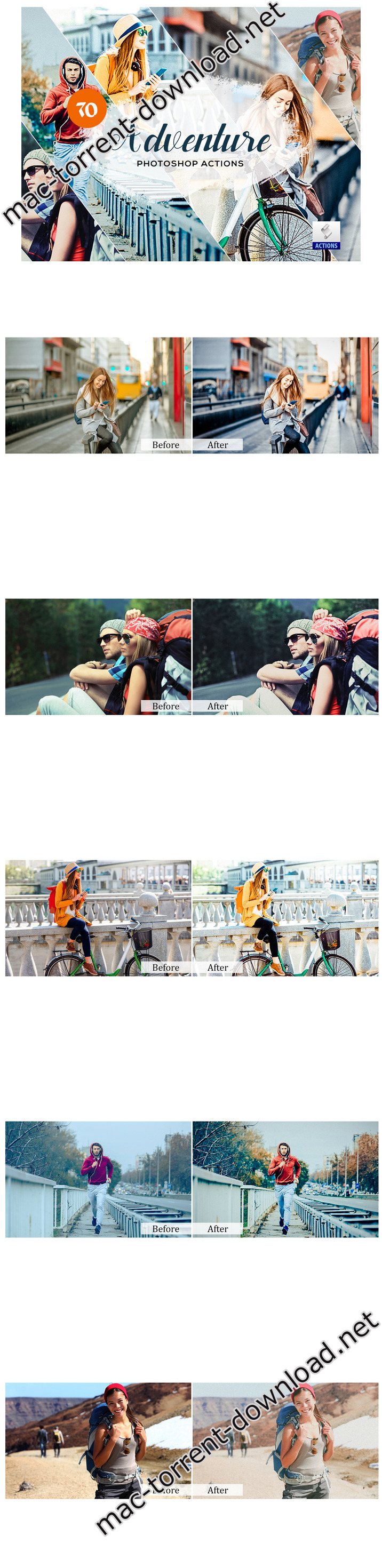
Adventure Photoshop Actions is a complete Action pack containing 70 perfect Photoshop ATN for Photography.

This action is specially made for photographers, graphic designer & artists.

A professional photographers, graphic designer & artists can save precious time by using this effect.

Features:
  • One click to apply an amazing effects on your photo
  • Clean actions, Clean work
  • Help file

Compatible with Photoshop (English versions) CC,CC15,CC17,CC18 & CC19 (Creative Cloud) All Version

Web Site: 70-Adventure-Photoshop-Actions

Screenshots

Name CM 70 Adventure Photoshop Actions 3934254.rar
Size 3.86 MB
Created on 2019-08-20 21:25:06
Hash a012dee90508e06d5c916a006aae956195903fbe
Files CM 70 Adventure Photoshop Actions 3934254.rar (3.86 MB)

Download

Cookie 5.9.13

Download

Cookie 5.9.13 – Protect your online privacy

Cookie prevents third parties from hijacking your browsing experience. The sites you visit store “cookies” in your browser without your knowledge or consent. Some are helpful, but others are frustrating and invasive. Cookie can help.

More privacy, better browsing

  • Enhanced for Security. Secure delete any unwanted data, and rest easy knowing that external threats can’t recover your private data.
  • Avoid invasive marketing. Tired of targeted ads that mysteriously know what products you’ve been shopping for online? Eliminate them with Cookie.
  • Freedom from Flash, and Silverlight. Cookie is adept at eliminating Flash and Silverlight cookies, especially large and persistent types of cookie.
  • Impressive results with minimal effort. By consolidating all your cookie controls into an easy interface, Cookie makes maintaining your browsing privacy a cinch.

Compatibility: OS X 10.11 or later 64-bit

Web Site: https://cookie5app.com/

What’s New in Cookie 5.9.13

  • Fixed a potential crash
  • Fixed an issue with Firefox session History removal

Name Cookie_5.9.13_TNT.zip
Size 21.53 MB
Created on 2019-08-20 22:27:18
Hash a839dfc1c18ed730bdaa0e31c37ac8b5b5c25703
Files Cookie_5.9.13_TNT.zip (21.53 MB)

Download

PCDJ DEX 3.13.0.5

Download

PCDJ DEX 3.13.0.5 – Video Mixing Software for Pro DJs for macOS

PCDJ DEX 3 is professional DJ Software for macOS that allows you to seamlessly mix music, music videos and host karaoke shows. DEX 3 gives you full control over your media, allowing for more creative freedom while mixing than ever before. With our beat-grid based automatic beat mixing it’s easy to blend tracks, allowing you to focus on the other aspects of your mix.

Since DEX 3 offers no-latency playback; loops, hot cues, and all playback features are ultra-responsive. Use DEX 2 with a keyboard or mouse, or use one of the 65+ supported DJ controllers for tactile hands-on control. So download DEX 3, import you tunes, and cue up your imagination – DEX 3 is the complete DJ mixing software solution.

Transport And DJ Mixer Controls

DEX 3 makes it easy to mix everything. The DEX user interface emulates the look and feel of CD Decks and includes mixer controls much like you find on physical DJ mixers. Use a traditional 2-Deck interface with or without video mixing controls, or layer in your mix with one of the included 4-Deck skins. BPM beat-sync, looping, key-lock, hot cue points, filters and effects all work flawlessly whether youíre mixing audio or blending music videos.

Advanced Media File Browser With Search, Playlists And Automix

DEX 3 includes an advanced media file browser for all your music, music videos and karaoke files. The included library filters allow you to view only the file type you want to work with, and the fast search feature displays results as you type. Create custom playlists or generate lists from directories on your hard drive. Album art and color coding makes it easy to find the song/s you’re looking for. Playlist playback automation is built right in; engage Automix or Shuffle Play if you need a break.

65+ COMPATIBLE DJ CONTROLLERS

DJ Controllers provide hands-on tactile control over PCDJ DEX, allowing for more creativity while mixing. Over 65 DJ controllers from popular DJ equipment manufacturers are natively supported, which means zero-configuration for you so you can get into the mix right away. When you press a button, twist a knob or scratch a platter on your DJ controller PCDJ will react immediately, without latency.

DJ Music And Music Videos For DJs

PCDJ has teamed up with two great record pool services for pro DJs. Our partners at the iDJPool have the hottest new music in 320kbps MP3, plus 2 years of back catalog available in all popular genres to subscribers. Get unlimited downloads in all genres for only $50, or select the “Country Pool” or “Urban Pool” options only.

System Requirements: Mac
  • Mac: OSX 10.9 or greater
  • Intel Core i3/i5/i7
  • 4 GIG RAM or Better (If you have more than 100,000 songs we’d recommend at least 8GB)
  • Video Card: Dedicated Graphics Card with at least 512MB (or Intel HD 3000/Iris Series or better)
  • Multi-channel Core Audio soundcard (and/or USB audio interface)
  • 200 MB free on the hard-drive

Web Site: http://www.pcdj.com/

What’s New in PCDJ DEX 3.13.0.5

  • Release notes not available at the time of this post.

Screenshots

Name PCDJ DEX 3.13.0.5 mac-torrents.net.zip
Size 113.4 MB
Created on 2019-08-20 17:00:18
Hash 0a00e7f3c1d45b667f611c36f740b388f068b7f1
Files PCDJ DEX 3.13.0.5 mac-torrents.net.zip (113.4 MB)

Download

KeeWeb 1.9.1

Download

KeeWeb 1.9.1 – Cross-platform password manager

KeeWeb is a cross-platform password manager compatible with KeePass.

This webapp is a browser and desktop password manager compatible with KeePass databases. It doesn’t require any server or additional resources. The app can run either in browser, or as a desktop app.

Desktop apps for all platforms

Desktop apps look beautiful on each platform: macOS, Windows and Linux. You can open local files in Desktop apps.

Offline web app

Web version has almost all features available in desktop apps. It doesn’t require any installation and works in all modern browsers. Launch the web app

Themes

Switch between dark and light theme, whichever you like more.

Color favorites

Mark items with color and easily find them using Colors tab.

Multiple files support

Open several files, search any entry or view all items from all files as one list.

One search for all files

Search works for all files, everything is done from one search box.

Dropbox sync

Open files from Dropbox, sync changes across devices automatically.

Easy tags input

Add tags to arrange entries. Quickly select them in the list or add new ones.

Drag&Drop

Drop entry attachments and database files right to the app.

Protected fields

Fields can be hidden when you need it. Also they will be stored in memory in more secure way than usual fields.

Password generator

Generate passwords of any desired length, with only symbols you want.

Offline access

Files are saved for offline use, even those opened from Dropbox. You can always access offline version, changes will be synced automatically when you are online again.

Shortcuts

Access actions faster with shortcuts.

Advanced search options

Refine search by specifying fields, searching passwords, history and using powerful regular expressions syntax.

History

All changes you make are put to history. You can rollback to any state or delete the state completely.

Mobile browsers support

View details and copy passwords using mobile browsers.

Entry icons

Select an icon from the set of predefined high-res icons, download website favicon or use your own icons.

Table view

Switch between list and table layout.

Inline image viewer

Attach images to entries and click to view.

Auto update

Desktop apps can update themselves. There are several options: update and install, show a notification or disable update at all.

Compatibility: OS X 10.10 or later, 64-bit processor

Web Site: https://keeweb.info/

What’s New in KeeWeb 1.9.1

  • fix #1231: tooltip arrow positioning
  • improved ranking search
  • fix #1232: removed an unwanted menubar on windows and linux
  • fix #1234: auto-type not working on linux

Screenshots

Name KeeWeb 1.9.1.mac.zip
Size 67.81 MB
Created on 2019-08-20 06:00:48
Hash 6a4313e990425934193ce2740fb27119fd76426f
Files KeeWeb 1.9.1.mac.zip (67.81 MB)

Download

Wolf Landing Page Designer 1.36.1

Download

Wolf Landing Page Designer 1.36.1

Build mobile-friendly page layouts.

Wolf Landing Page Designer (Wolf Express) lets you build mobile-friendly single page layouts such as landing pages and standalone pages.

Compatibility: OS X 10.10 or later 64-bit

Web Site: https://wolf.aidaluu.com

What’s New in Wolf Landing Page Designer 1.36.1

  • Release notes not available at the time of this post.

Name Wolf_Landing_Page_Designer_1.36.1_TNT.zip
Size 47.43 MB
Created on 2019-08-20 02:15:09
Hash 7ee75b8aa8aca7f3ac1e5a5ae63013c9d5f2ec95
Files Wolf_Landing_Page_Designer_1.36.1_TNT.zip (47.43 MB)

Download

SpamSieve 2.9.37

Download

SpamSieve 2.9.37 – Robust spam filter for major email clients

SpamSieve understands what your spam looks like in order to block it all, but also learns what your legitimate messages look like to avoid confusion. SpamSieve only marks spam in your email client so you never lose any mail.

Works with:
  • Apple Mail
  • Airmail
  • Emailer
  • Entourage
  • Outlook 2011
  • Outlook Express
  • Eudora 5.2 or 6.x (Sponsored or Paid)
  • MailForge
  • MailMate
  • Mailsmith
  • GyazMail
  • Postbox
  • PowerMail
  • Thunderbird 2

Compatibility: OS X 10.7 or later 65 bit

Web Site: http://c-command.com/

What’s New in SpamSieve 2.9.37

  • SpamSieve is now compatible with Apple Mail under macOS 10.15 (which is now in beta).
  • It’s best to update to SpamSieve 2.9.37 now, before updating to macOS 10.15. If you are already using macOS 10.15, the SpamSieve 2.9.36 auto-updater won’t work, so you should instead use the Download button in the Software Update… window and install the update manually, according to the instructions in the Read Me file. Once you have SpamSieve 2.9.37, auto-updates on macOS 10.15 will work normally.
  • Updated the documentation for macOS 10.15.
  • The Outlook – Filter Mailboxes app is now notarized for compatibility with macOS 10.15. If you’ve already installed the helper app, it should not be necessary to update it, but this change is needed for future updates as well as new installations.
  • Various Apple Mail error messages and documentation are better at reminding you to grant SpamSieve Full Disk Access when not having that might be the cause of the error, e.g. SpamSieve thinking its plug-in is not loaded.
  • Apple Mail on macOS 10.15 has a bug where it will not load plug-ins that are installed in the normal location if you’ve redirected your home folder to another volume. If SpamSieve detects this situation, it will apply a workaround (moving the plug-in to an alternate location) and show an alert that explains what it’s doing.
  • Renamed the “Setting Up Outlook 365” section of the manual to Setting Up Outlook, as it covers all current versions of Outlook, not just 365. This section has also been substantially rewritten to make it clearer what to do for each type of account.
  • The Can other Apple Mail plug-ins cause problems with SpamSieve? section of the manual now recommends using Mail’s own plug-in manager instead of manipulating the Bundles folder directly.
  • Fixed a bug where SpamSieve would sometimes ask you to enable an old Apple Mail plug-in (which wasn’t possible, because it was old) and quit, where instead it should have offered to update it first.
  • Worked around an Apple Mail bug where training a message as good sometimes didn’t move it to the inbox because Mail reported a script error when checking whether the account was enabled.
  • Improved the diagnostic report.
  • Software Update… reports a better error message if it was unable to install the new version of the app.

Screenshots

Name SpamSieve_2.9.37_TNT.zip
Size 28.12 MB
Created on 2019-08-20 02:15:22
Hash 144fdb364a6db141207ffef45c2cd5f33eaacad5
Files SpamSieve_2.9.37_TNT.zip (28.12 MB)

Download

Tower 3.4.2

Download

Tower 3.4.2 – Version control with Git made easy

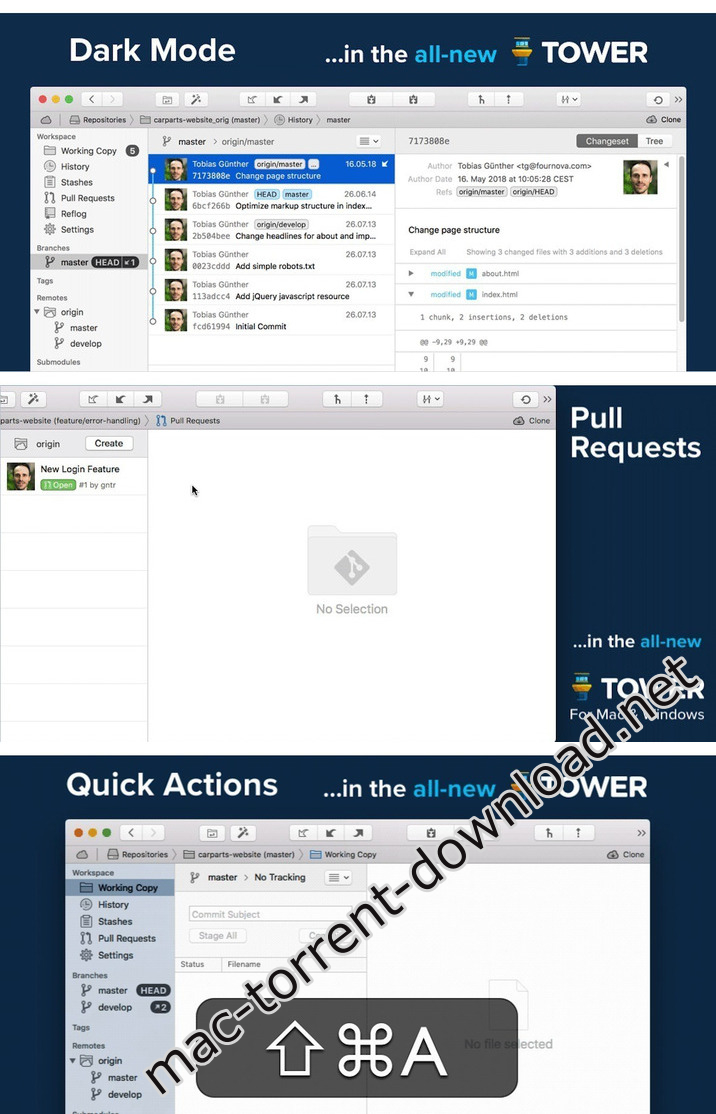
Tower is a Git client for OS X that makes using Git easy and more efficient. Users benefit from its elegant and comprehensive interface and a feature set that lets them enjoy the full power of Git.

Tower abstracts Git’s complexity in an easy-to-use interface. For example, lots of actions can be performed simply via drag-and-drop, and mistakes can be undone easily. Advanced users can increase their productivity with features like single line staging, submodule support, or the file history.

Features
  • git-svn support
  • File history
  • git-flow support
  • Submodule support
  • git-lfs support
  • Blame view
  • Single-line staging (per-line committing)
  • Cherry-picking
  • Discard chunks/lines
  • Direct Github, Bitbucket, Gitlab, GitSwarm, Beanstalk, Visual Studio Team Services, Team Foundation Server and Rhodecode integration
  • Support for Bitbucket team accounts
  • Support for full-screen and Retina displays
  • Many powerful drag-and-drop features include merge, rebase, push /pull to/from remote, apply stash, create new branch, etc.
Installation:

Mount the image and copy the application to the Applications folder.

Do not update application!

OS version: OS X 10.11 or later

Web Site: https://www.git-tower.com/mac/

What’s New in Tower 3.4.2

New:
  • App Notarization: Tower builds are now signed using the “Apple notary service”, providing an additional layer of security.
Improved:
  • Better License Information: Opening the “License…” dialog from the main menu now provides more information about your license.
Fixed:
  • Default Avatar for User Profile: In our new “User Profiles”, we now also show a “default” avatar image if none is connected with the entered email address.
  • Group Repositories in Services View: For users with multiple GitLab accounts, it could happen that a repository was listed under the wrong account / group.
  • Commit Message Editing: When editing a commit message and starting it with a “#” character, Tower wasn’t always able to correctly save the message.
  • Reflog Crash: On older macOS versions, opening an item from the “Reflog” could result in a crash.

Screenshots

Name Tower 3.4.2 mac-torrents.net.zip
Size 34.80 MB
Created on 2019-08-20 00:34:07
Hash 1a01b677884ae616c07d79e95235287f14972029
Files Tower 3.4.2 mac-torrents.net.zip (34.80 MB)

Download

StudioLinked OVO RNB 3 AU VST


Download


StudioLinked OVO RNB 3 AU VST

OvO RnB 3 Workstation is here. Compatible for both Mac & Pc 32/64 Bit. Comes in VST & Audio Unit formats. Taking off where OVO RNB 2 left off.

OvO RnB 3 is the follow up to award winning OvO RnB 2 we released in Jan 2016. Covers 8 instrument categories that are sure to make your beats have that Drake , The Weekend, Future type of sound.

PLEASE NOTE: This Product will not work in Protools without having the BlueCat Patchwork’s Plugin.

Web Site: https://www.studiolinked.com/product/vstplugins/ovo-rnb-3-pc-mac/

Screenshots


Name StudioLinked OVO 3 MAC AU VST.zip
Size 4.37 GB
Created on 2019-08-19 22:20:33
Hash 92707c51f00bdfac2c02f81f097aba6fc5dc136a
Files StudioLinked OVO 3 MAC AU VST.zip (4.37 GB)

Download

StudioLinked JUICEMAN Vocal Plugin

Download

StudioLinked JUICEMAN Vocal Plugin – Contains over 114 vocal chants and ad-libs

Juiceman is a virtual vocal plugin engineered with the aspiring music producers and beat makers in mind. This dynamic software gives you access to one of the biggest names in Atlanta music, OJ da juice man’s vocals.

Contains over 114 vocal chants and ad-libs. When asked about the motivation behind the creation of this software, CEO of StudioLinked Evin Groves answered it is hard to get access to celebrity rappers. It has always been my dream to bring celebrity vocals to every bedroom producers fingertips. Now its possible and the first of many is the Juiceman vst.

Web Site: https://www.studiolinked.com/product/vstplugins/juiceman/

Screenshots

Name StudioLinked JUICEMAN Vocal Plugin MacOSX-AwZ.zip
Size 2.16 GB
Created on 2019-08-19 22:19:21
Hash 34b5e9bfebf4e8adc81e111ef085cbbee8d41796
Files StudioLinked JUICEMAN Vocal Plugin MacOSX-AwZ.zip (2.16 GB)

Download

MacX MediaTrans 6.6.20190816

Download

MacX MediaTrans 6.6.20190816

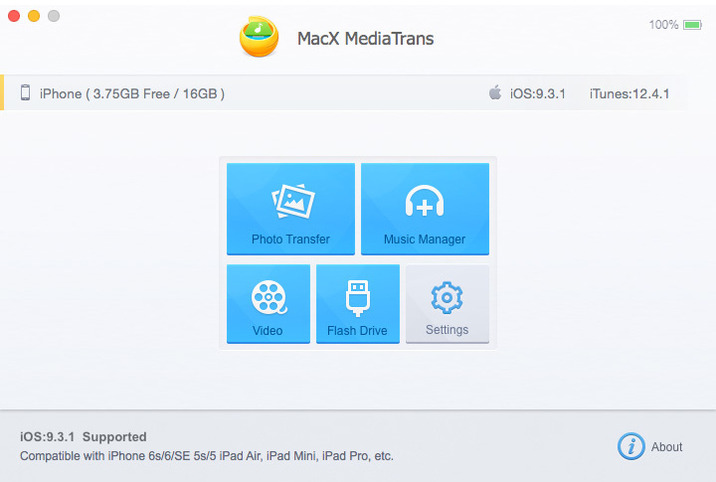
MacX MediaTrans is the fastest mac file manager for iPhone iPad iPod, which gives you full control over iOS data. As iTunes alternative, MacX MediaTrans can transfer and manage any video, music, photo, Podcasts, Audiobooks, iTunesU and more between iPhone iPad iPod and Mac.

This iPhone manager also enables you to turn iPhone into a USB drive to store all files like PDF, APP, dmg, etc. Regardless if you want to free up more storage space on your iOS devices, backup iPhone data before upgrading to new iOS/iPhone, or share iPhone files with family and friends, it would be helpful.

With MacX MediaTrans, users are empowered to transfer music from iPhone to Mac in batch with 1 click, directly manage/delete playlists, tracks, etc. and create ringtones for iPhone.

Who wants to save his time will be pleased by the transferring speed, which allows you transfer 100 4k photos within 8 seconds. For die-hard Apple fans, this iPhone transfer offers powerful auto video converting function so that AVI, MKV, FLV videos can be converted to iOS-friendly format during the transferring process and sideways videos can also be rotated as you will. On top of that, it is the World’s first iPhone transfer for Mac users to delete camera roll photos from iPhone and remove DRM from music, video, audiobook purchased from iTunes and convert to MP4, MP3 to be playable on other computer and devices.

Features:

  • Directly transfer video, music, photo, HD movie, TV show from iPhone to Mac and vice versa
  • Import/export/delete ringtones, ebooks, VoiceMemo, iTunesU, Podcast
  • Remove DRM from iTunes M4V Video/M4P AudioBooks/Apple music and convert to MP4, MP3
  • Use iPhone as USBStick to send files, including PDF, APP, dmg
  • Make/create ringtone for iPhone
  • Manage playlists, tracks, albums, and genres in batch
  • Able to delete all photos in Camera Roll, as well as recorded videos
  • Transfer files at lightningfast speed without quality loss or data loss
  • Auto convert AVI, FLV, MKV, etc. to MP4, audio file to mp3 or aac
  • Auto rotate sideways videos for better watching experience on iPhone without hassle
  • Twoway synchronization is available for music
  • Auto convert Epub into PDF, Html, TXT, etc.
  • Added new photo album categories.

Compatibility: OS X 10.9 or later 64-bit

Web Site: https://www.macxdvd.com/mediatrans/

What’s New in MacX MediaTrans 6.6.20190816

  • Release notes not available at the time of this post.

Screenshots

Name MacX_MediaTrans_6.6.20190816_TNT.zip
Size 71.90 MB
Created on 2019-08-19 20:53:07
Hash 16171168f6b6da35c71b93ee98037044b0f8449a
Files MacX_MediaTrans_6.6.20190816_TNT.zip (71.90 MB)

Download

Breeze 1.6.0

Download

Breeze 1.6.0 – Simple window manager

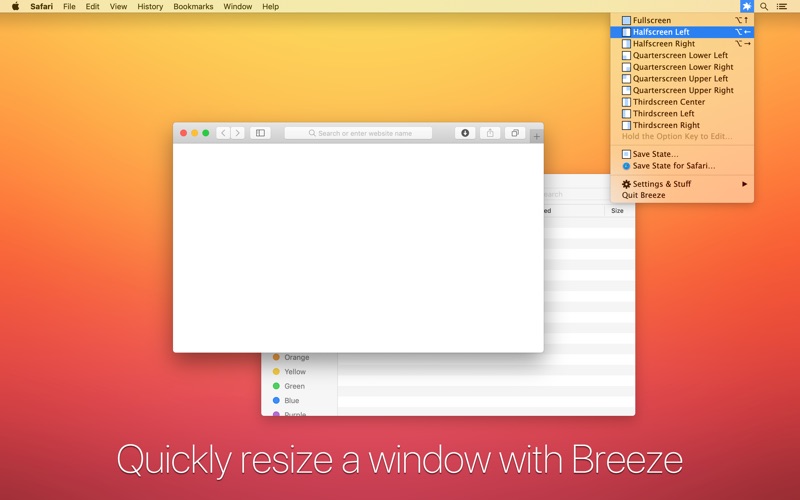
Breeze gives you simple window management on Mac OS X through a concept called “window states”.

When you save a window state, Breeze remembers the relative size and position of the focused window.

At any point, you can apply that state (size and position) like a template to any other focused window.

Breeze comes with some handy default window states for Fullscreen and Splitscreen Left or Right.

# What is Breeze?

Breeze gives you simple window management on macOS through a concept called “window states”.

When you save a window state, Breeze remembers the relative size and position of the focused window.

At any point, you can apply that state (size and position) like a template to any other focused window.

# Helpful Default Shortcuts:

Breeze comes with some handy default window states for Fullscreen, Splitscreen Left and Right, Quarterscreen, and Thirdscreen.

# Make Your Own Shortcuts:

Save your own global window states or application window states. Give them global keyboard shortcuts so you can move windows around any time in any application.

# Features:
  • Save a window state (relative size and position on screen).
  • Restore that window state, like a template, to any other window.
  • Works with multiple monitors and adjusts for different resolutions.
  • Minimal interface stays out of your way and consumes minimal system resources.

Compatibility: OS X 10.6.6 or later, 64-bit processor

Mac App Store: https://apps.apple.com/us/app/breeze/id414857071

What’s New in Breeze 1.6.0

  • Tweaks, improvements, and bug fixes.

Screenshots

Name Breeze_1.6_TNT.zip
Size 14.76 MB
Created on 2019-08-19 18:40:20
Hash 7a4aed842c9ffef5d62fc9cf0a42c502716f5f5b
Files Breeze_1.6_TNT.zip (14.76 MB)

Download

AnyTrans for iOS 7.7.1.20190814

Download

AnyTrans for iOS 7.7.1.20190814

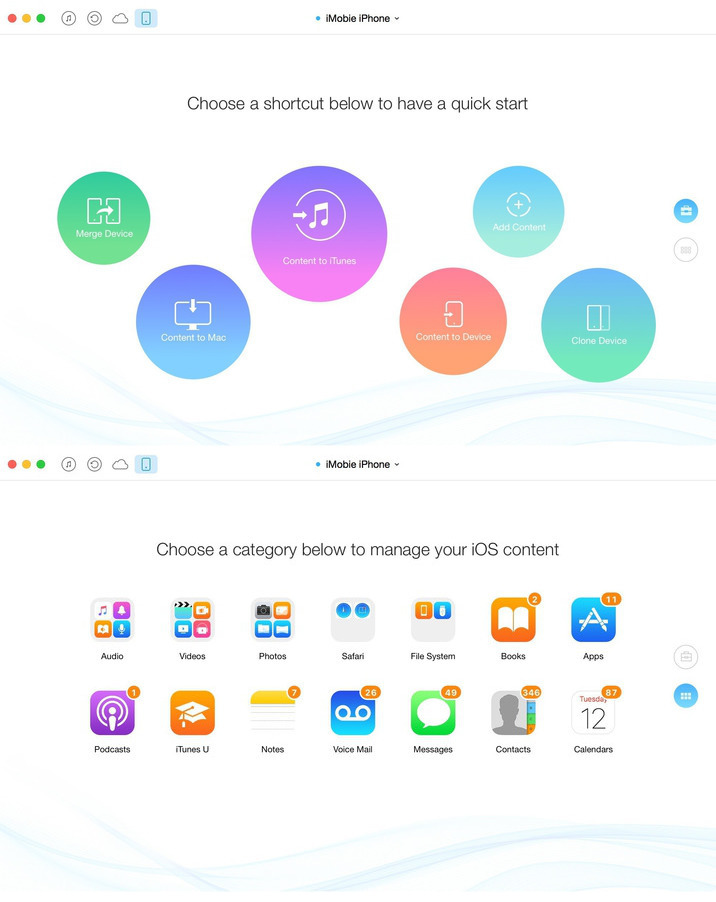
AnyTrans lets you converge your entire Apple products and consolidate every access to all your content in one place, including music, videos, photos, messages, books, Safari history, voice memo, and more. No matter the content is from your iPhone, iTunes, even from iCloud. It gives efficient and minimalist control and absolute freedom over all your iOS data and files.

Features

  • Move everything from Android device to your new iPhone Transfer the most of your Android content to your new iPhone, including messages, photos, contact, even music and call log, etc.
  • Migrate everything from old iPhone to your new one within one click clone Upon just one simple click, everything from your old iPhone, even from iPad will be cloned to your new iPhone.
  • Download millions of online videos and audios Download your favorite online videos from Dailymotion, Vine and another 900+ sites directly to your iPhone iPad for offline watching, or to your computer for collection.
  • Manage your iCloud content in a better way Download photos in bulk from your iCloud account and extract data from your iCloud backup. Also integrate data from multiple iCloud accounts to your daily used one for quicker access.
  • Easily manage all your contents on iPhone, iPad, and iPod touch Browse, edit and export important music, messages, notes, and more personal data from iPhone, iPad, and iPod touch.
  • Fullway transfer across your iOS devices, iTunes, iCloud and computer gets anything transferred freely between your iPhone, iPad, iPod touch, iTunes, iCloud and computer from iPhone to computer, iPhone to iPhone, iPhone to iTunes, computer to iPhone, etc.
  • Back up and extract your precious data with ease AnyTrans can 1click back up your whole iPhone data or selectively back up what you need.

Compatibility: OS X 10.8 or later 64 bit

Web Site: http://www.imobie.com

What’s New in AnyTrans for iOS 7.7.1.20190814

  • Release notes not available at the time of this post.

Screenshots

Name AnyTrans_for_iOS_7.7.1.20190814_TNT.zip
Size 110.7 MB
Created on 2019-08-19 18:40:09
Hash 2ad3a8e4faf843c2637b3473ab33d28760d57bc0
Files AnyTrans_for_iOS_7.7.1.20190814_TNT.zip (110.7 MB)

Download

Ezee Graphic Designer 2.0.25

Name Ezee_Graphic_Designer_2.0.25_TNT.zip
Size 37.90 MB
Created on 2019-08-19 18:40:29
Hash dd3793ca597a9591711f26ef8844d78b1dbc8dbb
Files Ezee_Graphic_Designer_2.0.25_TNT.zip (37.90 MB)

Download

Descriptions for Ezee Graphic Designer 2.0.25

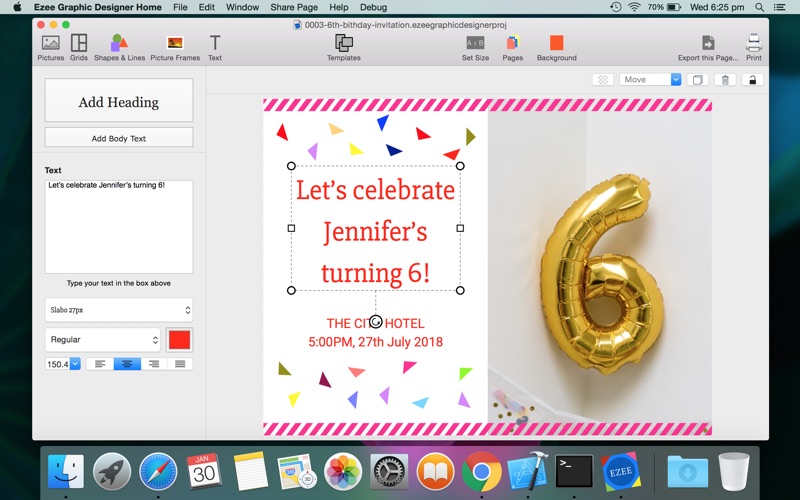
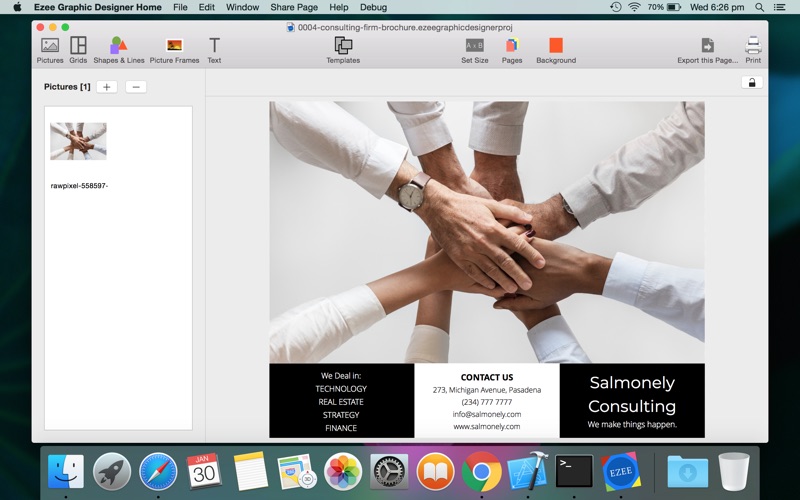
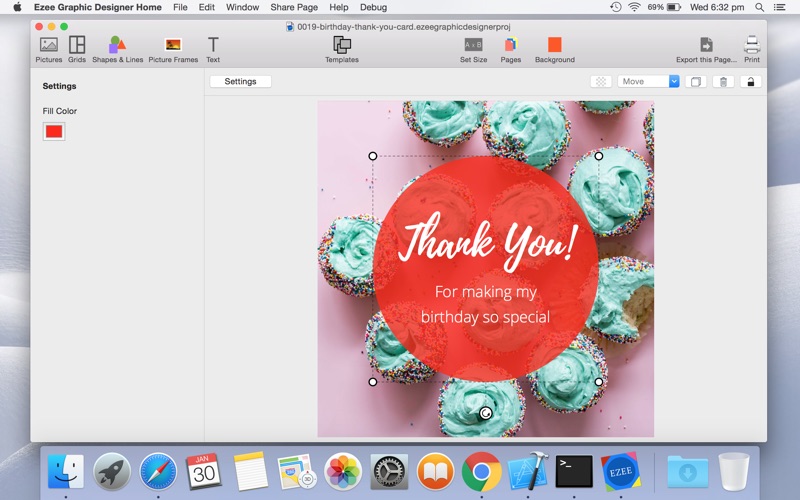
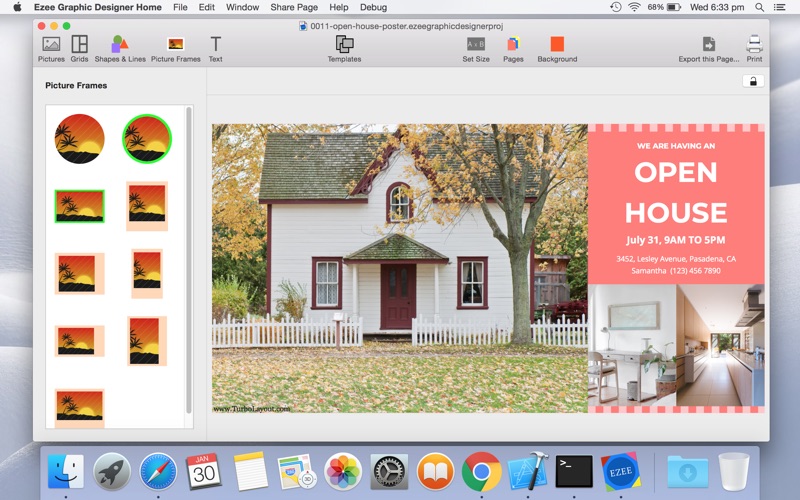
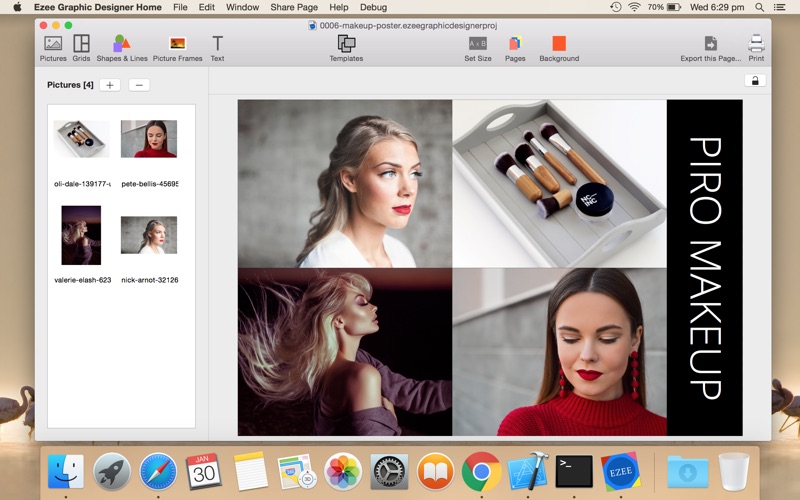
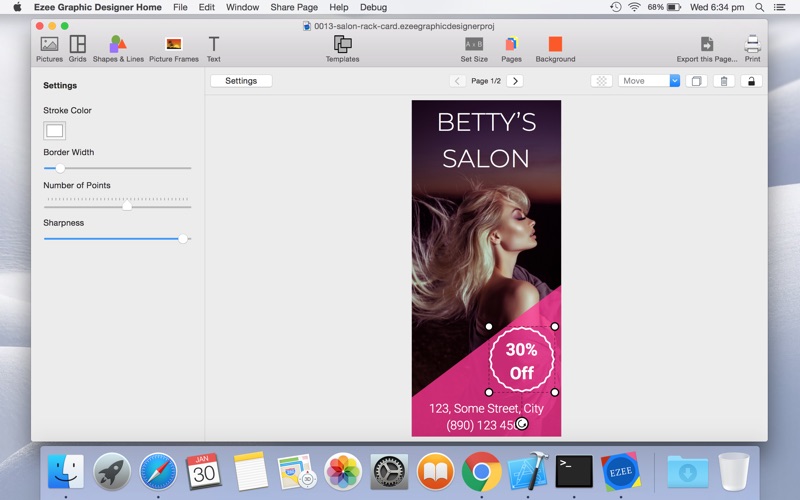
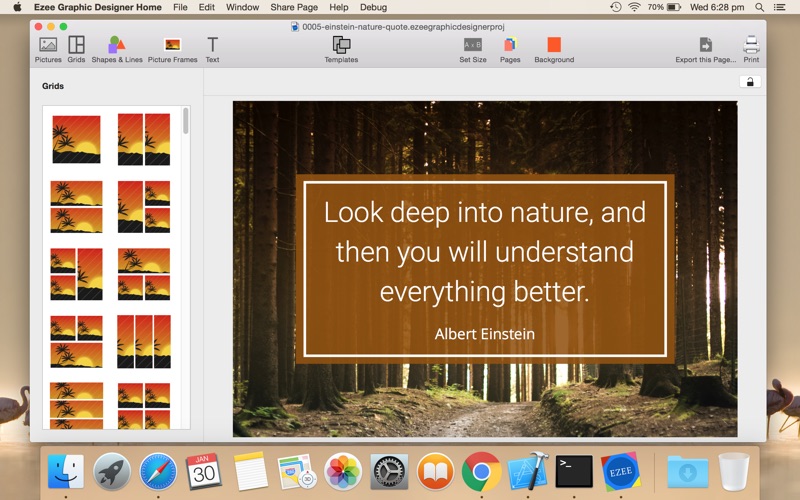
Ezee Graphic Designer is simple graphic design software that everyone can use to create engaging images.

You can use Ezee Graphic Designer to make:

  • Advertisement pictures
  • Blog images
  • Brochures
  • Business cards
  • Book covers
  • Cards
  • Coupons
  • Event tickets
  • Flyers
  • Facebook pictures
  • Graphical announcements
  • Infographics
  • Invitations
  • Instagram posts
  • Letterheads
  • Marketing photos
  • Magazine covers
  • Menus
  • Pinterest pictures
  • Posters
  • Postcards
  • Presentations
  • Recipe books
  • Rack cards
  • Social media pictures
  • Strut cards
  • Twitter images

Compatibility: macOS 10.9 or later 64-bit

Web Site: http://www.silkenmermaid.com

What’s New in Ezee Graphic Designer 2.0.25

  • Release notes not available at the time of this post.

Screenshots

Timer Utility 5 v1.0.0

Download

Timer Utility 5 v1.0.0 – Timing Utility

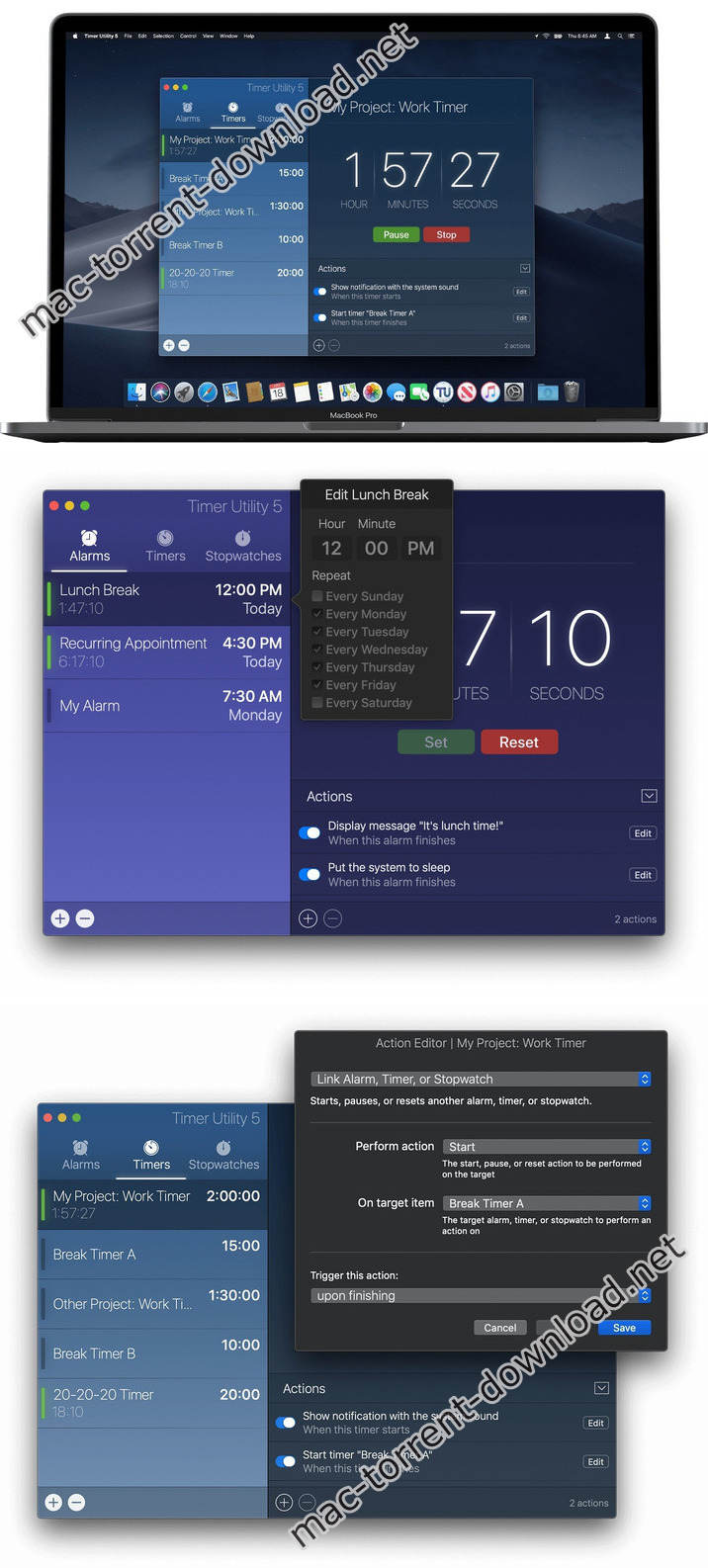
Timer Utility is an all-in-one timing tool that brings alarms, timers, and stopwatches to your Mac. We take it one mega step further with actions to create powerful workflows customized to your liking.

Features:
  • Alarms – Set a time, choose which day or days of the week, and you’re all set. Create as many alarms as you’d like to suit your needs. It’s that simple.
  • Timers – Creating timers is easy and intuitive. You can create and link other timers together to create workflows or customized timing sequences.
  • Stopwatches – Creating high-precision stopwatches is fast and easy. Select the desired accuracy or precision setting to suit your needs. You can create multiple concurrent stopwatches without sacrificing performance or system resources.

Compatibility: macOS 10.13 or later 64-bit

Web Site: https://www.lumenbyte.com

What’s New in Timer Utility 5 v1.0.0

  • Initial release

Screenshots

Name Timer_Utility_5_v1.0.0_TNT.zip
Size 21.01 MB
Created on 2019-08-19 06:08:59
Hash 885e95fee921b3f46fc6ea813fa187cc9fcccd1d
Files Timer_Utility_5_v1.0.0_TNT.zip (21.01 MB)

Download

StudioLinked Vintage Grand AU VST

Download

StudioLinked Vintage Grand AU VST

Vintage Grand virtual instrument is here. Compatible for both windows & Mac 32/64 Bit. Comes in both VST & Audio unit formats. Each Studio Needs a go to plugin for pianos. Vintage Grand can be yours, Get your copy today.

25 Vintage Piano presets
  • PIANO – ANCIENT GRAND
  • PIANO – ANTIQUE GRAND
  • PIANO – APOCALYPSE
  • PIANO – ASIAN GRAND
  • PIANO – BACK IN TIME
  • PIANO – BROKEN PIANO
  • PIANO – CLASSIC GRAND
  • PIANO – CULTURE GRAND
  • PIANO – DRAKISH KEYS
  • PIANO – DRAMA GRAND
  • PIANO – EIGHTYS GRAND
  • PIANO – ENDLESS GRAND
  • PIANO – EPIC GRAND
  • PIANO – FILTERED GRAND
  • PIANO – GHOST PIANO
  • PIANO – HISTORY EP
  • PIANO – HOLLYWOOD GRAND
  • PIANO – OLDIE
  • PIANO – REWIND TIME
  • PIANO – SOUTHSIDE GRAND
  • PIANO – STUDIO LOVE
  • PIANO – TOXIC NIGHTS
  • PIANO – TRAP REVERSED
  • PIANO – WESTERN SALOON
  • PIANO – WONDER CLAV

Compatibility: Mac OS X 10.7 or later

Web Site: https://www.studiolinked.com/product/vstplugins/vintage-grand#tab-description

Screenshots

Name StudioLinked Vintage Grand Mac.zip
Size 1.61 GB
Created on 2019-08-19 03:37:53
Hash 1dde4492f09a8b27624f9e16bc20a079880b2175
Files StudioLinked Vintage Grand Mac.zip (1.61 GB)

Download

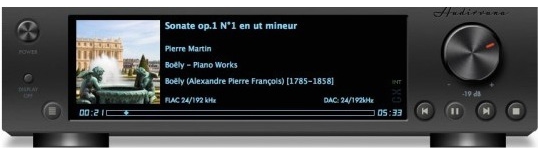
Audirvana 3.5.18 (3548)

Download

Audirvana 3.5.18 (3548) – Core Audio-powered music player

Audirvana Plus has no equalizer, no trendy special effects, just the best sounding music

  • Native playing of FLAC, libSndFile (WAV, AIFF, …), ALAC and other QuickTime formats (AAC, MP3, …)
  • Direct sound path, directly to the !CoreAudio HAL for pure bit perfect sound
  • Audio Device exclusive access mode
  • HAL I/O using DAC native physical formats “Integer Mode” (instead of CoreAudio 32-bit float)
  • Automatic sample-rate switching
  • Up/Oversampling capability
  • Plays completely from memory
  • Tracks are loaded, decoded, and sample-rate converted in a memory buffer before being played, minimizing CPU and hard drive activity to lessen sources of interference
  • Gapless playback by using a double-buffering mechanism (playing track and next track)
  • Transparent split load for loading tracks of any size
  • Background tracks loading/decoding (including sample-rate conversion)
  • Playlist (M3U and M3U8 formats) load/save
  • Handles Apple IR Remote
  • Automated updates downloading (using Sparkle)

Compatibility: OS X 10.9 or later 64-bit

Web Site: https://audirvana.com

What’s New in Audirvana 3.5.18 (3548)

  • Fix UPnP subsystem initialization that was leading in some cases to devices discovery issues

Screenshots

Name Audirvana 3.5.18 (3548).dmg
Size 13.42 MB
Created on 2019-08-19 02:50:37
Hash 5018c70e4d0e6979759a249916ba811d528c07bf
Files Audirvana 3.5.18 (3548).dmg (13.42 MB)

Download

PDF Search 7.8

Download

PDF Search 7.8 – Search through your PDF documents lightening fast

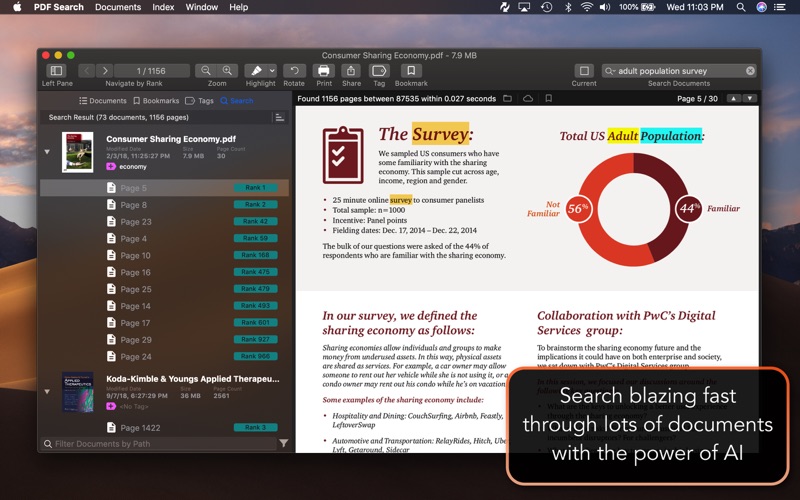
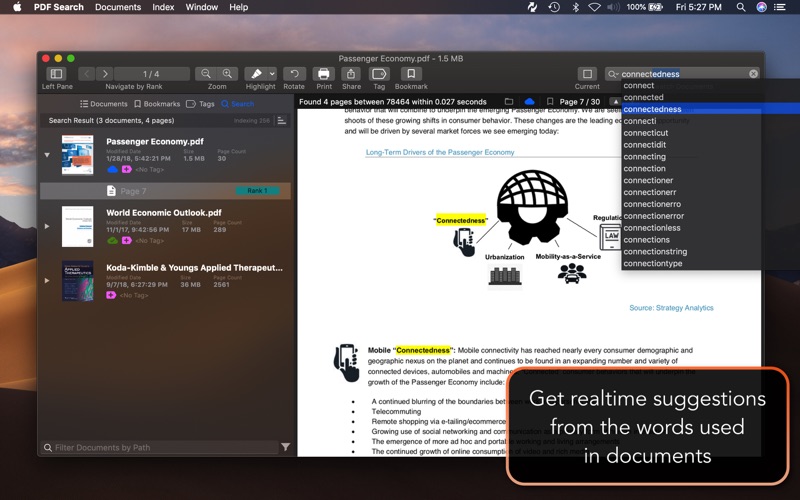
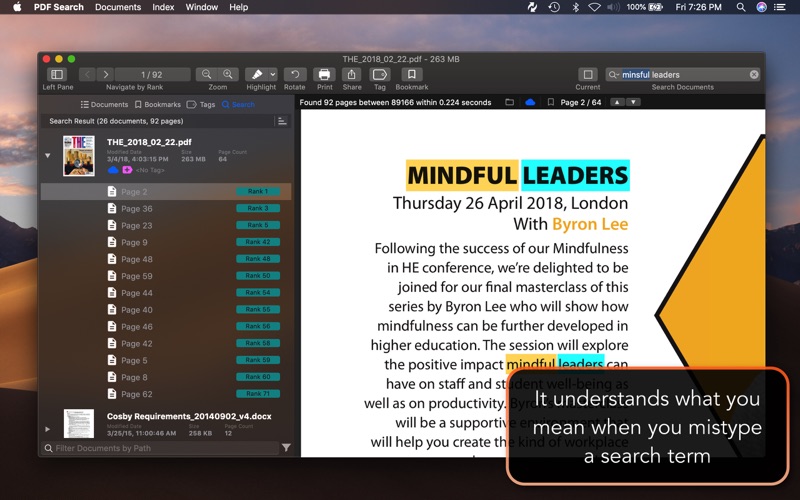
PDF Search is a utility which has a revolutionary search algorithm especially developed for PDF documents. The time to reach the information in your PDF documents will be minimum with it. It will make you able to find what you are looking for within thousands of documents instantly. It is system integrated. You can start a search directly from system menu bar like Spotlight.

Features:
  • Ultrafast search
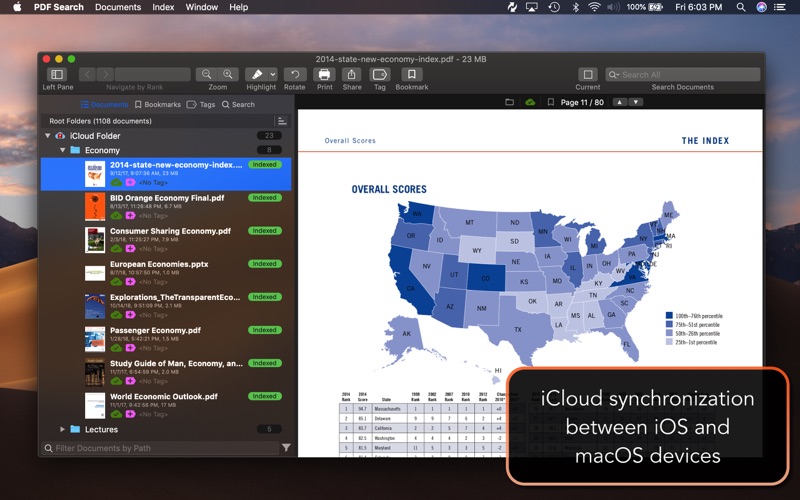
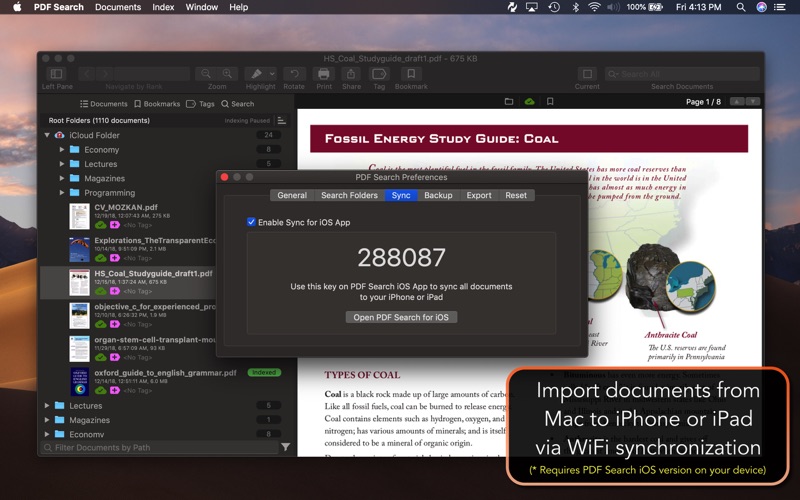
  • Synchronization between iOS and macOS app.
  • Page ranking system
  • Word distance algorithm
  • Keyword placement analyze
  • Ability to understand what you mean when you mistype a keyword
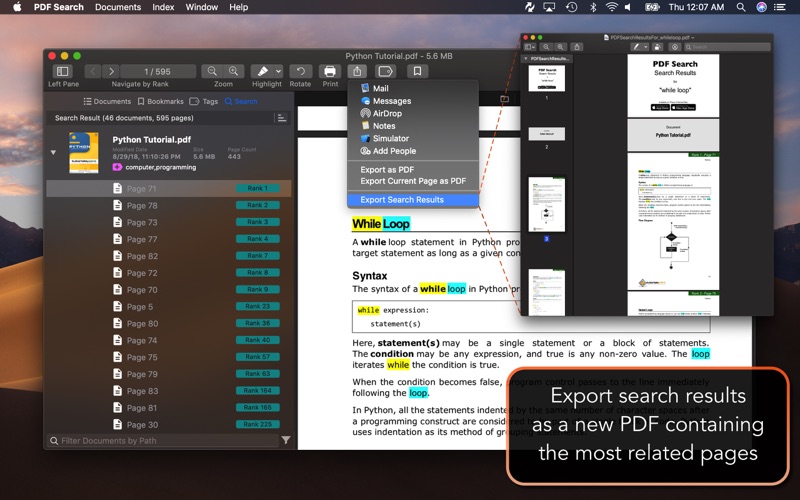
  • Export search results as a new PDF document which is containing all best pages from most relevant documents. So you can share results as one document.
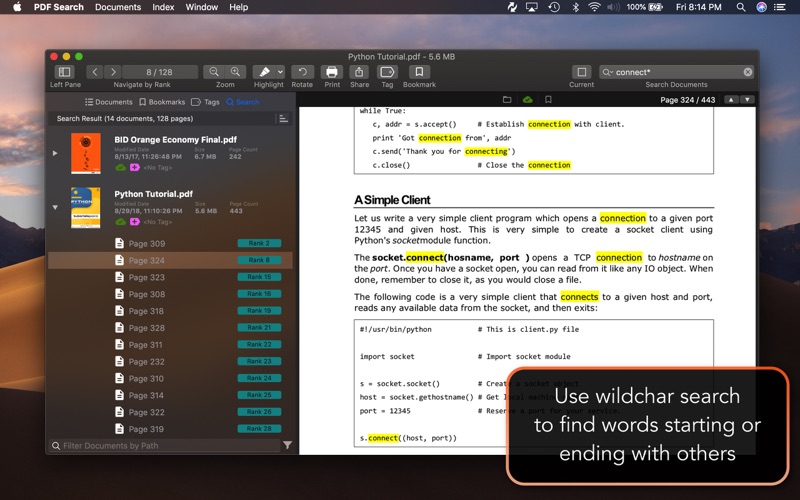
  • Wildchar search ability to search words starting or ending with other words.
  • Export current page as PDF easily to share with others
  • Folder based navigation
  • iCloud folder support
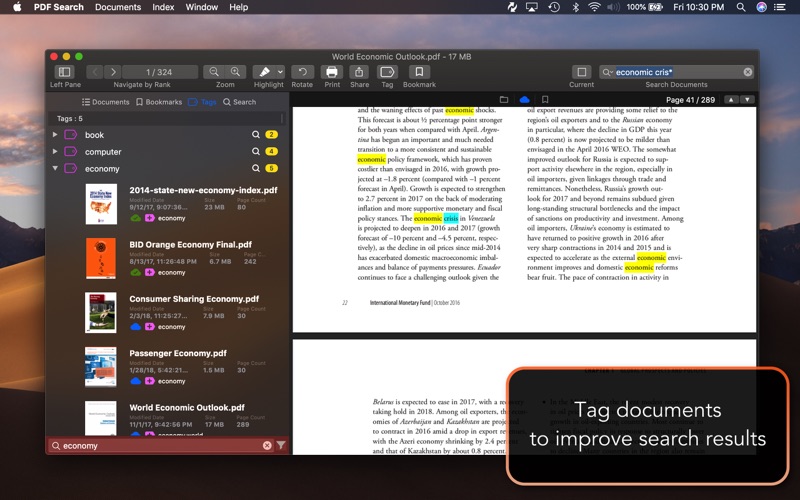
  • Tag support
  • Bookmark support
  • Empower search with similar keywords
  • Emphasize power ranking (Header, title, paragraph detection)
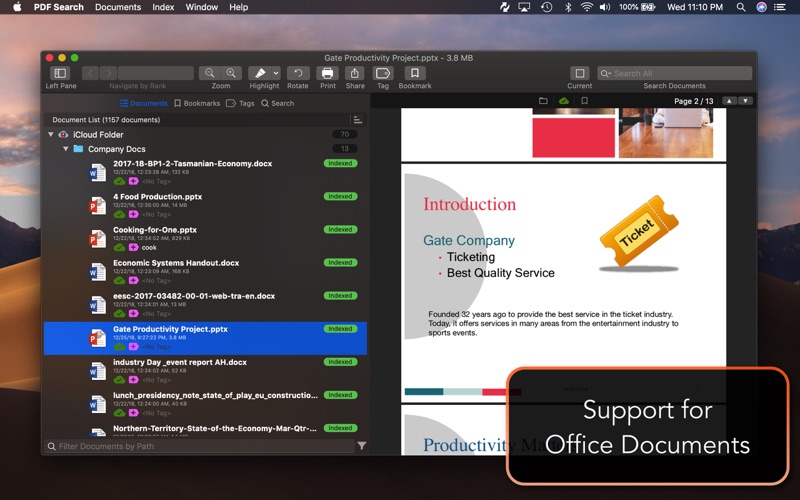
  • PDF Converter : Convert office documents to PDF
  • Export as PDF
  • Support for Word, Powerpoint, Pages, Keynote and RTF documents with the integration of PDF Converter app.
  • Ability to run as a window app or menu bar app.
  • Search specific files
  • Higher rank for uptodate files
  • Quick navigation between pages in different documents
  • Highlighting keywords in animations
  • Insert annotates to pages (Highlight, Underline, Strikethrough)
  • Global shortcut key to search
  • Backup index database

Compatibility: macOS 10.12 or later, 64-bit

Web Site: http://www.pdfsearchapp.com

Mac App Store: https://apps.apple.com/us/app/pdf-search/id1229271394

What’s New in PDF Search 7.8

  • Highlight problem for similar words is fixed
  • Local Folder refresh experience is improved
  • Stability improvements
  • Small bug fixes

Screenshots

Name PDF_Search_7.8_TNT.zip
Size 18.13 MB
Created on 2019-08-19 02:33:38
Hash b91c8813faf06fdf69624fc2168db2e69130ef15
Files PDF_Search_7.8_TNT.zip (18.13 MB)

Download

KCNcrew Pack 08-15-19


Download


KCNcrew Pack 08-15-19 – Database of serials/cracks for macOS

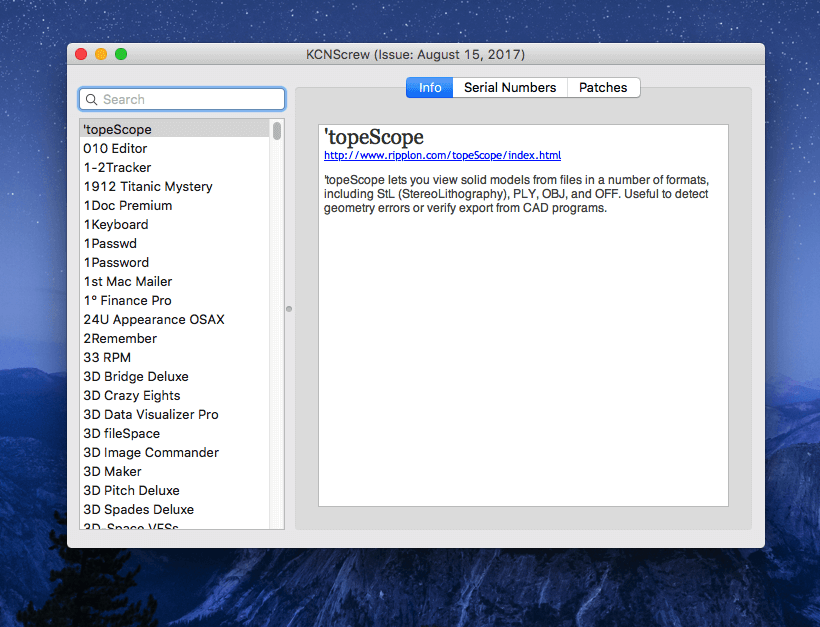
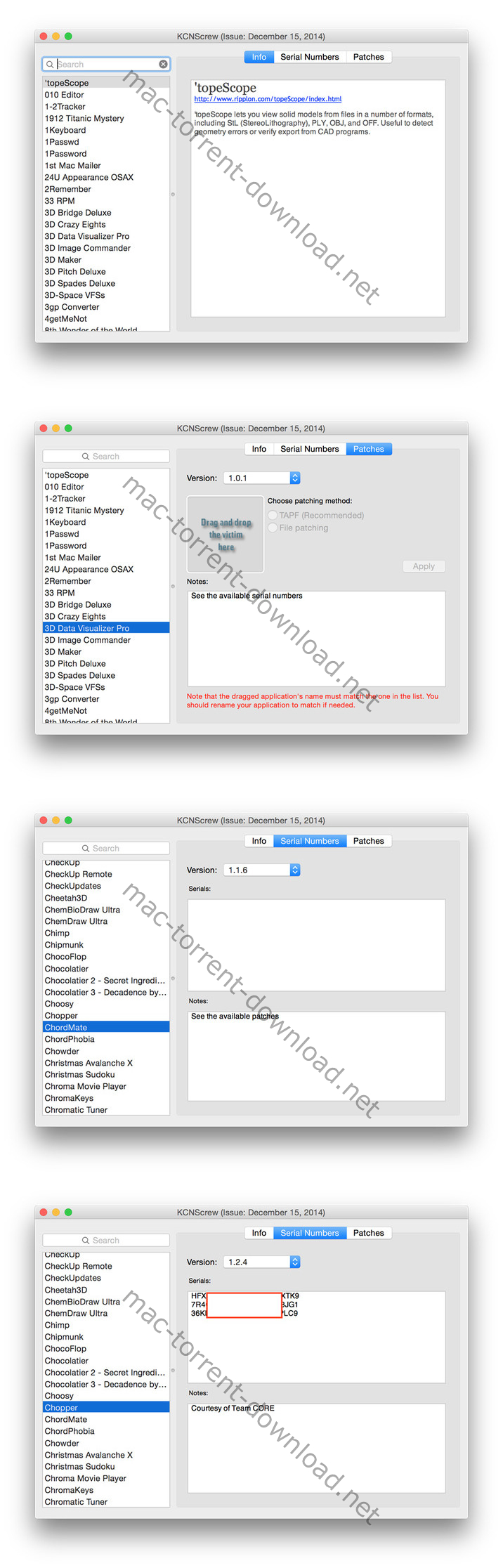
KCNcrew Pack – This is a huge collection of serial numbers for software under MacOS X with a convenient cover for browsing and searching. There is a very long time and is periodically updated! Base serial numbers KCNcrew project as of October2017. Unlike Serial Box, no readers are required.

Just open the dmg file, drag and drop the app where you like. However, there is no way to view what serials, cracks and patches are new in this issue as compared to the previous. Thanks to all contributors and supporters!

Compatibility: OS X 10.6 or later

What’s New in KCNcrew Pack 08-15-19

Screenshots


Name KCNcrew Pack 08-15-19.zip
Size 9.55 MB
Created on 2019-08-18 23:05:58
Hash 17128c6f4abd22d6e3b4602b3f88f85a88167697
Files KCNcrew Pack 08-15-19.zip (9.55 MB)

Download

Creo Pro 2.1.1

Download

Creo Pro 2.1.1 – Combine Design and Development processes

Development tool for mobile application that integrates support both for designing the user interface and writing the code that powers the utility

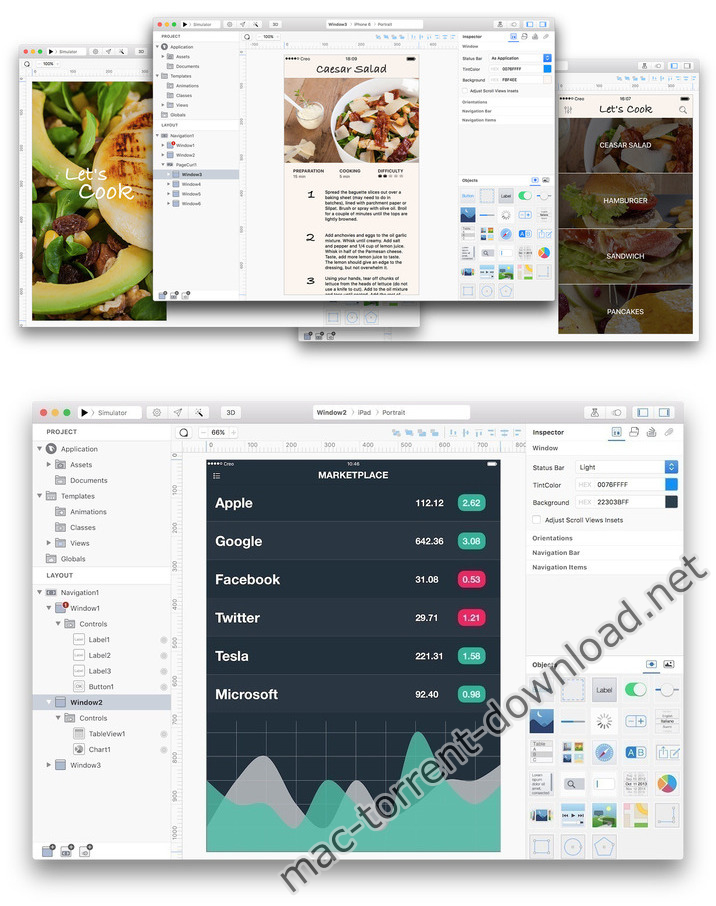
Creo is a development tool for mobile applications that aims to bring design and coding related tasks under the same roof. The utility enables you to create and customize the app’s layout while also providing support for object-based programming.

Design the user interface for your mobile projects and modify the layout in no time

To help you get started, Creo comes with a collection of app templates that you can use as starting points for your own projects. Within the Creo main window you get to see the project assets and documents, and see the layout for each included window.

Note that you can add new items to the layout, or rearrange their position with simple drag and drop movements. You get to view each object in the Creo canvas area while the Inspector panel provides more detailed information.

The best part is that Creo integrates 3D rendering capabilities and offers you the possibility to preview each screen included in your apps from various angles.

Object based programming languages power the code writing tools

Instead of creating non-functional prototypes, Creo is also building the native application and integrates the CreoKIT framework that enables you to execute the code. Just switch to the Gravity Code Editor and assign values to events, or define functions in order to trigger various effects.

Creo enables you to create connections between various objects with ease and also integrates an animation editor that uses an intuitive timeline in order to simplify the procedure. This is great because you get to experiment with the animations until you find the best solution.

Development environment that helps you create native iOS apps

Creo proposes a clean and well-organized workspace where you get to design, build, and test mobile applications without having to employ multiple utilities.

The tool works with object-based programming, allows you to create animations using a user-friendly timeline, and offers you the possibility to either run the apps in a simulator or send them to a device.

Compatibility: OS X 10.10 or later 64-bit

Web Site: https://creolabs.com

What’s New in Creo Pro 2.1.1

  • Added the ability to mark code using Accent color
  • Improved Code Editor
  • Improved Exporter
  • Fixed a couple of issues with split panels introduced in version 2.1.0
  • Two new TechNotes added to https://docs.creolabs.com/technotes/
  • Several internal fixes and improvements

Screenshots

Name Creo_Pro_2.1.1_TNT.zip
Size 55.35 MB
Created on 2019-08-18 22:32:15
Hash 58899157ec9559b59d2466b65c744b4b575919a3
Files Creo_Pro_2.1.1_TNT.zip (55.35 MB)

Download

Disk Map 2.4

Download

Disk Map 2.4 – Visualize the files and folders on your storage drives.

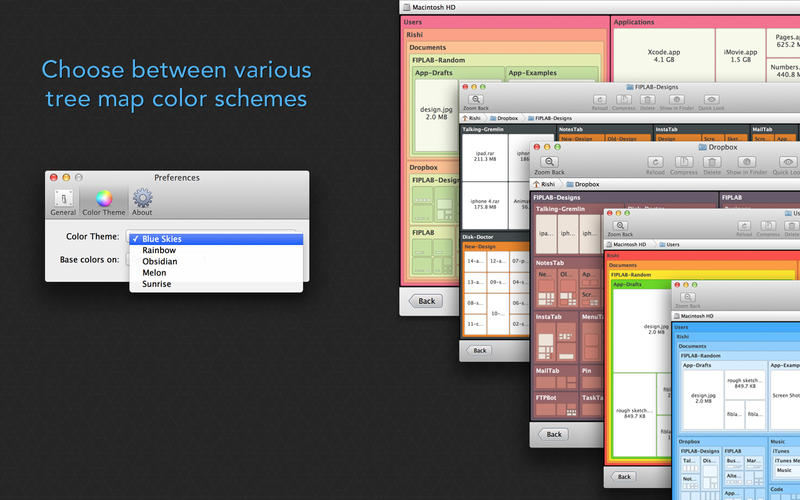
Disk Map makes it easy to visualize the files and folders that are cluttering up all your internal and external storage drives. It enables you to quickly locate, delete or compress large files and folders and reclaim tons of valuable space.

The app quickly scans your drives to build a stunning visual treemap display of files and folders on your hard drive, allowing you to easily navigate through your file system and find out what is taking up the most disk space. You’ll be surprised how easy you can find large files and folders that you never knew existed or had forgotten about!

KEY FEATURES:
  • A gorgeous retinaoptimised UI design
  • Support for scanning both internal and external hard drives (including selected folders within these drives)
  • Zoom in/out of folders
  • Open files/folders in Finder
  • Quick Look support
  • Five beautiful and pleasing treemap colour schemes to choose from
  • Ignore specified file formats and folders
  • Specify a minimum file size to scan for
  • Compress files at the click of a button
  • Delete items to Trash Can or permanently according to your requirements
  • Hide/Show system and hidden files via the app’s preferences
  • Hit the Reload button to refresh folders without the need to perform a new scan

We’ve worked hard to make Disk Map as simple and efficient as possible for you to use. We would love to hear your thoughts via email and make any improvements to future versions of this app. We intend to have an active development cycle powered by your feedback, love and support!

Compatibility: OS X 10.7 or later 64 bit

Web Site: https://fiplab.com/apps/disk-map-for-mac

Mac App Store: https://itunes.apple.com/app/disk-map-visualize-hard-drive-usage-free-space/id715464874?mt=12

What’s New in Disk Map 2.4

  • Bug fixes

Screenshots

Name Disk_Map_2.4_MAS_TNT.zip
Size 17.57 MB
Created on 2019-08-18 22:32:24
Hash b9460ea5851c5f2aefa71595a08c61c058d9bbb2
Files Disk_Map_2.4_MAS_TNT.zip (17.57 MB)

Download

Default Folder X 5.4b3

Download

Default Folder X 5.4b3

Default Folder X attaches a toolbar to the right side of the Open and Save dialogs in any OS X-native application. The toolbar gives you fast access to various folders and commands. You just click on the buttons to go to your favorite and recently used folders, manage the folders and files shown in the list, and make changes to your settings. It also fixes a number of problems in Open and Save dialogs, “rebounding” to the last selected file, putting the path listing back in the top menu, and correcting bugs in scrolling column views.

Features
  • Directory assistant: You can access the contents of your recent, favorite, and open folders right from Default Folder X’s toolbar.
  • Real time saving: If you’re constantly saving things inside the same folder, Default Folder X can remember that folder for you.
  • Finder management: Default Folder X lets you open up or save to any Finder window with a single click.
  • Instant Recall: To help you quickly return to folders you’ve recently used, Default Folder X remembers them for you.
  • Spotlight on the spot: Default Folder X lets you add Spotlight keywords, OpenMeta tags, and Finder labels on the spot, while you’re still in the Save dialog.
  • Information central: With Default Folder X you get previews below every Open dialog, expanded to fill the available space. Need to see more detail? Click on the image and it zooms up to full size.
  • Workflow without work: Rather than make you learn and set up a new application, Default Folder X blends into OS X.

Compatibility: OS X 10.10 or later 64-bit

Web Site: http://www.stclairsoft.com/DefaultFolderX/index.html

What’s New in Default Folder X 5.4b3

  • Release notes not available at the time of this post.

Screenshots

Name Default_Folder_X_5.4b3_TNT.zip
Size 21.66 MB
Created on 2019-08-18 18:25:51
Hash 973e279e13d7e3dc322890b191b28b3593cccbb7
Files Default_Folder_X_5.4b3_TNT.zip (21.66 MB)

Download

Notebooks 2.0.1

Download

Notebooks 2.0.1 – Create documents, manage tasks, organize files

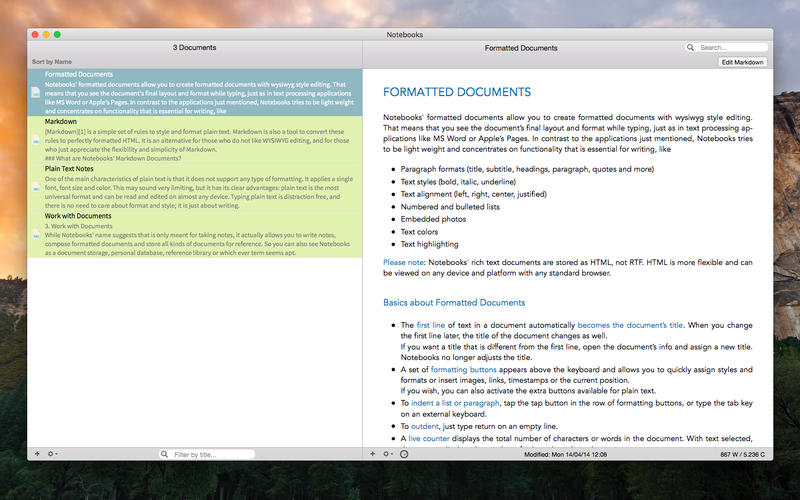
Notebooks allows you to create as many books as you need to write, store and structure your details of life, and it will quickly become the one and only repository for all journals, ideas, notes, drafts, stories and diaries but also for your projects, task lists, documents, files and everything else you want to keep close at hand.

Use Notebooks to create carefully formatted documents with styles and embedded photos, or to quickly write plain text notes. Convert between these formats any time, and if you want to use Markdown, Notebooks knows how to handle that as well. It is a perfect, distraction free writing environment.

Notebooks stores and displays almost any type of document: plain text and formatted text, PDF, web pages, MS Office documents, photos, videos, music and much more. Everything you want to keep organized can go directly into Notebooks.

Notebooks also keeps your task lists and allows you to tick off your to-dos as you complete them. Divide your projects into nested sub projects, which makes them easier to handle, and cross-reference into your reference library, which, of course, is in Notebooks, too.

Notebooks can share its files with the mobile versions of Notebooks on the iPad and iPhone, which allows you to conveniently work on your documents from your desktop, but also on your iPad, iPhone or iPod touch when you are on your way. The synchronization between the devices currently supports Dropbox and many WebDAV servers (with Dropbox currently being the most convenient option).

Notebooks stores all your documents as regular files on your computer’s hard drive, so you can always access them through Finder to open and edit with other applications, too.

So whether you need to write something down or look something up, you need to have Notebooks on your Mac.

Compatibility: OS X 10.8 or later 64-bit

Mac App Store: https://itunes.apple.com/us/app/notebooks-all-your-documents-files-and-tasks/id862961526?mt=12

What’s New in Notebooks 2.0.1

  • Release notes not available at the time of this post.
Screenshots

Name Notebooks_2.0.1_TNT.zip
Size 25.97 MB
Created on 2019-08-18 18:26:01
Hash b76b9aae9ac11062b311ac0fbbb8865b1c315846
Files Notebooks_2.0.1_TNT.zip (25.97 MB)

Download

DMG Canvas 2.4.3

Download

DMG Canvas 2.4.3 – Create custom disk images

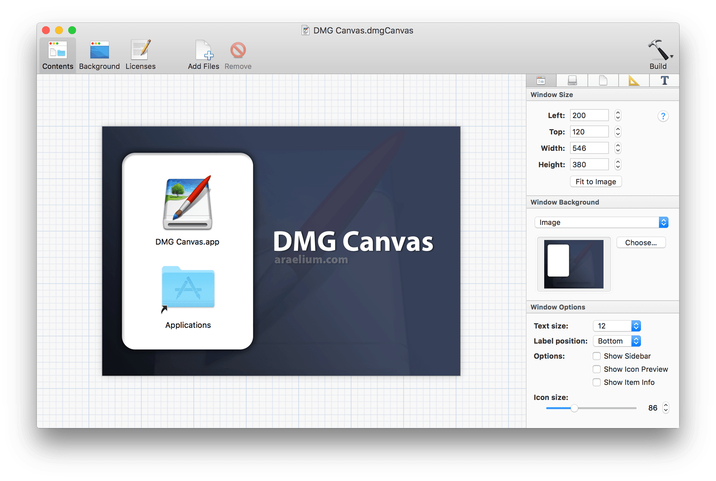
DMG Canvas helps you manage the content and appearance of disk image files using helpful templates. Choose your files, create your background image using helpful controls, and click “Build”. Your disk image will appear in Finder exactly as you designed it.

Disk images, delivered with style
  • Simplified design. With DMG Canvas, creating backgrounds is easy. Just drop in images, add customized text, and you’re done.
  • Maximum compatibility. DMG Canvas creates disk images that work seamlessly on any version of OS X. Say goodbye to compatibility issues.
  • Retina ready. DMG Canvas supports Retina displays on OS X 10.7 or later. Your disk images will be bold and beautiful.
  • macOS Sierra ready. DMG Canvas also supports code signing disk images, so developers can be prepared for changes to Gatekeeper, particular Launch Path Randomization. Apple strongly recommends using disk images to ship applications, so developers should take note!

Compatibility: OS X 10.10 or later 64 bit

Web Site: http://www.araelium.com/dmgcanvas/

What’s New in DMG Canvas 2.4.3

  • Release notes not available at the time of this post.

Screenshots

Name DMG_Canvas_2.4.3_327_TNT.zip
Size 19.26 MB
Created on 2019-08-18 04:21:50
Hash 320bc09d07e67dfa1bcf3c56fa087d5a5ccf18ee
Files DMG_Canvas_2.4.3_327_TNT.zip (19.26 MB)

Download

File Cabinet Pro 7.2.0

Download

File Cabinet Pro 7.2.0

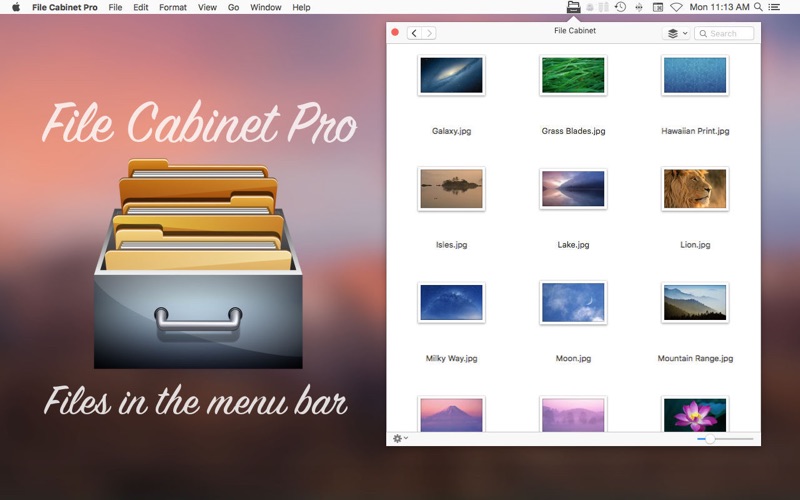
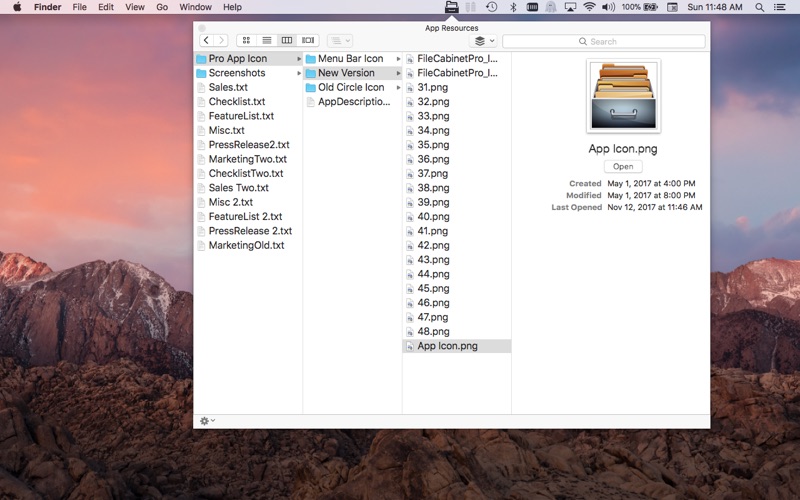
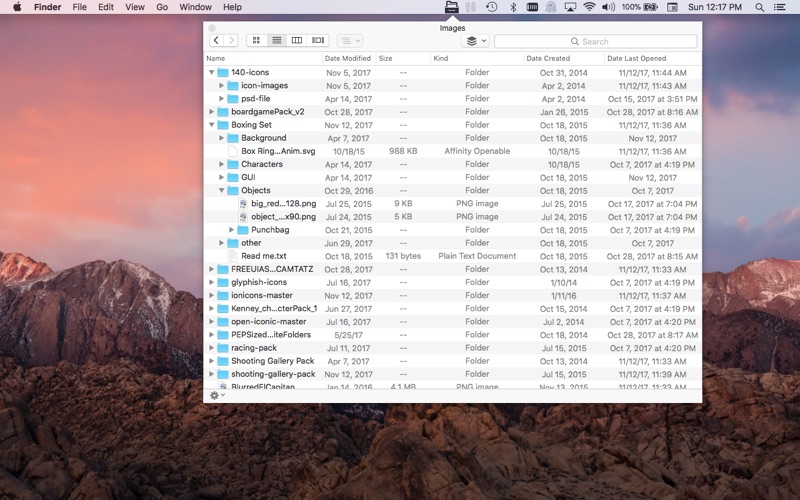
File Cabinet Pro is the file manager for the macOS menu bar. Quickly navigate to files without cluttering your desktop. Open, move, rename, compress, tag, trash, copy and paste files, all from the menu bar. You can open many file types natively in File Cabinet Pro or open files by launching other applications. It’s easy to click into directories in icon view, drill through directories in list view, or navigate the file tree in column view.

File Cabinet Pro is also a document-based application that ships with a built-in text editor, image viewer, pdf viewer, and media player. Some of the file types File Cabinet Pro can open for editing/viewing include:

  • Text documents: Plain text files (.txt), Rich Text Format (.rtf), Rich Text Format Directory (.rtfd), Portable Document Format (.pdf), Markdown (.md)
  • Image documents: Portable Network Graphics (.png), Joint Photographic Experts Group (.jpeg), Tagged Image File Format (.tiff, .tif), Bitmap image file (.bmp), Photoshop File Format (.psd) Import only., Scalable Vector Graphics (.svg) Import only
  • Video and audio documents: MOV, MP4, M4A, M4V, AVI, MP3, WAV, CAF, AIF
Features
  • Create subdirectories
  • Click into subdirectories and open documents
  • Open directories in new tabs.
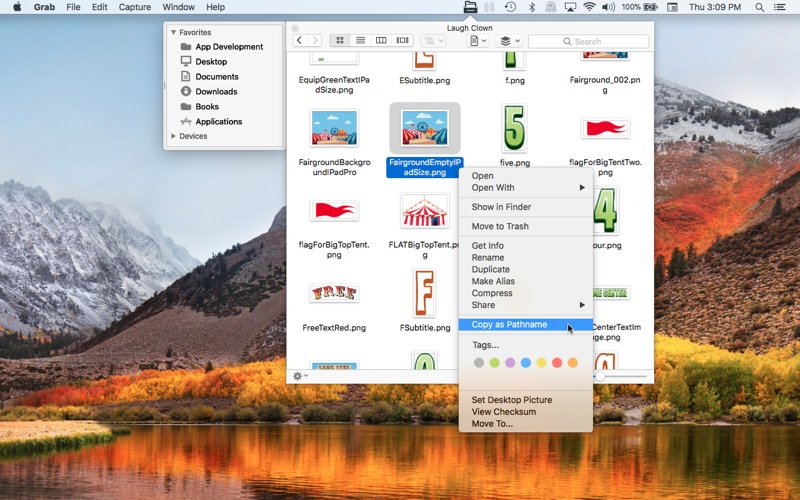
  • Tag files easily. Select files in File Cabinet Pro, right-click, and then simply add or remove file tags from the control in the context menu
  • Show selected files in Finder
  • Rename files
  • Copy and paste files
  • Compress files
  • Trash files
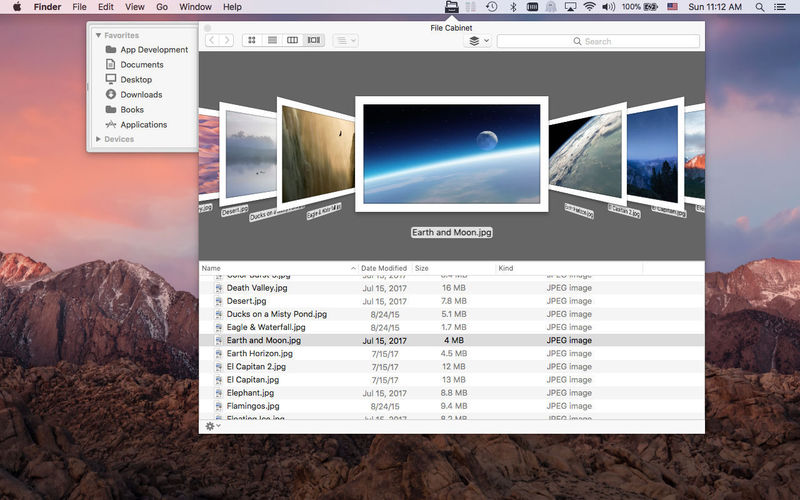
  • View items as icons, in a list, in columns, or in cover flow view
  • Launch the application at login. You can have File Cabinet Pro automatically launch when you login to your Mac (optional feature, disabled by default)
  • Create a list of all your favorite directories in the sidebar
  • Create and edit TXT, RTF, and RTFD files using the built in lightweight text editor
  • Create txt, rtf, rtfd, and .md files from text data currently on the clipboard.
  • Create text documents from Finder using File Cabinet Pro’s Document Creator Finder extension (Note: To use this feature, you have to enable the Finder extension in System Preferences under the “Extensions” tab).
  • Rotate images, crop images, and apply filters to images using the built in lightweight image editor
  • Watch video and play audio files using the built in media player
  • View PDF files using the built in PDF viewer
  • Revert document versions for supported editable document types
  • Set a global hotkey for showing and closing the File Cabinet Pro window (optional feature, disabled by default)
  • Preview selected files in QuickLook by pressing the spacebar
  • Share files in apps that support Sharing extensions like Mail and Messages
  • Create text documents from Finder using File Cabinet Pro’s Document Creator Finder extension (Note: To use this feature, you have to enable the Finder extension in System Preferences under the “Extensions” tab)
  • Verify the SHA256, SHA1, or MD5 checksum of files using the “View Checksum in File Cabinet Pro” Service.

**This app supports the Touch Bar on supporting MacBook Pros.**

Compatibility: OS X 10.11 or later

Web Site: https://apptyrant.com/file-cabinet-pro-help/

Mac App Store: https://apps.apple.com/us/app/file-cabinet-pro/id1150565778

What’s New in File Cabinet Pro 7.2.0

  • You can now create an audio recording and save it in the current directory you are viewing in File Cabinet Pro; you can also use this feature from the Finder Extension.
  • You can now trim audio and video files using File Cabinet Pro’s builtin media player.
  • Fixed issue that prevented File Cabinet Pro’s main window from closing via the Global Hotkey if the “Automatically hide and show menu bar” setting is turned on in System Preferences.

Screenshots

Name File_Cabinet_Pro_7.2_MAS_TNT.zip
Size 27.40 MB
Created on 2019-08-18 04:21:59
Hash b3635966f6ad29a15e844c96f8f82f001e35a73a
Files File_Cabinet_Pro_7.2_MAS_TNT.zip (27.40 MB)

Download

Faraonics Power Save 3.70.2200.0455


Download


Faraonics Power Save 3.70.2200.0455

Faraonics Power Save offers smart energy management with flexible settings for different users, times, and days.With advanced activity monitoring, Power save knows when it’s appropriate to save energy without disrupting IT tasks or end users.

Intelligent Configuration Settings
  • Reduces power by turning off monitors, and sleep, hibernate or shutdown computers
  • Power down hard disks to reduce energy consumption
  • Dynamic configuration settings can be easily adjusted using a slider bar to increase or decrease the power savings settings
  • Blended rates capture varied energy rates at different times or days of the week
  • Easily create, edit and duplicate Power Policies to allow for different levels of energy management at different times
  • Employ energy saving actions when CPU, network, or disk activity falls below a defined level
  • Prevent workstations from employing power saving actions when a specified application is running
  • Identify and ignore applications that prevent energy savings actions
  • Create Energy Consumption Profiles to fine tune individual workstation power use
Minimize End User Disruption
  • Saves open documents, spreadsheets, presentations, and email drafts, prior to powering down
  • Custom notification message to users before taking action
  • Users can temporarily disable power management for convenience
  • Users can customize local wakeup from Hibernate or Standby mode
  • Stealth mode to hide Power Save interface from users
  • Power management can switch off when a computer moves to a wireless network
Enterprise Control & Security
  • Easily create, use and reuse Power Policies
  • Deployment through Faronics Core Server (included) or most 3rd party desktop management tools
  • Override an operating system’s power settings
  • Automatically synchronize changes to Power Policies across deployments
  • Includes a free Wakeup service for workstations via a web browser
  • Logoff user prior to computer powering down
  • Enable password protection on workstations
  • Wake workstations by keyboard, mouse and/or network card
  • Last Man Standing does not turn off WOL Relay computer
  • Automatic alerts notify expiring, outdated clients, and sensitivity adjusts via SMTP email
  • Eco Facts show individual computer contributions for energy savings
  • Eco Facts allow users to request adjustments to power settings and oneclick sleep state activation
Flexible Scheduling
  • Schedule the deactivation of energy management so maintenance windows can occur uninterrupted
  • Schedule WakeOnLAN, restart and shutdown events
  • Schedule Power Save configuration updates
Management Reporting
  • Webbased Power Save Dashboard makes it easy to visualize power consumption information for your entire organization
  • Generate energy use and savings reports
  • Summary and detailed reports display power savings based upon your regional electricity cost in your local currency
  • Energy consumption translated into carbon footprint related to environmental benefits from reduced energy use
  • Audit Mode provides a baseline measure of consumed energy and shows projected annual savings
  • Reports on best/worst energy savers, and power saving history

Compatibility: OS X 10.11 or later

Web Site: http://www.faronics.com/en-uk/products/power-save/enterprise/

What’s New in Faraonics Power Save 3.70.2200.0455

  • Release notes not available at the time of this post.

 

Name Faraonics Power Save 3.70.2200.0455 macOS.zip
Size 23.15 MB
Created on 2019-08-18 02:07:52
Hash 18b0e04786b070fe718afa95a67f3ae9fc0eb2ec
Files Faraonics Power Save 3.70.2200.0455 macOS.zip (23.15 MB)

Download

RAW Converter 2.3


Download


RAW Converter 2.3 – Converter RAW to other formats

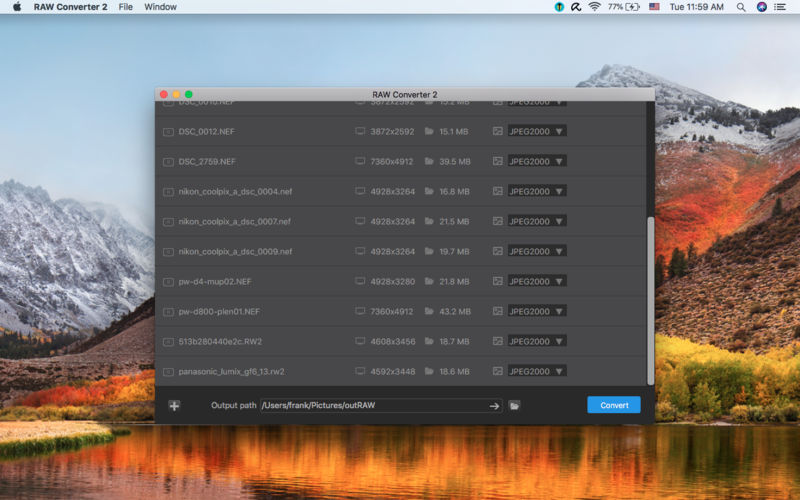
RAW Converter 2 supported more camera is coming.

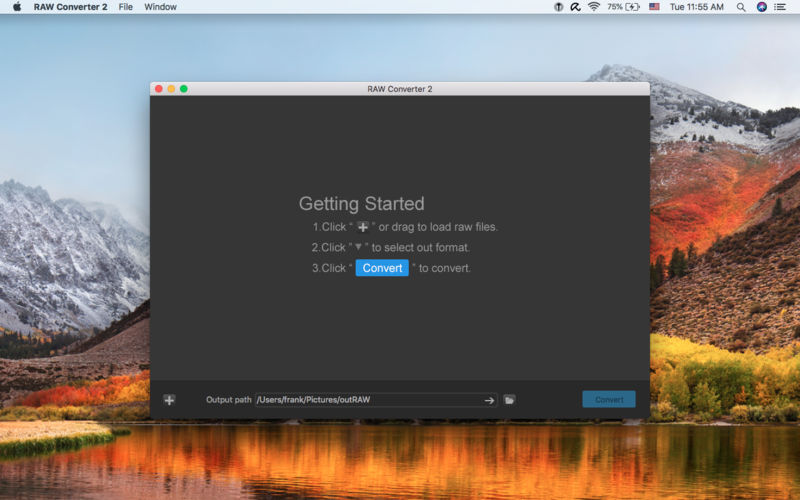
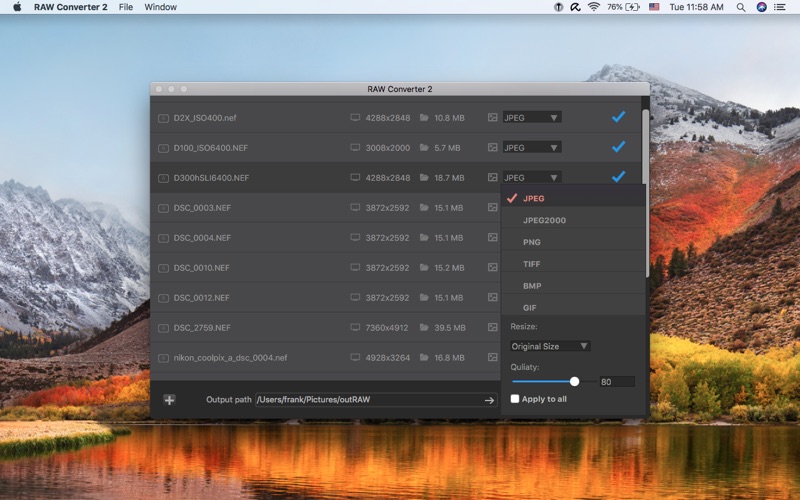
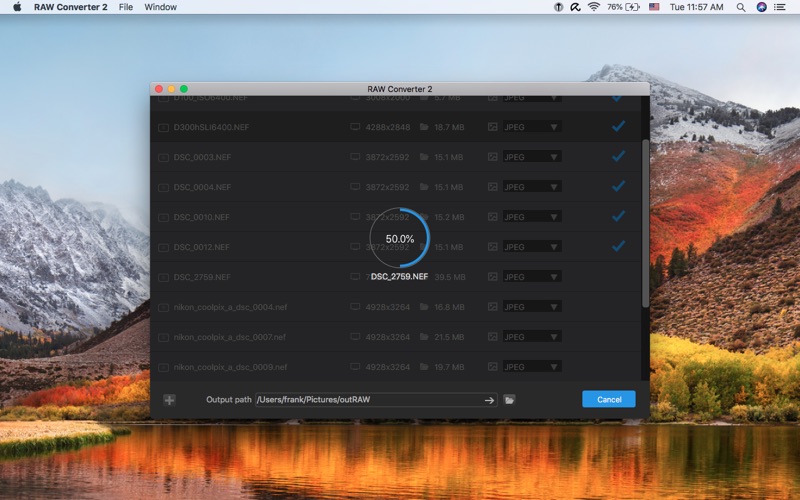
RAW Converter 2 is a simple, yet powerful tool that can convert your raw photos to common format, such as JPG. It almost supports all the raw formats of the camera. It also gives you the ability to resize your raw photos and save them to jpg, jpeg2000, bmp, gif, png, tiff.

Key feature:

  • Supports dragndrop
  • Supports a large number of RAW file format
  • Very high conversion quality
  • Supports batch conversion

Supported cameras and format: http://www.imacbits.com/supportcamera.pdf

Supported output file format: -JPEG,JPEG-2000,PNG,TIFF,BMP,GIF

Compatibility: OS X 10.10 or later 64-bit

Web Site: http://www.imacbits.com/raw-converter

Mac App Store: https://itunes.apple.com/app/raw-converter-2/id670504280?mt=12

What’s New in RAW Converter 2.3

  • Fixed some bugs

Screenshots


Name RAW_Converter_2_2.3_TNT.zip
Size 16.35 MB
Created on 2019-08-18 01:54:08
Hash 3e17577faf0f9aabcf1b421e87ac3836a5d2593d
Files RAW_Converter_2_2.3_TNT.zip (16.35 MB)

Download

MediaHuman YouTube Downloader 3.9.9.21 (1608)

Download

MediaHuman YouTube Downloader 3.9.9.21 (1608)

There are so many interesting things to be found on YouTube, but you can’t download the videos or save them as audio files by default. That’s why we developed YouTube Downloader. This app will help you to accomplish video downloads quickly and without hangups. Using our program you can simply download an entire YouTube playlist or channel at once and watch it whenever and wherever you want.

The application has many other convenient and practical functions for you to explore and enjoy. Give it a try, download it now!

  • Simultaneous downloads
  • Supports Ultra High resolutions including 4K & 8K
  • Downloads entire playlists and channels
  • YouTube, Vimeo, Dailymotion, Soundcloud and much more
  • Extracts audio track and saves it as MP3
  • Supports exporting to iTunes
  • Works on all modern platforms (macOS, Windows and Ubuntu)

Main Features:

Playlists and channels

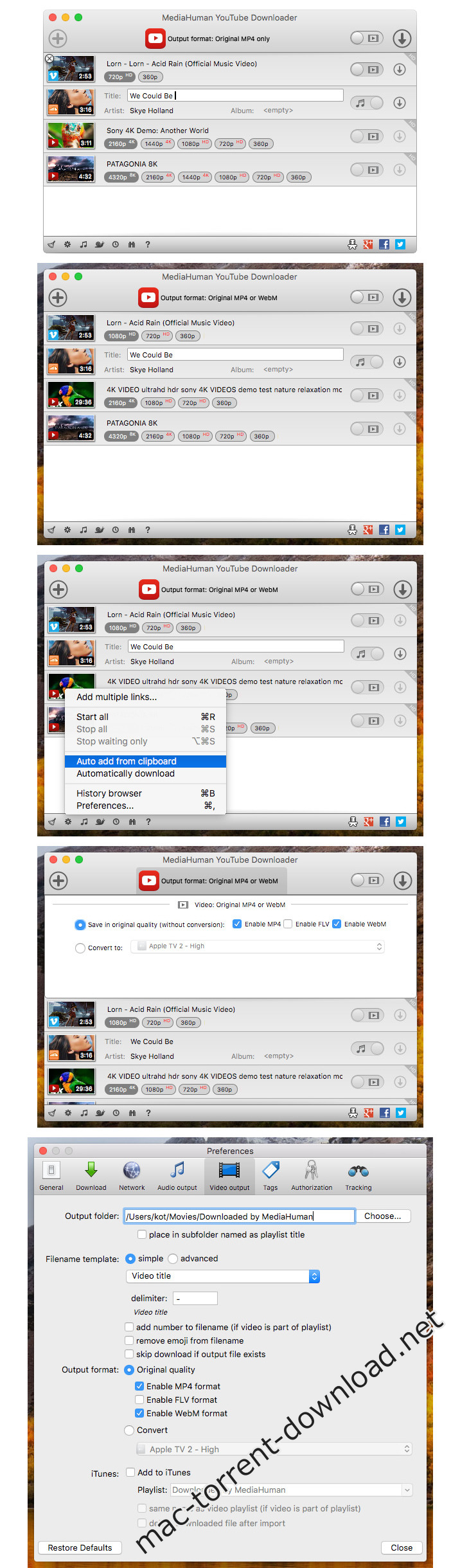
The program supports downloading of all videos of a playlist or a channel. And there’s also an option to track the selected channel or playlist and download new clips as they are uploaded.

Add to iTunes

You can configure the program to automatically add downloaded movies to your iTunes library. You can also pick a playlist where the downloaded video should be added.

HQ, HD, 4K or 8K

The program supports all available resolutions, be that 720p, 1080p, 4K or 8K. The choice is up to you.

Monitor the clipboard

The program keeps an eye on the clipboard and as soon as it spots a supported link there, it automatically adds this video into the download queue.

Quality of the original

You can choose to save videos in the original quality (usually in MP4 format), without any modifications. In this case, the clip you get is exactly the same as the one its author uploaded.

Simple tag editor

The app automatically detects the artist and the title of a video and saves them to the downloaded file. And you can easily change them later.

Not just YouTube

The program supports Vevo.com, Vimeo, Dailymotion, Facebook, UOL, VKontakte, SoundCloud and a lot of other sites. So you can download video from these websites as easy as you do from YouTube.

Drag & Drop

The app features a 100% drag&drop support. Just drag the link to a video with your mouse and drop it to the main window of the program, or to its dock icon on Mac.

Multi-language interface

The app is translated into: Arabic, Armenian, Azerbaijani, Bulgarian, Catalan, Chinese (Taiwan), Croatian, Czech, Danish, Dutch, English, Esperanto, French, German, Greek, Hebrew (Israel), Hungarian, Indonesian, Italian, Japanese, Korean, Latvian, Lithuanian, Malay, Norwegian Bokmål, Polish, Portuguese, Portuguese (Brazil), Romanian, Russian, Spanish, Swedish, Turkish, Vietnamese.

Compatibility: OS X 10.8 or later 64-bit

Web Site: http://www.mediahuman.com/

What’s New in MediaHuman YouTube Downloader 3.9.9.21 (1608)

  • Release notes not available at the time of this post.

Screenshots

Name MediaHuman_YouTube_Downloader_3.9.9.21_1608_TNT.zip
Size 39.76 MB
Created on 2019-08-17 23:10:30
Hash 3c87355ca5ac3b89c5ace36b3f077d5e30f1beb9
Files MediaHuman_YouTube_Downloader_3.9.9.21_1608_TNT.zip (39.76 MB)

Download

Bartender 3.1.3

Download

Bartender 3.1.3 – Organize your menu bar apps

Bartender lets you organize your menu-bar apps by hiding them, rearranging them, or moving them to Bartender’s Bar. You can display the full menu bar, set options to have menu-bar items show in the menu bar when they have updated, or have them always visible in Bartender’s Bar.

Features

  • Lets you tidy your menubar apps how you want.
  • See your menubar apps when you want.
  • Hide the apps you need to run, but do not need to see.
  • Have the clean looking menu bar you want.
  • Rearrange your menubar items as you wish.

Compatibility: macOS 10.12 or later 64-bit

Web Site: http://surteesstudios.com/

What’s New in Bartender 3.1.3

  • Release notes not available at the time of this post.

Name Bartender 3.13 macOS.zip
Size 17.45 MB
Created on 2019-08-17 22:42:14
Hash aafecb07d980e46d077f36227f36b591cba3e2a5
Files Bartender 3.13 macOS.zip (17.45 MB)

Download

Autokroma BRAW Studio v1.6 for Premiere & Media Encoder

Download

Autokroma BRAW Studio v1.6 for Premiere & Media Encoder

Premiere Pro and Adobe Media Encoder native Blackmagic RAW (.braw) importer.

The missing piece in your Blackmagic workflow
  • Import and edit your .BRAW footages directly and natively into Adobe Premiere Pro ! And get your .BRAW metadata in Project Panel
  • Reencode your .BRAW with Adobe Media Encoder
  • Access the same RAW color parameters from DaVinci Resolve and Load / Save them thanks to .sidecar files

BRAW Studio is available in two separates licenses : you’ll need BRAW Studio for Premiere Pro to edit .braw in Adobe Premiere Pro and export projects and convert .braw directly from within Premiere Pro.

You’ll need BRAW Studio for Media Encoder to export your project with Adobe Media Encoder, convert .braw in AME’s render queue and create your PPro proxies in batch in Media Encoder.

Compatibility
  • Premiere: CC 2019, CC 2018, CC 2017
  • Media Encoder: CC 2019, CC 2018, CC 2017

Web Site: https://aescripts.com/braw-studio/

What’s New in Autokroma BRAW Studio v1.6

  • BRAW API 1.4 from DaVinci Resolve 16 : Support for BMPCC6K, new Rec. 709 gamma
  • Don’t forget there’s a new official desktop Blackmagic RAW Player for both Windows and Mac OSX !
  • Download on https://www.blackmagicdesign.com/support/
  • If you experienced in/out points shifts with .braw clips, please follow our new article to fix it !
  • https://autokroma.com/blog/ClipShiftedIssueBRAWStudio/
  • Premiere Pro on Windows only : “Properties” of a .braw will now also show Metadata for the first frame (Aperture, Distance, Exposure, Focal, ND, Shutter, Timecode, White Balance etc.)
  • Fixed :
    • Crashes
    • Panel : Reduced errors
    • OSX Installer : Uninstall plugins checkboxes didn’t work anymore and couldn’t be selected alone
    • Deleted some scripts in the downloaded .zip as they were wrongly flagged by Anti Viruses (falses positives)
    • ACESctt gamma had custom gamma controls enabled
    • License & Settings Popup : error message when clicking on “Open logs folder” fixed, can only open one popup at the same time now

Name Autokroma BRAW Studio v1.6 for Premiere Media Encoder.zip
Size 14.45 MB
Created on 2019-08-17 19:10:20
Hash 5a2f52fb48573aaad3f8cc96df0e5b4d4f3ea6fe
Files Autokroma BRAW Studio v1.6 for Premiere Media Encoder.zip (14.45 MB)

Download

Movist Pro 2.2.6

Download

Movist Pro 2.2.6 – Media player with a high-quality caption and more

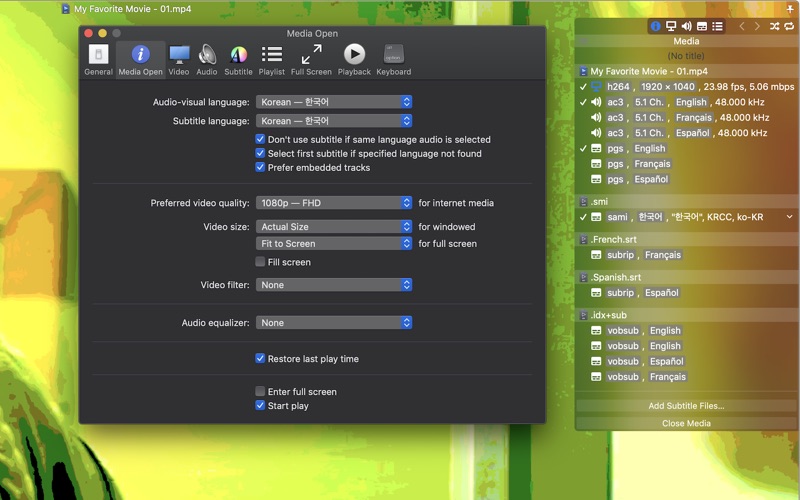
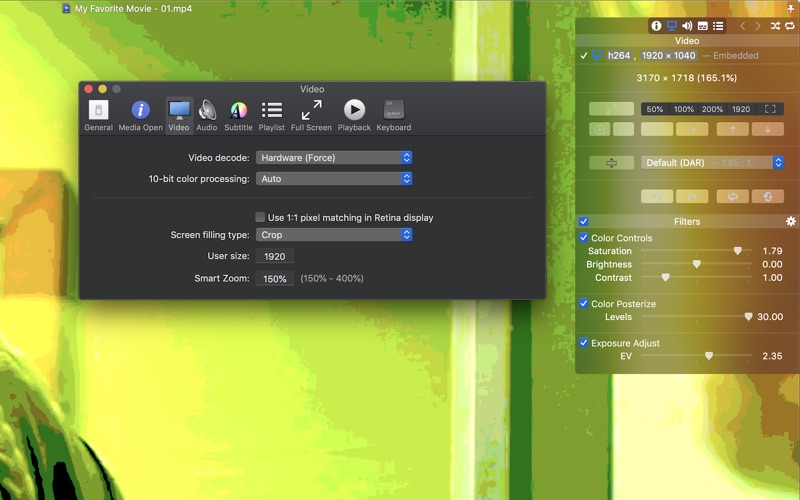
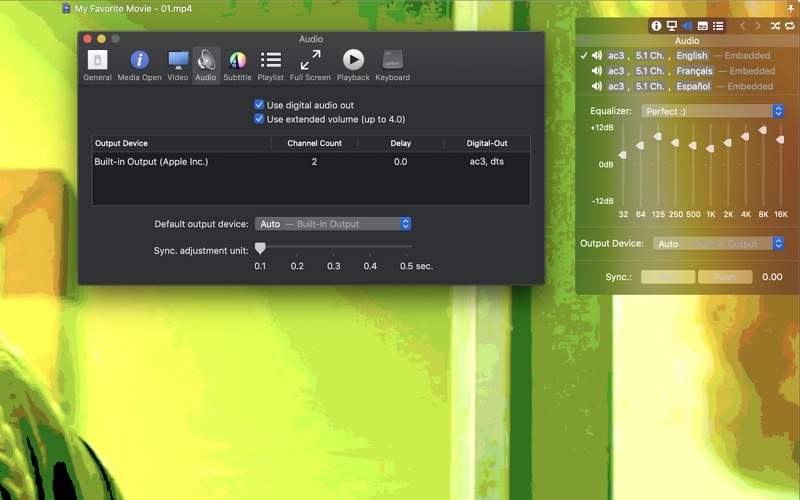
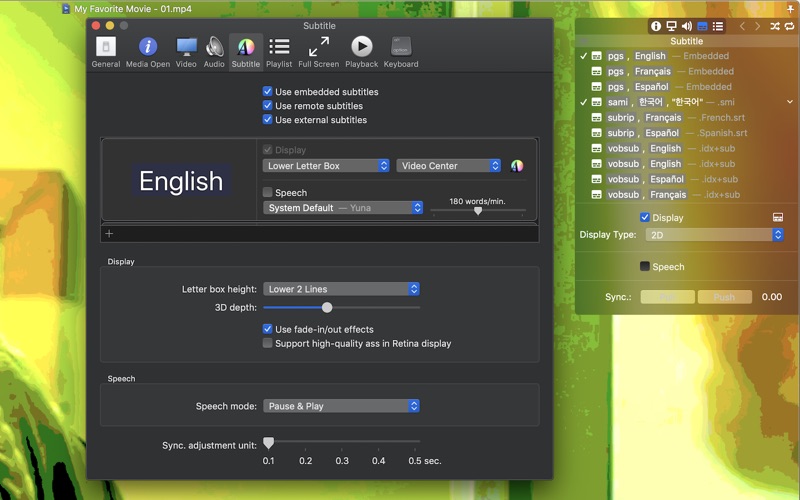
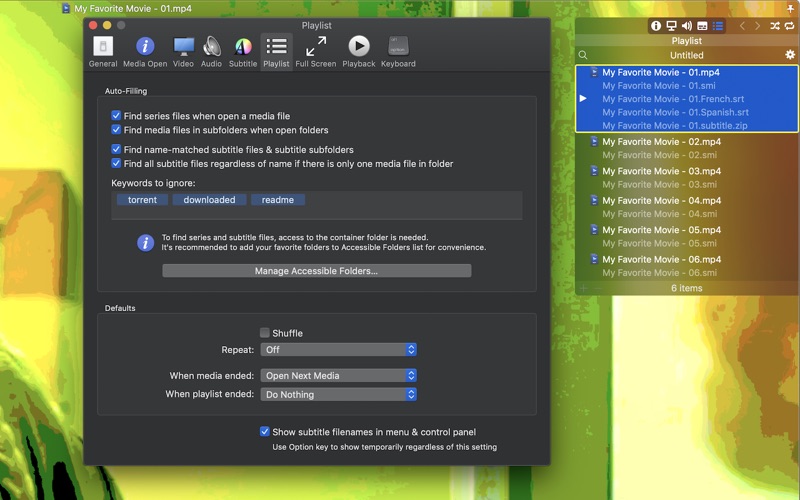
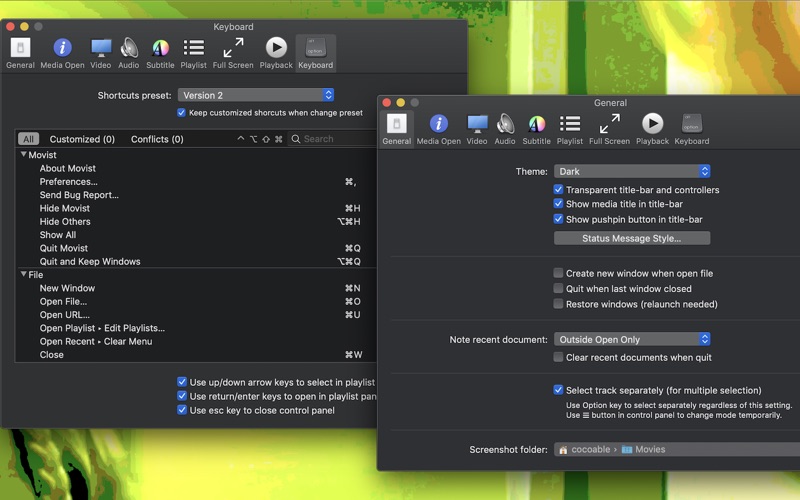
Movist is an easy-to-use and powerful movie player. You can choose QuickTime or FFmpeg as decoder for each video codec and reopen with other decoder instantly. Movist supports many useful features to enjoy movies including H.264, H.265/HEVC hardware video decode acceleration, digital audio out (S/PDIF), high quality subtitles, convenient & beautiful user interface and so on.

Just Enjoy Movies with Movist.

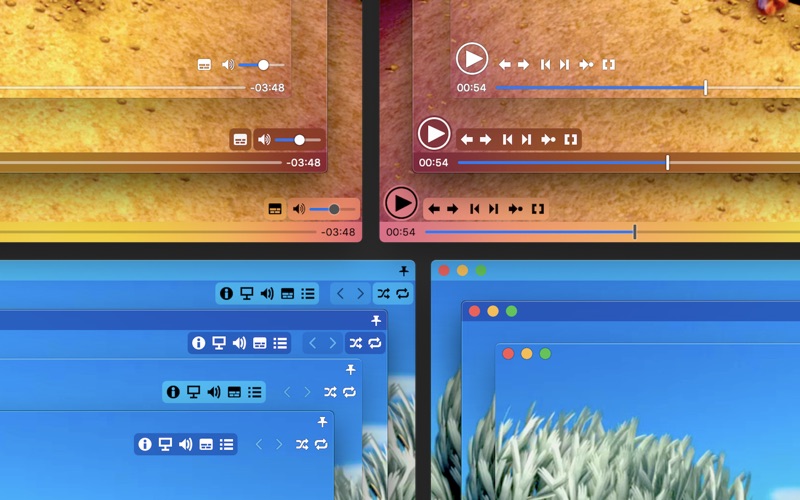
  • Single Window Mode or Multiple Document Mode.
  • App Sandbox supported.
  • Retina Display supported.
  • Many File Format supported.
  • Many Video & Audio Codecs supported.
  • H.264, H.265/HEVC Video Decode Acceleration.
  • Many Core Image Filters supported.
  • Video Rotation & Flip.
  • Deinterlace (FFmpeg Only).
  • Digital Audio Out (S/PDIF) (FFmpeg Only).
  • Audio Equalizer supported (FFmpeg Only).
  • A/V Sync Adjustment.
  • High Quality Subtitle.
  • Many Subtitle Format supported.
  • Embedded Subtitles supported.
  • Compressed Subtitles in .zip & .rar supported.
  • 3D Subtitle supported.
  • Subtitle Display on Letter Box.
  • UnlimitedSubtitles Concurrent Display.
  • Fully Customizable Subtitle Display. 5
  • Subtitle Text Encoding autodetection.
  • Subtitle Sync Adjustment.
  • AutoFilling Playlist (searching series & subtitle files)
  • Playlist Shuffle & Repeat Mode.
  • Playlist Load & Save.
  • Playback Speed Adjustment.
  • Screenshot Capture.

Compatibility: macOS 10.10 or later 64-bit

Web Site: http://cocoable.tistory.com

What’s New in Movist Pro 2.2.6

  • Resolved an issue which ignored emebed subtitles on network server
  • Changed the default “Use extended volume”

Screenshots

Name Movist_Pro_2.2.6_TNT.zip
Size 62.84 MB
Created on 2019-08-17 18:47:36
Hash 59b4073ffe892de1e79bddcf1a0991a9c566e7db
Files Movist_Pro_2.2.6_TNT.zip (62.84 MB)

Download

Mate Translate 6.0.7


Download


Mate Translate 6.0.7 – Translate over 100 languages

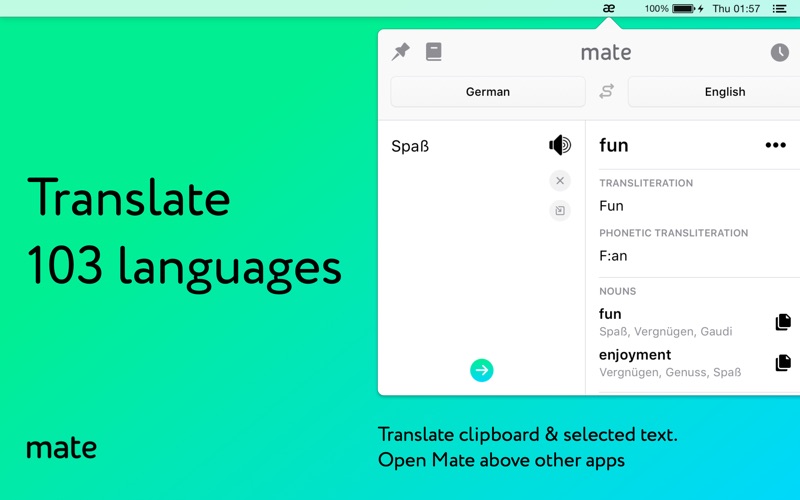
Stop tabbing to translation websites and start using Mate! Select text in any app and translate it. Join the other 550,000 users worldwide that are already using Mate.

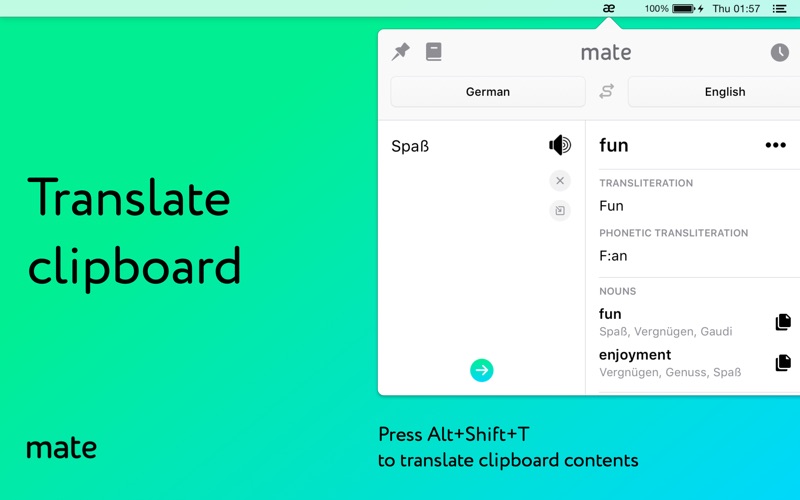
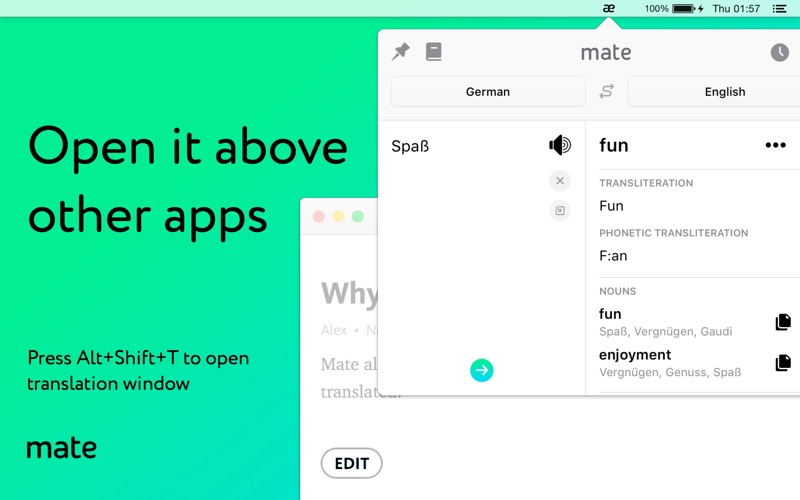
Mate can understand 103 languages! Easily and quickly translate words & text by selecting them in any other app. Create your own personal Phrasebook and keep a dictionary of other countries’ words handy whenever you need it!

Stop using tons of different language apps to help you translate and just use Mate!

TRANSLATE DIFFERENT LANGUAGES

  • Mate understands 103 languages and also teaches you how to pronounce words correctly.
  • Get translations for Spanish, French, Japanese, Italian and more!
  • See the phonetic transcription and transliteration of words and text.
  • Mate can speak out words and texts with correct accents to help you learn faster.

CREATE A CUSTOM PHRASEBOOK

  • Language learners and travelers! Create custom word lists each language and keep them handy whenever you need.
  • Mate Phrasebook Easily create and curate word lists which are available even offline.

USE MATE ANYWHERE

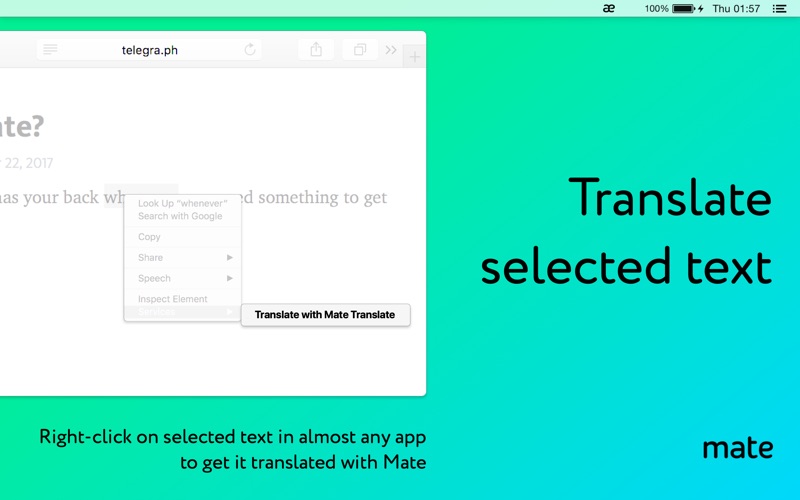
  • Don’t navigate to translation websites anymore when you’re reading an article in Safari or editing a document in Pages. Just use Mate everywhere you go!
  • Select any text in any app and get a translation by hitting the “Translate with Mate“ button in the context menu.

SYNC TRANSLATIONS ACROSS ALL DEVICES

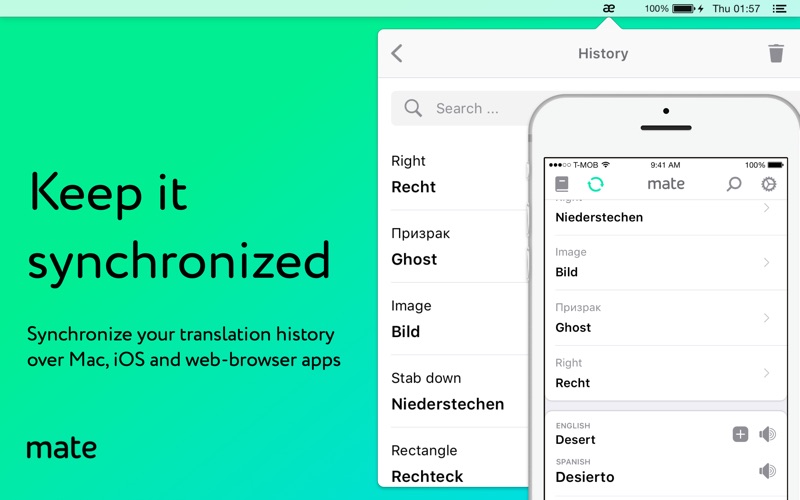
  • Keep all of your translation and dictionary data synchronized across all your devices.
  • Automatically synchronize your data between all your iPhones, browsers and Macs.

No matter what you need translated, a word, a book or a friends’ message, no compromise! Now “Mate it,” will mean, “Come on man, just use this awesome app and forget about using translation websites.” Use Mate for all your translation needs!

Download Mate today to get your ultimate translation helper!

Compatibility:OS X 10.10 or later 64-bit

Web Site: https://matetranslate.com/

Mac App Store: https://apps.apple.com/app/mate-translate-translator/id1005088137

What’s New in Mate Translate 6.0.7

Fixed some bugs:
  • Doubleclick translation in Safari wasn’t working for some websites, now it works as it should.
  • Mate window would sometimes close when you don’t want it to, now it doesn’t.
  • Autoswap wasn’t working for Hebrew, it now works.

Screenshots Mate Translate 6.0.7 :


Name Mate_Translate_6.0.7_MAS_TNT.zip
Size 28.81 MB
Created on 2019-08-17 07:01:37
Hash 3f80e65f0836d29f0164aaaf0fb62abb0e35d9fe
Files Mate_Translate_6.0.7_MAS_TNT.zip (28.81 MB)

Download

xScope 4.4

Download

xScope 4.4 – Onscreen graphic measurement tools

Created specifically for designers & developers, xScope is a powerful set of tools that are ideal for measuring, inspecting & testing on-screen graphics and layouts. xScope’s tools float above your desktop windows and can be accessed via a toolbar, menubar and/or hot keys.

The ten tools that will help you do your job faster and more accurately include:

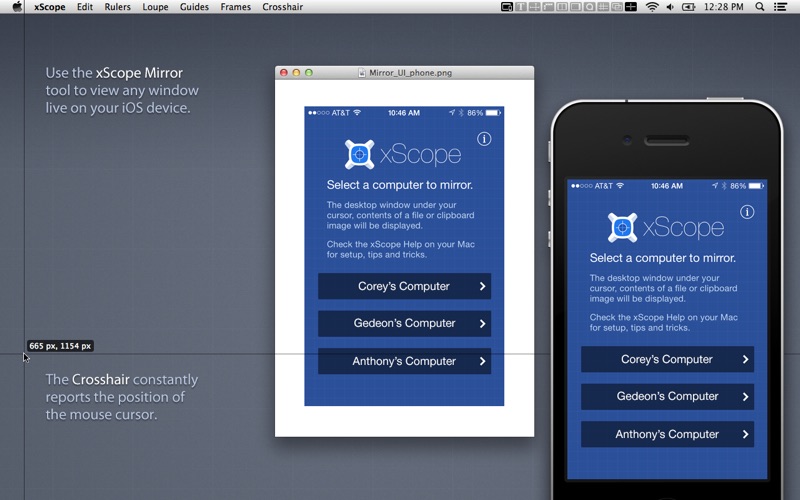
Mirror
  • Remote Viewing Easily view Photoshop, files or windows on your iOS device, AirPlay, or your wrist.
  • Templates Automatically shows icon or wallpaper mockup on iOS
  • Chromeless UI No overlaid chrome to get in the way while you work
  • Security Toggle user authentication requests on/off via Preferences
  • Download the xScope Mirror App for iOS at http://xscopeapp.com/ios
Text- New!
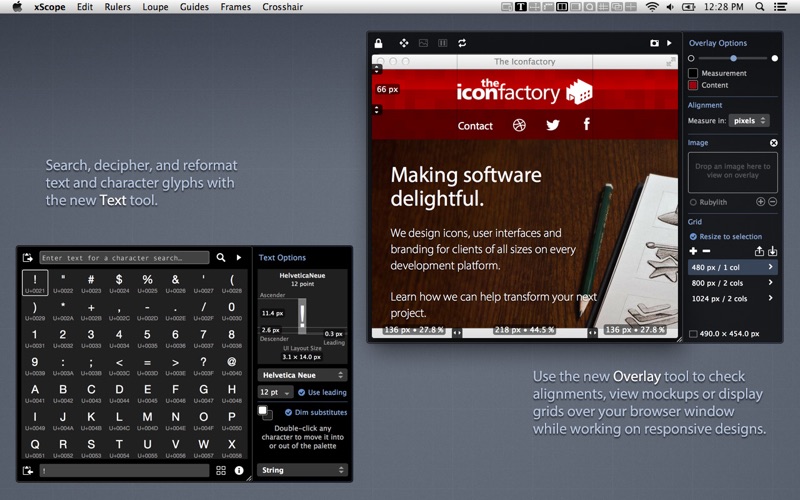
  • Powerful Search For name or tag in any of the 100,000+ Unicode characters
  • Decipher Text Deciphers text entities, encodings, constants, and more!
  • Convert Format Output text as a string, entities, URL encoding, and more!
  • Measure Glyphs Shows line, character or web layout: including font metrics & CSS
  • Character Palette A handy place to collect commonly used Unicode characters
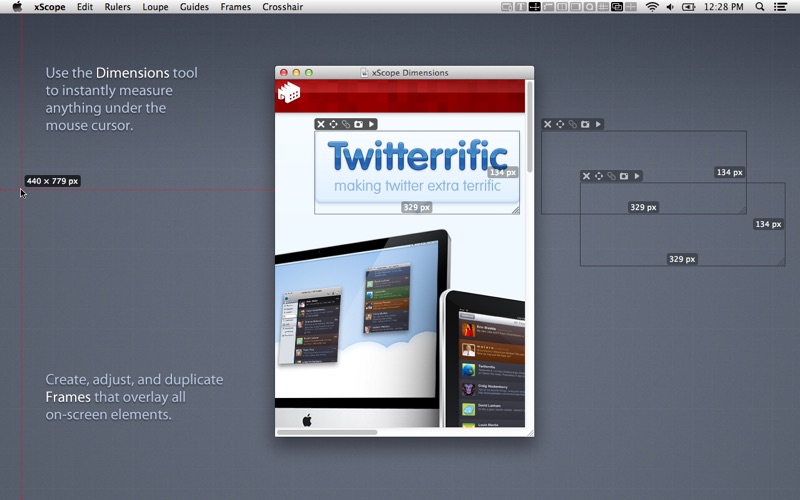
Dimensions
  • Find the dimensions of anything on screen instantly
  • Find distance between objects quickly & easily
  • Create screen shots of any measured element
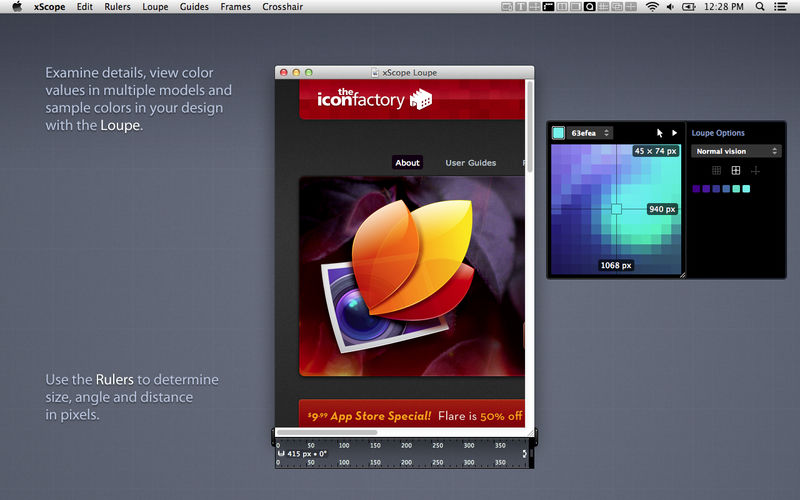
Rulers
  • Powerful onscreen rulers for pixel measurements
  • Two rulers with synchronization for easy onscreen comparison
  • Hold down control to snap to edges of onscreen content
  • Fully adjustable horizontal & vertical lengths
  • Full 360 degree rotation range
  • Displays deltas for rotated rulers
Overlay- New!
  • Enhances Your Web Browser Attaches to window to make development easier
  • Alignment Marks Check positioning & distances in px/em/pt and percentages
  • Mockup Image A transparent design comp over your HTML and CSS code
  • Grids with Breakpoints Grid systems that stay in sync with your media queries
  • Cycle Breakpoints Quickly check your design at all sizes used in your CSS
  • Fullpage Screenshot Get a picture of your whole web page
  • Works with iOS Simulator Great for testing in Safari or developing native apps
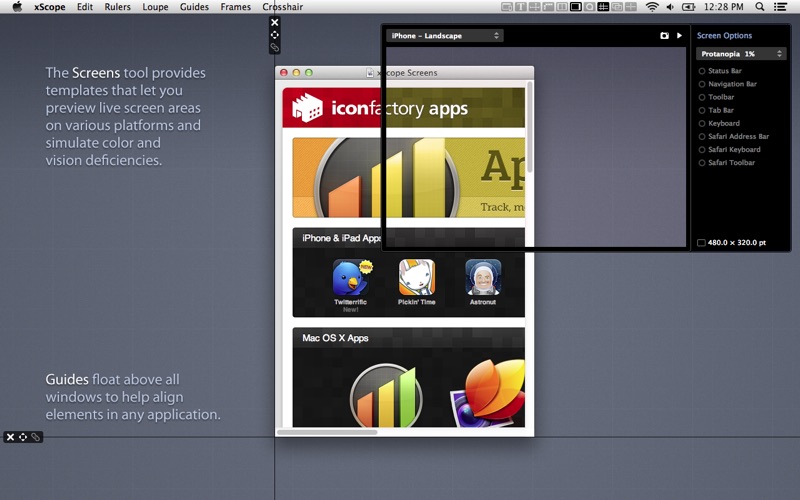
Screens
  • Easily see the usable real estate for any screen size
  • Organized by platform including iOS, Android, Mac, Windows & TV
  • Predefined screen templates or create your own
  • Displays title and game safe areas for 4:3 and 16:9 aspect ratio TVs.
  • Simulate user vision problems including color blindness & presbyopia (old age)
  • Deretinizer to simulate normal display when using Retina display
  • Define custom area settings for any OS or browser
Loupe
  • Magnify any portion of the screen under your mouse
  • Displays color under your cursor in RGB, HSB, HEX, CSS3 rgb() & HTML
  • Quick measurement of magnified image using Dimensions
  • Reference color format: work with a hex color while viewing RGB format
  • Collect a running list of color swatches with ShiftCmdC
  • Save out or import .ACO color swatch files for easy reference
  • Simulate user vision problems including color blindness & presbyopia (old age)
  • Displays coordinates of mouse cursor for reference
  • The content of the window or the mouse position can be locked
Guides
  • Vertical & horizontal guides that float on top of all else on the screen
  • Displays guide position in pixels when placed
  • Displays distance between guides in pixels
  • Save & load guide positions for later reference
  • Supports multiple monitors
Frames
  • Adjustable marker boxes float on top of the screen
  • Hold down control to snap to edges of onscreen content
  • CmdShift5 to shrink a selection around on screen content & create a frame
  • Display preset grids to help compose frame layouts
  • Create, move, duplicate & edit frames at will
  • Save & load frame positions for later reference
Crosshair
  • Reports the coordinate position of the mouse cursor
  • Change origin from the upperleft (design work) to lowerleft (development work)

Compatibility: OS X 10.9 or later

Web Site: http://xscopeapp.com

Mac App Store: https://itunes.apple.com/app/xscope-4/id889428659?mt=12

What’s New in xScope 4.4

  • Release notes not available at the time of this post.

Screenshots

Name xScope_4.4_TNT.zip
Size 41.88 MB
Created on 2019-08-17 06:56:06
Hash 7baf54f31bbd1600d8c8d2b77d1e1a18b3b20cc8
Files xScope_4.4_TNT.zip (41.88 MB)

Download

Affinity Publisher 1.7.2


Download


Affinity Publisher 1.7.2

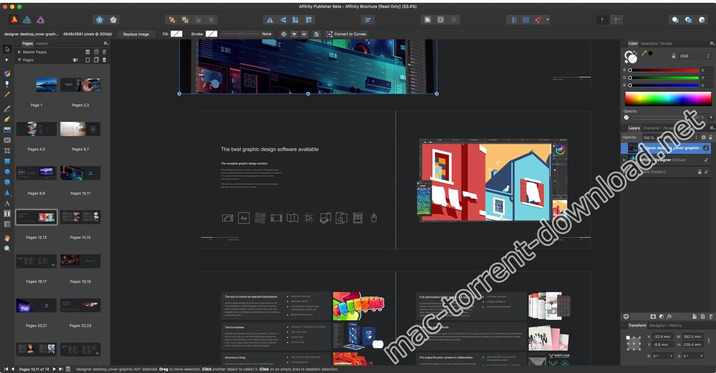
Bring your vision to life with Affinity Publisher, the next generation of professional publishing software. From magazines, books, brochures, posters, reports and stationery to other creations, this incredibly smooth, intuitive app gives you the power to combine your images, graphics and text to make beautiful layouts ready for publication.

With essentials like master pages, facing page spreads, grids, tables, advanced typography, text flow, full professional print output and other amazing features, Affinity Publisher has everything you need to create the perfect layout – whatever your project.

  • Double page spreads
  • Live master pages, including nested master pages
  • Image frames with intelligent scaling options
  • Text wrapping with fine padding control
  • Custom shaped text frames
  • Link multiple text frames together across your document
  • Advanced guides, grids and snapping
  • Tables and custom table formats

Compatibility: OS X 10.7 or later 64-bit

Web Site: https://affinity.serif.com/en-us/

What’s New in Affinity Publisher 1.7.2

  • Release notes not available at the time of this post.

Screenshots


Name Affinity_Publisher_1.7.2_TNT.zip
Size 420.0 MB
Created on 2019-08-17 04:55:49
Hash fd997351492e0d9ec09181046908069a518fb605
Files Affinity_Publisher_1.7.2_TNT.zip (420.0 MB)

Download

Visual Studio Code 1.37.1

Download

Visual Studio Code 1.37.1

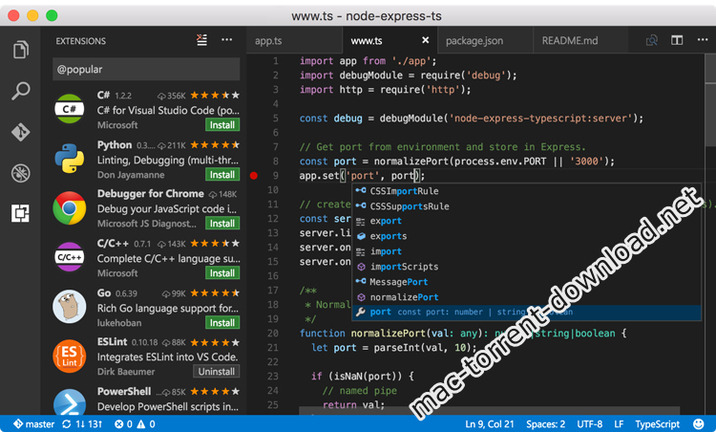
Visual Studio Code provides developers with a new choice of developer tool that combines the simplicity and streamlined experience of a code editor with the best of what developers need for their core code-edit-debug cycle. Visual Studio Code is the first code editor, and first cross-platform development tool – supporting macOS, Linux, and Windows – in the Visual Studio family.

At its heart, Visual Studio Code features a powerful, fast code editor great for day-to-day use. The Preview release of Code already has many of the features developers need in a code and text editor, including navigation, keyboard support with customizable bindings, syntax highlighting, bracket matching, auto indentation, and snippets, with support for dozens of languages.

For serious coding, developers often need to work with code as more than just text. Visual Studio Code includes built-in support for always-on IntelliSense code completion, richer semantic code understanding and navigation, and code refactoring. In the Preview, Code includes enriched built-in support for ASP.NET 5 development with C#, and Node.js development with TypeScript and jаvascript, powered by the same underlying technologies that drive Visual Studio. Code includes great tooling for web technologies such as HTML, CSS, LESS, SASS, and JSON. Code also integrates with package managers and repositories, and builds and other common tasks to make everyday workflows faster. And Code understands Git, and delivers great Git workflows and source diffs integrated with the editor.

Compatibility: OS X 10.9 or later, 64-bit processor

Web Site: https://code.visualstudio.com/

What’s New in Visual Studio Code 1.37.1

Addressed issues:
  • Recovery build has wrong icon for release notes
  • Pasting in a Windows>Linux remote window adds additional new line characters
  • 1.37 breaks the fsprovidersample extension
  • Broken vscode.ProcessExecution in Tasks API in v1.37
  • altclick in terminal resets scroll position and prevents clickonlink
  • Certain C files completely freeze VSCode
  • 1.37 Explorer not showing any files or folders
  • Diagnostics show empty parentheses if no code specified for error (regression)

Screenshots

Name VSCode-darwin-stable.zip
Size 77.38 MB
Created on 2019-08-17 02:55:36
Hash dcef67bc2e82ec6e04a7a413da5a66ae72118ac7
Files VSCode-darwin-stable.zip (77.38 MB)

Download

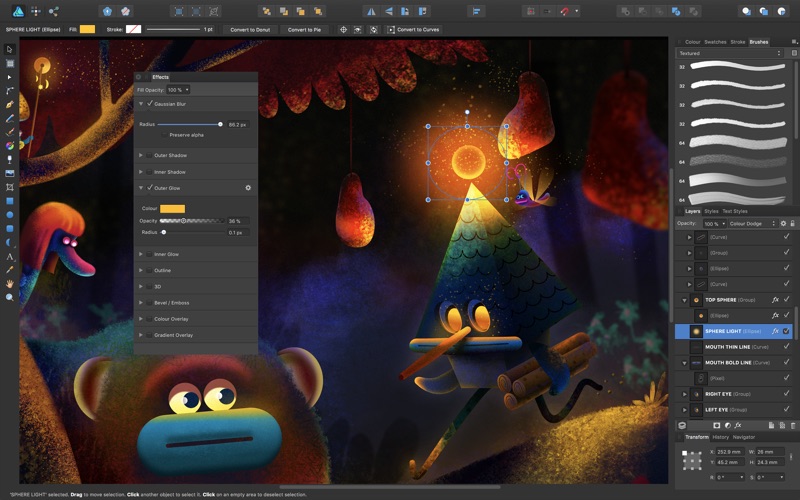
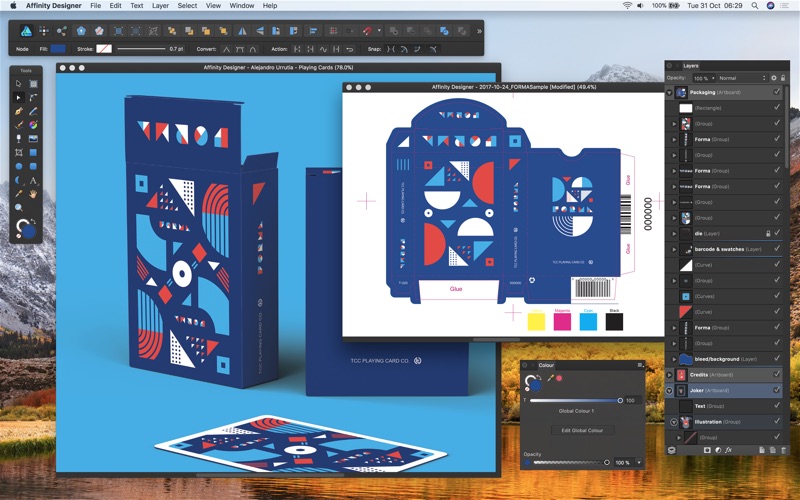
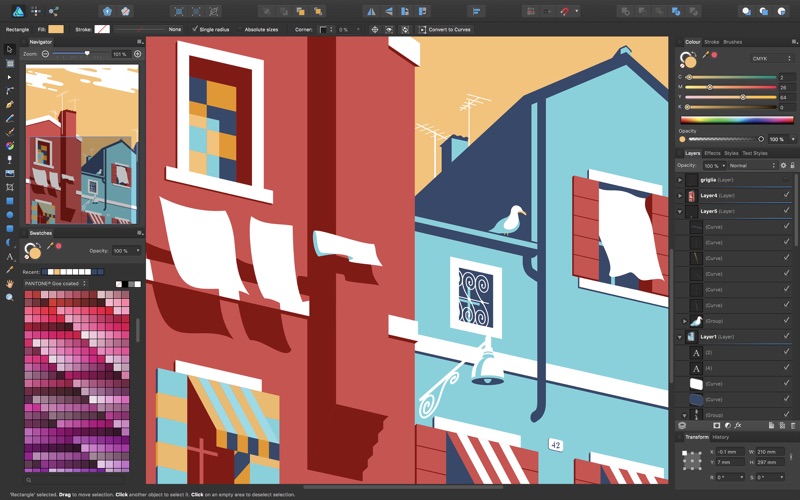
Affinity Designer 1.7.2

Download

Affinity Designer 1.7.2 – Vector graphic design software

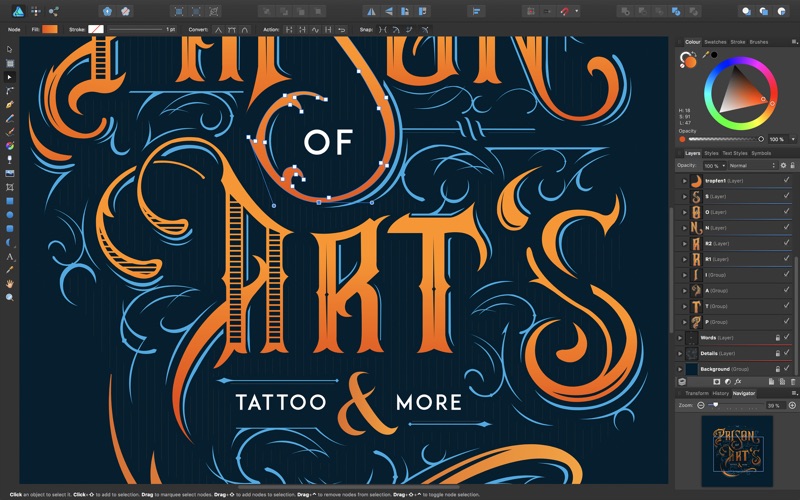
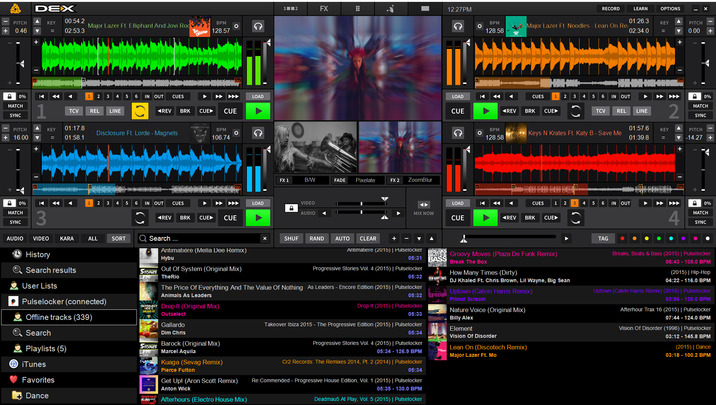
Affinity Designer has truly changed the world of graphic design. Five years of intensive refinement since launch have been dedicated to our unwavering vision of a powerful, super-smooth app which improves your workflow and allows your creativity to shine.

Serious business

No bloat, no gimmicks, just all the tools you need, implemented how you always dreamed. Affinity Designer is a stripped back, pro-end workhorse that will always get your job done

Fast and glorious

Affinity Designer was created to thrive on the electric pace of the latest computing hardware. Live, responsive and incredibly fluid, it’s simply a joy to use.

  • Pan and zoom at 60fps
  • Live gradients, effects and adjustments
  • Real time blend mode previews
  • All transforms and curve edits previewed live
As complex as you like
  • The engine behind Affinity Designer is built to handle huge documents so you can be confident in adding all those tiny details without any compromize to performance.
  • Optimized for documents of any complexity
  • Handle 1000s of objects with no lag
  • Organize with layer groups and colour tagging
  • Live outline view for accurate selections

Compatibility: OS X 10.7 or later 64bit

Web Site: https://affinity.serif.com/designer

What’s New in Affinity Designer 1.7.2

  • Release notes not available at the time of this post.
Screenshots

Name Affinity Designer 1 7 2 TNT.zip
Size 413.1 MB
Created on 2019-08-17 03:45:04
Hash dda3e2e601e73d94553c2b83677b5051da23de36
Files Affinity Designer 1 7 2 TNT.zip (413.1 MB)

Download

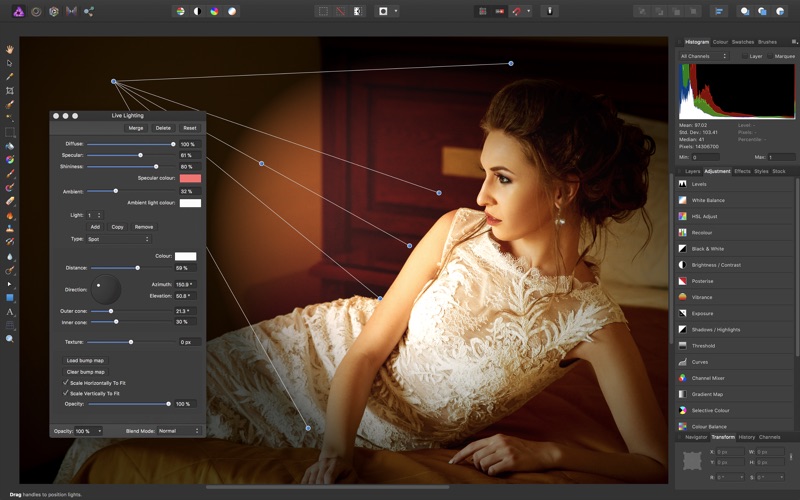
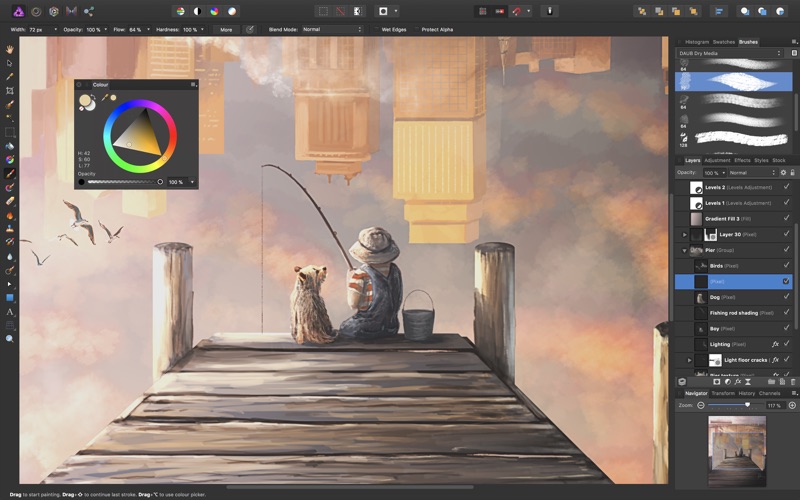
Affinity Photo 1.7.2

Download

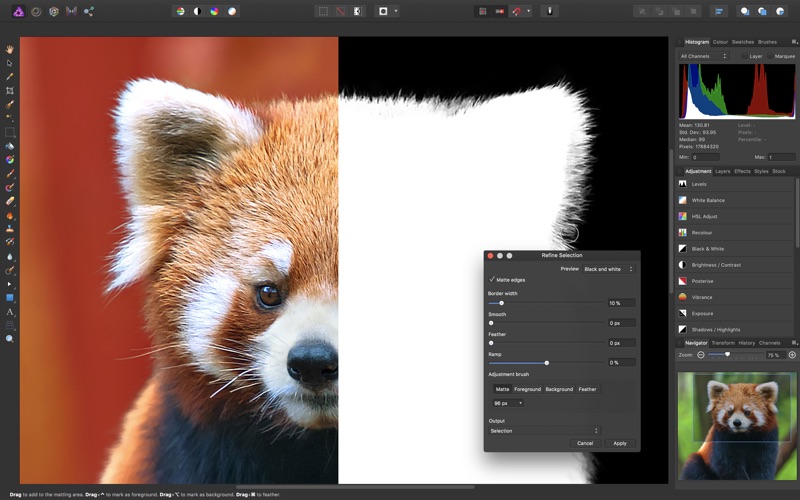
Affinity Photo 1.7.2 – Professional photo editing software

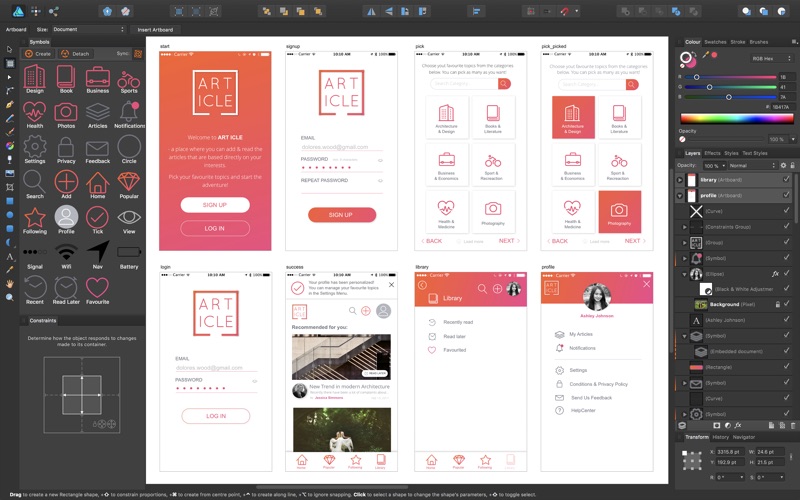
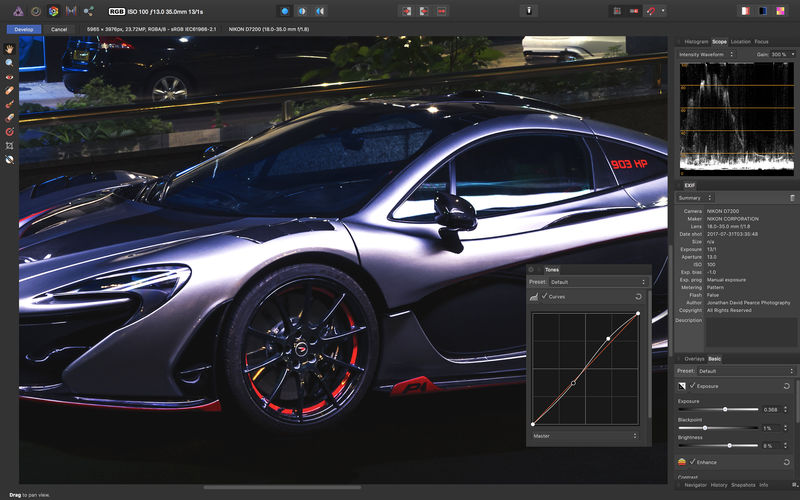
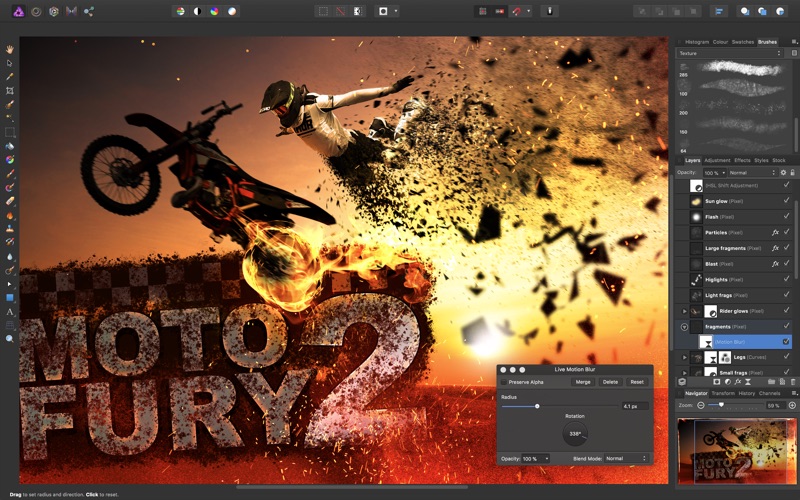
Affinity Photo redefines the boundaries for professional photo editing software on the Mac. With a meticulous focus on workflow it offers sophisticated tools for enhancing, editing and retouching your images in an incredibly intuitive interface with all the power and performance you need.

Engineered for Professionals

  • Open, edit and save Photoshop® PSD files
  • RGB, CMYK, Greyscale and LAB color spaces
  • Endtoend CMYK workflow with ICC color management
  • Full 16 and 32bit per channel editing
  • Work with all standard formats like PNG, TIFF, JPG, GIF, SVG, EPS, EXR, HDR and PDF
  • Panning and zooming is always live at 60fps with live previews, live tools and realtime editing
  • Open and edit massive images without compromising performance or running out of memory
  • and other

Compatibility: OS X 10.7 or later 64-bit

Web Site: https://affinity.serif.com/photo

What’s New in Affinity Photo 1.7.2

  • Release notes not available at the time of this post.

Screenshots

Name Affinity Photo 1 7 2 TNT.zip
Size 427.1 MB
Created on 2019-08-17 03:44:48
Hash b2b599735dae9b976deb0c8492b6e0adacfe0bc7
Files Affinity Photo 1 7 2 TNT.zip (427.1 MB)

Download

Rocket Pro 1.5.1

Download

Rocket Pro 1.5.1 – Mind-blowing emoji on your Mac

Rocket provides you with Slack-style emoji everywhere on your Mac.

  • The fastest, smoothest Slackstyle emoji picker for your Mac
  • Access to every emoji through the shortcut window
  • Pick your favourite skin tone
  • Light and dark themes
  • Scroll and search your way through every emoji in the Search & Browse window
  • Use Rocket to send and store gifs, images, and memes
  • Set custom emoji shortcuts and add your own emoji

Compatibility: OS X 10.11 or later 64-bit

Web Site: https://matthewpalmer.net/

What’s New in Rocket Pro 1.5.1

  • Release notes not available at the time of this post.

Name Rocket 1 5 1 TNT.zip
Size 27.84 MB
Created on 2019-08-17 03:21:05
Hash f97f03b4037660df897fd058d4ed6d730b3c2a08
Files Rocket 1 5 1 TNT.zip (27.84 MB)

Download

iFinance 4.5.9

Download

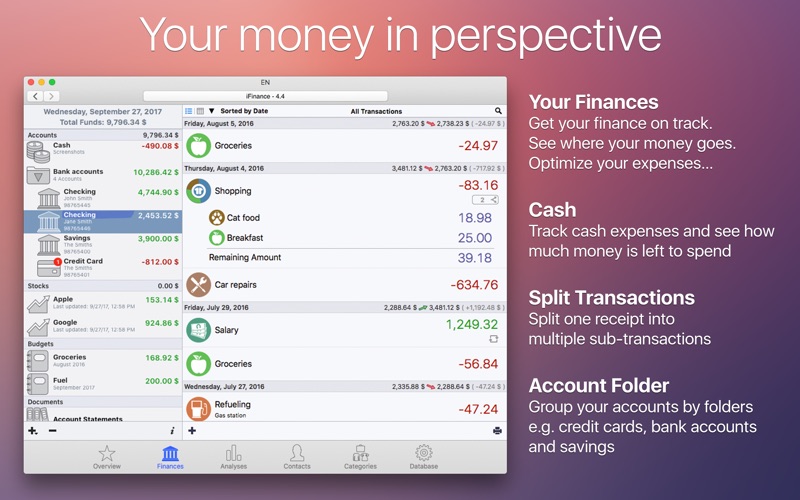
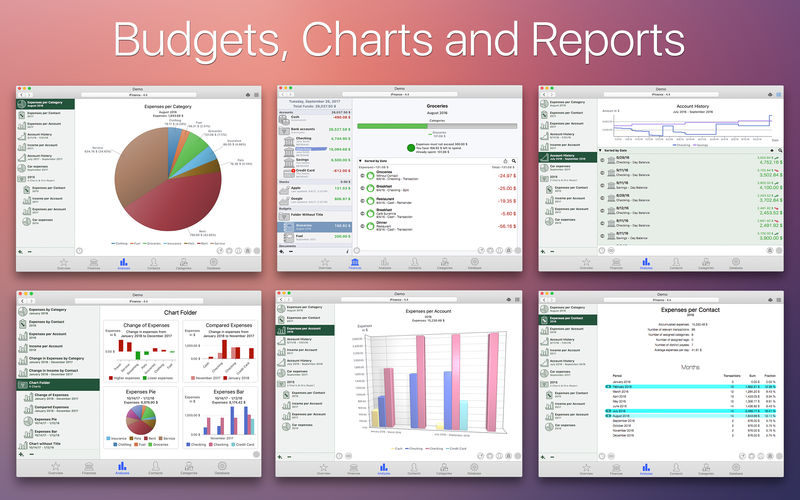
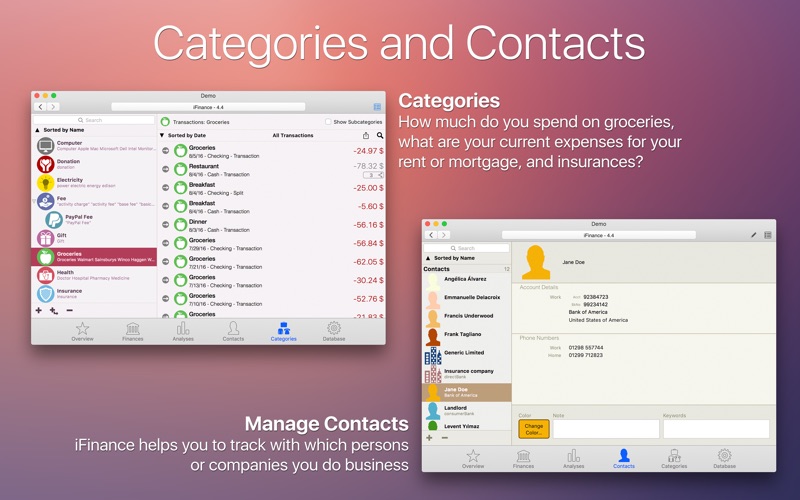
iFinance 4.5.9 – Comprehensively manage your personal finances

iFinance 4 allows you to keep track of your income and expenses in the most convenient and fastest way. By taking a quick look at its useful evaluations and charts, you’ll immediately know what you spend money on and where your income comes from- optimizing your finances becomes a breeze! iFinance’s automatic category assignment, keywords, budgets and analysis features will turn your bank account history into much more than a list of bare figures.

Would you like to find out how your assets perform or why you max out your bank account on a regular basis without really knowing where your salary goes each month? iFinance 4 has all the answers. Is it current spending such as rent or mortgage payments, insurances, food or loans? Or do nights out with friends, special treats, impulse purchases, and tobacco products add up to a hefty sum?

Have iFinance 4 analyze your finances and see immediately what your biggest spending items are and where there is potential for savings.

iFinance 4 in bullet points:
  • Encrypted databases
  • Password protection
  • Track your cash expenses
  • Split transactions
  • Transfer transactions
  • Categories (with automatic assignment)
  • Contacts
  • Analyse expenses, income, losses and profits
  • Charts (2D and 3D)
  • Reports
  • Budgets
  • iCloud and WiFiSync
  • File attachments (for single transactions)
  • Account statements (PDF files)
  • Stocks
  • Reconciling
  • Different currencies (in one database)
  • VoiceOverSupport
  • Supported file import formats: CSV, OFX, QIF, MT940
  • multiple databases
  • Bank Accounts in Notification Center
  • Export formats: CSV, PDF
Online Features and Import

Import your transactions as a CSV-, QIF-, OFX- or mt940 file in order to see all transactions in iFinance. iFinance is also able to print on money transfer forms. Customers of a German bank are able to use HBCI import and HBCI banking.

WiFi or iCloud Sync

Synchronize your data between Mac computers, iPhones, and iPads (iFinance 4 for iOS sold separately at the iOS App Store) via iCloud or the integrated WiFi sync. The latter also allows you to use and edit databases together with multiple users. This may for example become useful if you are in charge of a club’s or association’s finances or if you manage a bank account with another person.

Charts, Reports, Budgets, and Budget Analysis

iFinance 4 offers a broad range of easy-to-customize charts and reports. According to your specifications, iFinance analyzes precisely where your money comes from and where you spend it. Use the Budgets feature to find out how much money you have left for the current month or whether you’ve been successful at keeping your spending at bay this month. Budgets can also be created for specific categories, such as monthly budgets for clothing, groceries or movie nights.

iPhone and Apple Watch Apps Available Separately

iFinance Mobile is available for iPad, iPhone, and Apple Watch and can be purchased separately. The mobile version offers the complete range of iFinance features and is available from the iOS App Store.

Compatibility: OS X 10.10 or later 64-bit

Web Site: http://www.syniumsoftware.com

Mac App Store: iFinance 4.5.9

What’s New in iFinance 4.5.9

  • Improvements and bug fixes

Screenshots

Name iFinance 4 4 5 9 MAS TNT.zip
Size 39.68 MB
Created on 2019-08-17 03:21:14
Hash a0ce062e17c8935fd2c4607a661d9277802ce059
Files iFinance 4 4 5 9 MAS TNT.zip (39.68 MB)

Download

Social Importer 1.0.3 for After Effects

Download

Social Importer 1.0.3 for After Effects

Easily import Instagram and Twitter content directly into After Effects, with a powerful set of customizable built-in presets and the option to add your own.

Compatibility: After Effects CC 2019, CC 2018

Web Site: https://aescripts.com/social-importer/

What’s New in Social Importer 1.0.3

  • Initial release

Name Social_Importer.zip
Size 6.04 MB
Created on 2019-08-17 03:20:58
Hash 5682d6f32aeaba2936634222eeb3d1b06f1dbc0a
Files Social_Importer.zip (6.04 MB)

Download

iA Writer 5.2.8


Download


iA Writer 5.2.8 – Professional writing suite

iA Writer (was iA Writer Pro) is a professional writing suite that gives you full control over your notes, drafts and edits.

  • Workflow: Note – Write – Edit – Read. Each stage has a task-specific typeface and color.
  • Syntax Control scans the syntax of English, French, German, Italian, and Spanish text and highlights your adjectives, nouns, verbs, adverbs, prepositions or conjunctions.
  • Precision Writing Tools:
    • Auto Markdown formats text on-screen — your hands stay on the keyboard
    • Syntax Control introduces syntactic markup for natural language text. It covers English, French, German, Italian, and Spanish. Patent pending.
    • Convert Markdown to Microsoft Word 2007 .docx, and back again
Features
  • Workflow states
  • Custom typefaces, carefully set for optimal readability
  • In-app preview
  • Reading time, plus sentence, word, and character count
  • Real-time iCloud sync
  • Ready for Retina displays
  • Full-screen

Compatibility: OS X 10.11 or later 64 bit

Web Site: https://ia.net/writer/

Mac App Store: https://apps.apple.com/us/app/ia-writer/id775737590?mt=12

What’s New in iA Writer 5.2.8

This update fixes a few small bugs and improves compatibility upcoming system updates. It includes all the great features in iA Writer 5.2:

# A Typographic Christmas
  • New typeface in three flavors
  • Mono: Single character width, the classic
  • Duo: Two widths, freeing M and W
  • Quattro: Four widths, for a cleaner text image
  • Over 1,000 optical variations seamlessly adapt to provide the best writing experience in any environment
  • 14 text sizes in Editor and Preview
  • Many Chinese, Japanese, and Korean typography improvements, including emphasis dots
  • Bold, italic, and strikethrough commands are much more reliable and work inside words
  • High quality math equation typesetting in Preview using KaTeX
# Library Locations
  • Now support Desktop & Documents in iCloud
  • Can be added from anywhere in iCloud Drive
# Fully-Featured Export to Microsoft Word
  • Rebuilt from the ground up
  • Compatible with Microsoft Word 2007 or newer, Apple Pages, and Google Docs
  • Supports local images, footnotes, citations, page breaks, tables, math, headings, unordered lists, ordered lists, task lists, definition lists, blockquotes, bold, italic, CJK emphasis, strikethrough, superscript, subscript, links, horizontal rules, code
# Other Improvements
  • Added sharing to Ghost
  • Added visible filename when switching between tabs with hidden title bar
  • Copy URL command to open files from menu in Library
  • CommandClick links in Editor
  • Use to exclude words from searches: microsoft word
  • Inline code command
  • Typing suggestions can be enabled in Touch Bar
  • Korean and Russian localizations
  • Added help articles
  • Better hashtag detection

Screenshots


Name iA Writer 5 2 8 MAS TNT.zip
Size 27.70 MB
Created on 2019-08-16 21:22:49
Hash 3804d32059e5c3a64ad28d3b8598b975799246b2
Files iA Writer 5 2 8 MAS TNT.zip (27.70 MB)

Download

Money Pro – Personal Finance 2.2.2

Download

Money Pro – Personal Finance 2.2.2 – Manage money like a pro

Manage money like a pro. Сhange your spending behavior for good.

Money Pro is the one place for bill planning, budgeting and keeping track of your accounts.

Money Pro works great for home budgeting and even for business use.

Easy sync with iPhone/iPad version. Money Pro is the next generation of Money app (over 2 million downloads worldwide).

Now you can use Online Banking. Money Pro will connect to your bank and download your transactions.

FEATURES

Calendar
  • Mark days on the big calendar when your bills are due.
  • Schedule recurring bills with custom periodicity.
Today view
  • Take a quick glance at bills due.
  • When you actually have a transaction, approve it quickly.
Bills due notifications
  • A whole system of reminders will alert you of upcoming bills.
  • Quick rescheduling option will help you deal with bills due.
Budgets
  • Create budgeted entries both for your income and expenses.
  • Set different budget limits for every period if needed.
  • Start adding every transaction you have, and see progress of each category and the overall progress.
  • Monitor visual indicators for budget overspending.
Budget rollover
  • You can set budgets to transfer the leftover of the current period to the next budget period.
  • Budget rollover limits your spending automatically if you overspent in previous periods.
Checkbook register
  • Unlimited number of accounts in one place (checking, credit card, etc)
  • Setting transactions as recurring or as onetime only
  • Balance change history
  • Additional fields for organizing your records including payee, description, check #, class (personal/business travel expenses)
  • Attachment of receipt photos
Account reconciliation
  • You can record transactions and clear them later on (reconcile).
  • Automatically calculated available balance and cleared balance.
Online Banking (Money Pro Gold subscription)
  • Connect banks and download your data.
Import of bank statements
  • Import history of your transactions and keep your accounts always uptodate (supported files: .ofx, .csv).
  • Money Pro learns how you categorize transactions and predicts categories for the transactions being imported.
Split transactions
  • You can split a transaction into multiple categories which is useful when you shop at mega stores and pay for multiple items at once.
Search
  • Search transactions by amount, category, description, payee, etc.
Detailed reports
  • Income/Expenses
  • Cash flow
  • Transactions
  • Assets/Liabilities (net worth)
  • Projected balance
  • Trend chart for days/weeks/months/years
Lots of options for customization
  • Custom periodicity is available for budgeting and bill planning (weekly, monthly, etc).
  • Adjust the structure of income/expense categories & subcategories for your needs.
  • Customize accounts and categories with over 1,500 builtin icons.
  • Create your own unique icons using photos.
iCloud
  • Money Pro uses iCloud to keep your data in sync on all of your devices.
Multiple profiles
  • You can set multiple profiles and track your finances separately for home budget and your small business.
More
  • Calculator and currency converter
  • Print and Export to pdf, qif, csv formats
  • Notification Center Widget
  • Password protection
  • Backups of your data
  • Multiple currencies support & automatic update of exchange rates
  • Import data from CSV

Compatibility: OS X 10.10 or later 64-bit

Web Site: http://ibearmoney.com/pro

Mac App Store: https://itunes.apple.com/app/money-pro-personal-finance/id972572731?mt=12

What’s New in Money Pro – Personal Finance 2.2.2

  • New report “Planned transactions”
  • Fixed various crash issues
  • Improved performance

Screenshots

Name Money Pro 2 2 2 MAS TNT.zip
Size 47.31 MB
Created on 2019-08-16 21:23:05
Hash e18306059c0d5f6a41327024edb5cbf96589347f
Files Money Pro 2 2 2 MAS TNT.zip (47.31 MB)

Download

WebToLayers 1.0.9

Download

WebToLayers 1.0.9

WebToLayers converts websites to Photoshop documents. In other words, the app allows you to screenshot webpages by keeping each element in a separated layer. The app will save you lots of time when re-designing or improving existing web pages.

Additional features:
  • Safari extension
  • Custom page size
  • Custom web agent
  • JS Injections

Compatibility: macOS 10.13 or later 64-bit

Mac App Store: https://apps.apple.com/app/webtolayers/id1458124010

What’s New in WebToLayers 1.0.9

  • Fix PSD document corruptions

Screenshots

Name WebToLayers 1 0 9 TNT.zip
Size 23.75 MB
Created on 2019-08-16 21:23:14
Hash 273c74f76e71f0ccf0a80655a61241945c8dce2b
Files WebToLayers 1 0 9 TNT.zip (23.75 MB)

Download

SecuritySpy 5.0.1


Download


SecuritySpy 5.0.1 – Multi-camera video surveillance app

SecuritySpy is a multi-camera video surveillance app. With features such as motion detection, real-time compression and network video streaming, SecuritySpy has everything required for demanding video surveillance applications. Combined with OS X, the rock-solid operating system from Apple, SecuritySpy offers unsurpassed speed, stability, and ease-of-use.

SecuritySpy’s flexibility and comprehensive list of features allows users to set up a system tailored to their individual needs. Whether it is a system with a single camera or many dozens, in a domestic or business environment, SecuritySpy is ideal.

Features
  • Displays and captures live video from multiple cameras simultaneously
  • Supports Mac-compatible video and audio input devices
  • Supports network video devices (Axis, JVC, Panasonic, Pixord, D-Link, etc.)
  • Motion detection and timelapse capture features, with audio
  • Built-in Web server for remote viewing and administration
  • Pan/Tilt/Zoom (PTZ) support for many network cameras
  • Powerful real-time compression for efficient storage of captured footage
  • FTP upload feature for off-site storage of captured footage
  • Motion-triggered email notifications
  • Pre-capture buffer to capture video before the time of motion
  • Browser feature for playback of captured footage, with synchronised multi-camera playback

Compatibility: macOS 10.13 or later, 64-bit processor

Web Site: http://www.bensoftware.com/securityspy/

What’s New in SecuritySpy 5.0.1

  • Enhancement of the HTTP event stream to contain AI classification data
  • Fixed problems with the vehicle detector on certain systems
  • Fixed bug preventing display of Dashboard data
  • Other minor bug fixes

Screenshots


Name SecuritySpy 5.0.1.zip
Size 16.94 MB
Created on 2019-08-16 19:00:31
Hash df132e35c14c068253cc3329682d050cdd065c3d
Files SecuritySpy 5.0.1.zip (16.94 MB)

Download

Luminar Flex 1.1.0


Download


Luminar Flex 1.1.0

Luminar Flex – A new addition for most photo editing tools that works as a plugin, extension, or external editor. Luminar Flex means that if you choose to stick with your current workflow, you can still use Luminar’s AI tech and creative image editing tools.

Luminar Flex comes with Accent AI, which analyzes photos and applies adjustments to like color and tone in seconds. The sliders will let photographers dial those details back based on personal taste.

Accent AI:

Automatically analyzes and corrects photographs using more than a dozen controls at once. Accent AI can be a great substitute for several traditional controls such as shadows, highlights, contrast and more. Think of it as the best Auto button you’ve ever clicked, but you still maintain control.”

AI Sky Enhancer:

Turn gray and uninspired skies into something magical with AI Sky Enhancer. By automatically detecting the sky in a photograph, AI Sky Enhancer makes the necessary adjustments to increase color, clarity, and detail, allowing to boost your outdoor images with a single slider.”

Details Enhancer:

Creates dramatic photos with crystal-clear sharpness. This filter unlocks details for sharp looking images without halos or artifacts.”

Golden Hour:

Brings a warm-toned sunlit effect to your photo This filter emulates the shooting conditions when the sun is low on the horizon (such as shortly after sunrise or before sunset). This indirect light helps make even dull photos warmer and more dimensional.”

Orton Effect:

Allows enhancements to an image that include glow and focus. This produces a unique look that’s both sharp and blurry at the same time. It’s perfect to create an emotional feeling in a picture.”

Image Radiance:

Gives an overall ‘dreamy’ look by adding a glow to the lighter areas of the image. This is a great filter to use for portraits and even landscape photos to create soft, saturated results.”

Foliage Enhancer:

Elevate colors often found in spring grass and fall leaves to make landscape photographs that pop off the screen.”

LUT Mapping:

Apply Lookup Table (LUT) files for creative color grading and film stock emulation.”

Luminar Looks:

More than 70 one-click Looks give photographers a speedy jump-off point for creative explorations. Easily dial in the right look with the Amount slider or customize the recipe and save a new Look.”

The Luminar Flex works in the following host applications

  • Photoshop
  • Lightroom Classic CC
  • Photoshop Elements
  • Photos for macOS
  • Apple Aperture

Compatibility: OS X 10.11 or later 64-bit

Web Site: https://skylum.com/luminar-flex

What’s New in Luminar Flex 1.1.0

Name Luminar Flex 1 0 0 5661 TNT.zip
Size 462.4 MB
Created on 2019-04-07 06:55:45
Hash 3414f983e066ac0b145ab5d96d155fab100a0abb
Files Luminar Flex 1 0 0 5661 TNT.zip (462.4 MB)

Download


Name Luminar Flex 1 1 0 TNT.zip
Size 235.7 MB
Created on 2019-08-16 18:11:48
Hash 4828d7f01ba69bee0951d718bd531f78ad47be82
Files Luminar Flex 1 1 0 TNT.zip (235.7 MB)

Download

Sketch 57.1


Download


Sketch 57.1 – Design app for UX/UI for iOS and Web for Mac

Sketch is an innovative and fresh look at vector drawing. Its intentionally minimalist design is based upon a drawing space of unlimited size and layers, free of palettes, panels, menus, windows, and controls. Though simple to use, it offers powerful vector drawing and text tools like perfect Boolean operations, symbols, and powerful rulers, guides, and grids.

Sketch is built for designers like you.

With useful features, an intuitive interface and powerful plugins built by a community of developers, it helps you focus on what you do best.

  • Complete Toolkit
  • Nondestructive Editing
  • Pixel Precision
  • Vector Editing
  • Export Presets
  • Code Export
  • Grid and Guides
  • Prototyping

Design once. Reuse anywhere. Update easily.

With Symbols, Sketch takes the pain out of working with repeated design elements — from icons to avatars.

Iterate at speed

Create a master Symbol, use it anywhere in your document and Sketch will sync your changes.

Override text and images

Edit text and images in your Symbols — wherever they’re used — for dynamic designs.

One size fits all

Resize Symbols wherever you use them to test elements across different screen sizes.

Roll your own UI Kit

Sync, share and update Symbols, across all of your documents, with Libraries.

Compatibility: OS X 10.13.4 or later, 64-bit processor

Web Site: https://www.sketchapp.com/

What’s New in Sketch 57.1

  • Release notes not available at the time of this post.

Screenshots


Name Sketch 57 1 TNT.zip
Size 54.52 MB
Created on 2019-08-16 18:12:10
Hash 1ed4d93bb7ad84e3fd3bcca875f660557c4bf2f6
Files Sketch 57 1 TNT.zip (54.52 MB)

Download

Native Instruments Maschine 2 v2.8.5

Download

Native Instruments Maschine 2 v2.8.5

The new version is completely redesigned, Drum Synths, mixer, etc. NEW audio engine sound engine MASCHINE 2 now allows you to add unlimited groups and inserts effects MASCHINE powerful set of features. Multicore support ensures that your computer will handle all this in parallel with the processing of ultra high – even when using the software as a VST or AU plug-in module. New audio engine now also supports side bindings for sidechaining, for classic ducking effects and more ..

MASCHINE a revolutionary system for creating grooves tactile creative bit-making organization of recognized sound library Kontakt 5 any other VST, VSTi library.

Together with the software package for creating beats MASCHINE create quickly and easily combine the power and flexibility of software with tactile immediacy of hardware. His sequencer based on patterns, high-performance sampler, has an incredible set of professional tools and studio effects, exemplary drum synthesizers and library Kontakt 5 are you a complete system for quickly and professionally create grooves.

Web Site: https://www.native-instruments.com/en/products/maschine

What’s New in Native Instruments Maschine 2 v2.8.5

  • FIXED Some Audio Unit (AU) effects saved in a project or group by previous Maschine versions, failed to load in Maschine 2.8.4
  • KNOWN ISSUE Presets and groups for some Audio Unit (AU) effects saved in 2.8.4 only may not load in future versions of Maschine

Screenshots

Name Native Instruments Maschine 2 v2 8 5 MacOSX-AwZ.zip
Size 559.6 MB
Created on 2019-08-16 18:12:39
Hash 23e5d1eafceedd828636927728e92d9b25da138e
Files Native Instruments Maschine 2 v2 8 5 MacOSX-AwZ.zip (559.6 MB)

Download

MathType 7.4.2

Download

MathType 7.4.2 – Type and handwrite mathematical notation

MathType is a powerful interactive equation editor for Windows and Macintosh that lets you create mathematical notation for word processing, web pages, desktop publishing, presentations, elearning, and for TeX, LaTeX, and MathML documents.

Productivity is key

When you’re ready to sit down and write a scientific or technical paper, a test, a slide presentation, or where ever you want to include math notation, you’re empowered with MathType. Open MathType on your computer or device and you have everything at your fingertips to do your work fast, easy and efficiently.

With MathType you can: Point-and-click, handwrite, use keyboard shortcuts, insert equation numbers, use color, choose fonts, control spacing…

Set up your work environment in a way that works best for you:
  • Save frequently used equations and symbols in customizable toolbars
  • Set MathType preferences to quickly change from one “look” to another for different types of documents
  • Setup personal keyboard shortcuts
  • Copy or convert to LaTeX
  • Much more!
Professional-quality math typesetting

MathType is a big upgrade to the default math tools built into many applications.

Accessibility with [MT]

You can now have quality everywhere. Choose the classic MathType look or the LaTeX look. Control spaces in your expressions down to the pixel. Mathematical notation is rich and changes among different cultures; MathType supports mathematical notation for different education levels and cultures. Accessibility is a must for any quality solution. MathType helps readers access scientific content, and it helps authors create accessible scientific content.

MathType for Learning Platforms

Students can hand write equations on a tablet or mobile device and MathType will immediately recognize and change them into perfectly-formatted equations. Students and teachers can now easily interact in LMS forum discussions (such as Canvas, Moodle or Schoology, for instance), without the distraction of typing code or using clunky math tools.

Chemistry for all

ChemType is a flavor of MathType designed to help you work with chemical notation. You’ll find a specific toolbar with the common chemical symbols and a user experience adapted to chemistry authors.

System Requirements:
  • Mac OS X El Capitan and newer, including macOS High Sierra
  • Mac Office 2011 or Office 2016 (version 15.39 or newer).

Web Site: http://www.wiris.com/mathtype

What’s New in MathType 7.4.2

  • Release notes not available at the time of this post.
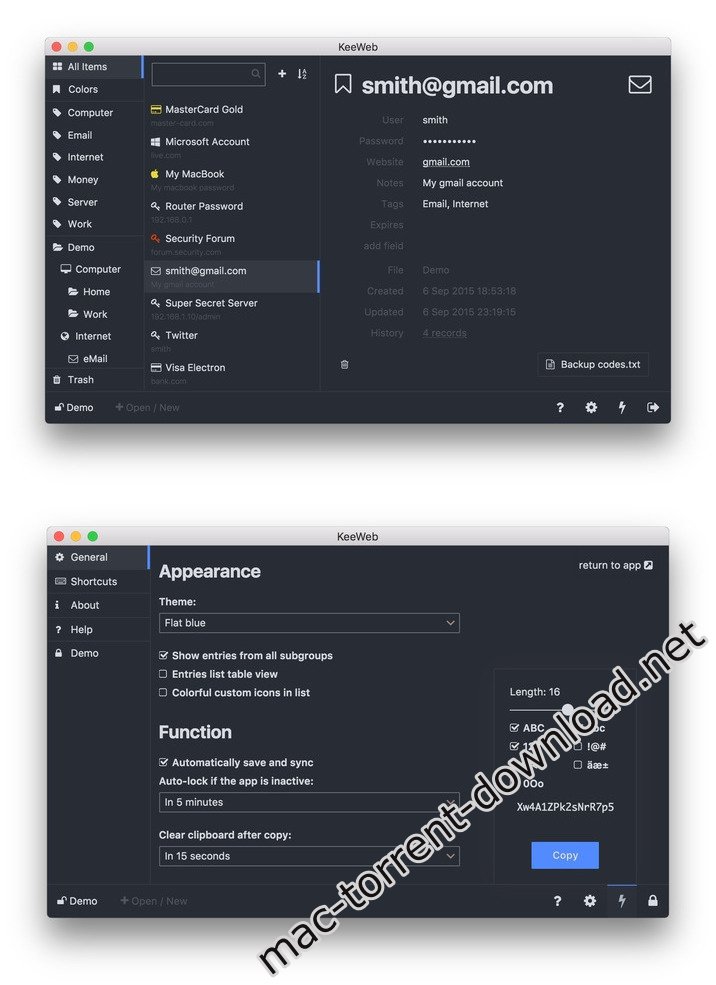
Name MathType v7 4 2.zip
Size 49.37 MB
Created on 2019-08-16 18:12:21
Hash 5267a3d7642ef80779a23a1cf0750d639984e5b6
Files MathType v7 4 2.zip (49.37 MB)

Download

NCH VideoPad Pro 7.26

Download

NCH VideoPad Pro 7.26

VideoPad is a powerful movie-editing software for OS X. It allows you to create and edit videos of many formats including .avi, .wmv, .3gp, .wmv, .divx as well as several others. Try VideoPad for free to create a professional quality movie by combining several video clips or even working with just one.

Designed to be intuitive, VideoPad is a fully featured video editor for creating professional quality videos in minutes.

  • Drag and drop video clips for easy video editing
  • Apply effects and transitions, adjust video speed and more
  • One of the fastest video stream processors on the market
Edit video from any camcorder

Capture video from a DV camcorder, VHS, webcam, or import most any video file format including avi, wmv, mpv and divx.

Full of transitions and visual effects

Over 50 visual and transition effects to add a professional touch to your movies.

Create videos for DVD, HD, YouTube and more

Burn movies to DVD for playback on TV, or as a standalone video file to share online or put on portable devices.

Stunning Video Transitions and Effects
  • Choose from a wide range of video clip transitions
  • 3D video editing and 2D to 3D stereoscopic conversion
  • Customize the duration of applied transitions
  • Overlay text for captions and movie credits
  • Chroma key green screen video production
  • Edit movies in your own video studio with easytouse transition effects.
Amazing Audio Tools
  • Import and mix music tracks like a pro
  • Make your own custom movie soundtrack with
  • MixPad multitrack mixing software
  • Record your own narrations with the click of a button
  • Use sound effects from the free Sound Effect Library
  • VideoPad mpeg editor and movie maker allows you to mix a soundtrack for your movie
Complete Video Optimization
  • Finetune color and other visual effects
  • Slow down, speed up or reverse video clip playback
  • Reduce camera shake with video stabilization
  • Add photos and digital images to your sequences
  • Plugin support to add thousands of tools and effects
  • Optimize AVI or MPEG video files with VideoPad Movie Maker
Share With Family and Friends
  • Burn to DVD and watch on your TV
  • Save for YouTube and share online
  • Save to PSP, iPod, iPhone or 3GP mobile phone
  • Export movies in multiple resolutions including full HD, 2K and 4K (720p, 1080p, 1440p, 2160p and more)
Supported Input Formats

VideoPad supports just about any video input device including DV based or HDV camcorders.

  • Import Video avi, mpeg, wmv, divX, Xvid, mp4, mov, vob, ogm, H.264, RM and more
  • Import Images bmp, gif, jpg, png, tif and more
  • Import Audio wav, mp3, m4a, mid, flac, aac, wma, au, aiff, ogg, raw, dvf, vox and more
Supported Output Formats
  • Burn to Disc DVD, CD, Bluray or HDDVD
  • Export Video File avi, wmv, mpg, 3gp, mp4, mov, YouTube, iPod, PSP, Mobile Phone
  • Upload to YouTube save your login credentials to upload videos directly to YouTube, Facebook or Flickr from VideoPad
Features
  • >> Select from several movie clip transitions
  • >> Use text overlays for captions and other in movie text
  • >> Preview the effects in real time>> Customize the duration of the effect
  • >> Tweak brightness, saturation and color to get exactly the look you want in your movie
  • >> Insert images into your movies with one click of the mouse Awesome Sound Editing Features:
  • >> Import and mix audio tracks
  • >> Use with MixPad to create a movie soundtrack
  • >> Record or import audio narration Store And Share Your Movie In Many Formats:
  • >> Burn your movies to DVDs and watch them on your television
  • >> Save your movies in one of several formats to share them with friends and family through email or your website

Compatibility: OS X 10.6.6 or later

Web Site: http://www.nchsoftware.com/videopad/index.html

Mac App Store: https://itunes.apple.com/app/videopad-video-editor/id846931335?mt=12

What’s New in NCH VideoPad Pro 7.26

  • Release notes not available at the time of this post.

Screenshots

Name NCH VideoPad Pro 7 26.zip
Size 18.19 MB
Created on 2019-08-16 18:12:50
Hash 3860b4b0843218e7a9d1b1839ab3c920d6753411
Files NCH VideoPad Pro 7 26.zip (18.19 MB)

Download

Torrents Download Apple,Mac Osx,Apps ,Software

Exit mobile version