Exposure X5 5.1.0.131

Exposure X5 icon

Download Exposure X5 5.1.0.131

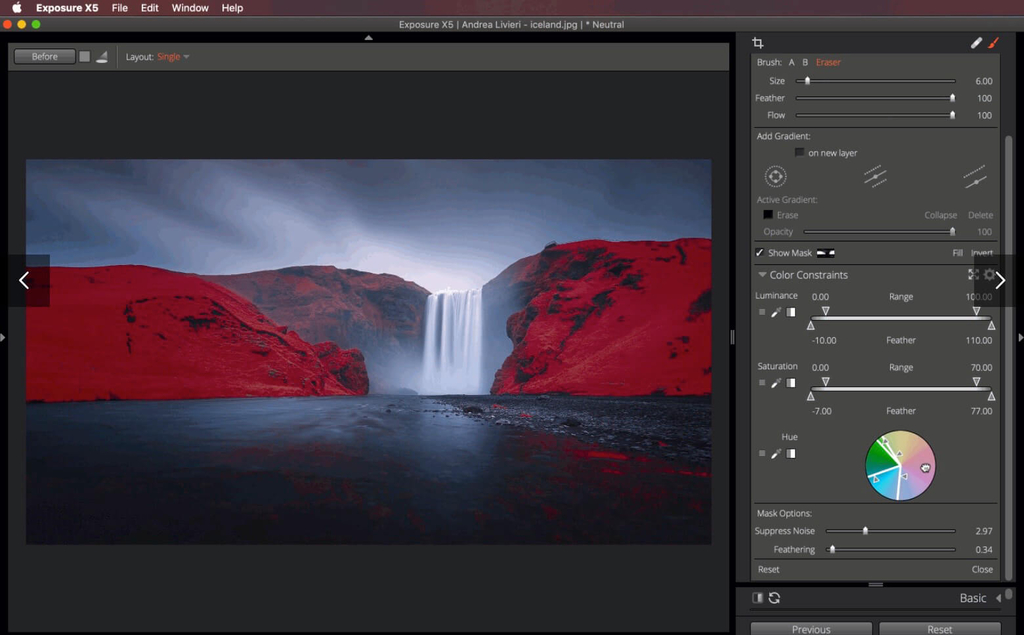
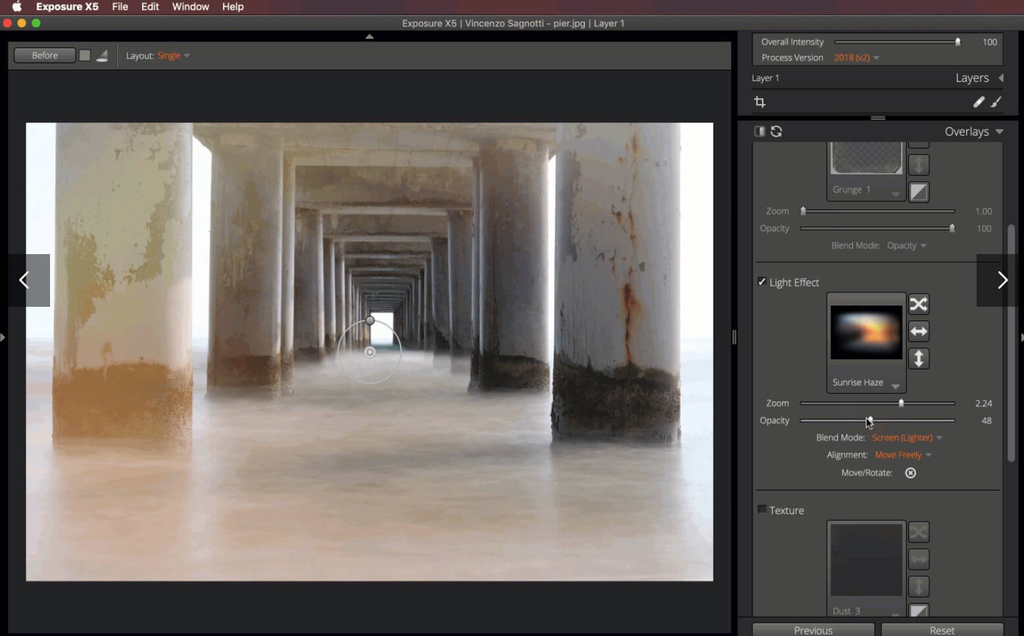
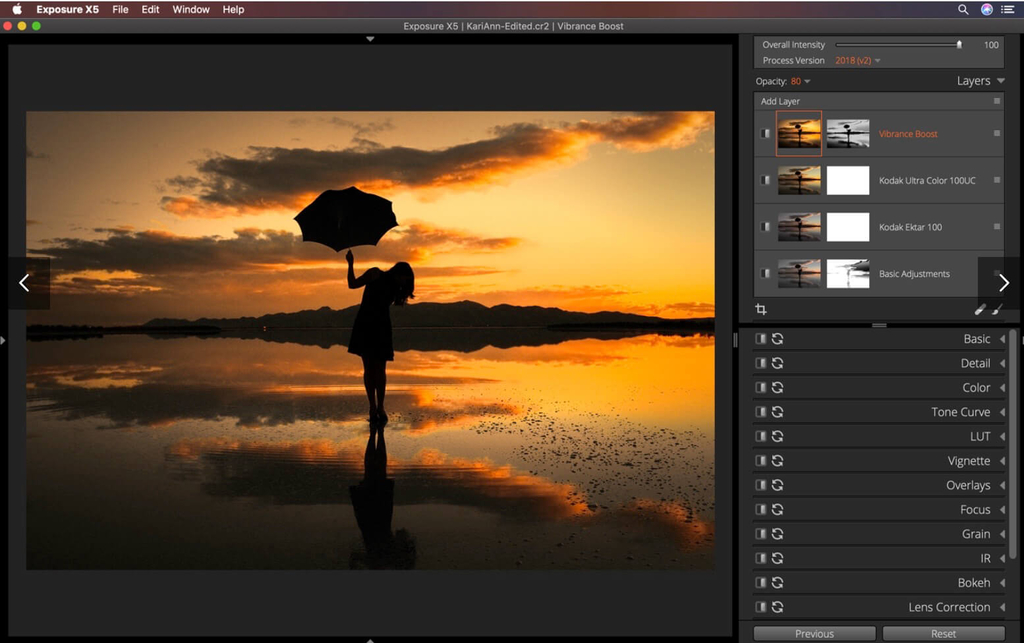
Exposure X5 is filled with exciting new creative opportunities for professional photographers and those who aspire to be,” said Finley Lee, CEO of Exposure Software. “With the introduction of Exposure X5, we have established a new high-water mark in high-quality photo editing that our customers will especially appreciate, such as our unique 3D color masking capabilities and new presets.

Use Exposure as a complete photo editor to master your full workflow, or as a Lightroom or Photoshop plug-in for your creative edits.

Additional enhancements include the following:

  • New light and airy presets
  • New season inspired presets
  • New complementary color presets – Orange/Teal, Red/Green, and Purple/Yellow
  • More black & white films – Ilford FP4 Plus, Ilford Pan F Plus, Kodak Recording 2475, and Polaroid Chocolate
  • New image flip options
  • Support for grayscale TIFF and JPEG images
  • Multiple user interface language options – English, French, and German

Exposure X5 is a complete photo editing and organizing solution. It can also be used as a creative editing plug-in.

The plug-in requirements are as follows:

  • Adobe Photoshop CS6 or Adobe Photoshop CC 2015 or newer
  • Adobe Lightroom 6 or Adobe Lightroom CC 2015 or newer

Information

CompatibilityOS X 10.11 or later, 64 bit
LanguagesEnglish

What’s New in Exposure X5 5.1.0.131

  • Release notes not available at the time of this post.

Screenshots

Name Exposure X5 5.1.0.131 [TNT] mac-torrents.net.rar
Size 454.8 MB
Created on 2019-11-22 01:56:33
Hash 970cfde540cb4125599342b0eba0ea5330a9c3b3
Files Exposure X5 5.1.0.131 [TNT] mac-torrents.net.rar (454.8 MB)

Download

Allegorithmic Substance Designer 2019.2.2

Download Allegorithmic Substance Designer 2019.2.2

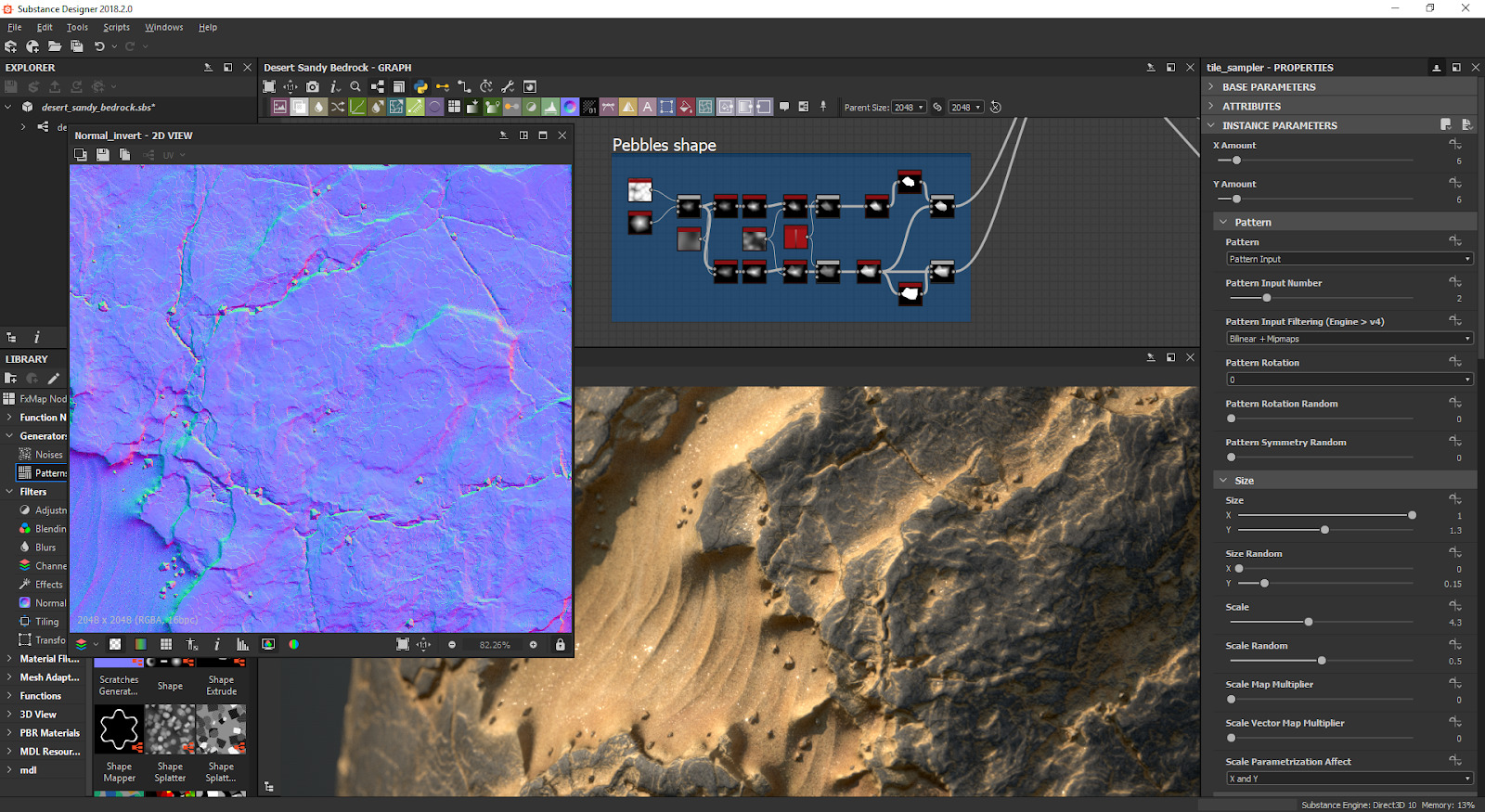
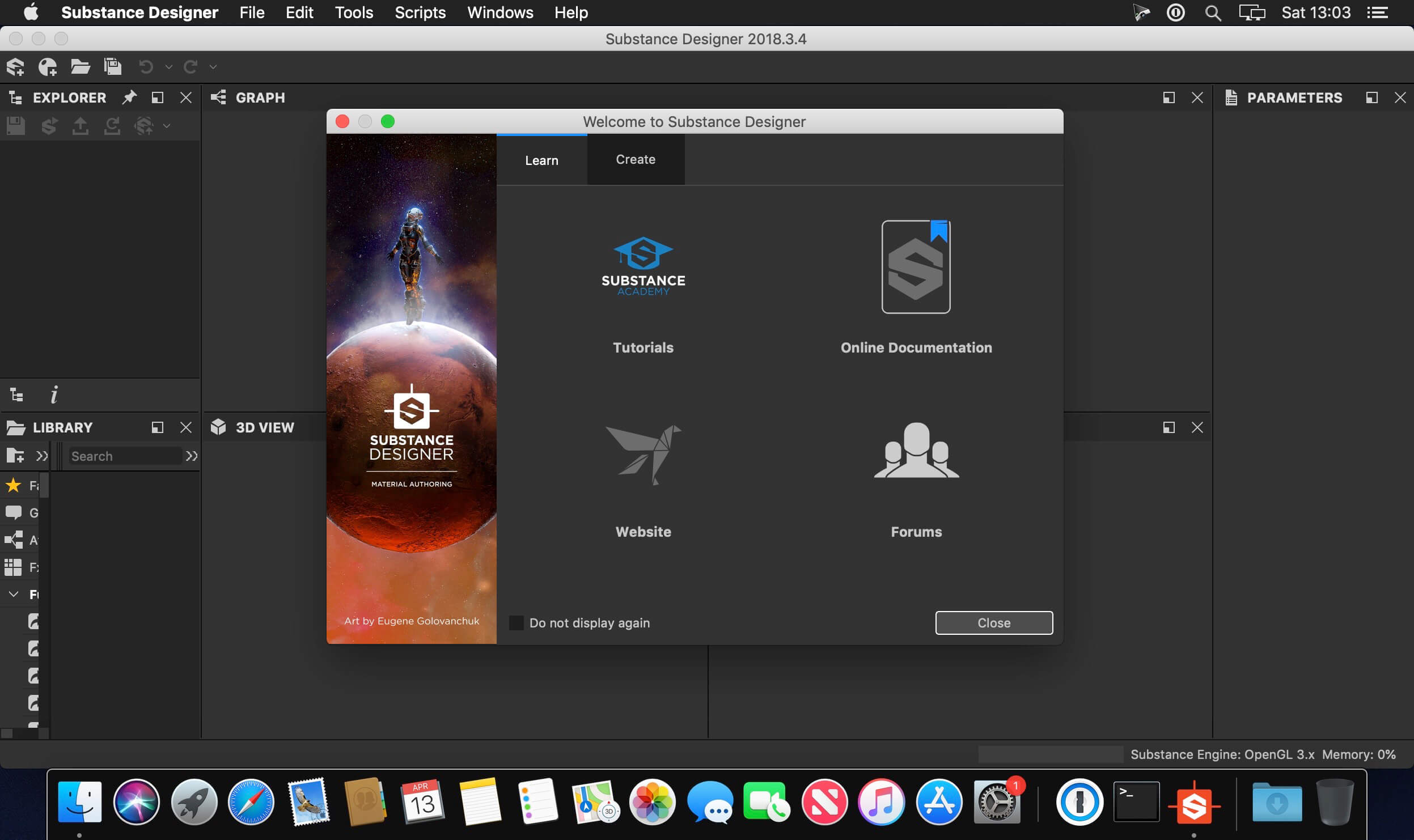
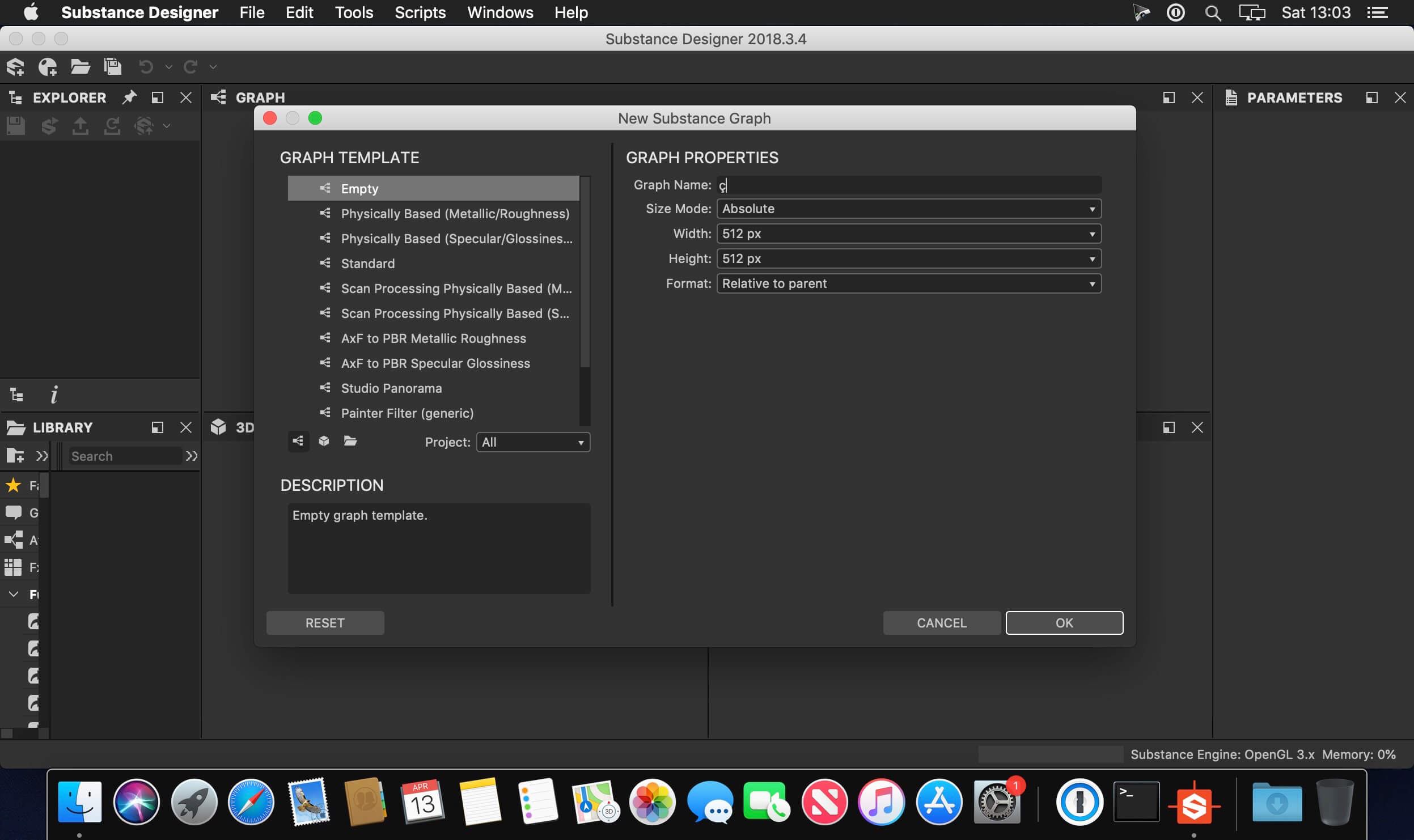
 is a node-based texture compositing tool that allows you to create Substance files or bitmap textures. You can use it to texture assets and also bake model information (ex: normal, displacement, curvature etc.). It contains a wide library of tools, materials and procedural effects to help you achieve your goals in a fully non-destructive workflow.

FEATURES:

Node-based texturing. Allowing non-linear workflow and quick iterations.

Substance Designer 5 is a node based texturing tool. Tired of messy layers ? Fit everything you need in a few compact and handy nodes. Let Substance connect all the channels for you and focus on what really matters: your art.

The industry standard for PBR texturing

Substance Designer is a powerful node-based texturing tool tailor-made for Physically Based Rendering and extensively used by more than 50 AAA game projects.

PBR Viewport

The 3D View allows to visualize on your mesh all your texturing work in real time.

Compatible with any game engine.

Substance Designer lets you to create your own templates, making it compatible with any game engine on the market, or your in-house engine.

The New Generation of Procedural Art

Substance Designer 5 is powered by Substance Engine 2, the new iteration of the renown procedural technology developed by Allegorithmic. It unleashes an incredible power of expression and fosters a new form of digital creativity.

Integrated bakers

Our embedded bakers allow you to bake your maps at light-speed directly within your software.

Production ready.

Substance Designer has been thought to integrate easily in your work environment.

Information

CompatibilityOS X 10.12 or later
LanguagesEnglish

What’s New in Allegorithmic Substance Designer 2019.2.2

  • Release notes not available at the time of this post.

Screenshots

Name Allegorithmic Substance Designer 2019 2 2-2644 [TNT] mac-torrents.net.rar
Size 703.4 MB
Created on 2019-11-21 23:31:10
Hash 4c57a7de9404f0cebfe993ea0f70228289c10d99
Files Allegorithmic Substance Designer 2019 2 2-2644 [TNT] mac-torrents.net.rar (703.4 MB)

Download

NCH Prism Plus 5.27

Download NCH Prism Plus 5.27

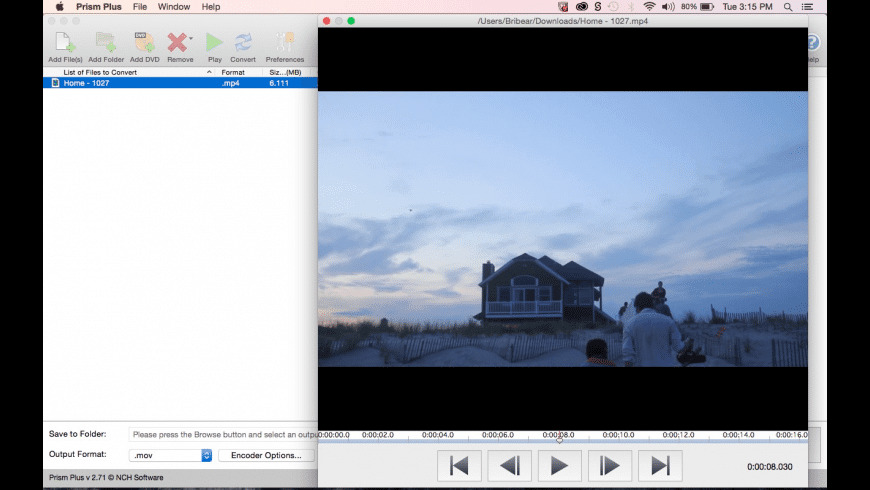
Prism is the most stable and comprehensive multi-format video converter available and is very easy to use.Convert or compress video files within minutes. Universal video converter supporting all popular formats. Batch video conversion to convert multiple videos at once

Convert Many Video Formats

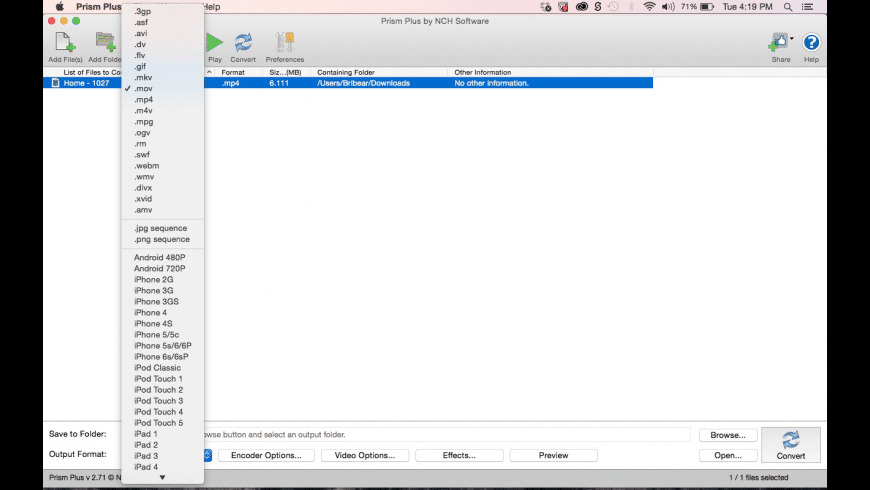
Prism converts avi, mpg, vob, asf, wmv, mp4 and all video formats that have a DirectShow based codec. If you can play the video file using Windows Media Player, you can convert it using Prism. Full Video Formats list at http://www.nchsoftware.com/prism/kb/1217.html

Adjust Video Settings Easily

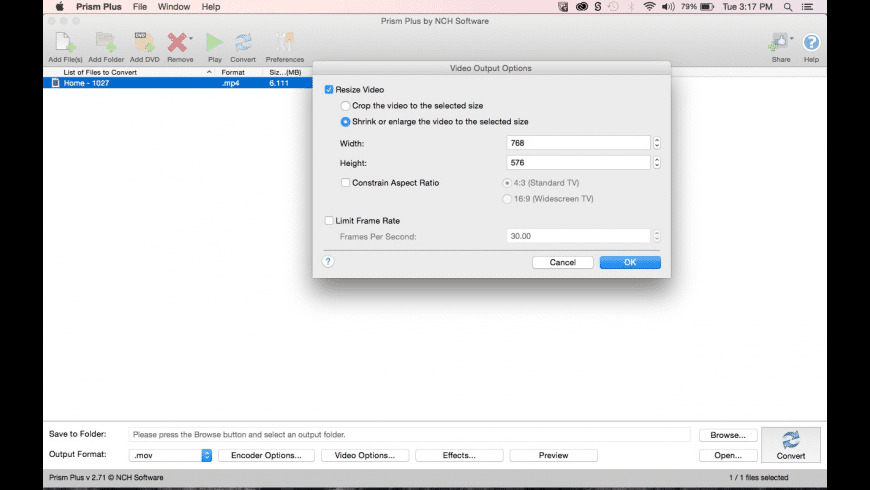
Prism lets you set compression/encoder rates, resolution and frame rate of output files. Prism supports everything from HD to high compression for smaller files. You can even set a specific size for output files.

Preview Before Converting Videos

Preview original videos and what the video output results will be before converting to ensure effect settings including video rotation and captions are set up correctly.

Direct DVD Converting

Convert from DVDs by simply adding the DVD, selecting the format and clicking convert.

Add Video Effects

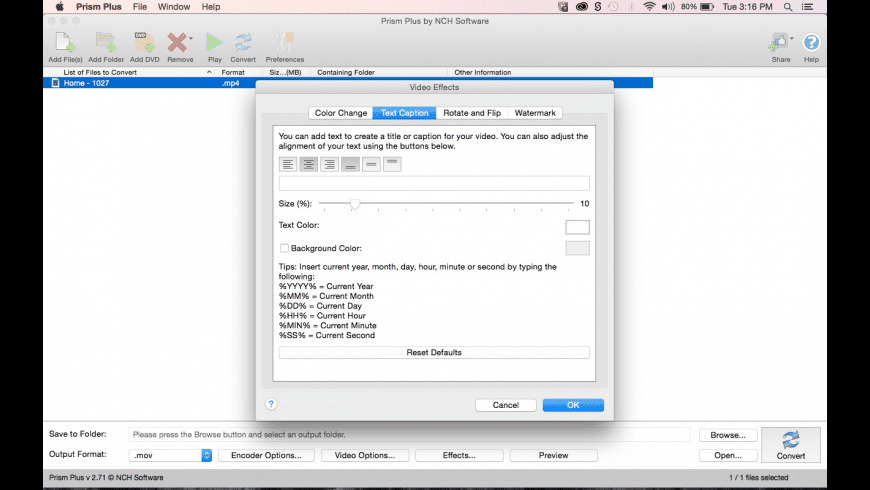
Convert individual files or a batch of files with added effects such as a watermark, text overlay, or rotate your videos to the correct orientation. Easily optimize the color by adjusting the brightness and contrast, or by applying a filter.

Information

CompatibilityRequirementsOS X 10.6 or later
LanguagesEnglish

What’s New in NCH Prism Plus 5.27

  • Release notes not available at the time of this post.

Screenshots

Name NCH Prism Plus 5.27 Shark mac-torrents.net.zip
Size 14.13 MB
Created on 2019-11-23 02:28:41
Hash c1581aaf8d1c6052a9aece8b3b0abd1a5768e22d
Files NCH Prism Plus 5.27 Shark mac-torrents.net.zip (14.13 MB)

Download

Movavi Photo Manager 2.0.0


Download Movavi Photo Manager 2.0.0

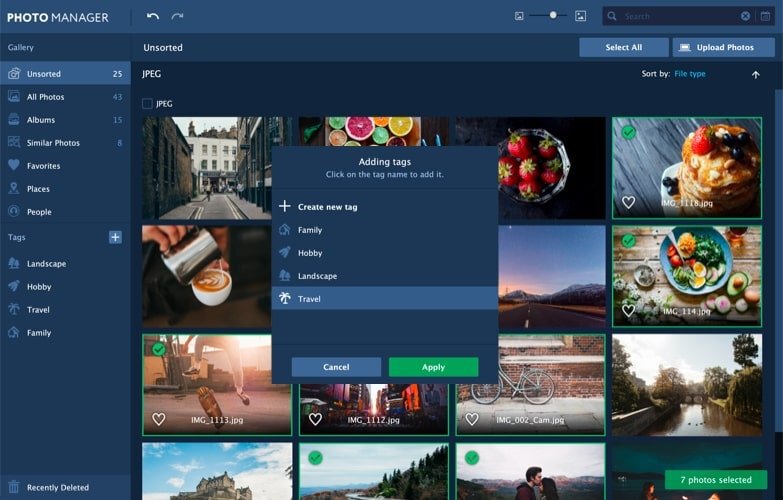
Focus on the memories, forget about managing photos. This program will help you manage your entire photo collection, including images in RAW, JPEG, PNG, and many other formats. Movavi’s photo organizer will be an essential tool for anyone who values their time as much as their photo collection.

Features

Automatic Album Creation

Movavi’s photo organizer will automatically sort your images by date and GPS coordinates.

Photo Tagging

Add tags to image files using Movavi’s picture organizer so you can easily navigate around your photo library.

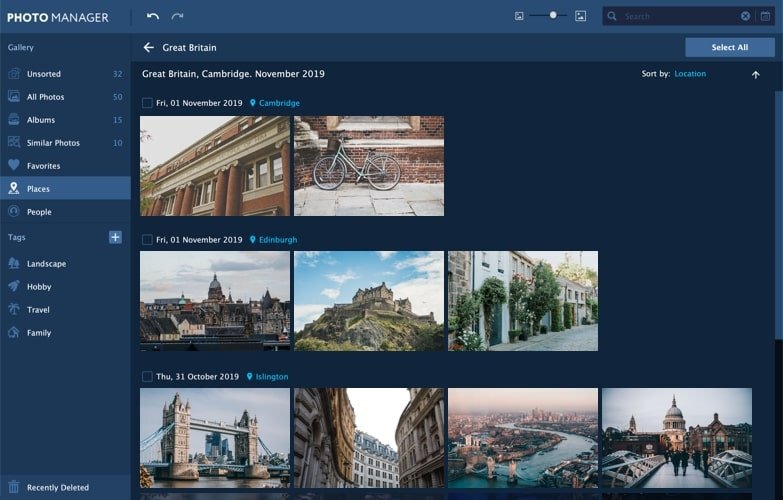
Geolocation

Review the automatically created photo albums sorted by country. Filter images in these albums by city.

Edit images

Work with individual photos or edit multiple photos simultaneously: crop, flip, and rotate images, straighten horizons, and more.

View pictures

View photos in many popular image formats using Movavi’s fast and reliable picture organizer.

Information

CompatibilityOS X 10.10 or later 64-bit
LanguagesMultilingual

What’s New in Movavi Photo Manager 2.0.0

  • Facial Recognition Photo Tagging – Using neural networks, the program selects images with people and sorts these photos into folders. Name the folders for the people whose photos are stored there. Quickly find images of any person you need.
  • Backup Creation – Create a copy of your photo archive with all the images, albums, tags, and places. Protect your data from loss.
  • Improved Image Search – Find images by object: in the search bar, enter the name of an object that must be in a photo. The neural network will show you the desired photographs in no time.
  • The Archive folder is now called Recently Deleted
  • Mac OS 9 and older versions are no longer supported
  • Minor bug fixes

Screenshots

Name Movavi Photo Manager 2.0.0 [TNT] mac-torrents.net.zip
Size 118.5 MB
Created on 2019-11-21 23:40:49
Hash 59b8f60ac1c65c906ca00838fa308dff835c0860
Files Movavi Photo Manager 2.0.0 [TNT] mac-torrents.net.zip (118.5 MB)

Download

GarageSale 8.0.5

Download GarageSale 8.0.5

GarageSale 7 is re-engineered from the ground up using newest macOS technologies and comes with support for the latest eBay options. We re-designed the whole interface to provide you with a new, improved user experience and better performance.

Upgrade to GarageSale 7 to benefit from many new features and improvements, including a new database engine, which deals better with large amounts of data and allows us to adapt to eBay changes more quickly.

Features:

Listing Creator

GarageSale’s main goal is to provide you with everything that you need to create and start attractive eBay listings – with ease.

Tracking

GarageSale tracks the state of your listings and orders. It shows all information about your listing, like current bid, watchers, sold item, listing fees and everything else.

Orders

GarageSale’s Orders sections keeps tracks of incoming orders. It shows information about the order status, purchased items and provides you with all buyer details that you need to process the order and to ship your items.

150 Mobile-Friendly Designs

Our free listing designs offer an easy way to make your listings vastly more attractive. GarageSale comes with 150 customizable listing designs for you to choose from.

Revise, Relist, Auto-Restart

If you need to modify a listing after starting it, you can do this easily from within GarageSale.

Image Editing

Easily add images to your listings and refine them directly in GarageSale.

Free Picture Hosting

The quality and number of your images is crucial for the success of your listing. Store up to twenty images per listings with a size of up to 1200px(!) free of charge on our servers.

FTP and WebDAV Image Serving

Let GarageSale upload as many images as you like to your web server via FTP or WebDAV without paying image hosting fees to eBay.

Instant Error Reporting

Whenever GarageSale detects a problem or receives an error from the eBay system, the affected option will be marked in GarageSale’s Inspector and Preview mode.

Inventory

You can define inventory products and assign them title, pricing information, images, quantity, SKU and barcode (EAN/UPC).

Reports

It’s crucial to your business success to keep track of your eBay income and expenses. Use the Report Generator to stay in control of your business.

Account Overview

All your important account information at a glance. In addition you can contact buyers using eBay’s messaging system and keep track of your PayPal transactions.

Scheduled Starts

GarageSale supports eBay’s own (paid) scheduler option but also offers its own graphical scheduler.

eBay Stores

GarageSale fully supports eBay stores. Just download your store categories in the “Accounts” preferences panel and you’re ready to go.

Variations

GarageSale supports eBay’s variation feature. You can list several variations of your items, for instance shoes in different sizes or t-shirts in different colors, in a single listing.

Batch Editing

Controls in Inspector apply to all selected items: Changing any control in GarageSale’s inspector changes that value (e.g. duration, starting price, shipping info) for all selected listings, making batch changes to your lsitings a lot easier.

Information

CompatibilityOS X 10.12 or later
LanguagesEnglish

What’s New in GarageSale 8.0.5

  • Added commands to insert missing attributes to the Attribute panel
  • Added command to update Attribute suggestion to the Attribute panel
  • Ignores empty attribute suggestion returned by the eBay API without an error
  • Improved code for the downloading of suggested attributes from eBay
  • Synching: fixed an issue where automated uploads and downloads did not execute
  • Fixed a crash when invoking the “Download Changes from eBay” without a valid eBay account
  • The listing preview now reflects the „offer free calculated shipping” option
  • Fixed possible hang during startup

Screenshots

Name GarageSale 8.0.5 Shark mac-torrents.net.zip
Size 36.65 MB
Created on 2019-11-21 21:49:28
Hash 29f8d296faa0222f00a38d3074a9e42ed90871e8
Files GarageSale 8.0.5 Shark mac-torrents.net.zip (36.65 MB)

Download

Application Wizard 4.1

Download Application Wizard 4.1

Application Wizard is a small device, very determined to give us a new way to manipulate and work with applications, creating multiple groups of favorite applications that can open, close, switch or hide at will. But this is not all, if an application is hung, the screws can squeeze the system to the closure and restart immediately.

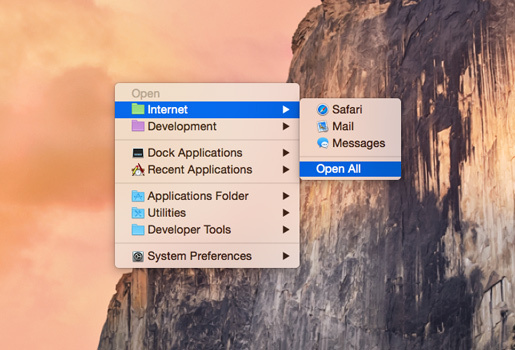
On screen, a simple panel contains four main menus Application Wizard (open, close, switch and special), which allow you to define groups of preferred applications and / or themes such as, for example, all Internet applications, which will be possible open, close, show or hide more than one application at the same time, thanks to the multiple selection.

The special menu offers very interesting extras as the ability to initiate and / or close Mac OS Classic, exit and / or restart the Finder and the Dock, switch users, put the Mac on hold, restart and / or close it. But we can also open recent applications, all applications in the Dock or the Folder and preferably to the panel.

Application Wizard is a very significant help when you want to close an application or group of applications, without having to activate them before, but if you decide to close all background applications, get rid of a capricious application refuses to start correctly, switch body applications or groups of applications and more, here you have everything.

With Application Wizard you can:

  • quickly open favorite applications, groups of applications, and recent applications
  • quit multiple or all running applications at the same time
  • quit background processes and the Finder, and force applications to quit
  • switch between applications and bring specific windows to the front when making applications active
  • mark 32bit applications
  • turn on single application mode
  • eject disks and servers and mount ejected disks
  • browse volumes and favorite folders to quickly open enclosed items
  • easily access recent folders, documents, and servers
  • quickly look up your contacts
  • check system memory usage
  • view information about files and open them with specific applications
  • preview images, music, movies, and documents
  • easily view the metadata associated with images, songs, movies, and PDF files
  • define keyboard shortcuts to quickly accomplish frequent tasks

Application Wizard runs in English, German, Dutch, French, Spanish, and Italian.

Information

CompatibilitySystem requirements Application Wizard requires macOS 10.11 or later (including macOS 10.14 Mojave).
LanguagesEnglish

What’s New in Application Wizard 4.1

  • The incompatibilities with macOS 10.15 Catalina have been solved.
  • The Open and Special menus now display Access Not Allowed when Application Wizard can’t access files on a volume or in a folder. On Catalina, make sure to allow Application Wizard to access files on removable and network volumes and in your Documents, Desktop, and Downloads folder, if you want to browse them.
  • The System Memory submenu has been revised and now displays memory used (app, wired, and compressed memory), cached files, and swap used. In addition to that, it now lists compressed, decompressed, purged, and purgeable pages.
  • A bug that caused Application Wizard to stop responding when trying to trash a file contained in a read-only folder or volume has been fixed. In addition to that, Application Wizard now displays an error message when trying move a file to a read-only folder or volume.
  • A bug, introduced in version 4.0, that could cause Application Wizard to quit unexpectedly when trying to preview a movie has been fixed.
  • A bug, introduced in version 4.0, that could cause aliases to appear in the Applications panel has been fixed.

Screenshots

Name Application Wizard 4.1 Shark mac-torrents.net.zip
Size 12.61 MB
Created on 2019-11-21 21:15:25
Hash 0b3dc4824054ba99ac202995528a5726250ec9fc
Files Application Wizard 4.1 Shark mac-torrents.net.zip (12.61 MB)

Download

Wondershare PDFelement Pro 7.5.4.2820

Download Wondershare PDFelement Pro 7.5.4.2820

Wondershare PDFelement can help you convert any PDF (even one created from a scan) to any format, as well as allow you to edit, annotate, or sign it. It is an excellent partner for business or study, or for editing forms for a trip. It’s an excellent alternative to Adobe Acrobat.

Features:

Work with powerful editing and conversion tools

Create

Convert or scan to PDF a wide range of file formats that anyone can view, with any PDF reader, on virtually any device.

Edit

Quickly and easily edit PDF documents, including scans without going back to the source files.

Convert

Transform any PDF to and from Microsoft Word, Excel, and PowerPoint without losing fonts and formatting.

Simplify reviews and collect signatures faster

Comment

Review and mark up PDFs using a complete set of commenting tools. View comments or access markup for review within a single, unified pane.

Review

Gain the input you need and help participants see and build on other reviewers comments on your PDF documents.

Sign

Define signature workflows and send PDFs to others for signature approval and contract execution.

Process forms and gain actionable insights.

One-click Form Creation

Turn flat or any non-fillable form made in Word, Excel, or any other application into a fillable and editable PDF form with just one click.

Edit Forms

Drag and drop to create PDF or web forms in minutes. Make any field fillable by adding text fields, check boxes, buttons, and more.

OCR

Turn paper documents and scans into fully editable, selectable and searchable PDFs in over 25 language.

Protect documents for information exchange

Passwords and Permissions

Control access to your PDFs by applying password protection or permissions to restrict printing, copying, or altering.

Batch Encrypt

Encrypt multiple PDF documents with password protection or permissions at one time.

Apply Digital Signatures

Add certified digital signatures to help recipients validate document authenticity and integrity.

Highlights:
  • Create
  • Edit
  • Convert
  • Review
  • Forms
  • Sign
  • Secure
  • OCR

Information

CompatibilitymacOS 10.12 or later 64 bit
LanguagesMultilangual

What’s New in Wondershare PDFelement Pro 7.5.4.2820

  • Release notes not available at the time of this post.

Screenshots

Name Wondershare PDFelement Pro 7.5.4.2820 [TNT] mac-torrents.net.zip
Size 35.88 MB
Created on 2019-11-21 20:12:07
Hash b231c368777e31eabeca05c13b5209feaded8cf5
Files Wondershare PDFelement Pro 7.5.4.2820 [TNT] mac-torrents.net.zip (35.88 MB)

Download

TG Pro (Temperature Gauge Pro) 2.45

Download TG Pro (Temperature Gauge Pro) 2.45

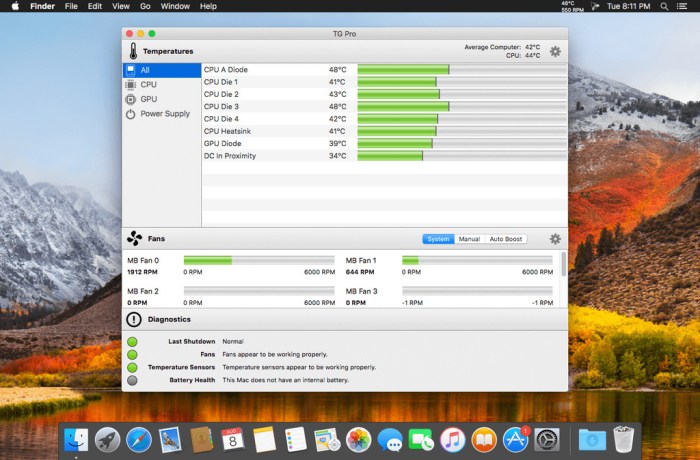
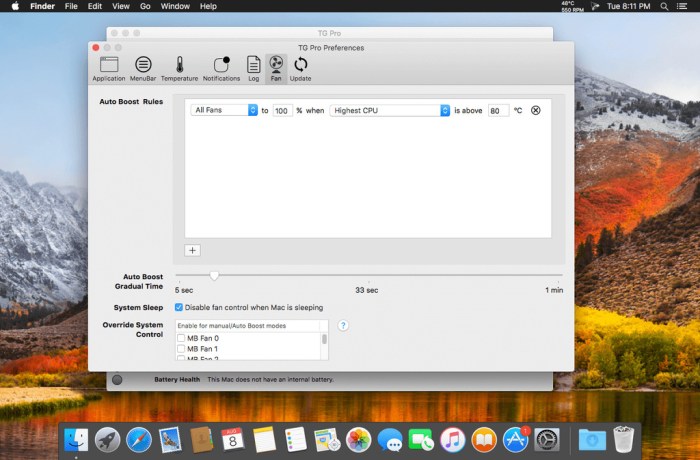
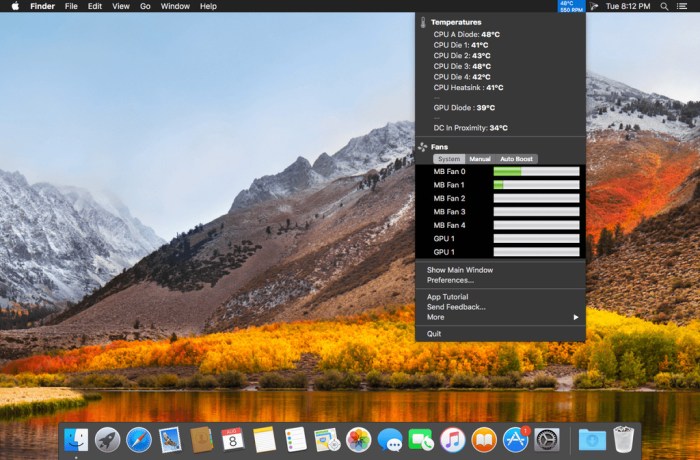
TG Pro lets you peek at fan control, temperature monitoring, and hardware diagnostics in your Mac. No other app shows more temperature sensors, or has as many options for notifications and fan speeds. Find out which components are getting hot (and potentially overheating), turn up the fan speeds to cool down your Mac, get notifications for temperature alerts along with many other fantastic features. Plus, see if any sensors, fans or batteries are defective with the built-in hardware diagnostics. See why thousands of people trust TG Pro as the go-to app for temperatures and fan control. Try the free trial today.

You can even fix the iMac fan noise after HD replacement issue using TG Pro.

TG Pro supports all Macs, including the Mac Pro 2013 model as well as all MacBook Pros (including 2015 & 2016 models), iMacs, Mac Minis, MacBook Airs and older Mac Pros.

Information

CompatibilityOS X 10.9 or later 64-bit
LanguagesEnglish

What’s New in TG Pro (Temperature Gauge Pro) 2.45

Fixed:

  • Issue where showing two temperatures of 100C plus fan speed in the menubar wouldn’t have enough room.
  • Issue where notification emails would still attempt to be sent if authentication failed.
  • Issue where the menubar text would be hard to see in system dark mode.
  • Issue where the red text for new Auto Boost rules would be hard to see in system dark mode.
  • Issue where the fan sliders were slightly cut off in the status menu.

New:

  • Added support for the new 2019 MacBook Pro 16-inch models.

Screenshots

Name Temperature Gauge Pro 2.45 Shark mac-torrents.net.zip
Size 16.65 MB
Created on 2019-11-23 02:18:35
Hash ec81fff3437a6c5338cd8e8e6664ba4adcae8a5f
Files Temperature Gauge Pro 2.45 Shark mac-torrents.net.zip (16.65 MB)

Download

DuplicateViewer 3.2

Download DuplicateViewer 3.2

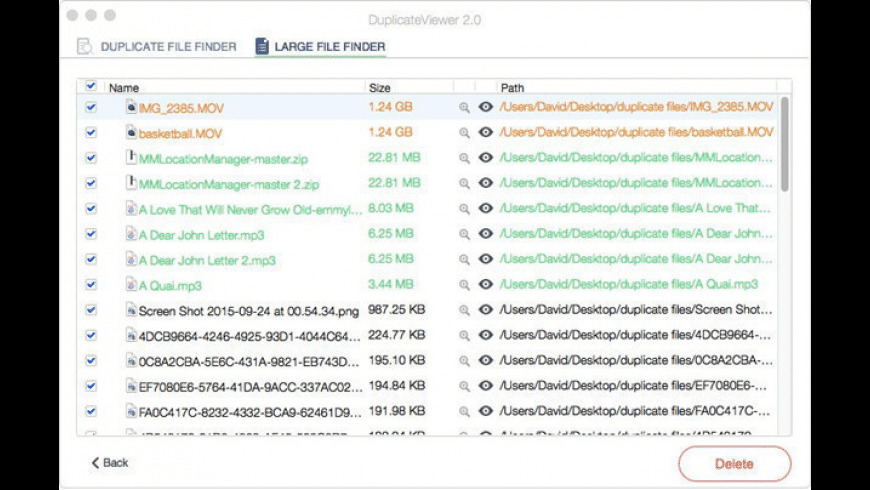
DuplicateViewer can quickly find duplicate and large files on your system, and easily remove them to free up precious disk space. It also allows you to easily access your hard drive and file folder from the menu bar.

Best Mac Duplicate Finder

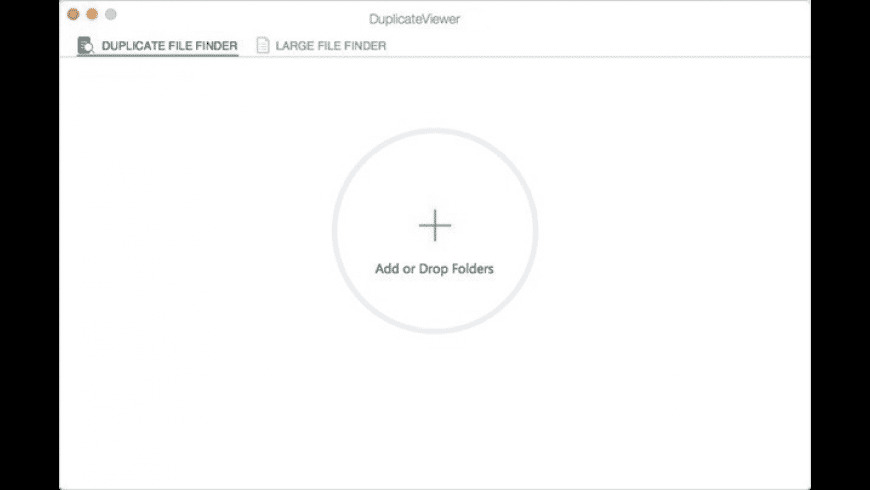
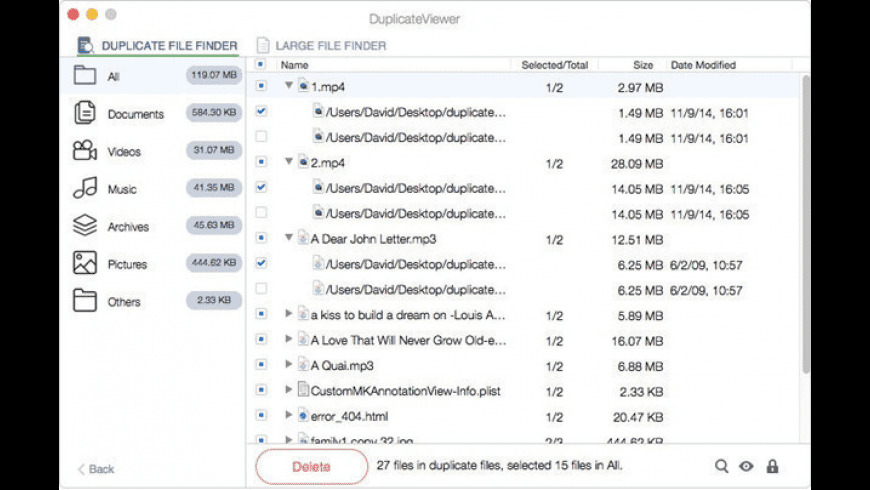
Drag or Add folder/hard drive to scan. DuplicateViewer will quickly find and automatically list all identical files in the folder or hard drive. You can easily remove the duplicates to free up precious disk space.

  • Supports to scan both folder and entire hard drive.
  • At least one instance of every file will be kept safe.
  • Preview the duplicates before you remove them.

Find and Remove Useless Large Files

Large files take up a great deal of disk storage space on your Mac. DuplicateViewer Large File Finder will scan your folder or hard drive to find and list all the files depending on the file size. You can easily remove the useless large files on your Mac to save disk space.

Quickly Visit Mac Hard Drive or Folders with Menu Bar

After you install DuplicateViewer, it will produce a Menu bar on your Mac. The Menu bar will list all the hard drives and storage devices on your Mac. You can see the disk information including the disk size and free space size. You quickly access to the hard drive or file folder with Menu bard by double clicking the drive or device.

Information

CompatibilityOS X 10.6 to macOS 10.15 Catalina
LanguagesEnglish

What’s new in DuplicateViewer 3.2

  • Newly support for macOS Catalina
  • Fix a few bugs

Screenshots

Name DuplicateViewer 3.2 [TNT] mac-torrents.net.zip
Size 13.81 MB
Created on 2019-11-21 19:54:20
Hash 524a7e3aa97ec1528227cc1f358e2e18e3b7676c
Files DuplicateViewer 3.2 [TNT] mac-torrents.net.zip (13.81 MB)

Download

DSSW Power Manager 5.4.0

Download DSSW Power Manager 5.4.0

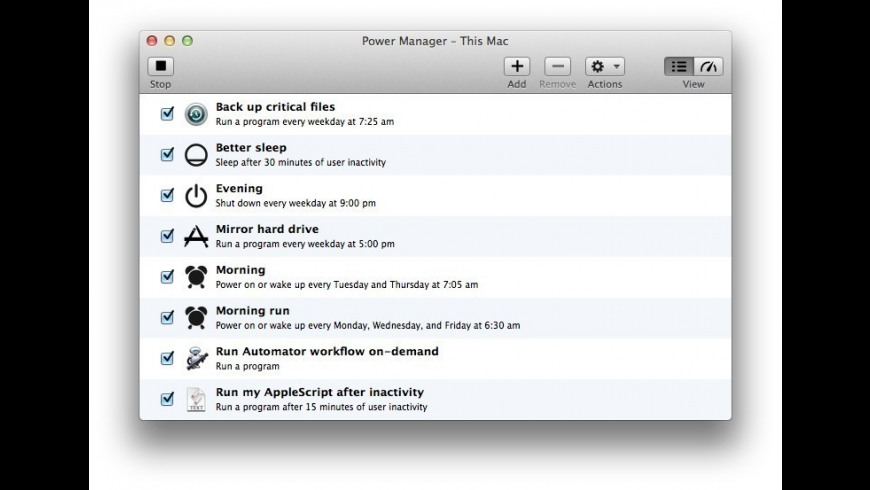
Power Manager is the solution for reducing the energy costs of Mac computers. Use Power Manager to assert control over when your Macs are available and when they are switched off.

Power Manager extends the scheduling functionality provided by OS X’s Energy Saver. Unlike Energy Saver, Power Manager is aware of multiple users, offers unrestricted schedules, provides greater customisation, and supports a wider range of actions.

Power Manager includes the ability to schedule applications, launch documents, and run scripts. Includes AppleScript support, Automator actions, command-line interface, and programming interface.

Information

CompatibilityOS X 10.10 or later
LanguagesEnglish

What’s New in DSSW Power Manager 5.4.0

  • Release notes not available at the time of this post.

Screenshots

Name dsswpowermanager 5.4.0 Shark mac-torrents.net.zip
Size 18.54 MB
Created on 2019-11-23 02:18:27
Hash 75047fc4d58d8faceff44665466654abcb17a37b
Files dsswpowermanager 5.4.0 Shark mac-torrents.net.zip (18.54 MB)

Download

MacClean360 4.4

Download MacClean360 4.4

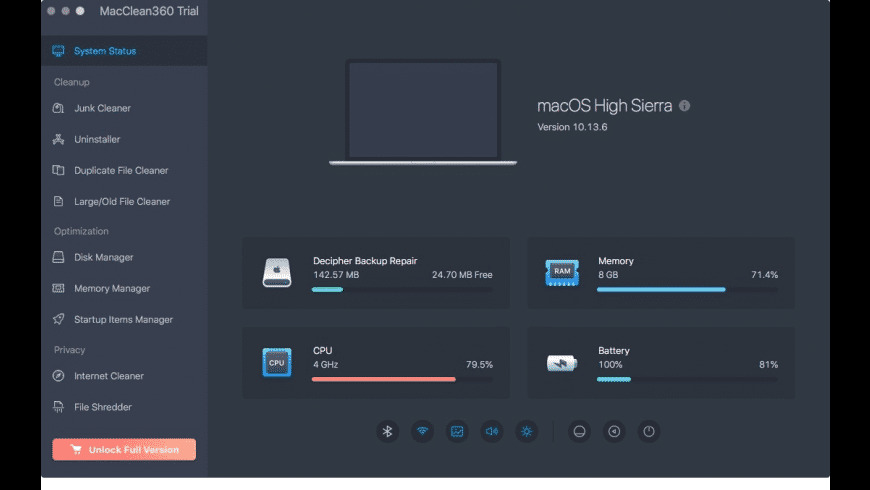
MacClean360 is all-in-one Mac cleaner & manager. It not only can find and remove all junk files in your Mac, but it also can help you optimize, speed up and manage your Mac computer

MacClean360 offers 9 excellent tools to help you clean up, manage and optimize your Mac:

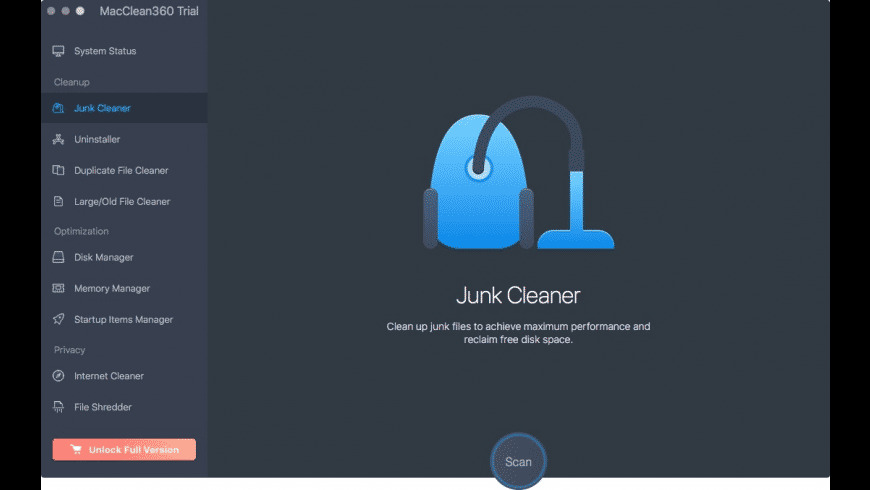
  • Junk Cleaner: Junk cleaner can help you scan the Mac system and find all junk data including system junk, App junk, iTunes junk, email junk and trash bin junk. After scanning, the user is able to clean up all junk data inside the Mac by 1 click
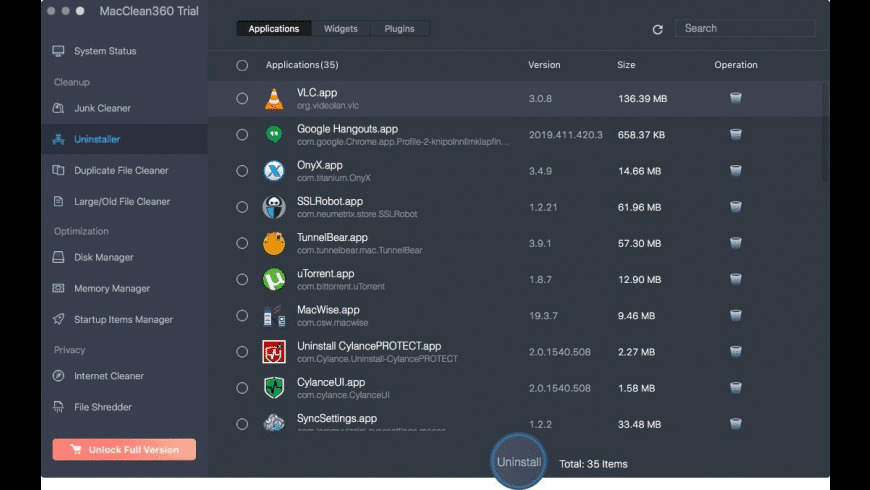
  • Uninstaller: You can uninstall unwanted applications and clean up all associated files by 1 click. Just choose the applications, then click on “Uninstall” button to uninstall all useless applications
  • Duplicate File Cleaner: Find and remove duplicate files on your Mac
  • Large/Old File Cleaner: Find and remove useless large files or old files on Mac
  • Disk Manager: Disk manager can help you manage disks and external devices on the Mac. You can format or rename the hard drive or device on Mac and help you eject external device on Mac securely
  • Memory Manager: Speed up slow Mac by closing useless tasks on Mac
  • Startup Items Manager: Add or remove startup items on Mac
  • Internet Cleaner: Clean up browsers’ cookies, caches, logs, passwords, junk files, etc
  • File Shredder: Permanently erase files/folders from Mac or storage device to prevent data recovery

Information

CompatibilityMac OS X 10.6 (Snow Leopard) – macOS 10.15 (Catalina)
LanguagesEnglish

What’s new in MacClean360 4.4

  • Improved cache clean in macOS Catalina
  • Fixed a few bugs

Screenshots

Name MacClean360 4 4 [TNT] mac-torrents.net.zip
Size 16.81 MB
Created on 2019-11-21 19:32:07
Hash fbf5b248f5200ca6252b5351dcc1a3b1e6593dad
Files MacClean360 4 4 [TNT] mac-torrents.net.zip (16.81

Download

DoYourData AppUninser Professional 5.1

Download  DoYourData AppUninser Professional 5.1
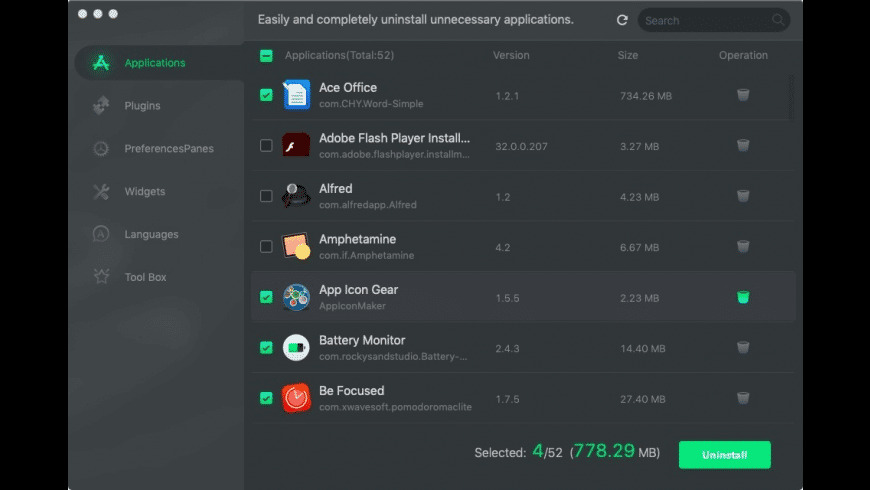
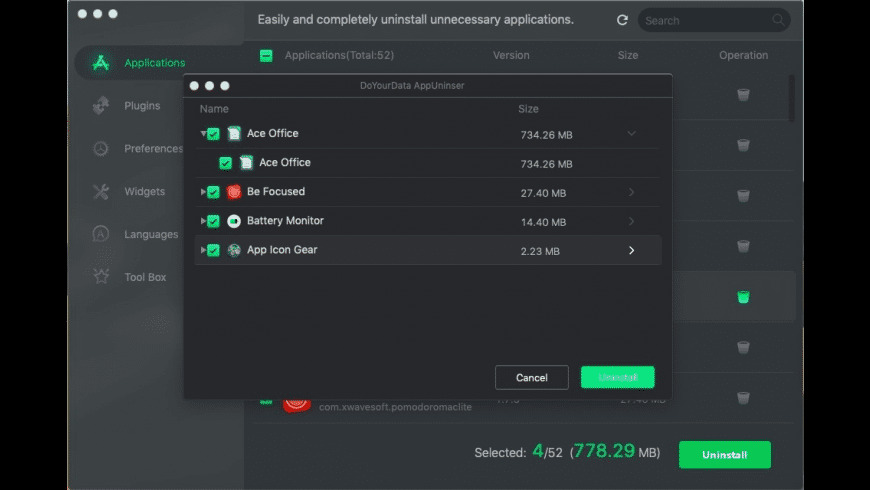
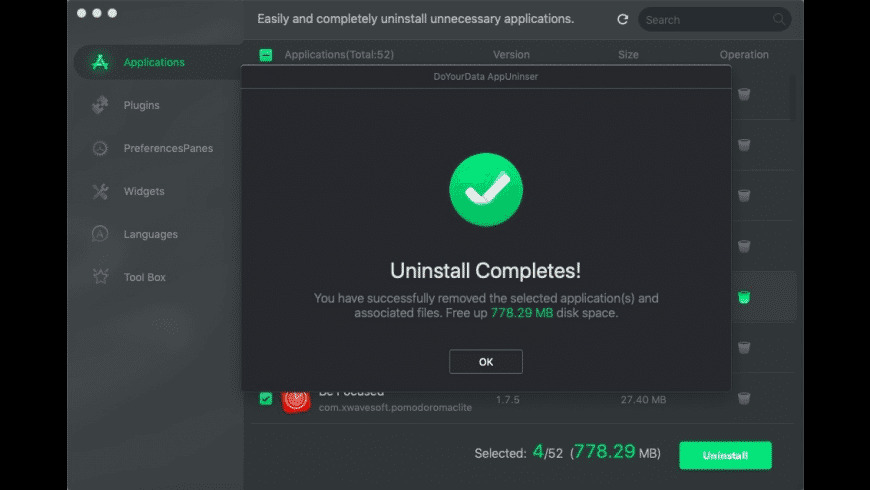
DoYourData AppUninser (was CleanMyApp) is a very powerful yet easy-to-use Mac uninstaller. It can completely uninstall applications, remove associated files, and clean up anything leftover. It can thoroughly uninstall even the most stubborn applications, crashed programs, plug-ins, widgets, and preferencepanes from your Mac

DoYourData AppUninser also can remove unnecessary language files of applications to reclaim a great deal of disk space.

Features

  • Support uninstallation of applications that you downloaded from the Mac App Store or from other websites
  • Completely uninstall the application and remove associated files, including junk files that produced by the application, registry files, traces, etc.
  • Can even completely uninstall virus-infected, crashed, or stubborn applications
  • Support for uninstalling applications in batches

Information

CompatibilityMac OS X 10.7 (Lion) – macOS 10.15 (Catalina)
LanguagesEnglish

What’s new in DoYourData AppUninser Professional 5.1

Improved:

  • INewly support for macOS Catalina
  • Fix minor bugs

Screenshots

Name DoYourData AppUninser Professional 5 1 [TNT]
Size 15.90 MB
Created on 2019-11-21 19:32:00
Hash 7e7b9b72afa73638359c0ed99a09ead9c03cbb92
Files DoYourData AppUninser Professional 5 1 [TNT] (15.90 MB)Download

Download

500+ Lightroom Presets & LUTs Bundle


Download 500+ Lightroom Presets & LUTs Bundle

Unleash the power of Lightroom with this mega bundle of 500+ Lightroom presets & LUTs. These expertly-created presets transform your photos in one click. And with full support for mobile editing, you can edit anywhere with your phone or tablet!

What You’ll Get:

  • 500+ Lightroom Mobile and Desktop presets
  • 500+ DNG Lightroom Mobile presets
  • 500+ Adobe Camera Raw presets
  • 500+ LUTs (for Premiere, Final Cut Pro, Photoshop, Affinity Photo, and more)
  • PDF Installation guides

500+ Lightroom Presets:

  1. 30 Autumn Enhancer Lightroom Presets – https://crmrkt.com/7KvM5X
  2. 40 Fitness Lightroom Presets – https://crmrkt.com/ea4Xx4
  3. 50 Beach Life Lightroom Presets – https://crmrkt.com/JdXOMr
  4. 50 Bleak Landscapes Lightroom Presets – https://crmrkt.com/jq304b
  5. 50 Desaturated City Lightroom Presets – https://crmrkt.com/KrgmD4
  6. 50 Editorial Lightroom Presets – https://crmrkt.com/KrDBl4
  7. 50 Epic Red Lightroom Presets – https://crmrkt.com/wW34rz
  8. 50 Flourishing Forest Lightroom Presets – https://crmrkt.com/2reo2N
  9. 50 New Yor Lightroom Presets – https://crmrkt.com/pO3Wvz
  10. 50 Social Influencer Lightroom Presets – https://crmrkt.com/0xPVQQ
  11. 50 Urban City Lightroom Presets – https://crmrkt.com/Er21KD
  12. 50 Wedding Lightroom Presets – https://crmrkt.com/GrDRza

Features:

  • ✔️ New XMP Lightroom Presets
  • ✔️ Full Lightroom Mobile Support
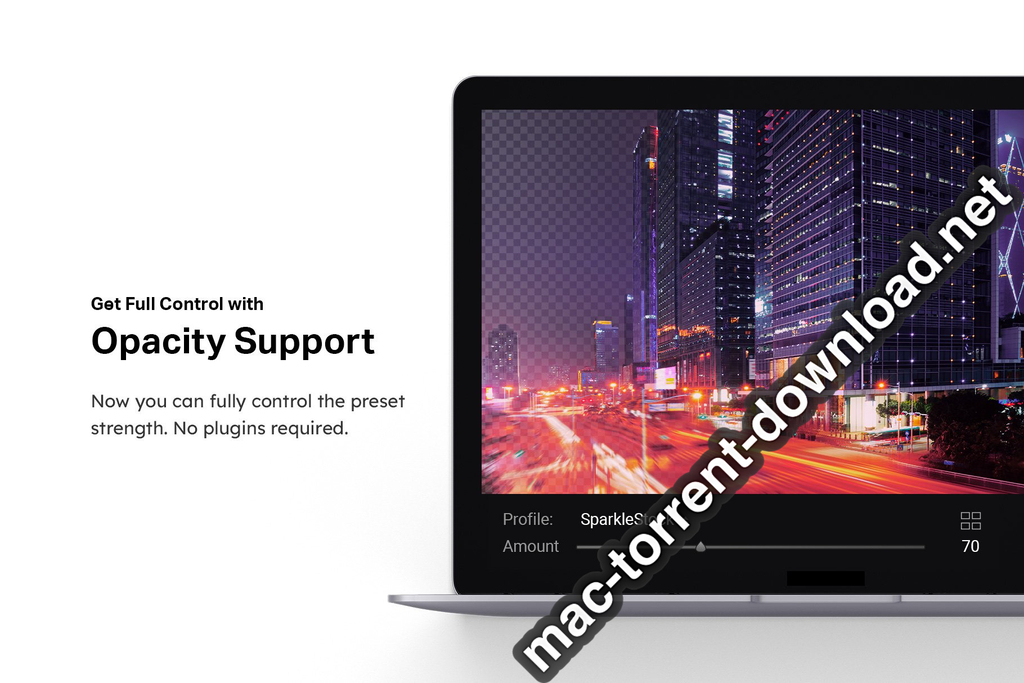
  • ✔️ Supports Opacity/Amount
  • ✔️ Fast-Rendering 3D Color Grading Profiles
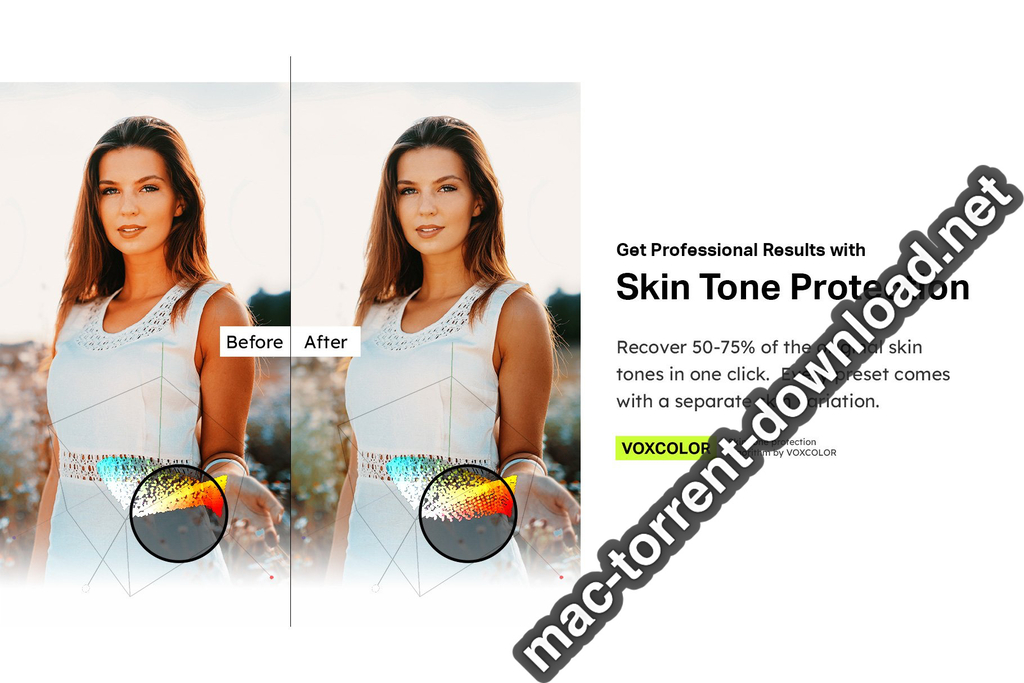
  • ✔️ Skin Tone Protection (Color Science by VOXCOLOR)

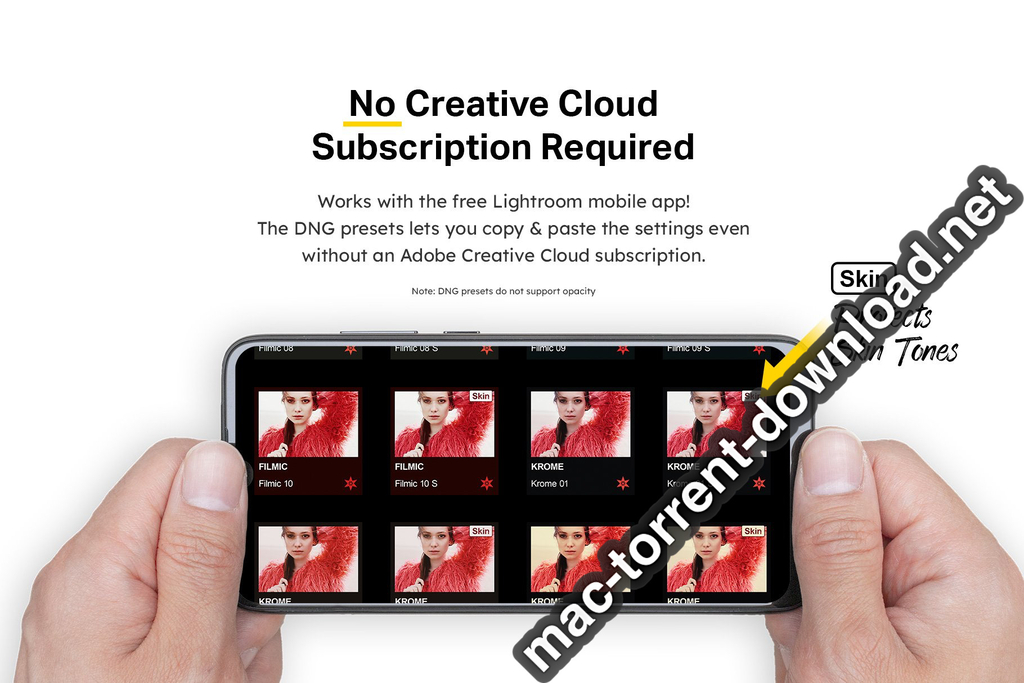
No Creative Cloud Subscription Required

  • Both native and DNG mobile presets are included! Use the DNG presets if you don’t have a Creative Cloud subscription. Otherwise, use the native mobile presets to unlock the opacity/amount setting.

Important PSA:

  • LRTemplate presets are discontinued. This bundle only includes new, faster XMP Lightroom presets. You must have Lightroom CC 2019 or newer to use these.

Information

Compatibility
  • Mac and Windows: Adobe Lightroom CC 2019+, Adobe Lightroom Classic CC 2019+, Adobe Camera Raw 11+, Adobe Photoshop CC 2019+, Adobe Premiere Pro CC, Adobe After Effects CC, Final Cut X 10+, Blackmagic Design DaVinci Resolve, The Foundry Nuke, Sony Vegas, Wondershare Filmora, Avid Media Composer, CyberLink ColorDirector
  • Apple iOS Devices: Adobe Lightroom CC, LumaFusion, Video LUT
  • Android Devices: Adobe Lightroom CC
LanguagesEnglish

Screenshots


Name 500 Lr Presets and LUTs Bundle 4282364 mac-torrents.net.rar
Size 1.82 GB
Created on 2019-11-23 01:00:14
Hash c6547f0a9766356425a4c03b24d5ff8de5ede8f1
Files 500 Lr Presets and LUTs Bundle 4282364 mac-torrents.net.rar (1.82 GB)

Download

Paste 2.5.3

Download Paste 2.5.3

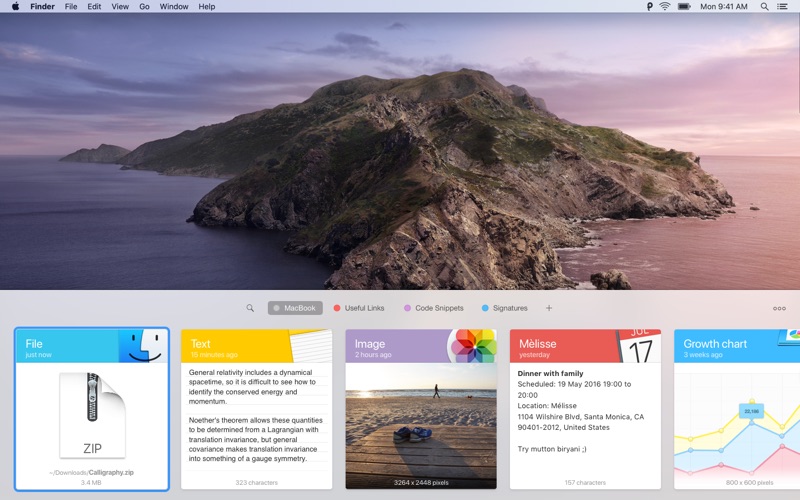
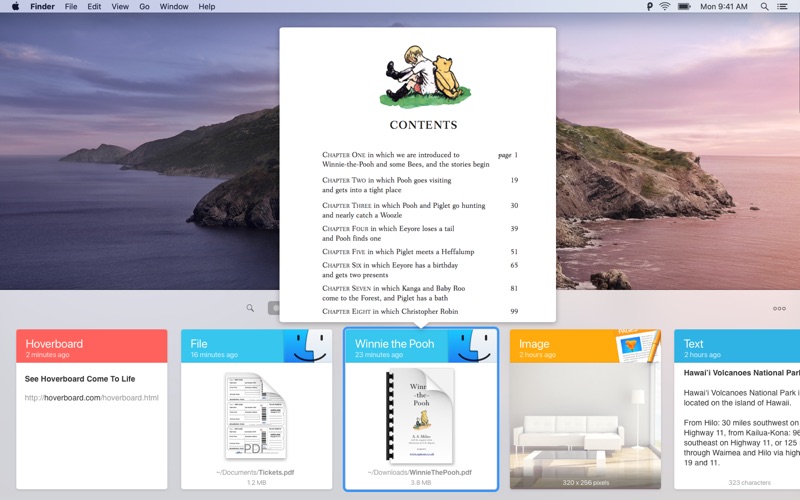
Paste is a smart clipboard and snippets manager, it’s a new way to copy and paste on your Mac and iPhone.

Paste is an invaluable productivity tool for writers, developers, designers and everyone else who likes to get the job done.

“Paste is the Mac clipboard manager you never knew you needed.” — The Next Web

Features

TIME MACHINE FOR YOUR CLIPBOARD

Paste stores everything you copy and lets you use your clipboard history anytime you need it across all your devices. It recognizes text, images, links, files, and any other type of content.

  • Extend system clipboard capacity and get back the date you’ve copied previously.
  • Browse fast through a visualized history and preview any type of content.
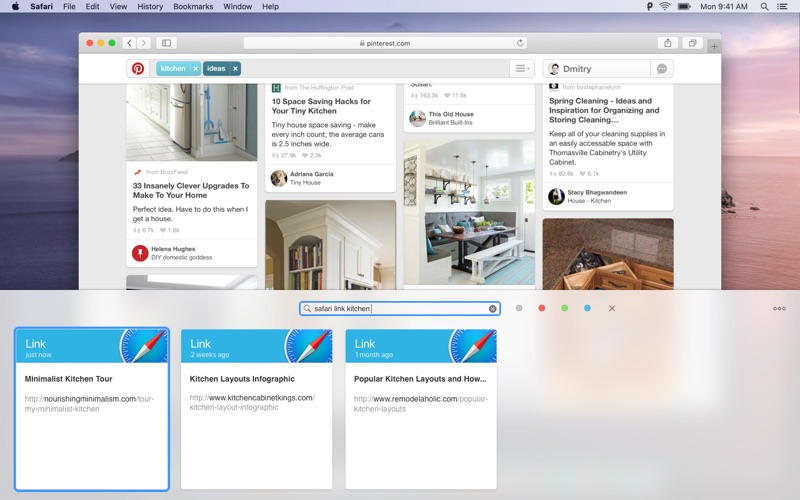
  • Search through your history with intelligent filters.

SPEED UP YOUR WORKFLOW

Organize your frequently used items, preview and access them quickly. Tight system integration and intuitive user experience allow you to focus on your core tasks.

  • Create Pinboards and organize your clipboard history the way you need it.
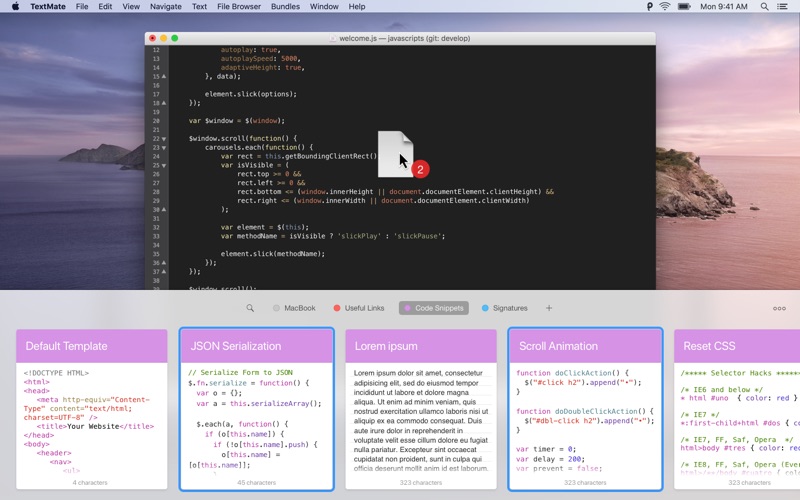
  • Pin snippets you use regularly and access them instantly.
  • Configure your own shortcuts for seamless copypasting between apps.

SYNC ACROSS DEVICES

All data securely syncs via iCloud across all your devices running Paste. It plays well with Universal Clipboard. Check out Paste for iPhone too!

  • Keep clipboard history and Pinboards in sync on all your devices.
  • Share snippets with your friends or send it via AirDrop to other devices.

MORE FEATURES TO BOOST YOUR PRODUCTIVITY

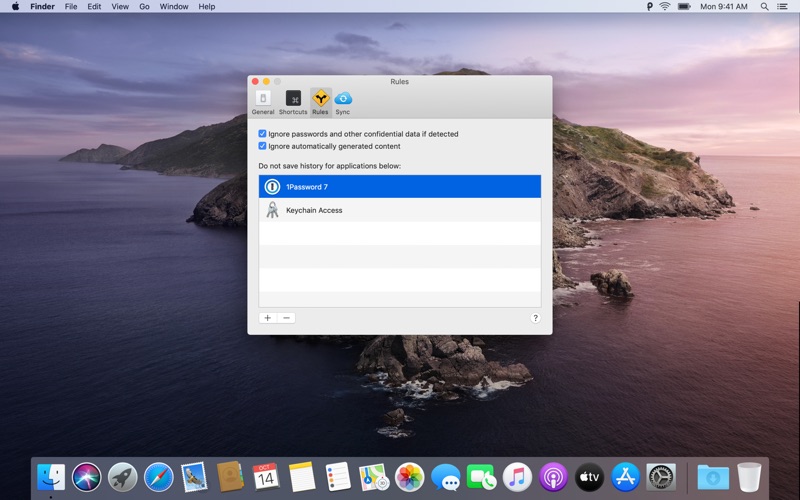
  • Exclude applications with sensitive information and don’t track it in Paste.
  • Remove formatting from copied text and paste any content as Plain Text.
  • Large preview for any type of snippet in your clipboard history or Pinboard.
  • Select and paste multiple items simultaneously, dragndrop to any application.
  • And even more!

Download Paste and increase your productivity!

Information

CompatibilityOS X 10.13 or later, 64-bit processor
LanguagesMultilangual

What’s New in Paste 2.5.3

  • This update fixes a crash that might occur when syncing multiple pinboards. It also fixes compatibility issues with PopClip.

Screenshots

Name Paste 2.5.3 MAS [TNT] mac-torrents.net.zip
Size 25.81 MB
Created on 2019-11-23 00:42:07
Hash 5c89bfc98e385b7f201cc18ec209781740cfc07f
Files Paste 2.5.3 MAS [TNT] mac-torrents.net.zip (25.81 MB)

Download

Capture One 20 Pro 13.0.0.177 b5

Download Capture One 20 Pro 13.0.0.177 b5

Capture One is a professional RAW converter offering you ultimate image quality with accurate colors and incredible detail from more than 400 high-end cameras — straight out of the box. It offers state-of-the-art tethered capture, powerful digital asset management, extensive adjustment tools and a flexible workflow.

With an updated processing engine, market-leading performance and powerful new features, Capture One is the professional choice in imaging software. You get the highly responsive precision tools you need to create stunning images from your camera’s RAW files in a time-saving workflow that can be customized to fit your needs.

Why choose Capture One?

Capture One is the complete photo editing software solution. With powerful tools for organizing, color grading, layer editing – and much more – you get full creative control of your images and your workflow.

  • Accurate colors
  • Fast importing and exporting
  • Precise color-editing tools
  • Reliable tethered shooting
  • Beautiful customizable interface

Capture One Features

Get complete creative control with advanced photo editing tools, the most accurate colors and a fully-customizable interface. Plus, high-performance software and asset management lets you create powerful photography workflows with more room for creativity.

  • Full creative control

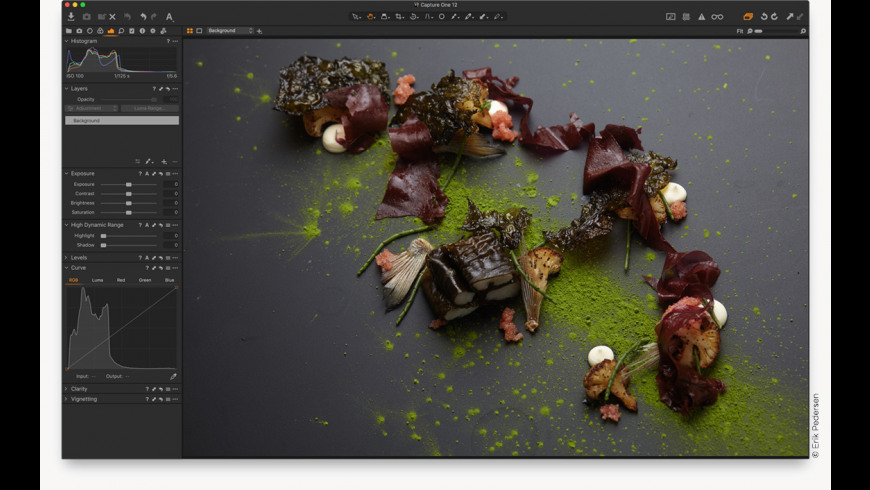
    • Capture One has been developed with image quality and ease of use in mind. Every tool is designed to give you full control of all aspects of the editing process – preserving, recovering and optimizing all information from your RAW files. The full range of tools offer extensive possibilities to always achieve perfect results.
  • Asset Management

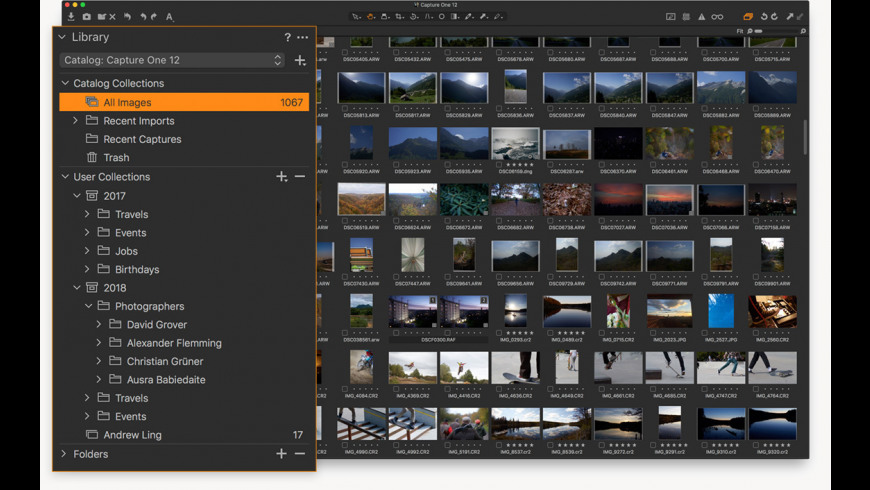
    • Asset management is important for every photographer, be it management of images from individual day-to-day jobs or large collections with thousands of images. Capture One offers tools and solutions for every type of photographer, making asset management simple, fast, and effective.
  • Color Handling

    • Capture One is known for its exceptional handling of color. Thanks to our custom camera profiling, every RAW file shines – straight from the camera. Whether you seek creative color grading tools or want to ensure natural colors in your images, Capture One delivers powerful and precise tools to achieve your vision.
  • Detail and Lens Profiles

    • With image quality as the driving factor, Capture One is developed to squeeze every RAW file to the limit, providing the highest level of details possible. Each supported lens applies a custom-made lens profile, providing precise tools for minimizing distortion and light fall-off.
  • Tethered Capture

    • Capture One’s Industry-leading tethered capture is fast, flexible, and reliable, for photography sessions where speed and accuracy is important. Shoot directly to your computer for an almost instant viewing experience – with or without instant adjustments. Enable Live View for easier composing when shooting still-life photography.
  • Workflow and Performance

    • From customizable tools and keyboard shortcuts to graphics acceleration and instant tethered capture; Capture One is built to minimize your workload and maximize your efficiency. Design your own workspace and find your way of working in Capture One.

New features and improvements

  • Scrolling Tools
  • New Basic Color Editor
  • Improved Noise Reduction
  • High Dynamic Range
  • New Crop Tool
  • Improved copy/apply of Layers
  • Improved DNG support
  • Select Next When

General User Experience Improvements

  • Adjustment Clipboard improvements
  • Toolbar text and icons
  • Masking cursor tools arrangement
  • Viewer background color
  • Browser thumbnail resolution
  • White Balance Picker
  • Changes to default shortcuts

Information

Compatibility
  • macOS 10.13 or later
  • Intel CPU with 2 cores
  • 10 GB free disk space
  • 8 GB of RAM
LanguagesMultilingual

What’s New in Capture One 20 Pro 13.0.0.177 b5

  • Release notes not available at the time of this post.

Screenshots

Name Capture One 20 Pro Build 13.0.0.177 B5 [TNT] mac-torrents.net.zip
Size 321.0 MB
Created on 2019-11-22 23:59:38
Hash 1b840f2bd3683e1c6b7abe9152b2631af2bdeb75
Files Capture One 20 Pro Build 13.0.0.177 B5 [TNT] mac-torrents.net.zip (321.0 MB)

Download

AnyMP4 Audio Converter for Mac 8.2.12

Download AnyMP4 Audio Converter for Mac 8.2.12

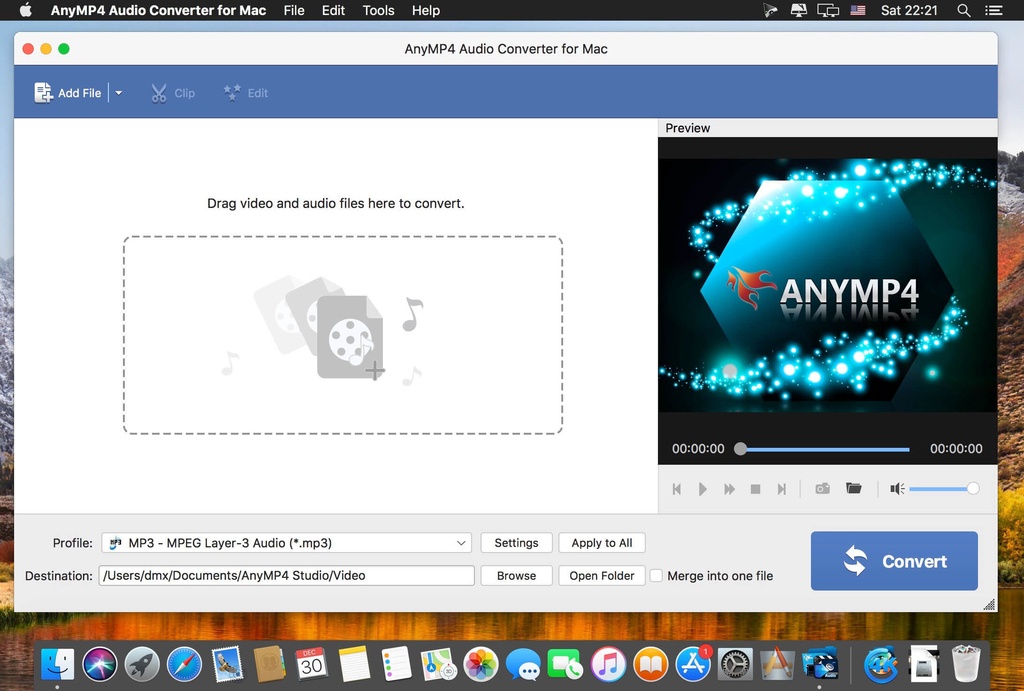
Convert videos/audios to various audio formats on Mac

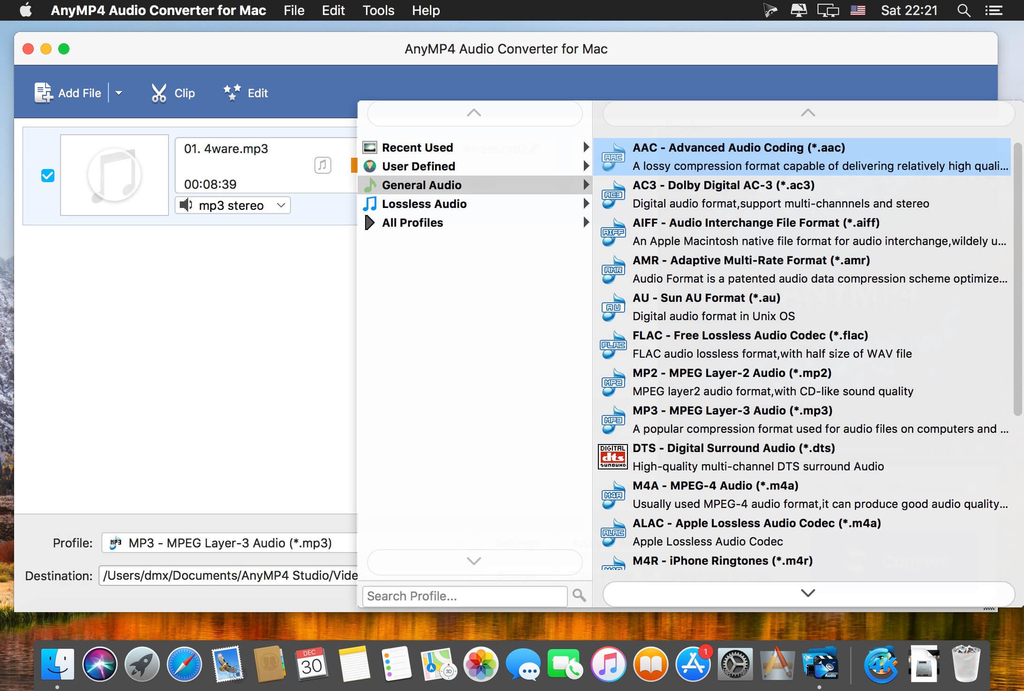
  • Convert various music files in WMA, FLAC, M4A, AIFF, AU, OGG, etc. to other favorite audio formats on Mac
  • Extract audio from video and convert the audio to a desired audio format on Mac to enjoy music on digital devices
  • Adjust audio volume before conversion, cut the audio file length and merge several audio files

Convert videos/audios to various audio formats on Mac

Convert various music files in WMA, FLAC, M4A, AIFF, AU, OGG, etc. to other favorite audio formats on Mac
Extract audio from video and convert the audio to a desired audio format on Mac to enjoy music on digital devices
Adjust audio volume before conversion, cut the audio file length and merge several audio files

Extract audio from video on Mac

In case you might just want to keep the audio file from one video, this powerful Audio Converter for Mac can help you. With the Video to Audio Converter software, you can extract the audio file from the video on Mac with ease and then convert it to a desired audio format according to your need, so you can store and enjoy more audio files on your device.

Cut audio files or merge them into a file

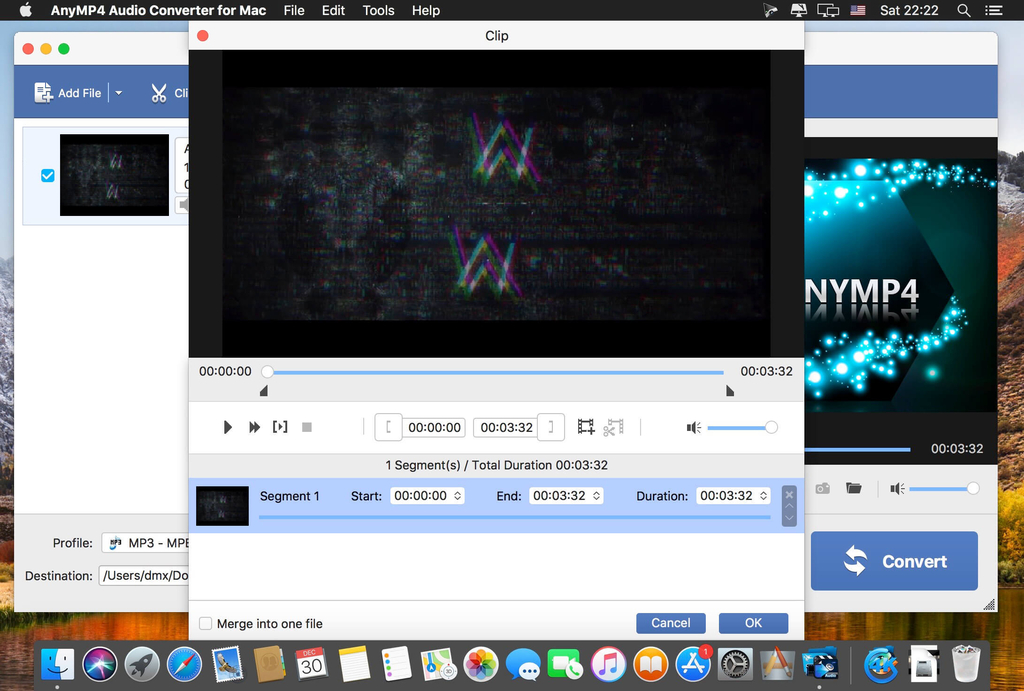
Want to remove some audio part for better enjoyment? But don’t know where to start? How can you remove this unwanted audio part? With this Mac Audio Converter, you can easily cut audio files. If you have some audio files and want to merge them into a new audio, this Audio Converter for Mac can help you as well. With the Mac Music Converter, you can get a totally satisfying audio.

Edit audio file before conversion

For some reasons, audios in video may have high or low volume. Before converting, you can also edit the audio if you are not satisfied with the sound of the original video or audio. With this Mac Audio Converter you can adjust the volume from 0 to 199. After editing, you can listen to the effects in advance and adjust them as you wish. This way you can finally get a perfect video.

Convert audio easily and quickly on Mac

This professional Mac Audio Converter has an intuitive and user-friendly design. You can find out all the used operations at the main interface. When all the preparations are done, you can convert all audio files with just one click. This Mac Audio Converter also supports batch conversion. You can easily convert several audio files at the same time.

Information

CompatibilityMac OS X 10.6 or above (including macOS Catalina)
SD VideoMP4, WMV, MOV, M4V, MPG, AVI, 3GP, FLV, MKV, SWF, WebM, and more
HD VideoMTS, TS, M2TS, MXF, TRP, TP, HD MP4, HD WMV, HD MOV, HD MKV, and more
AudioMP3, AAC, M4A, WMA, FLAC, ALAC, and more
LanguagesEnglish

What’s New in AnyMP4 Audio Converter for Mac 8.2.12

  • Release notes not available at the time of this post.

Screenshots

Name AnyMP4 Audio Converter for Mac 8 2 12 89522 [TNT] mac-torrents.net.zip
Size 64.53 MB
Created on 2019-11-22 23:33:39
Hash b26bb39fab6b341178d0743a1a34a449bda41d03
Files AnyMP4 Audio Converter for Mac 8 2 12 89522 [TNT] mac-torrents.net.zip (64.53 MB)

Download

Art Files 3.2

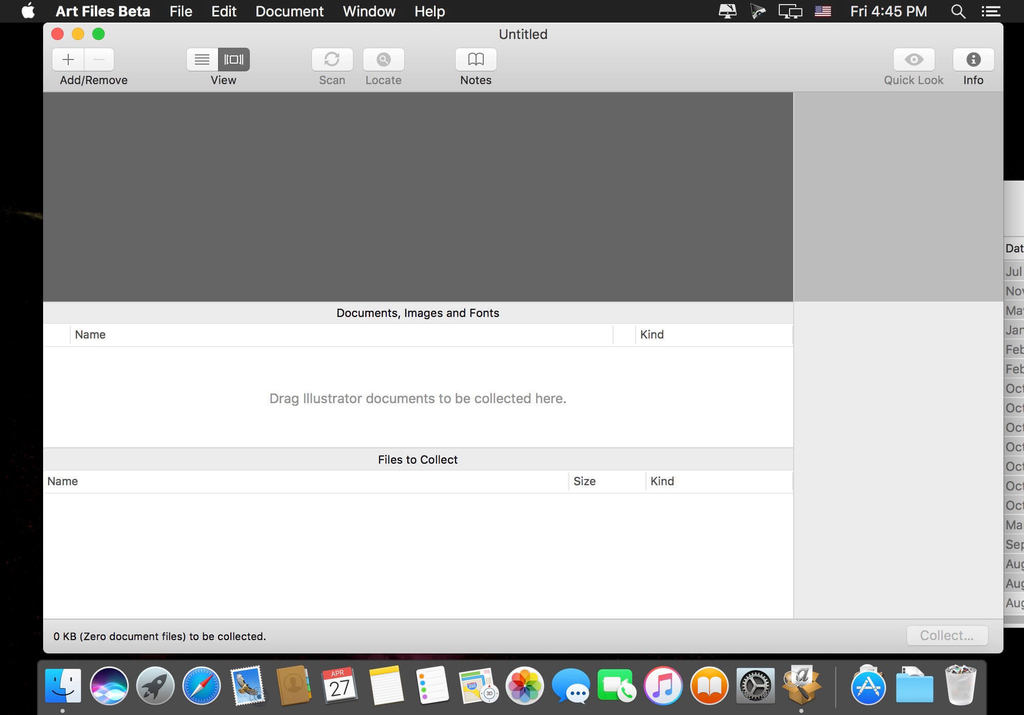
Art Files is a stand-alone application that takes the tedious task of collecting Illustrator documents, linked images, and fonts for graphics files, and turns it into a simple point-and-click operation. Rather than focus on the in-depth “preflight” nitty-gritty that other applications have done in the past, Art Files focuses on gathering just the information you need to get your files packaged up for your service provider.

Art Files also has the unique ability to collect several documents at once, saving precious time when only minutes stand between overnighting your artwork to the printer and having to hire a high-price door-to-door courier to meet your deadline. In addition to saving time, this feature also cuts down on disk space by collecting shared images and fonts between documents only once.

Art Files is perfect for archiving your important graphics documents. It’s also perfectly tailored for anyone who works with graphics files and needs the portability of sending documents to others for editing or printing. Its simple, straight-forward user-interface is sure to make file collection nightmares a thing of the past.

Supports .ai files including CS6 and CC.

Information

CompatibilityOS X 10.9 or later 64-bit
LanguagesEnglish

What’s New in Art Files 3.2

  • Release notes not available at the time of this post.

Screenshots

Name Art Files 3 2 [TNT] mac-torrents.net.zip
Size 19.09 MB
Created on 2019-11-22 23:33:25
Hash 5db1a53f02025d56957f4474ed373ab746de3948
Files Art Files 3 2 [TNT] mac-torrents.net.zip (19.09 MB)

Download

IconJar 2.1.2

Download IconJar 2.1.2

IconJar leaves digging through your design asset folders behind and lets you access your icons without the hassle. Your icon organizer is always just one click away. It features incredible support for SVGs and icon fonts that you can drag-and-drop into any app. It’s no rocket science, we pinky promise.

Features

  • Designed for the Mac IconJar is designed to fit in with the apps you already use on your Mac.
  • Quicklook Preview your icons in a usecase driven take on the Quicklook feature.
  • Quickdrag Drag &drop icons in any color, size and file type you want with Quickdrag.
  • Widely adopted file type Import tens of thousands of icon sets with just one click with our .iconjar files.
  • Custom SVG renderer IconJar is powered by a custom built SVG renderer that has been opensource since day one.
  • Import from Sketch Use our Sketch plugin to easily import icons into IconJar.

Information

CompatibilityOS X 10.10 or later 64-bit
LanguagesEnglish

What’s New in IconJar 2.1.2

  • We’ve optimised the performance of deleting icons, sets and groups.
  • Fixed an issue with our SVG parser (IJSVG) where it would not correctly parse path data subcommand’s.

Screenshots

Name IconJar 2 1 2 [TNT] mac-torrents.net.zip
Size 17.28 MB
Created on 2019-11-22 23:33:07
Hash 6e5876b63446534da8a0217257c907a723d59f6c
Files IconJar 2 1 2 [TNT] mac-torrents.net.zip (17.28 MB)

Download

Acorn 6.5.3

Download Acorn 6.5.3

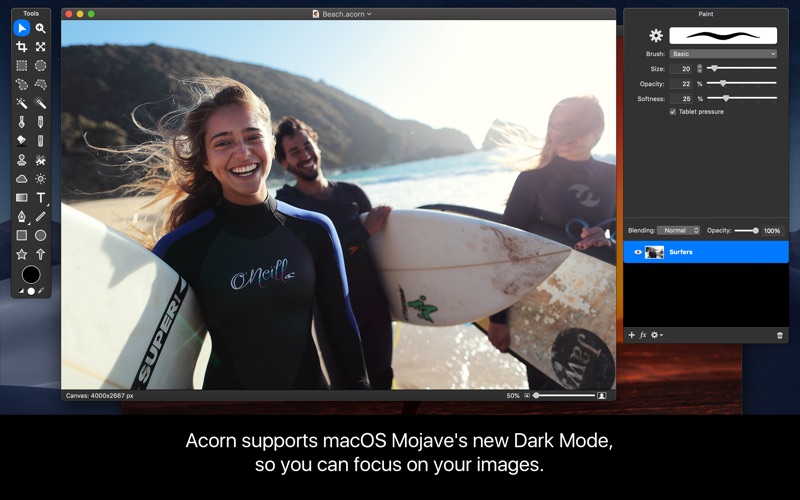
The Image Editor for Humans. Everyone needs to edit photos at some point, but not everyone has the time to learn complicated super pricey photo editing software. This is why we created Acorn. Add text and shapes to your digital pictures. Combine images together to create a photo collage. Work with layers to touch up your favorite photos or make something entirely new from scratch. Do all this and more with Acorn!

Acorn Features

Latest Features Highlights

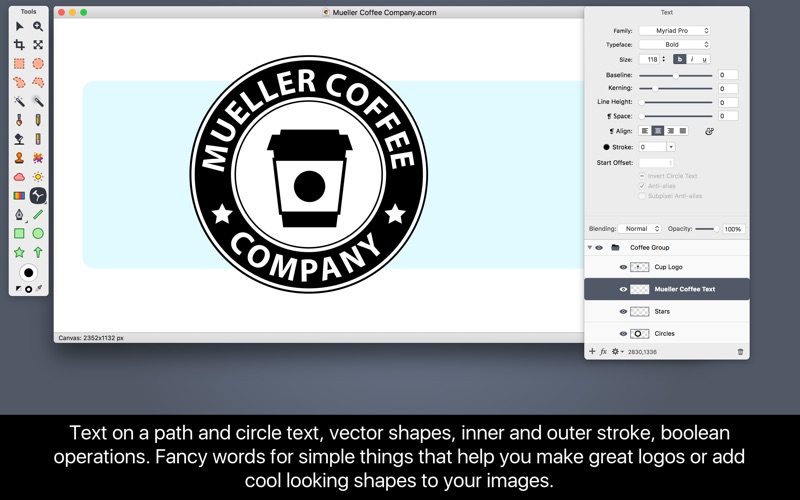
  • Text on a path. Create a path with any of Acorn’s shape tools, then add text!
  • Enhanced clone tool to clone across layers, images, and even clone group or shape layers.
  • Updated web export window includes the ability to zoom, pan, scale, convert color profile, and retain or remove image metadata
  • Smart layer export, Acorn’s alternative to slicing, has a new configurable palette to export your layers from 1x5x.

What can Acorn do? Here’s a glimpse at a handful of Acorn’s capabilities:

  • Remove image backgrounds using the magic wand selection tool or instant alpha eraser tools
  • Combine images together to create collages or photo layouts
  • Create logos and other vector designs using the path text tool or circle text
  • Correct blemishes or image imperfections using the clone tool
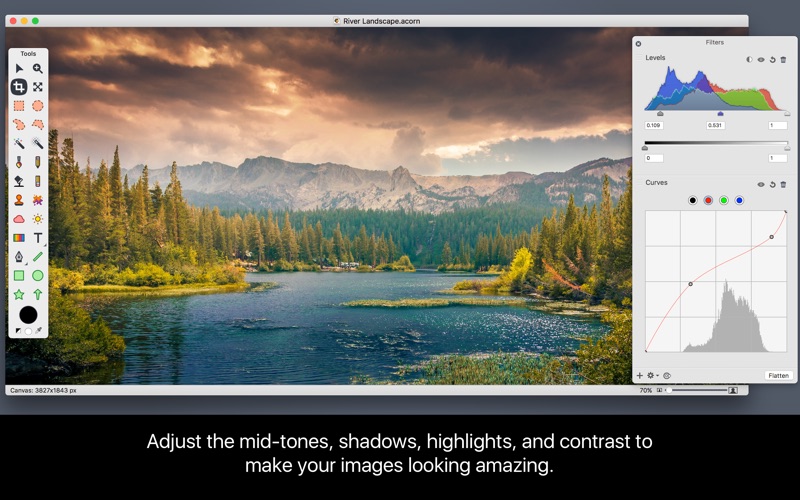
  • Easily adjust the contrast, highlights, shadows, and midtones in your images using levels and curves
  • Lighten or darken images using blending modes, filters, or touchup tools

Powerful Image and Layer Capabilities

  • Over 25 different nondestructive blending mode options
  • Unlimited layers and group layers
  • Layer masks for nondestructive editing
  • Transform, rotate, move, lock, merge, delete, and duplicate your layers
  • Snap to grid, guides, selections, shapes, layers, and the canvas
  • Supports image depth of 8, 16, and 32 bits per channel

Filters, Layer Styles, and Effects

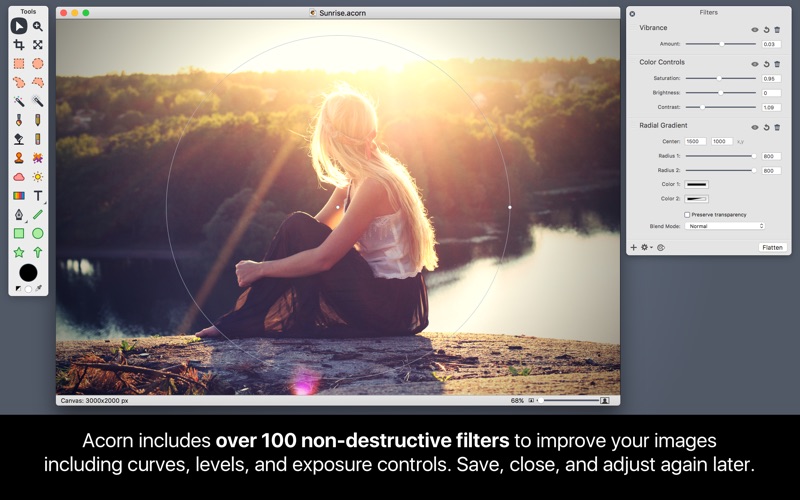
  • Unlimited combinations of layer styles and nondestructive filters possible
  • Save and modify your filters later
  • Create filter presets
  • Tilt shift, vignette, drop shadow, distortions, & blurs
  • Over one hundred additional effects
  • Nondestructive curves and levels to adjust individual color channels

The Tools You Need

  • Customizable clone, stamp, dodge, burn, blur, eraser, and smudge brushes
  • Builtin brush designer for control of softness, spacing, and dozens of other brush refinements
  • Drag and drop to import photoshop brushes
  • Multistop live gradients
  • Rectangle, elliptical, freehand, polygonal, and magic wand selection tools for making precise selections
  • Convert selection to shape
  • Quickmask mode to paint on a selection
  • Custom color picker

Vector Prowess

  • Stars, arrows, bézier curves, circles, lines, and rectangles
  • Shape processor to move, tweak, generate, and adjust shapes in a stackable nondestructive interface
  • Boolean shape operations include union, intersect, difference and exclude.
  • Convert text to bézier paths for finer control of your text
  • Snap shapes to pixel boundaries for precise alignment

Sharing & File Support

  • Photos extension to edit your images from Photos
  • Share images to Photos, Facebook, Twitter, and more
  • Import JPEG, JPEG 2000, PNG, TIFF, GIF, PDF, PSD, BMP, PSD, RAW, PICT, SVG, TGA, ICO, and AI (with PDF compatibility turned on)
  • Export JPEG, JPEG 2000, PNG, TIFF, GIF, PDF, PSD, BMP, SVG, TGA, & ICO
  • Export TIFF and JPEG with CMYK color profile

Professional Features

  • RAW image import of 32, 64, & 128 bit images
  • Create layered screenshots of every window you have open on your computer
  • Web export with wide gamut detection
  • Automatable + scriptable.
  • Perform batch image editing using Automator, AppleScript, and JS
  • Editable image metadata
  • Touch bar support

Information

Compatibility
OS X 10.11.4 or later, 64-bit processor
Languages
English, German, Polish

What’s New in Acorn 6.5.3

Fixes!

  • Fixed a problem where “Edit in Acorn” from Photos on 10.15 might not work.
  • Other minor 10.15 cleanups and fixes.
  • Fixed an issue when printing or exporting as PDF when some layers had non-normal blend modes.
  • Acorn is a little less aggressive about writing out extended attributes to remember things like the zoom scale between file opens.
  • Fixed a possible crasher in the brushing engine when using the smudge tool.

Screenshots

Name Acorn 6 5 3 [TNT] mac-torrents.net.zip
Size 25.34 MB
Created on 2019-11-21 14:44:30
Hash 3b21170bfc9f8fc2ba5d1d0bfc81e6773f4d5c6e
Files Acorn 6 5 3 [TNT] mac-torrents.net.zip (25.34 MB)

Download

Folx Pro 5.13.13905

Downlad Folx Pro 5.13.13905

 is download manager for Mac OS X with a true Mac-style interface. It offers convenient downloads managing, flexible settings, etc. Folx has a unique system of sorting and keeping the downloaded content.

PRO version of Folx enables torrents search directly from the application. With Folx PRO you don’t need to browse through multiple torrent trackers to find what you need. Enter a keyword in Folx, and it will search for it in its extensive list of torrent trackers and display a list of relevant results.

Folx Downloader Features

Smart tagging system

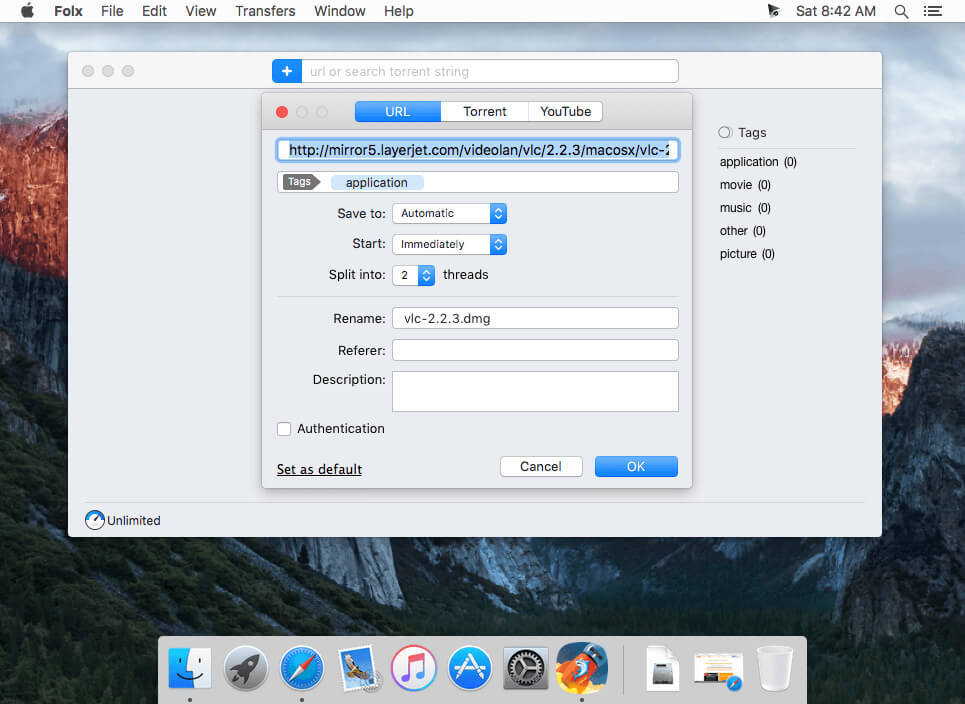
Any download can be assigned with a tag or multiple tags in Folx. This way Folx will sort the downloads in Tags panel. By clicking any tag you will be shown other files marked with the same tag. Thanks to tagging you’ll be able to find any of downloaded files on your Mac easily.

Unique features offered only in Folx

Folx can split the downloads in 2 threads for faster downloading; can automatically resume interrupted downloads; offers multiple ways of adding download tasks.

Folx is friendly with your browsers

If you come across something you want to download on the web, Folx can automatically catch the downloads or it can catch only the specific types of files for downloading. Folx also features a browser extension, which has the options to download all, download selected, and download with Folx. The supported browsers are: Safari, Firefox, Opera, Chrome.

Torrent Client for Mac

Folx by Eltima is a powerful torrent client. The app downloads torrent files as well as creates new torrents for various trackers. With Folx downloading torrent files is intuitive and simple. Tagging feature makes search through downloaded content quicker and easier. Folx allows you to prioritize your download tasks and control download and upload speeds according to your needs.

Magnet links

Apart from downloading files from torrent trackers Folx enables you to download using magnet links. The latter means you do not have to save a separate file before starting the actual download, which is convenient. It also allows you not to advertise the fact that you are using P2P technology.

Torrent Search PRO

PRO version of Folx enables torrents search directly from the application. With Folx PRO you don’t need to browse through multiple torrent trackers to find what you need. Enter a keyword in Folx, and it will search for it in its extensive list of torrent trackers and display a list of relevant results.

Fast downloading PRO

Folx PRO can split the downloads in up to ten threads, which can dramatically increase the download speed.

Speed control PRO

Gain full control over the downloading speed by either adjusting it manually or allowing Folx to do that automatically for optimal traffic allocation.

Scheduling of downloads PRO

You can choose the most suitable time for starting the download and set up how Folx will behave upon finishing the download: shut down the system, switch to sleeping mode, or simply quit Folx.

iTunes integration PRO

All music and videos downloaded with Folx can automatically go to iTunes playlists with the names as the tags assigned to downloads.

Remember login and password PRO

When starting new downloads from websites requiring authentication, you can ask Folx to remember login and password. Next time Folx is downloading from this website, you won’t need to enter login and password. You can also keep passwords for FTP and HTTP websites in Folx. Free version of Folx lets you save two entries. Websites requiring web authentication are also supported.

Download from YouTube PRO

Download videos from YouTube with Folx with the possibility to set the format for the downloaded video. You can also download age-restricted and private videos. When you don’t actually need the video and only want to have a soundtrack from it, Folx is of great help! Downloads can be performed manually, immediately upon the video discovery or at a certain schedule.

Information

CompatibilityOS X 10.9 or later 64 bit
LanguagesEnglish

What’s New in Folx Pro 5.13.13905

  • Release notes not available at the time of this post.

Screenshots

Download

iStat Menus 6.40 (1116)

Download iStat Menus 6.40 (1116)
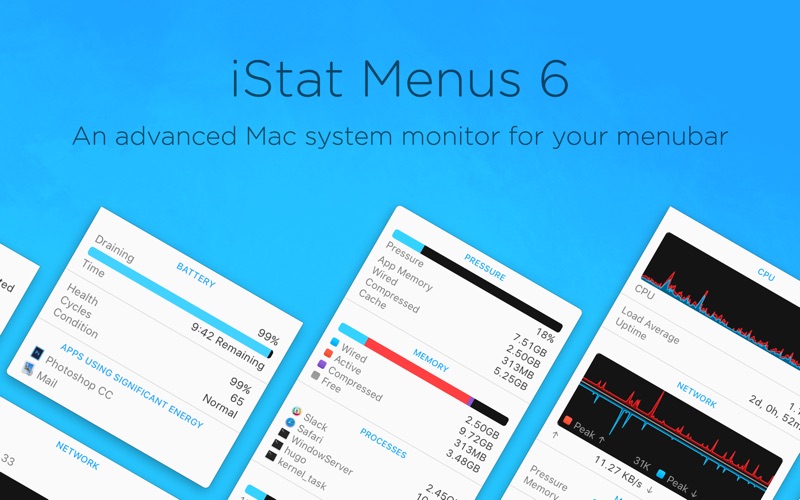
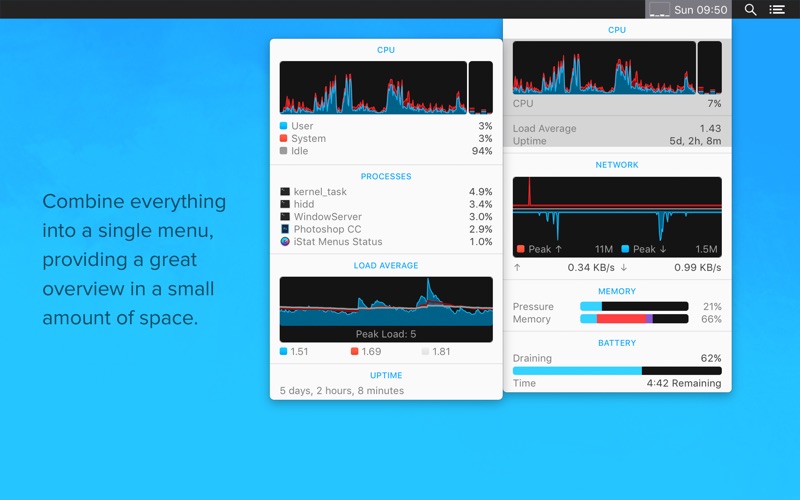
The most powerful system monitoring app for macOS, right in your menubar.iStat Menus covers a huge range of stats, including a CPU monitor, GPU, memory, network usage, disk usage, disk activity, date & time, battery and more. All in a highly optimised, low resource package. iStat Menus is highly configurable, with full support for macOS’ light and dark menubar modes.

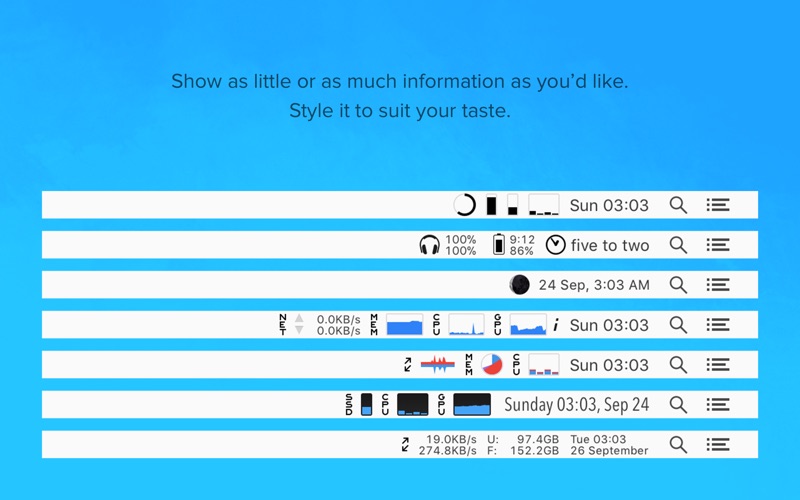
iStat Menus features a wide range of different menubar text and graph styles that are all completely customizable. Each of the dropdown menus provides access to even greater detail including history graphs for access to up to 30 days of data.

Features

CPU & GPU

Realtime CPU graphs and a list of the top 5 CPU resource hogs. Tracked use by individual cores or with all cores combined, to save space. Plus, GPU memory and processor usage on supported Macs, and the active GPU can be shown in the menubar.

Memory

Memory stats for your menubar as a pie chart, graph, percentage, bar or any combination of those things. Opening the menu shows a list of the apps using the most memory.

Network

Monitor bandwidth usage in the menubar as text or graphs. Advanced bandwidth and interface information is available in the dropdown menu.

Disk usage & activity

See used and free space for multiple disks in your menubar. Plus, S.M.A.R.T. status monitoring, detailed disk I/O, and a variety of different read and write indicators.

Sensors

A realtime view of temperatures, hard drive temperatures (where supported), fans, voltages, current and power. Please note that sensor monitoring requires installing a free add-on from our website.

Date & time

A highly configurable date, time and calendar for your menubar, including fuzzy clock, moon phase, and upcoming calendar events. Plus, a world clock with sunrise, sunset, moonrise and moonset times.

Battery & power

Detailed info on your battery’s current state, and a highly configurable menu item that can change if you’re draining, charging, or completely charged. Magic Mouse, Magic Trackpad and Apple wireless keyboard battery levels.

Notifications

iStat Menus can notify you of an incredibly wide range of events, based on CPU, GPU, memory, disks, network, sensors, battery, power and more. This lets you be notified when your public IP has changed, if your internet connection is down, if CPU usage is above 60% for more than 10 seconds, or a near-infinite range of other options. It can even remind you of daylight saving changes.

Notification Center widget

The new iStat Menus widget is a great way to keep your Mac’s vital stats tucked away in Notification Center. CPU usage, memory, top CPU and memory processes, load averages, disk space and uptime are only ever a single click or swipe gesture away, from any app.

Information

CompatibilityOS X 10.11 or later, 64-bit processor
IncludesSerial (block outbound connections) by DeadlyBugs
LanguagesMultilingual

What’s New in iStat Menus 6.40 (1116)

  • Added support for macOS Catalina.
  • Added support for second generation AirPods.
  • Improved support for all 2019 Macs.
  • Fixed an issue with disk activity monitoring on APFS based fusion drives.

Screenshots

Name iStat Menus 6.40.1116 mac-torrent-download.net.zip
Size 30.27 MB
Created on 2019-11-21 16:17:55
Hash ac0c06deb9a7a9123a385981d937bd4f48bcc333
Files iStat Menus 6.40.1116 mac-torrent-download.net.zip (30.27 MB)

Download

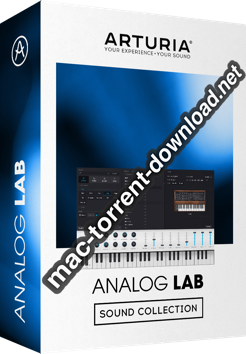
Arturia V Collection 7 v21.11.2019

Download Arturia V Collection 7 v21.11.2019

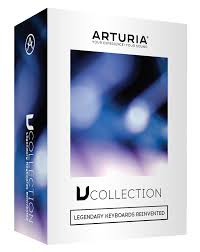
Arturia have announced the arrival of the latest edition of V Collection: their flagship anthology of reimagined historic synths and keyboards. Containing 24 software instruments and thousands of preset sounds, V Collection 7 is billed as “the must-have reference for musicians, producers, sound designers, and keyboard fans”.

Legendary Keyboards Reinvented

In V Collection 7, Arturia have used modelling techniques to create accurate software versions of dozens of time-honored instruments. Their exclusive True Analog Emulation (TAE) and advanced physical modelling put these legendary instruments at your fingertips as software.

V Collection 7: The Definitive Classic Keys Collection

From the authentic ’60s tape-playback sounds of the Mellotron V to the ’70s analog mojo of the Synthi V to the ’80s digital phase distortion technology of the CZ V, there’s something new for everyone in Arturia’s V Collection 7 — which packs an entire arsenal of 24 glorious vintage keyboards and synths in one amazing package.

These virtual instruments don’t just sound similar to their namesakes — they’re spot-on re-creations of sought-after classics. So prepare to be completely blown away by the beautifully realistic sounds of the most well-known and coveted synthesizers, electric pianos, and organs of all time. Covering everything from stinging synth leads and rich, evolving pads to fat basses, vintage EPs, and howling B3s, Arturia’s V Collection 7 is a must-have for your next project.

Arturia V Collection 7 Software Instrument Bundle Features:

  • 24 essential classic software keyboards
  • 3 new instruments: Synthi V, CZ V, and Mellotron V
  • B3 V update with refined audio engine, modeling, and new features
  • Major Analog Lab 4 update with more presets, including Pigments sounds, Live Mode, and a redesigned user interface
  • Advanced TAE technology with authentic simulation of coupling between electronic circuits
  • All instrument interfaces are 4K and resizable
  • Expertly crafted presets for the new instruments
  • Over 600 new presets for old favorites

Information

CompatibilityOS X 10.11 or later
FormatStandalone, AAX, VST2.4, VST3, AU
LanguagesEnglish

What’s New in Arturia V Collection 7 v21.11.2019

  • Release notes not available at the time of this post.

Screenshots

Download

Debookee 7.3.1

Download Debookee 7.3.1

Debookee is a LAN and Wi-Fi packet-capture tool and network analyzer that allows you to see what your devices are sending over the network.

Features

  • One click SSL/TLS decryption for your own and all targets traffic
  • See full HTTPS URLs, HTTPS headers and HTTPS response codes (Full raw payload data is not shown)
  • Decrypt IMAPS email traffic (soon on POP3s/SMTPs/FTPS)
    Full raw data is shown, not only headers
  • Intercept traffic from any device on your network: iPhone, iPad, Android, BlackBerry, PC, Mac, etc. Now you can analyze the traffic of devices that can’t support packet capture, such as mobile, tablets, etc.
  • Real-time packet capture analysis: extraction of requests details such as: HTTP, HTTPS, DNS, TCP, DHCP.
  • LanScan Pro integrated: To perform an initial scan of your network, a version of LanScan Pro is integrated in Debookee.
  • Wifi connection details: Channel, Signal Strength, MAC address of the Access Point …
  • Monitor activity of all Wi-Fi devices around you, access points, and clients
  • Per Wi-Fi client, display data transmitted/received, %errors, data rates, %retries…

Information

CompatibilityOS X 10.12 or later, 64-bit processor
LanguagesEnglish

What’s New in Debookee 7.3.1

  • NA/SSL/PRO modules: IPv6 now supported for Own Traffic (not Targets)
  • NA module: Unencrypted WebSockets are now fully displayed with NA, not PRO anymore
  • NA module: Fixed a crashing bug when stopping NA module
  • NA module: Fixed a crashing bug in specific conditions with DNS and SSL decryption
  • Updated MAC addresses vendors

Screenshots :


Name Debookee 7 3 1 [TNT] mac-torrents.net.zip
Size 41.22 MB
Created on 2019-11-21 14:44:22
Hash 628a0ab25a1ada0f6324d4faeada6f05409d16b2
Files Debookee 7 3 1 [TNT] mac-torrents.net.zip (41.22 MB

Download

Duplicate File Finder Pro 6.3

Download Duplicate File Finder Pro 6.3

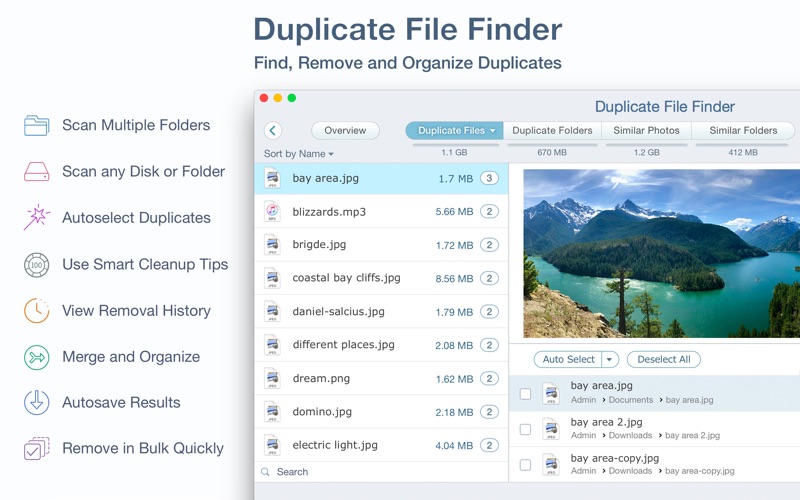
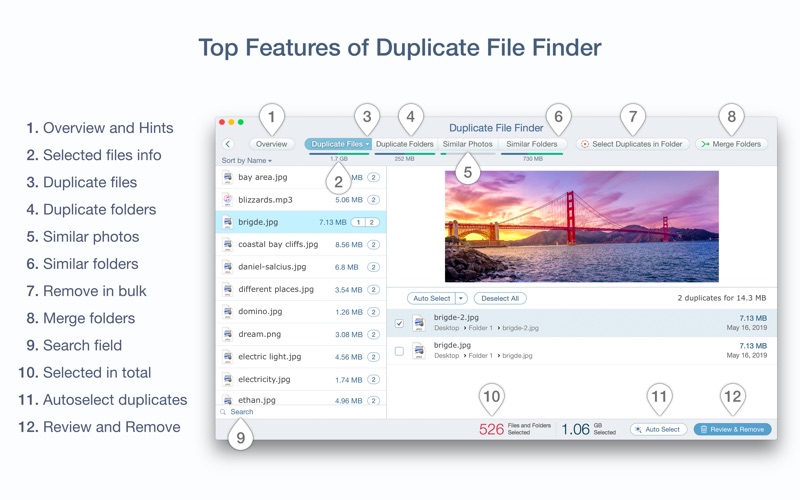
is a app that finds duplicate files on your Mac in just 3 clicks. Drag & drop as many folders as you wish and click SCAN. Within a minute the app will give a report with all duplicate files by categories: images, videos, music, archives, documents, and all other specific extensions. It’s really easy to see how much space each file takes.

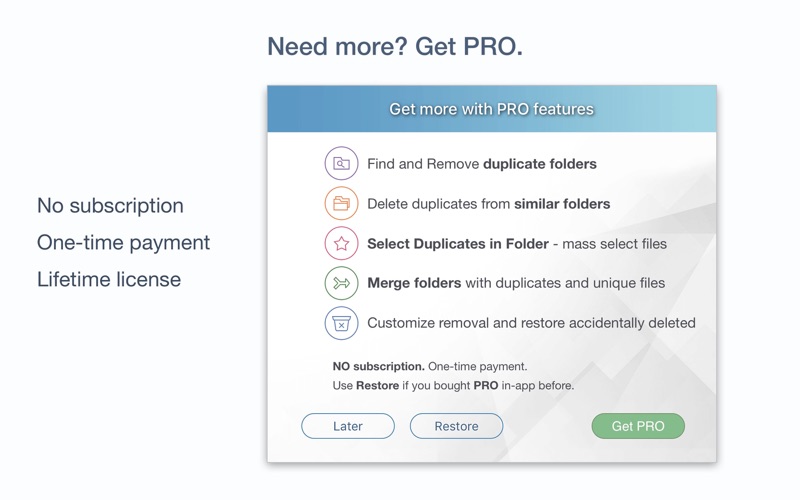
Use Duplicate File Finder FREE to find and remove duplicate files. Get the PRO version to delete duplicate folders, merge similar folders, mass select duplicates and more.

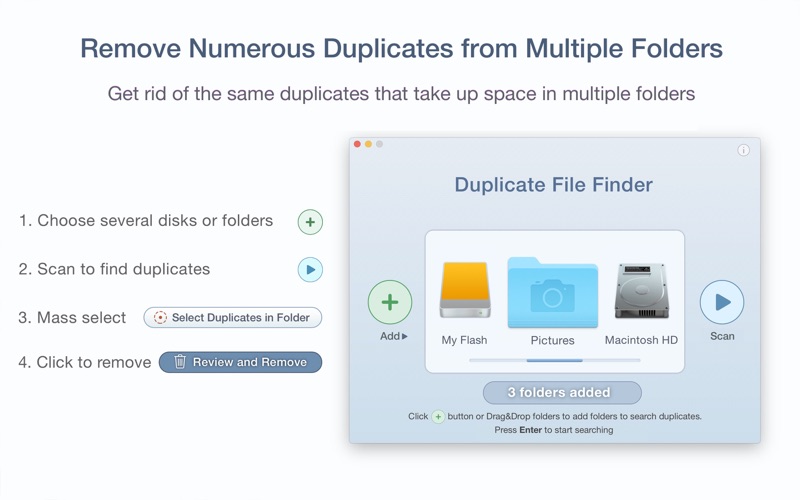
Get rid of duplicate files just in 3 steps:

Scan a disk or folder for duplicates -> Select duplicates -> Review and Remove duplicates.

In a few minutes, Duplicate File Finder will provide you with a report of all the duplicate files by their categories: pictures, videos, music, archives, documents, and any other specific extensions. It has never been easier to see how much space each file takes.

With Duplicate File Finder Finder, you can scan as many folders as you wish. All you need to do is Drag and Drop the folders or disks into the app and click the Scan button.

List of the best Duplicate File Finder features:

SCANNING

  • fast scanning algorithm
  • ability to scan for duplicates in multiple folders and drives simultaneously
  • support for external drives and mounted network folders
  • “Recent Folders List” for scanned folders
  • animated scanning process
  • skip list for various files and folders
  • “minimal file size” option for a faster scan

RESULTS OVERVIEW

  • visual chart report when scanning
  • duplicate files list
  • duplicate files by type

DUPLICATES

  • built-in duplicates search
  • preview duplicate files with Quick Look
  • sort duplicates: by name, size, date, total size, type, duplicates count

SELECTING

  • one-click selection of multiple duplicate files
  • “always select” and “never select” auto-select rules
  • smart duplicate auto-selection
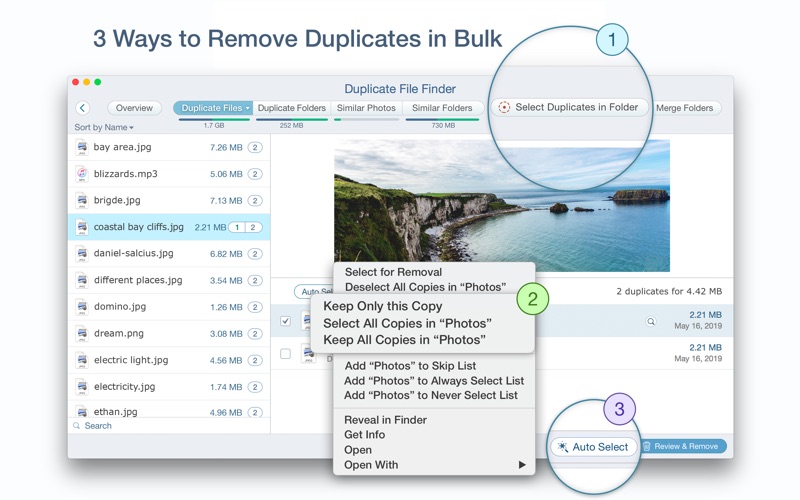
  • option to mass select duplicates in particular folders using “Select Duplicates in Folder” feature
  • reverse selection with “Keep files…”
  • visual progress bar of the selected duplicates

REMOVING

  • confirmation list of files being removed
  • customizable view of confirmation list
  • customizable removal options: move to directly Trash, remove completely, or move to a specific folder
  • history of removed duplicates
  • ability to restore removed duplicates

Duplicate File Finder FREE application allows you to:

  • Find duplicate files and folders
  • Find duplicates in multiple disks and folders in one session
  • Find duplicates in any folder, disk, mounted folder or storage
  • Add files, folders and specified files extensions to Skip List
  • Specify minimal duplicate file size for better duplicate-finding performance
  • Preview a visual report of duplicates found
  • Review duplicate files by types
  • Preview duplicate folders
  • Preview any duplicate file with built-in Preview option
  • Get detailed information about any duplicate
  • Use cleanup hints for fast duplicate removal
  • Use Autoselect for quick duplicate files selection and removal
  • Customize Autoselect preferences
  • Preview similar folders – the folders with duplicate and unique files
  • Preview history of removed duplicate files
  • Review selected duplicates before removal
  • Delete duplicate files or move them to Trash
  • Get a swift response to your support tickets at support@nektony.com within one business day

The PRO version of Duplicate File Finder provides you with even more features:

  • Use the “Select Duplicates in Folder” feature to select duplicates in bulk
  • Remove duplicate folders
  • Remove duplicate files in Similar folders
  • Merge folders
  • Move selected duplicates to a specific folder
  • Restore removed duplicates

Information

Compatibility
OS X 10.12 or later, 64-bit processor
In-App Purchases
Pro Version – included
Languages
English

What’s New in Duplicate File Finder Pro 6.3

  • Improved searching for Similar photos
  • Improved merging folders
  • Improved searching for the Photos Library
  • Improved customization for auto select rules
  • Improved removal duplicates in specified folder

Screenshots

Name Duplicate File Finder Pro 6.3 MAS In-App [TNT] mac-torrents.net.zip
Size 25.59 MB
Created on 2019-11-21 05:15:23
Hash 2818271bef079183c86a5f1585290d194ade0386
Files Duplicate File Finder Pro 6.3 MAS In-App [TNT] mac-torrents.net.zip (25.59 MB)

Download

FCP Callouts for Final Cut Pro

Download FCP Callouts for Final Cut Pro

  • 50 fully customisable callout titles for your use in and . These include 24 left hand side, 24 right hand side and 2 line titles. It also includes 18 unique pointers that can be used with any callout.
  • Animate the positions, change colors, extend or shorten the time on screen, modify the pointers, update your text and adjust the lines and backplates to fit your text.
  • Scalable to any resolution, will work without any issues on a 4K project.
  • Video tutorials to guide you through the basics and additional support is always available.
  • Fonts used are all free and links included in project.
  • Compatible with FCP 10.2.2 and later and Motion 5.2 and later
  • Song used in preview is Car Show – Boomopera.

Project name FCP Callouts
Specific Official Information and Features Videohive 18470623
Last Update 22 March 18
Created 25 October 16
Requires Plugins No
Software Version
Resolution Resizable
File Size 109.6 MB

FCP Callouts for Final Cut Pro Preview Video

Sorry, your browser doesn’t support embedded videos.https://mac-torrent-download.net/wp-content/uploads/2019/11/FCP-Callouts-18470623-video-previews.mp4

Screenshots

Name VH FCP Callouts 18470623 mac-torrents.net.zip
Size 109.6 MB
Created on 2019-11-21 04:09:22
Hash 7472997667ff2d3c3f8319ec5896620f8619821d
Files VH FCP Callouts 18470623 mac-torrents.net.zip (109.6 MB)

Download

Alfred 4 Powerpack 4.0.7 (1126)

Download Alfred 4 Powerpack 4.0.7 (1126)

is an award-winning app for Mac OS X which boosts your efficiency with hotkeys, keywords, text expansion and more. Search your Mac and the web, and be more productive with custom actions to control your Mac.

FEATURES:

Search and Browse

Launch applications and find files on your Mac or on the web. Alfred learns how you use your Mac and prioritises results.

Save countless hours by using hotkeys, keywords and customising how you want to search your Mac and activity history.

Jump in and browse, preview files and take action on them without lifting your fingers off the keyboard.

Type Less, Say More

With Alfred’s Clipboard History and Snippets features, there’s no need to type the same URLs or responses over and over.

Use the Clipboard History to locate any text, image or file you copied earlier and paste it again.

Create your own snippets and type a short abbreviation to auto-expand them into a full text snippet, saving yourself hours of typing in the long run!

Extend and Automate

With Alfred’s Powerpack, use immensely powerful workflows to perform tasks more efficiently and cut down on repetitive manual tasks.

Link hotkeys, keywords and actions together to create your own workflows; There’s no need to write a single line of code to create a workflow. Import workflows from the thousands our community of creators have shared.

Control Your Music

You’re the boss. Boost your productivity by controlling your Mac using Alfred’s deep integration with OS X. Swiftly take action on files and contacts, control your music player and dispatch System commands.

Add some fun to your day; Turn your iPhone or iPad into a command centre for your Mac with Alfred Remote for iOS.

Alternatively, take a look at the many workflows for other music services like Spotify.

Alfred Powerpack

Control your Mac with the Powerpack’s incredible features, and enjoy workflows and themes.

Information

Compatibility
macOS 10.9 or later 64-bit
Languages
English

What’s New in Alfred 4 Powerpack 4.0.7 (1126)

  • Fix Workflow List Filter intial loading of icons in configuration sheet
  • Work around potential macOS Catalina address book caching issue in Alfred’s contact viewer

Screenshots

Name Alfred 4.0.7.1126 [TNT] mac-torrents.net.zip
Size 15.87 MB
Created on 2019-11-21 04:42:11
Hash 1f4cdbfc01585c7d8d0d1f121a02242b7ad45d07
Files Alfred 4.0.7.1126 [TNT] mac-torrents.net.zip (15.87 MB)

Download

50 Cyberpunk Lightroom Presets and LUTs

Download 50 Cyberpunk Lightroom Presets and LUTs

Take your photo’s look and feel to a whole new level with these 50 cyberpunk Lightroom presets and LUTs. With the neon hues of cyan, purple and yellow, your photos will look like they’re from a futuristic sci-fi universe.

What You’ll Get

  • 50 Lightroom Mobile and Desktop presets
  • 50 DNG Lightroom Mobile presets
  • 50 LUTs (3dl, cube, look, mga, OBS)
  • PDF Installation guide

The Bundle

  • 10 Abandoned Presets – Deep black shadows accentuate neon signs and lights.
  • 10 Glitch Presets – Give your photo a twist with inversed tone and cyans, magentas and yellows hues.
  • 10 Miami Presets – Purple, teal, and yellow gives a new take on the Cyberpunk look.
  • 10 Sunset Presets – Firey hot yellows make any city look hotter.
  • 10 Tokyo Presets – Orange and cyan form an eye-pleasing color palette.

Features

  • Full Lightroom Mobile Support
  • Opacity/Amount Setting
  • Fast-Rendering Profiles
  • Skin Tone Protection (Color Science by VOXCOLOR)

No Creative Cloud Subscription Required

You’ll get both native and DNG mobile presets! You can use the DNG presets even without a subscription. If you are a subscriber, use the native mobile presets to unlock the opacity/amount setting.

Compatible With

Mac and Windows: Adobe Lightroom CC 2019+, Adobe Lightroom Classic CC 2019+, Adobe Camera Raw 11+, Adobe Photoshop CC 2019+, Adobe Premiere Pro CC, Adobe After Effects CC, Final Cut X 10+, Blackmagic Design DaVinci Resolve, The Foundry Nuke, Sony Vegas, Wondershare Filmora, Avid Media Composer, CyberLink ColorDirector
Apple iOS Devices: Adobe Lightroom CC, LumaFusion, Video LUT
Android Devices: Adobe Lightroom CC

Developer Website

50 Cyberpunk Lightroom Presets and LUTs Screenshots

Name CM – 50 Cyberpunk Lightroom Presets and LUTs 4317830 mac-torrents.net.rar
Size 95.99 MB
Created on 2019-11-21 03:50:15
Hash 28d00f4192f9be6e6030ed596198b38f54a3555f
Files CM – 50 Cyberpunk Lightroom Presets and LUTs 4317830 mac-torrents.net.rar (95.99 MB)

Download

Launchpad Manager Pro 1.0.10

Download Launchpad Manager Pro 1.0.10

Launchpad Manager pro helps you get the most out of Launchpad! Delete, rearrange, group or ungroup any of your launchpad icons, or simply put them into alphabetical order!

Launchpad Manager – multifunctional application for working with Launchpad. With it, you can easily rearrange, group, rename, delete, move applications in Launchpad.

Some programs are very much like to put to even a bunch of additional content (hello, Adobe!), Which ultimately leads to hell in Launchpad. To combat this excellent Launchpad Manager program. Of course, something can be done by means of the Launchpad. Dragging icons, folding them into folders, etc. But, of course, first of all, this is not enough, and secondly, the Launchpad periodically loves himself “update”, breaking a remarkable order, set by the user.

Key features:

  • Delete any icons or groups in Launchpad! -Launchpad Manager allows you to remove any icons from Launchpad.
  • Rename any of your icons or groups!
  • “Cut” and “Paste” to move quickly – With the help of Cut and Paste operations, you can move the applications and the group quickly and efficiently.
  • Organize a group – Select multiple icons and move them to a new group with just one click!
  • Add the missing application Launchpad! – If you delete an application from the Launchpad, but decided to re-add it, use this function.
  • Easy to change the order of Drag’n’Drop! – Streamlining icons – simple drag and drop!
  • Save layout – Save Launchpad layout file – it’s a great feature if you have multiple layouts, and you want to switch between them quickly and easily.
  • Download layout – Restore previously saved layout. Please note that it may take a few minutes.
  • Sort alphabetically – Sort your icons in alphabetical order!
  • Move the icon to another page – You can move the selected items to another page on Launchpad

Information

Compatibility
OS X 10.10 or later 64-bit
Languages
English

What’s New in Launchpad Manager Pro 1.0.10

  • Release notes not available at the time of this post.

Screenshots

Name Launchpad Manager 1 0 10 [TNT] mac-torrents.net.zip
Size 14.14 MB
Created on 2019-11-21 02:22:00
Hash 789b1874799c9cbc9d70be93ffe150b56e35de9d
Files Launchpad Manager 1 0 10 [TNT] mac-torrents.net.zip (14.14 MB)

Download

A Better Finder Rename 11.06

Download A Better Finder Rename 11.06

A Better Finder Rename is the most complete renaming solution available on the market today. That’s why, since 1996, tens of thousands of hobbyists, professionals and businesses depend on A Better Finder Rename to organize and maintain files.

The Instant Preview feature eliminates guesswork and costly errors and helps you find the right settings quickly and accurately by providing as-you-type feedback.

FEATURES:

Simple. Complete. Powerful

DRAG & DROP TO ADD

Adding files is as simple as dragging them in from the Finder.

INSTANT PREVIEW

Changes are previewed as you type, eliminating guess work and preventing costly mistakes.

DRAG & DROP ORDERING

By default, items are organized alphabetically or by some other criteria such as creation or capture date, but you are also free to just re-arrange items via drag & drop.

Comprehensive Coverage

MARKET LEADING FEATURE SET.

A Better Finder Rename’s huge array of renaming options is organized into 15 intuitive categories that cover all the text, character, position, conversion and truncation features that you would expect from a great file renamer.

On top of this, A Better Finder Rename provides more advanced features that answer the prayers of many professionals and hobbyists alike.

Digital Photography

YOU’RE GOING TO LOVE THIS.

Digital Photographers in particular will find the advanced sequence number and date & time features a joy to behold.

A Better Finder Rename knows how to extract EXIF shooting date and time information from your digital camera images and exploit them in creating sequence numbers or adding time and date information to the file name.

Support for all major RAW formats (including JPEG, HEIC, HEIF, ARW, CRW, CR2, THM, NEF, TIFF, RAF, ORF , MRW, DNG, PEF, SRF, etc.) extends this to professional photographers.

A Better Finder Rename also deals gracefully with multiple shots captured in the same second and gives access to camera and lens meta-data through its tag-based renaming feature.

Digital Music

NEVER MISS A BEAT.

Music lovers will be delighted by our MP3/AAC renaming feature that allows you to exploit the ID3 meta-data embedded in most music files to create naming schemes of your own for your music collection.

Meta-data information from MP3, AAC, FLAC, OGG, APE, M4V and iTunes music store files are supported.

Instant Preview & Change Highlighting

ELIMINATING GUESSWORK & AVOIDING COSTLY MISTAKES

Our instant preview feature displays all changes as you type, making it easy to dial in the right settings and preventing you from making costly mistakes.

Version 10’s change highlighting feature takes this to the next level by visually marking individual changes.

Tag-Based Renaming

PURE META-DATA SAVVY.

Today’s media files come with an abundance of additional information that cannot be glanced from the often meaningless file names themselves.

A Better Finder Rename allows you to leverage this meta-data to create more meaningful file names using its tag-based renaming feature.

Our renaming engine can read an extensive array of photo, image, music, movie, camera, lens and location meta-data and you can combine this information to implement any naming scheme you can imagine.

Multi-Step Rename

WHEN ONE ACTION IS NOT ENOUGH.

We don’t believe in making simple things unnecessarily complicated. That’s why most users will find a single action that does exactly what they want.

Sometimes, however, a single action simply isn’t enough and that is where our multi-step renaming features comes in. It lets you combine multiple simple actions to create a lean mean renaming machine.

Our intuitive multi-step interface, in conjunction with our instant preview, makes it easy to keep track of what’s happening.

File Content & Meta-Data Preview Pane

X-RAY VISION

A Better Finder Rename 10’s new Preview Pane allows you to peek inside your files and delve into its meta-data, making it much easier to work with meta-data tags and providing additional confidence in your settings.

Droplets & Presets

GETTING ON TOP OF REPETITIVE TASKS

For recurring tasks, A Better Finder Rename allows you to save common settings to droplet mini-applications and apply them automatically to all files dropped upon them.

Furthermore, you can save and restore presets to facilitate the creation of your own renaming library.

Power Users

AS SIMPLE AS POSSIBLE, AS COMPLEX AS NECESSARY.

System administrators, web masters and other power users will appreciate the presence of advanced features, such as regular expression support, conversion to Windows NTFS/SMB compatible names, the ability to import file names from a database, a spreadsheet or any other source that can produce plain or tab-delimited text files. Finally, it allows you to save a record of the current and new file names to facilitate tracking your files.

Beautiful Inside & Out

WE SWEAT THE DETAILS, SO YOU DON’T HAVE TO

A Better Finder Rename takes file renaming to a new level of sophistication by introducing an advanced 64-bit multi-threaded renaming engine that solves many problems that other file renamers simply leave unaddressed.

The database-backed renaming engine automatically resolves file name conflicts (when several files would share the same name) using a range of configurable parameters. The sequence in which files are renamed is optimized to avoid deadlocks which could occur when the order in which the files are renamed becomes significant.

Information

Compatibility
OS X 10.10 or later, 64-bit processor
Languages
English, French, German

What’s New in A Better Finder Rename 11.06

  • solves a string encoding problem with the previous version.
  • improves the performance of meta-data extraction.
  • fixes a problem that could result in inconsistent meta-data values across sessions.
  • improves presets editing.

Screenshots

Name A Better Finder Rename 11 11 06 [TNT] mac-torrents.net.zip
Size 22.28 MB
Created on 2019-11-21 02:21:49
Hash 714f008f952923740fe6cd13d40b11d9298e3c59
Files A Better Finder Rename 11 11 06 [TNT] mac-torrents.net.zip (22.28 MB)

Download

Yate 5.0.2

Download Yate 5.0.2

Yate was developed for people who want complete control over their tagging experience. Supports audio in AIFF, APE, DFF, DSF, FLAC, OGG OPUS, OGG VORBIS, M4A, M4B, MP3, MP2, MP4, STEM.MP4, WAV and WV files. Supports video in M4V and MP4.

Yate has a long list of features; most importantly, an innovative scripting system called actions. Actions can be used to update all of an album’s tags with a single operation. Yate also supports integration with AcouticBrainz, AcoustID, Beatport, Discogs, iTunes, MusicBrainz and TMDb. All changes can be easily reverted and individual changes can be undone in any order. Whether you want to automatically or manually tag your files, Yate can do it all!

Yate Features

  • Home Yate Features
  • Interfaces to Apple’s iTunes, Music and TV applications.
  • Supports audio in aif, aifc, aiff, ape, dff, dsf, flac, mp2, mp3, mp4, m4a, m4b, m4v, ogg, oga, opus, wav and wv files.
  • Displays Stem file metadata when available.
  • Supports video in m4v and mp4.
  • Reads all ID3 tag formats. Writes ID3 v2.4 or v2.3
  • Optionally writes ID3 v1 tag.
  • Customizable FLAC mappings.
  • Customizable APE mappings.
  • LIST-INFO and axml support for WAV files.
  • Supports multiple values per field type where permitted.
  • Supports multiple fields of the same type where permitted.
  • Almost all non binary ID3 fields have been extended to non ID3 file types.
  • Support for Content Advisory, Identification and AAC Kind fields in MPEG-4 files.
  • Export / import a file’s metadata, including artwork.
  • Sync application preferences, (actions, templates, etc.), between two Macs.
  • One hundred fully integrated Custom fields.
  • Custom presets for UI panel layout.
  • Ten Custom edit panels. Roll your own UI. Map almost any metadata item to a custom panel.
  • Re-encode text fields which may have incorrectly been identified as ISO-Latin-1 in older mp3 files.
  • Per window support for Dark Mode.

Information

Compatibility
OS X 10.9 or later, 64 bit
Languages
English

What’s New in Yate 5.0.2

Screenshots

Name Yate 5.0.2 [TNT] mac-torrents.net.zip
Size 23.64 MB
Created on 2019-11-21 01:31:13
Hash ae7da76bcf281de6577b76d2fb357e2b06268b8e
Files Yate 5.0.2 [TNT] mac-torrents.net.zip (23.64 MB)

Download

Path Finder 9.0.4

Download Path Finder 9.0.4

Path Finder makes you a master of file management. Take full control over your file system.

Save your time:

Compare and synchronize folders, view hidden files, use Dual Pane and full keyboard navigation to browse your file system.

Work how you want:

Extreme customization allows you to access most tools in many different ways to suit your workflow.

Work seamlessly with other platforms:

Don’t leave any hidden .DS_Store files on non-Mac volumes, delete files securely and completely with the powerful delete feature from any volume type, search any network volume.

Features

  • View and manipulate hidden files
  • Dual Pane View
  • Full keyboard navigation
  • Folder comparison and synchronization
  • Folder merging
  • Batch renaming
  • Powerful file filtering
  • One-click dual-pane copy
  • Bookmarks and Tab Presets
  • ACL editor
  • File tagging
  • Editable Path Navigator
  • Powerful low-level search
  • Smart sorting
  • Advanced selection
  • Integrated terminal
  • Integrated text and image editors

Information

Compatibility
OS X 10.11 or later 64bit
Languages
Multilingual

What’s New in Path Finder 9.0.4

  • Release notes not available at the time of this post.

Screenshots

Name Path Finder 9.0.4 HCISO mac-torrents.net.zip
Size 24.01 MB
Created on 2019-11-21 00:32:35
Hash 7da518e8199829585f79243850cdda755e634dac
Files Path Finder 9.0.4 HCISO mac-torrents.net.zip (24.01 MB)

Download

4K Stogram 2.8.2

Download 4K Stogram 2.8.2

4K Stogram is an Instagram downloader which allows you to download and backup Instagram photos and videos, even from private accounts. mac-torrent-download.net Download Instagram photos by hashtags or favorite locations!

Features

  • Grab photos of few account simultaneously and save it in JPEG on your desktop. mactorrentdownload.net
  • Follow your favourite photographers and get their latest photos automatically.
  • Login with your Instagram credentials and download photos of private friends accounts. mactorrentdownload.net
  • Access to your viewer directly from the application.
  • Download Instagram video in MP4 format.
  • Enjoy the minimalistic interface of application.
  • Use 4K Stogram on your PC, Mac or Ubuntu for free.

Information

Compatibility
OS X 10.12 or later 64-bit
Languages
English

What’s New in 4K Stogram 2.8.2

  • Release notes not available at the time of this post.

Screenshots

Name 4K Stogram 2.8.2 [TNT] mac-torrents.net.zip
Size 32.77 MB
Created on 2019-11-20 22:49:58
Hash e72ed57b9f50156b3c6d451a1194f652b8da32c6
Files 4K Stogram 2.8.2 [TNT] mac-torrents.net.zip (32.77 MB)

Download

Wirecast Pro 13.0.2

Download Wirecast Pro 13.0.2

Wirecast lets you capture an unlimited number of input devices from live camera feeds, iOS cameras (coming soon), computer desktop, Web feeds, and more. Then add polish and professionalism to your broadcast with live switching, transitions, titles, lower thirds, and more. And finally, use the built in multiformat encoding capabilities and easily stream to integrated streaming services and CDNs.

Faster Perfomance

  • GPU-accelerated encoding – Take advantage of powerful, cost-efficient hardware encoding capabilities for better performance. (Requires Intel QuickSync or nVidia NVENC hardware).
  • Lower CPU Usage – Wirecast 7 uses less of your CPU overall than any previous version due to performance optimizations.
  • Tools for monitoring – Graphic representations of System CPU usage, memory, framerate, bitrate, and RTMP Queue size help you see the strength of your stream or diagnose problems.

Dynamic Editor

Resize, position, crop, flip rotate, add color correction filters and more. Use Wirecast’s powerful graphic editing features to compose picture-in-picture shots or layer up to 250 different sources on screen at the same time!

Output Statistics

Displays the statistics window for your broadcast. You can select to display: Framerate, System CPU Usage, and System Memory Usage.

Video Sync

Delay the video and/or audio of an incoming source to better sync. Save thousands of dollars on expensive hardware.

Global Hotkey Manager

With our new Global Hotkey Management System, you can now create your own hotkeys for switching shots, Replay/ISO shot creation and mark-in points in Wirecast.

Audio Mixing

Our built-in audio mixer allows for better control over any audio source. Mix-minus, panning, solo, mute and audio playout device selection are some of the powerful new audio features we’ve added.

ISO Recording (Pro only)

Create high-resolution recordings of your individual (isolated) cameras or audio sources. Isolate clean shots (no titling or lower thirds) that can be used later for editing offline or for live replay during an event. (Note: must have valid license to use this feature; this is a Pro feature only.)

New Ways to Configure Text

Add text to your broadcast from a variety of sources: typed in text, from a file, or from an RSS feed. Type in text and display it instantaneously. Use file-based text monitoring to read data from an external .txt file. The RSS feed feature allows you to have a running ticker built into your shots through the text widget.

Color Correction

Adjust the brightness, contrast, gamma, hue and saturation for all of your video and graphic sources.

Information

Compatibility
OS X 10.11 or later 64-bit
Languages
English

What’s New in Wirecast Pro 13.0.2

New & Improved:

  • WIRE-16316 – Now you can set your LinkedIn Live broadcasts to be visible only to your first-degree connections. Like if you don’t want your boss’s boss to see your live stream. Now you can do that.
  • WIRE-14718 – We now correctly enable Wirecast Live captions in a YouTube event when setting that event to auto start.

Fixes:

  • WIRE-16512 – If you tried to use Osprey 825e capture cards with Wirecast 13, you may have noticed they weren’t working very well, or at all. Try again – we think you’ll be pleasantly surprised…
  • WIRE-16505 – Sometimes good intentions backfire. A fix we made in 13.0.1 caused a crash when trying to load a saved Wirecast document with chroma key. It’s better now.
  • WIRE-16500 – Fixed an issue where changes made to Color Space or Dynamic Range for a video source were not, in the strictest of terms, accurate. (At all.)
  • WIRE-14923 – Fixed an error that caused audio to sometimes not play through the monitor unless the Mix Minus button was toggled, which one would not naturally think to do.
  • WIRE-14637 – Fixed a miscellaneous issue with a miscellaneous solution for streaming with Wirecast Restreaming to certain destinations.

Screenshots

Name Wirecast Pro 13.0.2 [TNT] mac-torrents.net.zip
Size 216.0 MB
Created on 2019-11-20 22:31:08
Hash b24344856abbf70283ea4b7cbab29c2be81abef5
Files Wirecast Pro 13.0.2 [TNT] mac-torrents.net.zip (216.0 MB)

Download

Sketch 60.1

Download Sketch 60.1

Sketch is an innovative and fresh look at vector drawing. Its intentionally minimalist design is based upon a drawing space of unlimited size and layers, free of palettes, panels, menus, windows, and controls. Though simple to use, it offers powerful vector drawing and text tools like perfect Boolean operations, symbols, and powerful rulers, guides, and grids

Sketch Features:

Sketch is built for designers like you.

With useful features, an intuitive interface and powerful plugins built by a community of developers, it helps you focus on what you do best.

  • Complete Toolkit
  • Nondestructive Editing
  • Pixel Precision
  • Vector Editing
  • Export Presets
  • Code Export
  • Grid and Guides
  • Prototyping

Design once. Reuse anywhere. Update easily.

With Symbols, Sketch takes the pain out of working with repeated design elements — from icons to avatars.

Iterate at speed

Create a master Symbol, use it anywhere in your document and Sketch will sync your changes.

Override text and images

Edit text and images in your Symbols — wherever they’re used — for dynamic designs.

One size fits all

Resize Symbols wherever you use them to test elements across different screen sizes.

Roll your own UI Kit

Sync, share and update Symbols, across all of your documents, with Libraries.

Information

Compatibility
OS X 10.13.4 or later, 64-bit processor
Languages
English

What’s New in Sketch 60.1

  • Components Panel and Popover ImprovementsThank you so much for the feedback you’ve given us on the Components Panel. We’re listening and we’re working hard to make things better. More updates and improvements are coming in the next few weeks. This update brings back folder preview images (based on the topmost Component in the group) and fixes a couple of bugs that meant you couldn’t always expand Libraries in the Components Panel or groups in search results.

Screenshots

Name Sketch 60 1 [TNT] mac-torrents.net.zip
Size 71.87 MB
Created on 2019-11-20 20:48:38
Hash 6cb6ba95767f21232f9c4e7705bb88b5b97869fa
Files Sketch 60 1 [TNT] mac-torrents.net.zip (71.87 MB)

Download

Rhinoceros 6.20.19323

Download Rhinoceros 6.20.19323

can create, edit, analyze, document, render, animate, and translate NURBS curves, surfaces, and solids, point clouds, and polygon meshes. There are no limits on complexity, degree, or size beyond those of your hardware.

Special features:

  • Uninhibited freeform 3D modeling tools like those found only in products costing 20 to 50 times more. Model any shape you can imagine.
  • Accuracy needed to design, prototype, engineer, analyze, and manufacture anything from an airplane to jewelry.
  • Compatibility with all your other design, drafting, CAM, engineering, analysis, rendering, animation, and illustration software.
  • Read and repair meshes and extremely challenging IGES files.
  • Accessible. So easy to learn and use that you can focus on design and visualization without being distracted by the software.
  • Fast, even on an ordinary laptop computer. No special hardware is needed.
  • Development platform for hundreds of speciality modeling products. (Windows only)
  • Affordable. Ordinary hardware. Short learning curve. Affordable purchase price. No maintenance fees.
  • Compatibility with all your other design, drafting, CAM, engineering, analysis, rendering, animation, and illustration software…

Rhino for Mac:

  • Versatile 3D modeling
  • NURBS tools
  • Mesh tools
  • Analysis tools
  • Drafting tools
  • Stylistic display modes
  • Scriptable
  • Language translation fixes.

Information

Compatibility
macOS 10.13 or later 64-bit
Languages
English

What’s New in Rhinoceros 6.20.19323

  • Release notes not available at the time of this post.

Screenshots

Name Rhinoceros 6 20 19323 [TNT] mac-torrents.net.zip
Size 383.4 MB
Created on 2019-11-20 20:48:52
Hash c4d1249660be189969209b03525dcc0d40410459
Files Rhinoceros 6 20 19323 [TNT] mac-torrents.net.zip (383.4 MB)

Download

Music Tag Editor Pro 4.0.0

Download Music Tag Editor Pro 4.0.0

Music Tag Editor can help you to edit your Music Tag info easily and effectively,Batch edit all tags and batch rename with metadata, you can also use it to convert the text encoding of Music Tag, In situations,it can repair the messy code in Music Tags. You also can download the album image for MP3 from internet.

Also, you can search tags of music file from Amazon or MusicBrainz cloud services.

Support Music formats: MP3, M4A (Apple lossless), MP4, FLAC, APE, AIFF, WAV , Ogg files, asf, dsf, dsd,wma,wmv…

Support ID3V1, ID3V2.3,ID3V2.4, xiphComments, APE Tag, Ogg Vorbis, Ogg Speex, Ogg Flac.

Main features:

  1. support id3v1,id3v2,xiphComments, APE Tag, Ogg Tags, ASF Tags, iTunes tags and so on.
  2. support edit any kind of tags of music file. Customize tag’s key and value of music file.
  3. support batch processing of lots of music files,support iTunes importing.
  4. Online album image download,multi album image supported.
  5. batch rename audio file with metadata
  6. batch convert file name to tags using regular expression
  7. user can change,convert the tag text encoding easily, it also can repair messy code in situations.
  8. Fully iTunes Tag supported.
  9. Support strip APE or ID3V1 tags in mp3 files
  10. support to save id3v2.3 or id3v2.4 tags!
  11. support Batch Find & Replace tags.
  12. Batch clean tags
  13. BuiltIN Music player for all audio formats
  14. export to CSV file in one click.

Advance features in pro version:

  1. Edit Additional and Advanced Tags.
  2. Custom and edit any tags you want.
  3. Batch Find & Replace all tag fields in one click.
  4. MusicBrainZ Cloud services supported.

Information

Compatibility
OS X 10.8 or later, 64-bit processor
Languages
English, Japanese, Simplified Chinese

What’s New in Music Tag Editor Pro 4.0.0

what’s new in Major release 4.0:

  1. Add new Advance Lyric Editor for lyric editing.
  2. Perfect Adapt to macOS black mode.
  3. Support to save id3v1 tags.
  4. Optimize the user experience.
  5. bug fixes.

Screenshots

Name Music Tag Editor Pro 4 0 MAS [TNT] mac-torrents.net.zip
Size 27.33 MB
Created on 2019-11-20 20:48:28
Hash 7a3393deffa17de6080c2b8fcc9ba8d15854c46a
Files Music Tag Editor Pro 4 0 MAS [TNT] mac-torrents.net.zip (27.33 MB)

Download

Capo 3.8.1

Download Capo 3.8.1

Learn your favorite songs without tabs or sheet music.

Whether you play for the world or yourself, all musicians need a good ear for harmony, melody, and rhythm. Using the songs in your music collection, Capo guesses the beats, chords, and key of songs to help you break them down to their individual parts. Capo’s unique technology helps you to learn your favorites quickly as you improve your ear along the way.

Features

*** HEAR THE SONG ***

Slow everything down, scrub to hear specific notes, and easily create regions that loop as you learn to play the tricky parts. Use Capo’s tools to isolate specific instruments and even vocals to learn any part of a song. With a couple simple switches, you can focus on the piano or eliminate everything to practice the guitar solo.

*** BREAK IT DOWN ***

Capo automatically guesses the beats, chords, and key of songs to get you started. Change, add, or remove the detected chords easily with a few taps as you identify alternate chords and voicings.

*** PAUSE THE SESSION ***

Capo saves each song as a project, including the loop regions you set, chord changes, and even the playback position. Learn songs at your own pace and revisit them on any device thanks to iCloud sync for your projects.

*** SO MUCH MORE ***

  • Transpose songs to different keys
  • Rename regions to keep organized
  • Use the Tabbing song view to quickly capture solos and melody
  • Beat detection estimates the tempo and helps snap regions
  • Edit chords one at a time or globally
  • Display chord diagrams for Guitar, Banjo, Mandolin, Ukulele, Bass, and now Piano
  • Rock on southpaws! Capo has a lefthanded chord box option
  • Five different metronome sounds

**NOTE**: Capo works with music you own, but cannot access streaming tracks from Apple Music, Spotify, etc.

Our Privacy Policy can be found at https://supermegaultragroovy.com/legal/privacy, and our Terms of Use at https://supermegaultragroovy.com/legal/tou.

Information

Compatibility
OS X 10.12 or later, 64-bit processor
Languages
English, French, German, Italian, Japanese, Simplified Chinese, Spanish, Traditional Chinese

What’s New in Capo 3.8.1

BUG FIXES

  • Capo no longer crashes when opening Project windows for users that have always-visible scroll bars enabled on their Mac.

Screenshots

Name Capo 3 8 1 [TNT] mac-torrents.net.zip
Size 38.94 MB
Created on 2019-11-20 20:48:14
Hash f4eeb01a4ce14e9063d7af91ff789a830ac9cfdb
Files Capo 3 8 1 [TNT] mac-torrents.net.zip (38.94 MB)

Download

PCalc 4.7

Download PCalc 4.7

PCalc is the powerful choice for scientists, engineers, students, programmers, or indeed anybody looking for a feature rich calculator. It includes an optional RPN mode and multi-line display, a choice of button layouts, an extensive set of unit conversions and constants, a paper tape, multiple undo and redo, engineering and scientific notation, as well as support for hexadecimal, octal, and binary calculations.PCalc is ideal for scientists, engineers, students, programmers, or indeed anybody looking for a feature rich calculator.

It includes an optional RPN mode, a choice of button layouts, an extensive set of unit conversions, a paper tape, multiple undo and redo, engineering and scientific notation, as well as support for hexadecimal, octal, and binary calculations.

Information

Compatibility
OS X 10.8 or later, 64-bit processor
Includes
K’ed by nada
Languages
English

What’s new in PCalc 4.7

  • Added support for macOS 10.15 Catalina.
  • Added an option to dim the display when the main window is in the background.
  • Fixed a problem with the app failing to launch when streaming media to an AirPlay 2 device.
  • Fixed a number of problems with dark mode.

Screenshots

Name PCalc 4.7 MAS nada mac-torrents.net.zip
Size 38.36 MB
Created on 2019-11-20 20:49:28
Hash e4370369a51237aaaabcdabea888a174bda3efd4
Files PCalc 4.7 MAS nada mac-torrents.net.zip (38.36 MB)

Download

MonthlyCal 1.5.5

Download MonthlyCal 1.5.5

MonthlyCal is a beautiful and colorful monthly calendar widget for OS X Yosemite. MonthlyCal supports gregorian’s calendar and it is almost localized in every language!

With the new version you can click on a day to show the list of related events. Click on an event to show it in OS X Calendar app!

MonthlyCal is a beautiful and colorful monthly calendar widget for OS X Yosemite. MonthlyCal supports gregorian’s calendar and it is almost localized in every language!

With the new version you can click on a day to show the list of related events. Click on an event to show it in OS X Calendar app!

FEATURES

  • Monthly calendar
  • Move to next and previous month
  • Integration with OS X Calendar app (Enable it in preferences of main app)
  • Click on a day to show the list of events!
  • Click on an event to show it in OS X Calendar app or Fantastical™ 2!
  • Customizable theme (Choose your color in preferences of main app)
  • Weekdays are localized in every language.
  • Support for Sunday or Monday as first weekday.

AVAILABLE COLORS

  • Pink
  • Blue
  • Aqua
  • Green
  • Electric Green
  • Yellow
  • Orange
  • Red

AUTO SETUP

MonthlyCal gets settings automatically from your OS (Language, first weekday, ecc…)

INSTRUCTIONS

  • ENABLE WIDGET: Open Notification Center => Click Edit Button => Add MonthlyCal.
  • THEME COLOR: Open main app => Open Preferences => Choose your color.
  • EVENTS INDICATOR: Open main app => Open Preferences => Check “Show events indicator” => Allow MonthlyCal to access to your calendars.

If “Show events indicator” is checked but you doesn’t see any indicator (A little dot on days with one or more events) open “OS X System Preferences” => Click “Security and Privacy” => Choose “Privacy” tab => Click “Calendar” => Flag “MonthlyCal”.

*** MonthlyCal supports only Gregorian calendar ***

*** The list of events is available only within the notification center’s widget ***

*** The widget is localized in Chinese, English, French, German, Italian, Japanese, Korean, Portuguese, Russian, Spanish. App and Settings only in English and Italian ***

Information

Compatibility
OS X 10.10 or later, 64-bit processor
Languages
English, French, German, Italian, Japanese, Korean, Portuguese, Russian, Simplified Chinese, Spanish, Traditional Chinese, Turkish

What’s New in MonthlyCal 1.5.5

  • Support for macOS 10.15 Catalina

Screenshots

Name MonthlyCal 1.5.5 MAS HCiSO mac-torrents.net.zip
Size 10.04 MB
Created on 2019-11-20 20:49:05
Hash 753ef71052694e5bc7e13cba88b8c8e9037746a2
Files MonthlyCal 1.5.5 MAS HCiSO mac-torrents.net.zip (10.04 MB)

Download

Tower 3.6.0

Download Tower 3.6.0

is a Git client for OS X that makes using Git easy and more efficient. Users benefit from its elegant and comprehensive interface and a feature set that lets them enjoy the full power of Git.

Tower abstracts Git’s complexity in an easy-to-use interface. For example, lots of actions can be performed simply via drag-and-drop, and mistakes can be undone easily. Advanced users can increase their productivity with features like single line staging, submodule support, or the file history.

Features

  • git-svn support
  • File history
  • git-flow support
  • Submodule support
  • git-lfs support
  • Blame view
  • Single-line staging (per-line committing)
  • Cherry-picking
  • Discard chunks/lines
  • Direct Github, Bitbucket, Gitlab, GitSwarm, Beanstalk, Visual Studio Team Services, Team Foundation Server and Rhodecode integration
  • Support for Bitbucket team accounts
  • Support for full-screen and Retina displays
  • Many powerful drag-and-drop features include merge, rebase, push /pull to/from remote, apply stash, create new branch, etc.

Information

Compatibility
OS versionOS X 10.11 or later
Languages
English

What’s New in Tower 3.6.0

New

  • Check Out Pull Requests: This update makes it very easy and convenient to check out a Pull Request as a local branch.

Improved

  • Quick Actions Navigation: Opening and closing the “more actions” interface for a Quick Action item is now more fluent and intelligent.
  • GPG Email Settings: Tower now displays a warning message in cases where the committer email and GPG key email do not match.
  • Commit Area UI: When the “commit compose area” is expanded (showing both the “Subject” and the “Description” textfields), it is now possible to click-select a changed file from the list before the UI changes.

Fixed

  • Commit Changeset Drag and Drop: Dragging an item from a commit’s changeset to Finder.app failed in some situations.
  • Diff Tool Shortcut: The keyboard shortcut to open the diff tool didn’t work reliably in the Pull Requests view.
  • Toolbar Buttons Glitch: On some installations, toolbar buttons were misplaced by 1 pixel between groups.
  • Empty View for Pull Requests: When deselecting a Pull Request item, the appropriate “empty view” is now displayed.
  • Crash in Pull Requests: When Tower tried to update a Pull Request item with an invalid/empty username, the app could crash.
  • File Selection: In certain scenarios, when a file in the Working Copy view was selected, Tower could hang when that file was included in a commit.
  • Loading Commit Diffs: Fixed a potential crash when loading commits diffs.
  • Mouse Wheel in Services List: When using a mouse wheel to scroll, some users reported problems in the list of repositories in the “Services” view.
  • Keyboard Shortcuts: Some keyboard shortcuts and menu actions failed to be available in some scenarios.
  • Drag and Drop in History: Dragging a commit in the history table views sometimes did not work as smoothly as expected.
  • Support for “log.showSignature”: Users that had the Git config setting “log.showSignature” set to true experienced problems when loading commits in Tower. This has been fixed.

Screenshots

Name Tower v3.6.0 mac-torrents.net.zip
Size 38.71 MB
Created on 2019-11-20 17:49:16
Hash 58f2e07048d28684f176d77c981785bf39029974
Files Tower v3.6.0 mac-torrents.net.zip (38.71 MB)

Download

A Better Finder Rename 11.05

Download A Better Finder Rename 11.05

A Better Finder Rename is the most complete renaming solution available on the market today. That’s why, since 1996, tens of thousands of hobbyists, professionals and businesses depend on A Better Finder Rename to organize and maintain files.

The Instant Preview feature eliminates guesswork and costly errors and helps you find the right settings quickly and accurately by providing as-you-type feedback.

FEATURES:

Simple. Complete. Powerful

DRAG & DROP TO ADD

Adding files is as simple as dragging them in from the Finder.

INSTANT PREVIEW

Changes are previewed as you type, eliminating guess work and preventing costly mistakes.

DRAG & DROP ORDERING

By default, items are organized alphabetically or by some other criteria such as creation or capture date, but you are also free to just re-arrange items via drag & drop.

Comprehensive Coverage

MARKET LEADING FEATURE SET.

A Better Finder Rename’s huge array of renaming options is organized into 15 intuitive categories that cover all the text, character, position, conversion and truncation features that you would expect from a great file renamer.

On top of this, A Better Finder Rename provides more advanced features that answer the prayers of many professionals and hobbyists alike.

Digital Photography

YOU’RE GOING TO LOVE THIS.

Digital Photographers in particular will find the advanced sequence number and date & time features a joy to behold.

A Better Finder Rename knows how to extract EXIF shooting date and time information from your digital camera images and exploit them in creating sequence numbers or adding time and date information to the file name.

Support for all major RAW formats (including JPEG, HEIC, HEIF, ARW, CRW, CR2, THM, NEF, TIFF, RAF, ORF , MRW, DNG, PEF, SRF, etc.) extends this to professional photographers.

A Better Finder Rename also deals gracefully with multiple shots captured in the same second and gives access to camera and lens meta-data through its tag-based renaming feature.

Digital Music

NEVER MISS A BEAT.

Music lovers will be delighted by our MP3/AAC renaming feature that allows you to exploit the ID3 meta-data embedded in most music files to create naming schemes of your own for your music collection.

Meta-data information from MP3, AAC, FLAC, OGG, APE, M4V and iTunes music store files are supported.

Instant Preview & Change Highlighting

ELIMINATING GUESSWORK & AVOIDING COSTLY MISTAKES

Our instant preview feature displays all changes as you type, making it easy to dial in the right settings and preventing you from making costly mistakes.

Version 10’s change highlighting feature takes this to the next level by visually marking individual changes.

Tag-Based Renaming

PURE META-DATA SAVVY.

Today’s media files come with an abundance of additional information that cannot be glanced from the often meaningless file names themselves.

A Better Finder Rename allows you to leverage this meta-data to create more meaningful file names using its tag-based renaming feature.

Our renaming engine can read an extensive array of photo, image, music, movie, camera, lens and location meta-data and you can combine this information to implement any naming scheme you can imagine.

Multi-Step Rename

WHEN ONE ACTION IS NOT ENOUGH.

We don’t believe in making simple things unnecessarily complicated. That’s why most users will find a single action that does exactly what they want.

Sometimes, however, a single action simply isn’t enough and that is where our multi-step renaming features comes in. It lets you combine multiple simple actions to create a lean mean renaming machine.

Our intuitive multi-step interface, in conjunction with our instant preview, makes it easy to keep track of what’s happening.

File Content & Meta-Data Preview Pane

X-RAY VISION

A Better Finder Rename 10’s new Preview Pane allows you to peek inside your files and delve into its meta-data, making it much easier to work with meta-data tags and providing additional confidence in your settings.

Droplets & Presets

GETTING ON TOP OF REPETITIVE TASKS

For recurring tasks, A Better Finder Rename allows you to save common settings to droplet mini-applications and apply them automatically to all files dropped upon them.

Furthermore, you can save and restore presets to facilitate the creation of your own renaming library.

Power Users

AS SIMPLE AS POSSIBLE, AS COMPLEX AS NECESSARY.

System administrators, web masters and other power users will appreciate the presence of advanced features, such as regular expression support, conversion to Windows NTFS/SMB compatible names, the ability to import file names from a database, a spreadsheet or any other source that can produce plain or tab-delimited text files. Finally, it allows you to save a record of the current and new file names to facilitate tracking your files.

Beautiful Inside & Out

WE SWEAT THE DETAILS, SO YOU DON’T HAVE TO

A Better Finder Rename takes file renaming to a new level of sophistication by introducing an advanced 64-bit multi-threaded renaming engine that solves many problems that other file renamers simply leave unaddressed.

The database-backed renaming engine automatically resolves file name conflicts (when several files would share the same name) using a range of configurable parameters. The sequence in which files are renamed is optimized to avoid deadlocks which could occur when the order in which the files are renamed becomes significant.

Information

Compatibility
OS X 10.10 or later, 64-bit processor
Languages
English, French, German

What’s New in A Better Finder Rename 11.05

The new version
  • improves the performance of meta-data extraction.
  • fixes a problem that could result in inconsistent meta-data values across sessions.
  • improves presets editing.

Screenshots

Name A Better Finder Rename 11 11.05 [TNT] mac-torrents.net.zip
Size 22.28 MB
Created on 2019-11-20 18:01:14
Hash 507ed159f688e775d492db7260c16e2dfdd5382a
Files A Better Finder Rename 11 11.05 [TNT] mac-torrents.net.zip (22.28 MB)

Download

Fantastical 2.5.13

Download Fantastical 2.5.13

Designed exclusively for macOS, Fantastical 2 includes powerful features such as an incredibly intuitive parsing engine, a full calendar window (with day, week, month, and year views), a quick access mini window, iCloud reminders support, time zone support, and much, much more.

Fantastical 2’s natural language event and reminder creation, beautiful calendar views, and ultra-smart event list make it the best calendar and reminders app you’ll ever use. Just type in that you have “Lunch with John on Friday at 1pm” and Fantastical 2 will schedule it! Or type in “remind me to Buy Milk on Tuesday” and Fantastical 2 will create a reminder with a due date!

WHAT’S NEW IN FANTASTICAL 2

  • Beautiful, allnew design exclusively for macOS
  • Full calendar window with Day, Week, Month, and Year views
  • macOS Today Widget, Action Extension, and Share Extension
  • Handoff support between Fantastical 2 for Mac, Fantastical 2 for iPhone, and Fantastical 2 for iPad
  • Calendar sets quickly toggle multiple calendars on or off with a simple click or automatically when you leave or arrive, based on location
  • Maps are now displayed for your locations
  • Improved iCloud reminders with a separate reminders list and support for geofenced locationbased reminders
  • Multiple parser improvements including improved repeating event and reminder support, the ability to add alerts (like “Meeting 3pm alert 1 hour”), time zones, and many other improvements
  • Time zone support including floating time zone support
  • Dark and light themes
  • And much, much more!

THE EASIEST WAY TO ADD EVENTS AND REMINDERS

  • Open Fantastical 2 with a single click or keystroke
  • Type in your event or reminder details and press return
  • That’s it!

STAY ON TOP OF YOUR DAY

  • The infinite scrolling event list and calendar let you easily locate and plan all of your events and reminders
  • Today’s past events fade to gray so you can focus on your upcoming events
  • Add event notes, URLs, or locations to new or existing events
  • Use search to instantly locate your events

WORKS THE WAY YOU DO

  • Works with your favorite calendar services with native CalDAV support including iCloud, Google, Yahoo, and more
  • Automatically add alarms to your new events
  • Fantastical 2 is fully localized in English, French, German, Italian, Spanish, and for the first time ever, Japanese
  • Start typing your event or reminder in any of these languages and Fantastical will automagically understand!

Fantastical 2 — the frustration of calendaring has been solved.

Information

Compatibility
OS X 10.11 or later, 64-bit processor
Languages
English, French, German, Italian, Japanese, Spanish

What’s New in Fantastical 2.5.13

  • Fantastical will ask you to reauthorize your G Suite account if Google Admin API access has been disabled by your organization
  • All-day reminders are shown more clearly in month view
  • Right-click or control-click on a map preview to choose to open the map in Apple Maps or Google Maps
  • Fixed Google Hangouts URLs appearing incorrectly for certain types of recurring events
  • Fixed a sync issue when encountering certain kinds of rare server errors
  • Various fixes and improvements

Screenshots

Name Fantastical 2.5.13 [TNT] mac-torrents.net.zip
Size 27.51 MB
Created on 2019-11-20 16:30:38
Hash f7e2979a46226160aecbacc1a69e53fefaeaaa23
Files Fantastical 2.5.13 [TNT] mac-torrents.net.zip (27.51 MB)

Download

Soulver 3.1.3

Download Soulver 3.1.3

helps you do quick calculations and work things out. Use Soulver to play around with numbers, do “back of the envelope” calculations, and solve day-to-day problems.

Annotate your numbers with words, so that they make sense to you. Soulver picks out the numbers and calculates your answer as you type. Do calculations over multiple lines, and refer to previous lines, much like a spreadsheet.

Soulver is great for adding things up, doing all kinds of percentages easily, and converting things, like currencies. It’s quicker to use than a spreadsheet, and smarter and clearer than a traditional calculator.

FEATURES:

Math Features:

  • Instant calculations, no equals required
  • Use words alongside numbers, so calculations make sense
  • Quick totals of all your lines, and subtotals
  • Calendar calculations (June 9 3 weeks, 3:35 pm 6 hours 27 minutes)
  • Easy percentages (“$300 – 10%”, “30 as a % of 200”)
  • Unit conversions (“10 kg in pounds, “25 meters in feet”)
  • 168 live real-world and cryptocurrency rates.
  • Line references to build little calculating documents
  • Variables & variable autocompleting
  • Global variables & custom units

App Features:

  • Dark mode
  • Sidebar for organising your sheets and the ability to make folders
  • Headings (#), comments (//) & labels (:)
  • Customize your syntax coloring & font
  • Automatic number formatting, with spaces around operators and thousand separators
  • Number scrubbing (hold shift and hover over a number)
  • Deep macOS system integration: Touch Bar support, Quicklook, Calculate anywhere services
  • Automation tools: a command-line interface, Alfred workflow, Automator action

Information

Compatibility
OS X 10.10 or later 64-bit
Languages
English

What’s New in Soulver 3.1.3

  • Release notes not available at the time of this post.

Screenshots
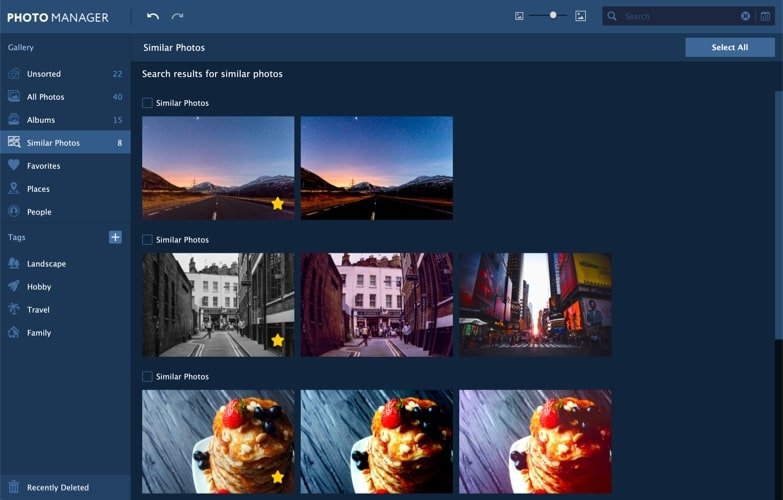
Name Soulver 3 3.1.3 56 [TNT] mac-torrents.net.zip
Size 23.29 MB
Created on 2019-11-20 15:43:24
Hash 160c915012ba1bef278a7ed01b0f04a52b273df9
Files Soulver 3 3.1.3 56 [TNT] mac-torrents.net.zip (23.29 MB)

Download

Blocs 3.4.2

Download Blocs 3.4.2

Blocs for Mac is a fast, easy-to-use, powerful visual web-design tool that lets you create beautiful, modern websites without the need to write code. Cleverly designed to accommodate complete beginners or those familiar with web design. You will love building with Blocs.

Features

  • Designed For Simplicity – Building with Blocs is simple and fun. A clean, intuitive interface makes creating sites unbelievably quick. Simply click, select, edit and enjoy stacking blocks to build your website. Its ease of use will make you feel right at home.
  • Powerful Styling features – Behind the simplified interface of Blocs lie some of its more advanced editing features. When you are ready to get more creative with your designs, Blocs will grow with you. You set the pace.
  • Create CMS-Driven Websites – Blocs has integrated support for a range of premium (paid) and open source (free) third-party content management systems. It’s now possible to easily create powerful, dynamic websites, that can be updated and contributed to, right from your web browser.
  • Time-Saving features – Paint mode, global swatches, auto text colouring and one click animations are just a few of the playful, time saving features in Blocs. You’ll be amazed how quickly you can create a website.
  • No subscription, unlimited web sites

Information

Compatibility
OS X 10.10 or later 64-bit
Languages
English

What’s New in Blocs 3.4.2

New Features

  • Prevent class input field from automatically creating class tokens when the class field loses focus.
  • Added prefs option to disable Asset Manager auto scroll.
  • Added text cues to empty image wells.
  • Highlight currently selected font in dropdown menu list.
  • Added arrow key navigation support to font selection menu.

Improved

  • Fixed issue that caused classes to be automatically added after 1 letter is typed.
  • Fixed issue with class popup which prevented the view from scrolling down when using the up and down arrows.
  • Fixed issue that caused the page selection dropdown to go out of sync with active page selection.
  • Fixed issue that caused duplicated Blocs to be inserted into Bloc groups when duplicated to another page.
  • Fixed rare issue that caused pages to become duplicates of other pages.
  • Fixed various issues that prevented in app updates working – May require Brics stocks be re-installed.
  • Fixed issue that included images that are used in excluded pages in project exports.
  • Fixed issue caused by exclamation mark being used in page names.
  • Fixed issue that caused Blocs to crash if you filter extensions in Extension Manager while update background process is running.
  • Fixed issue that caused the page selection dropdown to go out of sync with active page selection.
  • Fixed issue that caused duplicate page attachments when adding page templates that contain custom Brics.
  • Fixed issue that caused page attachments to be missing when a project is started from a page template that contains page attachments.
  • Fixed issue that caused Blocs to crash if last active page no longer exists.
  • Fixed an issue that caused page dropdown to go out of sync with active page when entering a search value and then removing it in the navigator.
  • Fixed issue that cause app to crash when typing in search field on extension manager when checking for updates.
  • Fixed issue that caused preview to break if | character is used in page name.
  • Fixed issue that cleared source page Bloc ID’s when a page is duplicated.
  • Fixed issue that caused duplicated page Bloc ID’s to be cleared.
  • Fixed issue that prevented undoing deleting spans and links nested in text Brics.
  • Fixed issue that caused active object marker to not display correctly.
  • Fixed issue that caused broken layer tree when creating links in header text Brics that contain icons.
  • Fixed issue that prevented text options showing on header text Brics that contain icons.
  • Fixed issue that prevented replace all export modal showing if exporting while in preview mode.
  • Fixed issue that caused pages that are set to be excluded to be included in export location, if exporting is done while in preview mode.
  • Fixed issue that caused app to crash when duplicating pages in large projects.
  • Fixed issue that caused menu items that are not connected to a data feed to have their title values changed when values are changed in page settings.
  • Fixed issue that caused images from previous project to show in newly loaded project.
  • Fixed issue that caused undo to contain old undo states from previously loaded project.

Screenshots
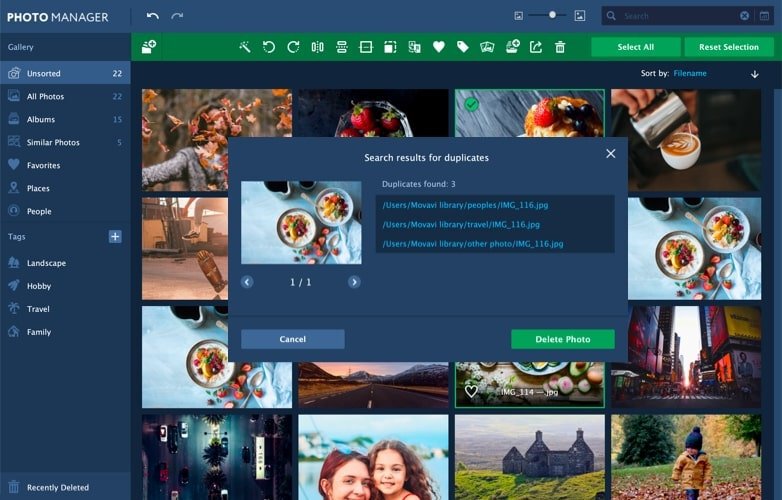
Name Blocs 3.4.2 [TNT] mac-torrents.net.zip
Size 40.14 MB
Created on 2019-11-20 15:17:18
Hash 92998b4e830c942d43494a22030559f44eff9cb9
Files Blocs 3.4.2 [TNT] mac-torrents.net.zip (40.14 MB)

Download

MacCleaner PRO 1.5.2

Download MacCleaner PRO 1.5.2

Pro is a Mac optimizer, which will help you to quickly and easily free up space on your Mac and optimize its performance.

Just launch any app from the bundle depending on your needs and perform Mac cleanup.

Effective cleaning tools that take care of your Mac

  • Download MacCleaner PRO
  • Launch any cleanup tool from the bundle
  • Analyze your disk and get rid of useless files on it

App Cleaner & Uninstaller

Uninstall apps completely. Manage system extensions.

Memory Cleaner

Optimize memory usage. Make your Mac run faster.

Funter

Find and show hidden files. Hide / unhide files.

Duplicate File Remover

Organize duplicates. Remove duplicates in bulk.

Disk Expert

Analyze disk space usage. Find the biggest folders.

ClearDisk

Remove junk files. Clean up your Mac.

Frequently Asked Questions

Why do I need MacCleaner Pro?

Your Mac needs to be cleared of junk files periodically if you wish to keep it working as fast as a new one. MacCleaner Pro provides a set of cleanup apps for that, which we call 窶徇ust haves窶for every self-respecting Mac owner.

How to use MacCleaner Pro?

Using MacCleaner Pro is as easy as ABC. Just launch the application and you will see a list of all the tools with a details description of what each app can do for you. Open each app and follow simple steps to start the cleaning process. Whenever you have any questions, just visit the Support page or directly contact the Support team. We are always happy to help you.

What are benefits of MacCleaner Pro?

The best thing about MacCleaner Pro is that the bundle contains all the necessary tools for a safe and deep hard drive cleanup. You should use them to always keep your Mac running properly, and thus prolong its’ life.

My Mac is slow. Can MacCleaner Pro help me?

Despite freeing the disk space, MacCleaner Pro thinks about your RAM memory as well. It can work in the background and monitor the memory usage by apps. When your Mac’s memory is filled up, it will clear inactive RAM and make your Mac run faste

Information

Compatibility
OS X 10.10 or later 64-bit
Languages
English

What’s New in MacCleaner PRO 1.5.2

  • Release notes not available at the time of this post.

Screenshots
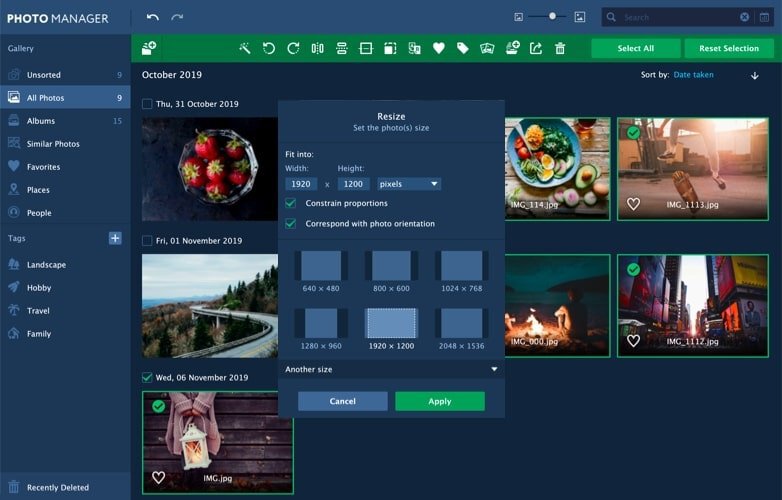
Name Nektony Mac Cleaner PRO 1.5.2 [TNT] mac-torrents.net.zip
Size 83.23 MB
Created on 2019-11-20 15:02:36
Hash e0cf7e60ae657b00f0d542430adae22dac82083d
Files Nektony Mac Cleaner PRO 1.5.2 [TNT] mac-torrents.net.zip (83.23 MB)

Download

Audirvana 3.5.26

Download Audirvana 3.5.26

has no equalizer, no trendy special effects, just the best sounding music

  • Native playing of FLAC, libSndFile (WAV, AIFF, …), ALAC and other QuickTime formats (AAC, MP3, …)
  • Direct sound path, directly to the !CoreAudio HAL for pure bit perfect sound
  • Audio Device exclusive access mode
  • HAL I/O using DAC native physical formats “Integer Mode” (instead of CoreAudio 32-bit float)
  • Automatic sample-rate switching
  • Up/Oversampling capability
  • Plays completely from memory
  • Tracks are loaded, decoded, and sample-rate converted in a memory buffer before being played, minimizing CPU and hard drive activity to lessen sources of interference
  • Gapless playback by using a double-buffering mechanism (playing track and next track)
  • Transparent split load for loading tracks of any size
  • Background tracks loading/decoding (including sample-rate conversion)
  • Playlist (M3U and M3U8 formats) load/save
  • Handles Apple IR Remote
  • Automated updates downloading (using Sparkle)

Information

Compatibility
OS X 10.11 or later 64-bit
Languages
English

What’s New in Audirvana 3.5.26

  • DSD over PCM for DSD UPnP network players not able to play raw DSD
  • Fixes for Audirvana Remote app

Screenshots

Name Audirvana 3 5 26 [TNT] mac-torrents.net.zip
Size 21.40 MB
Created on 2019-11-20 15:02:45
Hash aa20121108c32e0d1609d13639655ebc537f13b1
Files Audirvana 3 5 26 [TNT] mac-torrents.net.zip (21.40 MB)

Download

ScreenFlow 8.2.6

Download ScreenFlow 8.2.6

Record Anything. Edit Everything. Share Anywhere.

Telestream ScreenFlow is award-winning screencasting and video editing software for Mac. With high-quality screen, video, audio, and iOS capture as well as powerful editing features, ScreenFlow helps you easily create incredible looking videos and animated gifs.

ScreenFlow can record any part of your screen, or the entire monitor, while also capturing your video camera, iPad or iPhone, microphone or multi-channel audio interface and your computer’s audio – all at the same time!

ScreenFlow has won the prestigious Apple Design award for its easy-to-use editing interface, which has been updated with a new look and more controls. The editor instantly loads your recorded video and audio sources and lets you dive-in to quickly and creatively edit your video, add additional images, clips, text, or more recordings. Then polish it with professional-level animations, video motions, annotations, transitions and audio or video filters for incredible looking results.

When you are done, use the built-in sharing to publish your video directly to Vimeo, YouTube, Wistia, Facebook, Google Drive, Dropbox, Box, Imgur or to Telestream Cloud for professional transcoding. You can also export an animated GIF, ProRes file or MP4 directly to your desktop.

HIGHEST QUALITY FULL OR PARTIAL SCREEN RECORDING

Retina display? No problem. 5K display? We have you covered there too. Capture any part of your screen or just capture everything. Our efficient algorithm enables the best full-screen, high-resolution screen capture with brilliant detail, while keeping file sizes low. Then you can zoom in on key areas during your video to give even better detail for your audience.

POWERFUL INTUITIVE VIDEO EDITING

Easily add images, text, audio, video transitions and more to create awesome-looking videos. Add zoom and pan effects with video actions, highlight your mouse or anything on screen with callouts, draw on-screen with annotations or make your text pop with text animations. Also nested clips, closed captioning, chroma key, video motions and video animations such as spring, gravity, pulse, are just a few of the touches that make ScreenFlow editing easy and powerful.

EASY TO USE USER INTERFACE

Native to the macOS environment, you won’t find an easier to use or more intuitive interface for editing video. ScreenFlow makes the editing video easy, so users can spend more time creatively telling their story.

SUPERIOR EXPORT QUALITY & SPEED

ScreenFlow makes exporting easy with the new automatic export options. ScreenFlow will optimize for quality and speed of export without any customizations needed. If you want to have more control, multiple export options can be customized to your exact specifications.

WHAT’S NEW IN SCREENFLOW 7

EDITING
  • Editing performance improvements when working with Mp4 files
  • 60 fps timeline
  • Text animation effects
  • Play clips in reverse
  • Kerning customizations
WORKFLOW
  • Audio waveform rendering progress meter
  • UI support for Apple Audio Units (AUBandpass e.g.) and compatible audio filters
  • Predefined audio mixing setup for recordings
  • Custom hotkey mapping
  • New media library & global library functionality
  • Updated UI theme
  • Import media in sequence
  • Improved cursor quality
  • OLED touch bar support
  • Video tutorials link in app
  • Spanish version
EXPORT
  • Enhanced motion blur
  • Box.com & Imgur.com export
  • Automatic export options
  • MultiPass x264 & Quick Sync export
  • Estimated file size displayed before export

Information

Compatibility
OS X 10.12.0 or later, 64-bit processor
Languages
English, French, German, Japanese, Spanish

What’s New in ScreenFlow 8.2.6

  • Release notes not available at the time of this post.

Screenshots
Name ScreenFlow 8.2.6 [TNT] mac-torrents.net.zip
Size 70.42 MB
Created on 2019-11-20 14:38:34
Hash c916d423a90fc3cfe475fd03038f4d4da8300e9b
Files ScreenFlow 8.2.6 [TNT] mac-torrents.net.zip (70.42 MB)

Download

Arturia Analog Lab 4 v4.1.0.3413

Download Arturia Analog Lab 4 v4.1.0.3413

Your go-to choice for inspiration, creativity, and performance. Over 6500 amazing presets, from over 30 classic keyboards, intuitive controls, and seamless integration.

Looking for that perfect keyboard sound? Look no further.

Analog Lab gives you streamlined access to thousands of the hottest preset synth and keyboard sounds from our award-winning V Collection. Whether you’re a music producer, a live performer, a sound designer, or just a fan or vintage synths and keyboards, Analog Lab will blow you away. Immediate access to dozens of faithfully modelled instruments, combining awe-inspiring sound with exceptional ease of use and awesome features.

Discover inspiration at every step on your musical journey.

It’s an early Christmas for Mac users! I spent 50 plus man hours reversing these Arturia plugins, much more if we don’t count just this past week. It was by far the most requested in my PMs despite me owning legit V collection 7. A huge amount of work goes into this and the measly 2-3 dollars I get from downloads makes it very difficult sometimes as I have to dedicate whole days to these things, 12 hours plus, and lose spending time working making music or spending time with my family so if you want to support me and allow me to continue to release more in the future please consider supporting me by buying a premium account through my referral links in the Support Me.txt file ?

Arturia Analog Lab 4 Features:

  • Over 6500 sounds from top sound designers
  • Updated with presets from V Collection, including ARP 2600 V, B-3 V, CS-80 V, CZ V, Farfisa V, Jup-8 V, Matrix-12 V, Mellotron V, Mini V, Modular V, Prophet V, Prophet VS, SEM V, Solina V, Stage-73 V, Synclavier V, Synthi V, Piano V, Vox Continental V, Wurli V, Buchla Easel V, Clavinet V, DX7 V, and CMI V
  • Updated browser to find your sounds quickly
  • Multi mode for creating your own layers, splits, and adding effects
  • Automatic mapping of parameters for Arturia keyboards
  • Parameters can be mapped easily to other MIDI controllers
  • Standalone or plug-in operation (VST, VST3, AU, AAX)
  • Full preset editing available for owners of the full versions of Arturia soft synths
  • User interface configures automatically to match your Arturia controller

Some notes about the plugins

Testing in Ableton Live 10 some of the VST3 plugins crash when you delete them from a track, this is a problem for legit users too. VST and AU are not affected despite the AU wrapping the VST3 plugin – more reason to just switch to AU full time so you can use Live 10.1.4 too. AAX is working as it is wrapping the VST3 in Library/Arturia/PRODUCT NAME. Do not remove Arturia Software Center. Make sure to read instructions carefully – CASHMERE

Developer Website

What’s New in Arturia Analog Lab 4 v4.1.0.3413

  • Release notes not available at the time of this post.

Screenshots

Name Arturia Analog Lab 4 v4.1.0.3413 mac-torrents.net.rar
Size 1.30 GB
Created on 2019-11-20 14:18:47
Hash 8cbdce4c46965b402742b6864659bf7f198d82b4
Files Arturia Analog Lab 4 v4.1.0.3413 mac-torrents.net.rar (1.30 GB)

Download

Torrents Download Apple,Mac Osx,Apps ,Software
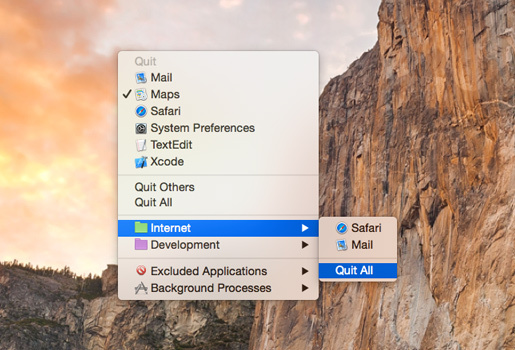
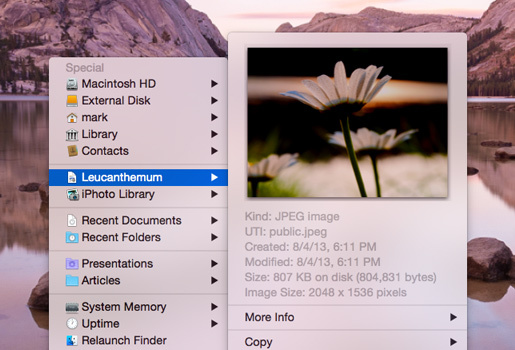
Exit mobile version