OnlySwitch 2.3.10

OnlySwitch

There are a bunch of macOS functions that aren’t particularly easy to toggle on or off, and some can’t be disabled at all.

OnlySwitch aims to make a few switches more accessible and add a couple that aren’t available in the first place. It also provides some extra features, such as an Xcode derived data cleaner and radio player.

Useful switches in your menu bar
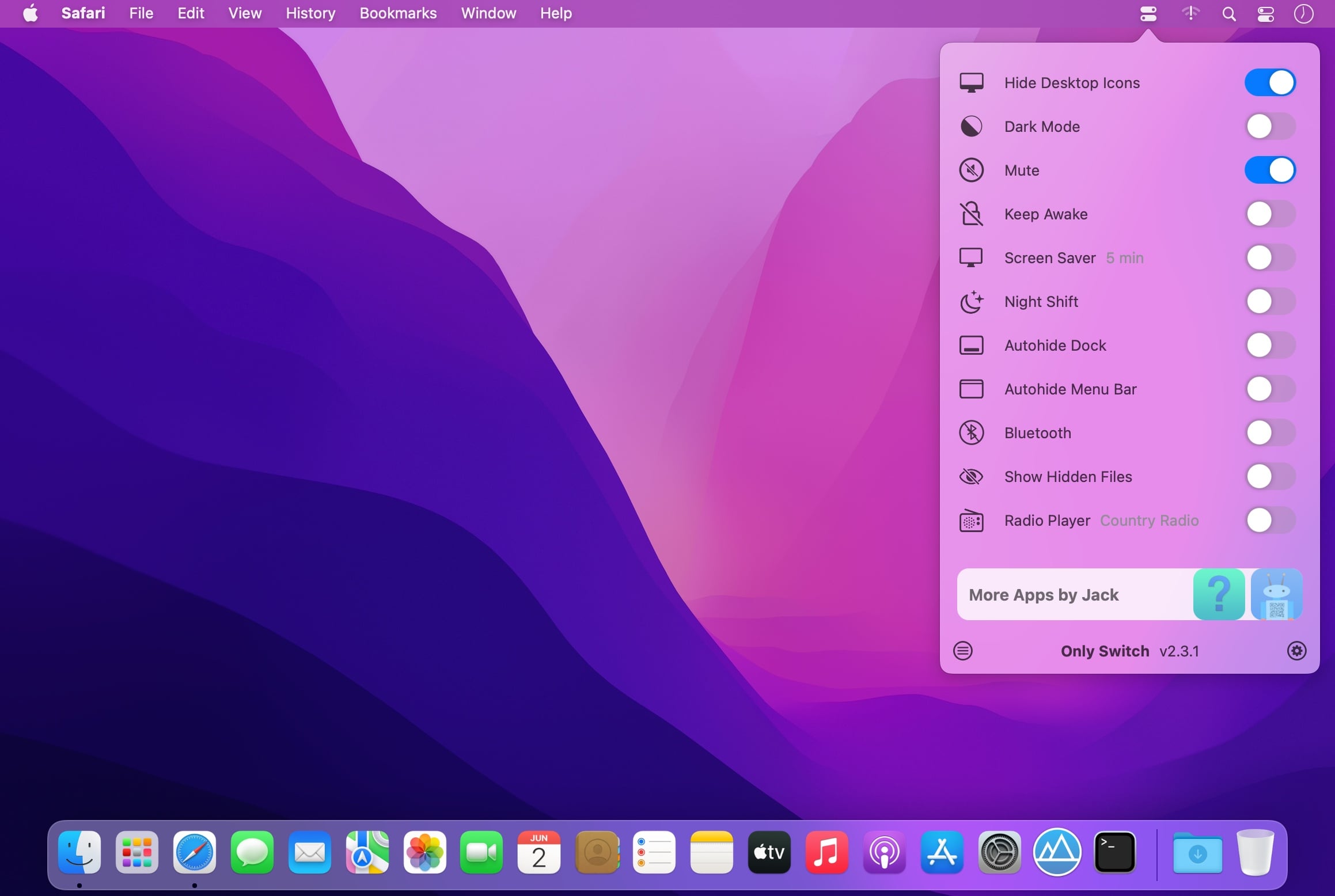
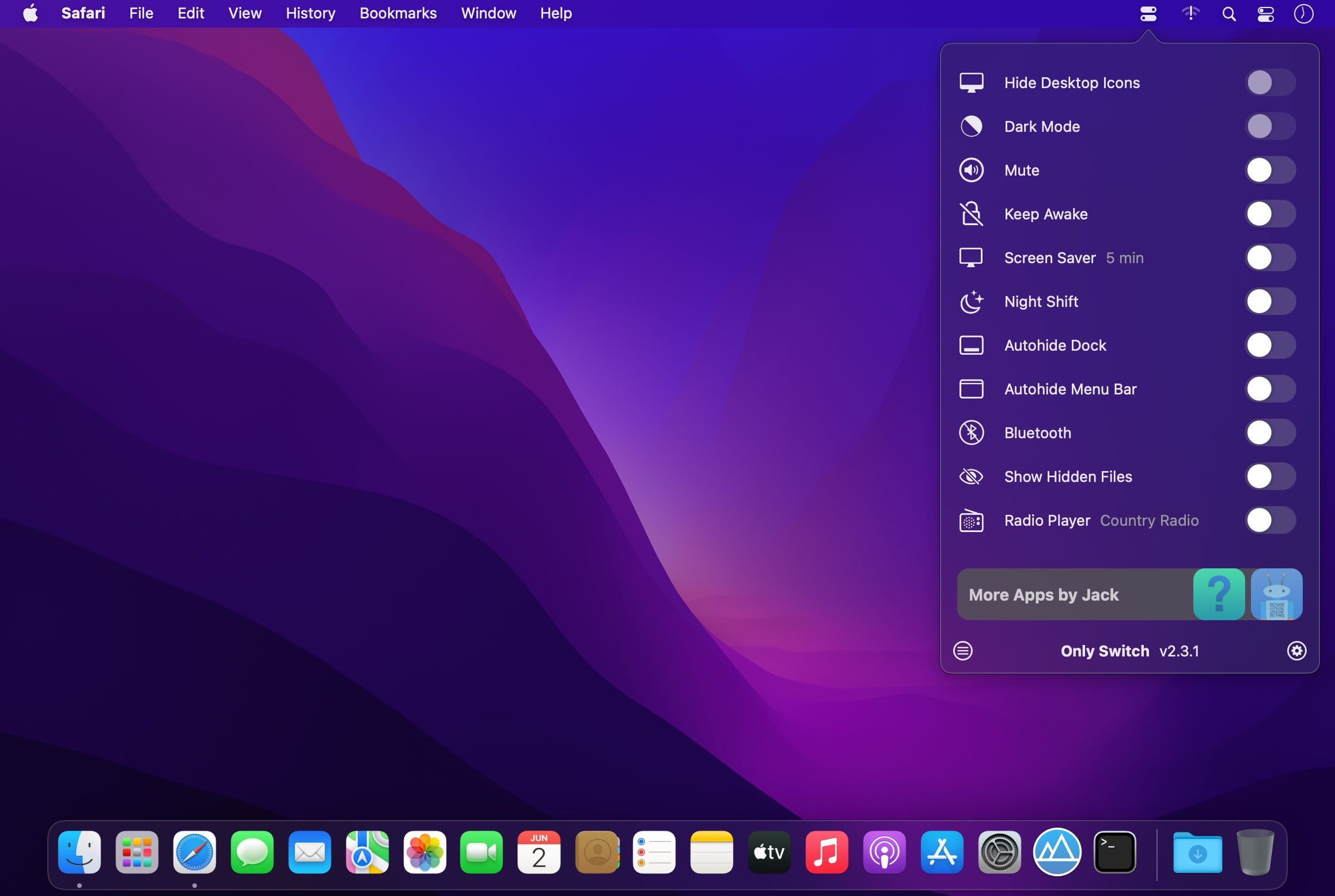
The app itself is pretty simple. It adds an icon to the menu bar, which you can use to access a collection of switches. Among others, you can hide the MacBook Pro notch, hide desktop icons, enable Night Shift, show hidden files, and toggle auto-hiding the Dock and menu bar.

If some of these switches aren’t necessary, you can disable them from the app’s preferences. A few aren’t even enabled by default, so be sure to check them out in case you find some of them useful.

Hide the notch, listen to radio stations, and more
Of course, everyone’s needs are different, and some of the app’s features are definitely not for everyone. If you have a 2021 MacBook Pro, with its characteristic notch, OnlySwitch allows you to blend it with the rest of the menu bar, and it even supports dynamic wallpapers.

If you like listening to online radio, the app even has an integrated player. You can add your own stations and select your preferred one from the settings. The player is accessible and can be controlled from the menu bar.

If you’re a developer, a quick shortcut for clearing Xcode derived data might also prove useful.

Helpful switches in a customizable menu
Apple certainly makes some things less accessible than we would like, and apps like OnlySwitch seek to remedy that. Considering that it’s completely free and open-source, there’s no reason not to grab it if any of its switches sound useful.

What’s New:

Version 2.3.10:

  • Add Hide Windows switch
  • Support French by @BtKent and Ange Lefrère
  • Hide menu bar icons can be controlled by right-clicking on icons
  • Screen Test can lock the whole keyboard
  • Fix bug: multi-settings window
  • Fix bug: sidebar button doesn’t work on Monterey

Compatibility: macOS 12.0 or later
Homepage https://github.com/jacklandrin/OnlySwitch

Screenshots

Name: OnlySwitch 2.3.10_Mactorrents.is.dmg
Size: 25.66 MB
Files OnlySwitch 2.3.10_ Mactorrents.is.dmg[25.66 MB]

   Download

Joyoshare UltFix 4.1.0

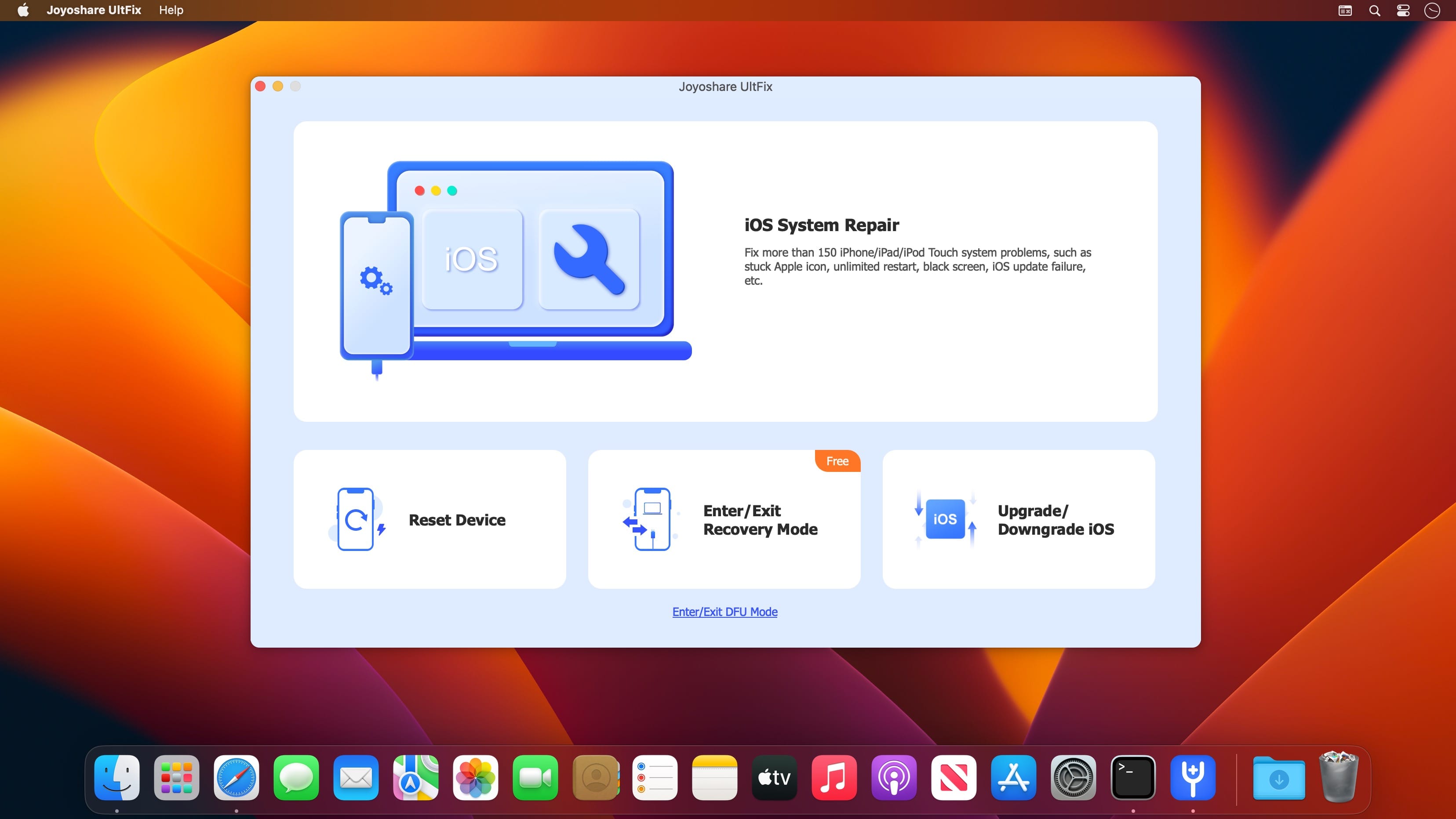
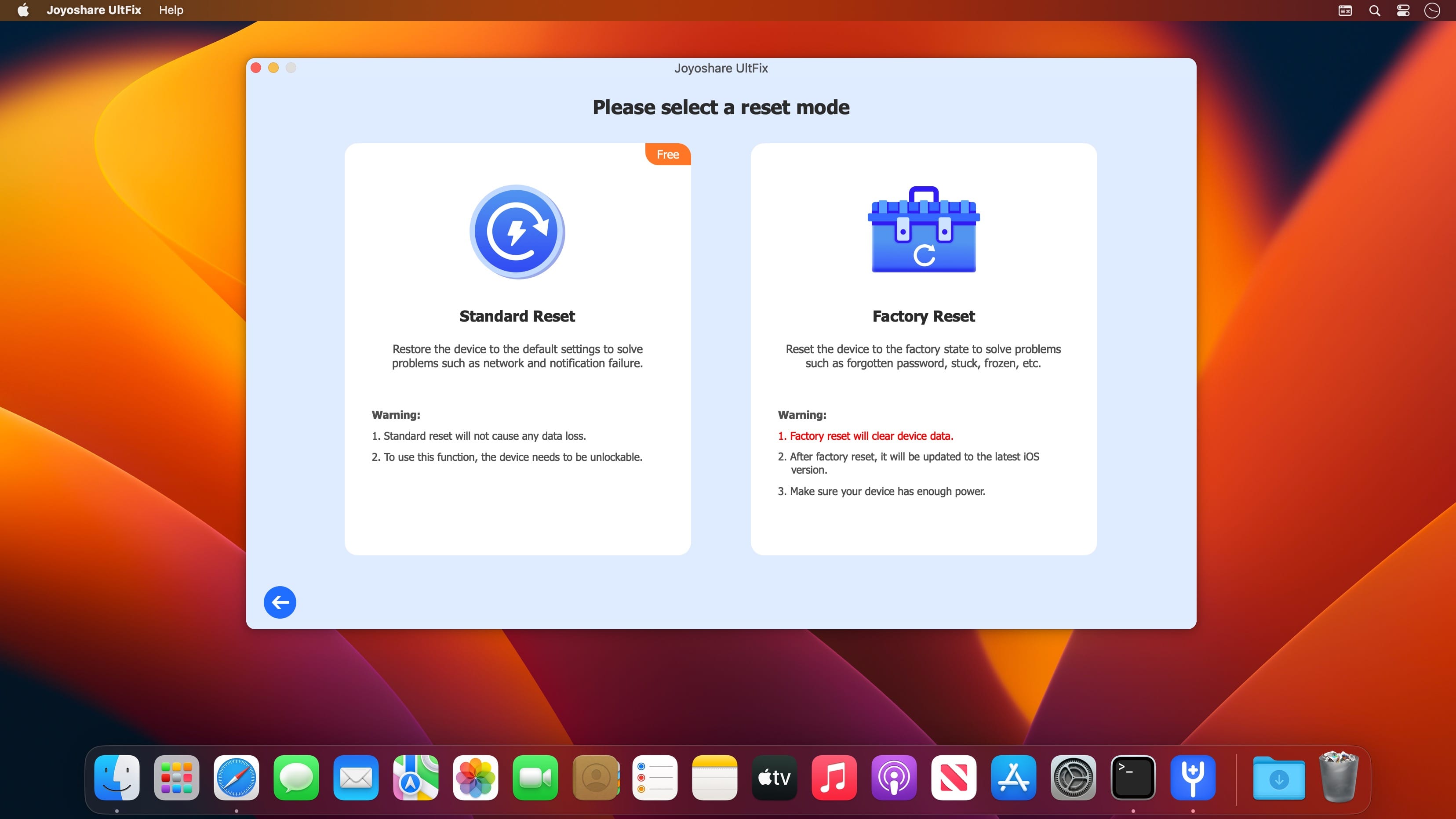
Joyoshare UltFix for macOS is an extraordinary iOS repair specialist that offers option to fix 30+ common iOS issues within 3 simple steps, such as iPhone won’t charge, iPhone failed to update, iPhone is disabled connect to iTunes, etc. With its help, you are allowed to use 2 modes (Standard Mode & Advanced Mode) to either fix iOS problems without data loss or factory reset iPhone without sparing efforts.

Besides, its full compatibility to the latest iOS and a series of iOS devices also makes it a comprehensive tool for Apple users.

Fix More than 150 Possible iOS Problems by Yourself
Joyoshare UltFix comes in handy to perfectly repair 150+ iOS system issues, including white Apple logo, black screen, stuck in DFU mode, iPhone keeps restarting, iPhone no service, etc. It’s considerably simple for you to independently complete the whole system repair process in 3 steps no matter which problem is.

Offer Free One-click Enter/Exit Recovery Mode Option
Happily, Joyoshare UltFix iOS System Recovery enables not only registered but also unregistered Apple users to put any iDevice into recovery mode for free with one easy click. It’s also fairly straightforward to get out recovery mode in case your iPhone gets stuck.

Recover iOS System without Causing Data Loss
With the help of this hassle-free iOS repair tool, you don’t have to worry about the risk of data loss at all. Joyoshare UltFix comes out as a professional iOS system recovery utility to help you fix various iOS system issues and get your iPhone, iPad, iPod touch and Apple TV back to normal at home without causing any data loss. It is 100% secure, and no one can access your data except you.

Compatibility: macOS 10.10 or later
Homepage https://www.joyoshare.com/ultfix/

Screenshots


Name: Joyoshare UltFix_4.1.0_[TNT]_Mactorrents.is.dmg
Size: 18.82 MB
Files Joyoshare UltFix_4.1.0_[TNT]_ Mactorrents.is.dmg[18.82 MB]

   Download

TunesKit Screen Recorder 2.2.0

A handy 2-in-1 video and audio recorder that lets you capture any video and audio from any source on your computer screen with a single click, and edit and save the recordings in any format and device with high quality retained.

Efficient screen recording tool to grab anything you want from desktop
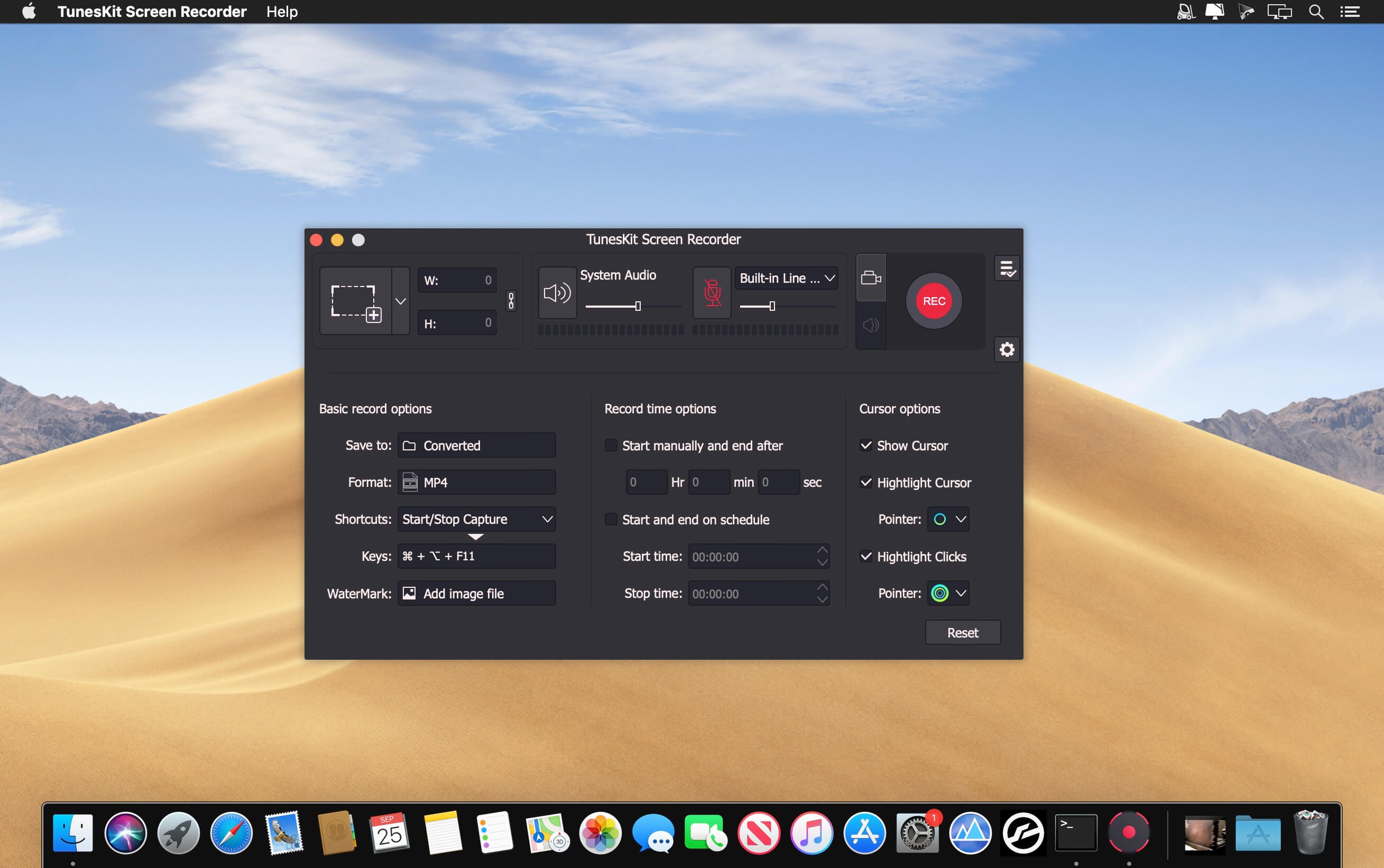
Powerful as it is, TunesKit Screen Recorder is capable of recording anything you like on the PC or Mac screen, such as online videos, computer games, app tutorials, how-tos, video lectures, webinars, video conferences, video calls, live broadcasts, and much more in an easy way. It’s not only a high-quality video recorder, but also an independent audio capture that allows users to grab any audio from system sound and/or microphone, including streaming music, sound effects, background music, or other appearing sound through browser, media player or many other applications. In addition, you can also extract audio from videos on the computer, etc. with lossless quality.

Record screen video and audio separately or simultaneously
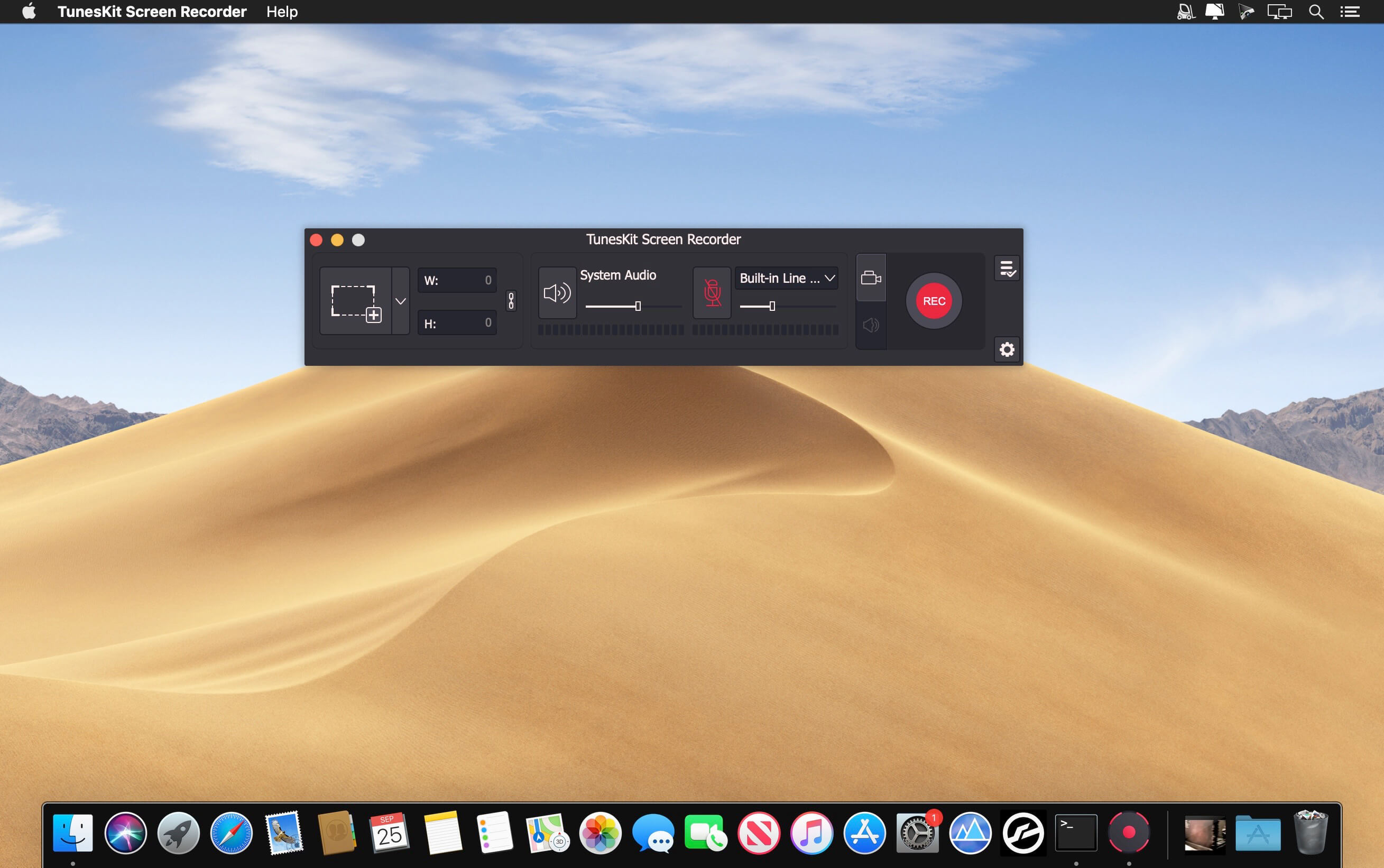
TunesKit Screen Recorder enables users to record video and audio from screen, microphone or webcam. What if you want to record just video or audio? It’s easy! The program offers two options for users: record video (with audio) or record audio only. In other words, you can record screen video along with audio, or even mute the sound; you can also choose to capture merely audio, either system sound or microphone audio or both at the same time. You’re given full flexibility to do whatever according to your needs.

Flexible options for users to adjust the settings
With TunesKit Screen Recorder, you can set your preferences as you like. For example, you can capture full screen, select areas to record from 176*144, 1280*720 to 1920*1080 or set the size of capture area based on your requirements. Or, you can use the time scheduler to make a scheduled recording while you’re away by setting the start time and end time in advance. Besides, you can also customize your own keyboard shortcuts, add watermark, and highlight your cursor or clicks with different interesting icons.

Record screen and save in any format and device
As an all-round screen recording utility, TunesKit Screen Recorder offers you the ability to save recordings on the computer in numerous formats such as MP4, M4V, MOV, MKV, WMV, MPEG, 3GP, WebM, 4K HD videos; MP3, M4A, M4B, AAC, FLAC, WAV, and many others. You can also preset and transfer your recordings to various portable devices like iPhone, iPad, Apple Generic, Galaxy phone and tablet, Huawei and other Android Generic as well as game consoles and smart TVs etc. In addition, you’re allowed to upload and share the recording to social media platform such as YouTube, Facebook, Vimeo, etc.

Output high resolution recordings
With the advanced recording technology adopted in the program, TunesKit Screen Recorder is a perfect tool to capture any footage while keeping the high original quality. To be specific, this professional video capturing software can record screen in high resolution at up to 60 frames per second.

What’s New:

Version 2.2.0

  • Release notes were unavailable when this listing was updated.

Compatibility: macOS 10.10 or later, Apple Silicon or Intel Core processor
Homepage https://www.tuneskit.com/

Screenshots


Name: TunesKit Screen Recorder_2.2.0_[TNT]_Mactorrents.is.dmg
Size: 45.17 MB
Files TunesKit Screen Recorder_2.2.0_[TNT]_ Mactorrents.is.dmg[45.17 MB]

   Download

Report Kit 1.0.2

Report Kit is a professional data reporting tool with Visual Report document designer. Visual Report Document Template Design Application.

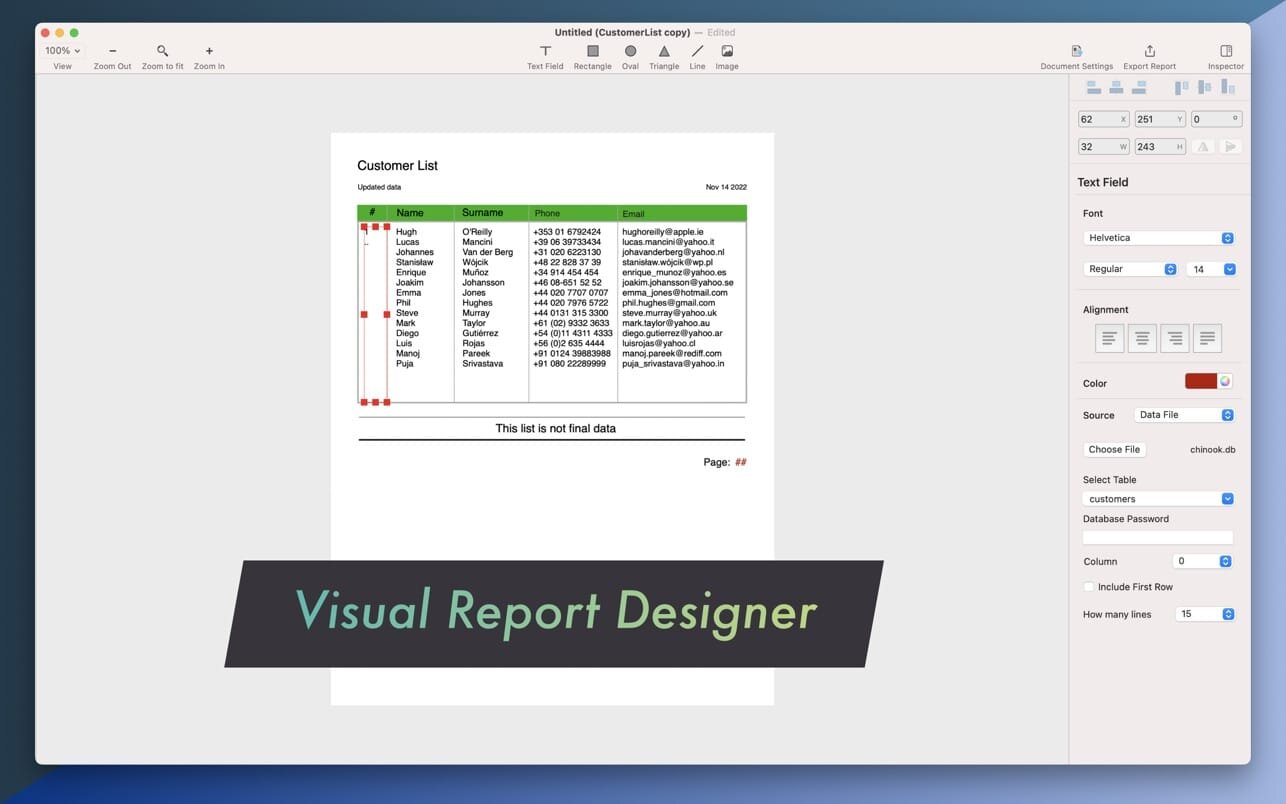
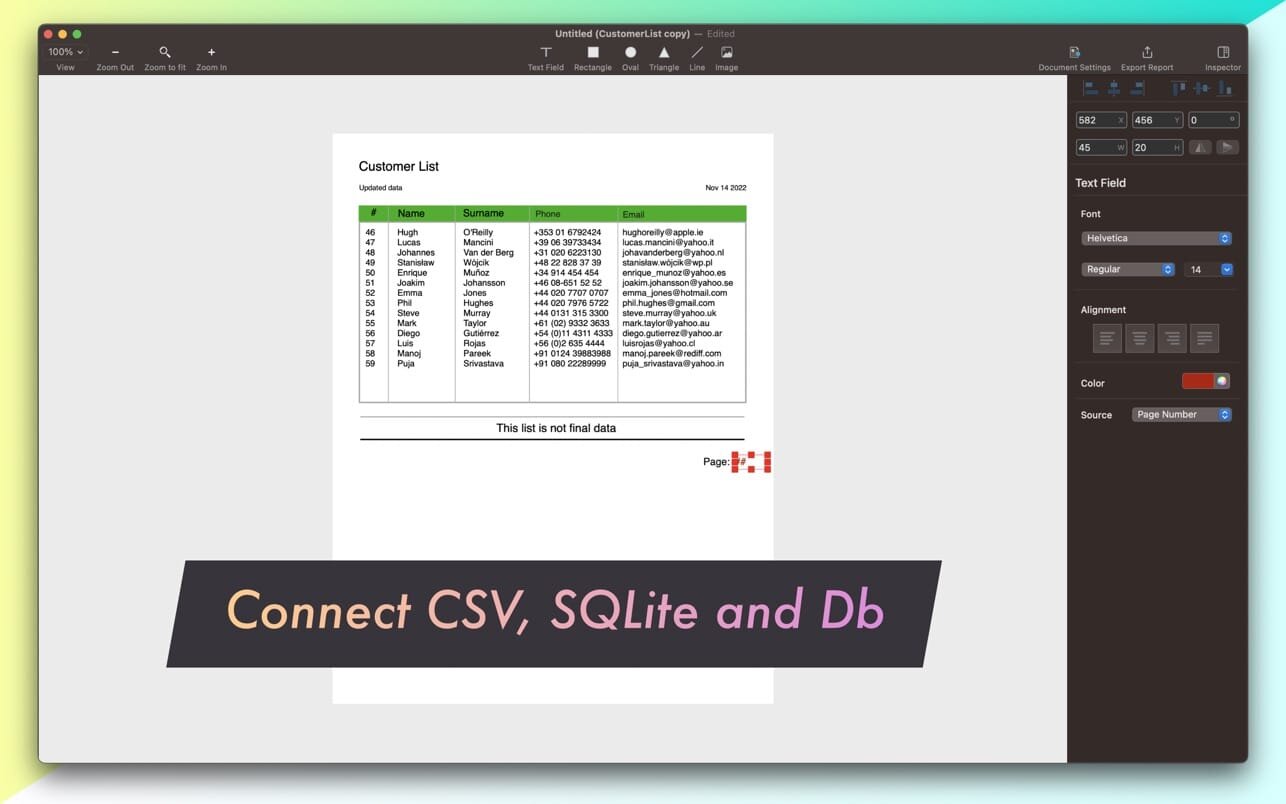
Report Kit is an independent software for creating, delivering and automating reports from source files like CSV, SQLite and DB. Create stylish database and table driven reports without writing any SQL or other code. Drag and drop text objects to pull data from sources and connect them to CSV or SQLite tables. Merge different database tables in a single report document. Build powerful reports quickly and easily.

Designed for beginners and professionals. First connect text field to a table to fetch values, then configure details on the sidebar, and export! It will create PDF report document file.

Report Design

  • Visual report designer. Full-featured modern report editor with a huge set of tools for visually creating, tuning, and editing report templates
  • Easy and clear interface
  • Objects: text, rectangle, oval, triangle, line and image objects to make report look stylish

Connect to the following type of files

  • CSV
  • SQLite, SQLite3
  • DB

Convert SQLite and Db files into CSV file format!

Reports can be exported as a PDF file!

What’s New:

Version 1.0.2

  • Hello again to all Report Designers
  • Report Kit 1.0.2 is minor update focused on adding new sample report file, documentation and tutorial.

Compatibility: macOS 10.14 or later
Mac App Store http://apps.apple.com/app/report-kit/id6443579776

Screenshots


Name: Report Kit 1.0.2 MAS [HCiSO]_Mactorrents.is.dmg
Size: 8.51 MB
Files Report Kit 1.0.2 MAS [HCiSO]_ Mactorrents.is.dmg[8.51 MB]

   Download

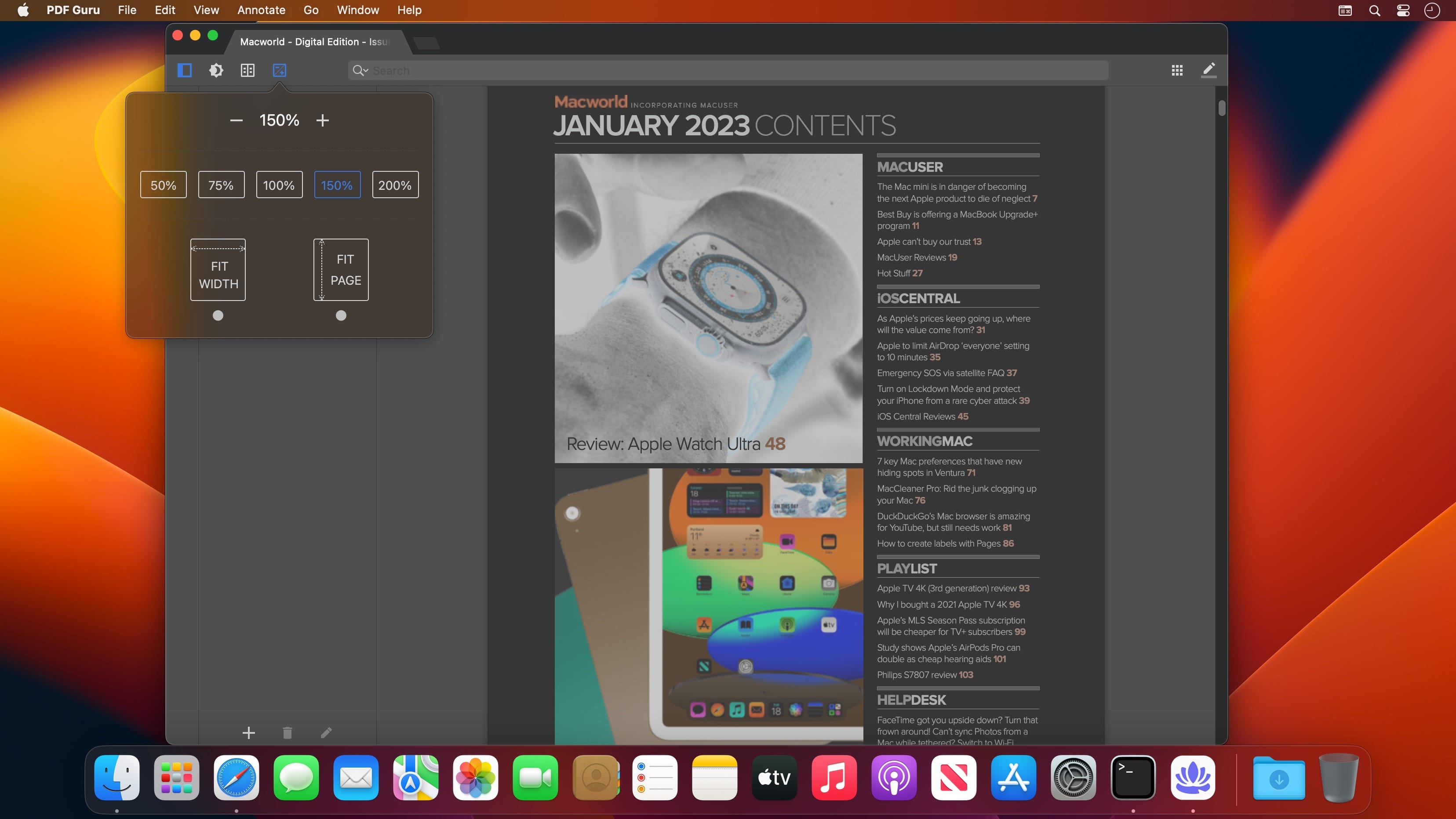
PDF Reader X – Edit Adobe PD Pro 3.4.0

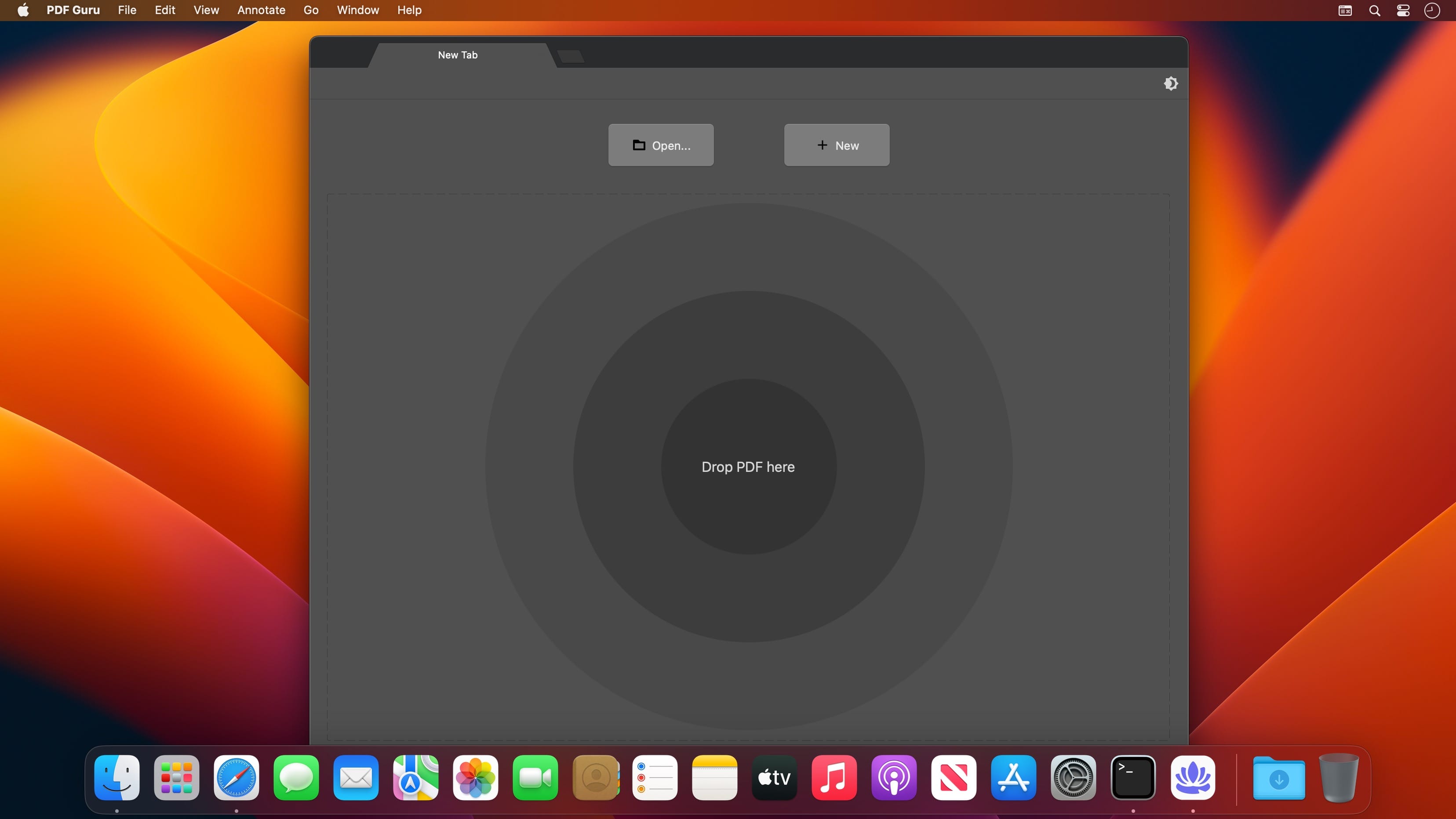
Fast and clean tabbed style PDF reader & editor, which make reading & editing enjoyable and efficient.

Key features:

  • Tabbed style window;
  • PDF Pages Editing;
  • Provides themes, including night mode;
  • Annotate PDF;
  • Split view;
  • Outline editing;
  • In-document bookmarking;
  • Tabbed style sidebar;
  • Clean and powerful toolbar;
  • Powerful searching capabilities;

What’s New:

Version 3.4.0

  • Back to the original name: “PDF Reader X”
  • Stability improvements
  • Can’t remember the last theme selection
  • Payment issue

Compatibility: macOS 10.11 or later
Homepage https://apps.apple.com/pk/app/pdf-reader-x-edit-adobe-pdf/id684812309?mt=12&uo=4

Screenshots


Name: PDF_Reader_X_3.4.0_MAS_In-App_[TNT]_Mactorrents.is.dmg
Size: 11.6 MB
Files PDF_Reader_X_3.4.0_MAS_In-App_[TNT]_ Mactorrents.is.dmg[11.6 MB]

   Download

AnyMP4 iOS Cleaner 1.0.12

AnyMP4 iOS Cleaner for Mac is a simple and professional software that can help you clean junk files, free up more space to speed up your device, uninstall applications, delete large files, compress, and export iPhone photos, etc.

Key Functions:
  • Free up more space on your iPhone/iPad/iPod Touch. AnyMP4 iOS Cleaner for Mac can wipe data on your iOS device completely. With it, you can easily and quickly delete or clean up any unwanted data from your iPhone/iPad/iPod Touch without hassle, including junk files, temporary files, application cache files, cookies, unused applications, etc. Then you can have more memory space to execute applications, browse the internet, and play heavy games. You can enjoy better iOS performance with this iOS memory optimizer.
  • Choose different erasing levels as you like. This AnyMP4 iOS Cleaner for Mac offers three different erasing levels. It avoids leaking your data when you resell iOS devices or give someone else as gifts. With it, you erase private data like photos, large files, contacts, call history, notes, calendars, applications completely and protect your privacy by choosing low, middle, and high erasing level. You can choose the level according to your erasing demand and situations. Data you erase will be deleted forever.
  • Additional functions. Apart from erasing data, AnyMP4 iOS Cleaner for Mac can also do you a favor for backing up original photos to Mac when you don’t want to delete your valuable photos to free up space. Whats more, you can compress HEIC/JPG/PNG photos and save the compressed photos on your Mac.
  • Compatibility: OS X 10.10 or later
    Homepage https://www.anymp4.com

Name: AnyMP4_iOS_Cleaner_1.0.12.127372_[TNT]_Mactorrents.is.dmg
Size: 38.75 MB
Files AnyMP4_iOS_Cleaner_1.0.12.127372_[TNT]_ Mactorrents.is.dmg[38.75 MB]

   Download

WidsMob Panorama 4.28

WidsMob Panorama is an easy photo-stitching program to make the creation of panoramas simpler. When you camera could not get everything as your eye view, you can use the panoramic image stitching software for Windows and macOS to form a composite image.

The program is able to auto stitch collections of unordered images into panoramas. It aligns images without manually messing around moving photos, automatic exposure leveling and lens shading correction. What is more, the program automatic crops the extras to present the best panorama photography.

Stitch images into panoramas with vertical, horizontal, tile and 360 degree 4 different modes. Just select the images for the same panorama, you can choose the stitching mode to composite photos within one click.

Support both JPEG and RAW files, including Canon, Epson, Fuji, Nikon, Olympus, Sony and other hundreds of camera types. And you can also export panoramas to TIFF, JPEG or JPEG-2000 files.

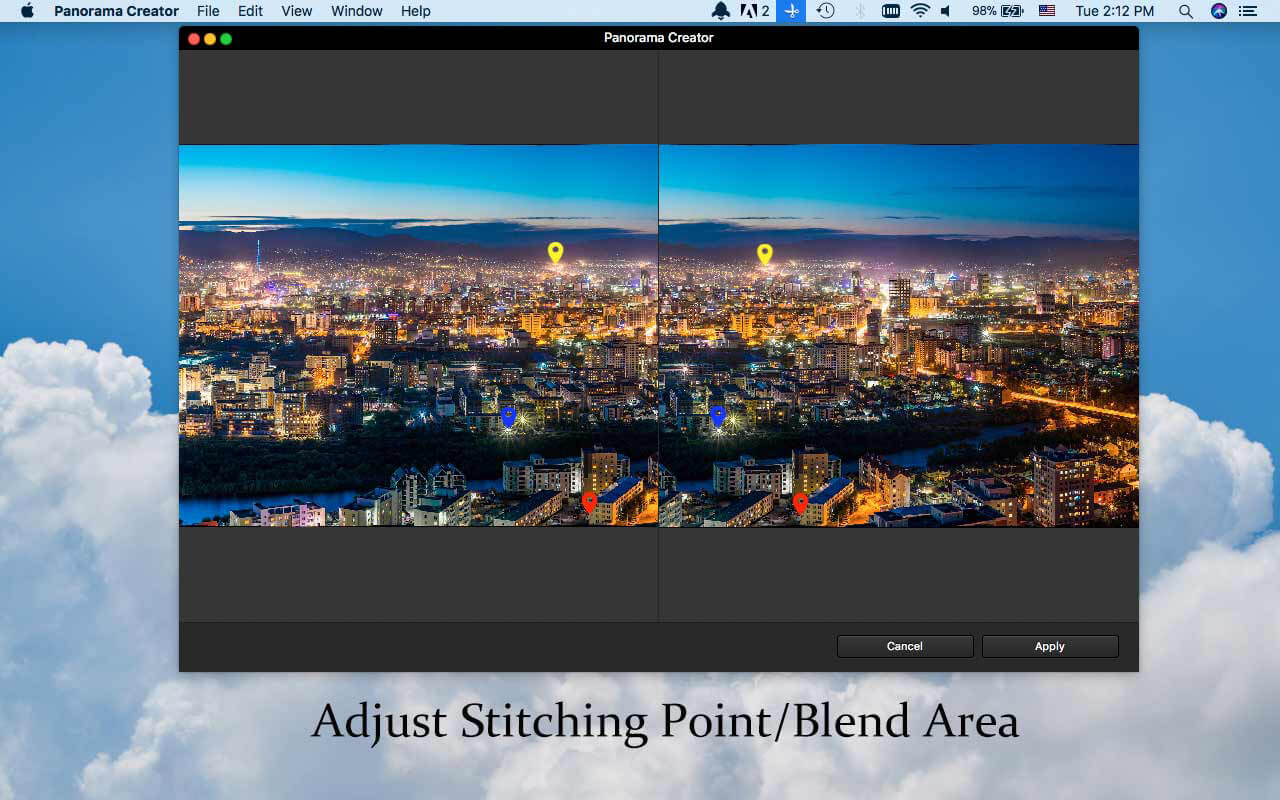
Adjust the Align Points to correct the stitching angles of different images. When you need to composite images in tile, you should adjust the align points to make a perfect panorama. In order to remove the ghost parts, you can adjust the blend to have a better result.

Further edit the panoramas with different parameters, such as Saturation, Contrast, Brightness, Temperature, Tint and more. It should the simplest and most powerful WidsMob Panorama to stitching photos in excellent result within few clicks.

What’s New:

Version 4.28:

  • Release notes were unavailable when this listing was updated.

Compatibility: macOS 10.13 or later
Homepage https://www.widsmob.com

Screenshots

Name: WidsMob Panorama 4.28 MAS [HCiSO]_Mactorrents.is.dmg
Size: 28.73 MB
Files WidsMob Panorama 4.28 MAS [HCiSO]_ Mactorrents.is.dmg[28.73 MB]

   Download

DxO PhotoLab 6 ELITE Edition 6.1.1.38

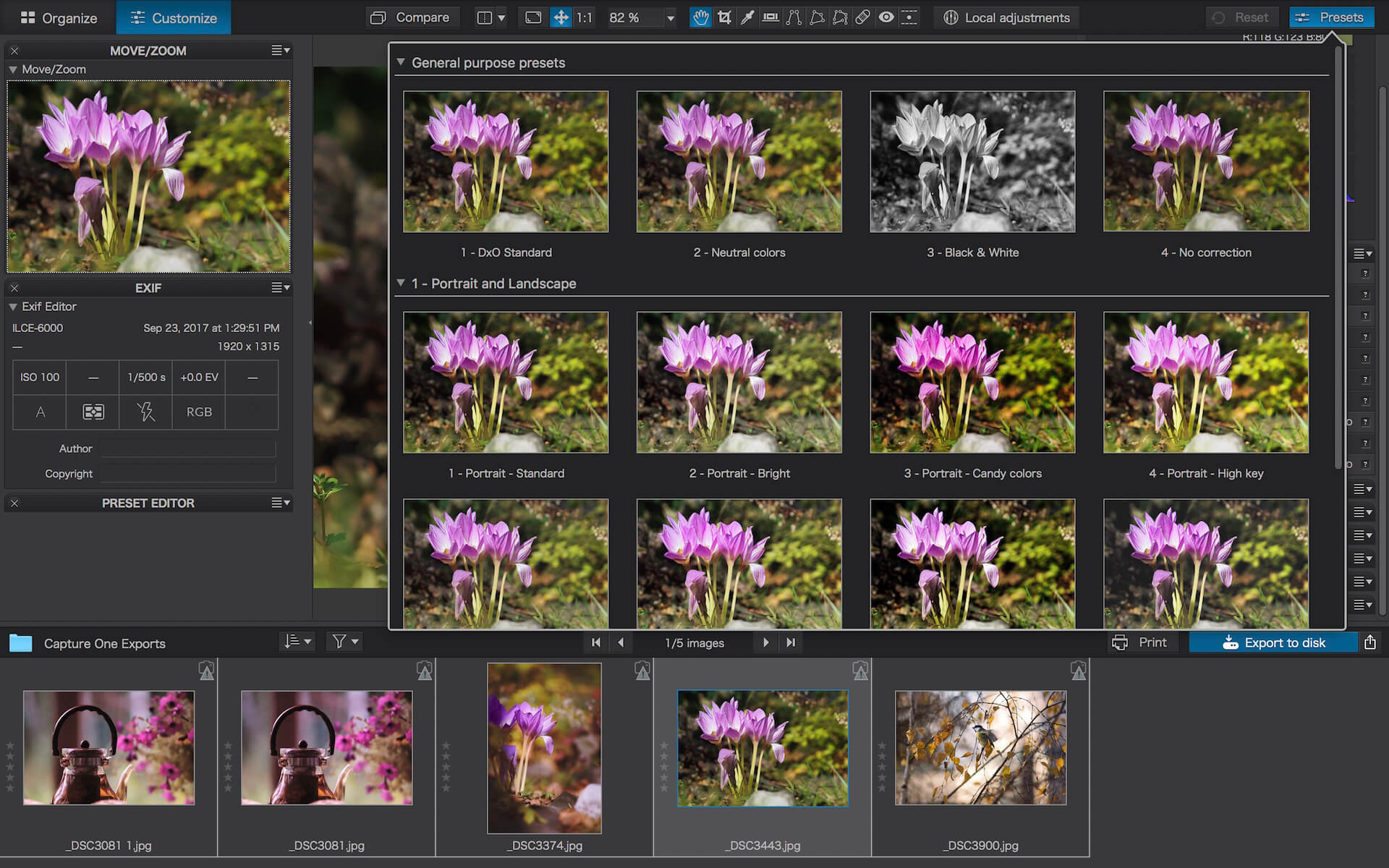
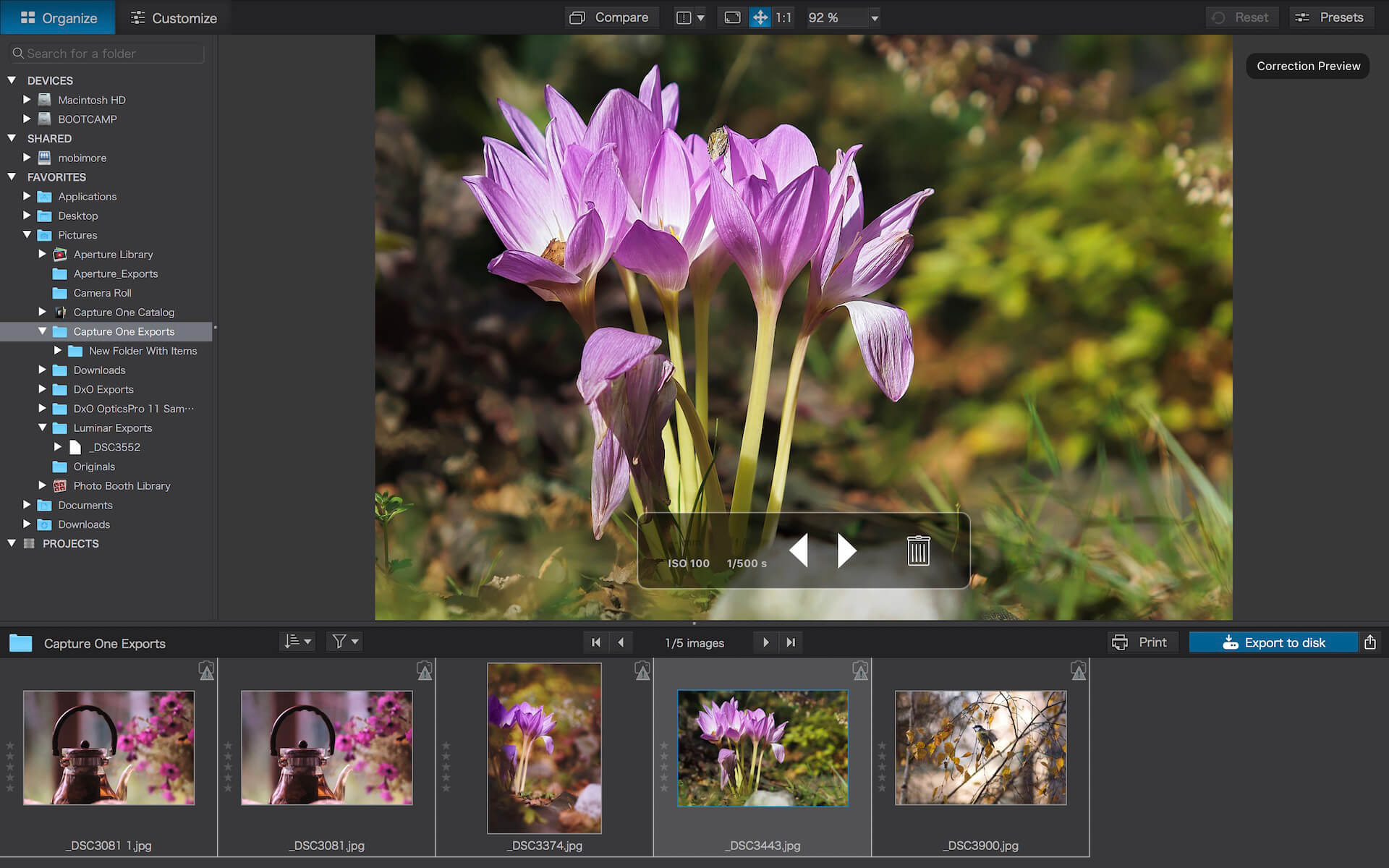
DxO PhotoLab (was DxO Optics Pro) provides a complete set of smart assisted corrections that you can manually fine-tune at any time. Take control on every aspect of your photos: effectively remove noise, get rid of light constraints, recover color details, apply sophisticated optical corrections, and enhance details.

Reducing digital noise in RAW images is an ongoing challenge for most photo-editing software. But with DxO DeepPRIME we are breaking new ground. The first artificial intelligence-based (AI) technology of its kind, DeepPRIME enables you to demosaic and denoise images simultaneously. Try it out – the results speak for themselves.

Demosaicing and denoising are usually two separate processes. But with DxO DeepPRIME we’ve combined them to achieve even better results.
The outcome is spectacular. DxO DeepPRIME removes noise and renders photographic information without reducing color detail. Transitions are smoother and more natural, and you gain nearly two ISO sensitivity values compared to our earlier version, DxO PRIME, the benchmark software for all comparable programs currently available.

If you are an expert photographer, DxO DeepPRIME will open up a world of new possibilities by enabling you to shoot at very high sensitivities. As an amateur photographer, DeepPRIME will allow you to compensate for the drawbacks of small sensors in compact and bridge cameras that produce digital noise even at low ISO sensitivities. And if you’re struggling with low quality, or older-generation cameras that are no longer suitable because of the scale of digital noise, DxO DeepPRIME will give your images a new lease of life.

Features

  • DxO Smart Lighting
  • DxO ClearView
  • DxO PRIME
  • Optical Corrections
  • Introducing U Point

What’s New:

Version 6.1.1.38

  • Release notes were unavailable when this listing was updated.

Compatibility: macOS 11.6 or later
Homepage http://www.dxo.com

Screenshots


Name: DxO_PhotoLab_6_6.1.1.38_[TNT]_Mactorrents.is.dmg
Size: 692.4 MB
Files DxO_PhotoLab_6_6.1.1.38_[TNT]_ Mactorrents.is.dmg[692.4 MB]

   Download

BusyCal 2022.4.7

BusyCal is an award-winning desktop calendar that combines personal productivity features for individuals with powerful calendar sharing capabilities for families and workgroups. Its unique features include a non-modal Info Panel for easier data entry; To Dos that display in the calendar and auto-forward until completed; repeating To Dos; customizable calendar views including a List view and scrolling Month and Week views; adjustable font styles and sizes, live weather feeds, moon phases, graphics, sticky notes and more. And when you first launch BusyCal, all of your iCal data is instantly imported. BusyCal automatically syncs with iCal, iPhone, iPad, iPod Touch, and other apps and devices that sync with MobileMe or Sync Services. If you later decide to switch back to iCal, all of your calendar data will be current.

BusyCal allows families and workgroups to share calendars with MobileMe, Google Calendar, iCal Server, and other CalDAV Servers. You can even share calendars with other BusyCal users on a local area network without the need of a server. And BusyCal syncs with iCal, iPhone, iPad, iPod Touch, and other apps and devices that sync with MobileMe or Sync Services.

Features

  • View and edit event details in a non-modal info panel.
  • Create repeating To Dos that display in the calendar and carry-forward until completed.
  • Scrolling Month and Week Views.
  • Customizable list view lets you filter and sort events by date, calendar, and more.
  • View live weather forecasts, sunrise/sunset times, and moon phases right in your calendar.
  • Customizable event fonts, sizes, styles and colors.
  • Add graphics to your calendar.
  • Add virtual sticky notes to your calendar.
  • Sync with the iPad, iPhone, and iPod Touch via MobileMe, Google Calendar, or iTunes.
  • Sync with MobileMe Calendar and other computers/devices that sync with MobileMe.
  • Sync with Google Calendar and other computers/devices that sync with Google Calendar.
  • Sync with other BusyCal users on a local area network or over the internet.
  • Share calendars with others, with password-protection and SSL encryption.
  • iCal compatible

Compatibility: macOS 10.12 or later, Apple Silicon or Intel Core processor
Homepage http://www.busymac.com/busycal/

Screenshots

Name: BusyCal_2022.4.7_[TNT]_Mactorrents.is.dmg
Size: 54.57 MB
Files BusyCal_2022.4.7_[TNT]_ Mactorrents.is.dmg[54.57 MB]

   Download

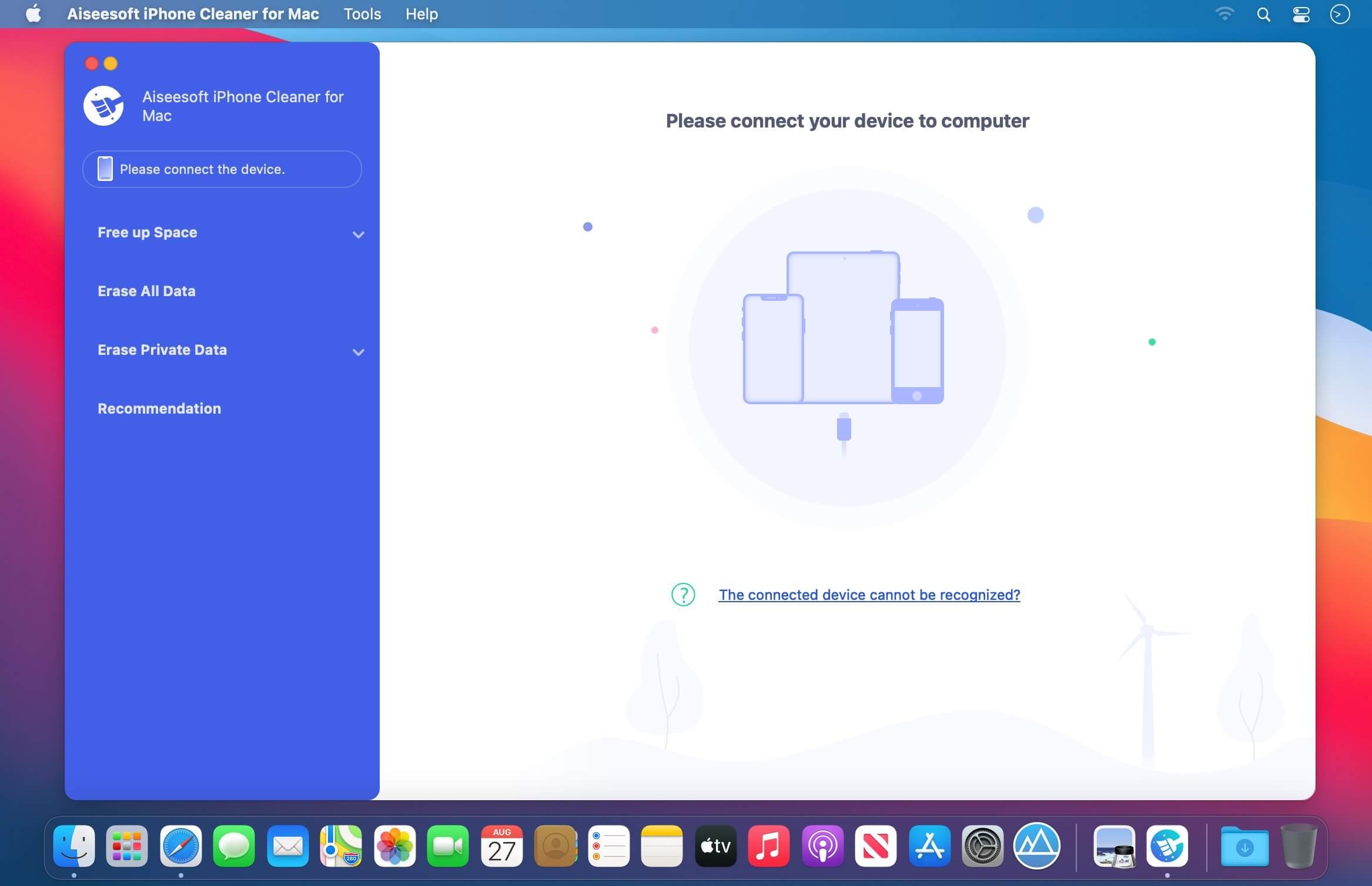
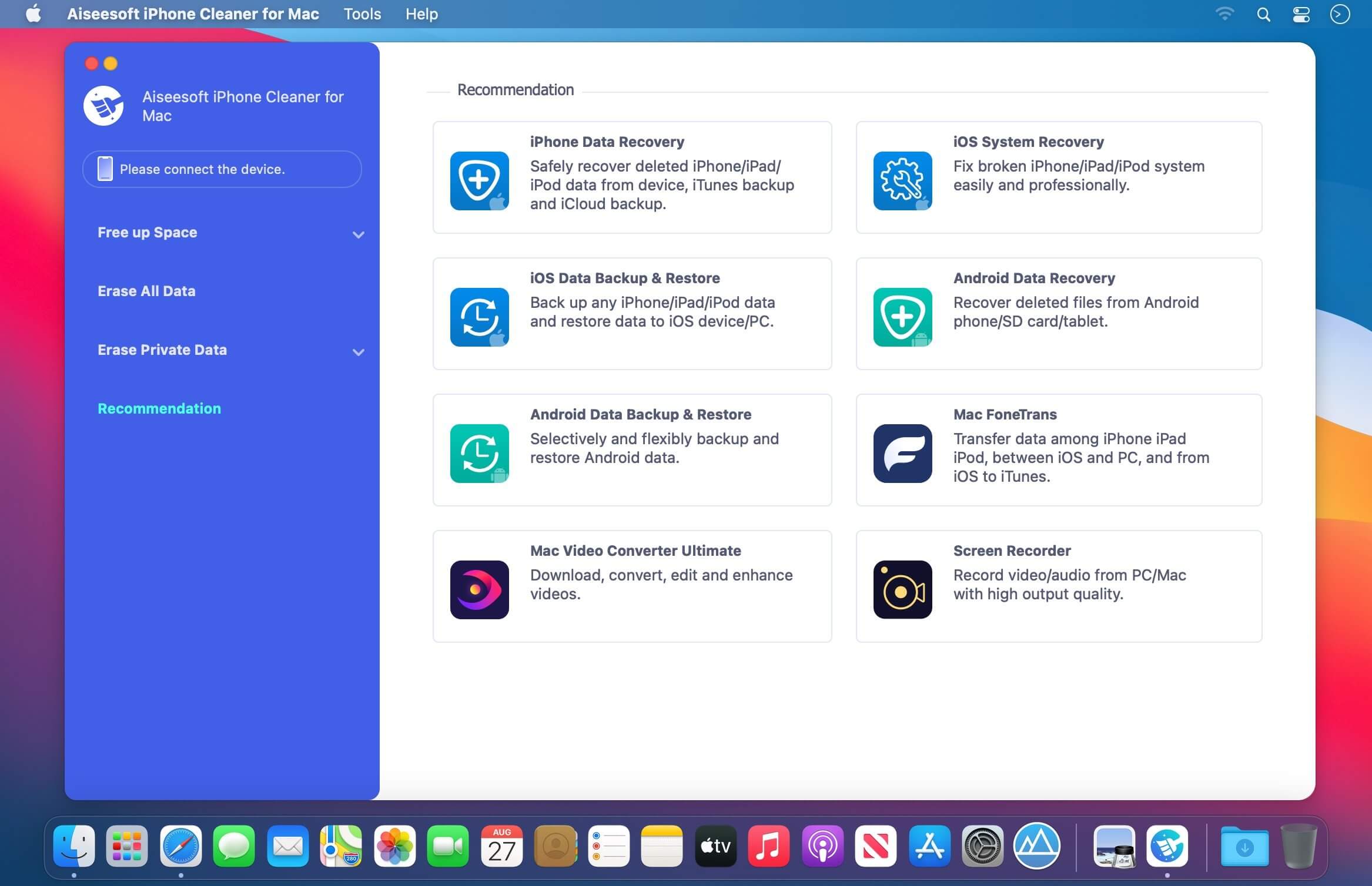
Aiseesoft iPhone Cleaner 1.0.18

The best iOS crap cleaner to clear useless documents and data on your device. It also protects your privacy and makes your iPhone/iPad/iPod Touch faster and safer.

Clear Unnecessary Data to Free Up Space
Is your iPhone running slow? If so, it’s probably a sign that the space on your phone is not enough. In that case, you should clean up your iPhone immediately to speed it up. There is no doubt that Aiseesoft iPhone Cleaner is your best choice to handle this iPhone storage problem. This cleaner app can help you delete and clear useless documents and data on iPhone, such as junk/temp files, unused apps, unwanted photos and large files.

Clean Up Junk Files

This phone cleaner enables you to easily remove temporary files, crash logs, system junk files and caches like iTunes Cache, camera roll, photo stream, photo library, etc.

Uninstall Unused Apps

It also has the capability to detect and present all apps on your iPhone, along with the storage they occupy. Then you can select to uninstall those apps no longer in use.

Compress/Export Photos

Another reason that caused the iPhone lagging issue is the large memory your photos consume. So, this tool allows you to compress photos or export them to PC for backup.

Delete Large Files

With iPhone Cleaner, you are able to scan and get all the large files like videos on your iOS device. Now it’s your time to clean them up. But don’t worry! You can make a backup first.

Compatibility: macOS 10.7 or later
Homepage https://www.aiseesoft.com/iphone-cleaner/

Screenshots


Name: Aiseesoft_iPhone_Cleaner_1.0.18.127398_[TNT]_Mactorrents.is.dmg
Size: 38.54 MB
Files Aiseesoft_iPhone_Cleaner_1.0.18.127398_[TNT]_ Mactorrents.is.dmg[38.54 MB]

   Download

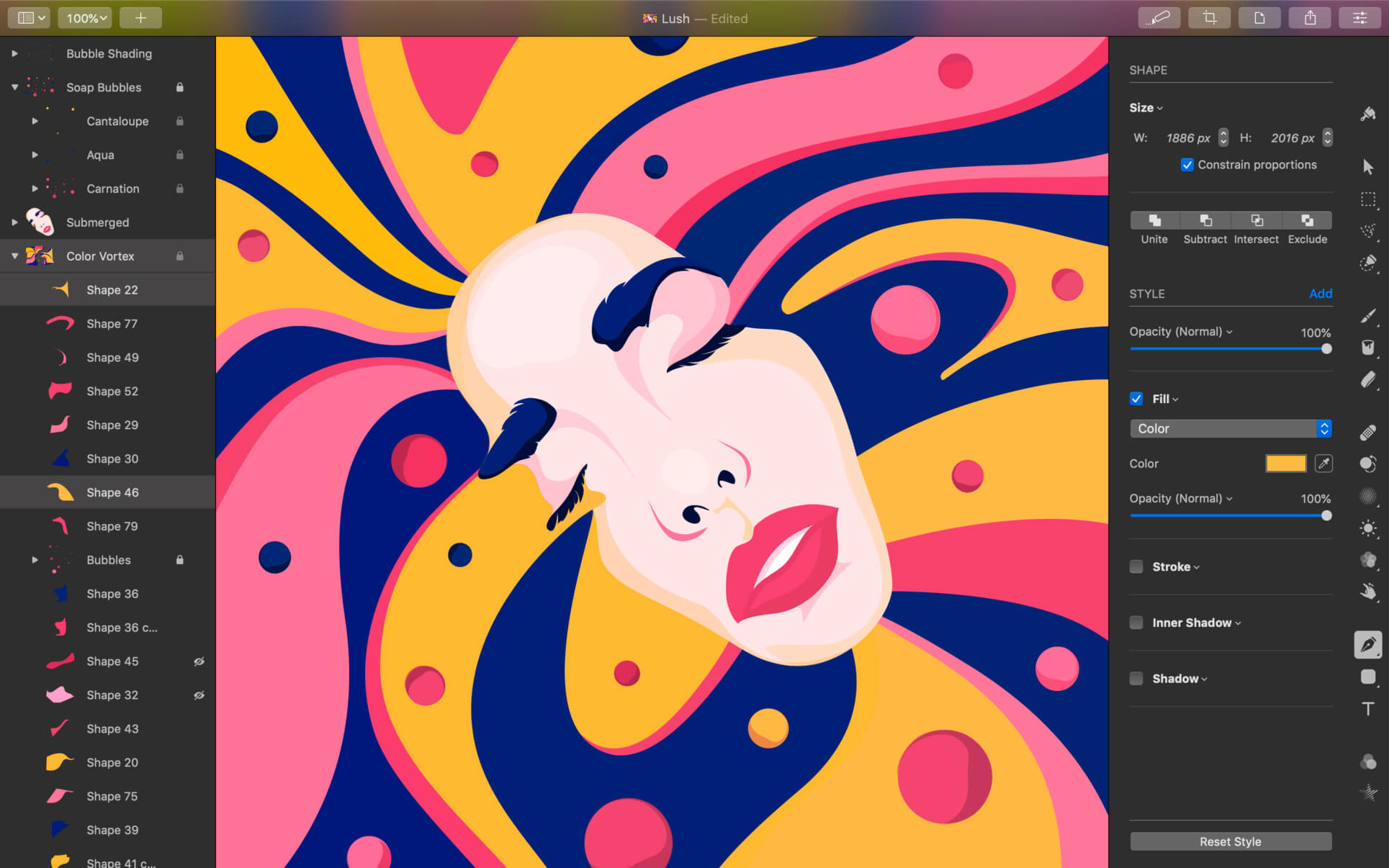
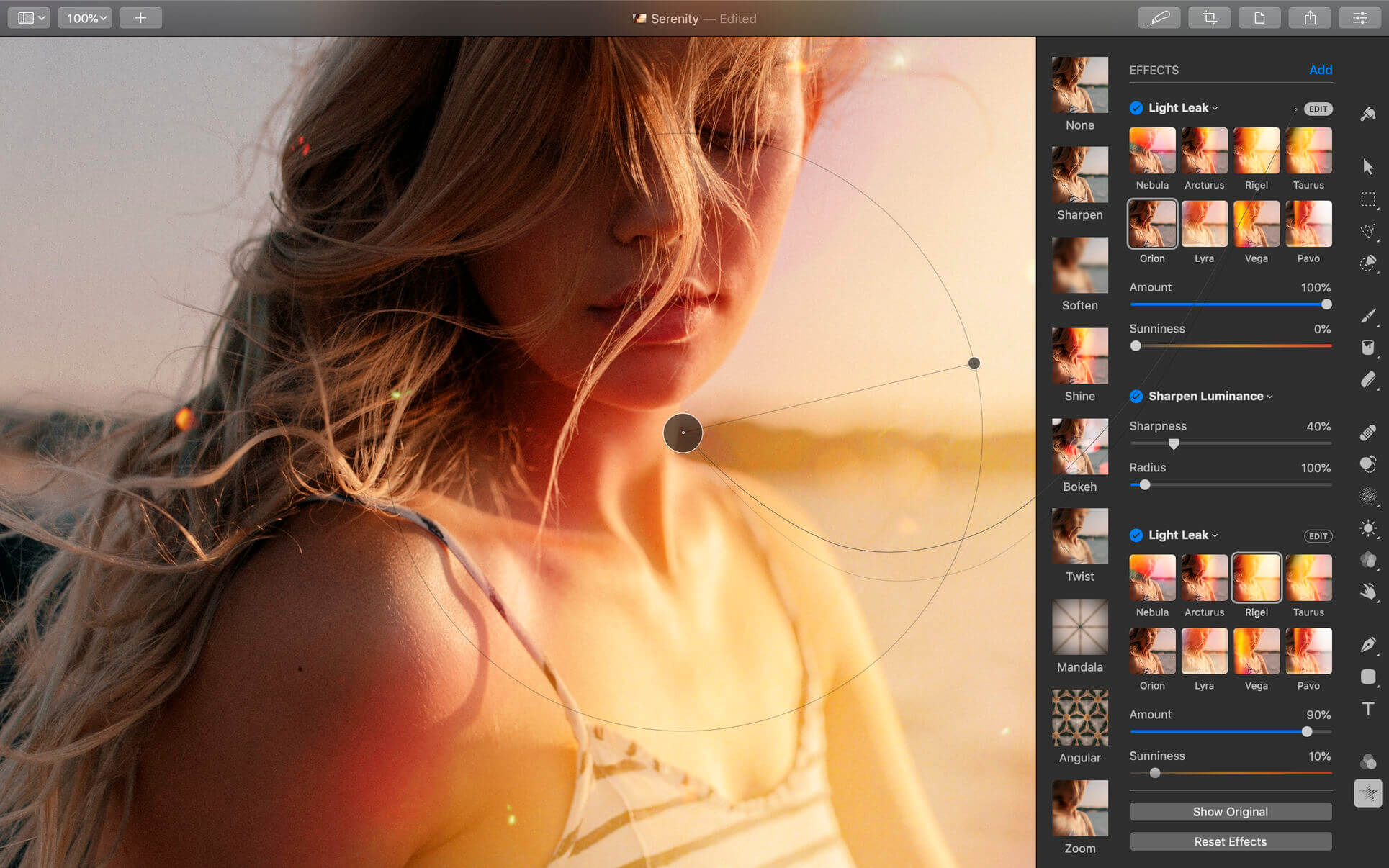
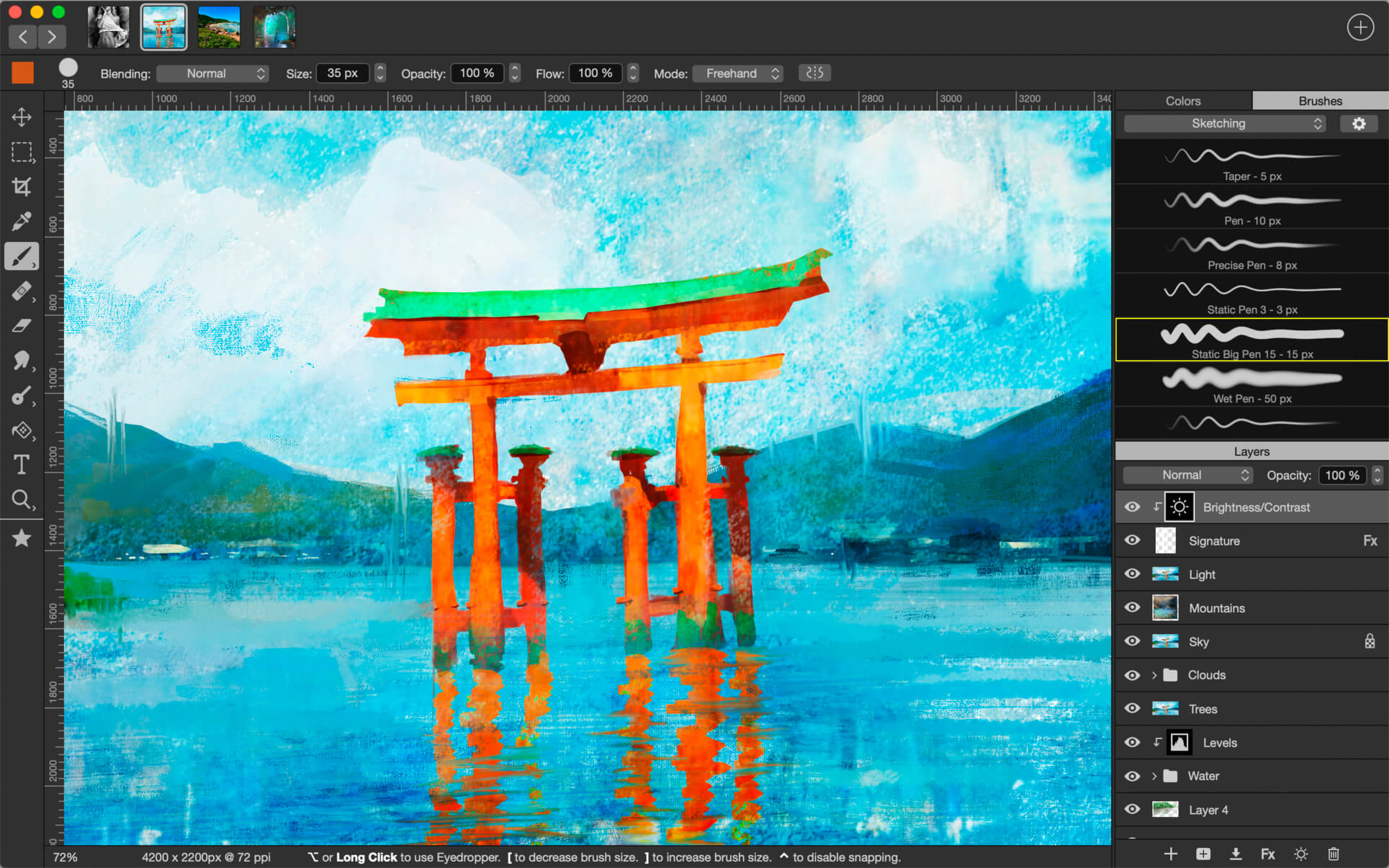
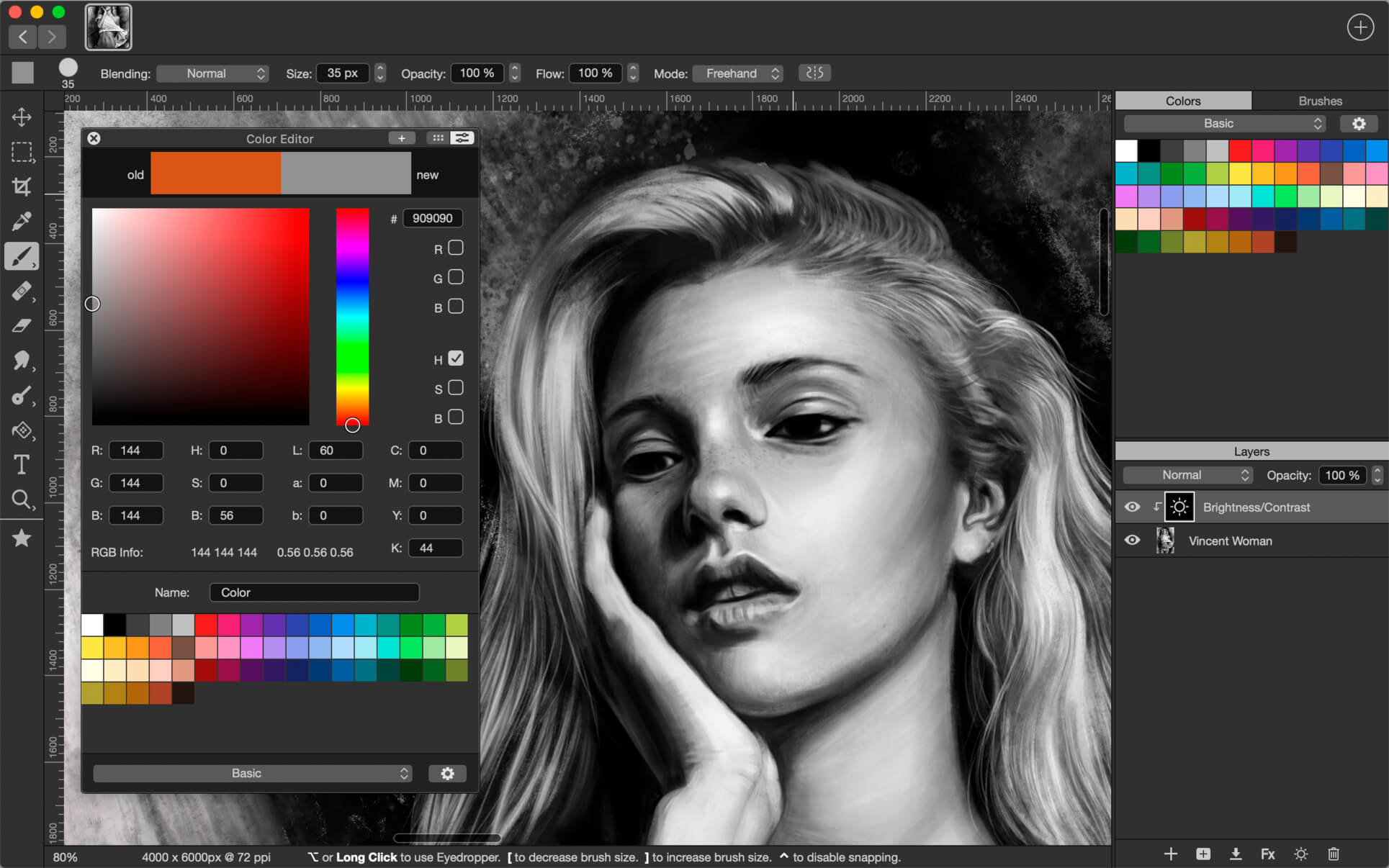
Pixelmator Pro 3.2.3

Pixelmator Pro is an incredibly powerful, beautiful, and easy to use image editor designed exclusively for Mac.
With a wide range of professional-grade, nondestructive image editing tools, Pixelmator Pro lets you bring out the best in your photos, create gorgeous compositions and designs, draw, paint, apply stunning effects, design beautiful text, and edit images in just about any way you can imagine. And thanks to its intuitive and accessible design, Pixelmator Pro is delightfully easy to use — whether you’re just starting out with image editing or you’re a seasoned pro.

Exceptional Design and Functionality

  • The modern, single-window interface of Pixelmator Pro is designed exclusively for working with images on a Mac
  • An intuitive and refined design makes image editing easy and accessible, even if you’re a complete beginner
  • Native dark and light appearances adapt to the light and dark modes of macOS
  • A customizable interface lets you organize your creative environment just the way you want
  • Choose from workspace presets created for photography, design, illustration, and painting
  • A full-featured Photos extension lets you edit images using Pixelmator Pro without ever leaving Photos, saving layered, nondestructive edits directly to your library

Professional Tools

  • Enhance your existing images and create new ones using every image editing tool you could ever need
  • Edit nondestructively, adjusting individual changes whenever you like
  • Easily move, resize, and arrange objects to create stunning compositions
  • Adjust colors with a collection of nondestructive, machine learning-powered color adjustments
  • Enjoy superior support for RAW files, editing RAW images using all their extended range data
  • Create digital or traditional paintings using handcrafted, fully-customizable, dual-texture brushes with full support for digital graphics tablets
  • Combine the built-in effects to create any artistic or special effects you can imagine
  • Save adjustment, effect, and layer style combinations as presets, use them in any of your images, and share them with others
  • Speed up image editing with hundreds of presets for color adjustments, effects, layer styles, and shapes
  • Magically remove small imperfections or entire objects, seamlessly clone parts of your photos, and lighten or darken precise areas using a full set of retouching tools
  • Use the reshaping tools to easily change the shape of any object or area in your images
  • Add customizable vector graphics designed by the Pixelmator Team
  • Create your own vector graphics using the Pen tool
  • Easily design great-looking text with a full set of typography tools
  • Quickly create curved, circular, and path text
  • Optimize and save your images for the web, using advanced compression to shrink file sizes
  • Batch process images using built-in Automator actions
  • Effortlessly automate workflows using full-featured AppleScript support

Image Editing Enhanced by Machine Learning

  • Magically remove objects, recreating image areas with stunning realism using the Repair tool
  • Use ML Enhance to intelligently enhance photos with a machine learning algorithm trained on millions of professional photos
  • Zoom and enhance image resolution with the incredible ML Super Resolution
  • Automatically copy the look of one photo to another with ML Match Colors
  • Remove image noise and compression artifacts while preserving details using ML Denoise
  • Quickly make accurate selections with ease using the Quick Selection tool

Compatibility

  • Open and edit images in all the most popular image formats, including JPEG, TIFF, PNG, PSD, HEIF, SVG, PDF, GIF, BMP, TGA, WebP and JPEG-2000
  • Open and edit Photoshop images with layers
  • Open and edit SVG vector images
  • Share your images to Photos, Mail, AirDrop, and other locations

Built Exclusively for Mac

  • Designed exclusively for macOS, Pixelmator Pro supports almost every major macOS feature and integrates seamlessly with macOS Big Sur.

Compatibility: macOS 11.0 or later
Homepage https://apps.apple.com/pk/app/pixelmator-pro/id1289583905

Screenshots


Name: Pixelmator Pro 3.2.3 MAS [HCiSO]_Mactorrents.is.dmg
Size: 515.06 MB
Files Pixelmator Pro 3.2.3 MAS [HCiSO]_ Mactorrents.is.dmg[515.06 MB]

   Download

Perfectly Clear WorkBench 4.2.0.2370

Perfectly Clear Workbench is an application that uses Athentech’s Perfectly Clear image correction libraries and is made available to demonstrate the capabilities of the Perfectly Clear processing libraries, face detection library and to allow a quick export of the processing settings for use.

Supported Image Formats:
Perfectly Clear requires RGB-formatted images in either 8 or 16-bit color depth. Any image file that Photoshop or Lightroom can open and convert to this format may be used in Perfectly Clear. Monochrome and CMYK images must be converted to RGB before using Perfectly Clear. RAW files must be opened through Adobe Camera RAW and loaded into Photoshop to be accessible to Perfectly Clear.

What’s New:

Version 4.2.0.2370:

  • Release notes were unavailable when this listing was updated.

Compatibility: macOS 10.10 or later
Homepage https://eyeq.photos/

Name: Perfectly_Clear_Workbench_v4_4.2.0.2370_[TNT]_Mactorrents.is.dmg
Size: 92 MB
Files Perfectly_Clear_Workbench_v4_4.2.0.2370_[TNT]_ Mactorrents.is.dmg[92 MB]

   Download

Cardhop 2.2.4

Until now, managing and interacting with your contacts has been a real frustration. Cardhop’s magical parsing engine is incredibly intuitive, letting you search, add, edit, and interact with your contacts using a simple sentence!

FEATURES

  • A beautiful and simple menu bar app, designed exclusively for macOS
  • Instantly works with your existing macOS contacts, nothing to configure
  • Groups: quickly toggle contact groups with a click
  • Notes: a convenient and powerful way to add notes to your contacts, helping you to strengthen your relationships
  • Recents: quickly interact with your recent contacts
  • Birthdays: instantly see upcoming birthdays and easily send a wish on their special day
  • iPhone and Bluetooth dialing
  • macOS Action Extension
  • Dark and light themes
  • And much, much more!

POWERFUL ACTIONS

  • Quickly interact with your contacts with the following actions: Call, Copy, Directions, Email, FaceTime, FaceTime Audio, Large Type, Message, Skype, Telegram, Twitter, URL, and VoIP
  • Simply enter an action or abbreviation (which you’ll find in the Help Book by entering “?” or “help”) followed by your contact’s name and Cardhop will handle the rest
  • Even better, some actions are flexible. For example, you can add a subject to an email by entering “email Kent Lunch tomorrow?” and the email including the subject will instantly appear, ready to go!
  • Customizable quick actions are also available per contact, allowing for single-click actions

What’s New:

Version 2.2.4:

  • Release notes were unavailable when this listing was updated.

Compatibility: macOS 10.13 or later
Homepage https://flexibits.com/cardhop

Screenshots


Name: Cardhop_2.2.4_[TNT]_Mactorrents.is.dmg
Size: 32.43 MB
Files Cardhop_2.2.4_[TNT]_ Mactorrents.is.dmg[32.43 MB]

   Download

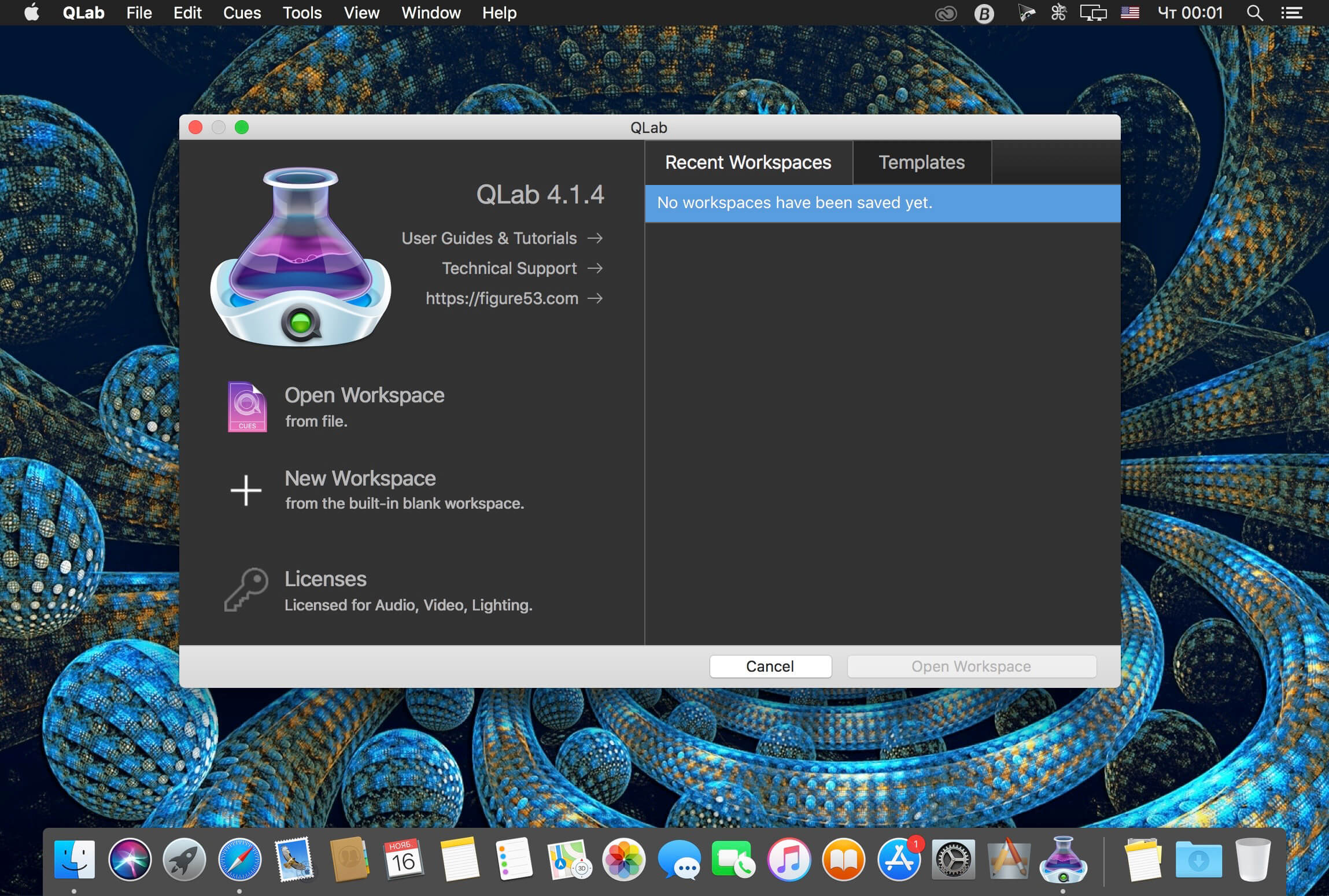
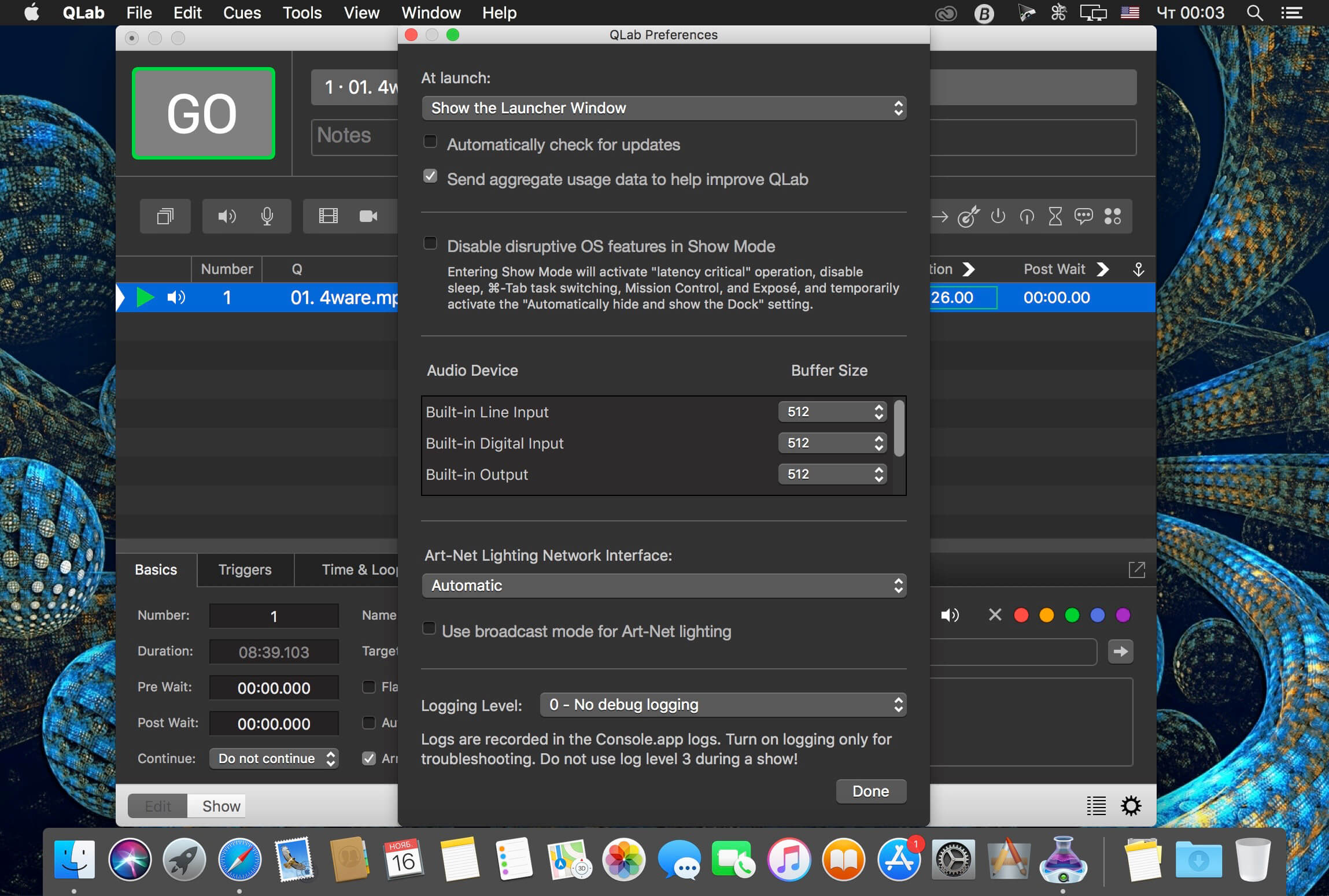
QLab Pro 5.0.12

QLab makes it simple to create rich multimedia designs for live performances and installations. From Broadway to the West End, in churches, museums, store fronts, concert halls, and theaters around the world, people use QLab to bring their audio and video to life.

Simply powerful show control
QLab allows you to design and operate amazing multimedia performances from your Mac OS X computer. A single QLab workspace can control audio, video, MIDI, OSC, and more.

Amazingly deep, surprisingly easy
Using building blocks called “cues”, you can create sophisticated designs in seconds.

Getting started is as simple as dragging in a file and pressing “GO”. From there, add commands to fade volume, animate videos, or add audio and video effects.
Once you master the basics, become a power user with advanced features like scripting, video corner pinning, multi-projector edge blending, audio localization, or even building multi-computer designs by sending commands to other QLab machines on your local network.

The industry standard.
Battle-tested and used by designers around the world, QLab is the tool of choice in venues large and small.

Audio Effects
You can now apply live audio effects to all your cues: EQ, pitch shift, reverb, and more. Add audio effects to individual cues, across all cue outputs, or on your device outputs.

Dynamic Effects
The powerful new Fade Cue can adjust your audio effect parameters in real time. It can even adjust playback rate, to dynamically speed up or slow down your audio, with or without pitch shifting.

Live Audio Inputs
The new Mic Cue offers up to 24 channels of live audio inputs. Plus all those routing, fading, and audio effects you get on Audio Cues? You get those on Mic Cues too.

Compatibility: OS X 11.0 or later
Homepage https://qlab.app/

Screenshots


Name: QLab_5.0.12_[TNT]_Mactorrents.is.dmg
Size: 38.68 MB
Files QLab_5.0.12_[TNT]_ Mactorrents.is.dmg[38.68 MB]

   Download

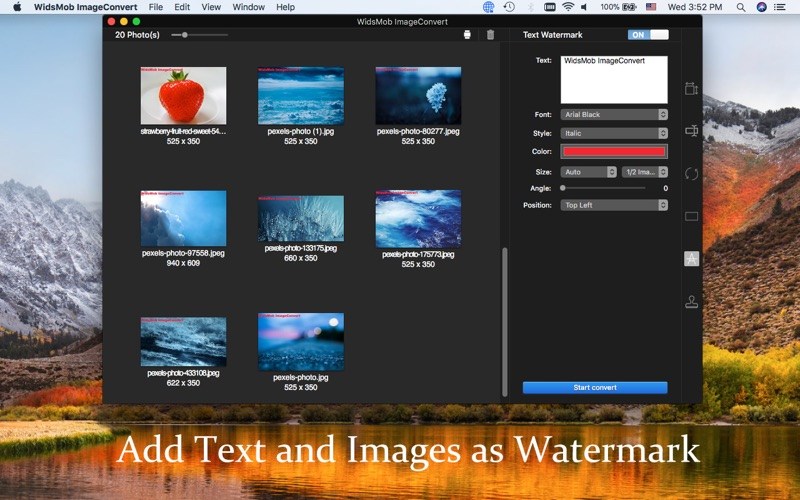
WidsMob ImageConvert 3.25

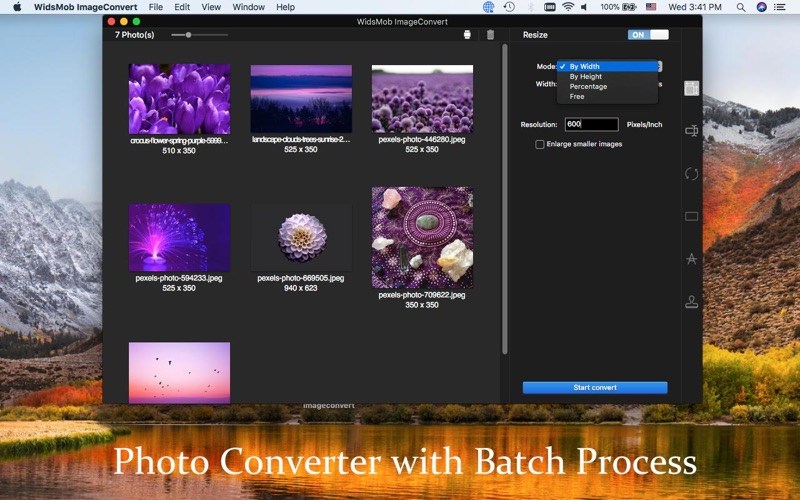
WidsMob ImageConvert should be the versatile photo converter to handle hundreds or thousands of images in batch. Whether you need to turn RAW into JPEG, resize, compress, rename, add border, add watermark in text or image, you can always turn photos into desired result within one click.

Convert RAW in batch. Whether the RAW format, or mixed-format images, you can turn photos into to JPEG, JPEG 2000, PNG, TIFF, BMP, and more. What is more, the advanced algorithm has 6x speed to convert RAW formats into JPEG and other photo formats.

Photo editing features. Resize photos in 4 different modes, By Width, By Height, Percentage and Free, which even enable you to enlarge small images. You can also rotate videos with different angles in batch, add border or frames in different color mode.

Add watermark. Not only add captions and images as watermark, but also allows you to adjust font, style, color, opacity, size, angle, position and more in batch. You can instantly preview the applied effects on all the photos to get the optimal result.

Instant preview. When you apply the photo effects or add watermark, you can have install preview for the result from the interface for all the image files. And you can also click Preview to check the result for each image in detail in an easy process.

User friendly. Settings to overwrite the files with the original name, switch to turn off and restore to original images in one click. Multiple settings for resize, add watermark and more to get the best result. Fast conversion speed to enjoy a conversion with nice experience.

What’s New:

Version 3.25:

  • Release notes were unavailable when this listing was updated.

Compatibility: macOS 10.15 or later
Homepage https://www.widsmob.com

Screenshots


Name: WidsMob ImageConvert 3.25 MAS [HCiSO]_Mactorrents.is.dmg
Size: 70 MB
Files WidsMob ImageConvert 3.25 MAS [HCiSO]_ Mactorrents.is.dmg[70 MB]

   Download

Algoriddim djay Pro AI 4.1.3

Welcome to djay Pro AI! Algoriddim’s acclaimed DJ software and winner of multiple Apple Design Awards has been rebuilt from the ground up using groundbreaking AI technology – NEURAL MIX.

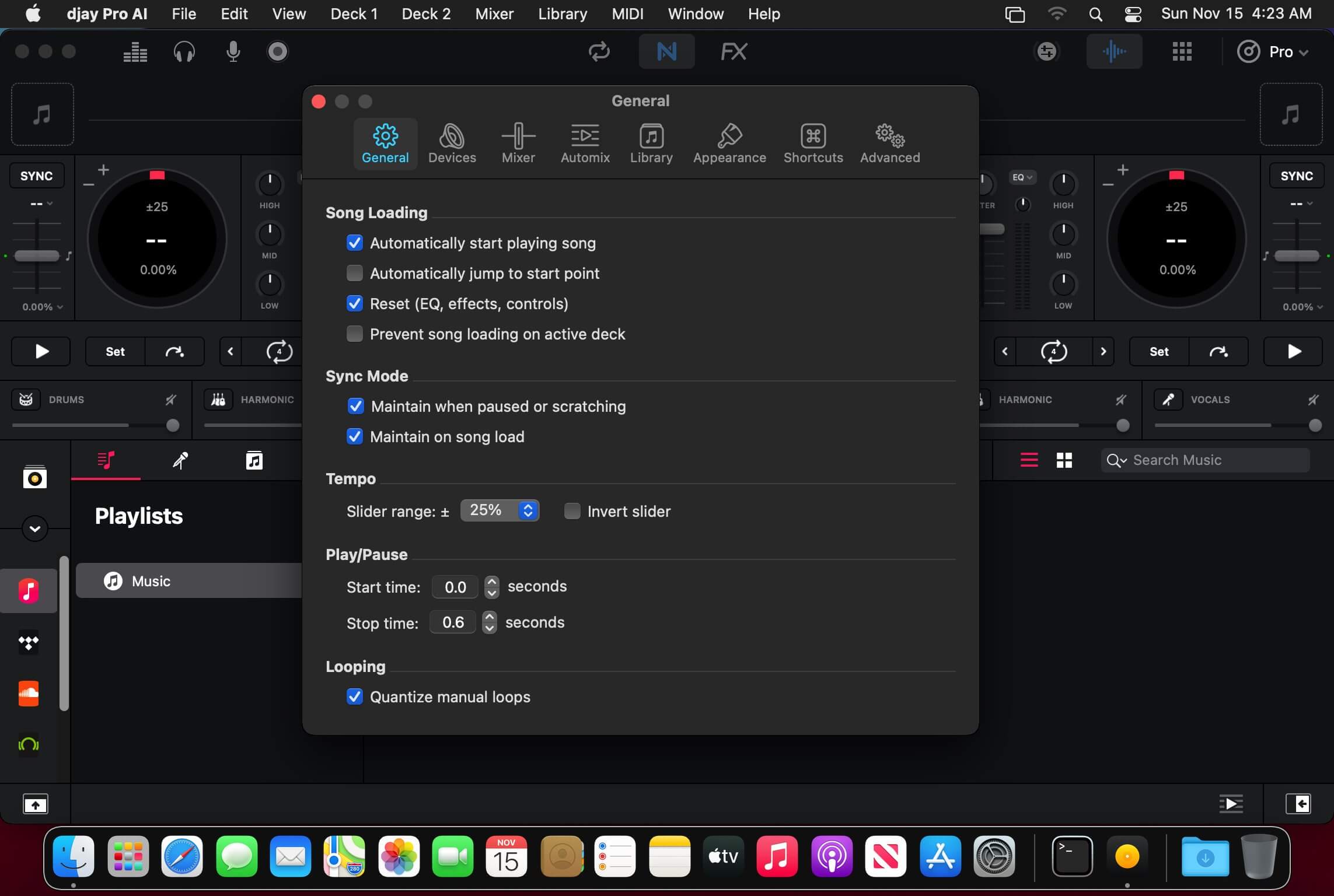
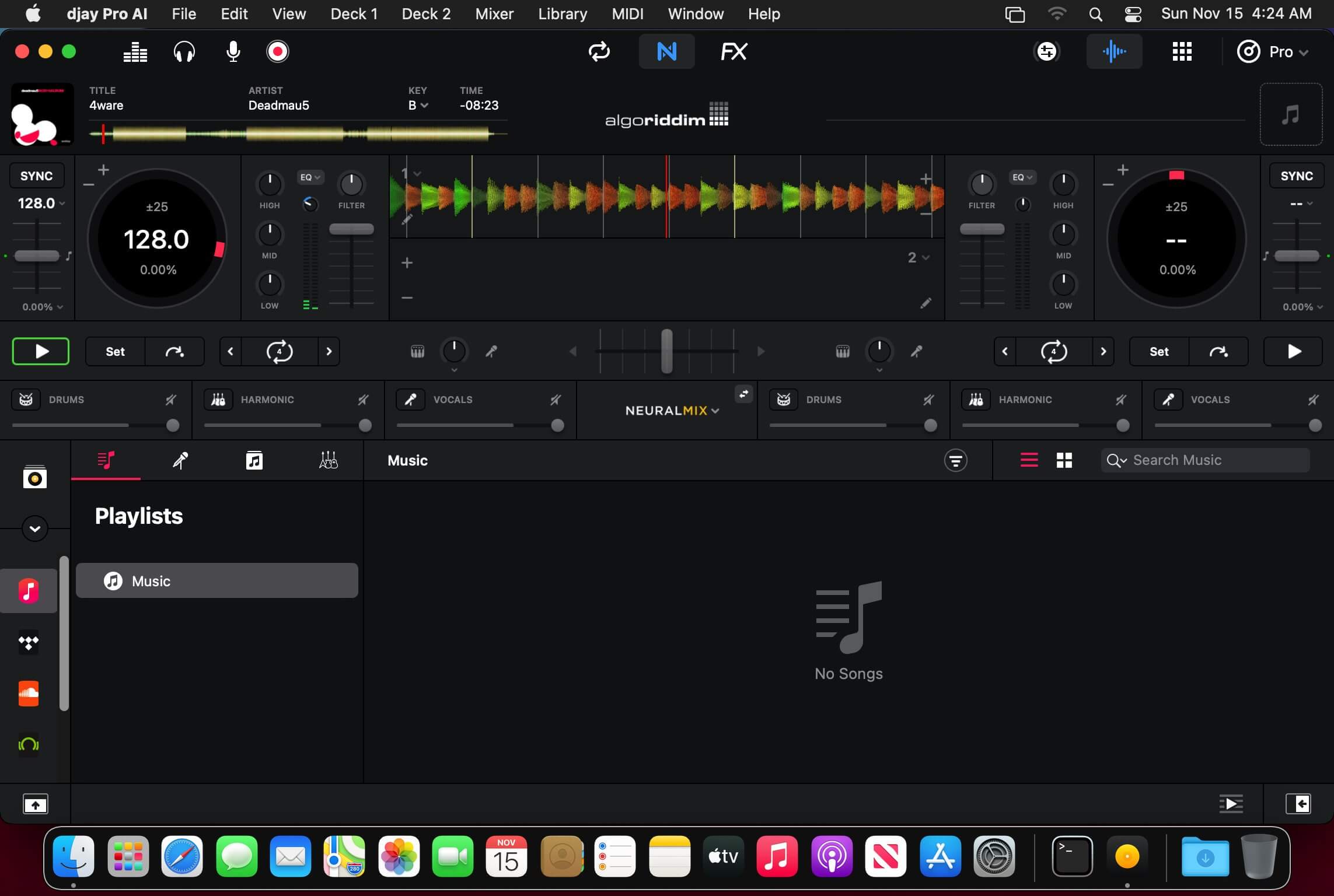
NEURAL MIX allows you to isolate instrumentals and acappellas of your favorite tracks in real-time and redefines the boundaries of creative mixing. You can crossfade drums, bass lines, and melodies of two songs independently, apply audio effects to individual components of music, and even loop the beat while the melody of the same track continues playing.

djay Pro’s all-new, modern interface is built around a sophisticated integration with your music library, giving you instant access to millions of tracks. Pristine sound quality and a powerful set of features including live production tools, four decks, high-definition waveforms, video mixing and hardware integration give you endless creative flexibility to reinvent your DJ sets.

NEURAL MIX

  • Isolate vocals, drums, bass lines, and instrumentals in real-time
  • FX routing: apply audio effects to individual components of music (Vocal Echo, Harmonic Filter, Drum Reverb, and more)
  • Loop routing: Loop the beat while the melody of the same song continues playing, and vice versa
  • AI crossfades: seamlessly blend and swap drums, bass lines, or vocals of two tracks
  • AI waveforms: see vocals, drums, and harmonic waveforms per track side by side

MUSIC PRODUCTION TOOLS

  • Sequencer: create instant beats on top of music
  • Looper: remix music with up to 48 loops per track
  • Beat-matched sequencing of drums and samples
  • Extensive content library with 1000+ loops and samples

STREAMING INTEGRATIONS

  • TIDAL: Millions of tracks, music videos, high quality sound /TIDAL Premium or HiFi)
  • SoundCloud: Millions of underground and premium tracks SoundCloud Go+)
  • Beatport: Millions of electronic music tracks (Beatport LINK)
  • Beatsource: Millions of open-format music tracks (Beatport LINK)

AWARD-WINNING USER INTERFACE

  • 2- and 4-Deck views
  • Single Deck preparation view
  • Video and Automix views

ADVANCED LIBRARY MANAGEMENT

  • Create your own custom and smart playlists
  • Powerful track filtering
  • Finder Integration

AUTOMIX

  • Automatic, beat-matched mixes based on artificial intelligence
  • Queue and Playlist automation

VIDEOS, VISUALS, and PHOTOS

  • Mix videos, visuals, and photos
  • Music video streaming through TIDAL
  • Beat-matched photo slideshows

POWERFUL AUDIO ENGINE

  • Revolutionary AI audio engine
  • Real-time music source separation
  • High-quality mixer, filter, EQ, isolator, and limiter
  • Advanced time-stretching and pitch shifting
  • Over 40 built-in audio effects
  • Master output effects through Audio Unit plug-ins
  • Live recording
  • Ableton Link integration

ADVANCED AUDIO ANALYSIS   

  • BPM and beat detection
  • Key detection
  • Multi color waveformsBPM
  • Auto-Gain

HARDWARE INTEGRATION

  • Native support for over 100 MIDI controllers
  • Pioneer DJ CDJ Integration
  • RANE Twelve integration
  • Advanced MIDI Learn
  • External Mixer Mode
  • Support for multi-channel USB audio interfaces
  • Support for external audio input and microphones

In-App Purchases: Full Version – included
Language: English, Spanish, Italian, German and others.
Compatibility: macOS 10.14.4 or later
Homepage https://www.noteburner.com/

Screenshots


Name: djay_Pro_AI_4.1.3_MAS_In-App_[TNT]_Mactorrents.is.dmg
Size: 280.14 MB
Files djay_Pro_AI_4.1.3_MAS_In-App_[TNT]_ Mactorrents.is.dmg[280.14 MB]

   Download

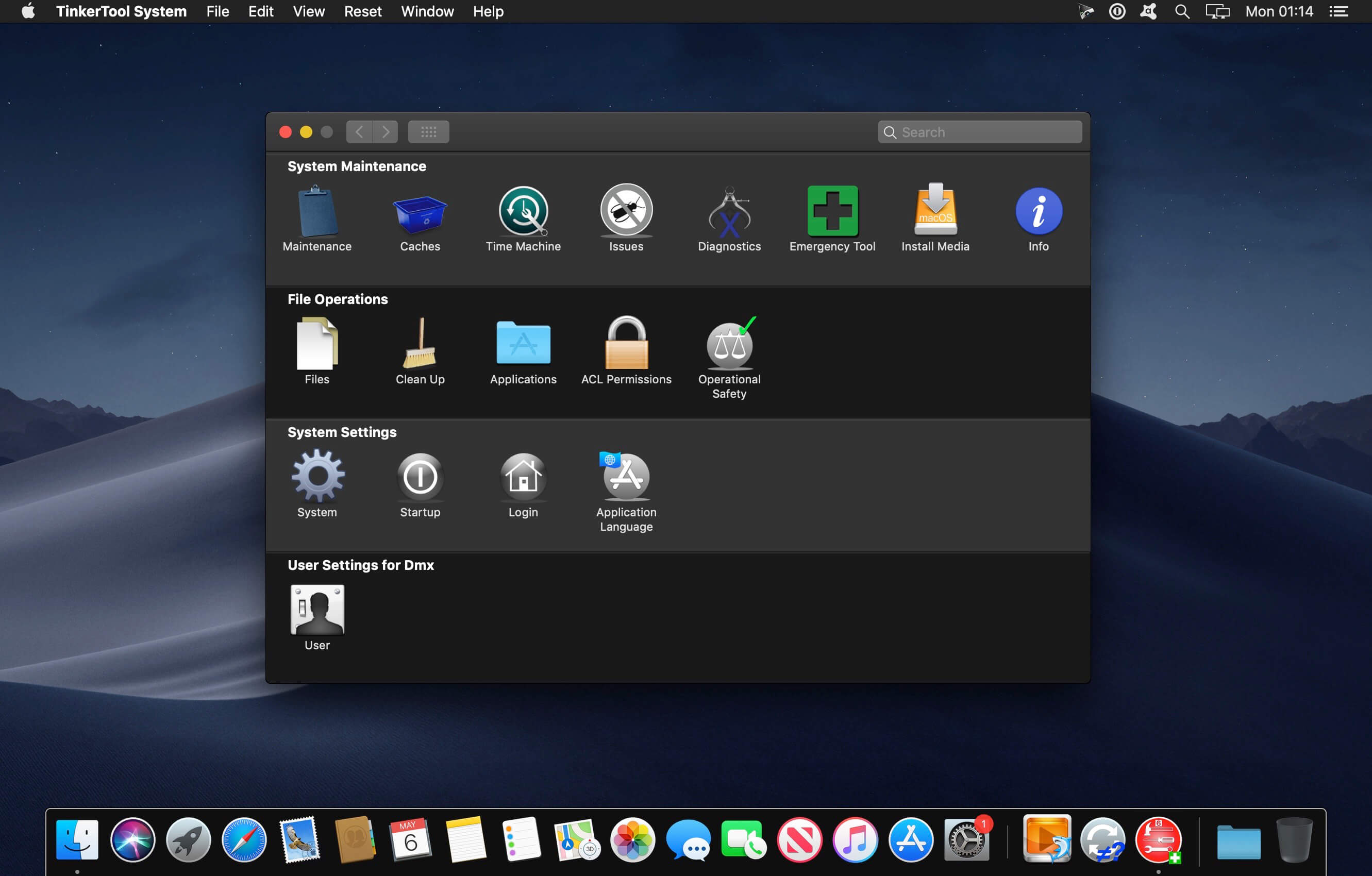
TinkerTool System 8.14

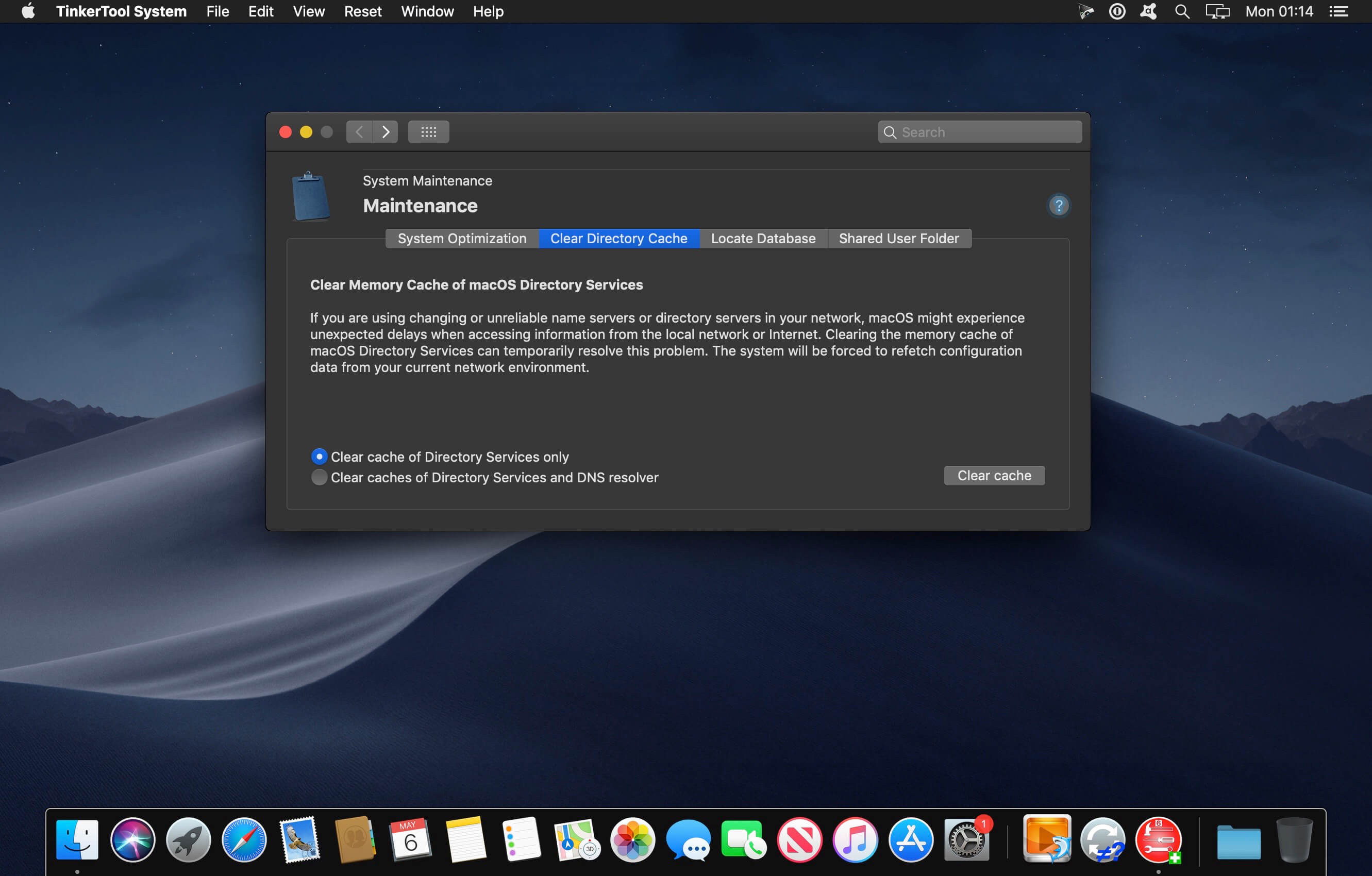
TinkerTool System is a collection of system utility features helping you in performing advanced administration tasks on Apple Macintosh computers. The application makes use of a self-adapting user interface which automatically adjusts to the computer model and to the version of macOS you are running. All options available in the current situation are accessible via “panes”, very similar to the techniques you already know from the System Preferences application. The features are controlled via a single window which allows you to use the application as a general toolbox and First Aid assistant.

This includes:

  • built-in maintenance features of macOS, usually not visible on the graphical user interface,
  • extended file operations, not available in the macOS Finder,
  • the possibility to access advanced system settings which are not visible in System Preferences,
  • genuine and unique features of TinkerTool System, designed to resolve typical real-world problems of administrators and to fix the effects of certain defects (“bugs”) in the operating system,
  • an emergency tool to troubleshoot and repair macOS in cases where the graphical user interface is no longer starting correctly or the user account of the system administrator has been damaged,
  • functions to collect advanced information about the hardware, operating system, and applications.

Together with its sister program TinkerTool which is available at no charge, TinkerTool System is a perfect substitute for the following types of system utilities:

  • Finder enhancers,
  • Cache and font cache cleaners,
  • Scripts to create bootable system installer and recovery disks,
  • Tools to access hidden preference settings,
  • Applications to make objects invisible in the Finder,
  • Log file browsers,
  • Application uninstallers,
  • Single User Mode troubleshooting tools,
  • Spell-checker dictionary editors,
  • and many others.

Compatibility: macOS 11.0 or later • Apple Silicon or Intel Core processor
Homepage https://www.bresink.com/osx/TinkerToolSys6.html

Screenshots


Name: TinkerTool System 8.14 [HCiSO]_Mactorrents.is.dmg
Size: 22.64 MB
Files TinkerTool System 8.14 [HCiSO]_ Mactorrents.is.dmg[22.64 MB]

   Download

OnyX 4.3.4 for macOS Ventura 13.0

Tweaking applications for macOS come in various shapes and prices, and you are free to pick the one that meets your needs, be it focused on finding and fixing as many system errors and problems as possible or on boosting your Mac’s overall performance.

All-in-one system maintenance, tweak and cleaning tool
The OnyX utility has been designed as multi-functional app to help you check your Mac’s start-up disk and system files, to run various system maintenance tasks, to tweak the settings for various apps and system components, and to find and remove app caches and various types of files that, in time, will occupy unnecessary space on your hard drive.

As said before, Onyx comes with a user-friendly graphical interface which organizes all the available tools using tabs, to make it easy for you to find the exact setting or utility you need, as rapidly as possible.

Run automated maintenance scripts and fix permissions
Via the “Verify” tab, Onyx provides you with the tools you need to run a SMART status diagnostic that will help you prevent a hard disk failure.

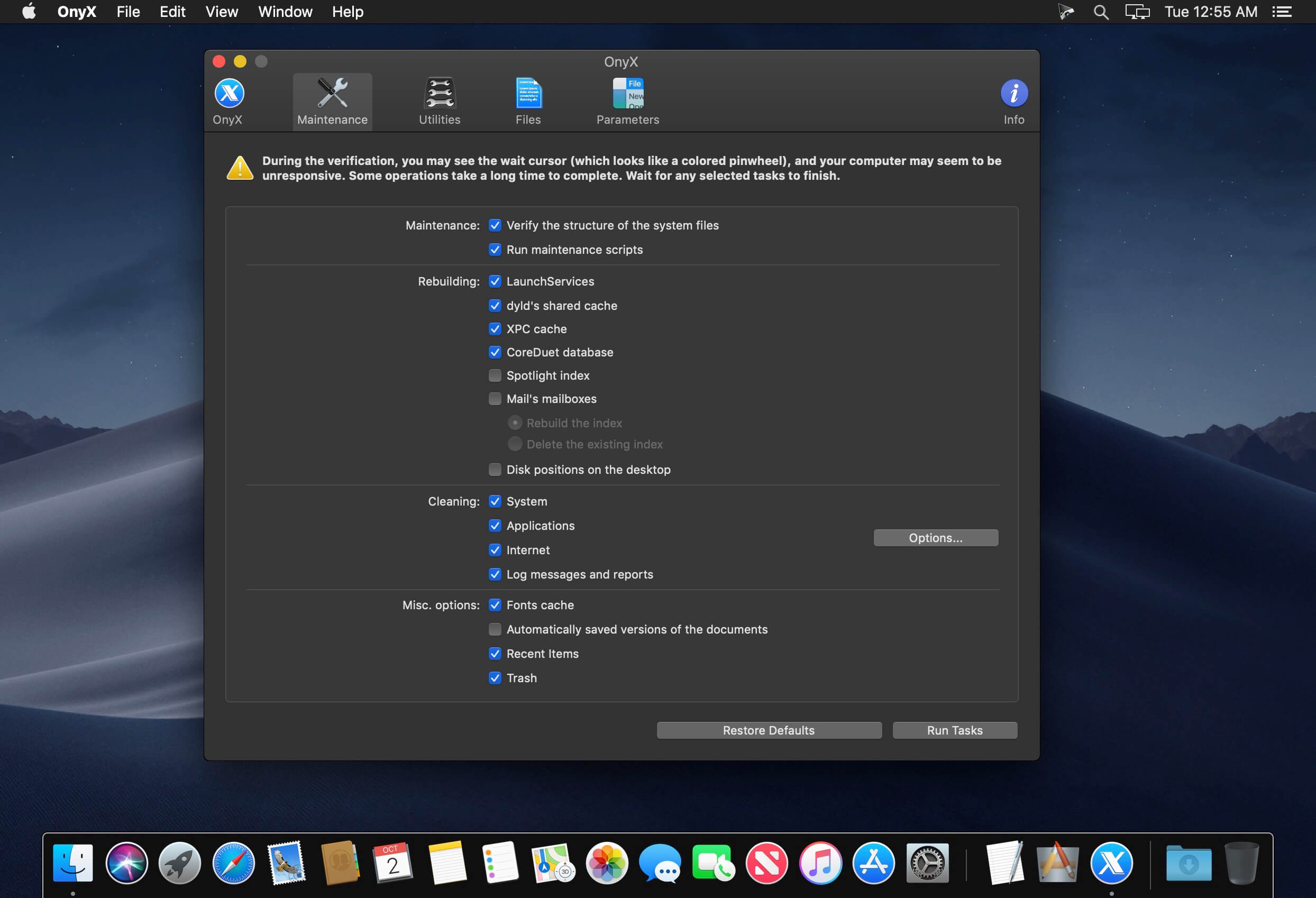
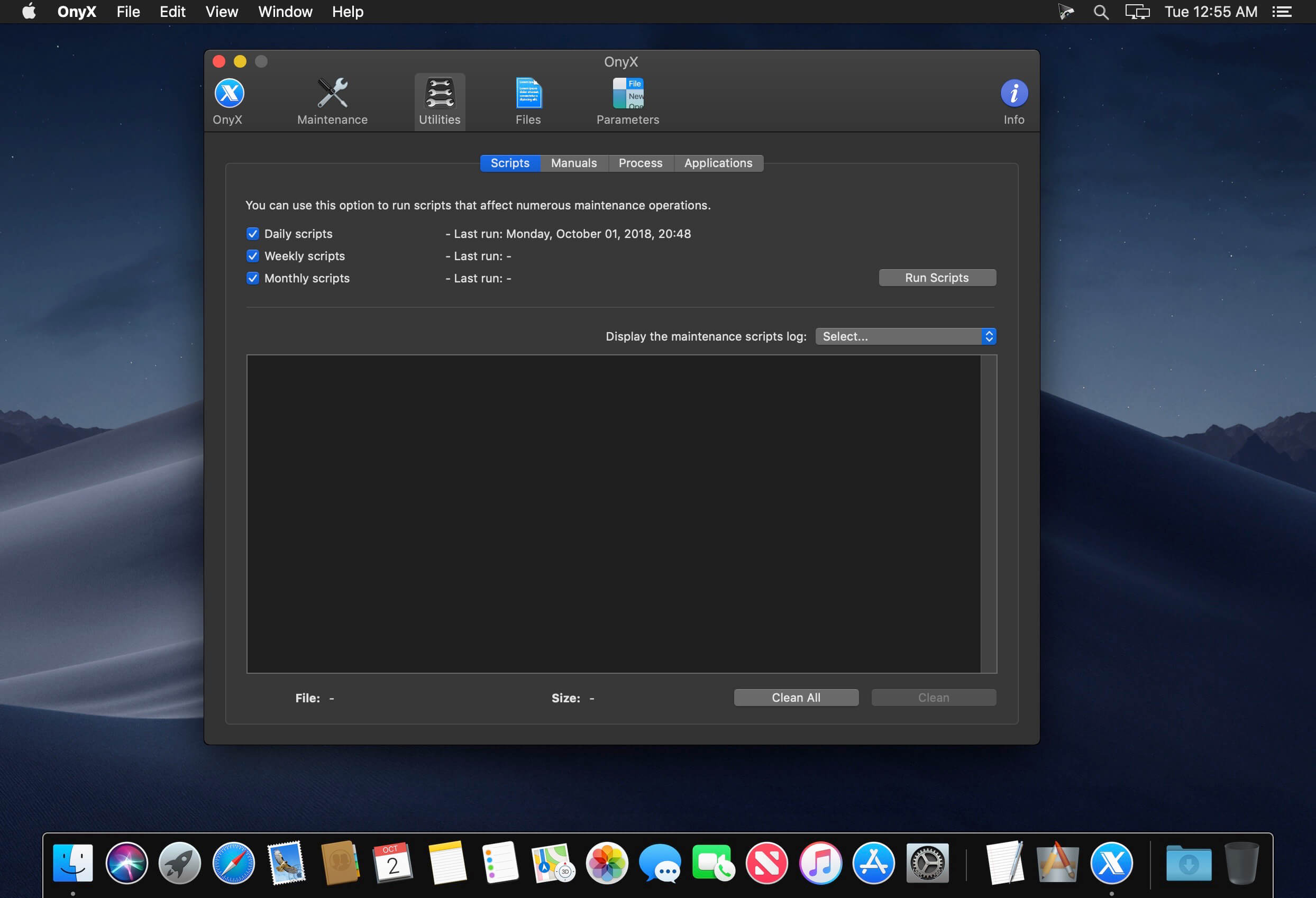
The next tab, “Maintenance”, will help you to launch a system files permissions check and repair, to execute macOS’ daily, weekly and monthly maintenance scripts, and to rebuild various services and indexes.

Clean your Mac’s hard drive with a couple of mouse clicks
Additionally, Onyx can be used to quickly clean system, user, fonts and internet caches, to remove obsolete and unneeded log files, and to securely empty the contents of the Trash folder, all of these for freeing up space on your Mac’s hard drive and to take make your applications more responsive and quicker to launch.

On top of that, you can also use Onyx to run multiple maintenance, cleaning and rebuilding tasks via the Automation tab. Thus, you can check which tasks you want to perform at a time and, by clicking the “Execute” button, they will all be started one after the other, to help you effortlessly automate the process of optimizing and maintaining your system.

Intuitive and streamlined macOS optimizer
On the whole, Onyx is more than your average junk file remover or system optimizing tool because it can do almost anything that’s needed to keep a macOS system in perfect shape, with little to no intervention on your part.

Compatibility: macOS 13.0 or later, Apple Silicon or Intel Core processor
Homepage https://www.titanium-software.fr/en/onyx.html

Screenshots


Name: OnyX 4.3.4_Mactorrents.is.dmg
Size: 4.12 MB
Files OnyX 4.3.4_ Mactorrents.is.dmg[4.12 MB]

   Download

Cookie 6.8.5

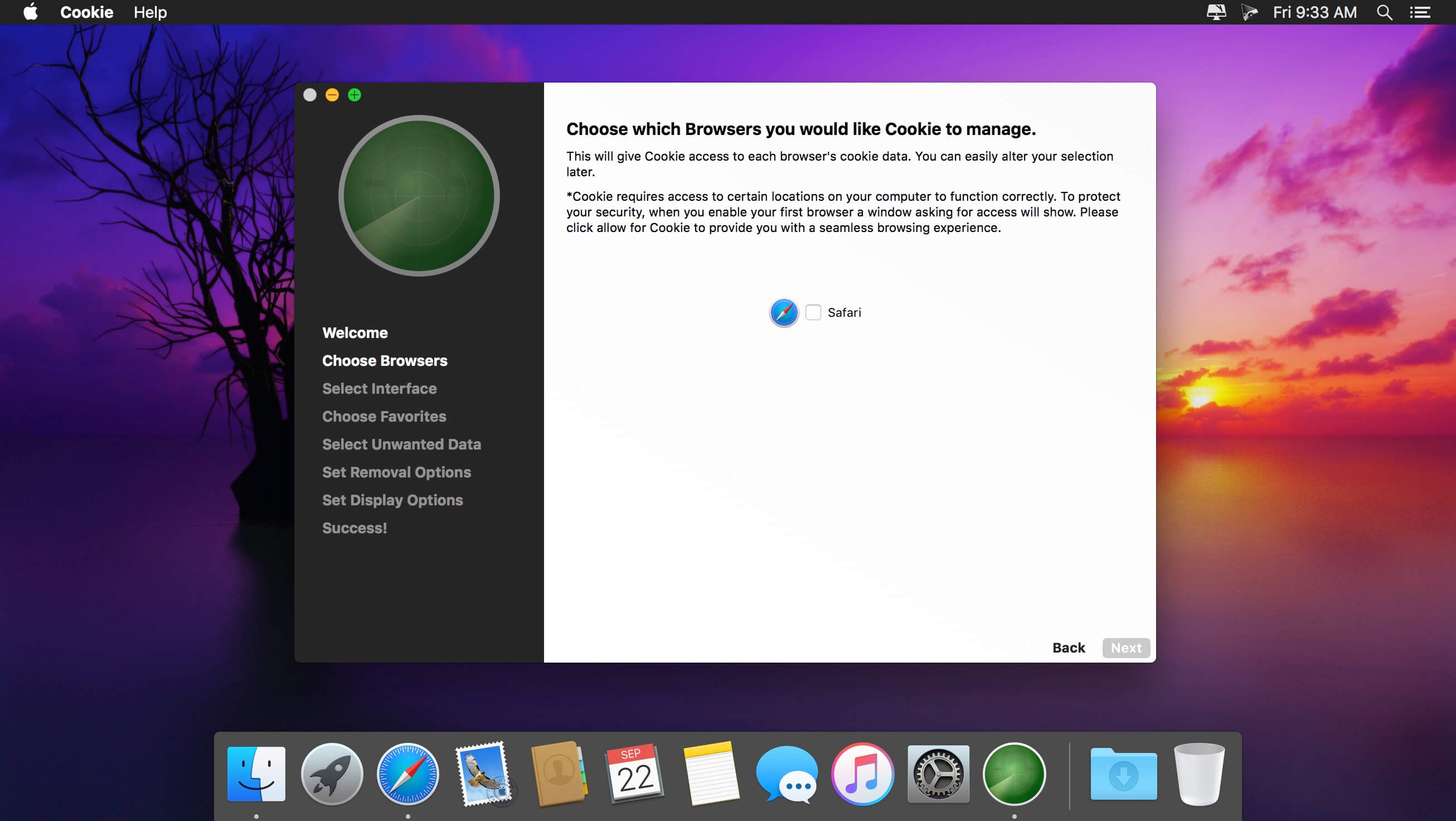
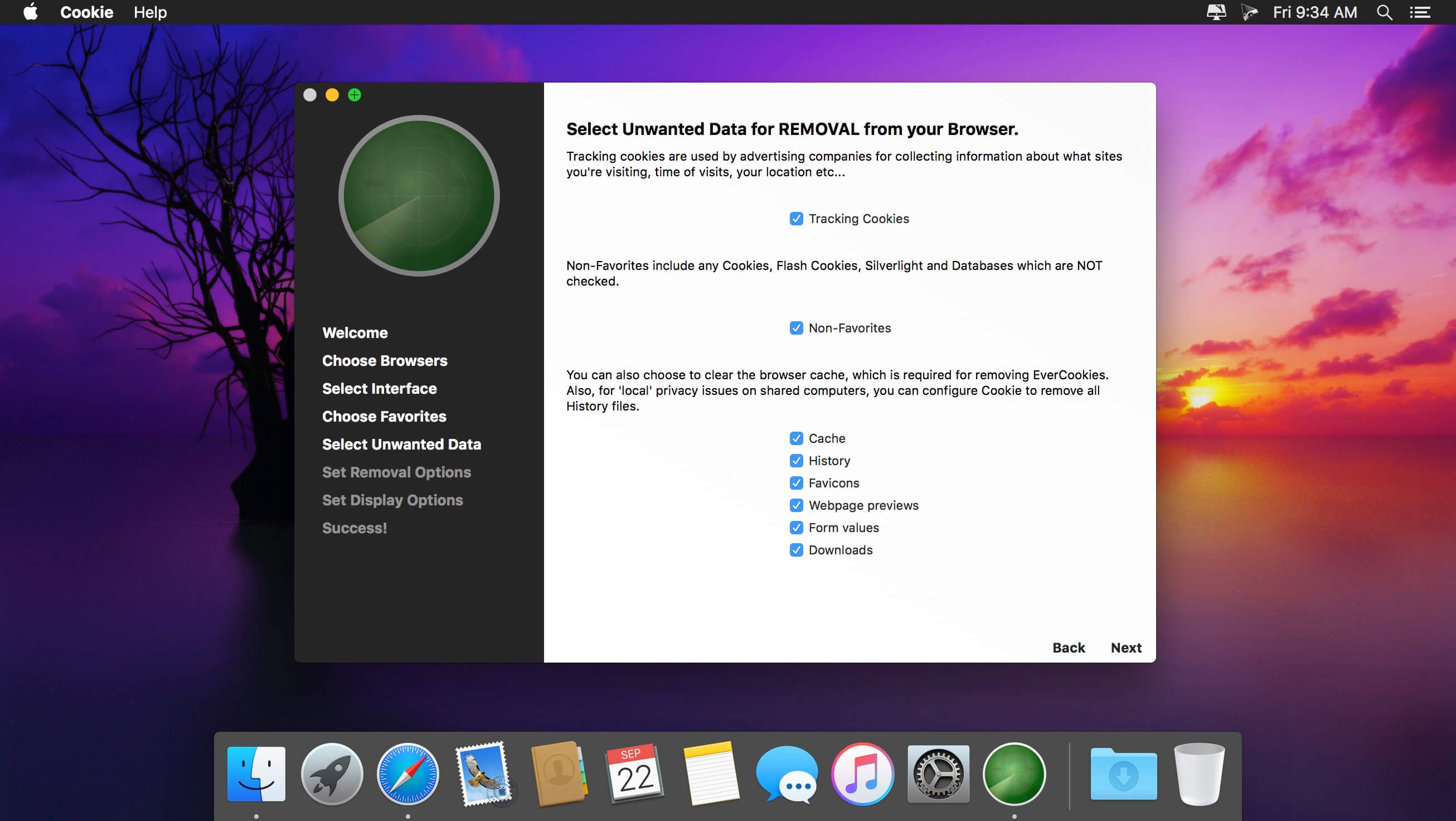
Cookie prevents third parties from hijacking your browsing experience. The sites you visit store “cookies” in your browser without your knowledge or consent. Some are helpful, but others are frustrating and invasive. Cookie can help.

Features:

  • Consolidate all your browser privacy settings
  • Simplified View that takes care of all the technical details for you
  • Advanced View which puts you in total control of all your privacy settings
  • Combined cookie view displaying all cookie/flash/localStorage data in one easy to manage view
  • Cookie’s can be favorited on a per domain, or per cookie basis. You decide
  • Individual Browser settings. It is possible to configure different automatic removal options for each browser. In the case of Chrome/Chromium/Canary/Brave you can even configure settings per user!
  • A number of removal schedules are possible: When quitting Cookie, when a Browser is Quit, on computer login, On computer waking from sleep, on a customizable time schedule, or entirely manually
  • Hotkey support, so you can remove all unwanted data quickly and easily
  • Customizable tracking cookie definitions
  • Whitelist individual tracking cookies
  • Clean, modern and Intuitive User Interface
  • Helpful setup window
  • Browser extension protection
  • Full Screen support
  • iCloud support
  • Dark/Regular theme

Compatibility: macOS 10.14 or later, 64-bit processor
Homepage https://sweetpproductions.com/

Screenshots


Name: Cookie_6.8.5_[TNT]_Mactorrents.is.dmg
Size: 7.49 MB
Files Cookie_6.8.5_[TNT]_ Mactorrents.is.dmg[7.49 MB]

   Download

FrameMagic – Collage Maker Pro 3.6.7

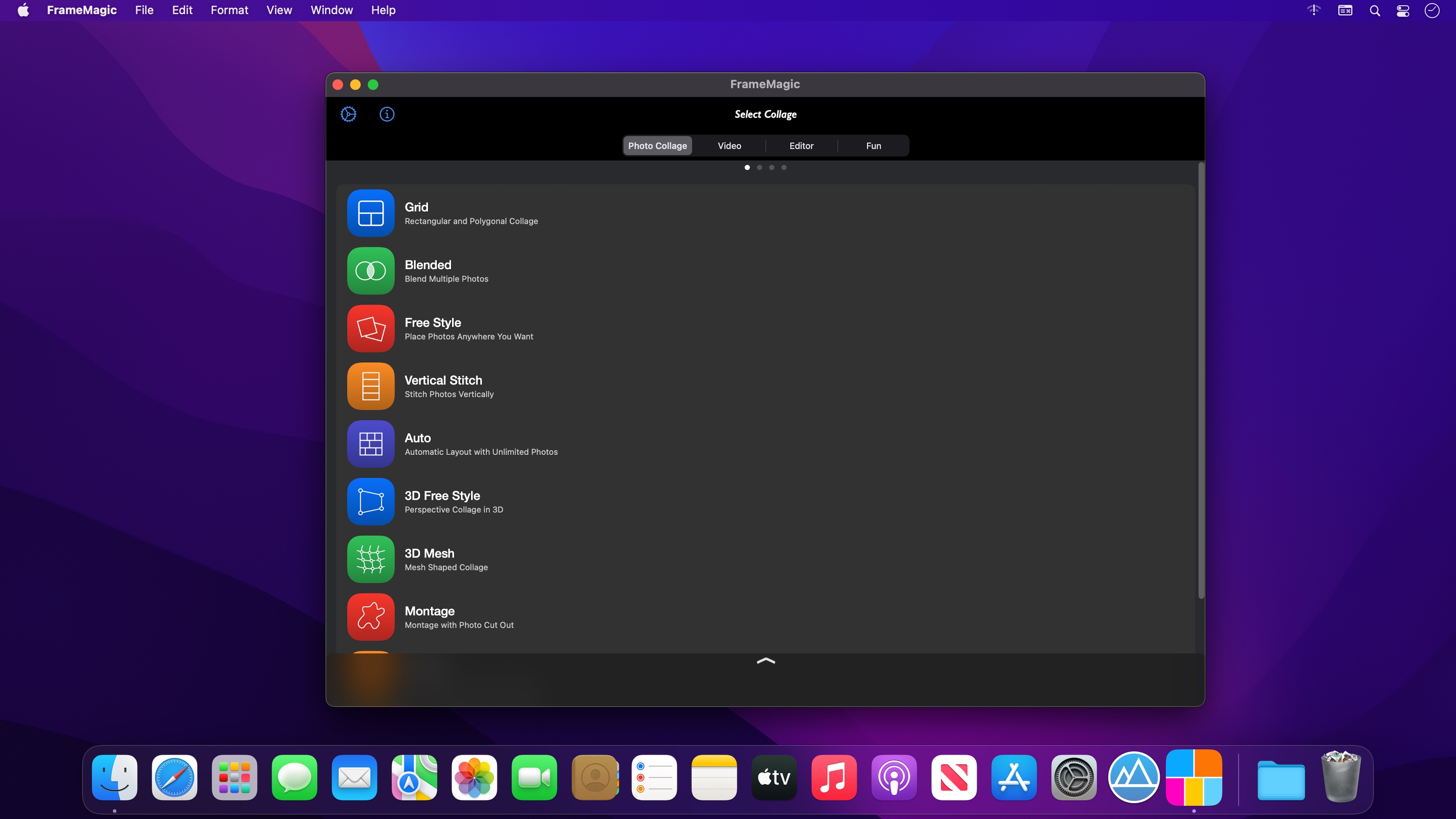
FrameMagic enables you to create awesome photo collage, video collage and video slideshow within just a few seconds with tons of layouts, endless options, colors, patterns, powerful text editor, beautiful filter effects, flexible play options, musics and narrations.

FrameMagic also supports powerful and intelligent photo editors including object removal, soft skin, dark light, bokeh, sticker, silhouette, outline, hole, background blur, motion blur and color splash.

FrameMagic also supports magical funny photo editors including face morphing, crystal(refracted) text and pic warping effect.

[Photo Collage]
• The ultimate photo collage layouts.
– Grid : Combine mulitple photos with hundreds of rectangular and polygonal layouts.
– Auto : Create fully automatic collage with a single tap.
– Blended : Blend multiple photos and create stunning collage.
– Free Style : No limitation on how you add and arrange your photos.
– Vertical Stitch : Combine multiple photos into one long. storytelling collage.
– Squared : Create squared photo and video optimized for Instagram.
– Montage: Create montage photo collage with powerful object masking tool.
– 3D Free Style : Free style collage with 3D perspective layouts.
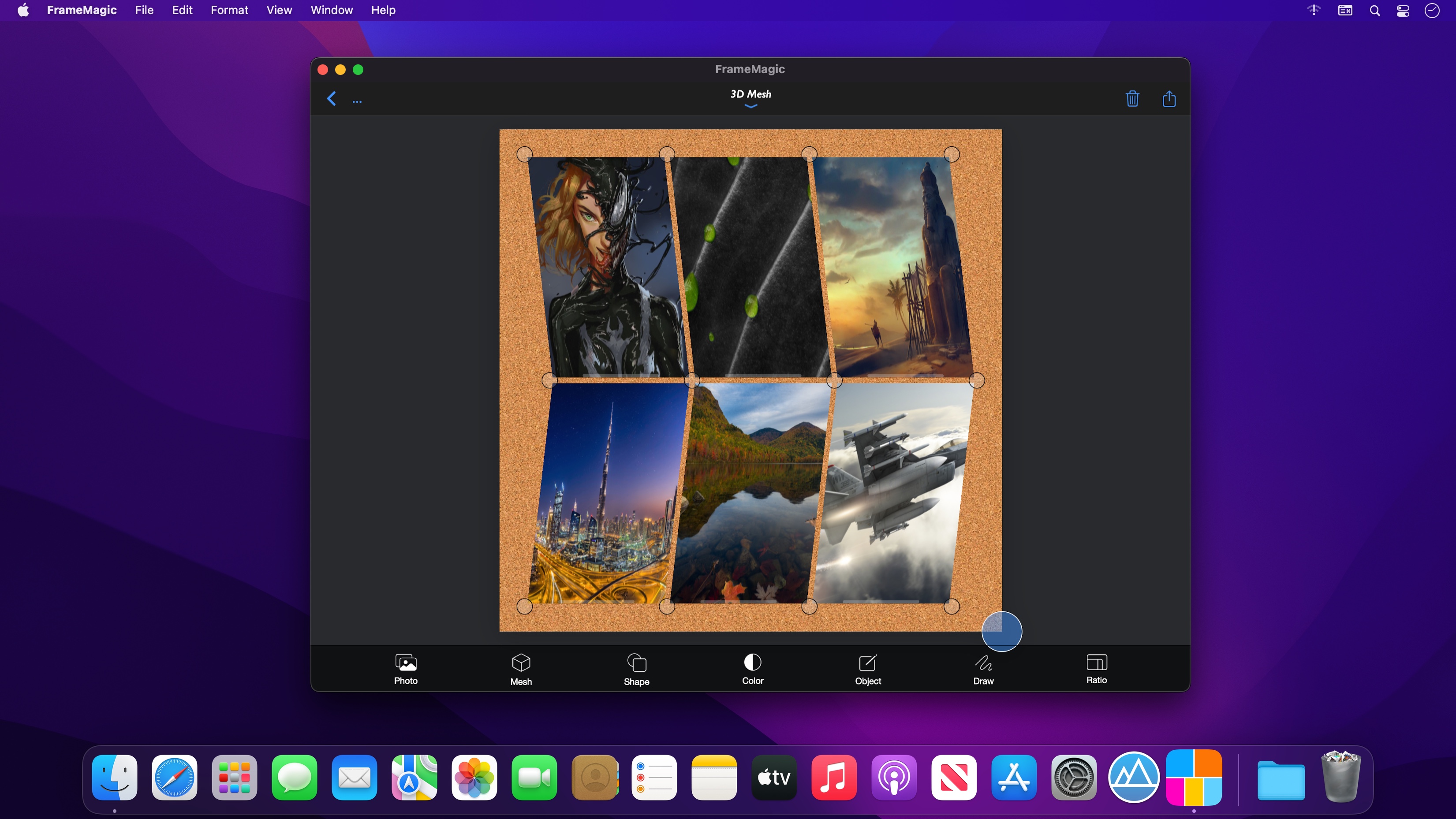
– 3D Mesh : 3D meshed collage with beautiful mesh layouts.

• Load multiple photos at once.
• Unique decoration with rounded corner, margin, border, shadow.
• Background colors and patterns.
• Gradient and shape background color.
• Powerful text editor and beautiful stickers.
• Download and install custom fonts from free font servers.
• Edit photo with aviary photo editor.
• Easy width and height ratio.
• Portrait and landscape mode.
• Save and share in HD (up to 3200×3200).

[Intelligent Photo Editor]
• Object Removal : Remove unncessary objects from your photo in single step.
• Sticker Generation : Create sticker and montage with powerful object masking tool.
• Silhouette Effect : Create beautiful silhouette effect.
• Outline Effect : Create beautiful outline and edge effect.
• Hole Generation : Create holed image and montage.
• Background Blur : Create manual depth blur effect. (aka portrait photo)
• Motion Blur : Create manual panning photography.
• Color Splash : Create selective color and greyscale effect.
• Soft Skin : Create soft skin effect.
• Bokeh : Create circular and hexagonal background bokeh effect.
• Dark light : Create selective light and darkness effect.

[Video Collage & Slideshow]
• 101 rectangular layouts with up to 9 videos
• Photo slides with your own photos
• Video in video with up to 5 videos (PIP)
• Load multiple videos at once
• Trim each video at any time and size
• Apply beautiful filters to each video
• Adjust audio volume of each video
• Add your own song as background music
• Adjust audio volume and start/end time of background music
• Unique decoration with rounded corner, margin, border, shadow
• Background colors and patterns
• Gradient and shape background color
• Powerful text editor and stickers
• Easy width and height ratio
• Portrait and landscape mode
• Save and share in HD (up to 1080×1080)

[Fun Photo Editors]
• Create face morphing effect.
• Add refracted text effect.
• Create warp in/out effect.
Compatibility: macOS 11.0 or later • Apple Silicon or Intel Core processor
Homepage https://apps.apple.com/app/framemagic-collage-maker-pro/id1615349857

Screenshots


Name: FrameMagic 3.6.7 MAS [HCiSO]_Mactorrents.is.dmg
Size: 125.98 MB
Files FrameMagic 3.6.7 MAS [HCiSO]_ Mactorrents.is.dmg[125.98 MB]

   Download

Mirror Magnet 1.2

Mirror Magnet puts a live camera image on your desktop that stays on top of everything else.

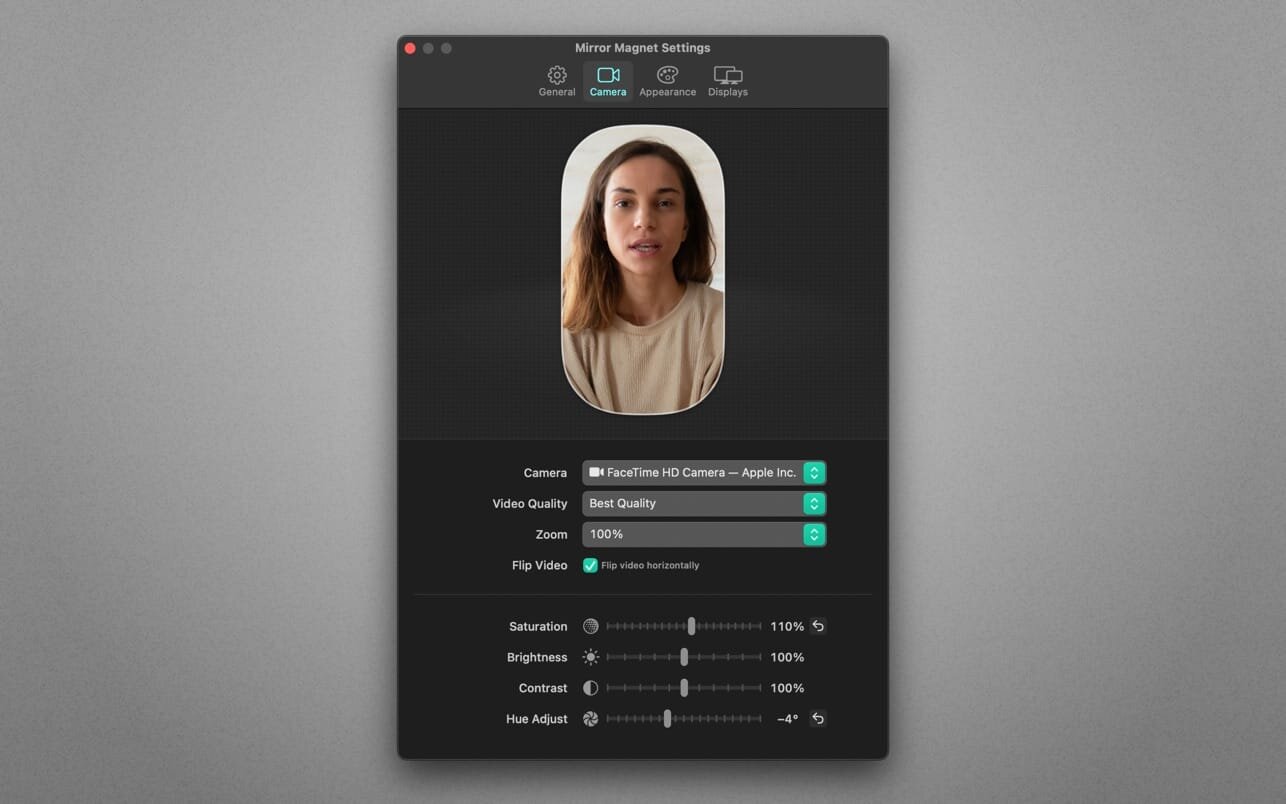
The app lives in your menu bar. And it’s smart! The video fades out and blurs when you hover it with your mouse cursor, so it never gets in your way. Customize its appearance (shape, border, aspect ratio) and improve your look through fine-grained video adjustments.

Whether you record your screen for a tutorial, stream gameplay or share your screen on video calls—Mirror Magnet will instantly make your presentations more personal. It’s a tremendous time safer for tutorial creators who record their screen and want to display a live portrait of themselves at the same time—no more separate video recording and syncing in post-production! Mirror Magnet also detects virtual webcams (like OBS) and is able to display the screen of cable-connected iOS devices.

Highlights:

  • Supports built-in, external and virtual webcams
  • Detects connected iOS devices as camera
  • Fine-grained video adjustments: saturation, brightness, contrast, hue, quality, zoom factor
  • Customizable looks: shape, aspect ratio, orientation, size, border, shadow, opacity
  • Intelligent and configurable opacity and blur on mouse hover
  • Multi-monitor support
  • Shortcut support
  • Quick toggle: Use a global hot key or option-click the app icon
  • Autostart: Launch the app automatically on login
  • Optimized for macOS 11 (Big Sur) and macOS 12 (Monterey)
  • Optimized for Mac with M1, M1 Pro and M1 Max (Apple Silicon)

What’s New:

Version 1.2

  • This update contains improvements and minor bug fixes.

Compatibility: macOS 10.10 or later
Mac App Store https://apps.apple.com/app/mirror-magnet/id1563698880

Screenshots


Name: Mirror Magnet 1.2 MAS [HCiSO]_Mactorrents.is.dmg
Size: 16.78 MB
Files Mirror Magnet 1.2 MAS [HCiSO]_ Mactorrents.is.dmg[16.78 MB]

   Download

PowerPhotos 2.1.3 Beta

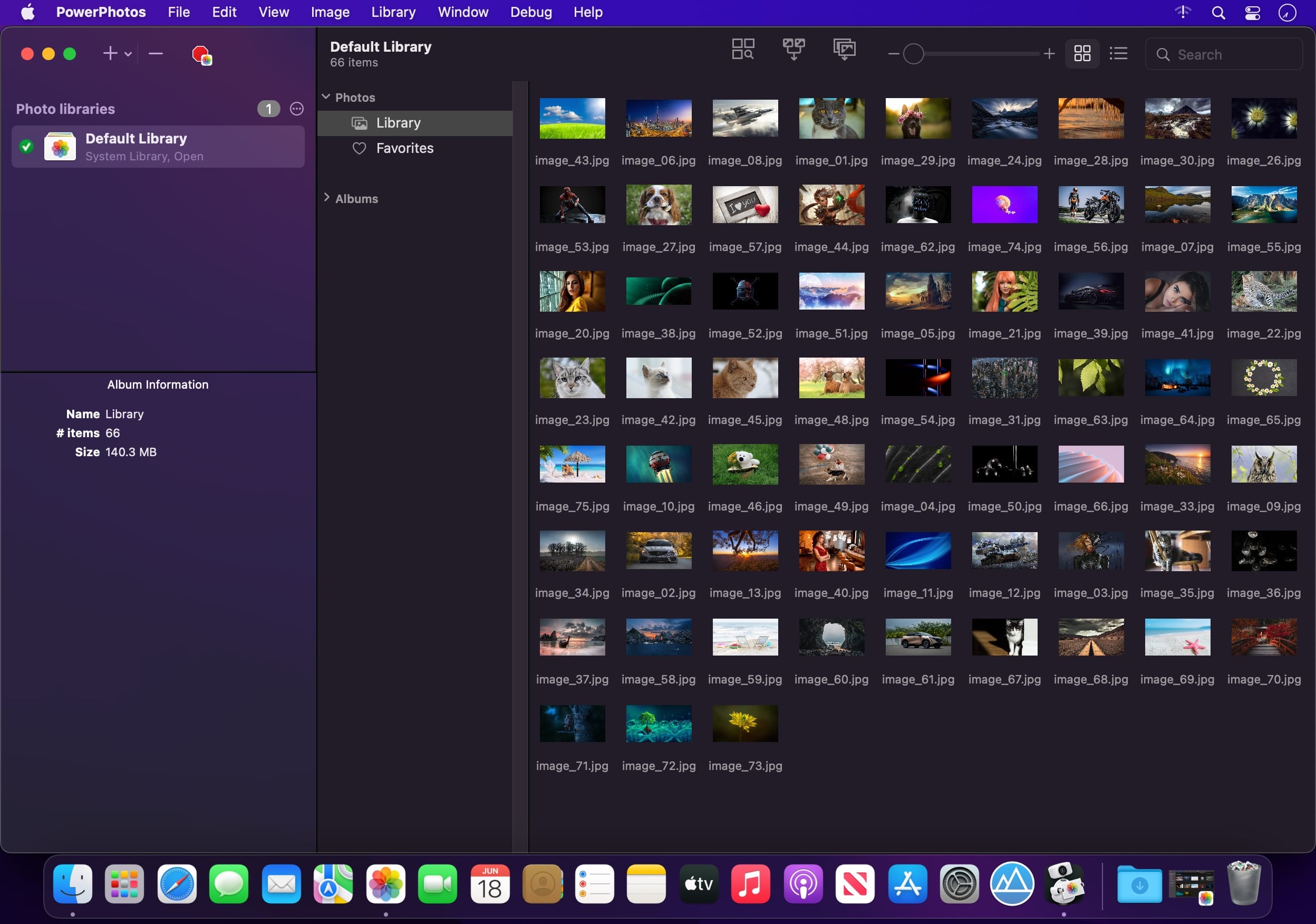
PowerPhotos – The ultimate toolbox for Photos on the Mac. PowerPhotos works with the built-in Photos app on your Mac, providing an array of tools to help you get your photo collection in order.

Create and manage multiple libraries
Instead of being limited to putting all your photos in a single library, PowerPhotos can work with multiple Photos libraries, giving you many more options for how to organize your ever growing photo collection.

Splitting your photos between multiple libraries helps Photos open more quickly, lets you archive older photos, store some of your collection on an external hard drive, and reduce storage space used by iCloud Photo Library.

Copy photos and their metadata
You can split your library by copying albums and photos with a simple drag and drop. PowerPhotos will take care of copying the photos and retaining their metadata, including keywords, descriptions, titles, dates, and favorite status. Read more about what PowerPhotos can copy.

Merge Photos libraries
Got a whole bunch of libraries you want to consolidate into one? PowerPhotos lets you merge your libraries together while weeding out duplicate photos in the process. You will be shown a preview of what your merged library will look like before any modifications are done, to ensure your merged library looks how you want.

Find duplicate photos
It’s easy to have multiple copies of the same photo creep into your photo collection over time. Use PowerPhotos to find duplicate photos in one or more libraries, view them side by side, and separate them into albums where you can easily delete them from your library.

Browse and search
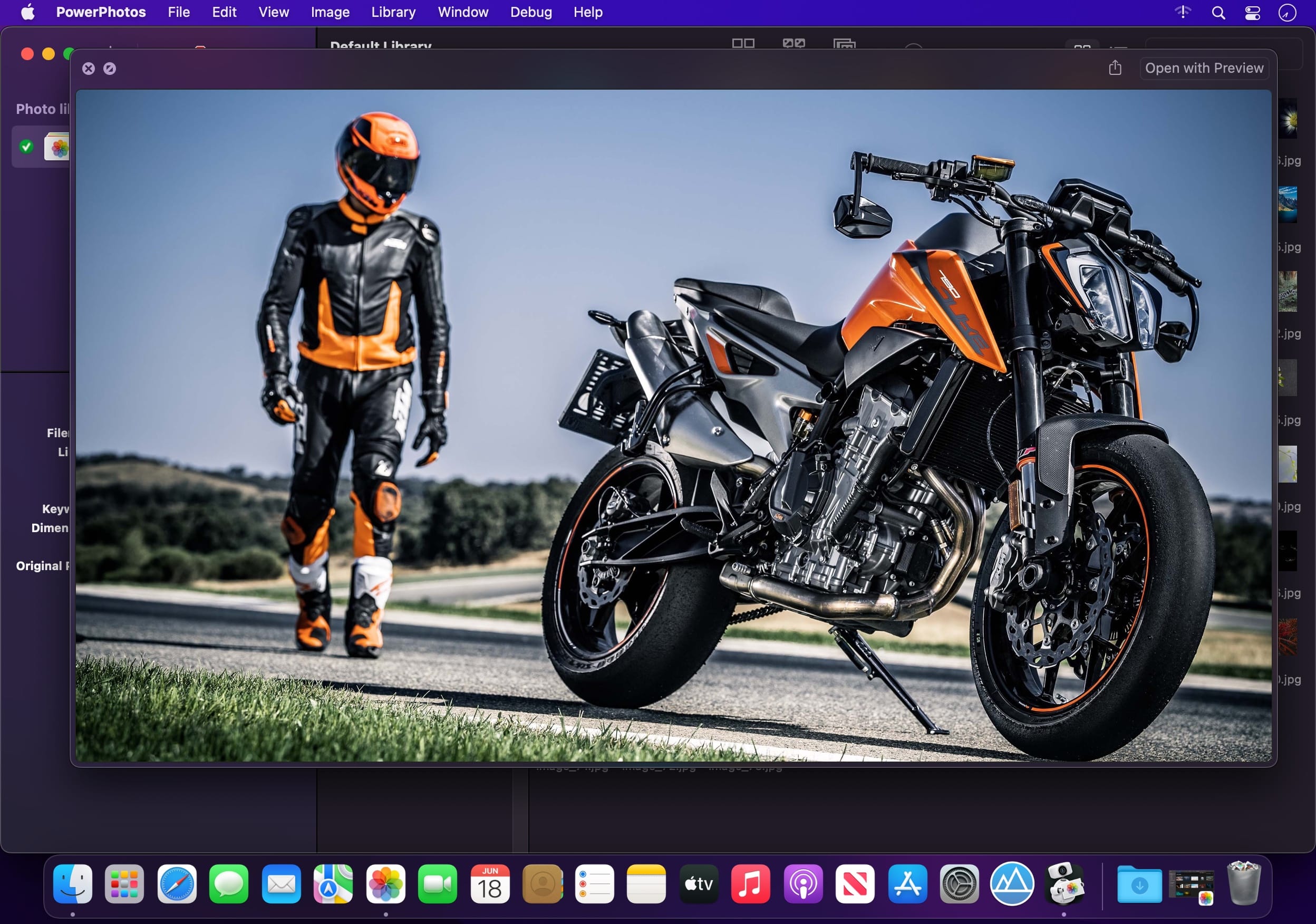
Use PowerPhotos’ image browser to quickly view your photos without having to open Photos itself. View detailed photo information using List View, and search for photos across all your libraries at once.

Migrate your iPhoto/Aperture libraries
If you have a lot of existing iPhoto or Aperture libraries that you want to migrate over to Photos, PowerPhotos will help automate your migrations so you don’t have to spend time babysitting this lengthy process.

New features:

  • Improved iCloud Photos support: If you use iCloud Photos, PowerPhotos 1.x was only able to see photos in your library that had already been downloaded to your local hard drive. For users with the “Optimize Mac Storage” option enabled, this could mean a significant portion of your iCloud library would not be visible to PowerPhotos. In PowerPhotos 2.0, it can now see and work with any photos in your iCloud photo library, and will automatically download any photos from iCloud as needed.
  • Advanced exporting: Photos has an export command, but it is fairly limited in what it can provide. PowerPhotos 2.0 has a new, more fully featured export function with options such as
  • Export as a flat folder or as a folder hierarchy in the Finder that mimics your album hierarchy
  • Export unmodified photos, or as JPG, PNG, HEIF, or TIFF of different sizes
  • Include captions, dates, keywords, and titles in EXIF metadata
  • Retain or strip location metadata
  • Optionally include videos from Live Photos and all photos from a burst
  • Set Finder creation/modification dates to the photo’s EXIF date
  • Video export support as H.264 or H.265
  • Global menu bar item: Get fast access to your libraries via a global item in your menu bar even when PowerPhotos itself isn’t running.
  • Library groups: For those with lots of libraries, you can now organize your libraries into groups in the PowerPhotos sidebar.
  • Multiple windows: You can now open each library in a separate window in PowerPhotos, allowing for easier comparison between libraries, and dragging and dropping photos/albums between libraries.
  • New duplicate search engine: PowerPhotos 2.0 uses a new duplicate comparison algorithm that can find more duplicate photos which are not quite 100% identical, such as scaled down copies of photos, photos that have been resaved in a different format or with different compression, and even photos with minor edits applied to them.
  • Faster library loading: PowerPhotos 2.0 has rewritten a bunch of its internals to load your library much faster than PowerPhotos 1.0.
    Improved AppleScript support: New support for copying albums or photos between libraries, merging libraries, and exporting photos/albums from a library.

Compatibility: macOS 11.0 or later
Homepage https://www.fatcatsoftware.com/powerphotos/

Screenshots


Name: PowerPhotos_2.1.3b1_[TNT]_Mactorrents.is.dmg
Size: 35.1 MB
Files PowerPhotos_2.1.3b1_[TNT]_ Mactorrents.is.dmg[35.1 MB]

   Download

Sketch Fashion 1.2.4

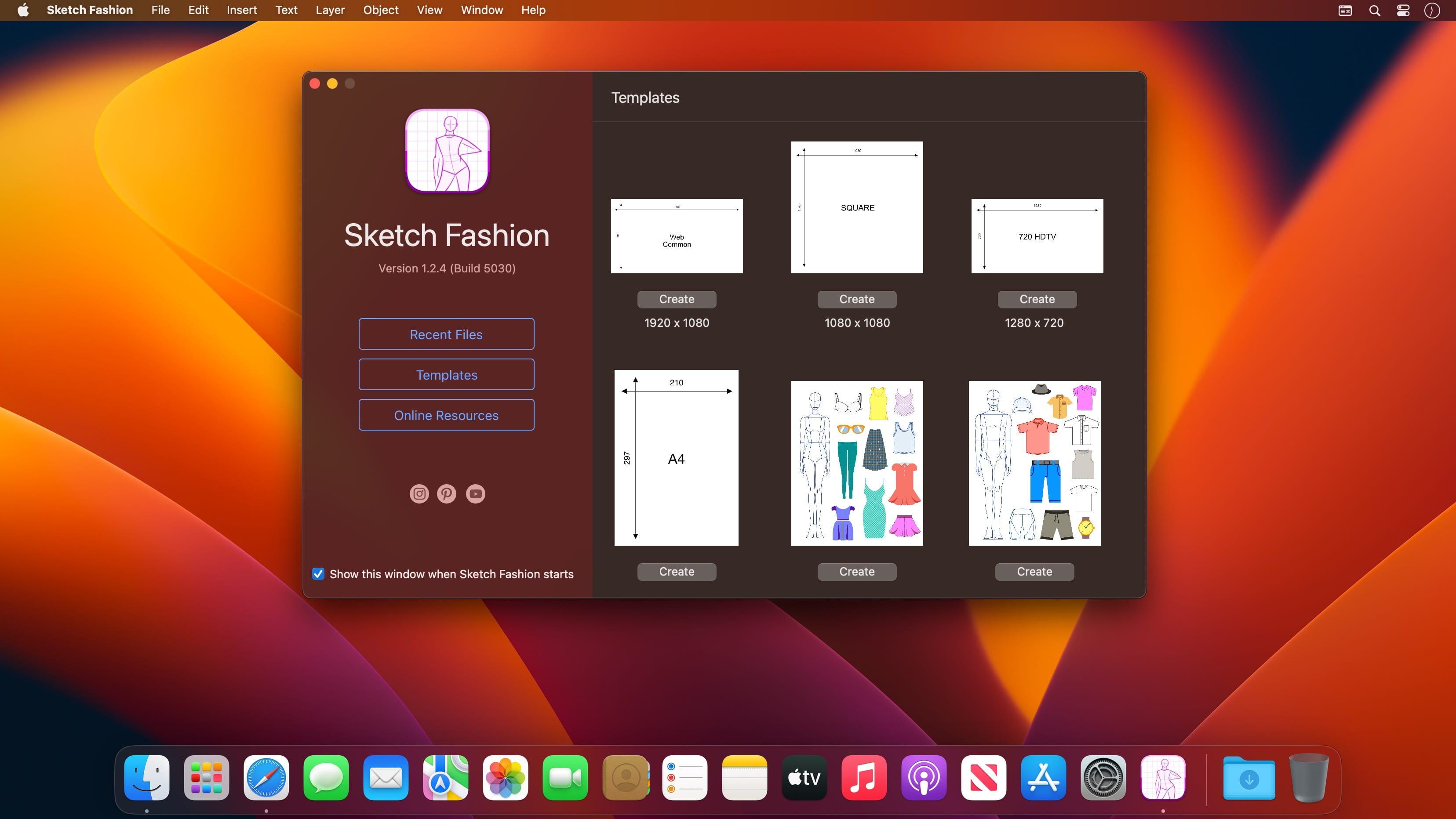
Sketch Fashion gives you all the tools you need to prototype and create good apparel design. It all starts here. Sketch Fashion is a beautiful, easy to use apparel design creator designed exclusively for Mac.

Create, prototype, sketch and bring your ideas to life with a new fashion design tool. Good fashion starts with Sketch Fashion.

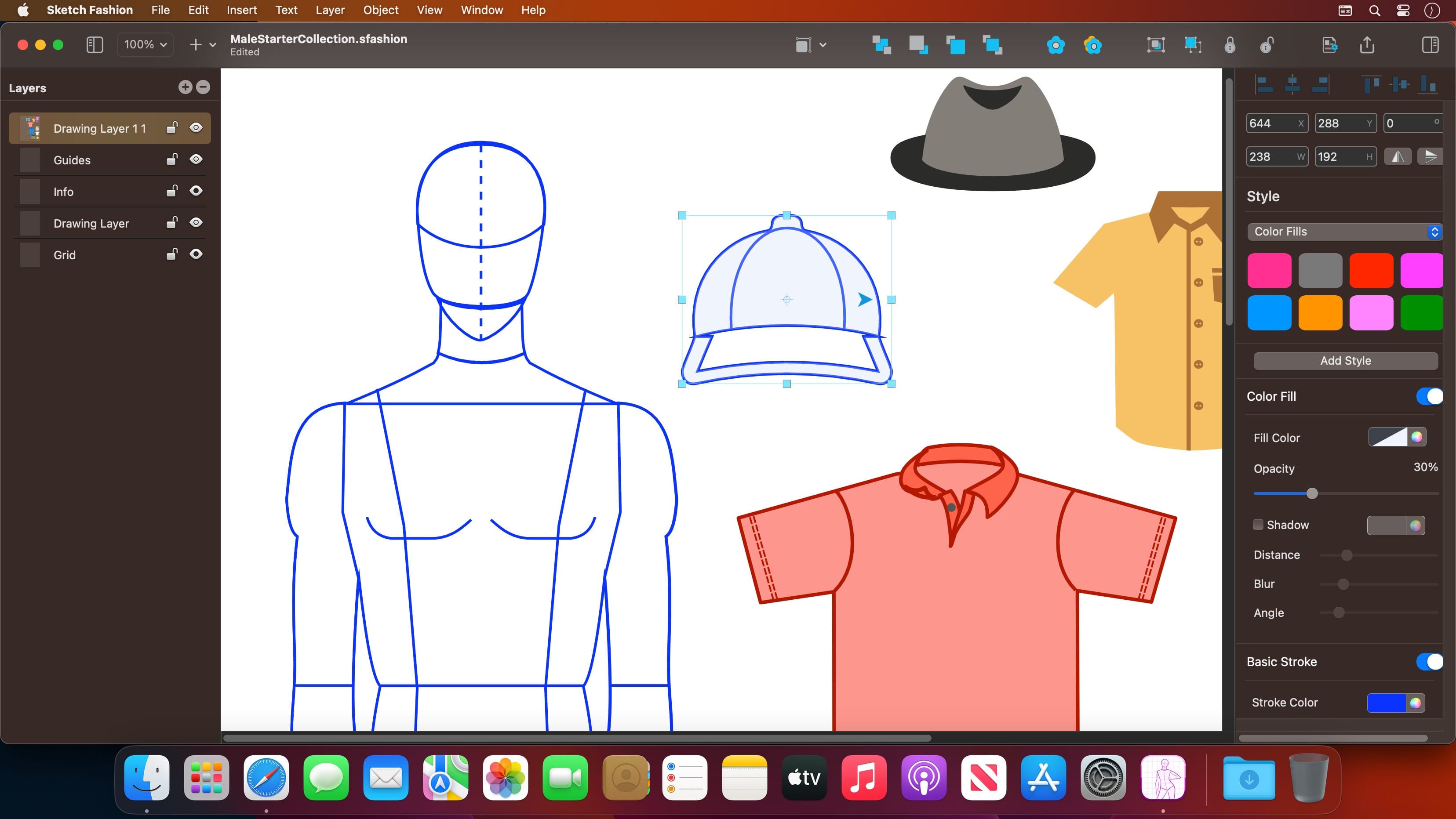
With a wide range of models, fashion sketch tools, Sketch Fashion lets you create fashion sketches in seconds, draw with vector tool extra details, apply ready styles or create your own. And thanks to its intuitive and and accessible interface, Sketch Fashion is delightfully easy to use – whether you’re just a beginner or a pro.

Interface and Functionality

  • The modern, single-window interface of Sketch Fashion is designed exclusively for creating best apparel sketches on a Mac
  • Ready creator tools make sketching easy and accessible, even if you’re a complete beginner
  • Native dark and light appearances adapt to the light and dark modes of macOS
  • A customizable toolbar, inspector and sidebar lets you organize your creative environment just the way you want

Professional Drawing Tools

  • Full-featured Bezier Pen tool for creating custom shapes
  • Basic Shape Tools for drawing extra stuff
  • Essential set of apparel creation tools
  • Path multi-point selection and editing
  • Rotate, Scale tools
  • Easily move, resize, and arrange objects to create stunning compositions
  • Adjust fill color, shadow, stroke and pattern
  • Multiple fill, stroke and pattern style elements
  • Speed up creating with ready shape styles
  • Easily design great-looking text with a full set of typography tools

Compatibility

  • Import selected types of bitmap and vector graphics
  • Export ready fashion sketches to PDF, PNG, TIFF and JPG
  • Share your designs to Photos, Mail, AirDrop, and other locations

Many other powerful features, including

  • Layers and Groups
  • Smart Alignment Guides
  • Canvas Scale, Rulers, and Units
  • Snap to Grid / Snap to Guide
  • Align and Distribute objects
  • Duplicate and Transform
  • Convert Text to Paths
  • Export as vector-based PDF file

Draw fashion sketches like you are drawing a rectangle.

What’s New:

Version 1.2.4

  • Added Chinese Simplified translation
  • Improved Print Settings
  • Fixed A1 page to A4 where showing wrong page size
  • Toolbar icon improvements
  • and many background performance optimizations

Compatibility: macOS 10.14 or later
Mac App Store https://apps.apple.com/app/sketch-fashion/id1532447539

Screenshots


Name: Sketch Fashion 1.2.4 MAS [HCiSO]_Mactorrents.is.dmg
Size: 7.36 MB
Files Sketch Fashion 1.2.4 MAS [HCiSO]_ Mactorrents.is.dmg[7.36 MB]

   Download

GraphicConverter 11.7.1 (5705) Beta

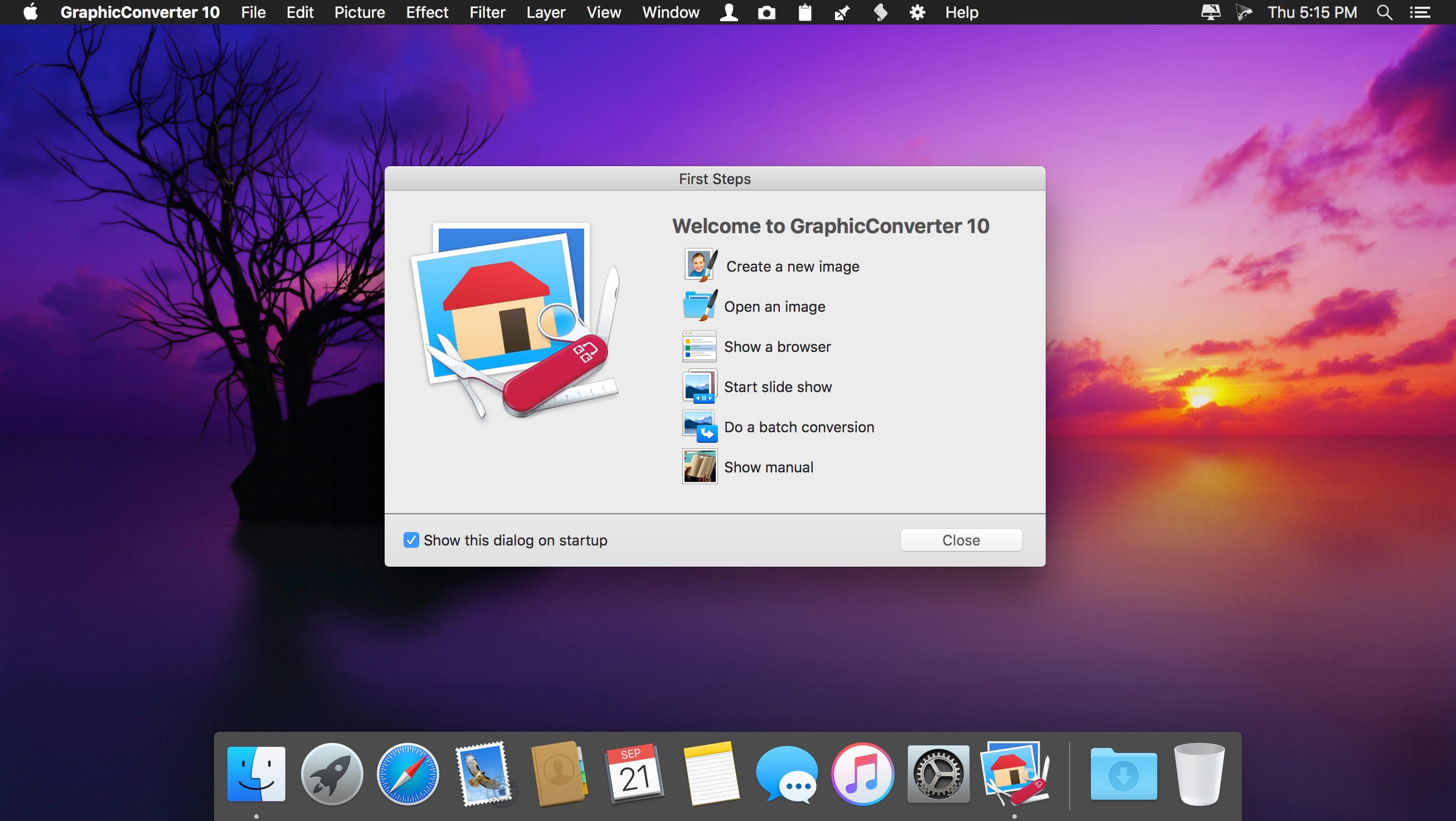
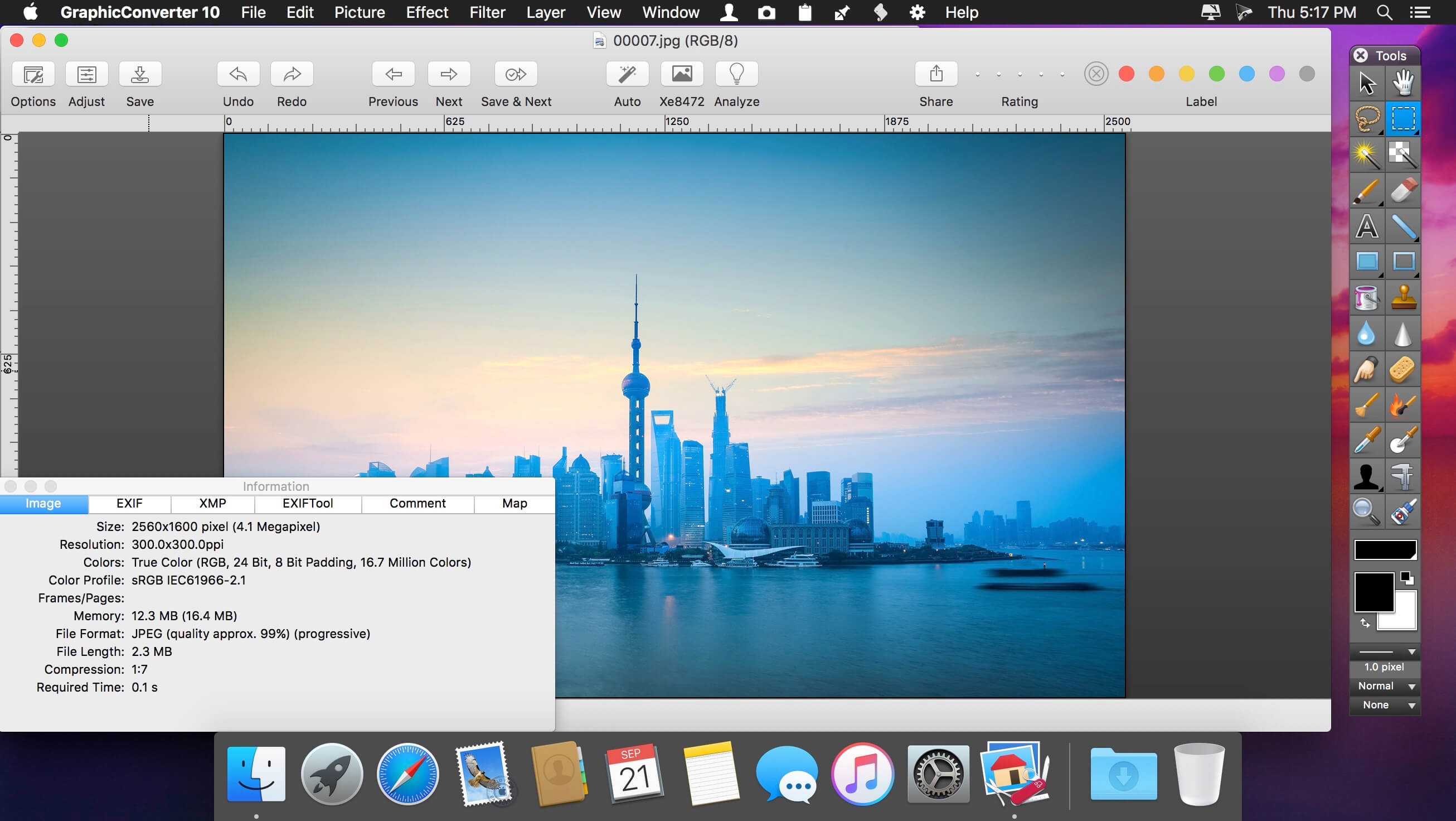
GraphicConverter is an all-purpose image-editing program that can import 200 different graphic-based formats, edit the image, and export it to any of 80 available file formats. The high-end editing tools are perfect for graphic manipulation as well as the ability to use Photoshop-compatible plug-ins. It offers batch-conversion capabilities, a slide-show window, batch rename, batch and individual editing of metadata (EXIF, IPTC, XMP) and so much more.

Import and export functions
– Import of approx. 200 & export of approx. 80 graphic formats
– Catalog generation (web, print, picture)
– Picture import direct from the camera (also RAW)
– TWAIN interface for scanners
– direct support of the photo services Google+, Flickr, Locr

Picture organization & workflow management
– Graphical file and picture browser
– Slide show functions
– Batch conversion
– Support for AppleScript

Picture editing
– Express picture enhancement function
– Enhancement and creation of pictures for use in the internet
– Basic functions for editing pictures
– Advanced functions, effects and filters for picture manipulation
– Plug-in architecture
– Color management with ColorSync and ICC profiles
– 3D image support

Compatibility: macOS 10.11 or later (Apple Silicon compatible)
Homepage https://www.lemkesoft.de

Screenshots


Name: GraphicConverter_11_11.7.1_(5705)_[TNT]_Mactorrents.is.dmg
Size: 244.08 MB
Files GraphicConverter_11_11.7.1_(5705)_[TNT]_ Mactorrents.is.dmg[244.08 MB]

   Download

BusyContacts 2022.4.5

BusyContacts is a contact manager for macOS that makes creating, finding, and managing contacts faster and more efficient. It brings to contact management the same power, flexibility, and sharing capabilities that BusyCal users have enjoyed with their calendars. What’s more, BusyContacts integrates seamlessly with BusyCal, forming a flexible, easy-to-use CRM solution that works the way you do.

BusyContacts syncs with the built-in Contacts app on OS X and iOS, and supports all leading cloud services, including iCloud, Google, Exchange, Facebook, Twitter, and LinkedIn.

Key Features

  • Customizable Views — View contacts in a single-column Card View or multi-column List View.
  • Tags — Tags can be used for grouping, filtering and coloring contacts.
  • Smart Filters — Smart Filters are a powerful tool for filtering contacts, creating saved searches, and even applying custom view settings in the List View.
  • BusyCal integration — BusyContacts integrates with BusyCal by linking contacts to events in your calendar, providing flexible CRM capabilities for tracking past and future activities.
  • Activity List — The Activity List displays activities associated with the selected contact including calendar events, emails, messages, and recent social network posts.
  • Social-network integration — BusyContacts syncs with Facebook, Twitter and LinkedIn, combining contact information from each of these sources into a unified contact card.
  • Syncing — BusyContacts syncs with the built-in Contacts app on OS X and iOS through all leading cloud services including iCloud, Google, Exchange, and other CardDAV servers.
  • Sharing — BusyContacts allows you to share address books with read-only or read/write privileges through Exchange, Fruux, LAN, and other CardDAV servers.

Compatibility: macOS 10.13 or later
Homepage https://www.busymac.com

Name: BusyContacts_2022.4.5_[TNT]_Mactorrents.is.dmg
Size: 25.69 MB
Files BusyContacts_2022.4.5_[TNT]_ Mactorrents.is.dmg[25.69 MB]

   Download

CADintosh X 8.8.3 (659) Beta

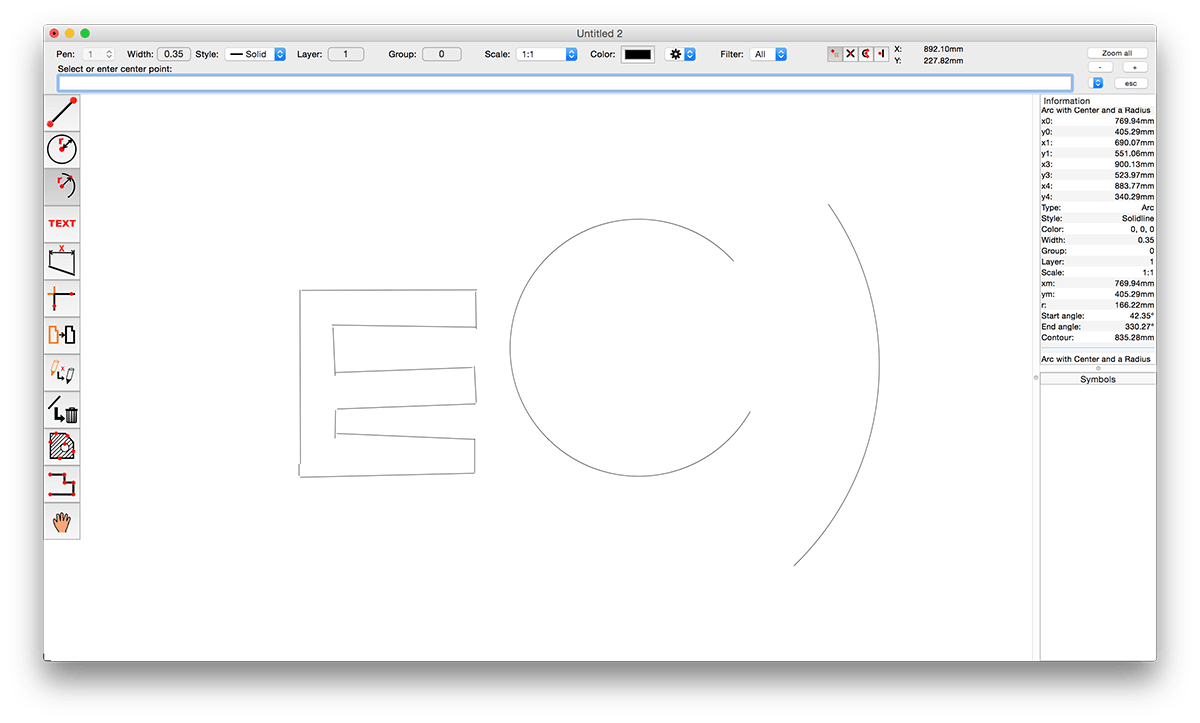
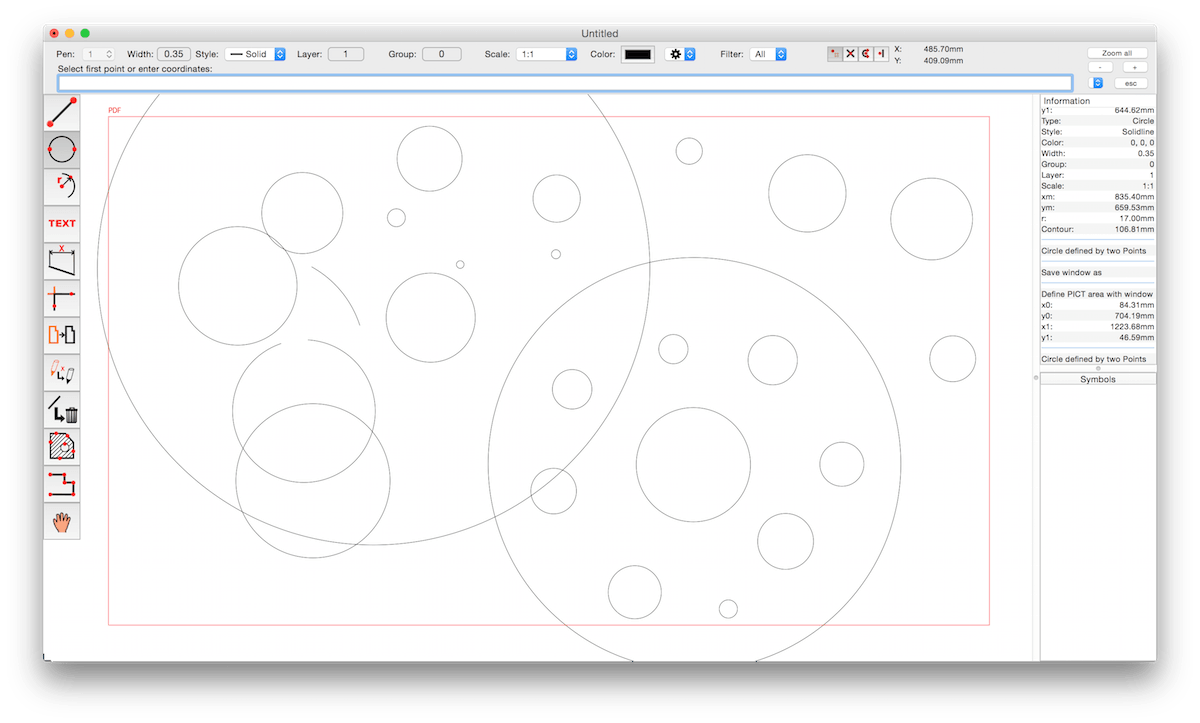
CADintosh is a 2D-CAD program for technical and architectural drawings. You will benefit from professional and well thought-out features for all your design requirements.

Features include:

  • Interactive window redrawing (you can work in the same time of the window redrawing)
  • Number of elements limited by memory
  • Pen oriented mode: 8 line widths/line colors/pens
  • Individual mode: line width from 0.0 to 99.99 mm, pattern and colors
  • It has a lot of tools like lines, arcs, dimensions, splines, hatching etc.
  • Import and export HPGL, DXF, and PICT
  • 6 line types (solid, dash, dot-dash, phantom, zigzag, dotted)
  • 32000 groups
  • 1024 layer
  • Alternative units in inches or freely definable
  • Shareware version has a simple layer filter (easy to use)
  • Registered version has a additional extended layer filter (named filter sets, palette with name of filter)
  • Shareware version has internal symbols (number of symbols only limited by memory)
  • Registered version has additional external symbol libraries and more simple work with symbols
  • User preferences saved in the drawing
  • Runs native on MacOS X

Compatibility: macOS 10.11 or later, Apple Silicon or Intel Core processor
Homepage https://www.lemkesoft.de/en/products/cadintosh/

Screenshots


Name: CADintosh_X_8.8.3_(659)_[TNT]_Mactorrents.is.dmg
Size: 68.39 MB
Files CADintosh_X_8.8.3_(659)_[TNT]_ Mactorrents.is.dmg[68.39 MB]

   Download

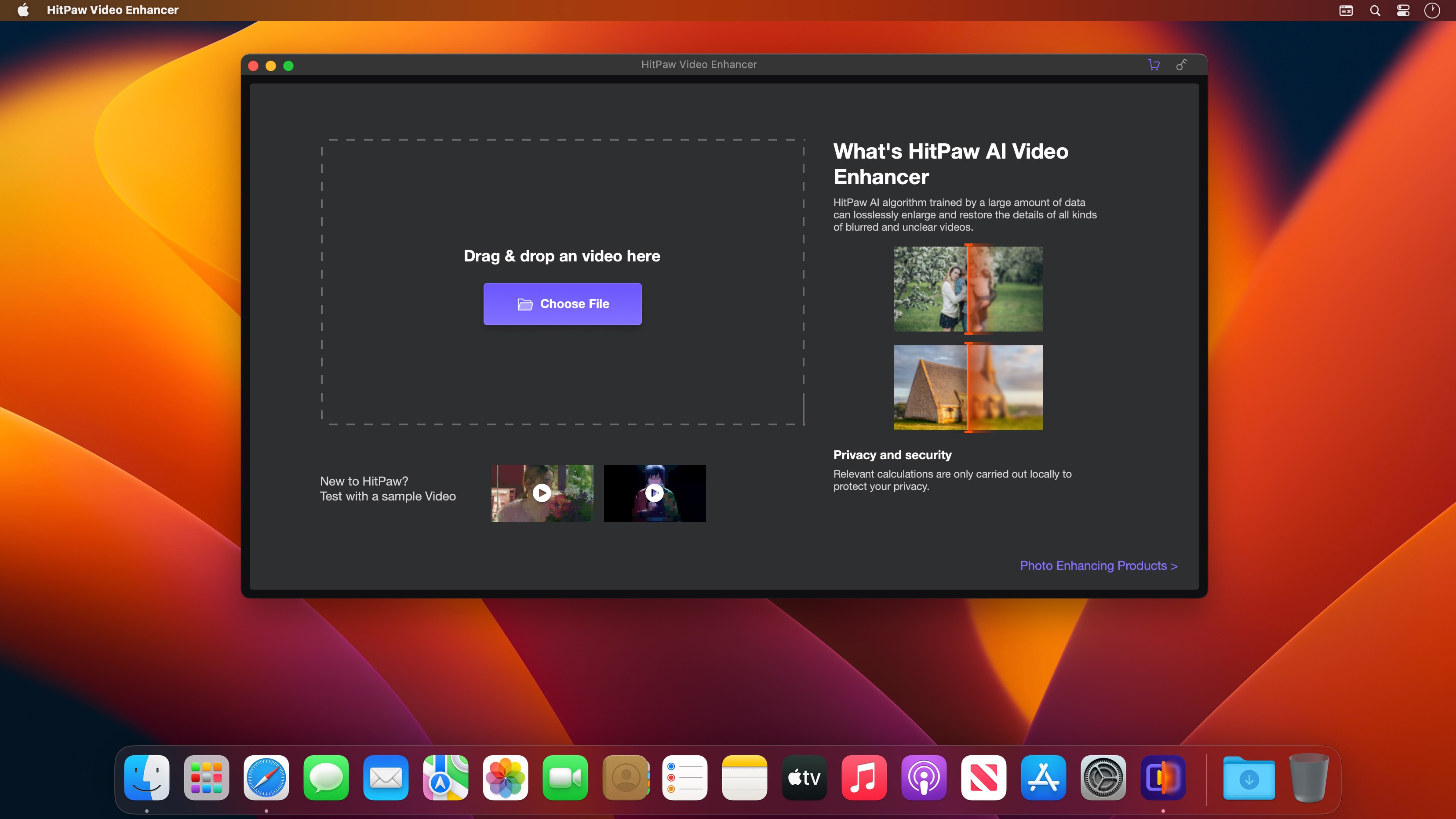
HitPaw Video Enhancer 1.1.0.5

HitPaw Video Enhancer helps upscale video and enhance video quality, try this software now to make your video brilliant.

General Denoise Model
This AI video enhancer provides a general model for improving video enhancement for most old videos, its denoise solution can remove the noise of videos and make them clear and brand new

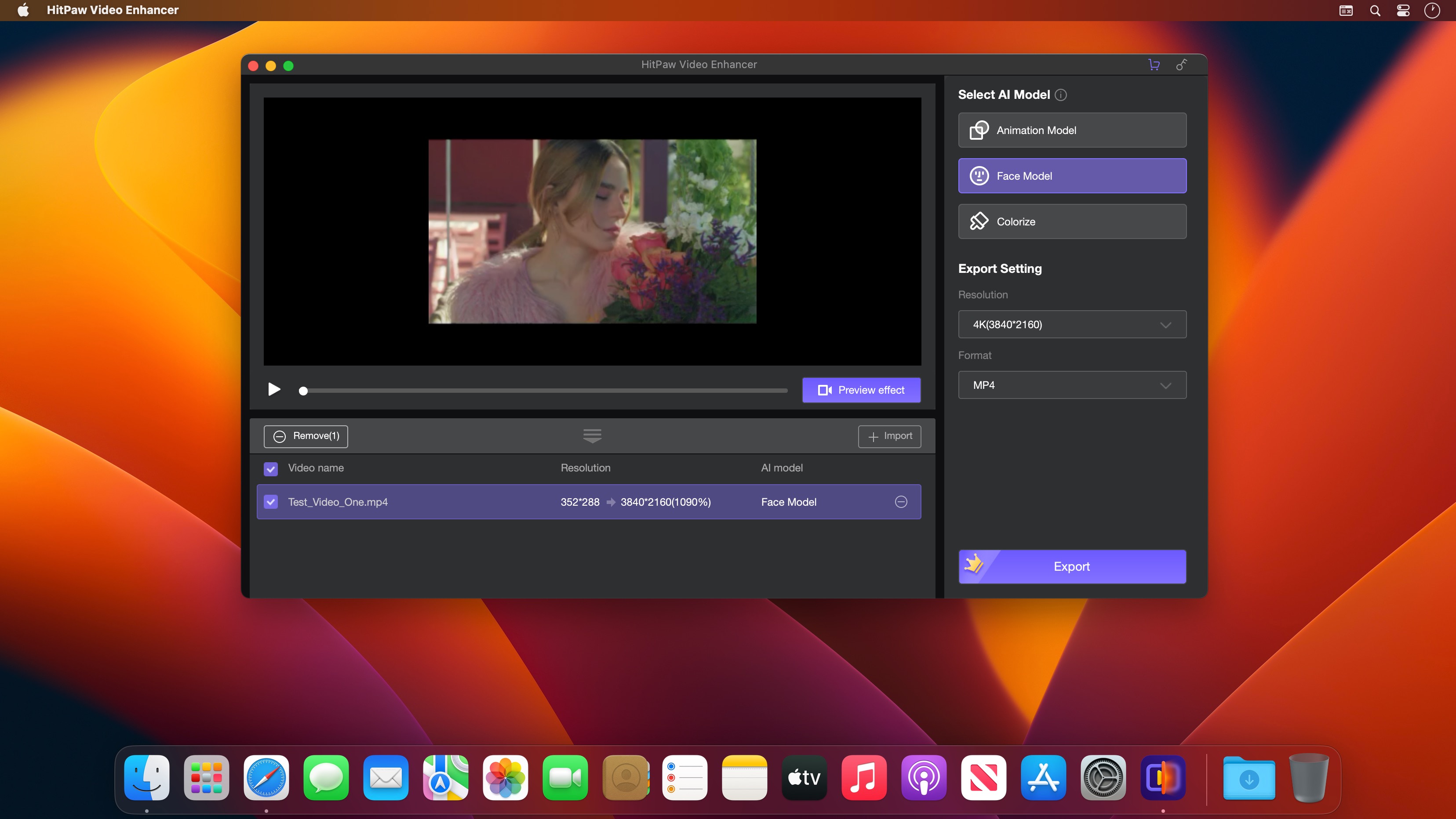
Animation Model
An exclusive video enhance AI model is deisgned in this video quality enhancer for repairing animation videos, which can perfectly restore the clearity and present AI upscaling anime for you.

Face Model
When it comes to repair details of human faces, this video upscaler won’t let you down. With its video enhancement, you can easily upgrade video quality and turn the faces of videos flawless again.

Compatibility: macOS 10.12 or later
Homepage https://www.hitpaw.com/

Screenshots


Name: HitPaw_Video_Enhancer_1.1.0.5_[TNT]_Mactorrents.is.dmg
Size: 1.08 GB
Files HitPaw_Video_Enhancer_1.1.0.5_[TNT]_ Mactorrents.is.dmg[1.08 GB]

   Download

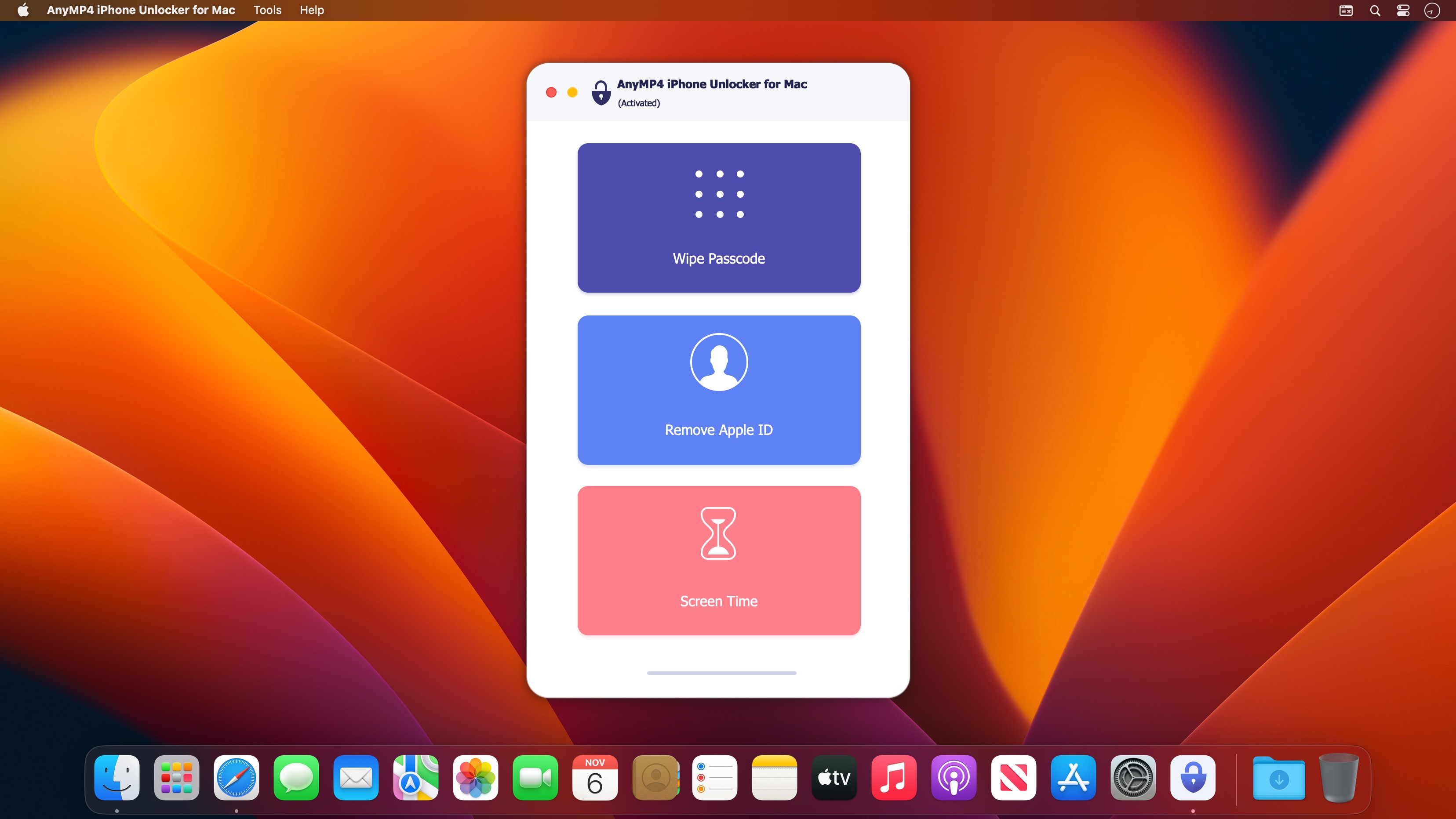
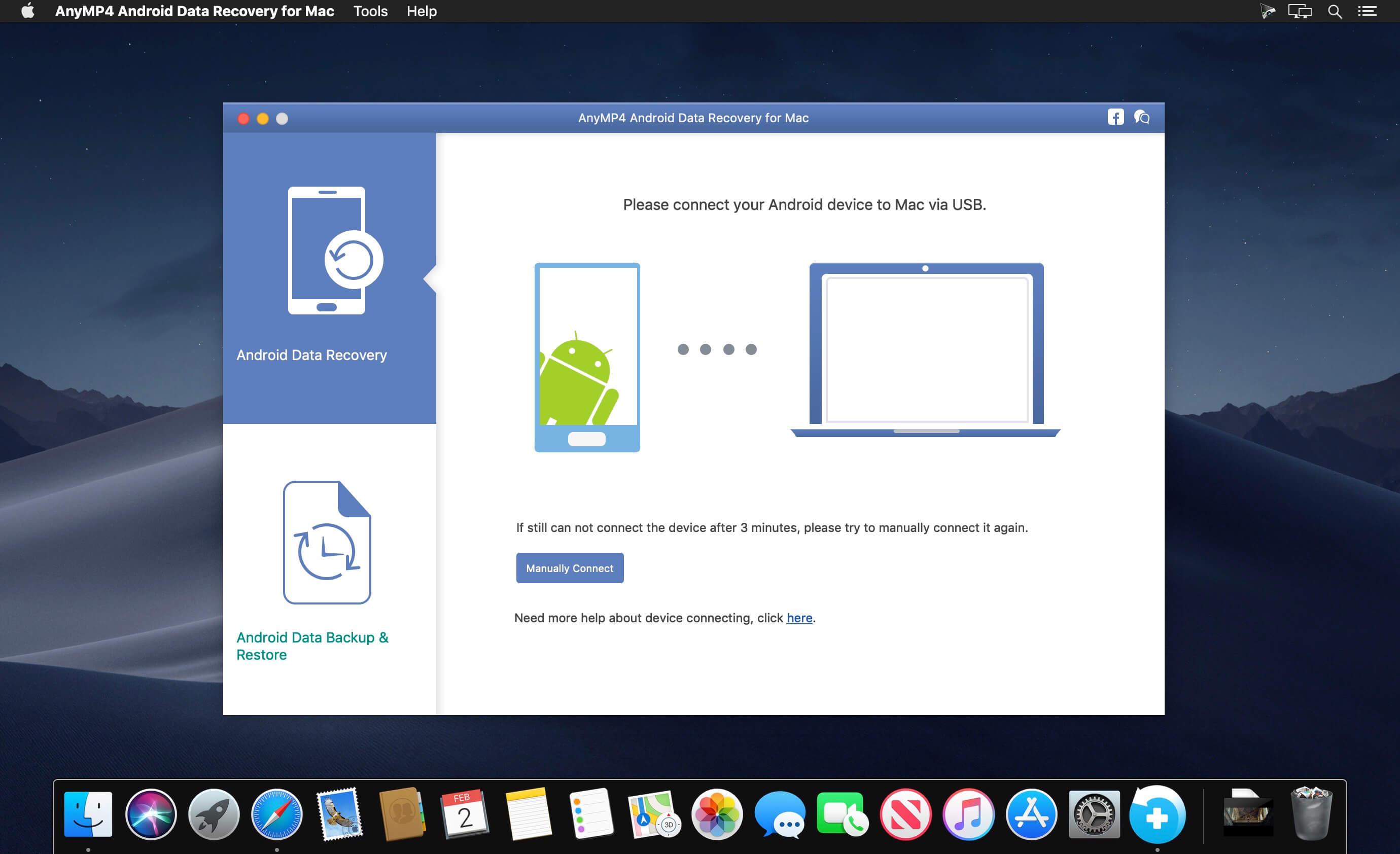
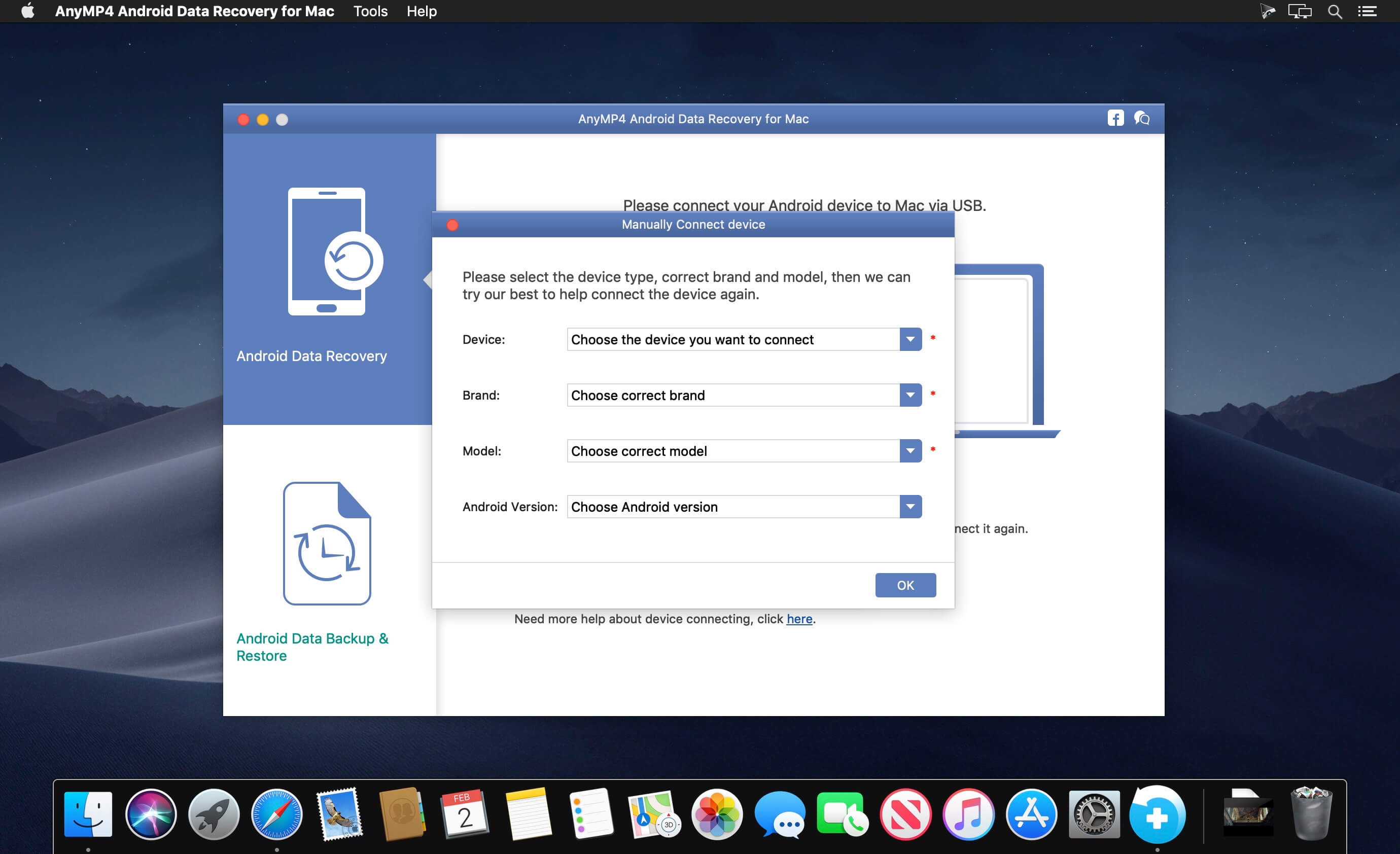
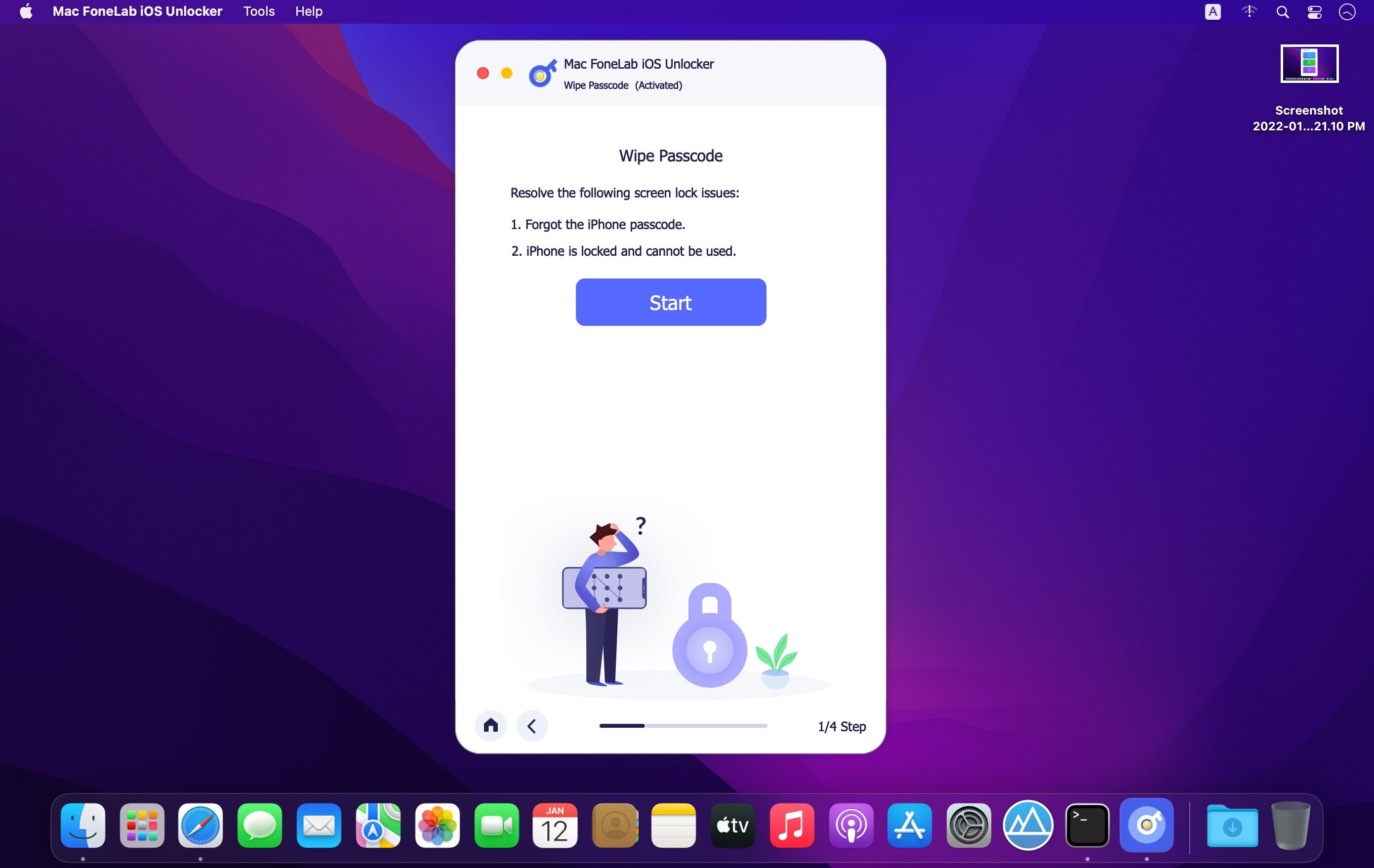
AnyMP4 iPhone Unlocker for Mac 1.0.28

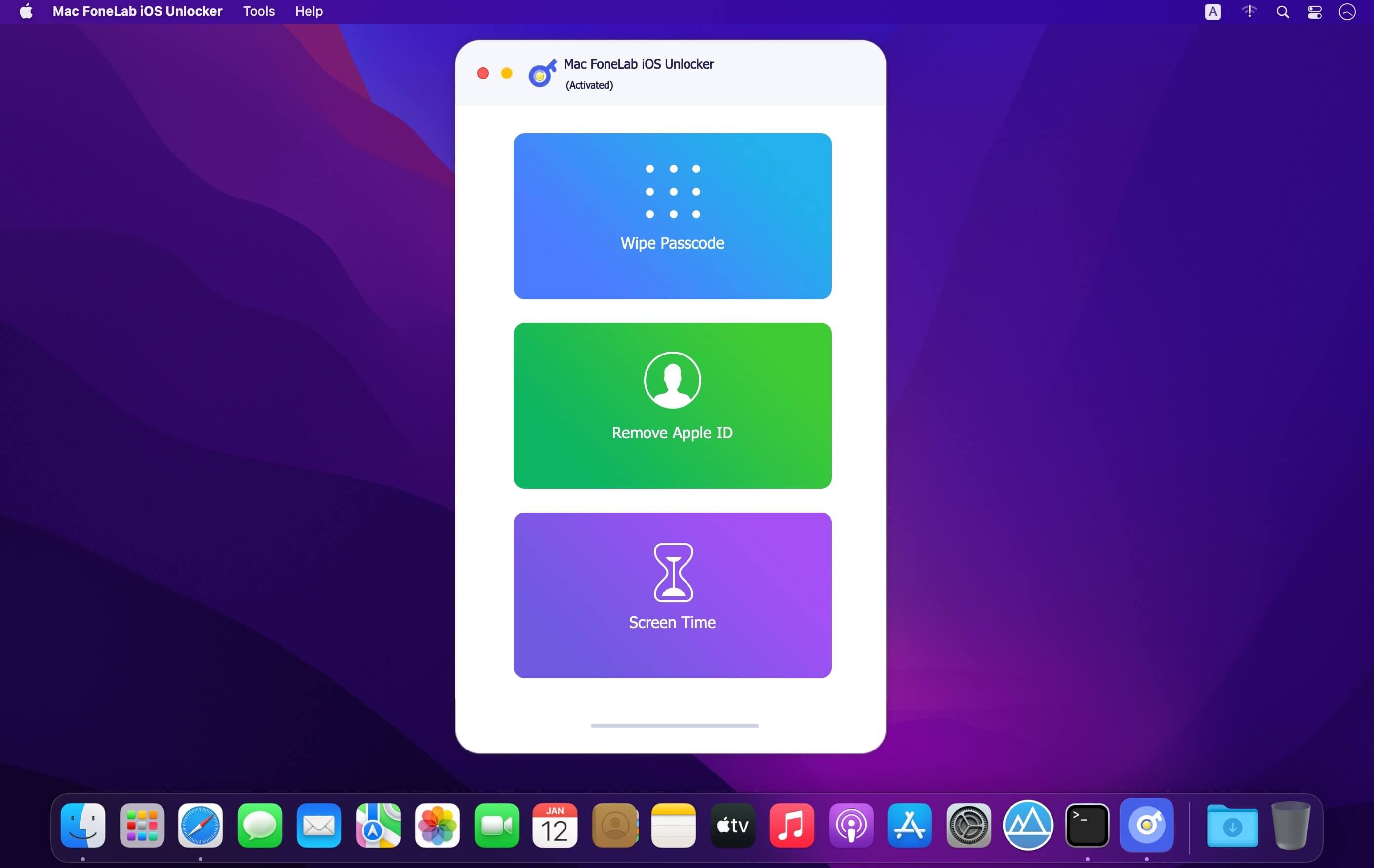
AnyMP4 iPhone Unlocker is a professional iOS unlocking tool, which is designed to effectively unlock your iPhone, iPad and iPod under any emergency situations. 3 unlocking modes are provided for you to unlock iOS screen passcode, remove Apple ID, as well as bypass Screen Time passcode.

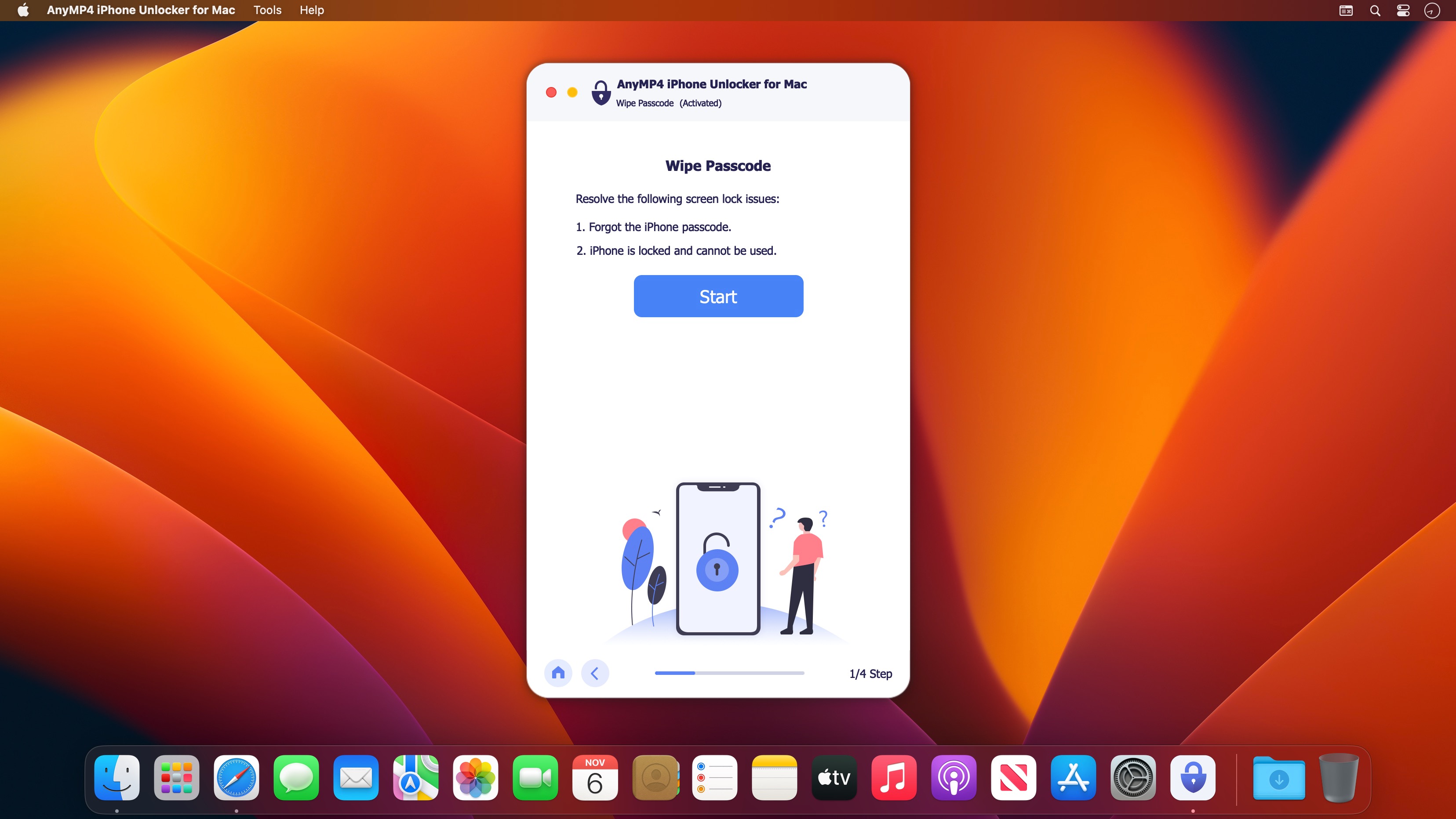
Have you ever encountered the embarrassment of forgetting iPhone passcode? Though various accidents happen, you still have to unlock iPhone with a passcode. To avoid the dilemma of forgetting passcode, AnyMP4 iPhone Unlocker comes out to help you remove all types of lock screen passcode. No matter you are using a 4-digit passcode, 6-digit passcode, Face ID or Touch ID, you can unlock your iPhone, iPad or iPod without entering any passcode.

What’s New:

Version 1.0.28:

  • Release notes were unavailable when this listing was updated.

Compatibility: macOS 10.10 or later
Homepage https://www.anymp4.com/

Screenshots


Name: AnyMP4_iPhone_Unlocker_1.0.28.2020_[TNT]_Mactorrents.is.dmg
Size: 38.26 MB
Files AnyMP4_iPhone_Unlocker_1.0.28.2020_[TNT]_ Mactorrents.is.dmg[38.26 MB]

   Download

Theine 3.5

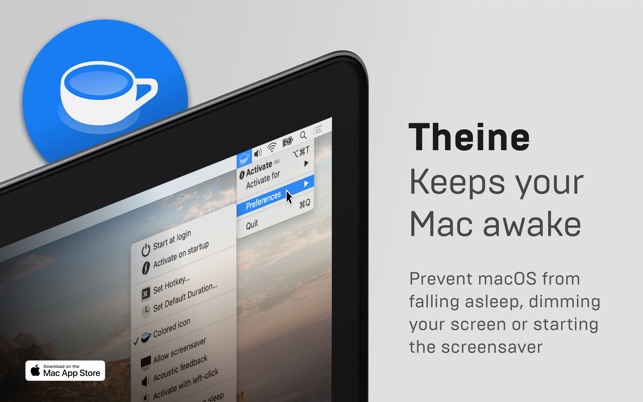
Prevent your Mac from falling asleep, dimming your screen or starting the screensaver. Theine keeps macOS awake just like caffeine does with you.

It just works
Caffeinate your Mac through a simple click on its menubar icon or even better: define a custom global hot key. It is fast, lightweight and optimized for macOS 10.15 Catalina.

Always on time
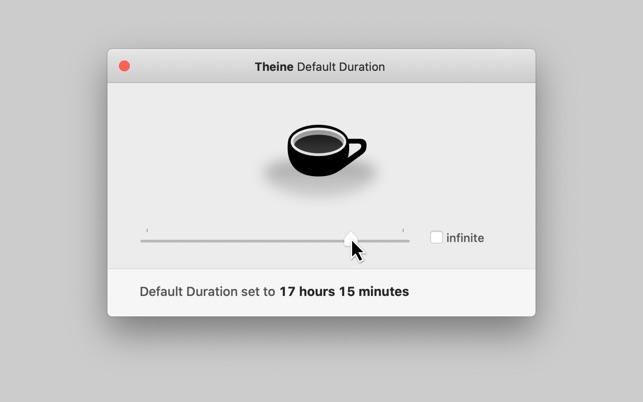
The timer function allows you to control exactly how long Theine should be activated. You can also set a custom default duration or choose to caffeinate your Mac infinitely.

Less but better
Theine looks brilliant in light and dark mode. It is designed for modern retina displays and perfectly fits to macOS accent colors. But our favourite feature is: It is as little design as possible.

More Features

  • Auto-Start on login
  • Activate on startup
  • Activate with left or right click
  • Acoustic feedback
  • “Lockscreen allows sleep” option
  • “Auto-deactivate on low battery” option
  • Automatische Deaktivierung bei geringer Akkuladung
  • Support for many languages
  • Optimized for VoiceOver

Disclaimer: Theine will not prevent your MacBook from sleeping if you close its lid for security reasons.

Caffeinate when…

  • Watching or recording videos
  • Listening to podcasts
  • Doing a presentation at work or school
  • Waiting for large files to download
  • Talking to your friends
  • Rendering sophisticated media files
  • Observing live stats or long-running tasks on your screen

Compatibility: macOS 10.12 or later, 64-bit processor
Homepage https://apps.apple.com/app/theine/id955848755

Screenshots


Name: Theine 3.5 MAS [HCiSO]_Mactorrents.is.dmg
Size: 8.64 MB
Files Theine 3.5 MAS [HCiSO]_ Mactorrents.is.dmg[8.64 MB]

   Download

Vellum 3.4.2

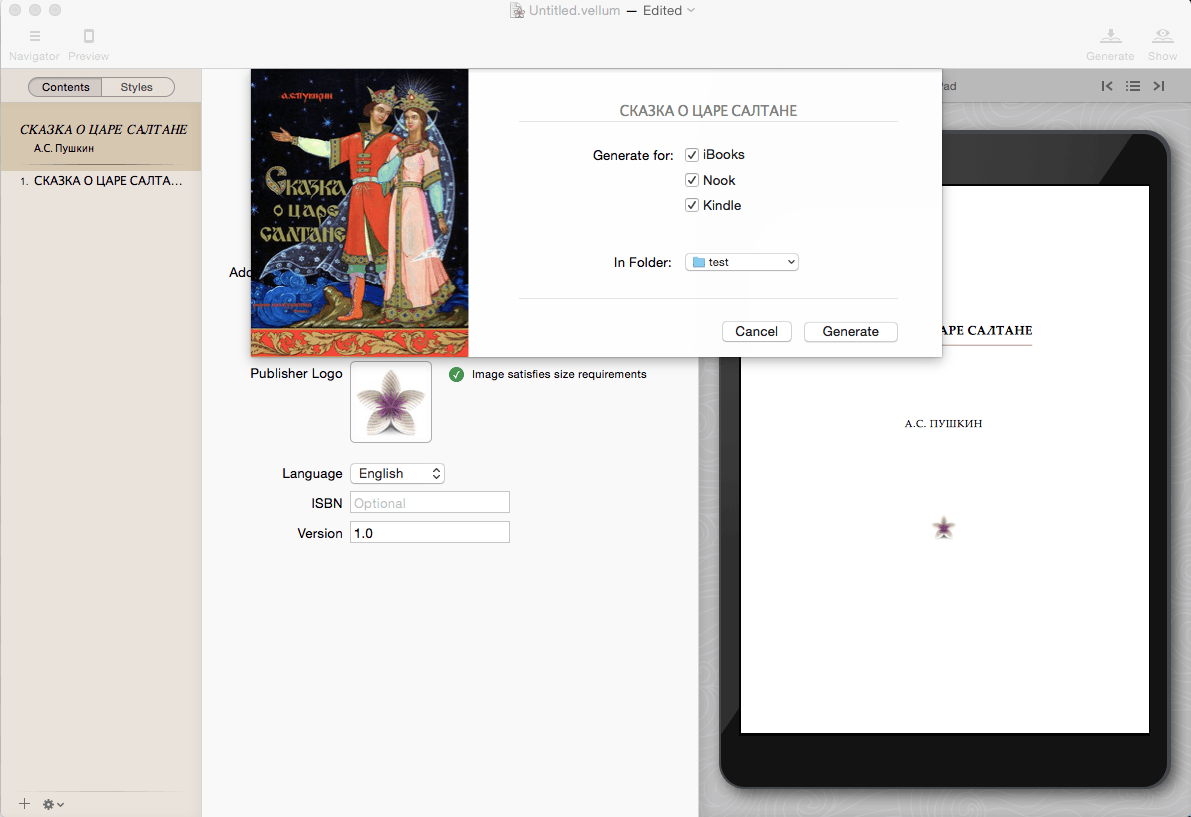
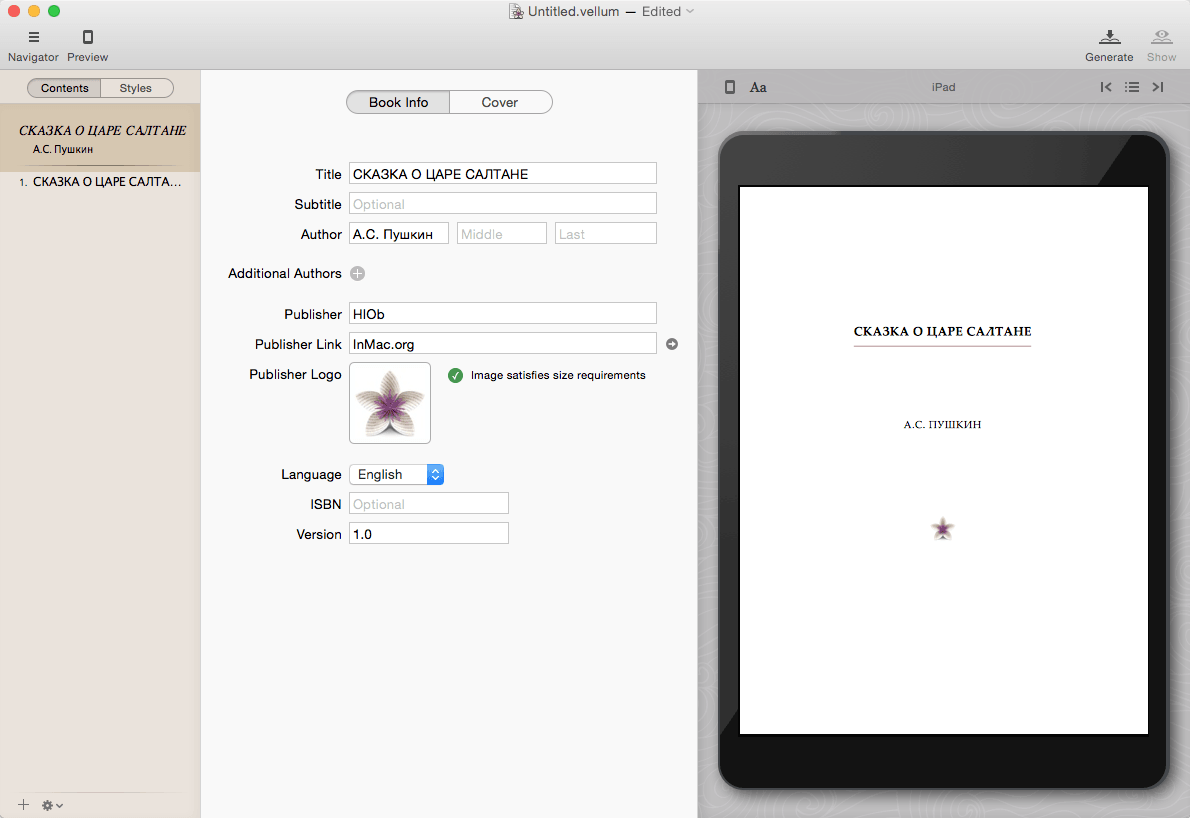
Vellum is an eBook-generating tool that lets you easily create an eBook from a text manuscript or from scratch within the application. Choose the appropriate style from several options, view instant previews of the finished product, and easily generate and regenerate eBooks with a single click to avoid disaster upon finding mistakes.

What’s New:

Version 3.4:

  • fixes a crash that affected some users of Vellum 2.6.2

Compatibility: OS X 10.15 or later • Apple Silicon or Intel Core processor
Homepage https://vellum.pub/

Screenshots


Name: Vellum_3.4.2_[TNT]_Mactorrents.is.dmg
Size: 94.33 MB
Files Vellum_3.4.2_[TNT]_ Mactorrents.is.dmg[94.33 MB]

   Download

Mitti 2.2.7

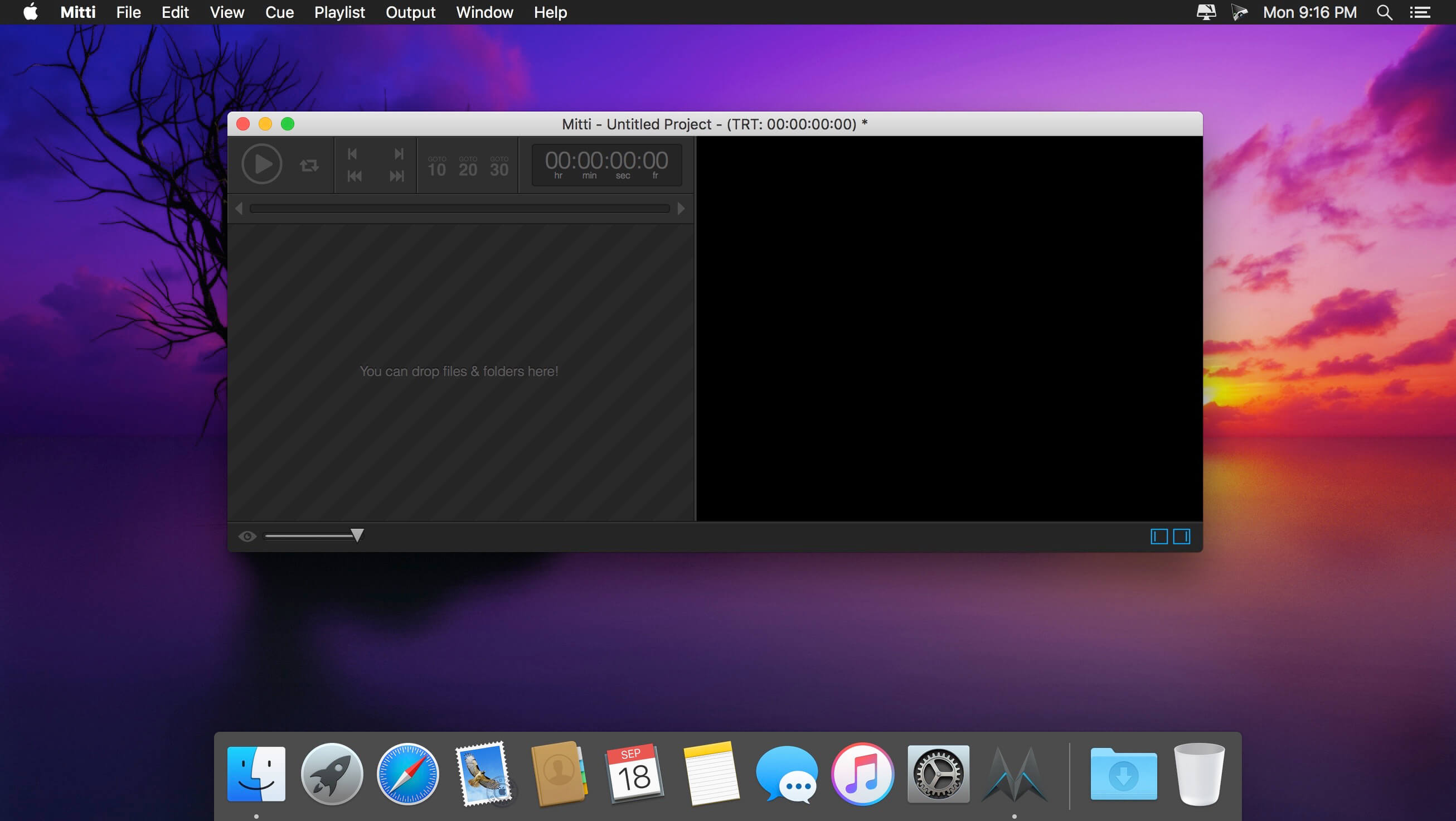
Having all your visual and audio content up and ready before starting your presentation or commencing a show is crucial: you cannot waste time during a performance looking for various files or resources or making configurations you could have handled before the event.

Mitti is a video cue software that delivers extensive control over the audio and video input and output sources, can work with different cue types and gives extensive control over each resource included in your project.

Video cue software that can deal with content coming from various sources
To start working on a Mitti project, you first need to import the visual content you want to include in the visual presentation. Mitti is able to load video or image files, but you can also connect cameras or Syphon or NDI servers.

You get to import files or folder to the Mitti playlist with drag and drop, and the same rule applies if you wish to reorder the list. Note that each entry comes with its own control bar that enables you to customize the output further.

Adjust the image color, rely on built-in video effects, and get control over the audio output
Via the Mitti Cue Settings panel, you get to adjust the image opacity, brightness, or contrast, and adjust the red, green, and blue proportions. The app also sports an extensive collection of video effects and enables you to set a custom title to each cue.

In addition, you get to toggle the audio, add fade in or fade out effects, replace the visual source, or put the respective cue on loop. Make sure to navigate to the project’s Preferences if you want to adjust the SMPTE frame rate, the fade duration, the timecode input, the audio input, and so on.

Prepare visual representations to be displayed on multiple screens and deliver visual content from multiple sources
Mitti is a video cue software that enables you to prepare video and audio performances ahead of the event. The app can work with video or image files, or you can configure camera or Syphon or NDI servers cues.

What’s more, Mitti can send data to Blackmagic DeckLink or NDI compatible devices or to a Syphon server. The app can also be controlled from a remote location by using the MMC or MSC protocols, or MIDI controllers.

What’s New:

Version 2.0:

General:

  • Mitti 2 is an universal binary – it runs natively on both Intel and Apple Silicon chips, and it requires macOS 10.14 Mojave at least. The graphics rendering engine has been rewritten completely to leverage the power of Apple’s Metal graphics technology.
  • File extension is now .mitti2 – Mitti can open playlists created with Mitti 1.5, but some settings like NDI and Blackmagic Outputs are not restored.

Preferences:

  • Preferences now stored as defaults automatically, including Audio & Video Output settings.

User Interface:

  • Cue’s in the Playlist View on the left are larger for better readability on displays with higher resolutions. Each Cue that has audio data, now displays an audio VU meter.
  • The Playhead is now in the middle-bottom of the interface. The Cue In/Out points are draggable with the grey throttles on both sides. The Playhead is always shows the Current Cue, and it is draggable – even when the Cue is playing!
  • At the bottom of the Playhead view, there is the Audio Waveform View. The waveform data is not cached – it is generated each time when a Cue is loaded, and if any decoding error detected, an error message appears to let you know about the possible playback instability.
  • On the right side of the interface, there is the Cue Inspector, which shows the settings of the Selected Cue. In case there are multiple items selected, it shows only the options available for each them, and modifying settings affects all selected Cues of course.
  • The Preview now has a checkerboard background, which is useful to identify transparent areas.

Cues:

  • Cue Toggles have a better sense now in general, and the icons location represents their processing order on playback.
  • Cue ID & Search by Cue ID: Cues now have a maximum 6 characters long, uppercase ID. By default, this ID is their index in the playlist. You can use this ID in OSC messages, as well as with on-screen search. So if you set a Cue to have the ID INTRO, you can send OSC messages to it using the ID like /mitti/INTRO/play – or if you type intro… on Mitti’s interface, it will select that Cue.
  • Goto: If enabled, Mitti will jump to that Cue when the Current Cue played out. This new function lets you link non-consecutive clips, or build small groups. The toggle icon shows the target Cue is above or below to the Cue, it also displays the ID of the target Cue, and if you click on the toggle’s right side, it will select the target Cue.
  • Color Tags: there are 5 built-in background colors you can choose to group you Cues, either from the Inspection or from the right-click menu. If you click on the Color Tag icon on a Cue’s left side, it will select all Cues with the same Color Tag.
  • Notes: you can write memos.
  • Play Count for Looping: now you can select how many times you want to the Cue to Play looped. If this is not infinite, Mitti allows you to turn on Transition, Goto and Pause at End, which will be processed on the last loop.
  • Transition: the Transition on the Cue will be used when you transition to that Cue. There is no separate ‘Playlist Transition’ as with Mitti 1.5. There are far less option then in Mitti 1.5 by the way – let us know if you miss one of the old options please!
  • Make Seamless Loop: this is a convenience function in the right-clip menu. It basically just duplicates the Cue, then enables transition and Goto to make the looping seamless.
  • Geometry: the Geometry now has cropping function.
  • NDI and Camera (Blackmagic): Cues now have audio input.
  • OSC: now there is a /mitti/playCueWithCueID function.

Video Outputs:

  • The biggest change with Video Outputs is, it now using the resolution you set to render the Cues, instead of their native resolution. This way rendering has a “canvas resolution”, which makes sending NDI and Syphon more suitable.
  • The Cue-level Geometry Controls controls the relation to this Canvas.
  • To send video thru Blackmagic, NDI and Syphon outputs also integrated to this, so you can manage this outputs like screens – with screen spanning, corner pinning and edge blending enabled -, and now you can use multiple from these kind of outputs as well.

New options:

  • Time Overlays: you can now render Time Overlays on Outputs, just like on the Preview
  • Color Matte: with that you can display the Matte Color set in Preferences on transparent areas when rendering to the output.

Audio Output: Audio Output now has an option to select and follow the System’s Default output. You can also manage the audio output of NDI & Blackmagic devices here:

  • If the System’s Default + NDI & SDI option is selected, the audio will be sent thru the system wide default audio output, and will be sent thru NDI and Blackmagic cards as well.
  • If the NDI & SDI option is select, audio will only be sent thru NDI & Blackmagic cards.
  • Now you can also select how many output channels do you want to work with.

Integrations:

  • With the new Integration option available from Preferences, Mitti can act as a HyperDeck device, and it can be triggered from an ATEM switcher or by an NDI receiver.

Licensing:

  • Licenses that can run Mitti 2 can also run Mitti 1.5. However, the apps are storing the activation data on different locations, so each needs to be activated separately – because of activation is computer dependent, it will still count as one.

Compatibility: macOS 10.14 or later
Homepage http://imimot.com/mitti/

Screenshots

Name: Mitti_2.2.7_[TNT]_Mactorrents.is.dmg
Size: 13.12 MB
Files Mitti_2.2.7_[TNT]_ Mactorrents.is.dmg[13.12 MB]

   Download

SoundSource 5.5.7

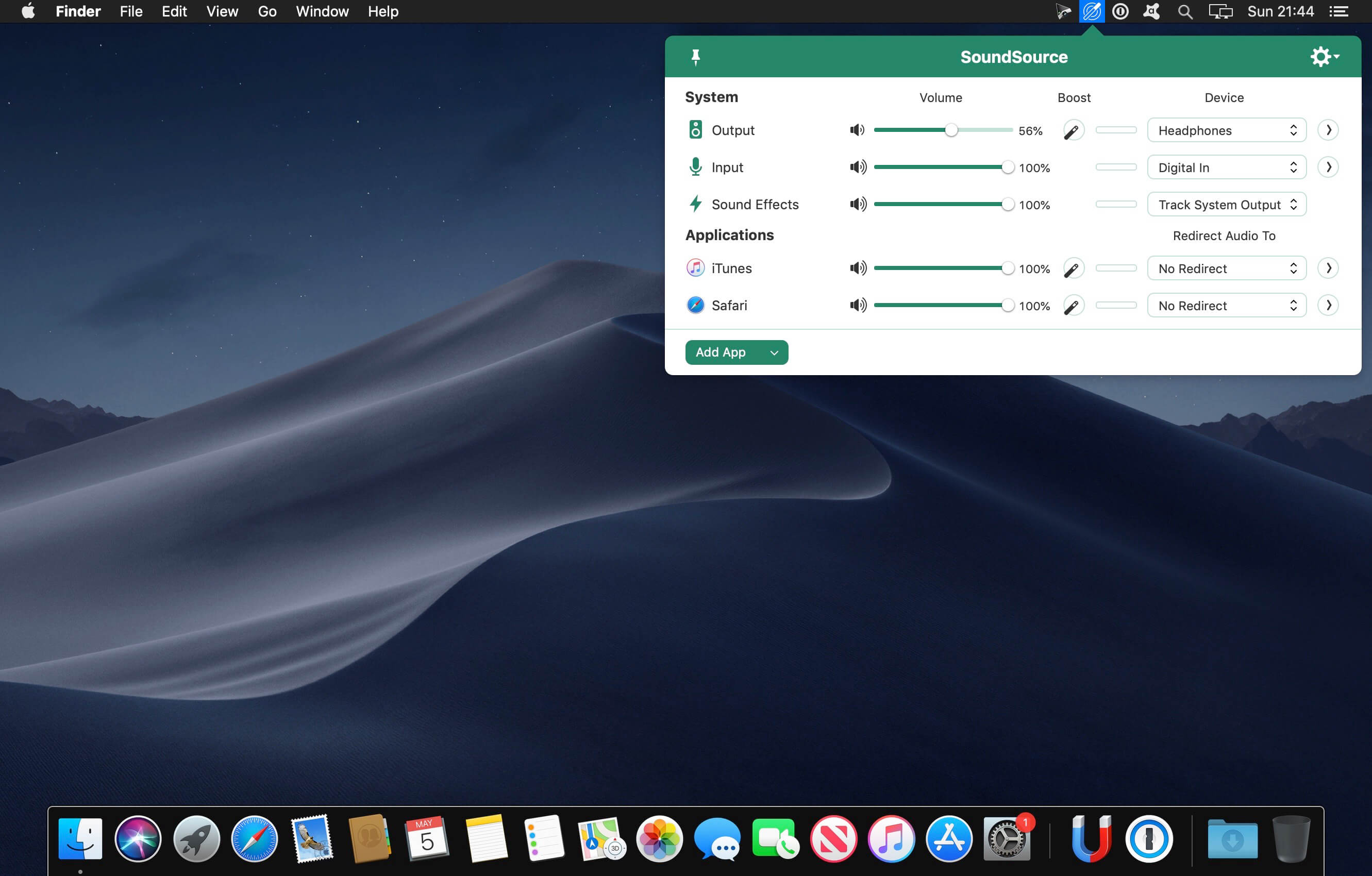
SounceSource lets you adjust your input, output, and sound-effects devices and volume settings in mere moments, right from the menu bar. Enable soft play-thru of input devices to your desired output, so you can hear sound coming in through any microphone or other source. With SoundSource, you get fast access to your Mac’s most important audio settings.

Fast Access to System Devices
Control the settings for your Mac’s Output, Input, and Sound Effects audio devices right from your menu bar.

Per-Application Audio Control
Change the volume of any app relative to others, and send individual apps to different audio outputs.

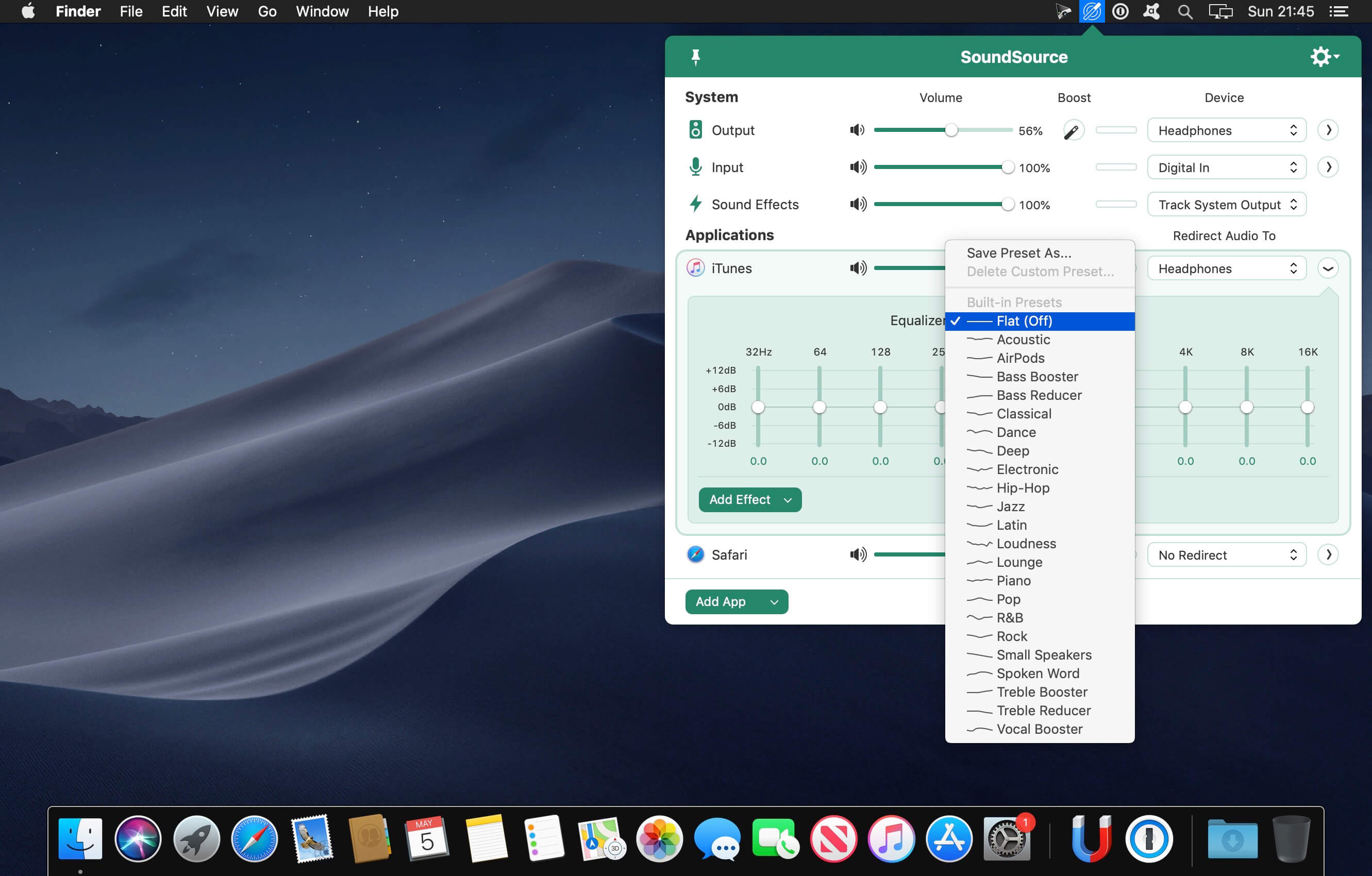
Add Effects
Make any audio sound great, with powerful built-in effects, as well as advanced Audio Unit support.

Fundamental Features

  • Per-App Volume Control
    Adjust volume levels for each of your applications, all in one place. Make one app louder or softer than others, or even mute it entirely.
  • Per-App Output Redirection
    Control exactly where audio plays. Route music from one app to your best speakers, while everything else is heard via your Mac’s built-in output.
  • Per-App Audio Effects
    Use the built-in 10-band equalizer and support for Audio Units to sweeten the sound of individual apps.
  • System Audio Settings
    Quickly adjust volume and input levels, balance, and even sample rate for your system’s Output, Input, and Sound Effects devices.
  • System-Wide Audio Effects
    Apply effects to sweeten the sound of all audio on your system, with the built-in 10-band equalizer and support for advanced Audio Unit plugins.
  • Super Volume Keys
    HDMI devices, DisplayPort audio outputs, and more fail to support the volume keys found on Mac keyboards. SoundSource makes those keys work with any outputs you have.
  • Menu Bar Access
    SoundSource lives in your menu bar, for one-click access to all your audio controls. You can also bring it up with a configurable global keyboard shortcut.
  • Floating Access
    Making frequent adjustments? Pin SoundSource’s main window, and it will float on your screen for instant access.
  • Headphone EQ
    The new Headphone EQ effect provides the very best sound from thousands of different models of headphones.
  • Magic Boost 2
    The new Magic Boost 2 does even more to provide rich, full sound from even the tiniest speakers.
  • Compact View
    SoundSource’s main window is streamlined, but to truly minimize how much space it uses, the Compact view has you covered.
  • Menu Bar Meters
    Add optional meters for your output device, input device, and/or active applications, so you can see and control audio even more easily.

Compatibility: macOS 10.14 or later
Homepage http://www.rogueamoeba.com/soundsource/

Screenshots


Name: SoundSource_5.5.7_[TNT]_Mactorrents.is.dmg
Size: 31.19 MB
Files SoundSource_5.5.7_[TNT]_ Mactorrents.is.dmg[31.19 MB]

   Download

SQLPro for SQLite 2022.103

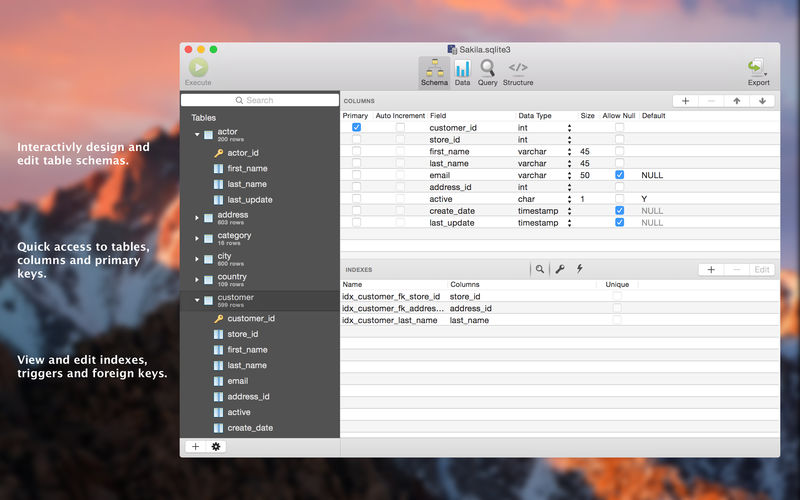
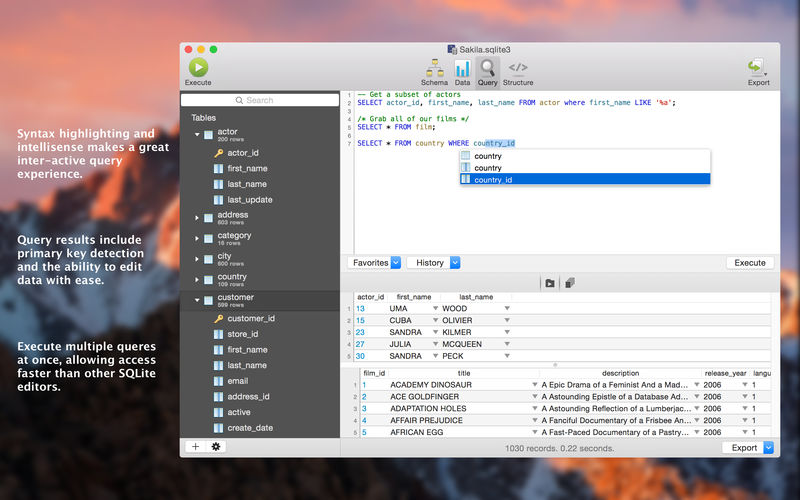
SQLPro for SQLite is an advanced sqlite editor. It has an easy to navigate interface, with the ability to perform the most basic to advanced tasks.

Features include:

  • Syntax highlighting and query intellisense/auto-complete.
  • Advanced multi-query execution.
  • Pick from multiple included themes, or design your own.
  • Automatic external change detection reloads a database when modified outside of SQLPro.
  • Version integration. Mucked your database? Rollback to a previous version.
  • Runtime loadable extension support.
  • Semiautomatic dependency resolution.
  • Export your data to csv, mysql, xml or json.
  • Backwards compatibility with SQLite 2.
  • Fullscreen support.
  • Column reordering.
  • Inline filters allowing you to customize the way your data is displayed.

If you would like to try before you buy, you can also give our free Read-Only version a look!

Compatibility: OS X 10.12 or later
Mac App Store https://itunes.apple.com/app/sqlpro-for-sqlite-sql-database/id586001240

Screenshots


Name: SQLPro_for_SQLite_2022.103_MAS_[TNT]_Mactorrents.is.dmg
Size: 25.66 MB
Files SQLPro_for_SQLite_2022.103_MAS_[TNT]_ Mactorrents.is.dmg[25.66 MB]

   Download

AnyMP4 Android Data Recovery 2.1.6

The best Android Data Recovery software provides you with powerful data recovery features for Android phones and tablets. AnyMP4 Android Data Recovery can recover deleted and lost text content such as contacts, SMS, text messages, call history, notes, WhatsApp chats, and more from Android device. And the exported contacts will be saved as VCF, CSV or HTML for your use. Whether you have accidentally deleted Android data or lost data after factory restore, OS update or rooting, device stuck or not responding, device locked, forgotten password, and ROM flashing, etc., the software can help you retrieve any important data on Android device.

Data like contacts/SMS/photos/WhatsApp/videos/music/call history/documents are easily deleted, and the phone’s limited storage space is something demanded endlessly. Things always happened when you need some deleted data like contacts/SMS/photos, but finally end with searching failure. Don’t get into panic when you lost some important Android data which still count very much to you, whether the data are accidentally deleted text content like contacts, messages, call history, message attachments, or lost media files like photos, pictures, videos, music, even app data like WhatsApp chat messages and attachments, and documents in TXT, DOC, ZIP, etc. AnyMP4 Android Data Recovery for Mac has a powerful function to recover Android data on Mac (macOS Catalina supported), which will help you retrieve the lost or deleted data from Android device to Mac.

What’s New:

Version 2.1.6:

  • Release notes were unavailable when this listing was updated.

Compatibility: macOS 10.0 or later
Homepage https://www.anymp4.com

Screenshots


Name: AnyMP4_Android_Data_Recovery_2.1.6.127222_[TNT]_Mactorrents.is.dmg
Size: 54.45 MB
Files AnyMP4_Android_Data_Recovery_2.1.6.127222_[TNT]_ Mactorrents.is.dmg[54.45 MB]

   Download

GraphicConverter 11.7.1 (5704) Beta

GraphicConverter is an all-purpose image-editing program that can import 200 different graphic-based formats, edit the image, and export it to any of 80 available file formats. The high-end editing tools are perfect for graphic manipulation as well as the ability to use Photoshop-compatible plug-ins. It offers batch-conversion capabilities, a slide-show window, batch rename, batch and individual editing of metadata (EXIF, IPTC, XMP) and so much more.

Import and export functions
– Import of approx. 200 & export of approx. 80 graphic formats
– Catalog generation (web, print, picture)
– Picture import direct from the camera (also RAW)
– TWAIN interface for scanners
– direct support of the photo services Google+, Flickr, Locr

Picture organization & workflow management
– Graphical file and picture browser
– Slide show functions
– Batch conversion
– Support for AppleScript

Picture editing
– Express picture enhancement function
– Enhancement and creation of pictures for use in the internet
– Basic functions for editing pictures
– Advanced functions, effects and filters for picture manipulation
– Plug-in architecture
– Color management with ColorSync and ICC profiles
– 3D image support

Compatibility: macOS 10.11 or later (Apple Silicon compatible)
Homepage https://www.lemkesoft.de

Screenshots


Name: GraphicConverter_11_11.7.1_(5704)_[TNT]_Mactorrents.is.dmg
Size: 244.12 MB
Files GraphicConverter_11_11.7.1_(5704)_[TNT]_ Mactorrents.is.dmg[244.12 MB]

   Download

FoneTrans for iOS 9.0.60

FoneTrans – iOS Transfer. It is the best iOS Transfer software to manage iOS files. Not just an alternative to iTunes. Now you don’t have to rely on iTunes to transfer photos, music, contacts and voice memos from iPhone/iPad/iPod to your computer or reversely. When you change an iPhone, you won’t have to worry about how to transfer the contacts, music and other data to your new iPhone.

– Transfer iPhone, iPad, iPod Touch, iTunes data.
– Move data among computer, iOS devices and iTunes Library selectively.
– One-click to manage files even for a novice.
– Photos, videos, contacts, messages, documents, WhatsApp, etc are supported.
– It won’t erase your data before or after you transfer.
– It will never modify or save your data.
– It takes a few storage of your computer.

Compatibility: OS X 10.10 or later
Homepage https://www.fonelab.com

Name: Mac_FoneTrans_for_iOS_9.0.60.127176_.[TNT]_Mactorrents.is.dmg
Size: 59.24 MB
Files Mac_FoneTrans_for_iOS_9.0.60.127176_.[TNT]_ Mactorrents.is.dmg[59.24 MB]

   Download

FoneLab for iOS 10.2.16

For people who forgot iPhone passcode might lose control of your iPhone, iPad or iPod touch, you will need FoneLab iOS Unlocker to remove 4-digit passcode, 6-digit passcode, Touch ID or Face ID in a proven easy way with the highest success rate effectively. (Attention: Removing iPhone Passcode will erase all data on your device.)

FoneLab iOS Unlocker

  • Wipe passcode for iPhone, iPad and iPod Touch.
  • Unlock iOS device Touch ID or Face ID.
  • Remove Apple ID if you forgot Apple ID or password.
  • Bypass Screen Time restriction password without losing data.
  • iOS 15 and earlier are compatible.
  • iPhone 13 Pro Max/13 Pro/13 mini/13, iPhone 12 Pro Max/12 Pro/12 mini/12, iPad 2019, iPad Pro and earlier are available.

What’s New:

Version 10.2.16:

  • Release notes were unavailable when this listing was updated.

Compatibility: macOS 10.10 or later
Homepage https://www.fonelab.com/

Screenshots


Name: Mac_FoneLab_for_iOS_10.2.16.127007_[TNT]_Mactorrents.is.dmg
Size: 58.19 MB
Files Mac_FoneLab_for_iOS_10.2.16.127007_[TNT]_ Mactorrents.is.dmg[58.19 MB]

   Download

PhoneRescue for iOS 4.2.2.20221214

PhoneRescue is an ultimate iOS data recovery program designed for retrieving your lost photos, messages, contacts, notes and more on your iPhone, iPad and iPod touch. Also it can repair an iDevice from any iOS crash error.

Features

  • Focuses on analyzing and recovering the most important 25 types of iOS content
  • Recovers data & files directly back to iPhone for instant use, or to computer for future use
  • Pinpoints your lost contents in the first moment and conjure them back in an eye-blink
  • Retrieves your valued information via 3 safe and reliable ways: from device, iTunes backup, and iCloud
  • Extracts your needed information from iTunes backup – even it has been encrypted
  • Offers options of file types that you intend to scan and recover, making the process more accurate and faster
  • Fixes any iOS error within a single click to revive your broken iPhone

Mistaken deletion of your photos, text messages, contacts or other vital info on your iPhone could be a disaster in your life. That’s why we introduced PhoneRescue, with the promise to get all your lost-but-valued media or text data back in your hands. Apart from supporting 3-way recovery (from device, iTunes backups, and iCloud) to ensure the maximum recovery rate, PhoneRescue can recover data directly back into iPhone for instant use.

Compatibility: macOS 10.10 or later
Language: English
Homepage https://www.imobie.com

Screenshots


Name: PhoneRescue_4.2.2.20221214_[TNT]_Mactorrents.is.dmg
Size: 58.1 MB
Files PhoneRescue_4.2.2.20221214_[TNT]_ Mactorrents.is.dmg[58.1 MB]

   Download

Audio Hijack 4.0.7

If you can hear it, you can record it – Record any application’s audio, including VoIP calls from Skype, web streams from Safari, and much more. Save audio from hardware devices like microphones and mixers as well. You can even record all the audio heard on your Mac at once! If you can hear it, Audio Hijack can record it.

Application Audio
Set any application as your source in Audio Hijack, then hit the record button to save its audio!

Device Audio
Audio Hijack can also capture and record audio from microphones, mixers, and other input devices.

All System Audio
Use the System Audio source to capture all the audio heard on your Mac at once.

More Great Features

Record to All Major Formats
Record to the world’s most popular audio formats, including MP3 and AAC, or save in perfect-fidelity AIFF, WAV, ALAC or FLAC.

Reusable Sessions
Once you’ve configured a Session to your liking, you can re-use it over and over. With one click, you’ll be recording exactly as desired.

Easy File Organization
Find all of your recordings sorted by Session in the Recordings tab, where you can quickly pass files to an audio editor, add them to iTunes, or share them.

Timed Recordings
Use the Schedule tab to set up timed recordings for when you’re not around. Your audio will be waiting for you when you return.

Silence Monitoring
When silence is detected, Audio Hijack can automatically stop recording, split to a new file, or remove audio.

Bulletproof Recording
Bulletproof recording means that even if the power goes out or your computer crashes, you’ll never lose a recording.

A Thoughtful Interface
Audio Hijack’s intuitive audio grid provides a terrific pipeline-style view of exactly how your audio flows, so you can easily understand it.

Gorgeous Audio Effects
The included audio effects are easy to use and easy on the eyes. Their functionality is now accessible to all.

Time Shift Your Audio
Now you can pause, delay, and rewind live audio on your Mac. It’s perfect for transcribing audio and more!

Compatibility: macOS 10.14.4 or later (Apple Silicon compatible)
Homepage https://www.rogueamoeba.com/audiohijack/

Screenshots


Name: Audio Hijack 4.0.7 [HCiSO]_Mactorrents.is.dmg
Size: 34.29 MB
Files Audio Hijack 4.0.7 [HCiSO]_ Mactorrents.is.dmg[34.29 MB]

   Download

Loopback 2.2.12

Cable-Free Audio Routing for Mac
Suddenly, it’s easy to pass audio between applications on your Mac. Create virtual audio devices to take the sound from applications and audio input devices, then send it to audio processing applications. Loopback gives you the power of a high-end studio mixing board, right inside your computer!

A Transit System for Your Audio
Combine Audio Sources
Configuring a virtual audio device from multiple sources is easy. Just add the applications and physical audio devices you want to include to the Audio Sources table to get started.

Available System-Wide
Your Mac will show Loopback’s virtual devices exactly like physical devices. Find them listed among other devices in System Preferences or select them as an input or output in any audio app.

Send Audio Between Apps
Loopback can also create pass-thru devices, which send audio from one app to another. Set the Loopback device as the output in one app and the input in another to make audio flow directly between the applications.

A Massive Interface Overhaul:

  • The most noticeable change in Loopback 2 is its brand-new user interface. The first version of Loopback offered tremendous audio routing capability, but harnessing that power was not as simple as it could’ve been.
  • For version 2, we worked hard on a redesigned interface that will be intuitive for everyone. Loopback now features a simple new wiring system that lets you easily visualize and adjust how your audio will flow.

Volume Controls Galore:

  • Users asked for it, and we provided it. Loopback 2 provides control over volume levels at every step of the way. The volume from individual sources can be tweaked relative to other sources, to get the perfect mix. Audio levels sent to monitoring devices can also be adjusted, as can the audio level from the virtual audio device itself.

More Powerful Monitoring:

  • Monitoring virtual audio devices is now simpler than ever. Just add a monitor at the end of the device, and wire it up to get the exact audio desired. Listen in to the entire device, or use the custom wiring to monitor just part of the audio. You can even have multiple Monitors per virtual audio device, so you can hear exactly what you need to.

Capture Hidden Sources:

  • Audio can now be captured from previously unavailable sources, like Siri, VoiceOver, and Text-to-Speech. Hold down the option key while clicking the Add Source button to reveal the “Running Processes” menu, then select the correct hidden source.

Up to 64 Channels:

  • Virtual audio devices can now provide up to 64 channels of input and output, for amazing power.

Fully Configurable Channels:

  • Just about any setup is now possible, with configurable routing of audio from all audio sources to output channels, as well as from output channels to the new, more powerful monitoring devices.

An Explicit Pass-Thru Source:

  • Pass-Thru functionality, previously an implicit part of Loopback, is now visible as an actual audio source. This allows for more power and control over the audio passing through your virtual audio devices.

On/Off Toggles for Sources and Monitors:

  • Loopback’s virtual audio devices are more configurable than ever, with the ability to turn off individual sources and monitors within a device. Rather than deleting a source or monitor, and losing its settings, you can now temporarily toggle it off as you make adjustments to get exactly the audio you need.

Compatibility: OS X 10.10 or later, 64-bit processor
Homepage https://www.rogueamoeba.com/loopback/

Screenshots


Name: Loopback 2.2.12 [HCiSO]_Mactorrents.is.dmg
Size: 24.2 MB
Files Loopback 2.2.12 [HCiSO]_ Mactorrents.is.dmg[24.2 MB]

   Download

Kiosc 1.15.12

Kiosc is a simple tool for creating personalised dashboards that communicate OSC and UDP. It allows you to design your own user interface that remote controls systems and equipment via Ethernet.

There is a lot of cool equipment available that can be controlled via UDP or OSC messages. You can choose Kiosc to be the stylish front-end for triggering all these video, audio and lighting devices. When designing the layout of your dashboard you can combine buttons, sliders, encoders, check-boxes and colour-pickers. You can drop in your logo or any other graphic.

Kiosc is the ideal way to control the architectural lighting controllers from Visual Productions like the CueCore2. It enables you, for example, to start lighting shows, change intensity levels or jump to a specific scene.

The Kiosc app is accompanied by the Kiosc Editor, a free design tool available on Windows, macOS and Ubuntu Linux.

Compatibility: macOS 10.15 or later.
Homepage https://apps.apple.com/app/kiosc/id1131605497

Screenshots


Name: Kiosc 1.15.12 MAS [HCiSO]_Mactorrents.is.dmg
Size: 13.17 MB
Files Kiosc 1.15.12 MAS [HCiSO]_ Mactorrents.is.dmg[13.17 MB]

   Download

Days – Countdown for Menu Bar 1.7

Keep track of the number of days until your next important event by conveniently displaying it prominently in your menu bar.

Features:
– Counts both days from / until an important date
– Ability to include recurring events on a weekly, monthly and annual basis.
– Seamlessly sync your events across all your devices
– Start the application automatically at login so that your favorite event countdown is always on display

Compatibility: macOS 10.15 or late • Apple Silicon or Intel Core processor
Mac App Store https://apps.apple.com/app/days-countdown-for-menu-bar/id1551509202

Screenshots

Name: Days 1.7.0 MAS [HCiSO]_Mactorrents.is.dmg
Size: 2.13 MB
Files Days 1.7.0 MAS [HCiSO]_ Mactorrents.is.dmg[2.13 MB]

   Download

Screegle – Clean Screen Sharing 2.1.9

Screegle lets you share any window you want over a clean desktop background image. Screegle = Screen Sharing for Professionals.

Your co-workers, team, customers, or students see a clean, uncluttered version of your desktop that only contains the windows you explicitly selected, nothing more.

No more notifications popping up, personal web sites, files and folders that might reveal personal information.

Using Screegle is very simple

  1. – press ⌘ F1 over any window you want to select or deselect (a blue ribbon will appear around it)
  2. – in your video meeting app, share the “Screegle Share” window and you’re all set!

You can also record a video of your Screegle windows, with voice.

This is useful to share clean desktops with co-workers for asynchronous communication.

And you can even add your webcam as an overlay, useful during screen recordings or when you present windows and want people to focus on you (turn off your webcam in your video app!)

Compatibility: macOS 10.14 or later
Mac App Store https://apps.apple.com/app/screegle-clean-screen-sharing/id1591051659

Screenshots

Name: Screegle 2.1.9 MAS [HCiSO]_Mactorrents.is.dmg
Size: 10.57 MB
Files Screegle 2.1.9 MAS [HCiSO]_ Mactorrents.is.dmg[10.57 MB]

   Download

Artstudio Pro 5.0.1

Introducing Artstudio Pro, the most powerful painting and photo editing app available for both macOS and iOS . The successor to our famous ArtStudio app has been redesigned bringing many new features and improvements taking full advantage of the latest technologies Metal, iCloud Drive, and optimized for 64-bit multi-core processors to achieve the smoothest possible workflow.

Hundreds of assets are included and users have the ability to import resources in the most popular formats (ABR, TPL, PAT, GRD, ASE, ACO) giving instant access to millions of brushes, patterns, gradients, color swatches and fonts. It will boost your creativity and help you bring your ideas to life quickly and easily.

New engine
The powerful GPU accelerated ArtEngine developed by Lucky Clan is 5-10 times faster than the previous engine. It allows working with multiple documents, supports large canvas sizes and an unlimited number of layers. Incredible optimization ensures smooth work even with large canvases.

  • Multiple open documents
  • Canvas size: 256Mpix
  • Unlimited layers
  • 27 tools: Move, Select, Crop, Eyedropper, Paint, Wet Paint, Eraser, Bucket/Pattern/Gradient Fill, Smudge, Dodge, Burn, Sponge, Text, Heal, Clone, and more

Flexible layer system
Artstudio Pro introduces a new layer system with grouping, non-destructive layer effects, and adjustment layers.

  • Groups
  • Masks, clipping masks
  • Adjustment layers
  • 9 layer effects: Bevel/Emboss, Stroke, Inner Shadow, Inner Glow, Outer Glow, Color/Gradient/Pattern Overlay, Drop Shadow
  • 27 blending modes
  • Text layers
  • Transform multiple layers simultaneously

Advanced Brush engine
Perfectly optimized, lag free mechanism generating smooth, real looking strokes, making the most of the stylus.

  • Brush size up to 4000×4000
  • 64-bit painting with pattern, double stamp, wet brush, dynamics
  • Brush editor with 80 customizable settings
  • Over 100 built-in brushes divided into a few groups: Painting, Sketching, Markers, Inking, Dots & Specks, and more
  • Symmetric painting with custom symmetry line

Professional photo editor
Photo editing options developed in cooperation with professional photographers. Each feature was tested in several scenarios and light conditions.

  • 15 adjustments available as non-destructive layer or simple adjustment: Brightness/Contrast, Levels, Curves, Exposure/Gamma, Shadows/Highlights, Vibrance, Hue/Saturation, Color Balance, Temperature/Tint, Black and White, Gradient Map and more
  • 4 auto adjustments: Auto Contrast, Levels, Lightness, Saturation
  • Dozens of filters with realtime preview and the ability to generate seamless patterns
  • Inpaint, Elastify (Liquify) ,Lighting, Depth Of Field, Denoise
  • Retouching tools: Heal, Dodge, Burn, Sponge and more
  • Image resize, Canvas resize
  • Crop using special tool, crop from selection, trim transparent areas

Import/Export
We have implemented many parsers from the most popular assets/images formats and we are especially proud of our ABR/TPL parser which not only reads brush stamps and patterns, but also most settings which are converted to Artstudio Pro brush engine values.

Import

  • Images – PNG, JPEG, PSD, HEIC, TIFF, GIF, most raw formats
  • Brushes – ABR, TPL
  • Color swatches – ASE, ACO
  • Patterns – PAT
  • Gradients – GRD
  • Fonts – TTF, OTF

Export

  • Images – PNG, JPEG, PSD, TIFF, PDF

Other features

  • Full iCloud integration
  • Screen recording
  • All features available on macOS, iPad and iPhone
  • Selection displayed as marching ants, quick mask or invisible
  • Snapping to guidelines, dynamic guidelines, grid
  • Perspective grid assist
  • Mirror (flipped) view
  • Canvas rotation

Compatibility: macOS 10.15 or later
Homepage https://geo.itunes.apple.com/app/id1313773050

Screenshots


Name: Artstudio_Pro_5.0.1_MAS_[TNT]_Mactorrents.is.dmg
Size: 237.39 MB
Files Artstudio_Pro_5.0.1_MAS_[TNT]_ Mactorrents.is.dmg[237.39 MB]

   Download

iShot Pro 2.2.6

iShot is an excellent, full-featured area screenshot, window screenshot, multi-window screenshot, long screenshot, shell screenshot, time-lapse screenshot, quick annotation, texture, color picking, screen recording, audio recording, OCR, screenshot translation tool on Mac .

1. Screenshots

  1. Area screenshot, window screenshot
    Supports frame selection screenshots, intelligent recognition window screenshots, and custom screenshot shortcuts.
  2. Multi-window screenshot
    Press the screenshot shortcut key, then Shift, and click on multiple windows to take screenshots of multiple windows.
  3. Delay full screen screenshot
    Delay full-screen screenshots, support countdown sound playback, and use to capture windows that are not easy to select.
  4. Take a screenshot of the last screenshot area
    Use the shortcut keys to quickly take a screenshot of the area where the last frame was selected.
  5. Screenshot window under cursor
    Use the shortcut key to directly capture the window under the current mouse without activating the window.
  6. Screenshot rounded corners and shadow effects
  7. Screenshot to open quickly
    After completing the screenshot, you can double-click Option to open the picture with a custom App, so that your screenshot and editing can be seamlessly connected.

Save/Storage

  • Support saving to clipboard and local
  • Support saving to the clipboard and saving to the local
  • Support single save as, custom save name and format
  • Support HD and SD image quality
  • Support jpg, png, tiff screenshot saving formats
  • Support output color standard pictures

2. long screenshots, scrolling screenshots

  • Select the scrolling screenshot area, then press the “S” shortcut key and slide the screenshot area upwards to start taking a long screenshot. The length of the long screenshot is unlimited.
  • Support automatic scrolling of long screenshots.

3. with shell screenshot

After taking a full screen screenshot, match your picture with a beautiful Mac shell mockup, high-end and elegant.

4. stickers

  • After the frame selection area is supported, click the map button to map;
  • The sticker library will store the record of the sticker.
  • After supporting the texture, right-click, mark and modify the texture image.

5. Quick Marking

  1. Marking function:
    Rectangle, circle, horizontal line, arrow, brush, mosaic, text mark, serial number label, local highlight;
  2. Quickly adjust dimension and transparency
  3. Rich annotation styles
    Arrows, mosaics and other annotation tools provide a variety of styles to choose from, making your annotations colorful.

6. Color picking function

  • When you press the screenshot shortcut key, the magnifying glass will display the color name under the current cursor, press R, G to copy the RGB and HEX color codes, and supports custom color codes with powerful functions.
  • Support native, normal RGB, SRGB, Adobe RGB, P3 multiple color gamut standards

7. Screen recording function

  • Supports screen recording of various resolutions and FPS in Ultra HD, HD and SD;
  • Support for recording the internal sound of the system;
  • Support for recording online meetings

8.Recording

  • Support recording function, recording anytime and anywhere, a good helper for business people.
  • Support for recording the internal sound of the system

9.OCR text recognition

  • After selecting the screenshot area, click the OCR button to perform text recognition, which is convenient and easy to use
  • The OCR function supports QR code recognition and prioritizes QR code recognition
  • Support OCR continuous recognition mode
  • Support OCR to cancel line feed

10. Screenshot translation

  • After selecting the screenshot area for OCR recognition, perform translation

Compatibility: macOS 10.13 or later
Homepage http://apps.apple.com/app/ishot-pro-screenshot-recording/id1611347086

Screenshots


Name: iShot Pro 2.2.6 MAS [HCiSO]_Mactorrents.is.dmg
Size: 61.95 MB
Files iShot Pro 2.2.6 MAS [HCiSO]_ Mactorrents.is.dmg[61.95 MB]

   Download

Piezo 1.7.12

Piezo allows you to quickly and easily record audio on your computer. Within a few seconds you will have the audio recording from any application. In addition to the audio recording of Piezo applications can record sound from the built-in microphone that can be useful for quickly recording podcasts or create audio notes.

Record From Apps and Devices Select an application or audio device in Piezo, then just hit Record to save the audio! Easy Podcast Recording Piezo records from Skype and other VoIP apps with ease. It even saves the audio to distinct channels for easy editing. Settings Are a Snap Open the settings popover to choose your recording quality, name your clip, and add comments. Piezo’s Features and Uses Grab From Any App Piezo captures audio from just about any application playing on your Mac. Super Simple Recording With one click, recording audio on your Mac has never been simpler. Recording, Demystified Piezo’s simple recording presets mean less worrying about your settings. Here’s Looking at You Simple and striking, Piezo’s charming interface makes recording fun. Record Web Audio Save audio from the web, just by setting a browser such as Safari or Chrome as your source. Archive Skype Calls Piezo records from Skype in a single click. It couldn’t be simpler! Save Streaming Music Record from services like Spotify, Rdio, MOG, and more. Record Audio Devices Hook up any microphone (even your Apple headset) and record from it instantly. Get Sound Bites Record from movies playing in any video player, including QuickTime Player, VLC, and many more.

Compatibility: macOS 10.14 or later
Homepage http://rogueamoeba.com/piezo

Screenshots


Name: Piezo 1.7.12 [HCiSO]_Mactorrents.is.dmg
Size: 24.22 MB
Files Piezo 1.7.12 [HCiSO]_ Mactorrents.is.dmg[24.22 MB]

   Download

PhoneRescue for Android 3.8.0.20221129

PhoneRescue for Android, covering literally all Android devices from Samsung, Huawei, LG, Google, or any manufacturer in the market, can save you from any data disaster from the very first moment. It adopts customized technologies based on each specific phone and tablet, making sure you get back your lost data and files with the highest success rate.

Features

  • Focused on helping recover data and files from your Android phone/tablet with the highest success rate
  • Recovers lost/deleted messages, contacts, call logs, calendars, etc., directly to your Android device for instant use
  • Covers all Android phone/tablet running Android OS 4.0 and above, including Samsung, Huawei, Sony, HTC, Google, LG, Motorola, OnePlus, and more
  • Scan and pinpoint your lost-but-valued content in the first moment from your Android device without root, and conjure them back in an eye-blink
  • Recover up to 13 types of the most commonly used data, including messages, photos, contacts, even WhatsApp and Line chatting records and attachments, etc.
  • Get back lost/deleted content with several simple clicks, no extra complex steps
  • Helps unlock your screen when you’ve forgotten the screen lock password, and keep all data intact on your Android device

What’s New:

Version: 3.7.0

  • Updated to support the latest Android phones.
  • Fixed some minor bugs.

Compatibility: macOS 10.10 or later
Homepage https://www.imobie.com/

Screenshots

Name: PhoneRescue_for_Android_3.8.0.20221129_[TNT]_Mactorrents.is.dmg
Size: 27.23 MB
Files PhoneRescue_for_Android_3.8.0.20221129_[TNT]_ Mactorrents.is.dmg[27.23 MB]

   Download

CheckBook Pro 2.7.14

More than a basic check register and reporting tool, CheckBook Pro features everything in CheckBook, our powerfully simple personal finance manager, and then some. Get a report for all of your accounts at once. Search for transactions with any combination of criteria. Group your transactions into folders. Change the details of a group of transactions in a single stroke. CheckBook Pro’s simply powerful data management tools make it all just plain easy.

Pro features
Save complex searches as Smart Folders, so you can search again and again
Group your transactions into Folders, to tidy up or begin a new year
Quickly change the details for a group of transactions, instead of one at a time
Report on all your accounts at the same time
See pending scheduled transactions for all your accounts with a single reminder
Save some ink strokes and let
CheckBook Pro print your checks for you (pre-printed check paper only)

Import from other personal finance apps or your bank

Strong support for OFX, QFX, QIF, CSV and Text Import from Quicken® Essentials for Mac

Name: CheckBook_Pro_2.7.14_[TNT]_Mactorrents.is.dmg
Size: 50.64 MB
Files CheckBook_Pro_2.7.14_[TNT]_ Mactorrents.is.dmg[50.64 MB]

   Download

Torrents Download Apple,Mac Osx,Apps ,Software

Exit mobile version