Acorn 5.5

Name Acorn 5.5
Size 15.31 MB
Created on 2016-08-04 08:55:58
Tracker http://109.235.50.166:2710/announce
Hash bb3a8d220e72211844f3689f1219d6f8b2457641
Files Aco55.zip (15.31 MB)

Description

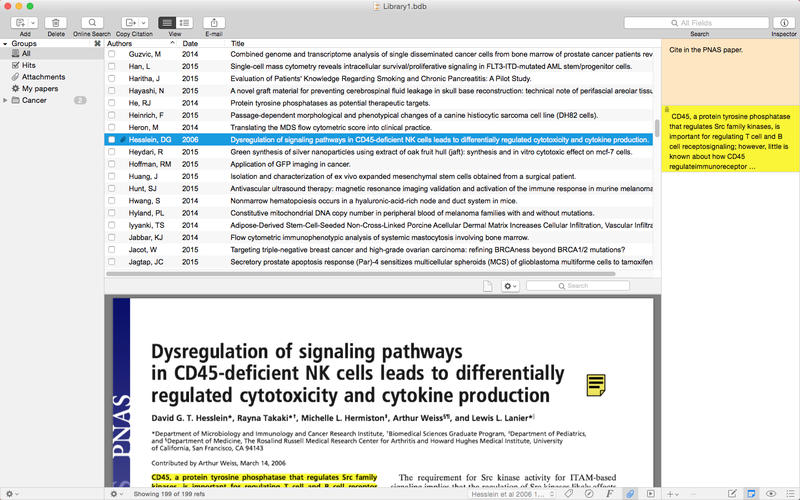
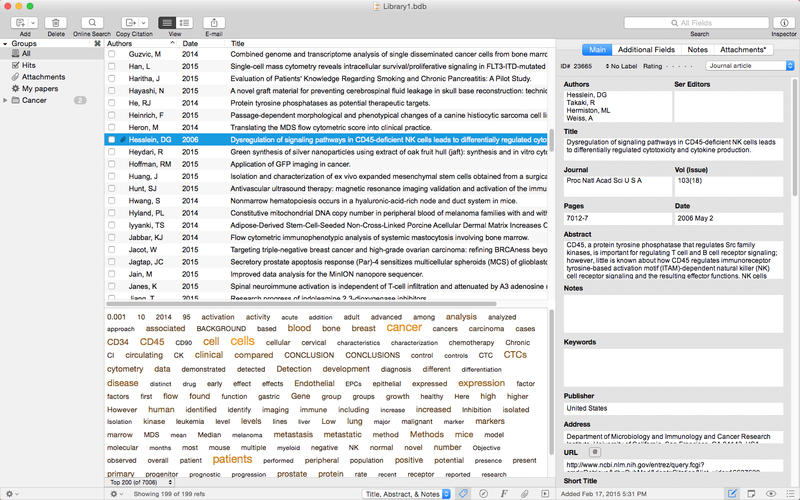
  Name: Acorn 5 - The Image Editor for Humans  Version: 5.5  Release Date: August 03, 2016  Language: English  Developer: Flying Meat Inc.  MAS Rating: 4+  Mac Platform: Intel  OS Version: OS X 10.10 or later  Processor type(s) & speed: 64-bit processor      Web Site: http://flyingmeat.com/acorn/  Mac App Store: https://itunes.apple.com/app/acorn-5-image-editor-for-humans/id1019272813?mt=12        Overview:  Everyone needs to edit photos at some point, but not everyone has the time to learn complicated super pricey photo editing software. This is why we created Acorn. Add text and shapes to your digital pictures. Combine images together to create a photo collage. Work with layers to touch up your favorite photos or make something entirely new from scratch. Do all this and more with Acorn!    Powerful Layer Capabilities   * Over 25 different non-destructive blending mode options.  * There is no limit to the number of layers and group layers, so you are never held back in creating complex intricate images.  * Use layer masks to block out unwanted areas of your image or to expose layers below.  * Transform, rotate, move, lock, merge, delete, and duplicate your layers quickly and easily.  * Use Acorn’s snapping to line things up perfectly. Snap to grid, guides, selections, shapes, layers, and the canvas.    Filters, Layer Styles, and Effects  * Apply endless combinations of layer styles and non-destructive filters to create unique effects.  * Save and modify your filters even after you’ve closed and re-opened your Acorn image.  * Customize your own presets and use the on-canvas controls to get things looking just right.  * Tilt shift, vignette, shadow, distortions, blurs, and over a hundred additional effects. Adding effects to your images has never been so easy.  * Use non-destructive curves and levels to adjust the individual color channels to perfect the mid-tones, shadows, highlights, and contrast in your images.    The Tools You Need  * Powerful eraser tools like instant alpha make removing photo backgrounds and other unwanted pixels from your images both fast and fun.  * Use traditional photography techniques like dodge and burn to highlight and darken your images.  * Acorn’s customizable clone, blur, and smudge brushes will have your photos looking great.  * Acorn features brushes that let you draw and sketch right on your image. Use a track pad, mouse, or even a tablet.   * Create your own brushes using Acorn's built in brush designer, or add to your brush library by importing photoshop brushes.  * Use Acorn’s multi-stop live gradients to create beautiful linear and radial gradients for vector shape and bitmap layers.  * Create custom selections, invert, feather, and even add a corner radius. Quickly select an entire color using the magic wand.  * Quickmask mode allows you to easily create and edit your selections like never before.    Vector Prowess  * Acorn’s text tool gives you control over your text in a simple interface. Everything is in the text palette from bold and italic to kerning and ligatures.  * Stars, arrows, bézier curves, circles, lines, and squares are just a handful of the vector features awaiting you.  * Use Acorn’s powerful shape processor to move, tweak, generate, and adjust shapes. Best of all, shape processors are non-destructible and stackable just like Acorn’s filters.  * Boolean shape operations include union, intersect, difference and exclude. Create complex vectors with ease.  * Convert text to bézier paths, add and subtract bézier points, and have your edges snap to pixel boundaries for precise alignment.    Professional Features  * RAW image import that allows you to import as 32, 64, or even 128 bit images.  * Create layered screenshots of every window you have open on your computer. It’s magic.  * Optimize and export your images for the web as PNG, JPEG, JPEG 2000, and GIF.  * Acorn is automatable and scriptable. Perform batch image editing using Automator, AppleScript, and JavaScript. You can even write custom plugins for Acorn.  * Use Acorn’s Smart Layer Export for easy 1x and 2x image export.  * Retina canvas support, and image metadata support.    Acorn’s website offers extensive online documentation, tutorials, a forum, and responsive support staff. You don’t have to learn by yourself. If you ever run into any issues, please let us know by writing to support@flyingmeat.com        What's New in Version 5.5:  # New Things  * New color picker! Hold down the option key (while in the canvas) when using the brush, pencil, gradient, or fill tools, and you'll get a fancy new loupe to select a color from anywhere on the screen (just click to pick your color). You can also scroll in and out with your scroll wheel (with shift+option down) to change how far in the loupe zooms. And finally if you'd like to get finer control when choosing your color, click and drag the mouse and let up when you've chosen your color. (You can also use the arrow keys to move it by single pixel increments). This is amazing. And if your hands are on the keyboard instead of mouse, you can use the keyboard shortcut Control-C to pick a color out.  * Two new dithering filters under Color Adjustment: "1Bit" which will turn your layer in a (seemingly) one bit, black and white image. As well as "Dither", which is a filter which lets you choose from four different types of dithers: Atkinson (old school Mac OS), Floyd Steinberg, Gaussian Blue, and Ordered Reproducible.  * Color profile, bit depth, and DPI of an image are now listed in the Metadata window.  * New "Spacing" option in the "Arrange Shapes in a Circle" shape processor. A setting of 0 will mean shapes are auto-spaced around the circle evenly. Any other value between 1-360 is the distance (as an angle) between shapes. This means that shapes can either not make it all the way around the circle, or even go around multiple times. Bonus- combine this with the Translate shape process to make shapes do a loop across your canvas.  * Layer alignment options: Select multiple layers, and use the various options under Layer ▸ Rotate and Transform ▸ Align to have edges line up or center in canvas, or so on. Hold down the option key for more menu items.  * The Layer ▸ Rotate and Transform ▸ Rotate 90° layer menu items now work on a selection.    # Changes  * Tightened up some colorspace issues when using the system color loupe from the color panel.  * The return of no working pixel processing profile (WPPP for short?) as default. As part of the color profile overhaul, Acorn 5.4 changed the default WPPP to Linear Light and in while this is awesome for doing things with brushes and most other alpha blending scenarios, it probably wasn't the right choice for general webby use and setting colors in general. It also didn't match what most other image editors did as well. So in Acorn 5.5, we're changing it back.  * Rolled back the bits from 5.4 where shape layers would draw in a linear RGB colorspace if your document was set to run pixels through a linear colorspace as well.  * Removed the View ▸ Select Color menu item, in favor of the Edit ▸ Pick Color menu item. Why didn't anyone notice that we had two different menu items for the same thing till now?  * New code for matching your image's color space to the display color space. It's fancy.  * Changed the minimum radius of the "Arrange Shapes in a Circle" processor to 0. You can now use this processor to stack all your shapes into a single pile.  * The "Monitor Resolution" preset now does the right thing for retina displays.  * QOL improvements for the gradient palette: Single click to select and change the color of a color stop. Better drawing and handling of the gradient palette color handles. In addition, if a color handle has the focus of the color palette, it will now draw a little highlight on top of the handle letting you know this.  * It is no longer to move layers into or out of locked group layers via the layers list.  * Pressing the fx button in the tool palette will now toggle showing the filter sheet if there aren't already filters on the current layer.    # Bug fixes  * Fixed some snapping issues when moving selected pixels around the canvas.  * We ran out of room for the full list. Visit the release notes on our website for everything!    If you like Acorn, we'd love it if you could take a moment and give it a nice review.  It helps Acorn get noticed, which helps everyone in the long run.  

Screenshots

1_Acorn_5_The_Image_Editor_for_Humans.jpg

Graphics for OS X 07 08 2016

Name Graphics for OS X 07 08 2016
Size 2.94 GB
Created on 2016-08-04 13:25:06
Hash e22801ba82d9a446dba627f63da1774f4631df9e
Files ※ See Files

Descriptions for Description

Name: Graphics for OS X
Version: 07 08 2016


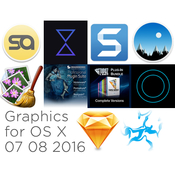
Includes:
1. Reflect Studio 2.5 [En]
2. SkyLab Studio 1.0 [En]
3. LensFlare Studio 5.3 [En]
4. Sketch 39.1 [En]
5. TechSmith Snagit 4.0.4 [En]
6. PhotoSweeper X 2.2.4 [En]
7. Vertus Fluid Mask 3.3.15 [Multi]
8. Imagenomic Plug-in for Photoshop, Aperture 3 and Lightroom (upd 02.07.2016)
9. Topaz Plugins Bundle 27.06.2016
10. SmartAlbums 2.0.13 [En] 

Reflect Studio 2.5 [En]

Publication type: OS X Software
The release took place: August 02, 2016
Supported OS: OS X 10.9 +
Language: English
Type of medicine: patch
System requirements:
OS X 10.9 or later,
Intel, 64-bit processor


Description:
Reflect Studio is a new photo editor from the creators LensFlare Studio enables you to create beautiful 
photos with stunning reflective surfaces - an effect that should be in the Arsenal of 
every photographer and designer. Reflect Studio includes a reflecting surface other than simply water,
such as oceans, ice, floors, beaches and much more.

You can share your creations with the world! Export your favorite images to TIFF, PNG, JPG and share 
on popular social networks such as Facebook and Twitter.

Installation procedure:
Mount image and drag the application icon to the applications folder
Run the patch and the open window patch drag the icon previously installed application, wait for 
activation

SkyLab Studio 1.0 [En]

Publication type: OS X Software
The release took place: August 02, 2016
Supported OS: OS X 10.9 +
Language: English
Treatment: complete
Type of medicine: patch

System requirements:
OS X 10.9 or later,
Intel, 64-bit processor


Description:
"Inspired by his own love of beautiful sky."
SkyLab Studio will change your view of the sky in the photo.
Imagine a stunning sky in your photos with this innovative new app.
You will be able to easily replace the sky in your photos with the innovative controls. Choose from a
huge collection of content, to add additional objects to your scenery, such as trees, birds, isolated 
clouds, the moon, and more.
Use innovative controls , specially designed for editing the content of the sky. Save your designs and 
export images. Share your creations to your favorite social networks 


Installation procedure:
Mount image and drag the application icon to the applications folder
Run the patch and the open window patch drag the icon previously installed application, wait for activation

LensFlare Studio 5.3 [En]

Publication type: OS X Software
The release took place: August 02, 2016
Supported OS: OS X 10.9 +
Language: English

System requirements:
OS X 10.9 or later,
Intel, 64-bit processor


Description:
LensFlare Studio will serve as the main tool for photographers.
Add a beautiful flare and lighting effects to your photos.
With over 100 effects, you can choose from highlights, streaks, glow, bokeh and much more.
LensFlare Studio is a tool that should be in any photographer or designer.

Purpose:
Photo
Graphic design
Logos and names
Special effects


Additional information:

LensFlare Studio has over 100 optical effects high-resolution. Each effect responds dynamically as 
you position the light source, realistically simulating various lens types, reflections, and edge glare.
LensFlare types:
Anamorphic Flares
Natural sunlight
Science fiction Flash
Strip, side glow
Finish off your masterpiece with professional filters and lens textures and Film Grain. 

What's new in version:
Various fixes and improvements 


Installation procedure:
Mount image and drag the application icon to the applications folder
Run the patch and the open window patch drag the icon previously installed application, wait for activation

Sketch 39.1 [En]

Publication type: OS X Software
The release took place: July 25, 2016
Supported OS: OS X 10.10 +
Language: English
Treatment: complete
Type of medicine: keygen

System requirements:
OS X 10.10 or later
Intel, 64-bit processor


Description:
Sketch from Bohemian Coding - one of the best vector editors for Mac OS X!
The modern software development is inconceivable without the work of the designer, and the designer to work,
you need the appropriate software. Mainly for design use Adobe Illustrator, Photoshop and other professional
image editors, but there are specialized solutions. Recently released the third version of the vector 
editor Sketch, centred on the creation of graphics for your programs.
Sketch - a real vector editor containing a great variety of really powerful tools allow all sorts of
manipulation with vector graphics.


Fixes Rendering bugs when working in Pixel Mode at high zoom levels
Fixes a bug where inserting new Symbol instances could unexpectedly clip their contents
Fixes a bug where layers with blending would not always display as expected in Mirror
Fixes a possible crasher after exiting text editing
Fixes a bug where text shadow could behave unexpectedly
Fixes a rare bug where layers would refuse to be deselected
Fixes a bug where changing the opacity of Symbol instances could have unexpected results 
Installation procedure:
Mount image (the archive is unpacked only the built-in archiver)
Drag the application icon to the applications folder
Before the treatment procedure to run the application at least once in trial mode.
Sketch_v3 copy keygen to desktop and run in terminal (to open terminal and drag the keygen into the 
open window of the term - press enter) will automatically be saved license file

Block domain:
Code: 
www.bohemiancoding.com

TechSmith Snagit 4.0.4 [En]

Publication type: OS X Software
The release took place: July 13, 2016
Supported OS: OS X 10.10 +
Language: English and German
Treatment: complete
Type of medicine: ready keygen

System requirements:
OS X 10.10 or newer
Intel processor
2GB of RAM or greater
64-bit only


Description:
Snagit tool to capture images from the screen
TechSmith Snagit makes it easy to capture images from the screen with the ability to use special 
profiles capture targeted for a specific purpose. In product included profiles capture bound to 
appropriate keystrokes. Profiles provide the ability to capture the screen as a whole and its 
individual parts - the text from the text editor window, page content, including the scroll zone 
located outside the screen, images, web page, etc. Users are not limited to provide a set of profiles.
The product allows you to create custom profiles, directing them to perform an unlimited number of
different tasks to capture images. It is also possible to configure key shortcuts, add various visual
effects such as shadow, etc. In Snagit provided and a video recording of what is happening on the 
screen and the application has the capability of recording audio tracks.

Version 4.0.4:
FTP output has a copy URL to clipboard option
Improved support for upcoming macOS release
Other bug fixes and performance improvements
Choose how you'd like to start a capture in the Snagit menu under Preferences.:
OneClick-tab
Capture Window
Capture Window & OneClick tab


Installation procedure:
Mount image Snagit.dmg
Drag the application icon to the applications folder
Recorded data from a text file and disclaim visit the developer's site ...
In the settings disable the automatic check and update of the program.

PhotoSweeper X 2.2.4 [En]

Publication type: OS X Software
The release took place: July 09, 2016
Supported OS: OS X 10.9 +
Language: English
Treatment: complete
Type of medicine: patch

System requirements:
OS X 10.9 or later,
64-bit processor


Description:
PhotoSweeper is a great way of finding duplicate images
The problem of treatment of acute computer for many users. In the "normal" operation, the hard disk
is clogged with unnecessary files very quickly, but those who actively works with certain file types,
the issue with duplicate files is very relevant. The most urgent need in the apps to clean up your hard 
drive experience photographers, designers, and representatives of other professions, or otherwise
associated with the processing of more images.
This problem applies both to the images in the user folders and libraries iPhoto and Apperture. 
The images is so much that working is not possible manually. In this case, it is wise to hire the
services of specialized applications. 


What's new in PhotoSweeper 2.2.4
Supported Apple Photos 2.x on macOS Sierra.
Improved integration with Apple Photos.
Other improvements. 


Installation procedure:
Mount image and drag the application icon to the applications folder
To run the patch and the open window patch drag the icon previously installed application, wait for activation

Do not upgrade the program!

Vertus Fluid Mask 3.3.15 [Multi]

Publication type: OS X Software
The release took place: July, 02, 2016
Supported OS: OS X Tiger 10.4.11 +
Language: English, German , Italian, etc.
Treatment: complete
Type of medicine: patch

System requirements:
XGA (1024x768) 24-bit (millions of colours) display
512MiB RAM (1GiB recommended)
250MB of available hard-disk space
Mac
PowerPC G4/G5 or Intel processor
Mac OS X Tiger v10.4.11, Leopard v10.5.8, Snow Leopard v10.6.2, or later
Fluid Mask 3 as a Photoshop plug-in:
Adobe Photoshop Elements, CS2, CS3, CS4 or CS5.
Adobe Photoshop CC 2015, CC 2014, CC & CS6 including x86 and x64


Description:
Vertus Fluid Mask - a very powerful program and easy to use plug-in for Photoshop (available for all
image editors that support the format .8bf). The essence of the functioning of the product lies in
the simulation process of our bodies of view and thinking through automatic analysis of raster images.
After the graphics file is downloaded to your desktop Fluid Mask, intelligent mechanism carefully 
studying the contents of the pictures and, guided by the data on the color palette, gradients and
textures edited images, shares his conditional on the zone. In particular, automatically or 
manually identifitseerida area to remove and store (key objects, background, region with complex 
boundaries and transitions). On their basis is generated and included in the service layer with 
metadata IIL (Image Information Layer) integrated mask that shows as saved and deleted pixels, 
and the boundaries of these zones.


Installation procedure:
Mount image and drag the application icon to the applications folder
Run the patch and through the open window of the patch (the blue button) drag the icon previously 
installed program
When applying the patch may be prompted to download the developer tools (Xcode), just close this
window (no download required)

Imagenomic Plug-in for Photoshop, Aperture 3 and Lightroom (upd 02.07.2016)

Publication type: OS X Software
The release took place: July, 02, 2016
Supported OS: Mac OS X 10.9.x +
Language: English
Treatment: complete
Type of medicine: the crack/sn ready

System requirements:
Mac OS X 10.9.x/10.8.x/10.9.x/10.10.x/10.11 x
1GB of free RAM
100MB of free hard disk space
1280x800 screen resolution
Adobe Photoshop CS5/CS6/CC/CC2014/??2015/??2015.5
Adobe Photoshop Elements 11/12/13/14
Photoshop Lightroom 2/3/4/5/6
Aperture 3 (64 bit only)


Description:
A set of plug-ins from the company Imagenomic ...
Portraiture - irreplaceable filter that will turn your photo into a glamorous picture, will allow 
to avoid time-consuming procedure per-pixel image retouching to remove image defects. 
Thanks implemented in the application technology of intellectual dithering, Amateurs will 
be able to completely remove the defects without affecting the smallest detail, including 
the texture of the skin, hair, eyebrows, eyelashes etc.
Noiseware - one of the best plug-ins designed to eliminate noise in digital photographs. 
Noiseware allows you to quickly and effectively clean the images of artifacts that often 
arise when shooting at high ISO values and low light conditions.
RealGrain - plug-in helps to stylize a digital image of a classic photograph by simulating
film grain,ie. convert the digital image so as if it was taken on one of the professional films.


Professional Professional Plugin Suite for Adobe Photoshop CC 2015.5 and Photoshop Elements 14 build 1414u6 NEW
Mac OS X 10.9.x/10.10.x/10.11.x, 1GB RAM, 100MB HDD, 1280x800 min resolution, Photoshop CC 2015.5 or Elements 14

Professional Plugin Suite for Adobe Photoshop and Photoshop Elements build 141
Mac OS X 10.7.x/10.8.x/10.9.x/10.10.x, 1GB RAM, 100MB HDD, 1280x800 min resolution, 
Photoshop CS5/CS6/CC/CC 2014/CC 2015 or Elements 11/12/13

Professional Plugin Suite for Apple Aperture build 1409
Mac OS X 10.7.x/10.8.x/10.9.x/10.10.x, 2GB RAM, 100MB HDD, 1280x800 min resolution, Aperture 3 (64bit only)

Portraiture Plugin for Adobe Photoshop CC 2015.5 and Photoshop Elements 14 v.2.3.5 build 2352u6 NEW
Mac OS X 10.9.x/10.10.x/10.11.x, 1GB RAM, 100MB HDD, 1280x800 min resolution, Photoshop CC 2 or Elements 14

Portraiture Plugin for Adobe Photoshop CS5/CS6/CC/CC 2014/CC 2015
and Photoshop Elements 11/12/13 v.2.3.5 build 2352
Mac OS X 10.7.x/10.8.x/10.9.x/10.10.x, 1GB RAM, 100MB HDD, 1280x800 min resolution,
Photoshop CS5/CS6/CC/CC 2014/CC 2015 or Elements 11/12/13

Portraiture Plugin for Adobe Photoshop CS4 and Photoshop Elements 8/9/10 v.2.3 build 2309u1
Mac OS X 10.6.x/10.7.x/10.8.x, 1GB RAM, 100MB HDD, 1280x800 min resolution, Photoshop CS4 or Elements 8/9/10

Portraiture Plugin for Adobe Photoshop Lightroom v.2.3.4 build 2342
Mac OS X 10.6.x/10.7.x/10.8.x/10.9.x/10.10.x, 1GB RAM, 100MB HDD, 1280x800 min resolution,
Adobe Photoshop Lightroom 2/3/4/5/6

Portraiture Plugin for Apple Aperture v.2.3.4 build 2341
Mac OS X 10.6.x/10.7.x/10.8.x/10.9.x/10.10.x, 2GB RAM, 100MB HDD, 1280x800 min resolution, Aperture 3 (64bit only)

Noiseware Plugin for Adobe Photoshop CC 2015.5 and Photoshop Elements 14 v.5.0.3 build 5033u6 NEW
Mac OS X 10.9.x/10.10.x/10.11.x, 1GB RAM, 100MB HDD, 1280x800 min resolution, Photoshop CC 2015.5 or Elements 14

Noiseware Plugin for Adobe Photoshop CS5/CS6/CC/CC 2014/CC 2015
and Photoshop Elements 11/12/13 v.5.0.3 build 5033
Mac OS X 10.7.x/10.8.x/10.9.x/10.10.x, 1GB RAM, 100MB HDD, 1280x800 min resolution,
Photoshop CS5/CS6/CC/CC 2014/CC 2015 or Elements 11/12/13

Noiseware Plugin for Adobe Photoshop CS4 and Photoshop Elements 8/9/10 v.5.0 build 5007
Mac OS X 10.6.x/10.7.x/10.8.x, 1GB RAM, 100MB HDD, 1280x800 min resolution, Photoshop CS4 or Elements 8/9/10

Noiseware Plugin for Apple Aperture v.5.0.3 build 5031
Mac OS X 10.6.x/10.7.x/10.8.x/10.9.x/10.10.x, 2GB RAM, 100MB HDD, 1280x800 min resolution, Aperture 3 (64 bit only)

Realgrain Plugin for Adobe Photoshop CC 2015.5 and Photoshop Elements 14 v.2.0.1 build 2013u6 NEW
Mac OS X 10.9.x/10.10.x/10.11.x, 256MB RAM, 10MB HDD, 1024x768 min resolution, Photoshop CC 2015.5 or Elements 14

Realgrain Plugin for Adobe Photoshop CS5/CS6/CC/CC 2014/CC 2015
and Photoshop Elements 11/12/13 v.2.0.1 build 2013
Mac OS X 10.7.x/10.8.x/10.9.x/10.10.x, 256MB RAM, 10MB HDD, 1024x768 min resolution, 
Photoshop CS5/CS6/CC/CC 2014/CC 2015 or Elements 11/12/13

Realgrain Plugin for Adobe Photoshop CS4 and Photoshop Elements 8/9/10 v.1.1 build 1103u3
Mac OS X 10.6.x/10.7.x/10.8.x, 256MB RAM, 10MB HDD, 1024x768 min resolution, Photoshop CS4 or Elements 8/9/10

Realgrain Plugin for Apple Aperture v.2.0.1 build 2011
Mac OS X 10.7.x/10.8.x/10.9.x/10.10.x, 2GB RAM, 100MB HDD, 1280x800 min resolution, Aperture 3 (64 bit only)


Installation procedure:
Mount image, select the desired plugin
Run the installer and follow the instructions
Register data from the keygen:
Name - any
e-mail - any
serial number - of keygen

or, use ready sn from a text file

Topaz Plugins Bundle 27.06.2016

Publication type: OS X Software
The release took place: June 2016
Supported OS: OS 10.6 +
Language: English
Treatment: complete
Type of medicine: ready serial/keygen/patch

System requirements:
For Topaz Glow and Topaz Impression
OS X 10.8+
4 GB RAM minimum - preferably more
64bit CPU
For Topaz ReMask 5
OS X 10.9+
4 GB RAM minimum - preferably more
64bit CPU


All Other Products
Intel-based Macs with OS 10.6+
2 GB RAM minimum - preferably more

Host Programs
Adobe Photoshop CS4-CS6 (32-bit and 64-bit), Adobe Photoshop Elements 6-14, 
Adobe Photoshop CC - Photoshop CC 2015
Apple Aperture 2 and 3**, Lightroom 2 - 6, and iPhoto via Topaz Fusion Express
PhotoFXlab ONLY - Video Card should support OpenGL 2.1 technology and later 
(A better video card will increase performance even more so than a faster computer processor.)


Description:
Topaz Bundle - a set of plug-ins from the renowned company Topaz Labs for Adobe Photoshop as 
well as Photoshop Elements, Apple Aperture and Lightroom. Plug-ins designed to control plug,
simulating oil painting and watercolors, reduce noise, separation of object from the 
background and Association with other images sharpening and much more.
Topaz Photoshop Bundle - significantly expands the functionality of existing adjustments 
in Photoshop, give photographers a fast, efficient and absolute control over their creative vision.
Topaz Labs Photoshop Plug-Ins are specially designed to expand the creative tools the photographer,
through the use of powerful technologies in the field of image changes.
Adjust 5.1.0
Detail 3.2.0
Simplify 4.1.0 (4.1.1)
InFocus 1.1.0
Clean 3.1.0
Lens Effects 1.2.0
DeNoise 5.0.1
DeNoise 6.0.1
B&W Effects 2.1.0
DeJPEG 4.1.0
Clarity 1.0.0
ReMask 5.0.1
Star Effects 1.1.0
ReStyle 1.0.0
PhotoFXlab 1.2.10
Topaz Fusion Express
Topaz Impression 1.1.2
Topaz Impression 2.0.1 [NEW]
Topaz Impression 2.0.1
Topaz Glow 1.0.1
ReMask 4.0.0
Topaz Texture Effects Mini 1.1.1 


Installation procedure:
Please, before install plugins from this distribution, verify the version of those that You already have!
1. To mount the selected image with the plugin
2. Run the installer and follow the instructions. (requires administrator rights)

The plug-ins to Apple Aperture, Lightroom and iPhoto must install Topaz Fusion Express 
or PhotoFXlab 1.2.7 (present in the distribution)
Installation support in Aperture, Lightroom, iPhoto:
Connection in Aperture
In the menu Aperture> Preferences
Go to Export, and in the section External Image Editor, click Choose. Select prilocaine:
Macintosh HD -> Library -> Application Support -> Topaz Labs -> FusionExp2 and select Topaz Fusion Express 2
The export format, specify Tiff

Connecting in Lightroom
In the menu Lightroom -> Preferences
Go to Export, and in the section External Image Editor, click Choose. Select prilocaine:
Macintosh HD -> Library -> Application Support -> Topaz Labs -> FusionExp2 and select Topaz Fusion Express 2
The export format, specify Tiff
In the Color Space, select ProPhotoRGB
Color depth 16 bit supply

Connect to iPhoto
From the iPhoto menu -> Preferences -> General (iPhoto -> Infusions -> General )
In the "Edit photos" (Edit Image) select an external editor. Select prilocaine:
Macintosh HD -> Library -> Application Support -> Topaz Labs -> FusionExp2 and select Topaz Fusion Express 2
Go to the tab "Advanced" (Advenced) and check the box "Save changes as TIFF 16-bit" 
(Save edits as 16-bit TIFF Files) then right click on the photo "edit in an external 
program editor" or by clicking on "Edit" will be launched Fusion Express 2, which will have to select the desired filter.


Treatment procedure:

Launch Photoshop, open the image, then menu - filters, select plugin
In Menu - Enter key - enter NAME (where necessary) - Any and KEY ....(take from a text file)
If not working copy/paste, KEY is entered manually or command + V
In the text file are added one at a time sn for each plugin (just in case)
To DeNoise suitable room 6 from version 5
For Topaz Impression 2.0.1 - number from a text file

At the time of registration of the plugins you wish to disable the network in-t
There is a possibility to choose the SN alone, for this you can use the keygen 
(in the drop-down menu, select Photoshop Bundle)

Topaz Glow:
Run the patch, click on the blue button and find the previously installed application.
When applying the patch, may be invited to download developer tools Xcode - download anything required!
Patch is compatible with OS X 10.9.5-10.11+

Topaz Impression:
Run the patch, click on the blue button and find the previously installed application.
When applying the patch, may be invited to download developer tools Xcode - download anything required!
Patch is compatible with OS X 10.9.5-10.11+

Topaz Textures Effects Mini:
Run the patch, click on the blue button and find the previously installed application.
Before applying the patch, verify the name of the program , if the Texture Topaz Effects 3 
you will need to rename -> Topaz Texture Effects
When applying the patch, may be invited to download developer tools Xcode - download anything required!
Patch is compatible with OS X 10.9.5-10.11+

SmartAlbums 2.0.13 [En]

Publication type: OS X Software
The release took place: June 25, 2016
Supported OS: OS X 10.8 +
Language: English
Treatment: complete
Type of medicine: patch

System requirements:
Mac OS X 10.8 or newer
Intel, 64-bit processor


Description:
Albums: now it's easy
SmartAlbums is a revolutionary software that will allow create photo albums fast and fun! Easy to install, 
saving you time and creativity!
Experiment with design, mix and post pictures ... Use ready-made templates, or use the opportunity
to create your own. SmartAlbum created by photographers and graphic designers using innovative 
technology that is very easy to use.


SmartAlbums 2.0.13 for Mac Release Notes

IMPORTANT: Custom Template Library File Format Update
There were recent changes to how frame dimensions are stored in custom template files. 
If you have any custom templates that you created in SmartAlbums 2.0.12, please contact 
our support at support@pixellu.com before updating to 2.0.13.

Fixes and Improvements
Fixed issue when custom templates appear to not preserve their exact original size, 
when using templates that were created in SmartAlbums 2.0.11 and prior.
Fixed issue when the entire custom template library would not load due to a single 
corrupted template (such templates are ignored).

Known Issues
Frames in custom templates, that were created in SmartAlbums 2.0.12, will have their size modified.
This is to ensure that they work correctly further on with the updated algorithm for storing custom
templates' frame sizes (versions 2.0.11 and prior are not affected).

Feature Differences Between Mac and Windows Versions
Opening project files built with SmartAlbums versions prior to 2.1 will not be supported
(future release SmartAlbums 2.1 for Mac will be able to save project files in the compatible format).
PSD export is 'beta' mode in SmartAlbums for Windows.
Cloud Proofing is not available in SmartAlbums for Windows (coming in future releases).
Matted albums support is not available in SmartAlbums for Windows.
Design-time color profile management does not work in SmartAlbums for Windows 
(coming in future releases).
Importing images in ProPhoto RGB color profile is not supported in SmartAlbums for Windows
(coming in future releases).
ProPhoto RGB color profile export is not available in SmartAlbums for Windows.
Legacy proofing export is not available in SmartAlbums for Windows.
Mac OS X Quick Look feature is not available in SmartAlbums for Windows 
(preview in Windows Photo Viewer is available only). 


Installation procedure:
Mount image and drag the application icon to the applications folder
To run the patch, click on the blue button to find a previously installed program and wait for activation.

When applying the patch may be prompted to download the developer tools Xcode, no download is required.
Patch is compatible with 10.9.5-10.11 +
Cloud Proofing requires the original license and therefore not working.

Files

Graphics for OS X 07  08 2016/Adguard.release.dmg (49.79 MB)
Graphics for OS X 07  08 2016/Graphics for OS X 07  08 2016.rtf (176.5 MB)
Graphics for OS X 07  08 2016/Graphics for OS X 07  08 2016.txt (48.96 kB)
Graphics for OS X 07  08 2016/Hello, My Friend.rtf (11.07 MB)
Graphics for OS X 07  08 2016/How to Block Ads.rtf (1.43 MB)
Graphics for OS X 07  08 2016/Imagenomic Plug-in for PS, Aperture 3 & LR (upd 02.07.2016).dmg (85.39 MB)
Graphics for OS X 07  08 2016/LensFlare Studio 5.3.dmg (149.7 MB)
Graphics for OS X 07  08 2016/PhotoSweeper X 2.2.4.dmg (26.70 MB)
Graphics for OS X 07  08 2016/Pixellu SmartAlbums 2.0.13.dmg (118.5 MB)
Graphics for OS X 07  08 2016/Reflect Studio 2.5.dmg (98.06 MB)
Graphics for OS X 07  08 2016/Sketch 39.1.dmg (21.58 MB)
Graphics for OS X 07  08 2016/SkyLab Studio 1.0.dmg (162.6 MB)
Graphics for OS X 07  08 2016/TechSmith Snagit 4.0.4.dmg (83.93 MB)
Graphics for OS X 07  08 2016/Topaz Labs Photoshop Plugins Bundle 2016 (27.06.2016)/CORE Keygen&keys.dmg (457.2 kB)
Graphics for OS X 07  08 2016/Topaz Labs Photoshop Plugins Bundle 2016 (27.06.2016)/Topaz Glow 1.0.1.dmg (39.44 MB)
Graphics for OS X 07  08 2016/Topaz Labs Photoshop Plugins Bundle 2016 (27.06.2016)/Topaz Impression 1.1.2.dmg (149.5 MB)
Graphics for OS X 07  08 2016/Topaz Labs Photoshop Plugins Bundle 2016 (27.06.2016)/Topaz Texture Effects Mini 1.1.1.dmg (368.8 MB)
Graphics for OS X 07  08 2016/Topaz Labs Photoshop Plugins Bundle 2016 (27.06.2016)/topazadjust5.dmg (58.10 MB)
Graphics for OS X 07  08 2016/Topaz Labs Photoshop Plugins Bundle 2016 (27.06.2016)/topazbweffects2.dmg (129.1 MB)
Graphics for OS X 07  08 2016/Topaz Labs Photoshop Plugins Bundle 2016 (27.06.2016)/topazclarity.dmg (55.48 MB)
Graphics for OS X 07  08 2016/Topaz Labs Photoshop Plugins Bundle 2016 (27.06.2016)/topazclean3.dmg (42.85 MB)
Graphics for OS X 07  08 2016/Topaz Labs Photoshop Plugins Bundle 2016 (27.06.2016)/topazdejpeg4.dmg (36.60 MB)
Graphics for OS X 07  08 2016/Topaz Labs Photoshop Plugins Bundle 2016 (27.06.2016)/topazdenoise5.dmg (43.36 MB)
Graphics for OS X 07  08 2016/Topaz Labs Photoshop Plugins Bundle 2016 (27.06.2016)/topazdenoise6.0.1.dmg (41.05 MB)
Graphics for OS X 07  08 2016/Topaz Labs Photoshop Plugins Bundle 2016 (27.06.2016)/topazdetail3.dmg (56.43 MB)
Graphics for OS X 07  08 2016/Topaz Labs Photoshop Plugins Bundle 2016 (27.06.2016)/topazfusionexpress2.dmg (26.86 MB)
Graphics for OS X 07  08 2016/Topaz Labs Photoshop Plugins Bundle 2016 (27.06.2016)/topazimpression2.dmg (161.2 MB)
Graphics for OS X 07  08 2016/Topaz Labs Photoshop Plugins Bundle 2016 (27.06.2016)/topazinfocus.dmg (123.9 MB)
Graphics for OS X 07  08 2016/Topaz Labs Photoshop Plugins Bundle 2016 (27.06.2016)/topazlenseffects.dmg (184.9 MB)
Graphics for OS X 07  08 2016/Topaz Labs Photoshop Plugins Bundle 2016 (27.06.2016)/topazphotoFXlab 1.2.10.dmg (77.73 MB)
Graphics for OS X 07  08 2016/Topaz Labs Photoshop Plugins Bundle 2016 (27.06.2016)/topazremask4.dmg (35.96 MB)
Graphics for OS X 07  08 2016/Topaz Labs Photoshop Plugins Bundle 2016 (27.06.2016)/topazremask5.dmg (54.23 MB)
Graphics for OS X 07  08 2016/Topaz Labs Photoshop Plugins Bundle 2016 (27.06.2016)/topazrestyle.dmg (70.91 MB)
Graphics for OS X 07  08 2016/Topaz Labs Photoshop Plugins Bundle 2016 (27.06.2016)/topazsimplify4.dmg (40.57 MB)
Graphics for OS X 07  08 2016/Topaz Labs Photoshop Plugins Bundle 2016 (27.06.2016)/topazstareffects.dmg (121.0 MB)
Graphics for OS X 07  08 2016/Torrent downloaded from Demonoid.pw.txt (0.05 kB)
Graphics for OS X 07  08 2016/Vertus Fluid Mask 3.3.15.dmg (39.74 MB)
Graphics for OS X 07  08 2016/What is Adguard.rtf (600.6 kB)


AirParrot 2.5.2

Name AirParrot 2.5.2
Size 17.77 MB
Created on 2016-08-04 08:51:23
Tracker http://109.235.50.166:2710/announce
Hash 10e5f61bd01e9ef177398366802d0b71d914d4c1
Files AirPa252.zip (17.77 MB)

Description

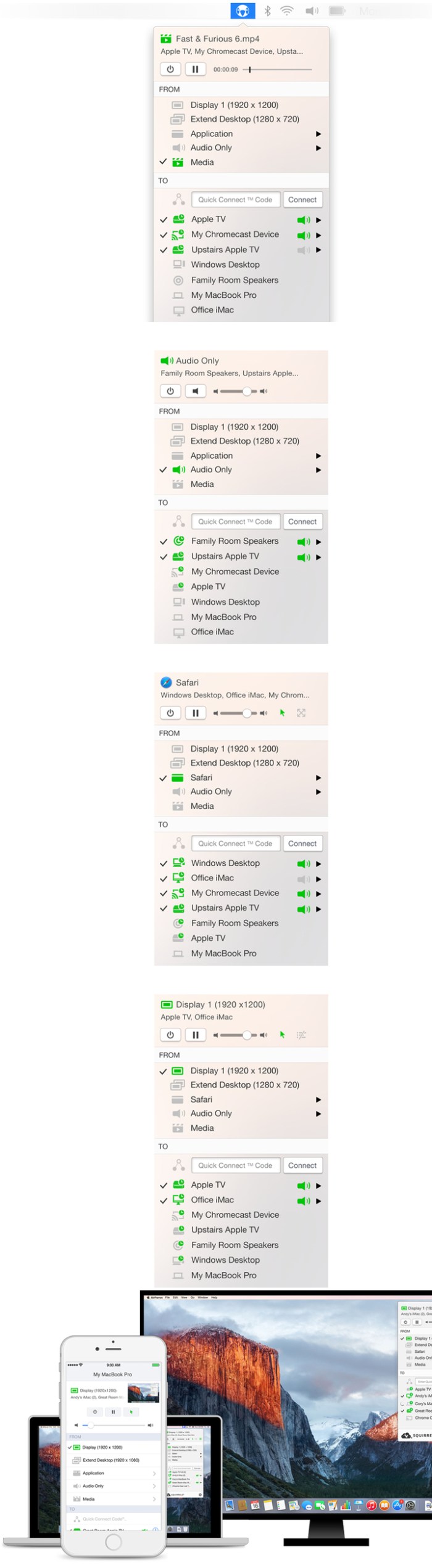
  Name: AirParrot - Mirror your Mac's display on your Apple TV.  Version: 2.5.2  Released: August 1, 2016  Mac Platform: Intel  OS Version: OS X 10.7.5 or Later  Processor type(s) & speed: 64-bit processor      Web Site: http://www.airsquirrels.com/airparrot/        Overview  AirParrot delivers a mirroring experience that can't be matched by built-in AirPlay mirroring. Mirror the entire screen or just a specific application. In most cases, AirParrot is much faster than the native option. It doesn't distract while adjusting your display settings and mirrors your screen the way you want. Quickly connect and mirror to Apple TV, Chromecast and more. AirParrot 2 is a great addition to any Mac—old or new!        What's New in Version 2.5.2:  Improved the rate at which content updates when mirroring mostly static content (such as Powerpoint)  

Screenshots

Note-Ify Notes 1.42

Name Note-Ify Notes 1.42
Size 9.08 MB
Created on 2016-08-02 11:27:00
Tracker http://109.235.50.166:2710/announce
Hash 0ce322aea51e1ded773a41476b6b8004731fe780
Files NotelfNo142.zip (9.08 MB)

Descriptions for Description

Name: Note-Ify Notes
Version: 1.42
Release Date: July 31, 2016
Language: English
Developer: Sergii Gerasimenko
MAS Rating: 4+
Mac Platform: Intel
OS Version: OS X 10.10 or later
Processor type(s) & speed: 64-bit processor


Web Site: http://www.noteifyapp.com
Mac App Store: https://itunes.apple.com/app/note-ify-notes/id1092173510?mt=12


Overview:
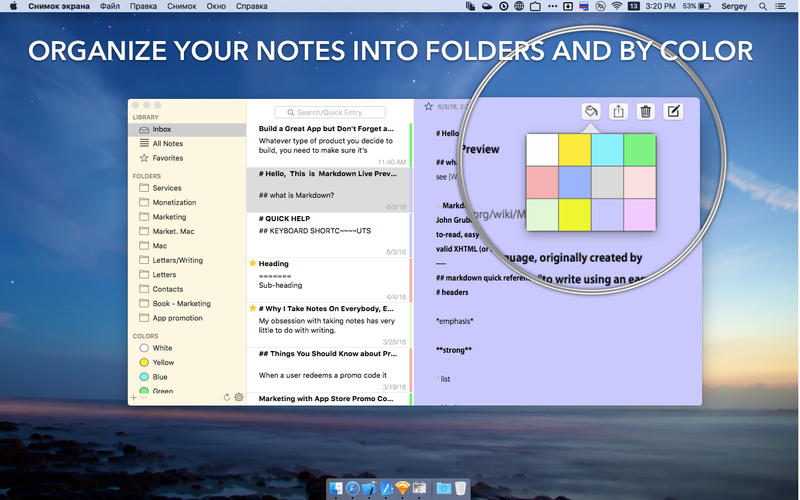
Write down ideas while you work. Keep a diary. Write memos and practice "freewriting".  Note-ify — universal notebook for all of your thoughts.

KEY FEATURES
◆ Quick create notes from menu bar;
◆ Organaize notes by colors;
◆ Text formatting (Markdown format)
◆ Full control from the keyboard;
◆ Activation by the hot key;
◆ Creating of notes from the search window;
◆ Folders to sort by topic;
◆ Favorite notes;
◆ Colors for visual organization;
◆ Sync your notes between devices.

KEYBOARD SHORTCUTS

◆ alt-cmd-1, alt-cmd-2, alt-cmd-3 — move focus between folders, notes and text;
◆ shift-cmd-n — create new flolder;
◆ cmd-n — create new note;
◆ backspace in the folder list — delete folder;
◆ cmd-backspace in the note list — delete note;
◆ cmd-L — swatch to search box; 
◆ enter — make a note from the search field;
◆ cmd-escape — move to the note list.

Please send us your wishes and ideas on feedback@noteifyapp.com


What's New in Version 1.42:
- critical bugs fixed
- improved interface

Screenshots

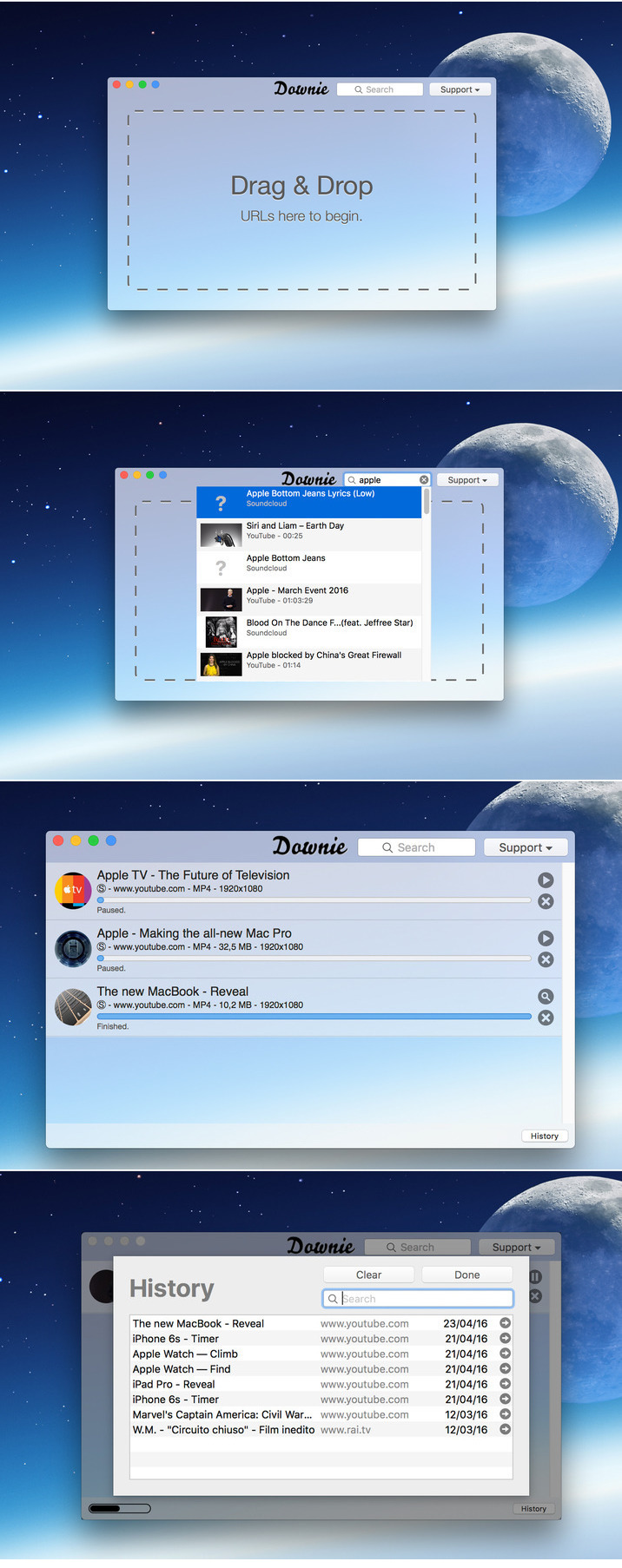
Downie 2.4.7

Name Downie_v2.4.7.zip
Size 52.36 MB
Created on 2016-08-02 23:10:55
Hash 2f6fbf4179010a1ab23615127e4039cca3c4a07e
Files Downie_v2.4.7.zip (52.36 MB)

Descriptions for Description

Nombre: Downie
Version: 2.4.7
Language: Multilingual
Includes 2 versions, one with Keygen and another version and patched
Plataforma: Intel
OS Version: OS X 10.10 or later
Processor type(s) & speed: 64-bit processor

Web Site: http://software.charliemonroe.net/downie/


Overview
The ultimate video downloader for OS X.

Ever wished you could save a video from the Internet? Search no more, Downie is what you're looking for. Easily download videos from thousands of different sites.


Key features:

Supports many sites - currently supports over 750 different sites (including YouTube, Vimeo, etc.) and the number is rapidly growing.

4K video YouTube support - unlike many other YouTube downloaders, Downie supports HD video on YouTube, up to 4K.

Postprocessing - need your video in MP4 for iTunes? Or want just the audio track? No problem, Downie can handle this for you automatically!

Quick support - I respond to emails usually within 24 hours and often add support for requested sites in the next update.

Frequent updates - Don't wait weeks for new sites to be supported, or bugs to be fixed! Downie is updated about once a week with new features, sites supported, etc.

International - not only that Downie supports country-specific sites, it is localized into various languages. If your language is missing, contact us - we can offer you a free license in exchange for a translation.


What's New:
Release notes not available at the time of this post

Screenshots

Cashew 1.7

Name Cashew 1.7
Size 3.91 MB
Created on 2016-08-03 04:38:53
Tracker http://109.235.50.166:2710/announce
Hash 74c8f7da7362989050eadd5a2a3dfb498ed3a3d3
Files Cashew.zip (3.91 MB)

Descriptions for Description

Name: Cashew
Version: 1.7
Release Date: August 02, 2016
Language: English
Developer: SimpleRocket LLC
MAS Rating: 4+
Mac Platform: Intel
OS Version: OS X 10.11 or later
Processor type(s) & speed: 64-bit processor


Web Site: http://www.cashewapp.co
Mac App Store: https://itunes.apple.com/app/cashew/id1126100185?mt=12


Overview:
A simple, fast, and elegant app to manage your Github Issues.

Please follow us on Twitter @cashewappco

Features Include:
- GitHub.com and GitHub Enterprise support.
- Ability to view issue details, assign to users, add labels, attach milestone, comment on issues and much more.
- Ability to save common search queries for quick access.
- Fast and powerful offline issue search.
- Batch update assignee, labels, and milestone on issues.
- Access public, private, and private organization repositories.
- Read only offline mode.
- Multi-user switcher.
- Stability bug fixes and performance enhancements.
- Dark mode. Use Preferences menu to switch.
- Command + Enter to save comments without using a mouse
- File Upload
-- Microsoft Word (.docx), Powerpoint (.pptx), and Excel (.xlsx) documents
-- Text files (.txt)
-- PDFs (.pdf)
-- ZIP (.zip, .gz)
-- Images (.png, .tiff, .gif, jpeg)
- Never lose your issue comments again with local draft storage.
- Notifications
- Favorites! Keep an eye on your favorite issues


What's New in Version 1.7:
- General fixes and performance enhancements
- Markdown editor toolbar
- Fix issue where drafts were never deleted
- GIF & emoji search in markdown editor
- Sort unread notifications to the top
- Added filter search field to sidebar
- Add attachments button to markdown editor
- Ability to see all issues in side bar

Screenshots

AKVIS Charcoal 2.0.336.13551

Name AKVIS_Charcoal_v2.0.336.13551.zip
Size 138.3 MB
Created on 2016-08-02 22:38:10
Hash ab174e8e6a86796b5b98efd0c897cb9caf907cf7
Files AKVIS_Charcoal_v2.0.336.13551.zip (138.3 MB)

Description

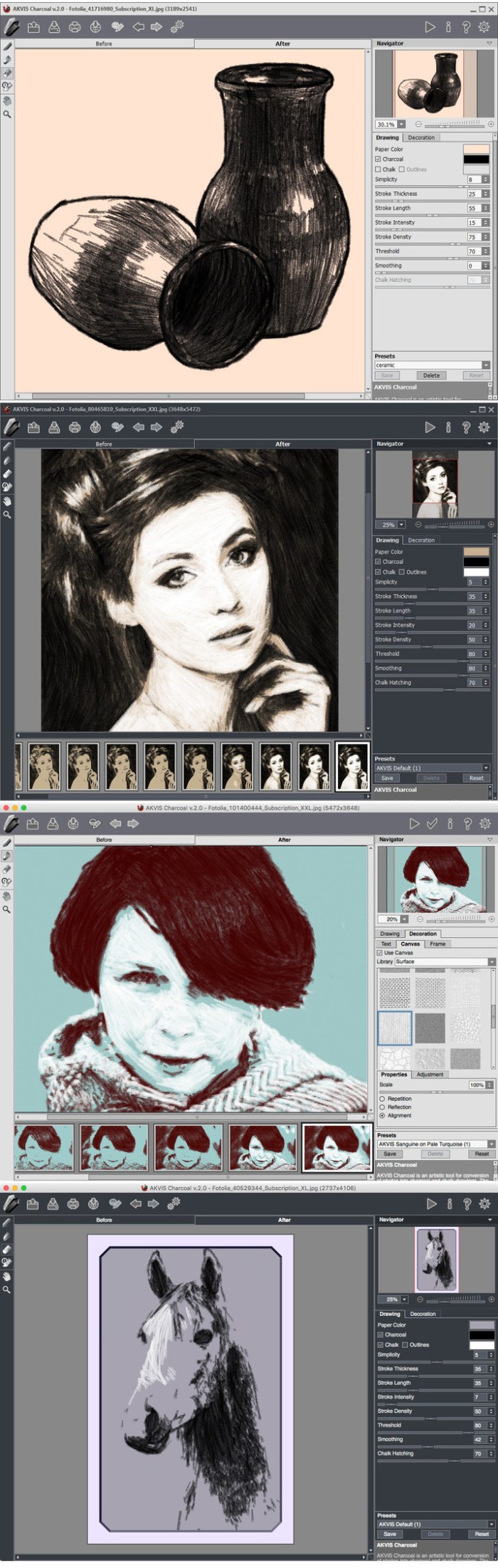
  Name: AKVIS Charcoal  Version: 2.0.336.13551  Language: English  Mac Platform: Intel  OS Version: OS X 10.7 or later    Includes: Patch    Web Site: http://akvis.com/en/charcoal/index.php        Overview  AKVIS Charcoal is an artistic tool for conversion of photos into charcoal and chalk drawings.    Charcoal is one of the most popular materials for drawing. It lets you create a preliminary sketch as well as a finished work of art. It combines the advantages of different materials and can be used together with different drawing tools. Using the sharpened charcoal you can make thin clear lines, but if you put it on the edge you'll get a wide loose stroke. Charcoal creates rich and easy picturesque strokes, both delicate and bold.    Chalk is one of the first creative tools for kids. It is ideal for sketching and creating large drawings on pavement or tinted paper. White chalk is used to highlight bright areas of the image, add accents, and give the picture volume.    AKVIS Charcoal allows you create drawings with each material or combine them using dramatic contrast between black and white. Playing with colors and options, you can get a lot of variants of photo to drawing conversion and achieve outstanding artistic effects such as sanguine.    You can observe the conversion of your photo into a charcoal and chalk drawing in real time. The program makes snapshots during processing and lets you choose between them. Thanks to this magnificent feature it's possible to create variations of drawings without adjusting the settings.    Changing the color of the background paper gives even more variants of the final result. To make a drawing more authentic it's possible to apply a variety of canvas textures. Adding your signature to an image you can feel like a real artist, the author of a work of art.    The program offers a list of presets, ready-to-use settings combinations which make it easier to work with the software and save you time. You can create your own presets saving your favorite combinations of the parameters.  

AKVIS Charcoal

Screenshots

AirServer 7.0.1

Name AirServer 7.0.1
Size 9.38 MB
Created on 2016-07-30 23:40:05
Tracker http://109.235.50.166:2710/announce
Hash 235805e1fb4c0b0604440c0c9cf9ce7ad199f99a
Files AirServer 7.0.1.dmg (9.38 MB)

Description

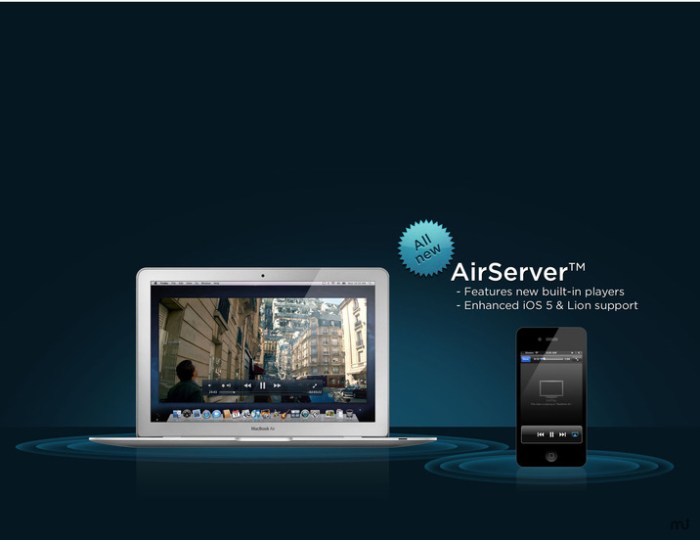
  Name: AirServer  Version: 7.0.1  Mac Platform: Intel  OS Version: OS X 10.8 or later  Processor type(s) & speed: 64-bit processor      Web Site: http://www.airserver.com/Mac        Overview  AirServer is a Mac application that adds AirPlay/AirTunes audio, video, photo, slideshow and mirroring receiving capabilities to your Mac. With AirServer you can now receive audio, videos, photos or slideshows from any AirPlay compatible application running on your Mac, PC or iOS device.        What's New in Version 7.0:  Say Hello to AirPlay + Google Cast    We are proud to offer this major update with full Google Cast receiving support, free of charge to all our customers. With the new update, you can now receive screen casts navitely from Chromebooks and Android devices. Other platforms such as Windows 7 and Linux are also supported using the screen casting sender built into the Google Chrome browser.      Full Release Notes: https://www.airserver.com/downloads/mac/release_notes-7.0.html  

Screenshots

AKVIS Draw 4.0.452.13551

Name AKVIS_Draw_v4.0.452.13551.zip
Size 97.95 MB
Created on 2016-08-01 19:12:44
Hash 0339211ee001472276a404966e5d6ad157ad8e4a
Files AKVIS_Draw_v4.0.452.13551.zip (97.95 MB)

Description

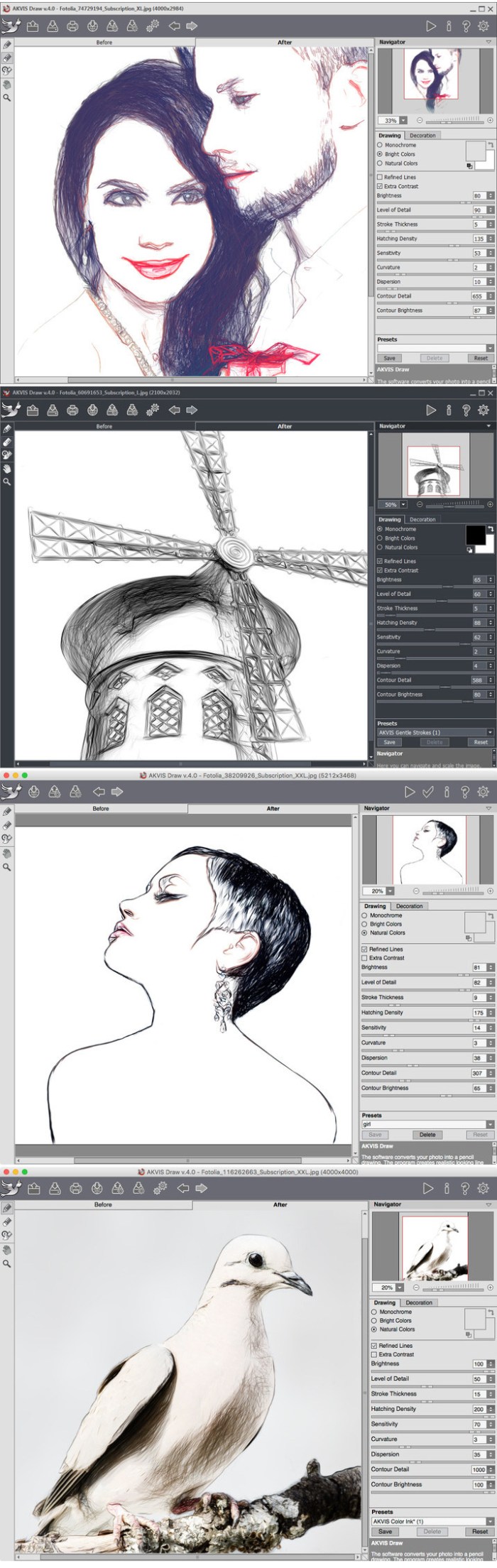
  Name: AKVIS Draw  Version: 4.0.452.13551  Language: English  Mac Platform: Intel  OS Version: OS X 10.7 or later    Includes: Patch    Web Site: http://akvis.com/en/draw/index.php        Overview  AKVIS Draw lets you create hand drawn pencil sketches and line art pictures from your digital photos!    The software is incredibly easy to use; it makes a realistic looking drawing effect in just one click! Load your image into the program and adjust settings to generate an artwork. The software creatively produces pencil strokes imitating an artist's view.    Equipped with the ready-to-use presets and adjustable parameters, the program renders various esquisse drawing styles. Besides creating black and white sketches, the software also lets you make color drawings.  The program offers the fastest way to convert a photo into a drawing. The result of automatic conversion can compete with the work of a real artist. For more flexibility, the program allows editing the drawing with the eraser and pencil tools. You can quickly remove extra lines, soften too sharp strokes, and add some finishing touches to your sketch.    Give a hand-drawn look to your pictures with AKVIS Draw!  

AKVIS Draw

Screenshots

LiveReload 2.3.81

Name LiveReload 2.3.81
Size 38.08 MB
Created on 2016-07-31 11:46:44
Tracker http://109.235.50.166:2710/announce
Hash d1ae9639c9462105198f6b7beb052c88a048c01c
Files LiveReload 2.3.81 [MAS].zip (38.08 MB)

Descriptions for Description

Name: LiveReload
Version: 2.3.81
Release Date: July 28, 2015
Language: English
Developer: Andrey Tarantsov
MAS Rating: 4+
Mac Platform: Intel
OS Version: OS X 10.7 or later
Processor type(s) & speed: 64-bit processor


Web Site: http://livereload.com/
Mac App Store: https://itunes.apple.com/app/livereload/id482898991?mt=12


Overview:
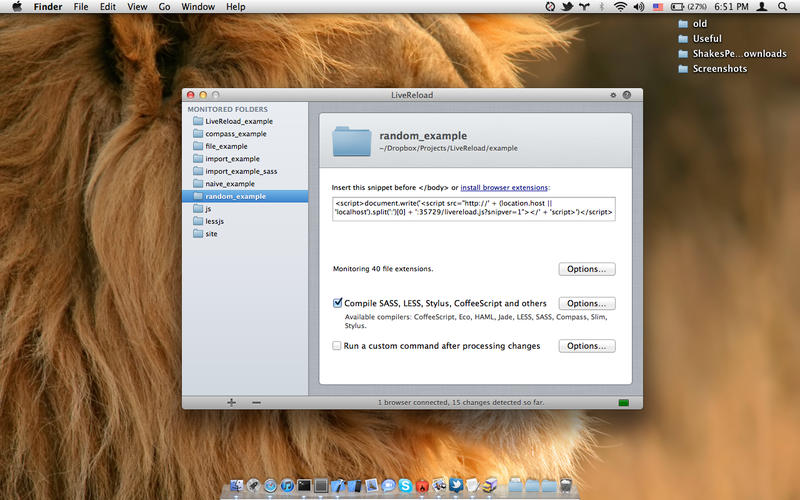
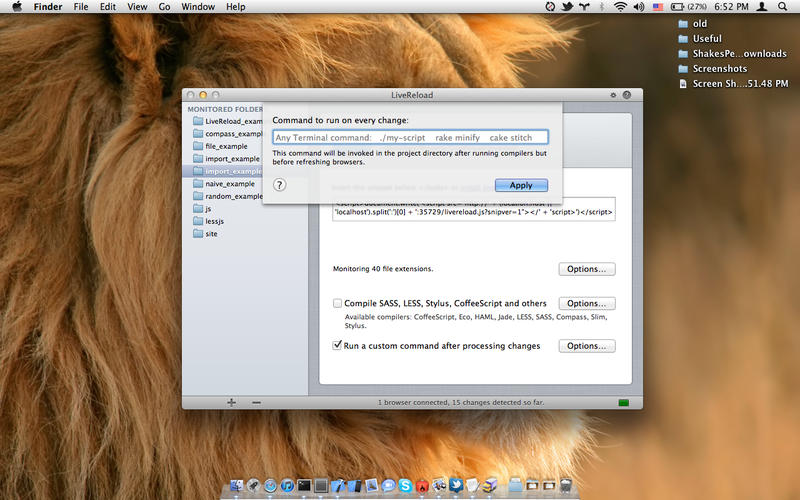
The essential web developer tool: When you save a file, LiveReload preprocesses it as needed and refreshes the browser automatically.

Even cooler, when you change a CSS file or an image, the browser is updated instantly without reloading the page.


FEATURES:

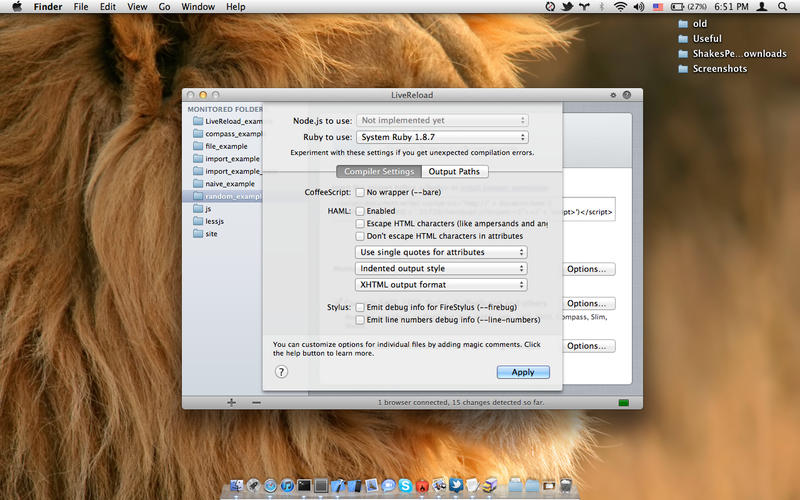
Compiles CoffeeScript/IcedCoffeeScript, Compass/SASS, LESS, Stylus, HAML, Jade, SLIM.

Works great with many popular editors: Espresso, Coda 1, TextMate, Sublime Text, BBEdit, SubEthaEdit.

Tested with Rails, Drupal, WordPress, Joomla, ExpessionEngine, Express.

Works with multiple browsers, mobile devices and simulators, even inside preview windows of apps like Espresso and Coda 1.


IMPORTANT:

Please read about your specific usage scenarios, frameworks, compilers, editors and browsers in our knowledge base on help.livereload.com.

By default, LiveReload lives in the system menu bar on 10.7+ and in the Dock on 10.6. You can change that by clicking the gears button in the main window's title bar.


GETTING STARTED:

1. Add your project folder using the plus button at the bottom (or drag'n'drop).

2. Insert the provided snippet or install the browser extensions.

3. Open the page to test in your browser. Click the browser extension toolbar button if going the extensions route.

Everything should be up and running now. A red dot in the menu bar icon indicates that the browser is connected to LiveReload.


QUESTIONS? IDEAS? NOT SURE? THINGS NOT GOING WELL? Just email support@livereload.com (or click the Support link on this page).


THINGS YOU NEED TO KNOW:

Only monitors files with specified extensions. A nice fat list is hard-coded, but you can add your own ones in monitoring options.

CSS/image changes are applied live. Changing any other file (including HTML, PHP, Ruby, etc) triggers an automatic page reload.

Local files (file: protocol) are supported with some limitations.

Compilers often work out of the box, but some projects need additional settings or adjustments.

You can add support for your own compilers and editors.


REMOTE SERVER WORKFLOWS (if your development web site is running remotely):

Please read the knowledge base (search for “remote”).

Quick recap:

1. LiveReload only monitors the local file system, so the code you edit has to be there somehow.

2. Enable “Override URLs to serve modified CSS from localhost” in monitoring options.

3. Also configure “Wait X seconds before doing a full page reload” with an appropriate delay.

4. This supports Espresso, Sublime SFTP plugin and similar cases.

5. You can also use the same options to preview your local CSS changes against a live web site.

6. LiveReload is not an FTP/SFTP client, so if you use the compilers, you need to figure out how to upload their output.


What's New in Version 2.3.81:
Lots of bug fixes.

Screenshots

PDF Decrypter Pro 2.2

Name PDF Decrypter Pro 2.2
Size 14.30 MB
Created on 2016-07-29 23:42:14
Tracker http://109.235.50.166:2710/announce
Hash fe49d5a78a8da3024d533ae50abf6927d5fde957
Files PDFDP220.zip (14.30 MB)

Descriptions for Description

Name: PDF Decrypter Pro
Version: 2.2
Release Date: July 25, 2016
Language: English
Developer: Linhua Zhong
MAS Rating: 4+
Mac Platform: Intel
OS Version: OS X 10.6.6 or later


Web Site: http://www.pdfdecrypter.com
Mac App Store: https://itunes.apple.com/app/pdf-decrypter-pro/id1108384699?mt=12


Overview:
Do you have such kind of experience that a PDF (Adobe Acrobat) file Can not be printed, copied, or edited ?

If yes, This is because PDF file has had password security and other restrictions added. The PDF Decrypter Pro can help you Remove the password and restrictions in a few seconds. This program supports 40-bits/128-bits RC4 and 128-bits AES encryption.

PDF Decrypter Pro is a lightweight extremely easy to use application designed to help you rapidly remove usage restrictions from PDF files. Most PDF documents have 'owner password', rendering them uneditable. 

Now feel the convenience of PDF Decrypter Pro.


What's New in Version 2.2:
Optimization of the output directory.

Screenshots

AirServer 7.0

Name AirServer 7.0
Size 13.49 MB
Created on 2016-07-30 09:19:51
Tracker http://109.235.50.166:2710/announce
Hash d4d0d724ed36e38b4a8dd0563bb589eed0f1e022
Files AirSe70.zip (13.49 MB)

Description

  Name: AirServer - Stream audio, video, and photos via AirPlay.  Version: 7.0  Mac Platform: Intel  OS Version: OS X 10.8 or later  Processor type(s) & speed: 64-bit processor      Web Site: http://www.airserver.com/Mac        Overview  AirServer is a Mac application that adds AirPlay/AirTunes audio, video, photo, slideshow and mirroring receiving capabilities to your Mac. With AirServer you can now receive audio, videos, photos or slideshows from any AirPlay compatible application running on your Mac, PC or iOS device.        What's New in Version 7.0:  Say Hello to AirPlay + Google Cast    We are proud to offer this major update with full Google Cast receiving support, free of charge to all our customers. With the new update, you can now receive screen casts navitely from Chromebooks and Android devices. Other platforms such as Windows 7 and Linux are also supported using the screen casting sender built into the Google Chrome browser.      Full Release Notes: https://www.airserver.com/downloads/mac/release_notes-7.0.html  

Serial Box 2016-08 [UB]

Name Serial Box 08-2016
Size 9.69 MB
Created on 2016-08-02 00:05:37
Tracker http://109.235.50.166:2710/announce
Hash 4bde1bdc5cb56ae06ff53350bff52e41b2365ff8
Files Serial Box 08-2016.zip (9.69 MB)

Descriptions for Description

Name: Serial Box
Version: 08-2016
Mac Platform: UB
OS version: OS X 10.5 or later


issue #166

100 entries updated this month (9410 total) + new readers included !!!

SBox 08-2016 + iSerial Reader 2.0.18 + SerialSeeker 1.3.13 (B9)

zip MD5: e96ef0102a63e81ec7019c1c70fff7cd

Xversion 1.1.5

Name Xversion 1.1.5
Size 39.87 MB
Created on 2016-07-30 00:23:43
Tracker http://109.235.50.166:2710/announce
Hash c625b21979bfb4ec0c77fdee1e92f7c752fa1ff6
Files Xver115.zip (39.87 MB)

Descriptions for Description

Name: Xversion
Version: 1.1.5
Release Date: July 28, 2016
Language: English
Developer: Jonathan Guy
MAS Rating: 4+
Mac Platform: Intel
OS Version: OS X 10.10 or later
Processor type(s) & speed: 64-bit processor


Web Site: http://ikoder.com
Mac App Store: https://itunes.apple.com/app/xversion/id1105845111?mt=12


Overview:
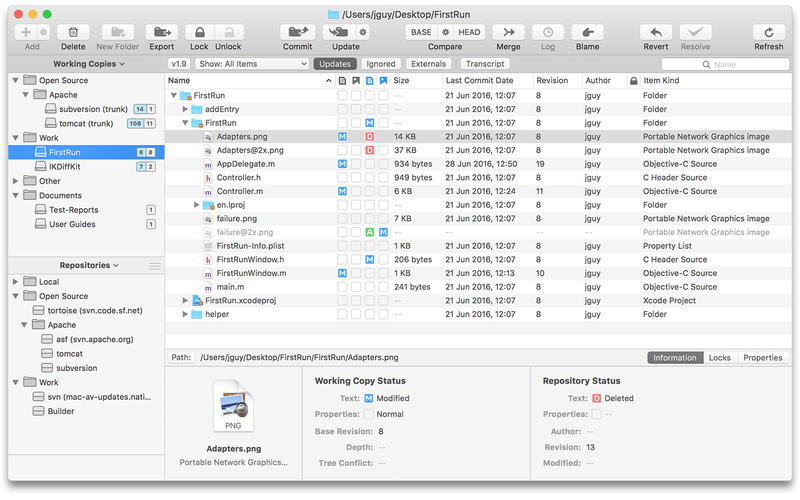
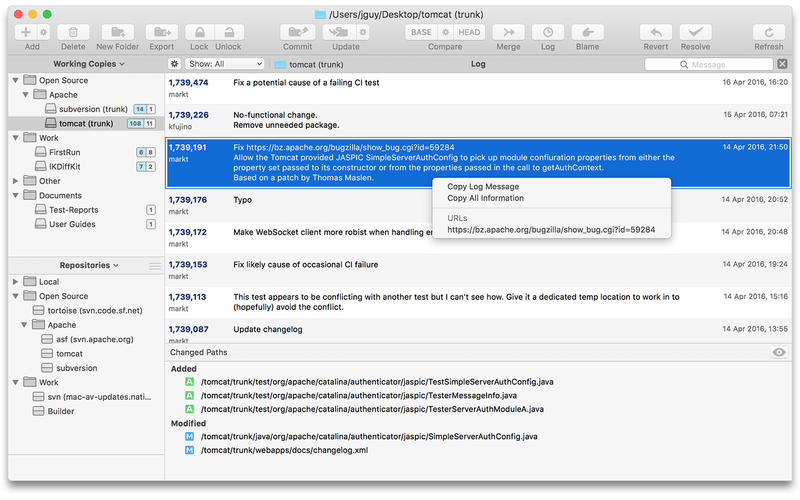
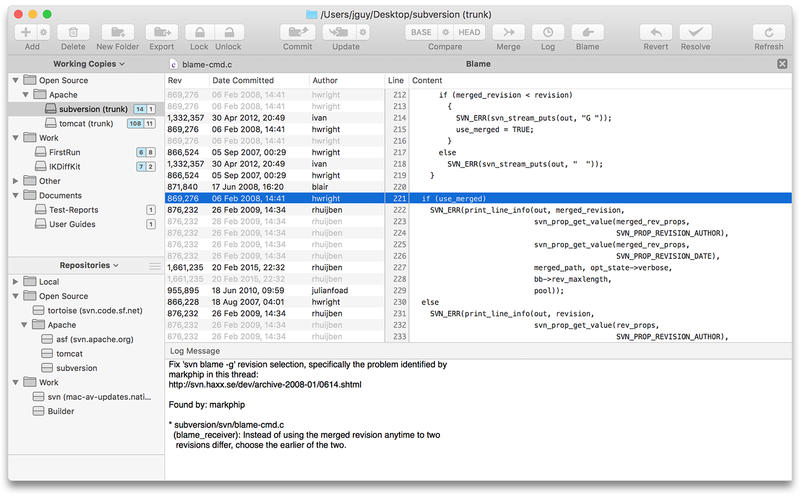
Xversion is a great way to manage your Subversion working copies and repositories. It's fast, powerful and so intuitive and easy to use you'll probably never need to read the manual. From starting out creating repositories to checking out, editing properties, advanced merging, resolving conflicts, committing, updating and lots more Xversion has you covered. Built exclusively for Mac its sleek, beautifully designed interface belies its comprehensive functionality.

Just a few of the features:

• Work simultaneously with versions 1.6, 1.7, 1.8 & 1.9
• Supports all URL types: http, https, svn, svn+ssh and file
• Authenticate using Basic, Digest, User Certificate, SSH and SASL
• Built-in compare view
• Powerful filtering by status, name, author and more
• Upgrade working copies
• Drag & drop move, copy, import & export
• Synchronize, Reintegrate, Cherry Pick & Two URL merge
• Automatic conflict resolution
• View and edit file and folder properties
• Issue tracking integration
• Use system http proxy and exceptions

To see more head on over to http://ikoder.com


What's New in Version 1.1.5:
• Fixed bug with repository authentication
• Fixed bug with Compare menu showing as disabled in repository browser

Screenshots

XYLIO Future DJ Pro 1.3.0

Name XYLIO Future DJ Pro 1.3.0
Size 174.0 MB
Created on 2016-07-29 03:16:37
Tracker http://109.235.50.166:2710/announce
Hash ca6831df49a321d71010bd938111ea0b448f960e
Files future.dj pro 1.3.0.dmg (174.0 MB)

Descriptions for Description

Name: future.dj pro - mix audio/video/karaoke
Version: 1.3.0
Release Date: April 21, 2016
Language: English
Developer: Xylio Info Srl
MAS Rating: 4+
Mac Platform: Intel
OS Version: OS X 10.7.5 or later
Processor type(s) & speed: 64-bit processor


Web Site: http://future.dj
Mac App Store: https://itunes.apple.com/app/future.dj-pro-mix-audio-video/id1005227156?mt=12


Overview:
future.dj pro- A new level of mixing perfection

/// optimized for Retina displays and 64-bit

* Mix everything (audio, video, karaoke)
Mashup tracks, mix videos and make song transitions with the greatest of ease with this classic DJ setup (2-decks and mixer). Thanks to it's intuitive design and powerful features, you will be able to achieve any level of mixing complexity. You can also sit back and Automix an entire party, simply by activating the powerful Automix function.

* 8 different user interfaces/skins included (with 2 or 4 decks)

* Perfectly in-sync tracks/beats
You will find the automatic BPM detection very precise allowing you to instantly sync and change between the 2 decks and/or samplers. The smart-sync function guarantees that when you press the Sync button the deck will be in perfect sync with the other one.

* Visualize beats
The waveform graphic displays gives you real time audio signal monitoring, information about the audio signal and the beat rhythm. Each deck has 3 waveforms: a full song waveform and two zoomed-in waveforms. The vertical waveforms allow you to visually align the beats with ease.

* Find your tracks with ease (includes iTunes library integration)
There is a browser, a current-list and a side-list available for finding, organising, previewing and playing your tracks. You can instantly search for tracks and/or filter them by format (be it audio, video or karaoke). Color markers make it even easier to spot your favorite songs, because you can assign different colors to any tracks.

* Create and recall loops, set up cue-points
You can set up seamless loops instantly, by setting In and Out points. You can move the loop or make it shorter or longer on-the-fly. You can also send a loop to one of the 8 sampler slots. You can set/recall instant cue-points (which act like bookmarks into the song) and view them on the waveform.

* Scratch. Reverse. Brake. (works with videos too)
You are free to make real turntable effects by using the waveform displays, as well as the virtual jog-wheels, using MIDI controllers or even real turntables (using the improved timecoded-vinyl engine). You can achieve effects like disk spin effect, scratch, reverse, play, brake, mute, fine-tune cue-points and even 'reverse spin and play' effect.

* Powerful mixer (includes effects)
You can adjust the gain (amplification), equalizer (3 bands), apply and combine different effects (10 effects included), change the musical key, etc.

* Separate headphones output and song pre-listening
You can configure advanced audio routing using up to 8 inputs and outputs. You can use a microphone or turntables and CD players.

* Fullscreen video output to external monitors, projectors, TV
There are several video effects and transitions that you can apply per deck.

* Connect multiple MIDI controllers at the same time
There are over 80 zero-configure controllers supported from Akai, Akiyama, American Audio, Beamz, Behringer, Beyond Music, Denon, Faderfox, Gemini, Hercules, M-Audio, Novation, Numark, PCDJ, Pioneer, Reloop, Stanton, Vestax, Zomo, etc.

* Powerful samplers
8 sample players that you can use to play loops or jingles. You can pre-listen, choose to loop or sync them, apply filters, change the tempo/speed, etc.

* Beat-match and Key-match your mixes
For musically perfect mixes you can lock (master tempo) or change the key to your desired one to achieve not only beat-matched but also key-matched performances. The app even detects the key of a song/video to considerably simplify harmonic mixing.

* Pulselocker integration

* Record or broadcast your mixes

Many other features are included

Short demo/tutorial: https://www.youtube.com/watch?v=o-cSJIEQp1c
/// If you have any feedback, need help, or just want to say “Hi,” send us an email at info@xylio.com


What's New in Version 1.3.0:
- link video files to audio tracks (from a user-selectable videos folder, random possible too)
- ability to load WMA and FLAC files
- automatically configure audio for controllers (if the controller script implements it) + setting to disable/enable it
- new controller actions and notifications for sampler (very easy to add normal/instant/stutter mode + led blinking to sampler leds on the controller)
- fixed microphone problems
- automatically enable On-Air when Talk is used
- ability to load video files without an audio track
- fixed crash when analyzing/loading tracks with silence
- video tab/panel added to the settings
- several bug fixes and optimizations

future.dj pro tutorial

Screenshots

YemuZip 2.5

Name YemuZip 2.5
Size 1.96 MB
Created on 2016-07-29 00:33:09
Tracker http://109.235.50.166:2710/announce
Hash d306cc1ff8469f17f9bd212baed7c95d7e73f44a
Files YemuZip 2.5/SERIAL.txt (0.06 kB)
YemuZip 2.5/YemuZip 2.5.zip (1.96 MB)

Descriptions for Description

Name: YemuZip
Version: 2.5
Language: English
Developer: Yellow Mug Software
MAS Rating: 4+
Mac Platform: Intel
OS Version: OS X 10.7 or later
Processor type(s) & speed: 64-bit processor

Includes: Serial

Web Site: http://yellowmug.com/yemuzip
Mac App Store: https://itunes.apple.com/app/yemuzip/id418423076?mt=12


Overview:
Why YemuZip (short version):

● Make PC-friendly zip without "__MACOSX" etc
● Zip directly to email (super convenient!)
● Drag-and-drop interface


Longer Description:

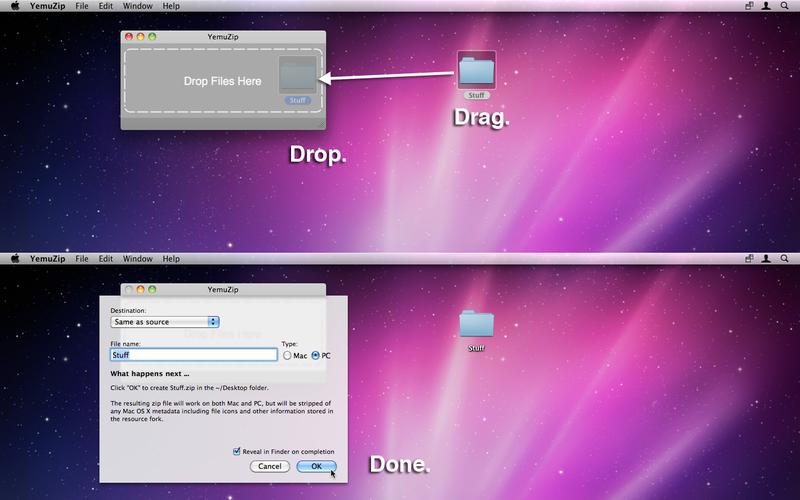
YemuZip is an easy-to-use app for making zip files. Just drag, drop, name your zip file and you're done.

Mac OS X's built-in compress function makes zip files that contains Mac specific information that, when extracted on a PC, looks like garbage. YemuZip lets you choose between a PC-friendly format and a Mac format that preserve all the Mac-specific metadata.

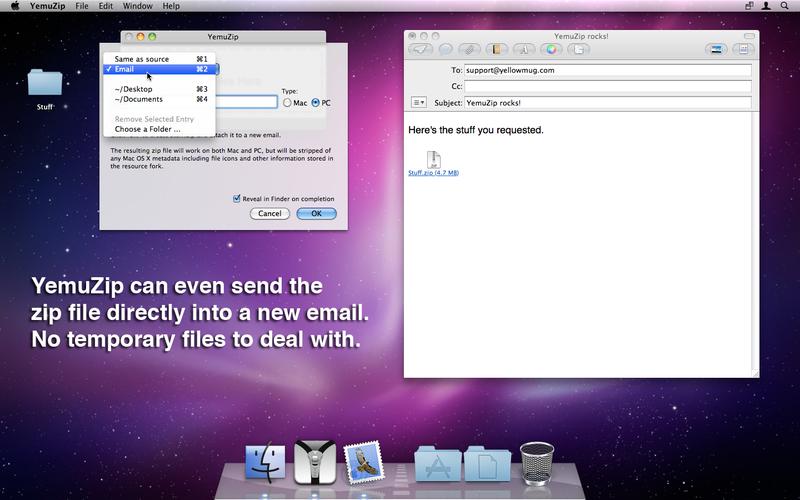
YemuZip remembers your recently chosen destination folders. This allows you to quickly output the zip file to your Dropbox, for example. YemuZip can also place the resulting zip file directly in an email with no temporary file to deal with.


IMPORTANT NOTE:  How much compression you get is data dependent.  This is true for any zip app.  With today's cheap storage and broadband connectivity, zip is more for archiving multiple files/folders into one file than for compression.

Screenshots

AKVIS OilPaint Plugin 5.0.521.13551

Name AKVIS OilPaint Plugin 5.0
Size 160.3 MB
Created on 2016-07-30 00:30:54
Tracker http://109.235.50.166:2710/announce
Hash b5d2cd2ea06769ed5d0764ce29adb5738434c79e
Files AKOP50521.zip (160.3 MB)

Description

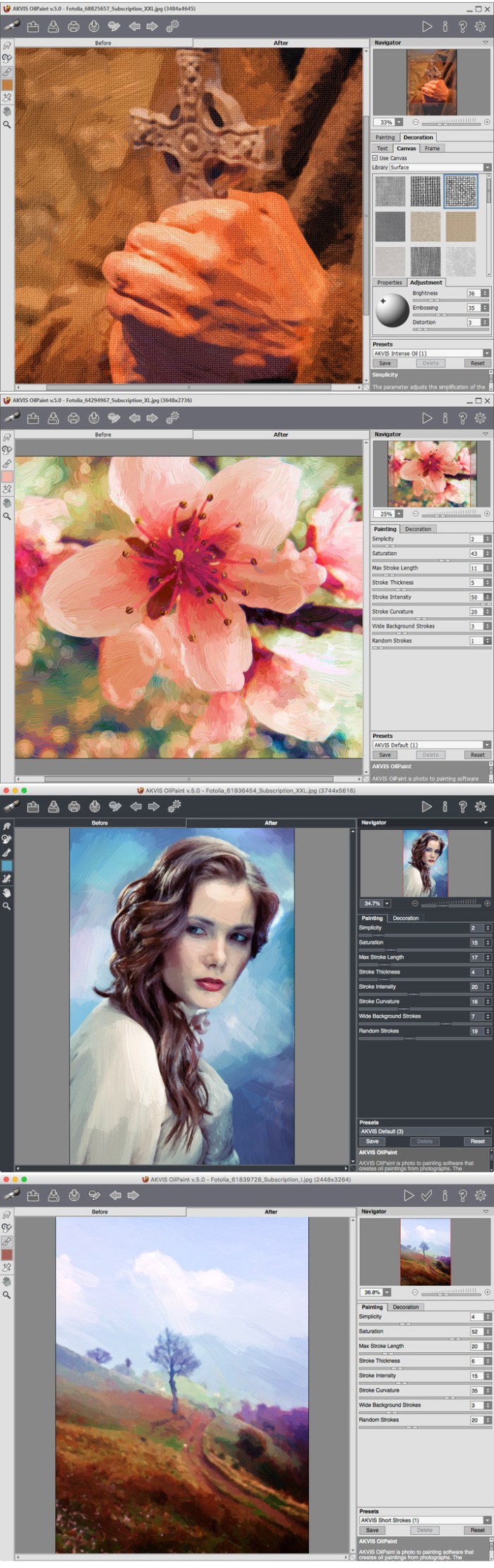
  AKVIS OilPaint Plugin - Create oil paintings from photographs.  Version: 5.0.521.13551  Mac Platform: Intel  OS Version: OS X 10.7 or later      Web Site: http://akvis.com/en/oilpaint/index.php        Overview  AKVIS OilPaint is photo to painting software that creates oil paintings from photographs. The characteristic feature of the program is a unique algorithm of the artistic application of brush strokes that authentically reproduces the technique of the real brush.    Creating a real oil painting is long and complicated process. With the OilPaint software you can become a painter and turn your photos into works of art in just a few minutes!    Oil painting is one of the most popular techniques. The history of this method goes back many centuries. Traditionally, artists apply oil paints to a linen or cotton canvas. The advantages of oil painting are bright luminous colors which blend well, expressiveness of the brush strokes that gives the picture a special rough texture, brilliance and naturalness of the picturesque image.    Oil painting technique is widely used for creating artworks in different artistic styles - Impressionism, Abstract art, Photorealism, and others; in the genres of still life, landscape, portraiture, history painting, or scenes from everyday life.    Even if you are not a professional painter you can create your own masterpiece! Just use AKVIS OilPaint to turn a regular photo into an oil painting. Adjusting the density, texture, and thickness of the brush strokes, you can not only get impressive effects, but also find your own painting style.    The mysterious production of an artwork happens right before your eyes. The program creates a picture that looks like a handmade oil painting. You can personalize your work by adding text or watermark. To enhance the authenticity of your painting you can adjust the canvas surface.    The software offers a number of ready to use Presets that let you familiarize yourself with the features. The Batch Processing support allows you automatically create a series of images in the oil painting style.    Using the additional post-processing tools you can add final touches to your painting, and strengthen or reduce the oil effect on certain areas.        What's New in Version 5.0.521:    New Picture Frames:  The new Decoration tab offers an additional Frame section including a number of picture frame sets:Classic, Pattern, Strokes, Vignette, and Passe-Partout. You can choose from numerous designs and options to personalize your painting.    New Presets:  The new version adds some new presets created by professional artists. Look at your artworks from another angle!    Support for 4K & 5K Displays:  The new version brings support for 4K and 5K resolution screens. The interface has been redesigned and provides better display capabilities.    Also in the new version:  - improved the Crop tool with the possibility to set the aspect ratio,  - added the possibility to choose a drive to install the program,  - fixed minor bugs,  - and other changes.  

AKVIS OilPaint – Oil Painting Effect

Screenshots

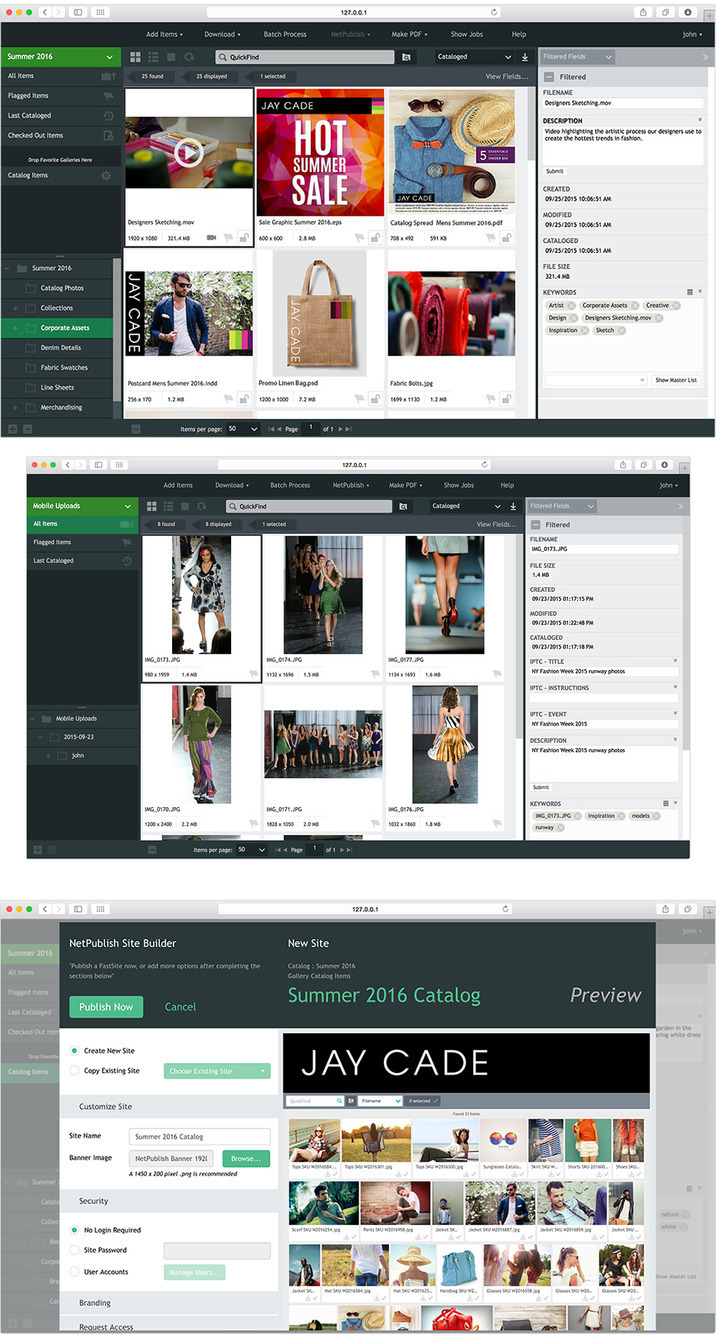
Portfolio 2016 2.5.1

Description

Portfolio 2016 - Digital asset management server for creative workflows.
Version: 2.5.1
Language: Multilingual
Mac Platform: Intel
OS Version: OS X 10.10 or later
Processor: 2.0 GHz or faster 4-core processor (8 or more processor cores will improve performance of catalogs with over 500,000 assets)
Ram: 16 GB RAM

Web Site: http://www.extensis.com/gestion-activos-digitales/portfolio/


Overview
Portfolio is the digital-asset-management tool for the rest of us. It's simple to set up, easy to use, and requires little to no ongoing maintenance. Within moments, you can organize your digital files and share them throughout your organization and beyond, allowing everyone to find what they need when they need it.
Highlights

Predictive, Google-like searching
Dependable version control
Secure asset storage
Powerful metadata and keyword tagging
Instant asset distribution with NetPublish
Convenient automatic cataloging
Flexible user management
And much, much more!


What's New in Version 2.5.1:
Portfolio 2016

Vault-based catalogs - The vault is a new type of secure, high-performance storage for metadata and asset files.
Vault-based catalogs give users more flexibility for using and modifying assets, while also providing secure storage that prevents direct access to asset files.
Over 30 new IPTC fields added
New and improved API
Simplified support with on-demand logs
Simpler licensing

Screenshots

Name Portfolio 2016 2.5.1
Size 954.7 MB
Created on 2016-07-28 01:24:46
Tracker http://109.235.50.166:2710/announce
Hash 8ccdb9f3fba692ebafb18a7c9dedb478bed440c4
Files Portf2016v251.zip (954.7 MB)

Autodesk Maya 2017

Description

Name: Autodesk Maya - Professional 3D modeling and animation tool.
Version: 2017
Mac Platform: Intel
OS Version: OS X 10.10.5 or later
Processor type(s) & speed: 64-bit processor


Overview
Maya is an award-winning software and powerful, integrated 3D modeling, animation, visual effects, and rendering solution. Because Maya is based on an open architecture, all your work can be scripted or programmed using a well-documented and comprehensive API (application programming interface), or one of two embedded scripting languages, the Maya Embedded Language (MEL) or Python. This level of openness, combined with an industry-leading suite of 3D visual effects, computer graphics, and character animation tools, enables you to realize your creative vision for your film, television, game development, and design projects.


What's New in Version 2017:
Alembic
 ・Maya crashes when choosing a different gpuCache file while one is loading
 
Animation General
 ・Graph Editor : Moving vertices is slow when Graph Editor is open
 ・Viewport 2.0 performance drops when many joints are constrained to many vertices
 ・5000 connected transform nodes may crash Maya
 ・Graph Editor : Locked tangents not preserving their length on manipulation of rotation curves
 ・Graph Editor : Animation curve becomes corrupted when using the Retimer tool
 ・Very long DG node chain causes Maya to crash
 ・Rotate command does not set rotateX component when Autokey is enabled
 ・listConnections doesn't return all DG connections on sparse arrays
 ・Published attributes in the Channel box get stuck on connected and remain yellow
 ・Scenes with skincluster weights load slowly because weights are stored as separate setAttr commands
 ・Graph Editor : GPU : Animation curves auto-adjust after manipulation when normalized
 ・Graph Editor : GPU : Constant values should appear at value 0 in normalized view
 ・Crash when running cmds.bakeResults using -destinationLayer flag
 ・Maya command error occurs when trying to execute bakeResults
 ・Performance : Some rig controllers cause instability with parallel evaluation
 ・scaleConstraint - inherit group scale values are incorrect
 ・nCloth with InputAttract and animated nucleus transform will double translate
 ・Crash when evaluating two rigs in parallel
 ・Performance : Parallel evaluation performance slows down when reference objects are loaded
 ・Crash after disabling Evaluation Manager via script
 ・Attached user scene crashes on playback
 ・Crash in specific scene during Evaluation Manager parallel playback
 
API and Scripting	 
 ・workspace command: cannot create a baseWorkspace and documentation needs clarification
 ・mayapy crashes with initialize() when launched from a terminal using a relative path
 ・MPxContextCommand cannot be created with .Net API
 ・FBX - Hang on FBX export when baking is enabled on export and exporting is done via script
 ・MFnGenericAttribute.addAccept() fails when adding a second single component type
 ・MFnUnitAttribute::setMax() does not handle angle units correctly
 ・Connection to multi-message attribute (indexMatters set to false) is also duplicated when duplicating the connection's source node


Full Release Notes
See: https://knowledge.autodesk.com/sites/default/files/Maya_2017_Readme_enu.htm

Name Maya 2017
Size 1.11 GB
Created on 2016-07-27 01:30:42
Tracker http://109.235.50.166:2710/announce
Hash 5eac3e93e6c3e7b79909fe98f6af3e88deee9741
Files Maya2017.zip (1.11 GB)

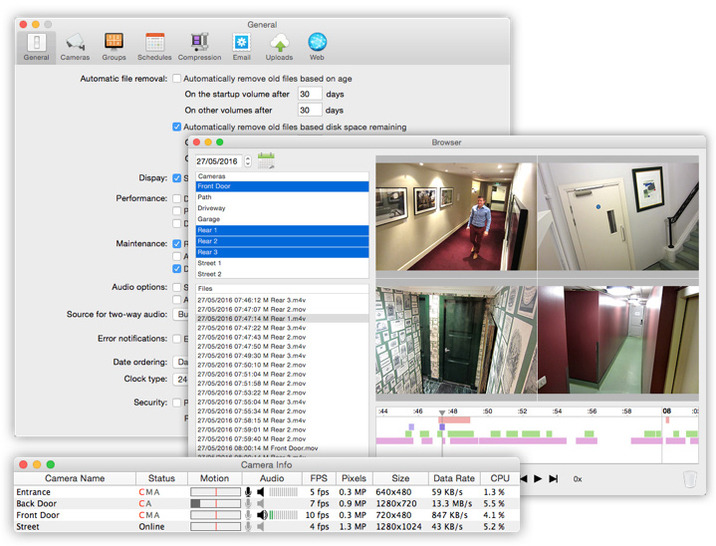
SecuritySpy 4.0.4

Description

Name: SecuritySpy for Mac
Version: 4.0.4
Release Date: 25 Jul 2016
Mac Platform: Intel
OS version:OS X 10.7 or later 
Processor type(s) & speed: 64-bit

Web Site: http://www.bensoftware.com/securityspy/


Overview:
SecuritySpy is a multi-camera video surveillance app. With features such as motion detection, real-time compression and network video streaming, SecuritySpy has everything required for demanding video surveillance applications. Combined with OS X, the rock-solid operating system from Apple, SecuritySpy offers unsurpassed speed, stability, and ease-of-use.

SecuritySpy's flexibility and comprehensive list of features allows users to set up a system tailored to their individual needs. Whether it is a system with a single camera or many dozens, in a domestic or business environment, SecuritySpy is ideal.


Features 
・Displays and captures live video from multiple cameras simultaneously 
・Supports Mac-compatible video and audio input devices 
・Supports network video devices (Axis, JVC, Panasonic, Pixord, D-Link, etc.) 
・Motion detection and timelapse capture features, with audio 
・Built-in Web server for remote viewing and administration 
・Pan/Tilt/Zoom (PTZ) support for many network cameras 
・Powerful real-time compression for efficient storage of captured footage 
・FTP upload feature for off-site storage of captured footage 
・Motion-triggered email notifications 
・Pre-capture buffer to capture video before the time of motion 
・Browser feature for playback of captured footage, with synchronised multi-camera playback 


What's New in Version 4.0.4:
・Separate compression quality setting for JPEG images 
・Allows access to all inputs of Blackmagic devices 
・Fixes problem with lack of images in notification emails 
・Other bug fixes 

Screenshots

Name SecuritySpy 4.0.4
Size 9.80 MB
Created on 2016-07-27 00:57:45
Tracker http://109.235.50.166:2710/announce
Hash 6f2517a994f18c00b137305f729ab46f1cde867f
Files SecS404.zip (9.80 MB)

Viewer for Periscope 1.2.1

Name Viewer for Periscope 1.2.1
Size 7.01 MB
Created on 2016-07-27 00:52:16
Tracker http://109.235.50.166:2710/announce
Hash db8edd9fb89c365d2ff560b01b9ed9063e6e70f3
Files ViefP121.zip (7.01 MB)

Descriptions for Description

Name: Viewer for Periscope
Version: 1.2.1
Release Date: July 25, 2016
Languages: English, Russian
Developer: Anton Bulash
MAS Rating: 4+
Mac Platform: Intel
OS Version: OS X 10.10 or later
Processor type(s) & speed: 64-bit processor


Web Site: http://bobjr.ru/periscope
Mac App Store: https://itunes.apple.com/app/viewer-for-periscope/id1082221046?mt=12


Overview:
= Simple Viewer for Periscope =

What to add in the next version? Please, write your suggestions in a review.

How does it work?

File > Open Stream (cmd+O)
In the window that appears, type/paste an URL or nickname.

Or watch a random stream (cmd+N)


What's New in Version 1.2.1:
chat fix

Screenshots

FontXChange 5.1

Name FontXChange 5.1
Size 13.58 MB
Created on 2016-07-27 04:54:57
Tracker http://109.235.50.166:2710/announce
Hash 29118c34c0f27b09c9bc584c3ca32625bd483bdd
Files FontXChange 5.1/FontXChange 5.1.dmg (13.58 MB)
FontXChange 5.1/Serial.txt (0.07 kB)

Descriptions for Description

Name: FontXChange for Mac
Version: 5.1
Release Date: 30 May 2016
Mac Platform: Intel
OS version:OS X 10.7 or later 
Processor type(s) & speed: 64-bit

Includes: Serial
Courtesy of Special [K]


Web Site: http://fontgear.com/fontxchange.html


Overview:
FontXChange can easily convert fonts to OpenType (PS), PostScript Type 1, and TrueType for both Mac or Windows. Useful features include: 
 
・Batch processing for converting entire font libraries; 
・Preferences to set font encodings; 
・Font inspection window with preview; 
・Support for many font encodings, including Adobe Standard, Unicode, Mac Roman, and Windows ANSI, and European.FontXChange is designed to understand many different font formats and can convert fonts into many different formats. This makes FontXChange useful to: 
 
・Convert PostScript Type 1 fonts (Mac or Windows format) into a single modern OpenType font file that works on both Mac and Windows. End the headaches of the outdated two-file system of screen font and printer font combinations. Just one font file that works; 
・Recreate missing screen fonts using a PostScript font file in any format; 
・Convert TrueType fonts to PostScript fonts. No more printing problems and incompatibilities associated with TrueType fonts and high-end output devices; 
・Convert Windows fonts to Mac to Mac and vice-versa. Easily share fonts across different computers, even different operating systems. 


What's New in Version 5.1:
・Added support for the new WOFF2 web font file format (NOTE:the WOFF2 feature is unavailable on Mac OS X 10.9 and earlier) 
・Fixed drag-n-drop support for application icon 
・Fixed a defect that caused the main window to lock up when dropping certain font types into it 
・Fixed a defect that caused a crash when converting many fonts at the same time 
・Fixed a defect that caused memory to be retained after converting fonts 
・Fixed missing images in the Help window 
・Fixed delete key action when a font is selected in the main window list 
・Fixed warning alert when using the Remove Serial Number menu item 
・Changed HTML preview feature when converting more than a single web font 
・Changed main window list double-click behavior so that it expands the disclosure triangle 
・Changed main window UI to be more intuitively organized 

FontGear Quick Tips: Converting Fonts to OpenType

Screenshots

Cashew 1.4

Name Cashew 1.4
Size 7.99 MB
Created on 2016-07-27 00:54:41
Tracker http://109.235.50.166:2710/announce
Hash 5bce4af2074f0b1ef10428f55c4f48d26d94681d
Files Cash14.zip (7.99 MB)

Descriptions for Description

Name: Cashew
Version: 1.4
Language: English
Developer: SimpleRocket LLC
MAS Rating: 4+
Mac Platform: Intel
OS Version: OS X 10.11 or later
Processor type(s) & speed: 64-bit processor


Web Site: http://www.cashewapp.co
Mac App Store: https://itunes.apple.com/app/cashew/id1126100185?mt=12


Overview:
A simple, fast, and elegant app to manage your Github Issues.

Please follow us on Twitter @cashewappco

Features Include:
- GitHub.com and GitHub Enterprise support.
- Ability to view issue details, assign to users, add labels, attach milestone, comment on issues and much more.
- Ability to save common search queries for quick access.
- Fast and powerful offline issue search.
- Batch update assignee, labels, and milestone on issues.
- Access public, private, and private organization repositories.
- Read only offline mode.
- Multi-user switcher.
- Stability bug fixes and performance enhancements.
- Dark mode. Use Preferences menu to switch.
- Command + Enter to save comments without using a mouse
- File Upload
-- Microsoft Word (.docx), Powerpoint (.pptx), and Excel (.xlsx) documents
-- Text files (.txt)
-- PDFs (.pdf)
-- ZIP (.zip, .gz)
-- Images (.png, .tiff, .gif, jpeg)
- Never lose your issue comments again with local draft storage.
- Notifications
- Favorites! Keep an eye on your favorite issues


What's New in Version 1.4:
Fixed missing notifications in Notification Center
More performance enhancements
Added share menu for Issue (Right click on a Issue or use the Issue item from main menu)

Screenshots

OS X CAD, 3D, software for specialists 30 072016

Description

Includes:

  1. Autodesk Maya 2017 for Mac [Multi]
  2. PhpStorm 2016.2 [En]
  3. ArchiCAD 20 (3008) [En]
  4. Boxshot Ultimate 4.11 [En]
  5. Maple 2015.1 [En]

Autodesk Maya 2017 for Mac [Multi]

The release took place: July 25, 2015
Publication type: Mac OS X Software
Supported OS: OS X 10.9.5 +

Language: English, Japanese, Chinese

Type of medicine: patch/keygen/more

System requirements:
Software:
Apple Mac OS X 10.9.5 or later
IMPORTANT! Pack Autodesk Maya 2017 only works on 64-bit platforms.
WEB browser: Apple Safari

Equipment:
CPU: multi-core 64-bit compatible Intel processor
GPU: it is Recommended to check with certified graphics accelerators and drivers using 
the Recommended Hardware page
RAM: minimum 4 Gb (recommended 8 Gb or higher)
Hard disk space: 4Gb of free hard disk space
Input device: three-button mouse
Auxiliary input device: graphics tablet Wacom


Description:

Integrated software product for 3D-animation.
A software product for 3D-animation, modeling, rendering, and compositing Maya® provides
a versatile feature set for 3D computer animation, modeling and rendering on the basis
of a highly extensible production platform. Maya provides tools for creating high-quality 
characters and effects, as well as increasing performance for the tasks of modeling, 
working with textures and objectives of the creation of modules toning.


Autodesk Maya offers professionals a set of functionality to implement a holistic 
creative process with a complete set of tools for computer 3D-animation, modeling, 
rendering, and compositing on the basis of easily expandable platform. Now in Maya 
implemented display technology of the new generation, accelerated workflow modeling 
and new tools for handling large amounts of data.


Installation:
Before installing this version you must uninstall the previous 
(as required by the manufacturer)

Disable Internet
and install the trial version of the program.
1. Mounted Autodesk_Maya_2017_EN_JP_ZH_MAC_osx.dmg and run the installer.
2. On the License note, select "I want to Maya for 30 days" and continue the 
installation - "Continue" (can vary)

Treatment
1. Run the program
2. Agree with "license agreement" and in the next window, click "Activate"
3. In the field "Serial Number" is entered on the selection 666-69696969, 
667-98989898, 400-45454545 066-66666666
4. In the "Product Key" is entered the corresponding program code Product
Key (see text file)
5. In the next window, select "Request an activation code using an offline 
method" and click Next
6. Next, copy/rewrite the resulting "Request code" , click "Close" and run 
the keygen (xf-adesk2016)
7. In the appropriate field keygen inserted the code "Request code" in the 
format in which the code was in the activation window of the program 
(do not forget about the spaces) and press "Generate", and then MemPatch" 
(requires administrator rights) and copy the resulting "Activation code"
8. Return to a running window to activate the program insert derived from 
keygen and click "Close".

Include network Internet
and use program

Original manual in English included.
The whole procedure of installation and treatment were carried out in 10.11.6 c 
disconnected network int-t
If the keygen gives a serial number which is shorter than required or 
patch gives an error, click MemPatch again and the program is then activated.
If at the end when you activate the program an error occurs, turn on 
the network int-t and click again on "Activate"

PhpStorm 2016.2 [En]

Publication type: OS X Software
The release took place: 2016
Supported OS: OS X 10.6 and above

Language: English

Type of medicine: replacing files

System requirements:
OS X 10.6 and above
1 GB RAM minimum
2 GB RAM recommended
1024x768 minimum screen resolution 


Description:

JetBrains PhpStorm is a lightweight and comfortable editor of PHP, 
which maximizes your performance. Editor understands the code gives handy tips, 
quick navigation and tracking errors on the fly. IDE is always ready to help You
build your code, run unit tests and provide visual debugging. PhpStorm supports PHP,
CSS, HTML, XML, YAML, javascript - everything you need for what would develop its
web site.

In a graphical PHP debugger JetBrains PhpStorm implemented conditional breakpoints,
tracking values, automated entrance to debug certain procedures. Testing applications 
include environment PhpUnit and graphical interface to run tests.

PhpStorm simplifies the use of many popular and rapidly developing web technologies
for backend and frontend development throughout the life cycle - from prototyping
to deployment and support.


Installation procedure:
Mount image and drag the application icon in the applications folder 


Treatment procedure:
original instructions in English language, composition distribution

ArchiCAD 20 (3008) [En]

The release took place: June 20, 2016
Publication type: MacOS X Software
Supported OS: OS X 10.10 +

Language: English

Treatment: Replacement files


System requirements:
Mac® OS X 10.10 Yosemite, OS X 10.11 El Capitan
Processor: 64-bit processor with 4 cores or more
RAM: 4 GB or more.
For work with complex models may require 16 GB or more.

Disk space: For full installation ARCHICAD requires 5 GB of free disk space.
Requires the optional 10 GB or more of disk space for each project.

Monitor: Minimum resolution of 1366 x 768, it is recommended to use a monitor
that supports a resolution of 1440x900 or higher. 
Video card: Recommended graphics card that supports OpenGL 2.0 mode with video
memory of 1024 MB or more.
A complete list of recommended graphics cards you can find in the Support Center.

Hardware peripherals: All major models of plotters, printers and digitizers are
compatible with ARCHICAD.


Description:
ArchiCAD - graphics software CAD package for architects, created by Graphisoft. 
Intended for design of architectural structures and solutions, as well as 
landscape elements, furniture, etc.
Completely new user interface adapted to work with Retina displays, visual 
representation of designs allows you to quickly operate on selected sets of 
parameters of structural elements and objects and features of window management 
and display of species by means of transferring settings from window 
to window doing absolutely intuitive ARCHICAD, the first BIM solution 
in the world!
Support of data exchange format IFC4, mass import / export properties of
structures and objects, visual imaging properties of the structures in the 
form of color schemes, support for point-to-point prospects, 
import NURBS surfaces from RHINO and Grasshopper, professional visualization with
the help of latest mechanism CineRnder 3 - make the most advanced 
ARCHICAD BIM-solution among competitors.


Installation procedure:

Installation
1. Mount the image
2. Install the program parameters specified in the installer
3. After installation restart your computer


Treatment:
The replacement of files
Complete instruction in English (description - where and what files need to
be replaced). Original files before replacing, makes sense to keep ...
Cracked components: Archicad, EnergyEvaluation, BIMX, MEP install MEP from 
Graphisoft site).

For Archicad

The Folder ApplicationsGraphisoft Archicad 19
Choose Archicad 19.app right-click - show package contents
Open folder ContentsMacOS
Replace the original executable file on the Archicad file from the kit

For BIMx

The Folder ApplicationsGraphisoft Archicad 19
Open the folder Extensions ArchiCAD
Select BIMx.app .app file size 10.5 MB), right click - show package contents
Open folder ContentsMacOS
Replace the original executable file BIMx, on the file of the kit

For EnergyEvaluation

Open the folder ApplicationGraphisoft Archicad 19
Open the folder SupportEnergyEvaluation.frameworkVersionsA
Replace the original executable file EnergyEvaluation file from the distribution

For MEP

First install MEP from graphisoft site developer site.
Open the folder ApplicationGraphisoft Archicad 19
Open the folder SupportMEP.frameworkVersionsA
Replace the original executable file into the MEP file from the distribution

Note: BIMx server is a different application and is NOT cracked.

Boxshot Ultimate 4.11 [En]

Publication type: OS X Software
The release took place: may 25, 2016
Supported OS: Mac OS 10.6 +

Language: English

Type of medicine: replacing files

System requirements:
• Intel, 64-bit processor
• OS X 10.6 or later
• Discrete graphics card recommended


Description:
Realistic 3D mockups easy.
Boxshot Ultimate features a large selection of customizable shapes: boxes for 
software, books, CD, DVD and Blu-Ray boxes, cards, cans, mugs, bags and much more. 
Almost all the shapes are customizable so you can adjust them for your design. 
If you need more shapes, simply load them! Boxshot supports loading of FBX, 3DS, 
and Collada (DAE) files to use in scenes.

Boxshot can resize shapes according to your graphics. You don't need to adjust 
your images for our shapes, Boxshot adjusts the shapes for You!


Boxshot Ultimate is ideal for designers who need realistic ways to present 2D 
art to its customers. Don't just submit your next project for a client as a flat image, 
and to show their work on an attractive 3D real objects. 3D models always make a better 
impression and Boxshot will pay for itself with just one or two.


Installation procedure:
Mount image and drag the application icon to the applications folder
Replace original files to files from the distribution
Change here:
Boxshot - 
Code: 
Applications/Boxshot/Contents/MacOS 

libCore.dylib - 
Code: 
Applications/Boxshot/Contents/Frameworks 

Block access to the network int-t

Maple 2015.1 [En]

Publication type: OS X Software
The release took place: 2015
Supported OS: OS X 10.8 +

Language: English

Type of medicine: patch

System requirements:
Mac OS X 10.8 and newer
Installed Java 6 Update 45
Intel 64bit CPU
2Gb of RAM
4Gb disk space 


Description:
The Maple system can be used to carry out numerical and symbolic computation that allows 
to simulate multi-component technical systems and provides the tools to prepare technical
documentation. The version of Maple provides a set of new tools that simplify the 
preparation of visually appealing and easily interpretable three-dimensional drawings. 
Computing platform Maple provides a solution to a wide range of engineering, 
mathematical and scientific problems. Beginners Maple provides training and 
tools to solve the most difficult tasks. Specialists provide convenient access 
to additional resources for quick answers to various questions.


Installation procedure:
1. To install the program
2. In the terminal go to the directory pat-15-2015.py from folder patch
3. Execute sudo python pat-15-2015.py -p /Library/Frameworks/Maple.framework/Versions/2015/bin.APPLE_UNIVERSAL_OSX/libmaple.dylib
4.Copy license.dat /Library/Frameworks/Maple.framework/Versions/2015/license with the replacement
5. To block program Internet access

Files

OS X  CAD, 3D, software for specialists 30 072016/ARCHICAD 20 (Build 3008) .dmg (1.54 GB)
OS X  CAD, 3D, software for specialists 30 072016/Adguard 1.3.0.release.dmg (49.67 MB)
OS X  CAD, 3D, software for specialists 30 072016/Autodesk Maya 2017 .dmg (1.12 GB)
OS X  CAD, 3D, software for specialists 30 072016/Boxshot 4 Ultimate v4.11 .dmg (98.28 MB)
OS X  CAD, 3D, software for specialists 30 072016/Hello, My Friend.rtf (211.4 kB)
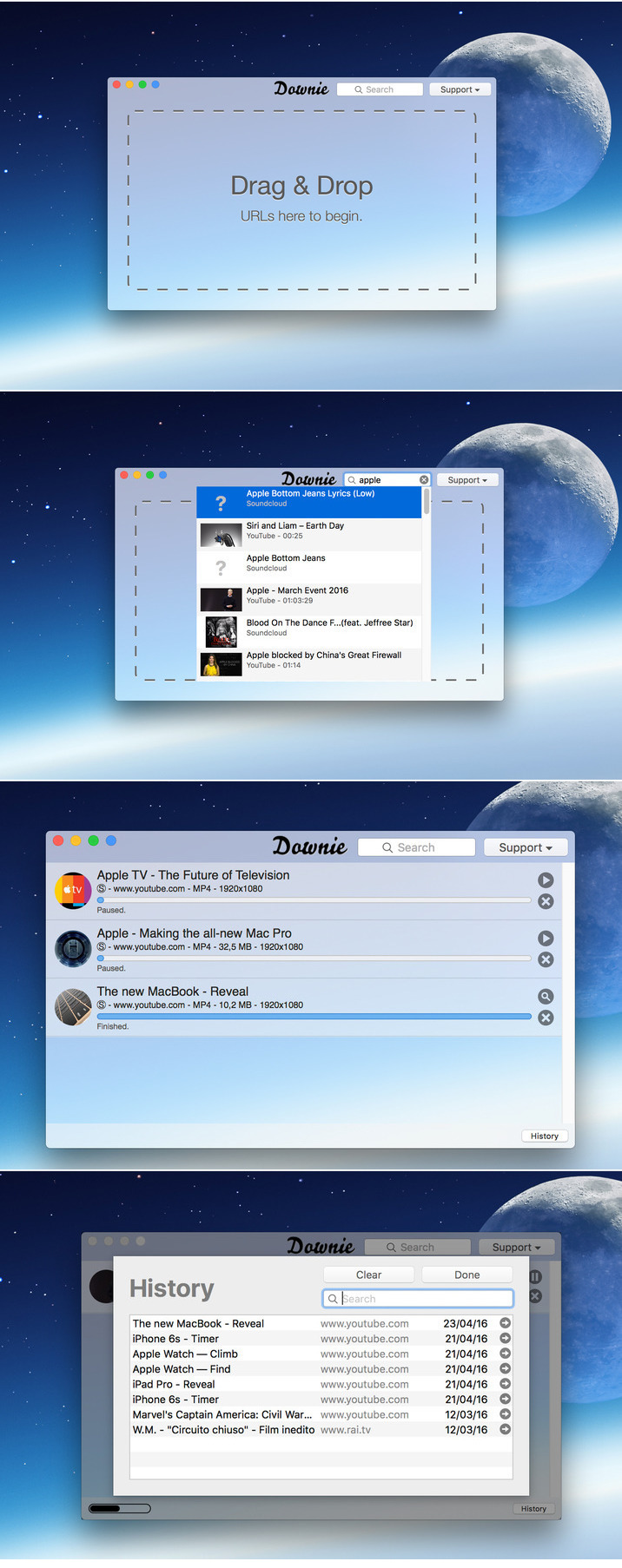
OS X  CAD, 3D, software for specialists 30 072016/How to Block Ads.rtf (1.43 MB)

OS X  CAD, 3D, software for specialists 30 072016/Maple2015.1.dmg (893.3 MB)

OS X  CAD, 3D, software for specialists 30 072016/OS X  CAD, 3D, software for specialists 30 072016.rtf (75.25 MB)
OS X  CAD, 3D, software for specialists 30 072016/OS X  CAD, 3D, software for specialists 30 072016.txt (22.60 kB)
OS X  CAD, 3D, software for specialists 30 072016/PhpSt20162.zip (203.8 MB)
OS X  CAD, 3D, software for specialists 30 072016/Torrent downloaded from Demonoid.com.txt (0.04 kB)

Name OS X CAD, 3D, software for specialists 30 072016
Size 3.98 GB
Created on 2016-07-27 13:38:25
Hash 43b282db3fbcd132da1a7efb4a4eea12ee07e463
Files ※ See Files

Brainwave Studio 1.5 for Mac

Name Brainwave Studio 1.5
Size 340.6 MB
Created on 2016-07-26 01:18:29
Tracker http://109.235.50.166:2710/announce
Hash b99152444e739a9409315c11cb0b64be0645393d
Files BrainSt15.zip (340.6 MB)

Description

  Name: Brainwave Studio  Version: 1.5  Release Date: July 18, 2013  Language: English  Developer: RCS LT  MAS Rating: 4+  Mac Platform: Intel  OS Version: OS X 10.7 or later  Processor type(s) & speed: 64-bit processor      Web Site: http://www.rcs-software.com  Mac App Store: https://itunes.apple.com/app/brainwave-studio/id548229245?mt=12        Overview:  Stressed out? Trouble sleeping? Distracting sounds at work or school? Need a relaxing break from a busy day?     If your answered yes to any of those questions then Brainwave Studio is for you! Brainwave Studio is a professionally designed relaxation, stress relief, sleep support, meditation and mind training system, with 40 sessions of carefully selected nature sounds and superb quality ambient music.   ________________________   How does it work?    Brainwave Studio uses isochronic tones, widely regarded as the superior brainwave tone. Isochronic tones pulse at specific frequencies, and stimulate the brain to help you achieve your desired mental state. Unlike binaural beats, isochronic tones work through headphones or speakers. The isochronic tones are integrated into the backgrounds of beautiful, soothing melodies. Listen to the peaceful music while the tones automatically do their magic in the background.   ________________________   Features    - 5 categories: Relaxation, Sleep, Meditation, Stress and Anxiety, Mind Training   - 40 sessions with dynamic isochronic tones  - 60 soothing ambient sounds   - 48 atmospheric music tracks (endless loops)   - Compatible with the new MacBook Pro with Retina display   - Separate volume controls for every sound  - Create customized sound mixes by combining ambient sounds together   - Intuitive interface  - Saved Soundscapes are synchronized using iCloud and wirelessly pushed to all your devices.     ________________________   5 Categories With 40 Sessions     - Relaxation: ∙ Quick relax ∙ Tension relief ∙ Lunch break relax, ∙ After a busy day ∙ Relax before important event ∙ After high stress ∙ Before going to bed ∙ Deep evening relax     - Stress and Anxiety: ∙ Quick stress relief ∙ Workplace stress relief ∙ Anxiety reduction ∙ Anxiety reduction before sleep ∙ Reduce anxiety before taking a test ∙ After work stress reduction ∙ Deep stress relief     - Meditation: ∙ 7Hz Zen meditation ∙ Coffee break meditation ∙ Low-Alpha meditation ∙ Mid-Alpha meditation ∙ Theta meditation ∙ Delta meditation ∙ 7,83Hz Schumann rhythm meditation ∙ Deep Schumann rhythm meditation.     - Sleep: ∙ Short anti-insomnia session ∙ Sleep induction ∙ Mental workers sleep support ∙ Hyperactive people sleep induction ∙ Sleep induction for insomniacs ∙ Clear your mind and fall asleep ∙ Deep sleep induction     - Mind Training: ∙ Workout performance enhancer ∙ After-Workout recovery session ∙ Attention enhancer ∙ Mental workers support session ∙ Idea generation session ∙ Motivation enhancer ∙ Energy enhancer ∙ Creative tasks helper ∙ Concentration enhancer for studying ∙ Sensori-motor rhythm session.     ________________________   60 Ambient Sounds    ∙Birds ∙ Piano ∙ Cat ∙ City ∙ Clock ∙ Crickets ∙ Dolphins ∙ Fire ∙ Forest ∙ Frogs ∙ Heart ∙ Monk ∙ Music box ∙ Night ∙ Rain ∙ River ∙ Space ∙ Submarine ∙ Thunder ∙ Train ∙ Cave ∙ Water ∙ Whale ∙ White noise ∙ Wind ∙ Wind Chimes ∙ Jungle ∙ Flute ∙ African night ∙  Howling wolf ∙ Sea lion ∙ City park ∙ Lakeside ∙ Shopping mall ∙ Industrial ∙ Nightingale ∙ Spring birds ∙ Crowd ∙ Oscillating fan ∙ Swamp ∙ Dripping water ∙ Owls ∙ Tropical forest ∙ Factory ∙ PC fan ∙ Vacuum cleaner ∙ Fan ∙ Pirate ship ∙ Waterfall ∙ Fridge ∙ Pneumatic drill ∙ Waves ∙ Hair dryer ∙ Rain on window ∙ High Voltage ∙ Harbor ∙ Running water ∙ Winter blizzard ∙ Highway ∙ School     If you have any questions or comments please don't hesitate to contact us at any time: info@rcs-software.com        What's New in Version 1.5:  - Magic Mind changes it's name to Brainwave Studio  - Bug Fixes  

Screenshots

OS X El Capitan 10.11.6 & MS Office VL 15.23 & MAC Antiviruses & Browsers

Description

Browsers

  • Brave for Mac
  • Chromium for Mac
  • CLIQZ for Mac
  • Mozilla Firefox for Mac
  • Opera for Mac
  • Pale Moon for Mac
  • Vivaldi for Mac

MAC Antiviruses

  • Avast free mac security
  • Avira Free Mac Security for Mac
  • ClamAV for Mac

OS X El Capitan 10.11.6

Installation procedure:

Update:
Mount the downloaded image
Rewrite the Install OS X Mavericks.app to the applications folder and run the installer (double click on the file "Install OS X Mavericks.app")

Installing on a separate partition on the hard drive:

To install OS X 10.11.6 we need to partition the drive the computer into multiple partitions. To do this, go into disk utility, select hard drive,
then the tab "Partition", and add a new one by clicking on the plus. Call it like El Capitan. 
We recommend that you allocate under El Capitan at least 12 GB or better 15 GB.

Mount the image and move the setup application in the directory "Program" and it immediately launched.

A menu will appear that will prompt you to choose which hard drive partition to install OS X 10.11.6 click on El Capitan,
and then the installation will run automatically. Upon completion of the installation the system reboots and starts up with the help of El Capitan.

* How to switch between two installed on the computer operating systems? It is enough to restart the Mac before
booting the system hold the Option (alt), after which you will be able to choose their old system.

Microsoft Office Standard 2016 VL v15.23

Description:
Unmistakably Office, designed for Mac
Quickly get to work with modern versions of Word, Excel, PowerPoint and Outlook, which combines the familiar Office
interface and unique capabilities of the Mac, who managed to catch the fancy of you. Support full screen mode-optimized 
for Retina displays enjoyable and relevant innovation.


Installation procedure:

!!!! 
Anyone have a newer version of Office 2016 VL - anything to reinstall is not necessary - this distribution for 
those who may be set for the first time.

Installation
Mount image, run the installer and follow the instructions. (requires administrator rights)

Note:
Don't miss the selection of components (programs) to install

Office is installed on the default operating system language (interface language selection is missing as a point in principle)
After installation, you can remove unused apps
After installation you can update via avtoapdeyt to the current status
The distribution of the original image assembled by Microsoft (the update came 15.23 14 Jun 2016)
Microsoft_Office_2016_VL_Serializer.pkg for those who have problems with the licensing program

Files

OS X El Capitan 10.11.6 (15G31)/How to Block Ads/Hello, My Friend.rtf (211.4 kB)
OS X El Capitan 10.11.6 (15G31)/How to Block Ads/How to Block Ads.rtf (1.43 MB)
OS X El Capitan 10.11.6 (15G31)/How to Block Ads/Torrent downloaded from Demonoid.com.txt (0.04 kB)
OS X El Capitan 10.11.6 (15G31)/How to Block Ads/ads-defender/Adguard --adblock program for Mac/Adguard.release.dmg (25.53 MB)
OS X El Capitan 10.11.6 (15G31)/How to Block Ads/ads-defender/Adguard --adblock program for Mac/first adblock program for Mac.txt (2.39 kB)
OS X El Capitan 10.11.6 (15G31)/How to Block Ads/ads-defender/Adguard 2.0.60 web filter for Android/How to install Adguard for Android 1 1 888.rtf (2.67 MB)
OS X El Capitan 10.11.6 (15G31)/How to Block Ads/ads-defender/Adguard 2.0.60 web filter for Android/How to install Adguard for Android.txt (1.02 kB)
OS X El Capitan 10.11.6 (15G31)/How to Block Ads/ads-defender/Adguard 2.0.60 web filter for Android/adguard.apk (5.18 MB)
OS X El Capitan 10.11.6 (15G31)/How to Block Ads/ads-defender/Adguard 5.10. ad block Win 7 8 10 xp/adguardInstaller.exe (391.7 kB)
OS X El Capitan 10.11.6 (15G31)/MAC Antivirus/Avira Free Mac Security for Mac.txt (3.68 kB)
OS X El Capitan 10.11.6 (15G31)/MAC Antivirus/Avira_Free_Antivirus_for_Mac.pkg (197.5 MB)
OS X El Capitan 10.11.6 (15G31)/MAC Antivirus/ClamAV for Mac.txt (4.03 kB)
OS X El Capitan 10.11.6 (15G31)/MAC Antivirus/avast_free_mac_security.dmg (76.31 MB)
OS X El Capitan 10.11.6 (15G31)/MAC Antivirus/avast_free_mac_security.txt (5.19 kB)
OS X El Capitan 10.11.6 (15G31)/MAC Antivirus/clamav-0.99.1.tar.gz (15.99 MB)
OS X El Capitan 10.11.6 (15G31)/Microsoft Office Standard 2016 VL v15.23/Microsoft Office Standard 2016 VL v15.23.rtf (1.85 kB)
OS X El Capitan 10.11.6 (15G31)/Microsoft Office Standard 2016 VL v15.23/Microsoft Office Standard 2016 VL v15.23.txt (2.47 kB)
OS X El Capitan 10.11.6 (15G31)/Microsoft Office Standard 2016 VL v15.23/SW_DVD5_Office_Mac_Standard_2016_MultiLang_-7_.dmg_MLF_X21-15621.ISO (1.59 GB)
OS X El Capitan 10.11.6 (15G31)/OS X El Capitan 10.11.6 &MsOffice  v15.23 & MAC Antiviruses & browsers.rtf (8.16 MB)
OS X El Capitan 10.11.6 (15G31)/OS X El Capitan 10.11.6 (15G31).dmg (6.24 GB)
OS X El Capitan 10.11.6 (15G31)/browserS/Adguard first adblock program for Mac.dmg (48.31 MB)
OS X El Capitan 10.11.6 (15G31)/browserS/Adguard first adblock program for Mac.txt (2.39 kB)
OS X El Capitan 10.11.6 (15G31)/browserS/Brave for Mac.txt (5.17 kB)
OS X El Capitan 10.11.6 (15G31)/browserS/Brave.dmg (93.41 MB)
OS X El Capitan 10.11.6 (15G31)/browserS/CLIQZ for Mac.txt (4.17 kB)
OS X El Capitan 10.11.6 (15G31)/browserS/CLIQZ-1.2.1.en-US.mac.dmg (96.08 MB)
OS X El Capitan 10.11.6 (15G31)/browserS/Chromium for Mac.txt (4.05 kB)
OS X El Capitan 10.11.6 (15G31)/browserS/Chromium for Mac.zip (70.99 MB)
OS X El Capitan 10.11.6 (15G31)/browserS/Firefox 46.0.1.dmg (87.09 MB)
OS X El Capitan 10.11.6 (15G31)/browserS/Mozilla Firefox for Mac.txt (5.23 kB)
OS X El Capitan 10.11.6 (15G31)/browserS/Opera for Mac.txt (4.72 kB)
OS X El Capitan 10.11.6 (15G31)/browserS/Opera_37.0.2178.43_Setup.dmg (59.83 MB)
OS X El Capitan 10.11.6 (15G31)/browserS/Pale Moon for Mac.txt (3.91 kB)
OS X El Capitan 10.11.6 (15G31)/browserS/Vivaldi for Mac.txt (4.14 kB)
OS X El Capitan 10.11.6 (15G31)/browserS/Vivaldi.1.1.453.59.dmg (59.65 MB)
OS X El Capitan 10.11.6 (15G31)/browserS/palemoon-26.2.2.en-US.mac64.dmg (30.63 MB)

Name OS X El Capitan 10.11.6 (15G31)
Size 8.71 GB
Created on 2016-07-26 04:54:03
Hash 81085c0a8e47a73fbe2e5f5febb63825b0f0f71a
Files ※ See Files

MediaInfo 0.7.87

Name MediaInfo 0.7.87
Size 6.39 MB
Created on 2016-07-22 22:59:09
Tracker http://109.235.50.166:2710/announce
Hash 72a8005938076ded23fbbe54b78cfd23d56cfd6a
Files MediaInfo 0.7.87.dmg (6.39 MB)

Descriptions for Description

Name: MediaInfo
Version: 0.7.87
Release Date: July 14, 2016

Languages: English, Arabic, Catalan, Croatian, Czech, Danish, Dutch, French, German, Greek, Hungarian, Italian, Japanese, Korean, Polish, Portuguese, Romanian, Russian, Simplified Chinese, Slovak, Spanish, Swedish, Traditional Chinese, Turkish

Developer: MediaArea.net
MAS Rating: 4+
Mac Platform: Intel
OS Version: OS X 10.6 or later

Includes: Pre-K'ed

Web Site: http://mediaarea.net/MediaInfo/Support
Mac App Store: https://itunes.apple.com/app/mediainfo/id510620098?mt=12


Overview:
MediaInfo is a convenient unified display of the most relevant technical and tag data for video and audio files.  

The MediaInfo data display includes:
- Container: format, profile, commercial name of the format, duration, overall bit rate, writing application and library, title, author, director, album, track number, date...
- Video: format, codec id, aspect, frame rate, bit rate, color space, chroma subsampling, bit depth, scan type, scan order...
- Audio: format, codec id, sample rate, channels, bit depth, bit rate, language...
- Subtitles: format, codec id, language of subtitle...
- Chapters: count of chapters, list of chapters...

The MediaInfo analyticals includes:
- Container: MPEG-4, QuickTime, Matroska, AVI, MPEG-PS (including unprotected DVD), MPEG-TS (including unprotected Blu-ray), MXF, GXF, LXF, WMV, FLV, Real...
- Tags: Id3v1, Id3v2, Vorbis comments, APE tags...
- Video: MPEG-1/2 Video, H.263, MPEG-4 Visual (including DivX, XviD), H.264/AVC, Dirac...
- Audio: MPEG Audio (including MP3), AC3, DTS, AAC, Dolby E, AES3, FLAC, Vorbis, PCM...
- Subtitles: CEA-608, CEA-708, DTVCC, SCTE-20, SCTE-128, ATSC/53, CDP, DVB Subtitle, Teletext, SRT, SSA, ASS, SAMI...
 
MediaInfo features include:
- Read many video and audio file formats
- View information in different formats (text, tree)
- Export information as text
- Graphical user interface, command line interface, or library (.dylib) versions available (command line interface and library versions are available separately, free of charge, on the editor website)
- Integrate with the shell (drag 'n' drop, and Context menu)

Some frequently asked questions can be found at http://mediaarea.net/MediaInfo/Support/FAQ


What's New in Version 0.7.87:
Update to MediaInfo library 0.7.87 with bug fixes, see http://mediaarea.net/MediaInfo/ChangeLog for more details.

Screenshots

Sharpshooter 2.2.2

Name Sharpshooter 2.2.2
Size 10.40 MB
Created on 2016-07-22 23:22:23
Tracker http://109.235.50.166:2710/announce
Hash e16769462a80c1e6db0166239ae94a6f3190b79c
Files Sharps222.zip (10.40 MB)

Descriptions for Description

Name: Sharpshooter for Mac
Version: 2.2.2
Release Date: 21 Jul 2016
Mac Platform: Intel
OS version:OS X 10.9 or later 
Processor type(s) & speed: 64-bit

Web Site: http://www.kerlmax.com/products/sharpshooter/


Overview:
Sharpshooter lets you rename your screenshots with pinpoint accuracy. Sharpshooter is a small utility which aids the management of screenshots.

Sharpshooter lets you manipulate and process the screenshot while it is still fresh on your mind. 

 When you take a screenshot on OS X with Command-Shift-3 (or with another variation) Sharpshooter will present a window where you can review the picture and choose what to do with it. You can either rename it from its default name to something more descriptive, move the screenshot to the Trash, or cancel the operation keeping the screenshot as it is. 


What's New in Version 2.2.2:
・Fixed two longstanding updater issues. The app now ensures it meets an update's minimum required system version before installing the app update. 
・Fixed a rare crash on app launch. 

Sharpshooter Screencast – MacUpdate Promo

Screenshots

Downie 2.4.5

Name Downie for Mac
Size 26.58 MB
Created on 2016-07-23 03:38:58
Hash 3a87a5a592fc4b14d868440b5341df4211e78d3d
Files Downie for Mac/Downie_1265.zip (26.58 MB)
Downie for Mac/key.txt (0.10 kB)

Descriptions for Description

Name: Downie
Version: 2.4.5
Mac Platform: Intel
OS version: 10.10 or later
Processor type(s) & speed: 64-bit processor

Web Site: http://software.charliemonroe.net/downie/


Overview
The ultimate video downloader for OS X.

Ever wished you could save a video from the Internet? Search no more, Downie is what you're looking for. Easily download videos from thousands of different sites.


Key features:

Supports many sites - currently supports over 750 different sites (including YouTube, Vimeo, etc.) and the number is rapidly growing.

4K video YouTube support - unlike many other YouTube downloaders, Downie supports HD video on YouTube, up to 4K.

Postprocessing - need your video in MP4 for iTunes? Or want just the audio track? No problem, Downie can handle this for you automatically!

Quick support - I respond to emails usually within 24 hours and often add support for requested sites in the next update.

Frequent updates - Don't wait weeks for new sites to be supported, or bugs to be fixed! Downie is updated about once a week with new features, sites supported, etc.

International - not only that Downie supports country-specific sites, it is localized into various languages. If your language is missing, contact us - we can offer you a free license in exchange for a translation.


What's New:
Release notes not available at the time of this post

Screenshots

Spy Cam 3.0.1

Description

Name: Spy Cam
Version: 3.0.1
Release Date: July 20, 2016

Languages: English, Dutch, French, German, Italian, Japanese, Korean, Polish, Russian, Simplified Chinese, Spanish, Traditional Chinese

Developer: Alice Dev Team
MAS Rating: 4+
Mac Platform: Intel
OS Version: OS X 10.7 or later
Processor type(s) & speed: 64-bit processor


Web Site: http://zipzapmac.com/spycam
Mac App Store: https://itunes.apple.com/app/spy-cam/id438924363?mt=12


Overview:
Spy just like… a real spy! Spy Cam is the easy to use app that turns your Mac into a stealth surveillance system. Covertly record clips and sound from your Mac’s camera, or an external camera, and upload them to view remotely. OSX Yosemite Ready!

Serious spies use the best equipment. And now you can record and store video clips like a KGB or CIA agent. Spy Cam is easy to use, and is a ranked #1 top paid utilities app in the US, UK, Canada, France, Italia, Germany, Brazil, Australia, Finland, Austria, Belgium, Sweden, Switzerland, Israel, Russia, Japan and China!!! 


Spy Cam turns your Mac into a surveillance system that records video clips with sound. You can store the clips to view them later, or automatically upload them so you can see what’s happening remotely!


Spy Cam uses your Mac’s built-in camera and microphone, or an external camera and microphone, to take video clips of whatever it is pointed at – your desk, your front door, a filing cabinet, the refrigerator, or anything else you want to monitor, including who is using your Mac when you are not there. You can have Spy Cam record in timed mode (record every x minutes) or record continuously, depending on your needs.


By linking Spy Cam to your Dropbox account, it automatically saves the clips to your Dropbox file as they are shot, so you can view them from wherever you are – downstairs, across town, or on the other side of the world. 


With Spy Cam you can:
• Monitor your home or office while you are away
• See if your kids are doing their homework
• Check on the babysitter
• Monitor your pets
• keep an eye on your desk, personal papers, and on your Mac
• And, if your computer is taken, you have videos of the thief, their surroundings, their voice, and maybe even their name and other personal details.

Features & Benefits:
• Easy-to-use- Setups in less than 1 minute
• Two modes of operation – Continuous or Timed (intermittent)
• Timed Mode Operation
• Choose interval between recordings from 1 to 30 minutes
• Choose clip length from 5 to 60 seconds
• Automatically sends clips to your Dropbox account – view clips from anywhere
• Covert Operation
• App can be hidden from users
• Clips are hidden deep in your file structure
• Activates automatically on login
• Password protected so only you can control the app
• Recording format – 320 x 240
• Creates folders and stores files automatically by date – easy to find clips
• Can be activated at login, launch or from the control panel
• Does not interfere with other auto-launch apps
• Optimally compresses clips to minimize storage
• Supports either the built-in or an external camera


What's New in Version 3.0.1:
3.0.1: 
Prevents rare crash at launch 
3.0:
Motion detection
Record on screensaver exit/unlock event
640x480 image resolution
You can change video clips destination folder

Screenshots

Name Spy Cam 3.0.1
Size 8.56 MB
Created on 2016-07-21 01:21:31
Tracker http://109.235.50.166:2710/announce
Hash d9537d5038a2b2808e08f0c656b51ca01fe9bb50
Files SpyC301.zip (8.56 MB)

Adobe Photoshop CC 2015.5 17.0.0 & Muse CC 2015.2 & Audition CC 2015.2

Description

Includes: 
・Adobe Photoshop CC 2015.5 (17.0.0)
・Adobe Muse CC 2015.2
・Adobe Audition CC 2015.2

Adobe Photoshop CC 2015.5 (17.0.0) [Multi/Ru]

The release took place: June 20, 2016
Publication type: Mac OS X Software
Supported OS: OS X 10.9 +
Interface language: Russian, English, German etc.
Treatment: complete
Type of medicine: the replacement file

System requirements:
• Multicore Intel processor with 64-bit computing
• Mac OS X 10.9 or newer
• 1 GB of RAM
• 3.2 GB of free hard disk space for installation; additional free space required for installation (not installed on a disk using the file system is case-sensitive, or on removable storage devices flash memory)
• Monitor with a resolution of 1024 x 768 (recommended 1280 x 800), video card that supports OpenGL 2.0, 16-bit color,
512 MB RAM (1 GB recommended)*


Description:
Adobe Photoshop CC - a program for processing raster graphics. Supports various graphic formats. Adobe Photoshop allows
both create new images and edit them. Photoshop used to create photorealistic images to work with color scanned images,
retouching, color correction, collage, transformation of graphs, color separation, etc Adobe Photoshop has all the methods
of work with point images, and has the ability to work with layers and uses the contours. The program is the undisputed
leader among professional graphic editors due to its widest possibilities, high efficiency and speed. Adobe Photoshop
provides all the necessary tools for correcting, editing, preparing images for printing and high quality output.


Installation procedure:
The program interface language will depend on the default language of the operating system

1 Break the connection to the network.
2 Run the installation
3. In the welcome window, select "Trial version" (Try). 

You will be prompted to connect to the service Adobe Creative Cloud using your Adobe ID. Hit "Enter" (Sign In). After a few seconds, when the installer determines that cannot connect to the network, and associated tests will be stopped, displayed an error about failing to connect to the Internet.

Hit the button "Enter later" (Connect Later).
4. After installation do not launch the app.
5 Model the original framework on a file from the distribution (original amtlib.framework rename and leave it in the package)

Change here:
Code: 
/Applications/Adobe Photoshop CC 2015.5/Adobe Photoshop CC 2015.5.app/Contents/Frameworks 

A folder "Adobe Photoshop CC 2015.5" - PKM Adobe Photoshop CC 2015.5.app - show package contents - Contents-folder - folder Frameworks

6 Restore the previously torn network connection and enjoy the program!

Adobe Muse CC 2015.2 [Multi/Ru]

Publication type: OS X Software
The release took place: June 2016
Supported OS: OS X 10.9 +
Interface language: Russian, English, Spanish, etc.
Treatment: complete
Type of medicine: patch

System requirements:
• An Intel processor with support for 64-bit computing
• Operating system OS X v10.9 / v10.10 (64-bit) or v10.11 (64-bit)
• 2 GB of RAM and above 


Description:
Adobe Muse CC - create stunning websites without writing code.
If you are already familiar with Adobe InDesign, we recommend you to get acquainted with Adobe Muse, a popular graphic design application for creating web sites. Don't waste time writing code and quickly create unique websites using familiar tools and shortcuts, as well as integrate third party features like blogs and shopping cart.

SS Adobe Muse - a visual site Builder, operating on the principle of "mapping the changes in real time." Thus, the developer is not required to access the HTML code of the site - edit panel allows you to work with web page as an image. Obviously, this approach is focused on creating a development environment available to the user without special education.


Installing with the patch:

Software INSTALLATION:
Attention! Before installation, disconnect from the Internet or use Little Snitch to block all outgoing connections!

1. Run the installer and follow the instructions (the interface language can be changed in menu of the program)
2. After installation, do not have to run the program in trial mode

Before applying the patch make a copy of the original file:
3. Click the right mouse button on the application - Show package contents. Open the folder Contents - the folder Frameworks.
4. Make a copy the original amtlib.framework / library or rename and leave it in the package
5. Run the patch and click PATCH or drag selected/a specific application 2014-2015 CC in the open window of the patch

ATTENTION: 
- the program should be installed by default
- if you have installed other programs from the package SS 2014 - 2015, in those applications where it is required, will be automatically replaced/patched the original amtlib.framework , that this did not happen - drag the application window of the running patch.
- before applying the patch make a copy of the original files

• Before updating software, it is advisable to return the original amtlib.framework, to apply the updates again and apply the patch

Adobe Audition CC 2015.2 [Multi]

The release took place: June 2016
Publication type: OS X Software
Supported OS: OS X 10.9 +
Language: English, German, Spanish, etc.
Treatment: complete
Type of medicine: patch

System requirements:
• Multicore Intel processor
• Mac OS X 10.9, 10.10 or 10.11
• 4 GB OF RAM
• 4 GB of free hard disk space for installation. During installation requires additional free space (install 
on removable flash memory device or volume with the file system, which has a value case-sensitive, can not)
• 1920x1080 screen
• The system supports OpenGL 2.0; additional GPU to improve performance of video playback
• To support external management may require the USB interface and/or MIDI (see the device specification from manufacturer)
• Optional: optical drive for CD-ROM drive (SuperDrive recommended)


Description:
Program for working with audio data Adobe Audition is a professional tool for professionals who work in
the field of audio processing and video, offering almost unlimited possibilities. Ease of use is perfectly combined with the flexibility of work by allowing you to create the master copy of the highest class, edit,mix, process, to impose a variety of sound effects. In fact the user gets on your computer full powerful recording Studio with easy to use and at the same time, enough professional tools
Record, edit, and create audio content Adobe Audition with a powerful set of processing tools waveform, 
spectral display, and numerous tracks. This powerful audio editor allows you to accelerate the process of 
processing audio and video, while providing the highest quality of sound.


Installing with the patch:

Software INSTALLATION:

Attention! Before installation, disconnect from the Internet or use Little Snitch to block all outgoing connections!

1. Run the installer and follow the instructions (the interface language depends on the default OS language)
2. After installation, do not have to run the program in trial mode

Before applying the patch make a copy of the original file:
3. Click the right mouse button on the application - Show package contents. Open the folder Contents - the folder Frameworks.
4. Make a copy the original amtlib.framework / library or rename and leave it in the package
5. Run the patch and click PATCH or drag selected/a specific application 2014-2015 CC in the open window of the patch

ATTENTION: 
- the program should be installed by default
- if you have installed other programs from the package SS 2014 - 2015, in those applications where it is required, will be automatically replaced/patched the original amtlib.framework that did not happen - drag the application window of the running patch.
- before applying the patch make a copy of the original files

• Before updating software, it is advisable to return the original amtlib.framework, to apply the updates again and apply the patch

Files

Adobe Muse and Adobe Audition and Adobe Photoshop/Adguard.release.dmg (48.31 MB)
Adobe Muse and Adobe Audition and Adobe Photoshop/Adobe Muse and Adobe Audition and Adobe Photoshop.rtf (39.64 MB)
Adobe Muse and Adobe Audition and Adobe Photoshop/Adobe Muse and Adobe Audition and Adobe Photoshop.txt (16.26 kB)
Adobe Muse and Adobe Audition and Adobe Photoshop/Adobe Photoshop CC 2015.5/AdobePhotoshop17-mul.dmg (1.38 GB)
Adobe Muse and Adobe Audition and Adobe Photoshop/Adobe Photoshop CC 2015.5/CameraRaw_9_3_1.pkg.zip (245.7 MB)
Adobe Muse and Adobe Audition and Adobe Photoshop/Adobe Photoshop CC 2015.5/amtlib.framework v9 by TNT.zip (935.5 kB)
Adobe Muse and Adobe Audition and Adobe Photoshop/Audition CC 2015.2/ Audition CC 2015.2.dmg (757.0 MB)
Adobe Muse and Adobe Audition and Adobe Photoshop/Audition CC 2015.2/Adobe Zii 2.0 CR2  for Adobe CC 2015+.dmg (5.27 MB)
Adobe Muse and Adobe Audition and Adobe Photoshop/Muse CC 2015.2/Adobe Zii 2.0 CR2  for Adobe CC 2015+.dmg (5.27 MB)
Adobe Muse and Adobe Audition and Adobe Photoshop/Muse CC 2015.2/Muse CC 2015.2.dmg (866.5 MB)
Adobe Muse and Adobe Audition and Adobe Photoshop/Torrent downloaded from Demonoid.pw.txt (0.05 kB)
Adobe Muse and Adobe Audition and Adobe Photoshop/first adblock program for Mac_.txt (2.39 kB)
Name Adobe Muse and Adobe Audition and Adobe Photoshop
Size 3.35 GB
Created on 2016-07-07 19:25:07
Hash c3863dc460b2887ce539d13861ef6dcf99c49329
Files ※ See Files

SideFX Houdini FX 15.5.523

Description

Name: SideFX Houdini FX
Version: 15.5.523
Mac Platform: Intel
OS version: Mac OS X 10.10.2
Processor type(s) & speed: 64-bit
RAM minimum: 4GB

Includes: KG

Web Site: http://www.sidefx.com/


Overview
Houdini FX combines superior performance and dramatic, ease-of-use to deliver a powerful and accessible 3D experience to VFX artists creating feature films, commercials or video games. With its procedural node-based workflow, Houdini lets you create more content faster to reduce timelines and enjoy enhanced flexibility in all your creative tasks.

Houdini is perfect for Visual Effects artists and technical directors with its particle and dynamics environment. Houdini FX includes a complete toolset for studios that want to use it for other tasks such as lighting, animation or procedural modeling.


What's New: http://www.sidefx.com/changelog/

Name SideFX Houdini FX 15.5.523
Size 863.4 MB
Created on 2016-07-17 12:53:03
Tracker http://109.235.50.166:2710/announce
Hash db3760714fdd7b5272f9e3dbd9e447bfad504ea5
Files SideFX_Houdini-15.5.523/Crack.zip (1.00 MB)
SideFX_Houdini-15.5.523/houdini-15.5.523-macosx_x86_64_clang7.3_10.11.dmg (862.4 MB)

Jaksta Video Converter 2.0.7

Name Jaksta Video Converter 2.0.7 + k
Size 21.35 MB
Created on 2016-07-17 23:25:03
Tracker http://109.235.50.166:2710/announce
Hash 55ccf7b54cae9b66d4f85d9d9bc33d73c8728839
Files JVC_207.zip (21.35 MB)

Descriptions for Description

Name: Jaksta Video Converter
Version: 2.0.7
Mac Platform: Intel
OS Version: OS X 10.8 or later

Includes: k

Web Site: https://www.jaksta.com/products/mac/jaksta-converter


Overview
Jaksta Converter for Mac
The Smart, Efficient Video and Music Converter

The Fastest, Easiest Music and Video Converter for Mac
Jaksta Converter for Mac is perfect for quickly converting large video and music files to the highest possible quality playback on popular devices.

ITS SIMPLE TO USE
You don't need to know anything about video formats. Just select the target device, and Jaksta Converter for Mac does the rest.

HIGH SPEED, HIGH QUALITY CONVERSIONS
Our unique technology converts more efficiently - locating just the parts of a file that need conversion. The result is faster speed and higher quality.

SMART CONVERSIONS
Unique to Jaksta Converter for Mac are smart conversions. By intelligently matching the format of the source video and target device, Jaksta Converter for Mac chooses the best possible conversion path. In many cases, a one hour video can be converted in two minutes or less, compared to 60 minutes or more with other converters.

CONVERTS TO ALL POPULAR FORMATS AND DEVICES
Select from one of the conversion options on the main screen. You can also choose to have files imported into iTunes.
 ・iPhone/iPod
 ・Android Tablet/ Phone
 ・Quicktime
 ・PSP
 ・Playstation 3
 ・Sony Bravia TV
 ・XBox 360
 ・AAC Audio
 ・MP3 Audio
 ・WAV Audio
 ・Google TV
 ・DivX

COMMON CONVERSION TASKS THAT JAKSTA CONVERTER CAN PERFORM
 ・Convert AVI to Apple TV, iPad, iPhone
 ・Convert xVid to to Apple TV, iPad, iPhone
 ・Convert Windows Media (WMV, ASF) to Apple TV, iPad, iPhone
 ・Convert Flash Video (FLV) to Apple TV, iPad, iPhone
 ・Convert AVCHD to Apple TV, iPad, iPhone
 ・Convert Videos to MP3 files

Jaksta Video Converter for Mac – A Quick Introduction

Screenshots

Split Lab 1.3

Name Split Lab 1.3
Size 6.44 MB
Created on 2016-07-17 23:43:50
Tracker http://109.235.50.166:2710/announce
Hash bd56ae1bdc09085f48abeda3eedf3e96aa4fc488
Files SplL13.zip (6.44 MB)

Descriptions for Description

Name: Split Lab
Version: 1.3
Release Date: May 10, 2016
Language: English
Developer: Pengsquare UG (haftungsbeschraenkt)
MAS Rating: 4+
Mac Platform: Intel
OS Version: OS X 10.10 or later
Processor type(s) & speed: 64-bit processor


Web Site: http://somemorecode.de/split-lab
Mac App Store: https://itunes.apple.com/app/split-lab/id986090353?mt=12


Overview:
Split Lab is a professional image splitting tool. It creates pieces from PNG, TIFF and JPG images at any size and resolution.

Split Lab is for all creatives, artists and designers, who need to create high quality splits from artwork for print, digital or for experimenting with content formats.

Split Lab comes with multiple template formats, split strategies and customizable settings. It helps you prepare content for print and creating large tile sets (even more than 5000 tiles are possible).

With Split Lab, you start with a fixed target size (e.g. A4 borderless) and splitting strategy. Based on that, Split will calculate the number of images and perform the splitting for you images. You can save them out and process them with any image manipulation tools (e.g. Preview).


What's New in Version 1.3:
Split Lab 1.3 fixes a couple of smaller bugs and improves the overall performance.

Screenshots

Paws for Trello 1.1.0

Name Paws for Trello 1.1.0
Size 56.42 MB
Created on 2016-07-18 00:02:53
Tracker http://109.235.50.166:2710/announce
Hash e76405ee91b4698d7b53af0a664879e2c6ad6c21
Files PafT110.zip (56.42 MB)

Descriptions for Description

Name: Paws for Trello
Version: 1.1.0
Release Date: July 16, 2016

Languages: English, Amharic, Arabic, Bengali, Bulgarian, Catalan, Croatian, Czech, Danish, Dutch, Estonian, Filipino, Finnish, French, German, Greek, Gujarati, Hebrew, Hindi, Hungarian, Indonesian, Italian, Japanese, Kannada, Korean, Latvian, Lithuanian, Malay, Malayalam, Marathi, Norwegian Bokmål, Persian, Polish, Portuguese, Romanian, Russian, Serbian, Simplified Chinese, Slovak, Slovenian, Spanish, Swahili, Swedish, Tamil, Telugu, Thai, Traditional Chinese, Turkish, Ukrainian, Vietnamese

Developer: Milosz Falinski
MAS Rating: 4+
Mac Platform: Intel
OS Version: OS X 10.9.0 or later
Processor type(s) & speed: 64-bit processor


Web Site: http://friendlyfox.es/pawsfortrello
Mac App Store: https://itunes.apple.com/app/paws-for-trello/id1124077199?mt=12


Overview:
Paws for Trello is a beautiful Trello client for Mac. It brings Trello to your desktop with native notifications, powerful shortcuts and more- away from the distractions of your browser.

- Beautiful minimal interface that lets you stay productive and doesn’t get in the way of your work.
- Get notified whenever there’s new activity in any of your Trello boards. 
- Set a global shortcut that opens the main window from anywhere. 
- Navigate between your starred boards with a quick shortcut

Trello is already full of useful shortcuts and options. We’ve made sure they work as they were intended, including keyboard shortcuts, drag & drop and more.

**Paws for Trello requires a free Trello.com account to use. **

Paws for Trello is built by a small team. We’d love to know how we can make you even more productive, so get in touch via the App Store “Support” link, or tweet us @GoFriendlyFoxes.

----

Some useful Paws for Trello shortcuts:

- Cmd+Alt+T- Open app from anywhere (customizable)
- Cmd+1-9- Quick access to your Starred Boards
- Cmdl+0- Open Boards page
- Right-click on card- quick edit menu
- All Trello shortcuts still work!

----
Paws for Trello is not affiliated, associated, authorized, endorsed by or in any way officially connected to Trello, Inc. (www.trello.com). Trello, Trello logo and Taco the adorable mascot are trademarks of Trello Inc.


What's New in Version 1.1.0:
What's new in Paws for Trello - 1.1.0:
- fixed issues with being stuck on the login screen!
- much much faster board switching via shortcuts 
- window size & location is now saved correctly when you close the app 
- support for enterprise SSO login (tested via Okta, let us know if some other integration isn't working!)

Screenshots

USB Overdrive 3.2

Description

Name: USB Overdrive for Mac
Version: 3.2
Release Date: 29 Oct 2015
Mac Platform: Intel
OS version:OS X 10.8 or later 
Processor type(s) & speed: 64-bit

Includes: Serial

Web Site: http://www.usboverdrive.com/


Overview:
USB Overdrive is a universal driver that handles any USB or Bluetooth mouse, keyboard, trackball, joystick, gamepad or gaming device from any manufacturer and lets you configure it either globally or on an a per-application, per-device basis. It reads all kinds of wheels, buttons, keys, switches and controls and supports scrolling, keyboard emulation, launching and complex macros as well as all the usual stuff like clicking, control-clicking and so forth.


What's New in Version 3.2:
・Ready for OS X 10.11 El Capitan
・Fully compatible with Apple's latest Magic devices
・Added a way to fix R.A.T. mouse hovering issues

Screenshots

Name USB Overdrive 3.2
Size 629.1 kB
Created on 2016-07-16 13:13:43
Tracker http://109.235.50.166:2710/announce
Hash 1ee3ffd26c1a8c4d282e5a0a5ba6d1c9c133ed62
Files USB Overdrive 3.2/USB-Overdrive-32.dmg (629.1 kB)
USB Overdrive 3.2/serial.txt (0.03 kB)

uTorrent 1.8.7 for mac (ADS free & Auto Update Disabled)


Description and Overview uTorrent 2020 1.8.7

Light. Limitless.

Alternative utorrent Free Download Manger Download

Elegant, efficient torrent downloading uTorrent is a lightweight BitTorrent client.

While the interface has been polished and the overall size remains smaller than your average Facebook pic, µTorrent is now packed with some insanely powerful features that make µTorrent so popular: Easy Simple and straightforward – that’s µTorrent. With its purpose-built interface, downloading torrents is a snap. Accessible Access µTorrent from anywhere with µTorrent Remote. Easily access your home clients securely (using ultra-private authentication and key-exchange).

Innovative Since µTorrent is offered by the team who invented the BitTorrent open source protocol, you know you will always have access to the latest and greatest technologies. Fast Expertly designed for fast downloads.

Avoids hogging valuable system resources, runs quietly in the background, and doesn’t interfere with your work, play etc. Cutting Edge Incorporating groundbreaking µTP technology, µTorrent maximizes bandwidth and reduces congestion – so you have the smoothest, quickest downloads possible and don’t make your internet connection slow to a crawl. Intelligent µTorrent is instinctively smart. It auto-adjusts bandwidth usage based upon your network and the Internet.

Use Skype, play games, stream video etc., all without interference. Plug-n-Play µTorrent is a snap to install on your home network. In most cases, it’s plug-n-play. We also use UPnP and NAT-PMP technologies to prepare your router for torrent access.

What’s New in Version 1.8.7:

  • ・Chatty update support
  • ・Configurable refresh rate
  • ・No-ads cohort rules implemented
  • ・New bench pings implementation.
  • ・Stability improvements.
Name: u Torrent (µTorrent)
Version: 1.8.7 (42417)

Intel OS Version:

OS X 10.6 or later Processor type(s) & speed: 32-bit processor Includes: Ked >>> Web Site: http://www.utorrent.com

Screenshots :

µTorrent is an efficient and feature rich BitTorrent client for Windows and mac os x sporting a very small footprint. It was designed to use as little cpu, memory and space as possible while offering all the functionality expected from advanced clients.

With BitTorrent, you can download files faster and contribute by sharing files and bandwidth.

Features:

Overview:

uTP is an alternative communication method for BitTorrent traffic that allows the client to automatically regulate its bandwidth usage to avoid adversely impacting your internet connection. This will allow you or other users on the network to download their torrents but still allow others on the network to function with little difference. This does not require any additional setup.

In addition, uTP in this version has added its own form of STUN, a method of getting incoming connections without direct connectivity to the Internet. This allows µTorrent to punch holes through routers and firewalls to increase connectivity and improve speeds. It is even possible to connect two firewalled peers through uTP’s NAT traversal feature.

UDP trackers are a different protocol for tracker communication that uses significantly less processing power on the tracker end. It’s important for us to support this because trackers have limited resources, so this should allow them to support many more users with their current hardware and not crash under the load.

The transfer cap settings were added in response to various users who have ISP-mandated caps on how much data they can download/upload in a month. Now you can track your usage in MB (with a handy graph to visualize it) and even configure µTorrent to stop torrenting once the limits are exceeded. Currently, you can configure the time interval, the data cap and whether it should stop based on only download, upload, or both combined.

What’s New:

Name u torrent 1.8.7
Size 6.58 MB
Created on
Tracker http://109.235.50.166:2710/announce
Hash be0f7f2daf23cf4ea198403c4a00a74791cb33eb
Files µTorrent 1.8.7 (42417).dmg (6.58 MB)

Alfred 3.0.3

Name Alfred 3.0.3
Size 3.20 MB
Created on 2016-07-20 00:26:19
Tracker http://109.235.50.166:2710/announce
Hash d13215c619771fe22fedbc22c0c3a3f0b976a6b1
Files Alfred 3.0.3/Alfred_3.0.3_694.dmg (2.72 MB)
Alfred 3.0.3/cr-alfred3.dmg (478.7 kB)

Description

  Name: Alfred for Mac  Version: 3.0.3 Build 694  Release Date: 19 Jul 2016  Mac Platform: Intel  OS version:OS X 10.9 or later   Processor type(s) & speed: 64-bit    Includes: K    Web Site: https://www.alfredapp.com/        Overview:  Alfred is an award-winning productivity application for OS X. Alfred saves you time when you search for files online or on your Mac. Be more productive with hotkeys, keywords, and file actions at your fingertips.    Loads of app-launching, file-searching goodness - free for you to download and use with no strings attached. Alfred is the ultimate productivity tool for your Mac. Get it and see for yourself.    Get the Powerpack. Discover the Powerpack, a set of incredibly powerful features, built on top of the robust core of Alfred and integrated with OS X.       ・Single license: 15 pounds (GBP) for single user   ・Family license: 25 pounds (GBP) for 5 users under one roof   ・Mega Supporter: 30 pounds (GBP) Single User with Free Lifetime Upgrades Note: This application contains in-app and/or external module purchases.        What's New in Version 3.0.3:  Note: If you're using version 2.xx and have the PowerPack, upgrading to version 3.x is a paid upgrade.     Workflows    ・Fix issue which prevented argv arguments being correctly being passed to workflow scripts configured as External Scripts    ・Correctly recognise number types in JSON config passed out of JSON Config and scripts doing dynamic configuration    ・Update Workflow getting started guides, placing workflow name before "Getting Started" for clarity    ・Fix issue preventing dictionary filter language from being correctly applied    ・If you are experiencing an issue, re-save the configuration for the dictionary filter in your workflow    ・The workflow version is now set as script environment variable alfred_workflow_version    Clipboard and Snippets    ・Reorganised options between snippets and clipboard preferences for better relevancy    ・'Show "All Snippets" at top of Clipboard History' option is now in clipboard preferences    ・Added new option "Show snippets when searching Clipboard History" on by default    ・Disable to prevent your snippets from showing in the default clipboard history search results    ・Significant improvement to snippet database caching performance    ・Useful if you have very large snippet databases    ・Use ditto for snippet collection export for wider snippet filename compatibility    ・Make the snippet name field optional (but still recommended if sharing a collection)    ・Fettle timing in Alfred Text Service for better support of non-standard apps    ・Bring forward the logic to ignore clipboard content for specified apps    ・Also allows Adobe users to work around Illustrator memory bug on copy    ・Fix correctly showing Alfred as the source app in Clipboard History when copying from Alfred's text input field    ・Allow the clipboard history clear keyword to work with clipboard history persisting disabled    General Improvements    ・Improve deployment and update mechanism in preparation for macOS 10.12    ・Fix compatibility issue for OS X 10.9 in List Filter workflow object configuration    ・Fix font menu showing with ctrl+click as well as right click in theme editor    ・Fix spell / define keywords to automatically detect language when "Default" language is used    ・Provisioning for Powerpack activation when sharing a bootable external drive between multiple Macs (requires defaults write)   

Screenshots

Bookends 12.7.3 for Mac

Name Bookends 12.7.3
Size 40.67 MB
Created on 2016-07-16 23:04:58
Tracker http://109.235.50.166:2710/announce
Hash 21a2e18b9dc90ce9ef30983e734817925116e7d1
Files Booke1273.zip (40.67 MB)

Descriptions for Description

Name: Bookends
Version: 12.7.3
Release Date: July 15, 2016
Language: English
Developer: Sonny Software, LLC
MAS Rating: 4+
Mac Platform: Intel
OS Version: OS X 10.7 or later


Web Site: http://www.sonnysoftware.com/download/download.html
Mac App Store: https://itunes.apple.com/app/bookends/id418034250?mt=12


Overview:
***** CNET "Editor's Pick" for Reference Software and rated "Outstanding" by CNET editors.
Reference management entails the collection, annotation, and citation of published information. Bookends greatly simplifies these tasks.

Bookends performs Internet searches to retrieve references and associated pdfs from PubMed, Amazon, Google Scholar, JSTOR, Web of Science, and hundreds of university libraries (some sites may require access privileges and ip authentication). Immediately find and import references for which you already have the pdf.

Versatile groups (static, smart, and virtual), Term Lists (keywords, authors, etc.), reference cross-linking (links), multiple notecards per reference, tag clouds, and near-instantaneous live searches help organize and find information in your personal collection. Highly configurable displays let you view the reference information and attachments the way you want.

Scan your word processor documents to create publication-ready manuscripts complete with bibliographies and footnotes. Bookends is compatible with Word (2011 and 2016), Mellel, Apple Pages '08, ‘09, and 5, Nisus Writer Pro, Manuscripts, LibreOffice/OpenOffice 4, and any application that can save RTF files.

Sync your library on multiple Mac and with Bookends On Tap (available separately for iPad, iPhone, and iPod touch on the App Store).

Whether you are a student or professional, in the sciences or humanities, Bookends will help you every step of the way as you search for information, collect and analyze results, and put together your own work for submission or publication.

Click on the link below to visit Sonny Software, read about Bookends in more detail, see it in action in video tutorials.


What's New in Version 12.7.3:
• Fixed a bug in preferences that could prevent Bookends from opening a library.
• Fixed a bug in Autofill From Internet tat uses the ISBN where an editor's name was missed.
• Fixed a bug where some in-text citations could be missed when scanning a NWP document that as pictures.
• Fixed several bugs in formatting that affected sorting and numbering of references in a bibliography.
• Fixed a bug that prevented an online search from being performed if you selected the terms from the search history pop-up menu while the search button was disabled.
• Fixed an issue that caused an error to be thrown when scanning with certain formats.
• Fixed a bug that could cause an error when loading preferences.
• Fixed a bug in the default field settings for the Newspaper Type.
• Fixed a bug that could cause edited format settings to be saved to the wrong Type if the Type pop-up was used before the information had been saved.

Screenshots

Get Backup Pro 3.1.1

Name Get Backup Pro 3.1.1
Size 11.64 MB
Created on 2016-07-16 22:57:56
Tracker http://109.235.50.166:2710/announce
Hash 32333bcce27ce410d386facb18d69c4c2cb6a9c7
Files GetBP311.zip (11.64 MB)

Descriptions for Description

Name: Get Backup 3
Version: 3.1.1
Release Date: July 16, 2016
Language: English
Developer: Belight Software, ltd
MAS Rating: 4+
Mac Platform: Intel
OS Version: OS X 10.9 or later
Processor type(s) & speed: 64-bit processor


Web Site: http://www.belightsoft.com/products/getbackup/
Mac App Store: https://itunes.apple.com/app/get-backup-3/id1067326951?mt=12


Overview:
Advanced backup, archive, and folder sync software for Mac.

Imagine it. One day your Mac with all family photos, valuable documents and emails refuses to boot up. Don't find yourself in this situation. Start backing up your files today!

Key Features:

* Incremental and Compressed Backups
Full and incremental backups, which allow to save space. Compressed backups reduce the size of resulting archives as much as up to 60%.

* Folder Synchronization
Keeps files in two different locations synced with unidirectional and bidirectional sync.

* Templates for App Data
Easily add data from iTunes, Photos, Mail, Contacts, and Documents folder.

* Three Backup Archive Types
With Get Backup Pro you can choose between a full, versioned, or incremental backup.

* Automated Backup and Sync
Schedule your backup, archive, and sync projects to execute automatically on a given date and time.

* Encrypted Archived Backups
Encrypt your archives in Get Backup Pro using AES-128, AES-256, Blowfish, or Triple DES.

* Backup to External or Network Volumes
Archive to external devices and drives or to network volumes that can be auto-mounted.

* Backup to CD and DVD
Burn multi-volume backups to CD or DVD without using third-party burning software.

* Restore to Any Computer
Quickly and easily restore your backups to any Mac without having Get Backup Pro installed.

NOTE! Disk Cloning and other features available via upgrade on developer website.


What's New in Version 3.1.1:
• Program improvements and bug fixes.

Screenshots

Short Menu 2.2.3

Name Short Menu 2.2.3
Size 13.93 MB
Created on 2016-07-16 23:01:26
Tracker http://109.235.50.166:2710/announce
Hash 47b45eec410280c935cc8e01ab9e238413e3fc07
Files ShorM223.zip (13.93 MB)

Descriptions for Description

Name: Short Menu: Powerful URL Shortener
Version: 2.2.3
Release Date: July 15, 2016
Languages: English, German
Developer: Appiculous
MAS Rating: 4+
Mac Platform: Intel
OS Version: OS X 10.10 or later
Processor type(s) & speed: 64-bit processor


Web Site: https://shortmenu.com/mac/
Mac App Store: https://itunes.apple.com/app/short-menu-powerful-url-shortener/id510109287?mt=12


Overview:
In times of social networks and smartphones we use URLs all day. But they can be really long- too long! They neither look pleasant on our small screens nor in longer texts on big screens. They take away space- important space.

Short Menu solves this problem. It sends your long URL to a service of your choice, which then returns a short URL you can use instead.

Short Menu sits in your menu bar, waiting for you to shorten an URL. It supports 16 different services and is extremely easy to use. Simply click on Short Menu's menu bar icon to open it. It automatically takes the URL from your clipboard. You only have to press one button, then Short Menu will shorten your URL and automatically copy the short URL for you.

After shortening, Short Menu saves both the short and long URL in your history, which will be synced with iCloud to ensure you got all your short URLs on all your devices (if you're using the iOS version of Short Menu, even on your iPhone and iPad).

If you consider yourself a keyboard ninja, you probably don't touch your mouse too often. Short Menu got you covered! Simply configure a system-wide keyboard shortcut using the Quick Short preferences. When pressing your shortcut, Short Menu will take the URL from your clipboard, shorten it and automatically copy the short URL for you.

Automation enthusiast? You'll love Auto Short. If activated, it watches your clipboard and waits for you to copy an URL. As soon as it detects a long URL, it shortens it and automatically copies the short URL for you.

Short Menu perfectly integrates with bit.ly, Rebrandly, Google, Droplr and CloudApp (for using Rebrandly, Droplr or CloudApp, an account is obligatory). You can easily manage all your accounts in Short Menu's preferences and, if you added multiple accounts for the same service, activate the account Short Menu shall use.

Got your own URL service? Short Menu can handle it. You can add as many custom services as you like. Short Menu can send both GET and POST requests, add HTTP headers and supports different encodings for POST requests. To avoid the need of entering the same information about your custom services again and again, they will be synced with iCloud.

TL;DR

* Lightning fast URL shortening with 16 services supported by default
* 6 of the default services and all custom services support custom keywords
* Quick Short: Use a shortcut to shorten URLs
* Auto Short: Automatically let Short Menu shorten every URL you copy
* Right-click Short Menu's menu bar icon to shorten the URL from your clipboard
* Add as many bit.ly, Rebrandly, Google, Droplr and CloudApp accounts as you want
* Add an unlimited number of custom services
* Copy and share any URL from your history
* Your history and custom services will be synced with iCloud


What's New in Version 2.2.3:
- Added Weibo URL shortener (t.cn)
- Custom services now support more response formats (see documentation)

New in Short Menu 2.2:

Short Menu 2.2 comes with a beautiful new UI and lots of new features, optimized for the latest versions of OS X.

- Added support for Rebrandly
- Added support for Google Accounts (to use with goo.gl)
- Auto Short's meta blacklist is now editable
- Custom services now support custom keywords and can be edited easily in the preferences
- You can now control the number of rows in the popover history
- Strong URL validation is now optional
- Removed closed down services

If you enjoy using Short Menu, please rate it on the App Store. This really helps!
Follow @ShortMenuApp to get the latest updates about Short Menu.

Screenshots

AKVIS Refocus 6.0

Name AKVIS_Refocus_v6.0.zip
Size 74.64 MB
Created on 2016-07-17 02:55:36
Hash 88ddb4f4a624e3957774772d8638db7438fd1e32
Files AKVIS_Refocus_v6.0.zip (74.64 MB)

Description

  Name: AKVIS Refocus  Version: 6.0  Language: English  OS Version: OS X 10.6 or later    Includes: Patch    More info: http://akvis.com/en/refocus/index.php        Overview  Digital cameras are a good companion for capturing everyday moments - they are handy and offer automatic settings that save you time. However, sometimes the camera fails to focus on the subject automatically and it comes out unsharp.    AKVIS Refocus will take care of such images.    The software improves sharpness of out of focus images. The program can process the entire photo or bring into focus only the selected part to make the subject stand out against the background. It's also possible to add bokeh and lens blur effects to your photos.    The software works in three modes: Refocus, Tilt-Shift, and Iris Blur.       Refocus mode makes blurred photos sharp and clear. You can re-focus the entire image or only certain details.    Bokeh Effect, Tilt-Shift  When shooting an object or a landscape at a distance, you may notice that the picture looks hazy. The software will make the photo more distinct and thus more impressive.    Even if a photo looks sharp enough, there is always room for improvement. To draw attention to certain details, you can use selective focus.    In digital photography the selective focus technique is used to shoot portraits, macro and close-up photographs. For this purpose, one switches to aperture mode and adjusts the settings till the subject is in focus. With the software you can separate the subject from the background using special tools; to achieve a more realistic selective focus effect you can sharpen one part of the photo and blur the rest (Deluxe/Business).       Tilt-Shift mode allows leaving a sharp strip in the image, adding gradual blur at the edges, with smooth transitions between the regions and with bokeh effects. This mode gives the objects on the photo a "toy" look. It blurs the outer parts and makes the objects appear as if they are miniature models. In real photography, you can achieve this effect with special tilt-shift camera lenses. Using the software you can bring any photo into a world of miniatures!      Iris Blur Effect  Iris Blur mode (Deluxe/Business) creates shallow depth-of-field effect, blurring the background while keeping the subject in focus.    In contrast to the previous mode, this one lets you specify the shape of the sharp area (ellipse, rectangle). Real photographers can achieve this effect by opening aperture and using different lenses. With this program you can create a blur background in a click.        Advanced photography techniques are now available for everyone!    You do not need special knowledge to achieve good results. The software is easy-to-use, even for novices. To get started quickly, the program offers a large number of presets. You can observe the result in real time and compare before and after states.  

AKVIS Refocus

Screenshots

Mac OS X 10.11.3 El Capitan and all possible and necessary Applications

Description

Name: OS X 10.11.3 El Capitan
Type of the edition: Installer
The release took place: January 19, 2016
Build number: 15D21

Interface language: Russian, English and other

Treatment: not required

System requirements:
• 64-bit Intel-based Mac
• OS X 10.6.8 Snow Leopard or higher
• A minimum of 2 GB of memory
• 8 GB of free space on your disk
• Some features require Apple ID; requires compliance with.
• Some features require a compatible Internet service provider; fees may apply.
• To use the Continuity (Handoff and AirDrop) requires a compatible Bluetooth LE (4.0)

Supported Models
iMac (mid 2007 or newer)
MacBook Air (late 2008 or newer)
MacBook (late 2008 Aluminum, early 2009 or newer)
Mac mini (early 2009 or newer)
MacBook Pro (model mid/late 2007 or newer)
Mac Pro (early 2008 or newer)
Xserve (early 2009)
Description:
OS X El Capitan - Fall in love more and more with each new click.
Users love Macs. And OS X is one of the main reasons. It makes the Mac unique.
OS X El Capitan, named after iconic places in Yosemite national Park in the U.S.,
based on the superb features and excellent design of OS X Yosemite. However, 
thanks to the many point improvements in performance and operation, it will give you a new experience.
El Capitan is available as a free update.

OS X El Capitan is the latest version of the operating system of Macs based on unique features and 
beautiful design of OS X Yosemite. You will notice the increased performance and advanced capabilities,
when they start to work.

ADDITIONALLY you can download all kinds of applications for the new operating system. They are located in the respective folders

21 Web Browsers for Mac

  1. Thunderbird 16.0.1
  2. Mozilla Firefox
  3. Apple Safari
  4. Torch Browser
  5. Opera
  6. RockMelt
  7. Netscape X
  8. Maxthon
  9. iTube
  10. Mozilla Firefox Aurora
  11. SeaMonkey
  12. Vivaldi Technical Preview
  13. OmniWeb
  14. Portable Firefox
  15. SlimBoat Web Browser
  16. Coowon Browser
  17. Citrio
  18. Chromium FreeSMUG build
  19. Cruz
  20. SRWare Iron
  21. Mozilla Firefox beta

Applications Mac multi language

  1. Apple Remote Desktop 3.8 (380A95)
  2. avast free mac security online
  3. Beamer 2.1.2
  4. CrossOver 14.1.0
  5. Geekbench 3.3.2
  6. Hands Off! 2.3.4 [k’d]
  7. iStat Menus 5.10
  8. Little Snitch 3.3.4 (lsreset)
  9. OS X Server 4.1 MAS [TNT]
  10. Pacifist 3.5.3
  11. ParallelsDesktop-10.2.1-29006
  12. Periscope Pro 2.3.2
  13. PhoneClean Pro 3.6.2
  14. PlistEdit Pro 1.8.1
  15. VMwareFusionPro 7.1.1 (2498930) [kg]
  16. WiFi Explorer 1.7.2
  17. Winclone Pro v4.4

Mac OS X Popup Ad Spyware Blockers

  1. Popup Blocker Settings for Mac
  2. Fasterfox 3.9.85 (FIREFOX EXTENSIONS)
  3. DragonDrop for Mac
  4. Poper Blocker for Mac
  5. Edit Bookmark Plus 2.3.0
  6. GlimmerBlocker 1.6.5 / 1.6.6 Beta 3
  7. CMPopTipView for Mac
  8. Adguard for Mac

10 MAC antiviruses

  1. Norman Antivirus
  2. Kaspersky Internet Security (trial)
  3. Avast Free Mac Security 2015
  4. ClamXav
  5. OPSWAT GEARS
  6. Comodo Antivirus for Mac
  7. Avira Free Antivirus
  8. Bitdefender Adware Removal Tool
  9. Sophos Antivirus for Mac Home Edition
  10. Agax

MAC Internet Utilities

  1. Telegram 1.65.22149 / 1.70.22294 Beta
  2. Chromium 45.0.2451.0
  3. WebKit R186394
  4. Google Chrome 43.0.2357.132 / 44.0.2403.61 Beta / 45.0.2438.3
  5. Opera 30.0.1835.88 / 31.0.1889.50 Beta / 32.0.1918.0 Dev
  6. Mozilla Firefox 39.0 / 40.0b2 Beta / 41.0a2 Developer / 42.0a1
  7. OmniWeb 5.11.2 / 6.00 R237236 Test
  8. Thunderbird 38.0.1 / 41.0a2 Earlybird
  9. Vuze 5.6.1.2 / 5.6.1.3 Beta 8
  10. Vivaldi 1.0.162.9 Technical Preview 3 / 1.0.212.3 Snapshot
  11. TenFourFox 31.8.0 / 38.0.1 Beta 1
  12. World s first adblock program for Mac

MAC Utilities

  1. Fontstand 1.0.4 Build 26
  2. MachineProfile 1.1.1 Build 407
  3. Battery Guardian 1.1.0
  4. SABnzbd 0.7.20 / 0.8.0 Alpha 3
  5. Frink 20150704
  6. BiblioteQ 2015.07.04
  7. Yaoqiang BPMN Editor 4.0.36
  8. Autoplot 20150702b
  9. iBackup Viewer 3.61
  10. MenuAndDockless 2.1

Files

OS X El Capitan 10.11.3/21 Web Browsers for Mac.txt (2.02 kB)
OS X El Capitan 10.11.3/Applications Mac multi lang/10 MAC antiviruses 07 2016/Avira_Free_Antivirus_for_Mac.pkg (160.3 MB)
OS X El Capitan 10.11.3/Applications Mac multi lang/10 MAC antiviruses 07 2016/Bitdefender Adware Removal Tool/Adware Removal Tool.zip (1.16 MB)
OS X El Capitan 10.11.3/Applications Mac multi lang/10 MAC antiviruses 07 2016/ClamXav_2.7.5.dmg (22.15 MB)
OS X El Capitan 10.11.3/Applications Mac multi lang/10 MAC antiviruses 07 2016/avast_free_mac_security_online.dmg (7.56 MB)
OS X El Capitan 10.11.3/Applications Mac multi lang/10 MAC antiviruses 07 2016/cbsidlm-sp1_0_817-Agax-ORG-155.dmg (151.4 kB)
OS X El Capitan 10.11.3/Applications Mac multi lang/10 MAC antiviruses 07 2016/cbsidlm-sp1_0_817-Comodo_Antivirus_for_Mac-ORG-76171344.dmg (151.4 kB)
OS X El Capitan 10.11.3/Applications Mac multi lang/10 MAC antiviruses 07 2016/cbsidlm-sp1_0_817-Norman_Antivirus-ORG-76171346.dmg (151.4 kB)
OS X El Capitan 10.11.3/Applications Mac multi lang/10 MAC antiviruses 07 2016/cbsidlm-sp1_0_817-OPSWAT_GEARS-ORG-76246850.dmg (151.4 kB)
OS X El Capitan 10.11.3/Applications Mac multi lang/10 MAC antiviruses 07 2016/cbsidlm-sp1_0_817-Sophos_Antivirus_for_Mac_Home_Edition-ORG-75328306.dmg (151.4 kB)
OS X El Capitan 10.11.3/Applications Mac multi lang/10 MAC antiviruses 07 2016/ksm14_0_1_46mlg_en_KISMAC005.dmg (198.9 MB)
OS X El Capitan 10.11.3/Applications Mac multi lang/21 Web Browsers for Mac/Cruz_0.4.zip (6.08 MB)
OS X El Capitan 10.11.3/Applications Mac multi lang/21 Web Browsers for Mac/Firefox 38.0.1.dmg (74.68 MB)
OS X El Capitan 10.11.3/Applications Mac multi lang/21 Web Browsers for Mac/Firefox 39.0b1.dmg (76.78 MB)
OS X El Capitan 10.11.3/Applications Mac multi lang/21 Web Browsers for Mac/Opera_NI_stable.zip (1.48 MB)
OS X El Capitan 10.11.3/Applications Mac multi lang/21 Web Browsers for Mac/PortableFirefox_3.5_en-US-OSX_r4.0.dmg (23.87 MB)
OS X El Capitan 10.11.3/Applications Mac multi lang/21 Web Browsers for Mac/RockMelt.zip (40.02 MB)
OS X El Capitan 10.11.3/Applications Mac multi lang/21 Web Browsers for Mac/Safari8.0.6Yosemite.pkg (69.04 MB)
OS X El Capitan 10.11.3/Applications Mac multi lang/21 Web Browsers for Mac/Thunderbird 16.0.1.dmg (38.44 MB)
OS X El Capitan 10.11.3/Applications Mac multi lang/21 Web Browsers for Mac/TorchSetup.pkg (58.42 MB)
OS X El Capitan 10.11.3/Applications Mac multi lang/21 Web Browsers for Mac/ads blocking program/Adguard.release.dmg (25.54 MB)
OS X El Capitan 10.11.3/Applications Mac multi lang/21 Web Browsers for Mac/ads blocking program/Special features.txt (0.50 kB)
OS X El Capitan 10.11.3/Applications Mac multi lang/21 Web Browsers for Mac/ads blocking program/first adblock program for Mac.txt (2.38 kB)
OS X El Capitan 10.11.3/Applications Mac multi lang/21 Web Browsers for Mac/cbsidlm-sp1_0_817-Chromium_FreeSMUG_build-SEO-75625209.dmg (145.3 kB)
OS X El Capitan 10.11.3/Applications Mac multi lang/21 Web Browsers for Mac/cbsidlm-sp1_0_817-Citrio-SEO-76213677.dmg (145.3 kB)
OS X El Capitan 10.11.3/Applications Mac multi lang/21 Web Browsers for Mac/cbsidlm-sp1_0_817-Coowon_Browser-SEO-76129522.dmg (145.3 kB)
OS X El Capitan 10.11.3/Applications Mac multi lang/21 Web Browsers for Mac/cbsidlm-sp1_0_817-Netscape_X-SEO-25805.dmg (145.3 kB)
OS X El Capitan 10.11.3/Applications Mac multi lang/21 Web Browsers for Mac/cbsidlm-sp1_0_817-OmniWeb-SEO-3256.dmg (145.3 kB)
OS X El Capitan 10.11.3/Applications Mac multi lang/21 Web Browsers for Mac/cbsidlm-sp1_0_817-Vivaldi_Technical_Preview-SEO-76254073.dmg (145.3 kB)
OS X El Capitan 10.11.3/Applications Mac multi lang/21 Web Browsers for Mac/firefox-40.0a2.en-US.mac.dmg (100.7 MB)
OS X El Capitan 10.11.3/Applications Mac multi lang/21 Web Browsers for Mac/iron-mac64.zip (72.75 MB)
OS X El Capitan 10.11.3/Applications Mac multi lang/21 Web Browsers for Mac/itubedown141-10.3.dmg.zip (420.7 kB)
OS X El Capitan 10.11.3/Applications Mac multi lang/21 Web Browsers for Mac/slimboat.dmg (19.84 MB)
OS X El Capitan 10.11.3/Applications Mac multi lang/Applications Mac/Adguard.release.dmg (25.54 MB)
OS X El Capitan 10.11.3/Applications Mac multi lang/Applications Mac/Apple Remote Desktop 3.8 (380A95).dmg (13.81 MB)
OS X El Capitan 10.11.3/Applications Mac multi lang/Applications Mac/Beamer 2.1.2.dmg (11.51 MB)
OS X El Capitan 10.11.3/Applications Mac multi lang/Applications Mac/CrossOver 14.1.0.dmg (86.93 MB)
OS X El Capitan 10.11.3/Applications Mac multi lang/Applications Mac/Geekbench 3.3.2.dmg (12.57 MB)
OS X El Capitan 10.11.3/Applications Mac multi lang/Applications Mac/Hands Off! 2.3.4 [k'd].dmg (8.99 MB)
OS X El Capitan 10.11.3/Applications Mac multi lang/Applications Mac/Little Snitch 3.3.4 (lsreset).dmg (23.14 MB)
OS X El Capitan 10.11.3/Applications Mac multi lang/Applications Mac/OS X Server 4.1 MAS [TNT].dmg (173.7 MB)
OS X El Capitan 10.11.3/Applications Mac multi lang/Applications Mac/Pacifist 3.5.3.dmg (20.27 MB)
OS X El Capitan 10.11.3/Applications Mac multi lang/Applications Mac/ParallelsDesktop-10.2.1-29006.dmg (367.9 MB)
OS X El Capitan 10.11.3/Applications Mac multi lang/Applications Mac/Periscope Pro 2.3.2.dmg (6.48 MB)
OS X El Capitan 10.11.3/Applications Mac multi lang/Applications Mac/PhoneClean Pro 3.6.2.dmg (6.24 MB)
OS X El Capitan 10.11.3/Applications Mac multi lang/Applications Mac/PlistEdit Pro 1.8.1.dmg (4.60 MB)
OS X El Capitan 10.11.3/Applications Mac multi lang/Applications Mac/VMwareFusionPro 7.1.1 (2498930) [kg].dmg (348.6 MB)
OS X El Capitan 10.11.3/Applications Mac multi lang/Applications Mac/WiFi Explorer 1.7.2.dmg (3.37 MB)
OS X El Capitan 10.11.3/Applications Mac multi lang/Applications Mac/Winclone Pro v4.4.dmg (10.31 MB)
OS X El Capitan 10.11.3/Applications Mac multi lang/Applications Mac/avast_free_mac_security_online.dmg (7.56 MB)
OS X El Capitan 10.11.3/Applications Mac multi lang/Applications Mac/iStat Menus 5.10.dmg (25.90 MB)
OS X El Capitan 10.11.3/Applications Mac multi lang/FREE MAC  Utilities/BiblioteQ.d.dmg (18.32 MB)
OS X El Capitan 10.11.3/Applications Mac multi lang/FREE MAC  Utilities/Fontstand_1-0-4.zip (6.56 MB)
OS X El Capitan 10.11.3/Applications Mac multi lang/FREE MAC  Utilities/LIST of MAC  Utilities.txt (3.42 kB)
OS X El Capitan 10.11.3/Applications Mac multi lang/FREE MAC  Utilities/MachineProfile-1.1.1_407.zip (2.38 MB)
OS X El Capitan 10.11.3/Applications Mac multi lang/FREE MAC  Utilities/MenuAndDockless.zip (1.84 MB)
OS X El Capitan 10.11.3/Applications Mac multi lang/FREE MAC  Utilities/SABnzbd-0.8.0Alpha3-osx.dmg (27.76 MB)
OS X El Capitan 10.11.3/Applications Mac multi lang/FREE MAC  Utilities/autoplot.jar (26.11 MB)
OS X El Capitan 10.11.3/Applications Mac multi lang/FREE MAC  Utilities/dsswbatteryguardian-110.dmg (1.42 MB)
OS X El Capitan 10.11.3/Applications Mac multi lang/FREE MAC  Utilities/frink.jar (1.34 MB)
OS X El Capitan 10.11.3/Applications Mac multi lang/FREE MAC  Utilities/ibackupviewer.zip (6.46 MB)
OS X El Capitan 10.11.3/Applications Mac multi lang/FREE MAC  Utilities/yaoqiang-bpmn-editor-4.0.36.zip (12.84 MB)
OS X El Capitan 10.11.3/Applications Mac multi lang/MAC Internet Utilities/Adguard.release.dmg (25.53 MB)
OS X El Capitan 10.11.3/Applications Mac multi lang/MAC Internet Utilities/Firefox 39.0.dmg (76.65 MB)
OS X El Capitan 10.11.3/Applications Mac multi lang/MAC Internet Utilities/OmniWeb-5.11.2.dmg (28.03 MB)
OS X El Capitan 10.11.3/Applications Mac multi lang/MAC Internet Utilities/Opera_30.0.1835.88_Setup.dmg (54.52 MB)
OS X El Capitan 10.11.3/Applications Mac multi lang/MAC Internet Utilities/Telegram.app.zip (7.27 MB)
OS X El Capitan 10.11.3/Applications Mac multi lang/MAC Internet Utilities/TenFourFoxG5-31.8.0.app.zip (39.60 MB)
OS X El Capitan 10.11.3/Applications Mac multi lang/MAC Internet Utilities/Thunderbird 38.0.1.dmg (69.99 MB)
OS X El Capitan 10.11.3/Applications Mac multi lang/MAC Internet Utilities/Vivaldi_TP3.1.0.162.9.dmg (57.35 MB)
OS X El Capitan 10.11.3/Applications Mac multi lang/MAC Internet Utilities/Vuze_5613-08.jar (17.10 MB)
OS X El Capitan 10.11.3/Applications Mac multi lang/MAC Internet Utilities/WebKit-SVN-r186394.dmg (67.73 MB)
OS X El Capitan 10.11.3/Applications Mac multi lang/MAC Internet Utilities/chrome-mac.zip (65.80 MB)
OS X El Capitan 10.11.3/Applications Mac multi lang/MAC Internet Utilities/googlechrome.dmg (66.37 MB)
OS X El Capitan 10.11.3/Applications Mac multi lang/MAC Internet Utilities/list MAC Internet Utilities.txt (5.46 kB)
OS X El Capitan 10.11.3/Applications Mac multi lang/Mac OS X  Popup  Ad  Spyware Blockers/CMPopTipView-2.2.0.zip (51.98 kB)
OS X El Capitan 10.11.3/Applications Mac multi lang/Mac OS X  Popup  Ad  Spyware Blockers/DragonDrop.dmg (849.5 kB)
OS X El Capitan 10.11.3/Applications Mac multi lang/Mac OS X  Popup  Ad  Spyware Blockers/GlimmerBlocker-1.6.6b3.dmg (66.99 MB)
OS X El Capitan 10.11.3/Applications Mac multi lang/Mac OS X  Popup  Ad  Spyware Blockers/edit_bookmark_plus-2.3.0-fx+sm.xpi (27.55 kB)
OS X El Capitan 10.11.3/Applications Mac multi lang/Mac OS X  Popup  Ad  Spyware Blockers/fasterfox-3.9.85-fx.xpi (106.8 kB)
OS X El Capitan 10.11.3/Applications Mac multi lang/Mac OS X  Popup  Ad  Spyware Blockers/list  Mac OS X  Popup  Ad  Spyware Blockers 01072015.txt (4.93 kB)
OS X El Capitan 10.11.3/Applications Mac multi lang/Mac OS X  Popup  Ad  Spyware Blockers/poper-blocker.xpi (53.19 kB)
OS X El Capitan 10.11.3/Applications Mac multi lang/Mac OS X  Popup  Ad  Spyware Blockers/popupblockersettings.xpi (7.09 kB)
OS X El Capitan 10.11.3/Applications Mac multi lang/Torrent downloaded from Demonoid.com.txt (0.04 kB)
OS X El Capitan 10.11.3/How to Block Ads/Hello, My Friend.rtf (18.25 MB)
OS X El Capitan 10.11.3/How to Block Ads/How to Block Ads.rtf (1.43 MB)
OS X El Capitan 10.11.3/How to Block Ads/Torrent downloaded from Demonoid.com.txt (0.04 kB)
OS X El Capitan 10.11.3/How to Block Ads/ads-defender/Adguard --adblock program for Mac/Adguard.release.dmg (25.53 MB)
OS X El Capitan 10.11.3/How to Block Ads/ads-defender/Adguard --adblock program for Mac/first adblock program for Mac.txt (2.39 kB)
OS X El Capitan 10.11.3/How to Block Ads/ads-defender/Adguard 2.0.60 web filter for Android/How to install Adguard for Android 1 1 888.rtf (2.67 MB)
OS X El Capitan 10.11.3/How to Block Ads/ads-defender/Adguard 2.0.60 web filter for Android/How to install Adguard for Android.txt (1.02 kB)
OS X El Capitan 10.11.3/How to Block Ads/ads-defender/Adguard 2.0.60 web filter for Android/Torrent downloaded from Demonoid.com.txt (0.04 kB)
OS X El Capitan 10.11.3/How to Block Ads/ads-defender/Adguard 2.0.60 web filter for Android/adguard.apk (5.18 MB)
OS X El Capitan 10.11.3/How to Block Ads/ads-defender/Adguard 5.10. ad block Win 7 8 10 xp/adguardInstaller.exe (391.7 kB)
OS X El Capitan 10.11.3/LIST  Applications Mac multi language.txt (0.44 kB)
OS X El Capitan 10.11.3/LIST of MAC  Utilities.txt (3.42 kB)
OS X El Capitan 10.11.3/OS X El Capitan 10.11.3 (15D21).dmg (6.22 GB)
OS X El Capitan 10.11.3/list  Mac OS X  Popup  Ad  Spyware Blockers 01072015.txt (4.93 kB)
OS X El Capitan 10.11.3/list 10 MAC antiviruses 07 2016.txt (1.03 kB)
OS X El Capitan 10.11.3/list MAC Internet Utilities.txt (5.46 kB)

Name OS X El Capitan 10.11.3
Size 9.18 GB
Created on 2016-07-14 12:28:15
Hash bfb031500069535fe7628ff403fb1fd1ec7ef890
Files ※ See Files

Airfoil 5.1.1

Name Airfoil 5.1.1
Size 14.98 MB
Created on 2016-07-14 01:03:02
Tracker http://109.235.50.166:2710/announce
Hash ca2ba5350ca4a9adc25505746ea3a326af19a166
Files Airfoil 5.1.1/Airfoil 5 SN.txt.zip (39.08 kB)
Airfoil 5.1.1/Airfoil 5.1.1.zip (14.94 MB)

Description

  Name: Airfoil for Mac  Version: 5.1.1  Release Date: 12 Jul 2016  Mac Platform: Intel  OS version:OS X 10.9 or later   Processor type(s) & speed: 64-bit    Includes: Serial    Web Site: http://www.rogueamoeba.com/airfoil/mac/        Overview:  Airfoil allows you to send any audio to AirPort Express units, Apple TVs, and even other Macs and PCs, all in sync! It's your audio - everywhere.      With Airfoil you can take audio from any application and send to your AirPort Express units, as well as Apple TVs, and even other Macs and PCs running Airfoil Speakers! Transmit audio from RealPlayer, Windows Media Player, QuickTime Player, and other media players. Send audio from web-based applications like Pandora, Last.fm, and other to the AirPort Express. You can even stream audio from audio devices like RadioSHARK, XM and Sirius radios, around your house.         What's New in Version 5.1.1:   ・[Major Enhancement] Instant On has been updated to version 8.3, with preliminary support for macOS 10.12 (Sierra).   ・[Bug Fix] The Advanced Speaker Options window didn't properly reload after unhiding a speaker that isn't currently available, but now it does.   ・[Bug Fix for Airfoil Satellite] When iTunes changes its Airplay selector, it's now properly detected.   ・[Other] Airfoil now offers to overwrite a custom EQ preset if you choose the same name.   

Screenshots

Snow Leopard 10.6 – Retail DVD

snow leopard download

Snow Leopard 10.6 – Retail DVD

Mac OS X Snow Leopard 10.6 dmg for mac free download full version. Mac OS X Snow Leopard 10.6 offline installer complete setup for mac OS with direct link.

Description Mac OS X Snow Leopard Dmg For Mac + Overview

Snow Leopard is some of the main mac running structures supplying help for all of the today’s gadgets and extraordinary fixes. A sleeker user interface with a neat and smooth environment for customers to enjoy the functions with no issues. Presenting many powerful tools like photo booth, Scree sharing, boot camp, DVD Player, Ichat, QuickTime, and a lot extra is there on this multilingual working device. Security is specifically kept in mind at the same time as designing this running machine. Numerous upgrades and fixes are also made to make this OS better than the preceding versions

View File List
Download .torrent
Size
Tracked By
Added
User Rating
Snow Leopard 10.6 – Retail DVD7.16 GBhttp://inferno.demonoid.com:3419/announce2009-08-29 15:47:11Working(5) | Not working(1)
Description:
OS X 10.6 Retail DVD Full

snow leopard torrents_

snow leopard download dmg

Mac OS X Snow Leopard 10.6 Features Full Version for Mac OS X

Some interesting features of Mac OS X Snow Leopard 10.6 listed below that you experienced after download dmg of Mac OSX Snow Leopard 10.6 for mac.

snow leopard download dmg

Mac OS X Snow Leopard 10.6 Setup Details

snow leopard download dmg

System Requirements of Mac OS X Snow Leopard 10.6 for Mac OS X

Must read listed system requirement for your Apple mac book before download this app.

Download Free Mac OS X Snow Leopard Mac Dmg

Click on the button below to start downloading Mac OS X Snow Leopard 10.6 for mac OS X. We are here to provide to clean and fast download for MacOS X Snow Leopard 10.6 dmg. This link is resume able within 24 hours. Keep visiting the mango the world of Dmgs.

Untouched, Burn with Disk Utility to DL-DVD and Install
Enjoy.

Adobe Acrobat Pro DC 2015.017.20050

Description

Name: Adobe Acrobat Pro DC
Version: 2015.017.20050
Mac Platform: Intel
OS version: 10.9 or higher
Processor type(s) & speed: 64-bit processor

Web Site: https://acrobat.adobe.com/nz/en/products/acrobat-pro-cc.html


Includes: K
Includes XFORCE and amtlib methods. Install instructions for either K are included in the K folder.

Block:
127.0.0.1 lmlicenses.wip4.adobe.com
127.0.0.1 lm.licenses.adobe.com
127.0.0.1 na1r.services.adobe.com
127.0.0.1 hlrcv.stage.adobe.com
127.0.0.1 practivate.adobe.com
127.0.0.1 activate.adobe.com

Tested on 10.11.5 again 


Overview
Adobe Acrobat Pro DC with Adobe Document Cloud services is here. Completely reimagined PDF tools let you create, edit, sign, and track PDFs from anywhere. It will change the way you work with design layouts, press-ready files, and all your important documents forever.

• Access powerful print production and digital publishing tools. Preview, preflight, correct, and prepare PDF files.
• Work anywhere. Create, export, and sign PDFs from your computer or the Acrobat DC mobile app.
• Take your files with you. Use Mobile Link to access recent files across desktop, web, and mobile.
• Edit anything. Instantly edit PDFs and scanned documents -- as naturally as any other file.
• Make last-minute changes. Edit text and organize PDF pages on your iPad.
• Replace ink signatures. Send, track, manage, and store signed documents with a built-in e-signature service.
• Protect important documents. Prevent others from copying or editing sensitive information in PDFs.
• Eliminate overnight envelopes. Send, track, and confirm delivery of documents electronically.


Whats new:
See: https://helpx.adobe.com/acrobat/using/whats-new.html

Screenshots

Name Adobe Acrobat Pro DC 2015.017.20050
Size 870.9 MB
Created on 2016-07-14 01:03:59
Tracker http://109.235.50.166:2710/announce
Hash 23479cb1c44ec471fd1212a9fa93c58add857a08
Files Adobe Acrobat Pro DC 2015.017.20050/AcrobatDCUpd1501720050.dmg (323.8 MB)
Adobe Acrobat Pro DC 2015.017.20050/Acrobat_DC_Web_WWMUI.dmg (543.1 MB)
Adobe Acrobat Pro DC 2015.017.20050/Adobe Acrobat Pro DC 2015 [K].zip (3.98 MB)

Microsoft Office 2016 15.24

Descriptions for Microsoft Office 2016 15.24

Microsoft Office 2016 – Popular productivity suite.
Version: 15.24
Mac Platform: Intel
OS Version: OS X 10.10 or later

Web Site: https://products.office.com/en-us/home

Overview

Microsoft Office 2016 – Unmistakably Office, designed for Mac.

The new versions of Word, Excel, PowerPoint, Outlook and OneNote provide the best of both worlds for Mac users – the familiar Office experience paired with the best of Mac. If you already use Office on a PC or iPad, you will find yourself right at home in Office 2016 for Mac. It works the way you expect, with the familiar ribbon interface and powerful task panes. Mac users will appreciate the modernized Office experience and the integration of Mac capabilities like Full Screen view and Multi-TouchTM gestures. With full Retina display support, your Office documents look sharper and more vibrant than ever.

Office for Mac is cloud-connected, so you can quickly get to the documents you’ve recently used on other devices and pick up where you left off. New, built-in document sharing tools make it easy to invite teammates to work on a document together. When sharing documents, you won’t have to worry about losing content or formatting, as Office for Mac offers unparalleled compatibility with Office on PCs, tablets, phones and online.

What’s New Microsoft Office 2016 15.24

Word
・You can now export a document to the OpenDocument Text (.odt) format.
・Add any command you want to the ribbon. (Office 365 subscribers only.)
・Customize the Quick Access Toolbar to fit your workflow.

PowerPoint
・You can now export a presentation to the OpenDocument Presentation (.odp) format.
・Add any command you want to the ribbon. (Office 365 subscribers only.)
・Customize the Quick Access Toolbar to fit your workflow.
・You can export a presentation to a video and you can burn it to a disc, upload it to the web, or send it in email messages.

Excel
・You can now export a spreadsheet to the OpenDocument Spreadsheet (.ods) format.
・Add any command you want to the ribbon. (Office 365 subscribers only.)
・Customize the Quick Access Toolbar to fit your workflow.

Outlook
・Fix: The primary cause for CPU spikes that were affecting some users in 15.22.
・Based on customer feedback, we have reintroduced the “Edit Message” feature.
・Fix: AutoCorrect preferences issue.
・Calendar color and overlay toggles are now included in the menu.
・Fix: Several crash and freeze issues.

Screenshots

Files

MOff2016VLv15.24.0/Setup.ISO (1.19 GB)
MOff2016VLv15.24.0/Update/Microsoft_Excel_2016_15.24.0.pkg (898.0 MB)
MOff2016VLv15.24.0/Update/Microsoft_OneNote_15.24.0_.pkg (448.6 MB)
MOff2016VLv15.24.0/Update/Microsoft_Outlook_2016_15.24.0_.pkg (728.4 MB)
MOff2016VLv15.24.0/Update/Microsoft_PowerPoint_2016_15.24.0.pkg (836.0 MB)
MOff2016VLv15.24.0/Update/Microsoft_Word_2016_15.24.0.pkg (1.03 GB)

Name Microsoft Office 2016 15.24
Size 5.12 GB
Created on 2016-07-14 06:44:43
Tracker http://109.235.50.166:2710/announce
Hash c57cdbfd90edb32ad1c072e90a13319f86f4c242
Files ※ See Description

Browser Ninja 1.1

Name Browser Ninja 1.1
Size 1.21 MB
Created on 2016-07-10 23:50:29
Tracker http://109.235.50.166:2710/announce
Hash 0d09e27cbf9e52ebc5a806be12344baf2b4e6db3
Files Browser Ninja 1.1.dmg (1.21 MB)

Descriptions for Description

Name: Browser Ninja - Smart Browser Switcher
Version: 1.1
Release Date: June 23, 2015
Languages: English, Russian
Developer: Nikita Zubkov
MAS Rating: 4+
Mac Platform: Intel
OS Version: OS X 10.9 or later
Processor type(s) & speed: 64-bit processor


Web Site: http://mojobytes.com/
Mac App Store: https://itunes.apple.com/app/browser-ninja-smart-browser/id995838410?mt=12


Overview:
Browser Ninja is an app that helps you easily switch your default web browser. Use as many browsers at once as you want and select your current default browser from menu bar.

If you want to use a specific browser for certain pages or in other specific conditions, just define a rule and Browser Ninja will open it for you.

No more copy and paste of URLs. No more looking for hidden settings.


What's New in Version 1.1:
- Russian localization
- Minor bug fixes

Screenshots

Torrents Download Apple,Mac Osx,Apps ,Software

Exit mobile version