Super Vectorizer Pro 2.3.0

Name: Super_Vectorizer_Pro_2.3.0_MAS_[TNT]_Mactorrents.biz.dmg
Size: 7.91 MB
Files Super_Vectorizer_Pro_2.3.0_MAS_[TNT]_Mactorrents.biz.dmg[7.91 MB]

   Download Torrent
   Link Download

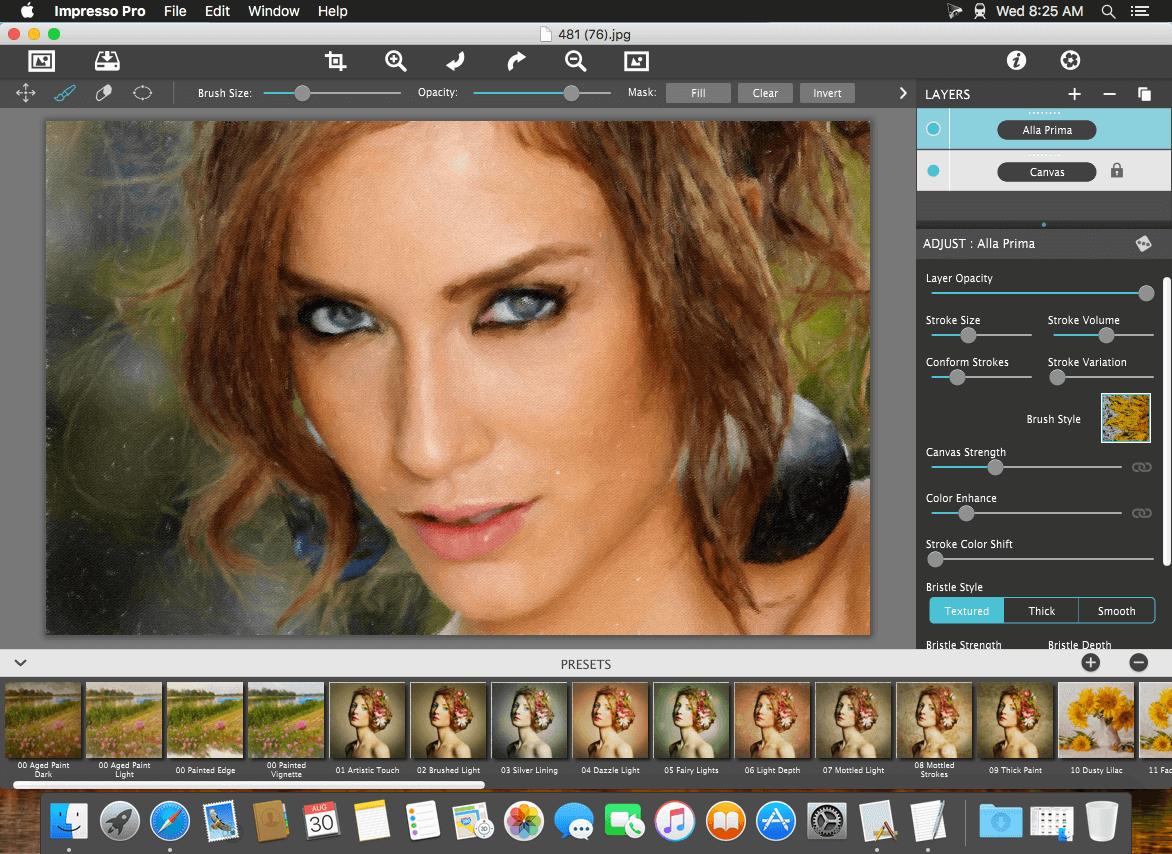
Super Vectorizer is a professional vector-trace tool that enables conversion from a raster (bitmap) image–such as JPEG, BMP, or PNG–to a scalable vector graphic with a few simple clicks. It automatically creates high-quality vector traces from images, and supports tracing of not only color and grayscale images, but also black and white. Super Vectorizer can be used for personal and professional projects alike, whether you are a hobbyist or a graphic designer. With technological advances in raster-to-vector conversion, Super Vectorizer does an impressive job of vectorizing raster / bitmap / photo images into crisp, clean, scalable fine line art / illustrations / vector art. It will assist anyone who does a lot of vector-image cleanup to become more productive.

Key Features of Super Vectorizer 2:

  • Fully automatic vectorization.
  • Supports up to 64 colors now.
  • Automatic tracing images of 70+ formats:
  • JPG, BMP, PNG, GIF, PDF, PSD, PNT, RGB, ARW, BMPF, CUR, CRW, CR2, DCR, DNG, EPSF, EPSI,
    EPI, EPS, EXR, EFX, ERF, FPX, FPIX, FAX, FFF, GIFF, G3, HDR, ICNS, ICO, JP2, JFX, JFAX, JPE, JFIF,
    JPF, MPO, MAC, MRW, MOS, NRW, NEF, ORF, PICT, PIC, PCT, PS, PNTG, PNGF, PEF, QTIF, QTI,
    RAW, RAF, RW2, RWL, SR2, SRF, SRW, SGI, TRIC, TIFF, TGA, TARGA, TIF, XBM, 3FR, 8BPS
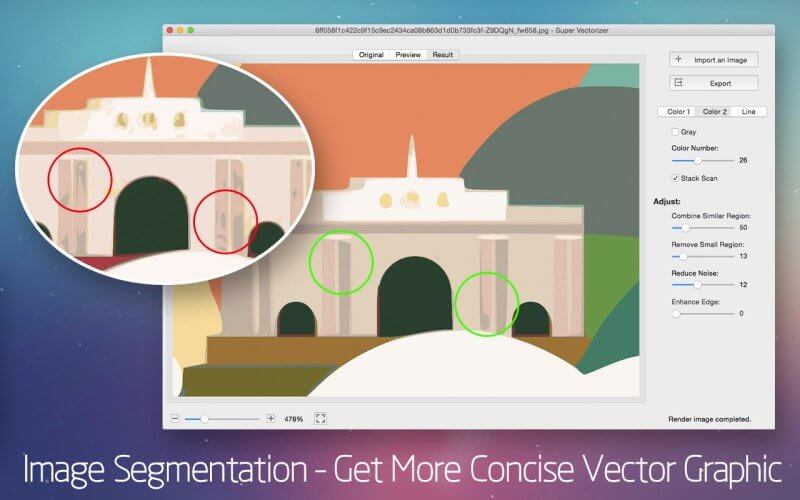
  • Segmentation editing capabilities: Trace more clean line borders that greatly simplifies the information to get more concise vector graphic for the ease of editing. It succesfully avoids a region overlapping.
  • There are two color modes now. A new color mode with image segmentation polymerization algorithm was unique in the AppStore at present.
  • Options for vectorizing images by Edge or Color or Gray Color.
  • Options for vectorizing images by Skeletonization or Line.
  • Better Optimization of line-tracing with a new line-tracing engine : accord more closely with users’ needs.
  • The function of skeletonization will enable conversion from pencil drawing into vector graphic easily.
  • The enhanced pre-processing smoothing function simplify the complex image very well. The smoothing algorithm is four times better than that of Super Vectorizer.
  • Better Accuracy: more closely resemble to the input image.
  • Ai, SVG, DXF and PDF vector graphic output.
  • Optimized the operation for convenience zooming in and out to check the processing results.
  • Supported opening files by dragging and dropping it to the icon for easy operation.
  • Powerful preview to inspect the result in detail.
  • Vectorize very large images.
  • Transparency support.

What’s New:

Version 2.3.0:

  • Release notes were unavailable when this listing was updated.

Compatibility: OS X 10.9 or later, 64-bit processor
Homepage http://www.svgvector.com/vectorize-image-mac.html

Screenshots

Dash 6.4.1

Name: Dash_6.4.1_[TNT]_Mactorrents.biz.dmg
Size: 20.52 MB
Files Dash_6.4.1_[TNT]_Mactorrents.biz.dmg[20.52 MB]

   Download Torrent
   Link Download

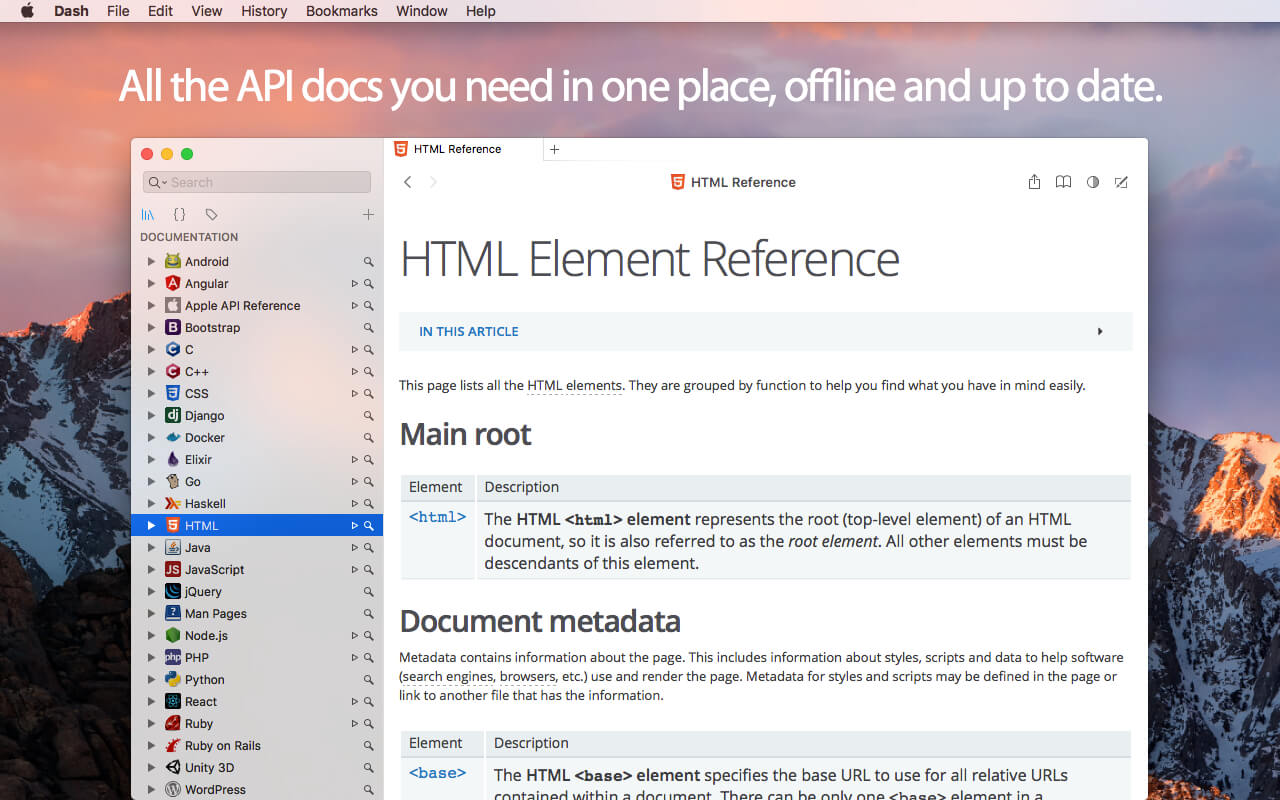
Dash is an API Documentation Browser and Code Snippet Manager. Dash helps you store snippets of code, as well as instantly search and browse documentation for almost any API you might use (for a full list, see below).

Documentation Browser Features:

  • Offline Documentation: iOS, OS X, watchOS, Swift, Man Pages, .NET Framework, ActionScript, Akka, Android, AngularJS, Angular.dart, Ansible, Apache, Appcelerator Titanium, AppleScript, Arduino, Backbone, Bash, Boost, Bootstrap, Bourbon, Bourbon Neat, C, C++, CakePHP, Cappuccino, Chai, Chef, Clojure, CMake, Cocos2D, Cocos2D-X, CodeIgniter, CoffeeScript, ColdFusion, Common Lisp, Compass, Cordova, Corona, CSS, D3.js, Dart, Django, Dojo Toolkit, Drupal, ElasticSearch, Elixir, Emacs Lisp, Ember.js, Emmet.io, Erlang, Express.js, Expression Engine, ExtJS, Flask, Font Awesome, Foundation, GLib, Go, Grails, Groovy, Grunt, Haml, Haskell, HTML, Jade, Jasmine, Java SE, Java EE, JavaFX, jаvascript, Joomla, jQuery, jQuery Mobile, jQuery UI, Knockout.js, Kobold2D, Laravel, LaTeX, Less, Lo-Dash, Lua, Marionette.js, Meteor, MomentJS, MongoDB, Mongoose, Mono, MooTools, MySQL, Nginx, Node.js, NumPy, OCaml, OpenCV, OpenGL, Perl, PhoneGap, PHP, PHPUnit, Play Framework, Polymer.dart, PostgreSQL, Processing.org, Prototype, Puppet, Python, Qt, R, Redis, RequireJS, Ruby, Ruby on Rails, Rust, Sass, SaltStack, Scala, SciPy, Sencha Touch, Sinon, Smarty, Sparrow, Spring Framework, SproutCore, SQLAlchemy, SQLite, Statamic, Stylus, SVG, Symfony, Tcl, Tornado, Twig, Twisted, TYPO3, Underscore.js, Unity 3D, Vagrant, Vim, VMware vSphere, WordPress, Xamarin, Xojo, XSLT, XUL, Yii, YUI, Zend Framework, Zepto.js.
  • Download docsets from CocoaDocs.org, RubyGems.org, Maven.org (Java and Scala), Packagist.org (PHP) and GoDoc.org.
  • Supports docsets generated using popular tools like Appledoc and Doxygen.
  • Methods are conveniently shown in a special Table of Contents.
  • Highlighted in-page search.
  • Save bookmarks of your most used documentation pages.
  • Create search profiles to easily switch between docsets.
  • Easily search specific docsets by defining keyword filters (e.g. start your query with “ruby:” to search only the Ruby documentation).
  • Integration plugins for: Xcode, Alfred, Quicksilver, LaunchBar, Coda, Espresso, PopClip, Sublime Text, Atom, Brackets, Chocolat, Emacs, Vim, BBEdit, TextWrangler, TextMate, Eclipse, AppCode, Android Studio, IntelliJ Idea, RubyMine, WebStorm, PhpStorm, PyCharm, Terminal, AppleScript.
  • Easily integrate with any other application using the “dash://” URL scheme or the “Look up in Dash” system service.
  • Annotate any documentation page and view public annotations.
  • Use alongside Dash for iOS to turn your iOS device into a remote screen just for documentation.
  • Fuzzy search. Don’t let misspells get in your way.
  • Built for speed. Searching is almost instant.

Snippet Manager Features:

  • Collect snippets of code that you reuse often.
  • Sync by saving your library in Dropbox.
  • Over 80 syntaxes for code highlighting.
  • Variable Placeholders can be edited before pasting.
  • Abbreviations are expanded wherever you type them.

Special Snippet Placeholders:

  • @clipboard expands into the contents of the clipboard.
  • @cursor repositions the cursor after expansion.
  • @date expands into the current date.
  • @time expands into the current time.

Other Features:

  • Retina-ready.
  • Multi-Touch Gestures.
  • Menu item or dock application, always one keyboard shortcut away.
  • Users that want to use Dash only as a Snippet Manager or Documentation Browser, can do so.

What’s New:

Version 6.4.1:

  • Release notes were unavailable when this listing was updated.

Compatibility: macOS 10.14 or later 64-bit
Homepage https://kapeli.com/dash

Screenshots

Nova 11.2

Name: Nova_11.2_[TNT]_Mactorrents.biz.dmg
Size: 58.98 MB
Files Nova_11.2_[TNT]_Mactorrents.biz.dmg[58.98 MB]

   Download Torrent
   Link Download

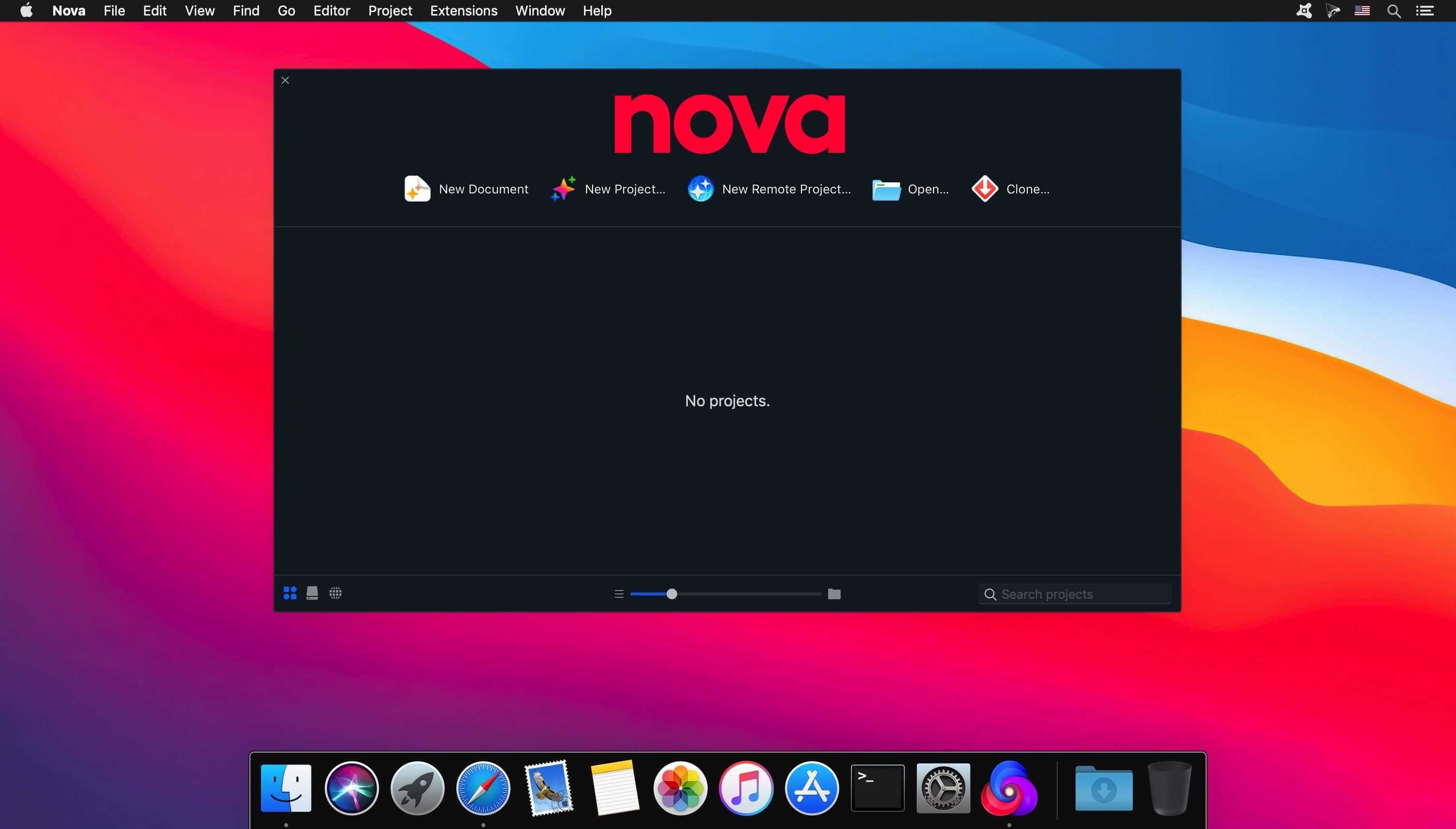
Can a native Mac code editor really be that much better? Find out.

The Editor.
It all starts with our first-class text-editor.
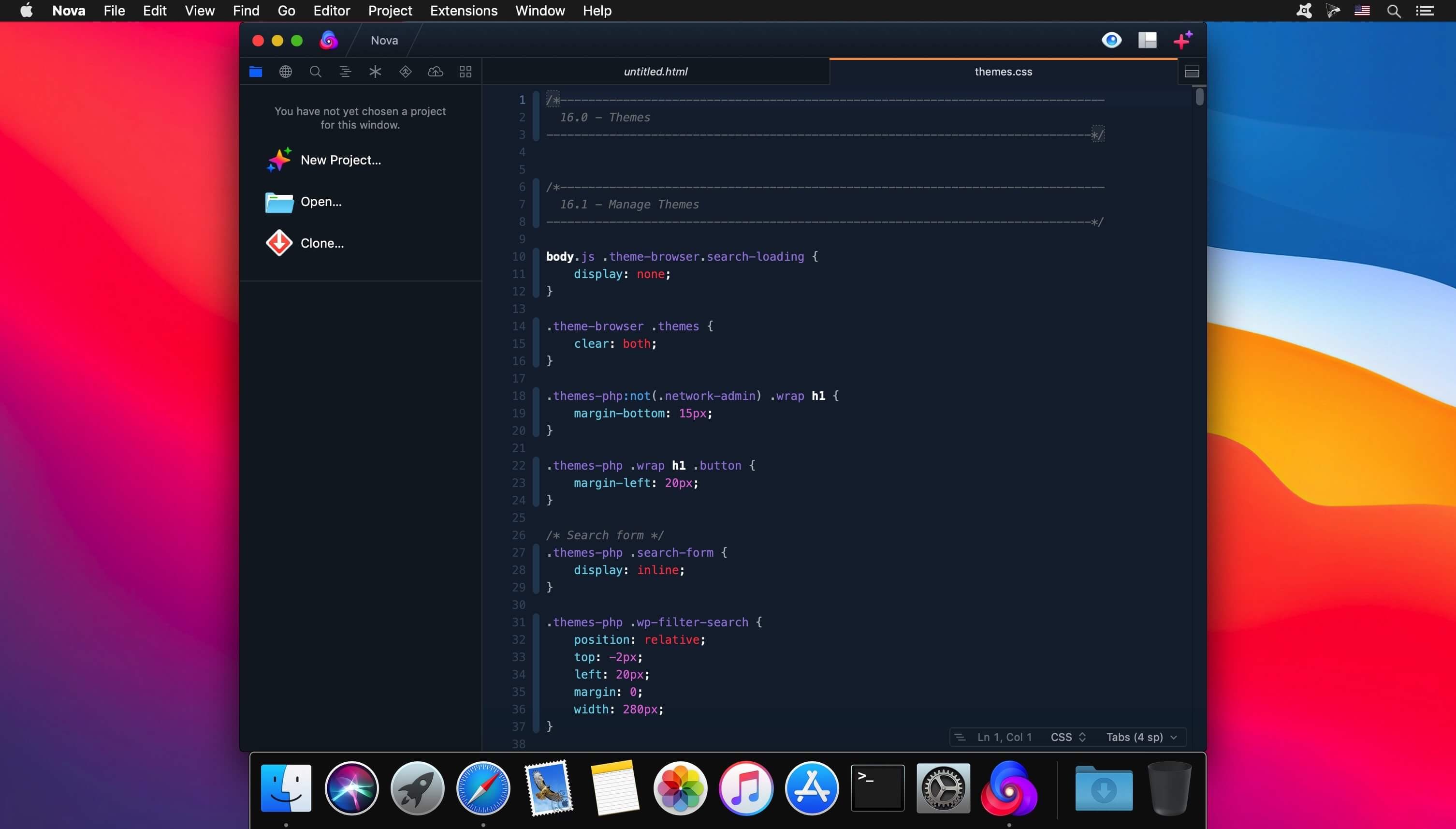
It’s new, hyper-fast, and flexible, with all the features you want: smart autocomplete, multiple cursors, a Minimap, editor overscroll, tag pairs and brackets, and way, way more.

The Interface.
It’s beautiful. And clean. And fun.
You can make Nova look exactly the way you want, while still feeling Mac-like. Bright, dark, cyberpunk, it’s all you. Plus, themes are CSS-like and easy to write. Nova can even automatically change your theme when your Mac switches from light to dark mode.

The Workflows.
Nova doesn’t just help you code. It helps your code run.
You can easily create build and run tasks for your projects. We didn’t have them in Coda, but boy do we have them now. They’re custom scripts that can be triggered at any time by toolbar buttons or keyboard shortcuts.

Imagine building content, and with the single click of a button watching as Nova fires up your local server, grabs the appropriate URL, and opens a browser for you, instantly. Just think of the time you’ll save.

Nova supports separate Build, Run, and Clean tasks. It can open a report when run. And the scripts can be written in a variety of languages.

What’s New:

Release notes

Compatibility: macOS 10.15.7 or later
Homepage https://nova.app/

Screenshots


ON1 Resize AI 2023.5 v17.5.1.14028

Name: ON1_Resize_AI_2023.5_v17.5.1.14028_[TNT]_Mactorrents.biz.dmg
Size: 1.61 GB
Files ON1_Resize_AI_2023.5_v17.5.1.14028_[TNT]_Mactorrents.biz.dmg[1.61 GB]

   Download Torrent
   Link Download

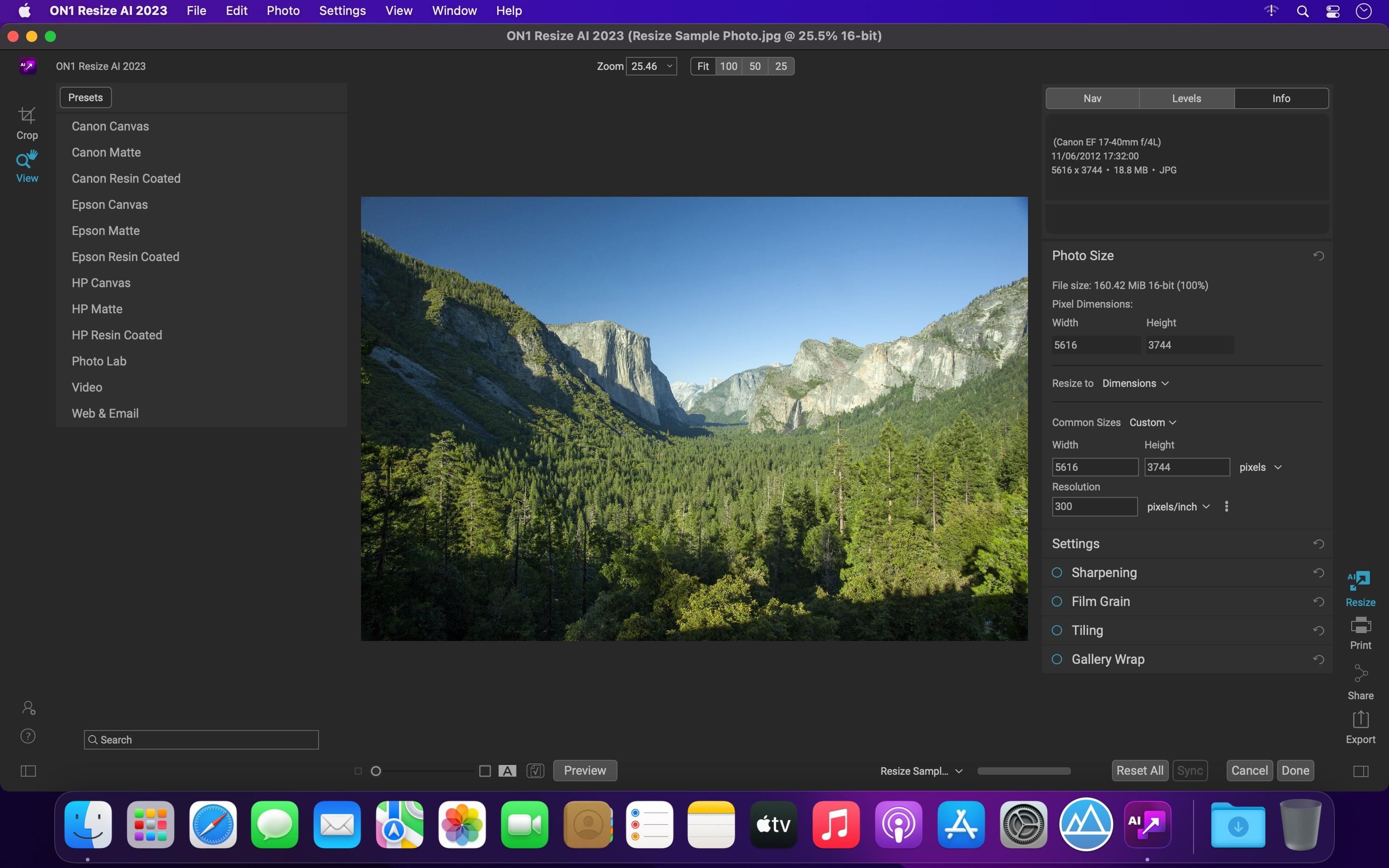
ON1 Resize AI, the next-generation photo enlargement software, gives photographers the highest quality photo enlargements. This all-new super-resolution technology will allow any photographer to enlarge photos while quickly maintaining and recovering an incredible amount of detail and sharpness.

ON1 Resize uses the Genuine Fractals technology in order to provide high quality image enlargements without the loss of details or sharpness in your pictures.
From ON1 Resize’s main window, you can go through your picture collection and preview your images with ease. What is more, ON1 Resize helps you browse pictures stored in Dropbox, Google Driver, OneDrive or iCloud Photo Stream.

How It Stands Out

  • ON1 Resize AI uses state-of-art neural networks to enlarge photos without losing detail
  • The ultimate workflow integration – ON1 Resize AI goes beyond the average plugins when it comes to integration with the host applications
  • Print directly from the app – ON1 Resize AI excels at making stunning poster-sized prints
  • Powerful batch processing lets you get work done in record time
  • Unique tiling and gallery wrap features

Tools for Printing Big
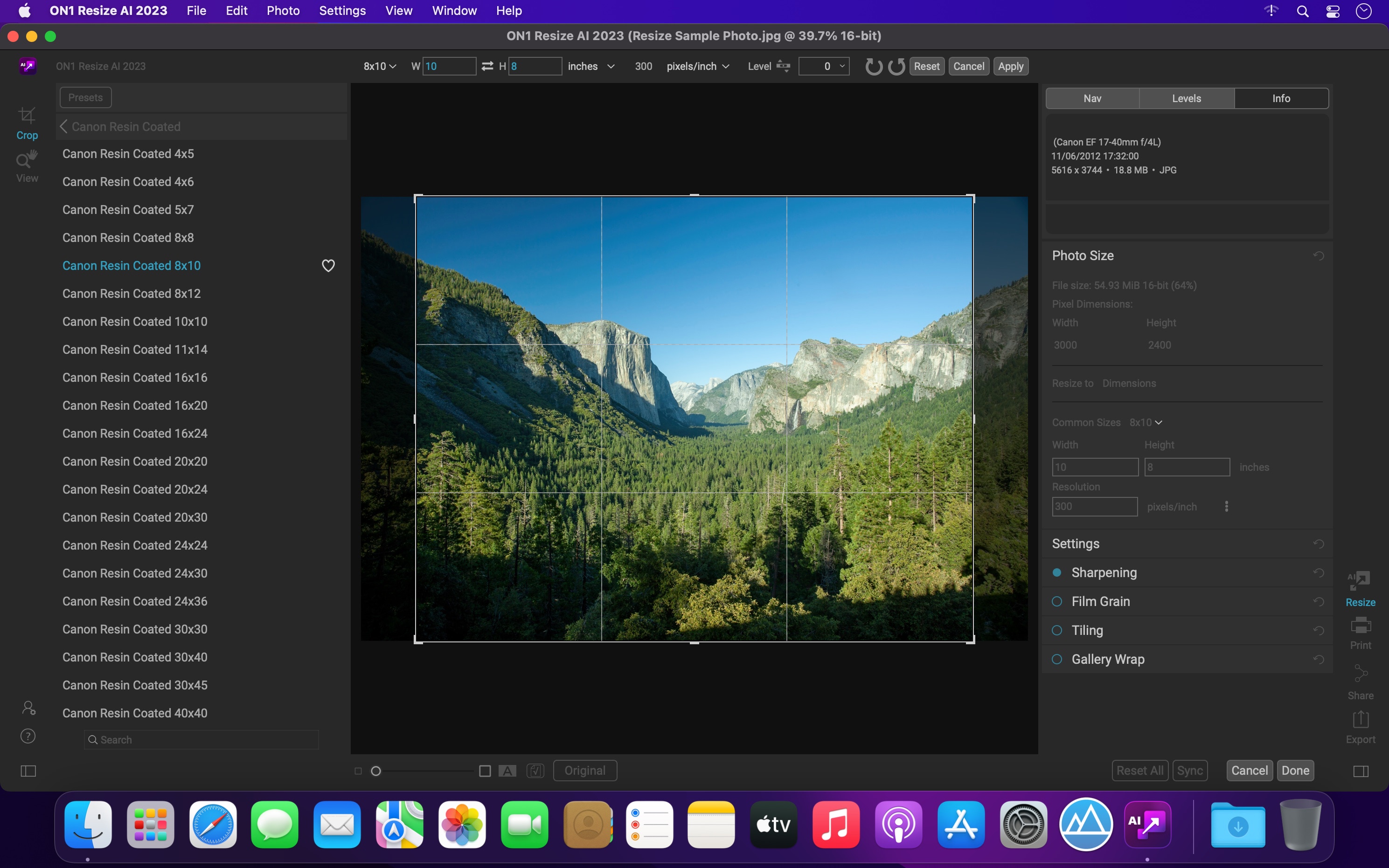
Photo enlargement software should deliver the highest quality photo prints. ON1 Resize AI excels at making prints using state-of-the-art technology. You can enlarge your images to any size and not lose sharpness or details in your prints.

Create Canvas Wraps
The gallery wrap feature creates extended margins for wrapping your photo around wooden stretcher bars for canvas prints.

Tiling Feature
The tiling feature divides the photo into tiles or strips to make it easier to print a mural.

Get Beautiful Prints Every Time
Print individual photos, contact sheets, a wall portrait, or tile multiple photos into package prints. Also, print multiple photos on one piece of paper to create packages.

Better Batch Processing
The Export feature in ON1 Resize AI makes it easy to process a single photo, a handful or hundreds of them. Not only can you control the size, but the file type, naming, location, etc. You can even apply gallery wrap or watermarks on the fly.

Maintain an Amazing Amount of Detail
Studying millions of examples of the everyday world allows ON1 Resize AI to upscale photos and their textures to virtually any size, leaving photographers with ultra-high resolution images.

Keep the Crisp Details
ON1 Resize AI uses deep machine learning to study different details we see in the world, whether natural textures like animal fur, tree bark, feathers, grass, leaves, rock, and skin to man-made textures like concrete, fabric, or brick.

Easier Printing
When it comes to preparing your photo to print, knowing the proper resolution for your printer and the correct amount of sharpening for your paper choice can be daunting. ON1 Resize AI’s built-in presets make this a breeze. Simply pick the kind of printer, the type of paper, and the size.

Works as a Plugin
for Adobe Lightroom, Photoshop, Capture One, and Apple Photos

Resize AI goes beyond the average plugins. In CaptureOne and Lightroom you can batch process easily with powerful new resizing options. And in Adobe Photoshop it can handle layered files with masks, alpha channels, text, and adjustment layers in RGB as well as CMYK, Grayscale and LAB.

What’s New:

Version 2023.5 v17.5.1.14028:

  • Release notes were unavailable when this listing was updated.

Compatibility: macOS 10.15 or later, Apple Silicon or Intel Core processor
Homepage https://www.on1.co

Screenshots


ON1 NoNoise AI 2023.5 v17.5.1.14028

Name: ON1_NoNoise_AI_2023.5_v17.5.1.14028_[TNT]_Mactorrents.biz.dmg
Size: 2.01 GB
Files ON1_NoNoise_AI_2023.5_v17.5.1.14028_[TNT]_Mactorrents.biz.dmg[2.01 GB]

   Download Torrent
   Link Download

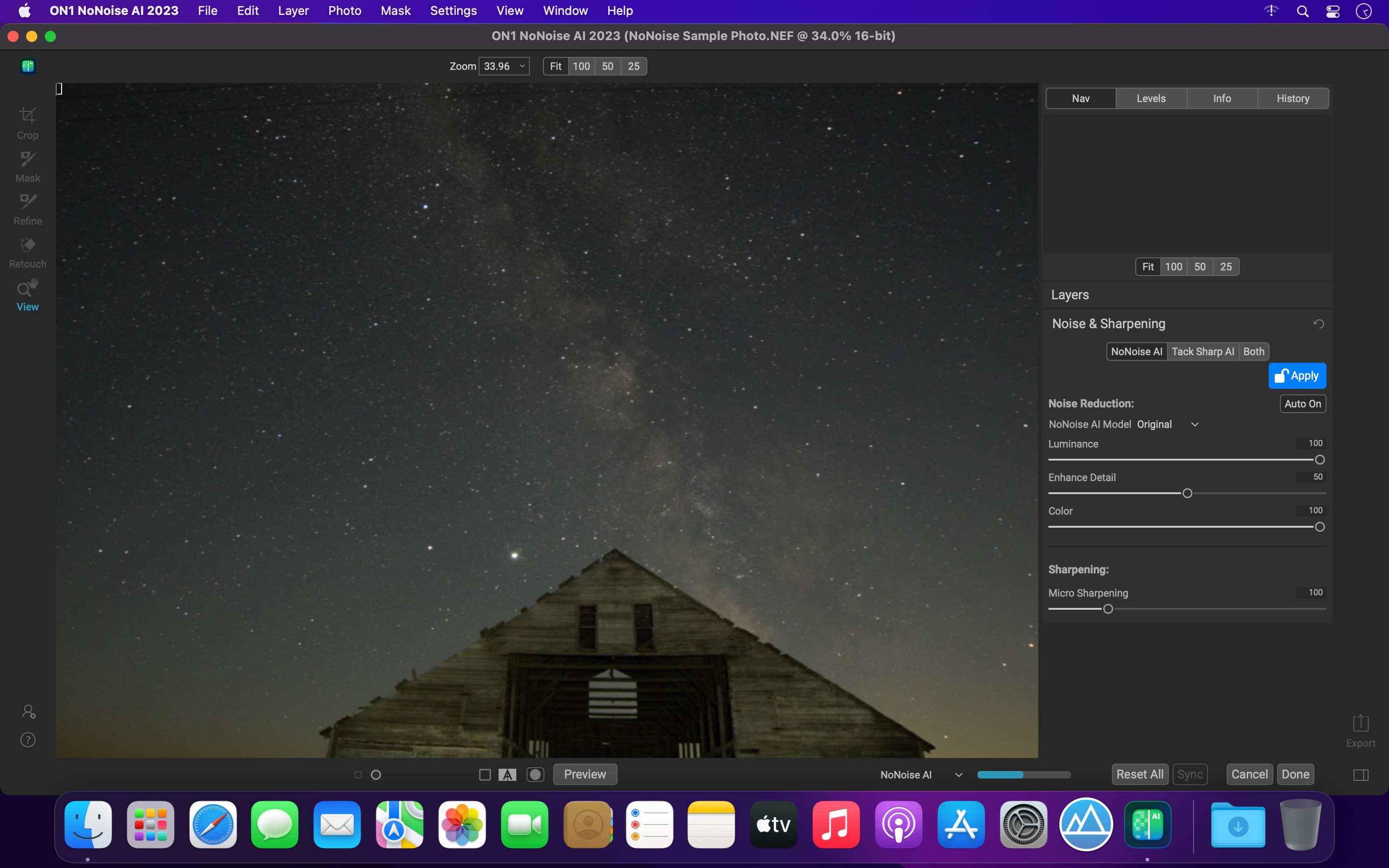
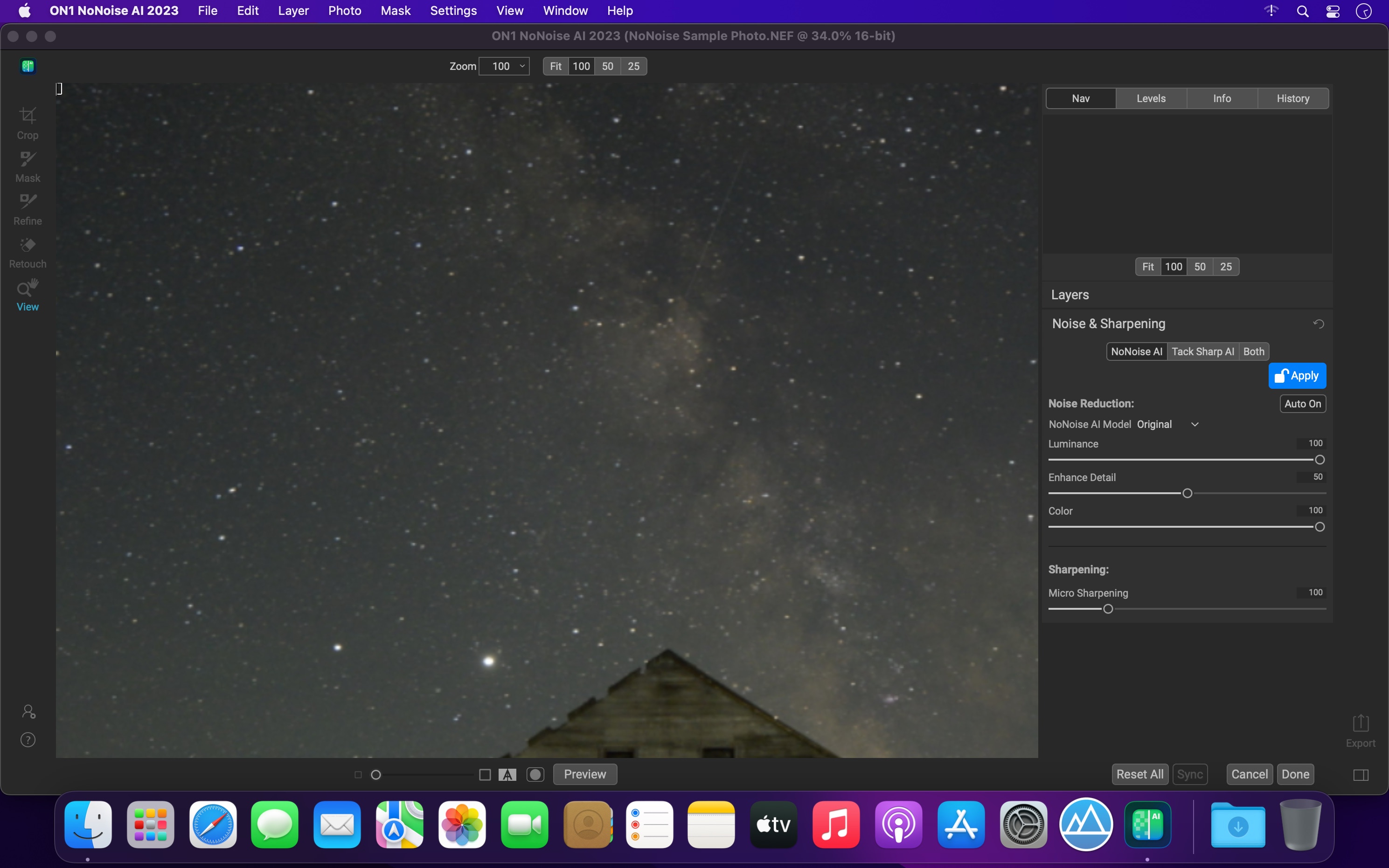
The New Standard in Quality and Speed for Removing Image Noise. It’s the best noise reduction software for photography. Quickly remove noise and get the sharpest details in your photos with AI-powered NoNoise AI.

ON1 NoNoise AI intelligently removes all the image noise while intelligently recovering and enhancing the details. It integrates into your workflow by supporting common photo editors and file formats, including saving DNG raw files that maintain the full tonal and color range.

Get the Absolute Best Results Way Faster!
ON1 NoNoise is up to ten times faster than the other leading image noise removal products and the results will amaze you!

AI-Based Noise Reduction
Leverages state-of-art machine learning to build an AI network to remove luminance and color noise while maintaining the details like no other application producing excellent results.

AI-Based Demosaicing
For raw photos, most image noise comes in the demosaicing process. Combining this step with the noise reduction during the AI training in ON1 NoNoise AI will achieve both better noise reduction and help increase detail and sharpness.

AI-Based Demosaicing
Includes the ON1 exclusive Progressive Sharpening algorithm to enhance the sharpness and details based on the size of the details in the photo, without the halos and artifacts that other sharpening techniques can create.

Super-Fast Live Preview of the Adjustments
Results can be viewed in only a fraction of the time it takes other apps to produce viewable results. There are also far fewer controls to adjust without the limitation of sacrificing sharpness to reduce image noise.

Plugin to Your Workflow

  • ON1 NoNoise AI is the perfect fit for almost any workflow.
  • Get amazing retouching results in seconds when using ON1 NoNoise AI as a plugin for
  • Adobe Photoshop
  • Adobe Lightroom Classic
  • Adobe Photoshop Elements
  • Affinity Photo
  • Capture One
  • Corel Paintshop Pro

What’s New:

Version 2023 v17.1.0.13508:

  • Improved the masking fidelity and consistency of the AI Masking features: Super Select AI, Mask AI, Quick Mask AI, and AI Adaptive Presets
  • Improved the performance of the Mask Refine Brush
  • Improved raw file opening speed by 33%
  • Reduced Vulkan errors on Windows that could prevent launching
  • Reduced pixelation when using content-aware crop and the Perfect Eraser
  • Fixed an issue that could cause the log file to grow large
  • Fixed an issue where the menus could disappear on Windows when using full-screen mode
  • Added raw file support for:
    • Fujifilm X-T5
    • OM Systems OM-5
    • Sony a7RV (ILCE-7RM5)
  • Added lens profiles for:
    • Canon PowerShot G7 X Mark III
    • Samsung Galaxy S21 ultrawide
    • Canon RF 35mm F1.8 MACRO IS STM
    • NIKKOR Z 24-120mm f/4 S
    • Leica D Vario-Elmar 14-150mm f/3.5-5.6 Asph. OIS
    • Samyang XP 10mm f/3.5
    • Sony E 11mm F1.8
    • Sony FE 14mm F1.8 GM
    • Sony FE 40mm F2.5 G
    • Sony FE 50mm F1.2 GM
    • Mitakon Speedmaster 50mm f/0.95 III
    • Voigtlander Color Skopar 20mm F3.5 SLII Aspherical
  • Improved stability

Compatibility: macOS 10.15 or later, Apple Silicon or Intel Core processor
Homepage https://www.on1.com/products/nonoise-ai

Screenshots


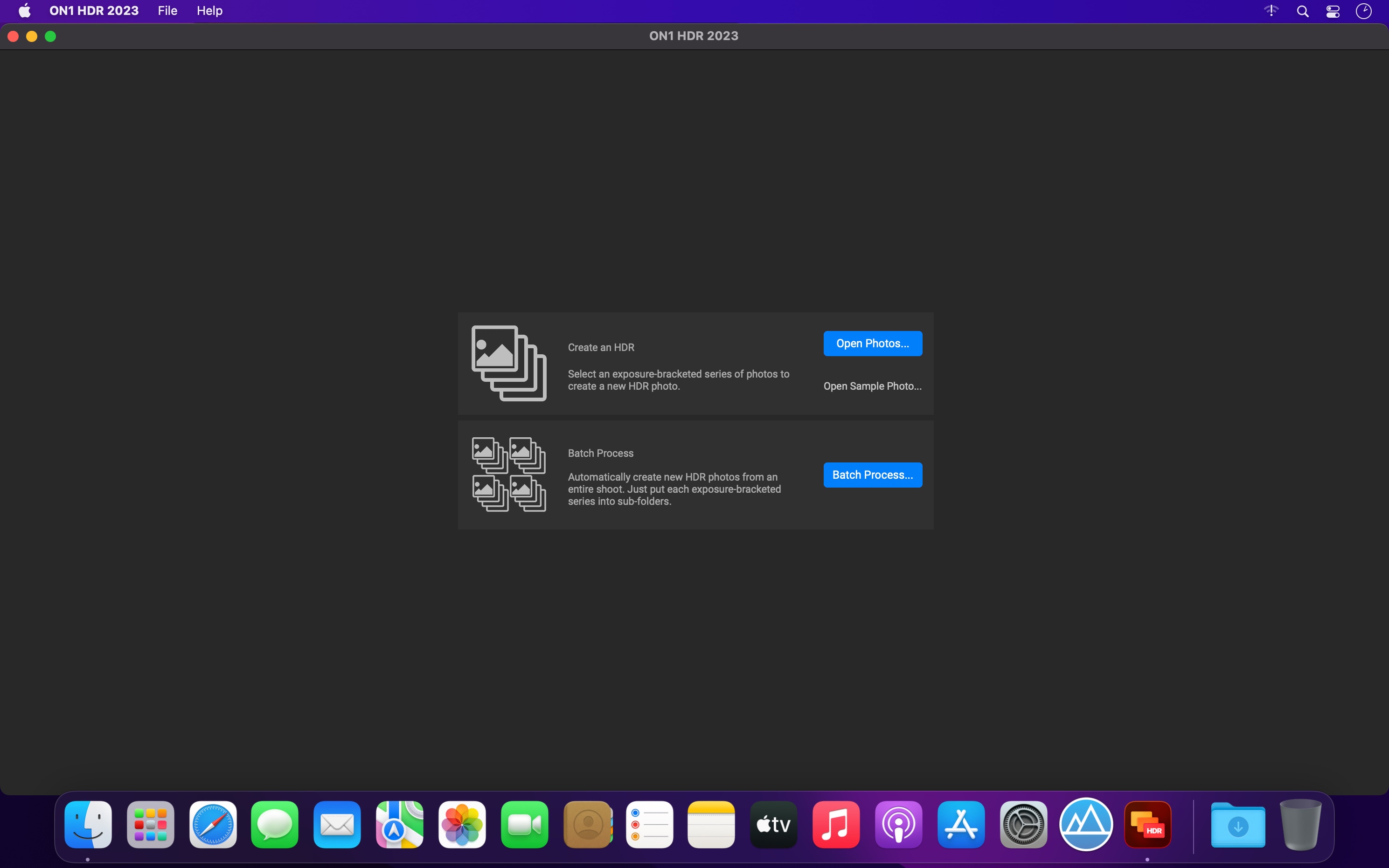
ON1 HDR 2023.5 v17.5.1.14028

Name: ON1_HDR_2023.5_v17.5.1.14028_[TNT]_Mactorrents.biz.dmg
Size: 1.77 GB
Files ON1_HDR_2023.5_v17.5.1.14028_[TNT]_Mactorrents.biz.dmg[1.77 GB]

   Download Torrent
   Link Download

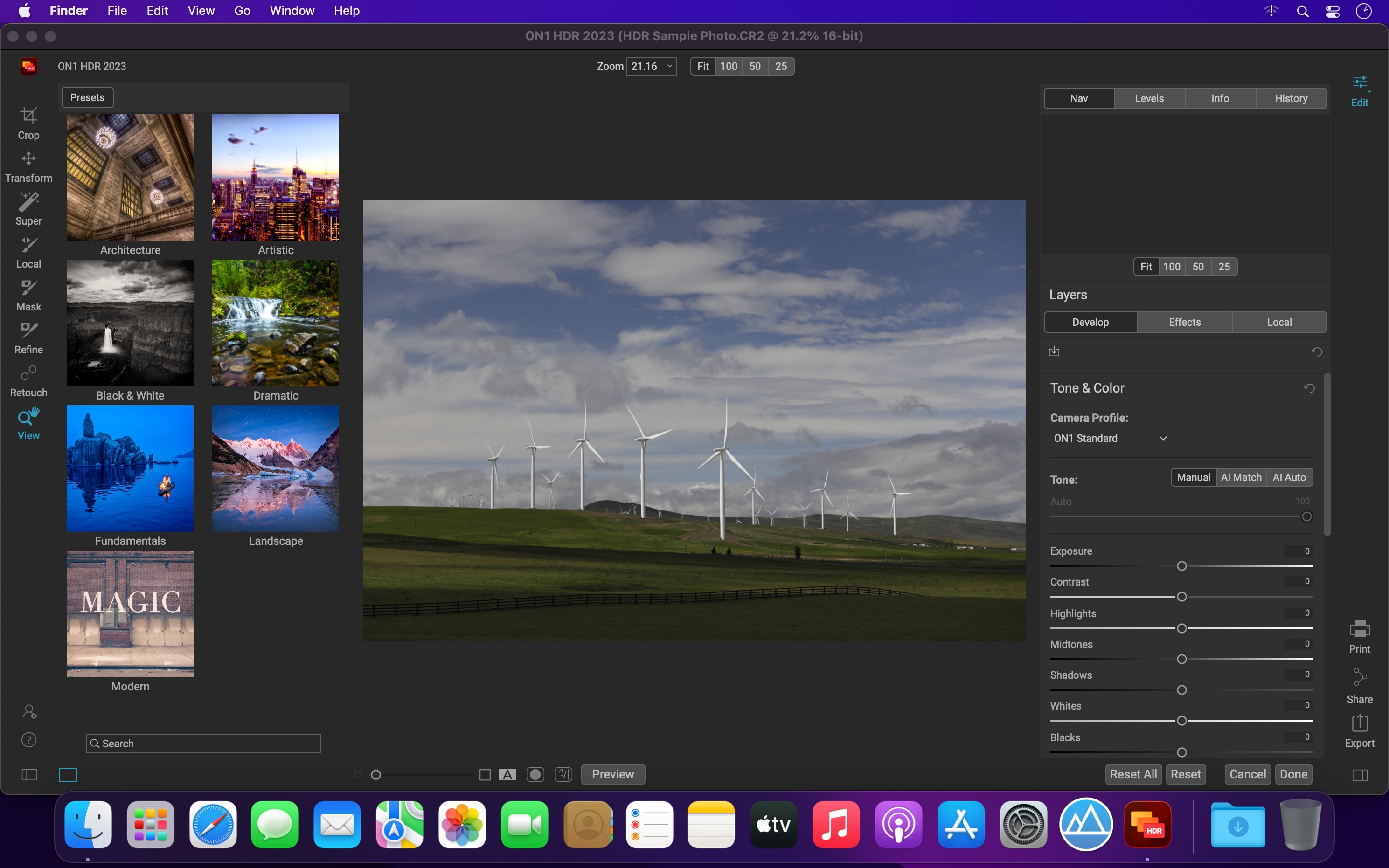
ON1 HDR 2023 creates flawless, natural HDR photos, that combine the highlight and shadow details from a bracket of exposures, in the blink of an eye. You can control the movement, such as clouds and running water with a live preview. Then, perfect your HDR photos with powerful tools and presets that showcase your creativity. ON1 HDR works as both a standalone and a plug-in for Lightroom® Classic CC.

Speed
Slow previews are a thing of the past. Get results in seconds vs. minutes when compared to the competition.

Control
You control the motion with live de-ghosting controls. Everything you need to make it look great including tone & color, layers, retouching and special effects.

Re-Editable
Preview and control noise reduction, lens corrections, and chromatic aberration anytime. Re-edit any of your settings at a later date in ON1 HDR.

Create Awe-Inspiring HDR.
Tone mapping and merging exposure brackets combined with layers allows you to combine other HDR photos and even alternate exposures.

  • Auto-aligns photos & removes ghosting
  • Up to 7x faster than leading HDR apps
  • Combine other exposures with HDR photos
  • Create natural or surreal looking HDR photos

Get HDR Looks From a Single Photo!
You don’t have to shoot a bracket of exposures to create an HDR look. With ON1 HDR you can open a single, well exposed raw photo and use the HDR toolset to reveal all of the shadow and highlight detail.

Batch process the creation of your HDR files, perfect for real estate photographers.
Your files work with HDR’s broad file support. It can handle raw photos from over 800 cameras spanning 20 years. Plus, it supports PSD, TIF, JPG, PNG, and HEIC.

Get Creative HDR with the Best Photo Effects
Nine powerful photo effects filters work like filters you can stack on your camera lens. Mix and combine color and tone enhancers, HDR Look, Dynamic Contrast, Glow, Black and White, LUTs, and more. It even includes tons of professional-grade presets to get you started.

Plug-in & Integrate

  • Plug-in to Adobe® Lightroom® Classic
  • Batch process the creation of your HDR files, perfect for real estate photographers.
  • Your files will work with HDR’s broad file support. It can handle raw photos from over 800 cameras spanning 20 years. Plus it supports PSD, TIF, JPG, PNG, and HEIC.

What’s New:

Version 2023 v17.1.0.13508:

  • Improved the masking fidelity and consistency of the AI Masking features: Super Select AI, Mask AI, Quick Mask AI, and AI Adaptive Presets
  • Improved the performance of the Mask Refine Brush
  • Improved raw file opening speed by 33%
  • Reduced Vulkan errors on Windows that could prevent launching
  • Reduced pixelation when using content-aware crop and the Perfect Eraser
  • Fixed an issue that could cause the log file to grow large
  • Fixed an issue where the menus could disappear on Windows when using full-screen mode
  • Added raw file support for:
    • Fujifilm X-T5
    • OM Systems OM-5
    • Sony a7RV (ILCE-7RM5)
  • Added lens profiles for:
    • Canon PowerShot G7 X Mark III
    • Samsung Galaxy S21 ultrawide
    • Canon RF 35mm F1.8 MACRO IS STM
    • NIKKOR Z 24-120mm f/4 S
    • Leica D Vario-Elmar 14-150mm f/3.5-5.6 Asph. OIS
    • Samyang XP 10mm f/3.5
    • Sony E 11mm F1.8
    • Sony FE 14mm F1.8 GM
    • Sony FE 40mm F2.5 G
    • Sony FE 50mm F1.2 GM
    • Mitakon Speedmaster 50mm f/0.95 III
    • Voigtlander Color Skopar 20mm F3.5 SLII Aspherical

Compatibility: macOS 10.15 or later, Apple Silicon or Intel Core processor
Homepage https://www.on1.com/

Screenshots


ON1 Sky Swap AI 2023.5 v17.5.1.14028

Name: ON1_Sky_Swap_AI_2023.5_v17.5.1.14028_[TNT]_Mactorrents.biz.dmg
Size: 2.01 GB
Files ON1_Sky_Swap_AI_2023.5_v17.5.1.14028_[TNT]_Mactorrents.biz.dmg[2.01 GB]

   Download Torrent
   Link Download

Sky Swap AI makes replacing or enhancing a dull sky a breeze. It detects the sky in your photo and creates a gorgeous mask automatically. Simply select from one of the 231 included skies or import your own. 125 of the built-in skies are sourced from OcuDrone, a leading provider of ultra-high resolution aerial images. Sky Swap AI combines machine learning with amazing curated skies to eliminate the need for complex masks and layers normally required in other editing apps.

Sometimes you don’t want to replace a sky completely; you want to blend in some additional clouds, for example. Sky Swap AI gives you everything you need to blend a new sky realistically with an existing one.

Bring the power of Sky Swap AI into your workflow. Whether you work in Adobe Photoshop, Photoshop Elements, Lightroom Classic, Capture One, Affinity Photo, Corel Paintshop Pro, and Apple Photos; you have seamless access to it.

Compatibility: macOS 10.15.6 or later
Homepage https://www.on1.com

MacCleaner 3 Pro 3.1.2 (0609)

Name: MacCleaner_Pro_3_3.1.2_(0609)_[TNT]_Mactorrents.biz.dmg
Size: 127.81 MB
Files MacCleaner_Pro_3_3.1.2_(0609)_[TNT]_Mactorrents.biz.dmg[127.81 MB]

   Download Torrent
   Link Download

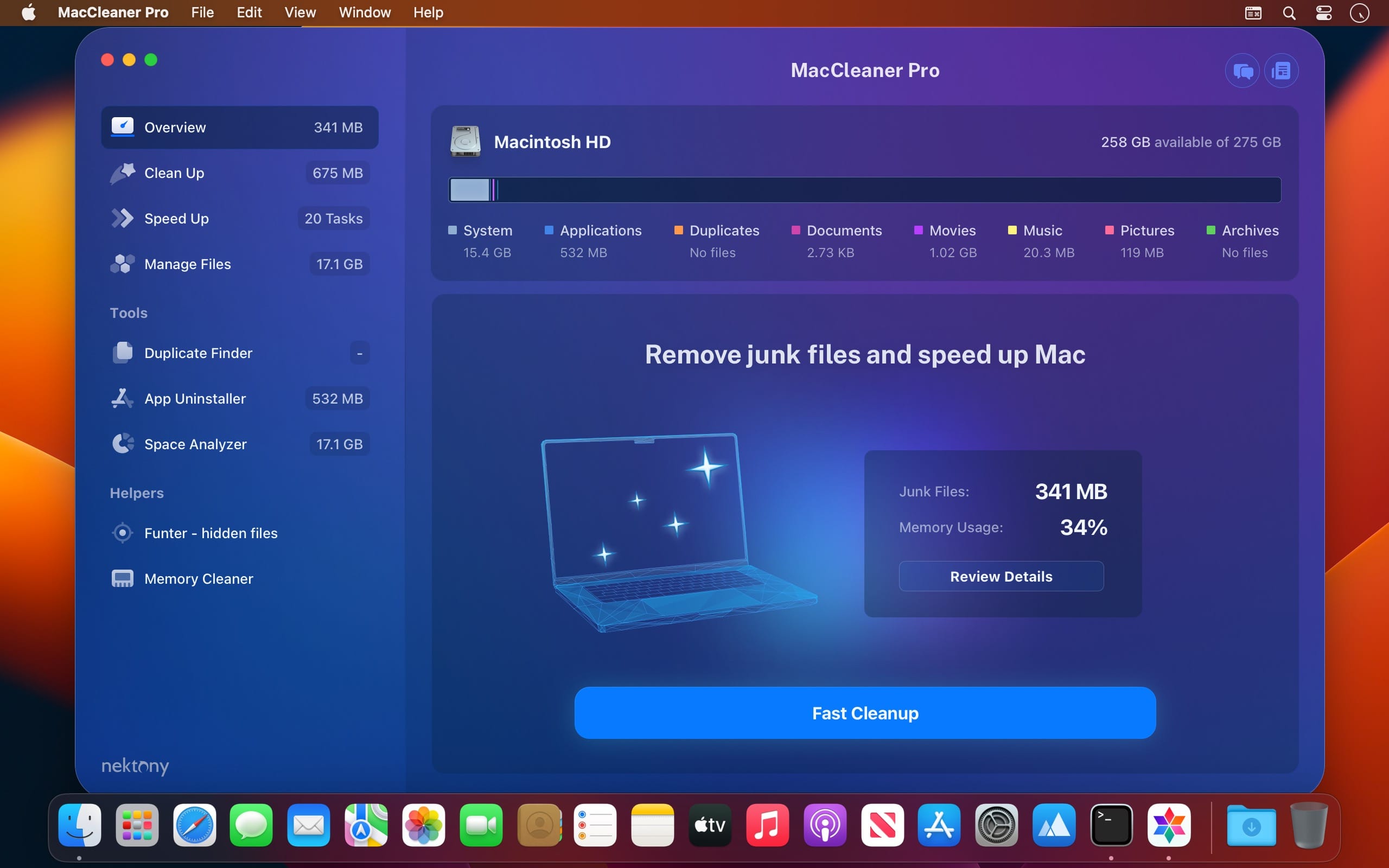
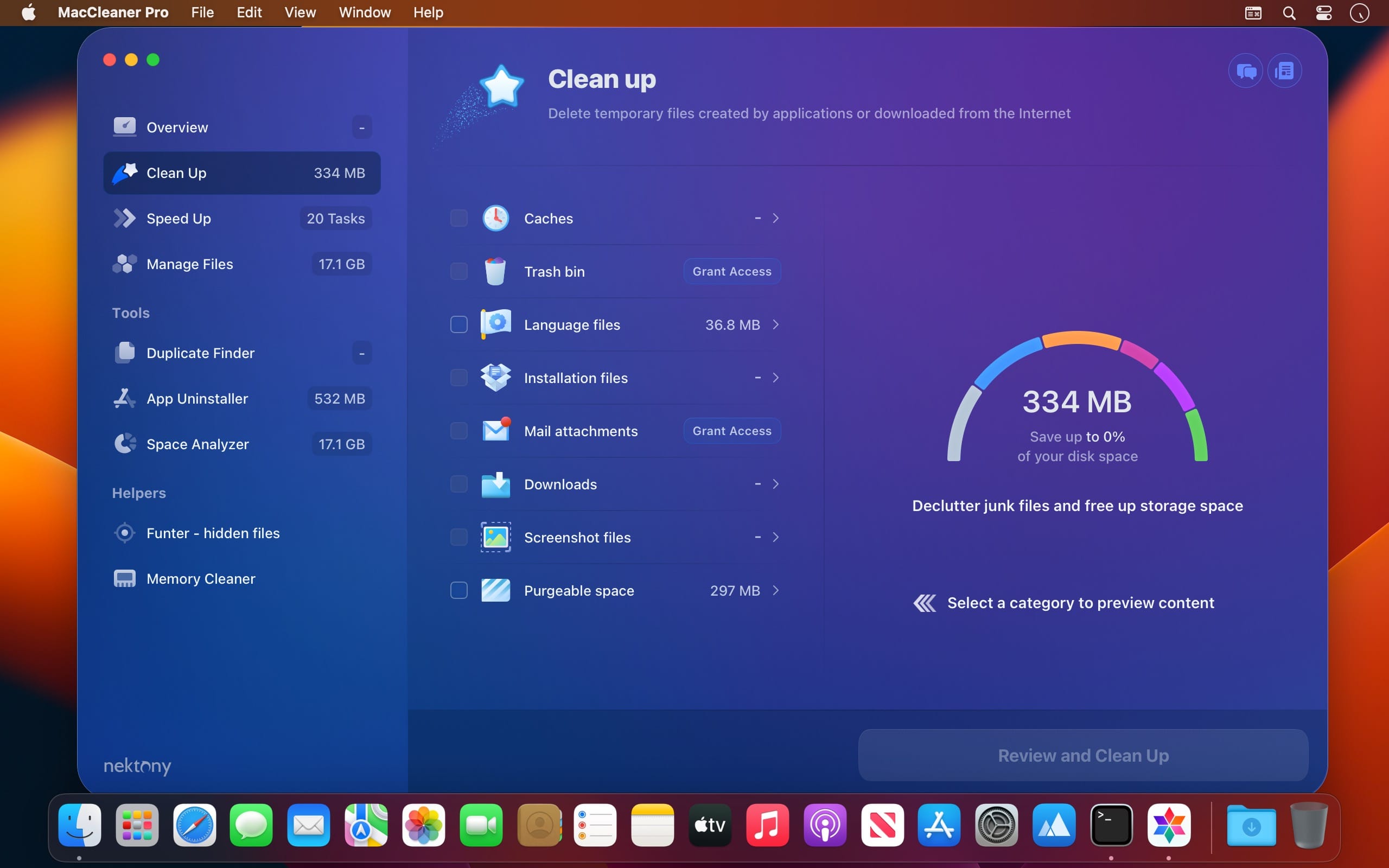
Clean up your Mac and optimize its performance. Speed up a slow Mac, free up disk space, remove junk files, prevent the “Startup Disk Full” error.

Why do I need MacCleaner Pro? Your Mac needs to be cleared of junk files periodically if you wish to keep it working as fast as a new one. MacCleaner Pro provides a set of cleanup apps for that, which we call “must haves” for every self-respecting Mac owner.

How to use MacCleaner Pro? Using MacCleaner Pro is as easy as ABC. Just launch the application and you will see a list of all the tools with a details description of what each app can do for you. Open each app and follow simple steps to start the cleaning process. Whenever you have any questions, just visit the Support page or directly contact the Support team. We are always happy to help you.

What are benefits of MacCleaner Pro? The best thing about MacCleaner Pro is that the bundle contains all the necessary tools for a safe and deep hard drive cleanup. You should use them to always keep your Mac running properly, and thus prolong its’ life. My Mac is slow.

Can MacCleaner Pro help me? Despite freeing the disk space, MacCleaner Pro thinks about your RAM memory as well. It can work in the background and monitor the memory usage by apps. When your Mac’s memory is filled up, it will clear inactive RAM and make your Mac run faste

What’s New:

Version 3.1.2 (0609):

  • Release notes were unavailable when this listing was updated.

Compatibility: macOS 10.13 or later
Homepage https://nektony.com/

Screenshots


App Cleaner & Uninstaller Pro 8.2.0

Name: App_Cleaner_8.2_[TNT]_Mactorrents.biz.dmg
Size: 24.49 MB
Files App_Cleaner_8.2_[TNT]_Mactorrents.biz.dmg[24.49 MB]

   Download Torrent
   Link Download

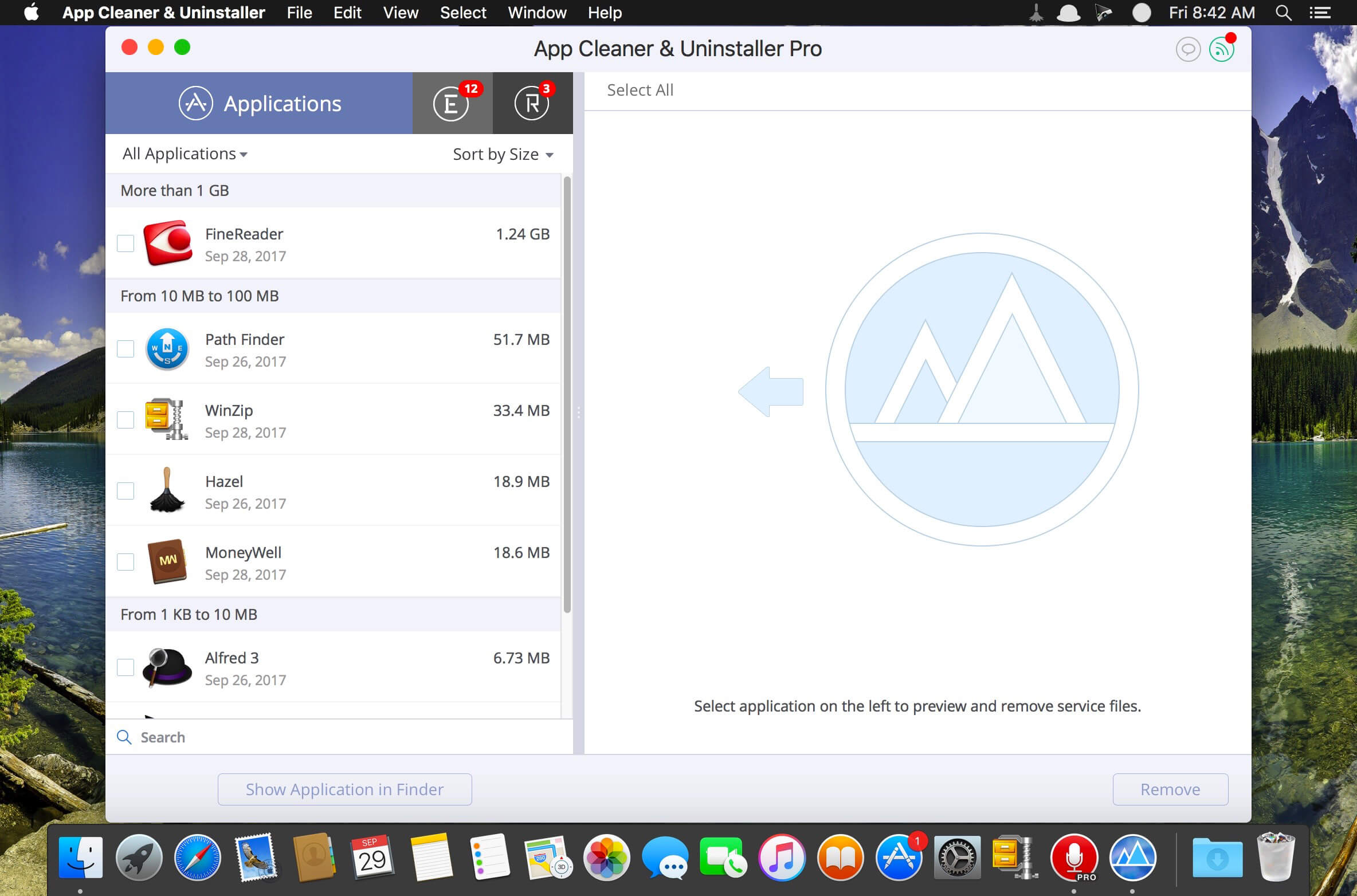
Preview Installed Applications and Remove Service Files to Complete Uninstall.
App Cleaner 7 – The best app to remove applications service files on macOS and uninstalling applications*.

Delete application’s service files. Make sure they aren’t eating up precious space on your Mac with this helpful app that does the legwork for you.
Disable unneeded login items to launch Mac faster.
Get PRO features and remove even System Extensions.

Main Gained Value – Speed up Your Mac by: 

  • deleting apps’ files taking performance resources
  • deleting debris of apps that were simply put into Trash
  • managing all types of service files (caches, logs, preferences, etc.)
  • removing unneeded System Extensions
  • removing login items and disabling startup programs

Main Advantage: App Cleaner deletes Remains (or leftovers) – files of previously removed apps.
Thus, you uninstall applications completely.

Main Features: 

  • Scan the system and preview installed applications
  • Remove all types of service files
  • Remove remains of previously uninstalled apps
  • Reset application to a first-launch state
  • Preview launch agents and system daemons
  • Preview login items
  • Disable launch agents and login items
  • •ind and preview installed System Extensions
  • Remove System Extensions
  • Easy-to-use shortcuts
  • Any file or app quick preview
  • Specific app-associated file formats preview
  • In-app help assistance
  • Show unused applications
  • Skip list option

How to Uninstall an application using App Cleaner:

  1. Launch App Cleaner.
  2. Scan all applications for service files.
  3. Choose unneeded application (left view). In-app purchase required.
  4. Select all its’ service files on right view.
  5. Click Remove.
  6. If some apps were not removed, due to access rights, switch to Finder and move them manually to Trash*.

*Some applications can not be removed because they require administrator privileges. In this case, switch to the Finder and delete the application file in usual way.

PRO mode required to:

  • Remove executable part of applications
  • Remove system extensions
  • Disable ads

FREE mode allows to:

  • Preview all installed apps
  • Preview service files for apps
  • Remove service files for apps
  • Reset apps to first-run state
  • Preview installed extensions and widgets
  • Disable launch agents and startup items
  • Remove Remains – broken service files

Top In-App Purchases : PRO Version – included
Compatibility: macOS 10.13 or later
Homepage https://nektony.com/

Screenshots


Duplicate File Finder 7.1.0

Name: Duplicate_File_Finder_7_7.1.0_[TNT]_Mactorrents.biz.dmg
Size: 38.8 MB
Files Duplicate_File_Finder_7_7.1.0_[TNT]_Mactorrents.biz.dmg[38.8 MB]

   Download Torrent
   Link Download

PrimeFile is a free utility that finds duplicate files on your Mac in just 3 clicks. Drag & drop as many folders as you wish and click SCAN.

Within a minute the app will give a report with all duplicate files by categories: images, videos, music, archives, documents, and all other specific extensions. It’s really easy to see how much space each file takes.

Features:
SCANNING

  • fast scanning algorithm
  • scanning for duplicates in multiple folders or drives
  • external drives & mounted network folders support
  • “Recent Folders List” for scanned folders
  • animated scanning process
  • skip list for various files & folders

RESULTS OVERVIEW

  • visual chart report when scanning
  • duplicate files list
  • duplicate files by types

DUPLICATES

  • built-in duplicates search
  • preview & quick look for every file
  • sort duplicates (by name, size, total size, type, and duplicates count)

REMOVING

  • visual progress bar of selected files for removal
  • one-click selection of multiple duplicate files
  • smart duplicates autoselection
  • “always select” & “never select” autoselect options
  • confirmation list of deleted files
  • moving to Trash or permanent removal option

UPGRADE TO PRO, In-app purchase

  • preview & use visual report on duplicates scan
  • find duplicates in hidden folders
  • find duplicate folders
  • find SIMILAR folders (folders that have both unique & duplicate files)
  • use intelligent cleanup hints

Compatibility: macOS 10.11 or later • Apple Silicon or Intel Core processor
Homepage https://geo.itunes.apple.com/app/id1032755628

Screenshots


MacTracker 7.12.4

Name: Mactracker_7.12.4_Mactorrents.biz.zip
Size: 185.26 MB
Files Mactracker_7.12.4_Mactorrents.biz.dmg[185.26 MB]

   Download Torrent
   Link Download

Mactracker provides detailed information on every Mac computer ever made, including items such as processor speed, memory, optical drives, graphic cards, supported macOS versions, and expansion options.

Also included is information on Apple mice, keyboards, displays, printers, scanners, digital cameras, iPod, Apple TV, iPhone, iPad, Wi-Fi Cards and Base Stations, Newton, and macOS versions.

Compatibility: macOS 10.12 or later
Homepage https://mactracker.ca/

Screenshots


Perfectly Clear WorkBench 4.5.0.2522

Name: Perfectly_Clear_Workbench_v4_4.5.0.2522_[TNT]_Mactorrents.biz.dmg
Size: 109.67 MB
Files Perfectly_Clear_Workbench_v4_4.5.0.2522_[TNT]_Mactorrents.biz.dmg[109.67 MB]

   Download Torrent
   Link Download

Perfectly Clear Workbench is an application that uses Athentech’s Perfectly Clear image correction libraries and is made available to demonstrate the capabilities of the Perfectly Clear processing libraries, face detection library and to allow a quick export of the processing settings for use.

One of the key features in Workbench is the ability to “export to API” when saving a Preset. This allows you to make image corrections in Workbench and tune the settings to match your style and correction needs. Then, you can quickly export these settings to a text file – ready to be copy / pasted into your source code with our image correction SDK.

What’s New in Perfectly Clear WorkBench 4
1. Beautiful new interface
2. New image correction tools
a. Preprocessing section for Input Looks and “Image Ambulance” for manual exposure corrections
b. “Face Aware” exposure for more accurate auto-exposure corrections in portraits and group photos
c. Black Point tool to deepen blacks
d. New Color Vibrancy tool to complement our previous “Vibrancy” control (now renamed to Color Restoration)
e. Sky and Foliage enhancements
3. Existing tools have been improved
a. Added strength sliders to Light Diffusion and Vibrancy for better control
b. Better ‘color pickers’ for Skin Tone and Blush adjustments
4. Manually identify faces that are not detected automatically
5. One-click to zoom to individual faces
6. Modify facial regions to provide the best corrections
7. Histogram
8. Much improved preset management

Supported Image Formats

Perfectly Clear requires RGB-formatted images in either 8 or 16-bit color depth. Any image file that Photoshop or Lightroom can open and convert to this format may be used in Perfectly Clear. Monochrome and CMYK images must be converted to RGB before using Perfectly Clear. RAW files must be opened through Adobe Camera RAW and loaded into Photoshop to be accessible to Perfectly Clear.

What’s New:

Version 4.5.0.2522:

  • Release notes were unavailable when this listing was updated.

Compatibility: macOS 10.10 or later
Homepage https://eyeq.photos/

Gestimer 1.2.8

Name: Gestimer_1.2.8_[TNT]_Mactorrents.biz.dmg
Size: 10.78 MB
Files Gestimer_1.2.8_[TNT]_Mactorrents.biz.dmg[10.78 MB]

   Download Torrent
   Link Download

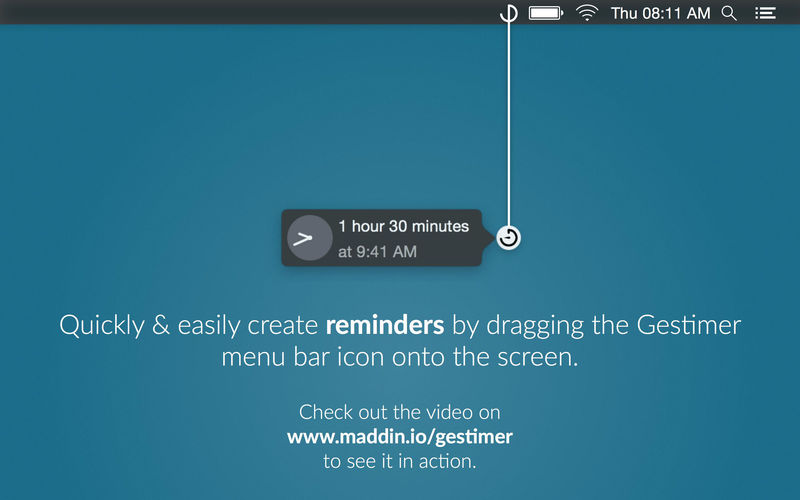
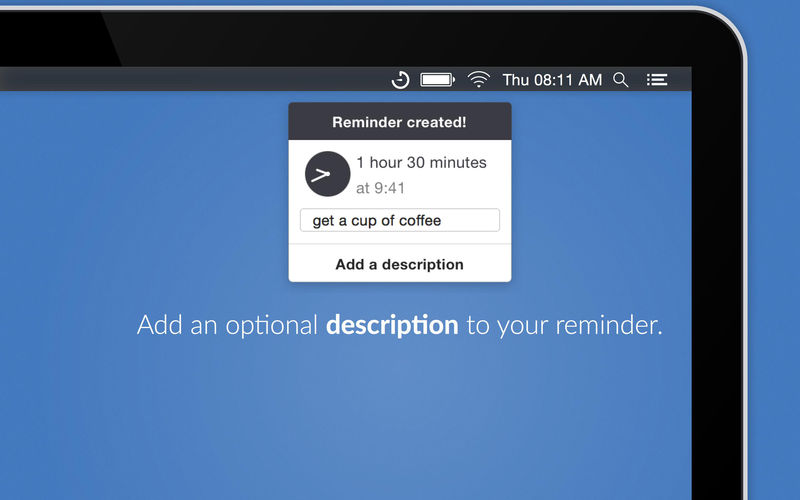
Gestimer is a beautiful Mac menu bar app for those little reminders during the day. Simply drag the Gestimer menu bar icon onto the screen to create your reminder.

Check out a 10s clip here: maddin.io/gestimer

Do you constantly check the time while using your Mac because you don’t want to forget to leave the house in 10 minutes, to pick up the kids at 4pm, or to turn off the stove in 3 minutes? With Gestimer you can create such short-term reminders quickly and easily.

  • Drag & drop a quick reminder with this beautifully designed Mac menu bar app
  • Quickly add descriptions to your reminders
  • Receive a notification for your reminders

Language: English, Danish, Dutch, French, German, Japanese, Korean, Polish, Portuguese, Russian, Simplified Chinese, Spanish, Traditional Chinese, Ukrainian

Compatibility: OS X 10.10 or later, 64-bit processor
Mac App Store https://itunes.apple.com/us/app/gestimer-for-those-little/id990588172?mt=12

Screenshots


SSH Config Editor Pro 2.6.2

Name: SSH_Config_Editor_2.6.2_[TNT]_Mactorrents.biz.dmg
Size: 9.82 MB
Files SSH_Config_Editor_2.6.2_[TNT]_Mactorrents.biz.dmg[9.82 MB]

   Download Torrent
   Link Download

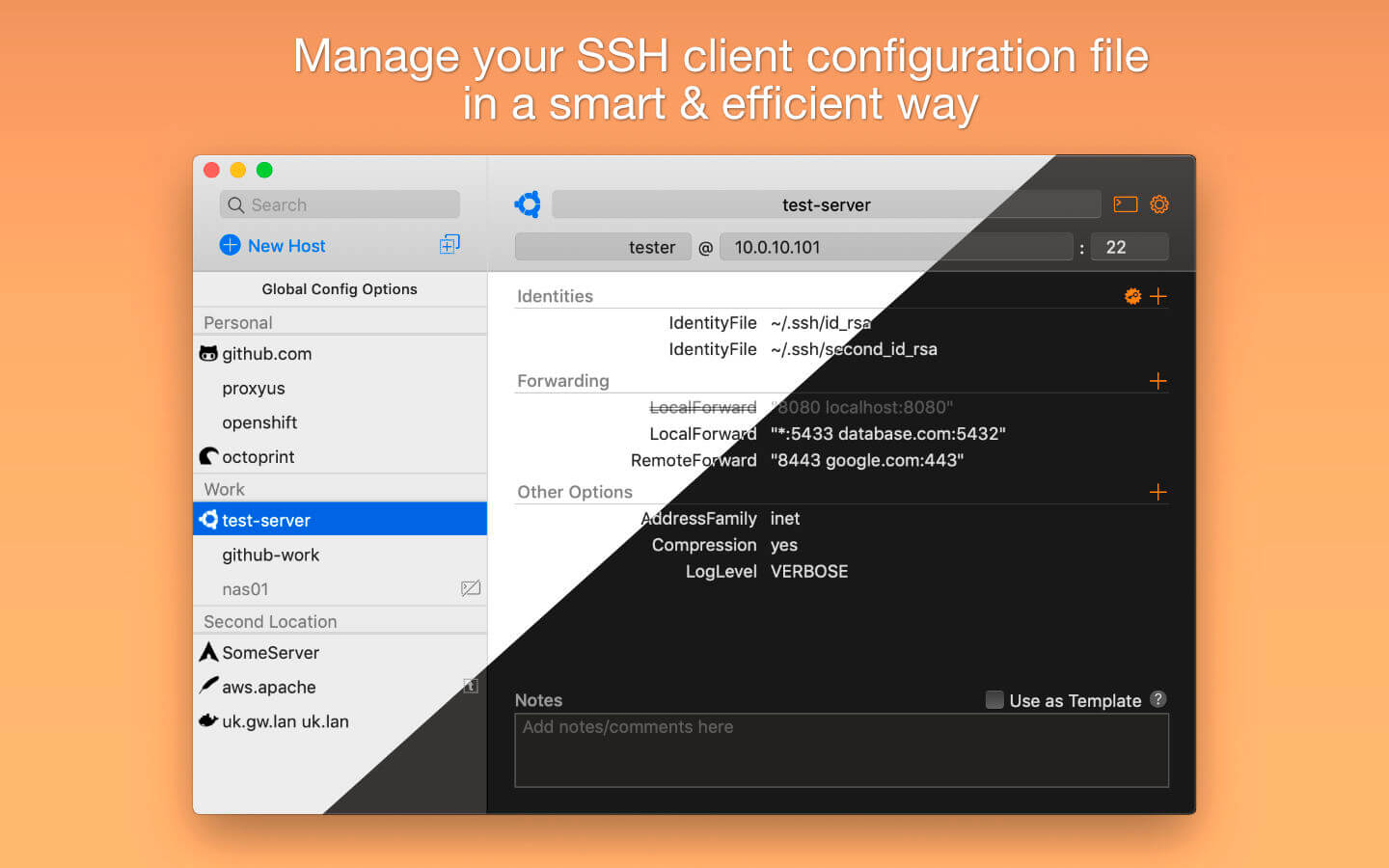
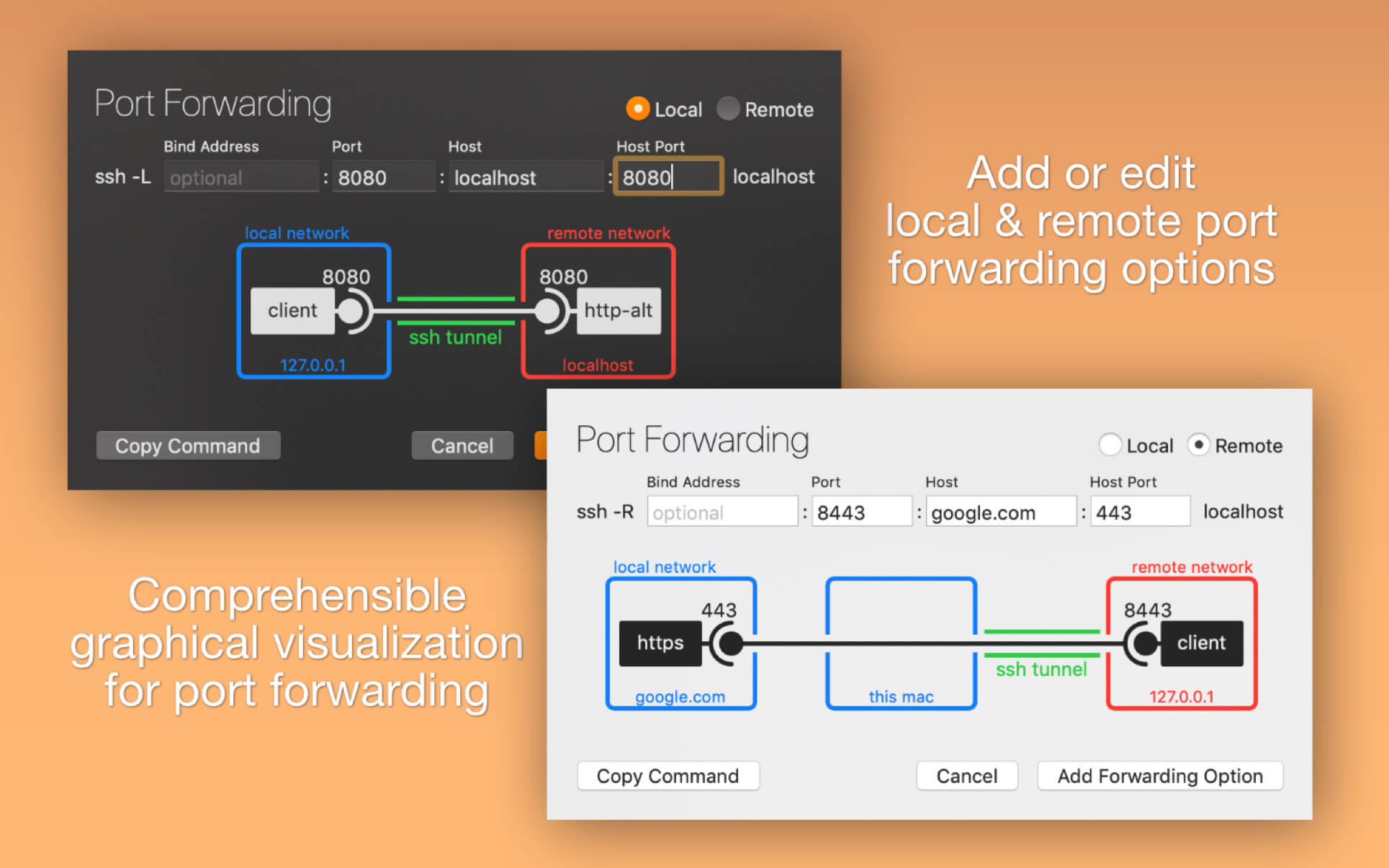
Handy tool for manage your OpenSSH ssh client configuration file. You can add or edit identity files, port forwardings (with graphical preview) and any other ssh config option.

Features:

  • Add/change identity files by choosing them in file dialog
  • Add/edit port forwarding options with graphical help
  • Add/edit any supported ssh option with help
  • RSA key pair generation
  • Separators for grouping host configurations
  • Ability to disable each single config option
  • Action to generate command for ssh copy id
  • Open connection to server (from editor or menu bar icon)
  • Known_hosts file editor
  • SSH port checking
  • Dark Mode support

Compatibility: OS X 10.15 or later 64-bit
Homepage https://www.hejki.org/

Screenshots


Tagr 5.6.2

Name: Tagr_5.6.2_[TNT]_Mactorrents.biz.dmg
Size: 6.05 MB
Files Tagr_5.6.2_[TNT]_Mactorrents.biz.dmg[6.05 MB]

   Download Torrent
   Link Download

Tagr is an application that helps you organize your music collection.

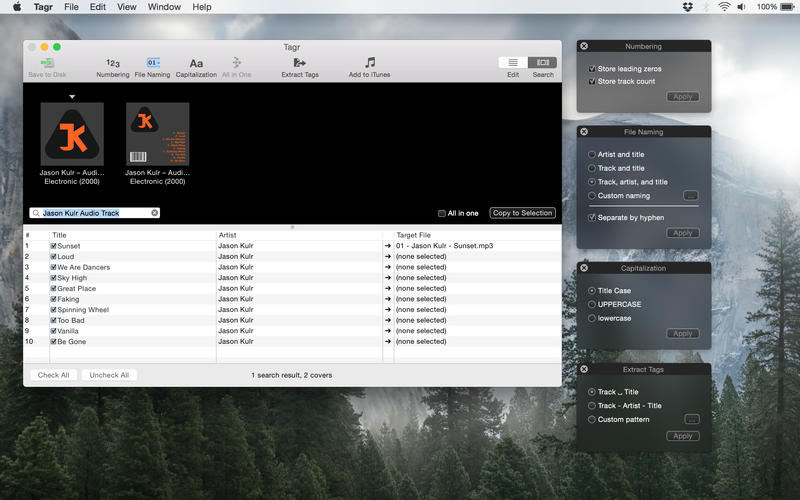
With Tagr you can easily edit information such as a song’s artist, title, or album cover. Tagr also allows you to control the way your files are named, numbered, and capitalized. There is no more need for having other tools dictate that for you!

Features

  • Edit meta data of individual MP3 and M4A files or
  • Edit a list of files in bulk
  • Embed cover art into your songs
  • Apply uppercase, lowercase, and title case capitalization schemes
  • Automatically generate track numbers
  • Choose from predefined file naming schemes or define your own
  • Extract tags from the file name using predefined or custom patterns
  • Search discogs.com for album information and copy it to your songs
  • Listen to songs through QuickLook
  • Customize Tagr to your needs

Compatibility: macOS 10.10 or later
Mac App Store https://geo.itunes.apple.com/app/id1450308734

Screenshots


UltraCompare 23.0.0.30

Name: UltraCompare_23.0.0.30_[TNT]_Mactorrents.biz.dmg
Size: 36.03 MB
Files UltraCompare_23.0.0.30_[TNT]_Mactorrents.biz.dmg[36.03 MB]

   Download Torrent
   Link Download

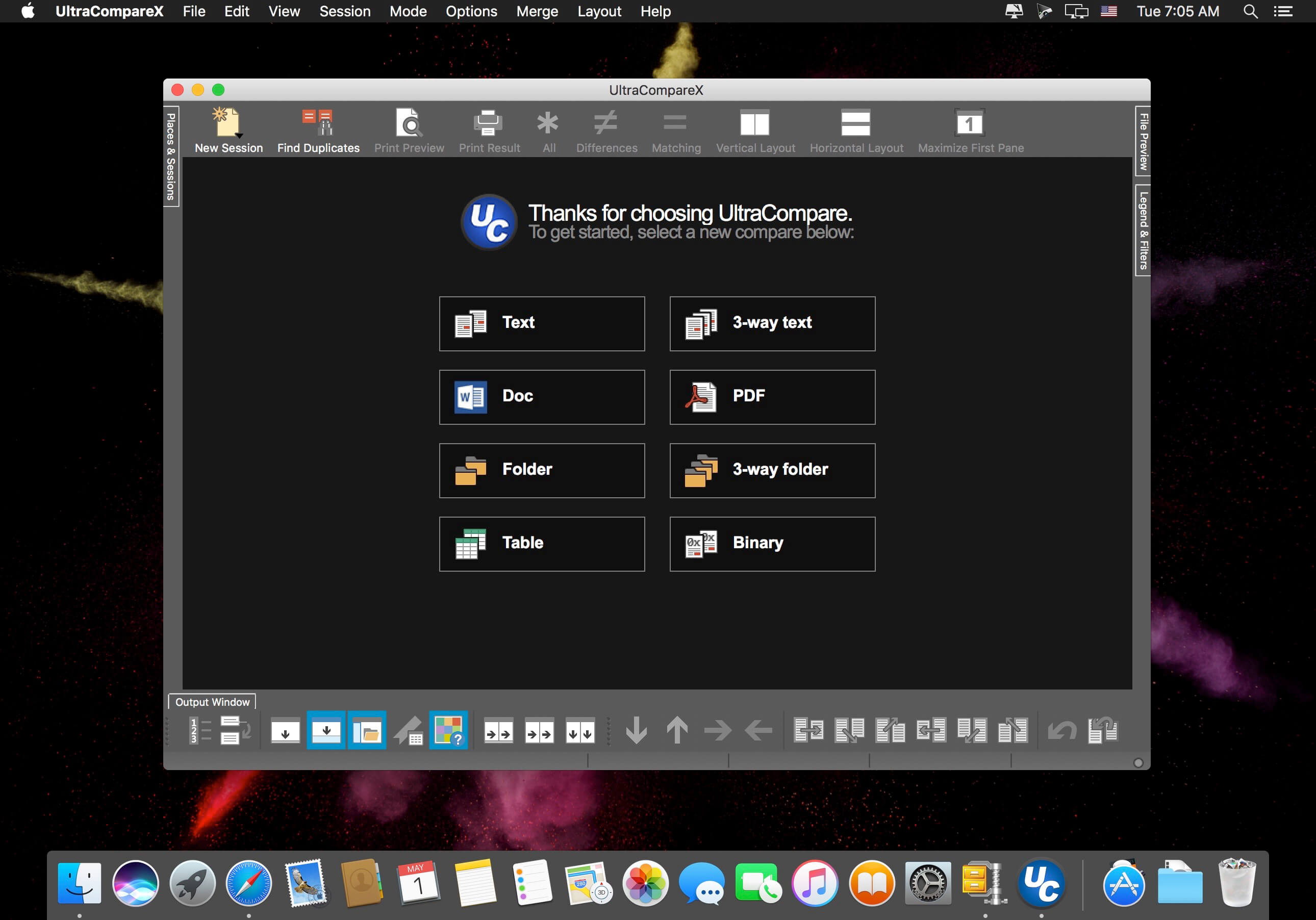
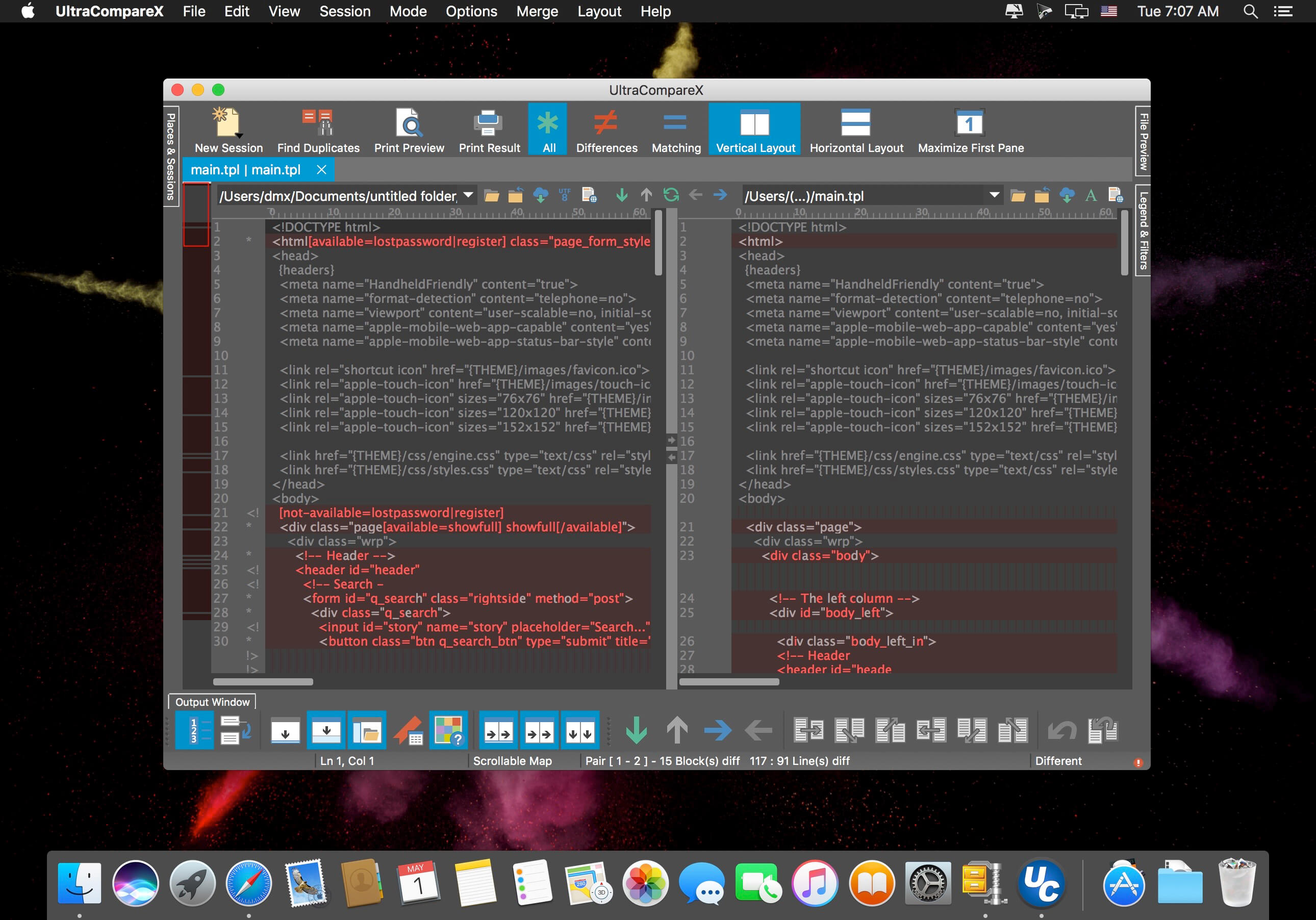
A complement to your file management suite, UltraCompare is loaded with features to enable you to compare text files and folders, as well as zip files and jar archives. Text file compare features include binary and text compare of two or three text files at a time, with the ability to merge text differences between compared files. Folder compare supports comparison of local/network directories (and subdirectories with recursive folder compare) and zip file compare as well, and like text/binary compare, you can merge differences between compared directories.

Sessions
With UltraCompare’s session functionality, you can have multiple comparison and merge sessions open in multiple tabs, each only a click away. Each session is like a new instance of IDM UltraCompare For Mac, letting your run multiple types of operations, each with the appropriate configuration.

Ignore Options
UltraCompare for Mac’s Ignore Options options let you fine tune your comparision to ignore line terminators, white space, entire blank lines and more.

Find Duplicates
UltraCompare for Mac’s powerful Find Duplicates functionality makes it easy to simply comb through your file system for pesky repeats. Let us do the heavy lifting for you.

Ignore/Compare Columns
Sometimes you only want to compare or exclude a known number of columns. This feature lets you specify which span or spans of columns you’d like to compare or exclude from comparison.

UltraEdit Integration
UltraEdit for Mac makes it easy to load a file straight from the editor and right into UltraCompare for Mac.

Edit large files
UltraCompare is built to edit the large files that cause other comparison tools to crash. People who deal with databases and large log files absolutely love our products for this very reason.

4k UHD support
UltraCompare looks great on Retina and other ultra high-definition displays. If you haven’t upgraded yet, no need to worry. We’ll be ready for you when you do.

Key features

  • Compare 2 or 3 files at a time
  • Merge differences
  • Filter compare view to show just matches or differences
  • Ignore whitespace, line endings, specific lines, and more
  • Manually set text compare starting point
  • Edit text files as you compare them
  • Paste and compare text snippets
  • Preview HTML files in browser
  • Compare files from the Internet via URL
  • Compare files and folders from FTP/SFTP
  • Scan and navigate differences with mini-map
  • Compare Word Docs (.doc/.docx), PDFs, and RTFs
  • Sync folders quickly and easily
  • Find and resolve duplicate files
  • Save and reuse your most used comparisons with sessions
  • Drag-and-drop folders and files to compare them
  • Integrate with Windows explorer
  • Integrate with Subversion, CVS, Visual SourceSafe, Perforce, and more
  • Change application and compare colors with themes
  • Show compare vertically or horizontally
  • Save difference and result reports

Compatibility: macOS 10.10 or later
Homepage https://www.ultraedit.com

Screenshots


iToolab AnyGo 6.2.0

Name: AnyGo_6.2.0_[TNT]_Mactorrents.biz.dmg
Size: 78.22 MB
Files AnyGo_6.2.0_[TNT]_Mactorrents.biz.dmg[78.22 MB]

   Download Torrent
   Link Download

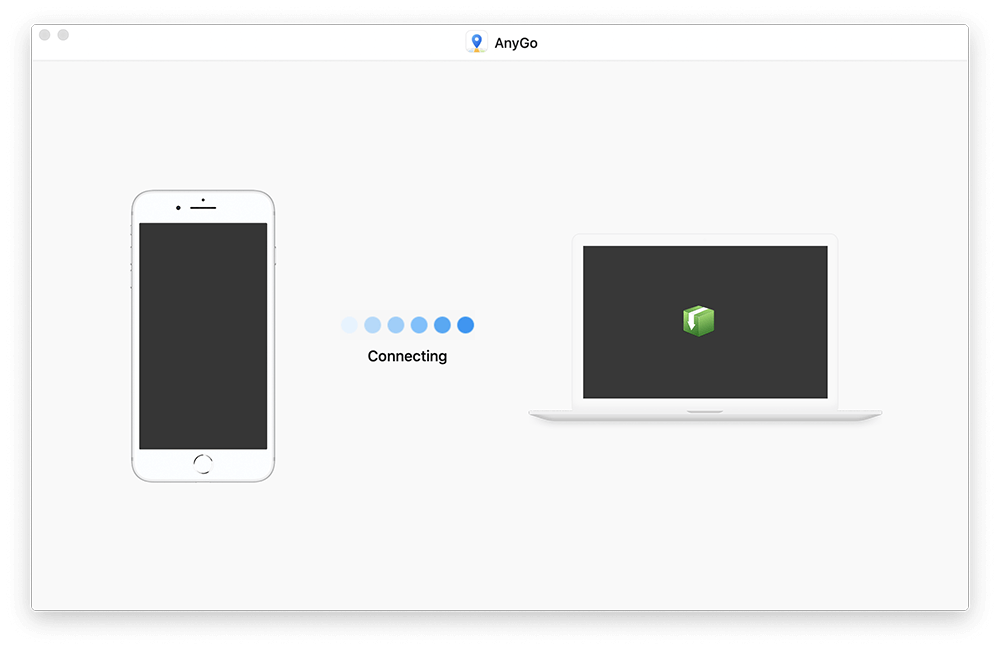
Easily Simulate the GPS Location on Your iPhone/iPad.

With AnyGo you can do the following:

  • Spoof to anywhere in LBS(Location Based Service) games without actually moving or walking
  • Easily access any videos, music, movies and services that may be restricted to you based on your location
  • Share a virtual location on social media to trick your friends
  • Easily test LBS and games
  • Easily hide your location from apps and services
  • Set your real location if GPS are unable to find it

What’s New:

Version 6.2.0:

  • Release notes were unavailable when this listing was updated.

Compatibility: macOS 10.12 or later
Homepage https://itoolab.com/

Screenshots


VideoProc Converter 4K 5.5 (2023060701)

Name: VideoProc_Converter_4K_5.5_2023060701_Mactorrents.biz.dmg
Size: 52 MB
Files VideoProc_Converter_4K_5.5_2023060701_Mactorrents.biz.dmg[52 MB]

   Download Torrent
   Link Download

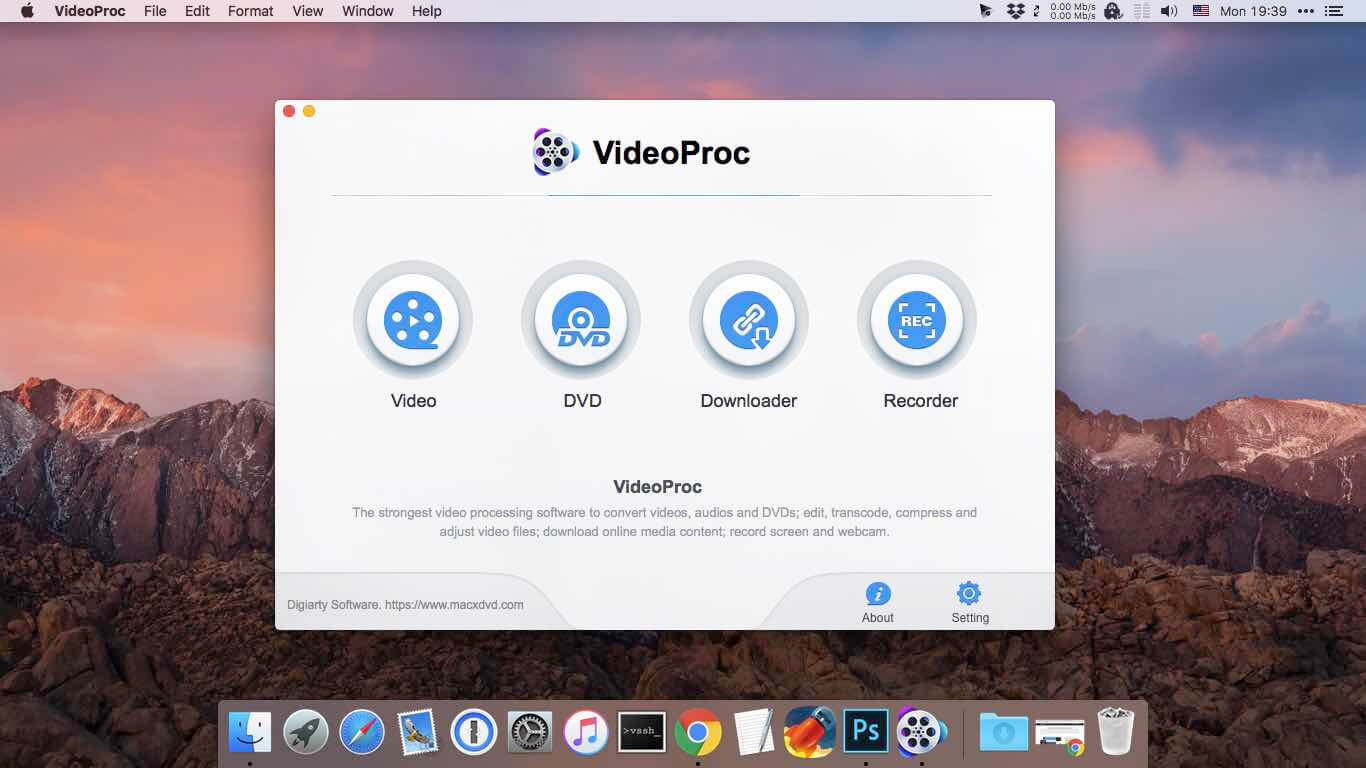
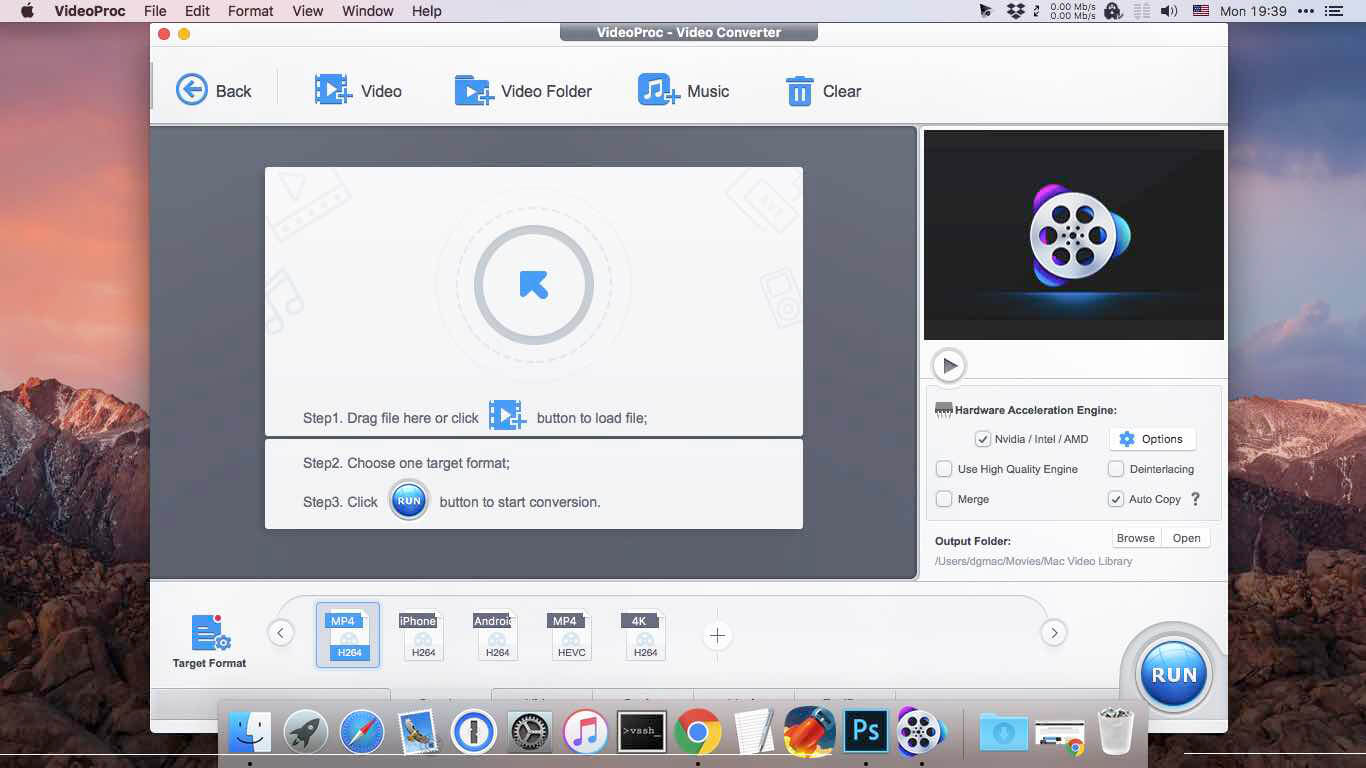
One-Stop Video Processing Software. The simple solution to batch download UHD/HD videos, audios, playlists; convert, edit and record with 47X faster GPU hardware-accelerated speed.

Supporting up to 370 codecs, VideoProc 4K accepts any video format and can effortlessly carry out the video conversion tasks. All the videos from iPhone, Android, cameras, drones or GoPro will be processed smoothly while keeping the best possible quality.

What’s New:

Version 4K 5.5 (2023060701):

  • Release notes were unavailable when this listing was updated.

Compatibility: OS X 10.10 or later 64-bit
Homepage https://www.macxdvd.com/mac-video-converter-pro

Screenshots


VideoProc Converter 5.5 (2023060701)

Name: VideoProc_Converter_5.5_2023060701_Mactorrents.biz.dmg
Size: 52 MB
Files VideoProc_Converter_5.5_2023060701_Mactorrents.biz.dmg[52 MB]

   Download Torrent
   Link Download

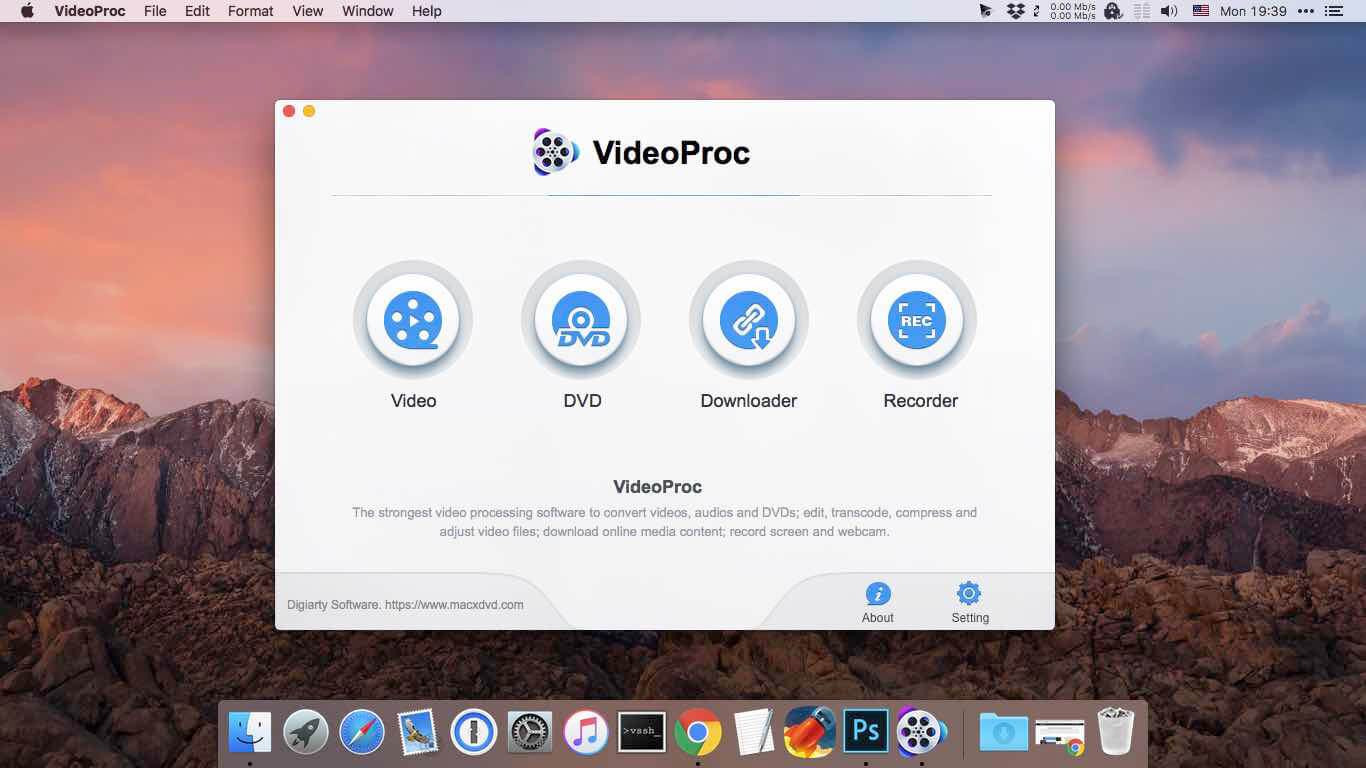
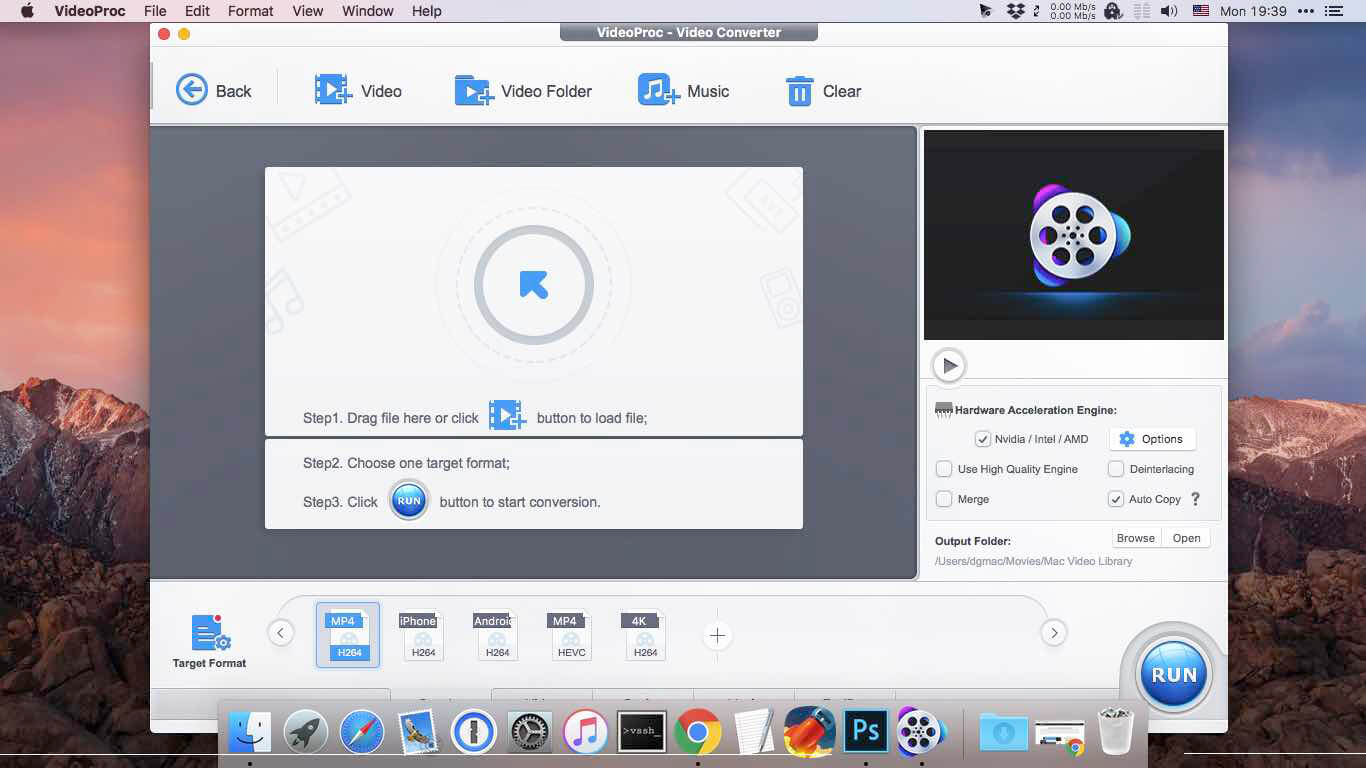
New video processing software designed to cut, trim, merge, adjust, transcode, edit 4k video with full hardware acceleration.

VideoProc (former MacX Video Converter Pro) achieves the record-setting “FIRST” in video processing industry – crafting the easiest video editor, together with DVD video converter, downloader, and recorder at the core. All engineered for the 4K UHD era, it is your must-have video toolbox to handle even the most demanding tasks from HD to 3D, UHD 4K, 5K and 8K, no matter it is from iPhone, GoPro, Dji, Samsung, YouTube, DVD disc or other sources. Process your media files to fit YouTube, Facebook, Instagram, iPhone, iPad, TV, PS4, etc, edit raw footages flexibly into more engaging stories, backup and rip a full DVD in 5 minutes, all finished at world’s fastest speed, without compromising quality.

Accept Every Media with the Largest Codec Library
VideoProc works on video and audio files from iPhone, iPad, GoPro, DLSR, Dji drones to discs, internet websites and others. The leading 370+ codec library provides industry’s broadest support for nearly every major formats used in consumer and professional worlds today. It goes beyond the current mainstream SD/HD videos, all the way up to UHD 4K, 5K and 8K clips. Import media with no extra codecs required.

Supported video formats: MP4, MOV, HEVC, H.264, MPEG4, AVI, WMV, FLV, MKV, MTS, M2TS, TS, AVCHD, MOD, etc.
Supported audio formats: MP3, AAC, AC3, FLAC, iPhone ringtone, etc.

Industry-leading Editor for Every Skill Level
Unique in industry, VideoProc houses everything newbies or seasoned editors need to produce studio-quality films like a pro. Tell a story, make travel videos for YouTube, or create home movies. Import the footages and trim, cut, crop, and add effects or subtitles right away. You will find the most complete one-click options to stabilize, denoise, split, merge, make animated GIFs, remove fisheye, convert 3D to 2D, copy MKV and etc.

Convert Videos to Any Format You Name
VideoProc delivers the widest range of output formats, covering from MP3, AAC, AC3, to MP4, MOV, MKV, H.264, MPEG4, etc.

It offers the largest device-specific profiles (up to 420), running the gamut from phones, tablets, TVs, to game consoles. This regularly updated library lets you convert any video to a file perfectly sized for even the latest iPhone X, Apple TV 4, iPad Pro or so, without tinkering with the complex settings manually. The mammoth profiles also ready your video clips for uploading to YouTube, Facebook, Instagram, etc without a hitch.

Rip a Full DVD in 5 Mins [Support 99-Title Discs]
Experience the most powerful processing solution for DVDs/ISO/folders of any kind. Freely backup movie collections in 5 modes, make 1:1 copies, digitize disc to mainstream formats and move DVD movies to mobiles with one click. Flawlessly convert new movies, 99-title DVDs, damaged & unplayable discs, other DVDs. No more DVD ripping failure or crashes thanks to the market-leading DVD analysis algorithm and title check mechanism. Rip a full DVD in 5 minutes only.

Download Video/Music from YouTube & 1000+ Sites
VideoProc is equipped with a fuss-free YouTube downloader that can download videos from 1000+ sites like YouTube, Facebook, Vimeo, Dailymotion, etc. Save videos, songs, playlists, TV shows, movies, gameplays, cartoons in 4K, Full HD 1080p/720p or so and convert YouTube to MP3, AAC, MP4, etc, so you can tailor it for use on whatever device.

Make a backup of online videos for safekeeping and watch videos offline without distracting ads or battling with slow network.

Capture Everything on Screen to Share with World
The screen recorder for Mac is ideal for recording anything on your screen (specific region or full screen), from gameplay, webinars, online streams, tutorials, Skype calls, live chats, to visual presentations.

You can record video from iPhone, webcam, or screen and computer camera simultaneously, pair your creation with sound and save it as standard MP4, AVI, MOV, MKV, etc.

Reduce 4K/HD File Size by 90% Smaller
VideoProc delivers a fast 4k video processing and allows you the full control on the output file size. Compress HD/4K videos to be up to 90% smaller for YouTube, Email or so. Ease the intense strains on storage with an industry-leading compression engine.

Upscale HD to 4K for sharper image – Beyond SD to HD, VideoProc offers a full set of resolutions, bit rates, conversion quality, codecs etc. to improve quality from HD to 4K for 4k TV or UHD screens, thanks to the 4K upscaling algorithm.

Compress 4K to HD/SD for smaller size – Scale down 4K to HD 1080p or lower video resolution, allowing UHD videos to reach almost any screen with immersive ulra-HD quality yet smallest sizes.

Decode & Encode HEVC/H.265 with No Burden
VideoProc is in the lead in processing High Efficiency Video Coding/H.265. Hardware-accelerated HEVC transcoding helps 4K videos go to your screen in unparalleled speed. No more hang-up, lengthy wait or high CPU usage under HEVC workloads anymore.

Decode HEVC: Convert HEVC/H.265 to H.264, MP4, MOV, etc for better compatibility.
Encode HEVC: Encode MKV, MTS, M2TS, AVCHD, H264, especially the large 4K UHD videos into HEVC for half the size with untouched quality.

What’s New:

Version 5.5 (2023060701):

  • Release notes were unavailable when this listing was updated.

Compatibility: macOS 10.10 or later
Homepage https://www.macxdvd.com/mac-video-converter-pro/

Screenshots


Aiseesoft DVD Creator 5.2.36

Name: Aiseesoft_DVD_Creator_5.2.36.132801_Mactorrents.biz.dmg
Size: 47 MB
Files Aiseesoft_DVD_Creator_5.2.36.132801_Mactorrents.biz.dmg[47 MB]

   Download Torrent
   Link Download

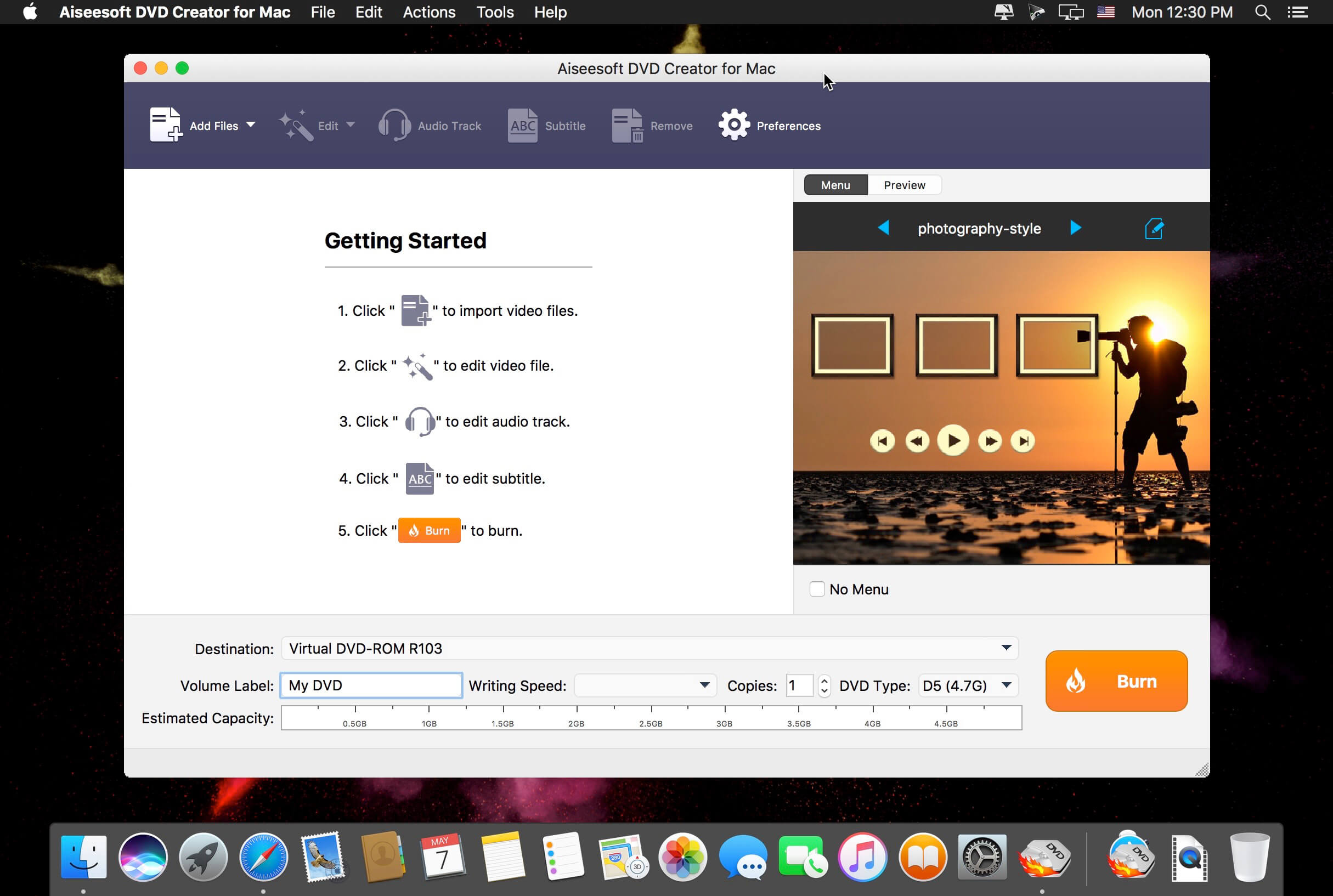
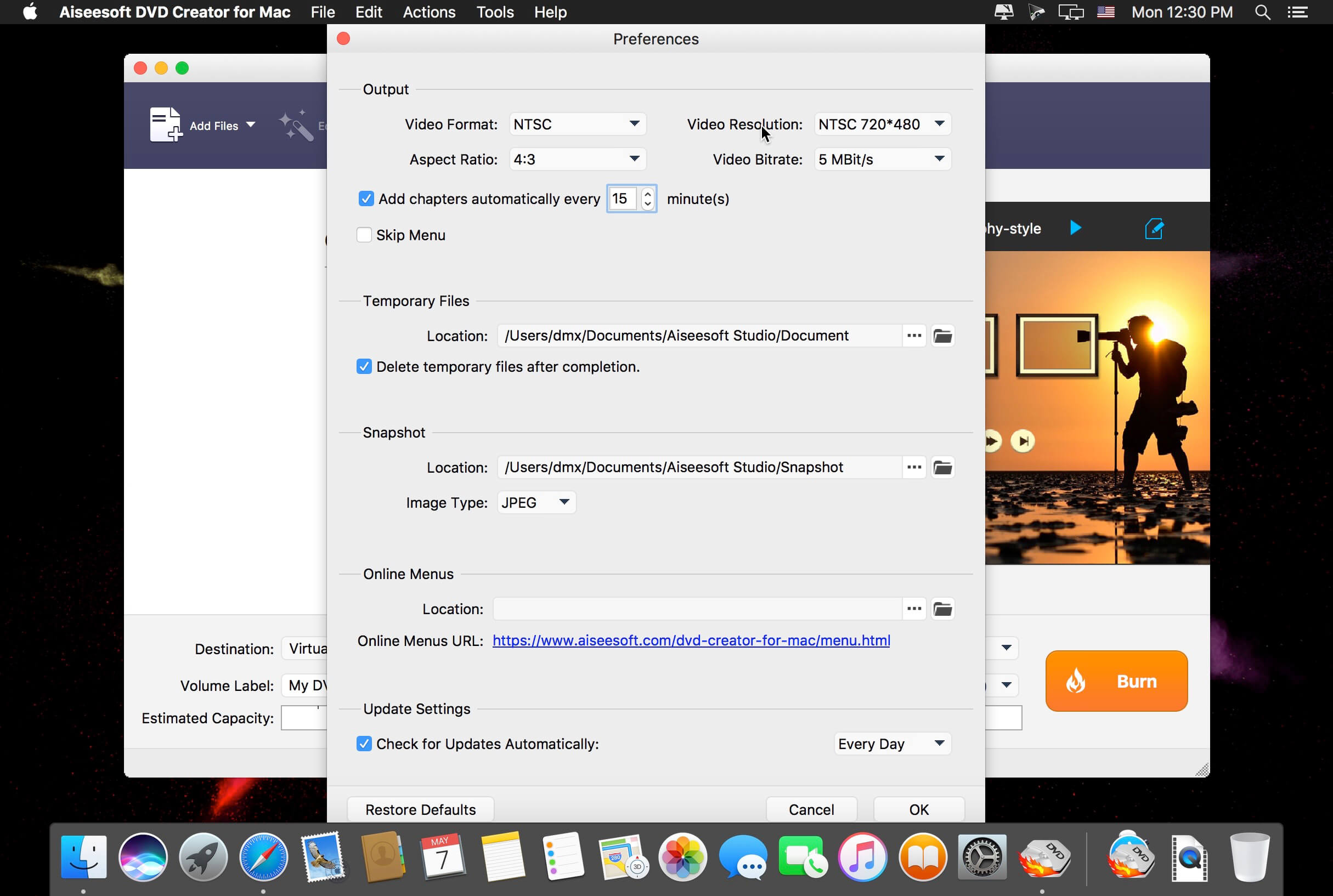
Aiseesoft DVD Creator for Mac is regarded as the best and fastest software from massive users. It assists you to burn DVD discs, DVD folders and DVD ISO images from your video files as forever preservation on macOS 10.14.

With DVD Creator for Mac, you can easily merge multiple video files created using different formats, such as MP4, AVI, MKV, WMV, FLV, MXF, MOV, etc. and burn them all into a single DVD or a DVD folder or into ISO image files.

With DVD Creator for Mac, you can easily merge multiple video files created using different formats, such as MP4, AVI, MKV, WMV, FLV, MXF, MOV, etc. and burn them all into a single DVD or a DVD folder or into ISO image files.

This DVD burner program for Mac also can be used to convert video files downloaded from online sites like YouTube, Facebook, Vimeo, etc. to DVD, so that you do not waste your Mac space.

Compatibility: macOS 10.10 or later
Homepage https://www.aiseesoft.com

Screenshots


Timer RH Pro 2.11.0

Name: Timer_RH_2.11.0_Mactorrents.biz.dmg
Size: 11 MB
Files Timer_RH_2.11.0_Mactorrents.biz.dmg[11 MB]

   Download Torrent
   Link Download

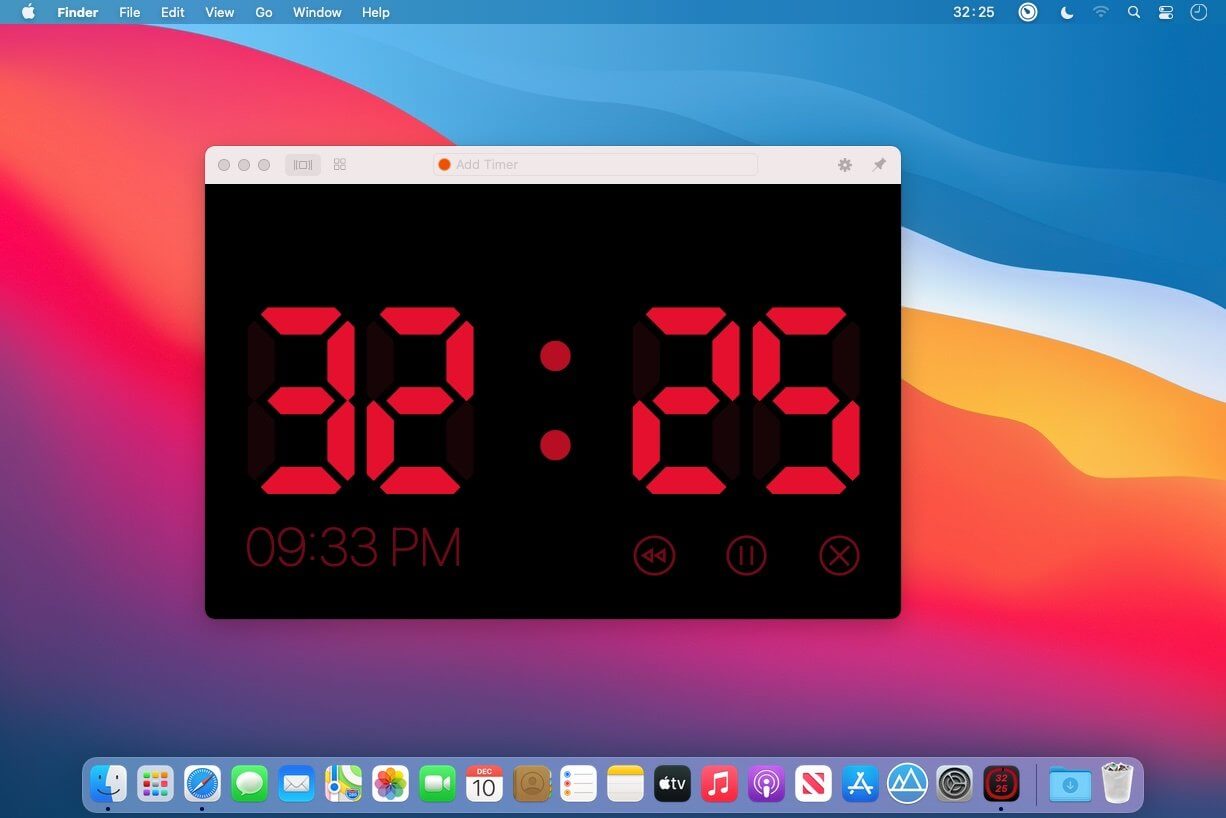
Take Control of Your Time

Capabilities:

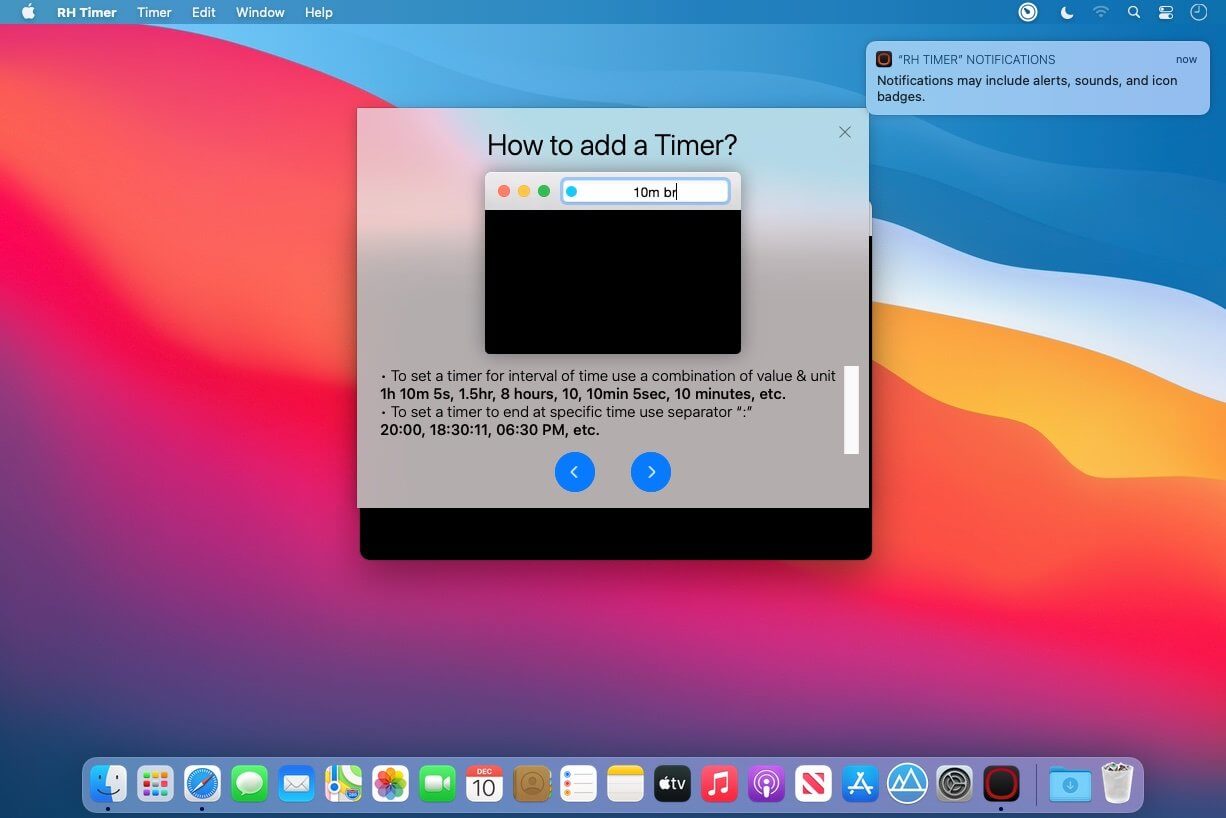
  • Set the timer to the specific time or to the exact time interval
  • Multiple timers
  • Repeating timers
  • Text and color labels
  • Combining timers into the scenaries
  • Create shortcuts and set hotkeys for its
  • One-touch timers addeding
  • Display on top over all windows when timer expiring
  • Ability to pin the window on top over all windows when working
  • Fullscreen mode
  • Flexible settings for sound and alerts
  • Count Down or Forward
  • Multiple timers in one window
  • History of timers
  • Timer in the staus bar and on the dock icon

And much more in this universal tool

Compatibility: macOS 10.14 or later
Homepage https://apps.apple.com/pk/app/rh-timer/id929960914?mt=12&uo=4

Screenshots


WiFi Explorer Pro 3.5.6

Name: WiFi_Explorer_Pro_3_3.5.6_Mactorrents.biz.dmg
Size: 13 MB
Files WiFi_Explorer_Pro_3_3.5.6_Mactorrents.biz.dmg[13 MB]

   Download Torrent
   Link Download

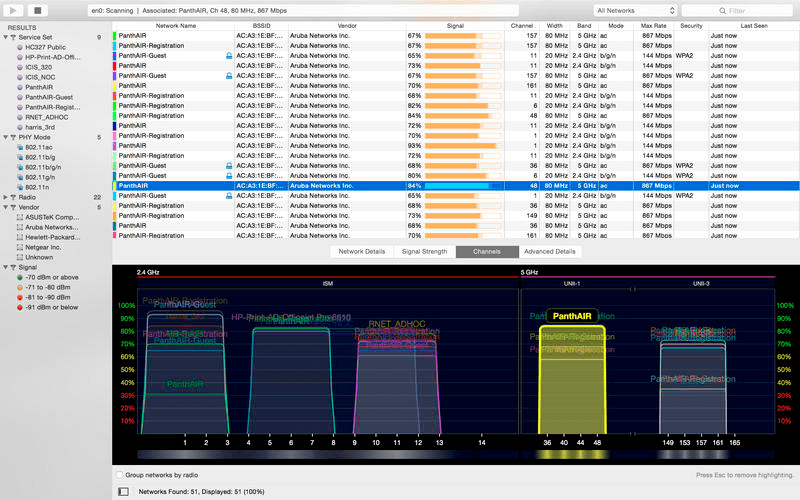
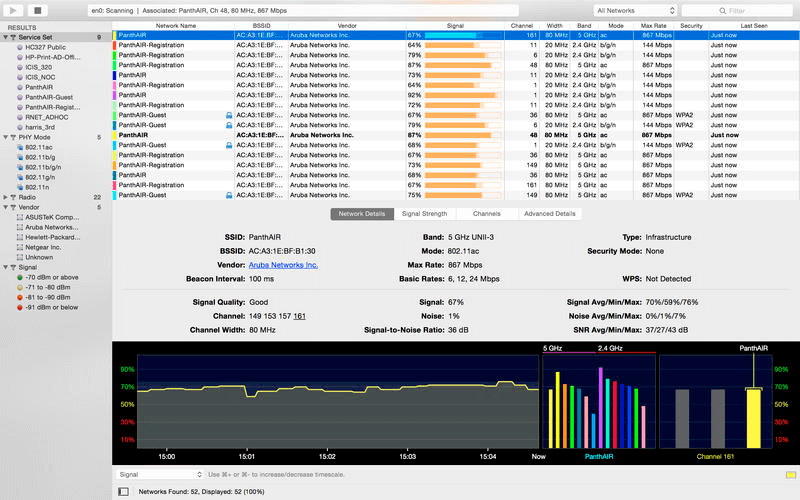
WiFi Explorer Pro takes the code base of WiFi Explorer, and adds a set of features that makes it the right tool for WLAN and IT professionals. You can use WiFi Explorer Pro for preliminary assessments, to help design and validate wireless networks installations, as well as to identify channel conflicts, overlapping, poor signal quality and other issues that may be affecting the connectivity or performance of your home, office or enterprise wireless network.

Features

  • Passive and directed scan modes
  • Spectrum analysis integration
  • Custom filters
  • Support for remote sensors
  • Support for networks with hidden SSIDs
  • Additional columns with advanced information
  • Additional organization options for scan results
  • Dark and light themes

What’s New:

Version 3.5.6:

  • Release notes were unavailable when this listing was updated.

Compatibility: maxOS 10.13 or later
Homepage: https://www.intuitibits.com

Screenshots


Transfer 2.1.1

Name: Transfer_2.1.1_Mactorrents.biz.dmg
Size: 8 MB
Files Transfer_2.1.1_Mactorrents.biz.dmg[8 MB]

   Download Torrent
   Link Download

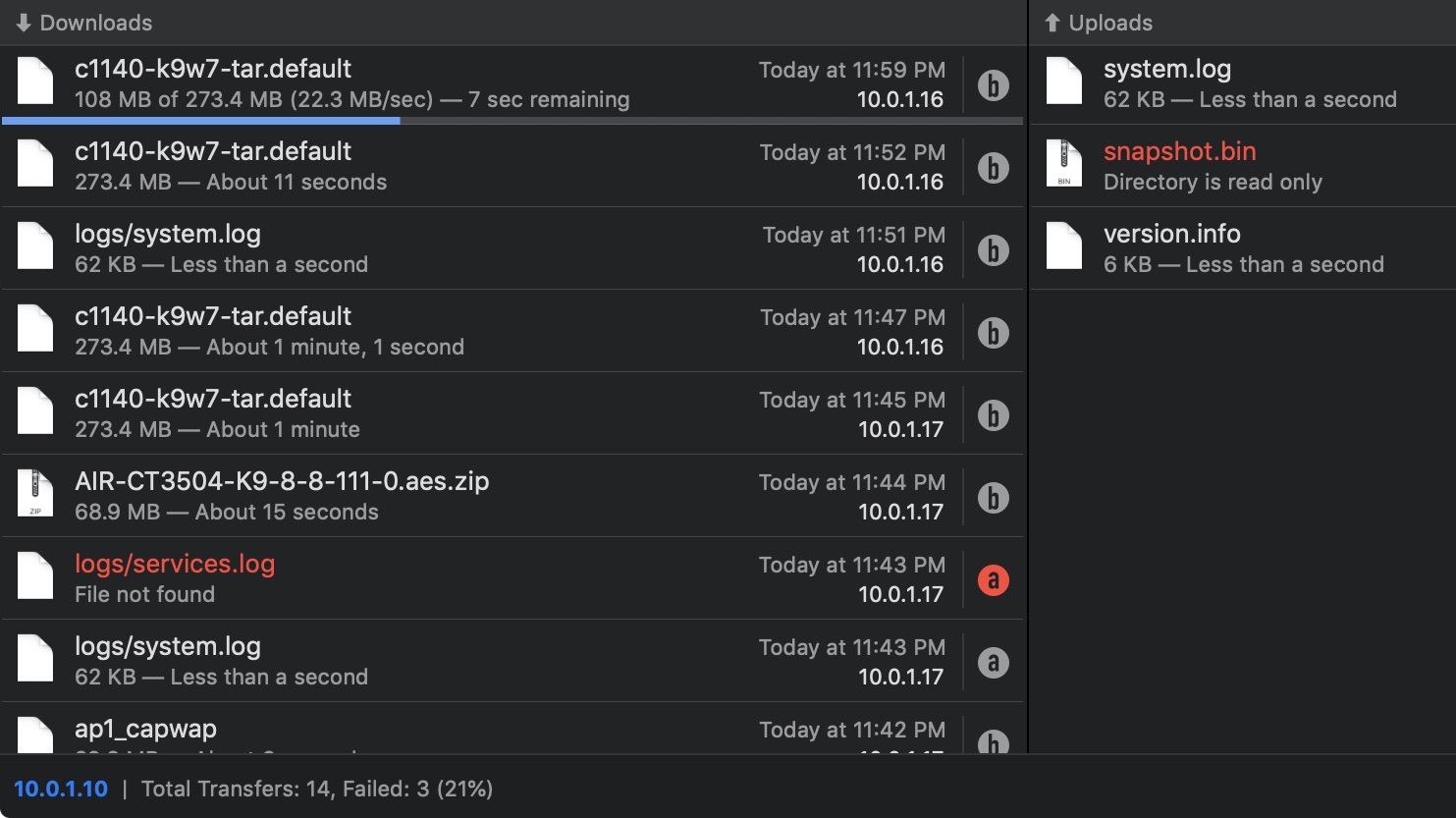
Transfer is a reliable and fully RFC-compliant TFTP server application. The perfect alternative to the built-in TFTP server on your Mac. It’s got everything you expect: real-time updates of current transfers in progress, support for broadcast requests, transfer history and basic root directory access control and file management. A feature rich TFTP server with a simple and modern user interface.

Written from the ground up, Transfer offers total control of your file transfers while playing nicely with existing TFTP clients.

Features

  • Real time updates of current transfers in progress
  • Basic file management of the root TFTP directory
  • Support for broadcast transfer requests
  • Support for common TFTP extensions and options
  • Transfer history

Compatibility: macOS 10.14.6 or later, 64-bit processor
Homepage https://www.adriangranados.com/apps/transfer

Screenshots

Notebooks 3.2.1

Name: Notebooks_3.2.1_Mactorrents.biz.dmg
Size: 18 MB
Files Notebooks_3.2.1_Mactorrents.biz.dmg[18 MB]

   Download Torrent
   Link Download

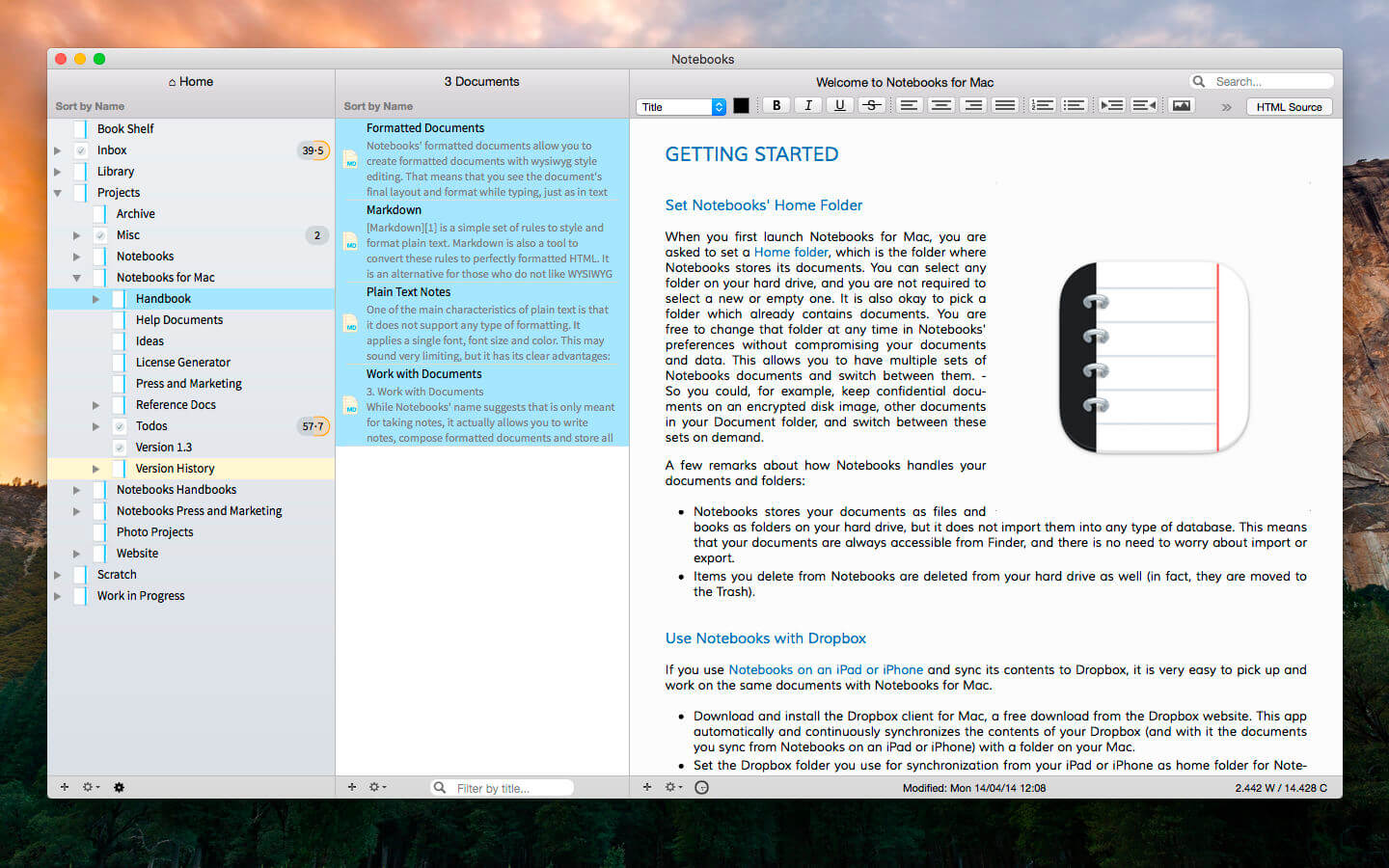
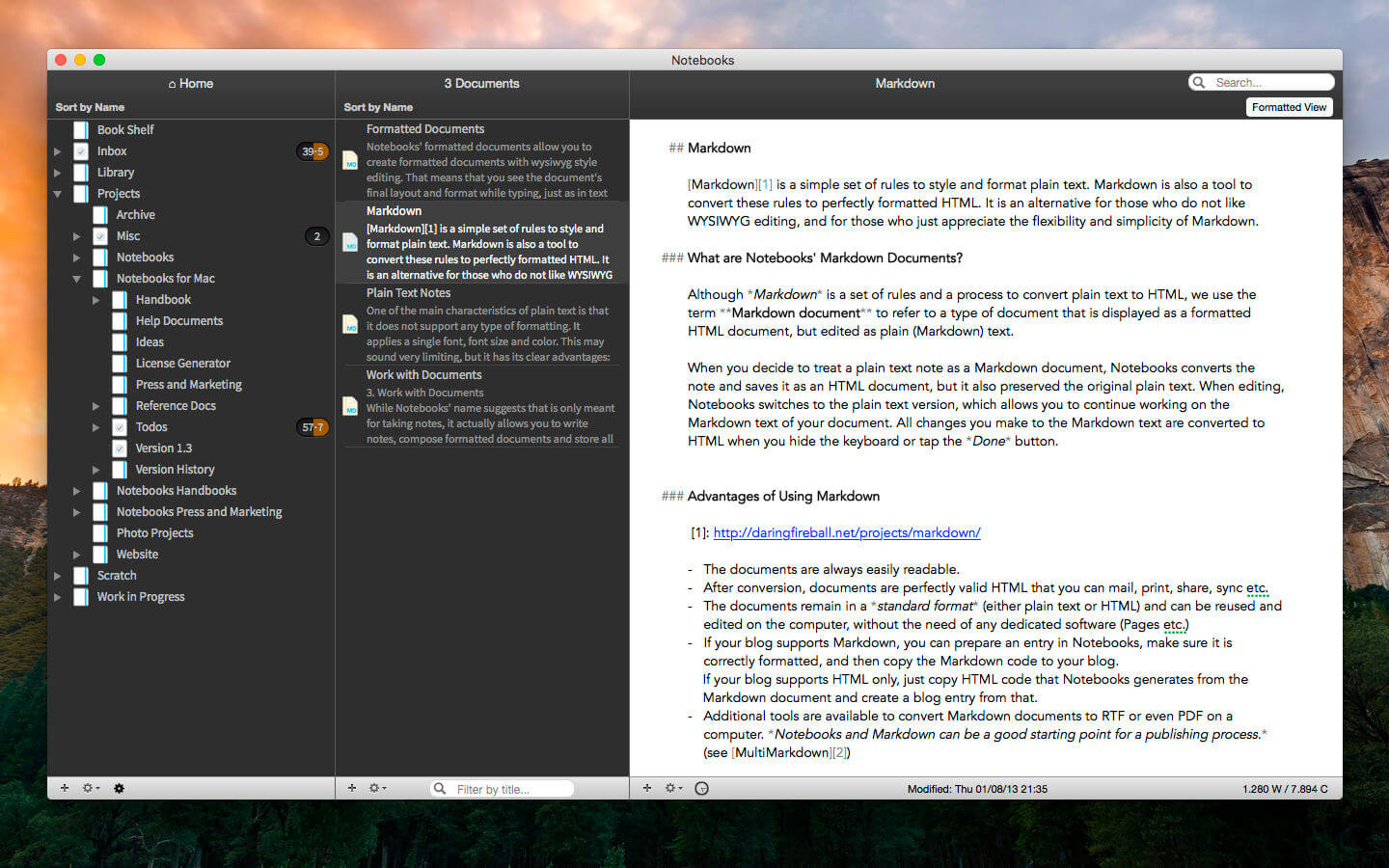
Notebooks allows you to create as many books as you need to write, store and structure your details of life, and it will quickly become the one and only repository for all journals, ideas, notes, drafts, stories and diaries but also for your projects, task lists, documents, files and everything else you want to keep close at hand.

Use Notebooks to create carefully formatted documents with styles and embedded photos, or to quickly write plain text notes. Convert between these formats any time, and if you want to use Markdown, Notebooks knows how to handle that as well. It is a perfect, distraction free writing environment.

Notebooks stores and displays almost any type of document: plain text and formatted text, PDF, web pages, MS Office documents, photos, videos, music and much more. Everything you want to keep organized can go directly into Notebooks.

Notebooks also keeps your task lists and allows you to tick off your to-dos as you complete them. Divide your projects into nested sub projects, which makes them easier to handle, and cross-reference into your reference library, which, of course, is in Notebooks, too.

Notebooks can share its files with the mobile versions of Notebooks on the iPad and iPhone, which allows you to conveniently work on your documents from your desktop, but also on your iPad, iPhone or iPod touch when you are on your way. The synchronization between the devices currently supports Dropbox and many WebDAV servers (with Dropbox currently being the most convenient option).

Notebooks stores all your documents as regular files on your computer’s hard drive, so you can always access them through Finder to open and edit with other applications, too.

So whether you need to write something down or look something up, you need to have Notebooks on your Mac.

*** You need to disable the System Integrity Protection (SIP) to perform the selected Application.

Compatibility: macOS 10.11 or later
Homepage https://www.notebooksapp.com/

Screenshots


WiFi Explorer 3.4.3 (58)

Name: WiFi_Explorer_3.4.3_Mactorrents.biz.dmg
Size: 11 MB
Files WiFi_Explorer_3.4.3_Mactorrents.biz.dmg[11 MB]

   Download Torrent

WiFi Explorer Pro takes the code base of WiFi Explorer, and adds a set of features that makes it the right tool for WLAN and IT professionals. You can use WiFi Explorer Pro for preliminary assessments, to help design and validate wireless networks installations, as well as to identify channel conflicts, overlapping, poor signal quality and other issues that may be affecting the connectivity or performance of your home, office or enterprise wireless network.

Features

  • Passive and directed scan modes
  • Spectrum analysis integration
  • Custom filters
  • Support for remote sensors
  • Support for networks with hidden SSIDs
  • Additional columns with advanced information
  • Additional organization options for scan results
  • Dark and light themes

What’s New:

Version 3.4.3 (58)

  • Release notes were unavailable when this listing was updated.

Compatibility: macOS 10.14 or later • Apple Silicon or Intel Core processor
Homepage: https://www.intuitibits.com

Screenshots


Dropzone 4 Pro 4.6.1

Name: Dropzone_4_4.6.1_Mactorrents.biz.dmg
Size: 62 MB
Files Dropzone_4_4.6.1_Mactorrents.biz.dmg[62 MB]

   Download Torrent

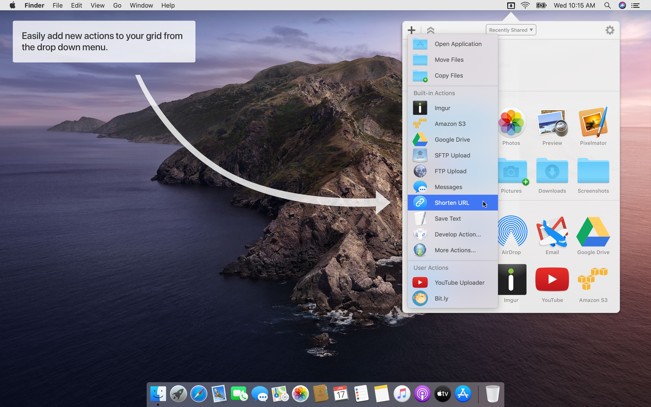
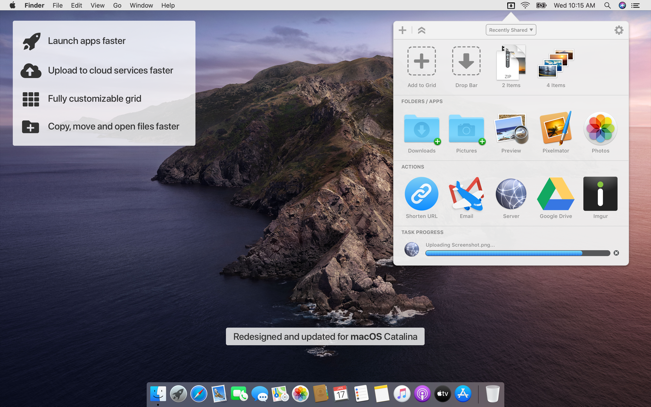
Dropzone makes it faster and easier to copy and move files, open applications and share files with many different services. Dropzone is a unique and amazing app that’s like nothing you’ve ever used before. We’ve paid fanatical attention to every detail and built an app that looks and feels like an integral part of macOS.

Dropzone ships with a powerful scripting API and with a little programming knowledge you can modify any of your actions or even create entirely new ones. This gives Dropzone unlimited extendability and utility. We’re always thinking up new actions so Dropzone will become even more useful over time.

Dropzone also includes Drop Bar – Drop Bar makes it easy to stash files you know you’ll need later. Just drop files on the Drop Bar icon in the grid and they will stick there until you’re ready to use them.

Features

  • Open applications, move and copy files faster than ever before.
  • Shorten URLs quickly using Tinyurl shortener. Just select a URL to shorten and press Ctrl+Option+Cmd+S and the shortened URL is automatically copied to the clipboard.
  • AirDrop integration lets you drop files or folders from any app and share them with your other Macs over the network.
  • Imgur integration lets you share images fast and get a link for pasting.
  • Upload files to Amazon S3 (Dropzone Pro feature).
  • Upload files to your FTP server (Dropzone Pro feature).
  • Upload files to your Google Drive (Dropzone Pro feature).
  • Download and install add-on actions that let you upload to services like Google Drive, YouTube and many others (Dropzone Pro feature).
  • Powerful multi-tasking engine allows you to run multiple tasks at once and track the progress of each one through the in-grid task status area.
  • See how tasks are progressing at a glance in the animated menu item.
  • Launch Dropzone actions with the newly added keyboard shortcuts feature (Dropzone Pro feature).
  • Add applications, folders or actions to your grid easily by dragging and dropping them on the Add to Grid area.
  • Develop your own actions using the updated and massively improved Ruby or Python API (Dropzone Pro feature).

In-App Purchases: Dropzone 4 Pro
Compatibility: macOS 10.15 or later
Mac App Store: https://geo.itunes.apple.com/app/id1485052491

Screenshots


Text Workflow 1.6.3

Name: Text_Workflow_1.6.3_Mactorrents.biz.dmg
Size: 10 MB
Files Text_Workflow_1.6.3_Mactorrents.biz.dmg[10 MB]

   Download Torrent

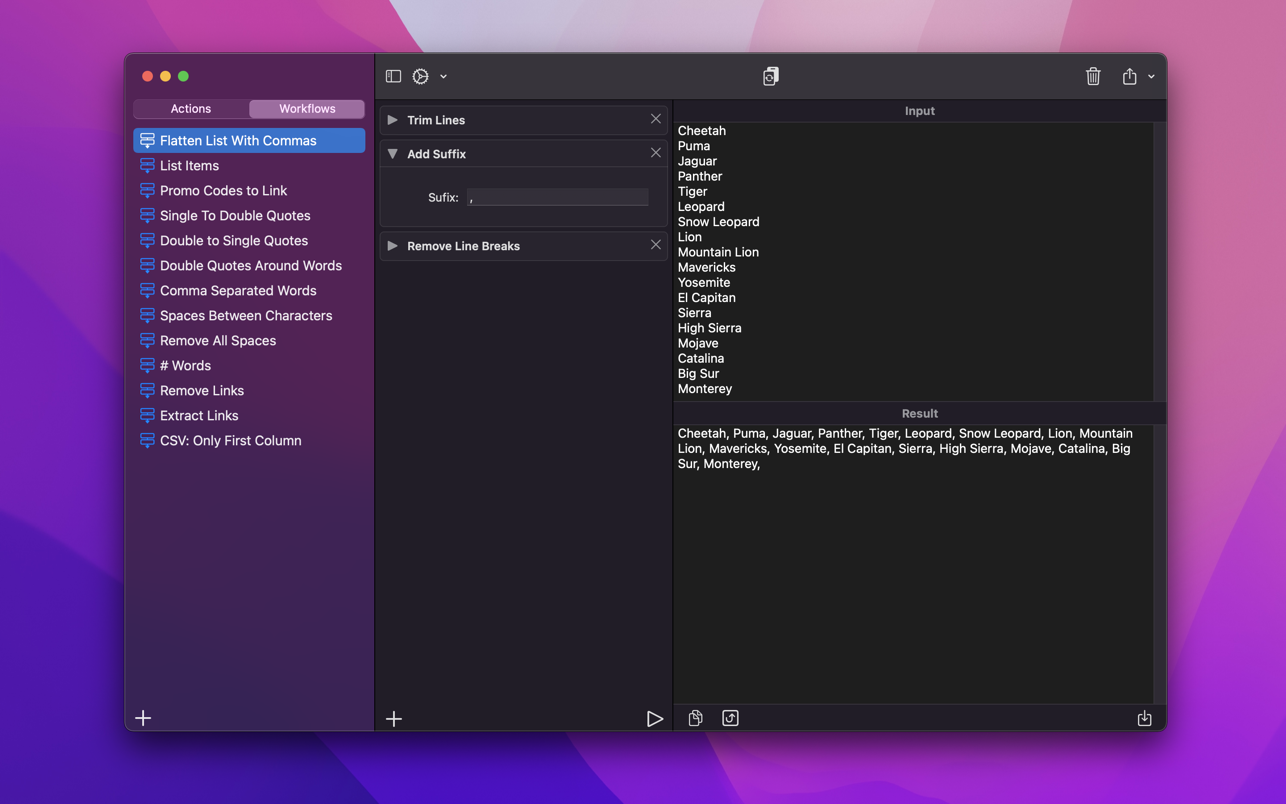
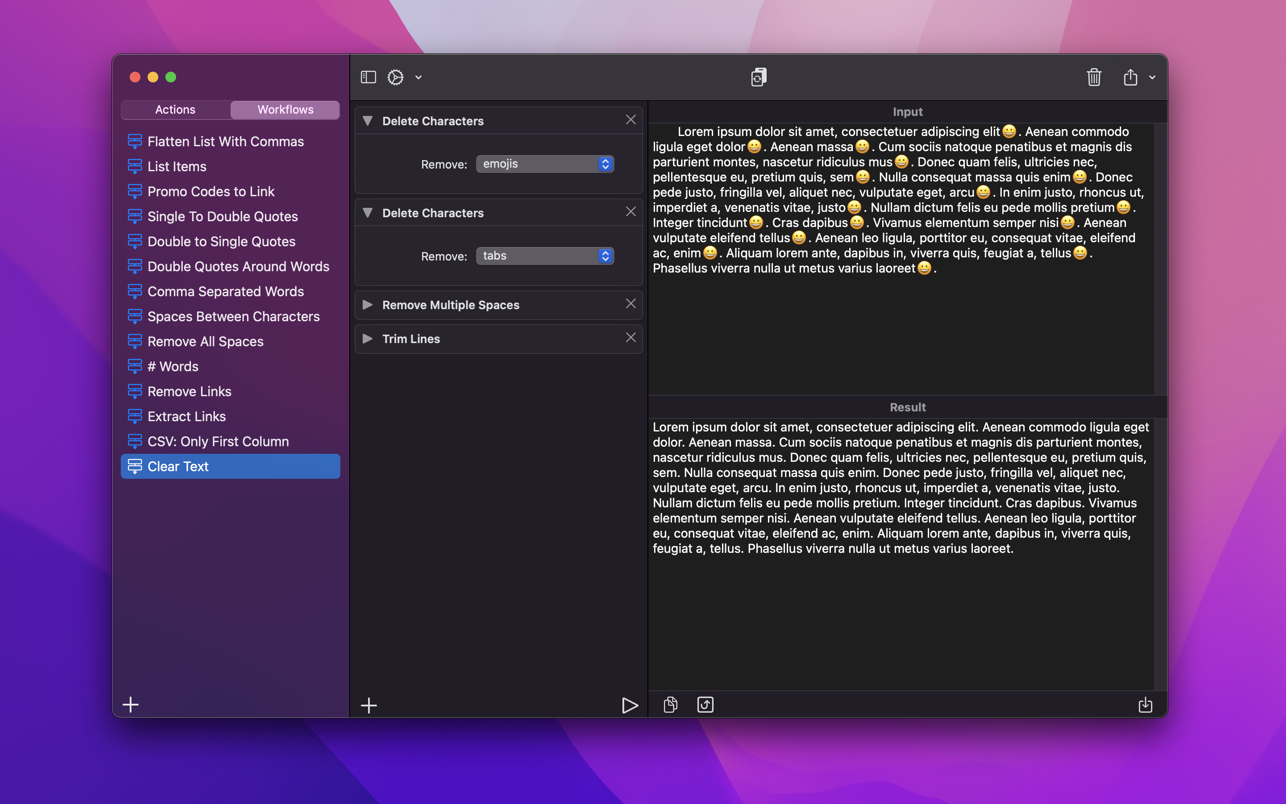
A powerful and easy to use tool that will help you transform your text. Text Workflow removes the need to perform repetitive tasks manually on your text.

Combine transformation actions to create powerful automations for your text. Save your transformation workflows to use them any time you want.

Available text transformation actions
• Add prefix
• Add suffix
• Replace text
• Sort lines
– alphabetically
– reverse
– shuffle
– by length
• Trim Lines
• Add line number
• Break lines
– after every word
– after every sentence
– after text
– before text
• Convert Case
– uppercase
– lowercase
– title case
– camel case
– pascal case
• Delete Characters
– selected characters
– non-alphanumeric
– numeric characters
– non numeric
– tabs
– spaces
– characters after position
– characters before position
– last characters
– emojis
– characters after text
– characters before text
• Insert Text
– at first line
– at last line
– every line (position)
– before every word
– after every word
– before text
– after text
– after every character
• Delete Lines
– containing text
– starting with text
– not containing text
– not starting with text
• Remove line breaks
• Remove multiple spaces
• Remove duplicates lines
• Remove duplicates words
• Remove empty lines
• Delete/Filter words
– containing text
– starting with text
– not containing text
– not starting with text
• Spell out lines
• Get Statistics
– count characters
– count words
– count lines
• Encode/Decode
– Base64
– URL
• Encrypt/Decrypt Text with password
• Beautify JSON
• Beautify XML

You can combine all these actions to create your custom transformation workflows!
Export your workflows to file and share them easily with other users!

Compatibility: macOS 12.0 or later
Mac App Store https://apps.apple.com/app/text-workflow/id1600520682

Screenshots


DxO PhotoLab 6 ELITE Edition 6.7.0.52

Name: DxO_PhotoLab_6_6.7.0.52_Mactorrents.biz.dmg
Size: 695 MB
Files DxO_PhotoLab_6_6.7.0.52_Mactorrents.biz.dmg[695 MB]

   Download Torrent

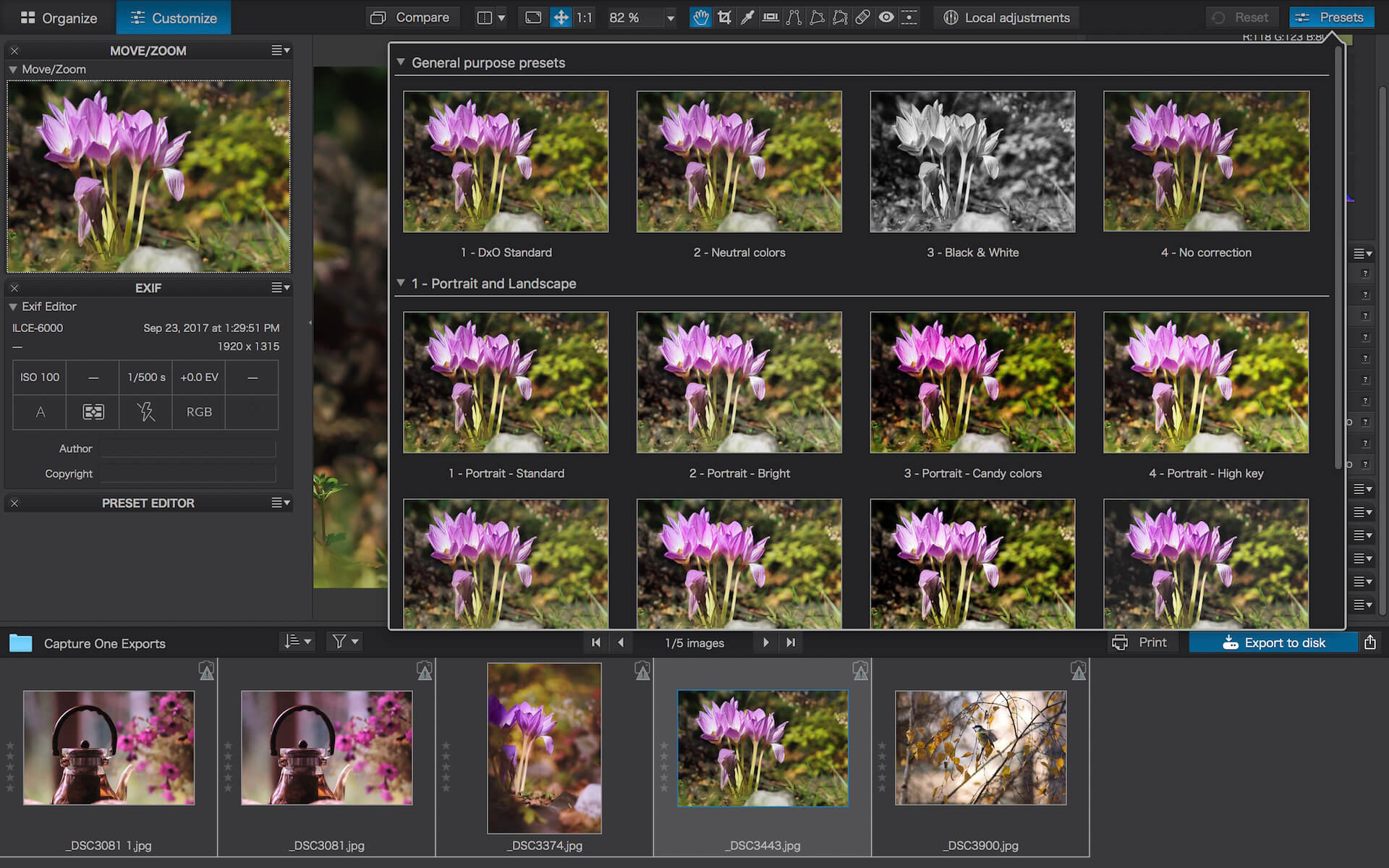
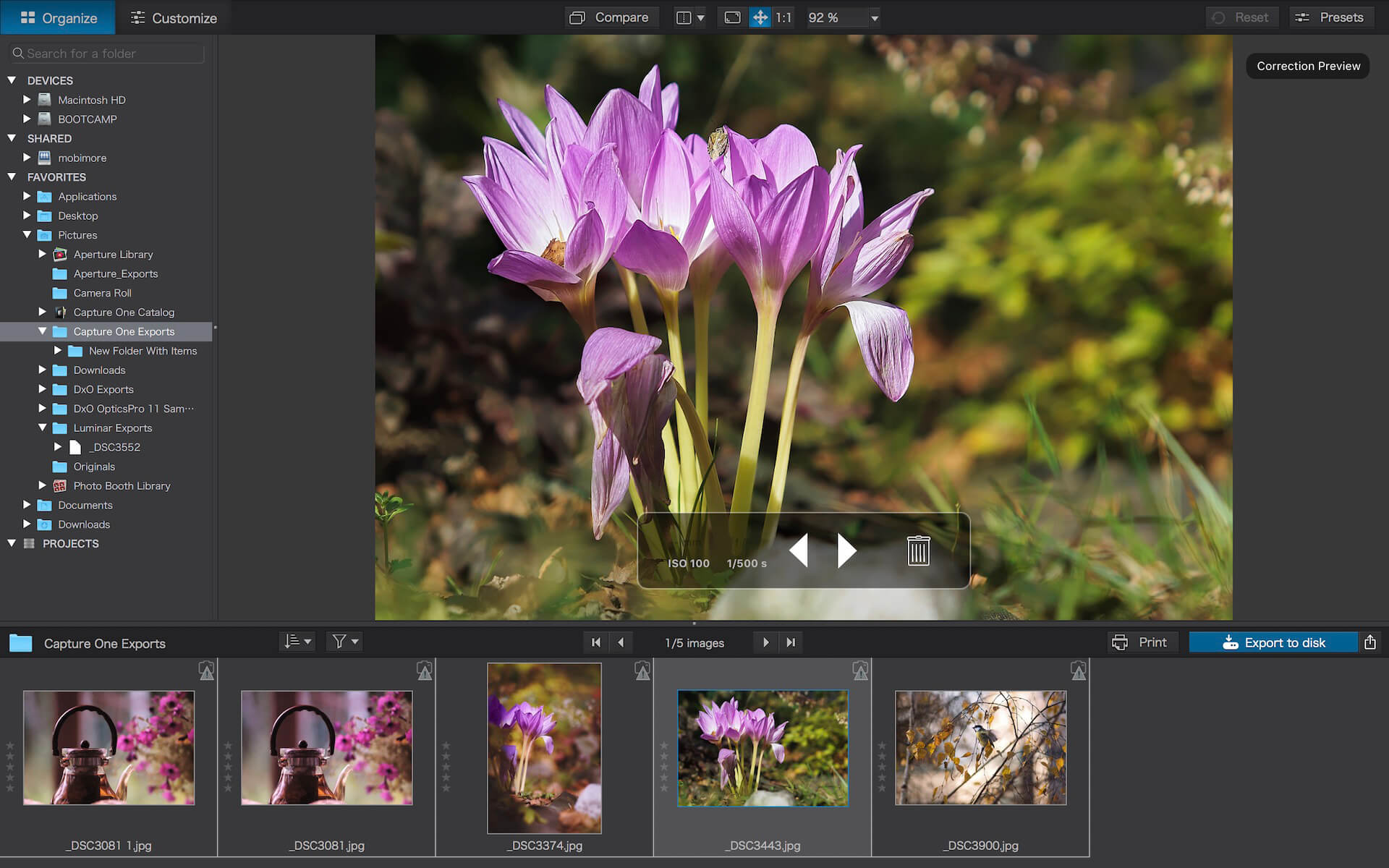
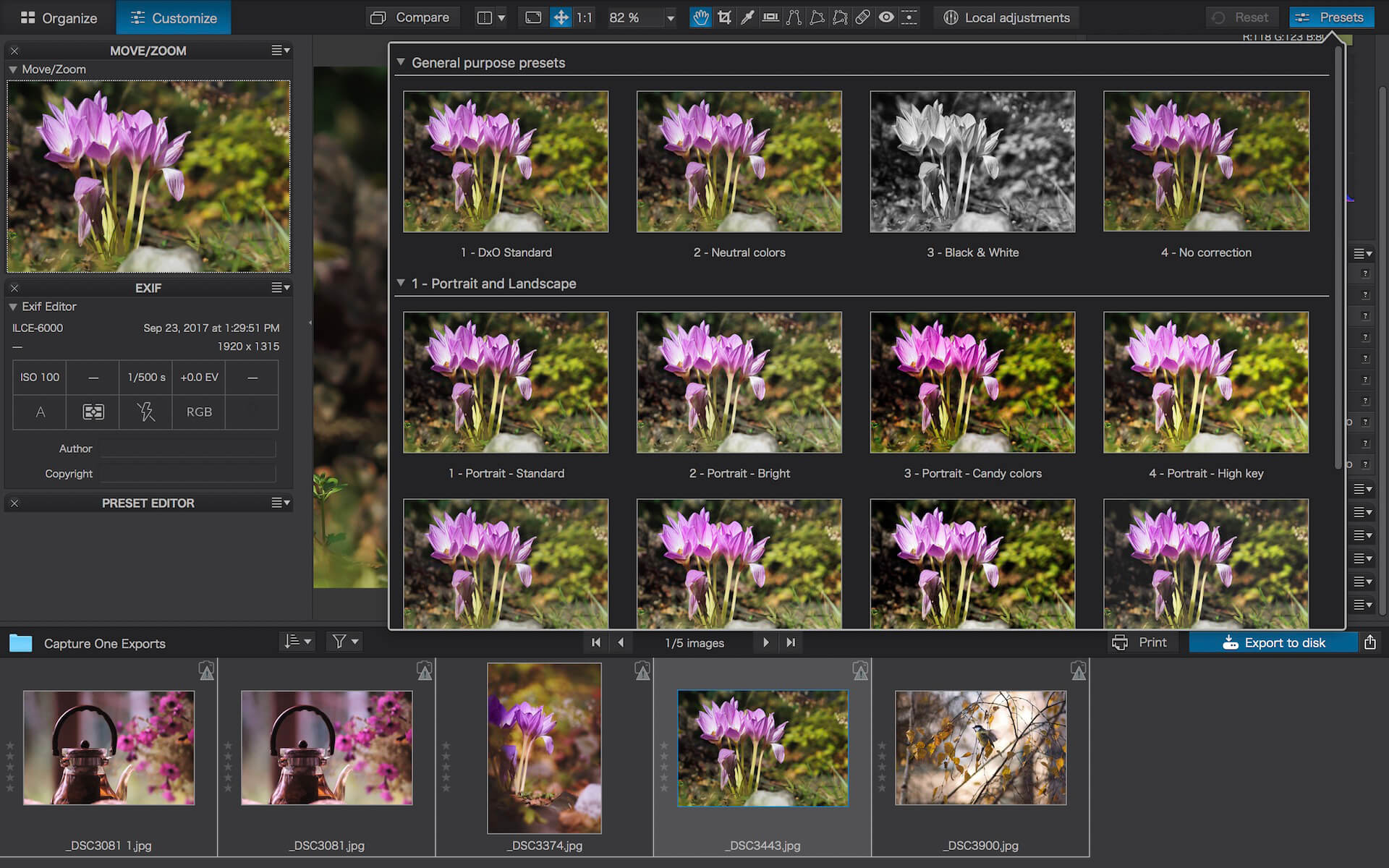
Produce RAW and JPEG images with the best image quality, effortlessly: DxO PhotoLab provides a complete set of smart assisted corrections that you can manually fine-tune at any time. Take control on every aspect of your photos: effectively remove noise, get rid of light constraints, recover color details, apply sophisticated optical corrections, and enhance details.

DxO SMART LIGHTING
Optimizes the dynamic range of your image and brings out the details from both under- and overexposed areas.

DxO CLEARVIEW
Intelligently boosts local contrast and effectively removes distant haze.

DxO PRIME
Automatically denoises high ISO RAW images and recovers accurate details and colors based on our exclusive algorithms.

OPTICAL CORRECTIONS
Leverage your gear with tailored automatic corrections based on DxO’s renowned scientific expertise in measurement and calibration.

EXPRESS YOUR CREATIVITY WITH LOCAL ADJUSTMENTS: INTRODUCING U POINT®
Give your photos your own artistic touch by manually applying selective corrections to specific areas of your image, using exclusive DxO Local Adjustment Tools that include: Control points (U Point technology), graduated filters, manual and automatic brushes, automatic repair tool, etc.

CONTROL POINTS
Manually select your editing area by simply clicking on the part of your image you want to adjust.

BRUSH TOOL
Freely paint and manually adjust small or large areas of your image.

GRADIENT TOOL
Simulates a graduated ND filter and lets you apply artistic effects.

REPAIR TOOL
Allows you to remove dust spots or unwanted objects from your photos.

Processing large series of photos is no longer a nightmare

  • Intelligent algorithms adapt settings to your gear as well as to image content
  • Copy and paste settings from one image to another
  • 30 built-in presets, fully customizable to give your photos the look you like
  • Multiple exports in one click
  • Export to multiple formats for web, printing, or backup

Export directly to social networks such as Facebook, Flickr, or to other photo editors

Fully adapted to YOUR workflow

  • File management that works with your computer (no import step required)
  • Direct access to images
  • Seamless integration with Lightroom via plugin
  • Customizable workspace to adapt to your needs – Dual-screen friendly

Compatibility: macOS 11.6 or later
Homepage http://www.dxo.com

Screenshots


DxO PhotoLab 5 ELITE Edition 5.21.0.93

Name: DxO_PhotoLab_5_5.12.0.93_Mactorrents.biz.dmg
Size: 688 MB
Files DxO_PhotoLab_5_5.12.0.93_Mactorrents.biz.dmg[688 MB]

   Download Torrent
   Link Download

Produce RAW and JPEG images with the best image quality, effortlessly: DxO PhotoLab provides a complete set of smart assisted corrections that you can manually fine-tune at any time. Take control on every aspect of your photos: effectively remove noise, get rid of light constraints, recover color details, apply sophisticated optical corrections, and enhance details.

DxO SMART LIGHTING
Optimizes the dynamic range of your image and brings out the details from both under- and overexposed areas.

DxO CLEARVIEW
Intelligently boosts local contrast and effectively removes distant haze.

DxO PRIME
Automatically denoises high ISO RAW images and recovers accurate details and colors based on our exclusive algorithms.

OPTICAL CORRECTIONS
Leverage your gear with tailored automatic corrections based on DxO’s renowned scientific expertise in measurement and calibration.

EXPRESS YOUR CREATIVITY WITH LOCAL ADJUSTMENTS: INTRODUCING U POINT®
Give your photos your own artistic touch by manually applying selective corrections to specific areas of your image, using exclusive DxO Local Adjustment Tools that include: Control points (U Point technology), graduated filters, manual and automatic brushes, automatic repair tool, etc.

CONTROL POINTS
Manually select your editing area by simply clicking on the part of your image you want to adjust.

BRUSH TOOL
Freely paint and manually adjust small or large areas of your image.

GRADIENT TOOL
Simulates a graduated ND filter and lets you apply artistic effects.

REPAIR TOOL
Allows you to remove dust spots or unwanted objects from your photos.

Processing large series of photos is no longer a nightmare

  • Intelligent algorithms adapt settings to your gear as well as to image content
  • Copy and paste settings from one image to another
  • 30 built-in presets, fully customizable to give your photos the look you like
  • Multiple exports in one click
  • Export to multiple formats for web, printing, or backup

Export directly to social networks such as Facebook, Flickr, or to other photo editors

Fully adapted to YOUR workflow

  • File management that works with your computer (no import step required)
  • Direct access to images
  • Seamless integration with Lightroom via plugin
  • Customizable workspace to adapt to your needs – Dual-screen friendly

Compatibility: Intel, macOS 10.15 or later
Homepage http://www.dxo.com

Screenshots


DVD-Cloner 2023 v10.00.736

Name: DVD-Cloner_for_Mac_10.00.736_Mactorrents.biz.dmg
Size: 52.72 MB
Files DVD-Cloner_for_Mac_10.00.736_Mactorrents.biz.dmg[52.72 MB]

   Download Torrent
   Link Download

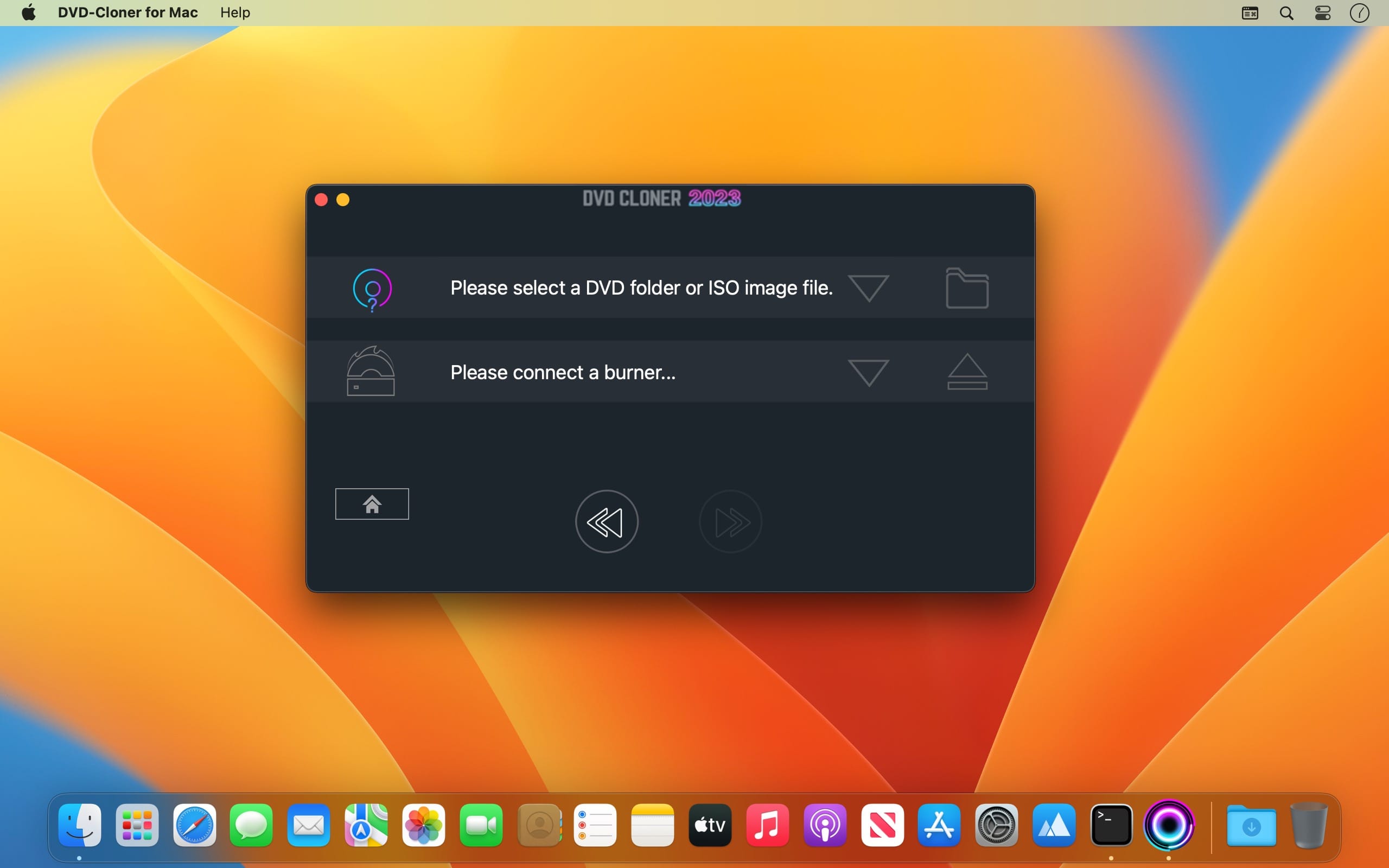
DVD-Cloner for Mac is the up-to-the-minute generation of the top DVD copy software for Mac worldwide. It enables you to copy/clone/burn DVD movies on Mac with lossless quality. The brand-new interfaces make DVD copy for Mac much easier than before. Besides, it can remove various DVD copy protections such as CSS, RE, RCE and region codes to copy DVD movies without restrictions. It can also make another copy from the burnt DVD freely without using your original DVD disc again.

DVD-Cloner for Mac can make perfect 1:1 DVD copy, movie complete copy, movie-only copy, split copy and movie customized copy. With the innovative UMT™, it can back up latest DVD movies with ease. It also supports to copy a DVD disc to another blank DVD disc or to the hard disk as a VIDEO_TS folder or an ISO file for convenient playback in the future.

Features

Discover the upgraded features of DVD-Cloner for Mac 2023, your comprehensive solution for DVD, Blu-ray, and UHD copying and ripping on macOS:

  • Boosted Blu-ray/UHD Copy Speed:
    • Enjoy the refined Blu-ray decryption function and enhanced HST encoding acceleration technology for quicker UHD backup speed (NVIDIA 1660 or above graphics card suggested).
  • User-Friendly, Simple as 1-2-3:
    • DVD-Cloner for Mac 2023 is ideal for both beginners and experts, providing intuitive Express and Expert modes for one-click copying and personalized DVD duplication, respectively.
  • Convert UHD to MKV (HDR10+) Format:
    • Utilize DVD-Cloner for Mac 2023 to convert UHD discs to MKV (HDR10+) format, store them on a portable hard disk, and connect them to a 4K UHD Player for playback. Relish Dolby HD Audio, HDR Video, and more, with identical quality to the source disc.
  • Express mode (One-click duplication):
    • Duplicate DVD-5 to DVD-5
    • Duplicate DVD-9 to DVD-5
    • Duplicate Blu-ray to BD-25
    • Duplicate UHD to BD-50
    • Convert DVD to optimized MKV
    • Convert Blu-ray to optimized MKV with HDR10+ technology
  • xpert mode (Advanced duplication):
    • Flawless 1:1 DVD Duplication
    • Movie Complete Duplication
    • Movie-Only Duplication
    • Split DVD Duplication
    • Movie Customized Duplication
    • Convert DVD to MKV
    • Convert Blu-ray/4K UHD Blu-ray to optimized MKV with HDR10+ technology
    • Burn a DVD movie from the hard disk to a DVD±R (DL)
    • Combine multiple DVDs onto one DVD±R DL or BD-R/RE (DL)
    • Duplicate Blu-ray/4K UHD Blu-ray films
  • Additional Features:
    • Compatible with the latest macOS
    • Refined DVD burning engine
    • All-new generation of “Dazzling colorful” style software interface
    • Impeccable duplication of scratched DVDs
    • Enhanced Smart Analyzer module
    • Manually set Read I/O pattern
    • Multi-language interface support
    • Zoom in/Zoom out user interface
    • One-click installation option
    • Real-time feedback through shortcut window
    • Complimentary 7-day trial before purchasing

What’s New:

Version 2023 v10.00.736:

  • Up-to-date Blu-ray decryption – Supports the latest Blu-ray UHD copying on macOS
  • Refined DVD burning technology – Enhanced burning quality for perfect copies
  • Advanced BD/UHD (HDR10+) to MKV conversion – Superior video quality for an exceptional viewing experience
  • Fresh “Dazzling colorful” style interface – Intuitive and visually captivating design
  • Tailored for the latest macOS – Effortless compatibility with the newest operating system
  • HST encoding acceleration technology – Quicker UHD backup speed for streamlined copying

Compatibility: macOS 10.10 or later
Homepage https://www.dvd-cloner.com/

Screenshots


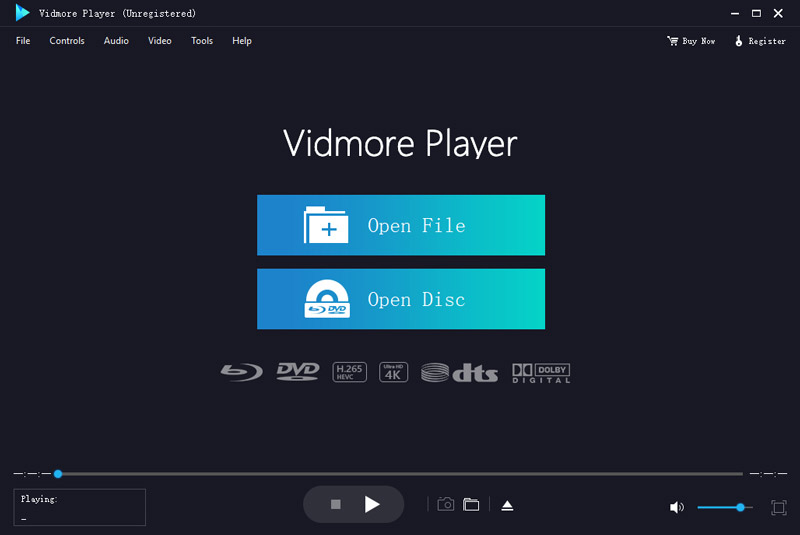
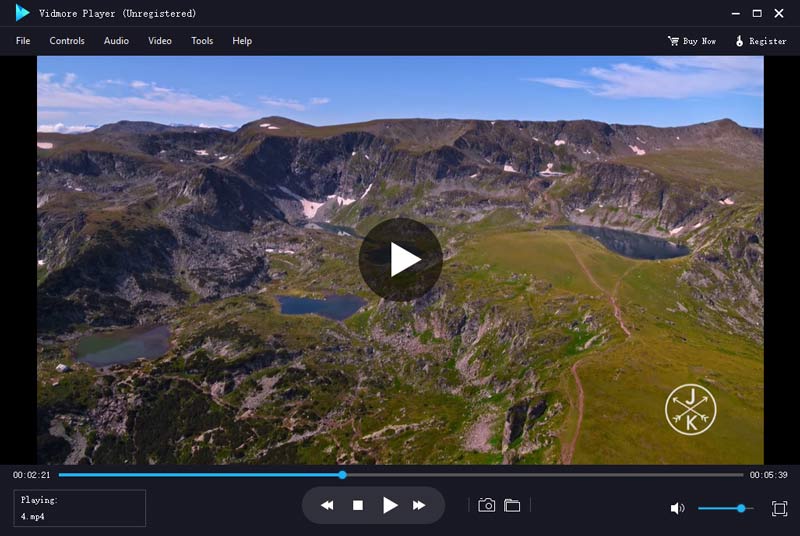
Vidmore Player 1.0.56

Name: Vidmore_Player_1.0.56.132809_Mactorrents.biz.dmg
Size: 43 MB
Files Vidmore_Player_1.0.56.132809_Mactorrents.biz.dmg[43 MB]

   Download Torrent
   Link Download

Do you have trouble in playing your Blu-ray disc/folder/ISO files and DVD disc/folder/ISO files? Are you looking for a powerful media player? Vidmore Player is your top choice. With it, you could play your Blu-rays and DVDs without any hassle.

Key functions: 

  1. Play Blu-ray disc/folder/ISO files With Vidmore Player, you could play your Blu-ray disc/folder/ISO files with the lossless sound effect as well as HD image quality. It supports various Blu-ray disc types, such as BD-5, BD-9, BD-25, BD-50, etc. It provides the function to customize video effects like adjusting the hue/brightness/contrast/saturation and Gamma.
  2. Play DVD disc/folder/ISO files Do you want to play old DVD discs which you collected before? Do you want to play DVD folders? Do you want to play ISO files? Vidmore Player could accomplish this for you. It is able to play DVD disc/folder/ISO files and also lets you change the subtitle track/audio track.
  3. Play any common videos If you want to play any popular video and audio files, you could have a consideration of Vidmore Player. It could not only play Blu-ray disc/folder/ISO files and DVD disc/folder/ISO files, but also play other common videos like MP4, MPG, M4V, TS, MTS, M2TS, MXF, WMV, ASF, MKV, F4V, FLV, VOB, etc. In addition, you can enjoy the 4K UHD and 1080p/720 HD videos as well.
  4. High output quality With advanced audio decoding technologies like Dolby, DTS, AAC, TrueHD and more, you could enjoy the high quality of your media files. You could also click the Snapshot icon or use the shortcut key to take a screen shot when you play your movies.

Compatibility: macOS 10.10 or later
Homepage https://www.vidmore.com/vidmore-player/

Screenshots


Perfectly Clear WorkBench 4.5.0.2521

Name: Perfectly_Clear_Workbench_v4_4.5.0_2521_Mactorrents.biz.dmg
Size: 109 MB
Files Perfectly_Clear_Workbench_v4_4.5.0_2521_Mactorrents.biz.dmg[109 MB]

   Download Torrent
   Link Download

Perfectly Clear Workbench is an application that uses Athentech’s Perfectly Clear image correction libraries and is made available to demonstrate the capabilities of the Perfectly Clear processing libraries, face detection library and to allow a quick export of the processing settings for use.

One of the key features in Workbench is the ability to “export to API” when saving a Preset. This allows you to make image corrections in Workbench and tune the settings to match your style and correction needs. Then, you can quickly export these settings to a text file – ready to be copy / pasted into your source code with our image correction SDK.

What’s New in Perfectly Clear WorkBench 4
1. Beautiful new interface
2. New image correction tools
a. Preprocessing section for Input Looks and “Image Ambulance” for manual exposure corrections
b. “Face Aware” exposure for more accurate auto-exposure corrections in portraits and group photos
c. Black Point tool to deepen blacks
d. New Color Vibrancy tool to complement our previous “Vibrancy” control (now renamed to Color Restoration)
e. Sky and Foliage enhancements
3. Existing tools have been improved
a. Added strength sliders to Light Diffusion and Vibrancy for better control
b. Better ‘color pickers’ for Skin Tone and Blush adjustments
4. Manually identify faces that are not detected automatically
5. One-click to zoom to individual faces
6. Modify facial regions to provide the best corrections
7. Histogram
8. Much improved preset management

Supported Image Formats

Perfectly Clear requires RGB-formatted images in either 8 or 16-bit color depth. Any image file that Photoshop or Lightroom can open and convert to this format may be used in Perfectly Clear. Monochrome and CMYK images must be converted to RGB before using Perfectly Clear. RAW files must be opened through Adobe Camera RAW and loaded into Photoshop to be accessible to Perfectly Clear.

What’s New:

Version 4.5.0.2521:

  • Release notes were unavailable when this listing was updated.

Compatibility: macOS 10.10 or later
Homepage https://eyeq.photos/

Native Instruments Kontakt 6 v6.8.0

Name: Native_Instruments_Kontakt_6_v6.8.0_macOS_Mactorrents.biz.rar
Size: 887 MB
Files Native_Instruments_Kontakt_6_v6.8.0_macOS_Mactorrents.biz.rar[887 MB]

   Download Torrent
   Link Download

Over two decades, KONTAKT has become a highly-developed engine for creating and playing sampled instruments. KONTAKT 6 offers more for players and builders alike:

Introducing KONTAKT Play Series: Three new instruments for the KONTAKT library, offering pristine, contemporary sound in a creative and streamlined interface. Wavetable synthesis module: Build hybrid instruments for entirely new sounds. Modulate your sound with additional new effects taken from MOD PACK; Choral, Flair, and Phasis. Drag and drop you own samples into instruments to use them with your own sounds and create one-of-a-kind results. Enhanced effects: Even more effects for your creations, for greater expression and realism

Homepage https://www.native-instruments.com/en/products/komplete/samplers/kontakt-6/

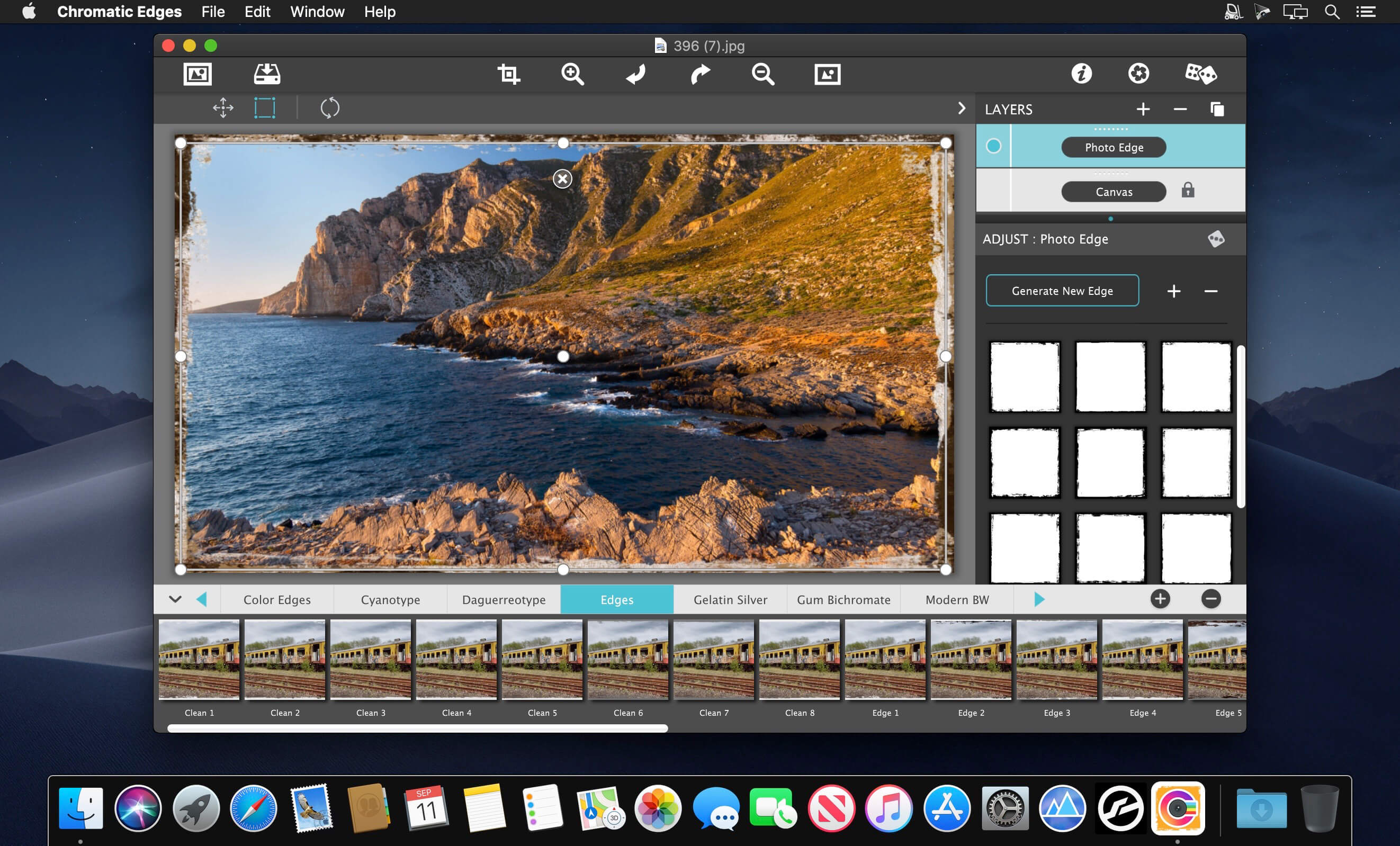
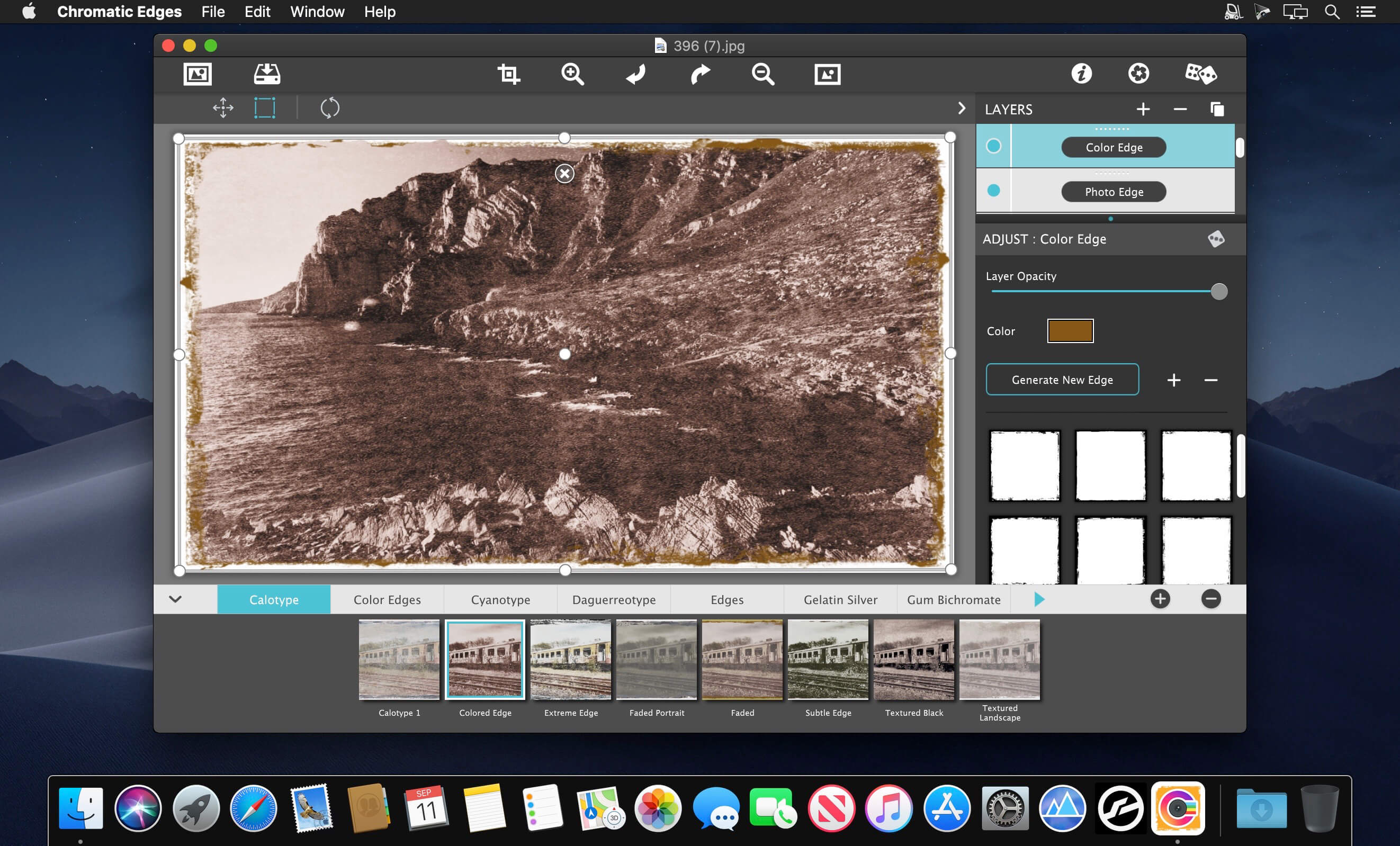
JixiPix Chromatic Edges 1.0.28

Name: Chromatic_Edges_1.0.28_Mactorrents.biz.dmg
Size: 507 MB
Files Chromatic_Edges_1.0.28_Mactorrents.biz.dmg[507 MB]

   Download Torrent
   Link Download

It’s all about the Edge! Unlimited edges to make your photography pop! JixiPix takes vintage to a whole new extreme. Gone are the days of having a few tiny choices when it comes to adding flare to your imagery. Chromatic Edges brings back the subtle magic of photo processing with glass, silver and paper plates all with a few taps and your unique photo.

PLUGIN HOST REQUIRMENTS
Adobe Photoshop CS5+, All Photoshop CC, Photoshop Elements 12+ or Lightroom 4+

Compatibility: macOS 10.10 or later
Homepage https://jixipix.com/

Screenshots


JixiPix Hand Tint Pro 1.0.20

Name: Hand_Tint_Pro_1.0.20_Mactorrents.biz.dmg
Size: 108 MB
Files Hand_Tint_Pro_1.0.20_Mactorrents.biz.dmg[108 MB]

   Download Torrent
   Link Download

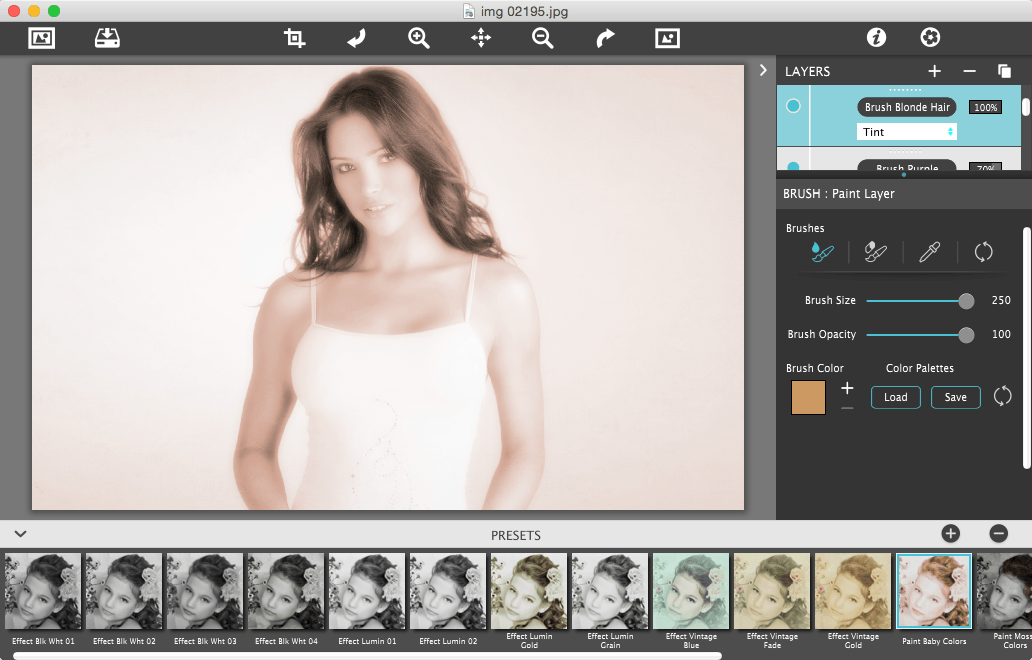
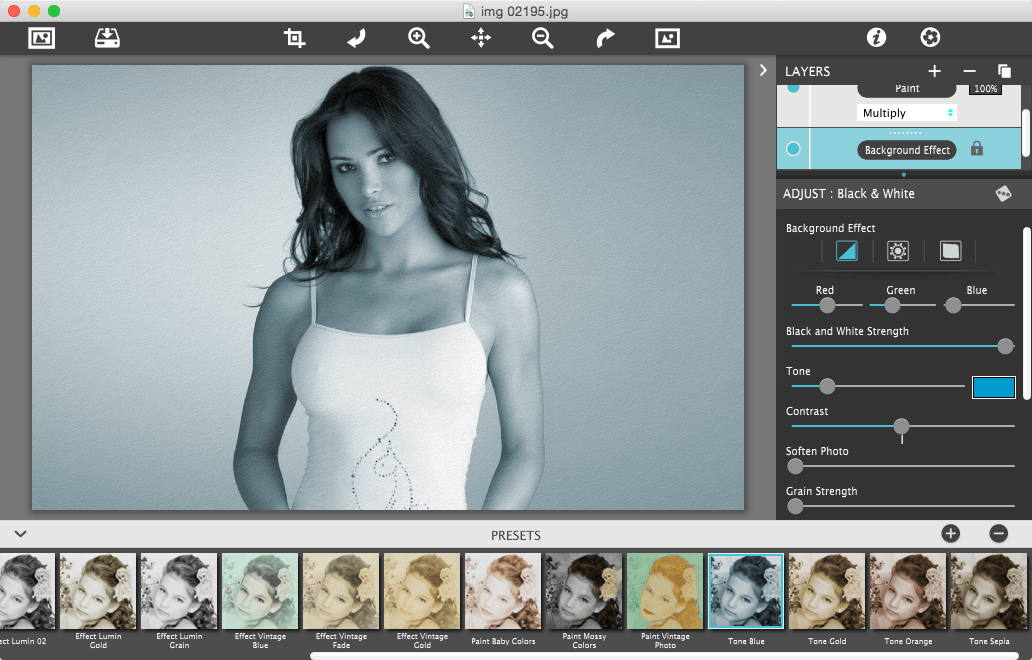
Hand Tint Pro supplies everything you need—color palettes, paper and smart brushes—for creating beautiful and timeless hand painted photography.

Like all art forms, preparing a good base for hand coloring is like stretching a canvas for painting, so every image placed in the app is stripped of color and transformed into a classic Black & White, a dreamy Luminescent or an aged Vintage photo we call a Background Effect. To keep your painting organized and in control, we give you Layers and a handy Selective Color tool to define areas for accurate brushing. Both pro features are designed to keep color where you want them.

Standalone Product that colorizes photos with brushed on tint, tone and color. Also includes plugin for Photoshop, Elements, Lightroom and PaintShop Pro.

What’s New:

Version :1.0.20

  • Release notes were unavailable when this listing was updated.

Compatibility: macOS 10.9 or later
Homepage https://jixipix.com/hand-tint-pro/details.html

Screenshots

PullTube 1.8.5.9

Name: PullTube_1.8.5.9_Mactorrents.biz.dmg
Size: 115 MB
Files PullTube_1.8.5.9_Mactorrents.biz.dmg[115 MB]

   Download Torrent
   Link Download

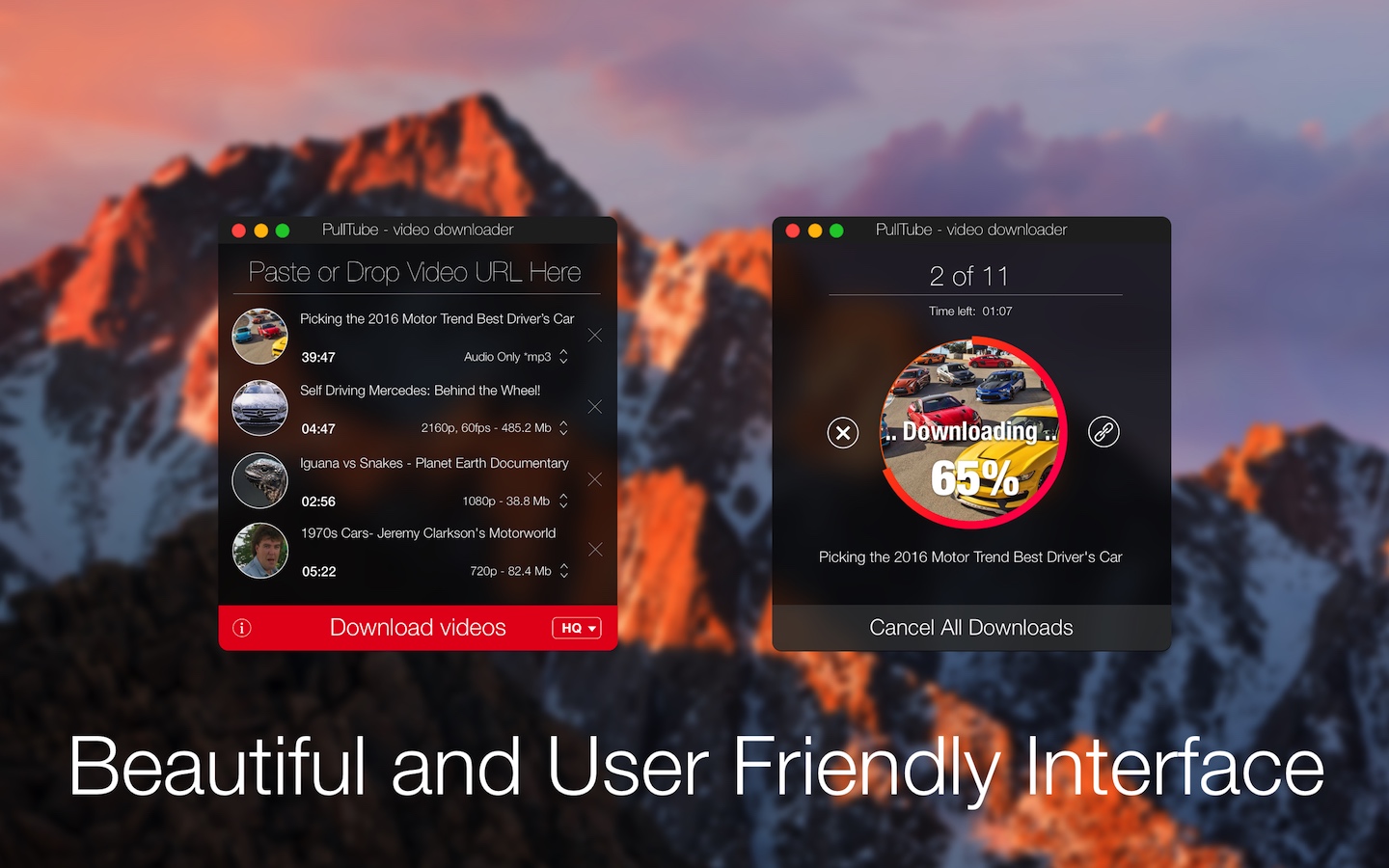
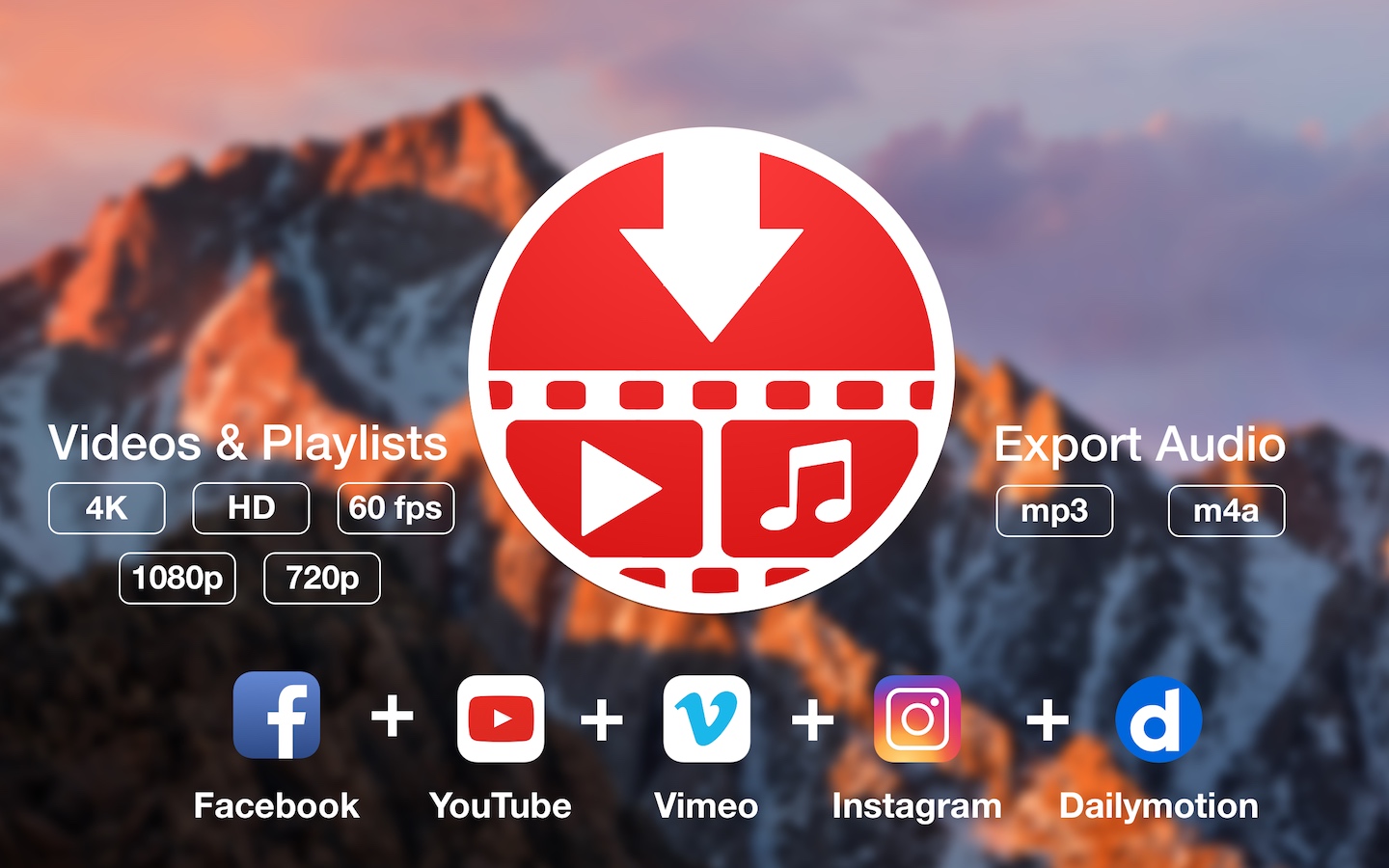
A beautiful online video downloader for your Mac PullTube proposes a streamlined workflow for quickly downloading videos from YouTube or Vimeo, provides control over the output quality, and enables you to extract the audio to MP3 or M4A files. The PullTube app can handle videos of any duration or size, and you get to monitor the download progress within its main window. The utility also integrates with the Notification Center to send completion alerts.

YouTube and Vimeo
Supports Youtube and Vimeo. More platforms to be added upon user requests.

4K, HD and 60fps support
PullTube allows you to download video in any format available

Video to Audio
Convert and save videos to mp3 and m4a

Beautiful and Flexible Interface
Nice looking, dark user interface

What’s New:

Version 1.8.5.9:

  • Release notes were unavailable when this listing was updated.

Compatibility: macOS 10.12 or later (Apple Silicon compatible)
Language: Multilingual
Homepage https://mymixapps.com/pulltube

Screenshots


SnapMotion 5.1.1

Name: SnapMotion_5.1.1_Mactorrents.biz.dmg
Size: 15 MB
Files SnapMotion_5.1.1_Mactorrents.biz.dmg[15 MB]

   Download Torrent
   Link Download

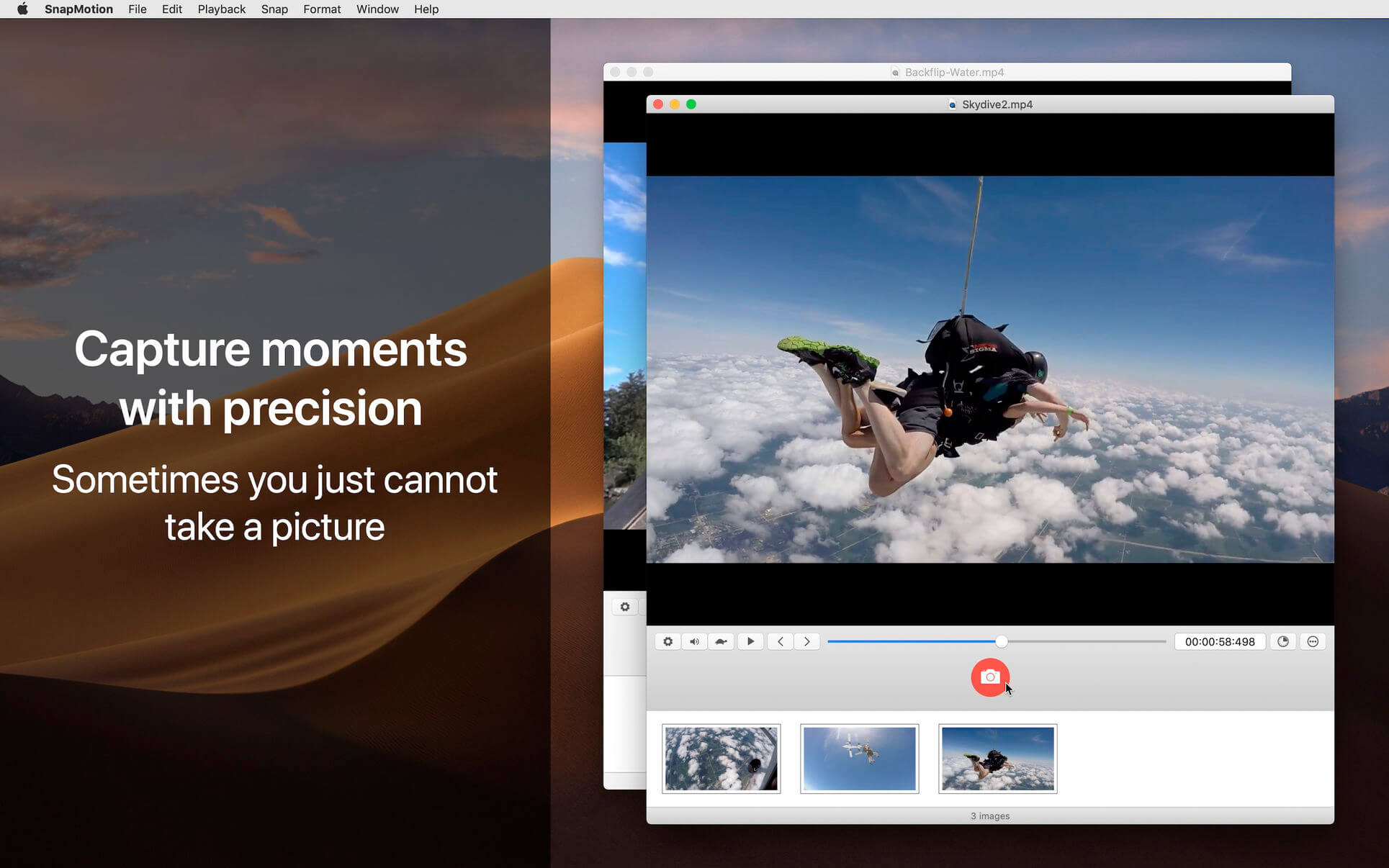
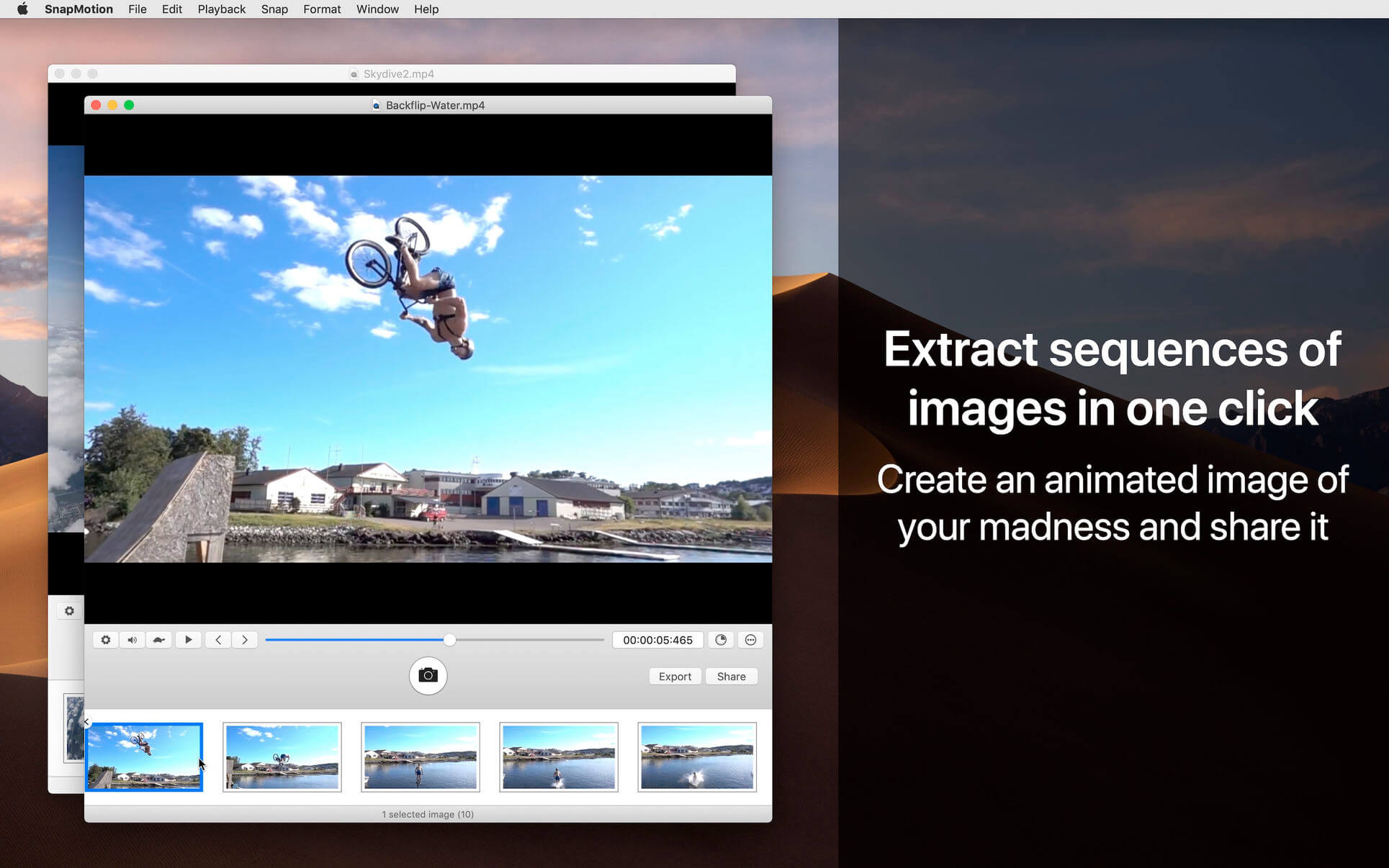
SnapMotion is the most innovative and most used tool to extract images from videos. The application allows you to extract frames with precision and without loss of quality.

Two modes are provided:
A manual mode allowing you to extract images precisely at the selected time.
A batch processing mode allowing you to extract thousands images concurrently.

SnapMotion has been designed to support big video files such as 4K movies and to extract every frame of your media if needed. The application can play every video supported natively by macOS. Moreover it can export images into all industry-standard formats including PNG, JPEG, TIFF and HEIC.

SnapMotion additional features :

  • share images on social network (Facebook, Twitter, …)
  • drag and drop images to export
  • create animated GIF from your snaps
  • rotate videos directly in the player
  • copy extracted images in the pasteboard
  • customize output filenames
  • support notifications and touch bar

This version has been optimized for macOS High Sierra and later. Moreover the application is available in 7 languages (English, French, German, Spanish, Italian, Japanese and Chinese).

Feedbacks can be sent directly from the application. In this way, you can contact us for any kind of suggestions and improvements in few clics.

SnapMotion is now accompanied by other applications.

  • GlueMotion: edit, deflicker and assemble images into time lapse.
  • MetaImage: edit image metadata and geographical tags.

What’s New:

Version 5.1.1

  • Release notes were unavailable when this listing was updated.

Compatibility: macOS 11 or later
Homepage https://geo.itunes.apple.com/app/id1024350410

Screenshots


Disk Xray 4.0 (40016)

Name: Disk_Xray_4.0__40016_Mactorrents.biz.dmg
Size: 5 MB
Files Disk_Xray_4.0__40016_Mactorrents.biz.dmg[5 MB]

   Download Torrent

Disk Xray is a disk-usage statistics viewer, duplicate files and folders finder and cleanup tool for OS X. It performs three fundamental functions, and it performs them extremely well. It also provides you maximum security, restoring all files if you removed something accidentally.

Features

  • Folder Scanner – Folder scanner is a visual disk/folder analyser that enables you to spot large files and folders on your disk – be it an entire hard disk or a subfolder – giving a sorted breakup of just where your disk space is going. At a glance you can identify which folders are the space hogs and just what is in them by successively drilling down.
  • Duplicate Files Finder – Duplicate Files Detector frees up a disk space by finding and deleting duplicate files and folders thereby giving you a chance to recover gigabytes of your disk space. This scan can reveal just how many copies of the same document or photo or other type of file you have saved, scattered through your disk. All duplicate files are checked byte-by- byte to give you 100% guarantee they are exact copies.
  • Disk Cleaner – Disk Cleaner speeds up your computer and by finding and removing temporary files on your computer. This includes the obvious choices of the Trash and your downloads folder, and also includes locations you may not otherwise think to purge or even know where to find – application logs, web browser caches and cookies, application caches and an ever-growing list of email attachments stored locally but never cleaned. You can also set it to find all big files on your disk. Decide how old files you want to remove – one week, one month or one year.

Compatibility: OS X 10.10 or later
Homepage https://naarakstudio.com/diskxray/

Screenshots


EdgeView 4.2.3

Name: EdgeView_4.2.3_Mactorrents.biz.dmg
Size: 36 MB
Files EdgeView_4.2.3_Mactorrents.biz.dmg[36 MB]

   Download Torrent

EdgeView 3 is fast image viewer has elegant user interface. EdgeView 3 is developed and designed for modern MacOS. It can open various image files such as JPEG, PNG, TIFF, BMP, and RAW file of DSLR, EPS and PDF, AI(Adobe Illustrator). Can open image files in archive directly without extraction.

User can open files, rename files, delete files from EdgeView’s file browser. Also can access to SMB/AFP/FTP network volume.

User can navigate images quickly by using keyboard shorcut, mouse wheel, trackpad gesture. EdgeVew show EXIF information, play animation GIF/PNG/WebP smoothly. Save last status to history, and restore when reopen file.

EdgeView 3 will be the best choice when viewing and managing image files.

Features

  • Rewrote full code as Swift for improve performance.
  • Support m1 CPU Mac.
  • Has easy UI, can control main function at Sidebar.
  • Support English/Korean/Japanese/Chinese(Simplified).

Image Viewer

  • Supporting image files such as JPG, GIF, BMP, PSD, TIFF, RAW, WEBP and PDF, EPS, AI(Adobe Illustrator), OpenEXR, HDR, TGA.
  • Can play animation GIF/PNG/WebP. User can control animation with floating animation controller.
  • Dispaly internal image(or frame) of animation GIF/PNG/WebP or HEIC that has multiple internal image.
  • Can read and show images of major archive formats (such as ZIP, RAR, CBZ, CBR, 7-zip) without extraction. Of course, can open ZIP file that 4GB over.
  • Can read encrypted archive file.
  • Can read archive file in archive file recursively
  • Improved draw speed by rebuilt image cache system and drawing engine.
  • Draw images as high quality.
  • Provide suitable functions for comic reading such as ‘Two-Page Spread’, ‘Continuous Scroll mode’, ‘Right to Left’, etc.
  • Provide multiple navigation functions like as ‘Move’, ‘Skip’, ‘Shift’, etc.
  • User can navigate images and check whole thumbnails at Thumbnailsbar.
  • User can navigate images by using keyboard shortcut, mouse wheel, trackpad gesture.
  • Can rotate and flip images. Orientation will be saved to history.
  • User can select part of images, and copy it or save as file.
  • Can zoom in/out image freely.
  • Built-in loupe function to make it easier to magnify part of image.
  • Show histogram.
  • Show neighbor files list. And can open neighbor file.
  • Support history feature for saving and restoring last status of file.
  • Can reopen file or remove history at history list.
  • Can rate image files.

File Browser

  • Built-in file browser can show and open files from local drive or AFP/SMB/FTP network drive.
  • Can display files as lists or icon.
  • Show images in folder/archive file at preview panel.
  • Generate thumbnails of archive files and folders.
  • Support powerful search feature.
  • Show category and writer information.
  • User can sort files by various options, and can delete or rename files.
  • Can rate files or folders.

Others

  • Support customizing feature. Also user can change shortcuts.
  • Built-in Quick Look Extension generate thumbnails and preview of archive files at Finder.

Compatibility: macOS 11.1 or later • Apple Silicon or Intel Core processor
Homepage https://apps.apple.com/pk/app/edgeview-2/id1206246482

Screenshots


JixiPix Photo Formation Pro 1.0.19

Name: Photo_Formation_Pro_1.0.19_Mactorrents.biz.dmg
Size: 132 MB
Files Photo_Formation_Pro_1.0.19_Mactorrents.biz.dmg[132 MB]

   Download Torrent

Photo Formation is a photo effect that auto-transforms images into super creative paper formations then uses a 3D light engine to cast ultra cool shadows. Use it to fragment, join, weave, slice and fold photos into fascinating eye-catching pieces, with all the subtle creases, curls and bends as if painstakingly assembled by hand.

Photo Formation comes with a library of one-touch presets to get you started fast, and a randomize button that automatically renders a variety of paper creations over and over until you get something catered to you. Moving, rotating and scaling tools can then be used to customize each composition—the sky is the limit to what can be done!

We make it easy to use without taking control away from you, the artist. If you are the hands on type who likes to make stuff from scratch, an Auto Generate button gets you in the creative mode by starting the initial paper effect for you then presents a control panel so you can make it exactly the way you like. It’s not as much work as it sounds, just specify how many strips, tiles or folds; how much curl, crinkle or depth; and if you want exposure, opacity, texture and grain. An apply button renders the creation to the document where you finish it off by moving around paper elements (only if you want), and adding optional photo settings.

What sets Photo Formation apart from others is it’s powerful lighting system. Oriented in a 2D space, Photo Formation renders true 3D popping folds and creases along with all their perspective distortions that cast realistic shadows for an amazing high-end result! The lighting is fully adjustable and by simply moving it around the document you can change the direction of the shadows. You can also set up multiple light sources by duplicating the light to create fantastic double and triple shadows—how many is up to you!

Photo Formation comes as a standard application or blend it into your workflow with an included plugin for: Photoshop, Elements, Lightroom, PaintShop Pro and Affinity Photo

What’s New:

Version 1.0.19:

  • Release notes were unavailable when this listing was updated.

Compatibility: macOS 10.9 or later
Homepage https://jixipix.com/

Screenshots


JixiPix Rip Studio Pro 1.1.17

Name: Rip_Studio_Pro_1.1.17_Mactorrents.biz.dmg
Size: 158 MB
Files Rip_Studio_Pro_1.1.17_Mactorrents.biz.dmg[158 MB]

   Download Torrent

Rip Studio gives you control over every element created inside the app. Rip, tear, or cut edges by drawing around the image. Curl up the edges and wrinkle the surface by simply adjusting a slider. Behind the scene a powerful 3D light engine works to make surface wrinkles and creases look realistic; this adjustable light source will have shadows popping off the page. Finish your creative composition with a tape effect, or choose from a library of objects like stickpins, staples, rusty nails and gems. Every rip you make or tape you place is unique and one-of-a-kind!

Built with PRO features Rip Studio easily creates a single incredible piece or a whole collage right inside the app! Built with a powerful workflow, you can add images quickly simply selecting them from your library and dropping them—all at once—on the open application. As each image is placed a layer is created for easy compositing, editing and transformation. To finish your composition, choose from a library of gems, stickpins and staples; or add transparent tape, duct tape and masking tape for added interest.

Standalone Collaging Product with Rip, Curl & Tape Photo Effects. Also includes plugin for Photoshop, Elements, Lightroom and PaintShop Pro

Compatibility: OS X 10.8 or later
Homepage https://jixipix.com/rip-studio/details.html

Screenshots


JixiPix Spektrel Art 1.1.14

Name: Spektrel_Art_1.1.14_Mactorrents.biz.dmg
Size: 20 MB
Files Spektrel_Art_1.1.14_Mactorrents.biz.dmg[20 MB]

   Download Torrent

Spektrel Art is an extravagant otherworldly display of undulating movement that glimmers and gleams with intersecting lines of tapered light. Applied to photos, this medium of imaginative and magical art form transcends the ordinary to extraordinary creating something wild, sparkling with life and colorful spaces.

Spektrel Styles

  • Light glimmers and gleams with white tapered light
  • Dark creates a stark contrast of black intersecting lines

Spektrel Art Includes

  • Presets to start you off
  • Detail slider to increase the amount of intersecting lines
  • Glow options add colorful edges and splendrous brillance
  • Taper Length and Sharpen sliders to add twinkle
  • Lighten and Brighten sliders to make it illuminate
  • Edge Detail slider to exaggerate the lines
  • Smoothing slider to softens lines
  • Color Boost for enhanced color
  • Brushes to soften or remove effect
  • Infinite variation for illuminated twinkles, fluid lines and ethereal softness

Every JixiPix Product Features

  • Support for high-resolution images and output
  • Multiple undo
  • Randomize button
  • Quick previewing
  • Customizable settings
  • Superior customer service

JixiPix – plug-in for Photoshop, Photoshop Elements, Corel PaintShop Pro
JixiPix-App – the actual program
JixiPix-Lightroom – plug-in for Lightroom

What’s New:

Version 1.1.14:

  • Release notes were unavailable when this listing was updated.

Compatibility: macOS 10.9 or later
Homepage https://jixipix.com/spektrel-art/details.html

Screenshots


JixiPix Pastello Pro 1.1.19

Name: Pastello_Pro_1.1.19_Mactorrents.biz.dmg
Size: 223 MB
Files Pastello_Pro_1.1.19_Mactorrents.biz.dmg[223 MB]

   Download Torrent

Pastello makes it simple and convenient to take an image and change it into Pastel, Chalk, Charcoal, Crayon, Colored Pencil and Graphite drawings. Use alone or combine these medias using powerful layers to produce interesting expressive sketch effects filled with colorful personality and passion. And the best part is Pastello does all the work.

Transform photos into a fine art drawing with Pastel, Pencil, Chalk, Charcoal and Crayon. Introducing Pastello, a brand-new companion app to JixiPix’s Impresso Pro. Pastello takes you back in time to the 15th century. Away from brushes and large strokes and into the realm of dry media with color that is both brilliant and subtle. The “Dry color method” made famous by Leonardo da Vinci is so powerful in its simplicity and beauty with its black and red chalk and yellow pastel highlights. Later, artists would paint charming portraits in a smooth heavily blended fashion.

Move forward a few centuries later and pastel quickly became filled with brilliant color and crisp detail. Fast forward to today and a digital age has made it so you, the artist, can mix and match media that is difficult or impossible in a traditional setting.

Pastello has a pro workflow that automatically transforms a photo into a pastel drawing and places it on an art paper with options to customize. The Pastel can then be changed to Chalk, Charcoal, Colored Pencil, Graphite, Conte or Crayon using Layer styles. The medias start out delicate like traditional drawings do, then allows you to build them up using fills, shading and detail layers. The medias are beautiful as they are, or mix them for an expressive artwork.

Pastello includes plenty of traditional sketch styles as well as a DaVinci effect using a mixed media of pencil, charcoal, crayon and old paper. It’s easy to use! We have mixed the media into one-click presets with all the freedom to customize, blend and fine-tune for your own unique artwork filled with age, depth and timeless beauty as if created by the renaissance artist himself.

Pastel—(Soft) is a soft, buttery consistency and intense color. This effect is dense and filled with the grain of the paper. Artists find this media especially good for plein air landscapes because the color ranges are vibrant and the media itself is dustless and portable.
Chalk—(Hard Pastel) is a light dusty effect with little specks of preserved paper. This chalky pastel is known for it’s soft strokes and velvety texture. This style is great for creating a fine web of color by stacking or duplicating layers, letting the ones below show through to create a drawing sparkling with interest.
Charcoal—creates a velvety black charcoal effect with shades of grey. Use it for warming up the under painting of a composition, or to complete a finished charcoal piece.
Colored Pencil—creates soft colorful strokes in the drawing that can be layered to build up color then burnished with a light Pencil Layer, or the Smudge tool.
Pencil—creates pencil drawings with fluid outlines and soft, limpid tonal shadings for a drawing filled with warmth and charm.
Conté—is a beautiful crayon media for enhancing highlights, midtones and shadows in drawings using five classic colors: Bistre, Sanguine, White, Grey, Gold and a color picker to choose your own—with options for crosshatching and scumbling.
Crayon—creates a colorful waxy base to a drawing, then burnish it with a Conte White for highlights or Bistre for shading.
Fill Brush— Choose to brush in areas of the drawing with chalk, charcoal, colored pencil or pencil on the layer or fill the entire layer as a base for Pencil, Chalk and Charcoal.

  • Pastel, Chalk, Charcoal, Conte, Colored Pencil, Pencil and Crayon style effects true to real media. Each one has control over stroke size, stroke volume, color and other refinements.
  • Da Vinci style effect mixes 5 fully customizable medias onto aged paper for an old world appearance.
  • Stroke technology inspired by real-world Pastellists
  • Smart Layers for blending pastel styles with options to reorder, duplicate and delete. This powerful feature is great for mixing media.
  • Fill Layer for hand brushing color and texture
  • Paper Layer that reacts to dry media like real paper would. The more you layer the media the more it fills into the paper’s texture.
  • Smart Brushes for touching up brush strokes
  • Smudge Brush for smearing media for a softer appearance
  • Brush Masking to invert, clear or fill in brushed areas
  • Presets for a quick start
  • Customizable Presets to develop your own unique and personal style, or to save your projects with all strokes and layers intact for future editing.
  • User Preset category to store your personalized style in
  • Favorite preset feature sends presets to the front when marked
  • 5 Paper Textures
  • 41 Artistic and Aged Papers
  • 70 Artistic Finishes for adding light and color to drawings
  • Smart links to globally unify color and finishes across all layers
  • 24 Artistic Edges for creating sketchy vignettes around artwork. Each one has options for edge stroke size and blend.
  • Plugin for Photoshop CS3+, Lightroom and Elements for Mac & Windows

What’s New:

Version 1.1.19:

  • Release notes were unavailable when this listing was updated.

Compatibility: Mac OS X 10.9 or later 64-bit, Adobe Photoshop CS3+, CC, CC 2014 or CC 2015, Photoshop Elements 10-13 or Lightroom 4+
Homepage https://jixipix.com/pastello/details.html

Screenshots
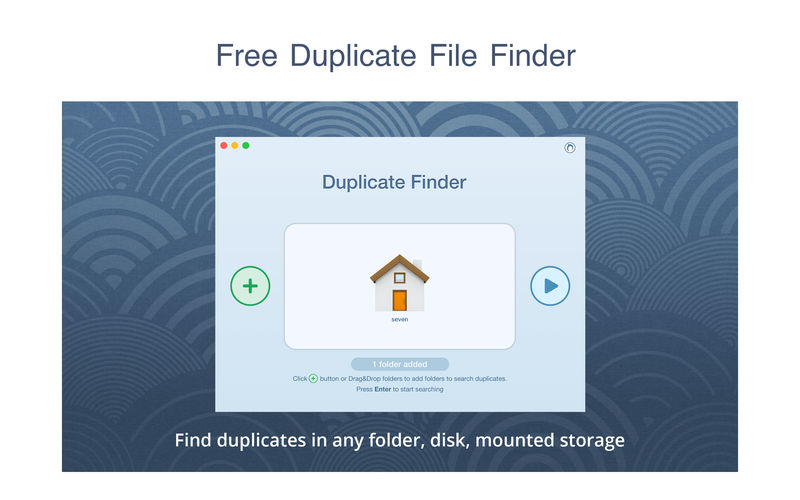

JixiPix Artista Impresso Pro 1.8.19

Name: Impresso_Pro_1.8.19_Mactorrents.biz.dmg
Size: 121 MB
Files Impresso_Pro_1.8.19_Mactorrents.biz.dmg[121 MB]

   Download Torrent

For professionals who like creative control we give them Layers for blending multiple paint styles and brushes to paint on and off the impressionism strokes. We have also included an ultra-impressionism effect called ‘Tache’ to cover the painting with broken brush strokes or dabs of color that literally stand out, apply them sparsely or cover the entire painting, the choice is yours.

The 19th century brush-wielding Impressionist artists were crazy about flowers and gardens, and it was good. With flowing brush strokes and thickly painted texture, Van Gogh made his Sunflowers immortal with harmonious movement of color, contrast, and form. Monet made his Water Lilly Pond a celebrity. It took their genius and a lifetime of practice navigating the riot of their senses, but these extraordinary artists took what they saw and felt in the petals and leaves and transferred their impressions onto canvasses full of beauty, mood and meaning.

Lucky you, 21st century software wielding seer and lovers of beauty, Impresso gives you the same enduring attention to detail, light, color and texture by transforming your photos into multi-textured, stroke-filled Impressionist masterpieces. Keen eyes will love how Impresso maintains the balance of your piece! The results are captivating paintings brimming with passion, life, and beauty.

Features
A pro workflow adds impressionism styles per layer. With Layers, users can blend styles using brushes to paint on or off areas in the painting! Also, included is the powerful Ellipse Detail tool to add finely painted details to faces, flowers or to create focal points in landscapes. Once completed , resize then hit the ‘Apply’ button to render small brushstrokes inside the Ellipse. With layers photographers and artists now have the power to composite multiple impressionism styles for impressive results.

IMPRESSIONISM STYLES

  • Alla Prima (‘wet-on-wet’ or ‘all-at-once’)—is great for portraits! This beautiful paint style starts by filling the painting with an abundance of brushstrokes. A library of artistic finishes compliments this style by adding light, color and movement with controls over strength.
  • En Plein Air (in open air) is perfect for landscapes. This stroke-filled effect consists of eight artists’ palettes created by famous impressionists. Use them as they are or edit the paint colors to make your own palette. The Save Preset feature keeps the palette and all the layers intact for future projects.
  • Tache (‘spot’ or ‘blot’) applies broken brushstrokes throughout the image. This technique of laying thick patches, flecks and dabs of color is great for making paint look as if it stands out from the surface. Apply a light spackling of strokes or fill the painting with dabs of color—the choice is up to you!
  • Canvas layer is added to each painting created. By creating a canvas layer, it can now be turned on or off for viewing strokes created on previous layers. As with traditional methods, the canvas is an integral part of the painting, so we have locked the layer to keep it from being accidentally deleted.

INCLUDES

  • Three stroke styles: #1 is a series of straighter strokes, #2 combines the first style with curved ones, and #3 is an abstract set. Then the Tache effect has its own custom set of brushes designed for depth.
  • Three Impressionism styles: Alla Prima, En Plein Air and Tache (pronounced tash)
  • Pro Layers with built-in Impressionism styles for multi-layer types and options to duplicate, reorder, and delete them
  • Control over detail ellipse tool, stroke size, stroke volume, bristle strength & depth, artistic finishes and the painted edge
  • Save Preset to save customized paint palettes and keep all strokes & layers intact for future projects
  • Smart brushes to remove or add impressionism effect—the brushes are smart because they remove the effect by stroke
  • Mask with fill, invert and clear to support brushes and layers
  • Canvas and linen texture
  • 8 Impressionist palette styles
  • One-touch paint styles
  • 70 Artistic finishes
  • One-of-a-kind ellipse detail tool renders small brush strokes inside the placed area
  • Plugin for Photoshop CS3+, Lightroom and Elements for Mac and Windows

Compatibility: macOS 10.9 or later
Homepage https://jixipix.com/artista-impresso-pro/details.html

Screenshots
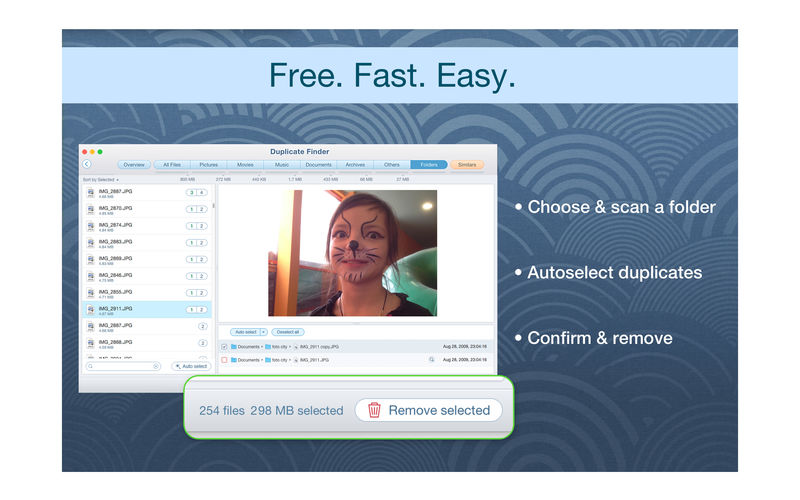

Rational Acoustics Smaart Suite 9.1.6

Name: Rational.Acoustics.Smaart.Suite.v9.1.6.MacOS.Incl.Keygen_Mactorrents.biz.zip
Size: 36.4 MB
Files Rational.Acoustics.Smaart.Suite.v9.1.6.MacOS.Incl.Keygen_Mactorrents.biz.dmg[36.4 MB]

   Download Torrent

Smaart Suite is the full-featured flagship Smaart program, including all three industry standard measurement modes (Real Time, Impulse Response, and SPL), with no functional limitations. Suite is the edition that mostly closely matches the functionality found in Smaart v8.

One Interface, Three Modes
Smaart Suite contains all three Smaart modes: Real-Time, Impulse Response, and SPL. Each mode has a data register, plot area, and control bar associated with it and shares the overall program configuration, command, and control structure.

Real-Time Mode
For a majority of Smaart users, Real Time mode is what makes Smaart smart. The single channel Spectrum, and dual channel Transfer Function measurements are essential tools for professional sound engineers all around the world. Real-Time Mode is specifically designed for sound system engineers to be able to accomplish their alignment and optimization work quickly, efficiently, and effectively.

Impulse Response Mode
Unlike Real-Time Mode which primarily displays measurement data in the frequency domain, IR Mode excels at displaying the response of a system in the time domain, with detailed Linear, Logarithmic, and ETC (energy time curve) views, Histogram and Spectrograph plots, as well as frequency response. Acoustical engineers will appreciate IR Mode for its detailed calculations and tables for RT60, STI, STIPA, CIS, and more.

SPL Mode
Smaart’s SPL Mode provides a powerful solution for monitoring, logging, and reporting sound pressure level. With SPL history plots, fully customizable metering, remote-viewing capabilities, Alarms and Event Notes, customizable ‘traffic light’ meter coloring, logging and report generation, and Class 1 or 2 capability with 10 EaZy hardware – Smaart is the industry’s leading software based SPL monitoring solution.

Homepage https://www.rationalacoustics.com/pages/smaart-main-page

Sketch 97

Name: Sketch_97_Mactorrents.biz.dmg
Size: 71 MB
Files Sketch_97_Mactorrents.biz.dmg[71 MB]

   Download Torrent

Sketch: graphic design for a digital world. Powerful tools and an elegant interface, in a single award-winning package. Because making beautiful things should be a joy, not a burden.

Sketch supports multiple fills, borders and shadows per layer; has powerful non-destructive boolean operations; smart pixel alignment; and makes exporting a breeze with automatic slicing and multiple resolution export.

Vector tools and basic shapes are the foundation; whether you are designing icons, websites, interfaces or anything else. Combine these into complex shapes with non-destructive boolean operations, leaving you free to edit them in the future, then apply advanced layer style options like multiple shadows, fills, gradients, noise, blending, background blurring, and more.

Sketch doesn’t just do shapes, of course. Imported images can be rotated, scaled, cropped and masked. The best-in-class text tool lets you add beautiful typography to your designs, using native font rendering, so you can be sure that text always looks 100% accurate!

Brand new to Sketch 3, Symbols allow you to reuse entire groups of content in multiple places in your design. Think of interface elements such as buttons, headers and footers. Change them once, and they update everywhere in your document.

Built for the Mac, Sketch supports OS X’s Versions and Auto Save, letting you focus on your work instead of hitting CMD+S. Keep your work safely in sync across multiple Mac computers with iCloud. And take Sketch full screen to maximise the size of your canvas.

All this power is deliciously baked into Sketch’s single-window interface. Everything is there, tucked away until you need it. A simple interface with powerful tools.

Compatibility: macOS 11.0 or later (Apple M1 compatible)
Homepage https://www.sketch.com/updates/

Screenshots


CloudMounter 4.0 (759)

Name: CloudMounter_4.0_Mactorrents.biz.dmg
Size: 47 MB
Files CloudMounter_4.0_Mactorrents.biz.dmg[47 MB]

   Download Torrent

CloudMounter makes working with multiple cloud storage services easy by letting you access and manage your data through your Mac’s Finder. CloudMounter works with all popular services such as OneDrive, Google Drive, OpenStack Swift, Amazon S3 and Dropbox. Not only that – the app also allows you to connect to remote FTP, SFTP, FTPS and WebDAV servers the way you would connect to any shared location in your local network.

You can also increase cloud security with data encryption. Encrypted files cannot be read without a decryption key, so even if someone gets ahold of your data, they won’t be able to get into its contents. With CloudMounter your login data is protected as well, credentials you enter are stored in Mac OS Keychain and sent directly to the servers and storage accounts.

Compatibility: macOS 10.14 or later
Homepage https://cloudmounter.net/

Screenshots
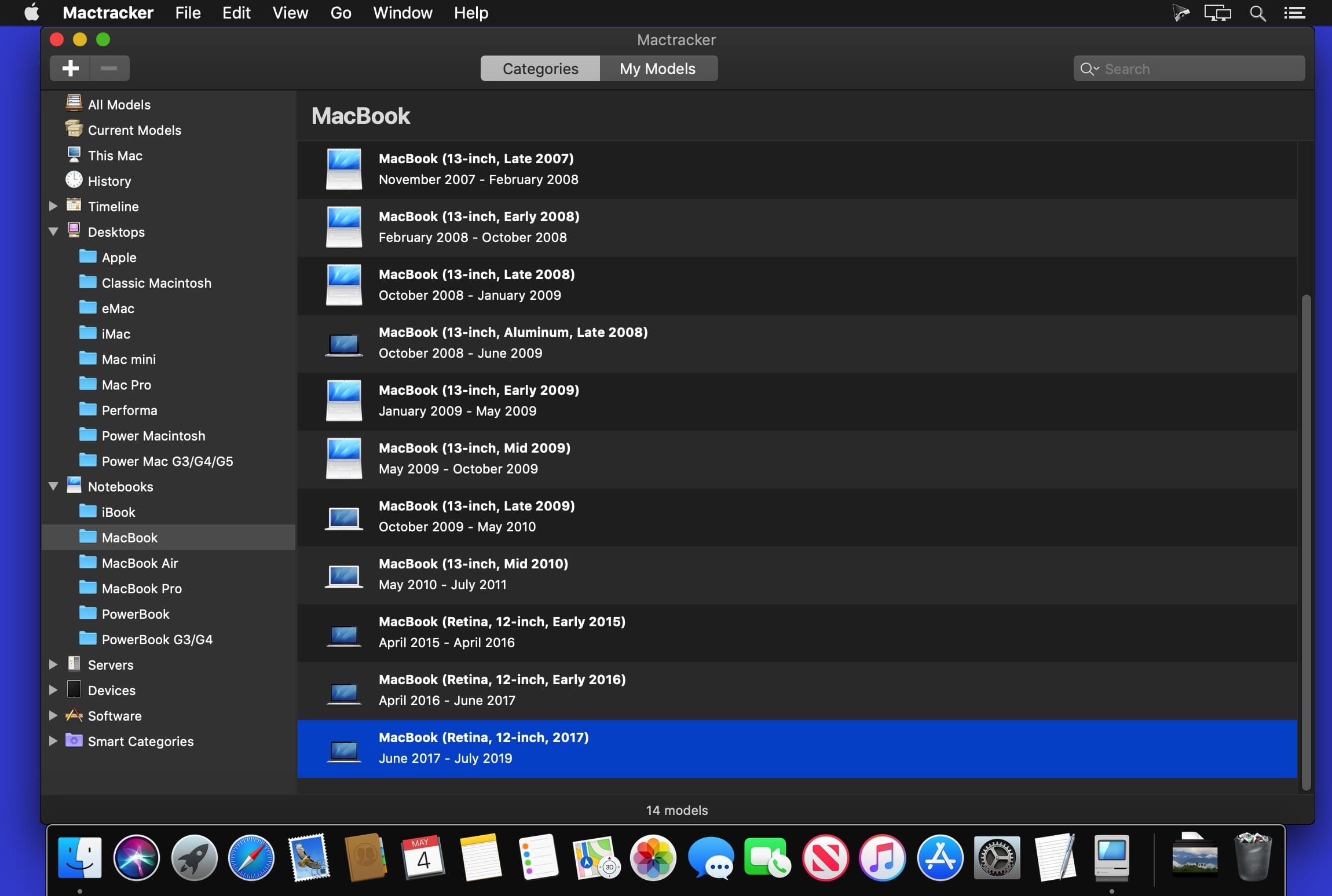

Master of Typing 3 – Practice 3.13.22

Name: Master_of_Typing_3_-_Practice_3.13.22_Mactorrents.biz.dmg
Size: 131 MB
Files Master_of_Typing_3_-_Practice_3.13.22_Mactorrents.biz.dmg[131 MB]

   Download Torrent

Master of Typing 3 is an effective TOUCH typing course for mastering fast typing technique using all your 10 FINGERS simultaneously.

INCREASE YOUR TYPING SPEED

  • Variety of exercises: letters & special characters, words & phrases.
  1. Click Settings (bottom left corner).
  2. Please, make sure that Auto Difficulty is OFF.
  3. Select a difficulty level, and then a lesson.
  4. Select a lesson section using left / right arrow keys.

Auto Difficulty settings:

  1. Click Settings (bottom left corner).
  2. Select auto-difficulty to move to the next lesson automatically if you do an exercise successfully.
  3. Deselect auto-difficulty and select a lesson if you want to exercise letters of this lesson only.

CHECK NEW SKILLS

  • Multiple levels of exams.
  • Accurate statistics results:
  • Best & average speed,
  • Best & average accuracy.
  • Tips system

ENJOY BENEFITS:

  • AI-powered dictation mode

Dictate the text and then type it OR select the suggested text and type it at dictation

  • Smart timer – stops when you click outside the app window.

So, you can come back to the exercise and continue doing it at any time.

  • 3 themes: Light, Dark and East – choose the most universally convenient theme that fits your needs.
  • Swipe and hotkeys for quickly switching between windows.
  • Colored keyboard’s scheme to memorize finger positions.
  • Ideal for self-study at any time.

TYPE IN DIFFERENT LANGUAGES:

  • English (QWERTY),
  • Russian (ЙЦУКЕН),
  • Spanish
  • French (AZERTY),
  • German (QWERTZ),
  • Italian.

Top In-App Purchases: Full Pack + No Ads

Compatibility: macOS 10.13 or later
Homepage https://geo.itunes.apple.com/app/id1225121166

Screenshots
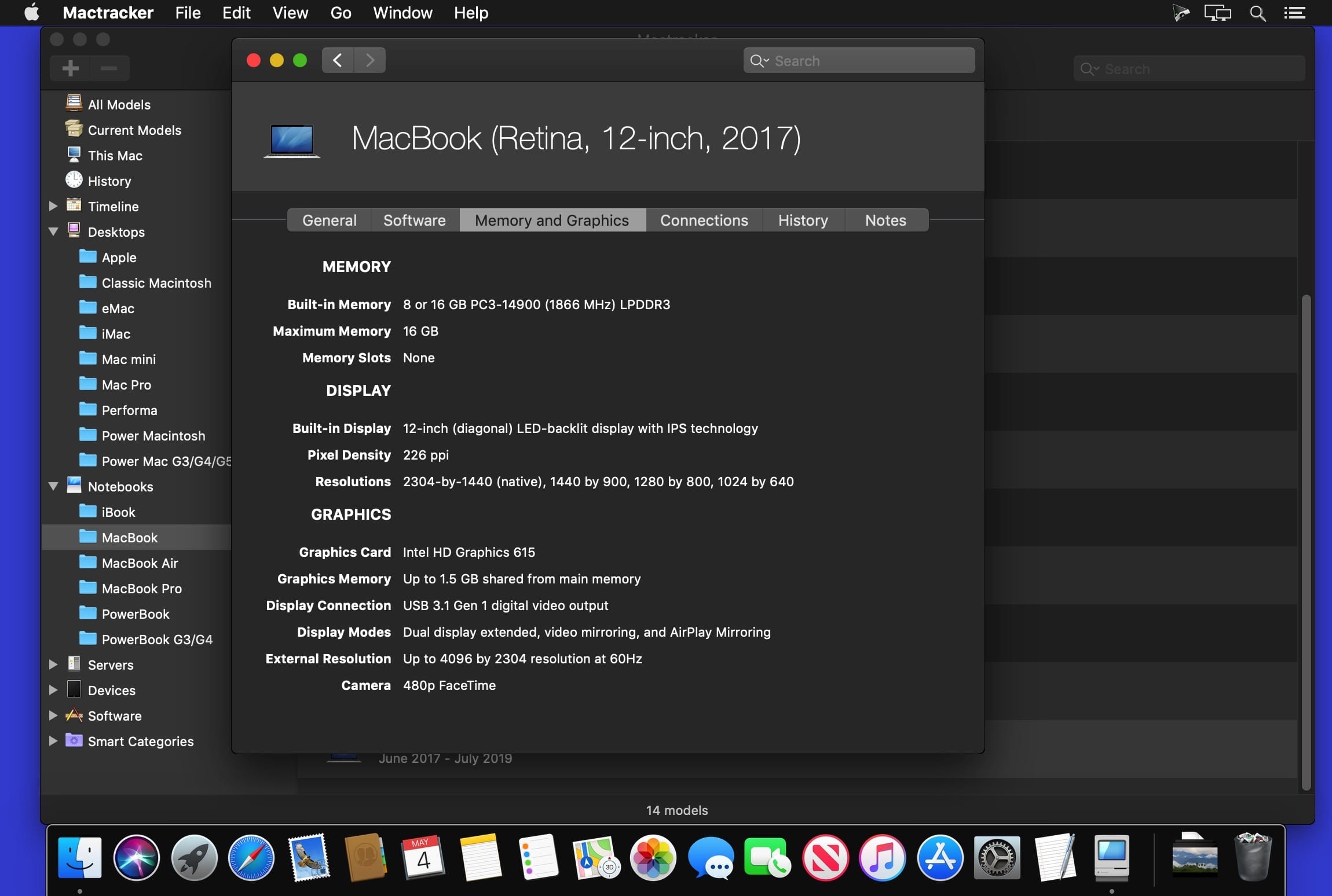

Torrents Download Apple,Mac Osx,Apps ,Software

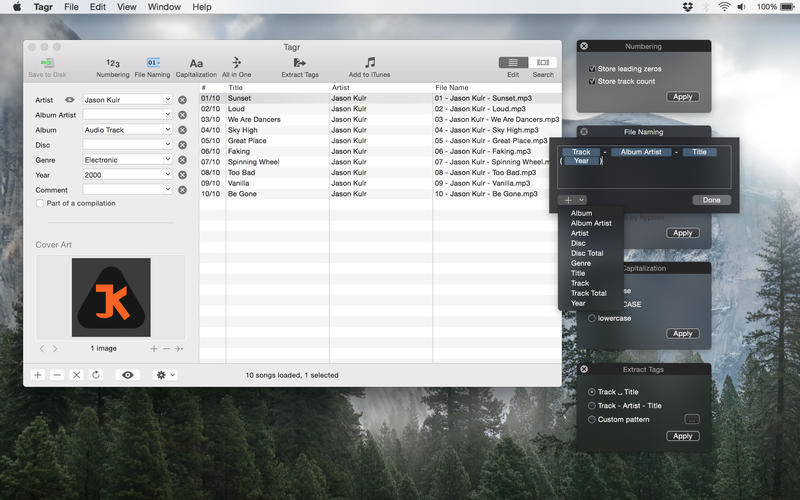
Exit mobile version