Category Archives: Photography

Pixelmator Pro 3.3.13

Name: Pixelmator_Pro_3.3.13_Mactorrents.biz.dmg
Size: 594 MB
Files Pixelmator_Pro_3.3.13_Mactorrents.biz.dmg[594 MB]

   Download Torrent

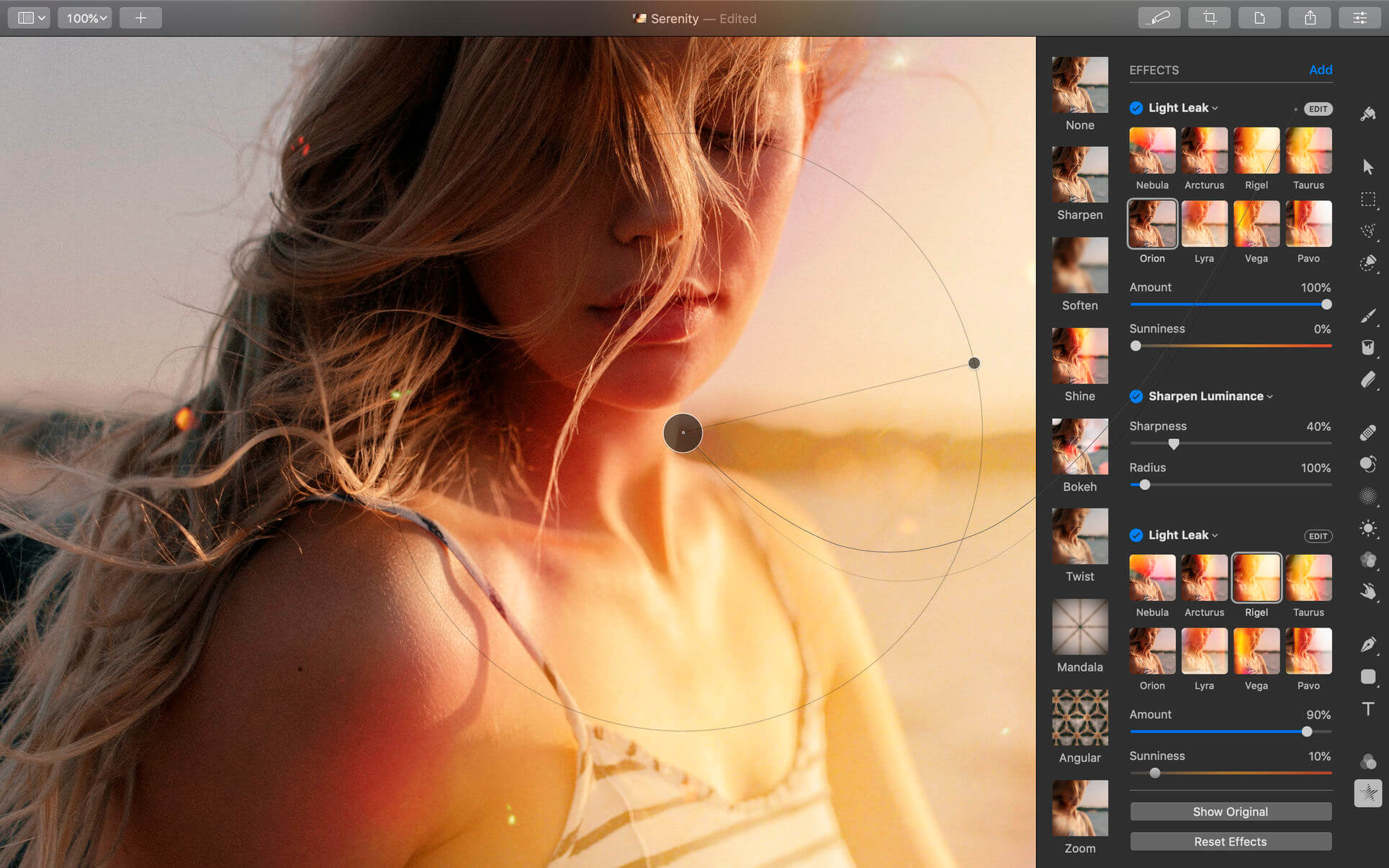
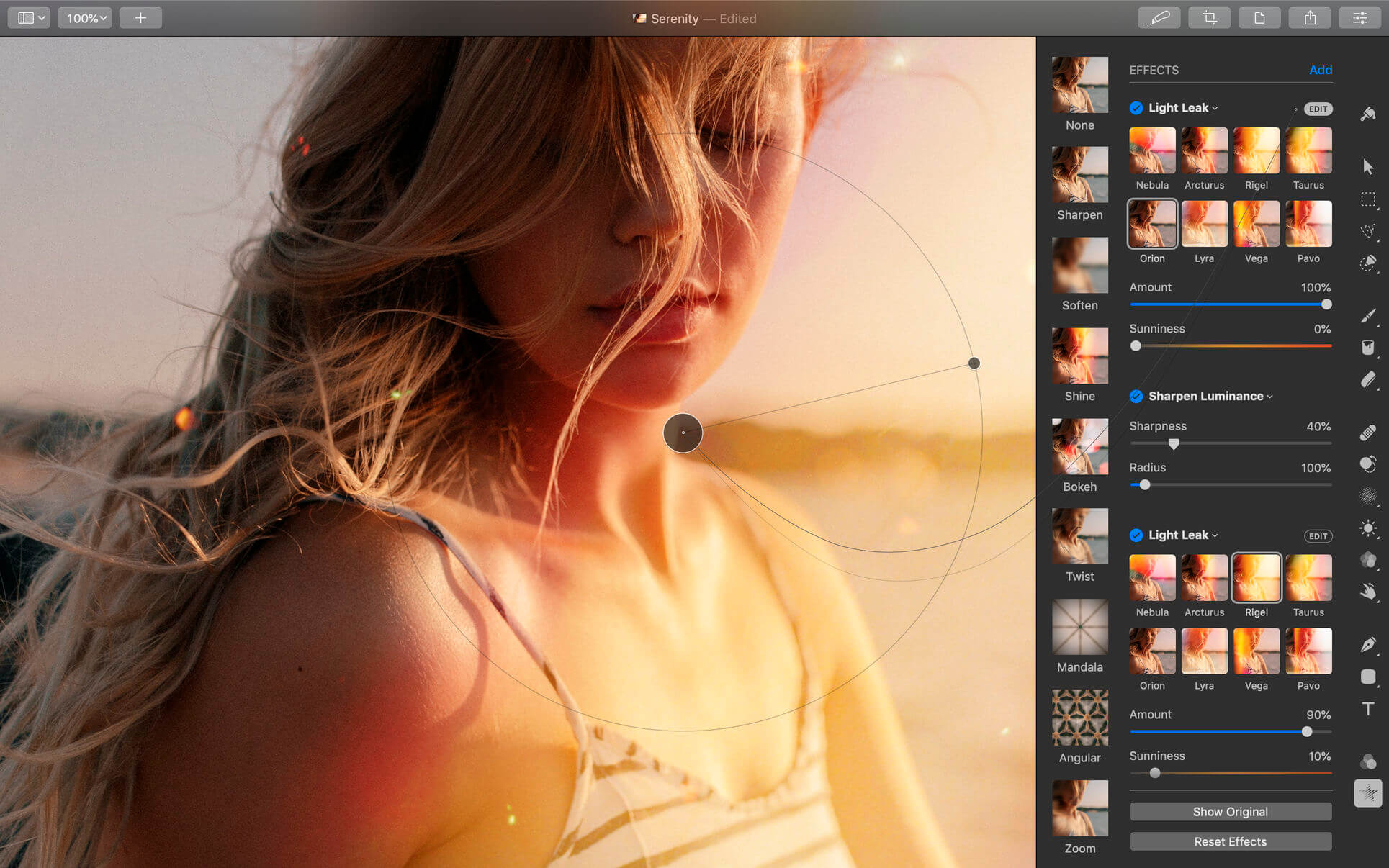
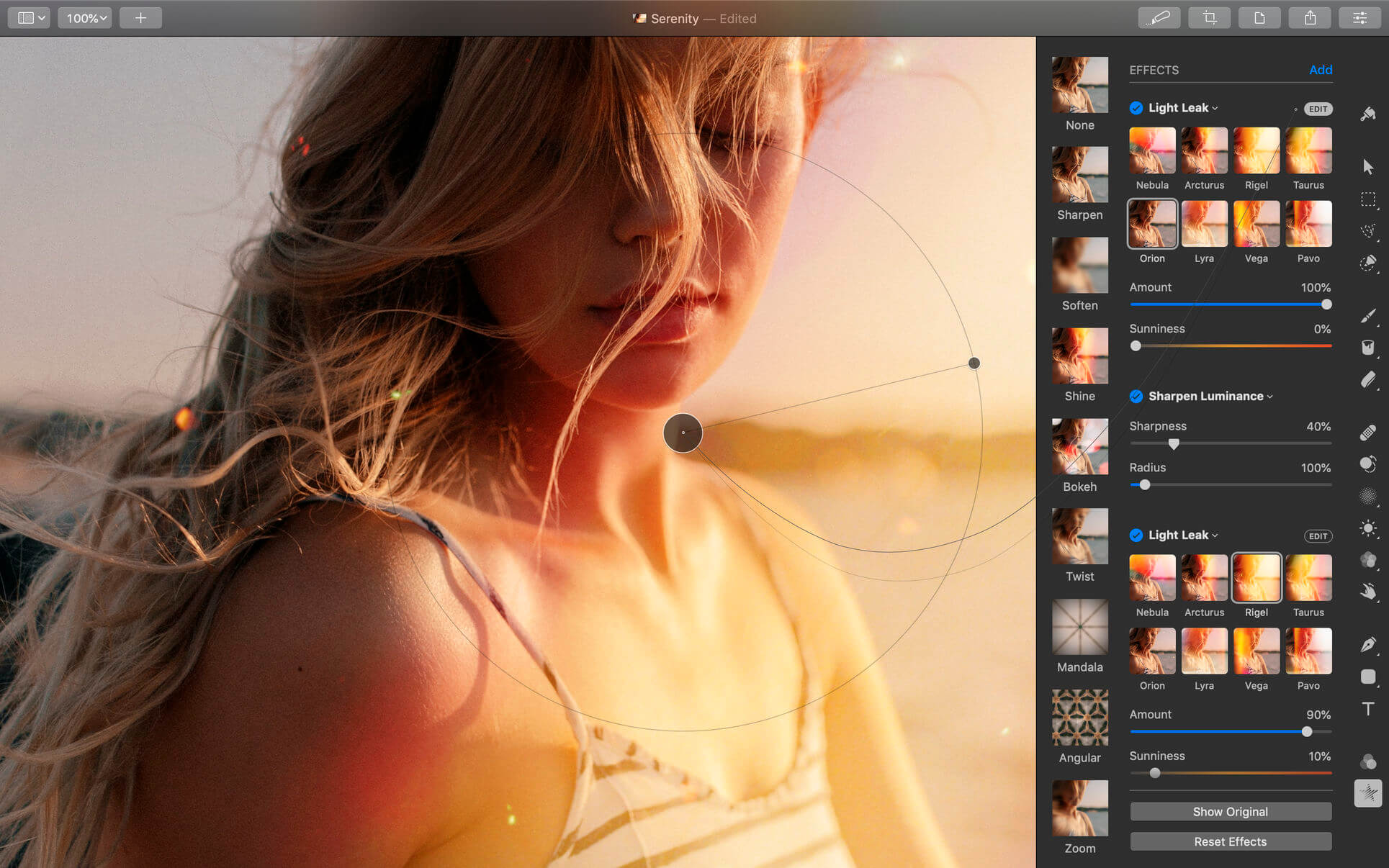
Pixelmator Pro is an incredibly powerful, beautiful, and easy to use image editor designed exclusively for Mac.
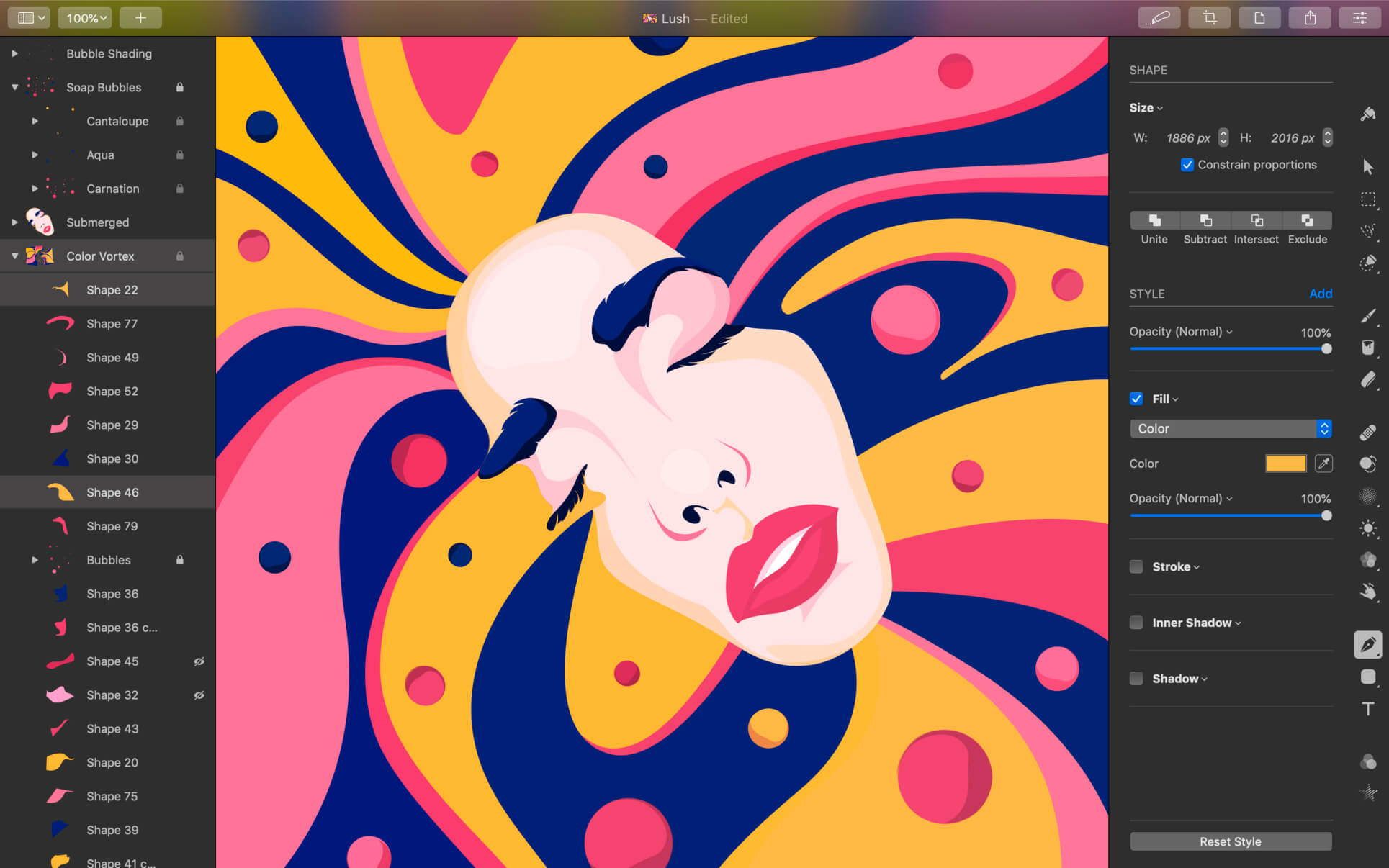
With a wide range of professional-grade, nondestructive image editing tools, Pixelmator Pro lets you bring out the best in your photos, create gorgeous compositions and designs, draw, paint, apply stunning effects, design beautiful text, and edit images in just about any way you can imagine. And thanks to its intuitive and accessible design, Pixelmator Pro is delightfully easy to use — whether you’re just starting out with image editing or you’re a seasoned pro.

Exceptional Design and Functionality

  • The modern, single-window interface of Pixelmator Pro is designed exclusively for working with images on a Mac
  • An intuitive and refined design makes image editing easy and accessible, even if you’re a complete beginner
  • Native dark and light appearances adapt to the light and dark modes of macOS
  • A customizable interface lets you organize your creative environment just the way you want
  • Choose from workspace presets created for photography, design, illustration, and painting
  • A full-featured Photos extension lets you edit images using Pixelmator Pro without ever leaving Photos, saving layered, nondestructive edits directly to your library

Professional Tools

  • Enhance your existing images and create new ones using every image editing tool you could ever need
  • Edit nondestructively, adjusting individual changes whenever you like
  • Easily move, resize, and arrange objects to create stunning compositions
  • Adjust colors with a collection of nondestructive, machine learning-powered color adjustments
  • Enjoy superior support for RAW files, editing RAW images using all their extended range data
  • Create digital or traditional paintings using handcrafted, fully-customizable, dual-texture brushes with full support for digital graphics tablets
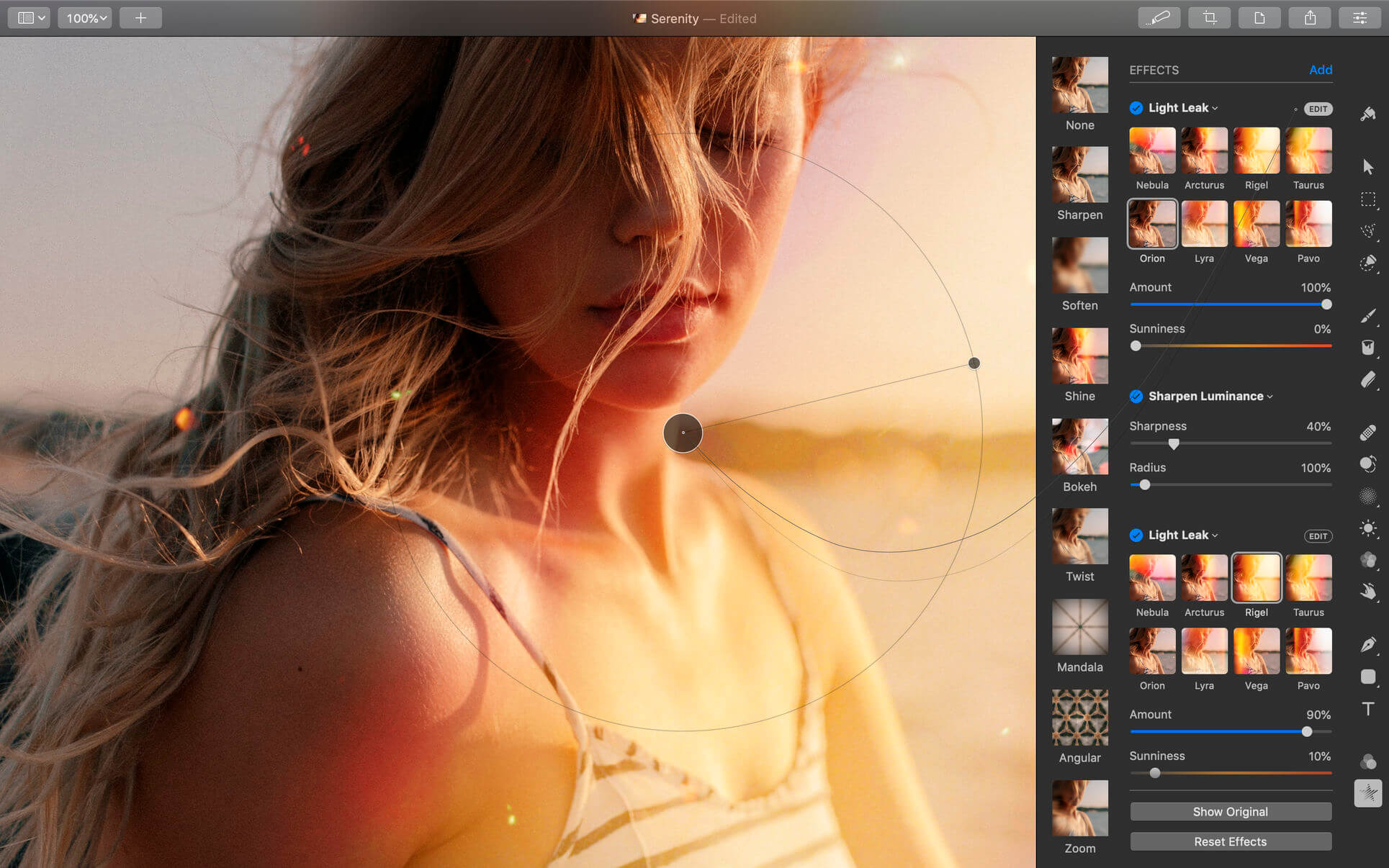
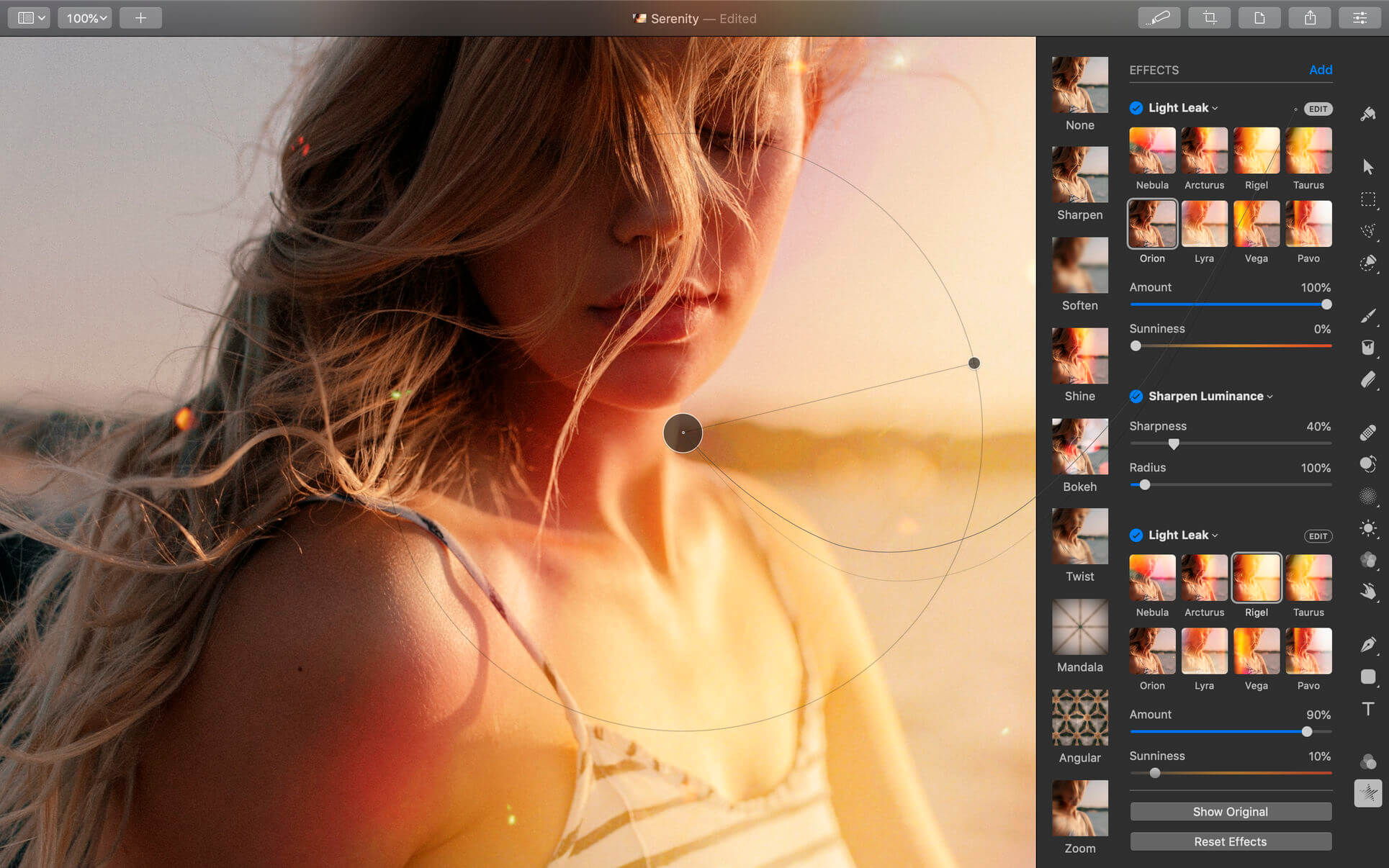
  • Combine the built-in effects to create any artistic or special effects you can imagine
  • Save adjustment, effect, and layer style combinations as presets, use them in any of your images, and share them with others
  • Speed up image editing with hundreds of presets for color adjustments, effects, layer styles, and shapes
  • Magically remove small imperfections or entire objects, seamlessly clone parts of your photos, and lighten or darken precise areas using a full set of retouching tools
  • Use the reshaping tools to easily change the shape of any object or area in your images
  • Add customizable vector graphics designed by the Pixelmator Team
  • Create your own vector graphics using the Pen tool
  • Easily design great-looking text with a full set of typography tools
  • Quickly create curved, circular, and path text
  • Optimize and save your images for the web, using advanced compression to shrink file sizes
  • Batch process images using built-in Automator actions
  • Effortlessly automate workflows using full-featured AppleScript support

Image Editing Enhanced by Machine Learning

  • Magically remove objects, recreating image areas with stunning realism using the Repair tool
  • Use ML Enhance to intelligently enhance photos with a machine learning algorithm trained on millions of professional photos
  • Zoom and enhance image resolution with the incredible ML Super Resolution
  • Automatically copy the look of one photo to another with ML Match Colors
  • Remove image noise and compression artifacts while preserving details using ML Denoise
  • Quickly make accurate selections with ease using the Quick Selection tool

Compatibility

  • Open and edit images in all the most popular image formats, including JPEG, TIFF, PNG, PSD, HEIF, SVG, PDF, GIF, BMP, TGA, WebP and JPEG-2000
  • Open and edit Photoshop images with layers
  • Open and edit SVG vector images
  • Share your images to Photos, Mail, AirDrop, and other locations

Built Exclusively for Mac

  • Designed exclusively for macOS, Pixelmator Pro supports almost every major macOS feature and integrates seamlessly with macOS Big Sur.

Compatibility: macOS 11.0 or later
Homepage https://apps.apple.com/pk/app/pixelmator-pro/id1289583905

Screenshots

JixiPix Artista Impresso Pro 1.8.20

Name: Impresso_Pro_1.8.20_Mactorrents.biz.dmg
Size: 121 MB
Files Impresso_Pro_1.8.20_Mactorrents.biz.dmg[121 MB]

   Download Torrent

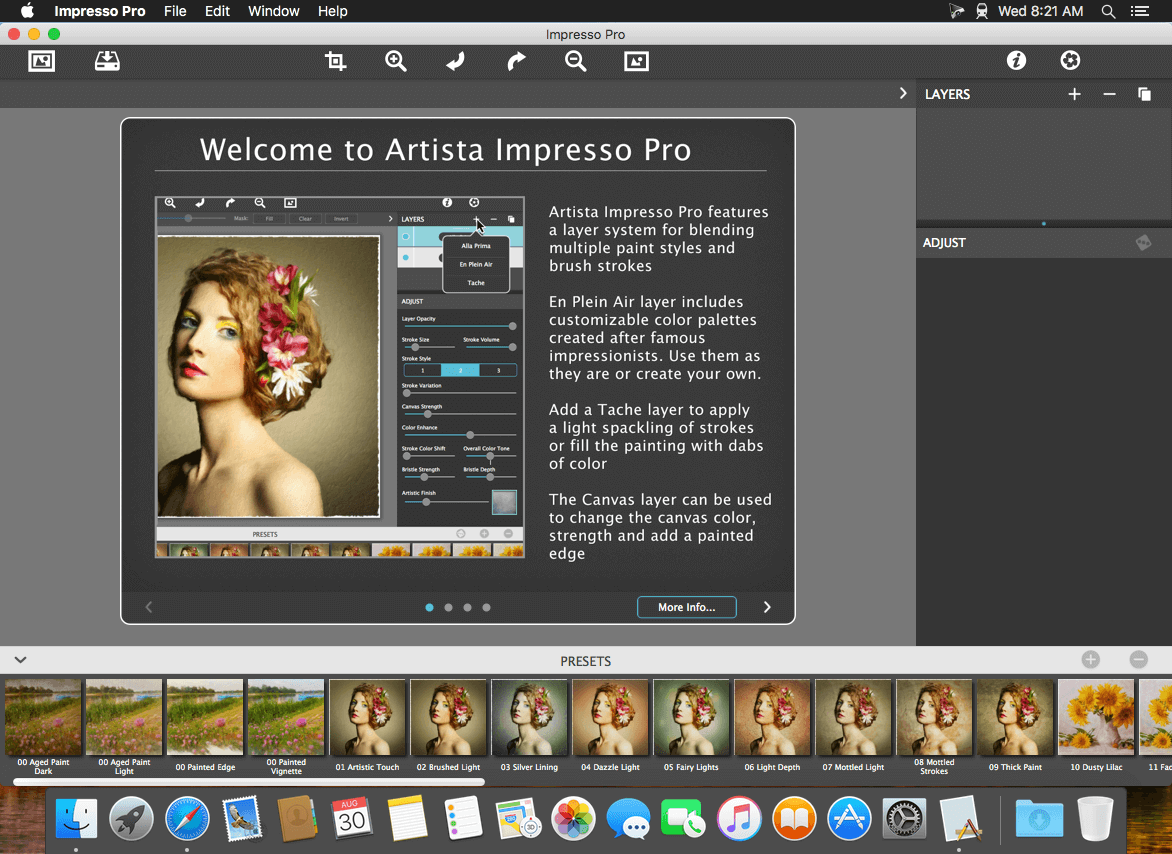
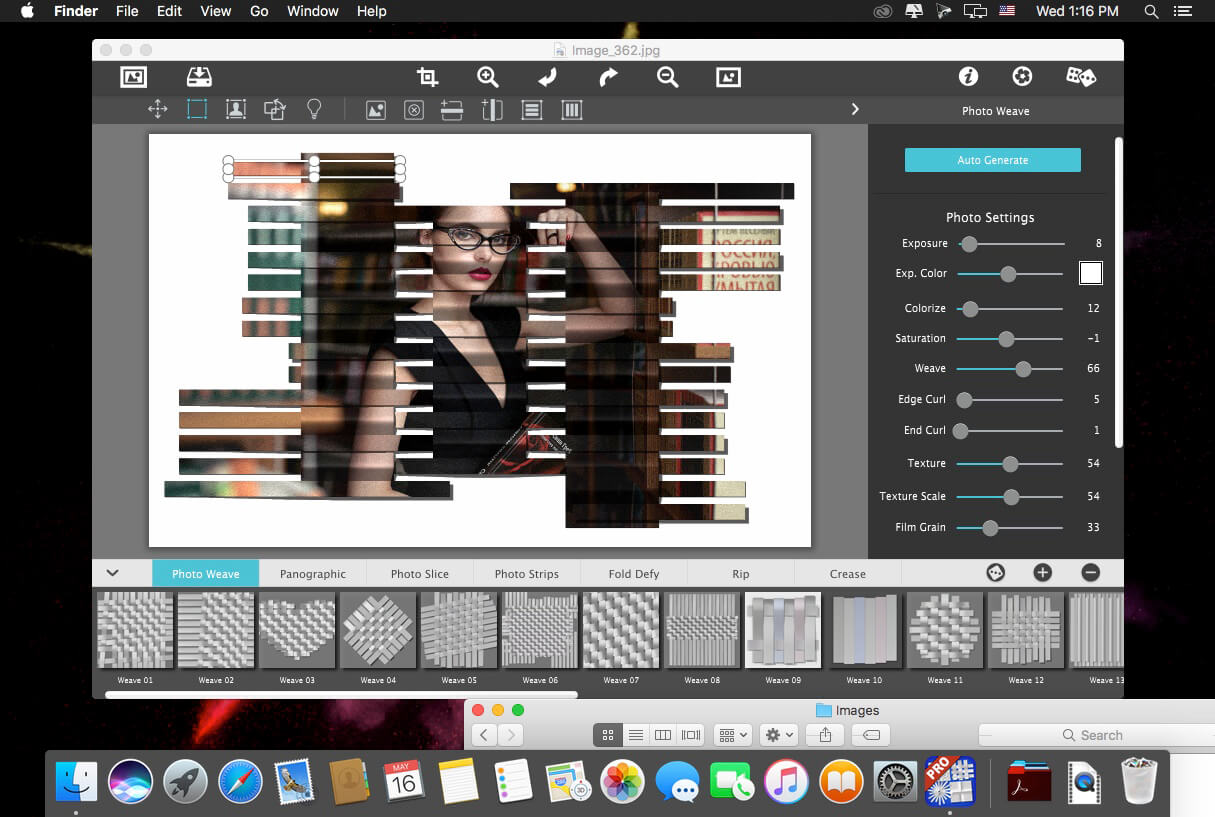
For professionals who like creative control we give them Layers for blending multiple paint styles and brushes to paint on and off the impressionism strokes. We have also included an ultra-impressionism effect called ‘Tache’ to cover the painting with broken brush strokes or dabs of color that literally stand out, apply them sparsely or cover the entire painting, the choice is yours.

The 19th century brush-wielding Impressionist artists were crazy about flowers and gardens, and it was good. With flowing brush strokes and thickly painted texture, Van Gogh made his Sunflowers immortal with harmonious movement of color, contrast, and form. Monet made his Water Lilly Pond a celebrity. It took their genius and a lifetime of practice navigating the riot of their senses, but these extraordinary artists took what they saw and felt in the petals and leaves and transferred their impressions onto canvasses full of beauty, mood and meaning.

Lucky you, 21st century software wielding seer and lovers of beauty, Impresso gives you the same enduring attention to detail, light, color and texture by transforming your photos into multi-textured, stroke-filled Impressionist masterpieces. Keen eyes will love how Impresso maintains the balance of your piece! The results are captivating paintings brimming with passion, life, and beauty.

Features
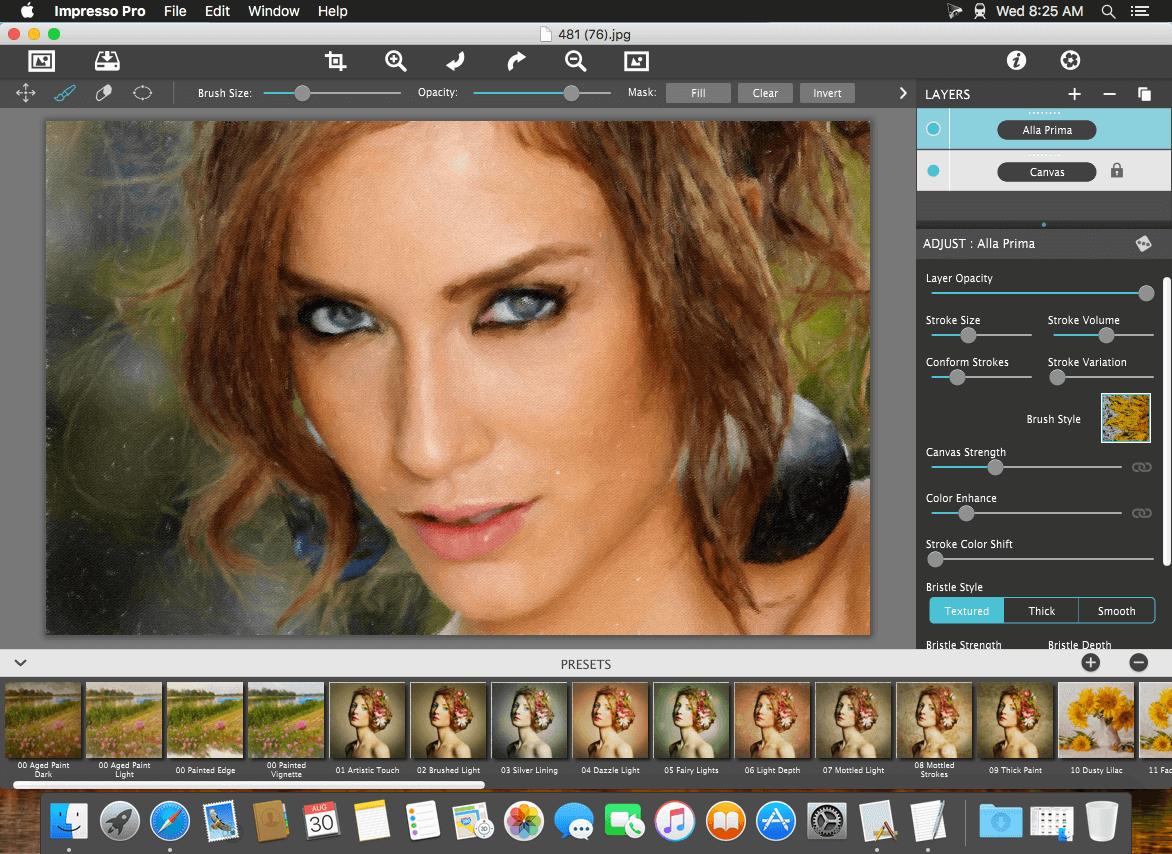
A pro workflow adds impressionism styles per layer. With Layers, users can blend styles using brushes to paint on or off areas in the painting! Also, included is the powerful Ellipse Detail tool to add finely painted details to faces, flowers or to create focal points in landscapes. Once completed , resize then hit the ‘Apply’ button to render small brushstrokes inside the Ellipse. With layers photographers and artists now have the power to composite multiple impressionism styles for impressive results.

IMPRESSIONISM STYLES

  • Alla Prima (‘wet-on-wet’ or ‘all-at-once’)—is great for portraits! This beautiful paint style starts by filling the painting with an abundance of brushstrokes. A library of artistic finishes compliments this style by adding light, color and movement with controls over strength.
  • En Plein Air (in open air) is perfect for landscapes. This stroke-filled effect consists of eight artists’ palettes created by famous impressionists. Use them as they are or edit the paint colors to make your own palette. The Save Preset feature keeps the palette and all the layers intact for future projects.
  • Tache (‘spot’ or ‘blot’) applies broken brushstrokes throughout the image. This technique of laying thick patches, flecks and dabs of color is great for making paint look as if it stands out from the surface. Apply a light spackling of strokes or fill the painting with dabs of color—the choice is up to you!
  • Canvas layer is added to each painting created. By creating a canvas layer, it can now be turned on or off for viewing strokes created on previous layers. As with traditional methods, the canvas is an integral part of the painting, so we have locked the layer to keep it from being accidentally deleted.

INCLUDES

  • Three stroke styles: #1 is a series of straighter strokes, #2 combines the first style with curved ones, and #3 is an abstract set. Then the Tache effect has its own custom set of brushes designed for depth.
  • Three Impressionism styles: Alla Prima, En Plein Air and Tache (pronounced tash)
  • Pro Layers with built-in Impressionism styles for multi-layer types and options to duplicate, reorder, and delete them
  • Control over detail ellipse tool, stroke size, stroke volume, bristle strength & depth, artistic finishes and the painted edge
  • Save Preset to save customized paint palettes and keep all strokes & layers intact for future projects
  • Smart brushes to remove or add impressionism effect—the brushes are smart because they remove the effect by stroke
  • Mask with fill, invert and clear to support brushes and layers
  • Canvas and linen texture
  • 8 Impressionist palette styles
  • One-touch paint styles
  • 70 Artistic finishes
  • One-of-a-kind ellipse detail tool renders small brush strokes inside the placed area
  • Plugin for Photoshop CS3+, Lightroom and Elements for Mac and Windows

Compatibility: macOS 10.9 or later
Homepage https://jixipix.com/artista-impresso-pro/details.html

Screenshots


Pixelmator Pro 3.3.12

Name: Pixelmator_Pro_3.3.12_Mactorrents.biz.dmg
Size: 580 MB
Files Pixelmator_Pro_3.3.12_Mactorrents.biz.dmg[580 MB]

   Download Torrent

Pixelmator Pro is an incredibly powerful, beautiful, and easy to use image editor designed exclusively for Mac.
With a wide range of professional-grade, nondestructive image editing tools, Pixelmator Pro lets you bring out the best in your photos, create gorgeous compositions and designs, draw, paint, apply stunning effects, design beautiful text, and edit images in just about any way you can imagine. And thanks to its intuitive and accessible design, Pixelmator Pro is delightfully easy to use — whether you’re just starting out with image editing or you’re a seasoned pro.

Exceptional Design and Functionality

  • The modern, single-window interface of Pixelmator Pro is designed exclusively for working with images on a Mac
  • An intuitive and refined design makes image editing easy and accessible, even if you’re a complete beginner
  • Native dark and light appearances adapt to the light and dark modes of macOS
  • A customizable interface lets you organize your creative environment just the way you want
  • Choose from workspace presets created for photography, design, illustration, and painting
  • A full-featured Photos extension lets you edit images using Pixelmator Pro without ever leaving Photos, saving layered, nondestructive edits directly to your library

Professional Tools

  • Enhance your existing images and create new ones using every image editing tool you could ever need
  • Edit nondestructively, adjusting individual changes whenever you like
  • Easily move, resize, and arrange objects to create stunning compositions
  • Adjust colors with a collection of nondestructive, machine learning-powered color adjustments
  • Enjoy superior support for RAW files, editing RAW images using all their extended range data
  • Create digital or traditional paintings using handcrafted, fully-customizable, dual-texture brushes with full support for digital graphics tablets
  • Combine the built-in effects to create any artistic or special effects you can imagine
  • Save adjustment, effect, and layer style combinations as presets, use them in any of your images, and share them with others
  • Speed up image editing with hundreds of presets for color adjustments, effects, layer styles, and shapes
  • Magically remove small imperfections or entire objects, seamlessly clone parts of your photos, and lighten or darken precise areas using a full set of retouching tools
  • Use the reshaping tools to easily change the shape of any object or area in your images
  • Add customizable vector graphics designed by the Pixelmator Team
  • Create your own vector graphics using the Pen tool
  • Easily design great-looking text with a full set of typography tools
  • Quickly create curved, circular, and path text
  • Optimize and save your images for the web, using advanced compression to shrink file sizes
  • Batch process images using built-in Automator actions
  • Effortlessly automate workflows using full-featured AppleScript support

Image Editing Enhanced by Machine Learning

  • Magically remove objects, recreating image areas with stunning realism using the Repair tool
  • Use ML Enhance to intelligently enhance photos with a machine learning algorithm trained on millions of professional photos
  • Zoom and enhance image resolution with the incredible ML Super Resolution
  • Automatically copy the look of one photo to another with ML Match Colors
  • Remove image noise and compression artifacts while preserving details using ML Denoise
  • Quickly make accurate selections with ease using the Quick Selection tool

Compatibility

  • Open and edit images in all the most popular image formats, including JPEG, TIFF, PNG, PSD, HEIF, SVG, PDF, GIF, BMP, TGA, WebP and JPEG-2000
  • Open and edit Photoshop images with layers
  • Open and edit SVG vector images
  • Share your images to Photos, Mail, AirDrop, and other locations

Built Exclusively for Mac

  • Designed exclusively for macOS, Pixelmator Pro supports almost every major macOS feature and integrates seamlessly with macOS Big Sur.

Compatibility: macOS 11.0 or later
Homepage https://apps.apple.com/pk/app/pixelmator-pro/id1289583905

Screenshots

Artstudio Pro 5.1.16

Name: Artstudio_Pro_5.1.16_Mactorrents.biz.dmg
Size: 243 MB
Files Artstudio_Pro_5.1.16_Mactorrents.biz.dmg[243 MB]

   Download Torrent

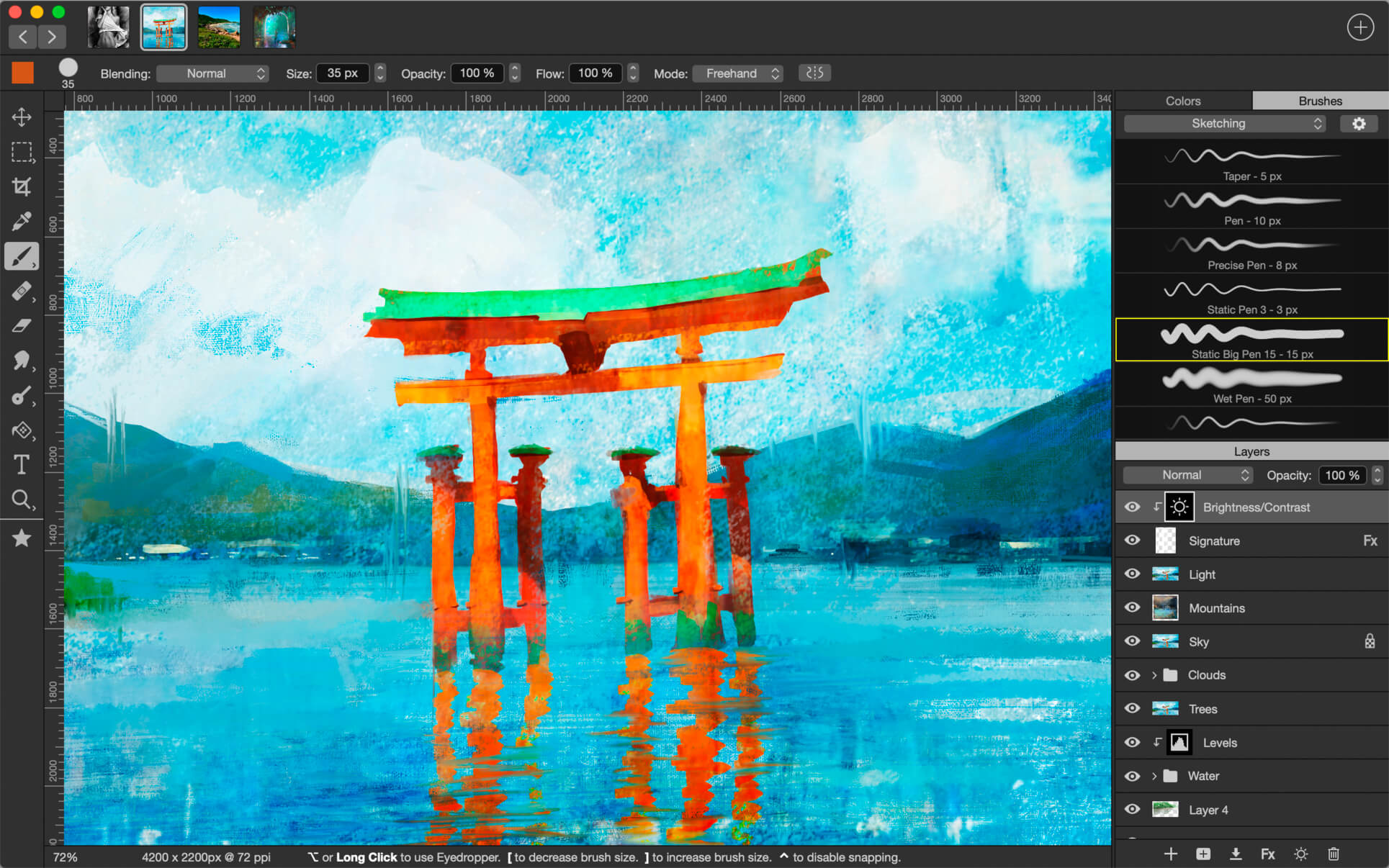
Introducing Artstudio Pro, the most powerful painting and photo editing app available for both macOS and iOS . The successor to our famous ArtStudio app has been redesigned bringing many new features and improvements taking full advantage of the latest technologies Metal, iCloud Drive, and optimized for 64-bit multi-core processors to achieve the smoothest possible workflow.

Hundreds of assets are included and users have the ability to import resources in the most popular formats (ABR, TPL, PAT, GRD, ASE, ACO) giving instant access to millions of brushes, patterns, gradients, color swatches and fonts. It will boost your creativity and help you bring your ideas to life quickly and easily.

New engine
The powerful GPU accelerated ArtEngine developed by Lucky Clan is 5-10 times faster than the previous engine. It allows working with multiple documents, supports large canvas sizes and an unlimited number of layers. Incredible optimization ensures smooth work even with large canvases.

  • Multiple open documents
  • Canvas size: 256Mpix
  • Unlimited layers
  • 27 tools: Move, Select, Crop, Eyedropper, Paint, Wet Paint, Eraser, Bucket/Pattern/Gradient Fill, Smudge, Dodge, Burn, Sponge, Text, Heal, Clone, and more

Flexible layer system
Artstudio Pro introduces a new layer system with grouping, non-destructive layer effects, and adjustment layers.

  • Groups
  • Masks, clipping masks
  • Adjustment layers
  • 9 layer effects: Bevel/Emboss, Stroke, Inner Shadow, Inner Glow, Outer Glow, Color/Gradient/Pattern Overlay, Drop Shadow
  • 27 blending modes
  • Text layers
  • Transform multiple layers simultaneously

Advanced Brush engine
Perfectly optimized, lag free mechanism generating smooth, real looking strokes, making the most of the stylus.

  • Brush size up to 4000×4000
  • 64-bit painting with pattern, double stamp, wet brush, dynamics
  • Brush editor with 80 customizable settings
  • Over 100 built-in brushes divided into a few groups: Painting, Sketching, Markers, Inking, Dots & Specks, and more
  • Symmetric painting with custom symmetry line

Professional photo editor
Photo editing options developed in cooperation with professional photographers. Each feature was tested in several scenarios and light conditions.

  • 15 adjustments available as non-destructive layer or simple adjustment: Brightness/Contrast, Levels, Curves, Exposure/Gamma, Shadows/Highlights, Vibrance, Hue/Saturation, Color Balance, Temperature/Tint, Black and White, Gradient Map and more
  • 4 auto adjustments: Auto Contrast, Levels, Lightness, Saturation
  • Dozens of filters with realtime preview and the ability to generate seamless patterns
  • Inpaint, Elastify (Liquify) ,Lighting, Depth Of Field, Denoise
  • Retouching tools: Heal, Dodge, Burn, Sponge and more
  • Image resize, Canvas resize
  • Crop using special tool, crop from selection, trim transparent areas

Import/Export
We have implemented many parsers from the most popular assets/images formats and we are especially proud of our ABR/TPL parser which not only reads brush stamps and patterns, but also most settings which are converted to Artstudio Pro brush engine values.

Import

  • Images – PNG, JPEG, PSD, HEIC, TIFF, GIF, most raw formats
  • Brushes – ABR, TPL
  • Color swatches – ASE, ACO
  • Patterns – PAT
  • Gradients – GRD
  • Fonts – TTF, OTF

Export

  • Images – PNG, JPEG, PSD, TIFF, PDF

Other features

  • Full iCloud integration
  • Screen recording
  • All features available on macOS, iPad and iPhone
  • Selection displayed as marching ants, quick mask or invisible
  • Snapping to guidelines, dynamic guidelines, grid
  • Perspective grid assist
  • Mirror (flipped) view
  • Canvas rotation

Compatibility: macOS 11.0 or later
Homepage https://geo.itunes.apple.com/app/id1313773050

Screenshots


Iridient Developer 4.0.0

Name: RawDeveloper_4.0_Mactorrents.biz.dmg
Size: 35.0 MB
Files RawDeveloper_4.0_Mactorrents.biz.dmg[35.0 MB]

   Download Torrent

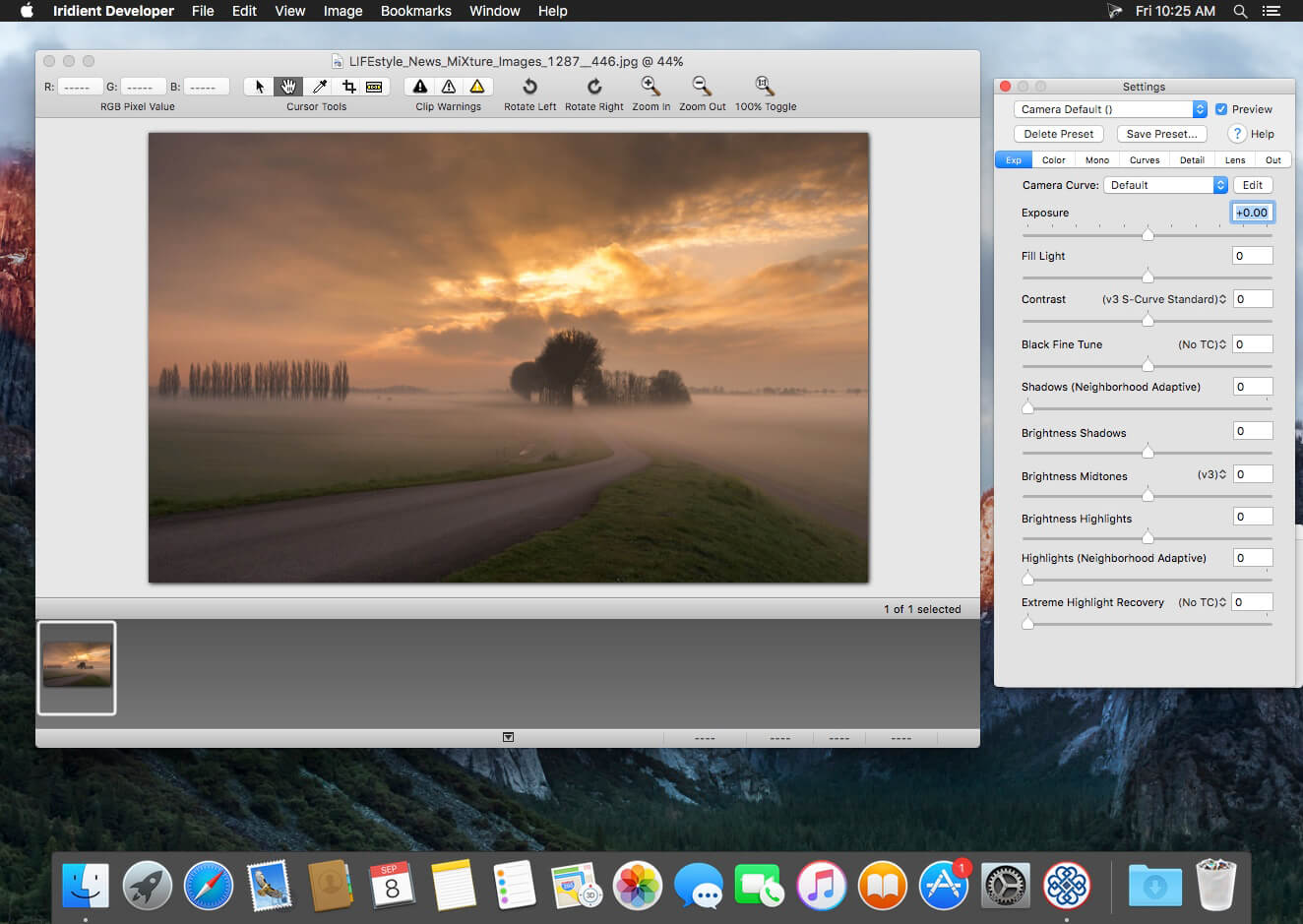
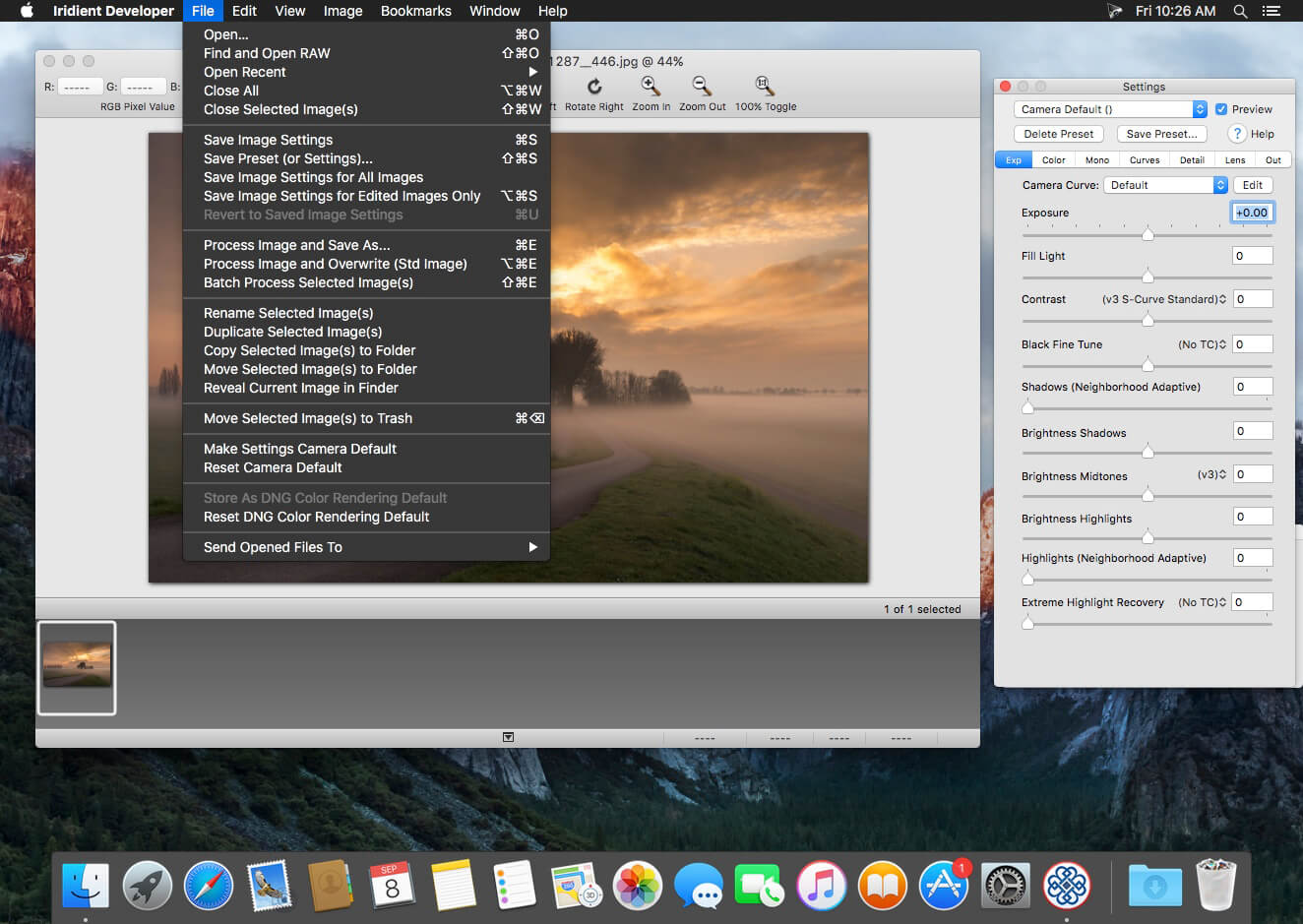
Iridient Developer is a powerful RAW image conversion application designed and optimized specifically for Mac OS X. Iridient Developer gives advanced photographers total control over their digital photographs, yet still provides easy drag and drop batch conversion and access to basic adjustments for the casual user.

Advanced Sharpening and Noise Reduction Algorithms Iridient Developer offers SIX advanced sharpening methods, including “Iridient Reveal”, a “super” sharpener utilizing aspects of both state of the art edge enhancement techniques and deconvolution, traditional unsharp masking, high pass, difference of gaussians, a unique “hybrid” sharpening algorithm and an advanced Richardson-Lucy Deconvolution based method. All are processed in a special 32 bits/channel floating point color space to avoid color artifacts and provide amazing detail. Powerful hot/dead pixel filters and new, state of the art noise reduction methods help eliminate noise, especially from images taken with long exposures or high ISO settings. All sharpening methods also now support advanced edge masking for limiting the sharpening effect to just edge regions while leaving “flat” or low contrast areas of the image unchanged.  

High Quality Image Resizing Whether down sizing for the web or producing massive prints for gallery display, Iridient Developer offers a wide range of resizing methods that allow you fine tune the level of output to best suit your own preferences from incedibly high levels of sharpness and detail to smooth, artifact free output.  

Fabulously Flexible Camera Color Specification Iridient Developer includes support for just about any camera color specification imaginable from industry standard ICC color profiles to DNG color matrix values to the latest DNG v1.4 camera profile (DCP) specification to camera manufacturer specific color metadata. Iridient Developer provides incedible control over establishing the ideal color starting point for your photos whether you want to use custom camera profiling solutions or simply to match a color look provided by the camera manufacturer or just about any other RAW processing software.  

Extensive Image Adjustment Options You’re in total control of every step of the conversion process, fully editable tone curves in RAW, RGB and LAB color spaces, advanced highlight recovery, white balancing, noise reduction, sharpening, exposure compensation, brightness, contrast, saturation and more.  

Super Monochrome (Black And White) Conversion Options High quality black and white conversion options including direct access to RAW image color planes, standard RGB channel mixers, perceptual LAB lightness based conversion, luma, desaturation, intensity, custom duotones and other toning options including curves.

Fast, High Quality Image Previews RAW developer allows you to view and make all image adjustments while viewing a full resolution, fully color managed, 16 bit per channel preview.  

Advanced Histogram View Supports 256, 512 or an extra wide 1024 levels of detail. Viewing modes include RGB, individual R, G, B channels, all three colors at once, CIE Lightness, CIE Luminance, CIE Chroma (ab), luminosity, hue and saturation.  

Fully Configurable Color Management Support for two high quality color management engine options including Apple’s ColorSync and LittleCMS 2.6 which includes full support for the latest ICC v4.3 standard. Ability to specify camera or image specific input profiles, RGB working space profiles for image adjustments and final image output profiles. Automatic support for LAB and chroma color space curves without any manual color space changes.  

Unlimited batch processing You can continue making image adjustments while other images are converted in the background. Supports, easy drag and drop image conversion with flexible file naming options and support for multiple file formats including JPEG, TIFF, PNG, JPEG2000 and more.  

Multithreaded and vector processor (SSE3+) optimized Iridient Developer takes full advantage of multi-core and multi processor systems and the advanced vector processing capabilities of Intel processors. Highly optimized for all the latest and greatest Mac OS X technologies including Grand Central Dispatch (GCD), 64-bit processing, Core Image, Quartz Extreme and more. All image processing is handled by secondary threads so your real time editing work is never blocked waiting for export processing to complete.  

Support for IPTC, XMP and EXIF v2.3 metadata EXIF, IPTC and XMP metadata is supported when exporting to TIFF, PNG or JPEG image formats.  

“Processing Disabled” Output Mode Ability to bypass all image adjustments and all color matching operations for fast, high quality export of linear files intended for further processing with other image processing programs or RAW workflows. Also useful for creating non-color matched output for use in generating custom camera or scene profiles with ICC camera profiling software.

Compatibility: macOS 10.13 or later
Homepage https://www.iridientdigital.com/products/rawdeveloper.html

Screenshots


4K Stogram Pro 4.6.2

Name: 4K_Stogram_4.6.2_Mactorrents.biz.dmg
Size: 55 MB
Files 4K_Stogram_4.6.2_Mactorrents.biz.dmg[55 MB]

   Download Torrent

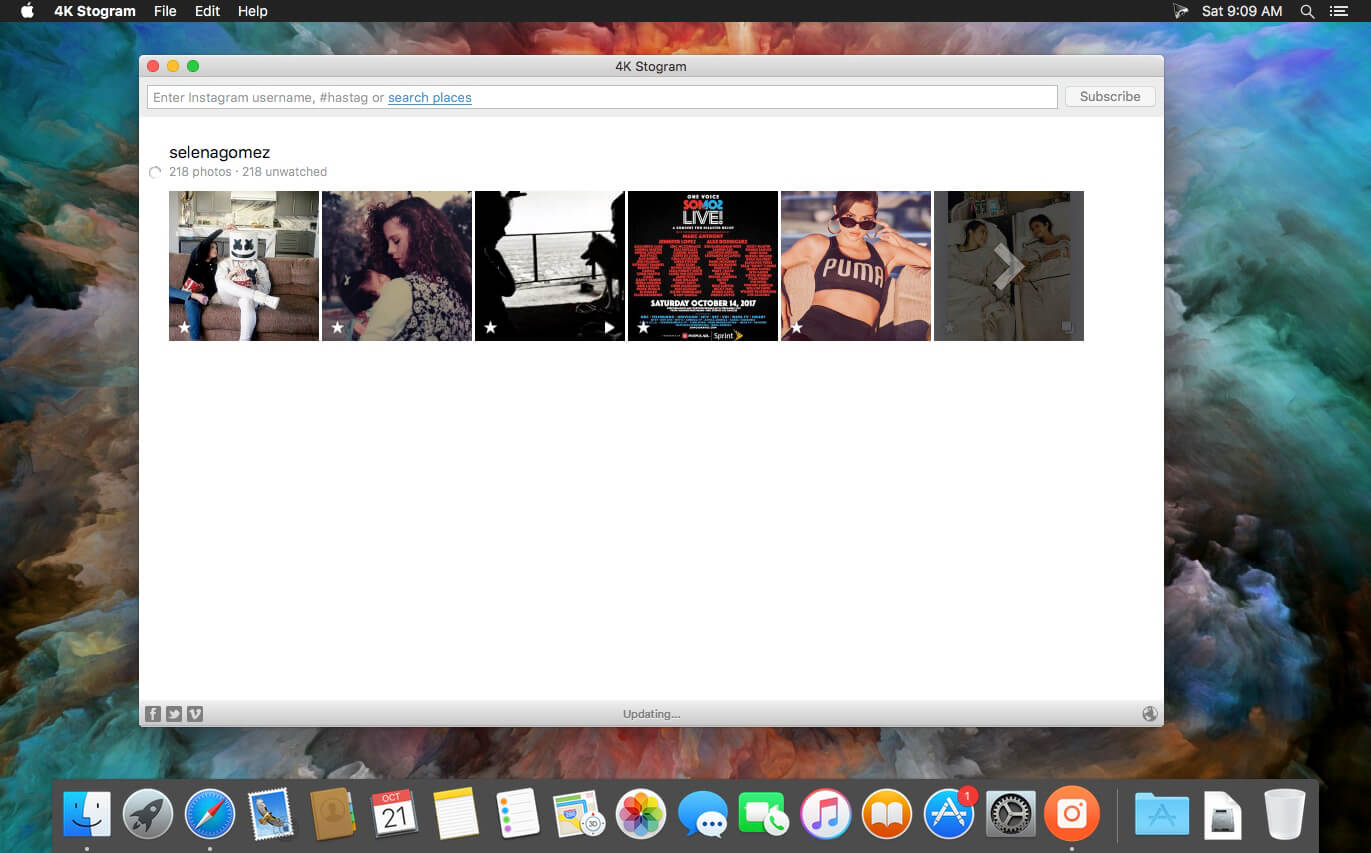
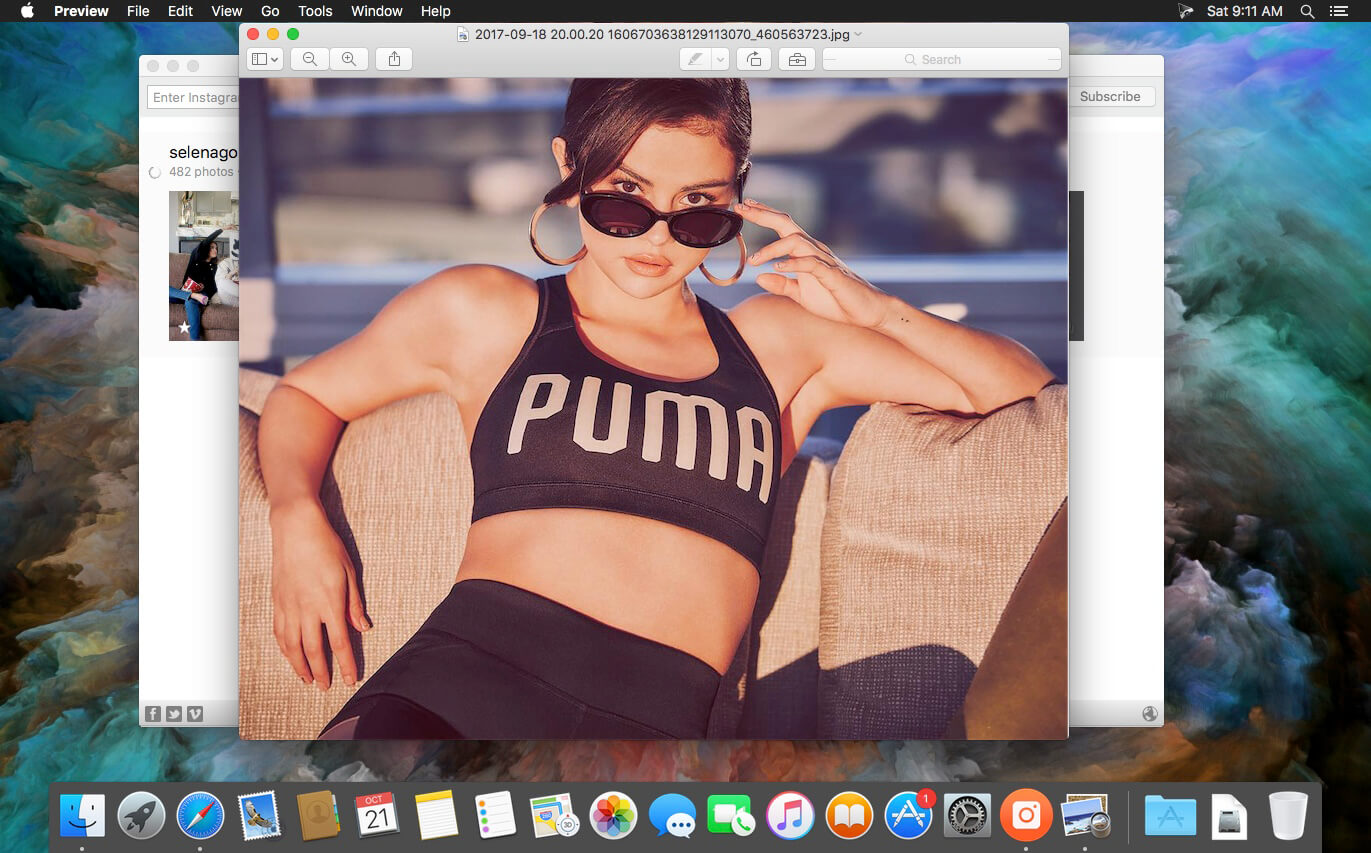
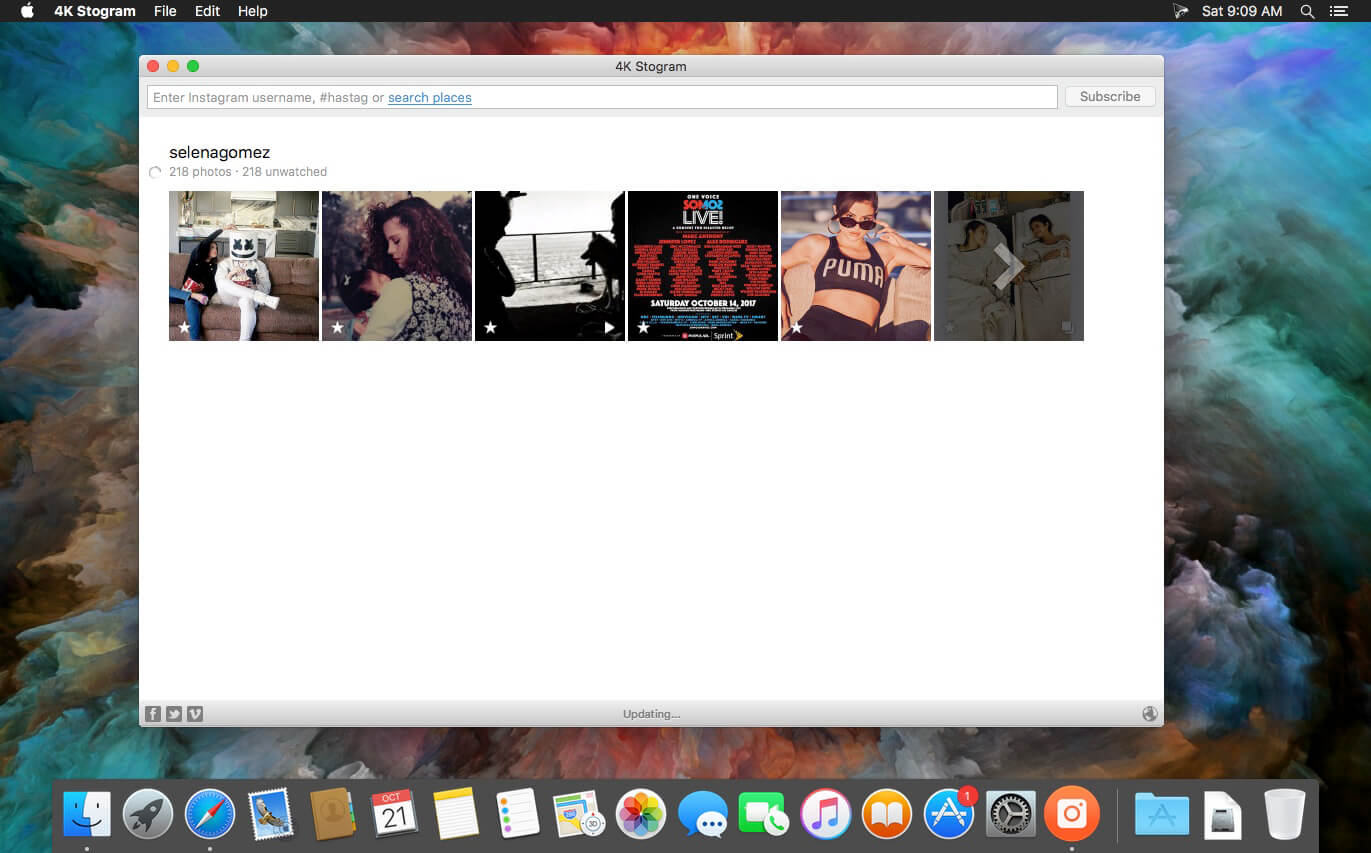
4K Stogram is an Instagram downloader which allows you to download and backup Instagram photos and videos, even from private accounts. Download Instagram photos by hashtags or favorite locations!

Features:

  • Grab photos of few account simultaneously and save it in JPEG on your desktop.
  • Follow your favourite photographers and get their latest photos automatically.
  • Download Instagram Stories as video or image files.
  • Login with your Instagram credentials and download photos of private friends accounts.
  • Access to your viewer directly from the application.
  • Download Instagram video in MP4 format.
  • Enjoy the minimalistic interface of application.

What’s New:

Version 4.6.2:

  • Release notes were unavailable when this listing was updated.

Compatibility: OS X 10.13 or later 64-bit
Homepage https://www.4kdownload.com/products/product-stogram

Screenshots


EdgeView 4.3.0

Name: EdgeView_4.3.0_Mactorrents.biz.dmg
Size: 36 MB
Files EdgeView_4.3.0_Mactorrents.biz.dmg[36 MB]

   Download Torrent

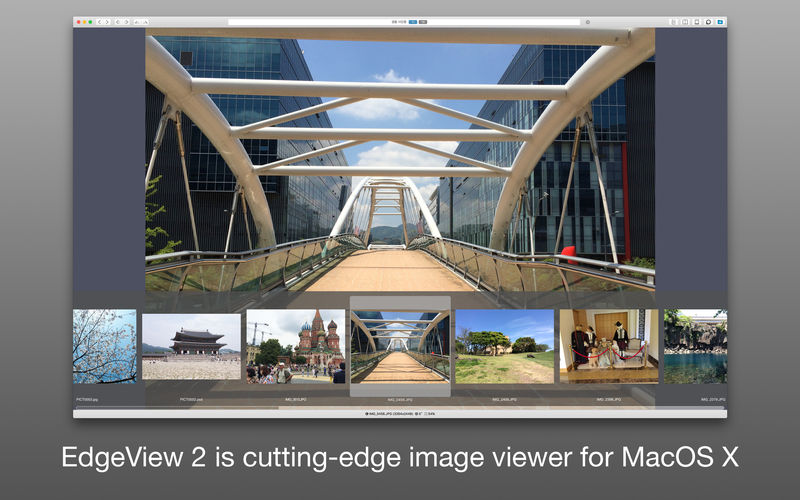
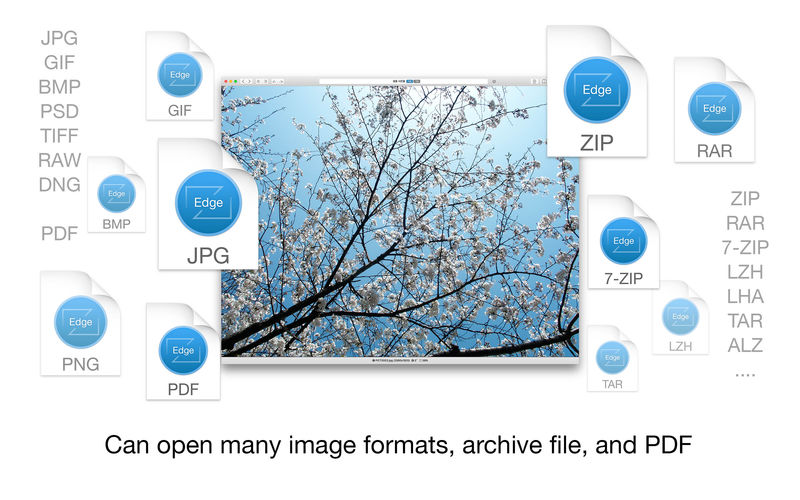
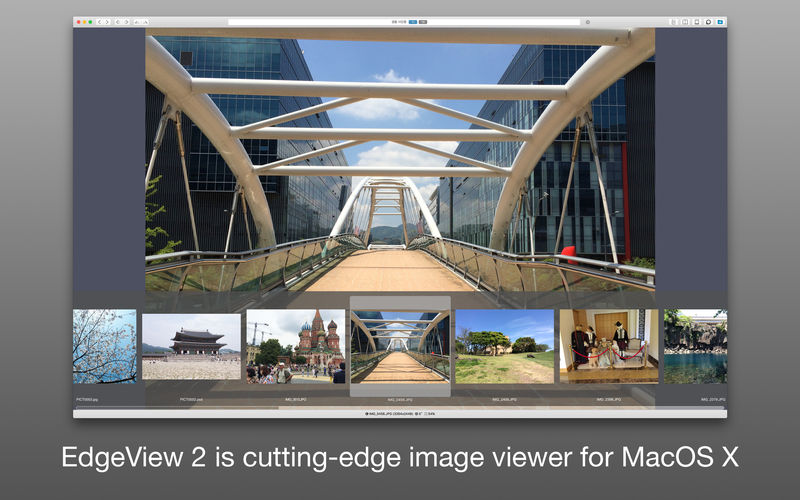
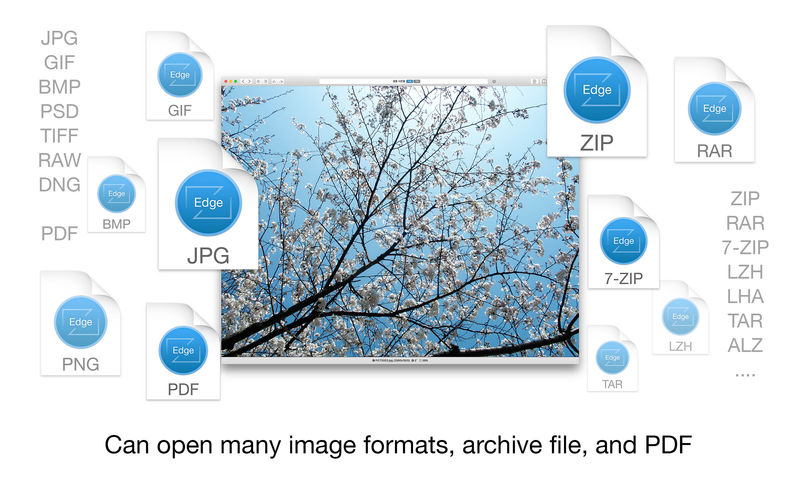
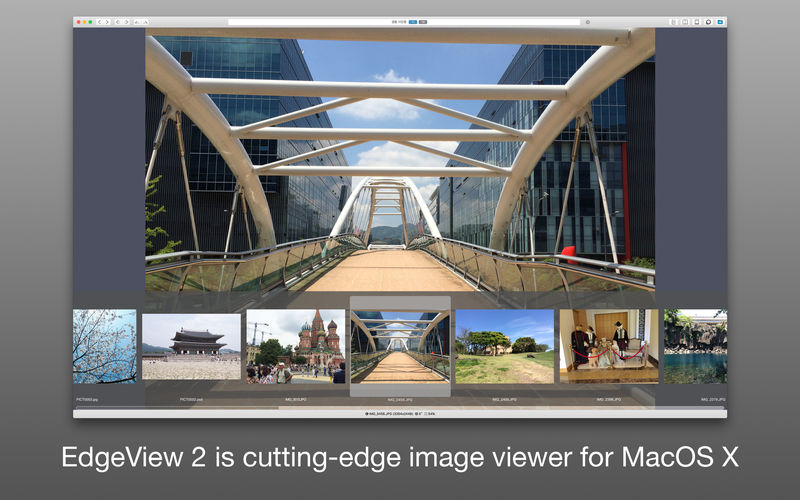
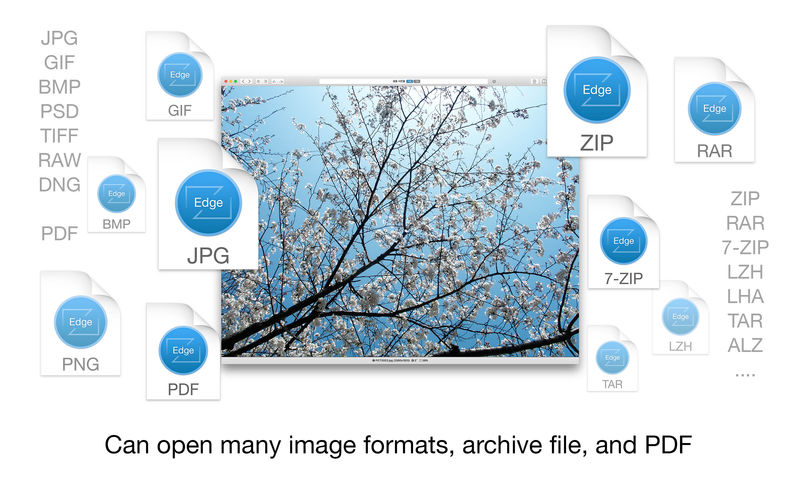
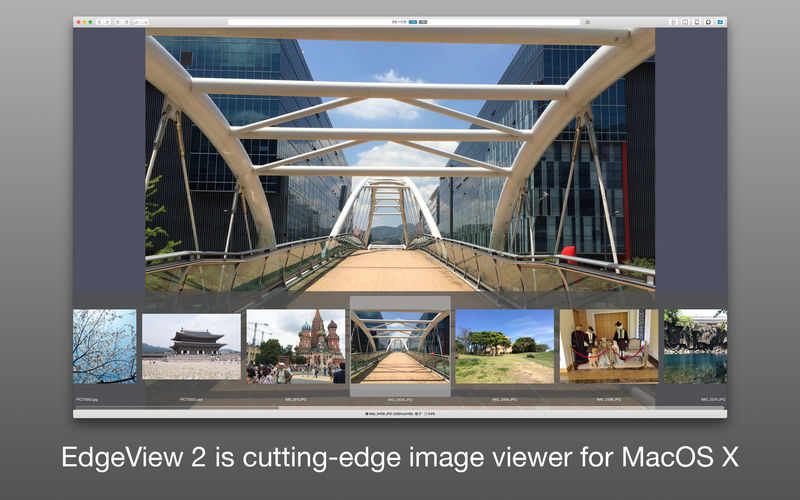
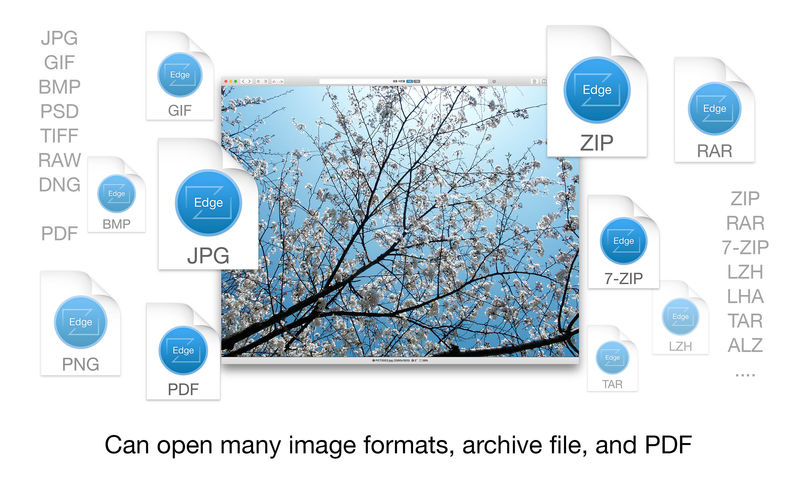
EdgeView 3 is fast image viewer has elegant user interface. EdgeView 3 is developed and designed for modern MacOS. It can open various image files such as JPEG, PNG, TIFF, BMP, and RAW file of DSLR, EPS and PDF, AI(Adobe Illustrator). Can open image files in archive directly without extraction.

User can open files, rename files, delete files from EdgeView’s file browser. Also can access to SMB/AFP/FTP network volume.

User can navigate images quickly by using keyboard shorcut, mouse wheel, trackpad gesture. EdgeVew show EXIF information, play animation GIF/PNG/WebP smoothly. Save last status to history, and restore when reopen file.

EdgeView 3 will be the best choice when viewing and managing image files.

Features

  • Rewrote full code as Swift for improve performance.
  • Support m1 CPU Mac.
  • Has easy UI, can control main function at Sidebar.
  • Support English/Korean/Japanese/Chinese(Simplified).

Image Viewer

  • Supporting image files such as JPG, GIF, BMP, PSD, TIFF, RAW, WEBP and PDF, EPS, AI(Adobe Illustrator), OpenEXR, HDR, TGA.
  • Can play animation GIF/PNG/WebP. User can control animation with floating animation controller.
  • Dispaly internal image(or frame) of animation GIF/PNG/WebP or HEIC that has multiple internal image.
  • Can read and show images of major archive formats (such as ZIP, RAR, CBZ, CBR, 7-zip) without extraction. Of course, can open ZIP file that 4GB over.
  • Can read encrypted archive file.
  • Can read archive file in archive file recursively
  • Improved draw speed by rebuilt image cache system and drawing engine.
  • Draw images as high quality.
  • Provide suitable functions for comic reading such as ‘Two-Page Spread’, ‘Continuous Scroll mode’, ‘Right to Left’, etc.
  • Provide multiple navigation functions like as ‘Move’, ‘Skip’, ‘Shift’, etc.
  • User can navigate images and check whole thumbnails at Thumbnailsbar.
  • User can navigate images by using keyboard shortcut, mouse wheel, trackpad gesture.
  • Can rotate and flip images. Orientation will be saved to history.
  • User can select part of images, and copy it or save as file.
  • Can zoom in/out image freely.
  • Built-in loupe function to make it easier to magnify part of image.
  • Show histogram.
  • Show neighbor files list. And can open neighbor file.
  • Support history feature for saving and restoring last status of file.
  • Can reopen file or remove history at history list.
  • Can rate image files.

File Browser

  • Built-in file browser can show and open files from local drive or AFP/SMB/FTP network drive.
  • Can display files as lists or icon.
  • Show images in folder/archive file at preview panel.
  • Generate thumbnails of archive files and folders.
  • Support powerful search feature.
  • Show category and writer information.
  • User can sort files by various options, and can delete or rename files.
  • Can rate files or folders.

Others

  • Support customizing feature. Also user can change shortcuts.
  • Built-in Quick Look Extension generate thumbnails and preview of archive files at Finder.

Compatibility: macOS 11.1 or later
Homepage https://apps.apple.com/pk/app/edgeview-2/id1206246482

Screenshots


DxO PhotoLab 6 ELITE Edition 6.8.1.54

Name: DxO_PhotoLab_6_6.8.1.54_Mactorrents.biz.dmg
Size: 699.37 MB
Files DxO_PhotoLab_6_6.8.1.54_Mactorrents.biz.dmg[699.37 MB]

   Download Torrent

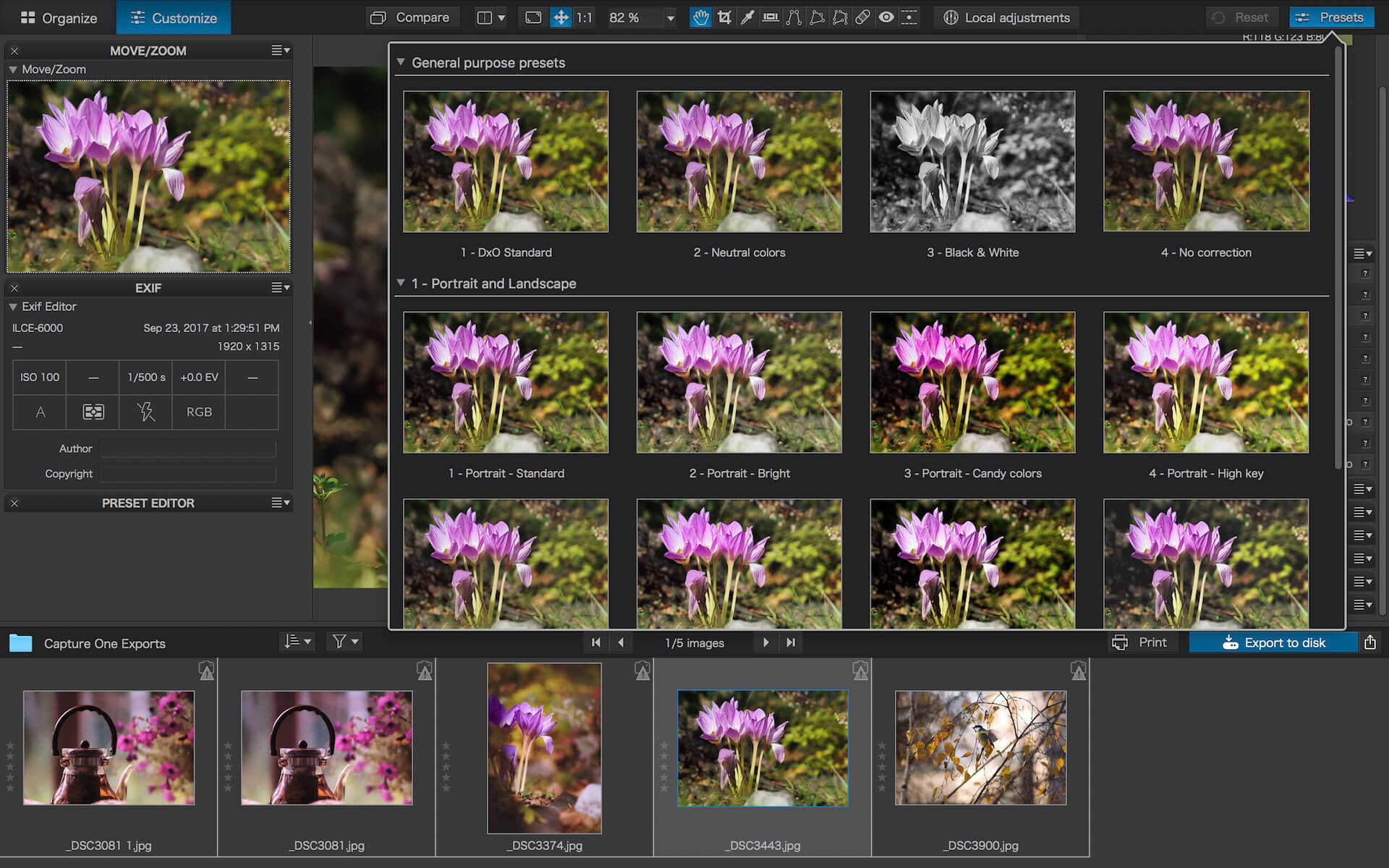
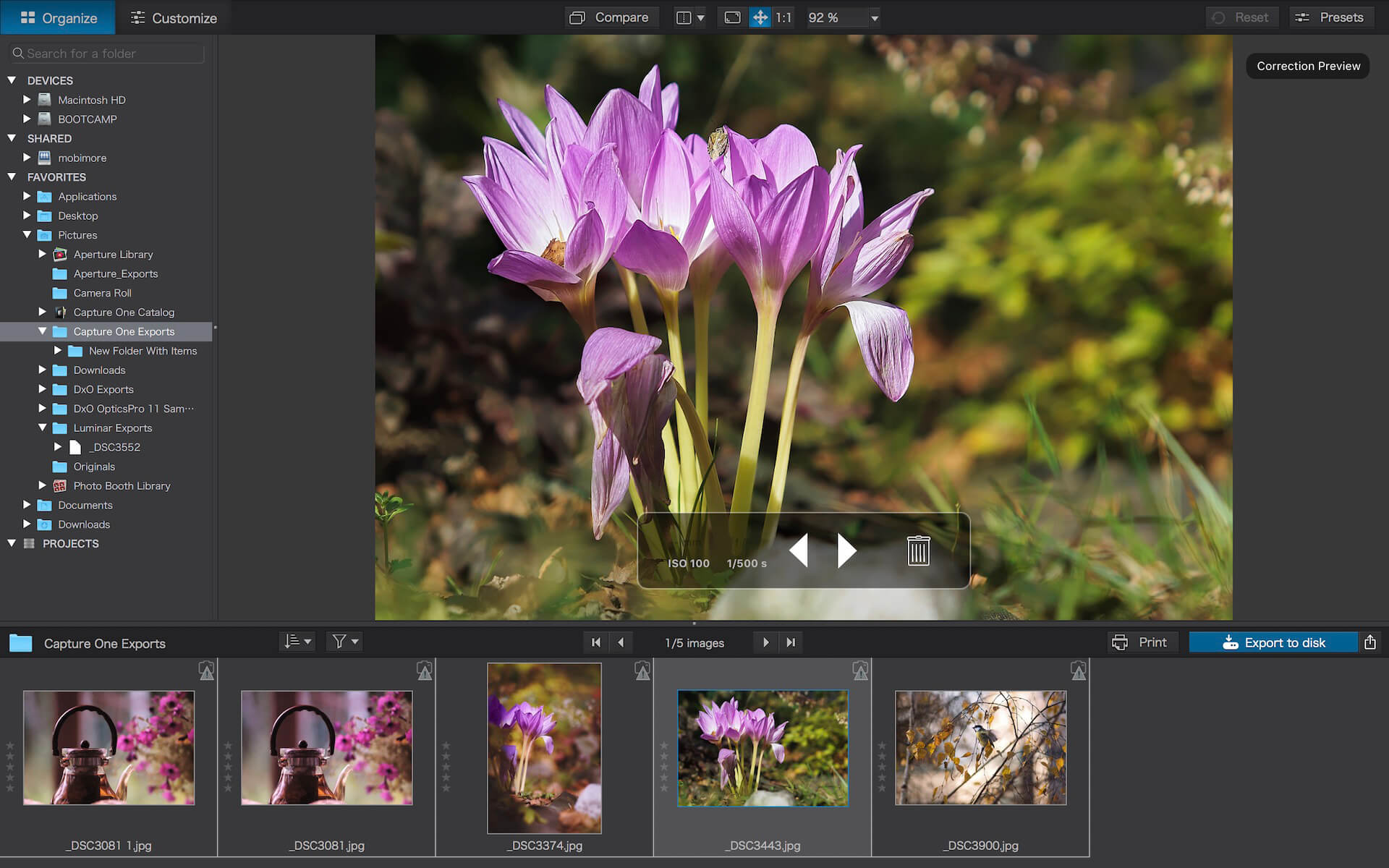
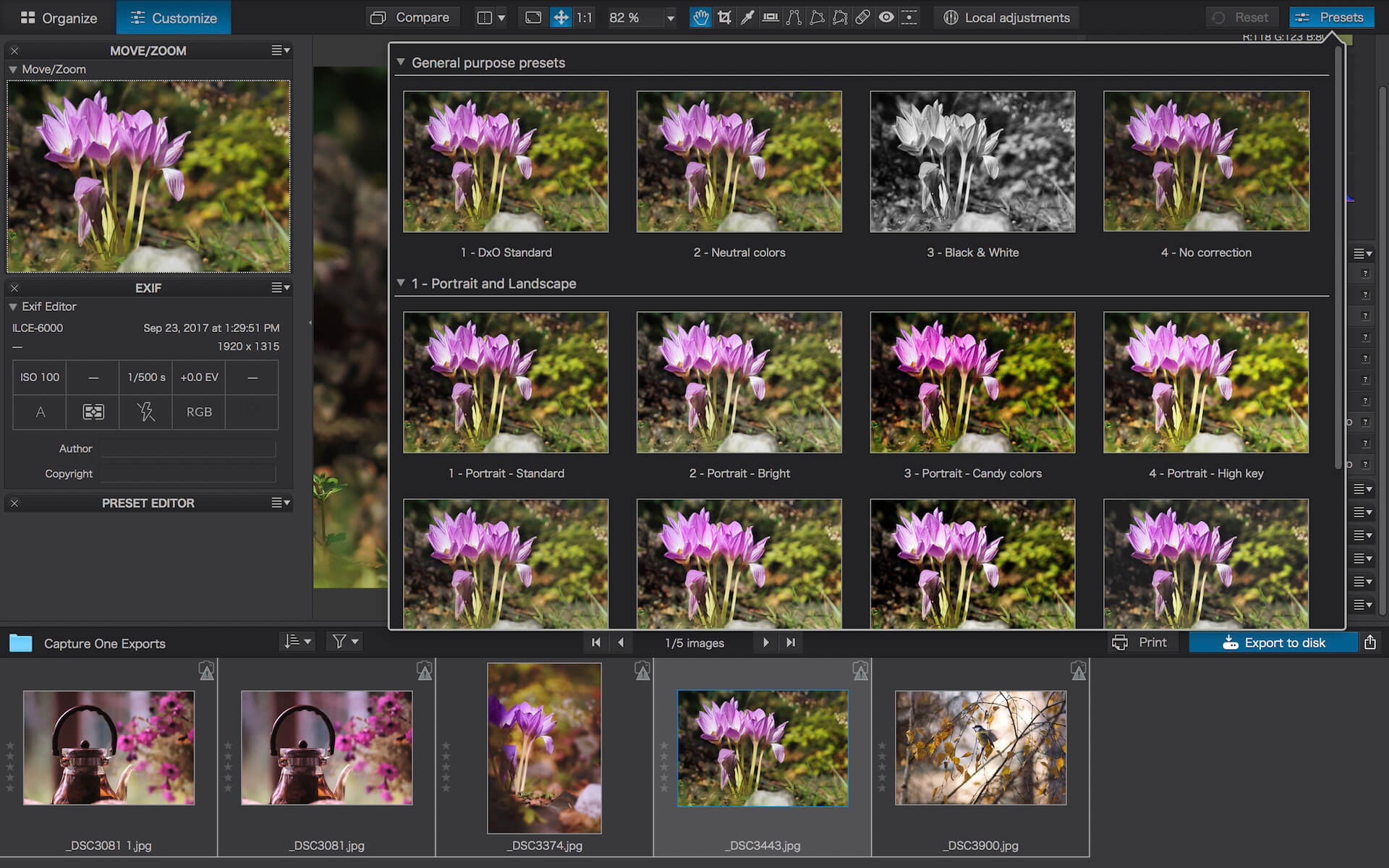
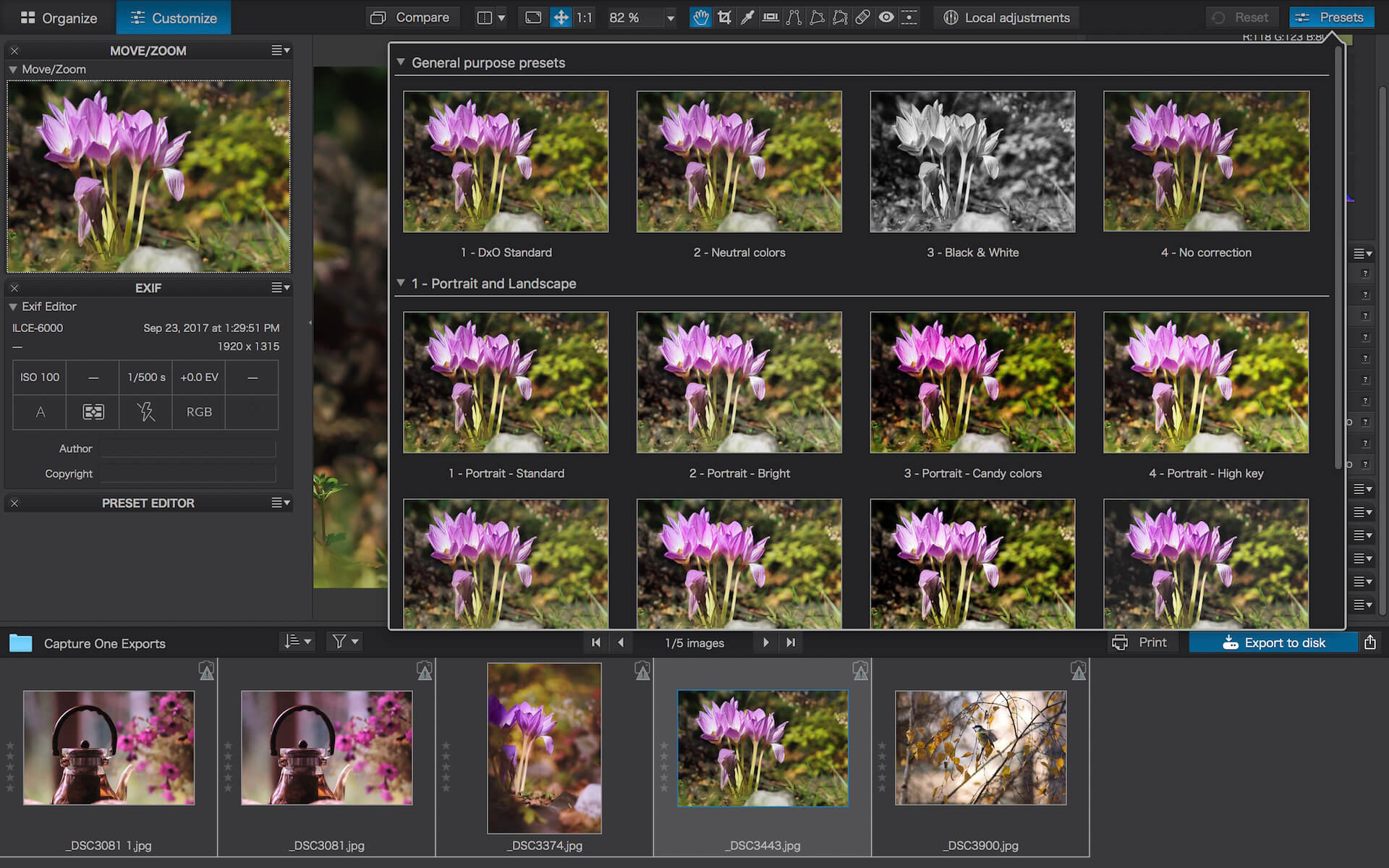
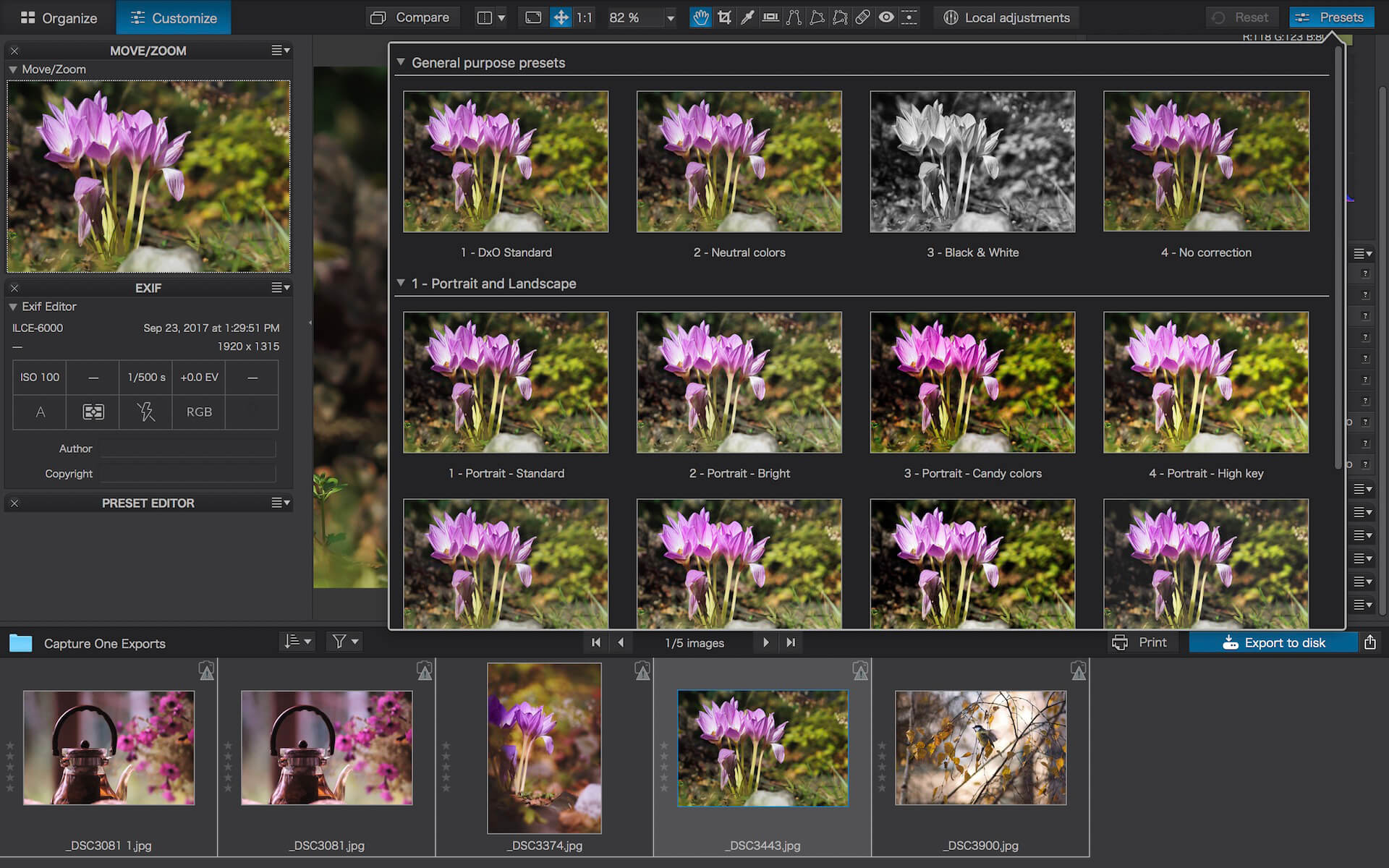
DxO PhotoLab (was DxO Optics Pro) provides a complete set of smart assisted corrections that you can manually fine-tune at any time. Take control on every aspect of your photos: effectively remove noise, get rid of light constraints, recover color details, apply sophisticated optical corrections, and enhance details.

Reducing digital noise in RAW images is an ongoing challenge for most photo-editing software. But with DxO DeepPRIME we are breaking new ground. The first artificial intelligence-based (AI) technology of its kind, DeepPRIME enables you to demosaic and denoise images simultaneously. Try it out – the results speak for themselves.

Demosaicing and denoising are usually two separate processes. But with DxO DeepPRIME we’ve combined them to achieve even better results.
The outcome is spectacular. DxO DeepPRIME removes noise and renders photographic information without reducing color detail. Transitions are smoother and more natural, and you gain nearly two ISO sensitivity values compared to our earlier version, DxO PRIME, the benchmark software for all comparable programs currently available.

If you are an expert photographer, DxO DeepPRIME will open up a world of new possibilities by enabling you to shoot at very high sensitivities. As an amateur photographer, DeepPRIME will allow you to compensate for the drawbacks of small sensors in compact and bridge cameras that produce digital noise even at low ISO sensitivities. And if you’re struggling with low quality, or older-generation cameras that are no longer suitable because of the scale of digital noise, DxO DeepPRIME will give your images a new lease of life.

Features

  • DxO Smart Lighting
  • DxO ClearView
  • DxO PRIME
  • Optical Corrections
  • Introducing U Point

What’s New:

New features in DxO PhotoLab 6

  • Introducing DxO Wide Gamut working color space: Harness the potential of the latest printers and monitors with DxO’s new color space. Avoid clipping in highly saturated areas and ensure accuracy across your workflow. Easily switch between the legacy color space (for all images coming from previous versions of DxO PhotoLab) and the new DxO Wide Gamut working color space (for your new images loaded in DxO PhotoLab 6);
    New Soft Proofing mode: For beautiful, accurate reproduction, whatever the screen or print type. Preparing your images for different output has never been easier. Achieve accurate color at every stage of your workflow;
  • New DeepPRIME XD denoising option: Alongside DeepPRIME, DeepPRIME XD adds another level of performance when required. Expect less noise, more detail and smoother bokeh;
  • New ReTouch tool: The brand-new ReTouch Tool gives you unprecedented control when cloning and repairing. Rotate, flip, or transform source points, and edit source areas for absolute precision;
  • New nested Projects: Organize your virtual collections of images more efficiently with the new hierarchy of Projects. Create Projects and groups of Projects and simply organize them by drag-and-drop;
  • Crop tool improvement: You can now rotate your images when in Crop mode;
  • Embedded Perspective tools: Perspective correction tools (keystoning) are now natively available in the ELITE
    version;
  • New Color labels support: Identify, classify, and cull your images more easily with the new Color tags;
  • New Exif & IPTC fields: For complete metadata management;
  • New sticky headers in the source tree: The user interface of the source tree has been revamped;
  • Keyword tokens improvement: Keyword tokens now show the full hierarchy if children have the same name;
  • More than 77,000 camera/lens combinations are now available.

Compatibility: macOS 11.6 or later
Homepage http://www.dxo.com

Screenshots


DxO PhotoLab 5 ELITE Edition 5.13.1.95

Name: DxO_PhotoLab_5_5.13.1.95_Mactorrents.biz.dmg
Size: 699 MB
Files DxO_PhotoLab_5_5.13.1.95_Mactorrents.biz.dmg[699 MB]

   Download Torrent

Produce RAW and JPEG images with the best image quality, effortlessly: DxO PhotoLab provides a complete set of smart assisted corrections that you can manually fine-tune at any time. Take control on every aspect of your photos: effectively remove noise, get rid of light constraints, recover color details, apply sophisticated optical corrections, and enhance details.

DxO SMART LIGHTING
Optimizes the dynamic range of your image and brings out the details from both under- and overexposed areas.

DxO CLEARVIEW
Intelligently boosts local contrast and effectively removes distant haze.

DxO PRIME
Automatically denoises high ISO RAW images and recovers accurate details and colors based on our exclusive algorithms.

OPTICAL CORRECTIONS
Leverage your gear with tailored automatic corrections based on DxO’s renowned scientific expertise in measurement and calibration.

EXPRESS YOUR CREATIVITY WITH LOCAL ADJUSTMENTS: INTRODUCING U POINT®
Give your photos your own artistic touch by manually applying selective corrections to specific areas of your image, using exclusive DxO Local Adjustment Tools that include: Control points (U Point technology), graduated filters, manual and automatic brushes, automatic repair tool, etc.

CONTROL POINTS
Manually select your editing area by simply clicking on the part of your image you want to adjust.

BRUSH TOOL
Freely paint and manually adjust small or large areas of your image.

GRADIENT TOOL
Simulates a graduated ND filter and lets you apply artistic effects.

REPAIR TOOL
Allows you to remove dust spots or unwanted objects from your photos.

Processing large series of photos is no longer a nightmare

  • Intelligent algorithms adapt settings to your gear as well as to image content
  • Copy and paste settings from one image to another
  • 30 built-in presets, fully customizable to give your photos the look you like
  • Multiple exports in one click
  • Export to multiple formats for web, printing, or backup

Export directly to social networks such as Facebook, Flickr, or to other photo editors

Fully adapted to YOUR workflow

  • File management that works with your computer (no import step required)
  • Direct access to images
  • Seamless integration with Lightroom via plugin
  • Customizable workspace to adapt to your needs – Dual-screen friendly

Compatibility: Intel, macOS 10.15 or later
Homepage http://www.dxo.com

Screenshots


PowerPhotos 2.4.3 beta5

Name: PowerPhotos_2_4_3b5_TNT_Mactorrents.biz.dmg
Size: 35.4 MB
Files PowerPhotos_2_4_3b5_TNT_Mactorrents.biz.dmg[35.4 MB]

   Download Torrent

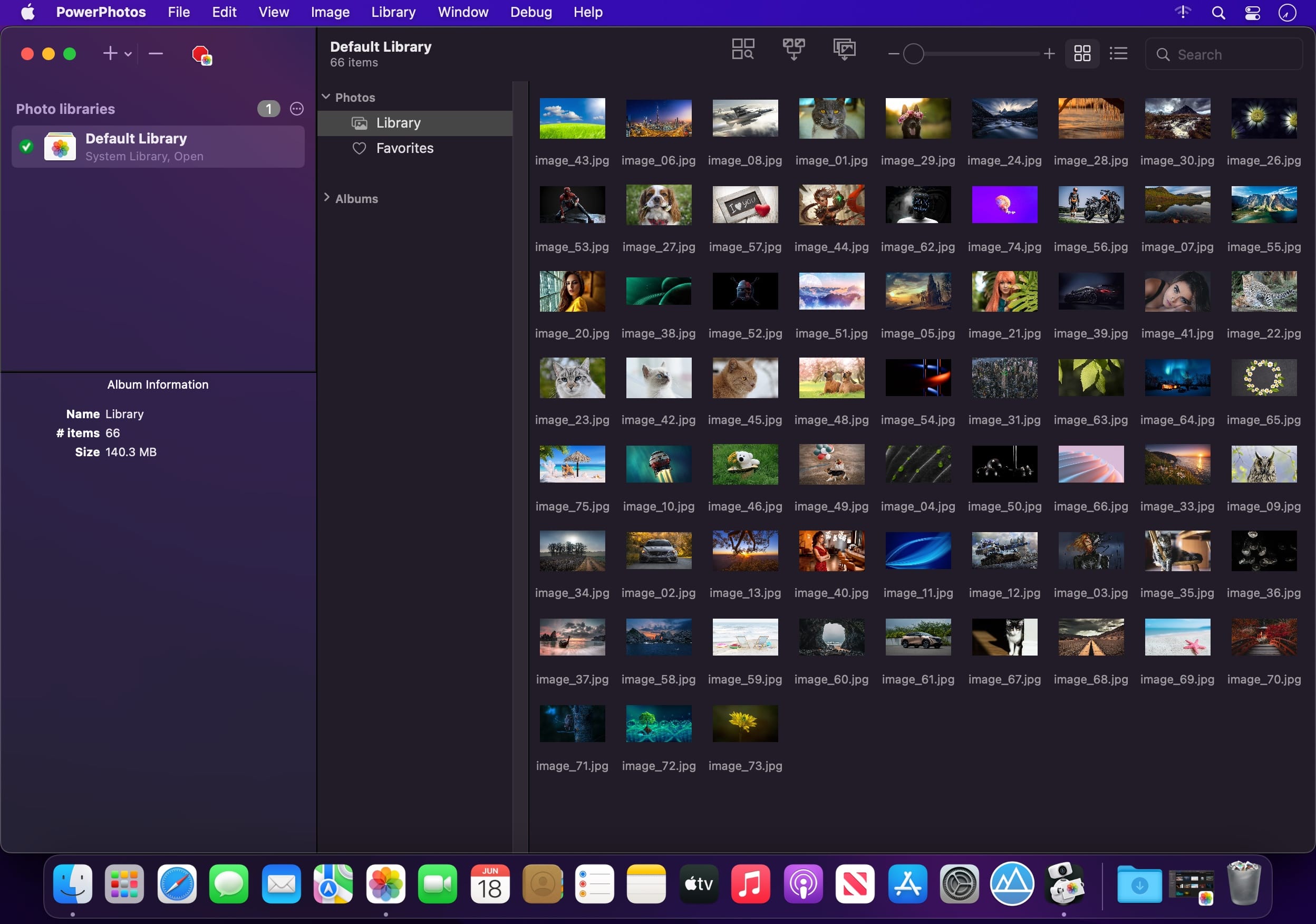
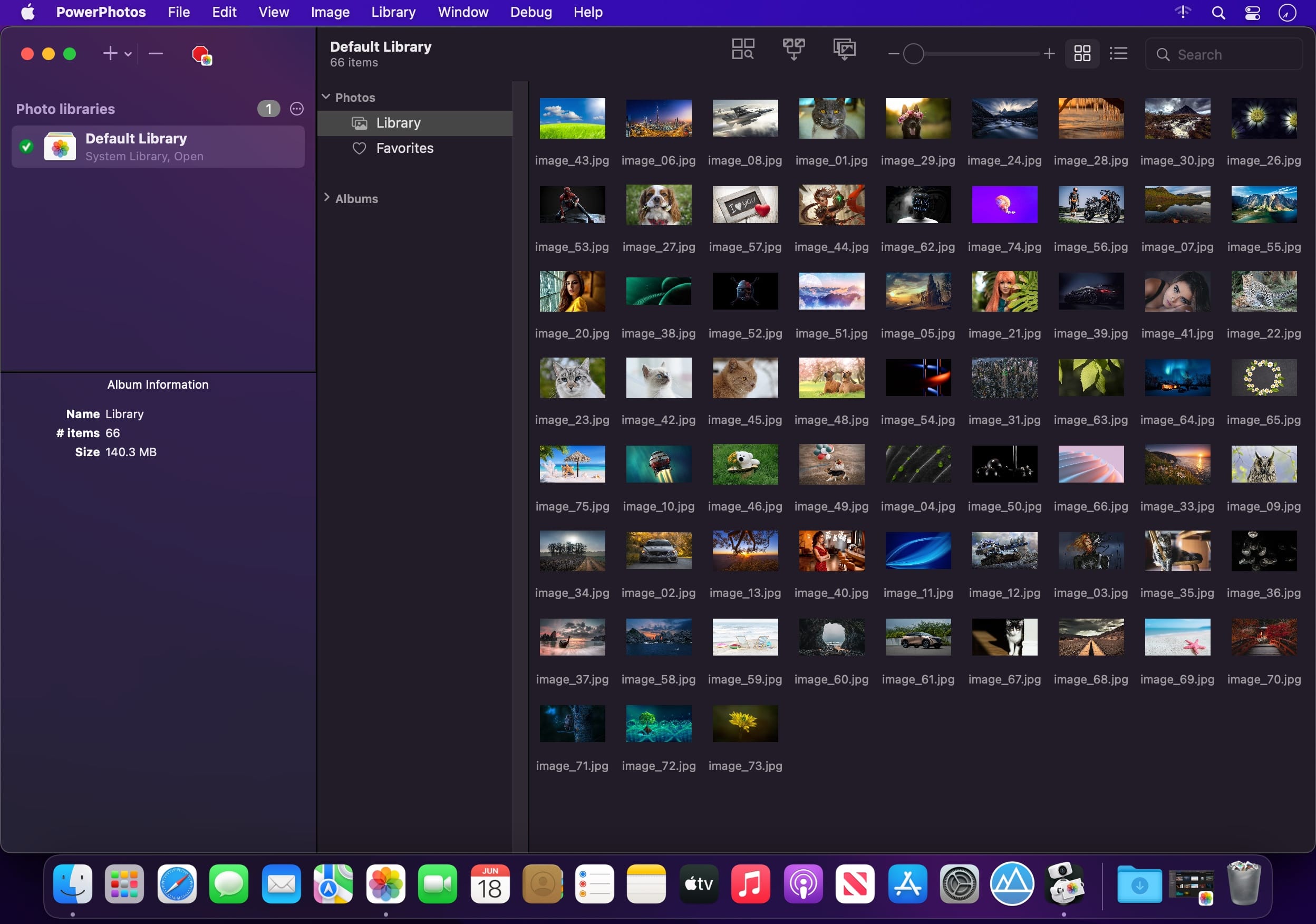
PowerPhotos – The ultimate toolbox for Photos on the Mac. PowerPhotos works with the built-in Photos app on your Mac, providing an array of tools to help you get your photo collection in order.

Create and manage multiple libraries
Instead of being limited to putting all your photos in a single library, PowerPhotos can work with multiple Photos libraries, giving you many more options for how to organize your ever growing photo collection.

Splitting your photos between multiple libraries helps Photos open more quickly, lets you archive older photos, store some of your collection on an external hard drive, and reduce storage space used by iCloud Photo Library.

Copy photos and their metadata
You can split your library by copying albums and photos with a simple drag and drop. PowerPhotos will take care of copying the photos and retaining their metadata, including keywords, descriptions, titles, dates, and favorite status. Read more about what PowerPhotos can copy.

Merge Photos libraries
Got a whole bunch of libraries you want to consolidate into one? PowerPhotos lets you merge your libraries together while weeding out duplicate photos in the process. You will be shown a preview of what your merged library will look like before any modifications are done, to ensure your merged library looks how you want.

Find duplicate photos
It’s easy to have multiple copies of the same photo creep into your photo collection over time. Use PowerPhotos to find duplicate photos in one or more libraries, view them side by side, and separate them into albums where you can easily delete them from your library.

Browse and search
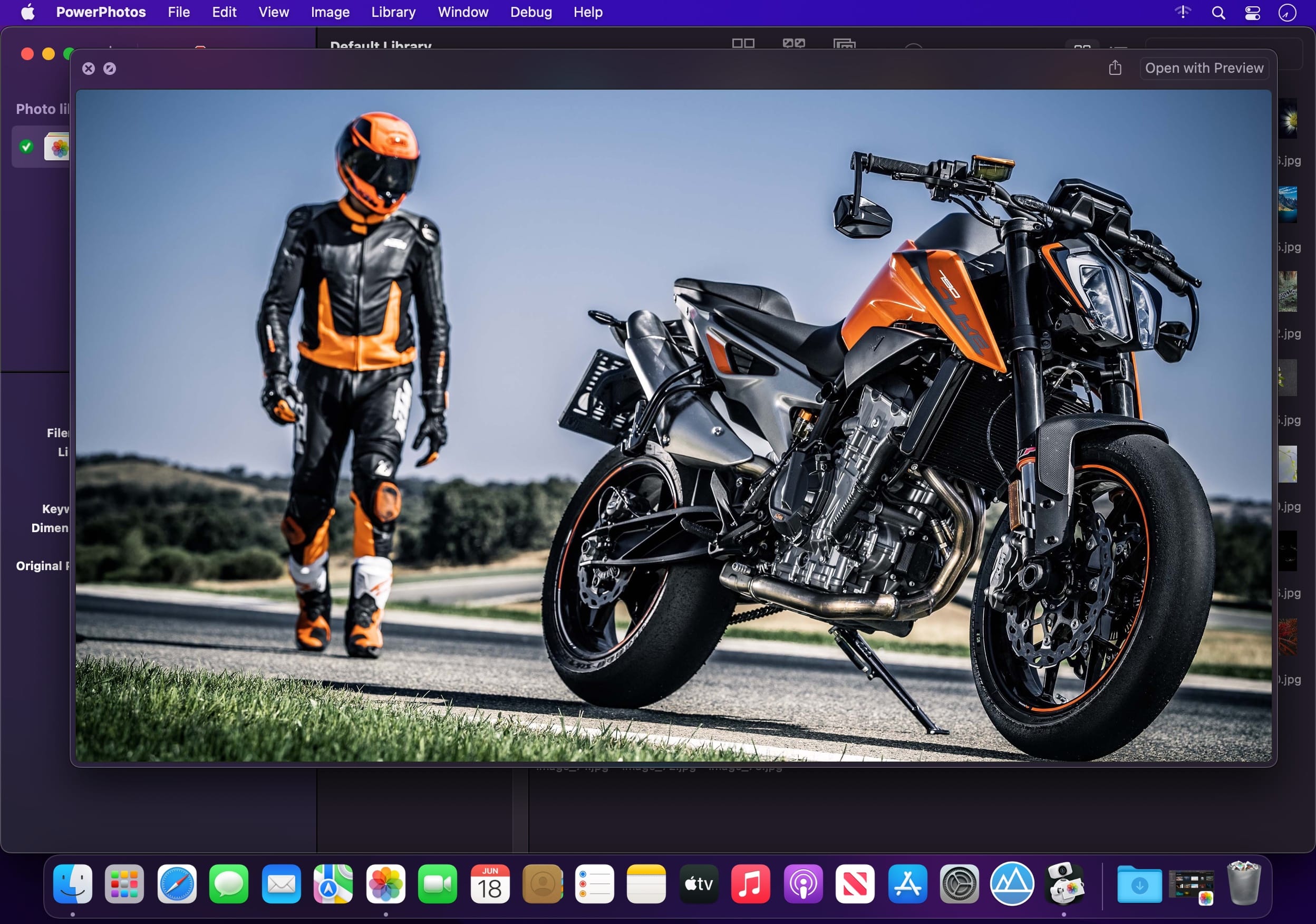
Use PowerPhotos’ image browser to quickly view your photos without having to open Photos itself. View detailed photo information using List View, and search for photos across all your libraries at once.

Migrate your iPhoto/Aperture libraries
If you have a lot of existing iPhoto or Aperture libraries that you want to migrate over to Photos, PowerPhotos will help automate your migrations so you don’t have to spend time babysitting this lengthy process.

New features:

  • Improved iCloud Photos support: If you use iCloud Photos, PowerPhotos 1.x was only able to see photos in your library that had already been downloaded to your local hard drive. For users with the “Optimize Mac Storage” option enabled, this could mean a significant portion of your iCloud library would not be visible to PowerPhotos. In PowerPhotos 2.0, it can now see and work with any photos in your iCloud photo library, and will automatically download any photos from iCloud as needed.
  • Advanced exporting: Photos has an export command, but it is fairly limited in what it can provide. PowerPhotos 2.0 has a new, more fully featured export function with options such as
  • Export as a flat folder or as a folder hierarchy in the Finder that mimics your album hierarchy
  • Export unmodified photos, or as JPG, PNG, HEIF, or TIFF of different sizes
  • Include captions, dates, keywords, and titles in EXIF metadata
  • Retain or strip location metadata
  • Optionally include videos from Live Photos and all photos from a burst
  • Set Finder creation/modification dates to the photo’s EXIF date
  • Video export support as H.264 or H.265
  • Global menu bar item: Get fast access to your libraries via a global item in your menu bar even when PowerPhotos itself isn’t running.
  • Library groups: For those with lots of libraries, you can now organize your libraries into groups in the PowerPhotos sidebar.
  • Multiple windows: You can now open each library in a separate window in PowerPhotos, allowing for easier comparison between libraries, and dragging and dropping photos/albums between libraries.
  • New duplicate search engine: PowerPhotos 2.0 uses a new duplicate comparison algorithm that can find more duplicate photos which are not quite 100% identical, such as scaled down copies of photos, photos that have been resaved in a different format or with different compression, and even photos with minor edits applied to them.
  • Faster library loading: PowerPhotos 2.0 has rewritten a bunch of its internals to load your library much faster than PowerPhotos 1.0.
    Improved AppleScript support: New support for copying albums or photos between libraries, merging libraries, and exporting photos/albums from a library.

Compatibility: macOS 11.0 or later
Homepage https://www.fatcatsoftware.com/powerphotos/

Screenshots


PhotosRevive 2.1.2

Name: PhotosRevive_2_1_2_TNT_Mactorrents.biz.dmg
Size: [477 MB
Files PhotosRevive_2_1_2_TNT_Mactorrents.biz.dmg[477 MB]

   Download Torrent

PhotosRevive automatically colorizes your old black and white photos. The application uses a revolutionary artificial intelligence that will add colors in an ultra-realistic way. The application is super simple to use. Scan or import your photo and that’s it. The application will color it without any effort on your part.

We know that the colors chosen by the engine may differ from those of your memories. That’s why the app lets you add indications of colors. So you can help the artificial intelligence and change the rendering as you please. PhotosRevive is the first app that will perfectly adjust the rendering to your memories.

FEATURES:

  • Automatically recolor photos.
  • Scan photos from your camera.
  • Adjust black and white tint.
  • Add indications to improve rendering.
  • Save and share the result.

Compatibility: macOS 11.0 or later
Homepage https://neededapps.com/

Screenshots


GlueMotion 2.1.4

Name: GlueMotion_2_1_4_TNT_Mactorrents.biz.dmg
Size: 14 MB
Files GlueMotion_2_1_4_TNT_Mactorrents.biz.dmg[14 MB]

   Download Torrent

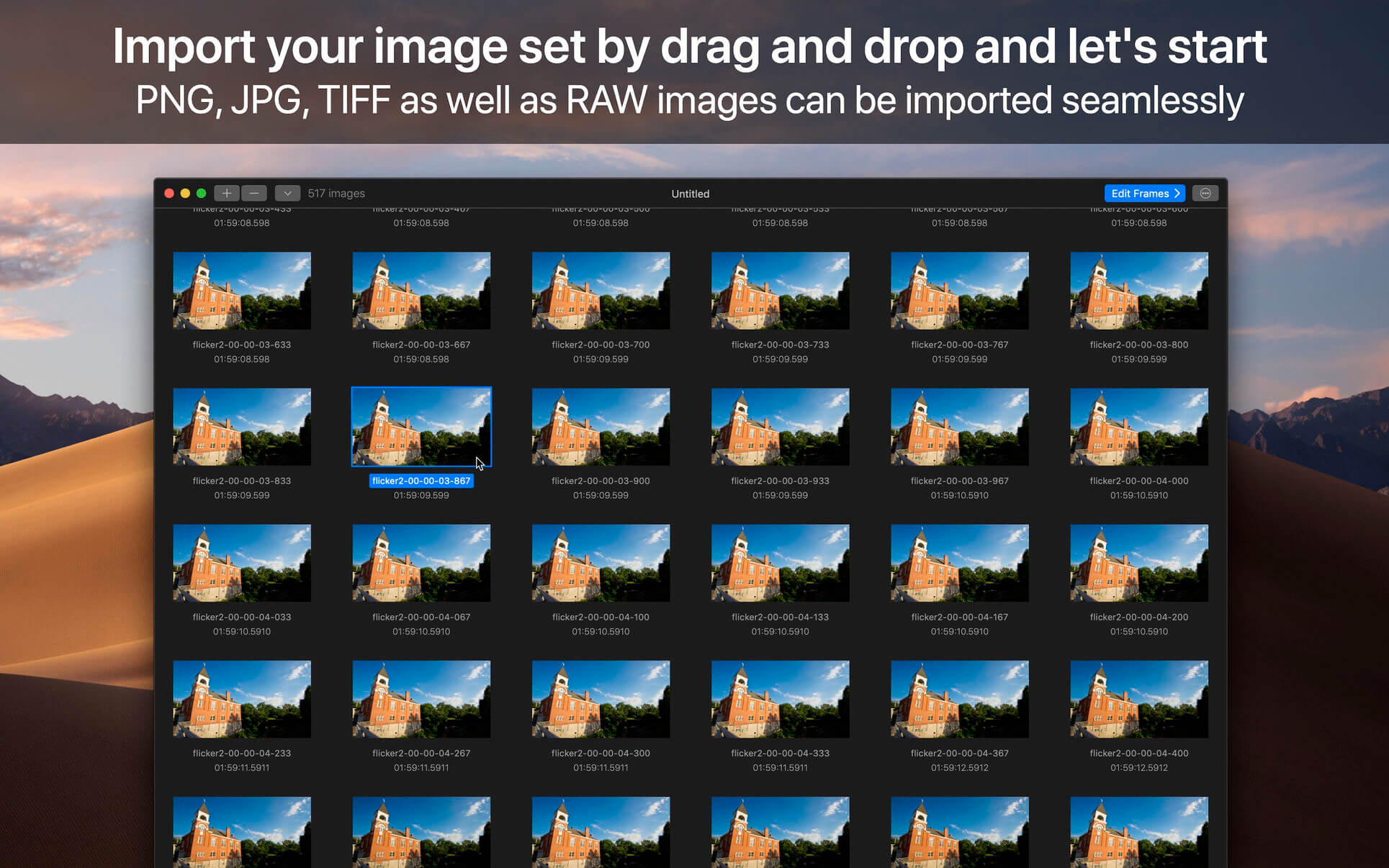
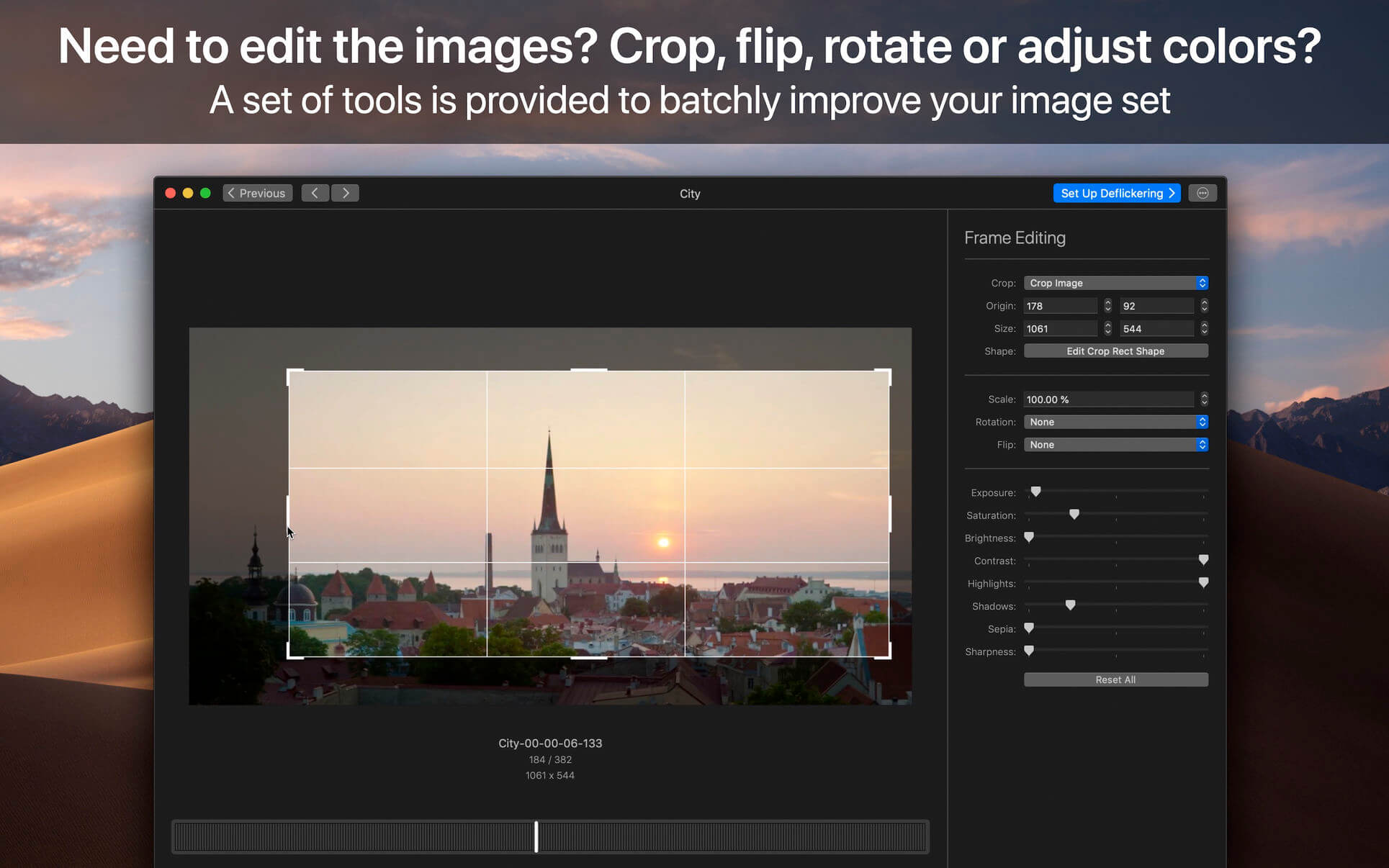
GlueMotion is the perfect tool for time lapse photographers. The application allows you to batch edit, deflicker and assemble sequences of images into time lapse movies.

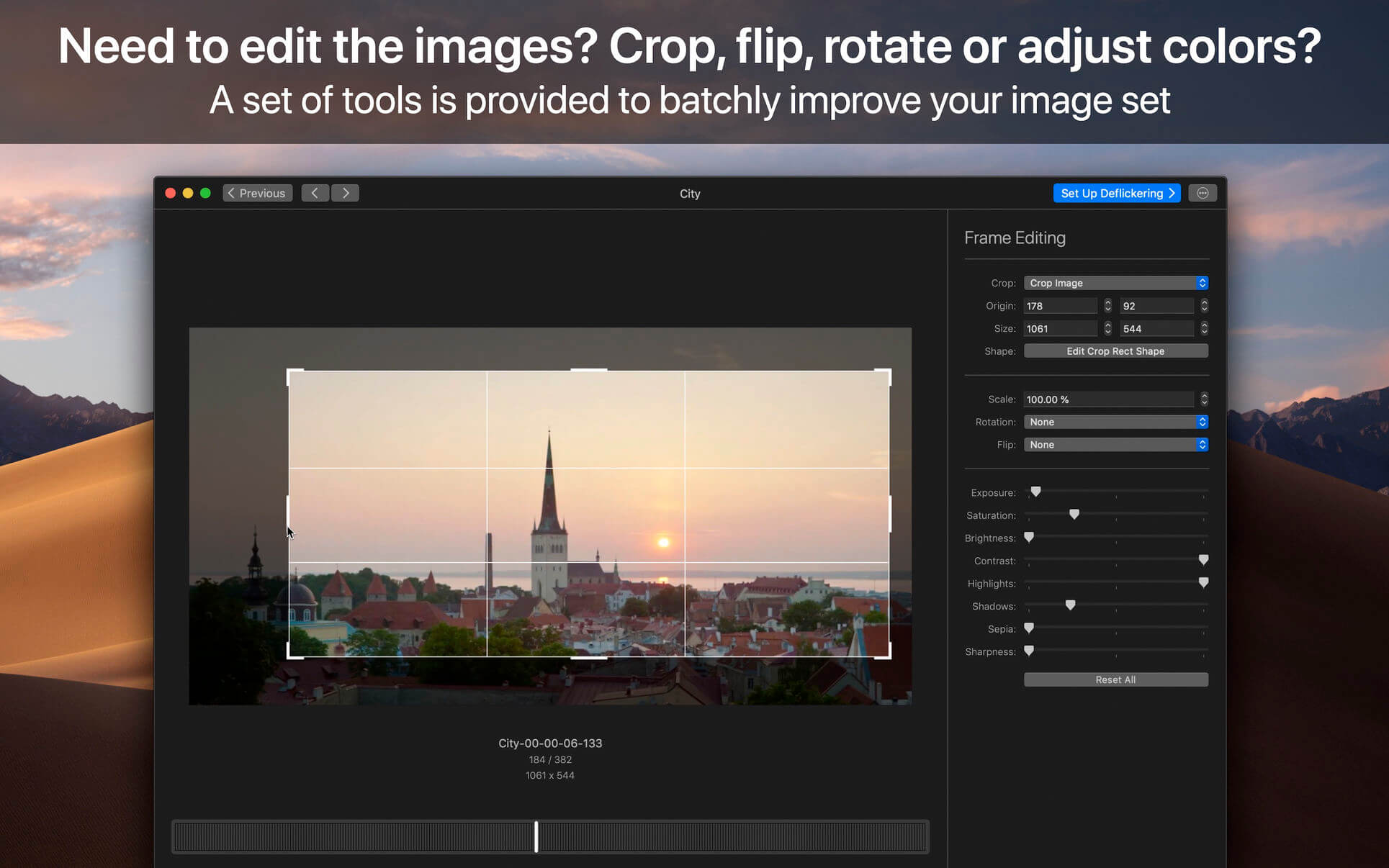
GlueMotion has been made to save your time and guide you during the process of creation. By using the included batch editing tool, you will not have to use additional applications. GlueMotion is able to crop, rotate, flip and adjust colors of your photos such as exposure, saturation or brightness. Moreover the application is able to deflicker the sequences of photos. In other words, GlueMotion will analyze your photos and select automatically the optimal brightness correction for each image.

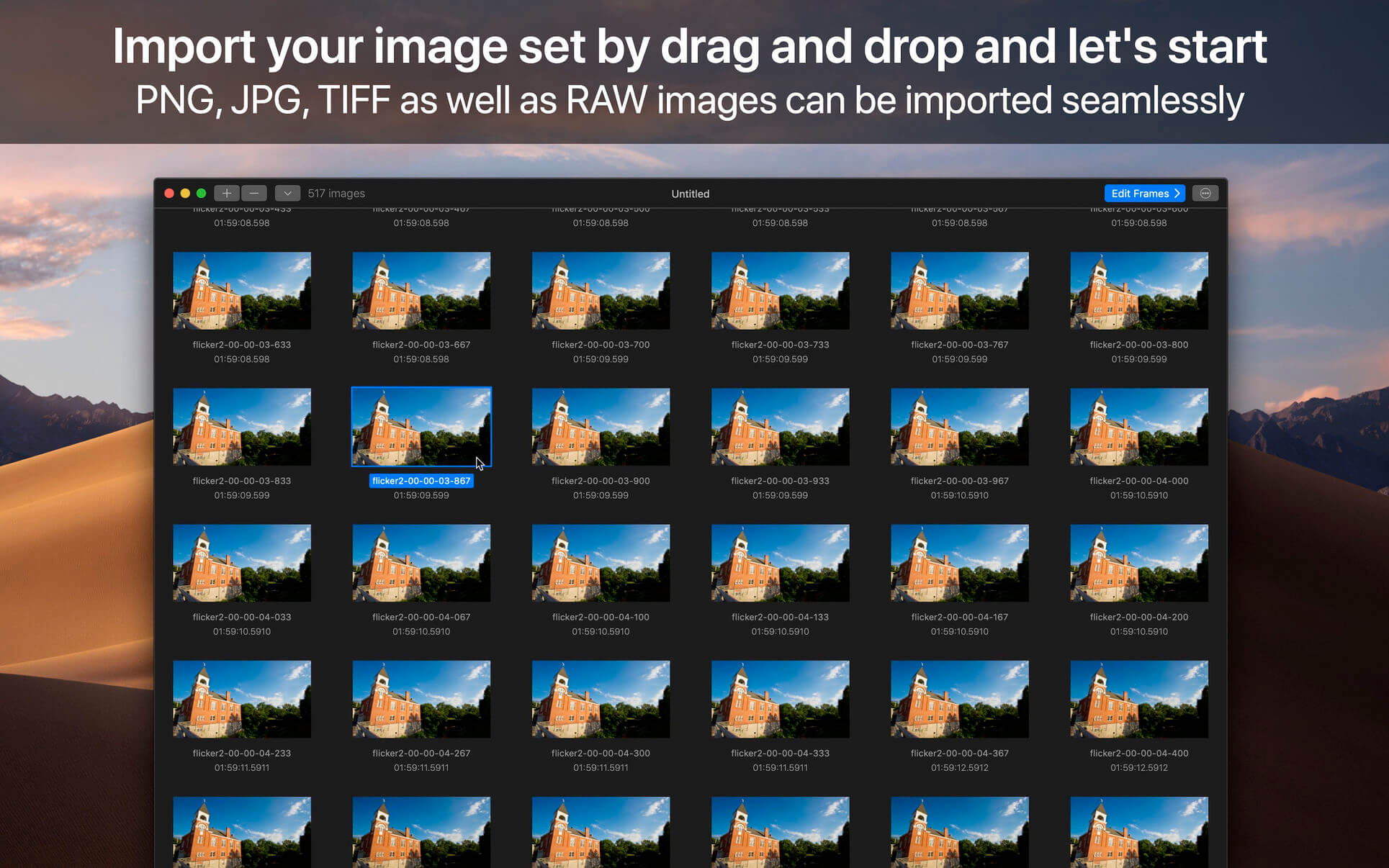
The application is designed for professional needs. That is why it can handle several hundreds of thousands of images painlessly. In addition, all industry-standard formats are supported. The application can import PNG, JPEG as well as all RAW image formats supported by macOS. The exported movie can be encoded in H.264, Apple ProRes as well as HEVC.

This version has been optimized for macOS High Sierra and later. Moreover the application is available in 7 languages (English, French, German, Spanish, Italian, Japanese and Chinese).

Feedbacks can be sent directly from the application. In this way, you can contact us for any kind of suggestions and improvements in few clics.

GlueMotion is accompanied by other applications.

  • SnapMotion: extract still images from videos with precision.
  • MetaImage: edit image metadata and geographical tags.

Language: English, French, German, Italian, Japanese, Simplified Chinese, Spanish
Compatibility: macOS 11 or later
Homepage https://neededapps.com/

Screenshots


Capture One 23 Pro 16.2.3.32

Name: Capture_One_16_2_3_32_TNT_Mactorrents.biz.dmg
Size: 718 MB
Files Capture_One_16_2_3_32_TNT_Mactorrents.biz.dmg[718 MB]

   Download Torrent

Capture One 23 is a professional RAW converter offering you ultimate image quality with beautiful colors and incredible detail for more than 500 high-end cameras. It offers state- of-the-art tethered capture, powerful digital asset management, extensive adjustment tools and a flexible workflow through customizable workspaces.

With an updated processing engine, market-leading performance and powerful new features, Capture One is the professional choice in imaging software. You get the highly responsive precision tools you need to create stunning images from your camera’s RAW files in a time-saving workflow that can be customized to fit your needs.

New features and improvements

  • Speed Edit
  • Dehaze
  • Improved importer

General User Experience Improvements and tweaks

  • HEIF support
  • Easy brush adjusting
  • Improved performance
  • Colored gradients on White Balance Sliders
  • Enhanced tooltips
  • Easy access to Tutorials

Compatibility: macOS 10.15 or later , Apple Silicon (M1) native support
Homepage https://www.phaseone.com/

Screenshots


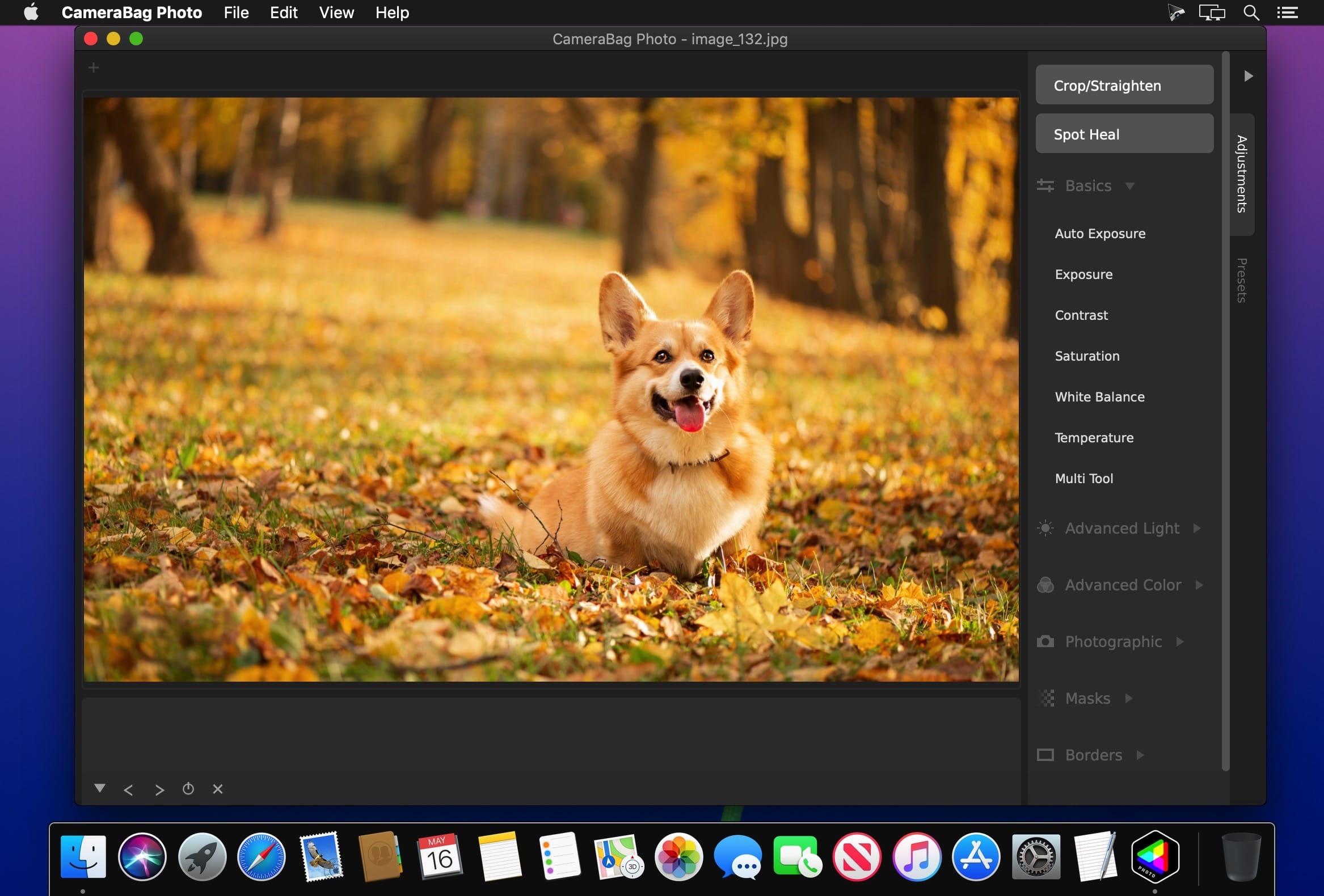
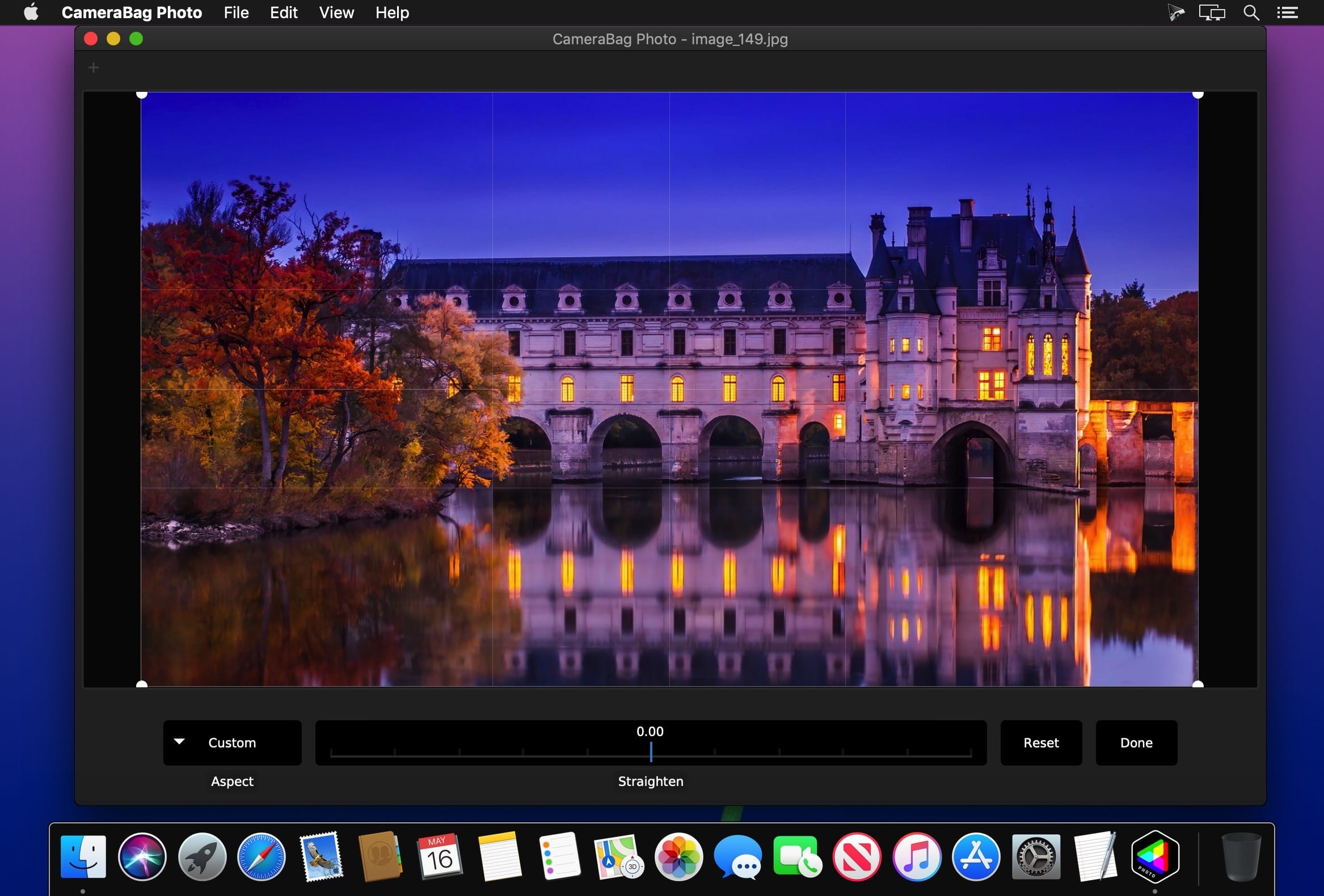
Nevercenter CameraBag Pro 2023.3.0

Name: CameraBag_Pro_2023.3.0_Mactorrents.biz.dmg
Size: 45 MB
Files CameraBag_Pro_2023.3.0_Mactorrents.biz.dmg[45 MB]

   Download Torrent

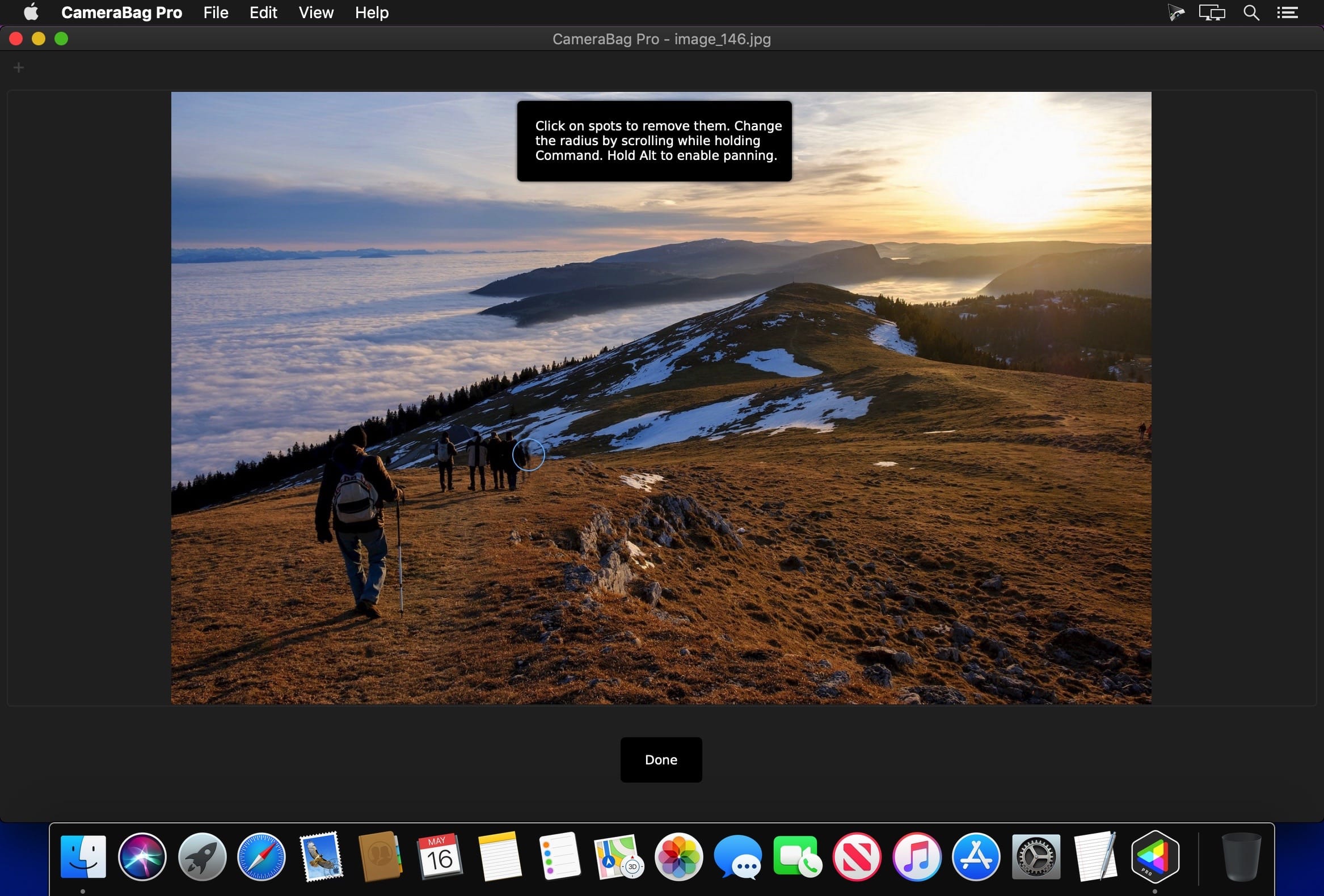
The best kept secret in photography (and videography) just got a whole lot better! CameraBag lets you instantly apply one of hundreds of beautiful presets to your photos and videos, and then dive deeper with ultra-intuitive professional adjustments and custom presets. CameraBag’s focus on intuitive tools and workflows isn’t about dumbing down image editing, it’s about making it work better.

With presets specifically designed for portraits, different landscape scenarios, faithful emulation of analog film stock from the past, popular modern photo styles, and more, CameraBag has you covered, even if you don’t yet know how to use all of its powerful tools.

CameraBag Pro is particularly great for anyone who needs to apply the same style to both photos and videos – especially with batch processing for large sets of media (including watermarks/branding, resizing, and cropping).

For those with professional needs, what really sets CameraBag apart from other photo editors is just how intuitive and powerful its advanced tools are.

Unique curve tools, adjustment re-ordering and layering, and large precise controls let you do things you simply can’t do in other popular software.
Following are some ways CameraBag is perfect for specific groups of users.

Wedding Photography

  • Easy batch filtering and watermarking
  • Use the exact same adjustments and filters on videos and photos
  • Quick comparison tools for large sets of photos
  • Tons of useful presets for wedding photography

*** CameraBag Pro includes all the same great features as CameraBag Photo, but also works on videos and includes LUT file support! ***

What’s New:

Version 2023.3.0:

  • Release notes were unavailable when this listing was updated.

Compatibility: OS X 10.10 or later 64bit
Homepage https://nevercenter.com/

Screenshots


Nevercenter CameraBag Photo 2023.3.0

Name: CameraBag_Photo_2023.3.0_Mactorrents.biz.dmg
Size: 40 MB
Files CameraBag_Photo_2023.3.0_Mactorrents.biz.dmg[40 MB]

   Download Torrent

The best kept secret in photography just got a whole lot better! CameraBag lets you instantly apply one of hundreds of beautiful presets to your photos, and then dive deeper with ultra-intuitive professional adjustments.

With presets specifically designed for portraits, different landscape scenarios, faithful emulation of analog film stock from the past, popular modern photo styles, and more, CameraBag has you covered, even if you don’t yet know how to use all of its powerful tools.

For those with professional needs, what really sets CameraBag apart from other photo editors is just how intuitive and powerful its advanced tools are.

Unique curve tools, adjustment re-ordering and layering, and large precise controls let you do things you simply can’t do in other popular software.
Following are some ways CameraBag is perfect for specific groups of users.

Wedding Photography

  • Easy batch filtering and watermarking
  • Quick comparison tools for large sets of photos
  • Tons of useful presets for wedding photography

What’s New:

Version 2023.3.0:

  • Release notes were unavailable when this listing was updated.

Compatibility: OS X 10.10 or later 64-bit
Homepage https://nevercenter.com/

Screenshots


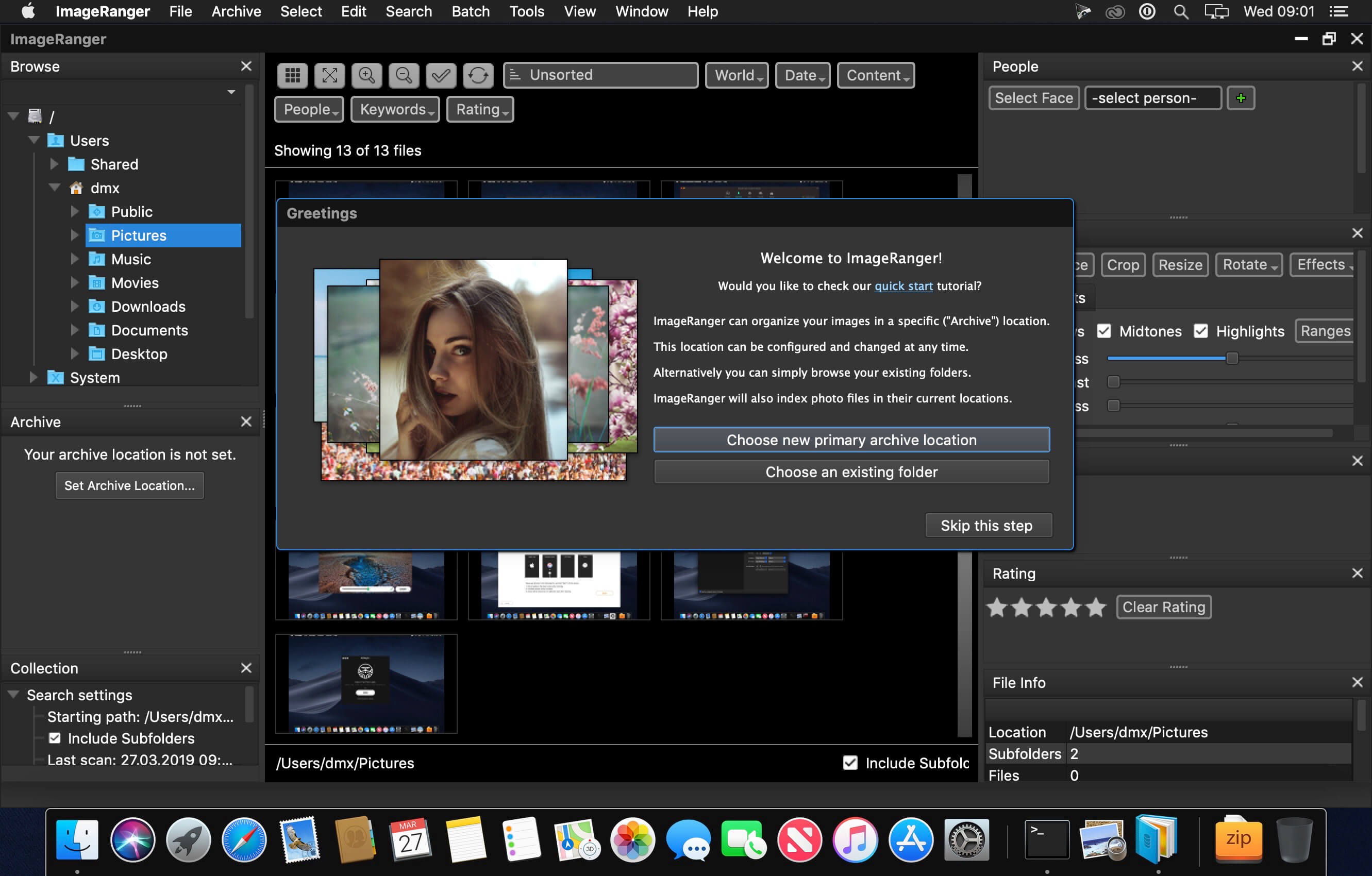
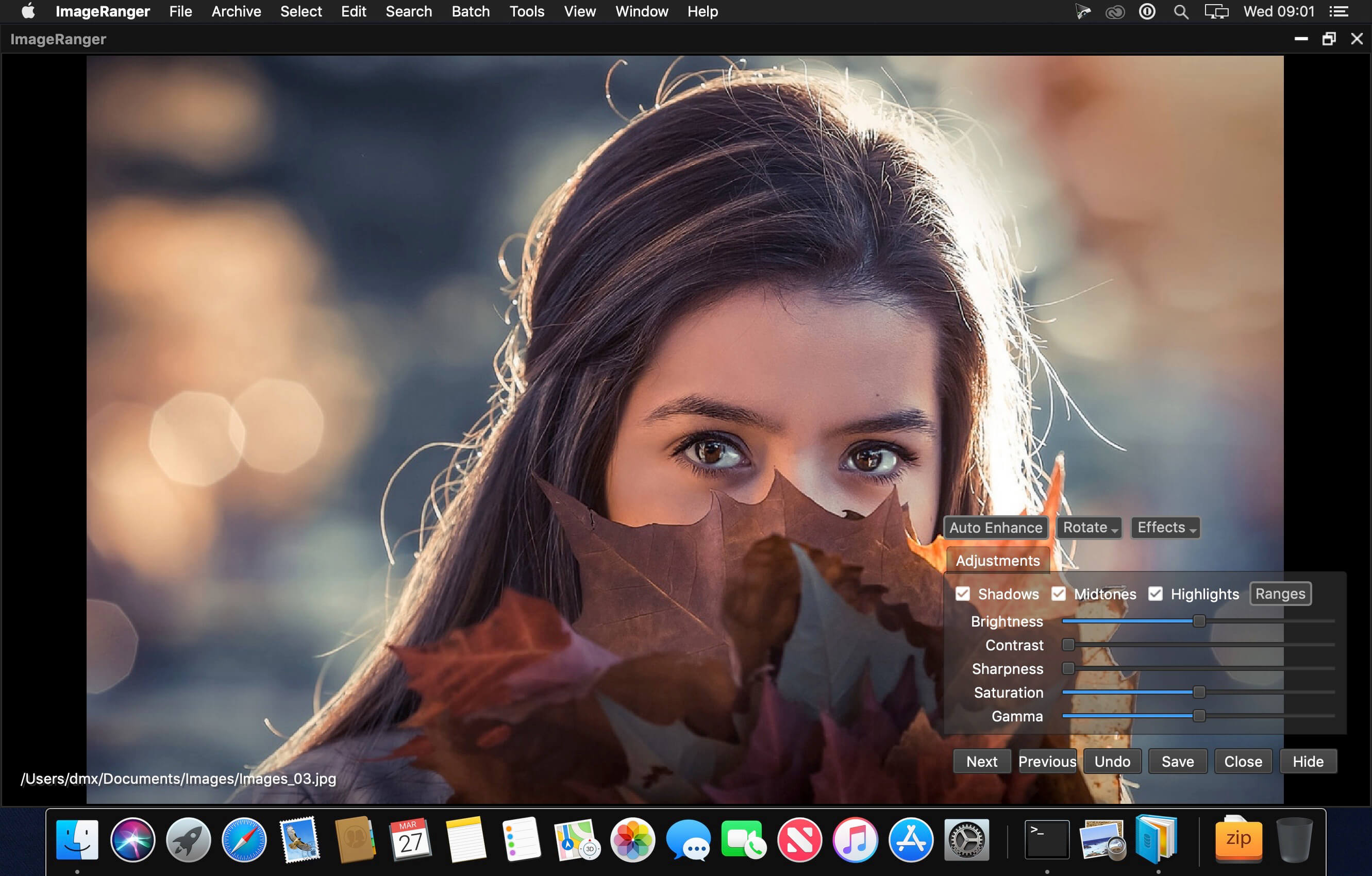
ImageRanger Pro Edition 1.9.4.1874

Name: ImageRanger_Pro_Edition_1.9.4.1874_Mactorrents.biz.dmg
Size: 103 MB
Files ImageRanger_Pro_Edition_1.9.4.1874_Mactorrents.biz.dmg[103 MB]

   Download Torrent

We live in the day in which pictures are a common thing, especially with all phones being equipped with pretty powerful cameras. As such, your computer can end up the storage place of your picture collections, but it can be a hassle to manually handle it. In this regard, ImageRanger comes as an advanced picture finding and organizing tool.

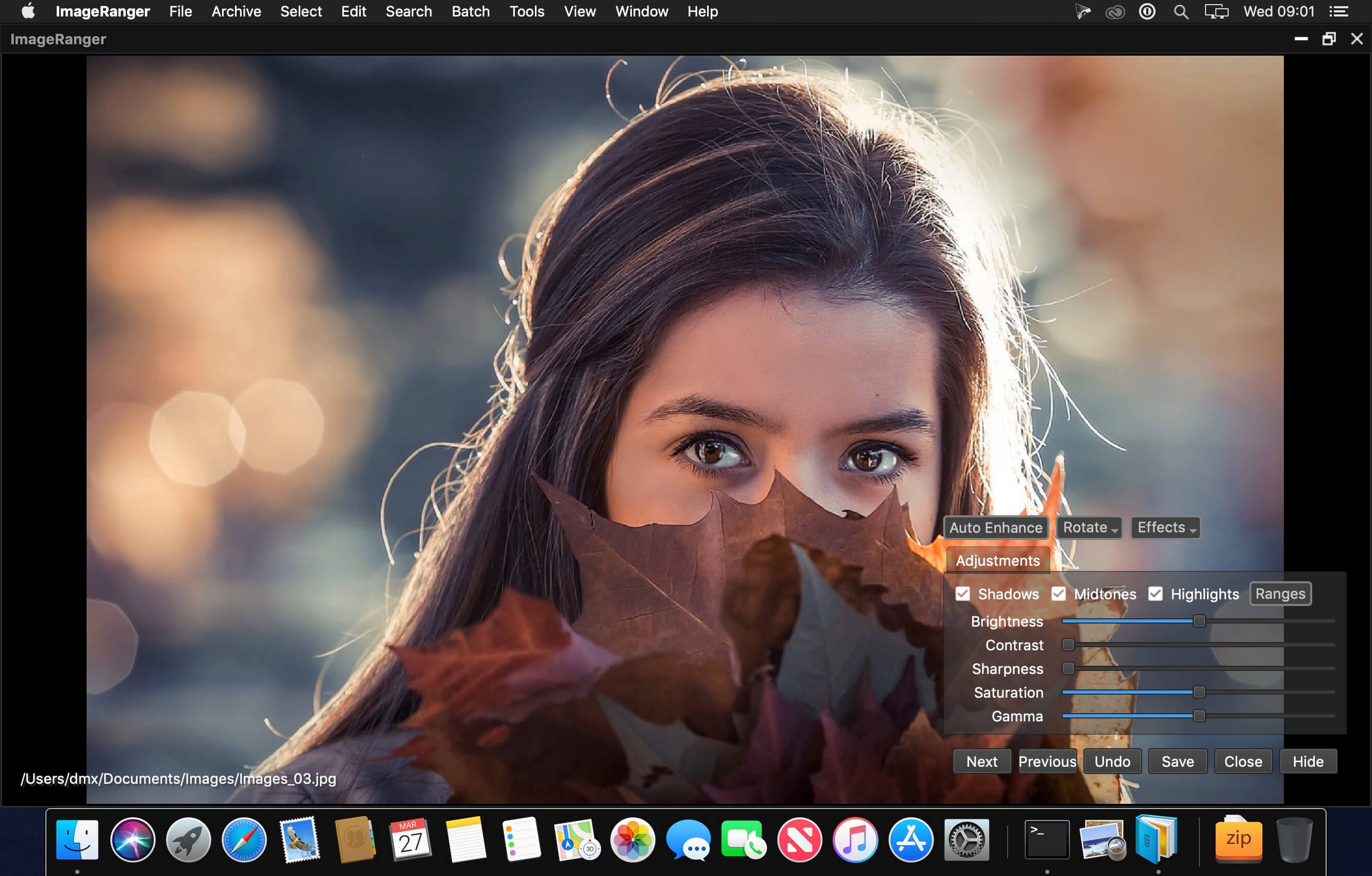
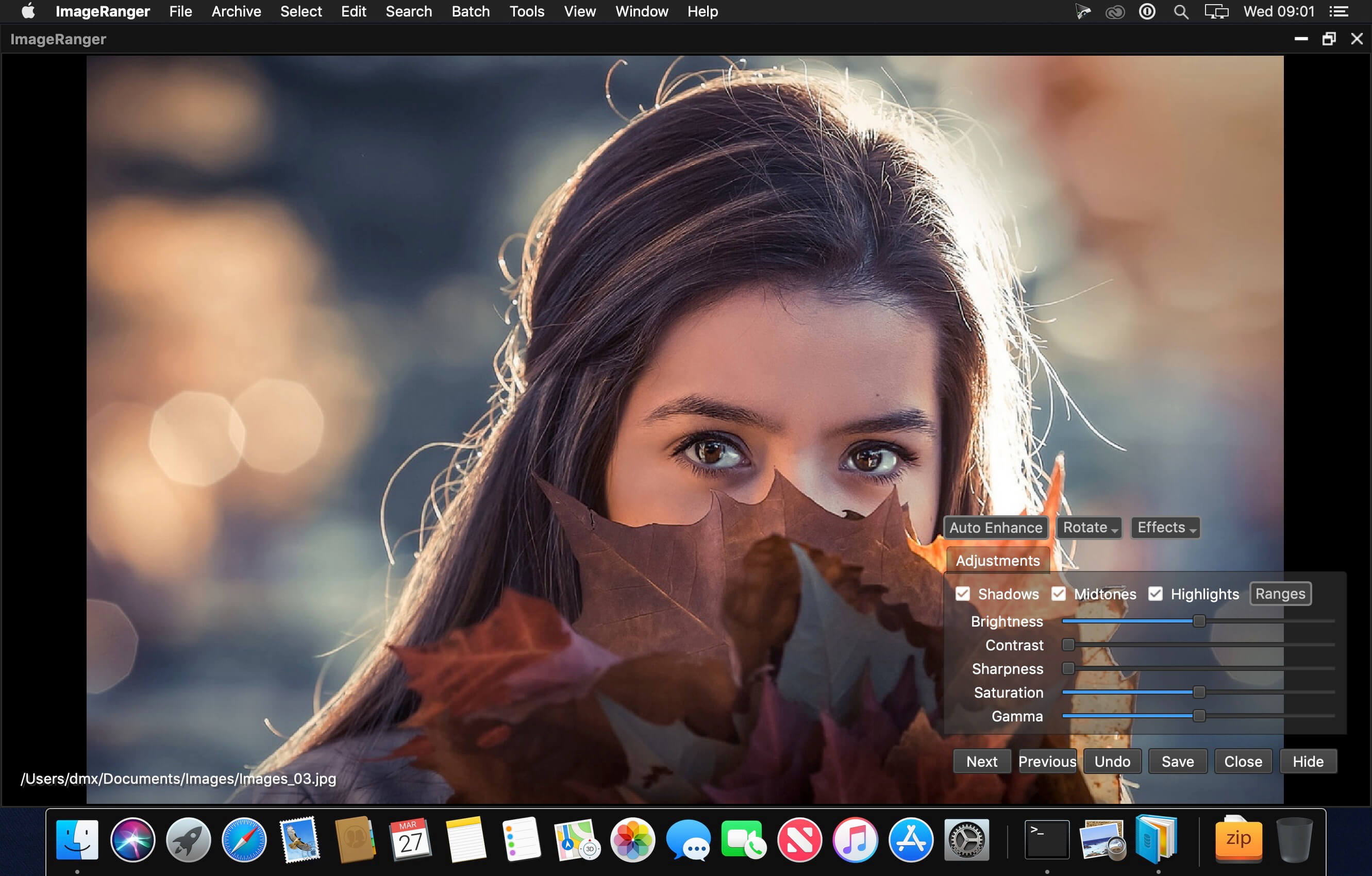
With ImageRanger, auto-enhancements can be applied to multiple images at once. Manual fine-tuning makes it possible to select dark or bright regions of the image and apply various correction settings.

All necessary editing controls (brightness, contrast, sharpness, saturation) are designed in a user friendly interface, with an UNDO function to correct any mishaps as you go.

You can even ask ImageRanger to find and categorize all images of poor quality automatically for your convenience. For advanced users, a powerful batch-processing allows work to be carried out on entire folders while processing only relevant photos.

ImageRanger will index photos on your Mac or storage drives so you can:

  • Quickly load thousands of images
  • Find portraits, faces
  • Sort and filter
  • Find duplicates and remove copies
  • Organize in folders by year, location
  • Crop, resize very quickly
  • Manually sort collections from multiple folders
  • Sort out your images from other illustrations, clip arts
  • Find low quality images and improve image contrast
  • Perform general photo managment tasks
  • Print hundreds of photos

What’s New:

Version 1.9.4.1874:

  • Release notes were unavailable when this listing was updated.

Compatibility: macOS 10.10 or later,
Homepage https://imageranger.com/

Screenshots


AI Photo 1.13

Name: AI_Photo_1.13_Mactorrents.biz.dmg
Size: 2.64 GB
Files AI_Photo_1.13_Mactorrents.biz.dmg[2.64 GB]

   Download Torrent

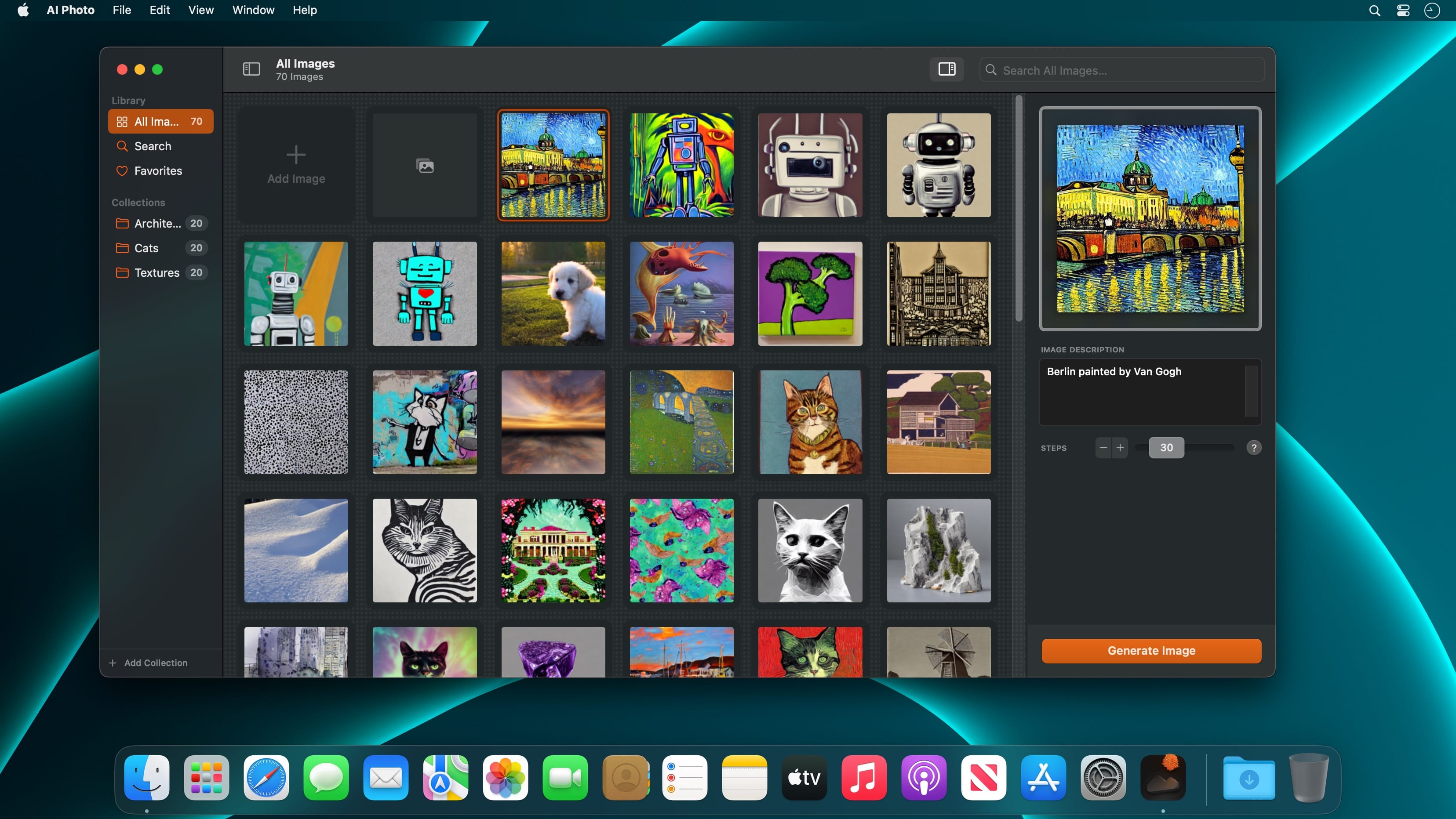
Turn text into images! AI Photo is a user-friendly text-to-image generator app that creates photos and artworks, all offline, based on your image description.

Features

  • AI-powered Text-to-Image generator
  • Supercharged by Stable Diffusion
  • Privacy by Design: Computes offline, directly on your Mac, iPhone or iPad
  • Fast: Optimised for Apple silicon chips (M1, M2)
  • Collections: Organise and manage your artworks
  • Favourites: Your best creations always at hand
  • Search: Lightning fast, surprisingly smart
  • Pros in Mind: Change Steps, Seeds, Guidance Scales
  • Custom Models: On the Mac, you can add custom CoreML models.
  • Export & Share
  • Looks brilliant in dark and light

What’s New:

Version 1.13:

  • Release notes were unavailable when this listing was updated.

Language: English, French, German, Italian, Japanese, Korean, Simplified Chinese, Spanish
Compatibility: macOS 13.3 or later
Mac App Store http://apps.apple.com/app/ai-photo/id6444911377

Screenshots


PhotosRevive 2.1.1

Name: PhotosRevive_2.1.1_Mactorrents.biz.dmg
Size: 477 MB
Files PhotosRevive_2.1.1_Mactorrents.biz.dmg[477 MB]

   Download Torrent

PhotosRevive automatically colorizes your old black and white photos. The application uses a revolutionary artificial intelligence that will add colors in an ultra-realistic way. The application is super simple to use. Scan or import your photo and that’s it. The application will color it without any effort on your part.

We know that the colors chosen by the engine may differ from those of your memories. That’s why the app lets you add indications of colors. So you can help the artificial intelligence and change the rendering as you please. PhotosRevive is the first app that will perfectly adjust the rendering to your memories.

FEATURES:

  • Automatically recolor photos.
  • Scan photos from your camera.
  • Adjust black and white tint.
  • Add indications to improve rendering.
  • Save and share the result.

Compatibility: macOS 11.0 or later
Homepage https://neededapps.com/

Screenshots


Pixelmator Pro 3.3.11

Name: Pixelmator_Pro_3.3.11_Mactorrents.biz.dmg
Size: 580 MB
Files Pixelmator_Pro_3.3.11_Mactorrents.biz.dmg[580 MB]

   Download Torrent

Pixelmator Pro is an incredibly powerful, beautiful, and easy to use image editor designed exclusively for Mac.
With a wide range of professional-grade, nondestructive image editing tools, Pixelmator Pro lets you bring out the best in your photos, create gorgeous compositions and designs, draw, paint, apply stunning effects, design beautiful text, and edit images in just about any way you can imagine. And thanks to its intuitive and accessible design, Pixelmator Pro is delightfully easy to use — whether you’re just starting out with image editing or you’re a seasoned pro.

Exceptional Design and Functionality

  • The modern, single-window interface of Pixelmator Pro is designed exclusively for working with images on a Mac
  • An intuitive and refined design makes image editing easy and accessible, even if you’re a complete beginner
  • Native dark and light appearances adapt to the light and dark modes of macOS
  • A customizable interface lets you organize your creative environment just the way you want
  • Choose from workspace presets created for photography, design, illustration, and painting
  • A full-featured Photos extension lets you edit images using Pixelmator Pro without ever leaving Photos, saving layered, nondestructive edits directly to your library

Professional Tools

  • Enhance your existing images and create new ones using every image editing tool you could ever need
  • Edit nondestructively, adjusting individual changes whenever you like
  • Easily move, resize, and arrange objects to create stunning compositions
  • Adjust colors with a collection of nondestructive, machine learning-powered color adjustments
  • Enjoy superior support for RAW files, editing RAW images using all their extended range data
  • Create digital or traditional paintings using handcrafted, fully-customizable, dual-texture brushes with full support for digital graphics tablets
  • Combine the built-in effects to create any artistic or special effects you can imagine
  • Save adjustment, effect, and layer style combinations as presets, use them in any of your images, and share them with others
  • Speed up image editing with hundreds of presets for color adjustments, effects, layer styles, and shapes
  • Magically remove small imperfections or entire objects, seamlessly clone parts of your photos, and lighten or darken precise areas using a full set of retouching tools
  • Use the reshaping tools to easily change the shape of any object or area in your images
  • Add customizable vector graphics designed by the Pixelmator Team
  • Create your own vector graphics using the Pen tool
  • Easily design great-looking text with a full set of typography tools
  • Quickly create curved, circular, and path text
  • Optimize and save your images for the web, using advanced compression to shrink file sizes
  • Batch process images using built-in Automator actions
  • Effortlessly automate workflows using full-featured AppleScript support

Image Editing Enhanced by Machine Learning

  • Magically remove objects, recreating image areas with stunning realism using the Repair tool
  • Use ML Enhance to intelligently enhance photos with a machine learning algorithm trained on millions of professional photos
  • Zoom and enhance image resolution with the incredible ML Super Resolution
  • Automatically copy the look of one photo to another with ML Match Colors
  • Remove image noise and compression artifacts while preserving details using ML Denoise
  • Quickly make accurate selections with ease using the Quick Selection tool

Compatibility

  • Open and edit images in all the most popular image formats, including JPEG, TIFF, PNG, PSD, HEIF, SVG, PDF, GIF, BMP, TGA, WebP and JPEG-2000
  • Open and edit Photoshop images with layers
  • Open and edit SVG vector images
  • Share your images to Photos, Mail, AirDrop, and other locations

Built Exclusively for Mac

  • Designed exclusively for macOS, Pixelmator Pro supports almost every major macOS feature and integrates seamlessly with macOS Big Sur.

Compatibility: macOS 11.0 or later, Apple Silicon or Intel Core processor
Homepage https://apps.apple.com/pk/app/pixelmator-pro/id1289583905

Screenshots


GlueMotion 2.1.3

Name: GlueMotion_2.1.3_Mactorrents.biz.dmg
Size: 14 MB
Files GlueMotion_2.1.3_Mactorrents.biz.dmg[14 MB]

   Download Torrent

GlueMotion is the perfect tool for time lapse photographers. The application allows you to batch edit, deflicker and assemble sequences of images into time lapse movies.

GlueMotion has been made to save your time and guide you during the process of creation. By using the included batch editing tool, you will not have to use additional applications. GlueMotion is able to crop, rotate, flip and adjust colors of your photos such as exposure, saturation or brightness. Moreover the application is able to deflicker the sequences of photos. In other words, GlueMotion will analyze your photos and select automatically the optimal brightness correction for each image.

The application is designed for professional needs. That is why it can handle several hundreds of thousands of images painlessly. In addition, all industry-standard formats are supported. The application can import PNG, JPEG as well as all RAW image formats supported by macOS. The exported movie can be encoded in H.264, Apple ProRes as well as HEVC.

This version has been optimized for macOS High Sierra and later. Moreover the application is available in 7 languages (English, French, German, Spanish, Italian, Japanese and Chinese).

Feedbacks can be sent directly from the application. In this way, you can contact us for any kind of suggestions and improvements in few clics.

GlueMotion is accompanied by other applications.

  • SnapMotion: extract still images from videos with precision.
  • MetaImage: edit image metadata and geographical tags.

Language: English, French, German, Italian, Japanese, Simplified Chinese, Spanish
Compatibility: macOS 11 or later
Homepage https://neededapps.com/

Screenshots


ImageRanger Pro Edition 1.9.4.1871

Name: ImageRanger_Pro_Edition_1.9.4.1871_Mactorrents.biz.dmg
Size: 103 MB
Files ImageRanger_Pro_Edition_1.9.4.1871_Mactorrents.biz.dmg[103 MB]

   Download Torrent

We live in the day in which pictures are a common thing, especially with all phones being equipped with pretty powerful cameras. As such, your computer can end up the storage place of your picture collections, but it can be a hassle to manually handle it. In this regard, ImageRanger comes as an advanced picture finding and organizing tool.

With ImageRanger, auto-enhancements can be applied to multiple images at once. Manual fine-tuning makes it possible to select dark or bright regions of the image and apply various correction settings.

All necessary editing controls (brightness, contrast, sharpness, saturation) are designed in a user friendly interface, with an UNDO function to correct any mishaps as you go.

You can even ask ImageRanger to find and categorize all images of poor quality automatically for your convenience. For advanced users, a powerful batch-processing allows work to be carried out on entire folders while processing only relevant photos.

ImageRanger will index photos on your Mac or storage drives so you can:

  • Quickly load thousands of images
  • Find portraits, faces
  • Sort and filter
  • Find duplicates and remove copies
  • Organize in folders by year, location
  • Crop, resize very quickly
  • Manually sort collections from multiple folders
  • Sort out your images from other illustrations, clip arts
  • Find low quality images and improve image contrast
  • Perform general photo managment tasks
  • Print hundreds of photos

What’s New:

Version 1.9.4.1871:

  • Release notes were unavailable when this listing was updated.

Compatibility: macOS 10.10 or later,
Homepage https://imageranger.com/

Screenshots


OmniPlayer: MKV Video Player 2.1.1

Name: OmniPlayerStore_2.1.1_Mactorrents.biz.dmg
Size: 96 MB
Files OmniPlayerStore_2.1.1_Mactorrents.biz.dmg[96 MB]

   Download Torrent

OmniPlayer for Mac is a comprehensive media player for almost any video and audio format on macOS. It has powerful features with a modern and clean design. You can use it to play various 4K/1080P/720P HD videos and normal/lossless audio easily with hardware decoding. OmniPlayer’s rich features let you conveniently control and adjust the playback, playlists, video images, audio tracks, subtitles, and screenshots, etc.

Supported Formats:
– Videos: mkv, rmvb, rm, avi, mov, wmv, flv, f4v, f4p, f4a, f4b, swf, mpg, mpeg, mpeg1, mpeg2, m1v, m2v, mpv, mp4, mpeg4, m4v, 3gp, 3gpp, 3g2, 3gp2, m2p, ps, ts, m2ts, mts, mt2s, ogm, ogv, divx, dv, asf, wtv, webm, m3u, m3u8 etc.
-mAudios: flac, ape, m2a, mp1, mp2, mpa, mp3, mpg3, m4a, m4b, wma, wav, wv, xm, aiff, aif, ac3, a52, aac, opus, ogg, oga, mid, midi, mka etc.
– Subtitles: ass, ssa, srt, idx&sub

Features

· Supports Multiple Media Types
– Play almost any format of the local and remote server videos and audios (SAMBA/FTP protocol).
– Supports online videos and audio with HTTP/HTTPS protocols.
– Play Youtube and Vimeo videos using the webpage URL directly without online ads.
· Playlist Control
– Record media files to playlists automatically and automatically clear all when exiting the player.
– Play, search, delete, change repeat mode of media items in the playlist.
· Playback Control
– Pause, resume, fast forward, rewind and jump to a specified progress time.
– Record last progress time of playback when stopping automatically.
– Show preview images on the progress bar when playing a local video.
– Hide controls automatically to display pure video view without any occlusion.
– Adjust playback speed from 0.25x to 4x.

Top In-App Purchases: Full (PRO) Version – included
Compatibility: macOS 10.13 or later
Mac App Store https://geo.itunes.apple.com/app/id1470926410

Screenshots

EdgeView 4.2.6

Name: EdgeView_4.2.6_Mactorrents.biz.dmg
Size: 36 MB
Files EdgeView_4.2.6_Mactorrents.biz.dmg[36 MB]

   Download Torrent

EdgeView 3 is fast image viewer has elegant user interface. EdgeView 3 is developed and designed for modern MacOS. It can open various image files such as JPEG, PNG, TIFF, BMP, and RAW file of DSLR, EPS and PDF, AI(Adobe Illustrator). Can open image files in archive directly without extraction.

User can open files, rename files, delete files from EdgeView’s file browser. Also can access to SMB/AFP/FTP network volume.

User can navigate images quickly by using keyboard shorcut, mouse wheel, trackpad gesture. EdgeVew show EXIF information, play animation GIF/PNG/WebP smoothly. Save last status to history, and restore when reopen file.

EdgeView 3 will be the best choice when viewing and managing image files.

Features

  • Rewrote full code as Swift for improve performance.
  • Support m1 CPU Mac.
  • Has easy UI, can control main function at Sidebar.
  • Support English/Korean/Japanese/Chinese(Simplified).

Image Viewer

  • Supporting image files such as JPG, GIF, BMP, PSD, TIFF, RAW, WEBP and PDF, EPS, AI(Adobe Illustrator), OpenEXR, HDR, TGA.
  • Can play animation GIF/PNG/WebP. User can control animation with floating animation controller.
  • Dispaly internal image(or frame) of animation GIF/PNG/WebP or HEIC that has multiple internal image.
  • Can read and show images of major archive formats (such as ZIP, RAR, CBZ, CBR, 7-zip) without extraction. Of course, can open ZIP file that 4GB over.
  • Can read encrypted archive file.
  • Can read archive file in archive file recursively
  • Improved draw speed by rebuilt image cache system and drawing engine.
  • Draw images as high quality.
  • Provide suitable functions for comic reading such as ‘Two-Page Spread’, ‘Continuous Scroll mode’, ‘Right to Left’, etc.
  • Provide multiple navigation functions like as ‘Move’, ‘Skip’, ‘Shift’, etc.
  • User can navigate images and check whole thumbnails at Thumbnailsbar.
  • User can navigate images by using keyboard shortcut, mouse wheel, trackpad gesture.
  • Can rotate and flip images. Orientation will be saved to history.
  • User can select part of images, and copy it or save as file.
  • Can zoom in/out image freely.
  • Built-in loupe function to make it easier to magnify part of image.
  • Show histogram.
  • Show neighbor files list. And can open neighbor file.
  • Support history feature for saving and restoring last status of file.
  • Can reopen file or remove history at history list.
  • Can rate image files.

File Browser

  • Built-in file browser can show and open files from local drive or AFP/SMB/FTP network drive.
  • Can display files as lists or icon.
  • Show images in folder/archive file at preview panel.
  • Generate thumbnails of archive files and folders.
  • Support powerful search feature.
  • Show category and writer information.
  • User can sort files by various options, and can delete or rename files.
  • Can rate files or folders.

Others

  • Support customizing feature. Also user can change shortcuts.
  • Built-in Quick Look Extension generate thumbnails and preview of archive files at Finder.

Compatibility: macOS 11.1 or later • Apple Silicon or Intel Core processor
Homepage https://apps.apple.com/pk/app/edgeview-2/id1206246482

Screenshots


GlueMotion 2.1.2

Name: GlueMotion_2.1.2_Mactorrents.biz.dmg
Size: 14 MB
Files GlueMotion_2.1.2_Mactorrents.biz.dmg[14 MB]

   Download Torrent

GlueMotion is the perfect tool for time lapse photographers. The application allows you to batch edit, deflicker and assemble sequences of images into time lapse movies.

GlueMotion has been made to save your time and guide you during the process of creation. By using the included batch editing tool, you will not have to use additional applications. GlueMotion is able to crop, rotate, flip and adjust colors of your photos such as exposure, saturation or brightness. Moreover the application is able to deflicker the sequences of photos. In other words, GlueMotion will analyze your photos and select automatically the optimal brightness correction for each image.

The application is designed for professional needs. That is why it can handle several hundreds of thousands of images painlessly. In addition, all industry-standard formats are supported. The application can import PNG, JPEG as well as all RAW image formats supported by macOS. The exported movie can be encoded in H.264, Apple ProRes as well as HEVC.

This version has been optimized for macOS High Sierra and later. Moreover the application is available in 7 languages (English, French, German, Spanish, Italian, Japanese and Chinese).

Feedbacks can be sent directly from the application. In this way, you can contact us for any kind of suggestions and improvements in few clics.

GlueMotion is accompanied by other applications.

  • SnapMotion: extract still images from videos with precision.
  • MetaImage: edit image metadata and geographical tags.

Language: English, French, German, Italian, Japanese, Simplified Chinese, Spanish
Compatibility: macOS 11 or later
Homepage https://neededapps.com/

Screenshots


4K Stogram Pro 4.6.0

Name: 4K_Stogram_4.6_[TNT]_Mactorrents.biz.dmg
Size: 54.8 MB
Files 4K_Stogram_4.6_[TNT]_Mactorrents.biz.dmg[54.8 MB]

   Download Torrent

4K Stogram is an Instagram downloader which allows you to download and backup Instagram photos and videos, even from private accounts. Download Instagram photos by hashtags or favorite locations!

Features:

  • Grab photos of few account simultaneously and save it in JPEG on your desktop.
  • Follow your favourite photographers and get their latest photos automatically.
  • Download Instagram Stories as video or image files.
  • Login with your Instagram credentials and download photos of private friends accounts.
  • Access to your viewer directly from the application.
  • Download Instagram video in MP4 format.
  • Enjoy the minimalistic interface of application.

What’s New:

Version 4.6.0:

  • Release notes were unavailable when this listing was updated.

Compatibility: OS X 10.13 or later 64-bit
Homepage https://www.4kdownload.com/products/product-stogram

Screenshots


EdgeView 4.2.5

Name: EdgeView_4.2.5_MAS_[TNT]_Mactorrents.biz.dmg
Size: 36.25 MB
Files EdgeView_4.2.5_MAS_[TNT]_Mactorrents.biz.dmg[36.25 MB]

   Download Torrent

EdgeView 3 is fast image viewer has elegant user interface. EdgeView 3 is developed and designed for modern MacOS. It can open various image files such as JPEG, PNG, TIFF, BMP, and RAW file of DSLR, EPS and PDF, AI(Adobe Illustrator). Can open image files in archive directly without extraction.

User can open files, rename files, delete files from EdgeView’s file browser. Also can access to SMB/AFP/FTP network volume.

User can navigate images quickly by using keyboard shorcut, mouse wheel, trackpad gesture. EdgeVew show EXIF information, play animation GIF/PNG/WebP smoothly. Save last status to history, and restore when reopen file.

EdgeView 3 will be the best choice when viewing and managing image files.

Features

  • Rewrote full code as Swift for improve performance.
  • Support m1 CPU Mac.
  • Has easy UI, can control main function at Sidebar.
  • Support English/Korean/Japanese/Chinese(Simplified).

Image Viewer

  • Supporting image files such as JPG, GIF, BMP, PSD, TIFF, RAW, WEBP and PDF, EPS, AI(Adobe Illustrator), OpenEXR, HDR, TGA.
  • Can play animation GIF/PNG/WebP. User can control animation with floating animation controller.
  • Dispaly internal image(or frame) of animation GIF/PNG/WebP or HEIC that has multiple internal image.
  • Can read and show images of major archive formats (such as ZIP, RAR, CBZ, CBR, 7-zip) without extraction. Of course, can open ZIP file that 4GB over.
  • Can read encrypted archive file.
  • Can read archive file in archive file recursively
  • Improved draw speed by rebuilt image cache system and drawing engine.
  • Draw images as high quality.
  • Provide suitable functions for comic reading such as ‘Two-Page Spread’, ‘Continuous Scroll mode’, ‘Right to Left’, etc.
  • Provide multiple navigation functions like as ‘Move’, ‘Skip’, ‘Shift’, etc.
  • User can navigate images and check whole thumbnails at Thumbnailsbar.
  • User can navigate images by using keyboard shortcut, mouse wheel, trackpad gesture.
  • Can rotate and flip images. Orientation will be saved to history.
  • User can select part of images, and copy it or save as file.
  • Can zoom in/out image freely.
  • Built-in loupe function to make it easier to magnify part of image.
  • Show histogram.
  • Show neighbor files list. And can open neighbor file.
  • Support history feature for saving and restoring last status of file.
  • Can reopen file or remove history at history list.
  • Can rate image files.

File Browser

  • Built-in file browser can show and open files from local drive or AFP/SMB/FTP network drive.
  • Can display files as lists or icon.
  • Show images in folder/archive file at preview panel.
  • Generate thumbnails of archive files and folders.
  • Support powerful search feature.
  • Show category and writer information.
  • User can sort files by various options, and can delete or rename files.
  • Can rate files or folders.

Others

  • Support customizing feature. Also user can change shortcuts.
  • Built-in Quick Look Extension generate thumbnails and preview of archive files at Finder.

Compatibility: macOS 11.1 or later • Apple Silicon or Intel Core processor
Homepage https://apps.apple.com/pk/app/edgeview-2/id1206246482

Screenshots


zFuse Pro – Player For Everything 1.7.28

Name: sPlayer_1.7.28_MAS_[TNT]_Mactorrents.biz.dmg
Size: 56.89 MB
Files sPlayer_1.7.28_MAS_[TNT]_Mactorrents.biz.dmg[56.89 MB]

   Download Torrent

zFuse Pro macOS version, with iOS version of the same light, simple and powerful.

The following is a characteristic:

  • Simultaneously open multiple instances.
  • Video rotation, you can watch movies lying down.
  • Hardware acceleration.
  • Supports HDR Tone Mapping on non-HDR display.
  • Media preview in seeking.
  • Built-in audio enhancement.
  • Multi Soundtrack selection.
  • Embedded/External subtitle-track selection.
  • Subtitle synchronization.
  • Support for external subtitle font selection .
  • 0.5x-3.0x playback speed control.
  • 0.5x-5.0x zoom screen.
  • Can directly load Blu-ray ISO to play.
  • Support audio output format switching.
  • Support audio output sample rate switching.
  • Support audio output channels switching.

Function/Shortcut key

  • Double click: full screen/quit full screen.
  • Space: pause/play.
  • Shortcuts: See the items under the “Control” menu.
  • Supported video formats : MP4, MOV, MKV, AVI, WMV, FLV, RMVB, ASF,OGV and so on.
  • Supported audio formats : MP3, WAV, WMA, FLAC, APE and so on.
  • Support subtitle format : SRT, SSA, ASS.
  • Supported image formats : JPG, PNG, BMP,TIFF etc.
  • Supported playlist formats : M3U/M3U8/PLS/TXT/DPL.

Compatibility: macOS 10.15 or later
Mac App Store https://apps.apple.com/app/zfuse-pro/id1012278958

Screenshots


PowerPhotos 2.4.2 beta2

Name: PowerPhotos_2.4.2b2_[TNT]_Mactorrents.biz.dmg
Size: 35.31 MB
Files PowerPhotos_2.4.2b2_[TNT]_Mactorrents.biz.dmg[35.31 MB]

   Download Torrent

PowerPhotos – The ultimate toolbox for Photos on the Mac. PowerPhotos works with the built-in Photos app on your Mac, providing an array of tools to help you get your photo collection in order.

Create and manage multiple libraries
Instead of being limited to putting all your photos in a single library, PowerPhotos can work with multiple Photos libraries, giving you many more options for how to organize your ever growing photo collection.

Splitting your photos between multiple libraries helps Photos open more quickly, lets you archive older photos, store some of your collection on an external hard drive, and reduce storage space used by iCloud Photo Library.

Copy photos and their metadata
You can split your library by copying albums and photos with a simple drag and drop. PowerPhotos will take care of copying the photos and retaining their metadata, including keywords, descriptions, titles, dates, and favorite status. Read more about what PowerPhotos can copy.

Merge Photos libraries
Got a whole bunch of libraries you want to consolidate into one? PowerPhotos lets you merge your libraries together while weeding out duplicate photos in the process. You will be shown a preview of what your merged library will look like before any modifications are done, to ensure your merged library looks how you want.

Find duplicate photos
It’s easy to have multiple copies of the same photo creep into your photo collection over time. Use PowerPhotos to find duplicate photos in one or more libraries, view them side by side, and separate them into albums where you can easily delete them from your library.

Browse and search
Use PowerPhotos’ image browser to quickly view your photos without having to open Photos itself. View detailed photo information using List View, and search for photos across all your libraries at once.

Migrate your iPhoto/Aperture libraries
If you have a lot of existing iPhoto or Aperture libraries that you want to migrate over to Photos, PowerPhotos will help automate your migrations so you don’t have to spend time babysitting this lengthy process.

New features:

  • Improved iCloud Photos support: If you use iCloud Photos, PowerPhotos 1.x was only able to see photos in your library that had already been downloaded to your local hard drive. For users with the “Optimize Mac Storage” option enabled, this could mean a significant portion of your iCloud library would not be visible to PowerPhotos. In PowerPhotos 2.0, it can now see and work with any photos in your iCloud photo library, and will automatically download any photos from iCloud as needed.
  • Advanced exporting: Photos has an export command, but it is fairly limited in what it can provide. PowerPhotos 2.0 has a new, more fully featured export function with options such as
  • Export as a flat folder or as a folder hierarchy in the Finder that mimics your album hierarchy
  • Export unmodified photos, or as JPG, PNG, HEIF, or TIFF of different sizes
  • Include captions, dates, keywords, and titles in EXIF metadata
  • Retain or strip location metadata
  • Optionally include videos from Live Photos and all photos from a burst
  • Set Finder creation/modification dates to the photo’s EXIF date
  • Video export support as H.264 or H.265
  • Global menu bar item: Get fast access to your libraries via a global item in your menu bar even when PowerPhotos itself isn’t running.
  • Library groups: For those with lots of libraries, you can now organize your libraries into groups in the PowerPhotos sidebar.
  • Multiple windows: You can now open each library in a separate window in PowerPhotos, allowing for easier comparison between libraries, and dragging and dropping photos/albums between libraries.
  • New duplicate search engine: PowerPhotos 2.0 uses a new duplicate comparison algorithm that can find more duplicate photos which are not quite 100% identical, such as scaled down copies of photos, photos that have been resaved in a different format or with different compression, and even photos with minor edits applied to them.
  • Faster library loading: PowerPhotos 2.0 has rewritten a bunch of its internals to load your library much faster than PowerPhotos 1.0.
    Improved AppleScript support: New support for copying albums or photos between libraries, merging libraries, and exporting photos/albums from a library.

Compatibility: macOS 11.0 or later
Homepage https://www.fatcatsoftware.com/powerphotos/

Screenshots


ImageRanger Pro Edition 1.9.4.1865

Name: ImageRanger_Pro_Edition_1.9.4.1865_[TNT]_Mactorrents.biz.dmg
Size: 103.15 MB
Files ImageRanger_Pro_Edition_1.9.4.1865_[TNT]_Mactorrents.biz.dmg[103.15 MB]

   Download Torrent
   Link Download

We live in the day in which pictures are a common thing, especially with all phones being equipped with pretty powerful cameras. As such, your computer can end up the storage place of your picture collections, but it can be a hassle to manually handle it. In this regard, ImageRanger comes as an advanced picture finding and organizing tool.

With ImageRanger, auto-enhancements can be applied to multiple images at once. Manual fine-tuning makes it possible to select dark or bright regions of the image and apply various correction settings.

All necessary editing controls (brightness, contrast, sharpness, saturation) are designed in a user friendly interface, with an UNDO function to correct any mishaps as you go.

You can even ask ImageRanger to find and categorize all images of poor quality automatically for your convenience. For advanced users, a powerful batch-processing allows work to be carried out on entire folders while processing only relevant photos.

ImageRanger will index photos on your Mac or storage drives so you can:

  • Quickly load thousands of images
  • Find portraits, faces
  • Sort and filter
  • Find duplicates and remove copies
  • Organize in folders by year, location
  • Crop, resize very quickly
  • Manually sort collections from multiple folders
  • Sort out your images from other illustrations, clip arts
  • Find low quality images and improve image contrast
  • Perform general photo managment tasks
  • Print hundreds of photos

What’s New:

Version 1.9.4.1865:

  • Release notes were unavailable when this listing was updated.

Compatibility: macOS 10.11 or later
Homepage https://imageranger.com/

Screenshots


Pixelmator Pro 3.3.8

Name: Pixelmator_Pro_3.3.8_MAS_[TNT]_Mactorrents.biz.dmg
Size: 563.49 MB
Files Pixelmator_Pro_3.3.8_MAS_[TNT]_Mactorrents.biz.dmg[563.49 MB]

   Download Torrent
   Link Download

Pixelmator Pro is an incredibly powerful, beautiful, and easy to use image editor designed exclusively for Mac.
With a wide range of professional-grade, nondestructive image editing tools, Pixelmator Pro lets you bring out the best in your photos, create gorgeous compositions and designs, draw, paint, apply stunning effects, design beautiful text, and edit images in just about any way you can imagine. And thanks to its intuitive and accessible design, Pixelmator Pro is delightfully easy to use — whether you’re just starting out with image editing or you’re a seasoned pro.

Exceptional Design and Functionality

  • The modern, single-window interface of Pixelmator Pro is designed exclusively for working with images on a Mac
  • An intuitive and refined design makes image editing easy and accessible, even if you’re a complete beginner
  • Native dark and light appearances adapt to the light and dark modes of macOS
  • A customizable interface lets you organize your creative environment just the way you want
  • Choose from workspace presets created for photography, design, illustration, and painting
  • A full-featured Photos extension lets you edit images using Pixelmator Pro without ever leaving Photos, saving layered, nondestructive edits directly to your library

Professional Tools

  • Enhance your existing images and create new ones using every image editing tool you could ever need
  • Edit nondestructively, adjusting individual changes whenever you like
  • Easily move, resize, and arrange objects to create stunning compositions
  • Adjust colors with a collection of nondestructive, machine learning-powered color adjustments
  • Enjoy superior support for RAW files, editing RAW images using all their extended range data
  • Create digital or traditional paintings using handcrafted, fully-customizable, dual-texture brushes with full support for digital graphics tablets
  • Combine the built-in effects to create any artistic or special effects you can imagine
  • Save adjustment, effect, and layer style combinations as presets, use them in any of your images, and share them with others
  • Speed up image editing with hundreds of presets for color adjustments, effects, layer styles, and shapes
  • Magically remove small imperfections or entire objects, seamlessly clone parts of your photos, and lighten or darken precise areas using a full set of retouching tools
  • Use the reshaping tools to easily change the shape of any object or area in your images
  • Add customizable vector graphics designed by the Pixelmator Team
  • Create your own vector graphics using the Pen tool
  • Easily design great-looking text with a full set of typography tools
  • Quickly create curved, circular, and path text
  • Optimize and save your images for the web, using advanced compression to shrink file sizes
  • Batch process images using built-in Automator actions
  • Effortlessly automate workflows using full-featured AppleScript support

Image Editing Enhanced by Machine Learning

  • Magically remove objects, recreating image areas with stunning realism using the Repair tool
  • Use ML Enhance to intelligently enhance photos with a machine learning algorithm trained on millions of professional photos
  • Zoom and enhance image resolution with the incredible ML Super Resolution
  • Automatically copy the look of one photo to another with ML Match Colors
  • Remove image noise and compression artifacts while preserving details using ML Denoise
  • Quickly make accurate selections with ease using the Quick Selection tool

Compatibility

  • Open and edit images in all the most popular image formats, including JPEG, TIFF, PNG, PSD, HEIF, SVG, PDF, GIF, BMP, TGA, WebP and JPEG-2000
  • Open and edit Photoshop images with layers
  • Open and edit SVG vector images
  • Share your images to Photos, Mail, AirDrop, and other locations

Built Exclusively for Mac

  • Designed exclusively for macOS, Pixelmator Pro supports almost every major macOS feature and integrates seamlessly with macOS Big Sur.

Compatibility: macOS 11.0 or later, Apple Silicon or Intel Core processor
Homepage https://apps.apple.com/pk/app/pixelmator-pro/id1289583905

Screenshots


PhotoSweeper X 4.8.1

Name: PhotoSweeper_X_4.8.1_[TNT]_Mactorrents.biz.dmg
Size: 51.06 MB
Files PhotoSweeper_X_4.8.1_[TNT]_Mactorrents.biz.dmg[51.06 MB]

   Download Torrent
   Link Download

PhotoSweeper helps quickly and efficiently eliminate similar or duplicate photos. It works with photos from iPhoto, Aperture and Adobe Lightroom libraries as well as photos from your Mac.

PhotoSweeper will help you if:

  • You take a series of shots of the same scene trying to get the perfect one.
  • You edit photos with applications, such PhotoShop, Pixelmator, etc., and make backups just in case.
  • You have photos scattered on external hard drives and local disks, in iPhoto, Aperture or Lightroom libraries.
  • You have a mess in your photo collection or just want to free disk space by removing junk photos.

Features
Easy to find photos
Just drag and drop folders to allow PhotoSweeper to find all photos inside. Add more photos from your iPhoto, Aperture or Lightroom library via the Media window.

Flexible comparison settings
Use 6 different methods to find similar or duplicate photos, even those edited in external programs such Photoshop, regardless of image size or format.

Fast
PhotoSweeper was developed to be extremely fast at comparing large number of photos. Using efficient caches allows you to make the next comparison much faster. You have an opportunity to regroup the results on-the-fly by changing a matching level of similarity.

Easy to manage photos
Review results in “Face-to-Face” or “Groups” mode. Put photos into a virtual container, “Box”. Delete, move, or copy photos from the Box. Bulk rename photos while copying or moving.

Great photo browsing
PhotoSweeper provides an up-to-date photo browser with such features as: fast loading of thumbnails, Quick Look preview, drag and drop support, showing paths, ratings, labels, etc. The “Image Info” panel shows more detailed information, including histogram and image metadata (EXIF, IPTC, etc.).

A comprehensive user manual is available in the Help menu.

Compatibility: macOS 10.13 or later
Homepage https://geo.itunes.apple.com/app/id463362050

Screenshots


Duplicate Photos Fixer Pro 4.9

Name: Duplicate_Photos_Fixer_Pro_4.9_MAS_[TNT]_Mactorrents.biz.dmg
Size: 20.3 MB
Files Duplicate_Photos_Fixer_Pro_4.9_MAS_[TNT]_Mactorrents.biz.dmg[20.3 MB]

   Download Torrent
   Link Download

Duplicate Photos Fixer Pro is an excellent photo-fixing tool that smoothly scans and deletes duplicate or similar photos, depending on the matching level you choose. This captivating tool works with photos from iPhoto, along with photos from external storages and your system’s hard drives as well. Free up ample disk space by deleting a large number of similar and duplicate photos in just a click! Duplicate Photos Fixer Pro works like a charm and has the ability to detect duplicate and similar photos wherein:

  • You click photos of the same scene in quick succession to capture the perfect shot
  • Your photos are scattered all over the system, external storage devices, iPhoto and hard drives
  • You clutter the system by creating backups of pictures and now want to remove the junk

Why use Duplicate Photos Fixer Pro?

  • Drag-and-Drop Folders/Photos – Simply drag and drop folders to easily scan for photos inside them. You can add more photos from your iPhoto library and other folders as well.
  • Custom Comparison Settings – You can fully customize your comparison settings out of the available methods by adjusting the settings according to your requirement, regardless of the image size or format.
  • Speed – Duplicate Photos Fixer Pro is extremely fast when it comes to scanning and comparing a large number of photos within seconds. This is due to the powerful algorithms injected during the development of this tool that make the search of duplicate photos extremely fast, giving excellent comparison results.
  • Efficiency / Real-time Results – Without re-comparing photos, you can re-group the comparison results by changing the matching level on the slider in real-time.
  • Auto-Mark Duplicates – Use the Auto-Mark feature to mark all duplicate photos in every group except one, depending upon the preferences.
  • Compact Viewing – The interface of Duplicate Photos Fixer Pro is designed in such a way that all occurrences of photos are classified into different groups and are viewed as large photos group in each line.
  • QuickLook – Before moving ahead and deleting photos, you can have a clear look at them instead of opening them individually, using this feature.

What’s New:

Version 4.9

  • Fixed issue in DropBox scan mode.

Compatibility: macOS 10.10 or later
Homepage https://apps.apple.com/us/app/duplicate-photos-fixer-pro/id963642514

Screenshots


Pixelmator Pro 3.3.7

Name: Pixelmator_Pro_3.3.7_MAS_[TNT]_Mactorrents.biz.dmg
Size: 563.51 MB
Files Pixelmator_Pro_3.3.7_MAS_[TNT]_Mactorrents.biz.dmg[ 563.51 MB]

   Download Torrent
   Link Download

Pixelmator Pro is an incredibly powerful, beautiful, and easy to use image editor designed exclusively for Mac.
With a wide range of professional-grade, nondestructive image editing tools, Pixelmator Pro lets you bring out the best in your photos, create gorgeous compositions and designs, draw, paint, apply stunning effects, design beautiful text, and edit images in just about any way you can imagine. And thanks to its intuitive and accessible design, Pixelmator Pro is delightfully easy to use — whether you’re just starting out with image editing or you’re a seasoned pro.

Exceptional Design and Functionality

  • The modern, single-window interface of Pixelmator Pro is designed exclusively for working with images on a Mac
  • An intuitive and refined design makes image editing easy and accessible, even if you’re a complete beginner
  • Native dark and light appearances adapt to the light and dark modes of macOS
  • A customizable interface lets you organize your creative environment just the way you want
  • Choose from workspace presets created for photography, design, illustration, and painting
  • A full-featured Photos extension lets you edit images using Pixelmator Pro without ever leaving Photos, saving layered, nondestructive edits directly to your library

Professional Tools

  • Enhance your existing images and create new ones using every image editing tool you could ever need
  • Edit nondestructively, adjusting individual changes whenever you like
  • Easily move, resize, and arrange objects to create stunning compositions
  • Adjust colors with a collection of nondestructive, machine learning-powered color adjustments
  • Enjoy superior support for RAW files, editing RAW images using all their extended range data
  • Create digital or traditional paintings using handcrafted, fully-customizable, dual-texture brushes with full support for digital graphics tablets
  • Combine the built-in effects to create any artistic or special effects you can imagine
  • Save adjustment, effect, and layer style combinations as presets, use them in any of your images, and share them with others
  • Speed up image editing with hundreds of presets for color adjustments, effects, layer styles, and shapes
  • Magically remove small imperfections or entire objects, seamlessly clone parts of your photos, and lighten or darken precise areas using a full set of retouching tools
  • Use the reshaping tools to easily change the shape of any object or area in your images
  • Add customizable vector graphics designed by the Pixelmator Team
  • Create your own vector graphics using the Pen tool
  • Easily design great-looking text with a full set of typography tools
  • Quickly create curved, circular, and path text
  • Optimize and save your images for the web, using advanced compression to shrink file sizes
  • Batch process images using built-in Automator actions
  • Effortlessly automate workflows using full-featured AppleScript support

Image Editing Enhanced by Machine Learning

  • Magically remove objects, recreating image areas with stunning realism using the Repair tool
  • Use ML Enhance to intelligently enhance photos with a machine learning algorithm trained on millions of professional photos
  • Zoom and enhance image resolution with the incredible ML Super Resolution
  • Automatically copy the look of one photo to another with ML Match Colors
  • Remove image noise and compression artifacts while preserving details using ML Denoise
  • Quickly make accurate selections with ease using the Quick Selection tool

Compatibility

  • Open and edit images in all the most popular image formats, including JPEG, TIFF, PNG, PSD, HEIF, SVG, PDF, GIF, BMP, TGA, WebP and JPEG-2000
  • Open and edit Photoshop images with layers
  • Open and edit SVG vector images
  • Share your images to Photos, Mail, AirDrop, and other locations

Built Exclusively for Mac

  • Designed exclusively for macOS, Pixelmator Pro supports almost every major macOS feature and integrates seamlessly with macOS Big Sur.

Compatibility: macOS 11.0 or later, Apple Silicon or Intel Core processor
Homepage https://apps.apple.com/pk/app/pixelmator-pro/id1289583905

Screenshots


zFuse Pro – Player For Everything 1.7.26

Name: sPlayer_1.7.26_MAS_[TNT]_Mactorrents.biz.dmg
Size: 56.87 MB
Files sPlayer_1.7.26_MAS_[TNT]_Mactorrents.biz.dmg[56.87 MB]

   Download Torrent
   Link Download

zFuse Pro macOS version, with iOS version of the same light, simple and powerful.

The following is a characteristic:

  • Simultaneously open multiple instances.
  • Video rotation, you can watch movies lying down.
  • Hardware acceleration.
  • Supports HDR Tone Mapping on non-HDR display.
  • Media preview in seeking.
  • Built-in audio enhancement.
  • Multi Soundtrack selection.
  • Embedded/External subtitle-track selection.
  • Subtitle synchronization.
  • Support for external subtitle font selection .
  • 0.5x-3.0x playback speed control.
  • 0.5x-5.0x zoom screen.
  • Can directly load Blu-ray ISO to play.
  • Support audio output format switching.
  • Support audio output sample rate switching.
  • Support audio output channels switching.

Function/Shortcut key

  • Double click: full screen/quit full screen.
  • Space: pause/play.
  • Shortcuts: See the items under the “Control” menu.
  • Supported video formats : MP4, MOV, MKV, AVI, WMV, FLV, RMVB, ASF,OGV and so on.
  • Supported audio formats : MP3, WAV, WMA, FLAC, APE and so on.
  • Support subtitle format : SRT, SSA, ASS.
  • Supported image formats : JPG, PNG, BMP,TIFF etc.
  • Supported playlist formats : M3U/M3U8/PLS/TXT/DPL.

Compatibility: macOS 10.15 or later
Mac App Store https://apps.apple.com/app/zfuse-pro/id1012278958

Screenshots

Duplicate Photos Fixer Pro 4.8

Name: Duplicate_Photos_Fixer_Pro_4.8_MAS_[TNT]_Mactorrents.biz.dmg
Size: 20.31 MB
Files Duplicate_Photos_Fixer_Pro_4.8_MAS_[TNT]_Mactorrents.biz.dmg[20.31 MB]

   Download Torrent
   Link Download

Duplicate Photos Fixer Pro is an excellent photo-fixing tool that smoothly scans and deletes duplicate or similar photos, depending on the matching level you choose. This captivating tool works with photos from iPhoto, along with photos from external storages and your system’s hard drives as well. Free up ample disk space by deleting a large number of similar and duplicate photos in just a click! Duplicate Photos Fixer Pro works like a charm and has the ability to detect duplicate and similar photos wherein:

  • You click photos of the same scene in quick succession to capture the perfect shot
  • Your photos are scattered all over the system, external storage devices, iPhoto and hard drives
  • You clutter the system by creating backups of pictures and now want to remove the junk

Why use Duplicate Photos Fixer Pro?

  • Drag-and-Drop Folders/Photos – Simply drag and drop folders to easily scan for photos inside them. You can add more photos from your iPhoto library and other folders as well.
  • Custom Comparison Settings – You can fully customize your comparison settings out of the available methods by adjusting the settings according to your requirement, regardless of the image size or format.
  • Speed – Duplicate Photos Fixer Pro is extremely fast when it comes to scanning and comparing a large number of photos within seconds. This is due to the powerful algorithms injected during the development of this tool that make the search of duplicate photos extremely fast, giving excellent comparison results.
  • Efficiency / Real-time Results – Without re-comparing photos, you can re-group the comparison results by changing the matching level on the slider in real-time.
  • Auto-Mark Duplicates – Use the Auto-Mark feature to mark all duplicate photos in every group except one, depending upon the preferences.
  • Compact Viewing – The interface of Duplicate Photos Fixer Pro is designed in such a way that all occurrences of photos are classified into different groups and are viewed as large photos group in each line.
  • QuickLook – Before moving ahead and deleting photos, you can have a clear look at them instead of opening them individually, using this feature.

Compatibility: macOS 10.10 or later
Homepage https://apps.apple.com/us/app/duplicate-photos-fixer-pro/id963642514

Screenshots

Affinity Photo 2.1.1

Name: Affinity_Photo_2_2.1.1_[TNT]_Mactorrents.biz.dmg
Size: 909.34 MB
Files Affinity_Photo_2_2.1.1_[TNT]_Mactorrents.biz.dmg[909.34 MB]

   Download Torrent
   Link Download

Aimed at professional photographers and other visual artists, Affinity Photo is a comprehensive and multi-platform software solution for powerful photo editing that offers an interesting alternative to other more expensive and more popular similar apps.

Keeping in mind that most fully featured photo processing apps are not what you would call resource friendly, Affinity Photo’s takes on a different approach and focuses on performance and speed, a fact that becomes obvious from the first minutes you start using it.

Everything is done with the help of the app’s five “Personas”
You interact with Affinity Photo with the help of five built-in design environments, named “Personas”: Photo, Liquify, Develop, Macro, and Export. The Photo Persona will probably the most used mode because it features all the main tools needed for basic photo editing tasks, while the Liquify Persona bundles a couple of special warping effects and useful retouching tools.

The Develop Persona is designed with RAW photo processing in mind and it provides you with full control for adjusting your image’s tones and colors, the Macro Persona is specially useful for building and applying macro presets, while the Export Persona, as its name clearly suggests, makes it easy for you to export your images, layers or image slices to a wide variety of formats.

Well organized, but not without faults, user interface
Build to be a valid alternative to other fully featured photo editors, Affinity Photo’s interface doesn’t stray from the common layout with applications of this kind, and, therefore, its majority of features can be easily accessed from the panels found in the extreme left and right sides of its main window.

Regarding its interface, the only downside would be the fact that it bundles very small buttons, which, on the long run might decrease your productivity rate, as well as annoy you at times, especially if your have a Mac with a Retina display.

Bundles a plethora of useful and powerful photo editing tools
As expected, the software enables you to work with overlays and to perform basic adjustments (clarity, contrast, exposure, shadow, highlights, vibrance white, balance, detail refinement, noise reduction, noise addition), as well as to correct the lens’ distortions and chromatic aberrations.

Furthermore, Affinity Photo helps you work with layers and perform complex layer related operations, perform retouching effects, use filters and effects from its large collection, as well as perform local adjustments with the help of its versatile brushes.

All in all, Affinity Photo proved to be a fast and powerful photo editing solution for the vast majority of Mac users, but we will probably see a lot more additions, further improvements and enhancements in the near future.

What’s New:

Version 2.1.1:

  • Release notes were unavailable when this listing was updated.

Compatibility: macOS 10.15 or later
Homepage https://affinity.serif.com

Screenshots


Capture One 23 Pro 16.2.2.10

Name: Capture_One_Pro_16.2.2.10_[TNT]_Mactorrents.biz.zip
Size: 696.25 MB
Files Capture_One_Pro_16.2.2.10_[TNT]_Mactorrents.biz.dmg[696.25 MB]

   Download Torrent
   Link Download

Capture One 23 is a professional RAW converter offering you ultimate image quality with beautiful colors and incredible detail for more than 500 high-end cameras. It offers state- of-the-art tethered capture, powerful digital asset management, extensive adjustment tools and a flexible workflow through customizable workspaces.

With an updated processing engine, market-leading performance and powerful new features, Capture One is the professional choice in imaging software. You get the highly responsive precision tools you need to create stunning images from your camera’s RAW files in a time-saving workflow that can be customized to fit your needs.

New features and improvements

  • Speed Edit
  • Dehaze
  • Improved importer

General User Experience Improvements and tweaks

  • HEIF support
  • Easy brush adjusting
  • Improved performance
  • Colored gradients on White Balance Sliders
  • Enhanced tooltips
  • Easy access to Tutorials

Compatibility: macOS 10.15 or later , Apple Silicon (M1) native support
Homepage https://www.phaseone.com/

Screenshots


Capture One 23 Enterprise 16.2.2.10

Name: Capture_One_Ent_16.2.2.10_[TNT]_Mactorrents.biz.zip
Size: 696.25 MB
Files Capture_One_Ent_16.2.2.10_[TNT]_Mactorrents.biz.dmg[696.25 MB]

   Download Torrent
   Link Download

Capture One 23 Enterprise – the photo editing solution for image production studios and e-commerce platforms. Its authentic true-to-life color processing, seamless editing experience, and fastest tethering in the industry gives you total creative control, making it a household name in studios across the world. Based in Copenhagen, Denmark, Capture One empowers photographers with cutting-edge features to keep your photography one step ahead.

How any photography studio can create value with Capture One Enterprise
For the past 10 years, leading studio photography has been created with photo editing software Capture One. With world-class tethering, state-of-the-art photo editing tools and the highest quality RAW processing, it’s been a staple in any photography studio.

Now, Capture One has introduced an “Enterprise” version which is specifically built for business and aligned to the way a photography studio works.
Capture One Enterprise offers the same standard features as Capture One’s flagship product Capture One 20 – tailored to the needs of studio photography.

Built for Business
Photographers are key to the success of any photography studio.

But what if the photography studio involves several photographers, studio managers, retouchers, quality assurance managers, project leaders, etc who need to collaborate, standardize and carry out the same workflows over and over again? What if those workflows also need to be integrated to other systems, eg. barcode scanners, PIM systems, digital asset management systems, ecommerce platforms etc?

Capture One Enterprise has been developed to address the challenges faced by studio photography and help any enterprise or e-commerce photography studio optimize their image production process and boost results across relevant KPI’s.

Value creation with Capture One Enterprise
Studio photography has huge value creation potential with Capture One Enterprise. By incorporating its enterprise-specific features into the workflow, it can improve KPI’s such as

  • “Time to Market” – Optimizing the hours your photography studio spends on the image production process, from planning your image, to shoots, to publishing the final photo on your ecommerce platform.
  • “Cost per image” – Optimizing each step in your studio photography process can dramatically increase your efficiency and reduce your costs
  • “Reduce Risk” – Secure your studio photography and image production to reduce errors and costs, thanks to enterprise exclusive features such as Image back-Up, License Management, MDM support etc.

This is achieved via enterprise features such as the Barcode scanner tool, Advanced Guides, Next Capture Backup, Next Capture Keywords, Next Capture Metadata, Tool Locks, Capture Pilot with Enterprise enhancements and Dedicated Studio workspaces.

Automated workflows in Capture One Enterprise
Once your studio has implemented Capture One Enterprise and begun implementing its standard features in your workflows, there are further opportunities to intensify value creation by automating workflows and integrating Capture One Enterprise into your IT infrastructure. You can do this by implementing

  • Workflow enhancement (an automation feature within Capture One)
  • Integrations (extension or automation interfacing with another app)

Customized solutions can maximize value, too
Your photography studio might also have very specialized needs – here, customized solutions can generate value for your studio photography. For example, ultra-accurate color profiling can assist in achieving one critical KPI in particular

“Reduce product returns” – Color profiling optimization on true color reproduction can reduce the rate of goods returned due to discrepancies in color between the actual product and the image.

Capture One offers individual color profiles for businesses, so you can reduce editing time and save on retoucher costs with fine-tuned color profiling for the most popular e-commerce cameras used by photography studios. Minimize color discrepancies and meet the demands of specialist product and studio photography with more accurate colors out-of-the-box.

These are just some of the exclusive features designed for studio photography – get in touch with the Enterprise team to learn more and discover where Capture One Enterprise can specifically meet the demands of your business. For more insight into specific tools, check out the Tools and Functionality white paper and Barcode Reader white paper.

What’s New:

Release Notes:

Compatibility: macOS 10.15 or later , Apple Silicon (M1) native support
Homepage https://www.captureone.com/en/explore-features/enterprise

Screenshots


HitPaw Watermark Remover 2.4.1

Name: HitPaw_Watermark_Remover_2.4.1_[TNT]_Mactorrents.biz.zip
Size: 611.05 MB
Files HitPaw_Watermark_Remover_2.4.1_[TNT]_Mactorrents.biz.dmg[611.05 MB]

   Download Torrent
   Link Download

When you need to quickly erase a watermark from one of your images, it is best to resort to specialized software solutions to ensure you obtain high-quality results. HitPaw Watermark Remover is one such utility.

All in all, HitPaw Watermark Remover can come in handy when you need to erase a watermark from your images or clips, and you do not have the expert skills to do it manually.

Compatibility: macOS 10.13 or later 64-bit
Homepage https://www.hitpaw.com

Screenshots
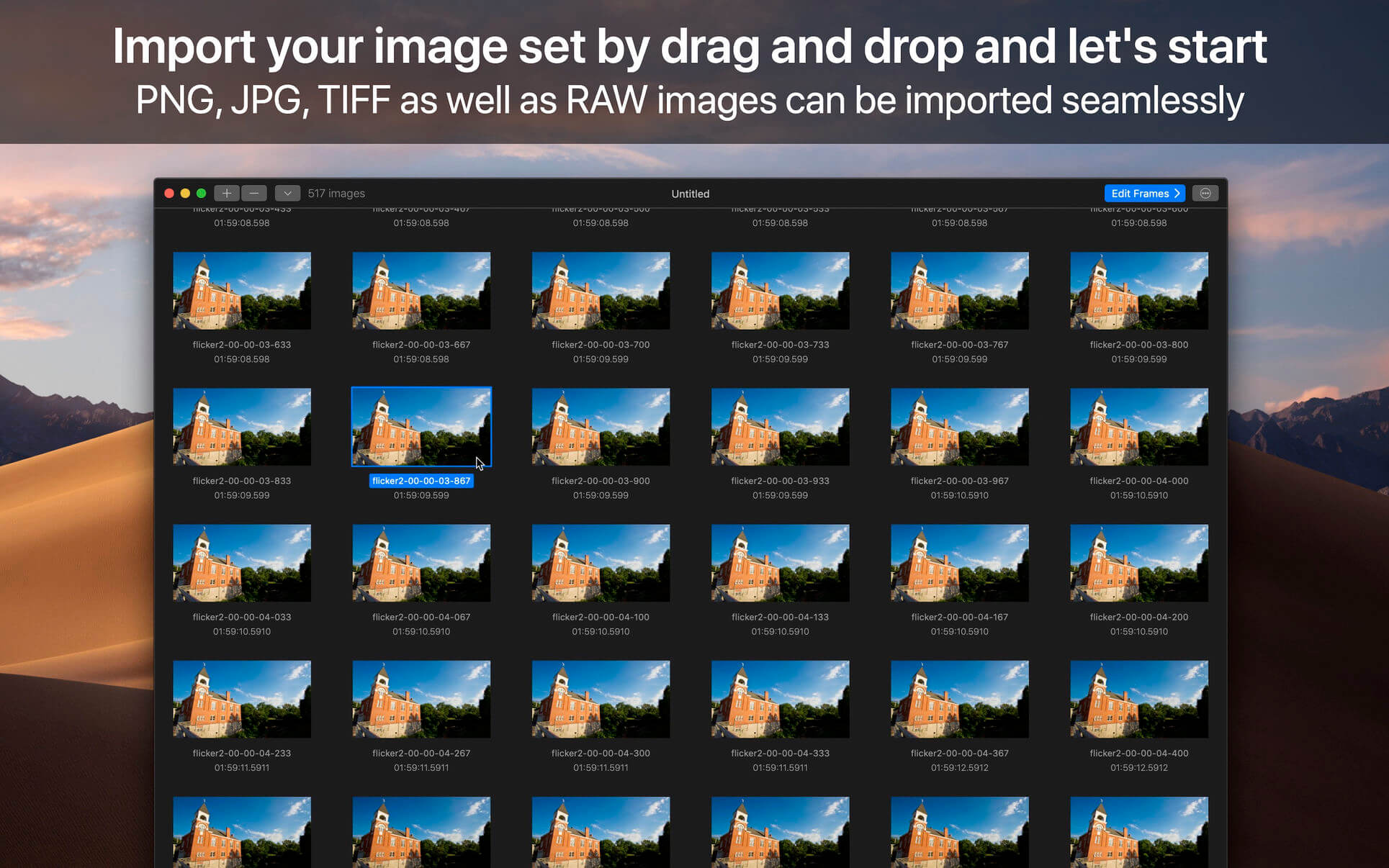

ON1 Resize AI 2023.5 v17.5.1.14028

Name: ON1_Resize_AI_2023.5_v17.5.1.14028_[TNT]_Mactorrents.biz.dmg
Size: 1.61 GB
Files ON1_Resize_AI_2023.5_v17.5.1.14028_[TNT]_Mactorrents.biz.dmg[1.61 GB]

   Download Torrent
   Link Download

ON1 Resize AI, the next-generation photo enlargement software, gives photographers the highest quality photo enlargements. This all-new super-resolution technology will allow any photographer to enlarge photos while quickly maintaining and recovering an incredible amount of detail and sharpness.

ON1 Resize uses the Genuine Fractals technology in order to provide high quality image enlargements without the loss of details or sharpness in your pictures.
From ON1 Resize’s main window, you can go through your picture collection and preview your images with ease. What is more, ON1 Resize helps you browse pictures stored in Dropbox, Google Driver, OneDrive or iCloud Photo Stream.

How It Stands Out

  • ON1 Resize AI uses state-of-art neural networks to enlarge photos without losing detail
  • The ultimate workflow integration – ON1 Resize AI goes beyond the average plugins when it comes to integration with the host applications
  • Print directly from the app – ON1 Resize AI excels at making stunning poster-sized prints
  • Powerful batch processing lets you get work done in record time
  • Unique tiling and gallery wrap features

Tools for Printing Big
Photo enlargement software should deliver the highest quality photo prints. ON1 Resize AI excels at making prints using state-of-the-art technology. You can enlarge your images to any size and not lose sharpness or details in your prints.

Create Canvas Wraps
The gallery wrap feature creates extended margins for wrapping your photo around wooden stretcher bars for canvas prints.

Tiling Feature
The tiling feature divides the photo into tiles or strips to make it easier to print a mural.

Get Beautiful Prints Every Time
Print individual photos, contact sheets, a wall portrait, or tile multiple photos into package prints. Also, print multiple photos on one piece of paper to create packages.

Better Batch Processing
The Export feature in ON1 Resize AI makes it easy to process a single photo, a handful or hundreds of them. Not only can you control the size, but the file type, naming, location, etc. You can even apply gallery wrap or watermarks on the fly.

Maintain an Amazing Amount of Detail
Studying millions of examples of the everyday world allows ON1 Resize AI to upscale photos and their textures to virtually any size, leaving photographers with ultra-high resolution images.

Keep the Crisp Details
ON1 Resize AI uses deep machine learning to study different details we see in the world, whether natural textures like animal fur, tree bark, feathers, grass, leaves, rock, and skin to man-made textures like concrete, fabric, or brick.

Easier Printing
When it comes to preparing your photo to print, knowing the proper resolution for your printer and the correct amount of sharpening for your paper choice can be daunting. ON1 Resize AI’s built-in presets make this a breeze. Simply pick the kind of printer, the type of paper, and the size.

Works as a Plugin
for Adobe Lightroom, Photoshop, Capture One, and Apple Photos

Resize AI goes beyond the average plugins. In CaptureOne and Lightroom you can batch process easily with powerful new resizing options. And in Adobe Photoshop it can handle layered files with masks, alpha channels, text, and adjustment layers in RGB as well as CMYK, Grayscale and LAB.

What’s New:

Version 2023.5 v17.5.1.14028:

  • Release notes were unavailable when this listing was updated.

Compatibility: macOS 10.15 or later, Apple Silicon or Intel Core processor
Homepage https://www.on1.co

Screenshots
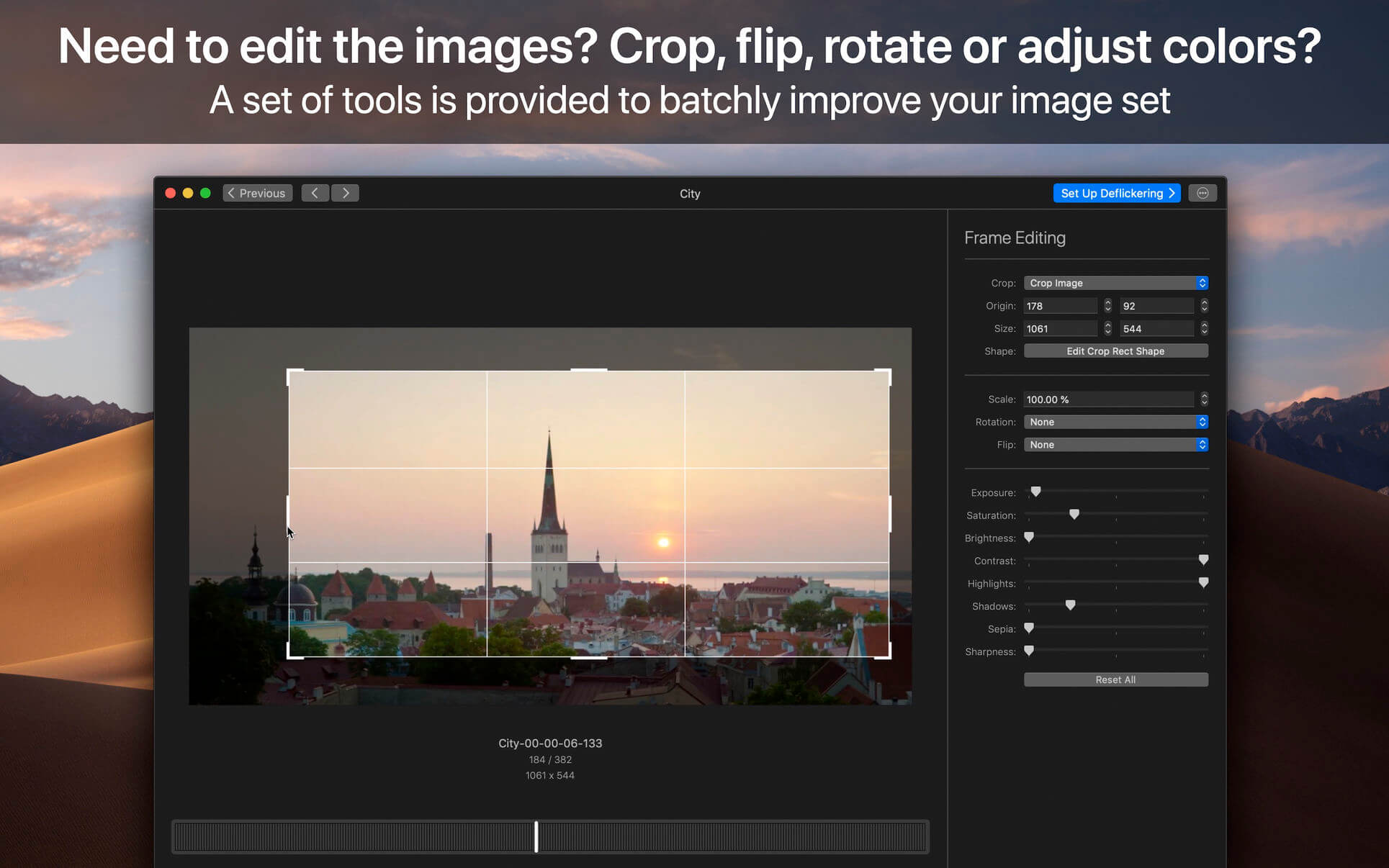

ON1 NoNoise AI 2023.5 v17.5.1.14028

Name: ON1_NoNoise_AI_2023.5_v17.5.1.14028_[TNT]_Mactorrents.biz.dmg
Size: 2.01 GB
Files ON1_NoNoise_AI_2023.5_v17.5.1.14028_[TNT]_Mactorrents.biz.dmg[2.01 GB]

   Download Torrent
   Link Download

The New Standard in Quality and Speed for Removing Image Noise. It’s the best noise reduction software for photography. Quickly remove noise and get the sharpest details in your photos with AI-powered NoNoise AI.

ON1 NoNoise AI intelligently removes all the image noise while intelligently recovering and enhancing the details. It integrates into your workflow by supporting common photo editors and file formats, including saving DNG raw files that maintain the full tonal and color range.

Get the Absolute Best Results Way Faster!
ON1 NoNoise is up to ten times faster than the other leading image noise removal products and the results will amaze you!

AI-Based Noise Reduction
Leverages state-of-art machine learning to build an AI network to remove luminance and color noise while maintaining the details like no other application producing excellent results.

AI-Based Demosaicing
For raw photos, most image noise comes in the demosaicing process. Combining this step with the noise reduction during the AI training in ON1 NoNoise AI will achieve both better noise reduction and help increase detail and sharpness.

AI-Based Demosaicing
Includes the ON1 exclusive Progressive Sharpening algorithm to enhance the sharpness and details based on the size of the details in the photo, without the halos and artifacts that other sharpening techniques can create.

Super-Fast Live Preview of the Adjustments
Results can be viewed in only a fraction of the time it takes other apps to produce viewable results. There are also far fewer controls to adjust without the limitation of sacrificing sharpness to reduce image noise.

Plugin to Your Workflow

  • ON1 NoNoise AI is the perfect fit for almost any workflow.
  • Get amazing retouching results in seconds when using ON1 NoNoise AI as a plugin for
  • Adobe Photoshop
  • Adobe Lightroom Classic
  • Adobe Photoshop Elements
  • Affinity Photo
  • Capture One
  • Corel Paintshop Pro

What’s New:

Version 2023 v17.1.0.13508:

  • Improved the masking fidelity and consistency of the AI Masking features: Super Select AI, Mask AI, Quick Mask AI, and AI Adaptive Presets
  • Improved the performance of the Mask Refine Brush
  • Improved raw file opening speed by 33%
  • Reduced Vulkan errors on Windows that could prevent launching
  • Reduced pixelation when using content-aware crop and the Perfect Eraser
  • Fixed an issue that could cause the log file to grow large
  • Fixed an issue where the menus could disappear on Windows when using full-screen mode
  • Added raw file support for:
    • Fujifilm X-T5
    • OM Systems OM-5
    • Sony a7RV (ILCE-7RM5)
  • Added lens profiles for:
    • Canon PowerShot G7 X Mark III
    • Samsung Galaxy S21 ultrawide
    • Canon RF 35mm F1.8 MACRO IS STM
    • NIKKOR Z 24-120mm f/4 S
    • Leica D Vario-Elmar 14-150mm f/3.5-5.6 Asph. OIS
    • Samyang XP 10mm f/3.5
    • Sony E 11mm F1.8
    • Sony FE 14mm F1.8 GM
    • Sony FE 40mm F2.5 G
    • Sony FE 50mm F1.2 GM
    • Mitakon Speedmaster 50mm f/0.95 III
    • Voigtlander Color Skopar 20mm F3.5 SLII Aspherical
  • Improved stability

Compatibility: macOS 10.15 or later, Apple Silicon or Intel Core processor
Homepage https://www.on1.com/products/nonoise-ai

Screenshots


ON1 HDR 2023.5 v17.5.1.14028

Name: ON1_HDR_2023.5_v17.5.1.14028_[TNT]_Mactorrents.biz.dmg
Size: 1.77 GB
Files ON1_HDR_2023.5_v17.5.1.14028_[TNT]_Mactorrents.biz.dmg[1.77 GB]

   Download Torrent
   Link Download

ON1 HDR 2023 creates flawless, natural HDR photos, that combine the highlight and shadow details from a bracket of exposures, in the blink of an eye. You can control the movement, such as clouds and running water with a live preview. Then, perfect your HDR photos with powerful tools and presets that showcase your creativity. ON1 HDR works as both a standalone and a plug-in for Lightroom® Classic CC.

Speed
Slow previews are a thing of the past. Get results in seconds vs. minutes when compared to the competition.

Control
You control the motion with live de-ghosting controls. Everything you need to make it look great including tone & color, layers, retouching and special effects.

Re-Editable
Preview and control noise reduction, lens corrections, and chromatic aberration anytime. Re-edit any of your settings at a later date in ON1 HDR.

Create Awe-Inspiring HDR.
Tone mapping and merging exposure brackets combined with layers allows you to combine other HDR photos and even alternate exposures.

  • Auto-aligns photos & removes ghosting
  • Up to 7x faster than leading HDR apps
  • Combine other exposures with HDR photos
  • Create natural or surreal looking HDR photos

Get HDR Looks From a Single Photo!
You don’t have to shoot a bracket of exposures to create an HDR look. With ON1 HDR you can open a single, well exposed raw photo and use the HDR toolset to reveal all of the shadow and highlight detail.

Batch process the creation of your HDR files, perfect for real estate photographers.
Your files work with HDR’s broad file support. It can handle raw photos from over 800 cameras spanning 20 years. Plus, it supports PSD, TIF, JPG, PNG, and HEIC.

Get Creative HDR with the Best Photo Effects
Nine powerful photo effects filters work like filters you can stack on your camera lens. Mix and combine color and tone enhancers, HDR Look, Dynamic Contrast, Glow, Black and White, LUTs, and more. It even includes tons of professional-grade presets to get you started.

Plug-in & Integrate

  • Plug-in to Adobe® Lightroom® Classic
  • Batch process the creation of your HDR files, perfect for real estate photographers.
  • Your files will work with HDR’s broad file support. It can handle raw photos from over 800 cameras spanning 20 years. Plus it supports PSD, TIF, JPG, PNG, and HEIC.

What’s New:

Version 2023 v17.1.0.13508:

  • Improved the masking fidelity and consistency of the AI Masking features: Super Select AI, Mask AI, Quick Mask AI, and AI Adaptive Presets
  • Improved the performance of the Mask Refine Brush
  • Improved raw file opening speed by 33%
  • Reduced Vulkan errors on Windows that could prevent launching
  • Reduced pixelation when using content-aware crop and the Perfect Eraser
  • Fixed an issue that could cause the log file to grow large
  • Fixed an issue where the menus could disappear on Windows when using full-screen mode
  • Added raw file support for:
    • Fujifilm X-T5
    • OM Systems OM-5
    • Sony a7RV (ILCE-7RM5)
  • Added lens profiles for:
    • Canon PowerShot G7 X Mark III
    • Samsung Galaxy S21 ultrawide
    • Canon RF 35mm F1.8 MACRO IS STM
    • NIKKOR Z 24-120mm f/4 S
    • Leica D Vario-Elmar 14-150mm f/3.5-5.6 Asph. OIS
    • Samyang XP 10mm f/3.5
    • Sony E 11mm F1.8
    • Sony FE 14mm F1.8 GM
    • Sony FE 40mm F2.5 G
    • Sony FE 50mm F1.2 GM
    • Mitakon Speedmaster 50mm f/0.95 III
    • Voigtlander Color Skopar 20mm F3.5 SLII Aspherical

Compatibility: macOS 10.15 or later, Apple Silicon or Intel Core processor
Homepage https://www.on1.com/

Screenshots
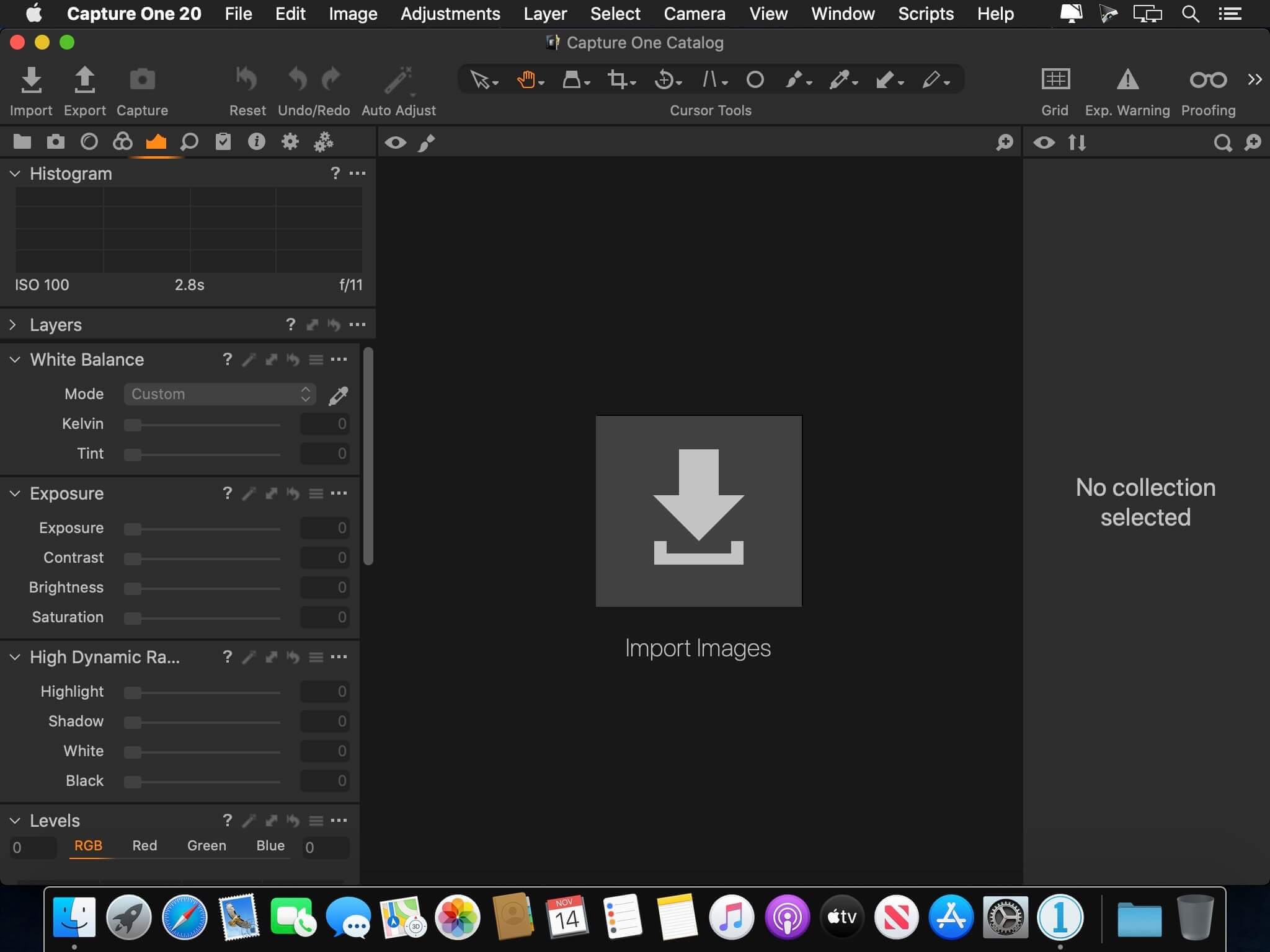

DxO PhotoLab 6 ELITE Edition 6.7.0.52

Name: DxO_PhotoLab_6_6.7.0.52_Mactorrents.biz.dmg
Size: 695 MB
Files DxO_PhotoLab_6_6.7.0.52_Mactorrents.biz.dmg[695 MB]

   Download Torrent

Produce RAW and JPEG images with the best image quality, effortlessly: DxO PhotoLab provides a complete set of smart assisted corrections that you can manually fine-tune at any time. Take control on every aspect of your photos: effectively remove noise, get rid of light constraints, recover color details, apply sophisticated optical corrections, and enhance details.

DxO SMART LIGHTING
Optimizes the dynamic range of your image and brings out the details from both under- and overexposed areas.

DxO CLEARVIEW
Intelligently boosts local contrast and effectively removes distant haze.

DxO PRIME
Automatically denoises high ISO RAW images and recovers accurate details and colors based on our exclusive algorithms.

OPTICAL CORRECTIONS
Leverage your gear with tailored automatic corrections based on DxO’s renowned scientific expertise in measurement and calibration.

EXPRESS YOUR CREATIVITY WITH LOCAL ADJUSTMENTS: INTRODUCING U POINT®
Give your photos your own artistic touch by manually applying selective corrections to specific areas of your image, using exclusive DxO Local Adjustment Tools that include: Control points (U Point technology), graduated filters, manual and automatic brushes, automatic repair tool, etc.

CONTROL POINTS
Manually select your editing area by simply clicking on the part of your image you want to adjust.

BRUSH TOOL
Freely paint and manually adjust small or large areas of your image.

GRADIENT TOOL
Simulates a graduated ND filter and lets you apply artistic effects.

REPAIR TOOL
Allows you to remove dust spots or unwanted objects from your photos.
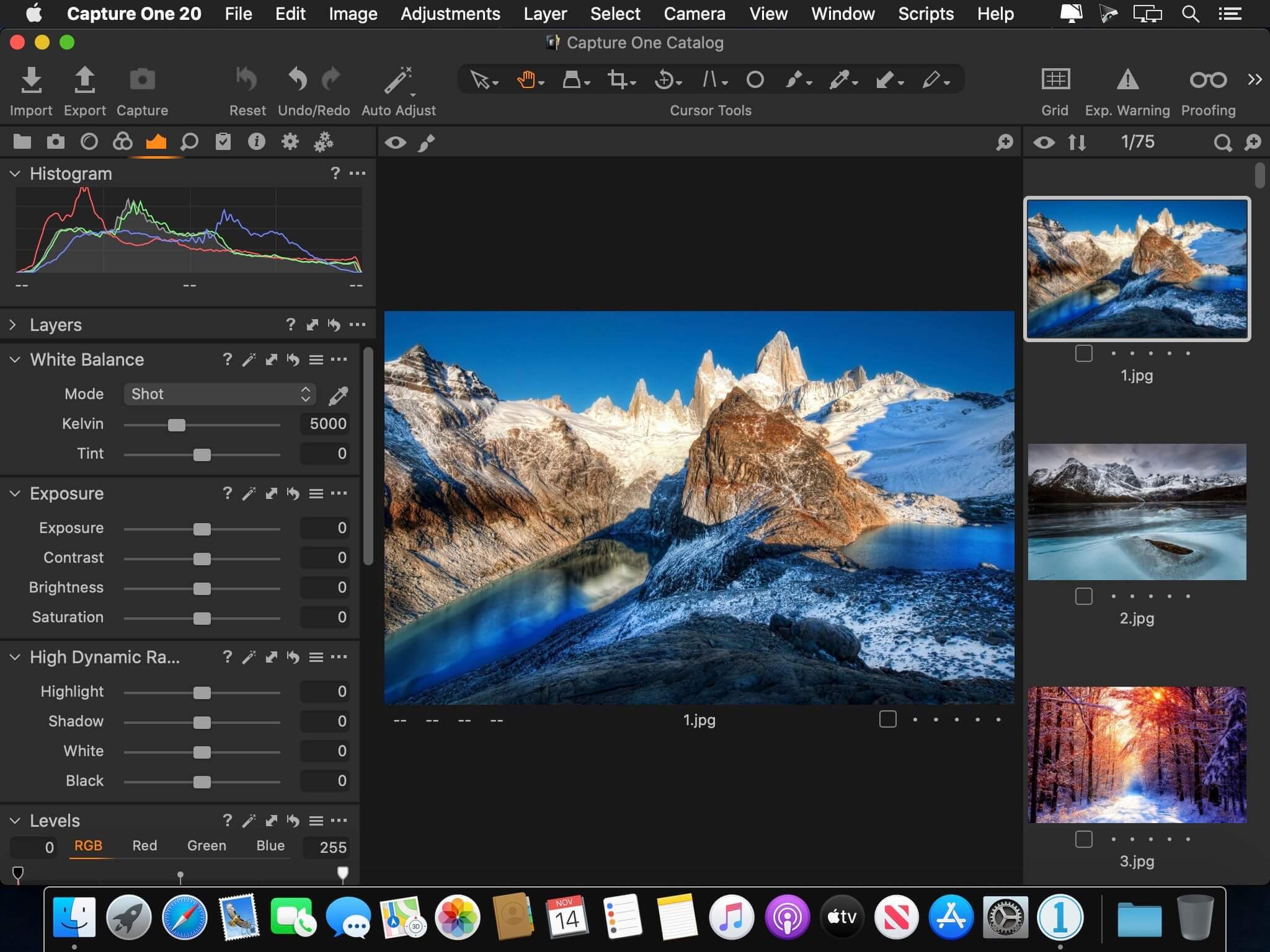

Processing large series of photos is no longer a nightmare
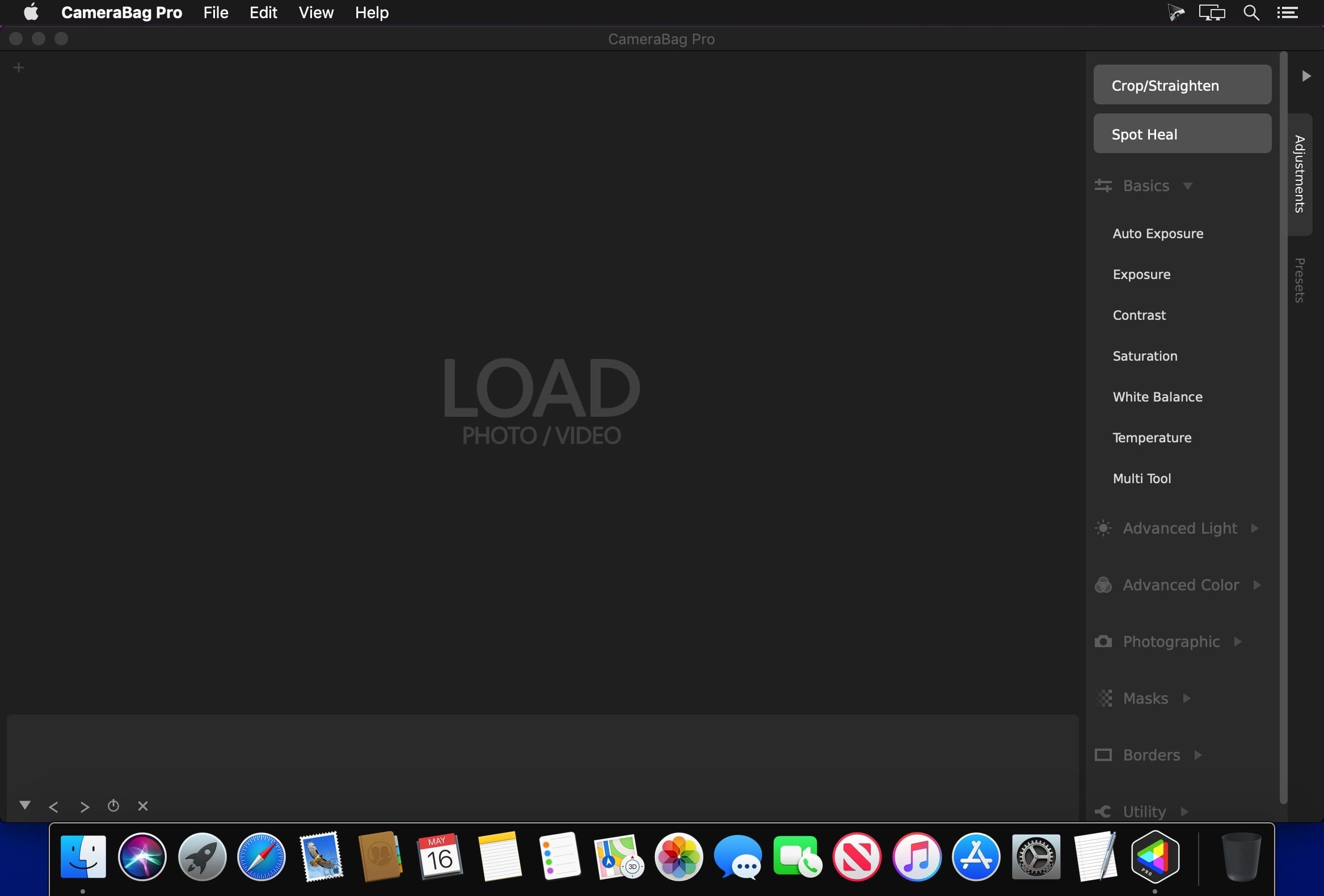
  • Intelligent algorithms adapt settings to your gear as well as to image content
  • Copy and paste settings from one image to another
  • 30 built-in presets, fully customizable to give your photos the look you like
  • Multiple exports in one click
  • Export to multiple formats for web, printing, or backup

Export directly to social networks such as Facebook, Flickr, or to other photo editors

Fully adapted to YOUR workflow

  • File management that works with your computer (no import step required)
  • Direct access to images
  • Seamless integration with Lightroom via plugin
  • Customizable workspace to adapt to your needs – Dual-screen friendly

Compatibility: macOS 11.6 or later
Homepage http://www.dxo.com

Screenshots


DxO PhotoLab 5 ELITE Edition 5.21.0.93

Name: DxO_PhotoLab_5_5.12.0.93_Mactorrents.biz.dmg
Size: 688 MB
Files DxO_PhotoLab_5_5.12.0.93_Mactorrents.biz.dmg[688 MB]

   Download Torrent
   Link Download

Produce RAW and JPEG images with the best image quality, effortlessly: DxO PhotoLab provides a complete set of smart assisted corrections that you can manually fine-tune at any time. Take control on every aspect of your photos: effectively remove noise, get rid of light constraints, recover color details, apply sophisticated optical corrections, and enhance details.

DxO SMART LIGHTING
Optimizes the dynamic range of your image and brings out the details from both under- and overexposed areas.

DxO CLEARVIEW
Intelligently boosts local contrast and effectively removes distant haze.

DxO PRIME
Automatically denoises high ISO RAW images and recovers accurate details and colors based on our exclusive algorithms.

OPTICAL CORRECTIONS
Leverage your gear with tailored automatic corrections based on DxO’s renowned scientific expertise in measurement and calibration.

EXPRESS YOUR CREATIVITY WITH LOCAL ADJUSTMENTS: INTRODUCING U POINT®
Give your photos your own artistic touch by manually applying selective corrections to specific areas of your image, using exclusive DxO Local Adjustment Tools that include: Control points (U Point technology), graduated filters, manual and automatic brushes, automatic repair tool, etc.

CONTROL POINTS
Manually select your editing area by simply clicking on the part of your image you want to adjust.

BRUSH TOOL
Freely paint and manually adjust small or large areas of your image.

GRADIENT TOOL
Simulates a graduated ND filter and lets you apply artistic effects.

REPAIR TOOL
Allows you to remove dust spots or unwanted objects from your photos.

Processing large series of photos is no longer a nightmare

  • Intelligent algorithms adapt settings to your gear as well as to image content
  • Copy and paste settings from one image to another
  • 30 built-in presets, fully customizable to give your photos the look you like
  • Multiple exports in one click
  • Export to multiple formats for web, printing, or backup

Export directly to social networks such as Facebook, Flickr, or to other photo editors

Fully adapted to YOUR workflow

  • File management that works with your computer (no import step required)
  • Direct access to images
  • Seamless integration with Lightroom via plugin
  • Customizable workspace to adapt to your needs – Dual-screen friendly

Compatibility: Intel, macOS 10.15 or later
Homepage http://www.dxo.com

Screenshots


JixiPix Chromatic Edges 1.0.28

Name: Chromatic_Edges_1.0.28_Mactorrents.biz.dmg
Size: 507 MB
Files Chromatic_Edges_1.0.28_Mactorrents.biz.dmg[507 MB]

   Download Torrent
   Link Download

It’s all about the Edge! Unlimited edges to make your photography pop! JixiPix takes vintage to a whole new extreme. Gone are the days of having a few tiny choices when it comes to adding flare to your imagery. Chromatic Edges brings back the subtle magic of photo processing with glass, silver and paper plates all with a few taps and your unique photo.

PLUGIN HOST REQUIRMENTS
Adobe Photoshop CS5+, All Photoshop CC, Photoshop Elements 12+ or Lightroom 4+

Compatibility: macOS 10.10 or later
Homepage https://jixipix.com/

Screenshots
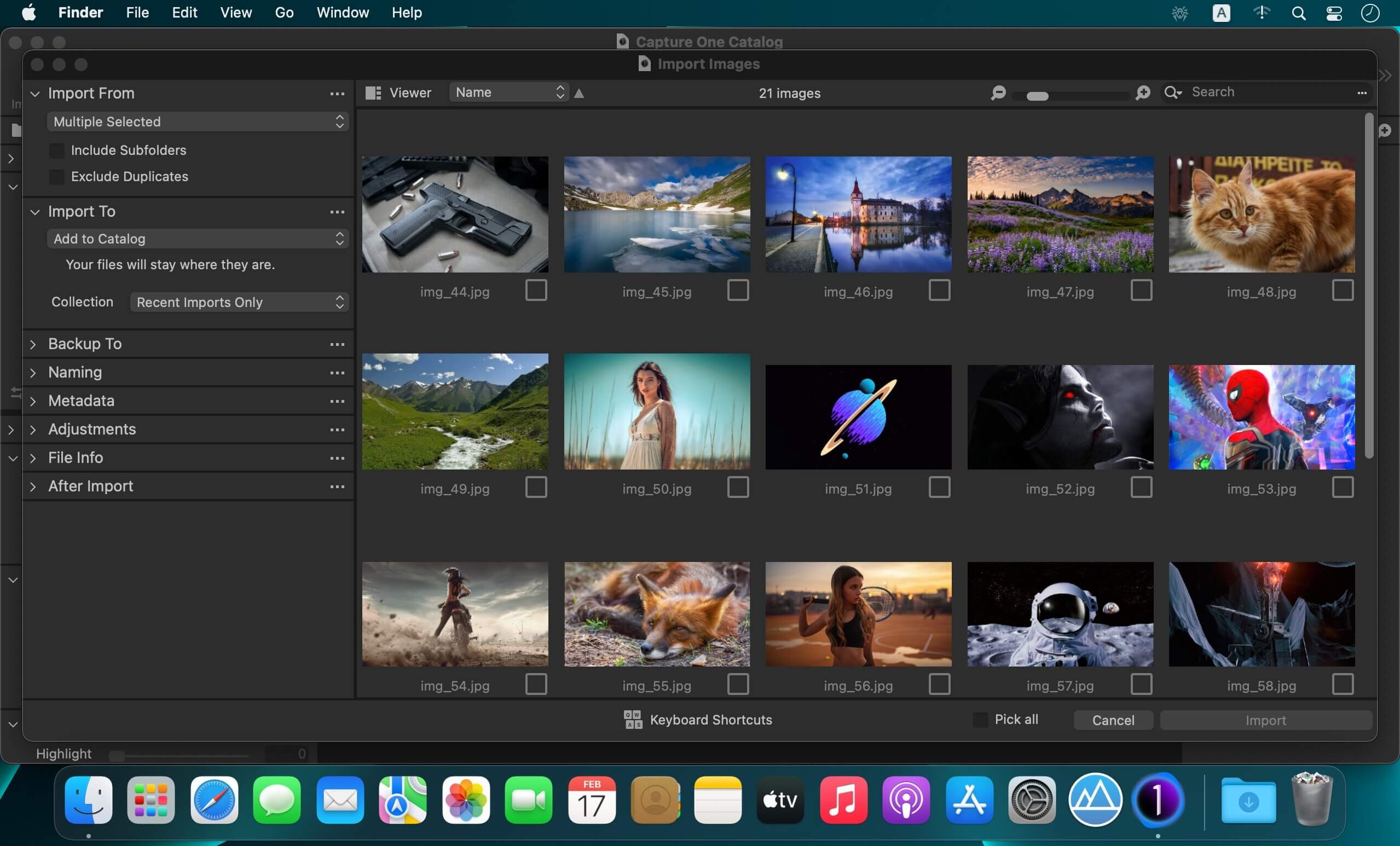

JixiPix Hand Tint Pro 1.0.20

Name: Hand_Tint_Pro_1.0.20_Mactorrents.biz.dmg
Size: 108 MB
Files Hand_Tint_Pro_1.0.20_Mactorrents.biz.dmg[108 MB]

   Download Torrent
   Link Download

Hand Tint Pro supplies everything you need—color palettes, paper and smart brushes—for creating beautiful and timeless hand painted photography.

Like all art forms, preparing a good base for hand coloring is like stretching a canvas for painting, so every image placed in the app is stripped of color and transformed into a classic Black & White, a dreamy Luminescent or an aged Vintage photo we call a Background Effect. To keep your painting organized and in control, we give you Layers and a handy Selective Color tool to define areas for accurate brushing. Both pro features are designed to keep color where you want them.

Standalone Product that colorizes photos with brushed on tint, tone and color. Also includes plugin for Photoshop, Elements, Lightroom and PaintShop Pro.

What’s New:

Version :1.0.20

  • Release notes were unavailable when this listing was updated.

Compatibility: macOS 10.9 or later
Homepage https://jixipix.com/hand-tint-pro/details.html

Screenshots


EdgeView 4.2.3

Name: EdgeView_4.2.3_Mactorrents.biz.dmg
Size: 36 MB
Files EdgeView_4.2.3_Mactorrents.biz.dmg[36 MB]

   Download Torrent

EdgeView 3 is fast image viewer has elegant user interface. EdgeView 3 is developed and designed for modern MacOS. It can open various image files such as JPEG, PNG, TIFF, BMP, and RAW file of DSLR, EPS and PDF, AI(Adobe Illustrator). Can open image files in archive directly without extraction.

User can open files, rename files, delete files from EdgeView’s file browser. Also can access to SMB/AFP/FTP network volume.

User can navigate images quickly by using keyboard shorcut, mouse wheel, trackpad gesture. EdgeVew show EXIF information, play animation GIF/PNG/WebP smoothly. Save last status to history, and restore when reopen file.

EdgeView 3 will be the best choice when viewing and managing image files.

Features

  • Rewrote full code as Swift for improve performance.
  • Support m1 CPU Mac.
  • Has easy UI, can control main function at Sidebar.
  • Support English/Korean/Japanese/Chinese(Simplified).

Image Viewer

  • Supporting image files such as JPG, GIF, BMP, PSD, TIFF, RAW, WEBP and PDF, EPS, AI(Adobe Illustrator), OpenEXR, HDR, TGA.
  • Can play animation GIF/PNG/WebP. User can control animation with floating animation controller.
  • Dispaly internal image(or frame) of animation GIF/PNG/WebP or HEIC that has multiple internal image.
  • Can read and show images of major archive formats (such as ZIP, RAR, CBZ, CBR, 7-zip) without extraction. Of course, can open ZIP file that 4GB over.
  • Can read encrypted archive file.
  • Can read archive file in archive file recursively
  • Improved draw speed by rebuilt image cache system and drawing engine.
  • Draw images as high quality.
  • Provide suitable functions for comic reading such as ‘Two-Page Spread’, ‘Continuous Scroll mode’, ‘Right to Left’, etc.
  • Provide multiple navigation functions like as ‘Move’, ‘Skip’, ‘Shift’, etc.
  • User can navigate images and check whole thumbnails at Thumbnailsbar.
  • User can navigate images by using keyboard shortcut, mouse wheel, trackpad gesture.
  • Can rotate and flip images. Orientation will be saved to history.
  • User can select part of images, and copy it or save as file.
  • Can zoom in/out image freely.
  • Built-in loupe function to make it easier to magnify part of image.
  • Show histogram.
  • Show neighbor files list. And can open neighbor file.
  • Support history feature for saving and restoring last status of file.
  • Can reopen file or remove history at history list.
  • Can rate image files.

File Browser

  • Built-in file browser can show and open files from local drive or AFP/SMB/FTP network drive.
  • Can display files as lists or icon.
  • Show images in folder/archive file at preview panel.
  • Generate thumbnails of archive files and folders.
  • Support powerful search feature.
  • Show category and writer information.
  • User can sort files by various options, and can delete or rename files.
  • Can rate files or folders.

Others

  • Support customizing feature. Also user can change shortcuts.
  • Built-in Quick Look Extension generate thumbnails and preview of archive files at Finder.

Compatibility: macOS 11.1 or later • Apple Silicon or Intel Core processor
Homepage https://apps.apple.com/pk/app/edgeview-2/id1206246482

Screenshots
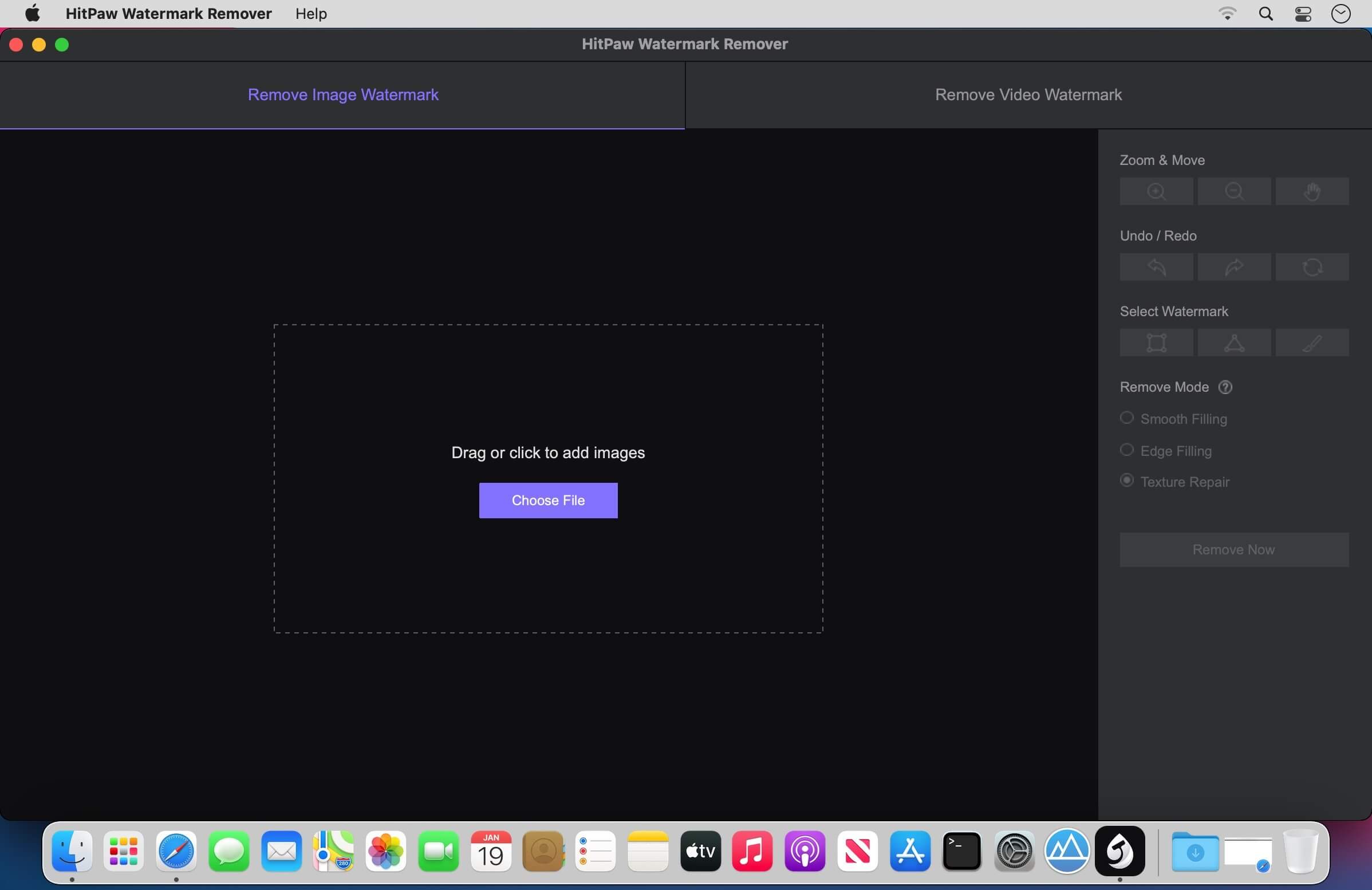

JixiPix Photo Formation Pro 1.0.19

Name: Photo_Formation_Pro_1.0.19_Mactorrents.biz.dmg
Size: 132 MB
Files Photo_Formation_Pro_1.0.19_Mactorrents.biz.dmg[132 MB]

   Download Torrent

Photo Formation is a photo effect that auto-transforms images into super creative paper formations then uses a 3D light engine to cast ultra cool shadows. Use it to fragment, join, weave, slice and fold photos into fascinating eye-catching pieces, with all the subtle creases, curls and bends as if painstakingly assembled by hand.

Photo Formation comes with a library of one-touch presets to get you started fast, and a randomize button that automatically renders a variety of paper creations over and over until you get something catered to you. Moving, rotating and scaling tools can then be used to customize each composition—the sky is the limit to what can be done!
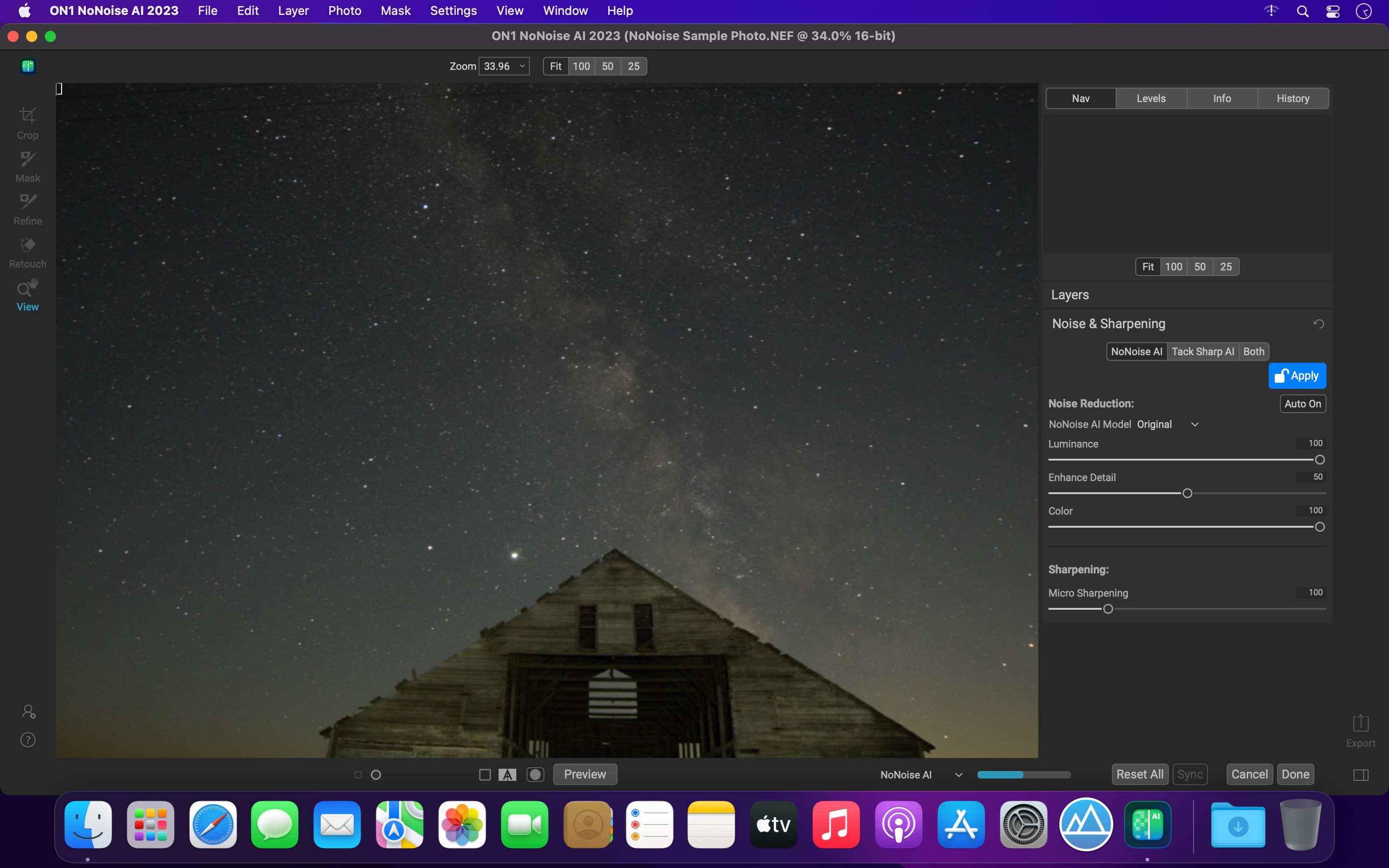
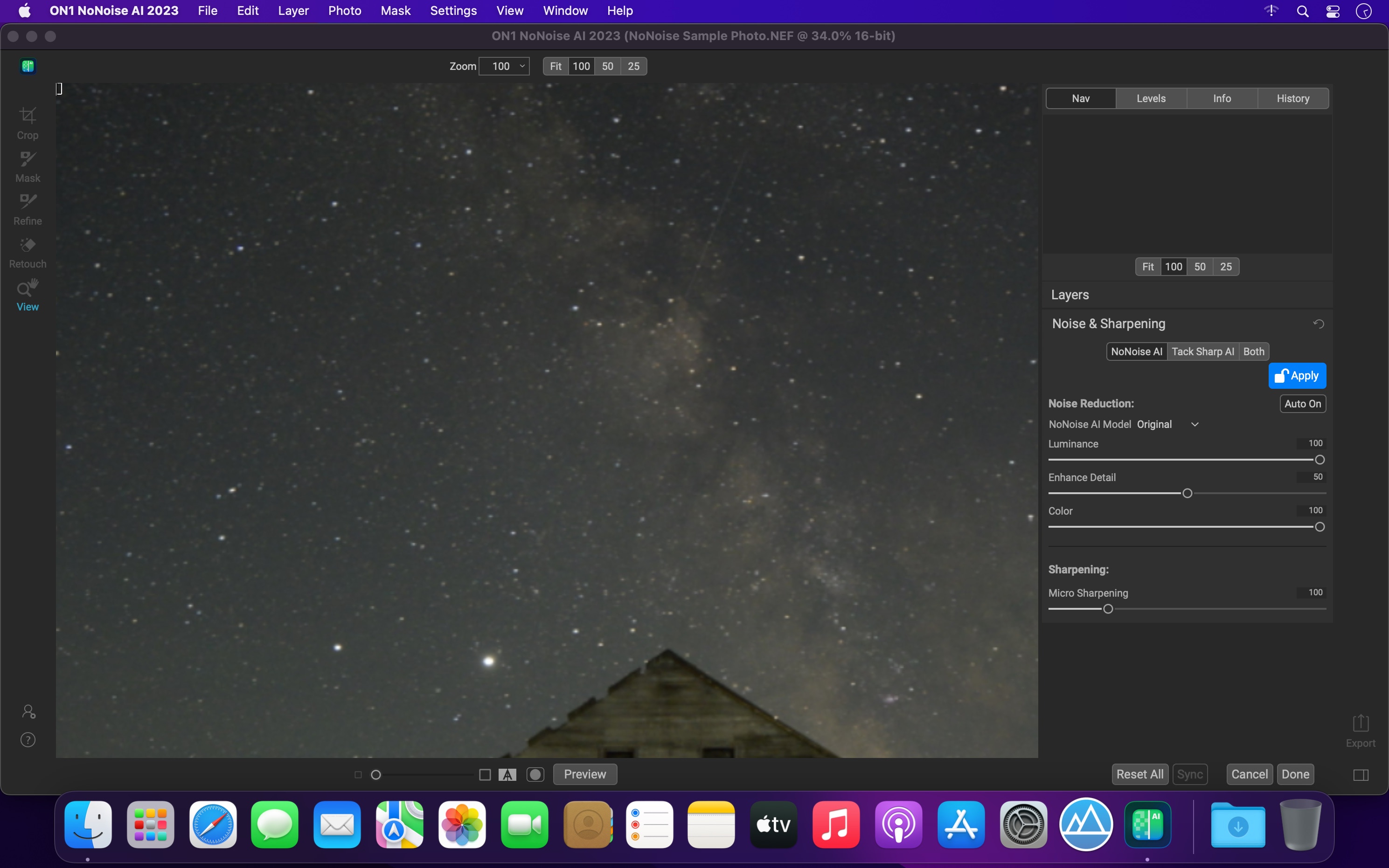
We make it easy to use without taking control away from you, the artist. If you are the hands on type who likes to make stuff from scratch, an Auto Generate button gets you in the creative mode by starting the initial paper effect for you then presents a control panel so you can make it exactly the way you like. It’s not as much work as it sounds, just specify how many strips, tiles or folds; how much curl, crinkle or depth; and if you want exposure, opacity, texture and grain. An apply button renders the creation to the document where you finish it off by moving around paper elements (only if you want), and adding optional photo settings.

What sets Photo Formation apart from others is it’s powerful lighting system. Oriented in a 2D space, Photo Formation renders true 3D popping folds and creases along with all their perspective distortions that cast realistic shadows for an amazing high-end result! The lighting is fully adjustable and by simply moving it around the document you can change the direction of the shadows. You can also set up multiple light sources by duplicating the light to create fantastic double and triple shadows—how many is up to you!

Photo Formation comes as a standard application or blend it into your workflow with an included plugin for: Photoshop, Elements, Lightroom, PaintShop Pro and Affinity Photo

What’s New:

Version 1.0.19:

  • Release notes were unavailable when this listing was updated.

Compatibility: macOS 10.9 or later
Homepage https://jixipix.com/

Screenshots