Category Archives: Applications

Mac Torrents – Torrents for Mac Free Apps, Games & Plugins. Apple Final Cut Pro & Logic Pro X, Adobe Photoshop, Microsoft Office, Pixel Film Studios Torrent Mac

AnyMP4 iPhone Transfer Pro 9.0.12

Download AnyMP4 iPhone Transfer Pro 9.0.12

AnyMP4 Mac iPhone Transfer Pro is the best iOS data transferring software for all iPhone users. This iPhone Transfer Pro for Mac can easily transfer all kinds of iOS data from iPhone, iPod and iPad to Mac and iTunes. As the professional iPhone data transferring software, it is able to transfer files between your iPhone/iPad/iPod and Mac without iTunes.

Multiple file types are supported, such as Music, Photos, Videos, Voice Memos, notes, Camera Shot, Movies, TV Shows, Podcasts, iTunes U, Ringtones, Audio Books, Playlists, Albums, ePub, PDF, etc. What’s more, it can view and copy photos, videos, ringtones, voice memos, and more from the iOS device like iPhone/iPad/iPod to the iTunes library at fast speed.

Information

Compatibility
OS X 10.9 or later 64-bit
Languages
English

What’s New in AnyMP4 iPhone Transfer Pro 9.0.12

  • Release notes not available at the time of this post.

Screenshots

Name AnyMP4 iPhone Transfer Pro 9.0.12.89724 [TNT] mac-torrents.net.zip
Size 63.31 MB
Created on 2019-11-14 22:14:42
Hash 1f29abaf42007d653653ed5262f657969f4509e5
Files AnyMP4 iPhone Transfer Pro 9.0.12.89724 [TNT] mac-torrents.net.zip (63.31 MB)

TinkerTool System 6.82

Download TinkerTool System 6.82

TinkerTool System is a collection of system utility features helping you in performing advanced administration tasks on Apple Macintosh computers. The application makes use of a self-adapting user interface which automatically adjusts to the computer model and to the version of OS X you are running. All options available in the current situation are accessible via “panes”, very similar to the techniques you already know from the System Preferences application. The features are controlled via a single window which allows you to use the application as a general toolbox and First Aid assistant.

This includes:

  • builtin maintenance features of OS X, usually not visible on the graphical user interface,
  • extended file operations, not available in the OS X Finder,
  • the possibility to access advanced system settings which are not visible in System Preferences,
  • genuine and unique features of TinkerTool System, designed to resolve typical realworld problems of administrators and to fix the effects of certain defects (“bugs”) in the operating system,
  • an emergency tool to troubleshoot and repair OS X in cases where the graphical user interface is no longer starting correctly or the user account of the system administrator has been damaged,
  • features to protect your privacy, e.g. by reviewing and editing the list of Internet cookies stored for your user account,
  • functions to collect advanced information about the hardware, operating system, and applications.

Together with its sister program TinkerTool which is available at no charge, TinkerTool System is a perfect substitute for the following types of system utilities:

  • Finder enhancers,
  • Cache and font cache cleaners,
  • Tools to access hidden preference settings,
  • Applications to make objects invisible in the Finder,
  • Internet browser privacy protection tools,
  • Cookie managers for Safari,
  • Tools to remove international language support files,
  • Log file browsers,
  • Application uninstallers,
  • Single User Mode troubleshooting tools,
  • Spellchecker dictionary editors,
  • and many others.

Information

Compatibility
macOS 10.12 or later
Languages
English

What’s New in TinkerTool System 6.82

  • Release notes not available at the time of this post.

Screenshots

Name TinkerTool System 6.82 [TNT] mac-torrents.net.zip
Size 38.63 MB
Created on 2019-11-14 21:56:11
Hash e05499affc6f1639419145a72817306ab6f0d4d3
Files TinkerTool System 6.82 [TNT] mac-torrents.net.zip (38.63 MB)

Cisdem Video Converter 4.10.1

Download Cisdem Video Converter 4.10.1

Cisdem Video Converter 3 for Mac – Download and Convert Videos on Mac without Quality Loss! The best video converting tool gives you everything you need to download and convert videos for mainstream devices.

Features

Download YouTube and YouTube HD Videos

Mac Video Converter lets you download any YouTube videos, including YouTube HD and YouTube 4K UHD videos for totally free. You can save the downloaded YouTube videos in a chosen quality and resolution up to your choice.

Convert Video & Audio and Rip DVD Movies at Ease

Mac Video Converter is the All in one solution for converting video & audio files in any format, ripping DVD movies, and converting online videos.

Convert Videos with the Highest Possible Quality Output

We know quality matters. That’s why we use advanced HD video decoding engine to convert video from one format to another without re-compressing it. Since it changes only the format of a file, not its content. You can preserve the quality of the original video and get output video files of the highest possible quality.

Advanced Audio and Video Sync Technology

The program adopted advanced audio and video sync technology; fixed Video/Audio sync problems to let you enjoy smooth synced videos.

A Real Time Saver – Up to 30X Faster

With extremely fast download and convert accelerator built-in. Every video you put into the Mac Video Converter is converted as fast as copying files from one folder to another – even during batch conversions of multiple files simultaneously. Some formats even processed 30x faster than any competitor! Download the program and check it out for yourself.

Regain Space by Compressing Large Media Files

Video files recorded by camcorders are often very large, especially those taken by HD Camcorder. Integrated with an advanced video processing technology, Video Converter for Mac will downsize video files with minimum quality loss! The converted videos are nearly indistinguishable from the originals. Thus you are able to free up a decent amount of storage space on your devices.

Do Basic Editing: Crop, Rotate, Watermark, etc.

The Mac Video Converter also includes a range of basic editing tools including merge, trim, crop, rotate, watermark, subtitle, Deinterlacing, effects, etc.

Watermark Your Video

Add Watermark to videos for copyright protection or self-promotion.

Add Subtitles

Load subtitle with external .srt for better understanding.

Get the Sections You Need

Crop video to remove unnecessary parts and trim to get your favorite segment.

Merge Videos into One

Join video file or different clips into a single video.

Deinterlacing Raw Footages

Deinterlace an interlaced video into a progressive one.

Adjust Video Effects

Set video brightness or add effects like 2D to 3D, Grayscale, Gamma, etc.

Devices

iPhone7/ 7Plus / 6/ 6S, iPad, iPod Touch, Apple TV, Samsung, Amazon, PSP, etc.

SD/HD Video

AVI, MP4, FLV, WMV, 3GP, MKV, MPEG, MP3, etc.

Social Sites

Publish newly-made videos on many social networks like facebook, twitter, goolge+, etc.

Online

Directly upload your video to YouTube, Vemeo, and other video sharing sites

Information

Compatibility
OS X 10.10 or later 64-bit
Languages
English

What’s New in Cisdem Video Converter 4.10.1

  • Release notes not available at the time of this post.

Screenshots

Name Cisdem Video Converter 4.10.1 [TNT] mac-torrents.net.zip
Size 104.6 MB
Created on 2019-11-14 21:58:47
Hash 04377ace70c9291e49640cd56f455b9c25824cb9
Files Cisdem Video Converter 4.10.1 [TNT] mac-torrents.net.zip (104.6 MB)

Screens 4.7.2

Download Screens 4.7.2

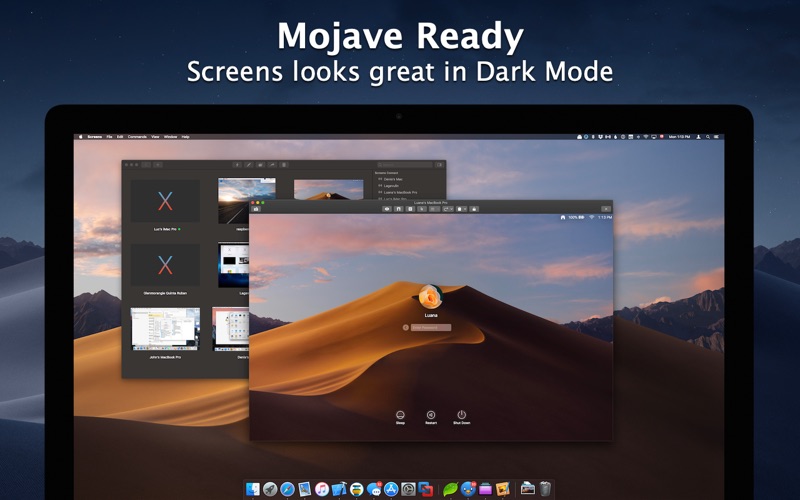
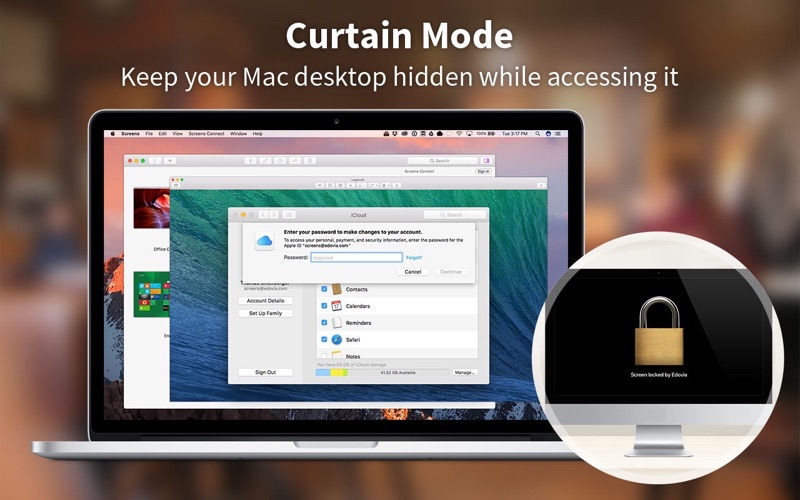
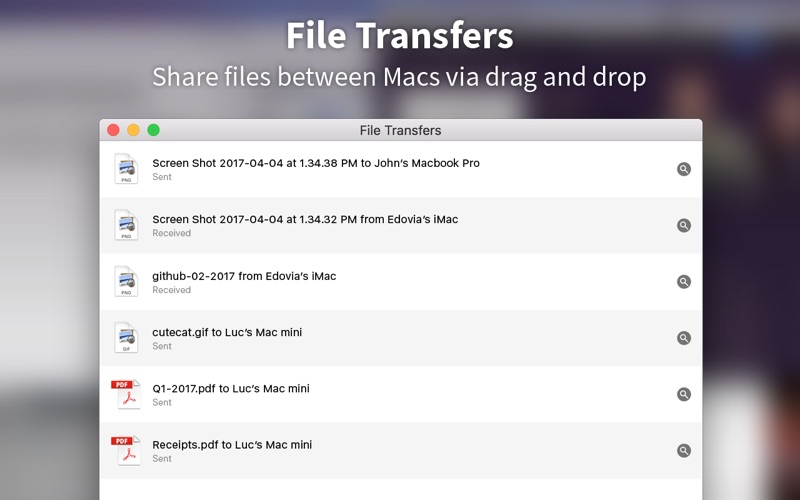
Screens lets you connect back to your Mac, Windows, Linux PC or Raspberry Pi and control it from the comfort of your living room, the corner coffee shop or anywhere in the world. Work on that spreadsheet you left at home, perform software updates on your server ten thousand miles away, help your dad configure his computer in your hometown.

Screens Features

  • iCloud Synchronize all your stored screens on all your iOS devices, including your Mac.
  • OS X 10.7 Lionready: use Screens in fullscreen mode to make it feel your remote computer is right there in front of you.
  • Easy to Use: Screens is an easy, userfriendly VNC client for Mac.
  • Secure: Screens can connect to your computer through an SSH tunnel so your session is encrypted and safe.
  • MultiTouch: Screens supports many of the multitouch featuressuch as pinch and navigationyou’re already used to on your trackpad.
  • Screens Connect: Make your computer available from anywhere with this optional helper app. Easy as flicking a switch. No messy router setup.
  • Versatile: Screens can connect to Macs with OS X 10.4 or later, Linux, Windows PCs, and most VNC servers.
  • Works Anywhere: Through WiFi or a 3G network.

Information

Compatibility
OS X 10.12 or later, 64-bit processor
Languages
English, Dutch, French, German, Italian, Japanese, Portuguese, Russian, Simplified Chinese, Spanish, Swedish

What’s New in Screens 4.7.2

  • Fixes a rare issue with Mid-2015 MacBook Pros.
  • Stability and performance improvements

Screenshots

Name Screens 4 4.7.2 [TNT] mac-torrents.net.zip
Size 31.35 MB
Created on 2019-11-14 20:30:39
Hash 18dca73a8472eec27d41368dcaf17c178434bccf
Files Screens 4 4.7.2 [TNT] mac-torrents.net.zip (31.35 MB)

Name Mangler 3.6

Download Name Mangler 3.6

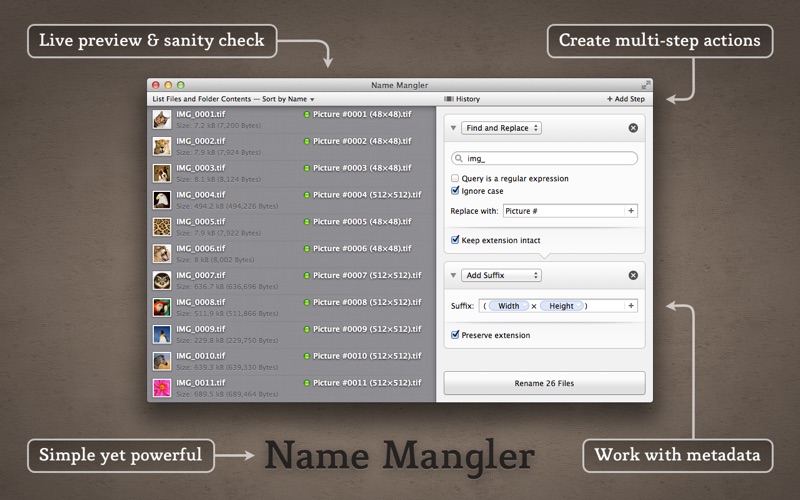
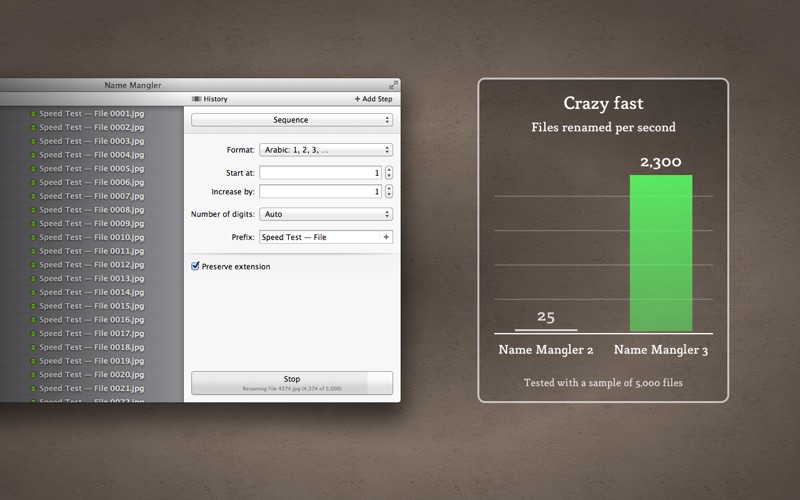
Name Mangler is a blazingly-fast multi-file renaming tool that’s incredibly easy to use.

  • Create single or multi-step renaming actions, save them, and share them across Macs
  • Rename in excess of 2,000 files per second
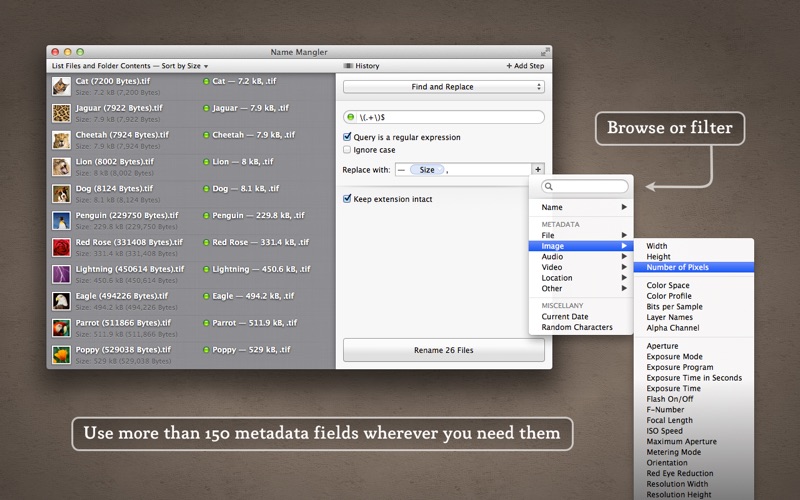
  • Use files’ metadata (e.g. ISO speed, dimensions, bit rate, etc.) in new names
  • Before and after views of your filenames insure you rename them as you intend
  • Save renaming tasks as droplets: just drag-and-drop files onto a droplet, and they’ll be renamed
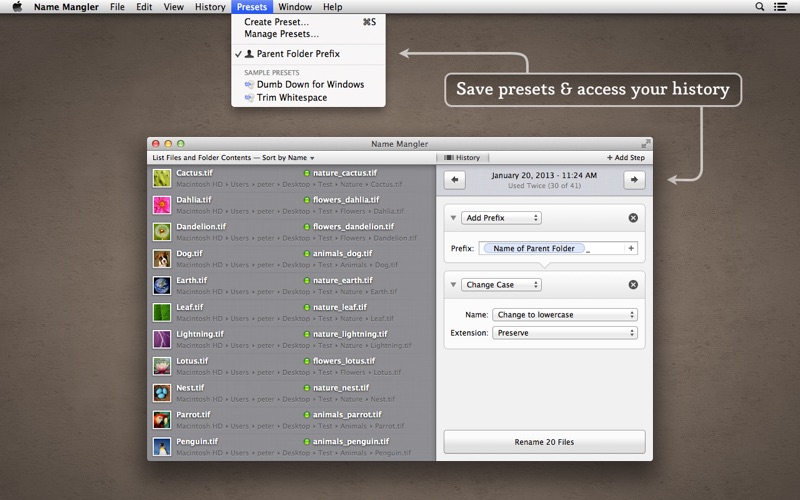
  • Load any previously-used rename action from the History browser

Name Mangler 3 represents a quantum leap forward in file renaming: speed and beauty combined with ease of use, and loaded with features.

For those coming from Name Mangler 2, here’s what’s new in this version:

— Tons of new features —

  • Multi-step renaming lets you perform complex renaming tasks without touching Advanced mode
  • Metadata accessible for use in all renaming operations, via an intuitive metadata browser
  • Save any renaming action as a Preset, and automatically sync those presets across Macs
  • Export renaming actions for sharing via email, etc.
  • History keeps track of all performed actions, making it simple to reuse these actions
  • Revert last-used renaming operation
  • Shift-drag to file list will add the dragged files to the existing list
  • Delete presets (and snippets, see below) from within Name Mangler by using the Option key
  • Optionally display only files that will be renamed, instead of all files in the list
  • Automatically detect potential duplicates and flag (or optionally automatically fix)
  • Finder is no longer required to be running to use Name Mangler
  • Check for file writable status and warn user if files are not writable

— User interface improvements —

  • Fully retinaized for the retina Mac laptops
  • The pop-up button for the rename operations has been moved out of the toolbar
  • The ‘Rename’ button is in a more logical and visible spot
  • Choose a dark or light appearance for the file list area
  • The rename action area can be expanded horizontally
  • Status lights next to each filename deliver at-a-glance info on renaming state
  • Interim results show filenames at each step of a multi-step renaming task
  • Tooltips show original names, new names, and errors
  • Query field in Find and Replace makes it more obvious when in regular expression mode
  • Status light for regular expressions shows syntax checking state (green=good, red=bad)
  • New large icon view
  • Automatic view mode determines what details to show based on sort order

— Mind-boggling speed improvements —

  • Load tens of thousands of files from Finder in only seconds
  • 50 to 100 times faster than Name Mangler 2
  • Rename from 1,000 to in excess of 2,000 files per second
  • So fast, you may think it’s not doing anything…but it is!

— New/improved renaming actions —

  • New action: Compose, to start with a completely blank slate
  • Split Insert/Remove into two distinct actions
  • Split Prefix/Suffix into two distinct actions
  • Sequence has been greatly simplified, thanks to multi-step
  • New Sequence formats: Roman Numerals and Letters
  • Sequence start and increments can be negative
  • Increased the maximum and minimum limits for Sequence values
  • Arbitrary Terms is now a format in the Sequence action
  • Arbitrary Terms can take a CSV formatted file as input

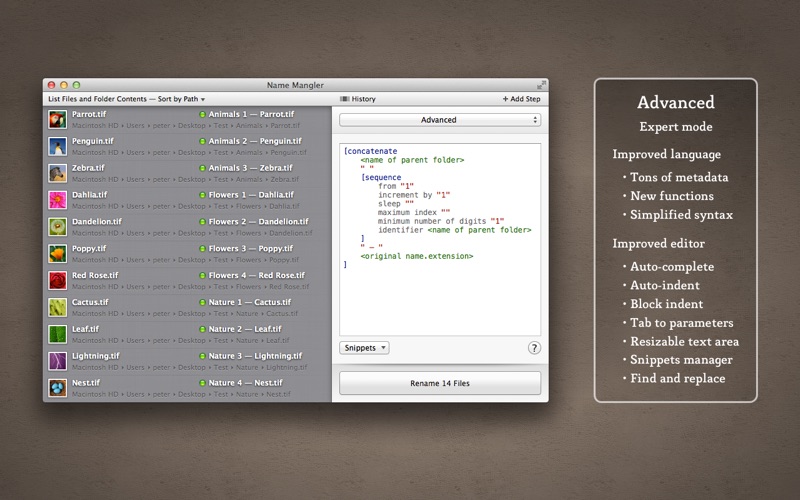
— Advances in Advanced mode —

  • New function: [random (number of character) from (pool)]
  • Auto-complete functions and variables
  • Tab to next empty parameter
  • Auto-indent
  • Selection (or line) can be shifted in or out via Command-[ and Command-]
  • Find and replace
  • Save any Advanced program as a Preset for easy reuse
  • Create snippets of portions of code for easy reuse in other Advanced programs
  • Automatically sync snippets to multiple Macs

Information

Compatibility
OS X 10.8 or later, 64-bit processor
Languages
English

What’s New in Name Mangler 3.6

New Features

  • Added a “Group by” feature to the Sequence action. This can be used to create independent sequence numbers for files in different folders, for example.
  • Single-file sequences can optionally not have any sequence number. (Focus on the “Group by” input field, then choose “Insert Laziness Indicator” from the “Edit” menu.)
  • Title Case conversions can now either keep existing formatting for words shorter than a certain length, or convert them to lowercase.

Bug Fixes and Improvements

  • Resolved an issue that made the Rename button invisible when using Dark Mode and Increased Contrast settings. (Hat tip to William H. for finding this one.)
  • The file list can no longer be cleared during a renaming operation.

Screenshots

Name Name Mangler 3.6 [TNT] mac-torrents.net.zip
Size 23.13 MB
Created on 2019-11-14 20:30:29
Hash 40076a4dd04052ca8c92e563595dd0562cc28ae4
Files Name Mangler 3.6 [TNT] mac-torrents.net.zip (23.13 MB)

Image-Ascii 2.3

Download Image-Ascii 2.3

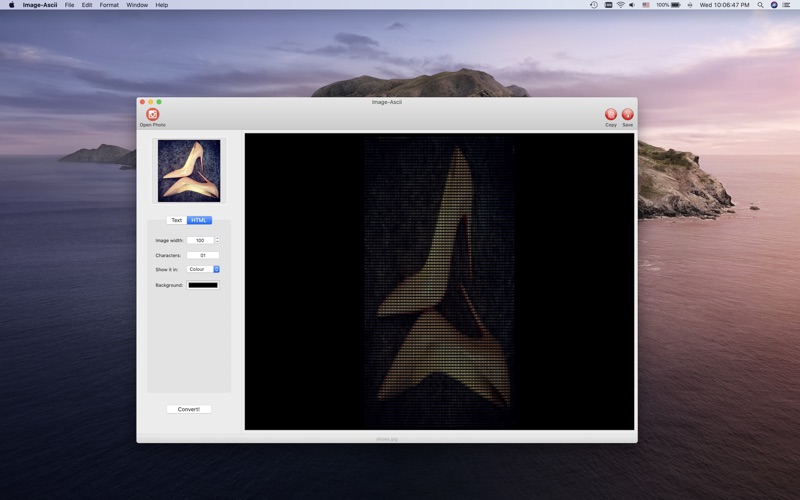
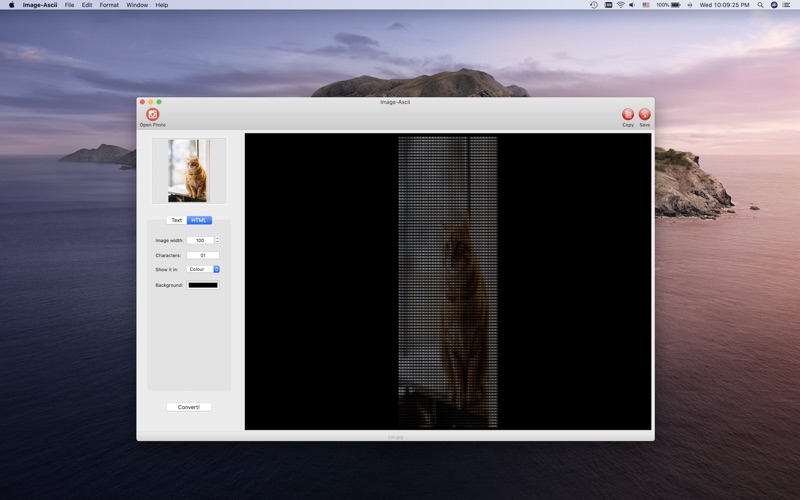
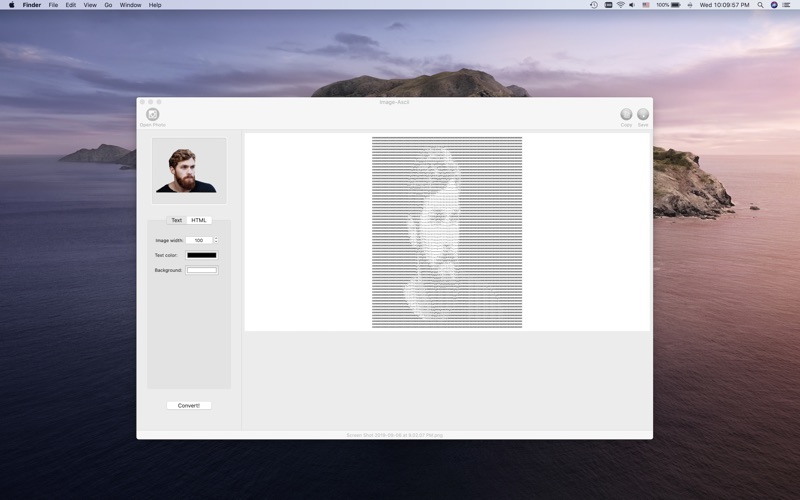
Image-Ascii allows you to convert images to color or monochrome Ascii Art. You can also convert text to Ascii Banners.

The app works as an ASCII Generator, it converts an image to text. To generate a JPEG, GIF or PNG select file and click on “convert”.

Information

Compatibility
OS X 10.10 or later, 64-bit processor
Languages
English

What’s new in Image-Ascii 2.3

  • fix bug and improve stability.

Screenshots

Name Image-Ascii 2.3 MAS [HCiSO] mac-torrents.net.zip
Size 11.36 MB
Created on 2019-11-14 17:31:15
Hash d96aead21d2ce4a34db29bd59229cb30944b3e08
Files Image-Ascii 2.3 MAS [HCiSO] mac-torrents.net.zip (11.36 MB)

Smultron 12.0.3

Download Smultron 12.0.3

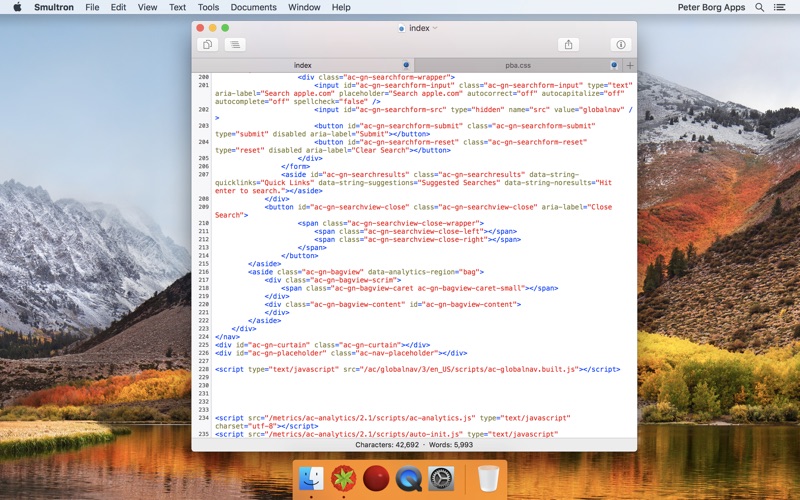
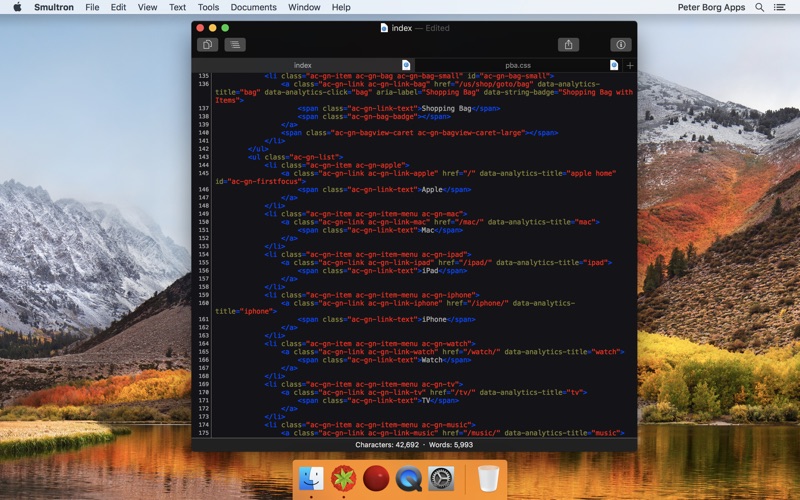
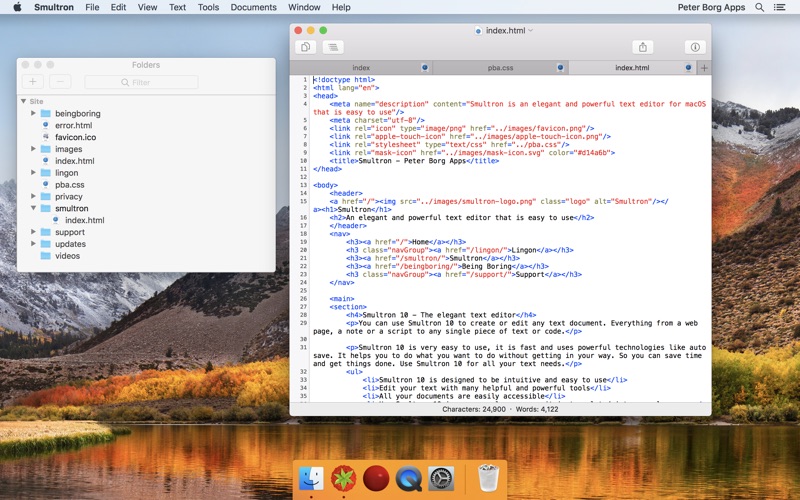
Smultron 10 is an elegant and powerful text editor that is easy to use. You can use Smultron 10 to create or edit any text document. Everything from a web page, a note or a script to any single piece of text or code. Smultron 10 is very easy to use, it is fast and uses powerful technologies like auto save. It helps you to do what you want to do without getting in your way. So you can save time and get things done. Use Smultron 10 for all your text needs..

  • Smultron 10 is designed to be intuitive and easy to use
  • Edit your text with many helpful and powerful tools
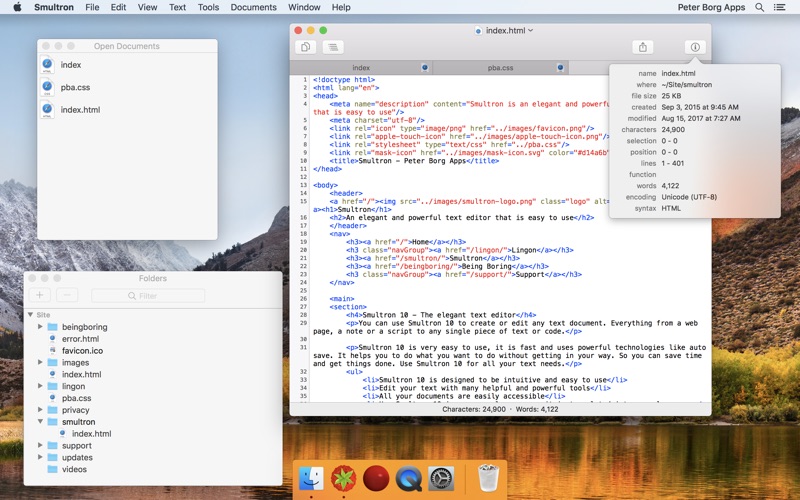
  • All your documents are easily accessible
  • Use Smultron 10 in your own language as it is translated into many languages
  • Store your documents in iCloud and access them on all your Macs
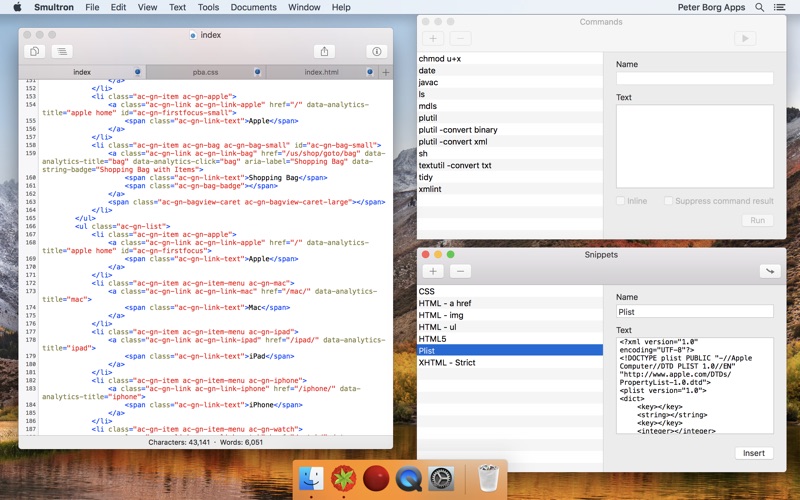
  • It has all the features you want when you need them, such as syntax colors for over 130 code languages, regular expressions, commands, text snippets, text folding, line numbers, document comparison and many, many more

The new Smultron 10 has many new features and improvements:

  • Folders – easy access to all documents within a folder
  • Dark mode
  • Faster
  • New syntax support for Ansible, Gravity, Idris, and TypeScript
  • Improved accessibility, preview, tabs, and syntax coloring
  • Optimized for macOS 10.13 High Sierra

Information

Compatibility
OS X 10.12 or later, 64-bit processor
Languages
English, Arabic, Danish, Dutch, Finnish, French, German, Greek, Hebrew, Italian, Japanese, Korean, Norwegian Bokm奪l, Portuguese, Russian, Simplified Chinese, Spanish, Swedish, Traditional Chinese

What’s New in Smultron 12.0.3

  • Fixed a problem when using Preview

Screenshots

Name Smultron 12.0.3 MAS [HCiSO] mac-torrents.net.zip
Size 13.20 MB
Created on 2019-11-14 17:31:07
Hash c91133aa3accf60cbe7c4824d7012e853df232a3
Files Smultron 12.0.3 MAS [HCiSO] mac-torrents.net.zip (13.20 MB)

1Password 7.4.1

Download 1Password 7.4.1

1Password is a popular tool for storing usernames, passwords, credit cards, addresses, notes, bank accounts, driver’s licenses, passports, and more behind one master password, with end-to-end encryption. A built-in password generator lets users create strong, unique passwords and memorizable pass-phrases.

The latest version of the popular password manager is a major update with dozens of new features and improvements, including a new dark-themed, collapsible sidebar that makes it easier to use and manage password vaults.

The app’s redesign extends to the lock screen, login icons, tags, pop-out windows for items, and more, while there is a new custom font Courier Prime Bits, by Alan Dague-Greene, that makes it easier to view passwords.

A quick list of other changes from AgileBits:

  • Every pixel has been put under the microscope and polished for maximum upgradedness.
  • The new “popout” feature allows you to view an item in a window of its own and keep it handy.
  • Secure notes are now rendered using Markdown.
  • Quick Open allows you to quickly jump to your items or vaults (find it under the File menu).
  • A custom password font, all our own, courtesy of Alan DagueGreene.
  • A new password strength meter.
  • Touch ID now leverages your computer’s Secure Enclave, making it more secure than ever before.
  • Login items now have a gorgeous, custom rendered icon by default.
  • Remove duplicate items on a pervault basis by clicking Help > Tools > Clean Up Duplicate Items.
  • Integration with Spotlight allows you to find your items using Apple’s builtin search engine.
  • Nested tags allow you to up your organization: add tags with / in them and 1Password will break them down into groups.
  • Opt in to automatic updates and never be left behind again.

Information

Compatibility
OS X 10.12.6 or later, 64-bit processor
Languages
English, Afrikaans, Czech, Danish, Dutch, Finnish, French, German, Greek, Hebrew, Italian, Japanese, Korean, Norwegian Bokmテ・l, Polish, Portuguese, Russian, Simplified Chinese, Spanish, Swedish, Traditional Chinese

What’s New in 1Password 7.4.1

Greetings, folks! This is just a small fix today for those that recently purchased a 1Password membership via in-app purchase subscription.

## Fixed

  •  Fixed an issue that would prevent in-app purchase subscription receipts from being sent to the server in the correct format. {#4366}

Screenshots

Name 1Password 7 v7.4.1 [TNT] mac-torrents.net.zip
Size 67.59 MB
Created on 2019-11-14 17:21:16
Hash 7adc58bc019926529a6821341d82a6c34194104f
Files 1Password 7 v7.4.1 [TNT] mac-torrents.net.zip (67.59 MB)

Movavi Slideshow Maker 6.0

Download Movavi Slideshow Maker 6.0

Check out Slideshow Maker Movavi – a handy app that will help you turn your photos into a spectacular movie in no time.

Features

With our easy-to-use Slideshow Maker, you can:

  • Make high-quality slideshows in a few clicks
  • Crop, rotate, and make other edits to your images
  • Improve picture quality automatically or by hand
  • Join media files together using stylish transitions
  • Add your own audio or select from the default soundtracks
  • Use automatic beat detection and sync slides with background music
  • Export the slideshow in any popular format
  • Prepare your movie for viewing on iPod, iPad, iPhone, or other mobile devices
  • Share your creative work with the whole world using the special export presets for Facebook, YouTube, and other social networks

Slideshow Maker lets you combine photos into stunning movies with almost no effort. Import your photos in BMP, JPEG, PNG, GIF, or other image format and join them together to create amazing slideshows. Insert stylish animated transitions between the photos to give your movie a smooth flow.

Edit your video to make it perfect:

  • Change the composition: crop, rotate and flip images
  • Emphasize important elements: zoom and pan, highlight, or conceal
  • Adjust colors by hand or use Magic Enhance for automatic fixes

The best way to make your slideshow your own is to add a soundtrack. Import sound effects or music in MP3, FLAC, WAV, or other popular format to generate a specific atmosphere in your video. Automatic beat detection will help you sync your slides with the background music and give your slideshow added appeal.

Try Slideshow Wizard and create a photo-based presentation in 3 simple steps:

  • Add photos one by one or in groups, or upload entire folders
  • Choose a transition style: crossfade, simple, geometric, artistic, or random
  • Add music: upload your own soundtrack or choose from the built-in library

Save your slideshow in any convenient format – AVI, MP4, M2TS, and more. You can also choose one of the many export presets and prepare your file for viewing on a specific mobile device or for uploading to the web.

Information

Compatibility
OS X 10.8 or later, 64-bit processor
Languages
English, Dutch, French, German, Italian, Japanese, Korean, Polish, Portuguese, Russian, Simplified Chinese, Spanish, Traditional Chinese, Turkish

What’s New in Movavi Slideshow Maker 6.0

  • Modern and stylish design with more intuitive navigation.
  • New Media bin for your personal files. You can browse, sort and select your files right in the editor and add them anywhere on the Timeline so they’re easily available for the future montage.
  • New parallax transitions, glitch, and retro effects.
  • Transitions and themes have been grouped together on the Templates tab.
  • Change the music in a selected theme, if you don’t like the default track.
  • Even more presets for the Pan and zoom controls.
  • Transitions can now be applied to intro videos.
  • The program fits 1366×768 monitors correctly.
  • Other improvements and bug fixes.

Screenshots

Name Movavi Slideshow Maker 6 0 [TNT] mac-torrents.net.zip
Size 108.8 MB
Created on 2019-11-14 15:41:57
Hash bf23f9b12d08216de023328525dd64765b1d191f
Files Movavi Slideshow Maker 6 0 [TNT] mac-torrents.net.zip (108.8 MB)

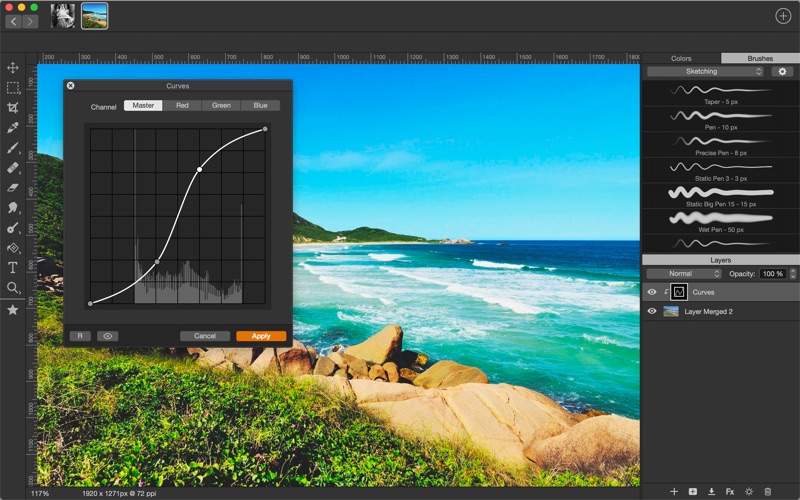
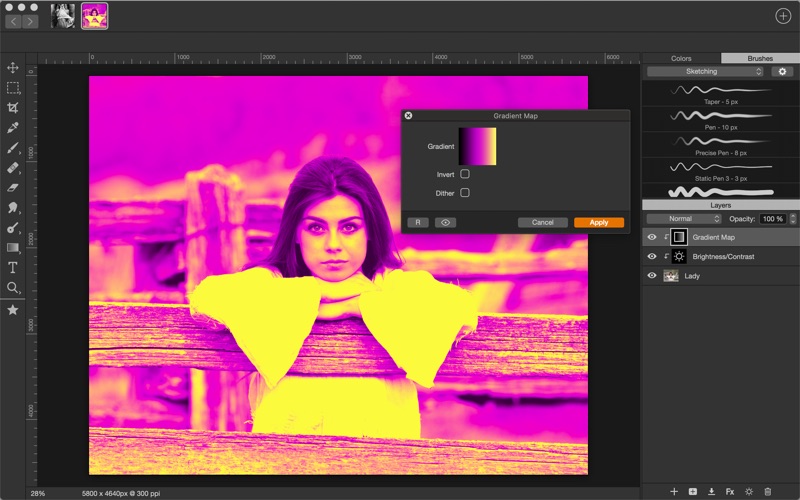
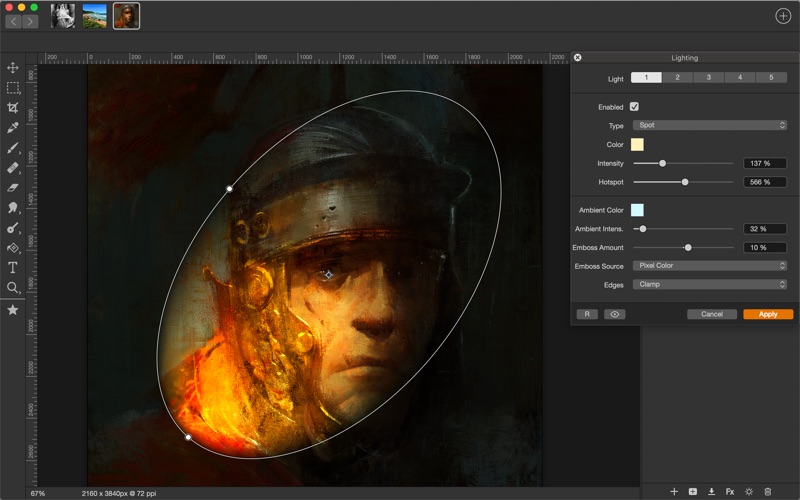
Artstudio Pro 2.3.8

Download Artstudio Pro 2.3.8

Artstudio Pro is a powerful painting and photo editing app available for both macOS and iOS. The successor to our famous ArtStudio app has been redesigned bringing many new features and improvements taking full advantage of the latest technologies Metal, iCloud Drive, and optimized for 64-bit multi-core processors to achieve the smoothest possible workflow.

Hundreds of assets are included and users have the ability to import resources in the most popular formats (ABR, TPL, PAT, GRD, ASE, ACO) giving instant access to millions of brushes, patterns, gradients, color swatches and fonts. It will boost your creativity and help you bring your ideas to life quickly and easily.

Artstudio Pro Features:

New engine

The powerful GPU accelerated ArtEngine developed by Lucky Clan is 5-10 times faster than the previous engine. It allows working with multiple documents, supports large canvas sizes and an unlimited number of layers. Incredible optimization ensures smooth work even with large canvases.

  • Multiple open documents
  • Canvas size: 256Mpix
  • Unlimited layers
  • 27 tools: Move, Select, Crop, Eyedropper, Paint, Wet Paint, Eraser, Bucket/Pattern/Gradient Fill, Smudge, Dodge, Burn, Sponge, Text, Heal, Clone, and more

Flexible layer system

Artstudio Pro introduces a new layer system with grouping, non-destructive layer effects, and adjustment layers.

  • Groups
  • Masks, clipping masks
  • Adjustment layers
  • 9 layer effects: Bevel/Emboss, Stroke, Inner Shadow, Inner Glow, Outer Glow, Color/Gradient/Pattern Overlay, Drop Shadow
  • 27 blending modes
  • Text layers
  • Transform multiple layers simultaneously

Advanced Brush engine

Perfectly optimized, lag free mechanism generating smooth, real looking strokes, making the most of the stylus.

  • Brush size up to 4000×4000
  • 64-bit painting with pattern, double stamp, wet brush, dynamics
  • Brush editor with 80 customizable settings
  • Over 100 built-in brushes divided into a few groups: Painting, Sketching, Markers, Inking, Dots & Specks, and more
  • Symmetric painting with custom symmetry line

Professional photo editor

Photo editing options developed in cooperation with professional photographers. Each feature was tested in several scenarios and light conditions.

  • 15 adjustments available as non-destructive layer or simple adjustment: Brightness/Contrast, Levels, Curves, Exposure/Gamma, Shadows/Highlights, Vibrance, Hue/Saturation, Color Balance, Temperature/Tint, Black and White, Gradient Map and more
  • 4 auto adjustments: Auto Contrast, Levels, Lightness, Saturation
  • Dozens of filters with realtime preview and the ability to generate seamless patterns
  • Inpaint, Elastify (Liquify) ,Lighting, Depth Of Field, Denoise
  • Retouching tools: Heal, Dodge, Burn, Sponge and more
  • Image resize, Canvas resize
  • Crop using special tool, crop from selection, trim transparent areas

Import/Export

We have implemented many parsers from the most popular assets/images formats and we are especially proud of our ABR/TPL parser which not only reads brush stamps and patterns, but also most settings which are converted to Artstudio Pro brush engine values.

Import

  • Images – PNG, JPEG, PSD, HEIC, TIFF, GIF, most raw formats
  • Brushes – ABR, TPL
  • Color swatches – ASE, ACO
  • Patterns – PAT
  • Gradients – GRD
  • Fonts – TTF, OTF

Export

  • Images – PNG, JPEG, PSD, TIFF, PDF

Other features

  • Full iCloud integration
  • Screen recording
  • All features available on macOS, iPad and iPhone
  • Selection displayed as marching ants, quick mask or invisible
  • Snapping to guidelines, dynamic guidelines, grid
  • Perspective grid assist
  • Mirror (flipped) view
  • Canvas rotation

Information

Compatibility
10.11 or later, 64-bit processor
Languages
English

What’s New in Artstudio Pro 2.3.8

  • fixed problem with overwriting file when doing Export
  • few other minor bug fixes

Screenshots

Name Artstudio Pro 2 3 8 MAS [TNT] mac-torrents.net.zip
Size 62.24 MB
Created on 2019-11-14 15:42:09
Hash 3d7bb1b20547daa2126a92dd3d789ac311ed2c55
Files Artstudio Pro 2 3 8 MAS [TNT] mac-torrents.net.zip (62.24 MB)

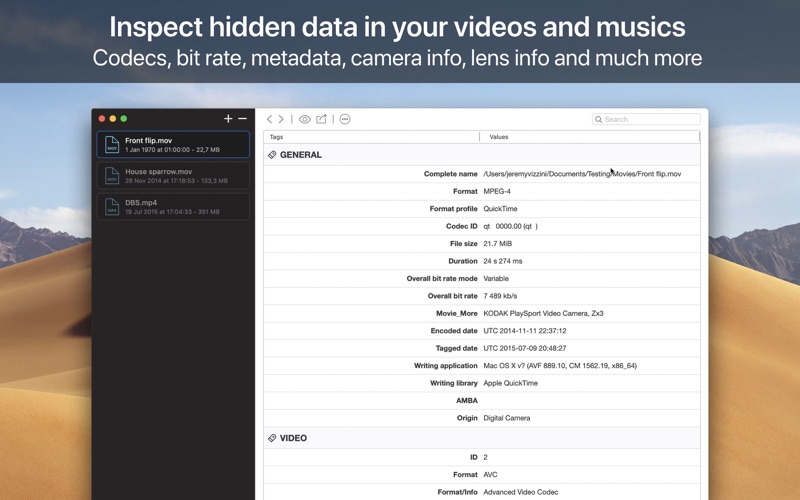
VideoScan 1.0.2

Download VideoScan 1.0.2

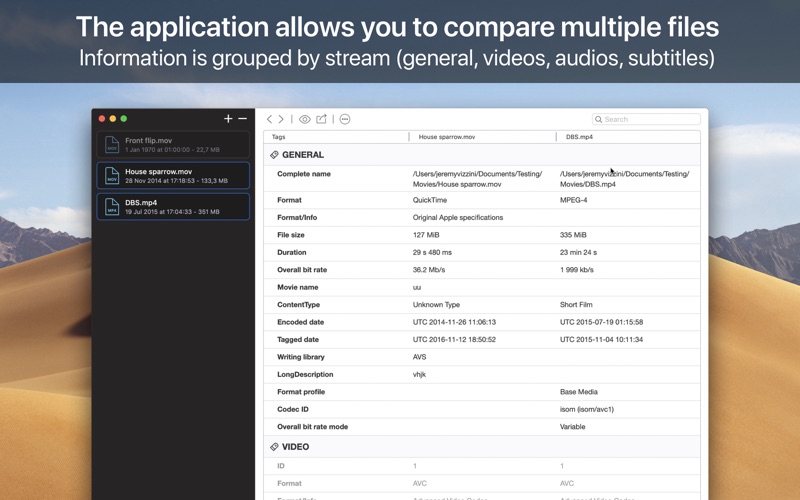
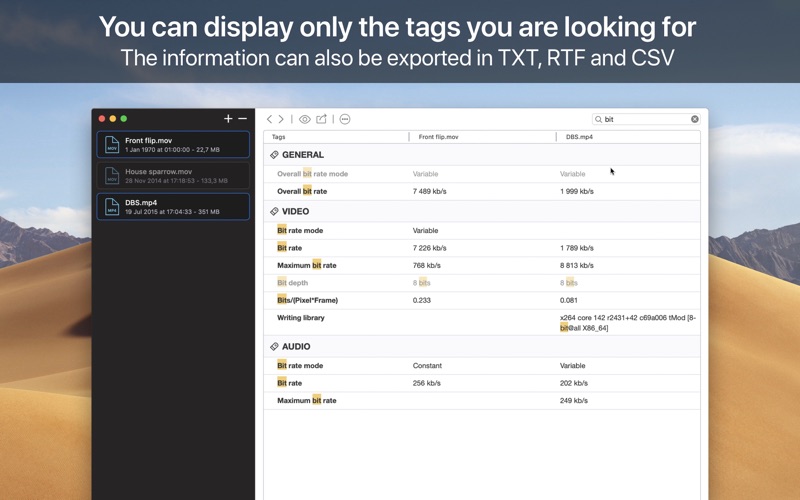
VideoScan displays hidden information about your multimedia documents. The application is able to analyze your files as well as the embedded audio and video streams. It provides you a lot of information, including the appearance of videos, the number of frames per second, the bit rate used, the sample rate of audio tracks, the number of available channels, and so on.

Supported information:

  • Container: format, profile, commercial name of the format, duration, overall bit rate, writing application and library, title, author, director, album, track number, date, duration.
  • Video: format, codec id, aspect, frame rate, bit rate, color space, chroma subsampling, bit depth, scan type, scan order.
  • Audio: format, codec id, sample rate, channels, bit depth, language, bit rate.
  • Text: format, codec id, the language of subtitle.
  • Chapters: count of chapters, list of chapters.

Supported formats:

  • Containers: MPEG4, QuickTime, Matroska, AVI, MPEGPS, MPEGTS, MXF, GXF, LXF, WMV, FLV.
  • Metadata: Id3v1, Id3v2, Vorbis comments, APE tags.
  • Video: MPEG1/2 Video, H.263, MPEG4 Visual (including DivX, XviD), H.264/AVC, H.265/HEVC, FFV1.
  • Audio: MPEG Audio (including MP3), AC3, DTS, AAC, Dolby E, AES3, FLAC.
  • Subtitles: CEA608, CEA708, DTVCC, SCTE20, SCTE128, ATSC/53, CDP, DVB Subtitle, Teletext, SRT, SSA, ASS, SAMI.

Information

Compatibility
OS X 10.13 or later, 64-bit processor
Languages
English, French, German, Italian, Japanese, Simplified Chinese, Spanish

What’s New in VideoScan 1.0.2

  • Support macOS Catalina

Screenshots

Name VideoScan 1 0 2 [TNT] mac-torrents.net.zip
Size 25.59 MB
Created on 2019-11-14 15:42:27
Hash 60f6f6b40ba78092b0acea383e1261eeae298d4b
Files VideoScan 1 0 2 [TNT] mac-torrents.net.zip (25.59 MB)

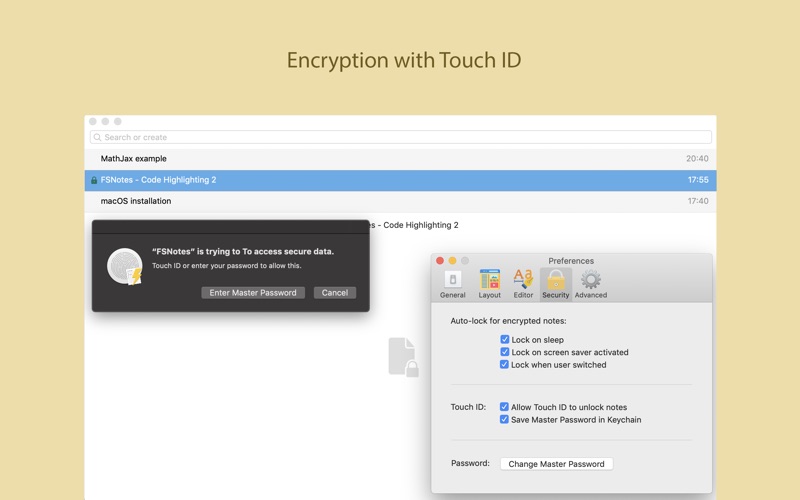
FSNotes 4.0.7

Download FSNotes 4.0.7

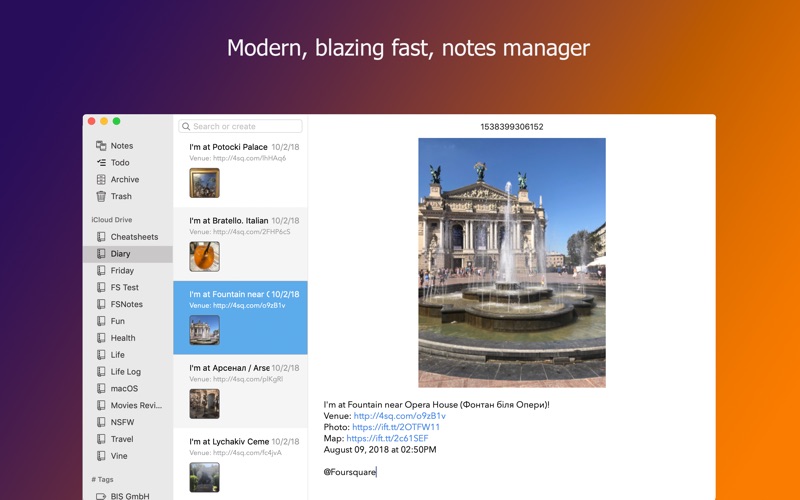
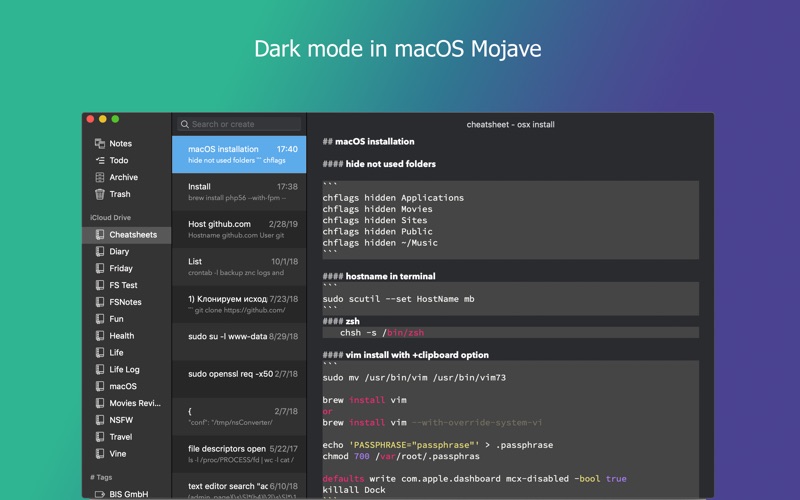
is a plain-text note manager for macOS, and is modern reinvention of notational velocity (nvALT) on steroids. Our application respects the following open formats: plain/text, Markdown, and RTF, and stores data in the file system. You can view, edit, and copy data in your favourite external editor, and see live results in FSNotes.

FSNotes features:

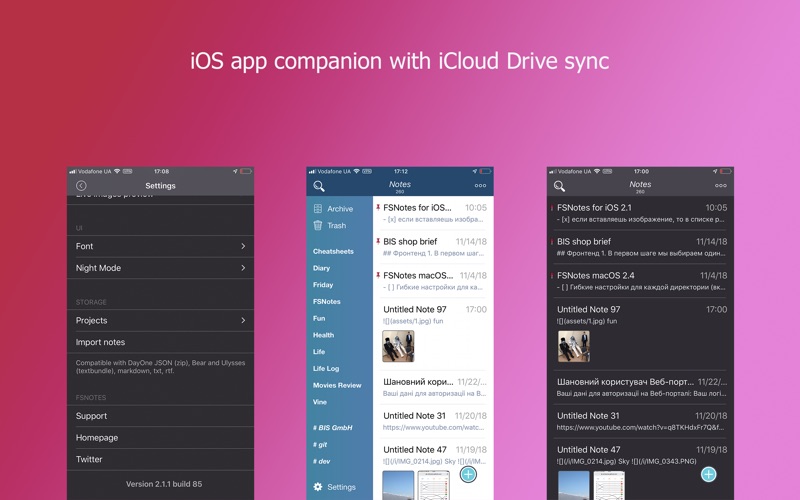
  • iCloud synchronization over iCloud Documents
  • keyboard centric
  • global shortcuts (clipboard save / search field)
  • markdown and RTF markup (files stored on disk as plain/text and rich text)
  • textbundle containers
  • markdown preview mode
  • elastic three pane view (vertical and horizontal layout)
  • blazing fast and lightweight
  • open files in finder / works with external editors (changes seamless live sync with UI)
  • pin/unpin important notes in top
  • multi folder storage
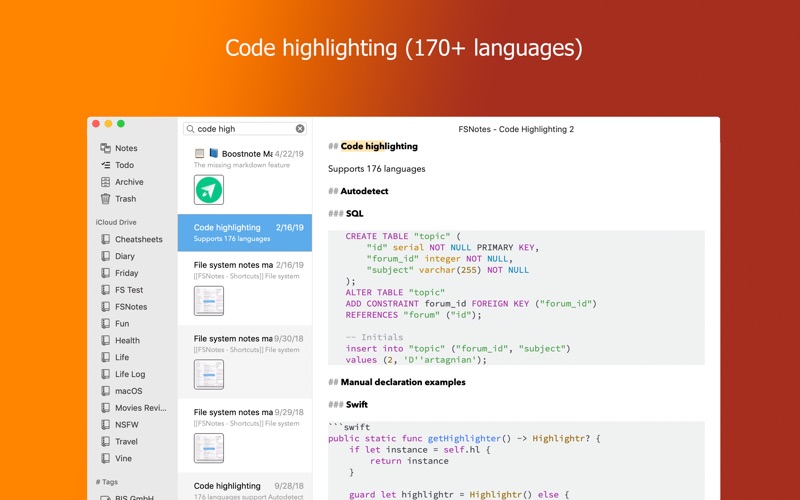
  • markdown code highlighting with over 170 languages
  • markdown images live preview
  • tags
  • dark mode (macOS Mojave)
  • Encryption (AES256)
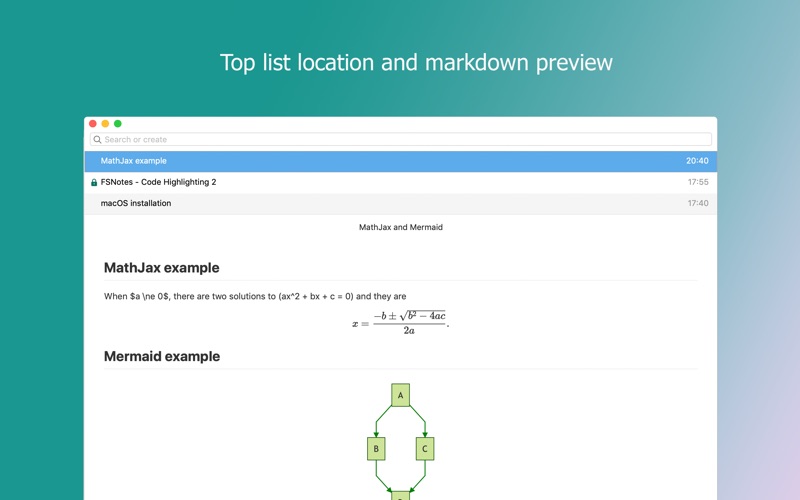
  • Mermaid and MathJax support

Information

Compatibility
OS X 10.11 or later, 64-bit processor
Languages
English, Arabic, German, Korean, Russian, Simplified Chinese, Spanish, Ukrainian

What’s New in FSNotes 4.0.7

  • Adds compatibility with unresolved text. bundles
  • Fixes RTF notes deselection
  • Adds digits filter for inline tags scanner
  • Hide tags menu for inline tags system

Screenshots

Name FSNotes 4 0 7 MAS [TNT] mac-torrents.net.zip
Size 25.38 MB
Created on 2019-11-14 15:42:18
Hash 650a97fd0acd3ac3301014285675dc96c280b4dc
Files FSNotes 4 0 7 MAS [TNT] mac-torrents.net.zip (25.38 MB)

iZotope Insight 2 v2.10 FiXED

Download iZotope Insight 2 v2.10 FiXED

Insight 2 is a comprehensive metering and audio analysis plug-in that is a trusted component of award-winning post production and music studios.

Get Insight into any mix

Get a complete set of meters that can be customized and form fit to any session. Gain valuable perspective on any aspect of your mix, from loudness, intelligibility, spectral balance, and more.

Whether you窶决e measuring loudness for broadcast compliance, ensuring clear dialogue for film, or managing a complex 7.1.2 Dolby Atmos session, Insight 2 is the metering tool for the job. Don窶冲 let your dialogue get lost in the mix! Insight 2窶冱 new Intelligibility Meter takes the guesswork out of setting dialogue levels and provides you with a clearer picture of how an audience will experience the dialogue, no matter their listening environment. Mix with confidence using visual benchmarks that confirm your dialogue is sufficiently clear.

Let your dialogue be heard

Don窶冲 let your dialogue get lost in the mix! Insight 2窶冱 new Intelligibility Meter takes the guesswork out of setting dialogue levels and provides you with a clearer picture of how an audience will experience the dialogue, no matter their listening environment. Mix with confidence using visual benchmarks that confirm your dialogue is sufficiently clear.

Information

Compatibility
OS X 10.8.5 Mountain Lion (Pro Tools 10 only), 10.9.5 Mavericks – macOS 10.14 Mojave
Languages
English

What’s New in iZotope Insight 2 v2.10 FiXED

Previous release seemed to be causing people issues so I’m uploading the original patch I made, no room for error now.

Screenshots

Name iZotope Insight 2 v2.10 FiXED mac-torrents.net.zip
Size 104.5 MB
Created on 2019-11-14 10:29:21
Hash 18643d1ba9bec244530367412a07a4b4ed206014
Files iZotope Insight 2 v2.10 FiXED mac-torrents.net.zip (104.5 MB)

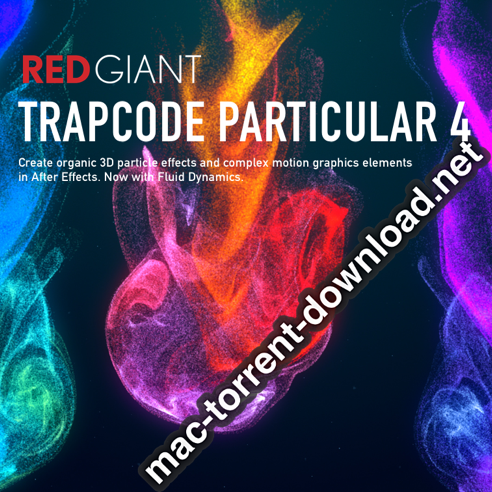
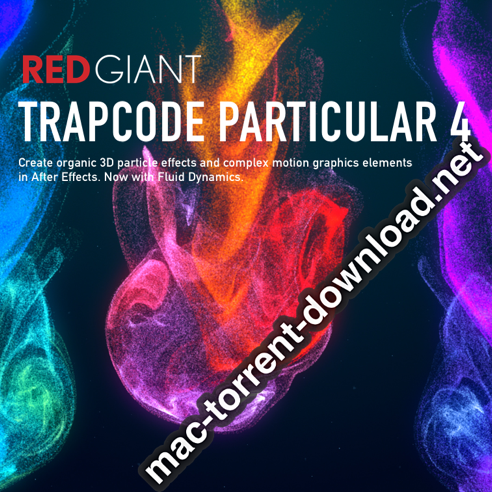
Red Giant Trapcode Particular 4.1.2 for Adobe After Effects

Download Red Giant Trapcode Particular v4.1.2 for Adobe After Effects

Create organic 3D particle effects and complex motion graphics elements in After Effects. Now with Fluid Dynamics.

Motion Graphics

Trapcode Particular is a plugin for After Effects that lets you add particles to your compositions to bring your motion graphics work to life. Use 3D objects for even more beauty and complexity.

Visual Effects

Create fire, water, smoke, snow and other organic effects. Combine multiple particle systems into one unified 3D space for visually stunning results.

Physics

For the first time ever, run realistic fluid simulations with the new Dynamic Fluids™ physics engine, or emulate particles moving through the air and bouncing off surfaces.

FEATURES

Trapcode Particular has been redesigned to include lots of new features and enhancements.

DESIGNER (NEW)

Creating particle effects is easier than ever before, in the updated Designer. Add adjustable blocks with preset behaviors and styles for emitters, particles, physics and aux particles. Or add complete, customizable particle effects with a single click.

FLUID DYNAMICS (NEW)

Create dynamic, swirling effects with the new Dynamic Fluids physics engine, which allows particles to behave as if they are moving through real fluids. Choose from 4 customizable fluidic behaviors.

GPU-ACCELERATED

Get fast feedback with Trapcode Particular’s new GPU Acceleration through OpenGL. Depending on your system and setup, you could see speed boosts of up to 4X or more over previous versions.

3D CAMERA AND LIGHTS

Particular uses After Effects’ 3D Camera and Lights so you can fully integrate your particle Effects with your motion graphics and live-action vfx shots.

INSTANT FEEDBACK

The designer gives instant visual feedback, making the building and previewing of effects an intuitive and creative experience. New in Particular 3, the Designer respects the AE comp size, bringing in the composition and camera info. Preview your particle layout with camera and emitter position controls

MULTIPLE SYSTEMS

For the first time ever, explore endless creative possibilities when you combine multiple particle systems in the same 3D space. Create beautiful, complex effects through the interaction of different systems, all within one instance of Particular. Emitters in Multi-system setups can share parameter settings (such as turbulence, gravity and more), and can be saved as a single preset.

OBJS AS EMITTERS

Give your particle systems a new dimension by using 3D models and animated OBJ sequences as particle emitters. For added flexibility, you can choose to emit particles from the vertices, edges, faces or volume of your OBJ file. Choose from Particular’s library of over 60 OBJs, or easily load your own models using the new OBJ Loading Panel directly in After Effects or within the Designer.

SPRITES AND POLYGONS

Use any image in your composition as a particle by assigning it to a 2D sprite or textured polygon. Particular 3 now includes over 270 still and animated sprite images, easily loaded directly within After Effects or in the Designer via the new Sprite Loading Panel.

LIGHTING AND SHADOWS

Shade all particle types from lights in After Effects. Shading can emulate light falloff, and Shadowlet rendering can cast shadows on both main and aux particles.

BOUNCE AND PHYSICS

Move particles organically through the air, or bounce off of other layers, with Particular’s physics engine. Includes wind, gravity, turbulence controls and more for simulating complex, realistic motion.

AUX SYSTEM

Spawn new child particles through Particular’s Aux system. Create organic trails and branching, or build splashes after a bounce. Particular 3’s updated Aux system now includes the ability to add custom particles for even more variation, as well as keyframable parameters for more control.

335 PLUS PRESETS (NEW)

Hit the ground running with over 335 fully-customizable Designer presets. Particular 4 includes over 35 new presets that show off powerful features like fluid dynamics and more. Explore the library to find beautifully designed effects for creating fluids, fire, spaceflight, fireworks, muzzle flashes, explosions, smoke and more. Save your own presets, and share them across your facility.

REFLECTION MAPS

Create dynamic color changes in your textured polygon particles by using layer as a reflection map. Add glints to particles as they rotate in 3D.

Information

Compatibility
Mac OS X 10.11 or later
Host Application
Adobe After Effects CC 2017 and later
Languages
English

What’s New in Red Giant Trapcode Particular 4.1.2

  • Release notes not available at the time of this post.

Screenshots

Name Red Giant Trapcode Particular v4.1.2 for AE mac-torrents.net.rar
Size 798.9 MB
Created on 2019-11-14 07:13:08
Hash 29d5c76de809ce35d7d30e3fcc5db0ccfa8931f1
Files Red Giant Trapcode Particular v4.1.2 for AE mac-torrents.net.rar (798.9 MB)

Celemony Melodyne Studio 4 v4.2.4.001

Download Celemony Melodyne Studio 4 v4.2.4.001

Melodyne is a software application for OS X or Windows with which you can edit audio in a more musical way than was ever thought possible. In Melodyne, you work with notes – and not with a meaningless wave form. You don’t just see where the music gets louder or quieter but also where notes begin and end and at what pitch they lie.

You can modify each note and thereby influence directly the intonation, phrasing and dynamics – and do this not only with vocals and monophonic instruments but with polyphonic instruments such as pianos and guitars as well.

Working with Melodyne is like being able to say to a vocalist “sing this note a bit longer” or to a pianist “give slightly less weight to the third in this chord” – hours, weeks, even years after the recording session.

Melodyne 4 studio

The complete Melodyne. Melodyne 4 studio offers you all Melodyne functions for both correction and creative applications on an unlimited number of tracks. You can edit the sound and musical content of your recordings in such an intuitive manner or make such far-reaching changes with no other audio tool.

New technologies and a new degree of freedom for the entire Melodyne family. Celemony is releasing Version 4 of its legendary audio software Melodyne. This constitutes the most extensive update to the entire product family in the company’s history, with the emphasis on Melodyne 4 studio.

Highlights include the Sound Editor with its totally new sound design possibilities, DNA Direct Note Access – at last, on an unlimited number of tracks – and ultra-accurate tempo detection. Furthermore, Melodyne 4 studio now also runs directly as a plug-in within your DAW – also, naturally, in 64-bit resolution. The smaller Melodyne editions – editor, assistant and essential – have also been enhanced.

Information

Compatibility
Intel Dual Core processor (Quad Core or better recommended), 4 GB RAM (8 GB or more recommended), macOS 10.6.8 and 10.11.x to 10.15
Languages
English

What’s New in Celemony Melodyne Studio 4 v4.2.4.001

  • Release notes not available at the time of this post.

Screenshots

Name Celemony Melodyne Studio 4 v4.2.4.001 mac-torrents.net.zip
Size 168.9 MB
Created on 2019-11-14 05:09:50
Hash f6b17dc4f382691167319cf5bec736a241ecef80
Files Celemony Melodyne Studio 4 v4.2.4.001 mac-torrents.net.zip (168.9 MB)

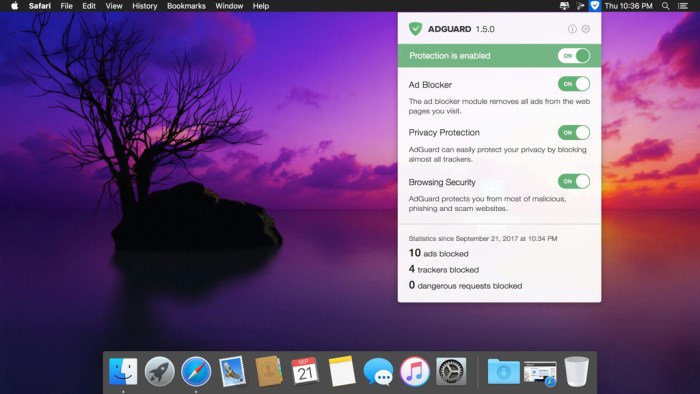
Adguard 2.2.2 (652)

Download Adguard 2.2.2 (652)

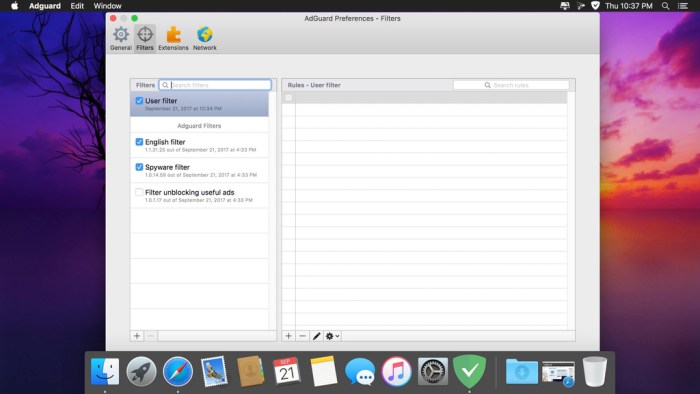
Adguard can make your online experience safer because, though Macs and Apple laptops are quite safe to use, when it comes to ad blockers, Macs experience real problems. Already-existing solutions do not consider the specifics of OS X. That greatly influences the stability of work in Safari, and these ad-blocking extensions fail to do their work properly, especially when video ads are an issue.

New Adguard lets you fully enjoy web surfing without any distractions. Watch those videos you want to watch, and not video ads, on YouTube, Twitch, or any other website. Look at photos of your friends and not at endless banners on Facebook and other social networks. Adguard gives you freedom of choice and saves your nerves. It works perfectly with all browsers, as it was developed specially for use on OS X.

Features

  • Ad Blocker. Subtle filtering of all incoming traffic, and what is more, ads are blocked before they load to the page.
  • Browsing Security. Adguard checks every page for any malicious content using our databases, and blocks requests from potentially dangerous ones.
  • Privacy Protection. Any counters and tracking instruments will be blocked by powerful Spyware filter. With Adguard you can stop worrying for the privacy of your actions on the Internet.
  • Adguard works in all browsers. Safari, Chrome – you name it. No exceptions.
  • Easy to install. A couple of clicks, and your Mac is protected from ads. You don’t have to struggle with overcomplicated settings – just surf the net and Adguard will do all the work.
  • Blocking video ads. Any video ad, on any site – Adguard will block it.
  • Application filtering. Adguard is more than just an addon for browser. It can help you to get rid of ads in any app on your Mac.
  • Is supported in all OS X versions from 10.7 64-bit and higher.
  • Adguard has intuitive and simple UI with such additional features like Adguard Assistant and filtering log.
  • Daily ad filters and phishing databases updates.

Information

Compatibility
OS X 10.10 or later 64-bit
Languages
English

What’s New in Adguard 2.2.2 (652)

  • Release notes not available at the time of this post.

Screenshots

Name AdGuard 2.2.2.652 [TNT] mac-torrents.net.zip
Size 74.83 MB
Created on 2019-11-14 05:00:53
Hash 3053711efac0b2333ac40d67d190f32e237bf7fe
Files AdGuard 2.2.2.652 [TNT] mac-torrents.net.zip (74.83 MB)

iTube Studio 7.4.0.5

Download iTube Studio 7.4.0.5

iTube HD Video Downloader – Download full HD Videos from more than 10,000 video sharing sites.

Features:

Download Full HD Videos with URL or Extension Plugin in 1 Click

3X faster HD video downloader for YouTube, Facebook, Vimeo, Amazon and other video-sharing sites on your Windows & Mac computers. Moreover, iTube HD Video Downloader provides you with a Private Mode to protect your downloaded video in a password-protected folder.

  • 10,000 Video Sites Supported – YouTube, Dailymotion, Facebook, Twitter, and more. (Full List>>)
  • Download HD Video – 4K UHD, 4K, 1920P, 1080P, 720P, 480P, 360P, etc.
  • Download YouTube to MP3 – Download and convert YouTube to MP3 directly in high quality.
  • Download Audio Only – Download HD video song and audio tracks from YouTube and other sites.
  • Download Cloud Storage Media – Support to download media files from GoogleDrive, DropBox, OneDrive, OpenLoad, etc.
  • Batch Download Videos – Download YouTube playlist in 1 click. Or download multiple videos with URLs together.
  • Fast Download Speed 3X faster HD video downloader for YouTube and other sites
  • Player Plugin – Play downloaded YouTube videos and desktop videos with the built-in media player instantly.

Ways to Download Videos

With iTube HD Video Downloader, you’re able to download videos or extract audio from YouTube, Facebook, Vimeo, etc. You can download videos by pasting URL or use the browser plugin (available for Chrome, Safari and Firefox) to download full HD videos in browser directly. Detailed guide on how to download videos >>

  • Method 1: Download Video with URL
  • Copy and paste a single or multiple video URL(s) to the HD video downloader to start downloading.
  • Method 2: Download Videos with Extension Add-on
  • Click the Download button and iTube HD Video Downloader will start downloading the video immediately.
  • Method 3: Extract Audio from YouTube Videos or Other Sites
  • Download high-quality video song from YouTube or other video sharing sites with one click.

Information

Compatibility
OS X 10.8 or later 64bit
Languages
English

What’s New in iTube Studio 7.4.0.5

  • Release notes not available at the time of this post.

Screenshots

Name iTube Studio 7.4.0.5 [TNT] mac-torrents.net.zip
Size 80.33 MB
Created on 2019-11-14 05:21:01
Hash 6fe9581ae319e1a3beadaea53a33bf3c0b03f462
Files iTube Studio 7.4.0.5 [TNT] mac-torrents.net.zip (80.33 MB)

HazeOver 1.8.5

Download HazeOver 1.8.5

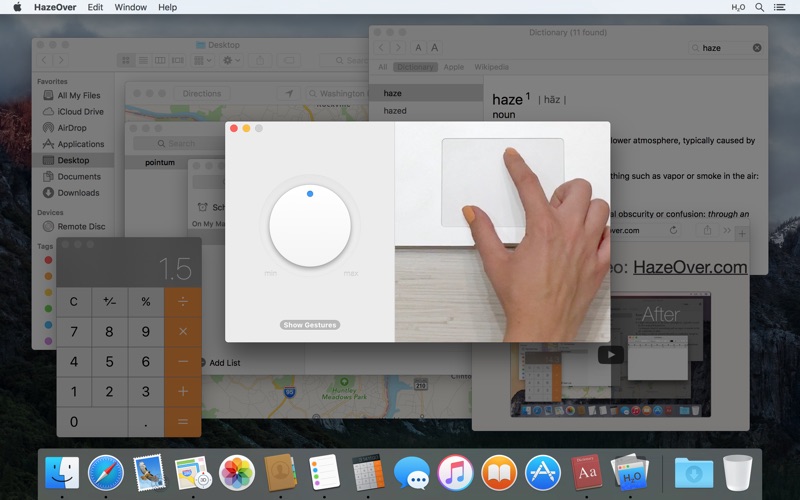
Too many windows to manage? Big display? Or getting lost in multiple monitors? HazeOver is for you!

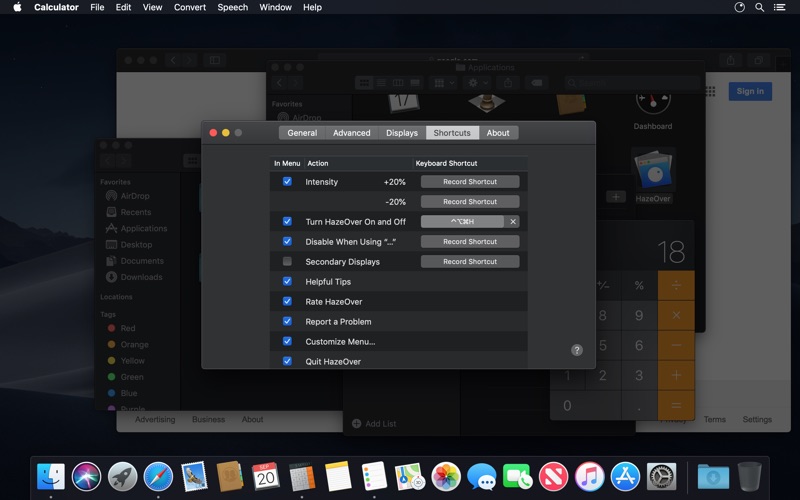
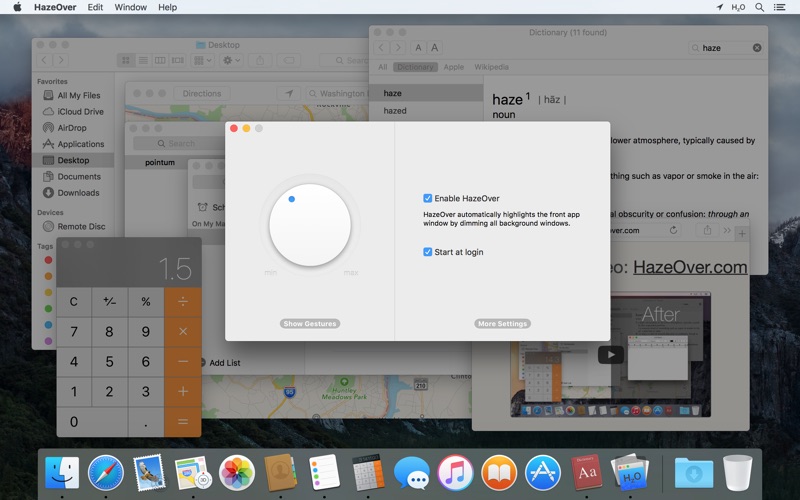
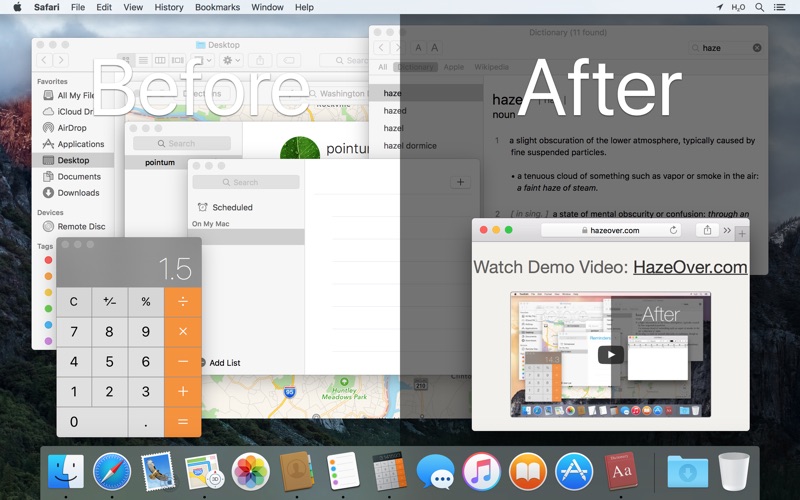
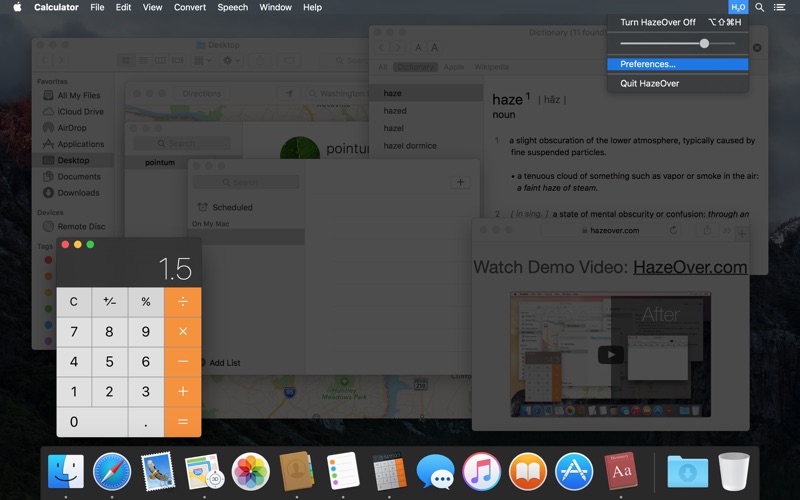
Get rid of distractions and focus on your current task. HazeOver automatically highlights the front app window by dimming all background windows.

Features

  • Forget about having to minimize, close or hide windows to keep your Desktop sane.
  • Spend less time managing windows. Window clutter will no longer bother you.
  • Got a big screen? Then going full screen is not an option for you. HazeOver to the rescue!
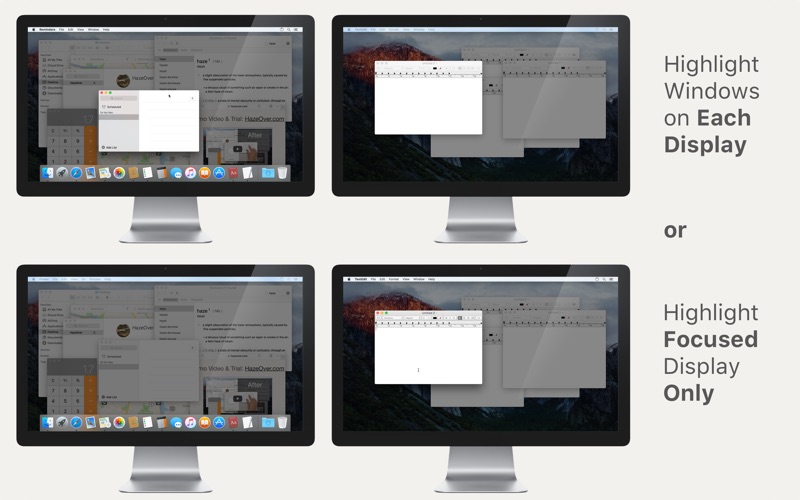
  • Multiple displays? HazeOver will let you know which screen is focused or highlight a window on each monitor.
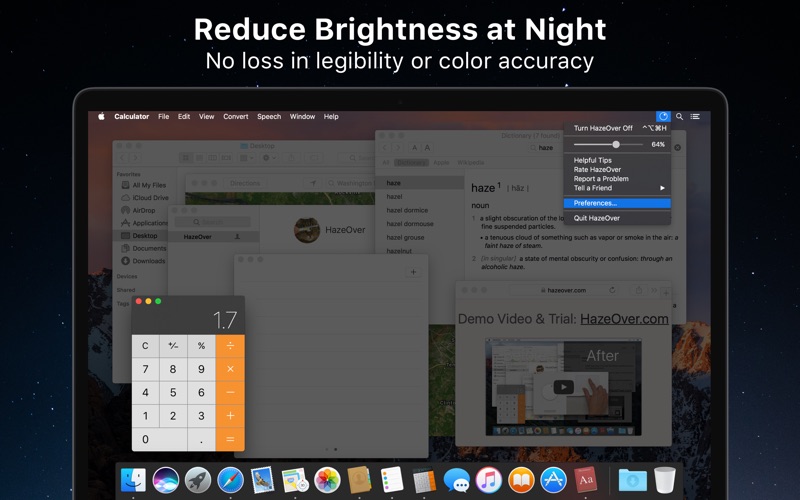
  • Working at night? Reduce brightness of macOS interface without sacrificing legibility or color accuracy of the front window.
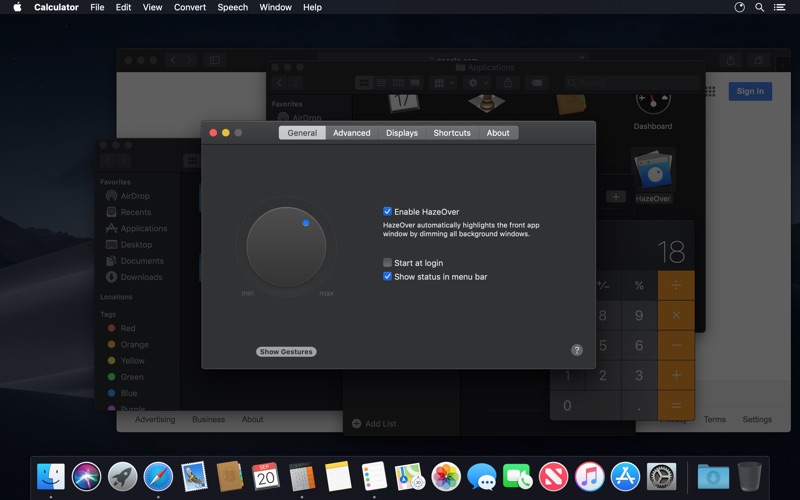
  • Power up the Dark Mode in macOS Mojave and reduce background contrast.

Heavy multi-tasking kills your concentration. All that tweets, emails, chat messages and lolcats staring back at you from the background. They strive for your attention. And you only have that much of it.

Don’t let yourself drown in scores of open windows. Hiding, switching, looking for the right one, more hiding, more switching. Calm down, breathe in, breathe out, launch HazeOver and finally concentrate on what’s you’ve been up to.

HazeOver automatically highlights an active window or app when you switch windows. The less important things gently fade away in the background, helping increase your productivity.

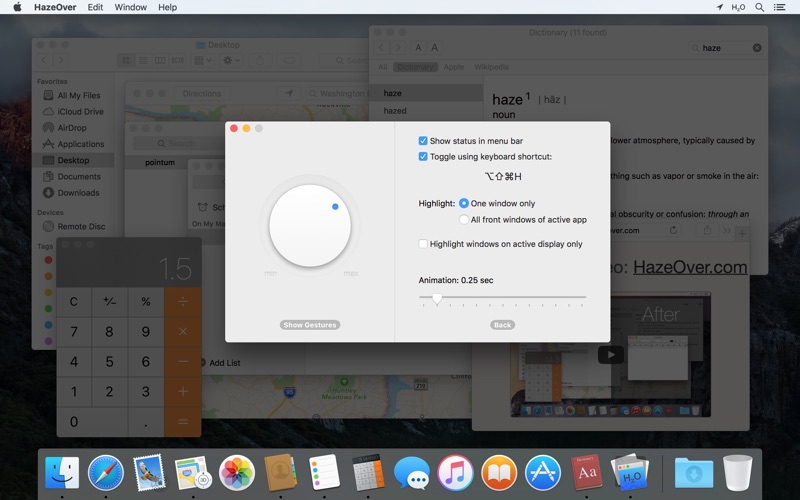
Set the hazing intensity and speed to your liking. Be it a soft dimming, an undemanding hint to focus on your workflow. Or a powerful dark background for outright dedication to your current task.

  • Desktop is automatically revealed when used.
  • Toggle the shade with a keyboard shortcut or adjust intensity with a gesture.
  • Dragging stuff between apps? Tap “fn” key and HazeOver will gracefully fade out.
  • Does HazeOver really help? Check on LifeHacker, CNET, MacWorld, Engadget and Product Hunt.

What’s New in HazeOver 1.8.5

  • Fixed: unresponsive tab switching in HazeOver preferences when using macOS Catalina.

Screenshots

Name HazeOver 1.8.5 MAS HCiSO mac-torrents.net.zip
Size 14.05 MB
Created on 2019-11-14 05:09:59
Hash 4e15cba39d99d94b212e7752ed4837fb3642df88
Files HazeOver 1.8.5 MAS HCiSO mac-torrents.net.zip (14.05 MB)

Serial Box 11-2019

Download Serial Box 11-2019

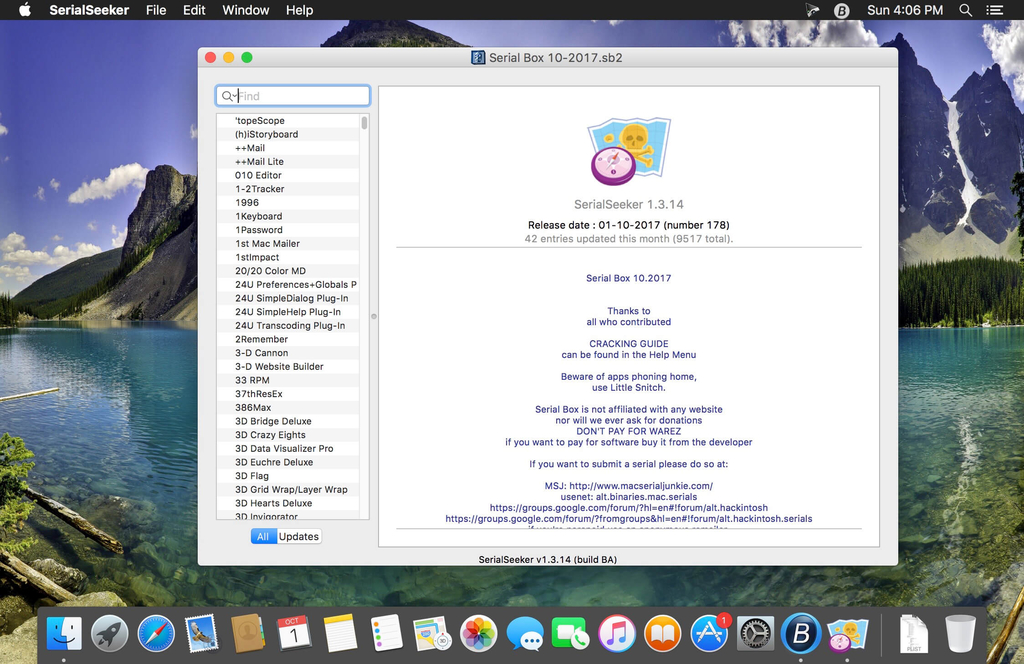
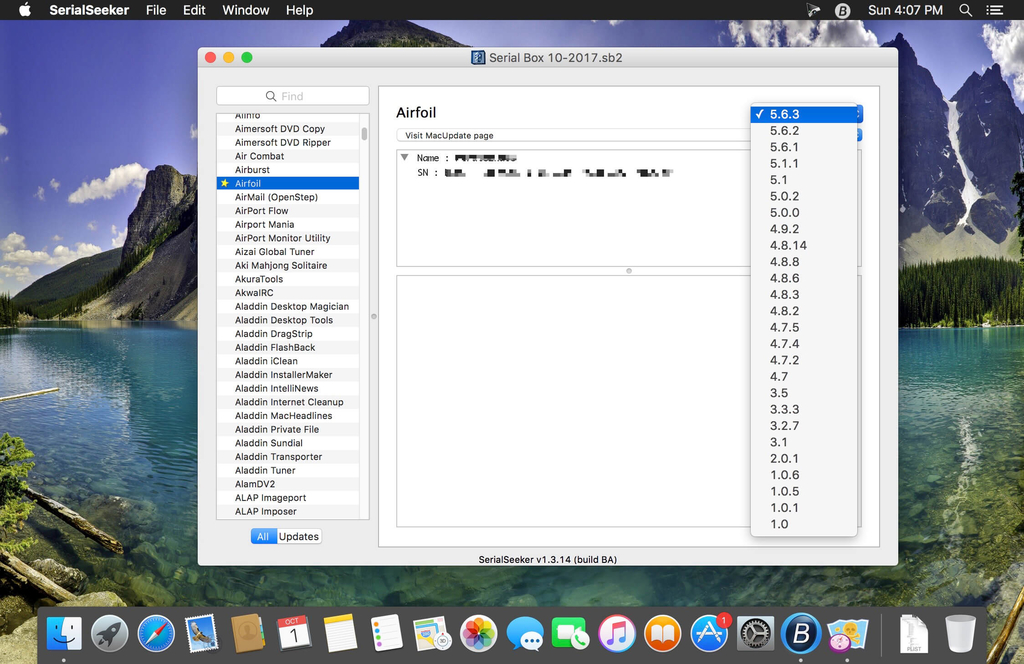
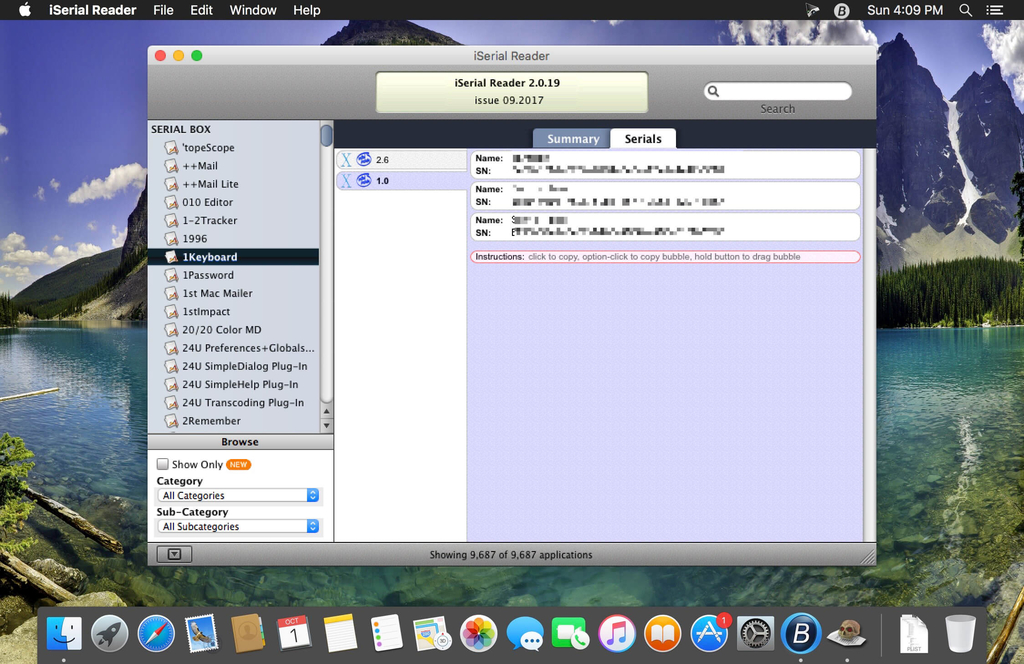
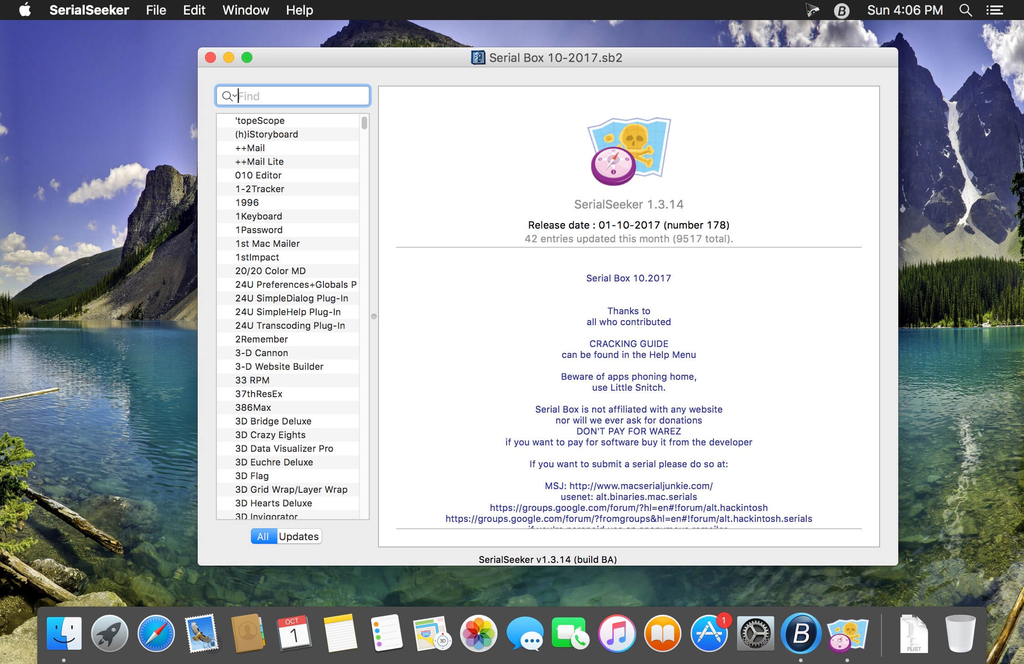
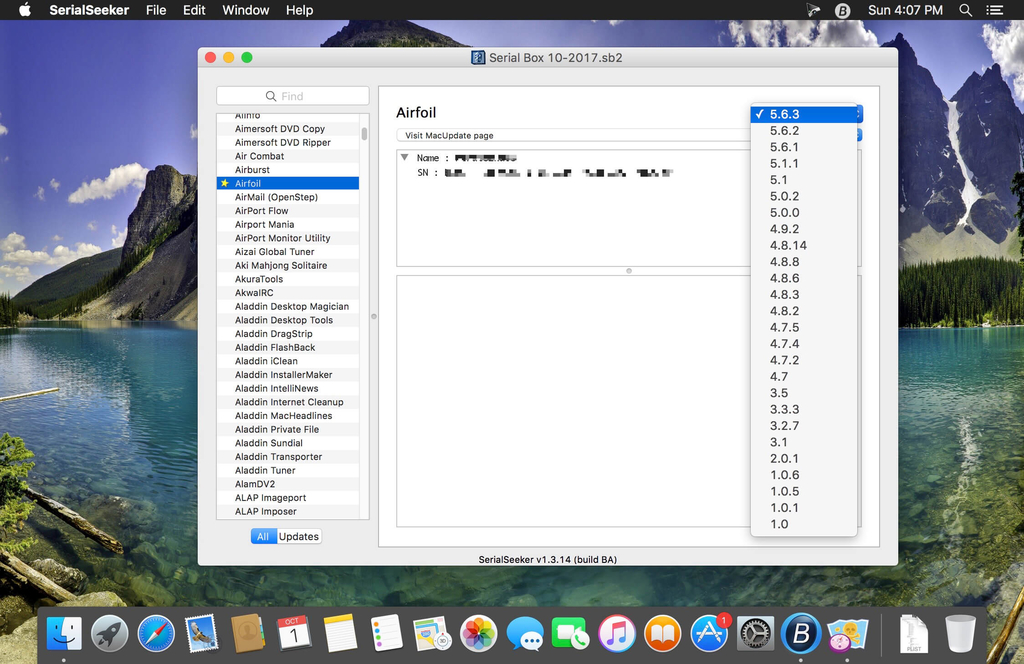
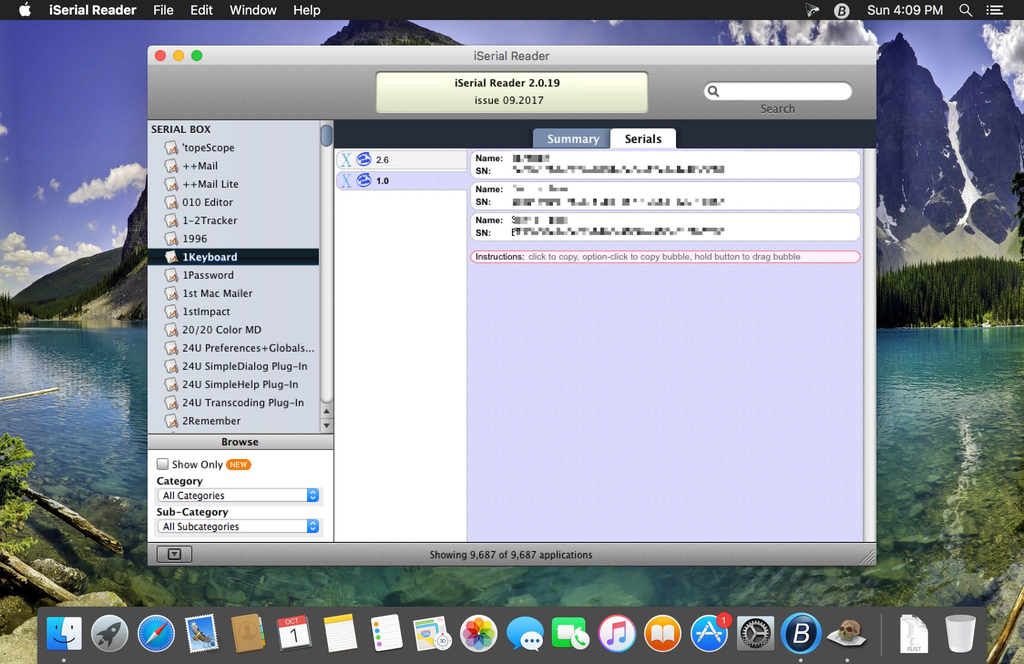
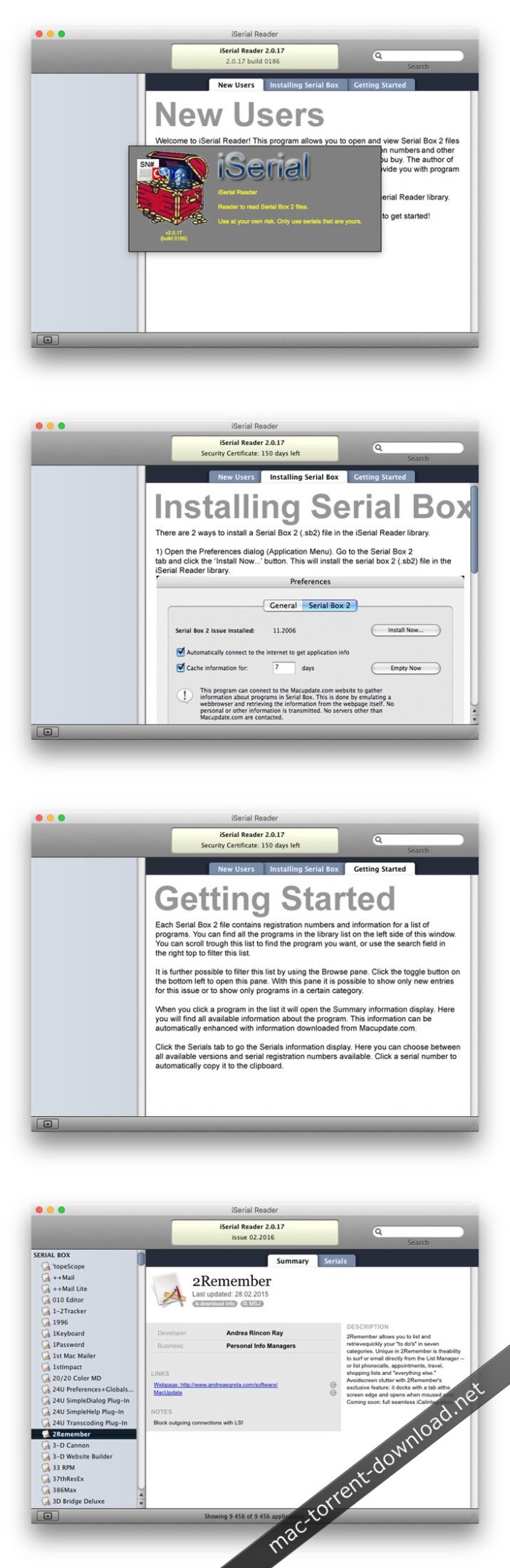
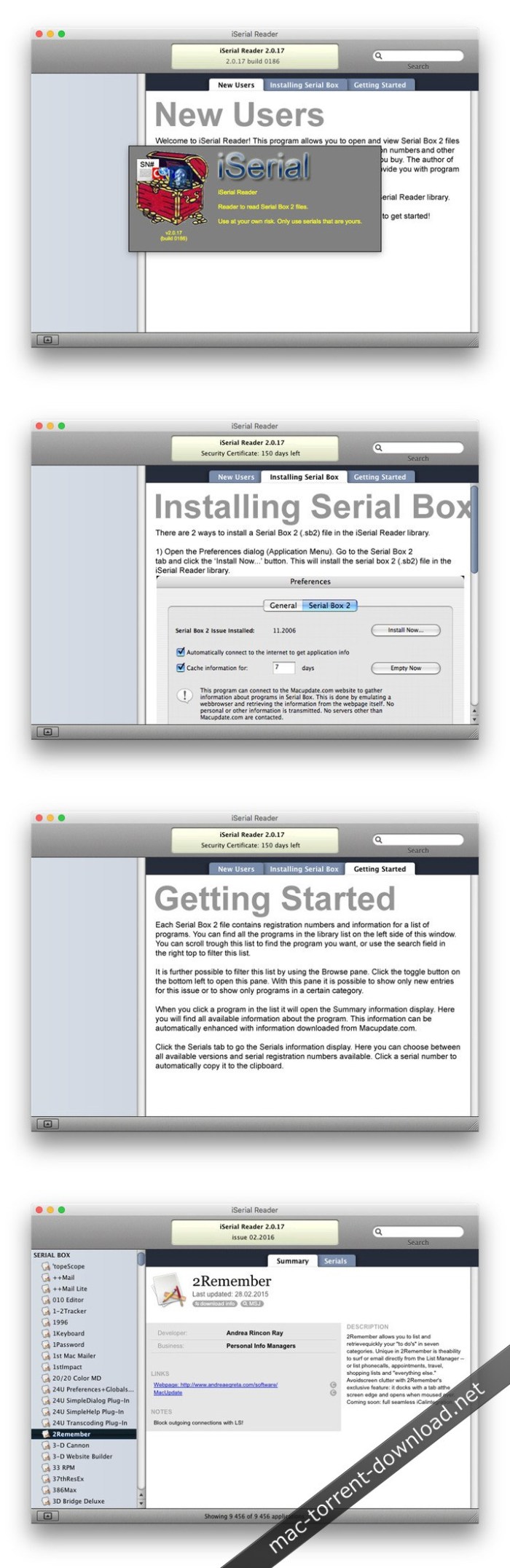
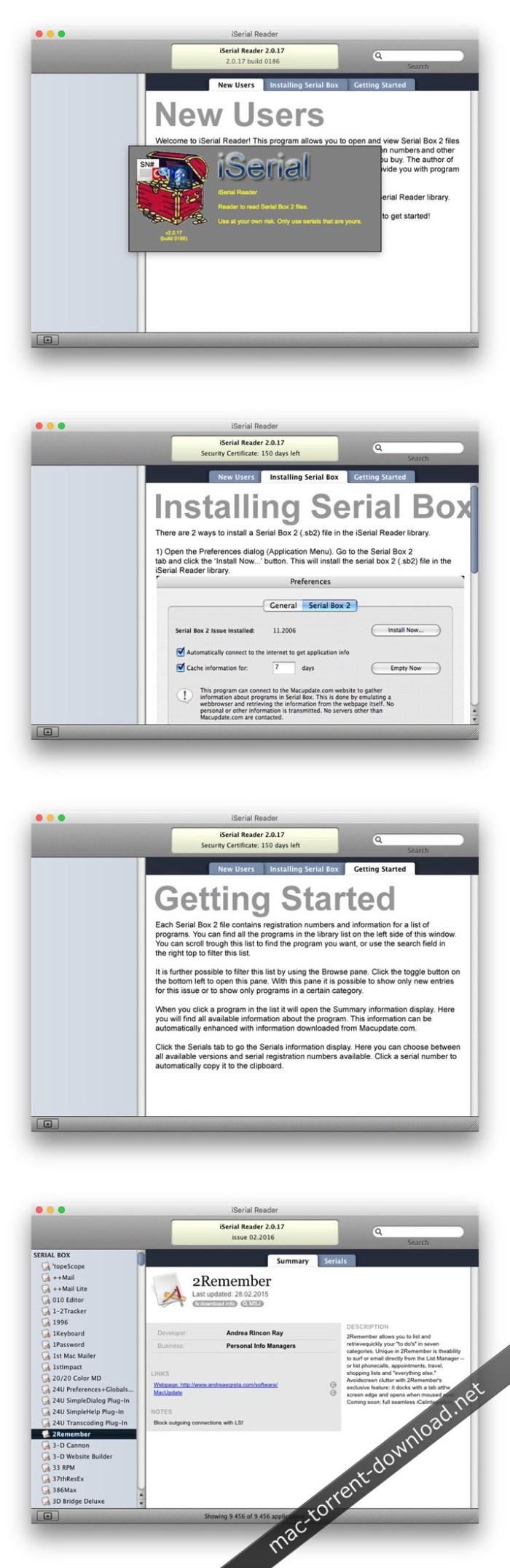
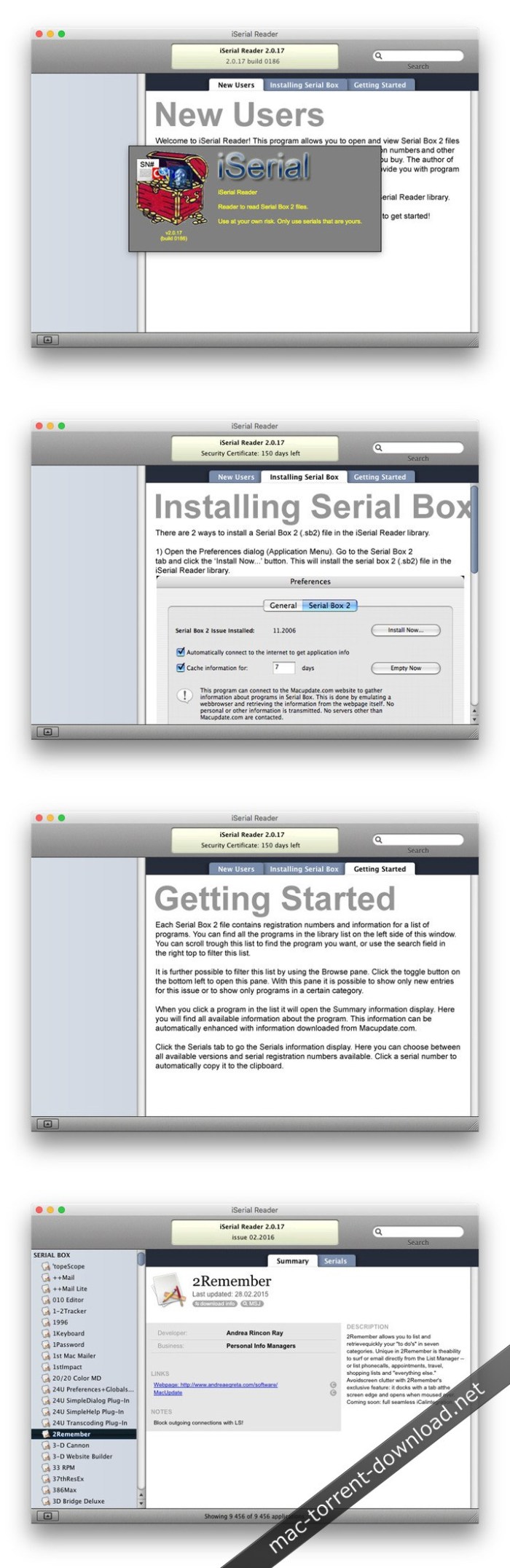
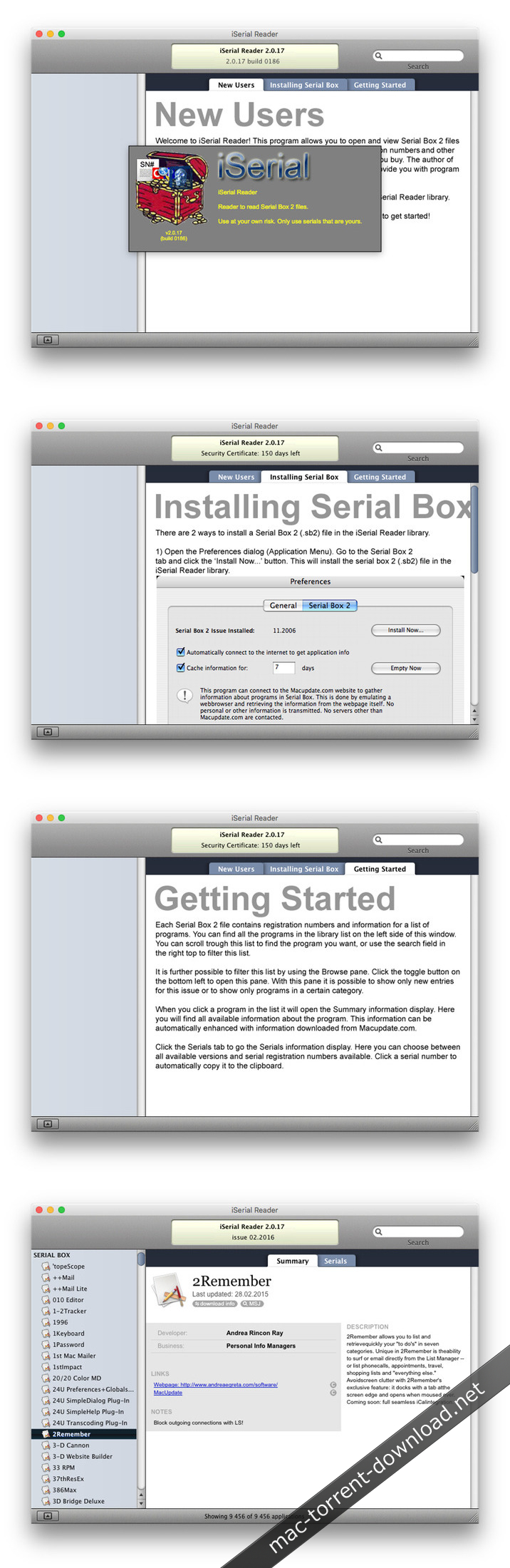
Serial Box is a monthly updated Mac software serial database. Serial Box November 2019 Issue.

The base of serial numbers project iSerial as of 2019. It contains information on how to activate (serial numbers, information about other methods of activation) for the PowerPC platform programs so and Intel.

Just open the dmg file, drag and drop the app where you like. However, there is no way to view what serials, cracks and patches are new in this issue as compared to the previous. Thanks to all contributors and supporters!

Compatibility: OS X 10.6 or higher

What’s New in Serial Box 11-2019

  • Release notes not available at the time of this post.

Screenshots

Name Serialbox 11.2019 mac-torrents.net.zip
Size 18.50 MB
Created on 2019-10-31 20:28:22
Hash 263036ccdbb86d38c4cf8bf49f5cc07a19dbc96c
Files Serialbox 11.2019 mac-torrents.net.zip (18.50 MB)

CleanMyMac X 4.5.0

cleanmymac x torrent

Download CleanMyMac X 4.5.0

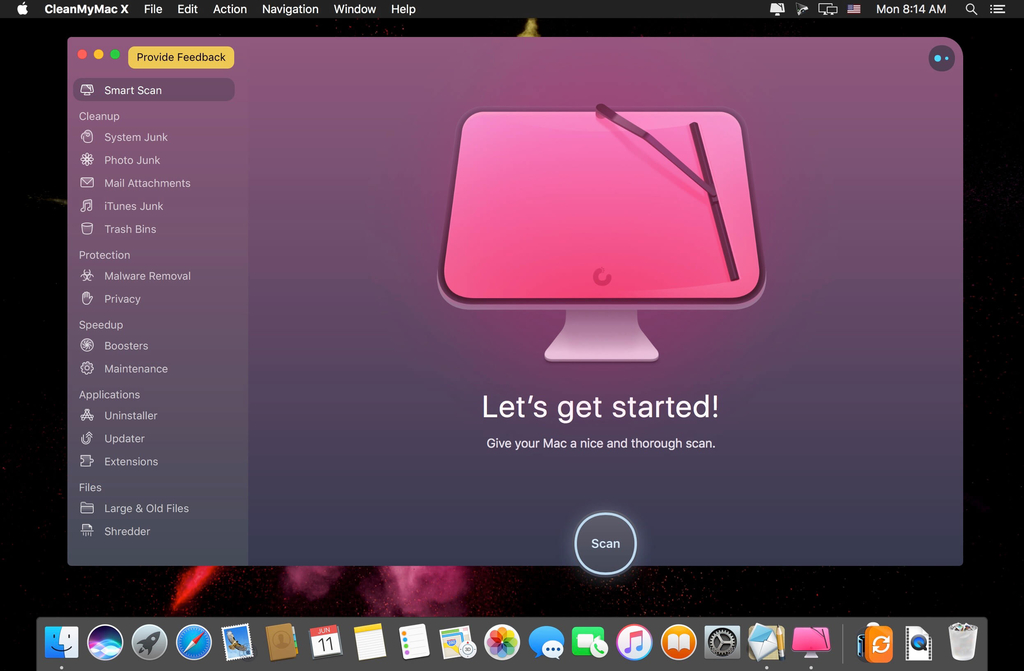
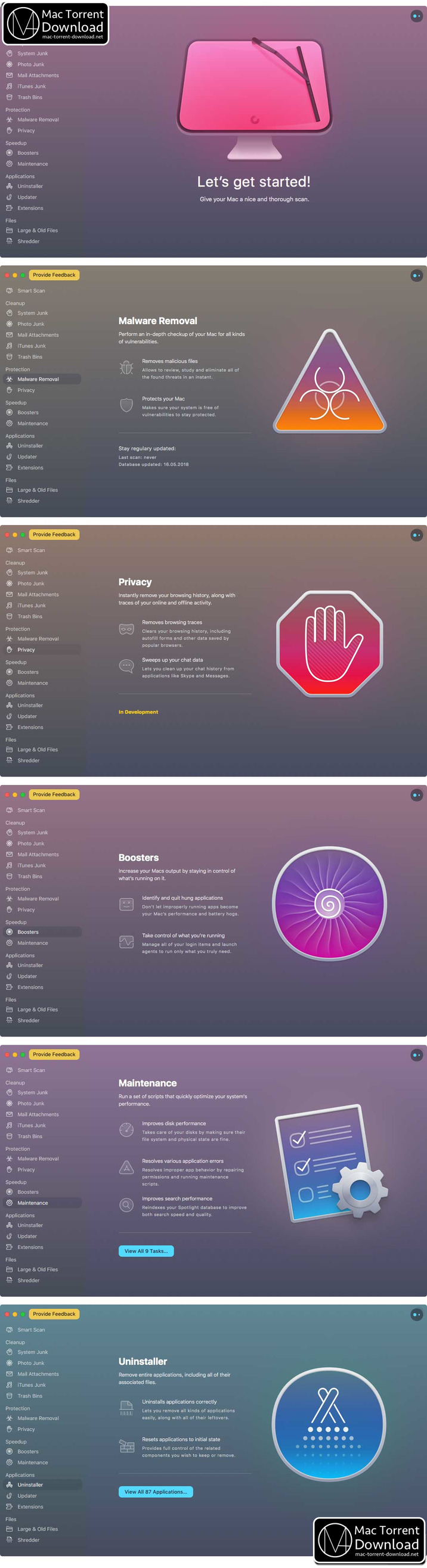
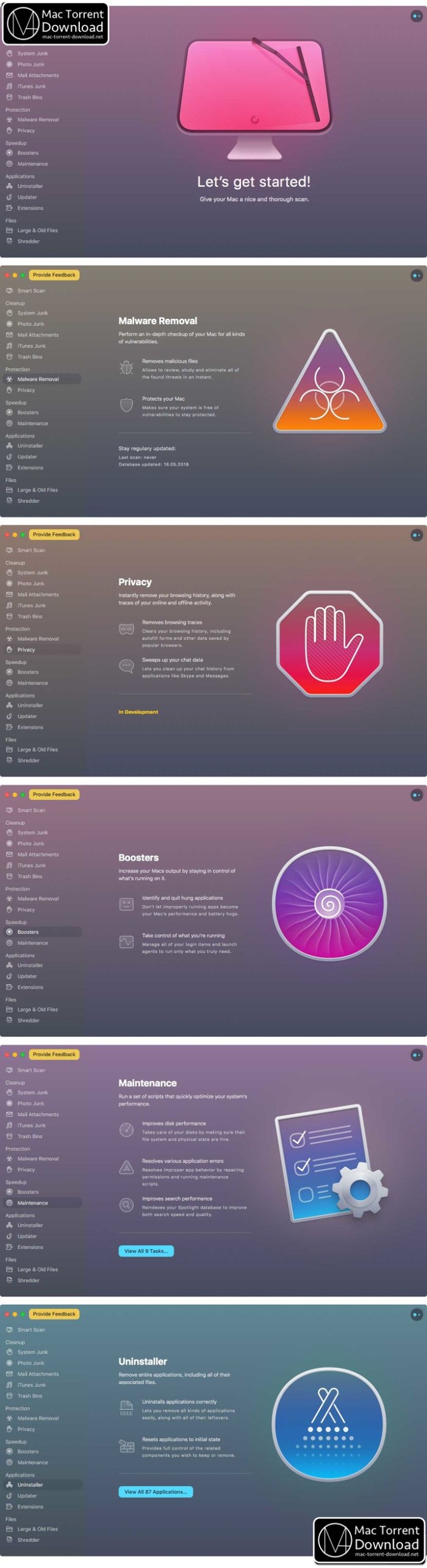
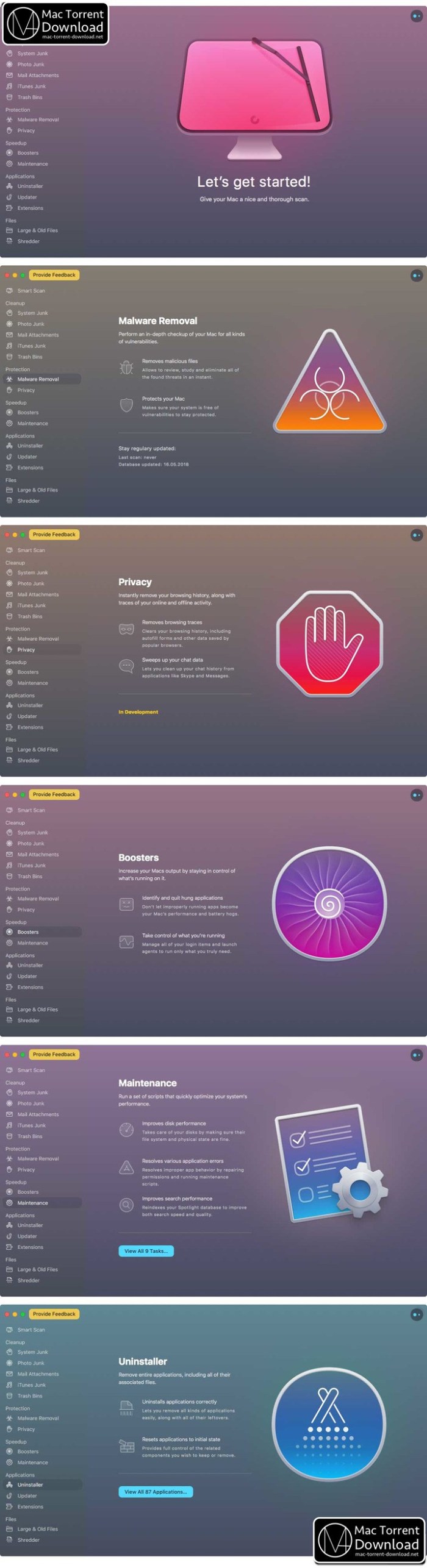
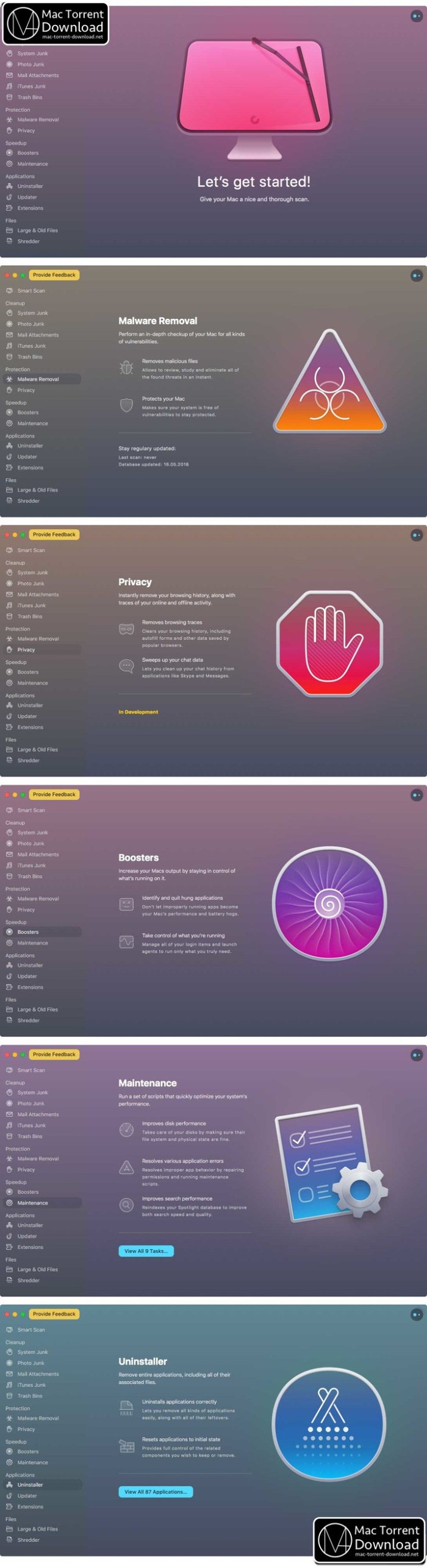
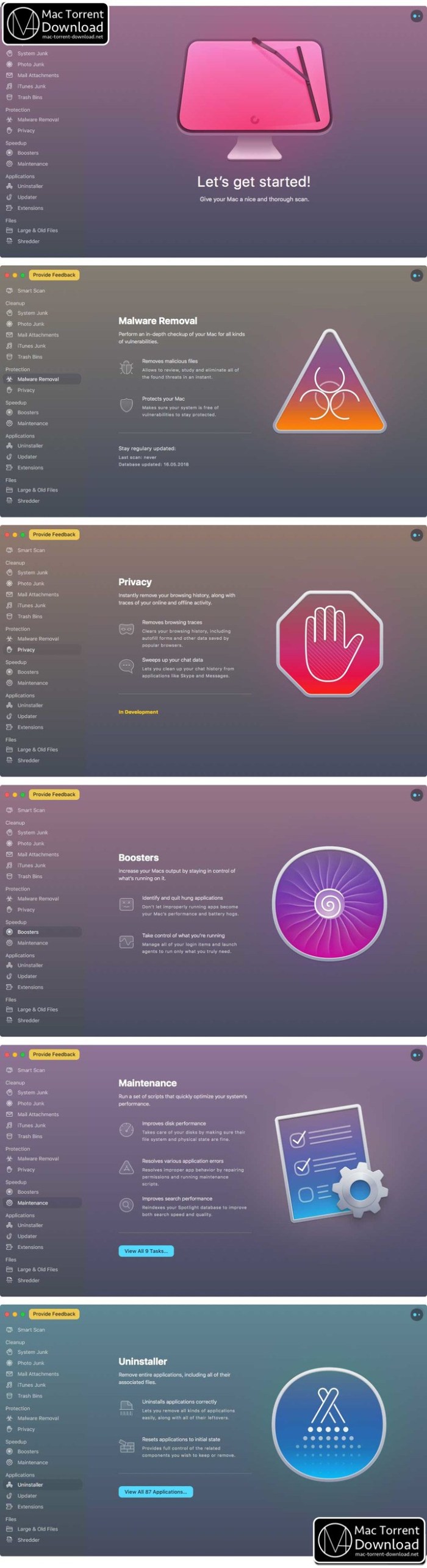
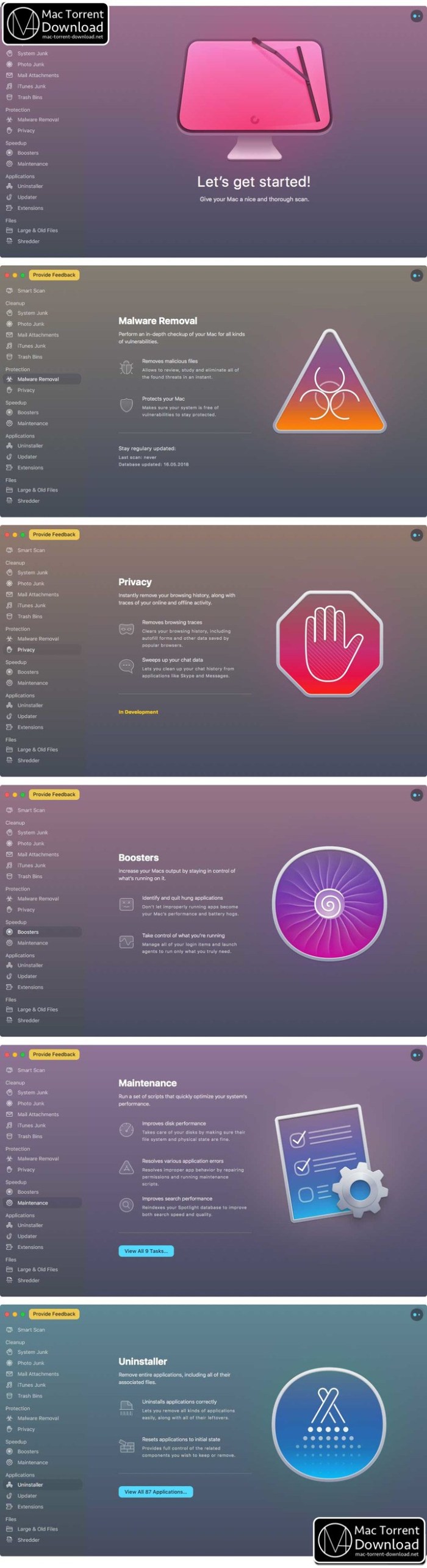
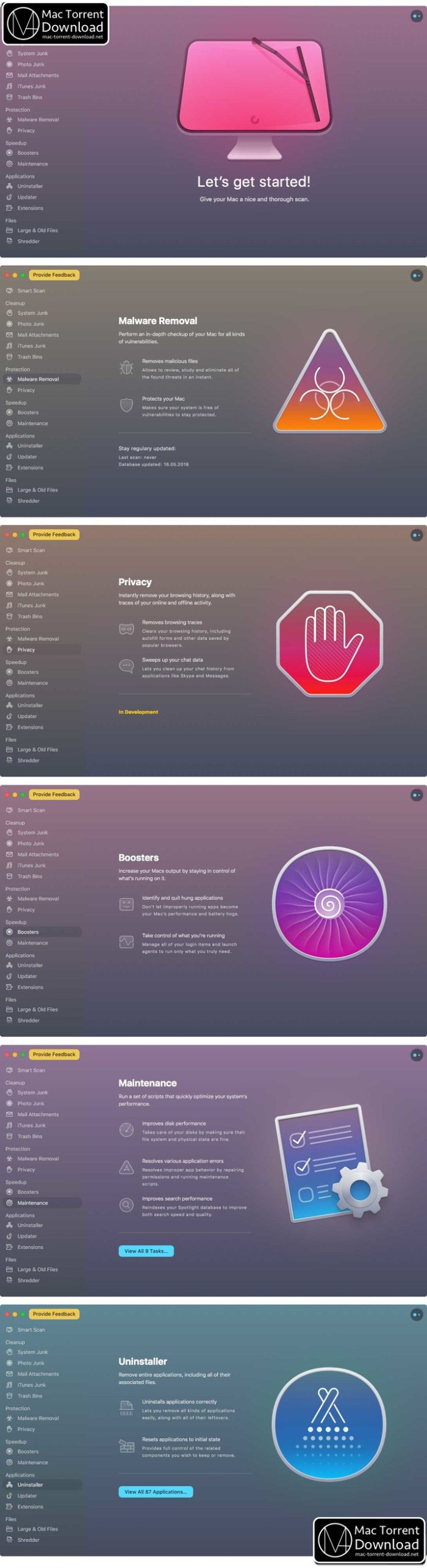
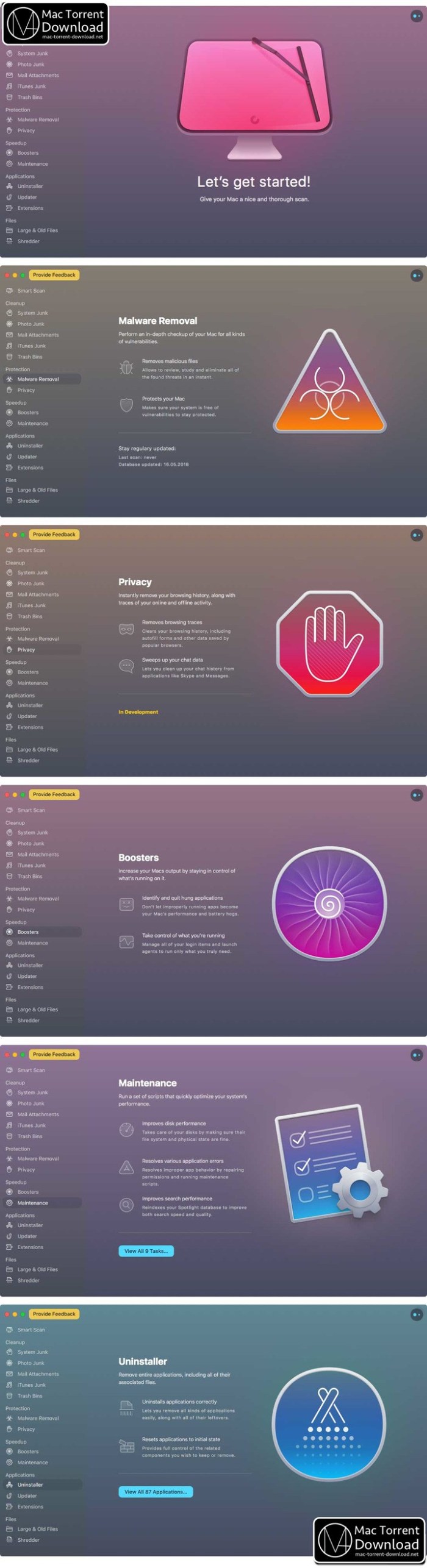
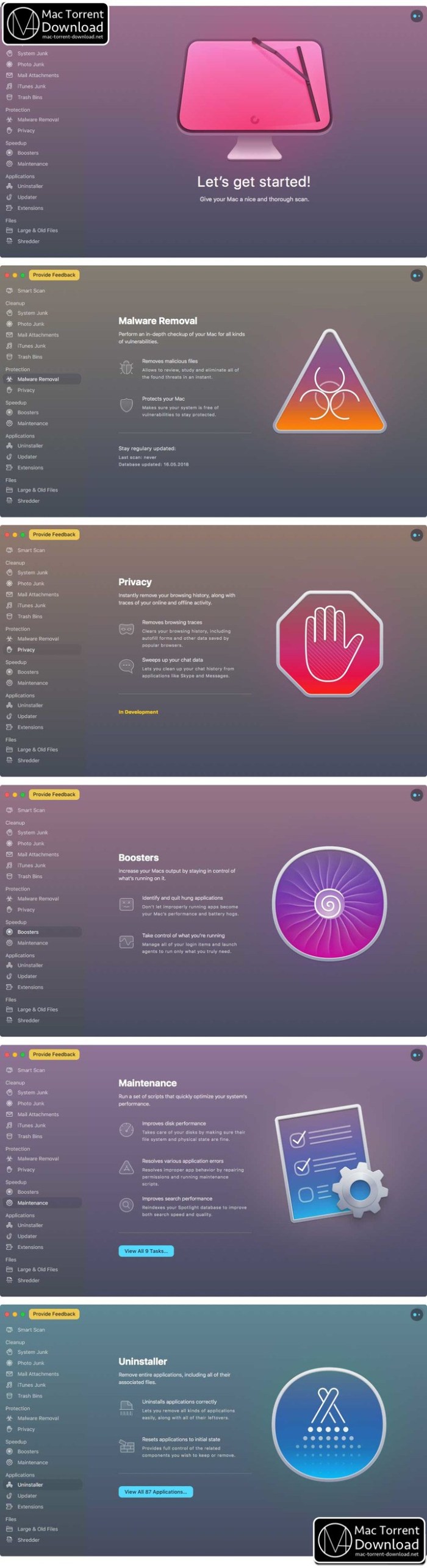
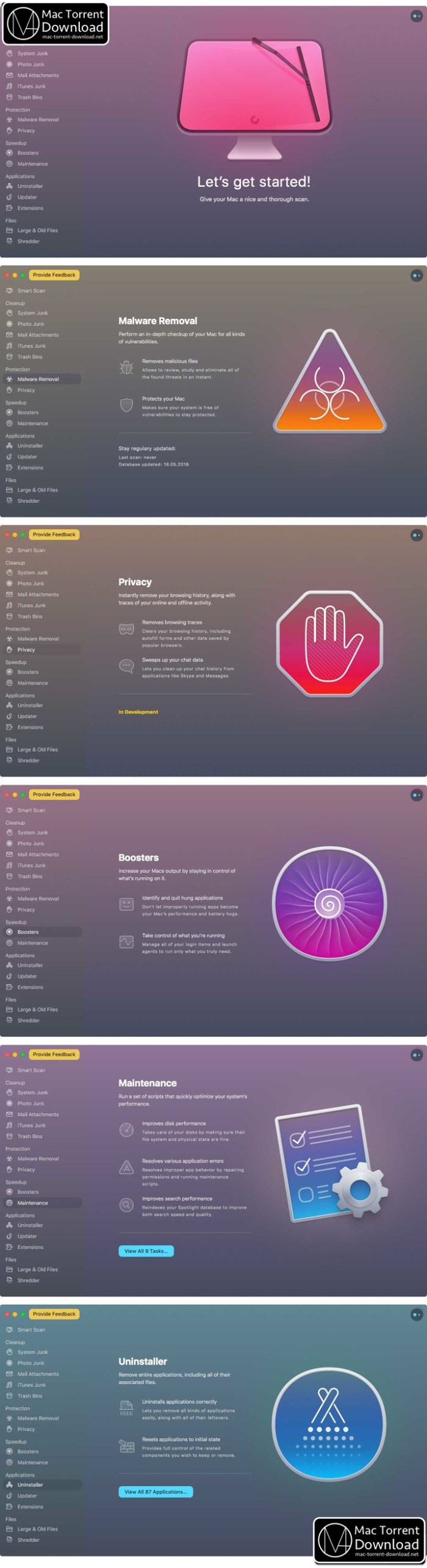
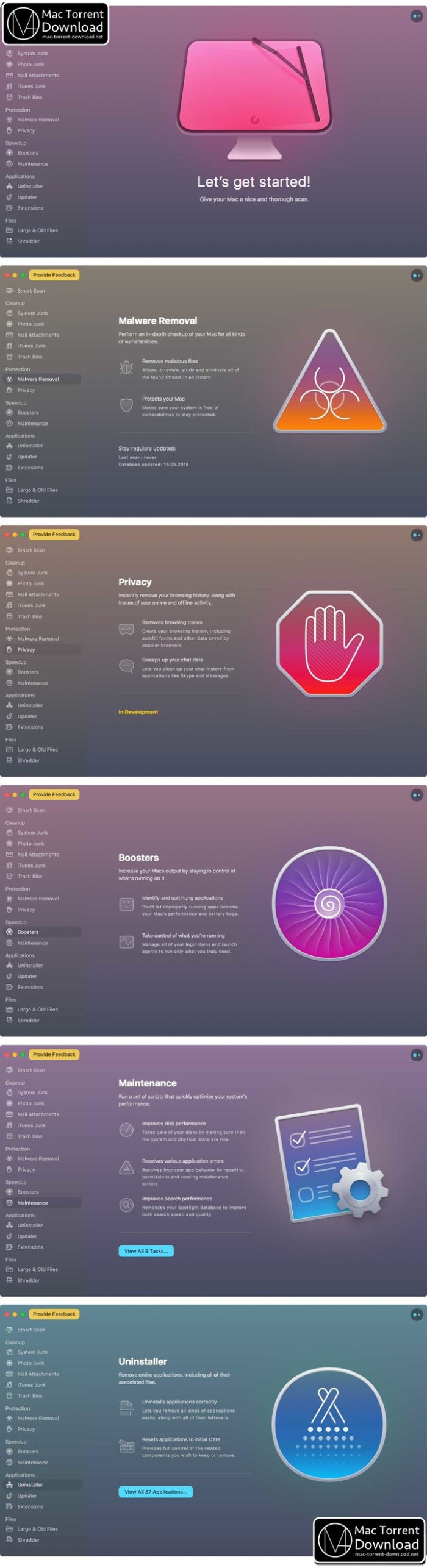
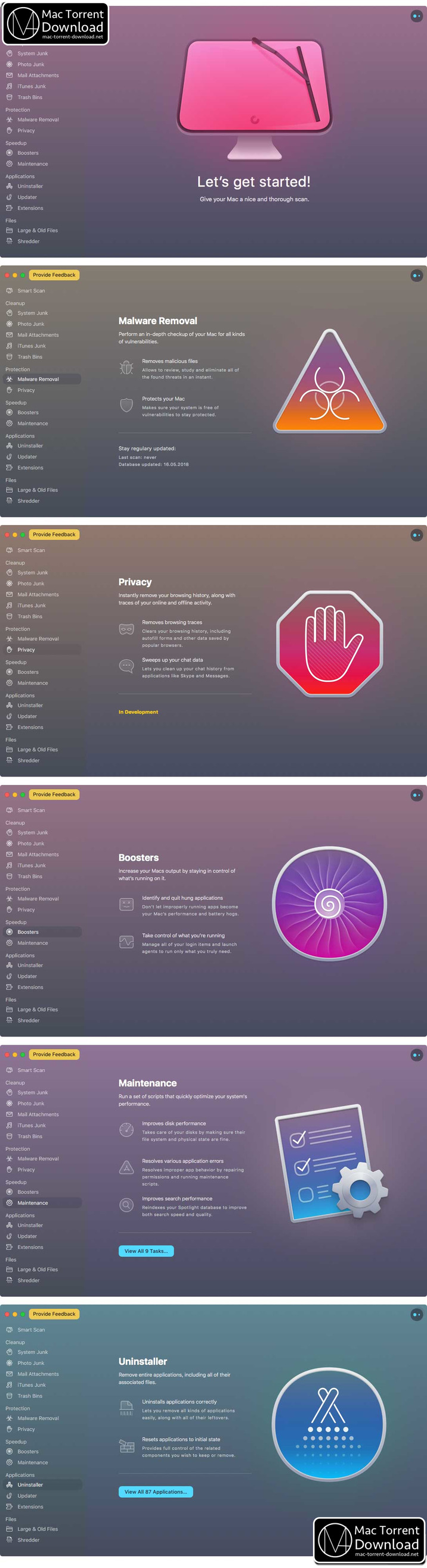
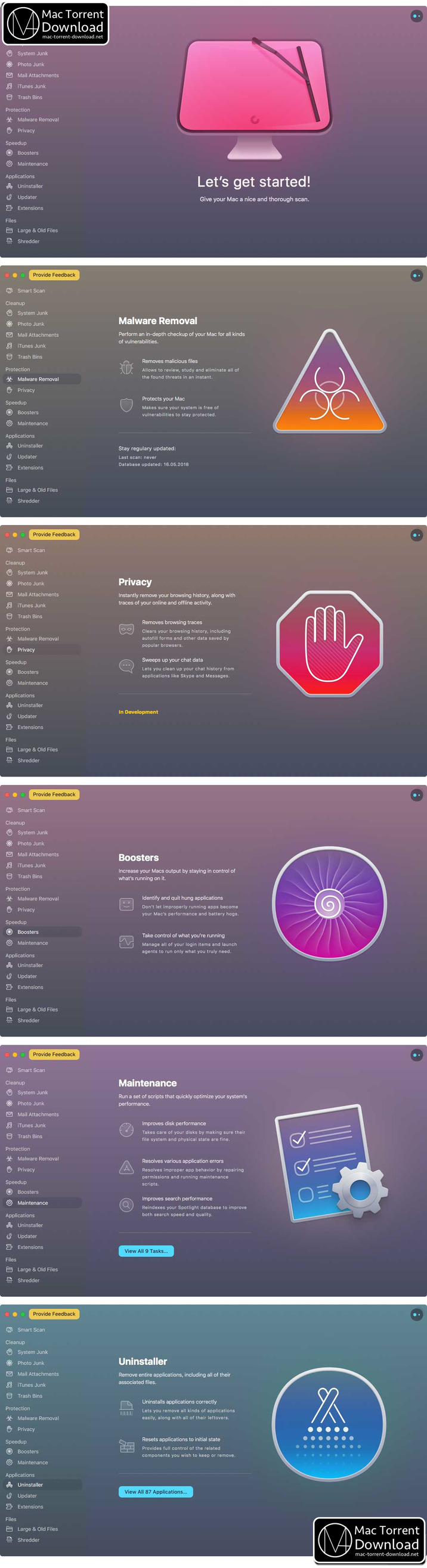
is all-in-one package to awesomize your Mac. It cleans megatons of junk and makes your computer run faster. Just like it did on day one. CleanMyMac X chases junk in all corners of your macOS. It cleans unneeded files, like outdated caches, broken downloads, logs, and useless localizations. You can remove tons of clutter that lurks in iTunes, Mail, Photos, and even locate gigabytes of large hidden files. Mac cleaning tools in CleanMyMac X will cut the extra weight in seconds.

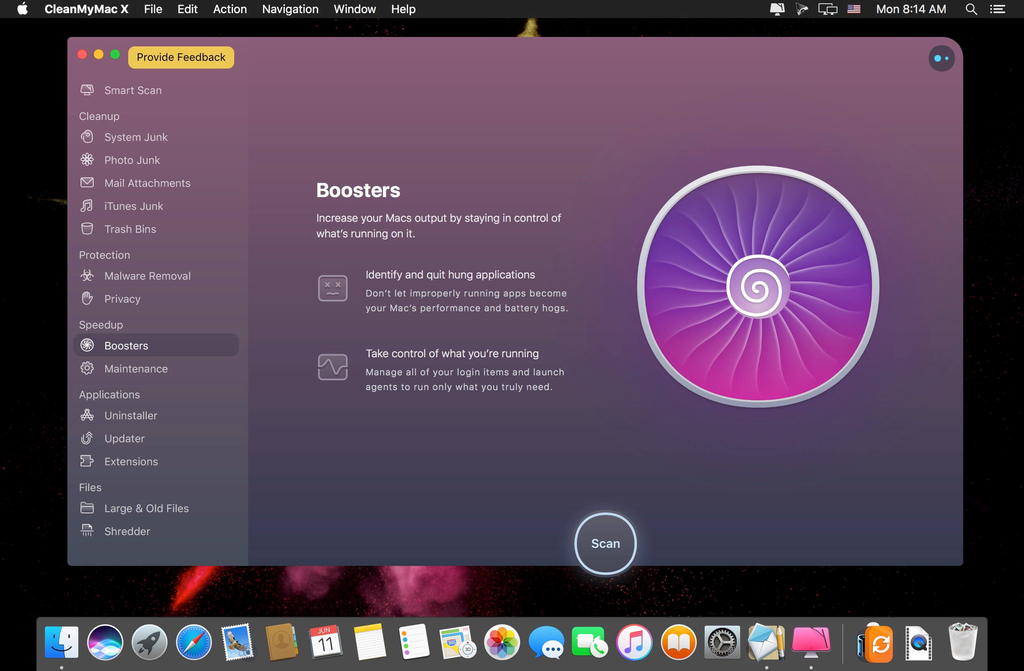
Each time your Mac stalls, you got a full deck of speedup tools: Free up RAM, Maintenance scripts, controls for Login Items, Launch Agents, and Hung Applications. This will lessen your system load and tune the Mac for maximum performance. When your machine is productive, you too are productive.

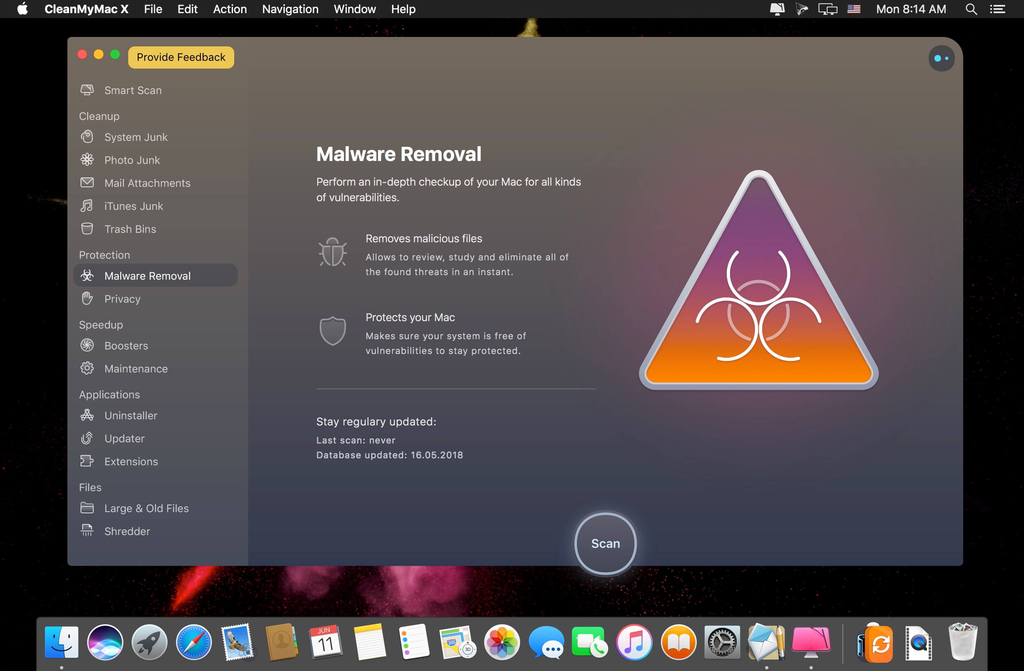
Are there viruses on Mac? Not on yours, if you try Mac cleaning with CleanMyMac X. It fights off malware, adware, ransomware, and all them -wares that are specific to the macOS. When the issue is found, the app deletes it right away. We update our malware database regularly and CleanMyMac X’s Protection module always has your back.

To make your Mac life more orderly, you got a cool duet of Uninstaller and Updater. The first fully removes apps you don’t want, and the second, instantly updates all your software. Bad apps are removed completely and new ones always arrive in time. This helps fix software conflicts and keeps your Mac forever young.

FEATURES

  • Easy to use, userfriendly interface
  • Drag and drop nature
  • Slims universal binaries
  • Removes useless language translations
  • Most accurate application uninstallation
  • Quick and Secure file eraser
  • Manages widgets, plugins and preference panes
  • Erases garbage left from previously removed applications and widgets
  • Monitors your Trash helping you to uninstall trashed applications correctly
  • Keeps an eye on your removable devices to clean them up from junk service files

Information

CompatibilityOS X 10.10 or later 64-bit
LanguagesMultilangual

What’s New in CleanMyMac X 4.5.0

Improved:

  • Uninstallation of Quicken application
  • CPU chart animation in CleanMyMac X Menu
  • Enhanced security for CleanMyMac’s Privileged Agent

Added:

  • Detection of new types of threats within Malware Removal
  • Photo and iTunes Junk modules became irrelevant and were removed for macOS Catalina

Fixed:

  • Health alerts appeared when Do Not Disturb mode in the Notifications Center was on
  • Crash on CleanMyMac launch for some users with Arabic calendar

Screenshots

Name CleanMyMac X 4.5.0 [TNT] mac-torrents.net.zip
Size 60.19 MB
Created on 2019-10-14 05:33:18
Hash 97aafea821b5fc8b37fb057c863e5c4564c7ec9e
Files CleanMyMac X 4.5.0 [TNT] mac-torrents.net.zip (60.19 MB)

Download

Final Cut Pro 10.4.7

Final cut pro free Download Final Cut Pro 10.4.7

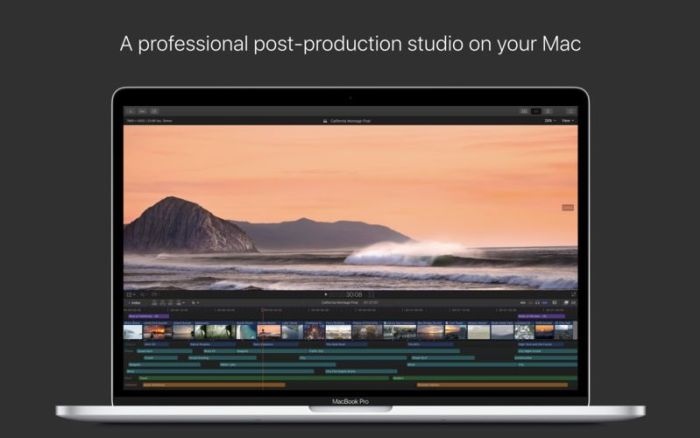
Redesigned from the ground up, Final Cut Pro combines revolutionary video editing with powerful media organization and incredible performance to let you create at the speed of thought.

Features

Revolutionary Video Editing

  • The Magnetic Timeline 2 uses advanced metadata for faster, easier editing than with traditional tracks
  • Enhanced Timeline Index lets you drag and drop audio roles to rearrange the layout of your timeline
  • Use Clip Connections to attach Broll, sound effects, and music to the timeline
  • Reduce clutter by grouping clips into a Compound Clip
  • Cycle through different shots, graphics, or effects at one place in the timeline with Auditions
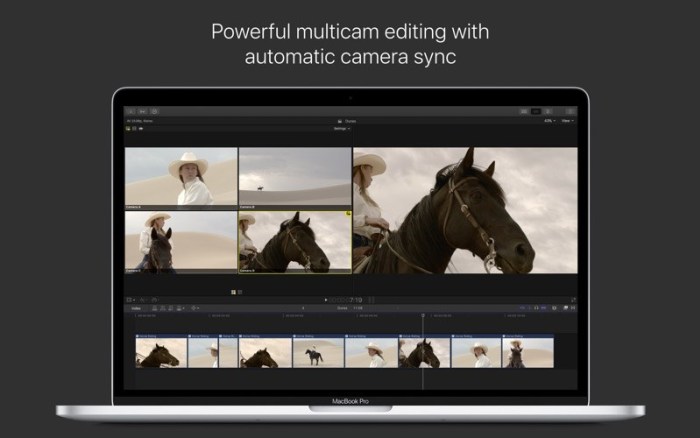
  • Edit multicamera projects with automatic syncing based on audio waveforms and support for up to 64 camera angles
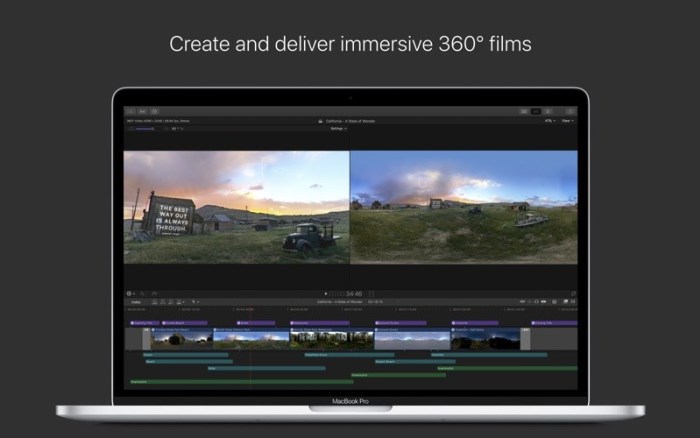
  • Import and edit 360° equirectangular video in a wide range of formats and frame sizes
  • Create, edit, and deliver closed captions from within Final Cut Pro

Powerful Media Organization

  • Organize your work within libraries for efficient media management and collaboration
  • Content AutoAnalysis captures camera metadata and analyzes shots in the background
  • Create and apply custom keywords or favorites on the fly as you select clip ranges
  • Smart Collections dynamically organize content for you to quickly find any shot in a few clicks

Incredible Performance

  • Final Cut Pro uses all the GPUs in your Mac for superior realtime playback performance and fast background rendering
  • 64bit architecture uses all the RAM in your system for larger projects and richer effects
  • Background processing lets you keep working without interruption
  • Work natively with a broad range of formats including ProRes, RED, XAVC, AVCHD, H.264 from DSLRs, and more

Compelling, Customizable Effects

  • Beautifully animated, easily customizable 2D and 3D titles
  • Change the look of titles, transitions, and effects using intuitive controls
  • Choose from an extensive ecosystem of thirdparty FxPlug plugins with custom interfaces

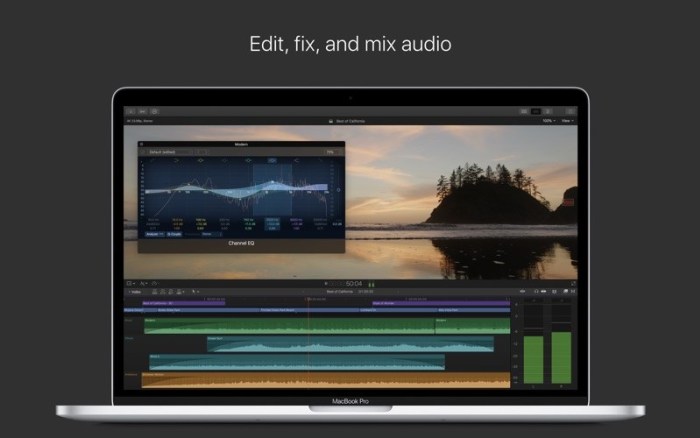
Integrated Audio Editing

  • Assign roles — including dialogue, music, effects, and custom choices — during import to easily track and organize your project
  • Expand and edit multichannel audio files directly in the timeline
  • Let Final Cut Pro repair audio problems such as hum, excessive background noise, and more
  • Sync DSLR video with separate audio in a single step with instant audio waveform matching

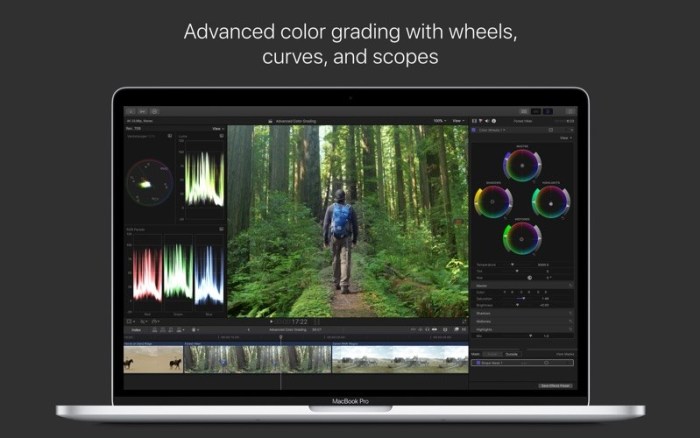
Intuitive Color Grading

  • Import, edit, and deliver video in standard color spaces, or in wide Rec. 2020 color space
  • Improve the look of any clip with oneclick Balance Color
  • Manipulate color, saturation, and exposure with the Color Board
  • Fine tune a specific color or area of the screen using keying and masks
  • Powerful color wheels and curves for precise adjustments with keying and masks

One-Step, Optimized Output

  • Incredibly fast export for playback on Apple devices and upload to websites such as Vimeo, YouTube, and Facebook
  • Use themed menus to author and burn a DVD or Bluray disc
  • Export audio stems and multiple versions of a finished video using roles metadata
  • Import and export XML for thirdparty workflows like color grading and sound mixing
System Requirements:

macOS 10.13.6 or later, 4GB of RAM (8GB recommended for 4K editing, 3D titles, and 360° video editing), OpenCL-capable GPU graphics card or Intel HD Graphics 3000 or later, 256MB of VRAM (1GB recommended for 4K editing, 3D titles, and 360° video editing), 3.8GB of available disk space.

Some features require Internet access; fees may apply. Blu-ray recorder required for burning Blu-ray discs. Video output to VR headset requires Mac computer with discrete graphics running macOS High Sierra. 27-inch iMac with Radeon Pro 580 graphics recommended. HEVC and HEIF support require macOS High Sierra.

Information

CompatibilityOS X 10.14.6 or later, 64-bit processor
LanguagesEnglish, French, German, Japanese, Simplified Chinese, Spanish

What’s New in Final Cut Pro 10.4.7

  • New Metal-based processing engine improves playback and accelerates graphics tasks including rendering, compositing, real-time effects, exporting, and more
  • Enhances graphics performance with support for multiple GPUs including Radeon Pro Vega II and Radeon Pro Vega II Duo on Mac Pro
  • Optimizes CPU performance with support for up to 28 CPU cores on Mac Pro
  • Accelerates ProRes and ProRes RAW playback when using the Afterburner card on Mac Pro
  • View, edit, grade, and deliver stunning High Dynamic Range video on Pro Display XDR
  • Connect Pro Display XDR with a single Thunderbolt cable to use as a display or reference monitor
  • Simultaneously use up to three Pro Display XDR units connected to Mac Pro — two for the Final Cut Pro interface and one for dedicated monitoring
  • Grade High Dynamic Range video with enhanced color mask and range isolation tools
  • View High Dynamic Range video tone-mapped to compatible Standard Dynamic Range displays when using Final Cut Pro on macOS Catalina
  • Select which internal or external GPU is used to accelerate graphics processing

Screenshots Final Cut Pro 10.4.7:

final cut pro torrent

Name Final Cut Pro 10.4.7 MAS [TNT] mac-torrents.net.zip
Size 2.89 GB
Created on 2019-10-08 03:40:21
Hash 31e8f798b8c41e4ce705ef27f790e173713d2a63
Files Final Cut Pro 10.4.7 MAS [TNT] mac-torrents.net.zip (2.89 GB)

Download

Serial Box 10-2019

Name Serial.Box.10.2019 mac-torrents.net.zip
Size 16.44 MB
Created on 2019-10-02 04:31:27
Hash 3fef2e88dc27518c5931ff426e5cbbaf689f82dc
Files Serial.Box.10.2019 mac-torrents.net.zip (16.44 MB)

Download


Download Serial Box 10-2019

Serial Box is a monthly updated Mac software serial database. Serial Box August 2019 Issue.

The base of serial numbers project iSerial as of 2019. It contains information on how to activate (serial numbers, information about other methods of activation) for the PowerPC platform programs so and Intel.

Just open the dmg file, drag and drop the app where you like. However, there is no way to view what serials, cracks and patches are new in this issue as compared to the previous. Thanks to all contributors and supporters!

Compatibility: OS X 10.6 or higher

What’s New in Serial Box 10-2019

  • Release notes not available at the time of this post.

Screenshots

Serial Box 09-2019

Name Serial_Box_09-2019_Torrentmac.net.zip
Size 6.97 MB
Created on 2019-09-05 19:32:44
Hash 294a905b1a99837dad3b917680ff536dc2ae96fc
Files Serial_Box_09-2019_Torrentmac.net.zip (6.97 MB)

Download


Descriptions for Serial Box 09-2019

Serial Box is a monthly updated Mac software serial database. Serial Box August 2019 Issue.

The base of serial numbers project iSerial as of 2019. It contains information on how to activate (serial numbers, information about other methods of activation) for the PowerPC platform programs so and Intel.

Just open the dmg file, drag and drop the app where you like. However, there is no way to view what serials, cracks and patches are new in this issue as compared to the previous. Thanks to all contributors and supporters!

Compatibility: OS X 10.6 or higher

What’s New in Serial Box 09-2019

  • issue:193
  • 16 new entries

Screenshots serial box 2019:

Logic Pro X 10.4.4


Download


Logic Pro X 10.4.4

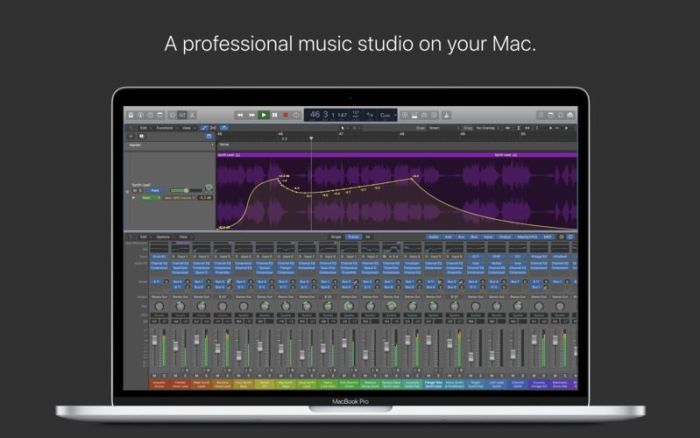
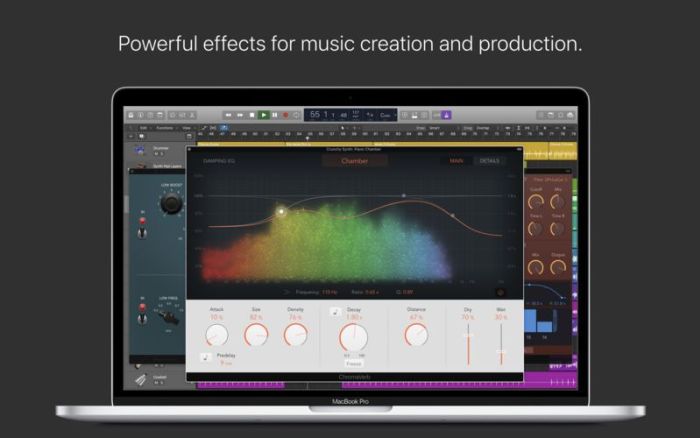
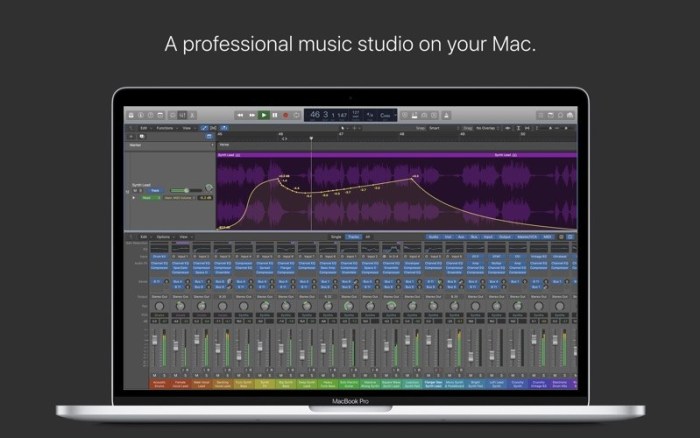
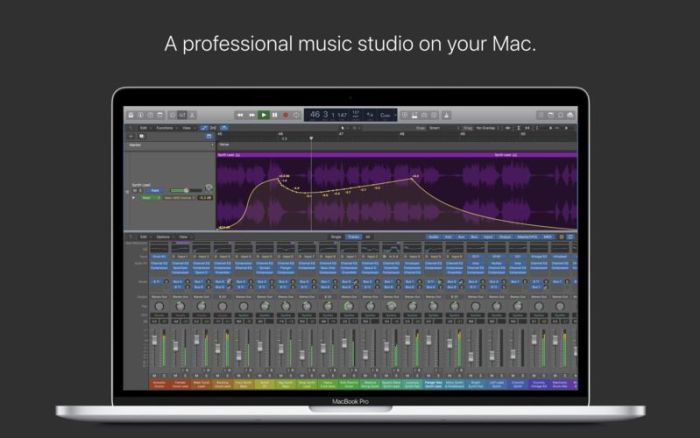
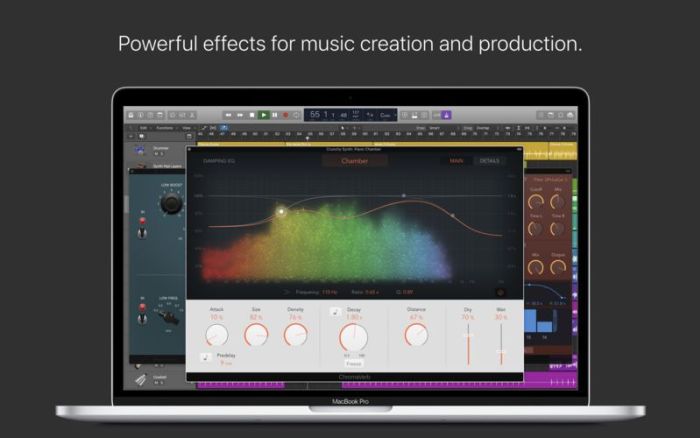
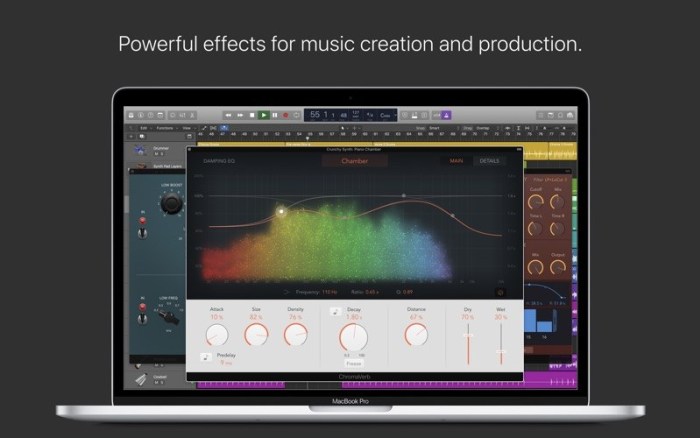
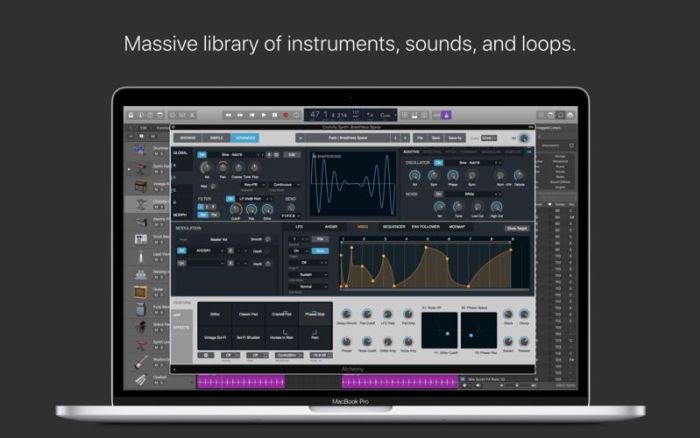
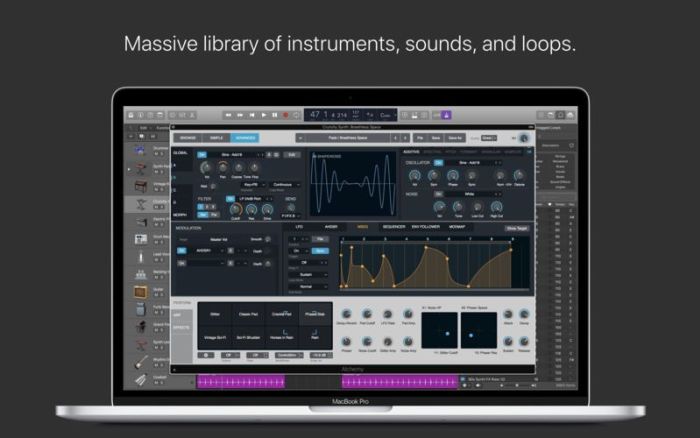
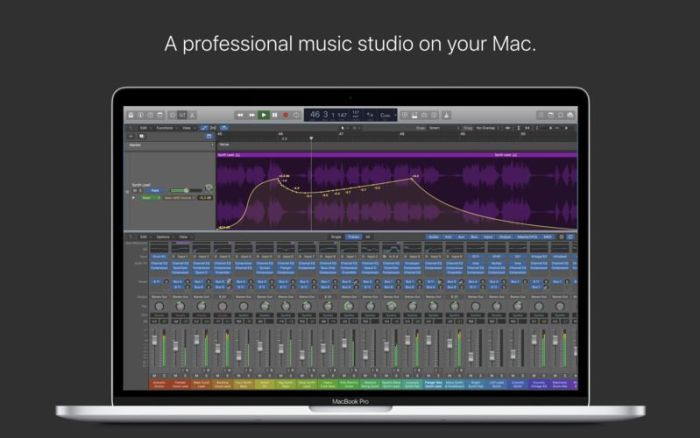
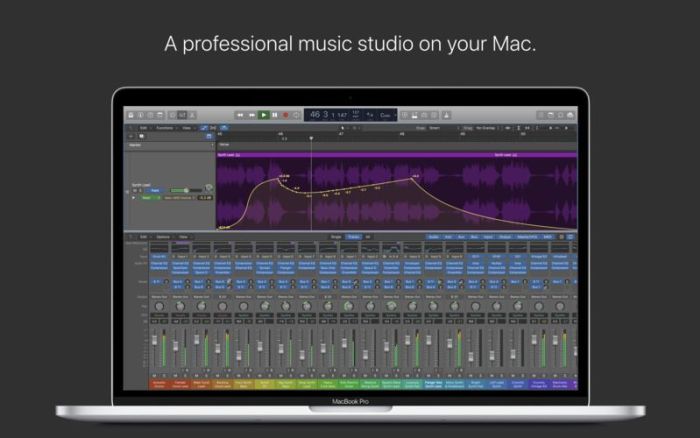
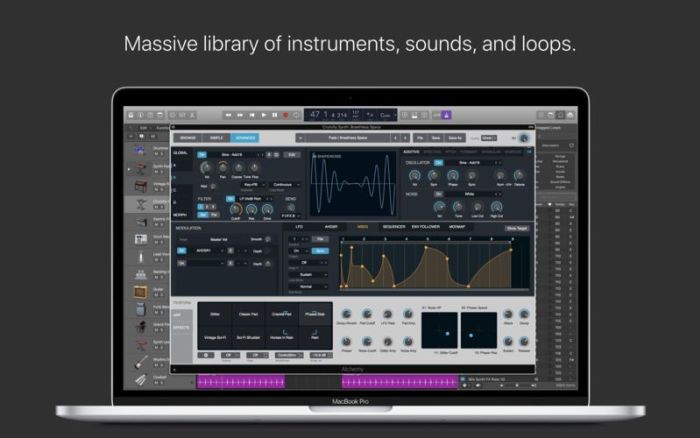
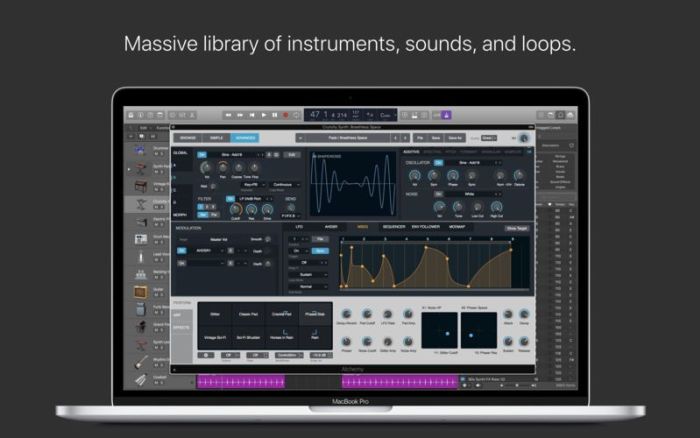
Logic Pro X is the most advanced version of Logic ever. Sophisticated tools for professional songwriting, editing, and mixing are built around a modern interface that’s designed to get creative results quickly and also deliver more power whenever it’s needed. mac-torrents.net Logic Pro X includes a massive collection of instruments, effects, and loops, providing a complete toolkit to create amazing-sounding music.

Powerful Interface

  • Consolidate and control multiple tracks or create rich, layered instruments with Track Stacks
  • Smart Controls allow you to manipulate multiple plugins and parameters with a single move
  • Support for the Touch Bar on MacBook Pro provides convenient controls for creating, editing and navigating your songs
  • Autosave keeps your work safe and sound

Professional Music Production

  • Record and edit MIDI or audio using a comprehensive set of editors and tools
  • Keep takes organized with take folders and build comps quickly with Quick Swipe Comping
  • Track Alternatives let you create and switch between different playlists of regions and edits on a track
  • Render any combination of effect plugins to a selection of audio using Selectionbased Processing
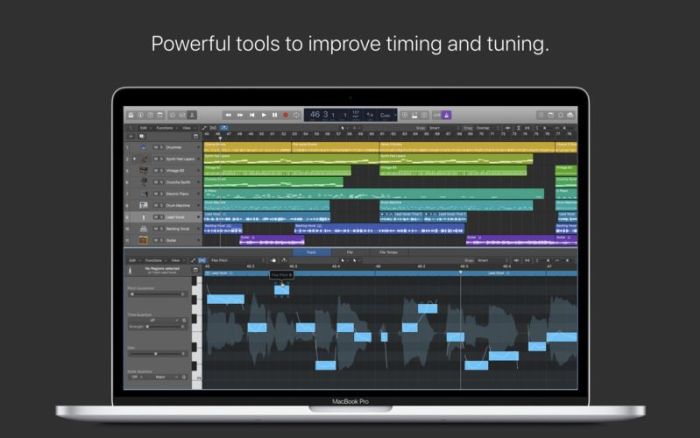
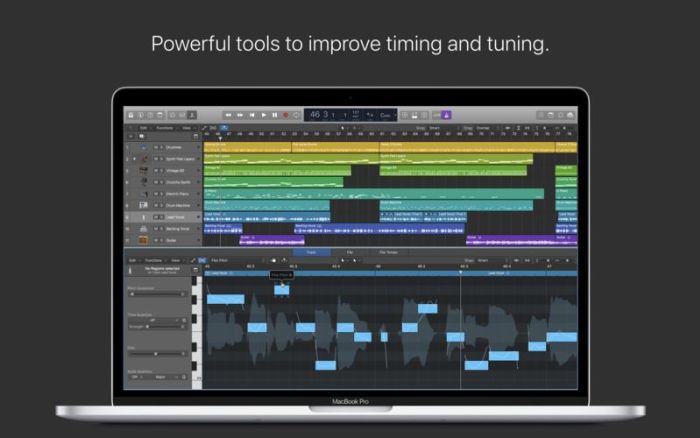
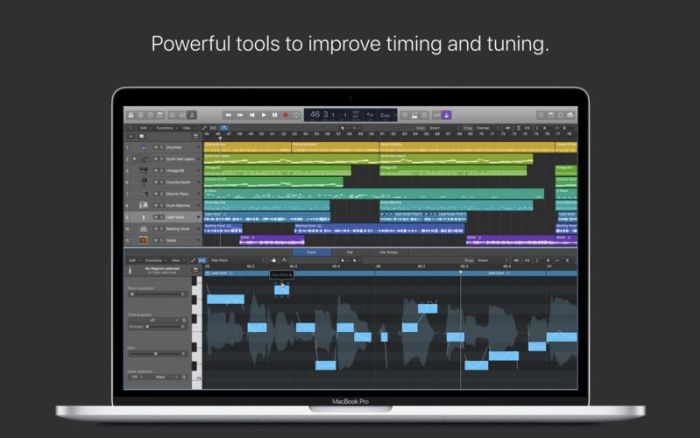
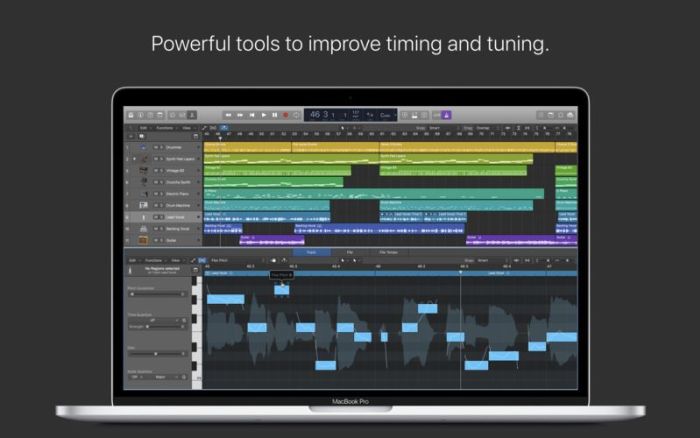
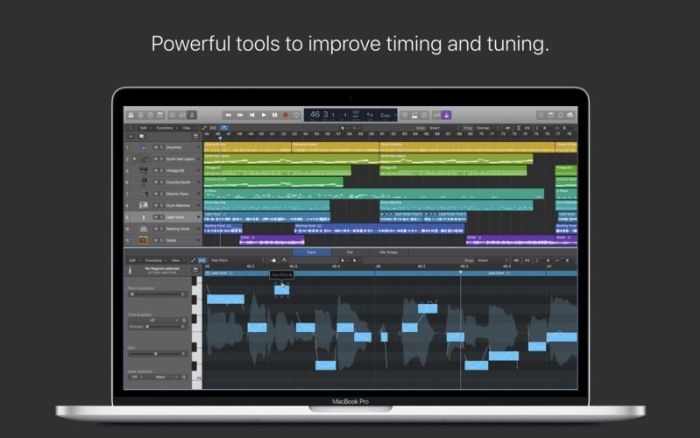
  • Fix outoftune vocals and change the melodies of recorded audio with Flex Pitch
  • Manipulate the timing and tempo of any recording with ease using Flex Time
  • Comprehensive mix and plugin parameter automation can be part of a region or track
  • Create and mix music from anywhere in the room using Logic Remote on iPad or iPhone
  • Produce simple lead sheets or orchestral scores with builtin Score editor

Drum Production

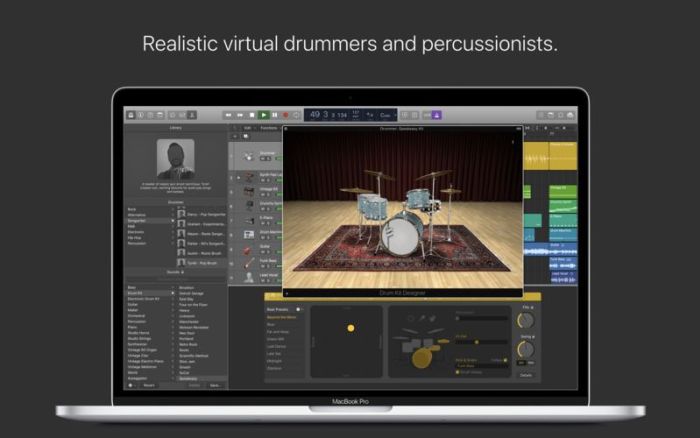
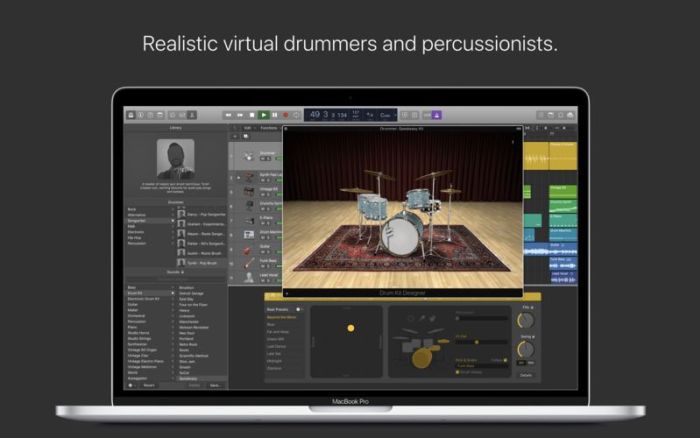
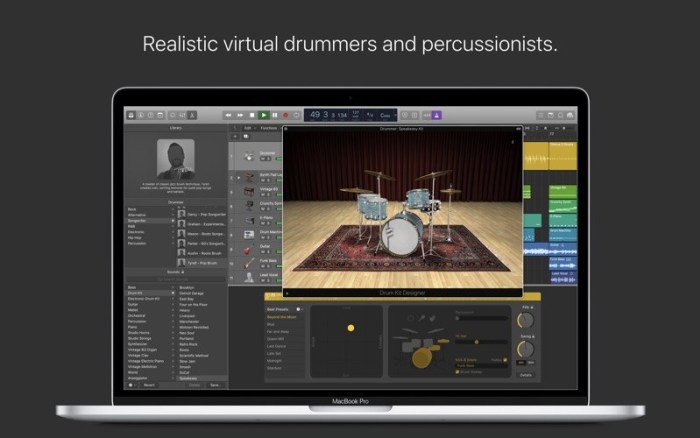
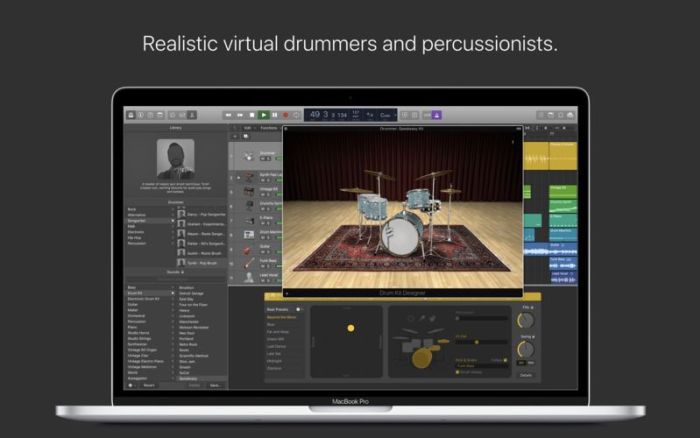
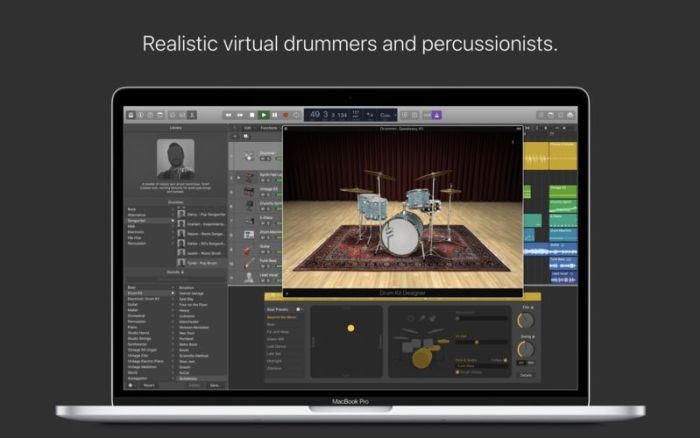
  • Create authentic acoustic, electronic, or hip hop drum tracks using Drummer, a virtual session player and beat producer
  • Choose among 28 distinct drummers that can take your direction and perform millions of unique grooves
  • Build your own acoustic drum kits with Drum Kit Designer using a collection of deeply sampled drums
  • Customize the sound of your electronic beats using Drum Machine Designer

Keyboards and Synths

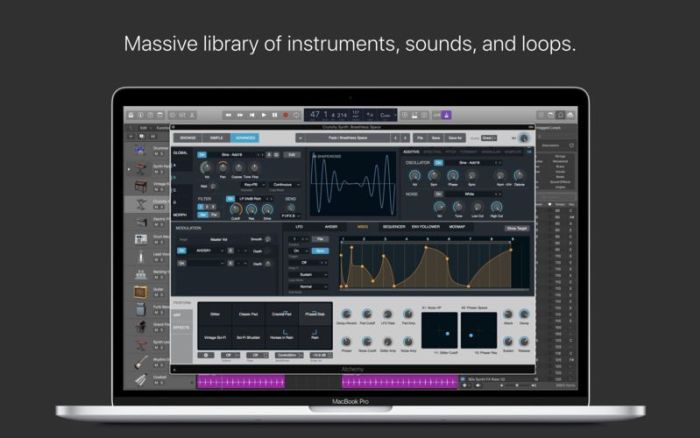
  • Get inspired by collection of synths that provide analog, wavetable, FM, additive, granular, spectral, and modeling synthesis
  • Quickly find sounds or create unique new ones with Alchemy, the ultimate sample manipulation synthesizer
  • Play or create a wide variety of rich sampled instruments with the EXS24 Sampler
  • Instantly turn a simple chord into a rich performance with the Arpeggiator
  • Transform simple ideas into elaborate performances using nine MIDI plugins
  • Play faithful models of classic organs, keyboards, and vintage synths

Guitar and Bass Gear

  • Build your own guitar or bass rig with Amp Designer using vintage and modern amps, cabinets, and mics
  • Design a custom Pedalboard from a collection of delay, distortion, and modulation stompboxes
  • Access the Tuner with just a click to quickly get in tune

Creative and Production Effects

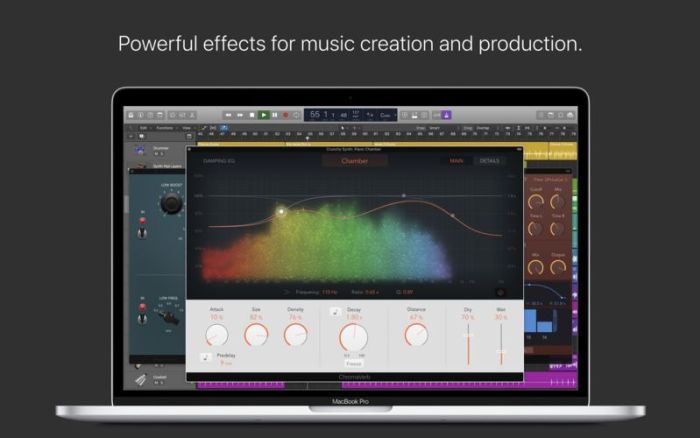
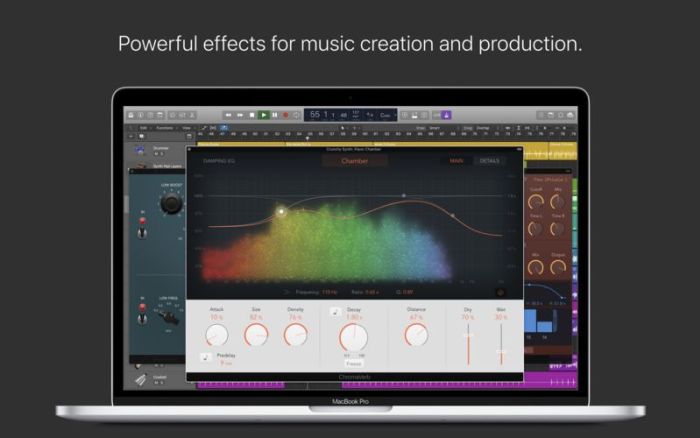
  • Play your sounds through realistic acoustic spaces using Space Designer convolution reverb
  • Use a range of multitap, vintage tape, and stereo delays
  • Add movement to your tracks with a variety of modulation effects

Sound Library

  • Over 2800 instrument and effect Patches
  • 1000 meticulously sampled instruments
  • More than 7000 Apple Loops in wide range of genres

Compatibility

  • Expand your instrument and effects library with thirdparty Audio Unitscompatible plugins
  • Share to GarageBand option allows you to remotely add new tracks to your Logic project from your iPhone or iPad via iCloud
  • Import and export XML to support Final Cut Pro X workflows
  • Export and share your songs directly to SoundCloud
  • Open projects from Logic 5 or later

Minimum System Requirements

  • 4GB RAM
  • Display with 1280by768 resolution or higher
  • OS X v10.12 or later
  • Requires 64bit Audio Units plugins
  • 6GB available disk space for minimum install / 63GB hard disk space for full Sound Library installation

Compatibility: macOS 10.12 or later 64-bit

Mac App Store: https://itunes.apple.com/us/app/logic-pro-x/id634148309?mt=12

What’s New in Logic Pro X 10.4.4

This update contains stability improvements and bug fixes.

Screenshots logic pro x 10.4 download


Name Logic Pro X 10 4 4 MAS TNT.zip
Size 1.48 GB
Created on 2019-01-11 17:54:16
Hash dedd8d4b674a5615c2ee9acda19b30174bbb3a07
Files Logic Pro X 10 4 4 MAS TNT.zip (1.48 GB)

Download

Final Cut Pro 10.4.5


Download


Final Cut Pro 10.4.5

Redesigned from the ground up, Final Cut Pro combines revolutionary video editing with powerful media organization and incredible performance to let you create at the speed of thought.

Revolutionary Video Editing

  • The Magnetic Timeline 2 uses advanced metadata for faster, easier editing than with traditional tracks
  • Enhanced Timeline Index lets you drag and drop audio roles to rearrange the layout of your timeline
  • Use Clip Connections to attach Broll, sound effects, and music to the timeline
  • Reduce clutter by grouping clips into a Compound Clip
  • Cycle through different shots, graphics, or effects at one place in the timeline with Auditions
  • Edit multicamera projects with automatic syncing based on audio waveforms and support for up to 64 camera angles
  • Import and edit 360° equirectangular video in a wide range of formats and frame sizes
  • Create, edit, and deliver closed captions from within Final Cut Pro

Powerful Media Organization

  • Organize your work within libraries for efficient media management and collaboration
  • Content AutoAnalysis captures camera metadata and analyzes shots in the background
  • Create and apply custom keywords or favorites on the fly as you select clip ranges
  • Smart Collections dynamically organize content for you to quickly find any shot in a few clicks

Incredible Performance

  • Final Cut Pro uses all the GPUs in your Mac for superior realtime playback performance and fast background rendering
  • 64bit architecture uses all the RAM in your system for larger projects and richer effects
  • Background processing lets you keep working without interruption
  • Work natively with a broad range of formats including ProRes, RED, XAVC, AVCHD, H.264 from DSLRs, and more

Compelling, Customizable Effects

  • Beautifully animated, easily customizable 2D and 3D titles
  • Change the look of titles, transitions, and effects using intuitive controls
  • Choose from an extensive ecosystem of thirdparty FxPlug plugins with custom interfaces

Integrated Audio Editing

  • Assign roles — including dialogue, music, effects, and custom choices — during import to easily track and organize your project
  • Expand and edit multichannel audio files directly in the timeline
  • Let Final Cut Pro repair audio problems such as hum, excessive background noise, and more
  • Sync DSLR video with separate audio in a single step with instant audio waveform matching

Intuitive Color Grading

  • Import, edit, and deliver video in standard color spaces, or in wide Rec. 2020 color space
  • Improve the look of any clip with oneclick Balance Color
  • Manipulate color, saturation, and exposure with the Color Board
  • Fine tune a specific color or area of the screen using keying and masks
  • Powerful color wheels and curves for precise adjustments with keying and masks

One-Step, Optimized Output

  • Incredibly fast export for playback on Apple devices and upload to websites such as Vimeo, YouTube, and Facebook
  • Use themed menus to author and burn a DVD or Bluray disc
  • Export audio stems and multiple versions of a finished video using roles metadata
  • Import and export XML for thirdparty workflows like color grading and sound mixing

System Requirements:

macOS 10.13.6 or later, 4GB of RAM (8GB recommended for 4K editing, 3D titles, and 360° video editing), OpenCL-capable GPU graphics card or Intel HD Graphics 3000 or later, 256MB of VRAM (1GB recommended for 4K editing, 3D titles, and 360° video editing), 3.8GB of available disk space.

Some features require Internet access; fees may apply. Blu-ray recorder required for burning Blu-ray discs. Video output to VR headset requires Mac computer with discrete graphics running macOS High Sierra. 27-inch iMac with Radeon Pro 580 graphics recommended. HEVC and HEIF support require macOS High Sierra.

Web Site: http://www.apple.com/finalcutpro/
Mac App Store: https://itunes.apple.com/app/final-cut-pro/id424389933?mt=12

What’s New in Final Cut Pro 10.4.5

  • Improves performance when generating waveforms for clips with no audio channels
  • Improves stability when sending a project to Compressor using the keyboard shortcut ShiftCommandE
  • Improves stability when pasting Arabic or Hebrew text into a title
  • Improves stability when switching tabs in the Timeline Index

Screenshots


Name Final_Cut_Pro_10.4.5_MAS__TNT.rar
Size 2.94 GB
Created on 2019-01-19 04:58:07
Hash 5424de231bcc9946a02c3a01edf184d4cd6f89f7
Files Final_Cut_Pro_10.4.5_MAS__TNT.rar (2.94 GB)

Download

CleanMyMac X 4.4.6


Download

Download

CleanMyMac X 4.4.6 – Delete files that waste your disk space

CleanMyMac X is all-in-one package to awesomize your Mac. It cleans megatons of junk and makes your computer run faster. Just like it did on day one. CleanMyMac X chases junk in all corners of your macOS. It cleans unneeded files, like outdated caches, broken downloads, logs, and useless localizations. You can remove tons of clutter that lurks in iTunes, Mail, Photos, and even locate gigabytes of large hidden files. Mac cleaning tools in CleanMyMac X will cut the extra weight in seconds.

Each time your Mac stalls, you got a full deck of speedup tools: Free up RAM, Maintenance scripts, controls for Login Items, Launch Agents, and Hung Applications. This will lessen your system load and tune the Mac for maximum performance. When your machine is productive, you too are productive.

Are there viruses on Mac? Not on yours, if you try Mac cleaning with CleanMyMac X. It fights off malware, adware, ransomware, and all them -wares that are specific to the macOS. When the issue is found, the app deletes it right away. We update our malware database regularly and CleanMyMac X’s Protection module always has your back.

To make your Mac life more orderly, you got a cool duet of Uninstaller and Updater. The first fully removes apps you don’t want, and the second, instantly updates all your software. Bad apps are removed completely and new ones always arrive in time. This helps fix software conflicts and keeps your Mac forever young.

FEATURES

  • Easy to use, userfriendly interface
  • Drag and drop nature
  • Slims universal binaries
  • Removes useless language translations
  • Most accurate application uninstallation
  • Quick and Secure file eraser
  • Manages widgets, plugins and preference panes
  • Erases garbage left from previously removed applications and widgets
  • Monitors your Trash helping you to uninstall trashed applications correctly
  • Keeps an eye on your removable devices to clean them up from junk service files

Compatibility: OS X 10.10 or later 64-bit

Web Site: https://macpaw.com/cleanmymac

What’s New in CleanMyMac X 4.4.6

  • Release notes not available at the time of this post.

Screenshots


Name CleanMyMac_X_4.4.6_[TNT].dmg
Size 54.11 MB
Created on 2019-08-16 00:10:11
Hash 6bd0b29747612d58facb20ccca8fd6284cfa42de
Files CleanMyMac_X_4.4.6_[TNT].dmg (54.11 MB)

Download

Serial Box 08.2019


Download


Serial Box 08.2019

Serial Box is a monthly updated Mac software serial database. Serial Box August 2019 Issue.

The base of serial numbers project iSerial as of 2019. It contains information on how to activate (serial numbers, information about other methods of activation) for the PowerPC platform programs so and Intel.

Just open the dmg file, drag and drop the app where you like. However, there is no way to view what serials, cracks and patches are new in this issue as compared to the previous. Thanks to all contributors and supporters!

Compatibility: OS X 10.6 or higher

Screenshots


Name sbox08.2019.zip
Size 10.62 MB
Created on 2019-08-02 10:40:45
Hash 5e43283090a521c68c426dbf55627a50849c0d82
Files sbox08.2019.zip (10.62 MB)

Download

CleanMyMac X 4.4.5

Download

CleanMyMac X 4.4.5

CleanMyMac X is all-in-one package to awesomize your Mac. It cleans megatons of junk and makes your computer run faster. Just like it did on day one. CleanMyMac X chases junk in all corners of your macOS. It cleans unneeded files, like outdated caches, broken downloads, logs, and useless localizations. You can remove tons of clutter that lurks in iTunes, Mail, Photos, and even locate gigabytes of large hidden files. Mac cleaning tools in CleanMyMac X will cut the extra weight in seconds.

Each time your Mac stalls, you got a full deck of speedup tools: Free up RAM, Maintenance scripts, controls for Login Items, Launch Agents, and Hung Applications. This will lessen your system load and tune the Mac for maximum performance. When your machine is productive, you too are productive.

Are there viruses on Mac? Not on yours, if you try Mac cleaning with CleanMyMac X. It fights off malware, adware, ransomware, and all them -wares that are specific to the macOS. When the issue is found, the app deletes it right away. We update our malware database regularly and CleanMyMac X’s Protection module always has your back.

To make your Mac life more orderly, you got a cool duet of Uninstaller and Updater. The first fully removes apps you don’t want, and the second, instantly updates all your software. Bad apps are removed completely and new ones always arrive in time. This helps fix software conflicts and keeps your Mac forever young.

FEATURES

  • Easy to use, userfriendly interface
  • Drag and drop nature
  • Slims universal binaries
  • Removes useless language translations
  • Most accurate application uninstallation
  • Quick and Secure file eraser
  • Manages widgets, plugins and preference panes
  • Erases garbage left from previously removed applications and widgets
  • Monitors your Trash helping you to uninstall trashed applications correctly
  • Keeps an eye on your removable devices to clean them up from junk service files

Compatibility: OS X 10.10 or later 64-bit

Web Site: https://macpaw.com/cleanmymac

What’s New in CleanMyMac X 4.4.5

New:
  • Updated malware database
Fixed:
  • TeamViewer uninstallation caused troubles booting your Mac
  • Some minor issues here and there

Screenshots

Name CleanMyMac X 4 4 5 TNT.zip
Size 59.46 MB
Created on 2019-07-24 15:54:09
Hash 896b5ff81d86b25b054d2e650cef175ef945fd96
Files CleanMyMac X 4 4 5 TNT.zip (59.46 MB)

Download

CleanMyMac X 4.4.4


Download


CleanMyMac X 4.4.4

CleanMyMac X is all-in-one package to awesomize your Mac. It cleans megatons of junk and makes your computer run faster. Just like it did on day one. CleanMyMac X chases junk in all corners of your macOS. It cleans unneeded files, like outdated caches, broken downloads, logs, and useless localizations. You can remove tons of clutter that lurks in iTunes, Mail, Photos, and even locate gigabytes of large hidden files. Mac cleaning tools in CleanMyMac X will cut the extra weight in seconds.

Each time your Mac stalls, you got a full deck of speedup tools: Free up RAM, Maintenance scripts, controls for Login Items, Launch Agents, and Hung Applications. This will lessen your system load and tune the Mac for maximum performance. When your machine is productive, you too are productive.

Are there viruses on Mac? Not on yours, if you try Mac cleaning with CleanMyMac X. It fights off malware, adware, ransomware, and all them -wares that are specific to the macOS. When the issue is found, the app deletes it right away. We update our malware database regularly and CleanMyMac X’s Protection module always has your back.

To make your Mac life more orderly, you got a cool duet of Uninstaller and Updater. The first fully removes apps you don’t want, and the second, instantly updates all your software. Bad apps are removed completely and new ones always arrive in time. This helps fix software conflicts and keeps your Mac forever young.

FEATURES

  • Easy to use, userfriendly interface
  • Drag and drop nature
  • Slims universal binaries
  • Removes useless language translations
  • Most accurate application uninstallation
  • Quick and Secure file eraser
  • Manages widgets, plugins and preference panes
  • Erases garbage left from previously removed applications and widgets
  • Monitors your Trash helping you to uninstall trashed applications correctly
  • Keeps an eye on your removable devices to clean them up from junk service files

Compatibility: OS X 10.10 or later 64-bit

Web Site: https://macpaw.com/cleanmymac

What’s New in CleanMyMac X 4.4.4

New:
  • Malware database was updated with more types of threats
Improved:
  • Navigation for VoiceOver users now ignores images
  • Context menu items description within the Maintenance module
  • Not all Sublime Text 3 files were removed after having the app uninstalled
Fixed:
  • Space Lens scan results might have included the size of mounted Volumes
  • A number of minor issues here and there

Screenshots


Name CleanMyMac X 4 4 4 TNT.zip
Size 59.44 MB
Created on 2019-07-17 12:48:11
Hash 5007033bd536c5df97a98ba7070fa6735bd349a2
Files CleanMyMac X 4 4 4 TNT.zip (59.44 MB)

Download

 you can download from other site :
CleanMyMac X 4.4.4

CleanMyMac X 4.4.3.1 CR2

Download

CleanMyMac X 4.4.3.1 CR2

CleanMyMac X is all-in-one package to awesomize your Mac. It cleans megatons of junk and makes your computer run faster. Just like it did on day one. CleanMyMac X chases junk in all corners of your macOS. It cleans unneeded files, like outdated caches, broken downloads, logs, and useless localizations. You can remove tons of clutter that lurks in iTunes, Mail, Photos, and even locate gigabytes of large hidden files. Mac cleaning tools in CleanMyMac X will cut the extra weight in seconds.

Each time your Mac stalls, you got a full deck of speedup tools: Free up RAM, Maintenance scripts, controls for Login Items, Launch Agents, and Hung Applications. This will lessen your system load and tune the Mac for maximum performance. When your machine is productive, you too are productive.

Are there viruses on Mac? Not on yours, if you try Mac cleaning with CleanMyMac X. It fights off malware, adware, ransomware, and all them -wares that are specific to the macOS. When the issue is found, the app deletes it right away. We update our malware database regularly and CleanMyMac X’s Protection module always has your back.

To make your Mac life more orderly, you got a cool duet of Uninstaller and Updater. The first fully removes apps you don’t want, and the second, instantly updates all your software. Bad apps are removed completely and new ones always arrive in time. This helps fix software conflicts and keeps your Mac forever young.

FEATURES

  • Easy to use, userfriendly interface
  • Drag and drop nature
  • Slims universal binaries
  • Removes useless language translations
  • Most accurate application uninstallation
  • Quick and Secure file eraser
  • Manages widgets, plugins and preference panes
  • Erases garbage left from previously removed applications and widgets
  • Monitors your Trash helping you to uninstall trashed applications correctly
  • Keeps an eye on your removable devices to clean them up from junk service files

Compatibility: OS X 10.10 or later 64-bit

Web Site: https://macpaw.com/cleanmymac

What’s New in CleanMyMac X 4.4.3.1 CR2

New:
  • Downloads cleanup feature within System Junk
  • Cache cleanup for Electronbased applications
Improved:
  • Clearer scan details for Smart Scan
Fixed:
  • Incorrect sizes of Login Items within Uninstaller
  • Crash on Purgeable Space popover click within Space Lens
  • Minor bugs and known crashes

Screenshots

Name CleanMyMac X 4 4 3 1 TNT fixed.zip
Size 56.80 MB
Created on 2019-07-15 02:19:30
Hash a4841d6ee3d1815a8105895266e70addc812b8da
Files CleanMyMac X 4 4 3 1 TNT fixed.zip (56.80 MB)

Download

 you can download from other site :
CleanMyMac X 4.4.3.1 CR2

Logic Pro X 10.4.6


Download


Logic Pro X 10.4.6

Logic Pro X is the most advanced version of Logic ever. Sophisticated tools for professional songwriting, editing, and mixing are built around a modern interface that’s designed to get creative results quickly and also deliver more power whenever it’s needed. mac-torrents.net Logic Pro X includes a massive collection of instruments, effects, and loops, providing a complete toolkit to create amazing-sounding music.

Powerful Interface

  • Consolidate and control multiple tracks or create rich, layered instruments with Track Stacks
  • Smart Controls allow you to manipulate multiple plugins and parameters with a single move
  • Support for the Touch Bar on MacBook Pro provides convenient controls for creating, editing and navigating your songs
  • Autosave keeps your work safe and sound

Professional Music Production

  • Record and edit MIDI or audio using a comprehensive set of editors and tools
  • Keep takes organized with take folders and build comps quickly with Quick Swipe Comping
  • Track Alternatives let you create and switch between different playlists of regions and edits on a track
  • Render any combination of effect plugins to a selection of audio using Selectionbased Processing
  • Fix outoftune vocals and change the melodies of recorded audio with Flex Pitch
  • Manipulate the timing and tempo of any recording with ease using Flex Time
  • Comprehensive mix and plugin parameter automation can be part of a region or track
  • Create and mix music from anywhere in the room using Logic Remote on iPad or iPhone
  • Produce simple lead sheets or orchestral scores with builtin Score editor

Drum Production

  • Create authentic acoustic, electronic, or hip hop drum tracks using Drummer, a virtual session player and beat producer
  • Choose among 28 distinct drummers that can take your direction and perform millions of unique grooves
  • Build your own acoustic drum kits with Drum Kit Designer using a collection of deeply sampled drums
  • Customize the sound of your electronic beats using Drum Machine Designer

Keyboards and Synths

  • Get inspired by collection of synths that provide analog, wavetable, FM, additive, granular, spectral, and modeling synthesis
  • Quickly find sounds or create unique new ones with Alchemy, the ultimate sample manipulation synthesizer
  • Play or create a wide variety of rich sampled instruments with the EXS24 Sampler
  • Instantly turn a simple chord into a rich performance with the Arpeggiator
  • Transform simple ideas into elaborate performances using nine MIDI plugins
  • Play faithful models of classic organs, keyboards, and vintage synths

Guitar and Bass Gear

  • Build your own guitar or bass rig with Amp Designer using vintage and modern amps, cabinets, and mics
  • Design a custom Pedalboard from a collection of delay, distortion, and modulation stompboxes
  • Access the Tuner with just a click to quickly get in tune

Creative and Production Effects

  • Play your sounds through realistic acoustic spaces using Space Designer convolution reverb
  • Use a range of multitap, vintage tape, and stereo delays
  • Add movement to your tracks with a variety of modulation effects

Sound Library

  • Over 2800 instrument and effect Patches
  • 1000 meticulously sampled instruments
  • More than 7000 Apple Loops in wide range of genres

Compatibility

  • Expand your instrument and effects library with thirdparty Audio Unitscompatible plugins
  • Share to GarageBand option allows you to remotely add new tracks to your Logic project from your iPhone or iPad via iCloud
  • Import and export XML to support Final Cut Pro X workflows
  • Export and share your songs directly to SoundCloud
  • Open projects from Logic 5 or later

Minimum System Requirements

  • 4GB RAM
  • Display with 1280by768 resolution or higher
  • OS X v10.13.6 or later
  • Requires 64bit Audio Units plugins
  • 6GB available disk space for minimum install / 63GB hard disk space for full Sound Library installation

Compatibility: macOS v10.13.6 or later 64-bit

Mac App Store: https://itunes.apple.com/us/app/logic-pro-x/id634148309?mt=12

What’s New in Logic Pro X 10.4.6

  • Addresses an issue where some VoiceOver controls became unavailable
  • This update also contains additional stability and performance improvements

Screenshots


Name Logic Pro X 10 4 6 MAS.zip
Size 1.45 GB
Created on 2019-07-11 07:06:30
Hash 45cbd1cc8c5651f532e4d2b2b365caa0b9d79a89
Files Logic Pro X 10 4 6 MAS.zip (1.45 GB)

Download

 you can download from other site :
Logic Pro X 10.4.6

Serial Box 07-2019


Download


Serial Box 07-2019

Serial Box is a monthly updated Mac software serial database. Serial Box May 2019 Issue.

The base of serial numbers project iSerial as of 2019. It contains information on how to activate (serial numbers, information about other methods of activation) for the PowerPC platform programs so and Intel.

Just open the dmg file, drag and drop the app where you like. However, there is no way to view what serials, cracks and patches are new in this issue as compared to the previous. Thanks to all contributors and supporters!

Compatibility: OS X 10.6 or higher

Screenshots


Name SB 07-2019.zip
Size 17.11 MB
Created on 2019-07-04 06:30:09
Hash d2593d95d2fd224725715ac8c6c88b2af15b7f0c
Files SB 07-2019.zip (17.11 MB)

Download

 you can download from other site :
Serial Box 07-2019

CleanMyMac X 4.4.3 CR2


Download


CleanMyMac X 4.4.3 CR2

CleanMyMac X is all-in-one package to awesomize your Mac. It cleans megatons of junk and makes your computer run faster. Just like it did on day one. CleanMyMac X chases junk in all corners of your macOS. It cleans unneeded files, like outdated caches, broken downloads, logs, and useless localizations. You can remove tons of clutter that lurks in iTunes, Mail, Photos, and even locate gigabytes of large hidden files. Mac cleaning tools in CleanMyMac X will cut the extra weight in seconds.

Each time your Mac stalls, you got a full deck of speedup tools: Free up RAM, Maintenance scripts, controls for Login Items, Launch Agents, and Hung Applications. This will lessen your system load and tune the Mac for maximum performance. When your machine is productive, you too are productive.

Are there viruses on Mac? Not on yours, if you try Mac cleaning with CleanMyMac X. It fights off malware, adware, ransomware, and all them -wares that are specific to the macOS. When the issue is found, the app deletes it right away. We update our malware database regularly and CleanMyMac X’s Protection module always has your back.

To make your Mac life more orderly, you got a cool duet of Uninstaller and Updater. The first fully removes apps you don’t want, and the second, instantly updates all your software. Bad apps are removed completely and new ones always arrive in time. This helps fix software conflicts and keeps your Mac forever young.

FEATURES

  • Easy to use, userfriendly interface
  • Drag and drop nature
  • Slims universal binaries
  • Removes useless language translations
  • Most accurate application uninstallation
  • Quick and Secure file eraser
  • Manages widgets, plugins and preference panes
  • Erases garbage left from previously removed applications and widgets
  • Monitors your Trash helping you to uninstall trashed applications correctly
  • Keeps an eye on your removable devices to clean them up from junk service files
If Crashes when opening

Run in Terminal

sudo spctl --master-disable

Click Enter, then enter the administrator password (the password is invisible)

Important! Disable SIP

Compatibility: OS X 10.10 or later 64-bit

Web Site: https://macpaw.com/cleanmymac

What’s New in CleanMyMac X 4.4.3 CR2

CR2:

Fixed: CMM keeps endlessly asking for my admin password to install the usual “assistant”.

Screenshots


Name CleanMyMac X 4 4 3 CR2 TNT.zip
Size 56.93 MB
Created on 2019-06-15 22:14:48
Hash 65b9e4c2f9223058dcae21539cdc87b0c1319ee1
Files CleanMyMac X 4 4 3 CR2 TNT.zip (56.93 MB)

Download

 you can download from other site :
CleanMyMac X 4.4.3 CR2

Logic Pro X 10.4.5


Download


Logic Pro X 10.4.5

Logic Pro X is the most advanced version of Logic ever. Sophisticated tools for professional songwriting, editing, and mixing are built around a modern interface that’s designed to get creative results quickly , also deliver more power whenever it’s needed . mac-torrents.net Logic Pro X includes a massive collection of instruments, effects, and loops, providing a complete toolkit to create amazing-sounding music.

Powerful Interface

  • Consolidate and control multiple tracks or create rich, layered instruments with Track Stacks
  • Smart Controls allow you to manipulate multiple plugins and parameters with a single move
  • Support for the Touch Bar on MacBook Pro provides convenient controls for creating, editing and navigating your songs
  • Autosave keeps your work safe and sound

Professional Music Production

  • Record and edit MIDI or audio using a comprehensive set of editors and tools
  • Keep takes organized with take folders and build comps quickly with Quick Swipe Comping
  • Track Alternatives let you create and switch between different playlists of regions and edits on a track
  • Render any combination of effect plugins to a selection of audio using Selection based Processing
  • Fix out of tune vocals and change the melodies of recorded audio with Flex Pitch
  • Manipulate the timing and tempo of any recording with ease using Flex Time
  • Comprehensive mix and plugin parameter automation can be part of a region or track
  • Create and mix music from anywhere in the room using Logic Remote on iPad or iPhone
  • Produce simple lead sheets or orchestral scores with builtin Score editor

Drum Production

  • Create authentic acoustic, electronic, or hip hop drum tracks using Drummer, a virtual session player and beat producer
  • Choose among 28 distinct drummers that can take your direction and perform millions of unique grooves
  • Build your own acoustic drum kits with Drum Kit Designer using a collection of deeply sampled drums
  • Customize the sound of your electronic beats using Drum Machine Designer

Keyboards and Synths

  • Get inspired by collection of synths that provide analog, wavetable, FM, additive, granular, spectral, and modeling synthesis
  • Quickly find sounds or create unique new ones with Alchemy, the ultimate sample manipulation synthesizer
  • Play or create a wide variety of rich sampled instruments with the EXS24 Sampler
  • Instantly turn a simple chord into a rich performance with the Arpeggiator
  • Transform simple ideas into elaborate performances using nine MIDI plugins
  • Play faithful models of classic organs, keyboards, and vintage synths

Guitar and Bass Gear

  • Build your own guitar or bass rig with Amp Designer using vintage and modern amps , cabinets , and mics.
  • Design a custom Pedalboard from a collection of delay, distortion , and modulation stomp boxes.
  • Access the Tuner with just a click to quickly get in tune .

Creative and Production Effects

  • Play your sounds through realistic acoustic spaces using Space Designer convolution reverb .
  • Use a range of multi etape , vintage tape, and stereo delays .
  • Add movement to your tracks with a variety of modulation effects.

Sound Library

  • Over 2800 instrument and effect Patches .
  • 1000 meticulously sampled instruments .
  • More than 7000 Apple Loops , in wide range of genres .

Compatibility

  • Expand your instrument and effects library with third party Audio Units compatible plugins
  • Share to GarageBand option allows you to remotely add new tracks to your Logic project from your iPhone or iPad via iCloud
  • Import and export XML to support Final Cut Pro X workflows
  • Export and share your songs directly to SoundCloud .
  • and Open projects from Logic 5 or later .

Minimum System Requirements

  • 4GB RAM
  • Display with 1280by768 resolution or higher
  • OS X v10.13.6 or later
  • Requires 64bit Audio Units plugins
  • 6GB available disk space for minimum install / 63GB hard disk space for full Sound Library installation

Compatibility: macOS v10.13.6 or later 64-bit

Mac App Store: https://itunes.apple.com/us/app/logic-pro-x/id634148309?mt=12

What’s New in Logic Pro X 10.4.5

Improved Performance
  • Improves responsiveness of the Mixer and Event List when working with large sessions
  • Projects with numerous Flex Time edits and tempo changes perform more efficiently
  • Optimizes performance for Mac Pro and including support for up to 56 processing threads
  • This update also contains additional stability and performance improvements
Increased Number of Tracks and Channels, up to:
  • Logic 1000 stereo audio channel strips
  • 1000 software instrument channel strips
  • 1000 auxiliary channel strips
  • Logic pro  x 1000 external MIDI tracks
  • 12 sends per channel strip
New Features
  • The Loop Browser can filter by loop type and allows drag and drop of multiple loops into your project simultaneously
  • Redesigned DeEsser 2 plugin provides more options to reduce sibilance on audio tracks
  • Send MIDI beat clock to individual ports, each with unique settings like timing offset and plugin delay compensation

Screenshots


Name Logic Pro X 10 4 5 MAS TNT.zip
Size 1.44 GB
Created on 2019-06-15 07:25:17
Hash e4e7905eb82690c4ce7534734ef08397118648d8
Files Logic Pro X 10 4 5 MAS TNT.zip (1.44 GB)

Download

 you can download from other site :
Logic Pro X 10.4.5

CleanMyMac X 4.4.3


Download


CleanMyMac X 4.4.3

CleanMyMac X is all-in-one package to awesomize your Mac. It cleans megatons of junk and makes your computer run faster. Just like it did on day one. CleanMyMac X chases junk in all corners of your macOS. It cleans unneeded files, like outdated caches, broken downloads, logs, and useless localizations. You can remove tons of clutter that lurks in iTunes, Mail, Photos, and even locate gigabytes of large hidden files. Mac cleaning tools in CleanMyMac X will cut the extra weight in seconds.

Each time your Mac stalls, you got a full deck of speedup tools: Free up RAM, Maintenance scripts, controls for Login Items, Launch Agents, and Hung Applications. This will lessen your system load and tune the Mac for maximum performance. When your machine is productive, you too are productive.

Are there viruses on Mac? Not on yours, if you try Mac cleaning with CleanMyMac X. It fights off malware, adware, ransomware, and all them -wares that are specific to the macOS. When the issue is found, the app deletes it right away. We update our malware database regularly and CleanMyMac X’s Protection module always has your back.

To make your Mac life more orderly, you got a cool duet of Uninstaller and Updater. The first fully removes apps you don’t want, and the second, instantly updates all your software. Bad apps are removed completely and new ones always arrive in time. This helps fix software conflicts and keeps your Mac forever young.

FEATURES

  • Easy to use, userfriendly interface
  • Drag and drop nature
  • Slims universal binaries
  • Removes useless language translations
  • Most accurate application uninstallation
  • Quick and Secure file eraser
  • Manages widgets, plugins and preference panes
  • Erases garbage left from previously removed applications and widgets
  • Monitors your Trash helping you to uninstall trashed applications correctly
  • Keeps an eye on your removable devices to clean them up from junk service files

Compatibility: OS X 10.10 or later 64-bit

Web Site: https://macpaw.com/cleanmymac

What’s New in CleanMyMac X 4.4.3

New:
  • Downloads cleanup feature within System Junk
  • Cache cleanup for Electronbased applications
Improved:
  • Clearer scan details for Smart Scan
Fixed:
  • Incorrect sizes of Login Items within Uninstaller
  • Crash on Purgeable Space popover click within Space Lens
  • Minor bugs and known crashes

Screenshots


Name CleanMyMac X 4.4.3 TNT.zip
Size 56.95 MB
Created on 2019-06-15 03:01:50
Hash 8e8e4fbe527a8a4971ebe60e46bf1dc14f0019f2
Files CleanMyMac X 4.4.3 TNT.zip (56.95 MB)

Download

 you can download from other site :
CleanMyMac X 4.4.3

Serial Box 06.2019

 Serial Box 06.2019 Download

Name Serial Box 06.2019.zip
Size 10.40 MB
Created on 2019-06-03 22:38:22
Hash 018f680cc78075001495fec939c02e713637281c
Files Serial Box 06.2019.zip (10.40 MB)

Download

Serial Box 06.2019

Serial Box is a monthly updated Mac software serial database. Serial Box May 2019 Issue.

The base of serial numbers project iSerial as of 2019. It contains information on how to activate (serial numbers, information about other methods of activation) for the PowerPC platform programs so and Intel.

Just open the dmg file, drag and drop the app where you like. However, there is no way to view what serials, cracks and patches are new in this issue as compared to the previous. Thanks to all contributors and supporters!

Compatibility: OS X 10.6 or higher

Screenshots

you can download from other site :
Serial Box 06.2019

CleanMyMac X 4.4.2

 CleanMyMac X 4.4.2 free download for mac torrent and mac Os

Name CleanMyMac X 4.4.2 TNT.zip
Size 56.87 MB
Created on 2019-05-29 04:16:44
Hash b14b3f150a8d03e80d27f0c5d18cced564951ba9
Files CleanMyMac X 4.4.2 TNT.zip (56.87 MB)

Download

CleanMyMac X 4.4.2

CleanMyMac X is all-in-one package to awesomize your Mac. It cleans megatons of junk and makes your computer run faster. Just like it did on day one. CleanMyMac X chases junk in all corners of your macOS. It cleans unneeded files, like outdated caches, broken downloads, logs, and useless localizations. You can remove tons of clutter that lurks in iTunes, Mail, Photos, and even locate gigabytes of large hidden files. Mac cleaning tools in CleanMyMac X will cut the extra weight in seconds.

Each time your Mac stalls, you got a full deck of speedup tools: Free up RAM, Maintenance scripts, controls for Login Items, Launch Agents, and Hung Applications. This will lessen your system load and tune the Mac for maximum performance. When your machine is productive, you too are productive.

Are there viruses on Mac? Not on yours, if you try Mac cleaning with CleanMyMac X. It fights off malware, adware, ransomware, and all them -wares that are specific to the macOS. When the issue is found, the app deletes it right away. We update our malware database regularly and CleanMyMac X’s Protection module always has your back.

To make your Mac life more orderly, you got a cool duet of Uninstaller and Updater. The first fully removes apps you don’t want, and the second, instantly updates all your software. Bad apps are removed completely and new ones always arrive in time. This helps fix software conflicts and keeps your Mac forever young.

FEATURES

  • Easy to use, userfriendly interface
  • Drag and drop nature
  • Slims universal binaries
  • Removes useless language translations
  • Most accurate application uninstallation
  • Quick and Secure file eraser
  • Manages widgets, plugins and preference panes
  • Erases garbage left from previously removed applications and widgets
  • Monitors your Trash helping you to uninstall trashed applications correctly
  • Keeps an eye on your removable devices to clean them up from junk service files

Compatibility: OS X 10.10 or later 64-bit

Web Site: https://macpaw.com/cleanmymac

What’s New in CleanMyMac X 4.4.2

New:
  • Malware database updated with more types of threats
Improved:
  • Updated CleanMyMac X Safety Database to support the latest version of Photos
Fixed:
  • Another case of CleanMyMac X Menu becoming empty

Screenshots

you can download from other site :
CleanMyMac X 4.4.2

CleanMyMac X 4.4.1

 CleanMyMac X 4.4.1 free download for mac torrent and mac Os

Name CleanMyMac X 4.4.1 TNT.zip
Size 58.00 MB
Created on 2019-05-14 04:38:45
Hash 53dc05e8a2daf15bd58c2216671517284475812d
Files CleanMyMac X 4.4.1 TNT.zip (58.00 MB)

Download

CleanMyMac X 4.4.1

CleanMyMac X is all-in-one package to awesomize your Mac. It cleans megatons of junk and makes your computer run faster. Just like it did on day one. CleanMyMac X chases junk in all corners of your macOS. It cleans unneeded files, like outdated caches, broken downloads, logs, and useless localizations. You can remove tons of clutter that lurks in iTunes, Mail, Photos, and even locate gigabytes of large hidden files. Mac cleaning tools in CleanMyMac X will cut the extra weight in seconds.

Each time your Mac stalls, you got a full deck of speedup tools: Free up RAM, Maintenance scripts, controls for Login Items, Launch Agents, and Hung Applications. This will lessen your system load and tune the Mac for maximum performance. When your machine is productive, you too are productive.

Are there viruses on Mac? Not on yours, if you try Mac cleaning with CleanMyMac X. It fights off malware, adware, ransomware, and all them -wares that are specific to the macOS. When the issue is found, the app deletes it right away. We update our malware database regularly and CleanMyMac X’s Protection module always has your back.

To make your Mac life more orderly, you got a cool duet of Uninstaller and Updater. The first fully removes apps you don’t want, and the second, instantly updates all your software. Bad apps are removed completely and new ones always arrive in time. This helps fix software conflicts and keeps your Mac forever young.

FEATURES

  • Easy to use, userfriendly interface
  • Drag and drop nature
  • Slims universal binaries
  • Removes useless language translations
  • Most accurate application uninstallation
  • Quick and Secure file eraser
  • Manages widgets, plugins and preference panes
  • Erases garbage left from previously removed applications and widgets
  • Monitors your Trash helping you to uninstall trashed applications correctly
  • Keeps an eye on your removable devices to clean them up from junk service files

Compatibility: OS X 10.10 or later 64-bit

Web Site: https://macpaw.com/cleanmymac

What’s New in CleanMyMac X 4.4.1

New
  • Mac’s purgeable space can now be freed up within the Maintenance module. Let us know if you like this feature!
Improved
  • Better sidebar scan results indication for Space Lens
  • App Store cache gets cleaned as part of User Cache in System Junk
  • Updated Privacy Policy to keep up with the latest data protection regulations
  • Smart Scan VoiceOver improvements and fixes added
Fixed
  • Google Chrome got uninstalled along with some nonrelated items by mistake
  • Minor bugs and known crashes

Screenshots

you can download from other site :
CleanMyMac X 4.4.1

CleanMyMac X 4.4.0 CR2 (fixed crash issue)

 CleanMyMac X 4.4.0 CR2 (fixed crash issue) free download for mac torrent and mac Os

Name CleanMyMac X 4.4.0 fix.zip
Size 52.75 MB
Created on 2019-05-11 12:01:12
Hash d67f2ae918dbde6041846f2e323762846f87c857
Files CleanMyMac X 4.4.0 fix.zip (52.75 MB)

Download

CleanMyMac X 4.4.0 CR2 (fixed crash issue)

CleanMyMac X is all-in-one package to awesomize your Mac. It cleans megatons of junk and makes your computer run faster. Just like it did on day one. CleanMyMac X chases junk in all corners of your macOS. It cleans unneeded files, like outdated caches, broken downloads, logs, and useless localizations. You can remove tons of clutter that lurks in iTunes, Mail, Photos, and even locate gigabytes of large hidden files. Mac cleaning tools in CleanMyMac X will cut the extra weight in seconds.

Each time your Mac stalls, you got a full deck of speedup tools: Free up RAM, Maintenance scripts, controls for Login Items, Launch Agents, and Hung Applications. This will lessen your system load and tune the Mac for maximum performance. When your machine is productive, you too are productive.

Are there viruses on Mac? Not on yours, if you try Mac cleaning with CleanMyMac X. It fights off malware, adware, ransomware, and all them -wares that are specific to the macOS. When the issue is found, the app deletes it right away. We update our malware database regularly and CleanMyMac X’s Protection module always has your back.

To make your Mac life more orderly, you got a cool duet of Uninstaller and Updater. The first fully removes apps you don’t want, and the second, instantly updates all your software. Bad apps are removed completely and new ones always arrive in time. This helps fix software conflicts and keeps your Mac forever young.

FEATURES

  • Easy to use, userfriendly interface
  • Drag and drop nature
  • Slims universal binaries
  • Removes useless language translations
  • Most accurate application uninstallation
  • Quick and Secure file eraser
  • Manages widgets, plugins and preference panes
  • Erases garbage left from previously removed applications and widgets
  • Monitors your Trash helping you to uninstall trashed applications correctly
  • Keeps an eye on your removable devices to clean them up from junk service files

Compatibility: OS X 10.10 or later 64-bit

Web Site: https://macpaw.com/cleanmymac

What’s New in CleanMyMac X 4.4.0 CR2

Screenshots

you can download from other site :
Clean my mac torrent

CleanMyMac X 4.4.0

 CleanMyMac X 4.4.0 free download for mac torrent and mac Os

Name CleanMyMac X 4.4.0 TNT.zip
Size 58.40 MB
Created on 2019-05-10 19:48:45
Hash c8faabe3099a2a9f462b41c9dec2aa77db1bee7c
Files CleanMyMac X 4.4.0 TNT.zip (58.40 MB)

Download

CleanMyMac X 4.4.0

CleanMyMac X is all-in-one package to awesomize your Mac. It cleans megatons of junk and makes your computer run faster. Just like it did on day one. CleanMyMac X chases junk in all corners of your macOS. It cleans unneeded files, like outdated caches, broken downloads, logs, and useless localizations. You can remove tons of clutter that lurks in iTunes, Mail, Photos, and even locate gigabytes of large hidden files. Mac cleaning tools in CleanMyMac X will cut the extra weight in seconds.

Each time your Mac stalls, you got a full deck of speedup tools: Free up RAM, Maintenance scripts, controls for Login Items, Launch Agents, and Hung Applications. This will lessen your system load and tune the Mac for maximum performance. When your machine is productive, you too are productive.

Are there viruses on Mac? Not on yours, if you try Mac cleaning with CleanMyMac X. It fights off malware, adware, ransomware, and all them -wares that are specific to the macOS. When the issue is found, the app deletes it right away. We update our malware database regularly and CleanMyMac X’s Protection module always has your back.

To make your Mac life more orderly, you got a cool duet of Uninstaller and Updater. The first fully removes apps you don’t want, and the second, instantly updates all your software. Bad apps are removed completely and new ones always arrive in time. This helps fix software conflicts and keeps your Mac forever young.

FEATURES

  • Easy to use, userfriendly interface
  • Drag and drop nature
  • Slims universal binaries
  • Removes useless language translations
  • Most accurate application uninstallation
  • Quick and Secure file eraser
  • Manages widgets, plugins and preference panes
  • Erases garbage left from previously removed applications and widgets
  • Monitors your Trash helping you to uninstall trashed applications correctly
  • Keeps an eye on your removable devices to clean them up from junk service files

Compatibility: OS X 10.10 or later 64-bit

Web Site: https://macpaw.com/cleanmymac

What’s New in CleanMyMac X 4.4.0

Improved
  • Interface illustrations and icons for high contrast mode.
  • VoiceOver for better accessibility.
  • Outlook attachments scan.
  • Enhanced button design throughout the app.
Fixed
  • Updater failed to offer PDF Expert app updates.
  • Older versions of Mailplane app were displayed in the Updater.
  • Firefox Autofill Values were not removed in the Privacy module.
  • Firefox bookmarks got wiped out when cleaning history via the Privacy module.

Screenshots

you can download from other site :
CleanMyMac X 4.4.0

CleanMyMac X 4.3.1

 CleanMyMac X 4.3.1 free download for mac torrent and mac Os

Name CleanMyMac X 4.3.1 TNT.zip
Size 81.49 MB
Created on 2019-04-30 22:46:44
Hash d8eaaac42365ec0dde0ec124cf018e642d40c28b
Files CleanMyMac X 4.3.1 TNT.zip (81.49 MB)

Download

CleanMyMac X 4.3.1

CleanMyMac X is all-in-one package to awesomize your Mac. It cleans megatons of junk and makes your computer run faster. Just like it did on day one. CleanMyMac X chases junk in all corners of your macOS. It cleans unneeded files, like outdated caches, broken downloads, logs, and useless localizations. You can remove tons of clutter that lurks in iTunes, Mail, Photos, and even locate gigabytes of large hidden files. Mac cleaning tools in CleanMyMac X will cut the extra weight in seconds.

Each time your Mac stalls, you got a full deck of speedup tools: Free up RAM, Maintenance scripts, controls for Login Items, Launch Agents, and Hung Applications. This will lessen your system load and tune the Mac for maximum performance. When your machine is productive, you too are productive.

Are there viruses on Mac? Not on yours, if you try Mac cleaning with CleanMyMac X. It fights off malware, adware, ransomware, and all them -wares that are specific to the macOS. When the issue is found, the app deletes it right away. We update our malware database regularly and CleanMyMac X’s Protection module always has your back.

To make your Mac life more orderly, you got a cool duet of Uninstaller and Updater. The first fully removes apps you don’t want, and the second, instantly updates all your software. Bad apps are removed completely and new ones always arrive in time. This helps fix software conflicts and keeps your Mac forever young.

FEATURES

  • Easy to use, userfriendly interface
  • Drag and drop nature
  • Slims universal binaries
  • Removes useless language translations
  • Most accurate application uninstallation
  • Quick and Secure file eraser
  • Manages widgets, plugins and preference panes
  • Erases garbage left from previously removed applications and widgets
  • Monitors your Trash helping you to uninstall trashed applications correctly
  • Keeps an eye on your removable devices to clean them up from junk service files

Compatibility: OS X 10.10 or later 64-bit

Web Site: https://macpaw.com/cleanmymac

What’s New in CleanMyMac X 4.3.1

Screenshots

you can download from other site :
CleanMyMac X 4.3.1

Serial Box 04.2019

 Serial Box 04.2019 free download for mac torrent and mac Os

Name serial box042019.zip
Size 9.03 MB
Created on 2019-04-04 07:53:50
Hash 36bf2647ec56a258a9df10f59e940360ce0738ea
Files serial box042019.zip (9.03 MB)

Download

Serial Box 04.2019

The base of serial numbers project iSerial as of 2019. It contains information on how to activate (serial numbers, information about other methods of activation) for the PowerPC platform programs so and Intel.

Just open the dmg file, drag and drop the app where you like. However, there is no way to view what serials, cracks and patches are new in this issue as compared to the previous. Thanks to all contributors and supporters!

Compatibility: OS X 10.6 or higher

Screenshots

you can download from other site :
Serial Box 04.2019

Adobe Zii Patcher 4.2.2

Adobe Zii Patcher 4.2.2 Safe download free for mac torrent

Name Adobe Zii 2019 4.2.2.zip
Size 11.00 MB
Created on 2019-03-26 13:31:01
Hash 30435cb4131e36d7aadf22933632d077093dd16f
Files Adobe Zii 2019 4.2.2.zip (11.00 MB)

Download

Adobe Zii Patcher 4.2.2 – CC2019 Universal Patcher

Manually patches Adobe Creative Cloud Products by dropping them into Adobe Zii Patcher or by simply pressing Patch.

Supported Adobe CC Products so far are:

  • Adobe Acrobat DC
  • Adobe After Effects CC 2019
  • Adobe Animate CC 2019
  • Adobe Audition CC 2019
  • Adobe Bridge CC 2019
  • Adobe Character Animator CC 2019
  • Adobe Dreamweaver CC 2019
  • Adobe Illustrator CC 2019
  • Adobe InCopy CC 2019
  • Adobe InDesign CC 2019
  • Adobe Lightroom CC
  • Adobe Lightroom Classic CC
  • Adobe Media Encoder CC 2019
  • Adobe Photoshop CC 2019
  • Adobe Prelude CC 2019
  • Adobe Premiere Pro CC 2019
  • Adobe XD CC

With all the confusion and different versions we didn’t post every version: This is the latest Version of Adobe Zii You are best to try for yourself Download the apps through Adobe Creative Cloud and Always Drag app on to the seems to work better.

Compatibility: OS X 10.11 or later 64-bit

What’s New in Adobe Zii Patcher 4.2.1

  • Added support for Adobe Photoshop Lightroom Classic CC 2019 v8.2.1
  • Added support for Adobe Photoshop Lightroom CC 2019 v2.2.1
  • Added support for Adobe Dreamweaver CC 2019 v19.1.0

you can download from other site :
Adobe Zii Patcher 4.2.2

Adobe Photoshop Lightroom CC 2019 v2.2.1

Adobe Photoshop Lightroom CC 2019 v2.2.1 Safe download free for mac torrent

Name Adobe Lightroom CC 2019 v2.2.1 TNT.zip
Size 958.7 MB
Created on 2019-03-26 08:59:15
Hash f50477de1e6cbcdf9664192ebc2ca8402e8b641f
Files Adobe Lightroom CC 2019 v2.2.1 TNT.zip (958.7 MB)

Download

Adobe Photoshop Lightroom CC 2019 v2.2.1

Create incredible photos anywhere with all-new Lightroom CC and 1 TB of cloud storage. Get powerful editing features on any device in a new, easy-to-use interface. Edit in full resolution and have both your original photos and edits backed up to the cloud. Organize your photos with searchable keywords that are automatically applied without the hassle of tagging. And easily share and showcase your photos in fun ways.

What’s New in Adobe Photoshop Lightroom CC:

Anywhere editing.

With easy-to-use sliders, filters, and quick adjustment tools, the intuitive Lightroom CC interface makes it simple to create photos that look just the way you want. And you can edit your full-resolution photos anywhere — on mobile devices, the web, or your desktop. Edits on one device are automatically applied everywhere else.

Smarter organization.

Adobe Sensei uses the power of machine learning to apply searchable keywords automatically. Looking for shots from your favorite trips to the water? Sensei auto-tagging makes finding your photos a snap so you can create albums based on any theme you want.

Worry-free storage.

Starting at 1 TB with options for more, the cloud storage in Lightroom CC ensures that you can access your entire library of full-resolution photos anytime you want, anywhere you are, from any device.

Easy sharing.

Share your photos with loved ones, clients, or an even bigger audience. Post your photographs directly to social sites. Create stunning graphics, web pages, and video stories in minutes with Adobe Spark. Or create a website with Adobe Portfolio for the ultimate showcase. And it’s all included in your membership.

Build your photography skills, fast.

Our photography plans come with step-by-step tutorials so you can learn the basics or master the newest features in no time. Whether you’re a beginner or a pro, we’ve got you covered.

Explore the cloud-based photo service.

Edit a photo on your computer, smartphone, or tablet and your changes automatically update across all your devices.

Add and organize your photos from anywhere

Add photos from your desktop or device to access them everywhere. Find photos fast using albums and auto-generated keywords in Lightroom CC on your desktop.

Edit your photos from anywhere.

Make your photos look just the way you want with easy-to-use tools for improving light and color, applying filters, tweaking specific areas, and more.

System Requirements:

macOS
  • Multicore Intel processor with 64bit support*
  • Mac OS X v10.11 (El Capitan), macOS v10.12 (Sierra), or macOS v10.13 (High Sierra)**
  • 4 GB of RAM (12 GB recommended)
  • 1024 x 768 display
  • 2 GB of available harddisk space for program installation (cannot install on a volume that uses a casesensitive file system or on removable flash storage devices).
  • Internet connection and registration are necessary for required software activation, validation of subscriptions, and access to online services.
Graphics processor acceleration requirements
  • AMD: macOS 10.12 with Metal support.
  • Intel: macOS 10.12 with Metal support.
  • NVIDIA: macOS 10.12 with Metal support, or macOS 10.11 with OpenGL support.
  • OpenGL 3.3capable video adapter for GPUrelated functionality.
  • 1 GB of Video RAM (VRAM). 2 GB of dedicated VRAM (4 GB recommended) for large, highresolution monitors, such as 4K and 5Kresolution monitors.

* Dual-core processor recommended for HD or AVCHD video functionality.

Web Site: http://www.adobe.com/products/photoshop-lightroom.html

What’s New in Adobe Photoshop Lightroom CC 2019 v2.2.1

  • Release notes not available at the time of this post.

Screenshots

you can download from other site :
Adobe Photoshop Lightroom CC 2019 v2.2.1

CrossOver 18.5 (windows)

 CrossOver 18.5 free download for mac torrent

Name CrossOver v18.5.zip
Size 247.4 MB
Created on 2019-03-22 15:33:43
Hash 8ed491696e4ee959dd19a319637eb1ba01cfb0c0
Files CrossOver v18.5.zip (247.4 MB)

Download

CrossOver 18.5

Not only is CrossOver easy to set-up, our CrossTie technology makes installing your Windows software simple, with one click installation. Effortlessly switch between Mac or Windows programs and play PC games at native speeds.

Unlike other cross-platform compatibility solutions, CrossOver doesn’t require that you purchase a costly Windows license in order to run Windows apps on your Mac computer. Our licenses start as low as $39.95 USD. CrossOver is the most economical choice for running Windows on Mac.

  • Don’t dedicate gigabytes of critical hard drive space on your Mac by installing a Windows operating system on a virtual machine solution.
  • Don’t reboot to switch between native macOS software and Windows software. CrossOver Mac, a 90 MB download, efficiently takes up only the amount of space your Windows programs requires and doesn’t require you to reboot.

Run Windows Software on Mac Without Rebooting

Mojave compatible CrossOver Mac is the easiest way to run Microsoft Windows software on your Mac without buying a Windows license, rebooting, or using a virtual machine. CrossOver Mac makes it easy to launch Windows programs natively from the dock. CrossOver also integrates macOS functionality, like cross-platform copy & paste, and shared file systems for your Windows applications. CrossOver Mac runs Windows games, productivity software, and utility programs all in one application. And without the overhead of a virtual machine, programs and games can run as fast or faster than they would under a Windows operating system.

Run Windows Software Without Rebooting

Once CrossOver is installed, install and launch your Windows programs as you would any Mac application. You get access to your favorite Windows programs with ease. No booting required, or launching a virtual machine. No having to copy files from one file system to another. CrossOver runs directly on your Mac, and so does your Windows software.

One Click Installation

Our CrossTie technology is a major step forward for CrossOver users, because it makes installing Windows applications drop-dead simple. Just clicking the “Install” button in CrossOver tells CrossOver to take care of the rest. You can do the same thing from our massive Compatibility Center, which has thousands of applications with CrossTie installers. Relax, and let CrossOver do the work.

Software Runs at Native Speed

CrossOver runs natively on your Mac. Which means you don’t have to run a copy of Windows. Which means you’re not paying the RAM and CPU penalty for two operating systems running at the same time. Which means no bogged down, choppy performance. If you need native speed, CrossOver is the better choice.

Seamlessly Integrates with Your Desktop Environment

Since CrossOver is running on your native Mac file system, there’s no need to move files back and forth between a Windows partition and OS X. Everything’s in one place, right where you need it. Seamlessly Cut & Paste between Windows documents and Mac documents. Launch your Windows programs from the dock. Your Windows programs behave like native Mac applications.

Bottles

Bottles are a unique feature of CrossOver that allow separate Windows environments (XP, Win7, etc.) to be packaged and self-contained with your favorite programs. Bottles are really useful, because they let you easily backup your software, and move it from machine to machine. They also ensure that you get the right version of Windows for your application’s needs. It’s like having several different Windows machines operating together on your computer.

CrossOver Mac System Requirements:
  • Intelbased Macintosh system running macOS 10.11, 10.12, 10.13, 10.14
  • (note: CrossOver Mac will not run on iPads, iPhones, Android devices, or PowerPC systems)
  • 300 MB of free disk space and space for installed Windows applications.

Web Site: https://www.codeweavers.com/products/crossover-mac/

What’s New in CrossOver 18.5

Core Technology Improvements:
  • CrossOver 18.5 includes an update to Wine 4.0.
  • Reimplementation of XAudio2 using the FAudio library
Fixed:
  • A bug disrupting the activation status of Office 2010 bottles upgraded from CrossOver 17.x and earlier
  • A bug that caused Office 2010 to attempt and fail configuration on every launch
  • An audio regression that prevented sound from working for some game titles

Screenshots

you can download from other site :
CrossOver 18.5

Final Cut Pro 10.4.6

 Final Cut Pro 10.4.6  mac torrent  download

Name Final Cut Pro 10.4.6 MAS TNT.zip final cut pro 10.4.6 free
Size 3.00 GB
Created on 2019-03-22 09:44:45
Hash effde18431a887ea8ad7e2853a5b13c5ca6e4c9d
Files Final Cut Pro version 10.4.6 MAS TNT.zip (3.00 GB)

Download

Final Cut Pro 10.4.6

Redesigned from the ground up, Final Cut Pro combines revolutionary video editing with powerful media organization and incredible performance to let you create at the speed of thought.

Revolutionary full Videos Editing

  • The Magnetic Timeline 2 uses advanced metadata for faster, easier editing than with traditional tracks
  • Enhanced Timeline Index lets you drag and drop audio roles to rearrange the layout of your timeline
  • Use Clip Connections to attach Broll, sound effects, and music to the timeline
  • Reduce clutter by grouping clips into a Compound Clip
  • Cycle through different shots, graphics, or effects at one place in the timeline with Auditions
  • Edit multicamera projects with automatic syncing based on audio waveforms and support for up to 64 camera angles
  • Import and edit 360° equirectangular video in a wide range of formats and frame sizes
  • Create, edit, and deliver closed captions from within Final Cut Pro production

Powerful Media Organization

  • Organize your work within libraries for efficient media management and collaboration
  • Content AutoAnalysis captures camera metadata and analyzes shots in the background
  • Create and apply custom keywords or favorites on the fly as you select clip ranges
  • Smart Collections dynamically organize content for you to quickly find any shot in a few clicks

Incredible Performance

  • Final Cut Pro uses all the GPUs in your Mac for superior realtime playback performance and fast background rendering
  • 64bit architecture uses all the RAM in your system for larger projects and richer effects
  • Background processing lets you keep working without interruption
  • Work natively with a broad range of formats including ProRes, RED, XAVC, AVCHD, H.264 from DSLRs, and more

Compelling, Customizable Effects

  • Beautifully animated, easily customizable 2D and 3D titles
  • Change the look of titles, transitions, and effects using intuitive controls
  • Choose from an extensive ecosystem of third party FxPlug plugins with custom interfaces

Tools : Integrated Audio Editing

  • Assign roles — including dialogue, music, effects, and custom choices — during import to easily track and organize your project
  • Expand and edit multichannel audio files directly in the timeline
  • Let Final Cut Pro repair audio problems such as hum, excessive background noise, and more
  • Sync DSLR video with separate audio in a single step with instant audio waveform matching

Intuitive Color Grading

  • Import, edit, and deliver video in standard color spaces, or in wide Rec. 2020 color space
  • Improve the look of any clip with oneclick Balance Color
  • Manipulate color, saturation, and exposure with the Color Board
  • Fine tune a specific color or area of the screen using keying and masks
  • Powerful color wheels and curves for precise adjustments with keying and masks

One-Step, Optimized Output

  • Incredibly fast export for playback on Apple devices and upload to websites such as Vimeo, YouTube, and Facebook
  • Use themed menus to author and burn a DVD or Bluray disc
  • Export audio stems and multiple versions of a finished video using roles metadata
  • Import and export XML for third party workflows like color grading and sound professional mixing
System application Requirements for final cut pro 10.4.6 free:

macOS 10.13.6 or later, 4GB of RAM (8GB recommended for 4K editing, 3D titles, and 360° video editing), OpenCL-capable GPU graphics card or Intel HD Graphics 3000 or later, 256MB of VRAM (1GB recommended for 4K editing, 3D titles, and 360° video editing), 3.8GB of available disk space.

Some features require Internet access; fees may apply. Blu-ray recorder required for burning Blu-ray discs. Video output to VR headset requires Mac computer with discrete graphics running macOS High Sierra. 27-inch iMac with Radeon Pro 580 graphics recommended. HEVC and HEIF support require macOS High Sierra.

Web Site: http://www.apple.com/finalcutpro/
Mac App Store: https://itunes.apple.com/app/final-cut-pro/id424389933?mt=12

What’s New in Final Cut Pro 10.4.6

  • Detects media files that may be incompatible with future versions of macOS after Mojave and converts them to a compatible format
  • Fixes an issue that could cause share destinations to disappear from the share menu after quitting Final Cut Pro
  • Fixes an issue that could cause the workflow extension button to disappear when resizing the interface
  • Fixes an issue in which the Select Clip command could incorrectly select the clip beneath the playhead
  • Fixes an issue in which a successful share notification appears after the share operation was cancelled
  • Fixes an issue in which frames saved to the frame browser in the Comparison Viewer may appear differently than they do in the viewer
  • Fixes an issue in which frequency information for Hum Removal may not be visible in the audio inspector
  • Fixes an issue in which relinked media may appear with black thumbnails in the browser and timeline
  • Fixes an issue in which the share menu may be obscured behind the viewer when using Final Cut Pro in fullscreen mode
  • Improves product reliability when sharing video to YouTube

FAq:

  • can i get final cut pro for free ?
  • what is the latest version of final cut pro?
  • is final cut pro free for mac ?

you can download from other site final cut pro 7 mac torrent :
Final Cut Pro 10.4.6

Microsoft Office 2019 for Mac v16.23 VL [Multilingual]

 Microsoft Office 2019 for Mac v16.23 VL [Multilingual] free download for mac torrent

Name Microsoft Office 2019 for Mac v16.23 VL.zip
Size 1.79 GB
Created on 2019-03-13 04:35:35
Hash 5b9ce4441926e39f357b94a901d9c5cb950b9747
Files Microsoft Office 2019 for Mac v16.23 VL.zip (1.79 GB)

<h3class=”btdl”>Download microsoft office professional plus

Microsoft Office 2019 for Mac v16.23 VL

Office 2019 for Mac is designed from the ground up to take advantage of the latest Mac features, including Retina display, full screen view support, and even scroll bounce. It’s the perfect combination of the Office you know and trust, and the Mac you love.

Word

Create and share office professional -looking documents with state-of-the-art editing, reviewing, and sharing tools. The new Design tab provides quick access to features, and Smart Lookup shows relevant contextual information from the web directly inside Word.

Excel

Analyze and visualize your data in new and intuitive ways with a fresh user interface plus your favorite keyboard shortcuts. Leverage features like Analysis Tool pac, Slicers, and Formula Builder to save time, so you can focus on insights.

PowerPoint

Create, collaborate, and effectively present your ideas with new slide transitions and an improved Animations task pane. Threaded comments alongside your slides help you incorporate feedback into your presentations. And Presenter View displays the current slide, next slide, speaker notes, and a timer on your Mac, while projecting only the presentation to your audience on the big screen.

OneNote

It’s your very own digital notebook, so you can keep notes, ideas, web pages, photos, even audio and video all in one place. Whether you’re at home, in the office, or on the move, you can take it all with you wherever you go while sharing and collaborating with others. It’s great for school assignments, work projects, travel plans, party planning, and more.

Outlook

Easily manage your email, calendar, contacts, and tasks. Push email support keeps your inbox up to date, conversation view groups related messages, and calendars can be viewed side-by-side for planning.

System requirements for ms office :
  • Mac computer with an Intel processor
  • Mac OS X version 10.10
  • Recommended 1 GB of RAM
  • 5,62 GB of free hard disk space
  • Hard disk formatting such as HFS + (also known as Mac OS Extended or HFS Plus)
  • A monitor with 1280×800 resolution or higher
  • Recommended Safari 7

Includes: K (License Installer) no need any of product key  or crack

Official Web Site: office.com

What’s New in Microsoft Office 2019 for Mac v16.23

  • Release notes not available at the time of this post.
  • health Microsoft office professional plus
  • microsoft office torrent

Screenshots ms office latest version :

you can download from other site :
Microsoft Office 2019 for Mac v16.23 VL [Multilingual]

CleanMyMac X 4.3.0

CleanMyMac X 4.3.0 free download for mac torrent download

New version CleanMyMac X 4.4.4

cleanmymac x 4.3.0
Name cleanmymac x torrents 4.3.0.zip
Size 75.62 MB
Created on 2019-03-13 02:42:28
Hash 3ec5371268c00ec856223139c8ba133320517d18
Files CleanMyMac X 4.3.0.zip (75.62 MB)
Download cleanmymac

CleanMyMac X 4.3.0 ( no need activation or  crack )

New version : Clean my mac 4.3.1

CleanMyMac X is all-in-one package to awesome your Mac. It cleans megatons of junk and makes your computer run faster. Just like it did on day one. CleanMyMac X chases junk in all corners of your macOS. It cleans unneeded files, like outdated caches, broken downloads, logs, and useless localizations. You can remove tons of clutter that lurks in iTunes, Mail, Photos, and even locate gigabytes of large hidden files. Mac cleaning tools in CleanMyMac X will cut the extra weight in seconds.

Each time your Mac stalls, you got a full deck of speedup tools: Free up RAM, Maintenance scripts, controls for Login Items, Launch Agents, and Hung Applications. This will lessen your system load and tune the Mac for maximum performance. When your machine is productive, you too are productive for cleanmymac torrent

Are there viruses on Mac? Not on yours, if you try Mac cleaning with CleanMyMac X. It fights off malware, adware, ransomware, and all them -wares that are specific to the macOS. When the issue is found, the app deletes it right away. We update our malware database regularly and CleanMyMac X’s Protection module always has your back.

To make your Mac life more orderly, you got a cool duet of Uninstaller and Updater. The first fully removes apps you don’t want, and the second, instantly updates all your software. Bad apps are removed completely and new ones always arrive in time. This helps fix software conflicts and keeps your Mac forever young.

FEATURES

  • Easy to use, user friendly interface
  • Drag and drop nature
  • Slims universal binaries
  • Removes useless language translations
  • Most accurate application uninstallation
  • Quick and Secure file eraser
  • Manages widgets, plugins and preference panes
  • Erases garbage left from previously removed applications and widgets
  • Monitors your Trash helping you to uninstall trashed applications correctly
  • Keeps an eye on your removable devices to clean them up from junk service files
  • cleanmymac torrent

Compatibility: OS X 10.10 or later 64-bit

Web Site: https://macpaw.com/cleanmymac

What’s New in clean my mac x torrents 4.3.0

  • Release notes not available at the time of this post.

Screenshots  cleanup& optimize cleanmymac x 4.3.0.3 crack :

you can download from other site latest cleanmymac :
CleanMyMac X 4.3.0