One App for all messaging services. Use it for the following messenger and chat like a boss :- WhatsApp, Facebook Messenger, Hangouts, Telegram, Skype, Slack, WeChat, Twitter, YahooChat, ICQ chat, HipChat,Discord, GroupMe, QQ, Facebook Page messenger VK, Fleep, RocketChat, MySMS, IRC Chat, TweetDeck Tinder.
Features: ▸ Schedule message to send them at planned time. ▸ Send and receive Photos, Videos, doc, PDF..etc ▸ Use Multiple parallel accounts of any service. ▸ Touch Bar support in 10.12 to select messaging services. ▸ Remember passwords for easy login. ▸ Get respective Notifications alerts and reply from the same. ▸ Auto Smart Gifs for messaging friends ▸ Mark all unread messages at read with just one Click. ▸ Privacy mode to protect your messaging data. ▸ Customize messaging service order in the side menu. ▸ FaceTime calling from WhatsApp & Telegram numbers. ▸ Customize notification as per your requirement. ▸ Shows notifications badges for individual services. ▸ Check if there are any unread messages, right in the menu bar. ▸ Go Full-screen! Chat with your friends, distraction free in the full-screen mode. ▸ Lightweight all, with minimum installation size. ▸ Retina Display enabled icons ▸ Easy to use user-interface(UI) and user-experience(UX)
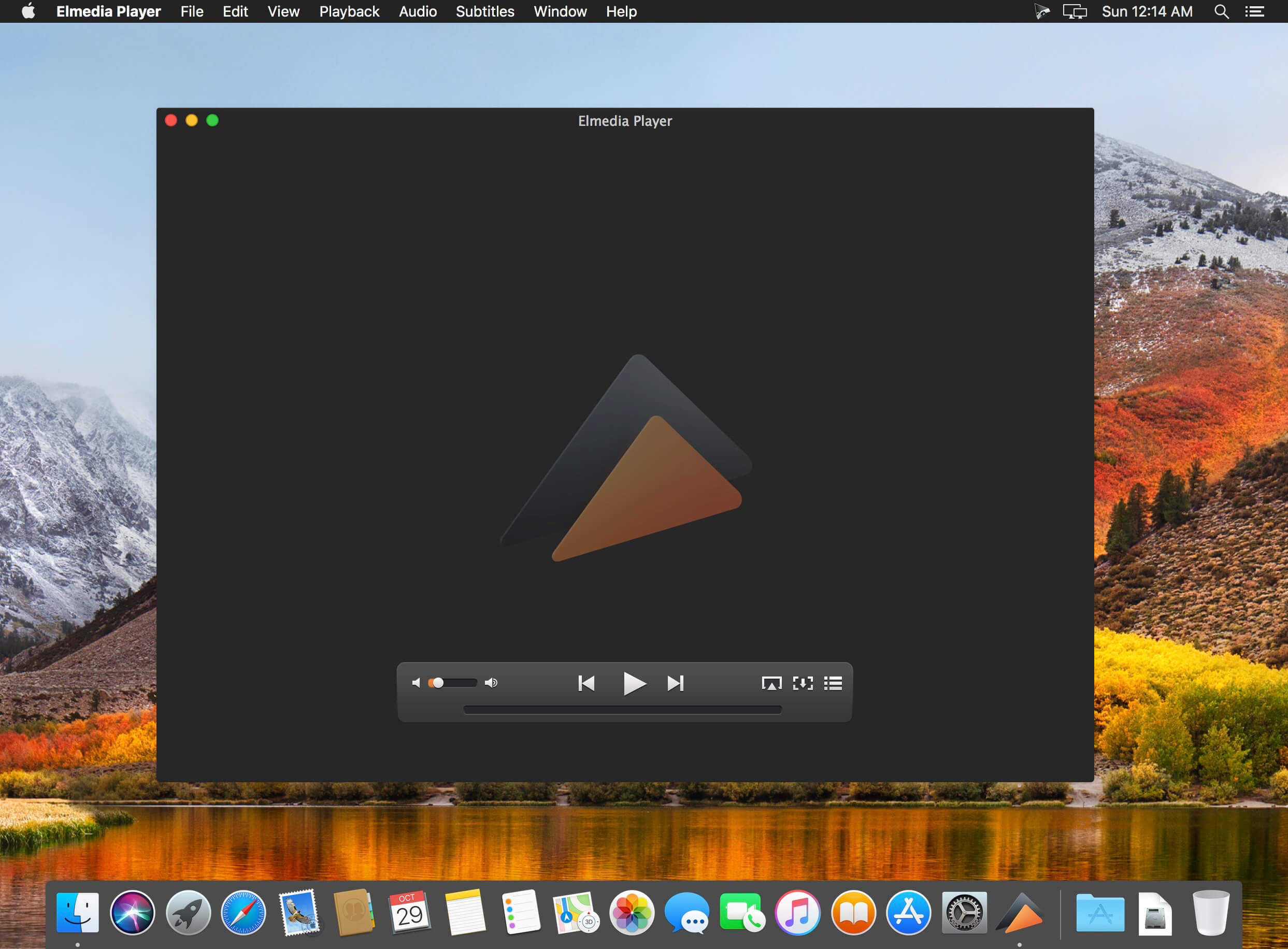
Elmedia Player is a video and audio player that will play virtually any file you throw at it, be it MP4, AVI, MOV, SWF, DAT, MKV, MP3, FLAC, M4V, FLV or any other common format. No need for additional codecs, plugins – this app has everything you need for your files playback.
Elmedia Player guarantees a perfectly smooth HD experience thanks to hardware accelerated decoding.
Highlights: Elmedia Player proudly offers:
Video and audio playback options
Supports multiple audio tracks, including embedded ones as well as external audio files.
Full-screen mode that even offers you a choice, which monitor will be showing the full-screen video.
Native volume control.
Creation and easy control over playlists.
The player can be conveniently pinned on top of all active apps.
Fit the image to screen.
The playback speed is easily adjusted.
Play the selected video or audio segment in a continuous loop.
Choose which external audio tracks or subtitle files the player will load: all with movie name, same name as movie or all in directory.
Stream local files to Chromecast, Apple TV, Smart TV and other AirPlay and DLNA-certified devices. With Elmedia Player installed on your Mac you’ll be able to effortlessly stream local video and audio files to Samsung TV, LG TV, Sony TV, as well as many other smart TV sets.
Great streaming features offered by Elmedia:
Streams audio and video files in their native formats or transcoded in real time.
Supports streaming of up to 4K videos to compatible devices (Chromecast Ultra, Apple TV 4K, etc.).
Supports subtitles (both embedded and external).
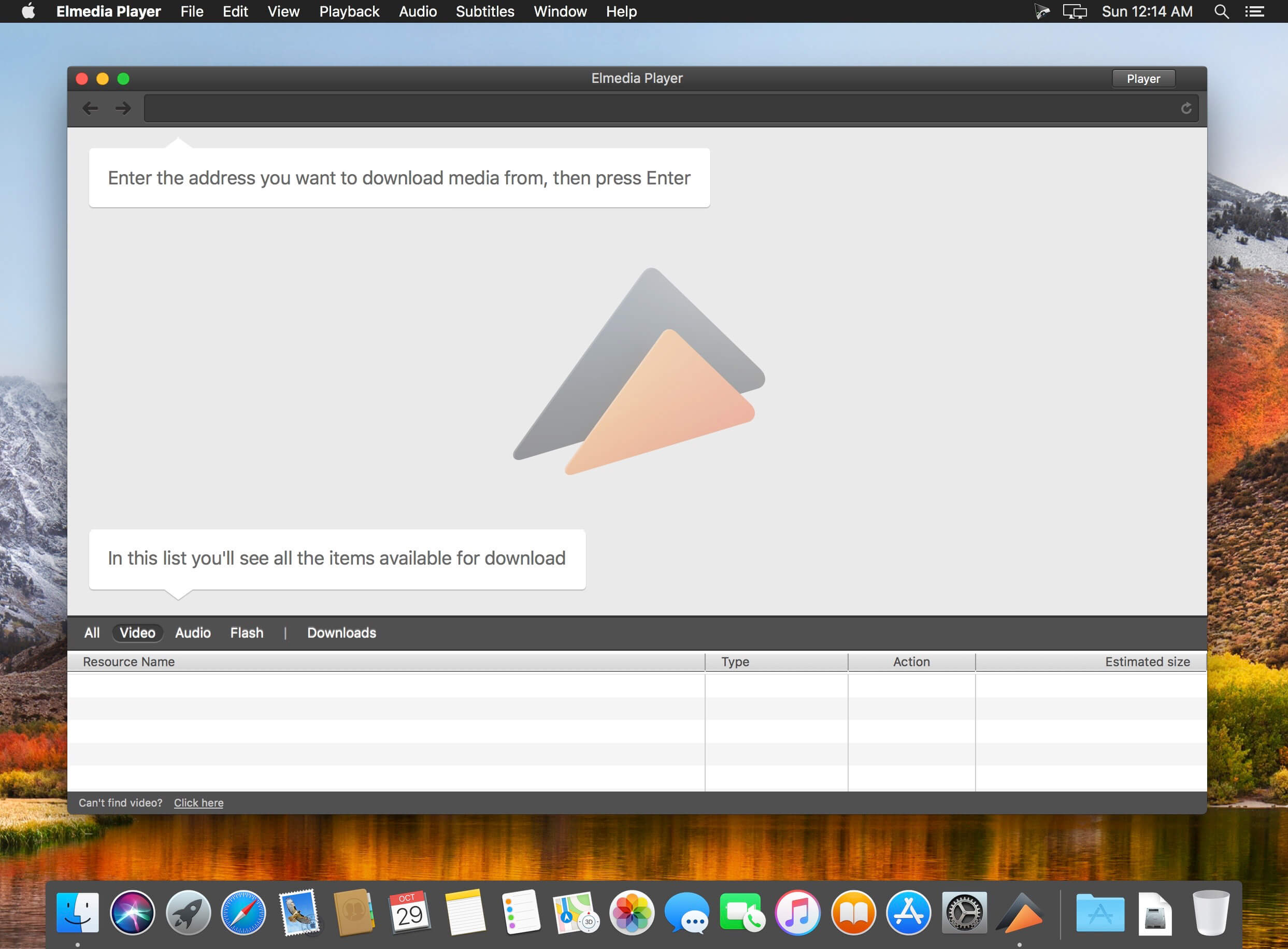
Streams content from YouTube, Dailymotion and Vimeo without ads (via the Open Online Video option).
Supports playlists (create your very own playlists for uninterrupted streaming).
Control your streaming in the app. You can play, pause, seek, or stop the video playback. When streaming to Chromecast or DLNA devices you can also adjust the volume in player.
You can also use Elmedia Player as an audio receiver for AirPlay, which comes in handy when you need to stream audio from your phone to a Mac connected to larger speakers.
Integrated subtitles search We have integrated Elmedia Player with opensubtitles.org service, which allows you to find any subtitles available there in a couple of clicks without leaving the player.
Flexible video & audio settings
Flip vertically, rotate, mirror videos or revert to original.
Adjust video brightness, contrast, saturation, and more.
Sync subtitles to the video in case it wasn’t in sync originally.
Choose the language for audio and subtitles when files have multiple subtitles and audio streams.
Adjust the sound for different genres, rooms, or specific speakers with the audio equalizer. Select one of the presets or create your own.
You can set an output device for audio; for advanced users: transmit AC-3/DTS through S/PDIF.
Subtitles: utf, srt, ass, smi, txt, ssa, smil, jss, rt, idx, sub, xml
Watch online videos and make screenshots
Access YouTube, Vimeo, and Dailymotion videos directly from the app without bringing up a browser; no noisy ads to distract you with Open Online Video option.
Make a screenshot of any moment in the movie or make an entire video into a set of images. Set the preferred interval between screenshots.
What’s New:
Version 7.8:
Improved: search for Dutch subtitles through OpenSubtitles.org.
Improved: video tuner presets brighter/darker.
Version 7.0:
Added: streaming of audio and video files to Chromecast, Smart TV and other DLNA-certified devices.
Added: streaming settings.
Added: vastly reworked interface.
Added: independent interface language settings.
Added: integrated search for subtitles through OpenSubtitles.org directly from the player.
Added: an ability to set the background color for subtitles.
Added: an ability to disable screensaver during the playback, not just in fullscreen mode.
Improved: the process of preparing a video for streaming.
Improved: detection of subtitles encoding.
Improved: the playback adjustments (the playback speed, audio delay, subtitles delay) are now possible through the Playback Settings panel.
Changed: the “Control playback with media keys” feature is now free.
Changed: two trial downloads are available in the free version.
Lots of other minor fixes and improvements (thank you for your continued feedback!).
More than a basic check register and reporting tool, CheckBook Pro features everything in CheckBook, our powerfully simple personal finance manager, and then some. Get a report for all of your accounts at once. Search for transactions with any combination of criteria. Group your transactions into folders. Change the details of a group of transactions in a single stroke. CheckBook Pro’s simply powerful data management tools make it all just plain easy.
Pro features
Save complex searches as Smart Folders, so you can search again and again Group your transactions into Folders, to tidy up or begin a new year Quickly change the details for a group of transactions, instead of one at a time Report on all your accounts at the same time See pending scheduled transactions for all your accounts with a single reminder Save some ink strokes and let CheckBook Pro print your checks for you (pre-printed check paper only)
Import from other personal finance apps or your bank
Strong support for OFX, QFX, QIF, CSV and Text Import from Quicken® Essentials for Mac
VMware Fusion Pro 11.5.1 Multilingual Extended Edition MacOS
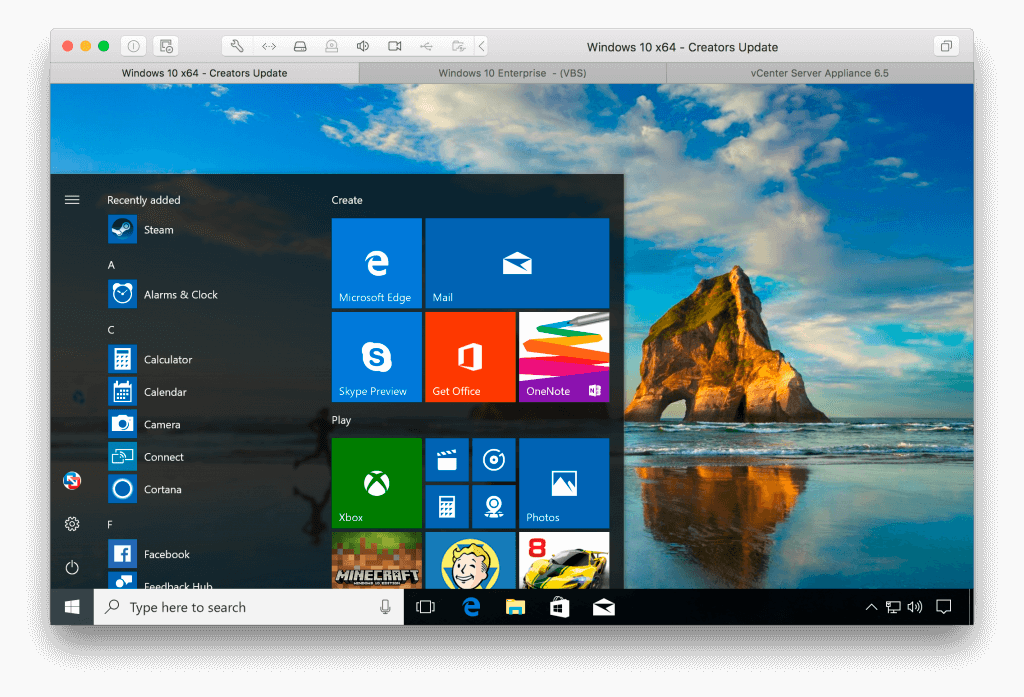
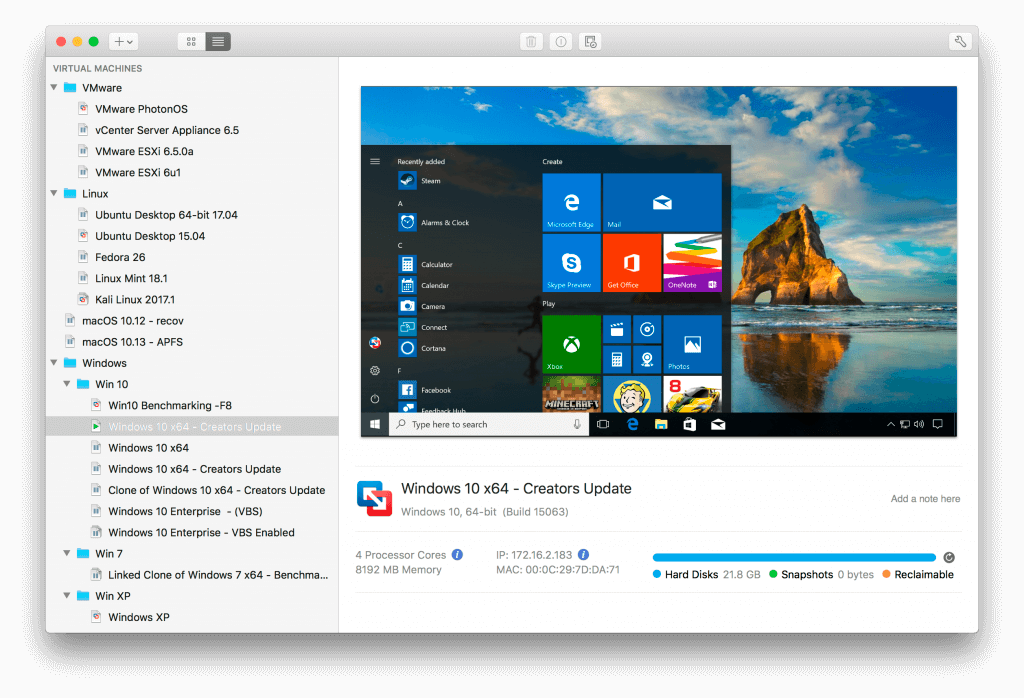
VMware Fusion gives Mac users the power to run Windows on Mac along with hundreds of other operating systems side by side with Mac applications, without rebooting. Fusion is simple enough for home users and powerful enough for IT professionals, developers and businesses.
Run Nearly Any Operating System on a Mac Running Windows on Mac is only the beginning. VMware Fusion lets you choose from hundreds of supported operating systems, from lesser-known Linux distributions to the latest Windows 10 release.
Connect to VMware vSphere Securely connect with vSphere, ESXi and Workstation servers to launch, control and manage both virtual machines (VMs) and physical hosts. Thanks to the common VMware platform, VMs can be easily transferred from the vSphere data center to the Mac desktop and then run in Fusion.
Develop and Test for Any Platform Fusion makes it simple to test nearly any OS and app on a Mac. Build and test apps in a sandbox while securely sharing local source files and folders. Fusion Pro now includes a RESTful API to integrate with modern development tools like Docker, Vagrant, Ansible, Chef, and others to fit the power of VMware into today’s Agile and DevOps-oriented production pipelines.
Design and Demo Complex Solutions With the ability to run an entire virtual cloud stack on a single Mac, solution architects can demonstrate their entire software solution in real time, with safe rollback points to return to known configurations. Fully express the story of your software journey by running all of its components on a single notebook to show the world.
WHAT’S NEW :
Professionals Run Windows on Mac with Fusion Pro Fusion 8 Pro lets Mac users take advantage of Windows 10 features like the all new Edge browser, or strike up a conversation with Cortana, the all-new personal digital assistant, even while Fusion is running in the background. With support for over 200 operating systems including Windows 10, Fusion 8 Pro delivers unsurpassed platform compatibility and integration with the VMware ecosystem.
Expiring Virtual Machines For workers assigned to short-term projects, temporary employees, or for a software evaluation, create restricted virtual machines that expire at a predefined date and time. When powered on, the virtual machine will query the server at specified time intervals, storing the current system time in the restricted virtual machine’s policy file as the last trusted timestamp. An expired virtual machine will automatically suspend and will not restart without administrator intervention.
Run Nearly Any Operating System on a Mac Running Windows on Mac is only the beginning. VMware Fusion lets you choose from hundreds of supported operating systems, from lesser-known Linux distributions to the latest Windows 10 release.
Connect to VMware vSphere Securely connect with vSphere, ESXi and Workstation servers to launch, control and manage both virtual machines (VMs) and physical hosts. Thanks to the common VMware platform, VMs can be easily transferred from the vSphere data center to the Mac desktop and then run in Fusion.
Develop and Test for Any Platform Fusion makes it simple to test nearly any OS and app on a Mac. Build and test apps in a sandbox while securely sharing local source files and folders. Fusion Pro now includes a RESTful API to integrate with modern development tools like Docker, Vagrant, Ansible, Chef, and others to fit the power of VMware into today’s Agile and DevOps-oriented production pipelines.
Design and Demo Complex Solutions With the ability to run an entire virtual cloud stack on a single Mac, solution architects can demonstrate their entire software solution in real time, with safe rollback points to return to known configurations. Fully express the story of your software journey by running all of its components on a single notebook to show the world.
Elmedia Video Player is a free media player for Mac OS. It can play pretty much any file type, be it AVI, MP4, FLV, WMV, MKV, MP3, M4V etc. Elmedia Video Player is an all-in-one solution, that doesn’t call for any additional plugins or codecs.
Elmedia Player is available for Apple TV now! This player has a wonderful HD experience to offer to its users thanks to a native hardware accelerated decoding that unloads the processor and brings the smooth and clean video onto the screen.
Highlights: Video and audio playback
Keep the player on top of all apps to never miss a moment of the movie.
Will play any audio track including external.
Offers its own volume control.
Works great with various subtitles files. Supports Eastern Asian languages, Arabic, Hebrew, etc.
Subtitles: utf, srt, ass, smi, txt, ssa, smil, jss, rt, idx, sub, xml
Flexible settings
When watching a movie with subtitles Elmedia Video Player can put them in perfect sync with the video in case there is some mismatch.
No conversion needed to play a DVD or a video that was copied from DVD.
Extra useful features of Elmedia Video Player PRO!
Adjust brightness, contrast, saturation, and more even during playback.
Make the sound perfect for your ears with a 10-band equalizer. Choose one of existing presets (Large Hall, Party, etc.) or create your own unique sound.
Make a screenshot of any moment in the movie or make the entire video a series of pictures with adjustable interval.
Take the most out of virtual surround and speakers emulation.
Select the output device for audio.
Transmit AC-3/DTS through S/PDIF.
A couple of other convenient playback possibilities:
Select the language for the sound and subtitles;
Set up which monitor will show fullscreen;
Flip, rotate and mirror the video;
Loop any part of movie or music video continuously;
Deinterlace and image enhancement.
AirPlay! Elmedia can stream to different AirPlay devices and other Mac computers with Elmedia installed. Things to note:
No need to convert any files like AVI, FLV, MKV, 3GP videos to watch them on Apple TV.
Note: Elmedia Player does not stream VIDEO_TS, .swf, and .exe files.
Embedded and external subtitle files are supported by the player.
With Elmedia you can stream YouTube videos to Apple TV. YouTube videos in FLV, MKV, 3GP formats are not supported by AirPlay.
What’s New:
Version 7.7
Fixed: an issue with opening some online videos via Open Online Video.
Lots of other fixes and improvements (thank you for your continued feedback!).
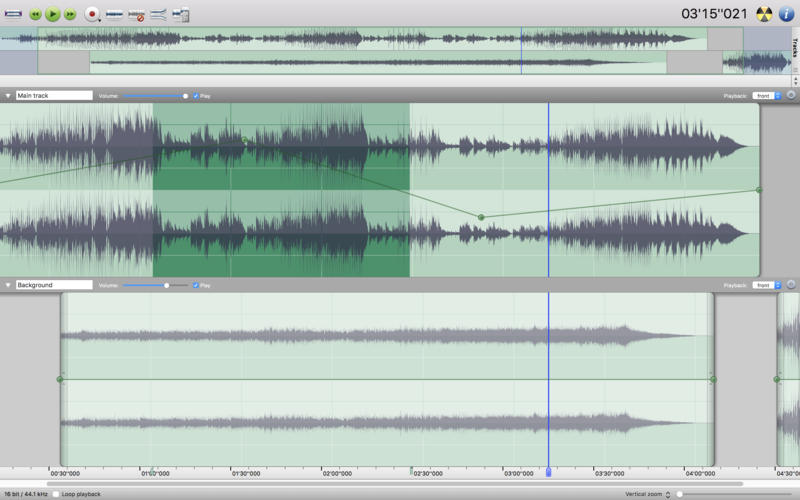
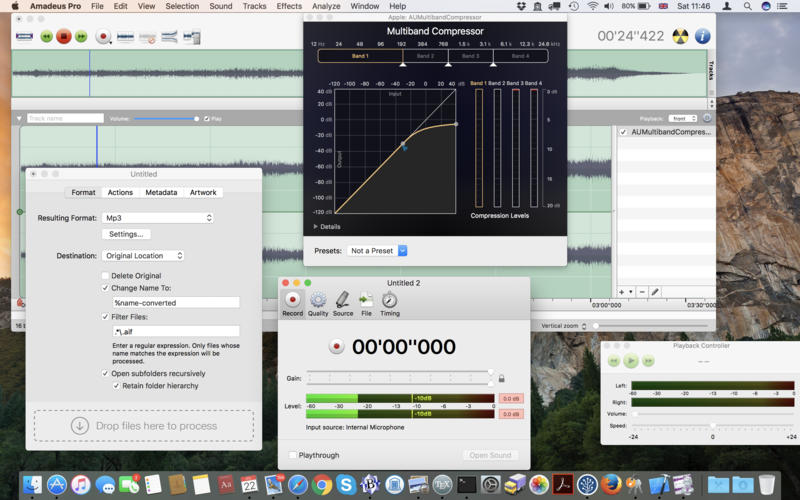
Amadeus Pro lets you use your Mac computer for any audio-related task, such as live audio recording, digitizing tapes and records, converting between a variety of sound formats, etc. Thanks to its outstanding direct-to-disk abilities and waveform caching, edits on arbitrarily large sounds (even beyond the usual 2GB limit) are performed at lightning speed. The handling of large sounds is furthermore facilitated by the extensive support of markers. Its outstanding sound repairing and denoising abilities make Amadeus Pro particularly suitable for transferring vinyl records on CD.
Features
Simple and elegant OS X-like user interface
Multitrack editing an recording.
Batch processing and conversion.
Sound denoising and repairing.
Supports a variety of sound formats, including AIFF, Multichannel Wave, MP3, MP4, Ogg Vorbis, FLAC, SoundDesigner II, QuickTime, Apple CAF, etc.
Support for VST and Audio Unit plug-ins.
A “favourite actions” palette allows to have your most commonly used effects only a mouse click away.
A wide range of powerful audio analysis tools.
Audio CDs with CD-TEXT data can be burned directly from within Amadeus Pro.
Gifox is a beautifully designed and masterfully crafted app that records your screen into animated gifs – the great alternative between static images and full-size videos. It’s your best companion for:
Micro-screencasts and product demos
Animated instructions and bug reporting
Selective on-screen video capturing
SELECTION MODES Gifox introduces a completely new way of continuous screen capturing with window selection mode – you select a window and Gifox precisely records it even when it’s moved or covered up by other windows. Free selection mode is also there for you – fast-select any area on the screen and hit record, like you used with the standard grab app / Cmd+Shift+4 command.
Pixel-sharp selection with accurate margins
Only selected window without any overlaps
With or without window shadow
With or without desktop background
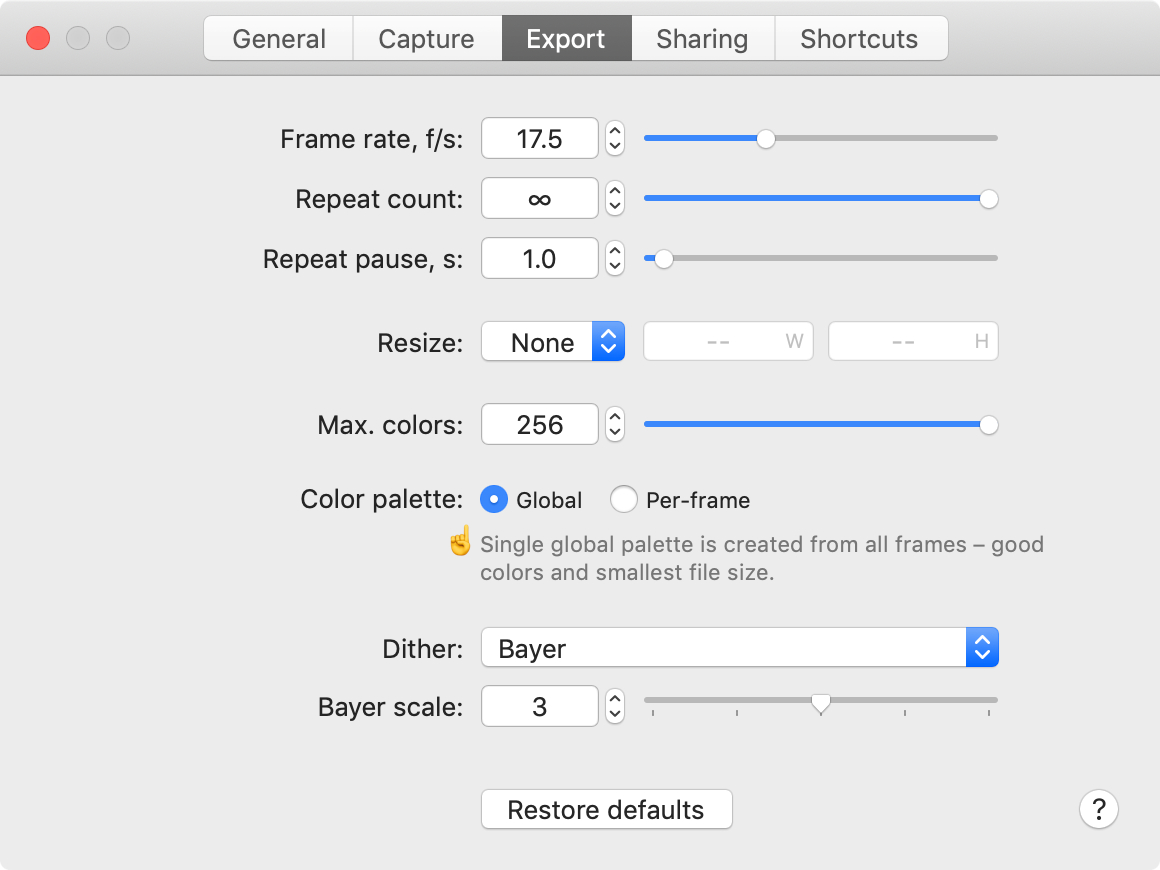
CAPTURE CONTROL A set of capturing options accessible via preferences window let you explicitly control your recording and output.
Record fps
Playback fps
Window shadow
Desktop background
COMPRESSION OPTIONS Advanced compression options provide complete control over output quality and file size.
Colour
Palette generation
Dithering
SHORTCUTS Open up Gifox in any selection mode using preconfigured global shortcuts.
SHARING Easily share your recordings with Dropbox, Google Drive and Imgur with support for more great services underway. We want to know what integrations would be most useful for you, let us know using the in-app feedback form or contacts on our website.
What’s New:
Version 2.0.0: Improvements:
New crash diagnostic system with better issue reporting to help us track and fix bugs quicker.
More accurate recording progress indication in main assistant popover.
Faster assistant popover display with a large number of stored recordings.
Added privacy policy and FAQ links into the status bar menu.
New preferences to control crash and usage data sharing.
Fixes:
Significantly reduced random crashes during active Gifox usage under low CPU availability.
Consecutive and very short recordings would sometimes fail with a yellow warning sign.
Restoring shortcut preferences would not always activate reset hotkeys.
Compatibility: macOS 10.12 or later 64 bit Homepagehttps://gifox.io
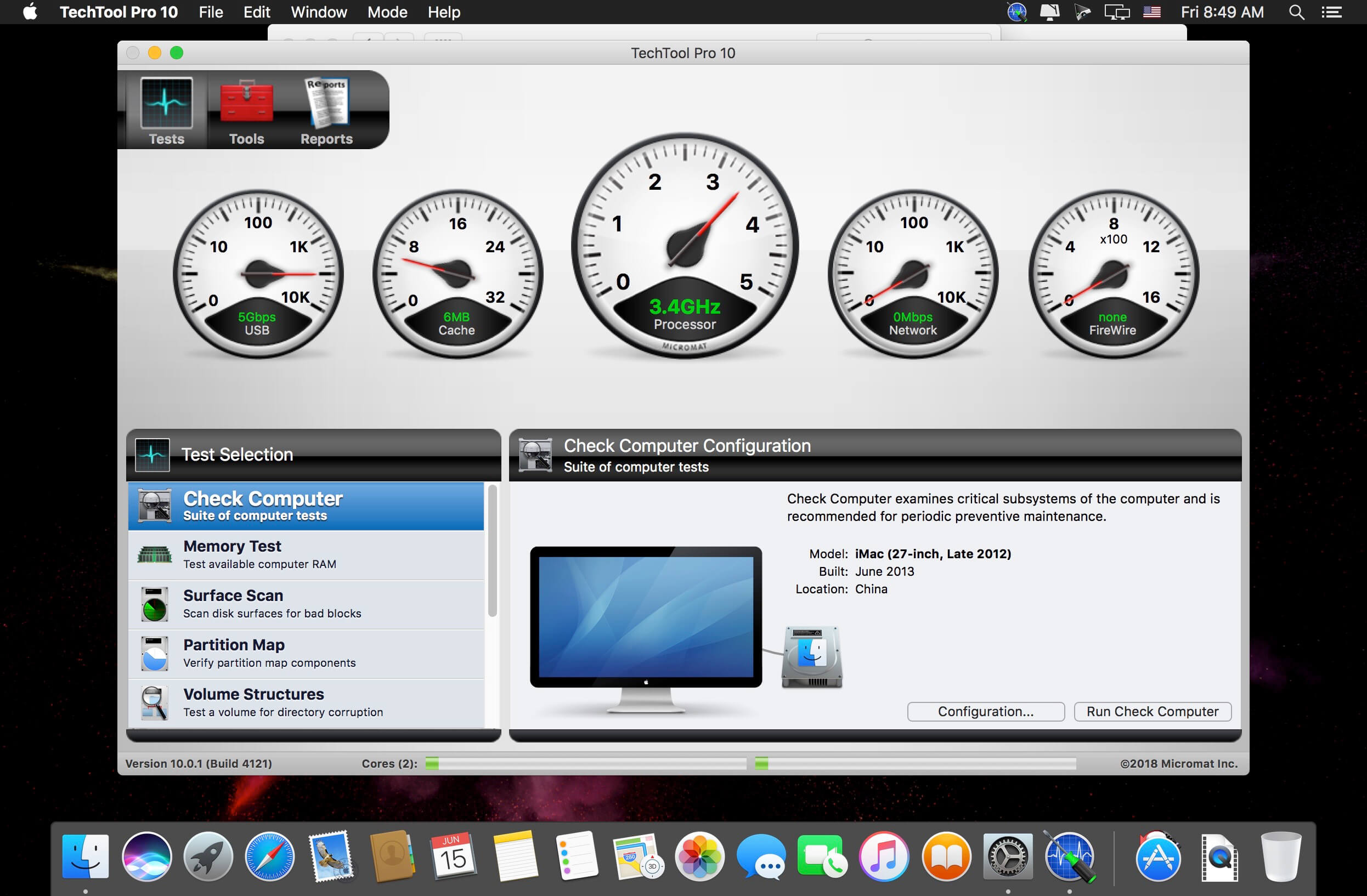
We’ll bet that many of you have flash drives, memory cards, even hard disks that aren’t formatted for Mac. Techtool Pro 10 now supports testing and repair of MS-DOS (FAT32) and ExFAT formatted volumes. This means that you can now test and repair those memory cards from your camera, or that thumb drive your friend gave you with all those important files. Avoid losing your precious pictures – find out if those cards and drives have problems before you run into data loss.
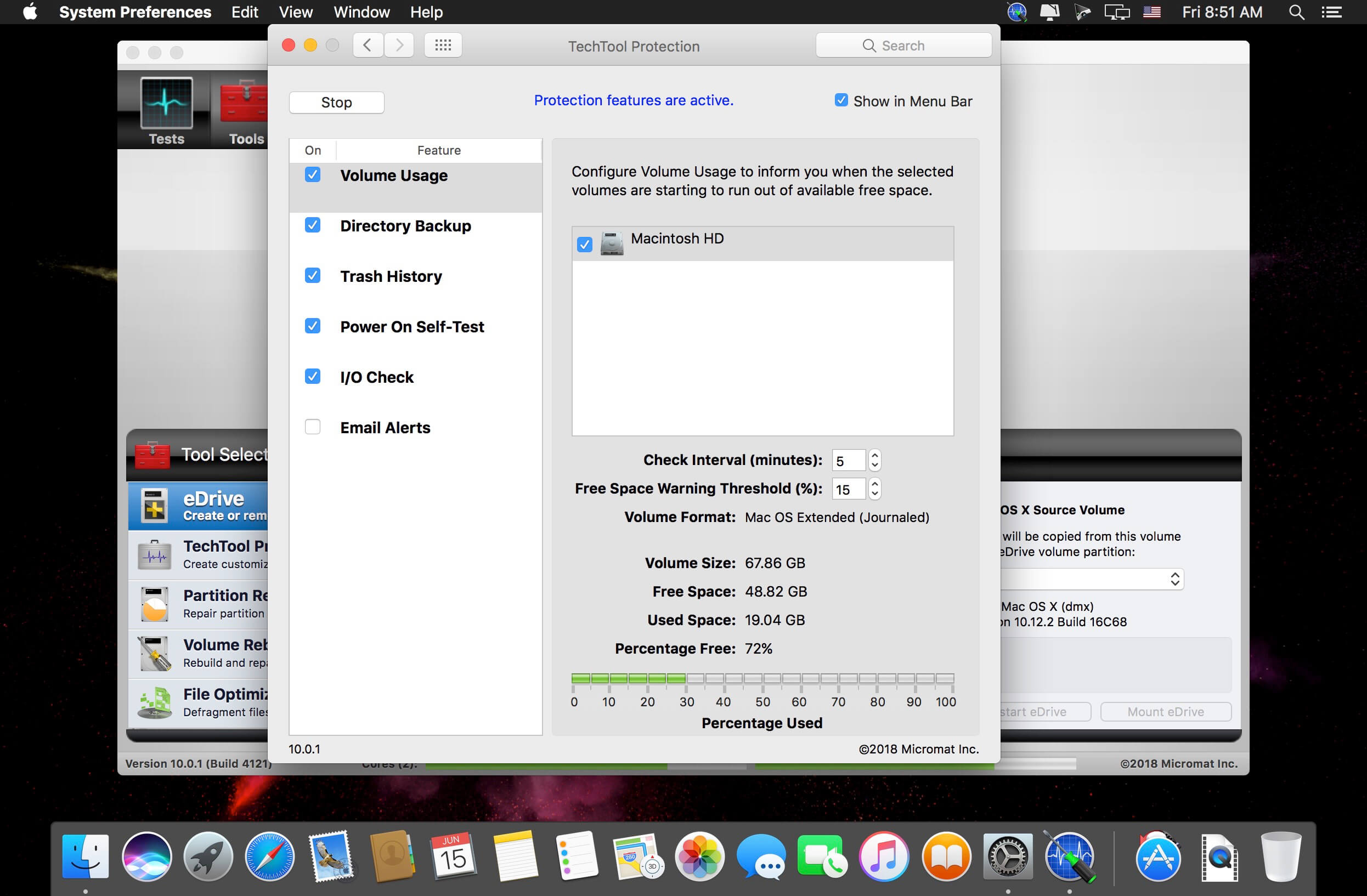
TechTool Protection – Reengineered to better protect your Mac – TechTool Pro 9 includes the option of installing a system preference pane to keep watch over your Mac. New features include check for I/O errors, Power On Self-Test errors, Mac notebook internal battery condition, and RAID status (if applicable). It also includes the same improvements to the SMART check in TechTool Pro. All of that, wrapped in an entirely new interface.
Check Computer – Now you’re in control – Check Computer is a handy way to tell TechTool Pro to run the entire suite of tests to give you the best possible snapshot of your Mac’s health. Sometimes, though, it’s nice to be able to leave tests out, or to skip certain drives. Using the new configuration panel, you have total control of the Check Computer suite. Power to the people.
Partition Map – new drive test – TechTool Pro has long been known for testing your Mac’s file system. It is important also to test the data structures that contain the Mac’s file system: the Partition Map. The new Partition Map test checks the partition map of a given drive for errors. Partition map errors can cause entire volumes to go missing, or prevent a Mac from booting. If errors are found, they can be repaired usin the Partition Repair tool.
Partition Repair – new drive repair tool – Along with Volume Rebuild, which repairs Mac file systems, the Partition Repair tool repairs the remaining portions of the drive which keeps track of the volumes on your hard drive. This includes hidden partitions which keep track of your Mac’s startup process. The Partition Repair tool does just what it says, repairing the partition maps or drives where needed.
SMART Check – Now even smarter – Hard drives include a technology called SMART (Self Monitoring, Analysis and Reporting Technology) which can inform a computer about the health of its hard drives. In most utilities, just the overall results – passed or failed – are reported to the user. In the failed state, often there is little or no time to back up data before the drive fails entirely. Previous versions of TechTool Pro reported the overall status of each attribute, but some attributes don’t contribute to the failure of a drive. Now, the SMART Check has gotten smarter. TechTool Pro now knows which attributes contribute to drive failure, and will report a failing result before the drive fails completely. Giving you time to rescue your data.
Memory Test – Now better than ever before – TechTool Pro 7 took a revolutionary step in testing memory, making TechTool Pro’s memory testing suite the most comprehensive test available for the Mac. In TechTool Pro 9, we’ve taken some of the additional advancements used by ATOMIC, our dedicated Memory Tester, and integrated them into TechTool Pro. Now, memory is ‘cleaned’ before testing, reclaimed from macOS, maximizing the amount of RAM that can be tested.
Processor Benchmark – Get an objective measurement of your Mac’s processor performance. The Processor Benchmark too uses industry-standard measurement algorithms to test processor performance. Using this tool, you can get metrics that can be used to compare processor speeds apples-to-apples. Avoids the confusion of comparison using Megahertz.
Bluetooth – New test – Most Macs depend on Bluetooth to connect to the tools we use to interact with our computers: the keyboard and mouse. Bluetooth problems can result in dropped connections with those devices, which can be very frustrating. Verify the proper operation of your Mac’s Bluetooth hardware. Make sure that not only your input devices, but also your audio and fitness devices can connect to your Mac by checking the Bluetooth hardware on your Mac.
Network Interfaces – New test – Most Macs spend the majority of their lives connected to the internet. If the ethernet or wifi adapters in your Mac aren’t working, the valuable connection to the internet can fail. The new Network Interfaces test can test any connected network interface for errors. It not only tests ethernet and wifi, but also any other supported internet connection, ethernet over USB, VPN connections, even a FireWire network conneciton. Ensure the reilability of your internet and intranet connections by testing your Mac’s network interfaces.
What’s New:
New In Techtool Pro 11 Mojave Compatibility Techtool Pro 11 now takes advantage of the latest technologies introduced with the release of macOS 10.14, Mojave.
Security Features macOS Mojave introduces a number of new security features to keep you safe. In order for applications like Techtool Pro to have access to perform tests and repairs of certain disks, they must be granted ‘Full Disk Access.’ Techtool Pro 11 now supports this security feature helping to keep your Mac secure.
Home Permissions Tool If you are being asked to enter your password to move files in your home folder, if apps that store documents in your home folder quit unexpectedly, or your Mac continues to run slowly after extensive troubleshooting, you may have permissions problems in your home folder. Techtool Pro 11 introduces a new tool to reset the permissions in your home folder to restore home folder performance.
Updated Technologies Previous versions of Techtool Pro had to make certain compromises to support earlier versions of macOS. With Techtool Pro 11, we have been able to take advantage of more advanced methods to perform many of the tasks that make up the functionality in Techtool Pro. We have updated many of the tests and tools to use these technologies to keep your Mac running smoothly.
Amadeus Pro lets you use your Mac computer for any audio-related task, such as live audio recording, digitizing tapes and records, converting between a variety of sound formats, etc. Thanks to its outstanding direct-to-disk abilities and waveform caching, edits on arbitrarily large sounds (even beyond the usual 2GB limit) are performed at lightning speed. The handling of large sounds is furthermore facilitated by the extensive support of markers. Its outstanding sound repairing and denoising abilities make Amadeus Pro particularly suitable for transferring vinyl records on CD.
Features
Simple and elegant OS X-like user interface
Multitrack editing an recording.
Batch processing and conversion.
Sound denoising and repairing.
Supports a variety of sound formats, including AIFF, Multichannel Wave, MP3, MP4, Ogg Vorbis, FLAC, SoundDesigner II, QuickTime, Apple CAF, etc.
Support for VST and Audio Unit plug-ins.
A “favourite actions” palette allows to have your most commonly used effects only a mouse click away.
A wide range of powerful audio analysis tools.
Audio CDs with CD-TEXT data can be burned directly from within Amadeus Pro.
What’s New:
Version 2.6.2:
Advanced preference to choose whether to parse file extensions for batch processor file filters
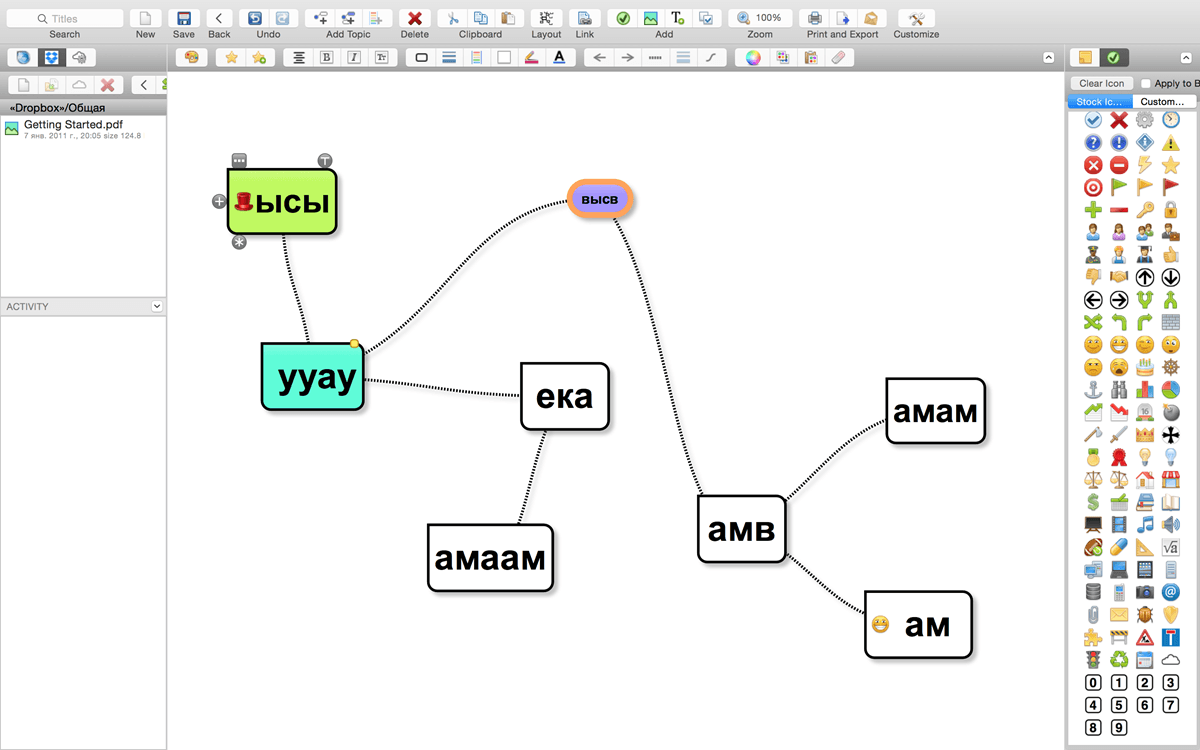
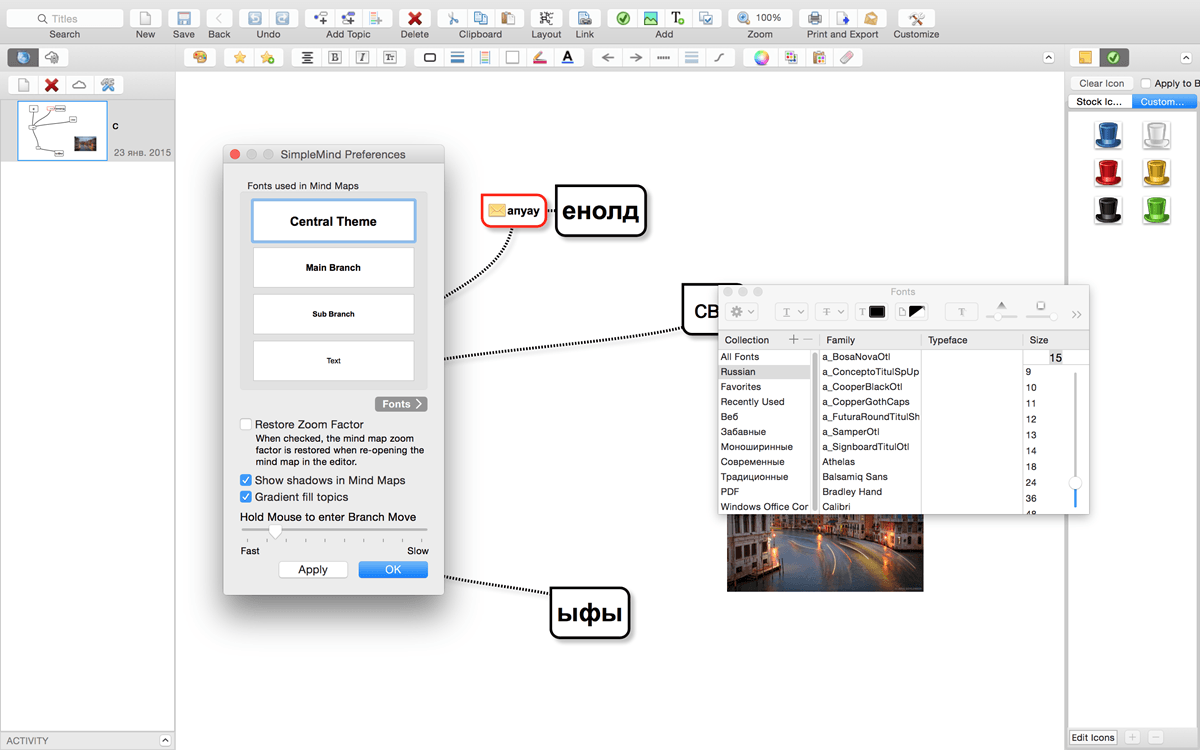
SimpleMind Desktop is a mind-mapping tool that turns your Mac into a brainstorming, idea-collecting, and thought-structuring device. It connects to the similar SimpleMind for iPhone/iPad app.
Features
Easy to use drag, arrange, and edit directly on the Mind Map page.
Tap or drag Node Well to add new Topics.
Full Undo/Redo in the editor.
Visual styles change colors, borders and lines for maximum presentation impact.
Pick colors from style palette or custom colors.
Cut/Copy/Paste – move or duplicate topics between Mind Maps.
Create new MindMap from selection or clipboard
Reconnect topics using drag-and-drop, aided by topic auto-layout.
What’s New:
Version 1.25.0:
Easily style topics, lines and more, with the new Style tab in the inspector. Open with Command+5.
As a result the old style toolbar is hidden by default.
Tap once in blank space to display the mind map style when the style inspector is open.
The Files tab supports Import en Import pdf bookmarks.
Clear history in the Files tab via the right click context menu.
To switch focus, for example from Notes tot Editor use the Main menu View | Focus Editor or the keyboard shortcut Ctrl+Cmd+0.
Mac OS 10.13 or prior: The Style Sheets are moved to the Stylesheet tab in the inspector. Open with Command+4.
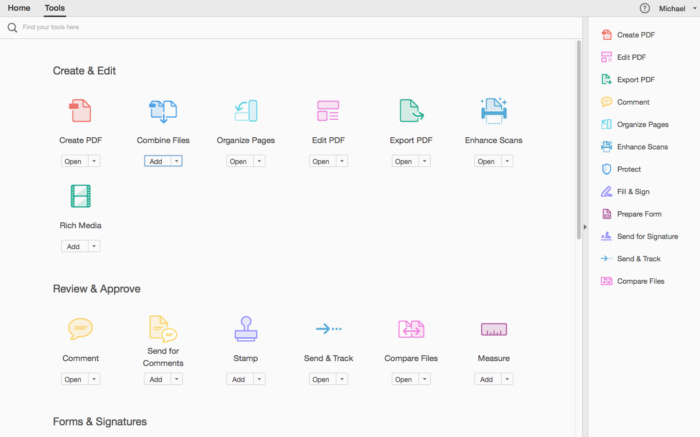
All-new Adobe Acrobat Pro DC with Adobe Document Cloud services is here. Completely reimagined PDF tools let you create, edit, sign, and track PDFs from anywhere. It will change the way you work with design layouts, press-ready files, and all your important documents forever.
Clean feature lineup The application allows you to write down comments and feedback using a separate frame in the right side of the window, while the reading space is not affected at all.
In fact, this is one of this tool’s strong points: the interface is quite clean, but still manages to provide a lot of tools for zooming, selecting text, printing, adding bookmarks and many others.
Supported file formats and fast searches A great thing about Adobe Reader XI is its ability to work with CAD designs and geospatial maps converted to Portable Document Format. Also, in case you need to locate any element within a PDF file, the application offers a comprehensive file searching engine that finds what you need in a matter of seconds.
Security tools The security functions enable you to view and work with PDF documents without having to worry about malicious code being executed on your machine. The ‘Protected Mode’ and the ‘Enhanced Security’ features are designed to safeguard your computer and provide data protection and privacy.
Configuration settings When it comes to customizing Adobe Reader XI, the Preferences area will give you the possibility to modify a wide range of settings. Comments, 3D and multimedia, measuring and reading options are available, as well as spelling or page units configurations.
In case you find Adobe Reader XI too difficult to use, the application includes a comprehensive help manual. Unfortunately you will need an Internet connection to access it, which means you won’t be able to read the documentation in offline mode.
A top PDF viewer on the market All things considered, with this software app you can’t get it wrong simply because it still sets the standards insofar as PDF documents are concerned. Adobe Reader XI really works as advertised and is the leading tool for viewing Portable Document Format files.
What’s New:
Version 2019.021:
Release notes were unavailable when this listing was updated.
Keep your digital wallets and keychains safe with Antivirus One, your personal cyber security expert. Antivirus One offers live antivirus monitoring to protect your Mac from adware, ransomware, spyware and all kinds of malware attacks.
Developed exclusively by the world’s largest antivirus and spyware active monitoring lab at Trend Micro. Secure your Mac with these powerful Antivirus One protection features:
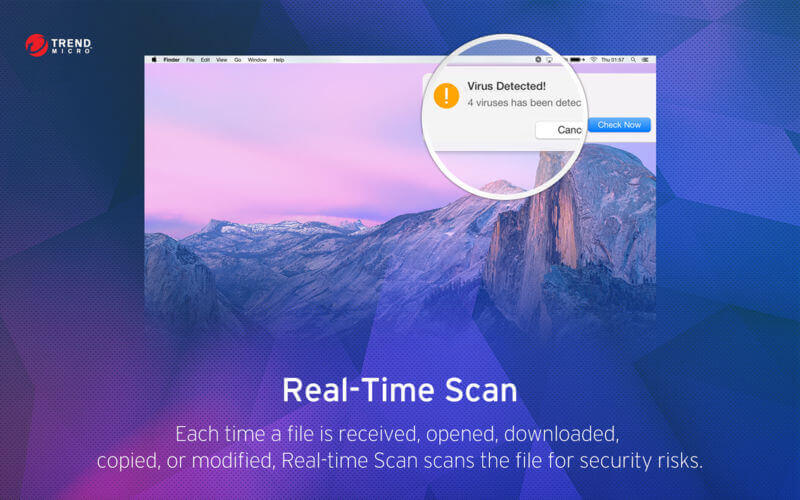
1. Real Time Scan
• Provides real time protection against threats.
2. Virus Scan
• Quickly scan virus to safeguard your Mac
3. Virus Clean
• Clean virus completely for the security of your system and privacy
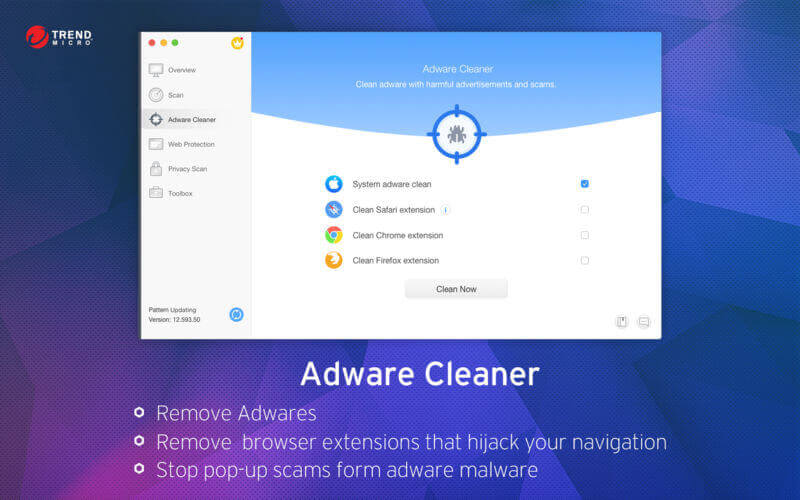
4. Adware Cleaner
• Protect your Mac from adware and browser Hijackers
5. Privacy Cleaner
• Customize your transparency. You can even be invisible without leaving any trace in web browser
6. Safe Search
• Flags each search result in Google Search Engine to let you know if the site is safe or unsafe
PhotoStage Slideshow Software is a program that might prove to be of good use if you ever need to create a picture slideshow for graduation day, family events, birthdays, and many others. This app works with dozens of photo, video, and audio formats, provides you with many output settings, and lets you choose between various output profiles.
You can import as many pictures as you like, add a background music to your slideshow, and even attach clips from your local directories. Also, you have access to various output settings that come in handy if you wish to add a personal touch to your slideshow. For instance, you can add a visual effect to your presentation, select a different transition effect or attach a copyright segment or a message (for example, a Happy Birthday message).
Another feature which I rarely find within this particular type of programs and is present within PhotoStage Slideshow Software is the ability to add audio recordings to your presentations. To be more exact, the application comes with an integrated audio recorder which lets you capture sound content from your input devices, such as a connected microphone. This feature might prove to be of good use when creating slideshows for your students, each picture with individual explanation.
Debut is designed to be very easy and intuitive to use, giving you the ability to record essentially anything from capturing video from a webcam, your screen, or video input devices such as a VHS recorder within minutes of downloading
Video Capture Features • Capture video directly to your hard drive • Record videos as avi, wmv, flv, mpg, mp4, mov and more video formats • Capture video from a webcam, network IP camera or video input device (e.g., VHS recorder) • Screen capture software records the entire screen, a single window or any selected portion • Digital zoom with the mouse scroll wheel, and drag to scroll the recording window • Zoom-to-mouse feature focuses the recording window on the cursor • Mouse highlighting spotlights the location of the cursor • Record video alone or video and audio simultaneously • Record audio from your microphone and speakers simultaneously, ideal for recording video conferences • Time lapse video recording • Create photo snapshots of a video at any time • Add your own text captions or time stamp your video • Change color settings and video effects before recording • Adjust the video resolution, size and frame rate for capture • Burn directly to DVD with Express Burn Disc Burner • Works with VideoPad Video Editor Software Homepagehttp://www.nchsoftware.com/
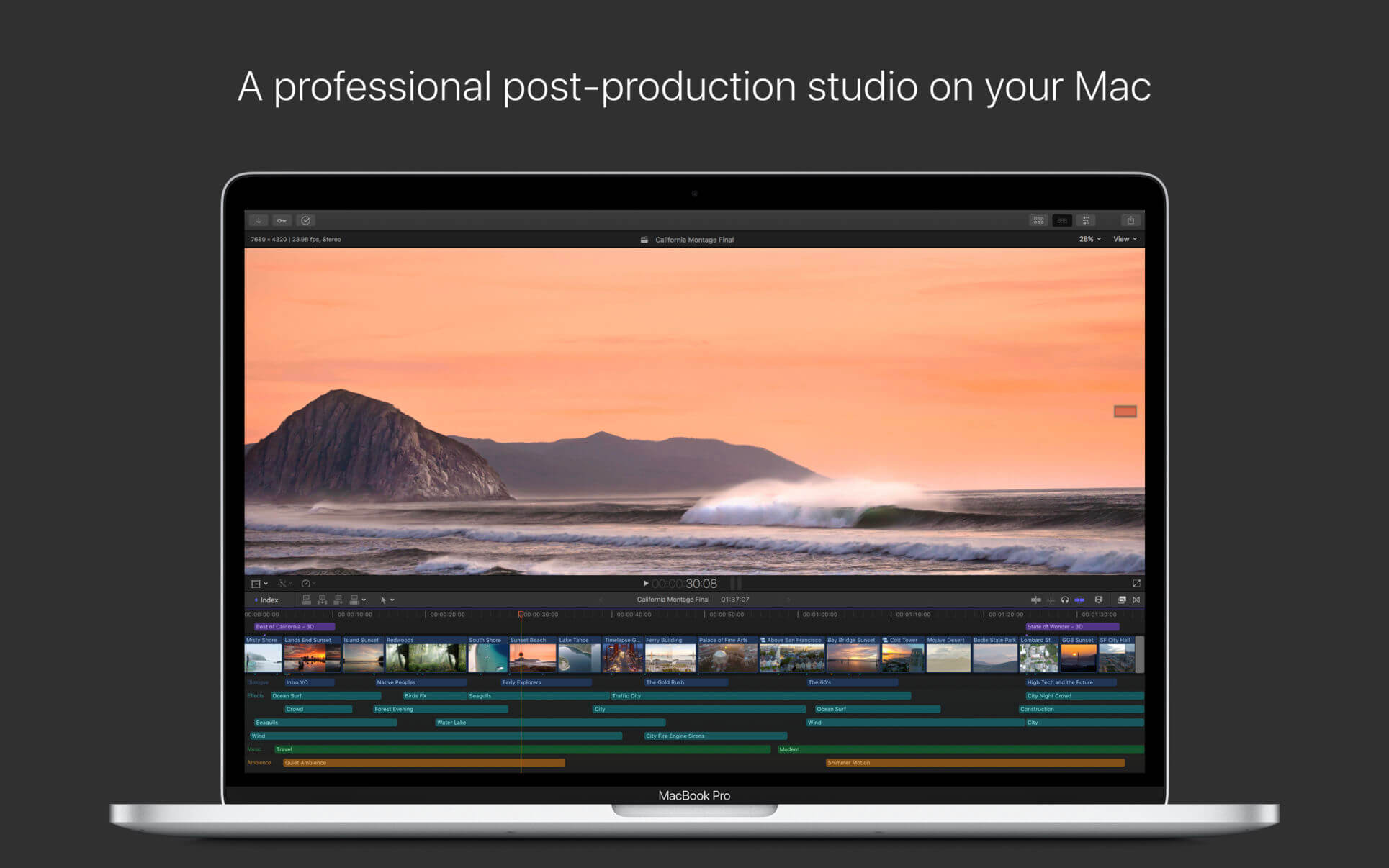
Redesigned from the ground up, Final Cut Pro combines revolutionary video editing with powerful media organization and incredible performance to let you create at the speed of thought.
Revolutionary Video Editing
The Magnetic Timeline 2 uses advanced metadata for faster, easier editing than with traditional tracks
Enhanced Timeline Index lets you drag and drop audio roles to rearrange the layout of your timeline
Use Clip Connections to attach B-roll, sound effects, and music to the timeline
Reduce clutter by grouping clips into a Compound Clip
Cycle through different shots, graphics, or effects at one place in the timeline with Auditions
Edit multicamera projects with automatic syncing based on audio waveforms and support for up to 64 camera angles
Import and edit 360° equirectangular video in a wide range of formats and frame sizes
Powerful Media Organization
Organize your work within libraries for efficient media management and collaboration
Content Auto-Analysis captures camera metadata and analyzes shots in the background
Create and apply custom keywords or favorites on the fly as you select clip ranges
Smart Collections dynamically organize content for you to quickly find any shot in a few clicks
Incredible Performance
Final Cut Pro uses all the GPUs in your Mac for superior real-time playback performance and fast background rendering
64-bit architecture uses all the RAM in your system for larger projects and richer effects
Background processing lets you keep working without interruption
Work natively with a broad range of formats including ProRes, RED, XAVC, AVCHD, H.264 from DSLRs, and more
Compelling, Customizable Effects
Beautifully animated, easily customizable 2D and 3D titles
Change the look of titles, transitions, and effects using intuitive controls
Choose from an extensive ecosystem of third-party FxPlug plug-ins with custom interfaces
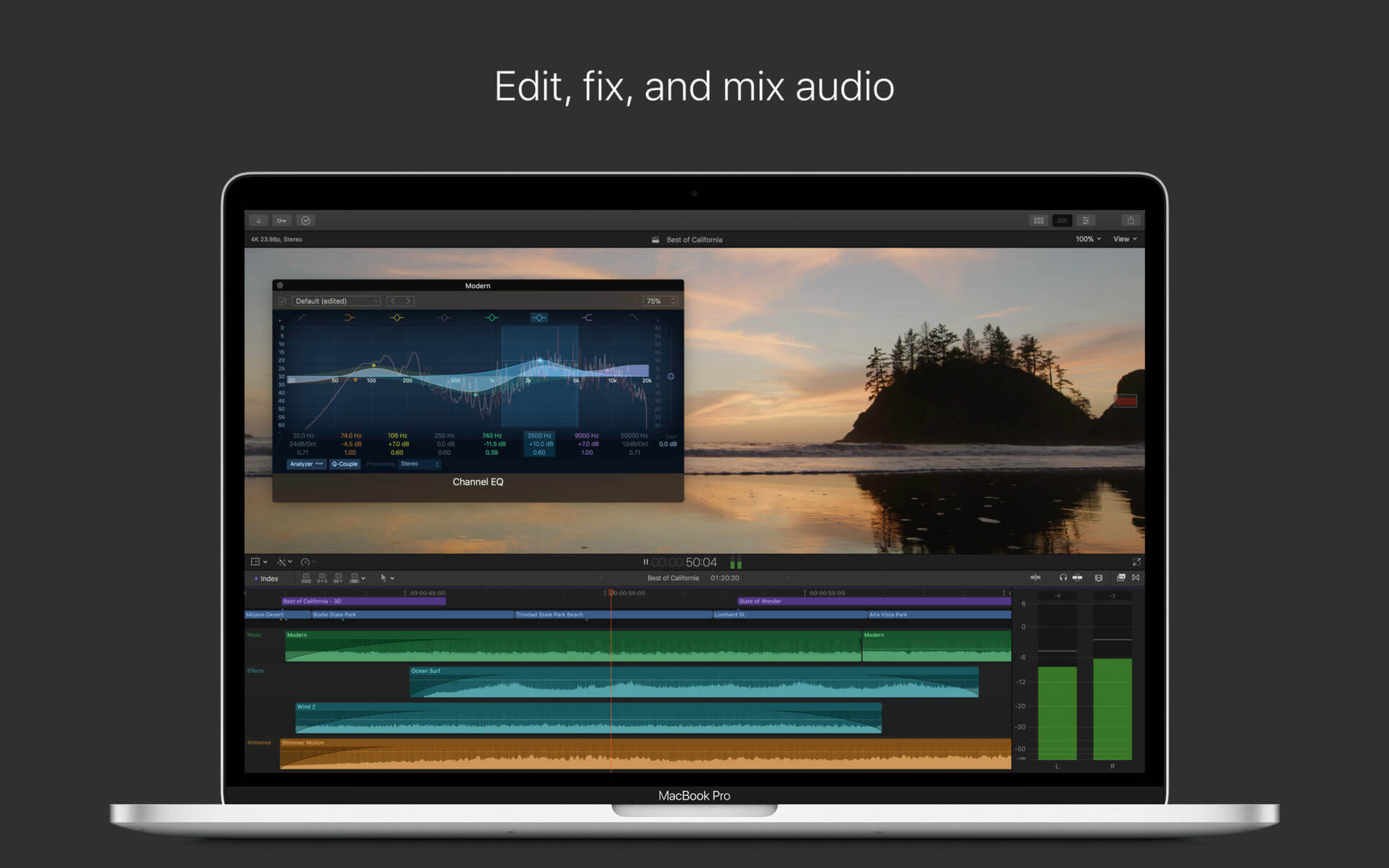
Integrated Audio Editing
Assign roles — including dialogue, music, effects, and custom choices — during import to easily track and organize your project
Expand and edit multichannel audio files directly in the timeline
Let Final Cut Pro repair audio problems such as hum, excessive background noise, and more
Sync DSLR video with separate audio in a single step with instant audio waveform matching
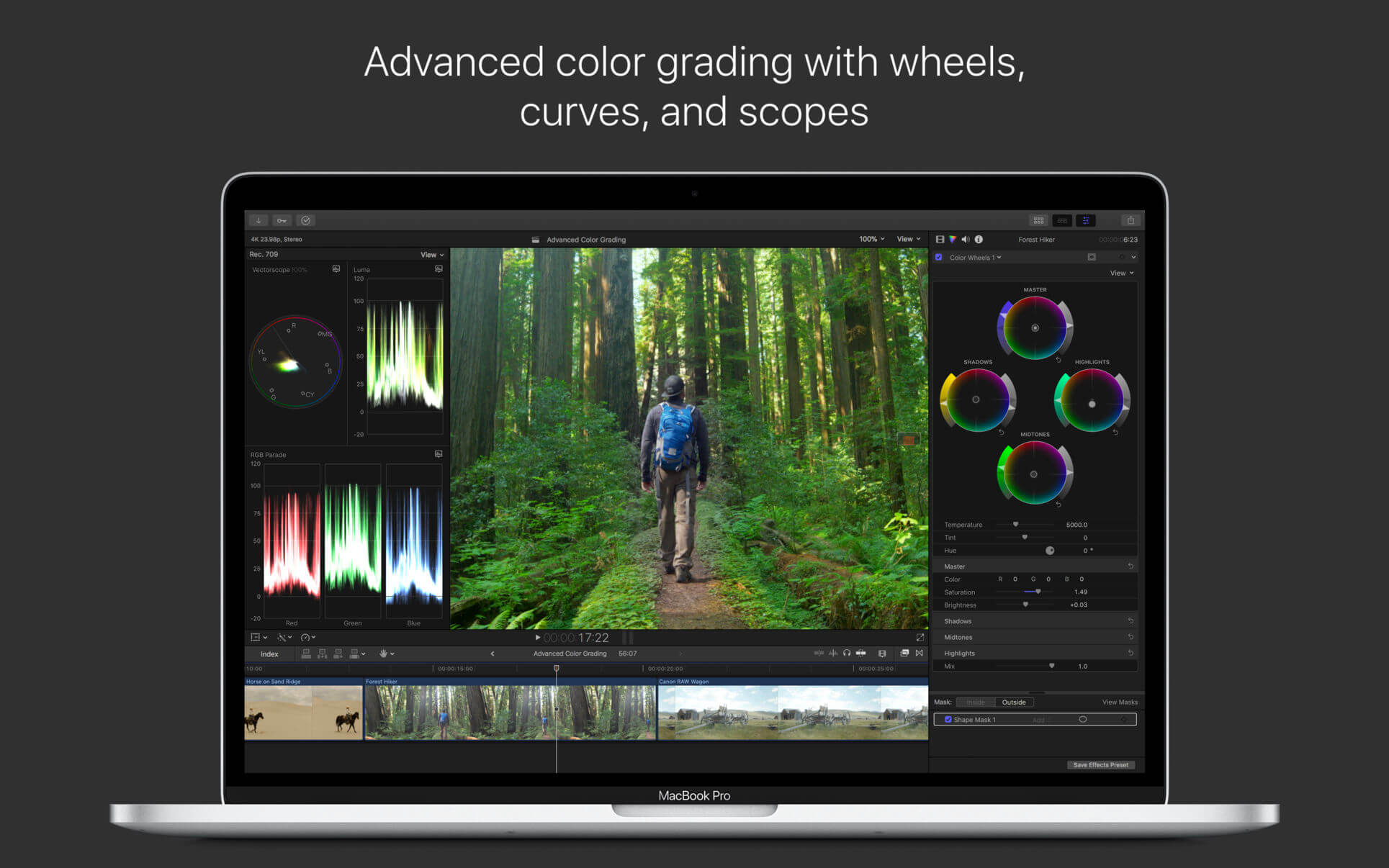
Intuitive Color Grading
Import, edit, and deliver video in standard color spaces, or in wide Rec. 2020 color space
Improve the look of any clip with one-click Balance Color
Manipulate color, saturation, and exposure with the Color Board
Fine tune a specific color or area of the screen using keying and masks
Powerful color wheels and curves for precise adjustments with keying and masks
One-Step, Optimized Output
Incredibly fast export for playback on Apple devices and upload to websites such as Vimeo, YouTube, and Facebook
Use themed menus to author and burn a DVD or Blu-ray disc
Export audio stems and multiple versions of a finished video using roles metadata
Import and export XML for third-party workflows like color grading and sound mixing
System Requirements: macOS 10.14.6 or later, 4GB of RAM (8GB recommended for 4K editing, 3D titles, and 360° video editing), Metal-capable graphics card, 1GB of VRAM recommended for 4K editing, 3D titles, and 360° video editing, 3.8GB of available disk space.
Some features require Internet access; fees may apply. Blu-ray recorder required for burning Blu-ray discs. Video output to VR headset requires Mac computer with discrete graphics running macOS Mojave. 27-inch iMac with Radeon Pro 580 graphics or better recommended.
What’s New:
Version 10.4.8
Prevents an issue that could lead to visual artifacts appearing onscreen for systems with Nvidia graphic cards that have the Reduce Transparency accessibility preference enabled
Fixes an issue that prevented media from appearing in the Photos library browser when using Final Cut Pro on macOS Catalina
Fixes an issue in which Final Cut Pro would sometimes load an incorrect project into the timeline
Resolves an issue in which thumbnails would not update when skimming titles, generators, and transitions in the Browser
Improves stability when sharing
Improves stability when skimming media in the Browser
Improves reliability when working with Sony XAVC media
Improves reliability when importing and exporting CEA 608 captions
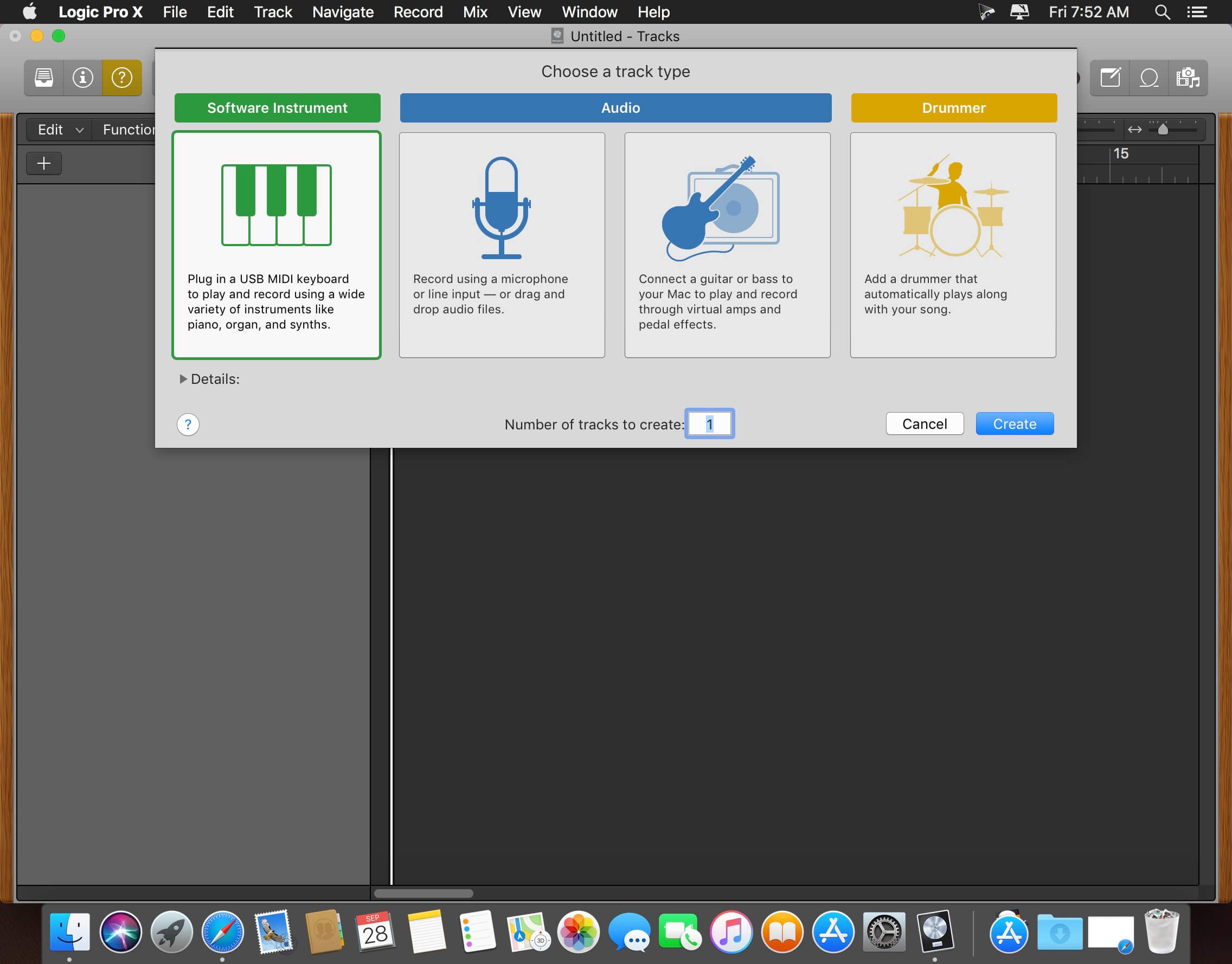
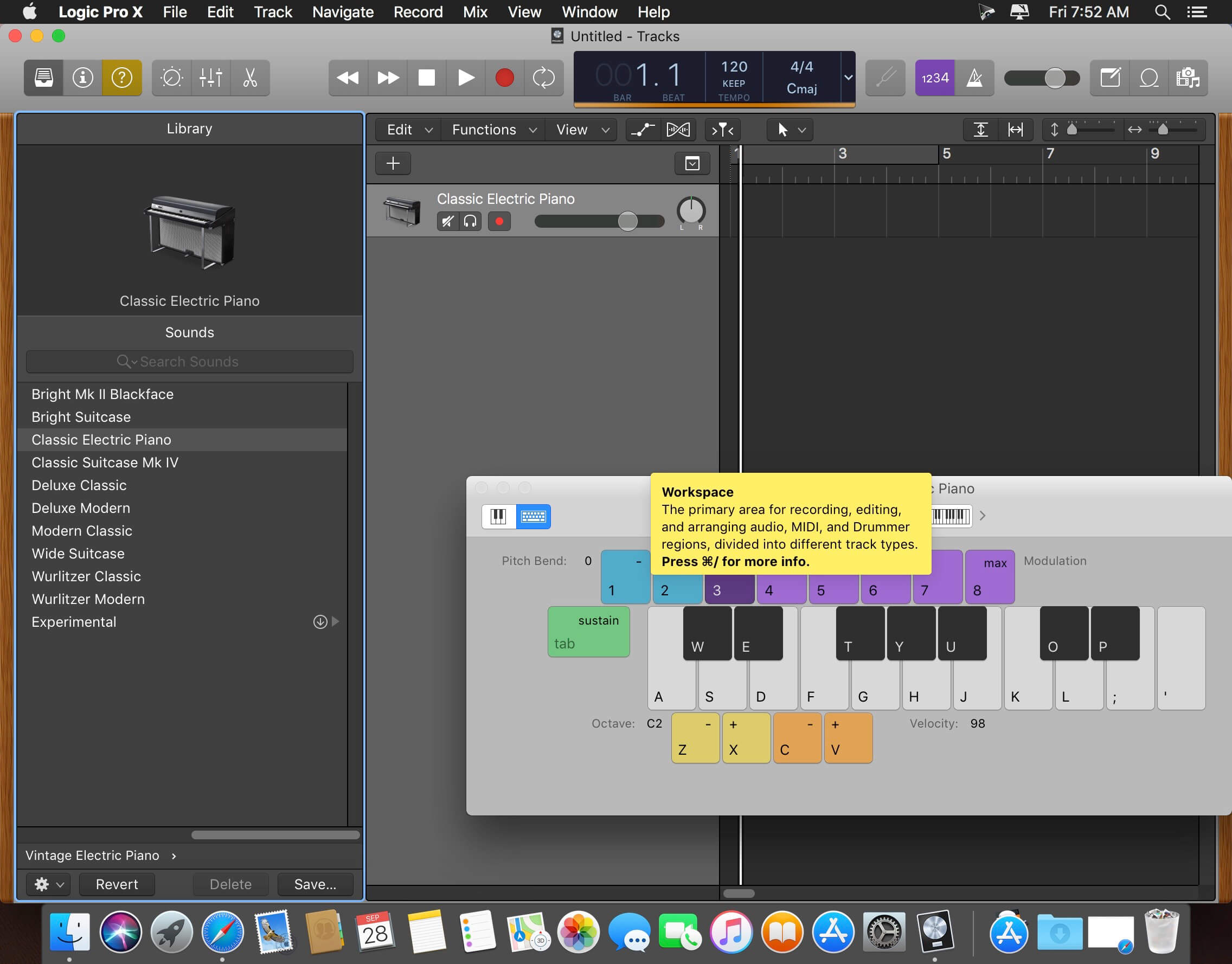
Logic Pro X is the most advanced version of Logic ever. Sophisticated tools for professional songwriting, editing, and mixing are built around a modern interface that’s designed to get creative results quickly and also deliver more power whenever it’s needed. Logic Pro X includes a massive collection of instruments, effects, and loops, providing a complete toolkit to create amazing-sounding music.
Powerful Interface
Consolidate and control multiple tracks or create rich, layered instruments with Track Stacks
Smart Controls allow you to manipulate multiple plug-ins and parameters with a single move
An enhanced Mixer lets you move, copy, and bypass channel inserts more efficiently
Quickly re-order song sections and try new ideas using Arrangement Markers
Autosave keeps your work safe and sound
64-bit architecture supports large projects containing hundreds of tracks and sampled instruments
Professional Music Production
Fix out-of-tune vocals and change the melodies of recorded audio with Flex Pitch
Manipulate the timing and tempo of any recording with ease using Flex Time
Record and seamlessly punch in and out of one or multiple tracks
Keep takes organized with take folders and build comps quickly with Quick Swipe Comping
Automation can be part of a region, not just the track, which makes it easier to use effects creatively
Create and mix music from anywhere in the room using Logic Remote on iPad
Produce simple lead sheets or orchestral scores with built-in Score editor
Create and edit MIDI using a comprehensive set of editors and tools
Drum Production
Create authentic acoustic, electronic, or hip hop drum tracks using Drummer, a virtual session player and beat producer
Choose among 28 distinct drummers that can take your direction and perform millions of unique grooves
Build your own acoustic drum kits with Drum Kit Designer using a diverse collection of deeply sampled, professionally mixed snares, toms, kicks, hi-hats, and cymbals
Customize the sound of your electronic beats using Drum Machine Designer
Keyboards and Synths
Get inspired by collection of synths that provide analog, wavetable, FM, additive, granular, spectral, and modeling synthesis
Quickly find sounds or create unique new ones with Alchemy, the ultimate sample manipulation synthesizer
Play or create a wide variety of rich sampled instruments with the EXS24 Sampler
Instantly turn a simple chord into a rich performance with the Arpeggiator
Transform simple ideas into elaborate performances using nine MIDI plug-ins
Create classic ’70s- and ’80s-style synthesizer tracks using Retro Synth
Play faithful models of vintage keyboards with Vintage B3, Vintage Electric Piano, and Vintage Clav
Guitar and Bass Gear
Build your own guitar or bass rig with Amp Designer using vintage and modern amps, cabinets, and mics
Design a custom Pedalboard from a collection of delay, distortion, and modulation stompboxes
Access the Tuner with just a click to quickly get in tune
Creative and Production Effects
Play your sounds through realistic acoustic spaces using Space Designer convolution reverb
Use a range of multi-tap, vintage tape, and stereo delays
Add movement to your tracks with a variety of modulation effects
Sound Library
Over 1800 instrument and effect Patches
More than 750 meticulously sampled instruments
4600 Apple Loops in modern urban and electronic genres
Compatibility
Expand your instrument and effects library with third-party Audio Units-compatible plug-ins
Import and export XML to support Final Cut Pro X workflows
Export and share your songs directly to SoundCloud
Open projects from Logic 5 or later
What’s New:
Version 10.4.8
This update contains stability improvements and bug fixes
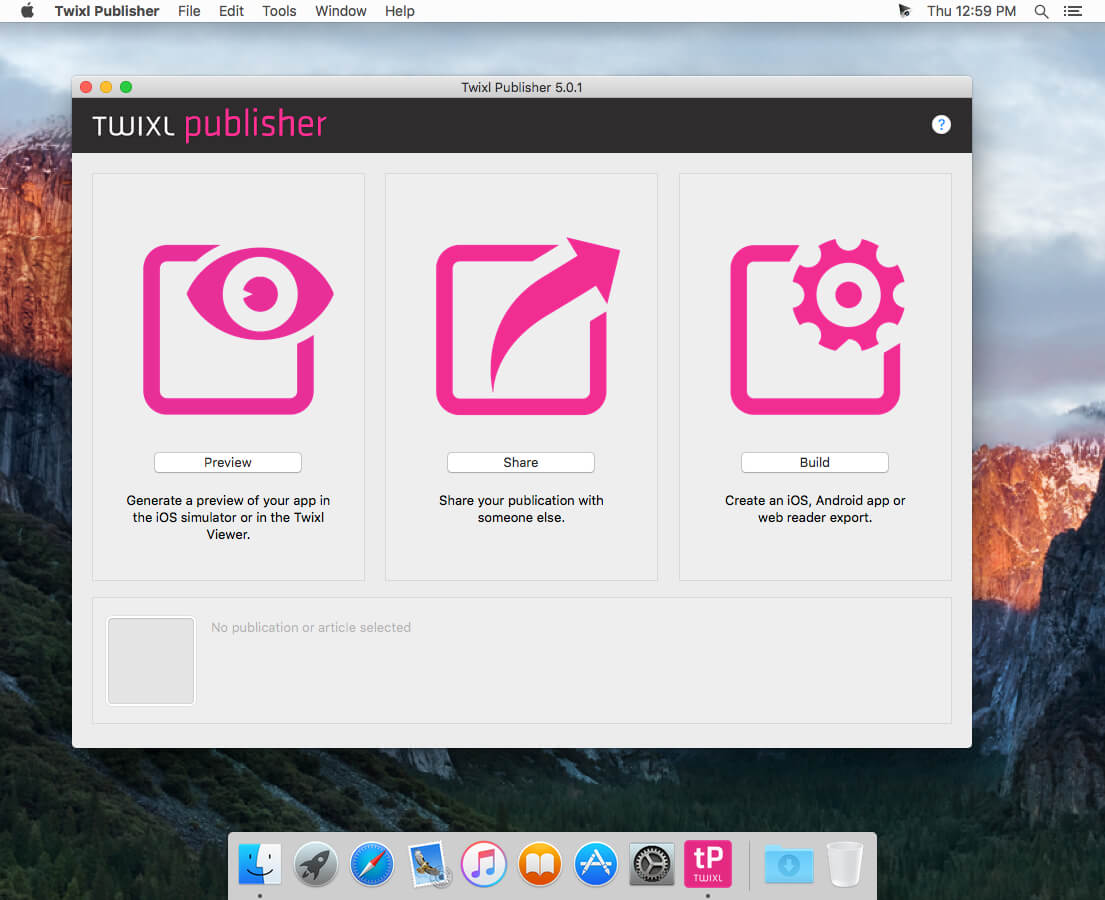
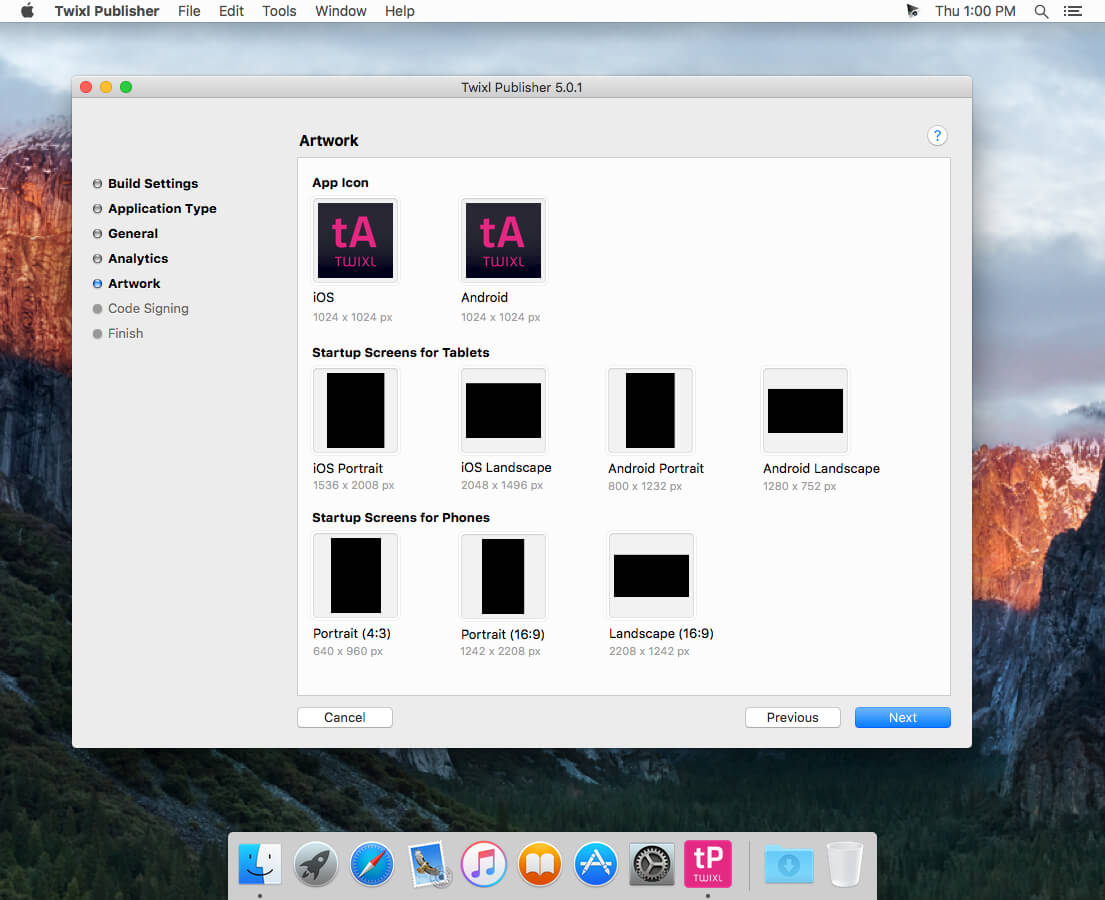
Twixl Publisher provides the ability to create applications and content, starting with design and ending with the creation and publication of applications in a single environment.
Twixl Publisher is a platform (a set of software and services): the program for OS X and the plug-in for Adobe InDesign CC2015, CC2014, CC or the CS6, to create interactive content for mobile devices both from existing documents, as well as “from scratch”.
Twixl Publisher can use a wide range of interactivity, such as photo slideshows, audio, video and HTML5 integration.
With Twixl Publisher, you can create applications for iOS phones and tablets, Android and Amazon or export content for viewing in a browser on a computer.
Twixl Publisher is based on the philosophy of ease of use, natural and intuitive. The user and his experience are the solutions center and it shows in every component of the system. We can only come up with, create and publish.
What’s New:
Version 10.2:
Release notes were unavailable when this listing was updated.
Compatibility: OS X 10.11 or later 64-bit, Adobe InDesign CC2019, CC, CS6, Xcode 6.1 or later Homepagehttps://twixlmedia.com/
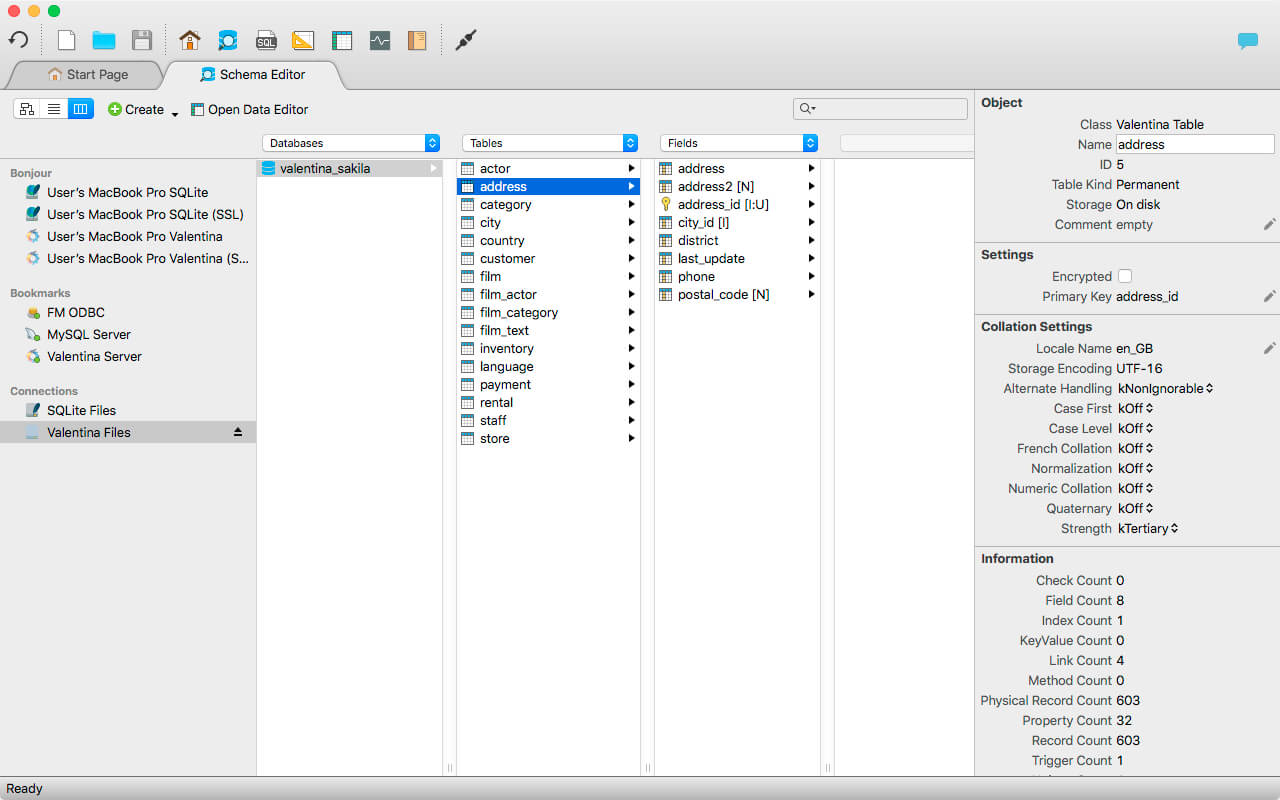
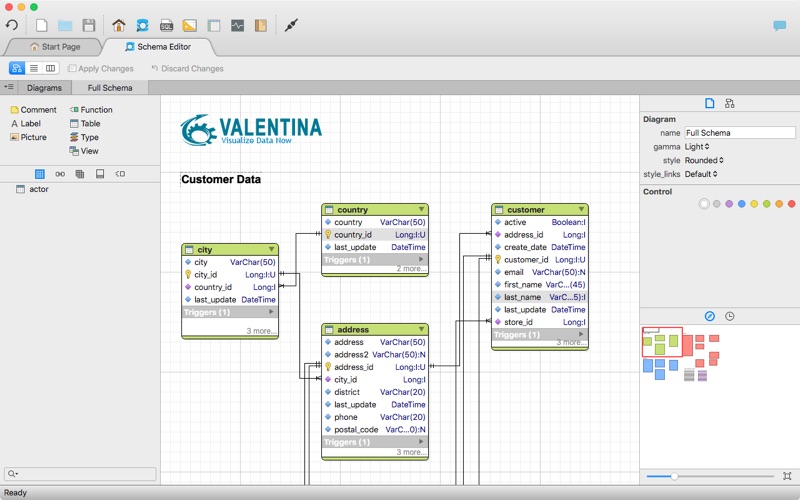
Valentina Studio is the ultimate data management tool for database administrators. Valentina Studio includes a wealth of database administration tools. Valentina Studio PRO to unlock advanced data modeling tools, report design and editing and more.
Valentina Studio brings you powerful, visual editors for your data including:
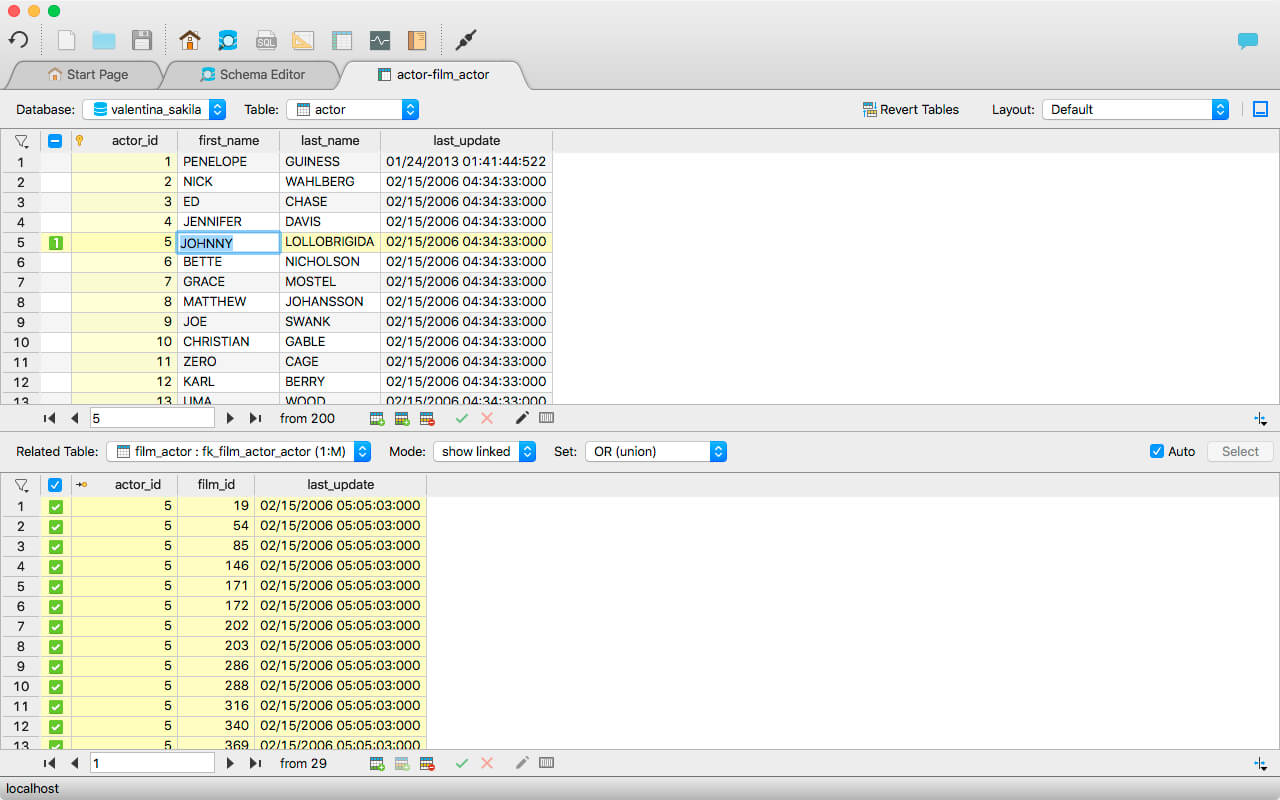
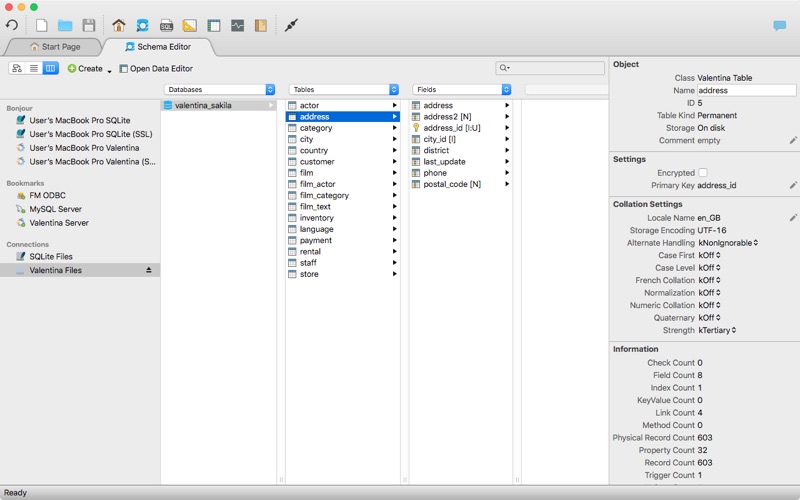
Schema Editor (tree view and column view) – create and modify all schema objects of supported databases: Tables, Views, Fields, Enums, Links, Constraints, Triggers, Indexes, Stored Procedures, …
Diagram Editor – design new diagrams or do reverse engineering, e.i explore existing databases visually.
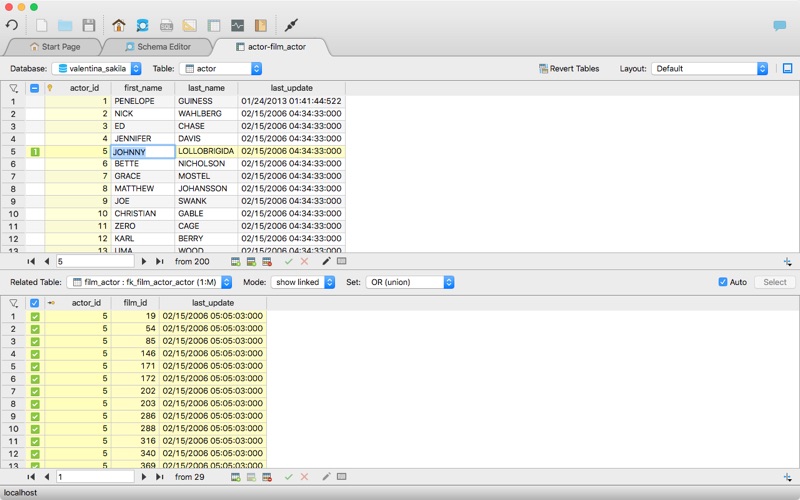
Data Editor – easily browse table records in the grid, modify records, an inline edit of values, sort, filter records and save favorite filters, preview images, hex editors for binary values, …
Related Data Editor – easily learn and manage linked records of two tables, link/unlink records by a mouse click, do set operations over linked records, …
SQL Editor – with color syntax, auto-completion, recent and saved favorite queries, templates, console with error/warning reporting, …
Query Editor – build SQL queries visually using just a few mouse clicks
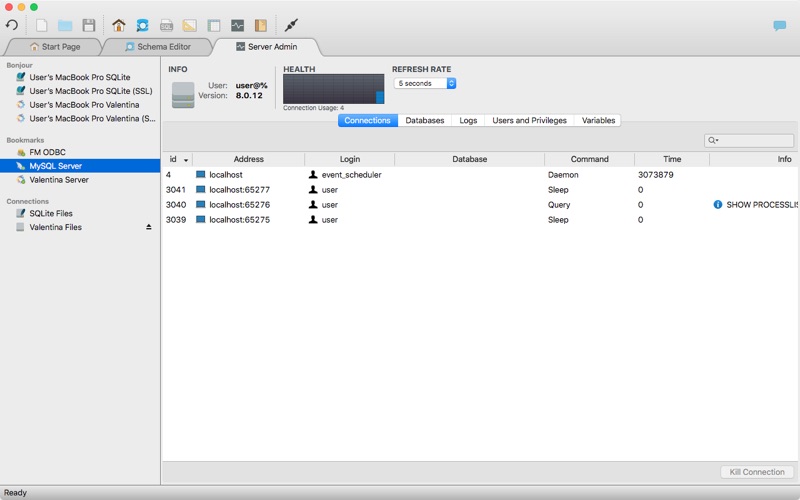
Server Admin – where you can manage users, learn logs and other parameters of servers.
Open as many editors as you like at the same time for different databases/servers opened in tab-panels. You also get different DB related utilities, including: Import/Export, Dumps, Diagnose, Clone, Reindex, …
MAS version of Valentina Studio uses iCloud to share bookmarks between your devices!
Valentina Studio Pro as an in-app purchase to get additional advanced pro-features such as:
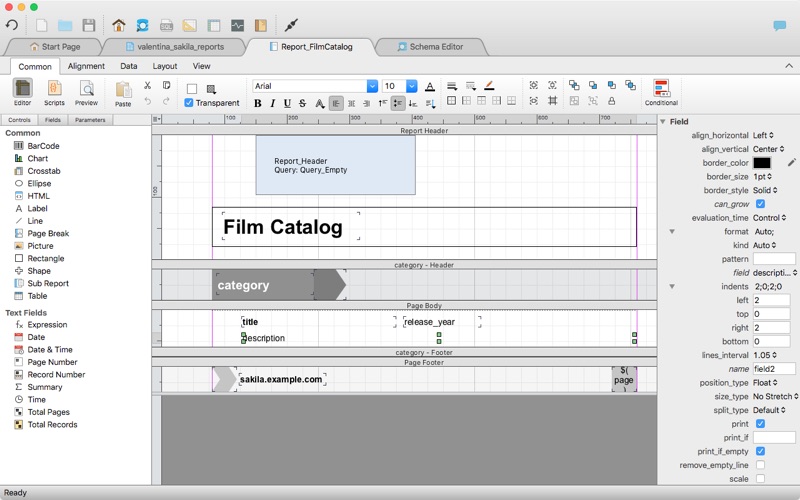
Report Editor – visual editor of Valentina Reports that can be saved into Valentina Project file (.vsp). Reports can use as datasource MS SQL, MySQL, PostgreSQL, SQLite, Valentina DB, ODBC.
Form Editor – visual editor of Valentina Forms that can be saved into Valentina Project file (.vsp). Forms can use all supported databases as the datasource.
Data Editor – enables go to parent record function.
Data Editor Layouts – save columns and their order as a named layout
Data Editor Multiple Update – update few records at once.
Data Transfer – copy data between different databases
Diagram Editor – enables forward engineering – i.e. generation of SQL scripts for new/changed database objects.
Dump Wizard – enables filter for tables to select them for a dump.
Error Lookup – search for error description by its code.
Keyboard Shortcuts – enables the ability to redefine the shortcuts and create own shortcut sets.
Object Colors – enables marking objects with specific colors.
Query Editor – enables the ability to copy the generated query.
Schema Cache – save and reuse the schema cache.
Schema Editor – copy one or few schema objects using drag&drop mechanism.
Schema Editor – expanding and collapsing the tree items with subitems using OPTION + click
Schema Snapshot – save and load schema in structured format.
Source Control – develop database using any VCS.
SQLDiff – find differences between two states of a databases and generate SQL script to move between these states.
SQL Search – search of schema objects.
SQL Editor – enables autocompletion for table aliases.
SQL Editor – format SQL queries.
SQL Editor – edit the result of SQL queries.
What’s New:
Version 9.7.1
Release notes were unavailable when this listing was updated.
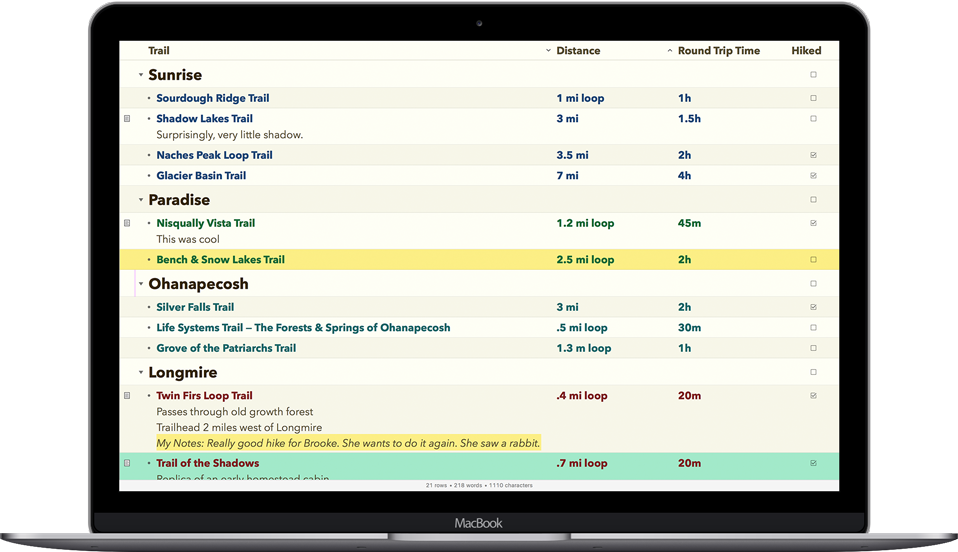
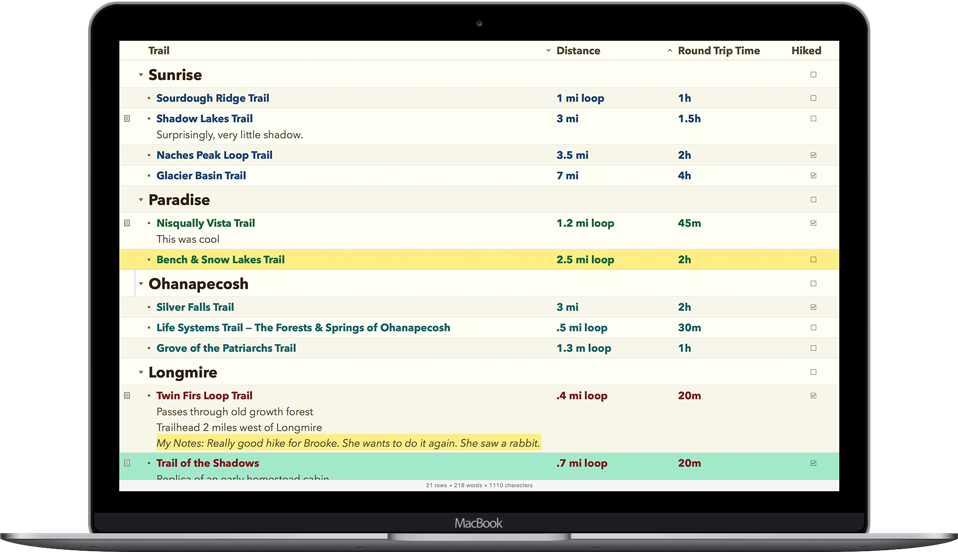
OmniOutliner 5 Pro – Outline: think, write, do. Create perfect outlines with a powerful, productive app. This is your all-purpose tool for Mac with smart columns, scriptability, custom styles, templates, and more.
What’s New in 5: – Saved Filters PRO – Document Stats – Distraction-Free Mode – Resource Search – Touch Bar Support – Typewriter Mode – Dark Mode – Customizable Keyboard Shortcuts Pro – Slide-In Sidebars Pro – Multiple-Row Focus Pro – OPML Mode – Excel Export Pro – Column Width Improvements Pro – Style Preview Pro
Touch Bar Context-aware support for Apple’s latest MacBook Pro. Get quick access to the most relevant controls.
Password Protection Encrypt the documents you’d prefer to keep private. OmniOutliner can now encrypt documents with a password.
Smart Columns Add columns to any document that deserves them. Columns can be used to summarize data—like summing up your monthly budget numbers—or a different type completely, like a multiple choice selection.
Audio Recording Record audio for posterity while you take notes in outline form. The recording is stored inside the document and can be played back to make sure you got everything right.
With OmniPlan, you can create logical, manageable project plans with Gantt charts, schedules, summaries, milestones, and critical paths. Break down the tasks needed to make your project a success, optimize resources, and streamline budgets. It’s project management made painless.
How to get your project done on time and under budget:
Translate strategy into tactics everyone can understand
Create summaries of work broken into lists of activities
Distribute workloads fairly and efficiently
Manage costs as you go
Plan, monitor, and control it all with software designed to make your job easier, not harder.
OmniFocus Standard and Pro are in-app purchases, with discounts for people who bought earlier versions of OmniFocus for Mac through the Mac App Store. Download the app for details.
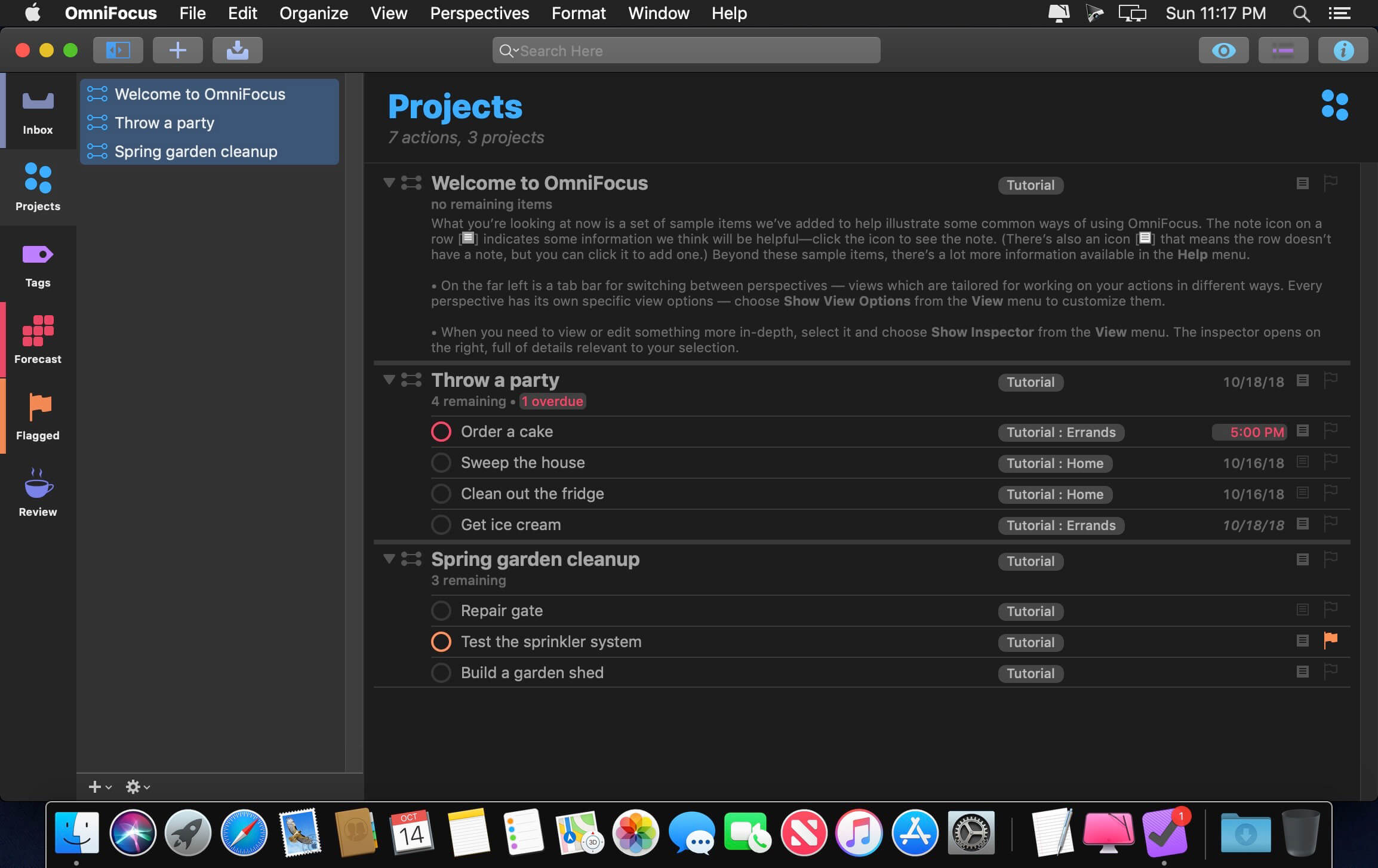
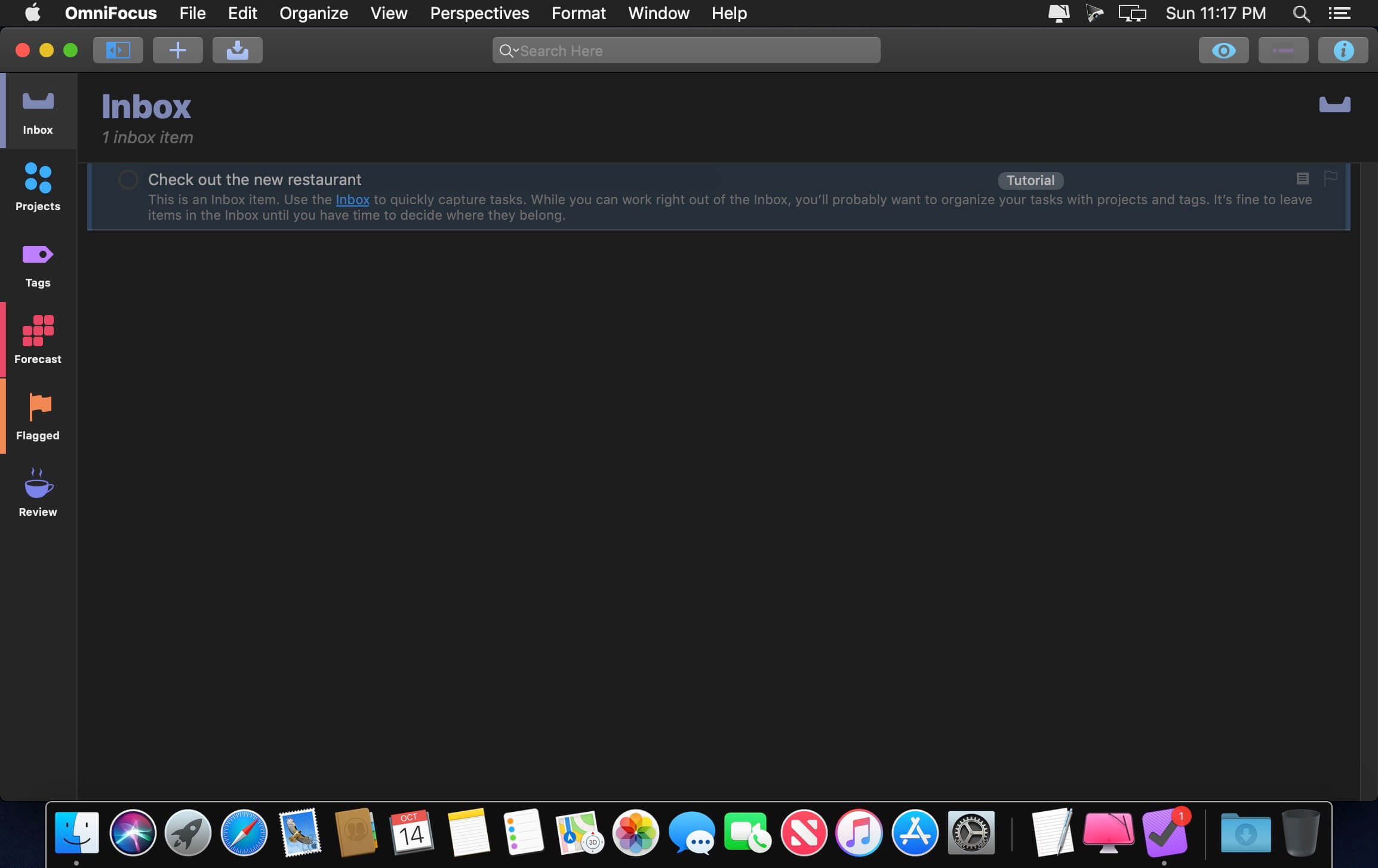
Use OmniFocus to accomplish more every day. Create projects and tasks, organize them with tags, focus on what you can do right now — and get stuff done.
OmniFocus — now celebrating 10 years as the trusted, gold-standard to-do list app — brings unrivaled power and flexibility to your Mac, making it easy to work the way you want to work.
OmniFocus manages everything in your busy life. Use projects to organize tasks naturally, and then add tags to organize across projects. Easily enter tasks when you’re on the go, and process them when you have time. Tap the Forecast view — which shows both tasks and calendar events — to get a handle on your day. Use the Review perspective to keep your projects and tasks on track.
Then let our free syncing system make sure you data is the same on every Mac. (And on OmniFocus for iOS, available separately.) Because your data is encrypted, it’s safe in the cloud.
STANDARD FEATURES
NEW: Tags add a powerful additional organizing tool. Create tags for people, energy levels, priorities, locations, and more.
NEW: The Forecast view shows your tasks and calendar events in order, so you can better see what’s coming up in your day.
NEW: Enhanced repeating tasks are easier than ever to set up — and they work with real-world examples such as the first weekday of the month.
NEW: The Modern, fresh-but-familiar design helps you focus on your content.
Inbox is where you quickly add tasks — save them when you think of them, and organize them later.
Syncing supports end-to-end encryption so that your data is safe wherever it’s stored, on our server or yours.
Notes can be attached to your tasks, so you have all the information you need.
Attachments — graphics, video, audio, whatever you want — add richness to your tasks.
View Options let you customize each perspective by deciding what it should show and how it should filter your tasks.
The Review perspective takes you through your projects and tasks — so you stay on track.
OmniFocus Mail Drop adds tasks via email and works with services like IFTTT and Zapier (if you’re using our free syncing server).
The Today Widget shows you your most important items — you don’t even have to switch to the app to know what’s up.
PRO FEATURES
Custom perspectives help you create new ways to see your data by filtering and grouping projects and tags. NEW: The filtering rules are simpler to use while being more powerful than ever, letting you combine rules with “all,” “any,” and “none.” You can also choose any image to use as your custom perspective’s icon, and a custom tint color to go with it.
NEW: Today’s Forecast can include items with a specific tag, and you can reorder those tasks however you choose, so you can plan your day better.
The customizable sidebar lets you organize your perspectives the way you want to, for super-fast access.
The Today Widget shows a perspective of your choice in Notification Center.
AppleScript support opens up a world of automation, using Apple’s Mac scripting language.
Amadeus Pro lets you use your Mac computer for any audio-related task, such as live audio recording, digitizing tapes and records, converting between a variety of sound formats, etc. Thanks to its outstanding direct-to-disk abilities and waveform caching, edits on arbitrarily large sounds (even beyond the usual 2GB limit) are performed at lightning speed. The handling of large sounds is furthermore facilitated by the extensive support of markers. Its outstanding sound repairing and denoising abilities make Amadeus Pro particularly suitable for transferring vinyl records on CD.
Features
Simple and elegant OS X-like user interface
Multitrack editing an recording.
Batch processing and conversion.
Sound denoising and repairing.
Supports a variety of sound formats, including AIFF, Multichannel Wave, MP3, MP4, Ogg Vorbis, FLAC, SoundDesigner II, QuickTime, Apple CAF, etc.
Support for VST and Audio Unit plug-ins.
A “favourite actions” palette allows to have your most commonly used effects only a mouse click away.
A wide range of powerful audio analysis tools.
Audio CDs with CD-TEXT data can be burned directly from within Amadeus Pro.
What’s New:
Version 2.6.2:
Advanced preference to choose whether to parse file extensions for batch processor file filters
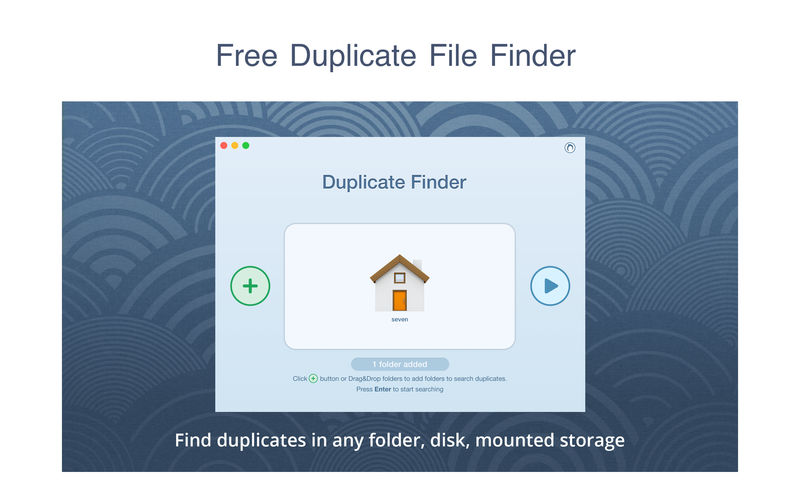
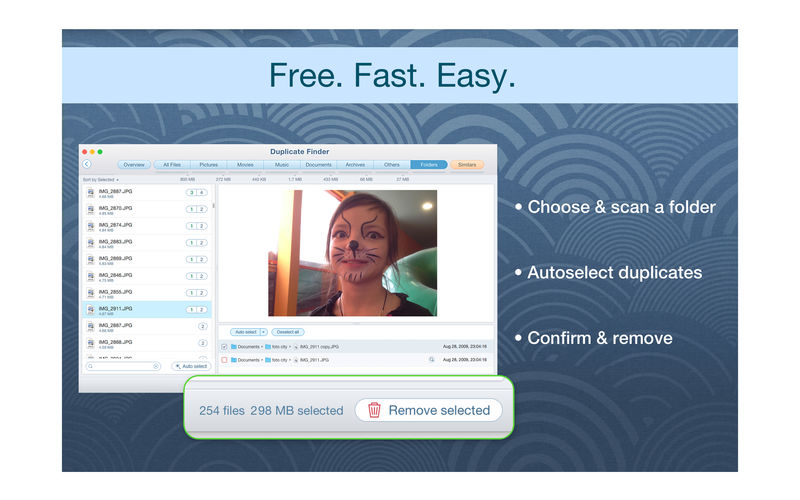
Duplicate File Finder is a app that finds duplicate files on your Mac in just 3 clicks. Drag & drop as many folders as you wish and click SCAN. Within a minute the app will give a report with all duplicate files by categories: images, videos, music, archives, documents, and all other specific extensions. It’s really easy to see how much space each file takes.
Features:
SCANNING
– fast scanning algorithm – scanning for duplicates in multiple folders or drives – external drives & mounted network folders support – “Recent Folders List” for scanned folders – animated scanning process – skip list for various files & folders
RESULTS OVERVIEW
– visual chart report when scanning – duplicate files list – duplicate files by types
DUPLICATES
– built-in duplicates search – preview & quick look for every file – sort duplicates (by name, size, total size, type, and duplicates count)
REMOVING
– visual progress bar of selected files for removal – one-click selection of multiple duplicate files – smart duplicates autoselection – “always select” & “never select” autoselect options – confirmation list of deleted files – moving to Trash or permanent removal option
Duplicate File Finder FREE features:
• Find duplicate files and folders • Find duplicates in multiple folders in one session • Find duplicates in any folder, disk, mounted folder or storage • Add files, folders and specified files extensions to Skip list • Tune minimal duplicate file size for better duplicate finding performance • Preview a visual report of found duplicates • Review duplicate files by types • Preview duplicate folders • Preview any duplicate file with built-in Preview option • Get detailed information about any duplicate • Use Autoselect for quick duplicates selection and removal • Customize Autoselect option • Preview similar folders – the folders with duplicate and unique files • Preview log of removed duplicates • Review selected duplicates before removal • Remove duplicate files permanently or move them to the Trash • Get guaranteed response to your ticket at support@nektony.com within 1 business day
Duplicate File Finder PRO features:
• Use cleanup hints • Find duplicates in hidden folders • Remove duplicate folders and the duplicate files in Similar folders
In-app purchase Upgrade to PRO required to:
– find duplicates in hidden folders – remove duplicate folders and duplicates in Similar folders – Autoselect duplicate folders.
Gifox is a beautifully designed and masterfully crafted app that records your screen into animated gifs – the great alternative between static images and full-size videos.
It’s your best companion for:
– Micro-screencasts and product demos
– Animated instructions and bug reporting
– Selective on-screen video capturing
Compatibility: macOS 10.12 or later 64 bit Homepagehttps://gifox.io
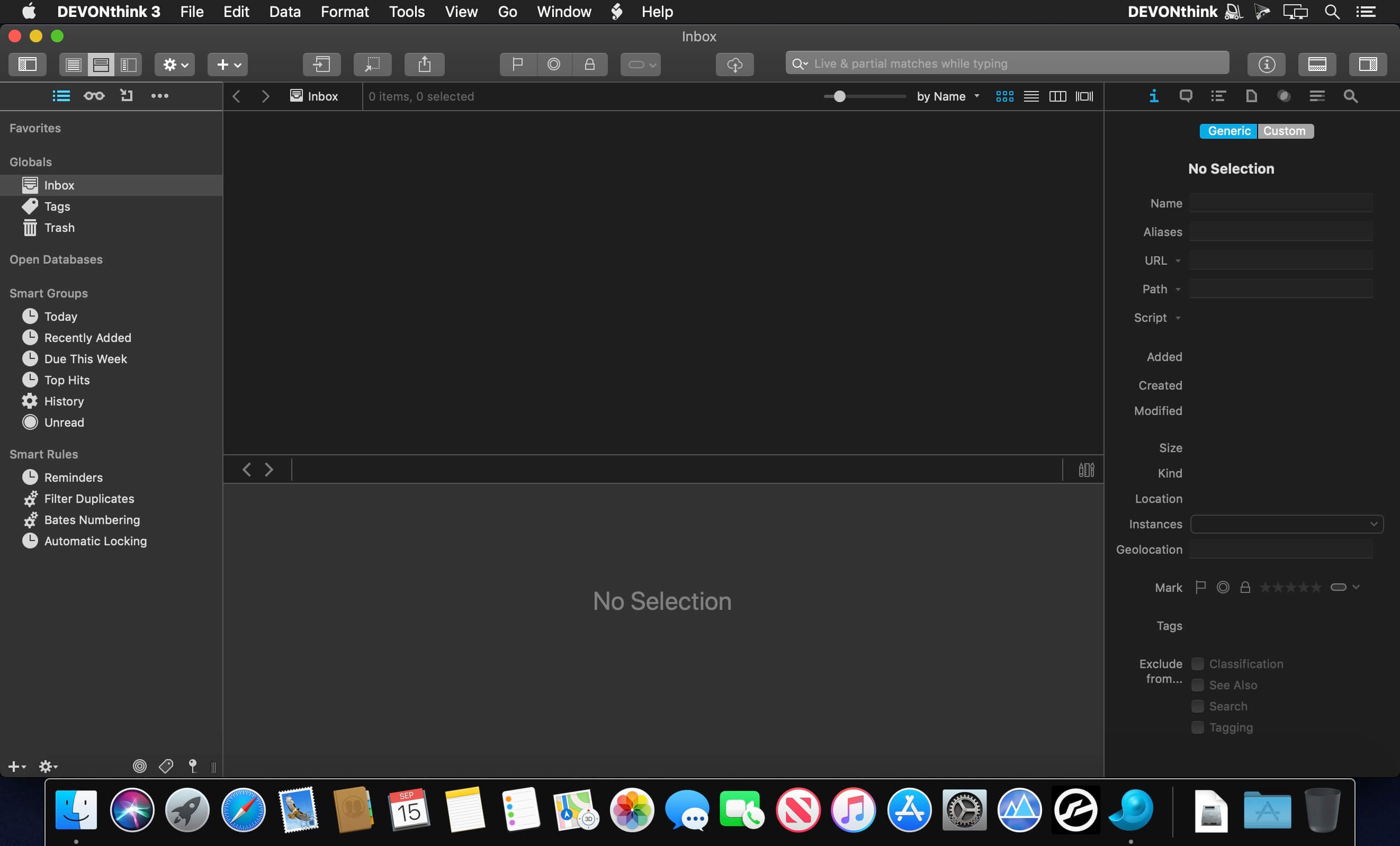
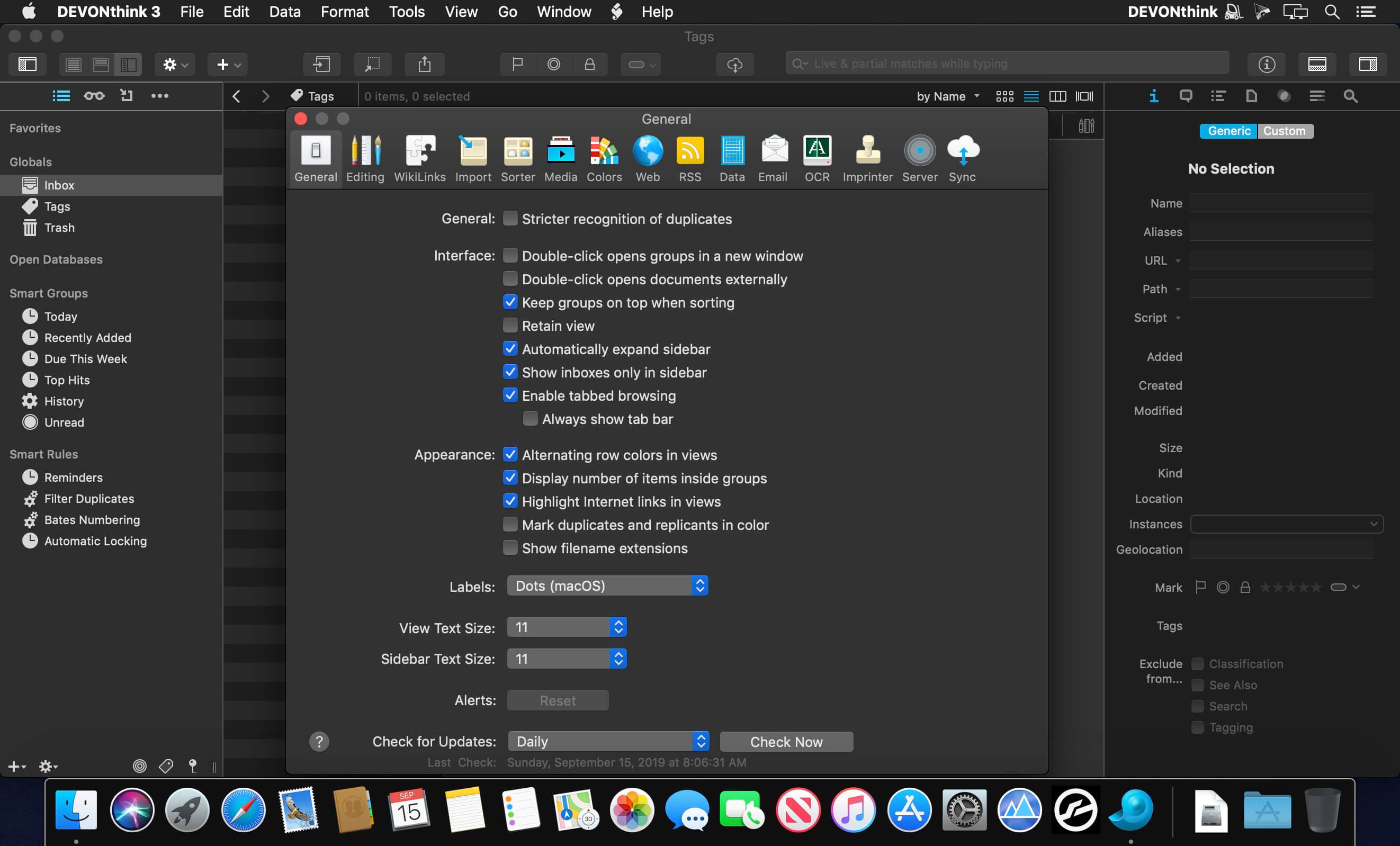
DEVONthink is DEVONtechnologies’ document and information management solution. It supports a large variety of file formats and stores them in a database enhanced by artificial intelligence (AI). Many document formats can be directly viewed, edited, and annotated. A powerful search language finds documents in an instant, smart groups keep them always at hand.
Sophisticated organization tools, AI-based techniques that handle even the largest collections, and numerous integration options make DEVONthink the work environment of choice for researchers, lawyers, and educators. Smart rules, flexible reminders, and deep AppleScript support allow automating even complex repeating tasks. And with its fast, reliable, and secure synchronization users keep their data available on all their Macs. DEVONthink To Go for iPad and iPhone completes the DEVONthink ecosystem.
Keeps your data together
Scans your paper
Archives your email
Assists you with A.I.
Syncs your data securely
Automates repeating tasks
Lets you share your data
What’s New:
Version 3.0: This long-awaited release debuts many exciting new features and improvements including: a new integrated user interface, custom metadata, reminders, and new automation options that are even accessible to non-programmers.
We have extended the capabilities of our already powerful search engine with search prefixes, like tags: and name:, to allow constructing more focused searches. Working with annotations and navigating PDFs is now easier and more efficient. A new OCR engine transforms scans into searchable PDFs faster and more accurate, the rewritten web interface supports teams with user and access permission management, and the new Sorter makes it easier than ever to add new data to DEVONthink. PDFs and images can also be imprinted with custom data, including Bates numbering. And if privacy is your concern: encrypted databases keep your data securely locked away from prying eyes.
In addition to the wealth of new features, DEVONthink has maintained and improved the core technologies you’ve relied on in previous versions. To make it easier to get started with DEVONthink, we have also thoroughly revised and rewritten the documentation, providing a handy and quickly accessible reference.
NOTE: Starting with this release DEVONthink requires OS X El Capitan (10.11.5) or later.
Product Line
Three new editions: DEVONthink, DEVONthink Pro, and DEVONthink Server. All editions support automation, multiple databases, and all file types.
User Interface
Added a new integrated user interface, utilizing panes versus independent windows for many functions.
Added support for the dark mode color scheme in macOS Mojave and later.
Added the Info inspector, showing general information and custom metadata about selected files.
Added the Annotations & Reminders inspector, allowing you to set reminders, view Finder comments, and create, view, and edit annotation files. Reminders can be one-time or scheduled, and they support several alarm options, including executing scripts.
Added the Content inspector displaying: the table of contents found in some Markdown, EPUB, and PDF documents, or the thumbnails for PDFs.
Added the Document inspector displaying: indexed metadata, added annotations (highlights, text, etc.) and detected links in PDF, RTF, and web-based documents, e.g., web archives.
Added the Concordance inspector giving you access to a word frequency list. It also has a new Cloud view, showing a word cloud with sizes based on word weight.
Added the See Also & Classify inspector, displaying suggested filing locations for or documents related to the selected item.
Added the Search inspector, providing in-document search-and-replace and a list of search results. It also allows viewing the context of the search term and easy navigation through the document.
Added the Reading List sidebar to gather items you want to read or return to at a later time, e.g., to easily access bookmarks, PDF pages, or specific points in video or audio.
Added the Extras sidebar providing access to up-to-date scripts, templates, tips and tricks, and news from us.
Added the Import sidebar integrating scanning and email archiving.
Added an Activity pane for a less intrusive display of certain processes.
Security
Added encrypted databases for maximum privacy.
Searching & Navigating
Added search prefixes, e.g., tags: or name:, to allow for more focused searches. These are also used in scripting.
Search, including advanced criteria options, is now integrated into the main window.
Improved indexing and searching, including better support for Asian languages and indexing PDF and RTF attachments.
More precise highlighting of search hits when using proximity operators, e.g., NEAR or BEFORE.
Added Filter panes for filtering the displayed files by tags, dates and marks (label color, locked state, etc.), or geolocation data.
Added Go > To Group, Data > Move To, and Edit > Insert Item Link commands and popovers. These allow quicker access to open, reorganize, or link to items in your databases.
Favorites can now contain documents.
Tighter integration with the filesystem when using indexed files.
Working with Documents
Added a new 64-bit OCR engine with multi-core processing, Asian language support, and output to multiple formats.
Added the ability to create custom imprints, including placeholder text and Bates numbering, via Preferences > Imprint. For use with images and PDF files.
Added support for barcode detection.
Added a new web sharing interface and web server, utilizing secure connections via TLS and allowing creation of users with per-database permissions.
The Sorter has been redesigned and supports: searching open databases, multiple note taking options, including audio, video, and integrated screen captures, and includes the Clip to DEVONthink functions.
The Clip to DEVONthink browser extension for Safari is now a native extension.
Added custom metadata to support situation-specific needs. Multiple data types are supported, e.g., sets, Booleans, and numbers.
Added more options to convert metadata to tags, e.g., hashtags or geolocation data.
Added support for geolocation data, including the ability to enter it manually.
Added ratings, 0 to 5 stars.
Added automatic image tagging using machine learning.
Added the Formatting bar, shown under the toolbar, for use with rich text documents.
Added the Editing bar, displayed over the View/Edit pane, for quicker editing with document type-specific tools.
Added side-by-side view for editing HTML and Markdown documents.
Added form views and support for specific data types (number, date, etc.) to sheets.
Added Tools > Summarize Highlights to create a new RTF file containing the highlighted text from selected PDF and RTF files.
Added Tools > Create Metadata Overview to easily assemble metadata for selected files in a sheet that can be shared or exported.
Improved EPUB support with reading, search, and conversion to other formats, e.g., rich text or PDF.
Improved automatic WikiLinking, including support for the square bracket syntax, and active links in the rendered view of Markdown documents.
Automating Your Work
Added smart rules and Tools > Batch Process to execute event-driven actions on files, on a schedule or on demand.
Added new, easy to use data placeholders for use in templates, imprints, smart rules, and batch processing.
Added reminders that can be added to documents. They can be one-time or scheduled, and they support several alarm options, including executing scripts.
Improved and extended the AppleScript capabilities, including the ability to use scripts in reminders and smart rules.
Other Improvements
Revised and rewritten documentation.
Improved background processing of several functions, like email archiving, indexing, thumbnail generation, etc.
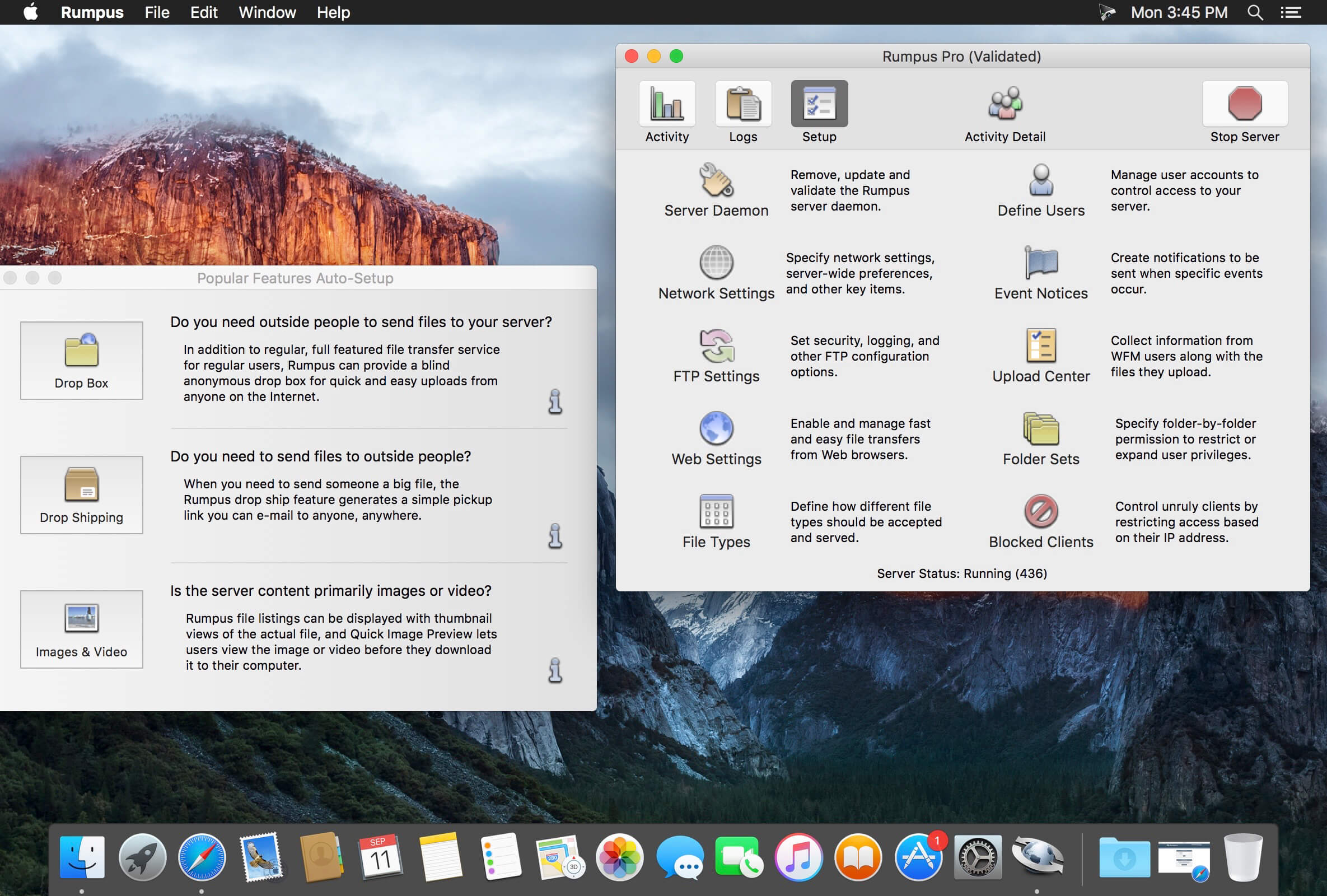
Rumpus is an easy-to-use, high-performance FTP, WebDAV, and Web file-transfer server.
Key features include built-in, easy-to-administer user accounts, integrated Web file transfers, file upload notification, extensive security options, blazing performance, and more…. Also included is a remote-server activity monitor, Rumpus FileWatch, and a server-statistics widget, RumpusStat.
Performance Rumpus is not only lightning quick, but it’s efficient, too. This means that FTP and Web users will be able to transfer and manage files as fast as the network allows, while leaving plenty of CPU time for other applications running on your server or desktop Mac.
Ease Of Use And Maintenance Rumpus is, quite simply, the easiest FTP server on the planet to set up and administer. From the setup assistant that fully prepares the server to accept users to the logically designed server management windows, Rumpus makes running an FTP server easy.
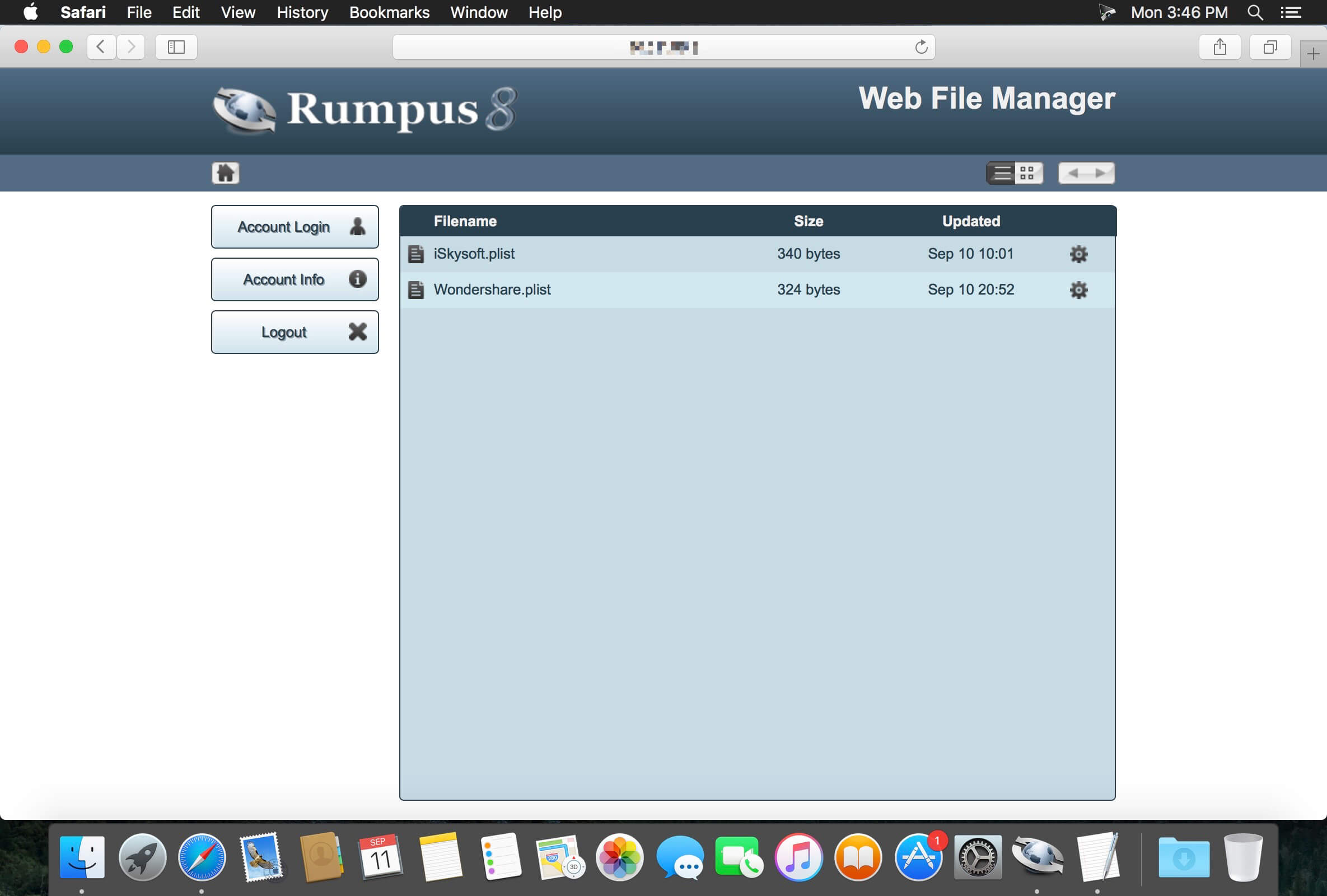
Web File Manager In addition to offering an incredibly high-performance FTP server with unmatched ease of use, Rumpus also includes the Web File Manager. The Web File Manager makes it easy to provide FTP-like capabilities to anyone with a Web browser.
Simple User Management FTP users are managed directly in Rumpus, not in the system, keeping your FTP users distinct from other server resources. Not only does Rumpus make managing users easy, but it gives you advanced controls like individual drop folders, access restrictions, usage limits, account history, and more. The single-window user management interface in Rumpus is also supplemented by Web-based administration, allowing you to define and manage user accounts from anywhere on the Internet.
A Real Mac Application Rumpus runs natively on any Mac running OS X 10.5 or later. There’s no Java required and the memory footprint and CPU usage is tiny. You will also appreciate the comprehensive help pages and articles, that cover not only how to use Rumpus, but networking issues and the general FTP information you need when you have questions.
Professional Technical Support Maxum has been selling Internet server software for Macs longer than anybody (including Apple!). When you have a question, we’re here to help. We believe that you have a right to get the most out of the software you buy, always. So, we offer unlimited, free technical support.
What’s New:
Version 8.2.9:
Corrected a potential security flaw. All Rumpus administrators are encouraged to update
Rumpus 8.2 Tether
The “Rumplet” application has proven to be very popular, so we’ve massively expanded on it. Rumpus 8.2 includes a client application “Rumpus Tether” that is designed to run within your organization to give your users quick and easy access to content on the Rumpus server.
Tether includes 3 basic views, a file browser, a recent files list, and a drop ship listing. Users can upload, download, preview, and delete files on the server with a single click, and can create new drop shipments with more flexibility than previously possible with Rumplet.
A Rumpus server license will automatically include the ability to run a number of Tether clients (depending on whether the Rumpus server license is Standard or Pro), with additional simultaneous seats available on a per-client basis.
Two Factor Authentication
Traditionally, users supply a password to gain access to restricted services. The password represents one “factor”, but in some cases, it is desirable to have a second method of authenticating a user as well. This is known as “2 factor” authentication.
The second “factor” supported by Rumpus requires that a personal identification number (PIN) be sent by the server to the user logging in, which they subsequently enter as part of the login process. Rumpus currently directly supports e-mailing the PIN to the user, thus confirming that the user not only knows the correct password, but also has access to the e-mail account associated with the user account in Rumpus.
Two factor authentication is available for Web File Manager logins, and is configured on the Web Settings window, “Authentication” tab. Also required is correct SMTP setup on the Network Settings window, E-Mail tab, and the e-mail address of every user defined on the User Accounts window. (Rumpus must know the e-mail address of every user, as this is a key component of identifying the user via PIN.)
Other Additions And Changes
Rumpus 8.2 includes better support for client IP address detection, including discovery of client addresses in SFTP, and in HTTP/HTTPS when the server is behind a proxy.
User Accounts can now be assigned a phone number, for informational purposes and potentially for text message-based 2 Factor Auth.
The administrator can now require that drop ship senders assign a password to drop shipments.
Upload Center forms now offer “robot protection”, blocking suspected robots from submitting forms.
The main control window in the Rumpus for Mac application has been updated to include easy access buttons to Web administration on the server, documentation, and the About Box.
An “Administrator Advisory” box has been added to the Rumpus control window. The box provides messages about recent activity that the administrator may want to investigate or take note of.
On the Web File Manager directory listing page, pressing a key now auto-scrolls the listing to the first filename that begins with the pressed letter.
Password retrieve actions are now correctly recorded in the WFM log.
OpenSSL has been updated to version 1.0.2p and LibSSH has been updated to version 0.7.7.
Added support for the FTP “MFMT” command.
Improved SFTP DoS attack recovery to reduce the effects of potential spambot outages.
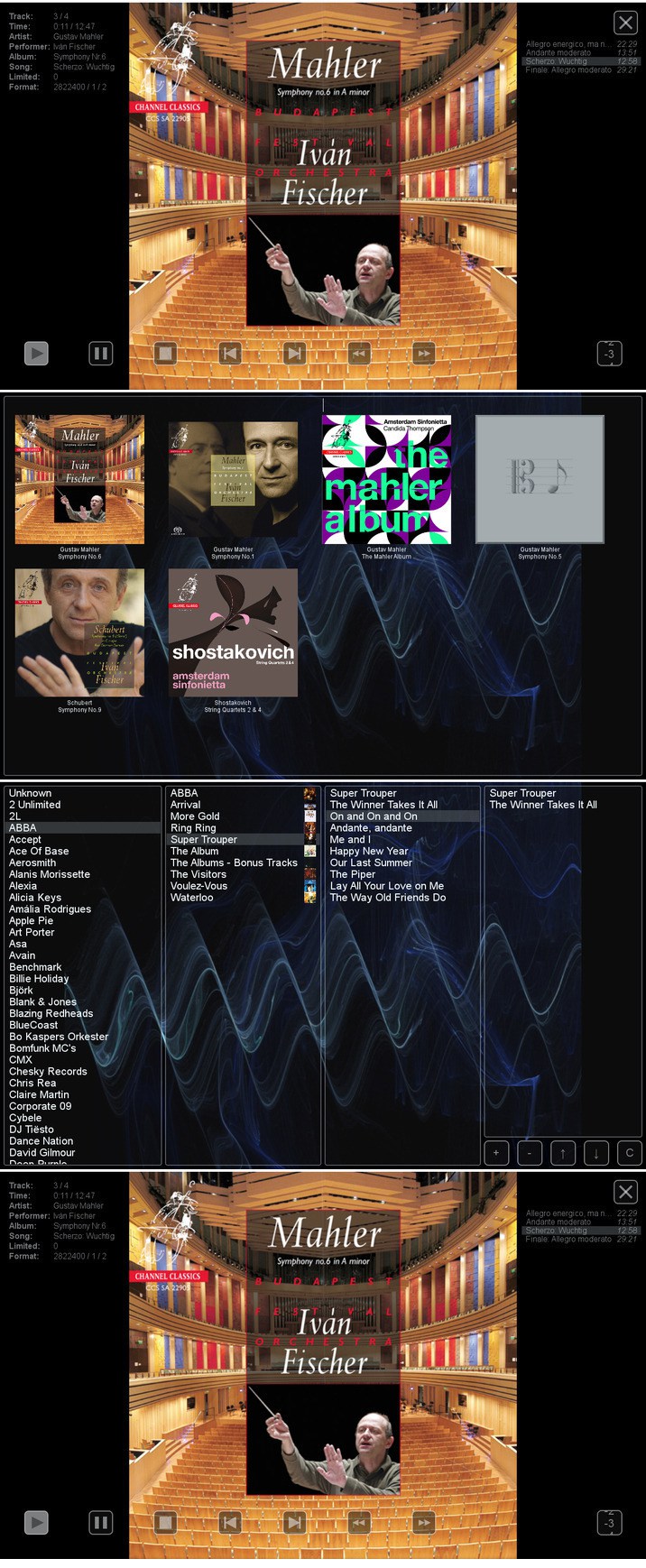
HQPlayer is a high quality audio player for Mac OS X. HQPlayer also features several selectable high quality upsampling and downsampling algorithms as well as selectable dither, noise shaping and modulator algorithms. All modern DACs employ oversampling and delta-sigma modulation, however the hardware implementations are more or less resource constrained.
Higher quality oversampling and delta-sigma modulation can be done by utilizing vast mount of processing power available in modern PCs. Many AVRs also resample internally to 48, 96 or 192 kHz, with the HQPlayer, these can be fed at the native rate. Want to buy 192/24 or DXD files for future but currently own only 96/24 capable hardware? Or want to buy DSD128 or DSD256 files but currently own only DSD64 or 192/24 PCM capable hardware? Resampling and dither/noise shaper can be used to playback high resolution files on a lower resolution hardware, allowing future-proof investment on high resolution files. For digital room correction and other equalization purposes, selectable convolution algorithms are included. Convolution engine supports RIFF (WAV) format FIR impulse responses, which can be produced with suitable software, such as Acourate, Room EQ Wizard or DRC.
Network Audio Adapter Network audio is especially useful to give freedom from cables when player is run on a tablet or other wireless device. Processing is performed by the player application and the processed data is then asynchronously streamed over network to a very lightweight network audio adapter interfacing to the DAC. Asynchronous FIFO provides maximum isolation between processing and audio reproduction.
Supported source formats:
CDDA (Audio CD)
FLAC
DSDIFF (DFF, non-compressed)
DSF
RIFF (WAV, including DXD)
AIFF
RAW streams
What’s New:
Version 4.3.0:
Release notes were unavailable when this listing was updated.
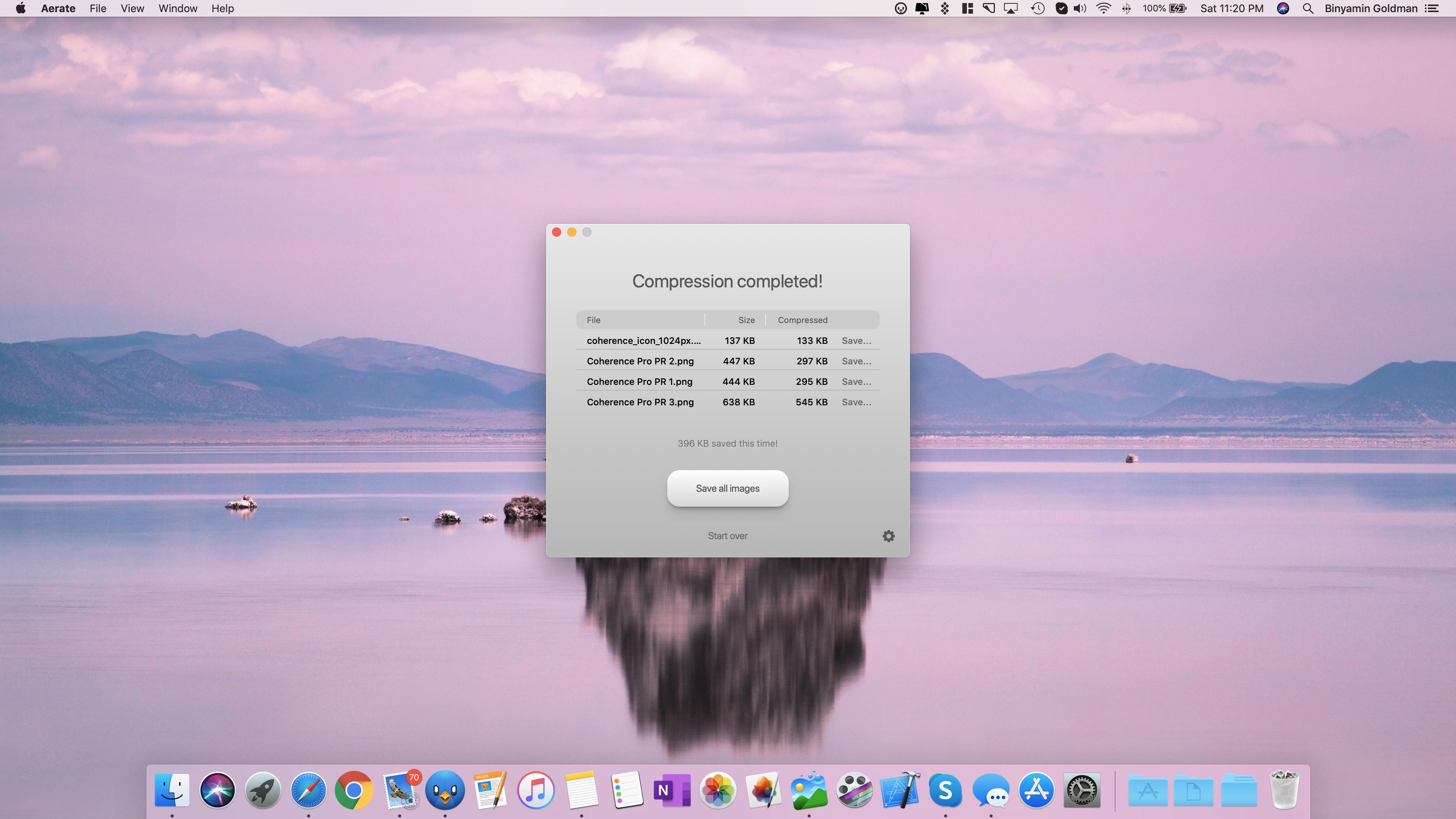
Effortlessly compress your images without loss of quality. Aerate offers an industry leading default mode, as well as new fast and extreme presets. Switch between modes quickly using the new compression slider.
Aerate also includes a first of its kind multi-core mode, that allows you to take full advantage of your CPU and compress images simultaneously. Exclusively available in Aerate Pro.
Features:
• Batch compression – Compress folder or stacks of images simultaneously.
• PNG and JPG support – Category leading support for PNG compression as well as loss-setting JPG support.
• Results view – Easily reviews and save images individually.
• PSD to JPG conversion – With Aerate, you can easily covert PSDs to JPGs. They can even be included in a batch.
• File extensions – Automatically assign a custom extension for compressed files.
• JPG metadate removal – Aerate can automatically remove JPG metadata, including in bulk processes.
• PNG to JPG conversion – You can easily convert your PNG images to JPG post conversion, allowing maximum results.
• Dark mode – Aerate includes a beautiful new dark mode that can be custom toggled in preferences.
MonkeyCam Pro is a new procedural camera animator for After Effects that makes complex camera moves in 3D space a breeze. Featuring instant set up and a breakthrough motion algorithm that eliminates Gimbal Lock, MonkeyCam Pro is the latest in a line of Monkey Tools designed to be a perfect blend of power and simplicity. Includes multiple interpolation options, motion effects and marker-based timing controls for easy adjustments and audio syncing.
Antivirus Zap Pro 3.8.6.1 [TNT] mac-torrents.net.zip
Size
208.1 MB
Created on
2019-12-01 18:58:02
Hash
178354e713ee80e885e98592fed8a0d6d0abf61b
Files
Antivirus Zap Pro 3.8.6.1 [TNT] mac-torrents.net.zip (208.1 MB)
Download Antivirus Zap Pro 3.8.6.1
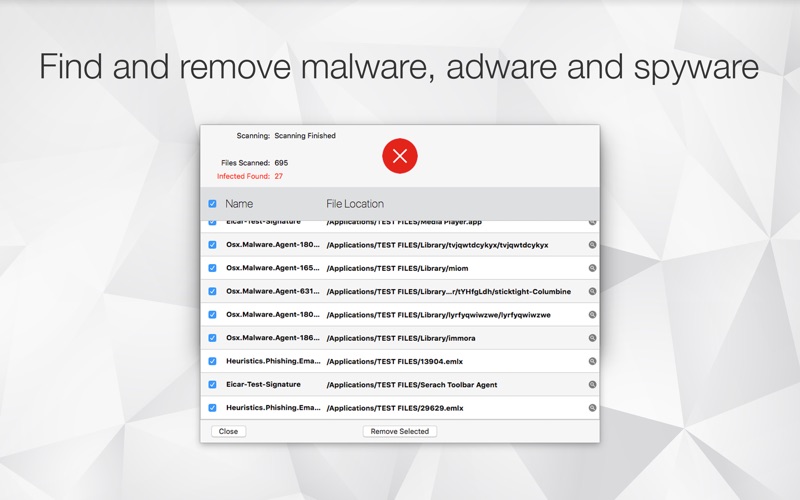
Antivirus Zap is a comprehensive solution that scans and removes malware and other malicious software from your Mac. It detects threats or suspicious files that are already on your Mac and protects you from being exposed in the future.
Features
Detects and Removes malware and viruses to safeguard your Mac
Quick Scan:
Checks the most likely locations for malware and adware
Depending on the number of files, the scan takes about 515 minutes to complete
Normal Scan:
Checks an extended list of most likely locations including Applications, Downloads, Desktop, Mail Download etc. folders
Depending on the number of files, the scan takes about an hour or more to complete
Full scan:
Comprehensive scan that checks the whole system.
Depending on the number of files, it takes an hour or more to complete, ideal for an overnight scan
Custom scan:
Select any specific files or folders to scan
Perfect for suspicious files, folders and USB drives
Scan + Browser Restore:
Same as the Quick Scan and also restores internet browsers by removing extensions, cookies and caches
Depending on the number of files, the scan takes about 1030 minutes to complete
Scans all applications and processes currently in the memory
Scans all programs that start automatically by the system
Detects not only macOS but also Windows and Linux threats. You can scan Windows bootcamp, external and network drives for malware.
Option to exclude certain file types which are unlikely to pose a threat such as image, movie and audio files
Also searches for malware in archives (zip, pkg, etc.) and inside various types of files such as pdf, pkg, zip, etc.
Easy to use user interface
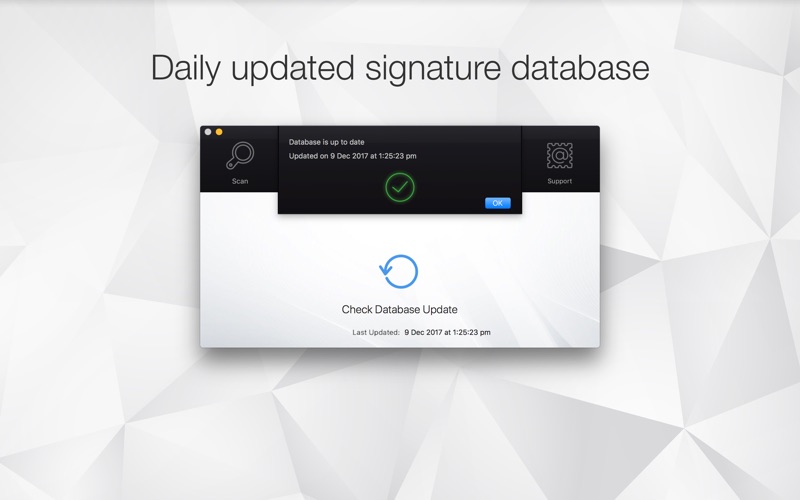
Daily database updates
Information
CompatibilityOS X 10.10 or later, 64-bit processor
VH Smoke Elements Pack Final Cut 24297220 mac-torrents.net.zip
Size
36.44 MB
Created on
2019-12-01 00:28:38
Hash
94aabdbb914c6739bcc0e59a2277cd564ba0dd13tb0hqgy
Files
VH Smoke Elements Pack Final Cut 24297220 mac-torrents.net.zip (36.44 MB)
Download Smoke Elements Pack for Final Cut Pro 24297220
Smoke Elements Pack is a cool Apple Motion/Final Cut Pro template contains impressive designed and dynamic animated smoke elements. Theyre so easy to use and they can be styled match your own works.
An efficient way to improve the look of your kids and family videos, holidays, vacation, travel video, social media, advertising, presentation, logo and titles. Amaze your audience with these fun and clean animated cartoon elements. Sound FX included. You can always find what you want in our portfolio! Check for updates!
Valentina Studio is a cross-tool for database architects, developers, DBAs and even end users to work with the most popular RDBMS such as MySQL, PostgreSQL, SQLite, SQL Server and ValentinaDB. You can do data modeling using different diagrams, work with database schema and records, do SQL development, do server administration, etc.
Features
Valentina Studio brings you powerful, visual editors for your data including:
Schema Editor (tree view and column view) – create and modify all schema objects of supported databases: Tables, Views, Fields, Enums, Links, Constraints, Triggers, Indexes, Stored Procedures, …
Diagram Editor – design new diagrams or do reverse engineering, e.i explore existing databases visually.
Data Editor – easily browse table records in the grid, modify records, an inline edit of values, sort, filter records and save favorite filters, preview images, hex editors for binary values, …
Related Data Editor – easily learn and manage linked records of two tables, link/unlink records by a mouse click, do set operations over linked records, …
SQL Editor – with color syntax, auto-completion, recent and saved favorite queries, templates, console with error/warning reporting, …
Query Editor – build SQL queries visually using just a few mouse clicks
Server Admin – where you can manage users, learn logs and other parameters of servers.
Open as many editors as you like at the same time for different databases/servers opened in tab-panels. You also get different DB related utilities, including: Import/Export, Dumps, Diagnose, Clone, Reindex, …
MAS version of Valentina Studio uses iCloud to share bookmarks between your devices!
Get Valentina Studio Pro as an in-app purchase (pay only once) to get additional advanced pro-features such as:
Report Editor – visual editor of Valentina Reports that can be saved into Valentina Project file (.vsp). Reports can use as datasource MS SQL, MySQL, PostgreSQL, SQLite, Valentina DB, ODBC.
Form Editor – visual editor of Valentina Forms that can be saved into Valentina Project file (.vsp). Forms can use all supported databases as the datasource.
Data Editor – enables go to parent record function.
Data Editor Layouts – save columns and their order as a named layout
Data Editor Multiple Update – update few records at once.
Data Transfer – copy data between different databases
Diagram Editor – enables forward engineering – i.e. generation of SQL scripts for new/changed database objects.
Dump Wizard – enables filter for tables to select them for a dump.
Error Lookup – search for error description by its code.
Keyboard Shortcuts – enables the ability to redefine the shortcuts and create own shortcut sets.
Object Colors – enables marking objects with specific colors.
Query Editor – enables the ability to copy the generated query.
Schema Cache – save and reuse the schema cache.
Schema Editor – copy one or few schema objects using drag&drop mechanism.
Schema Editor – expanding and collapsing the tree items with subitems using OPTION click
Schema Snapshot – save and load schema in structured format.
Source Control – develop database using any VCS.
SQLDiff – find differences between two states of a databases and generate SQL script to move between these states.
SQL Search – search of schema objects.
SQL Editor – enables autocompletion for table aliases.
Extreme Titles is a powerfull and dynamically animated Apple Motion / Final Cut Pro template which contains a collection of fire titles and transitions. An awesome way to improve the look and feel of your action sports, extreme videos, competitions, rock festivals and music videos, slideshows, explainers, presentations and much more.
Fullscreen titles include sound FX, elements and text color controllers and it works with any fonts. Amaze your audience with these flaming titles and transitions in your projects. Version 10.4 and above required.
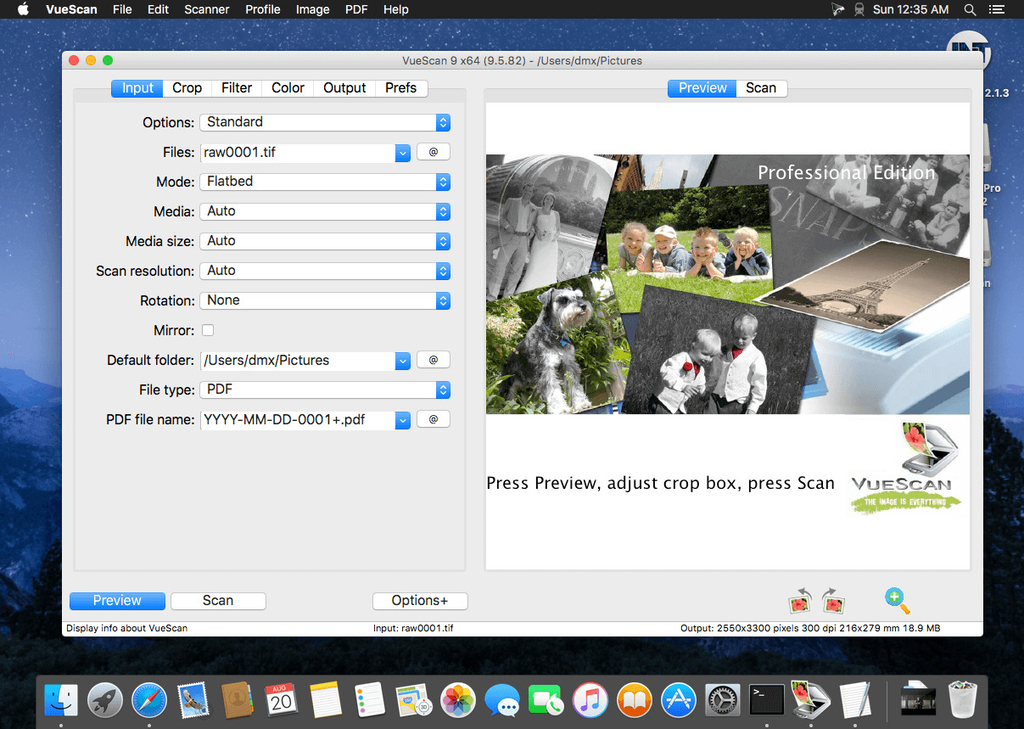
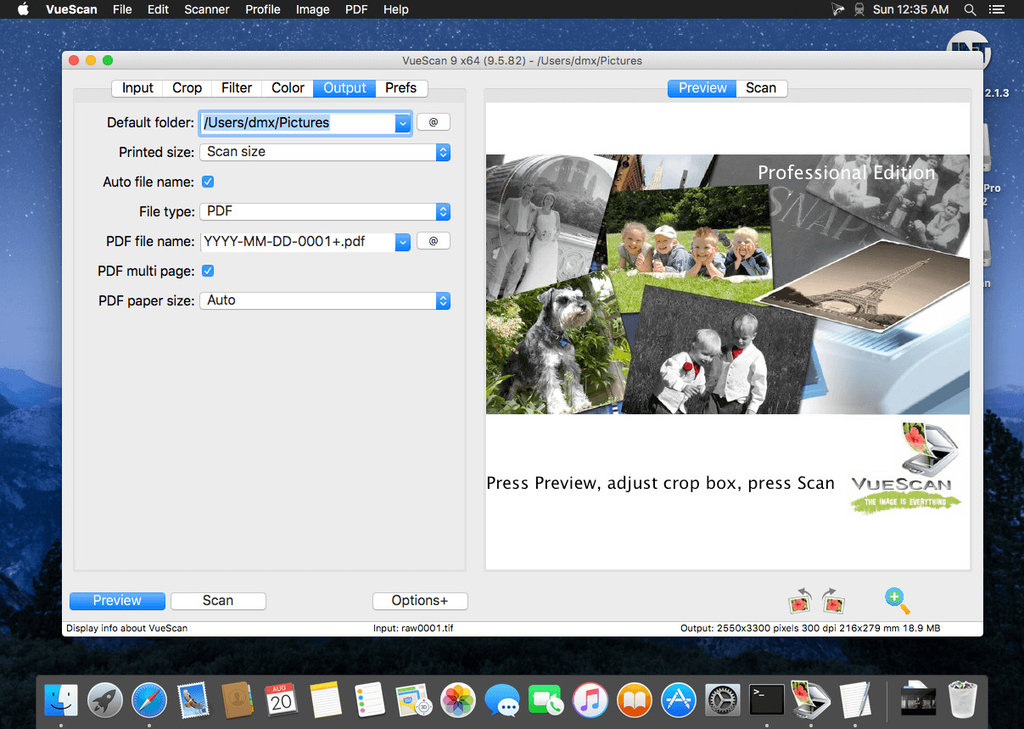
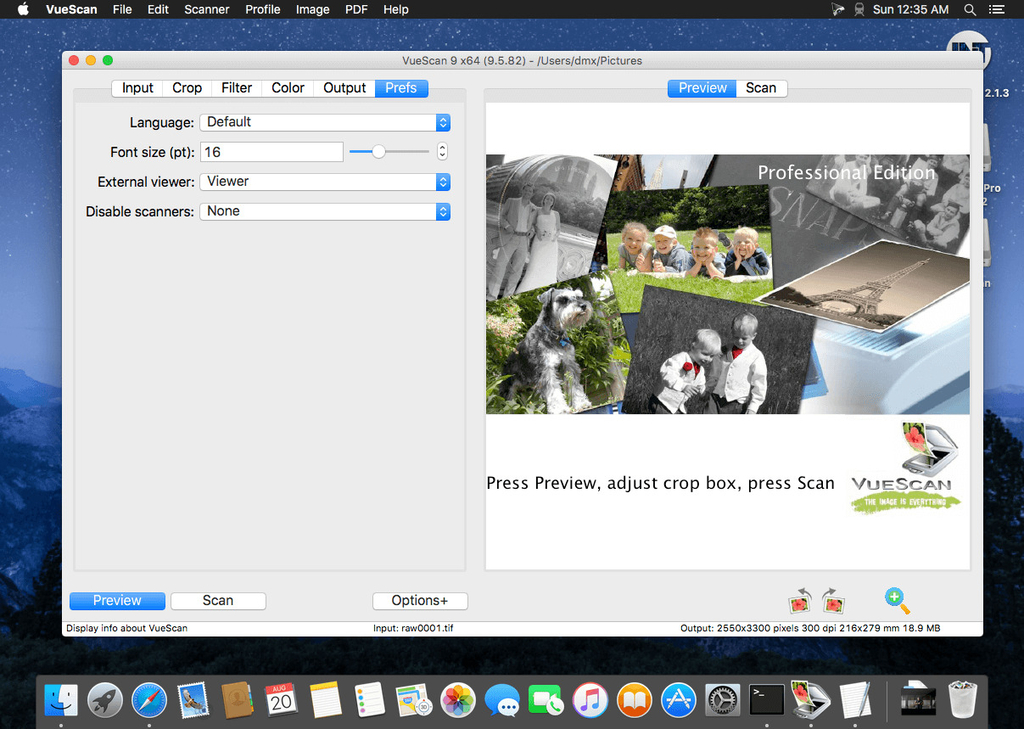
VueScan Pro 9.7.10 mac-torrents.net.zip (30.34 MB)
Download VueScan Pro 9.7.10
VueScan, the world’s most popular scanner software, is used extensively by photographers, home users, scanning services and corporations. VueScan is a scanning program that works with most high-quality flatbed and film scanners to produce scans that have excellent color fidelity and color balance. It is very easy to use, and also has advanced features for restoring faded colors, batch scanning and other features used by professional photographers.
VueScan changes nothing on your system, installs nothing in your operating system and all other scanner software will continue to function. VueScan increases your productivity and saves you money. VueScan has advanced scanning options, powerful features, and greatly improves your scans with superior color accuracy and better color balance. VueScan supports more than 700 scanners and 209 digital camera raw files and takes about 5 minutes to download and install.
Download Murus Pro Suite 1.4.22 (include Vallum 3.3.2)
It’s main purpose is to speed up network firewall configuration and testing, using a simple interface. Filtering and networking options can be set dragging and dropping icons, changing their order, and selecting check boxes. There is no need to learn code syntax or to type strange commands. Everything is managed by visual elements like buttons, collections, graphics, leads.
Murus Pro:
Designed with ease of use in mind, yet full of advanced options and monitoring tools, Murus is perfect for everybody; from the average user to the experienced UNIX guru/system administrator and even for educational purposes.
Configure and start the PF firewall in one click using built-in presets, use Murus graphical ruleset editor design tool or write fully customized rulesets using the advanced rule editor.
Protect your Mac using tools already built into OS X
Unleash the hidden power of PF, the OS X packer filter
Easy firewall configuration using the Wizard
Create firewall rules managing graphic objects
Visualize PF configuration using simplified layers of abstraction
Powerful custom rules system lets you create fully customized PF rulesets
Access a very large set of advanced networking features and options including bandwidth management
Deploy PF configuration to a large number of Macs with one mouse click
Vallum
Vallum is a little tool that helps you monitor and block application connections. It is able to intercept connections at the application layer, and hold them while you decide whether to pass or block them. Vallum’s interface is very simple and is icon-based. Its default configuration is not intrusive, and it does not require any interaction or specific networking knowledge or skills. Just drag an app’s icon from the Finder into the main Vallum window to block it. To change Vallum’s attitude and interaction level, you just have to play with the very few options available.
Intercept apps that leak data on the network, drag apps’ icons to create firewall rules, run the firewall with one mouse click: Vallum is friendly, it stays in a corner of your Mac’s menu bar on top of the screen, it does not pollute your Dock and your desktop, it features a simple interface that everybody can use, and it’s powerful because it lets you create complex setups with jails, mixed rules, notification pop-up alerts, and temporary rules, at both application- and network-level interacting with Murus and the OS X built-in PF packet filter.
Features:
Increase your privacy, intercept apps that leak data on the network
Drag and drop apps icons to create firewall rules, run the firewall with one mouse click
Be notified of hidden network activities, discover what happens behind the scene
Simple interface, no need for special networking knowledge, everybody can use it
Choose between different levels of interactions or run a completely silent firewall
Work at both application and networklevel to gain full control of your Mac
It’s friendly: it stays in a corner of your Mac’s menu bar on top of the screen, it does not pollute your dock and your desktop. One click to install, one click to uninstall
It’s powerful: create complex setups with jails, mixed rules, temporary rules, at both application and networklevel
It respects your privacy, it does not phone home or leak any kind of data on the network
Buy once for life, all updates and upgrades will be free
This is a very clean and minimal design which can be fit for any fashion related presentation. The smooth animation and minimal design will catch the attention of viewers. This template contains 32 Image/Video and 10 Text holders which you can change easily with few clicks. Very easy to use as I have provided a video tutorial to follow along.
Classic and Ultra Minimal 30 lower thirds can be used for many purposes. Easily change the duration of your need and also Change text and colors and then You will get great output. You can easily navigate through all lower thirds through a neatly created Content browser. that will save you lots of time. Easy to understand video tutorial included.
Capture One 20 Pro Build 13.0.0.184 B6 [TNT] mac-torrents.net.zip
Size
321.1 MB
Created on
2019-11-28 02:16:45
Hash
d86531fa49305b9ffaeba4f5441fb01fbecab7b6
Files
Capture One 20 Pro Build 13.0.0.184 B6 [TNT] mac-torrents.net.zip (321.1 MB)
Download Capture One 20 Pro 13.0.0.184 b6
Capture One is a professional RAW converter offering you ultimate image quality with accurate colors and incredible detail from more than 400 high-end cameras — straight out of the box. It offers state-of-the-art tethered capture, powerful digital asset management, extensive adjustment tools and a flexible workflow.
With an updated processing engine, market-leading performance and powerful new features, Capture One is the professional choice in imaging software. You get the highly responsive precision tools you need to create stunning images from your camera’s RAW files in a time-saving workflow that can be customized to fit your needs.
Why choose Capture One?
Capture One is the complete photo editing software solution. With powerful tools for organizing, color grading, layer editing – and much more – you get full creative control of your images and your workflow.
Accurate colors
Fast importing and exporting
Precise color-editing tools
Reliable tethered shooting
Beautiful customizable interface
Capture One Features
Get complete creative control with advanced photo editing tools, the most accurate colors and a fully-customizable interface. Plus, high-performance software and asset management lets you create powerful photography workflows with more room for creativity.
Full creative control
Capture One has been developed with image quality and ease of use in mind. Every tool is designed to give you full control of all aspects of the editing process – preserving, recovering and optimizing all information from your RAW files. The full range of tools offer extensive possibilities to always achieve perfect results.
Asset Management
Asset management is important for every photographer, be it management of images from individual day-to-day jobs or large collections with thousands of images. Capture One offers tools and solutions for every type of photographer, making asset management simple, fast, and effective.
Color Handling
Capture One is known for its exceptional handling of color. Thanks to our custom camera profiling, every RAW file shines – straight from the camera. Whether you seek creative color grading tools or want to ensure natural colors in your images, Capture One delivers powerful and precise tools to achieve your vision.
Detail and Lens Profiles
With image quality as the driving factor, Capture One is developed to squeeze every RAW file to the limit, providing the highest level of details possible. Each supported lens applies a custom-made lens profile, providing precise tools for minimizing distortion and light fall-off.
Tethered Capture
Capture One’s Industry-leading tethered capture is fast, flexible, and reliable, for photography sessions where speed and accuracy is important. Shoot directly to your computer for an almost instant viewing experience – with or without instant adjustments. Enable Live View for easier composing when shooting still-life photography.
Workflow and Performance
From customizable tools and keyboard shortcuts to graphics acceleration and instant tethered capture; Capture One is built to minimize your workload and maximize your efficiency. Design your own workspace and find your way of working in Capture One.
Download HLG CINEMATIC LUTs for Final Cut Pro (Win/Mac)
After experimenting with the HLG3 (Hybrid Log Gamma) on the A7III I was so blown away by the quality you can achieve with this new Picture Profile so that I created some new LUTs for you guys to get the most out of your Sony A7III!
This new Picture Profile gives you such a great color/dynamic range on your footage, it really reminds me of the Arri Alexa look you know from big movies. What’s also great is that you don’t have to over/underexpose – Just keep your exposure at 0 and everything’s fine! Forget about Slog (I never used anyway), these results are just amazing!
Folx is download manager for Mac OS X with a true Mac-style interface. It offers convenient downloads managing, flexible settings, etc. Folx has a unique system of sorting and keeping the downloaded content.
PRO version of Folx enables torrents search directly from the application. With Folx PRO you don’t need to browse through multiple torrent trackers to find what you need. Enter a keyword in Folx, and it will search for it in its extensive list of torrent trackers and display a list of relevant results.
Folx Downloader Features
Smart tagging system
Any download can be assigned with a tag or multiple tags in Folx. This way Folx will sort the downloads in Tags panel. By clicking any tag you will be shown other files marked with the same tag. Thanks to tagging you’ll be able to find any of downloaded files on your Mac easily.
Unique features offered only in Folx
Folx can split the downloads in 2 threads for faster downloading; can automatically resume interrupted downloads; offers multiple ways of adding download tasks.
Folx is friendly with your browsers
If you come across something you want to download on the web, Folx can automatically catch the downloads or it can catch only the specific types of files for downloading. Folx also features a browser extension, which has the options to download all, download selected, and download with Folx. The supported browsers are: Safari, Firefox, Opera, Chrome.
Torrent Client for Mac
Folx by Eltima is a powerful torrent client. The app downloads torrent files as well as creates new torrents for various trackers. With Folx downloading torrent files is intuitive and simple. Tagging feature makes search through downloaded content quicker and easier. Folx allows you to prioritize your download tasks and control download and upload speeds according to your needs.
Magnet links
Apart from downloading files from torrent trackers Folx enables you to download using magnet links. The latter means you do not have to save a separate file before starting the actual download, which is convenient. It also allows you not to advertise the fact that you are using P2P technology.
Torrent Search PRO
PRO version of Folx enables torrents search directly from the application. With Folx PRO you don’t need to browse through multiple torrent trackers to find what you need. Enter a keyword in Folx, and it will search for it in its extensive list of torrent trackers and display a list of relevant results.
Fast downloading PRO
Folx PRO can split the downloads in up to ten threads, which can dramatically increase the download speed.
Speed control PRO
Gain full control over the downloading speed by either adjusting it manually or allowing Folx to do that automatically for optimal traffic allocation.
Scheduling of downloads PRO
You can choose the most suitable time for starting the download and set up how Folx will behave upon finishing the download: shut down the system, switch to sleeping mode, or simply quit Folx.
iTunes integration PRO
All music and videos downloaded with Folx can automatically go to iTunes playlists with the names as the tags assigned to downloads.
Remember login and password PRO
When starting new downloads from websites requiring authentication, you can ask Folx to remember login and password. Next time Folx is downloading from this website, you won’t need to enter login and password. You can also keep passwords for FTP and HTTP websites in Folx. Free version of Folx lets you save two entries. Websites requiring web authentication are also supported.
Download from YouTube PRO
Download videos from YouTube with Folx with the possibility to set the format for the downloaded video. You can also download age-restricted and private videos. When you don’t actually need the video and only want to have a soundtrack from it, Folx is of great help! Downloads can be performed manually, immediately upon the video discovery or at a certain schedule.
VueScan, the world’s most popular scanner software, is used extensively by photographers, home users, scanning services and corporations. VueScan is a scanning program that works with most high-quality flatbed and film scanners to produce scans that have excellent color fidelity and color balance. It is very easy to use, and also has advanced features for restoring faded colors, batch scanning and other features used by professional photographers.
VueScan changes nothing on your system, installs nothing in your operating system and all other scanner software will continue to function. VueScan increases your productivity and saves you money. VueScan has advanced scanning options, powerful features, and greatly improves your scans with superior color accuracy and better color balance. VueScan supports more than 700 scanners and 209 digital camera raw files and takes about 5 minutes to download and install.
Everything you need to put on a great show. QLab 4 combines powerful audio, video, and lighting control in one elegant package. With an all-new Light cue, a major upgrade to QLab Remote for iOS, and over 40 new features, this is the best version of QLab we’ve ever made.
Features:
Light Cues
We’re happy to announce: QLab does lights now. Whether you’re a seasoned lighting professional or completely new to lights, we’ve worked hard to make designing your lights simple, powerful, and fun.
Cue Carts
You can now build cue carts and cue lists side-by-side, from a single button to a grid of 64. Any basic cue can be added to a cart, making it a friendly control surface for anything you can build in QLab.
Record Cue Sequences
Teach QLab by example. In QLab 4 you can run through your cues manually, and let QLab record the timing of the triggers.
Fancy Paste
Like copy-and-paste, but way cooler. Save hours of time with Fancy Paste! Selectively paste properties from one or more cues onto other cues in your workspace.
Additionally, you can now batch-edit the Basic, Trigger, and Light Level properties directly in the inspector.
Cue Templates
Customize exactly how new cues are created. Plus, the new ability to pick a default workspace template on launch means it’s easy to jump straight into designing any new project.
New Trigger Options
In addition to QLab’s traditional array of powerful cue triggers, QLab 4 offers the option to:
Fade and stop other cues when a cue starts. (You can set a customizable fade time, and choose whether this affects just the cue’s peers, the cue list, or all other cues in every cue list.)
Duck or boost the volume of other cues while a cue is running.
Set “Second Trigger” actions, performed when a running cue is triggered a second time.
Perform “Trigger on Release” when releasing hotkeys, MIDI keys, or cue cart buttons.
New Workflow Tools
Import your Go Button shows into QLab.
Highlight “related” cues in the cue list (i.e. all cues related to the same target).
New negative post-wait times, to trigger the next cue “this many seconds before the current one ends”.
New red flash around the GO button if double-go protection is invoked.
New status window to show broken cues, warnings, Art-Net nodes, and logs for cue triggers, MIDI input, OSC input, & OSC replies.
New option to trigger a cue on workspace close, in addition to workspace open.
Enhanced input/output global overrides.
Up to 64 channels of audio output (up from 48).
New parametric fade curves, including support for equal power audio fades.
New editable durations for still image video cues and text cues.
New options to customize which workspace is opened on launch.
Fade your OSC messages over time, in 1D or 2D.
Inject live values from your workspace into outgoing OSC messages.
Antivirus Zap is a comprehensive solution that scans and removes malware and other malicious software from your Mac. It detects threats or suspicious files that are already on your Mac and protects you from being exposed in the future.
Features
Detects and Removes malware and viruses to safeguard your Mac
Quick Scan:
Checks the most likely locations for malware and adware
Depending on the number of files, the scan takes about 515 minutes to complete
Normal Scan:
Checks an extended list of most likely locations including Applications, Downloads, Desktop, Mail Download etc. folders
Depending on the number of files, the scan takes about an hour or more to complete
Full scan:
Comprehensive scan that checks the whole system.
Depending on the number of files, it takes an hour or more to complete, ideal for an overnight scan
Custom scan:
Select any specific files or folders to scan
Perfect for suspicious files, folders and USB drives
Scan + Browser Restore:
Same as the Quick Scan and also restores internet browsers by removing extensions, cookies and caches
Depending on the number of files, the scan takes about 1030 minutes to complete
Scans all applications and processes currently in the memory
Scans all programs that start automatically by the system
Detects not only macOS but also Windows and Linux threats. You can scan Windows bootcamp, external and network drives for malware.
Option to exclude certain file types which are unlikely to pose a threat such as image, movie and audio files
Also searches for malware in archives (zip, pkg, etc.) and inside various types of files such as pdf, pkg, zip, etc.
Easy to use user interface
Daily database updates
Information
CompatibilityOS X 10.10 or later, 64-bit processor
Express Scribe Pro Transcription Software is a professional audio player software for Mac OS X designed to assist with the transcription of audio recordings.
Install Express Scribe for OS X and control audio playback using a transcription foot pedal or keyboard with “hot keys”. This transcripton software also includes important features for typists including variable speed playback, multi-channel control, playing video, file management, and much more.
Express Scribe Pro features:
Variable speed playback (constant pitch)
Supports audio and video playback
Plays most formats including encrypted dictation files.
Supports professional USB foot pedals to control playback.
Uses ‘hotkeys’ to control playback when transcribing into other software (e.g., Word)
Dock both analog and digital portable voice recorders to load recordings
Works with all major word-processors
Automatically receives and loads files by internet (FTP), email or over a local computer network
Automatically sends typing to those who dictated the work
Supports the DSS file type
Express Scribe Pro for Mac OS X is the perfect software for helping professionals improve their transcription productivity.
VideoPad is a powerful movie-editing software for OS X. It allows you to create and edit videos of many formats including .avi, .wmv, .3gp, .wmv, .divx as well as several others. Try VideoPad for free to create a professional quality movie by combining several video clips or even working with just one.
VideoPad Features
Designed to be intuitive, VideoPad is a fully featured video editor for creating professional quality videos in minutes.
Drag and drop video clips for easy video editing
Apply effects and transitions, adjust video speed and more
One of the fastest video stream processors on the market
Edit video from any camcorder
Capture video from a DV camcorder, VHS, webcam, or import most any video file format including avi, wmv, mpv and divx.
Full of transitions and visual effects
Over 50 visual and transition effects to add a professional touch to your movies.
Create videos for DVD, HD, YouTube and more
Burn movies to DVD for playback on TV, or as a standalone video file to share online or put on portable devices.
Stunning Video Transitions and Effects
Choose from a wide range of video clip transitions
3D video editing and 2D to 3D stereoscopic conversion
Customize the duration of applied transitions
Overlay text for captions and movie credits
Chroma key green screen video production
Edit movies in your own video studio with easytouse transition effects.
Amazing Audio Tools
Import and mix music tracks like a pro
Make your own custom movie soundtrack with
MixPad multitrack mixing software
Record your own narrations with the click of a button
Use sound effects from the free Sound Effect Library
VideoPad mpeg editor and movie maker allows you to mix a soundtrack for your movie
Complete Video Optimization
Finetune color and other visual effects
Slow down, speed up or reverse video clip playback
Reduce camera shake with video stabilization
Add photos and digital images to your sequences
Plugin support to add thousands of tools and effects
Optimize AVI or MPEG video files with VideoPad Movie Maker
Share With Family and Friends
Burn to DVD and watch on your TV
Save for YouTube and share online
Save to PSP, iPod, iPhone or 3GP mobile phone
Export movies in multiple resolutions including full HD, 2K and 4K (720p, 1080p, 1440p, 2160p and more)
Supported Input Formats
VideoPad supports just about any video input device including DV based or HDV camcorders.
Import Video avi, mpeg, wmv, divX, Xvid, mp4, mov, vob, ogm, H.264, RM and more
Import Images bmp, gif, jpg, png, tif and more
Import Audio wav, mp3, m4a, mid, flac, aac, wma, au, aiff, ogg, raw, dvf, vox and more
Supported Output Formats
Burn to Disc DVD, CD, Bluray or HDDVD
Export Video File avi, wmv, mpg, 3gp, mp4, mov, YouTube, iPod, PSP, Mobile Phone
Upload to YouTube save your login credentials to upload videos directly to YouTube, Facebook or Flickr from VideoPad
Other Features:
>> Select from several movie clip transitions
>> Use text overlays for captions and other in movie text
>> Preview the effects in real time>> Customize the duration of the effect
>> Tweak brightness, saturation and color to get exactly the look you want in your movie
>> Insert images into your movies with one click of the mouse Awesome Sound Editing Features:
>> Import and mix audio tracks
>> Use with MixPad to create a movie soundtrack
>> Record or import audio narration Store And Share Your Movie In Many Formats:
>> Burn your movies to DVDs and watch them on your television
>> Save your movies in one of several formats to share them with friends and family through email or your website
MacBooster provides a full arsenal of system-maintenance tools to make your Mac run faster. Your one-stop Mac maintenance tool to clean up 20 types of junk files and remove Mac malware and virus to protect your Mac, Besides, MacBooster 7 also can optimize Mac hard disk, fix disk permission issues and clean Mac memory which will help boost your Mac to the peak performance.
Features
Free up disk space. More space for the necessary files.
The hard drive of your Mac quickly clogged with unnecessary files, such as binary files, event logs, caches, etc. This is especially true if you have a SSD-drive small size. MacBooster can find and delete these files to free up disk space. You will have more space for the files you need.
Faster – better!
When using multiple programs, your computer may slow down due to lack of RAM. Sometimes the system simply hangs, ceasing to respond to your commands! MacBooster comprises means for optimizing memory, which solves this problem. Freeing up unused memory, it increases the responsiveness of the system. MacBooster can also speed up loading of OS X, streamlining the download list. Your personal data are protected.
The main thing – safety!
macOS operating system is well protected. However, this does not mean that you are 100% protected against all kinds of threats, including the leakage of personal data. In addition to viruses, your personal details and banking information claimed hackers and phishing sites. MacBooster virus protection for Mac OS, phishing attacks, spyware, malware and other online threats.
Do not hold unnecessary applications
MacBooster help cope with existing applications. Even on macOS can sometimes be unwittingly set some unwanted application. Moreover, after uninstalling applications often remain “tails.” MacBooster help solve these problems! Now you will have full control over all applications.
The disc is not rubber!
The hard disk can hide not only unnecessary system files, but also large files such as movies, disk images (.dmg). MacBooster can find and remove these files, freeing up disk space. In the end, Mac faylopomoyki not. Keep your computer only what you need. And do not worry, MacBooster not delete useful files.
A single backup
Many users are unaware of the existence of duplicate files, which OS X can be done. However, the accumulation of duplicates is less and less space for essential files. MacBooster detects duplicate files and offers to delete them to free up disk space.MacBooster help customize and speed up OS X. This software is able to release memory and optimize the download list and the system as a whole. MacBooster also removes unnecessary files to free up space on your hard drive. Try the program in the case, to learn about all of its features!
Other Features
System Status: The revamped System Status makes the UI more concise and the operation more consistent.
Virus & Malware Scan: Quickly and deeply analyze the security status of your Mac. Safely remove the threats to make your Mac stay safe.
Turbo Boost: Can optimize your Mac disk more comprehensively by cleaning the non-compliant third-party app cache files.
Privacy Clean: Explore the status of your Mac by running a full scan.
System Junk:Can clear out system junk files more thoroughly by clearing more areas, like MacOS localization files.
Uninstaller: Help get rid of unwanted apps or leftover files.
Large Files Cleaner: Find and remove the large files you no longer need to free up more space.
Memory Clean: Memory Clean displays memory usage more intuitively and supports closing the app that occupies high memory for better Mac performance.
Startup Optimization: Monitors startup items in real-time to prevent silent installation and startup item modification, as well as helps you to manage startup items on the basis of data analysis.
Defragment: New feature to optimize and fix your disks with 1-click.
Duplicates Finder: Locate and remove the duplicated files on your Mac quickly.
Photo Sweeper: Effectively and quickly find similar or duplicated photos. Keep the most beautiful ones.
Crafted New Mini: In MacBooster 7 can monitor firewall in real-time to protect it from being modified by malicious apps.
Coherence Pro allows you to easily turn any website into a powerful application on your Mac. Using the redesigned creation tool, you can quickly create apps with the quickly create a feature, or use one of several new app modes to further enhance the capabilities of your apps.
Application is powered by Google Chrome and is the world’s only SSB tool with native support for extensions and profiles. In the new creation tool, Coherence can automatically import any extensions in your main Chrome instance into your created Coherence app, exponentially expanding the capabilities of your created applications. In addition to a standard, native experience, Coherence Pro introduces multi-tab apps for the first time.
With the new feature, users can create a Coherence app that opens multiple tabs on every launch. Create a workstation app with all the sites you need or an email app with all your accounts isolated into one application. Early testers have loved this feature, and it dramatically changes what is possible with Coherence apps.