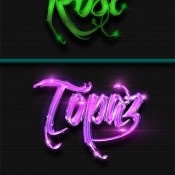
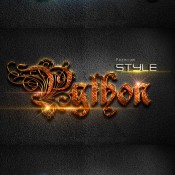
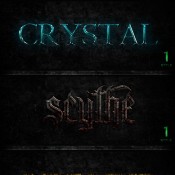
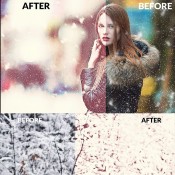
Graphicriver 12 Photoshop Text Effect Styles Vol 3 11302517

12_photoshop_text_effect_styles_vol_3_11302517
Name Graphicriver 12 Photoshop Text Effect Styles Vol 3
Size 1.85 MB
Created on 2015-05-04 17:57:23
Hash cb738335a2039bdc3a00723af6039bff75b426dd
Files Graphicriver 12 Photoshop Text Effect Styles Vol 3/Graphicriver 12 Photoshop Text Effect Styles Vol 3.tgz (1.85 MB)
Graphicriver 12 Photoshop Text Effect Styles Vol 3/Torrent Downloaded From ExtraTorrent.cc.txt (0.35 kB)
Graphicriver 12 Photoshop Text Effect Styles Vol 3/Torrent downloaded from demonoid.pw.txt (0.05 kB)

Descriptions for Description

Name: 12 Photoshop Text Effect Styles Vol 3
Created: 1 May 15
Last Update: 1 May 15
Add-on Files Included: Photoshop ASL
Minimum Adobe CS Version: CS


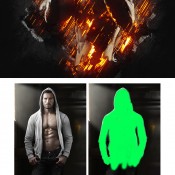
12 Photoshop Text Effect Styles Vol 3 is with high quality can produce effect more perfect and interesting for your text, all style effects work only with one click.Features
1. Easy to use
2. Work with any font
3. Full editable
4. High Quality
5. One Click
6. 72 and 150dpi

File Included 1.ASL ReadMe!

The Icon in preview are NOT included, icon in preview is default icon on your photoshop program.


More information: http://graphicriver.net/item/12-photoshop-text-effect-styles-vol-3/11302517

Screenshots

Graphicriver 10 Shine Styles V.9 10248178

Name Graphicriver 10 Shine Styles V.9 10248178
Size 48.54 MB
Created on 2015-05-04 17:56:36
Hash 89bd9cab6a484e53c4406112a1a4bc962543332a
Files Graphicriver 10 Shine Styles V.9 10248178/Graphicriver 10 Shine Styles V.9 10248178.tgz (48.54 MB)
Graphicriver 10 Shine Styles V.9 10248178/Torrent Downloaded From ExtraTorrent.cc.txt (0.35 kB)
Graphicriver 10 Shine Styles V.9 10248178/Torrent downloaded from demonoid.pw.txt (0.05 kB)

Descriptions for Description

Graphicriver 10 Shine Styles V.9 10248178
Layered PSD, Photoshop ASL | 62 Mb

Screenshots

Graphicriver 10 Shine Styles V.8 10205838

Name Graphicriver 10 Shine Styles V.8 10205838
Size 140.7 MB
Created on 2015-05-04 17:56:20
Hash 7330f23d197323175757404536358a910f769880
Files Graphicriver 10 Shine Styles V.8 10205838/Graphicriver 10 Shine Styles V.8 10205838.tgz (140.7 MB)
Graphicriver 10 Shine Styles V.8 10205838/Torrent Downloaded From ExtraTorrent.cc.txt (0.35 kB)
Graphicriver 10 Shine Styles V.8 10205838/Torrent downloaded from demonoid.pw.txt (0.05 kB)

Descriptions for Description

Graphicriver 10 Shine Styles V.8 10205838
Photoshop PSD, ASL | 173 Mb

Screenshots

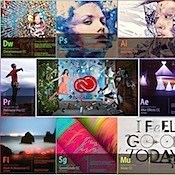
Adobe Creative Cloud 2015.2.2016

Name adobe.creative.cloud.2015.2.2016macosx.rar
Size 14.67 GB
Created on 2016-03-14 06:32:08
Hash fb9d1887f1d24700e02fcc99fd1bd41a10f3cdef
Files Adobe Creative Cloud 2015.2.2016MacOSX.rar (14.67 GB)

Description

  0. This is our offline activation, works with your AdobeID  synchronization, no limitation.    You need to install an Adobe CC application that supports offline activation    Lightroom has 2 different versions for instance .   Use the right one  For Adobe Media Encoder, you can use any serial from PS, AE, PP ....    Now go enjoy and install your Adobe apps ....          Install Instructions: (Read carefully!)  1. Disable your Network card or pull the network cable.    And make sure you dont have any of those entries in your hosts file    127.0.0.1 lmlicenses.wip4.adobe.com    127.0.0.1 lm.licenses.adobe.com    Lets start clean         2. Install Adobe CC Application with a serial generated from our keymaker ( do not close the keygen!).    Click on Install (I have purchased)    Click on Sign In (make sure your network connection is offline)    Click on Connect Later    Accept the License Agreement and enter the serial generated from our Keygen    Wait ... When the error "Please connect to the internet and retry" shows, click connect later.          3. Launch an Adobe application (Photoshop, Illustartor etc).      4. Click on "Having trouble connecting to the internet ?"     Click on Offline Activation    5. Click on Generate a requets Code     A request code will be generated. Use it with the serial you used to install your adobe application     to generate your activation code. Copy it back and Click on Activate.        6. Click on Launch or close the Window. Exit The Adobe Application        7. Run Osx/disable_activation_osx as root    if you dont know how to do that, open a terminal window  then issue sudo -s, a root shell will open    then simply do   "sh disable_activation_osx" w/o the ""    or ./disable_activation_osx( make it executable chmod 755 disable_activation_osx     you do that from the folder where disable_activation_osx is.  (just copy it anywhere on your hdd)       Or do it manually  Add the text below to the bottom of your hosts file.   (/private/etc/hosts /et/hosts)    # Adobe Blocker    127.0.0.1 lmlicenses.wip4.adobe.com  127.0.0.1 lm.licenses.adobe.com  127.0.0.1 na1r.services.adobe.com  127.0.0.1 hlrcv.stage.adobe.com  127.0.0.1 practivate.adobe.com   127.0.0.1 activate.adobe.com      8.   After it has been activated re-enable you Network card and run the adobe updater to update your software to the latest version.        9. Enjoy!          Note: If you encounter any issues with a previous installation / crack, please   uninstall Captivate and delete those folders   :    ./Library/Application Support/Adobe/SLStore <------------- BE CAREFUL IF YOU HAVE OUR MASTER COLLECTION INSTALLED, DELETE ONLY THE LATEST LICENSE FILE  .  /Library/Application Support/Adobe/SLCache  

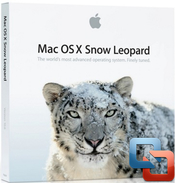
MAC OS X 10.6.3 Snow Leopard Clean Rip

Description

Mac OS X 10.6.3 installation image .dmg

-For use to reinstall your macs operating system
-This is a clean rip using disk utility (untouched)
-No serial needed as App!e doesn't use them on any core products
-ONLY FOR 2010 MACBOOK PRO 15inch i7 ---others beware!
Instructions:
Burn to a DUAL LAYER DVD using a mac with disk utility
go to U tube to learn how to install.comments/questions list below


Clean, easy, NO RAR, NO ZIP. Just ".dmg"!!!


▬▬▬▬▬▬▬▬▬▬▬▬▬▬▬▬▬▬▬▬▬▬▬

If do not have DVD drive, just put it on a flash drive (large enough) following these instructions:
Install OS X Snow Leopard from a USB flash drive
Don't forget to partition the Flash Drive in GUID or you will get this "Do not enter"-Sign. For anyone that wants to hackintosh a Dell optiplex gx620 this is the perfect guide that will you up and running to the latest 10.6.8! http://www.insanelymac.com/forum/topic/275293-guide-1068-on-a-dell-optiplex-gx620/page__st__20

Name mac.os.x.10.6.3.snow.leopard.clean.rip
Size 6.90 GB
Created on 2013-08-27 03:01:17
Hash 15f6cbf7a517a83347809aef3f5253328ea7a393
Files Mac OS X Install DVD 10.6.3.dmg (6.90 GB)

Mac OS X Snow Leopard 10.6.8 VMware Image [Ultimate Final Build]

Description

Right, apologies for the long description but I'm going to try answer everything at once :P 

This is the final Snow Leopard VMware Image I'll be bringing out until the release of 10.6.9 (which I doubt will happen), and with it comes every fix that I've worked on in the past, what? 3 months? Both Intel and AMD processors are supported, with various fixes implemented to accommodate both, without actually changing much from 'stock' 10.6.8 (the kernel is even the same :P). Ideal for running XCode or any other Mac programs, they work as though it was a Mac, and as usual with any of my builds, there's plenty of contact information contained within the torrent should you need me (it's in the torrent so it's not broadcasted online). Oh, and every language Mac OS X supports is also included.

Make sure to watch the video link, because it details how to configure for your preferences (i.e. some stuff won't work unless you configure) and there is also valuable information on it

Works under pretty much all VMware products, only problems you may get are with video and audio (audio is easily fixable whereas video is slightly more complicated).

▬▬▬▬▬▬▬▬▬▬▬▬▬▬▬▬▬▬▬▬▬▬▬

The root password is "password". If you having problem of the password, the keyboard is configured in QWERTY.
Here's the associated video.

Video

Name mac.os.x.snow.leopard.10.6.8.vmware.image.ultimate.final.build
Size 8.76 GB
Created on 2011-08-08 08:19:55
Hash baeccb7423777b45c846061f21f2d9525935e0f8
Files Mac OS X Snow Leopard 10.6.8 VMware Image [Ultimate Build]/Mac OS X Snow Leopard 10.6.8 VMware Image [Ultimate Build].7z (8.76 GB)
Mac OS X Snow Leopard 10.6.8 VMware Image [Ultimate Build]/Setup Tutorial – Must Watch To Work.url (0.13 kB)
Mac OS X Snow Leopard 10.6.8 VMware Image [Ultimate Build]/Torrent downloaded from Demonoid.me.txt (0.05 kB)

Alien Skin Exposure X 1.1.0.2103

Name Alien Skin Exposure X 1.1.0.2103
Size 180.0 MB
Created on 2016-03-19 13:26:01
Tracker http://109.235.50.166:2710/announce
Hash 990cffc3e06225d4dc56d99a95b6adfe5b57b2bd
Files Alien Skin Exposure X v1.1.0.2013/exposure-x-1.1.0.2103.dmg (178.8 MB)
Alien Skin Exposure X v1.1.0.2013/lnsknxpsrx1xsp.zip (1.22 MB)

Description

  Name: Exposure X  Version:1.1.0.2103  Mac Platform: Intel  OS version: 10.10 or newer  Processor type(s) & speed: An Intel Core 2 processor or compatible  Monitor: 1280×768 resolution or greater    Includes: K      Link for more information: http://www.alienskin.com/exposure/        Host Requirements  Exposure X may be used as a standalone program or a plug-in. When Exposure is used as a plug-in it requires one of these host applications:    ・Adobe Photoshop CS6 or Adobe Photoshop CC 2015 or newer  ・Adobe Lightroom 6 or Adobe Lightroom CC 2015 or newer        Supported File Formats  ・TIFF and JPEG  ・A wide range of RAW camera formats.        Overview  Exposure X is the creative photo editor that handles every step of your workflow. From card transfer to organisation to editing, Exposure simplifies routine tasks and delivers a rich set of tools for developing beautiful photos.    Exposure X streamlines the practical side of photography in addition to the creative side. Now you can rapidly browse, organize, and batch edit to fly through huge photo sets. Exposure’s strength is simplicity. We got rid of burdensome concepts like catalog files and user interface modules.    You’ll love the new photo editing features, whether you use Exposure X as a complete stand-alone application or plug-in. Use brushing to apply local changes or stack effects. Work faster with new shortcut keys and a configurable user interface. Get creative with new and improved presets in the Bokeh category.  

Video

Graphicriver Retro Effects 11253342

Name Graphicriver Retro Effects 11253342
Size 427.3 MB
Created on 2015-04-28 21:42:26
Hash be295268e3f78183f0a6125dd942f5cad7345482
Files Graphicriver Retro Effects 11253342/Graphicriver Retro Effects 11253342.tgz (427.3 MB)
Graphicriver Retro Effects 11253342/Torrent Downloaded From ExtraTorrent.cc.txt (0.35 kB)
Graphicriver Retro Effects 11253342/Torrent downloaded from demonoid.pw.txt (0.05 kB)

Descriptions for Description

Name: Retro Effects
Created: 25 April 15
Last Update: 27 April 15
High Resolution : Yes
Layered: Yes
Graphics Files Included: Photoshop PSD
Minimum Adobe CS Version: CS
Pixel Dimensions: 3000x2000
Print Dimensions: 10x6


Make your Image or Text stand out from the crowd with this set of Retro Ad Generator!What’s Included !


- Retro Ad Generator for Image
- Retro Ad Generator for Text
- #12 Textures

Help file included Please contact me if you have any more questions about this item.


More information: http://graphicriver.net/item/retro-effects/11253342

Screenshots

Graphicriver Metal Text FX BUNDLE 5578655

Name Graphicriver Metal Text FX BUNDLE 5578655
Size 93.35 MB
Created on 2015-04-28 21:41:39
Hash 2af1d6295c5fca53aeab33ec522466e228e2e888
Files Graphicriver Metal Text FX BUNDLE 5578655/Graphicriver Metal Text FX BUNDLE 5578655.tgz (93.35 MB)
Graphicriver Metal Text FX BUNDLE 5578655/Torrent Downloaded From ExtraTorrent.cc.txt (0.35 kB)
Graphicriver Metal Text FX BUNDLE 5578655/Torrent downloaded from demonoid.pw.txt (0.05 kB)

Descriptions for Description

Name: Metal Text FX BUNDLE
Created: 15 September 13
Last Update: 15 September 13
Add-on Files Included: Layered PSD, Photoshop ASL
Minimum Adobe CS Version: CS


METAL TEXT FX BUNDLE

>>>60 Metal Photoshop Styles to add a shiny blury metal look to your texts

>>>INSTRUCTIONS: To add the style pack, make double click in asl file and go to the “styles panel” in Photoshop.

>>>The styles work individually, with just one layer. So all you have to do is apply the styles that you want on your texts, logos or vector shapes. These individual styles are named with the names shown in the preview.

>>>The Used font was : PEPSI Link: http://www.dafont.com/pepsi.font


More information: http://graphicriver.net/item/metal-text-fx-bundle/5578655

Screenshots

Graphicriver 10+1 Realistic Styles Pack #1 11167311

Name Graphicriver 10+1 Realistic Styles Pack #1 11167311
Size 91.02 MB
Created on 2015-04-28 21:26:38
Hash a6ecd02e4df153b3f91316adf159ebb2741471f0
Files Graphicriver 10+1 Realistic Styles Pack #1 11167311/Graphicriver 10+1 Realistic Styles Pack #1 11167311.tgz (91.02 MB)
Graphicriver 10+1 Realistic Styles Pack #1 11167311/Torrent Downloaded From ExtraTorrent.cc.txt (0.35 kB)
Graphicriver 10+1 Realistic Styles Pack #1 11167311/Torrent downloaded from demonoid.pw.txt (0.05 kB)

Descriptions for Description

Name: 10+1 Realistic Styles Pack #1
Created: 18 April 15
Last Update: 18 April 15
Add-on Files Included: Photoshop ASL
Minimum Adobe CS Version: CS


THE PACK INCLUDES:

1 ASL file with 11 styles (total: 21 styles)
1 PNG preview image for all styles
1 TXT fonts list
NOTE: Some styles may need you to adjust the pattern – Go to layer styles and click on Pattern overlay, then just click on the image or text and drag and drop the pattern as you see fit.


More information: http://graphicriver.net/item/101-realistic-styles-pack-1/11167311

Screenshots

iMazing v1.5.2

Descriptions for iMazing v1.5.2

Name: iMazing
Version: 1.5.2
Mac Platform: Intel
OS version: 10.7 or later
Processor type(s) & speed: 64-bit

Includes: Pre-K’ed

Web Site: More info: https://imazing.com

Overview

iMazing (was DiskAid) is the ultimate iOS device manager with capabilities far beyond what iTunes offers. With iMazing and your iOS device (iPhone, iPad, or iPod), you can:

  • Copy music to and from any iOS device (even from one iOS device to another!) regardless of what Mac or PC the device is already synced to; it’s music copy how you always wished it could be, without limitations or restrictions
  • Backup & restore individual iOS apps and your custom saved data, perfect for freeing up space on your iOS device without losing your files (or progress in a game) or for copying the app asis to another iOS device
  • Transfer files to and from an iOS device, and browse the iOS file system
  • Use your iOS device like an external drive
  • Browse and save messages (SMS, MMS, iMessage), voicemails, and call logs, none of which iTunes can do
  • Browse, save, and add contacts to your iPhone, without automatically adding them to your iCloud account
  • Manage multiple backups of the same iOS device and restore from any one (similar to Time Machine for iOS)
  • And other amazing things you never thought possible!
What’s New iMazing v1.5.2
  • General: Sparkle update ( previous versions were using secured https connections only and hence were not affected by the vulnerability )
  • Windows: added support for long paths
  • Apps: fixed rare cases of app backup / restore errors
  • Media: fixed rare case where Apple Music tracks would not be reported as such
  • Media: fixed overlapping buttons in the toolbar in some languages
  • Messages: added Print button in the toolbar (Mac)
  • Photos: fixed handling of duplicate filenames when exporting albums with empty selection
  • Photos: iOS 7 Event albums fix *Backup Browser: it is now possible to delete system apps

Screenshots

Name iMazing 1.5.2
Size 33.50 MB
Created on 2016-03-17 12:33:42
Tracker http://109.235.50.166:2710/announce
Hash fdb3bf5e37b3d5b21faac88ae906ef28efd16ecd
Files iMazing 1.5.2/iMazing.zip (33.50 MB)

Dumper v1.2

Description

Name: Dumper
Version: 1.2
Mac Platform: Intel
Includes: Pre-K'ed

OS version: OS X 10.8 or later
Processor type(s) & speed: 64-bit processor

Courtesy of TNT Team

Release Date: February 26, 2016

App Store: https://itunes.apple.com/us/app/dumper/id781577745?mt=12
More Info: https://bananafishsoftware.com/products/dumper/


What's New in Version 1.2
• New Features
- Change the main search field into a global search that can search through both file names and content
- Support importing and exporting themes
• Enhancements
- Update class-dump


DESCRIPTION:
Class dumping has never been more convenient!

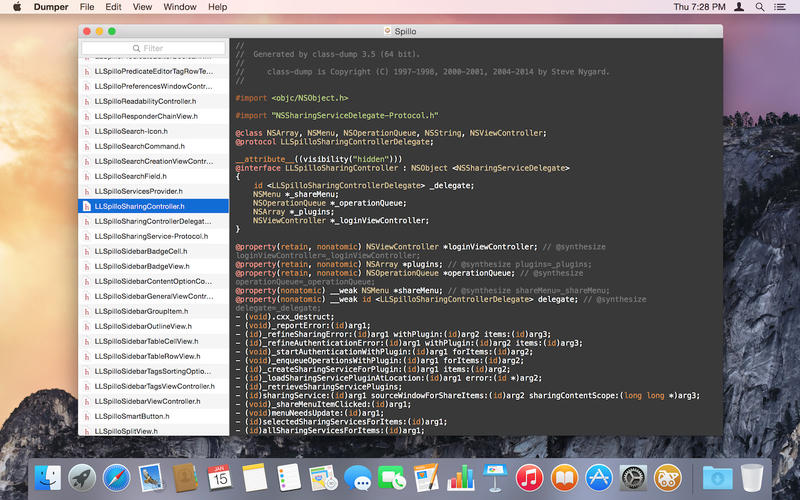
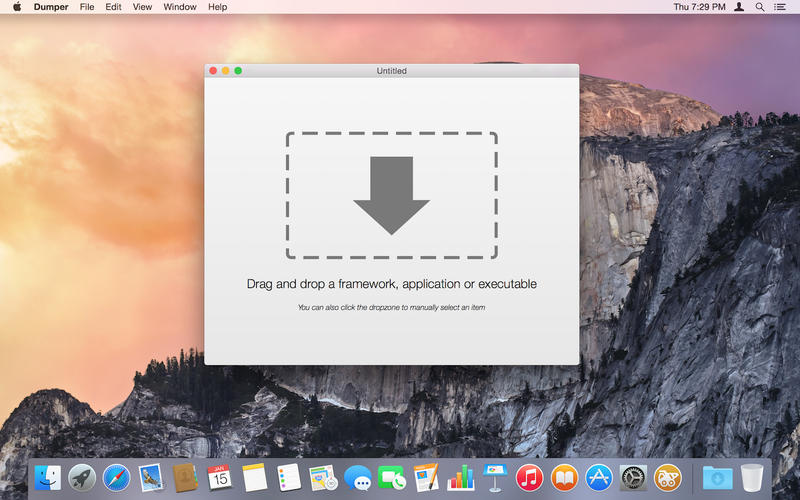
Dumper lets you extract, browse and inspect the class declarations from any Mach-O file containing Objective-C runtime information. In other words, it generates information for all Objective-C classes and protocols present in a Mach-O executable in a nice and friendly header file format.

• Class dumping is a drop away
Class dumping has never been this convenient. Simply drag the executable to the Dumper dock icon or window drop area to start dumping.

• Dump any executable, application or framework
Dumper can class dump any Mach-O executable containing Objective-C runtime information. Be a framework, a third party application or a simple executable Dumper can take it.

• Search through dumped headers
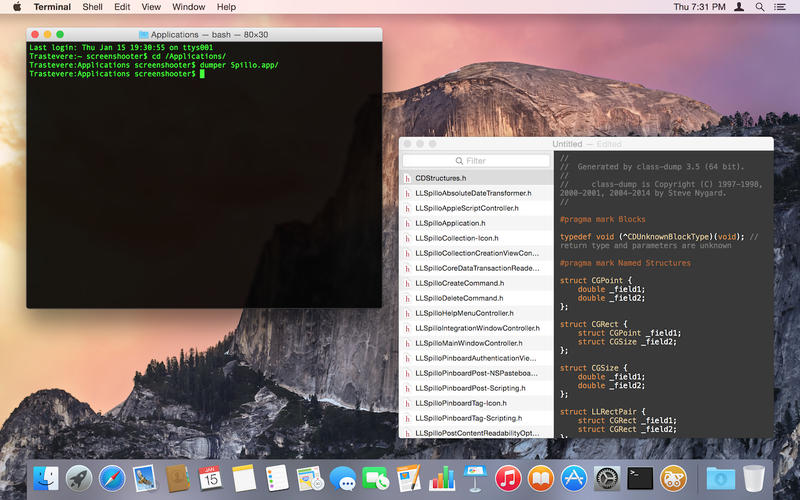
Dumper lets you filter and search through the headers so that you get to what you are looking for as quick as possible.

• Collect your class dump documents
Once dumped, you can save the document for consulting it later. Dumper documents are simple OS X documents you are so accustomed to.

• Powerful syntax highlighting
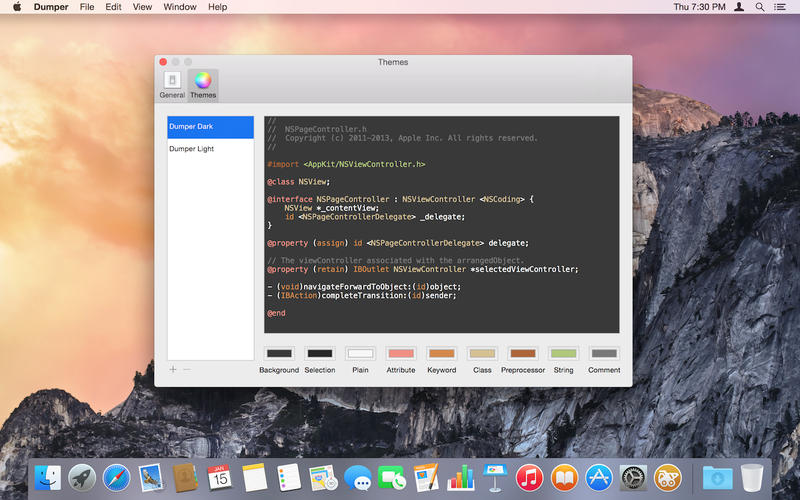
Headers are syntax highlighted just like in Xcode. Should you not light the default light or dark them, you can even design your own!

• Dump from the command line
Dumper comes with a very handy command line tool to class dump any executable in Dumper directly from the command line.

Screenshots

Name Dumper 1.2
Size 2.50 MB
Created on 2016-03-17 12:33:31
Tracker http://109.235.50.166:2710/announce
Hash 6972cbf4263c4d221490e56f0df15534f52ded23
Files Dumper 1.2.dmg (2.50 MB)

Graphicriver Galaxy Ray Photoshop Action 11101001

Name Graphicriver Galaxy Ray Photoshop Action 11101001
Size 785.2 kB
Created on 2015-04-21 21:21:26
Hash 6004a21ed2acfed02e424cd0b4c2a1f4edc7d3a6
Files Graphicriver Galaxy Ray Photoshop Action 11101001/Graphicriver Galaxy Ray Photoshop Action 11101001.tgz (784.8 kB)
Graphicriver Galaxy Ray Photoshop Action 11101001/Torrent Downloaded From ExtraTorrent.cc.txt (0.35 kB)
Graphicriver Galaxy Ray Photoshop Action 11101001/Torrent downloaded from demonoid.pw.txt (0.05 kB)

Descriptions for Description

Name: Galaxy Ray Photoshop Action
Created: 14 April 15
Last Update: 14 April 15
Add-on Files Included: Photoshop ATN
Works With: PSD
Minimum Adobe CS Version: CS3


This action quickly transforms your photos into a Masterpiece of Galaxy ray art work. Give your photo’s an artistic edge with this action. Simply open up a photo and click play on the action. Create this highly detailed effect from your photos with little effort at all.

The action has been tested and working on Photoshop CS3, CS4, CS5, CS5.5, CS6 & CC 2014 The action will ONLY WORK IN THE ENGLISH VERSION OF PHOTOSHOP.

If you are not using the English version of Photoshop, you can always change it to English and then back again to your native language.

Duplicate Layers/ Folder to add even more details

Lots of Layers to customize the design

Help file and how to use this action tutorial is included in the main folder


More information: http://graphicriver.net/item/galaxy-ray-photoshop-action/11101001

Screenshots

Graphicriver Photoshop Tiny Stroke Photo Effect Action 11167602

Name Graphicriver Photoshop Tiny Stroke Photo Effect Action 11167602
Size 4.54 kB
Created on 2015-04-21 21:21:50
Hash c0465444257c47a9c71311249372eb81c77ee238
Files Graphicriver Photoshop Tiny Stroke Photo Effect Action 11167602/Graphicriver Photoshop Tiny Stroke Photo Effect.tgz (4.14 kB)
Graphicriver Photoshop Tiny Stroke Photo Effect Action 11167602/Torrent Downloaded From ExtraTorrent.cc.txt (0.35 kB)
Graphicriver Photoshop Tiny Stroke Photo Effect Action 11167602/Torrent downloaded from demonoid.pw.txt (0.05 kB)

Descriptions for Description

Name: Photoshop Tiny Stroke Photo Effect Action
Created: 18 April 15
Last Update: 18 April 15
Add-on Files Included: JPG Image, Photoshop ATN
Minimum Adobe CS Version: CS


Photoshop Tiny Stroke Photo Effect Action= Easy Play This Action
= Included Help File
= Clear With Filter Tiny Stroke
= Preview Image Not IncludedThank You So Much


More information: http://graphicriver.net/item/photoshop-tiny-stroke-photo-effect-action/11167602

Screenshots

Graphicriver Fury 3 Photoshop Action 11101924

Name Graphicriver Fury 3 Photoshop Action 11101924
Size 63.97 kB
Created on 2015-04-21 21:21:05
Hash da75f0f88b673d8af66da14a3aeaab1e2e15debd
Files Graphicriver Fury 3 Photoshop Action 11101924/Graphicriver Fury 3 Photoshop Action 11101924.tgz (63.57 kB)
Graphicriver Fury 3 Photoshop Action 11101924/Torrent Downloaded From ExtraTorrent.cc.txt (0.35 kB)
Graphicriver Fury 3 Photoshop Action 11101924/Torrent downloaded from demonoid.pw.txt (0.05 kB)

Descriptions for Description

Name: Fury 3 Photoshop Action
Created: 14 April 15
Last Update: 14 April 15
Add-on Files Included: Photoshop ATN
Works With: PSD
Minimum Adobe CS Version: CS3


Fury 3 Photoshop Action

Create this highly detailed effect from your photos with little effort at all. Each time you run the action you will get a unique result. You can choose from 5 different effect angles and you then have full layer control to adjust the design how you want. Make sure to watch the video tutorial for customization techniques.

Add light effects onto your designs after the action has finished with Light Master

Add professional color grades to your designs with Photo Master

The action has been tested and working on Photoshop CS3,CS4,CS5,CS6,CC+

The action will ONLY WORK IN THE ENGLISH VERSION OF PHOTOSHOP . If you are not using the English version of Photoshop, you can always change it to English and then back again to your native language using this method.

Thanks to PhelanDavion for the use of his great stock photos

Tips & Help

If you need assistance with this action or any others, please visit the help page here. This page covers FAQ, general knowledge about the actions and ways you could make money with them. My email address is listed on the help page if you are still stuck.
Tested

Each action is thoroughly tested across between 50 – 150 different photos to ensure there are no errors. In the case where you do experience an error, please firstly visit the help page and then contact me via email if you are still having troubles.
The Best Results

For the best results, it is recommended to use high resolution photos in the range of 1500px – 3500px. The optimal range is from 2500px – 3500px. The detail and clarity in the effects generated by the actions reduce the smaller your photo is.
Organised

After each action has finished playing, it creates a well organised layer structure. Each layer and folder are named appropriately and color coded to create a neat working environment for you. Not only is the layer structure organised, each action comes with a highly detailed video tutorial teaching you about how each layer affects the design and how you can make customisations to it. Here is my YouTube channel.
Time Saving

SevenStyles Photoshop Actions are designed to save you hours, days, weeks or months of work. They are created in a way that both Photoshop beginners and experts can use, saving you lots of time working on both personal or commercial projects.
Earn Money

SevenStyles Photoshop Actions are the fastest selling on GraphicRiver and can earn you a great passive income. How? simply refer people through your social media pages to this action or another other SevenStyles action! Make sure to sign up as an affiliate so you can add your referral code to any link you post.
Share your creativity!

Created something awesome with SevenStyles Actions? Share your designs on the SevenStyles Facebook page and inspire others to apply the effects in ways they may not have thought of.
Combine actions

If you own multiple actions, have you thought about stacking the effects to build even more advanced designs? Below there are over 70 actions to choose from – this is where you can get really creative!

How do I combine actions?

Run the first action on your photo.
Once you are happy with the design, save your image out.
Now re-open your image and run another action!
You can then use the 2nd actions layer flexibility to further customize the design. You can follow this process and stack effects to build incredibly detailed designs with very little work.


More information: http://graphicriver.net/item/fury-3-photoshop-action/11101924

Video

Screenshots

Hot Door CADtools 9.1.1 for Mac

Description

Name: Hot Door CADtools
Version: 9.1.1
Mac Platform: Intel
Includes: Pre-K'ed

More info: https://www.hotdoor.com/cadtools/overview


Overview
Hot Door CADtools 9 for Adobe Illustrator CS5/CS6/CC/CC 2014/CC 2015

For 17 years, CADtools has transformed Adobe Illustrator into a beautifully simple CAD solution. Draw in any scale, edit and dimension vector artwork with a mouse click, and numerically control objects or points. Click and drag with 81 tools to make design work both easy and elegant!

CADtools 9 soars with new productivity features including a Universal Dimension tool, Bezier Length Dimension tool, and CADrepeat for circular paths. Additional keyboard shortcuts allow quick, on-the-fly adjustments while drawing and dimensioning.

New features added in CADtools 9:Hidden text: Show

Adobe introduced a bug in Illustrator 19.2.1 that makes plug-ins think they're in the wrong installation location. We worked around their bug in our CADtools 9.1.1 update.

Name Hot Door CADtools 9.1.1
Size 61.43 MB
Created on 2016-03-17 05:13:56
Tracker http://109.235.50.166:2710/announce
Hash 39404aaf9bebd8671e8349f724c2047fedf771c0
Files CADtools_9_1_1_REPACK_TNT.dmg (61.43 MB)

ScreenFlow 5.0.6

Description

Name: ScreenFlow
Version: 5.0.6 (26741)
Mac Platform: Intel
OS X 10.10 or later
Processor type(s) & speed: 64-bit processor

Ked need to be tested


Link for more information: 
http://www.telestream.net/screenflow/overview.htm


Info:

*******************************************************************
Create screen recordings and a lot more.
*******************************************************************


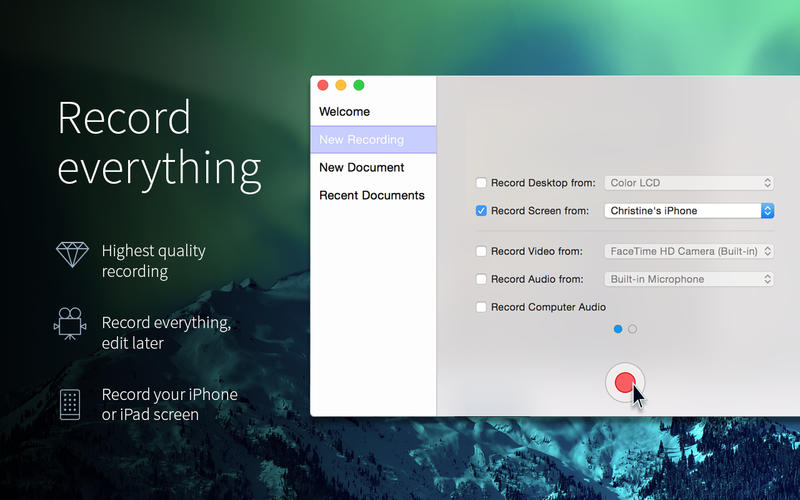
ScreenFlow is powerful, easy-to-use screencasting software for the Mac. With ScreenFlow you can record the contents of your entire monitor while also capturing your video camera, microphone and your computer audio. The easy-to-use editing interface lets you creatively edit your video, and add additional images, text, music and transitions for a truly professional-looking video. The finished result is a QuickTime or Windows Media movie, ready for publishing to your Web site or blog or directly to YouTube or Vimeo. Use ScreenFlow to create high-quality software demos, tutorials, app previews, training, presentations and more.


Record everything.
With ScreenFlow you can record the contents of your entire monitor while also capturing your video camera, iOS device, microphone and your computer audio.

Edit your video.
The easy-to-use editing interface lets you creatively edit your video, and add additional images, text, music and transitions for a professional-looking screencast.

Share with the world.
The result is an MP4, MOV or M4V movie, ready for publishing your screencasts to the Web or directly to YouTube, Vimeo, Wistia, Facebook, Google Drive or Dropbox.

New!  iOS recording Record your iPhone or iPad screen* for high quality app demos. 
New!  Touch Callouts mimic finger gestures (press, pinch, swipe) to help guide your audience. 
New!  App Preview export option ensures your file adheres to Apple’s specifications for Preview on the Mac App Store.


Version 5.0.6 (26741)
• Fixed potential security vulnerability in software update framework (Sparkle).


Version 5.0.5 (26488):
• This version of ScreenFlow fixes a problem where a "Mic not found" recording error occurred.

Screenshots

Name ScreenFlow 5.0.6
Size 54.18 MB
Created on 2016-03-16 05:17:47
Tracker http://109.235.50.166:2710/announce
Hash f8441beb8c1bb3864fc3d327a82f4431dea92c0c
Files ScreenFlow 5.0.6.dmg (54.18 MB)

Bitdefender 2016 4.0.2

Description

Name: Bitdefender 2016
Version: 4.0.2 (10350)

Mac Platform: Intel
OS Version: OS X 10.8.5 or later
Processor type(s) & speed: 64-bit processor

Ked but need to be tested


############################################################
Nothing to do with the AppStore version...
This is the full pkg for Mac, with real time virus database updates

Unlimited license; all their tracking craps stripped away.
############################################################


Link for more information: 
http://www.bitdefender.com/solutions/antivirus-for-mac.html

Best antivirus for mac, 2016 Winner
http://mac-antivirus-software-review.toptenreviews.com

Independent Mac Antivirus tests
http://tinyurl.com/qd8fwbh


******************************************************************
The best ultra fast, non intrusive, Antivirus for Mac
******************************************************************

NEW Blocks and removes annoying adware
Frees your Mac from annoying adware. Even Macs can pick up intrusive adware programs from the Internet. The new Bitdefender Antivirus for Mac detects and eliminates adware, malicious hijacker programs, unwanted toolbars and other browser add-ons installed with or without your consent.

IMPROVED Provides non-stop protection with Bitdefender Autopilot™
Autopilot handles all your security needs so you don’t need to bother with the nitty-gritty. Once switched on, it combines a series of innovative proprietary technologies to automatically detect and remove any threat, without any negative impact on your Mac’s speed and performance. Turn it on and forget about it.

NEW Offers a great user experience
With an intuitive, beautifully redesigned user interface the new Bitdefender Antivirus for Mac feels more at home than ever on Mac OS X. Now you can keep your antivirus running all the time, it won’t stand in your way

• Secures your online shopping experience. Online scams don’t discriminate between operating systems. Bitdefender Antivirus for Mac has a special anti-phishing system that scans the webpages you browse and warns you when you come across fraudulent attempts.

• Ensures Ultra fast scanning. Bitdefender Antivirus for Mac offers fast scanning and ironclad protection against malware without slowing you down. Bitdefender is so fast and so discreet, you won’t even know it’s there, working to keep your Mac safe.

• Scans your Mac with zero negative impact on performance .The new Bitdefender Antivirus for Mac has been designed to work in perfect tune with Mac OSX. It knows how to scan your files so you get the same ironclad protection against malware without any negative impact on your Mac’s speed and performance

Protects against Mac and PC malware
Bitdefender Antivirus for Mac detects and removes not only made-for-Mac malware, but also malicious content designed for Windows. This way you will never accidentally pass infected files on to your family, friends and colleagues who are Windows users.

Delivers 24/7 Cloud-based guard duty
As new Internet threats appear all the time, we have designed Bitdefender to constantly update its malware library. Connected to incredibly powerful Cloud-based technologies working to detect and eliminate threats, it provides instant,worldwide protection. With all the heavy computing done in the Cloud, there’s no drag on your resources, and your sensitive private data remain safely stored on your Mac

Name Bitdefender 2016 4.0.2
Size 169.8 MB
Created on 2016-03-16 05:17:18
Tracker http://109.235.50.166:2710/announce
Hash 851e5dca426032daa547bdc8562ca6c56d8e89b9
Files Bitdefender 4.0.2 (10350).dmg (169.8 MB)

Graphicriver 8 Movie Titles PSD Templates 4312446

Name Graphicriver 8 Movie Titles PSD Templates 4312446
Size 112.9 MB
Created on 2015-04-16 21:47:40
Hash 09dcd928bc8c04a7dc3ead246f77bec5b2d63658
Files Graphicriver 8 Movie Titles PSD Templates 4312446/Graphicriver 8 Movie Titles PSD Templates 4312446.tgz (112.9 MB)
Graphicriver 8 Movie Titles PSD Templates 4312446/Torrent Downloaded From ExtraTorrent.cc.txt (0.35 kB)
Graphicriver 8 Movie Titles PSD Templates 4312446/Torrent downloaded from demonoid.pw.txt (0.05 kB)

Descriptions for Description

Name: 8 Movie Titles PSD Templates
Created: 27 March 13
Last Update: 27 March 13
Add-on Files Included: Layered PSD
Minimum Adobe CS Version: CS


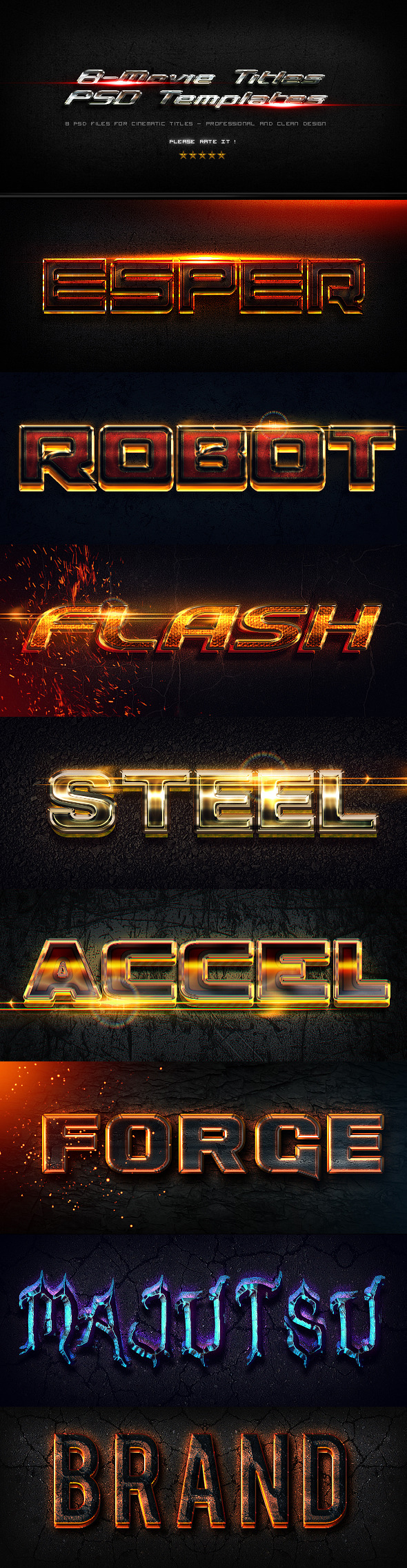
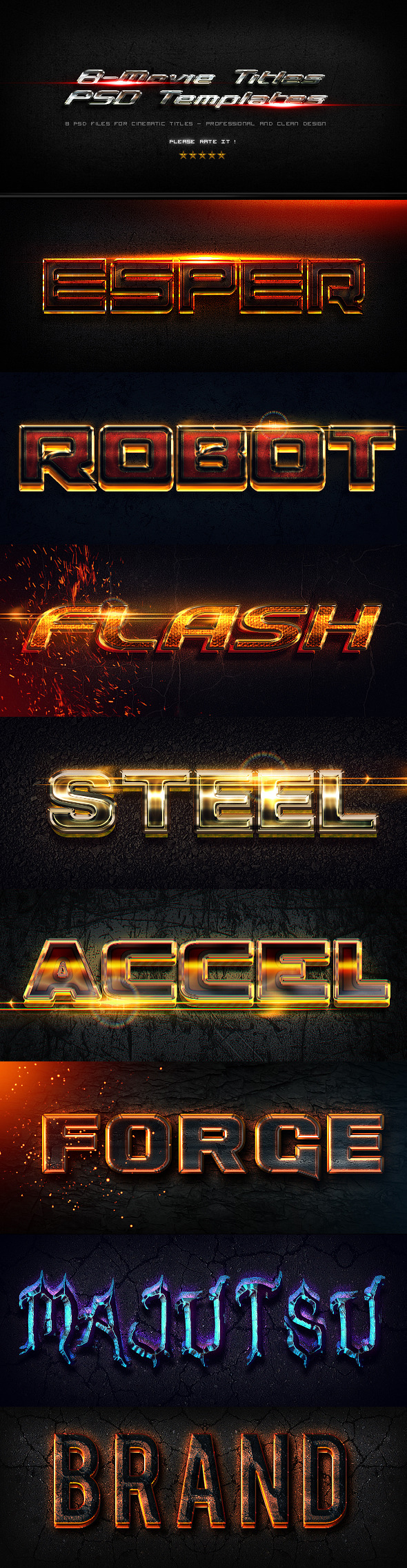
“8 Movie Titles PSD templates”>>>8 Photoshop Styles 
Includes are : 8 PSD files>>>The FX work using 2 layer styles . So all you have to do is to change the text using the text tool .
The layers are named with the Name+(Bottom/main or top).


More information: http://graphicriver.net/item/8-movie-titles-psd-templates/4312446

Screenshots

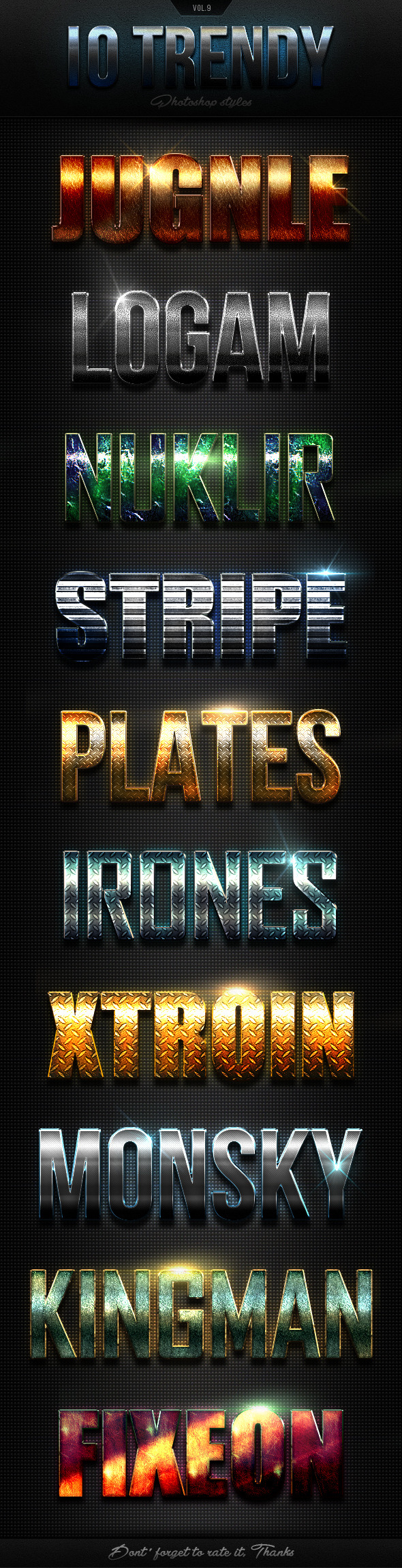
Graphicriver 10 Trendy Photoshop Styles Vol.9 11002127

Name Graphicriver 10 Trendy Photoshop Styles Vol.9 11002127
Size 16.04 MB
Created on 2015-04-16 21:45:32
Hash 5a3addfc9d733b53594b63340f14898b7d84dd55
Files Graphicriver 10 Trendy Photoshop Styles Vol.9 11002127/Graphicriver 10 Trendy Photoshop Styles Vol.9 11002127.tgz (16.04 MB)
Graphicriver 10 Trendy Photoshop Styles Vol.9 11002127/Torrent Downloaded From ExtraTorrent.cc.txt (0.35 kB)
Graphicriver 10 Trendy Photoshop Styles Vol.9 11002127/Torrent downloaded from demonoid.pw.txt (0.05 kB)

Descriptions for Description

Name: 10 Trendy Photoshop Styles Vol.9
Created: 6 April 15
Last Update: 6 April 15
Add-on Files Included: Layered PSD, Photoshop ASL
Minimum Adobe CS Version: CS


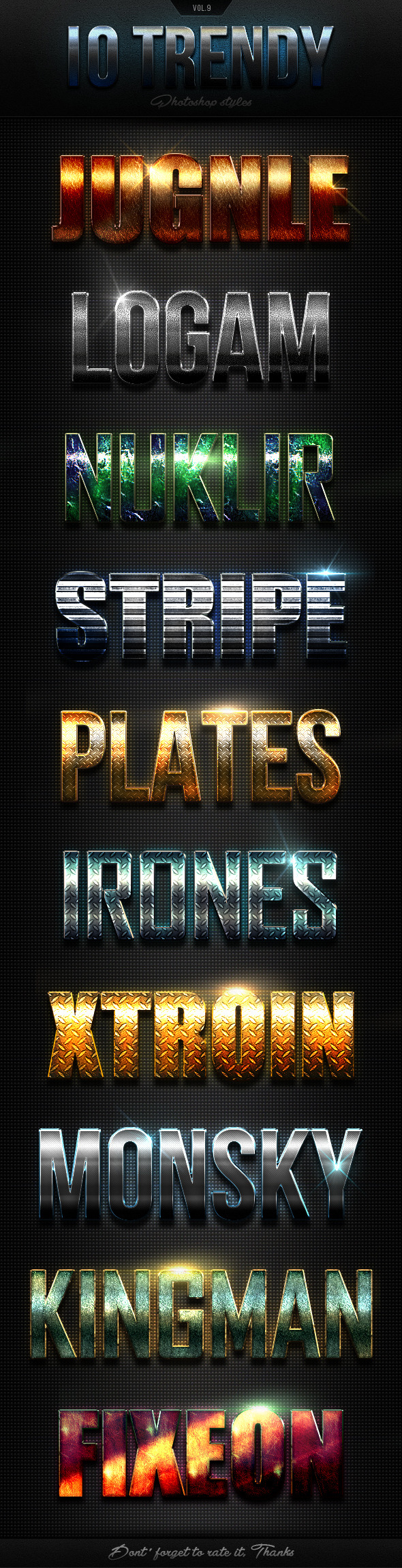
10 Trendy Photoshop Styles Vol.9

With high quality and premium effects can produce the effect of a more perfect and interesting to all your texts and all style effects work only with one click.

Features

Easy to use
Work with any font
100 Scalable
Flares included
One click
300DPI
File Included

PSD File
ASL File
Help! File


More information: http://graphicriver.net/item/10-trendy-photoshop-styles-vol9/11002127

Screenshots

Graphicriver 4 PROActions 6363883

Name Graphicriver 4 PROActions 6363883
Size 3.58 kB
Created on 2015-04-16 21:47:14
Hash 934e5dce76a031e1274adc77e8aa18df6c976555
Files Graphicriver 4 PROActions 6363883/Graphicriver 4 PROActions 6363883.tgz (3.18 kB)
Graphicriver 4 PROActions 6363883/Torrent Downloaded From ExtraTorrent.cc.txt (0.35 kB)
Graphicriver 4 PROActions 6363883/Torrent downloaded from demonoid.pw.txt (0.05 kB)

Descriptions for Description

Name: 4 PROActions
Created: 11 December 13
Last Update: 11 December 13
Add-on Files Included: Photoshop ATN
Minimum Adobe CS Version: CS4


4 PROActions professional Photoshop actions perfect for photographers and graphic designers.BRING YOUR IMAGES TO LIFE WITH ONE CLICK

FEATURES

• 4 Premium Actions
• Atn. File
• Help file
• Easy and simple to use!
• The images showed in this preview are not included


More information: http://graphicriver.net/item/4-proactions/6363883

Screenshots

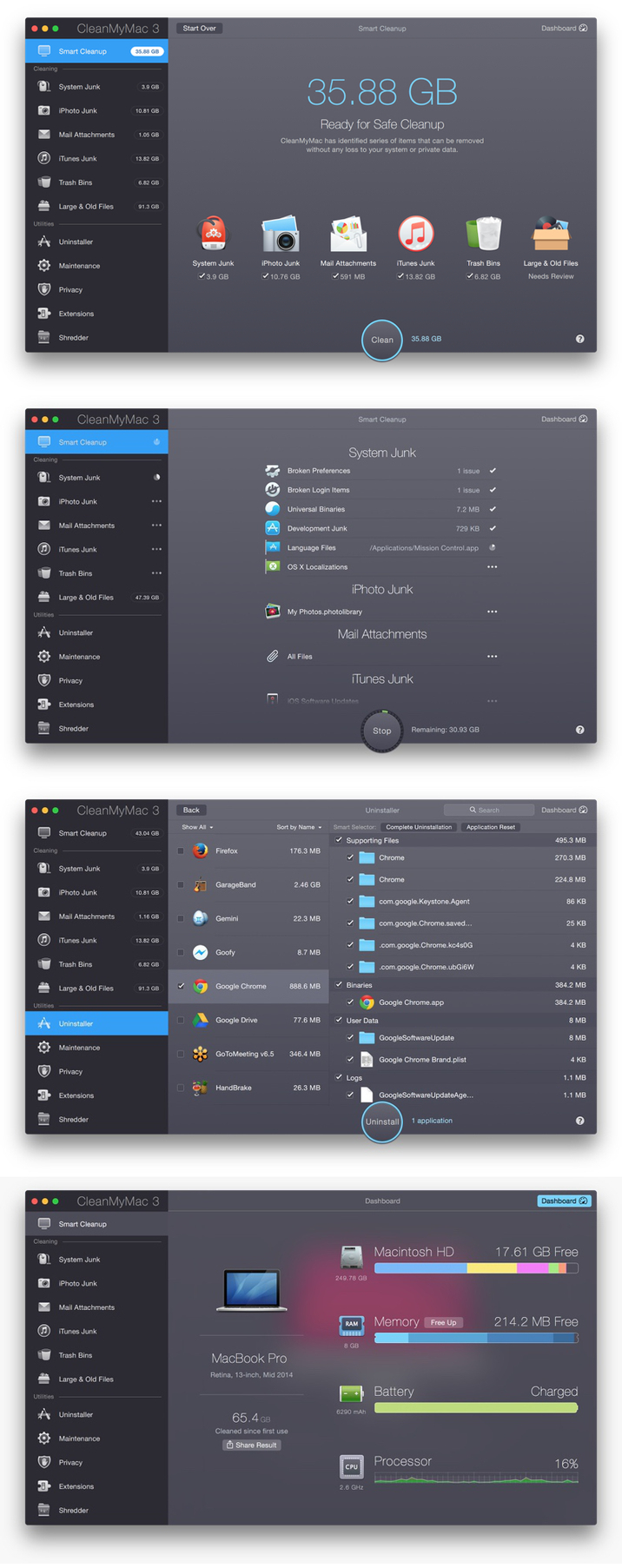
CleanMyMac 3.3.2

Description

Name: CleanMyMac
Version: 3.3.2
Mac Platform: Intel
OS version: 10.8 or later
Processor type(s) & speed: 64-bit processor

Includes: Pre-K'ed


More info: http://macpaw.com/cleanmymac


Version 3.3.2:
• New: CleanMyMac is now able to download its updates in the background
• New: Application cookies and diagnostic reports can now be removed when uninstalling
• Numerous stability and performance improvements
• Fixed: All known crashes and exceptions fixed.


DESCRIPTION:
CleanMyMac represents a sophisticated all-in-one-suite utility that helps keep your Mac clean and healthy. With just two simple clicks you can delete useless files that basically pile up and waste your valuable disk space.
CleanMyMac includes features that can Slim Universal Binaries, Clean Unneeded Languages, Rotate Logs, Clean Caches, Quick and Secure Erase, Application Uninstallation, and Killing Trash Left From Buried Applications.

CleanMyMac can save gigabytes of disk space and enhance your computer speed. Go ahead and give it a shot! Your Mac will definitely be grateful!


Screenshots

Name CleanMyMac 3.3.2
Size 40.98 MB
Created on 2016-03-12 09:46:22
Tracker http://109.235.50.166:2710/announce
Hash 91cb70151d71b703c9769632e083c91171afa75c
Files CleanMyMac 3.3.2.dmg (40.98 MB)

Airfoil 5.0.2

Name Airfoil 5.0.2
Size 15.49 MB
Created on 2016-03-13 23:47:55
Tracker http://109.235.50.166:2710/announce
Hash 967ae5c5c560e1910c6f2a04409c8dac3c0b0753
Files Airfoil 5.0.2 + KG/Airfoil Satellite.zip (7.48 MB)
Airfoil 5.0.2 + KG/Airfoil.zip (7.53 MB)
Airfoil 5.0.2 + KG/CORE Keygen.zip (475.4 kB)

Description

  Name: Airfoil  Version: 5.0.2  Mac Platform: Intel  Includes: KG    OS version: 10.9 or later  Processor type(s) & speed: 64-bit      More Info: http://rogueamoeba.com/airfoil/mac/        Enhancements :​    Airfoil better handles sync adjustments in the "Advanced Speaker Options" window. Users may need to perform a one-time readjustment of these settings.  Airfoil Satellite now avoids audio and networking issues caused by App Nap.​  Fixed or Improved :​    An issue where sync adjustments for the "Computer" output were forgotten has been fixed.  Airfoil will now de-select the defunct Airfoil Video Player app if it's selected from a previous version. See this page for more details on Airfoil Video Player.  Airfoil no longer needlessly shows a warning when an active Bluetooth speaker disconnects from your Mac.​          Airfoil For Mac    Stream any audio from your Mac all around your network. Send music wirelessly to devices like the Apple TV and AirPort Express, as well as third-party AirPlay hardware and Bluetooth speakers. You can even send to iOS devices and other computers.    Any audio on your Mac, from music services like Spotify to web-based audio like Pandora, can now be heard throughout your house!  

KeyKey Typing Tutor 1.0.4

Description

Name: KeyKey Typing Tutor
Version: 1.0.4
Release Date: March 04, 2016
Languages: English, Russian, Ukrainian
Mac Platform: Intel
OS Version: OS X 10.10 or later
Processor type(s) & speed: 64-bit processor

Includes: Pre-K'ed


More information: http://keykey.ninja/
Mac App Store: https://itunes.apple.com/app/keykey-typing-tutor/id1035137927?mt=12


What's New in Version 1.0.4:
- New icon
- Fixed an issue in Expert mode
- Fixed an issue with DVORAK layout  
- Main window is less blurry 
- Minor UI fixes

More languages, symbols, numbers and statistic are coming in the near future. Thank you for your support!


DESCRIPTION:
KeyKey will teach you touch typying with fewer error in QWERTY or DVORAK layouts. 15 minutes a day and you will become a keyboard ninja!

WHAT IS IT FOR

To stop struggling with the process of putting together letters and words. When you can type quickly and correctly, you get huge satisfaction in your writing. Few weeks of practice and you will type much faster than you can write with a pen. 

HOW TO LEARN 

1. Start KeyKey and place your hands on the keyboard so that your index fingers are on the keys "F" and "J".

2. Start typing the string you see on screen. It's important not to look at your hands when you are learning to type. If it's difficult for you, just cover them with something. 

3. Tostart another line, just press ENTER. A new string is formed, based on your previous errors.

HOW IT WORKS

The exercise provided is the result of analysis of hundreds books and articles. At the primary level the string is formed with simple words and characters. It becomes more challenging as you successfully progress forward. If you fancy yourself an expert in touch typing, select "Expert mode".

HOW LONG WILL IT TAKE

People who spend about 15 minutes per day on this training will be able to type more than 60 words per minute in just a few weeks. Just remember to train regularly, use correct fingers, and you will become a keyboard ninja in a blink! 

◆ twitter.com/keykeyapp
◆ vk.com/keykeypp
◆ facebook.com/keykeyapp

Screenshots

Name KeyKey Typing Tutor 1.0.4
Size 8.72 MB
Created on 2016-03-13 00:41:16
Tracker http://109.235.50.166:2710/announce
Hash b73eb391b80b01e9d8d237115f9d2c6025467a6f
Files KeyKey Typing Tutor 1.0.4 [MAS]/KeyKey.zip (8.72 MB)

Acorn 5.3.1 (10918)

Name acorn.5.3.1.mac.os.x
Size 11.64 MB
Created on 2016-03-09 05:55:00
Hash e57603260cd8501ccb0f39d9d9e9c9b6e57b749a
Files Acorn_v5.3.1/Acorn_v5.3.1.zip (11.64 MB)
Acorn_v5.3.1/Torrent compartido por MacAPPS para torrentland.li.txt (0.05 kB)
Acorn_v5.3.1/Torrent downloaded from MacAPPS at FlashTorrents.org.txt (0.06 kB)
Acorn_v5.3.1/Torrent downloaded from MacAPPS at torrent-core.org.txt (0.05 kB)
Acorn_v5.3.1/Torrent downloaded from MacAPPS torrents at btstor.cc.txt (0.12 kB)

Description

  Name: Acorn 5 - The Image Editor for Humans  Version: 5.3.1  Release Date: March 11, 2016  Language: English  Mac Platform: Intel  OS Version: OS X 10.10 or later  Processor type(s) & speed: 64-bit processor      More information: http://flyingmeat.com/acorn/  Mac App Store: https://itunes.apple.com/app/acorn-5-image-editor-for-humans/id1019272813?mt=12        What's New in Version 5.3.1:  New and Changed Stuff  New Circle Text Tool. This lets you add text to your layer, arranged in a circle. To switch to it, you click and hold on the text tool icon, and you'll get a sub-menu to select the new tool. If you're unhappy with the spacing between the letters--adjust the kerning in the text palette to make it right!.  There's a new menu item under the Shape menu for converting between circle and boxed text.  The minimum and maximum values for the kerning, baseline, paragraph spacing, and line height sliders are now based off the font size of the selected text box. This means you'll get saner values for really small or really big font sizes.  When editing a text box, pressing the Command-Enter keys will end your editing session.  You can now adjust the kerning for a selected text box by using the Command-Option-(Left|Right) arrow keys.  You can now drag and drop images from Photos onto Acorn's canvas to add additional layers to an open image.  The Layer -> Color Controls window is now been moved to the stackable filters. This gets rid of a modal window, allows for changing values later on, and even works on shape and group layers now.  The Expand Canvas to Fit Layers command now does a better job at figuring out bounds when you have layer filters involved.  Brush Designer: When changing brush sliders, Acorn will now update the brush preview in real-time (60 fps) to let you know what's going on in the background instead of waiting for the drawing to occur and then redrawing everything at once.  Exposure, Color Controls, and Remove Color Cast filters now have their values move in sane increments when using the up/down arrow keys in their respective text fields.  Shapes which have a radius setting (such as the star shape and circle text) can now have that value changed in the Shape Palette inspector while it's selected. You can also change the x and y coordinates of its center from that palette as well.  Fixed Stuff  Fixed an issue where cropping an image with layer filters would move them incorrectly.  Moving a bitmap selection will now snap to guides and such.  Fixed a rare crasher when updating brush settings in the brush designer and then drawing on the canvas again right away.  Fixed an issue where shape layers wouldn't update right away when resizing the canvas.  Fixed an issue where creating a 16 bpc image from a RAW file wasn't working correctly on 10.10  Fixed an issue where the Apply Layer Mask command wouldn't work if you had the layer mask active (via the layers list).  Fixed an issue with Smart Layer Export where some images would get banding on the right side of the image on 10.11.  Fixed an issue where you couldn't change the kerning for selected text sometimes.  Fixed an issue where the polygon selection tool would sometimes leave artifacts on the canvas.  Fixed a couple of cases where you could end up with empty selections.  Various other minor fixes.        DESCRIPTION:  Everyone needs to edit photos at some point, but not everyone has the time to learn complicated super pricey photo editing software. This is why we created Acorn. Add text and shapes to your digital pictures. Combine images together to create a photo collage. Work with layers to touch up your favorite photos or make something entirely new from scratch. Do all this and more with Acorn!      Powerful Image Editing  Use curves and levels, non-destructive filters, layer masks, and selections to touch up your images or make something entirely new.    Vector Tools  Stars, arrows, bezier curves, boolean operations, and text tools are just a few of the vector features awaiting you.    Custom Brushes & More  Acorn includes a built-in brush designer, multi-stop gradients, web export, retina canvas support, and is scriptable and automatable.    Speed  Acorn 4 is a lot faster than its predecessors. From applying selections and filters to large images to using Instant Alpha, everything is faster.    Non-Destructive Filters  Layer styles and filters are now merged together into a happy new UI. Chain filters together to create endless combinations of unique effects knowing you can always change your mind later on.    Curves  Adjust the tonal response and even the individual color channels to perfect the midtones, shadows, highlights, and contrast in your images.    Multiple Layer Selection  You can now select multiple layers and move, delete, or reposition them all at once.                  Editor gráfico para seres humanos.    Aunque Acorn signifique bellota en inglés, sus autores lo consideran un editor de imágenes para humanos, y es que esta simpática herramienta se deja usar tanto por expertos como por recién llegados al mundo de la edición de imágenes digital.    Con Acorn podrás abrir imágenes en los formatos habituales, incluyendo el formato PSD de Photoshop, y así editar fotografías o dibujar.    Acorn cuenta con un editor de pinceles, para añadir nuevas texturas y formas a las que ya incorpora Acorn y que te permitirán realizar todo tipo de trazos, con el ratón o con una tableta digitalizadora. Y para la edición de fotografías, Acorn ofrece filtros para aplicar a toda la imagen o a una capa concreta.    Requiere Intel Mac OS X 10.10 o posterior.  

Screenshots

Acorn 5.3.1 for Mac

Name Acorn 5.3.1
Size 12.08 MB
Created on 2016-03-10 13:44:45
Tracker http://109.235.50.166:2710/announce
Hash cda53a4d3aa8d39aeb4665fbc4f6e5ee52a6a2e1
Files Acorn 5.3.1/Acorn 5.3.1.zip (12.08 MB)
Acorn 5.3.1/SN.txt (0.47 kB)

Description

  Name: Acorn 5 - The Image Editor for Humans  Version: 5.3.1  Release Date: March 11, 2016  Language: English  Mac Platform: Intel  OS Version: OS X 10.10 or later  Processor type(s) & speed: 64-bit processor    Includes: Serial  Block connections to: flyingmeat.com      More information: http://flyingmeat.com/acorn/  Mac App Store: https://itunes.apple.com/app/acorn-5-image-editor-for-humans/id1019272813?mt=12        What's New in Version 5.3.1:  # Changed Stuff  * Increased the grid filter distance parameter from 100px to 500px;    # Fixed Stuff  * Intel HD Graphics 3000 crashes- we found a workaround for the less than perfect graphic drivers which were introduced in Mac OS X 10.11 El Capitan.  * Acorn does a better job at importing PSD files with unicode layer names.  * Fixed a bug where duplicating a document wouldn't copy over guides.  * Fixed a problem where Acorn would kick you out of editing circle text when you changed the radius.  * Fixed a potential crasher when using the smudge tool on 64 bit images.  * Fixed a bug where the stroke color for text could be lost.  * Fixed a problem where selections weren't showing up correctly in 10.11.4.  * Other minor fixes.        DESCRIPTION:  Everyone needs to edit photos at some point, but not everyone has the time to learn complicated super pricey photo editing software. This is why we created Acorn. Add text and shapes to your digital pictures. Combine images together to create a photo collage. Work with layers to touch up your favorite photos or make something entirely new from scratch. Do all this and more with Acorn!    Powerful Layer Capabilities   * Over 25 different non-destructive blending mode options.  * There is no limit to the number of layers and group layers, so you are never held back in creating complex intricate images.  * Use layer masks to block out unwanted areas of your image or to expose layers below.  * Transform, rotate, move, lock, merge, delete, and duplicate your layers quickly and easily.  * Use Acorn’s snapping to line things up perfectly. Snap to grid, guides, selections, shapes, layers, and the canvas.    Filters, Layer Styles, and Effects  * Apply endless combinations of layer styles and non-destructive filters to create unique effects.  * Save and modify your filters even after you’ve closed and re-opened your Acorn image.  * Customize your own presets and use the on-canvas controls to get things looking just right.  * Tilt shift, vignette, shadow, distortions, blurs, and over a hundred additional effects. Adding effects to your images has never been so easy.  * Use non-destructive curves and levels to adjust the individual color channels to perfect the mid-tones, shadows, highlights, and contrast in your images.    The Tools You Need  * Powerful eraser tools like instant alpha make removing photo backgrounds and other unwanted pixels from your images both fast and fun.  * Use traditional photography techniques like dodge and burn to highlight and darken your images.  * Acorn’s customizable clone, blur, and smudge brushes will have your photos looking great.  * Acorn features brushes that let you draw and sketch right on your image. Use a track pad, mouse, or even a tablet.   * Create your own brushes using Acorn's built in brush designer, or add to your brush library by importing photoshop brushes.  * Use Acorn’s multi-stop live gradients to create beautiful linear and radial gradients for vector shape and bitmap layers.  * Create custom selections, invert, feather, and even add a corner radius. Quickly select an entire color using the magic wand.  * Quickmask mode allows you to easily create and edit your selections like never before.    Vector Prowess  * Acorn’s text tool gives you control over your text in a simple interface. Everything is in the text palette from bold and italic to kerning and ligatures.  * Stars, arrows, bézier curves, circles, lines, and squares are just a handful of the vector features awaiting you.  * Use Acorn’s powerful shape processor to move, tweak, generate, and adjust shapes. Best of all, shape processors are non-destructible and stackable just like Acorn’s filters.  * Boolean shape operations include union, intersect, difference and exclude. Create complex vectors with ease.  * Convert text to bézier paths, add and subtract bézier points, and have your edges snap to pixel boundaries for precise alignment.    Professional Features  * RAW image import that allows you to import as 32, 64, or even 128 bit images.  * Create layered screenshots of every window you have open on your computer. It’s magic.  * Optimize and export your images for the web as PNG, JPEG, JPEG 2000, and GIF.  * Acorn is automatable and scriptable. Perform batch image editing using Automator, AppleScript, and JavaScript. You can even write custom plugins for Acorn.  * Use Acorn’s Smart Layer Export for easy 1x and 2x image export.  * Retina canvas support, and image metadata support.    Acorn’s website offers extensive online documentation, tutorials, a forum, and responsive support staff. You don’t have to learn by yourself. If you ever run into any issues, please let us know by writing to support@flyingmeat.com  

Screenshots

Boris Continuum Complete v10.0.1 for Mac

Description

BCC 10 is the most complete plug-in collection available for Adobe Premiere Pro & After Effects users. Over 250 filters and tools for professional motion graphics, visual effects & finishing! Make it in post.	

Integrated mocha planar tracking & masking
Imagineer's Academy Award-winning mocha planar tracking and masking engine is now integrated inside the BCC PixelChooser allowing editors to do more advanced finishing work without leaving the timeline. 

- Drastically reduce time-consuming masking & manual keyframing
- Simplifies tasks such as blurring faces, isolating filters & correcting footage
- Unlimited mask layers for simple effect isolation to full blown rotoscoping
- Track lens flares, corner pins, titles & graphics with mocha tracking data

BCC Beauty Studio
BCC Beauty Studio is a new skin retouching tool that gives editors the ability to smooth skin and reduce blemishes making their talent look better.

- Advanced skin smoothing produces professional and realistic results for a digital makeover.
- State-of-the-art keying algorithm isolates skin tones, while retaining natural sharpness and contrast.
- Integrated mocha planar track masking reduces manual keyframe labor.

BCC Title Studio
BCC Title Studio is a next generation 2D/3D titling plug-in. Create professional broadcast titles and high quality motion graphics at any resolution.

- Create stylized 2D or 3D titles with custom bevels, fills and styles. 
- OpenGL-accelerated features include 3D extrusions, materials, cameras, lights, and deformers
- Import 3D models from Maxon C4D or Adobe Illustrator EPS files.
- Includes a custom interface plug-in and stand-alone application.

New Image Restoration Tools
Three new filters are added to the already highly useful set of tools that fix, repair, and restore footage.

- BCC Remover fills in missing pixels and removes objects with clone and auto-fill options.
- BCC Dropout Fixer easily restores tape based damaged footage with field or frame dropouts.
- BCC Reframe reformats and stylizes vertical cell phone video footage into a standard 16×9 aspect for broadcast. Includes options to stylize the foreground and background with blur, stretch, and mirroring.

New Effects in BCC 10
- BCC Light Leaks adds organic and naturalistic “in-camera” light and exposure effects to stylize and enhance footage.
- BCC Video Glitch recreates the distressed look of compression artifacts, signal loss, and corrupt digital video. The embedded Beat Reactor can sync glitch effects to audio.

New Transitions in BCC 10
New transition effects. Each transition comes with many pre-built presets for an easy starting point. Customize, save and share your transition effects. 

- BCC Light Leaks Dissolve creates a light exposure-based transition
- BCC Cross Glitch mimics abrupt digital signal transitions
- BCC Cross Melt conveys a new organic look and feel
- BCC Cross Zoom combines zoom, glow, and dissolve into one simple transition

FX Browser
Quickly and easily find your perfect look.

The FX Browser™ can be accessed both in each individual filter and as a standalone to browse the entire BCC effects presets library. The built-in browsing history lets you keep track of your most recent searches. All effects play back over video in your timeline, not just a poster frame.

Host Compatibility:
Adobe: Creative Cloud 2014-15, CC, CS6, CS5.5 – After Effects and Premiere Pro.


Efectos, transiciones, procesamiento de imágenes, pintura y rotoscopia

Con una iluminación realista, codificación avanzada y corrección de color, herramientas de restauración de imágenes, composición, DVE, vector de la pintura, y el apoyo a terceros After Effects filtros, Boris FX es un gran valor para la creación de efectos en el software de edición de vídeo. Vector de la pintura y las herramientas de spline permite crear máscaras animatable y transiciones. Una Biblioteca navegador incorporado está repleto de alta calidad pre-hechos efectos, y con más de 220 filtros de efectos Boris Continuum Complete y final completo, Boris FX le da un tratamiento integral de la imagen de filtro suite. Cree sus propias miradas, o sacar de una amplia biblioteca de ajustes preestablecidos y estilos.

Boris FX Características principales

* Más de 220 filtros de efectos Boris Continuum Complete y filtro completos
* Interfaz de usuario rediseñada personalizado con acoplables Paletas con pestañas
* Restauración y Retoque de imagen
* Conjunto completo de herramientas de corrección de color como nuevo grado color de 3 vías
* Eliminación de objetos de primer plano
* Las formas en 3D tales como cilindros, esferas y cubos
* Sistema de enmascaramiento basado en Spline
* Explotación y Downstre
* Motion Blur
* Control de movimiento, estabilización de imagen y el posicionamiento de bordes
* Apoyo a la 3 ª parte de After Effects Plug-in de filtros
* Biblioteca Browser con cientos de animaciones predefinidas

Principales novedades en Boris FX 10
Soporte a la última de Adobe, Sony, Grass Valley y Comunicados
Boris FX 10 añade un nuevo soporte para Adobe Premiere Pro CS6 / CS5.5 (Mac y Windows), Sony Vegas Pro 11, y Grass Valley EDIUS 6. Adobe Premiere Pro CS4 también es compatible.


Name boris.continuum.complete.v10.0.1.mac.os.x
Size 245.4 MB
Created on 2016-03-11 22:06:32
Hash e5519756d694789262e36eb701e6875dc78630a6
Files Boris_Continuum_Complete_v10.0.1/Boris_Continuum_Complete_v10.0.1.zip (245.4 MB)
Boris_Continuum_Complete_v10.0.1/Torrent downloaded from MacAPPS at FlashTorrents.org.txt (0.06 kB)
Boris_Continuum_Complete_v10.0.1/Torrent downloaded from MacAPPS at torrent-core.org.txt (0.05 kB)
Boris_Continuum_Complete_v10.0.1/Torrent downloaded from MacAPPS torrents at btstor.cc.txt (0.12 kB)

Apple Logic Pro X 10.2.2

Description

Name: Logic Pro X
Version: 10.2.2
Release Date: March 09, 2016

Languages: English, French, German, Japanese, Simplified Chinese, Spanish

Mac Platform: Intel
OS Version: OS X 10.9 or later
Processor type(s) & speed: 64-bit processor

Includes: Pre-K'ed
Courtesy of TNT Team


More information: http://www.apple.com/logic-pro/
Mac App Store: https://itunes.apple.com/app/logic-pro-x/id634148309?mt=12


What's New in Version 10.2.2:
This update addresses overall stability and performance issues


DESCRIPTION:
Logic Pro X is the most advanced version of Logic ever. Sophisticated tools for professional songwriting, editing, and mixing are built around a modern interface that’s designed to get creative results quickly and also deliver more power whenever it’s needed. Logic Pro X includes a massive collection of instruments, effects, and loops, providing a complete toolkit to create amazing-sounding music.

Powerful Interface
• Consolidate and control multiple tracks or create rich, layered instruments with Track Stacks
• Smart Controls allow you to manipulate multiple plug-ins and parameters with a single move
• An enhanced Mixer lets you move, copy, and bypass channel inserts more efficiently 
• Quickly re-order song sections and try new ideas using Arrangement Markers 
• Autosave keeps your work safe and sound
• 64-bit architecture supports large projects containing hundreds of tracks and sampled instruments 

Professional Music Production
• Fix out-of-tune vocals and change the melodies of recorded audio with Flex Pitch
• Manipulate the timing and tempo of any recording with ease using Flex Time
• Record and seamlessly punch in and out of one or multiple tracks 
• Keep takes organized with take folders and build comps quickly with Quick Swipe Comping
• Automation can be part of a region, not just the track, which makes it easier to use effects creatively 
• Create and mix music from anywhere in the room using Logic Remote on iPad
• Produce simple lead sheets or orchestral scores with built-in Score editor 
• Create and edit MIDI using a comprehensive set of editors and tools

Drum Production
• Create authentic acoustic, electronic, or hip hop drum tracks using Drummer, a virtual session player and beat producer
• Choose among 28 distinct drummers that can take your direction and perform millions of unique grooves
• Build your own acoustic drum kits with Drum Kit Designer using a diverse collection of deeply sampled, professionally mixed snares, toms, kicks, hi-hats, and cymbals 
• Customize the sound of your electronic beats using Drum Machine Designer

Keyboards and Synths
• Get inspired by collection of synths that provide analog, wavetable, FM, additive, granular, spectral, and modeling synthesis
• Quickly find sounds or create unique new ones with Alchemy, the ultimate sample manipulation synthesizer
• Play or create a wide variety of rich sampled instruments with the EXS24 Sampler
• Instantly turn a simple chord into a rich performance with the Arpeggiator
• Transform simple ideas into elaborate performances using nine MIDI plug-ins 
• Create classic ’70s- and ’80s-style synthesizer tracks using Retro Synth
• Play faithful models of vintage keyboards with Vintage B3, Vintage Electric Piano, and Vintage Clav

Guitar and Bass Gear
• Build your own guitar or bass rig with Amp Designer using vintage and modern amps, cabinets, and mics
• Design a custom Pedalboard from a collection of delay, distortion, and modulation stompboxes
• Access the Tuner with just a click to quickly get in tune 

Creative and Production Effects
• Play your sounds through realistic acoustic spaces using Space Designer convolution reverb
• Use a range of multi-tap, vintage tape, and stereo delays
• Add movement to your tracks with a variety of modulation effects 

Sound Library  
• Over 1800 instrument and effect Patches
• More than 750 meticulously sampled instruments
• 4600 Apple Loops in modern urban and electronic genres

Compatibility
• Expand your instrument and effects library with third-party Audio Units-compatible plug-ins
• Import and export XML to support Final Cut Pro X workflows
• Export and share your songs directly to SoundCloud
• Open projects from Logic 5 or later

Minimum System Requirements
4GB RAM
Display with 1280-by-768 resolution or higher
OS X v10.9.5 or later
Requires 64-bit Audio Units plug-ins
6GB available disk space for minimum install / 45GB hard disk for full Sound Library installation

Screenshots

Name Logic Pro X 10.2.2
Size 1.26 GB
Created on 2016-03-09 13:41:06
Tracker http://109.235.50.166:2710/announce
Hash ad2c2c83925aa3597437474f00896a926674c35f
Files Logic Pro X 10.2.2.dmg (1.26 GB)

Graphicriver Realistic Painting Effect Action 10641296

Name Graphicriver Realistic Painting Effect Action 10641296
Size 1.91 kB
Created on 2015-03-11 20:09:31
Hash ef59848f405131deab935cf0dfc171244e68e2e6
Files Graphicriver Realistic Painting Effect Action 10641296/Graphicriver Realistic Painting Effect Action 10641296.tgz (1.46 kB)
Graphicriver Realistic Painting Effect Action 10641296/Torrent Downloaded From ExtraTorrent.cc.txt (0.35 kB)
Graphicriver Realistic Painting Effect Action 10641296/Torrent downloaded from AhaShare.com.txt (0.06 kB)
Graphicriver Realistic Painting Effect Action 10641296/Torrent downloaded from demonoid.pw.txt (0.05 kB)

Descriptions for Description

Name: Realistic Painting Effect Action
Created: 4 March 15
Last Update: 6 March 15
Add-on Files Included: Photoshop ATN
Works With: TIFF, JPG
Minimum Adobe CS Version: CS5.5


This action quickly transforms your photos into Realistic Painting Effect artwork. Give your photo’s an artistic edge with this action. Simply open up a photo and click play on the action. Create this highly detailed effect from your photos with little effort at all.Not Using The English Version of Photoshop ?The action has been tested and working on Photoshop CS5.5, CS6, CC & CC 2014 The action will ONLY WORK IN THE ENGLISH VERSION OF PHOTOSHOP.If you are not using the English version of Photoshop, you can always change it to English and then back again to your native language using this method.


Link for more information: http://graphicriver.net/item/realistic-painting-effect-action/10641296


Change Language

Screenshots

Graphicriver Vintage and Retro Styles V8 10418986

Name Graphicriver Vintage and Retro Styles V8 10418986
Size 7.67 MB
Created on 2015-03-11 20:10:42
Hash e35c5501bef24ee490dd4c13fd7fe10afd9dafa0
Files Graphicriver Vintage and Retro Styles V8 10418986/Graphicriver Vintage and Retro Styles V8 10418986.tgz (7.67 MB)
Graphicriver Vintage and Retro Styles V8 10418986/Torrent Downloaded From ExtraTorrent.cc.txt (0.35 kB)
Graphicriver Vintage and Retro Styles V8 10418986/Torrent downloaded from AhaShare.com.txt (0.06 kB)
Graphicriver Vintage and Retro Styles V8 10418986/Torrent downloaded from demonoid.pw.txt (0.05 kB)

Descriptions for Description

Name: Vintage and Retro Styles V8
Created: 17 February 15
Last Update: 17 February 15
Add-on Files Included: JPG Image, AI Illustrator
Minimum Adobe CS Version: CS5


This is a pack of 10 different vintage and retro graphic style for Adobe Illustrator. You can apply these styles to your text/artwork with just one click. So enhance your artwork with these styles and give it a vintage look. These styles are suitable for poster, typography, web, banner, illustration or your next project. Styles are fully vector so you can re-size them without losing quality.
Free font used, font link is on the help file.Whats included:

• 11 Illustrator files
• 10 JPG files
• Help file (one PDF file with documentation on using this style and one html file with font links)


Link for more information: http://graphicriver.net/item/vintage-and-retro-styles-v8/10418986

Screenshots

Graphicriver Low Poly Generator Photoshop Actions 10647683

Name Graphicriver Low Poly Generator Photoshop Actions 10647683
Size 800.6 kB
Created on 2015-03-11 20:09:11
Hash 7278e76d5cb1175b83c525fa8dc34adba2b743fb
Files Graphicriver Low Poly Generator Photoshop Actions 10647683/Graphicriver Low Poly Generator Photoshop Actions 10647683.tgz (800.2 kB)
Graphicriver Low Poly Generator Photoshop Actions 10647683/Torrent Downloaded From ExtraTorrent.cc.txt (0.35 kB)
Graphicriver Low Poly Generator Photoshop Actions 10647683/Torrent downloaded from AhaShare.com.txt (0.06 kB)
Graphicriver Low Poly Generator Photoshop Actions 10647683/Torrent downloaded from demonoid.pw.txt (0.05 kB)

Descriptions for Description

Name: Low Poly Generator Photoshop Actions
Created: 5 March 15
Last Update: 5 March 15
Add-on Files Included: Photoshop PAT, Photoshop ATN
Minimum Adobe CS Version: CS


Low Poly Generator by psddudeThis set contains 7 Photoshop actions with styles intact that will allow you to create geometric low poly effects out of any image.
The result contains easy to edit layers with layers styles intact so that you can customize the effect. 
PACKAGE DETAILS:

• LOW POLY GENERATOR
• Made with: Photoshop CS4
• Created: March 7, 2015
• Files: ATN, PAT, PDF 
PACKAGE Quality&Features:

• 7 Photoshop Actions perfect for creating low poly art
• 3 Low-Poly Patterns great for making low poly backgrounds
• PDF Help File included
• 100% customizable
• Works with any type of layer: text, shapes, smart objects, graphics, photos, etc.
• Unbeatable results


Link for more information: http://graphicriver.net/item/low-poly-generator-photoshop-actions/10647683

Screenshots

Tomb Raider 2

Description

Name: Tomb Raider II
Version: 1.0
Release Date: October 27, 2011
Language: English
Mac Platform: Intel
OS Version: OS X 10.6.6 or later


More information: http://www.gameagent.com/games/tomb-raider-ii?utm_source=MacApp&utm_medium=ProductLink&utm_campaign=tomb-raider-ii
Mac App Store: https://itunes.apple.com/app/tomb-raider-ii/id462324231?mt=12


DESCRIPTION:
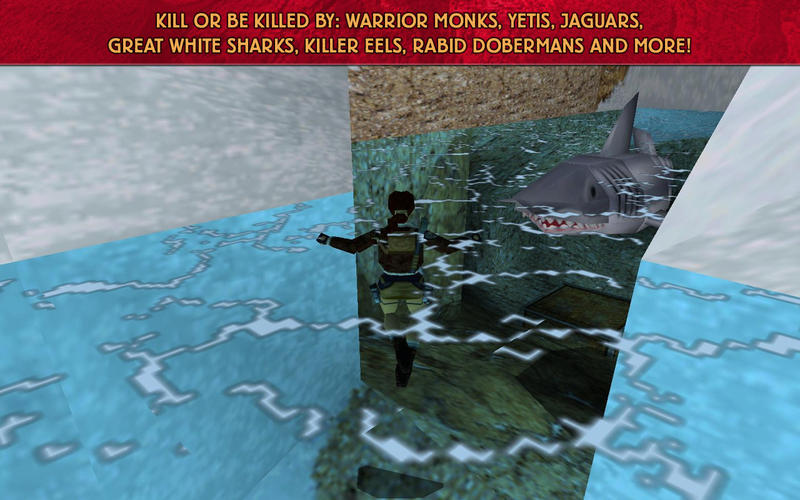
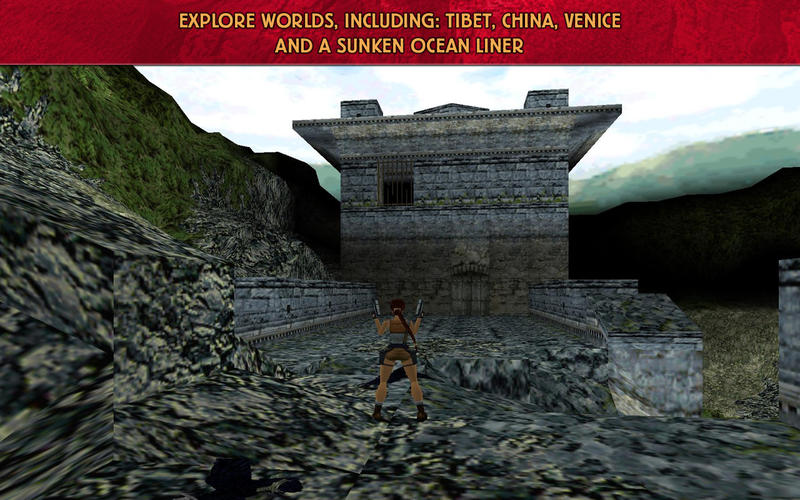
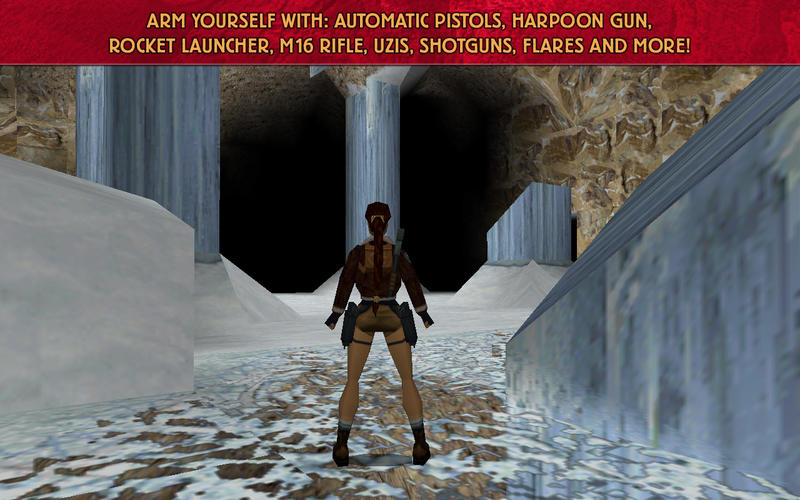
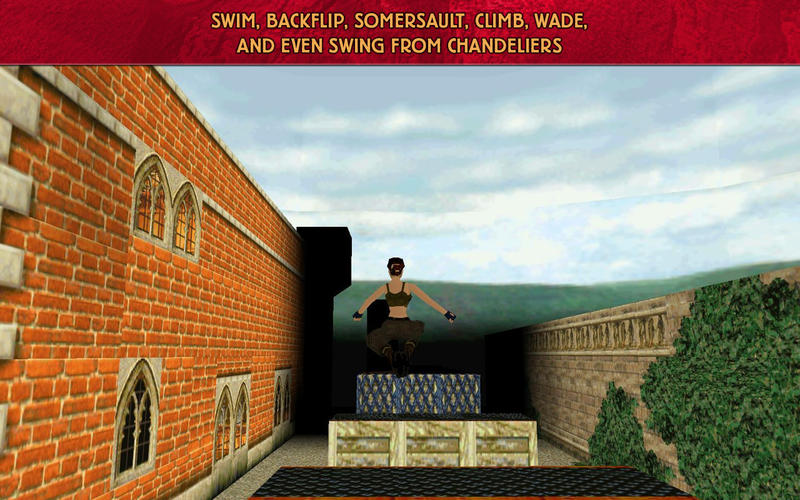
Experience the game that put Lara on the map!  Well deserving of its critical praise, Tomb Raider II boldly introduced the Mac gaming world to Lara Croft’s brand of adventure, intrigue, and discovery.  Whether it’s your first time to play this classic, or a trip down memory lane, Tomb Raider II is the gaming treasure you have been searching for.

Join Lara Croft in her quest for the Dagger of Xian, reputed to possess the power of the dragon. But beware, Lara is not the only one in search of danger! Warrior Monks and crazed cult members plot against you as you travel from the remote mountain peaks of Tibet, the canals of Venice and even to the bottom of the sea. 

*** Please Check System Requirements Prior to Purchasing. If you are unsure about your system specs, head over to GameAgent.com and let the MacMatch feature do it for you!*** 

* Integrated video chipsets are not supported: 
GMA 950: Mac Mini(2006,2007), iMac(2006),Macbook(2006,2007)
GMA X3100: Macbook(2007,2008), MacBook Air(2008)

* In order to run the game with satisfactory performance, your Mac must meet these minimum system requirements: 1.8 GHz CPU Speed | 512 MB RAM | 1.0 GB free disk space | (ATI): Radeon X1600; (NVidia): GeForce 7300 | 128 MB VRam

* Supported Video cards:
NVIDIA GeForce 7300, 7600, 8600, 8800, 9400, 9600, GT 120, 320M, 330M / ATI Radeon X1600, X1900, HD 2400, HD 2600, HD 3870, HD 4670, HD 4850, HD 5670, HD 5750, HD 5770, HD 5870, HD 6630, HD 6750, HD 6970, Intel HD Graphics 3000

* Supports Logitech Precision, Saitek Rumble PS3200, and Gravis Eliminator Gamepad Pro controllers
_______________________________________________________________
BE THE FIRST TO KNOW!
Get the latest Aspyr news, get insider information, deals and more…
SURF US: http://aspyr.com
LIKE US: http://facebook.com/aspyrmedia
FOLLOW US: http://twitter.com/aspyrmedia

Need some help guiding Lara through her adventures?  Take a look at our tips and tricks blog post at http://blog.gameagent.com/tag/tomb-raider-ii/


Thank you for playing Tomb Raider II from Aspyr!

Screenshots

Name Tomb Raider 2
Size 252.9 MB
Created on 2016-03-08 15:52:08
Tracker http://109.235.50.166:2710/announce
Hash f4ce782d23dd8a80bda5ceacc631644aa773ea55
Files Tomb Raider 2.zip (252.9 MB)

Big Fish Audio – Pop Rock Studio Drum Sessions KONTAKT

Description

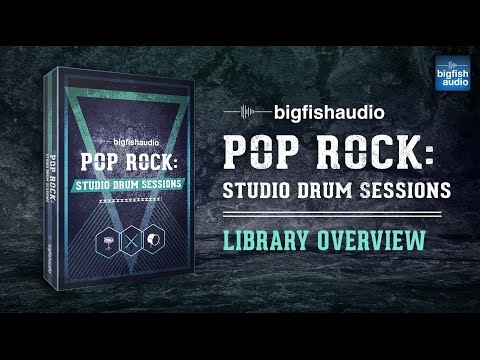
ig Fish Audio is proud to present Pop Rock: Studio Drum Sessions.

This library contains 17 kits packed with some of the hottest drum sounds on the market today. Weighing in at over 16 GB of content, split between 1.68 GB of stereo drum mixes and one-shots, and over 14 GB of drum stems and stem one-shots from 16 mic positions, this library has every element you need to put together completely professional, radio-ready drum tracks. With so many options to mix and match between kits, and the added bonus of the stems and one-shot samples, the possibilities with Pop Rock: Studio Drum Sessions are endless.

All Multi-Track stem samples also come pre-built into Pro Tools, Ableton LIVE, and Apple Logic DAW Sessions. This saves a massive amount of time spent dragging and dropping thousands of files into sessions to use.

These samples have been recorded using the highest quality gear and signal paths possible in 24-bit, to preserve the wide spectrum character of a true drum kit that retains both the warmth and punch you need to stand out in the mix.

Pop Rock was recorded with Ryan Yerdon working his usual magic. With an artist like Ryan behind the kit, you know that what you are getting is the absolute best, and will not compromise on any level.

KLI SERIES VERSION

Libraries in the KLI Series (Kontakt Loop Interface) include a custom interface for tweaking loops and sounds beyond what was previously possible. Each loop is given its own patch and can be extensively edited by manipulating the various slices of the loop. In addition, groups of loops that play together have been given their own patch as well making it easy to quickly arrange and mix loops on the fly. Each patch in the Kontakt player will automatically sync with your DAW's host tempo making integration with your production seamless. For a general overview

This library also comes with many different KLI patches and features:

Kit Combos - Kit combo patches include all loops of each section and all variations in the kit, laid out across the keyboard for easy and quick arrangements.

Sliced Loops - Sliced Loop patches contain our custom loop editing interface. Rearrange, remix, or completely rework each loop to fit with your music exactly how you want.

Single Instruments - Single Instrument Patches include single hits of each kit piece arranged by kit. For example, all the One-Shot Kicks from the whole product can be found in the patch called “Kick.nki”.

One Shots - One Shots Patches include all the one shot samples from a single kit. For example, all the one shot samples from Kit 01 can be found in the “01 080 BPM” patch under the “One Shots” folder.

FX Suite - Each patch includes a suite of pre-selected FX to shape the sound and processing of the samples.

KLI SERIES VERSION

Pop Rock: Studio Drum Sessions includes over 1.6 GB of content with 757 different Kontakt patches.

Kit Combos - 26 patches are included in the “Kit Combos” section. These patches contain all loops in each section (Verse, Chorus, etc.) and all section variations in the kit, laid out across the keyboard for easy and quick arrangements. Loops start at C1 on the keyboard

Sliced Loops - There are 697 “Sliced Loops” patches. Each loop from the product has been given its own patch and can be edited extensively using the “loop FX” interface. The full loop can be triggered at C0. The loop can be played backward at D0. Individual slices start at C1 on the keyboard.

Single Instruments - There are 17 “Single Instruments” patches which include single hits of each kit piece arranged within the patch by construction kit. For example, all the One-Shot Kicks from the whole product can be found in the patch called “Kick.nki”. (Loops start at C1 on the keyboard)

One Shots - 17 patches are included in the “One Shots” section. One Shots patches include all the one shot samples from a single kit. For example, all one shot samples from Kit 01 can be found in the “01 080 BPM” patch under the “One Shots” folder. Samples start at C1 on the keyboard and are laid out by kit piece.

More information: http://www.bigfishaudio.com/Pop-Rock-Studio-Drum-Sessions


PC/MAC

BIG THANKS TO FANTASTiC

ENJOY

PLEASE SEED THANKS


Name Big Fish Audio – Pop Rock Studio Drum Sessions KONTAKT
Size 1.16 GB
Created on 2016-03-10 05:03:34
Hash e1a6813dc9a17d001d093954fdd287ae301258ce
Files Big Fish Audio – Pop Rock Studio Drum Sessions KONTAKT/RockStudio.part1.rar (587.2 MB)
Big Fish Audio – Pop Rock Studio Drum Sessions KONTAKT/RockStudio.part2.rar (570.3 MB)
Big Fish Audio – Pop Rock Studio Drum Sessions KONTAKT/Torrent downloaded from Demonoid.ooo.txt (0.05 kB)

Graphicriver 30 Amazing Vector T-shirt Designs with an Extended License & Bonus

Name Graphicriver 30 Amazing Vector T-shirt Designs with an Extended License & Bonus
Size 190.3 MB
Created on 2015-03-07 19:55:52
Hash 995c41f18e7155a1908c428ebb1ef3aae8f058d6
Files Graphicriver 30 Amazing Vector T-shirt Designs with an Extended License & Bonus/Graphicriver 30 Amazing Vector T-shirt Designs.tgz (190.3 MB)
Graphicriver 30 Amazing Vector T-shirt Designs with an Extended License & Bonus/Torrent Downloaded From ExtraTorrent.cc.txt (0.35 kB)
Graphicriver 30 Amazing Vector T-shirt Designs with an Extended License & Bonus/Torrent downloaded from AhaShare.com.txt (0.06 kB)
Graphicriver 30 Amazing Vector T-shirt Designs with an Extended License & Bonus/Torrent downloaded from demonoid.pw.txt (0.05 kB)

Description

  Graphicriver 30 Amazing Vector T-shirt Designs with an Extended License & Bonus  VECTOR EPS, AI, JPG | 90 Mb  

Screenshots

Origami v2.1 Adobe Illustrator Plug-in

Name adobe.illustrator.plug.in.origami.v2.1.macosx
Size 11.73 MB
Created on 2016-03-05 22:55:02
Hash c3029a9aa680d76227e84476a0622cadfb86eb93
Files Origami v2.1 MACOSX/Origami.dmg (11.73 MB)

Description

  Name: Origami  Version: 2.1  Mac Platform: Intel  Includes: Pre-K'ed  OS version: OS X 10.6 or later  Processor type(s) & speed: 64-bit processor    More information: http://boxshot.com/origami/      Origami is a 3D folding plug-in for Illustrator CS6 or later. It shows your flat 2D die-cuts in 3D with minimal setup. This helps to reduce errors and preview your design in a better way.  

Screenshots

Screens v3.6.11

Descriptions for Screens v3.6.11

Name: Screens VNC – Remote Access To Your Desktop Computer
Version: 3.6.11
Languages: English, Czech, Danish, Dutch, French, German, Italian, Japanese, Korean, Norwegian Bokmål, Portuguese, Russian, Simplified Chinese, Spanish
Release Date: January 24, 2016
Mac Platform: Intel
Includes: K

OS Version: OS X 10.9 or later
Processor type(s) & speed: 64-bit processor

More information: http://edovia.com/screens/#mac
Mac App Store: https://itunes.apple.com/app/screens-vnc-remote-access/id446107677?mt=12

Overview

Access your computers from wherever you are! Screens is a beautiful, yet powerful Screen Sharing and VNC client that lets you connect back to your Mac, Windows or Linux PC from the comfort of your living room, the corner coffee shop or anywhere in the world.

“Screens 3 brings welcome design and features that take advantage of OS X for a VNC app that’s versatile, powerful, and a pleasure to use.”
— Federico Viticci, MacStories

“Screens 3 makes the best Mac VNC app even better.”
— Rene Ritchie, iMore

“Screens 3 is a massive revamping of one of the most popular VNC clients available.”
— Mike Beasley, 9to5Mac

“Screens for Mac is the best remote access solution for accessing our Macs when away from home.”
— Bradley Chambers, The Sweet Setup

“If you ever want to access a computer from your Mac, Screens is the way to do it.”
— Shawn Blanc

– – – – – – – – – – – – – –

KEY FEATURES

• Connect from Everywhere
Install Screens Connect on your Mac or Windows PC and make it easily reachable from anywhere in the world.

• Stay Synchronized
Your saved Screens follow you on every Mac or iOS devices you own through iCloud.

• Quickly Connect to Nearby Computers
Initiate a single-shot connection to a nearby Mac, Windows or Linux PC without having to create a new Screen.

• Connect Safely
Screens can connect back to your computer through a secured connection. Enable Remote Login on your Mac and you’re done!

• Easy Shortcuts
Assign key mappings to the most used keyboard shortcuts in order to control your remote computer more easily.

• Display Selection
Do you have more than one display attached to your Mac? Screens supports multiple displays allowing you to always access what you need, no matter which display it is on.

• Pasteboard Support
Send text back to your computer and receive text, images and URLs from it through the pasteboard.

• On Disconnect Actions
Screens can execute special commands before it disconnects from your computer. Execute one of them Hot Corners or get the remote user to log out.

AND FOR THE POWER USER:

• SSH Keys Support
Initiate a secure connection (SSH) with a key, with or without a passphrase.

• URLs-O-Rama
Launch Screens from URL Schemes like screens://, vnc:// or ssh://.

• Screens in your menu bar
Access your recent connections or discovered computers right from your menu bar.

SPECIAL REQUIREMENTS

• A VNC Server, such as UltraVNC or TightVNC, is required to connect to a Windows PC.
• Windows and Linux users are required to configure their router and computer manually to access their computer remotely.
• A SSH Server, such as freeSSHd, is required to create a secure connection to a Windows or Linux PC.
• Pasteboard images are only receivable from a Mac. Windows and Linux PCs can only receive text and URLs.

See Screens’ User Guide for details.

• Screens will not receive any sound from your computer. This is a limitation of the RFB protocol the app is using.
• Screens Connect requires OS X 10.6.8 Snow Leopard or later. You will need to create a free Screens ID.

What’s New in Screens v3.6.11

– Added middle mouse button support
– Stability improvements

Screenshots

Name Screens 3.6.11
Size 15.42 MB
Created on 2016-03-03 14:00:20
Tracker http://109.235.50.166:2710/announce
Hash c670116715695e9f20ab3fffb814b70ac978d6d5
Files Screens 3.6.11/Screens 3.6.11.zip (12.04 MB)

Topaz DeNoise 6.0.0

Description

Name: Topaz DeNoise
Version: 6.0.0
Mac Platform: Intel
Includes: Serial

OS version: 10.9+
Processor type(s) & speed:
RAM minimum:
Video RAM:

Changelog:

(not available at time of upload)

*Existing 5.0.1 version of Topaz DeNoise was a plugin (required host app). Starting with v6.0.0 - DeNoise is now a stand-alone app. As such, I have uploaded it as a MacOS App and left the prior/existing version as is (graphics / plugin), rather than bundling. Staff - feel free to change this or PM me if you would like me to change it.


It can be hard to make tack-sharp images that "pop". Topaz Detail makes it easy. Sharpness is the first thing you experience in a photo. And when you see an image where it's done really right... it's shockingly beautiful. It's almost surreal. Because that's something that we don't see every day: a photo where every single detail jumps out at you, grabs your attention, and never lets go.

If you want to achieve this level of exquisite image sharpness, Topaz Detail was created for you. Normal sharpening tools just increase edge contrast, which gives the appearance of sharpness. Topaz Detail enhances natural detail that already exists in the image, and makes your photo truly sharper.

New Features in Topaz DeNoise 6:

Complete control over image detail for true sharpness
• Topaz Detail gives you six different ways to adjust detail, based on size and tone. If you're looking to make crisp and clear images, this is the best way to do it.

Make your photo deeper and more "three-dimensional"
• Image quality isn't only about edge sharpness. Make your whole image appear deeper and "punchier" by enhancing the whole package: sharpness, depth, and local contrast.

Get natural images without halos or sharpening artifacts
• Detail uses a unique method that doesn't have the telltale signs of traditional over-sharpening. This means you can make your photos sharper and keep it looking great.

Selectively add sharpness to your image
• Using edge-aware tools, it's easy to selectively apply Detail to the parts of your image that need it most. Paint the effect in where you need it, and easily remove it where you don't.

"Wow" viewers with tack-sharp and crystal clear images
• It's always best if you get your focus right during your actual shoot. But if you've already taken the best image you can, Detail will help you make it as sharp and clear as it can possibly be.

Detail's approach to sharpening lets you enhance true detail that already exists in your image, rather than just making edges brighter. Not only does this give you better-looking results, it also prevents the ugly artifacts like halos and overshooting that you often get with other tools.

You'll forget about any other sharpening method after trying Topaz Detail for the first time. There's simply no better way to get tack-sharp images.

Enhance true image detail
• Topaz Detail doesn't fake sharpness. It figures out the real detail in your image - detail that was always there - and enhances it for genuine sharpness.

Keep your photos natural
• Instead of just making edges brighter, Detail enhances real existing detail and doesn't get the sharpening artifacts that you get from other tools.

Use it wherever you edit photos
• Topaz Detail plugs into your existing workflow. Get it as a plugin for Photoshop, Lightroom, Aperture, and many more existing products.

Give your photos more depth
• Don't settle for a flat photo. Detail helps make your photos deeper and more vivid by making your image look three-dimensional.

Apply sharpness selectively
• Use built-in smart selective adjustment tools, like an edge-aware brush, to apply Detail precisely where you need it.

Info: http://www.topazlabs.com/denoise

Name Topaz DeNoise 6.0.0
Size 35.39 MB
Created on 2016-03-02 14:07:10
Tracker http://109.235.50.166:2710/announce
Hash 4b60157e787162b5c1b002eaf098b6fb30db77e1
Files TopazDeNoise_6.0.0/SN/Denoise SN.txt (0.09 kB)
TopazDeNoise_6.0.0/Topaz DeNoise 6.zip (35.39 MB)

AKVIS MakeUp v4.0

Name akvis.makeup.v4.0.mac.os.x
Size 144.3 MB
Created on 2016-03-03 03:58:12
Hash 36602ef8c18688b439fcab565bae969168272f0d
Files AKVIS_MakeUp_v4.0/AKVIS_MakeUp_v4.0.zip (144.3 MB)
AKVIS_MakeUp_v4.0/Torrent compartido por MacAPPS para torrentland.li.txt (0.05 kB)
AKVIS_MakeUp_v4.0/Torrent downloaded from MacAPPS at FlashTorrents.org.txt (0.06 kB)
AKVIS_MakeUp_v4.0/Torrent downloaded from MacAPPS at torrent-core.org.txt (0.05 kB)
AKVIS_MakeUp_v4.0/Torrent downloaded from MacAPPS torrents at btstor.cc.txt (0.12 kB)

Description

  Name: AKVIS MakeUp  Version 4.0  Mac Platform: Intel  OS version: OS X 10.6 or later    Trial version for 999.999 days      More info: http://akvis.com/es/makeup/index.php      AKVIS MakeUp automatically smoothes small defects on the skin, making it radiant, beautiful, pure and even, as you can see on artistic images. The software is ideal for processing marriage photographs or graduation party photos. AKVIS MakeUp can be useful to the fans of social networks and blogs to improve their profile pictures and add a touch of glamour to the albums.      ▬▬▬▬▬▬▬▬▬▬▬▬▬▬▬▬▬▬▬▬▬▬▬      AKVIS MakeUp mejora retratos y añade un toque de glamour a sus fotos, dándoles un aspecto profesional.    El software suaviza automáticamente los pequeños defectos de la piel, haciéndola radiante, bella, pura, como se puede ver en las imágenes artísticas. Es increíble como la buena tez puede rejuvenecer y refrescar un vistazo!    Los trucos de fotógrafos profesionales ahora están disponibles para todos!    Sólo tiene que abrir un retrato con AKVIS MakeUp y hacer clic en el botón Arrancar. El software retoca y refresca la piel sin cambiar otros aspectos de la foto.    Hay dos modos - Rápido y Avanzado. En el modo Rápido puede hacer la corrección con un sólo clic del ratón usando la configuración por defecto, mientras que en el modo Avanzado puede elegir el tono de la piel con mayor precisión utilizando la herramienta cuentagotas y ajustar más parámetros para encontrar el justo medio entre el glamour y la autenticidad.    En el modo Avanzado, puede lograr efectos especiales, por ejemplo - imágenes en High Key (Clave Alta), que suaviza las sombras y elimina las pequeñas imperfecciones y las ojeras. Los rasgos se ponen bien definidos y el retrato aparece en la mejor luz.    El software es ideal para el procesamiento de fotografías matrimoniales.  Gracias a la función de Procesamiento por lotes, no necesita procesar cada imagen por separado, basta con aplicar la configuración elegida a toda la carpeta con las fotos de la fiesta.    AKVIS MakeUp puede ser útil para los aficionados de las redes sociales y blogs para mejorar sus fotos de perfil y añadir un toque de glamour a sus álbumes.     Requiere Intel Mac OS X 10.6 o posterior.  

Screens 3.6.11

Descriptions for Screens 3.6.11

Name: Screens
Version: 3.6.11
Mac Platform: Intel
OS version: 10.9 or later
Processor type(s) & speed: 64-bit

Includes: K

More info: http://edovia.com/screens/#mac
Mac App Store: https://itunes.apple.com/us/app/screens-vnc-remote-access/id446107677

Overview

Screens is the ultimate VNC client for your Mac.

Features:
iCloud – Synchronize all your stored screens on all your iOS devices, including your Mac.
OS X 10.7 Lion-ready: use Screens in fullscreen mode to make it feel your remote computer is right there in front of you.
Easy to Use: Screens is the easiest, most user friendly VNC client for Mac.
Secure: Screens can connect to your computer through a SSH Tunnel so your session is encrypted and safe.
Multi-Touch: Screens supports many multi-touch features, such as pinch and navigation, you’re already used to on your trackpad.
Screens Connect: Make your computer available from anywhere with this optional helper app. Easy as flicking a switch. No messy router setup.*
Versatile: Screens can connect to Macs with OS X 10.4 or later, Linux, Windows PCs and most VNC servers.
Works Anywhere: Through WiFi or a 3G network.
Screens. It just works.

What’s New in Screens 3.6.11

– Added middle mouse button support
– Stability improvements

Screenshots

Name Screens 3.6.11
Size 14.09 MB
Created on 2016-03-03 01:08:23
Tracker http://109.235.50.166:2710/announce
Hash 0bbed8a17fdf9068e189c007559e4c04b6f5f5da
Files Screens 3.6.11/Screens 3.6.11.zip (12.04 MB)

Money v4.7.1 [MAS]

Name Money 4.7.1
Size 20.08 MB
Created on 2016-03-03 01:08:10
Tracker http://109.235.50.166:2710/announce
Hash 70511efcf9ae98d2380b1aa4bac7e9003359fbe5
Files Money 4.7.1 [MAS]/Money.zip (20.08 MB)

Descriptions for Description

Name: Money
Version: 4.7.1
Mac Platform: Intel
Includes: Pre-K'ed

OS version: 10.7 or later
Processor type(s) & speed: 64-bit
RAM minimum: n/a
Video RAM: n/a

What's New

• Issue with direct downloads from Chase fixed


Money presents a powerful, comprehensive, and intuitive system designed to help you keep control of your financial life. Oversee your account balances, track investments, keep budgets, and manage your bank accounts, credit cards, loans, assets, and cash. Do it all in a straightforward and stylish interface.
Create separate accounts for your bank accounts, cash, credit cards, investments, assets, and loans to balance your accounting with grace.
Money allows you to connect directly to hundreds of financial institutions via the Internet and update your accounts automatically.
Set your target revenues and expenses for each month. Afterwards, compare your targets with the actual outcome with the Budget Monitor bars.
Set up recurring transactions for payments that occur on regular basis. Money can add them automatically without you even noticing.
Money offers 13 types of reports, including Spending by Category, Net Worth, and more. See your financial situation appear right before your eyes.
Store Money documents in your Dropbox account to access and edit them from any of your devices, at home or on the go.

More info: http://www.jumsoft.com/money/

Screenshots

LEGO Marvel Super Heroes 1.0.1

Description

Name: LEGO Marvel Super Heroes
Version: 1.0.1
Mac Platform: Intel
Includes: Pre-K'ed

OS version: 10.8.5
Processor type(s) & speed: Intel
RAM minimum: 4 GB
Video RAM: 256 MB

Cracked by Activated.

This game is brilliant. Works great on 10.11.3 on my Mac mini 2014.

Do not use the 1.0 version already on the site, it crashes shortly into the game (bad crack).


LEGO® Marvel™ Super Heroes features an original story crossing the entire Marvel Universe. Players take control of Iron Man, Spider-Man, the Hulk, Captain America, Wolverine and many more Marvel characters as they unite to stop Loki and a host of other Marvel villains from assembling a super-weapon capable of destroying the world. Players will chase down Cosmic Bricks as they travel across LEGO Manhattan and visit key locations from the Marvel Universe, such as Stark Tower, Asteroid M, a Hydra base and the X-Mansion.

Screenshots

Name LEGO Marvel Super Heroes 1.0.1
Size 5.97 GB
Created on 2016-03-02 14:03:32
Tracker http://109.235.50.166:2710/announce
Hash b9ecdfaf39c7bf21df9ba8730d773d5261b8501e
Files LEGO® Marvel™ Super Heroes.zip (5.97 GB)

Game Dev Tycoon 1.5.24

Description

Name: Game Dev Tycoon
Version: 1.5.24
Mac Platform: Intel
Includes: Only the application or game is included

OS version: 10.7.5
Processor type(s) & speed: 2GHz
RAM minimum: 2GB
Video RAM: 16MB

DRM-FREE


Link for more information: http://www.greenheartgames.com/app/game-dev-tycoon/

Game Dev Tycoon

Start your adventure in a small garage office in the 80s. Enjoy the hand-crafted level design while you develop your first simple games. Gain experience, unlock new options and create your first game engine.

Create games your way
In Game Dev Tycoon the decisions you make during development really matter. Decide which areas you want to focus on. Does your game need more gameplay or should you focus more on quests? These decisions will have a major impact on the success of your game.

Grow your company
Once you have successfully released a few games you can move into your own office and forge a world-class development team. Hire staff, train them and unlock new options.

Make larger more complex games
With experience and a good team, you can release larger, more complex games. Larger games bring new challenges and you will have to manage your team well to deliver hit games.

• Start a game development company in the 80s
• Design and create games
• Research new technologies
• Create custom game engines
• Move into bigger offices
• Forge a world-class development team
• Unlock secret labs
• Conduct industry changing products
• Unlock achievements

• The full game has many more features which are not listed here to prevent spoilers.

Screenshots

Name Game Dev Tycoon 1.5.24
Size 124.3 MB
Created on 2016-03-01 13:38:04
Tracker http://109.235.50.166:2710/announce
Hash f41bbaa4de68442f32a4b6211be8cdf3d73b7ec3
Files GameDevTycoon-1.5.24.dmg (124.3 MB)

Airfoil v5.0.1 [Pre-Cracked]

Name airfoil.v5.0.1.pre.cracked.mac.osx.core.x
Size 30.74 MB
Created on 2016-02-29 15:54:15
Hash abc1011eac73b9baf3e202b001c55fb2204b867d
Files Airfoil v5.0.1 [Mac OSX]/Application/Airfoil 5.0.1.dmg (30.74 MB)
Airfoil v5.0.1 [Mac OSX]/Fullstuff.net.url (0.12 kB)
Airfoil v5.0.1 [Mac OSX]/Read Me.txt (0.02 kB)

Description

  Name: Airfoil  Version: 5.0.1  Includes: Pre-Cracked      Stream any audio from your Mac all around your network. Send music wirelessly to devices like the Apple TV and AirPort Express, as well as third-party AirPlay hardware and Bluetooth speakers. You can even send to iOS devices and other computers. Any audio on your Mac, from music services like Spotify to web-based audio like Pandora, can now be heard throughout your house.  

Graphicriver Vintage Photoshop Action 10445893

Name Graphicriver Vintage Photoshop Action 10445893
Size 2.04 MB
Created on 2015-02-24 17:43:45
Hash dddbfd9d4e1ea67f83626abd073578a2ff1a118e
Files Graphicriver Vintage Photoshop Action 10445893/Torrent Downloaded From ExtraTorrent.cc.txt (0.35 kB)
Graphicriver Vintage Photoshop Action 10445893/Torrent downloaded from AhaShare.com.txt (0.06 kB)
Graphicriver Vintage Photoshop Action 10445893/Torrent downloaded from demonoid.pw.txt (0.05 kB)
Graphicriver Vintage Photoshop Action 10445893/Vintage Photoshop Action.tgz (2.04 MB)

Descriptions for Description

Name: Vintage Photoshop Action
Created: 19 February 15
Last Update: 19 February 15
Add-on Files Included: Photoshop ATN
Works With: JPG
Minimum Adobe CS Version: CS6


Vintage Photoshop Action

Features: This action is designed to transform your photo’s into Vintage Photoshop Action look. The action has been tested and working on Photoshop (English versions) CS6. I recommend using the action on photo’s with high resolution for the best results..

Features :

1 Atn file

1 Help_File

Vintage Photoshop Action

Easy to edit 100% Fully editable Simple to Customize Well Organized Layers Works for any photo size

Thanks


Link for more information: http://graphicriver.net/item/vintage-photoshop-action/10445893

Screenshots

Graphicriver Poster Art – Photoshop Action 10448377

Name Graphicriver Poster Art – Photoshop Action 10448377
Size 4.96 kB
Created on 2015-02-24 17:43:26
Hash 8d527a88ebe5ef4d23aa0ab93cd4adc18031ee6a
Files Graphicriver Poster Art – Photoshop Action 10448377/Poster Art – Photoshop Action.tgz (4.50 kB)
Graphicriver Poster Art – Photoshop Action 10448377/Torrent Downloaded From ExtraTorrent.cc.txt (0.35 kB)
Graphicriver Poster Art – Photoshop Action 10448377/Torrent downloaded from AhaShare.com.txt (0.06 kB)
Graphicriver Poster Art – Photoshop Action 10448377/Torrent downloaded from demonoid.pw.txt (0.05 kB)

Descriptions for Description

Name: Poster Art - Photoshop Action
Created: 19 February 15
Last Update: 30 March 15
Add-on Files Included: Photoshop PAT, Photoshop ATN
Works With: TIFF, PSD, JPG, RAW
Minimum Adobe CS Version: CS4


Poster Art – Photoshop Action

This action is designed to transform your photo’s into posterized look.

PS language: English Version

Features:5 actions, Easy to change color.

File Includes: .PAT File, .ATN File, Help File


Link for more information: http://graphicriver.net/item/poster-art-photoshop-action/10448377

Screenshots

Graphicriver Photo lookup Action 03 8988083

Name Graphicriver Photo lookup Action 03 8988083
Size 553.7 kB
Created on 2015-02-24 17:43:03
Hash c65bf6e8c00d211bb3cc7b179948445fa683f516
Files Graphicriver Photo lookup Action 03 8988083/Photo lookup Action.tgz (553.2 kB)
Graphicriver Photo lookup Action 03 8988083/Torrent Downloaded From ExtraTorrent.cc.txt (0.35 kB)
Graphicriver Photo lookup Action 03 8988083/Torrent downloaded from AhaShare.com.txt (0.06 kB)
Graphicriver Photo lookup Action 03 8988083/Torrent downloaded from demonoid.pw.txt (0.05 kB)

Descriptions for Description

Name: Photo lookup Action 03
Created: 25 September 14
Last Update: 25 September 14
Add-on Files Included: Photoshop ATN
Works With: JPG
Minimum Adobe CS Version: CS6


File Includes:
Photo lookup Action 03.atn and Help.txt

Easy To Use:
The Action can be Use with a few simple steps. Detailed instructions included within the help file. 
Photo Credits:
https://www.flickr.com/photos/astragony


Link for more information: http://graphicriver.net/item/photo-lookup-action-03/8988083

Screenshots

Airfoil 5.0.1

Name Airfoil 5.0.1
Size 14.70 MB
Created on 2016-02-28 01:07:49
Tracker http://109.235.50.166:2710/announce
Hash ee1882e3f9de8bf4bd3b7d1ae6003aaa7beece41
Files Airfoil.zip (14.70 MB)

Description

  Airfoil  5.0.1    Any Audio, Everywhere    Stream any audio from your Mac all around your network. Send music wirelessly to devices like the Apple TV and AirPort Express, as well as third-party AirPlay hardware and Bluetooth speakers. You can even send to iOS devices and other computers.    Any audio on your Mac, from music services like Spotify to web-based audio like Pandora, can now be heard throughout your house!  

Superhot 2.0.0.2

Description

Name: superhot
Version: 2.0.0.2
Mac Platform: Intel
OS version: 10.x?
Processor type(s) & speed: i5 3ghz
RAM minimum: 8gb
Video RAM: 2gb

GOG edition. 2.0.0.2


SUPERHOT is the first person shooter where time moves only when you move. No regenerating health bars. No conveniently placed ammo drops. It's just you, outnumbered and outgunned, grabbing the weapons of fallen enemies to shoot, slice, and maneuver through a hurricane of slow-motion bullets.

GOG Edition 2.0.0.2
https://superhotgame.com/


Screenshots

Name superhot 2.0.0.2
Size 1.34 GB
Created on 2016-02-27 13:30:19
Tracker http://109.235.50.166:2710/announce
Hash edc335f9c8ce9b273309fecccc0a43ee3cd89212
Files superhot.dmg (1.34 GB)

Torrents Download Apple,Mac Osx,Apps ,Software

Exit mobile version