PicFrame 2.8.2

Picframe combine multiple photos into frames icon
Name PicFrame 2.8.2
Size 3.95 MB
Created on 2016-11-18 01:08:18
Tracker http://109.235.50.166:2710/announce
Hash 5ac205b699a9d6113cd6c823c453a5384b27401b
Files PicFrame 2.8.2/PicFrame 2.8.2 MAS [TNT].dmg (3.95 MB)

Descriptions for Description

Name: PicFrame
Version: 2.8.2
Release Date: November 16, 2016
Language: English
Developer: ActiveDevelopment
MAS Rating: 4+
Mac Platform: Intel
OS Version: OS X 10.7 or later
Processor type(s) & speed: 64-bit processor

Includes: Pre-K'ed
Activation: Pre-K'ed (Courtesy of Team TNT)


Web Site: http://mac.picframeapp.com
Mac App Store: https://itunes.apple.com/app/picframe/id475067528?mt=12


Overview:
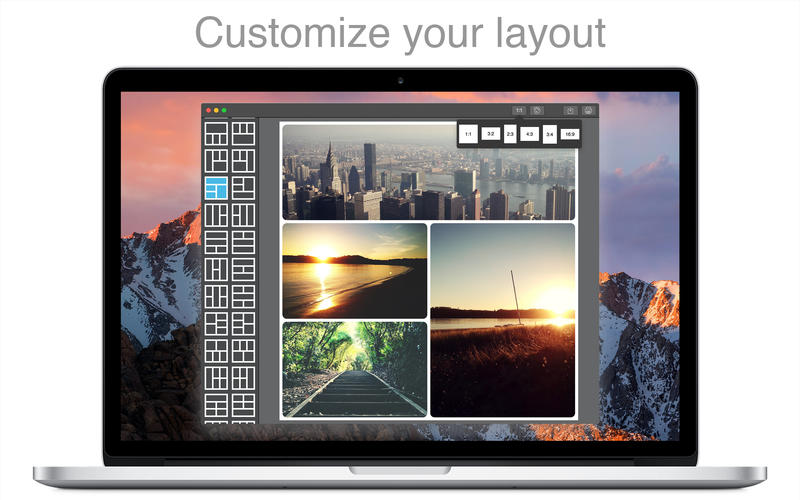
PicFrame helps you combine multiple photos into amazing looking frames that you can save to your computer or share to Facebook Twitter and Flickr. With 73 adjustable frames, support for up to 9 photos in a single frame, rounded corners and plenty of border patterns, you will always have a unique look.

Since PicFrame was released on the iPhone and iPad we have often been requested to create a Mac version for people to use on their desktop, well here it is!  PicFrame on the Mac is just as easy to use, select a frame, drag and drop your photos in, tweak the border size, give the photos rounded corners, add a color or pattern, resize the adjustable frames and save the photo or share it to Facebook.

Main Features:
 • 73 fully adjustable frames  (drag the borders between each photo for endless customization)
 • Support for up to 9 photos
 • Save your work in progress as a PicFrame project file
 • Rounded corners
 • Change the border size
 • Zoom and drag the photos around
 • Easy color picker for border color
 • Multiple patterns to use for the border
 • Ratios 1:1, 3:2, 2:3, 4:3, 3:4, 16:9
 • High resolution (Up to 3264x3264)
 • Share to Facebook, Twitter and Flickr
 • Drag and drop photos into the frame
 • Touch Bar support for new MacBook Pro devices 

Follow PicFrame on Twitter @PicFrame for updates and information.


What's New in Version 2.8.2:
• Support for Touch Bar on the new MacBook Pro lets you quickly style or save your PicFrame
• Resizing the window is now supported, go full screen!
• Redesigned tool bar
• Increased sharing resolution
• Changed zoom behaviour
• Interface improvements

Screenshots

Nice Clipboard 1.3.7

Name Nice Clipboard 1.3.7
Size 5.79 MB
Created on 2016-11-18 13:23:34
Tracker http://109.235.50.166:2710/announce
Hash add4a8d918b41fdf2000b0c6cb5cbf81545a885e
Files Nice Clipboard 1.3.7/Nice Clipboard 1.3.7 [MAS].dmg (5.79 MB)

Descriptions for Description

Name: Nice Clipboard - a cloud synced clipboard manager
Version: 1.3.7
Release Date: November 17, 2016
Language: English
Developer: Jędrzej Gronek
MAS Rating: 4+
Mac Platform: Intel
OS Version: OS X 10.10 or later
Processor type(s) & speed: 64-bit processor

Includes: Pre-K'ed

Web Site: http://getniceapps.com/nice-clipboard
Mac App Store: https://itunes.apple.com/app/nice-clipboard-cloud-synced/id1008175713?mt=12


Overview:
"Favorite Clipboard Manager Yet.
Excellent implementation of a clipboard manager-- probably the 5th one I've had and my favorite. Clean, attractive, simple to use layout. No-setup-required iCloud sync to other Macs and iOS devices. I installed it on my two Macs-- never had to select any preferences. Copied stuff to one Mac, and bingo-- it just worked. There it all was on the other Mac."- by MitchLA

Nice Clipboard is a clipboard history manager that is always waiting for you under menubar icon on your Mac or on your Home Screen on your iPhone. It is synced via iCloud between your Macs and iOS devices and is built using newest Apple technologies to be lightweight and superfast. These features make your clipboard a much more useful tool in your everyday life.

Features:
- automatically watches your clipboard,
- beautiful and easy to use interface that blends perfectly in your desktop,
- iCloud sync,
- uses newest Apple technologies,
- built in Swift for performance.


What's New in Version 1.3.7:
Minor tweaks.

Screenshots

AKVIS Noise Buster 10.0.2

Name AKVIS_Noise_Buster_v10.0.2.zip
Size 133.2 MB
Created on 2016-11-16 05:43:58
Hash c843920c8cf7df2e30530b0c6afe01b667d33fbb
Files AKVIS_Noise_Buster_v10.0.2.zip (133.2 MB)

Description

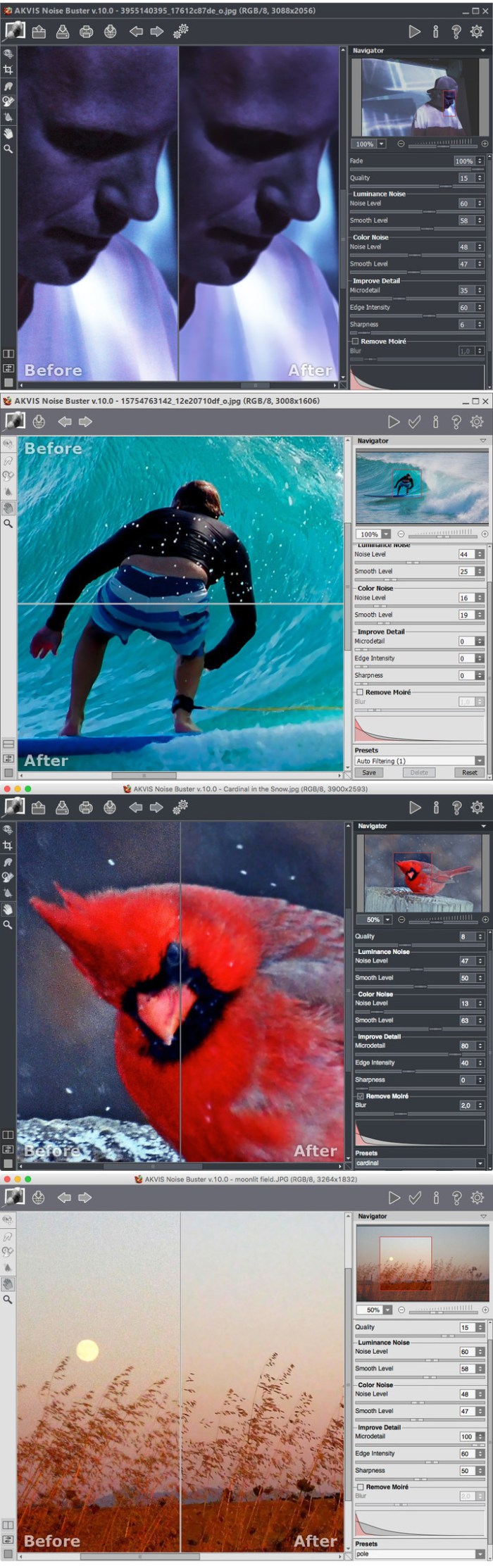
  Name: AKVIS Noise Buster  Version: 10.0.2  Language: English  Mac Platform: Intel  OS Version: OS X 10.7 or later    Includes: Pre-Activation (install and play)      Web Site: http://akvis.com/es/noise-buster/index.php        Overview  No More Noise on Your Digital Pictures!    AKVIS Noise Buster is noise reduction software. It efficiently reduces noise and grain in your images.    Digital cameras opened the door to easy and entertaining photography. However, consumer digital cameras also have their drawbacks: they often produce the so-called digital noise. It can be seen as artifacts or grains that compromise the smoothness of the photo.    It is especially annoying on the skin as it makes it uneven. This kind of noise is called luminance noise. There can also be chroma (color) noise which is perceived as random red and blue pixels spoiling the color accuracy of the snap-shot.    Digital noise can be produced by a number of factors: heating of the camera sensor, long exposure shooting, small pixel size (therefore digital compact cameras generate much noisier images than digital SLRs), high ISO settings, etc.    AKVIS Noise Buster is efficient noise suppression software. It reduces both luminance and color noise on digital images without spoiling other aspects of the photo.    The automatic settings usually give a good result. If not quite satisfied, you can tweak the parameters observing the changes in real time in the Quick Preview. The program's window shows Before and After images for comparison. You can switch between the windows with a click on the image.    Separate setting areas for luminance and chroma noise allow you to deal with each kind of noise in the most efficient way. For further adjustment you have a few advanced parameters at your disposal. The histogram displaying the noise level and noise components of the loaded image is very helpful and shows which settings to adjust.    With AKVIS Noise Buster your photos look neat and accomplished!  

Screenshots

Alien Skin Exposure X2 2.0.0.400

Name Alien Skin Exposure X2 2.0.0.400
Size 190.5 MB
Created on 2016-11-15 00:50:53
Tracker http://109.235.50.166:2710/announce
Hash 855808b05c51aaa8af3882b8665444b11c701db1
Files Alien_Skin_Exposure _X2_v2.0.0.400/Alien_Skin_Exposure_X2_Special_K_crack.dmg (1.27 MB)
Alien_Skin_Exposure _X2_v2.0.0.400/exposure-x2-2.0.0.400.dmg (189.2 MB)

Description

  Name: Alien Skin Exposure X2  Version: 2.0.0.400  Mac Platform: Intel  OS version: OS X 10.10  Processor type(s) & speed: Intel Core 2 duo    Includes: K      Web Site: http://www.alienskin.com/exposure/      Installation:  1. Mount ”exposure-x2-2.0.0.400.dmg”  2. Install  3. Mount image ”Alien_Skin_Exposure_X2_Special_K_crack”  4. Open patch ”Special K”  5. Patch /Applications/Alien Skin Exposure X2    You also need to make OS X accept applications from other sources then the App Store.    1. Go to the folder Applications -> Utilities -> Terminal  2. In Terminal, enter or copy…  sudo spctl --master-disable        Overview  Exposure X2 is an advanced creative photo editor and organizer that improves every step in your editing workflow. Use it to quickly organize your images, nondestructively edit your photos, and apply gorgeous looks and special effects.  

Exposure X2 Introduction

Airfoil 5.5.1

Name Airfoil 5.5.1
Size 18.53 MB
Created on 2016-11-14 01:54:06
Tracker http://109.235.50.166:2710/announce
Hash cdb30bb4f1da61dc77ec4ed406707448a3246ed5
Files Airfoil 5.5.1 .zip (18.53 MB)

Description

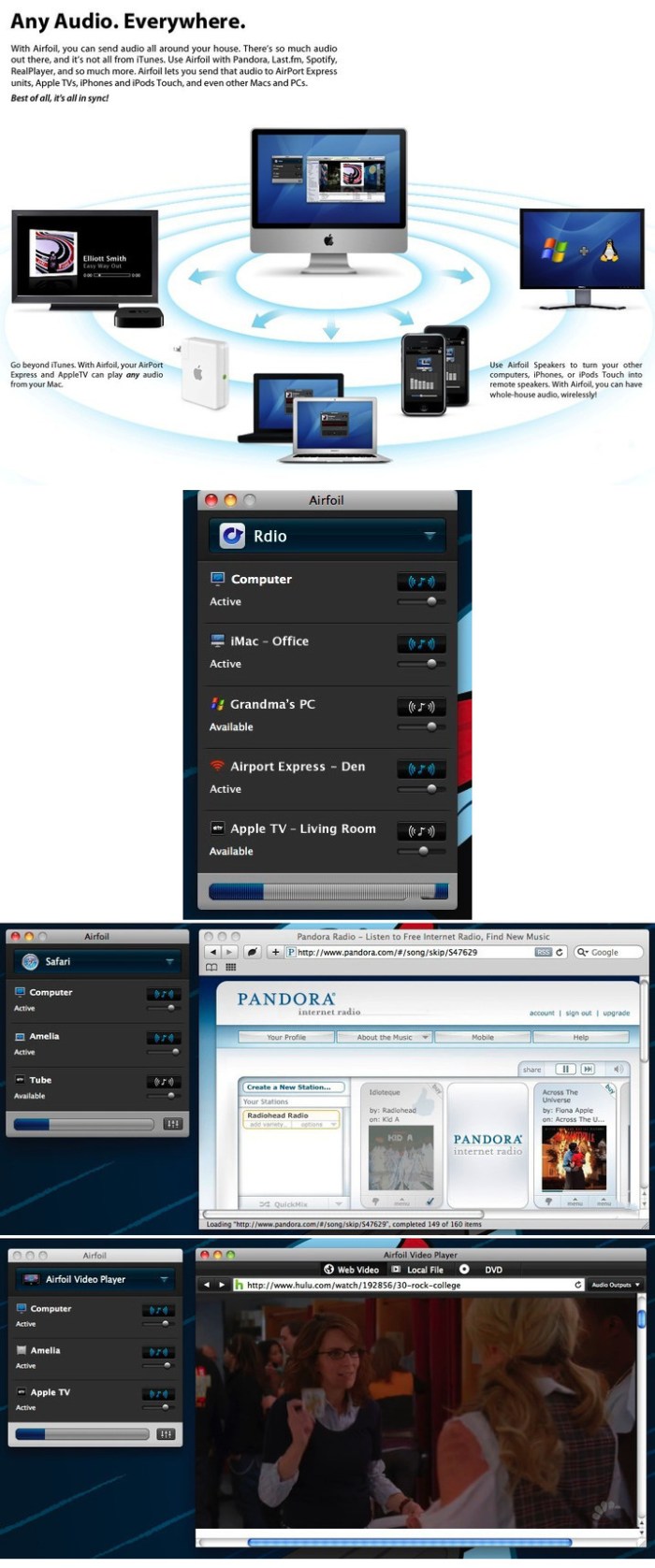
  Name: Airfoil for Mac  Version: 5.5.1  Release Date: 12 Nov 2016  Mac Platform: Intel  OS version:OS X 10.9 or later   Processor type(s) & speed: 64-bit      Web Site: http://www.rogueamoeba.com/airfoil/mac/        Overview:  Airfoil allows you to send any audio to AirPort Express units, Apple TVs, and even other Macs and PCs, all in sync! It's your audio - everywhere.      With Airfoil you can take audio from any application and send to your AirPort Express units, as well as Apple TVs, and even other Macs and PCs running Airfoil Speakers! Transmit audio from RealPlayer, Windows Media Player, QuickTime Player, and other media players. Send audio from web-based applications like Pandora, Last.fm, and other to the AirPort Express. You can even stream audio from audio devices like RadioSHARK, XM and Sirius radios, around your house.         What's New in Version 5.5.1:  ・[Major Enhancement] Initial support for Google's new Chromecast Ultra device. Further updates may be forthcoming.   ・[Bug Fix] Airfoil Satellite's AppleScript now correctly reports metadata when receiving audio from iTunes or iOS devices.   

Screenshots

Alfred 3.2

Name Alfred 3.2
Size 7.82 MB
Created on 2016-11-10 15:06:10
Tracker http://109.235.50.166:2710/announce
Hash 3bd0acc1838bdcffc1e37833b6e3508a090bf53a
Files Alfred 3.2.zip (7.82 MB)

Description

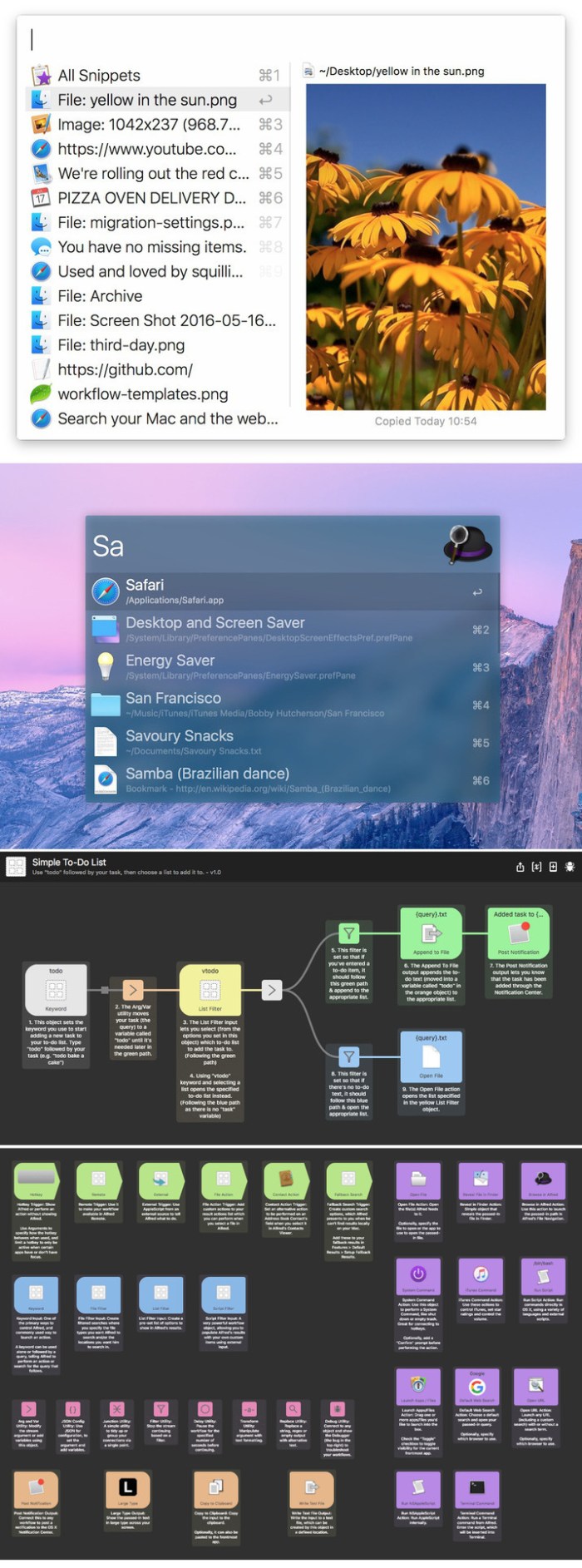
  Name: Alfred for Mac  Version: 3.2  Release Date: 09 Nov 2016  Mac Platform: Intel  OS version:OS X 10.9 or later   Processor type(s) & speed: 64-bit    Web Site: https://www.alfredapp.com/        Overview:  Alfred is an award-winning productivity application for OS X. Alfred saves you time when you search for files online or on your Mac. Be more productive with hotkeys, keywords, and file actions at your fingertips.    Loads of app-launching, file-searching goodness - free for you to download and use with no strings attached. Alfred is the ultimate productivity tool for your Mac. Get it and see for yourself.    Get the Powerpack. Discover the Powerpack, a set of incredibly powerful features, built on top of the robust core of Alfred and integrated with OS X.         What's New in Version 3.2:  Workflows   ・Improvements to workflow canvas creation usability      ・Drag from a connection to an empty space to create a new workflow object at that location   ・Click a workflow output to create and connect a new workflow object to the right   ・Automatically select any newly added workflow objects to allow for immediate moving or removing by keyboard   ・Hint on canvas for how to add the first workflow object with an empty workflow  ・Script Filter enhancements      ・The script output can now tell Alfred to re-run the script after a set period of time   ・Scripts can now output variables   ・Variables are passed through to the object output connections when actioning results   ・Variables are passed back into subsequent runs of the script within the same session   ・New "Advanced Script Filters" getting started workflow which covers the new concepts   ・Tidy up default examples when changing script type with no script entered   ・'quicklookurl' now also accepts file paths and internally converts to file URLs (treated as a file path if it has a / or ~/ prefix)   ・Fix cleaning stream variables before processing causing variables to be lost on looping workflows   ・Higher performance processing of JSON/XML to results  ・Improvements and additions to other Workflow objects      ・'Hotkey' trigger object can now pass currently focused application through to workflow as a variable allowing for app context filtering   ・'Copy to Clipboard' output object now accepts cursor placeholder to move cursor to selected position (only works when auto-pasting)  ・Fix issue where corrupted workflow prevented Alfred Preferences Workflows tab from displaying   ・Improvements for symlinked workflows      ・Fully resolve path to info.plist before writing to ensure symlinked workflows are written to correct folder   ・Fully resolve workflow folder before exporting to allow for symlinked workflow folders to be exported  ・Fix fn+return mod override connection behavior in default results on macOS Sierra   ・Improvements to built-in Getting Started and Example workflows      ・Add new "Simple Folder Search" built-in workflow example   ・Renamed "Script Filter Output" to "Script Filter" for better consistency   ・Added new "Advanced Hotkeys" getting started guide to cover hotkey active app variables   ・Updated the "All Workflow Objects" getting started workflow to add new objects     Clipboard and Snippets   ・Add cursor placeholder to move cursor to selected position within pasted snippets (including Alfred Remote)   ・Show a warning in Alfred's Snippets preferences if an app is preventing text expansion by locking secure input   ・If using option to slow down key events, slow them a little more than v3.1.1   ・Prevent clipboard merging from incorrectly merging non-text clipboard entries by their description (e.g. images and file)   ・More efficient processing of snippets in Alfred Text Service    File System   ・Make Alfred's Application cache also convert names to latin for e.g. pinyin search   ・Add "Previews" tab under File Search feature      ・Move Quick Look option from Advanced to Previews   ・New option to disable rich previews altogether   ・New options to not load actions/navigation rich previews for specified types and within specified folders   ・When the rich preview panel isn't required, the selected file type icon is shown instead  ・Higher performance caching of scope folders when initialising metadata search   ・Work around macOS file localiation bug (e.g., folders in the home folder weren't correctly localising in search)   ・Correctly clean up file summary panel after hiding    1Password Integration   ・1Password integration updated to be compatible with 1Password 6.5+   ・Alfred now shows results from multiple vaults, including 1Password Families / Teams   ・All items are now shown from your 1Password      ・Logins are opened directly in your default browser   ・Other items (such as Secure Notes) are opened in 1Password mini     General Improvements   ・Fix navigating out of empty folder behaviour in Copy To / Move To file actions   ・Make all help subtext throughout Alfred's preferences darker for better readability   ・Update references of OS X to macOS throughout Alfred and Alfred Preferences   ・Prevent Alfred's Preferences Appearance tab from unnecessarily switching to discrete GPU on dual GPU laptops   ・Fix issue where quickly dragging a file out of Alfred's main results could result in the incorrect file being dragged   ・Update iTunes option to ignore movies and tv shows from miniplayer, also ignore music videos   ・Streamlined various aspects of Alfred's core for higher performance   ・Fix spelling mistake in Advanced > Proxy settings   

Screenshots

Excel2Plist 3.1.0

Name Excel2Plist 3.1.0
Size 20.45 MB
Created on 2016-11-10 14:05:00
Tracker http://109.235.50.166:2710/announce
Hash 5305a9d063c0aad7f9d4267c4ebd398d21ceae2e
Files Excel2Plist 3.1.0.zip (20.45 MB)

Descriptions for Description

Name: Excel2Plist
Version: 3.1.0
Release Date: November 09, 2016
Language: English
Developer: HuMinghua
MAS Rating: 4+
Mac Platform: Intel
OS Version: OS X 10.10 or later
Processor type(s) & speed: 64-bit processor


Web Site: http://excel2plist.weebly.com
Mac App Store: https://itunes.apple.com/app/excel2plist/id989562691?mt=12


Overview:
Excel2Plist is a lightweight conversion tool to help developers to improve development efficiency. You can convert your datas or configuration from excel(.xls and .xlsx) document into .plist file or .sqlite database quickly when you develop iOS or Android Apps. And also it will generate corresponding access codes by Objective-C and Java. You just need to copy the generated files to your Xcode project or Eclipse project , then you can read your datas immediately.

Features:

・Convert Excel file(.xls and .xlsx) to .plist file;
・Convert Excel file(.xls and .xlsx) to .sqlite database;
・Generate Objective-C codes to access .plist file that has been converted;
・Generate Swift codes to access .plist file that has been converted;
・Generate Java codes to access .sqlite database that has been converted;
・Auto fill data from last line if the cell has the same data;
・Encode string datas if you need;
・Save your configs for all sheets, then you can import them at next time;
Blank lines in the Excel file are ignored automatically!

YouTube Video:   https://youtu.be/EQ3dFyG__YE

------------------------------------------
Note: Excel's cell count of data can not be more than 65535 when your file's format is ( .xls).
         You can convert ( .xlsx ) file without this limitation.


What's New in Version 3.1.0:
・Support save&import configs functions

Screenshots

Feeder 3.3.4

Name Feeder 3.3.4
Size 9.39 MB
Created on 2016-11-12 00:56:15
Tracker http://109.235.50.166:2710/announce
Hash 457a4c56581da7eb8dfa329695eed505f77e950c
Files Feeder 3.3.4/Feeder 3 v3.3.4 [TNT].dmg (9.39 MB)

Descriptions for Description

Name: Feeder 3
Version: 3.3.4
Release Date: November 10, 2016
Language: English
Developer: Steve Harris
MAS Rating: 17+
Mac Platform: Intel
OS Version: OS X 10.11 or later
Processor type(s) & speed: 64-bit processor

Includes: Pre-K'ed
Activation: Pre-K'ed (Courtesy of Team TNT)


Web Site: http://reinventedsoftware.com/feeder/
Mac App Store: https://itunes.apple.com/app/feeder-3/id1043616031?mt=12


Overview:
Create, edit and publish RSS feeds and iTunes Podcasts with Feeder. Whether it's a podcast or news feed for your site, Feeder makes it easy. 

Create a new feed using a templates, download feeds from the web site or import existing files. Editing content is as straightforward as writing email, so you will know instinctively what to do.

Feeder has everything you need to create and publish podcasts, with full support for the iTunes Podcasting, iTunes U extensions and Flattr micropayments. Drag and drop media files to add enclosures; Feeder can automatically tag and add artwork all popular podcast file types. Check how your podcast will look in the iTunes Store with Feeder's iTunes Preview.

Feeder can publish your feed and any media files using FTP, SFTP, Amazon S3 and WebDAV with a single click. Feeds can be scheduled for publication. Feeder can post to a blog, and announce new content on Twitter and a Facebook automatically.

New in Feeder 3:

- Refreshed Design with thumbnails and previews in the list.
- Share extension and bookmarklets for adding links from other apps.
- Swipe to delete items on El Capitan.
- Improved Social Sharing, including images for Twitter.
- Share libraries with cloud services such as iCloud Drive, Dropbox, Google Drive and more.
- Markdown editing, converted to HTML in the feed.
- Autosaved drafts for edited items with windows restored on relaunch.
- Self-contained feeds with the content and settings for sharing with others.
- Search and replace all links in a feed.
- Many other new features and improvements.


What's New in Version 3.3.4:
- Fixed an issue that could prevent Feeder from accessing files after quitting and reopening the app.
- Updated FTP software.

Screenshots

MarkdownD 3.7.1

Name MarkdownD 3.7.1
Size 10.38 MB
Created on 2016-11-10 14:42:56
Tracker http://109.235.50.166:2710/announce
Hash 2b6f1e6ec947b8447881d1383b431c0e172e4600
Files MarkdownD 3.7.1.zip (10.38 MB)

Descriptions for Description

Name: MarkdownD for Mac
Version: 3.7.1
Release Date: 08 Nov 2016
Mac Platform: Intel
OS version:OS X 10.7 or later 
Processor type(s) & speed: 64-bit

Web Site: https://romanysoft.github.io/MarkdownD/


Overview:
MarkdownD can easily handle all your markdown needs: 
・Supports export to PDF 
・Supports printing 
・Supports standard Markdown/CommonMark and GFM (GitHub)-flavored markdown 
・Live preview support 
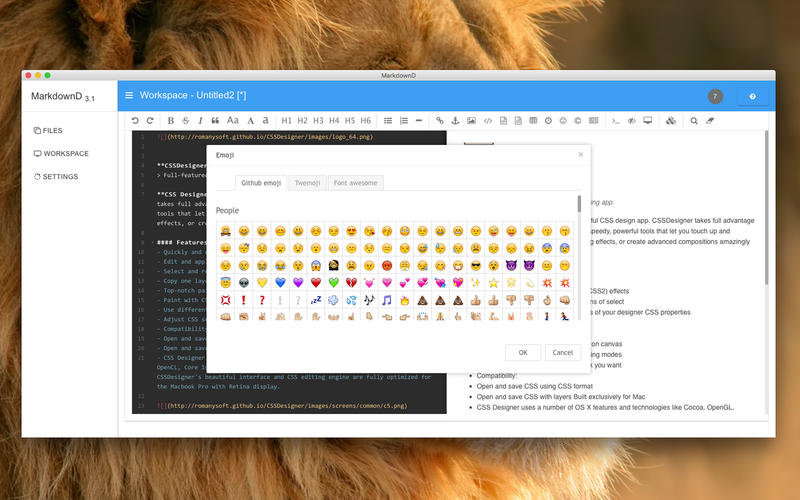
・Supports ToC (Table of Contents), Emoji expressions, TaskLists (task map), and @Links (link) 
・Supports decoding and filtering of HTML tags and attributes 
・Supports TeX (LaTex expression, KaTeX), flow diagrams, and sequence diagrams 
・Supports document-recovery mechanism 
・Supports formatted text, code blocks, tables, code-folding, search-and-replace, multiple languages, HTML entity code - syntax highlighting


What's New in Version 3.7.1:
・[Improvement] Recompile for macOS 10.12.1 
・[Fix] Fixed some bugs 

Screenshots

LRTimelapse Pro 4.7.3

Description

Name: LRTimelapse Pro
Version: 4.7.3
Mac Platform: Intel
OS version: 10.8 or later
Processor type(s) & speed: 64 bit

Includes: K (file replace)
[k] instructions: After install replace LRTimelapse.jar in /Applications/LRTimelapse 4.app/Contents/Java


Web Site: http://lrtimelapse.com


It supports Lightroom 6, 5, 4 and 3 as well as Adobe Camera Raw, Bridge and After Effects.


Overview
LRTimelapse provides the most comprehensive solution for time lapse editing, keyframing, grading and rendering. No matter if on Windows or Mac, no matter which Camera you use: LRTimelapse will take your time lapse results to the next level.

LRTimelapse is being used by most known time lapse producers and many amateurs. It allows keyframing and grading of time lapse sequences in an all-RAW-file-based workflow, utilizing the Adobe Camera RAW develop engine implemented in Lightroom and Adobe's Camera Raw.

Creating Day-to-Night and Night-to-Day sequences is easily and perfectly done with the sophisticated “Holy-Grail”-workflow. Rendering of the final sequences can be done in professional video formats like Prores 4:4:4 and 4:2:2 and resolutions up to 6K - of course consumer formats like MP4/H.264 are supported as well.

Time lapse movies are getting more and more popular these days. Still-photographers, filmmakers and multimedia artists are discovering this new and exciting facet of photography.

LRTimelapse is being used by those people, because it enables them to use their favorite photographic tools (Lightroom 3/4/5 or the Adobe Creative Suite) to produce time lapses with all the advantages and power that those tools offer for image editing. It allows them to easily deal with time lapse specifics, like getting rid of the tedious flicker-effect and even helps them to achieve the so called “holy grail of time lapse photography”: smooth day-to-night transitions.

Examples and Possible Uses
- Alter white balance and other parameters over the time (for example for sun sets)
- Make the “Holy Grail” of time lapse photography - (day to night transition) easy peasy
- Use the full potential of Lightroom / ACR for color grading!
- Deflicker with one click
- Make Ken-Burns effects (pan/zoom) on RAW-file basis
- Fade in / fade out
- Continuously saturate / desaturate
- Animate Graduated / Radial Filters
- and many more…


What's New in Version 4.7.3:
 ・Improved color accuracy over the export and render process. Especially difficult scenes with very saturated colors now render very close to the original look in Lightroom. The whole processing chain had to be optimized for this, hat means you’ll only see a difference, if you reexport with the new LRTExport plugin 4.7.3 and rerender with LRTimelapse 4.7.3.

 ・Added consistency checking and possible cleanup for visual previews folder on load.

・Bugfix: when rendering in original size, writing the Aspect Ratio Metadata introduced in 4.7.2 unfortunately failed (error: wrong aspect ratio – infinity). Fixed.

 ・Updated exiftool and ffmpeg.

Full change log: http://lrtimelapse.com/blog/

Screenshots

Name LRTimelapse Pro 4.7.3
Size 176.4 MB
Created on 2016-11-10 01:00:03
Tracker http://109.235.50.166:2710/announce
Hash d621f8d703126dc17ab1f0177146fb4b84138533
Files LRTimelapse Pro 4.7.3 [incl cr].dmg (176.4 MB)

beaTunes 4.6.9

Name beaTunes 4.6.9
Size 206.7 MB
Created on 2016-11-10 02:02:34
Tracker http://109.235.50.166:2710/announce
Hash ab7c8c3fdbc79b966848b0ce487f99631a686729
Files beaTunes 4.6.9.zip (206.7 MB)

Descriptions for Description

Name: beaTunes for Mac
Version: 4.6.9
Release Date: 07 Nov 2016
Mac Platform: Intel
OS version:OS X 10.7.3 or later 
Processor type(s) & speed: 64-bit

Web Site: https://www.beatunes.com/en/


Overview:
beaTunes is a full-featured music player and organizational tool for music collections. 

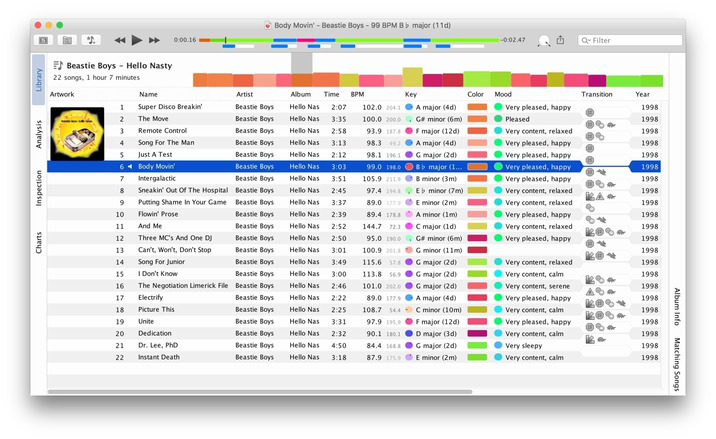
How well organized is your music Library? Are your artists always spelled the same way? Any R.E.M. vs REM? beaTunes can easily fix this and other problems with its unique inspection feature (license required for applying one-click solutions). Could your last mix CD's song order use some improvement? Let beaTunes re-arrange your playlist for you! Always wondered how you could take advantage of the BPM (beats per minute) field? Let beaTunes fill in the blanks and help you while DJ'ing at your next party. 

 Here are some more examples of what you can do with beaTunes:
 
・Navigate in songs semantically (i.e., segment to segment) 
・Automatically determine BPM (beats per minute) 
・Automatically determine the musical key your songs are in 
・Sort existing playlists so that matching songs succeed each other 
・Create matchlists (i.e., playlists based on one or more sample songs) 
・Browse songs from your music collection that match the currently selected song 
・Find all songs iTunes marks with an exclamation mark and remove them from the library 
・Find duplicates via acoustic fingerprinting 


What's New in Version 4.6.9:
・Added mood keywords to embed special fields action 
・Enforced lowercase language ISO-639 codes 
・Fixed early abortion of folder-based synchronization 
・Moved to Java 8u112 
・Moved to FFSampledSP 0.9.16 

Screenshots

Lingon X 4.2.4

Name Lingon X 4.2.4
Size 10.56 MB
Created on 2016-11-10 00:59:37
Tracker http://109.235.50.166:2710/announce
Hash 013e2940d6051a6d4fff5155390571bb0b591de2
Files Lingon X 4.2.4 [TNT].dmg (10.56 MB)

Descriptions for Description

Name: Lingon X for Mac
Version: 4.2.4
Release Date: 18 Oct 2016
Mac Platform: Intel
OS version:OS X 10.11 or later 
Processor type(s) & speed: 64-bit

Includes: Pre-K'ed

Web Site: https://www.peterborgapps.com/lingon/


Overview:
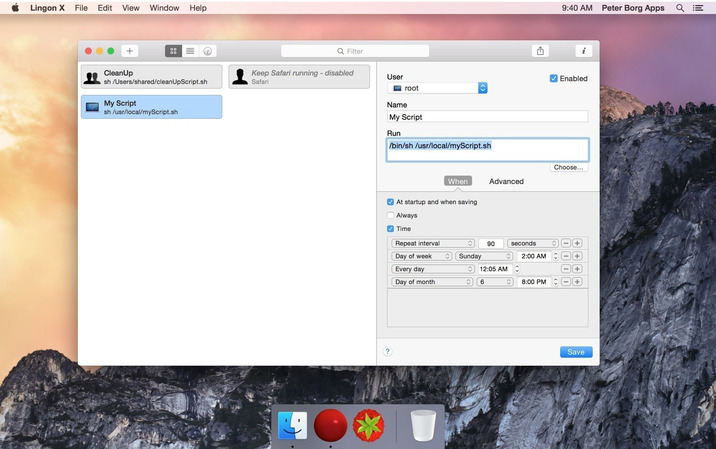
Lingon X 4 is based on the great Lingon 3 and extends it with new features like running jobs as root and at multiple dates. It is now even easier to use yet much more powerful. 


Features 
・Start an app, a script or run a command automatically whenever you want it to. You can schedule it to run at a specific times, regularly or when something special happens.
・It can also make sure that an app or a script automatically restarts if it crashes. Lingon X can do all this for you and much more.
・Lets you run things automatically by modifying configuration files for the built-in system function called launchd so the system handles running the jobs so you don't need to have Lingon open after you have saved your job.
・Released outside Mac App Store to be able to make it as good as possible by including requested features.
・Still available in Mac App Store for those who still use OS X 10.7 Lion or prefer the comfort and convenience of the Mac App Store.
・Version 2 of Lingon X is still available to work with 10.10. And a license bought today can be used with both Lingon X 4 and Lingon X 2. 


What's New in Version 4.2.4:
・Fixed a possible issue when showing info 
・Fixed a possible issue with the size of the window 
・Some other small improvements and bug fixes 

Screenshots

DiskCatalogMaker 6.5.13

Name DiskCatalogMaker 6.5.13
Size 10.71 MB
Created on 2016-11-10 01:46:06
Tracker http://109.235.50.166:2710/announce
Hash db53b9ec0befe0d195ca3cdbe215ecbf25d565b4
Files DiskCatalogMaker 6.5.13.zip (10.71 MB)

Descriptions for Description

Name: DiskCatalogMaker
Version: 6.5.13
Release Date: November 07, 2016
Languages: English, Dutch, French, German, Italian, Japanese, Portuguese, Spanish
Developer: Fujiwara Software
MAS Rating: 4+
Mac Platform: Intel
OS Version: OS X 10.7 or later
Processor type(s) & speed: 64-bit processor


Web Site: http://diskcatalogmaker.com/fujisoft/
Mac App Store: https://itunes.apple.com/app/diskcatalogmaker/id414859893?mt=12


Overview:
◆◇ Ranked #1 top-grossing Reference category app on 15 Mac App Stores (Austria, Brazil, Canada, Czech Republic, Hong Kong, India, Italy, Japan, Netherlands, New Zealand, Portugal, Slovenia, Spain, Sweden, Switzerland) in 2012. 

Simple, smart and fast. 

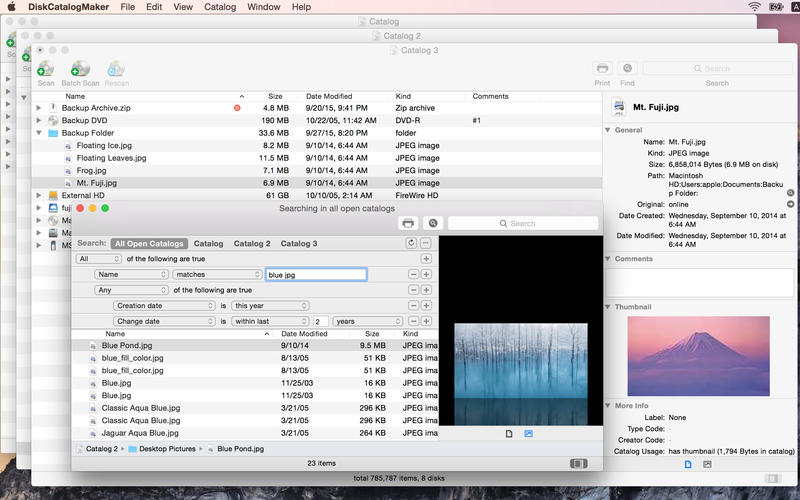
DiskCatalogMaker is a simple disk management tool which catalogs disks and folders. 

》 Key Features ~ Simple To Use 

Catalog your discs 

● Drag and drop your disk icon onto the catalog window. 
● Use batch scan mode for multiple discs.
● You can also use the generate thumbnail images option. 

View your catalogs 

● Finder like intuitive look and feel. 
● You can print a catalog. 
● Use "Select Original" to reveal an item on Finder. 
● Use "Open Original" to open an item directly. 
● Use "QuickLook" to preview an item without even opening it. 

Search through your catalogs 

● Find by name and other file attributes. 
● Use AND/OR boolean search expressions. 
● Search through your catalogs via Spotlight. 

》 More Features

● Fast search algorithm. 
● Opening multiple catalogs at once. 
● Optimized cataloging engine for multi-core/multiprocessor systems. 
● Importing a file list from Zip, StuffIt, 7-Zip, RAR, tar, gzip, bzip2, CompactPro and LHA archive. 
● Trusted catalog database format for scalability and storage of huge data. 
● Compressing catalog data for disk space. 
● CD-TEXT format support. 
● Cataloging a folder on a network volume. 
● Long unicode name and Asian languages support.


What's New in Version 6.5.13:
Fixed minor bugs.

Screenshots

SketchUp Pro 2017 17.0.18898

Description

Name: SketchUp for Mac
Version: 17.0.18898
Release Date: 09 Nov 2016
Mac Platform: Intel
OS version:OS X 10.10 or later 
Processor type(s) & speed: 64-bit

Includes: K
Courtesy Special [K]


Web Site: http://www.sketchup.com/products/sketchup-make


Activation: 
Mount image and drag the application folder into the Applications folder
Run in demo mode and completely close the program
Run the patch on each individual app within the SketchUp Pro folder (LayOut , SketchUp , Style Builder).

*** For Sierra: Use the included "Special K for Sierra Utility.app", more info.


Overview:
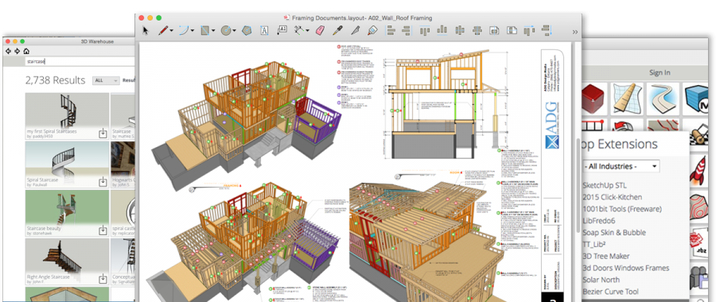
SketchUp is an easy-to-learn 3D modelling program that enables you to explore the world in 3D. With just a few simple tools, you can create 3D models of houses, sheds, decks, home additions, woodworking projects - even space ships. And once you've built your models, you can place them in Google Earth, post them to the 3D Warehouse, or print hard copies.


What's New in Version 17.0.18898:
・Graphics pipeline 
・High DPI support for the modeling window 
・Extension manager 
・Tool and inference improvements 
・Persistent IDs 
・Colorblind accessibility 
・Smarter graphics card settings 
・Standardized product content locations 
・Improved group to component workflow and component handling with solid tools 
・Support for macOS 10.12 Sierra 
・Trimble Connect extension 
・Bug fixes/small improvements 
・View the complete release notes: https://help.sketchup.com/en/article/141303

Screenshots

Name SketchUp Pro 2017 17.0.18898
Size 143.8 MB
Created on 2016-11-09 00:55:03
Tracker http://109.235.50.166:2710/announce
Hash 4dde753642ec4e056caed3792e85ad69901428c9
Files SketchUp Pro 2017 17.0.18898/SketchUp Pro 15.x [SP].zip (1.24 MB)
SketchUp Pro 2017 17.0.18898/SketchUpPro2017.dmg (141.5 MB)
SketchUp Pro 2017 17.0.18898/Special K for Sierra Utility.zip (1.14 MB)

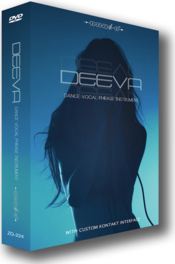
Zero-G DEEVA Dance Vocal Phrase Instrument KONTAKT

Name Zero-G DEEVA Dance Vocal Phrase Instrument KONTAKT
Size 309.3 MB
Created on 2016-11-10 03:37:13
Hash 7529aba87470cde1d03c1b48b54a0b5112191238
Files Zero-G DEEVA Dance Vocal Phrase Instrument KONTAKT/DEEVA.Dance.Vocal.Phrase.rar (309.3 MB)
Zero-G DEEVA Dance Vocal Phrase Instrument KONTAKT/Torrent downloaded from www.DNoid.me – Demonoid.txt (0.06 kB)

Descriptions for Description

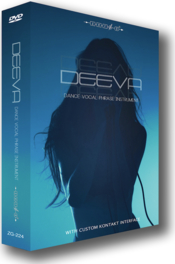
DEEVA is a stunning new dance and RnB vocal phrase Kontakt instrument that combines over 650 amazing female vocal samples, incredible simplicity and a high degree of playability all packed into a beautiful Kontakt interface for total ease-of use and ultimate sound manipulation. 

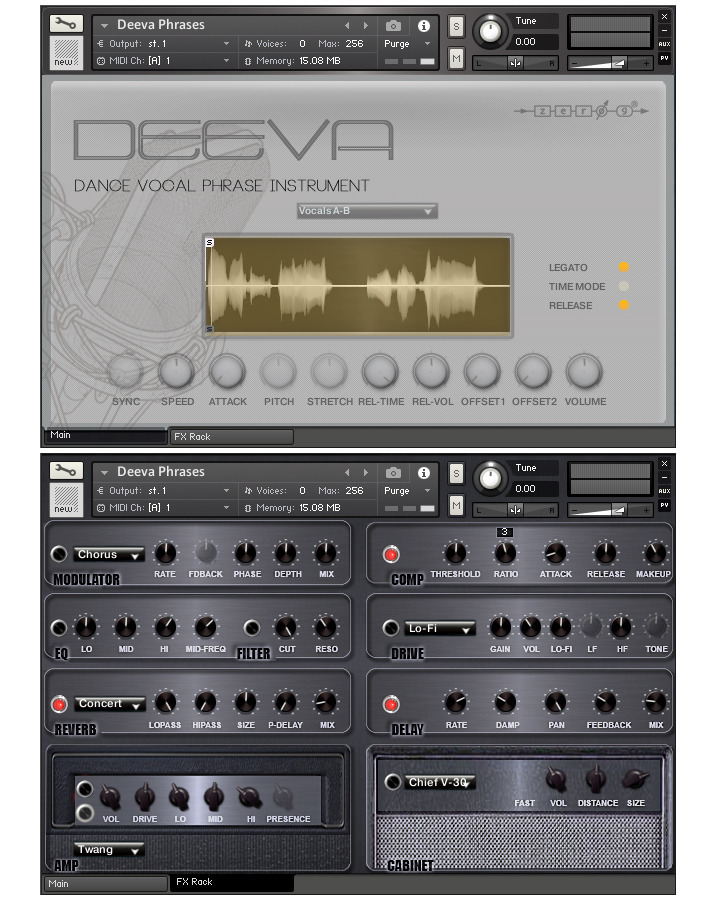
The DEEVA instrument includes 14 patches with phrases in alphabetical order. These can be mixed and combined, and by using the two Off-Set controls you can change the starting points of the samples using the waveform display.

This allows you to create new phrases and to personalise the existing phrases. These phrases can be manipulated in many ways by the GUI controls including time-stretching or syncing to your host application.

DEEVA also comes fully equipped with a complete FX section that includes chorus, flanger and phaser, compressor, EQ, filter, convolution reverb, overdrive, delay, amp simulator and cabinet simulator.


Product Specifications
• Over 650 24-Bit 48KHz WAV Samples
• GUI With Easy Controls & Fully Automated Midi Controllers
• (Oh) & (Ah) True Legato And Staccato Patches
• Fully Equipped Fx Rack
• Attack And Release Sample Time & Volume Control
• Phrases With 2 Sync Modes & Legato Mode
• Two Sample Off-Set Start Controls On All Phrases
• Legato Speed Control
• Waveform Display On Phrases & Legato Patches
• Requirements: Native Instruments Kontakt 5.6.0+ or higher.


Web Site: http://www.zero-g.co.uk/store/deeva-p557.php

Screenshots

Zero-G VELVET VOCAL Vocal Song Kit Instrument KONTAKT

Name Zero-G VELVET VOCAL Vocal Song Kit Instrument KONTAKT
Size 325.0 MB
Created on 2016-11-10 03:34:17
Hash f8db88f92a18622f5cc99a591a9c64a12667f4c3
Files Zero-G VELVET VOCAL Vocal Song Kit Instrument KONTAKT/Torrent downloaded from www.DNoid.me – Demonoid.txt (0.06 kB)
Zero-G VELVET VOCAL Vocal Song Kit Instrument KONTAKT/VELVET.VOCAL.Vocal.Song.Kit.rar (325.0 MB)

Descriptions for Description

Velvet Vocal is a fantastic vocal Kontakt instrument that combines over 500 vocal samples in 10 complete song performances sourced entirely from specially recorded pro vocal performances in pristine 24-bit audio.

The producer has enlisted a variety of very talented female downtempo vocalists to produce a collection of mellow leftfield vocals, giving this library a fantastic diversity and usability in most genres of music. This is all packed into a beautiful Kontakt interface for total ease-of use and ultimate sound manipulation.

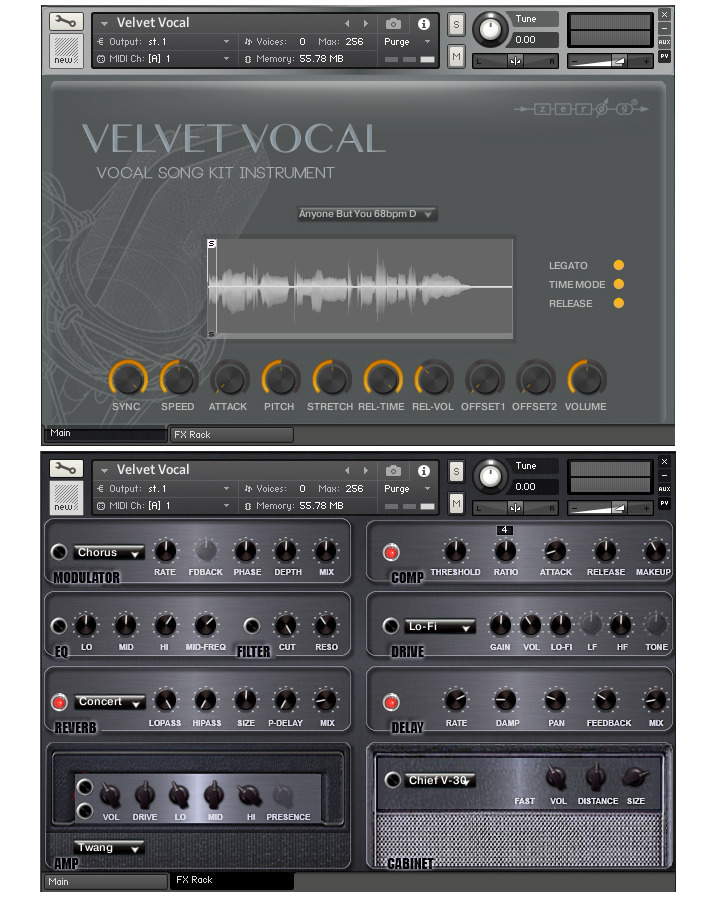
The Velvet Vocal instrument includes 10 song patches that include verse and chorus phrases from each song. These can be mixed and combined, and by using the two Off-Set controls you can change the starting points of the samples using the waveform display.

This allows you to create new phrases and to personalise the existing phrases. These phrases can be manipulated in many ways by the GUI controls including time-stretching or syncing to your host application.

Velvet Vocal also comes fully equipped with a complete FX section that includes chorus, flanger and phaser, compressor, EQ, filter, convolution reverb, overdrive, delay, amp simulator and cabinet simulator.


Product Specifications
• Over 500 24-Bit 44.1KHz WAV Samples
• GUI With Easy Controls & Fully Automated Midi Controllers
• (Oh) & (Ah) True Legato And Staccato Patches
• Fully Equipped Fx Rack
• Attack And Release Sample Time & Volume Control
• Phrases With 2 Sync Modes & Legato Mode
• Two Sample Off-Set Start Controls On All Phrases
• Legato Speed Control
• Waveform Display On Phrases & Legato Patches
• Requirements: Native Instruments Kontakt 5.6.0+ or higher.


Web Site: http://www.zero-g.co.uk/store/velvet-vocal-p558.php

Screenshots

The Last Haven Elements Analog Drums KONTAKT

Name The Last Haven Elements Analog Drums KONTAKT
Size 325.0 MB
Created on 2016-11-10 03:42:10
Hash 64b1ef0726baeb8b02ff4077a5539e9153e489a6
Files The Last Haven Elements Analog Drums KONTAKT/Elements.AnalogDrums.rar (325.0 MB)
The Last Haven Elements Analog Drums KONTAKT/Torrent downloaded from www.DNoid.me – Demonoid.txt (0.06 kB)

Descriptions for Description

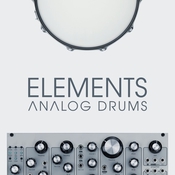
"Elements: Analog Drums" is the second library in our series "Elements". This small yet useful volume contains drum one-shots designed purely with analog synthesizers. The usability of these drums spreads across many styles and genres – from trailer and industrial to pop and lounge. We also added our signature Nine Drum Industrial Kit – recorded with 9 different keyboard synths including Korg, Yamaha, Casio, etc.

The Sound

We have spent quite a time to configure our analog setup. Using various types of synthesis and processing the recordings through a bunch of hardware amps and effects allowed us to achieve such a sound. We've got kicks, snares, toms, hats and cymbals, and all of them are different: industrial, glitchy, driving, punchy, deep or lite.

You can use it in any style of music, from pop to action filmscore, from alternative to underground. After this, we took several keyboards by Yamaha, Casio, Korg and Roland and made 9 recordings of the best drum kits they had. Then, we heavily processed those recordings to achieve such a massive, distorted, industrial sound and designed our signature Nine Drum Industrial Kit.
The Effects

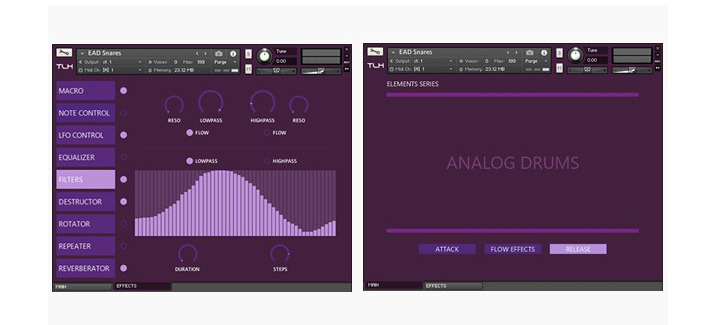
Our Flow Engine 3.0 is a system of custom scripts, effects and tools. It allows you to manage over 700 parameters of sound.

Flow Engine 3.0 contains 8 various effects: Note Control for adjusting individual note parameters, LFO designer for pan and volume, 4-band EQ, step-sequencing filters & distortion & bitcrusher, rotator, repeater/delay and a combination of 3 reverb effects: digital reverb, convolution and mutation FX. If you want to get absolutely new and unexpected sounds, use the Flow Effects button - it will randomize all the controllers. Also you can use the Macro function to save 2 presets of the entire Flow Engine 3.0 and blend them together.


Features
・kicks, snares, toms, cymbals and hats included;
・Nine Drum Industrial Kit (w/ RR);
・industrial, glitch, electronic and other styles;
・Flow Engine 3.0 with Macro and 8 effects.


Requirements:
・full retail version of Kontakt 5.5.0 or higher;
・approx. 400 MB free on your harddrive for installation.


Web Site: https://www.kontakthub.com/product/elements-analog-drums/

Audio demos

Screenshots

AKVIS SmartMask 9.0.2230.13872

Name AKVIS_SmartMask_v9.0.2230.13872.zip
Size 134.2 MB
Created on 2016-11-07 22:09:43
Hash 304f2e9fdf0c1eb8b23ee58efeb45d3e888687dd
Files AKVIS_SmartMask_v9.0.2230.13872.zip (134.2 MB)

Description

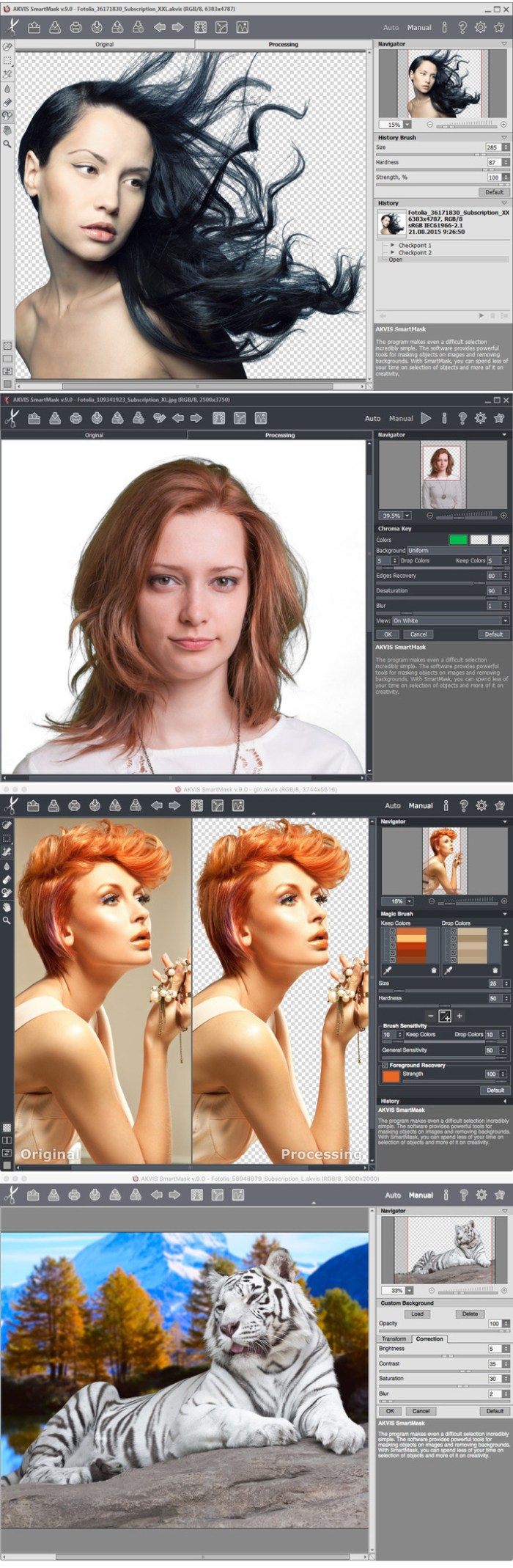
  Name: AKVIS SmartMask  Version: 9.0.2230.13872  Released: October 18th, 2016  Language: English  Mac Platform: Intel  OS Version: OS X 10.7 or later    Includes: Patch      Web Site: http://akvis.com/en/smartmask/index.php        Overview  AKVIS SmartMask is an efficient selection tool that saves time and is fun to use.    There are many occasions when you need to target a specific area of an image. It is often necessary to highlight regions to which an effect or correction should be applied. Creation of photo collages and montages requires a precise selection of objects. This can be a painful task because many objects don't have clearly defined edges and fade into the background. For instance, just try selecting yourself in a group photo.    AKVIS SmartMask makes even a difficult selection incredibly simple! Now, you can spend less of your time on selection of objects and more of it on creativity.      Extracting Complex Objects a Breeze!:  The software provides powerful tools for masking objects on images and removing backgrounds. It can create various selection types, with both soft and sharp edges. It even lets you select fluff, hair, fur, tree branches, glass, or a transparent veil with just a few mouse clicks! The program also lets you get rid of the unwanted color shades left on the cutout object by the environment.      Outstanding Tools You'll Love:  There are two modes of image processing: Auto mode, which offers a powerful algorithm for automatic recognition of areas, and Manual mode, that includes a set of smart and helpful brushes to touch up the results where needed.    The interface is so intuitive that you will feel like a child drawing in class: there are two pencils in Auto mode - you draw a line with the blue pencil inside the object you want to select (for example, yourself on a group photo), and then use the red pencil to create lines outside the object which define the areas that should be cut out (the other people in the photo). The program then interprets your intentions and intelligently makes the selection you want, understanding where the borders are.    With simple images, these pencils are often enough to produce professional-looking results. One more useful tool is Quick Selection in Manual mode, a powerful feature that allows you select regions automatically with just a few clicks.    In cases where the selected object stands against a background of a similar color range, or the object's edges are uneven, you can use the touch-up brushes, like the Magic Brush and Background Eraser.    Also, it is possible to automatically remove the specified colors from an image using the cutting-edge Chroma Key technology. The edges of the cut-out can be additionally adjusted using the Refine Edges mode.    Afterwards, place the resulting selection on a new background - there's no limit for your creativity!      Less Time on Selections, More on Creating!:  Like all AKVIS products, SmartMask is not only a straightforward tool, but also fun to use. It makes the dull process of image manipulation a fun and entertaining.    Making selections can take a great deal of time out of a designer's work day. For this reason, with AKVIS SmartMask you can considerably increase your productivity! You will be freed from boring work and will have more room for creativity and realization of your ideas.      Saving your Work:  When using the software, you can save a working draft of your project into an .akvis file which contains the original image, the state of the image at the moment it was saved with all its parameters and settings, and, in the Deluxe/Business versions, any manually created checkpoints which where added during your work. This very helpful feature is highly appreciated by professionals.        What's New in Version 9.0.2230.13872:   ・Added the new Chroma Key mode that lets users to quickly and accurately remove a monochrome background. The feature offers three operating modes: Uniform, Non-Uniform, or Gradient.   ・Added the new Custom Background mode which allows users to place the user's background image behind the cut-out object. The mode offers two tabs: Transform and Correction.   ・The Refine Edge mode has been enhanced and now preserves more fine details than before.   ・The Quick Selection tool has been improved and now makes the selection more precise.   ・Added four Eraser Tool modes for removing specific line types: all lines, only red lines, only green lines, only blue lines.   ・Added the new Custom Background mask view mode.   ・User interface enhancements.   ・Fixed bugs.   ・Tutorial section has been updated.  

AKVIS SmartMask

Screenshots

OS X Cracked Utilities 2016 11 07 (adobe) (Adobe Photoshop,Premiere Pro,Audition,Bridge,Dreamweaver,InDesign,Illustrator,Muse)

Description

Includes:
 ・Adobe Photoshop CC 2017 (2017.0.0) [Multi/Ru]
 ・Adobe Audition CC 2017 (10.0) [Multi]
 ・Adobe Bridge CC 2017 (7.0.0.93) [Multi/Ru]
 ・Adobe Dreamweaver CC 2017 (17.0) [Multi/Ru]
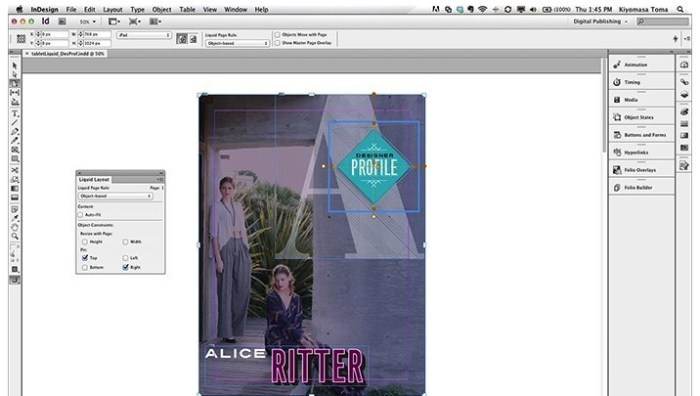
 ・Adobe InDesign CC 2017 (12.0.0.81)
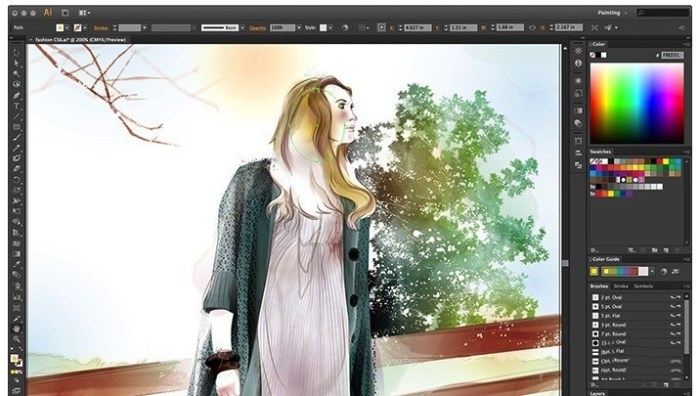
 ・Adobe Illustrator CC 2017 (21.0) [Multi/Ru]
 ・Adobe Premiere Pro CC 2017 (11.0.0) [Multi/Ru]
 ・Adobe Muse CC 2017.0.0.149 [Multi/Ru]

Adobe Photoshop CC 2017 (2017.0.0) [Multi/Ru]

Supported OS: macOS 10.9 +
Interface language: Russian, English, German etc.

English, Dansk, Deutsch, Espaol, Franais, Franais*, Hebrew*, Hungarian, Italiano, Nederlands, Norwegian, Polish,
Portugus (Brasil), Suomi, Svenska, Turkish, Ukrainian, etina,

Type of medicine: patch

System requirements:
Multicore Intel processor with 64-bit computing
Mac OS X 10.9 or newer
1 GB of RAM
3.2 GB of free hard disk space for installation; additional free space required for installation 
(not installed on a disk using the file system is case-sensitive, or on removable storage devices flash memory)
Monitor with a resolution of 1024 x 768 (recommended 1280 x 800), video card that supports OpenGL 2.0, 16-bit color,
512 MB RAM (1 GB recommended)*


Description:

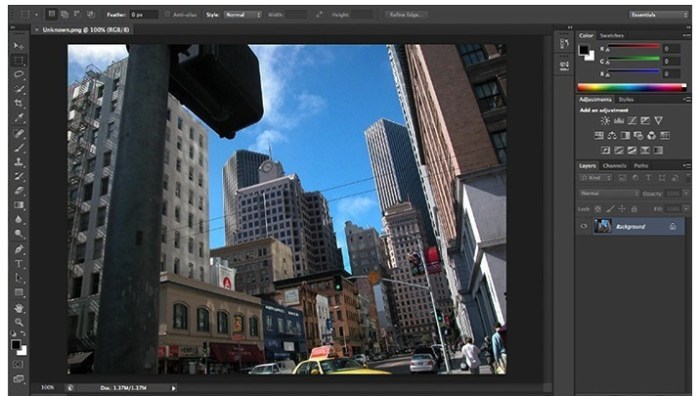
Adobe Photoshop CC - a program for processing raster graphics. Supports various graphic formats. 
Adobe Photoshop allows both create new images and edit them. Photoshop used to create photorealistic images to work with color scanned images,
retouching, color correction, collage, transformation of graphs, color separation, etc
Adobe Photoshop has all the methods of work with point images, and has the ability to work with layers and uses the contours.
The program is the undisputed leader among professional graphic editors due to its widest possibilities, high efficiency and speed.
Adobe Photoshop provides all the necessary tools for correcting, editing, preparing images for printing and high quality output.


Installation procedure and treatment
Adobe stripped-user offline installers
Distribution is made on the basis of the original file downloaded from Adobe official website.

Installer machine picks up the default language of the OS.
If you need other language interface before installing you need to change the OS language to correspond.
After installation you can change back.

Installing with the patch:

Software INSTALLATION:

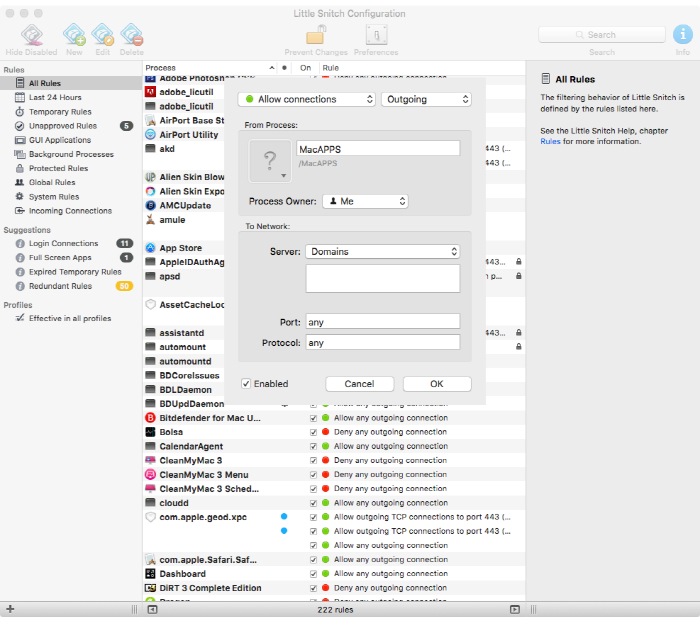
Attention! Before installation, disconnect from the Internet or use Little Snitch to block all outgoing connections!
1. Run the installer and follow the instructions (the interface language can be changed in menu of the program)
2. After installation, do not run the program in trial mode

Before applying the patch make a copy of the original file:
3. Click the right mouse button on the application - Show package contents. Open the folder Contents - the folder Frameworks.
4. Make a copy the original amtlib.framework / library or rename and leave it in the package
5. From the desktop, run the patch Adobe Zii 2.2.1 for Adobe CC15 CC17 PATCH and click or drag selected/a specific application
in the open window of the patch

ATTENTION: 
- the program should be installed by default
- if you have installed other programs from the package SS 2015-??2017, in those applications where it is required, 
will be automatically replaced/patched the original amtlib.framework , that this did not happen - 
drag the application window of the running patch.
- before applying the patch make a copy of the original files

Before updating software, it is advisable to return the original amtlib.framework, to apply the updates again and apply the patch
block outgoing connections do not need (if you are using a patch to treat)
Adobe Zii 2.2.1 for Adobe CC15 CC17 - also enables programs downloaded from Adobe Creative Cloud

amtemu.v0.8.0.mac-painter - allows the program to be updated in a standard way, via the update Manager 
( in hand now for the future, as updates have not yet been and later I will write how to use it)

Adobe Audition CC 2017 (10.0) [Multi]

The release took place: November 2016
Publication type: macOS Software
Supported OS: macOS 10.9 +
Language: English, German, Spanish, etc.
Type of medicine: patch

System requirements:
Multicore Intel processor
Mac OS X 10.9 or newer
4 GB OF RAM
4 GB of free hard disk space for installation. During installation requires additional free space
(install on removable flash memory device or volume with the file system, which has a value case-sensitive, can not)
1920x1080 screen
The system supports OpenGL 2.0; additional GPU to improve performance of video playback
To support external management may require the USB interface and/or MIDI (see the device specification from manufacturer)
Optional: optical drive for CD-ROM drive (SuperDrive recommended)


Description:

Program for working with audio data Adobe Audition is a professional tool for professionals who work in the field of audio processing and video,
offering almost unlimited possibilities. Ease of use is perfectly combined with the flexibility of work by allowing you 
to create the master copy of the highest class, edit, mix, process, to impose a variety of sound effects. 
In fact the user gets on your computer full powerful recording Studio with easy to use and at the same time, enough professional tools
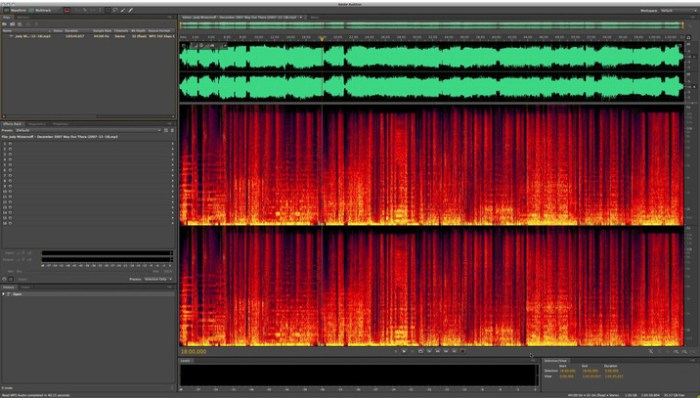
Record, edit, and create audio content Adobe Audition with a powerful set of processing tools waveform, spectral display,
and numerous tracks. This powerful audio editor allows you to accelerate the process of processing audio and video, 
while providing the highest quality of sound.


Installation procedure and treatment
Adobe stripped-user offline installers
Distribution is made on the basis of the original file downloaded from Adobe official website.

Installer machine picks up the default language of the OS.
If you need other language interface before installing you need to change the OS language to correspond.
After installation you can change back.

Installing with the patch:

Software INSTALLATION:

Attention! Before installation, disconnect from the Internet or use Little Snitch to block all outgoing connections!
1. Run the installer and follow the instructions (the interface language can be changed in menu of the program)
2. After installation, do not run the program in trial mode

Before applying the patch make a copy of the original file:
3. Click the right mouse button on the application - Show package contents. Open the folder Contents - the folder Frameworks.
4. Make a copy the original amtlib.framework / library or rename and leave it in the package
5. From the desktop, run the patch Adobe Zii 2.2.1 for Adobe CC15 CC17 PATCH and click or drag selected/a specific application in the 
open window of the patch

ATTENTION: 

- the program should be installed by default
- if you have installed other programs from the package SS 2015-??2017, in those applications where it is required, 
will be automatically replaced/patched the original amtlib.framework , that this did not happen - 
drag the application window of the running patch.
- before applying the patch make a copy of the original files

Before updating software, it is advisable to return the original amtlib.framework, to apply the updates again and apply the patch
block outgoing connections do not need (if you are using a patch to treat)
Adobe Zii 2.2.1 for Adobe CC15 CC17 - also enables programs downloaded from Adobe Creative Cloud

amtemu.v0.8.0.mac-painter - allows the program to be updated in a standard way, via the update Manager
( in hand now for the future, as updates have not yet been and later I will write how to use it)

Adobe Bridge CC 2017 (7.0.0.93) [Multi/Ru]

The release took place: November 2016
Supported OS: macOS 10.9+
Interface language: Russian, English, Ukrainian, etc.
Treatment: not required / patch

System requirements:
Multicore Intel processor with 64-bit support
Mac OS X v10.9 or newer
2GB of RAM (8GB recommended)
2GB of available hard-disk space for installation; additional free space required during installation 
(cannot install on a volume that uses a case-sensitive file system or on removable flash storage devices)
1024x768 display (1280x800 recommended) display with 16-bit color and 512MB of VRAM (1 GB recommended)
OpenGL 2.0–capable system


Description:

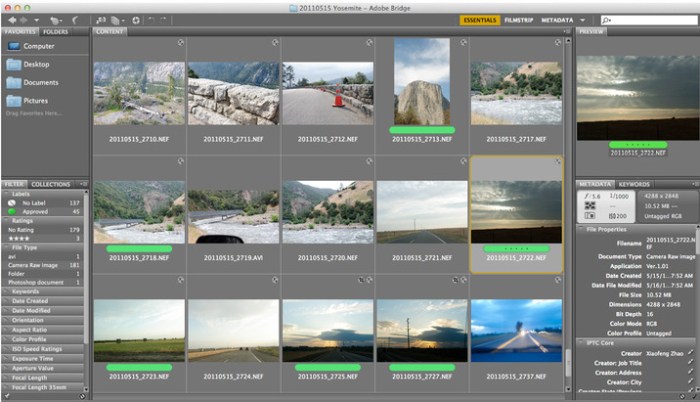
Adobe Bridge - a program for all who are faced in their activities with the need to work with image files in large quantities.

Adobe Bridge CC gives you centralized access to all multimedia resources necessary for creative projects. 
You can easily edit components in batch mode, add watermarks and even centrally set color options - 
Bridge will simplify your work and help maintain order.


Installation procedure:
Information release:
Adobe stripped-user offline installers
Distribution is made on the basis of the original file downloaded from Adobe official website.

Installer machine picks up the default language of the OS.
If you need English language of the interface before installing you need to change the OS language to correspond.
After installation you can change back.

At the time of installation disable network int-t
Mount the image and run the installer.
Follow the instructions in the installer.
Language of the interface depends on the default language of the operating system

With regards to the patch
Patch will be needed if You are working with RAW ...
Installer machine picks up the default language of the OS.
If you need other language interface before installing you need to change the OS language to correspond.
After installation you can change back.

Installing with the patch:

Software INSTALLATION:

Attention!
Before installation, disconnect from the Internet or use Little Snitch to block all outgoing connections!
1. Run the installer and follow the instructions (the interface language can be changed in menu of the program)
2. After installation, do not have to run the program in trial mode

Before applying the patch make a copy of the original file:
3. Click the right mouse button on the application - Show package contents. Open the folder Contents - the folder Frameworks.
4. Make a copy the original amtlib.framework / library or rename and leave it in the package
5. Run the patch and click PATCH or drag selected/a specific application 2014-2015 CC in the open window of the patch

ATTENTION:

- the program should be installed by default
- if you have installed other programs from the package SS 2014 - 2015, in those applications where it is required,
will be automatically replaced/patched the original amtlib.framework , that this did not happen - 
drag the application window of the running patch.
- before applying the patch make a copy of the original files

Before updating software, it is advisable to return the original amtlib.framework, to apply the updates again and apply the patch


amtemu.v0.8.0.mac-painter - allows the program to be updated in a standard way, via the update Manager
( in hand now for the future, as updates have not yet been and later I will write how to use it)

Adobe Dreamweaver CC 2017 (17.0) [Multi/Ru]

The release took place: November 2016
Publication type: macOS Software
Supported OS: macOS 10.9 +
Interface language: Russian, English, German, French, etc.
Type of medicine: patch

System requirements:
Multicore Intel processor
Operating system Mac OS X 10.9 or newer
1 GB of RAM
1 GB of free hard disk space for installation; additional free space required for installation
(not installed on a disk using the file system is case-sensitive, or on removable storage devices flash)
Monitor resolution of 1280 x 1024 with 16-bit video card
Java Runtime Environment 1.6
Software QuickTime 7.6.6, required for HTML5 playback of media content
Connect to the Internet and registration are necessary for required software activation, 
confirmation of participation in the program and access to online services*.


Description:

To create interactive web sites is faster and easier.
Software for web design Adobe Dreamweaver CC contains an intuitive visual interface that allows you to create and edit web sites
and mobile applications. Use the "rubber layouts" (Fluid Grid Layouts) with cross-platform support for creating web pages.
Before publishing preview created layouts in panel a multi-screen viewing.

Watch the design changes with new features interactive viewing. Make changes to the visual presentation of HTML
elements and test your changes on web site in live view without switching between display modes or constant updates to the screen.
Create codes that correspond to web standards, with the help of visual editing tools. Apply CSS properties like gradients,
box shadows and borders. If the changes you don't like, just cancel them. Integration of Edge Animate and
Dreamweaver makes it possible to use interactive HTML5 content on mobile devices and for publishing on the Internet.


Installation procedure and treatment
Adobe stripped-user offline installers
Distribution is made on the basis of the original file downloaded from Adobe official website.

Installer machine picks up the default language of the OS.
If you need other language interface before installing you need to change the OS language to correspond.
After installation you can change back.

Installing with the patch:
Software INSTALLATION:

Attention! 
Before installation, disconnect from the Internet or use Little Snitch to block all outgoing connections!
1. Run the installer and follow the instructions (the interface language can be changed in menu of the program)
2. After installation, do not run the program in trial mode

Before applying the patch make a copy of the original file:
3. Click the right mouse button on the application - Show package contents. Open the folder Contents - the folder Frameworks.
4. Make a copy the original amtlib.framework / library or rename and leave it in the package
5. From the desktop, run the patch Adobe Zii 2.2.1 for Adobe CC15 CC17 PATCH and click or drag selected/a specific application 
in the open window of the patch

ATTENTION: 

- the program should be installed by default
- if you have installed other programs from the package SS 2015-??2017, in those applications where it is required,
will be automatically replaced/patched the original amtlib.framework , that this did not happen - drag the application window 
of the running patch.
- before applying the patch make a copy of the original files

Before updating software, it is advisable to return the original amtlib.framework, to apply the updates again and apply the patch
block outgoing connections do not need (if you are using a patch to treat)
Adobe Zii 2.2.1 for Adobe CC15 CC17 - also enables programs downloaded from Adobe Creative Cloud

amtemu.v0.8.0.mac-painter - allows the program to be updated in a standard way, via the update Manager 
( in hand now for the future, as updates have not yet been and later I will write how to use it)

Adobe InDesign CC 2017 (12.0.0.81) [Multi/Ru]

The release took place: November 2016
Publication type: macOS Software
Supported OS: macOS 10.9 +

Interface language: Russian, English, German, French, etc.
English, Dansk, Deutsch, Espaol, Franais, Franais*, Hebrew*, Hungarian, Italiano, Nederlands, Norwegian, Polish, Portugus (Brasil), 
Suomi, Svenska, Turkish, Ukrainian, etina


Treatment: complete
Type of medicine: patch

System requirements:
Multicore Intel processor with 64-bit computing
Operating system Mac OS X version 10.9 or newer
1 GB of RAM
3.2 GB of free hard disk space for installation; additional free space required for installation 
(not installed on a disk using the file system is case-sensitive, or on removable storage devices flash memory)
Monitor with a resolution of 1024 x 768 (recommended 1280 x 800), video card that supports OpenGL 2.0, 16-bit color, 512 MB RAM
(1 GB recommended)*


Description:

Adobe InDesign CC - professional product design to design any print or Internet publications.
Adobe InDesign CC has all the progressive features and tools of machine layout, 
with which you can quickly and efficiently design the pages of any complexity. 
The program supports the import of drawings and text from a variety of formats,
including PDF and XML files, offers a set of tools for editing imported materials which includes work with layers, cascading styles, 
tables and templates.

Adobe InDesign CC is a universal app for publishing content, which provides precise control over design and typography at the pixel level. 
Comfortable adapting layouts to different page sizes, orientations and devices while maintaining high image quality.


Installation procedure and treatment
Adobe stripped-user offline installers
Distribution is made on the basis of the original file downloaded from Adobe official website.

Installer machine picks up the default language of the OS.
If you need other language interface before installing you need to change the OS language to correspond.
After installation you can change back.

Installing with the patch:
Software INSTALLATION:

Attention! 
Before installation, disconnect from the Internet or use Little Snitch to block all outgoing connections!
1. Run the installer and follow the instructions (the interface language can be changed in menu of the program)
2. After installation, do not run the program in trial mode

Before applying the patch make a copy of the original file:
3. Click the right mouse button on the application - Show package contents. Open the folder Contents - the folder Frameworks.
4. Make a copy the original amtlib.framework / library or rename and leave it in the package
5. From the desktop, run the patch Adobe Zii 2.2.1 for Adobe CC15 CC17 PATCH and click or drag selected/a specific 
application in the open window of the patch

ATTENTION: 

- the program should be installed by default
- if you have installed other programs from the package SS 2015-??2017, in those applications where it is required, 
will be automatically replaced/patched the original amtlib.framework , that this did not happen - 
drag the application window of the running patch.
- before applying the patch make a copy of the original files

Before updating software, it is advisable to return the original amtlib.framework, to apply the updates again and apply the patch
block outgoing connections do not need (if you are using a patch to treat)
Adobe Zii 2.2.1 for Adobe CC15 CC17 - also enables programs downloaded from Adobe Creative Cloud


amtemu.v0.8.0.mac-painter - allows the program to be updated in a standard way, via the update Manager 
( in hand now for the future, as updates have not yet been and later I will write how to use it)

Adobe Illustrator CC 2017 (21.0) [Multi/Ru]

The release took place: November 02, 2016
Publication type: macOS Software
Supported OS: macOS 10.9+
Interface language: Russian, English, German etc.
Type of medicine: patch

System requirements:
Multicore Intel processor with 64-bit computing
Mac OS X version 10.9 or newer
2 GB of RAM (8 GB recommended)
2 GB of free hard disk space for installation; additional free space required for installation 
(not installed on a disk using the file system is case-sensitive, or on removable flash storage device)
Monitor resolution 1024x768 (recommended 1280x800)
Optional: to use GPU performance to a computer running Mac OS should have at least 512 MB RAM (2 GB recommended),
as well as to support OpenGL 4.0 or higher


Description:

Illustrator CC – is adopted as an industry standard software for vector graphics, widely used by designers in different areas – digital graphics,
illustrations and printing – when you develop any types of multimedia resources: printed materials, online content, interactive media,
video and mobile applications.

Introducing the most powerful and user-friendly version Illustrator®. New tool "Change text" contains advanced management functions typing,
including translation, scale, and rotate individual characters with the ability to change the font or copy at any time.
Illustrator CC allows to provide access to the results of the work directly from the application and synchronize color with Adobe® Kuler®.
Gather all your work together.


Installing with the patch:
Software INSTALLATION:

Attention! Before installation, disconnect from the Internet or use Little Snitch to block all outgoing connections!
1. Run the installer and follow the instructions (the interface language can be changed in menu of the program)
2. After installation, do not run the program in trial mode

Before applying the patch make a copy of the original file:
3. Click the right mouse button on the application - Show package contents. Open the folder Contents - the folder Frameworks.
4. Make a copy the original amtlib.framework / library or rename and leave it in the package
5. From the desktop, run the patch Adobe Zii 2.2.1 for Adobe CC15 CC17 PATCH and click or drag selected/a specific application 
in the open window of the patch

ATTENTION: 
- the program should be installed by default
- if you have installed other programs from the package SS 2015-??2017, in those applications where it is required, 
will be automatically replaced/patched the original amtlib.framework , that this did not happen - 
drag the application window of the running patch.
- before applying the patch make a copy of the original files

Before updating software, it is advisable to return the original amtlib.framework, to apply the updates again and apply the patch
block outgoing connections do not need (if you are using a patch to treat)
Adobe Zii 2.2.1 for Adobe CC15 CC17 - also enables programs downloaded from Adobe Creative Cloud

amtemu.v0.8.0.mac-painter - allows the program to be updated in a standard way, via the update Manager 
( in hand now for the future, as updates have not yet been and later I will write how to use it)

Adobe Muse CC 2017.0.0.149 [Multi/Ru]

Publication type: macOS Software
The release took place: November 2016
Supported OS: macOS 10.9 +
Interface language: Russian, English, Spanish, etc.
Type of medicine: patch

System requirements:
An Intel processor with support for 64-bit computing
Operating system OS X v10.9 or newer
2 GB of RAM and above 


Description:

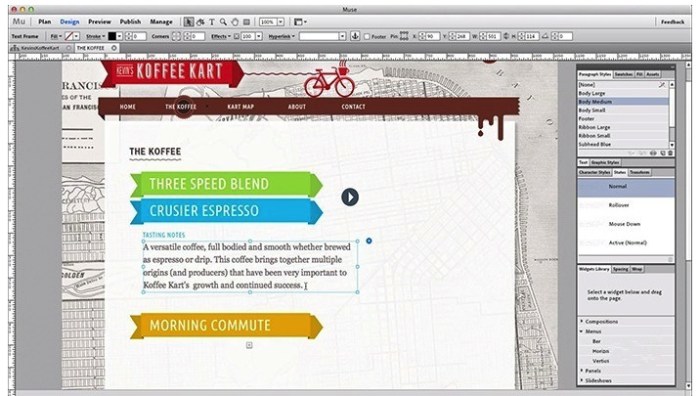
Adobe Muse CC - create stunning websites without writing code.
If you are already familiar with Adobe InDesign, we recommend you to get acquainted with Adobe Muse,
a popular graphic design application for creating web sites. Don't waste time writing code and quickly create unique websites 
using familiar tools and shortcuts, as well as integrate third party features like blogs and shopping cart.

SS Adobe Muse – a visual site Builder, operating on the principle of "mapping the changes in real time." Thus,
the developer is not required to access the HTML code of the site - edit panel allows you to work with web page as an image.
Obviously, this approach is focused on creating a development environment available to the user without special education.


Installing with the patch:
Software INSTALLATION:

Attention! 
Before installation, disconnect from the Internet or use Little Snitch to block all outgoing connections!
1. Run the installer and follow the instructions (the interface language can be changed in menu of the program)
2. After installation, do not run the program in trial mode

Before applying the patch make a copy of the original file:
3. Click the right mouse button on the application - Show package contents. Open the folder Contents - the folder Frameworks.
4. Make a copy the original amtlib.framework / library or rename and leave it in the package
5. From the desktop, run the patch Adobe Zii 2.2.1 for Adobe CC15 CC17 PATCH and click or drag selected/a specific 
application in the open window of the patch

ATTENTION: 

- the program should be installed by default
- if you have installed other programs from the package SS 2015-??2017, in those applications where it is required, 
will be automatically replaced/patched the original amtlib.framework , that this did not happen -
drag the application window of the running patch.
- before applying the patch make a copy of the original files

Before updating software, it is advisable to return the original amtlib.framework, to apply the updates again and apply the patch
block outgoing connections do not need (if you are using a patch to treat)
Adobe Zii 2.2.1 for Adobe CC15 CC17 - also enables programs downloaded from Adobe Creative Cloud

amtemu.v0.8.0.mac-painter - allows the program to be updated in a standard way, via the update Manager 
( in hand now for the future, as updates have not yet been and later I will write how to use it)

Adobe Premiere Pro CC 2017 (11.0.0) [Multi/Ru]

The release took place: November 2016

Supported OS: macOS 10.10+
Interface language: Russian, English, German etc.
Type of medicine: patch

System requirements:
Multicore Intel processor with 64-bit applications
Mac OS X version 10.10 or newer
4 GB of RAM (8 GB recommended)
4 GB of free hard disk space for installation. During installation requires additional free space 
(install on removable flash memory device or volume with the file system which is case sensitive, can not)
Requires additional disk space for files, providing a preview, and other working files (recommended 10 GB)
Screen 1280x800
Hard drive with rotation speed 7200 Rev/min (recommended to use some fast hard drives, preferably with RAID 0)
QuickTime features require installation QuickTime 7.6.6
Optional: Adobe-certified graphics card for hardware acceleration


Description:

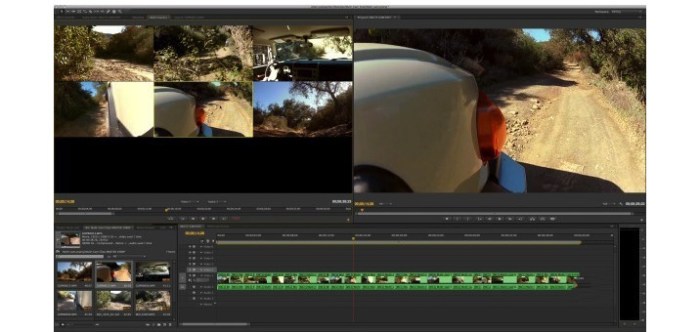
Create compelling videos wherever you are. The industry's best set of tools for the production of video materials helps to work faster and easier,
bringing together the desktop and mobile app with resources for design.
Adobe Premiere Pro is a powerful, customizable editor for nonlinear editing, with which you can mount the video exactly as you want it. 
Import and free Association of any video from the clip, shot on a phone to raw 5K, 
followed by installation that does not need to perform transcoding.

Edit video faster and more fluidly with Adobe Premiere Pro CC - ideal tools for professional editors. 
Now available many new features including a built-in mechanism for color correction with Adobe SpeedGrade CC,
expanded support of the original formats, improved installation material from multiple cameras, etc.


Installing with the patch:
Software INSTALLATION:

Attention! Before installation, disconnect from the Internet or use Little Snitch to block all outgoing connections!
1. Run the installer and follow the Install instructions
2. After installation, do not run the program in trial mode

Before applying the patch make a copy of the original file:
3. Click the right mouse button on the application - Show package contents. Open the folder Contents - the folder Frameworks.
4. Make a copy the original amtlib.framework / library or rename and leave it in the package
5. From the desktop, run the patch Adobe Zii 2.2.1 for Adobe CC15 CC17 PATCH and click or drag selected/a specific application 
in the open window of the patch

ATTENTION: 
- the program should be installed by default
- if you have installed other programs from the package SS 2015-??2017, in those applications where it is required,
will be automatically replaced/patched the original amtlib.framework , that this did not happen - drag the application window
of the running patch.
- before applying the patch make a copy of the original files

Before updating software, it is advisable to return the original amtlib.framework, to apply the updates again and apply the patch
block outgoing connections do not need (if you are using a patch to treat)
Adobe Zii 2.2.1 for Adobe CC15 CC17 - also enables programs downloaded from Adobe Creative Cloud

amtemu.v0.8.0.mac-painter - allows the program to be updated in a standard way, via the update Manager
( in hand now for the future, as updates have not yet been and later I will write how to use it)

Adguard 1.3 (359) [Multi/Ru]

Publication type: OS X Software
The release took place: NOV 6, 2016
Supported OS: OS X 10.7 +
Interface language: Russian, English and other
Treatment: not required (the installer is already treated)

System requirements:
Intel, 64-bit processor
OS X 10.7 or newer


Description:

Adguard is the best way to get rid of annoying advertising, to protect themselves from online surveillance and fraudulent websites.
Adguard – Internet filter to protect users from dangerous web sites, blocking all possible types of advertising on the Internet.
The program is a great addition to your basic anti-virus protection with effective blocking malicious, 
fraudulent and phishing resources, and parental control over the online activity of children.
Web protection works with all web browsers,
effectively blocking Internet threats due to the daily update database program with the largest resources Google Safe Browsing,
lists, Web of Trust (WOT) and Malwaredomains. Adguard belongs to the family of Adblock programs,
whose main task is the quality control operation web-based resources and the Internet in General. 
The number of users amounts to several million people.

Files

|--OS X Cracked  Utilities  2016 11 07 (adobe)
| |--Adguard.release.dmg (49.79 MB)
| |--Adobe Audition CC 2017 (10.0)_
| | |--Adobe Zii 2.2.1  for Adobe CC15 CC17.dmg (9.08 MB)
| | |--AdobeAudition10.0-mul.dmg (680.4 MB)
| | |--AdobeCreativeCloudCleanerTool.dmg (1.46 MB)
| | |--amtemu.v0.8.0.mac-painter.dmg (1.42 MB)
| |--Adobe Bridge CC 2017 (7.0.093)
| | |--Adobe Zii 2.2.1  for Adobe CC15 CC17.dmg (9.08 MB)
| | |--AdobeBridge7.0-mul.dmg (853.3 MB)
| | |--AdobeCreativeCloudCleanerTool.dmg (1.46 MB)
| | |--amtemu.v0.8.0.mac-painter.dmg (1.42 MB)
| |--Adobe Dreamweaver CC 2017 (17.0)
| | |--Adobe Zii 2.2.1  for Adobe CC15 CC17.dmg (9.08 MB)
| | |--AdobeCreativeCloudCleanerTool.dmg (1.46 MB)
| | |--AdobeDreamweaver17.0-mul.dmg (653.4 MB)
| | |--amtemu.v0.8.0.mac-painter.dmg (1.42 MB)
| |--Adobe Illustrator CC 2017 (21.0)
| | |--Adobe Zii 2.2.1  for Adobe CC15 CC17.dmg (9.08 MB)
| | |--AdobeCreativeCloudCleanerTool.dmg (1.46 MB)
| | |--AdobeIllustrator21.0-mul.dmg (2.06 GB)
| | |--amtemu.v0.8.0.mac-painter.dmg (1.42 MB)
| |--Adobe InDesign CC 2017 (12.0.0.81)
| | |--Adobe Zii 2.2.1  for Adobe CC15 CC17.dmg (9.08 MB)
| | |--AdobeCreativeCloudCleanerTool.dmg (1.46 MB)
| | |--AdobeInDesign12.0-mul.dmg (771.4 MB)
| | |--amtemu.v0.8.0.mac-painter.dmg (1.42 MB)
| |--Adobe Muse CC 2017.0.0.149
| | |--Adobe Zii 2.2.1  for Adobe CC15 CC17.dmg (9.08 MB)
| | |--AdobeCreativeCloudCleanerTool.dmg (1.46 MB)
| | |--Muse_CC_2017.dmg (671.0 MB)
| | |--amtemu.v0.8.0.mac-painter.dmg (1.42 MB)
| |--Adobe Photoshop CC 2017 (2017.0.0)
| | |--Adobe Zii 2.2.1  for Adobe CC15 CC17.dmg (9.08 MB)
| | |--AdobeCreativeCloudCleanerTool.dmg (1.46 MB)
| | |--AdobePhotoshop18.0-mul.dmg (1.40 GB)
| | |--amtemu.v0.8.0.mac-painter.dmg (1.42 MB)
| |--Adobe Premiere Pro CC 2017 (11.0)
| | |--Adobe Zii 2.2.1  for Adobe CC15 CC17.dmg (9.08 MB)
| | |--AdobeCreativeCloudCleanerTool.dmg (1.46 MB)
| | |--AdobePremierePro11.0-mul.dmg (1.38 GB)
| | |--amtemu.v0.8.0.mac-painter.dmg (1.42 MB)
| |--OS X Cracked  Utilities  2016 11 07 (adobe).rtf (60.11 MB)
| |--OS X Cracked  Utilities  2016 11 07 (adobe).txt (60.50 kB)
| |--Torrent downloaded from Demonoid.pw.txt (0.05 kB)


Name OS X Cracked Utilities 2016 11 07 (adobe)
Size 8.67 GB
Created on 2016-11-06 08:11:42
Hash 8ddc2a25a551f28427ec6268ee2901c363efb69c
Files ※ See Files

Adobe Photoshop Elements 15.1

Name Adobe Photoshop Elements 15.1
Size 2.27 GB
Created on 2016-11-07 08:58:10
Tracker http://109.235.50.166:2710/announce
Hash 53fe78f00aaef3abf7daf6981871a810a771d5dd
Files Phot0Ele151.zip (2.27 GB)

Description

  Name: Adobe Photoshop Elements - Consumer photo editor/organizer.  Version: 15.1  Released: November 4th, 2016  Mac Platform: Intel  OS version: 10.10 or higher  Processor type(s) & speed: 64-bit processor  RAM minimum: 4 GB      Web Site: http://www.adobe.com/products/photoshop-elements.html        Overview  Your photos, with you wherever you are. Make quick edits, add artistic touches like a pro, or transform your photos to show your vision. Express your creativity in beautiful photo books and cards. Access your photos on the go. And always find any photo, fast.*    Features:    Organize - It’s easier than ever to find photos by the people in them, the places they were taken and the events they depict. And now you can automatically find photos based on subjects like sunsets, birthdays, cats, dogs and more.    Edit - Make any snapshot extra-special with everything from one-click fixes to artistic looks. Photoshop Elements can guide you through or do it for you.    Create - Surround yourself with your memories by creating beautiful collages, slideshows, calendars, scrapbook pages and cards.    Share - Share with friends and family the way that works for you—Facebook, YouTube, Vimeo, Twitter and more.        What's New in Version 15.1:  ・This patch fixes the print related crash on macOS 10.12.  

Screenshots

Alien Skin Exposure X2 2.1.0.412

Name Alien_Skin_Exposure_X2_2.1.0.412.zip
Size 184.9 MB
Created on 2016-11-06 19:02:39
Hash 2fff5b760239099dd92e205dfc7a7f6882f70866
Files Alien_Skin_Exposure_X2_2.1.0.412.zip (184.9 MB)

Description

  Name: Alien Skin Exposure X2  Version: 2.1.0.412 [Revision 35205]  Language: English  Mac Platform: Intel  OS Version: OS X 10.10 or later  Processor type(s) & speed: 64-bit processor    Includes: Crack      Web Site: http://www.alienskin.com/exposure/        Overview  Exposure X2 is an advanced creative photo editor and organizer that improves every step in your editing workflow. Use it to quickly organize your images, nondestructively edit your photos, and apply gorgeous looks and special effects.    For over a decade, Exposure has been the go-to creative photo editor for digital photographers seeking a smarter, faster way to work. Exposure X2 continues this tradition, and is the follow-up to the award-winning Exposure X.    You won’t find unnecessary complications like catalogs, imports, or separate user modules. Instead, Exposure streamlines your workflow. You’ll become more efficient at organizing your photos and transforming them into beautiful works of art.    Exposure is also flexible enough to adapt to different workflows. Use it as your complete solution for non-destructive RAW editing, or as a creative editing plug-in with Adobe Lightroom or Photoshop.  

Exposure X2 Introduction

Alien Skin Exposure X2 Bundle v1.0.0.78

Name Alien_Skin_Exposure_X2_Bundle_v1.0.0.78.zip
Size 247.9 MB
Created on 2016-11-06 04:36:20
Hash ecc71fc47e6005e3a29e3d6470cbae431ce1b2f4
Files Alien_Skin_Exposure_X2_Bundle_v1.0.0.78.zip (247.9 MB)

Description

  Name: Alien Skin Exposure X2 Bundle  Version: 1.0.0.78  Language: English  Mac Platform: Intel  OS Version: OS X 10.10 or later  Processor type(s) & speed: 64-bit processor    Includes: Crack (Special K)      Web Site: http://www.alienskin.com/exposure/        Overview  Exposure X2 Bundle is a photo editor and organizer that integrates all the exotic skins of award - winning photo editing applications in one product. The centerpiece of the beam is Exposure X, the editing application that streamlines workflow and provides a rich set of creative tools. Two additional applications extend the creative possibilities: Blow Up 3 expands your photos on large prints with changing technology sharper size available, and Snap Art 4 transforms your photos into beautiful paintings, handmade.     Exposure X: and previous editions, this new edition allows editing of images non - destructively, so our original will always be safe. In addition, the program can be used as plug-in Photoshop or Lightroom or autonomously. In the latter case Exposure X can quickly edit RAW photos non - destructively.     Snap Art: it is a Photoshop plug-in that turns photography into beautiful works of art with a single click.     Blow Up: It is a powerful addition of Alien Skin for Photoshop CS and Lightroom, able to resize images on a larger scale without smudging or losses appreciate quality.  

Adobe Zii Patcher 2.2.1

Name Adobe Zii Patcher v2.2.1
Size 9.07 MB
Created on 2016-11-06 01:01:41
Tracker http://109.235.50.166:2710/announce
Hash 0bc99ebb09dce27d9706e51fbf4418af049529c4
Files Adobe Zii 2.2.1 for Adobe CC15 CC17.dmg.zip (9.07 MB)

Description

  Name: Adobe Zii Patcher
Version: 2.2.1  Mac Platform: Intel  OS Version: OS X 10.8 or later  Compatibility: All Products Adobe CC 2015, CC 2015.5, CC 2017      Overview  We are proud to present Adobe Zii Patcher 2.0    Specifics:  - Automatically finds all installed Adobe products in Applications folder and patches amtlib.framework.  - Manually patches any Adobe application you drop on Adobe Zii Patcher.    If you have Adobe products installed in a directory different from Applications please use the drag and drop mechanism.    If you have Creative Cloud subscription for certain Adobe apps you may not patch these products. Only patch the ones you have no license for.    If you have trial active or expired after patching an app nothing will change in Creative Cloud interface but the program will start without any issues.        What's New in Version 2.2.1:  Adobe Media Encoder :  Included are missing codecs AS-11, HEVC (H.265), MPEG2, MPEG2 Blu-ray, MPEG2-DVD, MXF OP1a    2.2.0  Support CC 2017  

Little Snitch 3.7 (build 4718)

Description

Name: Little Snitch for Mac
Version: 3.7 (build 4718)
Language: English
Release Date: 15 Sep 2016
Mac Platform: Intel
OS version:OS X 10.10 or later (compatible with Sierra)
Processor type(s) & speed: 64-bit


Web Site: https://www.obdev.at/products/littlesnitch/index.html


Overview:
Little Snitch gives you control over your private outgoing data.

Track background activity 
As soon as your computer connects to the Internet, applications often have permission to send any information wherever they need to. Little Snitch takes note of this activity and allows you to decide for yourself what happens with this data.

Control your network 
Choose to allow or deny connections, or define a rule how to handle similar, future connection attempts. Little Snitch runs inconspicuously in the background and it can even detect network-related activity of viruses, trojans, and other malware.


What's New in Version 3.7 (4718):
・Added compatibility with macOS 10.12 Sierra 
・Further improved Fast User Switching support 

Screenshots

Name Little_Snitch_3.7[build_4718].zip
Size 22.20 MB
Created on 2016-11-04 21:43:39
Hash aa419ff1713422df47eb457aba18efcee9277943
Files Little_Snitch_3.7[build_4718].zip (22.20 MB)

Adobe Premiere Pro CC 2017 11.0.0

Name Adobe Premiere Pro CC 2017 11.0.0
Size 1.53 GB
Created on 2016-11-04 23:57:56
Tracker http://109.235.50.166:2710/announce
Hash 113454857762e0f1ff8aeaf24ffed8d3665a6c36
Files Adobe Premiere Pro CC 2017 11.0/Adobe Premiere Pro CC 2017 11.0.zip (1.53 GB)
Adobe Premiere Pro CC 2017 11.0/Adobe Zii 2.2.dmg (6.47 MB)

Description

  Name: Adobe Premiere Pro CC 2017 for Mac  Version: 11.0.0  Release Date: 03 Nov 2016  Mac Platform: Intel  OS version:OS X 10.10 or later  Processor type(s) & speed: 64-bit    Requirements:   ・4 GB RAM (8 GB recommended)   ・7200 RPM hard drive or faster   ・4 GB of available hard-disk space for installation; additional free space required during installation   ・Internet connection    Includes: K  Activation: Use the included Adobe Zii Patcher (Courtesy Team TNT)      Web Site: http://www.adobe.com/products/premiere.html        Overview:  Make visually stunning videos virtually anywhere. With the industry-leading video editing software, you can edit virtually any type of media in its native format and create professional productions with brilliant color for film, TV, and web.    It's the most colorful Premiere Pro yet.  See how the fastest and most efficient video editor helps you create your most visually stunning productions yet — and easily make the switch from Final Cut or Avid.    Edit anything from virtual reality to 8K footage in native format or by creating lightweight proxies that let you easily switch between low- and high-res formats.  Enhanced Lumetri Color tools give you new ways to get creative with color, plus you can apply new preset SpeedLooks in a single click.  Save time and stay in your creative flow with improved integration between Premiere Pro, After Effects and Audition that eliminates steps like intermediate rendering.  Collaborate on shared sequences or compositions across Premiere Pro, After Effects, and Prelude with Team Projects (Beta). For teams and enterprise customers.      Go from blank page to brilliant.  Premiere Pro is part of Creative Cloud, which means you can access all your assets — including Adobe Stock — right inside the app and quickly put an idea into production. And with Adobe CreativeSync, everything is connected across your desktop and mobile apps.    All your assets. Always at your fingertips.  Creative Cloud Libraries store all your Looks, photos, graphics, stock videos, and other creative assets, so they're instantly available across your desktop and mobile devices.    Adobe Stock built right in.  Spend less time searching and more time designing with more than 60 million high-quality images, graphics, videos, 3D objects and our Premium collection inside your apps. With built-in templates for web, print, mobile and more, you can dive right into your production.        What's New in Version 11.0.0 (2017):  ・Easier collaboration with Team Projects (Beta) - Collaborate and share sequences and compositions in real time with Team Projects (Beta). Features like version control and conflict resolution are built right into Premiere Pro, After Effects and Prelude so teams can work better together. Available now for Creative Cloud for teams and enterprise customers.   ・Improved captions - New captions features enable you to manipulate text, alter duration and location, and create open or closed captions from scratch.   ・Lumetri Color enhancements - New color pickers let you make immediate selections when working with HSL secondaries. Plus, you can work with HDR10 files and get better support for color space metadata.   ・Accelerated Dynamic Link - Faster performance reduces the need for intermediate rendering and delivers higher frame rates during playback.   ・Auto-aware VR - Premiere Pro automatically detects whether your virtual reality video is monoscopic, stereoscopic left/right or stereoscopic over/under, and applies the appropriate settings.   ・Publish directly to Behance - Publish videos directly to your Behance portfolio - no need for separate export or uploading.   ・Dynamic Link with Character Animator - Eliminate intermediate rendering and speed up performance when working between Character Animator, After Effects, and Premiere Pro.   ・Live Text template improvements - New file format lets you share Live Text templates between Premiere Pro and After Effects without the need for a separate After Effects license.   ・New Getting Started experience - A new launch screen guides beginners through different ways of learning the app, from examining a completed video sequence and following tutorials to an optimized quick-start project template.   ・Typekit font sync - No need to find missing fonts manually when working in Live Text templates now that fonts automatically sync and update from Typekit.   ・Audition audio effects - New high-quality real-time audio effects give you better sounding output and improved fidelity.   ・Keyboard shortcut mapping - Quickly find, adjust, and customize keyboard shortcuts using a visual map.   ・Easier ingest - Stitch multiple clips from your camera together into one file for simpler file management.   ・Better performance - Work faster than ever before with improved support for Apple Metal and more GPU effects, including Offset.   ・Import more native formats - Premiere Pro now supports even more formats, including Native QT DNxHD/DNxHR export and RED Helium.   ・And so much more - Also includes:New UI elements, global FX mute, and more.   

Screenshots

Adobe Dreamweaver CC 2017 17.0.0.9315

Name Adobe Dreamweaver CC 2017 17.0.0.9315
Size 814.0 MB
Created on 2016-11-05 02:33:30
Tracker http://109.235.50.166:2710/announce
Hash 313cb4992f9fda29833f23d6e852111958711480
Files Adobe Dreamweaver CC 2017.zip (814.0 MB)

Description

  Name: Adobe Dreamweaver CC 2017 for Mac  Version: 17.0.0.9315  Release Date: 03 Nov 2016  Mac Platform: Intel  OS version:OS X 10.10 or later  Processor type(s) & speed: 64-bit    Requirements:   ・2 GB of RAM   ・1.1 GB of available hard-disk space for installation; additional free space required during installation (cannot install on a volume that uses a case-sensitive file system or on removable flash storage devices)   ・1280x1024 display with 16-bit video card   ・Internet connection      Web Site: https://www.adobe.com/products/dreamweaver.html        Overview:  Adobe Dreamweaver CC 2017 allows you to design, develop, and publish for web and mobile platforms without getting buried in code. Dreamweaver provides an intuitive visual interface for website creation and editing, and offers up-to-date compatibility with web standards as well as first-class support for HTML5/CSS3 and jQuery.        What's New in Version 17.0.0.9315 (2017):  ・New Code Editor - Code faster and with greater flexibility thanks to a new coding engine. Code Hints help new users learn HTML, CSS, and other web standards, and visual aids like auto-indentation, code coloring, and resizable fonts help reduce errors and make your code easier to read.  ・Developer Workspace - Load and open files quickly and get through projects faster with a new performance-boosted and clutter-free workspace designed for developers.   ・CSS pre-processor support - Dreamweaver now supports common CSS pre-processors like SASS, Less, and SCSS, with full code coloring, code hinting, and compilation, so you can save time and produce cleaner code.   ・Real-time browser preview - See your page edits in real time - no need to manually refresh your browser.   ・Edit CSS while working with HTML - New Quick Edit offers an inline editor for the relevant CSS within an HTML file, so you can make changes fast.   ・In-context CSS documentation - New Quick Docs saves you time by displaying relevant Web Platform Docs reference information for CSS properties directly within Code View.   ・Multiple cursors for repetitive tasks - Write more than one line of code at a time to quickly do things like create a bulleted list, update a series of strings, and make multiple edits simultaneously.   ・Modern UI - Based on input from thousands of beta testers, Dreamweaver has been redesigned with a more intuitive and customizable interface, more accessible menus and panels, and a contextual and configurable toolbar that shows you only the tools you need.   ・UI color themes - The interface now offers four levels of contrast from light to dark, so it’s easier to read and edit lines of code.   ・Creative Cloud Assets improvements - Archive and restore all your assets stored in Creative Cloud, including the ones in your Creative Cloud Libraries, assets created with CC desktop products, and mobile projects.   ・Introducing Typekit Marketplace - Buy fonts from some of the industry’s biggest names and use them in your Dreamweaver projects. Typekit uses its font sync and web technologies to deliver your Marketplace fonts anywhere you need them.   ・And so much more - Also includes:Adobe CreativeSync integration; Find and Replace improvements; better code completion for PHP 5.6; quicker startup; faster switching between files, tabs, and views; crash recovery; and more.   

Adobe Acrobat Pro 15.020.20042

Name Adobe Acrobat Pro 15.020.20042
Size 876.2 MB
Created on 2016-11-05 02:06:26
Tracker http://109.235.50.166:2710/announce
Hash 10d1eab6b61fd0af17deab4be9e6c921c7326793
Files Adobe Acrobat Pro 15.020.20042.zip (876.2 MB)

Description

  Name: Adobe Acrobat Pro for Mac  Version: 15.020.20042  Release Date: 03 Nov 2016  Mac Platform: Intel  OS version:OS X 10.9 or later   Processor type(s) & speed: 64-bit      Web Site: https://acrobat.adobe.com/us/en/acrobat.html        Overview:  Acrobat Pro DC is available only as a part of Adobe Creative Cloud, and can only be installed and/or updated through Adobe's Creative Cloud app.    Adobe Acrobat Pro DC with Adobe Document Cloud services is here. Completely reimagined PDF tools let you create, edit, sign, and track PDFs from anywhere. It will change the way you work with design layouts, press-ready files, and all your important documents forever.      ・Access powerful print production and digital publishing tools. Preview, preflight, correct, and prepare PDF files.   ・Work anywhere. Create, export, and sign PDFs from your computer or the Acrobat DC mobile app.   ・Take your files with you. Use Mobile Link to access recent files across desktop, web, and mobile.   ・Edit anything. Instantly edit PDFs and scanned documents -- as naturally as any other file.   ・Make last-minute changes. Edit text and organize PDF pages on your iPad.   ・Replace ink signatures. Send, track, manage, and store signed documents with a built-in e-signature service.   ・Protect important documents. Prevent others from copying or editing sensitive information in PDFs.   ・Eliminate overnight envelopes. Send, track, and confirm delivery of documents electronically.         What's New in Version 15.020.20042 (Acrobat Pro DC Continuous Track):  Bug Fixes   ・Security     ・Unable to use certificates stored in keychain to Digitally Sign document on MAC 10.11.6.  ・Browser     ・A Grey Screen/Page on opening PDFs in IE often from Web applications.  ・Printing     ・Black streaks on document when printed.  ・Collaboration     ・Attach to email stopped working after updating Acrobat to October Release.  ・PDFMaker      ・Unable to convert email to pdf using PDFMaker in Outlook 2007.  

Screenshots

Adobe Audition CC 2017 10.0.0 for Mac

Name Adobe Audition CC 2017 10.0.0
Size 835.7 MB
Created on 2016-11-05 12:24:50
Tracker http://109.235.50.166:2710/announce
Hash eb0c7b90a31cf71d614f91d716d443cd88d19ecf
Files Adobe Audition CC 2017 10.0.0/Adobe Audition CC 2017.zip (828.0 MB)
Adobe Audition CC 2017 10.0.0/Adobe Zii 2.2.1.dmg (7.69 MB)

Description

  Name: Adobe Audition CC 2017 for Mac  Version: 10.0.0  Release Date: 03 Nov 2016  Mac Platform: Intel  OS version:OS X 10.10 or later  Processor type(s) & speed: 64-bit    Requirements:   ・2 GB of RAM   ・2 GB of available hard-disk space for installation; additional free space required during installation   ・1280x800 display   ・OpenGL 2.0-capable system; optional GPU for optimum video playback performance   ・USB interface and/or MIDI interface may be required for external control surface support (see manufacturer's specifications for your device)   ・Optional: Optical drive for CD burning (SuperDrive recommended)   ・Internet connection    Includes: K  Activation: Use the included Adobe Zii Patcher (Courtesy Team TNT)      Web Site: http://www.adobe.com/products/audition.html        Overview:  Adobe Audition CC. A professional audio workstation for mixing, finishing, and precision editing. Mix, edit, and create audio content with a comprehensive toolset that includes multitrack, waveform, and spectral display. This powerful audio workstation is designed to accelerate video production workflows and audio finishing — and deliver a polished mix with pristine sound.    What is Audition CC?  Meet the industry's best audio clean-up, restoration, and precision editing tool for video, podcasting, and sound effect design.    Ready. Set. Get Started.  This step-by-step tutorial guides you through the robust audio toolkit that is Adobe Audition CC and its seamless workflow with Premiere Pro CC.    Add oomph to your audio.  Use the Essential Sound panel to achieve professional-quality audio... even if you're not a professional.        What's New in Version 10.0.0 (2017):  ・New onboarding experience - The new on-boarding experience offers new users a series of guided walkthroughs of common tasks, such as reducing background noise, mixing audio elements, or producing a simple podcast. If you are new to Audition CC, these guides will help to navigate the core functionality and capabilities with ease. Coach marks and concise tutorials are offered inside the application to enable you to get started with Audition and successfully perform some key tasks without leaving the native environment.  ・Essential Sound panel - With shorter turnaround times and shrinking budgets, many video editors mix their audio without engaging a professional audio engineer. This release of Adobe Audition empowers video editors with limited audio experience to easily handle mixing techniques for their projects. The Essential Sound panel gives you a complete toolset to mix your audio for achieving professional-quality output. The panel provides simple controls to unify volume levels, repair sound, improve clarity, and add special effects that help your video projects sound like a professional audio engineer has mixed them. You can save the applied adjustments as presets for re-use and they reflect in the full Audition toolset, making them handy for more audio refinements.   ・Export Multitrack to Adobe Media Encoder - Audition can now export your edited audio directly to Adobe Media Encoder for a fully linear post-production workflow, using format presets and audio channel customization without rendering or wrangling various mixdown files. To export, just select your destination format and preset, which might include re-wrapping your video for many formats to prevent re-encoding the video stream, and add to the render queue. You can even customize how your final audio channels are assigned to your video file. Your project will start rendering automatically in the background when the project files are prepared. Projects that you had edited using Audition wear the Audition logo, making it easy to identify which projects are complete and ready for use. You can get back to work in Audition or Premiere on your next project while Adobe Media Encoder renders the files in the background.   ・Remix - Create remixes of music files from a collection. For example, you can take a song that has a longer duration and create a shorter version that still sounds like the original. You can recompose any piece of music in your collection to fit the video or project duration.   

Screenshots

Adobe Media Encoder CC 2017 11.0.0

Name Adobe Media Encoder CC 2017 11.0.0
Size 1.16 GB
Created on 2016-11-05 02:09:26
Tracker http://109.235.50.166:2710/announce
Hash 4c0d28c88a4576bae7e656943a9d7f866bf02fd0
Files Adobe Media Encoder.zip (1.16 GB)

Description

  Name: Adobe Media Encoder CC 2017 for Mac  Version: 11.0.0  Release Date: 03 Nov 2016  Mac Platform: Intel  OS version:OS X 10.10 or later  Processor type(s) & speed: 64-bit    Requirements:   ・4 GB RAM (8GB recommended)   ・4 GB of available hard-disk space for installation; additional free space required during installation (cannot install on a volume that uses a case-sensitive file system or on removable flash storage devices)   ・Additional disk space required for preview files and other working files (10GB recommended)   ・1280x900 display   ・7200 RPM hard drive (multiple fast disk drives, preferably RAID 0 configured, recommended)   ・OpenGL 2.0      Web Site: http://www.adobe.com/products/media-encoder.html        Overview:  Adobe Media Encoder CC 2017 software automates the process of creating multiple encoded versions of source files, Adobe Premiere Pro sequences, and Adobe After Effects compositions. An intuitive interface, background encoding, and convenient presets help you quickly output for virtually any screen. Adobe Media Encoder is included in Adobe Premiere Pro, After Effects, and Adobe Prelude software.       Features   ・Preset Browser - Access commonly used settings immediately using the Preset Browser. Organize presets by category, set favorites, and customize your most frequently used encoding presets.   ・Fast, sure output to virtually any screen - Quickly and easily output your work for virtually any video or device format. Customize, set, and organize your favorite presets in the Preset Browser for fast export and batch encoding in the background.   ・Performance and stability - Use Watch Folders to quickly encode video from a single source to multiple output formats.   ・ARRIRAW, RED EPIC, and RED Scarlet-X support - Import your ARRIRAW, 5K RED EPIC®, and RED Scarlet-X footage directly into Adobe Media Encoder CS6 for transcoding to HD and SD formats.         What's New in Version 11.0.0 (2017):  ・Quality and performance improvements   ・Destination Publish to Behance   ・Multiple clip stitching on ingest   

Adobe Animate CC 2017 16.0.0

Name Adobe Animate CC 2017 16.0.0
Size 1.64 GB
Created on 2016-11-05 12:24:38
Tracker http://109.235.50.166:2710/announce
Hash 177605438a8934a6f8924c4f507514dbba6103fa
Files Adobe Animate CC 2017 16.0.0/Adobe Animate CC 2017.zip (1.63 GB)
Adobe Animate CC 2017 16.0.0/Adobe Zii 2.2.1.dmg (7.69 MB)

Description

  Name: Adobe Animate CC 2017 for Mac  Version: 16.0.0  Release Date: 03 Nov 2016  Mac Platform: Intel  OS version:OS X 10.10 or later  Processor type(s) & speed: 64-bit    Requirements:   ・Multicore Intel processor   ・2 GB RAM (4 GB recommended)   ・4 GB available hard-disk space for installation   ・QuickTime 10 software recommended   ・Internet connection    Includes: K  Activation: Use the included Adobe Zii Patcher (Courtesy Team TNT)      Web Site: http://www.adobe.com/products/animate.html        Overview:  A new age for animation. Any platform. Any device. Any style. Design interactive animations with cutting-edge drawing tools and publish them to multiple platforms — including Flash/Adobe AIR, HTML5 canvas, WebGL, or even custom platforms — and reach viewers on broadcast TV or virtually any desktop or mobile device.    Animations that look amazing.  See how the leading vector animation toolset helps you work faster and create content that looks terrific on everything from mobile devices to the latest ultrahigh-resolution displays.  - Pan and zoom on your animations using a built-in virtual camera.  - Use pressure and tilt-sensitive vector brushes for more natural results, and create your own custom vector brushes.  - Convert existing Flash-based ads to HTML5 canvas or create them from scratch, so they're optimized for any browser.  - Export to 4K and higher resolutions to make sure your videos will look great on the latest Ultra HD TVs and monitors.    Go from blank page to brilliant.  Animate is part of Creative Cloud, which means you can access all your assets — including Adobe Stock — right inside the app and quickly turn any inspiration into a beautiful work of art. And with Adobe CreativeSync, everything is connected across your desktop and mobile apps.    All your assets. Always at your fingertips.  Creative Cloud Libraries store all your brushes, colors, graphics, metadata, and other creative assets, so they're instantly available across your desktop and mobile devices.    Adobe Stock built right in.  Spend less time searching and more time designing with more than 60 million high-quality images, graphics, videos, 3D objects and our Premium collection inside your apps. With Stock templates for web, print, mobile and more, you can dive right into your designs.        What's New in Version 16.0.0 (2017):  ・Integrated virtual camera - Use the built-in V-Cam to pan and zoom in and out on your animations just like you would with a video camera. The V-Cam also lets you add tints and filters.   ・Reusable components - Now it’s quick and easy to add and reuse common components such as video players, buttons, and carousels to your HTML5 Canvas documents.   ・Vector brush improvements - Create and share custom brushes, convert pattern brushes to standard art brushes, and get more expressive with better pressure and tilt sensitivity.   ・Collaboration with CC Libraries - Collaborate simultaneously on animations with multiple team members. Share, modify and reuse entire animations, clips, or symbols via CC Libraries and place animations directly into InDesign and Adobe Muse.   ・Easier export - Now it’s simple to share quick prototypes by exporting clips or excerpts as GIFs, JPEGs, or PNGs and sharing them on social media, in instant messages, emails, and texts.   ・Creative Cloud Assets improvements - Archive and restore all your assets stored in Creative Cloud, including the ones in your Creative Cloud Libraries, assets created with CC desktop products, and mobile projects.   ・Introducing Typekit Marketplace - Buy fonts from some of the industry’s biggest names and use them in your Animate projects. Typekit uses its font sync and web technologies to deliver your Marketplace fonts anywhere you need them.   ・And so much more - Also includes:the ability to stage enhancements, layers that can be published as independent SWFs, and more.   

Adobe Prelude CC 2017 6.0.0

Name Adobe Prelude CC 2017 6.0.0
Size 837.5 MB
Created on 2016-11-05 12:23:43
Tracker http://109.235.50.166:2710/announce
Hash a94953883d48f3ae4e8974677a5d2436103f0080
Files Adobe Prelude CC 2017 6.0.0/Adobe Prelude CC 2017.zip (829.8 MB)
Adobe Prelude CC 2017 6.0.0/Adobe Zii 2.2.1.dmg (7.69 MB)

Description

  Name: Adobe Prelude CC 2017 for Mac  Version: 6.0.0  Release Date: 03 Nov 2016  Mac Platform: Intel  OS version:OS X 10.10 or later  Processor type(s) & speed: 64-bit    Requirements:   ・4 GB of RAM (8 GB recommended)   ・4 GB of available hard-disk space for installation; additional free space required during installation   ・Additional disk space required for disk cache, preview files, and other working files (10 GB recommended)1280x900 display with 16-bit color and 512MB of VRAM; 1680x1050 display required and second professionally calibrated viewing display recommended for Adobe SpeedGrade   ・OpenGL 2.0   ・Internet connection      Includes: K  Activation: Use the included Adobe Zii Patcher (Courtesy Team TNT)      Web Site: https://www.adobe.com/products/prelude.html        Overview:  Adobe Prelude CC 2017 software streamlines your production tasks. Ingest nearly any file-based format and begin logging immediately, creating searchable markers and other temporal metadata that flow through post-production, so you can work faster and stay organized. Adobe Prelude is included in Production Premium, Master Collection, and Creative Cloud.    Ingest and log footage quickly and easily - Get to work faster with easy ingest of file-based footage, including the ability to transcode to nearly any file-based format. Tag footage with searchable temporal metadata that is carried through your workflow.    Integrate into virtually any workflow - Connect directly to existing media asset management systems and workflows with Prelude, an open platform that supports customized integration with third-party technologies.* Create custom markers to capture data specific to your production and view it in Adobe Premiere® Pro software.        What's New in Version 6.0.0 (2017):   ・Introduces Team Projects, a hosted service that lets editors and motion graphics artists work collaboratively in projects within Prelude CC, Premiere Pro CC, and After Effects CC. This service adds deep collaboration features such as version history and smart conflict resolution. Post-production professionals can share their edits and get the latest changes from collaborators, allowing concurrent changes to happen on a single project -- which is powerful for workflows where you can ingest clips in Prelude at the same time when visual effects and motion graphics are being done in After Effects and the edit is being refined in Premiere Pro.   

Screenshots

Adobe InCopy CC 2017 12.0.0.81

Name Adobe InCopy CC 2017 12.0.0.81
Size 919.4 MB
Created on 2016-11-05 02:35:00
Tracker http://109.235.50.166:2710/announce
Hash 8fae655e7be3ac756ec34ce2d5ed6ee9f4611968
Files Adobe InCopy CC 2017.zip (919.4 MB)

Description

  Name: Adobe InCopy CC 2017 for Mac  Version: 12.0.0.81  Release Date: 03 Nov 2016  Mac Platform: Intel  OS version:OS X 10.10 or later  Processor type(s) & speed: 64-bit    Other Requirements:   ・2 GB of RAM (4 GB recommended)   ・2 GB of available hard-disk space for installation; additional free space required during installation (cannot install on a volume that uses a case-sensitive file system or on removable flash storage devices)   ・1024x768 display (1280x800 recommended) with 32-bit video card (supports Retina display)   ・Adobe Flash Player 10 software required to export SWF files   ・Internet connection      Web Site: https://www.adobe.com/products/incopy.html        Overview:  Adobe InCopy CC 2017, ideal for large team projects involving both written copy and design work, provides copywriters and editors with a powerful tool to style text, collaborate through track changes, and make simple layout modifications that integrate effortlessly with InDesign.        What's New in Version 12.0.0.81 (2017):  ・Footnotes that span columns - Now, while working with a multi-column text frame, you have the option to insert a footnote that spans across multiple columns. Select the Span Footnotes Across Columns option in the Document Footnote Options to enable this feature. Based on the selection, this option makes all the footnotes in the document either span across the columns or revert to the original behavior. The option to span footnotes across columns is enabled by default for a new document created in InCopy CC 2017. However, the option is disabled by default for an existing document created in an earlier version.   ・OpenType enhancements      ・In-context menu for text frame selection - Apply OpenType properties to more than just one character. Now, when you select a text frame or text in a text frame, InCopy identifies the applicable OpenType properties for the selected text and provides an option to apply them.   ・In-context support for Ordinals and Ligatures - The support for in-context menu, which was earlier available for Alternates and Fractions, is now extended to Ordinals and Ligatures (discretionary/standard). So now, when you select 1st, 2nd, 3rd, and so on, InCopy automatically suggests applying the Ordinal property to it. The ordinals are restricted to the English ordinals as of now. Also, if you select ‘st’ from the word Start and a discretionary ligature exists for the characters, InCopy suggests that you apply that property. The same is applicable for standard ligatures.   ・Stylistic sets - OpenType fonts usually have some Stylistic sets in them. InCopy display these stylistic sets as Set 1, Set 2, and so on. It is hard to figure out from the name what kind of stylistic set this may be. With this feature, the name of the stylistic set provided by the Font Developer is leveraged and shown at various places in InCopy wherever they are referenced.  ・Hyperlinks panel performance - In previous versions of InCopy, if your document included many hyperlinks connected to the hyperlinks panel, it used to load slowly. With this release, the Hyperlinks panel loads much more quickly and gives much improved performance over previous versions.   

Qbserve 1.53

Name Qbserve 1.53
Size 6.19 MB
Created on 2016-11-05 00:38:12
Tracker http://109.235.50.166:2710/announce
Hash 2c1eb9d3554bee269ed74f61327c368a69c07fdc
Files Qbserve 1.53/Qbserve 1.x [SP].zip (1.24 MB)
Qbserve 1.53/Qbserve-1.53.zip (3.81 MB)
Qbserve 1.53/Special K for Sierra Utility.zip (1.14 MB)

Descriptions for Description

Name: Qbserve for Mac
Version: 1.53
Release Date: October 31st, 2016
Mac Platform: Intel
OS version:OS X 10.10 or later 
Processor type(s) & speed: 64-bit

Includes: K
Activation: Use the included Patcher (Courtesy Special [K])
*** For Sierra: Use the included "Special K for Sierra Utility.app", more info.


Web Site: https://qotoqot.com/qbserve/


Overview:
Qbserve is an automatic private time tracker that helps improve your productivity. It gives you instant answers about the way you spend your time by intelligently observing active apps. All the tracked information is stored privately on your machine.

Qbserve knows productivity rates for thousands of sites and apps and has a unique ability to differentiate between chats in Skype, teams in Slack, YouTube videos, and subreddits. You can also set alerts to notify you when you are reaching your goals or spending too much time on distractions. 


Features 
・automatic recognition of apps and popular websites opened in Chrome, Safari, and Opera browsers 
・separate productivity of Slack teams, chats in Skype, Telegram; YouTube videos, Reddit.com subreddits; different windows inside one application 
・show application windows as standalone activities 
・view all logged windows for each application record 
・ignore any application, website, window, etc. 
・enable dynamic dock icon and/or menu bar item status 
・search activities with filters by name, productivity, category, application or time period 
・edit uncategorized activities that weren’t recognized by Qbserve 
・set idle time limit and turn it off for some categories like "Videos" 
・view detailed chart with productivity meters for any period within a year 
・get feedback on how productivity changes compared to previous days, weeks, months 
・pause and resume time tracking 
・track only selected weekdays or time periods 
・shift the day starting time in case you are a night owl 


What's New in Version 1.53:
 ・New, more clear settings layout
 ・Added option to set a global shortcut to show Qbserve
 ・Added option to show durations instead of percents in the Overview tab columns
 ・Added option to open the app instantly from the menu bar instead of going through a menu
 ・Fixed tracking for many Steam games including Dota 2 and CS:GO
 ・Fixed tracking for Minecraft and probably some other Java-based apps
 ・Fixed YouTube videos tracking in FireFox
 ・Fixed text in popovers on macOS Sierra
 ・Fixed one more idle preventing bug

Screenshots

Note-Ify Notes 1.43

Name Note-Ify Notes 1.43
Size 6.49 MB
Created on 2016-11-05 12:55:21
Tracker http://109.235.50.166:2710/announce
Hash 9cf729ffb195b3ab78f3be58b20e09e3711575a7
Files Note-Ify Notes 1.43/Note-Ify Notes 1.43 MAS [TNT].dmg (6.49 MB)

Descriptions for Description

Name: Note-Ify Notes
Version: 1.43
Release Date: November 04, 2016
Language: English
Developer: Sergii Gerasimenko
MAS Rating: 4+
Mac Platform: Intel
OS Version: OS X 10.10 or later
Processor type(s) & speed: 64-bit processor

Includes: Pre-K'ed
Courtesy of TNT.


Web Site: http://mac.noteifyapp.com
Mac App Store: https://itunes.apple.com/app/note-ify-notes/id1092173510?mt=12


Overview:
AUTUMN SALE, 3 DAYS ONLY, 60% OFF
The LAST HOURS OF the AUTUMN SALES. GET DISCOUNTS FOR ALL APPLICATION FOR MACOS just click buy now and each of our application You can see the latest at this hour discount www.noteifyapp.com

* Command-Tab Plus-An excellent replacement for standard application switcher from macOS 
http://commandtab.noteifyapp.com

* UnDistracted- Will help you to focus and work productively
http://www.undistracted.noteifyapp.com

Note-Ify Notes- Simple Markdown based note-talking app. Write down ideas while you work. Keep a diary. Write memos and practice "freewriting".  Note-ify — universal notebook for all of your thoughts.

KEY FEATURES
◆ Quick create notes from menu bar;
◆ Organaize notes by colors;
◆ Text formatting (Markdown format)
◆ Full control from the keyboard;
◆ Activation by the hot key;
◆ Creating of notes from the search window;
◆ Folders to sort by topic;
◆ Favorite notes;
◆ Colors for visual organization;
◆ Sync your notes between devices.

KEYBOARD SHORTCUTS

◆ alt-cmd-1, alt-cmd-2, alt-cmd-3 — move focus between folders, notes and text;
◆ shift-cmd-n — create new flolder;
◆ cmd-n — create new note;
◆ backspace in the folder list — delete folder;
◆ cmd-backspace in the note list — delete note;
◆ cmd-L — swatch to search box; 
◆ enter — make a note from the search field;
◆ cmd-escape — move to the note list.

Please send us your wishes and ideas on feedback@noteifyapp.com


What's New in Version 1.43:
I am sorry that it took so long to update app Note-Ify Notes

This update includes numerous bug fixes:

fixed - crash the application at start-up and writting notes
fixed - right click menu for the folder list
fixed - the settings window
fixed - the quick entry window notes (Drafs Pad)

Please contact me if there are still some bugs

Screenshots

NoteBurner M4V Converter Plus 4.2.4

Name NoteBurner M4V Converter Plus 4.2.4
Size 26.94 MB
Created on 2016-11-05 13:08:01
Tracker http://109.235.50.166:2710/announce
Hash dcb2559f18ac7a6658f55a602cd5dbf4281f4f09
Files NoteBurner M4V Converter Plus 4.2.4.zip (26.94 MB)

Descriptions for Description

Name: NoteBurner M4V Converter Plus for Mac
Version: 4.2.4
Release Date: 03 Nov 2016
Mac Platform: Intel
OS version:OS X 10.8 or later 
Processor type(s) & speed: 64-bit


Web Site: http://www.noteburner.com/mac-m4v-converter-plus.html


Overview:
NoteBurner M4V Converter Plus helps you remove DRM from purchased and rented M4V movies from the iTunes Store and convert them to unprotected video formats including MP4, AVI, MPG, MPEG-1, MPEG-2, 3GP, 3G2, FLV, and SWF.

The DRM M4V Converter has various built-in output profiles for iPad, iPhone, iPod, Apple TV, Samsung, HTC, Sony Xperia, Kindle Fire HD, PSP, PS3, Walkman, Creative Zen, Xbox 360, Sandisk Sansa, Nokia, Google Android, and BlackBerry. It's also an MP4 converter and AVI converter. 

You can use this M4V converter to convert any movies in your iTunes movie library. The latest version added an output profile for Apple editing tools like Final Cut Pro and iMovie, and for Web-sharing on YouTube, Vimeo, Dailymotion, and more, allowing you to edit and share iTunes movies without DRM restrictions.


What's New in Version 4.2.4:
・Fix a bug which prevented the listing of some movies in the iTunes library 

Remove DRM from iTunes Rentals and Purchases With Noteburner M4V Converter Plus

Apple Numbers 4.0.5

Description

Name: Numbers
Version: 4.0.5
Release Date: October 28, 2016

Languages: English, Catalan, Croatian, Czech, Danish, Dutch, Finnish, French, German, Greek, Hungarian, Indonesian, Italian, Japanese, Korean, Malay, Norwegian, Polish, Portuguese, Romanian, Russian, Simplified Chinese, Slovak, Spanish, Swedish, Thai, Traditional Chinese, Turkish, Ukrainian, Vietnamese

Developer: Apple
MAS Rating: 4+
Mac Platform: Intel
OS Version: OS X 10.12 or later

Includes: Pre-K'ed

Web Site: http://www.apple.com/iwork/numbers/
Mac App Store: https://itunes.apple.com/app/numbers/id409203825?mt=12


Overview:
Create gorgeous spreadsheets with the all-new Numbers for Mac. Get started with one of many Apple-designed templates for your home budget, checklist, invoice, mortgage calculator, and more. Add tables, charts, text, and images anywhere on the free-form canvas. As soon as you start typing a formula, you'll get instant suggestions and built-in help for the over 250 powerful functions. Animate your data with new interactive column, bar, scatter, and bubble charts. Easily filter through large tables. Automatically format cells based on numbers, text, dates, and durations with new conditional highlighting. And with an all-new calculation engine, Numbers is faster than ever before.

With iCloud built in, your spreadsheets are kept up to date across all your devices. And now with the beta release of new collaboration features, your team will be able to work together at the same time on a Mac, iPad, iPhone, or iPod touch — even on a PC using iWork for iCloud.

Collaborate with others at the same time (beta)
• With the beta release of new collaboration features, your whole team can work together on a spreadsheet at the same time
• Collaboration is built right in to Numbers on the Mac, iPad, iPhone and iPod touch  
• PC users can collaborate too, using Numbers for iCloud
• Share your document publicly or with specific people
• You can easily see who’s currently in the document with you
• View other people’s cursors to follow their edits

Get started quickly
• Over 30 Apple-designed templates give your spreadsheets a beautiful start
• Simplified toolbar gives you quick access to shapes, media, tables, charts, and sharing options
• The new Format Panel automatically updates based on selection
• Quickly click through a spreadsheet using new tab navigation
• Import and edit Microsoft Excel spreadsheets
• Import and edit Comma Separated Values (CSV) and tab-delimited text
• An all-new calculation engine makes Numbers faster than ever before

Beautiful spreadsheets
• Place tables, charts, text, and images anywhere on the free-form canvas
• Add and resize multiple tables on a single sheet
• Create great-looking tables with enhanced cell border styling tools
• Use gorgeous preset styles to make your text, tables, shapes, and images look beautiful
• Insert photos, music, and video with the Media Browser
• Edit down to the pixel with rulers, alignment guides, and powerful graphics tools

Formulas for everyone
• Choose from over 250 powerful functions
• Get function suggestions as soon as you start typing a formula
• Search the integrated function browser for built-in help and sample formulas
• Get live formula results, error checking, exact value, and cell format with the new smart cell view
• Add your favorite functions to Quick Calculations for instant results
• Seamless integration with MathType* for inserting equations

Data uncrunched
• Insert gorgeous 2D and 3D charts
• Animate data with new interactive column, bar, scatter, and bubble charts
• Automatically highlight cells based on rules for numbers, text, dates, and durations
• Easily filter through large tables
• Change values in cells using sliders, steppers, checkboxes, pop-ups, and star ratings

iCloud
• Turn on iCloud so you can access and edit your spreadsheets from your Mac, iPad, iPhone, iPod touch, and iCloud.com
• Access and edit your spreadsheets from a Mac or PC browser at www.icloud.com with Numbers for iCloud
• Numbers automatically saves your documents as you make changes

Share your work
• Use AirDrop to send your spreadsheet to anyone nearby
• Quickly and easily share a link to your work via Mail, Messages, Twitter, or Facebook

* MathType sold separately.
Some features may require Internet access; additional fees and terms may apply.
Numbers does not include support for some Chinese, Japanese, or Korean (CJK) text input features such as vertical text.


What's New in Version 4.0.5:
• Support for Touch Bar on the new MacBook Pro lets you easily edit text, shapes, tables and charts
• Stability and performance improvements

Screenshots

Name Numbers 4.0.5
Size 201.4 MB
Created on 2016-11-03 23:50:50
Tracker http://109.235.50.166:2710/announce
Hash 937bea63c6d059ce4eade161839d1ee9584e17f6
Files Numbers 4.0.5/Numbers405.zip (201.4 MB)

Adobe Photoshop CC 2017 18.0.0

Name Adobe Photoshop CC 2017 18.0.0
Size 1.55 GB
Created on 2016-11-03 23:52:09
Tracker http://109.235.50.166:2710/announce
Hash de8accc50dbc9adba582cd5fe6823f0b283f22fc
Files Photoshop CC 2017 18.0.0/Adobe Zii 2.2.dmg (6.47 MB)
Photoshop CC 2017 18.0.0/Photoshop CC 2017 18.0.0.zip (1.54 GB)

Descriptions for Adobe Photoshop CC 2017

Name: Adobe Photoshop CC 2017 for Mac
Version: 18.0.0
Release Date: 03 Nov 2016
Mac Platform: Intel
OS version:OS X 10.10 or later
RAM: 2 GB RAM (8 GB recommended)
Video RAM: 512MB (1GB Video RAM required for 3D features)
OpenGL 2.0-capable system
Processor type(s) & speed: 64-bit processor

Includes: K
Activation: Use the included Adobe Zii Patcher (Courtesy Team TNT)

Block all outgoing connections with Little Snitch or HandsOff

Tested on macOS 10.12.1

Web Site: https://www.adobe.com/products/photoshop/selector.html

Overview:

The world’s best imaging and design app now features even more creative possibilities with new tools for design and photography, connecting your desktop and mobile apps with all your creative assets, so you can make amazing visual content on any device.

A whole new experience in digital design:

Create production-quality designs and other images on your mobile devices as well as your desktop. And get immediate access to all your assets — including Adobe Stock images — from right inside Photoshop. See how the latest release helps you quickly turn any inspiration into incredible work with great new features for print and graphic design, web and app design, and photography.

Photoshop everywhere:

Mobile apps like Photoshop Mix, Sketch and new Comp CC extend the power of Photoshop to your devices, so you can create powerful designs at your desk or on the go.

Introducing artboards:

Great for app and responsive web design, Photoshop artboards let you create multiple layouts in different sizes, lay them out in one document and see them all at once.

Your photos, totally transformed:

Create anything you can imagine by combining multiple images, removing objects and retouching photos using a complete set of professional photography tools.

Get creative with blur effects:

Add motion, create tilt-shift effects, simulate shallow depth of field and now you can also add photographic noise to your blurs for even more realistic results.

What’s New in Version 18.0.0 (2017):
  • In-app search – Quickly search Photoshop tools, panels, menus, Adobe Stock assets, help content, and tutorials from within the app using a new search panel that’s right at your fingertips.
  • Tighter integration with Adobe XD – Now you can copy SVG elements to your clipboard to easily paste Photoshop design assets into Adobe XD.
  • Get started faster – Jumpstart design projects with easy access to presets as well as free Adobe Stock templates that you can access right from File > New.
  • Stock templates, 3D objects, and search – Adobe Stock marketplace now includes design templates and 3D objects, plus you can drag and drop Stock search results from your Library panel right into your canvas and start using them right away. Right-click on a stock image to do a visual search for similar images.
  • Enhanced Properties panel – The Properties panel now displays information about common layer types as well as the document, so it’s easier to make precise adjustments.
  • Support for SVG color fonts – Access any SVG font installed on your system from the Photoshop Font menu. Great for responsive design, SVG fonts support multiple colors and gradients, and they can be raster or vector.
  • New Creative Cloud Libraries capabilities – Libraries in Photoshop now support Adobe Stock templates. Plus, Send Link has been updated so you can share read-only access to a public library. When you follow a library, it appears in your Library panel and updates automatically.
  • Creative Cloud Assets improvements – Archive and restore all your assets stored in Creative Cloud, including the ones in your Creative Cloud Libraries, assets created with CC desktop products, and mobile projects.
  • Introducing Typekit Marketplace – Now you can buy fonts from some of the industry’s biggest names and use them in your Photoshop projects. Typekit uses its font sync and web technologies to deliver your Marketplace fonts anywhere you need them.
  • Better overall performance – Photoshop now works more efficiently thanks to performance improvements, including a faster Liquify tool.
  • And so much more – Also includes:The ability to adjust the eyes independently in Face-Aware Liquify, an improved user experience for Match Font, and more.

Screenshots

Adobe Illustrator CC 2017 21.0.0 for Mac

Name Adobe Illustrator CC 2017 21.0.0
Size 2.21 GB
Created on 2016-11-03 23:49:56
Tracker http://109.235.50.166:2710/announce
Hash e7226f81a29799d149aee2970369446e26b54d3b
Files Adobe Illustrator CC 2017 21.0.0/Adobe Zii 2.2.dmg (6.47 MB)
Adobe Illustrator CC 2017 21.0.0/Illustrator CC 2017 21.0.0.zip (2.21 GB)

Description

  Name: Adobe Illustrator CC 2017 for Mac  Version: 21.0.0  Release Date: 03 Nov 2016  Mac Platform: Intel  OS version:OS X 10.10 or later  RAM: 2 GB RAM (8 GB recommended)  Video RAM: 512MB (1GB Video RAM required for 3D features)  OpenGL 2.0-capable system  Processor type(s) & speed: 64-bit    Includes: K  Activation: Use the included Adobe Zii Patcher (Courtesy Team TNT)    Block all outgoing connections with Little Snitch or HandsOff    Tested on macOS 10.12.1      Web Site: https://www.adobe.com/products/illustrator.html        Overview:  Adobe Illustrator CC 2017 is the industry standard vector-drawing environment for designing across media. Express your creative vision with shapes, color, effects, and typography. Work with speed and stability on large, complex files, and move designs efficiently among Adobe's creative applications.    From a beginner's perspective, creating a new logos is pretty easy. The first steep is creating, uniting and manipulating shapes. The next steps consists of coloring the shapes, adding and editing symbols, applying effects, and then making final touches.    Of course, Illustrator provides tons of solutions and customizable parameters to the more experienced and creative logo designer.    The key features are the sophisticated vector drawing tools, working with up to 100 art boards, pattern creation, variable-width strokes, image trace, gradients, rock-solid stability and more.    At its core, Illustrator excels at working with vector graphics images. You can, thus, compose and edit these types of images for printing, video, mobile or the web. Using the advanced path controls, paint brushes and complex shape-building tools, you can achieve spectacular results.        What's New in Version 21.0.0 (2017):  ・Create pixel-perfect artwork - Draw paths and shapes that seamlessly align to the pixel grid. Align existing artwork with a single click or by using simple transformations. Preserve Live Shapes and rounded corners, maintain alignment when scaling and rotating objects, and manually nudge segments and end points into perfect alignment.   ・Find fonts faster - Mark individual fonts as favorites to quickly find the one you need. Filter your list to see fonts you've recently used, find other fonts that are similar to one you like, or find fonts based on classifications like serif or handwritten.   ・Work easier with glyphs - Use alternate glyphs for any character by simply selecting the character and choosing from an in-context menu. View and insert your most recently used glyphs, and sort glyphs for faster browsing.   ・Get started faster - Jumpstart design projects with easy access to presets as well as free Adobe Stock templates that you can access right from File > New.   ・Stock templates and search - Adobe Stock marketplace includes new design templates and now you can drag and drop Stock search results from your Library panel right into your canvas and start using them right away. Plus, you can right-click on a stock image to do a visual search for similar images.   ・New Creative Cloud Libraries capabilities - Libraries in Illustrator now support Adobe Stock templates. Plus, Send Link has been updated so you can now share read-only access to a public library. When you follow a library, it appears in your Library panel and updates automatically.   ・Creative Cloud Assets improvements - Archive and restore all your assets stored in Creative Cloud, including the ones in your Creative Cloud Libraries, assets created with CC desktop products, and mobile projects.   ・Introducing Typekit Marketplace - Now you can buy fonts from some of the industry's biggest names and use them in your Illustrator projects. Typekit uses its font sync and web technologies to deliver your Marketplace fonts anywhere you need them.   ・Font and text enhancements - See a live preview by hovering over the font list with selected text, place loaded text inside a container, or fill a container with placeholder text to better visualize your designs. Easily work with type objects that have a common font family but different styles, and vice-versa.   ・Zoom to selection - View and edit faster now that you can zoom into anything you’ve selected - an active point, a segment, a path, or an object.   ・Modern user experience - A flat UI and new icons for tools and panels offer a cleaner look and help you focus on your artwork   ・And so much more - Also included:Ability to archive, restore, and see version history for all your assets stored in your Creative Cloud Libraries, assets created with CC desktop products, and mobile projects.   

Screenshots

Adobe InDesign CC 2017 12.0.0.81

Name Adobe InDesign CC 2017 12.0.0.81
Size 926.9 MB
Created on 2016-11-04 00:17:05
Tracker http://109.235.50.166:2710/announce
Hash bfecd392dc0ed1569300c5447c4518e6e4b797fb
Files Adobe InDesign CC 2017 12.0.0.81/Adobe Zii 2.2.dmg (6.47 MB)
Adobe InDesign CC 2017 12.0.0.81/InDesign CC 2017 12.0.0.81.zip (920.4 MB)

Description

  Name: Adobe InDesign CC 2017 for Mac  Version: 12.0.0.81  Release Date: 03 Nov 2016  Mac Platform: Intel  OS version:OS X 10.10 or later  Processor type(s) & speed: 64-bit  RAM: 2 GB RAM (8 GB recommended)  Video RAM: 512MB (1GB Video RAM required for 3D features)  OpenGL 2.0-capable system    Includes: K  Activation: Use the included Adobe Zii Patcher (Courtesy Team TNT)    Block all outgoing connections with Little Snitch or HandsOff    Tested on macOS 10.12.1      Web Site: http://www.adobe.com/products/indesign.html        Overview:  The industry-leading page design and layout toolset lets you work across desktop and mobile devices to create, preflight, and publish everything from printed books and brochures to digital magazines, iPad apps, eBooks, and interactive online documents.    Polished pages, faster than ever.  See how the latest release helps you design layouts faster, from creating footnotes with more control to easily working with OpenType fonts.    Go from blank page to brilliant.  InDesign is part of Creative Cloud, which means you can access all your assets — including Adobe Stock — right inside the app and quickly turn any inspiration into a beautiful work of art. And with Adobe CreativeSync, everything is connected across your desktop and mobile apps.    All your assets. Always at your fingertips.  Creative Cloud Libraries store all your colors, shapes, graphics, fonts from Adobe Typekit, and other creative assets, so they’re instantly available across your desktop and mobile devices.    Adobe Stock built right in.  Spend less time searching and more time designing with more than 60 million high-quality images, graphics, videos, 3D objects and our Premium collection inside your apps. With built-in templates for web, print, mobile and more, you can dive right into your designs.        What's New in Version 12.0.0.81 (2017):  ・New footnote capabilities - Now footnotes can span multiple text columns in a specific frame or across entire documents.   ・OpenType enhancements - Just click to see OpenType font properties of any selected text or text box, and then quickly apply properties to characters, words, or a whole story.   ・Arrowhead scale control - Scale start and end arrowheads independently of line stroke weight, and switch them with a single click.   ・Easier Adobe Stock search - Quickly find Adobe Stock assets by typing directly into the InDesign search field. Drag and drop search results from your Library panel right into your canvas and start using them right away. Plus, you can right-click on a stock image to do a visual search for similar images.   ・New Creative Cloud Libraries capabilities - Send Link has been updated so you can share read-only access to a public library. When you follow a library, it appears in your Library panel and updates automatically.   ・Creative Cloud Assets improvements - Archive and restore all your assets stored in Creative Cloud, including the ones in your Creative Cloud Libraries, assets created with CC desktop products, and mobile projects.   ・Introducing Typekit Marketplace - Now you can buy fonts from some of the industry's biggest names and use them in your InDesign projects. Typekit uses its font sync and web technologies to deliver your Marketplace fonts anywhere you need them.   ・Animate CC integration - Access Animate CC animations directly from your Creative Cloud Libraries, then incorporate them into EPUBs as well as documents you publish to Publish Online formats.   ・And so much more - Also includes:Better hyperlink performance, bug fixes, and more.   

Screenshots

Adobe After Effects CC 2017 14.0 for Mac

Name Adobe After Effects CC 2017 14.0
Size 2.20 GB
Created on 2016-11-04 12:43:46
Tracker http://109.235.50.166:2710/announce
Hash e2905ba5bf7f3ad6eb5fddd825f7ebe35979a306
Files Adobe After Effects CC 2017 14.0/Adobe Zii 2.2.dmg (6.47 MB)
Adobe After Effects CC 2017 14.0/After Effects CC 2017.zip (2.19 GB)

Description

  Name: Adobe After Effects CC 2017 for Mac  Version: 14.0  Release Date: 03 Nov 2016  Mac Platform: Intel  OS version:OS X 10.10 or later  RAM: 4 GB RAM (8 GB recommended)  Video RAM: OpenGL 2.0-capable system  6 GB available hard-disk space for installation  1440x900 display  Processor type(s) & speed: 64-bit processor  QuickTime 7.6.6 for QuickTime features    Includes: K  Activation: Use the included Adobe Zii Patcher (Courtesy Team TNT)    Block all outgoing connections with Little Snitch or HandsOff    Tested on macOS 10.12.1      Web Site: http://www.adobe.com/products/aftereffects.html        Overview:  After Effects CC 2017 can make the impossible possible. Get powerful new features like a Live 3D Pipeline that brings CINEMA 4D scenes in as layers - without intermediate rendering. Share work directly from within the application and get access to new features the moment they're released. Your entire creative world, together in one place.    The Adobe After Effects utility also comes with Creative Cloud integration that enables you to keep your workspace's settings synchronized across various machines.    Furthermore, After Effects also has a built-in project sharing network, Behance, which allows you to effortlessly share work in progress shots of your designs and projects so that you can get instant feedback from your network of colleagues and various professionals around the world.    What's more, Adobe After Effects also makes it possible to add custom 3D scenes and objects designed using CINEMA 4D without having to go through multi-pass rendering in-between.    In addition, After Effects features support for multiple dimensions that helps you to fluidly switch between 2D, 2.5D, and extruded 3D spaces, in order to get the best angle for customizing the object your currently working on.    Besides, once you get the hang of it, you can even mix together 2D and 3D content within the same composition, to make the end result even more startling and eye-catching.    All in all, the After Effects composition platform manages to bring together all the tools a professional needs to create breathtaking and thrilling multimedia products with ease, while also taking advantage of Adobe's Creative Cloud collaboration and sharing features.        What's New in Version 14.0 (2017):  ・3D rendering engine - Improve rendering performance on your CPU and create elements such as extruded text and shape layers directly inside After Effects with the new 3D rendering engine from Cinema 4D.   ・Team Projects (Beta) - Collaborate and share sequences and compositions in real time with Team Projects (Beta). Features like version control and conflict resolution are built right into After Effects, Premiere Pro and Prelude so teams can work better together. Available now for Creative Cloud for teams and enterprise customers.   ・Real-time playback - Speed up your workflow by playing back most raw footage in real-time without rendering or caching first.   ・Faster effects and interactive performance - Get rid of bottlenecks and work faster with more GPU-accelerated effects, as well as Dynamic Link improvements that eliminate intermediate rendering between Premiere Pro and After Effects.   ・Live Text Template improvements - Package your compositions in a single file that allows users to easily share Live Text Templates with Premiere Pro.   ・Character Animator enhancements - Make Photoshop and Illustrator changes to your puppet and update faster with improved Character Animator performance. Switch easily between Character Animator, After Effects and Premiere Pro using Dynamic Link.   ・Typekit updates - With Typekit Marketplace, you can buy fonts from some of the industry's biggest names and use them in your After Effects projects. Instantly sync your purchased fonts to your devices and bring them directly into your compositions.   ・Creative Cloud Assets improvements - Archive and restore all your assets stored in Creative Cloud, including the ones in your Creative Cloud Libraries, assets created with CC desktop products, and mobile projects.   ・Shared templates - Make sure your team and freelancers are always working off the same page by creating your own new project template with set color guides and file structure, and sharing it in Creative Cloud Folders.   ・Date and time tokens - Keep track of multiple outputs from the same file by adding date and time tokens to your file name output template.   ・And so much more - Also includes:Better UI retina support, improved markers, scripting enhancements, Adobe Media Encoder export improvements, enhanced Time Remapping, a 360-degree preset for monoscopic equirectangular video viewing, and more.   

Screenshots

Adobe Muse CC 2017.0.0149

Name Adobe Muse CC 2017.0.0149
Size 670.6 MB
Created on 2016-11-04 00:48:09
Tracker http://109.235.50.166:2710/announce
Hash 8e606d6b1214b8611efb1224d64b73cae8483ab7
Files Adobe Muse CC 2017.0.0149.zip (670.6 MB)

Description

  Name: Adobe Muse CC 2017 for Mac  Version: 2017.0.0149  Release Date: 03 Nov 2016  Mac Platform: Intel  OS version:OS X 10.10 or later   Processor type(s) & speed: 64-bit      Web Site: https://www.adobe.com/products/muse.html        Overview:  Adobe Muse 2017 enables designers to create websites as easily as creating a layout for print. Design and publish original HTML pages using the latest Web standards, and without writing code. Now in beta, Muse makes it a snap to produce unique, professional-looking websites.     Key   Features   ・Plan your project - Easy-to-use sitemaps, master pages, and a host of flexible, site-wide tools make it fast and intuitive to get your site planned out and ready for design.   ・Design your pages - Combine imagery, graphics and text with complete control, flexibility and power (almost as if you were using Adobe InDesign).   ・Add interactivity - Drag and drop fully customizable widgets like navigation menus and slide shows, embed HTML code snippets to include things like Google Maps, enable tool tips, rollovers and much more.   ・Publish your site - Preview your site with Muse to see how it looks and test how it works. Then convert to a live website using Adobe for hosting, or export the HTML for hosting with a provider of your choice.         What's New in Version 2017.0.0149:   ・While loading some sites containing certain combinations of custom HTML or third party widgets, the browser shows an error message that begins "JavaScript exception: Error calling selector function."   ・Composition triggers can be horizontally misaligned on export if they have different stroke weights across states   ・Selecting Undo after resizing the width of a page in Design mode can cause a crash with the error message, "unknown BP type"   ・Moving an object within the Layers panel also moves the object vertically on the page   ・Widgets with page-pinned triggers with different styling in their normal and active states look misaligned when published   ・Moving the breakpoints bar after creating a hyperlink, resizing the page width and then undoing can cause Muse to crash   ・If the network connection is interrupted while publishing, Muse will crash with the error message, "SiteFile.getBinaryContent called before SiteFile.writeToStream"   ・A site's pages can look incorrect in the browser if different breakpoints have different sticky footer settings   ・Muse can crash when moving the breakpoints bar in Design mode on a page containing a 100% width rectangle and a larger image on top of it   ・Some users with Business Catalyst sites don't have access to their sites   ・Publishing a site to Business Catalyst on a Mac whose language setting in the System Preferences is set to Hebrew causes a crash   ・Choosing "Collect All Assets" from the Assets panel in a site with missing CC Libraries assets causes a crash   ・An extra slash appears after the domain name when publishing a site to Business Catalyst with custom domains   ・The "Publish to Business Catalyst" dialog has incorrect string translations for the Russian language on Windows   ・Sites published to Business Catalyst with .oam animations cannot be edited with In-Browser Editing   ・Fixed-width HiDPI sites with placed images are exporting at 1.5 times expected size and report incorrect dimensions in the Assets panel   ・Muse shortcuts are missing from the Programs menu after upgrading to Muse 2015.2 on Windows   

Screenshots

Adobe Bridge CC 2017.7.0.0

Name Adobe Bridge CC 7.0.0
Size 851.3 MB
Created on 2016-11-04 00:56:41
Tracker http://109.235.50.166:2710/announce
Hash 4ad4694853eef1a96b6bec93c3979df08bb373e1
Files Adobe Bridge CC 7.0.0.zip (851.3 MB)

Description

  Name: Adobe Bridge CC 2017 for Mac  Version: 7.0.0  Release Date: 03 Nov 2016  Mac Platform: Intel  OS version:OS X 10.10 or later   Processor type(s) & speed: 64-bit    Web Site: https://www.adobe.com/products/bridge.html?        Overview:  Adobe Bridge CC 2017 provides you with centralized access to all the media assets you need for your creative projects. Batch edit with ease, add watermarks, and even set centralized color preference -- Bridge simplifies your workflow and keeps you organized.        What's New in Version 7.0.0:  Bridge CC now allows you to easily publish your photos to Adobe Stock. To get started, first set up your profile as Contributor on Adobe Stock Contributor portal. Once you complete the registration, your Adobe ID becomes ready for contribution.  You can now simply drag a selection of photos from the Content panel onto the new Publish panel in Bridge to directly upload your photos to Adobe Stock.  You can go to the Adobe Stock Contributor portal to tag the uploaded images and submit them to Adobe Stock for moderation.  

Screenshots

Apple iMovie 10.1.3

Description

Name: iMovie
Version: 10.1.3
Release Date: October 28, 2016

Languages: English, Catalan, Croatian, Czech, Danish, Dutch, Finnish, French, German, Greek, Hungarian, Indonesian, Italian, Japanese, Korean, Malay, Norwegian, Polish, Portuguese, Romanian, Russian, Simplified Chinese, Slovak, Spanish, Swedish, Thai, Traditional Chinese, Turkish, Ukrainian, Vietnamese

Developer: Apple
MAS Rating: 4+
Mac Platform: Intel
OS Version: OS X 10.11.2 or later

Includes: Pre-K'ed

Web Site: http://www.apple.com/mac/imovie/
Mac App Store: https://itunes.apple.com/app/imovie/id408981434?mt=12


Overview:
With a streamlined design and intuitive editing features, iMovie lets you enjoy your videos and tell stories like never before. Browse your video library, share favorite moments, and create beautiful movies that you can edit at resolutions up to 4K. You can even start editing movies on an iPhone or iPad, and finish them on a Mac. And when your movie is ready for its big premiere, you can enjoy it on all your devices in iMovie Theater.

Browse and share video
• See all your video clips and photos organized in one place
• Quickly share a clip or a portion of a clip
• Background import lets you begin watching and sharing video instantly

Make Hollywood-style trailers
• Choose from 29 trailer templates with stunning graphics and original scores by some of the world’s top film composers
• Customize movie studio logos, cast names, and credits
• Select the best videos and photos for your trailer with the help of animated drop zones

Create beautiful 4K and HD movies
• Edit movies at up to 4K resolution with video from iPhone 6s, GoPro, and other Ultra HD cameras on compatible Macs (1)
• Support for 1080p HD video at 60 frames per second for smoother, more life-like action shots
• Import movies and trailers created using iMovie on iPhone or iPad to finish them on your Mac
• Enhance your movie by adding titles, transitions, and 3D globes and travel maps
• Speed up and slow down the action with fast-forward and slow-motion effects
• Create sophisticated picture-in-picture, side-by-side, and green screen effects
• Create a soundtrack using built-in music and sound effects, songs from your iTunes library, songs you’ve recorded in GarageBand, and your own narration

Fine-tune every clip
• Instantly improve the look and sound of your video using one-click Enhance
• Give your video a boost with easy-to-use color controls
• Stabilize shaky video for a smoother picture that’s easier to watch
• Automatically zoom in on faces and glide across panorama photos with the Ken Burns Effect
• Choose from 48 fun video and audio effects

Watch anywhere with iMovie Theater
• Fill iMovie Theater with posters as you share clips, movies, and trailers
• Access iMovie Theater on all your devices with iCloud
• Enjoy iMovie Theater on your HDTV with Apple TV

Share with friends and family
• Email videos with Mail Drop when signed in to iCloud
• Share directly to YouTube at up to 4K resolution
• Publish movies directly to Facebook and Vimeo
• Share any video frame as an image

iOS Developers: Create App Previews for the App Store
• Import iPhone and iPad screen recording videos captured with QuickTime Player
• Highlight features with 11 animated titles designed to showcase apps in action
• Export finished videos using the App Preview share option


(1) 4K export requires a Mac from 2011 or later with at least 4 GB RAM. Full-resolution 4K playback is supported on iMac with Retina display and Mac Pro (2013 or later) when connected to a 4K display.


What's New in Version 10.1.3:
• Support for Touch Bar on MacBook Pro lets you quickly add video clips to your movie, or use them to create picture in picture, green screen, and split screen effects
• Tap the Touch Bar to play your movie, split a clip, or easily adjust the volume of any clip
• Ability to delete render files to recover drive space

Screenshots

Name iMovie 10.1.3
Size 2.07 GB
Created on 2016-11-01 23:39:15
Tracker http://109.235.50.166:2710/announce
Hash 7e9d4dca3a9c8cb888363319d5660c2842d4946b
Files iMovie 10.1.3 [MAS].dmg (2.07 GB)

Alien Skin Photo Bundle (11.2016) for Mac

Name Alien_Skin_Photoshop_Bundle[11.2016].zip
Size 984.3 MB
Created on 2016-11-02 22:36:20
Hash f862a6e51b3b45aaa1b52392ba2803c58eb250c9
Files Alien_Skin_Photoshop_Bundle[11.2016].zip (984.3 MB)

Description

  Name: Alien Skin Photo Bundle  Version: November 2016  Includes: Patches  Mac Platform: Intel  OS Version: OS X 10.8 or later  Processor type(s) & speed: 64-bit processor    One of the following:  * Apple Aperture 3 or later  * Adobe Photoshop CS6 or later  * Adobe Photoshop Elements 12 or later  * Adobe Lightroom 4 or later      Web Site: http://www.alienskin.com/photobundle/        Includes:   ・Blow Up 3.1.0.1340   ・bokeh 2.0.1.503   ・Exposure 7.1.0.214   ・Exposure X 1.1.0.2269   ・Exposure X2 v2.0.0.400   ・Exposure X2 Bundle v1.0.0.71   ・Eye Candy 7.1.0.1203   ・Snap-Art 4.1.0.136         Overview  Alien Skin Software is a company that has been dedicated to graphics software for designers and photographers for years. They contain excellent simple tools that make beautiful pictures and more. This package contains plug-ins recently updated its all softwares that are Blow Up, Bokeh, Exposure, Eye Candy, Snap Art, you are able to work on the Mac OS X platform.  

Alien Skin Blow Up 3.1.0.146

Name Alien_Skin_Blow_Up_v3.1.0.146.zip
Size 29.48 MB
Created on 2016-11-02 06:37:28
Hash 9767aba12fac79cac29b9ad5d8cae41349a6cf40
Files Alien_Skin_Blow_Up_v3.1.0.146.zip (29.48 MB)

Description

  Name: Alien Skin Blow Up  Version: 3.1.0.146 Revision 35118  Language: English  Mac Platform: Intel  OS Version: OS X 10.10 or later    Includes: Crack      Web Site: http://www.alienskin.com/blowup/        Overview  Sharp Photo Enlargement at Any Size	  Blow Up keeps photos crystal clear during enlargement. Especially in large prints hung on a wall, the difference between Blow Up and Photoshop is astounding. Version 3 makes pictures even sharper without computer artifacts.    If you understand Photoshop’s resize command then you already know how to use Blow Up. Our large library of standard paper sizes makes it even easier. With Lightroom and CMYK support, Blow Up fits into a professional workflow.      Image Quality  In Blow Up 3 we found ways to make edges even sharper without introducing computery artifacts. The images below show the difference between Blow Up 3 and the traditional bicubic photo resizer used by Photoshop and other image editors.      [New!] Simplicity  Blow Up’s interface is deceptively simple. Just set your paper size as you would in Photoshop and optionally set a crop region. In version 3 we kept all the rocket science under the hood. Watch our short videos or try Blow Up yourself for free to see how easy it is.  

Introduction to Blow Up 3 – What is Blow Up

Screenshots

Alien Skin Exposure X2 Bundle 1.0.0.75

Name Alien_Skin_Exposure_X2_Bundle_v1.0.0.75.zip
Size 245.9 MB
Created on 2016-11-02 01:42:51
Hash db64d2def25a5a026e02f8967e44c8362c707c35
Files Alien_Skin_Exposure_X2_Bundle_v1.0.0.75.zip (245.9 MB)

Description

  Name: Alien Skin Exposure X2 Bundle  Version: 1.0.0.75  Language: English  Mac Platform: Intel  OS Version: OS X 10.10 or later  Processor type(s) & speed: 64-bit processor    Includes: Crack      Web Site: http://www.alienskin.com/exposure/        Overview  Exposure X2 Bundle is a photo editor and organizer that integrates all the exotic skins of award - winning photo editing applications in one product. The centerpiece of the beam is Exposure X, the editing application that streamlines workflow and provides a rich set of creative tools. Two additional applications extend the creative possibilities: Blow Up 3 expands your photos on large prints with changing technology sharper size available, and Snap Art 4 transforms your photos into beautiful paintings, handmade.     Exposure X: and previous editions, this new edition allows editing of images non - destructively, so our original will always be safe. In addition, the program can be used as plug-in Photoshop or Lightroom or autonomously. In the latter case Exposure X can quickly edit RAW photos non - destructively.     Snap Art: it is a Photoshop plug-in that turns photography into beautiful works of art with a single click.     Blow Up: It is a powerful addition of Alien Skin for Photoshop CS and Lightroom, able to resize images on a larger scale without smudging or losses appreciate quality.  

Alien Skin Exposure X2 2.0.0.400

Name Alien_Skin_Exposure_X2_v2.0.0.400[R35085].zip
Size 184.6 MB
Created on 2016-11-01 20:00:35
Hash 4d74b8c2803d2cd76a5ca15d15e47375817ec69e
Files Alien_Skin_Exposure_X2_v2.0.0.400[R35085].zip (184.6 MB)

Description

  Name: Alien Skin Exposure X2  Version: 2.0.0.400 [Revision 35085]  Language: English  Mac Platform: Intel  OS Version: OS X 10.10 or later  Processor type(s) & speed: 64-bit processor    Includes: Crack    Web Site: http://www.alienskin.com/exposure/        Overview  Exposure X2 is an advanced creative photo editor and organizer that improves every step in your editing workflow. Use it to quickly organize your images, nondestructively edit your photos, and apply gorgeous looks and special effects.    For over a decade, Exposure has been the go-to creative photo editor for digital photographers seeking a smarter, faster way to work. Exposure X2 continues this tradition, and is the follow-up to the award-winning Exposure X.    You won’t find unnecessary complications like catalogs, imports, or separate user modules. Instead, Exposure streamlines your workflow. You’ll become more efficient at organizing your photos and transforming them into beautiful works of art.    Exposure is also flexible enough to adapt to different workflows. Use it as your complete solution for non-destructive RAW editing, or as a creative editing plug-in with Adobe Lightroom or Photoshop.  

Exposure X2 Introduction

macOS Sierra 10.12.1 (16В2657) and necessary utilities

Description

Includes:
 ・macOS Sierra 10.12.1 (16В2657) [Multi/Ru]
 ・Apple Final Cut Pro X 10.3, Motion 5.3 & Compressor 4.3 [Multi]
 ・Apple iWork: Keynote 7.0, Numbers 4.0 & Pages 6.0 (ups 20.09.2016) [Multi/Ru]
 ・Sierra Cache Cleaner 11.0.0 [En]
 ・Art Text 3.1 [Multi]
 ・ABBYY FineReader OCR Pro for Mac 12.1.6 [Multi/Ru]

macOS Sierra 10.12.1 (16В2657) [Multi/Ru]

Publication type: Installer

The release took place: 27.10.2016
Build number: 16?2657
Interface language: Russian, English, and other
Treatment: not required
System requirements:
64-bit, Intel-based Mac
OS X 10.6.8 Snow Leopard or higher
A minimum of 2 GB of memory
8 GB of free disk space

Some features require Apple ID; requires compliance with.
Some features require a compatible Internet service provider; fees may apply.
To use the functions Continuity (Handoff and AirDrop) requires a compatible Bluetooth LE (4.0)

Supported Models:

iMac: late 2009 or later
MacBook: late 2009 and later
MacBook Air: late 2010 or later
MacBook Pro: mid 2010 or later
Mac Mini: mid 2010 and newer
Mac Pro: mid 2010 or later
About the macOS Sierra 10.12.1 update


This update is recommended for all macOS Sierra users.

The macOS Sierra 10.12.1 Update improves the stability, compatibility, and security of your Mac, and is recommended for all users.

This update:

Adds an automatic smart album in Photos for Depth Effect images taken on iPhone 7 Plus.
Improves the compatibility of Microsoft Office when using iCloud Desktop and Documents.
Fixes an issue that may prevent Mail from updating when using a Microsoft Exchange account.
Fixes an issue that caused text to sometimes paste incorrectly when using Universal Clipboard.
Improves reliability of Auto Unlock with Apple Watch.
Improves security and stability in Safari.
Fixes an issue that may cause Mail to display unnecessary password prompts for AOL accounts.
Improves compatibility with Fujitsu's ScanSnap scanning software.
Addresses a “Filter Failed” error when printing to some Canon printers.
Fixes an issue that may prevent Grapher files from opening.
Brings back the Safari option to "never use font sizes smaller than” for displaying fonts on webpages.

Enterprise content:

Improves reliability of System Image Utility and imagetool when creating network disk images. 


Installation procedure:
Update:

Mount the downloaded image
Rewrite Install macOS Sierra.app to the applications folder and run the installer (double click on the file "Install macOS Sierra")

Installing on a separate partition on the hard drive:
To install macOS Sierra 10.12 we will need to partition the drive the computer into multiple partitions. To do this go into disk utility, 
select your hard drive, then the tab "Section" and add a new one by clicking on the plus.
We recommend that you allocate under macOS at least 12 GB or better 15 GB.

Mount the image and move the setup application in the directory "Program" and it immediately launched.

A menu will appear that will prompt you to choose which hard drive partition to install macOS Sierra 10.12. Click on macOS Sierra,
and then the program will do everything for you. Upon completion of the installation the system reboots and starts already with macOS Sierra.

Apple Final Cut Pro X 10.3, Motion 5.3 & Compressor 4.3 [Multi]

The release took place: October 27, 2016
Supported OS: OS X 10.11.4 +
Language: English, Chinese, French, etc.
Treatment: not required (the installer is already treated)

System requirements:
OS X 10.11.4 or newer
4GB of RAM (8GB recommended for 4K)
OpenCL-capable graphics card or Intel HD Graphics 3000 or later.
Cm. minimum system on the official website
256MB of VRAM (1GB recommended for 4K)
3.5 GB of disk space


Description:

Final Cut Pro X

includes the basic functions of audiomontage and color correction of Final Cut Studio, 
so now at all stages of post production, you can use one app.


Motion. Animation for Final Cut

Create stunning titles, transitions, effects and much more in the application Motion. This is a great addition to Final Cut Pro.
New smart Motion templates let you instantly adjust the graphic elements in the process of editing.
New interface designed specifically for video Directors. Smart templates for making changes during installation.
Easy-to-use animation tools to create spectacular transitions, effects and titles. Motion — a great addition to Final Cut Pro.


Compressor

a wonderful and powerful tool for video compression. Compressor can convert your videos to many formats, 
it is worth it just to ask, and he will prepare your video for iPod, or recode it in H. 264 and allow you to view it 
on virtually any operating system, or just compress it for YouTube and help put it ther

Apple iWork: Keynote 7.0, Numbers 4.0 & Pages 6.0 (upd 20.09.2016) [Multi/Ru]

Publication type: OS X Software
The release took place: September 20, 2016
Supported OS: macOS 10.12 +
Interface language: Russian, English, Dutch, Spanish, etc.
Treatment: not required (the installer is already treated)

System requirements:
macOS 10.12 or later


Description:

iWork is the easiest way to create stunning documents, spreadsheets and presentations. In Pages is very easy to type texts and create page 
layouts. Numbers gives you simple ways to work with data. A new animations, transitions and movie-quality effects in Keynote will delight
your audience. In addition, the package iWork works with Microsoft Office, so sharing files becomes even easier.

Pages - 
a new word in the text! You will feel easy and natural to create great documents in Pages with the first letter. Draw a verbal picture.
And add images, shapes and interactive tables. All the necessary tools always at hand at the right time.

Numbers -
table with a maximum amount of advantages! Numbers make your spreadsheets more informative and beautiful. Drag the data to one of 
the templates Apple. Or start with a clean slate. Add the necessary calculations. And imagine the result on a magnificent interactive diagram.

Keynote - 
Presentations for show! Start in one of the stylish themes developed Apple. Add video with pictures and edit them using powerful tools. And emphasize key points using animated diagrams. 
And then add effects and transitions cinematic level. It's all available in a simple and intuitive interface.

Sierra Cache Cleaner 11.0.0 [En]

Publication type: OS X Software
The release took place: September 21, 2016
Supported OS: OS X 10.7 +
Language: English

Type of medicine: keygen / sn

System requirements:
Version 11.0.0:
- Built for macOS 10.12 Sierra 

Intel, 64-bit processor
OS X 10.7 or later
OS X 10.4 or later for legacy build (included in download, Intel32/PPC32)


Description:

Sierra Cache Cleaner - a tool for configuring operating system
Sierra Cache Cleaner is a comprehensive tool to optimize your system and improve performance: cleanup log files, caches, memory optimization, 
Saedinenie, delete the backup data, restore, access rights, help protect your system from malware, clean Swap file, 
the execution of various scripts and much more.

Cache Cleaner interface is quite simple. The developers divided the main window into two columns: on the left are the main sections that
open access to features Sierra Cache Cleaner and the right workspace.

Novice and experienced users will appreciate the powerful toolset in ElCC. Sierra Cache Cleaner is one of the leading maintenance tools
in the world, with millions of downloads around the world.


Installation procedure:
Mount image and drag the application icon to the applications folder
To register the data obtained in the keygen or use the ready ones from a text file

Art Text 3.1 [Multi]

The release took place: October 25, 2016
Supported OS: OS X 10.10 +
Language: English, German, French, etc.
Treatment: complete
Type of medicine: sn

System requirements:
Intel, 64-bit processor
OS X 10.10 or later


Description:

Art Text is a beautiful text graphic
Art Text is an indispensable program for Mac OS for those who often need to draw high quality graphics: headers, buttons, banners, logos,
icons and the like. The program allows you to convert any text or vector image in the vivid graphics of the highest quality.

Due to the support for layers, vast vector library, and more than 700 primitives, you can create any masterpieces, 
which will allow your creative potential. The result of your work can be exported in formats such as PDF, TIFF, JPEG, PNG, GIF, EPS,
or directly used in applications, iWork, iWeb, Microsoft Office, BeLight or layout of the future Web-site..

Version 3.1:

Introduces depth gradient effect for 3D objects
Three new 3D chamfer types
New 3D shear transformation
Create isometric-style graphics with Camera Parallel Projection tool
Adds inner shadow
20 logo samples
Expands the ability to apply masks to 3D objects
Introduces custom image folder to create and fine-tune 3D textures
Ability to save user style elements as a template in Custom Templates
LinkBack support
Pan tool
macOS 10.12 Sierra support
Minor fixes and improvements 


Installation procedure:
Mount image and drag the application icon to the applications folder
In a special field program enter any name and number from a text file

ABBYY FineReader OCR Pro for Mac 12.1.6 [Multi/Ru]

Publication type: OS X Software
The release took place: September 22, 2016
Supported OS: OS X 10.7 +
Interface language: Russian, English, German etc.
Type of medicine: ready keygen

System requirements:
Mac computer with an Intel processor
Operating system: Mac OS X 10.7 Lion, Mac OS X 10.8 Mountain Lion, Mac OS X 10.9 Mavericks and Mac OS 10.10 Yosemite, 
Mac OS 10.11 El Capitan, macOS 10.12 Sierra
Free disk space: 1.5 GB for typical installation programs and 1 GB of RAM for the program
Keyboard, mouse or other pointing device
added support for macOS 10.12 Sierra


Description:

ABBYY FineReader Pro for Mac – software for text recognition, which converts document images and any types of PDF-files into editable
electronic formats. The program identifies and accurately restores the logical structure of the document in its electronic copy, 
allowing forget about reprinting texts.
ABBYY FineReader Pro for Mac recognizes documents on 189 languages based on Cyrillic, Latin, Greek, Armenian and hieroglyphic writing,
by which supports Chinese, Japanese and Korean.


Installation procedure:
Before installation, and at the time of activation disable network in-t
Mount image and drag the application icon to the applications folder
Register the serial number from a text file
...To refuse participation in the Program to improve the quality of ON - press Skip

For those who have installed a previous version:
- install over an existing (re-activate is not necessary)

Adguard 1.3 (353) [Multi/Ru]

Publication type: OS X Software
The release took place: OCT 29, 2016
Supported OS: OS X 10.7 +
Interface language: Russian, English and other
Treatment: not required (the installer is already treated)

System requirements:
Intel, 64-bit processor
OS X 10.7 or newer


Description:

Adguard is the best way to get rid of annoying advertising, to protect themselves from online surveillance and fraudulent websites.
Adguard – Internet filter to protect users from dangerous web sites, blocking all possible types of advertising on the Internet.
The program is a great addition to your basic anti-virus protection with effective blocking malicious, fraudulent and phishing resources, 
and parental control over the online activity of children. Web protection works with all web browsers, 
effectively blocking Internet threats due to the daily update database program with the largest resources Google Safe Browsing,
lists, Web of Trust (WOT) and Malwaredomains. Adguard belongs to the family of Adblock programs,
whose main task is the quality control operation web-based resources and the Internet in General.
The number of users amounts to several million people.

Files

macOS Sierra 10.12.1 (16В2657) and necessary utilities/Torrent downloaded from Demonoid.pw.txt (0.05 kB)

macOS Sierra 10.12.1 (16В2657) and necessary utilities/macOS 10.12.1.dmg (4.91 GB)
macOS Sierra 10.12.1 (16В2657) and necessary utilities/macOS Sierra 10.12.1   Utilities/ABBYY FineReader OCR Pro 12.1.6.dmg (536.1 MB)
macOS Sierra 10.12.1 (16В2657) and necessary utilities/macOS Sierra 10.12.1   Utilities/Adguard.release.dmg (49.79 MB)
macOS Sierra 10.12.1 (16В2657) and necessary utilities/macOS Sierra 10.12.1   Utilities/Apple iWork_ Keynote 7.0, Numbers 4.0 & Pages 6.0 (upd 22.09.2016)/Keynote 7.0.dmg (476.8 MB)
macOS Sierra 10.12.1 (16В2657) and necessary utilities/macOS Sierra 10.12.1   Utilities/Apple iWork_ Keynote 7.0, Numbers 4.0 & Pages 6.0 (upd 22.09.2016)/Numbers 4.0.dmg (181.1 MB)
macOS Sierra 10.12.1 (16В2657) and necessary utilities/macOS Sierra 10.12.1   Utilities/Apple iWork_ Keynote 7.0, Numbers 4.0 & Pages 6.0 (upd 22.09.2016)/Pages 6.0.dmg (238.7 MB)
macOS Sierra 10.12.1 (16В2657) and necessary utilities/macOS Sierra 10.12.1   Utilities/ArtText 3.1.dmg (654.8 MB)
macOS Sierra 10.12.1 (16В2657) and necessary utilities/macOS Sierra 10.12.1   Utilities/Final Cut Pro 10.3_Motion 5.3_Compressor 4.3 [MAS]/Compressor 4.3.dmg (432.3 MB)
macOS Sierra 10.12.1 (16В2657) and necessary utilities/macOS Sierra 10.12.1   Utilities/Final Cut Pro 10.3_Motion 5.3_Compressor 4.3 [MAS]/Final Cut Pro 10.3.dmg (2.85 GB)
macOS Sierra 10.12.1 (16В2657) and necessary utilities/macOS Sierra 10.12.1   Utilities/Final Cut Pro 10.3_Motion 5.3_Compressor 4.3 [MAS]/Motion 5.3 .dmg (2.20 GB)
macOS Sierra 10.12.1 (16В2657) and necessary utilities/macOS Sierra 10.12.1   Utilities/Sierra Cache Cleaner 11.0.0.dmg (75.76 MB)
macOS Sierra 10.12.1 (16В2657) and necessary utilities/macOS Sierra 10.12.1   Utilities/Torrent downloaded from Demonoid.pw.txt (0.05 kB)
macOS Sierra 10.12.1 (16В2657) and necessary utilities/macOS Sierra 10.12.1 (16В2657) and necessary utilities.rtf (52.96 MB)
macOS Sierra 10.12.1 (16В2657) and necessary utilities/macOS Sierra 10.12.1 (16В2657) and necessary utilities.txt (24.91 kB)

Name macOS Sierra 10.12.1 (16В2657) and necessary utilities

Size 12.67 GB
Created on 2016-10-31 06:33:01
Hash ed97b7ebe33bdeac834ab2ab0bd980c9837e8b21
Files ※ See Files

Torrents Download Apple,Mac Osx,Apps ,Software

Exit mobile version