iconStiX 3.9.0

Name iconStiX 3.9 TNT mac-torrents.netdmg
Size 14.20 MB
Created on 2019-08-27 22:38:49
Hash 91388436cb063bdf8f796522fe749a58364ca81d
Files iconStiX 3.9 TNT mac-torrents.netdmg (14.20 MB)

Download


Descriptions for iconStiX 3.9.0

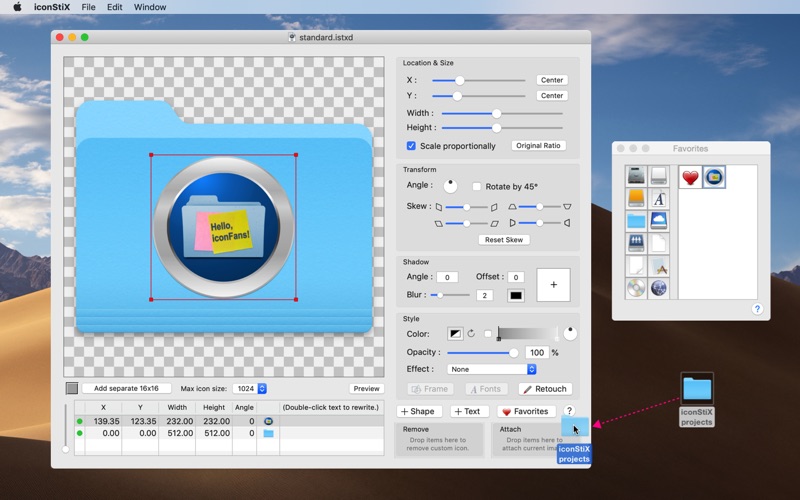
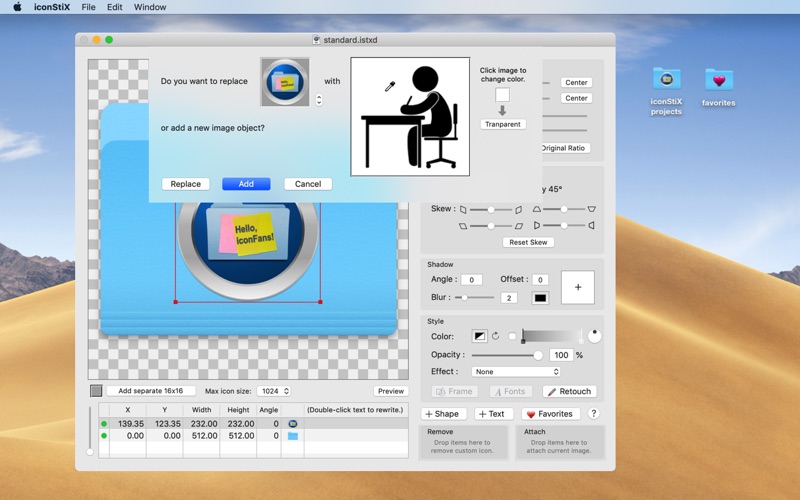
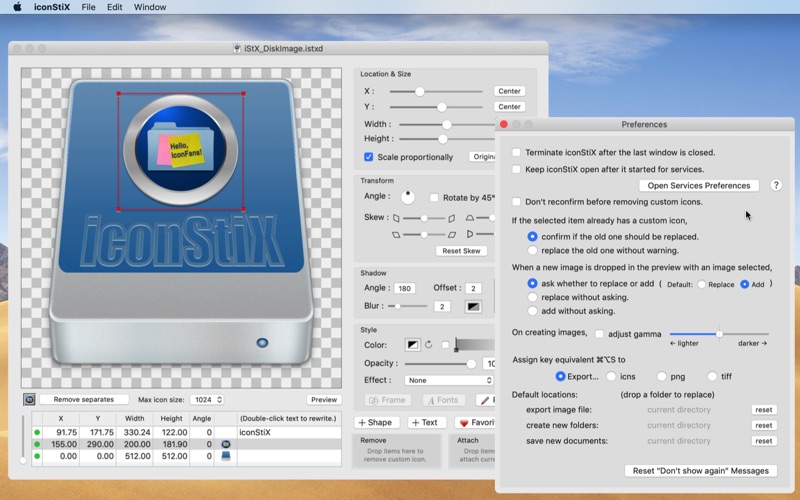
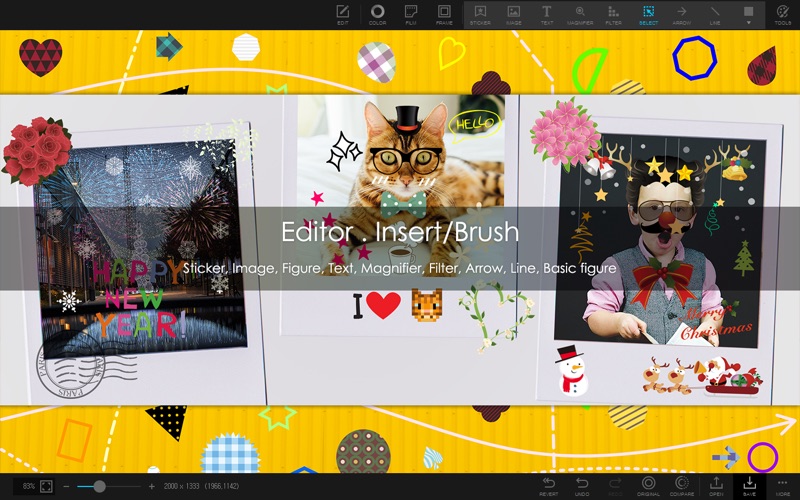
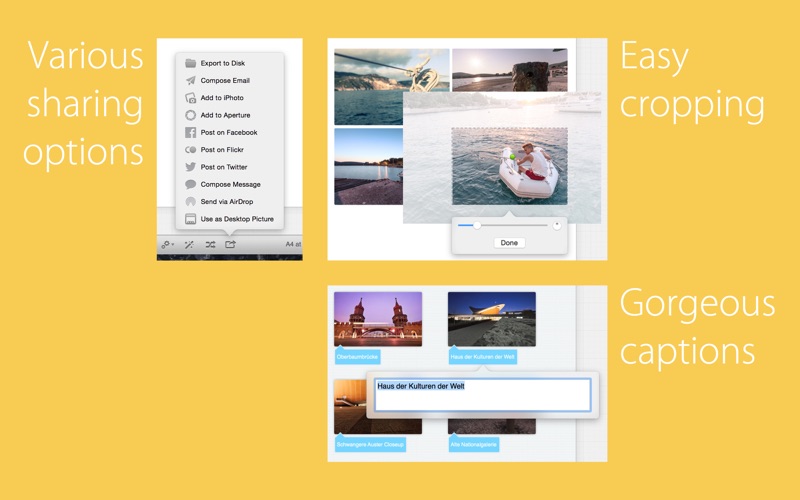
is a custom icon tool: combine images, add text, edit styles and attach your composition to desktop items (such as folder) or save as image.
More details: You can

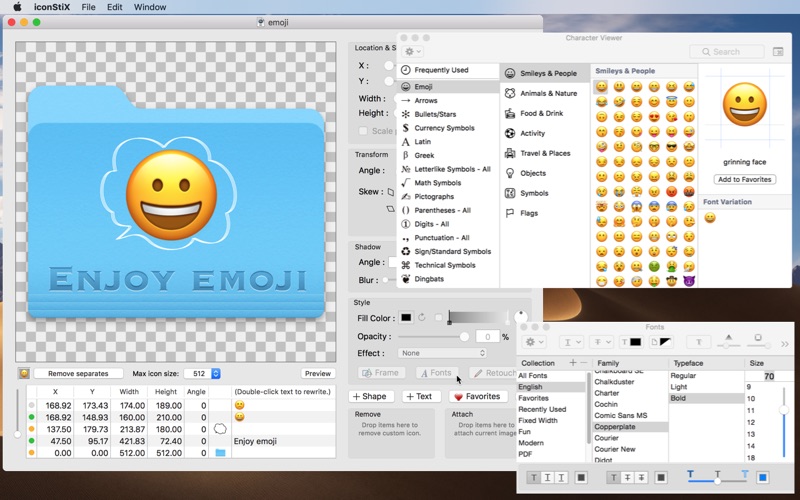
  • add and reorder multiple objects (image, shape and text).
  • move, resize, rotate, skew, color, add shadow and effects (recess, shine, sketch).
  • modify fonts and adjust text style.
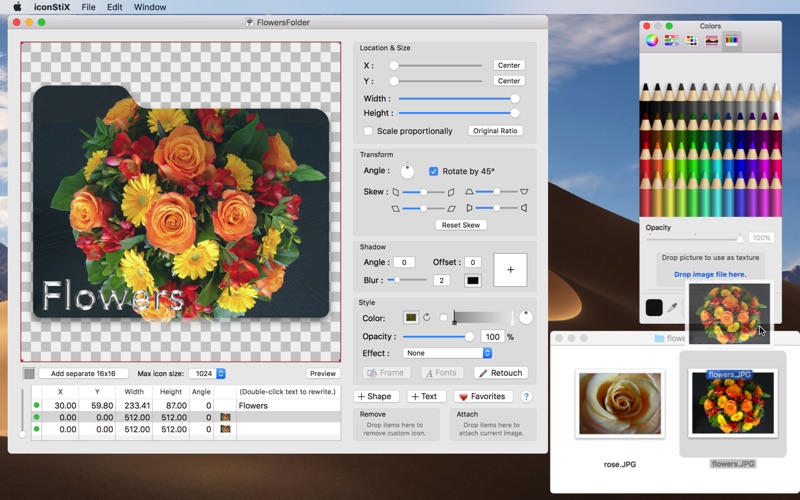
  • use your image as texture (e.g. cover a folder with a photo).
  • erase or paint over image objects (retouch function).
  • add small icon images separately for better visibility in the list view.
  • limit the max icon size (512, 256 or 128) instead of the full size (1024).
  • preview in different sizes (manual scaling or animation).
  • keep favorite images for quick access.
  • save your settings as documents (QuickLook compatible).
  • export composition as images (icns, png, tiff).
  • attach/remove custom icons via drop boxes or the Finder services.
  • Note: read/write permission is required to change custom icons.

Compatibility: macOS 10.14 or later, 64bit

Developer Website

Mac App Store

What’s New in iconStiX 3.9.0

  • bug-fix mostly regarding text objects.
  • internal modifications for the latest states of macOS.

Screenshots

TextMate 2.0 RC 31

Name TextMate 2.0 rc.31 TNT mac-torrents.net.dmg
Size 27.27 MB
Created on 2019-08-28 01:04:54
Hash ab4d0340066010537c6a6415ce7e310e8614e90e
Files TextMate 2.0 rc.31 TNT mac-torrents.net.dmg (27.27 MB)

Download


Descriptions for TextMate 2.0 RC 31

is a versatile plain text editor with a unique and innovative feature set which caused it to win an Apple Design Award for Best Mac OS X Developer Tool in August 2006

A rapidly growing community have created modes for more than a hundred different “modes” including support for all major programming languages, writing prose in structured formats such as LaTeX, Markdown, Textile, etc., blogging, running SQL queries, writing screen plays, doing your budget, and much much more

Some of the features include:

  • Ability to Search and Replace in a Project
  • AutoIndent for Common Actions Like Pasting Text
  • AutoPairing of Brackets and Other Characters
  • Clipboard History
  • Column Selections and Column Typing
  • Completion of Words from Current Document
  • CSSlike Selectors to Pinpoint the Scope of Actions and Settings
  • Declarative Language Grammars for Graceful Mixing and Hacking
  • Dynamic Outline for Working With Multiple Files
  • Expand Trigger Words to Code Blocks With Tabable Placeholders
  • File Tabs when Working With Projects
  • Foldable Code Blocks
  • Function Popup for Quick Overview and Navigation
  • Plugable Through Your Favorite Scripting Language
  • Recordable Macros With No Programming Required
  • Regular Expression Search and Replace (grep)
  • Run Shell Commands from Within a Document
  • Support for Darcs, Perforce, SVK, and Subversion
  • Support for More Than 50 Languages
  • Switch Between Files in Projects With a Minimum of Key Strokes
  • Themable Syntax Highlight Colors
  • Visual Bookmarks to Jump Between Places in a File
  • Works As External Editor for (s)ftp Programs
  • Works Together With Xcode and Can Build Xcode Projects

Compatibility: macOS 10.10 or later 64-bit

Developer Website

What’s New in TextMate 2.0 RC 31

  • Release notes not available at the time of this post.

Screenshots

MP3 Gain 4.5.0

Name MP3 Gain 4 4.5.0 TNT mac-torrents.net.dmg
Size 24.12 MB
Created on 2019-08-28 05:53:49
Hash ff5d737eddc5e45cfe13df3a0019fa4022c088d8
Files MP3 Gain 4 4.5.0 TNT mac-torrents.net.dmg (24.12 MB)

Download


Descriptions for MP3 Gain 4.5.0

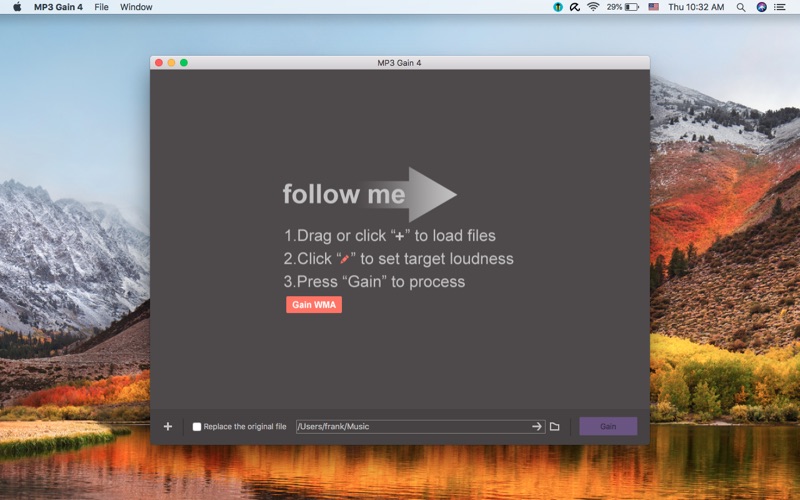
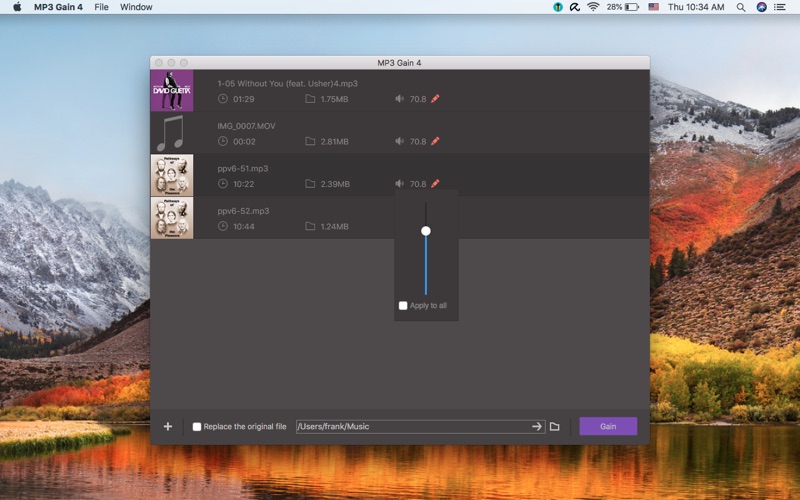
is designed specifically to adjust and normalize the volume of audio files. It supports almost popular audio format, such as mp3, m4a, wma etc. It automatically normalize the volume of audio, statistical analysis to determine how loud the file actually sounds to the human ear. New algorithms comply with the EBU R128 loudness normalization specification.

Key feature:

  • Support many audio formats(mp3, wma, wav, flac, m4a, ac3, mp2, ogg)
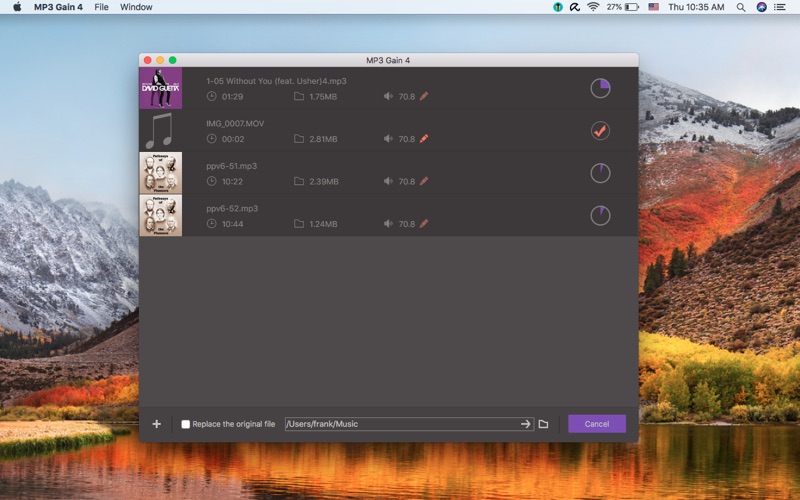
  • Support batch adjustment

Note: NOT support DRM protected audio files.

Compatibility: OS X 10.10 or later 64-bit

Developer Website

Mac App Store

What’s New in MP3 Gain 4.5.0

  • Fixed some bugs

Screenshots

A Better Finder Rename 11.00b12

Name A Better Finder Rename 11.11.00b12 TNT mac-torrents.netdmg
Size 20.58 MB
Created on 2019-08-27 12:12:35
Hash 99b877fc7b5e80dc672707cad07a894571dc9d59
Files A Better Finder Rename 11.11.00b12 TNT mac-torrents.netdmg (20.58 MB)

Download


Descriptions for A Better Finder Rename 11.00b12

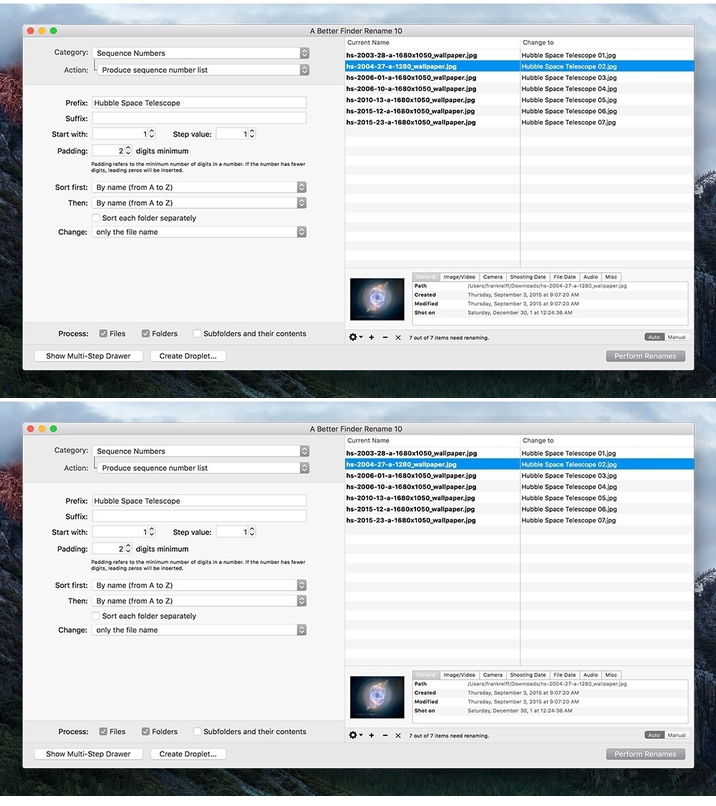
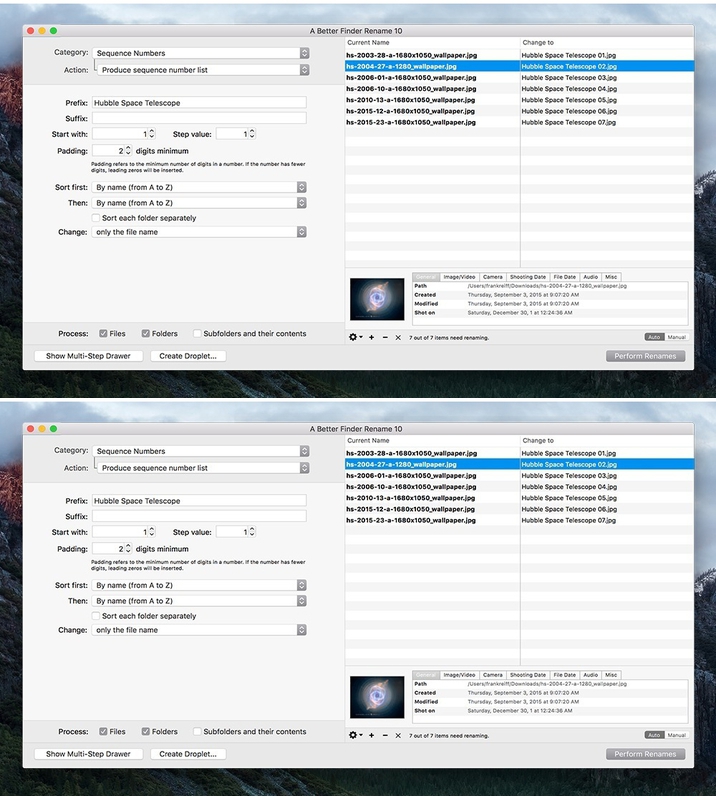
is the most complete renaming solution available on the market today. That’s why, since 1996, tens of thousands of hobbyists, professionals and businesses depend on A Better Finder Rename to organize and maintain files. The Instant Preview feature eliminates guesswork and costly errors and helps you find the right settings quickly and accurately by providing as-you-type feedback

A Better Finder Rename offers a complete set of renaming options that are organized into 15 categories covering all the text, character, position, conversion and truncation features that you would expect from a file renamer, but it does not stop there. The multi-step renaming feature allows multiple renaming steps to be combined to deal with complex renaming jobs in a single operation. Unlike other tools, A Better Finder Rename allows any number of renaming actions to be combined, re-ordered, copied and deleted.

INSTANT PREVIEW
The Instant Preview feature eliminates guesswork and costly errors and helps you find the right settings quickly and accurately by providing as-you-type feedback.

MOST COMPLETE FEATURE SET AVAILABLE
Better Rename offers a complete set of renaming actions that are organized into 15 categories covering all the text, character, position, conversion and truncation features that you would expect, but it does not stop there.

MADE FOR DIGITAL PHOTOGRAPHERS
Photographers use the advanced sequence number and date & time features to clean up their portfolios or prepare photos for delivery to their client. Better Rename knows how to extract EXIF shooting date and time information from digital camera images and exploit them in creating sequence numbers or adding time and date information to the file name. Support for all major RAW formats (including JPEG, CRW, CR2, THM, NEF, TIFF, RAJ, ORF , MRW, DNG, PEF, SRF, etc.) extends this to professional photographers. Even multiple shots captured in the same second are dealt with reliably.

Version 10 adds interactive change highlighting to the instant preview feature, greatly enhances the multi-step user interface and provides a compressive file content & meta-data preview pane making it much easier to handle meta-data based renames and giving you even more confidence in your settings.

POWER USERS WELCOME
System administrators, web masters and other power users will appreciate the presence of advanced features, such as regular expression support, conversion to Windows NTFS/SMB compatible names, the ability to import file names from a database, a spreadsheet or any other source that can produce plain or tab-delimited text files. The ability to save a record of the current and new file names greatly facilitates tracking your files.

LOVES YOUR MUSIC
Music lovers can use the built-in MP3/AAC support to exploit the ID3 meta-data tags embedded in most music files to create their own naming schemes for their music collection. Meta-data information from MP3, AAC, FLAC, OGG, APE, M4V and iTunes music store files are supported.

COMBINE MULTIPLE RENAMING STEPS
The multi-step renaming feature allows multiple renaming steps to be combined to deal with complex renaming jobs in a single operation. Unlike other tools, Better Rename allows any number of renaming actions to be combined, re-ordered, copied and deleted.

INDUSTRIAL STRENGTH ENGINE
Better Rename takes file renaming to a new level of sophistication by introducing an advanced 64-bit multi-threaded renaming engine that solves many problems that other file renamers simply leave unaddressed. The database-backed renaming engine automatically resolves file name conflicts using a range of configurable parameters and prevents deadlocks. We care about such things so that you don’t have to.

OTHERS LOVE BETTER RENAME TOO
“Arguably the best file renaming utility on the market” – Mac OS X Power Tools

“Man! This is such a great renaming tool. It is really, really well put together.” – Mac Break Weekly, 2010

Compatibility: OS X 10.7 or later 64-bit

Web Site: http://www.publicspace.net/ABetterFinderRename/index.html

What’s New in A Better Finder Rename 11.00b12

  • Release notes not available at the time of this post.

Screenshots

Soulver 2.7.1

Name Soulver 2.7.1 TNT mac-torrents.netdmg
Size 15.87 MB
Created on 2019-08-27 12:12:24
Hash 0848c74c4e2bb5f37a2047ed2bcc7d871cd56d26
Files Soulver 2.7.1 TNT mac-torrents.netdmg (15.87 MB)

Download


Descriptions for Soulver 2.7.1

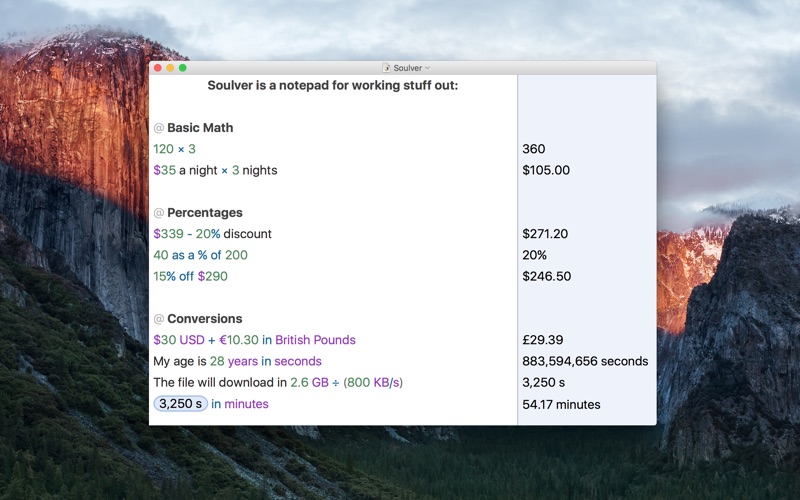
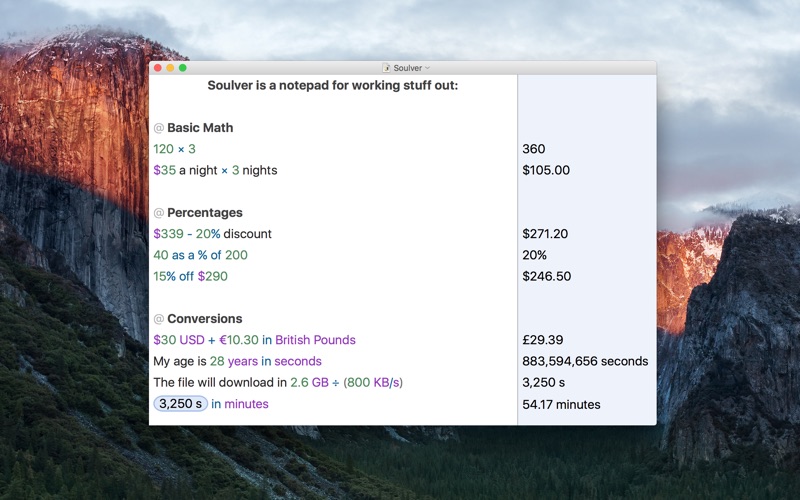
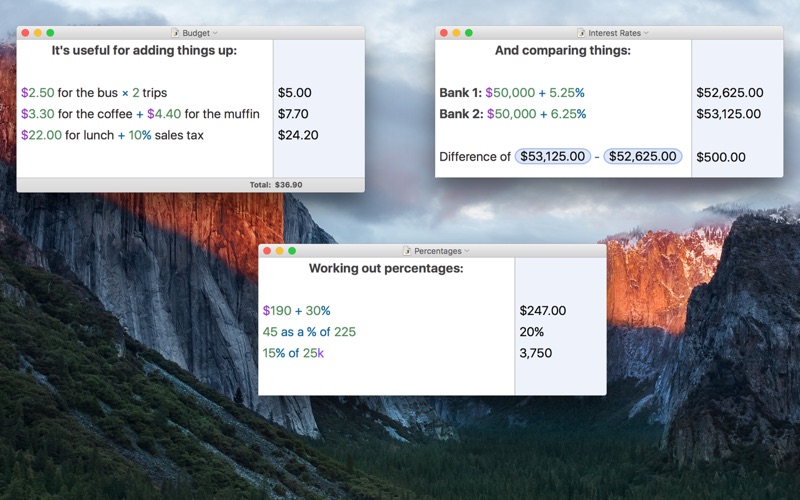
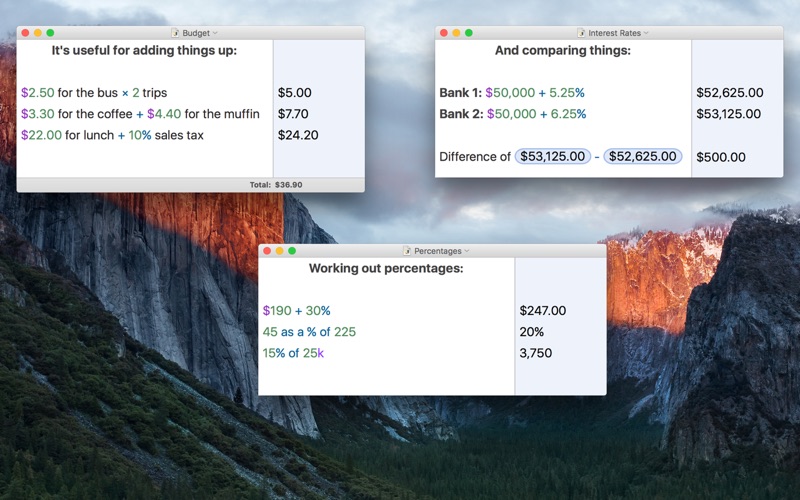
helps you do quick calculations and work things out. Use Soulver to play around with numbers, do “back of the envelope” calculations, and solve day-to-day problems.

Annotate your numbers with words, so that they make sense to you. Soulver picks out the numbers and calculates your answer as you type. Do calculations over multiple lines, and refer to previous lines, much like a spreadsheet.

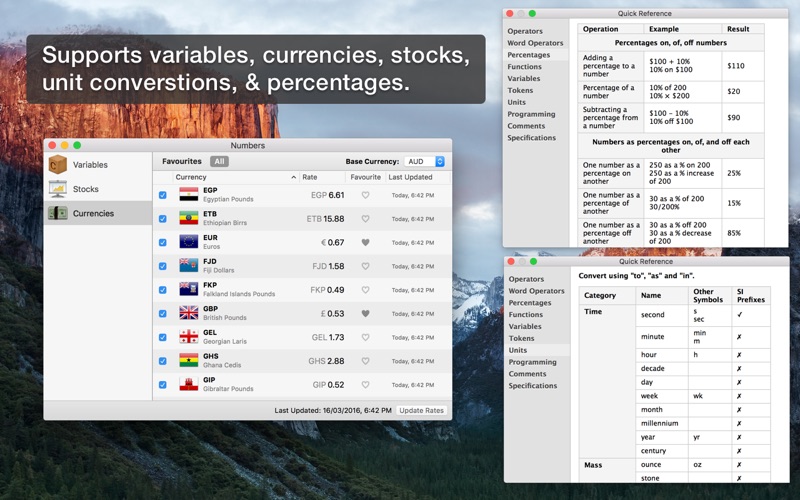
Soulver is great for adding things up, doing all kinds of percentages easily, and converting things, like currencies. It’s quicker to use than a spreadsheet, and smarter and clearer than a traditional calculator.

Key Features:
  • A text editor for working stuff out & doing quick calculations.
  • Use words amid your calculations so your numbers make sense
  • Easily do percentages (“$120 10%”, “30 as a % of 200”)
  • See a running total of all your lines
  • Do easy conversions (“10 USD in Euros, “22 feet in meters”)
  • Do calculations with stocks (“100 AAPL”)
  • Refer to previous lines using tokens.
  • Create variables to hold frequently used numbers
  • All the standard mathematical functions.
  • Support for calculations in binary & hex.
  • Save your work & share it with the iPhone & iPad versions of Soulver.
  • Export into PDF & HTML emailing.
  • Support for Resume & Versions on Mac OS 10.7 Lion

Compatibility: OS X 10.10 or later 64-bit

Developer Website

What’s New in Soulver 2.7.1

  • Fixes a rare crashing bug.

Screenshots

Audirvana 3.5.19

Name Audirvana 3.5.19 TNT mac-torrents.netdmg
Size 19.05 MB
Created on 2019-08-26 17:39:29
Hash f1c7a41632da13db23d37491730833a358e2ce85
Files Audirvana 3.5.19 TNT mac-torrents.netdmg (19.05 MB)

Download


Descriptions for Audirvana 3.5.19

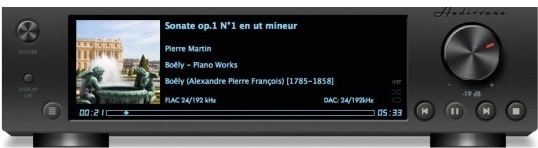
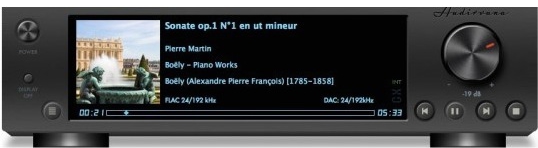
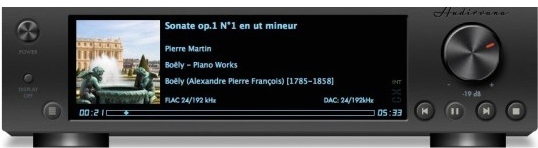
has no equalizer, no trendy special effects, just the best sounding music

  • Native playing of FLAC, libSndFile (WAV, AIFF, …), ALAC and other QuickTime formats (AAC, MP3, …)
  • Direct sound path, directly to the !CoreAudio HAL for pure bit perfect sound
  • Audio Device exclusive access mode
  • HAL I/O using DAC native physical formats “Integer Mode” (instead of CoreAudio 32-bit float)
  • Automatic sample-rate switching
  • Up/Oversampling capability
  • Plays completely from memory
  • Tracks are loaded, decoded, and sample-rate converted in a memory buffer before being played, minimizing CPU and hard drive activity to lessen sources of interference
  • Gapless playback by using a double-buffering mechanism (playing track and next track)
  • Transparent split load for loading tracks of any size
  • Background tracks loading/decoding (including sample-rate conversion)
  • Playlist (M3U and M3U8 formats) load/save
  • Handles Apple IR Remote
  • Automated updates downloading (using Sparkle)

Compatibility: OS X 10.9 or later 64-bit

Web Site: https://audirvana.com

What’s New in Audirvana 3.5.19

  • Fix UPnP playback issue with some specific Mac setups
  • Read comments in Cue Sheet files
  • Other minor fixes

Screenshots

PhotoMill X 1.5.0

Name PhotoMill X 1.5.0 TNT mac-torrents.netdmg
Size 37.23 MB
Created on 2019-08-26 17:39:38
Hash 839d03d14e40b5db985e42143c8e00cd00c20b63
Files PhotoMill X 1.5.0 TNT mac-torrents.netdmg (37.23 MB)

Download


Descriptions for PhotoMill X 1.5.0

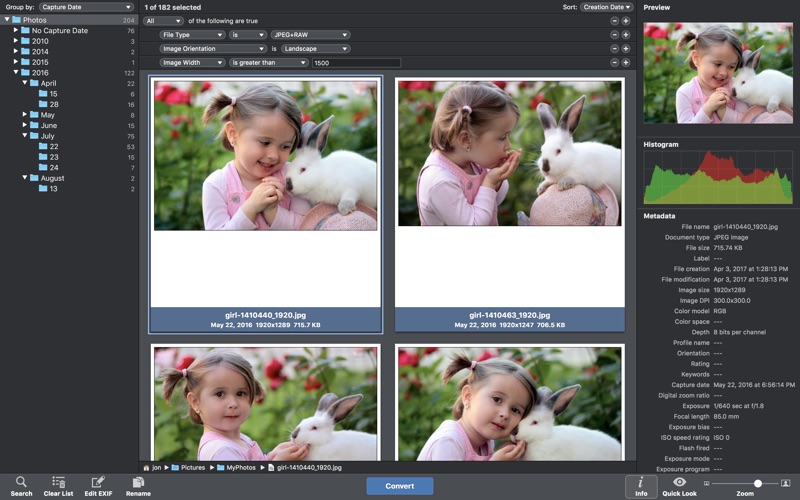
*** Image Converter + Metadata Editor + Photo Browser ***

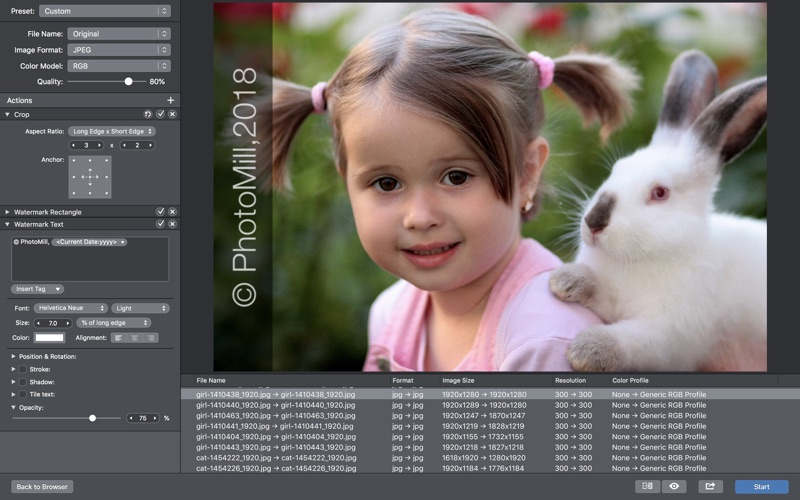
helps you convert a bulk of images into the most popular image formats, give your files meaningful names, watermark with text and image, adjust photos (brightness/saturation/exposure/grayscale/etc.), fit geometry (scale/crop/trim/etc.), remove private metadata, add your own copyrights etc.

Also, PhotoMill is a great batch metadata editor, renamer and photo browser.

CONVERT

  • Conversion to: HEIC, BMP, GIF, JPEG, JPEG 2000, PDF, PNG, TIFF
  • Color models: RGB, Gray, CMYK
  • Color depth: 8/16/32 bits; with or without alpha channel

METADATA EDITOR
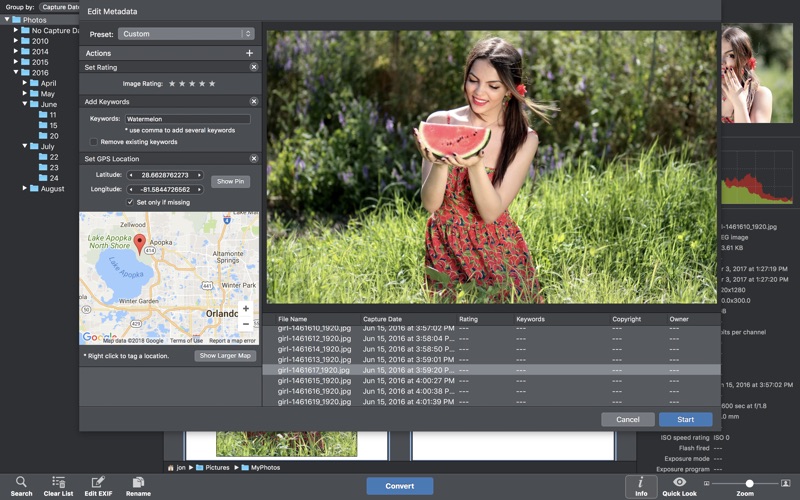
Correct EXIF/IPTC metadata tags in your photos: place GPS coordinates, remove private information from your photos, correct or set capture dates, add your own copyright, keywords or rating.

PHOTO BROWSER
The app has a bunch of features for comfortable browsing and multi-criteria search of photos in the Browser.
The Browser has 3 panels: Image Info- displays detailed information about a selected photo; Groups- splits photos into groups/subgroups based on a chosen criteria, for instance, by capture dates; Search- gives you an opportunity to search photos by different criteria.

RENAME
You can give meaningful names to converted photos constructing file names in the “pro” way- using text and tags: index, capture date, original name, image width, “find & replace” etc. Also, you can rename photos without any conversion.

RESIZE
Fit image size with a bunch of geometry actions: scale, crop, add border, trim, trim color, rotate & flip, auto rotate (by EXIF orientation), change resolution.

WATERMARK

  • Text you can use photo metadata information tags: capture date, keywords, camera maker etc., as well as entered text. Font size can be either fixed or relative to an image width, height, long or short edge. Multiline text, stroke, shadow, rotation, tiling and other features.
  • Image image size can be either fixed or relative to main image size. Image tiling is also available.
  • Rectangle background for text; square or rounded. Fill and stroke color can be halftransparent.

ADJUST COLORS
Available filters: auto contrast, auto white balance, gamma, contrast, exposure, sharpness, grayscale, sepia, colorize, temperature, HSL channels (Hue/Saturation/Lightness), HSV channels (Hue/Saturation/Value,Brightness), RGB channels, curves.
Working with transparency: alpha mask, color to alpha, alpha to color.
Color matching: assign profile, convert to profile, proof with profile.

A comprehensive user manual is available on our site: https://overmacs.com/

If you have questions about PhotoMill or issues about the app, drop us a line: support@overmacs.com

We are always happy to get your feedback and suggestions.

Compatibility: OS X 10.10 or later

Web Site: https://overmacs.com/?p=photomill

Mac App Store: https://itunes.apple.com/app/photomill-image-converter/id778590574?mt=12

What’s New in PhotoMill X 1.5.0

  • Added a search option which filters out photos with set or unset GPS location.
  • Improved overall performance and stability.

Screenshots

Alfred PowerPack 4.0.4 (1098)

Name Alfred PowerPack 4.0.4 (1098) mac-torrents.netzip
Size 3.43 MB
Created on 2019-08-26 10:16:17
Hash c4c3f3a687d3ac26af76c0d73d49b35ad2730fea
Files Alfred PowerPack 4.0.4 (1098) mac-torrents.netzip (3.43 MB)

Download


Descriptions for Alfred PowerPack 4.0.4 (1098)

is an award-winning app for Mac OS X which boosts your efficiency with hotkeys, keywords, text expansion and more. Search your Mac and the web, and be more productive with custom actions to control your Mac.

Search and Browse

Launch applications and find files on your Mac or on the web. Alfred learns how you use your Mac and prioritises results.

Save countless hours by using hotkeys, keywords and customising how you want to search your Mac and activity history.

Jump in and browse, preview files and take action on them without lifting your fingers off the keyboard.

Type Less, Say More

With Alfred’s Clipboard History and Snippets features, there’s no need to type the same URLs or responses over and over.

Use the Clipboard History to locate any text, image or file you copied earlier and paste it again.

Create your own snippets and type a short abbreviation to auto-expand them into a full text snippet, saving yourself hours of typing in the long run!

Extend and Automate

With Alfred’s Powerpack, use immensely powerful workflows to perform tasks more efficiently and cut down on repetitive manual tasks.

Link hotkeys, keywords and actions together to create your own workflows; There’s no need to write a single line of code to create a workflow. Import workflows from the thousands our community of creators have shared.

Control Your Music

You’re the boss. Boost your productivity by controlling your Mac using Alfred’s deep integration with OS X. Swiftly take action on files and contacts, control your music player and dispatch System commands.

Add some fun to your day; Turn your iPhone or iPad into a command centre for your Mac with Alfred Remote for iOS.

Alternatively, take a look at the many workflows for other music services like Spotify.

Alfred Powerpack

Control your Mac with the Powerpack’s incredible features, and enjoy workflows and themes.

Compatibility: macOS 10.9 or later 64-bit

Developer Website

What’s New in Alfred PowerPack 4.0.4 (1098)

  • Release notes not available at the time of this post.

Screenshots

Wondershare UniConverter 11.1.3.1

wondershare video converter torrent

Name UniConverter 11.1.3.1 mac-torrents.netdmg
Size 109.3 MB
Created on 2019-08-27 22:20:27
Hash 76e031f703065656fff13b8fa370372a18149c9d
Files UniConverter 11.1.3.1 mac-torrents.netdmg (109.3 MB)

Download


Descriptions for Wondershare UniConverter 11.1.3.1

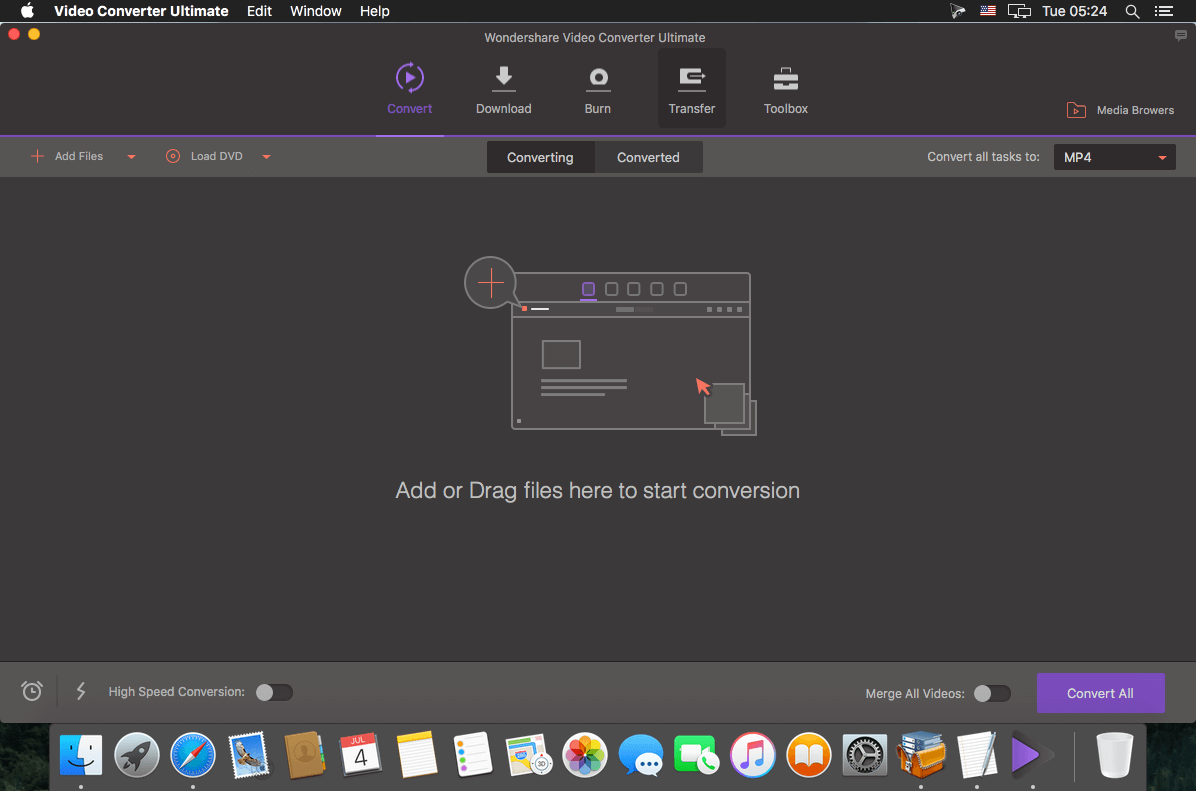
The Most Powerful Video Converter Ever. Use this complete all-in-one video toolbox to convert, edit, enhance, download, burn, organize, capture, and play any videos on your Mac.

Full Quality, High Speed Video Conversion to Any Format
Wondershare UniConverter Ultimate accomplishes your conversion tasks with handy features.

  • Convert Any Video to Over 1,000 Formats
  • Convert Videos for All Kinds of Devices
  • 30X Faster Video Conversion Speed
  • Add Videos from Different Sources

Easy-to-Use Video Editor, Makes Your Video Stand Out

You can customize home movies through advanced editing features and get professional-looking works in minutes.

A Flawless DVD Experience Anywhere

Powerful DVD toolkit of Video Converter Ultimate helps you to create and edit DVD files in an easy way.

  • Burn Videos to DVD
  • Convert Any Format to DVD
  • Provide Free DVD Templates
  • Edit DVD Files with Builtin Editor

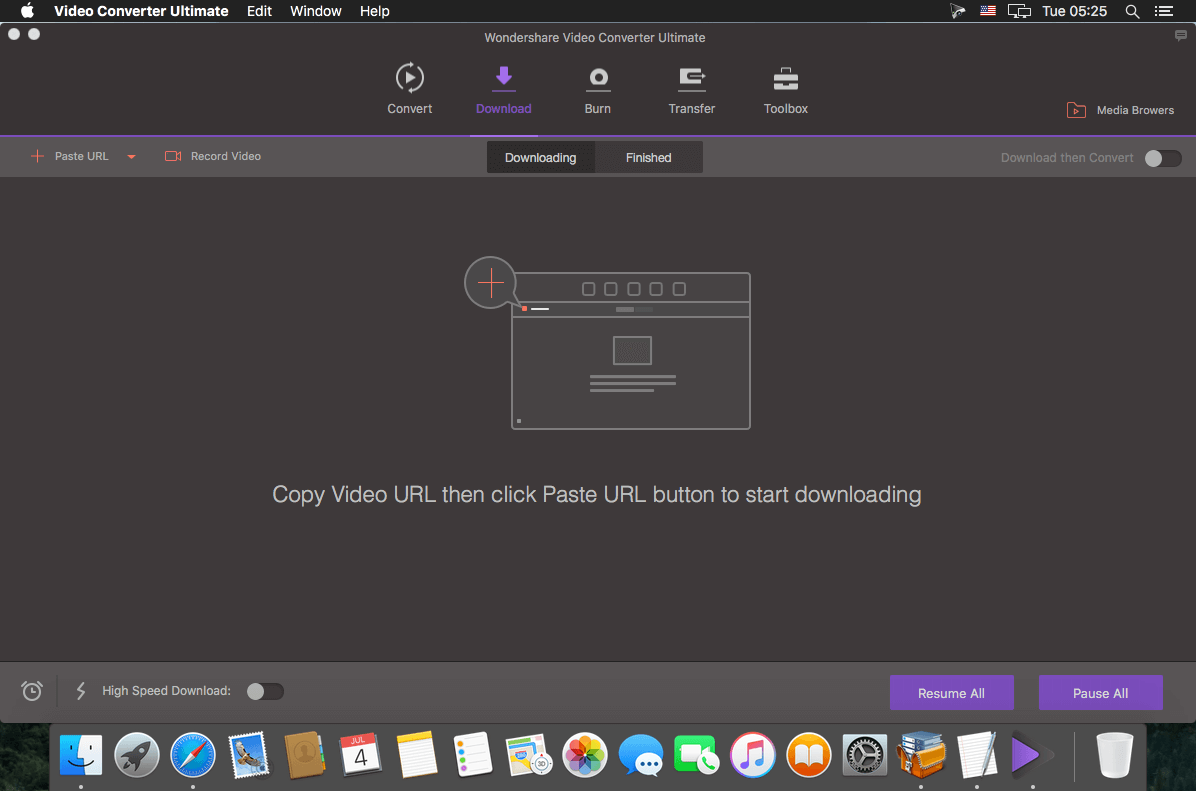
Save Videos From Over 10,000 Sites With One Click

Download or record your favorite 4K/HD videos from video sharing sites like YouTube, Dailymotion, and more for enjoyment without Internet connection; Or convert them to compatible formats for playback on TV, smartphone or other devices.

  • Download Videos from YouTube and Other UGC Sites.
  • Download YouTube to MP3 in One Click.
  • Download Entire YouTube Playlist at One Go.
  • Record Videos from Streaming Sites.

Transfer Videos to Devices & External Hard Drives

With just one click, you can download or record your favourite 4K/HD videos from many popular online sites like YouTube, Dailymotion and enjoy them anytime – without an Internet connection.

All-Purpose Video Toolbox

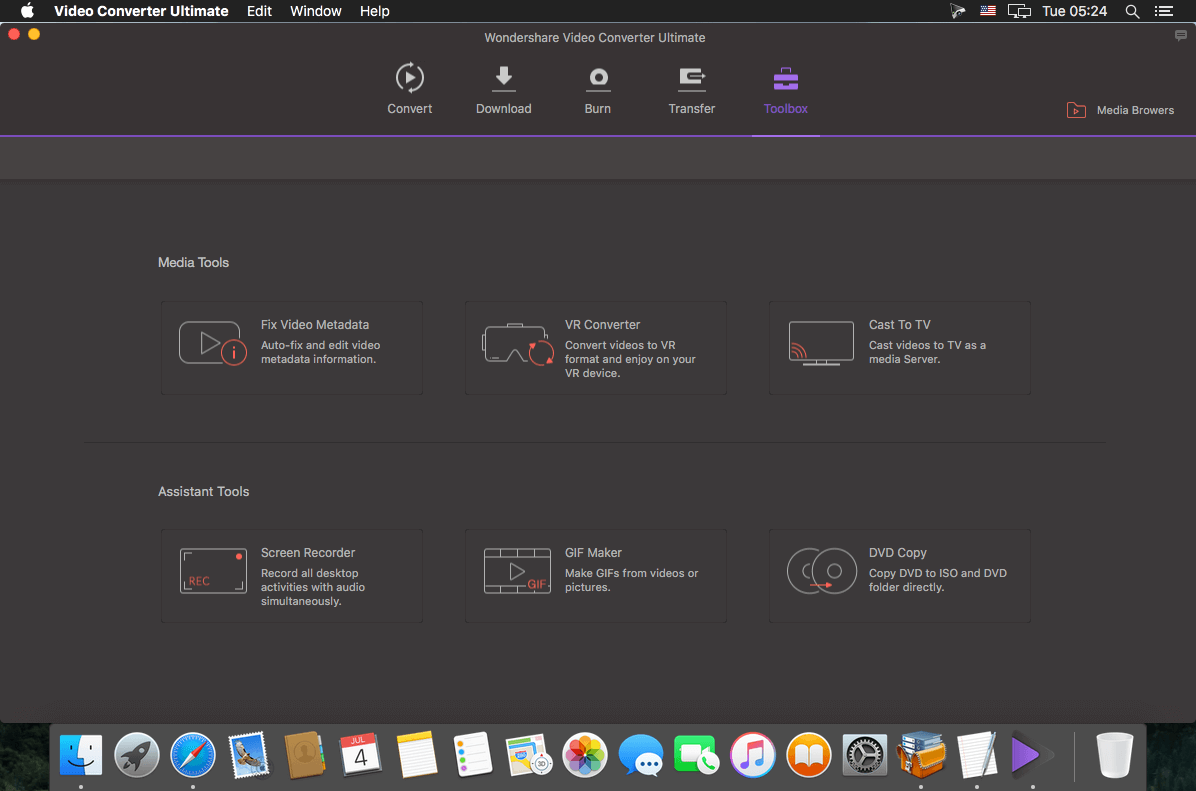
Wondershare Video Converter Ultimate also offers a full set of optimized video tools which will come in handy sometime.

Fix Video Metadata

Fix metadata info for videos.

VR Converter

Convert any video to VR format.

DVD Copy (Only for Mac)

Copy DVD to ISO or DVD folder directly.

GIF Maker

Convert a video or photos to a GIF picture.

Cast Video to TV

Cast videos to TV as a media server.

Screen Recorder

Record all desktop activities with voice.

System Requirements: Mac OS X 10.12, 10.11, 10.10, 10.9, 10.8, 10.7

Language: Multilangual

Developer Website

What’s New in wondershare video converter torrent :

  • New product interface design. Better user experience, Easier, more efficient.
  • Newly support import videos from iOS/Android devices and Camcorder for quickly conversion.
  • Re-design the Editing features, more practical, more professional and easy to use.
  • More output formats and smart preset formats supported.
  • Supported download and record video from more popular sites.
  • Provide various DVD templates with different topics.
  • Newly support transfer video/audio to your iOS and Android devices.
  • Add the Toolbox, build more and more strong video toolbox to meet all your video solutions.
  • Improved the product stability.
  1. Release notes not available at the time of this post.
  2. Screenshots wondershare video converter torrent :

Cookie 6.0

Name Cookie 6.0 TNT mac-torrents.net.dmg
Size 15.79 MB
Created on 2019-08-27 23:40:28
Hash 28db927a1deba403e675005452a0baf53e3f20cd
Files Cookie 6.0 TNT mac-torrents.net.dmg (15.79 MB)

Download


Descriptions for Cookie 6.0

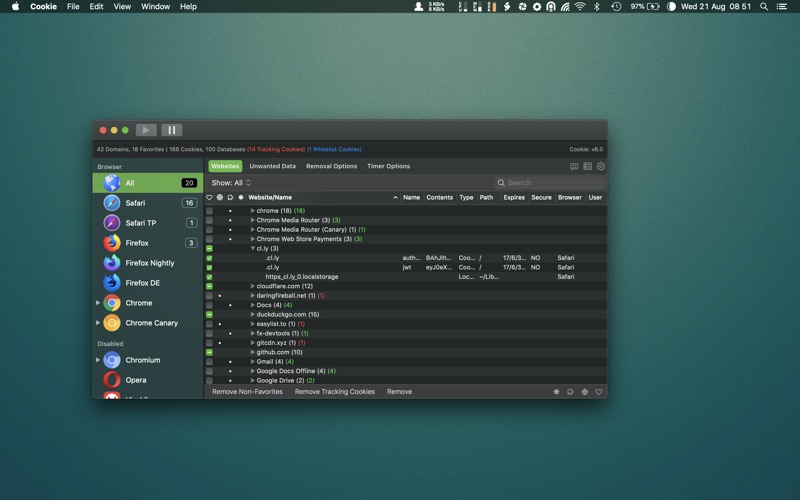
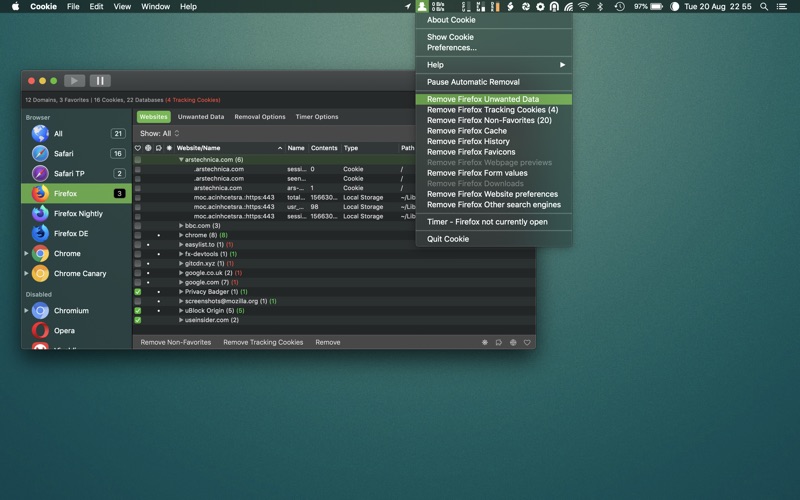
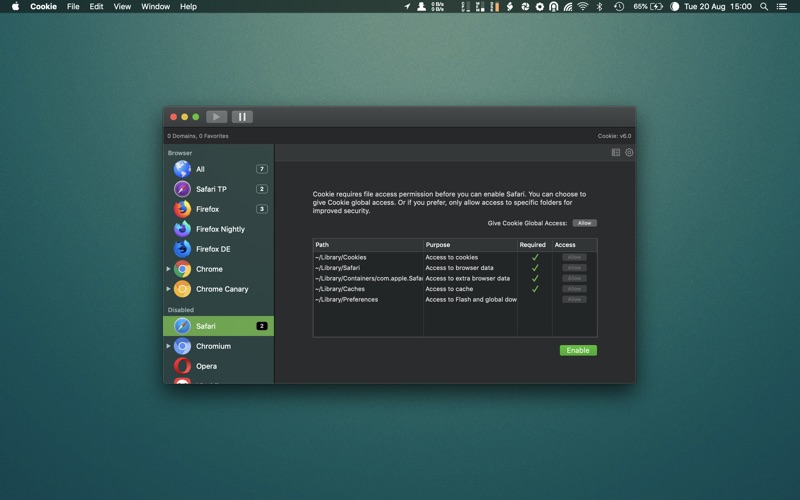
Theres nothing else quite like . Designed to run invisibly in the background – you can rest easy knowing that advertisers and marketers aren’t tracking your every click.

You may not know this, but the website’s you visit can store cookies in your browser without your knowledge or consent. Some are helpful, but others are frustrating and invasive. Cookie can help by inhibiting third parties from tracking and profiling you.

Cookie is the ONLY cookie manager which gives you COMPLETE control over YOUR online privacy. Others try, but nothing comes close Cookie’s deeply customizable privacy settings.

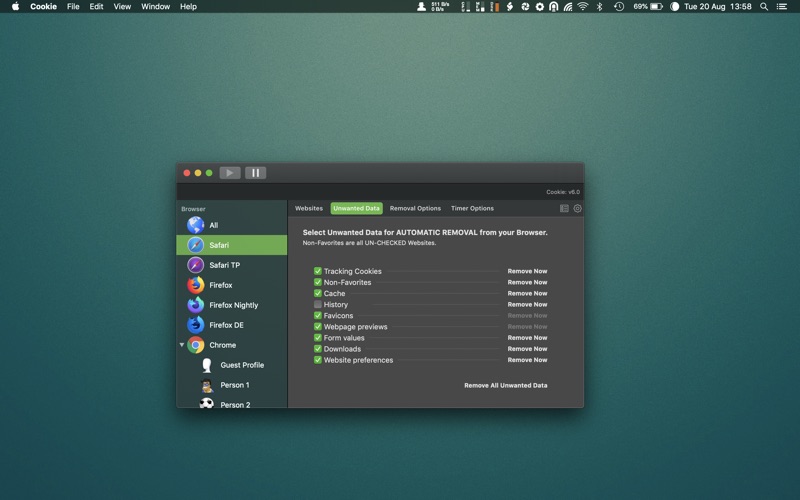
YOU decide which cookie’s you want to keep, and exactly what you don’t want – Cookie will clear the rest.

Features:

  • Consolidate all your browser privacy settings.
  • Simplified View that takes care of all the technical details for you.

(OR)

  • Advanced View which puts you in total control of all your privacy settings.
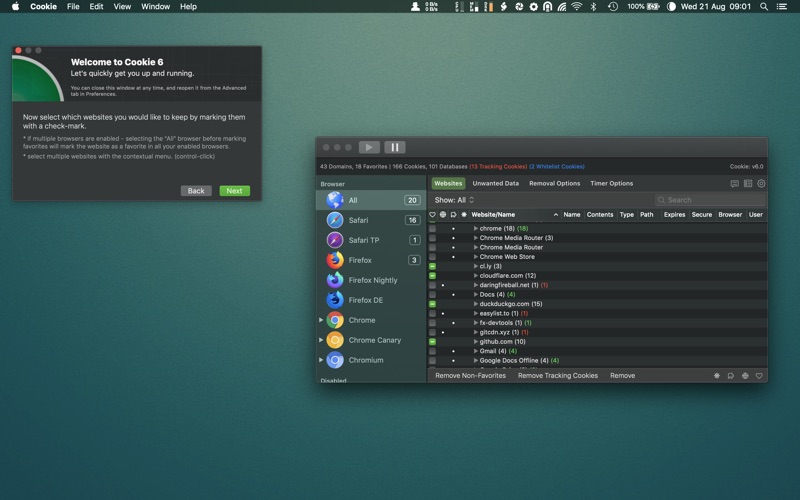
  • Combined cookie view displaying all cookie/flash/localStorage data in one easy to manage view.
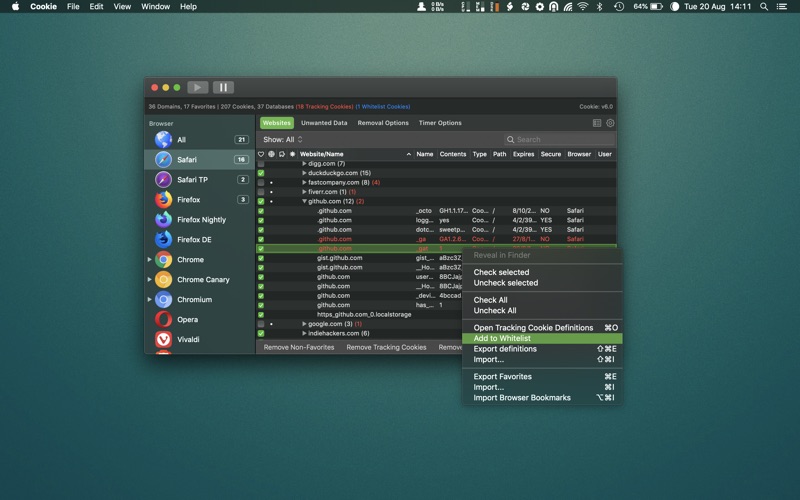
  • Cookie’s can be favorited on a per domain, or per cookie basis. You decide.
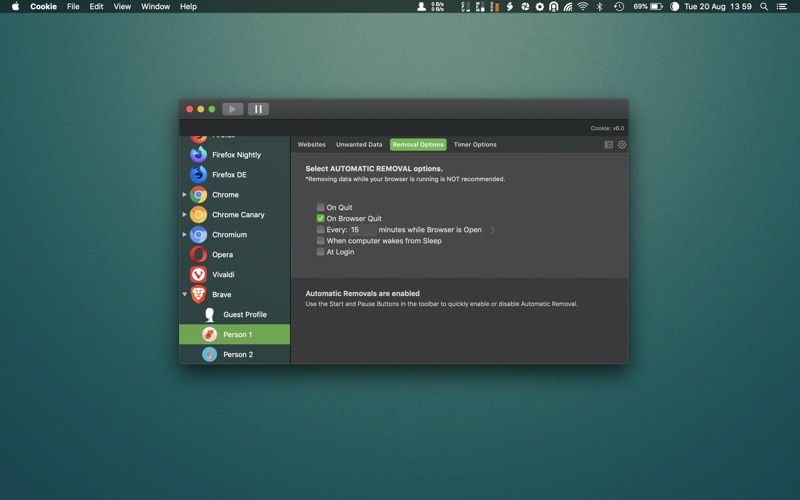
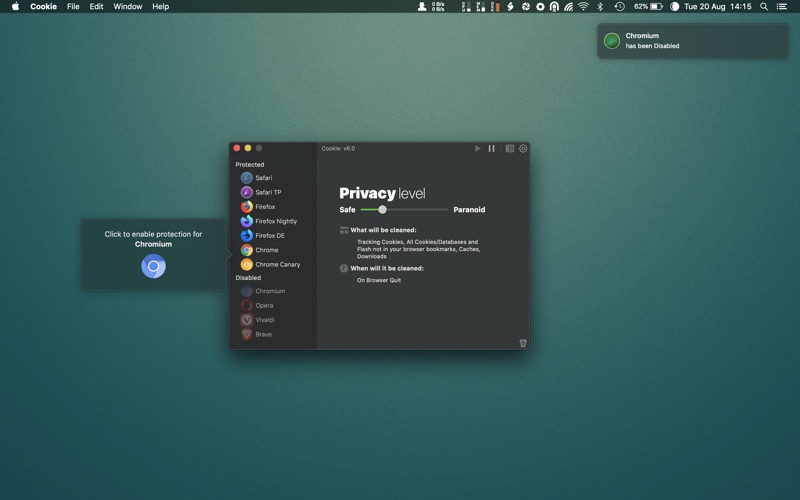
  • Individual Browser settings. It is possible to configure different automatic removal options for each browser. In the case of Chrome/Chromium/Canary/Brave you can even configure settings per user!
  • A number of removal schedules are possible: When quitting Cookie, when a Browser is Quit, on computer login, On computer waking from sleep, on a customizable time schedule, or entirely manually.
  • Hotkey support, so you can remove all unwanted data quickly and easily.
  • Customizable tracking cookie definitions.
  • Whitelist individual tracking cookies.
  • Clean, modern and Intuitive User Interface.
  • Helpful setup window.
  • Browser extension protection.
  • Full Screen support.
  • iCloud support.
  • Dark/Regular theme.

Cookie supports all the popular browsers:

Safari, Safari Technology Preview, Chrome, Chrome Canary, Firefox, Firefox Nightly, Firefox Developer Edition, Chromium, Opera, Brave and Vivaldi

Compatibility: macOS 10.14 or later, 64-bit processor

Developer Website

What’s New in Cookie 6.0

  • Release notes not available at the time of this post.

Screenshots

PDF Squeezer 3.10.5

Name PDF Squeezer 3.10.5 TNT mac-torrents.net.dmg
Size 26.16 MB
Created on 2019-08-28 06:11:34
Hash faf5559e2079bd1cc76a74addc0f7e83c634acdc
Files PDF Squeezer 3.10.5 TNT mac-torrents.net.dmg (26.16 MB)

Download


Descriptions for PDF Squeezer 3.10.5

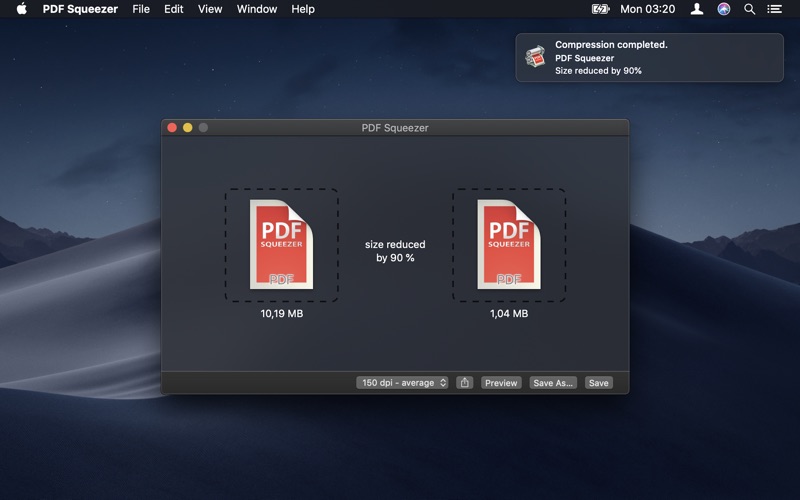
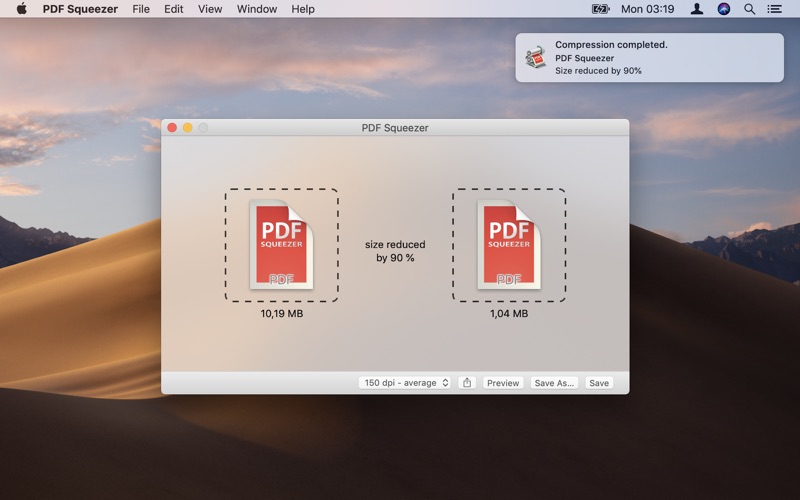
is an easy-to-use PDF compression tool.

It reduces the size of large PDF documents by compressing images and removing irrelevant information. This will help you obtain important savings in bandwidth costs, digital storage costs and network transmission times.

Features

  • Simply drag and drop your file into the application window
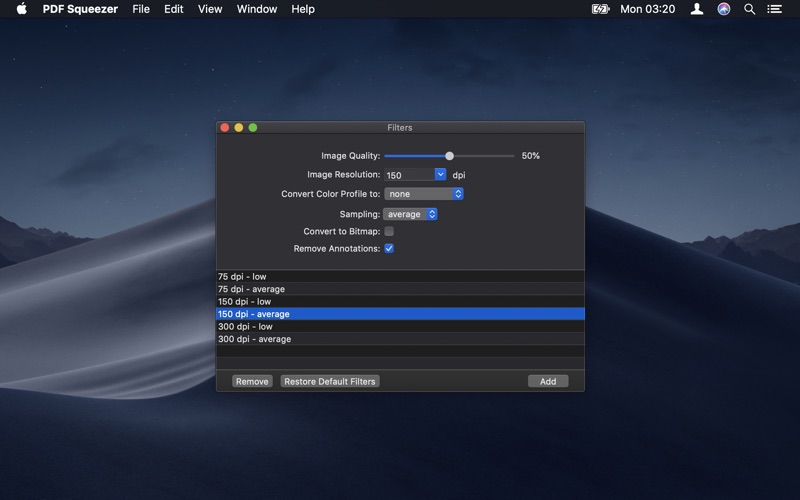
  • Choose from predefined compression filters or create your own
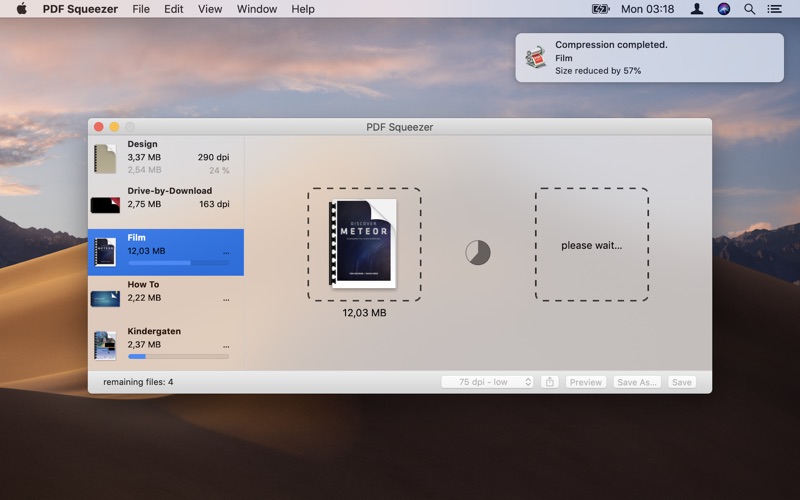
  • Compress all files in a folder and its subfolders
  • Batch compress multiple files
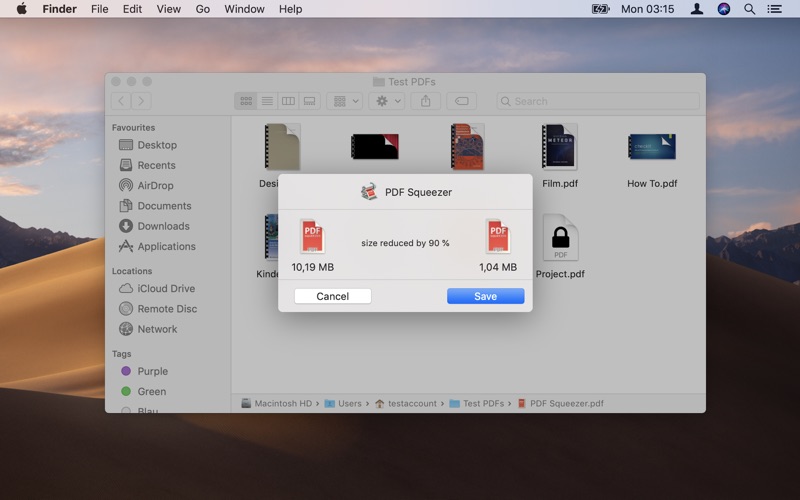
  • Finder, Safari and Preview ad-on available via the share menu
  • Support for password protected PDFs
  • Automatic compression and save with ‘One-Click-Compression’

Compatibility: OS X 10.10 or later 64-bit

Developer Website

Mac App Store

What’s New in PDF Squeezer 3.10.5

  • Release notes not available at the time of this post.

Screenshots

Splash Elements | Final Cut Pro X

Name VH Splash Elements Final Cut Pro X mac-torrents.net.zip
Size 23.00 MB
Created on 2019-08-28 03:14:33
Hash 0e00d8d901727c6eb5d9687140342160d3e19c6f
Files VH Splash Elements Final Cut Pro X mac-torrents.net.zip (23.00 MB)

Download

Descriptions for Splash Elements | Final Cut Pro X

Splash Elements is an amusing / template composed of funny animated splashing elements and transitions.

It can be easily added to your works as overlays to make the perfect way to enhance the look of a text or logo appearance, pool party videos, trip to the water park, holidays by the sea, cartoons, stories, cool slideshows and so much more.

Amaze your viewers with this cartoon splash elements in your videos. Sound FX included. Check out our portfolio for more.

Project Details:

Project name Splash Elements | FCPX
Specific Official Information and Features Videohive 24297899
Last Update 14 August 19
Created 12 August 19
Requires Plugins No
Software Version ,
Resolution Resizable
File Size 23.00 MB

Color Master Smart Photoshop Panel (Win/Mac)

Name Color Master Smart Photoshop Panel Win Mac – mac-torrents.net.rar
Size 102.4 MB
Created on 2019-08-28 02:41:04
Hash 037defba62e07621f2594bf60ca966415820f7c5
Files Color Master Smart Photoshop Panel Win Mac – mac-torrents.net.rar (102.4 MB)

Download

Descriptions for Color Master Smart Photoshop Panel (Win/Mac)

To make the color correction with LUT simple and convenient, we developed a special panel called ““.

In addition, more than 20 professional LUT profiles are incorporated, which are compiled according to the popular color schemes and automatically combine the colors of the image harmoniously.

As a result, you no longer need to think about color harmonies, select color schemes and deal with all the tools in Photoshop.

The Color Master panel is designed according to all Adobe standards and is installed in Photoshop fully automatically on both Windows and MAC.

Voxengo Plugin PACK v25.8.2019 WIN MAC


Name Voxengo Plugin PACK v25.8.2019 WIN OSX mac-torrents.net.zip
Size 401.3 MB
Created on 2019-08-28 01:52:54
Hash e19dd40611a1f6eda2d4c5acaae11b7088d59eaa
Files Voxengo Plugin PACK v25.8.2019 WIN OSX mac-torrents.net.zip (401.3 MB)

Download


Descriptions for Voxengo Plugin PACK v25.8.2019

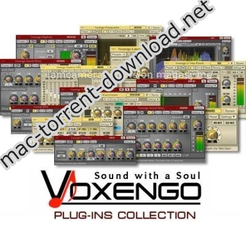
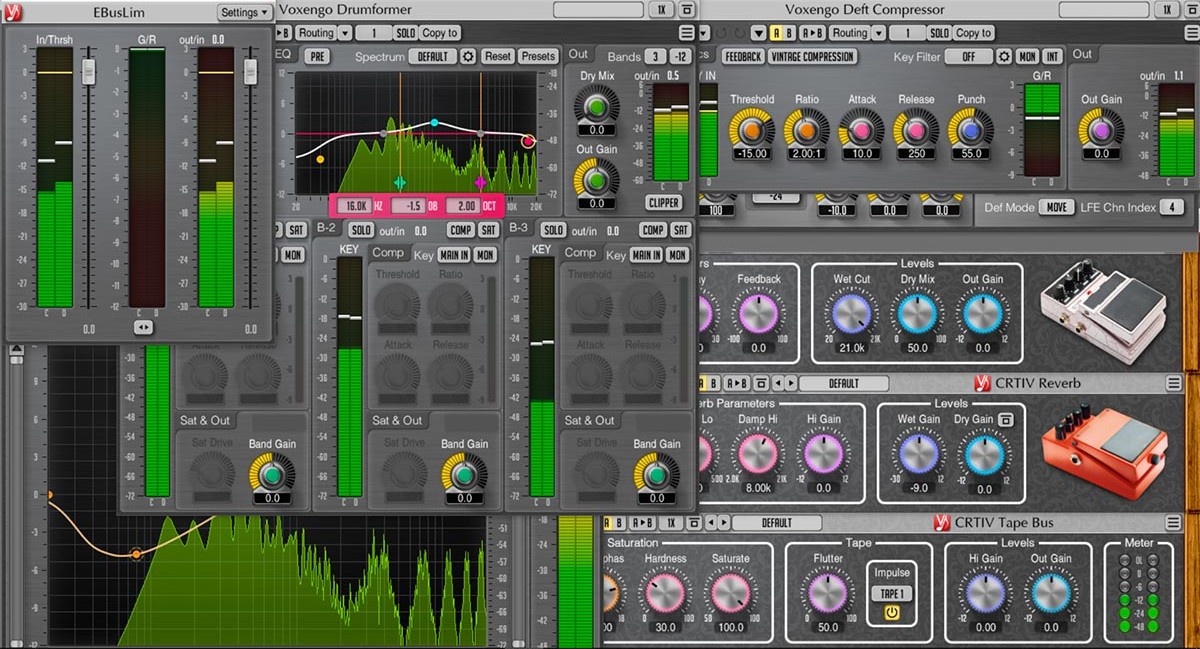
Voxengo offers you high-quality DAW audio plugins: VST plugins, AAX plugins and AudioUnit plugins, and sample rate converters, for Windows and macOS computers.

Our goal is to provide user-friendly, robust, and efficient solutions for audio and music production, including mastering and surround sound.

Voxengo professional audio plugins will empower your creativity and help improve the quality of your stereo and surround sound audio and music production.

Compatibility Information

Compatible Windows and macOS plugin software: Cubase, Logic Pro, ProTools, Ableton Live, Reaper, Presonus Studio One, FL Studio, Cakewalk, Nuendo, WaveLab, GarageBand, Vegas, SoundForge, Audition, Samplitude, Digital Performer, Mixcraft, Bitwig Studio, Edius, others.

If you cannot get plugin to work on macOS High Sierra/Mojave, you have to logout from the system and login again, it’s a known issue not caused by plugin’s own bug.

What is AAX, AU and VST plugins?

AAX, AU (AudioUnit) and VST plugins are software modules that can be loaded inside DAW music production applications such as Cubase, Logic Pro, ProTools, WaveLab, Ableton Live, Reaper, Studio One, and others. Plugins are usually used to improve, enhance, and sculpt the audio recordings, both complete songs and individual tracks such as vocals, drums, synths, and guitars, etc. Each plugin belongs to its distinctive category such as equalizers, reverbs, and compressors, etc. Our web site offers you a variety of free and paid plugins to meet your needs. Interesting plugins can be downloaded instantly with a press of a download button.

What’s Included in Voxengo Plugin PACK v25.8.2019

  1. Voxengo.Deft.Compressor.v1.8.Incl.Keygen-R2R
  2. Voxengo.Deft.Compressor.v1.8.MacOSX.Incl.Keygen-R2R
  3. Voxengo.Elephant.v4.9.Incl.Keygen-R2R
  4. Voxengo.Elephant.v4.9.MacOSX.Incl.Keygen-R2R
  5. Voxengo.Marquis.Compressor.v2.2.Incl.Keygen-R2R
  6. Voxengo.Marquis.Compressor.v2.2.MacOSX.Incl.Keygen-R2R
  7. Voxengo.OldSkoolVerb.Plus.v1.1.Incl.Keygen-R2R
  8. Voxengo.OldSkoolVerb.Plus.v1.1.MacOSX.Incl.Keygen-R2R
  9. Voxengo.OVC-128.v1.0.Incl.Keygen-R2R
  10. Voxengo.OVC-128.v1.0.MacOSX.Incl.Keygen-R2R
  11. Voxengo.PrimeEQ.v1.2.Incl.Keygen-R2R
  12. Voxengo.PrimeEQ.v1.2.MacOSX.Incl.Keygen-R2R
  13. Voxengo.SPAN.Plus.v1.7.Incl.Keygen-R2R
  14. Voxengo.SPAN.Plus.v1.7.MacOSX.Incl.Keygen-R2R
  15. Voxengo.Spatifier.v1.2.Incl.Keygen-R2R
  16. Voxengo.Spatifier.v1.2.MacOSX.Incl.Keygen-R2R
  17. Voxengo.TransGainer.v1.8.Incl.Keygen-R2R
  18. Voxengo.TransGainer.v1.8.MacOSX.Incl.Keygen-R2R
  19. Voxengo.Voxformer.v2.14.Incl.Keygen-R2R
  20. Voxengo.Voxformer.v2.14.MacOSX.Incl.Keygen-R2R

Website: www.voxengo.com

DVD-Cloner 2019 v6.20.712


Download


DVD-Cloner 2019 v6.20.712

is a fully upgraded professional DVD/Blu-ray/4K UHD copy/ripping/decryption software with ultra high quality. It can clone DVD to any blank disc including DVD+R/RW, DVD-R/RW, DVD+R DL and DVD-R DL with multiple copy modes. Besides, it can copy DVD to your Mac as an ISO file or DVD movie folder. The great breakthrough for DVD-Cloner for Mac 2019 is that it can copy Blu-ray/4K UHD Blu-ray movies to BD-R/REs or your Mac and rip DVD/Blu-ray/4K UHD movies to MKV format for easy storage.

Besides, it can remove various DVD copy protections such as CSS, RE, RCE and region codes to copy DVD movies without restrictions. It can also make another copy from the burnt DVD freely without using your original DVD disc again.

DVD-Cloner for Mac can make perfect 1:1 DVD copy, movie complete copy, movie-only copy, split copy and movie customized copy. With the innovative UMT™, it can back up latest DVD movies with ease. It also supports to copy a DVD disc to another blank DVD disc or to the hard disk as a VIDEO_TS folder or an ISO file for convenient playback in the future.

Features

  • Perfect 1:1 DVD Copy
    • This best DVD copying software removes various DVD copy protections such as CSS, RC, RCE, APS, UOPs, ARccOS, etc.
    • Copy DVD-5 to DVD-5 in 1:1 ratio.
    • Copy DVD-9 to DVD-9 in 1:1 ratio.
    • Backup DVD to a DVD movie folder for playback on the player software or TV and a DVD player is not needed anymore.
    • Backup DVD to an ISO image file on the hard disk for later burning.
  • Movie Complete Copy
    • Compress one DVD-9 movie to a blank DVD-5 disc, keeping menus and special features.
    • Manually adjust the compression rate to define the picture quality of your DVD copies.
  • Movie-Only Copy
    • Copy the main movie of a DVD-9/DVD-5 to a DVD-5 disc, omitting menus and special features.
    • Intelligently recognize the main movie from the source DVD to avoid copying a fake main movie.
  • Split DVD Copy
    • Split one DVD-9 movie to two blank DVD-5 discs with original picture quality.
    • Optionally keep menus when splitting a DVD-9 movie to two DVD-5s.
  • Movie Customized Copy
    • Episodic DVD copier software – Copy only a certain range of titles, specially designed for Episodic TV series DVDs and music video DVDs.
    • Create multiple DVD copies without having to repeat the entire process again.
  • Rip DVD to MKV
    • Rip high-capacity DVD movies to MKV format for easy storage, with high bitrate, high quality, and lower size.
    • Optionally compress a DVD movie in the ripping process by setting H.264 or H.265 as the encoder.
  • Burn a DVD movie from the hard disk to a DVD±R (DL)
    • Burn DVD movie folders or ISO image files on the hard disk to DVD±R (DL) with diverse copy modes.
  • Combine 2 DVDs to one DVD±R DL
    • Combine 2 DVD movie discs onto one DVD±R DL.
    • Supports reading source DVD movie folders or ISO image files from the hard disk.
    • Select the menu template, background picture and set the movie titles.
  • Copy Blu-ray/4K UHD Blu-ray movies
    • Remove various Blu-ray protections such as AACS, BD, Cinavia, etc.
    • Copy a Blu-ray movie to a blank BD-25 with movie-only copy mode.
    • Copy a Blu-ray movie to the hard disk as a Blu-ray movie folder or ISO image file.
    • Copy the main movie of UHD Blu-ray encrypted with AACS 2.0 to a blank BD-50 using a 4K UHD friendly drive. 4K, HDR features are supported.
  • Rip Blu-ray/4K UHD Blu-ray to MKV
    • Besides Blu-ray disc copy, DVD-Cloner for Mac 2019 gives you another choice to rip the main movie of a high-capacity Blu-ray disc to MKV format saved on the hard disk.
    • Optionally compress a Blu-ray movie in the ripping process by setting H.264 or H.265 as the encoder.
    • With efficient H.265 codec technology, DVD-Cloner for Mac can rip UHD Blu-ray movies to MKV, keeping the same 4K/HDR image quality as the original UHD Blu-ray.
    • Select to keep only one audio track and subtitle in the MKV ripping function, removing other unnecessary ones.
  • Other Features:
    • Optimized the DVD burning engine. The copied DVD discs are compatible with more playback devices including PS4, Xbox, Blu-ray player, etc.
    • Make flawless copies of scratched DVDs, so you can bring your damaged movies back to life.
    • Select to add the .dvdmedia suffix to the DVD folder on the hard disk before copying for convenient playback on the DVD player.
    • Optimized the DVD copy function, improved the video quality.
    • Send us quick feedback in real time via the shortcut window within the software.
    • Use the full version of DVD-Cloner for Mac 7 days for free before purchasing.
System Requirements
  • CPU: Intel or PowerPC 1.0GHZ
  • Memory: 1G
  • Free hard disk space required: 10GB
  • One DVD/Blu-ray burner
  • Model: All Mac models released after 2010
  • Mac OS:10.10 or later versions

Developer Website

What’s New in DVD-Cloner 2019 v6.20.712

  • Supported newest summer movies.

Screenshots


Name DVD-Cloner 2019 6.20.712 [TNT] [mac-torrents.net].dmg
Size 33.74 MB
Created on 2019-08-25 22:29:32
Hash 131728589c23e6faa6358aeb8d43e5aa0a3b36fb
Files DVD-Cloner 2019 6.20.712 [TNT] [mac-torrents.net].dmg (33.74 MB)

Download

Compressor 4.4.3


Download


Compressor 4.4.3

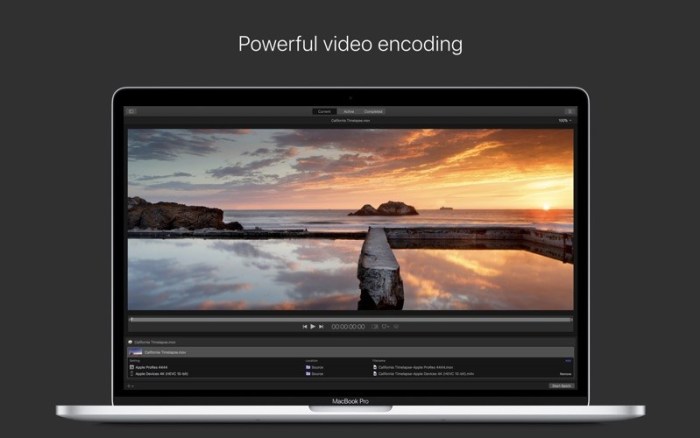
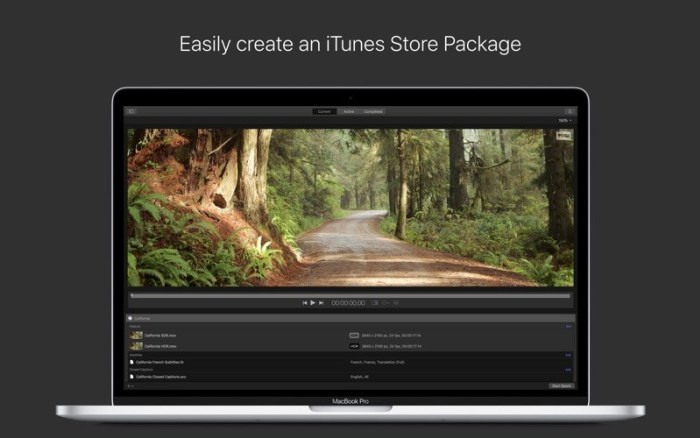
Compressor integrates tightly with Final Cut Pro to add power and flexibility to your video conversions. A simple interface lets you quickly customize output settings, enhance images, and package your film for sale on the iTunes Store. For even faster conversions, easily set up distributed encoding using other Mac computers.

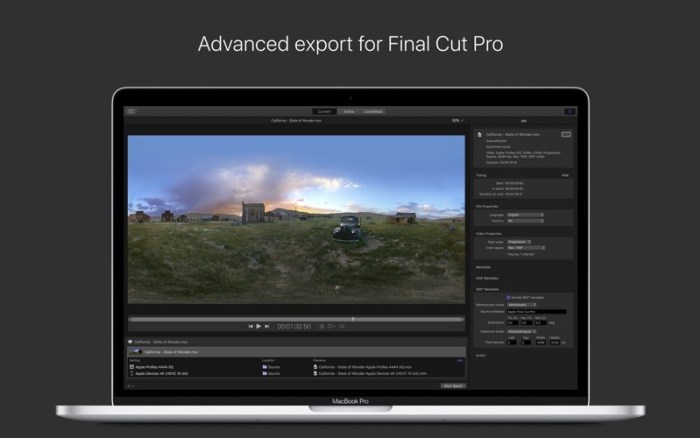
Advanced Encoding for Final Cut Pro
  • Use Compressor to customize encoding settings for Final Cut Pro
  • Save a custom setting in Compressor and the setting will automatically appear in Final Cut Pro
  • Set up batch processes to streamline the encoding of large numbers of files
  • Build custom Destinations to combine encoding with additional tasks such as moving or copying files
  • Create selfcontained Droplets to encode on the desktop with draganddrop ease
  • Share settings like an HEVC output setting with other editors, even if Compressor isn’t installed on their systems
  • Send Final Cut Pro and Motion projects to Compressor to encode video in the HEVC format
iTunes Store Package Creation
  • Import and organize your movie, trailer, closed captions, audio descriptions, and subtitles into an iTunes Storecompliant package for submission to an Applecertified iTunes delivery partner
  • Audition video with any audio, caption, or subtitle to verify sync
  • Builtin error detection helps you identify issues with your iTunes Store Package and navigate directly to the source of the issue
  • Deliver HDR video as P3 D65 PQ, Rec. 2020 HLG, and Rec. 2020 PQ for HDR10
  • Support in the iTunes Store Package to link a Dolby Vision graded video file to a Dolby Vision XML
Support for Industry Standards
  • Encode to a broad range of industry standard formats including MPEG4, H.264, MXF and ProRes
  • Work with a choice of themed menus to encode and burn a DVD or Bluray disc
  • Generate files for HTTP live streaming in a single step
  • Import Targa, DPX, TIFF, PSD, PNG or OpenEXR image sequences and encode them to any setting
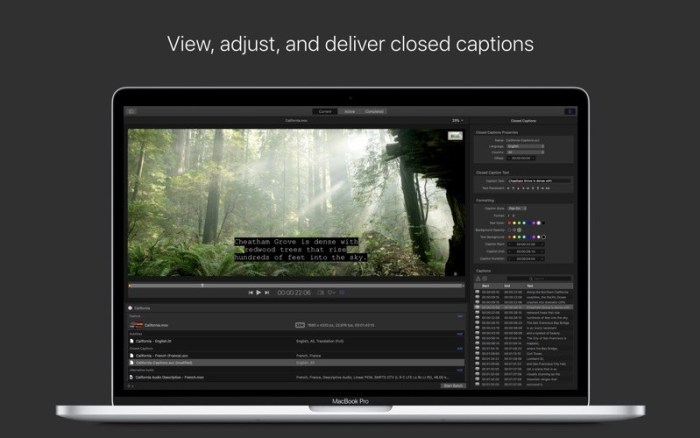
  • View, adjust, and deliver closed captions in both CEA608 and iTT formats
Pristine Format Conversions
  • Convert any file between formats — such as NTSC to PAL, SD to HD or progressive to interlaced video
  • Import and manipulate wide color video, then deliver in standard Rec. 601 and Rec. 709 color spaces or in wide Rec. 2020 color space
  • Deliver High Dynamic Range (HDR) video with controls for color space conversions and HDR metadata
  • Deliver HDR video as P3 D65 PQ, Rec. 2020 PQ, and Rec. 2020 HLG
  • Use CABAC entropy multipass H.264 encoding for superior results with hardwareaccelerated export on supported systems
  • Clean up and customize your content using image filters, a timecode overlay, and watermarks
  • Speed up video, slow it down, or adjust the frame rate to make the duration match a runtime
Distributed Encoding
  • Save time by distributing encoding work among multiple workstations
  • Install Compressor on any Mac to activate it as a node for distributed encoding
  • Speed up encoding in Final Cut Pro by choosing a group of shared computers for exporting
System Requirements:

System Requirements: macOS 10.13.6 or later, 4GB of RAM (8GB recommended for 4K editing, 3D titles, and 360° video editing), OpenCL-capable GPU graphics card or Intel HD Graphics 3000 or later, 256MB of VRAM (1GB recommended for 4K editing, 3D titles, and 360° video editing), 1.2GB of available disk space.

Some features require Internet access; fees may apply. Blu-ray recorder required for burning Blu-ray discs. HEVC export requires macOS High Sierra.

Web Site: http://www.apple.com/finalcutpro/compressor/
Mac App Store: https://itunes.apple.com/app/compressor/id424390742?mt=12

What’s New in Compressor 4.4.3

  • Support for ProRes RAW and ProRes RAW HQ formats on Mac computers that support Metal
Introduced in Version 4.4.2
  • 64bit architecture takes advantage of all memory in your Mac to support high resolution images and projects
  • Backward compatibility supports legacy 32bit formats
  • View, edit, and deliver closed captions in the SRT format, which is used by a wide range of websites including Facebook
  • Compressor uses source media properties to automatically configure MXF and QuickTime settings
  • Automatic configuration of settings applies correct frame rate, field order, and color space

Screenshots


Name Compressor 4 4 3 MAS TNT.zip
Size 412.2 MB
Created on 2018-12-14 21:48:57
Hash 4e931adb825ae830c64991b3651b15dc8d658be5
Files Compressor 4 4 3 MAS TNT.zip (412.2 MB)

Download

Simple Recorder Pro 1.7.1


Download


Simple Recorder Pro 1.7.1

– You can find its icon in the right side of your menu bar. Click it to show the menu. You can also find its icon in the dock. Click it to record, and click it again to stop. Right-click(or command-click) the dock bar icon to show the menu.

Compatibility: macOS 10.12 or later, 64-bit processor

Developer Website

Mac App Store

What’s New in Simple Recorder Pro 1.7.1

  • Bug fixes and improvements

Screenshots


Name Simple Recorder 1.7.1 MAS In-App TNT mac-torrents.net.dmg
Size 16.14 MB
Created on 2019-08-26 05:53:29
Hash a5cc4087f7d763988bc344f9e123a3e649a7b4ca
Files Simple Recorder 1.7.1 MAS In-App TNT mac-torrents.net.dmg (16.14 MB)

Download

FSNotes 3.5.0


Download


FSNotes 3.5.0 – Note manager

is a plain-text note manager for macOS, and is modern reinvention of notational velocity (nvALT) on steroids. Our application respects the following open formats: plain/text, Markdown, and RTF, and stores data in the file system. You can view, edit, and copy data in your favourite external editor, and see live results in FSNotes.

FSNotes features:

  • iCloud synchronization over iCloud Documents
  • keyboard centric
  • global shortcuts (clipboard save / search field)
  • markdown and RTF markup (files stored on disk as plain/text and rich text)
  • textbundle containers
  • markdown preview mode
  • elastic three pane view (vertical and horizontal layout)
  • blazing fast and lightweight
  • open files in finder / works with external editors (changes seamless live sync with UI)
  • pin/unpin important notes in top
  • multi folder storage
  • markdown code highlighting with over 170 languages
  • markdown images live preview
  • tags
  • dark mode (macOS Mojave)
  • Encryption (AES256)
  • Mermaid and MathJax support

Compatibility: macOS 10.12 or later, 64bit

Developer Website

Mac App Store

What’s New in FSNotes 3.5.0

  • Added Arabic translation
  • Added sorting direction in project view settings
  • Added new sidebar icons
  • Fixed non clickable URLs in RTF and TXT
  • Fixed italic highlighting with parentheses

Screenshots


Name FSNotes 3.5.0 MAS TNT mac-torrents.net.dmg
Size 21.19 MB
Created on 2019-08-26 05:53:42
Hash 0c85053b49595b82b23a546f152e772efbce653b
Files FSNotes 3.5.0 MAS TNT mac-torrents.net.dmg (21.19 MB)

Download

Grids for Instagram 5.5


Download


Grids for Instagram 5.5

brings the best Instagram experience to your Mac, with Stories (first and only app that supports stories!), Direct Message and Large/Fullscreen photo and video viewing.

As featured on TheNextWeb, AppAdvice, iDownloadBlog, DigitalTrends and many others.

  • View Stories (pro)
  • Direct message (pro)
  • Share photos/user profiles/tags/locations via message
  • Enlarged view mode allows photo viewing and video playing in large or full screen
  • Clean, adaptive UI. Works at full screen as well as widgetsized window.
  • Pixelperfect layout and rendering. Retina display support. Your Instagram photos never looked this gorgeous.
  • 4 beautiful layout styles for the pleasure of your eyes
  • Picture size as well as spacing and background color can be adjusted to your liking.
  • Fastest Instagram browsing experience you will have!
  • Switch between multiple accounts seamlessly.
  • Like, comment, follow, search people and tags.
  • Show users tagged in photo
  • Bookmark allows you to bookmark people (without having to follow them), locations, tags and individual photos or videos (without having to like them).
  • Get notification when new feed is available and/or when there is new followers/likes/comments/mentions.
  • View latest following/news just like on your phone

Note: An Instagram account is required to use this app.

Compatibility: OS X 10.12 or later, 64bit

Developer Website

Mac App Store

What’s New in Grids for Instagram 5.5

  • Release notes not available at the time of this post.

Screenshots


Name Grids for Instagram 5.5 TNT mac-torrents.net.dmg
Size 31.34 MB
Created on 2019-08-26 05:53:35
Hash 8954977cbf5fea7cbe78ad7b70bfa52c98ec7ed8
Files Grids for Instagram 5.5 TNT mac-torrents.net.dmg (31.34 MB)

Download

Logic Pro X 10.4.4


Download


Logic Pro X 10.4.4

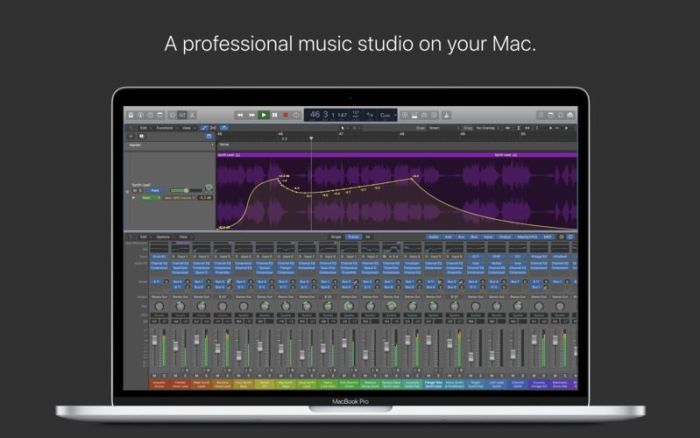
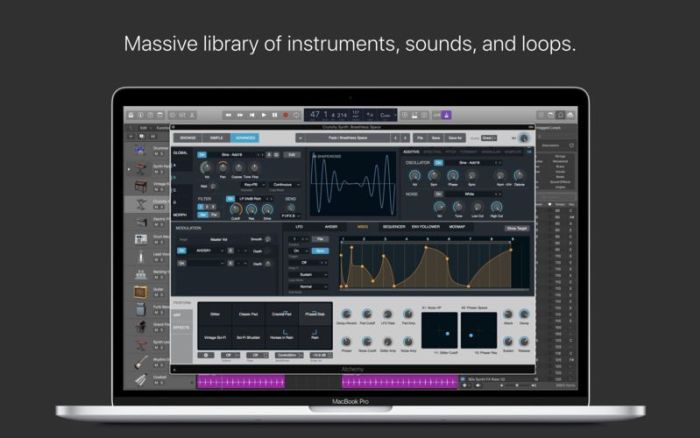
Logic Pro X is the most advanced version of Logic ever. Sophisticated tools for professional songwriting, editing, and mixing are built around a modern interface that’s designed to get creative results quickly and also deliver more power whenever it’s needed. mac-torrents.net Logic Pro X includes a massive collection of instruments, effects, and loops, providing a complete toolkit to create amazing-sounding music.

Powerful Interface

  • Consolidate and control multiple tracks or create rich, layered instruments with Track Stacks
  • Smart Controls allow you to manipulate multiple plugins and parameters with a single move
  • Support for the Touch Bar on MacBook Pro provides convenient controls for creating, editing and navigating your songs
  • Autosave keeps your work safe and sound

Professional Music Production

  • Record and edit MIDI or audio using a comprehensive set of editors and tools
  • Keep takes organized with take folders and build comps quickly with Quick Swipe Comping
  • Track Alternatives let you create and switch between different playlists of regions and edits on a track
  • Render any combination of effect plugins to a selection of audio using Selectionbased Processing
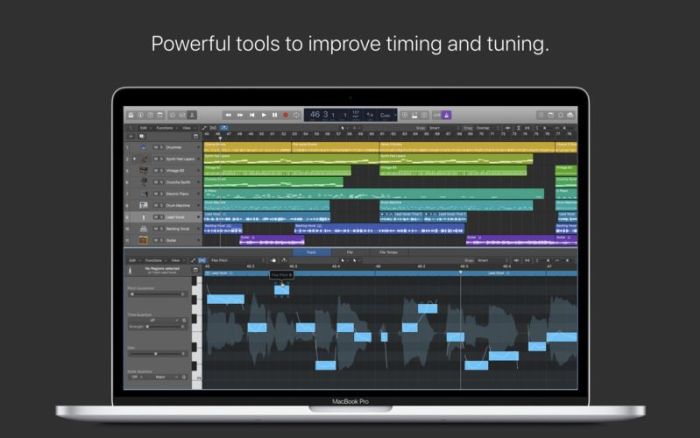
  • Fix outoftune vocals and change the melodies of recorded audio with Flex Pitch
  • Manipulate the timing and tempo of any recording with ease using Flex Time
  • Comprehensive mix and plugin parameter automation can be part of a region or track
  • Create and mix music from anywhere in the room using Logic Remote on iPad or iPhone
  • Produce simple lead sheets or orchestral scores with builtin Score editor

Drum Production

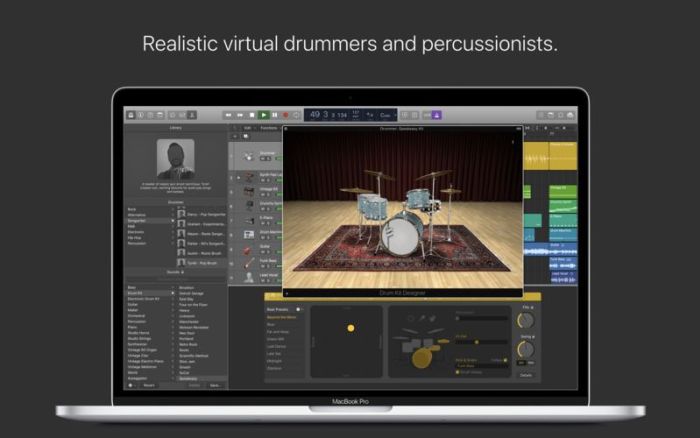
  • Create authentic acoustic, electronic, or hip hop drum tracks using Drummer, a virtual session player and beat producer
  • Choose among 28 distinct drummers that can take your direction and perform millions of unique grooves
  • Build your own acoustic drum kits with Drum Kit Designer using a collection of deeply sampled drums
  • Customize the sound of your electronic beats using Drum Machine Designer

Keyboards and Synths

  • Get inspired by collection of synths that provide analog, wavetable, FM, additive, granular, spectral, and modeling synthesis
  • Quickly find sounds or create unique new ones with Alchemy, the ultimate sample manipulation synthesizer
  • Play or create a wide variety of rich sampled instruments with the EXS24 Sampler
  • Instantly turn a simple chord into a rich performance with the Arpeggiator
  • Transform simple ideas into elaborate performances using nine MIDI plugins
  • Play faithful models of classic organs, keyboards, and vintage synths

Guitar and Bass Gear

  • Build your own guitar or bass rig with Amp Designer using vintage and modern amps, cabinets, and mics
  • Design a custom Pedalboard from a collection of delay, distortion, and modulation stompboxes
  • Access the Tuner with just a click to quickly get in tune

Creative and Production Effects

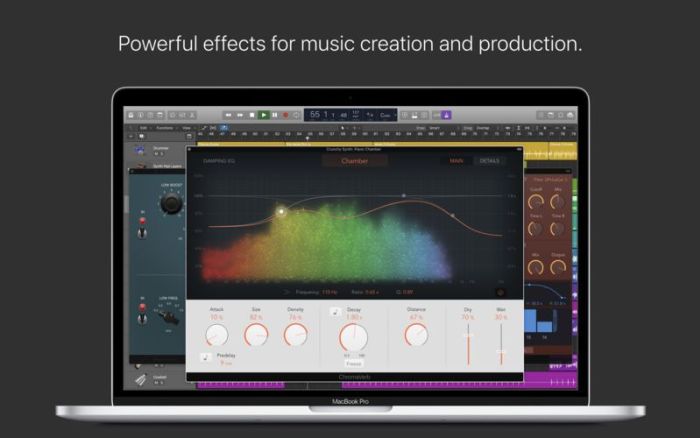
  • Play your sounds through realistic acoustic spaces using Space Designer convolution reverb
  • Use a range of multitap, vintage tape, and stereo delays
  • Add movement to your tracks with a variety of modulation effects

Sound Library

  • Over 2800 instrument and effect Patches
  • 1000 meticulously sampled instruments
  • More than 7000 Apple Loops in wide range of genres

Compatibility

  • Expand your instrument and effects library with thirdparty Audio Unitscompatible plugins
  • Share to GarageBand option allows you to remotely add new tracks to your Logic project from your iPhone or iPad via iCloud
  • Import and export XML to support Final Cut Pro X workflows
  • Export and share your songs directly to SoundCloud
  • Open projects from Logic 5 or later

Minimum System Requirements

  • 4GB RAM
  • Display with 1280by768 resolution or higher
  • OS X v10.12 or later
  • Requires 64bit Audio Units plugins
  • 6GB available disk space for minimum install / 63GB hard disk space for full Sound Library installation

Compatibility: macOS 10.12 or later 64-bit

Mac App Store: https://itunes.apple.com/us/app/logic-pro-x/id634148309?mt=12

What’s New in Logic Pro X 10.4.4

This update contains stability improvements and bug fixes.

Screenshots logic pro x 10.4 download


Name Logic Pro X 10 4 4 MAS TNT.zip
Size 1.48 GB
Created on 2019-01-11 17:54:16
Hash dedd8d4b674a5615c2ee9acda19b30174bbb3a07
Files Logic Pro X 10 4 4 MAS TNT.zip (1.48 GB)

Download

Final Cut Pro 10.4.5


Download


Final Cut Pro 10.4.5

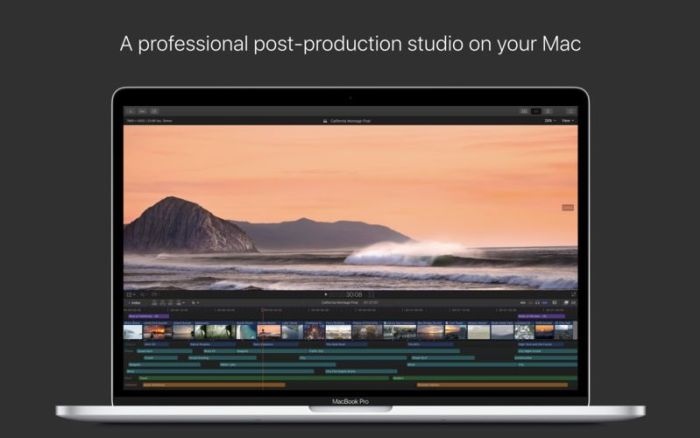
Redesigned from the ground up, Final Cut Pro combines revolutionary video editing with powerful media organization and incredible performance to let you create at the speed of thought.

Revolutionary Video Editing

  • The Magnetic Timeline 2 uses advanced metadata for faster, easier editing than with traditional tracks
  • Enhanced Timeline Index lets you drag and drop audio roles to rearrange the layout of your timeline
  • Use Clip Connections to attach Broll, sound effects, and music to the timeline
  • Reduce clutter by grouping clips into a Compound Clip
  • Cycle through different shots, graphics, or effects at one place in the timeline with Auditions
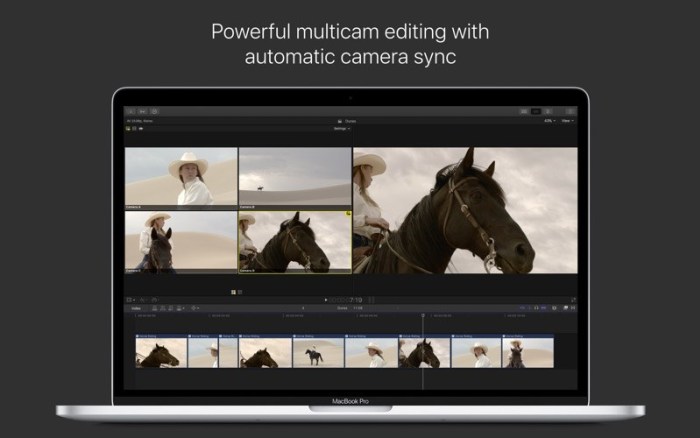
  • Edit multicamera projects with automatic syncing based on audio waveforms and support for up to 64 camera angles
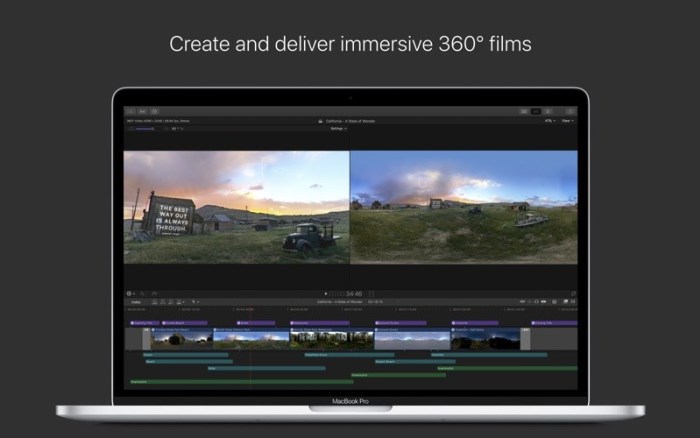
  • Import and edit 360° equirectangular video in a wide range of formats and frame sizes
  • Create, edit, and deliver closed captions from within Final Cut Pro

Powerful Media Organization

  • Organize your work within libraries for efficient media management and collaboration
  • Content AutoAnalysis captures camera metadata and analyzes shots in the background
  • Create and apply custom keywords or favorites on the fly as you select clip ranges
  • Smart Collections dynamically organize content for you to quickly find any shot in a few clicks

Incredible Performance

  • Final Cut Pro uses all the GPUs in your Mac for superior realtime playback performance and fast background rendering
  • 64bit architecture uses all the RAM in your system for larger projects and richer effects
  • Background processing lets you keep working without interruption
  • Work natively with a broad range of formats including ProRes, RED, XAVC, AVCHD, H.264 from DSLRs, and more

Compelling, Customizable Effects

  • Beautifully animated, easily customizable 2D and 3D titles
  • Change the look of titles, transitions, and effects using intuitive controls
  • Choose from an extensive ecosystem of thirdparty FxPlug plugins with custom interfaces

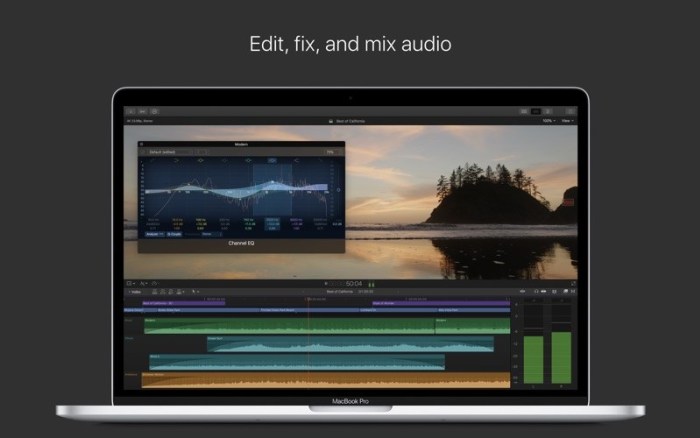
Integrated Audio Editing

  • Assign roles — including dialogue, music, effects, and custom choices — during import to easily track and organize your project
  • Expand and edit multichannel audio files directly in the timeline
  • Let Final Cut Pro repair audio problems such as hum, excessive background noise, and more
  • Sync DSLR video with separate audio in a single step with instant audio waveform matching

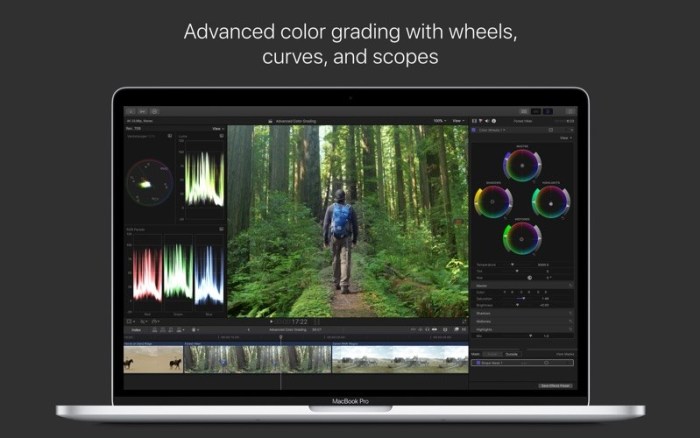
Intuitive Color Grading

  • Import, edit, and deliver video in standard color spaces, or in wide Rec. 2020 color space
  • Improve the look of any clip with oneclick Balance Color
  • Manipulate color, saturation, and exposure with the Color Board
  • Fine tune a specific color or area of the screen using keying and masks
  • Powerful color wheels and curves for precise adjustments with keying and masks

One-Step, Optimized Output

  • Incredibly fast export for playback on Apple devices and upload to websites such as Vimeo, YouTube, and Facebook
  • Use themed menus to author and burn a DVD or Bluray disc
  • Export audio stems and multiple versions of a finished video using roles metadata
  • Import and export XML for thirdparty workflows like color grading and sound mixing

System Requirements:

macOS 10.13.6 or later, 4GB of RAM (8GB recommended for 4K editing, 3D titles, and 360° video editing), OpenCL-capable GPU graphics card or Intel HD Graphics 3000 or later, 256MB of VRAM (1GB recommended for 4K editing, 3D titles, and 360° video editing), 3.8GB of available disk space.

Some features require Internet access; fees may apply. Blu-ray recorder required for burning Blu-ray discs. Video output to VR headset requires Mac computer with discrete graphics running macOS High Sierra. 27-inch iMac with Radeon Pro 580 graphics recommended. HEVC and HEIF support require macOS High Sierra.

Web Site: http://www.apple.com/finalcutpro/
Mac App Store: https://itunes.apple.com/app/final-cut-pro/id424389933?mt=12

What’s New in Final Cut Pro 10.4.5

  • Improves performance when generating waveforms for clips with no audio channels
  • Improves stability when sending a project to Compressor using the keyboard shortcut ShiftCommandE
  • Improves stability when pasting Arabic or Hebrew text into a title
  • Improves stability when switching tabs in the Timeline Index

Screenshots


Name Final_Cut_Pro_10.4.5_MAS__TNT.rar
Size 2.94 GB
Created on 2019-01-19 04:58:07
Hash 5424de231bcc9946a02c3a01edf184d4cd6f89f7
Files Final_Cut_Pro_10.4.5_MAS__TNT.rar (2.94 GB)

Download

pt_ExpressEdit 2.5 for After Effects


Download


pt_ExpressEdit 2.5 for After Effects

Search, apply and edit expressions throughout your project. Expressions can be saved, or instantly applied to one or more properties. It can also check for broken expressions, re-enabling them automatically where possible.

Search, apply and edit expressions throughout your project. Expressions can be saved, or instantly applied to one or more properties. It can also check for broken expressions, re-enabling them automatically where possible.

HOW TO USE:

  • SEARCH: Use the search options to specify which expressions you’re looking for. Click the Search button to scan your project for expressions based on your search criteria.
  • FETCH: With Auto Fetch enabled, when you select an expression from the list it will appear in the text edit box ready for editing. When Auto Fetch is off, use the Fetch button to get the selected expression into the edit box. Select a property in your comp instead of the list to fetch the expression from there.
  • APPLY: Edit the expression in the text edit box, then hit the Apply button to apply it to any properties selected in the list. Note: You’ll need to use Ctrl-Return to get a line return in the text edit box.
  • ADD TO TIMELINE: Use this button to add the expression to any selected properties in the Timeline. This is useful if you want to add expressions to properties that don’t already have ones applied. You’ll need to do a new search for any newly added expressions to appear in the list.
  • AUTO TEST: With Auto Test enabled the script tests expressions during a search to ensure they are valid, revealing new errors or re-enabling them if previous errors are fixed. If you do something that breaks your expressions you can just Undo then run a search to re-enable them. While this option is recommended, you can turn it off if you want to do searches that won’t affect the result.
  • ACTIONS: Use the actions/preset pulldown to enabled, disable or remove any selected expressions. Use Refresh List if you’ve made any changes and want to update the list. Use Test Expressions to check the expressions are valid.
  • PRESETS: With an expression in the text edit box, click the Save button to save it as a preset. Select previously saved expressions from the bottom of the action/preset pulldown, then click Apply to add them to any properties selected in the list.

Compatibility: After Effects CC 2019, CC 2018, CC 2017, CC 2015.3, CC 2015, CC 2014, CC, CS6, CS5.5, CS5, CS4

Developer Website

What’s New in pt_ExpressEdit 2.5

  • Added sort options
  • Search settings retained between launches
  • Fixed issues related to Master Properties
  • Licence Update


Name pt_ExpressEdit 2.5 for After Effects [mac-torrents.net].dmg
Size 6.46 MB
Created on 2019-08-25 22:29:51
Hash 85e8df9170016b182555fcd6f3bfeab34e5f7438
Files pt_ExpressEdit 2.5 for After Effects [mac-torrents.net].dmg (6.46 MB)

Download

Smart Resize 1.0 for After Effects


Download


Smart Resize 1.0 for After Effects

Creates dynamically resizing comps. It is a responsive layout engine for your After Effects comps.

Features

  • Easily create dynamic, auto-resizing comps
  • Option to lock aspect ratio
  • Panel to check common resolutions
  • Responsive design
Simple to Setup
  1. Add a Main Group (global for any layers)
  2. Add a New Group
With layers selected:

Will create the new group and the selected layers will be linked to the anchor point of the first layer. (position of the new group = anchor point of the first selected layer)

Without layers selected:

Will create the new group. Change the position of the group and parent the layers to be moved to this group.

Optionally you can also create groups for the background and any cameras using the same process

Compatibility: After Effects CC 2019, CC 2018, CC 2017, CC 2015.3, CC 2015, CC 2014, CC, CS6, CS5.5, CS5, CS4

Developer Website

What’s New in Smart Resize 1.0

  • Initial release


Name Smart Resize 1.0 for After Effects [mac-torrents.net].dmg
Size 6.54 MB
Created on 2019-08-25 22:29:41
Hash b640d167bf3e5c82e887674cd040d87cd5b7ab9e
Files Smart Resize 1.0 for After Effects [mac-torrents.net].dmg (6.54 MB)

Download

MockFlow 1.4.5

Download

MockFlow 1.4.5

is the quickest way to turn any User Interface ideas into designs. You can use MockFlow for sketching UI ideas, prototype websites/apps and also as a whiteboard presentation tool.

Important Features:

  • Over 100 built-in UI components for brainstorming websites, mobile apps, sketchy hand-drawn interfaces
  • Thousands of UI icons for all categories
  • Draw tool with lines, marker, shapes, eraser
  • Special UI Annotation components – Arrow, CallOut, Note, Bracket, Tooltip
  • Master pages for reusing content
  • Specs mode for viewing component level specifications
  • Integrated page manager with sitemap

Editor features:

  • Unlimited Undo/Redo
  • Cut/copy/paste
  • Layering objects
  • Image functions – effects, shadow
  • Group components
  • Lock/Un-lock components
  • Zoom canvas
  • Infinite canvas that automatically resizes based on content
  • Grid settings – 960grid, mesh grid, canvas background
  • Export to PNG

and much more…

Compatibility: OS X 10.10.0 or later, 64-bit processor

Developer Website

Mac App Store

What’s New in MockFlow 1.4.5

* This version fixes a bug that limited the number of pages in a project to 3. Now it allows unlimited pages

Screenshots

Name MockFlowd 1.4.5 [TNT] [mac-torrents.net].dmg
Size 95.53 MB
Created on 2019-08-25 22:29:07
Hash cc735434a5de235fac25d8b4ac9ee3ed61ccc13e
Files MockFlowd 1.4.5 [TNT] [mac-torrents.net].dmg (95.53 MB)

Download

Pastebot 2.2

Download

Pastebot 2.2

If copy & paste is a part of your workflow, is an indispensible tool to improve your productivity. Quickly recall clippings that you have copied before and apply powerful text filters to format before pasting. You can even queue up multiple copies to paste in sequence. Pastebot is always running and only a keyboard shortcut away to command copy & paste.

Clipboard History:

Pastebot saves everything you copy so that you can quickly recall them in the future. Save and organize frequently-used clippings into custom pasteboards and create keyboard shortcuts to access pasteboards and paste specific clippings.

Powerful Filters:

Build powerful filters with a live preview and apply them as you paste. Create keyboard shortcuts to quickly paste using your filters and export your filters to share with other Pastebot users.

Quick Paste Menu:

Pastebot is there when you need it and invisible when you don’t. Quickly access your clippings from any app and search, preview, or filter clippings before pasting. You can even set the order of clippings to paste in sequence.

iCloud Sync:

With iCloud enabled, your main clipboard, custom pasteboards and filters sync across all of your computers running Pastebot. Your clipboard and filters will be on every mac you work on.

Custom Pasteboards:

Create custom pasteboard groups to organize important clippings you want to save and re-use. Assign keyboard shortcuts to clippings you use most often.

Works with Universal Clipboard:

macOS Sierra’s Universal Clipboard works alongside Pastebot. Copy a clipping in Pastebot and paste it on your iOS device via Universal Clipboard.

Full Screen Support:

Pastebot works in full-screen and split-screen mode. Running in split-screen mode allows you to use Pastebot as a scratch pad.

Options:

Choose from various quick paste window styles to suit your preferences, always paste in plain text, enable release-to-paste and more.

Blacklist:

There are apps you copy from that you never want stored in Pastebot. Just add that application to the blacklist and Pastebot will ignore it.

Search:

Find a clipping quickly with Pastebot’s powerful search capabilities. Search based on content or metadata. You can search by application, date, data type and more.

Keyboard Shortcuts:

Pastebot features many keyboard shortcuts to satisfy any copy & paste maestro. Paste the previous item on the clipboard or paste the current clipping while applying the last used filter.

Compatibility: macOS 10.12 or later 64-bit

Developer Website

Mac App Store

What’s New in Pastebot 2.2

  • Added support for Dark Mode

Screenshots

Name Pastebot 2.2 MAS [TNT] [mac-torrents.net].dmg
Size 20.90 MB
Created on 2019-08-25 22:29:19
Hash 3243fec7aaaf530dd8774d8dfeba2c1ceb8dc3b5
Files Pastebot 2.2 MAS [TNT] [mac-torrents.net].dmg (20.90 MB)

Download

Chaos Control 1.6.1


Download


Chaos Control 1.6.1 – GTD, Tasks & To-Do Lists

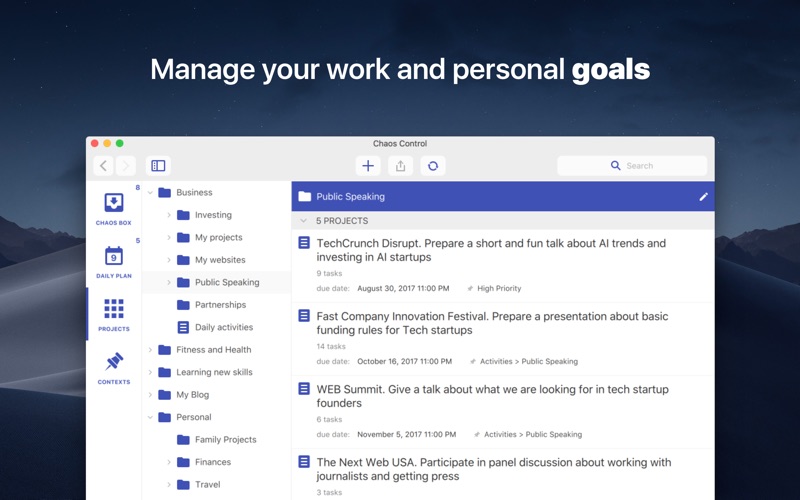
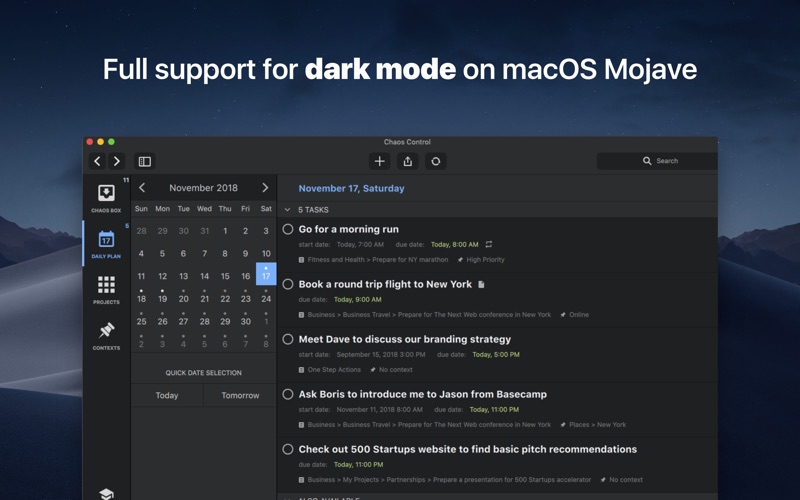
was created to help you manage your goals and desired outcomes in both your business and personal life.

People don’t usually achieve impressive results simply by being good at task management. It’s the ability to set legitimate goals that makes the difference. Just write down your desired outcomes to make them real. This simple technique helps you to prioritize your goals before acting on them.

Chaos Control is a task manager based on the best ideas of GTD (Getting Things Done) methodology created by David Allen. Whether you are running a business, launching an app, working on a project or simply planning your holiday trip, Chaos Control is a perfect tool to manage your goals, juggle your priorities, and organize your tasks to get things done. And the best part is, you can handle both heavyweight project planning and simple daily routine like shopping list management in one flexible app. Also, Chaos Control is available across all major mobile and desktop platforms with seamless sync.

HERE IS HOW IT WORKS:

1) MANAGE YOUR PROJECTS

Project is a goal combined with a set of tasks you need to complete in order to achieve it. Create as many projects as you like to write down all the desired outcomes you have

2) ORGANIZE YOUR GOALS

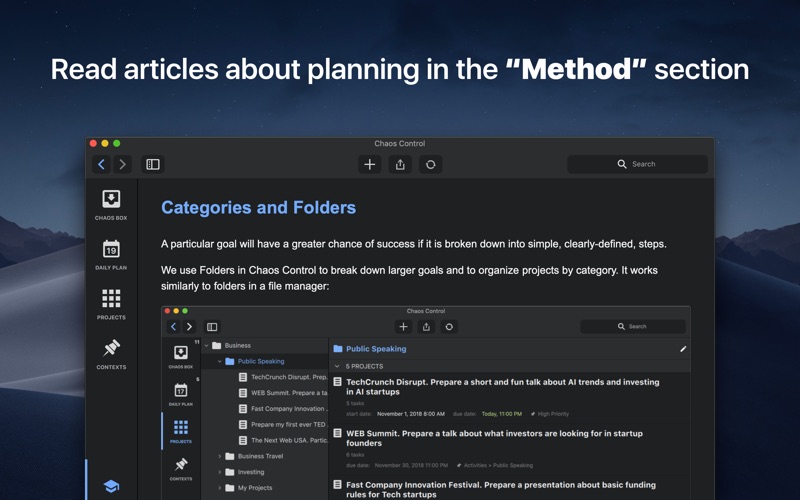
Create unlimited number of projects and group them by category using Folders

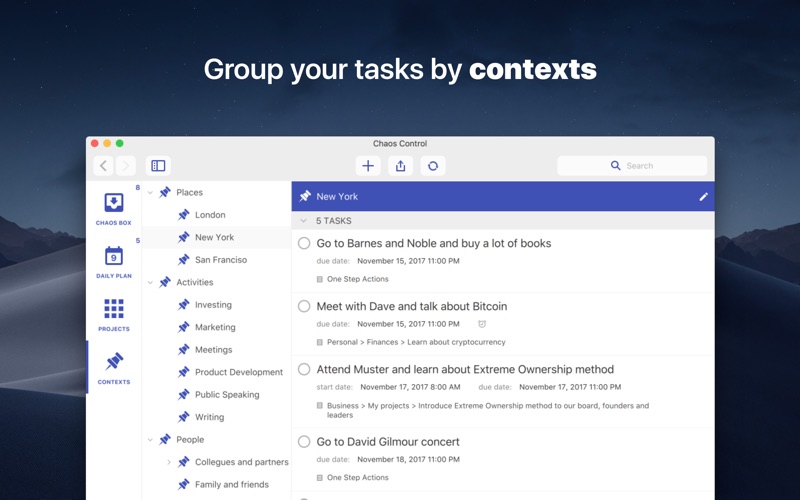
3) USE GTD CONTEXTS

Organize tasks from different projects using flexible context lists. If you are familiar with GTD you would just love this feature

4) PLAN YOUR DAY

Set due dates for tasks and make plans for any particular day

5) USE CHAOS BOX

Put all the incoming tasks, notes and ideas into Chaos Box in order to process them later. It works similar to GTD inbox, but you can use it as a simple to-do list

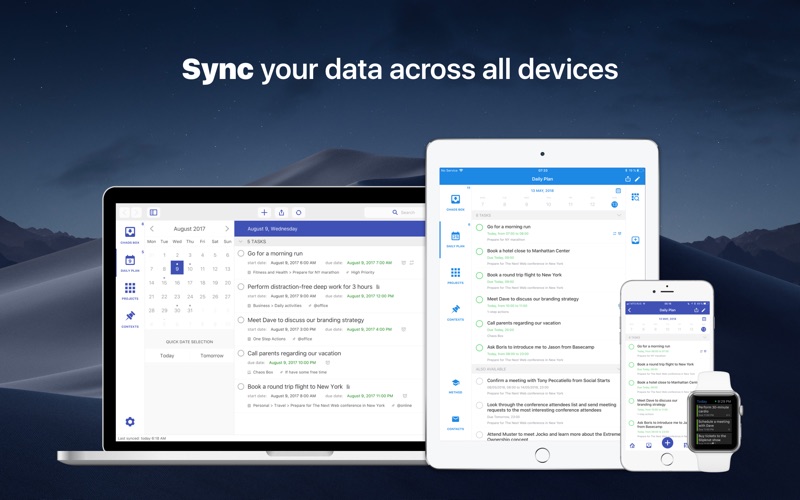
6) SYNC YOUR DATA

Chaos Control works on both desktop and mobile devices. Setup an account and sync your projects across all of your devices

This app is designed with creative people in mind. Designers, writers, developers, startup founders, entrepreneurs of all kinds and pretty much anyone with ideas and desire to make them happen. We combined the power of GTD with the convenient interface to help you with:

  • personal goal setting
  • task management
  • time management
  • planning your business and personal activities
  • building your routine
  • handling simple to do lists, checklists and shopping lists
  • catching your ideas and thoughts to process them later
KEY FEATURES
  • Seamless cloud sync across all major mobile and desktop platforms
  • GTDinspired Projects and Contexts supplemented with Folders, subfolders and subcontexts
  • Recurring tasks (daily, weekly, monthly and chosen days of the week)
  • Chaos Box Inbox for your unstructured tasks, notes, memos, ideas and thoughts. Great tool for staying on track inspired by GTD ideas
  • Notes for tasks, projects, folders and contexts
  • Fast and smart search

Compatibility: OS X 10.11 or later 64-bit

Developer Website

Mac App Store

What’s New in Chaos Control 1.6.1

REMINDERS SYNC

From now on reminders sync across devices. Please note that the feature is also supported by Chaos Control for iOS version 1.25 or higher.

RECYCLE BIN

You can finally restore deleted tasks, projects and folders. Just press the “Trash” icon at the upper-right corner of the app (near the Search field) to open the list of all deleted items. Please note that you can restore any object within 14 days after its removal.

+ small optimizations and improvements.

Screenshots


Name ChaosControlMac 1.6.1 [TNT] [mac-torrents.net].dmg
Size 66.74 MB
Created on 2019-08-25 04:21:37
Hash 23db11be423b340f0a2488bb6c570d81bb388cf7
Files ChaosControlMac 1.6.1 [TNT] [mac-torrents.net].dmg (66.74 MB)

Download

Smoke Elements | Final Cut Pro X


Download


Smoke Elements | Final Cut Pro X

Smoke Elements is a gorgeous / template consisting of dynamically animated cartoon elements that can be simply applied to your projects as overlays.

It will make an ideal way to improve the appearance of the logo and text, explainer videos, promo, product presentations, cartoons, social media, advertisements and much more. Surprise your audience with this cool animated smoke elements.

Unique sound FX included. Check out our portfolio for more.

Project Details:

Project name Smoke Elements | FCPX
Specific Official Information and Features Videohive 24297870
Last Update 14 August 19
Created 12 August 19
Requires Plugins No
Software Version ,
Resolution Resizable
File Size 24.63 MB


Name VH Smoke Elements Final Cut Pro X 24297870 mac-torrents.net.rar
Size 24.63 MB
Created on 2019-08-25 03:30:48
Hash a91f29b0727fcd984269b40fffeabe7cc424b6ed
Files VH Smoke Elements Final Cut Pro X 24297870 mac-torrents.net.rar (24.63 MB)

Download

InkyDeals 1500+ Professional Lightroom Presets Bundle


Download


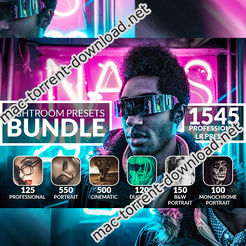
InkyDeals 1500+ Professional Lightroom Presets Bundle

Instantly Add Chromatic, Monochrome, Portrait, Duotone and Other Effects to Your Photos

This is not just another Lightroom Presets bundle… This bundle gives you 1500 never-before-seen effects in just a few clicks.

No more spending hours to add photo effects that you always dreamt of.

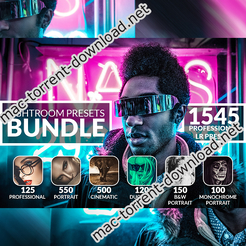
These 1500+ Professional Lightroom Presets will not only save hours of your photo editing but make your photos simply stunning. You will find a great variety of presets such as Portrait, Cinematic, Duotone, B&W, Monochrome etc. in this bundle.

These prests are fully editable and you can get professional results with a single click! Whether you are a beginner or expert in photography, this bundle is perfect for everyone!

1500+ Lightroom Presets Included In This Bundle:

  • 125 Professional Lightroom Presets
  • 550 Portrait Lightroom Presets
  • 500 Cinematic Lightroom Presets
  • 120 Duotone Lightroom Presets
  • 150 B&W Portrait Lightroom Presets
  • 100 Monochrome Portrait Lightroom Presets

Highlighting Features:

  • Professional results with one click
  • All presets can be edited and applied very easily
  • All my Lightroom Presets are fully customizable
  • Those Lightroom Presets are compatible with Lightroom 4 or newer

Creator Website

Screenshots


Name InkyDeals 1500+ Professional Lightroom Presets Bundle mac-torrents.net.rar
Size 6.46 MB
Created on 2019-08-25 03:29:52
Hash 0aaebf09f174f16e815607cb8e3b65da6741cf0c
Files InkyDeals 1500+ Professional Lightroom Presets Bundle mac-torrents.net.rar (6.46 MB)

Download

PhotoEraser Inpaint 1.6


Download


PhotoEraser Inpaint 1.6 – Remove Unwanted Objects

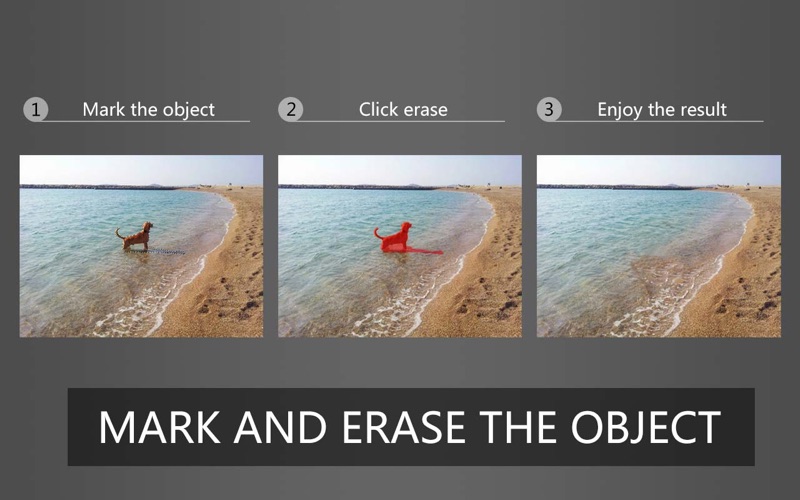
easily help you remove unwanted objects or people from your photos! You can also use it to remove watermark in the photo.

Main Reasons to use Photo Inpaint:

  1. Remove unwanted objects 
from photo, like garbage bins, cars, etc.,
  2. Remove unwanted people from photo, like tourists in the landscape
  3. Repair old photos, remove scratches and blemishes
  4. Remove watermarks, text, signatures, etc.,
  5. Remove date stamps
  6. Digital Facial retouching

In-App Purchases: Full Version – included.
Compatibility: macOS 10.9 or later 64-bit

Developer Website

Mac App Store

What’s New in PhotoEraser Inpaint 1.6

1. Fixed a minor bug

Screenshots


Name PhotoEraser_Inpaint 1.6 MAS In App [TNT] [mac-torrents.net].dmg
Size 14.56 MB
Created on 2019-08-25 04:21:45
Hash 4c9f5e1c2079ba0324ba873785cffc1e3be38355
Files PhotoEraser_Inpaint 1.6 MAS In App [TNT] [mac-torrents.net].dmg (14.56 MB)

Download

Movist Pro 2.2.7


Download


Movist Pro 2.2.7

is an easy-to-use and powerful movie player. You can choose QuickTime or FFmpeg as decoder for each video codec and reopen with other decoder instantly. Movist supports many useful features to enjoy movies including H.264, H.265/HEVC hardware video decode acceleration, digital audio out (S/PDIF), high quality subtitles, convenient & beautiful user interface and so on.

Just Enjoy Movies with Movist.

  • Single Window Mode or Multiple Document Mode.
  • App Sandbox supported.
  • Retina Display supported.
  • Many File Format supported.
  • Many Video & Audio Codecs supported.
  • H.264, H.265/HEVC Video Decode Acceleration.
  • Many Core Image Filters supported.
  • Video Rotation & Flip.
  • Deinterlace (FFmpeg Only).
  • Digital Audio Out (S/PDIF) (FFmpeg Only).
  • Audio Equalizer supported (FFmpeg Only).
  • A/V Sync Adjustment.
  • High Quality Subtitle.
  • Many Subtitle Format supported.
  • Embedded Subtitles supported.
  • Compressed Subtitles in .zip & .rar supported.
  • 3D Subtitle supported.
  • Subtitle Display on Letter Box.
  • UnlimitedSubtitles Concurrent Display.
  • Fully Customizable Subtitle Display. 5
  • Subtitle Text Encoding autodetection.
  • Subtitle Sync Adjustment.
  • AutoFilling Playlist (searching series & subtitle files)
  • Playlist Shuffle & Repeat Mode.
  • Playlist Load & Save.
  • Playback Speed Adjustment.
  • Screenshot Capture.

Compatibility: macOS 10.10 or later 64-bit

Developer Website

What’s New in Movist Pro 2.2.7

  • Release notes not available at the time of this post.

Screenshots


Name Movist Pro 2.2.7 [TNT] [mac-torrents.net].dmg
Size 59.68 MB
Created on 2019-08-25 02:02:37
Hash e884b08a69b6a6bcf2b031c229976fbcfd4cd1d6
Files Movist Pro 2.2.7 [TNT] [mac-torrents.net].dmg (59.68 MB)

Download

Reeder 4.1.2

Download

Reeder 4.1.2

– A news reader for the Mac with support for various sync services.

Reeder 4 adds new features like…
  • The new Bionic Reading mode
  • An in-app Read Later service which syncs with iCloud
  • Image previews in the articles list (finally)
  • An image viewer
  • Much improved article viewer
  • More layout options, including automatic layout depending on window size
  • Improved reader view

Navigate the app using gestures for a great reading experience. Customize shortcuts and gestures to fine-tune the app to your needs.

Supported sync services:
  • Feedbin
  • Feedly
  • Feed Wrangler
  • FeedHQ
  • NewsBlur
  • The Old Reader
  • Inoreader
  • BazQux Reader
  • Instapaper
  • Pocket

If you want to use a self-hosted service, Reeder should work with services which use the Fever or the Google Reader API. Or just standalone RSS (without syncing) if you don’t want to use any service.

Reeder 4 is also available for iOS.

Compatibility: macOS 10.14 or later, 64-bit processor

Developer Website

Mac App Store

What’s New in Reeder 4.1.2

IMPROVED:
  • Cmd-click on an article list entry now opens the default browser (as it did in Reeder 3)
FIXED:
  • More Pocket sync issues. Pocket syncing should be completely fixed now. If you’re still seeing errors, you might want to try to do a full resync (see Pocket account settings) to get everything working correctly.
  • Crash when navigating the feeds list with up/down-arrow
  • Various other issues

Screenshots

Name Reeder 4.1.2 MAS [TNT] [mac-torrents.net].zip
Size 22.80 MB
Created on 2019-08-25 01:27:09
Hash fd37019510413ae2bbda0eb63416314f8b194b9d
Files Reeder 4.1.2 MAS [TNT] [mac-torrents.net].zip (22.80 MB)

Download

Blackmagic Design DaVinci Resolve Studio 16.1b1


Download


Blackmagic Design DaVinci Resolve Studio 16.1b1 – Professional color correction

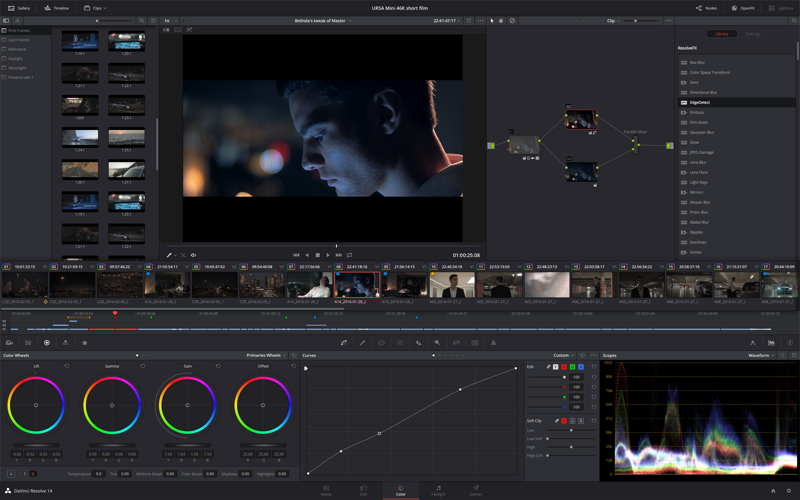
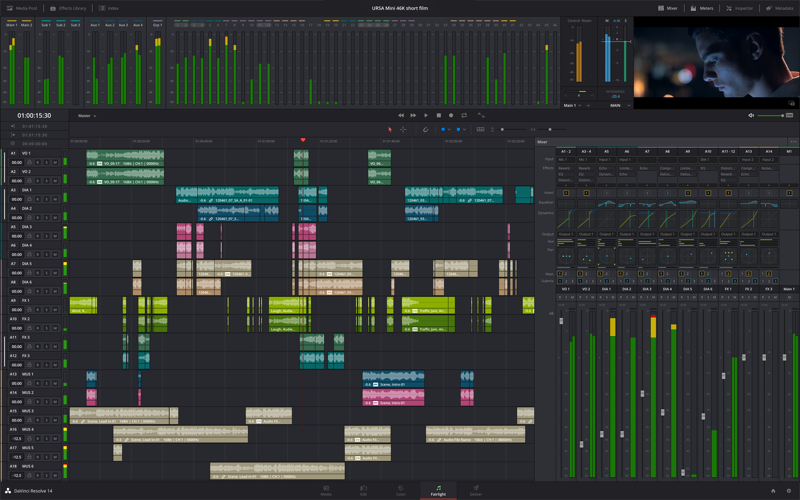
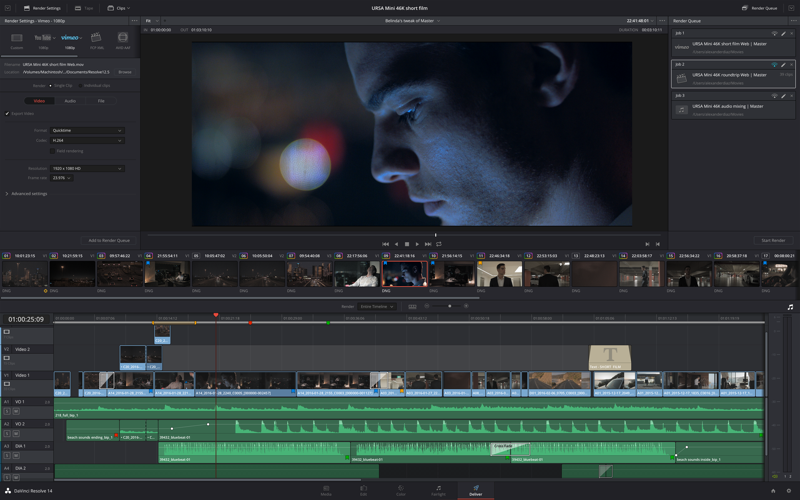
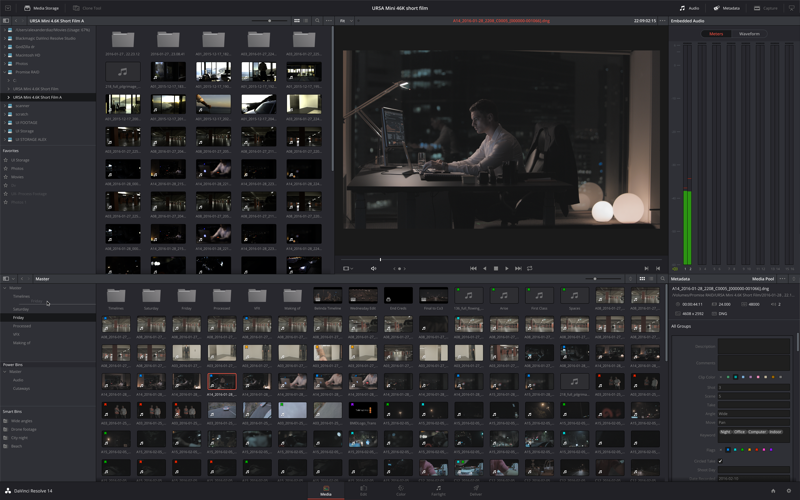
is the world’s only solution that combines professional 8K editing, color correction, visual effects and audio post production all in one software tool! You can instantly move between editing, color, effects, and audio with a single click. DaVinci Resolve Studio is also the only solution designed for multi user collaboration so editors, assistants, colorists, VFX artists and sound designers can all work live on the same project at the same time! Whether you’re an individual artist, or part of a large collaborative team, it’s easy to see why DaVinci Resolve is the standard for high end post production and finishing on more Hollywood feature films, television shows and commercials than any other software.

Introducing the Cut Page!

Designed specifically for editors working on high end fast turn around work such as television commercials and even news cutting, the cut page is all about speed. It’s an alternate edit page with a streamlined interface and revolutionary new tools that will help you work faster than ever. The cut page lets you import, edit, trim, add transitions, titles, automatically match color, mix audio and more. Whether you’re delivering for broadcast or for YouTube, the cut page has everything you need to get the job done, all in one place. Plus, the regular edit page is still available so you can switch between edit and cut pages to change editing style right in the middle of a job.

New Editing Features in DaVinci Resolve 16:

DaVinci Resolve includes everything professional editors need to cut blockbuster films, television shows, and commercials. It’s perfect for both offline and online editing. The high performance playback engine makes editing and trimming incredibly fast, even for processor intensive formats such as H.264 and RAW.

New Fusion VFX Features in DaVinci Resolve 16:

With over 250 built in tools, Fusion VFX’s advanced 3D compositing engine and node based workflow let you quickly connect effects and tools together in a flow chart style, making it easy to create cinematic feature film quality visual effects and broadcast motion graphics right inside of DaVinci Resolve!

New Color Features in DaVinci Resolve 16:

DaVinci Resolve’s legendary color tools let you manipulate color in breathtaking ways to get results that are simply impossible on other systems. That’s why DaVinci Resolve has been used on more feature films and television shows than any other grading system! You get powerful primary and secondary tools, curves, tracking, stabilization and more!

New Fairlight Features in DaVinci Resolve 16:

With Fairlight in DaVinci Resolve, audio is no longer an afterthought in post production! You get a completely integrated and powerful digital audio workstation with full mixer, EQ and dynamics processing, sample level audio editing, ADR tools, sound library support, FairlightFX audio plugins and more!

New Collaboration Features in DaVinci Resolve 16:

Featuring a universal timeline, powerful database driven design, bin and clip locking, built in chat, timeline comparison tools and more, DaVinci Resolve Studio is the world’s only post production solution that lets different artists all work together on the same project at the same time!

DaVinci Resolve Studio

Upgrade to DaVinci Resolve Studio for even more creative tools and options! You get a huge set of indispensable ResolveFX and FairlightFX plugins, along with support for 4K, 8K and higher resolution projects at frame rates up to 120 frames per second. You also get the new DaVinci Neural Engine which enables features such as facial recognition, speed warp retiming, automatic color balancing and automatic color matching. DaVinci Resolve Studio also adds film grain tools, advanced noise reduction, blur and mist effects, HDR grading, 10bit H.264 support, 3D immersive audio, stereoscopic 3D support, multi user collaboration tools and more!

DaVinci Neural Engine

The new DaVinci Neural Engine uses state of the art deep neural networks and learning, along with artificial intelligence to power new features such as speed warp motion estimation for retiming, super scale for up-scaling footage, auto color and color matching, facial recognition and more! The DaVinci Neural Engine is entirely cross-platform and uses the latest GPU innovations for AI and deep learning to provide unparalleled performance and quality. The DaVinci Neural Engine provides simple tools to solve complex, repetitive and time consuming problems. For example, it enables facial recognition to automatically sort and organize clips into bins based on people in the shot!

New and Improved ResolveFX

DaVinci Resolve Studio 16 features major improvements to existing ResolveFX, along with several new plugins that editors and colorists will love! You get new ResolveFX plugins for adding vignettes, drop shadows, removing objects, adding analog noise and damage, chromatic aberration, stylizing video and more! There are also improvements to the scanline, beauty, face refinement, blanking fill, warper, dead pixel fixer and colorspace transformation plugins. Plus, you can now view and edit ResolveFX keyframes from the timeline curve editor on the Edit page or from the keyframe panel on the Color page!

Legendary DaVinci Quality

DaVinci Resolve’s Emmy™ award-winning image processing technology features deep 32-bit float processing combined with unique, patented YRGB color science that processes luminance independent of color. This allows you to adjust the luminance of video without rebalancing the color of your highlights, midtones, or shadows! The massive internal color space is perfect for the latest HDR and wide color gamut workflows.

Blackmagic RAW

Blackmagic RAW is a new and modern codec that gives you stunning image quality and blazing fast performance in an intelligent new file format. Featuring advanced de-mosaic technology and a revolutionary intelligent design, Blackmagic RAW gives you both the quality and benefits of RAW with the speed, ease of use and file sizes of traditional video formats.

Hardware Control Panels

When you have a client looking over your shoulder you need to work fast. DaVinci Resolve control panels are designed to give you fluid, hands-on control over multiple parameters at the same time, allowing you to create looks that are simply impossible with a standard mouse! All controls are logically placed near your natural hand positions and are made out of the highest quality materials. You get smooth, high resolution weighted trackballs, along with precision engineered knobs and dials that feature the perfect amount of resistance so you can accurately adjust any setting. DaVinci Resolve control panels let you instinctively touch every part of the image!

Fairlight Professional Consoles

Fairlight mixing consoles provide high quality controls for nearly every parameter and feature in the software. Unique user interfaces and dynamic configuration changes provide fast to use buttons and controls that are optimized for the task at hand allowing you to work faster with Fairlight audio than any other tool in the world. With the modular design you can start with a larger console frame than you need and add more modules to meet the growing needs of your facility.

Requirements for DaVinci Resolve Studio
  • Intel, 64-bit processor
  • OS X 10.13.6 or later
  • A minimum of 4GB of graphics memory and a fast hard disk for video
  • 16GB of system memory
  • At least a 1440 x 900 resolution display

Developer Website

What’s New in Blackmagic Design DaVinci Resolve Studio 16.1b1

  • Release notes not available at the time of this post.

Screenshots


Name DaVinci Resolve Studio 16.1b1 mac-torrents.net.dmg
Size 1.85 GB
Created on 2019-08-24 21:51:10
Hash f263af13e67145a5806ce1acb2b2d91781a86944
Files DaVinci Resolve Studio 16.1b1 mac-torrents.net.dmg (1.85 GB)

Download

Photo Mechanic 6.0 build 3558


Download


Photo Mechanic 6.0 build 3558 – Quality digital camera image browser

is a photographer’s image browser tool. It is the answer for professional digital photographers looking for a fast and easy-to-use image browser for digital camera files. Photo Mechanic’s innovative batch captioning, renaming, speedy browsing, and Photoshop connectivity features have made it the choice of thousands of photojournalists and professional photographers worldwide. Optimized for use with professional cameras from Nikon, Canon, Olympus and Pentax, Photo Mechanic has become the standard tool for digital image browsing.

Photo Mechanic is a standalone image browser that lets you view your digital photos with convenience and speed. Photo Mechanic displays the “thumbnails” of photos on a camera disk or folder in familiar “contact sheet” display windows. You can quickly rotate, preview, copy, delete, tag, rename, and add caption / keyword (IPTC news record) information to photos both individually and in batches. Photo Mechanic helps you find the best photo amongst several similar shots with its preview display that lets you flip through a group of selected photos at high resolution. Photo Mechanic can then pass the photos you select on to Adobe Photoshop for image retouching.

Photo Mechanic’s unique Image Variable technology unleashes the power of metadata. Metadata can be information saved with each photo such as image capture data or IPTC fields, or other information like the current date and time. Standard image capture data like aperture, shutter speed, ISO, and focal length can be accessed through “variables” and tucked-away in any IPTC field such as the caption. You can also use variables representing the current or capture time, date, or frame number, for example, for file renaming purposes. IPTC fields can be extracted using variables for use in renaming – even the filename variable can be placed in an IPTC field. One important variable called the sequence variable can be used for sequential naming or to serialize certain IPTC fields. In all, Photo Mechanic has more than 60 variables that enable customized workflows for captioning and renaming photos. The possibilities are endless!

Photo Mechanic can also print contact sheets and export HTML for Web pages. You can control the layout and size of your thumbnails, and even use Photo Mechanic’s image variables to customize the text for thumbnail titles and page headers or footers, making Photo Mechanic one of the most flexible tools available for formatting your output.

Compatibility: OS X 10.10 or later Intel, 64-bit processor

Developer Website

What’s New in Photo Mechanic 6.0 build 3558

  • Release notes not available at the time of this post.

Screenshots


Name Photo_Mechanic_6_3558_TNT_mac-torrents.net.dmg
Size 60.14 MB
Created on 2019-08-24 20:35:36
Hash 7bffa6607cd138f6c88ce3d8cc2627dab2cb033e
Files Photo_Mechanic_6_3558_TNT_mac-torrents.net.dmg (60.14 MB)

Download

MacFamilyTree 9.0.5

Download

MacFamilyTree 9.0.5 – Create and explore your family tree

gives genealogy a facelift: modern, interactive, convenient and fast. Explore your family tree and your family history in a way generations of chroniclers before you would have loved. MacFamilyTree helps you capture your family history, and turns data and facts into conclusive reports and visually impressive charts.

MacFamilyTree offers numerous options for you to capture and visualize your family history. Now matter how you want to illustrate your family relationships – MacFamilyTree 8 has the right solution for you, offering different types of reports, charts or the innovative Virtual Tree 3D view. The possibilities are nearly endless – optionally synchronize your data via iCloud, access a huge genealogical online archive to assist your research, create websites and family books or do your research on the go with MobileFamilyTree 8, available separately for iPhone, iPad, and iPod touch.

Overview
  • Wellstructured, fast and easytouse user interface
  • The new Interactive Family Tree: Lets you navigate your entire family tree, view all persons and families, and add persons directly
  • FamilySearch: Doing extensive research has never been more convenient access the world’s biggest genealogical archive with several billions of person and family records from the comfort your home.
  • Genealogical research developed specifically for OS X in order to harness cuttingedge Apple technologies for optimized application performance

Compatibility: OS X 10.13 or later, 64bit

Developer Website

Mac App Store

What’s New in MacFamilyTree 9.0.5

  • Books: Option added to hide subsections from the table of contents
  • Books: Option added to hide chapter numbers
  • Web search: OpenArch.nl added
  • Display of dates in reports improved
  • Event descriptions can now be reliably hidden in the Fan Chart
  • Bugs fixed for a future macOS release
  • Issues exporting web sites resolved
  • Events list can now display the cause, authority or address of events

Screenshots

Name MacFamilyTree_9_9.0.5_MAS_iCloud_TNT_mac-torrents.net.dmg
Size 120.1 MB
Created on 2019-08-24 20:35:46
Hash cbfc737d54f9fcc4360eeb11644fef5b2bb1b6a8
Files MacFamilyTree_9_9.0.5_MAS_iCloud_TNT_mac-torrents.net.dmg (120.1 MB)

Download

Wondershare PDFelement PRO 7.0.10.2569


Download


Wondershare PDFelement PRO 7.0.10.2569

– The PDF Experience, Simplified. The easiest way to create, edit, convert and sign PDF documents. Get control over PDFs like never before. The most Powerful and Simple PDF solution that changes the way you work with your important documents forever.

Edit

Express yourself both verbally and visually with a full‑featured word processor that helps you easily edit PDF files.

Convert

Deliver the richest, most engaging PDF communications. Convert PDFs to office files, retaining layout, formatting, and tables.

Comment

Empower your team and collaborate more effectively. Quickly gather feedback from colleagues and customers.

Reliably create and distribute PDF forms.

Easily create and distribute forms, combine collected forms for analysis, and export collected data in a spreadsheet.

Protect documents and accelerate information exchange with PDF.

Control documents to help secure sensitive information from unintended access and use.

Introducing all-new PDFelement 7:

Reimagined UI.

Work easily with an all-new minimalist, yet powerful, user interface.

User Management Console.

Get the flexibility to provision, track, and manage licensing across groups and teams.

Highlights:

  • Create
  • Edit
  • Convert
  • Review
  • Forms
  • Sign
  • Secure
  • OCR

Compatibility: macOS 10.12 or later 64 bit

Developer Website

What’s New in Wondershare PDFelement PRO 7.0.10.2569

  • Release notes not available at the time of this post.

Screenshots


Name PDFelement_PRO_7.0.10.2569 [Shark] [mac-torrents.net].dmg
Size 31.41 MB
Created on 2019-08-24 20:35:26
Hash 658e247e7a73a6643781f89678342ec84c1ff345
Files PDFelement_PRO_7.0.10.2569 [Shark] [mac-torrents.net].dmg (31.41 MB)

Download

Sonic Studio Amarra Luxe 4.3.510


Download


Sonic Studio Amarra Luxe 4.3.510 – High Resolution Music Players and Streamers

Sonic Studio Releases High-resolution Music Playback Application. The waiting is over, the time is now, and the highly anticipated release of Amarra 4 is here! Sporting a new User Experience and the Great Sound that only Sonic Studio can provide.

is a high resolution music player designed for the discriminating ears of audiophiles and professionals. Deep, analog, natural, and musical; these are words Amarra our customers use when describing their Amarra listening experiences. With Amarra, you’ll have many “oh wow!” moments even with tracks you’ve listened to for years. That’s because Amarra enables your music to sound the way it was intended to be heard: beautifully.

Break your bonds to iTunes and hear your music like never before!

Scan your entire local library, including FLAC and DSD files:
  • DSD/DSF (PCM Conversion)
  • WAV
  • AAC*
  • AIFF
  • ALAC*
  • MP3
  • FLAC
  • and more

Fast, fun, and easy to use!

  • Scan your entire local library including DSD 64/128 and FLAC files
  • Navigate separate views of your library by Songs, Albums, Artists, Playlists, or Now Playing
  • Sort your tracks easily by Name, Album, or Artist
  • Powerful search lets you find your music easily
  • Create your own playlists of mixed tracks and sample rates and access them via a dedicated Playlist View
  • Browse your Albums and Artists by artwork for ease and speed
  • Select the best sound for your system with 16 EQ presets
Features
  • Listen to your DSD files using Native DoP or DSD to PCM conversion
  • Hear your tracks at a higher sample rate with Upsampling
  • Enjoy integrated TIDAL support
  • Option for iRC room correction
  • Control Amarra from anywhere in your network with the Amarra iOS Remote
  • Enjoy a beautiful and intuitive User Interface
  • View your music collection by Songs, Albums, Artists, Playlists, or Now Playing Queue
  • Savor your album art while you listen
  • Search your library by Artist, Track, or Album Name
  • Sort your tracks easily by Song, Artist, or Album
  • Create Playlists across multiple file types and sample rates
Support for Amarra 4 Luxe:
  • TIDAL Integration,
  • Mastering EQ
  • iOS Remote App
  • Launch In Browser (Google Chrome required)
  • iRC Room Correction (optional)

Compatibility: Intel, 64-bit processor, OS X 10.8 or later

Developer Website

What’s New in Sonic Studio Amarra Luxe 4.3.510

  • Release notes not available at the time of this post.

Screenshots


Name Amarra_Luxe_4.3.510_mac-torrents.net.dmg
Size 43.30 MB
Created on 2019-08-24 19:31:01
Hash a794b3536b751741673cc8862b79bc9323f74e38
Files Amarra_Luxe_4.3.510_mac-torrents.net.dmg (43.30 MB)

Download

PhotoScape X Pro 3.0.2


Download


PhotoScape X Pro 3.0.2 – Enables you to fix and enhance photos

All-in-One: Photo Editor, Batch Editor, Photo Viewer, Cut Out, Collage Maker, Animated GIF Creator, Combine, Print, Screen Capture, Color Picker, RAW image and More.

is a fun and easy photo editor that enables you to fix and enhance photos.

Key Features
  • Photos Extension
  • Editor: Rotate, Straighten, Resize, Crop, Border, Color Adjustment, Color Temperature, Tint, Film Effect, Light Leaks, Lens Flares, Old Photos, Overlays, Textures, Dirt & Scratches, Auto Level, Auto Contrast, Backlight Correction, Bloom, HDR, Dehaze, Vignetting, Sharpen, Blur, White Balance, Curves, Levels, Color Balance, Hue/Saturation, Sepia, Grayscale, Black & White, Negative, 3D Effect, Text Object, Text Warp, Image Object, Magnifier Object, Paint Brush, Effect Brushes, Mosaic Brush, Spot Healing Brush, Mixer Brush, Red Eye Correction, Liquify, Clone Stamp.
  • Batch: Batch edit multiple photos.
  • Viewer: Photo Browser, Loupe View, Full Screen, Flag, Star Rating, Batch Rename, Batch Resize, Batch Format Change, Lossless Rotate, Share (Email,Twitter,Facebook,Picasa,Flickr), Exif Viewer.
  • Share: Sharing on Social Networks: Facebook, Twitter, Picasa, Flickr.
  • Full Screen: See your photos in fullscreen view or as a slide show.
  • Collage: Merge multiple photos on the collage frame to create one final photo.
  • Combine: Attach multiple photos vertically or horizontally to create one final photo.
  • GIF Creator: Create Animated GIF.
  • Print: Print photos.
  • Screen Capture: Capture your screenshot and save it.
  • Color Picker: Zoom in on images, search and pick a color.
  • Rename: Change photo file names in batch mode
  • Languages: English, Español, Português, Deutsch, Français, Italiano, 한국어, 日本語, 简体中文

Top In-App Purchases: PRO included

Compatibility: macOS 10.12 or later 64 bit

Developer Website

Mac App Store

What’s New in PhotoScape X Pro 3.0.2

  • Added ‘Auto Color’ filter
  • Added ’Surrealistic’ filter
  • Added 26 Blurred Textures
  • Added 210 Face and 60 Ball Stickers
  • Added Margins option to Print tab
  • Added Zoom (Actual Pixels) option to Preferences
  • Added ‘Fit & Fill (Don’t Enlarge)’ option to Loupe View and Full Screen
  • Improved Color Balance, Point Color, Replace Color, and Cut Out
  • Improved RAW support
  • Improved UI
  • Improved Privacy and Security
  • Fixed permission issue on Mojave (macOS 10.14)
  • Fixed bugs

Screenshots


Name PhotoScape_X_Pro_3.0.2_MAS_In-App_TNT_mac-torrents.net.dmg
Size 179.8 MB
Created on 2019-08-24 19:28:56
Hash 70ca839d4d0f2810c2da7d933d5295df12226ca7
Files PhotoScape_X_Pro_3.0.2_MAS_In-App_TNT_mac-torrents.net.dmg (179.8 MB)

Download

One Switch 1.6.3


Download


One Switch 1.6.3 – Powerful switches in one place

is a tiny app designed to improve your efficiency by providing quick access to a few important switches. It can be opened from your menu bar, and it allows you to toggle certain system features with just a couple of clicks.

Hide Desktop Icons

Hide your messy desktop with one click.

Dark Mode

Toggle Dark Mode at any time.

Keep Awake

Prevent your Mac from sleeping or displaying the screen saver.

Screen Saver

Sometimes you will like to turn it on manually.

AirPods

Connect AirPods with your Mac in just a second.

Compatibility: macOS 10.14 or later 64-bit

Developer Website

What’s New in One Switch 1.6.3

  • Display the time format based on your system preferences, like 24-Hour time or 12-Hour.
  • Bug fixes and improvements.

s

Screenshots


Name One_Switch_1.6.3_TNT_mac-torrents.net.dmg
Size 19.10 MB
Created on 2019-08-24 19:29:06
Hash 245ea8b4b2a504e346ac4e84519a9f991d01585a
Files One_Switch_1.6.3_TNT_mac-torrents.net.dmg (19.10 MB)

Download

MarsEdit 4.3.3


Download


MarsEdit 4.3.3

is a blog editor for OS X that makes editing your blog like writing email, with spell-checking, drafts, multiple windows, and even AppleScript support.

It works with with most blog services including WordPress, Blogger, Drupal, Movable Type, TypePad, and many others.

  • Works with WordPress, Blogger, Tumblr, TypePad, Movable Type and dozens more through standard MetaWeblog and AtomPub interfaces.
  • Work offline with local drafts on your Mac, preview the formatting and content of your posts, and publish when you’re ready to share with the world.
  • Easily browse for a photo from your iPhoto, Aperture, or Lightroom libraries, and embed it for automatic upload with your blog post.
  • Avoid common browserbased problems like losing your edits by navigating to another page, poor spelling for lack of a spell checker, etc.
  • Perfect for professional bloggers and casual writers who don’t want to mess around with clunky webbased interfaces. If you’re lucky enough to have a Mac, nothing is more powerful or more elegant than MarsEdit.
  • Write in Rich Text “WYSIWYG” that will be converted automatically to HTML when you publish, or handtune the HTML in a syntaxhighlighted code editor. Markdown fan? Write in Markdown in the HTML editor and see a livepreview of the HTML rendering in the preview window.
  • Compatible with macOS 10.12 or higher.

Coming to the Mac from Windows? MarsEdit is similar to Live Writer, the popular Windows blog editor, but differs in some ways. Ask around and read MarsEdit reviews to decide if MarsEdit is right for you.

Compatibility: macOS 10.12 or later 64-bit

Developer Website

What’s New in MarsEdit 4.3.3

  • Release notes not available at the time of this post.

Screenshots


Name MarsEdit_4.3.3_TNT_mac-torrents.net.dmg
Size 26.09 MB
Created on 2019-08-24 19:29:44
Hash b7ee66613fe4d521180df2b0e2c53a35e77aaef2
Files MarsEdit_4.3.3_TNT_mac-torrents.net.dmg (26.09 MB)

Download

Posterino 3.6


Download


Posterino 3.6

lets causal users and professional photographers create beautiful photo collages from postcard to poster size. The only limit of this ideal photo app is your imagination.

Loved by photo collage fans everywhere. Try Posterino today!

COLLAGE YOUR MEMORIES WITH POSTERINO

Design collages in minutes. Our innovative interface enables a large degree of customization through a variety of templates featuring grid, tiled, circular and random layouts. Adjust frames, filters and backgrounds to your liking. The result is a beautiful collage ready to be printed and displayed.

  • Create posters, calendars, postcards, photo frames or contact sheets
  • Enjoy a variety of gorgeous templates, frames, backgrounds, and caption styles
  • Get creative with easy custom calendars
  • Sleek user interface with large workspace is especially suited for MacBook
  • Edit your document in fullscreen mode

INTUITIVE WORKFLOW

Posterino’s awesome workflow facilitates customization through simple clicks.

  • Layout automatically adjusts to number of images placed and any image changes
  • The look and alignment of images can be switched automatically
  • Easily change the number of images in any document
  • Easily change the size of any document or predefined template
  • Add text boxes to your document
  • Add descriptive stylish captions to your images

FINE-GRAINED CONTROL

Fine-grained control boosts Posterino’s customization capabilities.

  • Crop any image to your liking
  • Alter the frame or shadow of any image or choose from predefined options
  • Rotate or position any image or text box as desired
  • Tailor each image with builtin filters for black & white, sepia, sharpening etc.
  • Add metadata like name, date, and comment to any image
  • Gain finegrained control of your document using an inspector

AMPLE CUSTOMIZATION

Posterino’s templates and filters allow for significant customization.

  • Easily customize layouts through grid, tiled, circular, and random options
  • Adjust any of the given templates to fit your needs
  • Customize the postmark used for stamping your ecards
  • Create your own paper sizes

SHARE WITH A CLICK

Posterino integrates with popular social media sites for easy sharing.

  • Share on Facebook
  • Share on Twitter
  • Share you images on Flickr from within Posterino
  • Send your postcard through email
  • Sharing can also be extended via OS X builtin sharing services

EASY IMPORT / EXPORT

You’ll find Posterino’s user-friendly interface and range of features lets you present your audience with what they demand most: the beautiful memories you’ve captured.

  • Posterino works seamlessly with the latest versions of iPhoto, Aperture and Lightroom
  • Export your poster to disk
  • Directly export to iPhoto and Aperture
  • Easily set your document as your desktop background from within Posterino
  • Create your own templates

EVEN MORE ADVANCED FEATURES

  • Built for OS X Yosemite
  • Made for Retina display
  • No subscription or other fees
  • Available in many languages

Compatibility: OS X 10.9 or later 64-bit

Developer Website

Mac App Store

What’s New in Posterino 3.6

  • Release notes not available at the time of this post.

Screenshots


Name Posterino_3.6_TNT_mac-torrents.net.dmg
Size 126.8 MB
Created on 2019-08-24 19:28:40
Hash a102d7649fa933dc19290a6c26130025e360a594
Files Posterino_3.6_TNT_mac-torrents.net.dmg (126.8 MB)

Download

Magnum 3.3.2 for After Effects


Download


Magnum 3.3.2 for After Effects

Automagically detects edits in footage. Now with an all new detection engine that is easier to use and gives better results. What’s not to love?

Features

  • Now over 2x faster in CC2019!
  • Brand new detection engine that works with all footage types
  • Easier to set visual change threshold setting
  • Search range feature to compensate for dissolves
  • Thumbnail export with optional spreadsheet data
  • Highly customizable naming options
  • NEW: Average scene color detection, with the option to use the first frame of the previous edit for cut reference.
  • NEW: Option to trim resulting clips
  • NEW: Refactored UI for easier use
  • Now sporting a brand new detection engine that will work out of the gate without any adjustments necessary in most cases. There is also a new feature to tell Magnum how many frames to search across for changes to compensate for dissolves as well as a setting for the minimum scene length to avoid detecting cuts in quick pans or strobing footage.

After it detects the scenes or edits you have these options:

  • Split into new layers: This mode will split the selected layer into individual layers at every edit.
  • Trimmed pre-comps: This mode will split the layer and then pre-comp it into a comp that is the length of the split layer.
  • Full-length pre-comps: This mode will split the layer and pre-comp it into a comp that is the same length as the original comp.
  • Trimmed adjustment layers: This mode will create a new adjustment layer that is trimmed to the length of every detected scene.
  • Place markers on layer: This mode will create and place markers at every detected edit point.
  • Save thumbnails for each cut/marker: This mode will export a thumbnail for the selected layers or all layers if none is selected. If you add a text layer named: slate it will burn it into each thumbnail. All special keywords work here as well. Position and style your text before running the export. If you add a text file named: export_template.txt in the export folder it will use it to create an export report file.
  • Again special keywords work here and if you use tabs or commas it will be a spreadsheet. Replace ‘layer’ with ‘marker’ in the keywords when exporting thumbnails from markers. Thumbnail size will match the comp resolution.

There is also a very customizable naming system for the newly created layers, comps, markers, etc. You can set the name however you want with the assistance of some special keywords:

  • [layerName]
  • [layerInpoint]
  • [layerLength]
  • [compName]
  • [projectName]
  • [clip#]
    (the number of #’s indicates the number of leading zeroes)
  • [num=##,inc=##]
    (will insert a padded number and increment by the optional inc; add leading zeros to pad. For example [num=0010,inc=20] yields 0010,0030,0050, etc)
  • [sceneColor]
    (Will add the average color of the scene in hex value
  • [roundSceneColor]
    Will round the average color and add it as a hex value. This is useful to find similar clips

There is built-in help and help-tips that are shown when hovering over the UI.

Known Issues

We’ve had some reported cases where edits in dpx format image sequences are not detected by Magnum. If you are experiencing this, please convert your dpx files to a different format before processing with Magnum

Upgrade Notice: If you own Magnum v2 (licensed version, the old NYOP version does not qualify) can upgrade for $20. Simply login to the same account that you purchased v2 with and the upgrade price will be automatically displayed.

Compatibility: After Effects CC 2019, CC 2018, CC 2017, CC 2015.3, CC 2015, CC 2014, CC, CS6

Developer Website

What’s New in Magnum 3.3.2 for After Effects

  • Fixed issue where nothing was being detected in CC2018


Name Aescripts Magnum 3.3.2 for After Effects mac-torrents.net.dmg
Size 3.56 MB
Created on 2019-08-24 19:30:07
Hash 9c6efb247a105c16d0e409fbd7a4733715752660
Files Aescripts Magnum 3.3.2 for After Effects mac-torrents.net.dmg (3.56 MB)

Download

Mask Transformer 1.0.5 for After Effects


Download


Mask Transformer 1.0.5 for After Effects

Enable masks transformations, with real values input, and motion paths.

1) EDIT button: generate mask helpers to edit static or animated masks transformations.

2) APPLY button: apply helpers transformations to related masks.

3) REMOVE / RESET button: remove helpers without applying, or reset mask to get back to its original status.

Compatibility: After Effects CC 2019, CC 2018, CC 2017, CC 2015.3, CC 2015, CC 2014, CC, CS6

Developer Website

What’s New in Mask Transformer 1.0.5 for After Effects

  • Ui buttons height is responsive.


Name Mask Transformer 1.0.5 for After Effects mac-torrents.net.dmg
Size 3.75 MB
Created on 2019-08-24 19:29:21
Hash b0b518f895971754f8bd049a384ce8c79e77bac7
Files Mask Transformer 1.0.5 for After Effects mac-torrents.net.dmg (3.75 MB)

Download

Cookie 5.10


Download


Cookie 5.10

prevents third parties from hijacking your browsing experience. The sites you visit store “cookies” in your browser without your knowledge or consent. Some are helpful, but others are frustrating and invasive. Cookie can help.

More privacy, better browsing

  • Enhanced for Security. Secure delete any unwanted data, and rest easy knowing that external threats can’t recover your private data.
  • Avoid invasive marketing. Tired of targeted ads that mysteriously know what products you’ve been shopping for online? Eliminate them with Cookie.
  • Freedom from Flash, and Silverlight. Cookie is adept at eliminating Flash and Silverlight cookies, especially large and persistent types of cookie.
  • Impressive results with minimal effort. By consolidating all your cookie controls into an easy interface, Cookie makes maintaining your browsing privacy a cinch.

Compatibility: OS X 10.11 or later 64-bit

Web Site: https://cookie5app.com/

What’s New in Cookie 5.10

  • Fixed a potential crash
  • Fixed an issue with Firefox session History removal

Screenshots


Name Cookie_5.10_TNT_mac-torrents.net.dmg
Size 18.50 MB
Created on 2019-08-24 19:29:55
Hash adec4fbee6fbb9aef1db60480daf20c25ebbded8
Files Cookie_5.10_TNT_mac-torrents.net.dmg (18.50 MB)

Download

Blackmagic Design DaVinci Resolve Studio 16.0.0 Final [Working]

Download

Blackmagic Design DaVinci Resolve Studio 16.0.0 Final Multilingual Working

is the world’s only solution that combines professional 8K editing, color correction, visual effects and audio post production all in one software tool! You can instantly move between editing, color, effects, and audio with a single click. DaVinci Resolve Studio is also the only solution designed for multi user collaboration so editors, assistants, colorists, VFX artists and sound designers can all work live on the same project at the same time! Whether you’re an individual artist, or part of a large collaborative team, it’s easy to see why DaVinci Resolve is the standard for high end post production and finishing on more Hollywood feature films, television shows and commercials than any other software.

Introducing the Cut Page!

Designed specifically for editors working on high end fast turn around work such as television commercials and even news cutting, the cut page is all about speed. It’s an alternate edit page with a streamlined interface and revolutionary new tools that will help you work faster than ever. The cut page lets you import, edit, trim, add transitions, titles, automatically match color, mix audio and more. Whether you’re delivering for broadcast or for YouTube, the cut page has everything you need to get the job done, all in one place. Plus, the regular edit page is still available so you can switch between edit and cut pages to change editing style right in the middle of a job.

New Editing Features in DaVinci Resolve 16:

DaVinci Resolve includes everything professional editors need to cut blockbuster films, television shows, and commercials. It’s perfect for both offline and online editing. The high performance playback engine makes editing and trimming incredibly fast, even for processor intensive formats such as H.264 and RAW.

New Fusion VFX Features in DaVinci Resolve 16:

With over 250 built in tools, Fusion VFX’s advanced 3D compositing engine and node based workflow let you quickly connect effects and tools together in a flow chart style, making it easy to create cinematic feature film quality visual effects and broadcast motion graphics right inside of DaVinci Resolve!

New Color Features in DaVinci Resolve 16:

DaVinci Resolve’s legendary color tools let you manipulate color in breathtaking ways to get results that are simply impossible on other systems. That’s why DaVinci Resolve has been used on more feature films and television shows than any other grading system! You get powerful primary and secondary tools, curves, tracking, stabilization and more!

New Fairlight Features in DaVinci Resolve 16:

With Fairlight in DaVinci Resolve, audio is no longer an afterthought in post production! You get a completely integrated and powerful digital audio workstation with full mixer, EQ and dynamics processing, sample level audio editing, ADR tools, sound library support, FairlightFX audio plugins and more!

New Collaboration Features in DaVinci Resolve 16:

Featuring a universal timeline, powerful database driven design, bin and clip locking, built in chat, timeline comparison tools and more, DaVinci Resolve Studio is the world’s only post production solution that lets different artists all work together on the same project at the same time!

DaVinci Resolve Studio

Upgrade to DaVinci Resolve Studio for even more creative tools and options! You get a huge set of indispensable ResolveFX and FairlightFX plugins, along with support for 4K, 8K and higher resolution projects at frame rates up to 120 frames per second. You also get the new DaVinci Neural Engine which enables features such as facial recognition, speed warp retiming, automatic color balancing and automatic color matching. DaVinci Resolve Studio also adds film grain tools, advanced noise reduction, blur and mist effects, HDR grading, 10bit H.264 support, 3D immersive audio, stereoscopic 3D support, multi user collaboration tools and more!

DaVinci Neural Engine

The new DaVinci Neural Engine uses state of the art deep neural networks and learning, along with artificial intelligence to power new features such as speed warp motion estimation for retiming, super scale for up-scaling footage, auto color and color matching, facial recognition and more! The DaVinci Neural Engine is entirely cross-platform and uses the latest GPU innovations for AI and deep learning to provide unparalleled performance and quality. The DaVinci Neural Engine provides simple tools to solve complex, repetitive and time consuming problems. For example, it enables facial recognition to automatically sort and organize clips into bins based on people in the shot!

New and Improved ResolveFX

DaVinci Resolve Studio 16 features major improvements to existing ResolveFX, along with several new plugins that editors and colorists will love! You get new ResolveFX plugins for adding vignettes, drop shadows, removing objects, adding analog noise and damage, chromatic aberration, stylizing video and more! There are also improvements to the scanline, beauty, face refinement, blanking fill, warper, dead pixel fixer and colorspace transformation plugins. Plus, you can now view and edit ResolveFX keyframes from the timeline curve editor on the Edit page or from the keyframe panel on the Color page!

Legendary DaVinci Quality

DaVinci Resolve’s Emmy™ award-winning image processing technology features deep 32-bit float processing combined with unique, patented YRGB color science that processes luminance independent of color. This allows you to adjust the luminance of video without rebalancing the color of your highlights, midtones, or shadows! The massive internal color space is perfect for the latest HDR and wide color gamut workflows.

Blackmagic RAW

Blackmagic RAW is a new and modern codec that gives you stunning image quality and blazing fast performance in an intelligent new file format. Featuring advanced de-mosaic technology and a revolutionary intelligent design, Blackmagic RAW gives you both the quality and benefits of RAW with the speed, ease of use and file sizes of traditional video formats.

Hardware Control Panels

When you have a client looking over your shoulder you need to work fast. DaVinci Resolve control panels are designed to give you fluid, hands-on control over multiple parameters at the same time, allowing you to create looks that are simply impossible with a standard mouse! All controls are logically placed near your natural hand positions and are made out of the highest quality materials. You get smooth, high resolution weighted trackballs, along with precision engineered knobs and dials that feature the perfect amount of resistance so you can accurately adjust any setting. DaVinci Resolve control panels let you instinctively touch every part of the image!

Fairlight Professional Consoles

Fairlight mixing consoles provide high quality controls for nearly every parameter and feature in the software. Unique user interfaces and dynamic configuration changes provide fast to use buttons and controls that are optimized for the task at hand allowing you to work faster with Fairlight audio than any other tool in the world. With the modular design you can start with a larger console frame than you need and add more modules to meet the growing needs of your facility.

Compatibility: OS X 10.13.6 or later

Developer Website

What’s New in Blackmagic Design DaVinci Resolve Studio 16.0.0 Final Working

  • Release notes not available at the time of this post.

Screenshots

Name DaVinci_Resolve_Studio_16.0.7z
Size 1.48 GB
Created on 2019-08-24 03:01:38
Hash 4744989a921ad6739fd3359523903d6b9d05b784
Files DaVinci_Resolve_Studio_16.0.7z (1.48 GB)

Download

MAC OS latest UTILITIES August 23 2019

Download


MAC OS latest UTILITIES August 23 2019

Whats’s Included in MAC OS latest UTILITIES August 23 2019

  1. Adobe Photoshop CC 2019 v20.0.6 [TNT] inc Adobe Zii
  2. Microsoft Office for Mac Standard 2019 16.28.0 VL
  3. CleanMyMac X 4.4.6 [TNT]
  4. Folx Pro 5.10 (13853) [TNT]
  5. macOS Server 5.8 [TNT]
  6. MacFamilyTree v9.0.2 [TNT]
  7. Sketch 56 [TNT]
  8. Suite for MS Office :
  • Templates for MS Word by GN 5.0.5 [TNT]
  • Templates for MS Excel by GN 5.0.5 [TNT]
  • Themes for MS PowerPoint by GN 4.0.7 [TNT]

Adobe Photoshop CC 2019 v20.0.6

  • Year of issue: 08.2019
  • Version: 20.0.6
  • Platform: Intel only
  • Language: Russian English
  • Tablet: Adobe Zii Patch
System requirements:
  • Intel, 64bit processor
  • macOS 10.12 or later
  • 2 GB RAM (8 GB recommended)
  • 4 GB of available harddisk space for installation; additional free space required during installation (cannot install on a volume that uses a casesensitive file system or on removable flash storage devices)
  • 1024×768 display (1280×800 recommended) with 16bit color and 512MB of VRAM (1GB VRAM required for 3D features)
  • OpenGL 2.0capable system
  • Internet connection

Developer Website

Description:

– the world’s best SOFTWARE for graphic design and image processing, which will translate into reality any of your ideas. Create and enhance photos, illustrations, and 3D graphics. Design websites and mobile apps. Edit videos, model live pictures, etc. Now you have everything you need to implement any ideas.

Installation

For macOS 10.12+

When you run the installer writes “The installation cannot continue as the installer file may be damaged. Download the installer file again”.

Code:
sudo spctl --master-disable

Install using patch:

Attention! Before installing, disconnect from the Internet

  • Mount the image.
  • Run the Install installer and follow the instructions (located in the Extra folder)
  • After installation, do not run the program in trial mode (close the application forcibly if it starts up on its own)
  • From the desktop, launch the Adobe Zii patch and press the PATCH or drag the icon of the installed Adobe Photoshop CC 2019 into the open patch window

Patcher by TNT

Who has the Illustrator or another installed – be careful with the patch.

Install the program and use the patch that is in the distribution – drag the program icon to the open patch window, and do not use the automatic function (here, all installed Adobe applications will be patched automatically, and with such actions errors may occur)

Microsoft Office 2019 for Mac 16.28

  • Release date: August 14, 2019
  • Supported OS: mac OS 10.12 and later
  • Interface language: Russian, English, German etc.
System requirements:
  • Mac computer with Intel 64 bit processor
  • mac OS version 10.12
  • 4 GB of RAM recommended
  • About 10 GB of free hard disk space (the entire software package)
  • Hard drive in HFS format (also known as mac OS Extended or APFC)
  • A monitor with 1280×800 resolution or higher

Developer Website

Description:

Easily recognizable Office designed for Mac

Quickly get to work with modern versions of Word, Excel, PowerPoint, Outlook and OneNote combines the familiar Office interface and unique capabilities of the Mac, who managed to catch the fancy of you.

Installation procedure:

All the original files from the Microsoft server

  1. Installed first corporate license VL_Serializer.pkg by double click. If the window POPs up that “could Not check the developer” then go to System settings/Security and temporarily mark the item App Store and installed developers.
  2. Next Microsoft_Office_16.28.19081202_Installer.pkg.
    Caution when installing, you can select the components.
  3. Go to your Microsoft account.
  4. Use.

The license is official, the software can be updated.

Clean My Mac X 4.4.6

  • The release took place: 15.08.2009
  • Supported OS: OS X 10.10
  • Language: Russian, English, Deutsch, etc.
  • Treatment: not required (the installer has already been treated)
  • clean my mac new
System requirements:
  • Intel, 64bit processor
  • Mac OS X 10.10 or newer

Developer Website

Description:

is a universal kit that will make your Mac a candy. The program will clean up megatons of garbage and make the computer run faster. Work the same way he worked on his first day.

CleanMyMac X to replace dozens of tools for optimizations. It will do everything: clean macOS, monitor performance, remove malware, and what’s there to help out when verything is bad.

CleanMyMac X will sweep trash from every corner of your macOS. The program deletes unnecessary files – such as outdated cache, broken downloads and useless language files.

You can remove tons of hidden in iTunes, Mail, Photo trash, and find gigabytes of hidden files. Utilities in CleanMyMac X will cut the extra size in seconds.

You have all the tools for the cases when Mac suddenly slow the progress: cleanup of memory RAM, service scenarios, managing login items, launch agents and unresponsive programs. They will help reduce the load on your Mac and adjust it to maximum performance.

Are there viruses on Mac? Not on yours, if you choose to clean with CleanMyMac X, which will protect against malware and adware, ransomware and other MacOS-specific vermin.

The program removes the detected threats immediately. We regularly update the malware database, and the protection module in CleanMyMac X always protects the perimeter.

Beautiful duet modules Uninstaller and Updates will make life uporyadochenie. The first module will remove unnecessary, and the second will immediately update all programs. Bad programs will be completely removed and new ones will always be updated on time. This will help to fix program conflicts and keep your Mac forever young.

Cleanmymac X is worth thousands of hours of work, and it will save you time when you use it. For example, Smart Scan performs 3 tasks in one click: cleans, protects and speeds up your Mac. If you feel that your Mac could run faster, try CleanMyMac X. Then you’ll wonder how you managed without it.

Installation procedure:

  1. Run the downloaded image and drag the application to the shortcut of the program folder (Applications).
  2. Once the copying is complete, the application can be launched via Launchpad.

Folx Pro 5.10 (13853)

  • The release took place: 16.08.2009
  • Supported OS: OS X 10.9
  • Interface language: Russian, English, etc.
  • Treatment: not required (the installer has already been treated)
System requirements:
  • OS X 10.9 or later
  • Intel 64bit processor

Developer Website

Description:

– download Manager for Mac

Folx is a free download Manager with a user-friendly MacOS-style interface. Download Manager offers a convenient download management system, flexible settings, etc

The app offers unique system of sorting and storing the downloaded files, restore interrupted downloads, it breaks the download into multiple threads, adjust speed, etc.

Modern interface in the style of macOS with resolution support for Retina displays. Unique system of sorting and storage of downloaded files with the possibility of preview.

Installation procedure:

  1. Mount the image and copy to Applications
  2. The app does not update!

macOS Server 5.8

  • Supported OS: macOS 10.14.4
  • Interface language: English, Dutch, etc.
  • Treatment: not required (the installer has already been treated)
System requirements:
  • macOS 10.14.4 or later

Developer Website

Mac App Store

Description:

for macOS and iOS devices makes it easy to share files, schedule meetings, sync contacts, develop apps, maintain your own website, publish wiki projects, manage your Mac, iPhone and iPad settings, log in remotely, and more.

Additionally

macOS Server is an application that you can add to macOS directly from the Mac App Store.

Any user can quickly and easily turn a Mac with macOS into a server, perfect for home offices, companies, educational institutions, developers and hobbyists.

Profile Manager
  • Mobile device management for Mac and iOS devices
  • Simplified management and deployment of iOS and macOS.
  • Distribution of institution licensed apps and books purchased from the Volume Purchase Program to users or devices
  • Install Software Updates on devices running iOS 10 and mac OS 10.12.
  • Device Enrollment Program integration
  • Webbased administration console
  • Selfservice user portal for clearing passcodes, remote lock, and remote wipe
Calendar Server
  • Share calendars, schedule meetings and events, and book conference rooms
  • Standardsbased CalDAV server for access from Mac, iPad, iPhone, and PC
  • View availability with free/busy lookups
  • Email invitations and push notifications
Contacts Server
  • Synchronize contacts with Mac, iPad, and iPhone
  • Allow multiple users to access and update contacts
  • Standardsbased CardDAV server
Wiki Server
  • Pointandclick page edit to change formatting and insert images, movies, and attachments
  • Access controls
  • Tags and comments
  • Revision history
  • Document sharing
  • Quick Look previews
Mail Server
  • Standardsbased SMTP, IMAP, and POP server
  • Push notifications
  • SSL encryption
  • Adaptive junk mail filtering
  • Virus detection and quarantine
Virtual Private Network
  • Remote access for your network services
  • Encrypted VPN connections for Mac, iPad, iPhone, and PC
Xsan
  • Blocklevel SAN file sharing with concurrent read/write access
  • Xsan volume hosting and configuration
  • Volume management, storage pooling, stripping, and volume mapping
  • Realtime monitoring, graphs, and event notifications
  • Metadata controller failover and file system journaling
Server App
  • Local and remote management
  • Users and group settings
  • View realtime graphs of server usage
  • Receive alerts on network changes, certificate expiration, storage usage, and more

Some features require an Apple ID and/or compatible Internet access; additional fees and terms apply. Some features require program enrollment. Some features are not available in all countries.

Installation procedure:

Mount the image and drag the application icon to the program folder

MacFamilyTree v9.0.2

  • Year of release: 07 Aug 2019
  • Version: 9.0.2
  • Developer: Synium Software GmbH
  • platform: PPC / Intel
  • interface Language: Multilingual (Russian is present)
System requirements:
  • OS X 10.13 or later.
  • Any 64bit Intel’ Mac.

Developer Website

Mac App Store

Description:

gives genealogy a facelift: modern, interactive, convenient and fast. Explore your family tree and your family history in a way generations of chroniclers before you would have loved. MacFamilyTree helps you capture your family history, and turns data and facts into conclusive reports and visually impressive charts.

MacFamilyTree offers numerous options for you to capture and visualize your family history. Now matter how you want to illustrate your family relationships – MacFamilyTree 8 has the right solution for you, offering different types of reports, charts or the innovative Virtual Tree 3D view. The possibilities are nearly endless – optionally synchronize your data via iCloud, access a huge genealogical online archive to assist your research, create websites and family books or do your research on the go with MobileFamilyTree 8, available separately for iPhone, iPad, and iPod touch.

Installation procedure:

  1. Mount the image and see Help.txt why that is so..
  2. Next to choose, install as usual (drag the application icon to the “Programs/Applications” folder) or using Open Gatekeeper friendly
  3. Do not update the program!

Sketch 56

  • Supported OS: macOS High Sierra 10.13.4 or later
  • Language: English
  • Treatment: not required (the installer has already been treated)
System requirements:
  • Intel 64bit processor
  • macOS High Sierra 10.13.4 or later

Developer Website

Description:

is a paid vector graphics editor produced by the Dutch company Bohemian Coding exclusively for devices based on the macOS operating system. Sketch — in fact, one of the main tools of graphic design and virtually no alternative for Apple users on a set of features.
The program was awarded a special Apple Design Award in 2012. Distributed via a subscription model.

The main competitor for Sketch are traditional Adobe products and increased in popularity of Figma and Framer.

Unlike Photoshop, Sketch doesn’t use its own tools to display the content you create — it’s a function of the built-in macOS tools: QuickTime, Quartz Extreme, Core Image, Core Animation, OpenGL, and ColorSync.

In their work and creation of products Sketch actively use companies such as Apple, Facebook, Google. Sketch has great integration capabilities with other SOFTWARE and web services Jira, Zeplin and Avocode. The Bohemian Coding team strives to promote Sketch by supporting the development of one of the largest graphic design communities around the product

Installation procedure:

  1. Mount the image and see Help.txt why that is so..
  2. Next to choose, install as usual (drag the application icon to the “Programs/Applications” folder) or using Open Gatekeeper friendly
  3. Do not update the program!

Suite for MS Office v2.0 – Templates for Microsoft Word, PowerPoint and Excel

  • Version: 2.0
  • Intel platform
  • Interface language: multilingual
  • Tablet: the Program is treated (does not require data entry/enter any data)
  • ms torrent 
System requirements:
  • OS X 10.11 or later, 64bit processor Microsoft Office 2011
Description:

Suite for Microsoft Office is a collection of premium quality design templates for Microsoft Word, PowerPoint and Excel. Attractive templates for your Word documents.
Moving and static templates for your PowerPoint presentations. Excellent templates for Excel. All in one app.

provide you with a professional quality design with new categories and unique layouts. Discover new templates with unique page layouts in 16 categories.

Moving will allow you to create professional quality presentations with outstanding video background that will really impress your audience.
Moving backgrounds won’t stop all the time during your presentation and viewers will love it! Static templates for MS PowerPoint will provide you with amazing backgrounds, unique layouts and professional-quality elements that will allow you to create captivating presentations effortlessly.

Pre-designed are ready-made solutions for spreadsheet design. They will turn your ordinary workbooks into bright and lively.
All MS Word and Excel templates are available in A4 and standard American letter sizes, so you can find the perfect template for any type of document and table. MS PowerPoint templates are of high quality and can be used in a standard (4:3) and scaled ratio (16:9, 16:10), therefore, everyone will find a suitable size for any display or projector.


 

Name MAC OS latest UTILITIES August 23 2019 mac-torrents.net.zip
Size 3.95 GB
Created on 2019-08-24 01:51:02
Hash d3cdd93a452da98914e33e52898c67e943801055
Files MAC OS latest UTILITIES August 23 2019 mac-torrents.net.zip (3.95 GB)

Download

Rumpus PRO 8.2.7

Download

Rumpus PRO 8.2.7

turns any Mac into a complete file transfer server. Send files to outside people, or let clients upload files directly to your network in a secure, controlled environment. Rumpus supports FTP, WebDAV, and a fully customizable Web file transfer interface and makes it easy to securely exchange files with anyone, anywhere.
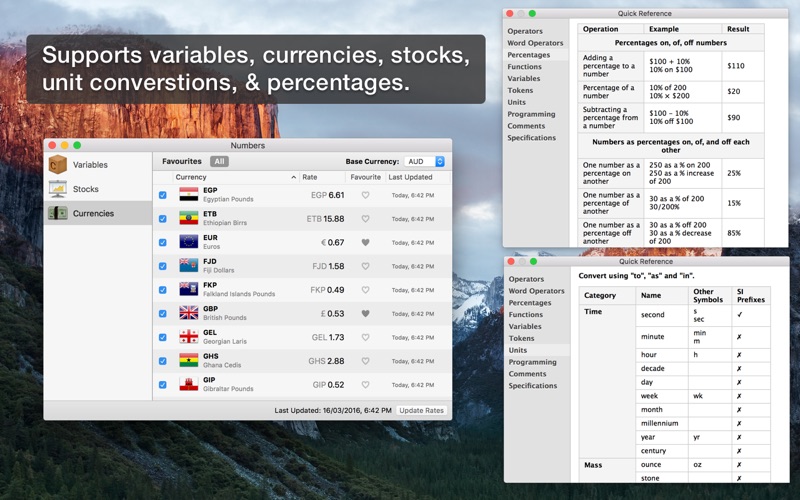
Performance

Rumpus is not only lightning quick, but it’s efficient, too. This means that FTP and Web users will be able to transfer and manage files as fast as the network allows, while leaving plenty of CPU time for other applications running on your server or desktop Mac.

Ease Of Use And Maintenance

Rumpus is, quite simply, the easiest FTP server on the planet to set up and administer. From the setup assistant that fully prepares the server to accept users to the logically designed server management windows, Rumpus makes running an FTP server easy.


Web File Manager

In addition to offering an incredibly high-performance FTP server with unmatched ease of use, Rumpus also includes the Web File Manager. The Web File Manager makes it easy to provide FTP-like capabilities to anyone with a Web browser.

Simple User Management

FTP users are managed directly in Rumpus, not in the system, keeping your FTP users distinct from other server resources. Not only does Rumpus make managing users easy, but it gives you advanced controls like individual drop folders, access restrictions, usage limits, account history, and more. The single-window user management interface in Rumpus is also supplemented by Web-based administration, allowing you to define and manage user accounts from anywhere on the Internet.

A Real Mac Application

Rumpus runs natively on any Mac running OS X 10.5 or later. There’s no Java required and the memory footprint and CPU usage is tiny. You will also appreciate the comprehensive help pages and articles, that cover not only how to use Rumpus, but networking issues and the general FTP information you need when you have questions.

Professional Technical Support

Maxum has been selling Internet server software for Macs longer than anybody (including Apple!). When you have a question, we’re here to help. We believe that you have a right to get the most out of the software you buy, always. So, we offer unlimited, free technical support.

Features:
  • Easy-to-administer user accounts
  • Integrated Web file transfers
  • File upload notification
  • Extensive security options
  • Blazing performance
  • Remote-server activity monitor
  • Rumpus FileWatch
  • Server-statistics widget
  • RumpusStat

Installation: Register as you like, once done, you must re-launch Rumpus

Compatibility: OS X 10.6 or later

Developer Website

What’s New in Rumpus PRO 8.2.7

Corrected:
  • A problem displaying thumbnail images of files with a number sign (“#”) in the file name
  • A problem with some drop shipment pickups that require a password. Files uploaded via Tether will now be deleted as expected when file expiration is enabled
  • A problem that caused drop shipments sent via Tether by Open Directory authenticated users to fail

Screenshots

Name Rumpus Pro 8.2.7.zip
Size 33.17 MB
Created on 2019-08-23 22:38:54
Hash bee290acbda9e07f4bc1b7140843aa5175ac18e1
Files Rumpus Pro 8.2.7.zip (33.17 MB)

Download

InfoClick 1.2.5


Download


InfoClick 1.2.5

is designed to be used with Apple’s Mail application to navigate through your emails to see the words, contacts, and information within. InfoClick knows precisely what words you’ve used, so there’s no guessing; it offers a guided process of progressively narrowing down the matches in a series of simple choices. That means you can’t ever produce a search with zero matches. For example, when you’re searching for all emails containing a particular word, InfoClick would show the completions “connection”, “connexion”, and (the misspelled) “connecsion”, if you’d actually used those words in your emails.

offers additional features to make searching your emails easier. To see all emails received from educational organizations in the US, simply type .edu in the From field. With a single click, you can narrow-down your search to only those emails that had an attachment, and/or those received in a given date range, and/or those that contain specific words. You can choose, as alternatives, all displayed word spellings used in the emails, so you don’t miss an email because of spelling errors.

also offers a note editor, allowing you to collect and organize links to emails, files, Web pages, and other URLs (notes are completely searchable).

Developer Website

Mac App Store

What’s New in InfoClick 1.2.5

  • Added: Dark Mode.
  • Fixed: copying text from the email preview area can be slow.
  • Improved the warning shown at launch when two copies of InfoClick are running simultaneously.
  • Fixed: the Clear button should be enabled for partially entered text.
  • Prophylactic changes to try to prevent a few unreproducible crashes.

Screenshots


Name InfoClick_1.2.5_TNT.zip
Size 29.64 MB
Created on 2019-08-23 20:24:32
Hash 0dab8592a53582b44e38c759350bf90a9c40e751
Files InfoClick_1.2.5_TNT.zip (29.64 MB)

Download

Boom 3D 1.3.1

Download

Boom 3D 1.3.1

: The Best System-wide Volume Booster with 3D Surround Sound

Boom 3D is a system-wide volume booster and equalizer for Mac that delivers an unbelievably realistic and immersive listening experience with its magical 3D Surround Sound and futuristic technology.

It automagically boosts all audio and creates the perfect sound profile for your Mac. With a sleek and intuitive interface, an extensive assortment of presets, an option to control the volumes of individual applications centrally and a wireless control (Boom Remote), Boom 3D gives you full control over the audio coming out of your Mac.

3D Surround Sound-

The app comes with a patent-pending 3D Surround Sound technology that offers a mind-blowing and immersive virtual surround sound that can be experienced on ANY headphones! You will be transported into your story while the audio will flow all around you with incredible realism. It adds an extraordinary sense of depth to even the feeble notes making them BOOM with 3D!

Volume booster-

Boom 3D acts as a volume booster for Mac that takes audio levels up to deliver an enhanced audio experience. This works system-wide so that your entire Mac OS X machine produces louder, better and enhanced volume all the time!

Advanced Audio Player-

Knowing the desires of Audiophiles, Boom 3D comes with a full-fledged audio player that allows you to organize your favorite tracks into playlists and enjoy the sensational studio quality sound, right on your Mac.

Equalizer Presets-

The app has been outfitted with the most advanced Equalizers that allow you to modulate your audio with just the slide of your finger. A vast array of presets has been carefully crafted to match the different genres of music so that you can simply dial into the audio to suit your moods.

20,000+ Radio Stations-

Boom 3D comes with Radio that gives you free access to more than 20,000 local and international Radio stations across 120 countries!

Apps Volume Controller-

Do you want some apps to be mute and other with a high volume? Boom 3D has an intelligent approach when it comes to controlling individual application volumes. The app has been fortified with an Application Level Volume Control that lets you control your volume centrally without the need of opening individual applications.

Controlled Boost-

Don’t worry about cranking up the volume high on your system speakers as Boom 3D comes with Controlled Boost feature that helps you adjust the boost while keeping it in the perfect range.

Intensity Slider-

It offers full control over the audio output and allows you to adjust the Bass and Treble. Shove it up or bring it down until you spot your optimum level.

Audio Effects-

To yield a complete listening experience, Boom 3D brings in amazing audio effects that that can radically transform any kind of audio by adding an intense, unique effect and a completely new perspective.

Wireless Control-

Access Boom 3D features from anywhere within your house or at work with the ‘Boom Remote’ installed on your iPhone and iPad. Control Boom 3D, your Mac’s default volume level, and the playback controls of Spotify, VLC, QuickTime, and iTunes!

If you want to convert your Mac into an entertainment powerhouse for videos, music, movies or games, Boom 3D is a must-have!

Note: Boom 3D may not work when AirPlay and FaceTime are enabled or running on your Mac.

Compatibility: OS X 10.10.3 or later, 64-bit processor

Developer Website

Mac App Store

What’s New in Boom 3D 1.3.1

  • With Hi-Res audio support in 3D, the new update reveals an extraordinary level of details of music or audio from movies in virtual 3D space and creating a stunningly immersive music or movie watching or game play experience on Mac. Its built-in audio player now supports all Hi-Res audio formats like ALAC, AIFF, AAC, FLAC, WAV, DSD, etc.
  • Defect fixes

Screenshots

Name Boom_3D_1.3.1_MAS.zip
Size 57.85 MB
Created on 2019-08-23 18:01:29
Hash 82ef7fa46caae378a502a749b49f3a0fd1fce2de
Files Boom_3D_1.3.1_MAS.zip (57.85 MB)

Download

Torrents Download Apple,Mac Osx,Apps ,Software

Exit mobile version