App Tamer 2.4.8


Download App Tamer 2.4.8

App Tamer tames your processor-monopolizing apps and keeps them from chewing up excessive CPU time and battery life. Powered by a unique AutoStop feature, App Tamer stops each application when you switch away from it — when you return to that app, it restarts automatically!

App Tamer is built around an attractive and clear user interface, designed for managing all your running applications with minimum distraction or frustration. With helpful displays, you can monitor the average percentage of your processor(s) being used by each app, or access a graphical history or your CPU usage. Easily enable AutoStop for any application, or limit it to a certain amount of CPU time.

Don’t waste time trying to manage CPU usage on an app-by-app basis — liberate your Mac with App Tamer!

Information

CompatibilityOS X 10.9 or later 64 bit
LanguagesEnglish

What’s New in App Tamer 2.4.8

  • Added support for Google Chrome Apps.
  • Added support for the new Apple Music app in Catalina.
  • App Tamer’s “Managed Processes” display now shows processes whose priority has been changed, in addition to those that are set to be stopped or slowed in the background. Note that you can change a process’ priority by holding down the Option key when clicking on it in App Tamer’s process list.
  • Fixed a bug that could result in App Tamer not starting up correctly if you Fast-User-Switch to a different account and then restart your Mac.
  • Corrected a problem in which certain system processes would not be correctly slowed down after waking from sleep.
  • A bug has been fixed that could leave App Tamer’s process control disabled after the Mac wakes from sleep.

Screenshots


Name App Tamer 2.4.8 [TNT] mac-torrents.net.zip
Size 23.28 MB
Created on 2019-09-30 15:40:34
Hash f3b8fd4eac08f85ec4948b2bdbd059909c198718
Files App Tamer 2.4.8 [TNT] mac-torrents.net.zip (23.28 MB)

Download

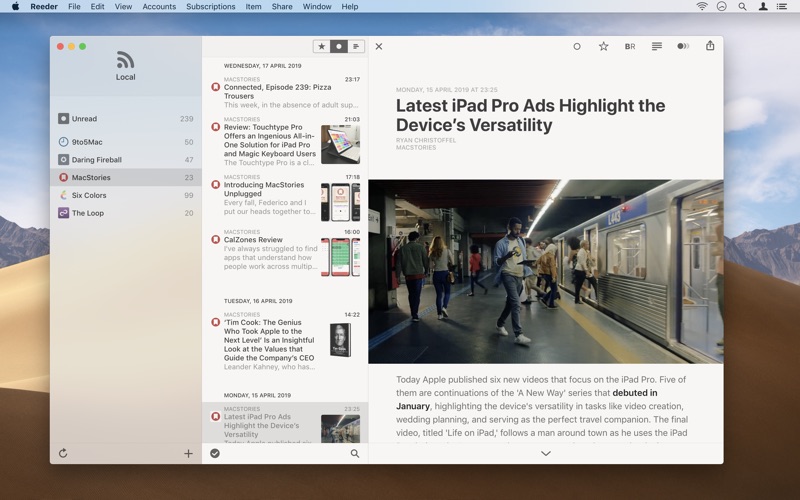
Reeder 4.1.4


Download Reeder 4.1.4

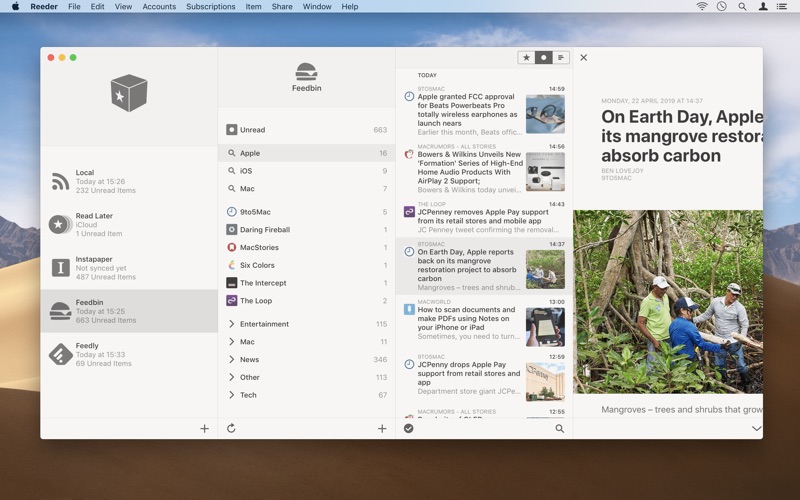
– A news reader for the Mac with support for various sync services.

Reeder 4 adds new features like…

  • The new Bionic Reading mode
  • An in-app Read Later service which syncs with iCloud
  • Image previews in the articles list (finally)
  • An image viewer
  • Much improved article viewer
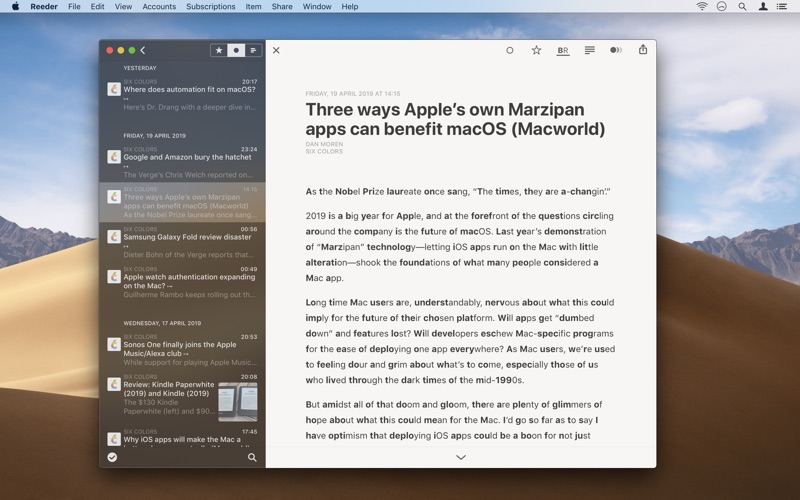
  • More layout options, including automatic layout depending on window size
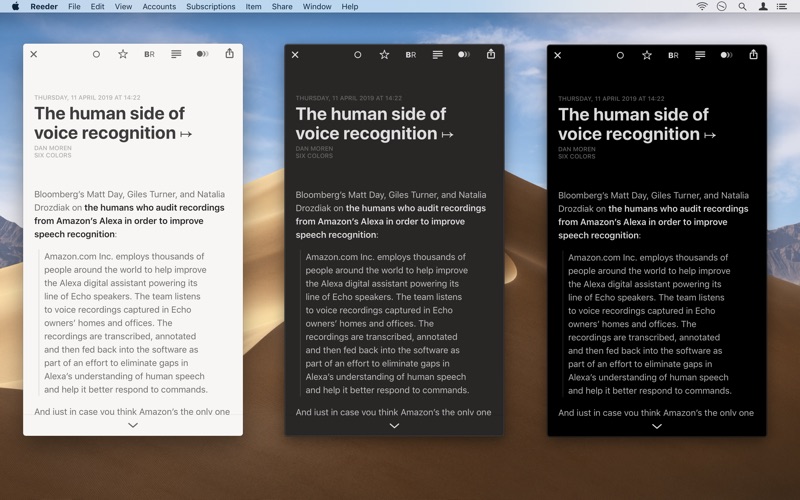
  • Improved reader view

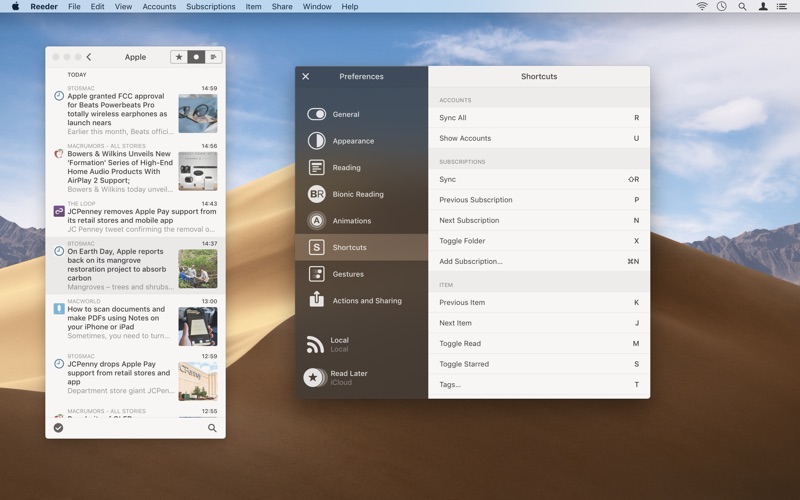
Navigate the app using gestures for a great reading experience. Customize shortcuts and gestures to fine-tune the app to your needs.

Supported sync services:

  • Feedbin
  • Feedly
  • Feed Wrangler
  • FeedHQ
  • NewsBlur
  • The Old Reader
  • Inoreader
  • BazQux Reader
  • Instapaper
  • Pocket

If you want to use a self-hosted service, Reeder should work with services which use the Fever or the Google Reader API. Or just standalone RSS (without syncing) if you don’t want to use any service.

Reeder 4 is also available for iOS.

Information

CompatibilityOS X 10.14 or later, 64-bit processor
LanguagesEnglish

What’s New in Reeder 4.1.4

FIXED:

  • Some article viewer layout issues
  • Fever sync issues (again)
  • Crash when toggling “sharing only” option for Pocket or Instapaper

Note:

Version 4.1.3 added a bugfix/workaround for a crash on launch. Although this addresses the issue most of the times, there seem to be very few cases where it doesn’t work since Reeder’s underlying database file is corrupted. Unfortunately, as of now, I don’t have a fix for this. With this update (4.1.4), Reeder will now recreate the database file in these cases (and renaming the corrupted file) which means you’ll have to add your accounts again.

Starting with 4.1.4, Reeder will now regularly backup your account information (to a local file which won’t be affected from a corrupted database file) to be able to better recover from such errors in the future. Extending this to include more data in the backup (mostly for local RSS accounts) is planned for future updates.

Screenshots


Name Reeder 4.1.4 MAS [TNT] mac-torrents.net.zip
Size 22.25 MB
Created on 2019-09-30 13:37:27
Hash 33617acbfcb52662bb06f169f1174b14a0a48b04
Files Reeder 4.1.4 MAS [TNT] mac-torrents.net.zip (22.25 MB)

Download

Doo – Get Things Done 2.3.3


Download Doo – Get Things Done 2.3.3

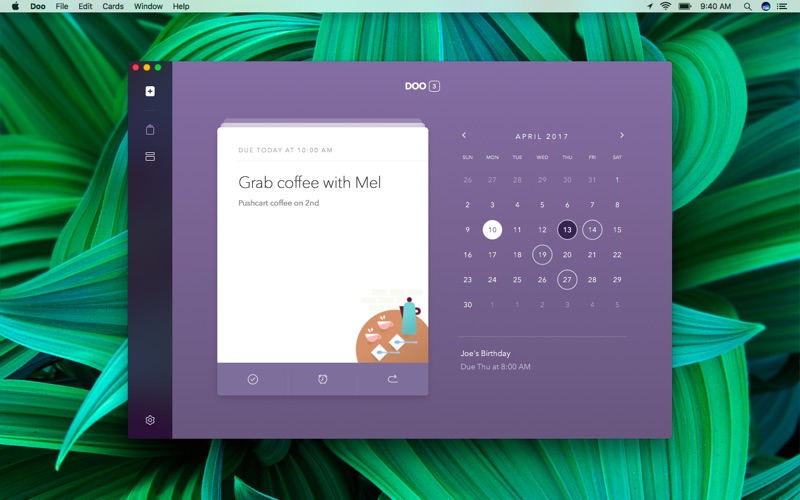
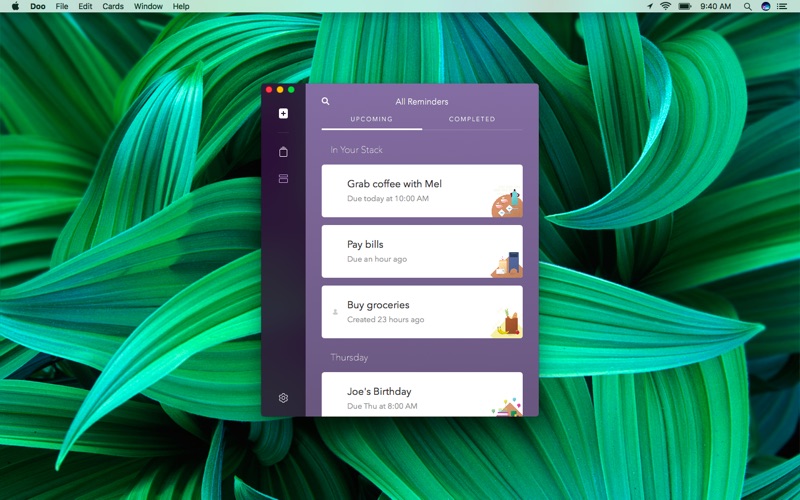
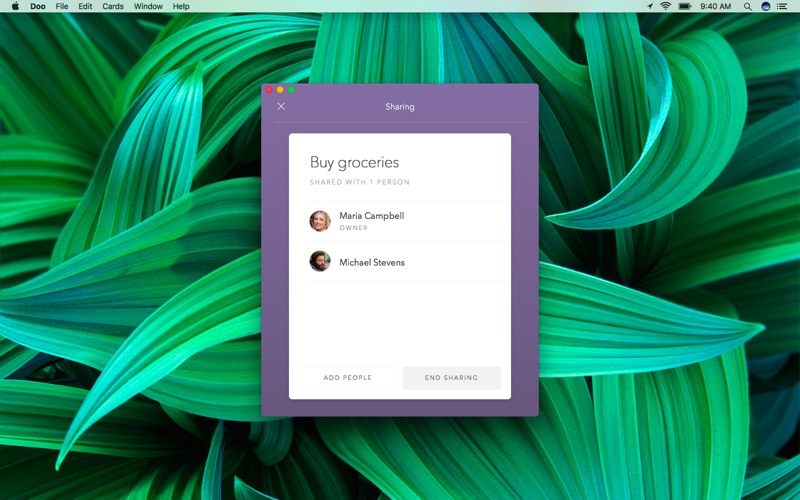
Doo lets you turn your reminders into cards that help you focus and teach you better habits. Work small to achieve big.

FEATURE HIGHLIGHTS

  • Improve your focus with a unique, card-based interface
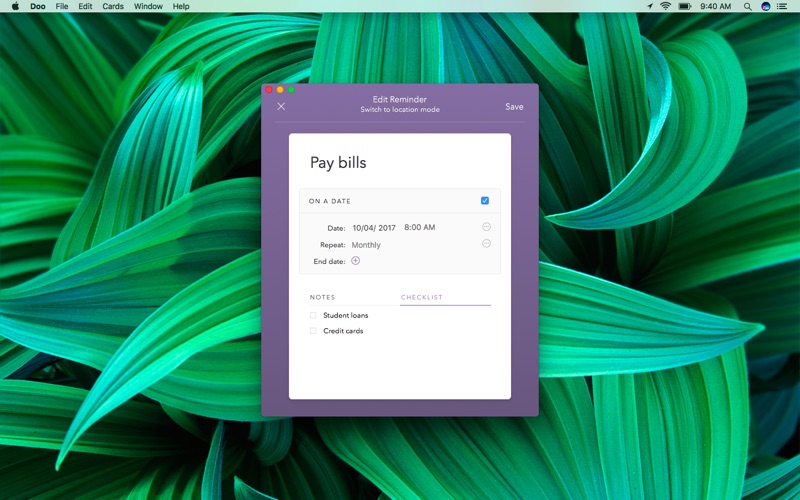
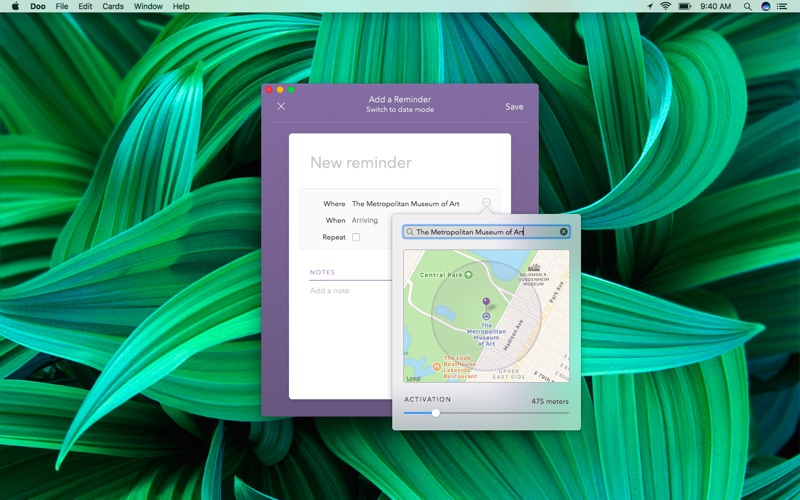
  • Create open-ended, date-based, or location-based reminders
  • Stay engaged with a delightful user experience
  • Collaborate on tasks with other Doo users (requires iCloud)
  • Create checklists that stay out of your way until you need them
  • Get repeating alerts if you ignore any notifications
  • Schedule tasks with custom intervals and early alerts
  • Toggle notifications on a per-reminder basis
  • Sync with iCloud across iOS and Mac devices
  • Set your preferred morning and evening hours for smarter scheduling and snooze
  • Create to-dos from within other apps using the share extension
  • Sort your cards from the list view to speed through your day
  • Customize your default snooze duration
  • Enjoy Doo with full accessibility support, including VoiceOver and keyboard shortcuts
  • Run Doo from the dock or menu bar

Get Doo and get things done!

Information

CompatibilityOS X 10.10 or later, 64-bit processor
LanguagesEnglish, French, German, Italian, Japanese, Portuguese, Simplified Chinese, Spanish, Traditional Chinese

What’s New in Doo – Get Things Done 2.3.3

Bug fixes

Screenshots


Name Doo v2.3.3 MAS mac-torrents.net.zip
Size 10.86 MB
Created on 2019-09-30 13:37:35
Hash a2e72ca0718bdc7447f67e37f1f82f606f52b0dc
Files Doo v2.3.3 MAS mac-torrents.net.zip (10.86 MB)

Download

HDRsoft Photomatix Pro 6.1.3


Download HDRsoft Photomatix Pro 6.1.3

Photomatix Pro merges photographs taken at varying exposure levels into a single HDR image that reveals both highlight and shadow details, with options for automatically aligning hand-held photographs, removing ghosts, and reducing noise and chromatic aberrations. Merged images can then be adjusted by a range of options and settings to get the look that users want — from natural-looking results using exposure fusion to painterly, surreal or ultra-realistic images using the tone mapping mode.

  • Merge to HDR, Tone Mapping and Exposure Fusion
  • Automatic Alignment of handheld photos
  • Automatic Ghost Removal and Selective Deghosting tool
  • Options for real estate photography
  • Automation with Batch Processing
Benefits for professional photographers:
  • Saving on lighting equipment. No need to acquire expensive lighting equipment and carry it when you shoot high contrast scenes. Just enable the Auto Exposure Bracketing feature of your camera, and let Photomatix merge your photos into an image with extended dynamic range.
  • Great pictures on cloudy days. Shadowless hazy sunlight or an overcast sky usually results in dulllooking photographs. The tone mapping tool of Photomatix can turn them into greatlooking images. Check out this image as an example.
  • Saving time in postprocessing. Photomatix Pro is designed for productivity — automatic blending, unlimited stacking, easy comparison of results and batch processing save hours of masking and layers work in image editing programs.
  • Well exposed panoramas. A panoramic scene is almost always a high contrast scene — you can’t limit your view to areas with the same brightness when shooting a 360° panorama. By taking views under several exposures and processing them in Photomatix Pro, you can create a panorama that will show details in both the dark and bright areas of the scene. Photomatix Pro offers both exposure fusion (also known as exposure blending) and HDR tone mapping.
HDRsoft Photomatix Pro 6.0

New Rendering Method for Realistic Look
Tone Balancer is a new Tone Mapping HDR rendering method which is good for realistic-looking results. It is well suited to real estate photographers and natural style landscape photographers who want more realistic style options.

Individual Color Adjustments

A new color adjustment tool, built right into the HDR Rendering panel, allows you to change the hue, saturation and brightness of individual colors in your image, which is particularly useful for fixing color casts.

Brush Tool

Make adjustments to just part of your image using the brush tool. Select the changes to color or brightness that you want, and paint over the area you want to affect. You can also use the brush to blend areas with one of the source photos and select multiple effects for different parts of the image.

Blending

For a more realistic look, you can now blend the HDR rendered image with one of the original photos. Change the opacity to get a larger or smaller influence on the end result.

Straightening Tool

Correct the horizon in your image if it’s not level, or when vertical things like walls or buildings don’t look vertical. The tool is part of the Finishing Touch palette.

More Intuitive Workflow

Whether you are working with a single image, or a bracketed set of photos, a more intuitive workflow makes it easier to load and choose images and proceed through to editing.

Information

CompatibilityRequirementsIntel OS X 10.6 or later
LanguagesEnglish

What’s New in HDRsoft Photomatix Pro 6.1.3

  • Release notes not available at the time of this post.

Screenshots


Name HDRsoft Photomatix Pro 6.1.3 mac-torrents.net.zip
Size 25.67 MB
Created on 2019-09-30 03:03:58
Hash 8ba9b1248b208e6bc04ff7f926d9147477f87cc9
Files HDRsoft Photomatix Pro 6.1.3 mac-torrents.net.zip (25.67 MB)

Download

Photos Exif Editor 2.11


Download Photos Exif Editor 2.11

Photos EXIF Editor is an intuitive app which can edit EXIF, IPTC & XMP data of thousands of photos in no time!

Here are a few reasons which make it a MUST HAVE tool for your Mac:
  • Reads & writes EXIF, GPS, IPTC, XMP metadata and more…
  • Supports various common image formats including RAW format
  • Deletes metadata individually or of selected batch of photos
  • Sets photo modification/original datetime from EXIF information
  • Automatically creates back up of the original metadata of the photo when writing
  • Flexibility to create Presets of repetitive metadata to speed up processing
Photos EXIF Editor supports full read/write of the following image file formats:
  • .MOS Leaf Digital Camera RAW image
  • .CR2 Canon Digital Camera RAW image
  • .FFF Imacon Digital Camera RAW image
  • .DNG Leica Digital Camera RAW image
  • .NEF Nikon Digital Camera Raw Image
  • .NEF Nikon Digital Camera Raw Image
  • .NRW Nikon Digital Camera Raw Image ***
  • .PEF Pentax Digital Camera Raw Image **
  • .DNG Pentax Digital Camera Raw Image **
  • .DNG Ricoh Digital Camera RAW Image
  • .SR2 Sony Digital Camera Raw Image **
  • .SRF Sony Digital Camera Raw Image (Cyber Shot) **
  • .DNG Lumia 1020
  • .DNG One Plus One
  • .PSD Photoshop Document
  • .JP2 JPEG2000 JP2 File Format Syntax ***
  • .JPEG Joint Photographic Experts Group JFIF format
  • .JPG Joint Photographic Experts Group JFIF format
  • .PNG Portable Network Graphics
  • .TIF Tagged Image File Format
  • .TIFF Tagged Image File Format

Note:
***: Data of Original date time tag will not be changed
**: Data of Camera model tag will not be changed

Supported Tags:
  • EXIF: Artist, Image Description, Copyright, Software, User Comment, Camera Make, Model, Owner Name, Serial Number, Date/Time Original, Creation Date, Modify Date, ISO, F Number, Focal Length, Focal Length In 35mm Format, Flash, Orientation, Exposure Mode, Exposure Program, Exposure Time, Metering Mode, Scene Capture Type, White Balance, Saturation, Sensing Method, Sharpness, Subject Distance Range, Lens Make (as per app’s standards), Lens Model(as per app’s standards), Lens Serial Number (as per app’s standards)
  • GPS: Latitude, LatitudeRef, Longitude, LongitudeRef, Altitude, AltitudeRef
  • IPTC: Author Byline, BylineTitle, Copyright Notice, Headline, CaptionAbstract, WriterEditor, Object Name, Category, Supplemental Categories, Keywords, Sublocation, City, ProvinceState, CountryPrimary Location Name, CountryPrimary Location Code, Original Transmission Reference, SpecialInstructions, Credit, Source
  • XMP: Serial number, Lens, Create Date, Modify Date, Latitude, Longitude, Photoshop Date Created

Information

CompatibilityOS X 10.10 or later, 64-bit processor
LanguagesEnglish

What’s New in Photos Exif Editor 2.11

Minor bug fixes.

mas

Screenshots


Name Photos Exif Editor 2 11 MAS [TNT] mac-torrents.net.zip
Size 23.45 MB
Created on 2019-09-30 01:55:40
Hash 7a798082a20be744eb187a4990fe7fa64fcc54f0
Files Photos Exif Editor 2 11 MAS [TNT] mac-torrents.net.zip (23.45 MB)

Download

Mybrushes 2.1.6


Download Mybrushes 2.1.6

MyBrushes is an unique, INFINITE canvas drawing tool. Packed with an ultimate fast paint engine, professional-grade perspective paint tool lets you focus on drawing. Pen pressure are well supported.

The wonderful paint tool features highlights: 窶ィ

– Layering system: 窶ィ

  • Unlimited layers ( yes, even every layer is UNLIMITED size! ).
  • Create, delete and re-order layers.
  • Duplicate and clear a layer.
  • Copy and paste layers.
  • Support Layer’s Translation, Rotation, Scaling.

窶ィ

– Unique Paint Studio for Mac: 窶ィ

  • INFINITE canvas size.
  • Record and Playback your drawing. Previous drawing and undo actions were saved. You can enjoy it or re-edit it during the playback.
  • Powerful Mac paint engine to support fast drawing, smooth and responsive painting (precision & performance).

窶ィ

– Image Editing Studio for Mac:窶ィ

  • Text input.
  • Import images or photos from your devices and draw over the images.
  • Instant image processing.
  • Image alpha channel.
  • You can import lots of image formats to the Mac paint tool:
  • JPG,BMP,PNG,GIF,PDF,PSD,PNT,RGB,ARW,BMPF,CUR,CRW,CR2,DCR,DNG,EPSF,EPSI,EPI,EPS,
  • EXR,EFX,ERF,FPX,FPIX,FAX,FFF,GIFF,G3,HDR,ICNS,ICO,JP2,JFX,JFAX,JPE,JFIF,JPF,MPO,MAC,
  • MRW,MOS,NRW,NEF,ORF,PICT,PIC,PCT,PS,PNTG,PNGF,PEF,QTIF,QTI,RAW,RAF,RW2,RWL,
  • SR2,SRF,SRW,SGI,TRIC,TIFF,TGA,TARGA,TIF,XBM,3FR,8BPS

– Advanced Paint Brush System on Mac: 窶ィ

  • Continuous auto-save – never lose work again.
  • Pressure-sensitive could be adjusted.
  • 100 shapes high-quality natural paintbrushes: brush, pencil, pen, airbrush, watercolor brush, chalk, charcoal, neon pens, special effect pens…
  • Rapidly adjust the paintbrush size.
  • Preview the final effect of each paintbrush style.

窶ィ

  • – Simple and Powerful Drawing Interface: 窶ィ Undo / Redo function (Unlimited times !).

  • Eraser tool to correct possible mistakes.

窶ィ

– Illustration Artwork Gallery:

  • Export to image file. You can select to export artwork in a whole piece or divide huge artwork into several blocks without losing quality.
  • Share your paint artworks to facebook, twitter, email, and so on.
  • 50 kinds of background templates in template Library.

窶ィ

Information

CompatibilityOS X 10.10 or later, 64-bit processor
LanguagesEnglish

What’s New in Mybrushes 2.1.6

Perfect compatible with the latest version of Mac operating system.

Screenshots


Name Mybrushes 2 1 6 MAS [TNT] mac-torrents.net.zip
Size 22.07 MB
Created on 2019-09-30 01:55:51
Hash f679ef441ca91b554451eb7e68a3f8d18ee5984a
Files Mybrushes 2 1 6 MAS [TNT] mac-torrents.net.zip (22.07 MB)

Download

Duplicate Photos Fixer Pro 2.14


Download Duplicate Photos Fixer Pro 2.14

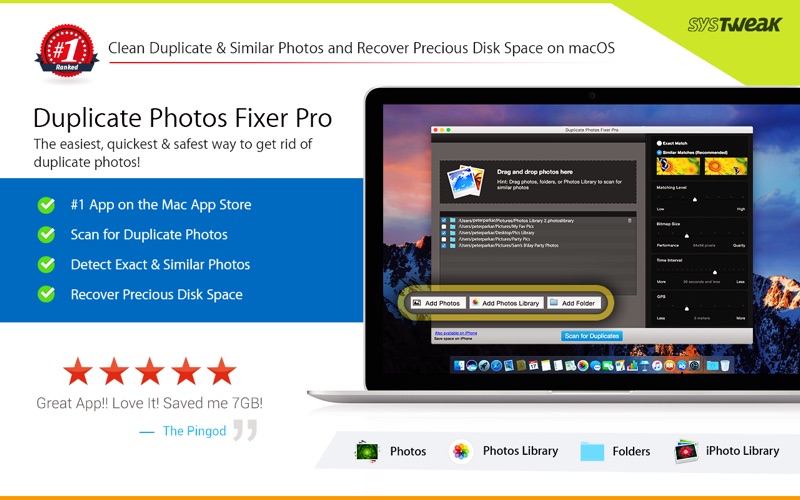
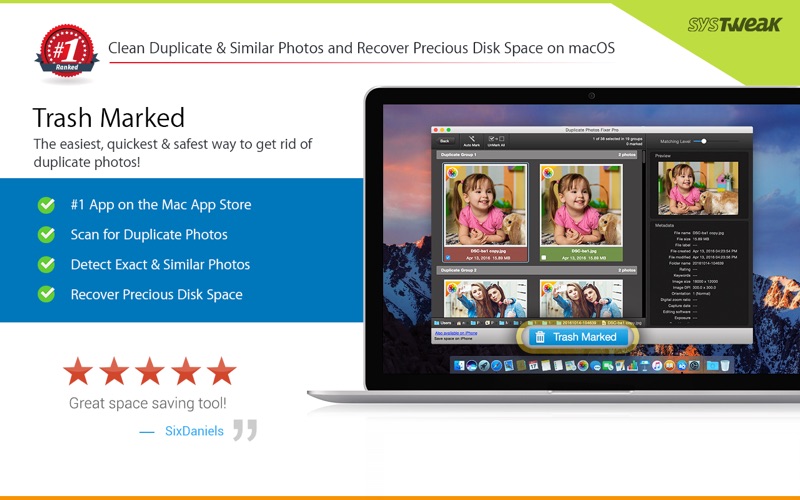
Duplicate Photos Fixer Pro is an ultimate photos fixing tool that smoothly scans and deletes duplicate or similar photos depending on the matching level you choose. This captivating tool works with photos from Photos and iPhoto, along with photos from external storage and your system’s hard drives as well. Free up ample of disk space by deleting a large number of similar and duplicate photos in just a click!

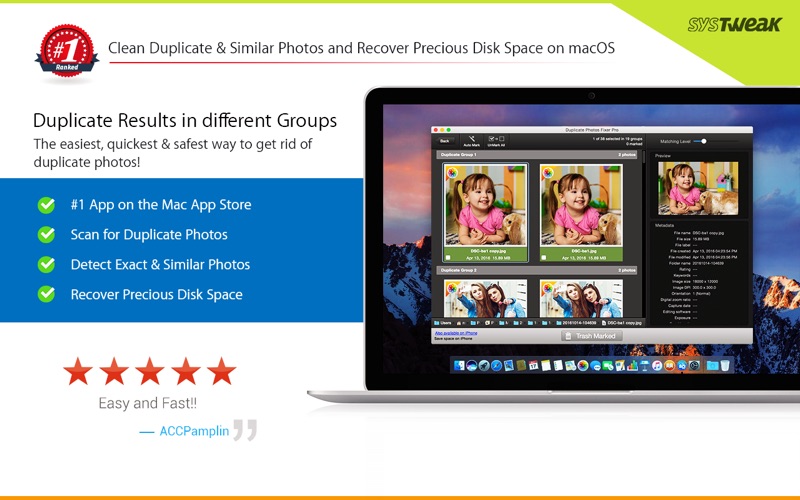
Duplicate Photos Fixer Pro works like a charm and has the ability to detect duplicate and similar photos wherein:

  • You click photos of the same scene in quick succession to capture the perfect shot
  • Your photos are scattered all over the system, external storage devices, Photos and iPhoto and hard drives
  • You clutter the system by creating backups of pictures and now want to remove the junk

Why use Duplicate Photos Fixer Pro?

Drag-and-Drop Folders/Photos

Simply drag and drop folders to easily scan for photos inside them. You can add more photos from your Photos and iPhoto library and other folders as well.

Custom Comparison Settings

You can fully customize your comparison settings out of the available methods by adjusting the settings according to your requirement, regardless of the image size or format.

Speed

Duplicate Photos Fixer Pro is extremely fast when it comes to scanning and comparing a large number of photos within seconds. This is due to the powerful algorithms injected during the development of this tool that make the search of duplicate photos extremely fast, giving excellent comparison results.

Efficiency / Real-time Results

Without re-comparing photos, you can re-group the comparison results by changing the matching level on the slider in real-time.

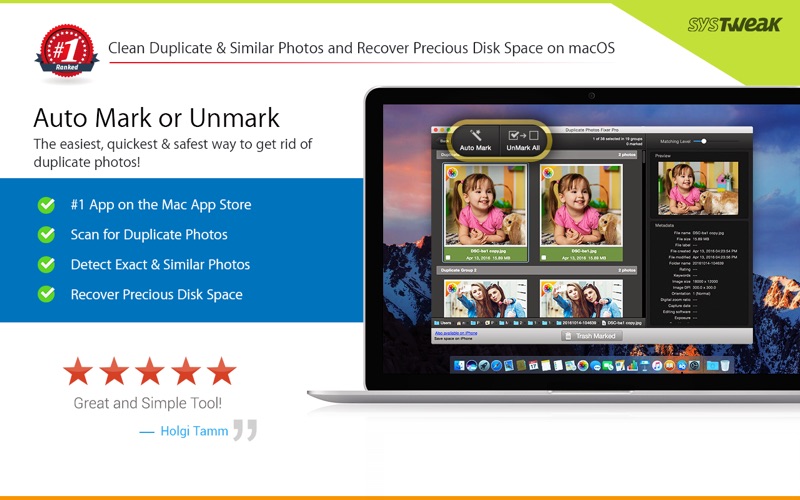
Auto-Mark Duplicates

Use the Auto-Mark feature to mark all duplicate photos in every group except one, depending upon the preferences.

Compact Viewing

The interface of Duplicate Photos Fixer Pro is designed in such a way that all occurrences of photos are classified into different groups and are viewed as large photos group in each line.

Quick Look

Before moving ahead and deleting photos, you can have a clear look at them instead of opening them individually, using this feature.

Information

Compatibility10.7 or later, 64-bit processor
LanguagesEnglish, French, German, Japanese

What’s New in Duplicate Photos Fixer Pro 2.14

Minor bug fixes.

Screenshots


Name Duplicate Photos Fixer Pro 2 14 MAS [TNT] mac-torrents.net.zip
Size 23.32 MB
Created on 2019-09-30 01:56:11
Hash c9d7d4a0c5180fc2539b5778ec371bb3acbfe2b2
Files Duplicate Photos Fixer Pro 2 14 MAS [TNT] mac-torrents.net.zip (23.32 MB)

Download

Synalyze It! Pro 1.23.4


Download Synalyze It! Pro 1.23.4

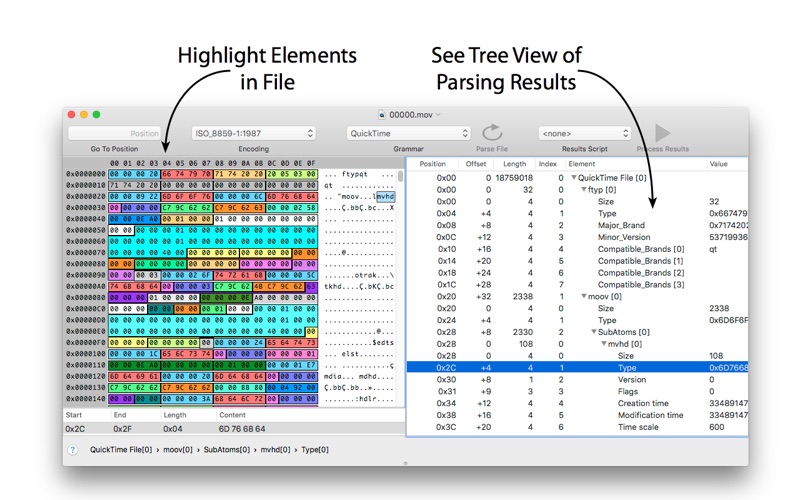
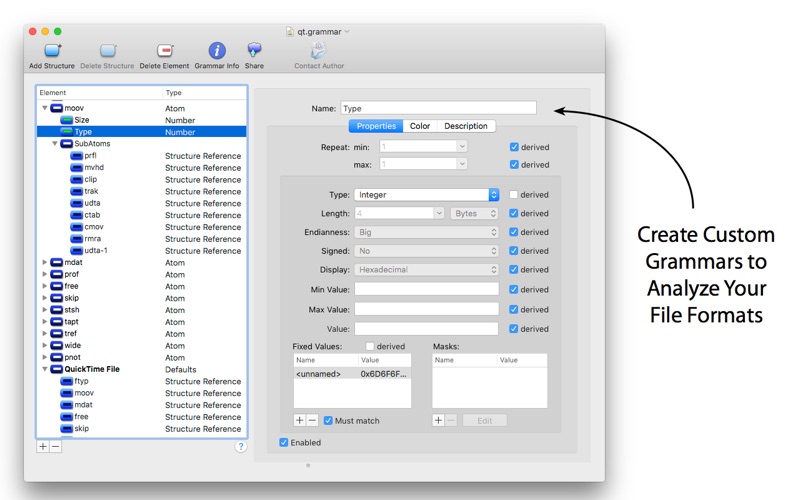
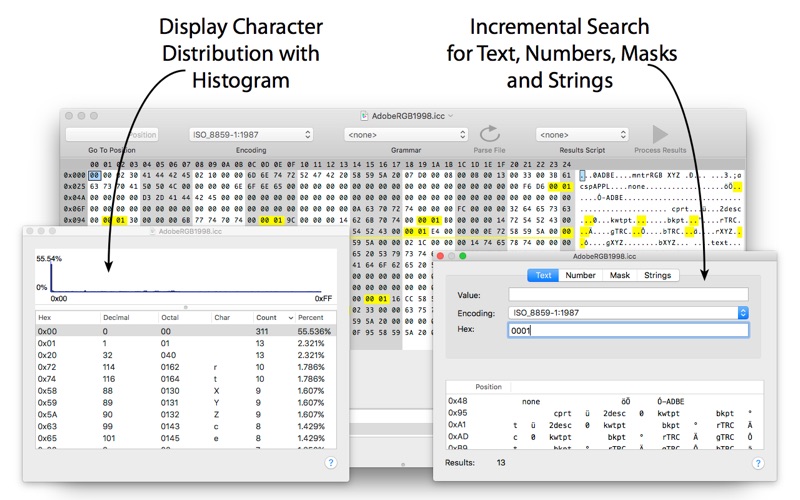
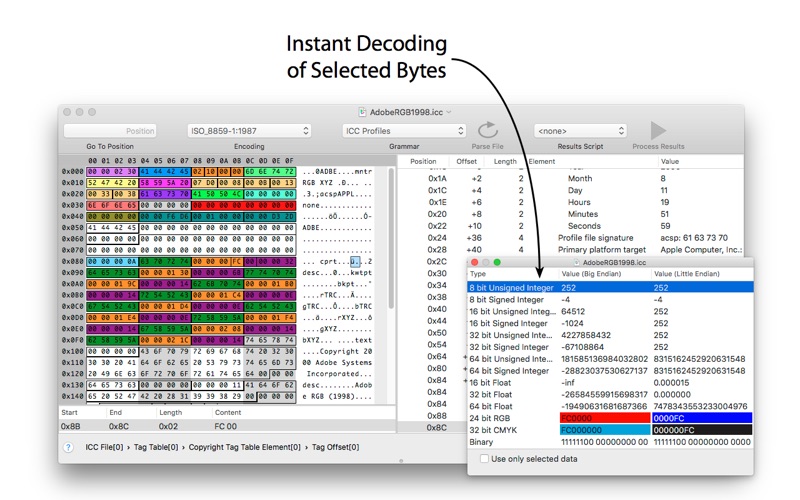
Synalyze It! Pro is a simple-to-use hex editor which will allow you to easily edit and analyze binary files of any size. It features enhanced support for many character encodings and enables you to interactively define “grammars” for various file formats to speed up analysis and reduce manual decoding of files. Incremental search for strings and numbers, printing and other features make it a quite powerful tool.

With Synalyze It! Pro you can

  • define a “grammar” that contains all the knowledge about a file format
  • decode files automatically using this grammar with the Universal Parsing Engine
  • make assumptions in unknown file formats and record them in a grammar
  • save tons of time by using free grammars for well-known file formats like ZIP, JPEG, PNG, ICC or OpenType
  • reveal the secrets of proprietary formats
  • learn reverse engineering of binary files
  • process the parsed file contents with Python or Lua scripts
  • analyze files with powerful features like histograms

Synalyze It! Pro is a real breakthrough in binary file analysis – a modeling tool for binary files.

And by the way: it’s a great hex editor, too  The Hex Editor you’ll love!

Here are some key features of Synalyze It! Pro:

  • Hex Editor & Viewer (change, insert and delete quickly in files of unlimited size)
  • Definition of a “grammar” for binary files with Scripting support – conserve your knowledge!
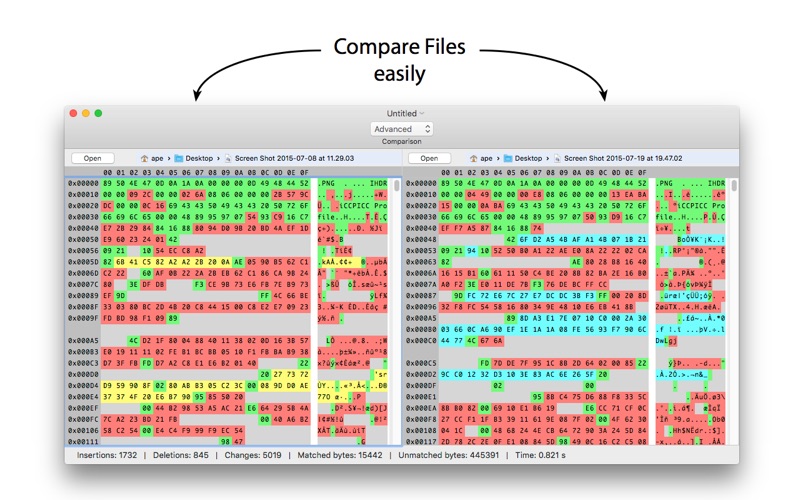
  • Comparison of binary files (only in this Pro version)
  • Automatic backup of edited files
  • Offers dozens of text encodings including UTF-16, UTF-8 or EBCDIC code pages
  • Scripting editor (only in this Pro version)
  • Automatic installation of existing grammars
  • Export of analysis to XML or text (only in this Pro version)
  • Export grammars to GraphViz (only in this Pro version)
  • Data view for common variable types (only in this Pro version)
  • Multi selection of results (only in this Pro version)
  • Go to position item in toolbar (only in this Pro version)
  • Python and Lua scripting element (only in this Pro version)
  • Edit description of structures and elements (only in this Pro version)
  • Change Font in hex view (only in this Pro version)
  • Customize all colors and other settings
  • Printing with correct pagination
  • Histogram view
  • Checksum / hash value panel (only in this Pro version)
  • Go to Position in file using expressions
  • Save selected bytes
  • Compare code pages
  • Incremental text search with encoding selection
  • Find text
  • Find numbers
  • Search for masks
  • See all strings in a file

Information

Compatibility10.9 or later, 64-bit processor
LanguagesEnglish, German

What’s New in Synalyze It! Pro 1.23.4

  • Release notes not available at the time of this post.

Screenshots


Name Synalyze It Pro 1.23.4 [TNT] mac-torrents.net.zip
Size 60.51 MB
Created on 2019-09-30 02:48:51
Hash b2e0903f8ac7d92dc483ac64d713d24d9b7c0c0d
Files Synalyze It Pro 1.23.4 [TNT] mac-torrents.net.zip (60.51 MB)

Download

Inertia Sound Systems Granulizer 2.1.0


Download Inertia Sound Systems Granulizer 2 v2.1.0

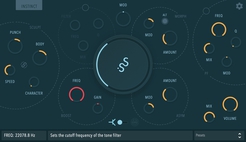
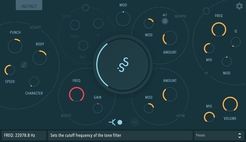
GRANULIZER 2 is a granular synthesis software synthesizer intended for creative sound design. It features a very versatile DSP engine that is able to deliver a wide sound palette, with sounds varying from metallic crunch and grainy fuzziness to smooth reverb-like tones, spectral widening or chaotic soundscapes.

Features

  • High quality audio engine that performs time-stretching, pitch-shifting, granular resynthesis and spectrum manipulation
  • Diffusion effect for wide droney sounds (think spectral reverb)
  • Spectral Shaping
  • Frequency shifter for atonal variations
  • Grain warping
  • Control over subtle randomization of certain internal parameters (“Magic” knob)
  • High quality diffusion delay effect for droney soundscapes
  • Waveform view with loop selection, zoom in / out
  • A portable and intuitive preset system
  • Explanatory on-screen tooltips on mouse hover over the parameters.
  • Minimal, clean UI

This is massive

Our greatest update yet. This has been in the making for over a year. It was created from the bottom up, to be used by musicians, sound designers and artists. We want you to be as free as possible when you’re in your creative zone.

Everything is Better

We implemented a newly designed, high quality granular engine with controls over grain size, density, speed, grain envelope shape, pitch, and timing randomization.

You are now able to sync to host option for the delay time parameter and the grain speed.

The Interactive waveform viewer has zoom in/out and loop selection capabilities.

Follow the Grain

GRANULIZER 2 boasts a grain warping module, featuring a feedback modulation scheme, with controls for smear, smooth and depth, that provides with atonal variations or perceptually acts as a second oscillator.

The Grain FX module has spectral processing per grain, manipulating grain sharpness / shape, spread, and frequency shift.

The HIVE

The HIVE section of GRANULIZER 2 is a high quality diffusion delay featuring zero delay feedback analog modeled filters with subtle soft saturation, infinite feedback, control over diffusion amount, size, and more.

The Preset System

GRANULIZER 2 comes with custom built presets, with sounds ranging from ambience, drones, glitches and synths. You can create your own from scratch or build upon the ones that already included. The possibilities are endless.

Information

CompatibilitymacOS 10.12 – 10.14AU / VST & VST3 64 bit
LanguagesEnglish
Web Site


Name Inertia Sound Systems Granulizer 2 v2.1.0 mac-torrents.net.zip
Size 159.4 MB
Created on 2019-09-30 02:02:54
Hash 0faa51c4beeb3c923afb29f2c86a6071f64d1f68
Files Inertia Sound Systems Granulizer 2 v2.1.0 mac-torrents.net.zip (159.4 MB)

Download

Inertia Sound Systems Instinct v1.0.0


Download Inertia Sound Systems Instinct v1.0.0

A Living Organism of Drive, Dynamics and Tone. Instinct is not just another distortion, dynamics processing, or tone shaping audio engine. It is a sonic monster that can create new worlds from the sound you feed it with, varying from smooth analog warmth or dynamics processing to total destruction, aggressiveness and alienation.

Features

  • High quality, Transistor and Tube models.
  • Versatile signal flow, with one or two drive circuits in series.
  • VA Resonant Filters
  • A wide response transient shaper “SCULPT” with optional external sidechain.
  • Morph across circuit models and circuit model parameters.
  • Transparent high quality Boost Filter.
  • High quality resampling.

Buttery Smooth

INSTINCT can deliver results that vary from smooth saturation or mild dynamics processing, to extremely distorted and noisy breathing sounds, with wide dynamics and a very rich frequency spectrum.

High quality, Transistor and Tube models

That can be tweaked, interchanged and modulated in depth.

A wide response transient shaper “SCULPT”

This is the modulation source that pumps the heart on INSTINCT. With controls over time response and character, it can modulate many circuit parameters, achieving unique dynamics and distortion shaping. SCULPT is able to operate on auxiliary buffers as it supports external sidechain.

VA Resonant Filters

High quality zero delay feedback analog modeled drive and tone filters, with internal saturation, and self oscillation.

Versatile signal flow

INSTINCT provides a lot of freedom regarding which modules are active or inactive. This creates different signal flow choices with different character and a wide sound result palette.

Morph

Models, and model parameters can be smoothly tweaked.

High quality Resampling

With band limited sinc interpolation. Operating at 4x or 8x oversampling for pristine sound.

Preset System

INSTINCT comes with many built in presets varying from smooth warm dynamics and drive to more creative / wild / noisy ones. These can be a good starting point both for mixing and sound design.

Information

CompatibilitymacOS 10.12 – 10.14: AU / VST & VST3 64 bit
LanguagesEnglish
Web Site


Name Inertia Sound Systems Instinct v1.0.0 mac-torrents.net.zip
Size 14.11 MB
Created on 2019-09-30 01:56:00
Hash ec015b7beac277413fb18fc88bfc2afaf01c4d4d
Files Inertia Sound Systems Instinct v1.0.0 mac-torrents.net.zip (14.11 MB)

Download

Ripple Edit 1.1.2 for After Effects


Download Ripple Edit 1.1.2 for After Effects

Ripple Edit brings Premiere inspired editing tools into After Effects for your editing needs.

Ripple Edit brings in a suite of editing tools to After Effects inspired by premieres editing power. Whether you need to delete a layer, and don’t want to manually reposition your layers, or you need to trim or expand a layer and don’t want to spend the time moving layers around your comp, Ripple Edit is a must have for anyone using After Effects.

Features:

In Point will push the in point in the selected layer(s) in by one, shifting everything to the right on the timeline (including the layer) to the left by one frame

Holding shift will do the same, but with 10 frames instead

Holding Alt will push the in point out instead of in, shifitng layer right instead of left

Close Gap

Close gap will merge two or more layers, removing the gap between them
Holding Alt will only work when one layer is selected, it works much like the ripple delete on an empty space in premiere, shifting all layers right of the layer left until the selected layer has no gap

Delete has only one function, it will delete the selected layer(s) shifting all layers to the right the amount needed to make sure no gaps are left.

Active Time

Working much like using alt + [ Active Time will set the in point of your selected layer(s) to the current point in the timeline, however it will also shift all layers to the right left to match
Holding Alt will set the out point instead of the inpoint
To Comp
This tool sets the selected layer(s) in and out points to the edges of the comp or the limits of the layer
Holding Alt will set the comp start and length to the bounds of the selected layer(s)

Out Point

This is almost identical to In Point except it works on the out point of selected layer(s), pull the out point left by one, shifting all layers to the right
Holding shift will do the same, but with 10 frames instead
Holding alt will push the out point out instead of in, shifting layers to the right instead of left

Information

CompatibilityAfter Effects CC 2019, CC 2018, CC 2017, CC 2015.3, CC 2015, CC 2014
LanguagesEnglish
Web SiteDesign Assets    By


Name Aescripts Ripple Edit 1.1.2 for After Effects mac-torrents.net.zip
Size 5.42 MB
Created on 2019-09-30 01:56:35
Hash e8ba656a101359ee287cd9276345463719882a65
Files Aescripts Ripple Edit 1.1.2 for After Effects mac-torrents.net.zip (5.42 MB)

Download

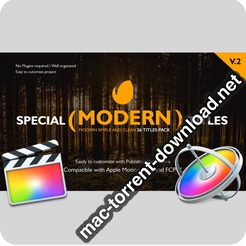
Special Modern Titles Pack for FCPX


Descriptions for Videohive Special Modern Titles Pack for FCPX 20708205

  • New Update:10 Titles Added
  • NOW AVAILABLE also for FINAL CUT PRO !!!
  • Easily to customize with Published Parameters: Position on Screen Color Control, Text Control, Duration Control, Shape and Line Controls, Drop Shadow and others.
  • Compatible with and
  • 6 Video tutorial included (Full HD) – Showing step by step.
  • No plug-ins required
  • All scenes have different animations
  • Very Fast Render and Well Organized
  • Included in Video Preview
  • Links to download the font included in the package
Project name Special Modern Titles Pack for FCPX
Specific Official Information and Features Videohive 20708205
Last Update 30 November 18
Created 29 September 17
Requires Plugins No
Software Version ,
Resolution Resizable
File Size 294.3 MB

Screenshots


Name VH Special Modern Titles Pack for FCPX 20708205 mac-torrents.net.zip
Size 294.3 MB
Created on 2019-09-29 20:41:11
Hash 428af1b60cb312bc3f6aba8162fe1b76fb8bd3d4
Files VH Special Modern Titles Pack for FCPX 20708205 mac-torrents.net.zip (294.3 MB)

Download

Capture One Natural Styles – Creative Collection


Descriptions for Capture One Natural Styles – Creative Collection

A set of different creative looks for general purpose application. The looks are still natural looking in terms of contrast, color and skintones but give it a more distinct effect as compared to the natural collection to make the photograph pop.

WHAT’S IN THE PACK?

  • Mocca on Ice
  • Phoenix from the Ashes *
  • Cake by the Ocean
  • Venice Bleach *
  • Fresh Mint Infusion *
  • Coco de Mer *
  • Wild Aloha
  • Melodic Maze *
  • Watercolor Play
  • Sparkling Splash

*Part of the Light Bundle and Pro Bundle.

All Filters of this collection are part of the Ultimate Bundle.

Check out how to use and install the styles here.

Developer Website

Screenshots


Name Capture One Natural Styles – Creative Collection mac-torrents.net.rar
Size 1.62 MB
Created on 2019-09-29 19:54:16
Hash 75e003692a422ecf8fbfc53c602a43a5b2d8d03e
Files Capture One Natural Styles – Creative Collection mac-torrents.net.rar (1.62 MB)

Download

Capture One Natural Styles – Natural Collection


Descriptions for Capture One Natural Styles – Natural Collection

Very natural looking styles that are quite subtle and only enhance the photos in terms of color and contrast rather than overedit them.

WHAT’S IN THE PACK?

  • Gingerbread Latte *
  • Coral Reef
  • Tonal Harmony *
  • Color Connexion *
  • Golden Gate *
  • Sans Souci
  • Orange Blossom
  • Neutral Density
  • Terra Cotta
  • Pastel Paint *

*Part of the Light Bundle and Pro Bundle.

All Filters of this collection are part of the Ultimate Bundle.

Check out how to use and install the styles here.

Developer Website

Screenshots


Name Capture One Natural Styles – Natural Collection mac-torrents.net.rar
Size 1.62 MB
Created on 2019-09-29 19:54:07
Hash 0a29870efe71bae104e33b52a30ec6054653cf14
Files Capture One Natural Styles – Natural Collection mac-torrents.net.rar (1.62 MB)

Download

iMazing 2.10.3 (11461)


Descriptions for iMazing 2.10.3 (11461)

Get a trusted software to transfer and save your music, messages, files and data. Safely back up any iPhone, iPad or iPod touch. Powerful and user-friendly, iMazing is simply the best iOS device manager for Mac and PC.

iMazing (was DiskAid) is the ultimate iOS device manager with capabilities far beyond what iTunes offers. iMazing is simply the best iPhone, iPad and iPod manager for Mac and PC

With iMazing and your iOS device (iPhone, iPad, or iPod), you can:

  • Copy music to and from any iOS device (even from one iOS device to another!), regardless of what Mac or PC the device is already synced to. Music transfer done right, without limitations or restrictions.
  • Backup & restore individual iOS apps along with your custom saved data, perfect for freeing up space on your iOS device without losing your files, great for installing apps including your data on another iOS device you own.
  • Transfer files to and from an iOS device, and browse the iOS file system.
  • Use your iOS device like a USB key.
  • Browse and save messages (SMS, MMS, iMessage), voicemails, and call logs, none of which iTunes can do.
  • Browse, save, and add contacts to your iPhone, without automatically adding them to your iCloud account.
  • Browse and manage multiple backups of the same iOS device. Chose which data sets you want to restore.
  • And other amazing things you never thought possible!

Information

CompatibilityOS X 10.9 or later 64-bit
LanguagesEnglish

What’s New in iMazing 2.10.3 (11461)

  • Release notes not available at the time of this post.

Screenshots


Name iMazing 2.10.3.11461 [TNT] mac-torrents.net.zip
Size 137.5 MB
Created on 2019-09-29 16:11:03
Hash 7b19f5c32f5720ff52879e7bbd302d1c7d75c081
Files iMazing 2.10.3.11461 [TNT] mac-torrents.net.zip (137.5 MB)

Download

iTubeDownloader 6.5.6


Descriptions for iTubeDownloader 6.5.6

iTubeDownloader 6 for Mac – Download YouTube videos, channels or playlists with a few clicks.
TubeDownloader makes downloading YouTube videos even more enjoyable with easy-to-use features, such as a download queue, channel & playlist downloading, improved browsing performance and much more.

iTubeDownloader Features:

Search. Watch. Download

From the beginning we wanted iTubeDownloader to be simple, yet incredibly powerful. So, our goal was to add even more features to iTubeDownloader but, make it simple to use and that’s what we did with iTubeDownloader 6.

Download Queue

iTubeDownloader 6 now has a download queue. The download queue will enable you to add multiple videos, and have the program take care of executing them in order. Also, you can have the program execute downloads simultaneously giving you even more power!

New Browser Features

With iTubeDownloader 6 we added new features to make browsing YouTube easier. iTubeDownloader features multi-touch gestures so you can swipe to navigate the webpage, and with improved energy efficiency and performance, your notebook battery lasts longer between charges.

Downloading is as easy as 1, 2, 3

iTubeDownloader makes it simple to quickly download a YouTube video, channel, or an entire playlist to your Mac.

Navigate:

  1. Use the built in web browser for navigation. You can also simply paste a YouTube URL in the address bar and tap the enter key to navigate to the webpage.
  2. Download: To download a video, channel, or playlist click the Download button in the toolbar.
  3. Manage: The downloads list will then automatically open when a download item has been added. From here you can manage your downloads.

Information

CompatibilityOS X 10.10 or later 64-bit
LanguagesEnglish

What’s New in iTubeDownloader 6.5.6

  • Release notes not available at the time of this post.

Screenshots


Name iTubeDownloader 6.5.6 [TNT] mac-torrents.net.zip
Size 50.03 MB
Created on 2019-09-29 16:10:13
Hash 6b5c277beac71e35bf49babd0ba7838b916e41a2
Files iTubeDownloader 6.5.6 [TNT] mac-torrents.net.zip (50.03 MB)

Download

Amadeus Pro 2.6.1 (2197)


Descriptions for Amadeus Pro 2.6.1 (2197)

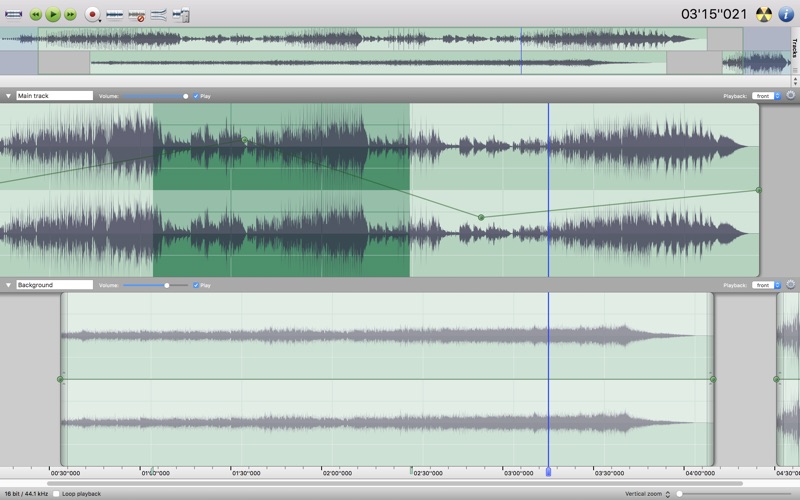
lets you use your Mac for any audio-related task, such as live audio recording, digitizing tapes and records, converting between a variety of sound formats, etc. Thanks to its outstanding direct-to-disk abilities and waveform caching, edits on arbitrarily large sounds (even beyond the usual 2GB limit) are performed at lightning speed. The handling of large sounds is furthermore facilitated by the extensive support of markers. Its outstanding sound repairing and denoising abilities make Amadeus Pro particularly suitable for transferring vinyl records on CD.

Features

  • Simple and elegant OS X-like user interface
  • Multitrack editing an recording.
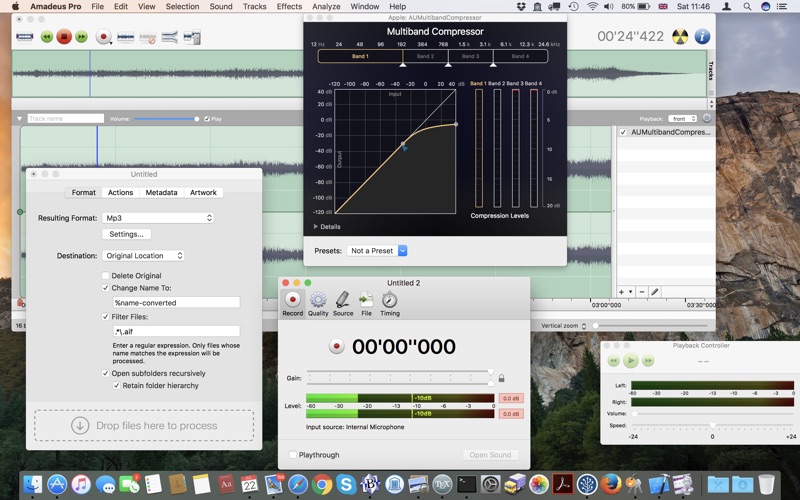
  • Batch processing and conversion.
  • Sound denoising and repairing.
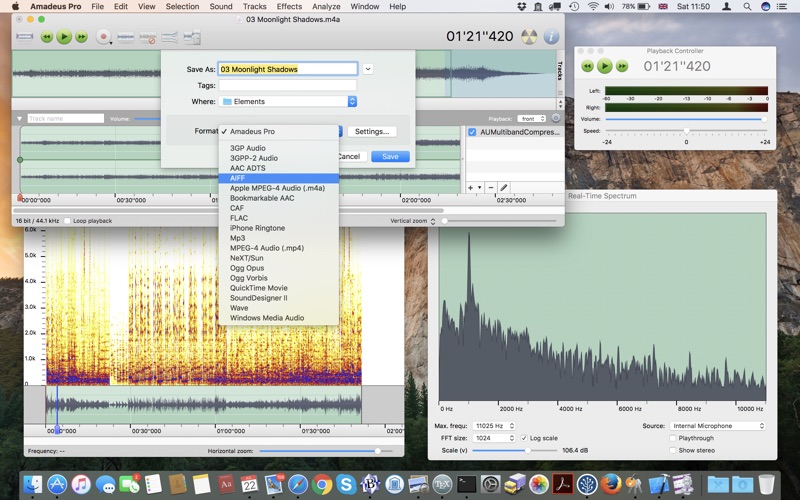
  • Supports a variety of sound formats, including AIFF, Multichannel Wave, MP3, MP4, Ogg Vorbis, FLAC, SoundDesigner II, QuickTime, Apple CAF, etc.
  • Support for VST and Audio Unit plug-ins.
  • A “favourite actions” palette allows to have your most commonly used effects only a mouse click away.
  • A wide range of powerful audio analysis tools.
  • Audio CDs with CD-TEXT data can be burned directly from within Amadeus Pro.

Thanks to its outstanding direct-to-disk abilities and waveform caching, edits on arbitrarily large sounds are performed at lightning speed with this fully featured multi-track editor. The handling of large sounds is furthermore facilitated by the extensive support of markers.

While Amadeus Pro features a number of built-in audio effects (equalizer, speed and pitch change, echo, etc), its abilities can be extended arbitrarily through the support of Audio Units and VST plug-ins.

Besides all the functions you would expect from a professional quality waveform editor.

Amadeus Pro also features:

  • Tracks can be split into multiple clips for easy placement
  • Audio Units can be applied to tracks non-destructively in real-time
  • Smart editing
  • Scheduled recordings
  • Powerful batch processor
  • Direct recording from internet streams
  • A full range of real-time and offline sound analysis tools

Information

Compatibility10.8 or later, 64-bit processor
LanguagesEnglish, Danish, Finnish, French, German, Italian, Spanish

What’s New in Amadeus Pro 2.6.1 (2197)

  • Release notes not available at the time of this post.

Screenshots


Name Amadeus Pro 2.6.1.2197 [TNT] mac-torrents.net.zip
Size 30.64 MB
Created on 2019-09-29 16:10:24
Hash 6864c82ac9d278f2fe18f78f90a86205fd2f4ef1
Files Amadeus Pro 2.6.1.2197 [TNT] mac-torrents.net.zip (30.64 MB)

Download

TunesKit Audio Converter 3.1.0.50


Descriptions for TunesKit Audio Converter 3.1.0.50

This is a full-featured audio converting tool which allows you to convert all kinds of audio files, including FairPlay DRM protected and unprotected music, audiobooks to MP3, M4A, AAC, FLAC, WAV, M4B to listen everywhere.

Break DRM Encryption from All Protected Audio Files Simply

Due to iTunes FairPlay DRM restriction, audio files including Apple Music, iTunes songs, audiobooks and any other audio tracks can only be played on the specific players or devices from Apple. If you are tired of this limitation and want to play the protected audio files on any cross-platform device, such as Android, Windows etc., you just need to use the TunesKit DRM Audio Converter to strip the DRM protection easily from Apple Music and iTunes M4P, M4A, M4B audiobooks as well as Audible AA, AAX files.

Convert All Types of DRM and DRM-free Audio Files to Multiple Formats

Some specific formats of music files are not supported widely, as a result you may encounter the error that they are not recognized time from time if you have multiple different sources of audio tracks. TunesKit DRM Audio Converter for Mac is here to help you play all kinds of music, audiobooks, etc. on any device freely by converting the DRM and non-DRM audios to popular formats, such as MP3, M4A, AAC, etc.

Customize Your Audio Files to Personalized Music

Wanna make your own music with more exciting personalities? TunesKit DRM Audio Convert for Mac allows you to customize the output audio files, such as changing the volume, speed, pitch, set the codec, channel, sample rate, bit rate, etc. Furthermore, it can help you cut the long music files to small pieces either by time, chapter or segments, so that you can choose the exact part of your music to play without any problem.

Tidy Your Music Library by Editing the Music Tab Info

It is common that some audio files may have incorrect tab info especially for the old music files or some audio tracks recorded personally. To remove any mess and make it easier for you to look up your files, TunesKit Audio Converter for Mac integrates the options for you to edit your music tab info including title, album, artist, composer, copyright, year, genre, cover and more. After that, your files will be more organized.

Convert Any Audio File Fast While Retaining High Quality

TunesKit Mac DRM Audio Converter takes advantages of the latest multiple-thread audio conversion technology, which can convert the DRM-ed or non-DRM audio files at a 30X faster speed while at the same time maintaining high quality for the output files. What’s more, for the Audible AA or AAX audiobooks, you can choose to preserve the 100% original quality in the output audios.

One-Stop Solution to Meet Your Requirements of Handling Any Audio File

TunesKit DRM Audio Converter for Mac is a superior audio converting software. It comes with all the best features for handling audio files such as remove DRM, convert audio formats, customize playback settings and so on. No matter what you need to do with your audio files or what kinds of music you have, you can always let this smart tool to help you quickly and reliably.

Supported Input Formats

DRM Audios: iTunes M4P, Apple Music, Audible AA, AAX, iTunes M4B, M4A

DRM-Free Audios: M4A, M4B, M4P, M4R, MP3, M4A, MP2, MPA, WMA, AAC, AC3, MKA, OGG, AIFF, RA, RAM, WAV, APE, FLAC, AA, AAX, etc.

Supported Output Formats

Audio Formats: MP3, M4A, WAV, AAC, FLAC, M4B

Information

CompatibilityOS X 10.8 or later & Latest version of iTunes
LanguagesEnglish

What’s New in TunesKit Audio Converter 3.1.0.50

  • Release notes not available at the time of this post.

Screenshots


Name TunesKit Audio Converter 3.1.0.50 [TNT] mac-torrents.net.zip
Size 39.68 MB
Created on 2019-09-29 16:10:42
Hash ae017fc1dfe4f86ad1530216a312a8da4ff0bca1
Files TunesKit Audio Converter 3.1.0.50 [TNT] mac-torrents.net.zip (39.68 MB)

Download

Exposure X5 Bundle 5.0.1.96


Descriptions for Exposure X5 Bundle 5.0.1.96

The Exposure X Bundle is a photo editor and organizer that integrates all of Alien Skin’s award-winning photo editing apps into a single product.. The centerpiece of the bundle is Exposure X, the editing app that streamlines your workflow and provides a rich set of creative tools.

Two additional apps expand the creative possibilities: Blow Up 3 enlarges your photos into large prints with the sharpest resizing technology available, and Snap Art 4 transforms your photos into gorgeous, handcrafted paintings.

  • Exposure X5 non-destructive RAW photo editor
  • Integrated Snap Art natural media
  • Integrated Blow Up high-quality photo enlargement
  • Exposure X5, Snap Art, and Blow Up plug-ins for Lightroom and

Exposure X5 is a complete photo editing and organizing solution. It can also be used as a creative editing plug-in.

The plug-in requirements are as follows:

  • Adobe Photoshop CS6 or Adobe Photoshop CC 2015 or newer
  • Adobe Lightroom 6 or Adobe Lightroom CC 2015 or newer

Information

CompatibilityOS X 10.11 or later, 64 bit
LanguagesEnglish

What’s New in Exposure X5 Bundle 5.0.1.96

  • Release notes not available at the time of this post.

Screenshots


Name Exposure X5 Bundle 5.0.1.96 [TNT] mac-torrents.net.zip
Size 506.1 MB
Created on 2019-09-27 03:34:39
Hash 0b1ef5c6530b0026854d80c95505200fd24b4772
Files Exposure X5 Bundle 5.0.1.96 [TNT] mac-torrents.net.zip (506.1 MB)

Download

Jump Desktop 8.3.10


Descriptions for Jump Desktop 8.3.10

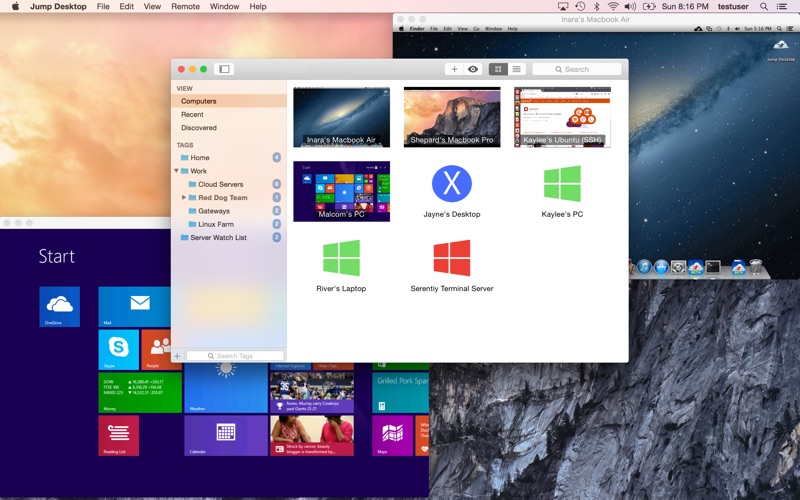
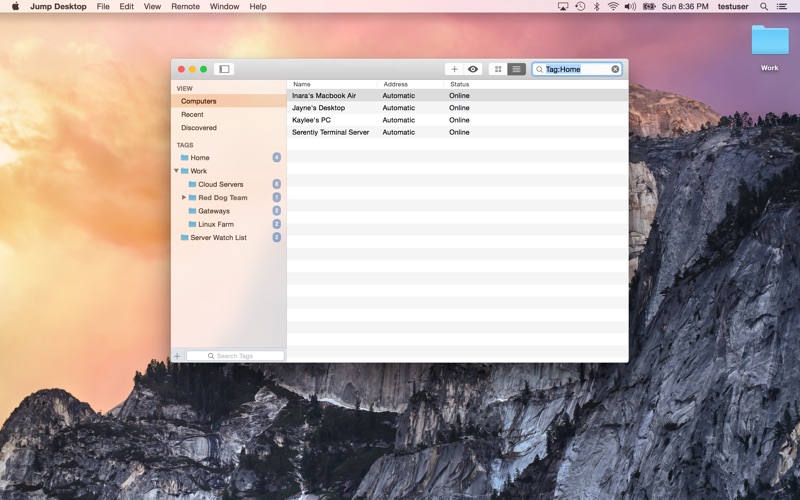
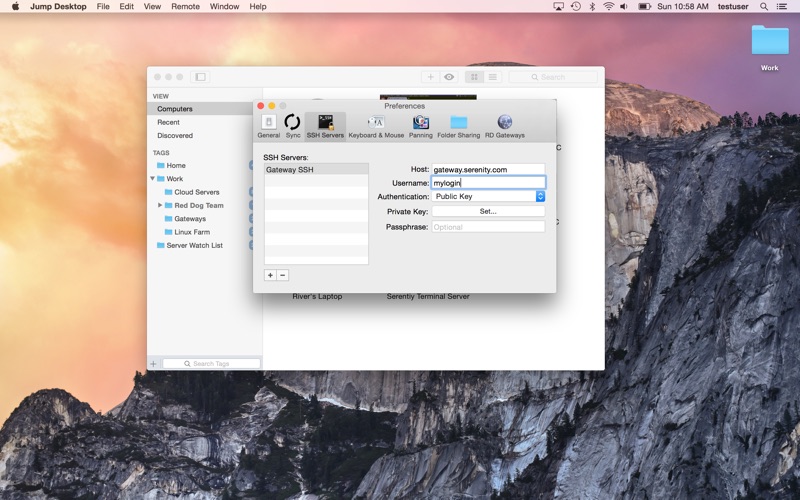
Jump Desktop is a remote desktop application that lets you securely connect to any computer in the world. Compatible with both RDP and VNC, Jump Desktop is secure, reliable, and very easy to set up.

Enjoy the freedom to work from anywhere. Jump Desktop is a remote desktop application that lets you securely connect to any computer in the world. Compatible with both RDP and VNC, Jump Desktop is secure, reliable and very easy to set up.

Jump Desktop Features:

Easy setup and reliable:

Jump Desktop is very easy to configure; anyone can do it! Just visit: https://www.jumpdesktop.com on your PC or Mac, click the ‘Automatic Setup’ link and follow step-by-step instructions. You’ll be up and running in no time.

Secure:

Jump encrypts the connection between computers to ensure privacy and security. Automatic connections are always encrypted by default. Supports NLA, TLS/SSL encryption for RDP. SSH Tunnelling and SSL/TLS encryption for VNC.

Supercharged Productivity:

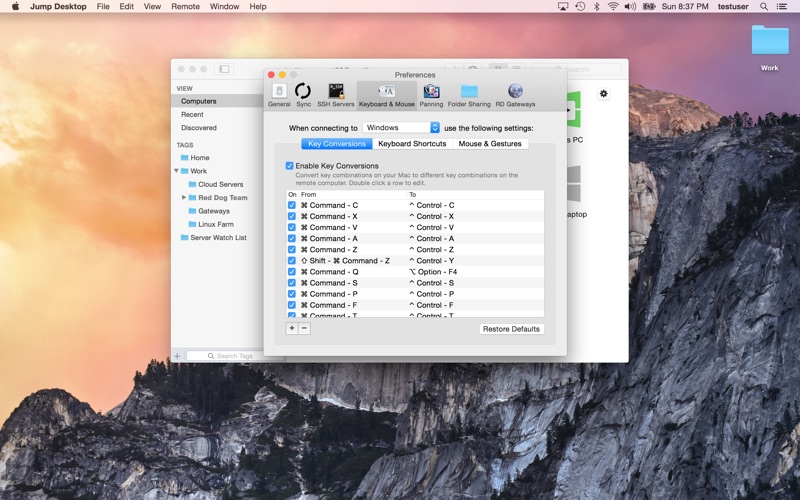
Use Mac keyboard shortcuts in Windows. Seamlessly switch between computers without changing the way you use the keyboard. Vastly improves productivity. Fully customizable: Configure your own shortcuts or use the built-in defaults. No other app comes close.

Integrated into macOS

Quickly search and launch computers directly from Spotlight. Tightly integrated into macOS’s power saving technology to give you the best battery life on the go. Tabbing support.

Super fast and beautiful:

Powered by one of the fastest VNC and RDP engines on the planet. Multi-core, hardware accelerated rendering for zippy performance. Optimized for MacBook Pros and iMacs with Retina display

Features:

  • Multiprotocol: supports RDP, VNC and Fluid Remote Desktop
  • Full international keyboard support for RDP, VNC and ARD
  • Dictation support (Mountain Lion and later)
  • Tabs (macOS Sierra and later)
  • 3 different ways to zoom and pan the remote screen (really useful when controlling multimonitor remote systems from laptops)
  • Easy and secure setup: Automatically configure your PC or Mac for remote access without worrying about your router settings. Set up as many computers as you like and manage them all using your Google account (optional)
  • Builtin SSH tunneling for RDP and VNC connections

RDP features:

  • Tested on: Windows 2000, XP, Vista, Windows 7, Windows 8, Server 2003, Server 2008, Server 2008 R2, Server 2012/R2/2016, SBS Server, Windows 10
  • RD Broker and Load balancer support
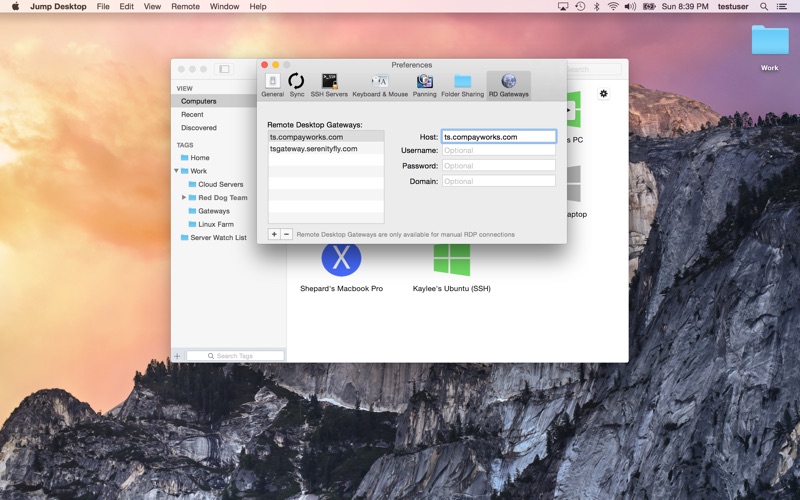
  • RD Gateway support
  • Dynamic resolution updates (Win 8.1/2012 R2+)
  • Desktop Scaling (Win 8.1/2012 R2+)
  • Multi monitor support
  • Secure: 128bit RDP, TLS/SSL, FIPS and NLA authentication supported
  • Printing redirection support (including a optional , superfast server sidedriver)
  • Audio streaming
  • Console sessions
  • Folder sharing
  • International keyboard layouts

VNC features:

  • Tested with macOS 10.5+, TightVNC, RealVNC, UltraVNC, Linux (Ubuntu Remote Desktop)
  • Secure: Supports SSH tunneling as well as SSL encryption (SSL only available when using automatic setup)
  • Black and white, Grayscale, 8bit and 16bit color modes to help manage bandwidth
  • Clipboard syncing
  • Multiple monitor support

Information

Compatibility10.10 or later, 64-bit processor
LanguagesEnglish

What’s New in Jump Desktop 8.3.10

This update fixes a compatibility problem when connecting to Linux machines. Here’s what was new in the previous update:

  • Added support for iCloud keychain syncing. If iCloud keychain is enabled, Jump will sync your computer passwords and ssh keys across your Macs and iOS devices. Requires Jump Desktop 9.0 for iOS keychain syncing, which will be available very soon.
  • We’ve also added more computer icons to choose from: Right click your computer in Jump, click Edit and click the computer icon to choose.
  • We’ve also fixed some issues with RDP where moving the mouse pointer had problems after a recent Windows update.

Screenshots


Name Jump Desktop 8.3.10 MAS [TNT] mac-torrents.net.zip
Size 49.51 MB
Created on 2019-09-29 02:50:33
Hash 0f69ca704916f05862850adfe8074d0204a86c51
Files Jump Desktop 8.3.10 MAS [TNT] mac-torrents.net.zip (49.51 MB)

Download

iNet Network Scanner 2.6.7


Descriptions for iNet Network Scanner 2.6.7

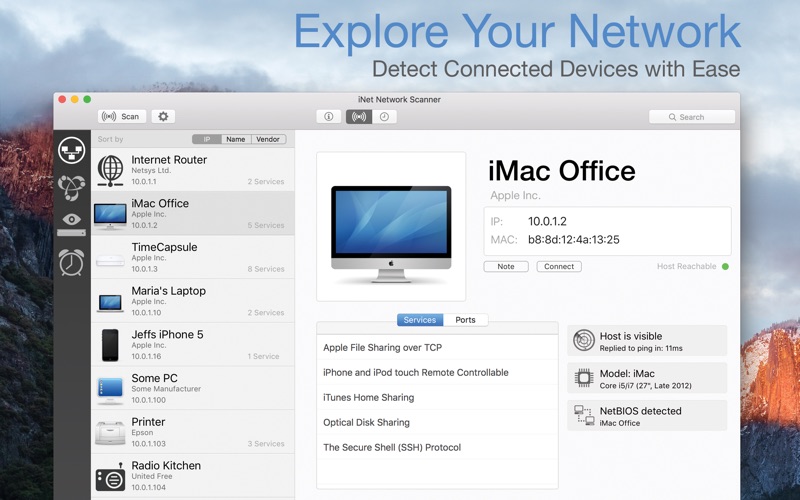
Find out about security risks and keep your network under control. This easy to use App outlines a computer network even to the unexperienced user. Is somebody using your network without your knowledge? Which devices are currently online? Which access ports are open? Which services are offered? What is the IP of your router? Wake sleeping devices remotely. Add own icons to found devices …

iNet provides you with information about networks and devices your Mac is connected to. Its very easy and user friendly design even allows the unexperienced user to get a profound and understandable overview of a network, the running services and the Wi-Fi quality.

In the current version the following functions are available:
  • Network Scanner
  • Bonjour Browser
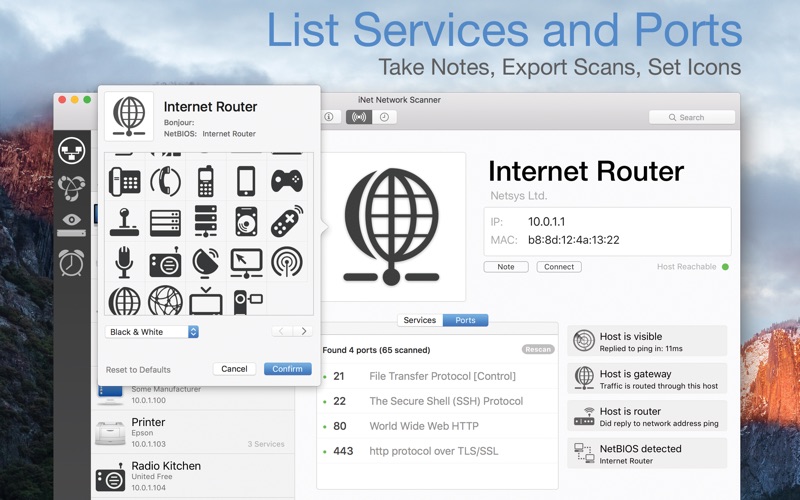
  • Portscan for standard ports
  • Airport Monitor*
  • Wake on Lan
  • Help section

We did our best to develop a solution that makes network observing as simple as possible. Wether you are a network expert or a common user- iNet provides the information you need to find out what’s going on in your network.

Network Scanner:
  • See all devices that are online and connected to a network, along with vendor, IP and MAC addresses
  • Assign your own names and icons or choose from the provided icons for easier identifying a device in the scan list. Most Mac devices are displayed with their original icon.
  • Set scan range and interface to scan
  • Export scan results in csv format
  • Connect to devices via different protocols
Bonjour Monitor:
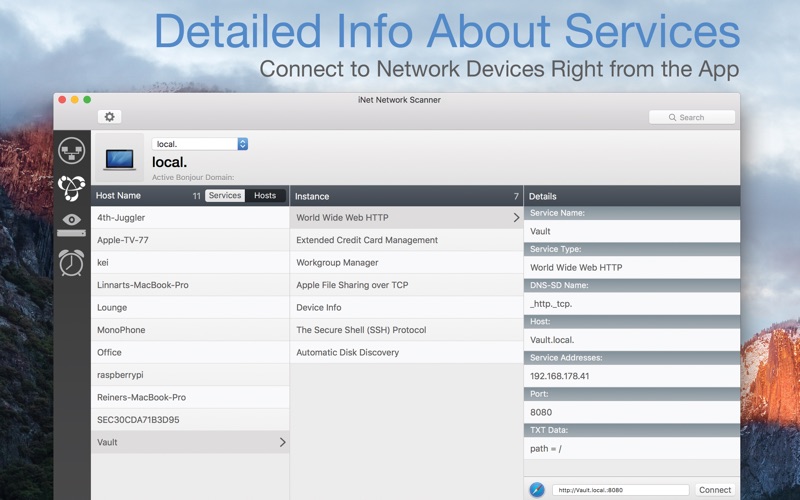
  • Detect all running Bonjour services realtime
  • Detect running services on a discrete device
  • Detailed information about a service
  • Choose the active Bonjour domain for observing
*Airport Monitor:

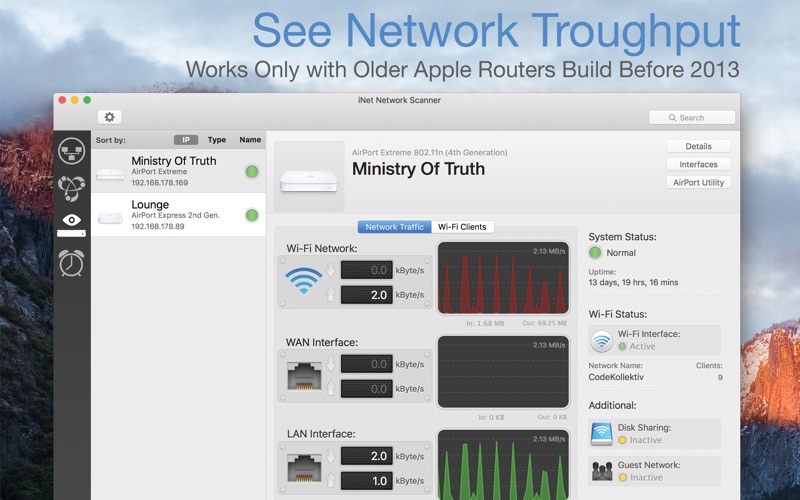
* 窶「 Attention for users of the latest 2013 Airport edition with 802.11ac: Because SNMP support has been disabled iNet cannot retrieve the usage statistics and wifi strength any more with these models. All other features of iNet are working properly. The following Airport monitoring features can only be used with models prior to the 802.11ac:

  • See the current condition of Apple Airport base stations like Airport express or Time Capsule
  • Monitor network traffic on Airport devices
  • Find detailed information about your Airport base stations like MAC address, IP’s, used channels and so on
  • See the connection quality of the connected wifi clients in realtime
Wake on Lan:
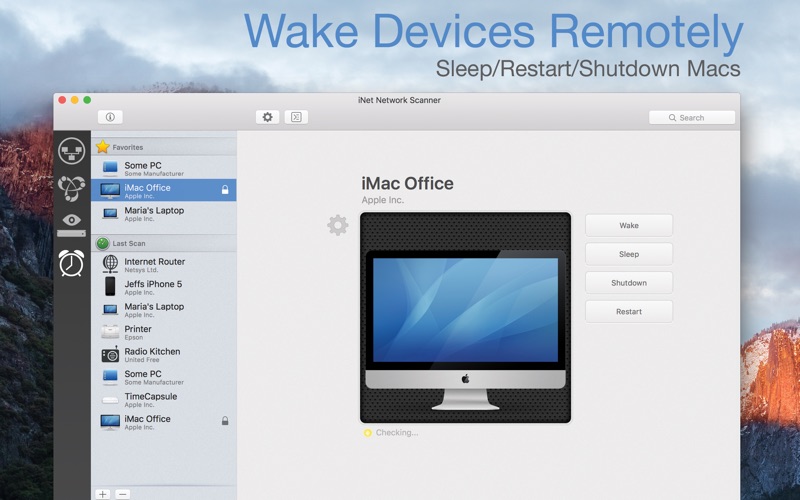
  • Wake devices remotely in your local network or via internet
  • Put devices remotely to sleep, shutdown or restart (Macintosh only)
  • Add devices to favorites
  • Send commands via ssh to devices
  • Minimal system required for WOL: OS X 10.7
Help
  • Extensive help section
  • Dictionary of used terms

We will add modules in the future like traceroute and more. iNet is also available for iPhone and for iPad.

Information

CompatibilityOS X 10.9 or later, 64-bit processor
LanguagesEnglish, German, Spanish

What’s New in iNet Network Scanner 2.6.7

  • [Added] Date of last time seen to CSV export
  • [Updated] All databases

Screenshots


Name iNet Network Scanner 2.6.7 MAS [TNT] mac-torrents.net.zip
Size 110.4 MB
Created on 2019-09-29 02:50:43
Hash 60c9172b27917b24e3a03076cf43528722d791bd
Files iNet Network Scanner 2.6.7 MAS [TNT] mac-torrents.net.zip (110.4 MB)

Download

Clean Fast Opener FCPX


Descriptions for Clean Fast Opener FCPX

  • Compatible with and or newer
  • Unique, Exclusive and Original Design
  • Easily to customize with Published Parameters. Change the Colors, Position, Scale, Medias, Text, Logo and more.
  • Video tutorials included (Full HD), Showing step by step.
  • Drag your Videos or Images, Fast and Easy !
  • Resizable for any resolution !
  • All scenes have different animations
  • Easy to customize project and well organized
  • Very Fast Render
  • No plug-ins required
  • Free Font Links are available in the Package
Project name Clean Fast Opener FCPX
Specific Official Information and Features Videohive 23292301
Last Update 13 February 19
Created 13 February 19
Requires Plugins No
Software Version ,
Resolution Resizable
File Size 74.51 MB

Screenshots


Name Videohive Clean Fast Opener FCPX 23292301 mac-torrents.net.zip
Size 74.51 MB
Created on 2019-09-28 23:39:55
Hash bbe69d16034341e288205bb8e3caaf1c658f082b
Files Videohive Clean Fast Opener FCPX 23292301 mac-torrents.net.zip (74.51 MB)

Download

Film Styles Set For Capture One (Win/Mac)


Descriptions for Film Styles Set For Capture One (Win/Mac)
Film Styles For Capture One is a set of 100 styles that could be applied to your images in Capture One.

Each style is designed to make the most of Capture One’s capabilities and can apply a multitude of effects to create stylized images that replicate the popular film imagery effects of years gone by, including Ilford Delta, Kodak T-MAX, Agfa Scala, Polaroid and many other film photography legends.

The set includes 58 color and 42 black and white styles.

Each style is designed to make the most of Capture One’s capabilities and can apply a multitude of effects to create stylized images that replicate the popular film imagery effects of years gone by, including Ilford Delta, Kodak T-MAX, Agfa Scala, Polaroid and many other film photography legends.

The set includes 58 color and 42 black and white styles.

How Does It Work?

Each style consists of special adjustments that you can quickly and easily apply to your RAW files.

The film picture effect is achieved through the use of per-channel Curves, Color Editor, Color Balance, Black and White and some of the other powerful tools that are available in Capture One.

One of the biggest advantages of using Film Styles for Capture One is that once you have applied the actions, you can continue to process the image using all RAW-file capabilities.

In other words, you no longer need to convert RAW to JPG or TIF, open the file in Photoshop and use special “film” plugins. You can complete the entire processing from start to finish in Capture One before converting your final picture.

Film Styles for Capture One also gives you full control over the effects you get. After you apply a style, you can change the parameters so that the effect perfectly suit your requirements.

Best of all, you can save the adjusted style to create your own custom style. Thus, starting from the 100 styles offered in our pack, you can go ahead and create hundreds of your own unique styles that you can easily use in your work whenever you need to.

Layers Support

Recently Phase One presented a fantastic Capture One Pro 11 – now we can use styles in layers and change their opacity.

We’ve updated Film Styles to be compatible with Capture One 11’s new features and released them as Layer Enhanced (LE) editions.

Full list of the styles of «Original Film Styles Set»:

Color styles: Fuji Pro 160C (v1-3), Fuji Pro 160S, Fuji Pro 400H (v1,2), Fuji Pro 800Z, Fuji Reala, Fuji Superia 400, Fuji Superia 800, Fuji Superia 1600, Kodak Portra 160, Kodak Portra 160NC (v1,2), Kodak Portra 160VC (v1,2), Kodak Portra 400, Kodak Portra 400NC (v1,2), Kodak Portra 400VC (v1,2), Kodak Portra 400UC, Kodak Portra 800, Kodak Ultra Color 100UC, SL Agfa RSX II 100, SL Agfachrome 1000RS (v1,2), SL Fuji Astia 100F (v1,2), SL Fuji Fortia SP (v1,2), SL Fuji Provia 100F (v1,2), SL Fuji Provia 400X (v1,2), SL Fuji Velvia 50 (v1,2), SL Fuji Velvia 100 (v1,2), SL Fuji Velvia 100F (v1,2), SL Kodak Ektachrome 100G (v1,2), SL Kodak Ektachrome 100VS (v1,2), SL Kodak Ektachrome 200, SL Kodak Ektachrome mid-1970s (v1-3), SL Kodak Kodachrome 25, SL Kodak Kodachrome 64, SL Kodak Kodachrome 200, PL Fuji FP-100c, PL Polaroid 669, PL Polaroid 690, PL PX-70, PL PX-680, PL Time-Zero Polaroid (Expired).

Black&White styles: Agfa APX 25, Agfa APX 100 (v1,2), Agfa APX 400, Agfa Scala 200 (v1,2), Fuji FP-3000b, Fuji Neopan 100 Acros (v1,2), Fuji Neopan 1600 (v1-3), Ilford Delta 100 (v1,2), Ilford Delta 400 Pro, Ilford Delta 3200 (v1-3), Ilford FP4 Plus 125, Ilford HP5 Plus 400 (v1-3), Ilford Pan F Plus 50, Ilford XP 2 Super 400, Kodak BW 400CN Pro, Kodak Panatomic-X 32 (v1,2), Kodak Plus-X 125PX (v1,2), Kodak T-MAX 100 (v1,2), Kodak T-MAX 400, Kodak T-MAX 3200 (v1-3), Kodak Technical Pan, Kodak Technical Pan — Technidol, Kodak TRI-X 400 (v1-3), Kodalith, Polaroid 665.

Developer Website

Screenshots

Name Capture One Pro – Film Styles mac-torrents.net.rar
Size 4.53 MB
Created on 2019-09-28 23:40:21
Hash 839bd2908e5bc31d09aac367aa28fea53772463f
Files Capture One Pro – Film Styles mac-torrents.net.rar (4.53 MB)

Download

PhaseOne Capture One Styles – ESSENTIALS Style Pack (Win/Mac)


Descriptions for PhaseOne Capture One Styles – ESSENTIALS Style Pack (Win/Mac)

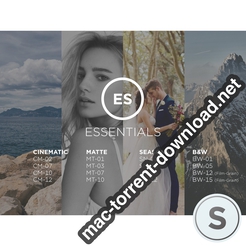
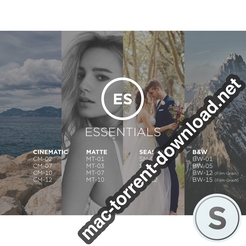
Can’t make up your mind? The Essentials Style Pack includes a variety of carefully selected options, representing a selection of the Styles Packs.

Having a hard time choosing which Styles Pack to go with? The Essentials Styles Pack includes 16 Styles in total. 4 of the most popular styles from Cinematic, Matte, Black & White and Seasonal have been selected for this pack, providing a wide range of Styles for your photography.

Developer Website

Screenshots

Name Capure One ESSENTIALS Style Pack mac-torrents.net.rar
Size 4.48 MB
Created on 2019-09-28 23:40:08
Hash c38fbc7a06e05c9737ec183be364a0d335160e44
Files Capure One ESSENTIALS Style Pack mac-torrents.net.rar (4.48 MB)

Download

macOS Mojave 10.14.6 (18G103)


Descriptions for macOS Mojave 10.14.6 (18G103)

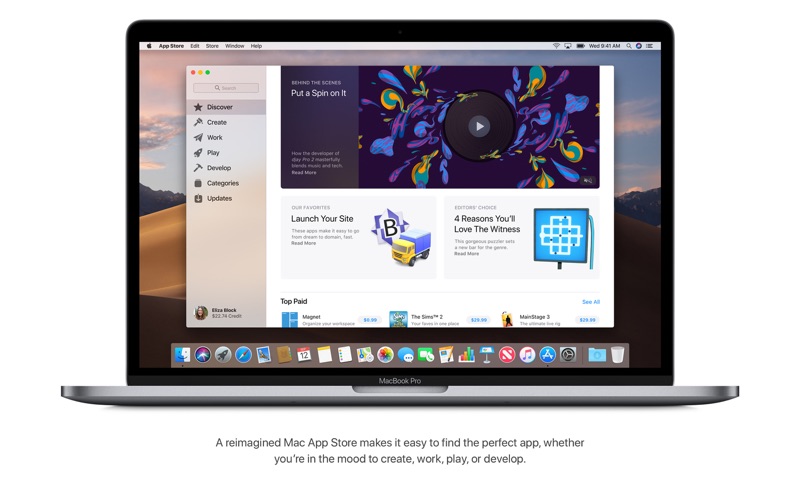
MacOS Mojave delivers new features inspired by its most powerful users, but designed for everyone. Stay focused on your work using Dark Mode. Organize your desktop using Stacks. Experience four new built-in apps. And discover new apps in the reimagined Mac App Store.

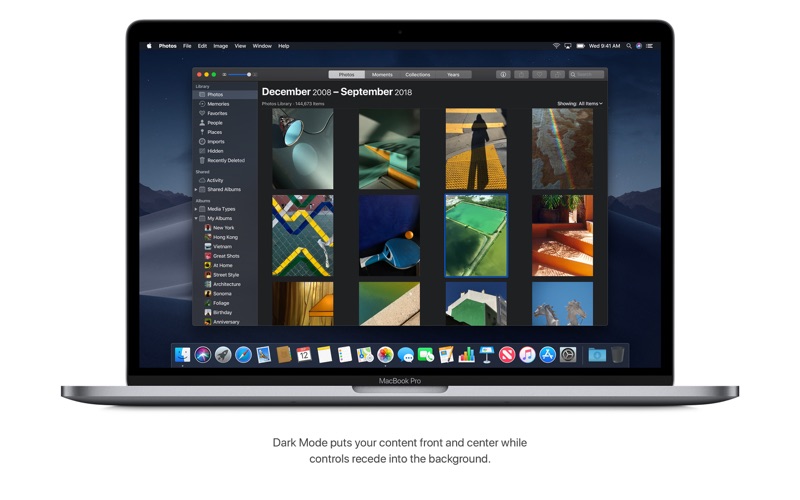
Dark Mode

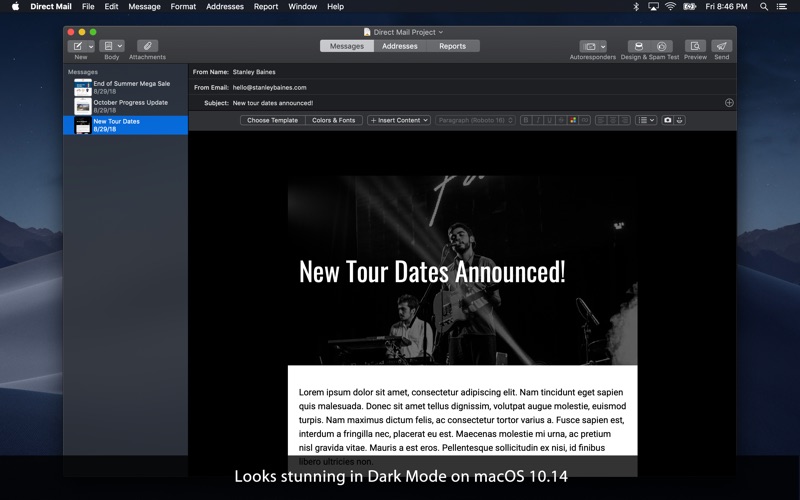
  • Experience a dramatic new look for your Mac that puts your content front and center while controls recede into the background.
  • Enjoy new app designs that are easier on your eyes in dark environments.

Desktop

  • View an everchanging desktop picture with Dynamic Desktop.
  • Automatically organize your desktop files by kind, date, or tag using Stacks.
  • Capture stills and video of your screen using the new Screenshot utility.

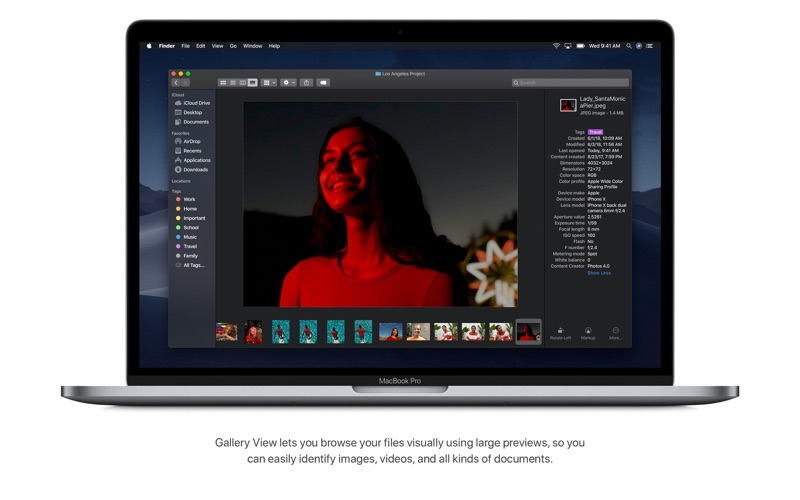
Finder

  • Find your files visually using large previews in Gallery View.
  • See full metadata for all file types in the Preview pane.
  • Rotate an image, create a PDF, and more — right in the Finder using Quick Actions.
  • Mark up and sign PDFs, crop images, and trim audio and video files using Quick Look.

Continuity Camera

  • Photograph an object or scan a document nearby using your iPhone, and it automatically appears on your Mac.

Mac App Store

  • Browse handpicked apps in the new Discover, Create, Work, and Play tabs.
  • Discover the perfect app and make the most of those you have with stories, curated collections, and videos.

iTunes

  • Search with lyrics to find a song using a few of the words you remember.
  • Start a personalized station of any artist’s music from the enhanced artist pages.
  • Enjoy the new Friends Mix, a playlist of songs your friends are listening to.

Safari

  • Block Share and Like buttons, comment widgets, and embedded content from tracking you without your permission with enhanced Intelligent Tracking Prevention.
  • Prevent websites from tracking your Mac using a simplified system profile that makes you more anonymous online.

Apple News

  • Read Top Stories selected by Apple News editors, trending stories popular with readers, and a customized feed created just for you.
  • Keep your favorite topics, channels, and saved stories up to date on your Mac and iOS devices.

Stocks

  • Create a customized watchlist and view interactive charts that sync across your Mac and iOS devices.
  • Browse business news driving the markets curated by Apple News editors.

Voice Memos

  • Make audio recordings, listen to them as you work with other apps, or use them in a podcast, song, or video.
  • Access audio clips from your iPhone on your Mac using iCloud.

Home

  • Organize and control all of your HomeKit accessories from your desktop.
  • Receive realtime notifications from your home devices while you work.

Information

CompatibilityOS X 10.8 or later, 64-bit processor
LanguagesMultilanguage

What’s New in macOS Mojave 10.14.6 (18G103)

The macOS Mojave 10.14.6 update improves the stability and reliability of your Mac.

This update:

  • Makes downloaded issues available in the My Magazines section of Apple News, both online and offline
  • Adds all publications in Apple News, including newspapers, to the catalog at the top of the News feed
  • Adds the ability to clear downloaded magazine issues in Apple News by selecting History > Clear > Clear All
  • Addresses an issue which prevents creation of a new Boot Camp partition on iMac and Mac mini with Fusion Drive
  • Resolves an issue that may cause a hang during a restart
  • Resolves a graphics issue that may occur when waking from sleep
  • Fixes an issue that may cause fullscreen video to appear black on Mac mini
  • Improves file sharing reliability over SMB

Screenshots


Name macOS Mojave 10.14.6 18G103 mac-torrents.net.zip
Size 6.01 GB
Created on 2019-09-28 23:10:04
Hash 3a12d5259a8f3257d710aefc97417937b652ede6
Files macOS Mojave 10.14.6 18G103 mac-torrents.net.zip (6.01 GB)

Download

Direct Mail 5.7


Descriptions for Direct Mail 5.7

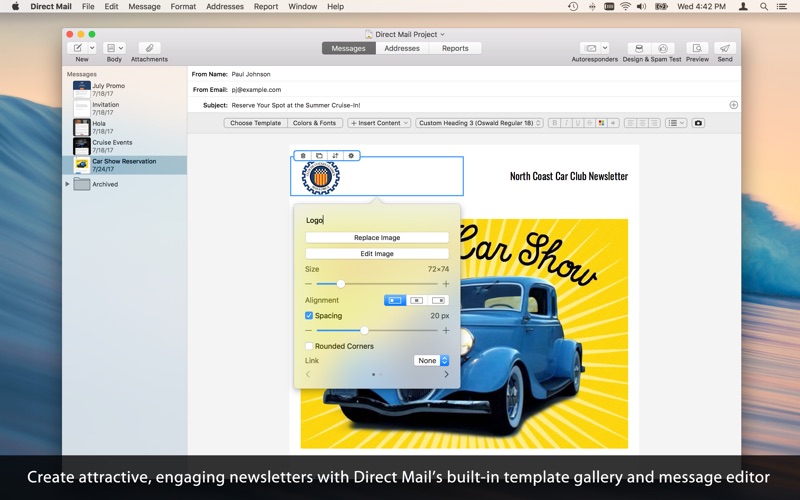
Create, manage, and deliver powerful email marketing campaigns right from your Mac!

  • Compose attractive, personalized emails using our builtin template gallery and easytouse editor (or import your own design)!
  • Nohassle sending using our e3 Delivery Service, or even use your own email server
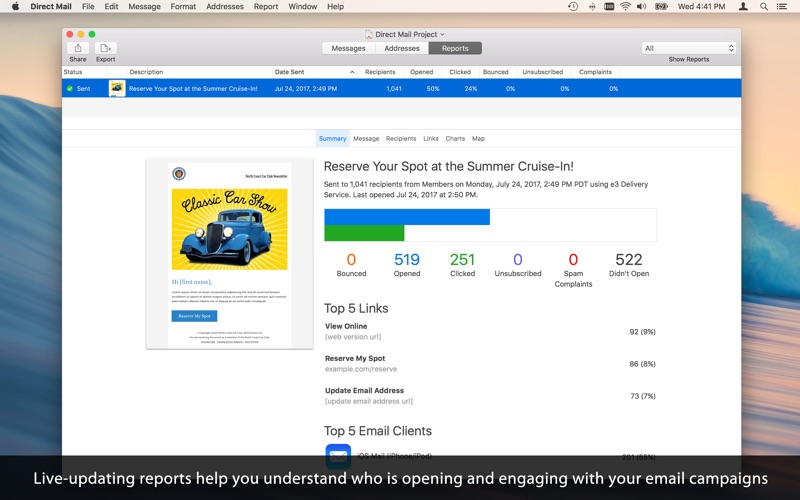
  • Realtime tracking shows you if your campaign is landing with success: opens, clicks, bounces and more are all reported live!
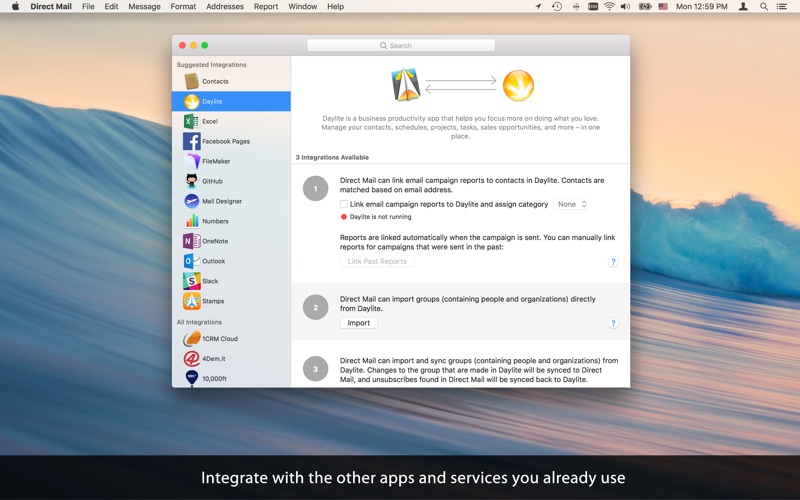
  • Import contacts from other popular Mac apps you already use
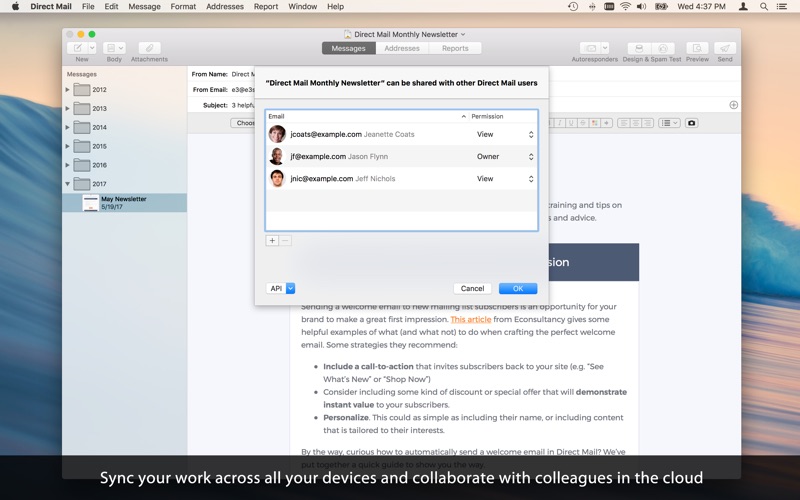
  • Sync your work across all your devices, share with colleagues and friends in the cloud
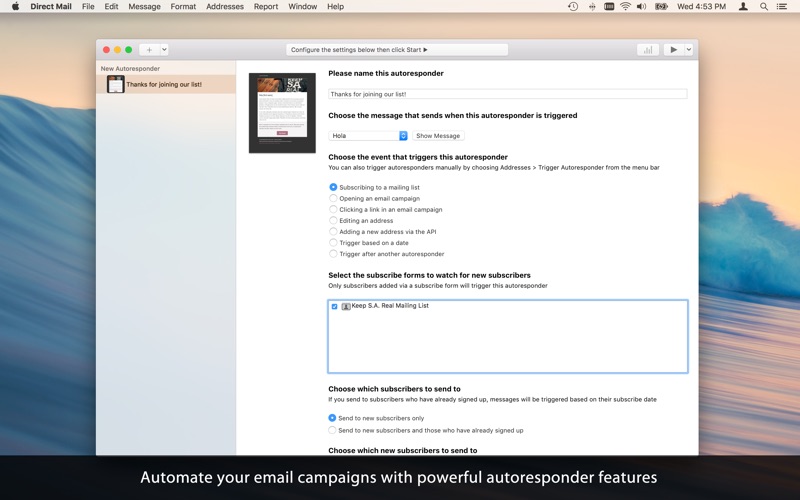
  • Automate your email campaigns with powerful autoresponders
  • 1on1 live chat support
  • Extensive online help documentation

Sending 150 emails/month is free forever! If you want to send more, use in-app purchase to unlock additional sending capacity.

Information

CompatibilityOS X 10.11.0 or later, 64-bit processor
LanguagesEnglish, Dutch, French, German, Italian, Japanese, Portuguese, Russian, Spanish, Swedish

What’s New in Direct Mail 5.7

Added:

  • Five new templates: Glimmer, Merry Pines, Quattro, Silicon, and Slopes
  • Support for:
  • MacOS 10.15
  • Importing groups from Microsoft Exchange and Office 365
  • Single Sign-On (enterprise customers only)
  • Sending email via Gmail and G Suite accounts (enterprise customers only)
  • Sending email via Exchange or Office 365 accounts (enterprise customers only)
  • Sharing templates across an organization (enterprise customers only)
  • Enforcing message-content policies across an organization (enterprise customers only)
  • Option-clicking a color swatch now actives the system color sampler (macOS 10.15 required)

Improved:

  • The performance and responsiveness of Direct Mail during cloud sync operations
  • Undo and redo support: message edits can be undone or redone even after the editor has been closed, and Direct Mail now shows more helpful context when an operation is undone or redone
  • Account management

Fixes:

  • Fixed a bug that result in false positives when a message was checked for broken links
  • Additional bug fixes and improvements

Screenshots


Name Direct Mail 5.7 Shark mac-torrents.net.zip
Size 58.29 MB
Created on 2019-09-28 23:08:47
Hash 84bb0fe6df9937e78cf8ea48c5825d0f1809b6e7
Files Direct Mail 5.7 Shark mac-torrents.net.zip (58.29 MB)

Download

Hooker 1.2 for After Effects


Descriptions for Aescripts Hooker 1.2 for After Effects

Hooker harvests new After Effects CC 2018 features by accessing path points and hooking them to layers providing more robust experience for animating shape or mask paths.

What is it?

Hooker is an After Effects CC 2018 and above extension that brings the ability to control each path point individually by hooking it to a layer. This way each point can be animated separately without affecting the rest of them. This brings far more advanced point control options, as you can animate tangents and vertices individually.

How to use it?

Select a path point in the Hooker panel, click a button, and it will follow the layer it is hooked to. Even if you rotate, scale, skew or otherwise transform the path, the hooked points’ positions will stay intact.

For final tweaks, use the Coordinates tab to set path point positions in both composition or shape layer scope.

Features

  • Hook/unhook one or more path points at the time.
  • Target inTangents, outTangents or Vertices individually.
  • Parent inTangents and outTangents to Vertex automatically.
  • Create separate hooks for path points or hook them up to selected layer.
  • Hooked path points stay in place even if layer or shape transformations are applied.
  • Works with Shape Layers as well as any other layers that have Masks.
  • Works with multiple paths at the same time.
  • Panel shows which path points are hooked and which are not.
  • Context menu provides additional way to hook/unhook path points.
  • Targets tab shows to what layers currently selected path points are hooked to.
  • Coordinates tab lets you position path points in both composition or shape layer scope.
  • The panel works with Bezier shapes, so all the parametric shapes such as rectangle, ellipse, and star, must be converted to a Bezier shape. To convert a parametric shape to Bezier shape, twirl open the shape layer and right-click the shape path for example, Rectangle 1, and select Convert To Bezier Path

Screenshots


Name Aescripts Hooker 1.2 for After Effects mac-torrents.net.zip
Size 8.55 MB
Created on 2019-09-28 21:03:37
Hash 4482030590d4b3cc5809fd46459d0236dfe1dd19
Files Aescripts Hooker 1.2 for After Effects mac-torrents.net.zip (8.55 MB)

Download

The Foundry Nuke Studio 12.0v1


Descriptions for The Foundry Nuke Studio 12.0v1

Nuke, NukeX and Nuke Studio offer cutting-edge toolkits for node-based compositing, editorial and review. The Nuke family’s unparalleled flexibility and collaborative workflows help you get the highest quality results-fast.

Compositing and much more

All the tools you need to get the job done, no matter how you’re working. From advanced node-based compositing, to 3D tracking and model building, to editorial and conform, the Nuke range can scale to suit your needs.

Highest quality results

Used by many of the best VFX houses in the industry, the Nuke family’s state-of-the-art tools make producing pixel perfect, film-grade results both painless and creatively satisfying.

Power and performance

Built to meet the needs of modern production work, the Nuke family offers unparalleled levels of power and performance, whether you’re a team with a deadline or tackling a solo project.

Collaborative workflow

Efficient, collaborative workflows lie at the heart of the Nuke range. Easily communicate, share and work together with others, whether you’re sitting side by side or across the globe.

Speed and efficiency

Work fast and interactively with Nuke’s cutting-edge toolkits, GPU acceleration and fluid workflows. Everything you need to complete your project on time is built in and ready to go.

The perfect fit for your pipeline

Open and customizable, Nuke fits perfectly into your pipeline, with major operating system support, low hardware requirements, support for industry standards like OCIO and Alembic, and a Python API and Pyside included.

2D compositing and visual effects

Nuke’s industry-leading nodel toolset making compositing and review faster and easier than ever before

With over 200 creative nodes, Nuke delivers everything you need to tackle the diverse challenges of digital compositing. This includes industry-standard keyers, rotoscope, vector paint tools, color correction and so much more.

Nodal toolset

With over 200 creative nodes, Nuke delivers everything you need to tackle the diverse challenges of digital compositing. This includes industry-standard keyers, rotoscope, vector paint tools, color correction and so much more.

Information

CompatibilitymacOS 10.13 or later
LanguagesEnglish

What’s New in The Foundry Nuke Studio 12.0v1

See Nuke12.0v1_ReleaseNotes.pdf

Screenshots


Name The Foundry Nuke Studio 12.0v1 mac-torrents.net.zip
Size 1.26 GB
Created on 2019-09-28 17:17:01
Hash 8d31658d5b45f9451d29a8970e964612f958ef88
Files The Foundry Nuke Studio 12.0v1 mac-torrents.net.zip (1.26 GB)

Download

PopClip 2019.9.1


Descriptions for PopClip 2019.9.1

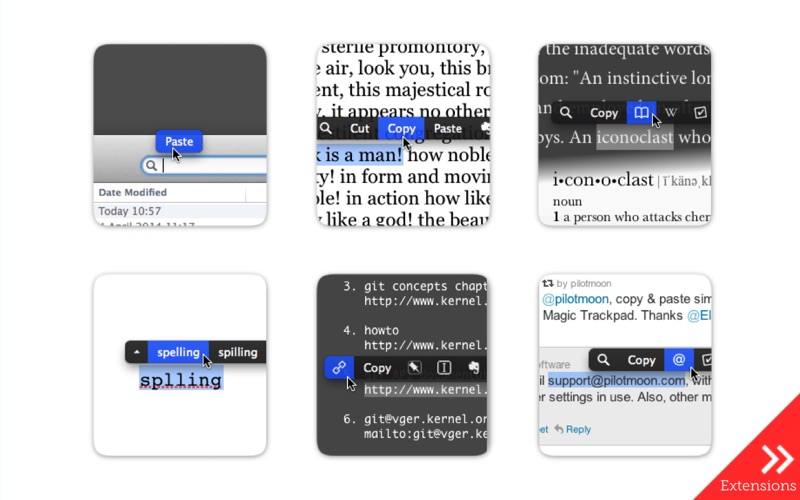
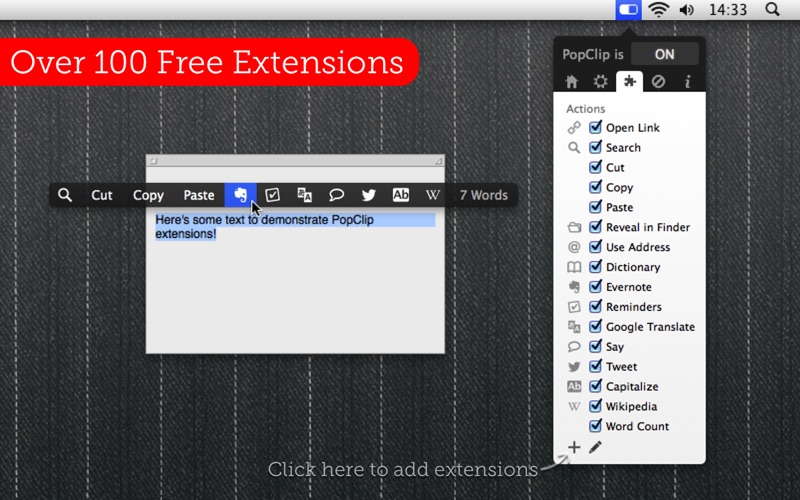
PopClip puts Cut, Copy and Paste (and more!) at your fingertips, with a popover menu which appears when you select text.. PopClip is a minimalist and unobtrusive status bar menu application designed to provide quick access to basic yet very useful text processing capabilities.

How to use:

  1. Use your mouse pointer to select some text
  2. PopClip appears!

Features

  • Beautifully rendered user interface looks great on your display
  • Instantly search the web for the text you select
  • Open web links with one click
  • Get dictionary definitions and spelling corrections.
  • Adjust the size of the popover, from small to very large
  • Small, fast and convenient, PopClip is a great way to work with text.

Information

CompatibilityOS X 10.12.6 or later, 64-bit processor
LanguagesEnglish, Dutch, French, German, Italian, Japanese, Korean, Portuguese, Russian, Simplified Chinese, Spanish

What’s New in PopClip 2019.9.1

  • Show PopClip in an empty text field with a double-click, Shift-click, or long press.
  • Fixed the AppleScript interface
    which I broke in v2019.9.

Screenshots


Name PopClip 2019.9.1 mac-torrents.net.zip
Size 9.06 MB
Created on 2019-09-28 11:58:16
Hash 6f58c898dd88dc3b6953eeff91e8738a8ecb4b71
Files PopClip 2019.9.1 mac-torrents.net.zip (9.06 MB)

Download

Graphisoft ArchiCAD 23 Build 3003 macOSx

archicad torrent

  1. archicad torrent

Descriptions for GRAPHISOFT ARCHICAD 23 Build 3003

ARCHICAD 23 enables architects to model faster and create accurate construction details and quantity estimations for reinforced concrete, complex steel, timber, and composite beams and columns. Complex columns, curved and haunched beams can now be modeled and documented to meet graphic and representation standards. Beams and columns can be displayed using various projected and symbolic views and cover fills.

What’s New:

New Features in ARCHICAD 23:

Voids, Niches and Recesses

ARCHICAD 23 introduces a new Opening tool dedicated to model and coordinate project design voids, recesses and niches — as horizontal, vertical or slanted openings across elements, element groups or even across stories. Such openings are important for project coordination as they are equally relevant for architects, engineers and consultants and must be documented by architects and by engineers. Openings can be modeled, scheduled, and documented using intuitive tools, and shared using open IFC standards.

One-click photo-realistic renderings with Twinmotion

ARCHICAD 23 allows architects to experience real-time rendering and photo-realistic visualization with the seamless workflow of the Twinmotion live connection. Thanks to Twinmotion’s state-of-the-art rendering solution, creating real-time photo-realistic renderings is now extremely fast and easy, while real-time synchronization enables architects to edit the model and make design decisions on the fly. All qualifying ARCHICAD 23 license holders are entitled to Epic Games’ upcoming enhanced version of Twinmotion, free of charge.

Renewed Solibri connection

ARCHICAD 23 enables seamless code- and constructability checking at any stage of the design. The updated add-on automatically detects and sends only those elements that are changed in the ARCHICAD model, resulting in faster round-trip collaboration.

Enhanced ARCHICAD 23 – dRofus 2.3 connection

ARCHICAD 23 allows architects to capture and organize client planning requirements and use these to validate and propose design alternatives. dRofus enables designers to collect and handle planning rules and design data with ease, even when working on large and complex projects, like hospitals, airports and universities. Thanks to the latest improvements, dRofus 2.3 fully supports ARCHICAD 23, and users can now import rooms from ARCHICAD into dRofus.

Rhino-Grasshopper-ARCHICAD live connection

The new Grasshopper Deconstruct Component can be used to extract ARCHICAD element surface data as a design reference. With the help of this function, changes to the core design scheme in BIM will automatically update all linked design details generated via design algorithms in Grasshopper.

Faster response times

ARCHICAD 23 puts a special emphasis on offering an uninterrupted flow starting from launching the software, accessing project data and navigating one’s way through the Building Information Model. This is achieved through a combination of raw performance optimization, streamlined workflows and reduced file sizes.

Productivity Enhancements:

  • User Interface Enhancements
  • New CineRender Engine
  • Attribute Management
  • View Settings Update
  • Text Label Pointer Lines Options
  • Curtain Wall Enhancement

Information

CompatibilityOS X 10.10 or later, 64-bit processor
LanguagesEnglish
Web Site


Name GRAPHISOFT ARCHICAD 23 Build 3003_mac-torrents.net.dmg
Size 2.70 GB
Created on 2019-09-28 04:01:34
Hash 5cae47d4f8dcfe845ea5f2445db9442eb2bbb2e7
Files GRAPHISOFT ARCHICAD 23 Build 3003_mac-torrents.net.dmg (2.70 GB)

Download

NCH DrawPad 5.29


Download NCH DrawPad 5.29

DrawPad is a graphic design program which works with both raster and vector images. Use it for sketching on your computer or creating a professional ad.

DrawPad is an easy-to-use image composition and manipulation program, and an essential tool for all types of graphic design projects, including:

Feature:

  • Make sketches and paintings on your computer
  • Create logos, banner ads or billboards
  • Draw diagrams, icons and other web graphics

Graphic Design Software Features

  • Pencil and brush tools for drawing, sketching and painting
  • Ability to edit pencil & brush strokes
  • Tablet & touchpad pressure sensitivity
  • Work with both raster and vector images
  • Image layers allow for nondestructive editing
  • Add effects such as bevels and shadows
  • Fill areas with solid colors, gradients, patterns or textures
  • Editing features including crop, rotate, resize and flip
  • Insert shape objects, including circles, rectangles, polygons, stars, word/thought bubbles and more
  • Insert text and edit the font, size, color and weight
  • Save graphics as png, bmp, jpg, gif, pdf, or svg files
  • Choose a design template to get your project started

Supported Input Formats

  • Scalable Vector Graphics (.svg)
  • Graphics Interchange Format (.gif)
  • JPEG Image (.jpg; .jpeg)
  • Windows Bitmap Image (.bmp)
  • Microsoft Icon (.ico)
  • PNG Image (.png)
  • Tagged Image File Format (.tif; .tiff; )
  • Most major graphic file formats

Supported Output Formats

  • PNG Image (.png)
  • JPEG Image (.jpg; .jpeg)
  • Windows Bitmap Image (.bmp)
  • Microsoft Icon (.ico)
  • Scalable Vector Graphics (.svg)
  • Portable Document Format (.pdf)
  • Encapsulated Postscript (.eps)

Information

CompatibilityRequires macOS 10.5 or later
LanguagesEnglish

What’s New in NCH DrawPad 5.29

  • Release notes not available at the time of this post.

Screenshots


Name NCH DrawPad 5.29 Shark mac-torrents.net.zip
Size 17.51 MB
Created on 2019-09-29 00:41:20
Hash 317f1846b444247f8a9058067c1f1e42aef95d74
Files NCH DrawPad 5.29 Shark mac-torrents.net.zip (17.51 MB)

Download

Topaz Sharpen AI 1.4.1


Download Topaz Sharpen AI 1.4.1

Sharpen AI is the first sharpening and shake reduction software that can tell difference between real detail and noise. Create tack-sharp images even when you’re shooting handheld, at night, or with a shallow depth of field.

Create tack-sharp images with no artifacts or halos

Three kinds of sharpening for a perfect photo.

There’s nothing worse than the feeling of taking the perfect photo, rushing home, opening it up on your computer… and realizing that it’s blurry at 100%. When this happens, it’s usually caused by one of three problems: camera shake, focus issues, or general softness. Sharpen AI includes a separate module to handle each one.

Stabilize: natural shake reduction

Even the steadiest hands don’t compare to a tripod when it comes to image sharpness. Unlike a tripod, though, you always have your hands with you! Sharpen AI’s Stabilize module has been trained to reverse motion blur and make handheld images look like they were taken from a tripod.

Focus: better focus correction

Focus correction is a notoriously difficult problem that’s easy to get wrong, but Sharpen AI’s Focus module excels at correct up to ten pixels of focus blur. This is perfect for sharpening out-of-focus eyes or correct issues caused by incorrect in-camera focus. Tip: use selective adjustments for best results!

Sharpen: general input sharpening

Even with no motion blur or focus issues, images generally come out of the camera soft. Sharpen AI includes the Sharpen module that specializes in correcting small amounts of general softness without any artifacts or halos. It’s the most natural-looking sharpening tool that you will ever use.

Information

CompatibilitymacOS 10.12 or later
LanguagesEnglish

Install instructions

  1. Copy Topaz Sharpen AI – Application.zip to your /Applications folder and unpack
  2. Run Topaz Sharpen AI 1.4.1-support-files.pkg
  3. Run Topaz Sharpen AI 1.4.1-crack.pkg
  4. BLOCK ALL CONNECTIONS (use Little Snitch, Radio Silence, etc.) if you are unsure how to block connections or what to use I recommend Radio Silence

What’s New in Topaz Sharpen AI 1.4.1

  • Release notes not available at the time of this post.

Screenshots


Name Topaz Sharpen AI 1.4.1
Size 1.40 GB
Created on 2019-09-28 04:30:59
Hash 3a12207c7e472ce0f5cbf0622de80fd20bcbc23c
Files Topaz Sharpen AI 1.4.1 (1.40 GB)

Download

VueScan Pro 9.7.01


Descriptions for VueScan Pro 9.7.01

, the world’s most popular scanner software, is used extensively by photographers, home users, scanning services and corporations. VueScan is a scanning program that works with most high-quality flatbed and film scanners to produce scans that have excellent color fidelity and color balance. It is very easy to use, and also has advanced features for restoring faded colors, batch scanning and other features used by professional photographers.

VueScan changes nothing on your system, installs nothing in your operating system and all other scanner software will continue to function. VueScan increases your productivity and saves you money. VueScan has advanced scanning options, powerful features, and greatly improves your scans with superior color accuracy and better color balance. VueScan supports more than 700 scanners and 209 digital camera raw files and takes about 5 minutes to download and install.

Features:

  • Works with 1200 flatbed and film scanners
  • Runs on Mac OS X, Windows and Linux
  • Improves your productivity and quality of scans
  • Has been downloaded more than 5 million times
  • Create raw scan files
  • ICC profiles and color spaces
  • IT8 color calibration

Information

CompatibilityOS X 10.5 or later
LanguagesEnglish

What’s New in VueScan Pro 9.7.01

  • Release notes not available at the time of this post.

Screenshots


Name VueScan_Pro_9.7.01_macOS_mac-torrents.net.zip
Size 24.00 MB
Created on 2019-09-28 04:14:58
Hash 0e9eea80434e3e6d305394a178ec70de046dec15
Files VueScan_Pro_9.7.01_macOS_mac-torrents.net.zip (24.00 MB)

Download

Tune Sweeper 4.19.2


Descriptions for Tune Sweeper 4.19.2

Find and remove duplicates from your iTunes library with the help of this tool that enables you to scan the tracks collection with ease

Tune Sweeper is a small, easy to use app that enables you to find and remove duplicate tracks in your iTunes Library.

Tune Sweeper makes removing duplicate items in your iTunes library a breeze. Tune Sweeper shows groups of duplicate tracks found in your iTunes library and suggests which tracks to keep based on your preference. i.e.

Highest Quality, Latest Played, Latest added etc.  Tune Sweeper also shows all the tracks listed in iTunes that are missing from your hard drive.

Tune Sweeper can quickly remove these broken links in your iTunes library with one mouse click. Using Tune Sweepers powerful search options, you can fine tune how Tune Sweeper scans your music collection.

You can search the results for specific items in your Library. At a click of a button, Tune Sweeper removes the selected duplicates from iTunes, saving you disk space and cleaning up your music collection.

Tracks removed from iTunes are optionally backed up for safe keeping.

Information

CompatibilityOS X 10.8 or later
LanguagesEnglish

What’s New in Tune Sweeper 4.19.2

  • Bug fixes and stability improvements

Screenshots


Name Tune Sweeper 4 4.19.2 [TNT] mac-torrents.net.zip
Size 22.02 MB
Created on 2019-09-28 03:21:36
Hash fc52b87dad02cb5380868fc86c3248ae5a8f5f24
Files Tune Sweeper 4 4.19.2 [TNT] mac-torrents.net.zip (22.02 MB)

Download

Alfred 4 Powerpack 4.0.5 (1114)


Descriptions for Alfred 4 Powerpack 4.0.5 (1114)

is an award-winning app for Mac OS X which boosts your efficiency with hotkeys, keywords, text expansion and more. Search your Mac and the web, and be more productive with custom actions to control your Mac.

FEATURES:

Search and Browse

Launch applications and find files on your Mac or on the web. Alfred learns how you use your Mac and prioritises results.

Save countless hours by using hotkeys, keywords and customising how you want to search your Mac and activity history.

Jump in and browse, preview files and take action on them without lifting your fingers off the keyboard.

Type Less, Say More

With Alfred’s Clipboard History and Snippets features, there’s no need to type the same URLs or responses over and over.

Use the Clipboard History to locate any text, image or file you copied earlier and paste it again.

Create your own snippets and type a short abbreviation to auto-expand them into a full text snippet, saving yourself hours of typing in the long run!

Extend and Automate

With Alfred’s Powerpack, use immensely powerful workflows to perform tasks more efficiently and cut down on repetitive manual tasks.

Link hotkeys, keywords and actions together to create your own workflows; There’s no need to write a single line of code to create a workflow. Import workflows from the thousands our community of creators have shared.

Control Your Music

You’re the boss. Boost your productivity by controlling your Mac using Alfred’s deep integration with OS X. Swiftly take action on files and contacts, control your music player and dispatch System commands.

Add some fun to your day; Turn your iPhone or iPad into a command centre for your Mac with Alfred Remote for iOS.

Alternatively, take a look at the many workflows for other music services like Spotify.

Alfred Powerpack

Control your Mac with the Powerpack’s incredible features, and enjoy workflows and themes.

Information

CompatibilitymacOS 10.9 or later 64-bit
LanguagesEnglish

What’s New in Alfred 4 Powerpack 4.0.5 (1114)

  • Fix Dutch snippet date placeholder localisations
  • Prevent incorrect “home folder” warning message when unticking Applications Folder from Alfred’s default search scope
  • Calculator
    • Fix 4.0.4 regression in calculator where introducing x as multiply prevented hexadecimal calculations from working, pre-4.0.4 behaviour is now reinstated
    • If you would like to use x for multiplication, you can use the following command in Terminal.app:
      • defaults write com.runningwithcrayons.Alfred-Preferences calculatorXAsMultiply -bool true
  • Workflow Import
    • Fix import sheet variable edits being committed to variables table for newly imported workflows
    • Commit any active edit when import button is pressed, e.g. ensuring a variable is saved if mid-edit and import / update pressed

Screenshots


Name Alfred 4 Powerpack 4.0.5.1114 [TNT] mac-torrents.net.zip
Size 15.95 MB
Created on 2019-09-28 03:21:53
Hash 85e98625b53c7d5f300396dd6c5b14fe1b199a8c
Files Alfred 4 Powerpack 4.0.5.1114 [TNT] mac-torrents.net.zip (15.95 MB)

Download

Cycling 74 Max v8.1.0


Descriptions for Cycling 74 Max v8.1.0

Max is a visual programming language for the specialized needs of artists, educators, and researchers working with audio, visual media, and physical computing.

Discover a new landscape of sonic possibilities

With MC, objects and patch cords contain multiple audio channels. MC will transform how you imagine sound design, effects processing, and mixing. It might be the closest thing to a mind-expanding drug Max has ever had.

Experience noticeably faster performance

For Max 8, we profiled real-world, messy patches to discover what we could optimize. You’ll notice the difference the moment you launch the application.

Control your patch with hardware — no patching required

  • We are pleased to announce the release of Max 8.1. This update brings initial Mac OS 10.15 Catalina support and “darkmode” window toolbars on Mac. We’ve also decided to include jit.mo in the distribution as a “factory” package (it has a few improvements as well). Additionally, the Inspector has been improved to have a “per-object” view (among other things). Be sure to take a look at the change log below for the complete details of improvements in this release.

Information

CompatibilityOS X 10.11.6 or later
LanguagesEnglish

What’s New in Cycling 74 Max v8.1.0

New Features:

  • Inspector: save, restore view, disclosure, filter etc on a per-object basis and other improvements
  • jit.gl.graph: matrixoutput support
  • jit.mo: added to the standard Max distribution
  • live.comment: new object – text color follows live interface colors
  • MC: initialbusystate attribute to set the default busy state to zero to avoid high CPU usage
  • pattrstorage: added filter bar to client and storage windows
  • Themes: allow loading from Packages (interfaces/themes)
  • thispatcher: can get path of .amxd
  • vst~: valuemode attribute to set output format
  • Fixed Bugs:
  • Audio Settings: Fixed crash with mismatched sample rates
  • Autocomplete: holding down arrow key works as expected
  • Database: fixed crash when harvesting a patcher missing a ‘box’ dictionary
  • Debugging: Window properly drawn at all sizes
  • dict.view: fixed issues and possible crashing with dictionary display
  • expr: random no longer produces an offset of -1 (Win)
  • Fonts: “light” and “italic” fonts fall back and render properly (Windows)
  • groove~: plays back without artifacts when sample rates do not match
  • jit.gl.render: high-res rendering enabled if enabled on app (via open in low resolution checkbox)
  • js: fixed logic of multi-line posts
  • jweb: fixed drop position with drag and drop from jweb to Max patcher
  • jweb: fixed flashing when deleting jweb (Win)
  • jweb: works in Max for Live
  • kslider: range no longer resizes object on reopen
  • live.banks window: fixes and improvements
  • live.drop: fixed issues with recalling large files
  • live.text: fixed crash with changing picture attributes
  • Mac OS: 10.15 Catalina Support
  • Mappings: all entries properly shown in window
  • Mappings: fixed issues with removing entries
  • Max Console: fixed crash after an object that posts is deleted
  • Max for Live Device: border color follows Live theme
  • Max for Live phasor~: @lock 1 does not degrade
  • Max for Live: fixed crash when editing a device while a large number of files are open
  • Max for Live: fixed errors with floating point arguments like in sprintf
  • MC amxd~/vst~: fixed issues transforming to multichannel versions
  • MC: objects in a subpatch can be muted
  • mc.selector~: wrapper no longer converts int to float
  • opened object: works at app launch
  • Packages: max.db.json respects exclusions (Win)
  • Parameter window: fixes and improvements
  • Parameters: fixed crash when automating a parameter via another parameter
  • Patching: patch rendering improvements
  • pattrstorage: client window updates interp column when default_interp is set on client pattr
  • pattrstorage: corrected cell colors
  • pattrstorage: fixed crash when double-loading a file
  • playlist~/jit.playlist: loop button always appears
  • poke~: protect against zero sized buffers
  • poly~ / thispoly~ outputs voices in correct order
  • print: no longer adds a space before list messages
  • Templates: “New from Template” no longer triggers duplicate loadbang, loadmess, and js post
  • text object: entering cr works as expected
  • textedit / pattrstorage: recalls properly
  • textedit: set message is synchronous
  • vst~: eliminate double output of some parameter values
  • vst~: fixed crash after plug_vst followed by params message
  • vst~: fixed setting attributes in object box
  • vst~: parameter names correctly reported with Reaktor plug
  • vst~: state restored when plugin name differs from plugin display name

Screenshots


Name Cycling 74 Max v8.1.0 mac-torrents.net.zip
Size 567.2 MB
Created on 2019-09-28 00:58:26
Hash d5793c3eb16edeb0201a66dffadd30356a8ed3f5
Files Cycling 74 Max v8.1.0 mac-torrents.net.zip (567.2 MB)

Download

Elmedia Player Pro 7.5.1825


Descriptions for Elmedia Player Pro 7.5.1825

Elmedia Player GO will play various file formats, be it AVI, MP4, WMV, MKV, MP3, M4V, or else. The good news is Elmedia Player GO is a versatile app that doesn’t require any additional codecs and plugins.

**Elmedia Player is available for Apple TV now!**

Elmedia offers fantastic HD experience thanks to its native hardware accelerated decoding feature. It doesn’t just bring you the best quality picture but also doesn’t load your computer’s processor.

*Highlights:

Video and audio

  • Bring the player on top of all other open apps and never miss a moment of the movie.
  • Play any sound track including external ones.
  • Has its own volume control.
  • Offers exceptional support for subtitles, including Arabic, Eastern Asian languages, Hebrew.
  • Sound and subtitles languages are easy to select;
  • Creation & management of playlists.
  • Easy to fit the video image to screen.
  • Playback speed is adjustable.

Flexible settings

  • When a movie has subtitles Elmedia Player GO can sync them with the video in case there is any mismatch.
  • Play a DVD or a video that was copied from DVD without any additional hassle.
  • Choose which monitor will show fullscreen;
  • Snap a screenshot of any moment in the video or create a series of pictures with adjustable interval.
  • Virtual surround and speakers emulation provides the exquisite hearing experience.
  • Select the output device for sound.
  • Transmit AC3/DTS through S/PDIF.

**Supported formats**

  • Audio: mp3, m4a, wma, aac, ac3, aiff, ape, flac, mka, ogg, pcm, ra, vaw, waw, wav, aif, oga, caf, midi, mid, acm, dts, mpa, webm
  • Video: 3gp, avi, mp4, mpeg, vob, flv, mov, mkv, 3iv, asf, fli, m1v, m2t, m2ts, m2v, m4v, mp2, mpg, mpg2, mpg4, mpv, mqv, nut, nuv, nsv, qt, ram, rec, rm, rmvb, ts, vcd, vfw, wmv, webm, rv, f4v, ogv, ogm, divx, asx, dat, tp, mjp, yuv, xvid, vc1, mtv, mxf, qtz, dv, hdv, 3g2, mts
  • Subtitles: utf, srt, ass, smi, txt, ssa, smil, jss, rt, idx, sub, xml

Refine the Playback

  • Adjust brightness, contrast, saturation even during playback.
  • Rotate, flip, mirror the video image;
  • Set any part of movie or music video on a continuous loop;
  • Play with deinterlacing and image enhancement;
  • The 10band equalizer lets you make the audio just perfect for you. Existing presets include Large Hall, Party, and more. You can also create your unique sound setting.

*AirPlay support:

  • Stream content from and to Elmedia Player to or from other AirPlay devices or other Mac computers with Elmedia installed. Things to note:
  • Videos in AVI, FLV, MKV, 3GP formats don’t need conversion to be played on Apple TV.
  • Elmedia supports both embedded and external subtitle files for streaming.
  • VIDEO_TS, .swf, and .exe are not supported for streaming.
  • YouTube videos can be streamed to Apple TV. YouTube videos in MP4 format are supported by AirPlay, FLV, MKV, 3GP videos are not.

* Myo Connect

Elmedia Player GO works with your Myo armband- check details at http://goo.gl/SLqbQL.

NOTE: If you updated Elmedia Player GO to Version 6.9 and did not find download option there, please contact our support team.

Information

CompatibilityOS X 10.9 or later
LanguagesEnglish

What’s New in Elmedia Player Pro 7.5.1825

  • Fixed: streaming to Apple TV with tvOS 13 installed.
  • Lots of other minor fixes and improvements (thank you for your continued feedback!)

Screenshots


Name Elmedia Player Pro 7.5.1825 [TNT] mac-torrents.net.zip
Size 67.49 MB
Created on 2019-09-27 23:46:40
Hash 54db9457897a474b249e3412e6abb797b43f5f40
Files Elmedia Player Pro 7.5.1825 [TNT] mac-torrents.net.zip (67.49 MB)

Download

Serial 1.4.1


Descriptions for Serial 1.4.1

Serial makes it easy to connect your Mac to almost anything with a serial port, including routers, switches, PBXs, embedded devices and more.

In addition to a full-featured terminal emulator, Serial includes built-in, user-space drivers for many popular devices, saving you the hassle of finding, installing, and updating drivers. With Serial there is no need to change security settings on your Mac just to connect something to your machine.

For network administrators, Serial supports the break sequence required when working with routers and switches, and even emulates breaks for devices and/or drivers lacking direct support. In addition to breaks, text pacing allows you to paste large configuration files without overflowing the input buffer of your device.

Features:

  • Fullfeatured xterm, linux, and ANSI/VT100 terminal emulation
  • Break support
  • Text pacing
  • XMODEM, YMODEM, ZMODEM and Kermit file transfers
  • Manual or automatic logging
  • Profiles
  • Timestamps
  • Emulated break sequence for devices or kernel drivers lacking support
  • Emulated XON/XOFF for devices or kernel drivers lacking support
Serial includes built-in support for the following devices:
  • USB Communication Device Class (CDC) devices
  • Bluetooth Serial Port Profile (SPP) devices
  • USB to Serial bridges based on the FTDI, Prolific, CH34x, SiLabs, and TI chipsets
  • FTDI’s FT260 HID USB/Serial Bridge
  • SiLabs CP2110 HID USB/Serial Bridge
  • Cisco (and other) devices with builtin USB console ports

Information

CompatibilityOS X 10.9 or later, 64-bit processor
LanguagesEnglish

What’s New in Serial 1.4.1

  • Re-enables line drawing characters that were disabled by default in version 1.4
  • Fixes a bug affecting the keypad enter key under certain circumstances
  • Adds an option to strip the high bit in received data

Screenshots


Name Serial 1.4.1 HCISO mac-torrents.net.zip
Size 9.76 MB
Created on 2019-09-27 22:33:12
Hash 9c146dd976c20c15d45eb77680f9d97d1a06f0a3
Files Serial 1.4.1 HCISO mac-torrents.net.zip (9.76 MB)

Download

Disk Graph 2.1.9


Descriptions for Disk Graph 2.1.9

Disk Graph is a tool that allows you to inspect your disk and easily find the files that take away most of your disk space. With its beautiful interface and its pie-like graph, locating big files has never been easier.

Features of DiskGraph include:

  • any directory reachable in the Finder (i.e. on your local machine, on an external drive or even on a remote server) can be selected and immediately analyzed
  • freely navigate inside the subdirectories of an analyzed folder or device
  • smooth animations manage the transitions between selected directories
  • move the mouse over a file to see its name and size
  • use the context menu to trash selected files
  • quickly search for filenames
  • save your favorite locations and access them with one click from the main window
  • choose between two modes: File Size Mode (where section sizes are relative to the respective file size) and File Count Mode (where section sizes represent the number of contained files).

Disk Graph has been designed in order to be fun and easy to use.

Information

CompatibilityOS X 10.10 or later, 64-bit processor
LanguagesEnglish

What’s New in Disk Graph 2.1.9

  • Fixed a problem which caused the graph to appear distorted on some Macs

Screenshots

 

Name Disk Graph 2.1.9 MAS HCISO mac-torrents.net.zip
Size 11.83 MB
Created on 2019-09-27 22:33:03
Hash 7230bf0d394eca14929274bf065131162901abb3
Files Disk Graph 2.1.9 MAS HCISO mac-torrents.net.zip (11.83 MB)

Download

ShottyBlur 1.3


Descriptions for ShottyBlur 1.3

Take a layered screenshots with a vibrancy effect.

Vibrant Screenshots with Layers.
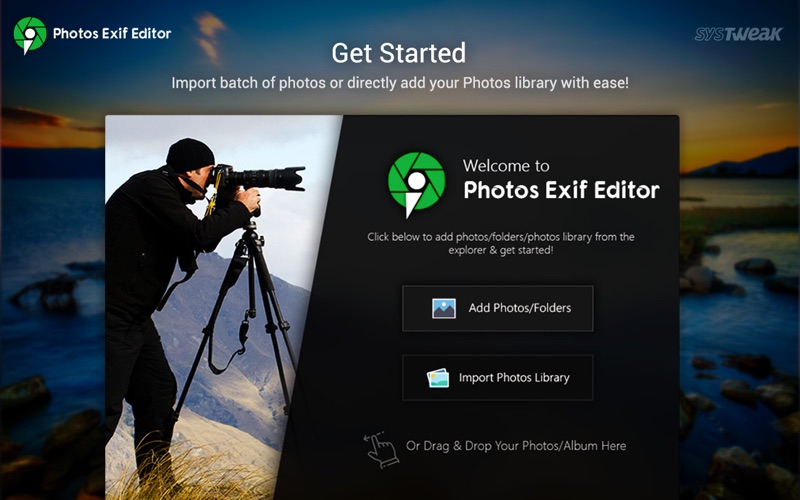
Make screenshots of your windows with vibrant blurry effect on separate layers.
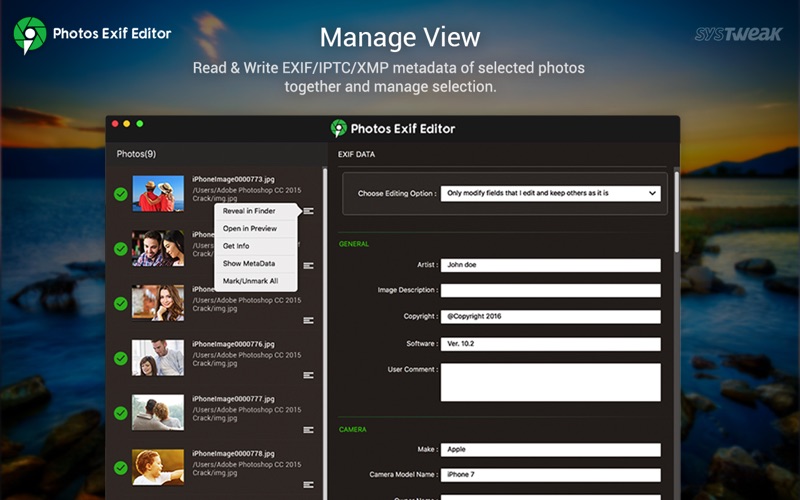
  • Directly drag screenshots into graphic app to continue work with them
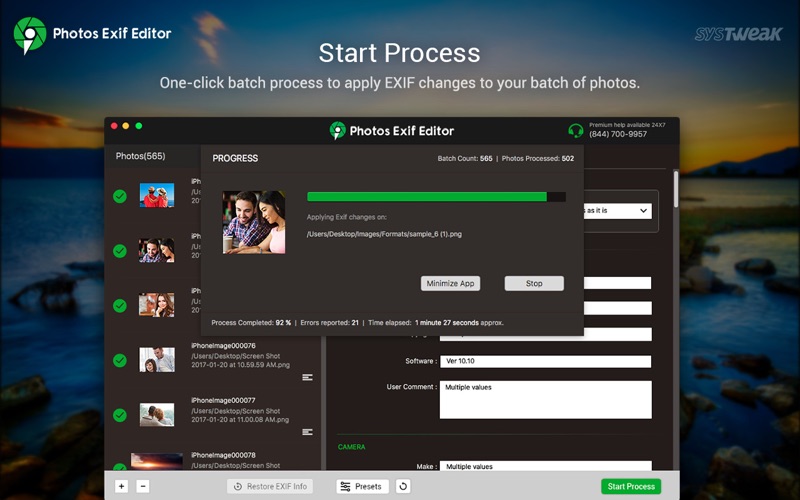
  • Drag and drop screenshots into finder to save PSD or PNG documents.
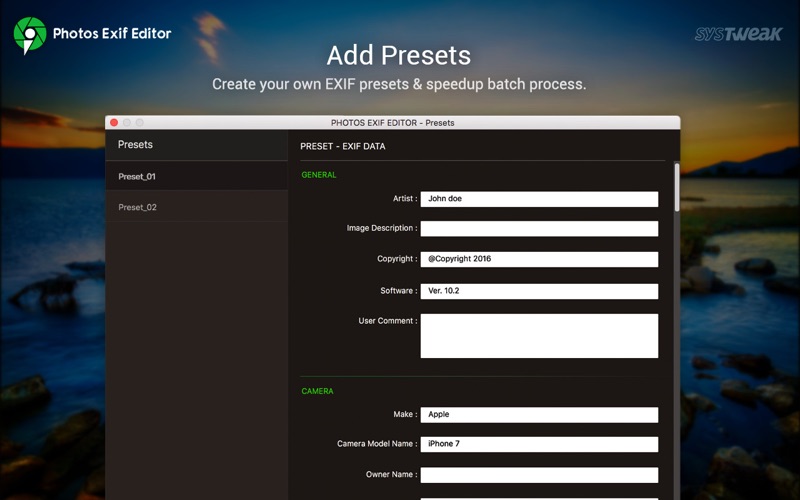
  • Organise your screenshots- save them in Shotty documents.
  • Inspect transparency on checker or white background.

Features:

  • Supports Windows With Vibrant Blurry Effect
  • Transparent Background
  • Screenshots With Separate Layers
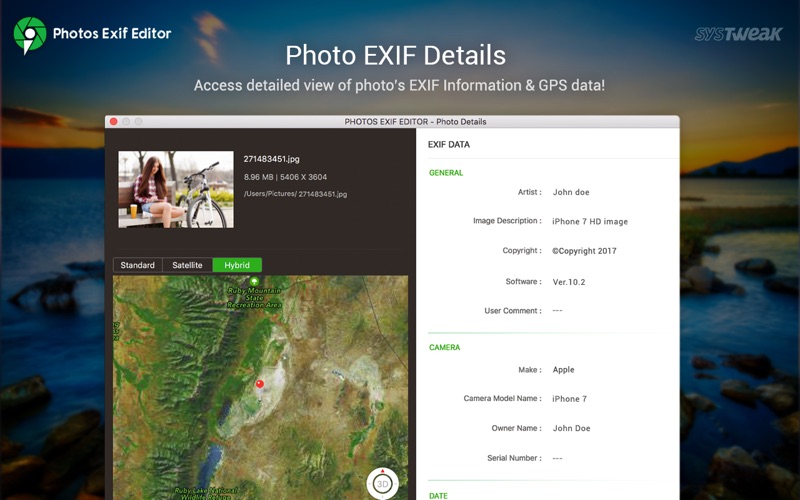
  • Screenshots Without Layers
  • Customizable Shortcuts
  • Directly Drag And Drop Into Graphic Apps
  • Store Screenshots In Shotty Documents

  • Checker Or White Background Preview
  • Export to PSD(with layers), PNG, JPEG, TIFF
  • Selecting and saving multiple sublayers of screenshots
  • Pinch zoom and smart zoom with trackpad

Information

CompatibilityOS X 10.11 or later, 64-bit processor
LanguagesEnglish

What’s New in ShottyBlur 1.3

  • Hide Until New Shot – an option to temporary hide ShottyBlur completely until you make a new screenshot
  • Activate it by pressing Ctrl-H shortcut
  • Stability improvements

Screenshots


Name ShottyBlur 1.3 MAS HCISO mac-torrents.net.zip
Size 12.08 MB
Created on 2019-09-27 22:33:25
Hash 992b91bebe9a8bb39648e75af7bdda1004644f07
Files ShottyBlur 1.3 MAS HCISO mac-torrents.net.zip (12.08 MB)

Download

VMware Fusion Pro 11.5.0 Extended Edition


Descriptions for VMware Fusion Pro 11.5.0 Extended Edition

VMware Fusion gives Mac users the power to run Windows on Mac along with hundreds of other operating systems side by side with Mac applications, without rebooting. Fusion is simple enough for home users and powerful enough for IT professionals, developers and businesses.

Run Nearly Any Operating System on a Mac

Running Windows on Mac is only the beginning. VMware Fusion lets you choose from hundreds of supported operating systems, from lesser-known Linux distributions to the latest Windows 10 release.

Connect to VMware vSphere

Securely connect with vSphere, ESXi and Workstation servers to launch, control and manage both virtual machines (VMs) and physical hosts. Thanks to the common VMware platform, VMs can be easily transferred from the vSphere data center to the Mac desktop and then run in Fusion.

Develop and Test for Any Platform

Fusion makes it simple to test nearly any OS and app on a Mac. Build and test apps in a sandbox while securely sharing local source files and folders. Fusion Pro now includes a RESTful API to integrate with modern development tools like Docker, Vagrant, Ansible, Chef, and others to fit the power of VMware into today’s Agile and DevOps-oriented production pipelines.

Design and Demo Complex Solutions

With the ability to run an entire virtual cloud stack on a single Mac, solution architects can demonstrate their entire software solution in real time, with safe rollback points to return to known configurations. Fully express the story of your software journey by running all of its components on a single notebook to show the world.

WHAT’S NEW:

Professionals Run Windows on Mac with Fusion Pro

Fusion 8 Pro lets Mac users take advantage of Windows 10 features like the all new Edge browser, or strike up a conversation with Cortana, the all-new personal digital assistant, even while Fusion is running in the background. With support for over 200 operating systems including Windows 10, Fusion 8 Pro delivers unsurpassed platform compatibility and integration with the VMware ecosystem.

Expiring Virtual Machines

For workers assigned to short-term projects, temporary employees, or for a software evaluation, create restricted virtual machines that expire at a predefined date and time. When powered on, the virtual machine will query the server at specified time intervals, storing the current system time in the restricted virtual machine’s policy file as the last trusted timestamp. An expired virtual machine will automatically suspend and will not restart without administrator intervention.

Information

CompatibilitymacOS 10.12 or later
LanguagesEnglish

What’s New in VMware Fusion Pro 11.5.0 Extended Edition

  • Release notes not available at the time of this post.

Screenshots


Name VMware Fusion Pro 11.5.0 Extended Edition.zip
Size 539.9 MB
Created on 2019-09-27 23:18:00
Hash 951ab3ef3f7cba17298adb5073abe042b8bce857
Files VMware Fusion Pro 11.5.0 Extended Edition.zip (539.9 MB)

Download

BetterTouchTool 3.202


Descriptions for BetterTouchTool 3.202

BetterTouchTool adds many new, fully customizable gestures to the Magic Mouse, Multi-Touch MacBook trackpad, and Magic Trackpad.

These gestures are customizable:
  • Magic Mouse:
    • Pinch in / out (zoom)
    • single-finger tap left
    • single-finger tap right
    • single-finger tap middle
    • single-finger tap
    • single-finger click middle
    • two-finger tap
    • two-finger click
    • two-finger swipe (up/down/left/right)
    • two-finger tip tap left/right
    • three-finger tap
    • three-finger click
    • three-finger swipe (up/down/left/right)
    • four-finger swipe up/down
    • four-finger click
    • TipTap left/right
  • Touchpad:
    • single-finger tap top-left
    • single-finger tap top-right
    • single-finger tap top-middle
    • single-finger tap bottom-left
    • single-finger tap bottom-right
    • single-finger tap bottom-middle
    • single-finger tap left-middle
    • single-finger tap right-middle
    • two-finger tip tap left/right
    • three-finger swipes (up/down/left/right)
    • three-finger tap
    • three-finger click
    • four-finger swipes (up/down/left/right)
    • four-finger tap
    • five-finger tap
    • five-finger swipe up/down/left/right (see FAQ)
    • TipTap
    • two-finger TipTap
    • three-finger TipTap

Information

CompatibilityOS versionOS X 10.10 or later
LanguagesEnglish

What’s New in BetterTouchTool 3.202

  • Release notes not available at the time of this post.

Screenshots


Name BetterTouchTool_3.202 Shark mac-torrents.net.zip
Size 33.40 MB
Created on 2019-09-27 23:11:05
Hash c8b6c79c4209d06c72f9199cd56608905406b8f9
Files BetterTouchTool_3.202 Shark mac-torrents.net.zip (33.40 MB)

Download

WavePad Masters Edition 9.42


Descriptions for NCH WavePad Mater 9.42

WavePad is a full featured professional audio editor program perfect for any audio project in the sound studio or at home. WavePad offers the ability to easily record and edit music with speed and agility, using insert, silence, auto-trim and more. Take your audio projects to the next level by adding effects, like: amplify, normalize, equalizer, envelope, reverb, echo, and reverse.

WavePad supports a number of formats including vox, gsm, and more! Whether you are a professional or an at-home enthusiast, WavePad has all of the tools you need to edit audio files. Typical applications include ringtones, voice-overs, trim sound bits, and many more!

Features:

  • Sound editing functions include cut, copy, paste, delete, insert, silence, autotrim and more.
  • Audio effects include, amplify, normalize, equalizer, envelope, reverb, echo, reverse, sample rate conversion and more.
  • Supports a number of file formats including wav (multiple codecs), mp3, vox, gsm, real audio, au, aif, flac, ogg and many more.
  • Batch processing supports up to 32000 files allowing you to apply effects and/or convert your files as a single function.
  • Tools include spectral analysis (FFT) and speech synthesis (text-to-speech).
  • Many more features.

Information

CompatibilityOS X 10.7.3 or later, 64-bit processor
LanguagesEnglish

What’s New in WavePad Masters Edition 9.42

  • Release notes not available at the time of this post.

Screenshots


Name NCH WavePad Mater 9.42 Shark mac-torrents.net.zip
Size 8.96 MB
Created on 2019-09-27 22:52:44
Hash 839d89656106afdb586358ab242bcc4dafd89cd9
Files NCH WavePad Mater 9.42 Shark mac-torrents.net.zip (8.96 MB)

Download

Twitterrific 5.4.2


Descriptions for Twitterrific 5.4.2

has been re-imagined from the ground up to be the Mac’s most friendly, powerful and modern Twitter client. Twitterrific makes Twitter fun.

Features:

Twitter Your Way

A clean, uncluttered timeline featuring just the content you care about; tweets are presented in chronological order and other people’s likes aren’t placed in your timeline.

Designed for macOS

Twitterrific feels right at home on the Mac, with support for Notification Center, Retina displays, built-in sharing, beautiful animations, full-screen mode, and more.

Timelines Galore

Take control of your tweets with multiple timeline windows from the same account or multiple accounts, all organized on your Mac’s desktop.

Full Accessibility

Navigate the timeline, compose tweets, and even attach image descriptions quickly and easily using Voice Over.

Tweet In Style

Twitterrific’s appearance panel supports themes, lets you customize fonts and type sizes, and even lets you control how media appears in the timeline.

Read Anywhere

Whether you use Twitterrific on your iPhone, iPad, or another Mac, the app automatically syncs your reading position for a seamless Twitter experience.

  • Simple to use, easy to understand
  • True multi-account/multi-window support
  • View mentions, messages, and favorites quickly and easily
  • Timeline syncing of reading position across all platforms via iCloud
  • System-wide alerts for mentions and direct messages via Notification Center
  • Fully accessible via VoiceOver
  • Support for Retweet (RT) and Quoted tweets
  • Quick access to Emoji when composing new tweets
  • Autocompletion of usernames and hashtags while editing tweets
  • View Twitter saved searches and lists
  • Check out global and local trending topics
  • Browse conversation threads between users
  • Support for tweet storms and chained tweet threads
  • Quickly Delete and Edit your own tweets
  • Translate tweets to your native language
  • Helpful color-coding of tweet types
  • In-app media viewing for images, animated GIFs, Instagram and more
  • Share a tweet with actions for email, Messages, Safari Reading List and more
  • Muffles and mutes synced from Twitterrific for iOS via iCloud
  • Robust in-app media viewer with detachable popovers
  • Customize the appearance of media in the timeline or hide it completely
  • View user profiles including past tweets, likes and mentions
  • Follow and unfollow other users directly from their user profile
  • Block and report spammers with a single click
  • Theme control (light or dark)
  • Font size and type face control
  • Robust keyboard control

Information

CompatibilityOS X 10.11.6 or later, 64-bit processor
LanguagesEnglish

What’s New in Twitterrific 5.4.2

Added a new light theme, improved media handling, syncing of reading position and fixed several bugs dealing with quoted tweets with media.

NEW FEATURES

  • ​Added a bright new light theme: Egret

IMPROVEMENTS

  • Adjusted the size of media popovers
  • Improved reading position syncing
  • When quoting or replying, the preview now includes a media thumbnail for tweets that have an attachment
  • Added support for tearing off popovers even when they are opened from another popover (such as discussion threads)
  • Updated the theme customization readme file stored in iCloud Drive

BUG FIXES

  • Fixed an issue displaying and opening media for quoted tweets when the parent tweet also had media
  • Fixed a bug that caused large photos to be scaled down when viewed in the popover or when saved or copied
  • Fixed an issue that sometimes caused the compose view to be incorrectly sized when quoting or replying

Screenshots


Name Twitterrific 5.4.2 MAS [TNT] mac-torrents.net.zip
Size 30.02 MB
Created on 2019-09-27 15:14:34
Hash 9658253d3fad8eb02946886873355af7cd658b8f
Files Twitterrific 5.4.2 MAS [TNT] mac-torrents.net.zip (30.02 MB)

Download

Disk Drill Enterprise 3.7.947


Descriptions for Disk Drill Enterprise 3.7.947

is a Mac data recovery software designed natively for Mac OS: easily protect your files from accidental deletion with Recovery Vault and recover lost data from Mac disks. Most of storage devices, file types and file systems are supported. You can recover deleted files from iPhone and Android devices! Disk Drill offers helpful and free tools for disk management like duplicate file finder, byte-to-byte backups, disk cleanup and space visualization, bootable data recovery drive, disk health monitoring, etc.

When something is deleted Recovery Vault makes it possible to recover not only the file itself, but also its properties, such as original file name, location, etc. So you will always be able to recover data from Mac files system (HFS/HFS+) and FAT32 partitions. Disk Drill also includes powerful S.M.A.R.T. disk monitoring right out-of-the-box; you can monitor your disks’ hardware status and get automatic notifications of potential failures or other issues. If a disk or partition is failing, you can easily backup it into a disk image (DMG) which can later be mounted for recovery.

Disk Drill PRO also features a number of advanced scanning modes for data recovery of FAT, NTFS, HFS/HFS+, other file systems and formatted (initialized) drives. Using Quick Scan you can locate deleted items on FAT and NTFS disks, this scanning method is fast and accurate, but is unlikely to find data deleted long ago. With Deep Scan you can try to recover data from any disk or memory card regardless of their file system. This recovery method is long and thorough, it scans your disk in a binary mode and is capable of finding deleted files even after formatting.

Information

CompatibilityOS X 10.8.5 or later
LanguagesEnglish

What’s New in Disk Drill Enterprise 3.7.947

  • Release notes not available at the time of this post.

Screenshots


Name Disk Drill Enterprise 3.8.947 [TNT] mac-torrents.net.zip
Size 32.78 MB
Created on 2019-09-27 15:15:06
Hash 6042ec97b1f66eb88bff2f7ab74da3d6750cf75a
Files Disk Drill Enterprise 3.8.947 [TNT] mac-torrents.net.zip (32.78 MB)

Download

Clover Configurator 5.5.0.0


Descriptions for Clover Configurator 5.5.0.0.zip

Clover Configurator designed to help you create custom configuration files for the Clover EFI bootloader via a streamlined graphical interface.

Upon launch, Clover Configurator will check to see if there are already available configuration files, and enables you to view their content. In addition, Clover Configurator can check for the latest Clover EFI revision, and helps you download and install the bootloader.

The Clover Configurator app is organized around two major functionalities: you can use the available tools to perform certain tasks, or you can customize certain parameters associated with the Clover EFI configuration file.

Information

CompatibilityOS X 10.9.0 or later
LanguagesEnglish

What’s New in Clover Configurator 5.5.0.0

  • Added PrimaryGPU/SecondaryGPU keys in Devices->Properties section (Clover Rev. 5051)
  • Updated to latest platformdata in SMBIOS section
  • Fixed Install/Update Clover tool

Screenshots


Name Clover Configurator 5.5.0.0.zip
Size 12.01 MB
Created on 2019-09-27 16:05:02
Hash f30192a22fed942a220cffa3d952bf90fb68e992
Files Clover Configurator 5.5.0.0.zip (12.01 MB)

Download

FileMaker Pro 18 Advanced 18.0.3.317


Descriptions for FileMaker Pro 18 Advanced 18.0.3.317

FileMaker Pro Advanced is the tool you use to create a custom app. You also use FileMaker Pro Advanced to access your app on a Windows or Mac computer. Start by importing data from a spreadsheet or using a built-in Starter app to manage contacts, inventory, meetings, and more. Or even quickly build a new app from the beginning.

FileMaker Pro Advanced includes a set of advanced tools to help you design and develop custom apps faster and easier. Plus, you’ll get robust analysis capabilities, powerful diagnostic tools, and much more.

Features:

  • Start quickly – Create precisely the app you want using the intuitive graphical interface, flexible design tools, built-in Starter apps, and ready-to-use themes
  • Import existing data – Bring your existing data into a FileMaker app. Import data types such as .CSV, Tab, XML, ODBC, and Microsoft Excel files
  • Built-in reporting tools – Easily make summary reports, colorful charts, and executive dashboards using built-in reporting and charting tools. Save your information in popular Excel and PDF formats
  • Out-of-the-box security – Centralize your information and safely access data using proven encryption standards. Manage group or individual user privileges – even for a single field
  • Share with your team – Create custom apps that work together seamlessly across iPad, iPhone, Windows, Mac, and the web. Securely share your app with others using FileMaker Cloud or FileMaker Server. Learn more
  • Integrate with other programs – Connect with other popular apps and web services through powerful REST APIs. And create live, 2-way connections with Microsoft SQL Server, Oracle, MySQL, PostgreSQL, and IBM DB2 data sources

Advanced features:

  • Script Debugger – Instantly pinpoint problem areas in scripts and Script Triggers directly in the Script Workspace. Turn off Script Triggers when debugging to fine tune the troubleshooting process.
  • Data Viewer – Monitor fields, variables, and calculations while troubleshooting.
  • Database Encryption – Enable AES 256-bit encryption to protect data on FileMaker Cloud, FileMaker Server, or on a FileMaker client.
  • Custom Menus – Create, change, or delete specific menu items or entire menu sets.
  • Custom Functions – Build your own functions and copy, paste, or import them into any FileMaker file.
  • Database Design Report – Run comprehensive reports on all elements of your database schema.
  • Kiosk mode – Build applications where all menus are hidden.

Information

CompatibilitymacOS 10.13 or later
LanguagesEnglish

What’s New in FileMaker Pro 18 Advanced 18.0.3.317

  • Release notes not available at the time of this post.

Screenshots

 

Name FileMaker Pro 18 Advanced 18.0.3.317 mac-torrents.net.zip
Size 298.3 MB
Created on 2019-09-27 16:05:56
Hash 9ed06294f242c862a10cb85ed4485ab9b55051ac
Files FileMaker Pro 18 Advanced 18.0.3.317 mac-torrents.net.zip (298.3 MB)

Download

Torrents Download Apple,Mac Osx,Apps ,Software

Exit mobile version