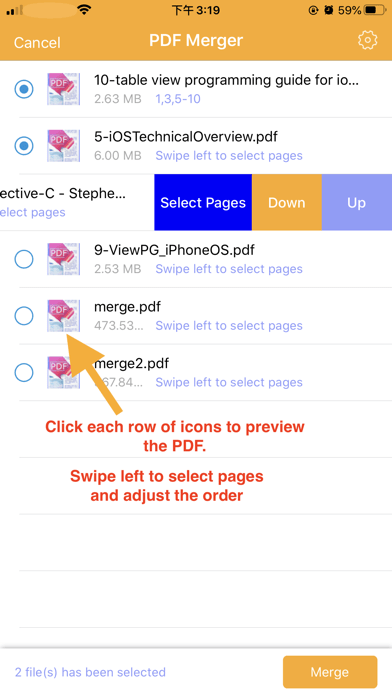
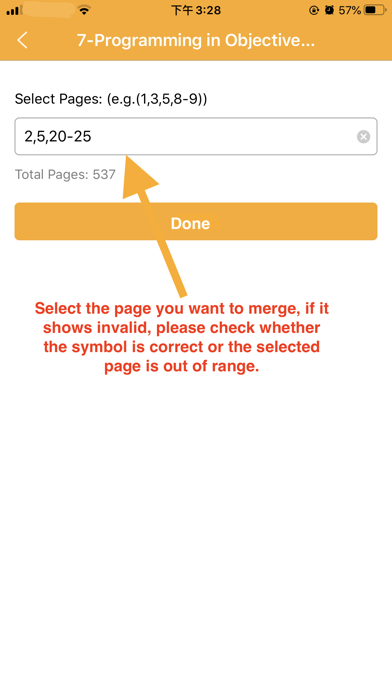
PDF Merge and PDF Splitter + is a very easy-to-use app that allows you to quickly merge multiple PDFs into one PDF or split specified pages into a new PDF.
Key Features:
Merge multiple PDF files into one PDF.
Merge password-protected PDF files, but you must know the password.
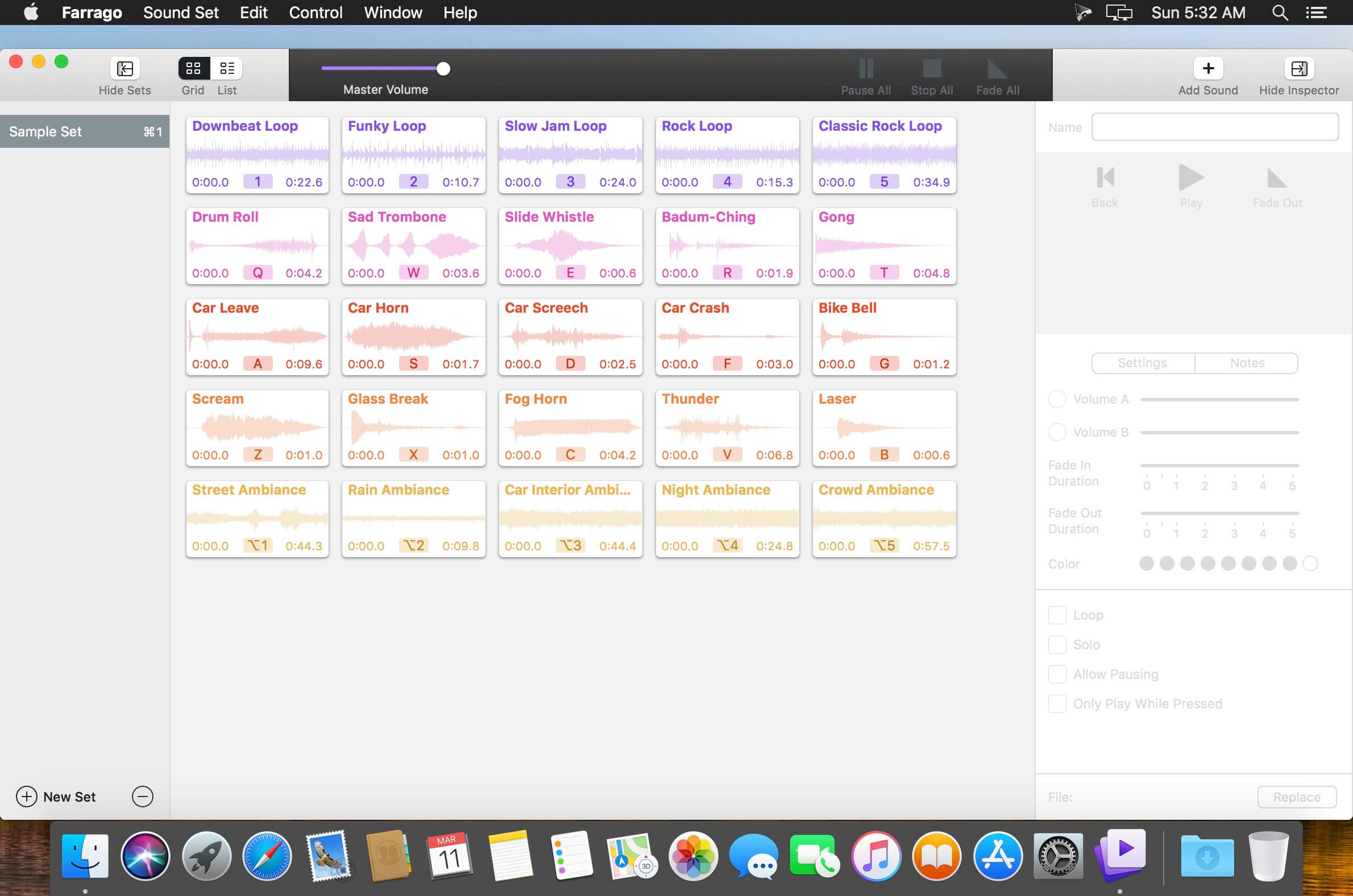
Farrago provides the best way to quickly play sound bites, audio effects, and music clips on your Mac. Podcasters can use Farrago to include musical accompaniment and sound effects during recording sessions, while theater techs can run the audio for live shows. Whether it’s providing quick access to a large library of sounds or running through a defined list of audio, Farrago is ready to assist!
Powerful Tile Interface: Farrago’s tile grid lets you lay out your audio exactly how you want it. Put your sounds at your fingertips and work the way you want.
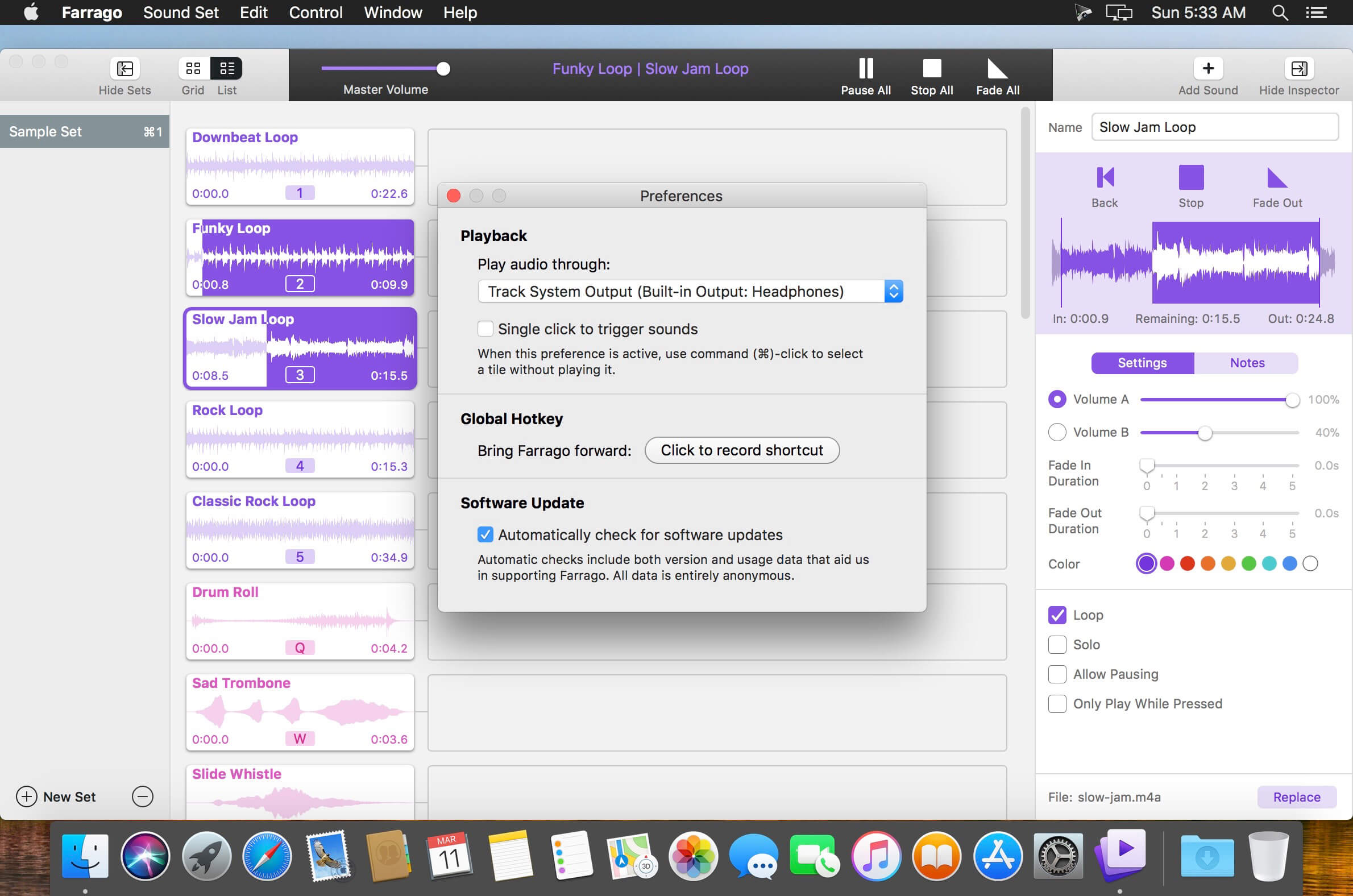
Customize With the Inspector: Use the inspector to tailor each sound’s settings to your needs. Set the tile name and color, tweak in/out points, alter fade settings and more.
Organize With Sets: Create distinct groups of audio based on mood, show, or any other critera you like. Using sets makes managing audio a breeze.
Sound Sets: Farrago’s default sound set is useful, but you can create your own sets based on show, mood, or anything else you like.
A Thoughtful Interface: Farrago’s tile-based layout provides an easily understood way to play your audio via the keyboard or mouse.
Global Access via Hotkeys: With Farrago’s user-definable Global Hotkey, you can pull the app forward, then use the in-app shortcuts to instantly trigger your desired audio.
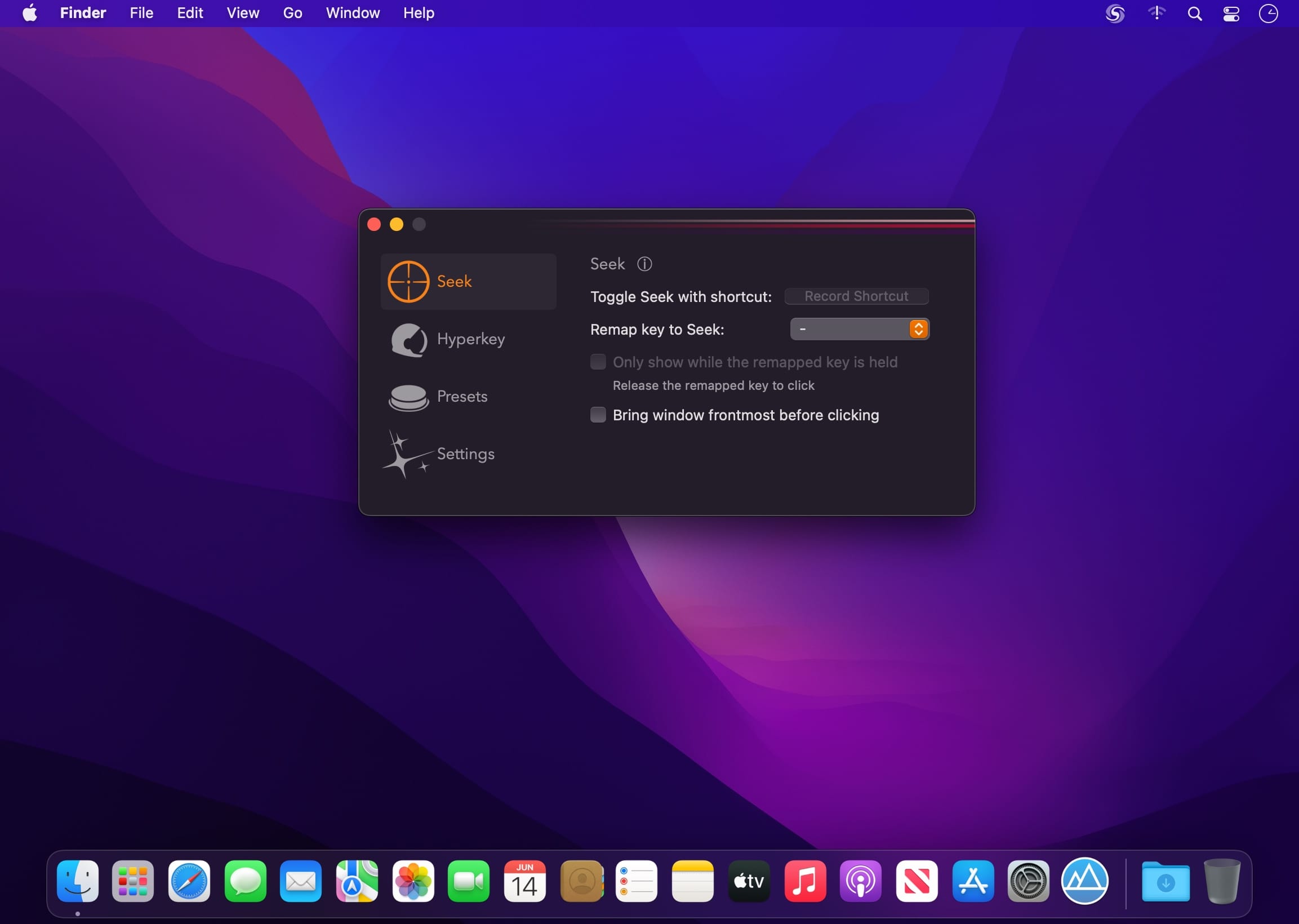
Become an instant keyboard power user with the ability to search & click text anywhere on screen. Comes with built-in hyperkey and remapping presets. Keyboard Superpower on macOS.
Seek & click
Match what you type, and click it ― all with the keyboard and anywhere on the screen.
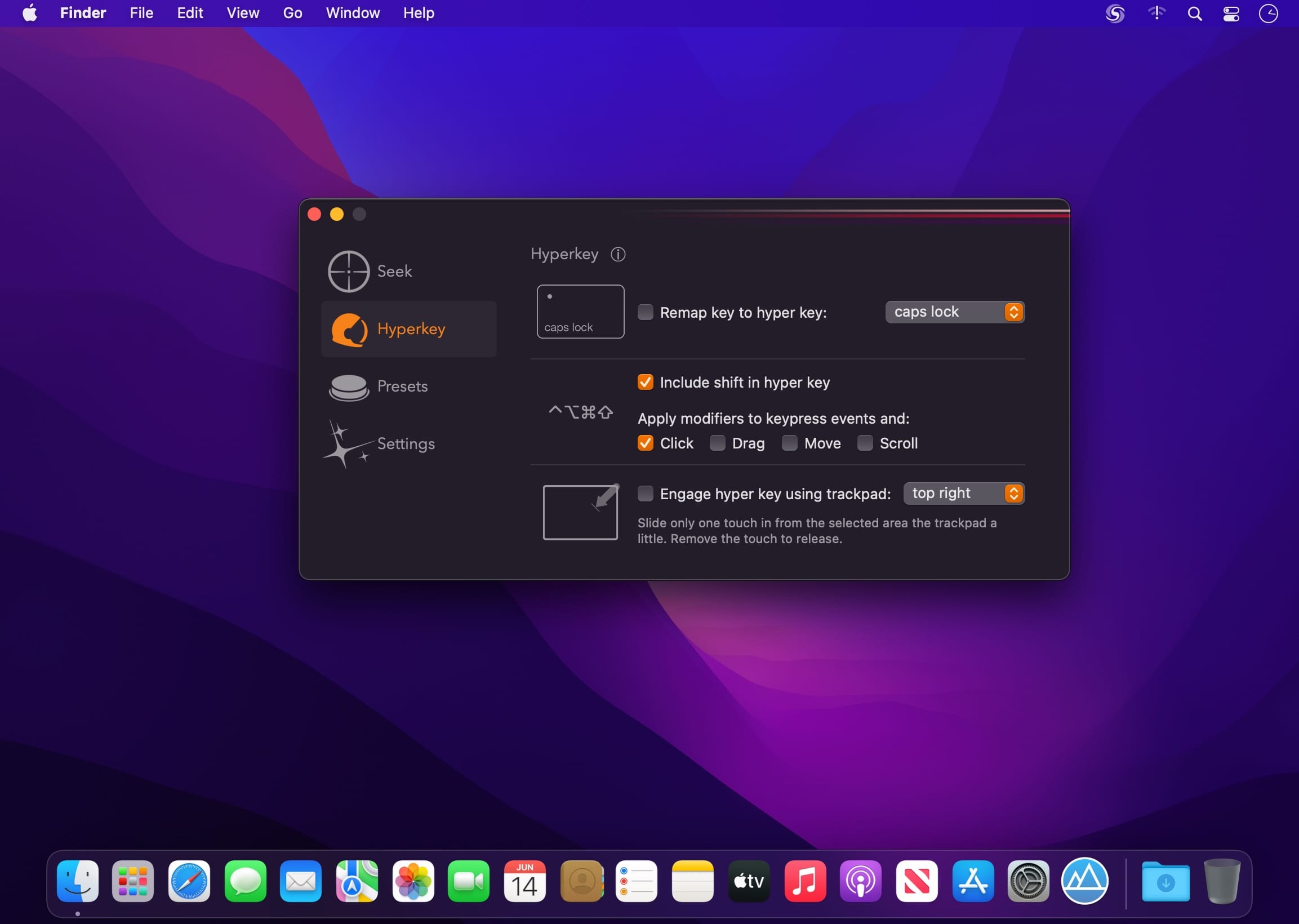
Hyperkey included
Convert your caps lock key or any of your modifier keys to the hyper key, all four modifiers combined: ⌃⌥⌘⇧
The hyper key acts as an additional modifier key that you can use in all of your other apps that have keyboard shortcuts
Power user
Maximize keyboard efficiency with just a few checkboxes
Got remappings you want a checkbox for? Let me know!
Sharpen, remove noise, and increase the resolution of your photos with tomorrow’s technology. Topaz Photo AI supercharges your image quality so you can focus on the creative part of photography.
Focus on your creativity rather than your tools.
AI is good at some things but bad at others. It can write sentences but can’t tell a story, and it can recommend songs but can’t compose music. But most importantly for us: AI is exceptionally good at improving image quality, but bad at knowing what to do with it.
We believe that stunning photography comes from artistic vision paired with world-class tools. AI will never replicate human creativity, so it’s still your job to provide the vision. But just like a sharper lens or better camera, Topaz Photo AI empowers you to create images that just aren’t possible with yesterday’s tools.
Your photos at their very sharpest.
You won’t always be able to retake a shot when your subject is blurry. Sometimes you won’t even know until you’re reviewing your photos on your computer.
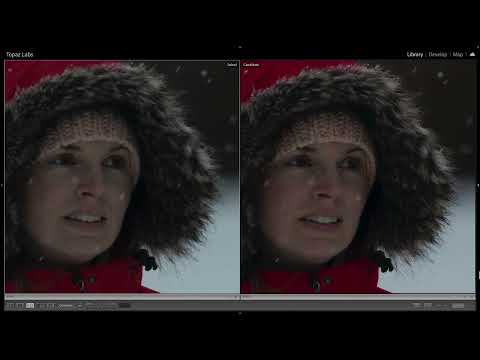
In these cases, use Topaz Photo AI to ensure that your photos are the sharpest they can possibly be. Instead of artificially increasing edge contrast like traditional sharpening, the Sharpen AI module naturally reverses root causes of blurriness (camera shake, motion blur, misfocus) to create more natural results.
In the absence of blur, sharpness remains – crisp, clear detail that’s free of edge haloes or other artifacts.
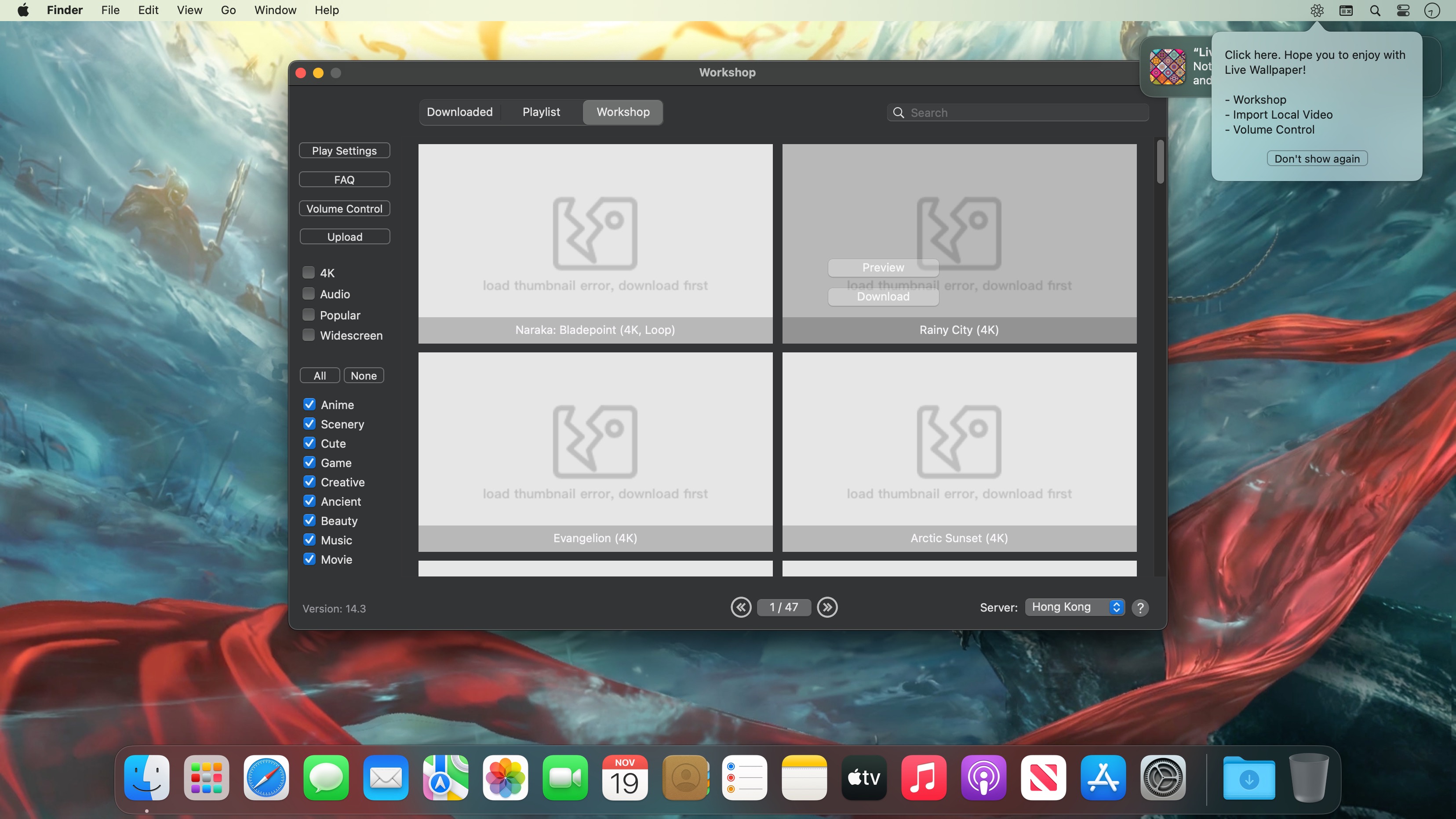
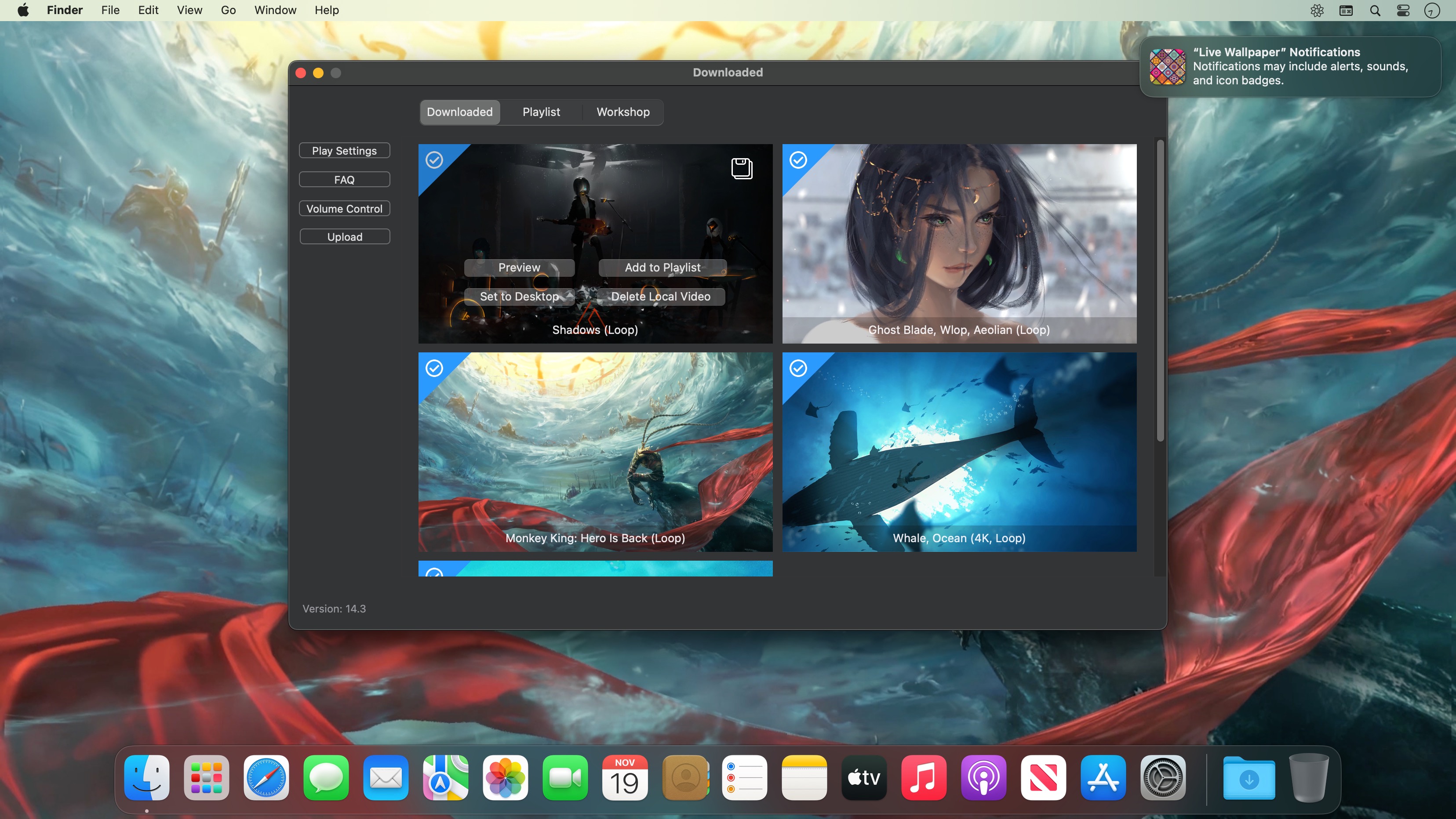
Live Wallpaper & Themes 4K allows you to use live wallpapers on your desktop/screensaver. It provides thousands of live wallpapers in the Workshop while taking as little system resources as possible. It’s the Wallpaper Engine for Mac.
Feature:
2000+ hand-picked videos which are updated every day.
Multiple types of 4K Ultra HD videos, anime, scenery, cute, game, creative, Beauty, Ancient, Movie, etc.
Supports “keyword searching” in videos.
Supports “Dynamic-ScreenSaver”, personalize your lock screen.
Easy to import local video.
Supports The playlist, list loop, shuffle loop.
Supports multiple screen aspect ratios and video native resolutions.
Set different wallpapers on different displays.
Manual control, video pause, resume and mute.
Break reminders, with flexible customization if you want it.
Supports global hotkeys to control wallpaper, hide desktop icons and show screensaver.
Auto mode, pause the video when other apps are active, not disturbed at work.
Auto mode, pause the video when Power Disconnected.
Support for hiding desktop icons.
Live Wallpaper Engine is designed to provide an interesting experience while consuming as little system resources as possible.
Dynamic Wallpaper Engine allows you to use live wallpapers on your desktop/screensaver. It provides thousands of live wallpapers in the Workshop while taking as little system resources as possible. It’s the Wallpaper Engine for Mac.
Features
• 2000+ hand-picked videos which are updated every day.
• Multiple types of 4K Ultra HD videos, anime, scenery, cute, game, creative, Beauty, Ancient, Movie, etc.
• Supports “keyword searching” in videos.
• Supports “Dynamic-ScreenSaver”, personalize your lock screen.
• Easy to import local video.
• Supports The playlist, list loop, shuffle loop.
• Supports multiple screen aspect ratios and video native resolutions.
• Supports global hotkeys to control wallpaper, hide desktop icons and show screensaver.
• Set different wallpapers on different displays.
• Manual control, video pause, resume and mute.
• Break reminders, with flexible customization if you want it.
• Auto mode, pause the video when other apps are active, not disturbed at work.
• Auto mode, pause the video when Power Disconnected.
• Support for hiding desktop icons.
• Dynamic Wallpaper Engine is designed to provide an interesting experience while consuming as little system resources as possible.
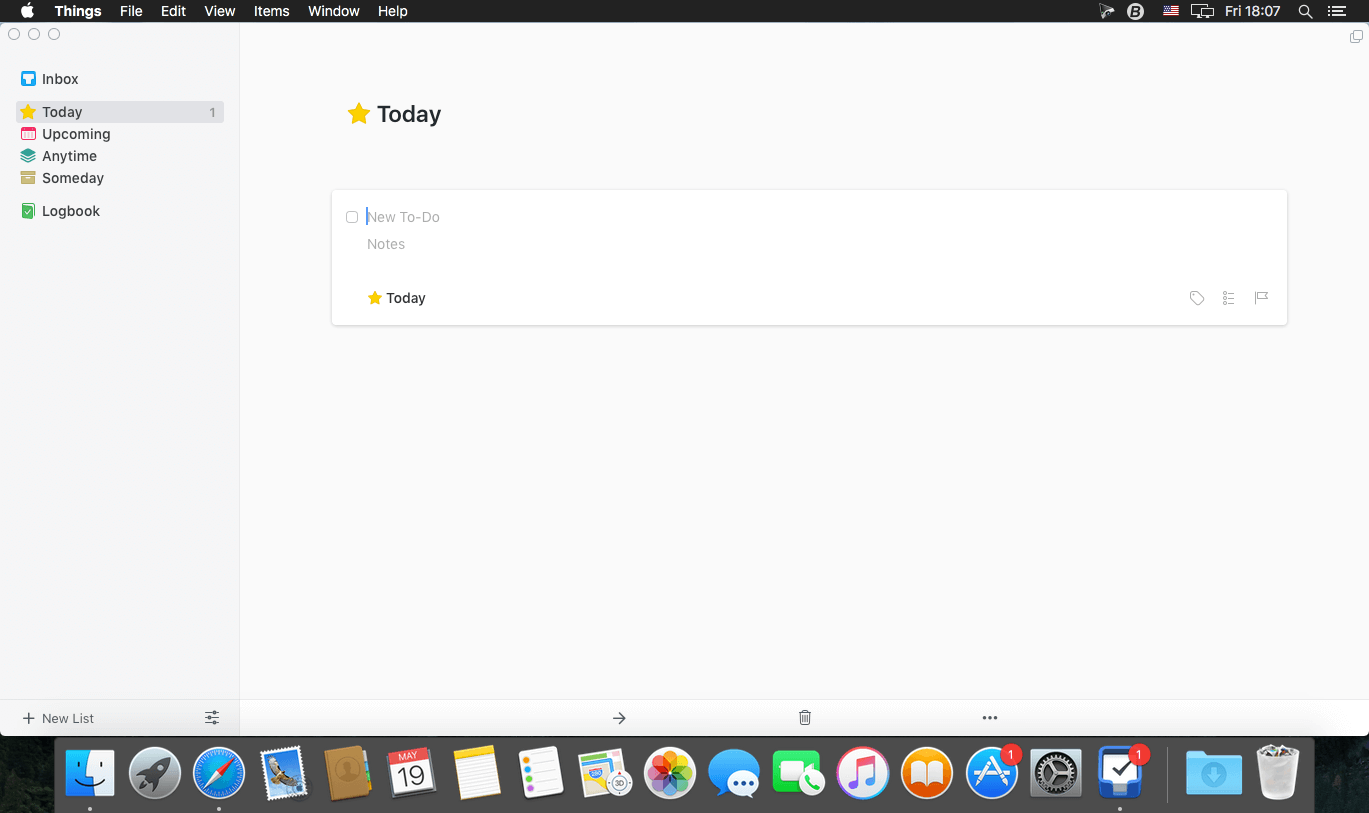
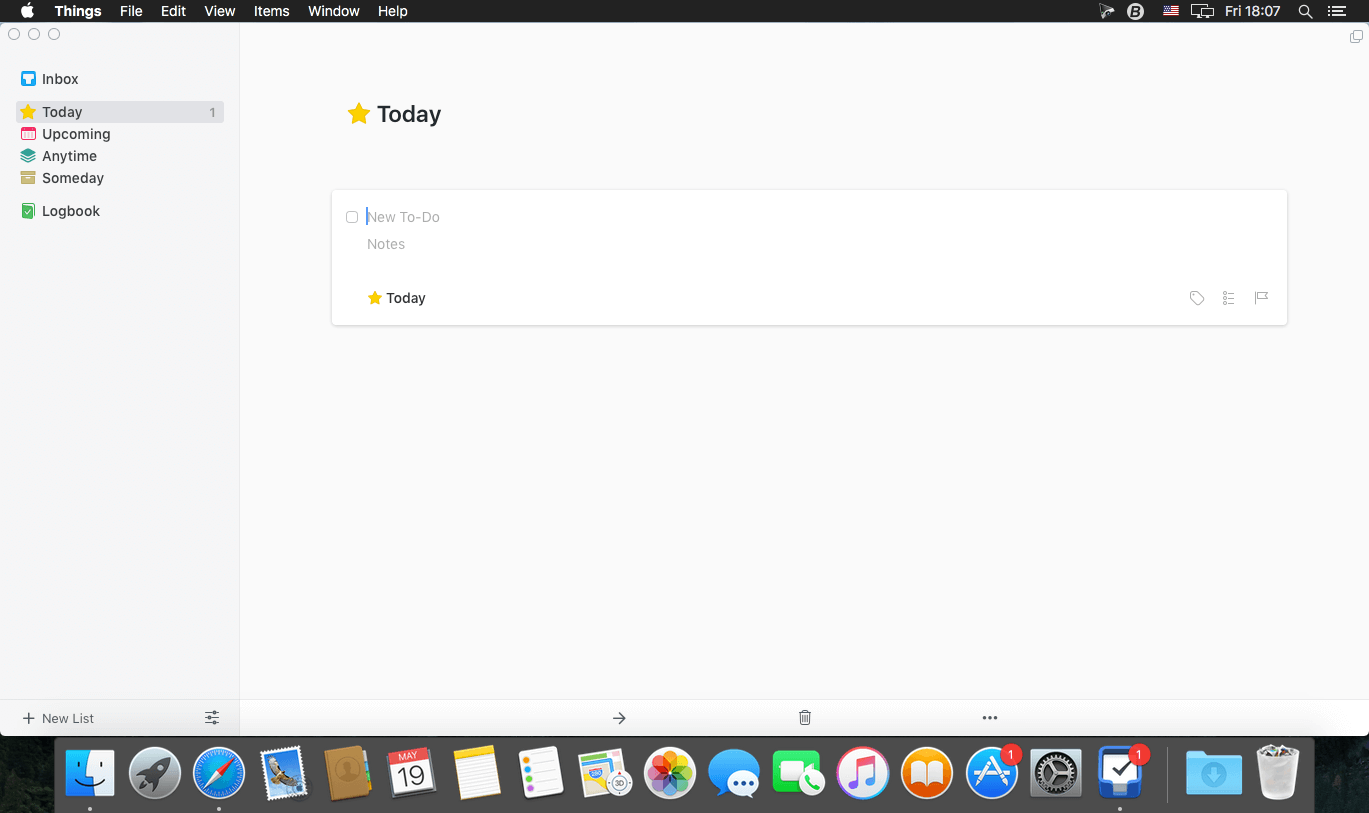
Things is a task management solution that helps to organize your tasks in an elegant and intuitive way. Things combines powerful features with simplicity through the use of tags and its intelligent filter bar. A Leopard style source list allows for quick and easy focusing. Together with a beautiful user interface, Things aims at the seemingly impossible: making task management both easy and fun.
Our screencast is a great introduction.
The big picture. A Leopard-style source list lets you easily focus without ever switching view modes or wrapping your head around filter criteria.
A magical tag bar automatically appears when needed and adapts to the currently displayed list. It lets you drill down even the longest list of To-Dos. Hierarchical tags? We got you covered!
Teamwork. Things offers convenient collaboration features. Easily delegate tasks to members of your team. (This is work in progress.)
No columns! Whether it’s multiple tags, dates or notes, To-Do items display their information on an as needed basis. No more space wasted by empty or irrelevant column cells!
Out of your head, out of your way. A quick entry HUD lets you enter any idea the moment it hits you. Never let the thought of an unfinished business distract you again.
Yours forever. We won’t lock you in. Things will use an open XML file format to store your data. (Not yet activated.)
Things even supports GTD, so if you’re familiar and comfortable with GTD concepts, you’ll feel right at home.
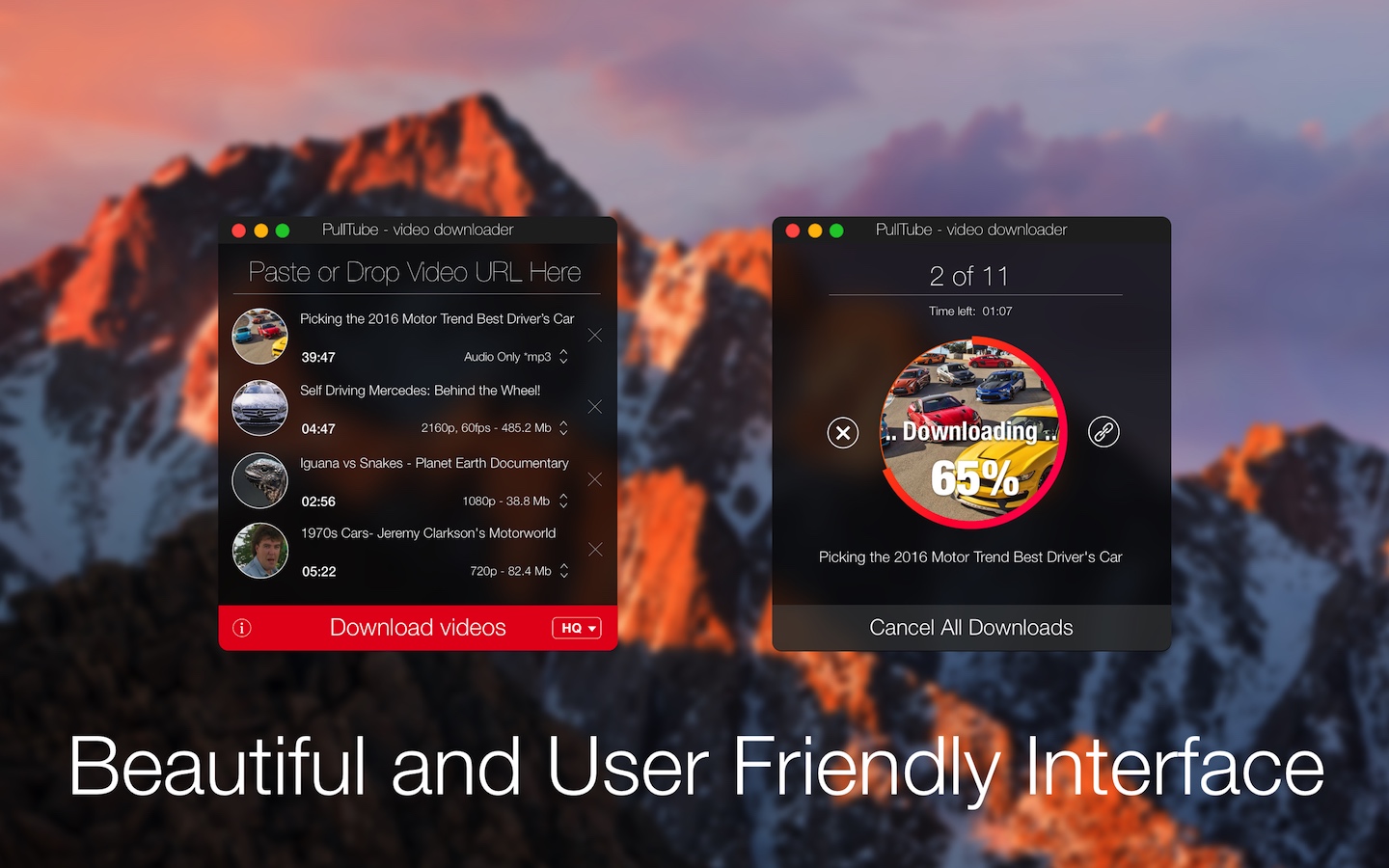
A beautiful online video downloader for your Mac PullTube proposes a streamlined workflow for quickly downloading videos from YouTube or Vimeo, provides control over the output quality, and enables you to extract the audio to MP3 or M4A files. The PullTube app can handle videos of any duration or size, and you get to monitor the download progress within its main window. The utility also integrates with the Notification Center to send completion alerts.
YouTube and Vimeo
Supports Youtube and Vimeo. More platforms to be added upon user requests.
4K, HD and 60fps support
PullTube allows you to download video in any format available
Video to Audio
Convert and save videos to mp3 and m4a
Beautiful and Flexible Interface
Nice looking, dark user interface
What’s New:
Version 1.8.5.5:
Release notes were unavailable when this listing was updated.
Compatibility: macOS 10.12 or later (Apple Silicon compatible) Language: Multilingual Homepagehttps://mymixapps.com/pulltube
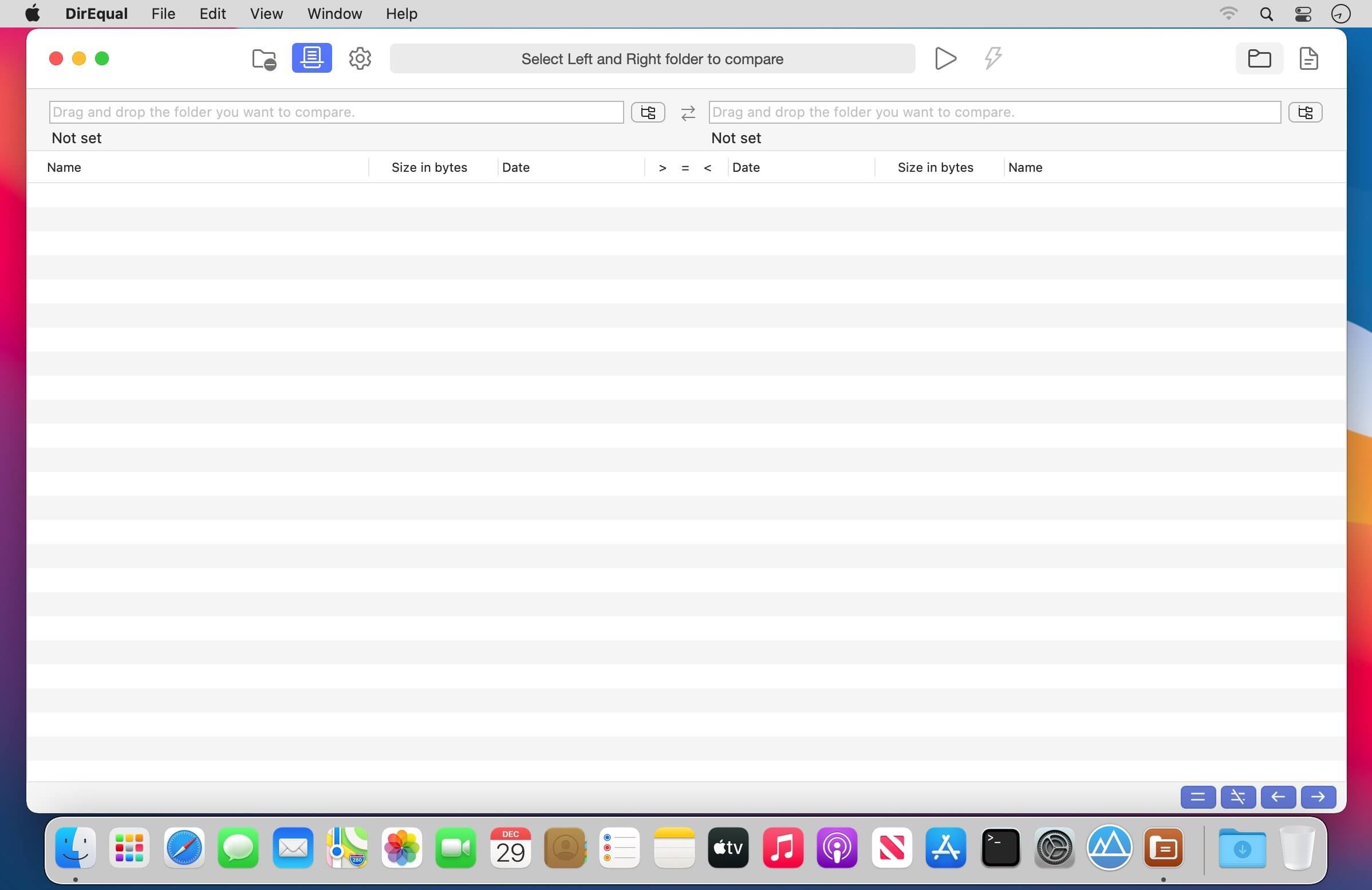
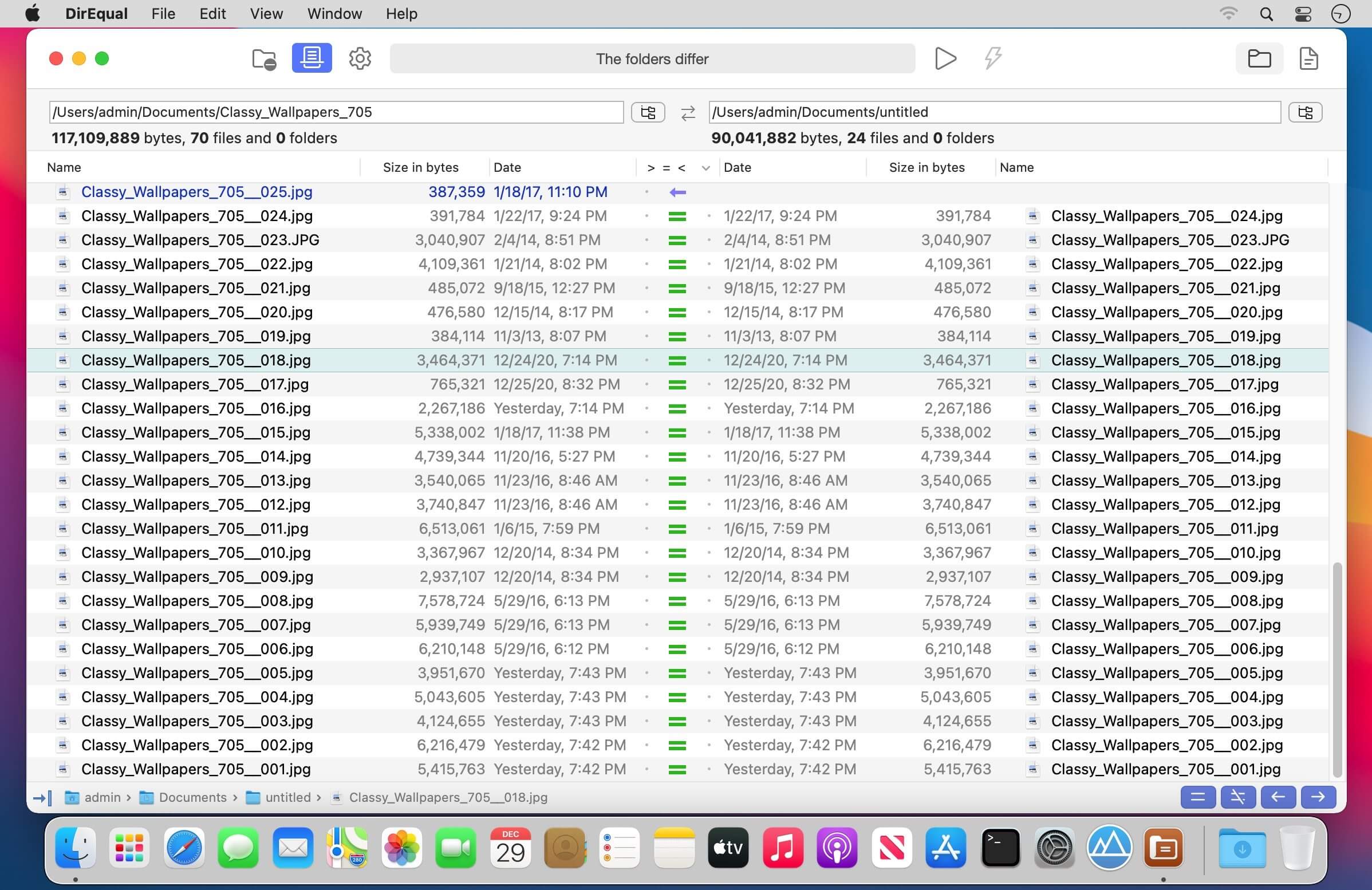
DirEqual is a Folder Compare Tool that makes it extremely easy to compare local files and folders on your Mac.
DirEqual displays compared directories side by side as expandable trees, and the size and date are indicated for each item. Differences between the directories are indicated with colour and easy to identify icons.
To copy or delete files or folders, click an individual item to choose the appropriate action.
The action is represented with red or blue arrow. Then click “Execute” to synchronise the two folders.
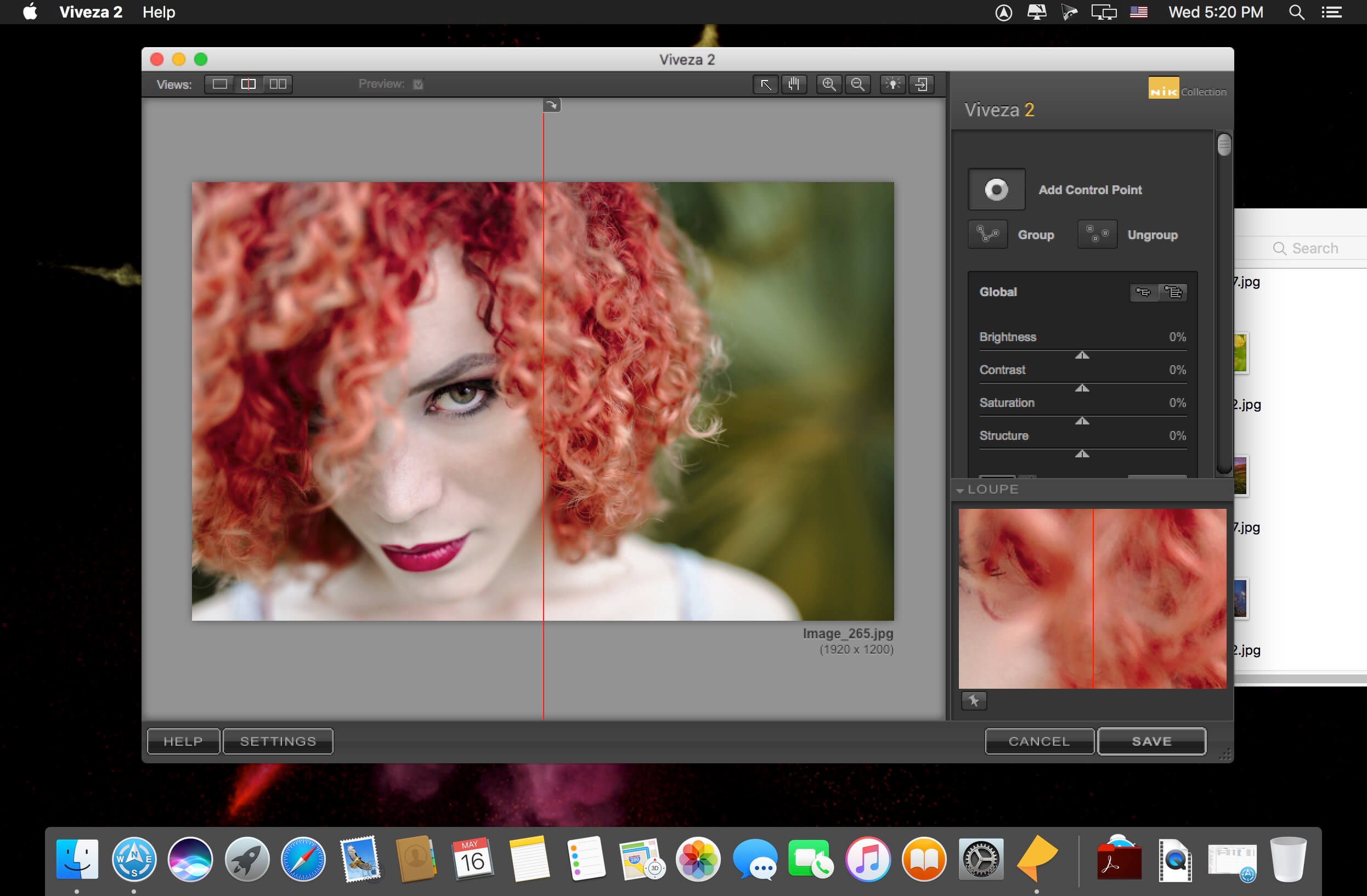
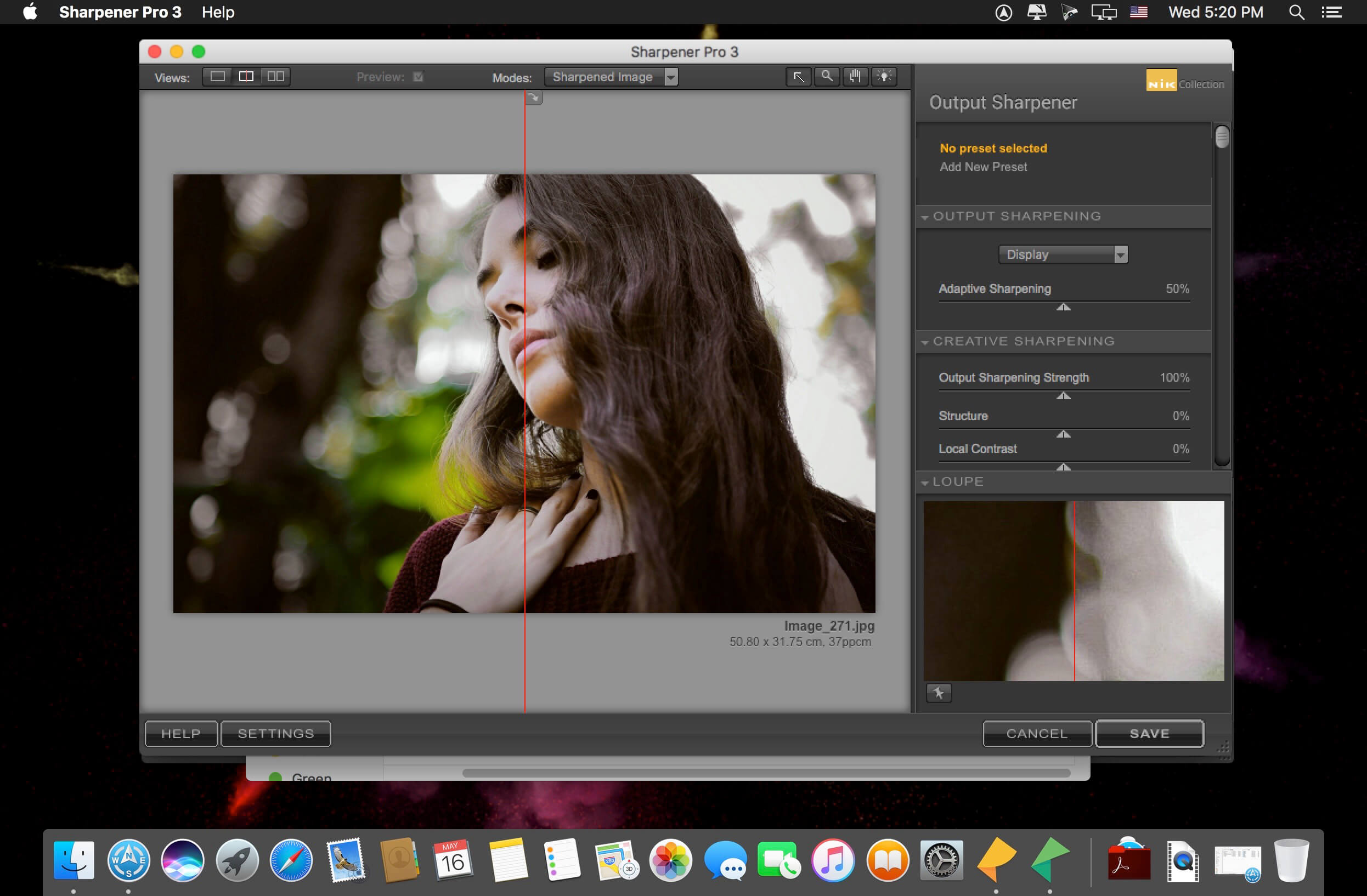
Nik Collection 4 by DxO is the world’s most exciting and creative suite of photo plugins.
Even More Possibilities for Even Greater Creativity. New interface, even more precise Control Points, and optimized tools for Adobe Photoshop and Lightroom: Nik Collection 4 helps your creativity reach even greater heights.
New Interface, New Experience
The new interface of Nik Viveza and Nik Silver Efex is more modern, more appealing, and more functional. It also provides quicker access to all available tools and presets so you can concentrate on what’s most important—finding your very own style.
Add Control Points to your custom presets
Save your favorite presets that you’ve created with Control Points, and then apply a similar style to a series of images—all while preserving a specific area in your photo. This is the perfect way to apply a color effect to several portraits as well as a blurred background!
Create an optimized and easier-to-use workflow
Because the Control Points now feature fewer sliders, you can now see the applied effects more easily. To really optimize your workflow, you can even rename them.
Adjust the saturation of a specific tone range
Thanks to the new Color Tolerance setting, users can not only select the color they want to edit, but also adjust the tolerance of similar color hues.
Combine the settings from several plugins with a single click
Meta Presets, which can be accessed directly from the Nik Selective Tool in Adobe Photoshop, combine all the presets and settings from the various Nik Collection plugins so you can apply several effects with a single click.
Incredible photos
Discover 10 Meta Presets created by professional photographers and instantly infuse your landscape and wildlife photography with a unique style—all without leaving Adobe Photoshop.
Lightning-fast retouching
With the Last Edit feature, you can recreate the last preset you used with one of the Nik Collection plugins.
Smart Copy & Paste
Selectively reapply a plugin’s finish to one or several images directly in Adobe Lightroom—all without having to launch the Nik Collection interface. The definition of efficient.
Even more striking black-and-white photos
Nik Silver Efex now features revolutionary ClearView technology, which was first released as part of DxO PhotoLab. Remove haze, boost local contrast, and give your photos an entirely new dimension.
Add color
Nik Viveza features ten native presets designed by professional photographers. Pick the style you like the most and make your own local adjustments. The possibilities are endless!
Reconnect with the emotional impact of analog
Accurately recreate the finish of films that left their mark on the history of photography: Nik Silver Efex features 39 ultra-realistic grains to help you produce authentic black-and-white photos.
Create and share
Create and save your personalized presets in Nik Viveza. Easily share them or import them to another computer so you can continue editing, no matter where you are.
Control your tones
With Nik Viveza’s new Selective Tone Tool, you can edit your images with even more control over bright lights, midtones, and shadows.
Adjust color temperatures
Nik Viveza’s new Color Temperature Selector lets you select the true white value in your image for flawless white balance.
Maya 3D animation software offers a comprehensive creative feature set for 3D computer animation, modeling, simulation, rendering, and compositing on a highly extensible production platform. Maya has next-generation display technology, accelerated modeling workflows, and tools for handling complex data.
Facilities and software features of Autodesk Maya
-Advanced design three-dimensional models
-simulate a variety of natural and environmental elements such as climate change, water and liquids, fire, plants and …
-having a variety of tools for modeling and data management
-the possibility of transferring the properties of one object to another object
-Design Clothes, hair and sex and different scenarios
-Coordination with other software modeling and animating
-Supports mathematical model NURBS (short for Non-uniform rational B-spline)
-ability to combine elements of two-dimensional and three-dimensional models
-Ability to use scripting programming language and MEL (stands for Maya embedded language) and ++ C and Python in the development of software
System Requirements:
OS:Apple® macOS® 13.x, 12.x, 11.x
CPU:64-bit Intel® or AMD® multi-core processor with SSE4.2 instruction set
RAM:8 GB of RAM (16 GB or more recommended)
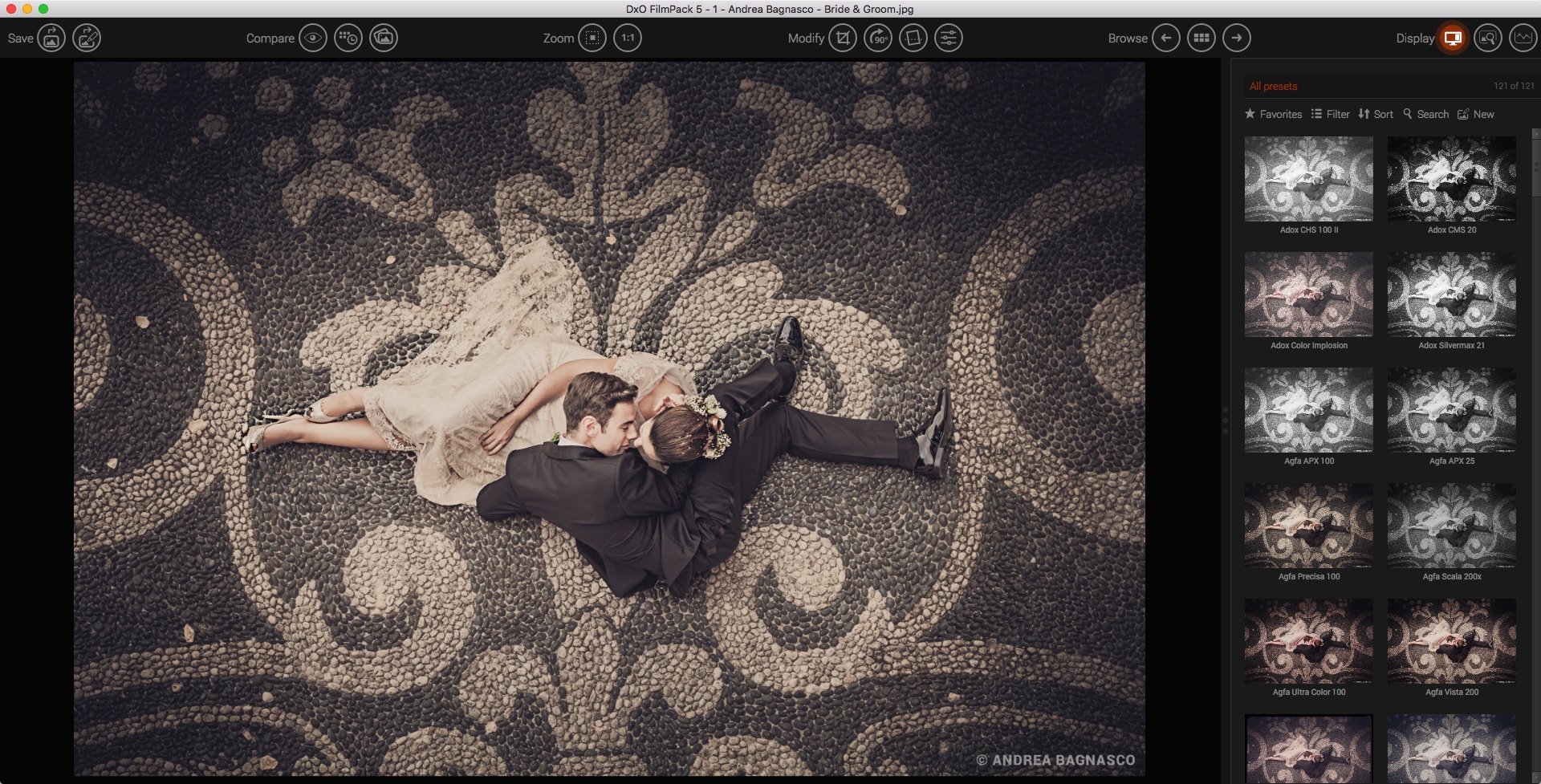
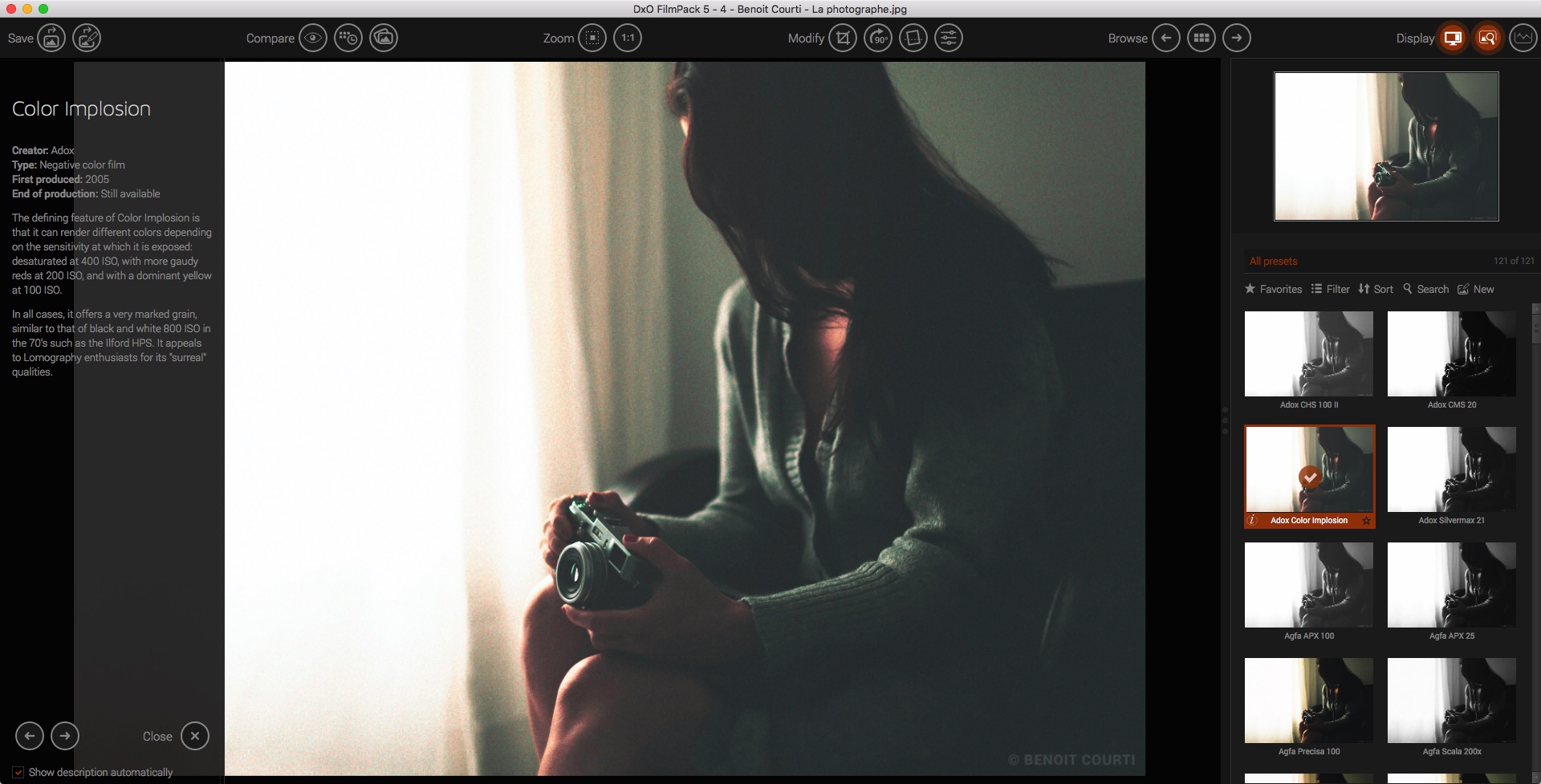
DxO FilmPack 6 ELITE Edition reproduces the colors and grain of iconic films as closely as possible using an exclusive calibration procedure developed in the company’s laboratories. The software recreates the hues, saturation, contrast, and grain of 84 authentic analog renderings within digital images. It also offers a decidedly original approach to browsing the various eras of photography.
Praised by professionals for the faithfulness of its analog film renderings, DxO FilmPack lets photographers apply to their digital images all of the characteristics of the analog films that have made photo history, as well as numerous original renderings, filters, toning, and visual effects — all of which can be infinitely combined.
Rediscover the magic of analog in the age of digital! DxO FilmPack traces the history of analog photography through 84 high-fidelity film renderings.
The soul of analog.
A truer-than-life analog rendering
DxO FilmPack, a direct product of DxO’s expertise as a pioneer of optical corrections, demosaicing, and denoising, faithfully reproduces the colors and grains of analog films thanks to an exclusive calibration process developed in its laboratories.
Faithfully rendered colors (NEW)
Choose from 46 color film stocks that made history. Capture fantastic images using the vivid red and intense blues tones of EKTACHROME Professional Infrared EIR. Rediscover the softness of Kodak Portra 160 NC for your portraits, the magic of Polaroid, or the contrast and the vibrant colors of Fujichrome Velvia 50 for macro photography.
Legendary black-and-white film stocks (NEW)
Discover the grain and contrast of iconic or missing black-and-white film stocks, including the legendary Kodak Tri-X, Fujifilm Neopan, Ilford FP4 Plus, or even Polaroid 664. DxO FilmPack helps you uncover your inner artist with its collection of 38 black-and-white film stocks. With IMPOSSIBLE PX 600 SILVER SHADE, you can also rekindle the effect of Polaroid 600 by creating the pastel sepia look of monochrome instant film.
Add a grain of truth to your images
Explore a new aspect of photography with the many grain effects available. Using the denoising tool, remove digital noise from your high-ISO images and replace it with authentic analog grain.
Time Machine: harnessing history to power your creativity (NEW)
Version 6 features a completely new, interactive exploration of photography’s history, presenting era-defining images and describing major events that shaped its evolution.
Infuse your photos with the look and feel of the eras that inspire you.
Image processing.
The advantages of digital but with the spirit of analog
Thanks to RAW format support and the use of DxO’s optical modules, you can correct all of your camera’s lens defects, effectively reduce unwanted digital noise, and faithfully restore color.
The ultimate in lens corrections
DxO FilmPack 6 perfectly rectifies all lens defects thanks to the advanced measurements made in the DxO laboratory. From sharpness and distortion to chromatic aberrations and vignetting, discover the best lens corrections available.
Sharpness
Distortion
Chromatic aberrations
Vignetting
8-channel HSL adjustments (NEW)
Enjoy even greater color precision using the new rendering engine which now uses eight channels instead of six. Gain better control over the orange and purple tones of your photos.
Take your creativity even further
Textures with a vintage look
Simulate an accidental exposure of the film to light and create areas of overexposure or color saturation around the edges of the image
A wide range of frames
Vignetting and a host of creative options
Selective blurring to focus the viewer’s attention
Reveal the subtleties of black and white
Create subtle conversions with color filters. Using the channel blender, enhance the tones in your images with finely tuned precision.
Add intensity to your black-and-white photos
With the fine micro-contrast tool, precisely adjust local contrast in your photos. The algorithm applies a multi-scale filter which removes unwanted details while preserving the sharp edges of the image.
For more advanced processing Customize your editing process.
Save your settings for intensity, grain, and contrast and apply them easily to other images in your library.
Create consistent renderings across all of your photos
Share your presets
Snapshots
Workflow.
Total efficiency with DXO FilmPack
FilmPack was created from film characterizations that were built in the laboratory using the best digital development technologies. Simply put, it delivers the most authentic film renderings on the market.
Software that is seamlessly integrated into your workflow
DxO FilmPack can be used as an independent application, as a module within DxO PhotoLab, or in addition to Adobe Lightroom Classic, Photoshop, or Capture One.
DxO PureRAW Simply better RAW files, Enhance your RAW files to open up even more possibilities with Adobe Photoshop and Lightroom®.
Unlock the RAW-file editing capacity of Adobe Photoshop and Lightroom
Create better RAW files before retouching them in Adobe Photoshop, Lightroom, or other programs thanks to DxO’s exclusive demosaicing, denoising, and lens defect correction technologies.
Pure, flawless, and noise-free RAW photos
DxO PureRAW’s artificial intelligence strikes the perfect balance between preserving detail and eliminating noise. DeepPRIME technology solves these problems before you and better than you.
Your lenses deserve the very best corrections
Automatically correct the defects in your equipment using DxO’s specially designed optical modules.
Recover your old RAW files
Get back to editing your old photos that you set aside because of poor image quality, noise, or a lack of sharpness. DxO PureRAW gives you another chance.
Perfection is in the details
Enjoy large format photos: DxO PureRAW reveals all the details and finesse of every texture you capture so you can enjoy incredibly pure photos.
Soft, non-grainy bokeh
Permanently delete the “parasitic” grain your camera creates in the blurry areas of your photos. DxO PureRAW adds incredible softness to your images.
Photo editing made simple
Use DxO PureRAW before your usual editing software and convert your RAW files into DNG files in just a few clicks—all without sliders or complex adjustments.
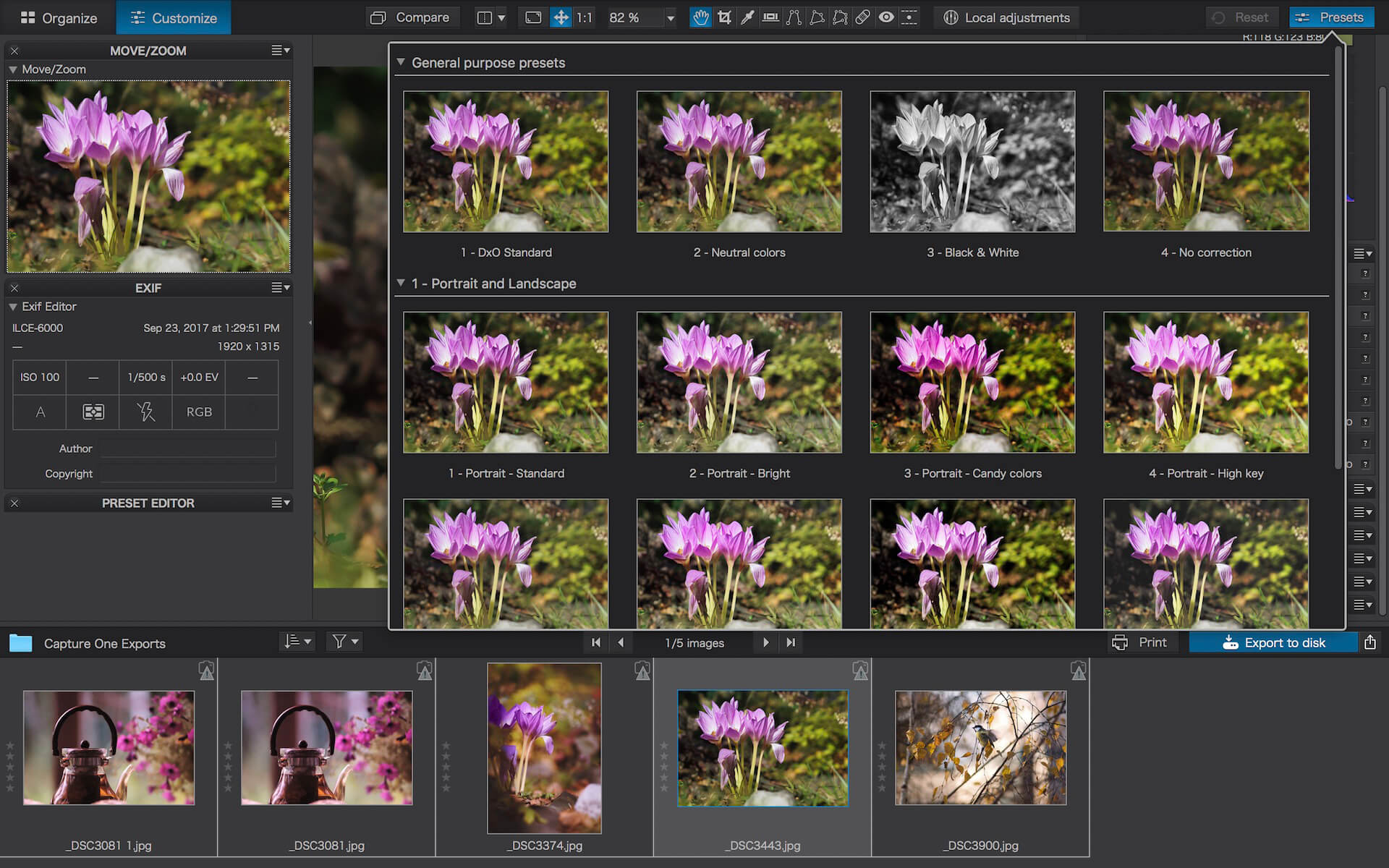
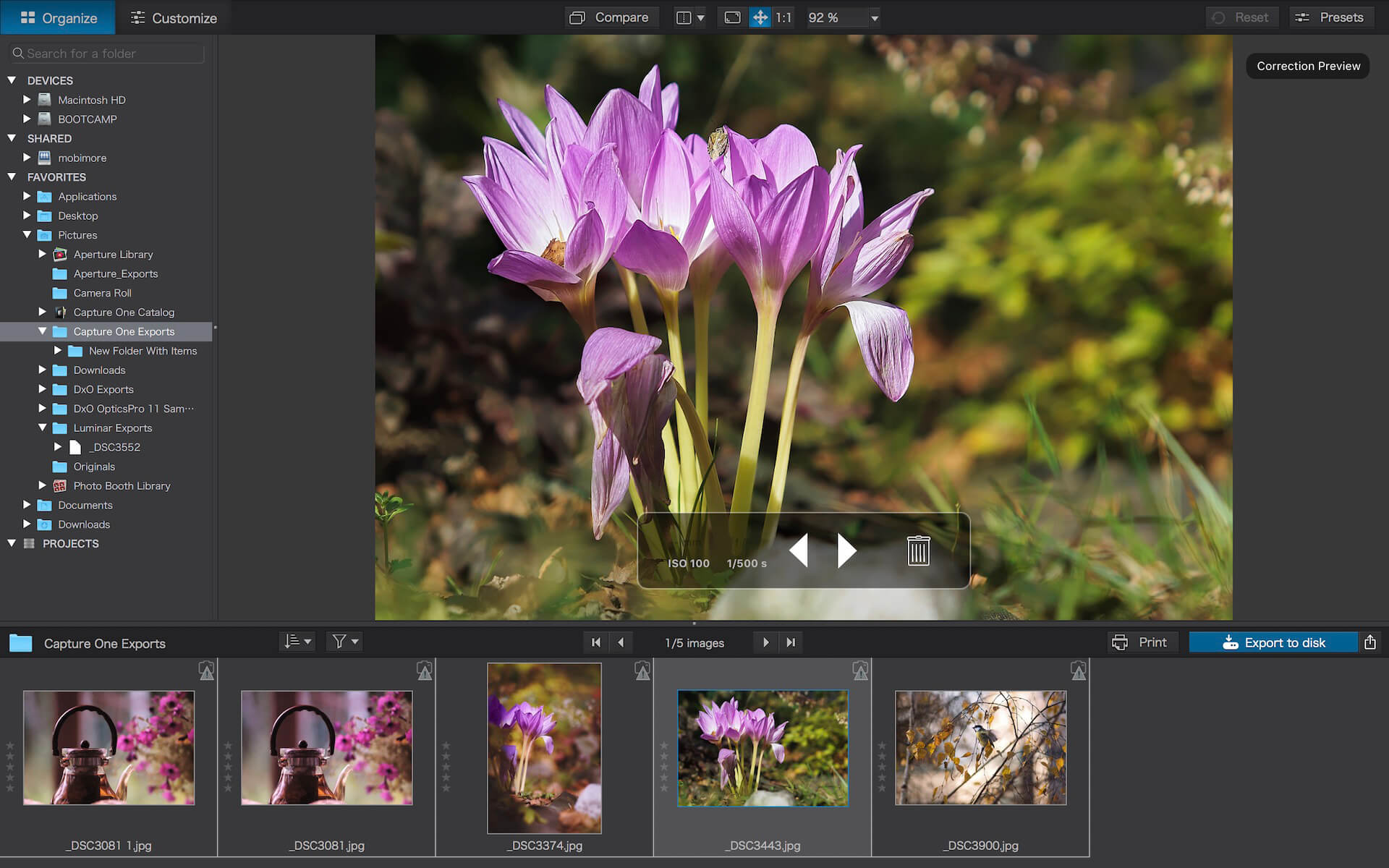
Produce RAW and JPEG images with the best image quality, effortlessly: DxO PhotoLab provides a complete set of smart assisted corrections that you can manually fine-tune at any time. Take control on every aspect of your photos: effectively remove noise, get rid of light constraints, recover color details, apply sophisticated optical corrections, and enhance details.
DxO SMART LIGHTING
Optimizes the dynamic range of your image and brings out the details from both under- and overexposed areas.
DxO CLEARVIEW
Intelligently boosts local contrast and effectively removes distant haze.
DxO PRIME
Automatically denoises high ISO RAW images and recovers accurate details and colors based on our exclusive algorithms.
OPTICAL CORRECTIONS
Leverage your gear with tailored automatic corrections based on DxO’s renowned scientific expertise in measurement and calibration.
EXPRESS YOUR CREATIVITY WITH LOCAL ADJUSTMENTS: INTRODUCING U POINT®
Give your photos your own artistic touch by manually applying selective corrections to specific areas of your image, using exclusive DxO Local Adjustment Tools that include: Control points (U Point technology), graduated filters, manual and automatic brushes, automatic repair tool, etc.
CONTROL POINTS
Manually select your editing area by simply clicking on the part of your image you want to adjust.
BRUSH TOOL
Freely paint and manually adjust small or large areas of your image.
GRADIENT TOOL
Simulates a graduated ND filter and lets you apply artistic effects.
REPAIR TOOL
Allows you to remove dust spots or unwanted objects from your photos.
Processing large series of photos is no longer a nightmare
Intelligent algorithms adapt settings to your gear as well as to image content
Copy and paste settings from one image to another
30 built-in presets, fully customizable to give your photos the look you like
Multiple exports in one click
Export to multiple formats for web, printing, or backup
Export directly to social networks such as Facebook, Flickr, or to other photo editors
Fully adapted to YOUR workflow
File management that works with your computer (no import step required)
Direct access to images
Seamless integration with Lightroom via plugin
Customizable workspace to adapt to your needs – Dual-screen friendly
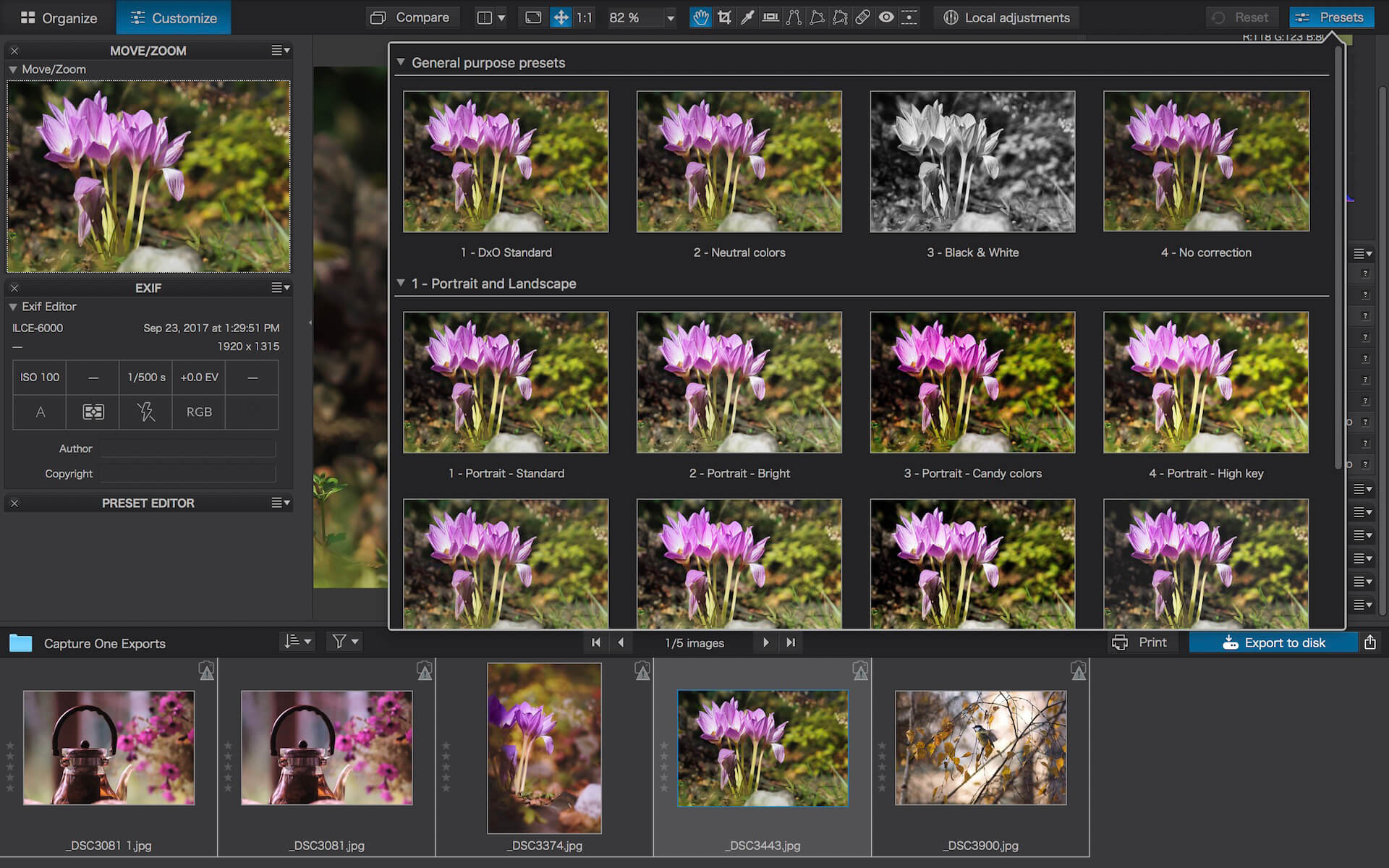
Produce RAW and JPEG images with the best image quality, effortlessly: DxO PhotoLab provides a complete set of smart assisted corrections that you can manually fine-tune at any time. Take control on every aspect of your photos: effectively remove noise, get rid of light constraints, recover color details, apply sophisticated optical corrections, and enhance details.
DxO SMART LIGHTING
Optimizes the dynamic range of your image and brings out the details from both under- and overexposed areas.
DxO CLEARVIEW
Intelligently boosts local contrast and effectively removes distant haze.
DxO PRIME
Automatically denoises high ISO RAW images and recovers accurate details and colors based on our exclusive algorithms.
OPTICAL CORRECTIONS
Leverage your gear with tailored automatic corrections based on DxO’s renowned scientific expertise in measurement and calibration.
EXPRESS YOUR CREATIVITY WITH LOCAL ADJUSTMENTS: INTRODUCING U POINT®
Give your photos your own artistic touch by manually applying selective corrections to specific areas of your image, using exclusive DxO Local Adjustment Tools that include: Control points (U Point technology), graduated filters, manual and automatic brushes, automatic repair tool, etc.
CONTROL POINTS
Manually select your editing area by simply clicking on the part of your image you want to adjust.
BRUSH TOOL
Freely paint and manually adjust small or large areas of your image.
GRADIENT TOOL
Simulates a graduated ND filter and lets you apply artistic effects.
REPAIR TOOL
Allows you to remove dust spots or unwanted objects from your photos.
Processing large series of photos is no longer a nightmare
Intelligent algorithms adapt settings to your gear as well as to image content
Copy and paste settings from one image to another
30 built-in presets, fully customizable to give your photos the look you like
Multiple exports in one click
Export to multiple formats for web, printing, or backup
Export directly to social networks such as Facebook, Flickr, or to other photo editors
Fully adapted to YOUR workflow
File management that works with your computer (no import step required)
Direct access to images
Seamless integration with Lightroom via plugin
Customizable workspace to adapt to your needs – Dual-screen friendly
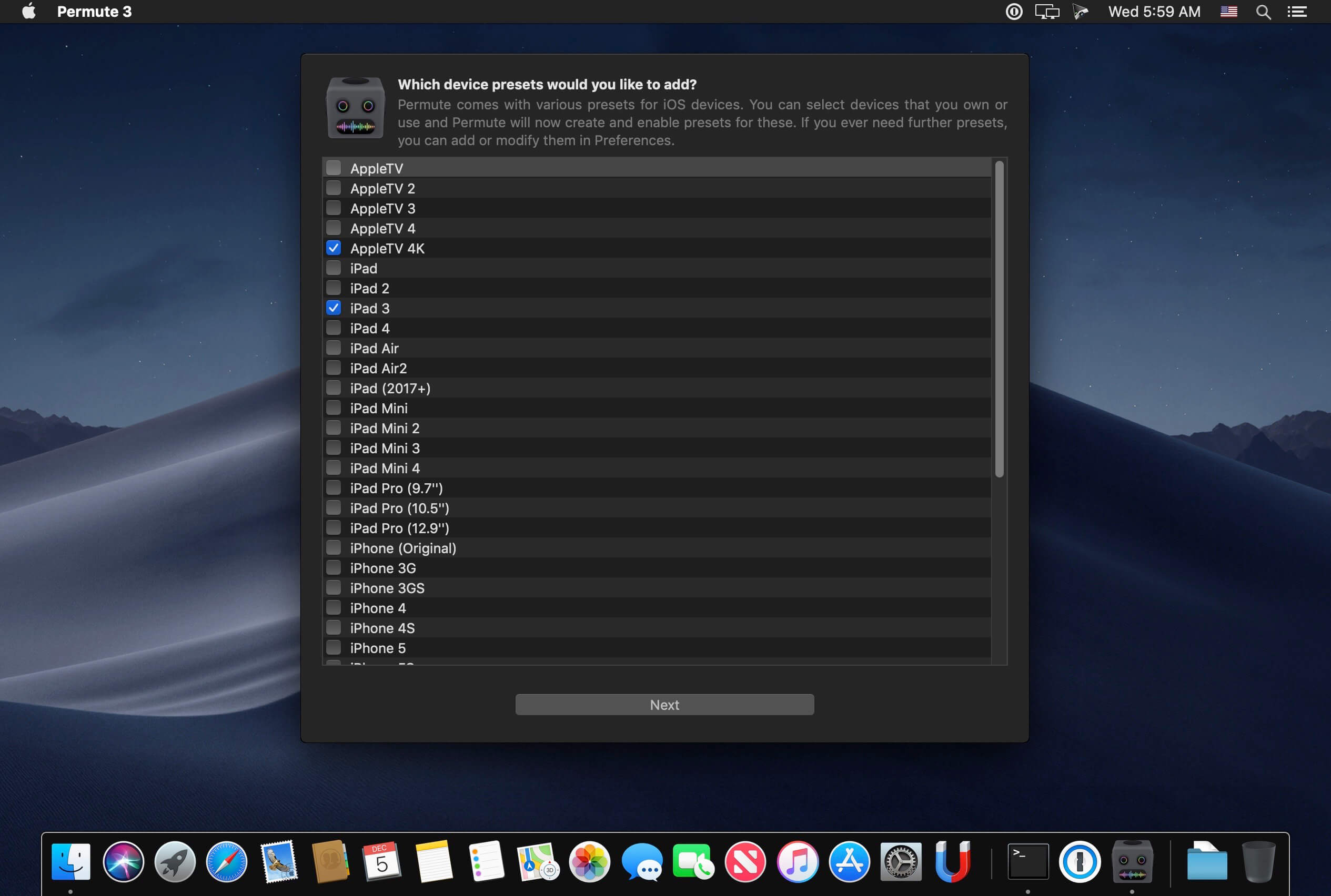
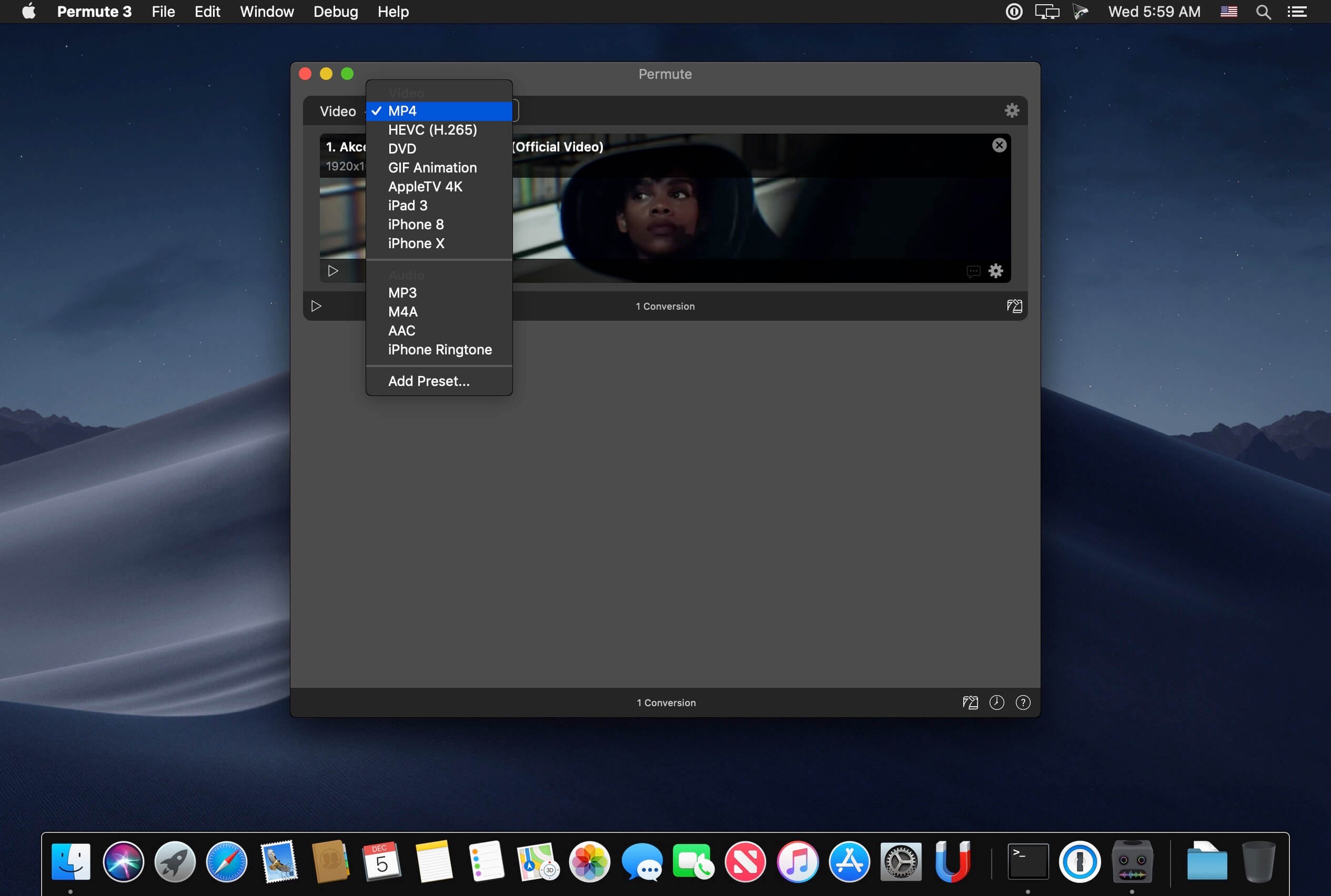
Video, audio and image files come in many different kinds and shapes, but sometimes you need a specific format since your iPad or DVD player won’t play that video. That is what Permute is for – easily convert your media files to various different formats.
Key Features
Easy to Use – built from the ground up, Permute is a perfect example of what a Mac app should be. With a gorgeous interface and drag & drop simplicity no need for complicated options.Video, audio and image files come in many different kinds and shapes, but sometimes you need a specific format since your iPad or DVD player won’t play
Insanely Fast – Permute was engineered to be incredibly fast. Let us take care of the hard stuff. Just select the video format you want and it’ll be done faster than you can say “hardware acceleration” – MP4 and HEVC presets now take advantage of your machine’s hardware acceleration capabitlities, speeding up HEVC conversions more than 3 times over previous versions of Permute!
PDF Support – Permute 3 now includes support for stitching multiple images into a single PDF.
Everything Included – It doesn’t matter if you’re converting home movies or processing images. Permute can do it all. We support nearly every format and have plenty of device presets to choose from.
Looks Amazing – Whether you use dark mode or not, Permute will look amazing. Taking advantage of the modern technologies, Permute will even change its icon in dark mode.
Keep the Schedule – Video re-encoding is quite demanding on computer resources. This is why you can now schedule Permute to convert videos e.g. at night when you’re not using your computer.
And so much more! – There are so many other great features in Permute – adjust volume of an audio file or an audio track in a video. Batch-resize, rotate and flip images and videos. And more!
Completely Rewritten – Permute 3 was started from scratch – completely new project, everything written from the ground up again.
UI Redesign – the UI has been redesigned from the ground up. It’s faster, more fluent and visually pleasing.
Dark Mode – Permute now works 100% with the dark mode, even adjusting its Dock icon based on your macOS theme.
Image Stitching – Stitch images together into a PDF.
HEVC (H.265) Hardware Acceleration – HEVC (H.265) video encoding now supports hardware acceleration, resulting in conversions more than twice as fast.
A simple download manager that offers you the possibility to quickly save videos from different websites to your own disk drive.
f you are using a poor internet connection, trying to visualize videos streamlined online might not work properly since the content is loaded too slowly. Downie is a simple Mac app that can help you download those videos to your computer, and then watch them by using your default media player.
User friendly video downloader featuring support for drag and drop actions
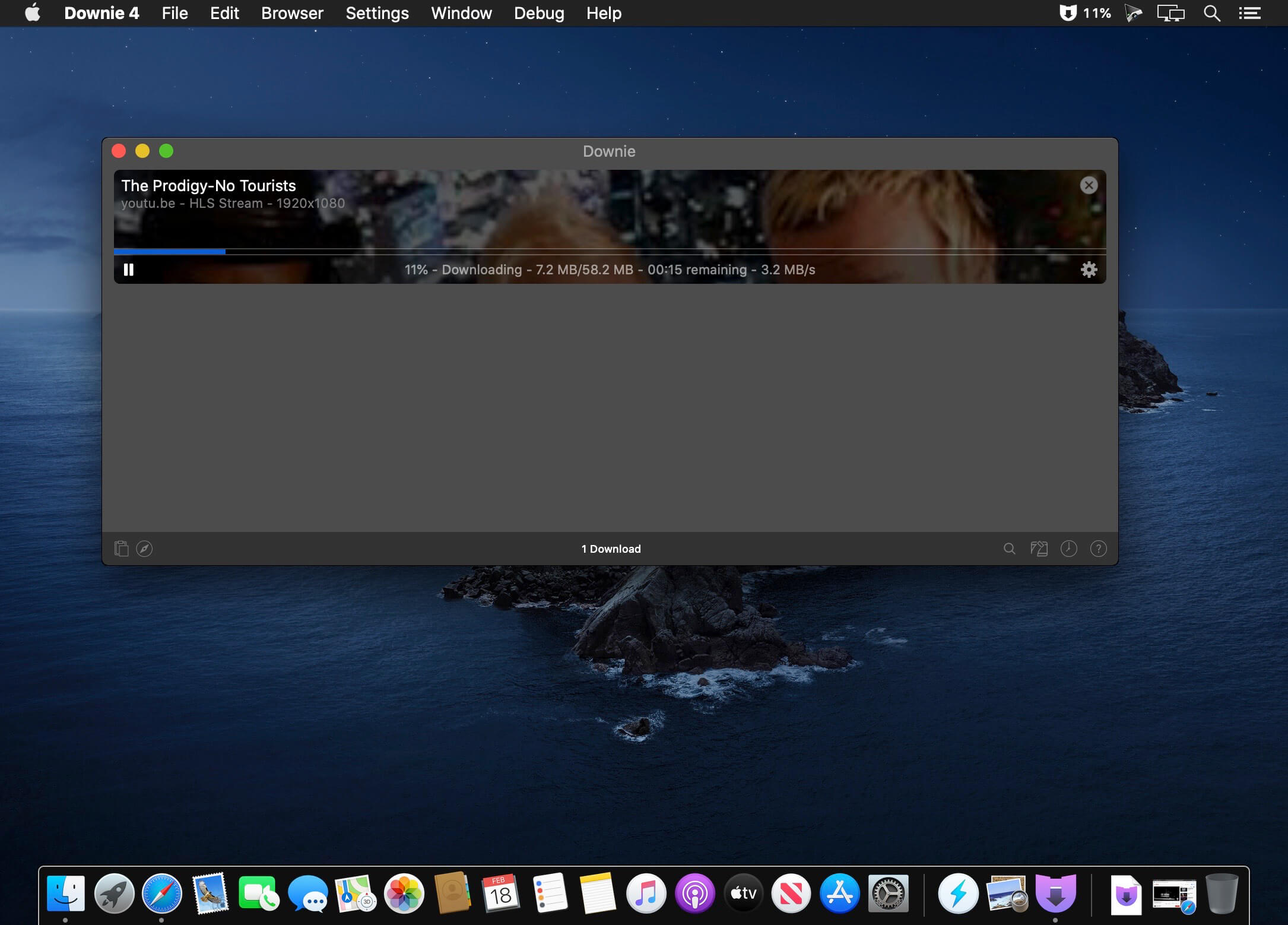
Working with Downie is extremely straightforward: simply drop the video URL on top of the app’s main window or on the Dock icon. Downie adds the video to your downloads list, so all you have to do next is start the process by pressing the appropriate button. Of course, you can also remove items from the list.
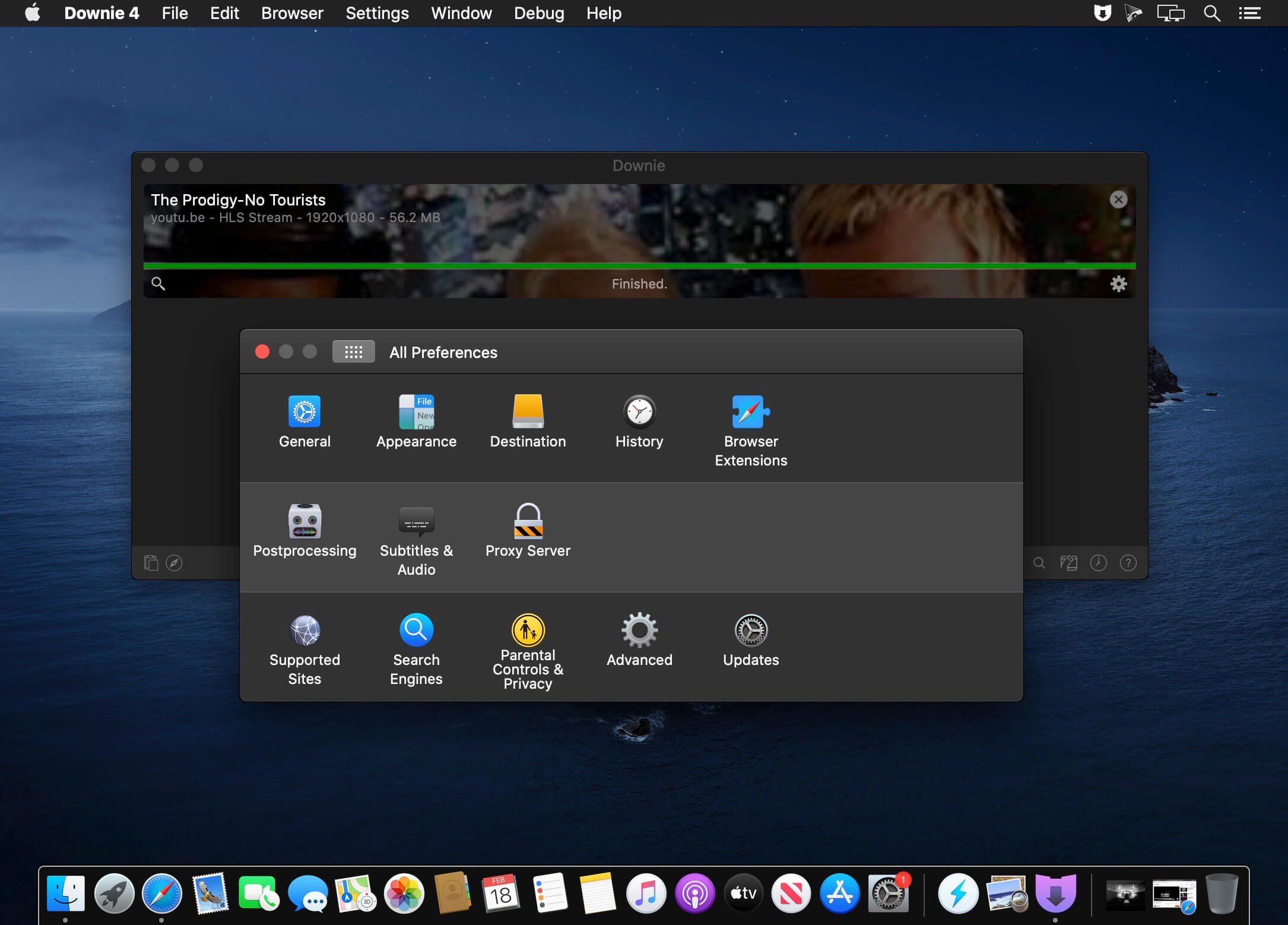
By default, Downie downloads MP4 files and places them in your default Downloads folder, but you can easily change this via the Preferences window. The same area allows you to setup notifications, or post processing actions (convert to MP4 if necessary, or extract audio only).
Effortlessly download videos from a wide collection of hosting websites
Downie provides support for more than 400 different websites that host video content, among which there are the most popular choices, such as YouTube, Apple, LiveLeak, Vimeo, BBC, and so on. If a certain website is not included, within the app you can send a request email to the Downie developers.
Moreover, Downie also provides matching extensions for various popular web browsers, such as Firefox, Safari, Google Chrome or Chromium. The add-ons are not installed by default: open the Preferences window and install only the ones you plan to use.
Straightforward solution for downloading video content hosted online
Downie is a great tool for saving videos posted on various websites to your Mac for offline playback. The application is extremely useful especially if you have a slow internet connection.
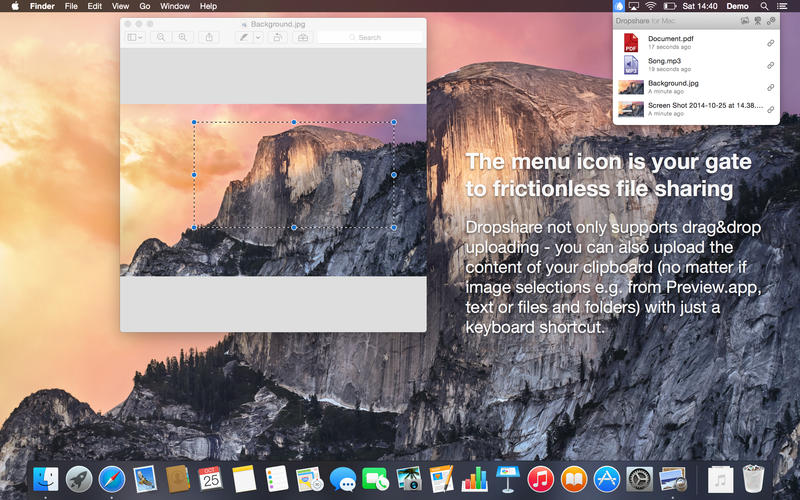
Your very own secure file sharing tool! Dropshare is a so-called menulet that enables you to easily drag&drop files, folders and anything else to your own server, Amazon S3, Rackspace Cloud Files or Google Drive. Once uploaded, the app copies the link to the file to your Mac’s clipboard and you’re ready to share with anyone you like!
Dropshare supports SCP over SSH, a secure industry standard protocol for file transfers. Uploads to Amazon Simple Storage Service (S3) or Rackspace Cloud Files are also supported, which both are low-priced file hosting services in the cloud. Compared to other cloud hosted file sharing services, Dropshare directly connects to your very own Amazon S3 bucket or Rackspace Cloud Files container, so there is no third-party involved at all.
Dropshare supports Multiple Connections: You can set up different upload destinations at the same time and switch between them using user-defined keyboard shortcuts!
Features: Uploads everything
No matter if files, folders, text or screenshots – Dropshare uploads every file and data to your selected destination – also from clipboard or other applications like Safari.
Automatic screenshot upload
Set up your own keyboard shortcuts for fullscreen or selection-based screenshots that’ll be uploaded automatically with Dropshare.
Screen Recordings
Take & upload Screen Recordings directly with Dropshare, both fullscreen and selection-based recordings are available.
Dropshare Safe
Easily create access-restricted URLs for your uploads with either a lifetime and/or password.
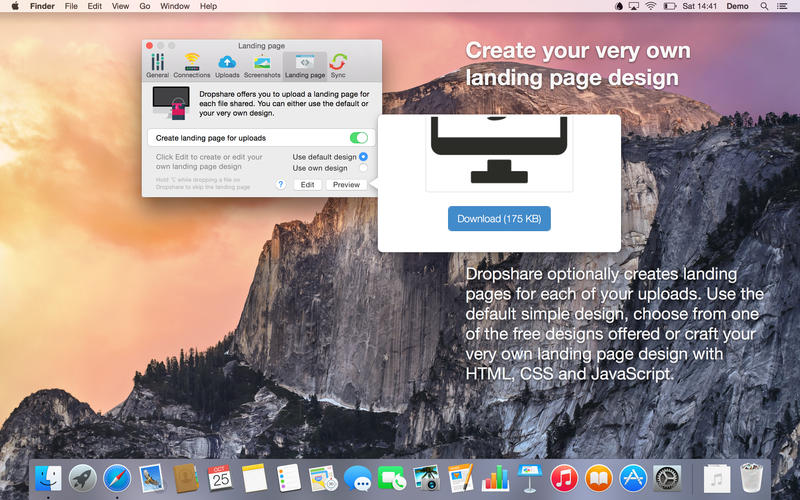
Beautiful individual landing pages
Choose from a number of free designs or craft an individual design on your own using HTML, CSS and jаvascript. A preview can be embedded for several file types, e.g. images, text or video files.
Choose your URL shortener
Dropshare supports URL shorteners as well – natively supported URLs (e.g. dsh.re), or configure your very own URL shortener service like bit.ly (for hosted services) or YOURLS (for self-hosted services).
Dropshare Sync
Synchronize your upload history across all your devices which have Dropshare installed.
1-Click Delete from your server
Whenever you decide that you no longer want to share a specific file, just use Dropshare to delete it from the upload destination again.
Markdown to HTML
If enabled, Dropshare automatically converts Markdown files to HTML.
Services enabled
Dropshare introduces itself to the Mac OS X Services Menu. By doing so, you can perfectly use the tools Mac OS X provides to create e.g. keyboard shortcuts for specific actions.
IPv6 ready
Worth to mention, Dropshare works perfectly well in IPv6 environments.
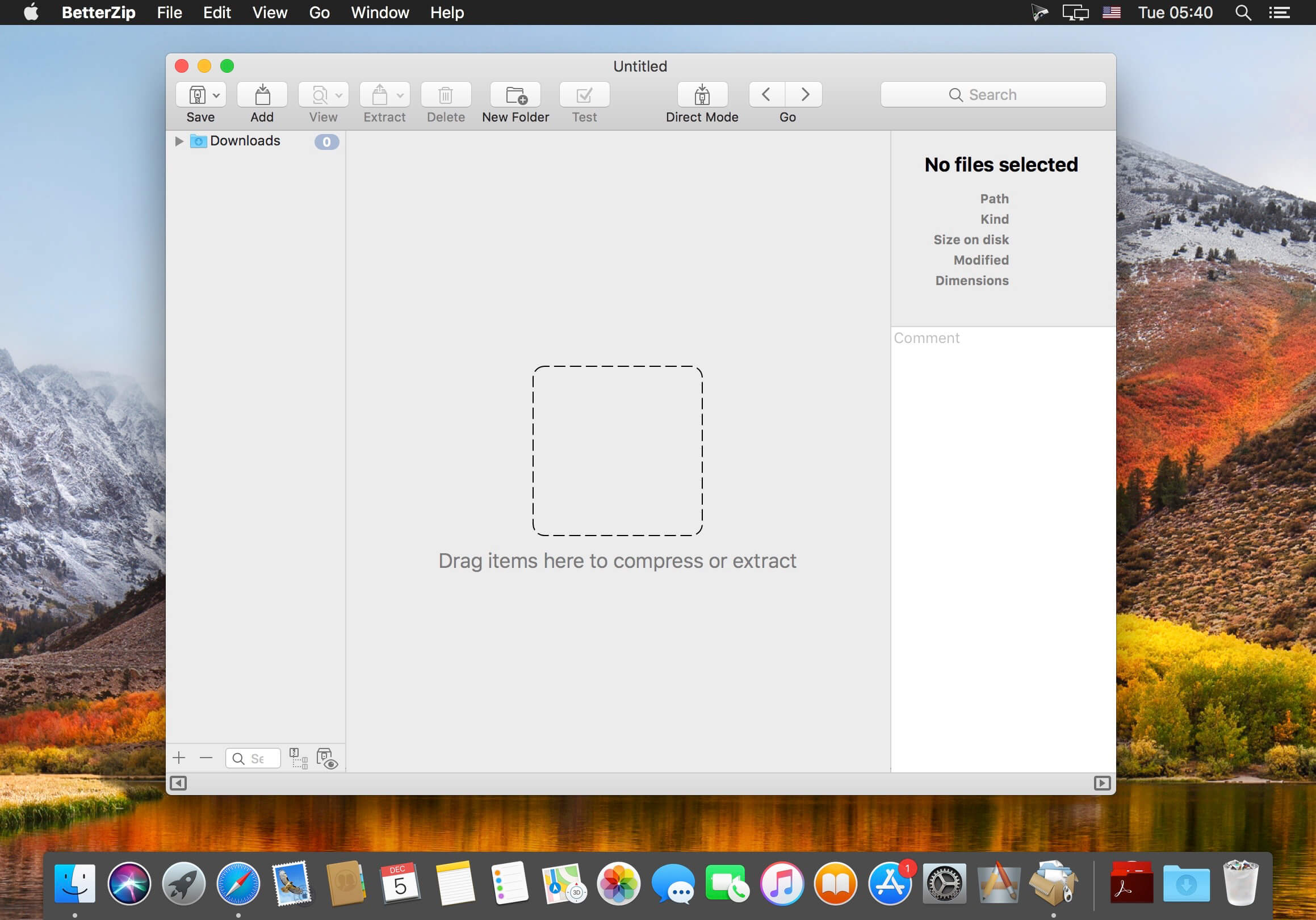
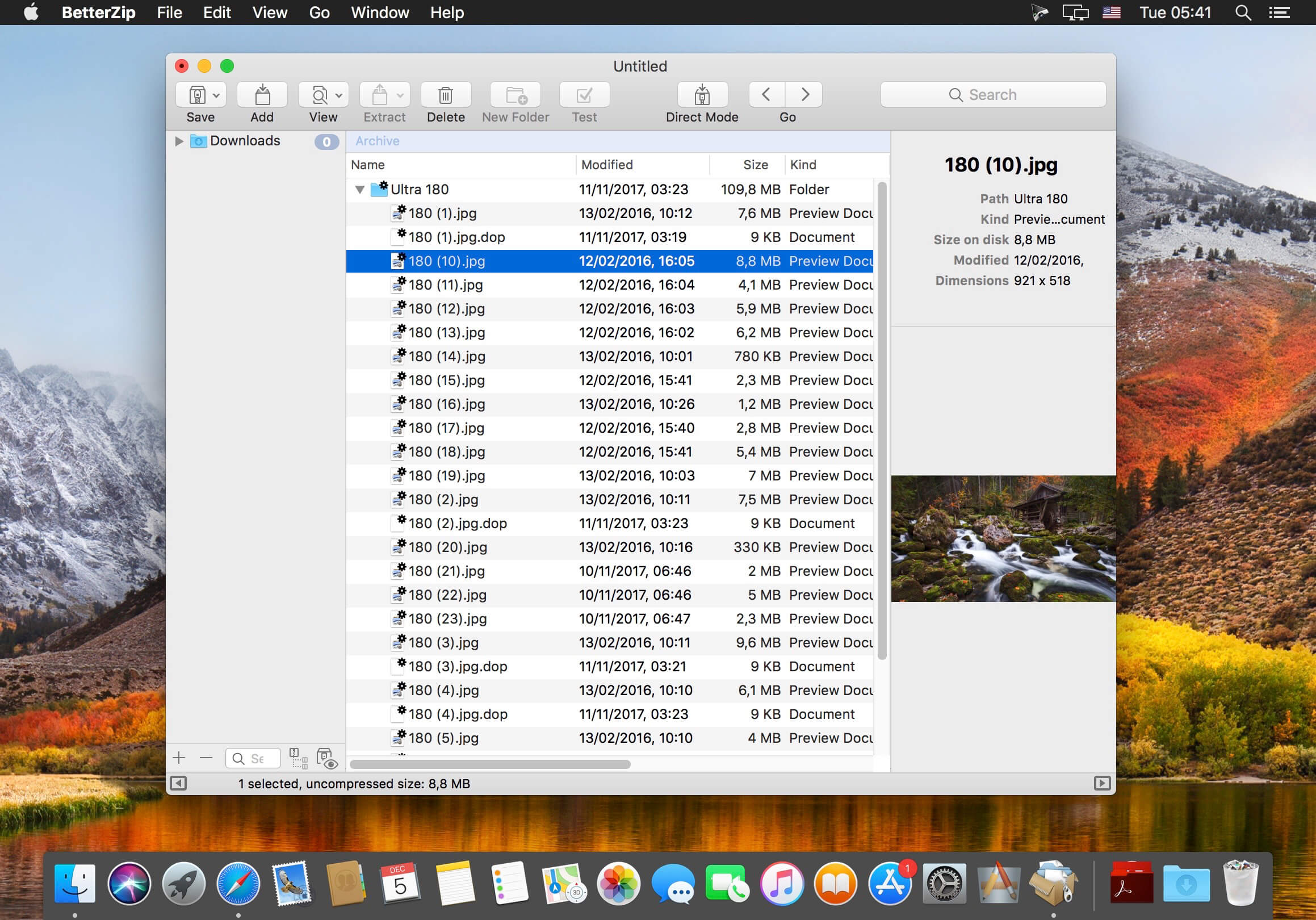
BetterZip lets you quickly inspect archives without first extracting their contents.
Extract Only Files You Really Need: If you only need a few files or folders from a larger archive, you don’t have to extract the whole thing. Simply drag the files you need from the BetterZip window to any Finder window or the desktop.
Open Archives Without Extracting: Not only can BetterZip open archives without first extracting them but you can also search for a file using the iTunes-like interface. BetterZip can open and extract archives with the most common formats: ZIP, SIT, TAR, XAR, XZ, GZip, BZip2, RAR, 7-Zip, CPIO, ARJ, LZH/LHA, JAR, WAR, CAB, ISO, CHM, RPM, DEB, NSIS, BIN, HQX, DMG, EPUB, and Winmail.dat.
Create Archives: Simply drag files and folders from your hard drives, disks, or network places into your new zip file. You no longer have to copy all the files into a temporary folder first. The supported formats are ZIP, TAR, GZip and BZip2 compressed TAR, XAR, 7-ZIP, and RAR (using the external RAR commandline tool). Large archives can also be split.
Protect Your dаta: BetterZip can protect your data with a password and create AES-256 encrypted archives. 7-zip and rar archives can also be protected.
Update Archives: Add new or updated files to existing archives. Remove any file or folder from an archive, or even move files around inside the archive as if it were a normal folder.
Make Archives Compatible: Strip Mac-specific files and resource forks from archives for best compatibility with systems like Windows or Linux.
This Mac iOS transfer and management software can transfer contacts/photos/songs/videos and more between Mac and iOS devices. It enables you to edit Playlist/Podcasts… effectively. Your digital life can be managed easier.
What’s New:
Version 9.1.68:
Release notes were unavailable when this listing was updated.
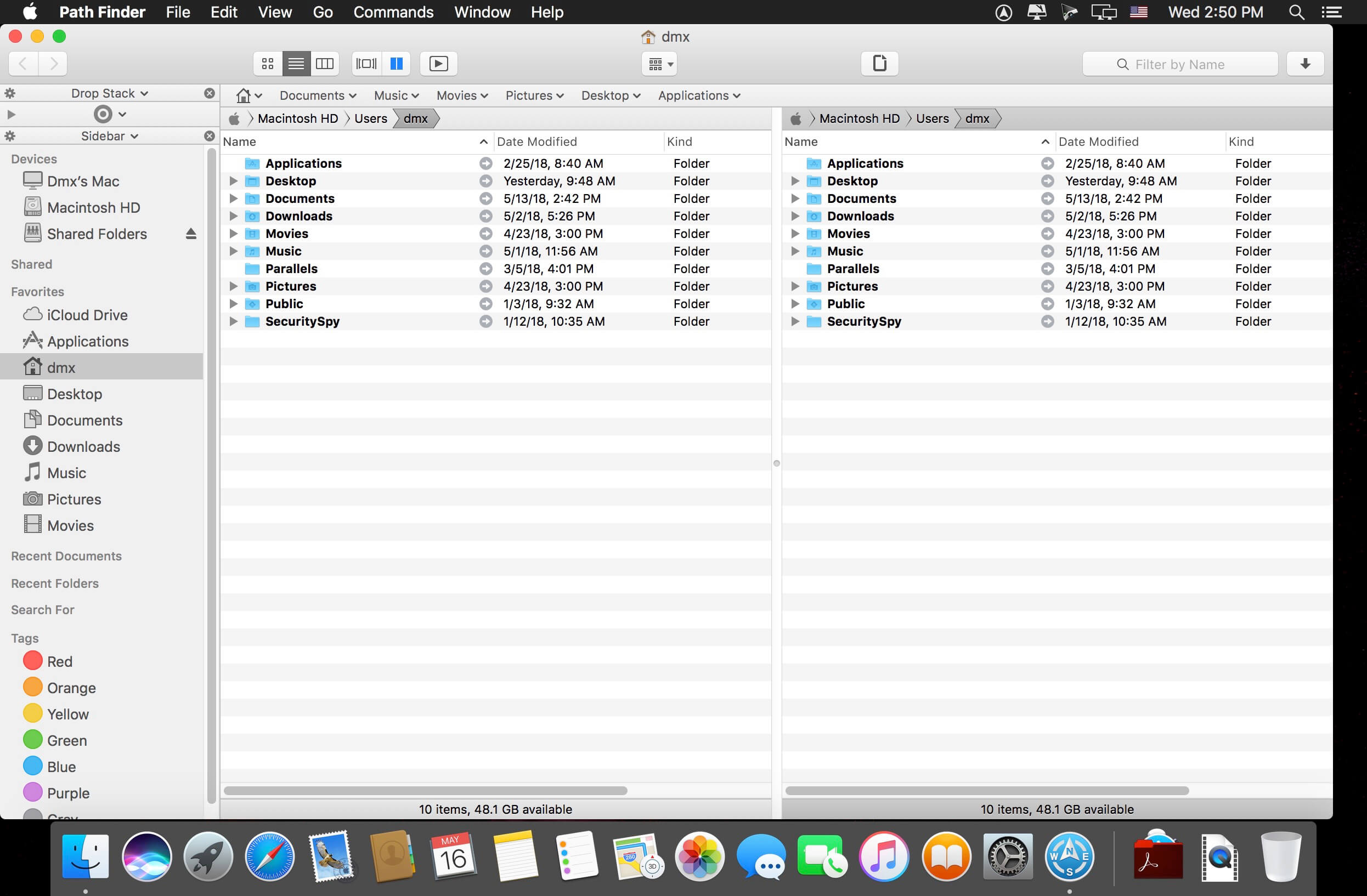
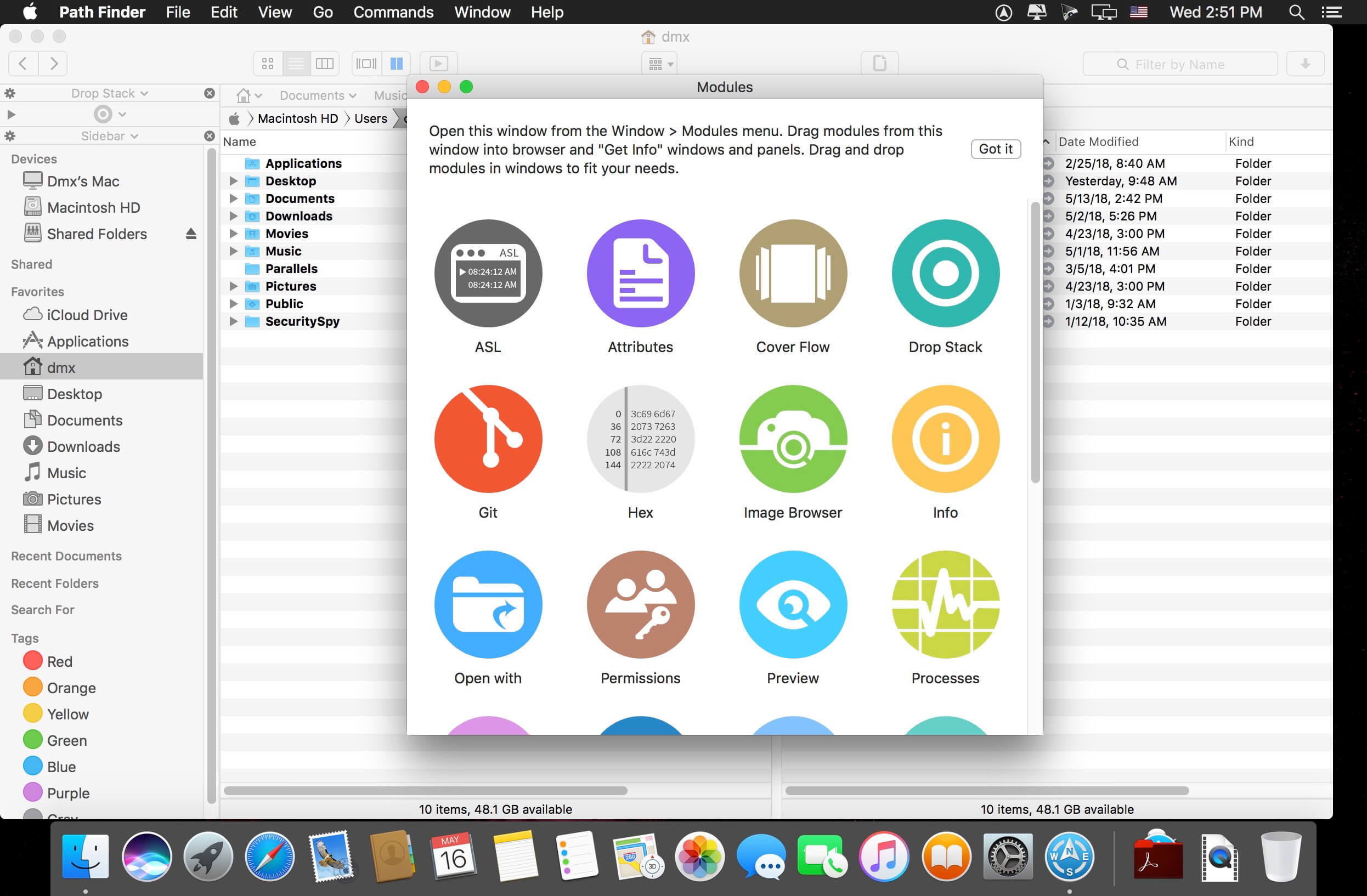
Path Finder 10 makes you a master of file management. Take full control over your file system. Save your time: compare and synchronize folders, view hidden files, use Dual Pane and full keyboard navigation to browse your file system.
Work how you want: extreme customization allows you to access most tools in many different ways to suit your workflow. Work seamlessly with other platforms: don’t leave any hidden .DS_Store files on non-Mac volumes, delete files securely and completely with the powerful delete feature from any volume type, search any network volume.
Features
View and manipulate hidden files
Dual Pane View
Full keyboard navigation
Folder comparison and synchronization
Folder merging
Batch renaming
Powerful file filtering
One-click dual-pane copy
Bookmarks and Tab Presets
ACL editor
File tagging
Editable Path Navigator
Powerful low-level search
Smart sorting
Advanced selection
Integrated terminal
Integrated text and image editors
Language: Multilingual Compatibility: macOS 10.12 or later Homepagehttps://cocoatech.com/
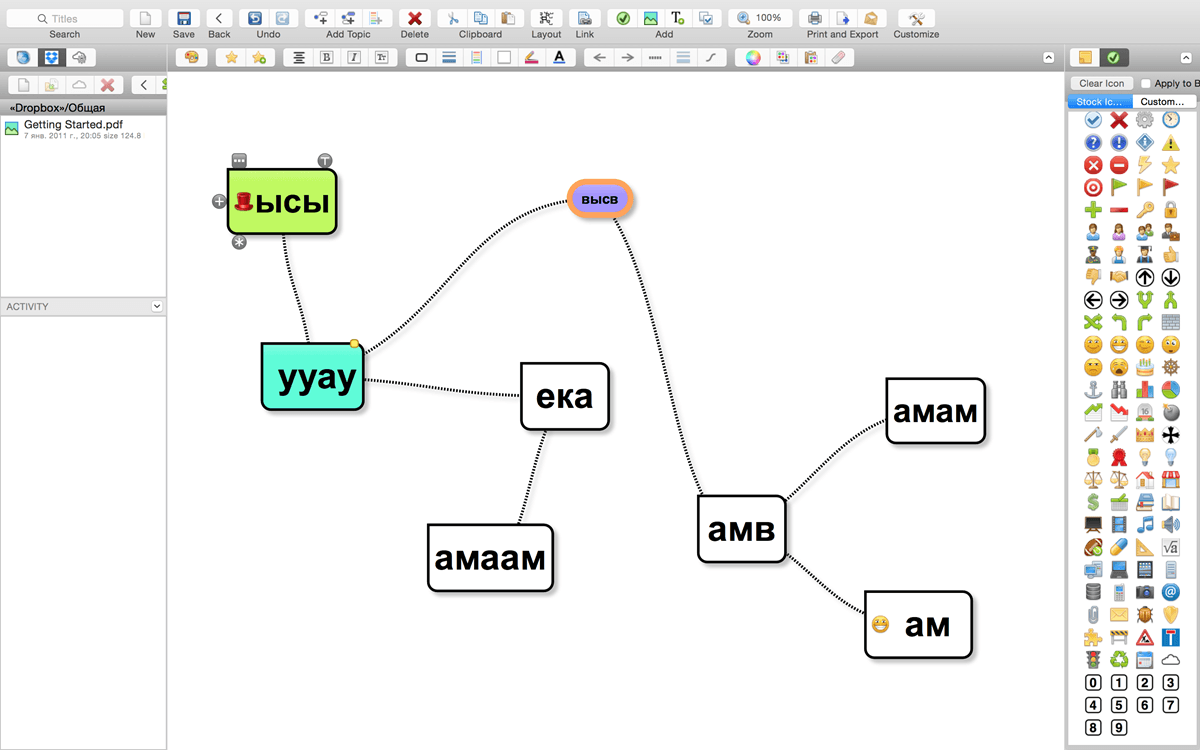
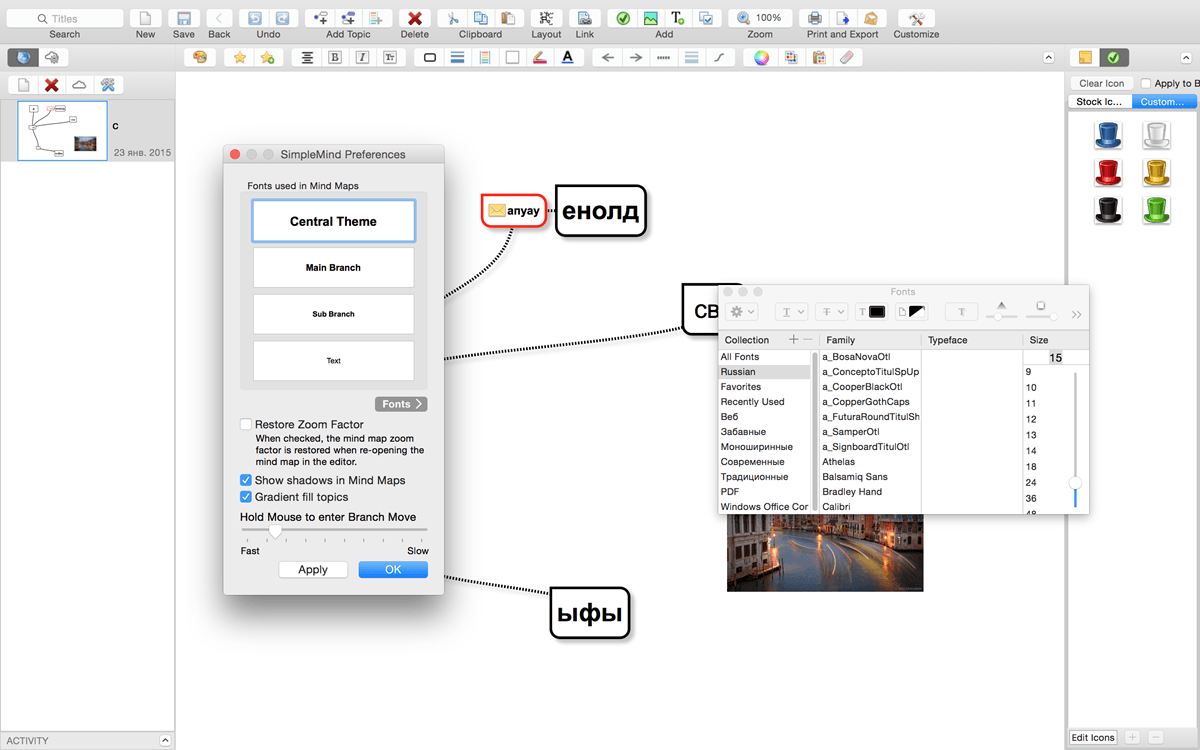
SimpleMind Desktop is a mind-mapping tool that turns your Mac into a brainstorming, idea-collecting, and thought-structuring device. It connects to the similar SimpleMind for iPhone/iPad app.
Features
Easy to use drag, arrange, and edit directly on the Mind Map page.
Tap or drag Node Well to add new Topics.
Full Undo/Redo in the editor.
Visual styles change colors, borders and lines for maximum presentation impact.
Pick colors from style palette or custom colors.
Cut/Copy/Paste – move or duplicate topics between Mind Maps.
Create new MindMap from selection or clipboard
Reconnect topics using drag-and-drop, aided by topic auto-layout.
Things is a task management solution that helps to organize your tasks in an elegant and intuitive way. Things combines powerful features with simplicity through the use of tags and its intelligent filter bar. A Leopard style source list allows for quick and easy focusing. Together with a beautiful user interface, Things aims at the seemingly impossible: making task management both easy and fun.
Our screencast is a great introduction.
The big picture. A Leopard-style source list lets you easily focus without ever switching view modes or wrapping your head around filter criteria.
A magical tag bar automatically appears when needed and adapts to the currently displayed list. It lets you drill down even the longest list of To-Dos. Hierarchical tags? We got you covered!
Teamwork. Things offers convenient collaboration features. Easily delegate tasks to members of your team. (This is work in progress.)
No columns! Whether it’s multiple tags, dates or notes, To-Do items display their information on an as needed basis. No more space wasted by empty or irrelevant column cells!
Out of your head, out of your way. A quick entry HUD lets you enter any idea the moment it hits you. Never let the thought of an unfinished business distract you again.
Yours forever. We won’t lock you in. Things will use an open XML file format to store your data. (Not yet activated.)
Things even supports GTD, so if you’re familiar and comfortable with GTD concepts, you’ll feel right at home.
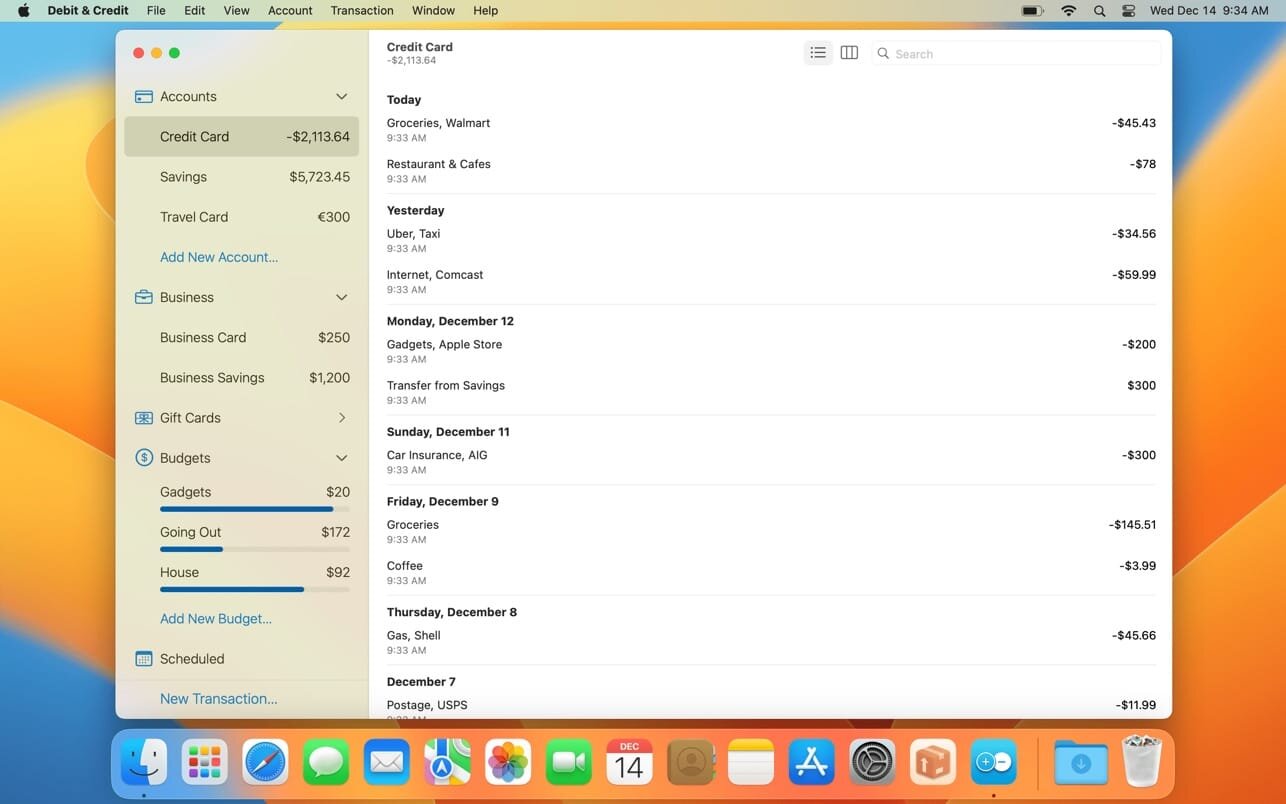
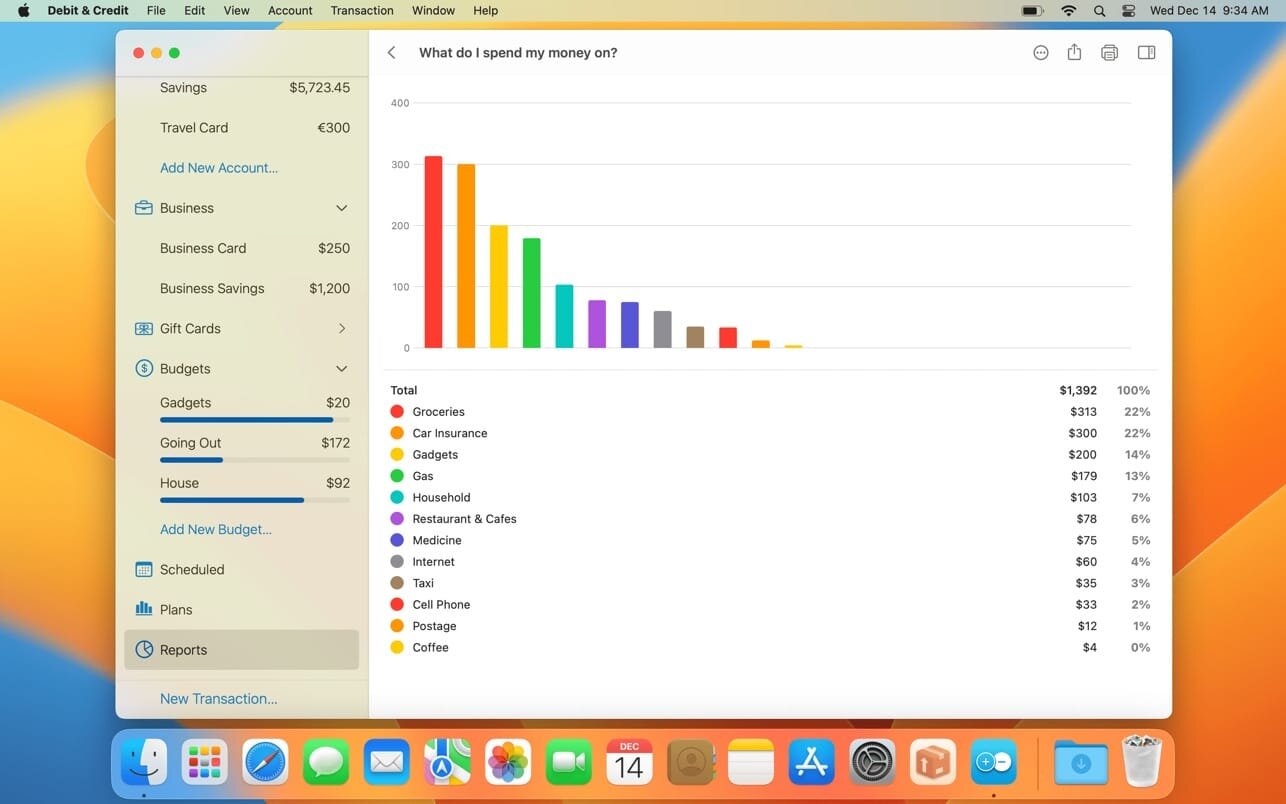
If you are looking for a personal finance app that is convenient, easy to use and at the same time has enough features, then Debit & Credit is the right app for you.
All accounts in one app
Keeping financial records was always a bit of a hassle. But now you can actually enjoy it. See all your accounts in one place and manage your everyday finances.
Super fast
Creating a new transaction now takes a matter of seconds. The app was designed with simplicity and convenience in mind. It will never require you to make dozens of unnecessary steps to accomplish simple tasks.
Companion iOS & Apple Watch app
Debit & Credit has its own app for iPhone and iPad, which you can use to add transactions on the go. It is super convenient and keeps data in sync via iCloud.
Importing data
We know how important it is to be able to import transactions from your financial institutions. That’s why we support CSV, QIF, QMTF, OFX and QFX files. And you can also choose which particular transactions to import from a file, something that not all financial apps know how to do.
Budgets & Scheduled Transactions
Do you want to budget expenses on a particular category? No problems. Do you plan to make a transaction in the future and want to be reminded about it? Consider it done.
Financial Plans
Plan ahead by creating a financial plan for the next year. Compare your performance against it and see your future net wealth.
Reports
We believe in clean, crisp reports that are easy to read and understand. See where and what do you spend your money on. Other types of reports are available too.
Shared Accounts
Do you want to share some of your accounts with someone else? No problems, you can share selected accounts via iCloud while keeping other accounts private. Great for managing family finances!
Bank reconciliation mode
Sometimes we all need extra help to keep our accounts in shape. You can easily reconcile your accounts with bank statements in the app to eliminate any disparities.
Transaction Attachments
There might be a number of a reasons why you might want to attach files to transactions. You can attach as many files as needed and they will be synced with iCloud. You can even use Continuity Camera to scan documents or take photos with your iPhone and receive them in the Mac app.
Powerful features
Split categories, Touch ID support, pending transactions, transaction export, transaction tags, printing reports and saving them as PDF files – all those and many other features are at your disposal when you need them.
iCloud sync
We will never ask you to create an account or provide any personal details. All data is stored in iCloud, it is not available to anyone except you.
What’s New:
Version 6.0.1
fixed bug when the “How much do I earn compared to my expenses?” report had an incorrect layout
fixed bug when the “How my spending is changing?” report had an incorrect graph when it was broken down by weeks
fixed bug when the “How well do I manage my budges?” report had an incorrect graph when a weekly or daily budget was used
fixed bug when an upcoming scheduled transaction was duplicated after travelling to a different timezone
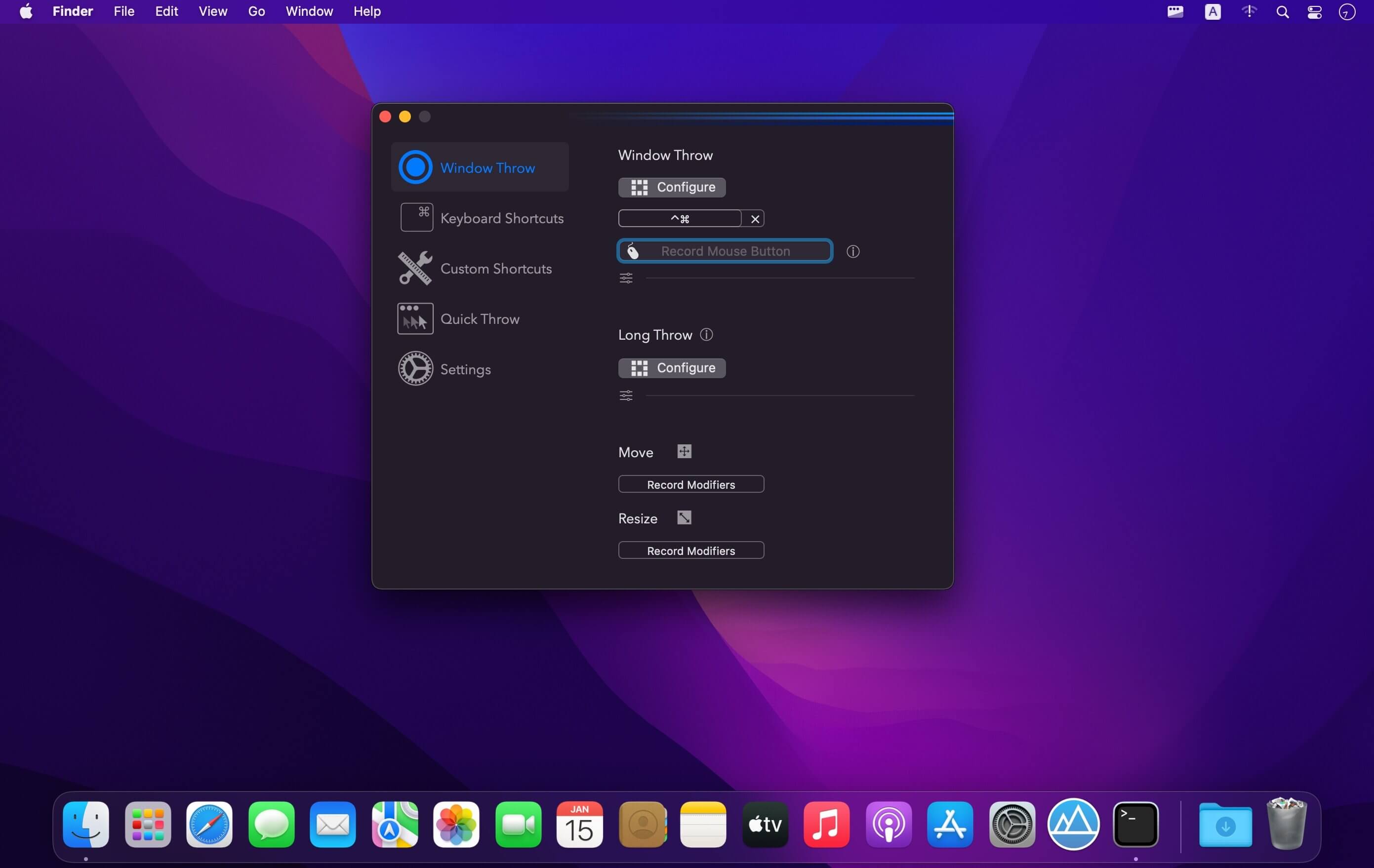
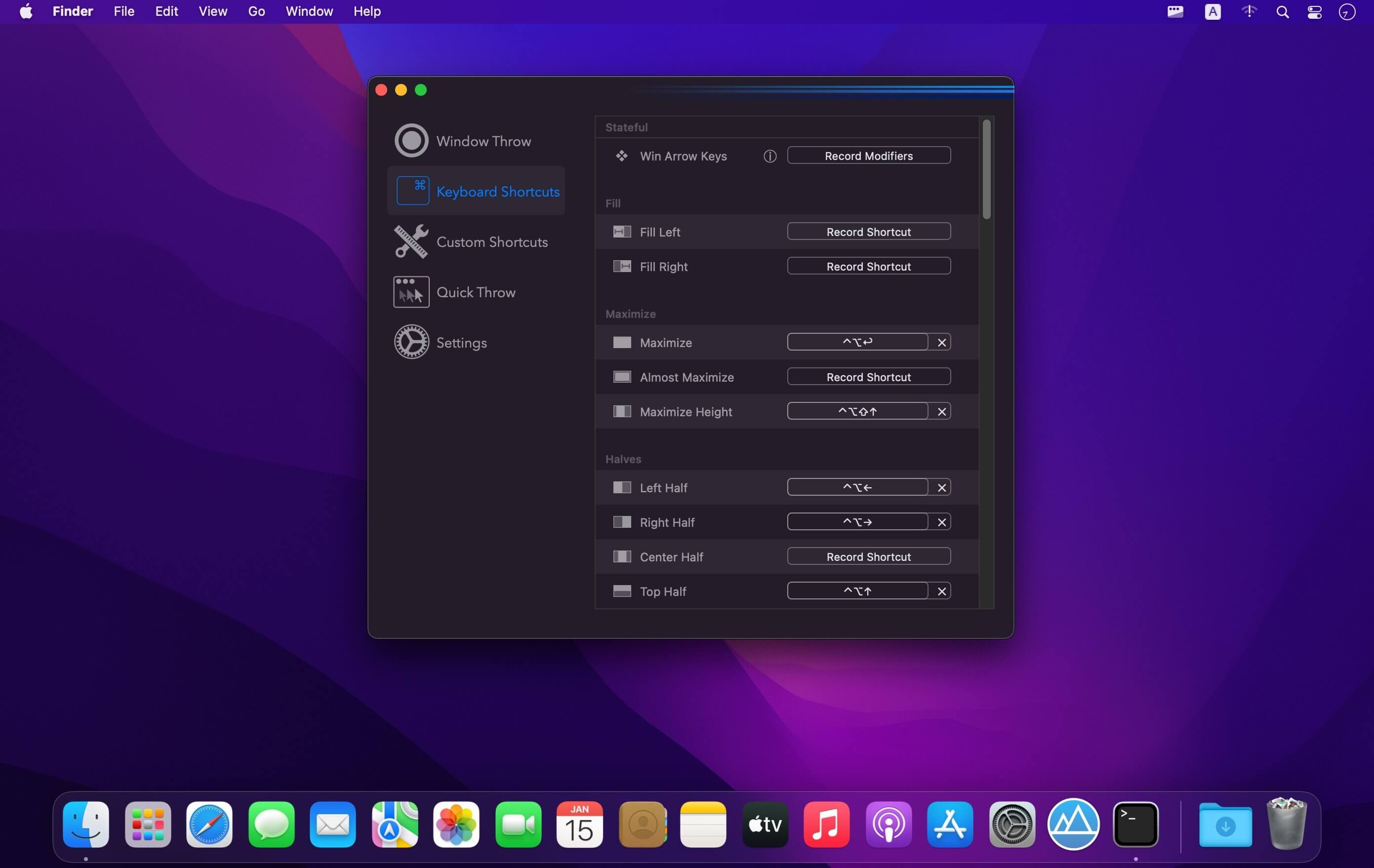
(Formerly Hookshot) Snap windows faster in this featureful Rectangle superset. Toss windows in the right places with cursor movement, move multiple windows with one command, create custom shortcuts, and more.
Features
16 window sizes & positions
Keyboard shortcuts
Drag windows to screen edges to snap
Move and resize by holding a key and moving your cursor
Snap windows under your cursor, even if not in focus
Custom shortcuts for any size & position
What’s New:
Version 3.0:
Release notes were unavailable when this listing was updated.
Compatibility: macOS 10.12 or later • Apple Silicon or Intel Core processor Homepagehttps://hookshot.app
More than a basic check register and reporting tool, CheckBook Pro features everything in CheckBook, our powerfully simple personal finance manager, and then some. Get a report for all of your accounts at once. Search for transactions with any combination of criteria. Group your transactions into folders. Change the details of a group of transactions in a single stroke. CheckBook Pro’s simply powerful data management tools make it all just plain easy.
Pro features
Save complex searches as Smart Folders, so you can search again and again
Group your transactions into Folders, to tidy up or begin a new year
Quickly change the details for a group of transactions, instead of one at a time
Report on all your accounts at the same time
See pending scheduled transactions for all your accounts with a single reminder
Save some ink strokes and let
CheckBook Pro print your checks for you (pre-printed check paper only)
Import from other personal finance apps or your bank
Strong support for OFX, QFX, QIF, CSV and Text Import from Quicken® Essentials for Mac
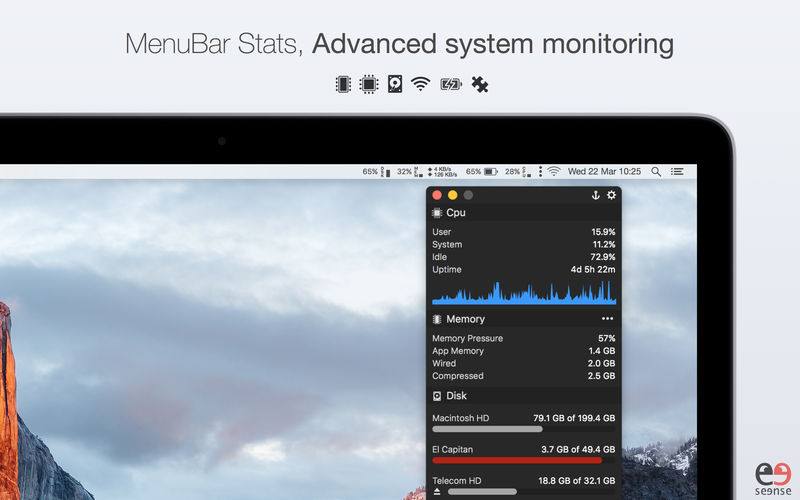
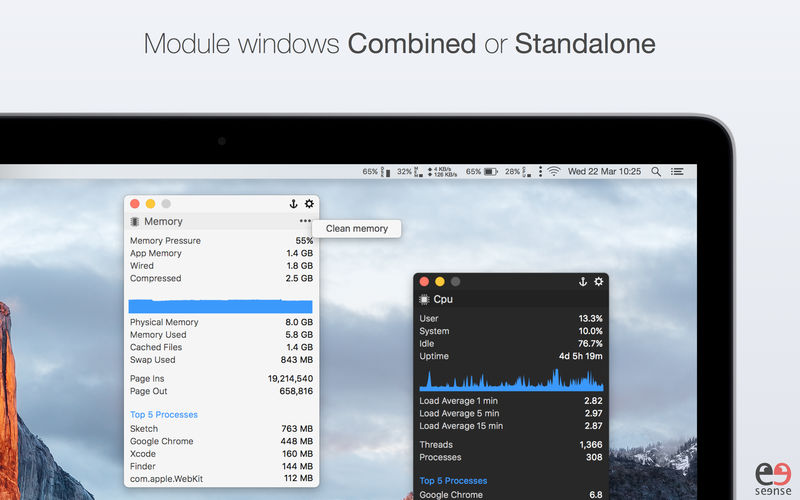
Advanced Mac system monitor with Temperature & Fans plugins. MenuBar Stats has been reinvented. Completely re-written from the ground up. MenuBar Stats is composed of modules (CPU, Disk, Network,…). Each module can be seen in your menu bar. Each module can be combined in 1 window, or in a separated window. You can display a concise information, or a maximum of detailed information including graph, top processes and more. Get notifications for your battery health or from other modules.
MenuBar Stats gives you:
A quick view to your system health right in your menu bar.
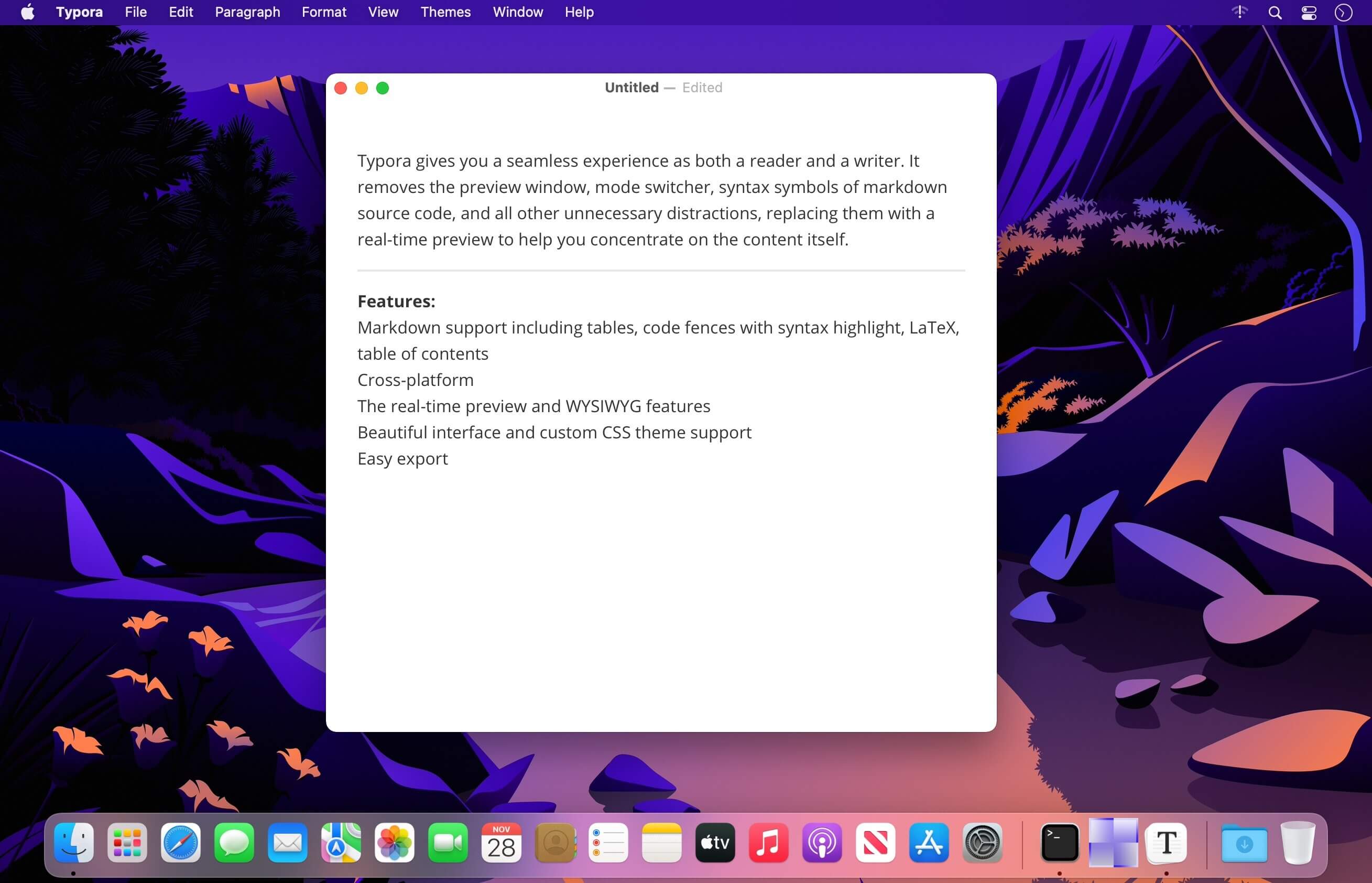
Typora gives you a seamless experience as both a reader and a writer. It removes the preview window, mode switcher, syntax symbols of markdown source code, and all other unnecessary distractions, replacing them with a real-time preview to help you concentrate on the content itself.
Features:
Markdown support including tables, code fences with syntax highlight, LaTeX, table of contents
Perfectly Clear Workbench is an application that uses Athentech’s Perfectly Clear image correction libraries and is made available to demonstrate the capabilities of the Perfectly Clear processing libraries, face detection library and to allow a quick export of the processing settings for use.
One of the key features in Workbench is the ability to “export to API” when saving a Preset. This allows you to make image corrections in Workbench and tune the settings to match your style and correction needs. Then, you can quickly export these settings to a text file – ready to be copy / pasted into your source code with our image correction SDK.
What’s New in Perfectly Clear WorkBench 4
1. Beautiful new interface
2. New image correction tools
a. Preprocessing section for Input Looks and “Image Ambulance” for manual exposure corrections
b. “Face Aware” exposure for more accurate auto-exposure corrections in portraits and group photos
c. Black Point tool to deepen blacks
d. New Color Vibrancy tool to complement our previous “Vibrancy” control (now renamed to Color Restoration)
e. Sky and Foliage enhancements
3. Existing tools have been improved
a. Added strength sliders to Light Diffusion and Vibrancy for better control
b. Better ‘color pickers’ for Skin Tone and Blush adjustments
4. Manually identify faces that are not detected automatically
5. One-click to zoom to individual faces
6. Modify facial regions to provide the best corrections
7. Histogram
8. Much improved preset management
Supported Image Formats
Perfectly Clear requires RGB-formatted images in either 8 or 16-bit color depth. Any image file that Photoshop or Lightroom can open and convert to this format may be used in Perfectly Clear. Monochrome and CMYK images must be converted to RGB before using Perfectly Clear. RAW files must be opened through Adobe Camera RAW and loaded into Photoshop to be accessible to Perfectly Clear.
What’s New:
Version 4.4.4
Release notes were unavailable when this listing was updated.
Perfectly Clear Workbench is an application that uses Athentech’s Perfectly Clear image correction libraries and is made available to demonstrate the capabilities of the Perfectly Clear processing libraries, face detection library and to allow a quick export of the processing settings for use.
One of the key features in Workbench is the ability to “export to API” when saving a Preset. This allows you to make image corrections in Workbench and tune the settings to match your style and correction needs. Then, you can quickly export these settings to a text file – ready to be copy / pasted into your source code with our image correction SDK.
What’s New in Perfectly Clear WorkBench 4
1. Beautiful new interface
2. New image correction tools
a. Preprocessing section for Input Looks and “Image Ambulance” for manual exposure corrections
b. “Face Aware” exposure for more accurate auto-exposure corrections in portraits and group photos
c. Black Point tool to deepen blacks
d. New Color Vibrancy tool to complement our previous “Vibrancy” control (now renamed to Color Restoration)
e. Sky and Foliage enhancements
3. Existing tools have been improved
a. Added strength sliders to Light Diffusion and Vibrancy for better control
b. Better ‘color pickers’ for Skin Tone and Blush adjustments
4. Manually identify faces that are not detected automatically
5. One-click to zoom to individual faces
6. Modify facial regions to provide the best corrections
7. Histogram
8. Much improved preset management
Supported Image Formats
Perfectly Clear requires RGB-formatted images in either 8 or 16-bit color depth. Any image file that Photoshop or Lightroom can open and convert to this format may be used in Perfectly Clear. Monochrome and CMYK images must be converted to RGB before using Perfectly Clear. RAW files must be opened through Adobe Camera RAW and loaded into Photoshop to be accessible to Perfectly Clear.
What’s New:
Version 4.4.0.2475:
Release notes were unavailable when this listing was updated.
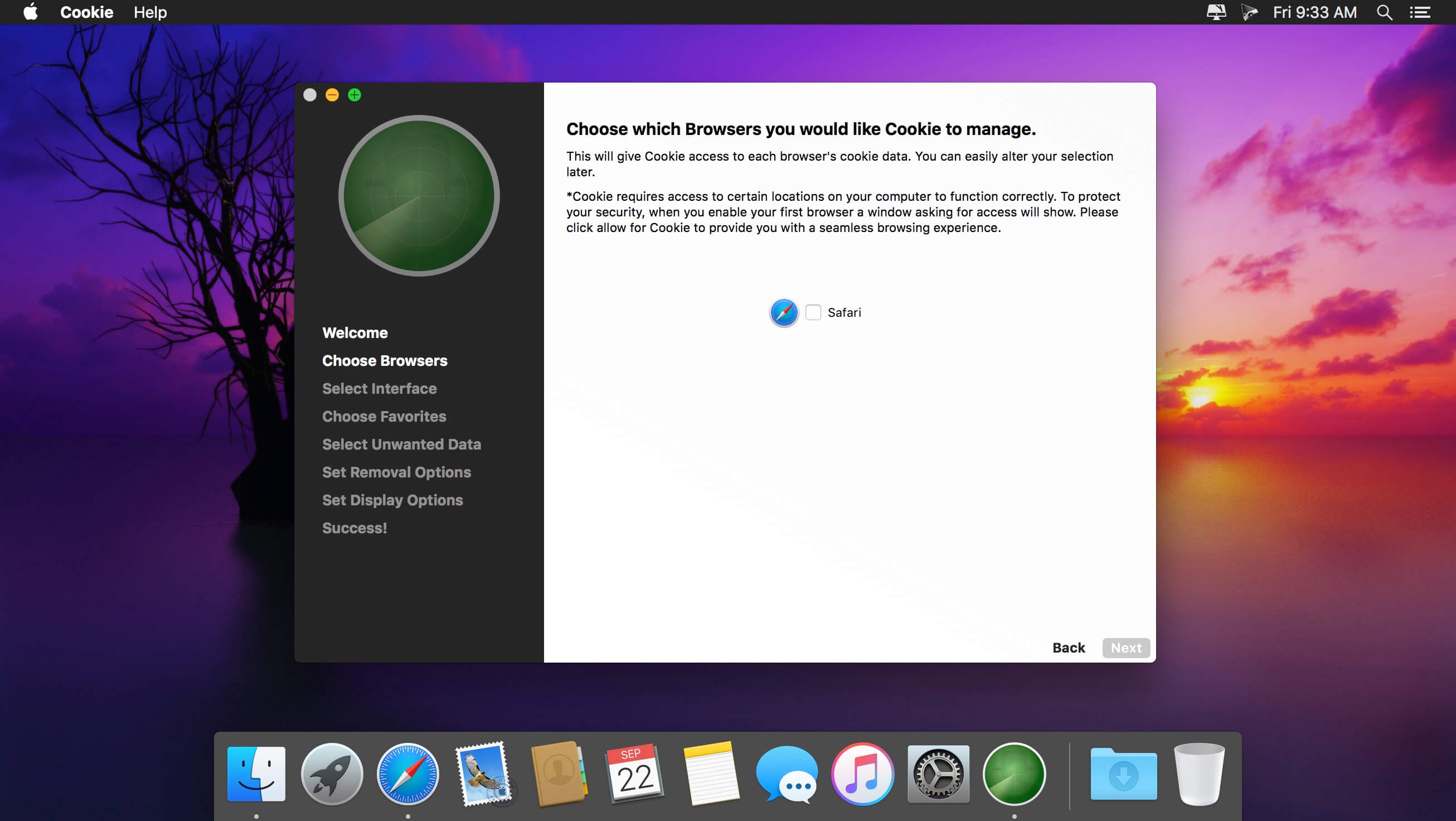
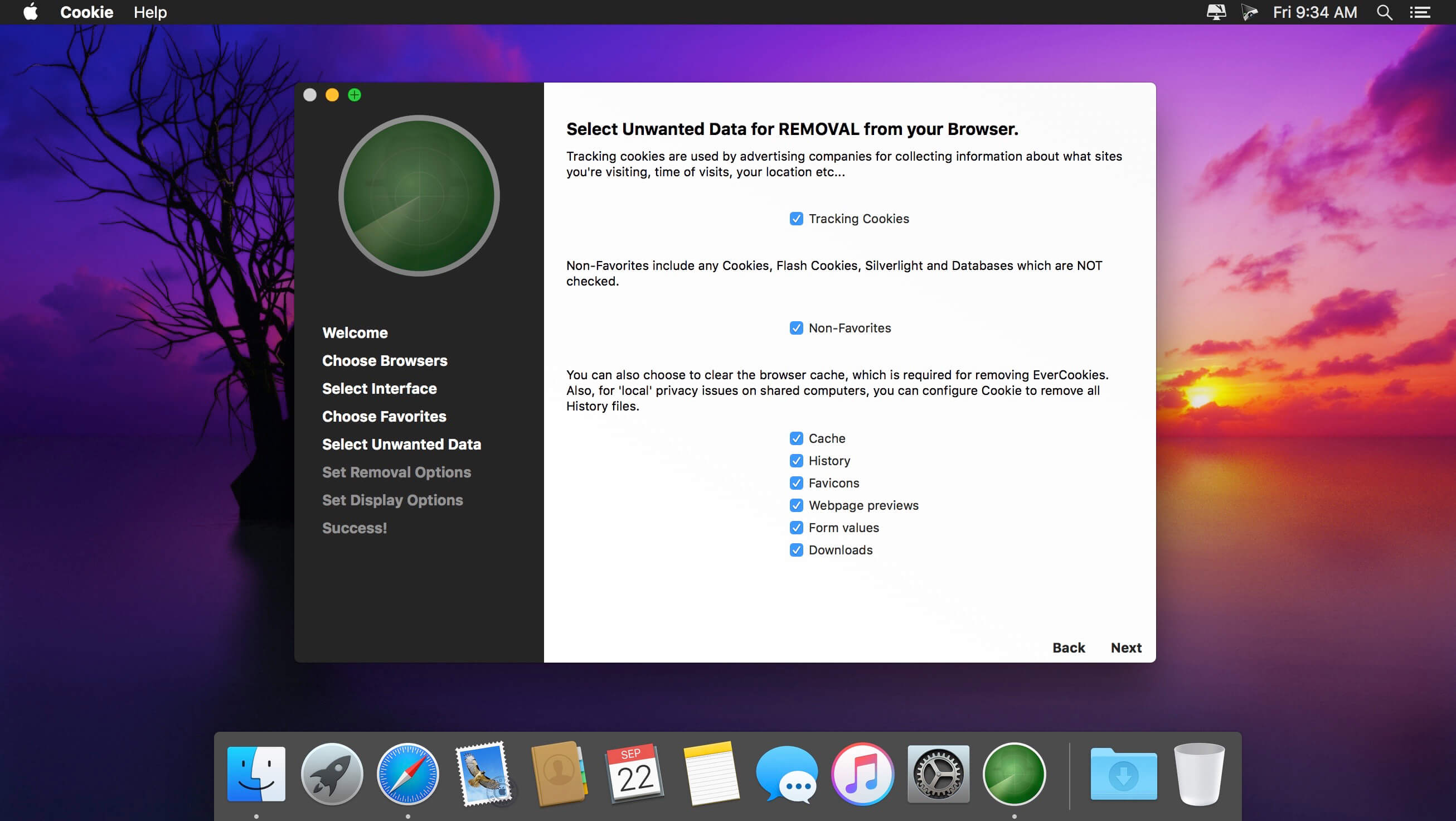
Cookie prevents third parties from hijacking your browsing experience. The sites you visit store “cookies” in your browser without your knowledge or consent. Some are helpful, but others are frustrating and invasive. Cookie can help.
Features:
Consolidate all your browser privacy settings
Simplified View that takes care of all the technical details for you
Advanced View which puts you in total control of all your privacy settings
Combined cookie view displaying all cookie/flash/localStorage data in one easy to manage view
Cookie’s can be favorited on a per domain, or per cookie basis. You decide
Individual Browser settings. It is possible to configure different automatic removal options for each browser. In the case of Chrome/Chromium/Canary/Brave you can even configure settings per user!
A number of removal schedules are possible: When quitting Cookie, when a Browser is Quit, on computer login, On computer waking from sleep, on a customizable time schedule, or entirely manually
Hotkey support, so you can remove all unwanted data quickly and easily
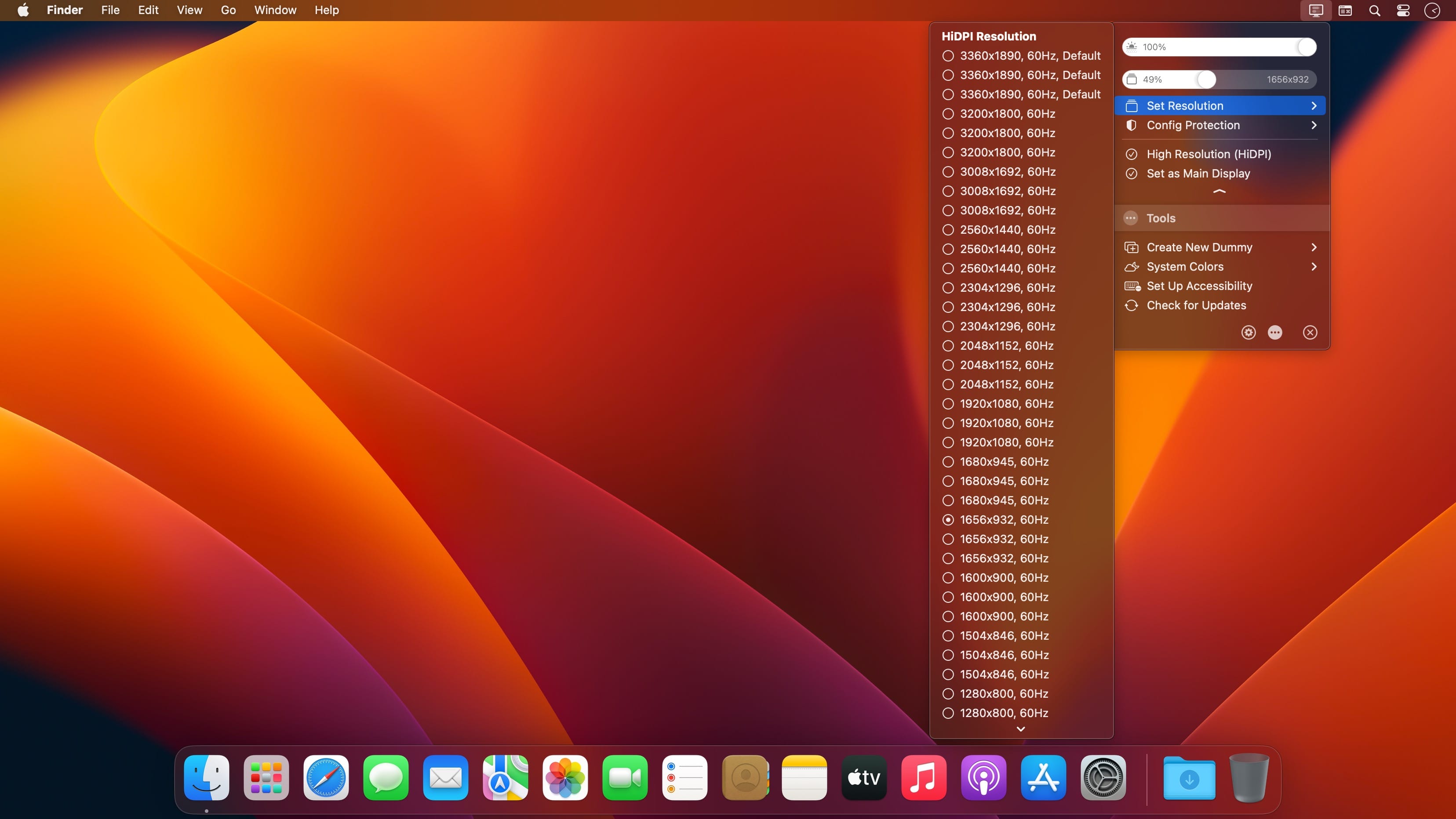
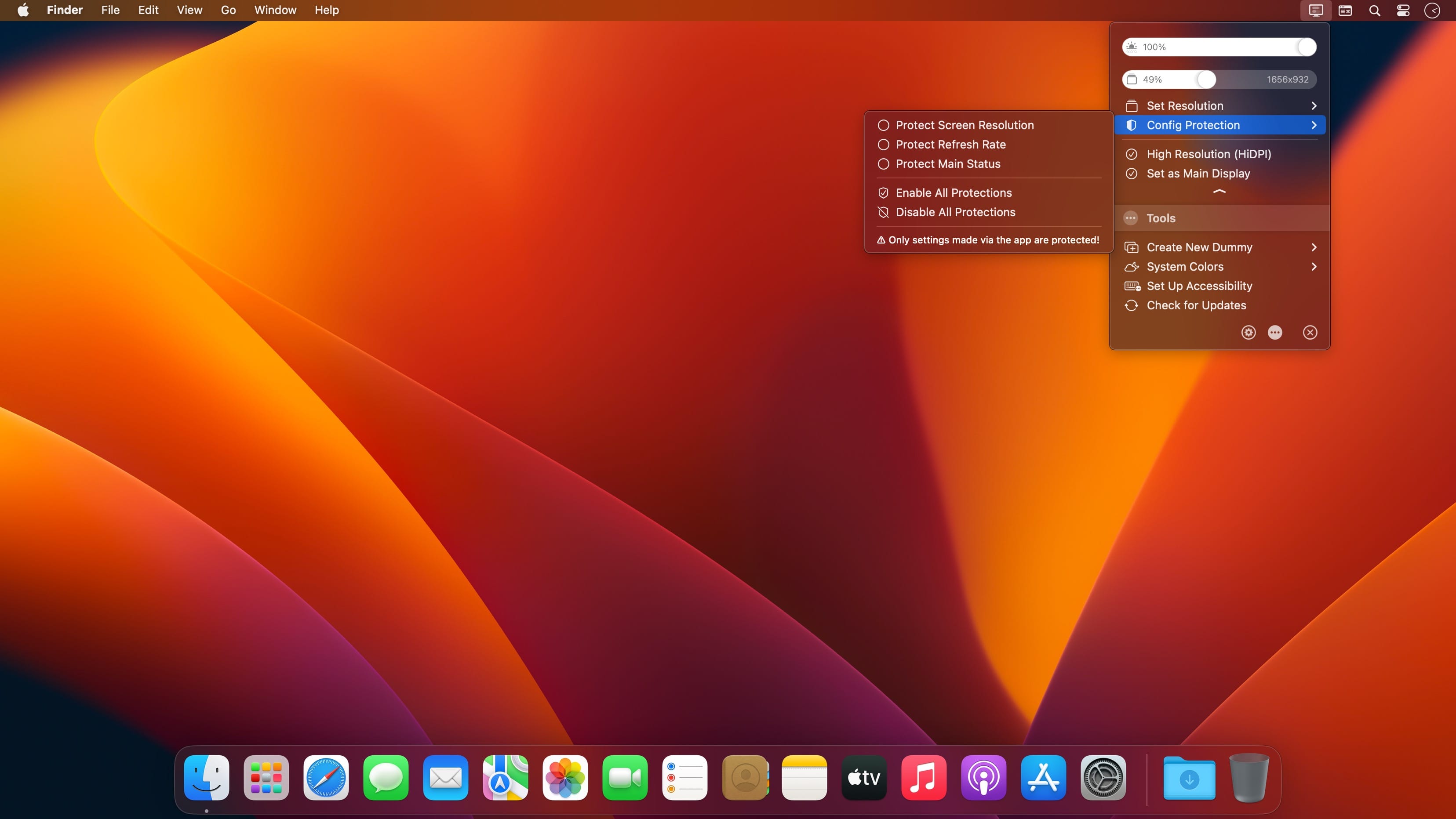
BetterDisplay is a truly wonderful tool! It let’s you convert your displays to fully scalable screens, allows brightness control, provides XDR/HDR upscaling (extra brightness beyond 100% on compatible displays), full dimming to black,helps you create and manage virtual displays (dummies) for your Mac, create Picture in Picture windows of your displays and gives you a host of other features to manage your display’s settings easily from the menu bar.
Features
Convert your internal and natively connected external displays to smoothly-scaled HiDPI displays on Apple Silicon – now even without mirroring a dummy (displays with notch, HDR, HDCP, high refresh rate fully supported)! (Pro)
Reach the full brightness potential of your XDR or HDR display! (Pro)
Change the display’s brightness, volume and colors via software and hardware (DDC) control via sliders and native or custom keyboard shortcuts!
Create custom HiDPI resolutions for real displays manually and redefine certain system display parameters!
Create any number of dummies (virtual screens) with varying aspect ratios.
Use headless Macs (servers) with any resolution and HiDPI mode for remote access.
Create Picture in Picture window for any real or dummy displays. (Pro)
Redirect your display’s contents (real or dummy) to an other screen via streaming. (Pro)
If you are using a big TV up close, use the bottom half of your TV as a wide screen display (off-center streaming). (Pro)
Scale Sidecar resolutions. (Pro)
Portrait SideCar support. (Pro)
Better quality zooming (System Preferences»Accessibility»Zoom) or High Quality screenshots even on 1080p displays
Easily change the resolution of your real and dummy displays via a slider (or submenu) from the menubar.
Quickly accessible refresh rate and screen rotation menu.
Simplify creating mirrored sets. (Pro)
Easily move around displays relative to each other using the app menu.
Quickly designate a display to be main display.
Associate dummies with displays for auto connect/disconnect.
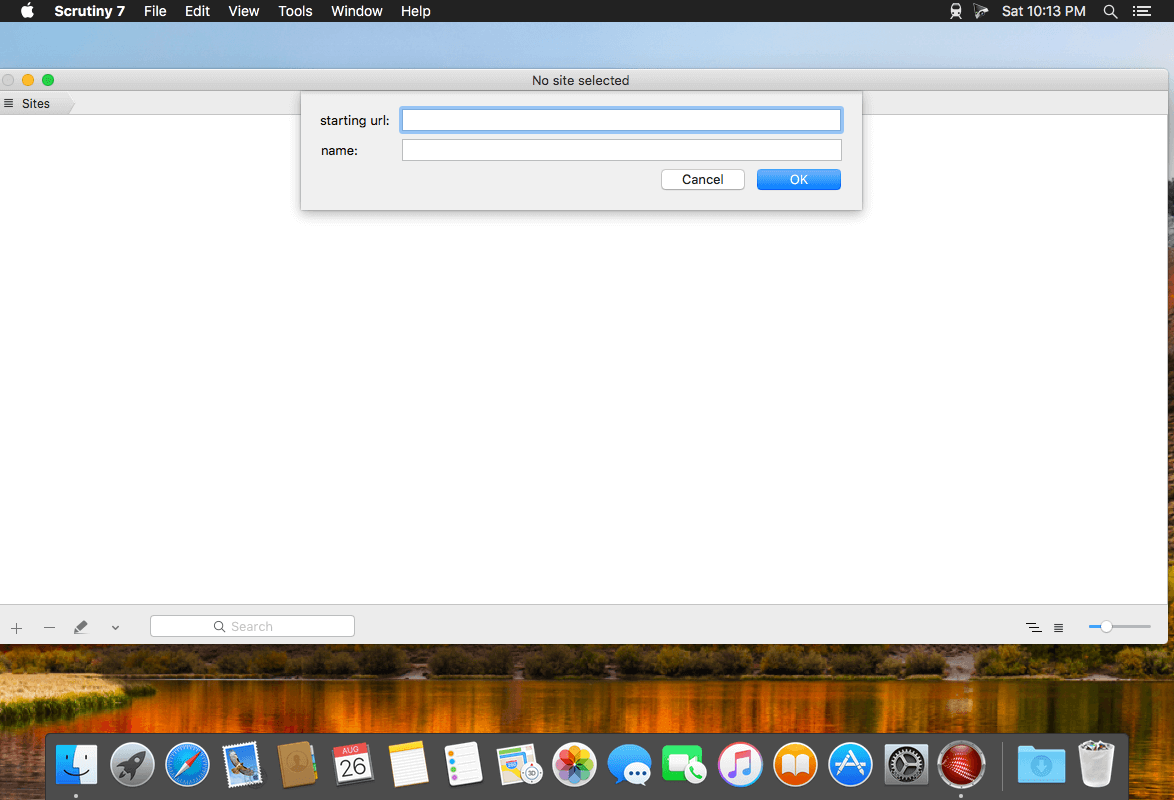
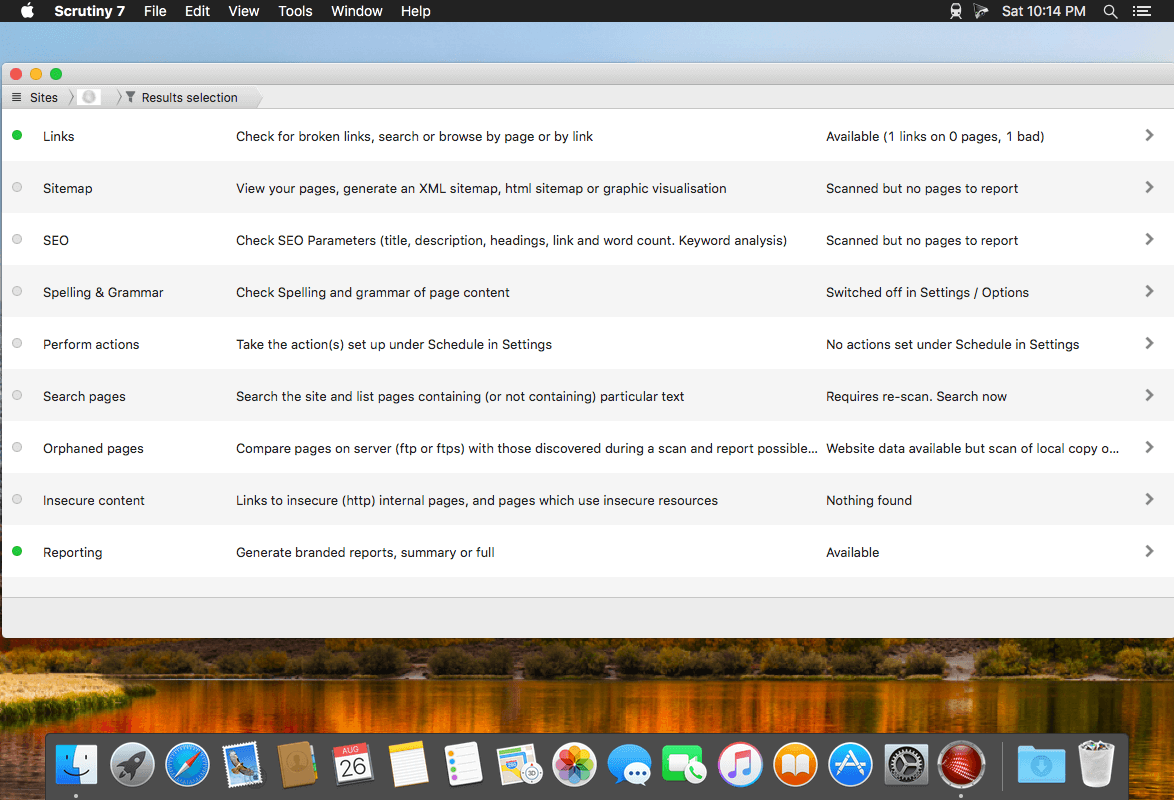
Scrutiny is a suite of web optimization tools including link checking, SEO checks, Sitemap generation, page load speed test, html validation. Version 9 is a major update and includes these new features.
Features
Link checker
SEO analysis
XML sitemap generation, optionally include images / PDF pages
Insecure / mixed content reporting
Page-load speed test
Spelling and grammar checking
Scans sites requiring authentication
Search your site (source or visible text) obtain a list of pages containing a search term or not containing a search term
Website monitoring of as many URL’s as you like with a choice of alerts and logging
Scheduling made easy with a few easy clicks
On finish, send an email, save a report, open a file or AppleScript, FTP the sitemap XML, and other actions
Opens and scans a list of links in HTML, CSV, plain text format, or XML sitemap
DVD-Cloner for Mac is the up-to-the-minute generation of the top DVD copy software for Mac worldwide. It enables you to copy/clone/burn DVD movies on Mac with lossless quality. The brand-new interfaces make DVD copy for Mac much easier than before. Besides, it can remove various DVD copy protections such as CSS, RE, RCE and region codes to copy DVD movies without restrictions. It can also make another copy from the burnt DVD freely without using your original DVD disc again.
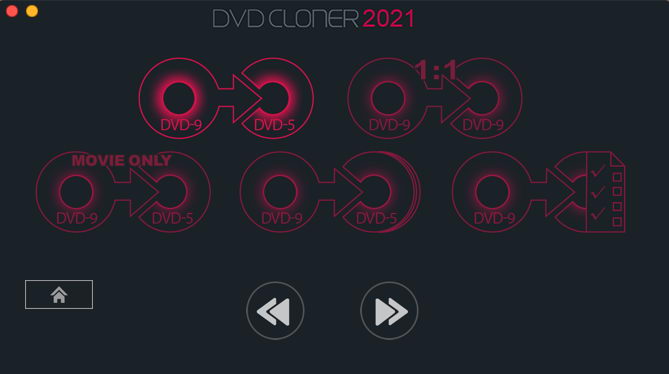
DVD-Cloner for Mac can make perfect 1:1 DVD copy, movie complete copy, movie-only copy, split copy and movie customized copy. With the innovative UMT™, it can back up latest DVD movies with ease. It also supports to copy a DVD disc to another blank DVD disc or to the hard disk as a VIDEO_TS folder or an ISO file for convenient playback in the future.
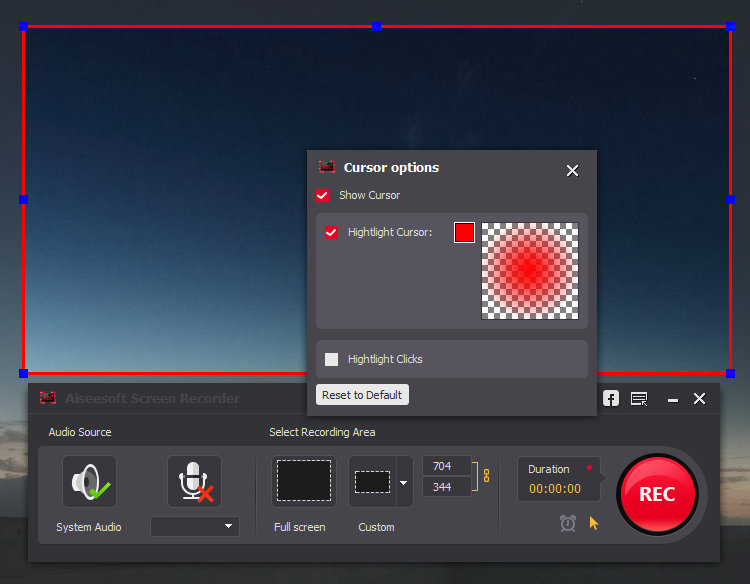
Get the easiest but professional way to record your screen and take snapshots here. Aiseesoft Screen Recorder is the best screen recording software to capture any activity on Mac computer. It can work as a good video game recorder, Skype call capture, YouTube video recording app, and more to capture any area of your screen. While screen recording, you can edit video/snapshot and draw new labels to output file.
What’s New:
Version 2.1.36:
Release notes were unavailable when this listing was updated.
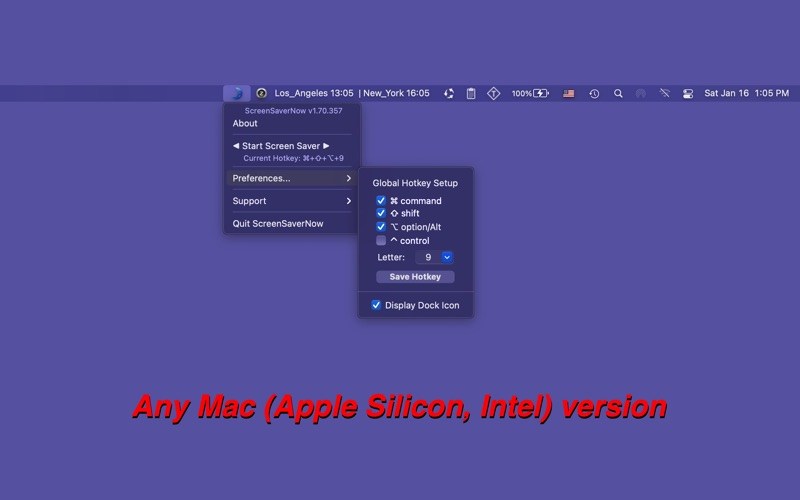
A Customizable Global Hotkey or a mouse click activate your screensaver instantly.
Using a screensaver is still the most effective way of protecting your privacy while you are away from your Mac (even for this day and age).
In fact, a screensaver in conjunction with a password may very well be the only way of protecting your information from others when you are away from your Mac and still need to keep it working….
ScreenSaverNow provides an easy way for you to active your screensaver.
Just click the app’s button in the status bar, dock icon menu, or press a hotkey of your choice, and your screensaver will be instantly activated!
features: v1.10
OS 10.7 to OS 10.8 Sandbox compatible version
fully customizable global hotkey trigger
simple mouse click to trigger
dock icon can be set hidden
Sandbox compatible option of auto-start at login.
What’s new
v1.36 -> v1.70
Any Mac (Apple Silicon, Intel) version for macOS Big Sur
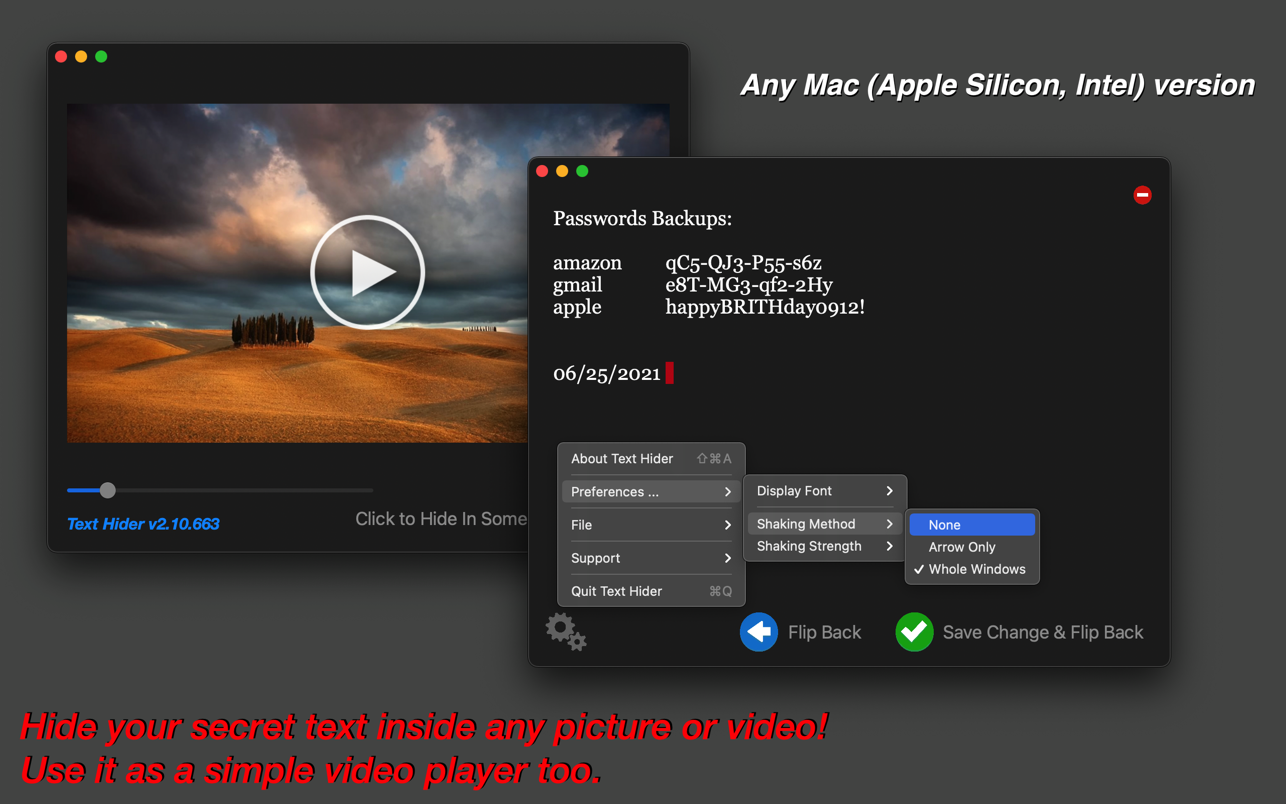
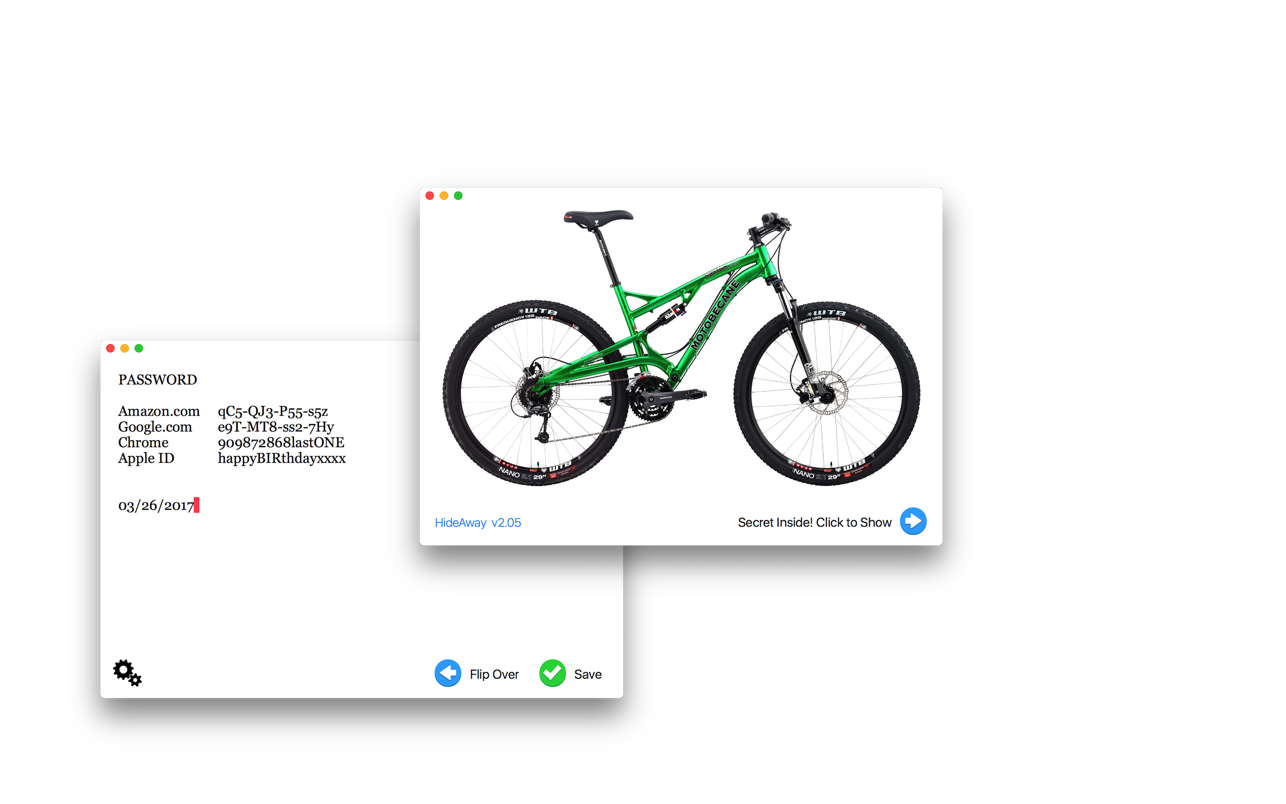
Hide your secret text inside any picture or video! Use it as a simple video player too.
Still, writing secrets in notebooks stashed away in a locked drawer?
Text Hider provides a better way of hiding secrets: in pictures, and not just image files, but also in video files or even in PDF files.
Just drop a picture into Text Hider, type or paste your secret text into the app, and press save. The picture or movie could then be saved, copied, or sent anywhere, and only Text Hider will be able to find and read that secret text.
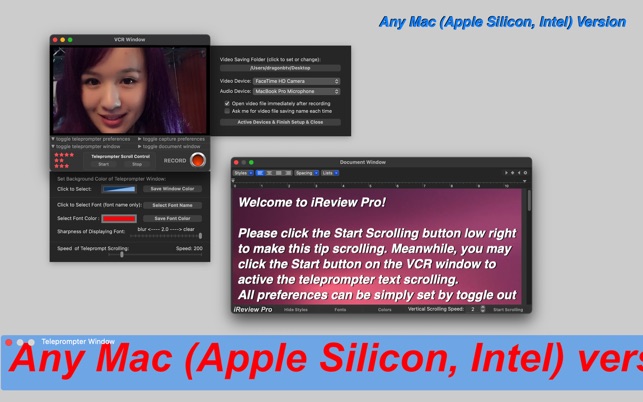
iReview is an easy-to-use App that combines an auto-scroll teleprompter and a video recorder. iReview is ideal for making video reviews, YouTube videos, presentations, lectures, and even video messages.
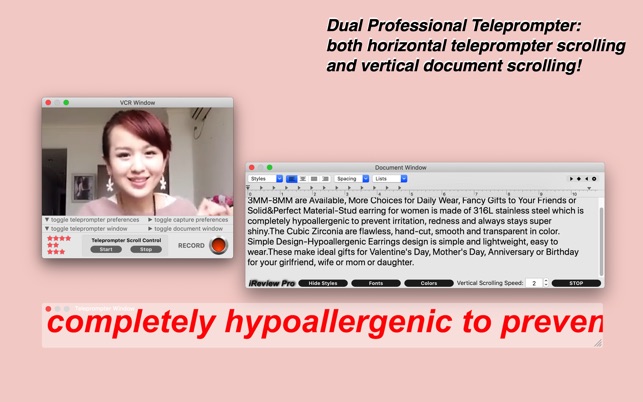
A video recorder equipped with dual professional teleprompters! Not only the horizontal teleprompter text scrolling but also vertical document, picture scrolling!
Everything is customizable for horizontal text scrolling, e.g. speed size font color background blurring, Both text, PDF pages, and even pictures can be scrolled on a vertical document scrolling window.
Meanwhile, two teleprompters and a video recorder can be switched on/off separately to make the app meet the request of all your applications…
With iReview, shooting videos using an iSight camera has never been easier and more efficient. Reading from the teleprompter, you can be just like a TV anchor, reading your script. You will appear much more confident, fluent, and professional in your videos, eliminating all those annoying and embarrassing “uh”s and “um”s.
Features:
– Independent, movable, and re-sizable windows for both the Teleprompter and the Recorder;
– The teleprompter can display pictures and PDF’s in addition to rich text;
– Saved video files are perfectly balanced in size and quality;
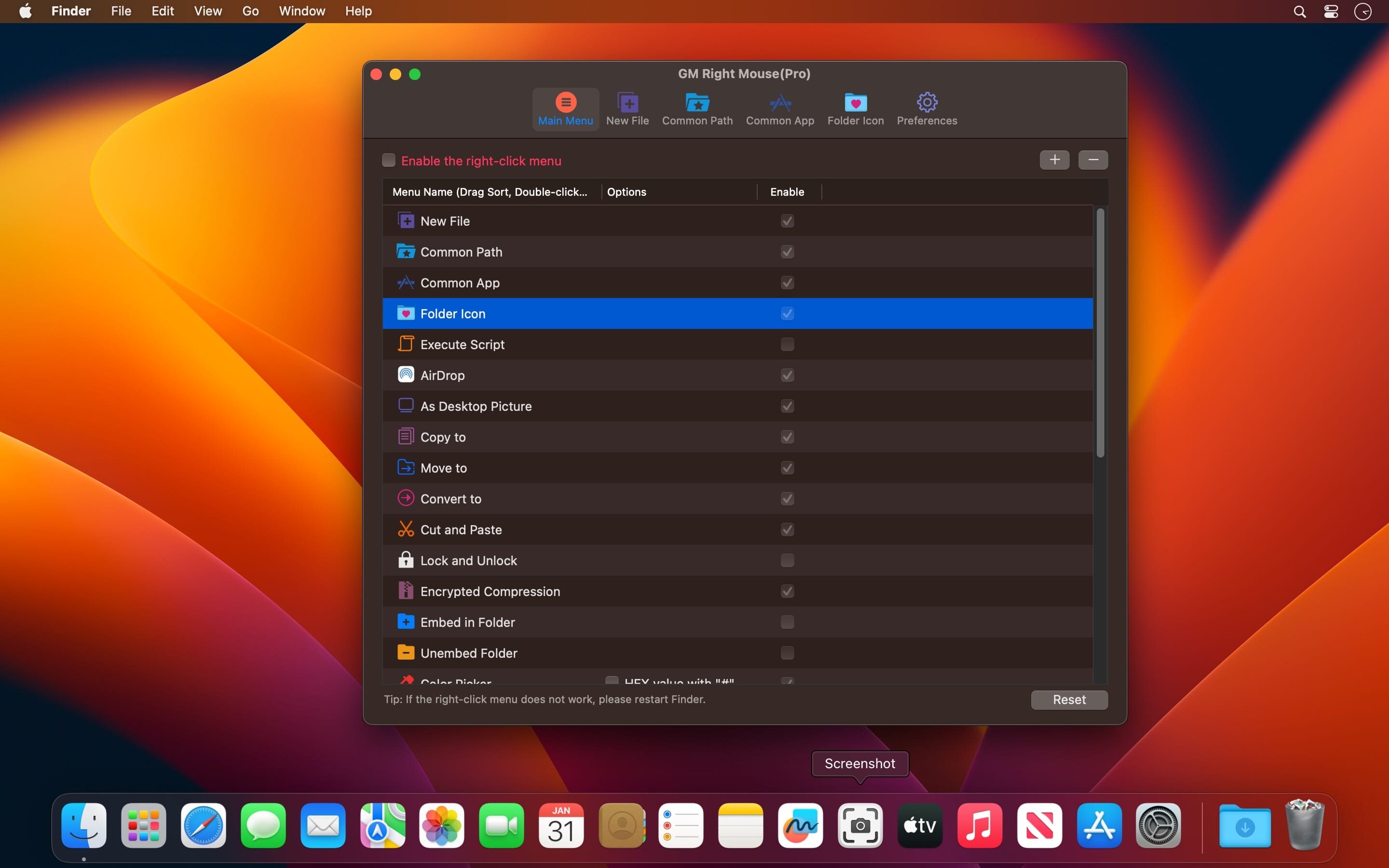
MouseBoost Pro integrates more than 30 kinds of small tools, and the operation way is very simple, as long as you click the right mouse button, you can activate all kinds of functions you want, so that your work efficiency is greatly improved.
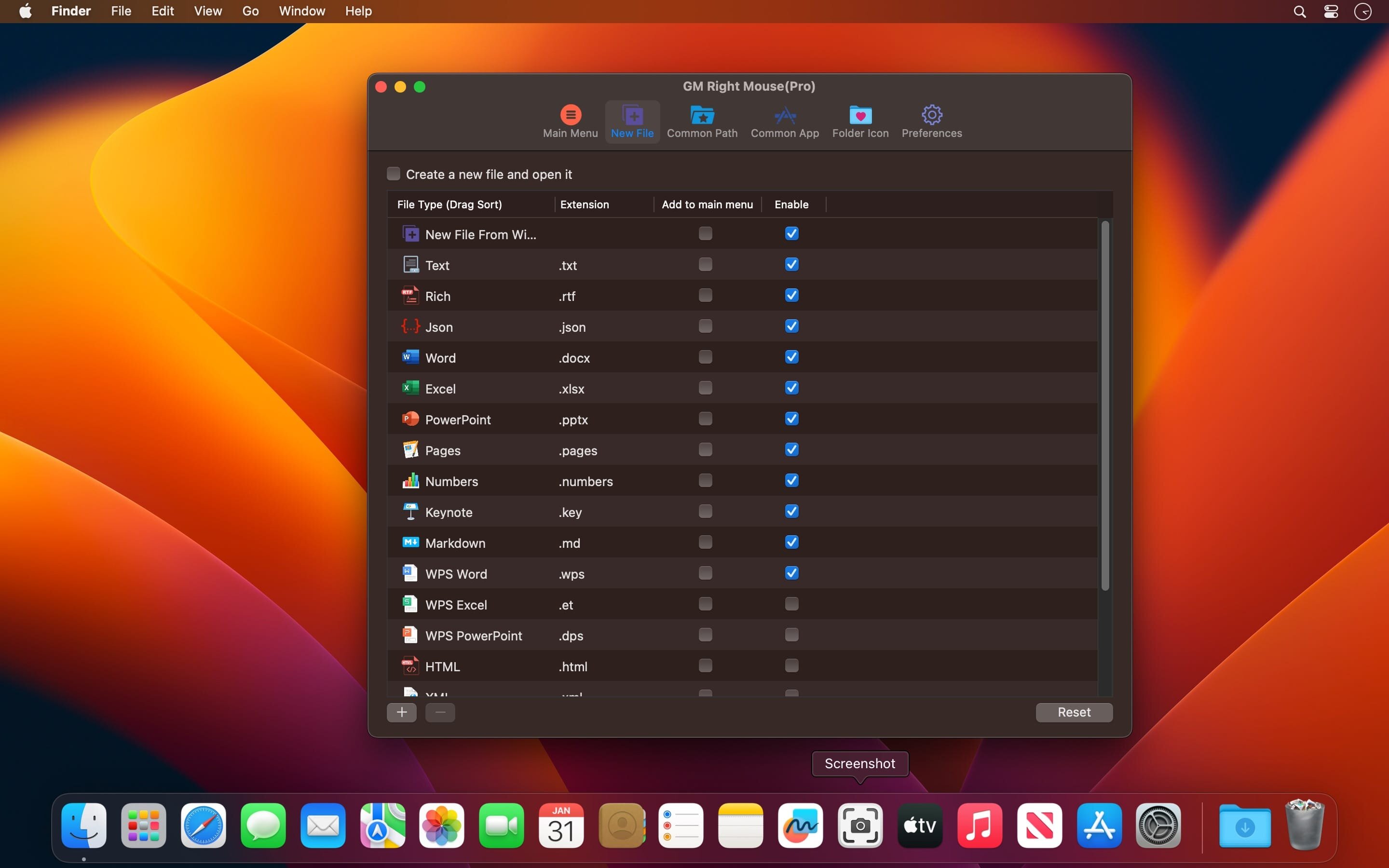
You can create any file type you want, open any APP you want, self-sorting, fully customized!
Main Features
All menus support custom sorting.
Quickly create all kinds of commonly used files, and supports custom creation of various file types you want.
Quickly open your terminal, iTerm2, and go to the directory you want.
Quickly open VSCode, Sublime Text and Emacs, and customize the various apps you want to open.
Quickly copy the current path power.
Complete files deletion is supported.
Supports files moving, copying and cutting.
Supports files encrypted compression.
Quickly open your favorite directory.
Quickly get file MD5,SHA1,SHA256 and other information.
Supports hiding and displaying of specified files.
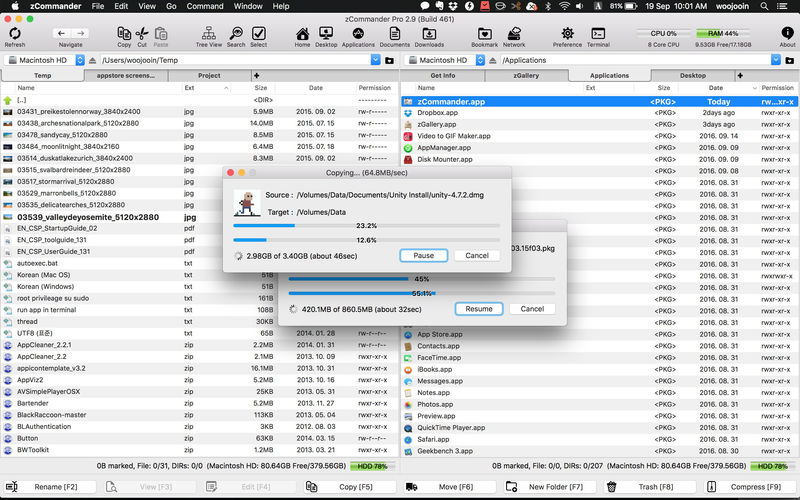
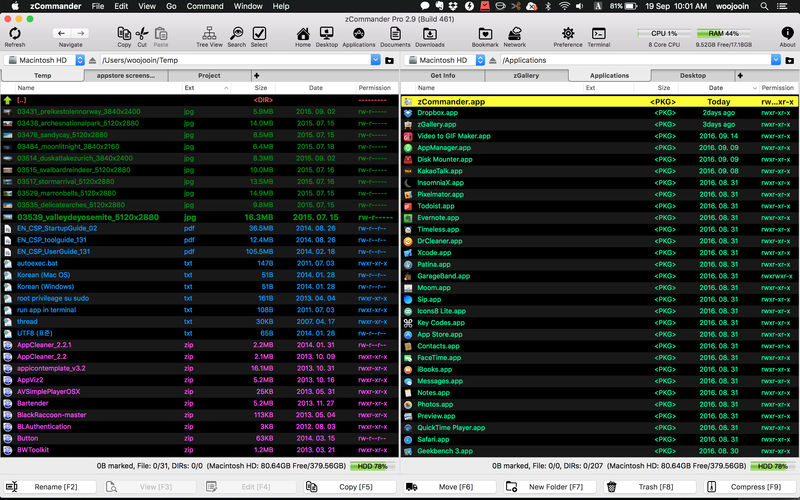
zCommander is advanced and comprehensive file management software. It looks like simple but is actually beautiful and powerful and rapid.
Must-have Software for all users (especially for immigrators from PC and power-users).
No more searching for Total Commander in Mac World.
Here is zCommander !!
Main Features:
Familiar double pane for file list view and each pane can have multiple tabs.
List View or Thumbnail View Mode support.
Quick Preview support (almost every file format)
Sorted items by elements (Name, Extension, Date, etc, …)
You can do most of file operations with only keyboard interface so it’s simple and fast. (Of course you can customise input interface or do it with mouse action)
Copy & Paste file work support like Windows Explorer.
Advanced filtering support in file work.
Quick & Easy to Preview on fingertip.
Quick searching by typing.
Multithreaded file work support (copy, move, delete)
Advanced file searching (by name matching, date, size and contents)
Easy and fast folder bookmark and history management.
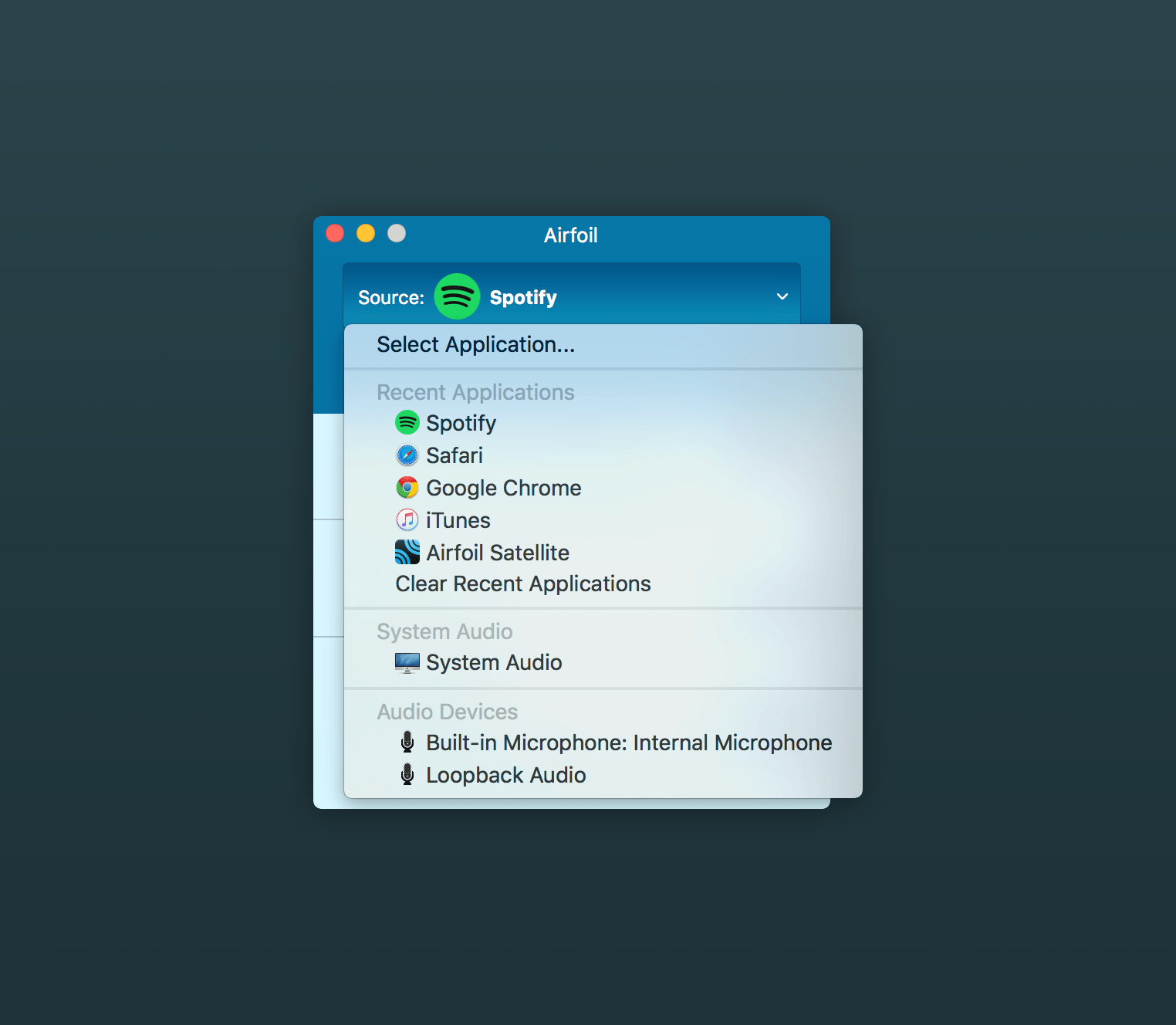
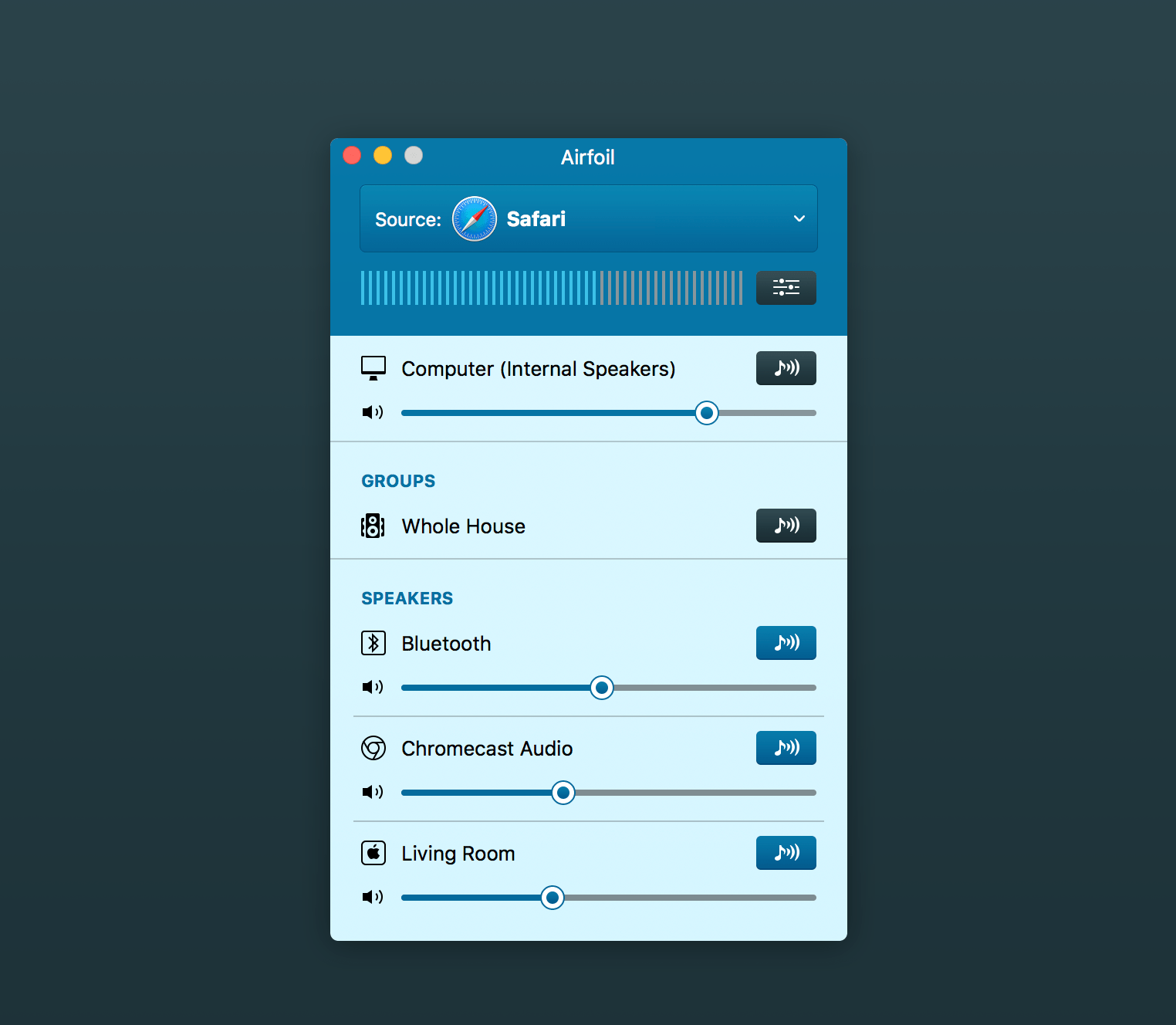
Airfoil allows you to send any audio to AirPort Express units, Apple TVs, and even other Macs and PCs, all in sync! It’s your audio – everywhere.
With Airfoil you can take audio from any application and send to your AirPort Express units, as well as Apple TVs, and even other Macs and PCs running Airfoil Speakers! Transmit audio from RealPlayer, Windows Media Player, QuickTime Player, and other media players. Send audio from web-based applications like Pandora, Last.fm, and other to the AirPort Express. You can even stream audio from audio devices like RadioSHARK, XM and Sirius radios, around your house.
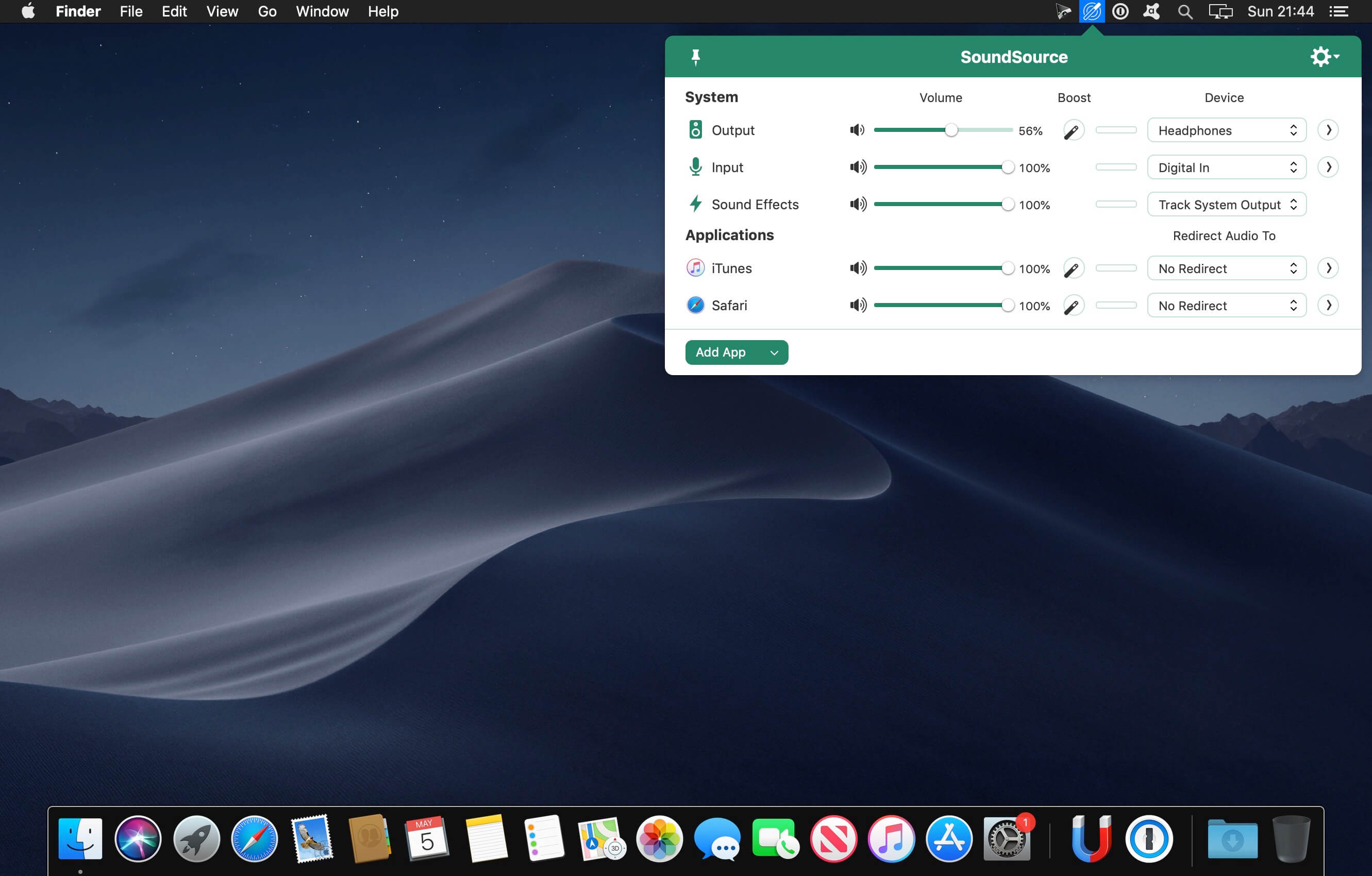
SounceSource lets you adjust your input, output, and sound-effects devices and volume settings in mere moments, right from the menu bar. Enable soft play-thru of input devices to your desired output, so you can hear sound coming in through any microphone or other source. With SoundSource, you get fast access to your Mac’s most important audio settings.
Fast Access to System Devices
Control the settings for your Mac’s Output, Input, and Sound Effects audio devices right from your menu bar.
Per-Application Audio Control
Change the volume of any app relative to others, and send individual apps to different audio outputs.
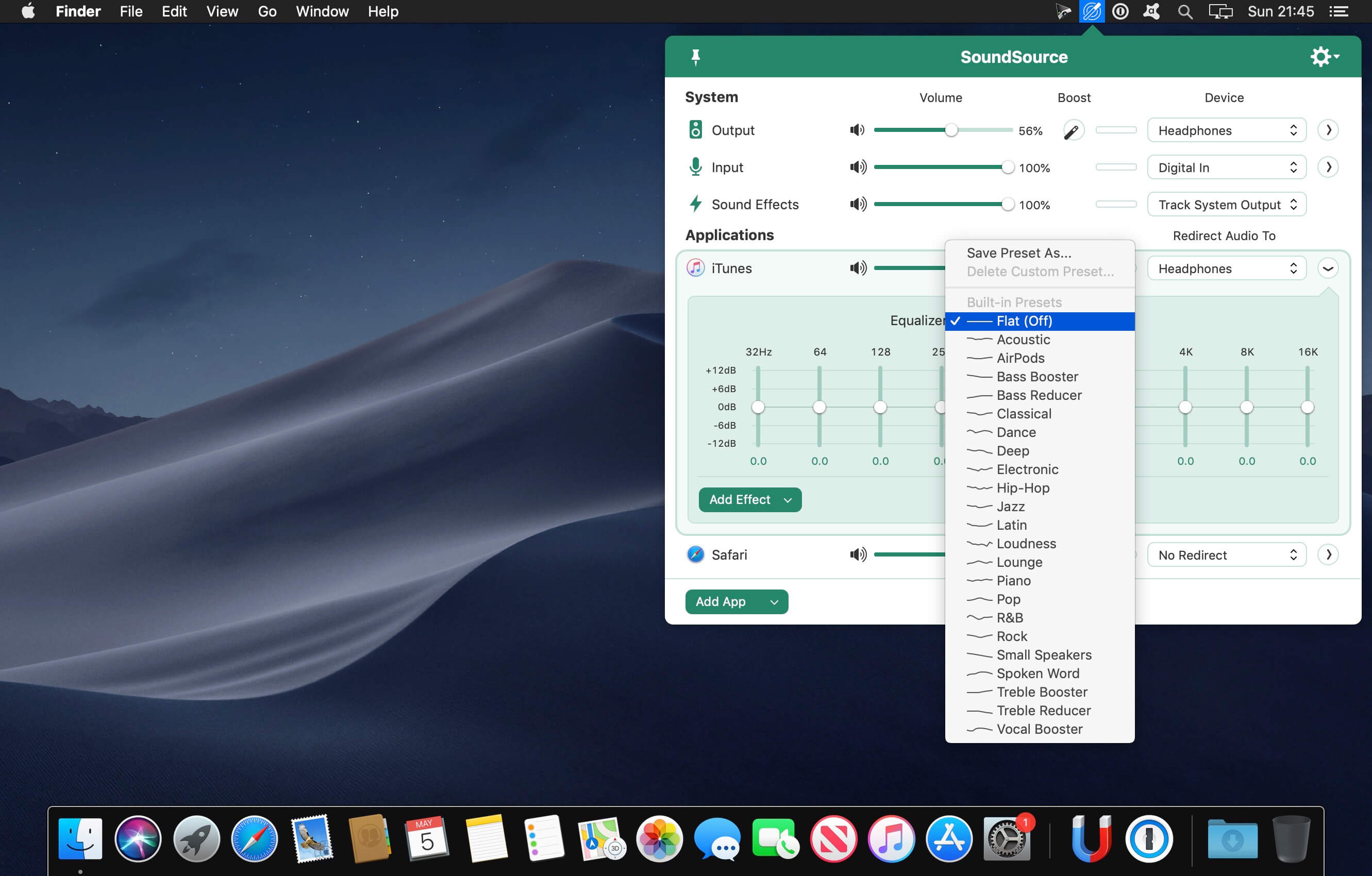
Add Effects
Make any audio sound great, with powerful built-in effects, as well as advanced Audio Unit support.
Fundamental Features
Per-App Volume Control
Adjust volume levels for each of your applications, all in one place. Make one app louder or softer than others, or even mute it entirely.
Per-App Output Redirection
Control exactly where audio plays. Route music from one app to your best speakers, while everything else is heard via your Mac’s built-in output.
Per-App Audio Effects
Use the built-in 10-band equalizer and support for Audio Units to sweeten the sound of individual apps.
System Audio Settings
Quickly adjust volume and input levels, balance, and even sample rate for your system’s Output, Input, and Sound Effects devices.
System-Wide Audio Effects
Apply effects to sweeten the sound of all audio on your system, with the built-in 10-band equalizer and support for advanced Audio Unit plugins.
Super Volume Keys
HDMI devices, DisplayPort audio outputs, and more fail to support the volume keys found on Mac keyboards. SoundSource makes those keys work with any outputs you have.
Menu Bar Access
SoundSource lives in your menu bar, for one-click access to all your audio controls. You can also bring it up with a configurable global keyboard shortcut.
Floating Access
Making frequent adjustments? Pin SoundSource’s main window, and it will float on your screen for instant access.
Headphone EQ
The new Headphone EQ effect provides the very best sound from thousands of different models of headphones.
Magic Boost 2
The new Magic Boost 2 does even more to provide rich, full sound from even the tiniest speakers.
Compact View
SoundSource’s main window is streamlined, but to truly minimize how much space it uses, the Compact view has you covered.
Menu Bar Meters
Add optional meters for your output device, input device, and/or active applications, so you can see and control audio even more easily.
Easy project management with Gantt charts. Trusted by thousand of professionals around the world since 2010.
You can create Gantt charts without scratching your head.
Our product shines thanks to its ease of use and simplicity. We focus our attention on the features that the majority of project managers actually use. In addition, the generated charts are both beautiful and visually appealing. An image is always worth more than words.
Main features:
– Create beautiful Gantt charts in minutes
– Create tasks and subtasks with multiple options
– Setup milestones to record major stepping stones
– Manage and quickly assign resources
– Create smart dependencies between tasks
– Compatible with MS Project XML format
– Quickly share a project in PDF format
– Display and share reports