Fast and friendly git client. Fork is getting better and better day after day and we are happy to share our results with you. Commit List – Working Directory Changes – Side by Side Diff – Repository Manager Summary and Statistics
Basic features: Fetch, pull, push | Commit, amend | Create and delete branches and tags | Create and delete remote repos | Checkout branch or revision | Cherry-pick, revert | Merge, rebase | Stashes | Submodules
Work with repository: Create, clone or add existing repos | Open recent repository quickly
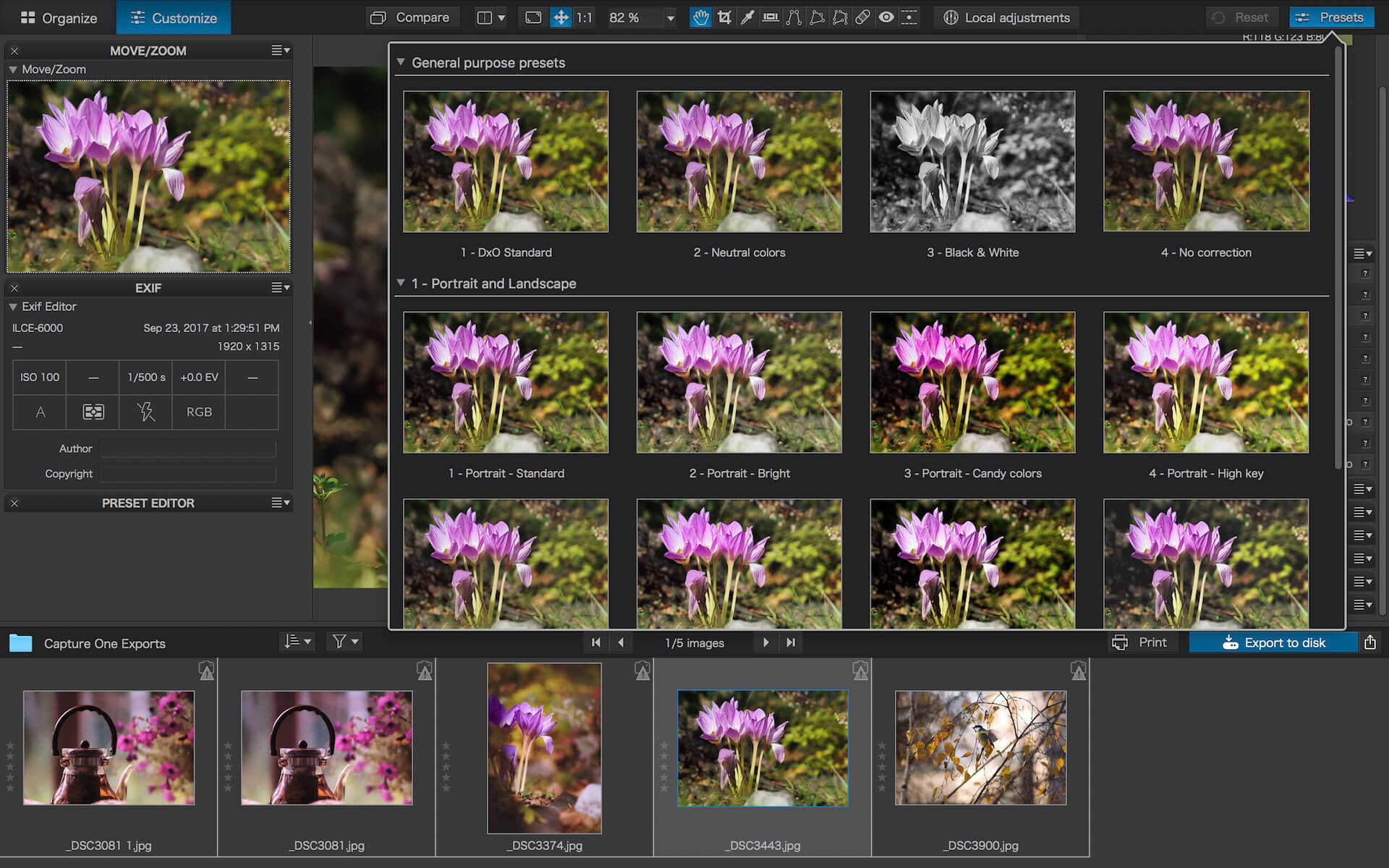
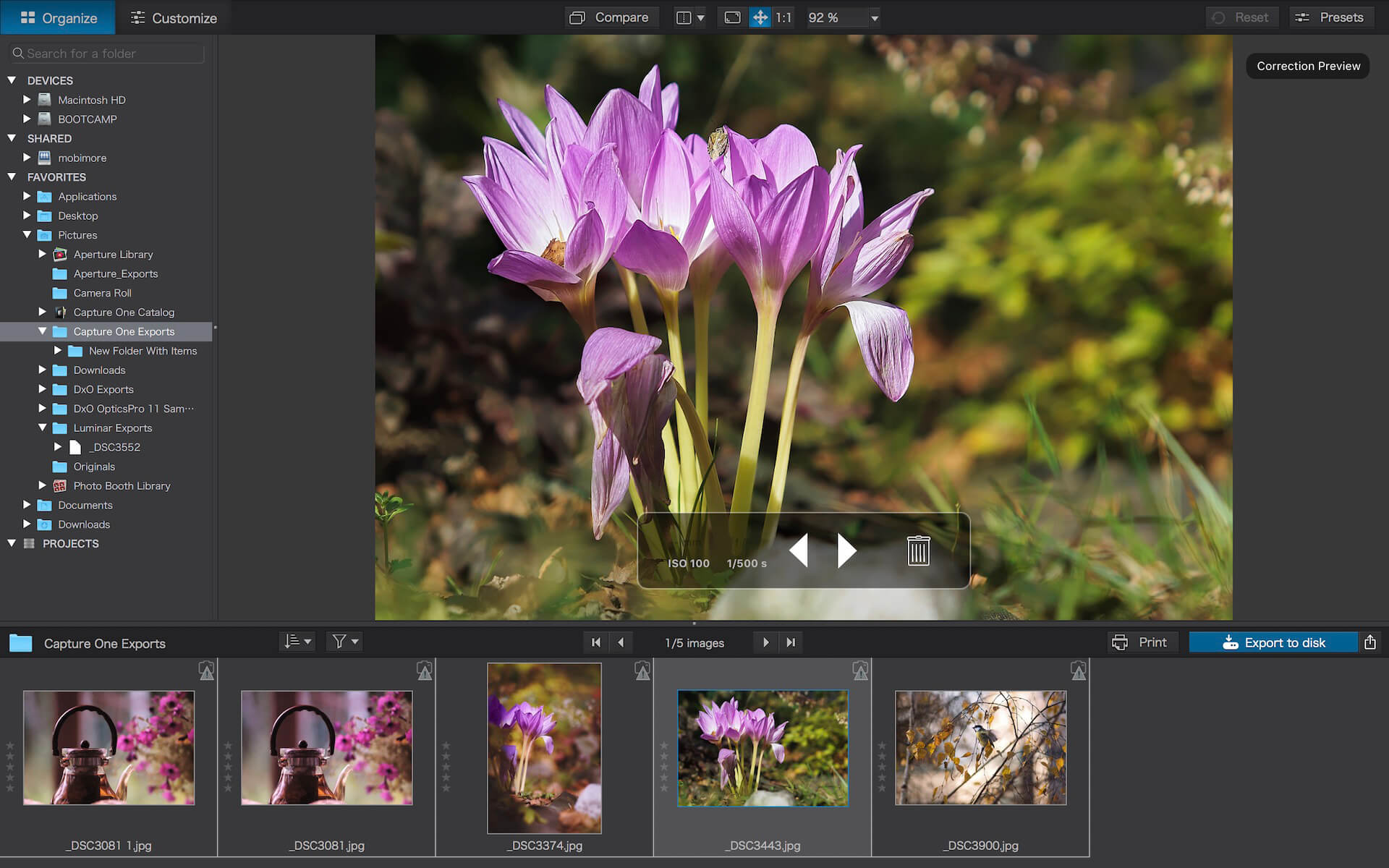
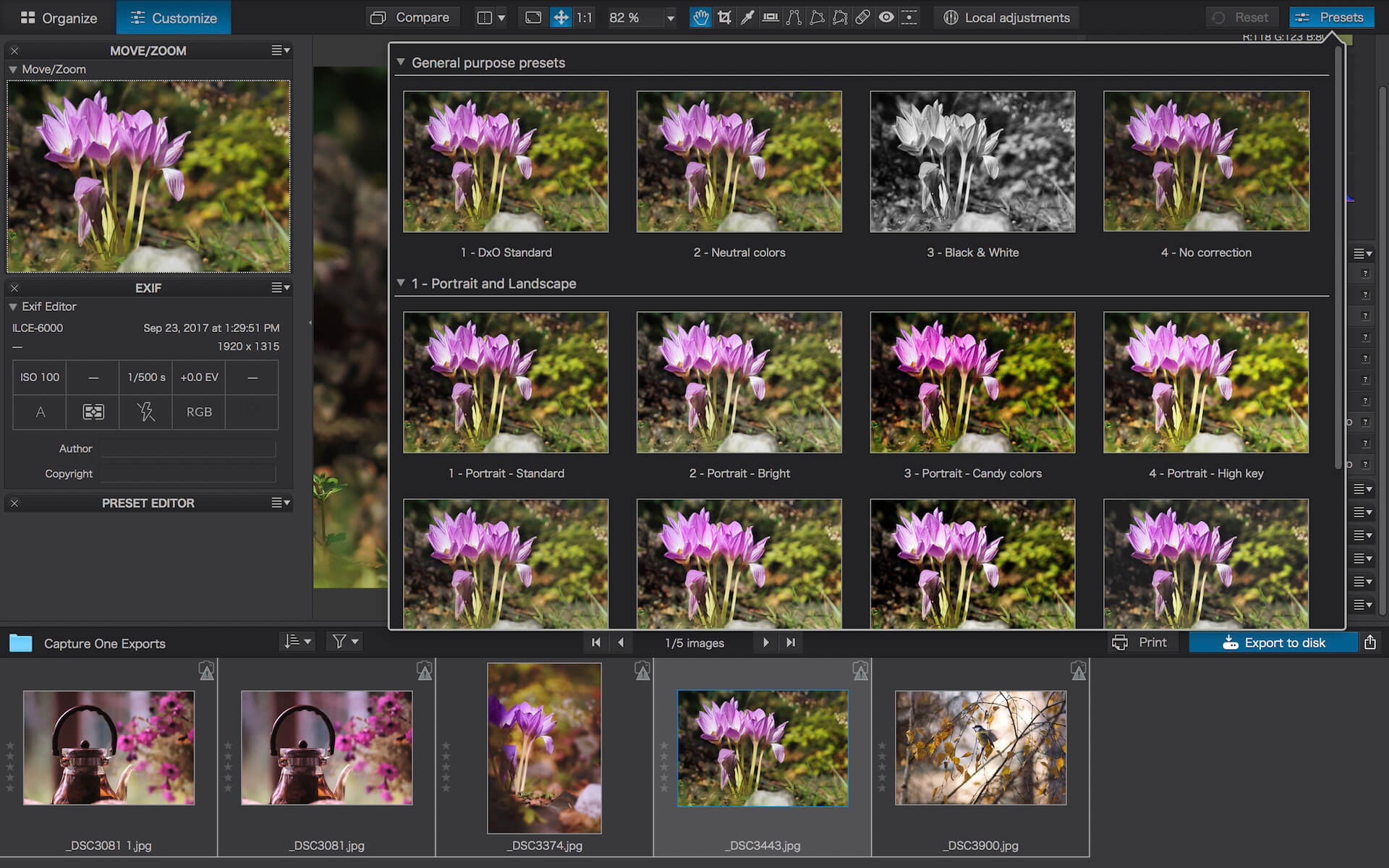
DxO PhotoLab (was DxO Optics Pro) provides a complete set of smart assisted corrections that you can manually fine-tune at any time. Take control on every aspect of your photos: effectively remove noise, get rid of light constraints, recover color details, apply sophisticated optical corrections, and enhance details.
Reducing digital noise in RAW images is an ongoing challenge for most photo-editing software. But with DxO DeepPRIME we are breaking new ground. The first artificial intelligence-based (AI) technology of its kind, DeepPRIME enables you to demosaic and denoise images simultaneously. Try it out – the results speak for themselves.
Demosaicing and denoising are usually two separate processes. But with DxO DeepPRIME we’ve combined them to achieve even better results.
The outcome is spectacular. DxO DeepPRIME removes noise and renders photographic information without reducing color detail. Transitions are smoother and more natural, and you gain nearly two ISO sensitivity values compared to our earlier version, DxO PRIME, the benchmark software for all comparable programs currently available.
If you are an expert photographer, DxO DeepPRIME will open up a world of new possibilities by enabling you to shoot at very high sensitivities. As an amateur photographer, DeepPRIME will allow you to compensate for the drawbacks of small sensors in compact and bridge cameras that produce digital noise even at low ISO sensitivities. And if you’re struggling with low quality, or older-generation cameras that are no longer suitable because of the scale of digital noise, DxO DeepPRIME will give your images a new lease of life.
Features
DxO Smart Lighting
DxO ClearView
DxO PRIME
Optical Corrections
Introducing U Point
What’s New:
New features in DxO PhotoLab 6
Introducing DxO Wide Gamut working color space: Harness the potential of the latest printers and monitors with DxO’s new color space. Avoid clipping in highly saturated areas and ensure accuracy across your workflow. Easily switch between the legacy color space (for all images coming from previous versions of DxO PhotoLab) and the new DxO Wide Gamut working color space (for your new images loaded in DxO PhotoLab 6);
New Soft Proofing mode: For beautiful, accurate reproduction, whatever the screen or print type. Preparing your images for different output has never been easier. Achieve accurate color at every stage of your workflow;
New DeepPRIME XD denoising option: Alongside DeepPRIME, DeepPRIME XD adds another level of performance when required. Expect less noise, more detail and smoother bokeh;
New ReTouch tool: The brand-new ReTouch Tool gives you unprecedented control when cloning and repairing. Rotate, flip, or transform source points, and edit source areas for absolute precision;
New nested Projects: Organize your virtual collections of images more efficiently with the new hierarchy of Projects. Create Projects and groups of Projects and simply organize them by drag-and-drop;
Crop tool improvement: You can now rotate your images when in Crop mode;
Embedded Perspective tools: Perspective correction tools (keystoning) are now natively available in the ELITE
version;
New Color labels support: Identify, classify, and cull your images more easily with the new Color tags;
New Exif & IPTC fields: For complete metadata management;
New sticky headers in the source tree: The user interface of the source tree has been revamped;
Keyword tokens improvement: Keyword tokens now show the full hierarchy if children have the same name;
More than 77,000 camera/lens combinations are now available.
Produce RAW and JPEG images with the best image quality, effortlessly: DxO PhotoLab provides a complete set of smart assisted corrections that you can manually fine-tune at any time. Take control on every aspect of your photos: effectively remove noise, get rid of light constraints, recover color details, apply sophisticated optical corrections, and enhance details.
DxO SMART LIGHTING
Optimizes the dynamic range of your image and brings out the details from both under- and overexposed areas.
DxO CLEARVIEW
Intelligently boosts local contrast and effectively removes distant haze.
DxO PRIME
Automatically denoises high ISO RAW images and recovers accurate details and colors based on our exclusive algorithms.
OPTICAL CORRECTIONS
Leverage your gear with tailored automatic corrections based on DxO’s renowned scientific expertise in measurement and calibration.
EXPRESS YOUR CREATIVITY WITH LOCAL ADJUSTMENTS: INTRODUCING U POINT®
Give your photos your own artistic touch by manually applying selective corrections to specific areas of your image, using exclusive DxO Local Adjustment Tools that include: Control points (U Point technology), graduated filters, manual and automatic brushes, automatic repair tool, etc.
CONTROL POINTS
Manually select your editing area by simply clicking on the part of your image you want to adjust.
BRUSH TOOL
Freely paint and manually adjust small or large areas of your image.
GRADIENT TOOL
Simulates a graduated ND filter and lets you apply artistic effects.
REPAIR TOOL
Allows you to remove dust spots or unwanted objects from your photos.
Processing large series of photos is no longer a nightmare
Intelligent algorithms adapt settings to your gear as well as to image content
Copy and paste settings from one image to another
30 built-in presets, fully customizable to give your photos the look you like
Multiple exports in one click
Export to multiple formats for web, printing, or backup
Export directly to social networks such as Facebook, Flickr, or to other photo editors
Fully adapted to YOUR workflow
File management that works with your computer (no import step required)
Direct access to images
Seamless integration with Lightroom via plugin
Customizable workspace to adapt to your needs – Dual-screen friendly
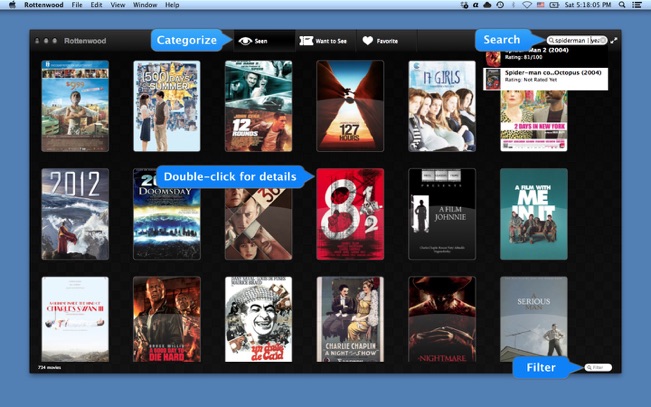
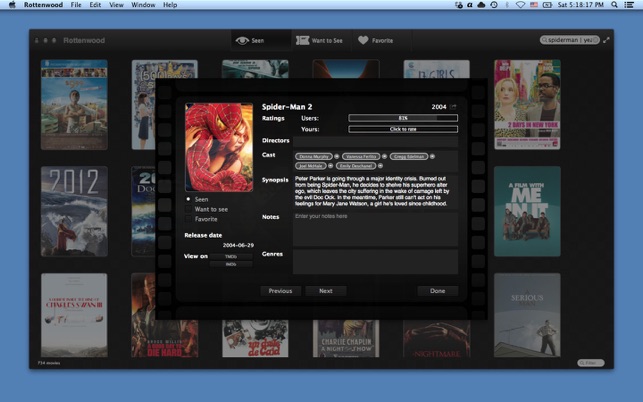
Rottenwood gives you a centralized location for listing the movies you’ve seen or want to see, to mark them as favorites, or even to make notes about them, all in an attractive interface complete with advanced search feature
Rottenwood was made by a movie fan for all the movie fans out there. Each week, dozens of movies come out – to both the theaters and on DVD (or Bluray). If you’re one of the guys that watch a few movies each week, it may become really hard to remember all the movies, or even to pick one you’d like to watch sometime.
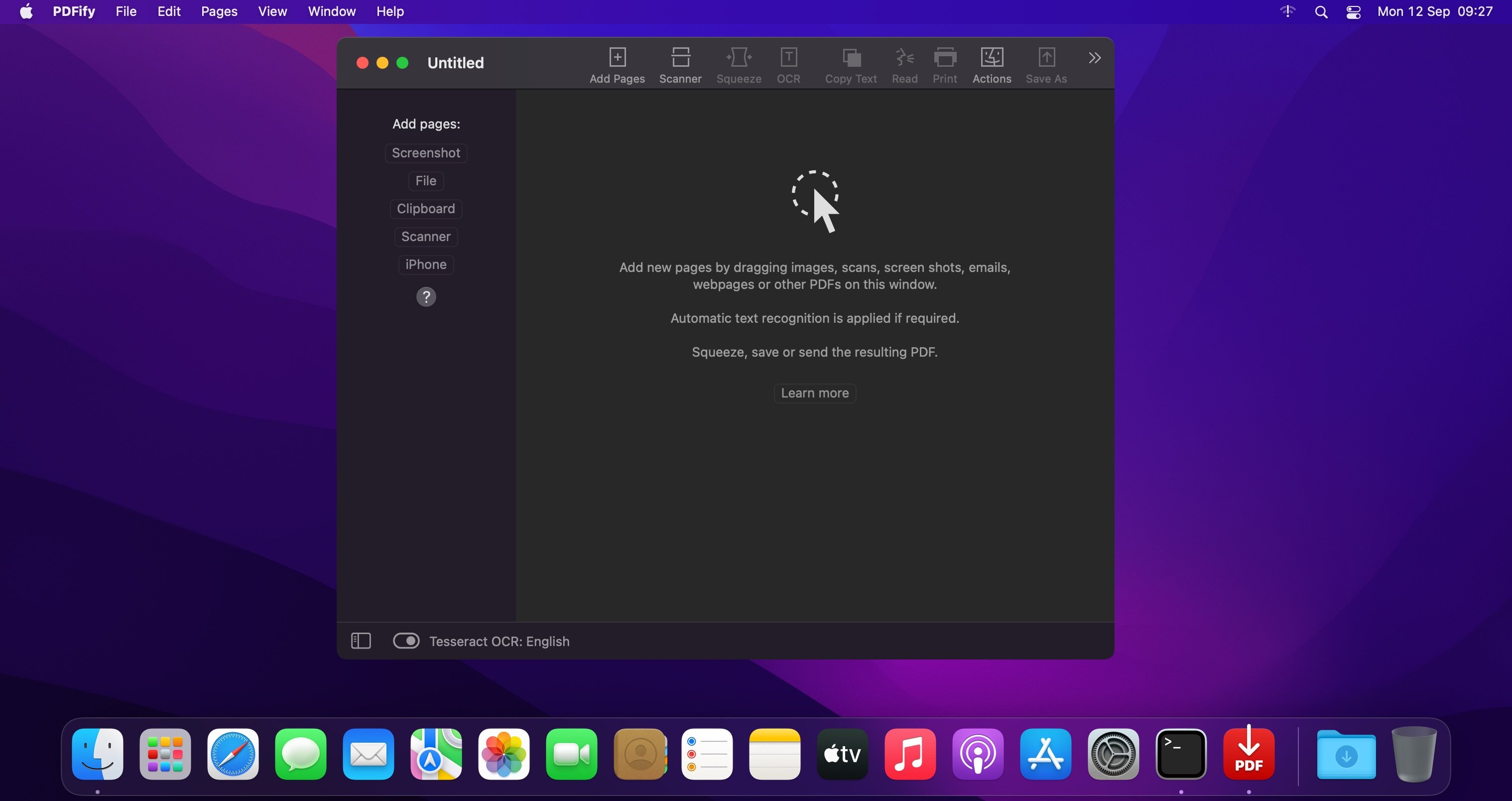
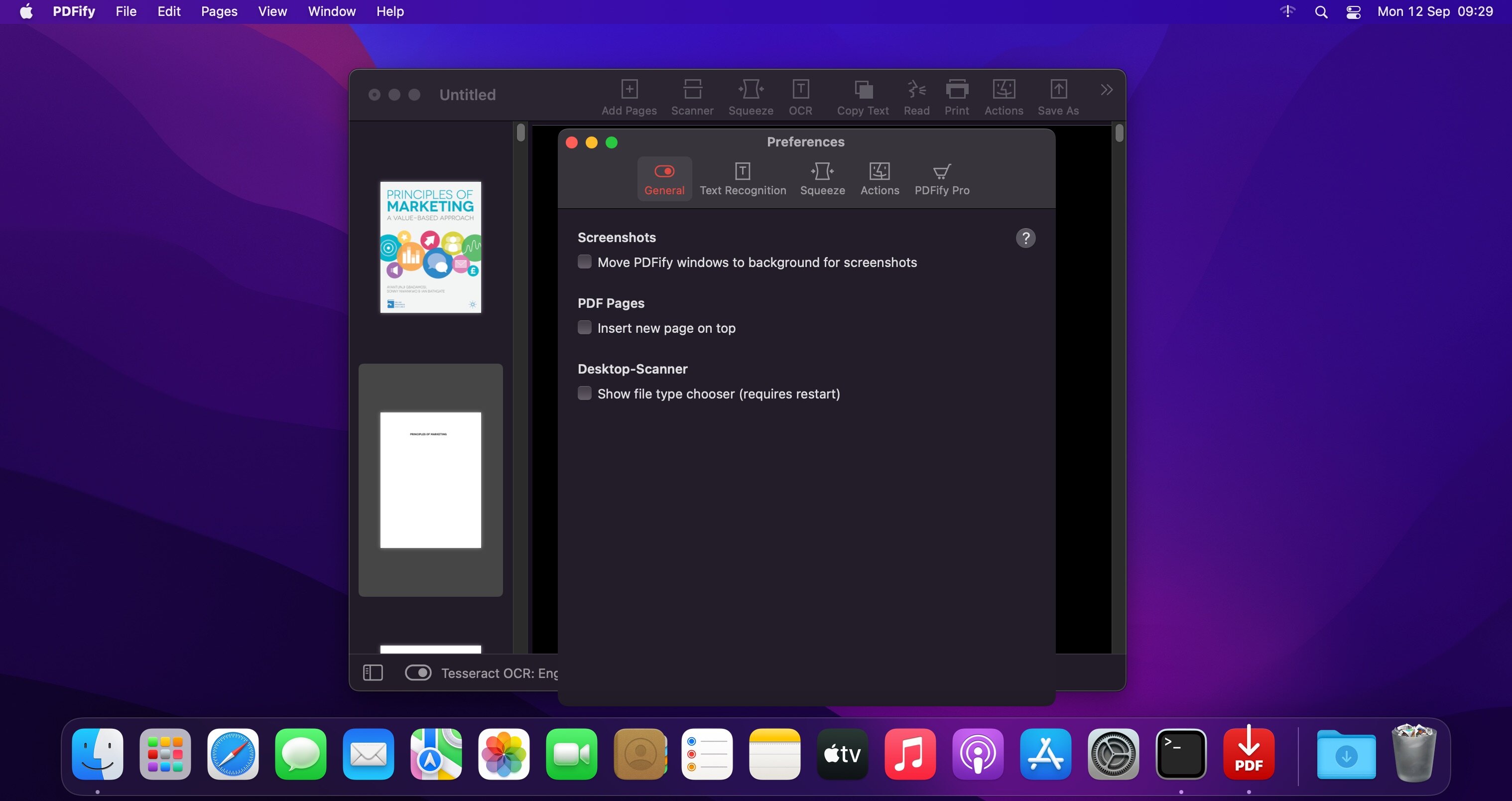
PDFify creates searchable PDF for more than 100 languages! Reduce file size at the same time! Not only existing PDF can be processed, but also images, scans, screenshots, emails, web pages and more. Just drag your files to PDFify and the rest happens automatically.
In addition to Apple’s integrated text recognition, the proven alternative “Tesseract” is also supported. Find your personal favorite. Finder Quick Actions allow you to quickly edit multiple files in one go.
Powerful functions make it easy to add new pages to the PDF
Take screenshots directly from the app.
Use your iPhone camera as a scanner.
The app offers its own great scanner dialog.
Choose PDFify as the destination for your ScanSnap scans.
Stop wasting time and energy removing backgrounds manually from your images and delegate the work to our artificial intelligence that does it in seconds.
Next generation of background removers
Snapclear is a desktop offline application powered by AI that crops images for you locally and efficiently without compromising the privacy of your data.
Powered by AI.
Accurate slices
Works 100% Offline
Supports multiple image formats
Smart cropping
Our AI model is specially trained to automatically recognize the subject of the image.
Download All Videos from TikTok Hashtags & Users in One Click .4K Tokkit is the ultimate application for mass TikTok content download. Save TikTok challenges, captions, whole accounts, hashtags, and single videos in high quality. Watch TikToks offline, browse your TikTok feed without ads, repost clips to other social networks.
What’s New:
Version 2.2.0
Release notes were unavailable when this listing was updated.
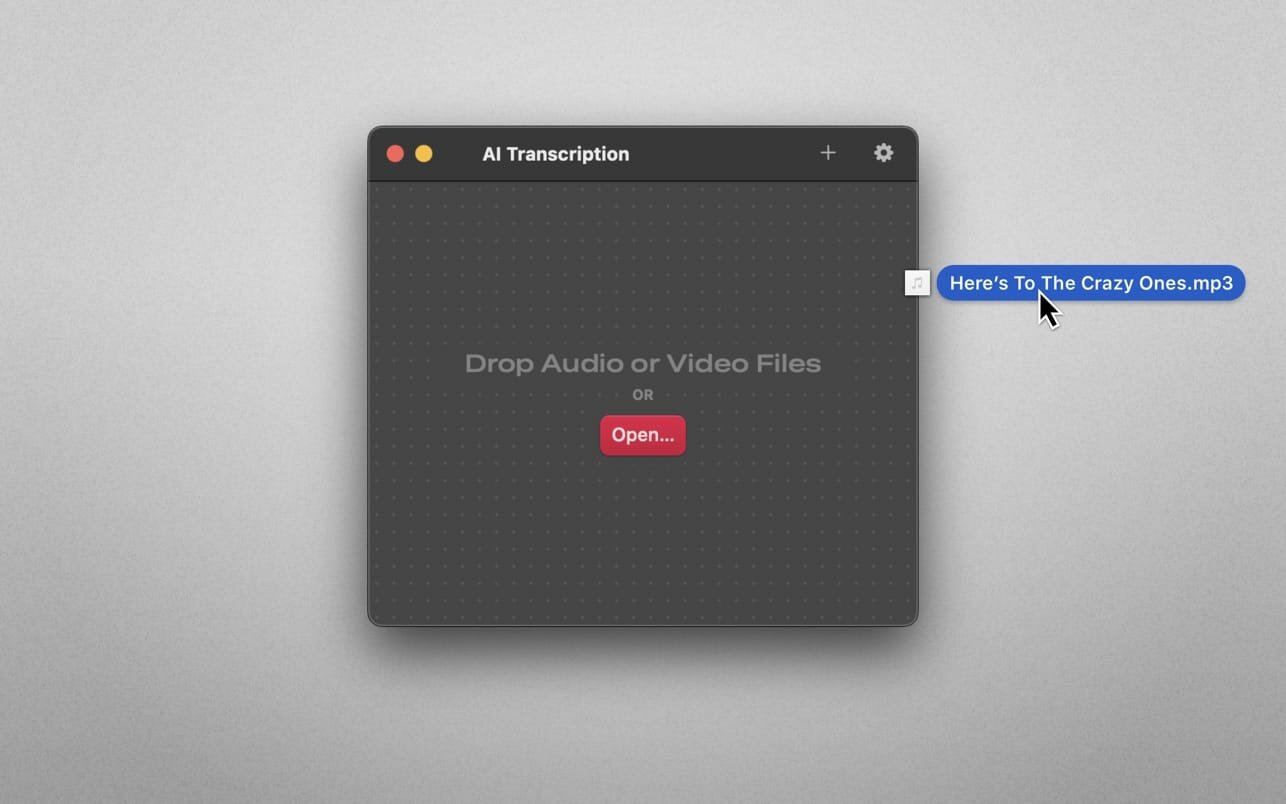
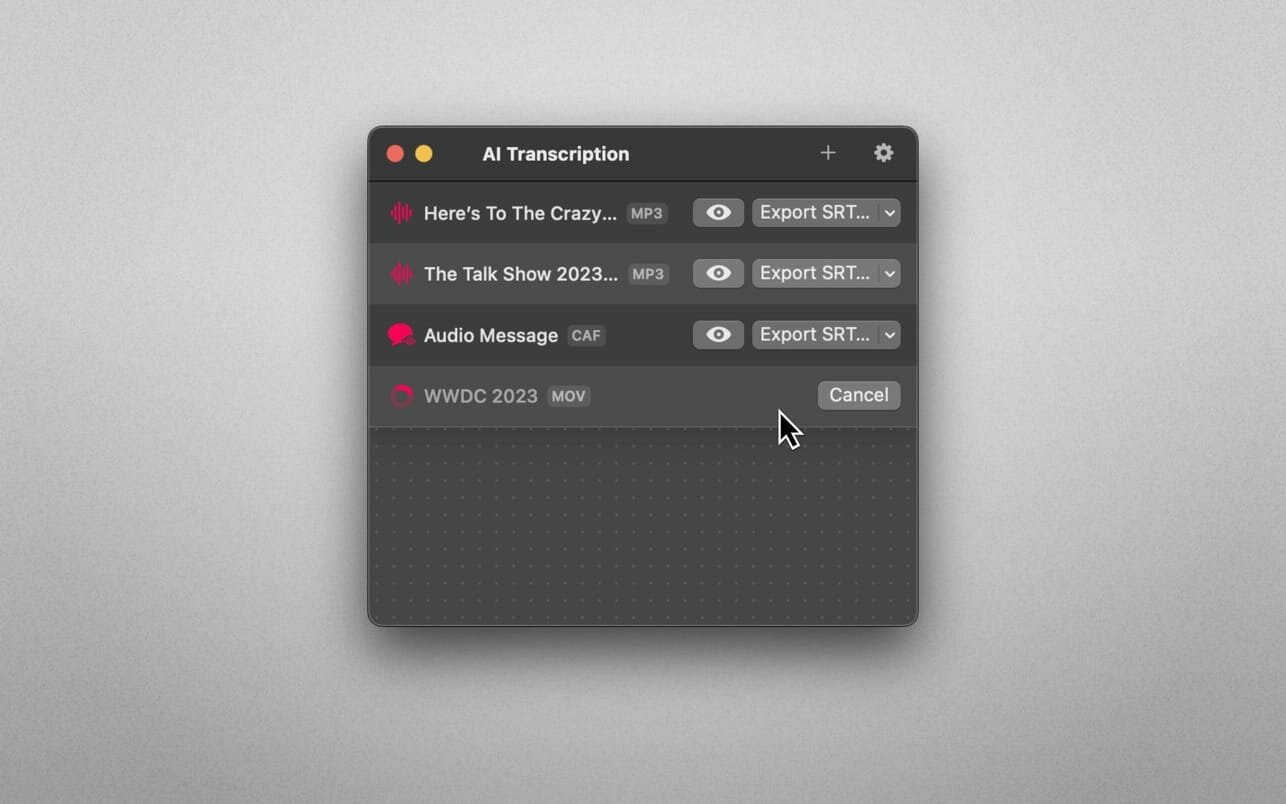
Audio-to-Text Converter. Turn audio into text! AI Transcription uses advanced Speech Recognition to transcribe your audio and video files in a blink, fully automatically, all offline, and with highly accurate results.
Features
AI-powered Audio-to-Text generator
Supercharged by Speech Recognition
User-friendly, lightweight yet powerful
Just drag and drop your files and transcription starts automatically
Privacy by Design: Computes offline, directly on your Mac
Export transcriptions as plain text, CSV, SRT and VTT files
The apps’ supported languages depend on the Languages selected in macOS System Settings → Keyboard → Dictation.
Only selected languages with on-device support are available in AI Transcription. Some of them are: English, German, Italian, Spanish, Portuguese, Russian, Turkish, Simplified Chinese.
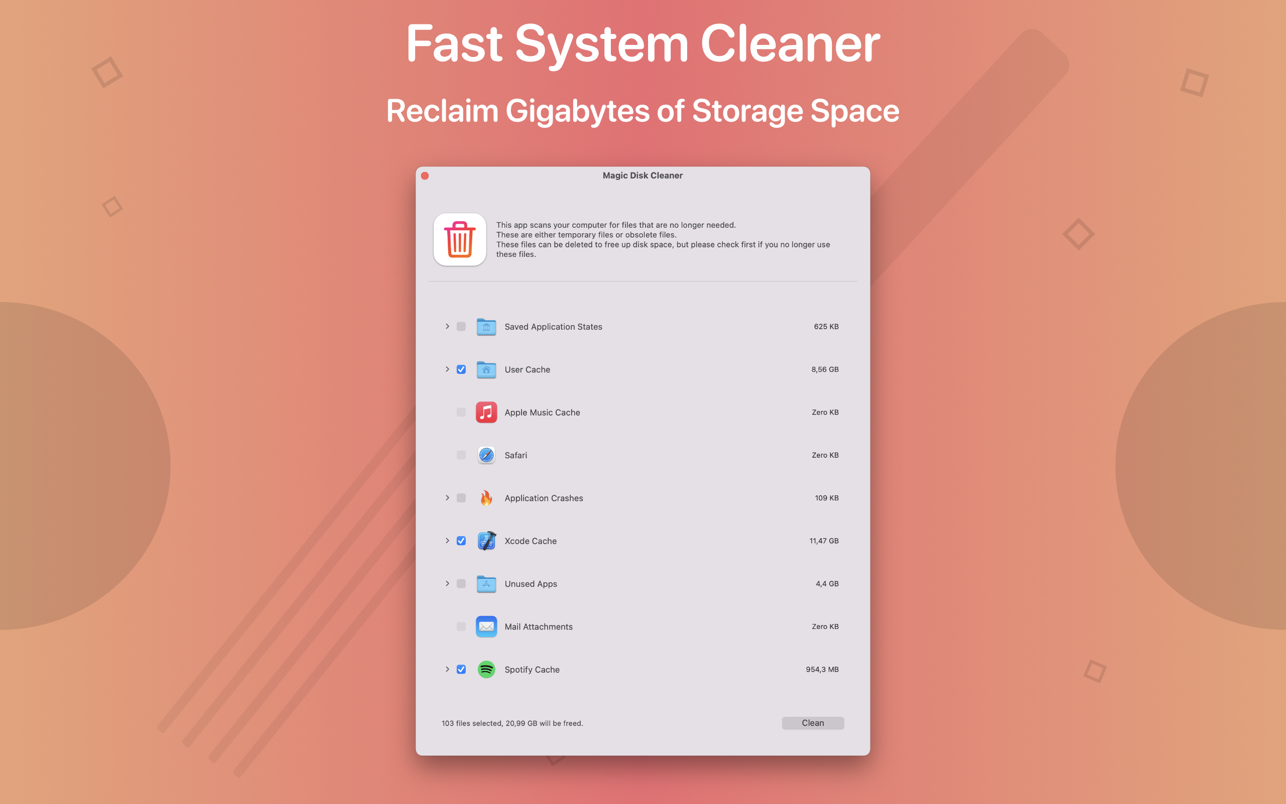
Magic Disk Cleaner finds and deletes files temporary files that waste lots of space. The app is lightning fast and frees disk space in no time.
Magic Disk Cleaner searches your computer for temporary files and can also delete them directly if you wish.
Magic Disk Cleaner offers the following features:
Fast Search
Magic Disk Cleaner quickly scans your computer for temporary data that can be removed. You can have them deleted with one click.
Extremely easy handling
Magic Disk Cleaner couldn’t be simpler. The search is started immediately after the app is started. You can now delete files with just one click.
No automatic deletion
Magic Disk Cleaner does not delete any data without your consent. Choose for yourself which data is deleted and which you want to keep.
iNet provides you with information about networks your Mac is connected to. Its very easy and user friendly design allows even the unexperienced user to get a profound and understandable overview of a network and the running services. iNet is also available as iPhone and iPad App via the iTunes Store.
In the current version the following functions are available:
Ghost Buster Pro finds and deletes files from apps you’ve already uninstalled. The app is lightning fast and frees memory in no time.
Many apps are installed on a computer, but they usually only stay on your computer for a short time. Each app creates files, but deleting the app does not remove them.
This leads to a large number of files accumulating over time, which take up valuable storage space.
Ghost Buster Pro searches your computer for exactly such files and can also delete them directly if you wish.
Ghost Buster Pro offers the following features:
Fast Search
Ghost Buster Pro quickly scans your computer for data from previously deleted apps. You can have them deleted with one click.
Extremely easy handling
Ghost Buster Pro couldn’t be simpler. The search is started immediately after the app is started. You can now delete files with just one click.
No automatic deletion
Ghost Buster Pro does not delete any data without your consent. Choose for yourself which data is deleted and which you want to keep.
Dynamic Wallpaper Engine allows you to use live wallpapers on your desktop/screensaver. It provides thousands of live wallpapers in the Workshop while taking as little system resources as possible. It’s the Wallpaper Engine for Mac.
Features
• 2000+ hand-picked videos which are updated every day.
• Multiple types of 4K Ultra HD videos, anime, scenery, cute, game, creative, Beauty, Ancient, Movie, etc.
• Supports “keyword searching” in videos.
• Supports “Dynamic-ScreenSaver”, personalize your lock screen.
• Easy to import local video.
• Supports The playlist, list loop, shuffle loop.
• Supports multiple screen aspect ratios and video native resolutions.
• Supports global hotkeys to control wallpaper, hide desktop icons and show screensaver.
• Set different wallpapers on different displays.
• Manual control, video pause, resume and mute.
• Break reminders, with flexible customization if you want it.
• Auto mode, pause the video when other apps are active, not disturbed at work.
• Auto mode, pause the video when Power Disconnected.
• Support for hiding desktop icons.
• Dynamic Wallpaper Engine is designed to provide an interesting experience while consuming as little system resources as possible.
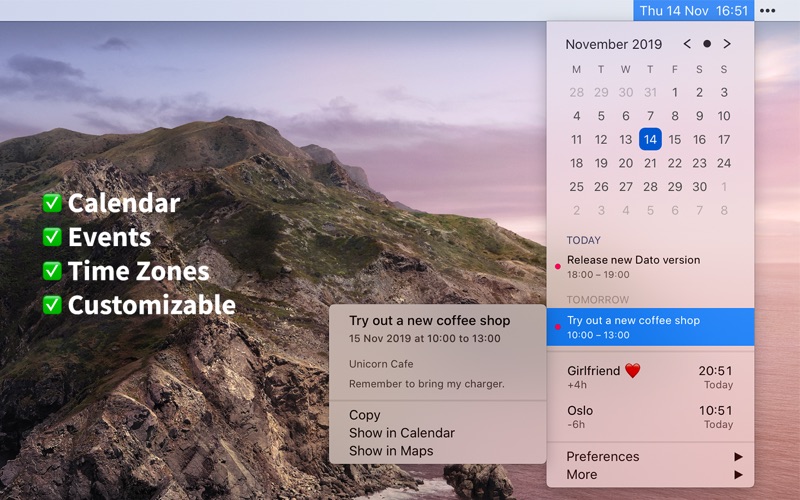
Dato gives you a local clock, date, and multiple world clocks in the menu bar. When you click Dato in the menu bar, you get a menu with a calendar, calendar events, and world clocks. All of this is highly customizable. Dato also comes with some macOS 11 widgets.
One-time purchase with free upgrades forever. Dato will never be subscription-based.
Dato supports all the locales and languages that macOS supports for the menu bar text, dates, times, and the calendar, but the menus and preferences are English-only.
Note to Chinese users: 该应用程序仅以英语提供,它将永远不支持农历。
On macOS 11, it’s no longer possible to completely hide the system menu bar clock. So Dato can only replace the date or you can make the system clock just be an analog clock icon.
Note: Some of the features in the screenshots are macOS 11-only features.
Features Your upcoming events at a glance
Customize how many events to show and for how many days
Supports HTML formatted notes
Quickly reveal the event in your default calendar app
Calendar
Week numbers
Event indicators
Highlighting specific days of the week
World clocks
Shown in either the Dato menu or the menu bar
Custom names
Search 15k cities offline
And a lot more!
Supports all calendar services that macOS supports (iCloud, Google, Outlook, etc)
Custom format for the date & time in the menu bar
Zoom, Google Meet, and Microsoft Teams integration (shows an icon on events and button to quickly join)
Many menu bar icons to choose from (for example, date in calendar like Itsycal)
Show seconds in the menu bar clock or in the menu
Global keyboard shortcut to open/close the app
Lots of in-app keyboard shortcuts for power users
Open calendar events from Google Calendar directly in Google Calendar on the web
Large text mode
Fully customizable
macOS 11-only features
Show the upcoming event in the menu bar (like Fantastical, Meeter, and MeetingBar)
Create events (even with a global keyboard shortcut)
Widgets: Date & time and calendar
Join the next meeting (Zoom/Meet/Teams) with a customizable global keyboard shortcut
macOS 10.15-only features
Today widget in the Notification Center for time zones
Custom color for the date & time menu bar item (macOS 11 broke this)
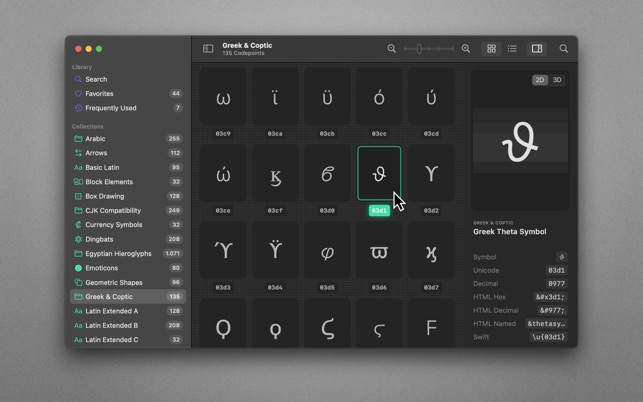
70,000+ Unicodes in your pocket. Search Unicodes, Glyphs, SF Symbols and Emojis in a blink. Codepoint helps you to find the exact characters you need and supports you in discovering new glyphs. Export them as Symbols, Strings, Hexadecimals, HTML entities or even Swift code. Save Favourites in iCloud. Remember your Frequently Used symbols. Codepoint is tailored for you—a creative, ambitious professional.
Features:
• Explore, search and share Unicodes
• Search Engine: Lightning fast, surprisingly smart
• Find Unicodes, Hex, Decimals, HTML and Swift entities
• Favourites synced across all your devices
• Typography Advice for selected characters
• 3D Glyph Preview
• Supports SF Symbol names
• Works offline
• Looks brilliant in dark and light
• Optimised for Macs with Apple Silicon (M1, M2)
• Works great on macOS 13 Ventura
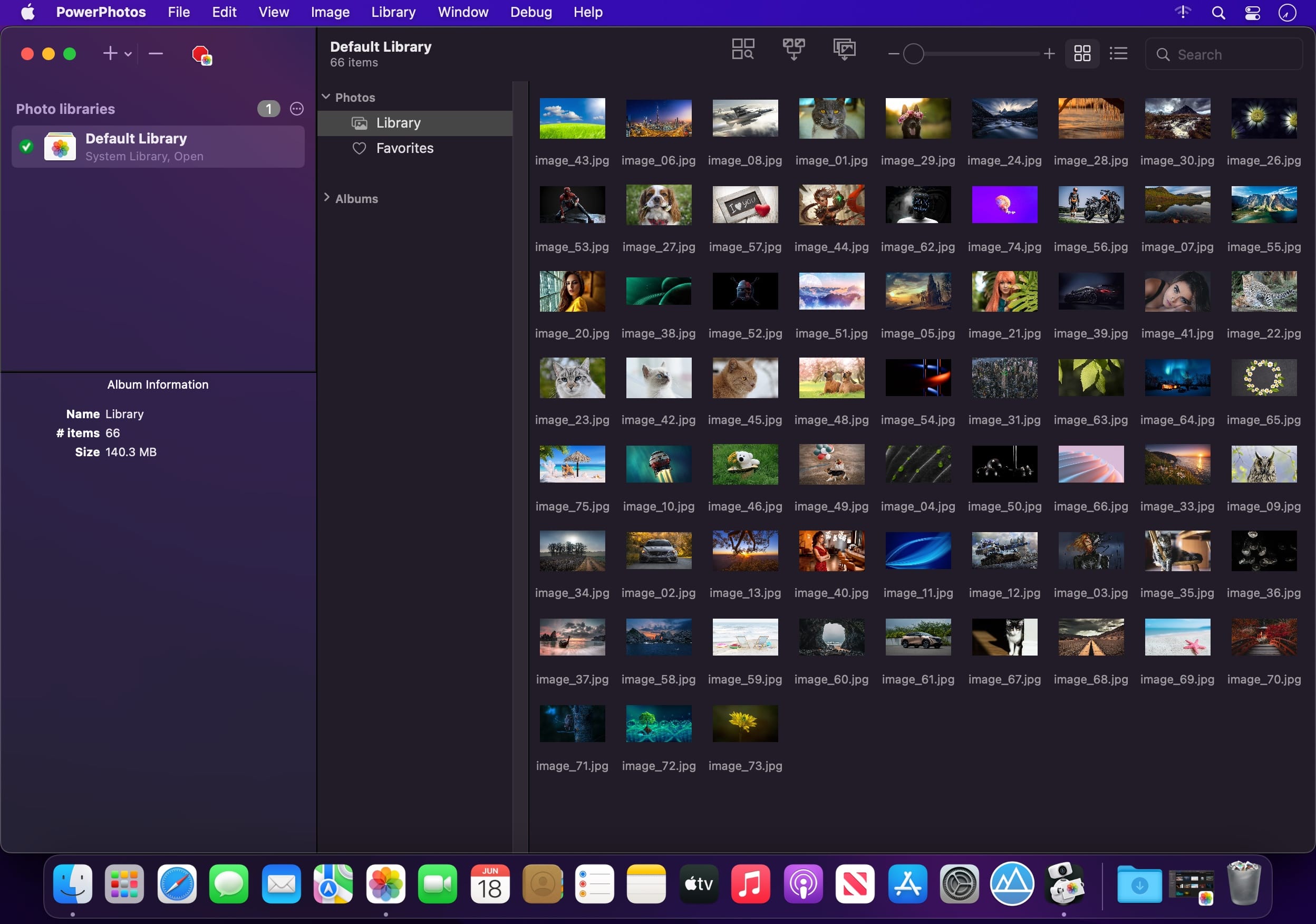
PowerPhotos – The ultimate toolbox for Photos on the Mac. PowerPhotos works with the built-in Photos app on your Mac, providing an array of tools to help you get your photo collection in order.
Create and manage multiple libraries
Instead of being limited to putting all your photos in a single library, PowerPhotos can work with multiple Photos libraries, giving you many more options for how to organize your ever growing photo collection.
Splitting your photos between multiple libraries helps Photos open more quickly, lets you archive older photos, store some of your collection on an external hard drive, and reduce storage space used by iCloud Photo Library.
Copy photos and their metadata
You can split your library by copying albums and photos with a simple drag and drop. PowerPhotos will take care of copying the photos and retaining their metadata, including keywords, descriptions, titles, dates, and favorite status. Read more about what PowerPhotos can copy.
Merge Photos libraries
Got a whole bunch of libraries you want to consolidate into one? PowerPhotos lets you merge your libraries together while weeding out duplicate photos in the process. You will be shown a preview of what your merged library will look like before any modifications are done, to ensure your merged library looks how you want.
Find duplicate photos
It’s easy to have multiple copies of the same photo creep into your photo collection over time. Use PowerPhotos to find duplicate photos in one or more libraries, view them side by side, and separate them into albums where you can easily delete them from your library.
Browse and search
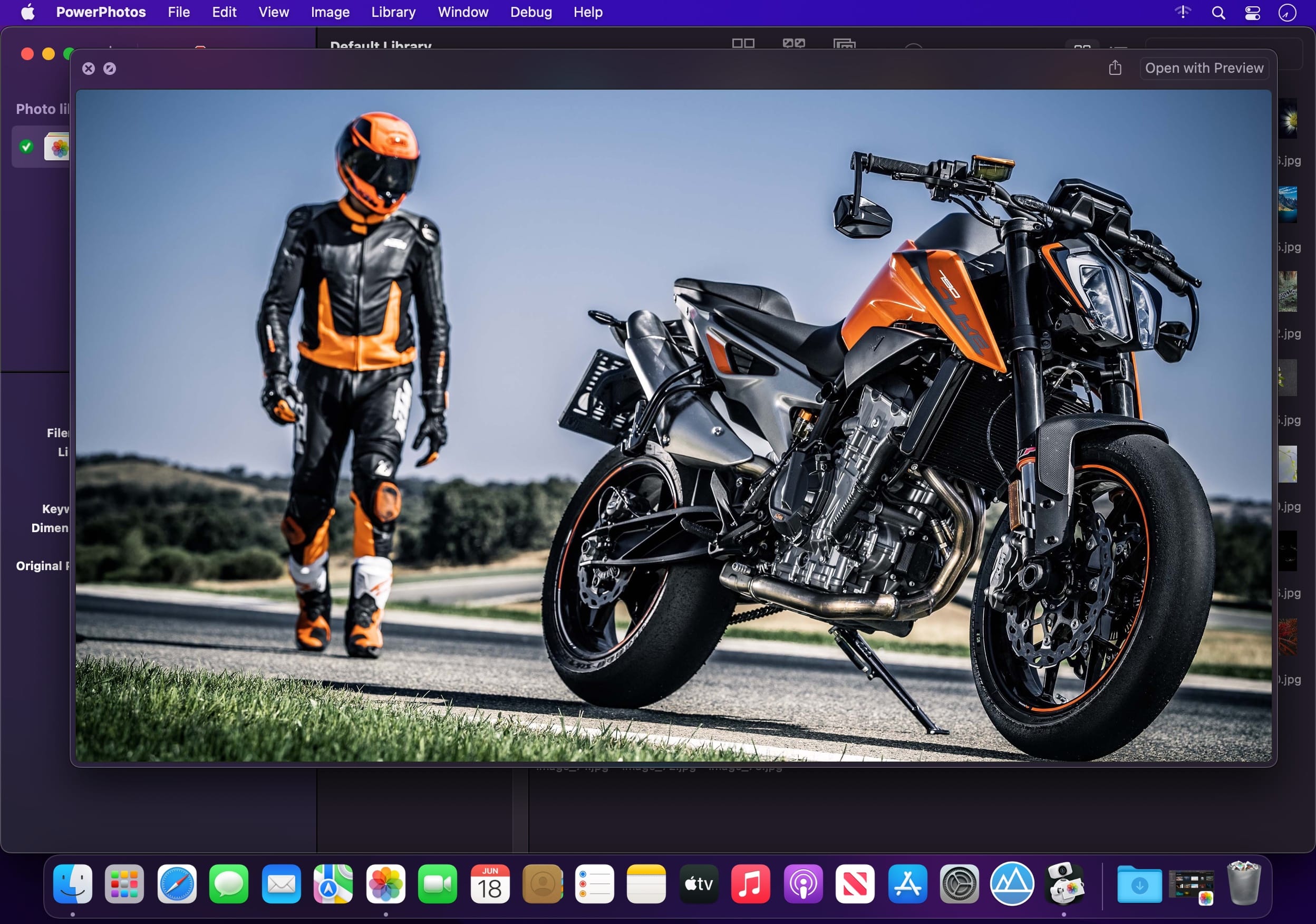
Use PowerPhotos’ image browser to quickly view your photos without having to open Photos itself. View detailed photo information using List View, and search for photos across all your libraries at once.
Migrate your iPhoto/Aperture libraries
If you have a lot of existing iPhoto or Aperture libraries that you want to migrate over to Photos, PowerPhotos will help automate your migrations so you don’t have to spend time babysitting this lengthy process.
New features:
Improved iCloud Photos support: If you use iCloud Photos, PowerPhotos 1.x was only able to see photos in your library that had already been downloaded to your local hard drive. For users with the “Optimize Mac Storage” option enabled, this could mean a significant portion of your iCloud library would not be visible to PowerPhotos. In PowerPhotos 2.0, it can now see and work with any photos in your iCloud photo library, and will automatically download any photos from iCloud as needed.
Advanced exporting: Photos has an export command, but it is fairly limited in what it can provide. PowerPhotos 2.0 has a new, more fully featured export function with options such as
Export as a flat folder or as a folder hierarchy in the Finder that mimics your album hierarchy
Export unmodified photos, or as JPG, PNG, HEIF, or TIFF of different sizes
Include captions, dates, keywords, and titles in EXIF metadata
Retain or strip location metadata
Optionally include videos from Live Photos and all photos from a burst
Set Finder creation/modification dates to the photo’s EXIF date
Video export support as H.264 or H.265
Global menu bar item: Get fast access to your libraries via a global item in your menu bar even when PowerPhotos itself isn’t running.
Library groups: For those with lots of libraries, you can now organize your libraries into groups in the PowerPhotos sidebar.
Multiple windows: You can now open each library in a separate window in PowerPhotos, allowing for easier comparison between libraries, and dragging and dropping photos/albums between libraries.
New duplicate search engine: PowerPhotos 2.0 uses a new duplicate comparison algorithm that can find more duplicate photos which are not quite 100% identical, such as scaled down copies of photos, photos that have been resaved in a different format or with different compression, and even photos with minor edits applied to them.
Faster library loading: PowerPhotos 2.0 has rewritten a bunch of its internals to load your library much faster than PowerPhotos 1.0.
Improved AppleScript support: New support for copying albums or photos between libraries, merging libraries, and exporting photos/albums from a library.
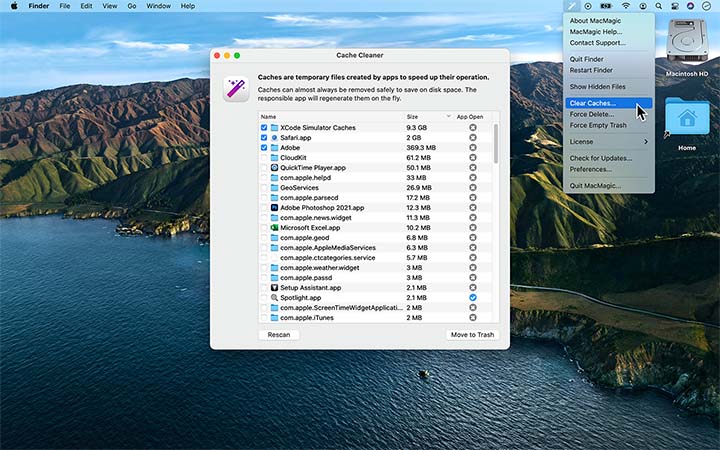
MacMagic can help clear up gigabytes of lost storage space crowded up by the caches of poorly optimized apps, hide and show hidden files in the Finder, help force-delete the contents of the Trash or stubborn files, and perform various other tasks to help automate or simplify your daily workflow!
While Apple does do an awesome job at creating stellar products, they occasionally leave critically important features out! MacMagic comes to the rescue and helps bridge the gap. We are continually evolving the product. It’s an app by users, for users! Write in if there’s a redundant task that you feel could be better automated on the Mac.
Batch scale, rotate and convert images between over 100 formats.
Quickly and easily identify and purge excessively large app caches and logs.
Show or hide desktop icons, visify or invisify specific files and folders, or globally turn on the ability to see all hidden files.
Whether you’re trying to save RAM and CPU time, or are fighting a pesky bug, easily fully quit and/or restart the Finder.
Pesky files can sometimes evade deletion using the built-in Trash feature. Escalate to super-user privileges and eliminate them.
Use our Combine PDFs feature to easily convert any image file to PDF format (the web standard for documents), or add and remove pages from existing documents.
Easily access hidden system tools buried deep within macOS such as Screen Sharing, Certificate Utility, File Merge and more.
Recursively lock or unlock entire folders worth of files.
Perform other routine system maintenance like running cron tasks, flushing disk cache, clearing the DNS cache, wiping out a stuck print queue, and more.
Native Lossless Audio for macOS – A refreshingly new addition to the audio player scene.
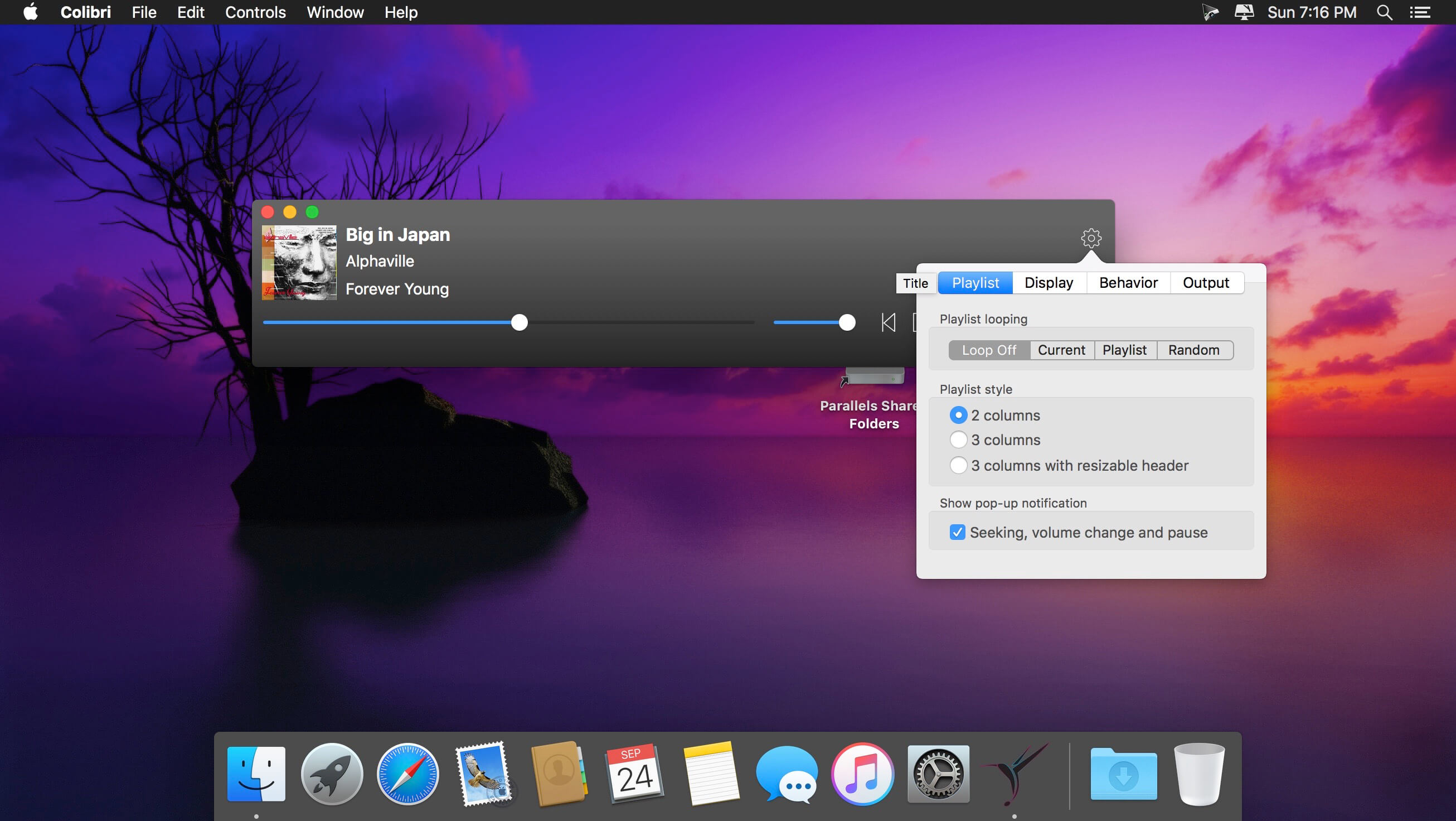
Colibri is a native macOS audio player built from scratch on top of the award-winning BASS technology, supports cristal-clear bit-perfect playback of all popular lossless and lossy audio formats, uses only a tiny amount of computing power and offers a clean and intuitive user experience.
Saves your battery – Colibri uses a barely noticable amount of computing power during the playback of your music. The application is built using state-of-the-art Swift 3 programming language, the BASS audio engine is bundled as machine code while the interface uses built-in components by Apple. This was done in order to achieve a tiny footprint and to be as native to macOS as humanly possible.
Plays your audio – Colibri is able to playback the most widely used range of file formats in terms of lossless audio: FLAC, ALAC, WAV, AIFF, APE, TTA, DSD and WavPack – along with these popular lossy formats: Ogg Vorbis, MP1/MP2/MP3 and AAC/M4A – along with network streams/online radio! Additional format support might be considered if requested.
Handles CUE Sheets – Colibri reads, processes – and to some extent – sanitizes cue sheets. Malformed and disordered content is reprocessed during loading and should audio files written in the sheet be missing then Colibri makes a few educated guesses on the possible file name/extension. If the sheet does not contain artist, song title or album information then Colibri tries to extract the song info from the audio file header itself.
Supports gapless playback – Colibri is extensively designed from the ground-up to provide a true gapless listening experience – with or without using a Cue Sheet.
Picks up where you left off – Colibri saves your current playlist upon quitting and re-opens your songs when you start it up again, maintaining the song data between playback sessions, regardless of having them previously loaded from CUE sheets or single files. Apple’s Sandbox protection is fully supported.
Avoids most problems – Colibri does its’ best to avoid most problems before, during and after playback – however there are situations where error checking and guessing indexes won’t suffice. Loading unsupported files show up as an error message in the status bar and files that have disappeared since loading are automatically removed and skipped upon being reached in the playlist.
Understands your language – Colibri is capable of rendering the song information as it was intended to be shown: of all the tried metadata it had no problem with displaying cyrillic or kanji/katakana/hiragana characters mixed with ASCII.
Respects your privacy – Colibri does not phone home, collect usage data or modify files in any way. The only data it remembers are your playlist and settings: the loop mode state, whether to show the menubar and which pieces of info text to display in the status bar – nothing else!
Displays album art – Colibri displays embedded cover art for FLAC files and ID3/iTunes artwork metadata for other files (mainly M4A / ALAC and MP3). When that yields not results then it looks in the folder where the current song resides for a cover art image.
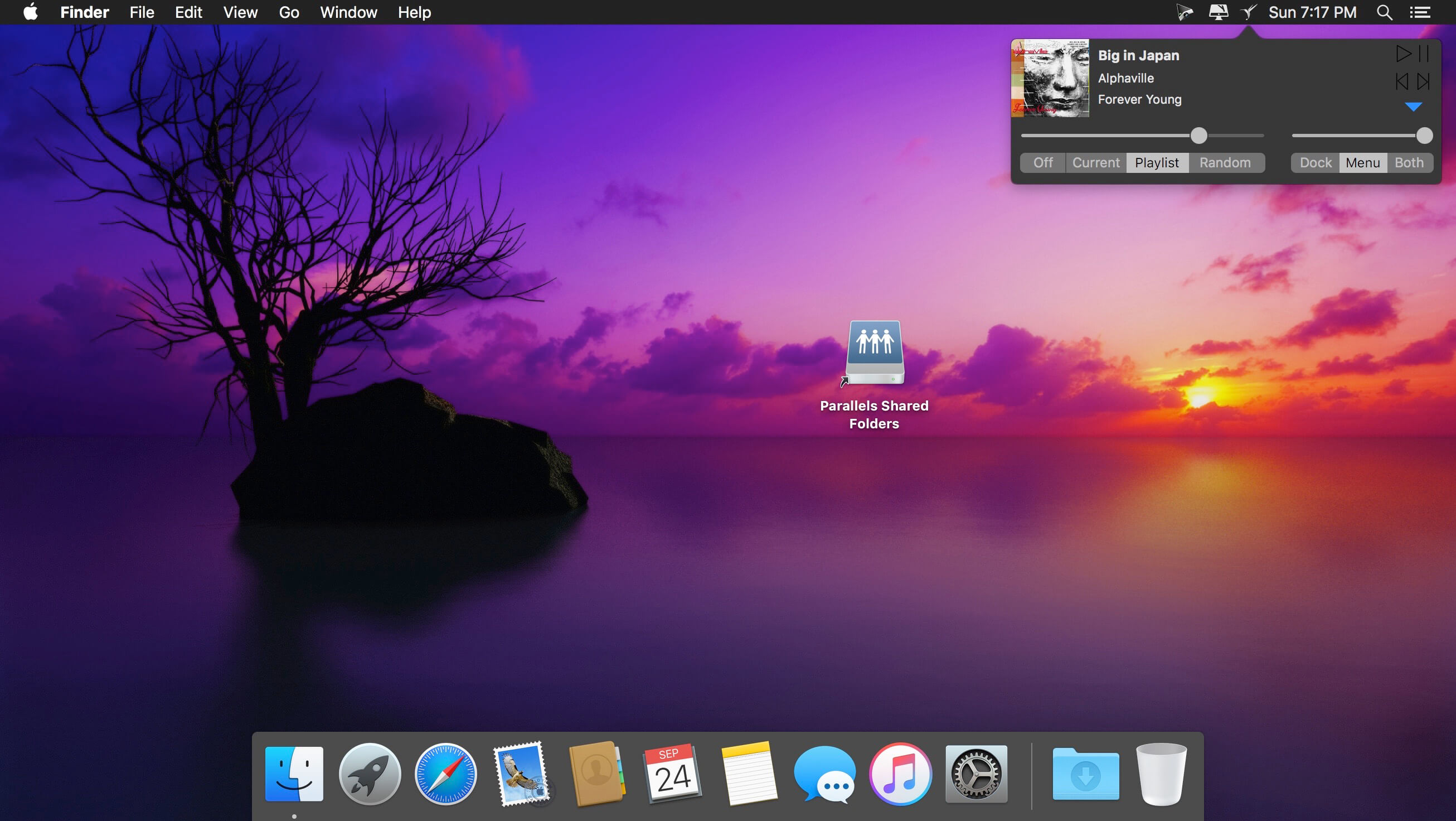
Resides in your Menu Bar – Colibri can place an unobtrusively small icon in the Menu Bar for easy access and playlist control: you can either start/pause the playback, skip to the next track or go back to the previous one. It also displays the info and cover art image of the current song.
Integrates with Finder – Colibri conforms all of Apple’s strict requirements – which means that it shows up in Finder as an option in “Open With” when a supported file is selected. Which in turn also makes it an available as a suggested file association option.
Adjusts to your Display – Colibri’s interface elements scale themselves nicely on every screen resolution and pixel density.
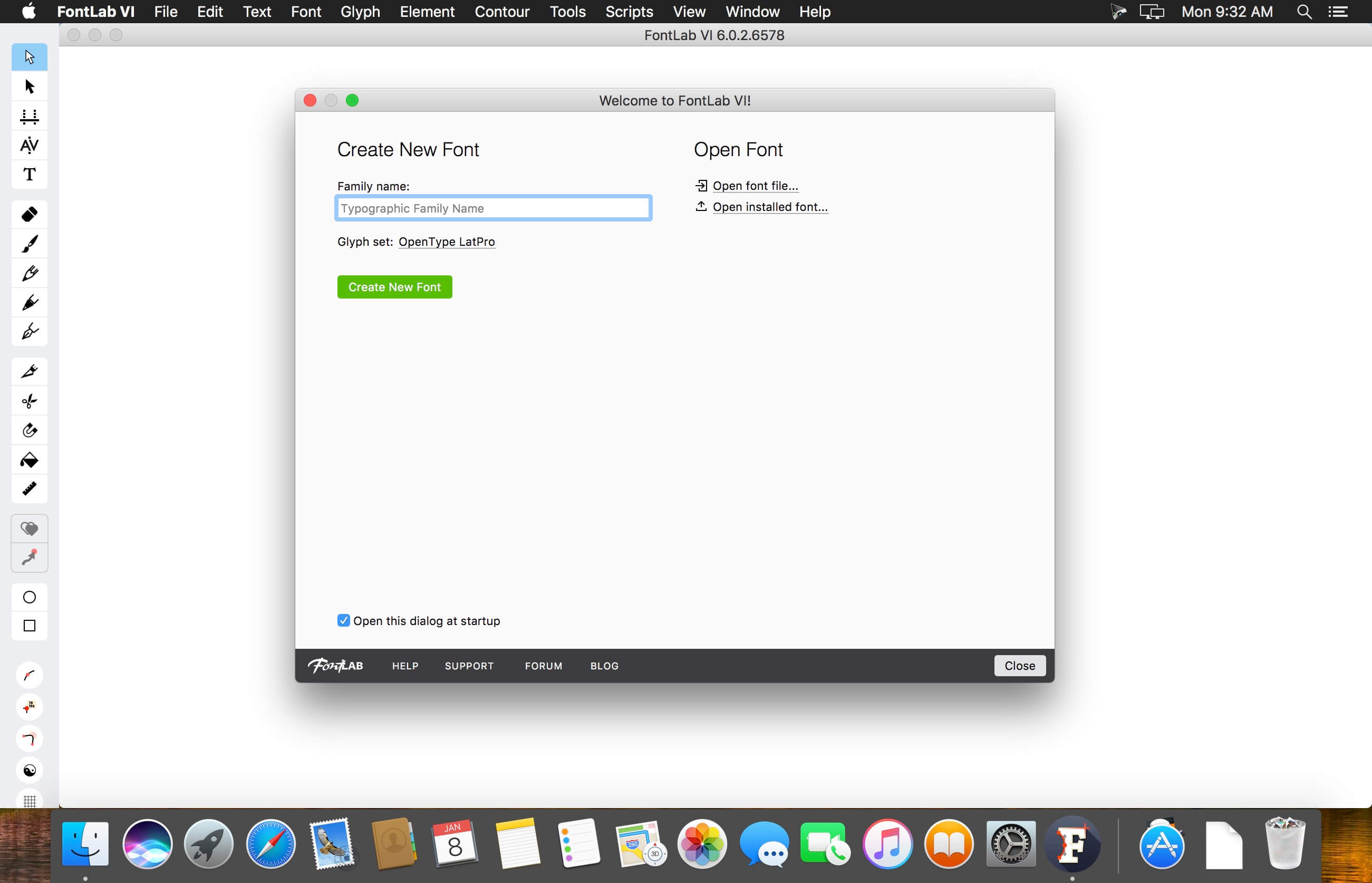
FontLab 7 for macOS is a modern, professional font editor, crafted for type designers and font geeks. It lets you create, open, modify, draw, space, kern, hint and export desktop, web, color and variable OpenType fonts for any Unicode writing system, from Latin, Cyrillic and Greek, to Arabic, Hebrew and Indic, all the way to Chinese, Japanese, emoji, symbols and icons.
FontLab also gives you groundbreaking new drawing tools and responsive contour operations to make your design process easier and more efficient, whether you’re an expert or a beginner. FontLab now supports color and variability, so you can explore these new possibilities and expand your creative reach.
What’s New:
Version 8.2.0.8620.0:
Release notes were unavailable when this listing was updated
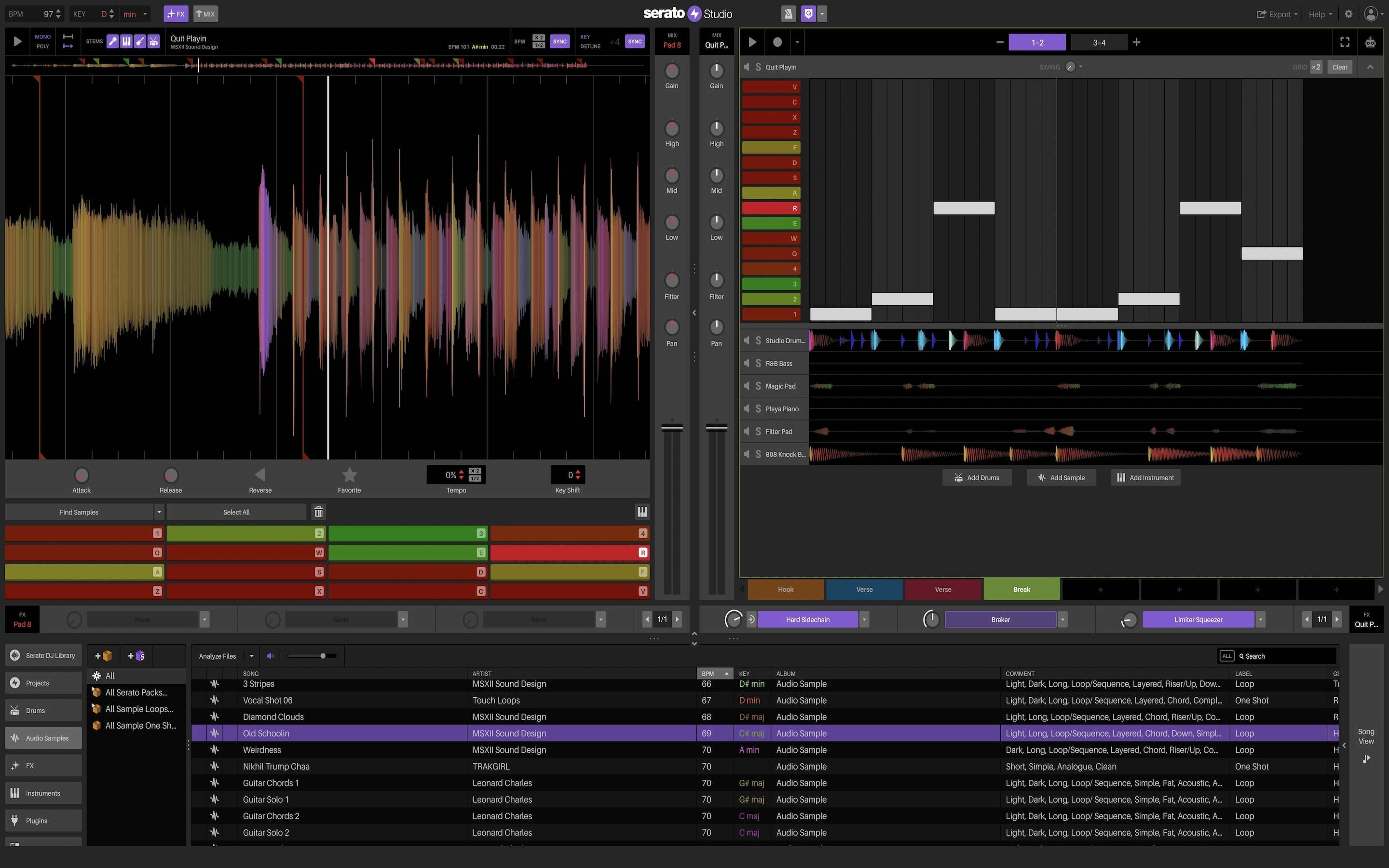
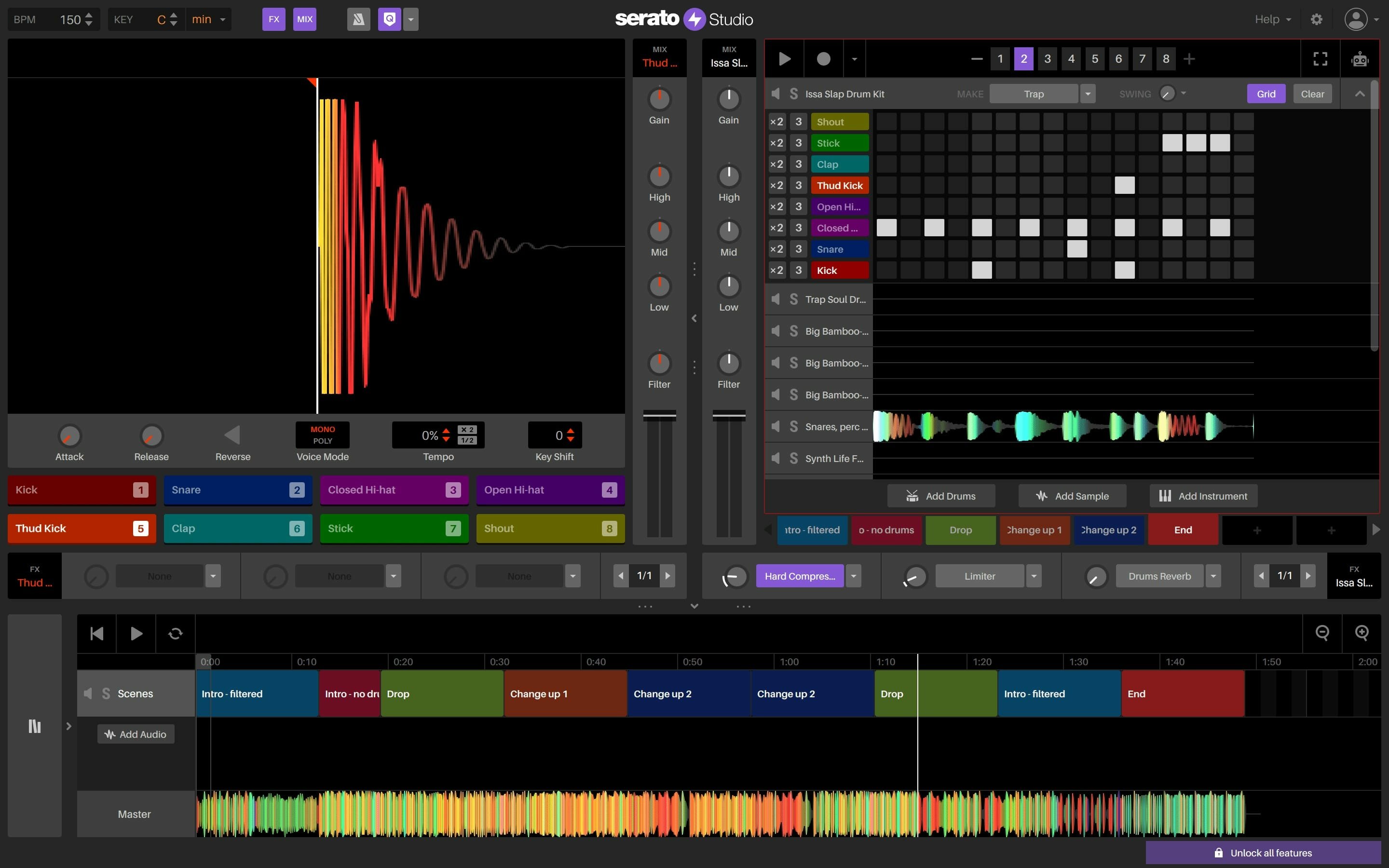
The ultimate beat maker. Intuitive beat making software for DJs and producers. Spend less time hitting roadblocks and more time making music with Serato Studio.
Fast, simple workflow.
Get your ideas down quick and stay in the creative flow with time-saving features, including pre-made drum patterns, BPM-sync and one-click key shifting.
DJ-friendly production
Make beats with your DJ hardware and access your entire Serato DJ library. You’ll also get familiar DJ elements like colored waveforms, a mixing channel, and high-quality FX.
Built-in sounds to get started
Start making music right away with built-in drum-kits, instruments, loops and samples from renowned artists and sound designers.
Simple but powerful
Use VST and AU plug-ins, automation, and export stems to customize your sound exactly how you want it.
Auto Chord Mode – Instantly generate chords in the key of your project – no music theory, no problem. Turn on the Feel knob to simulate a live keyboard player.
Song View Improvements – Including the ability to duplicate your Audio Tracks, a new ‘Back to Start’ button in the Song View, and new horizontal resizing in the Song View sidebar.
Quantized Cue Points – Quantize Mode will now snap your Cue Points to the closest half-beat – just like Serato DJ.
Serato DJ Library Update – For all the producer-DJs out there, your DJ tab columns will now sync up with how they appear in Serato DJ.
What’s New:
Version 2.0.6:
New Features
New Default Template feature added. You can now save a Project to be the default template when a New Project is made. This can be set in the ‘General Tab’ of the Setup screen.
The Master and Scene Track along with the Instrument and Plugin decks now have 6 FX slots.
Changes
Fixed an issue where duplicating a un-synced source deck and then syncing it results in the incorrect deck playback speed.
Fixed an issue where playback of an Audio Deck Cue (in Trigger mode) does not stop when switching Tracks (Audio or Scene).
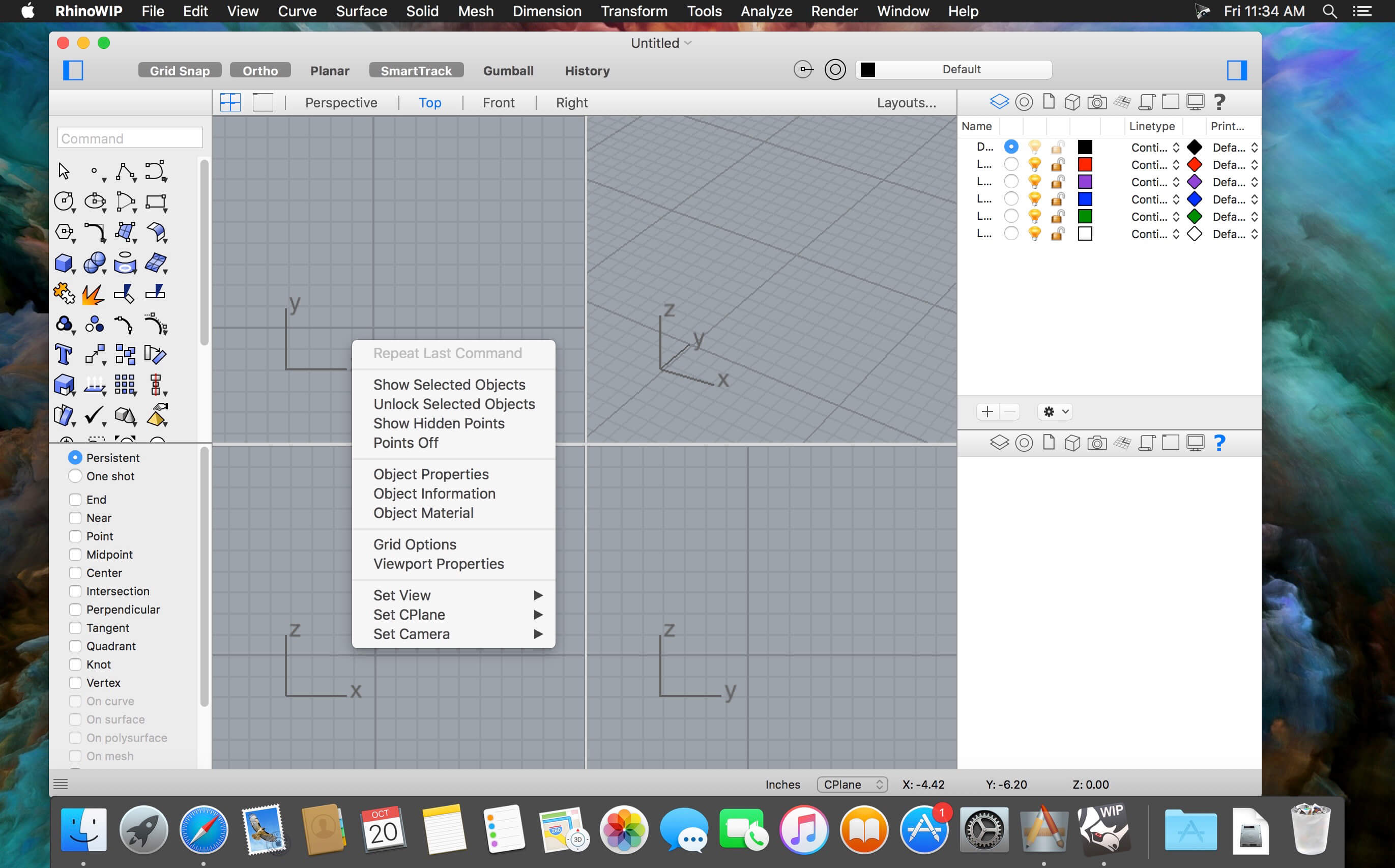
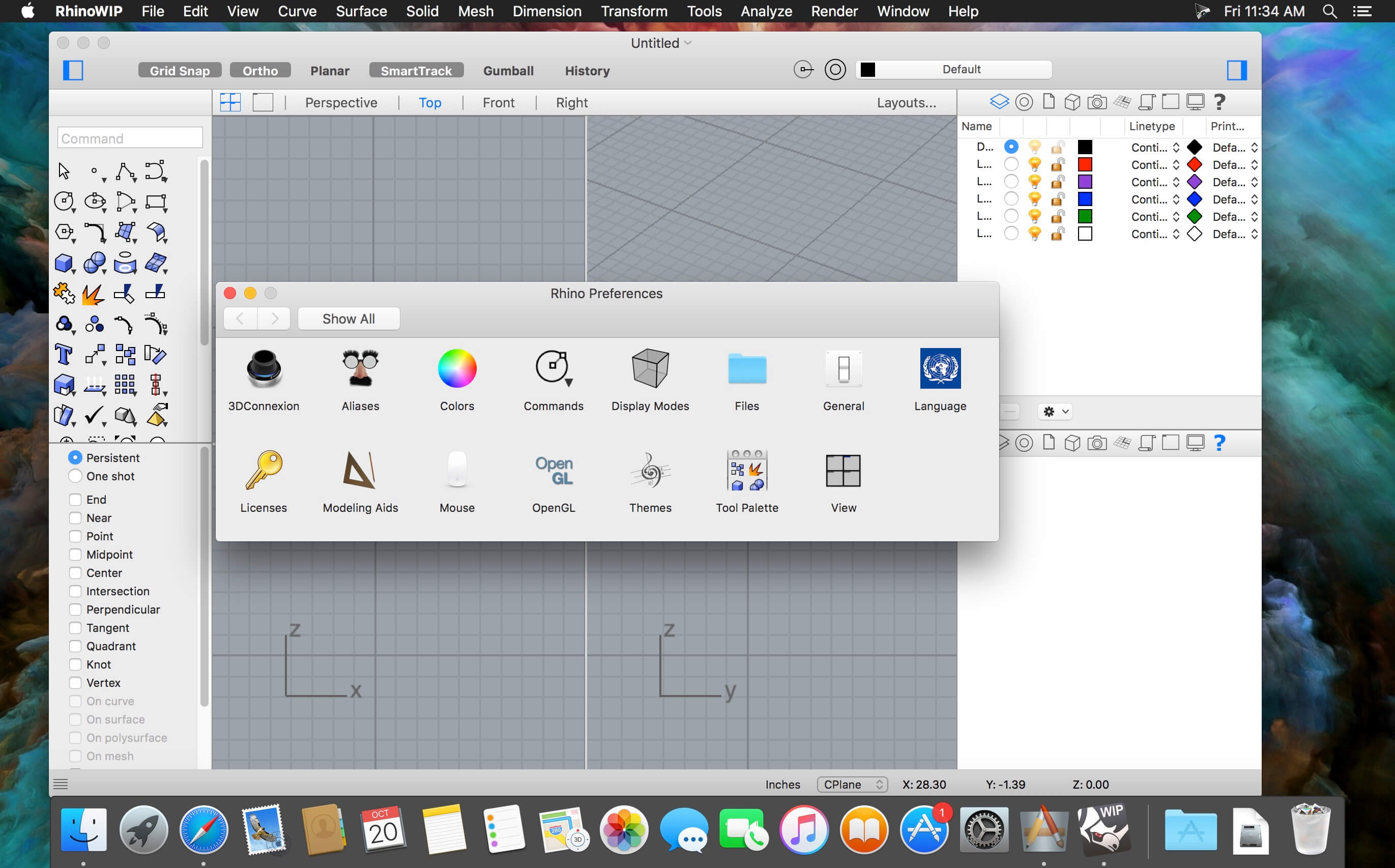
Rhinoceros can create, edit, analyze, document, render, animate, and translate NURBS* curves, surfaces, and solids, point clouds, and polygon meshes. There are no limits on complexity, degree, or size beyond those of your hardware.
Special features include:
Uninhibited free-form 3-D modeling tools like those found only in products costing 20 to 50 times more. Model any shape you can imagine.
Accuracy needed to design, prototype, engineer, analyze, and manufacture anything from an airplane to jewelry.
Compatibility with all your other design, drafting, CAM, engineering, analysis, rendering, animation, and illustration software.
Read and repair meshes and extremely challenging IGES files.
Accessible. So easy to learn and use that you can focus on design and visualization without being distracted by the software.
Fast, even on an ordinary laptop computer. No special hardware is needed.
Development platform for hundreds of speciality modeling products. (Windows only)
Affordable. Ordinary hardware. Short learning curve. Affordable purchase price. No maintenance fees.
What’s New:
Version 7 v7.32.23215.19002:
Release notes were unavailable when this listing was updated
Compatibility: macOS 10.14 or later • Apple Silicon or Intel Core processor Homepagehttps://www.rhino3d.com
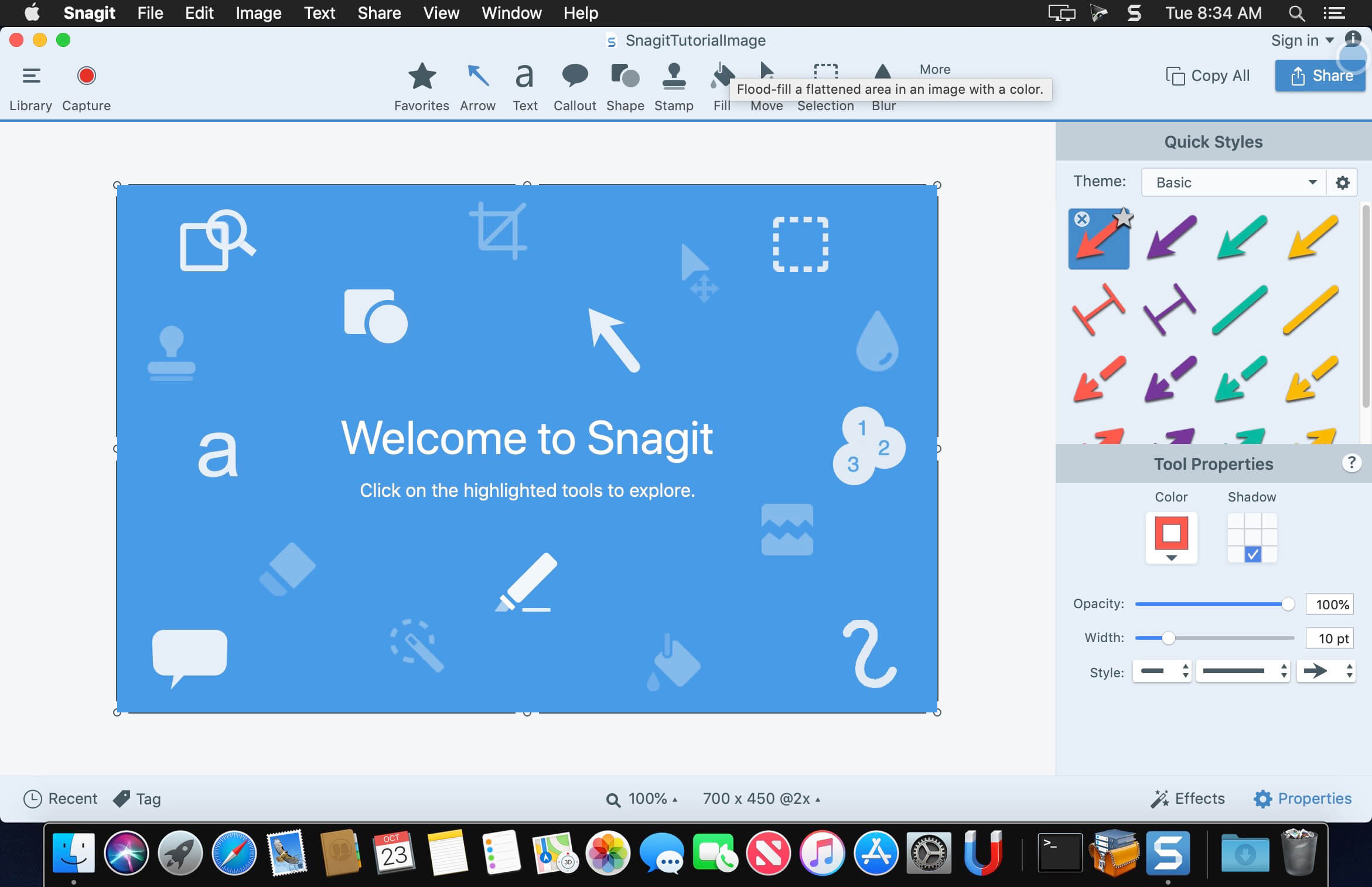
macOS comes with basic screen capturing capabilities, but the customization options are fairly limited. Snagit is an unobtrusive yet very easily accessible Mac app that proposes more diversified screenshot taking functions, and is also able to record videos.
In addition, Snagit provides an editing area where you can to personalize your projects without having to employ third party applications.
Capture screenshots or record videos in no time
By default, Snagit is a status bar menu application that also provides an autohiding capture window placed in the top right corner of your screen. Via the app’s Preferences window you can quickly decide to keep only one of them enabled. At the same time, you can also make use of the already defined hotkeys.
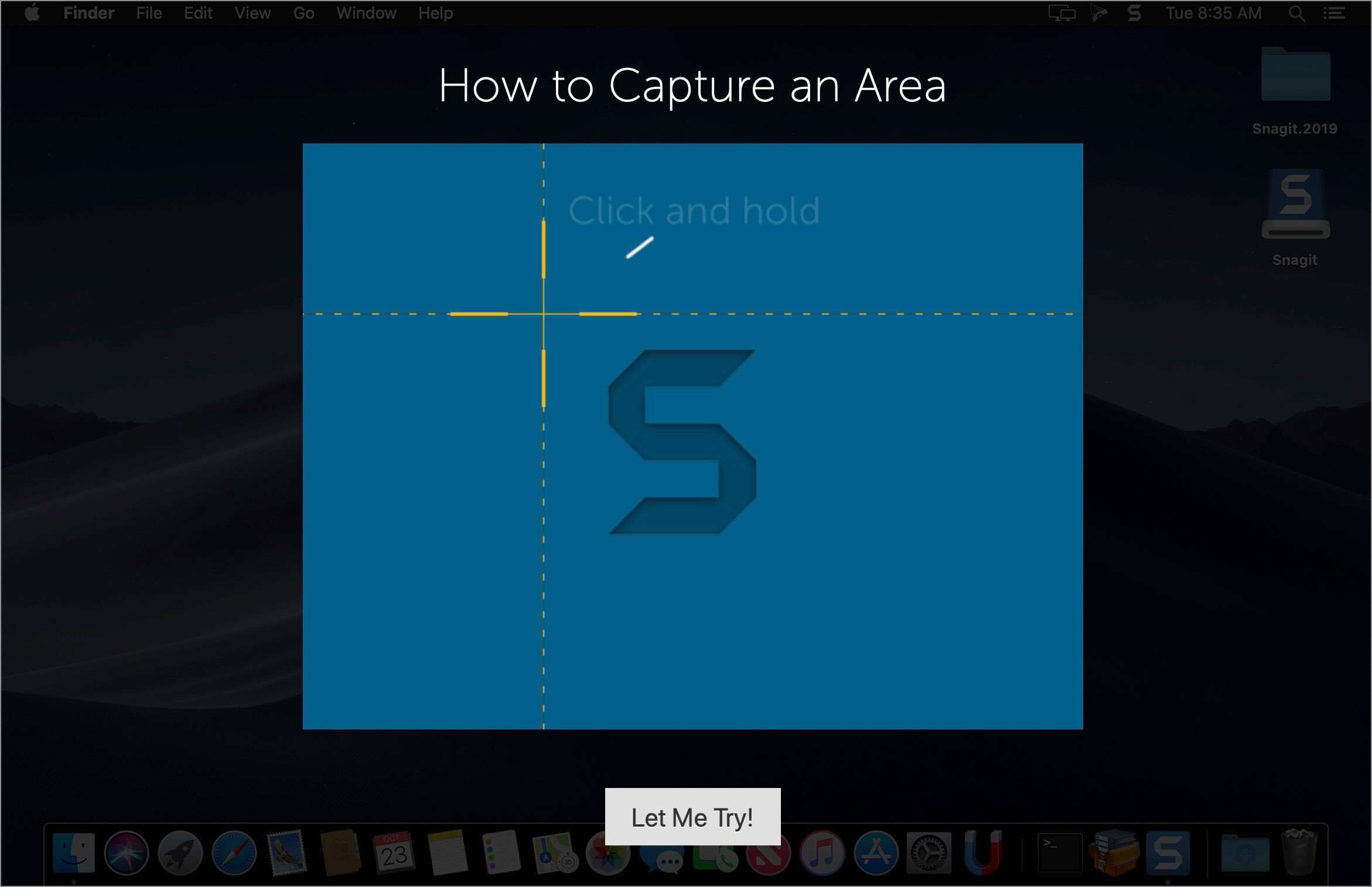
All you have to do is select the capture type via any of those controllers, and highlight the area you want to record. Snagit automatically sends the captures to the processing window but that does not obstruct you workflow in any way: if you are already satisfied with the result, simply select one of the many image or video sharing solutions.
Versatile editing and sharing solutions
The Snagit image editor includes a collection of simple tools that can be used to highlight certain areas, to write down text, to erase certain elements, and much more. Moreover, you also get to apply color filters, edge effects, and more.
When dealing with video content, all you can do is preview the recording and cut a specific portion. Noteworthy is that Snagit allows you to connect to various online account in order to quickly upload the final projects from within the application: this makes the entire procedure extremely straightforward.
Powerful screen capturing tool that includes editing and sharing capabilities
Snagit succeeds at being a complete screen capturing solution: you get to capture both screenshots (including menus or entire webpages, on the spot or with a small delay) and videos (with your screen activity or with the images captured by your webcam).
To conclude, Snagit is the tool you want if you have to highlight certain aspects of an image, or if you need to record video presentations: use its built-in tools to edit the content, and then share the results with your friends in no time.
What’s New:
New Features in Snagit 2023:
Screen Draw
Draw on your screen as you record a video! Use arrows, squares, and step numbers in customizable colors to highlight important information on your screen.
Each item added automatically fades out as your video advances.
Share Link
Snagit 2023 puts you in control of your content. Instantly create a shareable link or upload your content directly to the apps you use every day.
One-click sharing to Screencast or use the Share dropdown menu to choose a sharing destination of your choice.
Screencast
Take control of your workday with a platform that empowers your team to collaborate and get work done without the meeting fatigue.
Conversation feature lets your team discuss and collaborate.
Post threads of comments on images or at different points in a video, contextually relevant to the topic.
Draw on a frame of a video or on an image with a square, arrow, or pen tool to make a point more clear.
Snagit-Slack Integration
Official Snagit Slack App now available!
Crank up your async collaboration by sharing your latest video, image or GIF created by Snagit directly to Slack.
Choose your way to instantly send your content to Slack from Snagit. Customize your Snagit toolbar, use the Share dropdown menu, or set your Snagit Presets for fewer clicks and faster collaboration.
Images and videos appear as a thumbnail to view directly in Slack meaning content sent – content received.
Language: English, Deutsch, Français Compatibility: macOS 11.0 or later Homepagehttps://www.techsmith.com/
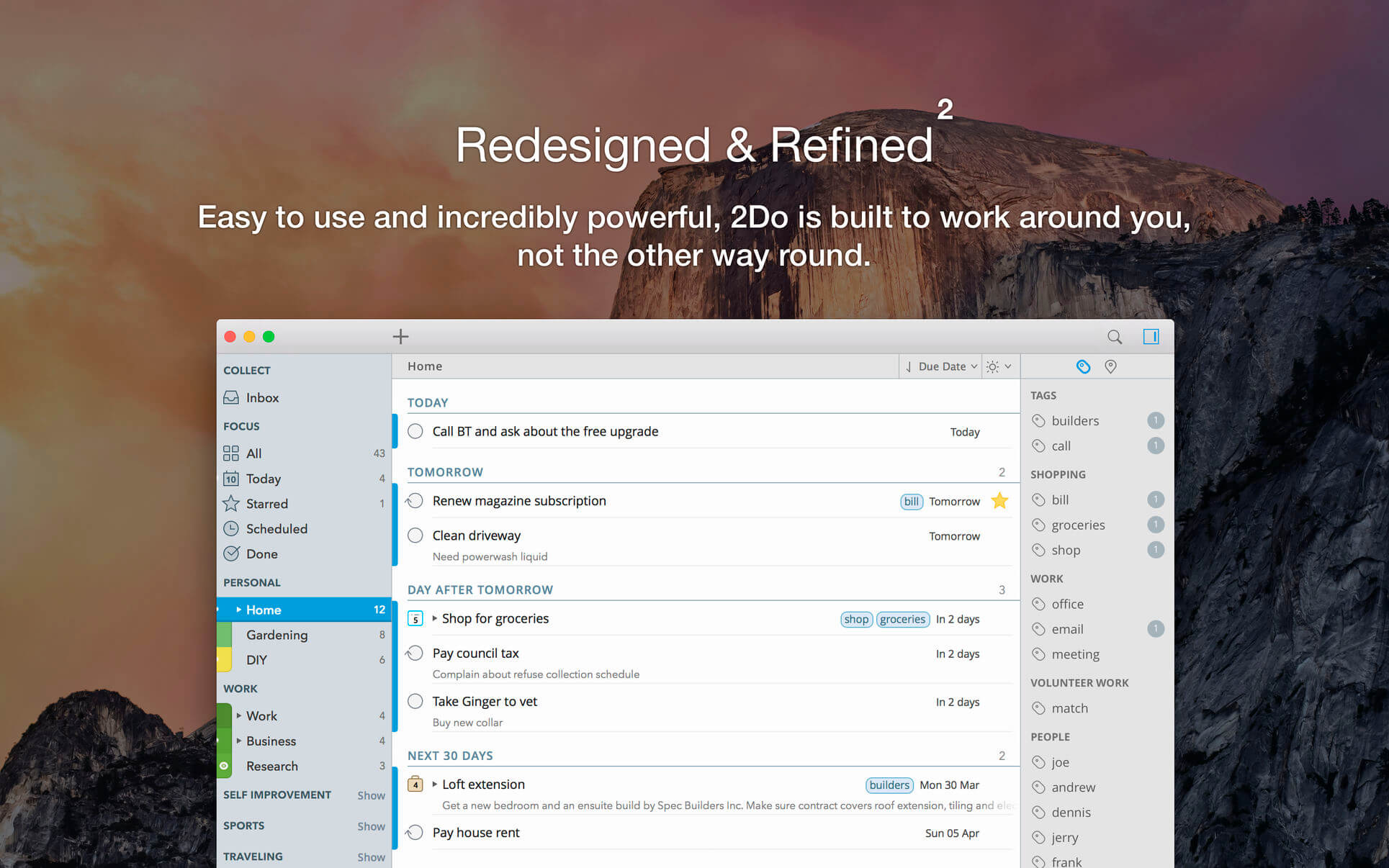
2Do lets you take a completely different approach to managing your tasks. With its extremely simple-to-use interface and a comprehensive and flexible set of powerful features, it lets you focus on what’s most important to you: your life. There is no wrong way of using 2Do, and unlike other to-do apps, it won’t force you in adhering to a particular task management methodology.
AWARDS
Apple – Best of 2013 Mac App Store
Macstories – App of the Year 2015 iOS
Cult of Mac – Best Task Manager for iOS
SIMPLE TASKS, CHECKLISTS & PROJECTS
Create simple tasks, or checklists and projects with sub-tasks. Tasks can have notes, attachments and multiple alarms.
Set any task to repeat using a flexible set of options.
LIST GROUPS, LISTS & SMART LISTS
In addition to built-in Focus lists that allow you to conveniently view upcoming, starred or scheduled tasks, you can create multiple lists to manage and organize your tasks.
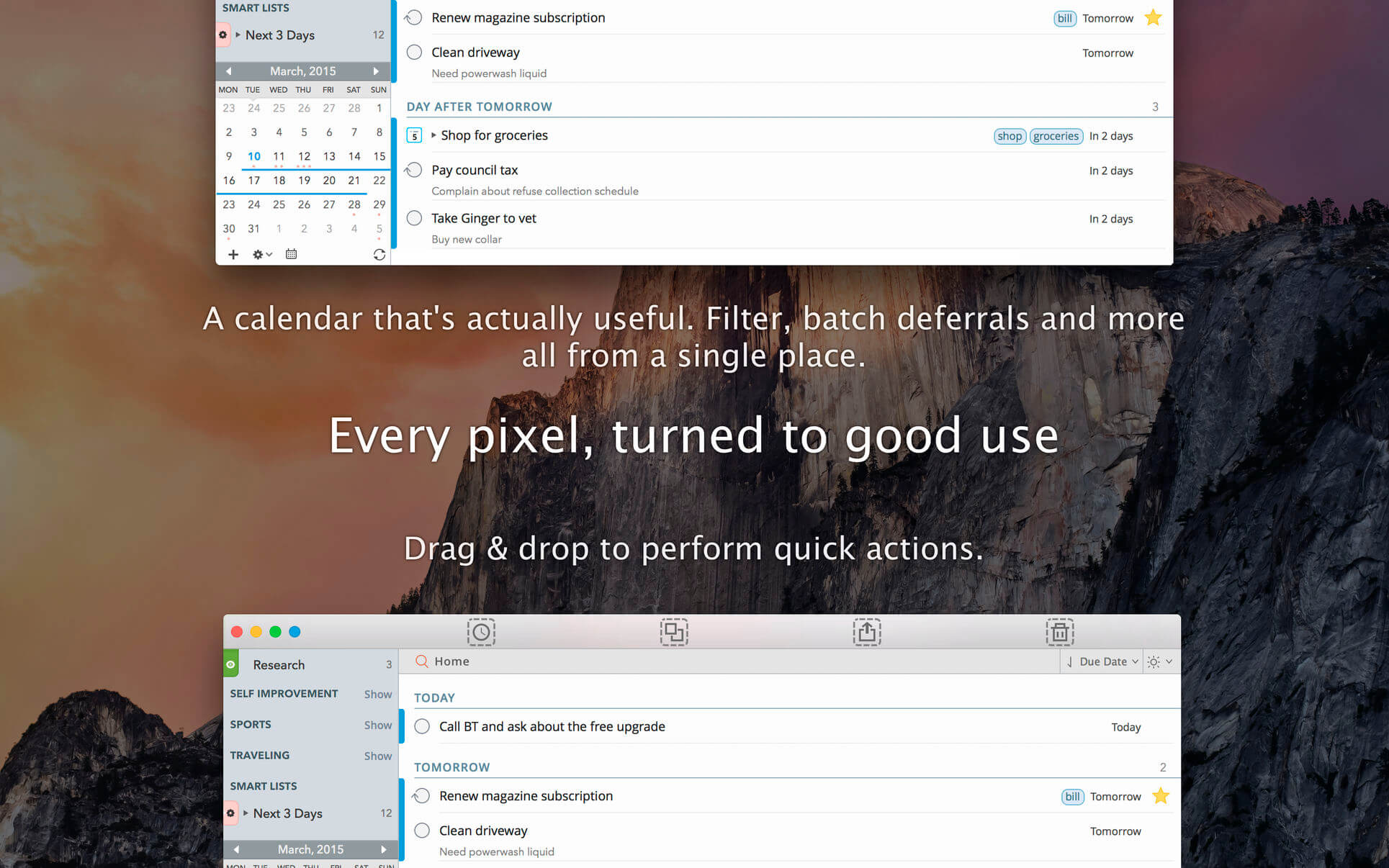
Smart lists let you harness the true potential of 2Do using a number of search options, filters and search pre-sets. Using Smart Lists, you can create custom views of your tasks and use them to focus-in or find frequently managed tasks.
Furthermore, related Smart lists and Lists can be grouped together using a List Group in the order you desire.
PROJECT VIEW
Quickly focus on your projects and their sub-tasks and nothing else
Access project view directly from the list view or using keyboard shortcuts
Focus filters and sort options can be applied separately to individual projects using Project View
TAGS
Manage tags within Tag Groups.
Easily assign tags to tasks and vice versa.
Leverage the easy to use yet powerful integration of Tags & Smart Lists to filter on frequently managed tasks.
Find Used vs. Unused tags with a click.
LOCATIONS
Easily create, edit and assign locations to tasks
Create powerful Smart Lists based on Locations
SYNC
Stay in sync with multiple Macs and mobile devices running 2Do using your favorite sync method over fast and reliable Push Sync: Dropbox, Reminders (CalDAV), 3rd Party CalDAV Servers (iCal, Fruux, ownCloud etc) or Toodledo.
Using Dropbox, you can keep multiple devices in sync seamlessly. Devices can be added / removed at any time.
Using Reminders CalDAV sync you can keep 2Do and Reminders in sync as well as create tasks using Siri.
Unobtrusive automatic background sync supported for Dropbox, Reminders (CalDAV) and CalDAV.
QUICK ENTRY
Save your thoughts as they come to you. Using a global hotkey, Quick Entry allows you to add tasks from any app or any Space.
2Do does it right. Quick Entry works even if 2Do was not launched or is not running in the background.
QUICK LOOK
Works just the way Quick Look does in Finder or other built-in OS X apps. Use the spacebar to zoom in and out of a task to preview notes, multi-line titles or other details attached to your tasks.
ALARMS & NOTIFICATIONS
Stay on top of your tasks with alarms and notifications. Supports Notification Center as well as a built-in notification system which works even when 2Do is *not running*.
Set up automatic alarms for your tasks.
PASSWORD PROTECTION
Your life is a private affair. Manage it by locking out individual lists or the whole app with a single click.
AUTOMATIC BACKUPS
2Do values your tasks. Periodic automatic backups are created for you which can be transferred from one machine to another or from the iOS version of 2Do to the Mac and vice versa.
Save & restore of external backups
FLUID
Adding and editing tasks is blazing fast using in-place editors and popovers
2Do supports both mouse users, by offering them numerous shortcuts, as well as keyboard power-users by supporting dozens of keyboard shortcuts
Old World is a historical strategy game where you lead your empire through multiple generations, building a grand legacy to last beyond your own years. This is an era of great leaders, from the revered to the feared. Which will you be?
Family matters
Marry for politics, raise your heirs, and manage your relationship with the families of your kingdom. In the fast and furious world of kings and queens, family matters.
Each of the 7 kingdoms has four noble families that provide various benefits when put in charge of your cities.
Manage family ties through events, actions, and marriages to keep them happy and reap additional benefits. Upset them, or make them too powerful, and you risk their ire.
Maintain a strong family unit, or distract yourself with more illicit adventures.
Character-driven
The world is full of great characters with distinct personalities, strengths, and weaknesses. Use them to forge your kingdom, defend your borders, and build ties with other leaders.
Seek out and recruit famed warriors, philosophers, builders, and more. Have them tutor your children, lead your armies, and further your reign.
Different personality archetypes allow your court members to perform different tasks in similar roles. Find the right combinations to take full advantage of governors, diplomats, spymasters, and even your spouse.
Characters develop new personalities and traits over time, growing old, gaining experience, and finally falling ill and passing away, leaving room for the next generation.
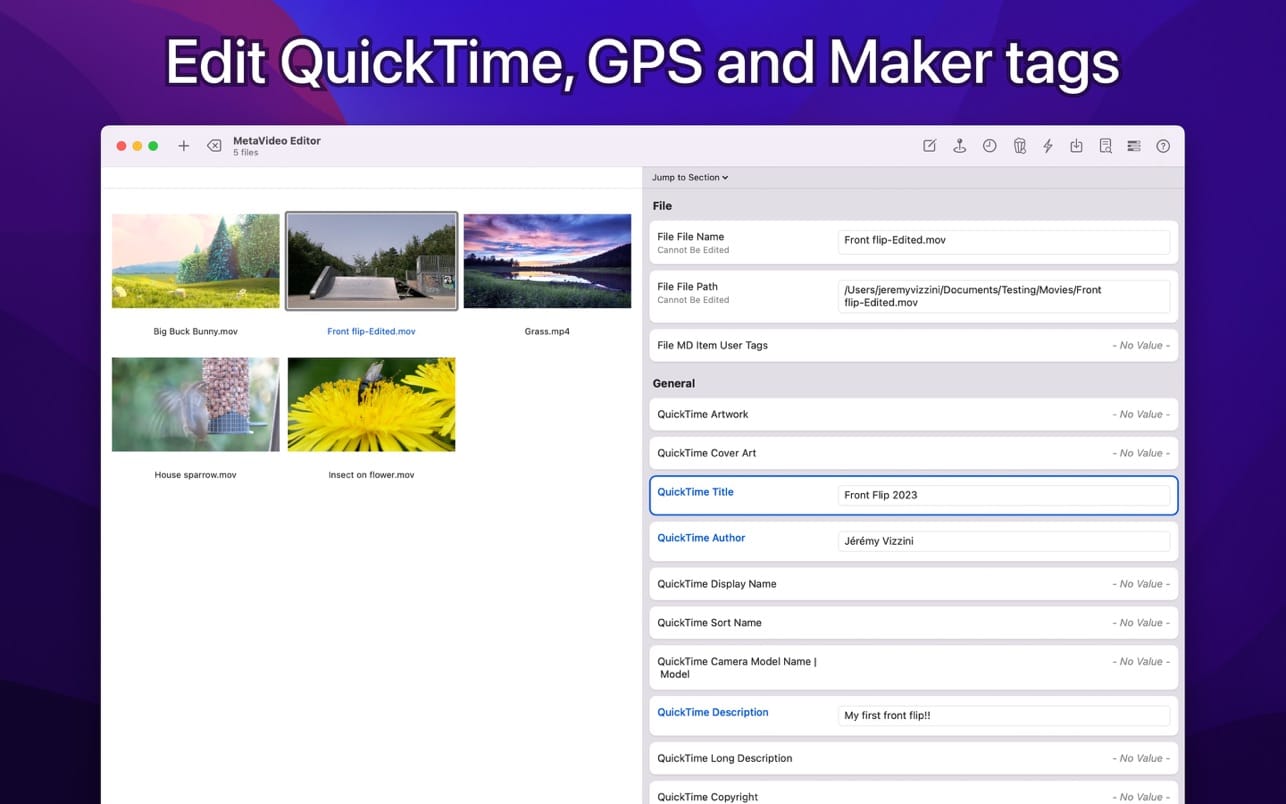
We’re aware of a bug in the current app version affecting file reading. Rest assured, a fix is on the way. Looking to take control of your video metadata and streamline your workflow? Look no further than MetaVideo, the ultimate app for managing your video metadata on Mac!
With MetaVideo, you can automate the editing of QuickTime and GPS tags, making it the perfect tool. Whether you need to change metadata, add artwork, or fix GPS coordinates, MetaVideo has got you covered. Plus, you can create presets and apply the same changes to multiple videos, saving you tons of time and effort.
BEYOND QUICKTIME AND VIDEO TAGS
That’s not all – MetaVideo goes beyond just QuickTime tags. It supports a wide range of other metadata tags, including EXIF, XMP, and IPTC, for video and audio files that support them. The app does not support only MP4 and MOV. Manage all popular video and audio formats in one place.
MADE FOR MOVIES AND TV SHOWS
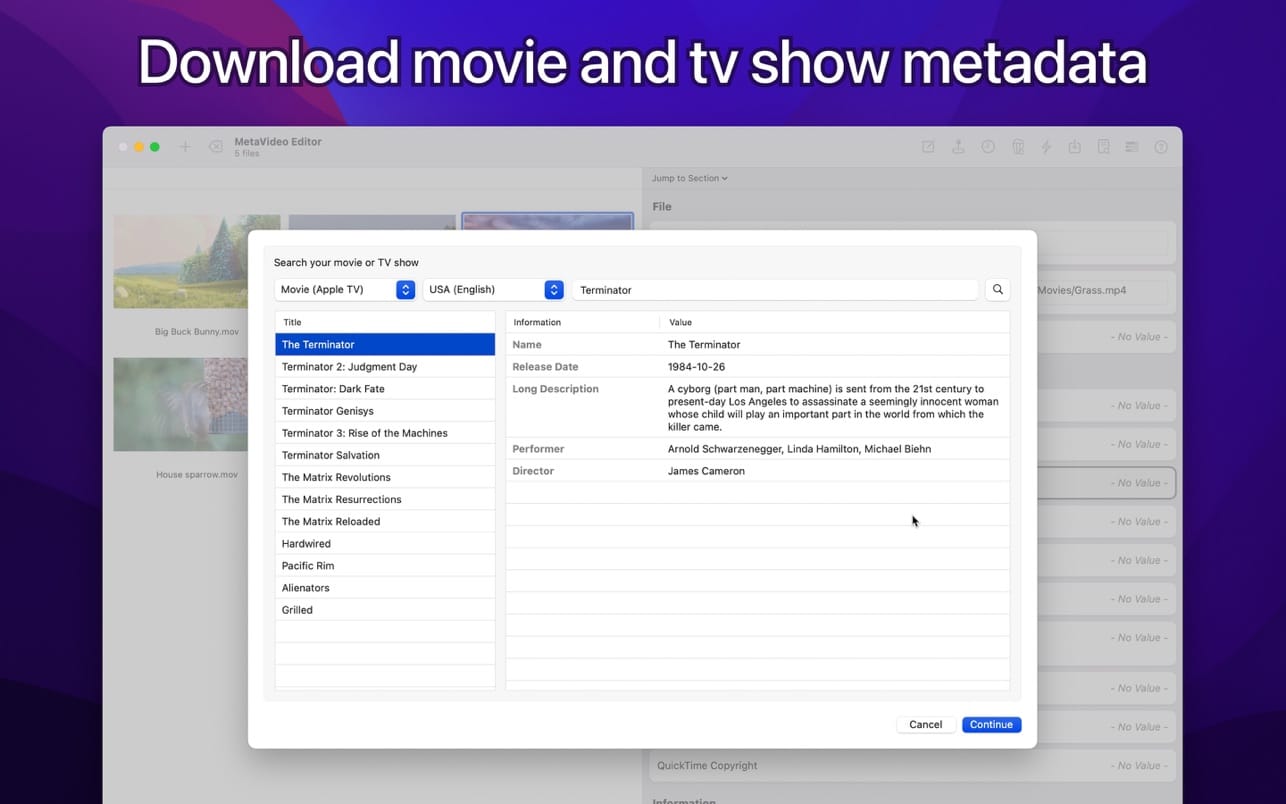
Need to download meta information for your movies and TV shows? MetaVideo’s got your back. The app can automatically retrieve relevant metadata for your media files, such as titles, descriptions, release dates, genres, ratings, and even cover art, from online services like Apple TV, iTunes, TheMovieDB, and more.
GPS TAGGING SUPPORT
With MetaVideo’s unique ability to edit QuickTime location ISO6709, you can easily add GPS coordinates to your videos and audio files. The app provides multiple options to add GPS coordinates, so you can choose the one that’s easiest for you.
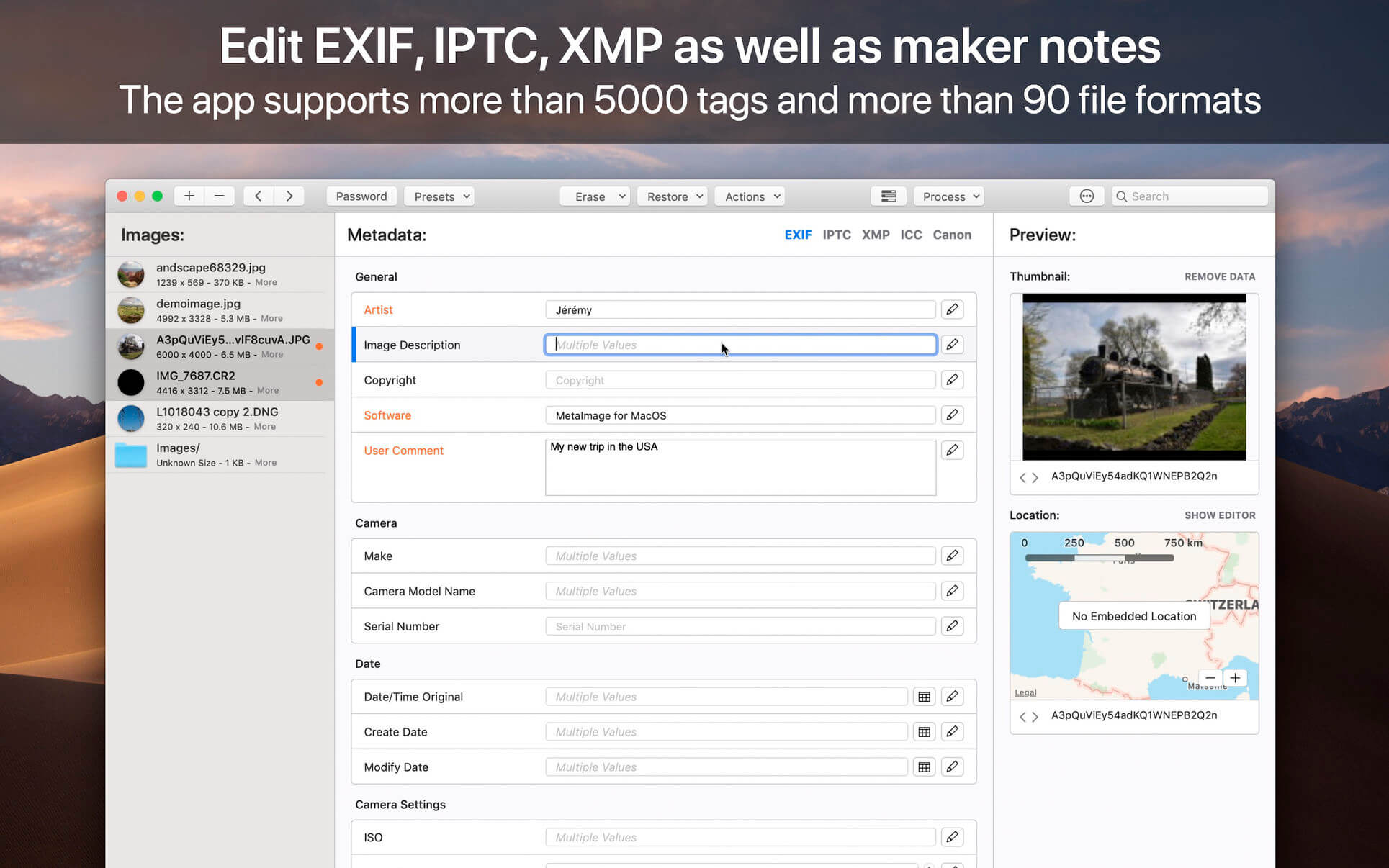
MetaImage is the ultimate tool to read, write and edit images metadata. This is first editor that allows you to edit EXIF, IPTC and XMP tags as well as MakerNotes in a beautiful and familiar interface.
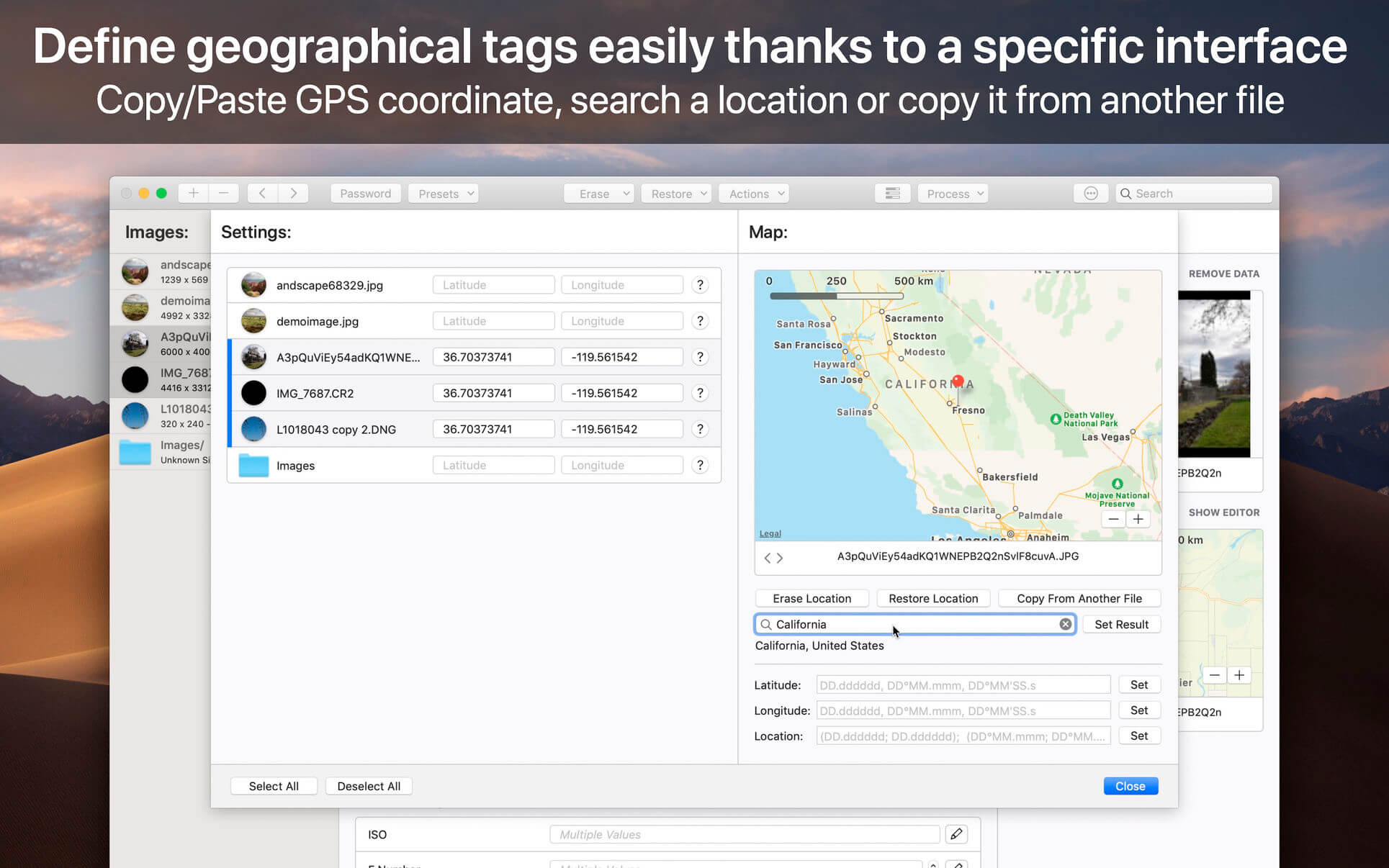
The application has been designed to improve your workflow. Users can create and manage presets. Moreover, a special support is provided for geographical and thumbnail data. In addition, displayed tags can be customized via the preferences. In this way, the application fits to your personal needs.
MetaImage is completely integrated to your mac ecosystem. The application even includes a Photos extension. In this way, you can directly inspect your photos from Photos.app.
Supported tags (>5000 tags):
EXIF
IPTC
XMP
ICC Profile
Canon
Leica
FujiFilm
Nikon
Olympus
Panasonic
Pentax
SigmaRaw
Sony
and much more
The application is designed for professional needs. More than 90 image formats are supported (HEIC, MOS, CR2, DNG, NEF, NRW, JPEG, PNG, TIFF, RAW, and much more). MakerNotes tags may be edited but not created or deleted. This avoids many potential problems with OEM software.
Additional features:
Export tags to CSV and JSON
Export embedded thumbnails
Export embedded jpeg from raw
Copy/Paste multiple tags
Support password-protected images
Support notifications and touch bar
Support folder processing (* except HEIC files *)
This version has been optimized for macOS High Sierra and later. Moreover the application is available in 7 languages (English, French, German, Spanish, Italian, Japanese and Chinese).
Feedbacks can be sent directly from the application. In this way, you can contact us for any kind of suggestions and improvements in few clics.
MetaImage is accompanied by other applications.
SnapMotion: extract still images from videos with precision.
GlueMotion: edit, deflicker and assemble images into time lapse.
PhotosRevive automatically colorizes your old black and white photos. The application uses a revolutionary artificial intelligence that will add colors in an ultra-realistic way. The application is super simple to use. Scan or import your photo and that’s it. The application will color it without any effort on your part.
We know that the colors chosen by the engine may differ from those of your memories. That’s why the app lets you add indications of colors. So you can help the artificial intelligence and change the rendering as you please. PhotosRevive is the first app that will perfectly adjust the rendering to your memories.
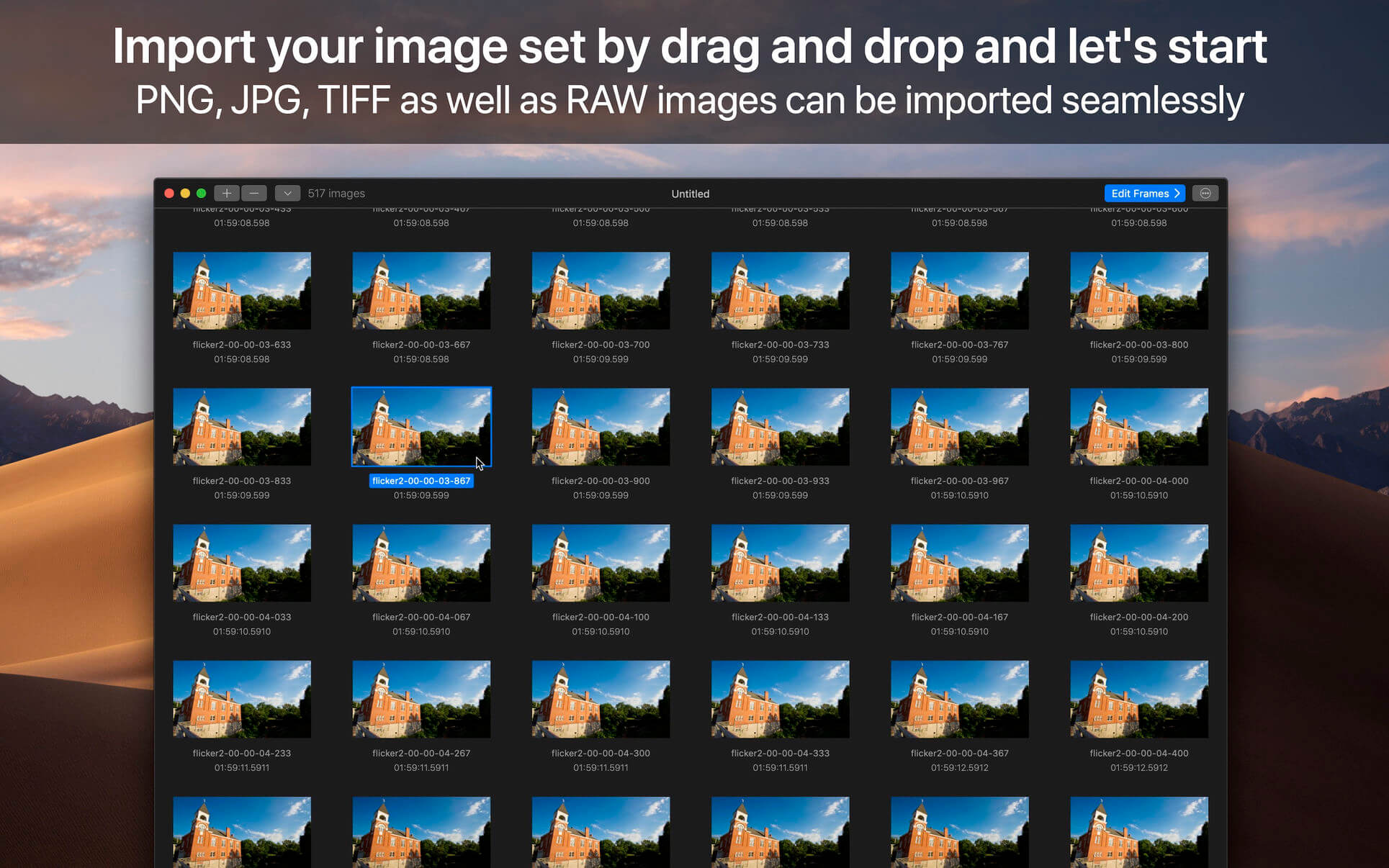
GlueMotion is the perfect tool for time lapse photographers. The application allows you to batch edit, deflicker and assemble sequences of images into time lapse movies.
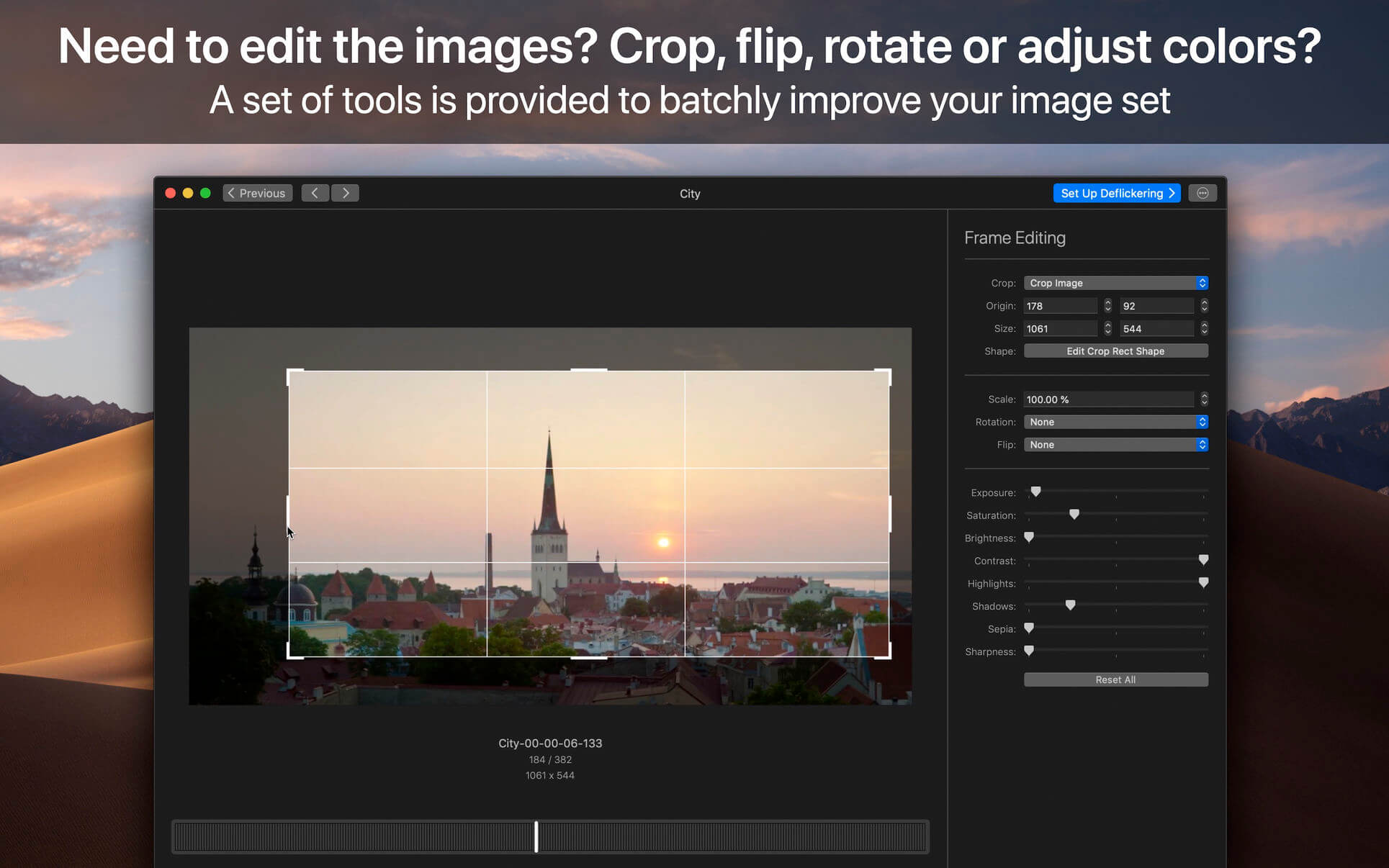
GlueMotion has been made to save your time and guide you during the process of creation. By using the included batch editing tool, you will not have to use additional applications. GlueMotion is able to crop, rotate, flip and adjust colors of your photos such as exposure, saturation or brightness. Moreover the application is able to deflicker the sequences of photos. In other words, GlueMotion will analyze your photos and select automatically the optimal brightness correction for each image.
The application is designed for professional needs. That is why it can handle several hundreds of thousands of images painlessly. In addition, all industry-standard formats are supported. The application can import PNG, JPEG as well as all RAW image formats supported by macOS. The exported movie can be encoded in H.264, Apple ProRes as well as HEVC.
This version has been optimized for macOS High Sierra and later. Moreover the application is available in 7 languages (English, French, German, Spanish, Italian, Japanese and Chinese).
Feedbacks can be sent directly from the application. In this way, you can contact us for any kind of suggestions and improvements in few clics.
GlueMotion is accompanied by other applications.
SnapMotion: extract still images from videos with precision.
MetaImage: edit image metadata and geographical tags.
Language: English, French, German, Italian, Japanese, Simplified Chinese, Spanish Compatibility: macOS 11 or later Homepagehttps://neededapps.com/
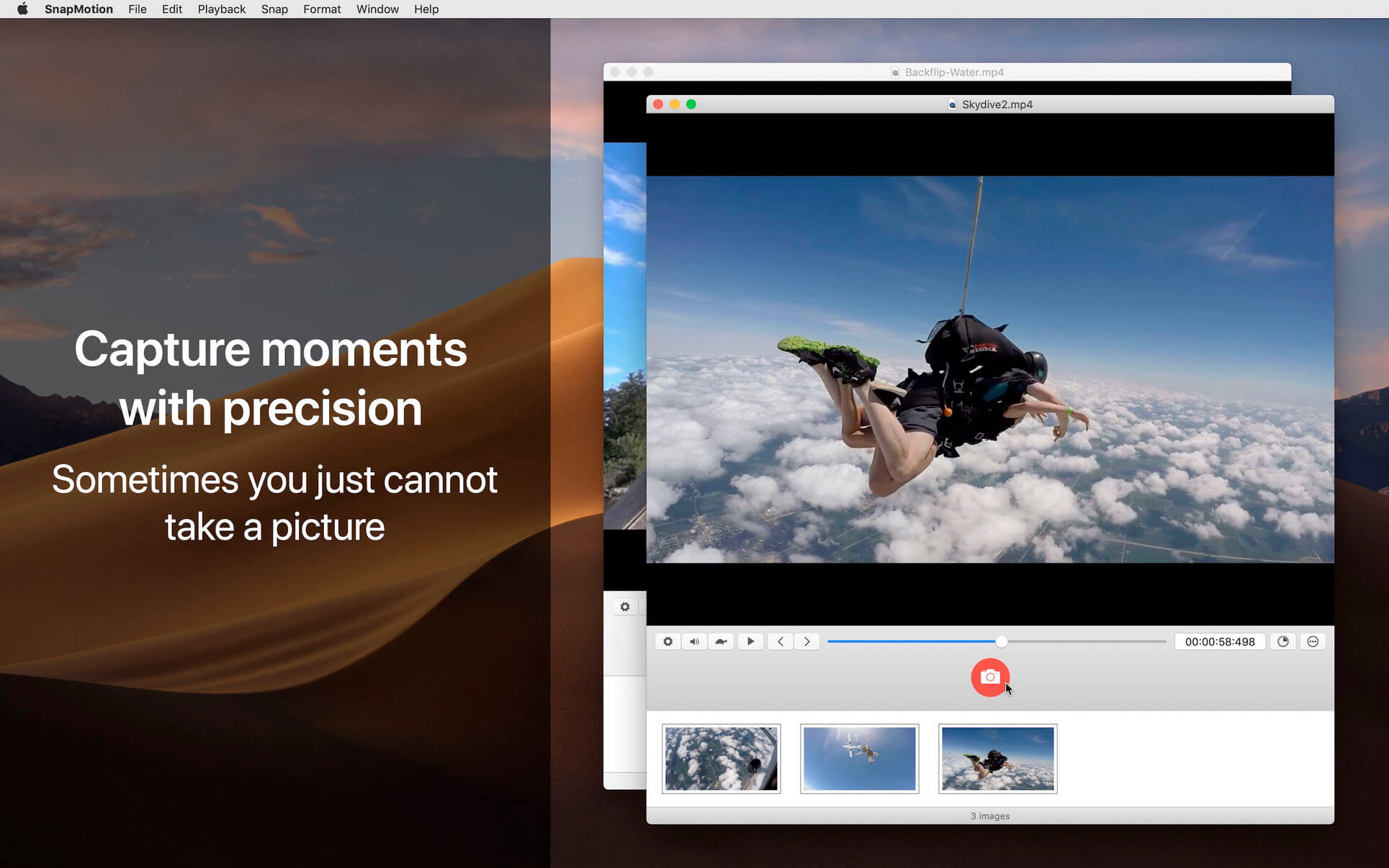
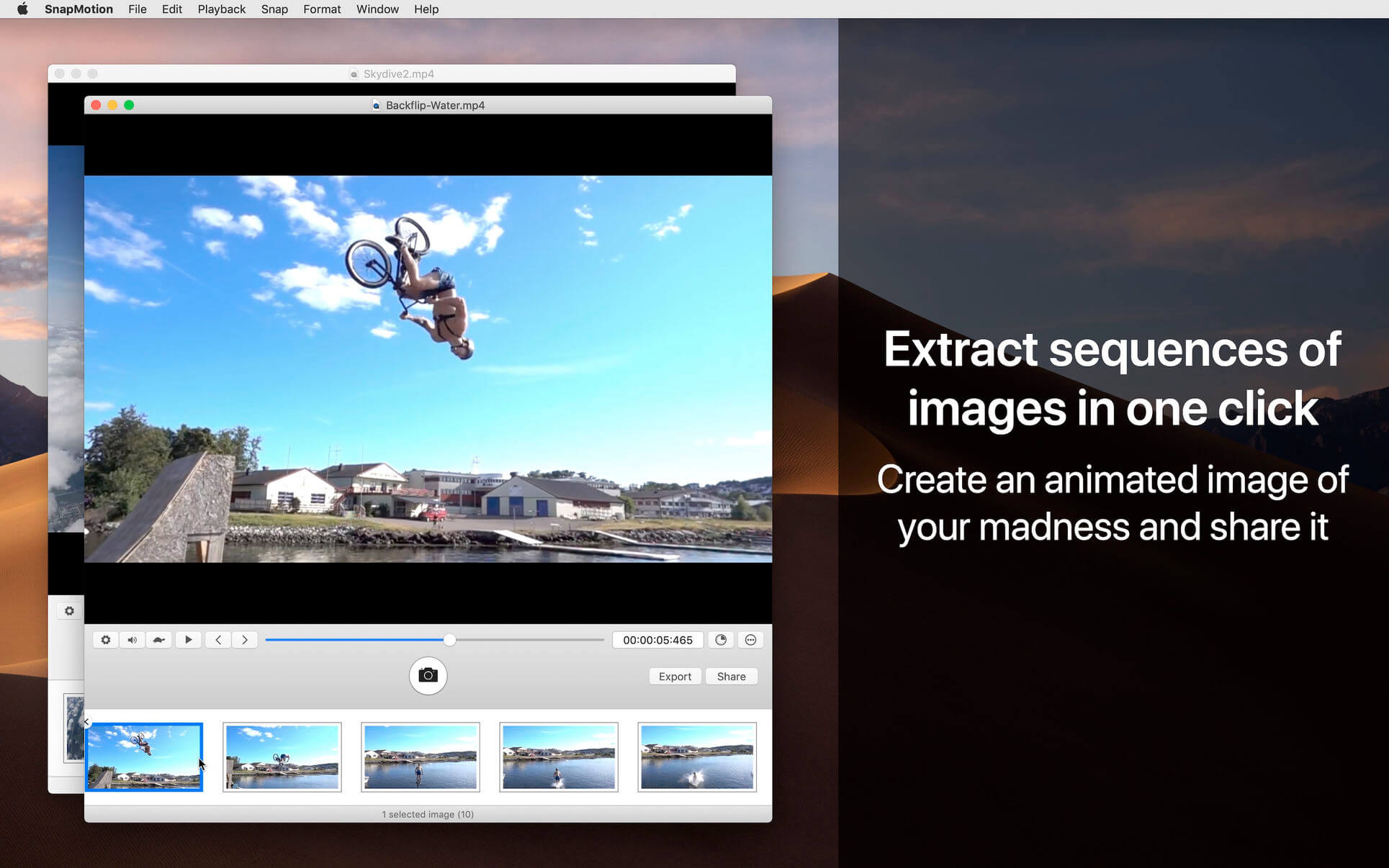
SnapMotion is the most innovative and most used tool to extract images from videos. The application allows you to extract frames with precision and without loss of quality.
Two modes are provided:
A manual mode allowing you to extract images precisely at the selected time.
A batch processing mode allowing you to extract thousands images concurrently.
SnapMotion has been designed to support big video files such as 4K movies and to extract every frame of your media if needed. The application can play every video supported natively by macOS. Moreover it can export images into all industry-standard formats including PNG, JPEG, TIFF and HEIC.
SnapMotion additional features :
share images on social network (Facebook, Twitter, …)
drag and drop images to export
create animated GIF from your snaps
rotate videos directly in the player
copy extracted images in the pasteboard
customize output filenames
support notifications and touch bar
This version has been optimized for macOS High Sierra and later. Moreover the application is available in 7 languages (English, French, German, Spanish, Italian, Japanese and Chinese).
Feedbacks can be sent directly from the application. In this way, you can contact us for any kind of suggestions and improvements in few clics.
SnapMotion is now accompanied by other applications.
GlueMotion: edit, deflicker and assemble images into time lapse.
MetaImage: edit image metadata and geographical tags.
What’s New:
Version 5.1.5
Release notes were unavailable when this listing was updated.
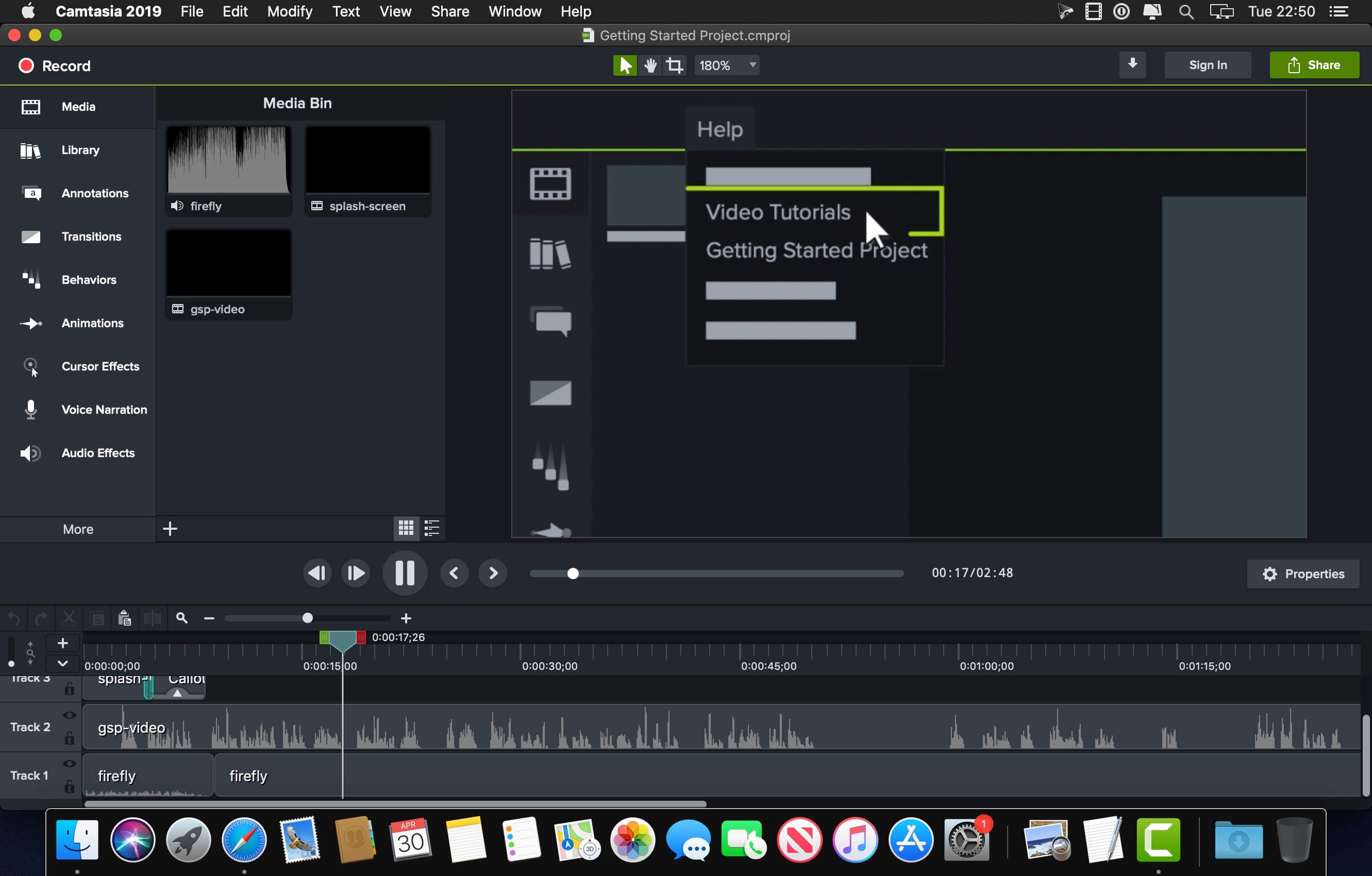
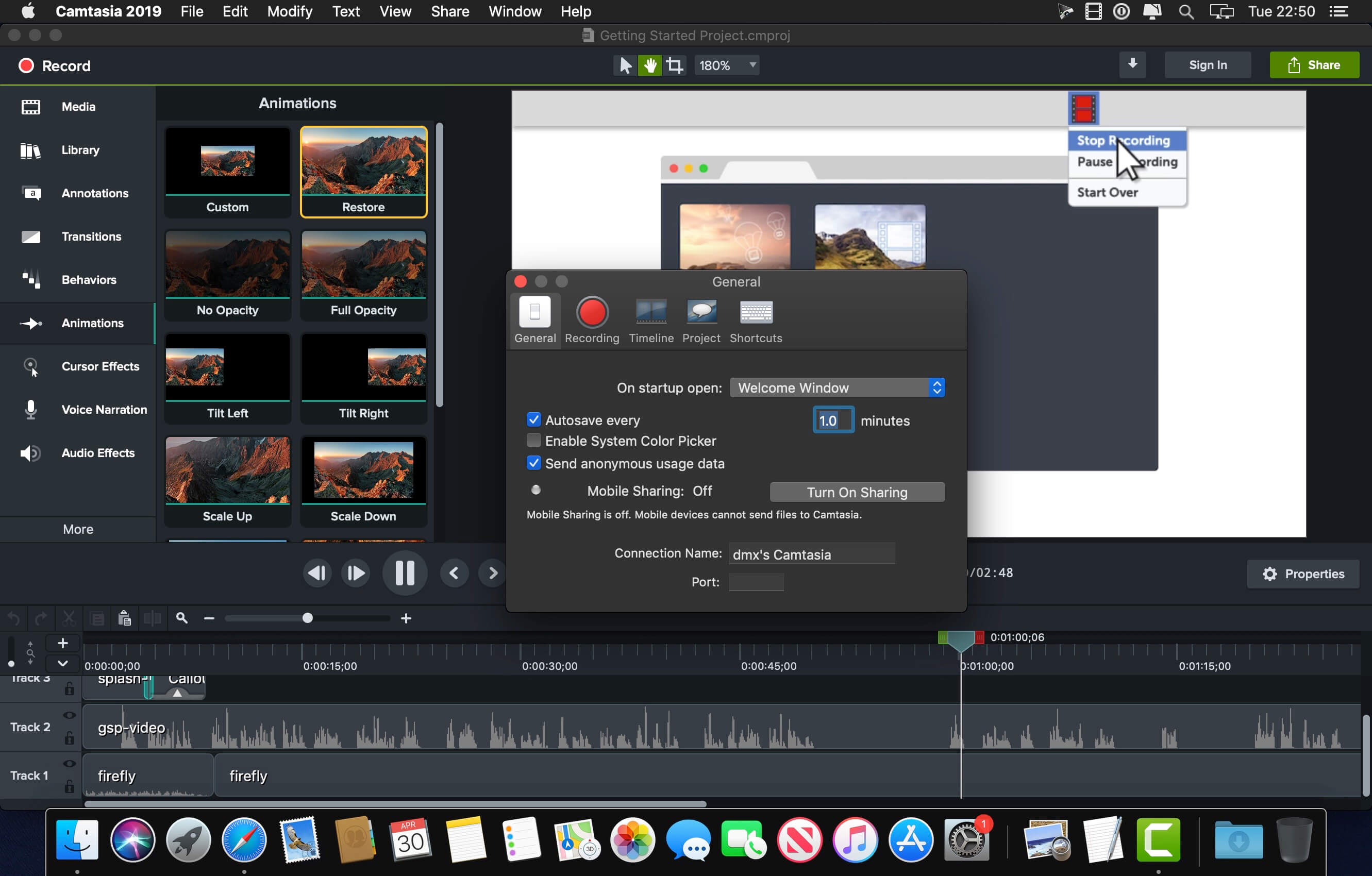
Camtasia is the go-to video solution for creating professional-looking software demonstrations, product tutorials, online lessons, and recorded presentations- no video experience needed. Pre-built video templates help you create the videos you need with ease. Record your screen, import PowerPoint presentations, or add video footage you already have. Then edit, add effects with drag-and-drop ease, and share out your videos with anyone. With so many easy to use features and effects, you’ll be creating polished videos in no time.
Start Fast
Camtasia is quick to learn. You don’t need a big budget or fancy video editing skills. Start with a template or just record your screen and add a few effects.
Feel Confident
Whether you have experience or this is your first time making a video, we’ll give you everything you need to make a high-quality video.
Engage Viewers
Create content your viewers actually watch. A video will give you more interaction and help your audience to learn more than with text alone.
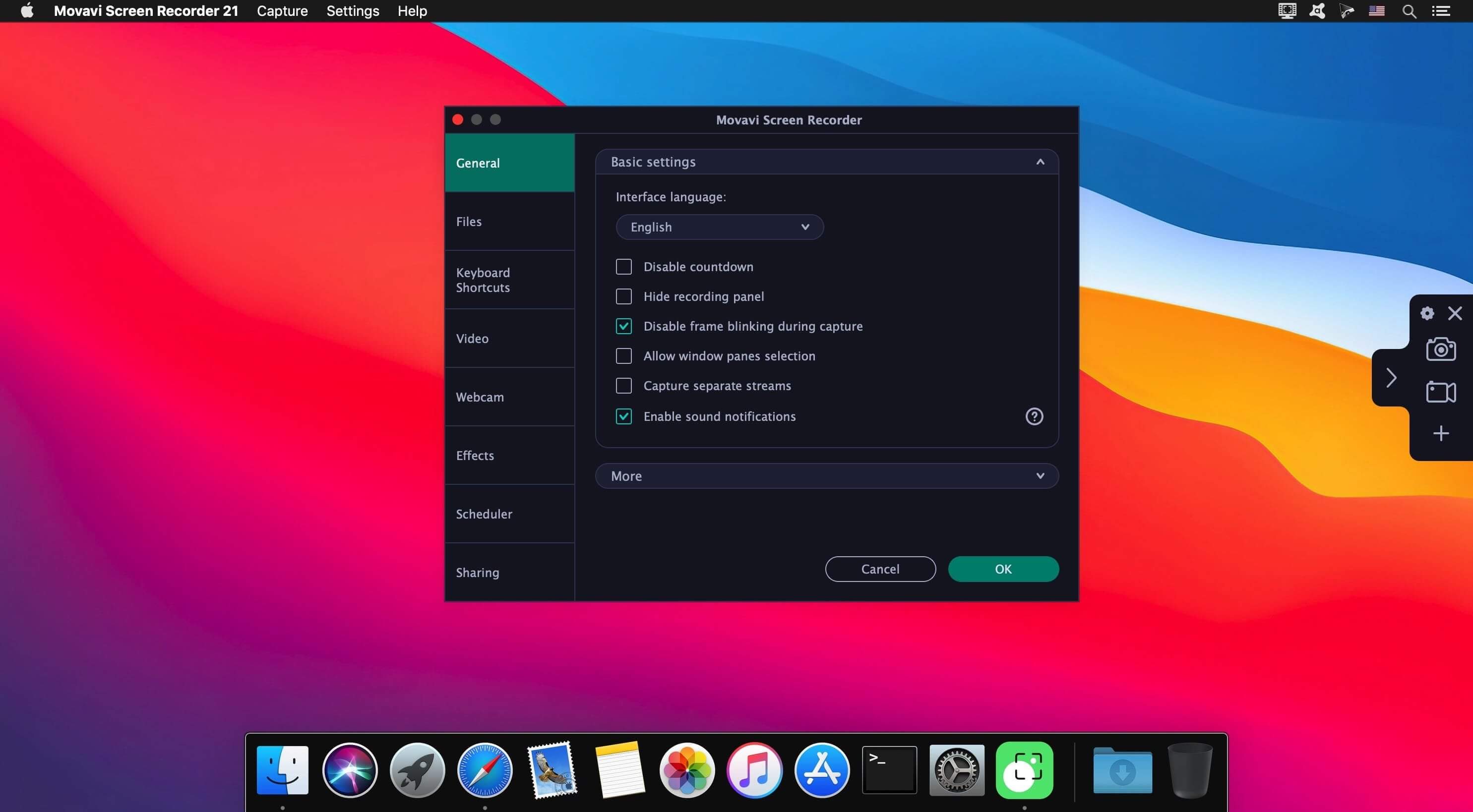
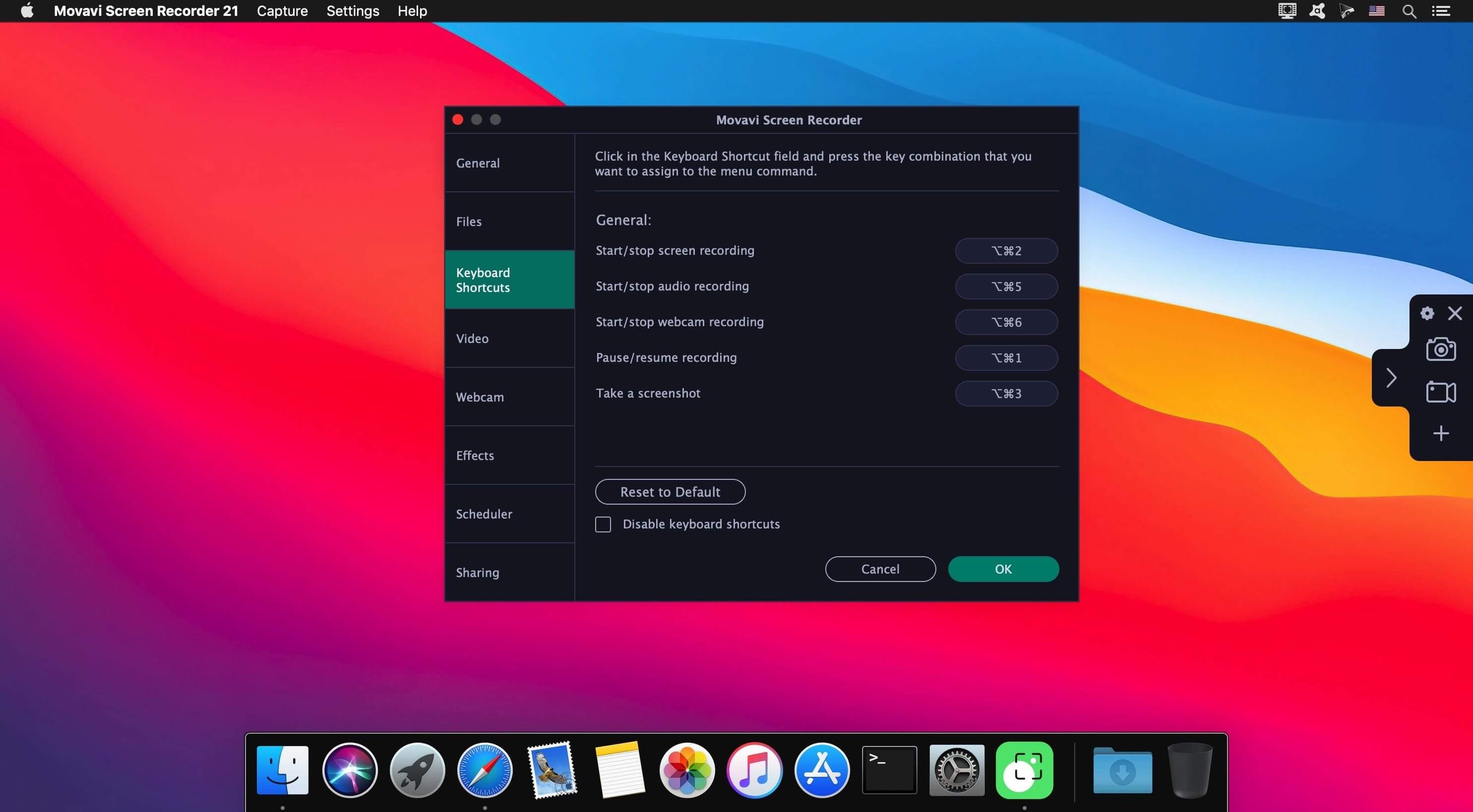
Capture video from your Mac display with Movavi Screen Recorder! This neat video recorder for Mac will help you save live streams and video and audio clips from web pages, record your interactions in apps, capture gameplay, and do lots more screen capturing tasks!
GETTING STARTED
Set the program up and start making high-quality recordings just in 3 easy steps. You just need to configure the screen, record content, and save the video – in any format!
Movavi Screen Recorder has been designed by professionals who understand what’s important in a screen capture app. You can:
eeasily capture Zoom calls, Vimeo videos, webinars, and more
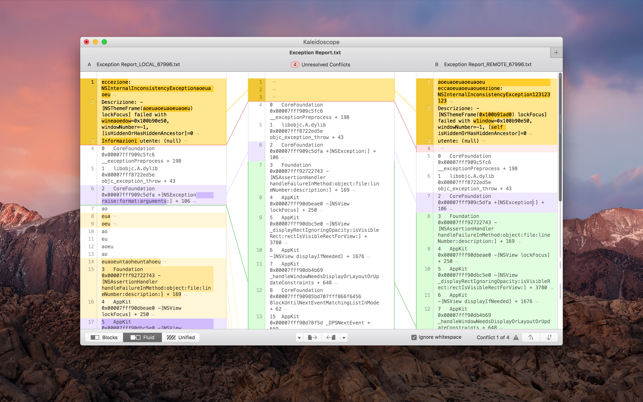
Kaleidoscope is the most powerful file comparison app. Spot the differences in text and image files, or even folders full of files. Review changes in seconds, with the world’s most advanced and beautiful file comparison app.
Kaleidoscope 3 features the first major redesign in over eight years, with support for Apple Silicon-based Macs, a redesigned interface that looks great in the latest versions of macOS, and new dark mode support, Kaleidoscope 3 marks the comeback of a longtime developer favorite for spotting changes in text, images, and folders. There is a new Reader view, and changesets have received major improvements.
WHAT’S NEW IN KALEIDOSCOPE 3?
Redesigned interface, including new dark mode and new app icon; Kaleidoscope’s design now fits macOS Big Sur and macOS Monterey
Runs natively on all Macs, including those based on Apple silicon (Apple M1 chip).
Reader view makes it easier to focus on the content
Greater control over how text layout, with better font options and display choices
Ability to ignore particular folders and files during folder compare, using powerful patterns.
Persistent top toolbar with convenient Add and Paste buttons
Redesigned Unified text comparison and File Shelf views to make it easier to review differences and keep track of files being compared
Powerful filters for comparing items in changeset windows
KALEIDOSCOPE FEATURES:
Two-Way Text Comparison & Merging
Supports any text file, Word documents, PDF, RTF
Super-fast diffing of lines and character-level changes
Directly paste from clipboard
Three powerful display modes: Blocks, Fluid and Unified
Color coding to spot added, deleted, and changed text
Powerful text layout customization
Reader view that helps focus on content
Built-in search
Three-Way Merge
Review code changes and resolve conflicts
Edit text inline
Intelligently auto-merge the right content
Powerful Image Comparison
Supports any file that can be imported as bitmap
Directly paste from clipboard
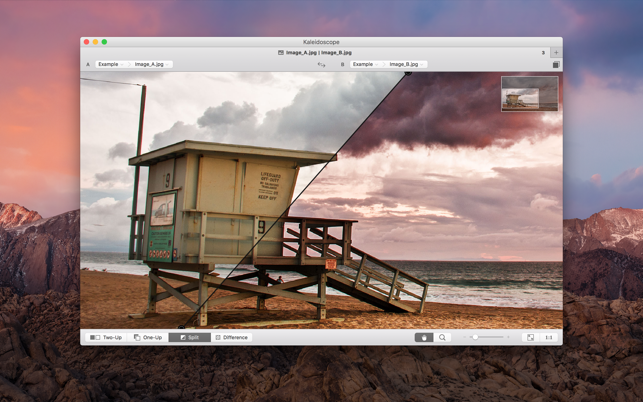
Compare images in four different modes: Two-Up, One-Up, Split and Difference
Spot subtle pixel differences with a high contrast “difference mask”
Navigate large images using pan & zoom tools
Folder Comparison
Ultra-fast algorithm for finding differences in large folders
Sort and filter down to what is most important
Powerful ignore patterns to exclude extraneous files and folders
Drill deeper into folders for more detailed comparisons
Copy your preferred files across sources
Code Review
Well-designed overview of all files changed in a changeset
Find a file by filtering by name or by kind of change
Inspect changes in text and image files using all of Kaleidoscope’s compare tools
Easy Workflow Integration
Git, Mercurial, Subversion, Bazaar, and Perforce support
Works as a fully functional diff or merge tool
ksdiff tool unleashes the power of the unix command-line
Supported by a growing list of GUI source control management apps
Integrate with the Xcode debugger (lldb) for text and graphics
Integrates with tools like Alfred for even faster workflows
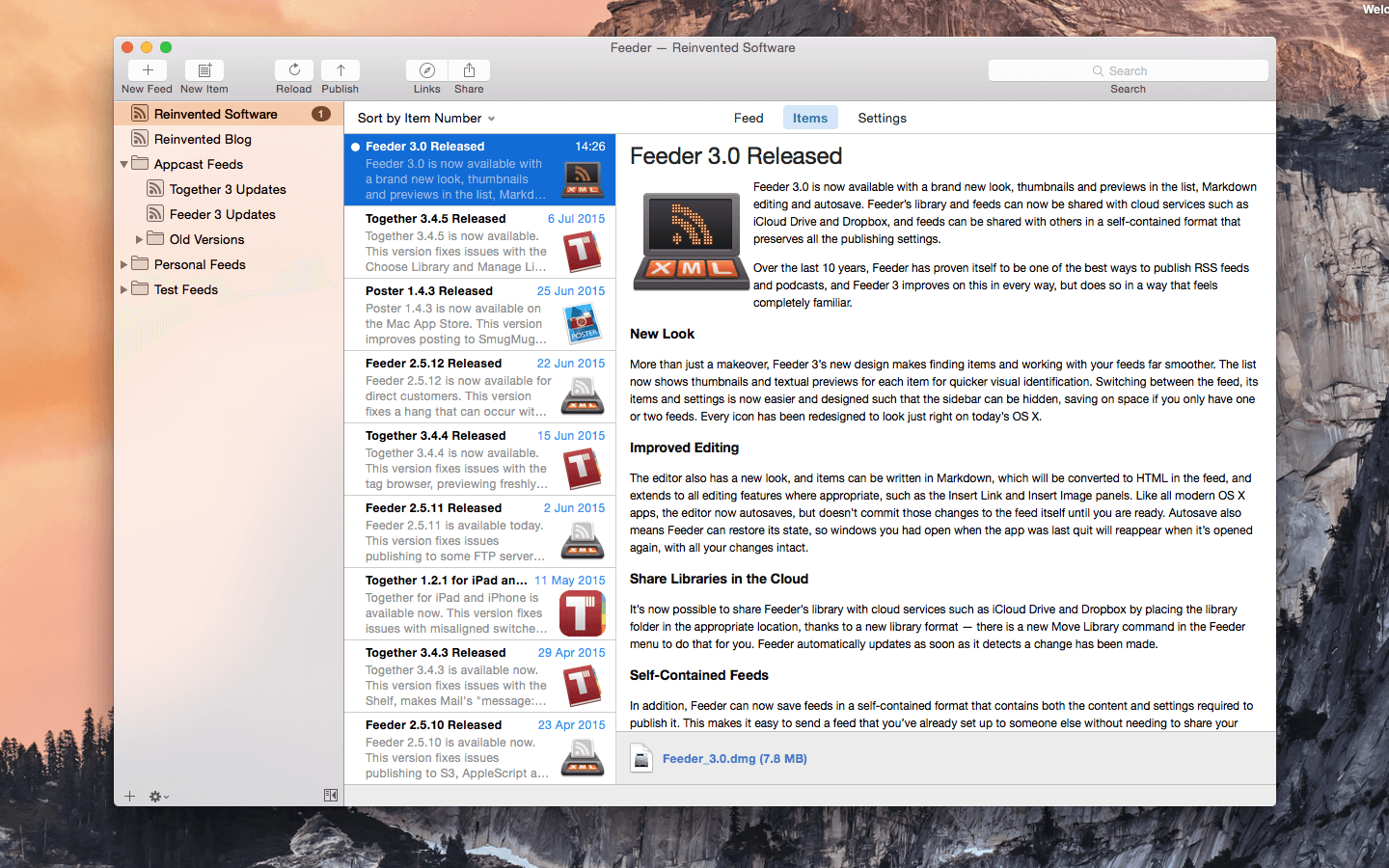
Feeder is a full-featured application for creating, editing, and publishing RSS and iTunes podcast feeds. Features include quick and easy feed editing with auto-complete, templates, HTML tags, Markdown, an HTML preview and more.
Feeder is a full-featured application for creating, editing, and publishing RSS and iTunes podcast feeds. Features include quick and easy feed editing with auto-complete, templates, HTML tags, Markdown, an HTML preview and more.
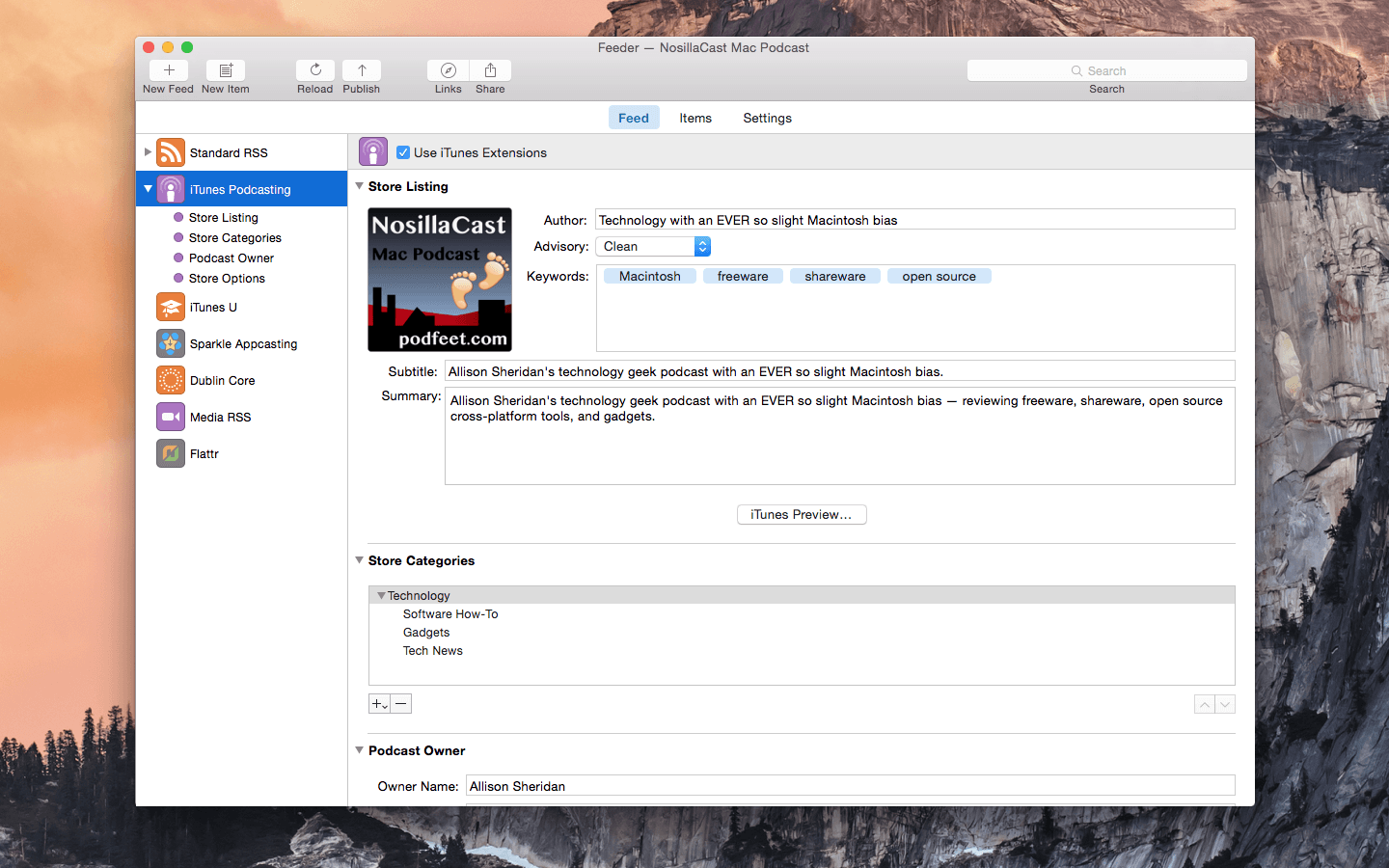
For podcasters there is drag-and-drop episode creation, automatic tagging of audio and video files with artwork, and an iTunes Store preview. Feeder can publish feed, images, and media files with FTP, SFTP, WebDAV, or Amazon S3, post to a blog when publishing, and announce new content on Twitter and Facebook once everything is online.
Feeder 4 has been completely updated for macOS Big Sur and Apple’s switch from iTunes to the Podcasts app. Feeder 4 also works with iCloud, so that you can access your feeds on all your Macs, and allows collaboration with other Feeder users via iCloud. *** You need to disable the System Integrity Protection (SIP) to perform the selected Application.
*** You need to disable the System Integrity Protection (SIP) to perform the selected Application. Compatibility: macOS 10.14 or later Homepagehttp://reinventedsoftware.com/feeder/
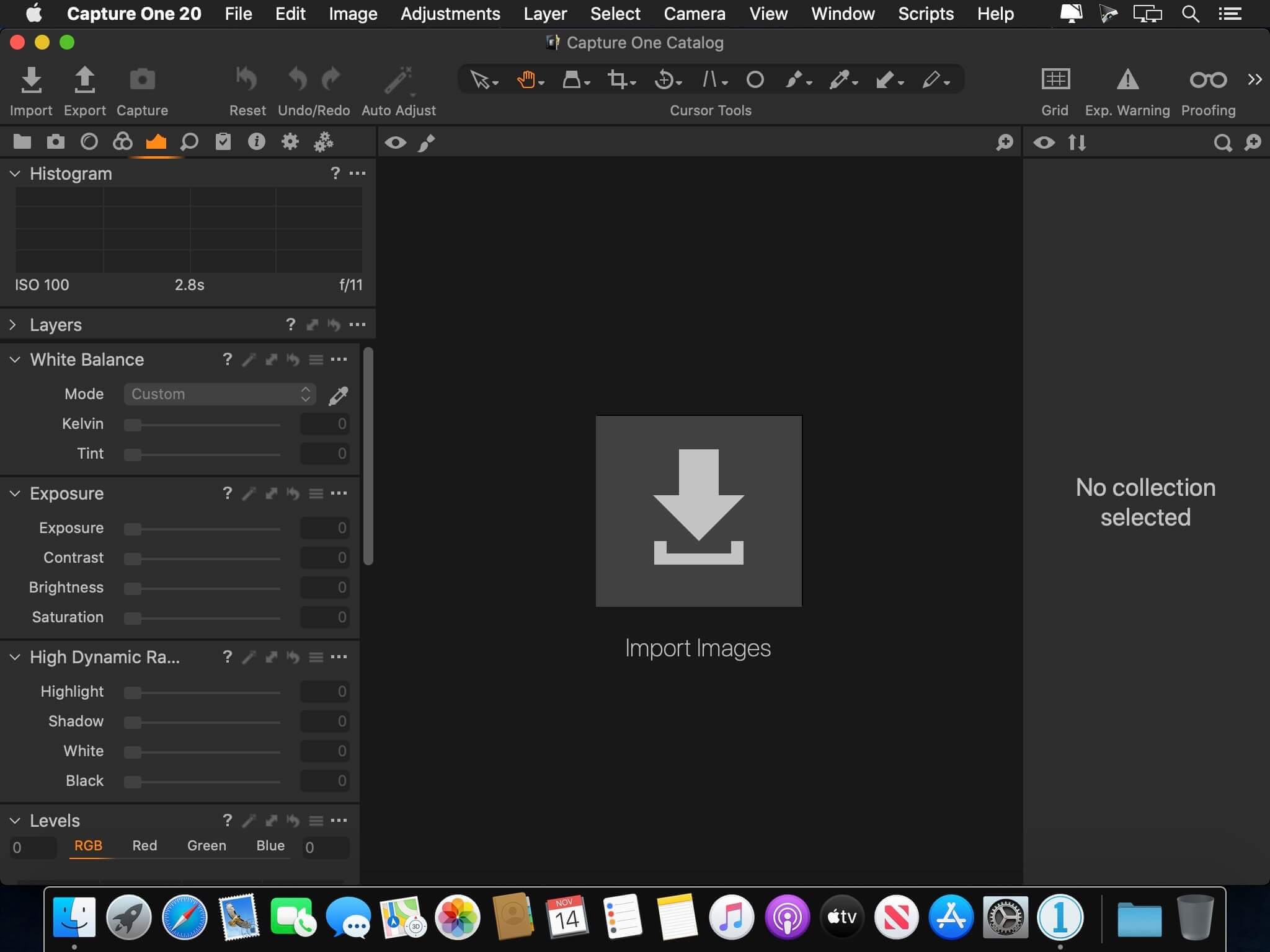
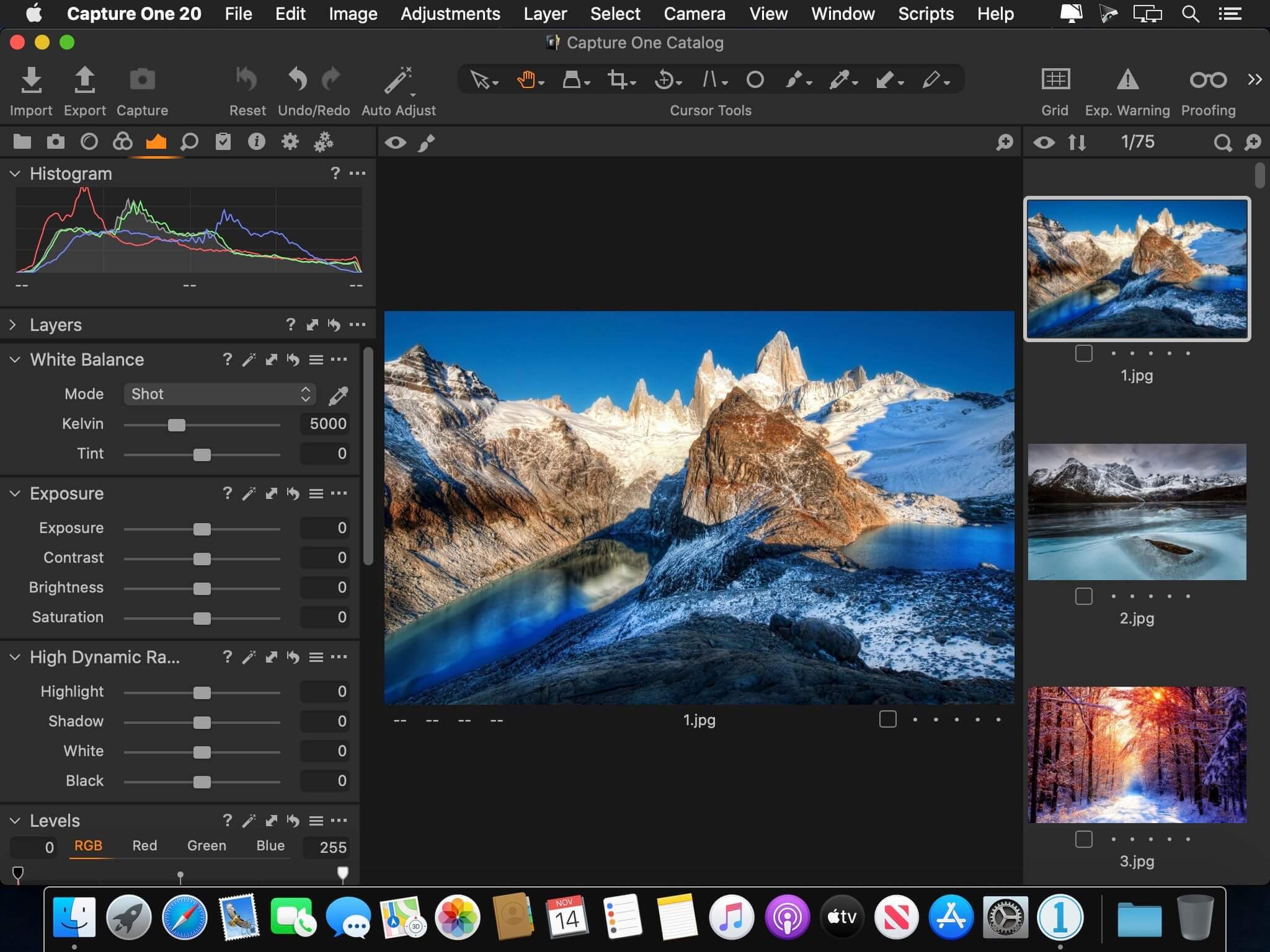
Capture One 23 is a professional RAW converter offering you ultimate image quality with beautiful colors and incredible detail for more than 500 high-end cameras. It offers state- of-the-art tethered capture, powerful digital asset management, extensive adjustment tools and a flexible workflow through customizable workspaces.
With an updated processing engine, market-leading performance and powerful new features, Capture One is the professional choice in imaging software. You get the highly responsive precision tools you need to create stunning images from your camera’s RAW files in a time-saving workflow that can be customized to fit your needs.
New features and improvements
Speed Edit
Dehaze
Improved importer
General User Experience Improvements and tweaks
HEIF support
Easy brush adjusting
Improved performance
Colored gradients on White Balance Sliders
Enhanced tooltips
Easy access to Tutorials
Compatibility: macOS 10.15 or later , Apple Silicon (M1) native support Homepagehttps://www.phaseone.com/
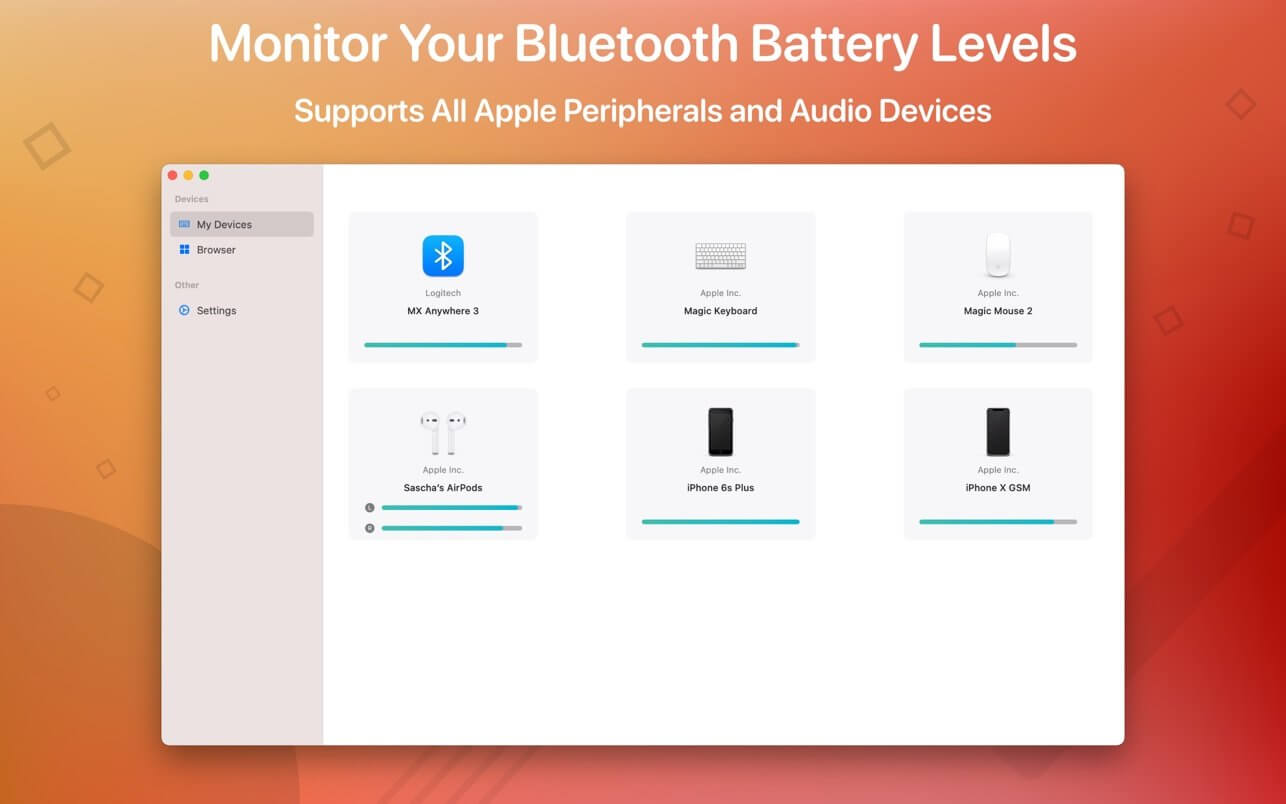
Magic Battery supports all Apple input and audio devices. Battery information will be shown in the menu bar and the main window.
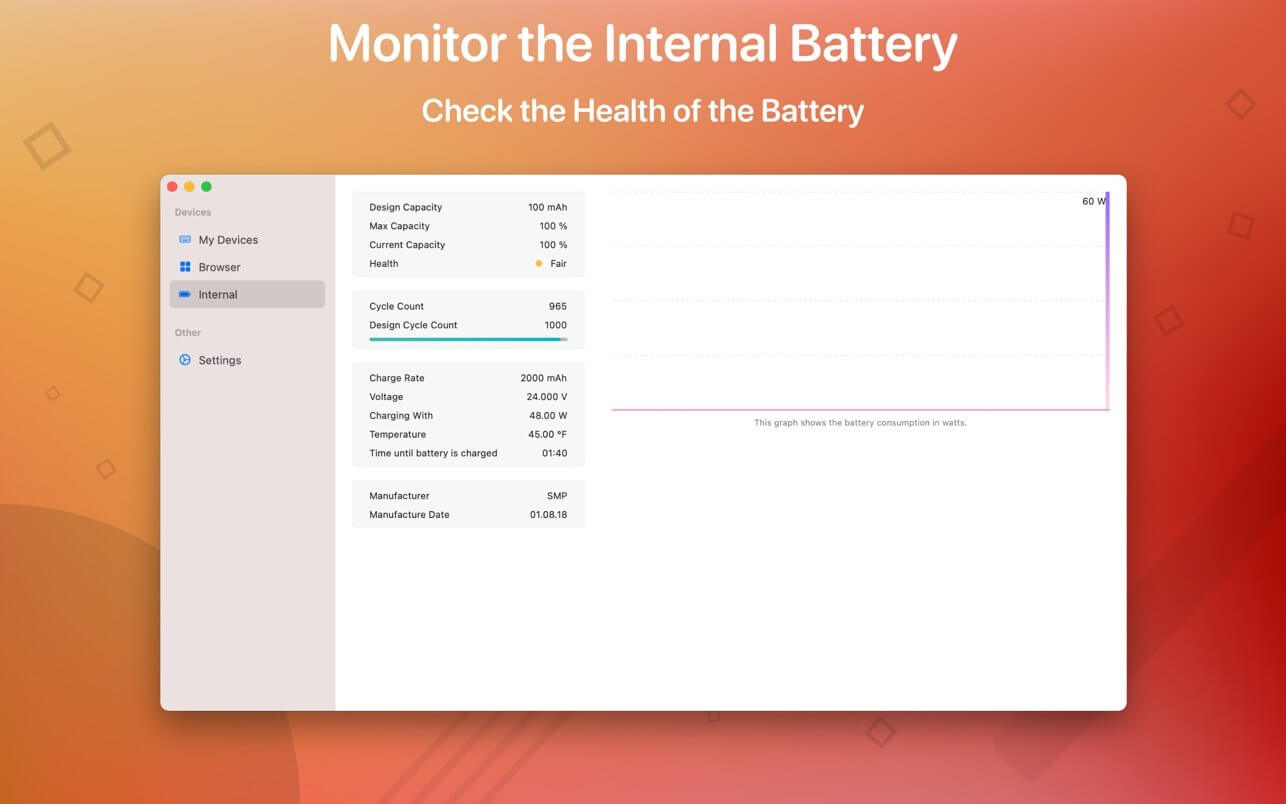
The App Magic Battery shows the battery level of supported input devices and headphones that are connected via Bluetooth in the menu bar. Internal batteries are also supported.
The following devices are supported:
Input devices:
Apple Magic Mouse
Apple Magic Mouse 2
Apple Magic Trackpad 2
Apple Wireless Keyboard
Apple Wireless Trackpad
Logitech MX Anywhere 3
Headphones:
AirPods
AirPods Pro
AirPods Max
Beats Solo 3
Beats X
Beats Studio 3 Wireless
Other devices:
Apple iPad (all models)
Apple iPhone (all models)
The app features:
Modern GUI for displaying connected devices and their battery levels.
Shows the percentage of the internal battery including how long the battery will last.
You can choose between a detailed, a compact or an icon-only view. In the detailed view, the battery level is shown next to the device icon. In the icon-only view, the battery levels are shown once the menu of the app is opened. The compact view shows all the information in a way that very little space is used.
Apple Silicon support.
Connected or disconnected devices are detected automatically. The view is then adjusted accordingly.
Receive notifications when the battery level of a device is reaches 20%.
Support for auto-start: The app is started as soon as the user is logged in (optional).
All products that are supported and were listed above are a registered trademark of Apple Inc.
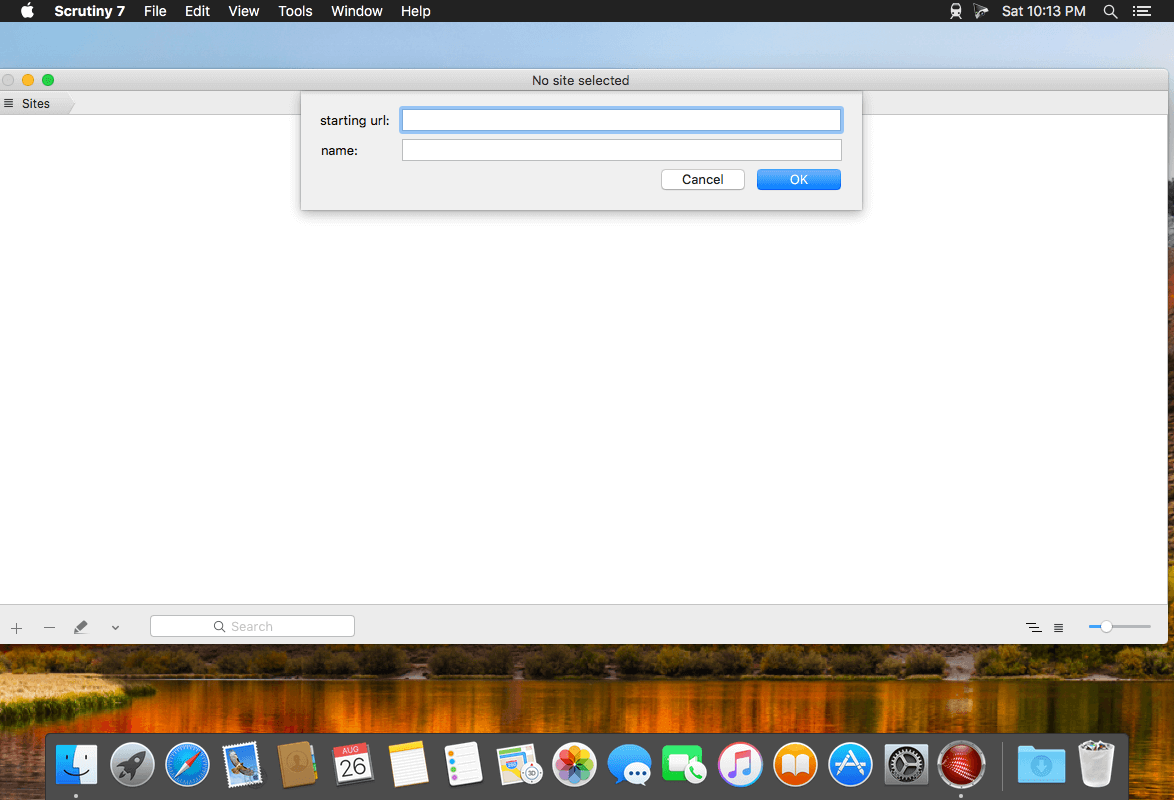
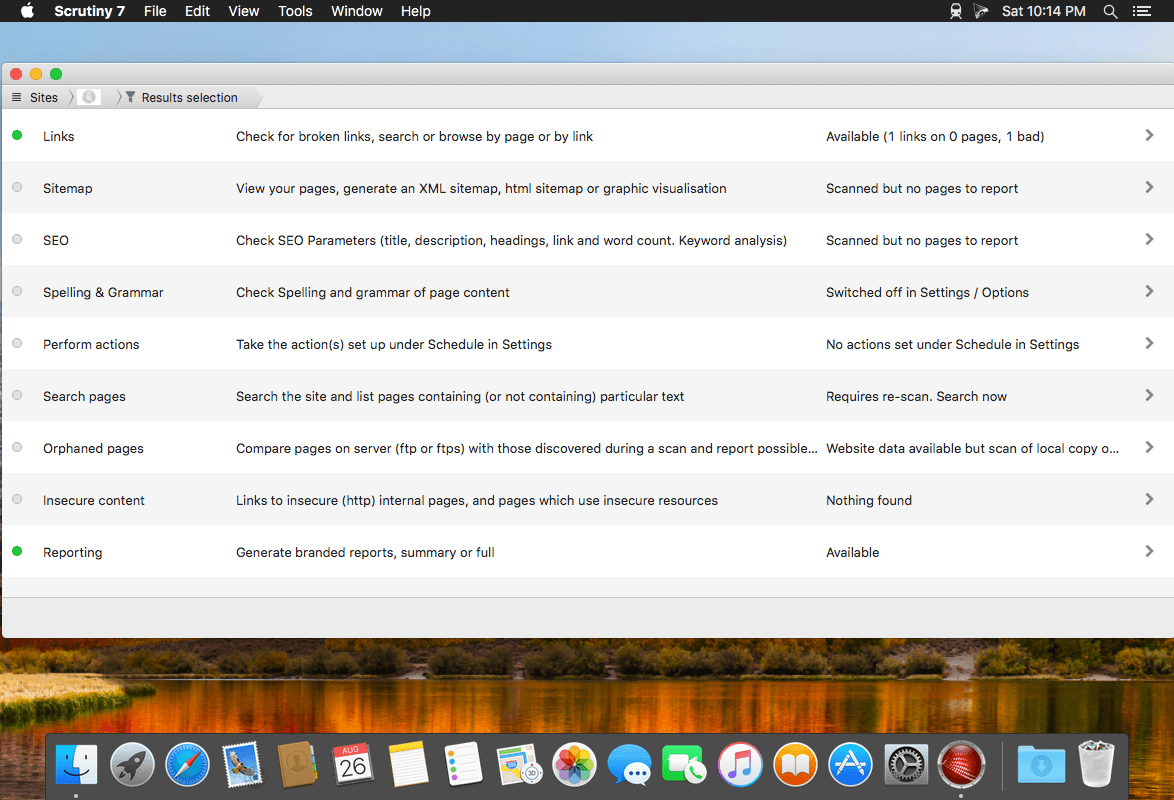
Scrutiny is a suite of web optimization tools including link checking, SEO checks, Sitemap generation, page load speed test, html validation. Version 9 is a major update and includes these new features.
Features
Link checker
SEO analysis
XML sitemap generation, optionally include images / PDF pages
Insecure / mixed content reporting
Page-load speed test
Spelling and grammar checking
Scans sites requiring authentication
Search your site (source or visible text) obtain a list of pages containing a search term or not containing a search term
Website monitoring of as many URL’s as you like with a choice of alerts and logging
Scheduling made easy with a few easy clicks
On finish, send an email, save a report, open a file or AppleScript, FTP the sitemap XML, and other actions
Opens and scans a list of links in HTML, CSV, plain text format, or XML sitemap
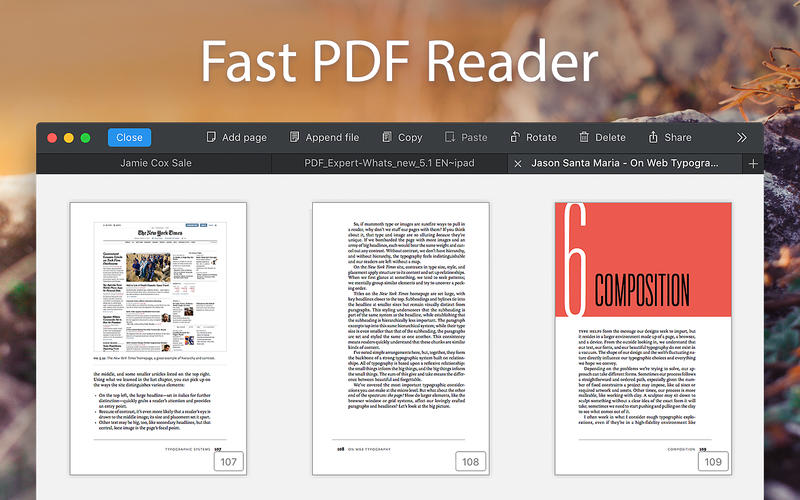
PDF Expert – springs into action with smooth scrolling and fast search from the first document you select. PDFs open instantly, whether they are just small email attachments or 2000-page reports.
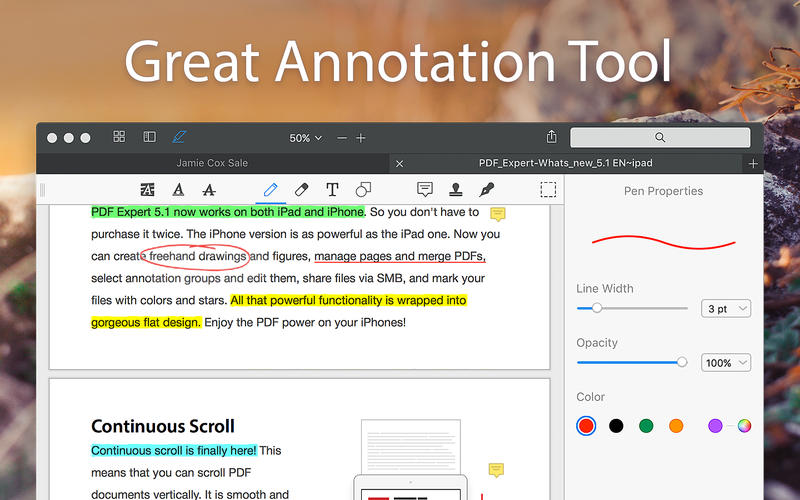
Professional Annotation Tool – From simple changes to marathon editing sessions, PDF Expert lives up to its name. Powerful yet easy-to-use tools are just a click away so you can leave your mark in record time.
Read – An award-winning, lightning-fast, tabbed document viewer will get you through multiple PDFs faster than ever.
Excellent for Form Filling – PDF Expert provides the best experience for filling out PDF forms. Text fields, checkboxes, radio buttons, and other form elements work as you expect, and all the information you enter is saved within the form. Even complex interactive forms with jаvascript work impressively well.
An Easy Way to Sign Documents – Signing document on your Mac is as simple as it could be. Just type your name on a keyboard and PDF Expert will transform it into beautiful handwriting. Or use your Macbook’s trackpad and write with your finger. You can even use signatures already created in PDF Expert for iOS.
Wide Sharing Options – You don’t work alone, and neither does PDF Expert. When it’s time to send documents to clients, coworkers, and everyone in between, PDF Expert has top-notch support for your Mac’s system-wide share sheet and other apps. If an app accepts PDFs, PDF Expert can get them there.
Works across all your devices – Use PDF Expert on any Apple device – Mac, iPad, and iPhone. Use Apple’s Continuity and Handoff features to seamlessly transfer document from one device to another and continue editing where you left.
Compatibility: macOS 10.13 or later, Homepage https://geo.itunes.apple.com/app/id1055273043
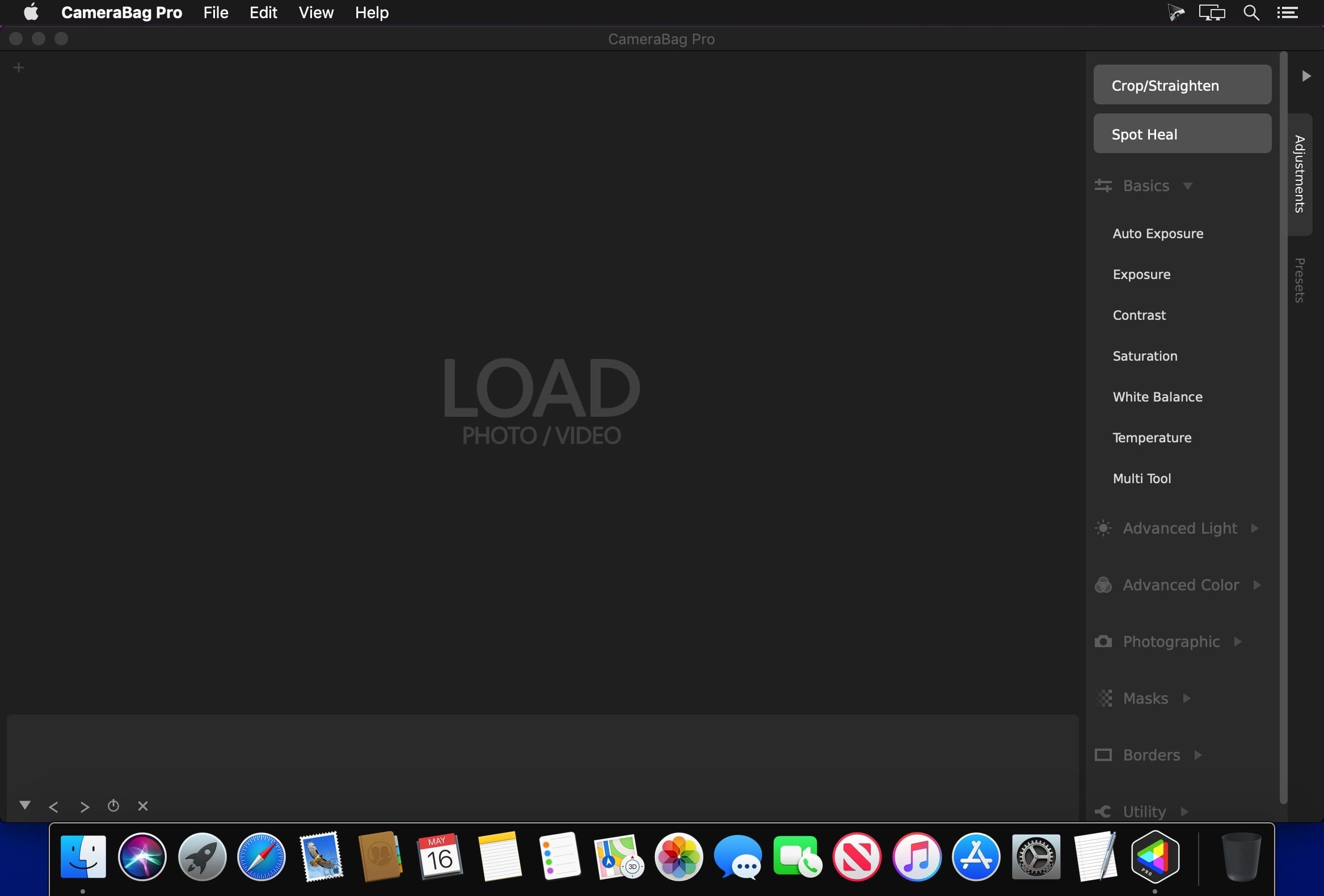
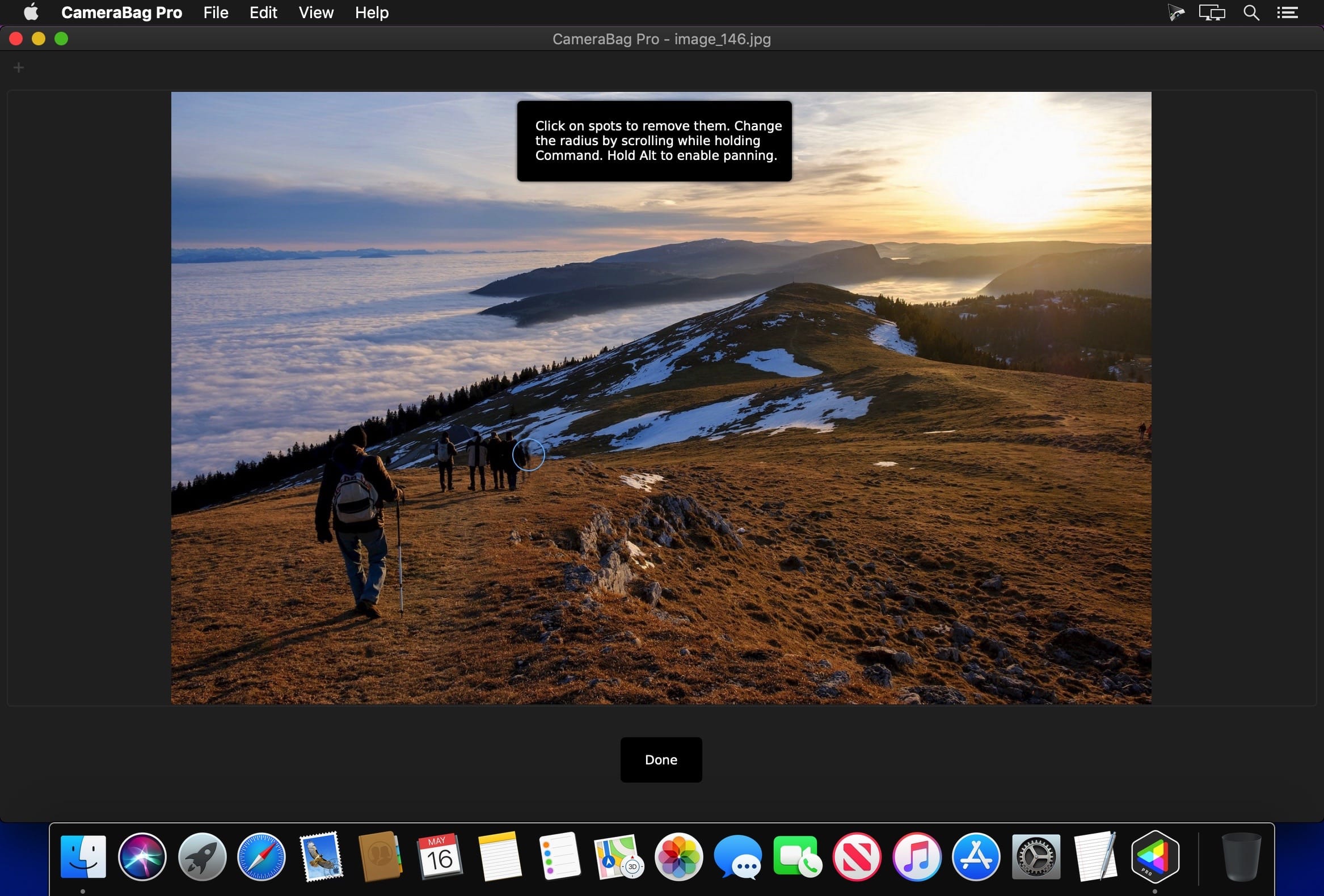
The best kept secret in photography (and videography) just got a whole lot better! CameraBag lets you instantly apply one of hundreds of beautiful presets to your photos and videos, and then dive deeper with ultra-intuitive professional adjustments and custom presets. CameraBag’s focus on intuitive tools and workflows isn’t about dumbing down image editing, it’s about making it work better.
With presets specifically designed for portraits, different landscape scenarios, faithful emulation of analog film stock from the past, popular modern photo styles, and more, CameraBag has you covered, even if you don’t yet know how to use all of its powerful tools.
CameraBag Pro is particularly great for anyone who needs to apply the same style to both photos and videos – especially with batch processing for large sets of media (including watermarks/branding, resizing, and cropping).
For those with professional needs, what really sets CameraBag apart from other photo editors is just how intuitive and powerful its advanced tools are.
Unique curve tools, adjustment re-ordering and layering, and large precise controls let you do things you simply can’t do in other popular software.
Following are some ways CameraBag is perfect for specific groups of users.
Wedding Photography
Easy batch filtering and watermarking
Use the exact same adjustments and filters on videos and photos
Quick comparison tools for large sets of photos
Tons of useful presets for wedding photography
*** CameraBag Pro includes all the same great features as CameraBag Photo, but also works on videos and includes LUT file support! ***
What’s New:
Version 2023.3.0:
Release notes were unavailable when this listing was updated.
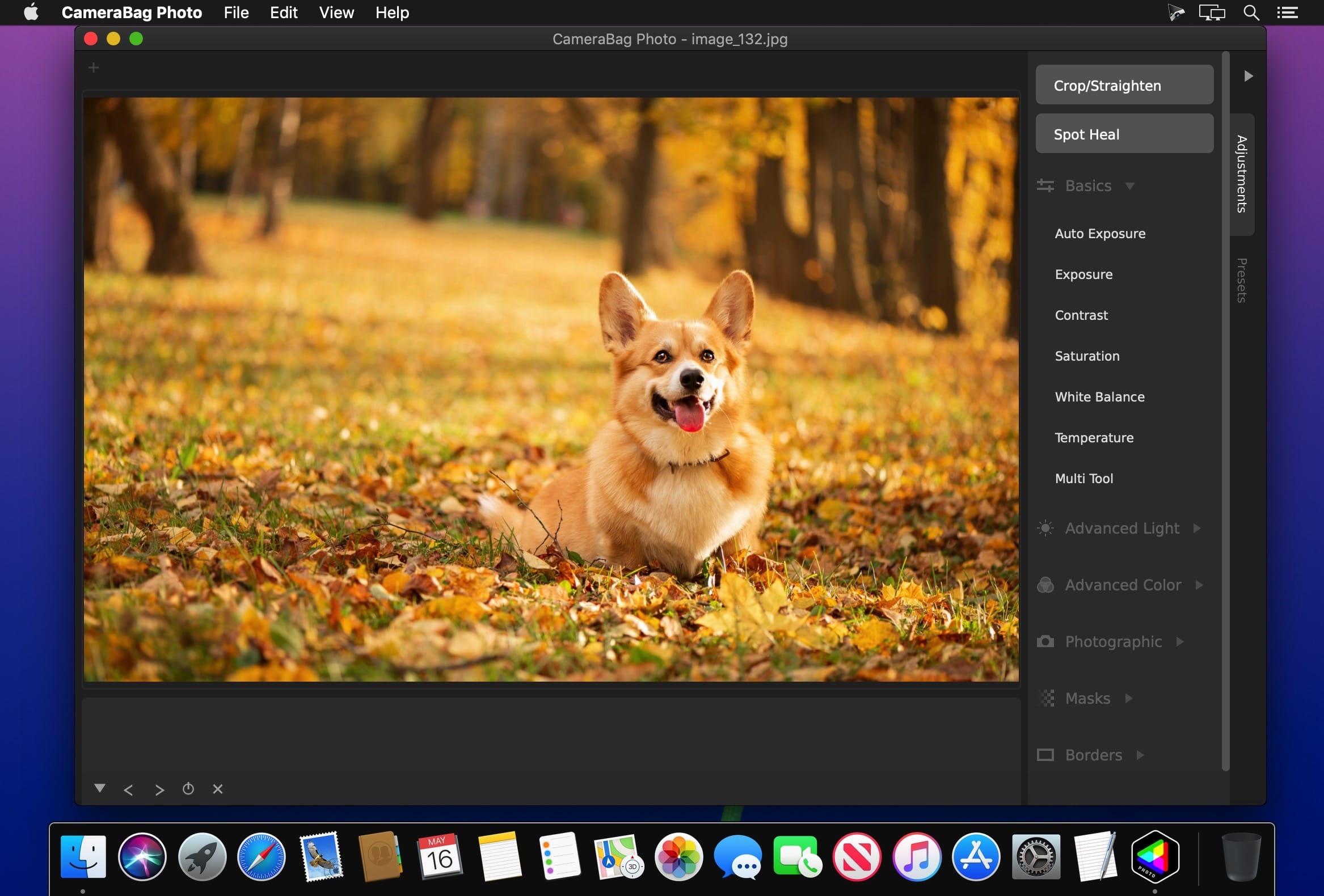
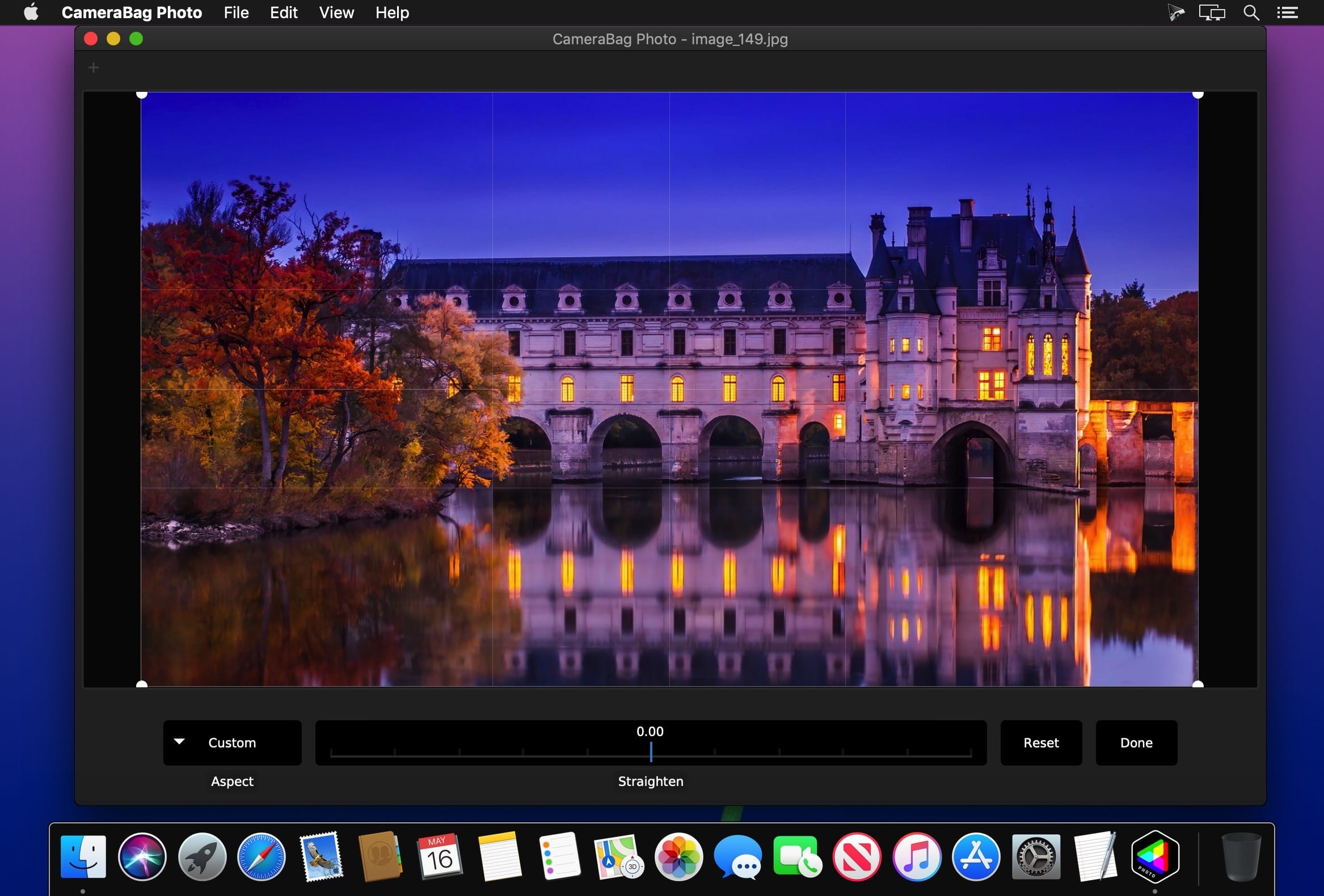
The best kept secret in photography just got a whole lot better! CameraBag lets you instantly apply one of hundreds of beautiful presets to your photos, and then dive deeper with ultra-intuitive professional adjustments.
With presets specifically designed for portraits, different landscape scenarios, faithful emulation of analog film stock from the past, popular modern photo styles, and more, CameraBag has you covered, even if you don’t yet know how to use all of its powerful tools.
For those with professional needs, what really sets CameraBag apart from other photo editors is just how intuitive and powerful its advanced tools are.
Unique curve tools, adjustment re-ordering and layering, and large precise controls let you do things you simply can’t do in other popular software.
Following are some ways CameraBag is perfect for specific groups of users.
Wedding Photography
Easy batch filtering and watermarking
Quick comparison tools for large sets of photos
Tons of useful presets for wedding photography
What’s New:
Version 2023.3.0:
Release notes were unavailable when this listing was updated.
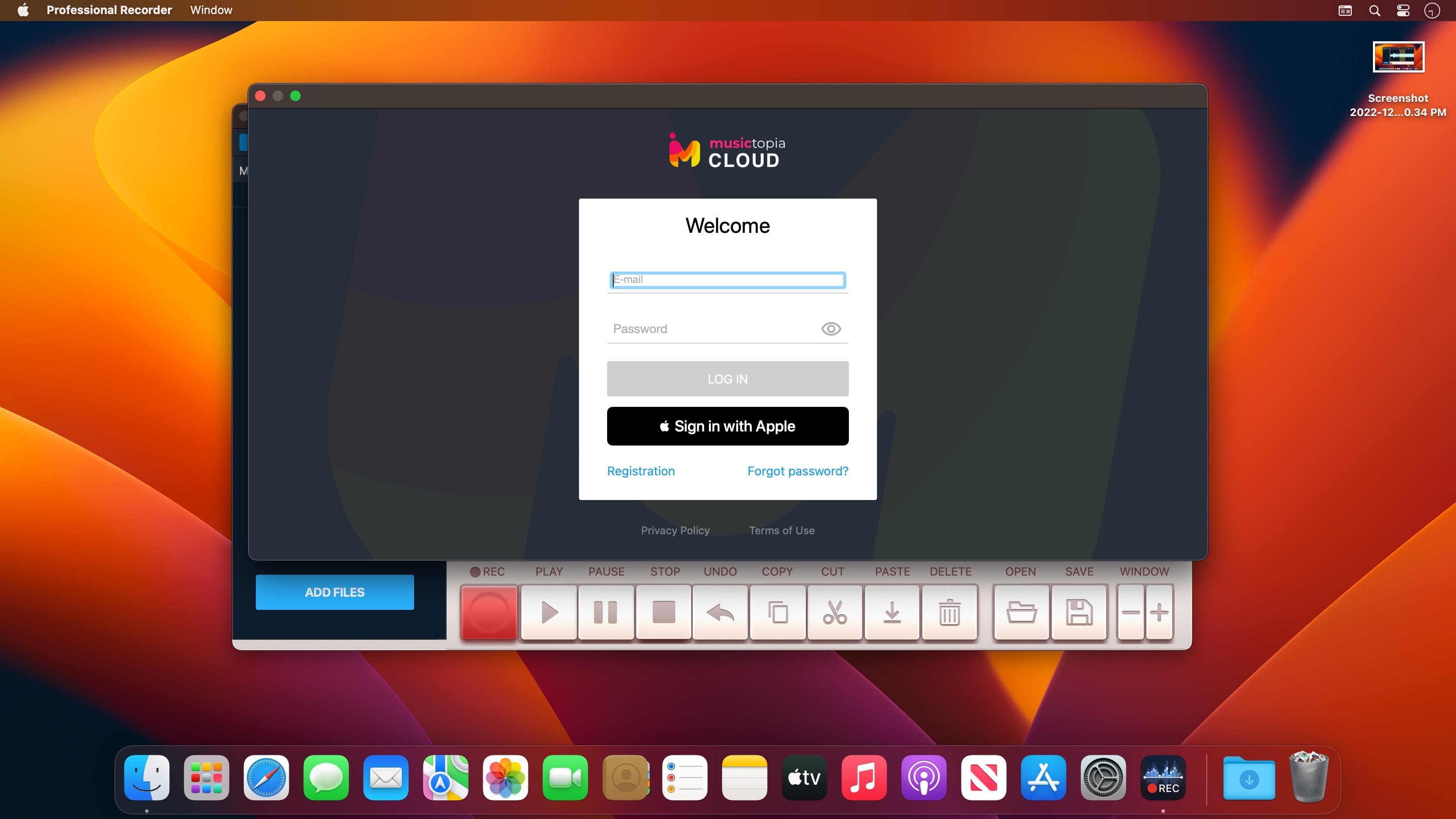
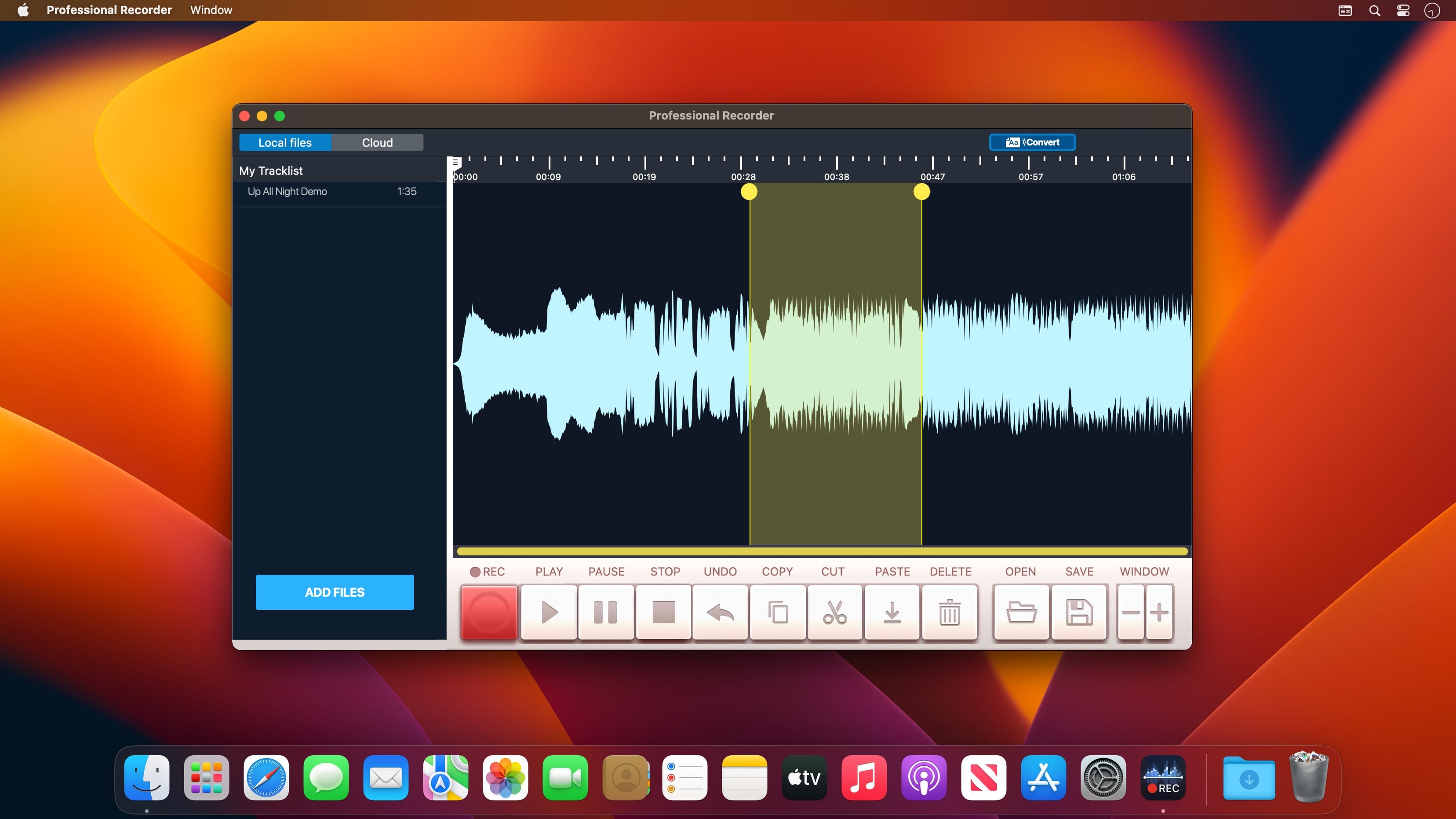
Precise, simple and efficient – these are the three rules implemented in our Professional Recorder! This app offers you only the most essential features which are quite enough for good editing! Elegant interface and powerful effects will help you open the new horizons of sound!
Just upload an audio file and you’ll see it as a waveform. Select the necessary piece of the track and use any effects you need: cut, trim, paste, etc. You can record sound using the mic of the computer or any other plugged-in device. Click the record button to start recording. Click the save button to save the final version.
Professional Recorder features
Real-time recording
Precise adjustments
Intuitive controls and eye-pleasing visuals
High-quality sound and effects
Professional Recorder is a great chance to discover more in music via practice!
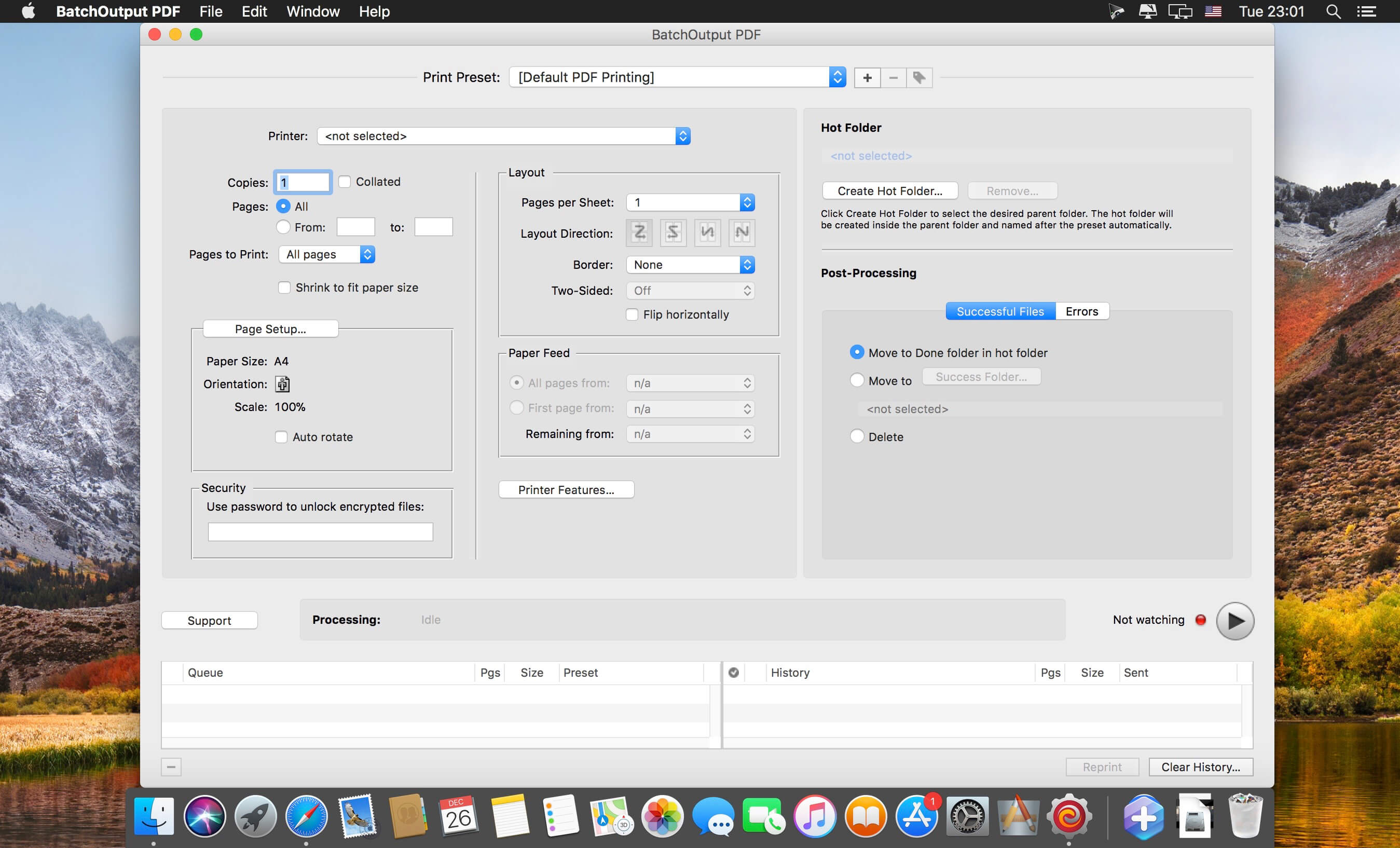
BatchOutput PDF prints PDF files automatically from watched hot folders. Create hot folders for various printing settings, then just drop PDFs there – and BatchOutput PDF will do the rest for you. Keep working with other programs while BatchOutput PDF works in the background. Save time and hassle of opening and printing each PDF manually.
Features
Print PDFs automatically by dropping them into watched hot folders
Create hot folders for various printing settings
A separate Server license which allows to create hot folders on a network
Serve multiple users with a single copy of BatchOutput PDF Server
Move files to success and error folders after processing
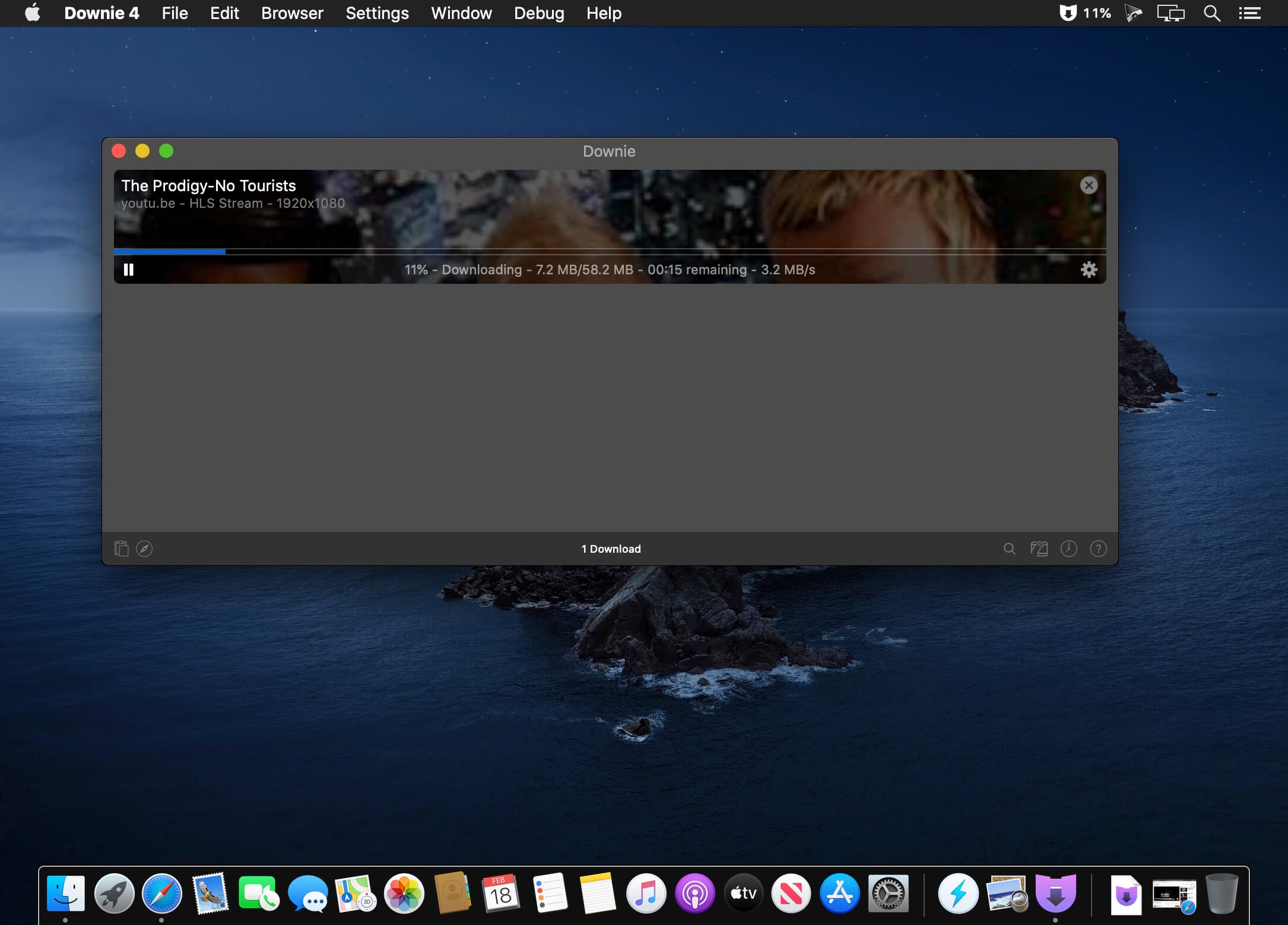
A simple download manager that offers you the possibility to quickly save videos from different websites to your own disk drive.
f you are using a poor internet connection, trying to visualize videos streamlined online might not work properly since the content is loaded too slowly. Downie is a simple Mac app that can help you download those videos to your computer, and then watch them by using your default media player.
User friendly video downloader featuring support for drag and drop actions
Working with Downie is extremely straightforward: simply drop the video URL on top of the app’s main window or on the Dock icon. Downie adds the video to your downloads list, so all you have to do next is start the process by pressing the appropriate button. Of course, you can also remove items from the list.
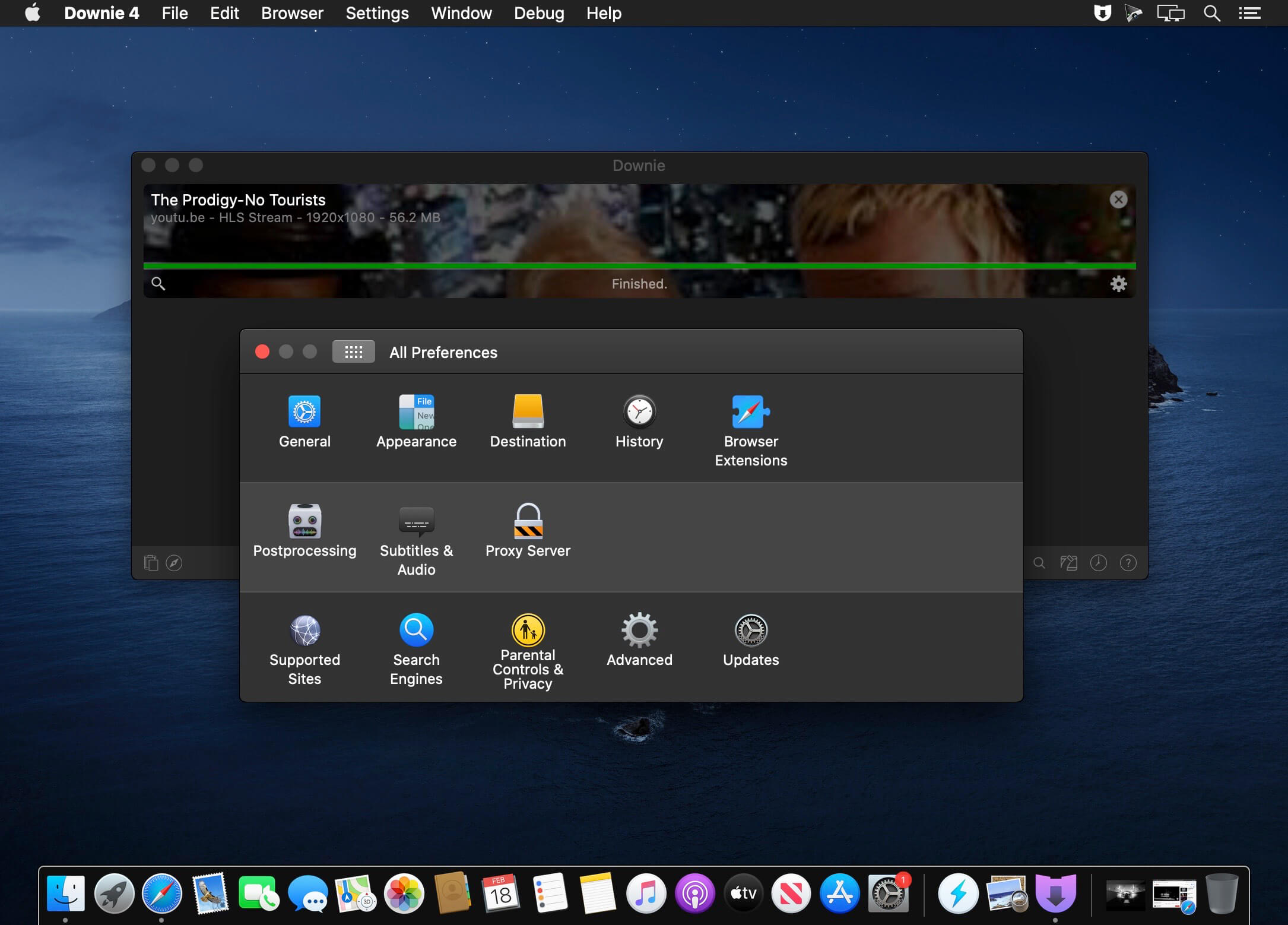
By default, Downie downloads MP4 files and places them in your default Downloads folder, but you can easily change this via the Preferences window. The same area allows you to setup notifications, or post processing actions (convert to MP4 if necessary, or extract audio only).
Effortlessly download videos from a wide collection of hosting websites
Downie provides support for more than 400 different websites that host video content, among which there are the most popular choices, such as YouTube, Apple, LiveLeak, Vimeo, BBC, and so on. If a certain website is not included, within the app you can send a request email to the Downie developers.
Moreover, Downie also provides matching extensions for various popular web browsers, such as Firefox, Safari, Google Chrome or Chromium. The add-ons are not installed by default: open the Preferences window and install only the ones you plan to use.
Straightforward solution for downloading video content hosted online
Downie is a great tool for saving videos posted on various websites to your Mac for offline playback. The application is extremely useful especially if you have a slow internet connection.
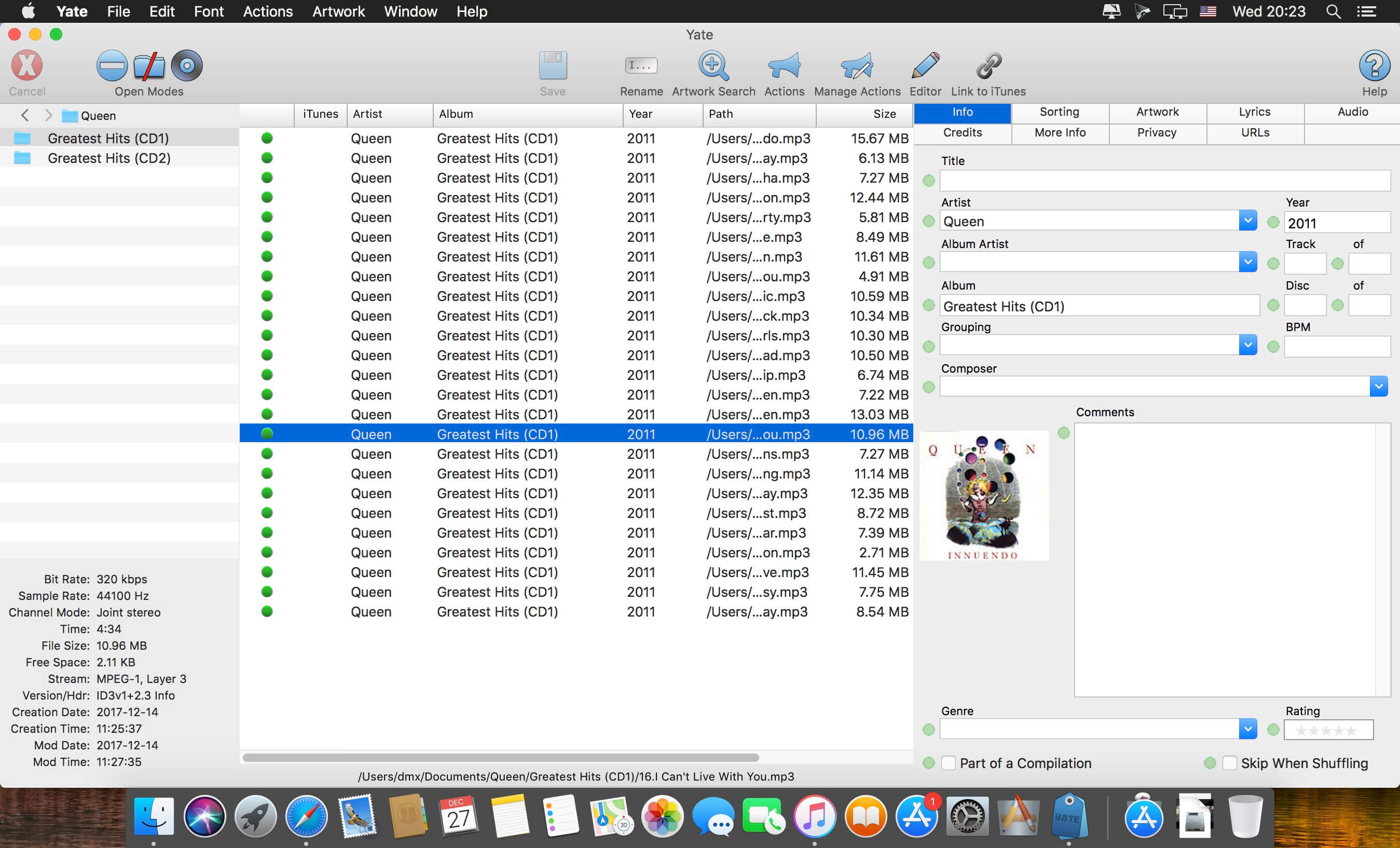
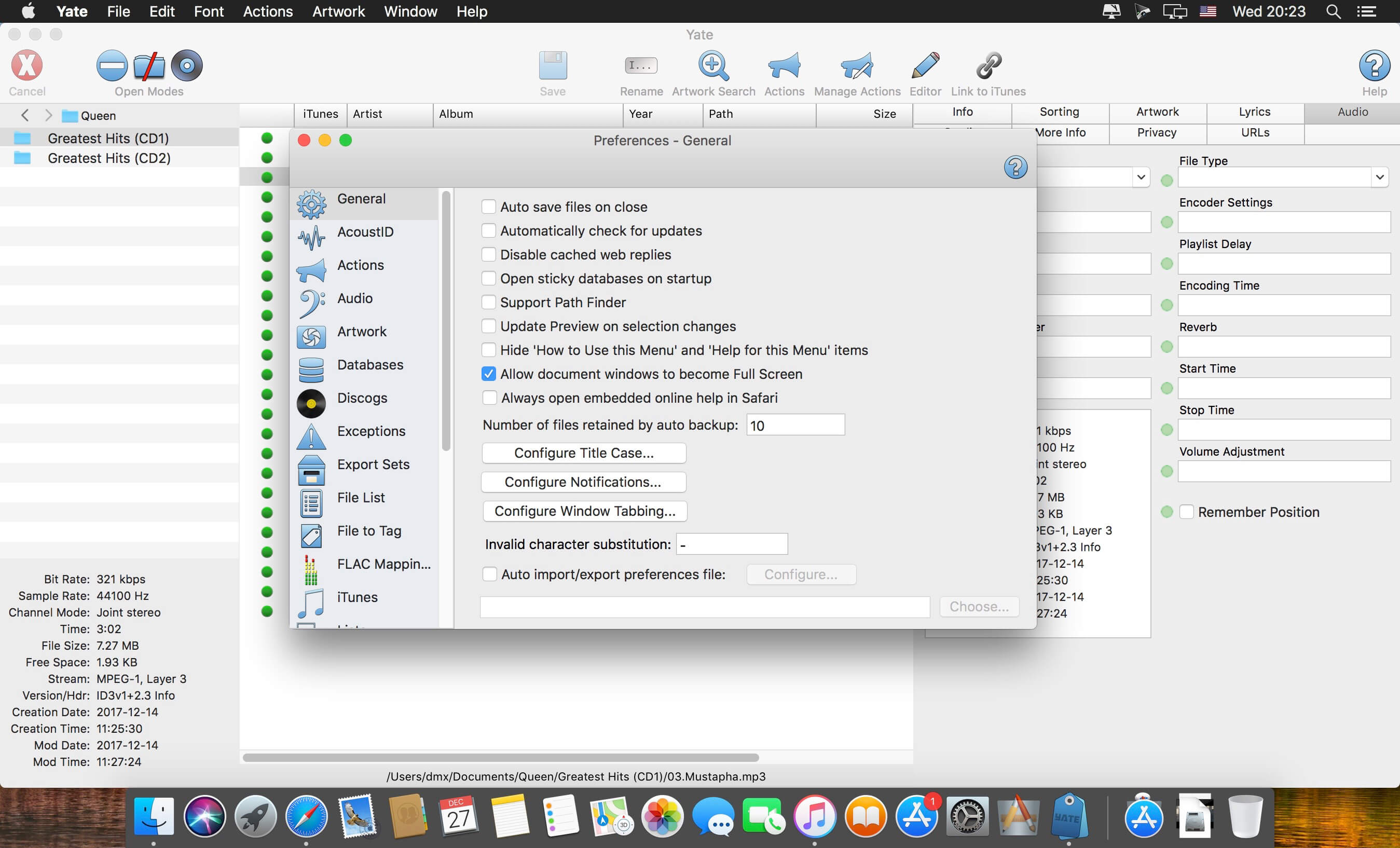
Yate was developed for people who want complete control over their tagging experience. Supports audio in AIFF, DFF, DSF, FLAC, M4A, M4B, MP3, MP4, STEM.MP4 and WAV files. Supports video in M4V and MP4.
Yate has a long list of features; most importantly, an innovative scripting system called actions. Actions can be used to update all of an album’s tags with a single operation. Yate also supports integration with AcouticBrainz, AcoustID, Beatport, Discogs, iTunes and MusicBrainz. All changes can be easily reverted and individual changes can be undone in any order. Whether you want to automatically or manually tag your files, Yate can do it all!
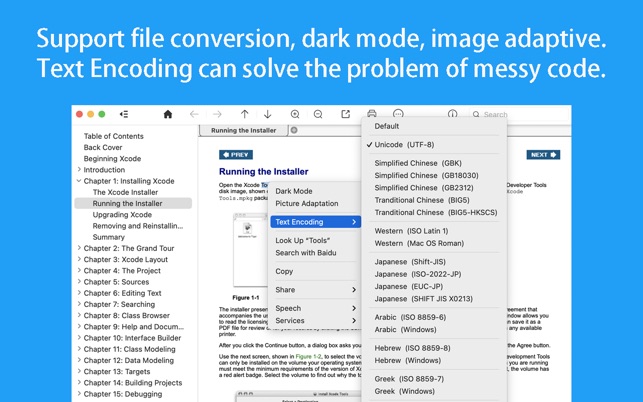
CHM Reader is a lightweight chm file reader, it can help you view your chm files, and export chm to PDF
※ CHM Reader
– Support single page search and full text search, and highlight search results.
– Support the forward and backward browsing history.
– Support page turning, zooming, and sidebar shrinking.
– Support page printing.
– Support CHM to PDF.
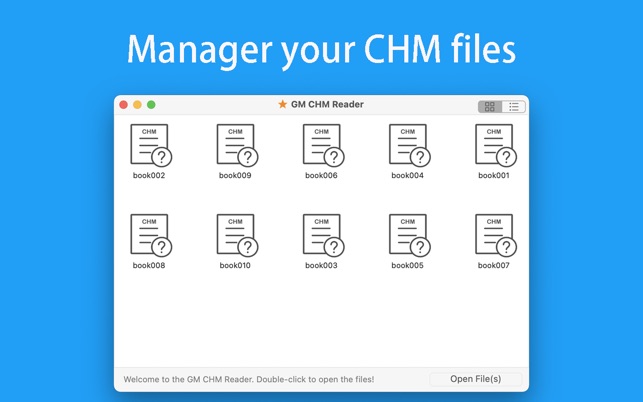
※ Bookshelf
– All the files you have read will be saved in the bookshelf for quick review next time.
– Support file(s) drag and drop addition.
※ Reading Experience
– It can remember the location of the last reading, so that it can continue reading next time.
– Photo adaptation, better layout.
– Support for page zooming using command+ or command- key combinations.
– Support for quick page turns and quick view of history pages using a combination of command and up and down left and right arrows.
– In the process of page reading, you can use the buttons J and K to quickly slide up and down the page.
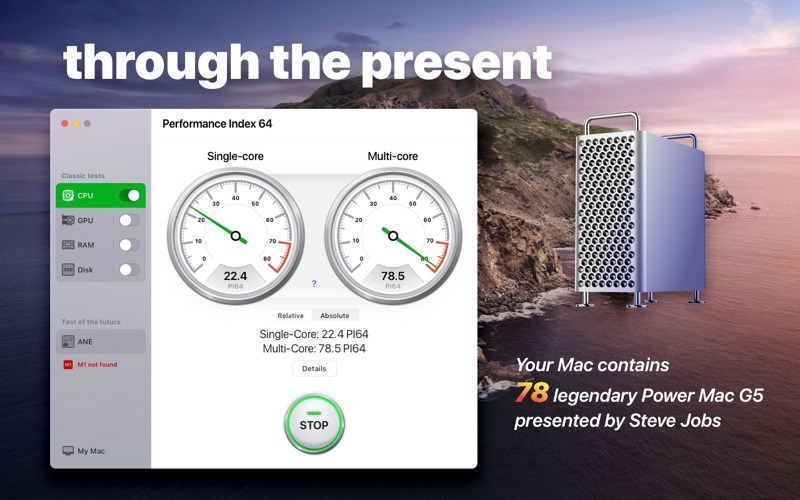
The Performance Index 64 app is designed to compare your Mac with other macOS devices and evaluate performance and efficiency of different configurations.
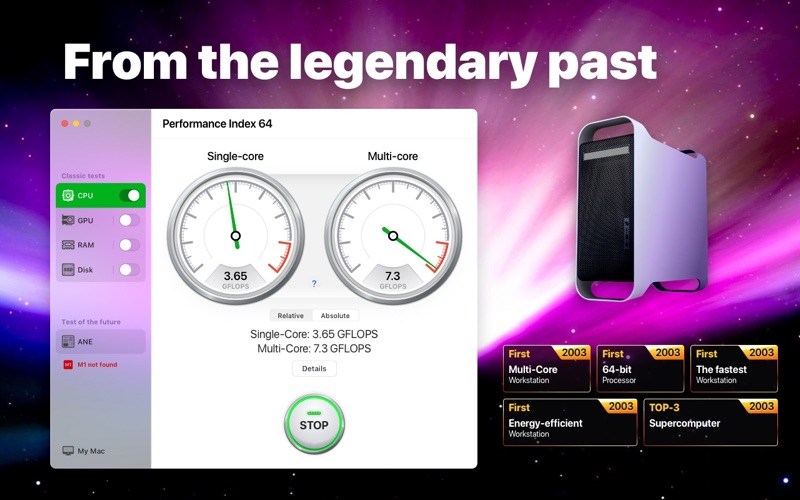
Since we are talking about a 64-bit system, we took the very first 64-bit computer designed by Apple as a conventional unit – the legendary Power Mac G5 first introduced by Steve Jobs in July 2003.
Powered by the PowerPC processors, the Power Mac G5 was so effective and energy efficient that in autumn 2003 a group of enthusiastic students introduced the System X supercomputer, combined with 1100 of such desktops. This supercomputer became a real technological breakthrough, taking third place in the TOP-500 rating.
Nowadays, such a result would be impossible. If we would have combined a similar configuration of 1100 top 64-bit desktops, the resulting supercomputer wouldn’t even be included in the TOP-100 of the world ranking.
With the help of our application you can find out how much of the legendary Power Mac G5 your Mac contains.
Support archive files and folder to encrypted zip&7z
Quicklook files in archive before extraction.
MAIN FEATURES
Extract extract compressed files in all most formats(over 50 formats).
Unzip, unrar encrypted archives.
Preview and open the file in winmail.dat sent from Microsoft Outlook
Easy view of an archive’s file list.
Quicklook files in archive before extraction.
Unarchive & unrar the selected individual file or folder in the archive.
Double click to display or extract directly after setting this APP as default archiver.
Drag archives to the dock icon to extract or display directly.
Batch decompress many archives
Create password-protected ZIP & 7Z archives.
AES256 encryption algorithm to create ZIP & 7Z archives.
Drag the file in archive to the desktop to extract directly
VERSION INTRODUCTION
RAR Extractor: a lite version the first-generation product, supporting decompress all most of formats of archives and compress files to rar and 7z packages.
RAR Extractor Pro: a pro version the first-generation product, supporting decompress all most of archives, meanwhile, it supports view the contents of archive before extraction.
RAR Extractor Max:based on the first-generation app, we redesigned the UI and improve the functionalities
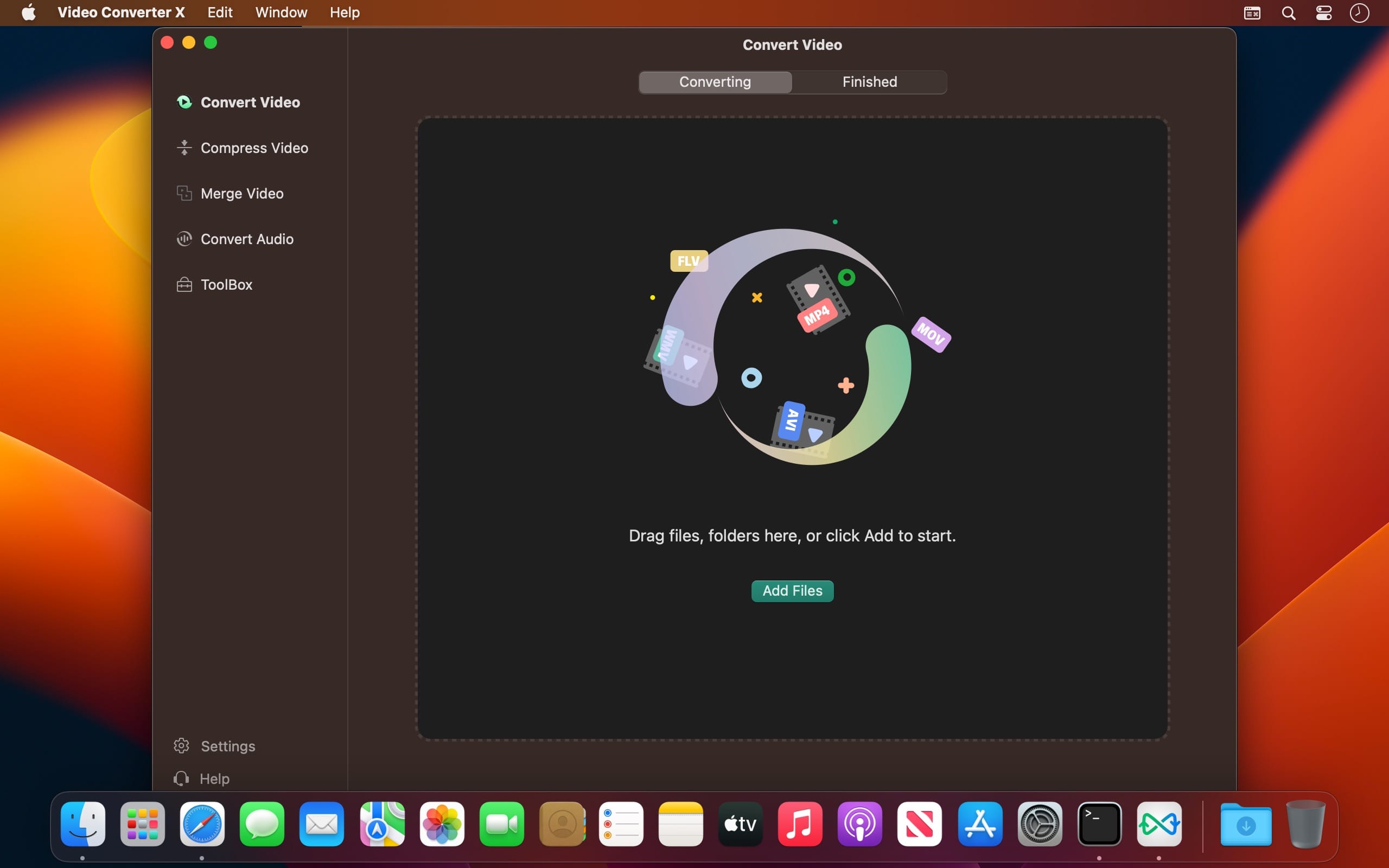
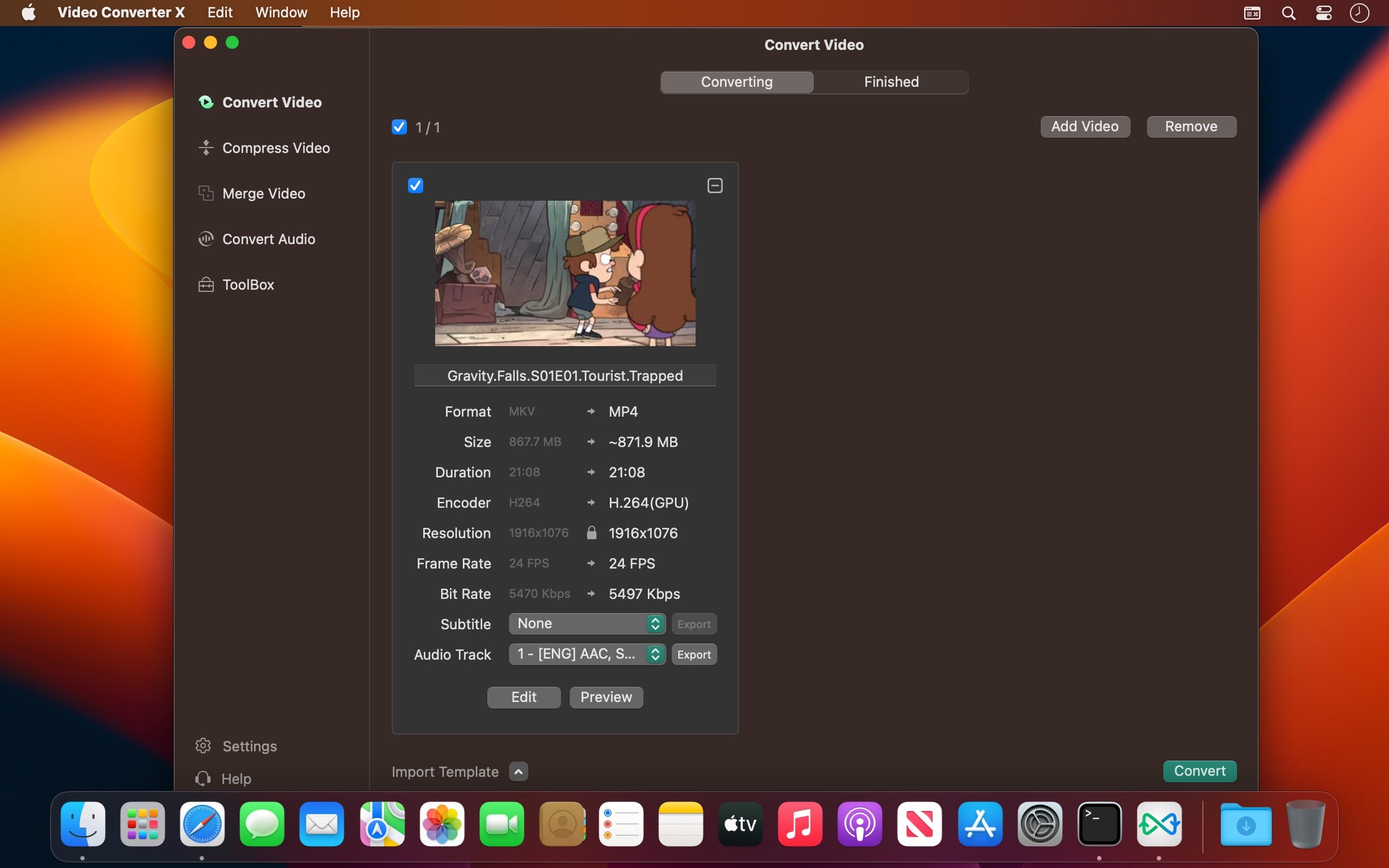
Video Converter X2 is a full-featured format conversion software that supports converting almost all multimedia file formats, including video MP4, AVI, 3GP, WMV, MKV, VOB, MOV, FLV; audio MP3, AC3, FLAC, AAC, M4A, AIFF, WAV, etc.
Video Converter X2 has built-in format templates optimized for different devices, such as Mac, iPhone, iPod, Android, Windows, TV, etc., so you don’t need to worry about what formats correspond to different devices, but just select the device type you need from the template list of Video Converter X2, and start converting easily.
Features
Support almost all types of multimedia formats and easily convert them to the format you want.
Support choose built-in subtitle or load from external SRT, SSA file.
Support choose from multiple audio tracks.
Video File Compression helps you to reduce your video file size, It saves space on your hard drive.
Support templates for Mac, iPhone, iPod, Android, Windows, TV and other devices in specified formats.
Support common website and application formats Built-in video format templates optimized for WeChat, Bilibili, Facebook, Instagram, Youtube, so the conversion operation can be done in one click.
Fast video merging support merging multiple video files. Even if the original formats are different, they can be perfectly combined into a new file.
WonderPen is a powerful and easy-to-use writing app, whether you are a writer, a student or a writing enthusiast, you can use it to complete your writing.
Features:
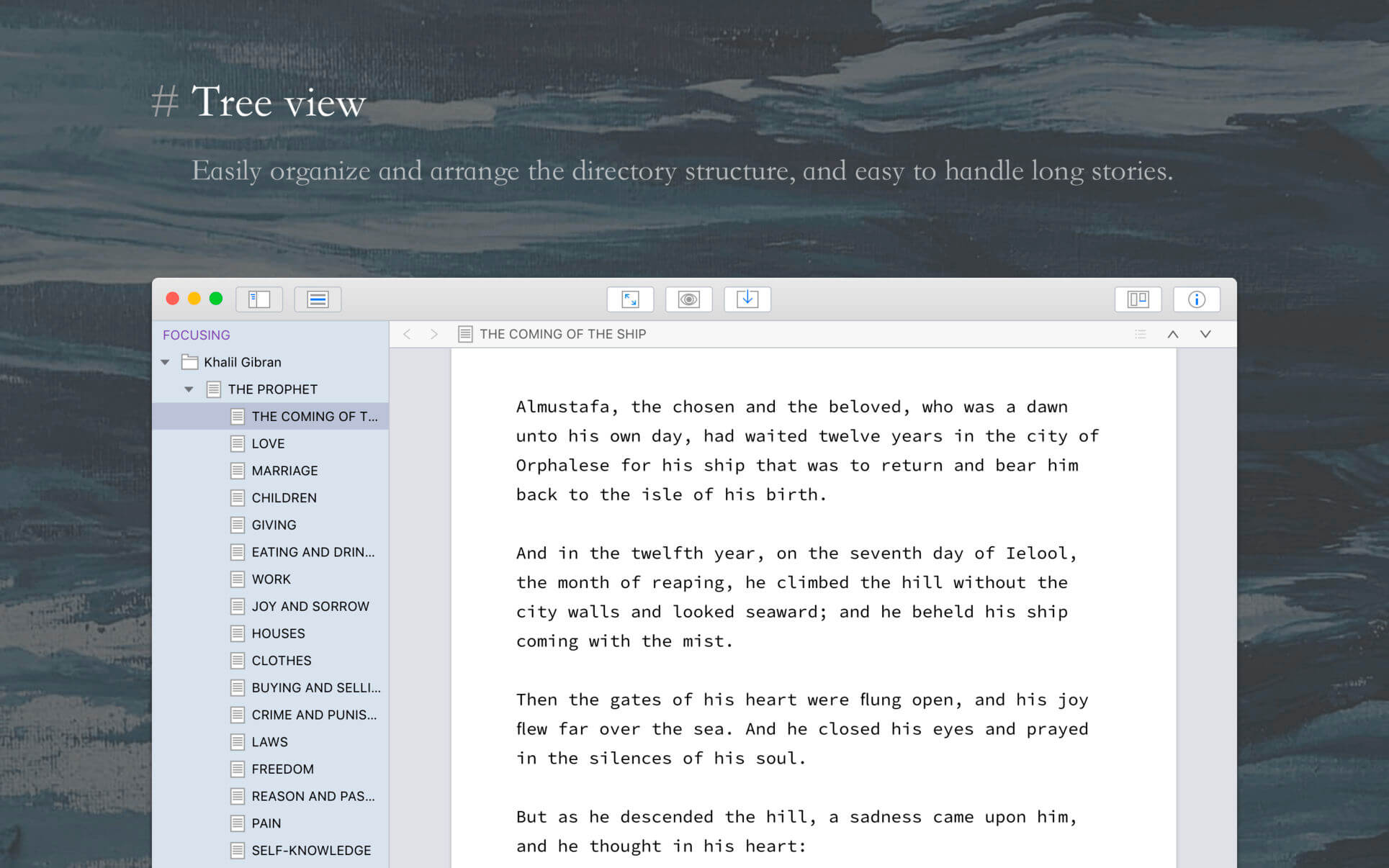
Tree view, drag-and-drop to reorder.
An easy-to-use text editor that supports Markdown.
Supports full-screen mode, lets you focus on writing.
Docs can be exported as Image, PDF, HTML, etc.
Auto save while editing. You can backup all docs as a single file and restore from it later.
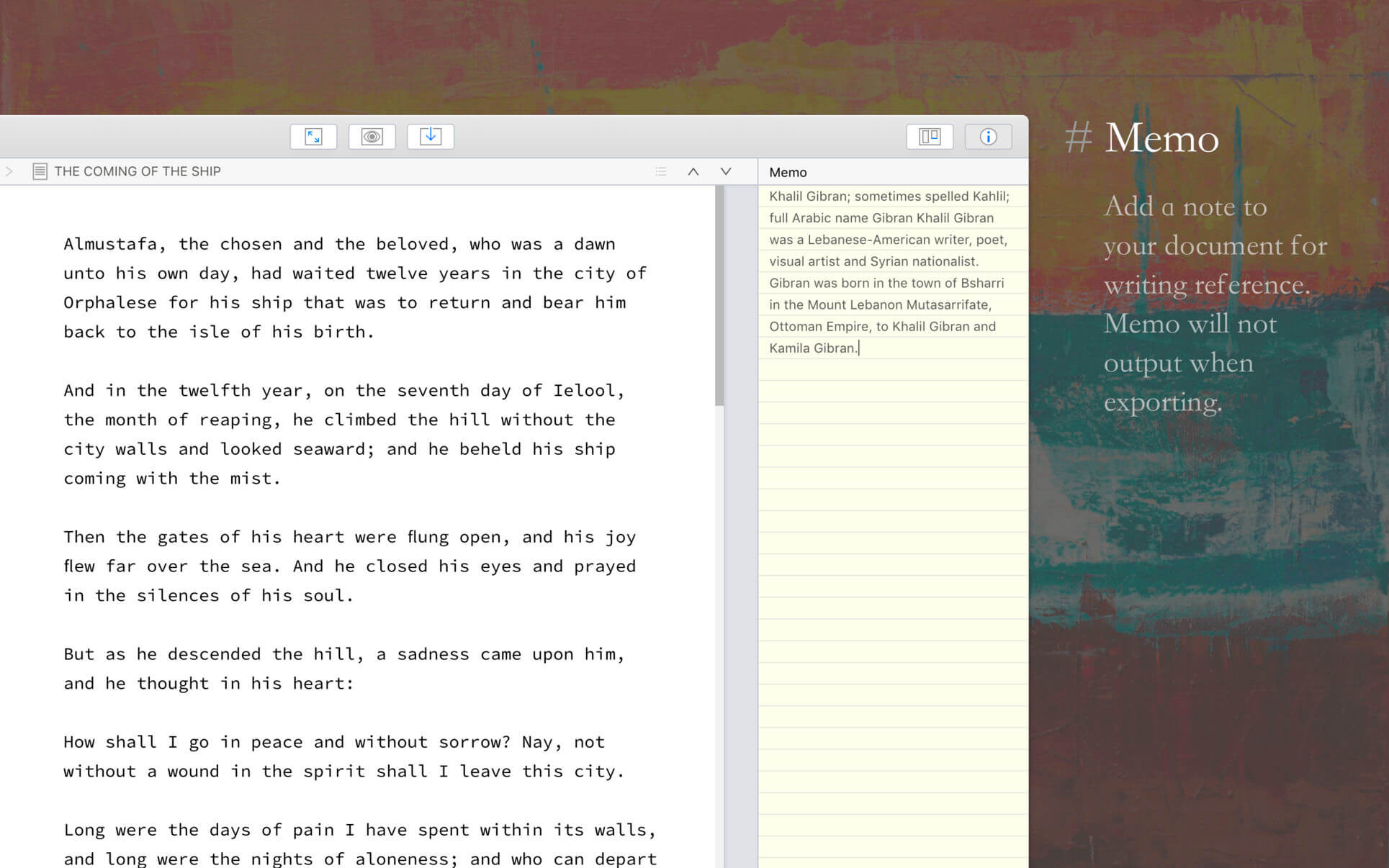
Add memo for each doc.
Focus on one node of the doc tree.
Search in all docs.
Automatic backup.
Support
Hope you enjoy this app. If you have any questions or suggestions about using it, you can contact us via the “Feedback” option in the “Help” menu