Flux 6.0.24

Flux 6 icon

Description

Name: Flux
Version: 6.0.24
Mac Platform: Intel
OS version: 10.11
Processor type(s) & speed: 64-bit processor

Courtesy of C.O.R.E.


Web Site: http://www.theescapers.com/flux/


Overview
What is Flux?
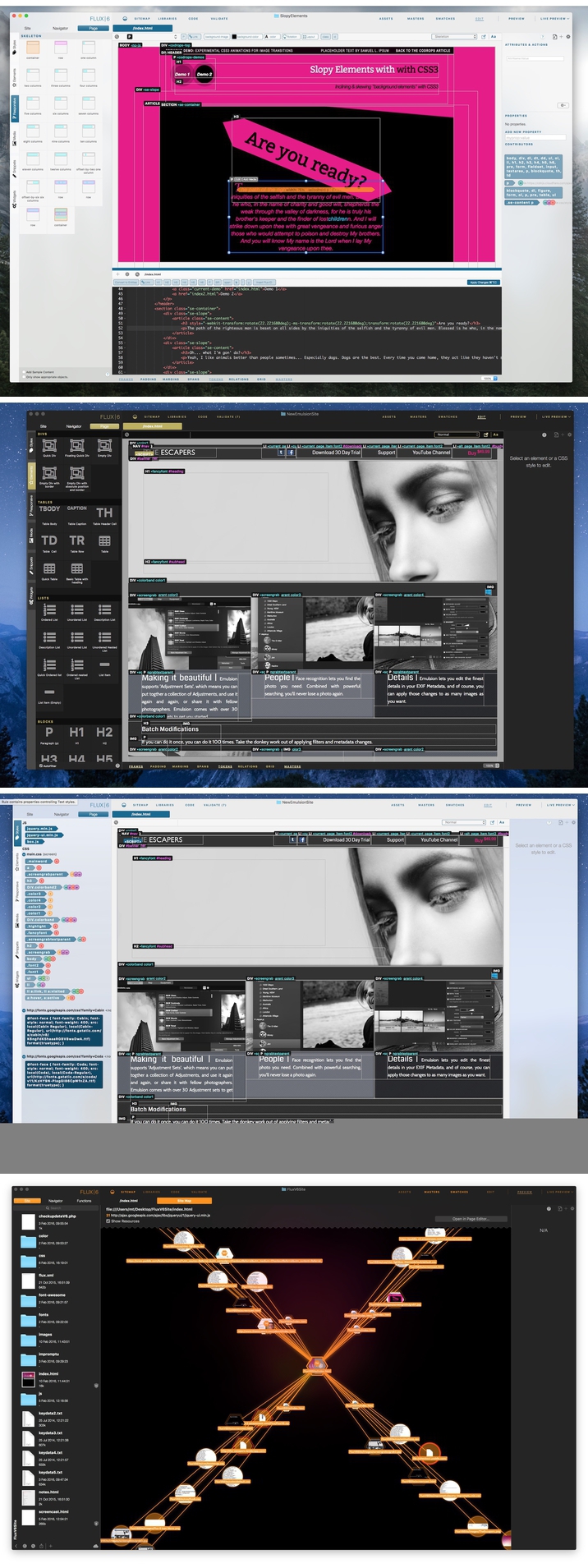
Flux is an application for designing websites, visually and using hand coding. You can start with a template, or with a blank page, it's up to you. You can handcode, or never touch a single byte, it's all your decision.

What You See Is What You Get
Flux has an amazing WYSIWYG rendering engine, which means you can drag, stretch, and move objects like a you can in a DTP application, and your webpages will look exactly how you intended. Flux will generate all the code for you, with no unneccesary tags.
Size, position, even margins and padding can be altered with handles on the elements themselves. If the properties are stored in external CSS stylesheets, these are automaticaly updated, and yes, you can still hand-code, Flux will understand your code. Flux doesn’t make a distinction between typed code, or objects created by Flux, you can create anyway you like, and Flux will understand.


Whats new:
Change log not ready at time of post.

Video

Screenshots

Name Flux 6.0.24
Size 95.57 MB
Created on 2016-05-07 23:51:40
Tracker http://109.235.50.166:2710/announce
Hash 4dddd72e656c3cfcabbff8f48f2359dcea68d5f4
Files Flux 6.0.24/CORE Keygen.zip (589.2 kB)
Flux 6.0.24/Flux 6.0.24.zip (94.98 MB)

Panotour Pro 2.5.3

Description

Name: Panotour Pro
Version: 2.5.3
Mac Platform: Intel
OS version: 10.9.5 or higher
Processor type(s) & speed: 64-bit processor

More specs: http://www.kolor.com/wiki-en/action/view/Frequently_Asked_Questions_-_General#What_is_the_required_computer_configuration_to_use_the_latest_version_of_Panotour.3F


Includes: Serial


Web Site: http://www.kolor.com/panotour/


Whats new:
Change log not ready at time of post.


Overview
Panotour Pro enables you to create professional-quality, highly-customized virtual tours in minutes.

Zero programming - Panotour revolutionizes the creation of interactive virtual tours by freeing you from programming tasks. Everything is done in a few clicks using the software's intuitive interface.

Multiple formats accepted - You can add and create interactions between images of any size (up to 360° x 180°) and almost all graphic formats (JPG, PNG, PSD/PSB, KRO, TIFF and RAW files from most cameras).

Customizable layout - The Panotour interface is customizable. You can enable or disable certain components, move them or even turn them into independent windows.

Screenshots

Name Panotour Pro 2.5.3
Size 137.9 MB
Created on 2016-05-08 23:55:42
Tracker http://109.235.50.166:2710/announce
Hash 76c3f90b2cd154f5748fe3aacd0cf1859ad66466
Files Kolor Panotour Pro 2.5.3/Panotour Pro 2 SN.pdf (30.04 kB)
Kolor Panotour Pro 2.5.3/PanotourPro_Mac_253_2016-04-28.dmg (137.8 MB)

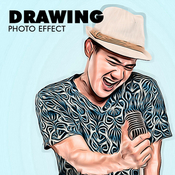
Graphicriver Drawing Photo Effect 13198824

Name GraphicRiver – Drawing Photo Effect
Size 3.83 kB
Created on 2015-10-19 20:32:32
Hash 658334c499add29353a65278615aa42633d038d5
Files GraphicRiver – Drawing Photo Effect/GraphicRiver – Drawing Photo Effect.zip (3.83 kB)

Descriptions for Description

Graphicriver Drawing Photo Effect 13198824


More information: http://graphicriver.net/item/drawing-photo-effect/13198824

Screenshots

Graphicriver 13 Cross Hatch Scatter PS Brushes 13268249

Name GraphicRiver – 13 Cross Hatch Scatter PS Brushes
Size 71.10 kB
Created on 2015-10-19 20:18:51
Hash fed70e624966930244a476dfa12ba9e80d57efd9
Files GraphicRiver – 13 Cross Hatch Scatter PS Brushes/GraphicRiver – 13 Cross Hatch Scatter PS Brushes.zip (71.10 kB)

Descriptions for Description

Name: 13 Cross Hatch Scatter PS Brushes
Created: 14 October 15
Last Update: 14 October 15
Add-on Files Included: Photoshop ABR
Works With: JPG
Minimum Adobe CS Version: CS


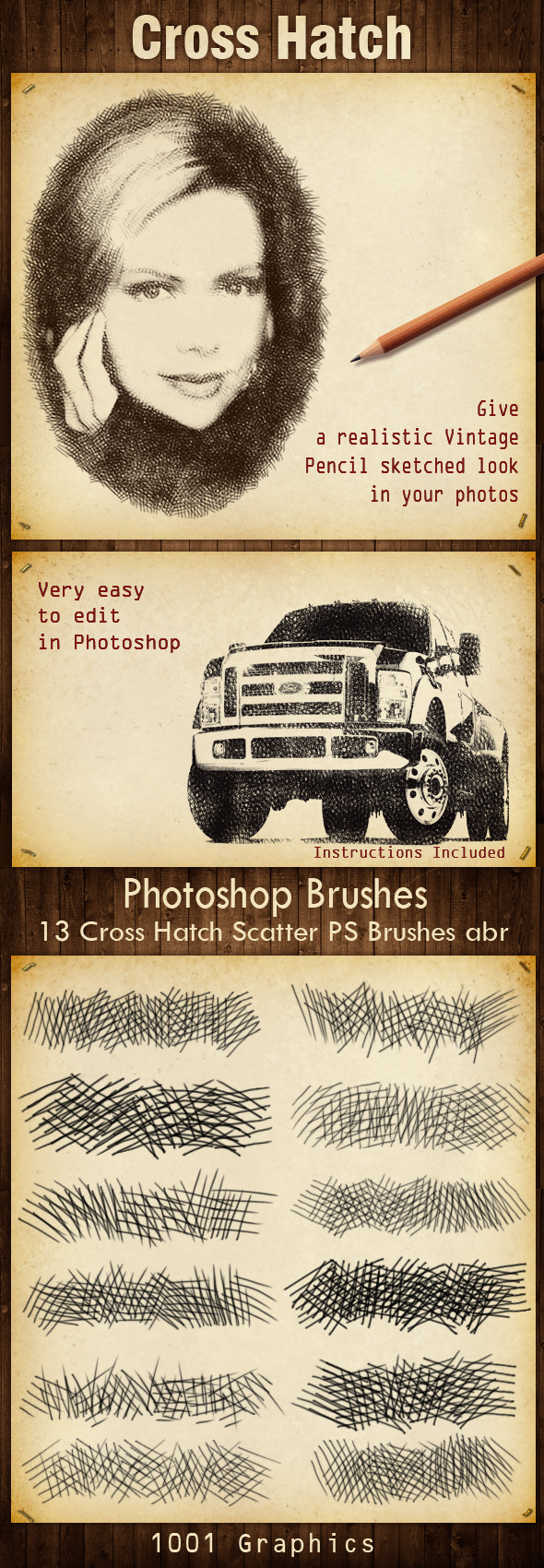
13 Cross Hatch Scatter PS Brushes abr 
Give a realistic Vintage,Pencil sketched look in your photos.
Very easy to edit in Photoshop.
Instructions included.


More information: http://graphicriver.net/item/13-cross-hatch-scatter-ps-brushes/13268249

Screenshots

Graphicriver Overpainted Photoshop Action 13270812

Name GraphicRiver – Overpainted Photoshop Action
Size 115.7 kB
Created on 2015-10-19 20:06:22
Hash 15bc241a455de797b99135c66376d0c6b2b1edac
Files GraphicRiver – Overpainted Photoshop Action/GraphicRiver – Overpainted Photoshop Action.zip (115.7 kB)

Descriptions for Description

Name: Overpainted Photoshop Action
Created: 14 October 15
Last Update: 14 October 15
Add-on Files Included: Photoshop ABR, Photoshop ATN
Minimum Adobe CS Version: CS2


Features:

Action keeps original image untouched;
Useful from 1500px to 4500px width images;
Easy to change colors;
2 styles;
3 background patterns;
ALWAYS DIFFERENT RESULTS;

Action has been tested and works in CS2, CS3, CS4, CS5, CS5.5, CS6, CC, CC 2014, CC 2015 versions. Action works only in English version Photoshop.


The package contains 3 files:
・Overpainted.ATN;
・brush.ABR.
・readme.TXT;


More information: http://graphicriver.net/item/overpainted-photoshop-action/13270812

Video Tutorial

Screenshots

Graphicriver Soft Focus 3 Photoshop Action 13257536

Name GraphicRiver – Soft Focus 3 Photoshop Action 13257536
Size 17.28 kB
Created on 2015-10-19 19:43:59
Hash bd9cfee04873b3e97ab54291edde13bbacbb00b8
Files GraphicRiver – Soft Focus 3 Photoshop Action 13257536/GraphicRiver – Soft Focus 3 Photoshop Action 13257536.zip (17.28 kB)

Descriptions for Description

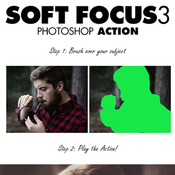
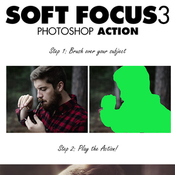
Name: Soft Focus 3 Photoshop Action
Created: 13 October 15
Last Update: 24 October 15
Add-on Files Included: Photoshop ATN
Works With: PSD
Minimum Adobe CS Version: CS5


Soft Focus 3 Photoshop Action

Create a lovely soft look to your photos with this action. It is very easy to use and allows for great customization after the action has finished playing back. You have 8 preset color looks to choose from and have the possibility of combining them for more looks. Please watch the video tutorial for techniques on getting the most out of the effect.
The action has been tested and working on Photoshop CS5,CS6,CC+

The action will ONLY WORK IN THE ENGLISH VERSION OF PHOTOSHOP . If you are not using the English version of Photoshop, you can always change it to English and then back again to your native language using this method.

Stock Photo credits:

Phelan Davion
Marcus Ranum
Tips & Help

If you need assistance with this action or any others, please visit the help page here. This page covers FAQ, general knowledge about the actions and ways you could make money with them. My email address is listed on the help page if you are still stuck.
Tested

Each action is thoroughly tested across between 50 – 150 different photos to ensure there are no errors. In the case where you do experience an error, please firstly visit the help page and then contact me via email if you are still having troubles.
The Best Results

For the best results, it is recommended to use high resolution photos in the range of 1500px – 3500px. The optimal range is from 2500px – 3500px. The detail and clarity in the effects generated by the actions reduce the smaller your photo is.
Organised

After each action has finished playing, it creates a well organised layer structure. Each layer and folder are named appropriately and color coded to create a neat working environment for you. Not only is the layer structure organised, each action comes with a highly detailed video tutorial teaching you about how each layer affects the design and how you can make customisations to it. Here is my YouTube channel.
Time Saving

SevenStyles Photoshop Actions are designed to save you hours, days, weeks or months of work. They are created in a way that both Photoshop beginners and experts can use, saving you lots of time working on both personal or commercial projects.
Earn Money

SevenStyles Photoshop Actions are the fastest selling on GraphicRiver and can earn you a great passive income. How? simply refer people through your social media pages to this action or another other SevenStyles action! Make sure to sign up as an affiliate so you can add your referral code to any link you post.
Share your creativity!

Created something awesome with SevenStyles Actions? Share your designs on the SevenStyles Facebook page and inspire others to apply the effects in ways they may not have thought of.
Combine actions

If you own multiple actions, have you thought about stacking the effects to build even more advanced designs? Below there are over 70 actions to choose from – this is where you can get really creative!

How do I combine actions?

Run the first action on your photo.
Once you are happy with the design, save your image out.
Now re-open your image and run another action!
You can then use the 2nd actions layer flexibility to further customize the design. You can follow this process and stack effects to build incredibly detailed designs with very little work.


More information: http://graphicriver.net/item/soft-focus-3-photoshop-action/13257536

Video

Screenshots

AnyTrans 4.9.3

Description

Name: AnyTrans for Mac
Version: 4.9.3
Language: Multilingual
Release Date: 04 21 2016
Mac Platform: Intel
OS version:OS X 10.8 or later
Processor type(s) & speed: 64-bit
iTunes Version: iTunes 9 or later 

Includes: Serial 

More info: http://www.imobie.com/anytrans/


Overview:
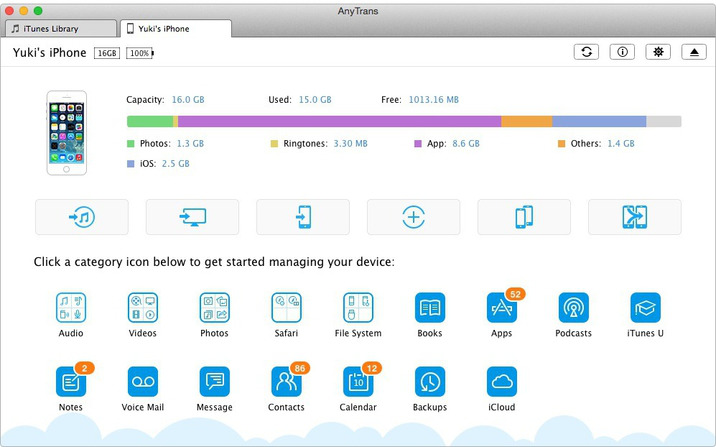
AnyTrans is a complete iOS content manager software. It gives both control and freedom over all iOS data and files, including music, videos, photos, messages, books, Safari history, voice memos, etc. No matter whether the content is on an iPhone, iPad, iPod or iTunes backup or even from iCloud. 


Features
 ・AnyTrans is the only solution that supports trans-coding and optimizing any videos to iPhone friendly format on the fly, so that users can watch any videos upon every Retina display, with the best quality possible. 

・AnyTrans leads a new trend of transferring and managing iOS content not only on an iDevice, but also get control over the data and files saved on iTunes library, iTunes Backup and iCloud. 

・AnyTrans is the first iOS manager software that gives users versatile options to install / uninstall apps, backup and clone apps along with the associated data from iPhone, iPad to computer, to iTunes or to another iDevice. 

・Most comprehensive - covering almost everything used in daily life, AnyTrans also works for copying and backing up users personal data, like messages (even the images and audio files inside), notes, Safari bookmark and history, in any format as needed. 

・Most capable - By allowing full access and highest priority to the iOS file system, AnyTrans is one and the very few iOS manager software showing users a new sense of "you're more powerful than you think". 


What's New in Version 4.9.3:
・Fixed the bug of not transferring message attachments when merging data.
・Updated to support the latest iOS 9.3.
・Fixed some minor bugs.

Screenshots

Name AnyTrans_v4.9.3.zip
Size 26.02 MB
Created on 2016-05-02 01:11:10
Hash 9ef69c8b52571eb7d5484b8d5629d3ad63893738
Files AnyTrans_v4.9.3.zip (26.02 MB)

CodeKit 2.8

Description

Name: CodeKit for Mac
Version: 2.8
Language: English 
Release Date: 29 Apr 2016
Mac Platform: Intel
OS version:OS X 10.8 or later 
Processor type(s) & speed: 64-bit

Includes: Patch

More info: http://incident57.com/codekit/index.html


Overview:
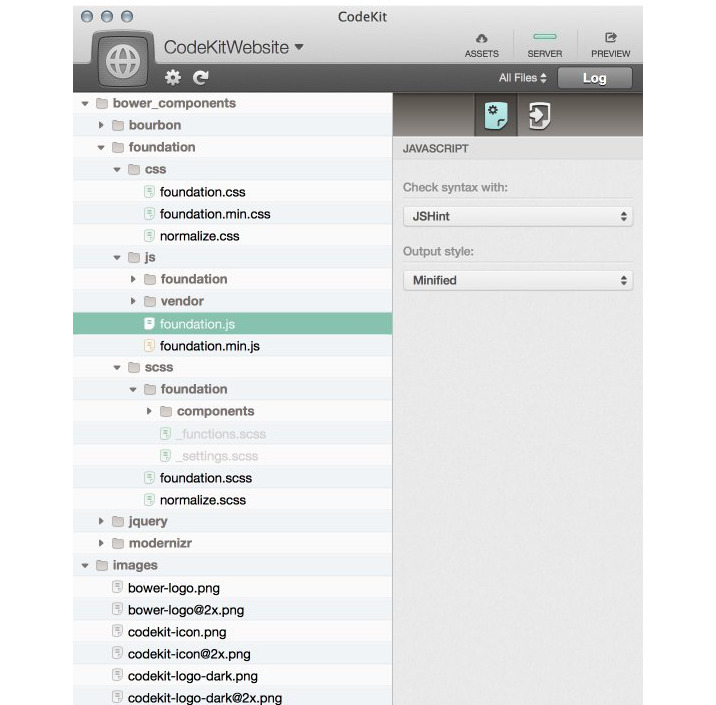
CodeKit helps you build websites faster and better. 


Features
・Compile Everything: - Process Less, Sass, Stylus, Jade, Haml, Slim, CoffeeScript, Javascript, and Compass files automatically each time you save. Easily set options for each language. 

・Live Browser Reloads: - Instantly see changes in your browser, with animation and without hitting the refresh button or installing plugins. Great for tweaking layouts! 

・Combine and Minify: - Reduce load times by mashing Javascript and CoffeeScript files together and then minifying with Uglify.js. It's so easy, you'll giggle like a schoolgirl. Seriously. 

・Optimize Images: - Losslessly reduce JPEG and PNG file sizes with one click and see the savings. One less thing to do at deployment. (More compression options coming soon!) 

・JSHint and JSLint: - Makes debugging scripts fun and easy. Instantly find that one hanging comma that kills IE, or enforce coding styles and best practices across teams. 

・Team Collaboration: - Sync project settings across teams and computers in an open JSON format. Keep everyone on the same page or easily jumpstart new sites. 

・Easy Frameworks: - Keep just one copy of a file on your drive and easily use it across many projects without worrying about file paths. No more copying files into every new site. 

・It Just Works: - There's nothing to install or configure. No mucking around the command line. Just run the app and start working. It's that easy. 


What's New in Version 2.8:
New 
・Safari Tech Preview is now an option for the Preview Browser.

TypeScript 
・You may need to change the Output Module type for your TypeScript files from commonJS to system after this update, due to a change in the TypeScript compiler.

Component Updates 
・Libsass --> 3.3.6 
・MultiMarkdown --> 5.2 
・Less --> 2.6.1 
・Stylus --> 0.54.4 
・TypeScript --> 1.8.10 
・Jade --> 1.11.0 
・Uglify.js --> 2.6.2 
・Autoprefixer --> 6.3.6 
・Bourbon --> 4.2.7 
・Bourbon Neat --> 1.7.4 

Screenshots

Name CodeKit_v2.8.zip
Size 51.76 MB
Created on 2016-05-02 00:17:17
Hash 1ff2a1069d9cfc327fb1f87a6caf4f54cc99d930
Files CodeKit_v2.8.zip (51.76 MB)

Graphicriver Pixity Character Creator Kit 10032392

Name [Graphicriver][10032392] Pixity Character Creator Kit – Illustrator Project Files [Fluck3r]
Size 26.09 MB
Created on 2015-10-14 22:42:36
Hash 2898270b253782be272b15e64dabbc5d2f648ec2
Files [Graphicriver][10032392] Pixity Character Creator Kit – Illustrator Project Files [Fluck3r]/Ai.zip (11.05 MB)
[Graphicriver][10032392] Pixity Character Creator Kit – Illustrator Project Files [Fluck3r]/EPS.zip (15.04 MB)
[Graphicriver][10032392] Pixity Character Creator Kit – Illustrator Project Files [Fluck3r]/Info.txt (0.20 kB)

Descriptions for Description

Name: Pixity Character Creator Kit
Created: 14 January 15
Last Update: 22 January 15
Layered: No
Graphics Files Included: Vector EPS, AI Illustrator
Minimum Adobe CS Version: CS


Create your beautiful character with this vector character creator kit, with more than 500 elements you can build really cool character and customize the colors of every object. Also kids and fat kids are available, and remember, Pre-made characters are included for faster results and your inspiration.

Pixity Land itself is a very popular item on Videohive for creating explainer videos. You can check www.pixityland.com for full product presentation.


More information: http://graphicriver.net/item/pixity-character-creator-kit/10032392

Screenshots

Graphicriver Shimmer – Photoshop Action 12966631

Name Graphicriver Shimmer – Photoshop Action 12966631
Size 1.79 MB
Created on 2015-10-14 18:41:07
Hash 86f199a81fd0f8b440ce0cad68a4325691bd0aab
Files Graphicriver Shimmer – Photoshop Action 12966631/Photoshop Action 12966631.tgz (1.79 MB)
Graphicriver Shimmer – Photoshop Action 12966631/Torrent Downloaded From ExtraTorrent.cc.txt (0.35 kB)
Graphicriver Shimmer – Photoshop Action 12966631/Torrent downloaded from demonoid.pw.txt (0.05 kB)

Descriptions for Description

Name: Shimmer - Photoshop Action
Created: 27 September 15
Last Update: 27 September 15
Add-on Files Included: Photoshop ABR, Photoshop ATN
Works With: TIFF, JPG, RAW
Minimum Adobe CS Version: CS4


Features
• Work only with ENGLISH language photoshop. 
• How to change language to English with this TUTORIAL.(https://www.youtube.com/watch?v=GJAiu5W2gLE)
• Separated layers.
• Preview image not included.

Item contains
• Action ATN file
• Brush ABR file 
• Instructions in pdf.


Note
• Created in CS6 tested and working in CS4, CS5,CC 2014, CC 2015photoshop version. • Be sure your photoshop set to RGB color , 8Bits/Channel , English version.


More information: http://graphicriver.net/item/shimmer-photoshop-action/12966631

Video Tutorial

Screenshots

Graphicriver Zombie Photoshop Action 13077710

Name Graphicriver – Zombie Photoshop Action 13077710
Size 23.55 MB
Created on 2015-10-10 01:52:52
Hash d6099f66abe042f814524cb248477fc587a4717c
Files ※ See Files

Descriptions for Description

Name: Zombie Photoshop Action
Created: 2 October 15
Last Update: 30 October 15
Add-on Files Included: Photoshop ATN
Minimum Adobe CS Version: CS3


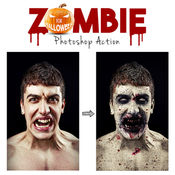
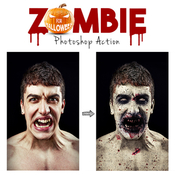
Zombie Action – This is a very scare and high-quality zombie effect which will created on your face blood stains, veins with black blood, wounds, dead skin and more. You can change the color of the eyes and skin color. This effect scare and surprise you incredible photorealism.


This action has been created and optimized for use on Photoshop CS3, CS4, CS5, CS6, CC and ONLY FOR THE ENGLISH VERSION OF PHOTOSHOP. Need to change the language of your version?
WATCH HERE: https://www.youtube.com/watch?v=GJAiu5W2gLE

If you have any problems with this action please visit the help page, where you will find answers to FAQs and recommendations for getting the most out of my actions. If you can’t find the answer to your question, and you’re still having trouble, please contact me by e-mail: eugenedesign19@gmail.com


How to configure Photoshop to work with actions.

1. Make sure you are using the English version of Photoshop. Each action has been created and optimized to work only with the English version of Photoshop, so please make sure that you are using this version. If not, don’t worry: you can change the language of your version of Photoshop to English (and switch back again) using this methodBy the way, my best selling Double Exposure Action has recently been updated, and you can now use it with the English, German, French, Italian and Spanish versions of Photoshop.

2. Use the RGB Mode and 8 Bits color.
To check these settings, go to Image->Mode and check the “RGB color” and “8 Bits/Channel”.

3. Make sure that the option “Add ‘copy’ to Copied Layers and Groups” is turned on.
This option applies only to CS5 and later versions of Photoshop. On the “LAYERS” panel, click on the menu icon, go to “Panel Options…”, and check that the “Add ‘copy’ to Copied Layers and Groups” is turned on.

4. Use a photo with 72dpi or higher.
If you are using a photo with less than 72dpi, the action will not function correctly. To fix this, go to Image->Image Size and increase the resolution value.

5. Set the Opacity of brush to 100%.
Set the Opacity of the brush to 100%. Select the “Brush Tool” and move the opacity slider to 100%.


How to combine my actions?
1. Open your photo

2. Play the first action

3. Save the result as an image

4. Open the previously saved image

5. Play the second action


IMPORTANT INFORMATION to all buyers who have any problems with Zombie action.

Hello! Before use action please watch videotutorial 

If you sure that you doing all right and this is still does not work, before play action please increase the resolution of your photo using Image Size adjustment. For that go to Image/ Image Size. And change width and height values to 2000-3000px. If it still not works increase more to 4000-5000px.

As you can see in my preview image i use photo with high resolution and the face of model occupies most of photo space. In this case the skin area what you painted is big and action works correctly. If you use High quality photo with big resolution, but your skin area is too small compared with all image size, it mean work area has too small resolution the action can’t works correctly. So all what you need to do it’s increase resolution of photo with “Image Size” instruments before use action.


More information: http://graphicriver.net/item/zombie-photoshop-action/13077710

Video Tutorial

Screenshots

Files

Graphicriver - Zombie Photoshop Action 13077710/Follow.jpg (50.69 kB)
Graphicriver - Zombie Photoshop Action 13077710/Graphicriver Zombie Photoshop Action 13077710/Follow Me on ExtraTorrent.txt (0.18 kB)
Graphicriver - Zombie Photoshop Action 13077710/Graphicriver Zombie Photoshop Action 13077710/Follow Me on Kickass.txt (0.17 kB)
Graphicriver - Zombie Photoshop Action 13077710/Graphicriver Zombie Photoshop Action 13077710/Help file.txt (1.73 kB)
Graphicriver - Zombie Photoshop Action 13077710/Graphicriver Zombie Photoshop Action 13077710/Zombie Brushes.abr (2.31 MB)
Graphicriver - Zombie Photoshop Action 13077710/Graphicriver Zombie Photoshop Action 13077710/Zombie Patterns.pat (21.04 MB)
Graphicriver - Zombie Photoshop Action 13077710/Graphicriver Zombie Photoshop Action 13077710/Zombie Photoshop Action.atn (144.5 kB)

Graphicriver BUNDLE ALL MY FONT 12815578

Name [Graphicriver][12815578] BUNDLE ALL MY FONT [Fluck3r]
Size 2.34 MB
Created on 2015-10-05 23:27:39
Hash 577ae6335a02cc16eff4a98d7f8fa0515991198a
Files ※ See Files

Descriptions for Description

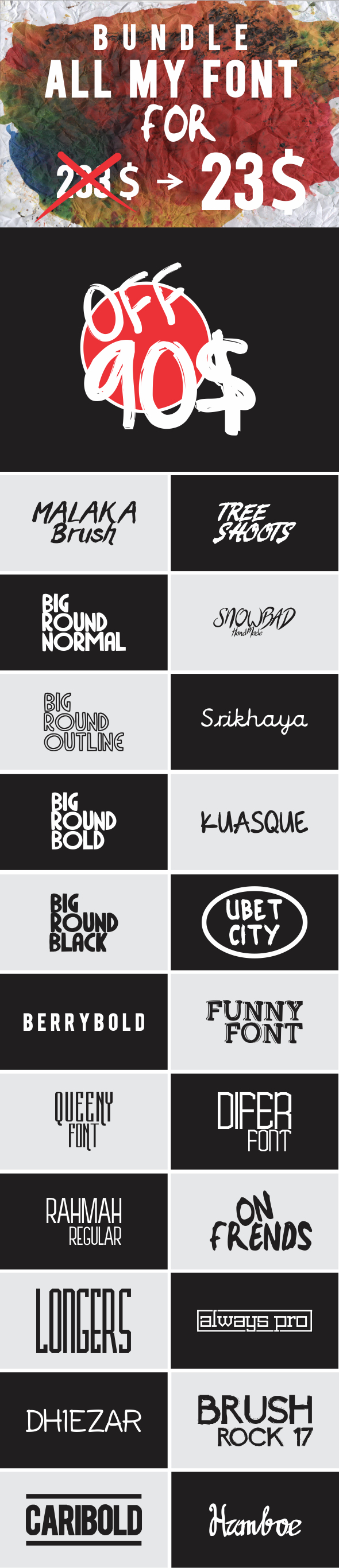
Graphicriver BUNDLE ALL MY FONT 12815578


More information: http://graphicriver.net/item/bundle-all-my-font/12815578

Screenshots

Files

[Graphicriver][12815578] BUNDLE ALL MY FONT [Fluck3r]/Always Pro.zip (36.47 kB)
[Graphicriver][12815578] BUNDLE ALL MY FONT [Fluck3r]/BERRYBOLD.zip (15.20 kB)
[Graphicriver][12815578] BUNDLE ALL MY FONT [Fluck3r]/Big Round Black.zip (23.53 kB)
[Graphicriver][12815578] BUNDLE ALL MY FONT [Fluck3r]/Big Round Bold.zip (21.45 kB)
[Graphicriver][12815578] BUNDLE ALL MY FONT [Fluck3r]/Big Round Normal.zip (17.16 kB)
[Graphicriver][12815578] BUNDLE ALL MY FONT [Fluck3r]/Big Round Outline.zip (36.47 kB)
[Graphicriver][12815578] BUNDLE ALL MY FONT [Fluck3r]/Brush Rock 17.zip (144.7 kB)
[Graphicriver][12815578] BUNDLE ALL MY FONT [Fluck3r]/CariBold.zip (23.03 kB)
[Graphicriver][12815578] BUNDLE ALL MY FONT [Fluck3r]/Dhiezar.zip (56.86 kB)
[Graphicriver][12815578] BUNDLE ALL MY FONT [Fluck3r]/Difer.zip (17.86 kB)
[Graphicriver][12815578] BUNDLE ALL MY FONT [Fluck3r]/Funny Font.zip (45.65 kB)
[Graphicriver][12815578] BUNDLE ALL MY FONT [Fluck3r]/Hamboe.zip (48.73 kB)
[Graphicriver][12815578] BUNDLE ALL MY FONT [Fluck3r]/Kuasque.zip (49.78 kB)
[Graphicriver][12815578] BUNDLE ALL MY FONT [Fluck3r]/Longers.zip (15.97 kB)
[Graphicriver][12815578] BUNDLE ALL MY FONT [Fluck3r]/Malaka Brush.zip (50.14 kB)
[Graphicriver][12815578] BUNDLE ALL MY FONT [Fluck3r]/On Frends.zip (31.53 kB)
[Graphicriver][12815578] BUNDLE ALL MY FONT [Fluck3r]/Queeny Font.zip (17.09 kB)
[Graphicriver][12815578] BUNDLE ALL MY FONT [Fluck3r]/Rahmah Regular.zip (18.59 kB)
[Graphicriver][12815578] BUNDLE ALL MY FONT [Fluck3r]/SnowBad.zip (1.49 MB)
[Graphicriver][12815578] BUNDLE ALL MY FONT [Fluck3r]/Srikhaya.zip (29.49 kB)
[Graphicriver][12815578] BUNDLE ALL MY FONT [Fluck3r]/Tree Shoots.zip (67.85 kB)
[Graphicriver][12815578] BUNDLE ALL MY FONT [Fluck3r]/Ubet City.zip (79.84 kB)

Alien Skin Photo Bundle (May 2016)

Name Alien_Skin_Photo_Bundle_2015
Size 563.9 MB
Created on 2015-12-10 06:12:15
Hash b35700b927b5cb23c049489ed9645bf484155fb9
Files ※ See Description

Description

  Name: Alien Skin Photo Bundle  Version: May 2016  Mac Platform: Intel  OS Version: OS X 10.8 or later  Processor type(s) & speed: 64-bit processor    Includes: Patches    More info: http://www.alienskin.com/photobundle/        The pack includes:  Blow Up 3.0.0.712   Bokeh 2.0.1.503   Exposure 7.0.1.214   Exposure X 1.1.0.2244   Eye Candy 7.1.0.1203   Snap-Art 4.0.0.382        Requirements:  One of the following  * Apple Aperture 3 or later  * Adobe Photoshop CS6 or later  * Adobe Photoshop Elements 12 or later  * Adobe Lightroom 4  or later        Overview  Alien Skin Software is a company that has been cool graphics software for years. Alien Skin Software has released a steady stream of highly regarded tools for photographers and graphic designers. We distill advanced math and cutting edge research into simple tools that render beautiful pictures. This plug-ins bundle contains their all newly update graphic softwares, which are Blow Up, Bokeh, Exposure, Eye Candy, Snap Art, that are able to work on Windows platform.    Alien Skin Exposure for Photoshop   Exposure helps you visually explore carefully designed looks, reducing the need to fiddle with techy controls. The redesigned user interface in Exposure 5 reduces distraction and provides new ways to quickly find your style. There is a much wider range of textures and new controls to subtly combine them. Exposure works everywhere you do, now with Aperture support and as a stand-alone application that provides easy batch processing.    The Right Looks in a Flash   Choosing your look is the focus of Exposure, so the preset browser now uses thumbnails for a more visual experience. You can quickly filter by categories like Black & White or Color. Find specific looks with fast searching by name or description. In Exposure 5 you can tag your favorites so you can get back to them later. Your most recently applied effects are automatically remembered too.    Focus on What's Important   Exposure's updated user interface lets you work with fewer distractions. The darker theme helps you focus on your image and matches other tools in a professional workflow. The new Lightroom-style collapsible panels allow you to see only the controls you care about. Tools that get out of the way provide more space for your photo.    A World of Creative Textures   Exposure 5 has even more texture overlays that add creative details for vintage or Lo-Fi looks. You can now separately control light leaks, borders, and dust & scratches. The new randomize button helps you quickly explore similar textures.    Alien Skin Eye Candy for Photoshop   Eye Candy 7 renders realistic effects that are difficult or impossible to achieve in Photoshop alone, such as Fire, Chrome, and the new Lightning. Effects like Animal Fur, Smoke, and Reptile Skin are rendered in exquisite detail down to individual hairs, turbulent wisps, and shiny scales. Eye Candy helps you quickly explore and design looks. In Eye Candy 7, effects are chosen through easy to recognize icons rather than text menus. Presets are rapidly previewed by simply mousing over them. The theme is less clicking and more visual browsing.    Alien Skin Blow Up for Photoshop   Blow Up keeps photos crystal clear during enlargement. Especially in large prints hung on a wall, the difference between Blow Up and Photoshop is astounding. Version 3 makes pictures even sharper without computer artifacts. If you understand Photoshop's resize command then you already know how to use Blow Up. Our large library of standard paper sizes makes it even easier. With Lightroom and CMYK support, Blow Up fits into a professional workflow.    Alien Skin Snap Art for Photoshop   Snap Art turns your photograph into a beautiful work of art that looks completely handmade. Improved realism in version 3 keeps your subject natural and recognizable. The result is a finished piece worthy of printing on canvas and hanging in a gallery. Using Snap Art just requires a creative idea, not hand-eye coordination or technical training. Simply choose from hundreds of styles such as oil paint, watercolor, pencil sketch, or the new crayon. If you need more control, the new detail mask let's you quickly mark areas where you want the subject to be clearer.    Alien Skin Bokeh for Photoshop   Bokeh 2 provides a wide range of creative focus effects and accurate lens simulation in a simple interface. Photographers use Bokeh to draw attention to their subject by manipulating focus, vignette, and depth of field. Bokeh gives you the visual language of specialized lenses without the expense or hassle. Just drop a focus region over your subject and choose a preset or easily craft your own look.    Alien Skin Exposure X for Photoshop   Exposure X is the creative photo editor that handles every step of your workflow. From card transfer to organization to editing, Exposure simplifies routine tasks and delivers a rich set of tools for developing beautiful photos.  

Video

Files

  Alien_Skin_Photo_Bundle_2015/Crack/Crack_Alien_Skin.dmg (6.29 MB)  Alien_Skin_Photo_Bundle_2015/blow-up-3.0.0.712.dmg (30.19 MB)  Alien_Skin_Photo_Bundle_2015/bokeh-2.0.1.503.dmg (115.2 MB)  Alien_Skin_Photo_Bundle_2015/exposure-7.1.0.214.dmg (166.9 MB)  Alien_Skin_Photo_Bundle_2015/exposure-x-1.0.0.1949.dmg (180.4 MB)  Alien_Skin_Photo_Bundle_2015/eye-candy-7.1.0.1203.dmg (38.27 MB)  Alien_Skin_Photo_Bundle_2015/snap-art-4.0.0.382.dmg (26.62 MB)  

Sublime Text 3 (Build 3112) + License key

Description

Name: Sublime Text 3
Version: Build 3112
Released: 5th of May 2016


Web Site: http://www.sublimetext.com/


Installation Instructions
0. Open the .dmg file
1. Install the application
2. Open the app
3. Go to Help --> Register
4. Copy/Paste License Key from License.txt
5. Click on Activate Button
6. Done, Enjoy

The license key also works for windows version which you can grab from the official site.
You can also download directly the mac version from the official site, the license works fine without any crack.


Overview
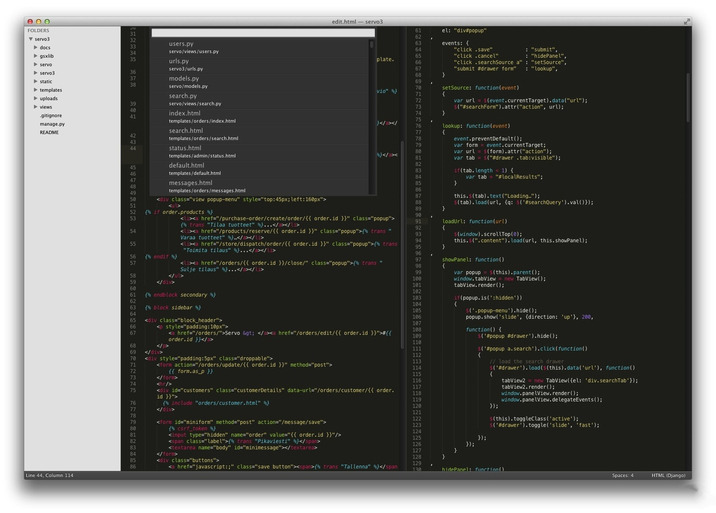
Sublime Text is a sophisticated text editor for code, markup, and prose. You'll love the slick user interface, extraordinary features, and amazing performance.

Goto Anything. Use Goto Anything to open files with only a few keystrokes, and instantly jump to symbols, lines, or words. Triggered with ⌘P, it is possible to:

・Type part of a file name to open it.
・Type @ to jump to symbols, # to search within the file, and : to go to a line number.

These shortcuts can be combined, so tp@rf may take you to a function read_file within a file text_parser.py. Similarly, tp:100 would take you to line 100 of the same file.

Multiple Selections. Make ten changes at the same time, not one change ten times. Multiple selections allow you to interactively change many lines at once, rename variables with ease, and manipulate files faster than ever. Try pressing ⇧⌘L to split the selection into lines and ⌘D to select the next occurrence of the selected word. To make multiple selections with the mouse, take a look at the Column Selection documentation.

Command Palette. The Command Palette holds infrequently used functionality, like sorting, changing the syntax, and changing the indentation settings. With just a few keystrokes, you can search for what you want, without ever having to navigate through the menus or remember obscure key bindings. Show the Command Palette with ⌘⇧P.

Distraction-Free Mode. When you need to focus, Distraction-Free Mode is there to help you out. Distraction-Free Mode is full-screen, chrome-free editing, with nothing but your text in the center of the screen. You can incrementally show elements of the UI, such as tabs and the find panel, as you need them. You can enter Distraction Free Mode using the View/Enter Distraction Free Mode menu.

Split Editing. Get the most out of your wide-screen monitor with split-editing support. Edit files side-by-side, or edit two locations in the one file. You can edit with as many rows and columns as you wish. Take advantage of multiple monitors by editing with multiple windows, and using multiple splits in each window. Take a look at the View/Layout menu for split-editing options. To open multiple views into the one file, use the File/New View into File menu item.

Instant Project Switch. Projects in Sublime Text capture the full contents of the workspace, including modified and unsaved files. You can switch between projects in a manner similar to Goto Anything, and the switch is instant, with no save prompts. All your modifications will be restored next time the project is opened.

Plugin API. Sublime Text has a powerful, Python-based plugin API. Along with the API, it comes with a built-in Python console to interactively experiment in real time.

Customize Anything. Key bindings, menus, snippets, macros, completions and more - just about everything in Sublime Text is customizable with simple JSON files. This system gives you flexibility as settings can be specified on a per-file type and per-project basis.

Cross-Platform. Sublime Text is available for OS X, Windows and Linux. One license is all you need to use Sublime Text on every computer you own, no matter what operating system it uses. Sublime Text uses a custom UI toolkit, optimized for speed and beauty, while taking advantage of native functionality on each platform.

Screenshots

Name Sublime Text Build 3112
Size 12.50 MB
Created on 2016-05-05 19:56:12
Hash 7bcb14868ece6465775805b8be103dcd6cecbe9e
Files Sublime Text Build 3112/License.txt (0.42 kB)
Sublime Text Build 3112/README.txt (0.36 kB)
Sublime Text Build 3112/Sublime Text Build 3112.dmg (12.50 MB)

Lingon X 4.0.1

Description

Name: Lingon X for Mac
Version: 4.0.1
Language: Multilingual
Release Date: 09 Apr 2016
Mac Platform: Intel
OS version:OS X 10.11 or later 
Processor type(s) & speed: 64-bit

Includes: Pre-Activation (install and play)

More info: https://www.peterborgapps.com/lingon/


Overview:
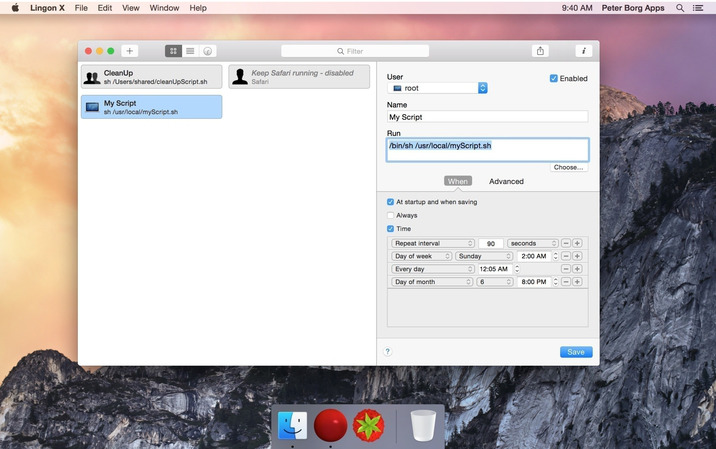
Lingon X 4 is based on the great Lingon 3 and extends it with new features like running jobs as root and at multiple dates. It is now even easier to use yet much more powerful. 


Features 
・Start an app, a script or run a command automatically whenever you want it to. You can schedule it to run at a specific times, regularly or when something special happens.
・It can also make sure that an app or a script automatically restarts if it crashes. Lingon X can do all this for you and much more.
・Lets you run things automatically by modifying configuration files for the built-in system function called launchd so the system handles running the jobs so you don't need to have Lingon open after you have saved your job.
・Released outside Mac App Store to be able to make it as good as possible by including requested features.
・Still available in Mac App Store for those who still use OS X 10.7 Lion or prefer the comfort and convenience of the Mac App Store.
・Version 2 of Lingon X is still available to work with 10.10. And a license bought today can be used with both Lingon X 4 and Lingon X 2. 


What's New in Version 4.0.1:
・Fixed a possible crash when starting the app 
・Improved the performance when using the timeline 
・Fixed a possible issue when entering the license information 
・Some other small improvements and fixesVersion 4.0:
Note: Now requires OS X 10.11 or later. 
Note: Version 4 is a paid upgrade from previous versions. 
 
・Added an agent that always runs and shows a notification when any job changes 
・Better and clearer display of jobs 
・You can now edit plists directly so you can now change all settings 
・Create new scripts from within Lingon X 
・Edit any script from within Lingon X 
・Import and export jobs 
・Added a preferences window 
・Now lists jobs in StartupItems as well 
・Improved accessibility 
・Updated for OS X El Capitan 10.11 
・Many, many other improvements and fixes 

Screenshots

Name Lingon_X_v4.0.1.zip
Size 8.48 MB
Created on 2016-05-02 00:08:01
Hash 44b98e3e400f2c147871c2d82037b2676a8f9640
Files Lingon_X_v4.0.1.zip (8.48 MB)

Graphicriver Lightum PS Action 12617138

Name [Graphicriver][12617138] Lightum – Photoshop Actions [Fluck3r]
Size 9.15 kB
Created on 2015-10-01 00:35:23
Hash b8d08f3155668a021d9f2697ff882185411b97ea
Files [Graphicriver][12617138] Lightum – Photoshop Actions [Fluck3r]/[Graphicriver][12617138] Lightum – Photoshop Actions [Fluck3r].zip (9.15 kB)

Descriptions for Description

Name: Lightum PS Action
Created: 27 August 15
Last Update: 27 August 15
Add-on Files Included: Photoshop ATN
Works With: TIFF, PSD, JPG
Minimum Adobe CS Version: CS3


LIGHTUM

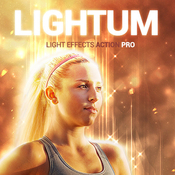
NEW Generation Photoshop ACTION Pro with lihgt effects and soft focus of the object on your photo.
Highly detailed result, easy to use, customise and improve. One click action.

This action created on Photoshop CS5, tested and working on Photoshop CS3,CS4,CS5,CS6,CC (only English versions). If you are not using the English version, you can switch your Photoshop in English, play the action and return to your language back.How to do it – https://www.youtube.com/results?search_query=How+to+change+language+on+Photoshop+to+english.


ACTION INCLUDE
1. main .atn file
2. user’s guide .txt file with recommendations
3. 10 color presets and options
4. lots of graphic elements
5. fully editable and well organized layers


FOR THE BEST RESULT, IT IS RECOMMENDED TO USE
1. photo sizes between 1000–4000px (recommended 2000-3000px)
2. photo resolution between 72-300dpi (recommended 300pdi)


COMBINE ACTIONS
To build even more advanced and creative designs you can try to combine this action with items below. It’s realy easy:
1. Run the first action
2. Save the result (jpg, tiff, psd)
3. Open your saved file and run another action


More information: http://graphicriver.net/item/lightum-ps-action/12617138

Screenshots

Graphicriver 62 Email Signature Bundle 12486885

Name [Graphicriver][12486885] 62 Email Signature Bundle – Photoshop Project Files + HTML [Fluck3r]
Size 13.11 MB
Created on 2015-10-01 00:35:07
Hash fb13054fec93add3318cf89053e11f7f493f8de4
Files ※ See Files

Descriptions for Description

Name: 62 Email Signature Bundle
Created: 31 August 15
Last Update: 31 August 15
High Resolution : Yes
Layered: Yes
Graphics Files Included: Photoshop PSD
Minimum Adobe CS Version: CS
Pixel Dimensions: 450x230


Here you can find each item Individually
• 6 E-Signature
• 10 E-Signature
• 46 E-Signature


62 Email Signatures
• 62 PSD Files
• 112 Html Files
• Clean & Professional Design
• 100% scalable vectors
• Easy to customize
• Fully layered file
• Free Google Font used


3 Folder / 62 PSD / 112 Html
• 10 E-Signature : 6 PSD Files / 6 Color Variations / 60 Html Files
• 46 E-Signature : 46 PSD Files / 46 Html Files
• 6 E-Signature : 6 PSD Files / 6 Html Files


More information: http://graphicriver.net/item/62-email-signature-bundle/12486885

Screenshots

Files

[Graphicriver][12486885] 62 Email Signature Bundle - Photoshop Project Files + HTML [Fluck3r]/10_E-Signature/Html.zip (2.37 MB)
[Graphicriver][12486885] 62 Email Signature Bundle - Photoshop Project Files + HTML [Fluck3r]/10_E-Signature/Info.txt (0.09 kB)
[Graphicriver][12486885] 62 Email Signature Bundle - Photoshop Project Files + HTML [Fluck3r]/10_E-Signature/PSD.zip (2.12 MB)
[Graphicriver][12486885] 62 Email Signature Bundle - Photoshop Project Files + HTML [Fluck3r]/46_E-Signature/Html.zip (2.41 MB)
[Graphicriver][12486885] 62 Email Signature Bundle - Photoshop Project Files + HTML [Fluck3r]/46_E-Signature/Info.txt (0.09 kB)
[Graphicriver][12486885] 62 Email Signature Bundle - Photoshop Project Files + HTML [Fluck3r]/46_E-Signature/PSD.zip (5.70 MB)
[Graphicriver][12486885] 62 Email Signature Bundle - Photoshop Project Files + HTML [Fluck3r]/6_E-Signature/Html.zip (159.4 kB)
[Graphicriver][12486885] 62 Email Signature Bundle - Photoshop Project Files + HTML [Fluck3r]/6_E-Signature/Info.txt (0.09 kB)
[Graphicriver][12486885] 62 Email Signature Bundle - Photoshop Project Files + HTML [Fluck3r]/6_E-Signature/PSD.zip (349.5 kB)

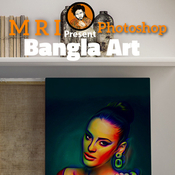
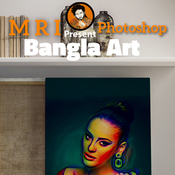
Graphicriver Bangla Art Action 12468631

Name [Graphicriver][12468631] Bangla Art – Photoshop Actions [Fluck3r]
Size 104.0 kB
Created on 2015-10-01 00:34:53
Hash ea059524cd59e81915dc54cd0955c9feb2e92641
Files [Graphicriver][12468631] Bangla Art – Photoshop Actions [Fluck3r]/[Graphicriver][12468631] Bangla Art – Photoshop Actions [Fluck3r].zip (104.0 kB)

Descriptions for Description

Name: Bangla Art Action
Created: 17 August 15
Last Update: 17 August 15
Add-on Files Included: Photoshop ATN, ZXP file
Works With: JPG, RAW
Minimum Adobe CS Version: CS6


Buy Photoshop Action Bundle 

D ARTIST MRI …... Presenting….Bangla Art Action

Product : Bangla Art Action Publish : Graphic River.

1st see this video How to usage Bangla Art Action https://www.youtube.com/watch?v=VTn4g64hiNk&feature=youtu.be

Publish Date :

Photos : Working Software Version : CS6 English Version.

Software support version : Cs5.5, CS6,and (CC for 2014 English) Version.

Not 1: Photo are not include in download main file Not 2: Mock-up are not include in download main file

| This action set has been developed for any type of cover design for example magazine, book, advertisement , poster, Photographers and Personal graphic or designers. FEATURES Arranged (all layers are automatically arranged in a Group Folder) Make changes (most of the actions has been created using “Adjustments layers” which gives you the chance to change the values in your own way)

May every body know that Picture is very important issue because without a proper picture you can’t make accurate view .. so please provide a quality picture for better look … which you expect

Help Gide included

Open the zip file, Double click ATN (action file ) than it will instal in your Photoshop, now go the window menu >> click the action option ….. now show action plate in your front …... select action than play action


More information: http://graphicriver.net/item/bangla-art-action/12468631

Video

Screenshots

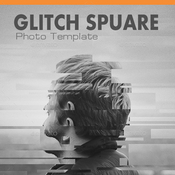
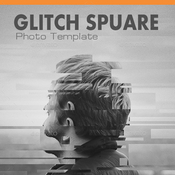
Graphicriver Glitch Square Photo Templates 12183965

Name [Graphicriver][12183965] Glitch Square Photo Templates – Photoshop Project Files [Fluck3r]
Size 18.60 MB
Created on 2015-10-01 00:34:38
Hash f9de31b869f27722be0a0f461ab335cc62b9e167
Files [Graphicriver][12183965] Glitch Square Photo Templates – Photoshop Project Files [Fluck3r]/[Graphicriver][12183965] Glitch Square Photo Templates – Photoshop Project Files [Fluck3r].zip (18.60 MB)

Descriptions for Description

Name: Glitch Square Photo Templates
Created: 22 July 15
Last Update: 22 July 15
Layered: Yes
Graphics Files Included: Photoshop PSD
Minimum Adobe CS Version: CS3
Pixel Dimensions: 2000x2500


Features :

• 1 PSD File
• 2500×2000 Pixel Resolution
• RGB Color Mode, 300 DPI
• 100% Layered
• Easy to edit
• Folders well organized
• Easy to edit and fast result

• Photos not include http://pixabay.com/


More information: http://graphicriver.net/item/glitch-square-photo-templates/12183965

Screenshots

Alien Skin Plug-ins Bundle [5.5.2016]

Name Alien_Skin_Plug-ins_Bundle[5.5.2016].zip
Size 561.8 MB
Created on 2016-05-07 02:48:56
Hash 0781f002e179bba2877a6e50aa0dd108980966b0
Files Alien_Skin_Plug-ins_Bundle[5.5.2016].zip (561.8 MB)

Description

  Alien Skin Software is a company that has been cool graphics software for years. Alien Skin Software has released a steady stream of highly regarded tools for photographers and graphic designers. We distill advanced math and cutting edge research into simple tools that render beautiful pictures. This plug-ins bundle contains their all newly update graphic softwares, which are Blow Up, Bokeh, Exposure, Eye Candy, Snap Art, that are able to work on Windows platform.    Alien Skin Exposure for Photoshop   Exposure helps you visually explore carefully designed looks, reducing the need to fiddle with techy controls. The redesigned user interface in Exposure 5 reduces distraction and provides new ways to quickly find your style. There is a much wider range of textures and new controls to subtly combine them. Exposure works everywhere you do, now with Aperture support and as a stand-alone application that provides easy batch processing.    The Right Looks in a Flash   Choosing your look is the focus of Exposure, so the preset browser now uses thumbnails for a more visual experience. You can quickly filter by categories like Black & White or Color. Find specific looks with fast searching by name or description. In Exposure 5 you can tag your favorites so you can get back to them later. Your most recently applied effects are automatically remembered too.    Focus on What's Important   Exposure's updated user interface lets you work with fewer distractions. The darker theme helps you focus on your image and matches other tools in a professional workflow. The new Lightroom-style collapsible panels allow you to see only the controls you care about. Tools that get out of the way provide more space for your photo.    A World of Creative Textures   Exposure 5 has even more texture overlays that add creative details for vintage or Lo-Fi looks. You can now separately control light leaks, borders, and dust & scratches. The new randomize button helps you quickly explore similar textures.    Alien Skin Eye Candy for Photoshop   Eye Candy 7 renders realistic effects that are difficult or impossible to achieve in Photoshop alone, such as Fire, Chrome, and the new Lightning. Effects like Animal Fur, Smoke, and Reptile Skin are rendered in exquisite detail down to individual hairs, turbulent wisps, and shiny scales. Eye Candy helps you quickly explore and design looks. In Eye Candy 7, effects are chosen through easy to recognize icons rather than text menus. Presets are rapidly previewed by simply mousing over them. The theme is less clicking and more visual browsing.    Alien Skin Blow Up for Photoshop   Blow Up keeps photos crystal clear during enlargement. Especially in large prints hung on a wall, the difference between Blow Up and Photoshop is astounding. Version 3 makes pictures even sharper without computer artifacts. If you understand Photoshop's resize command then you already know how to use Blow Up. Our large library of standard paper sizes makes it even easier. With Lightroom and CMYK support, Blow Up fits into a professional workflow.    Alien Skin Snap Art for Photoshop   Snap Art turns your photograph into a beautiful work of art that looks completely handmade. Improved realism in version 3 keeps your subject natural and recognizable. The result is a finished piece worthy of printing on canvas and hanging in a gallery. Using Snap Art just requires a creative idea, not hand-eye coordination or technical training. Simply choose from hundreds of styles such as oil paint, watercolor, pencil sketch, or the new crayon. If you need more control, the new detail mask let's you quickly mark areas where you want the subject to be clearer.    Alien Skin Bokeh for Photoshop   Bokeh 2 provides a wide range of creative focus effects and accurate lens simulation in a simple interface. Photographers use Bokeh to draw attention to their subject by manipulating focus, vignette, and depth of field. Bokeh gives you the visual language of specialized lenses without the expense or hassle. Just drop a focus region over your subject and choose a preset or easily craft your own look.    Alien Skin Exposure X for Photoshop   Exposure X is the creative photo editor that handles every step of your workflow. From card transfer to organization to editing, Exposure simplifies routine tasks and delivers a rich set of tools for developing beautiful photos.      Included Plug-ins:  The latest versions of plug-ins at the time of release (05/05/2016)  Exposure X 1.1.0.2244 (4 May 2016) NEW   Bokeh 2.0.1.503 (June 2014) (back in the hand)  Blow Up 3.0.0.712 (24 October 2014)  Eye Sandy 7.1.0.1203 (22 October 2014)  Snap-Art 4.0.0.382 (4 December 2014)  Exposure 7.1.0.214 (July 7, 2015)      System Requirement  • Intel, 64-bit processor  • OS X 10.8 o posterior  • One of the following:  * Apple Aperture 3 or later  * Adobe Photoshop CS6 or later  * Adobe Photoshop Elements 12 or later  * Adobe Lightroom 4 or later      Host Applications:  • Adobe Photoshop CS6 or Adobe Photoshop CC 2015 or newer   • Adobe Lightroom 6 or Adobe Lightroom CC 2015 or newer  



Video

Alien Skin Exposure X 1.1.0.2244

Name Alien_Skin_Exposure_X_v1.1.0.2244.zip
Size 174.4 MB
Created on 2016-05-06 02:33:15
Hash ac2077060a37efed4e28d854e01751c414331eed
Files Alien_Skin_Exposure_X_v1.1.0.2244.zip (174.4 MB)

Description

  Alien Skin Exposure X is the creative photo editor that handles every step of your workflow. From card transfer to organization to editing, Exposure simplifies routine tasks and delivers a rich set of tools for developing beautiful photos.	    Creative  Exposure's carefully researched library of styles gives your photos a human touch. Each look encompasses many subtle changes that work together to evoke emotion. Explore these visual ideas for inspiration and then quickly refine them to develop your own style.    Simple  Exposure streamlines photo management by eliminating burdensome chores. You don't need to import photos into Exposure, so browsing is fast and easy. There are no user interface modules, which lets you edit and organize photos at the same time.    Flexible  Exposure's flexible features handle any photography workflow. Use it as a plug-in for Photoshop and Lightroom, or as a complete photo editor on its own. As a standalone app, Exposure X helps you quickly edit RAW photos non-destructively.        What's New in Alien Skin Exposure X:    Complete Standalone Photo Manager:    Organization  - File and Folder operations (copy, move, rename, delete)  - Flags/Stars/Colors for organization and culling  - Filtering and filter presets to see only the photos you are interested in  - Drag an image or folder onto Exposure to visit that folder and create a bookmark  - Metadata display in the thumbnails, preview, and panel  - Greatly increased RAW camera support  - Non-destructive Editing    Catalog-free Workflow  - No need to import images  - Easy moving of images between computers or external storage  - Easy backup  - Cloud syncing lets you easily work from multiple computers or collaborate    Copy from Card  - Copy from multiple cards at once  - Work on other things while copy happens in background  - Send a photo to an external editor and then bring back the results  - Presets - New Petzval, Pinhole Camera, and Freelensing presets    Effects:    Basic operations  - White balance eyedropper  - Temperature and tint controls  - Detail Panel – noise reduction and sharpening    Brush Tool  - Touch up portraits  - Lighten or darken part of an image  - Make a preset affect a specific area  - Ability to stack effects    User Interface:    Shortcut Keys  - Keys for Basic Panel sliders like brightness and vibrance.    Flexible Panels  - Move panels  - Hide panels  - Solo Mode    Speed  - Fast startup  - No need to import images before exploring folders  - Browsing images is very fast        System Requirements:  - Apple Mac users need OS X Yosemite (10.10) or newer  - Microsoft Windows users need Windows 8 64-bit or newer  - An Intel Core 2 processor or compatible  - A monitor with 1280×768 resolution or greater    Host Requirements:  - Adobe Photoshop CS6 or Adobe Photoshop CC 2015 or newer  - Adobe Lightroom 6 or Adobe Lightroom CC 2015 or newer  

Video

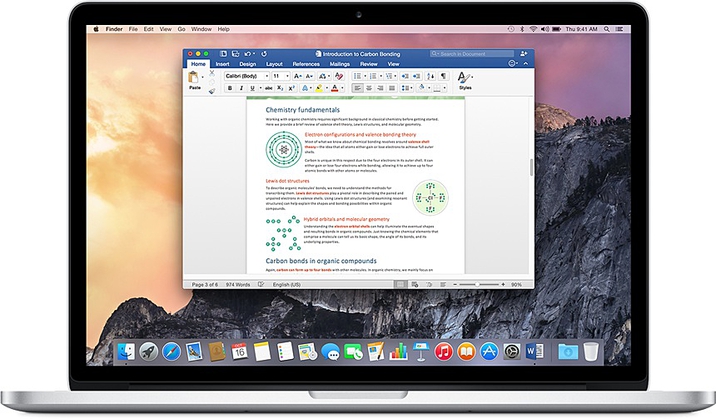
Microsoft Office for Mac 2016 15.21.1

Description

Name: Microsoft Office for Mac 2016
Version: 15.21.1
Mac Platform: Intel
OS version: 10.10 or later
Processor type(s) & speed: 64-bit

Includes: Serial


More information: https://products.office.com/en-us/mac/microsoft-office-for-mac


Overview
This are individual installers for Word, Excel, PowerPoint and Outlook with the Volume License already included.

Improvements and fixes
This update provides the following fixes and improvements.

Word
The Add-ins Store, where you can browse for tools that can increase your productivity in Word and enhance your documents
Excel
The Add-ins Store, where you can browse for tools that can increase your productivity in Excel and enhance your spreadsheets
Microsoft Auto Update for Mac version 3.4.0
Improved performance and support for alternative versioning schemes


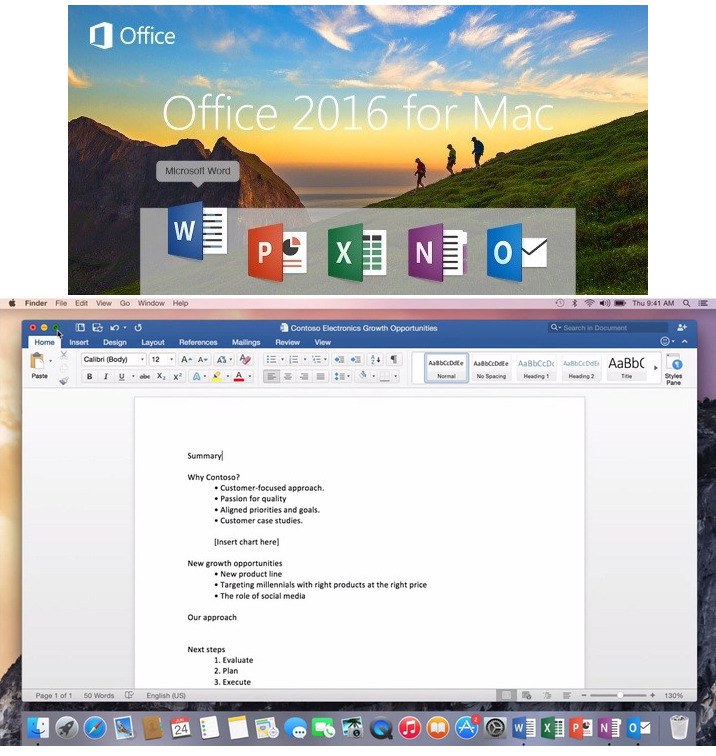
Welcome to the new Office for Mac!
Unmistakably Office, designed for Mac. Do your best work—anywhere, anytime and with anyone.


Get started quickly with new, modern versions of Word, Excel, PowerPoint, Outlook and OneNote.


Word
Create, polish, and share beautiful and professional documents
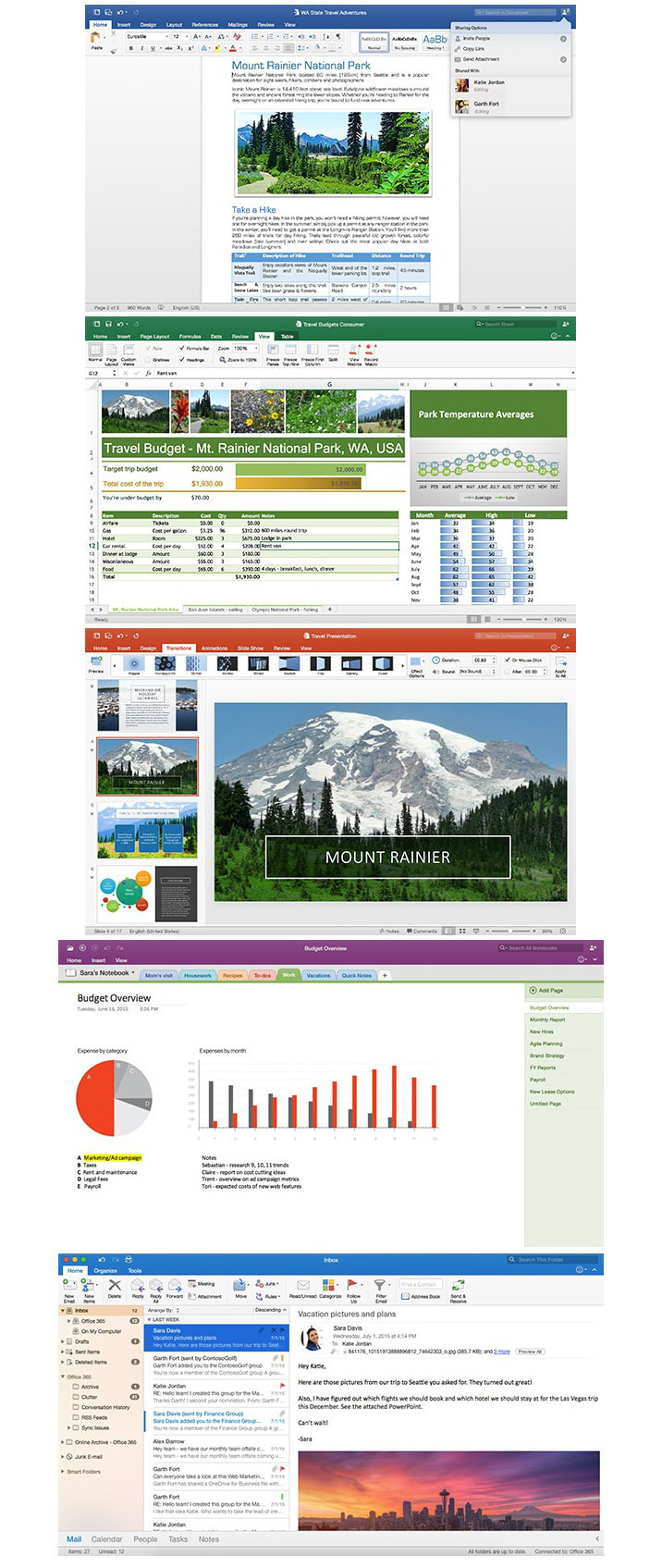
The state-of-the-art authoring and reviewing tools in Word make the creation of polished documents easy. The new Insights pane shows relevant contextual information from the web inside Word. The Design tab enables you to manage layout, colors, and fonts across a document. Get more done by working together using built-in tools to share and review documents. Several people can work on the same document simultaneously and use threaded comments to have a conversation right next to relevant text.


Excel
Analyze and visualize numbers in new and intuitive ways
The new Excel for Mac enables you to turn numbers into insights. Familiar keyboard shortcuts and data entry enhancements like formula builder and autocomplete immediately make you more productive. Excel also helps you visualize your data by recommending charts best suited for your numbers, and letting you quickly preview the different options. New PivotTable Slicers help you discover patterns in large volumes of data.


PowerPoint
Create multimedia presentations and present your ideas with confidence
Walk into your next presentation with complete confidence. The new Presenter View in PowerPoint displays the current slide, next slide, speaker notes, and a timer on your Mac, while projecting only the presentation to your audience on the big screen. A new Animation pane helps you design and fine-tune animations, and refined slide transitions ensure the finished product is polished. Easily share your presentation and invite others to work on the same presentation simultaneously.


OneNote
Harness your thoughts in your very own digital notebook
Capture, organize, and share your ideas with digital notebooks that you can access on any device. Find things quickly with a powerful search engine that tracks your tags, indexes your typed notes, and recognizes text in images and handwritten notes. Bold, italicize, underline, highlight, insert files, pictures and tables—format your notes like you want. Easily share notebooks with friends, family, or colleagues so everyone can work together on travel plans, household tasks, or work projects.


Outlook
Stay organized with an email and calendar experience that's fast and looks great
Managing your email, calendar, contacts, and tasks has never been easier. The new Outlook for Mac has push mail support so your inbox is always up to date. The improved conversation view automatically organizes your inbox around threaded conversations, so you'll never hunt for related messages again. And the new message preview gives you the first sentence of an email just below the subject line, so you can quickly decide if you want to read it now or come back later.

Screenshots

Name Microsoft Office for Mac 2016 15.21.1
Size 3.37 GB
Created on 2016-05-06 12:53:10
Tracker http://109.235.50.166:2710/announce
Hash c728ad5dd91cefabbac6325161ec7ef559775152
Files Microsoft Office 2016 v15.21.1 [Volume] [Multilang] [Indv]/Instructions.rtf (1.05 kB)
Microsoft Office 2016 v15.21.1 [Volume] [Multilang] [Indv]/SW_DVD5_Excel_Mac_2016_MultiLang_-5_.dmg_MLF_X20-91184.ISO (868.5 MB)
Microsoft Office 2016 v15.21.1 [Volume] [Multilang] [Indv]/SW_DVD5_Outlook_Mac_2016_MAC_MultiLang_-5_.dmg_MLF_X20-91186.ISO (703.6 MB)
Microsoft Office 2016 v15.21.1 [Volume] [Multilang] [Indv]/SW_DVD5_PowerPoint_Mac_2016_MultiLang_-5_.dmg_MLF_X20-91187.ISO (811.1 MB)
Microsoft Office 2016 v15.21.1 [Volume] [Multilang] [Indv]/SW_DVD5_Word_Mac_2016_MultiLang_-5_.dmg_MLF_X20-91188.ISO (990.2 MB)

iExplorer 3.9.9.1

Description

Name: iExplorer for Mac
Version: 3.9.9.1
Release Date: 05 May 2016
Mac Platform: Intel
OS version:OS X 10.7 or later
Processor type(s) & speed: 64-bit
iTunes Version: iTunes 10 or later 

Includes: Serial


More info: http://www.macroplant.com/iexplorer/


Overview:
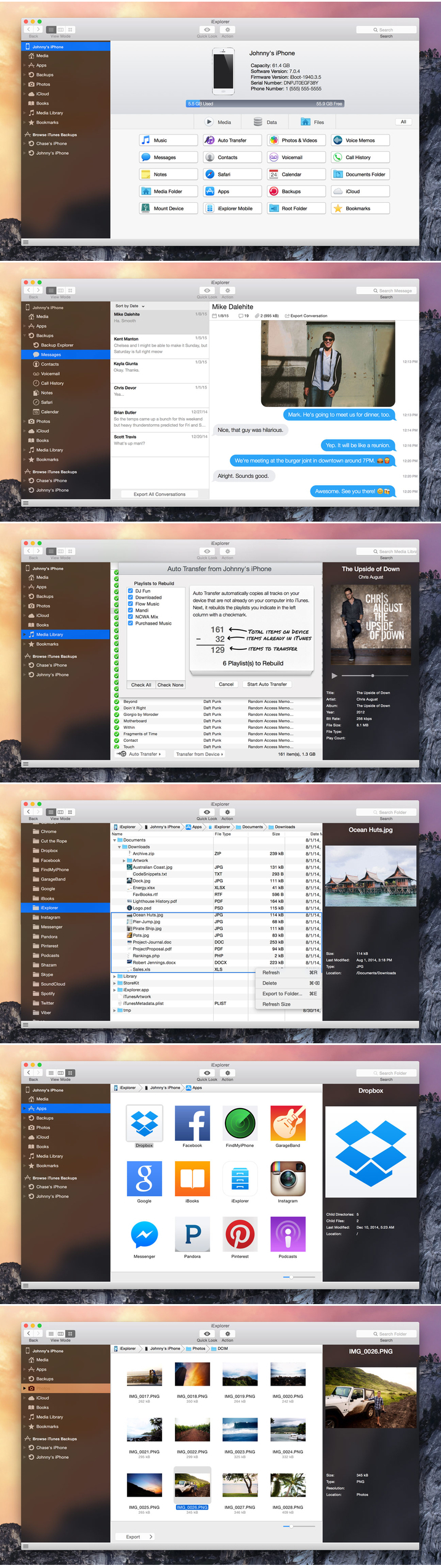
iExplorer is an iPhone browser for Mac lets you view the files on your iOS device. By using a drag and drop interface, you can quickly copy files and folders between your Mac and your iPhone or iTouch. It works with both jailbroken and non-jailbroken iPhones and works quickly with a standard USB cable. 

Features
・All the best technology from Phone to Mac, Phone Disk, and iExplorer 2, and then some
・One-click recovery of music and videos straight to iTunes
・Explore and export photos and videos (even from older iPods)
・Mount any folder or category, including playlists and photo albums, then browse in Finder and open with other apps
・Browse any iTunes backups (encrypted too). Export: Messages (including attachments), notes, voicemail, call history, contacts, calendars...
・Works with all types of iPhones, iPads, iPod Touch, and regular iPod


What's New in Version 3.9.9.1:
・Faster loading of photos and videos 
・Improved experience when loading and decrypting password-protected backups 
・Various bug fixes and other improvements 

Video

Screenshots

Name iExplorer 3.9.9.1
Size 18.29 MB
Created on 2016-05-07 12:33:47
Tracker http://109.235.50.166:2710/announce
Hash 83bbb8660dda3c418179fa6a29cbff23bfdf0638
Files iExplorer v3.9.9.1/iExplorer 3 SN.rtf (42.64 kB)
iExplorer v3.9.9.1/iexplorer-mac.dmg (18.25 MB)

Graphicriver 3D Desktop Screen Mock-Ups 12521745

Name [Graphicriver][12521745] 3D Desktop Screen Mock Ups – Photoshop Project Files [Fluck3r]
Size 400.4 MB
Created on 2015-10-01 00:40:22
Hash 67cc437999d22f5dc77e212398657d6337b74229
Files [Graphicriver][12521745] 3D Desktop Screen Mock Ups – Photoshop Project Files [Fluck3r]/[Graphicriver][12521745] 3D Desktop Screen Mock Ups – Photoshop Project Files [Fluck3r].zip (400.4 MB)

Descriptions for Description

Name: 3D Desktop Screen Mock-Ups
Created: 21 August 15
Last Update: 22 August 15
High Resolution : Yes
Layered: Yes
Graphics Files Included: Photoshop PSD
Minimum Adobe CS Version: CS5
Pixel Dimensions: 3000x2400
Print Dimensions: 10x8


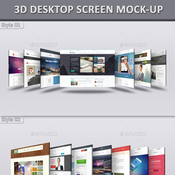
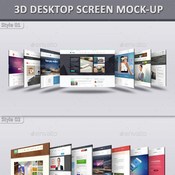
3D Desktop Screen Mock-Ups:

The pack includes 25 desktop screen mock-ups. 25 PSD files are included in the package. Adobe CS5 or upper version is required to place screenshots. Every smart object layer is red signed in layer box in every PSD file. Detailed help document is also provided from which you will find the overall process of replacing screenshot in the smart object layer.

Features:
・25 Desktop Screen Mock-Ups
・25 Layered PSD Files
・Pixel Dimension: 3000×2400
・High Resolution: 300 DPI
・3 Different Backgrounds
・Well Organized Groups & Layers
・Replace with Smart Object
・Easy to Replace Screenshot
・Realistic Shadows
・Auto Thickness Layer
・Change BackgroundColor
・15 Photographic Color Effects
・Color Mode: RGB
・Help Document Included
・No Preview Images Included
・Minimum Adobe Version: CS5


More information: http://graphicriver.net/item/3d-desktop-screen-mockups/12521745

Screenshots

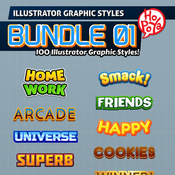
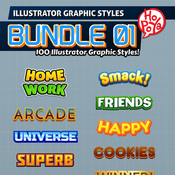
Graphicriver 100 Illustrator Graphic Styles Bundle 01 10424817

Name [Graphicriver][10424817] 100 Illustrator Graphic Styles Bundle 01 – Photoshop Project Files + Styles [Fluck3r]
Size 567.9 MB
Created on 2015-10-01 00:39:22
Hash 33de4eacbf91fcac3082d547714053393708cb68
Files ※ See Files

Descriptions for Description

Name: 100 Illustrator Graphic Styles Bundle 01
Created: 18 February 15
Last Update: 18 February 15
Add-on Files Included: AI Illustrator
Minimum Adobe CS Version: CS5


Bundle of 10 packs in one illustrator graphic styles.

Make your own logos, game titles, or anything you want.


The files included:
- 100 illustrator graphic styles in .ai file.
- Vector AICS5 file.
- Read Me.txt file.

• Illustrator Graphic Styles 01
• Illustrator Graphic Styles 02
• Illustrator Graphic Styles 03
• Illustrator Graphic Styles 04
• Illustrator Graphic Styles 05
• Illustrator Graphic Styles 06
• Illustrator Graphic Styles 07
• Illustrator Graphic Styles 08
• Illustrator Graphic Styles 09
• Illustrator Graphic Styles 10


More information: http://graphicriver.net/item/100-illustrator-graphic-styles-bundle-01/10424817

Screenshots

Files

[Graphicriver][10424817] 100 Illustrator Graphic Styles Bundle 01 - Photoshop Project Files + Styles [Fluck3r]/Futuristic Layer styles.zip (11.91 MB)
[Graphicriver][10424817] 100 Illustrator Graphic Styles Bundle 01 - Photoshop Project Files + Styles [Fluck3r]/Military Layer Styles1.zip (118.9 MB)
[Graphicriver][10424817] 100 Illustrator Graphic Styles Bundle 01 - Photoshop Project Files + Styles [Fluck3r]/Military Layer Styles2.zip (108.6 MB)
[Graphicriver][10424817] 100 Illustrator Graphic Styles Bundle 01 - Photoshop Project Files + Styles [Fluck3r]/Nuclear Industry layer styles.zip (41.26 MB)
[Graphicriver][10424817] 100 Illustrator Graphic Styles Bundle 01 - Photoshop Project Files + Styles [Fluck3r]/Pharaoh Photoshop Layer FX.zip (21.48 MB)
[Graphicriver][10424817] 100 Illustrator Graphic Styles Bundle 01 - Photoshop Project Files + Styles [Fluck3r]/Retro Western Layer Styles.zip (33.57 MB)
[Graphicriver][10424817] 100 Illustrator Graphic Styles Bundle 01 - Photoshop Project Files + Styles [Fluck3r]/Ultimate Quarantine Layer Styles.zip (58.66 MB)
[Graphicriver][10424817] 100 Illustrator Graphic Styles Bundle 01 - Photoshop Project Files + Styles [Fluck3r]/rough photoshop layer styles.zip (173.5 MB)

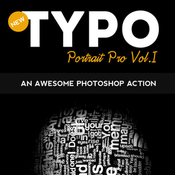
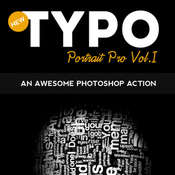
Graphicriver Typo Portrait Pro Photoshop Action 10777433

Name GraphicRiver – Typo Portrait Pro Photoshop Action 10777433
Size 12.97 MB
Created on 2015-09-29 14:27:26
Hash df454234113dd8f87ffb10d54b18953a17991405
Files GraphicRiver – Typo Portrait Pro Photoshop Action 10777433/GraphicRiver – Typo Portrait Pro Photoshop Action 10777433.zip (12.97 MB)

Descriptions for Description

Name: Typo Portrait Pro Photoshop Action
Created: 18 March 15
Last Update: 18 March 15
Add-on Files Included: Photoshop PAT, Photoshop ATN
Minimum Adobe CS Version: CS


Typo Portrait Pro Photoshop Action

Typo Portrait Pro is a Photoshop Action to convert your simple image to Typographic master piece. Results are very professional with minimal user interactions.
Three Actions Included:

1. 3D_mesh action

2. Typo_portrait_pro_small action( for small images )

3. Typo_portrait_pro_large action( for large images )

One Pattern Included:

1. Typo Pattern

Step by step help.pdf file is included and user manual instruction also included in action it self to guide you.

Please Note : Images used in preview are just for display purpose not included in download file.


More information: http://graphicriver.net/item/typo-portrait-pro-photoshop-action/10777433

Video Tutorial

Screenshots

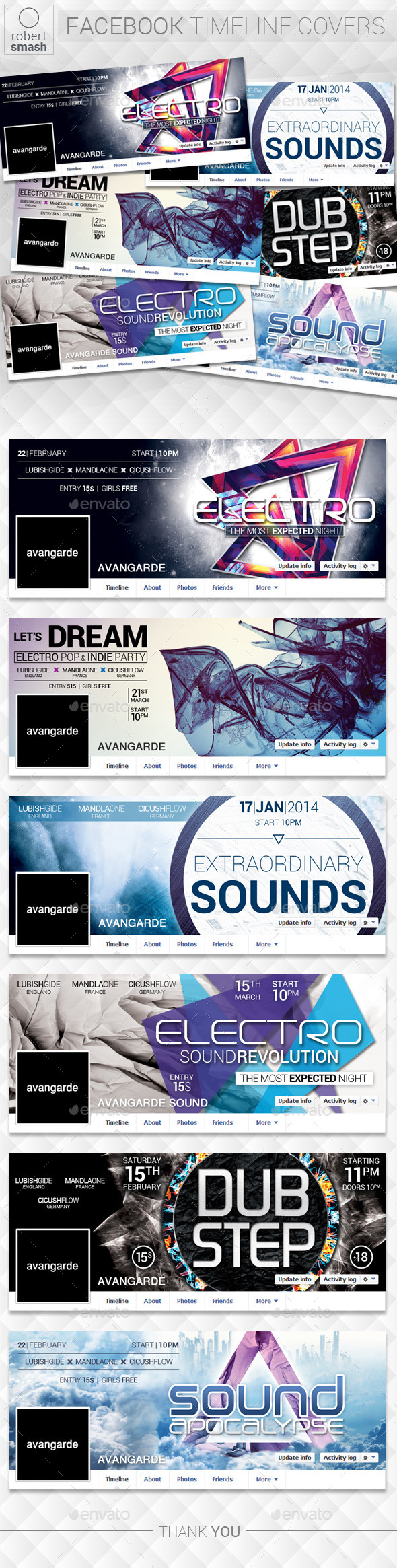
Graphicriver Social Media Covers Kit 12586324

Name GraphicRiver – Social Media Covers Kit 12586324
Size 3.88 MB
Created on 2015-09-29 12:08:11
Hash 1ed3043f215697a97615c52e0b4704f1779857d8
Files GraphicRiver – Social Media Covers Kit 12586324/GraphicRiver – Social Media Covers Kit 12586324.zip (3.88 MB)

Descriptions for Description

Name: Social Media Covers Kit
Created: 25 August 15
Last Update: 25 August 15
Layered: Yes
Graphics Files Included: Photoshop PSD
Minimum Adobe CS Version: CS5
Pixel Dimensions: 851x315


BUSINESS / CORPORATE SOCIAL MEDIA COVERS
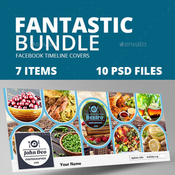
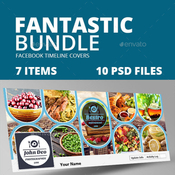
Clean, creative & professional Social Media covers. Best for display your products, or promote your business/ services etc. 

All files are editable. Colors, fonts and photos can be changes easily.


This item includes
- Facebook Cover (851×315px)
- Twitter Cover (1500×500px)
- Google+ Cover (1080×608)
- Youtube Cover (2560×1440)
- Linkedin Cover (646×220)


Features:
- 5 different sizes for major social media sites ( Facebook,Twitter,Google+,Youtube,Linkedin ) All in one..
- Editable layer 
- Vector shapes
- Free fonts used
- Use smart objects to change image


Fonts Used
Lato, Open Sans, Oswald (OT1)Rate, If you like the template


More information: http://graphicriver.net/item/social-media-covers-kit/12586324

Screenshots

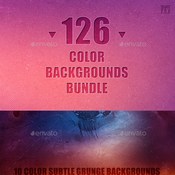
Graphicriver 126 Color Backgrounds Bundle 12427878

Name [Graphicriver][12427878] 126 Color Backgrounds Bundle [Fluck3r]
Size 486.3 MB
Created on 2015-10-01 00:39:54
Hash 51bf581af6b8a693baab567a61cd6e0b3b7b1ebe
Files ※ See Files

Description

  Name: 126 Color Backgrounds Bundle  Created: 13 August 15  Last Update: 13 August 15  High Resolution : Yes  Layered: Yes  Graphics Files Included: Photoshop PSD, JPG Image  Minimum Adobe CS Version: CS  Pixel Dimensions: 2000x3000        This pack contains 126 Color Backgrounds for your projects. Pixel Dimensions: 3000×2000.      INCLUDES  • 10 color subtle grunge backgrounds • 20 curve backgrounds – 02 styles   • 10 light ray backgrounds   • 24 bokeh backgrounds – 02 styles   • 22 abstract shapes backgrounds  • 40 ray backgrounds – 04 styles         More information: http://graphicriver.net/item/126-color-backgrounds-bundle/12427878  

Video

Screenshots

Files

  [Graphicriver][12427878] 126 Color Backgrounds Bundle [Fluck3r]/10 Color Subtle Grunge BG/BG (1).jpg (3.99 MB)  [Graphicriver][12427878] 126 Color Backgrounds Bundle [Fluck3r]/10 Color Subtle Grunge BG/BG (10).jpg (4.34 MB)  [Graphicriver][12427878] 126 Color Backgrounds Bundle [Fluck3r]/10 Color Subtle Grunge BG/BG (2).jpg (4.05 MB)  [Graphicriver][12427878] 126 Color Backgrounds Bundle [Fluck3r]/10 Color Subtle Grunge BG/BG (3).jpg (4.89 MB)  [Graphicriver][12427878] 126 Color Backgrounds Bundle [Fluck3r]/10 Color Subtle Grunge BG/BG (4).jpg (5.05 MB)  [Graphicriver][12427878] 126 Color Backgrounds Bundle [Fluck3r]/10 Color Subtle Grunge BG/BG (5).jpg (5.01 MB)  [Graphicriver][12427878] 126 Color Backgrounds Bundle [Fluck3r]/10 Color Subtle Grunge BG/BG (6).jpg (4.80 MB)  [Graphicriver][12427878] 126 Color Backgrounds Bundle [Fluck3r]/10 Color Subtle Grunge BG/BG (7).jpg (4.14 MB)  [Graphicriver][12427878] 126 Color Backgrounds Bundle [Fluck3r]/10 Color Subtle Grunge BG/BG (8).jpg (4.78 MB)  [Graphicriver][12427878] 126 Color Backgrounds Bundle [Fluck3r]/10 Color Subtle Grunge BG/BG (9).jpg (4.70 MB)  [Graphicriver][12427878] 126 Color Backgrounds Bundle [Fluck3r]/10 Light ray BG/BG (1).jpg (1.17 MB)  [Graphicriver][12427878] 126 Color Backgrounds Bundle [Fluck3r]/10 Light ray BG/BG (10).jpg (1.38 MB)  [Graphicriver][12427878] 126 Color Backgrounds Bundle [Fluck3r]/10 Light ray BG/BG (2).jpg (1.02 MB)  [Graphicriver][12427878] 126 Color Backgrounds Bundle [Fluck3r]/10 Light ray BG/BG (3).jpg (1.09 MB)  [Graphicriver][12427878] 126 Color Backgrounds Bundle [Fluck3r]/10 Light ray BG/BG (4).jpg (1.39 MB)  [Graphicriver][12427878] 126 Color Backgrounds Bundle [Fluck3r]/10 Light ray BG/BG (5).jpg (1.18 MB)  [Graphicriver][12427878] 126 Color Backgrounds Bundle [Fluck3r]/10 Light ray BG/BG (6).jpg (1.42 MB)  [Graphicriver][12427878] 126 Color Backgrounds Bundle [Fluck3r]/10 Light ray BG/BG (7).jpg (909.2 kB)  [Graphicriver][12427878] 126 Color Backgrounds Bundle [Fluck3r]/10 Light ray BG/BG (8).jpg (1.04 MB)  [Graphicriver][12427878] 126 Color Backgrounds Bundle [Fluck3r]/10 Light ray BG/BG (9).jpg (1.58 MB)  [Graphicriver][12427878] 126 Color Backgrounds Bundle [Fluck3r]/20 Curve BG/(1).jpg (2.62 MB)  [Graphicriver][12427878] 126 Color Backgrounds Bundle [Fluck3r]/20 Curve BG/(10).jpg (3.44 MB)  [Graphicriver][12427878] 126 Color Backgrounds Bundle [Fluck3r]/20 Curve BG/(11).jpg (2.93 MB)  [Graphicriver][12427878] 126 Color Backgrounds Bundle [Fluck3r]/20 Curve BG/(12).jpg (3.16 MB)  [Graphicriver][12427878] 126 Color Backgrounds Bundle [Fluck3r]/20 Curve BG/(13).jpg (2.97 MB)  [Graphicriver][12427878] 126 Color Backgrounds Bundle [Fluck3r]/20 Curve BG/(14).jpg (3.18 MB)  [Graphicriver][12427878] 126 Color Backgrounds Bundle [Fluck3r]/20 Curve BG/(15).jpg (2.88 MB)  [Graphicriver][12427878] 126 Color Backgrounds Bundle [Fluck3r]/20 Curve BG/(16).jpg (2.72 MB)  [Graphicriver][12427878] 126 Color Backgrounds Bundle [Fluck3r]/20 Curve BG/(17).jpg (2.84 MB)  [Graphicriver][12427878] 126 Color Backgrounds Bundle [Fluck3r]/20 Curve BG/(18).jpg (3.73 MB)  [Graphicriver][12427878] 126 Color Backgrounds Bundle [Fluck3r]/20 Curve BG/(19).jpg (2.98 MB)  [Graphicriver][12427878] 126 Color Backgrounds Bundle [Fluck3r]/20 Curve BG/(2).jpg (3.08 MB)  [Graphicriver][12427878] 126 Color Backgrounds Bundle [Fluck3r]/20 Curve BG/(20).jpg (2.79 MB)  [Graphicriver][12427878] 126 Color Backgrounds Bundle [Fluck3r]/20 Curve BG/(3).jpg (2.54 MB)  [Graphicriver][12427878] 126 Color Backgrounds Bundle [Fluck3r]/20 Curve BG/(4).jpg (2.69 MB)  [Graphicriver][12427878] 126 Color Backgrounds Bundle [Fluck3r]/20 Curve BG/(5).jpg (2.79 MB)  [Graphicriver][12427878] 126 Color Backgrounds Bundle [Fluck3r]/20 Curve BG/(6).jpg (2.98 MB)  [Graphicriver][12427878] 126 Color Backgrounds Bundle [Fluck3r]/20 Curve BG/(7).jpg (3.11 MB)  [Graphicriver][12427878] 126 Color Backgrounds Bundle [Fluck3r]/20 Curve BG/(8).jpg (3.43 MB)  [Graphicriver][12427878] 126 Color Backgrounds Bundle [Fluck3r]/20 Curve BG/(9).jpg (3.05 MB)  [Graphicriver][12427878] 126 Color Backgrounds Bundle [Fluck3r]/22 Abstract Shapes BG/BG (1).jpg (1.19 MB)  [Graphicriver][12427878] 126 Color Backgrounds Bundle [Fluck3r]/22 Abstract Shapes BG/BG (10).jpg (1.20 MB)  [Graphicriver][12427878] 126 Color Backgrounds Bundle [Fluck3r]/22 Abstract Shapes BG/BG (11).jpg (1.14 MB)  [Graphicriver][12427878] 126 Color Backgrounds Bundle [Fluck3r]/22 Abstract Shapes BG/BG (12).jpg (1.32 MB)  [Graphicriver][12427878] 126 Color Backgrounds Bundle [Fluck3r]/22 Abstract Shapes BG/BG (13).jpg (3.82 MB)  [Graphicriver][12427878] 126 Color Backgrounds Bundle [Fluck3r]/22 Abstract Shapes BG/BG (14).jpg (3.57 MB)  [Graphicriver][12427878] 126 Color Backgrounds Bundle [Fluck3r]/22 Abstract Shapes BG/BG (15).jpg (3.70 MB)  [Graphicriver][12427878] 126 Color Backgrounds Bundle [Fluck3r]/22 Abstract Shapes BG/BG (16).jpg (3.71 MB)  [Graphicriver][12427878] 126 Color Backgrounds Bundle [Fluck3r]/22 Abstract Shapes BG/BG (17).jpg (2.64 MB)  [Graphicriver][12427878] 126 Color Backgrounds Bundle [Fluck3r]/22 Abstract Shapes BG/BG (18).jpg (2.83 MB)  [Graphicriver][12427878] 126 Color Backgrounds Bundle [Fluck3r]/22 Abstract Shapes BG/BG (19).jpg (3.63 MB)  [Graphicriver][12427878] 126 Color Backgrounds Bundle [Fluck3r]/22 Abstract Shapes BG/BG (2).jpg (1.25 MB)  [Graphicriver][12427878] 126 Color Backgrounds Bundle [Fluck3r]/22 Abstract Shapes BG/BG (20).jpg (2.62 MB)  [Graphicriver][12427878] 126 Color Backgrounds Bundle [Fluck3r]/22 Abstract Shapes BG/BG (21).jpg (2.80 MB)  [Graphicriver][12427878] 126 Color Backgrounds Bundle [Fluck3r]/22 Abstract Shapes BG/BG (22).jpg (2.67 MB)  [Graphicriver][12427878] 126 Color Backgrounds Bundle [Fluck3r]/22 Abstract Shapes BG/BG (3).jpg (1.20 MB)  [Graphicriver][12427878] 126 Color Backgrounds Bundle [Fluck3r]/22 Abstract Shapes BG/BG (4).jpg (1.04 MB)  [Graphicriver][12427878] 126 Color Backgrounds Bundle [Fluck3r]/22 Abstract Shapes BG/BG (5).jpg (1.58 MB)  [Graphicriver][12427878] 126 Color Backgrounds Bundle [Fluck3r]/22 Abstract Shapes BG/BG (6).jpg (1.22 MB)  [Graphicriver][12427878] 126 Color Backgrounds Bundle [Fluck3r]/22 Abstract Shapes BG/BG (7).jpg (1.53 MB)  [Graphicriver][12427878] 126 Color Backgrounds Bundle [Fluck3r]/22 Abstract Shapes BG/BG (8).jpg (1.30 MB)  [Graphicriver][12427878] 126 Color Backgrounds Bundle [Fluck3r]/22 Abstract Shapes BG/BG (9).jpg (1.33 MB)  [Graphicriver][12427878] 126 Color Backgrounds Bundle [Fluck3r]/24 Bokeh BG-02styles/BG (1).jpg (5.33 MB)  [Graphicriver][12427878] 126 Color Backgrounds Bundle [Fluck3r]/24 Bokeh BG-02styles/BG (10).jpg (2.45 MB)  [Graphicriver][12427878] 126 Color Backgrounds Bundle [Fluck3r]/24 Bokeh BG-02styles/BG (11).jpg (4.91 MB)  [Graphicriver][12427878] 126 Color Backgrounds Bundle [Fluck3r]/24 Bokeh BG-02styles/BG (12).jpg (2.67 MB)  [Graphicriver][12427878] 126 Color Backgrounds Bundle [Fluck3r]/24 Bokeh BG-02styles/BG (13).jpg (4.90 MB)  [Graphicriver][12427878] 126 Color Backgrounds Bundle [Fluck3r]/24 Bokeh BG-02styles/BG (14).jpg (2.51 MB)  [Graphicriver][12427878] 126 Color Backgrounds Bundle [Fluck3r]/24 Bokeh BG-02styles/BG (15).jpg (4.85 MB)  [Graphicriver][12427878] 126 Color Backgrounds Bundle [Fluck3r]/24 Bokeh BG-02styles/BG (16).jpg (2.52 MB)  [Graphicriver][12427878] 126 Color Backgrounds Bundle [Fluck3r]/24 Bokeh BG-02styles/BG (17).jpg (5.13 MB)  [Graphicriver][12427878] 126 Color Backgrounds Bundle [Fluck3r]/24 Bokeh BG-02styles/BG (18).jpg (2.88 MB)  [Graphicriver][12427878] 126 Color Backgrounds Bundle [Fluck3r]/24 Bokeh BG-02styles/BG (19).jpg (4.41 MB)  [Graphicriver][12427878] 126 Color Backgrounds Bundle [Fluck3r]/24 Bokeh BG-02styles/BG (2).jpg (2.33 MB)  [Graphicriver][12427878] 126 Color Backgrounds Bundle [Fluck3r]/24 Bokeh BG-02styles/BG (20).jpg (1.96 MB)  [Graphicriver][12427878] 126 Color Backgrounds Bundle [Fluck3r]/24 Bokeh BG-02styles/BG (21).jpg (4.60 MB)  [Graphicriver][12427878] 126 Color Backgrounds Bundle [Fluck3r]/24 Bokeh BG-02styles/BG (22).jpg (2.75 MB)  [Graphicriver][12427878] 126 Color Backgrounds Bundle [Fluck3r]/24 Bokeh BG-02styles/BG (23).jpg (4.63 MB)  [Graphicriver][12427878] 126 Color Backgrounds Bundle [Fluck3r]/24 Bokeh BG-02styles/BG (24).jpg (2.09 MB)  [Graphicriver][12427878] 126 Color Backgrounds Bundle [Fluck3r]/24 Bokeh BG-02styles/BG (3).jpg (4.54 MB)  [Graphicriver][12427878] 126 Color Backgrounds Bundle [Fluck3r]/24 Bokeh BG-02styles/BG (4).jpg (2.06 MB)  [Graphicriver][12427878] 126 Color Backgrounds Bundle [Fluck3r]/24 Bokeh BG-02styles/BG (5).jpg (4.90 MB)  [Graphicriver][12427878] 126 Color Backgrounds Bundle [Fluck3r]/24 Bokeh BG-02styles/BG (6).jpg (2.53 MB)  [Graphicriver][12427878] 126 Color Backgrounds Bundle [Fluck3r]/24 Bokeh BG-02styles/BG (7).jpg (5.20 MB)  [Graphicriver][12427878] 126 Color Backgrounds Bundle [Fluck3r]/24 Bokeh BG-02styles/BG (8).jpg (2.62 MB)  [Graphicriver][12427878] 126 Color Backgrounds Bundle [Fluck3r]/24 Bokeh BG-02styles/BG (9).jpg (5.09 MB)  [Graphicriver][12427878] 126 Color Backgrounds Bundle [Fluck3r]/40 Ray BG/BG (1).jpg (5.90 MB)  [Graphicriver][12427878] 126 Color Backgrounds Bundle [Fluck3r]/40 Ray BG/BG (10).jpg (5.95 MB)  [Graphicriver][12427878] 126 Color Backgrounds Bundle [Fluck3r]/40 Ray BG/BG (11).jpg (6.31 MB)  [Graphicriver][12427878] 126 Color Backgrounds Bundle [Fluck3r]/40 Ray BG/BG (12).jpg (7.00 MB)  [Graphicriver][12427878] 126 Color Backgrounds Bundle [Fluck3r]/40 Ray BG/BG (13).jpg (4.80 MB)  [Graphicriver][12427878] 126 Color Backgrounds Bundle [Fluck3r]/40 Ray BG/BG (14).jpg (6.69 MB)  [Graphicriver][12427878] 126 Color Backgrounds Bundle [Fluck3r]/40 Ray BG/BG (15).jpg (5.91 MB)  [Graphicriver][12427878] 126 Color Backgrounds Bundle [Fluck3r]/40 Ray BG/BG (16).jpg (6.01 MB)  [Graphicriver][12427878] 126 Color Backgrounds Bundle [Fluck3r]/40 Ray BG/BG (17).jpg (5.53 MB)  [Graphicriver][12427878] 126 Color Backgrounds Bundle [Fluck3r]/40 Ray BG/BG (18).jpg (6.44 MB)  [Graphicriver][12427878] 126 Color Backgrounds Bundle [Fluck3r]/40 Ray BG/BG (19).jpg (5.57 MB)  [Graphicriver][12427878] 126 Color Backgrounds Bundle [Fluck3r]/40 Ray BG/BG (2).jpg (6.44 MB)  [Graphicriver][12427878] 126 Color Backgrounds Bundle [Fluck3r]/40 Ray BG/BG (20).jpg (6.05 MB)  [Graphicriver][12427878] 126 Color Backgrounds Bundle [Fluck3r]/40 Ray BG/BG (21).jpg (1.50 MB)  [Graphicriver][12427878] 126 Color Backgrounds Bundle [Fluck3r]/40 Ray BG/BG (22).jpg (1.52 MB)  [Graphicriver][12427878] 126 Color Backgrounds Bundle [Fluck3r]/40 Ray BG/BG (23).jpg (1.45 MB)  [Graphicriver][12427878] 126 Color Backgrounds Bundle [Fluck3r]/40 Ray BG/BG (24).jpg (1.50 MB)  [Graphicriver][12427878] 126 Color Backgrounds Bundle [Fluck3r]/40 Ray BG/BG (25).jpg (1.49 MB)  [Graphicriver][12427878] 126 Color Backgrounds Bundle [Fluck3r]/40 Ray BG/BG (26).jpg (1.64 MB)  [Graphicriver][12427878] 126 Color Backgrounds Bundle [Fluck3r]/40 Ray BG/BG (27).jpg (1.44 MB)  [Graphicriver][12427878] 126 Color Backgrounds Bundle [Fluck3r]/40 Ray BG/BG (28).jpg (1.55 MB)  [Graphicriver][12427878] 126 Color Backgrounds Bundle [Fluck3r]/40 Ray BG/BG (29).jpg (1.75 MB)  [Graphicriver][12427878] 126 Color Backgrounds Bundle [Fluck3r]/40 Ray BG/BG (3).jpg (4.39 MB)  [Graphicriver][12427878] 126 Color Backgrounds Bundle [Fluck3r]/40 Ray BG/BG (30).jpg (1.40 MB)  [Graphicriver][12427878] 126 Color Backgrounds Bundle [Fluck3r]/40 Ray BG/BG (31).jpg (5.38 MB)  [Graphicriver][12427878] 126 Color Backgrounds Bundle [Fluck3r]/40 Ray BG/BG (32).jpg (5.68 MB)  [Graphicriver][12427878] 126 Color Backgrounds Bundle [Fluck3r]/40 Ray BG/BG (33).jpg (4.14 MB)  [Graphicriver][12427878] 126 Color Backgrounds Bundle [Fluck3r]/40 Ray BG/BG (34).jpg (5.77 MB)  [Graphicriver][12427878] 126 Color Backgrounds Bundle [Fluck3r]/40 Ray BG/BG (35).jpg (5.08 MB)  [Graphicriver][12427878] 126 Color Backgrounds Bundle [Fluck3r]/40 Ray BG/BG (36).jpg (5.40 MB)  [Graphicriver][12427878] 126 Color Backgrounds Bundle [Fluck3r]/40 Ray BG/BG (37).jpg (4.66 MB)  [Graphicriver][12427878] 126 Color Backgrounds Bundle [Fluck3r]/40 Ray BG/BG (38).jpg (5.41 MB)  [Graphicriver][12427878] 126 Color Backgrounds Bundle [Fluck3r]/40 Ray BG/BG (39).jpg (5.17 MB)  [Graphicriver][12427878] 126 Color Backgrounds Bundle [Fluck3r]/40 Ray BG/BG (4).jpg (5.36 MB)  [Graphicriver][12427878] 126 Color Backgrounds Bundle [Fluck3r]/40 Ray BG/BG (40).jpg (5.87 MB)  [Graphicriver][12427878] 126 Color Backgrounds Bundle [Fluck3r]/40 Ray BG/BG (5).jpg (6.21 MB)  [Graphicriver][12427878] 126 Color Backgrounds Bundle [Fluck3r]/40 Ray BG/BG (6).jpg (5.51 MB)  [Graphicriver][12427878] 126 Color Backgrounds Bundle [Fluck3r]/40 Ray BG/BG (7).jpg (6.63 MB)  [Graphicriver][12427878] 126 Color Backgrounds Bundle [Fluck3r]/40 Ray BG/BG (8).jpg (5.96 MB)  [Graphicriver][12427878] 126 Color Backgrounds Bundle [Fluck3r]/40 Ray BG/BG (9).jpg (4.88 MB)  [Graphicriver][12427878] 126 Color Backgrounds Bundle [Fluck3r]/40 Ray BG/Ray.psd (47.93 MB)  

Red Giant Magic Bullet Suite 12.1.5

Description

Name: Red Giant Magic Bullet Suite
Version: 12.1.5

More information: http://www.redgiant.com/products/magic-bullet-suite/


Overview
Magic Bullet Suite is a set of seven tools that bring intuitive, powerful color correction, and beyond, right to your editorial timeline.	

Its nine essential tools let you capture the emotion of your scene, making your footage more personal and compelling. With the recent additions of Looks 2, PhotoLooks 2 and Denoiser II, our Magic Bullet Suite keeps outdoing itself, giving you more expert products at an even greater savings. Whether you are creating a color treatment, removing video noise, or doing a skin smoothing beauty pass, Magic Bullet Suite helps you create the final look that tells your story perfectly.


Includes:
Mojo 2.0.3
Denoiser II
Magic Bullet Looks 3.0.5
Magic Bullet Film 1.0
Colorista III
Cosmo 2.0.3
LUT Buddy


Host Applications
Adobe After Effects CC (2015), (2014), CC, CS6
Adobe Premiere Pro CC (2015), (2014), CC, CS6
Davinci Resolve 11, 12
Avid Media Composer 7.0, 8.0 or later

Video

Screenshots

Name Red Giant Magic Bullet Suite 12.1.5
Size 94.50 MB
Created on 2016-05-05 23:54:35
Tracker http://109.235.50.166:2710/announce
Hash e2d11763b124ecd646a66524e895d0fb699e9b5f
Files Red_Giant_Magic_Bullet_Suite_12_1_5.zip (94.50 MB)

CrossOver 15.1.0

Description

Name: CrossOver
Version: 15.1
Mac Platform: Intel
OS Version: OS X 10.8 or later

More information: https://www.codeweavers.com/


Overview
CrossOver runs thousands of different Windows programs on Mac. From productivity, utility, games, and design software-Windows software never looked better when launched right from the Mac dock with CrossOver Mac. Easily switch between Mac and Windows programs without rebooting, without using a virtual machine and without purchasing a Windows license. Windows programs gain native Mac functionality like copy & paste, keyboard shortcuts, and Mission Control.	

El Capitan compatible CrossOver Mac 15 is the easiest way to run Microsoft Windows software on your Mac without buying a Windows license, rebooting, or using a virtual machine. CrossOver Mac makes it easy to launch Windows programs natively from the dock. CrossOver also integrates Mac OS functionality, like cross-platform copy & paste, and shared file systems for your Windows applications.

CrossOver Mac runs Windows games, productivity software, and utility programs all in one application. And without the overhead of a virtual machine, programs and games can run as fast or faster than they would under a Windows operating system.

Run Windows Software Without Rebooting
Once CrossOver is installed, install and launch your Windows programs as you would any Mac application. You get access to your favorite Windows programs with ease. No booting required, or launching a virtual machine. No having to copy files from one file system to another. CrossOver runs directly on your Mac, and so does your Windows software.

One Click Installation
Our CrossTie technology is a major step forward for CrossOver users, because it makes installing Windows applications drop-dead simple. Just clicking the "Install" button in CrossOver tells CrossOver to take care of the rest. You can do the same thing from our massive Compatibility Center, which has thousands of applications with CrossTie installers. Relax, and let CrossOver do the work.

Software Runs at Native Speed
CrossOver runs natively on your Mac. Which means you don't have to run a copy of Windows. Which means you're not paying the RAM and CPU penalty for two operating systems running at the same time. Which means no bogged down, choppy performance. If you need native speed, CrossOver is the better choice.

Seamlessly Integrates with Your Desktop Environment
Since CrossOver is running on your native Mac file system, there's no need to move files back and forth between a Windows partition and OS X. Everything's in one place, right where you need it. Seamlessly Cut & Paste between Windows documents and Mac documents. Launch your Windows programs from the dock. Your Windows programs behave like native Mac applications.

Bottles
Bottles are a unique feature of CrossOver that allow separate Windows environments (XP, Win7, etc.) to be packaged and self-contained with your favorite programs. Bottles are really useful, because they let you easily backup your software, and move it from machine to machine. They also ensure that you get the right version of Windows for your application's needs. It's like having several different Windows machines operating together on your computer.


What's New Version 15.1:
OS X
Improved some confusing behavior in CrossOver's Software Installer.
Fixed a bug where CrossOver's Software Installer would hang while looking for compatible bottles.
Improved our resilience to custom Python installations. We now refrain from loading custom Python module installed in system directories, which prevents crashes when incompatible modules are present.
Improved security for Sparkle updates.

General Improvements
Fixed a problem initializing some fonts with dwrite, which could cause Steam to fail.
Fixed a bug in setting CrossOver's anti-virus scanner from a configuration file.

Application Support
Fixed a bug which caused Heroes of the Storm to freeze.
Fixed a bug which prevented login to World of Warcraft.
Fixed some graphical problems in Alekhine's Gun on Intel graphics hardware.
Fixed a bug which caused Microsoft Excel to hang when accepting non-English input via an Input Method Editor.

Video

Name CrossOver v15.1.0
Size 90.16 MB
Created on 2016-05-04 00:34:30
Tracker http://109.235.50.166:2710/announce
Hash 01821f47114c57a3fed9239be1a4f955b3312d54
Files fvb4qew4a.zip (90.16 MB)

Graphicriver 6 Music Event Facebook Timeline Covers vol.2 12881249

Name graphicriver_6_music_event_facebook_timeline_covers_vol_2_12881249
Size 17.47 MB
Created on 2015-09-23 03:01:24
Hash c28ed625b88dc98d2475ea6a1b7235eb3363c2a3
Files ※ See Files

Descriptions for Description

Name: 6 Music Event Facebook Timeline Covers vol.2
Created: 19 September 15
Last Update: 19 September 15
Layered: Yes
Graphics Files Included: Photoshop PSD
Minimum Adobe CS Version: CS
Pixel Dimensions: 851x315


• 6 Facebook Timeline Cover
• PSD Files
• 851×315 px
• Full Layered
• Free Font (Roboto) (Continuum) (Baron Neue)(Birdman) (Sansation)
• All graphics are included


More information: http://graphicriver.net/item/6-music-event-facebook-timeline-covers-vol2/12881249

Screenshots

Files

Graphicriver - 6 Music Event Facebook Timeline Covers vol.2 12881249/Follow.jpg (50.69 kB)
Graphicriver - 6 Music Event Facebook Timeline Covers vol.2 12881249/Graphicriver 6 Music Event Facebook Timeline Covers vol.2 12881249/Follow Me on ExtraTorrent.cc.txt (0.18 kB)
Graphicriver - 6 Music Event Facebook Timeline Covers vol.2 12881249/Graphicriver 6 Music Event Facebook Timeline Covers vol.2 12881249/Follow Me on Kickass.txt (0.17 kB)
Graphicriver - 6 Music Event Facebook Timeline Covers vol.2 12881249/Graphicriver 6 Music Event Facebook Timeline Covers vol.2 12881249/fb cover-01.psd (1.85 MB)
Graphicriver - 6 Music Event Facebook Timeline Covers vol.2 12881249/Graphicriver 6 Music Event Facebook Timeline Covers vol.2 12881249/fb cover-02.psd (3.03 MB)
Graphicriver - 6 Music Event Facebook Timeline Covers vol.2 12881249/Graphicriver 6 Music Event Facebook Timeline Covers vol.2 12881249/fb cover-03.psd (2.37 MB)
Graphicriver - 6 Music Event Facebook Timeline Covers vol.2 12881249/Graphicriver 6 Music Event Facebook Timeline Covers vol.2 12881249/fb cover-04.psd (1.96 MB)
Graphicriver - 6 Music Event Facebook Timeline Covers vol.2 12881249/Graphicriver 6 Music Event Facebook Timeline Covers vol.2 12881249/fb cover-05.psd (2.10 MB)
Graphicriver - 6 Music Event Facebook Timeline Covers vol.2 12881249/Graphicriver 6 Music Event Facebook Timeline Covers vol.2 12881249/fb cover-06.psd (5.24 MB)
Graphicriver - 6 Music Event Facebook Timeline Covers vol.2 12881249/Graphicriver 6 Music Event Facebook Timeline Covers vol.2 12881249/fonts.txt (0.20 kB)
Graphicriver - 6 Music Event Facebook Timeline Covers vol.2 12881249/Graphicriver 6 Music Event Facebook Timeline Covers vol.2 12881249/preview - FB Timeline Cover-01.jpg (143.4 kB)
Graphicriver - 6 Music Event Facebook Timeline Covers vol.2 12881249/Graphicriver 6 Music Event Facebook Timeline Covers vol.2 12881249/preview - FB Timeline Cover-02.jpg (156.7 kB)
Graphicriver - 6 Music Event Facebook Timeline Covers vol.2 12881249/Graphicriver 6 Music Event Facebook Timeline Covers vol.2 12881249/preview - FB Timeline Cover-03.jpg (141.8 kB)
Graphicriver - 6 Music Event Facebook Timeline Covers vol.2 12881249/Graphicriver 6 Music Event Facebook Timeline Covers vol.2 12881249/preview - FB Timeline Cover-04.jpg (133.3 kB)
Graphicriver - 6 Music Event Facebook Timeline Covers vol.2 12881249/Graphicriver 6 Music Event Facebook Timeline Covers vol.2 12881249/preview - FB Timeline Cover-05.jpg (140.3 kB)
Graphicriver - 6 Music Event Facebook Timeline Covers vol.2 12881249/Graphicriver 6 Music Event Facebook Timeline Covers vol.2 12881249/preview - FB Timeline Cover-06.jpg (153.6 kB)

Graphicriver Broken Dispersion PS Action 12920309

Name graphicriver_broken_dispersion_ps_action_12920309
Size 601.5 kB
Created on 2015-09-23 02:48:34
Hash cab0a0e26052be6d6a3d34787dfd7320b5683809
Files ※ See Files

Descriptions for Description

Name: Broken Dispersion PS Action
Created: 21 September 15
Last Update: 21 September 15
Add-on Files Included: Photoshop ATN
Works With: DNG, TIFF, PSD, JPG, RAW
Minimum Adobe CS Version: CS3


Everything is very straight forward. I have tried to make the item as very easy to use.


Features:

This action is designed to transform your photos into Broken Dispersion Photoshop Action.

- Easily editable & customizable
- Work on every photos
- Well Grouped Layer

This action is specially made for photographers, graphic designer & artists.

The action has been tested and working on Photoshop (English versions)CS3,CS4,CS5,CS6,CC,CC+.

I recommend using the action on photo’s with high resolution for the best results.

Instructions:

1. Open your photo in Photoshop.

2. On the “Window” tab, click “Actions”, once the window has opened you will see an arrow pointing right in the top right hand corner, click this then click “Load Actions”.

3. Go to “Layer” tab “New” -> “Layer”,Rename the layer to “brush” (Important: all letters must be lower case). To do that, double click on layer name and type “brush”.

4. In the end you just open”Broken Dispersion” folder and choose the direction that you like and click play button.

5. You are done.


More information: http://graphicriver.net/item/broken-dispersion-ps-action/12920309

Screenshots

Files

Graphicriver - Broken Dispersion PS Action 12920309/Follow.jpg (50.69 kB)
Graphicriver - Broken Dispersion PS Action 12920309/Graphicriver Broken Dispersion PS Action 12920309/Broken Dispersion/Broken Dispersion.atn (260.1 kB)
Graphicriver - Broken Dispersion PS Action 12920309/Graphicriver Broken Dispersion PS Action 12920309/Broken Dispersion/How-to-rate-this-file.jpg (226.6 kB)
Graphicriver - Broken Dispersion PS Action 12920309/Graphicriver Broken Dispersion PS Action 12920309/Broken Dispersion/Readme.docx (63.86 kB)
Graphicriver - Broken Dispersion PS Action 12920309/Graphicriver Broken Dispersion PS Action 12920309/Follow Me on ExtraTorrent.cc.txt (0.18 kB)
Graphicriver - Broken Dispersion PS Action 12920309/Graphicriver Broken Dispersion PS Action 12920309/Follow Me on Kickass.txt (0.17 kB)

Graphicriver Sales Instagram Banners – 6 Templates 12901326

Name graphicriver_sales_instagram_banners_6_templates_12901326
Size 18.74 MB
Created on 2015-09-22 22:22:25
Hash af0e9025717118086a575b4e377104b5ee47764a
Files ※ See Files

Descriptions for Description

Name: Sales Instagram Banners - 6 Templates
Created: 19 September 15
Last Update: 19 September 15
High Resolution : Yes
Layered: Yes
Graphics Files Included: Photoshop PSD
Minimum Adobe CS Version: CS3
Pixel Dimensions: 900x900


Promote your Products and services in Instagram with this awesome looking banner set.

6 awesome quality banner template PSD files ready for your Services, products, campaigns.Each PSD files are layered and fully organized.

The package also contains a help file & Editable PSDs.

Images are not included. Image can be purchased from PhotoDune.

Font Used (RED-636) Raleway : 
https://www.google.com/fonts/specimen/Raleway

IMAGES USED (RED-636) http://photodune.net/item/guy-in-suit/4161460
http://photodune.net/item/sexy-fashion-male-model-dressed-elegant-casual-posing-against/4318646
http://photodune.net/item/portrait-of-bright-stylish-girls/6311537
http://photodune.net/item/fashion-portrait-of-sensual-stylish-girl/6312151
http://photodune.net/item/fashion-portrait-of-sensual-stylish-girl-on-a-blue-background/6311967
http://photodune.net/item/fashion-portrait-of-sensual-girls/6312048
http://photodune.net/item/sensual-vintage-girl-at-a-wall/6311886


More information: http://graphicriver.net/item/sales-instagram-banners-6-templates/12901326

Screenshots

Files

Graphicriver - Sales Instagram Banners - 6 Templates 12901326/Follow.jpg (50.69 kB)
Graphicriver - Sales Instagram Banners - 6 Templates 12901326/Graphicriver Sales Instagram Banners - 6 Templates 12901326/Follow.jpg (50.69 kB)
Graphicriver - Sales Instagram Banners - 6 Templates 12901326/Graphicriver Sales Instagram Banners - 6 Templates 12901326/RED-636-Instagram Promtion Banners_Final/Follow Me on ExtraTorrent.cc.txt (0.18 kB)
Graphicriver - Sales Instagram Banners - 6 Templates 12901326/Graphicriver Sales Instagram Banners - 6 Templates 12901326/RED-636-Instagram Promtion Banners_Final/Follow Me on Kickass.txt (0.17 kB)
Graphicriver - Sales Instagram Banners - 6 Templates 12901326/Graphicriver Sales Instagram Banners - 6 Templates 12901326/RED-636-Instagram Promtion Banners_Final/Help File.doc (33.79 kB)
Graphicriver - Sales Instagram Banners - 6 Templates 12901326/Graphicriver Sales Instagram Banners - 6 Templates 12901326/RED-636-Instagram Promtion Banners_Final/PSD/insta1.psd (1.05 MB)
Graphicriver - Sales Instagram Banners - 6 Templates 12901326/Graphicriver Sales Instagram Banners - 6 Templates 12901326/RED-636-Instagram Promtion Banners_Final/PSD/insta2.psd (1.81 MB)
Graphicriver - Sales Instagram Banners - 6 Templates 12901326/Graphicriver Sales Instagram Banners - 6 Templates 12901326/RED-636-Instagram Promtion Banners_Final/PSD/insta3.psd (1.76 MB)
Graphicriver - Sales Instagram Banners - 6 Templates 12901326/Graphicriver Sales Instagram Banners - 6 Templates 12901326/RED-636-Instagram Promtion Banners_Final/PSD/insta4.psd (3.99 MB)
Graphicriver - Sales Instagram Banners - 6 Templates 12901326/Graphicriver Sales Instagram Banners - 6 Templates 12901326/RED-636-Instagram Promtion Banners_Final/PSD/insta5.psd (6.18 MB)
Graphicriver - Sales Instagram Banners - 6 Templates 12901326/Graphicriver Sales Instagram Banners - 6 Templates 12901326/RED-636-Instagram Promtion Banners_Final/PSD/insta6.psd (1.58 MB)
Graphicriver - Sales Instagram Banners - 6 Templates 12901326/Graphicriver Sales Instagram Banners - 6 Templates 12901326/RED-636-Instagram Promtion Banners_Final/Smart Object Guidance.doc (2.24 MB)

Graphicriver Vintage Badges and Logos 12908546

Name graphicriver_vintage_badges_and_logos_12908546
Size 9.17 MB
Created on 2015-09-22 22:11:53
Hash dd8938107c795daf5012cf0b06ac689c7f6d6fbb
Files ※ See Files

Descriptions for Description

Name: Vintage Badges and Logos
Created: 21 September 15
Last Update: 7 October 15
High Resolution : Yes
Layered: No
Graphics Files Included: Vector EPS, AI Illustrator
Minimum Adobe CS Version: CS3


Vintage Badges & Logos Volume -1, perfect for poster, sticker, packaging product design, t-shirt design, corporate identity and much more! Each Badge & Logo have been created with care with the finest details, all elements are clearly labeled and in organized folders.

- All text is easy editable.

- 100% vector and 100% editable.

- Files included AI and EPS format.

- Fonts are free for personal and commercial name and links given in the “Info File”.

- Background images are not included in this package.


More information: http://graphicriver.net/item/vintage-badges-and-logos/12908546

Screenshots

Files

Graphicriver - Vintage Badges and Logos 12908546/Follow.jpg (50.69 kB)
Graphicriver - Vintage Badges and Logos 12908546/Graphicriver Vintage Badges and Logos 12908546/Files/AI-CS3.ai (1.58 MB)
Graphicriver - Vintage Badges and Logos 12908546/Graphicriver Vintage Badges and Logos 12908546/Files/EPS-CS3.eps (7.48 MB)
Graphicriver - Vintage Badges and Logos 12908546/Graphicriver Vintage Badges and Logos 12908546/Files/Info File.rtf (56.54 kB)
Graphicriver - Vintage Badges and Logos 12908546/Graphicriver Vintage Badges and Logos 12908546/Follow Me on ExtraTorrent.cc.txt (0.18 kB)
Graphicriver - Vintage Badges and Logos 12908546/Graphicriver Vintage Badges and Logos 12908546/Follow Me on Kickass.txt (0.17 kB)

Microsoft Office For Mac 2016 15.22 + Crack

Descriptions for Microsoft Office For Mac 2016 15.22

Name: Microsoft Office For Mac 2016
Version: 15.22
Mac Platform: Intel
OS version: 10.10 or later
Processor type(s) & speed: 64-bit

Includes: Crack

More information: https://products.office.com/en-us/mac/microsoft-office-for-mac

Overview

Microsoft Office 2016 – Unmistakably Office, designed for Mac.

The new versions of Word, Excel, PowerPoint, Outlook and OneNote provide the best of both worlds for Mac users – the familiar Office experience paired with the best of Mac. If you already use Office on a PC or iPad, you will find yourself right at home in Office 2016 for Mac. It works the way you expect, with the familiar ribbon interface and powerful task panes. Mac users will appreciate the modernized Office experience and the integration of Mac capabilities like Full Screen view and Multi-TouchTM gestures. With full Retina display support, your Office documents look sharper and more vibrant than ever.

Office for Mac is cloud-connected, so you can quickly get to the documents you’ve recently used on other devices and pick up where you left off. New, built-in document sharing tools make it easy to invite teammates to work on a document together. When sharing documents, you won’t have to worry about losing content or formatting, as Office for Mac offers unparalleled compatibility with Office on PCs, tablets, phones and online.

Screenshots

Name Microsoft Office For Mac 2016 v15.22 + Update + License Installer.rar
Size 1.97 GB
Created on 2016-05-08 18:32:19
Hash d646e3ce26a1250ec8bb95491174199936300960
Files Microsoft Office For Mac 2016 v15.22 + Update + License Installer.rar (1.97 GB)

Microsoft Office Home & Business 2016 Mac OS X Pre activated

Description

Name: Microsoft Office Home & Business 2016
Platform: Intel 
OS version: 10.10 or higher 
Processor type(s) & speed: 64-bit processor

More information: https://products.office.com/en-us/mac/microsoft-office-for-mac


Installation
Instal Notes.The Apps Is Up To Day. Just Unzip,Copy In App Folder,Open The App Sigh With Your Microsoft Account,Done,Update Safe.Bonus User Guide


Overview
Welcome to the new Office for Mac!
Unmistakably Office, designed for Mac. Do your best work—anywhere, anytime and with anyone.

Get started quickly with new, modern versions of Word, Excel, PowerPoint, Outlook and OneNote.


Word
Create, polish, and share beautiful and professional documents
The state-of-the-art authoring and reviewing tools in Word make the creation of polished documents easy. The new Insights pane shows relevant contextual information from the web inside Word. The Design tab enables you to manage layout, colors, and fonts across a document. Get more done by working together using built-in tools to share and review documents. Several people can work on the same document simultaneously and use threaded comments to have a conversation right next to relevant text.


Excel
Analyze and visualize numbers in new and intuitive ways
The new Excel for Mac enables you to turn numbers into insights. Familiar keyboard shortcuts and data entry enhancements like formula builder and autocomplete immediately make you more productive. Excel also helps you visualize your data by recommending charts best suited for your numbers, and letting you quickly preview the different options. New PivotTable Slicers help you discover patterns in large volumes of data.


PowerPoint
Create multimedia presentations and present your ideas with confidence
Walk into your next presentation with complete confidence. The new Presenter View in PowerPoint displays the current slide, next slide, speaker notes, and a timer on your Mac, while projecting only the presentation to your audience on the big screen. A new Animation pane helps you design and fine-tune animations, and refined slide transitions ensure the finished product is polished. Easily share your presentation and invite others to work on the same presentation simultaneously.


OneNote
Harness your thoughts in your very own digital notebook
Capture, organize, and share your ideas with digital notebooks that you can access on any device. Find things quickly with a powerful search engine that tracks your tags, indexes your typed notes, and recognizes text in images and handwritten notes. Bold, italicize, underline, highlight, insert files, pictures and tables—format your notes like you want. Easily share notebooks with friends, family, or colleagues so everyone can work together on travel plans, household tasks, or work projects.


Outlook
Stay organized with an email and calendar experience that's fast and looks great
Managing your email, calendar, contacts, and tasks has never been easier. The new Outlook for Mac has push mail support so your inbox is always up to date. The improved conversation view automatically organizes your inbox around threaded conversations, so you'll never hunt for related messages again. And the new message preview gives you the first sentence of an email just below the subject line, so you can quickly decide if you want to read it now or come back later.

Screenshots

Files

Microsoft Office 2016 Mac/Microsoft Excel.zip (877.6 MB)
Microsoft Office 2016 Mac/Microsoft Office 2016 for Mac The Complete Beginner's Guide.epub (2.13 MB)
Microsoft Office 2016 Mac/Microsoft Office 2016 for Mac The Complete Beginner's Guide.pdf (4.18 MB)
Microsoft Office 2016 Mac/Microsoft OneNote.zip (433.5 MB)
Microsoft Office 2016 Mac/Microsoft Outlook.zip (717.1 MB)
Microsoft Office 2016 Mac/Microsoft PowerPoint.zip (814.7 MB)
Microsoft Office 2016 Mac/Microsoft Word.zip (1.00 GB)
Microsoft Office 2016 Mac/Office Whats New.mp4 (42.02 MB)

Name microsoft_office_home_business_2016_osx_pre_activated
Size 3.89 GB
Created on 2016-05-04 06:46:28
Hash a3cff696041b4cd117d8a15444ccb7d1d8f5718d
Files ※ See Files

Final Cut Pro X 10.2.3 dmg

Name final_cut_pro_10_2_3_dmg
Size 2.91 GB
Created on 2016-05-04 12:28:46
Hash 865955a79510b29abc1433e6d1ca6ecb54529569
Files FinalCutPro.10.2.3.dmg (2.91 GB)

Descriptions for Description

Name: Final Cut Pro
Version: 10.2.3
Release Date: February 05, 2016
Languages: English, French, German, Japanese, Simplified Chinese, Spanish
Developer: Apple
MAS Rating: 4+
Mac Platform: Intel
OS Version: OS X 10.10.4 or later
Processor type(s) & speed: 64-bit processor


More information: http://www.apple.com/finalcutpro/
Mac App Store: https://itunes.apple.com/app/final-cut-pro/id424389933?mt=12


Description:
Completely redesigned from the ground up, Final Cut Pro adds extraordinary speed, quality, and flexibility to every part of the post-production workflow. 

Revolutionary Video Editing 
• Assemble clips in the Magnetic Timeline without clip collisions or sync problems
• Use Clip Connections to attach B-roll, sound effects, and music to the timeline
• Reduce clutter by grouping clips into a Compound Clip. 
• Perfect your pacing right in the timeline with the Inline Precision Editor
• Cycle through different shots, graphics, or effects at one place in the timeline with Auditions
• Edit multi-camera projects with automatic sync and support for up to 64 camera angles

Powerful Media Organization 
• Organize your work within libraries for efficient media management and collaboration
• Work natively with a broad range of formats including RED, AVCHD, H.264 from DSLRs, and more
• Content Auto-Analysis captures camera metadata and analyzes shots in the background
• Create and apply custom keywords on the fly as you select ranges in clips
• Smart Collections let you dynamically organize content and find any shot in a few clicks

Incredible Performance 
• Final Cut Pro uses all the GPUs in your Mac for superior real-time playback performance and fast background rendering
• 64-bit architecture uses all the RAM in your system for larger projects and richer effects
• Background processing lets you keep working without interruption
• External monitoring lets you route video and audio through HDMI or third-party Thunderbolt and PCIe devices

Compelling, Customizable Effects 
• Beautifully animated, easily customizable 2D and 3D titles
• Preview effects to see how they look with your footage before applying them
• Change the look of titles, transitions, and effects using intuitive controls
• Control effects with precision using a keyframe editor that appears directly in the timeline
• Use third-party FxPlug plug-ins with custom interfaces and dual-GPU support

Integrated Audio Editing 
• Expand and edit multichannel audio files directly in the timeline
• Let Final Cut Pro repair significant audio problems such as hum, excessive noise, and more
• Sync DSLR video with separate audio in a single step, with instant audio waveform matching

Intuitive Color Grading 
• Improve the look of any clip with the single-click Balance Color feature
• Apply the Match Color feature to match the looks of two clips shot under different conditions
• Manipulate color, saturation, and exposure with the Color Board
• Fine tune color for a specific color range or area of the screen using keying and masks

One-Step, Optimized Output 
• Deliver projects for playback on Apple devices and websites such as Vimeo, YouTube, and Facebook
• Use themed menus to quickly author and burn a DVD or Blu-ray disc
• Export customized audio stems and multiple versions of a finished video using Roles metadata
• Import and export XML to support third-party workflows

System Requirements: OS X v10.10.4 or later, 4GB of RAM (8GB recommended for 4K), OpenCL-capable graphics card or Intel HD Graphics 3000 or later, 256MB of VRAM (1GB recommended for 4K and 3D titles), 4.15GB of disk space.

Some features require Internet access; additional fees may apply. Blu-ray recorder required for burning Blu-ray discs.


What's New in Version 10.2.3:
• Customizable Default Effect lets you choose both a video and audio effect that is assigned to a keyboard shortcut
• 4K export preset to create video files for Apple devices
• Improves speed when opening libraries on a SAN
• Resolves an issue that could affect the timecode display in the Dashboard on OS X El Capitan
• Import Canon XF-AVC including video files from the Canon C300 Mark II 
• Ability to share video to multiple YouTube accounts
• Resolves an issue in which a disabled video effect could appear as Missing Effect when opening the project or when sharing to Compressor
• Addresses an issue in which black frames could appear in imported iPhone video clips that were trimmed on iPhone
• Fixes an issue that could cause the playhead to jump ahead when editing short titles
• Fixes an issue that could cause the timeline to stop playback when switching views in the Browser
• Fixes an issue in which points on a Bezier shape could incorrectly switch from Linear to Smooth
• Fixes an issue in which some objects within Motion templates render with soft edges
• Adds iPhone 6s, iPhone 6s Plus, iPad Pro, and Apple TV (4th generation) to the Apple Devices compatibility list in the Share window

Introduced in Version 10.2
Introducing 3D titles
• Beautifully animated and easily customizable 3D text
• Simple templates to get started quickly
• Cinematic templates with built-in backgrounds and animations
• Large collection of text styles to create stunning looks in one click
• Customize your titles with hundreds of combinations of materials, lighting, and edges
• Additional controls let you adjust environments, shadows, and more
• Instantly convert any 2D title to 3D
• Open any title in Motion to add multiple lights, cameras, and tracking

Advanced effects
• Display up to four video scopes simultaneously
• Apply super ellipse Shape mask to any clip
• Apply Draw mask to any clip, with options for linear, bezier, or B-spline smoothing
• New Shape and Color mask controls for every effect
• Instantly display the alpha channel for any effect mask
• Save custom effects as presets for quick access
• Color Board merged into the new Color Correction effect 
• Rearrange the processing order of Color Correction effect
• Improved keyframing with better motion smoothing
• Improved optical flow for beautiful slow motion on a wider range of content
• Better performance of FxPlug plug-ins and built-in effects that use multiple frames like Visual Echo and Trails

Camera formats
• Panasonic AVC-Ultra codec family
• Sony XAVC-S
• Import Sony XAVC and XDCAM formats without separate plug-in
• JVC H.264 Long GOP
• GPU-accelerated RED RAW processing with support for dual GPUs
• Support for RED RAW anamorphic formats

Additional features
• Smart Collections can be used at the event and library level
• Import window consolidates all options into single sidebar
• GPU rendering when using Send to Compressor with support for dual GPUs

Screenshots

Graphicriver Oil Painting Action v.9 12755182

Name graphicriver_12755182_oil_painting_action_v_9_photoshop_actions_fluck3r
Size 98.44 kB
Created on 2015-09-19 23:19:48
Hash b8303645c521f9dd71d9e705cefd13ba0bec8664
Files [Graphicriver][12755182] Oil Painting Action v9 – Photoshop Actions [Fluck3r]/[Graphicriver][12755182] Oil Painting Action v9 – Photoshop Actions [Fluck3r].zip (98.44 kB)

Descriptions for Description

Name: Oil Painting Action v.9
Created: 7 September 15
Last Update: 7 September 15
Add-on Files Included: Photoshop ATN
Works With: PSD, CMYK, AVCHD, JPG
Minimum Adobe CS Version: CS6


Features: This action is designed to transform your photo’s into Effects look. The action has been tested and working on Photoshop (English versions) CS6. I recommend using the action on photo’s with high resolution for the best results..

Features :
1 Atn file
1 Help_File

Easy to edit 100% Fully editable Simple to Customize Well Organized Layers Works for any photo size


More information: http://graphicriver.net/item/oil-painting-action-v9/12755182

Screenshots

Graphicriver Fantastic Bundle Facebook Timelines Covers 12716956

Name graphicriver_12716956_fantastic_bundle_facebook_timelines_covers_photoshop_project_files_fluck3r
Size 2.88 MB
Created on 2015-09-19 23:16:38
Hash 8e7fd4604fe4147f9d15b8f323f0f3cdbbceb14d
Files [Graphicriver][12716956] Fantastic Bundle Facebook Timelines Covers – Photoshop Project Files [Fluck3r]/[Graphicriver][12716956] Fantastic Bundle Facebook Timelines Covers – Photoshop Project Files [Fluck3r].zip (2.88 MB)

Descriptions for Description

Name: Fantastic Bundle Facebook Timelines Covers
Created: 3 September 15
Last Update: 3 September 15
High Resolution : Yes
Layered: Yes
Graphics Files Included: Photoshop PSD
Minimum Adobe CS Version: CS3
Pixel Dimensions: 851x315


Simple, creative and clean Facebook Timeline cover template, perfectly used for any photographer or designer, PSD File 851×315 px Fully Editable Layer Psd files RGB 72 DPI Smart Object to Replace Your Image. all images not included


More information: http://graphicriver.net/item/fantastic-bundle-facebook-timelines-covers/12716956

Screenshots

Graphicriver 6 Music Event Facebook Timeline Covers 12663361

Name graphicriver_12663361_6_music_event_facebook_timeline_covers_photoshop_project_files_fluck3r
Size 9.35 MB
Created on 2015-09-19 23:16:24
Hash 93025525d80874b2ce80460e4ebd4d0742d5332c
Files ※ See Files

Descriptions for Description

Name: 6 Music Event Facebook Timeline Covers
Created: 31 August 15
Last Update: 31 August 15
Layered: Yes
Graphics Files Included: Photoshop PSD
Minimum Adobe CS Version: CS
Pixel Dimensions: 851x315


• 6 Facebook Timeline Cover
• PSD Files
• 851×315 px
• Full Layered
• Free Font (Roboto) (Birdman) (Sansation)
• All graphics are included


More information: http://graphicriver.net/item/6-music-event-facebook-timeline-covers/12663361

Screenshots

Files

[Graphicriver][12663361] 6 Music Event Facebook Timeline Covers - Photoshop Project Files [Fluck3r]/Info.txt (0.15 kB)
[Graphicriver][12663361] 6 Music Event Facebook Timeline Covers - Photoshop Project Files [Fluck3r]/Preview/preview - FB Timeline Cover-01.jpg (123.3 kB)
[Graphicriver][12663361] 6 Music Event Facebook Timeline Covers - Photoshop Project Files [Fluck3r]/Preview/preview - FB Timeline Cover-02.jpg (143.7 kB)
[Graphicriver][12663361] 6 Music Event Facebook Timeline Covers - Photoshop Project Files [Fluck3r]/Preview/preview - FB Timeline Cover-03.jpg (133.5 kB)
[Graphicriver][12663361] 6 Music Event Facebook Timeline Covers - Photoshop Project Files [Fluck3r]/Preview/preview - FB Timeline Cover-04.jpg (130.5 kB)
[Graphicriver][12663361] 6 Music Event Facebook Timeline Covers - Photoshop Project Files [Fluck3r]/Preview/preview - FB Timeline Cover-05.jpg (159.6 kB)
[Graphicriver][12663361] 6 Music Event Facebook Timeline Covers - Photoshop Project Files [Fluck3r]/Preview/preview - FB Timeline Cover-06.jpg (144.6 kB)
[Graphicriver][12663361] 6 Music Event Facebook Timeline Covers - Photoshop Project Files [Fluck3r]/[Graphicriver][12663361] 6 Music Event Facebook Timeline Covers - Photoshop Project Files [Fluck3r].zip (8.52 MB)

Graphicriver Glitch Photoshop Photo Template 12606269

Name graphicriver_12606269_glitch_photoshop_project_files_fluck3r
Size 42.72 MB
Created on 2015-09-19 23:16:07
Hash 7b279b9983acf8e85fe538d7f6c41371238589ab
Files [Graphicriver][12606269] Glitch – Photoshop Project Files [Fluck3r]/[Graphicriver][12606269] Glitch – Photoshop Project Files [Fluck3r].zip (42.72 MB)

Descriptions for Description

Name: Glitch Photoshop Photo Template
Created: 26 August 15
Last Update: 1 October 15
High Resolution : Yes
Layered: Yes
Graphics Files Included: Photoshop PSD
Minimum Adobe CS Version: CS6
Pixel Dimensions: 3000x2000
Print Dimensions: 10x6.6


Glitch Photoshop Photo Template – Use this template to create stunning glitch effects to your photos, illustrations and logos. Inside this pack you will find 01 PSD and a step-by-step guide.

This template is extremely easy to use. all you need to do is paste your image inside the smart object. You can combine the effects to achieve different results.

Details: 
• 01 PSD
• 3000×2000 px
• RGB
• step-by-step guide

I’ve tried my best to make it simple and well-organized, but please don’t hesitate to contact me if you need further assistance.

This is a photoshop photo template, NOT an action.

Images are NOT included.


More information: http://graphicriver.net/item/glitch-photoshop-photo-template/12606269

Video Tutorial

Screenshots

CrossOver v15.1

Description

Name: CrossOver
Version: 15.1
Language: Multilangual
Includes: Pre-K'ed
OS Version: OS X 10.8 or later

More information: https://www.codeweavers.com/


Overview
CrossOver runs thousands of different Windows programs on Mac. From productivity, utility, games, and design software-Windows software never looked better when launched right from the Mac dock with CrossOver Mac. Easily switch between Mac and Windows programs without rebooting, without using a virtual machine and without purchasing a Windows license. Windows programs gain native Mac functionality like copy & paste, keyboard shortcuts, and Mission Control.	

El Capitan compatible CrossOver Mac 15 is the easiest way to run Microsoft Windows software on your Mac without buying a Windows license, rebooting, or using a virtual machine. CrossOver Mac makes it easy to launch Windows programs natively from the dock. CrossOver also integrates Mac OS functionality, like cross-platform copy & paste, and shared file systems for your Windows applications.

CrossOver Mac runs Windows games, productivity software, and utility programs all in one application. And without the overhead of a virtual machine, programs and games can run as fast or faster than they would under a Windows operating system.

Run Windows Software Without Rebooting
Once CrossOver is installed, install and launch your Windows programs as you would any Mac application. You get access to your favorite Windows programs with ease. No booting required, or launching a virtual machine. No having to copy files from one file system to another. CrossOver runs directly on your Mac, and so does your Windows software.

One Click Installation
Our CrossTie technology is a major step forward for CrossOver users, because it makes installing Windows applications drop-dead simple. Just clicking the "Install" button in CrossOver tells CrossOver to take care of the rest. You can do the same thing from our massive Compatibility Center, which has thousands of applications with CrossTie installers. Relax, and let CrossOver do the work.

Software Runs at Native Speed
CrossOver runs natively on your Mac. Which means you don't have to run a copy of Windows. Which means you're not paying the RAM and CPU penalty for two operating systems running at the same time. Which means no bogged down, choppy performance. If you need native speed, CrossOver is the better choice.

Seamlessly Integrates with Your Desktop Environment
Since CrossOver is running on your native Mac file system, there's no need to move files back and forth between a Windows partition and OS X. Everything's in one place, right where you need it. Seamlessly Cut & Paste between Windows documents and Mac documents. Launch your Windows programs from the dock. Your Windows programs behave like native Mac applications.

Bottles
Bottles are a unique feature of CrossOver that allow separate Windows environments (XP, Win7, etc.) to be packaged and self-contained with your favorite programs. Bottles are really useful, because they let you easily backup your software, and move it from machine to machine. They also ensure that you get the right version of Windows for your application's needs. It's like having several different Windows machines operating together on your computer.


What's New Version 15.1:
OS X
Improved some confusing behavior in CrossOver's Software Installer.
Fixed a bug where CrossOver's Software Installer would hang while looking for compatible bottles.
Improved our resilience to custom Python installations. We now refrain from loading custom Python module installed in system directories, which prevents crashes when incompatible modules are present.
Improved security for Sparkle updates.

General Improvements
Fixed a problem initializing some fonts with dwrite, which could cause Steam to fail.
Fixed a bug in setting CrossOver's anti-virus scanner from a configuration file.

Application Support
Fixed a bug which caused Heroes of the Storm to freeze.
Fixed a bug which prevented login to World of Warcraft.
Fixed some graphical problems in Alekhine's Gun on Intel graphics hardware.
Fixed a bug which caused Microsoft Excel to hang when accepting non-English input via an Input Method Editor.


▬▬▬▬▬▬▬▬▬▬▬▬▬▬▬▬▬▬▬▬▬▬▬


Nombre: CrossOver
Versión: 15.1
Incluye: Pre-Activado
Idioma: Multilenguaje

Procesador: Intel
Versión OS: 10.8 o posterior
Más info: https://www.codeweavers.com/


Corre aplicaciones Windows en Mac sin tenerlo instalado.
¿Boot Camp, Windows? No hace falta comprarse Windows para poder correr sus aplicaciones en nuestro equipo Mac Intel, con CrossOver Mac podrás hacerlo ya que lleva en su interior un porte de Wine.

Wine es una aplicación muy popular en entornos Linux ya que permite correr aplicaciones de Windows en equipos Unix. Visto que Mac forma parte de la misma familia, sólo era de esperar que saliese una aplicación similar. Es el caso de CrossOver Mac.

Video

Name crossover_v15_1
Size 90.02 MB
Created on 2016-05-02 00:51:07
Hash 8f499c955df6a8a771cc23f54bb5eaaa34a07358
Files CrossOver_v15.1.zip (90.02 MB)

Google Nik Collection 1.2.11.1307.10 Complete Adobe Plugins for Mac

Description

Name: Google Nik Collection
Version: 1.2.11.1307.12
Langage: Multilingual
Mac Platform: Intel
OS Version: OS X 10.7.5 through 10.10

Additional Requirement:
・Adobe Photoshop CS4 (CS5 for HDR Efex Pro 2) through CC 2015
・Adobe Photoshop Elements 9 through 13 (apart from HDR Efex Pro 2, which is not compatible with Photoshop Elements)
・Adobe Photoshop Lightroom 3 through 6/CC
・Apple® Aperture® 3.1 or later


More information: http://www.niksoftware.com/


Overview
The Complete Collection includes all of Nik Software's latest award-winning plug-in software titles for Photoshop: Dfine 2, Viveza 2, Color Efex Pro 3, HDR Efex Pro 2, Silver Efex Pro, and Sharpener Pro 3. All products feature Nik Software's patented U Point technology, giving photographers the most powerful tools for precise and natural photographic enhancements and corrections without the need for complicated selections or layer masks.

The Complete Collection includes support for every plug-in to work in Photoshop:
• Analog Efex Pro 2.12.12
• Color Efex Pro 4.3.24.12
• Dfine 2.2.21.12
• HDR Efex Pro 2.2.24.12
• Sharpener Pro 3.1.21.12
• Silver Efex Pro 2.2.24.12
• Viveza 2.1.21.12

Name google_nik_collection_1_2_11_1307_10_complete_adobe_plugins_for
Size 618.2 MB
Created on 2016-05-01 14:25:05
Hash 03f2d6094b7a0b7afc8e9e4c6c94c2338728cb7b
Files Google Nik Collection 1.2.11.1307.10 Mac/Applied Piracy.url (0.07 kB)
Google Nik Collection 1.2.11.1307.10 Mac/NikCollection_1.2.11.1307.10.dmg (618.2 MB)

Graphicriver Vintage Floral Wedding Invitation 12116686

Name graphicriver_12116686_vintage_floral_wedding_invitation_photoshop_project_files_fluck3r
Size 497.2 MB
Created on 2015-09-19 22:53:50
Hash de493cff2a5a823ee093e7acd4e6603d9c6e2e9e
Files [Graphicriver][12116686] Vintage Floral Wedding Invitation – Photoshop Project Files [Fluck3r]/Black.zip (248.9 MB)
[Graphicriver][12116686] Vintage Floral Wedding Invitation – Photoshop Project Files [Fluck3r]/Color.zip (248.3 MB)

Descriptions for Description

Name: Vintage Floral Wedding Invitation
Created: 15 July 15
Last Update: 15 July 15
Layered: Yes
Graphics Files Included: Photoshop PSD
Minimum Adobe CS Version: CS
Print Dimensions: 5x7


Create a beautiful wedding celebration with the vintage floral wedding invitation that has a complete set for you; the invitation & save the date, RSVP, thank you & message card, to escort & table card.

Each design is well crafted & very easy to edit. Every layer is well ordered & color highlighted just so you can find the text or image easily. There are 2 color palettes available: colorful & black floral.

Tutorial file to guide you through the editing process also comes with the set.


Vintage Floral Wedding Invitation Features:

- Front & Back Design with Bleed 3mm

- 2 Color Palettes

- Invitation 5×7 inch

- RSVP 5×3 inch

- Message Card 6×4 inch

- Thank You Card 5×3 inch

- Table Card 3×5 inch

- Escort Card 2.5×3.5 inch

- CMYK, 300dpi

- Guidelines & Safe Lines

- Editable Layers

- Help Me File


Fonts Used:
You can download the fonts here:

Aristelle: https://www.myfonts.com/fonts/my-creative-land/aristelle/

Just contact me if you have problem in downloading them or need the fonts for free!


More information: http://graphicriver.net/item/vintage-floral-wedding-invitation/12116686

Screenshots

Graphicriver Artisto Bundle – Photoshop Action 12708979

Name graphicriver_12708979_artisto_bundle_photoshop_actions_fluck3r
Size 29.15 MB
Created on 2015-09-18 23:53:35
Hash 7ea5298e679616c39612c2aa0930ffdb3309a538
Files [Graphicriver][12708979] Artisto Bundle – Photoshop Actions [Fluck3r]/Artisto 1.zip (1.24 MB)
[Graphicriver][12708979] Artisto Bundle – Photoshop Actions [Fluck3r]/Artisto 2.zip (26.24 MB)
[Graphicriver][12708979] Artisto Bundle – Photoshop Actions [Fluck3r]/Artisto 3.zip (1.67 MB)

Descriptions for Description

Name: Artisto Bundle - Photoshop Action
Created: 2 September 15
Last Update: 2 September 15
Add-on Files Included: Photoshop ABR, Photoshop PAT, Photoshop ATN
Works With: TIFF, PSD, RAW
Minimum Adobe CS Version: CS4


Features
• Work only with ENGLISH language photoshop. 
• How to change language to English with this TUTORIAL. https://www.youtube.com/watch?v=GJAiu5W2gLE
• Separated layers.
• Preview image not included.


Bundle contains
• http://graphicriver.net/item/artisto-photoshop-action/12390526
• http://graphicriver.net/item/artisto-2-photoshop-action/12480647
• http://graphicriver.net/item/artisto-3-photoshop-action/12644480


Note
• Created in CS6,tested and working in CS4,CS5 and CC 2014 version photoshop. • Be sure your photoshop set to RGB color , 8Bits/Channel , English version.


More information: http://graphicriver.net/item/artisto-bundle-photoshop-action/12708979

Screenshots

Graphicriver Focus Control 12448874

Name graphicriver_12448874_focus_control_photoshop_actions_fluck3r
Size 5.65 kB
Created on 2015-09-18 23:53:20
Hash 7d4751d7612ea78e54b9dcf07878205385d306fc
Files [Graphicriver][12448874] Focus Control – Photoshop Actions [Fluck3r]/Focus_Control.zip (5.65 kB)

Descriptions for Description

Name: Focus Control
Created: 14 August 15
Last Update: 8 February 16
Add-on Files Included: Photoshop ATN
Works With: DNG, TIFF, PSD, JPG
Minimum Adobe CS Version: CS6


Watch the above video tutorial for a demonstration on how to use the action. The video is very important to watch if you plan on downloading the action.

- 4 levels of depth blurring
- Adopted for images of any size
- Automatically adjusted with any resolution
- Adjustable color set
- Adjustable vignette

Create an incredible wedding and fashion photography. 
Add brightness, conviviality, sunshine and happiness. 
Give chic, luxury and glamour to your pictures. 
Create amazing greeting card or poster in a few clicks.


More information: http://graphicriver.net/item/focus-control/12448874

Focus Control Video Presentation

The combined use of action Focus Control & Bokeh Maker

Screenshots

Resolume Arena 5 v5.0.4

Description

Name: Resolume Arena 5
Version: 5.0.4

More information: http://resolume.com/software/


Keygen:
Keygen APP OS X 2016.0 [dada]
.app to execute Keygen.exe
magnet:?xt=urn:btih:EDF3B6EC97D1D02B96F9441A3BD2F80140E19088


Overview
Live HD Video Mixing
Resolume puts you in charge. You can play your videos when you want, how you want. Forwards, backwards, scratch and adjust tempo to the beat. Mix and match your visuals quickly and easily and play Resolume like an instrument.


Intuitive Interface
Whatever your style is, Resolume offers you an easy interface to rock it. Use as little or as many videos and effects as you like. The only limit is your computer's raw power and your imagination.


From Your Local Club to Main Stage
You can play on any amount of screens. From a simple screen behind the DJ in your local club to main stage at Ultra. As long as your computer can recognise it as an output, Resolume will let you use it.


Projection Mapping with Arena
Project video on any type of surface. Complex geometrical structures or whole buildings. Resolume does all the hard work, so you can concentrate on the important part: being creative.


Blend Projectors with Arena
With edge blending you can seamlessly project one beautiful widescreen image with two or more projectors. It can even wrap around for a full 360 degree experience.


Project on Cars, Buildings or Pumpkins
With Arena you can take on any size mapping project. From projecting on DJ booths to cars, buildings and LED mappings on giant stages like Ultra.


Led There Be Light
Think outside the screen and colour the lights too! With Arena 5 you can send out colours to DMX fixtures and the lights will be in sync with your visuals.


Live Composite & Effects
Adjust the scale and position of your clips to suit your needs. Apply effects to drastically change the look of your video. Everything runs on the video card so you get the fastest performance and best image quality possible.

Real Time Rendering
Apply effects, blend, mix, cut and edit, everything happens on the spot. Resolume also plays your generative content made in Flash or Quartz Composer.

Audio & Visual Plugins
All visual effects in Resolume are plugins and you can easily add more effects by download 3rd party plugins. You can even program your own using OpenGL. On the audio side you can use VST plugins to play your favorite effects.
  
Integrate With Other Apps
With Syphon on the Mac and Spout on Windows you can stream visuals in real-time between Resolume and other apps. You can even program your own apps that integrate with Resolume.


Live Cameras
Connect a plug and play webcam. Capture a high end HD-SDI signal. Feed the output of one computer into another. Whatever you need. 


Blackmagic Capture Devices
Resolume supports all Blackmagic Design capture cards for both input and output. On Mac OS X and Windows you get maximal quality with minimal latency.


Audio Visual Playback
Resolume plays both audio and video files. Juggle pixels and composite beats, combine any video file with any audio file.


Audio Visual Effects
Resolume has both audio effects and video effects. Use them separately or combine them to create exciting new audio visual effects.


Audio Analysis
Make clips and effects dance to the beat. Resolume can analyse audio to make any parameter bounce to the music. 

Video

Screenshots

Name resolume_arena_5_v5_0_4_r2r_dada
Size 1.22 GB
Created on 2016-04-30 21:09:12
Hash 776eae9c5632f63d217ce052a56688e0b5094001
Files Resolume Arena 5 v5.0.4 OS X [R2R][dada]/Resolume Arena 5 v5.0.4 OS X [R2R][dada].dmg (1.22 GB)
Resolume Arena 5 v5.0.4 OS X [R2R][dada]/Torrent downloaded from Demonoid.ooo.txt (0.05 kB)
Resolume Arena 5 v5.0.4 OS X [R2R][dada]/Torrent downloaded from future-dada torrents at btstorr.cc.txt (0.13 kB)
Resolume Arena 5 v5.0.4 OS X [R2R][dada]/Torrent downloaded from torrent-core.org.txt (0.05 kB)

Torrents Download Apple,Mac Osx,Apps ,Software

Exit mobile version