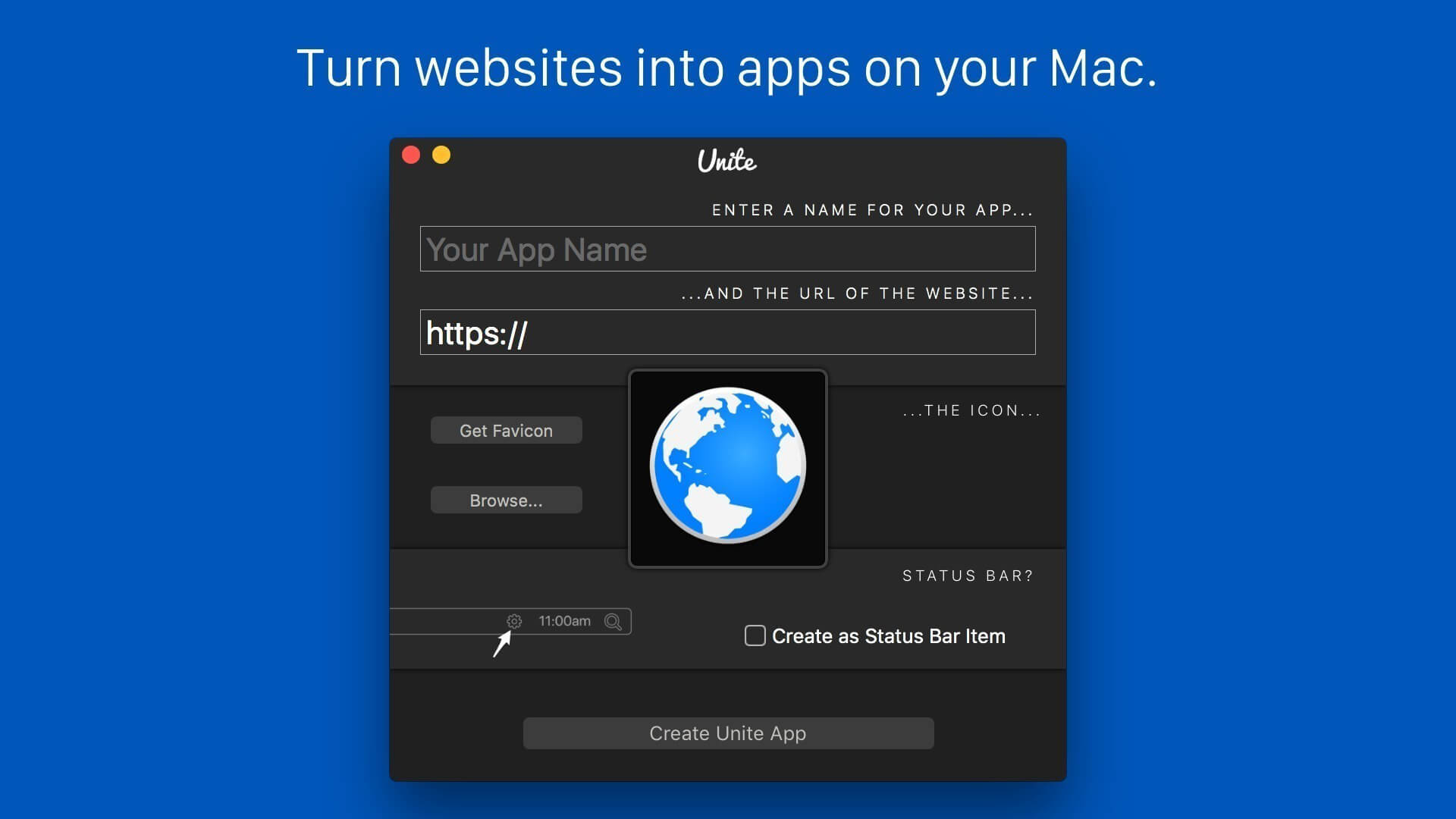
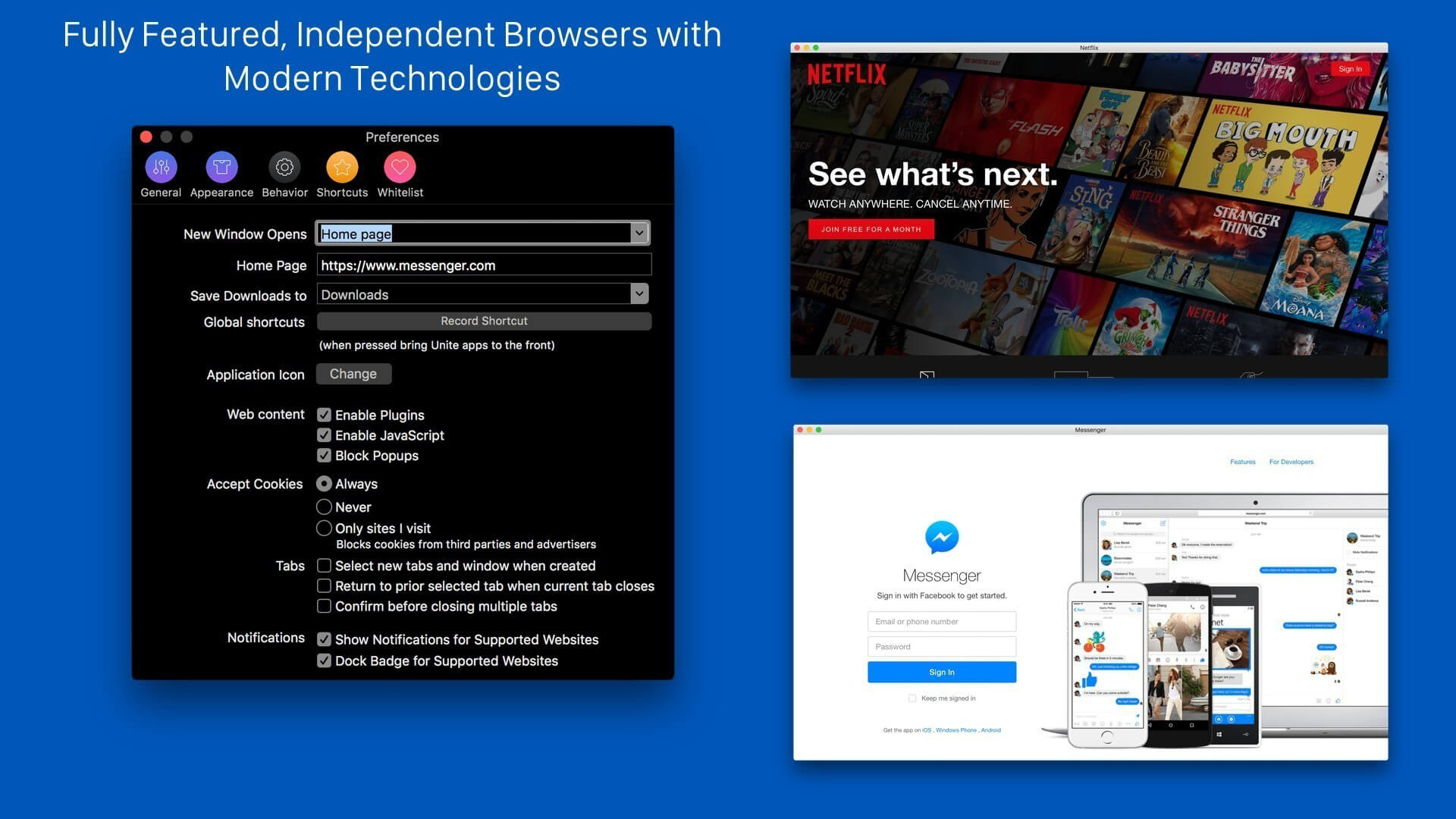
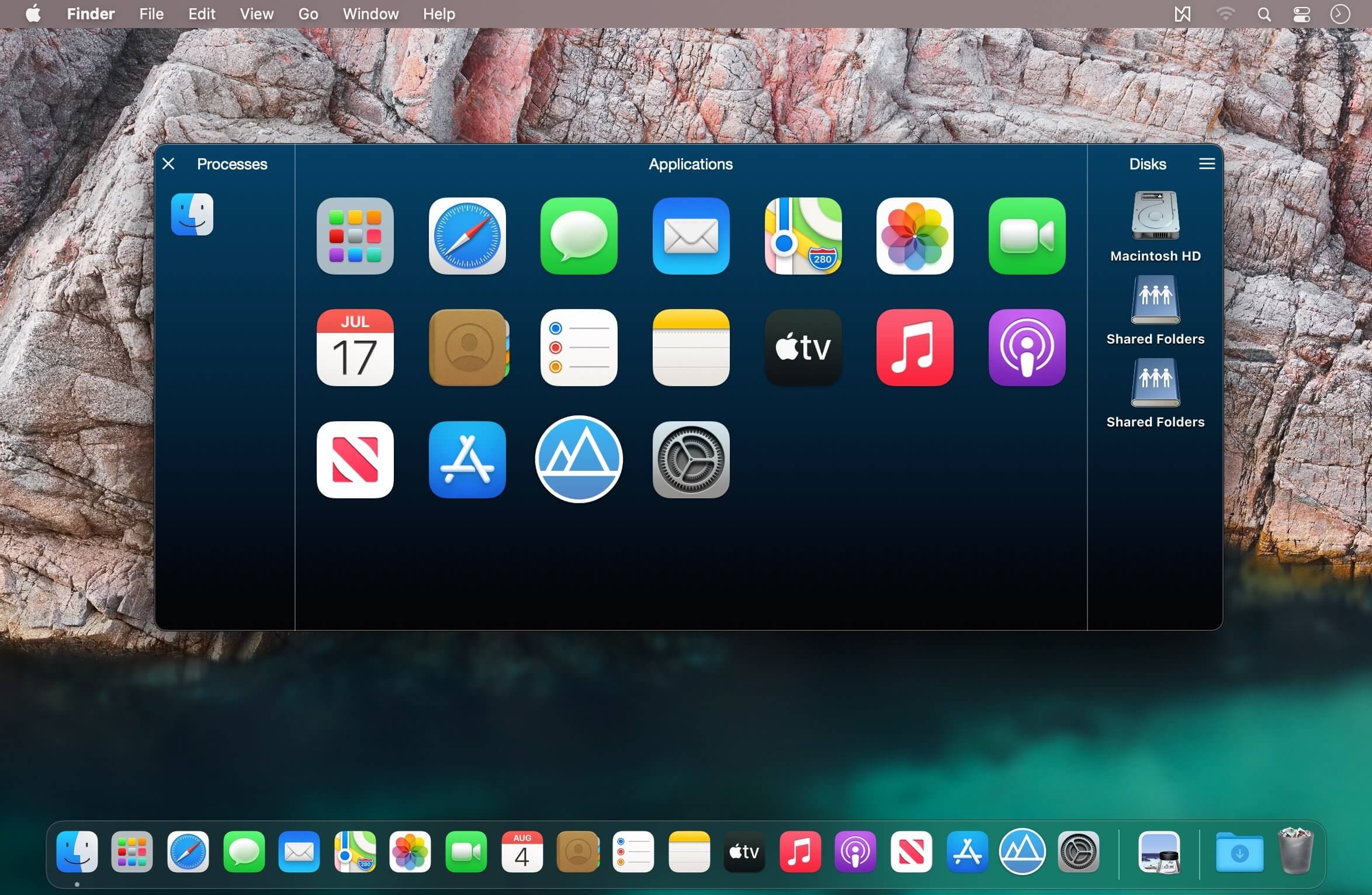
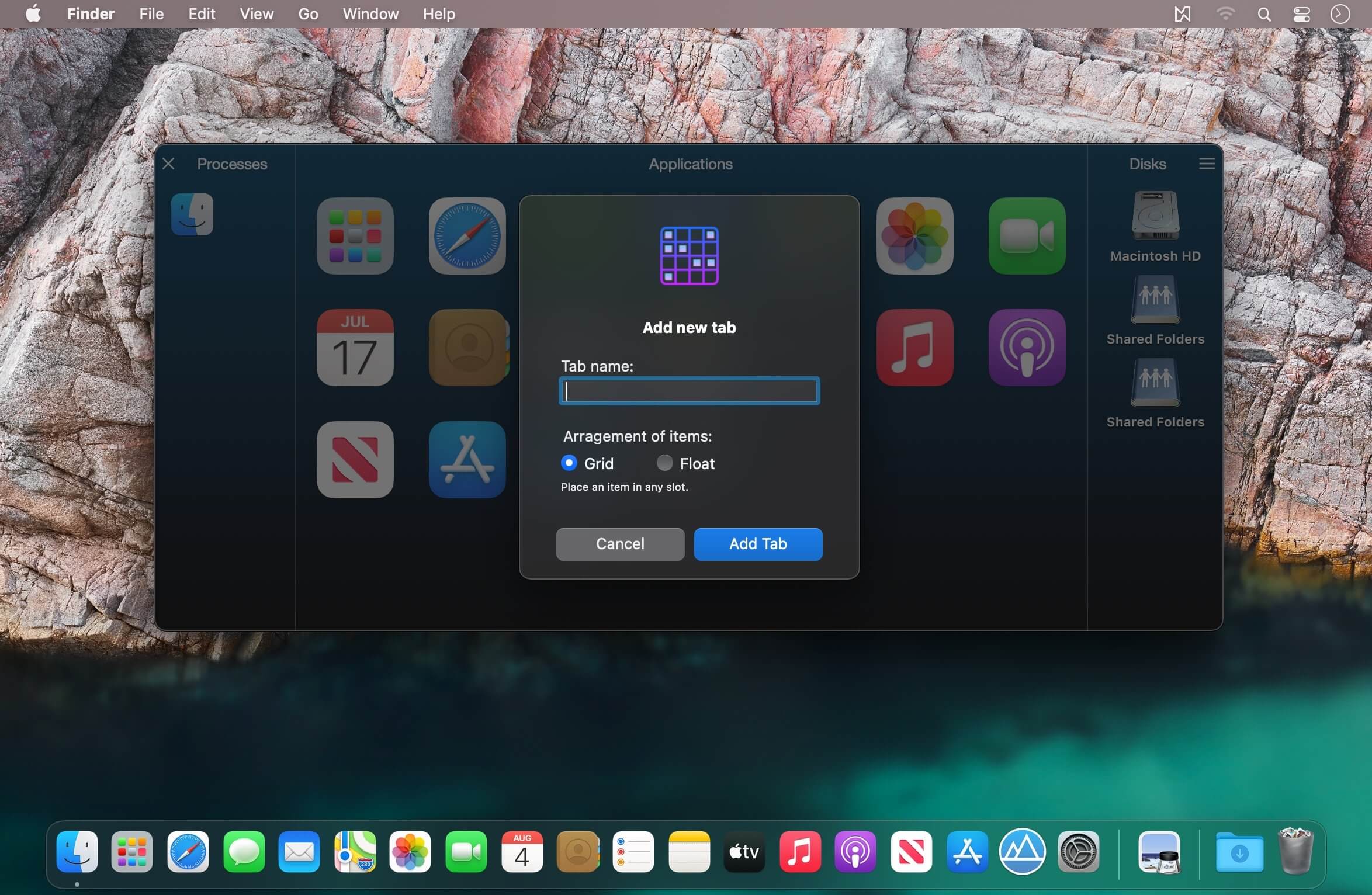
Unite allows you to quickly and easily turn websites into full-featured, native apps on macOS. Using the revolutionary Unite browser as a backend, each Unite app features its own browser, while remaining incredibly small and full-featured. And, because Unite apps are each a unique browser, they feature separate cookies and settings, as well as support for user scripts and user styles. In addition to modern web browsing features, Unite apps include macOS-specific features, including notifications, TouchBar support, the ability to pin apps to the status bar, and much more.
Disk Xray is a disk-usage statistics viewer, duplicate files and folders finder and cleanup tool for OS X. It performs three fundamental functions, and it performs them extremely well. It also provides you maximum security, restoring all files if you removed something accidentally.
Features
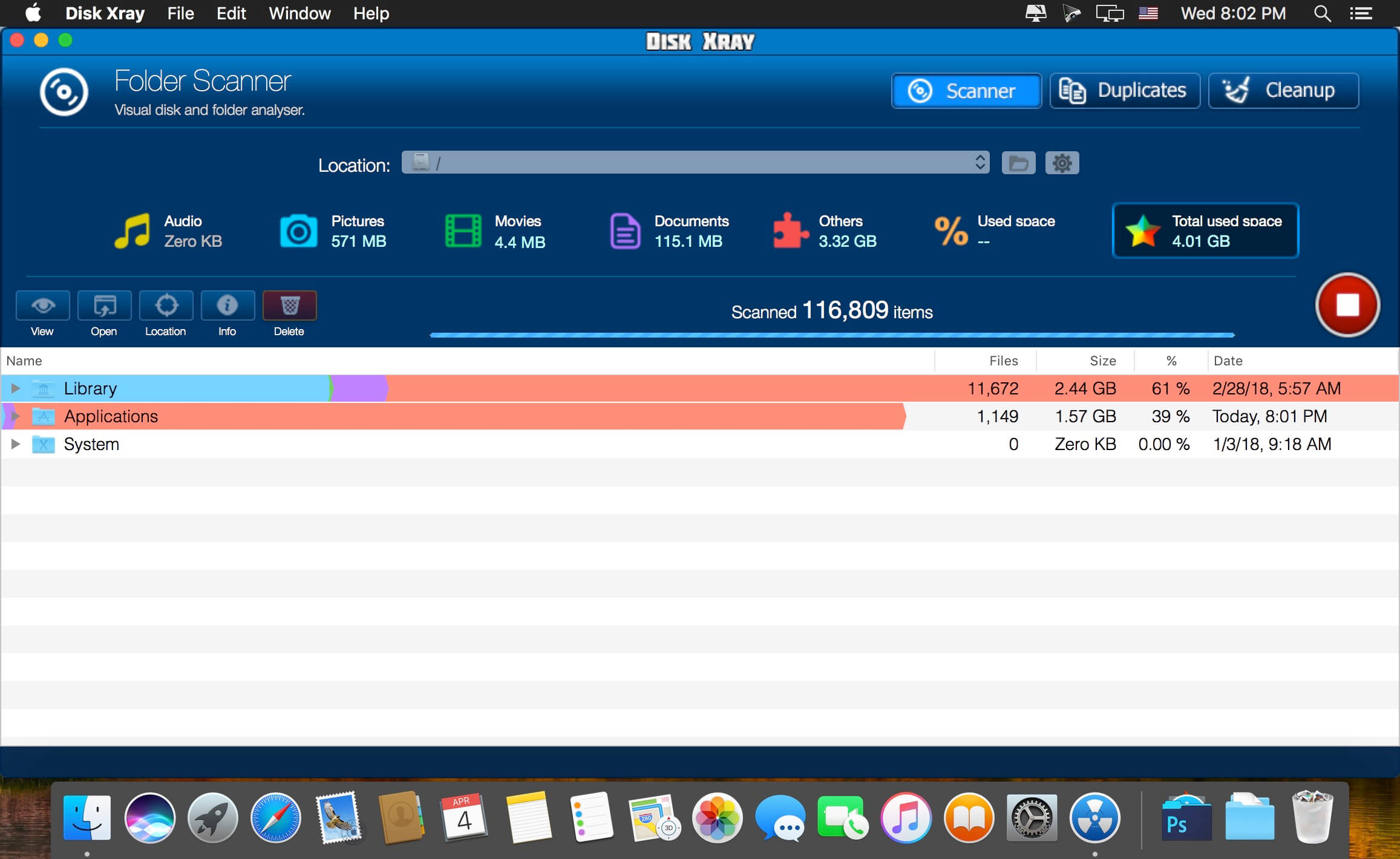
Folder Scanner – Folder scanner is a visual disk/folder analyser that enables you to spot large files and folders on your disk – be it an entire hard disk or a subfolder – giving a sorted breakup of just where your disk space is going. At a glance you can identify which folders are the space hogs and just what is in them by successively drilling down.
Duplicate Files Finder – Duplicate Files Detector frees up a disk space by finding and deleting duplicate files and folders thereby giving you a chance to recover gigabytes of your disk space. This scan can reveal just how many copies of the same document or photo or other type of file you have saved, scattered through your disk. All duplicate files are checked byte-by- byte to give you 100% guarantee they are exact copies.
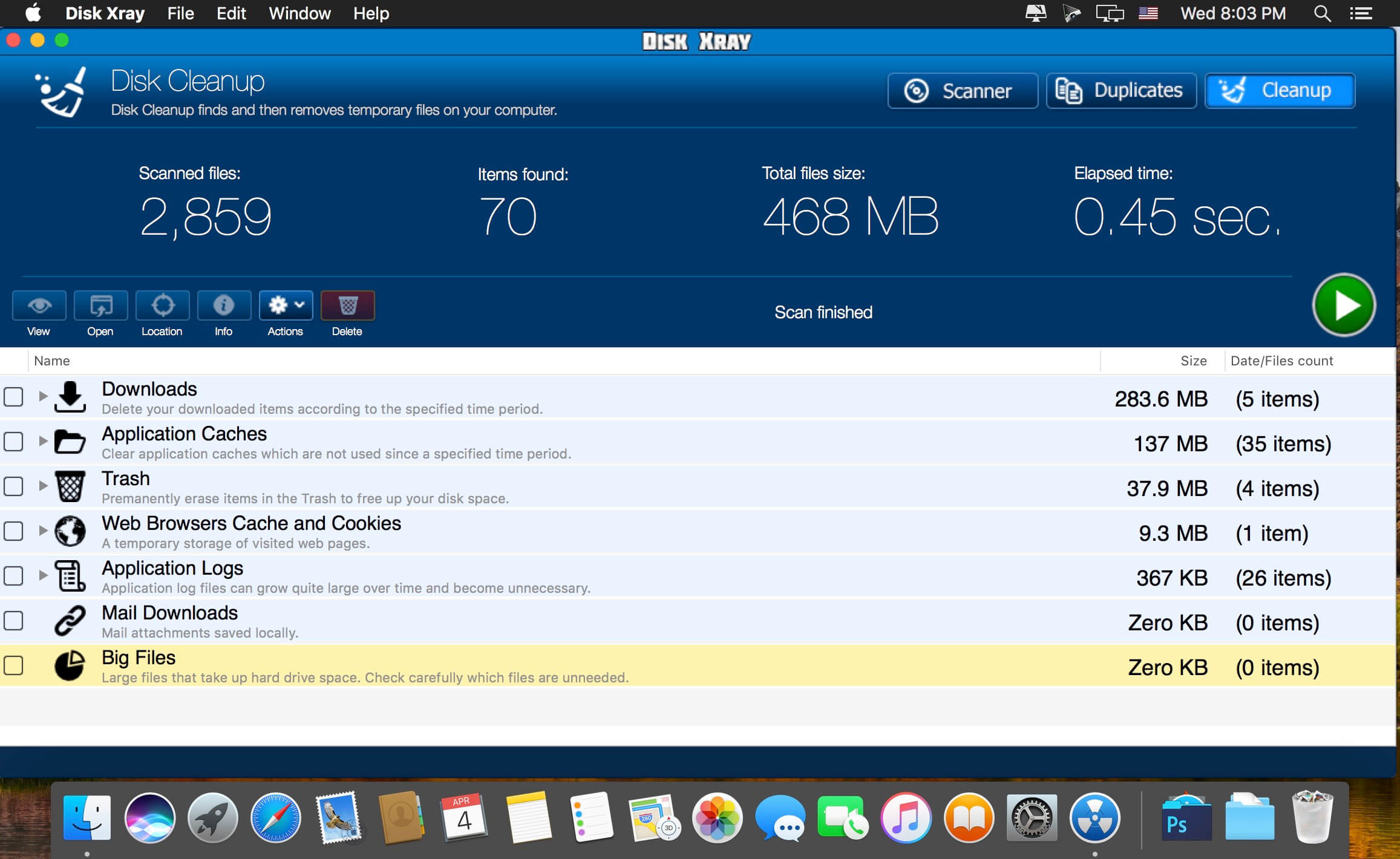
Disk Cleaner – Disk Cleaner speeds up your computer and by finding and removing temporary files on your computer. This includes the obvious choices of the Trash and your downloads folder, and also includes locations you may not otherwise think to purge or even know where to find – application logs, web browser caches and cookies, application caches and an ever-growing list of email attachments stored locally but never cleaned. You can also set it to find all big files on your disk. Decide how old files you want to remove – one week, one month or one year.
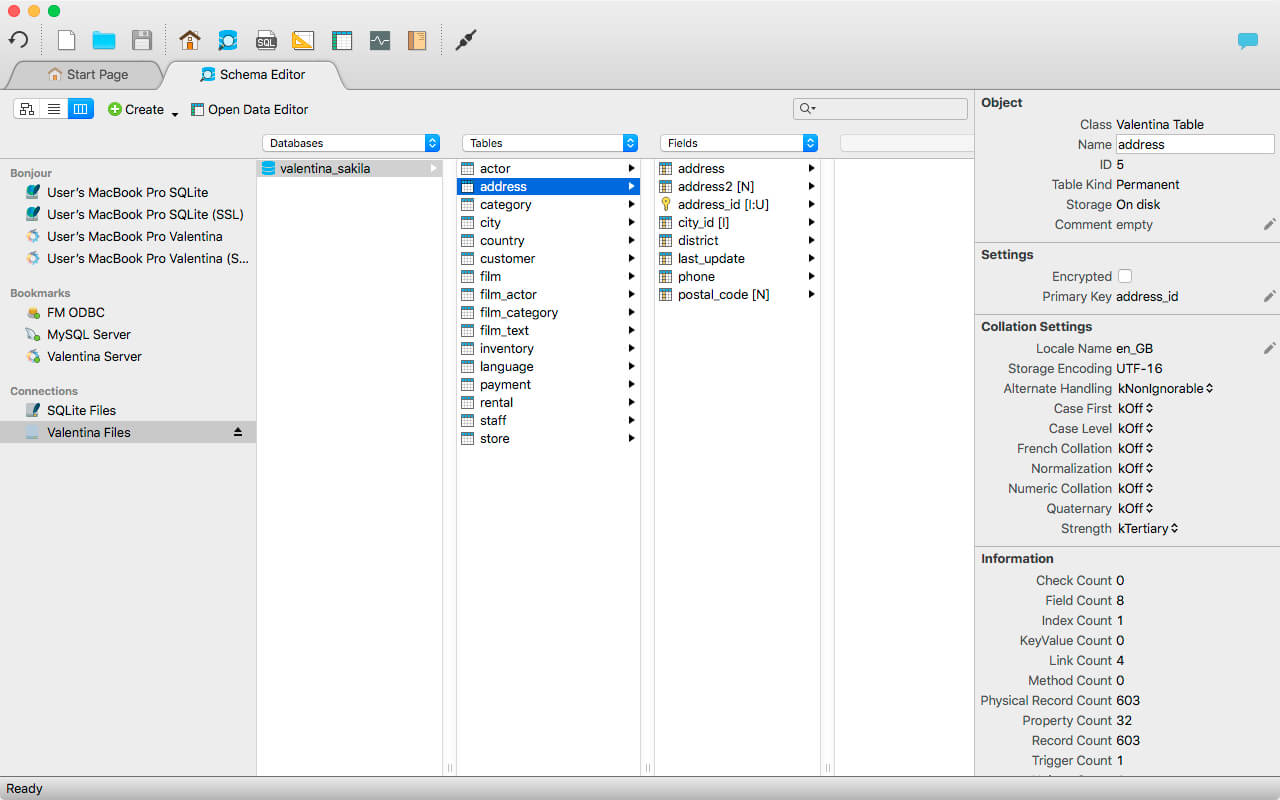
Valentina Studio is the ultimate data management tool for database administrators. Valentina Studio includes a wealth of database administration tools. Valentina Studio PRO to unlock advanced data modeling tools, report design and editing and more.
Valentina Studio brings you powerful, visual editors for your data including:
Schema Editor (tree view and column view) – create and modify all schema objects of supported databases: Tables, Views, Fields, Enums, Links, Constraints, Triggers, Indexes, Stored Procedures, …
Diagram Editor – design new diagrams or do reverse engineering, e.i explore existing databases visually.
Data Editor – easily browse table records in the grid, modify records, an inline edit of values, sort, filter records and save favorite filters, preview images, hex editors for binary values, …
Related Data Editor – easily learn and manage linked records of two tables, link/unlink records by a mouse click, do set operations over linked records, …
SQL Editor – with color syntax, auto-completion, recent and saved favorite queries, templates, console with error/warning reporting, …
Query Editor – build SQL queries visually using just a few mouse clicks
Server Admin – where you can manage users, learn logs and other parameters of servers.
Open as many editors as you like at the same time for different databases/servers opened in tab-panels. You also get different DB related utilities, including: Import/Export, Dumps, Diagnose, Clone, Reindex, …
MAS version of Valentina Studio uses iCloud to share bookmarks between your devices!
Valentina Studio Pro as an in-app purchase to get additional advanced pro-features such as:
Report Editor – visual editor of Valentina Reports that can be saved into Valentina Project file (.vsp). Reports can use as datasource MS SQL, MySQL, PostgreSQL, SQLite, Valentina DB, ODBC.
Form Editor – visual editor of Valentina Forms that can be saved into Valentina Project file (.vsp). Forms can use all supported databases as the datasource.
Data Editor – enables go to parent record function.
Data Editor Layouts – save columns and their order as a named layout
Data Editor Multiple Update – update few records at once.
Data Transfer – copy data between different databases
Diagram Editor – enables forward engineering – i.e. generation of SQL scripts for new/changed database objects.
Dump Wizard – enables filter for tables to select them for a dump.
Error Lookup – search for error description by its code.
Keyboard Shortcuts – enables the ability to redefine the shortcuts and create own shortcut sets.
Object Colors – enables marking objects with specific colors.
Query Editor – enables the ability to copy the generated query.
Schema Cache – save and reuse the schema cache.
Schema Editor – copy one or few schema objects using drag&drop mechanism.
Schema Editor – expanding and collapsing the tree items with subitems using OPTION + click
Schema Snapshot – save and load schema in structured format.
Source Control – develop database using any VCS.
SQLDiff – find differences between two states of a databases and generate SQL script to move between these states.
SQL Search – search of schema objects.
SQL Editor – enables autocompletion for table aliases.
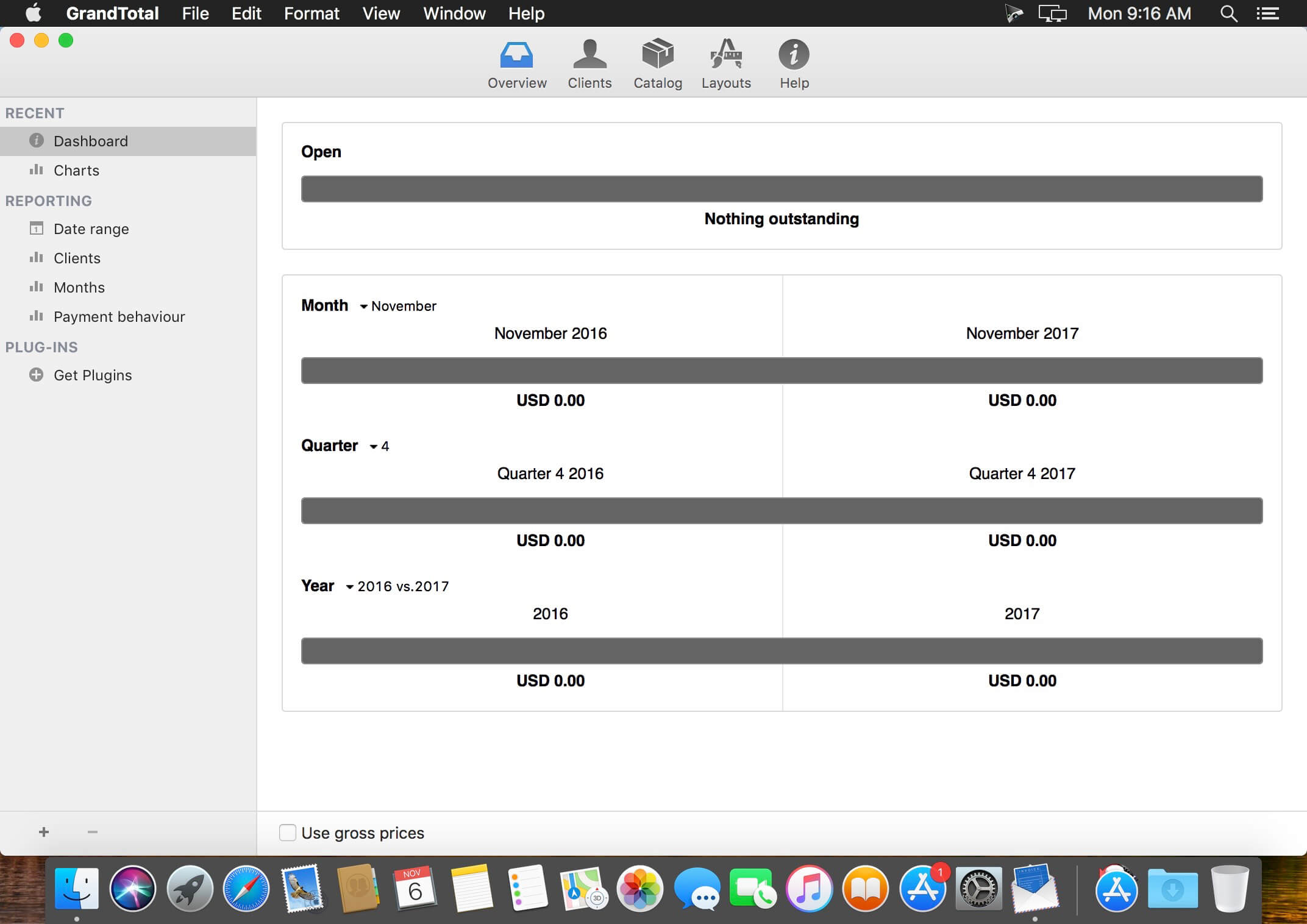
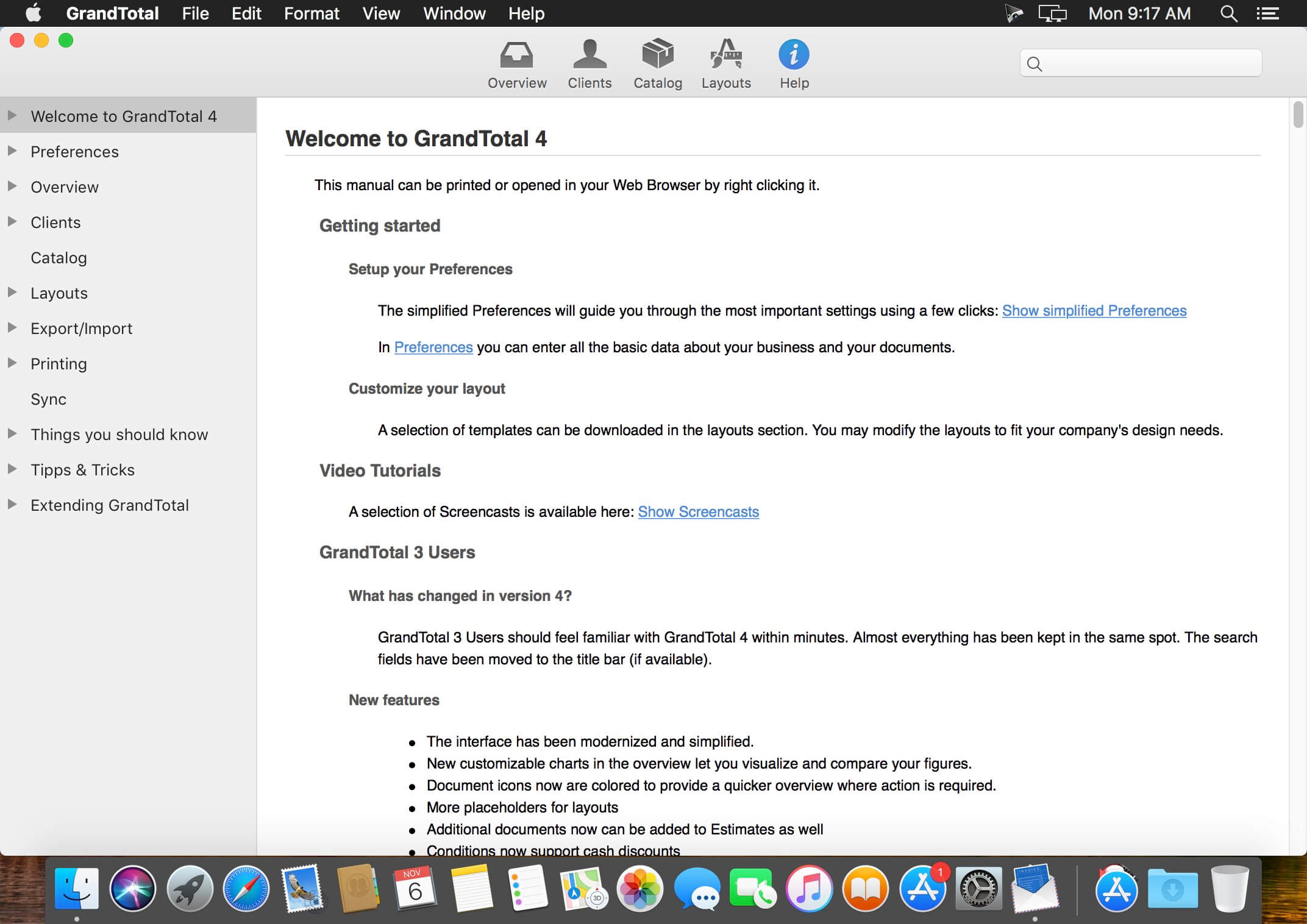
GrandTotal is an application to create invoices and estimates based on your own templates. The built-in template editor allows you to adjust your layout to fit your company’s corporate design. GrandTotal works great in conjunction with TimeLog.
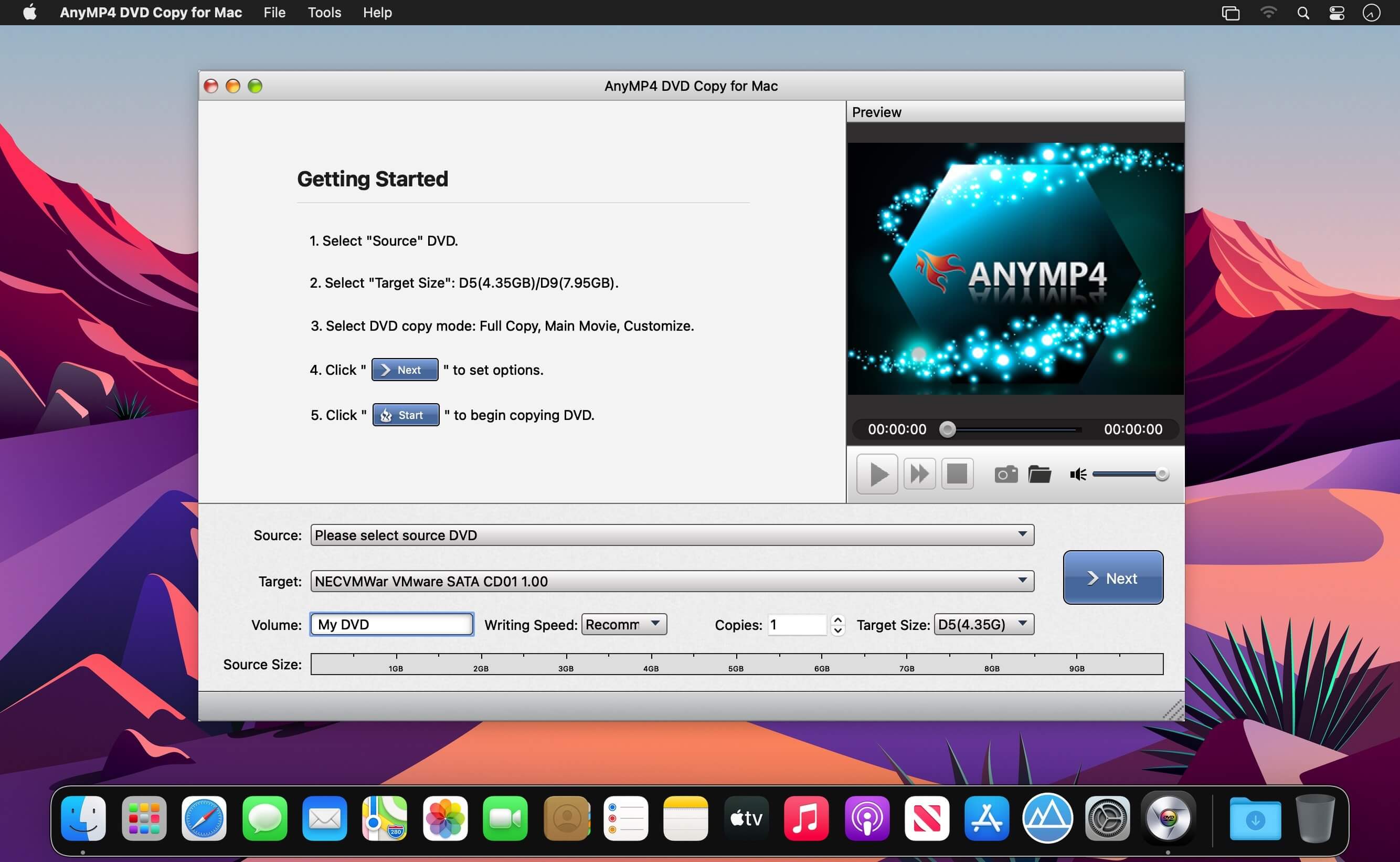
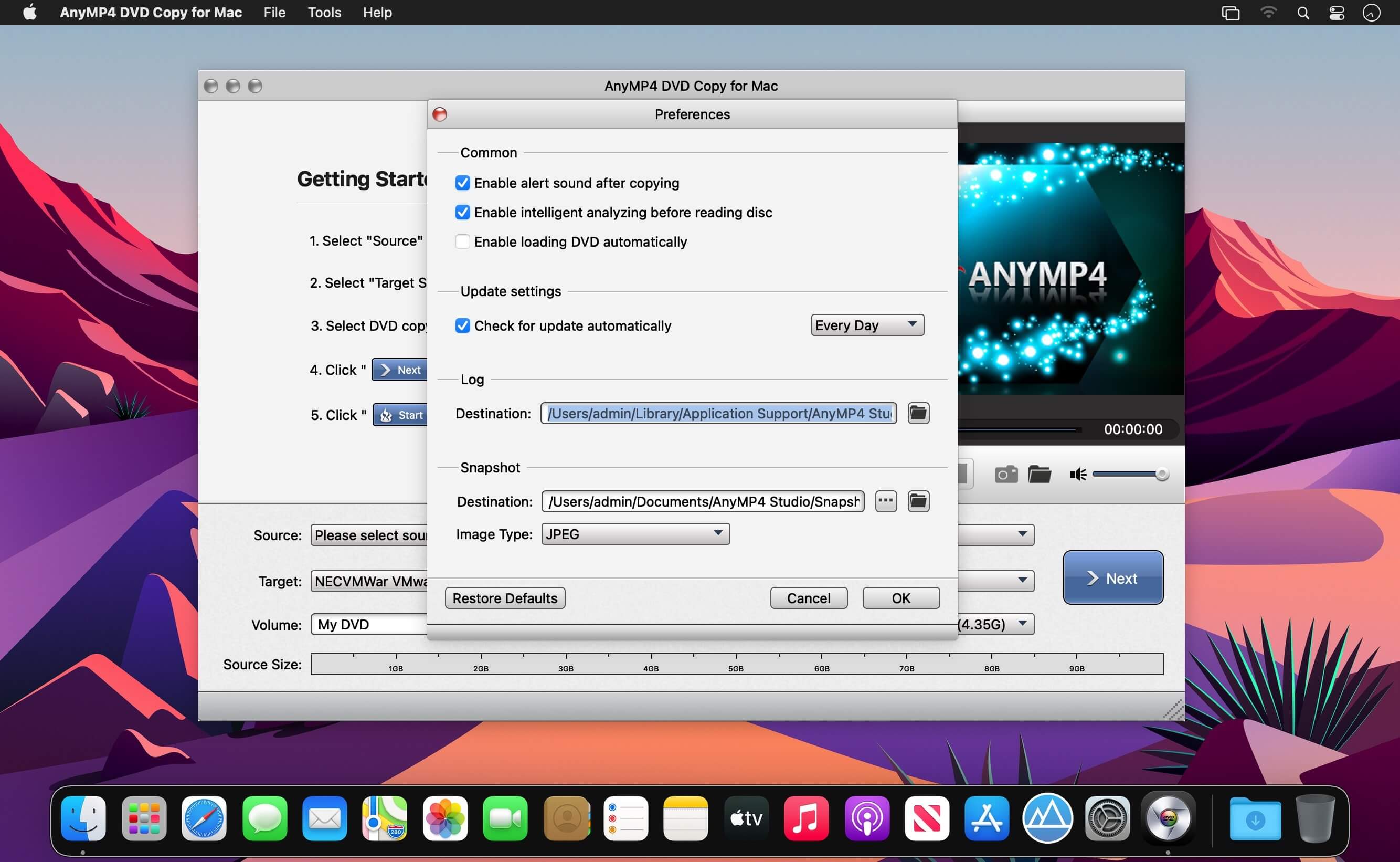
As the professional yet ultra initial Mac DVD Copy, AnyMP4 DVD Copy for Mac is a practical and trustworthy DVD Copier for Mac users. It allows you to extract and back up DVD disc to DVD folder or DVD ISO image files on Mac with ultrafast copying speed. You just need to insert the DVD disc to your Mac, and copy the videos from DVD to your Mac for an easy further editing or playback on your Mac .
Backup DVD disc to DVD folder/DVD ISO files on Mac
Copy DVD disc/folder/ISO image file to DVD disc
Three copy modes for DVD Copy on Mac
Edit and define the output freely
Easy to use and user friendly on Mac
Input file: DVD disc, DVD folder, and DVD ISO image file
Output file: DVD disc, DVD folder, and DVD ISO image file
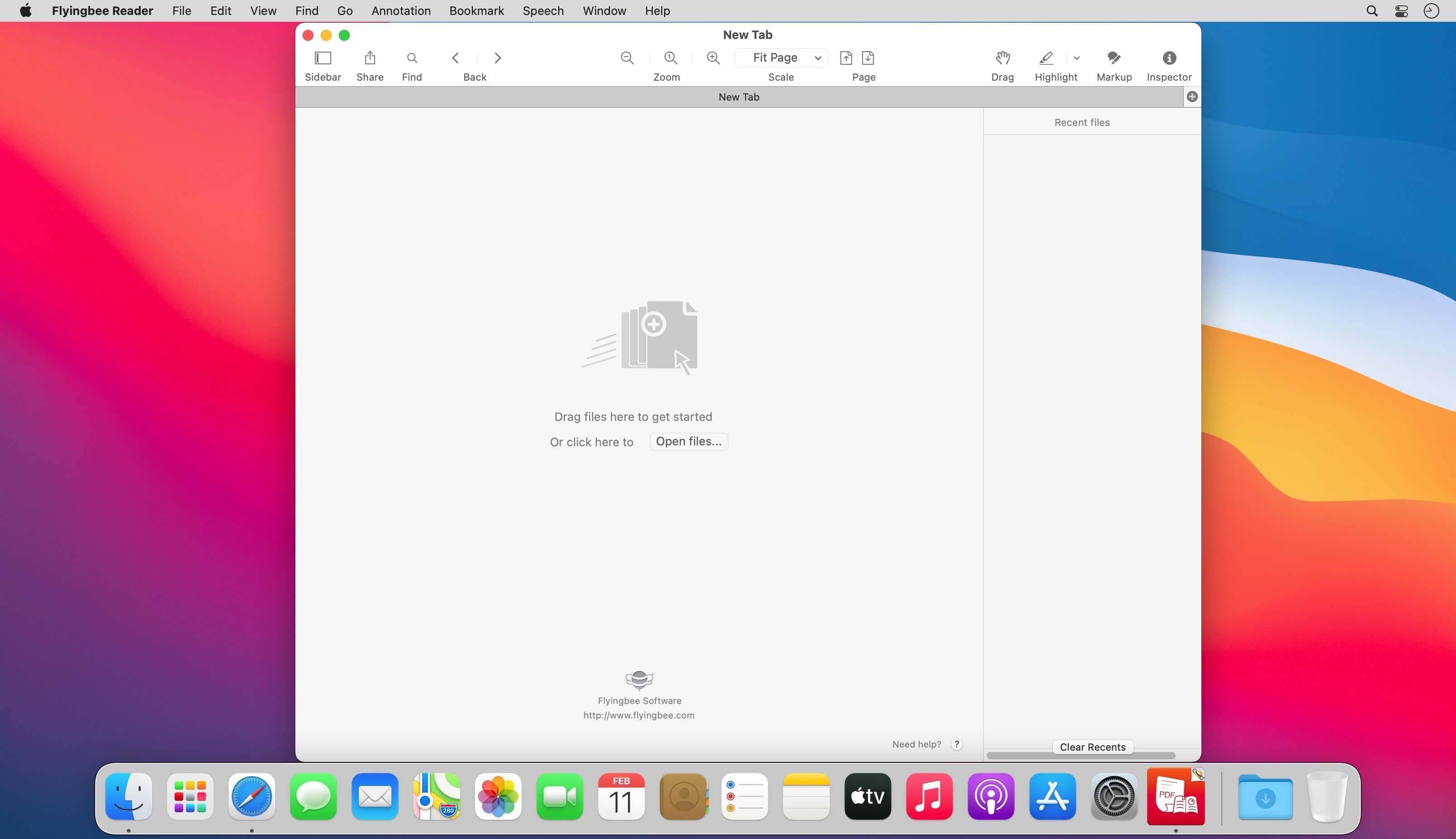
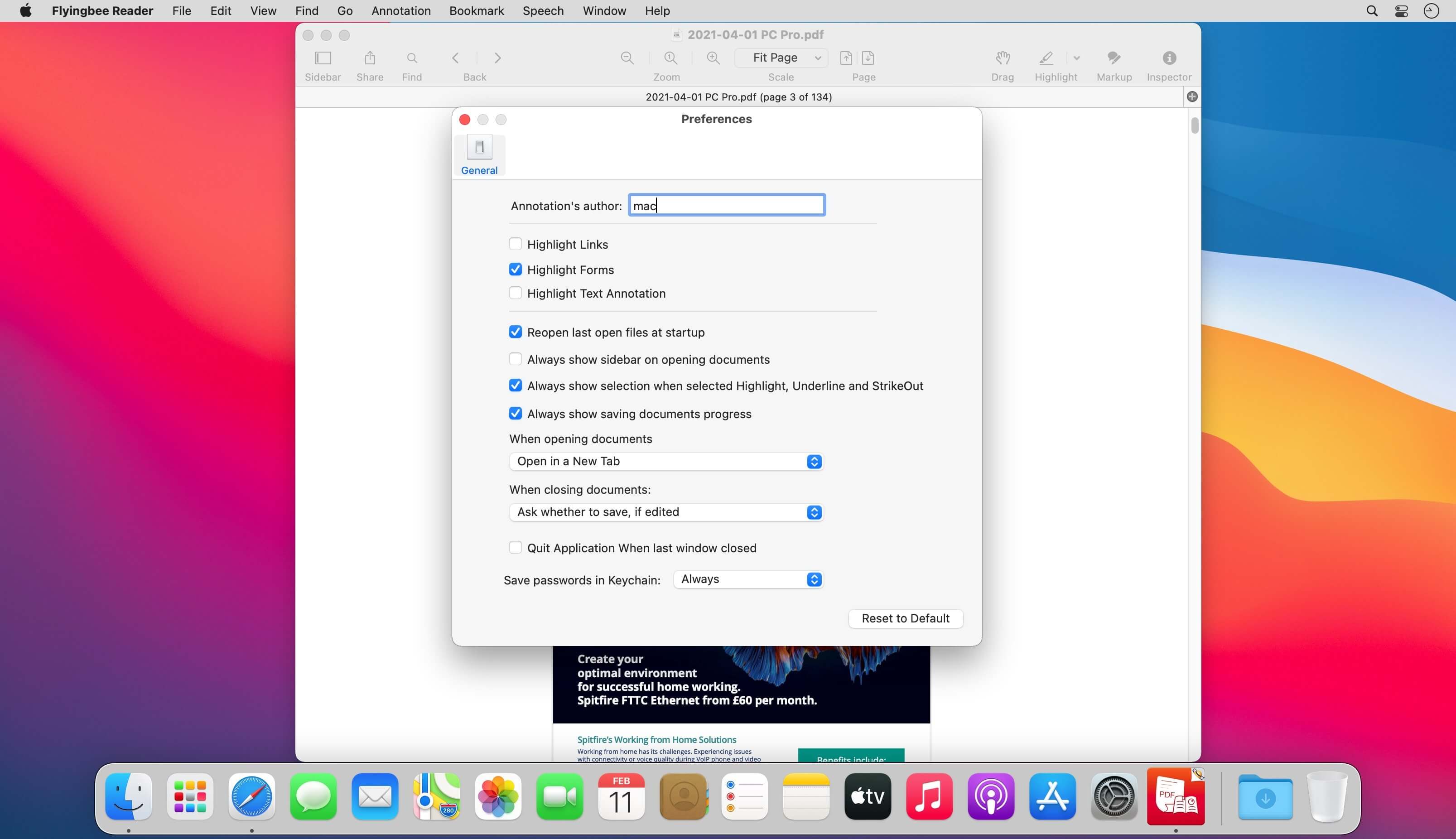
Flyingbee Reader makes working with pdf easier on Mac than ever before due to the simplicity of its interface and feature-rich functions. Flyingbee Reader is more than a pdf viewer, technology makes it become an advanced pdf annotation marker and editor.
Flyingbee Reader is a better replacement compared with Preview, Preview lacked several functions of Flyingbee Reader, not good at editing pdfs and it is a best alternative pdf reader for replacing Preview because of the following excellent features.
Main features:
Lightweight, less memory, Easy to use like Safari, Chorme browser.
Open pdf files in seconds with high quality of rendering
View and read multiple pdf files in multi-tab simultaneously within a window
Add comments and annotations with a full set of feature-rich tools
Check and arrange annotations more easily and conveniently
Flattening, copying and pasting annotations supported
Optimise the functions of bookmark, signature and form filling
Print pdf files with custom settings
What’s New:
Version 3.2.6:
Release notes were unavailable when this listing was updated.
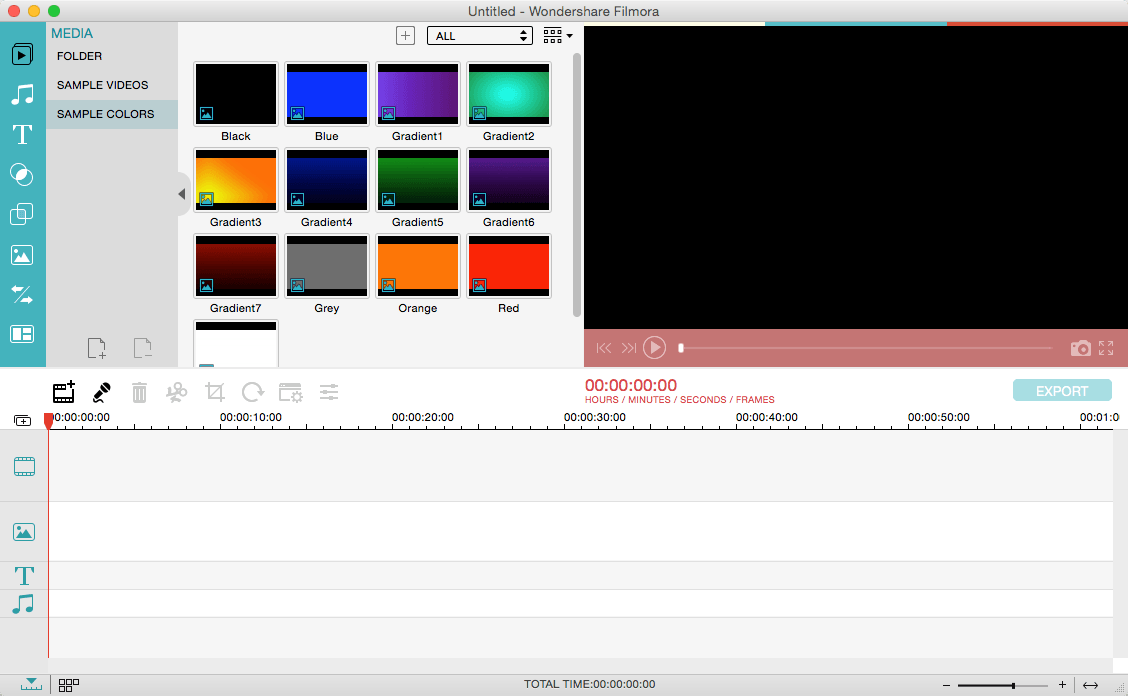
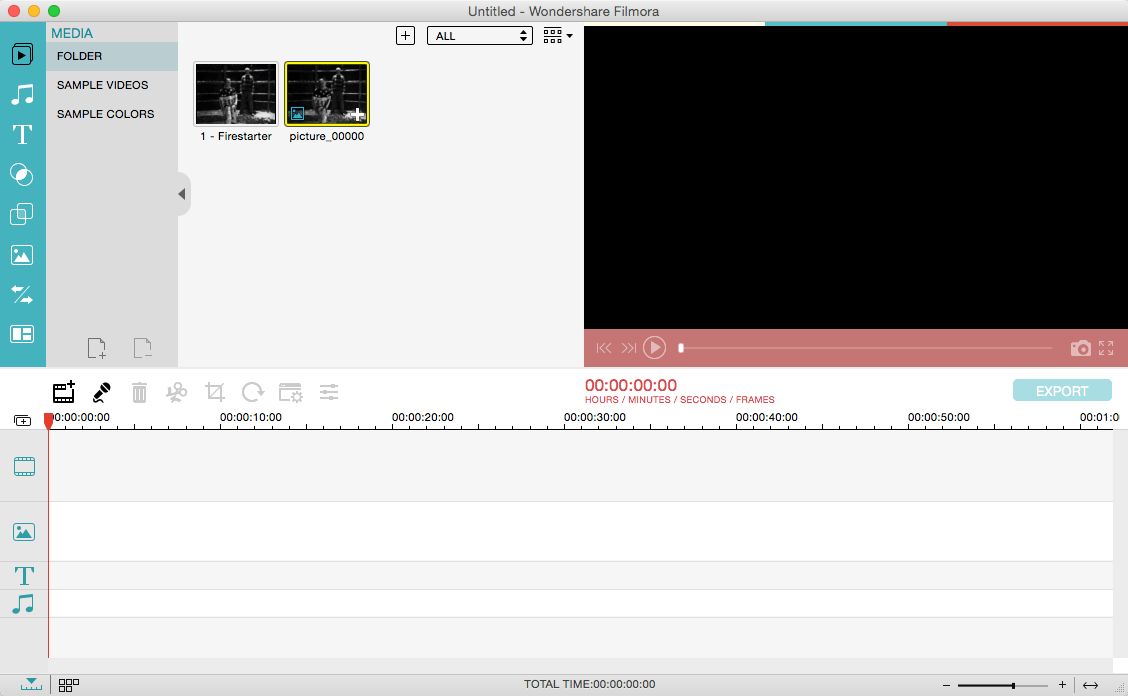
Wondershare Filmora, an easy-to-use video editor with all the video editing tools you need, enables you to create Hollywood-like home movies with titles, effects and transitions from all regular videos, audio and photos. Share instantly with family and friends with easy upload to YouTube, Facebook, etc.
Ignite your story
Use Filmora video editor to express your creativity and amaze with beautiful results.
Modern and Simple UI
A modern and intuitive design that you’ll be delighted to use again and again.
Text & Titles
Now you can create beautiful animated messages from our text & titles library
Music Library
Add your favorite music dircectly into your movie to create the perfect atmosphere.
Overlays & Filters
Transform a movie into something spectacular with our handcrafted, overlays and filters.
Elements
Take your video to the next level by adding impressive Still and Motion Graphics.
Simple Effects
Expand Your Imagination with Over a Hundred Unique Visual Effects. Wondershare Filmora allows you to turn your home video into something extraordinary with minimal effort.
Advanced Effects
Expand Your Imagination with Over a Hundred Unique Visual Effects. Turn your home video into something extraordinary with minimal effort.
Share Your Creative Work
Showcase your creativity with your family, friends and the rest of the world! You can easily publish your masterpiece in so many ways.
Key Features: Support Formats Support video formats editing: MP4, FLV, MOV, AVI, MKV, FLV, WMV, TS, MTS, etc. Make it possible for homemade and downloaded SD/HD videos for editing. Audio: MP3, WMA, WAV, M4A, AAC, AC3, OGG, etc., as background music of the videos. Photo:BMP, JPG, PNG, GIF, etc. and create home movies combining photos.
Basic Editing
Trim, crop and rotate videos
Remove unwanted black edges or other unwanted parts
Change audio pitch, adjust volume, and get rid of video noise
Professional Effects
80+ professional filters and artistic effects including particle effects, fire effects, face-off effect, tilt-s**t effect, mosaic and more.
50+ transition and motion effects.
Touch up your photo with perfect brightness, contrast, or saturation, and turn your photos into an animated slideshow.
Effects Pack
8bit Gamers Effect Pack.
80s Vintage Collection.
Fashion Collection.
Summer Effect Pack.
Travel Effect Pack
Special Thanks to iTEHb
What’s New:
Version 12.0.7:
Release notes were unavailable when this listing was updated.
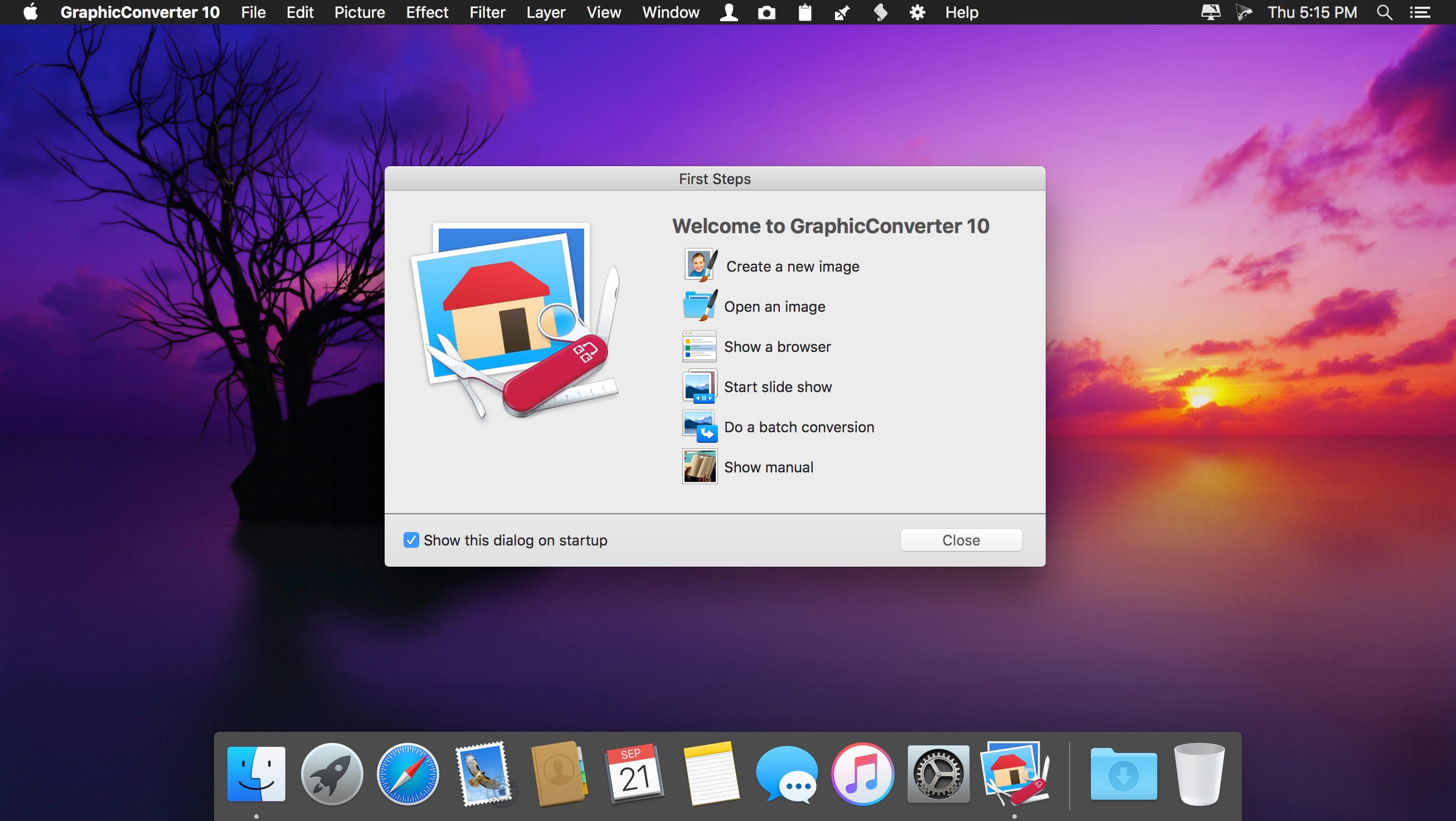
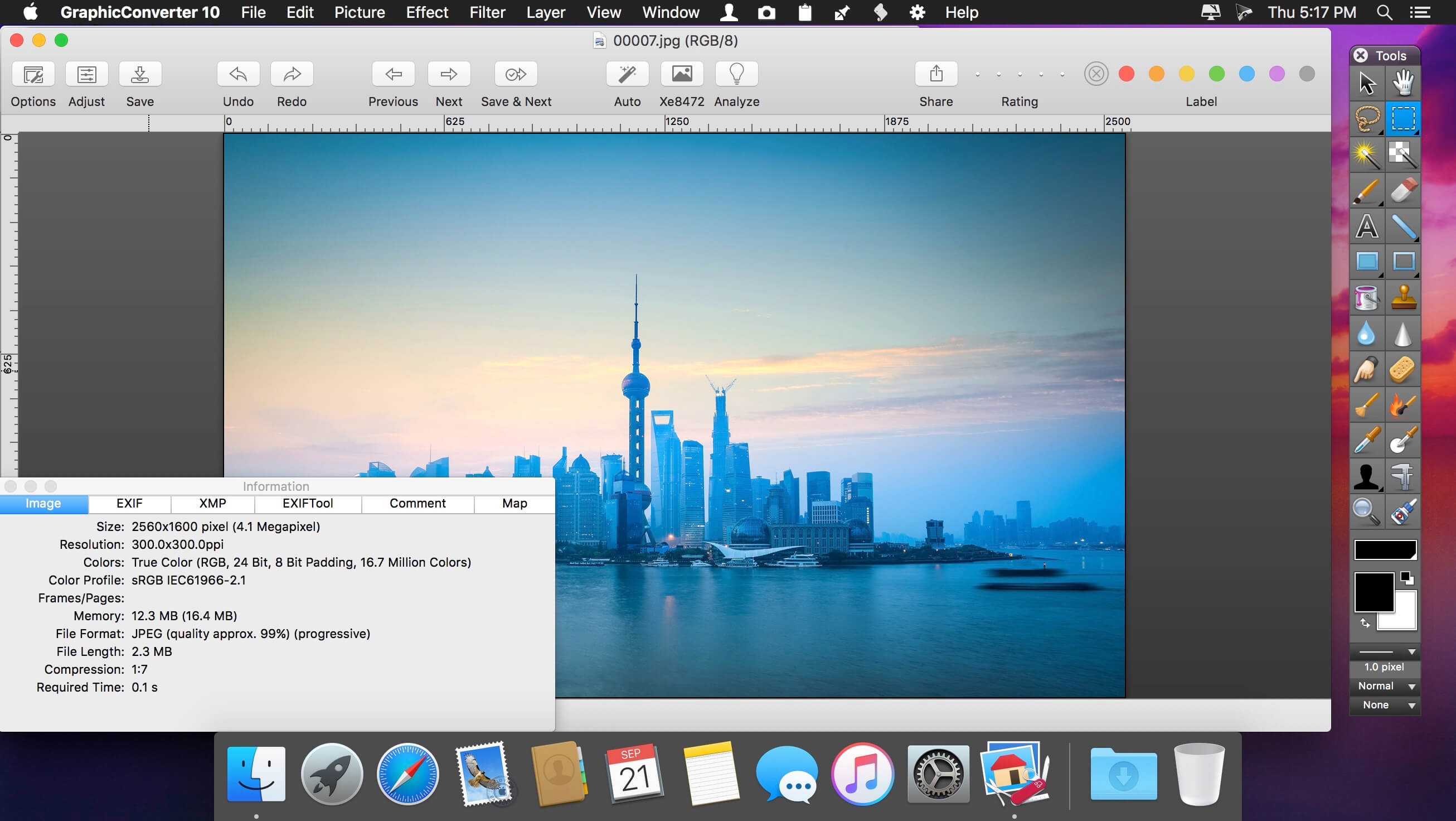
GraphicConverter is an all-purpose image-editing program that can import 200 different graphic-based formats, edit the image, and export it to any of 80 available file formats.
The high-end editing tools are perfect for graphic manipulation as well as the ability to use Photoshop-compatible plug-ins. It offers batch-conversion capabilities, a slide-show window, batch rename, batch and individual editing of metadata (EXIF, IPTC, XMP) and so much more.
GraphicConverter 11 RAW Developer
RAW images are much easier to edit thanks to their enormous data depth. This is particularly noticeable when brightening images with the Exposure slider. The picture remains clear, there is no gray haze as with many JPG images. GraphicConverter now offers a full-screen dialog when opening RAW files with controls for Exposure, Contrast, and Color Corrections. The picture noise can be reduced even with 6 controllers.
Unpack Archives
You want to know which pictures and documents are in an archive file? Then double-click is enough: GraphicConverter temporarily shows you the content or secures the content permanently. In addition to the Zip format, there are 12 additional formats supported, such as the TAR and TGZ formats.
Wide Equalization
In wide-angle shooting, faces and objects on the left and right edges of the image are often heavily distorted in width. With the new wide-angle equalization in GraphicConverter 11, you can now reduce this distortion.
Gradients
You need a gradient, e.g. as a background for a collage? No problem. Easily create color gradients with up to 10 colors via the new dialog.
Duo-Tone
Color your shots with two colors to duo-tone images. In this impressive technique, the lighter shades are colored with the color 1 and the darker ones with the color 2. The result is an effect that enchants your pictures.
Apple Finder Tags
Do you organize your work with Finder Tags from Apple? Then your work will be even easier, because in the browser you can now use the context menu to directly display and change these tags.
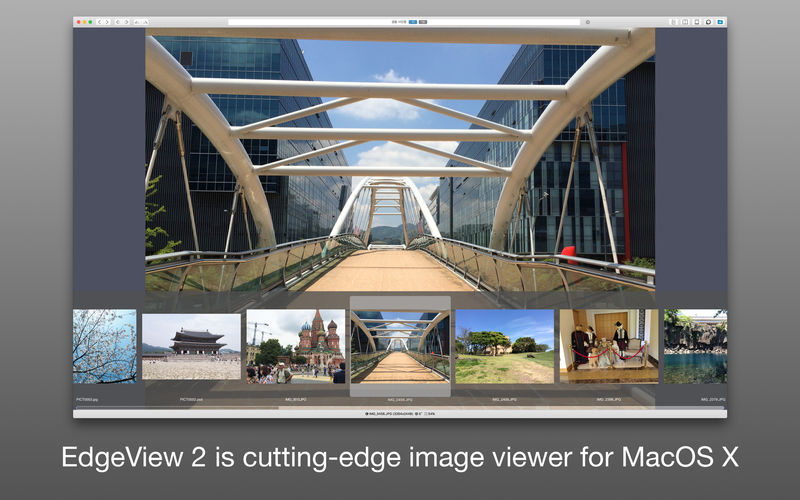
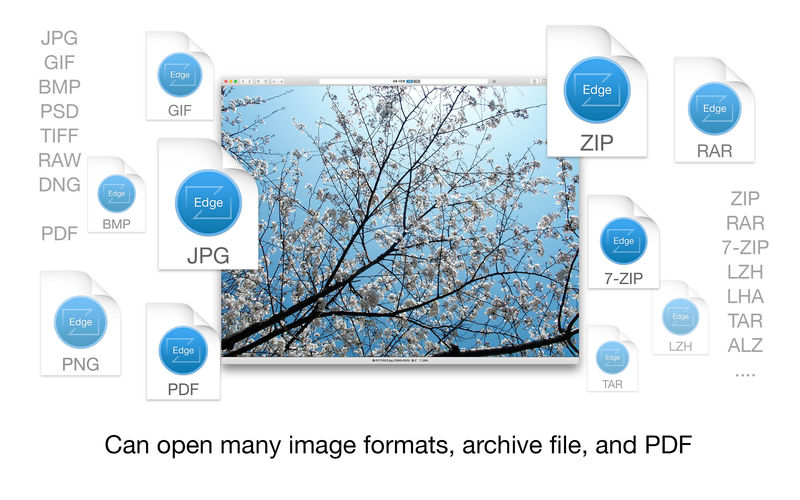
EdgeView 3 is fast image viewer has elegant user interface. EdgeView 3 is developed and designed for modern MacOS. It can open various image files such as JPEG, PNG, TIFF, BMP, and RAW file of DSLR, EPS and PDF, AI(Adobe Illustrator). Can open image files in archive directly without extraction.
User can open files, rename files, delete files from EdgeView’s file browser. Also can access to SMB/AFP/FTP network volume.
User can navigate images quickly by using keyboard shorcut, mouse wheel, trackpad gesture. EdgeVew show EXIF information, play animation GIF/PNG/WebP smoothly. Save last status to history, and restore when reopen file.
EdgeView 3 will be the best choice when viewing and managing image files.
Features
Rewrote full code as Swift for improve performance.
Support m1 CPU Mac.
Has easy UI, can control main function at Sidebar.
Support English/Korean/Japanese/Chinese(Simplified).
Image Viewer
Supporting image files such as JPG, GIF, BMP, PSD, TIFF, RAW, WEBP and PDF, EPS, AI(Adobe Illustrator), OpenEXR, HDR, TGA.
Can play animation GIF/PNG/WebP. User can control animation with floating animation controller.
Dispaly internal image(or frame) of animation GIF/PNG/WebP or HEIC that has multiple internal image.
Can read and show images of major archive formats (such as ZIP, RAR, CBZ, CBR, 7-zip) without extraction. Of course, can open ZIP file that 4GB over.
Can read encrypted archive file.
Can read archive file in archive file recursively
Improved draw speed by rebuilt image cache system and drawing engine.
Draw images as high quality.
Provide suitable functions for comic reading such as ‘Two-Page Spread’, ‘Continuous Scroll mode’, ‘Right to Left’, etc.
Provide multiple navigation functions like as ‘Move’, ‘Skip’, ‘Shift’, etc.
User can navigate images and check whole thumbnails at Thumbnailsbar.
User can navigate images by using keyboard shortcut, mouse wheel, trackpad gesture.
Can rotate and flip images. Orientation will be saved to history.
User can select part of images, and copy it or save as file.
Can zoom in/out image freely.
Built-in loupe function to make it easier to magnify part of image.
Show histogram.
Show neighbor files list. And can open neighbor file.
Support history feature for saving and restoring last status of file.
Can reopen file or remove history at history list.
Can rate image files.
File Browser
Built-in file browser can show and open files from local drive or AFP/SMB/FTP network drive.
Can display files as lists or icon.
Show images in folder/archive file at preview panel.
Generate thumbnails of archive files and folders.
Support powerful search feature.
Show category and writer information.
User can sort files by various options, and can delete or rename files.
Can rate files or folders.
Others
Support customizing feature. Also user can change shortcuts.
Built-in Quick Look Extension generate thumbnails and preview of archive files at Finder.
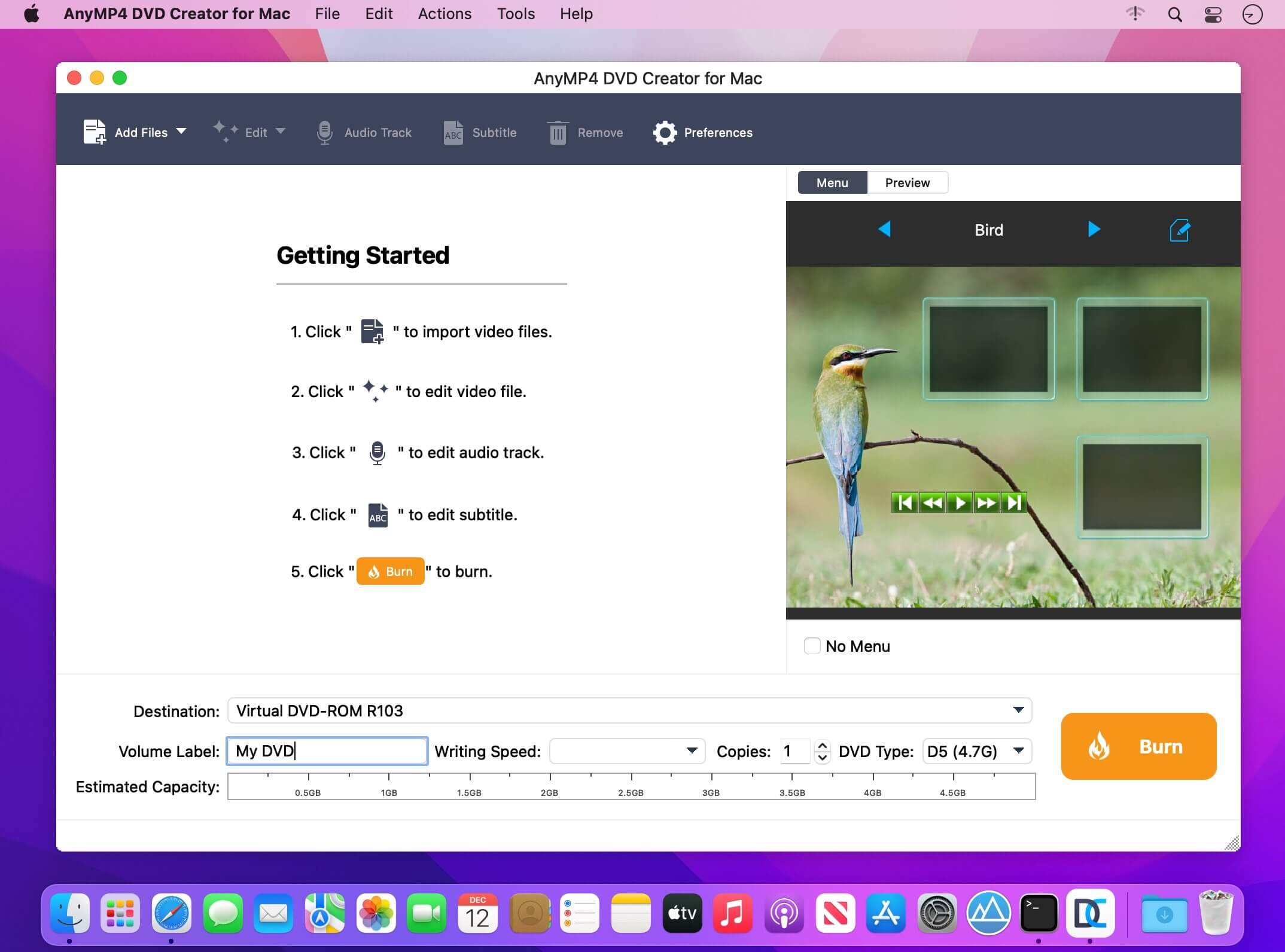
Create personalized DVD with popular videos on Mac. When you use this Mac DVD Creator to burn videos to a DVD disc, you can create your own custom menu. Here you can select and set the ideal menu frame, key and desired menu template from the menu window. In addition, this Mac DVD Burner also allows you to add background music or image from the local hard drive and make opening movie for your own DVD. In this respect,
AnyMP4 DVD Creator for Mac is user-friendly and professional burning software.
Convert general video and HD video to DVD disc on Mac
Make DVD folder and DVD ISO image file with MP4, AVI, MKV, M4V, WMV, M2TS, MOV video, and more
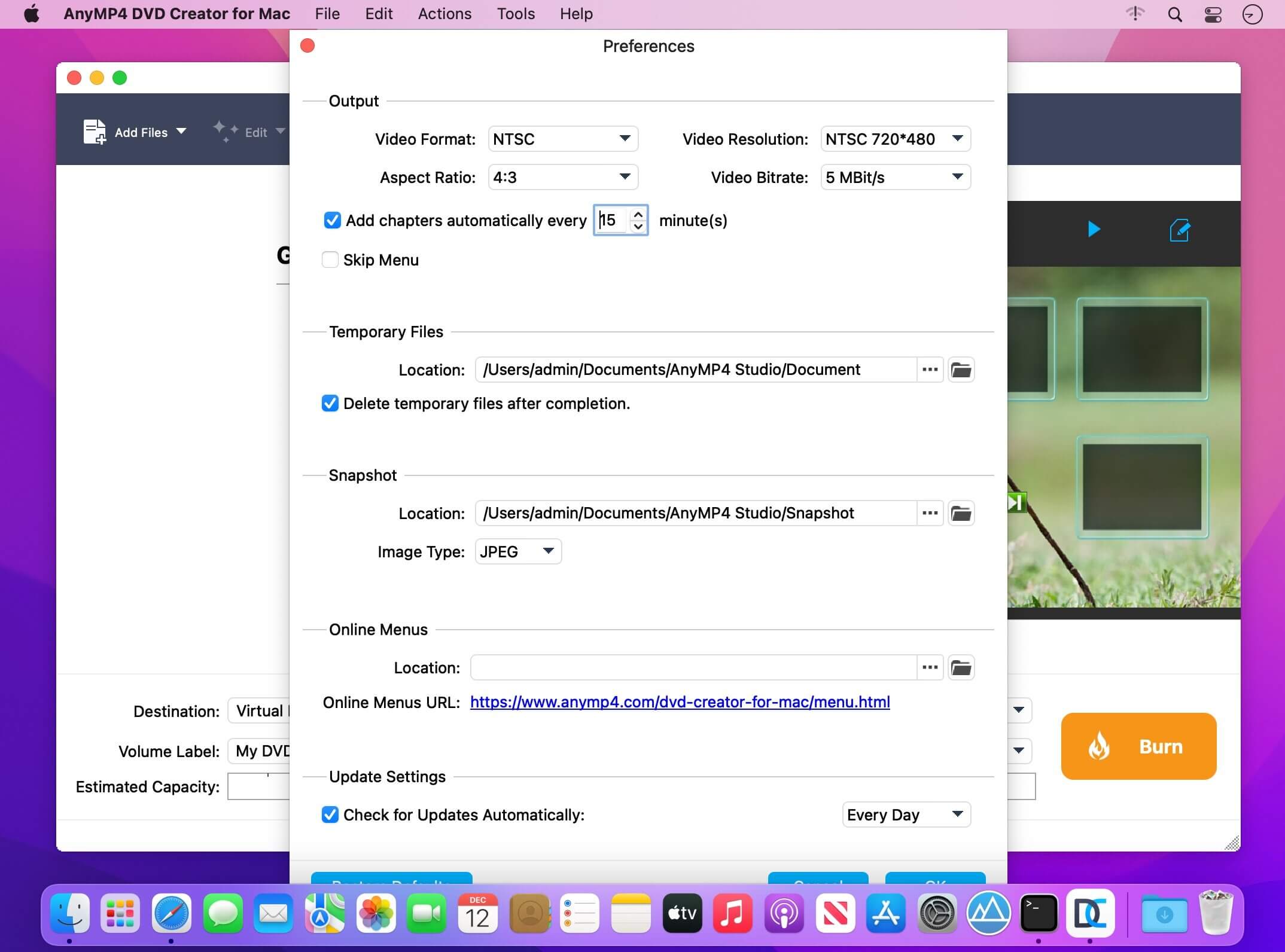
Customize the DVD video like defining DVD menu template
Add background music/picture, put opening film, and edit audio track/subtitle
GraphicConverter is an all-purpose image-editing program that can import 200 different graphic-based formats, edit the image, and export it to any of 80 available file formats. The high-end editing tools are perfect for graphic manipulation as well as the ability to use Photoshop-compatible plug-ins. It offers batch-conversion capabilities, a slide-show window, batch rename, batch and individual editing of metadata (EXIF, IPTC, XMP) and so much more.
Import and export functions
– Import of approx. 200 & export of approx. 80 graphic formats
– Catalog generation (web, print, picture)
– Picture import direct from the camera (also RAW)
– TWAIN interface for scanners
– direct support of the photo services Google+, Flickr, Locr
Picture organization & workflow management
– Graphical file and picture browser
– Slide show functions
– Batch conversion
– Support for AppleScript
Picture editing
– Express picture enhancement function
– Enhancement and creation of pictures for use in the internet
– Basic functions for editing pictures
– Advanced functions, effects and filters for picture manipulation
– Plug-in architecture
– Color management with ColorSync and ICC profiles
– 3D image support
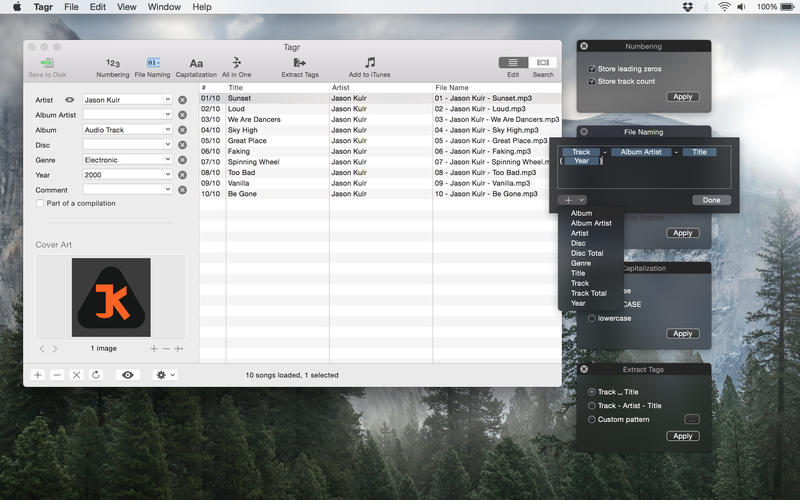
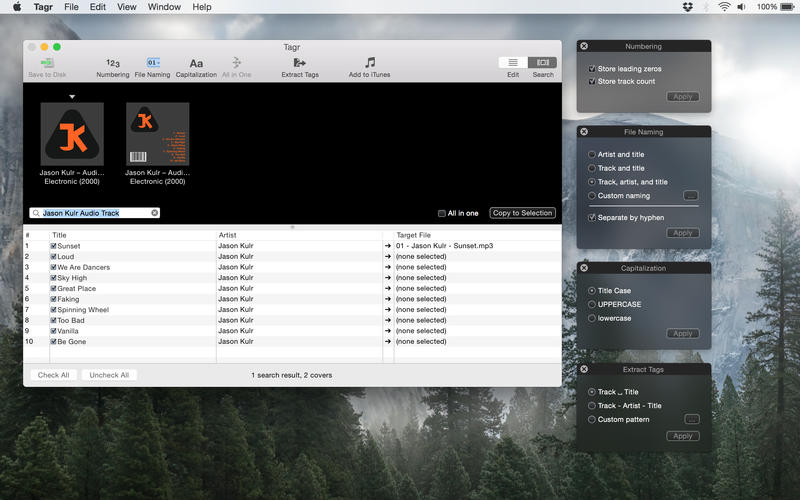
Tagr is an application that helps you organize your music collection.
With Tagr you can easily edit information such as a song’s artist, title, or album cover. Tagr also allows you to control the way your files are named, numbered, and capitalized. There is no more need for having other tools dictate that for you!
Features
Edit meta data of individual MP3 and M4A files or
Edit a list of files in bulk
Embed cover art into your songs
Apply uppercase, lowercase, and title case capitalization schemes
Automatically generate track numbers
Choose from predefined file naming schemes or define your own
Extract tags from the file name using predefined or custom patterns
Search discogs.com for album information and copy it to your songs
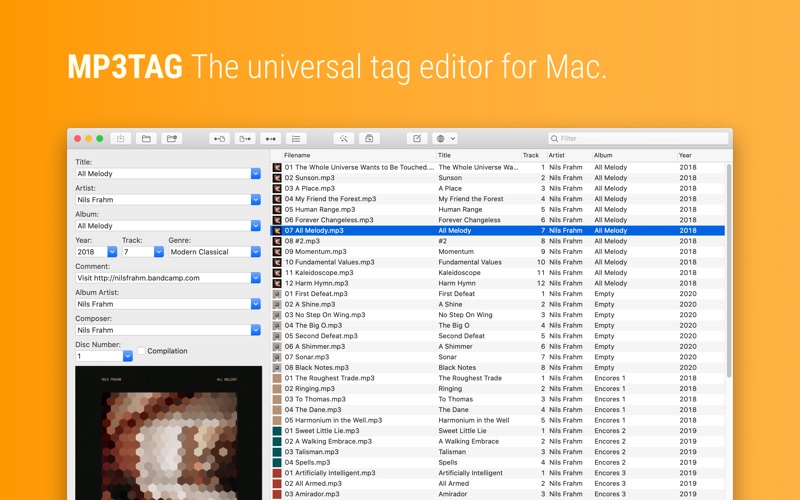
Mp3tag is a powerful and easy-to-use tool to edit metadata of audio files. Musicians, DJs, podcasters, and audio-enthusiasts use it for many different aspects of handling audio files. It supports batch tag-editing for multiple files at once, covering many audio formats from MP3, over MP4, and M4V (yes, that’s video!) to FLAC, OGG, OPUS, AIF, DSF, MPC, and WAV.
Furthermore, it supports online database lookups from Discogs and MusicBrainz, allowing to gather proper tags and download cover art for music libraries.
It offers renaming files based on the tag information, replacing characters or words in tags and filenames, importing tag information, and adjusting the size and image format of embedded cover art.
Since some of the tasks in managing a digital library are repetitive, Mp3tag allows for combining tasks into action groups, which serve as workflows for keeping consistency and order. Examples are formatting tag fields, performing case conversion, removing unwanted fields, or adjusting embedded cover art to match required sizes.
Key Features
Bulk-Editing of Tags for multiple files at once.
Editing of cover-art.
Renaming files based on tags.
Importing metadata from filenames.
Assign track and disc numbers via the auto-numbering wizard.
Importing metadata from online Tag Sources.
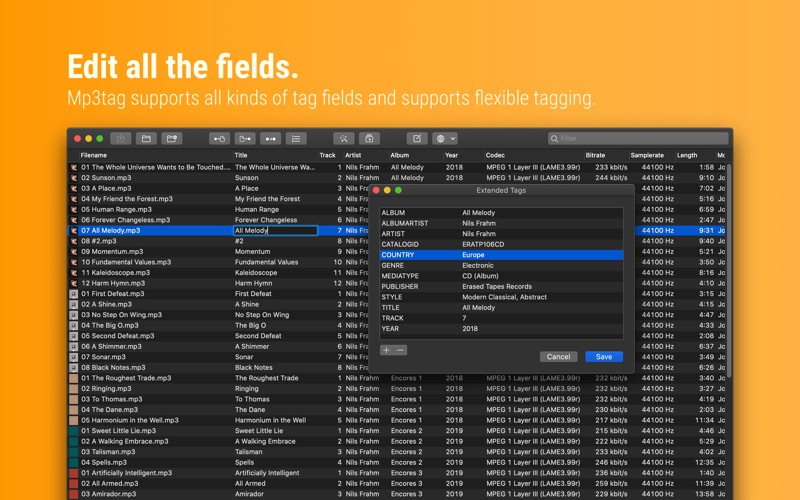
Support for Flexible Tagging, allowing for user-defined tag fields in a standardized way.
Applying action groups with many tasks combined into reusable workflows.
Support for many file types under a universal user interface.
and more…
Supported File Formats
MP3 (ID3v1, ID3v2.3, ID3v2.4 with UTF-8)
MP4/M4A/M4B/M4V (iTunes and Nero)
FLAC (Vorbis Comments)
OGG (Vorbis Comments)
OPUS (Vorbis Comments)
AIF (RIFF INFO and RIFF ID3)
DSF (ID3v2)
MPC (APEv2)
WAV (RIFF INFO and RIFF ID3)
Compatibility: macOS 10.14 or later • Apple Silicon or Intel Core processor Homepagehttps://mp3tag.app/
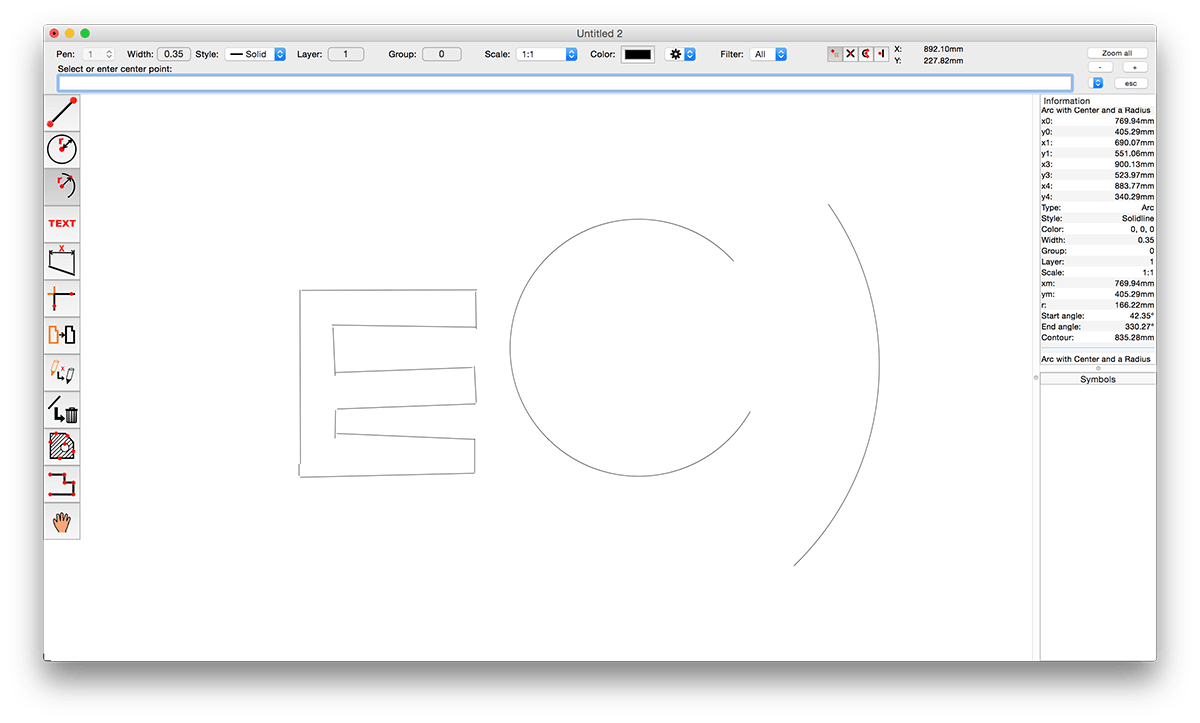
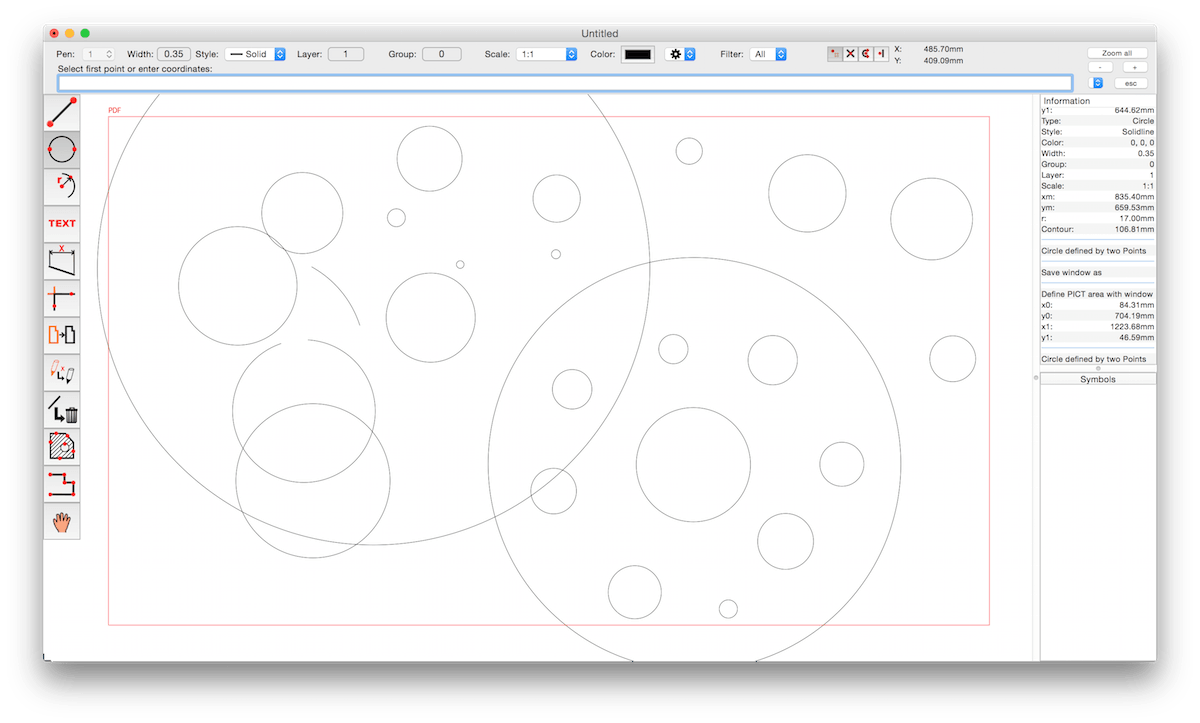
CADintosh is a 2D-CAD program for technical and architectural drawings. You will benefit from professional and well thought-out features for all your design requirements.
Features include:
Interactive window redrawing (you can work in the same time of the window redrawing)
Number of elements limited by memory
Pen oriented mode: 8 line widths/line colors/pens
Individual mode: line width from 0.0 to 99.99 mm, pattern and colors
It has a lot of tools like lines, arcs, dimensions, splines, hatching etc.
Import and export HPGL, DXF, and PICT
6 line types (solid, dash, dot-dash, phantom, zigzag, dotted)
32000 groups
1024 layer
Alternative units in inches or freely definable
Shareware version has a simple layer filter (easy to use)
Registered version has a additional extended layer filter (named filter sets, palette with name of filter)
Shareware version has internal symbols (number of symbols only limited by memory)
Registered version has additional external symbol libraries and more simple work with symbols
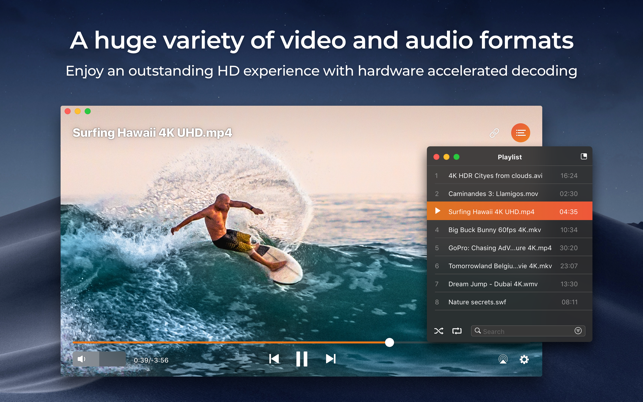
Elmedia Video Player is a free media player for macOS. It can play pretty much any file type, be it AVI, MP4, FLV, WMV, MKV, MP3, M4V etc. Elmedia Video Player is an all-in-one solution, that doesn’t call for any additional plugins or codecs.
Elmedia Player is available for Apple TV now!
This player has a wonderful HD experience to offer to its users thanks to a native hardware accelerated decoding that unloads the processor and brings the smooth and clean video onto the screen.
Highlights:
Video and audio playback
Keep the player on top of all apps to never miss a moment of the movie.
Will play any audio track including external.
Offers its own volume control.
Works great with various subtitles files. Supports Eastern Asian languages, Arabic, Hebrew, etc.
Subtitles: utf, srt, ass, smi, txt, ssa, smil, jss, rt, idx, sub, xml
Flexible settings
When watching a movie with subtitles Elmedia Video Player can put them in perfect sync with the video in case there is some mismatch.
No conversion needed to play a DVD or a video that was copied from DVD.
Extra useful features of Elmedia Video Player PRO!
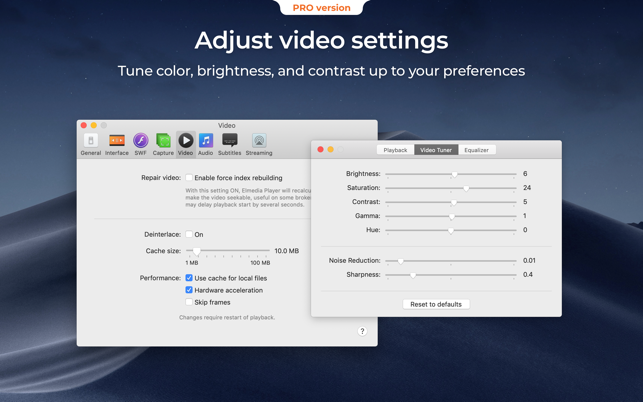
Adjust brightness, contrast, saturation, and more even during playback.
Make the sound perfect for your ears with a 10-band equalizer. Choose one of existing presets (Large Hall, Party, etc.) or create your own unique sound.
Make a screenshot of any moment in the movie or make the entire video a series of pictures with adjustable interval.
Take the most out of virtual surround and speakers emulation.
Select the output device for audio.
Transmit AC-3/DTS through S/PDIF.
A couple of other convenient playback possibilities:
Select the language for the sound and subtitles;
Set up which monitor will show fullscreen;
Flip, rotate and mirror the video;
Loop any part of movie or music video continuously;
Deinterlace and image enhancement.
AirPlay!
Elmedia can stream to different AirPlay devices and other Mac computers with Elmedia installed. Things to note:
No need to convert any files like AVI, FLV, MKV, 3GP videos to watch them on Apple TV.
Note: Elmedia Player does not stream VIDEO_TS, .swf, and .exe files.
Embedded and external subtitle files are supported by the player.
With Elmedia you can stream YouTube videos to Apple TV. YouTube videos in FLV, MKV, 3GP formats are not supported by AirPlay.
What’s New:
Version 8.11
Some minor fixes and improvements.
Version 8.0
Added: Support for Roku devices.
Added: Native support for Apple’s new M1 chips.
Added: Picture-in-Picture mode(PRO).
Added: Audio visualizer.
Added: Interface color themes.
Added: Support for new video and audio formats.
Added: Option to keep aspect ratio when resizing.
Added: Ability to change the time format on the timeline (frames / seconds / milliseconds).
Added: Show preview thumbnails while seeking.
Added: Ability to name bookmarks.
Added: “Now Playing” widget support (macOS 10.13 or later required).
Added: Ability to save subtitles from opensubtitles.org (PRO).
Added: Ability to move the subtitle box (vertical movement can be done through the menu bar or hotkeys).
Added: Ability to burn subtitles into video while streaming.
Added: Time jump settings.
Improved: Updated interface.
Improved: Touch Bar support.
Improved: Support for control playback with media keys on macOS 10.13 or later.
Improved: Playing UHD video.
Improved: Support for forced subtitles.
Improved: Playlist shuffle function.
Improved: Streaming to different devices.
Improved: Search subtitles on opensubtitles.org.
Improved: Accessibility support.
Fixed: Playing some videos when the deinterlace option is enabled.
Bookends is a full-featured bibliography/reference and information-management system for students and professionals.
Bookends uses the cloud to sync reference libraries on all the Macs you use. Access the power of Bookends directly from Mellel, Nisus Writer Pro, or MS Word (including Word 2016): Bookends allows you to scan your existing word-processor files and automatically generate finished manuscripts with properly formatted bibliographies. You can also scan Apple Pages ’08, ’09, and 5, and OpenOffice 3 files, or RTF files saved from any word processor.
Bookends allows you to share your references over the Internet with anyone, on any platform. And with Bookends, you can directly search and import references from numerous sources:
PubMed
Web of Science
JSTOR
Google Scholar
Amazon
Library of Congress
arXiv
and hundreds of other online sources.
Or use a built-in browser to download references with PDF’s and/or Web pages. Also, with automatic searches of PubMed, you can discover articles as soon as they’re published. Bookends allows for powerful group-based searches, with static, smart, virtual groups, and smart folders that make hierarchical searches easy.
Bookends also offers a robust assortment of file attachment features:
Attach any file (such as a PDF) to a reference and view or open it instantly.
Automatically rename and organize PDF files on-the-fly.
Automatically download and attach the PDF of an article from the Internet if you have access permission.
Automatically locate and attach PDF’s on your hard drive.
Easily migrate references and attachments from other reference managers to Bookends.
Sync your library with Bookends On Tap on your iPad, iPhone, or iPod touch, so that you have your references and PDF’s with you, wherever you are.
Annotate and markup PDFs and have the information instantly accessible in notecards.
What’s New:
Version 14.1:
Release notes were unavailable when this listing was updated.
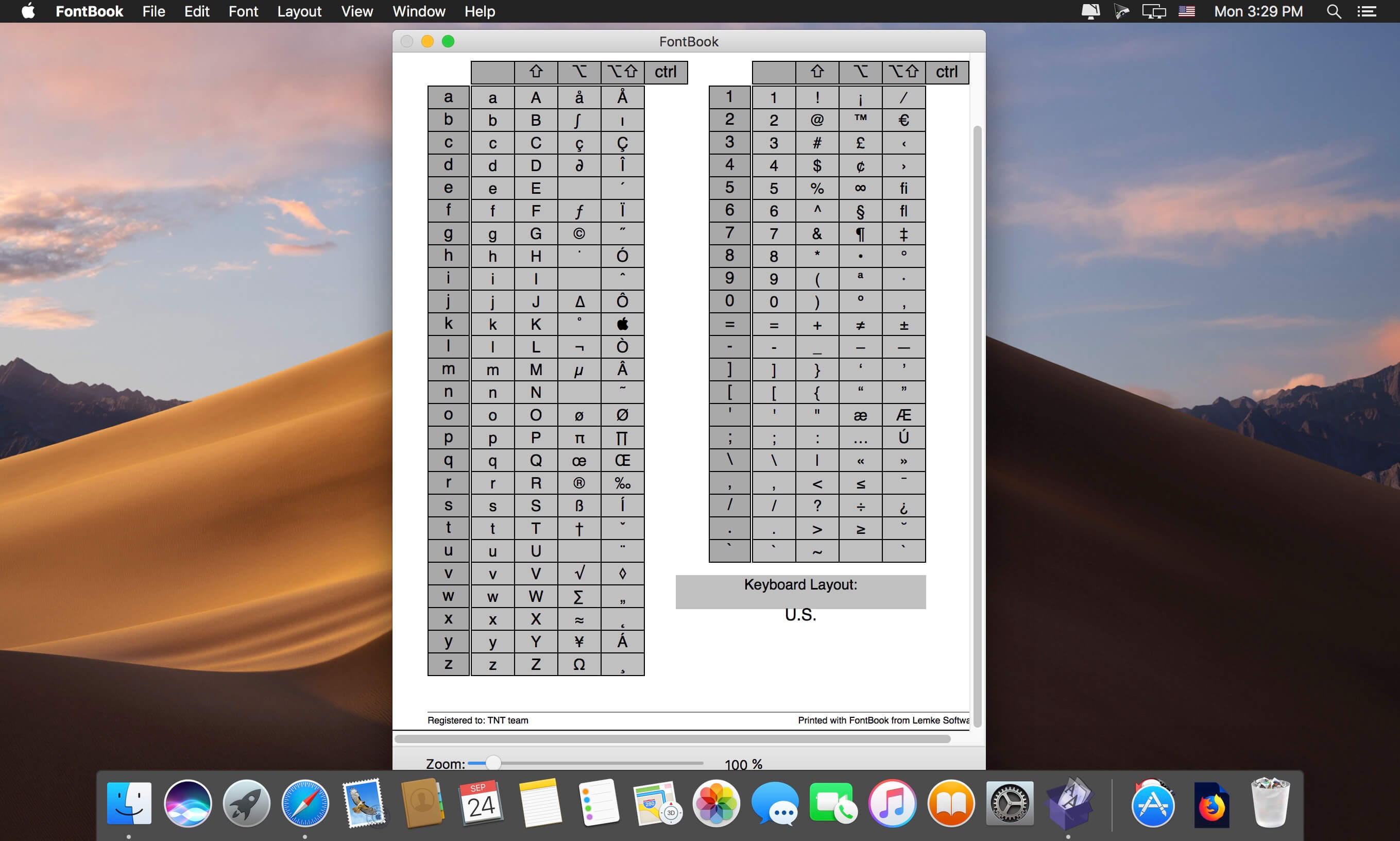
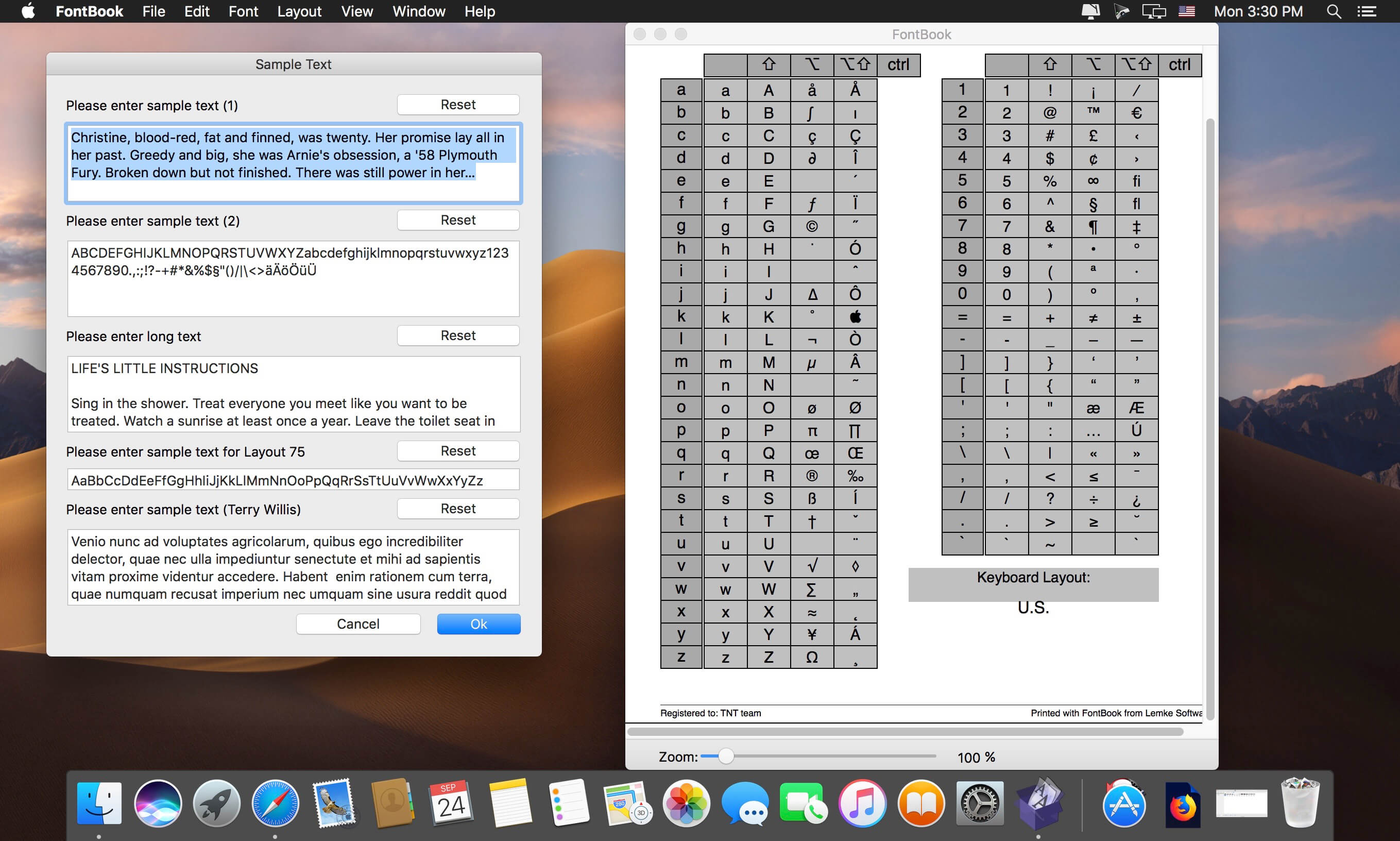
FontBook is the ultimate font utility for all macOSusers who require a quick, easy and comprehensive overview of all their fonts.
Let FontBook display uninstalled fonts on the screen in various layouts. You can print reference pages with selected fonts to assess the typeface, sizes and impression. Or you can find keyboard shortcuts for less-used special characters.
In short, FontBook is the ideal font utility if you regularly have to look for a suitable font or special character.
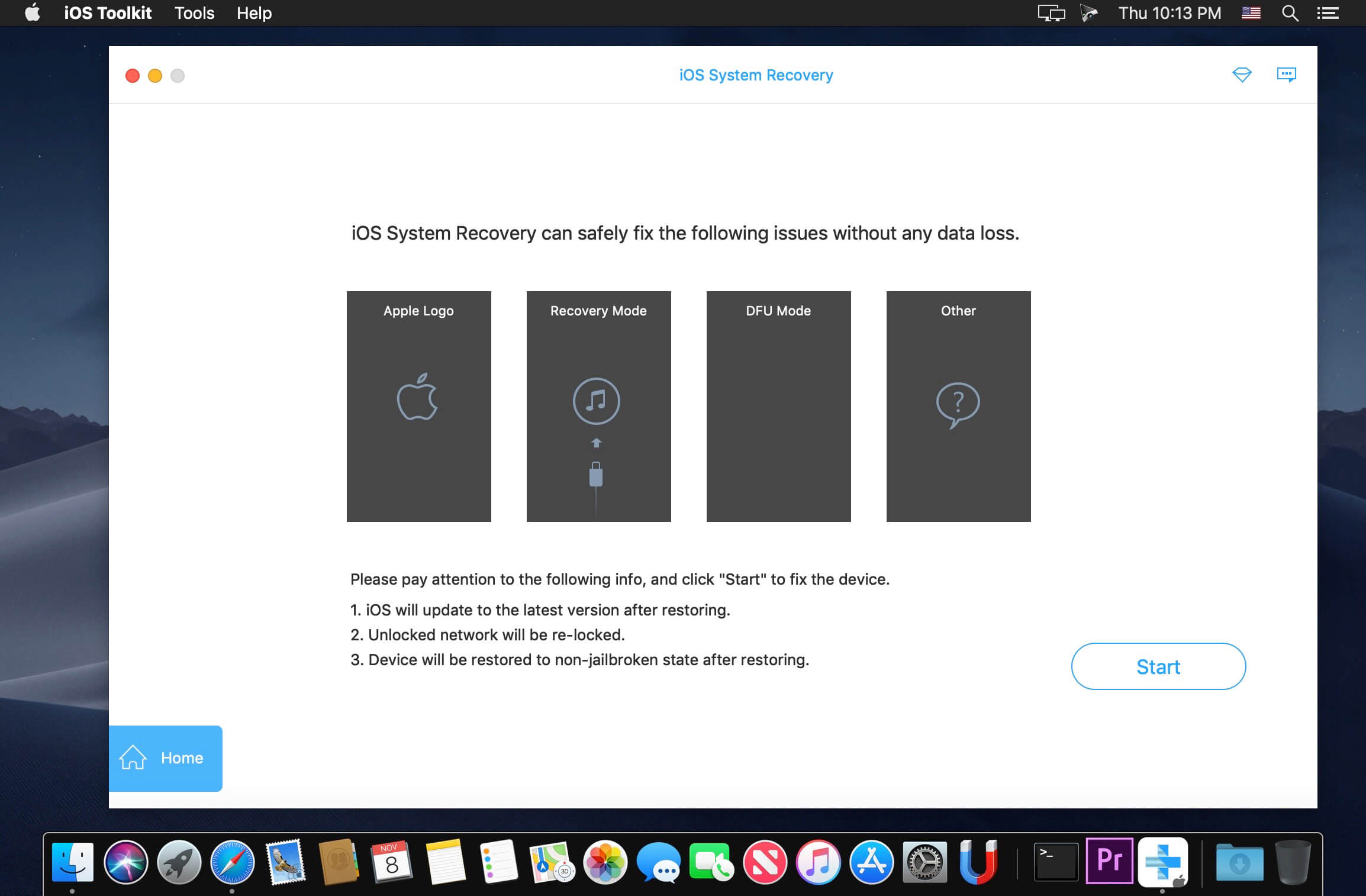
Professional iPhone data recovery software gives you flexible solutions to recover lost data from any iPhone, iPad and iPod running the latest iOS 11. Apeaksoft iPhone Data Recovery can help you to recover lost or deleted photos, videos, contacts, messages, notes, call logs and more from iPhone/iPad/iPod, iTunes and iCloud.
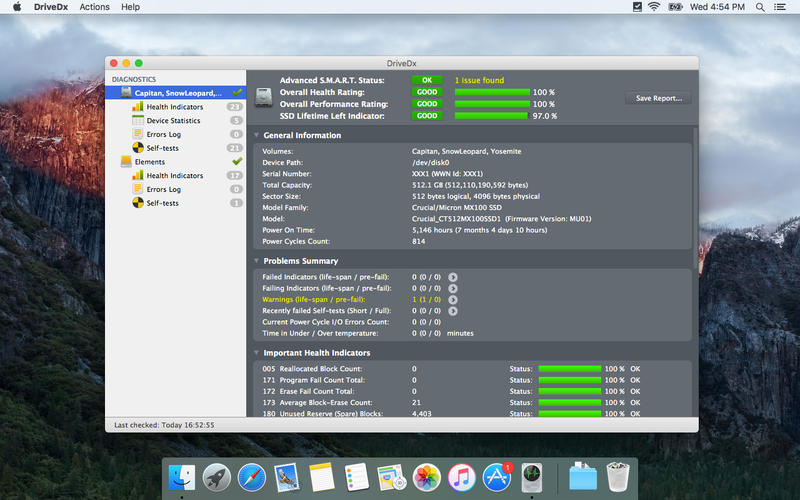
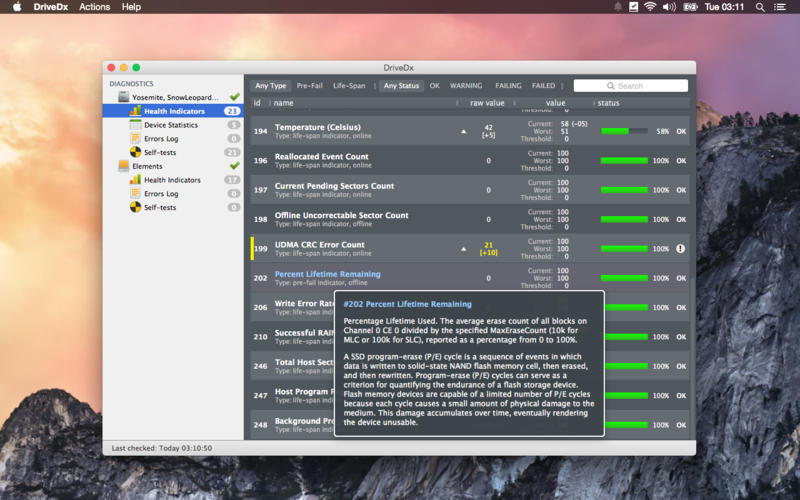
DriveDx is advanced drive health diagnostic and monitoring utility. Save yourself the data loss and downtime that is associated with unexpected drive failures. Don’t worry about losing your important data, music, and photographs.
Unlike most drive utilities, DriveDx does not only monitor the drive’s built-in S.M.A.R.T. status, but also analyzes the changes of all drive health indicators that are closely related to SSD or HDD failures (like SSD wear out / endurance, reallocated bad sectors, offline bad sectors, pending sectors, I/O errors and more) and alerts the user immediately if anything goes wrong. Our drive health diagnostics algorithms are based on the recent researches in this field. The application provides access to all sufficient drive diagnostic data to satisfy any system administrator. DriveDx is the first utility of its kind to have a real user-friendly Mac-style interface.
Key features:
support of modern SSDs and HDDs
real-time SSD/HDD health status monitoring
pre-failure state early detection – DriveDx supports 3 drive health statuses: Ok, Failing (pre-failure) and Failed. (Most of drive utilities support only “Ok” and “Failed”)
drive failure prediction based on health indicators that are closely related to SSD or HDD failures
multi-tier warning system that will inform the user about deviations from the normal state of drive attributes
drive overall health rating
drive overall performance rating (if drive supports this subset of indicators)
SSD lifetime left indicator
support of drive short and full (extended) self-tests
save drive(s) health report to file
automatic drive health reports by email (automatic email reports)
human-readable drive health indicators (attributes) representation
different routines for SSD and HDD health evaluation
drive temperature monitoring
drive free space monitoring
history-based drive health evaluation
S.M.A.R.T. error log
Growl notifications
user friendly and intuitive UI
Retina displays support
What’s New:
Version 1.11.0:
Removed support of 32-bit Macs,
Fixed crash duriing drive long self-test on some Macs,
Fixed app menubar initially freezes in macOS 11 Big Sur,
Fixed duplicated/ghost drives in the UI if the app measurement results DB has lost its integrity (damaged),
Added SAT SMART Driver fully compatible with Apple Silicon,
Added more user hints for different SAT driver installation troubleshooting cases,
Impoved app UI style for macOS 11 Big Sur,
Improved drive diagnostic algorithms and heuristics,
Impoved diagnosing NVMe SSDs in edge case scenarios,
Changed now by default reports data size in units based on powers of 10 instead of 2 (ie 1K = 1000 instead of 1K = 1024), can be changed via the menu “Help > Developer”,
Added support of Kingston A400 M.2 SSDs,
Improved support of Kingston A400 SATA SSDs,
Improved descripton of next NVMe health indicators: “Power On Hours”, “Life Percentage Used”, “Data Units Written”, “Data Units Read” and “Unsafe Shutdowns”,
Added minor tweaks and fixes.
Compatibility: OS X 10.6.8 or later, Apple Silicon or Intel Core processor Homepagehttp://binaryfruit.com/
Blogging is a relaxing hobby for some, while, for others, it represents a steady source of income. Regardless of your blog’s role in your life, writing and publishing content using slow, clumsy web interfaces may not be the best solution, especially when a powerful desktop alternative is available.
MarsEdit allows you to do all your writing from a native Mac app, while also offering an impressive amount of helpful features.
Strong feature lineup and support for a wide range of blogging services
MarsEdit can be used to manage blogs being hosted on WordPress, Blogger, TypePad, Tumblr, Movable Type or any other service that supports the MetaWeblog or AtomPub interface.
It is possible to write using HTML, RTF or even Markdown, and the app displays a live preview to show you how the post will look after being published. Moreover, MarsEdit can be integrated with TextMate, WriteRoom, TextWrangler or BBEdit, as well as other text editors that support the ODBEditor suite.
Furthermore, the application allows you to search for content in your iPhoto, Lightroom, Flickr or Aperture libraries, and import images with a single mouse click.
Manage your blog from your desktop and save drafts locally
While you can certainly write blog posts in other editors and format them once you have access to the web service of your choice, this method takes more time and requires quite a bit more work.
With MarsEdit, you can write whenever you want, regardless of the availability of an Internet connection. Your posts are saved as drafts and can be uploaded as soon as you get back online.
Powerful blog editor that has all the right features, but could use a visual update
There is no denying that MarsEdit is a great app for the job it was designed for, but its interface has not changed a great deal for many years. Mind you, it is very easy to manage and has a simple, intuitive layout, but it is starting to show its age.
On the whole, however, MarsEdit is a great tool for any blogger who wants to get their work done more quickly and from any location, as it offers numerous helpful features and allows one to prepare blog posts even when no internet connection is available.
What’s New:
MarsEdit 5.0
Paid upgrade from 4.0
Updated app icon with a modern style suitable latest macOS
New Markdown syntax highlighting in plain text mode
Rich editor now based on modern WebKit2 for improved performance and reliability
New “Micropost” interface for streamlined publishing of short-form posts
New calendar-based date editor changing publish dates
New inline find/replace interface used throughout the app
Support for inserting photos and sketches directly from iPhone or iPad
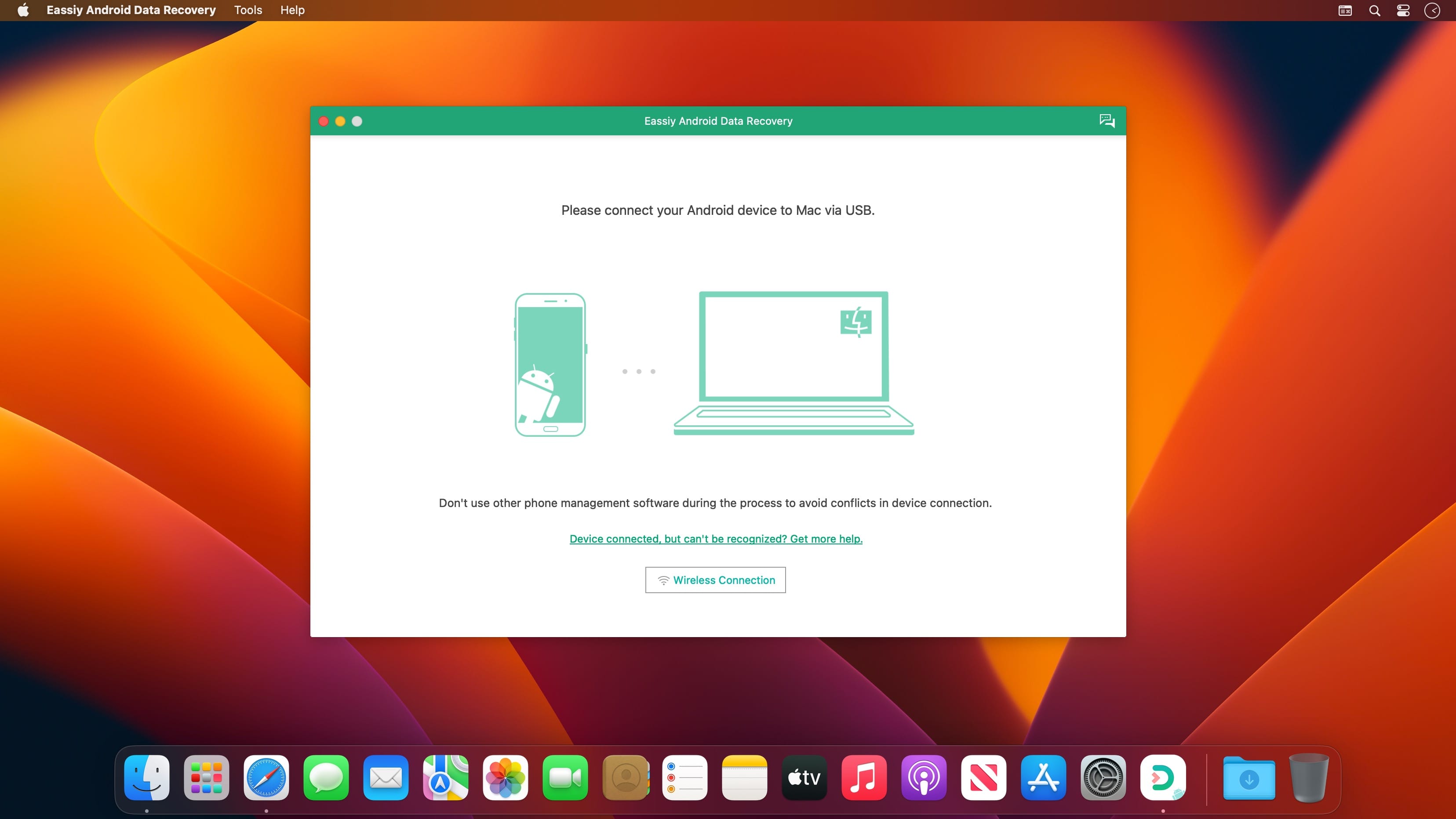
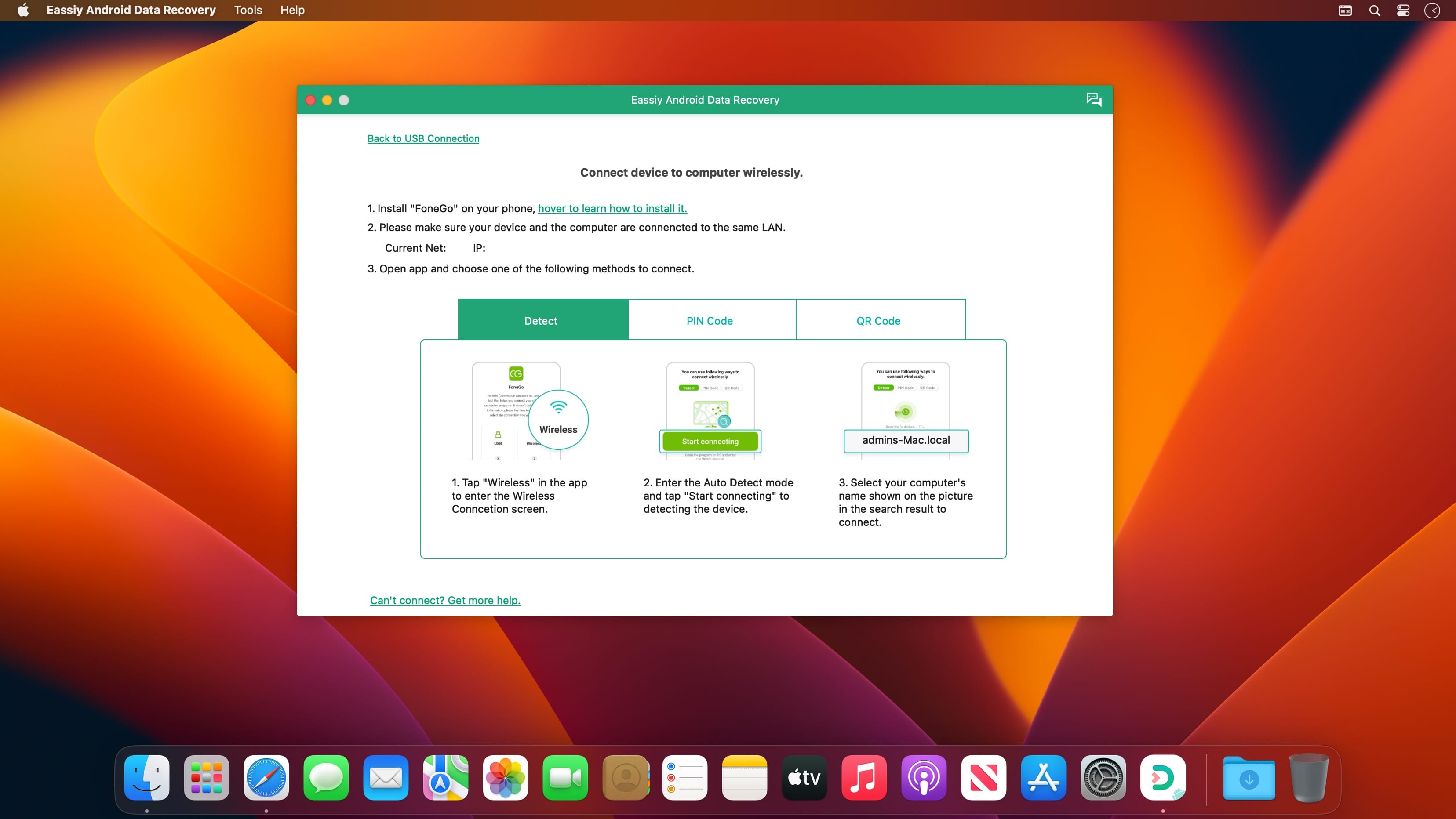
Eassiy Android Data Recovery has the industry’s highest recovery success rate for photos and videos. So whether your Android phone is jailbreaked or not, and whether you lost data in any of the following situations, Eassiy Android Data Recovery will help you get them back effortlessly.
Features:
Highest Android data recovery rate for photo and video in the industry.
Restore deleted WhatsApp messages and WhatsApp attachments on Android.
3 recovery modes: Recover directly from Android devices, Android SD card and SIM card.
Support 16+ file types, industry-leading in the supported file types.
Faster scan: Scan 1000+ deleted files in seconds
Support with 6000+ Android devices including Samsung, Huawei, HTC, Google, LG, Sony, etc.
3 Modes to Restore Android Data without Any Loss
Recover Data from Android Device Directly
Scan and recover your lost/deleted data directly from your Android smartphone without a backup.
Recover from Android SD Card
Scan then recover the lost data from the SD card inserted into the Android phone.
Recover from SIM Card
Scan the inserted SIM card to get back your contacts in the SIM card without any loss.
Recover WhatsApp Data on Android Without Backup
Recovery of WhatsApp messages and WhatsApp attachments, including videos, photos, voice, stickers, and documents without backup
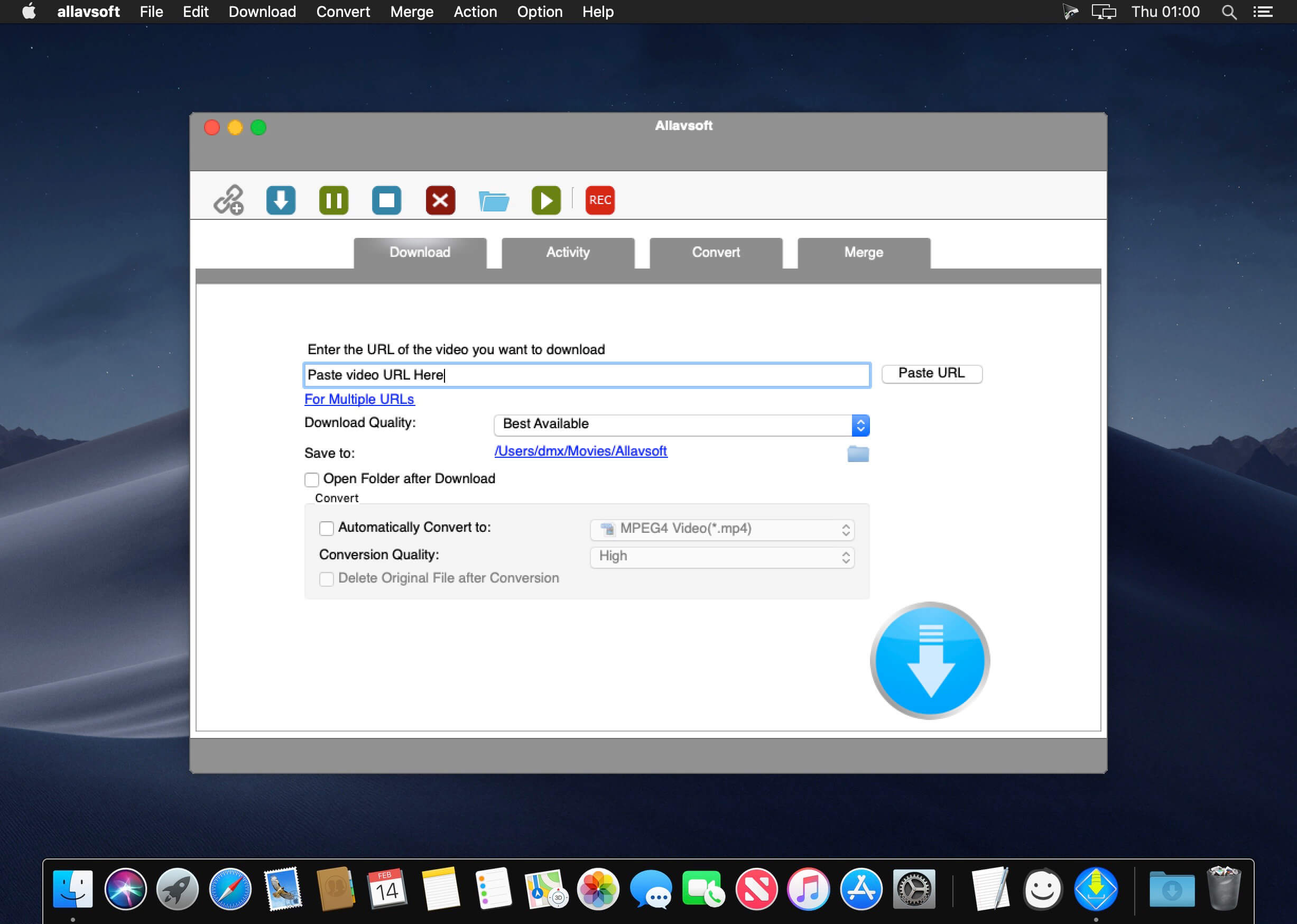
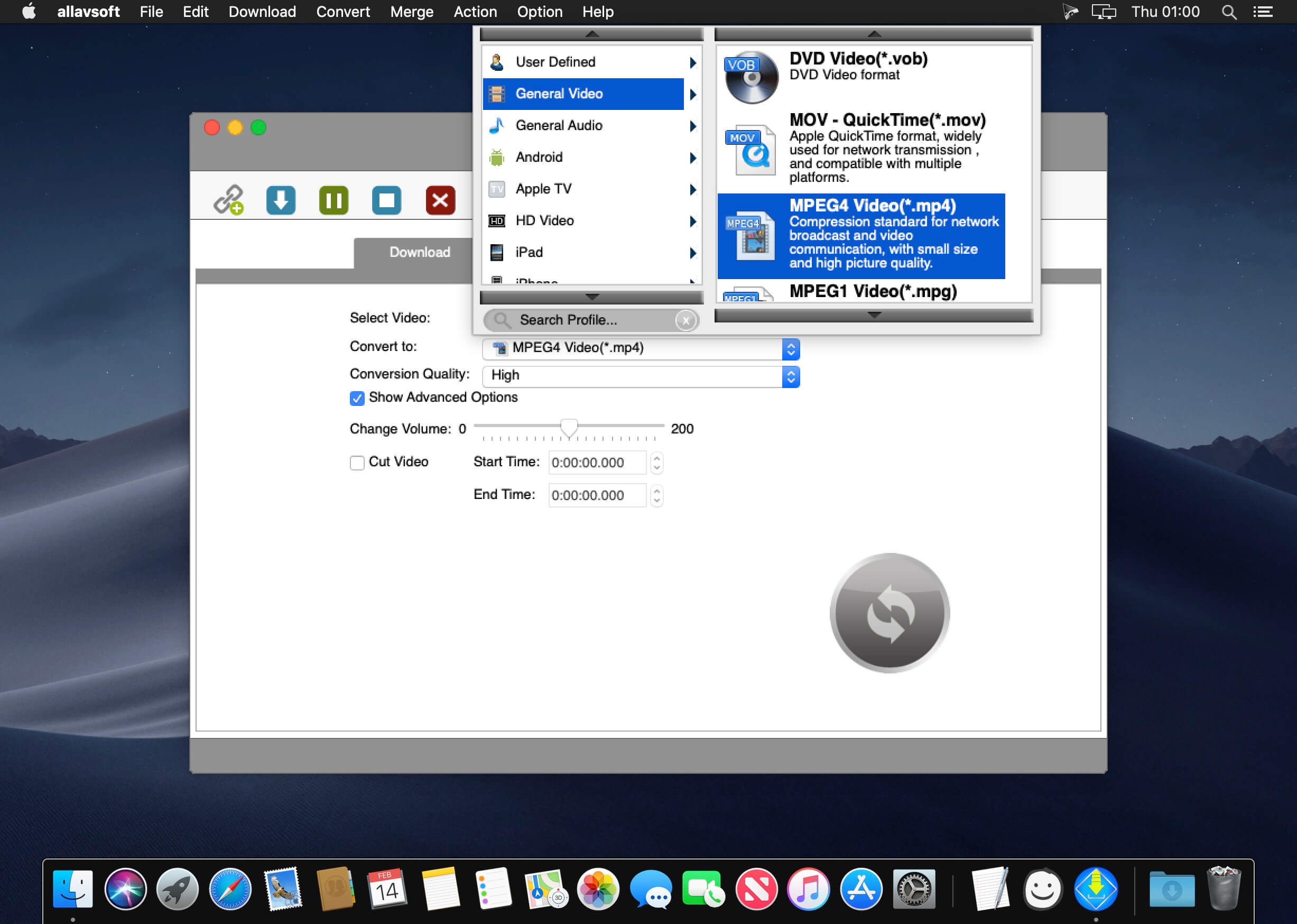
This powerful Video Downloader supports downloading movies, music videos, playlist, sport videos, lectures and more from free video sharing website like Facebook, Dailymotion, eHow, and more than 100 video sharing sites.
Besides downloading video in its original format, Allavsoft also features one-click to download as well as convert the downloaded video to popular video format like MP4, AVI, WMV, MOV, MPEG-1, MPEG-2, VOB, ASF, RMVB, DV, TS, Apple ProRes, WebM, FLV, OGV and etc.
This ideal Web Video Downloader app enables selecting among all video qualities available for downloading like download videos in ultra high definition (4K), 3D video, HD 2k, HD 1080p, HD 720p, and stand definition 480p, 360p, and 240p.
This professional Video Downloading and Converting tool also helps to extract and download audio from online music video or movies as well as convert to popular audio format like MP3, WMA, WAV, AAC, AAC, Apple Lossless M4A, AIFF, RA, FLAC, OGG, AU and etc.
Batch download and convert
Allavsoft supports adding multiple video URLs and batch downloading and converting multiple videos at a time.
When download web video files, this wonderful Video Downloader will automatically detects advertisements and does not download them.
Preview and playback downloaded video files
There is a built-in video player in Allavsoft for us to preview and playback the downloaded video files.
Breakpoint Resume
You can pause and resume downloading at any time. It is very convenient to use.
Action after download done
You can set automatically shut down computer after all the download tasks are finished, if you have lots of videos to download and want to leave your Windows on to download them.
Keep history for downloading.
What’s New:
Version 3.25.3.8405:
Release notes were unavailable when this listing was updated.
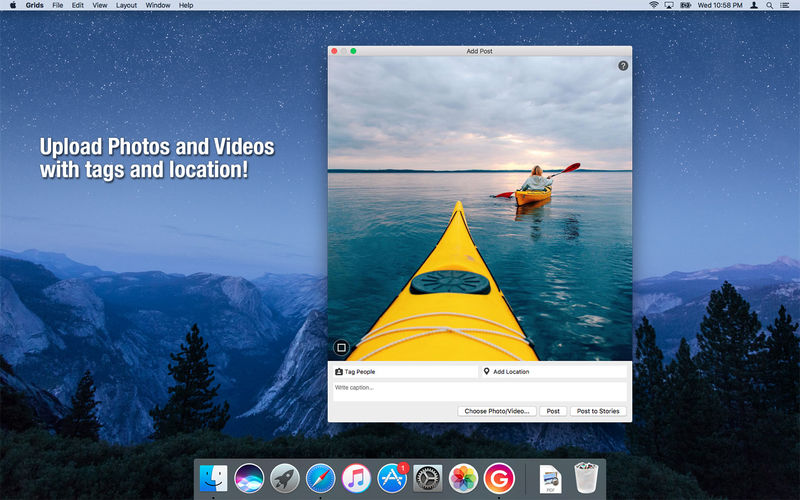
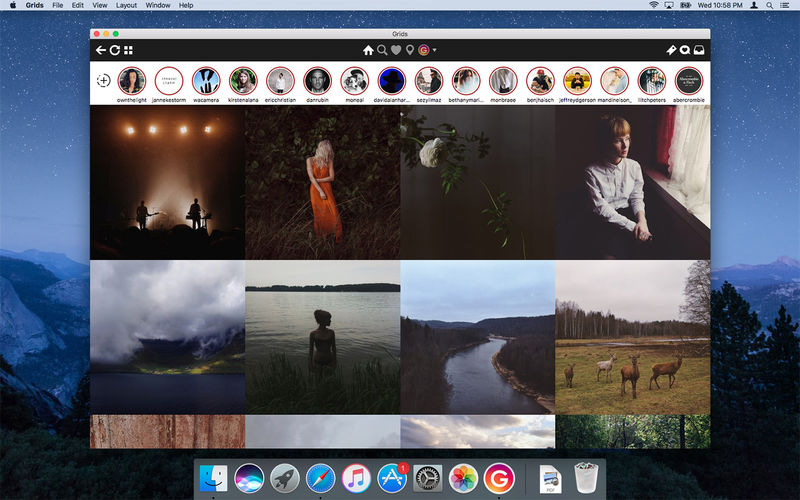
Grids brings the best Instagram experience to your Mac, with Stories (first and only app that supports stories!), Direct Message and Large/Fullscreen photo and video viewing.
As featured on TheNextWeb, AppAdvice, iDownloadBlog, DigitalTrends and many others.
View Stories (pro)
Direct message (pro)
Share photos/user profiles/tags/locations via message
Enlarged view mode allows photo viewing and video playing in large or full screen
Clean, adaptive UI. Works at full screen as well as widget-sized window.
Pixel-perfect layout and rendering. Retina display support. Your Instagram photos never looked this gorgeous.
4 beautiful layout styles for the pleasure of your eyes
Picture size as well as spacing and background color can be adjusted to your liking.
Fastest Instagram browsing experience you will have!
Switch between multiple accounts seamlessly.
Like, comment, follow, search people and tags.
Show users tagged in photo
Bookmark allows you to bookmark people (without having to follow them), locations, tags and individual photos or videos (without having to like them).
Get notification when new feed is available and/or when there is new followers/likes/comments/mentions.
View latest following/news just like on your phone
What’s New:
Version 8.3.0:
Release notes were unavailable when this listing was updated.
Language: English, German, French, Portuguese and others. Compatibility: macOS 10.13 or later, (Apple Silicon compatible) Homepagehttp://gridsapp.net
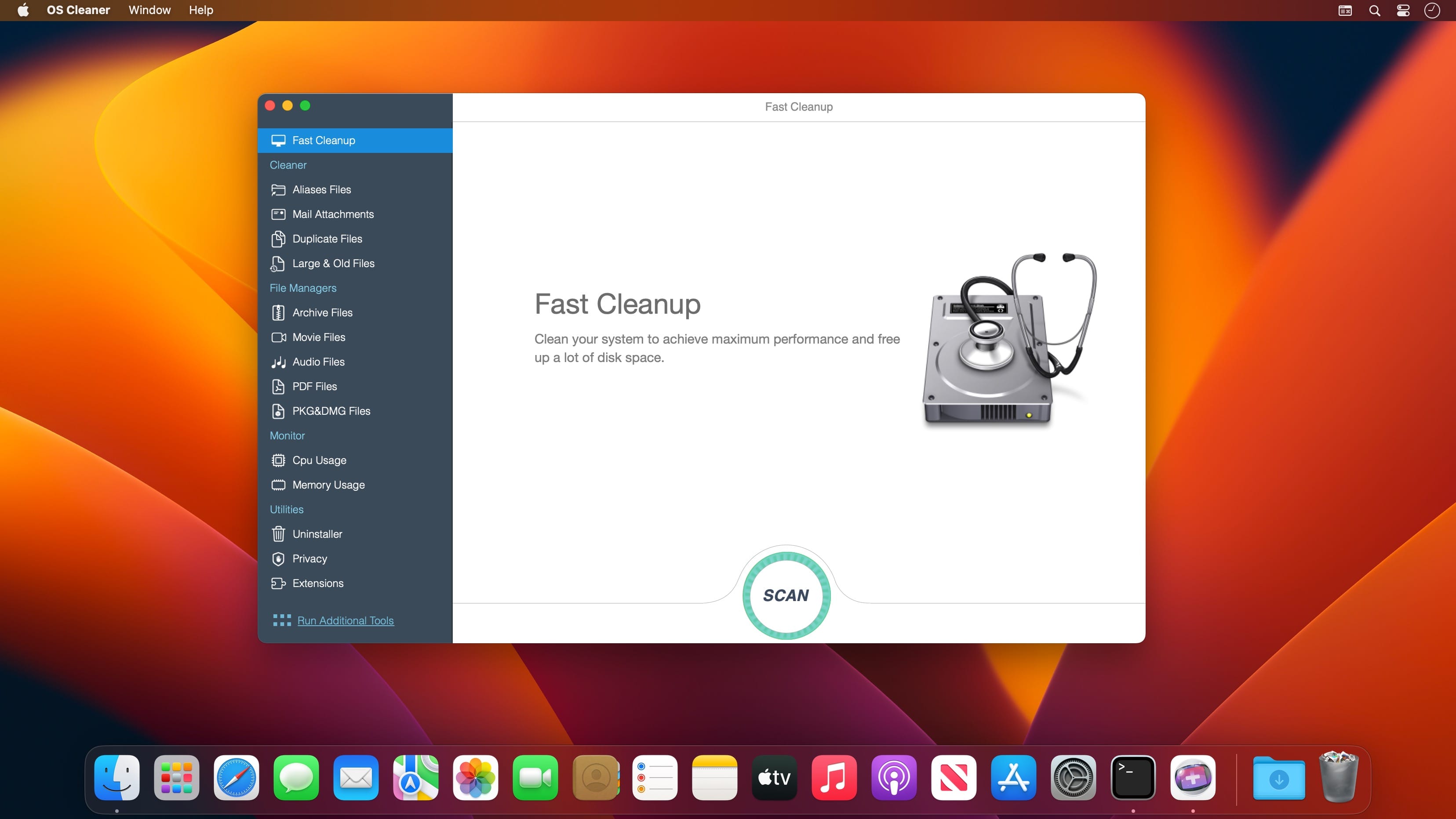
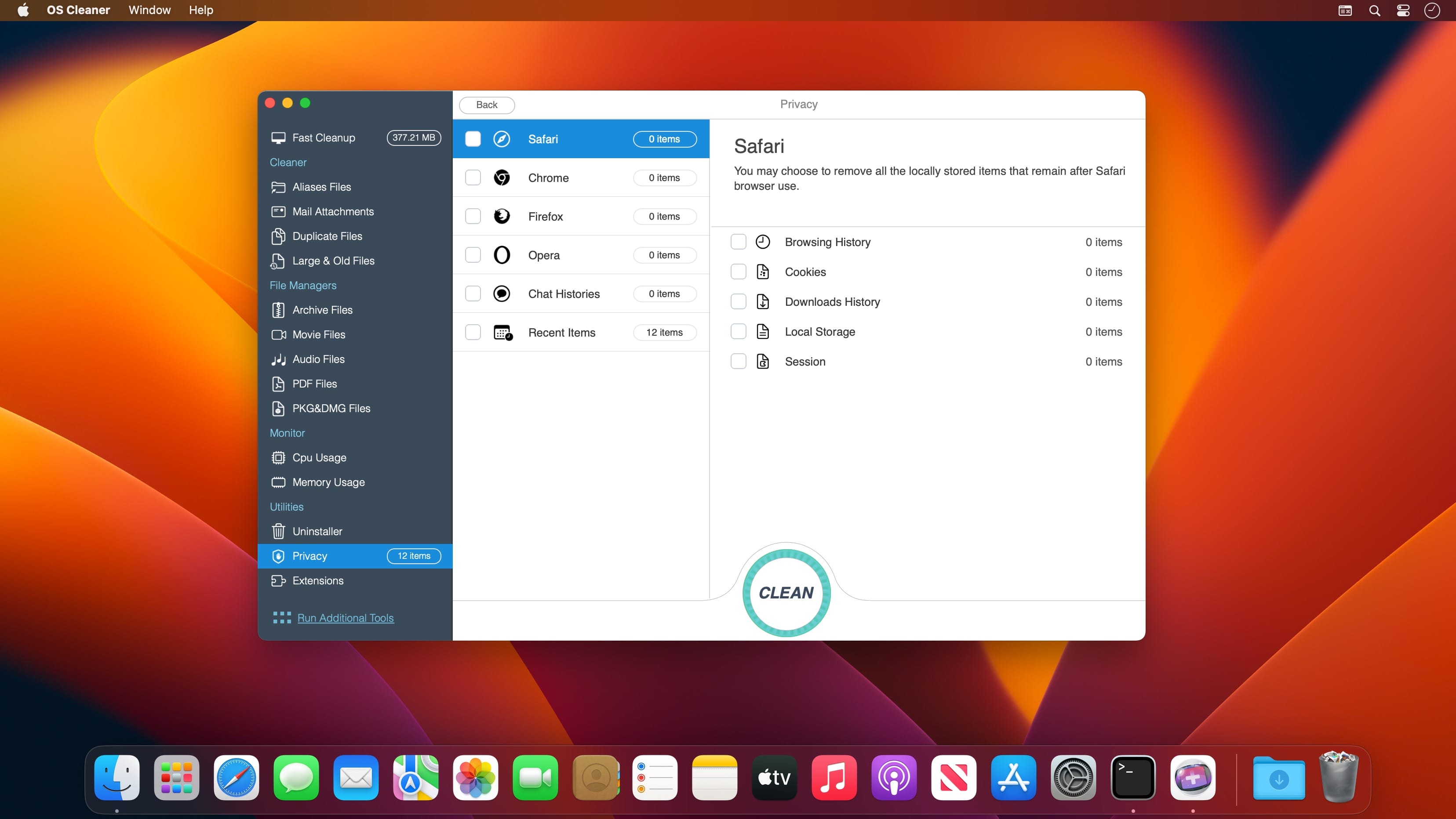
For the Health of your Mac! (Perfect support for macOS High Sierra) OS Cleaner scans every inch of your system, removes gigabytes of junk in just two clicks, and helps you maintain your Mac’s health.
Scan & Monitoring –Free
Scan and list all the useless files.
Monitoring CPU and Memory.
Fast Cleanup(Clean up System Junk).
Additional Tools –Free
Adware Doctor: Detect and remove all current adware and malware for the Mac and will be updated to support new malware and adware as they come out.
App Viewer: Display applications information such as copyright, application version, application size, required operating system, etc.
Arp Cache: Clear or Flush Arp Cache in OS X
Crashed Applications: View your list of crashed applications and remove diagnostic reports to free more space.
Clean up the useless files.(iTunes junk,Aliases Files,Mail Attachments,Duplicate Files,Large & Old Files)
Free up memory.
Shredder (Erase any unwanted files or folders quickly and without leaving a trace.)
Uninstaller (Remove entire applications, including all of their associated files. and Resets applications to initial state.)
Privacy (Easily clean up your chat history from Messages. and Instantly remove your browsing history, along with traces of your online and offline activity.)
Extensions (Remove any of your undesired browser extensions and screen savers safely.)
What’s New:
Version 11.5.7
New Settings:
Preferences… -> Duplicate Files
Minimum scan file size.
Automatically check the copy items after scanning.
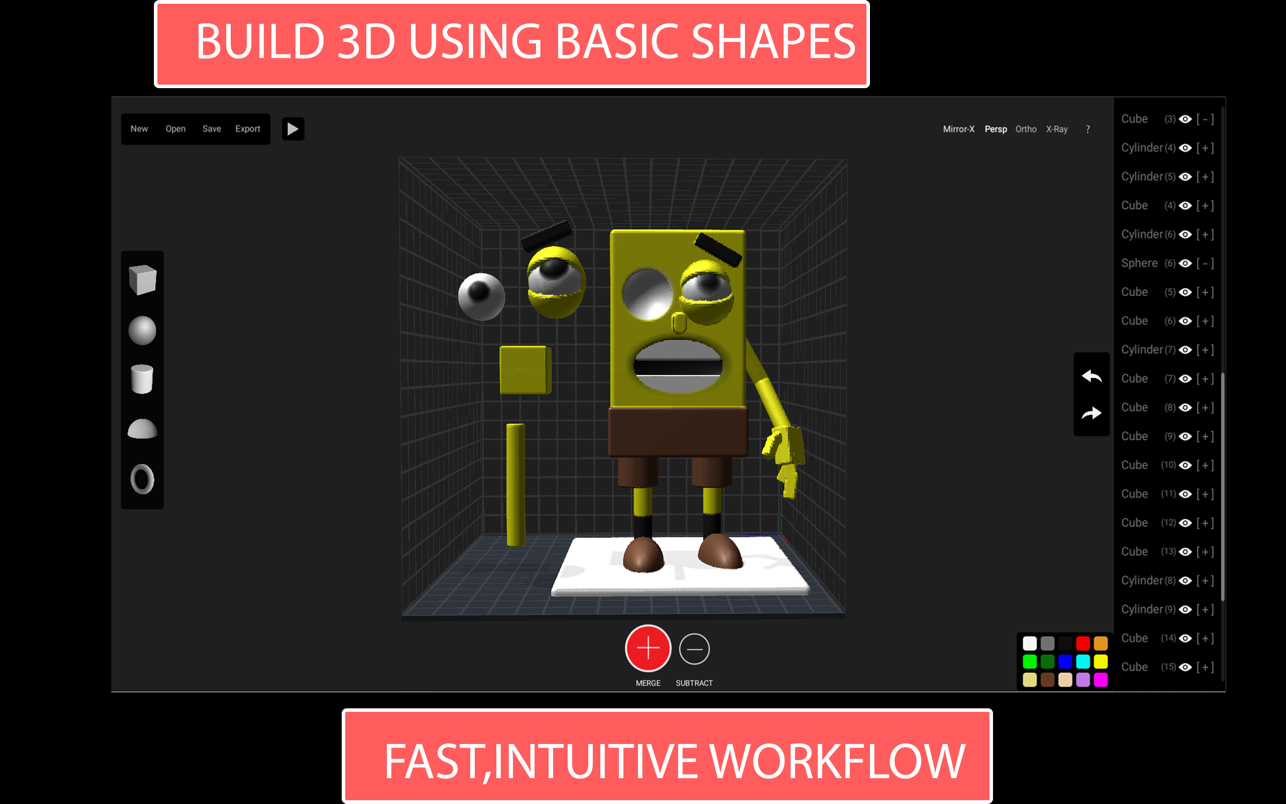
Claydo is a simple 3D design app for Intel and M1 based desktops.It is used by designers, hobbyists, teachers and kids to make toys, prototypes, home decor, Minecraft models.. the list is endless!Model your design using simple shapes such as spheres, cubes and cylinders.. merge or subtract in order to get the right shape with a few clicks.
M1 Compatibility Test (Big Sur, M1, Mac Mini)
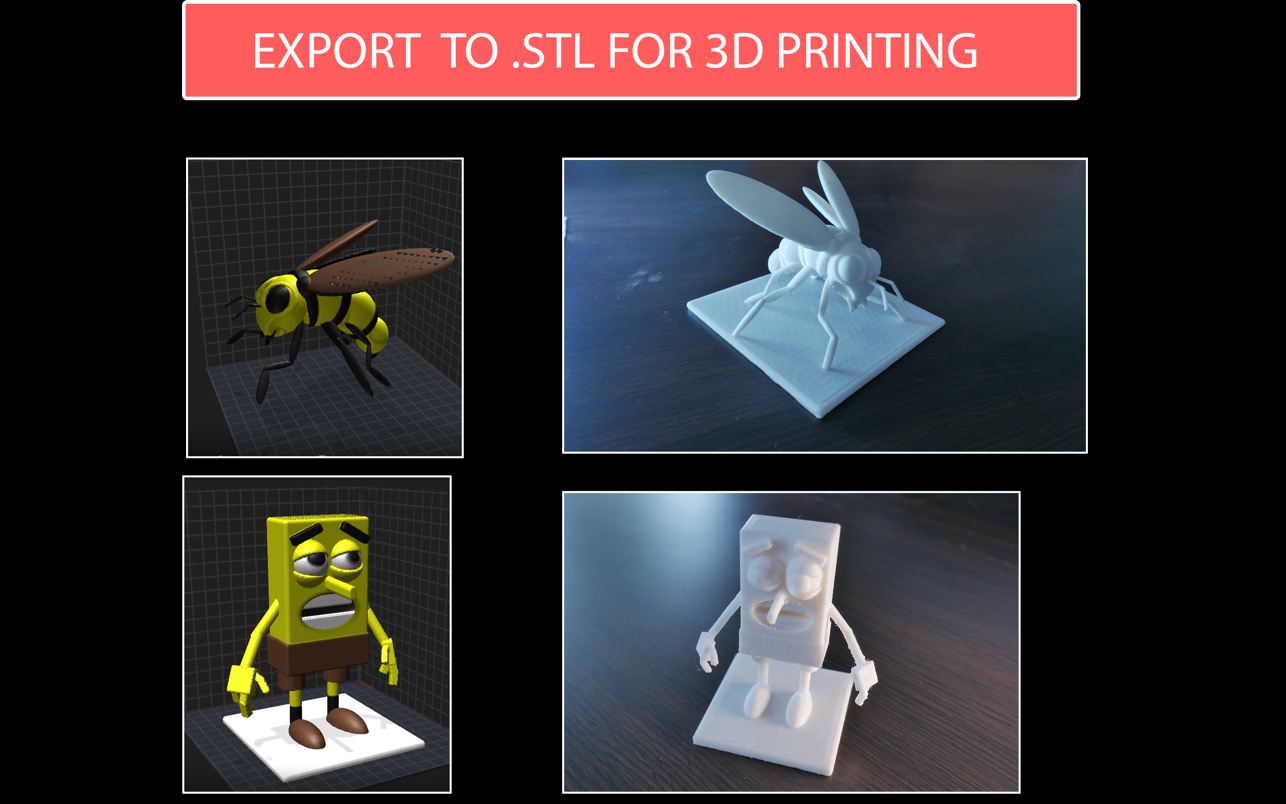
Export your Claydo creations to a 3d printer or external apps like Maya and Blender.
Claydo’s Apple Metal technology allows you to work with complex polygonal meshes in realtime.
Handy measurement tools to export STL files with millimeter precision.
• Easy UI and workflow, get up and running in minutes
• Export out precision models as STL files for 3d printing
• Export out as .OBJ for use in DCC software like Maya/Blender/C4D
• In-built Videos tutorials to get started fast, perfect for schools and teachers to introduce kids to 3d modelling
• Turntable mode for showcasing and sharing your creations as movies
Claydo is built by Appy Monkeys, an app developer with years of experience in creating fun and intuitive creativity apps with over 5 million downloads on the App store and recipient of various awards such as Children’s Tech Review and Purdue University’s guide for STEM apps.
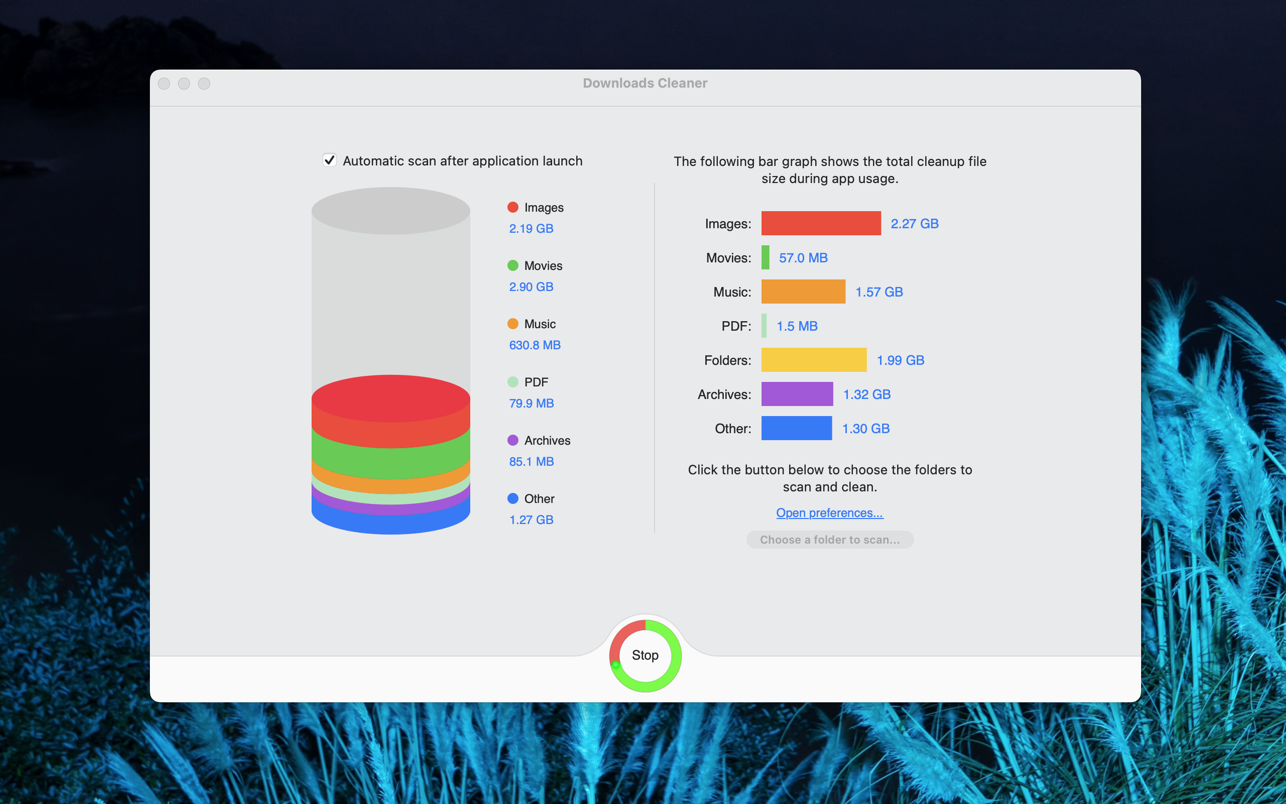
Downloads Cleaner is a great tool for management downloads files/folders. Usually there are a lot of useless files in the downloads directory, User can delete the files to free more disk space.
Downloads Cleaner can find and list all files of the downloads.
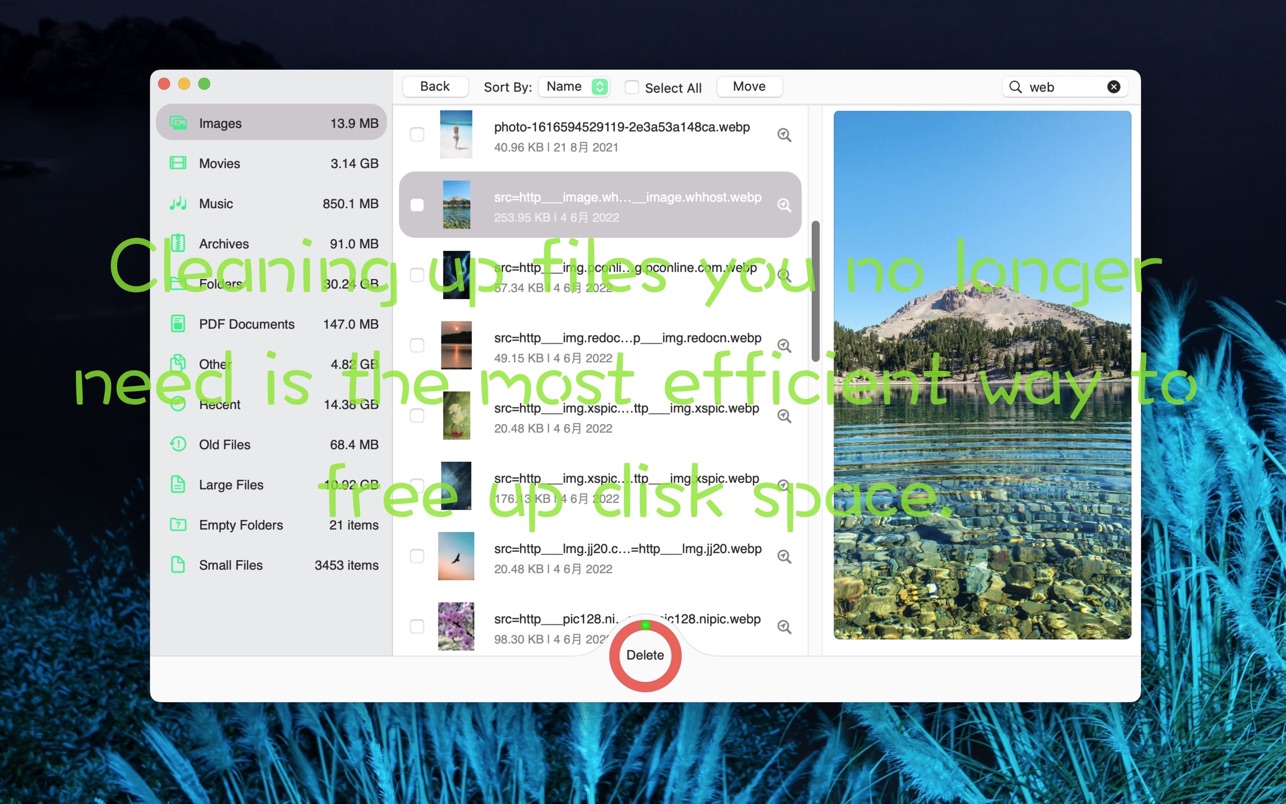
Downloads Cleaner can classify and preview the files of downloads.
– Supports video, audio playback.
– Supports fast search files.
– Supports batch delete files.
– Supports batch move files.
– Support deleting large files.
You can click the magnifier to quickly locate the file.
You can double click on the cell to open the file.
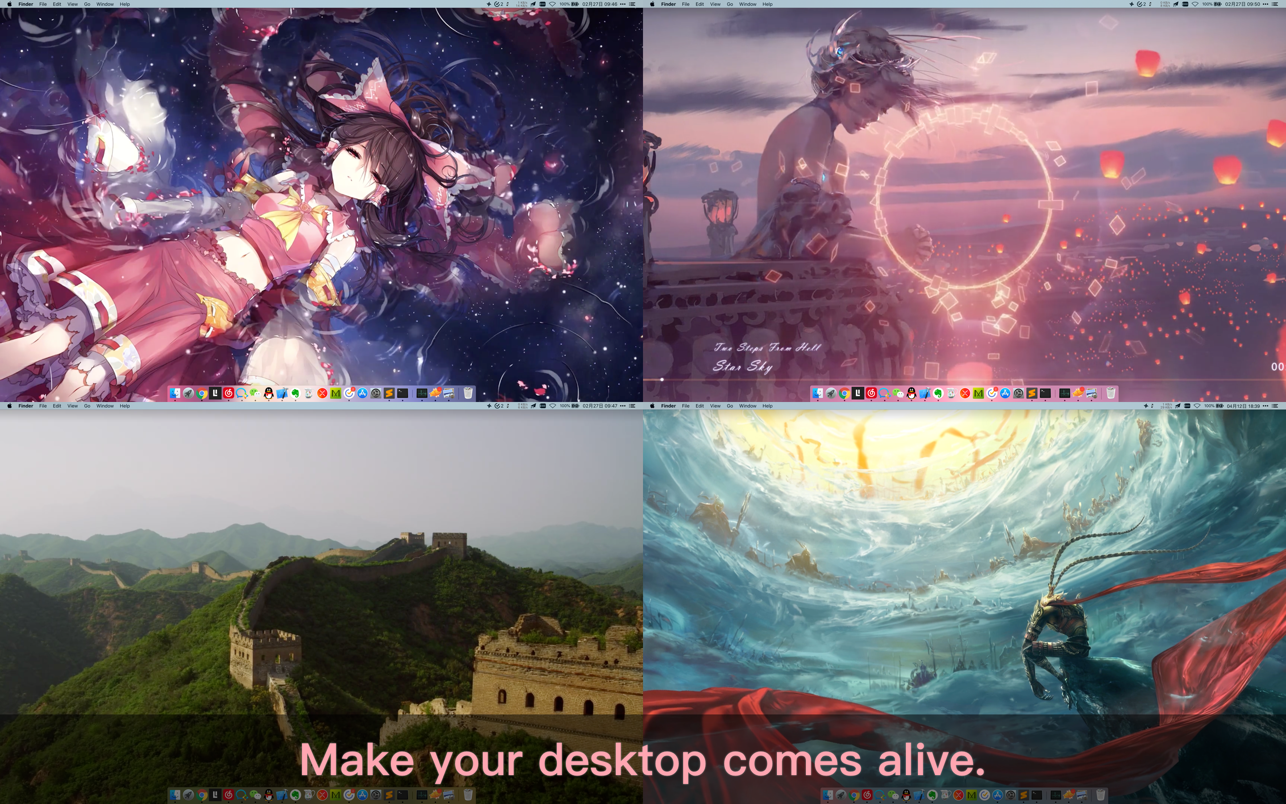
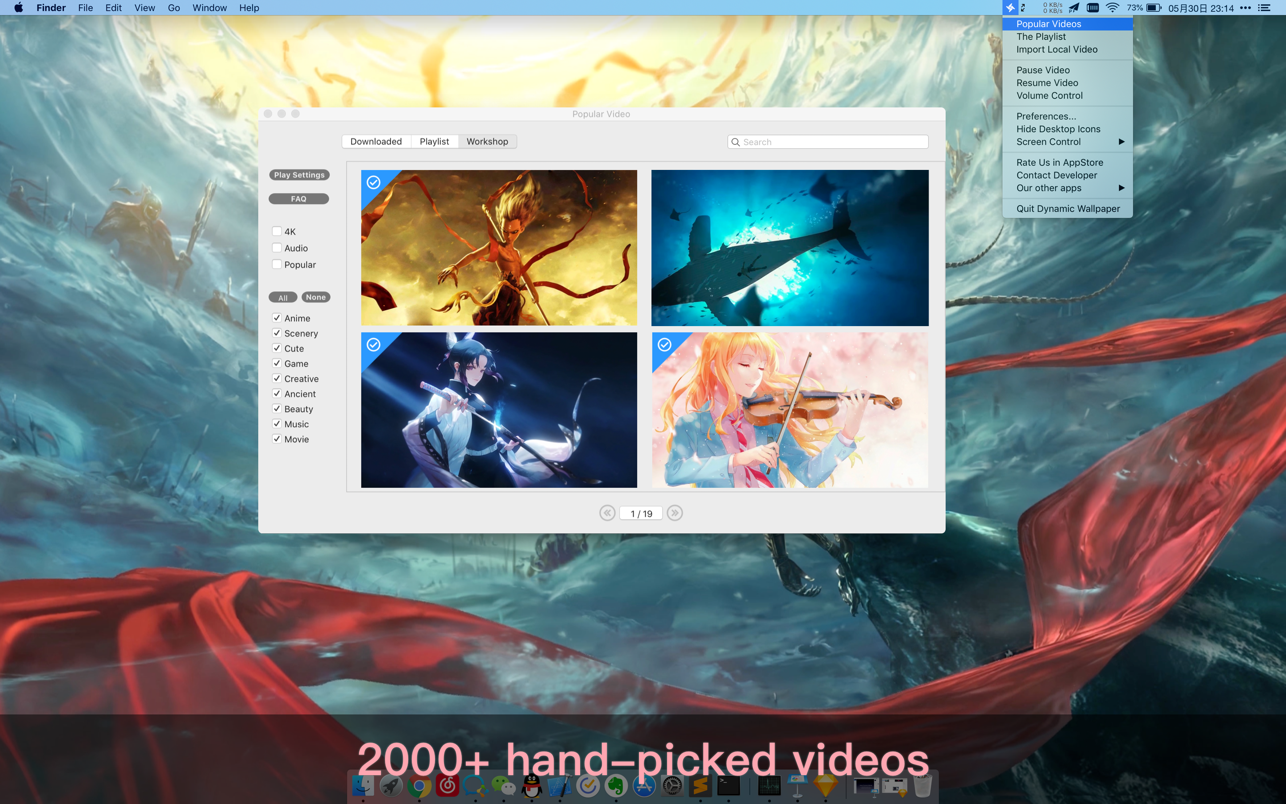
Dynamic Wallpaper Engine allows you to use live wallpapers on your desktop/screensaver. It provides thousands of live wallpapers in the Workshop while taking as little system resources as possible. It’s the Wallpaper Engine for Mac.
Features:
• 2000+ hand-picked videos which are updated every day.
• Multiple types of 4K Ultra HD videos, anime, scenery, cute, game, creative, Beauty, Ancient, Movie, etc.
• Supports “keyword searching” in videos.
• Supports “Dynamic-ScreenSaver”, personalize your lock screen.
• Easy to import local video.
• Supports The playlist, list loop, shuffle loop.
• Supports multiple screen aspect ratios and video native resolutions.
• Supports global hotkeys to control wallpaper, hide desktop icons and show screensaver.
• Set different wallpapers on different displays.
• Manual control, video pause, resume and mute.
• Break reminders, with flexible customization if you want it.
• Auto mode, pause the video when other apps are active, not disturbed at work.
• Auto mode, pause the video when Power Disconnected.
• Support for hiding desktop icons.
• Dynamic Wallpaper Engine is designed to provide an interesting experience while consuming as little system resources as possible.
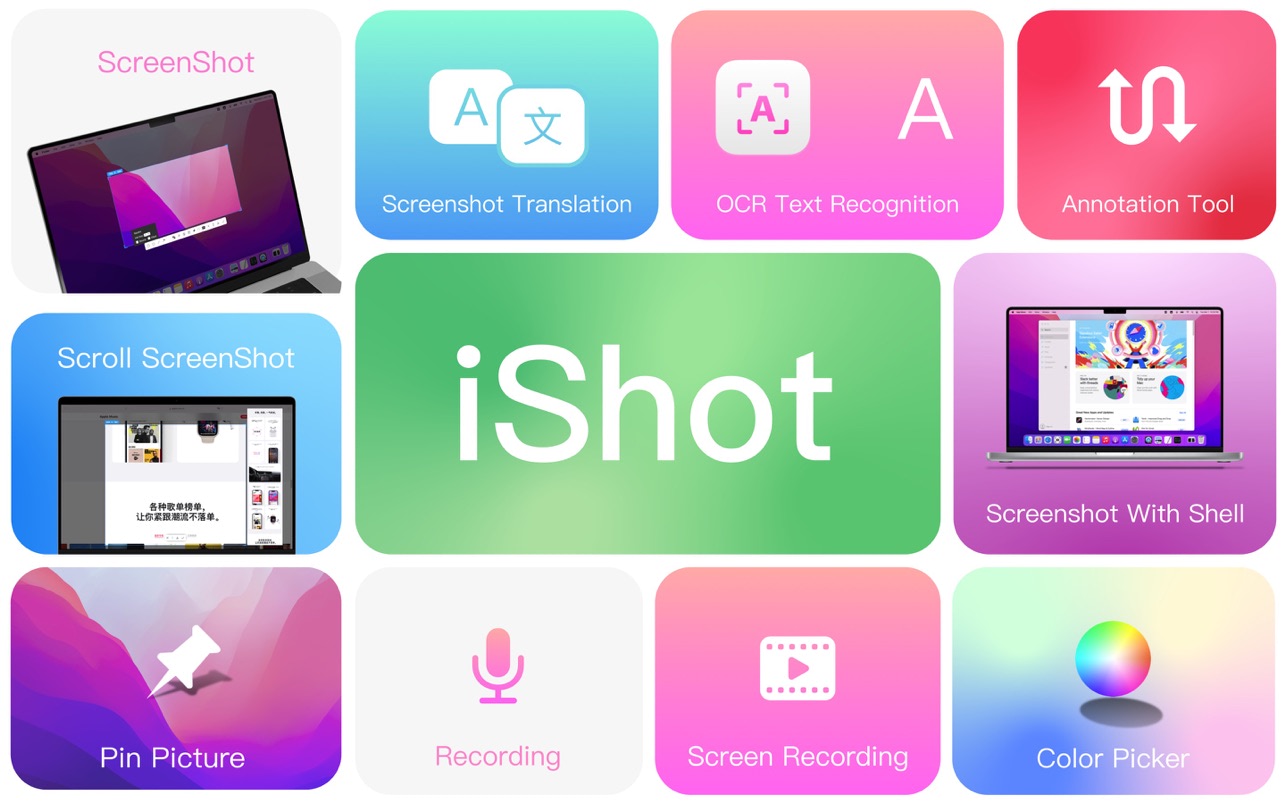
iShot is an excellent, full-featured area screenshot, window screenshot, multi-window screenshot, long screenshot, shell screenshot, time-lapse screenshot, quick annotation, texture, color picking, screen recording, audio recording, OCR, screenshot translation tool on Mac .
1. Screenshots
Area screenshot, window screenshot
Supports frame selection screenshots, intelligent recognition window screenshots, and custom screenshot shortcuts.
Multi-window screenshot
Press the screenshot shortcut key, then Shift, and click on multiple windows to take screenshots of multiple windows.
Delay full screen screenshot
Delay full-screen screenshots, support countdown sound playback, and use to capture windows that are not easy to select.
Take a screenshot of the last screenshot area
Use the shortcut keys to quickly take a screenshot of the area where the last frame was selected.
Screenshot window under cursor
Use the shortcut key to directly capture the window under the current mouse without activating the window.
Screenshot rounded corners and shadow effects
Screenshot to open quickly
After completing the screenshot, you can double-click Option to open the picture with a custom App, so that your screenshot and editing can be seamlessly connected.
Save/Storage
Support saving to clipboard and local
Support saving to the clipboard and saving to the local
Support single save as, custom save name and format
Support HD and SD image quality
Support jpg, png, tiff screenshot saving formats
Support output color standard pictures
2. long screenshots, scrolling screenshots
Select the scrolling screenshot area, then press the “S” shortcut key and slide the screenshot area upwards to start taking a long screenshot. The length of the long screenshot is unlimited.
Support automatic scrolling of long screenshots.
3. with shell screenshot
After taking a full screen screenshot, match your picture with a beautiful Mac shell mockup, high-end and elegant.
4. stickers
After the frame selection area is supported, click the map button to map;
The sticker library will store the record of the sticker.
After supporting the texture, right-click, mark and modify the texture image.
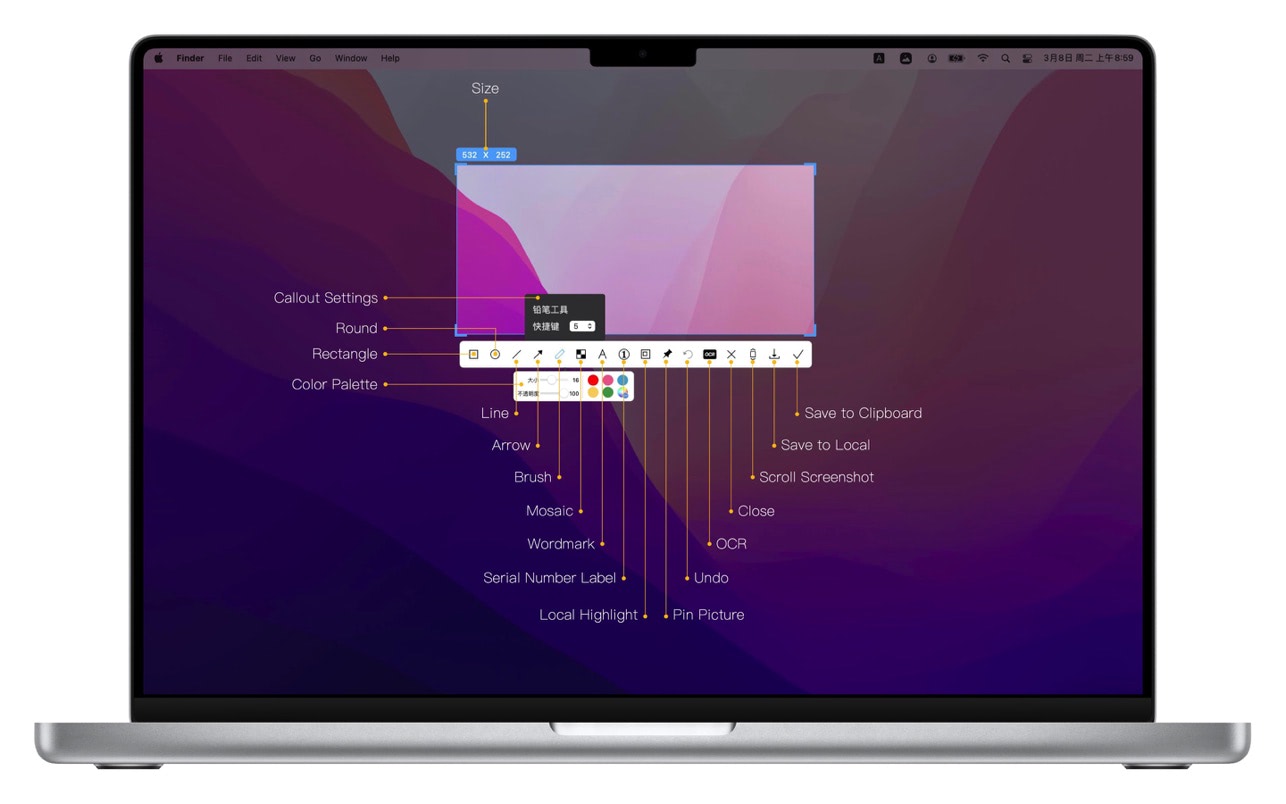
5. Quick Marking
Marking function:
Rectangle, circle, horizontal line, arrow, brush, mosaic, text mark, serial number label, local highlight;
Quickly adjust dimension and transparency
Rich annotation styles
Arrows, mosaics and other annotation tools provide a variety of styles to choose from, making your annotations colorful.
6. Color picking function
When you press the screenshot shortcut key, the magnifying glass will display the color name under the current cursor, press R, G to copy the RGB and HEX color codes, and supports custom color codes with powerful functions.
Support native, normal RGB, SRGB, Adobe RGB, P3 multiple color gamut standards
7. Screen recording function
Supports screen recording of various resolutions and FPS in Ultra HD, HD and SD;
Support for recording the internal sound of the system;
Support for recording online meetings
8.Recording
Support recording function, recording anytime and anywhere, a good helper for business people.
Support for recording the internal sound of the system
9.OCR text recognition
After selecting the screenshot area, click the OCR button to perform text recognition, which is convenient and easy to use
The OCR function supports QR code recognition and prioritizes QR code recognition
Support OCR continuous recognition mode
Support OCR to cancel line feed
10. Screenshot translation
After selecting the screenshot area for OCR recognition, perform translation
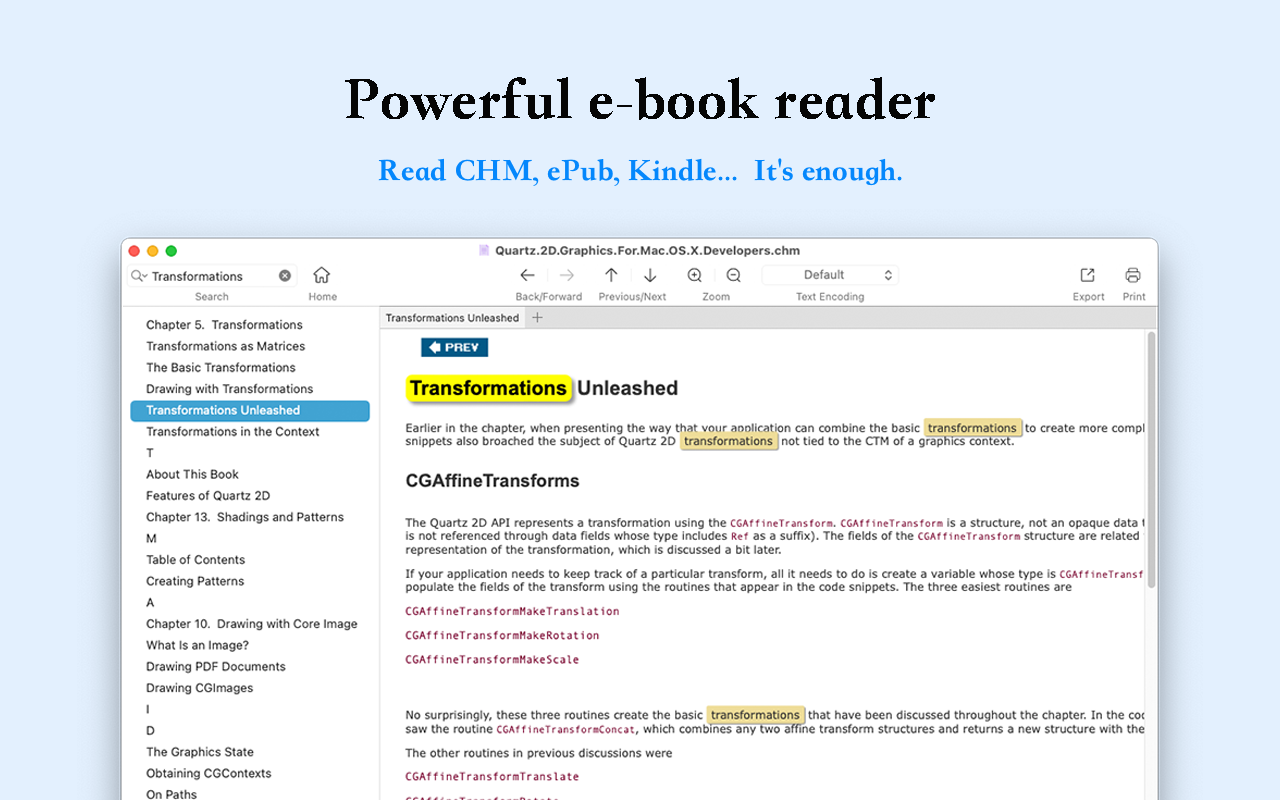
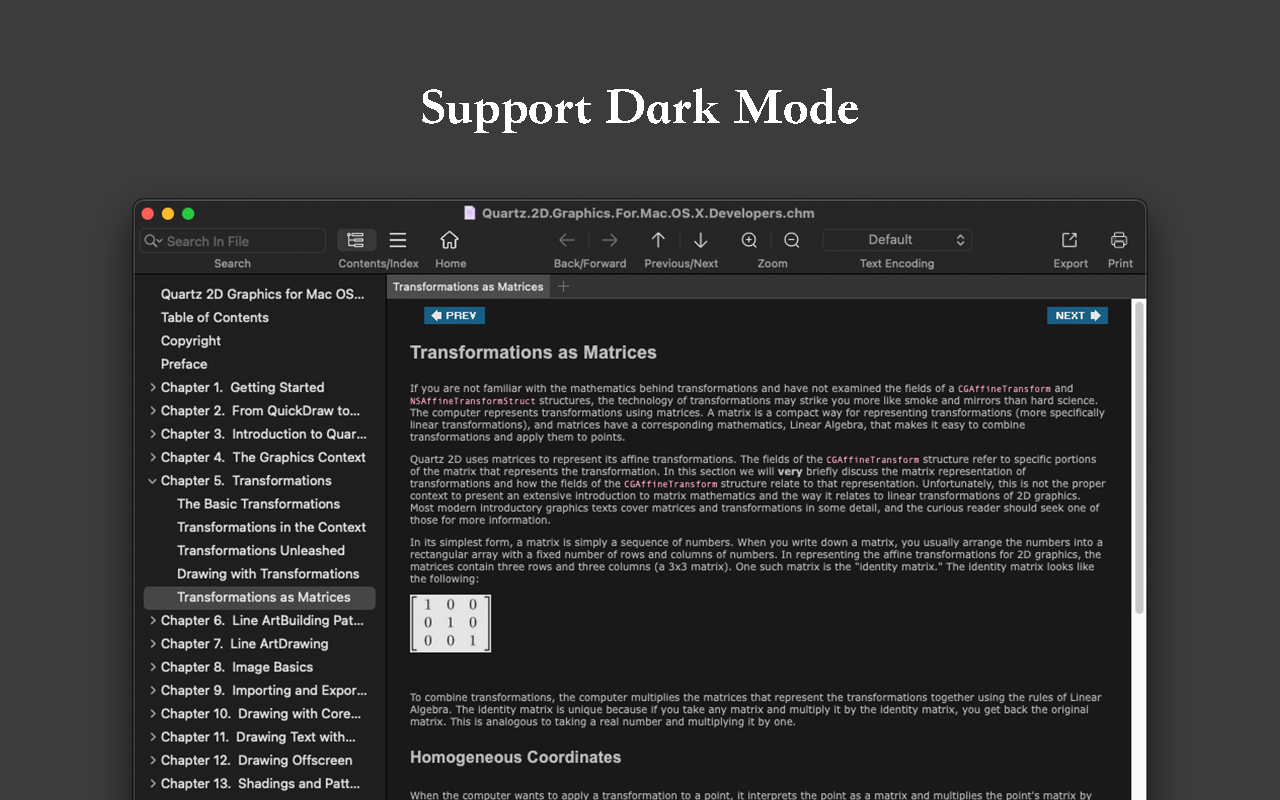
Read EPUB,CHM,MOBI… use it.. GM Reader is a fully functional book Reader with a simple and beautiful interface and a good reading experience.
▸ Features
– Supports reading EPUB, CHM and Kindle files.
– Support single page search and full text search, and highlight search results.
– Support the forward and backward browsing history.
– Supports page turning, zooming, and sidebar shrinking.
– Support page printing.
– Support to view the basic information of the file.
– Supports file export to EPUB, PDF.
– Support to extract all images in the file.
– Support file coding, deal with the problem of garbled code.
– Support image adaptive, automatically adjust the size of the picture.
▸ Bookrack
– All the files you have read will be saved in the bookshelf for quick review next time.
– Supports file drag and drop addition.
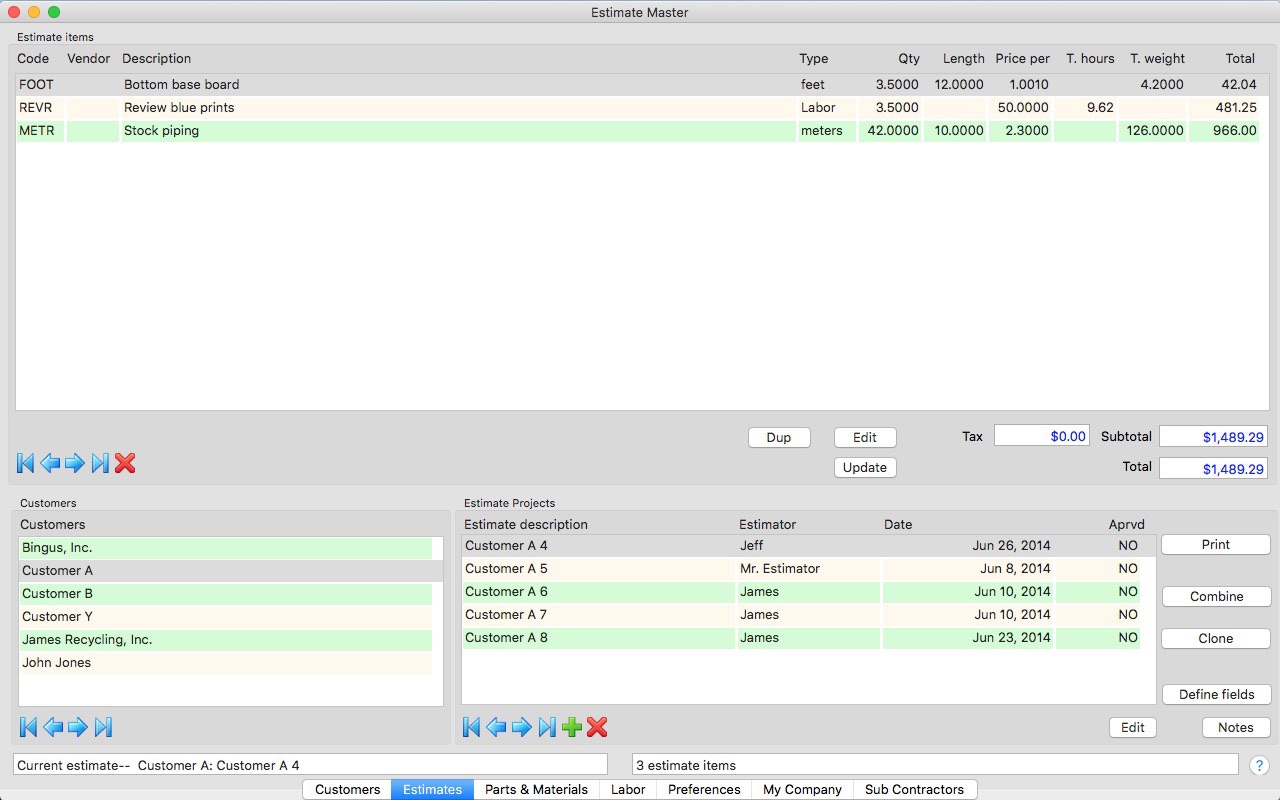
An estimating tool for any business. A estimating app that is flexible and customizable for your business!
– Customizable estimate fields and cost basis categories
– Create custom labor tasks using multiple labor rates
– Create custom estimate / proposal / bid documents for your business
Highlights:
* Create customized pre-calculation templates to simplify estimate creation.
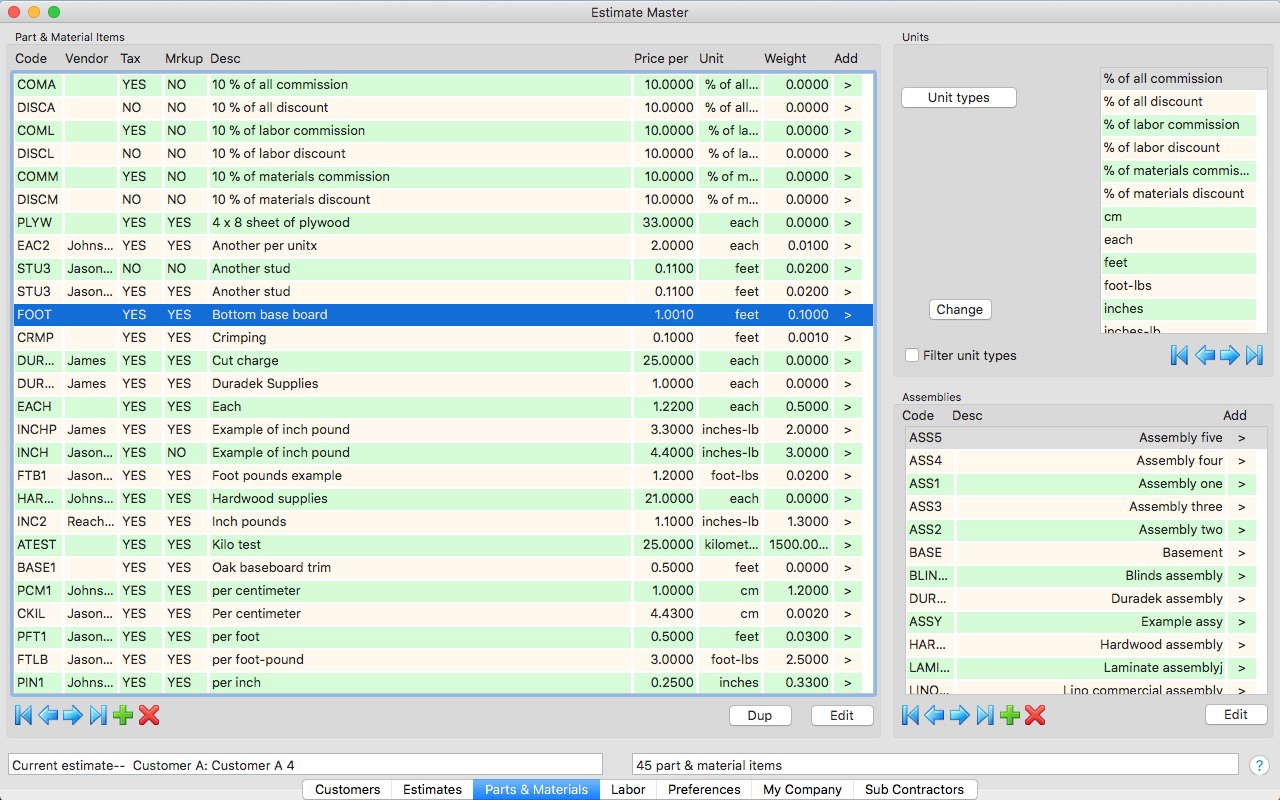
* A database of your customers, estimates, parts, materials, labor tasks / rates, bids / subcontractors, taxes, and markup percentages.
* Allows you to define parts, materials and labor rates and activities specific to your business.
* Allows incorporating bids from your subcontractors into your estimates.
* Quick, easy and accurate estimate creation from your database of parts, materials and labor items.
* Easy to duplicate, combine and update estimates.
* Organizes parts, materials and / or labor items into assemblies for fast estimate creation.
* Creates a formal bid / proposal document with your personalized comments that you can print or email directly to customers using unlimited number of customizable templates.
* Multiple templates contain logo image, standard terms text, formatting and page size, orientation and positioning information. Use templates to create bids, proposals, estimates and invoices
* Markup can be applied to all, materials separately & labor separately, or individually to material / labor items.
* Unlimited customizable cost basis categories including per item, per length, per length – weight, percentage of job, etc.
* Estimate items can be partitioned, grouped and subtotaled with custom ordering.
* Keep unlimited notes by estimate project.
* Totals and subtotals costs and optionally weight.
* Works with English Standard and Metric measurements.
* Supports full international languages in database text items.
* Works with any currency supported by Mac OS X.
* Does not require internet access to function.
Get started by importing data into Estimate Master
* Import industry standard .csv files into parts, materials, labor, customers and subcontractors.
Export your data
* Export your estimates to an industry standard .csv file.
Easily works with any tax structure
* Keeps tax info for multiple taxing districts you work in.
* Choose to include markup or not in taxes.
* Exempt certain items from taxes.
* Apply “piggy back” taxes as in some Canadian provinces.
* Apply taxes (or not) individually by estimate.
Apply markup intelligently
* Keeps your commonly used markups for different customers.
* Add different or same markup to labor and materials.
* Exempt certain items from markup.
* Apply markup individually by estimate.
Protect your database
* Backup, archive and restore your Estimate Master database via email.
Sync with iCloud
* Share your Estimate Master database between users in your organization.
* Works with Estimate Master on both iPads and Macs.
* No additional cost.
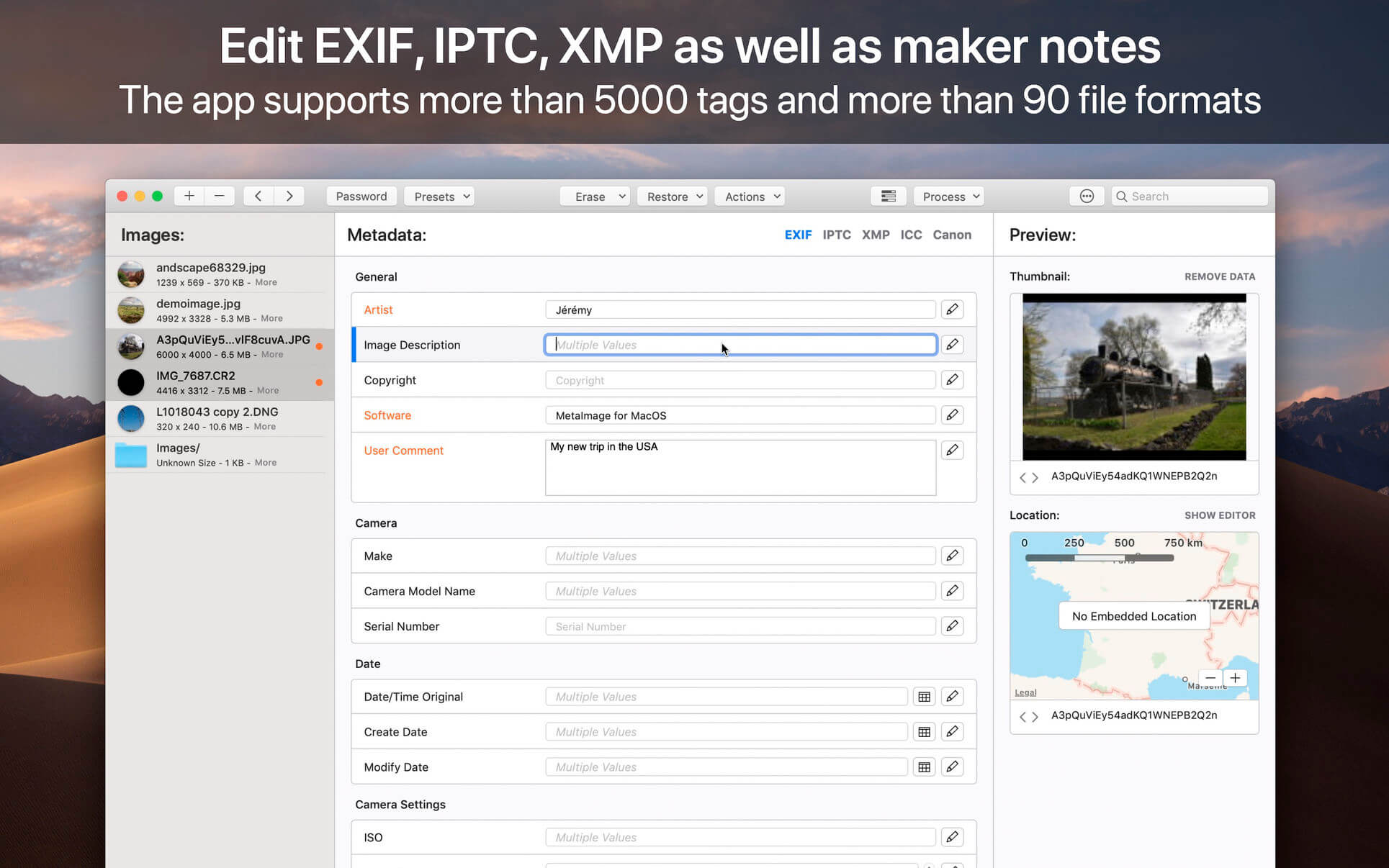
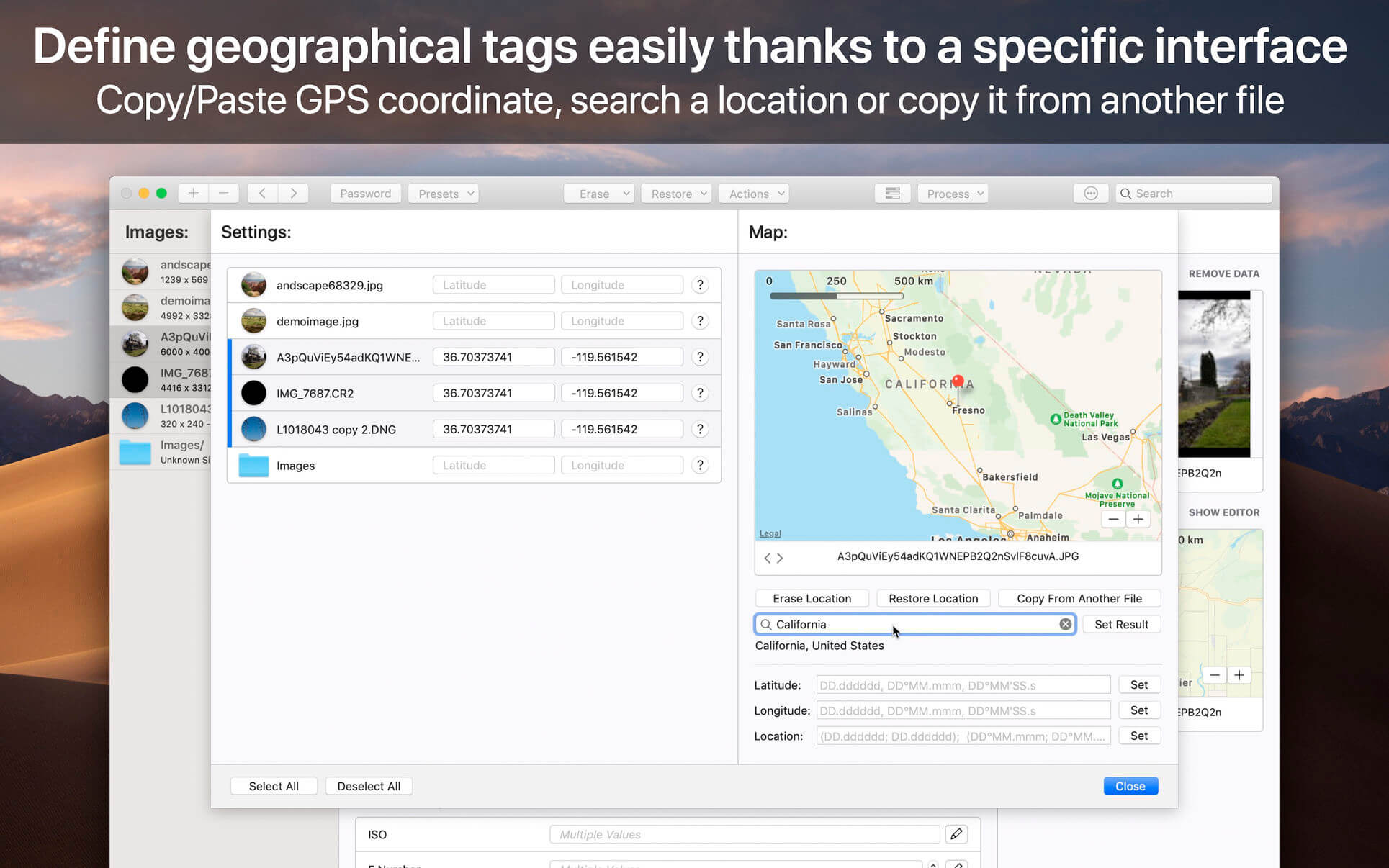
MetaImage is the ultimate tool to read, write and edit images metadata. This is first editor that allows you to edit EXIF, IPTC and XMP tags as well as MakerNotes in a beautiful and familiar interface.
The application has been designed to improve your workflow. Users can create and manage presets. Moreover, a special support is provided for geographical and thumbnail data. In addition, displayed tags can be customized via the preferences. In this way, the application fits to your personal needs.
MetaImage is completely integrated to your mac ecosystem. The application even includes a Photos extension. In this way, you can directly inspect your photos from Photos.app.
Supported tags (>5000 tags):
EXIF
IPTC
XMP
ICC Profile
Canon
Leica
FujiFilm
Nikon
Olympus
Panasonic
Pentax
SigmaRaw
Sony
and much more
The application is designed for professional needs. More than 90 image formats are supported (HEIC, MOS, CR2, DNG, NEF, NRW, JPEG, PNG, TIFF, RAW, and much more). MakerNotes tags may be edited but not created or deleted. This avoids many potential problems with OEM software.
Additional features:
Export tags to CSV and JSON
Export embedded thumbnails
Export embedded jpeg from raw
Copy/Paste multiple tags
Support password-protected images
Support notifications and touch bar
Support folder processing (* except HEIC files *)
This version has been optimized for macOS High Sierra and later. Moreover the application is available in 7 languages (English, French, German, Spanish, Italian, Japanese and Chinese).
Feedbacks can be sent directly from the application. In this way, you can contact us for any kind of suggestions and improvements in few clics.
MetaImage is accompanied by other applications.
SnapMotion: extract still images from videos with precision.
GlueMotion: edit, deflicker and assemble images into time lapse.
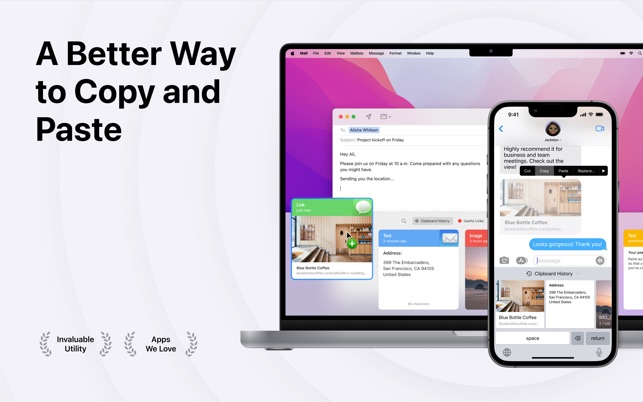
Paste stores everything you copy on your Mac, iPhone, and iPad, so it’s always there whenever you need it again
It’s widely used by designers, developers, writers, lawyers, support specialists, and anyone else who wants to work better, faster, and smarter every day.
NEVER LOSE A COPY AGAIN
Paste is like a time machine for your clipboard. It makes it easy to instantly find and access any text, link, image, or file you’ve ever copied on any of your devices.
– Extend your clipboard capacity so that everything gets saved and nothing gets lost.
– Use intelligent search to quickly find that “meatball recipe from Safari” or anything else you can remember copying.
– Choose which apps you don’t want to keep track of to maintain complete control over the data Paste stores for you.
SPEED UP YOUR WORKFLOW
With an intuitive interface that seamlessly integrates into your workflow, Paste lets you quickly get what you need and get on with your life.
– Scroll through an at-a-glance view of your clipboard featuring large, easy-to-read previews of content so you can find stuff fast.
– Edit and save changes to copied content before using it in other apps.
– Pin copied items that you use frequently and keep them just a click away.
SYNC ACROSS DEVICES
With instant iCloud sync, you can access all your copied content and pinboards at any time from your Mac, iPhone, or iPad.
– All Paste data is stored in your own iCloud storage using industry-standard security technologies and encryption.
– Not only does Paste let you sync your data across all your devices, it plays nice with Universal Clipboard too.
BECOME A PASTE MASTER
Start using Paste and discover features that will become part of your workflow so seamlessly you’ll think they were always there.
– Select and paste multiple copied items simultaneously.
– Remove formatting from copied text and paste it as plain text.
– Share copied items via text, email, social media, AirDrop, etc.
– Use Paste Stack to copy and paste a set of items in a specific order across multiple apps.
– Set up shortcuts, rules, limits, and more to configure the Paste that’s perfect for you.
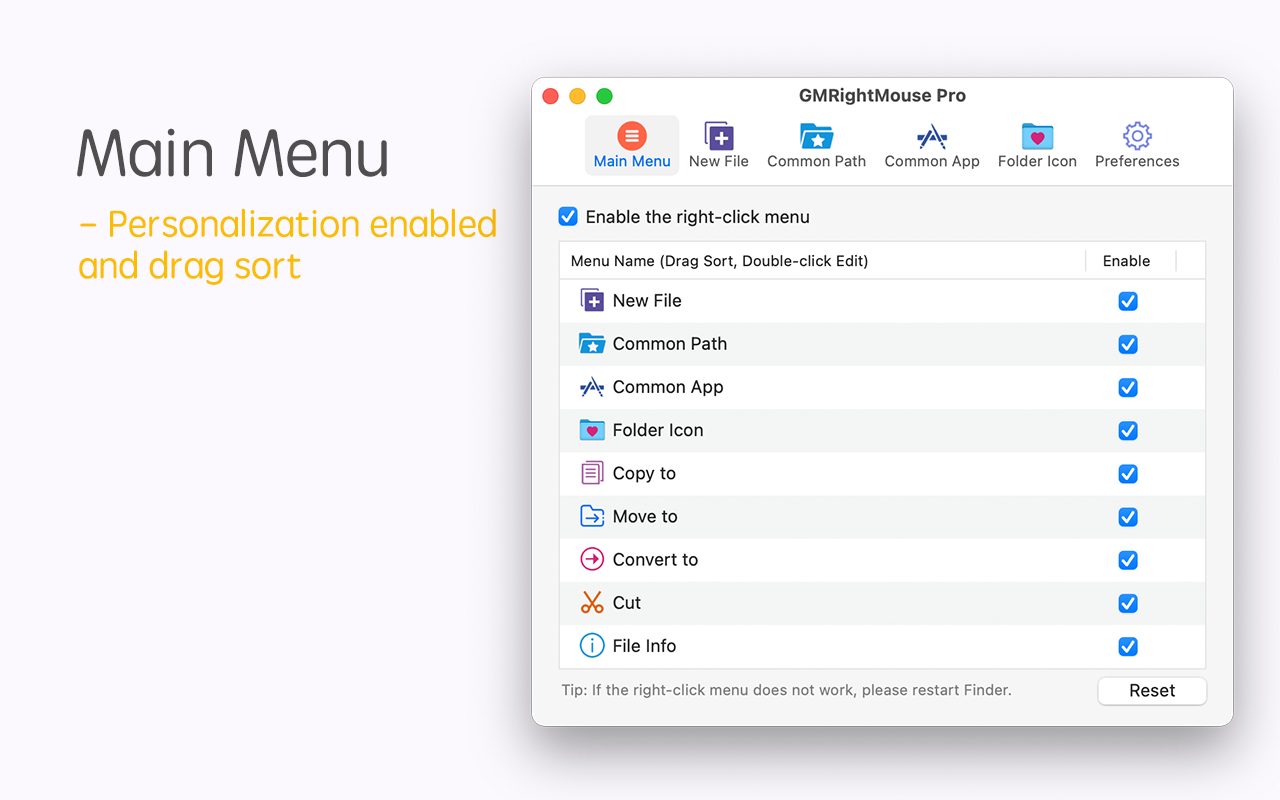
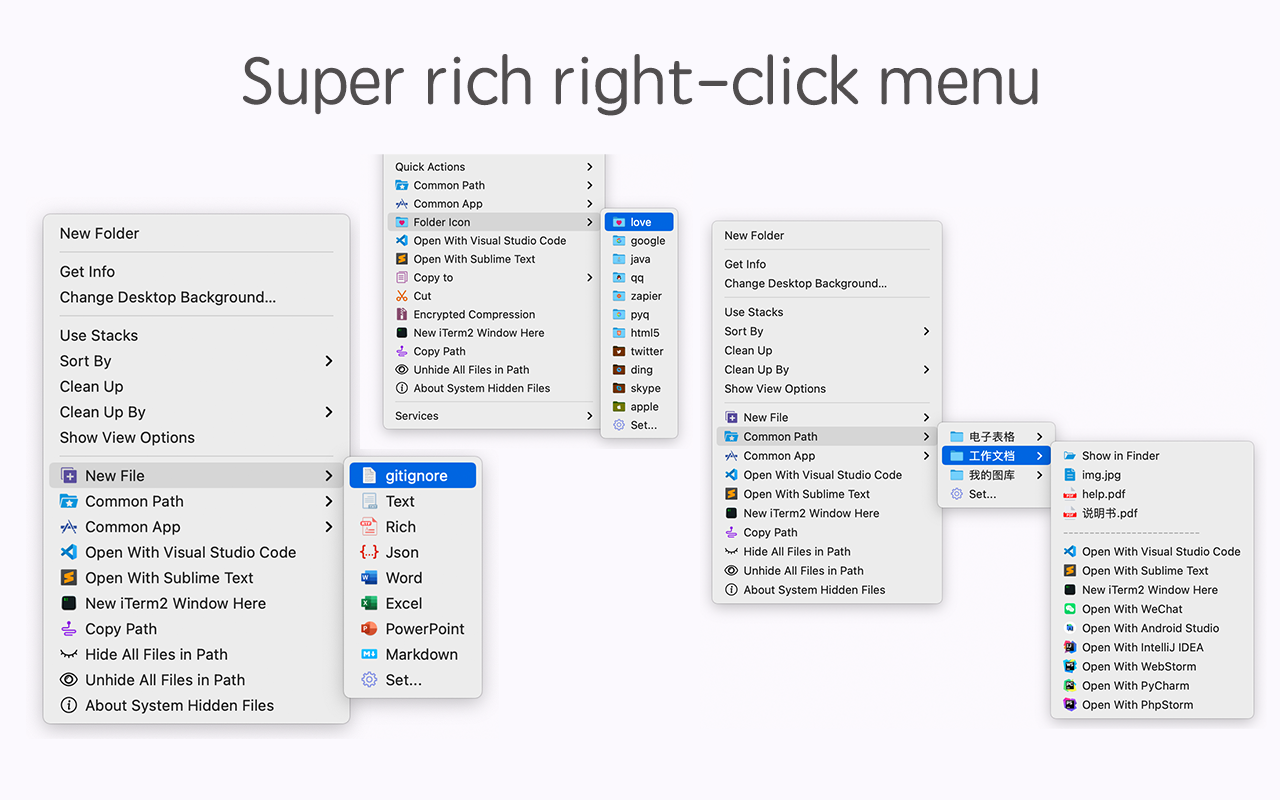
GM Right Mouse Pro integrates more than 20 kinds of small tools, and the operation way is very simple, as long as you click the right mouse button, you can activate all kinds of functions you want, so that your work efficiency is greatly improved.
You can create any file type you want, open any APP you want, self-sorting, fully customized!
*** Main Features ***
– All menus support custom sorting.
– Quickly create all kinds of commonly used files, and supports custom creation of various file types you want.
– Quickly open your terminal, iTerm2, and go to the directory you want.
– Quickly open VSCode, Sublime Text and Emacs, and customize the various apps you want to open.
– Quickly copy the current path power.
– Complete files deletion is supported.
– Supports files moving, copying and cutting.
– Supports files encrypted compression.
– Quickly open your favorite directory.
– Quickly get file MD5,SHA1,SHA256 and other information.
– Supports hiding and displaying of specified files.
– Supports modify folder icon.
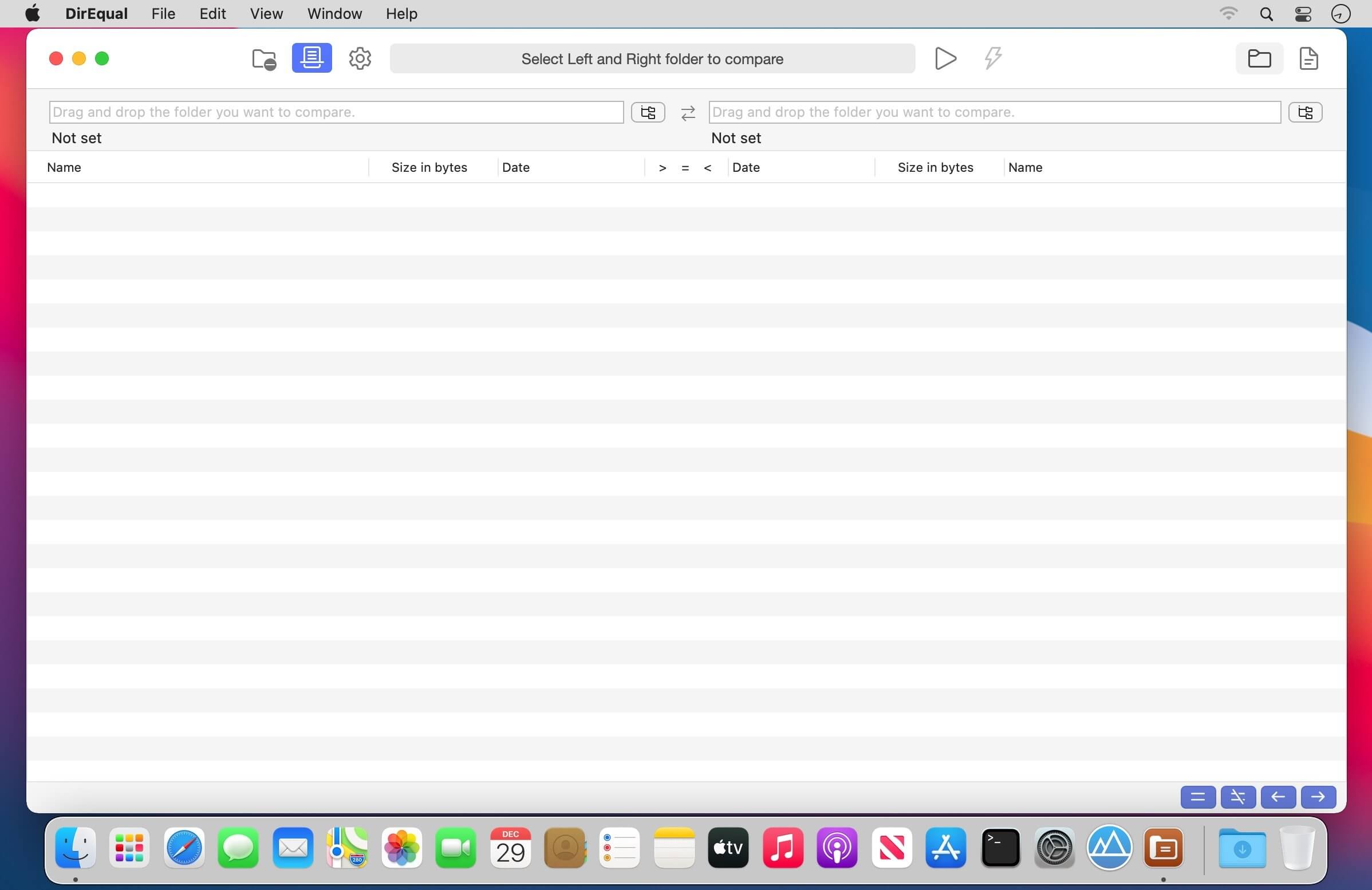
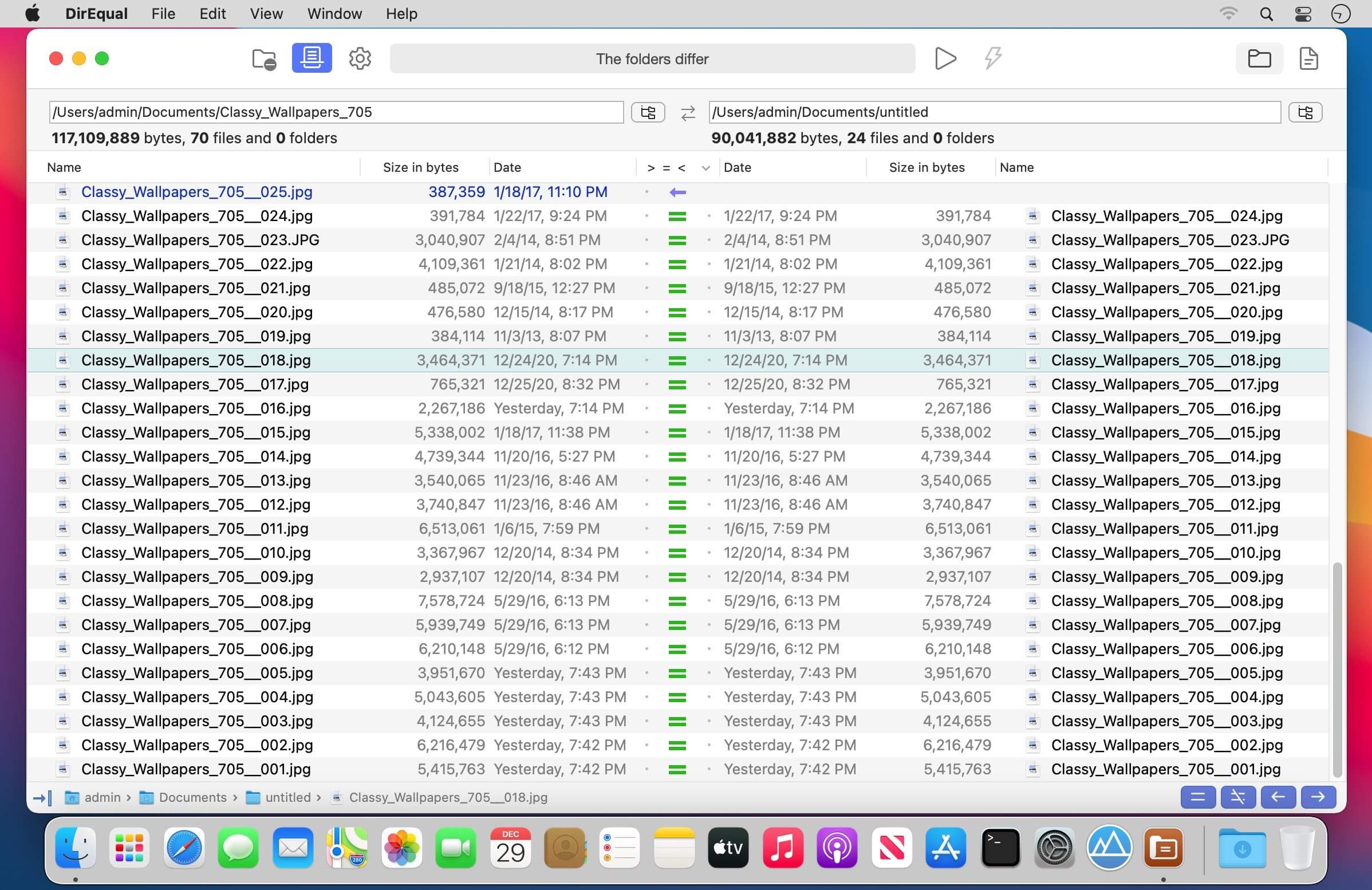
DirEqual is a Folder Compare Tool that makes it extremely easy to compare local files and folders on your Mac.
DirEqual displays compared directories side by side as expandable trees, and the size and date are indicated for each item. Differences between the directories are indicated with colour and easy to identify icons.
To copy or delete files or folders, click an individual item to choose the appropriate action.
The action is represented with red or blue arrow. Then click “Execute” to synchronise the two folders.
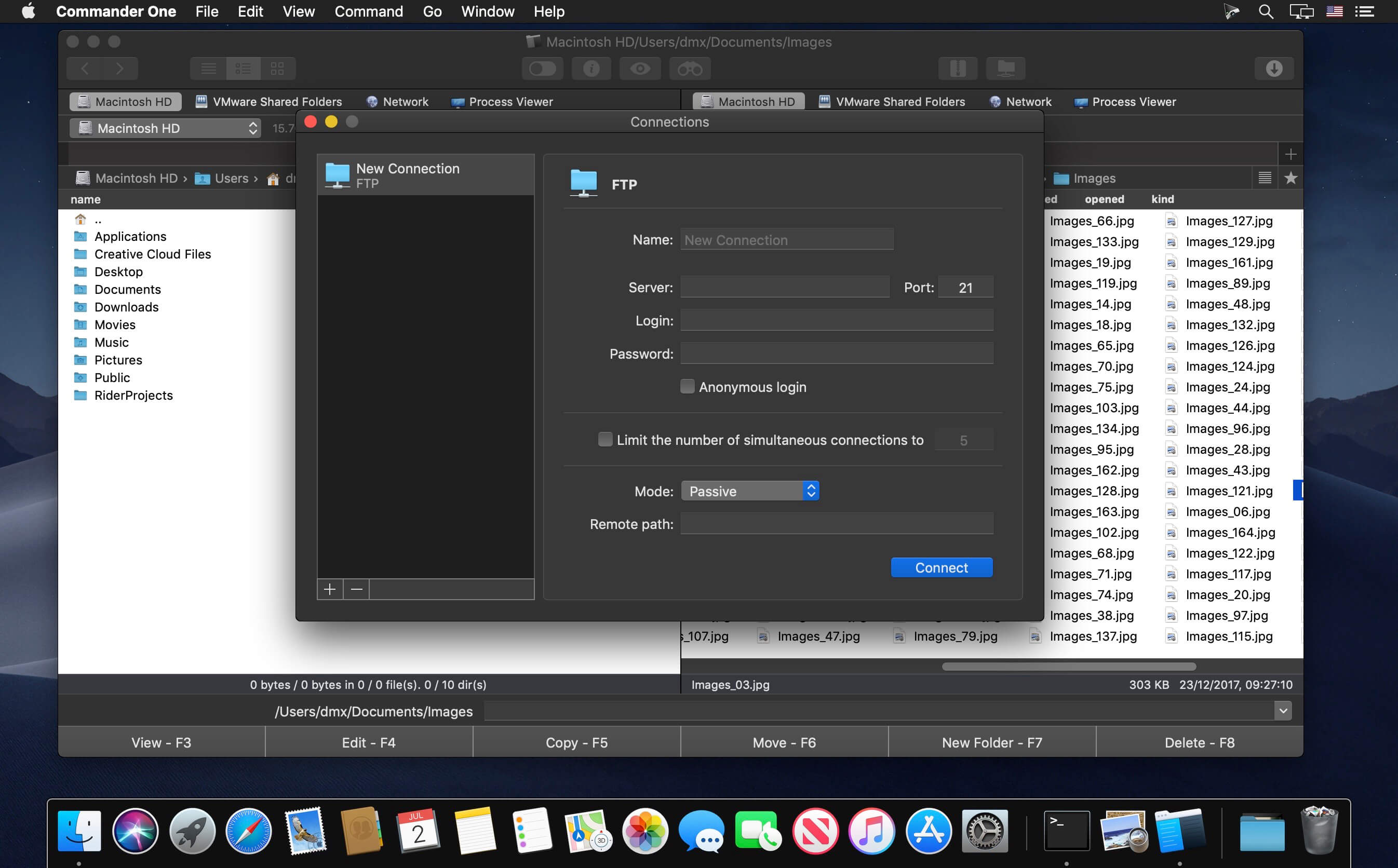
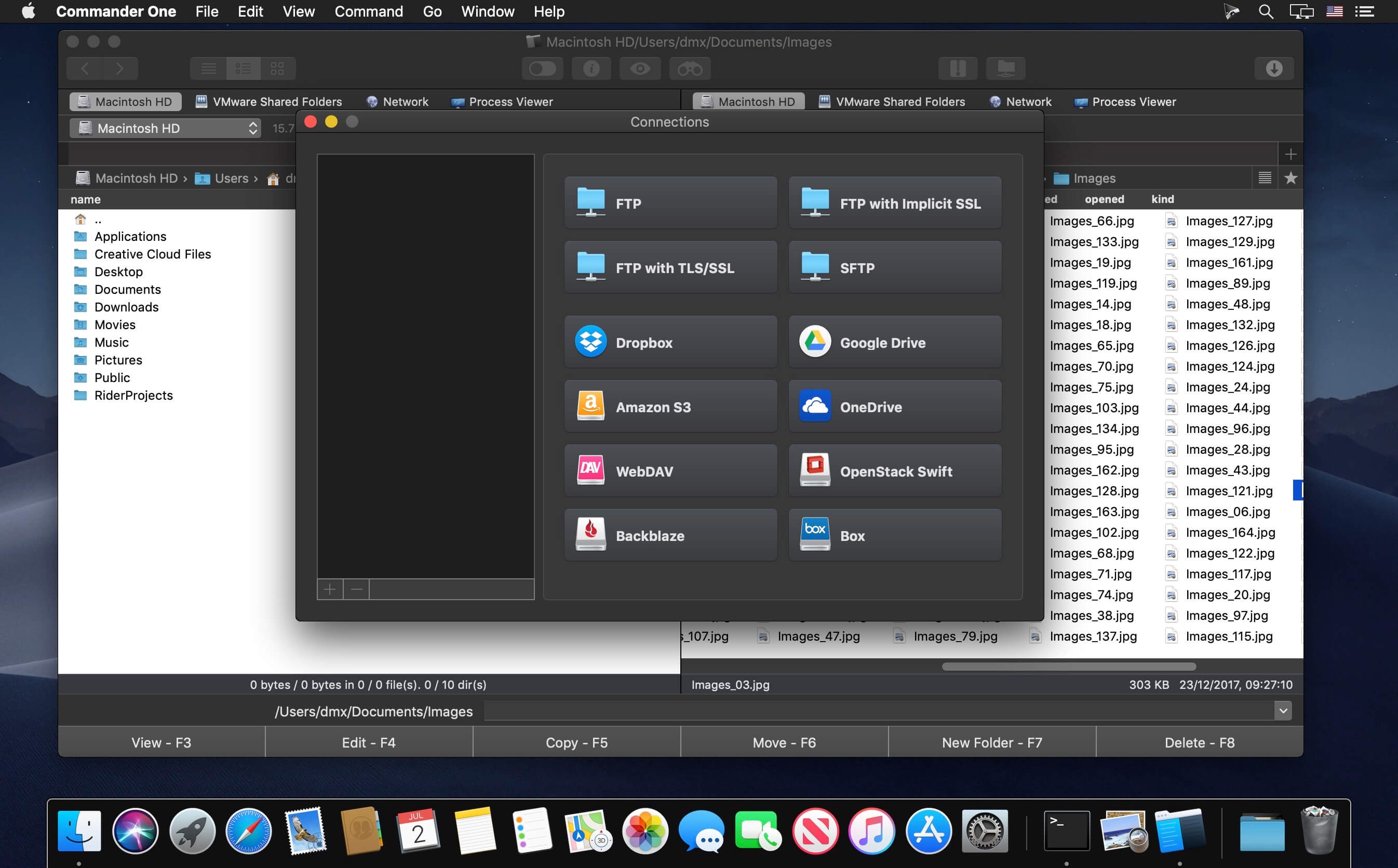
Updated Commander One PRO v3.0 can boast about absolute support for macOS Big Sur, optimized and improved work with major cloud services, support for macFUSE4, enhanced work with archives, and way more.
Commander One PRO is a pretty smart and convenient file manager developed in Swift with a dual-panel interface. The app offers a wide range of enhanced functionality for efficient and facilitating work with files, documents, archives, remote servers, cloud computing services, etc.
Appleworld.today -”I’d describe it more as a handy Finder “enhancer” that’s great for Mac OS X “power users”; “If you consider yourself a “power user” and want the ability to tweak and fiddle with the functions on your Mac, you’ll find it very handy — especially the pro version.”
In addition to the basic features of a file manager, Commander One PRO includes a variety of useful features to facilitate and optimize your workflow.
Create, delete, open, move, and rename files and folders;
Different view modes;
Multiple tabs;
File operations queue including those in progress;
User-customizable hotkeys;
History, Favorites, Finder Tabs;
Support for Regex in file search;
Select the program to open the file;
All computers over the network are detected and displayed in the list.
FTP Client:
Connect to remote servers via FTP, SFTP or FTPS protocols;
Monitor file operations due to convenient queueing;
Ability to change files permissions;
Reach high efficiency with two panels.
WebDAV client:
Seamless access to WebDAV servers. Simultaneously connect as many servers as you need.
Deal with your files stored on the server, as if they are your local ones.
Move files across servers without downloading them to your Mac.
Amazon S3 Browser:
Mount the entire Amazon S3 account or just a specific bucket;
Flawlessly handle files of Amazon S3 accounts.
Work with Cloud Services:
Ensure additional protection to the files stored online due to the Encryption feature;
Dropbox client for any number of accounts with no need to copy data on your Mac;
Connect your online Dropbox without installing it;
Share Dropbox links right from Commander One;
Mount Dropbox Business account and gain full access to your work files;
Connect your Google Drive account, share Google Drive folders, including “Shared with me” folder;
Mount Microsoft OneDrive on Mac and access your online files as any local ones;
Connect S3-compatible storages as local drives to your Mac;
Easily mount and manage files on OpenStack;
Manage your Mega files and folders without saving them on Mac;
Gain total control over your files stored on pCloud;
Get full support for Box.com directly from Commander One;
Have access to your files stored on Backblaze B2 right from Commander One’s window.
Work with archives:
Work with 7zip packages as regular folders: view, add, or remove files without extracting;
Create 7zip archives protected with a password;
Have full control over your TAR packages (TBZ, TGZ, Tar.Z, tar.lzma and tar.xz) including compression, extraction, opening as a folder with support for search archive contents;
Unpack RAR format with ease, search archive contents, copy files without even extracting them;
Deal with .ipa, .apk, .jar, .ear, .war files as with regular folders.
Support for MTP devices:
Have a seamless work with any MTP device. To access and edit their contents – just map your device to Mac and it will be shown as a mounted drive. You can also use it for OS X Android file transfer.
Highly customizable:
Commander One includes pre-designed color themes and offers you to create your very own theme for maximum convenience and individual appearance;
Updated Commander One PRO v3.0 can boast about absolute support for macOS Big Sur, optimized and improved work with major cloud services, support for macFUSE4, enhanced work with archives, and way more.
Commander One PRO is a pretty smart and convenient file manager developed in Swift with a dual-panel interface. The app offers a wide range of enhanced functionality for efficient and facilitating work with files, documents, archives, remote servers, cloud computing services, etc.
In addition to the basic features of a file manager, Commander One PRO includes a variety of useful features to facilitate and optimize your workflow.
Create, delete, open, move, and rename files and folders;
Different view modes;
Multiple tabs;
File operations queue including those in progress;
User-customizable hotkeys;
History, Favorites, Finder Tabs;
Support for Regex in file search;
Select the program to open the file;
All computers over the network are detected and displayed in the list.
FTP Client:
Connect to remote servers via FTP, SFTP or FTPS protocols;
Monitor file operations due to convenient queueing;
Ability to change files permissions;
Reach high efficiency with two panels.
WebDAV client:
Seamless access to WebDAV servers. Simultaneously connect as many servers as you need.
Deal with your files stored on the server, as if they are your local ones.
Move files across servers without downloading them to your Mac.
Amazon S3 Browser:
Mount the entire Amazon S3 account or just a specific bucket;
Flawlessly handle files of Amazon S3 accounts.
Work with Cloud Services:
Ensure additional protection to the files stored online due to the Encryption feature;
Dropbox client for any number of accounts with no need to copy data on your Mac;
Connect your online Dropbox without installing it;
Share Dropbox links right from Commander One;
Mount Dropbox Business account and gain full access to your work files;
Connect your Google Drive account, share Google Drive folders, including “Shared with me” folder;
Mount Microsoft OneDrive on Mac and access your online files as any local ones;
Connect S3-compatible storages as local drives to your Mac;
Easily mount and manage files on OpenStack;
Manage your Mega files and folders without saving them on Mac;
Gain total control over your files stored on pCloud;
Get full support for Box.com directly from Commander One;
Have access to your files stored on Backblaze B2 right from Commander One’s window.
Work with archives:
Work with 7zip packages as regular folders: view, add, or remove files without extracting;
Create 7zip archives protected with a password;
Have full control over your TAR packages (TBZ, TGZ, Tar.Z, tar.lzma and tar.xz) including compression, extraction, opening as a folder with support for search archive contents;
Unpack RAR format with ease, search archive contents, copy files without even extracting them;
Deal with .ipa, .apk, .jar, .ear, .war files as with regular folders.
Support for MTP devices:
Have a seamless work with any MTP device. To access and edit their contents – just map your device to Mac and it will be shown as a mounted drive.
Highly customizable:
Commander One includes pre-designed color themes and offers you to create your very own theme for maximum convenience and individual appearance;
Set up fonts to obtain visual convenience.
Language: English, Czech, Dutch, French, German, Russian, Simplified Chinese, Spanish Compatibility: macOS 10.12 or later Homepagehttps://ftp-mac.com
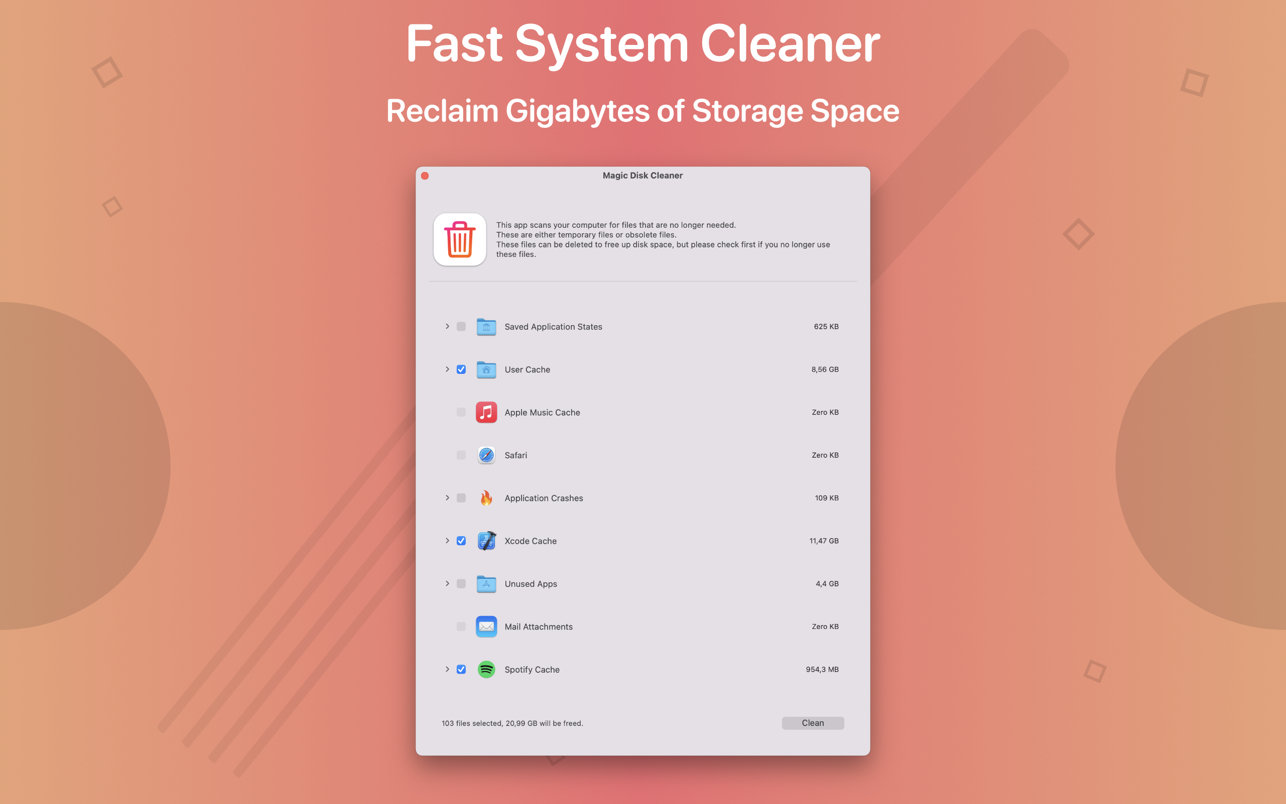
Magic Disk Cleaner finds and deletes files temporary files that waste lots of space. The app is lightning fast and frees disk space in no time.
Magic Disk Cleaner searches your computer for temporary files and can also delete them directly if you wish.
Magic Disk Cleaner offers the following features:
Fast Search
Magic Disk Cleaner quickly scans your computer for temporary data that can be removed. You can have them deleted with one click.
Extremely easy handling
Magic Disk Cleaner couldn’t be simpler. The search is started immediately after the app is started. You can now delete files with just one click.
No automatic deletion
Magic Disk Cleaner does not delete any data without your consent. Choose for yourself which data is deleted and which you want to keep.
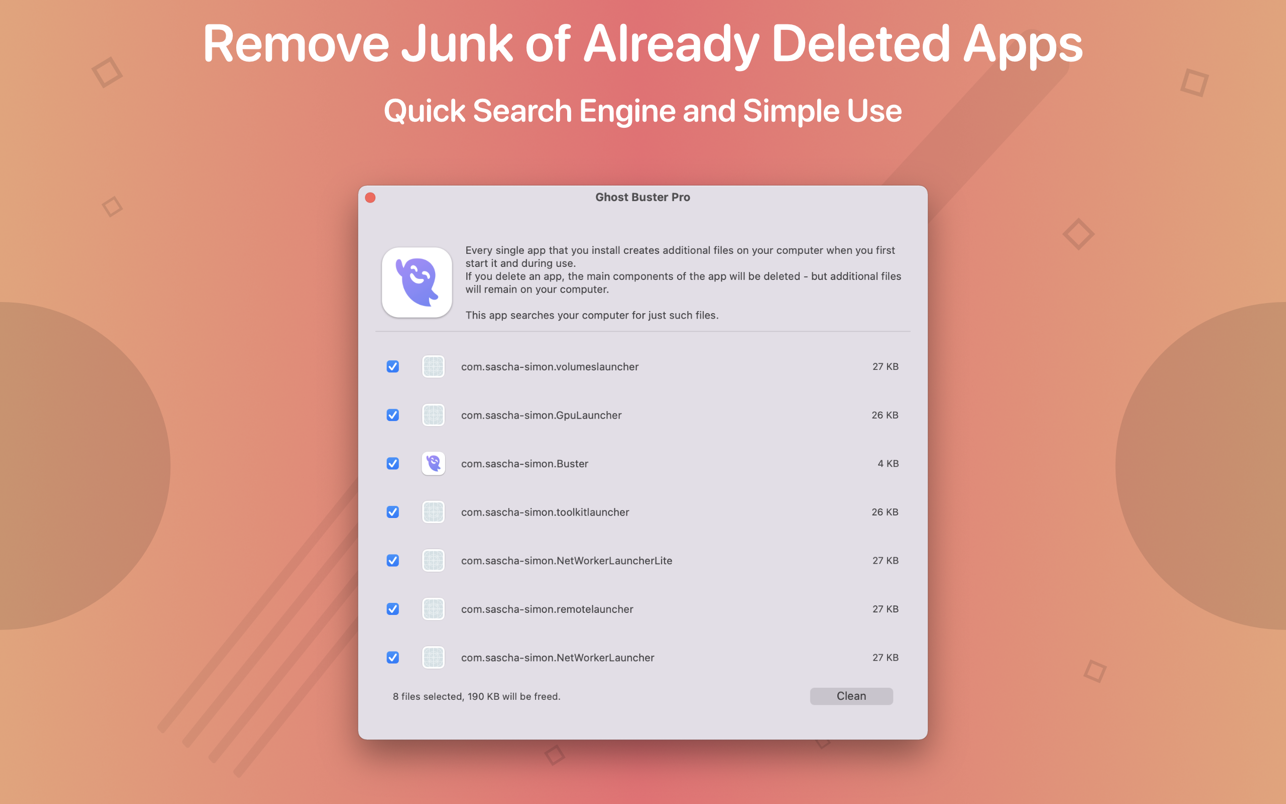
Ghost Buster Pro finds and deletes files from apps you’ve already uninstalled. The app is lightning fast and frees memory in no time.
Many apps are installed on a computer, but they usually only stay on your computer for a short time. Each app creates files, but deleting the app does not remove them.
This leads to a large number of files accumulating over time, which take up valuable storage space.
Ghost Buster Pro searches your computer for exactly such files and can also delete them directly if you wish.
Ghost Buster Pro offers the following features:
Fast Search
Ghost Buster Pro quickly scans your computer for data from previously deleted apps. You can have them deleted with one click.
Extremely easy handling
Ghost Buster Pro couldn’t be simpler. The search is started immediately after the app is started. You can now delete files with just one click.
No automatic deletion
Ghost Buster Pro does not delete any data without your consent. Choose for yourself which data is deleted and which you want to keep.
Ghost Buster Pro finds and deletes files from apps you’ve already uninstalled. The app is lightning fast and frees memory in no time.
Many apps are installed on a computer, but they usually only stay on your computer for a short time. Each app creates files, but deleting the app does not remove them.
This leads to a large number of files accumulating over time, which take up valuable storage space.
Ghost Buster Pro searches your computer for exactly such files and can also delete them directly if you wish.
Ghost Buster Pro offers the following features:
Fast Search
Ghost Buster Pro quickly scans your computer for data from previously deleted apps. You can have them deleted with one click.
Extremely easy handling
Ghost Buster Pro couldn’t be simpler. The search is started immediately after the app is started. You can now delete files with just one click.
No automatic deletion
Ghost Buster Pro does not delete any data without your consent. Choose for yourself which data is deleted and which you want to keep.
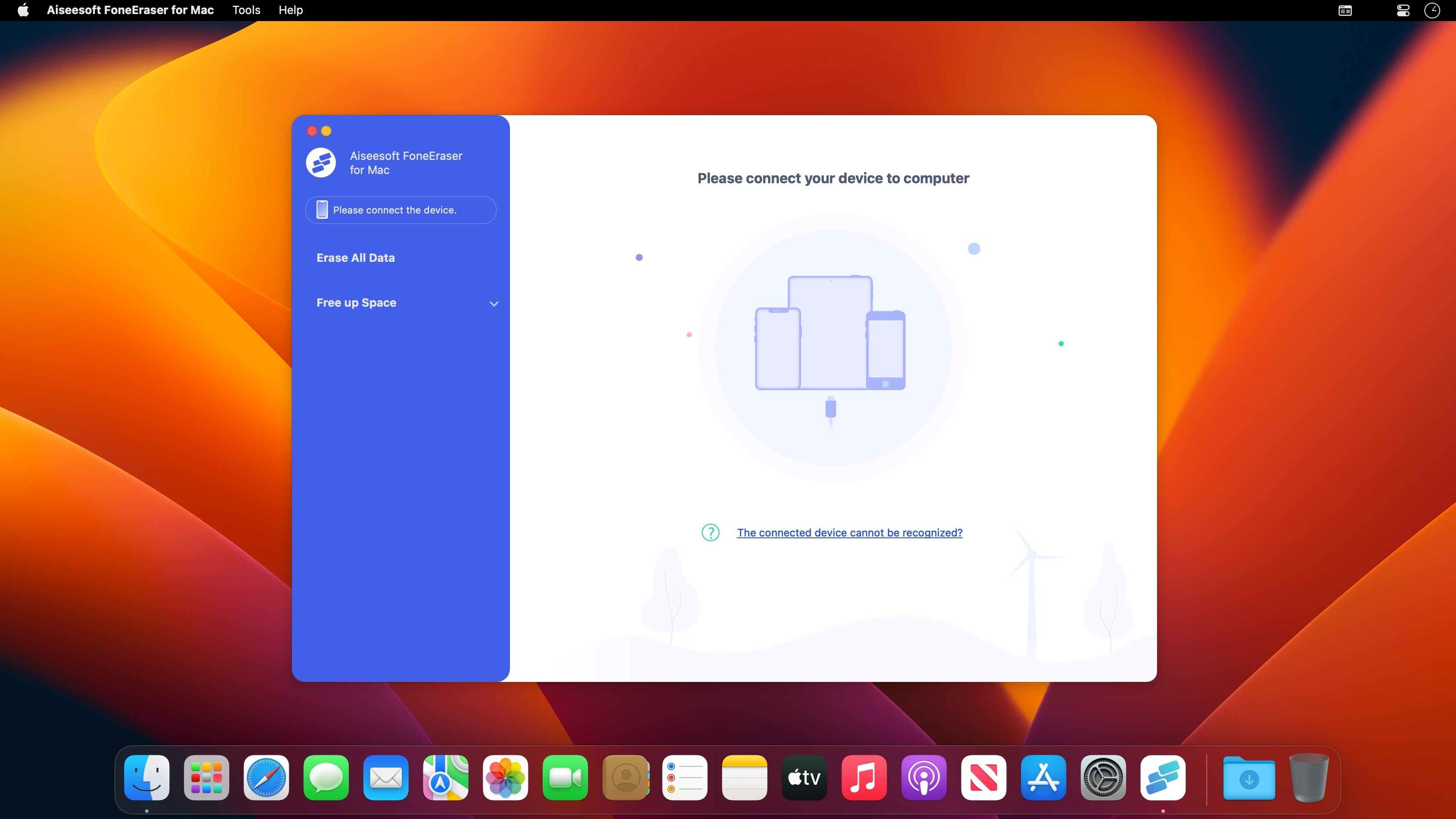
Aiseesoft FoneEraser is the most powerful utility to erase all iPhone content and settings permanently and thoroughly. Offered three erasing levels optionally, you are able to erase any data on iPhone/iPad/iPod to protect your privacy. Allowed to connect multiple iOS devices, you are capable to remove all files and settings on more than one device simultaneously to save your time.
Erase various content and settings permanently FoneEraser can erase a variety of your iPhone contents and settings permanently. The contents include, Text contents (Contacts, Text Messages/iMessages, Call history, Calendar, Notes, Reminder and Safari bookmark) and Media (Music, Videos, Photos, iBooks, Podcast, iTunes U, TV Shows, Music Videos, Ringtones, Audio Books, Voice Memos), App, documents and settings. Even you resell your old-fashioned iPhone on eBay, you can set your mind at rest.
Protect your privacy by thoroughly erasing iOS devices FoneEraser does a great favor to mop up everything on iPhone thoroughly. When you want to resell your old iOS devices on eBay, you will delete the content on them or restore it by factory reset. However, those important data can be recoverable with some recovery tools. At this point, FoneEraser can wipe out all your iPhone content and settings thoroughly and overwrite your phone storage space to make sure your files are unrecoverable.
Meet your personal needs with three erasing levels selectively This professional software provides you three modes to clean iOS devices data. No matter you want to wipe out confidential documents on your job, or just common files in your life, you can choose one of the three levels to start your erasure. Low level: erase data quickly with overwriting only one time, which can save you time for plenty of data files. Medium level: mop up iDevices context with overwriting twice, which leaves no trace and nobody will know the data on your device is erased. High level: destroy data thoroughly with overwriting data three times, which is the safest and most radical way to get your device started with a clean slate.
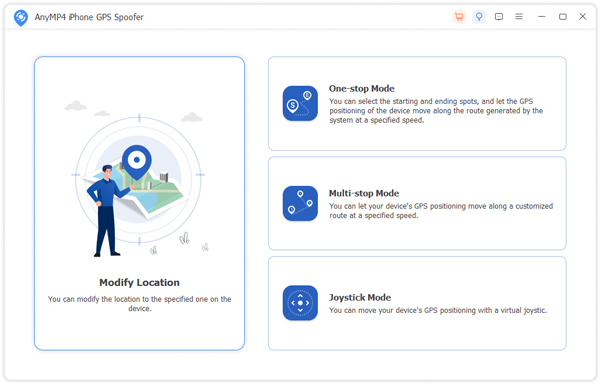
AnyMP4 iPhone GPS Spoofer can easily help you change or hide the GPS location on your iPhone and design a fake movement route for your iPhone. When surfing the Internet, you might be annoyed about your privacy disclosure, especially your location. In this case, AnyMP4 iPhone GPS Spoofer can be your solution
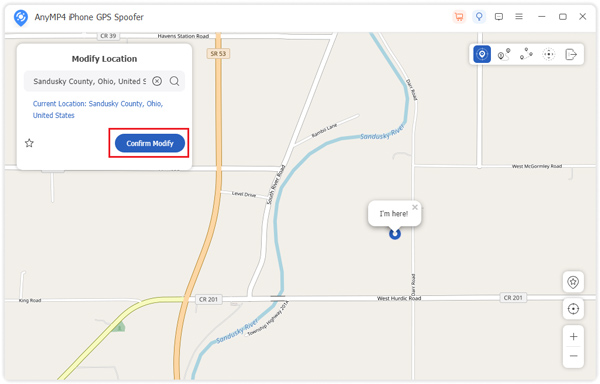
Just connect your iPhone to the software by the USB cable, then you can change your current location to a vertical location for your iPhone with one click on the map, which is easy, quick, and convenient. Besides, AnyMP4 iPhone GPS Spoofer is compatible with mac OS.
Manage History
You can keep or delete your iPhone location-changing history on this software.
Collect Route
If you set routes and want to use them in the future, you can collect them.
Easy to Select Site
To select a virtual location for your iPhone, you can click on the map’s site.
Pause Anytime
When moving your iPhone location, you can pause anytime you like in this app.
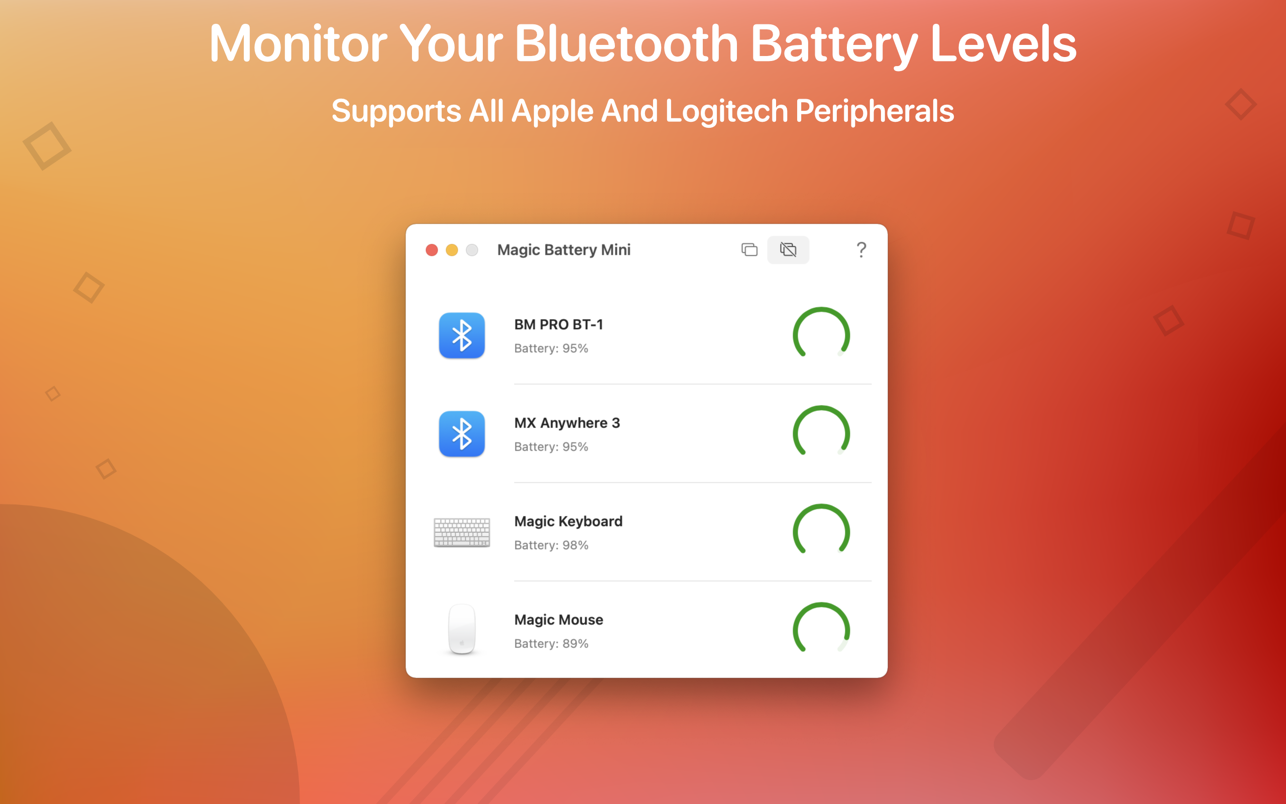
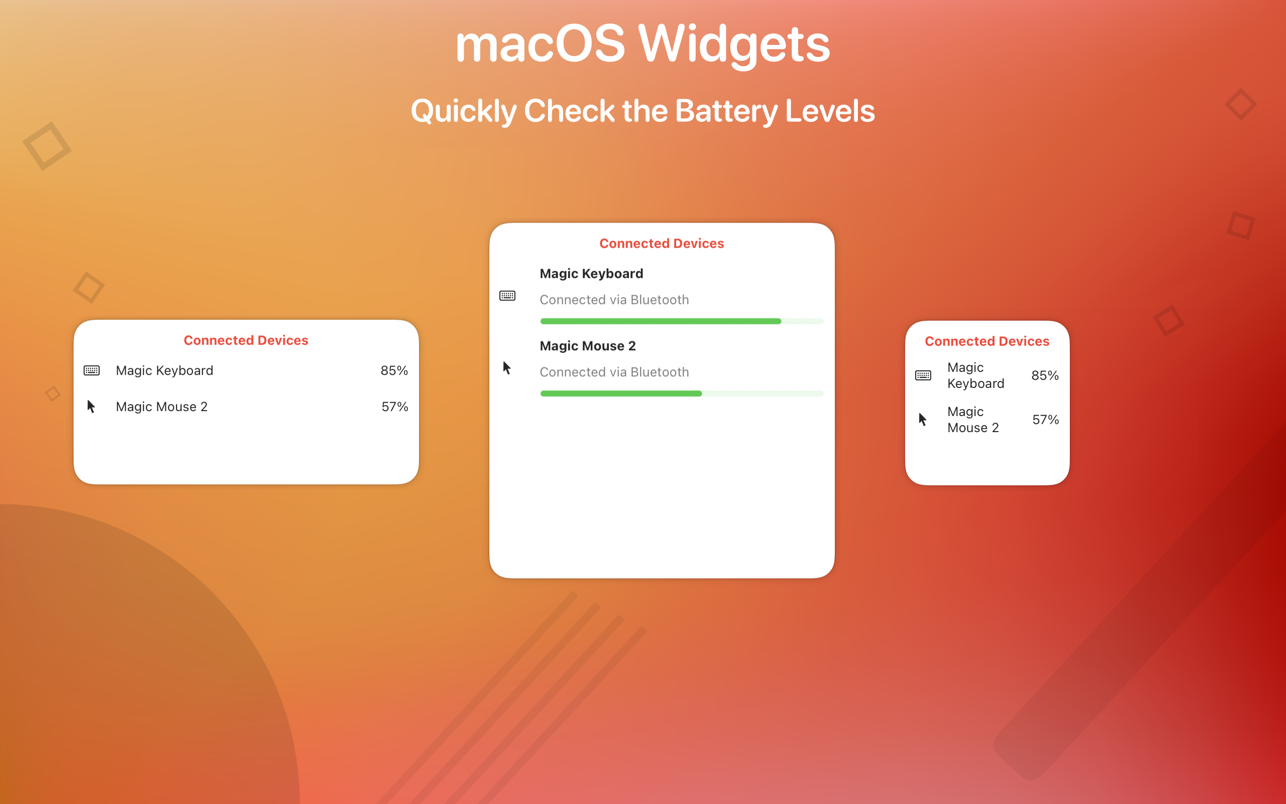
Magic Battery Mini supports all Apple and Logitech peripherals. Battery information will be shown in a small window or in the Notification Center widget.
Magic Battery Mini shows the battery level of supported input devices that are connected via Bluetooth.
The following devices are supported (if your device is not listed, please contact the support)
Input devices
• Apple Magic Mouse
• Apple Magic Mouse 2
• Apple Magic Trackpad 2
• Apple Wireless Keyboard
• Apple Wireless Trackpad
• Logitech mice like the MX Anywhere 3
• Logitech keyboards like the K380
The app features
• Displays battery information for connected Bluetooth devices in a lightweight window.
• This app comes with a widget that integrates into the notification center.
• Connected or disconnected devices are detected automatically. The view is then adjusted accordingly.
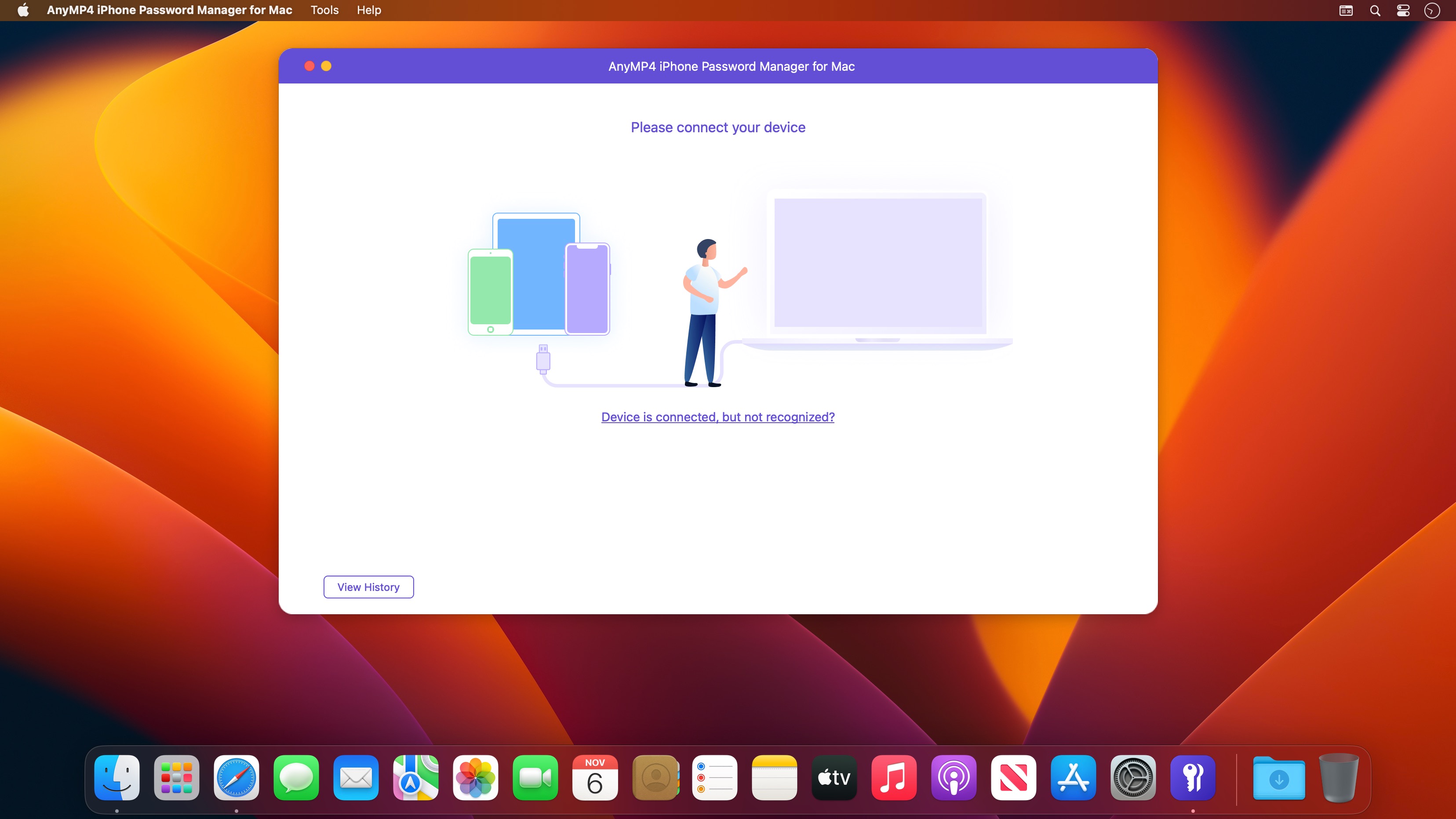
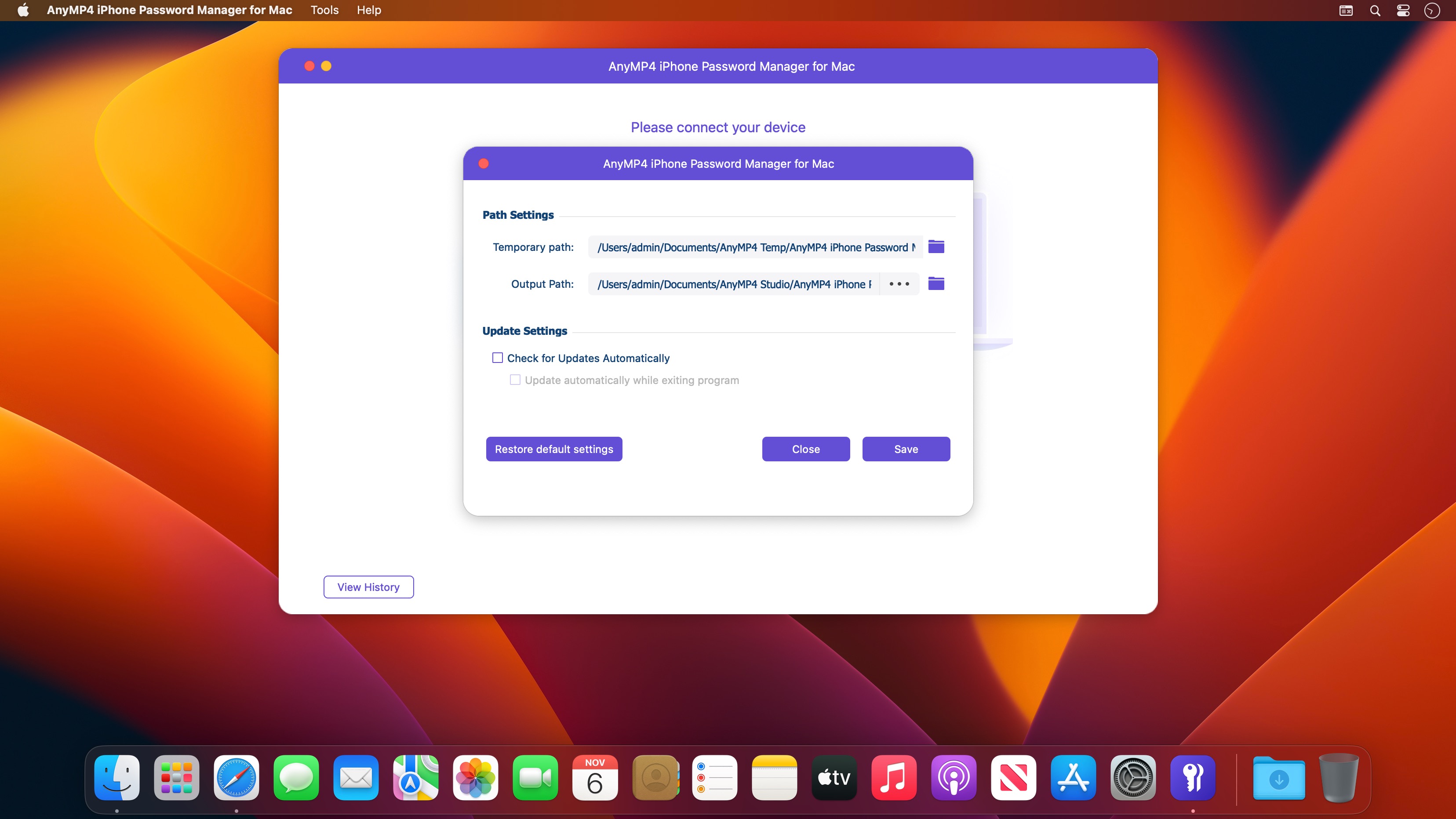
AnyMP4 iPhone Password Manager is a full-featured password management tool with stunning features to keep your important information safe. It helps you find, manage and even retrieve passwords of Apple ID, Wi-Fi, mail account, website, app, credit card, and more.
It does well in viewing all saved passwords on your iPhone and keeps all your passwords safe and easy to find.
Want to export Wi-Fi, app, mail, and website passwords from your iPhone and use them on other devices? With AnyMP4 iPhone Password Manager, you can manage and export all saved passwords on an iPhone to CSV at once or selectively. In this way, you can safely share passwords or backup passwords without hassle.
What’s New:
Version 1.0.12:
Release notes were unavailable when this listing was updated.