
Category Archives: Mac os

EdgeView 2.819

Edgeview 2 cutting edge image viewer icon

Download

EdgeView 2.819

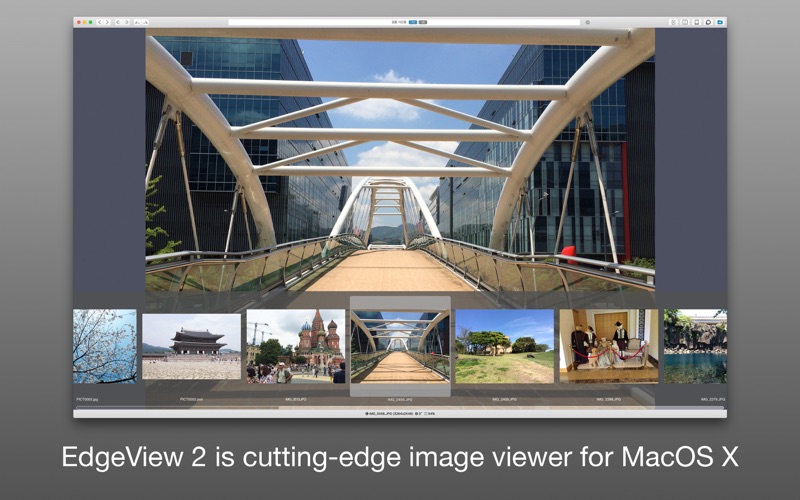
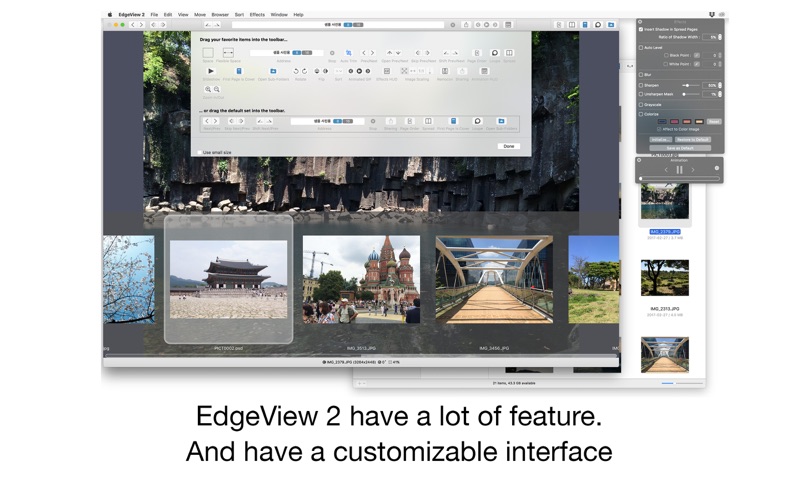
EdgeView is a cutting-edge image viewer. You can open various image files, and can open archive files such as ZIP and RAR in its built-in file browser without extraction. You can also connect to FTP and open files directly. EdgeView is an excellent choice when viewing and managing image or cartoon files such as archives.

Features:
  • Image viewer:
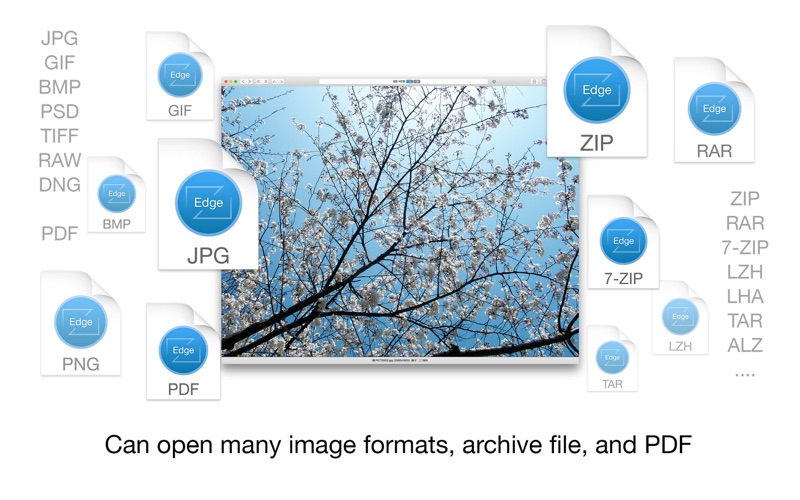
    • Supporting image files such as JPG, GIF, BMP, PSD, TIFF and PDF
    • Supporting major archive formats such as ZIP, RAR, CBZ, CBR, 7-zip, ALZ, etc
    • Can extract encrypted archive file
    • Can read archive file in archive file in archive… as they are
    • Advanced pre-read cache for fast loading
    • High quality image rendering
    • Provide suitable function for comic reading – Two-page spread, reading from right to left, etc
    • Powerful navigation function – Move previous/next, skip, move only one page(shift previous/next), etc.; you can move while checking thumbnails with progress bar and thumbnail bar
    • Support for trackpad gestures – Moving pages with swipe gesture, scaling with pinch gesture
    • Built-in loupe function to make it easier to see small character
    • Can zoom in/out image freely
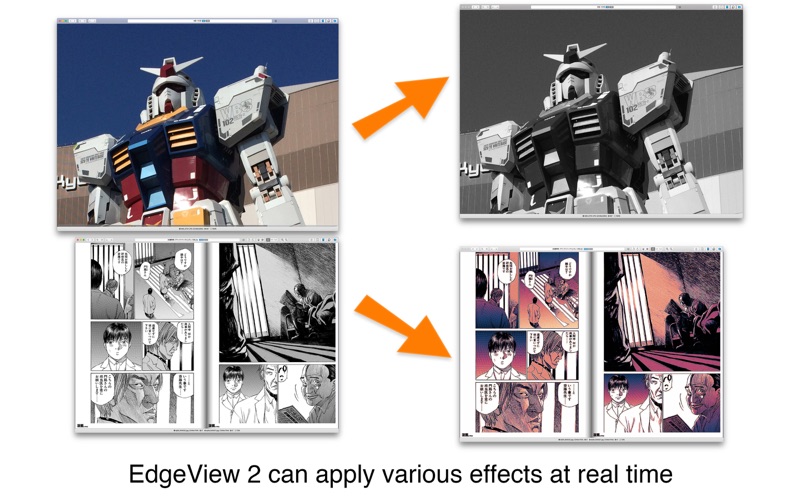
    • Various special effects can be applied in real time – Insert shadow in spread pages, auto level correction, blur, sharpen, unsharpen mask, grayscale, colorize, etc.; detailed setting is possible from the effects HUD
    • Can roate, flip horizontal, flip vertical image
    • Support for Animated GIF – Pause/play, move to previous/next frame, and can change frame rates from animated GIF HUD
    • Support for Slideshow
    • You can adjust transparency for each window
  • File browser:
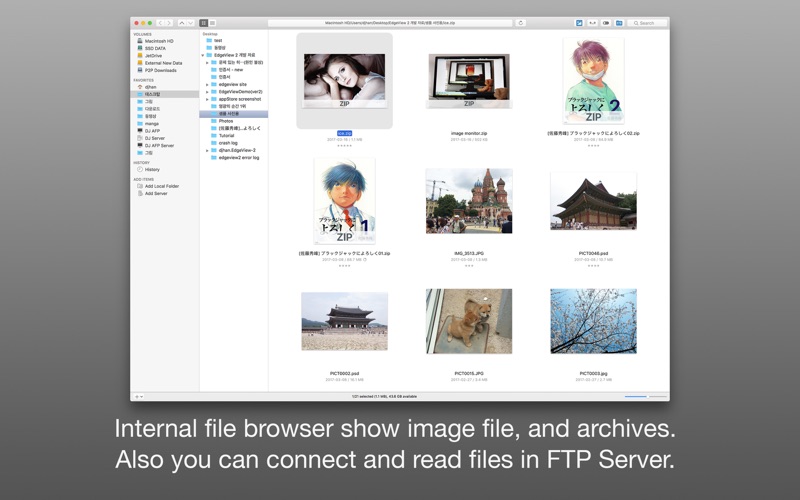
    • Built-in file browser display files as lists or icon
    • Can be arranged by file name, rates, writer, category, etc
    • Easily add and modify additional information such as rates, writer, category
    • Provide search functions such as spotlight search, file name search
    • Can connect to FTP server in a file browser
    • FTP file search is also supported
    • Image files, archive files in FTP can also be opened directly (The archive file will be downloaded and opened in a temporary folder; the files in the temporary folder are deleted automatically afterwards)
    • Save opened folders, archive files, PDF files as history
    • The last opened page, file position, special effects, display settings are saved and restored as it is at the last state when reopening
    • Can remote control in comicShare app in iOS device (http://comicshare.yu-nagi.com)
  • Other:
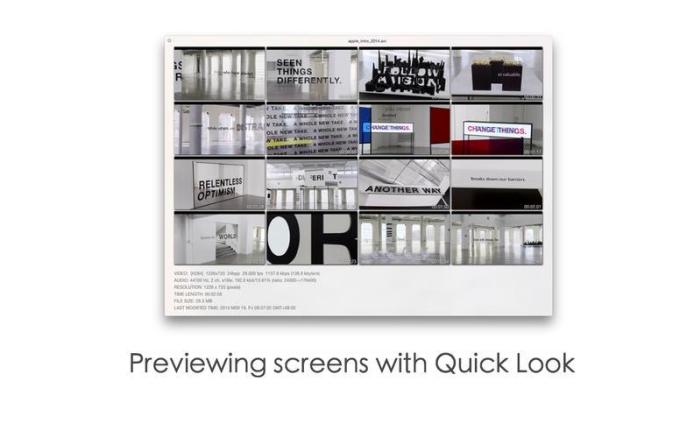
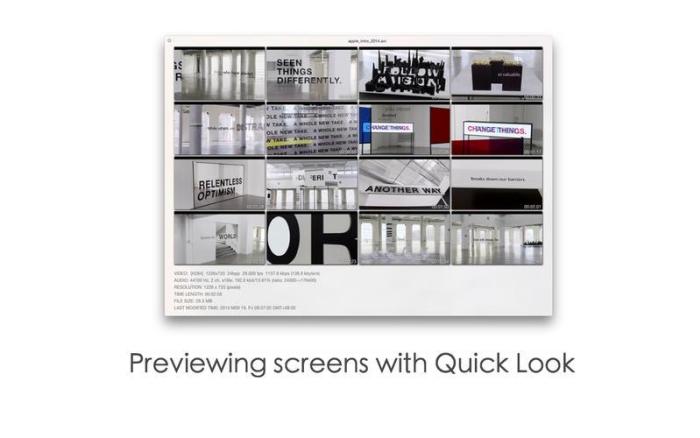
    • Automatically create thumbnails of archive files containing images with the built-in QuickLook plug-in
    • Archive files without images display the included file list on the QuickLook panel

Compatibility: macOS 10.11 or later 64-bit

Web Site: http://edgeview.co.kr/en/home/

Mac App Store: https://apps.apple.com/us/app/edgeview-2/id1206246482

What’s New in EdgeView 2.819

  • Fix a bug in actual size mode.

Screenshots

Name EdgeView 2 2.819 MAS TNT.zip
Size 25.86 MB
Created on 2019-08-11 05:31:29
Hash 6629a3883969933c8bbd96bed1752e11e22d998b
Files EdgeView 2 2.819 MAS TNT.zip (25.86 MB)

Download

WiFi Explorer 2.6

Download

WiFi Explorer 2.6

Scan, monitor, and troubleshoot wireless networks with WiFi Explorer.

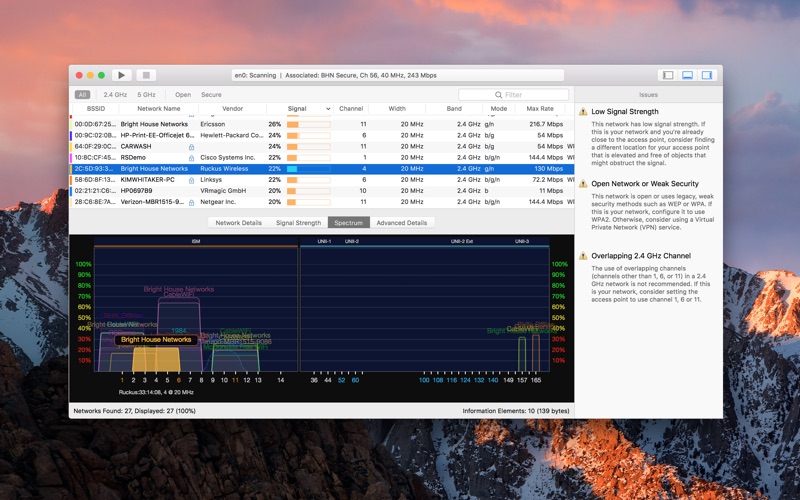
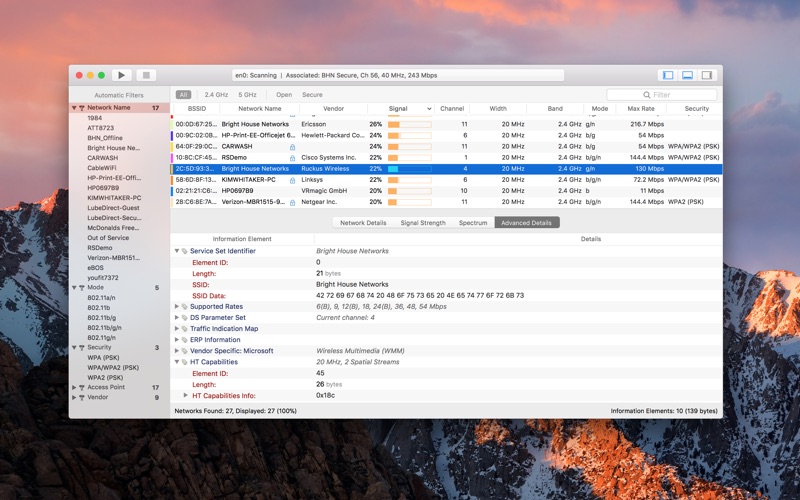
Quickly identify channel conflicts, signal overlapping or configuration problems that may be affecting the connectivity and performance of your home, office or enterprise wireless network.

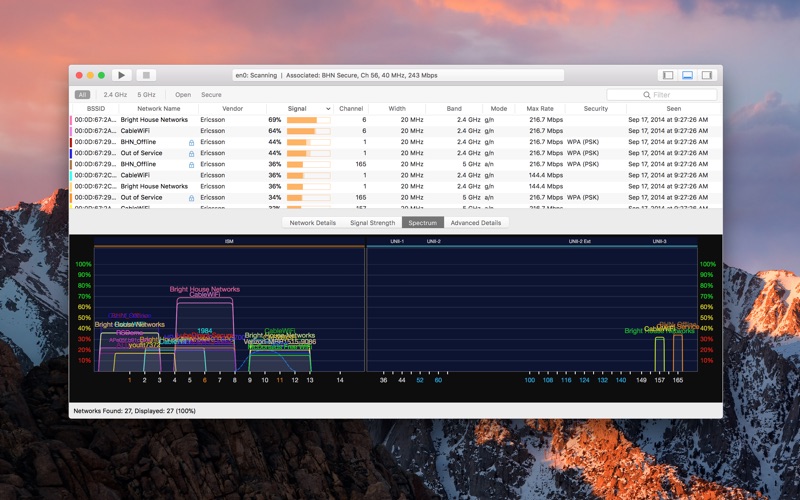
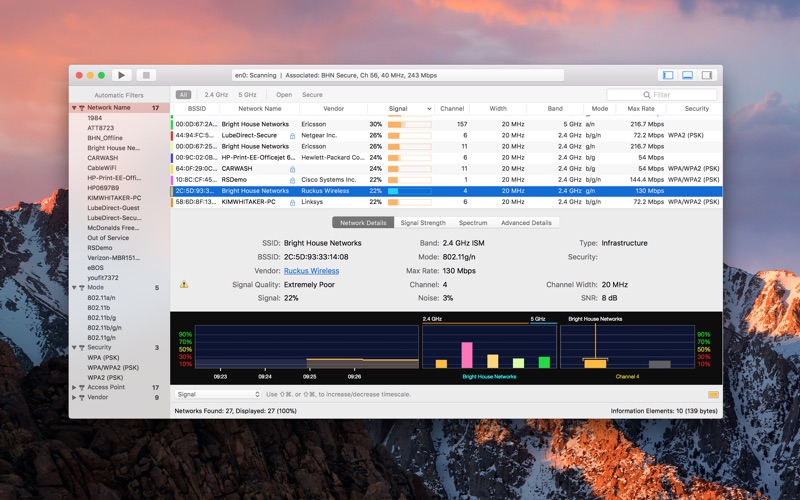
Get an insight into the network details: name (SSID), MAC address (BSSID), device manufacturer, signal strength (RSSI), noise, channel, band, security configuration, supported data rates, 802.11 information elements (IE), and much more.

  • Suitable for home, small office, or enterprise networks
  • Easytouse, intuitive user interface
  • Graphical visualization of the WiFi environment
  • Supports 2.4 GHz and 5 GHz frequency bands as well as 20, 40, 80 and 160 MHz channels
  • Works with 802.11a/b/g/n/ac networks
Also:
  • Comprehensive app’s help
  • Signal quality ratings based on signaltonoise ratio (SNR)
  • Accurate conversion from dBm to percentage (%) for easier analysis and optimization
  • Detailed description of information elements (IE) advertised by the access point for advanced troubleshooting
  • Export metrics and network details to CSV file format
  • Save results for later review and analysis
  • Access point name discovery (if supported)
  • Editable column for labels or annotations
  • Selectable and sortable columns
  • Adjustable graph timescales
  • Quick filtering
  • Customizable colors for easily tracking particular networks
  • Full screen mode and split view support

Requires a Mac with built-in Wi-Fi. External Wi-Fi adapters are not supported.

Compatibility: OS X 10.10 or later

Web Site: http://www.adriangranados.com

Mac App Store: https://itunes.apple.com/app/wifi-explorer/id494803304?mt=12

What’s New in WiFi Explorer 2.6

  • Release notes not available at the time of this post.

Screenshots

Name WiFi Explorer 2.6 TNT.zip
Size 23.74 MB
Created on 2019-08-11 04:21:54
Hash eabf0a1508dfb96e732397be189ff2f192e6bb03
Files WiFi Explorer 2.6 TNT.zip (23.74 MB)

Download

PhoneRescue for iOS 3.8.0.20190807


Download


PhoneRescue for iOS 3.8.0.20190807

PhoneRescue is an iOS data recovery program designed for retrieving your lost photos, messages, contacts, notes and more on your iPhone, iPad and iPod touch. Also it can repair an iDevice from any iOS crash errors.

Features
  • Focuses on analyzing and recovering the most important 29 types of iOS content, such as photos, messages, contacts, music, and more
  • Recovers data and files directly back to iPhone for instant use, or to computer for future use
  • Retrieves your valued information via 3 safe and reliable ways: from device, iTunes and iCloud backup, even an encrypted one
  • Extracts the valuable information from any kind of iTunes backup – no matter it’s a damaged one, or the backup failed to be restored via iTunes or other 3rd-party recovery tools
  • Selectively or fully scans the file types based on your choice, and choose what you want for recovery, making the whole process more accurate and faster
  • Export data & files with a wide variety of formats, like TXT, CSV, HTML, and more
  • Fixes any iOS errors via Standard mode and Advanced mode, without losing any data

PhoneRescue is an all-inclusive iOS data recovery program designed for retrieving your lost photos, messages, contacts, music and more data from your iPhone, iPad and iPod touch. Whether you mistakenly deleted or accidentally lost anything important to you, it helps find them back.

It also brings you an intuitive and simple user interface, even your grandparents can easily use it to get back all their lost data, all by themselves. More than a recovering tool, it also revives your iPhone from any iOS system problems or crashes like stuck on Apple logo, recovery more loop, black screen, and more.

Compatibility: OS X 10.8 or later

Web Site: https://www.imobie.com/phonerescue/ios-data-recovery.htm

What’s New in PhoneRescue for iOS 3.8.0.20190807

  • Release notes not available at the time of this post.


Name PhoneRescue for iOS 3.8.0.20190807 TNT.zip
Size 51.48 MB
Created on 2019-08-11 04:12:47
Hash c226a94fb91111e0d4c5a5e92a77313317accb79
Files PhoneRescue for iOS 3.8.0.20190807 TNT.zip (51.48 MB)

Download

The Preset Factory – Gaia LUTs

Download

The Preset Factory – Gaia LUTs

Gaia is a collection of 12 Lookup Tables (LUTs) crafted to color grade your videos with the natural, muted color palettes of nature. Inspired by our popular Earth Tones photography preset pack, the subtle color grades enhance greens/browns/oranges/yellows making them perfect for the wedding, travel and lifestyle genres, amoungst others. This pack of LUTs come in both CUBE and 3DL formats, as well as Generic LOG and Rec.709 profiles.

Tech Specs
No. of LUTs 12 LUTs
LUT Types Generic LOG and Rec709
File Formats .CUBE & .3DL
Compatible Software Premiere CC / After Effects CS5+ / Final Cut X 10.4+ / DaVinci Resolve*
Requires 3rd Party Plugin Final Cut X 10.3 or earlier / Premiere CS6 / Sony Vegas 14*
LUT Size 32 x 32 x 32

* It is the customer’s responsibility to ensure that their software is compatible with The Preset Factory products prior to purchase. Refunds will not be issued to customers who contact our team after purchase stating The Preset Factory products are not comptible with their software.

Web Site: https://thepresetfactory.com/products/gaia

Name Gaia – LUTs – The Preset Factory Ltd.rar
Size 20.29 MB
Created on 2019-08-11 02:34:20
Hash 7838c4f72d40c26abf5c00c5195983d5f52ab0cd
Files Gaia – LUTs – The Preset Factory Ltd.rar (20.29 MB)

Download

78 Urban Street Photoshop Actions

Download

78 Urban Street Photoshop Actions 3938021

78 Urban Street Photoshop Actions

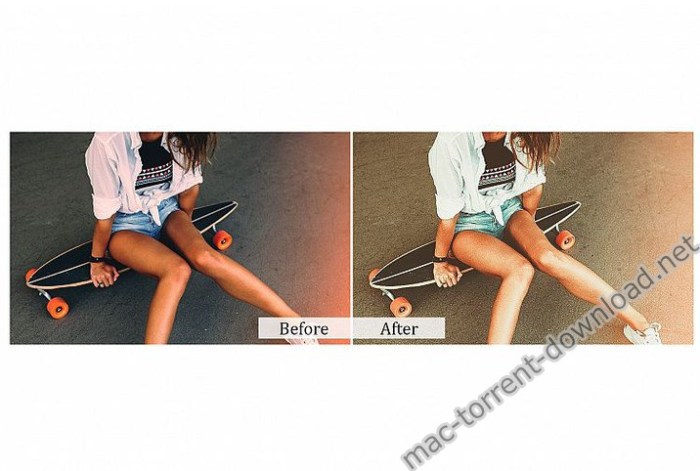
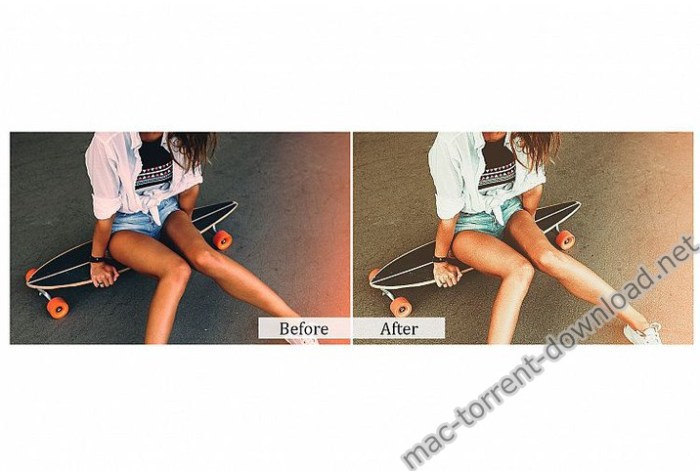
Urban Street Photoshop Actions is a complete Action pack containing 78 perfect Photoshop ATN for Photography.

This action is specially made for photographers, graphic designer & artists.

A professional photographers, graphic designer & artists can save precious time by using this effect.

Features:
  • One click to apply an amazing effects on your photo
  • Clean actions, Clean work
  • Help file

Compatible with Photoshop (English versions) CC,CC15,CC17,CC18 & CC19 (Creative Cloud) All Version

Web Site: https://creativemarket.com/DreamColors/3938021-78-Urban-Street-Photoshop-Actions

Screenshots

Name CM 78 Urban Street Photoshop Actions 3938021.zip
Size 5.32 MB
Created on 2019-08-11 00:13:07
Hash 9ae954688e4bfa55e34e70c5a21bf325dc02f27c
Files CM 78 Urban Street Photoshop Actions 3938021.zip (5.32 MB)

Download

60 Urban Photoshop Actions Vol2

Download

60 Urban Photoshop Actions Vol2 3938023

60 Urban Photoshop Actions Vol2

Urban Photoshop Actions is a complete Action pack containing 60 perfect Photoshop ATN for Photography.

This action is specially made for photographers, graphic designer & artists.

A professional photographers, graphic designer & artists can save precious time by using this effect.

Features:
  • One click to apply an amazing effects on your photo
  • Clean actions, Clean work
  • Help file

Compatible with Photoshop (English versions) CC,CC15,CC17,CC18 & CC19 (Creative Cloud) All Version

Web Site: https://creativemarket.com/DreamColors/3938023-60-Urban-Photoshop-Actions-Vol2

Screenshots

Name CM 60 Urban Photoshop Actions Vol2 3938023.zip
Size 7.57 MB
Created on 2019-08-11 00:12:59
Hash d5f003e439042825859e779ed507e9726295bdc5
Files CM 60 Urban Photoshop Actions Vol2 3938023.zip (7.57 MB)

Download

40 Vintage Photoshop Actions

Download

40 Vintage Photoshop Actions 3941798

40 Vintage Photoshop Actions

Vintage Photoshop Actions is a complete Action pack containing 40 perfect Photoshop ATN for Photography.

This action is specially made for photographers, graphic designer & artists.

A professional photographers, graphic designer & artists can save precious time by using this effect.

Features:
  • One click to apply an amazing effects on your photo
  • Clean actions, Clean work
  • Help file

Compatible with Photoshop (English versions) CC,CC15,CC17,CC18 & CC19 (Creative Cloud) All Version

Web Site: https://creativemarket.com/DreamColors/3941798-40-Vintage-Photoshop-Actions

Screenshots

Name CM 40 Vintage Photoshop Actions 3941798.zip
Size 5.32 MB
Created on 2019-08-11 00:12:47
Hash cdd057d4182dfb14bd3e3ffaa86ce16174f23939
Files CM 40 Vintage Photoshop Actions 3941798.zip (5.32 MB)

Download

Duplicate File Finder Pro 6.1.1

Download

Duplicate File Finder Pro 6.1.1

Best fast free duplicate file finder for your Mac. Remove duplicate files on any mounted disk or folder.
Use FREE, find and remove duplicate files. Get PRO to remove duplicate folders and merge similar folders!
Get rid of duplicate files just in 3 steps:
Scan a disk or folder for duplicates-> Select duplicates-> Review & Remove duplicates.

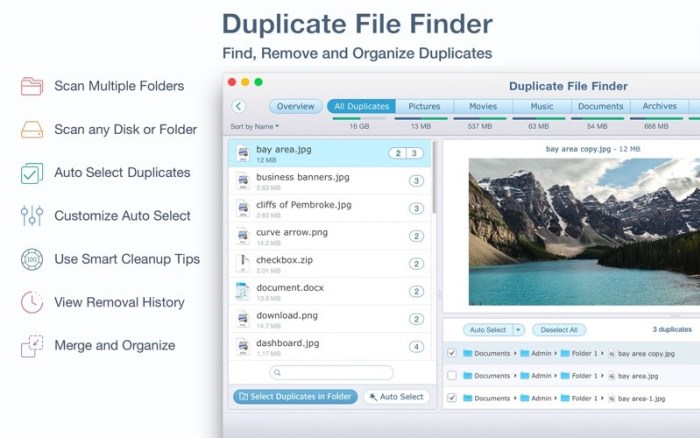
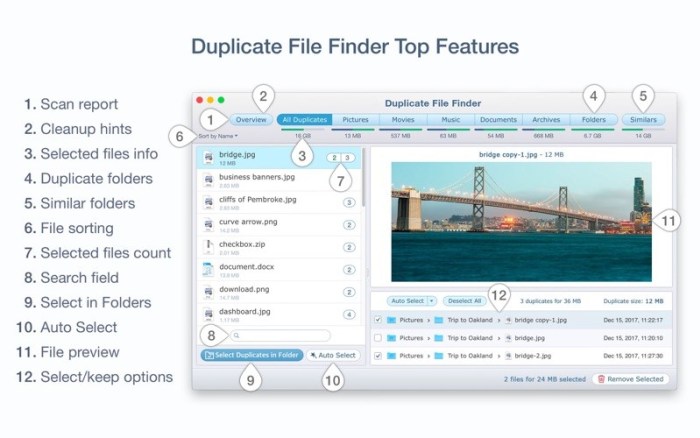
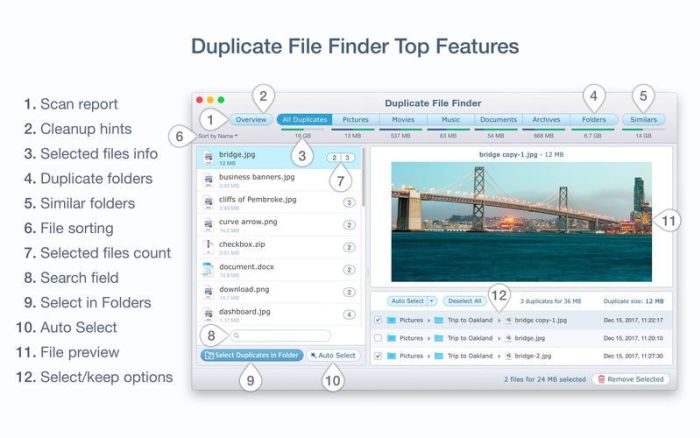
Within a few minutes Duplicate File Finder will give a report with all the duplicate files by category: pictures, videos, music, archives, documents, and all other specific extensions. It’s really easy to see how much space each file takes.
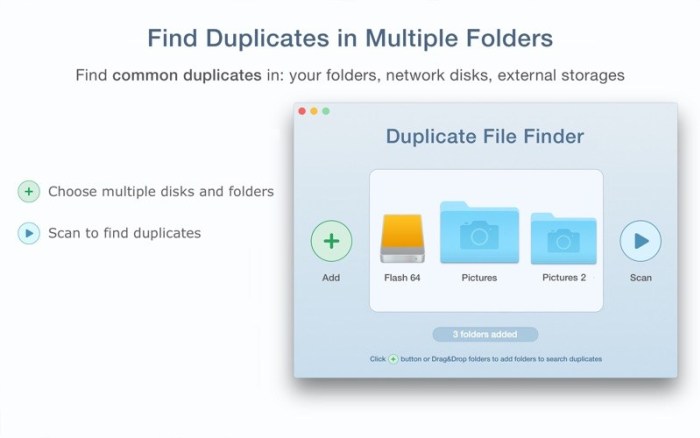
This easy duplicate finder allows you to scan as many folders as you wish. All you need to do is to drag and drop the folders or disks into the app, and click the Scan button.

Best Duplicate File Finder Features:

SCANNING
  • fast scanning algorithm
  • ability to scan for duplicates in multiple folders or drives
  • support for external drives and mounted network folders
  • “Recent Folders List” for scanned folders
  • animated scanning process
  • skip list for various files and folders
  • “minimal file size” option for speedy scan
RESULTS OVERVIEW
  • visual chart report when scanning
  • duplicate files list
  • duplicate files by type
DUPLICATES
  • builtin duplicates search
  • preview & quick look any duplicate file
  • sort duplicates: by name, size, total size, type, and duplicates count
SELECTING
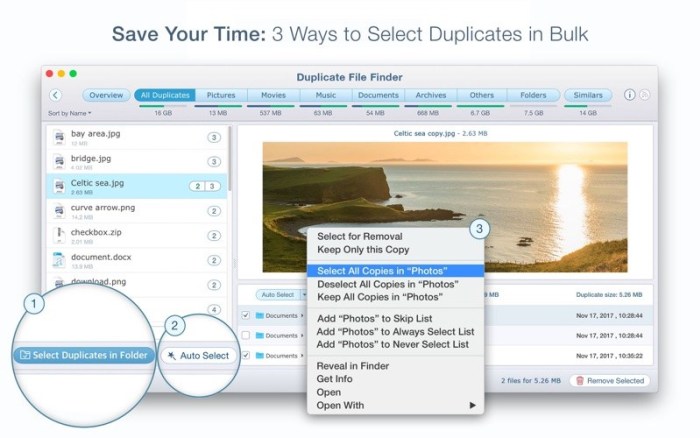
  • oneclick selection of multiple duplicate files
  • “always select” and “never select” autoselect options
  • smart duplicate autoselection
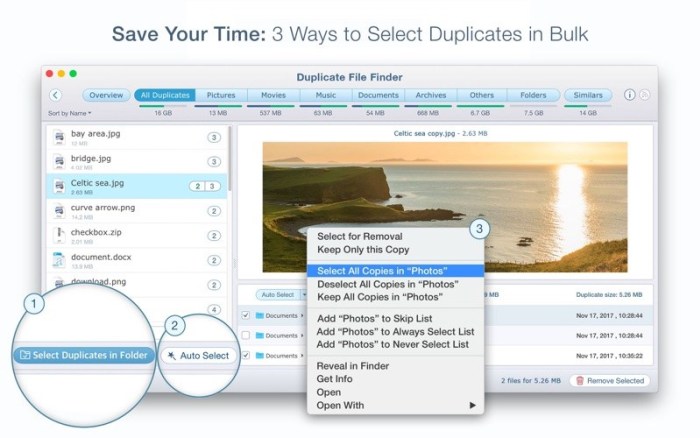
  • option to select duplicates in particular folders using “Select Duplicates in Folder” feature
  • reverse selection with “Keep files…”
  • visual progress bar of selected files for removal
REMOVING
  • confirmation list of files being removed
  • customizable view of confirmation list
  • option to move to Trash or permanent removal
  • duplicates removal history
  • ability to restore removed duplicates
Duplicate File Finder FREE allows you to:
  • Find duplicate files and folders
  • Find duplicates in multiple disks and folders in one session
  • Find duplicates in any folder, disk, mounted folder or storage
  • Add files, folders and specified files extensions to Skip List 
  • Specify minimal duplicate file size for better duplicatefinding performance
  • Preview a visual report of duplicates found
  • Review duplicate files by types
  • Preview duplicate folders
  • Preview any duplicate file with builtin Preview option
  • Get detailed information about any duplicate
  • Use cleanup hints for fast duplicate removal
  • Use Autoselect for quick duplicate files selection and removal
  • Customize the Autoselect command
  • Preview similar folders the folders with duplicate and unique files
  • Preview log of duplicates removed
  • Review selected duplicates before removal
  • Remove duplicate files permanently or move them to Trash
  • Get guaranteed response to your ticket at support@nektony.com within one business day
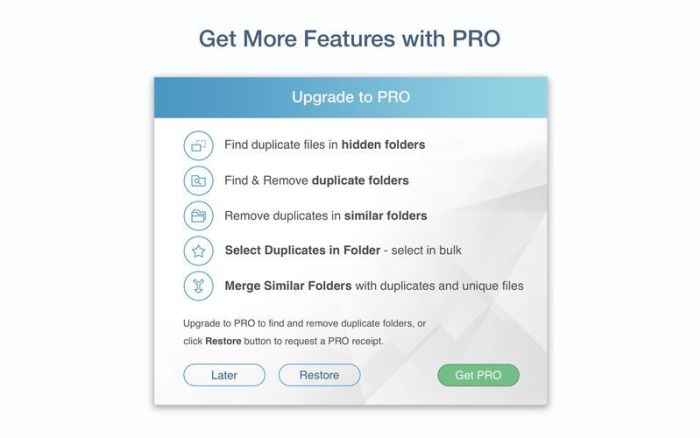
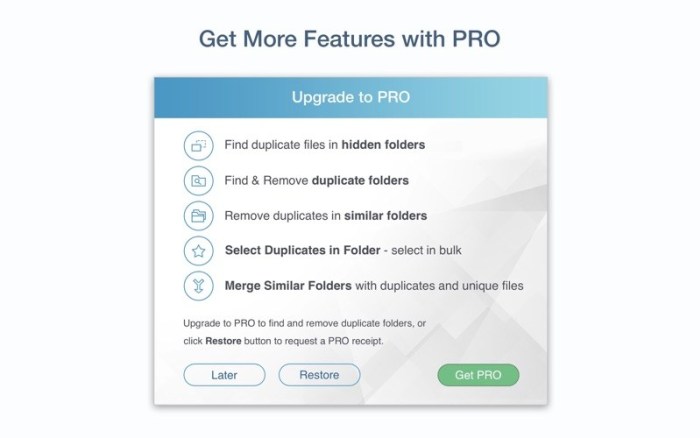
PRO Duplicate File Finder gives you even more features, you can:
  • Find duplicates in hidden folders
  • Use “Select Duplicates in Folder” option
  • Remove duplicate folders
  • Remove duplicate files in Similar folders
  • Merge Similar folders
  • Restore removed duplicates

*The application is free- it allows you to find and remove duplicate files in any folder or storage connected to your Mac.
In-app purchase Upgrade to PRO required to enable PRO features.

Compatibility: OS X 10.9 or later 64 bit

Web Site: https://nektony.com/duplicate-finder-free

Mac App Store: https://itunes.apple.com/app/duplicate-file-finder-remover/id1032755628?mt=12

What’s New in Duplicate File Finder Pro 6.1.1

  • Search feature added for Similar photos
  • Improved merging folders
  • Search feature added for the Photos Library
  • Added customization for auto select rules
  • Added feature to remove duplicates in specified folder
  • Added autosave and restore features for scanned results
  • Added the ability to sort by date in the duplicates list

Screenshots

Name Duplicate File Finder Pro 6 1 1 MAS In-App TNT.zip
Size 26.60 MB
Created on 2019-08-11 01:36:55
Hash 437c534e9311640bfe1dfdd70406c2064e2912a2
Files Duplicate File Finder Pro 6 1 1 MAS In-App TNT.zip (26.60 MB)

Download

PhoneClean Pro 5.4.0.20190807


Download


PhoneClean Pro 5.4.0.20190807

A well-designed and user-oriented utility specially made to help you clean and speed up your iOS device with just a couple of mouse clicks

PhoneClean is a self-explanatory macOS application that provides the required tools to clean your iPhone or iPad and improve its performance.

Free up storage space and boost your device’s performance

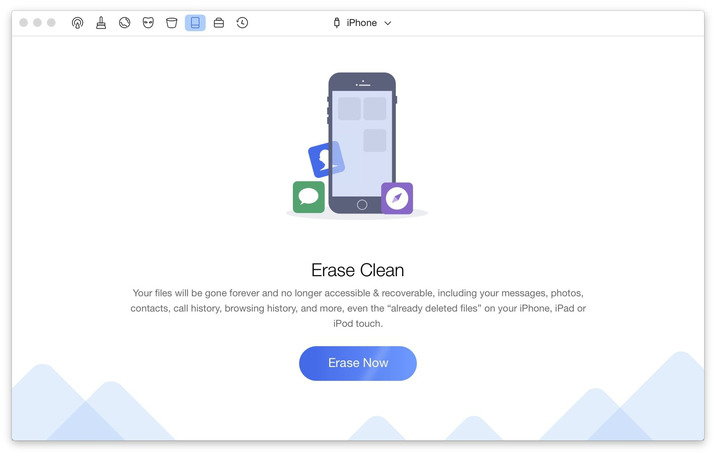
With PhoneClean’s help, you can effortlessly clean up and optimize your iOS device without worrying about damaging installed apps. On top of that, you can check for privacy threats and eliminate over 30 types of junk files.

From PhoneClean’s main window you can check the status of your mobile device, view the occupied and free space, perform a quick or deep clean, access the toolbox list and restore a backup. The Quick Clean feature is capable to rapidly remove most known junk files in the shortest time span possible.

Optimize your mobile device and remove privacy threats

On the other hand, the Deep Clean function is capable to perform a complete iOS scan and check for privacy threats.

The first cleaning method helps you remove app cache and temp files, cookies, crash logs, photo cashes and iTunes radio history while the Deep Clean allows you to remove the call and FaceTime history, as well as browsing history, iOS notifications, messages, cookies and caches, kill all active apps and remove orphaned files.

Uninstall unnecessary apps and remove temporary files

Thanks to PhoneClean’s advanced tools you can clean, repair and tune up your iOS device by removing duplicate files, repairing damaged media, uninstalling unneeded apps and more. Users with jailbroken devices will be happy to know that PhoneClean allows them to clean their device’s operating system and shrink various app.

What is more, PhoneClean helps you create full backups before cleaning the device, so you can still recover data that you accidentally removed during the cleaning process.

Compatibility: OS X 10.8 or later

Web Site: https://www.imobie.com/phoneclean/

What’s New in PhoneClean Pro 5.4.0.20190807

  • Release notes not available at the time of this post.

Screenshots


Name PhoneClean Pro 5 4 0 20190807 TNT.zip
Size 25.58 MB
Created on 2019-08-11 01:37:22
Hash 8016179c776bef73c4140f15db493cedf291e15c
Files PhoneClean Pro 5 4 0 20190807 TNT.zip (25.58 MB)

Download

Artpaper 5K – daily wallpapers 3.0.3

Download

Artpaper 5K – daily wallpapers 3.0.3

Artpaper will freshen up your desktop by bringing 1000+ paintings from the best galleries on it.

NEW WALLPAPERS EACH DAY
  • It changes wallpapers automatically.
  • Get your wallpapers updated on computer shutdown or different intervals: day, week, 2 weeks, month.
  • Constantly see something fresh on your desktop!
MULTIPLE SCREENS SUPPORT
  • It can set different wallpapers on different screens.
  • No matter how many external displays you have!
GORGEOUS IMAGES
  • All our wallpapers are scanned paintings from the best museums & galleries across the world.
  • Copyrightfree.
  • Get basic info about the painting and author in Artpaper window.
HUNDREDS OF IMAGES
  • We have 7 different packs of pictures you can choose between.
  • In total, there are 1000 paintings in our collection.
  • Download only packs you like to reduce space usage.

Download Artpaper now to freshen up your Mac desktop!

Compatibility: OS X 10.11 or later, 64-bit processor

Web Site: https://twopeoplesoftware.com/artpaper

Mac App Store: https://itunes.apple.com/app/artpaper-5k-daily-wallpapers/id1028838684?mt=12

What’s New in Artpaper 5K – daily wallpapers 3.0.3

  • Wallpaper updates on multiple screens were improved

Screenshots

Name Artpaper 3 0 3 MAS TNT.zip
Size 108.4 MB
Created on 2019-08-11 01:36:45
Hash 6d97ad1745c413e8d45f28774a58b0885b4c4ce8
Files Artpaper 3 0 3 MAS TNT.zip (108.4 MB)

Download

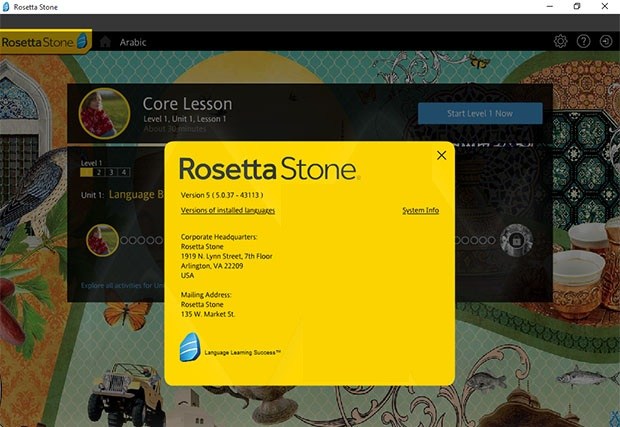
RosettaStone 5.0.37 + All Languages Pack

rosetta stone mac torrent


Download


RosettaStone 5.0.37 + All Languages Pack

Learn the language, not just the words.

Rosetta Stone prepares you for real-world conversations in your new language. Without any translations it teaches you the sights and sounds you need to communicate effectively in everyday situations; speaking and enjoying language from the start.

Sound amazing

There’s no point in knowing the words if no one can understand what you’re saying, which is why we’re so focused on speaking.

From the very first lesson our TruAccent® speech engine will help you fine-tune your pronunciation and accent. That way, you’ll be confident that you know what to say and how to say it.

Thrive in real-world conversations

The best way to learn a language is to surround yourself with it. Our Dynamic Immersion® method does just that.

You won’t be memorising a long list of vocabulary. You’ll be seeing, hearing, speaking, reading, and writing – only in your new language. That way, you’re ready for real-world conversations that don’t follow a script.

What’s Included in Languages Pack:
  • Arabic.zip (1.32 GB)
  • Chinese.zip (2.54 GB)
  • Dutch.zip (1.24 GB)
  • English (UK).zip (2.11 GB)
  • English (US).zip (2.34 GB)
  • Farsi.zip (1.39 GB)
  • French.zip (2.09 GB)
  • German.zip (2.12 GB)
  • Greek.zip (1.22 GB)
  • Hebrew.zip (1.30 GB)
  • Hindi.zip (1.32 GB)
  • Irish.zip (1.22 GB)
  • Italian.zip (2.27 GB)
  • Japanese.zip (1.74 GB)
  • Korean.zip (1.27 GB)
  • Latin.zip (1.29 GB)
  • Polish.zip (1.23 GB)
  • Portuguese.zip (1.35 GB)
  • Russian.zip (2.22 GB)
  • Spanish (Latin America).zip (2.38 GB)
  • Spanish (Spain).zip (2.12 GB)
  • Swedish.zip (1.19 GB)
  • Tagalog.zip (1.36 GB)
  • Turkish.zip (1.24 GB)
  • Vietnamese.zip (1.18 GB)

Compatibility: OS X 10.6 or later

Web Site: https://www.rosettastone.co.uk/

What’s New in RosettaStone 5.0.37

  • Release notes not available at the time of this post.
rosetta stone mac torrent
Name RosettaStone 5.0.37 + All Languages
Size 41.19 GB
Created on 2019-08-11 00:24:05
Hash af81a0d0d6e4465c2849ad8cffa818bf3d67b4a2
Files ※ See Files

Download

Autokroma AfterCodecs v1.7.3 for After Effects, Premiere & Media Encoder

Download

Autokroma AfterCodecs v1.7.3 for After Effects, Premiere & Media Encoder

Native exporter for AE bringing you ProRes on Windows and h264 (x264 and x265) codecs for excellent quality and lightweight videos.

AfterCodecs is a native render queue plugin for After Effects that allows you to render directly to the codecs listed below.

Need to render ProRes on Windows?

Want to render directly to a small file size, high quality H264 straight from the After Effects render queue?

AfterCodecs can do it without requiring any intermediate files!

Codecs

  • ProRes : LT / Proxy / Normal / HQ and even 444 that supports Alpha Channel.
  • x264 : best H264/AVC implementation, outperforming both Adobe Media Encoder and QuickTime H264.
  • x265 : files are 30% lighter than x264 and it also supports 8K resolution.
  • x264 RGB : same as x264 but avoids YUV colorspace, best for storing separate channels in one video (UV map, Alphas…) for power users only.
Compatibility:
  • After Effects CC 2019, CC 2018, CC 2017, CC 2015.3, CC 2015, CC 2014
  • Premiere CC 2019, CC 2018, CC 2017, CC 2015.3, CC 2015, CC 2014
  • Media Encoder CC 2019, CC 2018, CC 2017, CC 2015

Web Site: https://aescripts.com/aftercodecs/

What’s New in Autokroma AfterCodecs v1.7.3 for After Effects, Premiere & Media Encoder

  • Floating server : releasing license when After Effects exits bug fix

Name Aftercodecs_1.7.3_M.zip
Size 17.48 MB
Created on 2019-08-10 17:48:48
Hash d72c44b7d8c5756898dbe2e7db14800148111586
Files Aftercodecs_1.7.3_M.zip (17.48 MB)

Download

Autokroma BRAW Studio v1.5.2 for Premiere & Media Encoder

Download

Autokroma BRAW Studio v1.5.2 for Premiere & Media Encoder

Premiere Pro and Adobe Media Encoder native Blackmagic RAW (.braw) importer.

The missing piece in your Blackmagic workflow
  • Import and edit your .BRAW footages directly and natively into Adobe Premiere Pro ! And get your .BRAW metadata in Project Panel
  • Reencode your .BRAW with Adobe Media Encoder
  • Access the same RAW color parameters from DaVinci Resolve and Load / Save them thanks to .sidecar files

BRAW Studio is available in two separates licenses : you’ll need BRAW Studio for Premiere Pro to edit .braw in Adobe Premiere Pro and export projects and convert .braw directly from within Premiere Pro.

You’ll need BRAW Studio for Media Encoder to export your project with Adobe Media Encoder, convert .braw in AME’s render queue and create your PPro proxies in batch in Media Encoder.

Compatibility
  • Premiere: CC 2019, CC 2018, CC 2017
  • Media Encoder: CC 2019, CC 2018, CC 2017

Web Site: https://aescripts.com/braw-studio/

What’s New in Autokroma BRAW Studio v1.5.2

  • New Uninstall checkbox in the installers to easily uninstall BRAW Studio plugins and panels
  • Fixes in the rendering engine, less crashes
  • New Feature : LUT in BRAW Studio
  • As in DaVinci Resolve, there is now a checkbox “Apply LUT” and a dropdown list to choose the LUT Origin (Embedded or Sidecar)
  • Embedded LUT is the one which was saved from inside the camera when shot
  • Sidecar LUT is the one in the sidecar file next to the braw file. Sidecar LUT is loaded when PPro starts or when the clip is imported
  • The “Save Sidecar” and “Load Sidecar” buttons in Clip Mode are not concerned : LUT will not be saved in Sidecar and not loaded with these buttons
  • These new parameters are invisible if no Embedded or Sidecar LUT are available, only one choice in the dropdown if only oe of them is available
  • Panel :
  • New Metadata : BR Timecode = the good starting timecode of the braw file. Useful to check if the one in PPRo is correct
  • Fixed : After relinking a media, the timecode was wrong again
  • Fixed : “getFilenameFromFilepath” error message
  • OSX License input : pressing COMMAND key will now automatically paste the license because COMMANDV is not working
  • Windows : IE won’t launch anymore when using the popup offline

Name BRAW_Studio_1.5.3_M.zip
Size 15.38 MB
Created on 2019-08-10 17:48:58
Hash 3a9086909fe563538912c2dbaf9f2c30bca41e53
Files BRAW_Studio_1.5.3_M.zip (15.38 MB)

Download

Bartender 3.1.2

Download

Bartender 3.1.2

Bartender lets you organize your menu-bar apps by hiding them, rearranging them, or moving them to Bartender’s Bar. You can display the full menu bar, set options to have menu-bar items show in the menu bar when they have updated, or have them always visible in Bartender’s Bar.

Features

  • Lets you tidy your menubar apps how you want.
  • See your menubar apps when you want.
  • Hide the apps you need to run, but do not need to see.
  • Have the clean looking menu bar you want.
  • Rearrange your menubar items as you wish.

Compatibility: macOS 10.12 or later 64-bit

Web Site: http://surteesstudios.com/

What’s New in Bartender 3.1.2

  • Release notes not available at the time of this post.

Name Bartender 3 3 1 2 TNT.zip
Size 19.59 MB
Created on 2019-08-10 17:49:09
Hash 4d62c2e42e580df5fcdda9b4c49cea9211d0349d
Files Bartender 3 3 1 2 TNT.zip (19.59 MB)

Download

Drop – Color Picker 1.5.2

Download

Drop – Color Picker 1.5.2

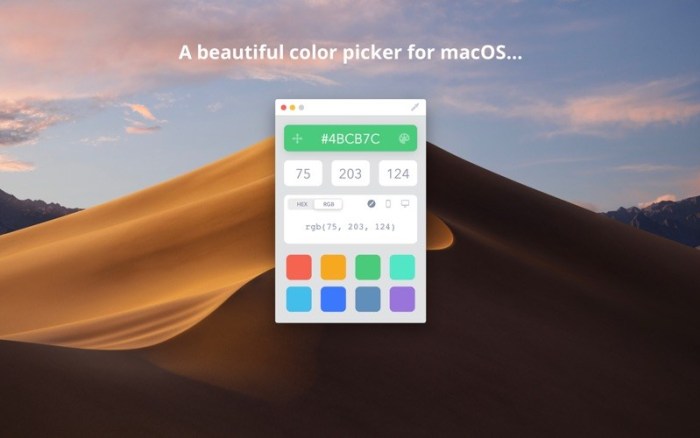
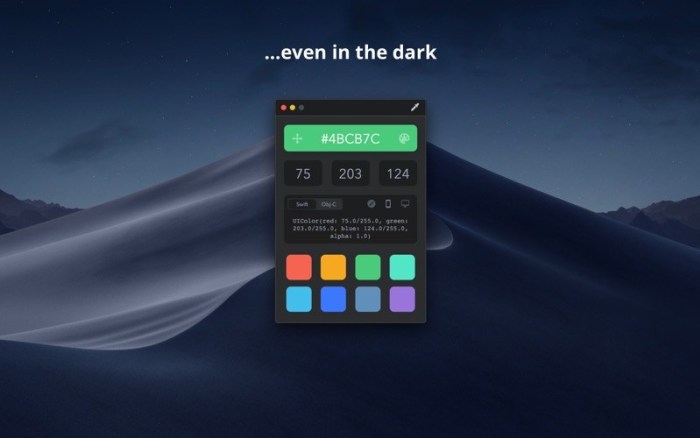
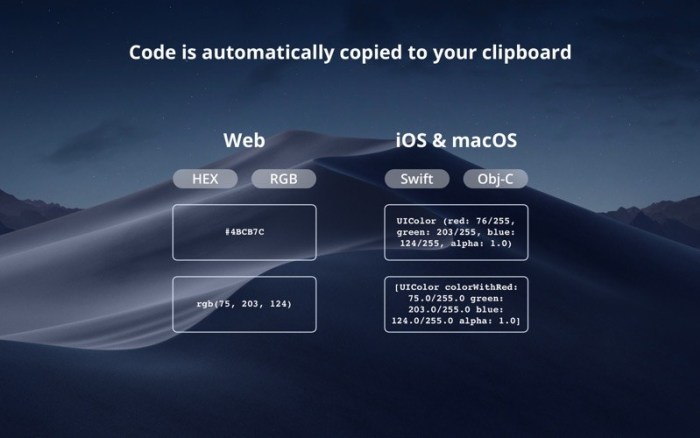
Drop is a delightful little color picker for developers and designers.

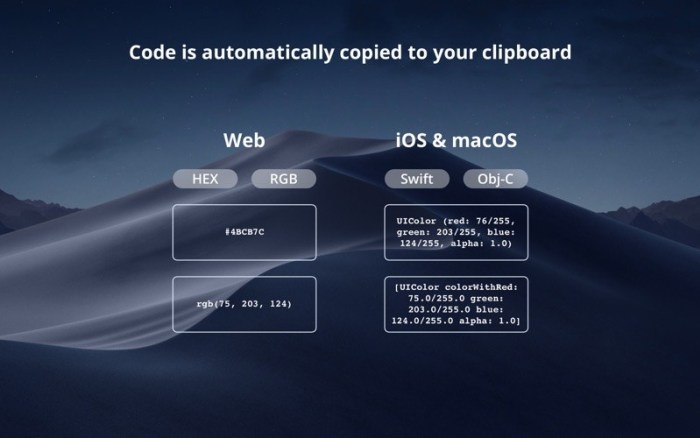
Pick a color and it will be copied in your preferred format. It’s that easy.

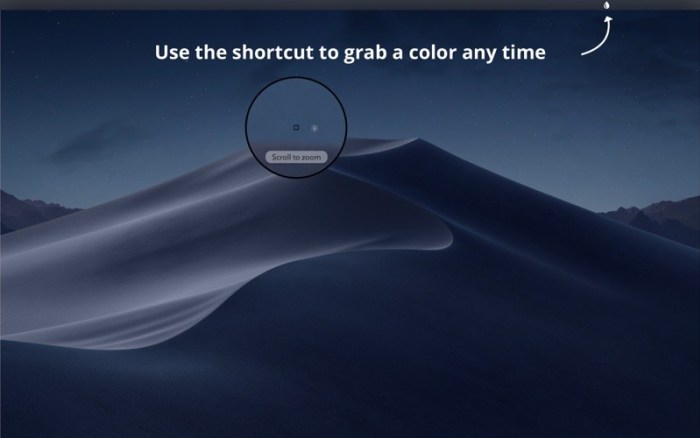
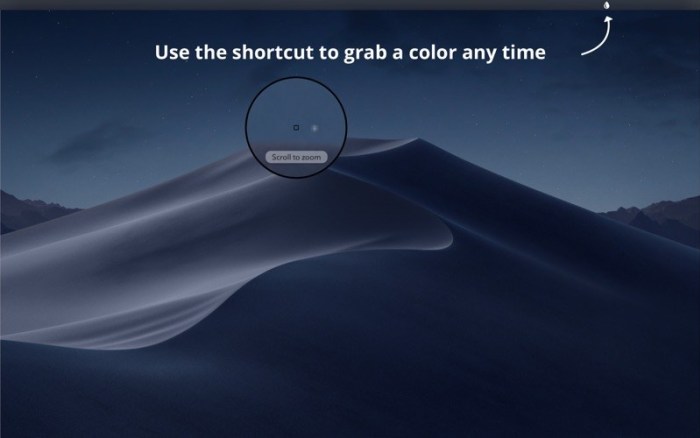
> Zooming Picker

Picking a one pixel border? No worries! You can freely zoom the picker in and out with your scroll wheel or trackpad.

> Accurate

Most color pickers (including Apple’s) don’t pick the exact color value because of reasons that we have to understand but you don’t. Drop lets you pick the exact color by switching the color profile associated with the app you are picking from.

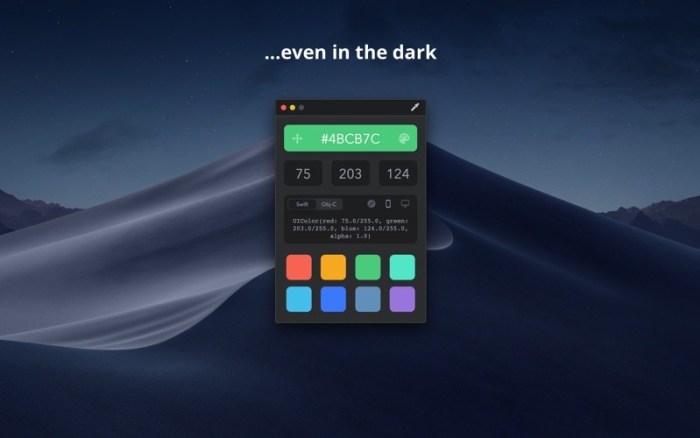
> Dark Mode

For all those fans of the dark side, we got you covered.

> Touch Bar

That’s right, get quick access to all your colors right from your fancy new Touch Bar. It’s the most convenient way to have quick access to your colors. Ever.

> Just the formats you use

Quickly switch between the common formats you are actually going to need your colors copied into: HEX, RGB, Swift UIColor, Swift NSColor, Objective-C UIColor, and Objective-C NSColor.

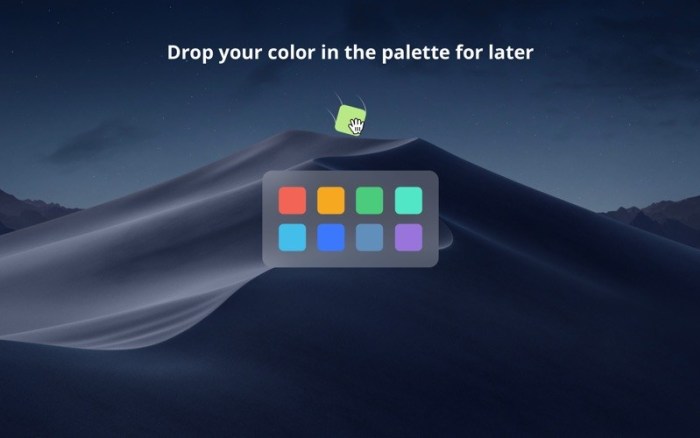
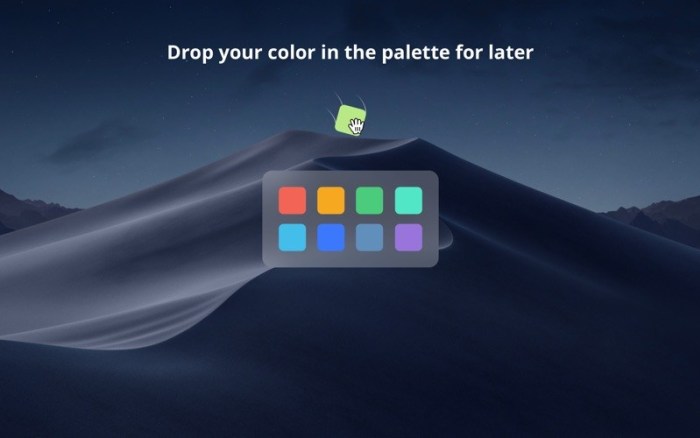
> Palette

Save colors for later in your color palette.

> Delight

This app was built with more TLC than you can even imagine. It’s those little details that make all the difference.

Compatibility: OS X 10.11 or later, 64-bit processor

Mac App Store: https://apps.apple.com/app/drop-color-picker/id1173932628

What’s New in Drop – Color Picker 1.5.2

  • Fixed color picker freezing when pressing ESC
  • Supporting even more previous versions of macOS (up to OS X El Capitan 10.11)

Screenshots

Name Drop 1 5 2 MAS TNT.zip
Size 18.36 MB
Created on 2019-08-10 16:12:50
Hash 8f1a13b42d6b8145eccdaa6b2a087a56b51ffc51
Files Drop 1 5 2 MAS TNT.zip (18.36 MB)

Download

4K Stogram 2.7.3


Download


4K Stogram 2.7.3

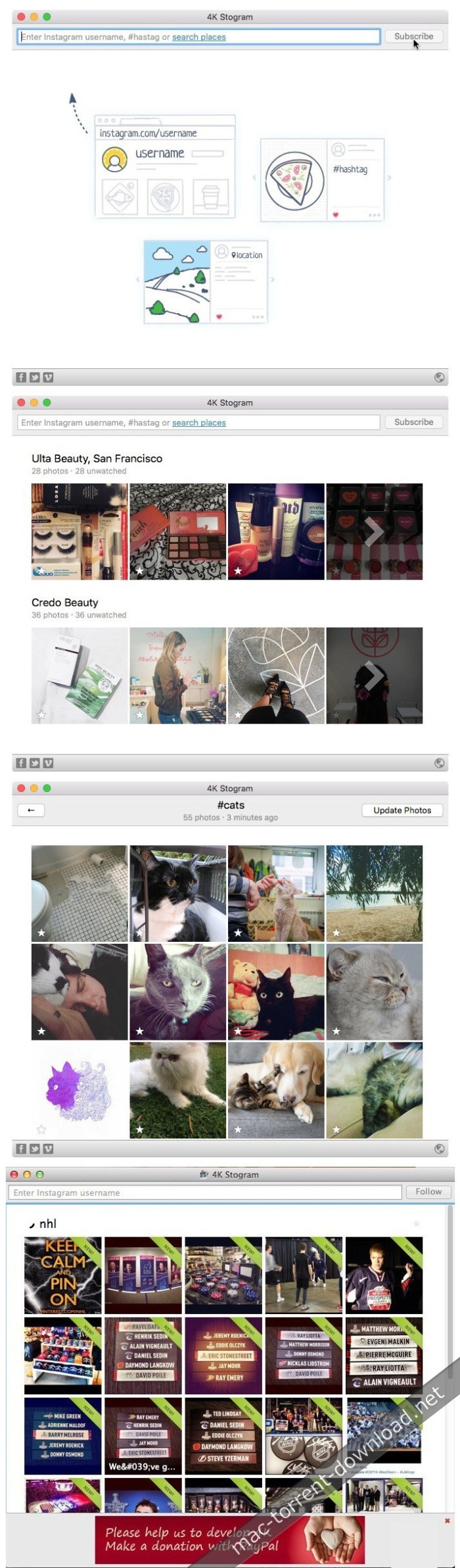
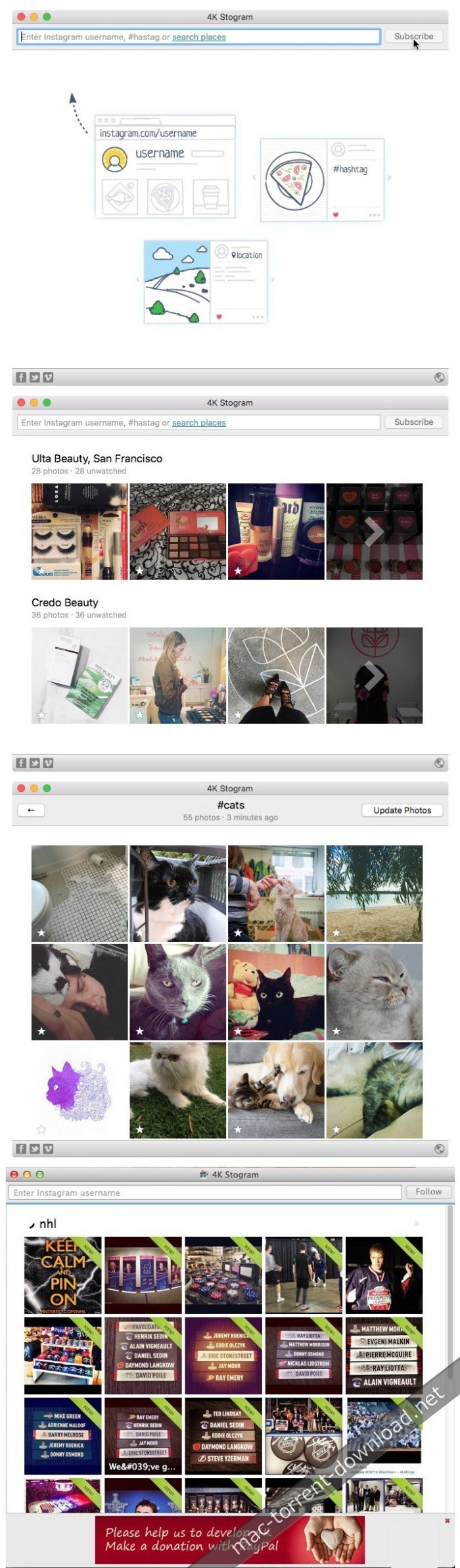
4K Stogram is an Instagram downloader which allows you to download and backup Instagram photos and videos, even from private accounts. mac-torrents.net Download Instagram photos by hashtags or favorite locations!

Features:
  • Grab photos of few account simultaneously and save it in JPEG on your desktop. mactorrentdownload.net
  • Follow your favourite photographers and get their latest photos automatically.
  • Login with your Instagram credentials and download photos of private friends accounts. mactorrentdownload.net
  • Access to your viewer directly from the application.
  • Download Instagram video in MP4 format.
  • Enjoy the minimalistic interface of application.
  • Use 4K Stogram on your PC, Mac or Ubuntu for free.

Compatibility: OS X 10.10 or later 64-bit

Web Site: https://www.4kdownload.com/products/product-stogram

What’s New in 4K Stogram 2.7.3

  • Release notes not available at the time of this post.

Screenshots


Name 4K Stogram 2 7 3 TNT.zip
Size 32.90 MB
Created on 2019-08-10 16:12:41
Hash c15e607ea670d1811384526bb30c972c7f7f11c7
Files 4K Stogram 2 7 3 TNT.zip (32.90 MB)

Download

WiFi Explorer Pro 2.2


Download


WiFi Explorer Pro 2.2

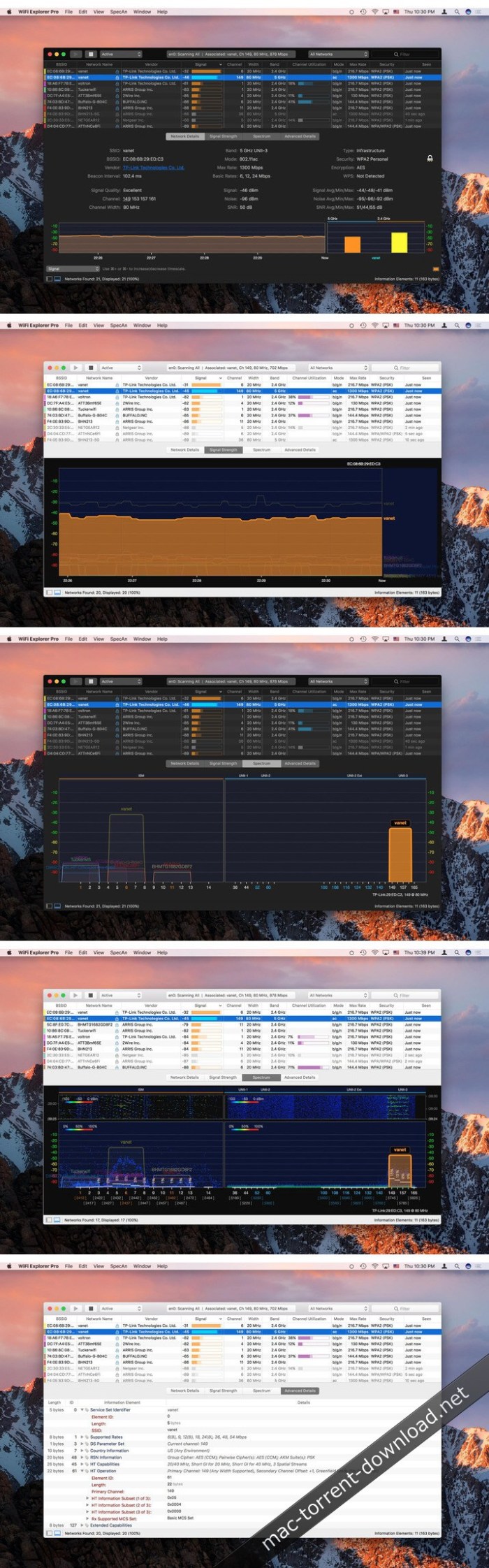
WiFi Explorer Pro takes the code base of WiFi Explorer and adds a set of features that makes it the right tool for WLAN and IT professionals. You can use WiFi Explorer Pro for preliminary assessments, to help design and validate wireless networks installations, as well as to identify channel conflicts, overlapping, poor signal quality and other issues that may be affecting the connectivity or performance of your home, office or enterprise wireless network.

Simple, intuitive user interface

WiFi Explorer gathers configuration and capability information about all the networks it discovers and presents it on an easy-to-use, intuitive user interface. Information includes network name (SSID), BSSID, vendor, country code, channel, band, security configuration, supported data rates, number of streams, and much more.

Resolve Wi-Fi Issues

With WiFi Explorer, you can find the best channel for your network or determine a better placement for your access point. You can also identify channel conflicts, overlapping or configuration issues that may be affecting the connectivity and performance of your home, office or enterprise wireless networks.

Designed for WLAN and IT professionals

WiFi Explorer has been developed with the support and feedback of the WLAN community. Ease of use and advanced features, such as the ability to decode information elements, AP name discovery or enhanced filtering, give professionals a full insight into the capabilities and configuration details of wireless networks.

Do more than finding wireless networks

WiFi Explorer Pro’s spectrum analysis integration lets you visualize RF information and correlate it with Wi-Fi data to identify non-802.11 energy sources and better understand the effects of interference and channel utilization on your wireless network. Compatible spectrum analyzers:

  • MetaGeek’s WiSpy 2.4x & WiSpy DBx
  • Ekahau Spectrum Analyzer
  • RF Explorer WiFi Combo
  • Ubertooth One
  • HackRF One (Experimental)
WiFi Explorer Pro Features:
  • Scan Modes Active, Passive & Directed
  • Information Element Decoding
  • Annotations & Custom Colors
  • Hidden Networks Support
  • Network Grouping
  • Enhanced Filtering
  • Remote Sensor Support
  • Spectrum Analysis Integration
  • Comprehensive Help
  • Theme Light & Dark
  • External WiFi Adapter Support

Requirements: OS X 10.10 or later.

Web Site: https://www.adriangranados.com/apps/wifi-explorer

What’s New in WiFi Explorer Pro 2.2

  • Release notes not available at the time of this post.

Screenshots


Name WiFi_Explorer_Pro_2.2_TNT.zip
Size 29.10 MB
Created on 2019-08-10 06:20:16
Hash 2fe7c65cc2ee6f01c00dc01cb9980951f06c3e69
Files WiFi_Explorer_Pro_2.2_TNT.zip (29.10 MB)

Download

PullTube 1.2


Download


PullTube 1.2

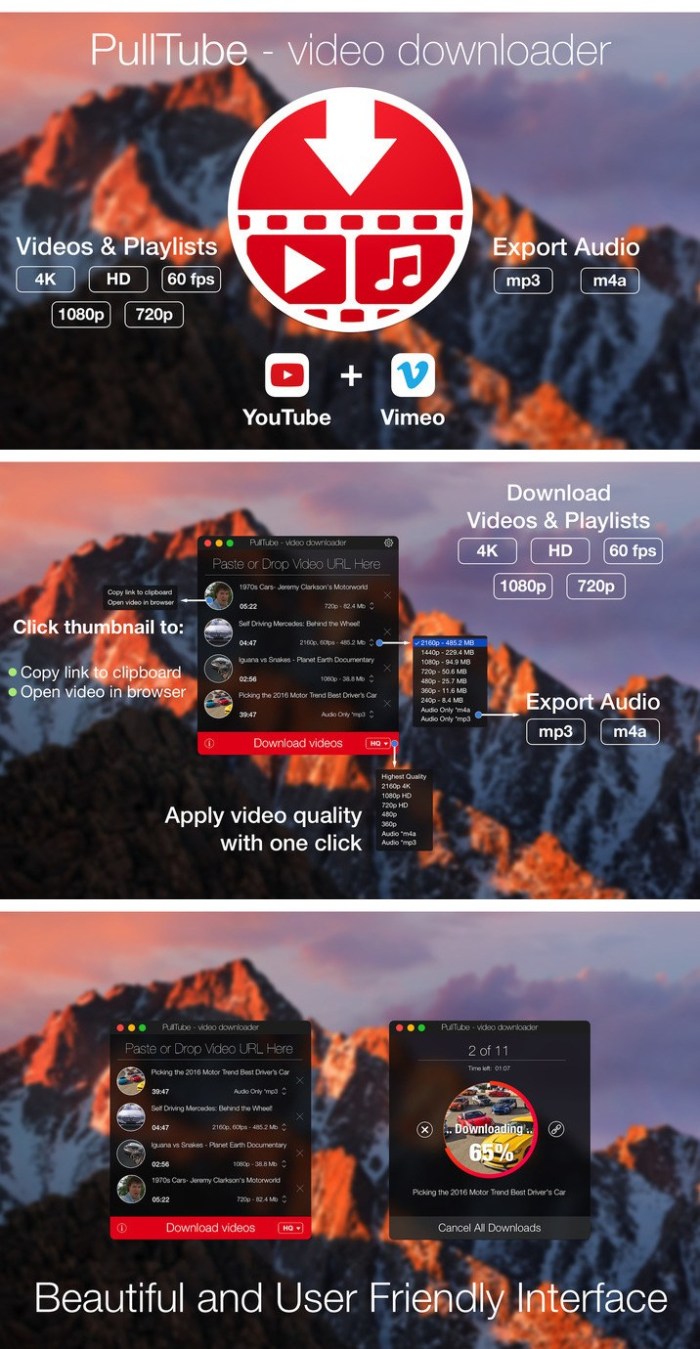
A beautiful online video downloader for your Mac PullTube proposes a streamlined workflow for quickly downloading videos from YouTube or Vimeo, provides control over the output quality, and enables you to extract the audio to MP3 or M4A files. The PullTube app can handle videos of any duration or size, and you get to monitor the download progress within its main window. The utility also integrates with the Notification Center to send completion alerts.

  • Supports Youtube, Vimeo, Facebook, Dailymotion, Instagram, Youku and IQY.
  • More platforms to be added upon user requests.
  • PullTube allows you to download video in any format available
  • Convert and save videos to mand m4a
  • Nice looking, dark user interface

Compatibility: OS X 10.11 or later 64-bit

Web Site: http://mymixapps.com

What’s New in PullTube 1.2

  • Download optimizations for various websites;
  • More fixes for Youtube video titles;

Screenshots


Name PullTube_1.2_TNT.zip
Size 64.69 MB
Created on 2019-08-10 05:11:07
Hash be83bf4fc5464a88a1fde20e1cab53e737f38005
Files PullTube_1.2_TNT.zip (64.69 MB)

Download

Paste 2.4.4

Download

Paste 2.4.4

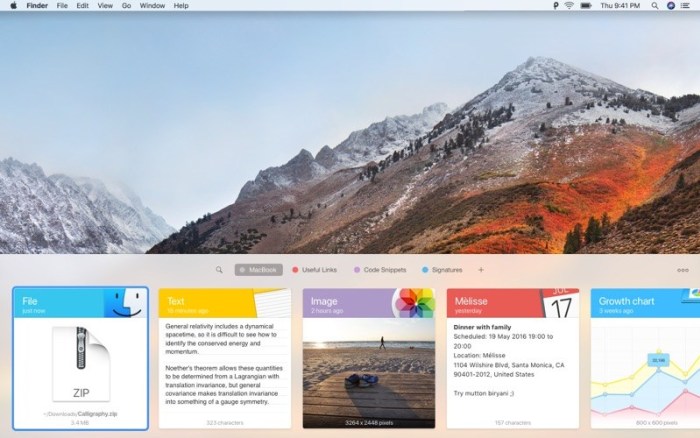
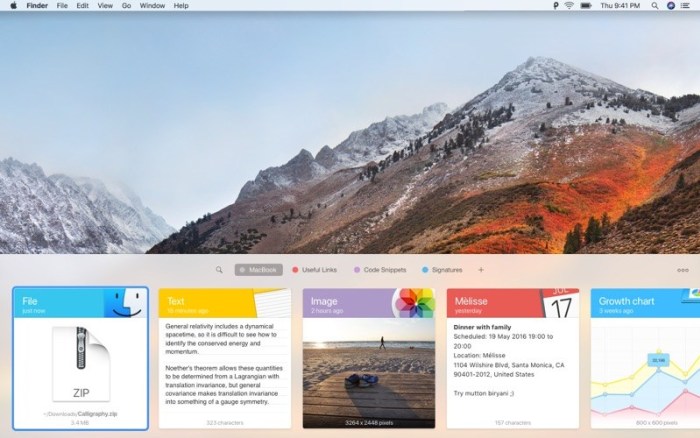
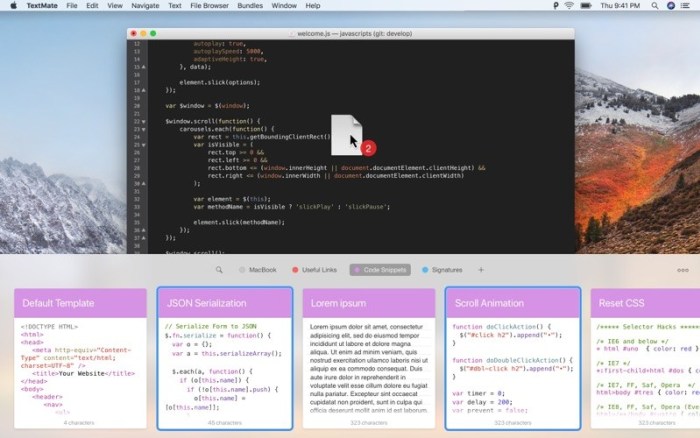
Paste is a smart clipboard and snippets manager, it’s a new way to copy and paste on your Mac and iPhone.

Paste is an invaluable productivity tool for writers, developers, designers and everyone else who likes to get the job done.

“Paste is the Mac clipboard manager you never knew you needed.” — The Next Web

TIME MACHINE FOR YOUR CLIPBOARD

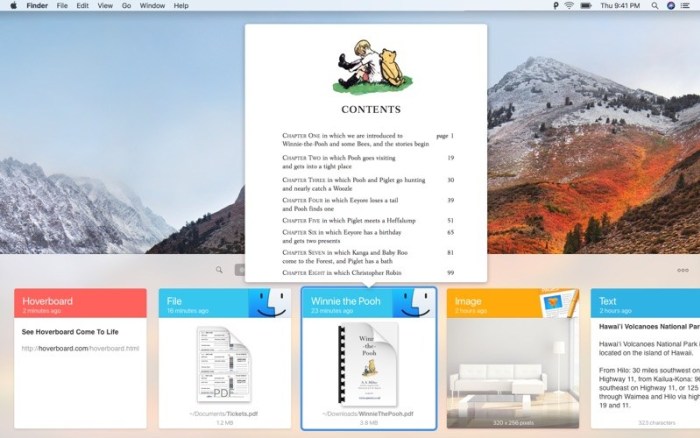
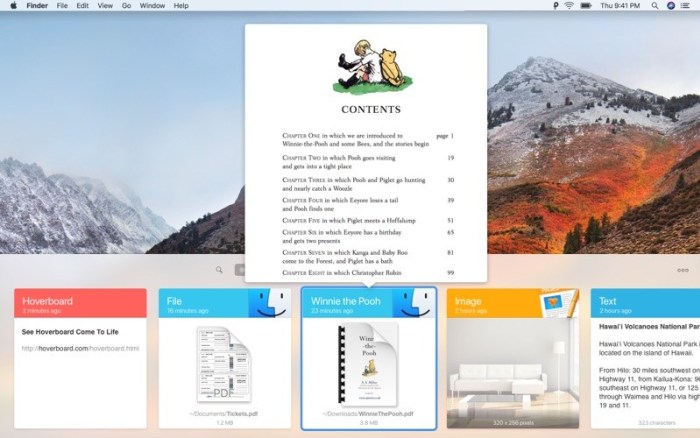
Paste stores everything you copy and lets you use your clipboard history anytime you need it across all your devices. It recognizes text, images, links, files, and any other type of content.

  • Extend system clipboard capacity and get back the date you’ve copied previously.
  • Browse fast through a visualized history and preview any type of content.
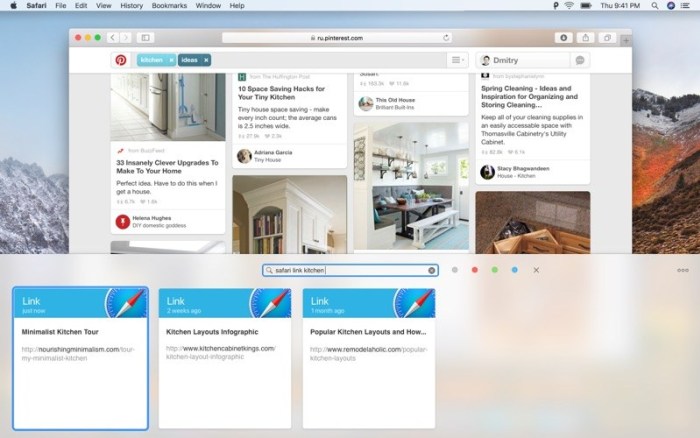
  • Search through your history with intelligent filters.

SPEED UP YOUR WORKFLOW

Organize your frequently used items, preview and access them quickly. Tight system integration and intuitive user experience allow you to focus on your core tasks.

  • Create Pinboards and organize your clipboard history the way you need it.
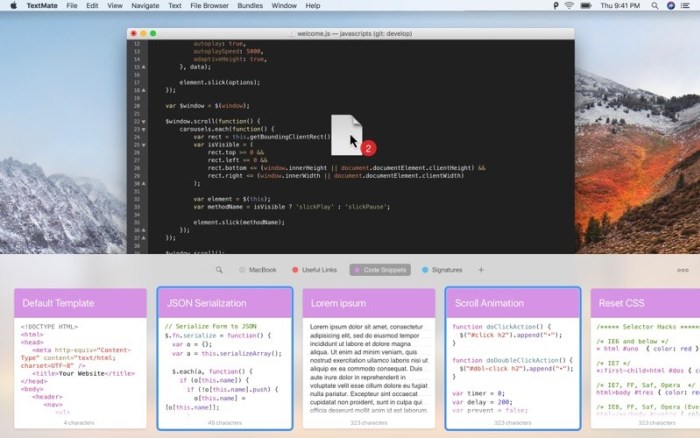
  • Pin snippets you use regularly and access them instantly.
  • Configure your own shortcuts for seamless copypasting between apps.

SYNC ACROSS DEVICES

All data securely syncs via iCloud across all your devices running Paste. It plays well with Universal Clipboard. Check out Paste for iPhone too!

  • Keep clipboard history and Pinboards in sync on all your devices.
  • Share snippets with your friends or send it via AirDrop to other devices.

MORE FEATURES TO BOOST YOUR PRODUCTIVITY

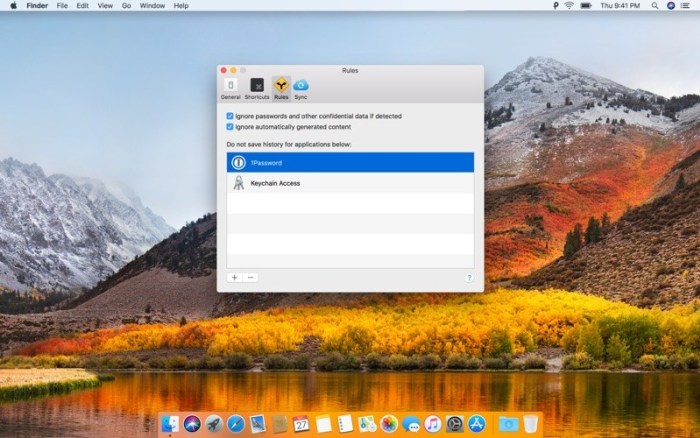
  • Exclude applications with sensitive information and don’t track it in Paste.
  • Remove formatting from copied text and paste any content as Plain Text.
  • Large preview for any type of snippet in your clipboard history or Pinboard.
  • Select and paste multiple items simultaneously, dragndrop to any application.
  • And even more!

Download Paste and increase your productivity!

Compatibility: macOS 10.12.2 or later 64-bit

Web Site: https://pasteapp.me/?utm_source=macappstore&utm_medium=macappstore

Mac App Store: https://itunes.apple.com/app/paste-2/id967805235?mt=12

What’s New in Paste 2.4.4

  • A few minor performances improvements
  • Changed the voice of Paste

Screenshots

Name Paste_2.4.4_MAS_TNT.zip
Size 26.90 MB
Created on 2019-08-10 05:11:18
Hash 990c0647370443871c0a53e3fdfcf8452e6f5b9e
Files Paste_2.4.4_MAS_TNT.zip (26.90 MB)

Download

VMware Fusion Pro 11.1.1 Build 14328561

Download


VMware Fusion Pro 11.1.1 Build 14328561

VMware Fusion gives Mac users the power to run Windows on Mac along with hundreds of other operating systems side by side with Mac applications, without rebooting. Fusion is simple enough for home users and powerful enough for IT professionals, developers and businesses.

Run Nearly Any Operating System on a Mac

Running Windows on Mac is only the beginning. VMware Fusion lets you choose from hundreds of supported operating systems, from lesser-known Linux distributions to the latest Windows 10 release.

Connect to VMware vSphere

Securely connect with vSphere, ESXi and Workstation servers to launch, control and manage both virtual machines (VMs) and physical hosts. Thanks to the common VMware platform, VMs can be easily transferred from the vSphere data center to the Mac desktop and then run in Fusion.

Develop and Test for Any Platform

Fusion makes it simple to test nearly any OS and app on a Mac. Build and test apps in a sandbox while securely sharing local source files and folders. Fusion Pro now includes a RESTful API to integrate with modern development tools like Docker, Vagrant, Ansible, Chef, and others to fit the power of VMware into today’s Agile and DevOps-oriented production pipelines.

Design and Demo Complex Solutions

With the ability to run an entire virtual cloud stack on a single Mac, solution architects can demonstrate their entire software solution in real time, with safe rollback points to return to known configurations. Fully express the story of your software journey by running all of its components on a single notebook to show the world.

WHAT’S NEW:

Professionals Run Windows on Mac with Fusion Pro

Fusion 8 Pro lets Mac users take advantage of Windows 10 features like the all new Edge browser, or strike up a conversation with Cortana, the all-new personal digital assistant, even while Fusion is running in the background. With support for over 200 operating systems including Windows 10, Fusion 8 Pro delivers unsurpassed platform compatibility and integration with the VMware ecosystem.

Expiring Virtual Machines

For workers assigned to short-term projects, temporary employees, or for a software evaluation, create restricted virtual machines that expire at a predefined date and time. When powered on, the virtual machine will query the server at specified time intervals, storing the current system time in the restricted virtual machine’s policy file as the last trusted timestamp. An expired virtual machine will automatically suspend and will not restart without administrator intervention.

Compatibility: macOS 10.12 or later

Web Site: http://www.vmware.com/

What’s New in VMware Fusion Pro 11.1.1 Build 14328561

  • Mitigated a virtual machine performance issue with macOS 10.14.6 host.
  • On systems running macOS 10.14.6, you might experience performance issue with virtual machines. This performance issue is observed with encrypted virtual machines when the memory is above 2 GB. This is an incompatibility of Fusion with macOS 10.14.6.

Screenshots


Name VMware Fusion Pro 11.1.1.zip
Size 525.6 MB
Created on 2019-08-10 00:09:44
Hash 7336656234622b4f061ed11abfc6eb742bf739cf
Files VMware Fusion Pro 11.1.1.zip (525.6 MB)

Download

2355 Videopro Luts All Shop Bundle

Download

2355 Videopro Luts All Shop Bundle

2355 Videopro Luts All Shop Bundle SUMMARY
  • More than 2355 LUT (video presets).
  • Easy use on MOBILE / DESKTOP
  • After Effect, Adobe Premier and Final Cut instructions included.
TYPES:
  • Wedding: 150 Presets
  • Atmospheric: 122 Presets
  • Landscape: 126 Presets
  • Travel: 131 Presets
  • Dramatic: 125 Presets
  • Video blog: 132 Presets
  • Movie Fx: 126 Presets
  • Party Fx: 105 Presets
  • Commercial: 124 Presets
  • Drone Collection: 118 Presets
  • Food: 120 Presets
  • Cinematic: 116 Presets
  • Nature: 126 Presets
  • Family Archive: 125 Presets
  • Hollywood: 126 Presets
  • City: 110 Presets
  • Action: 124 Presets
  • Vintage: 114 Presets
  • HDR: 126 Presets
  • Black and white: 36 Presets
COMPATIBLE APPS:
  • After Effects
  • Adobe Premiere
  • Avid Media Composer
  • Cyberlink Powerdirector
  • DaVinci Resolve
  • Edius
  • Final Cut / Final Cut Pro
  • Filmora
  • Sony Vegas
  • LumaFX – Iphone/Ipad

Screenshots

Name Video-Presets-2355-Videopro-Luts-All-Shop-Bundle.zip
Size 1.76 GB
Created on 2019-08-09 22:44:44
Hash 85458d8569767e12200bc06f78efb74a55f1c9c0
Files Video-Presets-2355-Videopro-Luts-All-Shop-Bundle.zip (1.76 GB)

Download

60 Premium Photoshop Actions

Download

60 Premium Photoshop Actions 3937945

60 Premium Photoshop Actions

Premium Photoshop Actions is a complete Action pack containing 60 perfect Photoshop ATN for Photography. This action is specially made for photographers, graphic designer & artists. A professional photographers, graphic designer & artists can save precious time by using this effect.

Features:
  • One click to apply an amazing effects on your photo
  • Clean actions, Clean work
  • Help file

Compatible with Photoshop (English versions) CC,CC15,CC17,CC18 & CC19 (Creative Cloud) All Version

Screenshots

Name CM 60 Premium Photoshop Actions 3937945.zip
Size 4.69 MB
Created on 2019-08-09 21:59:26
Hash f833ef0f9f1c779c4e85c89802ca514dd2024f74
Files CM 60 Premium Photoshop Actions 3937945.zip (4.69 MB)

Download

100 Vintage Photoshop Actions

Download

100 Vintage Photoshop Actions

100 Vintage Photoshop Actions

Vintage Photoshop Actions is a complete Action pack containing 100 perfect Photoshop ATN for Photography.

This action is specially made for photographers, graphic designer & artists.

A professional photographers, graphic designer & artists can save precious time by using this effect.

Features:
  • One click to apply an amazing effects on your photo
  • Clean actions, Clean work
  • Help file

Compatible with Photoshop (English versions) CC,CC15,CC17,CC18 & CC19 (Creative Cloud) All Version

Screenshots

Name 100 Vintage Photoshop Actions.zip
Size 4.65 MB
Created on 2019-08-09 21:59:41
Hash 6c58e0297cca5ab7e6b813e5f6b653cb5fcdb4cf
Files 100 Vintage Photoshop Actions.zip (4.65 MB)

Download

110 Wedding Photoshop Actions

Download

110 Wedding Photoshop Actions 3942076

110 Wedding Photoshop Actions

Wedding Photoshop Actions is a complete Action pack containing 110 perfect Photoshop ATN for Photography. This action is specially made for photographers, graphic designer & artists. A professional photographers, graphic designer & artists can save precious time by using this effect.

Features:
  • One click to apply an amazing effects on your photo
  • Clean actions, Clean work
  • Help file

Compatible with Photoshop (English versions) CC,CC15,CC17,CC18 & CC19 (Creative Cloud) All Version

Screenshots

Name CM 110 Wedding Photoshop Actions 3942076.zip
Size 5.17 MB
Created on 2019-08-09 21:59:34
Hash c01f55e09e6602f2d993f6d78e8eead53aa4a01c
Files CM 110 Wedding Photoshop Actions 3942076.zip (5.17 MB)

Download

Duplicate Detective: Cleaner 1.99.2

Download

Duplicate Detective: Cleaner 1.99.2

AWARDED MACWORLD ‘MAC GEM’- The Best Duplicate Finder For Mac!

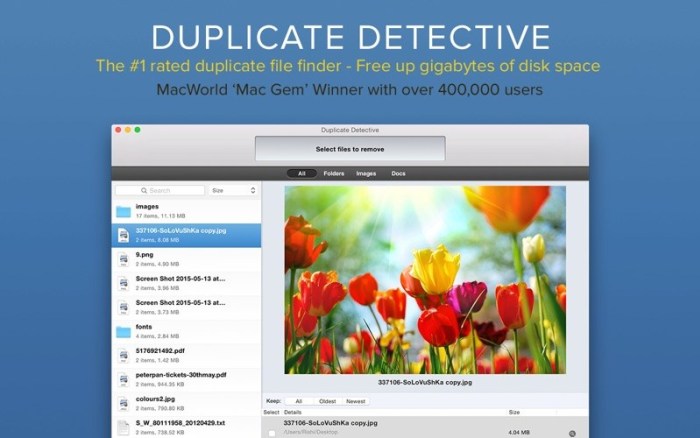
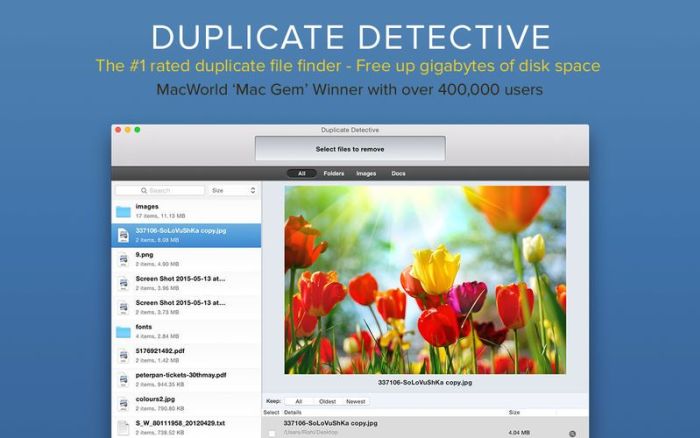
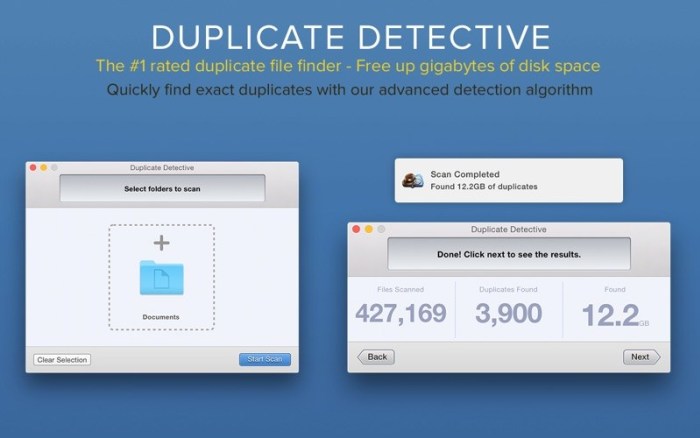
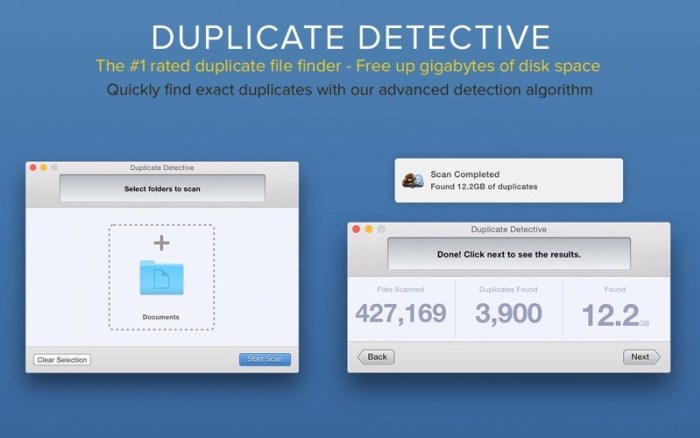
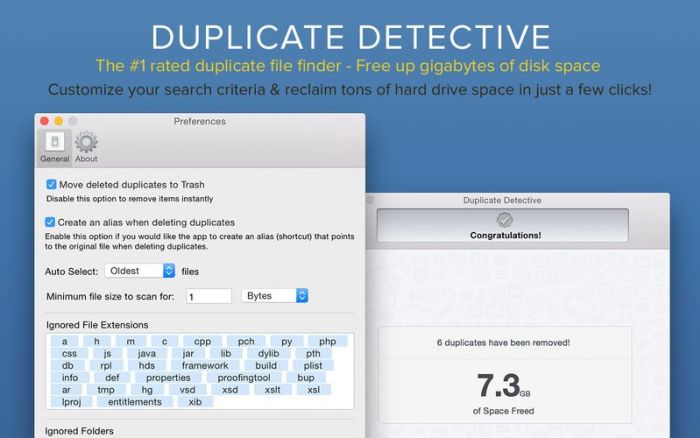
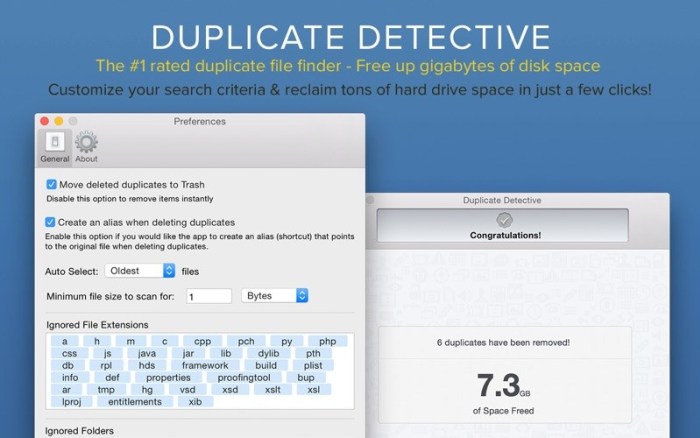
Duplicate Detective is the most comprehensive duplicate finder for your Mac. It quickly scans your hard drive to find all the duplicate files and folders on your Mac. You can then selectively choose which duplicates to delete and consequently free up precious space on your hard drive.

CRISP & CLEAN INTERFACE:
  • Intuitive and easy to navigate
  • Retinaready graphics
  • Scan individual or multiple folders in one go
  • Drag and drop support to add folders before scanning
ROBUST SEARCH ENGINE:
  • Files compared via our advanced SHA1 hash checksum algorithm
  • Super fast and accurate duplicate detection algorithms
  • Locate duplicate images, audio, archives, entire folders and more
  • Support for Photos and iPhoto Libraries
  • Support for external hard drives and network volumes
  • Blacklist certain folders to ensure they are never scanned
FILTERING & REMOVAL:
  • Filter and sort duplicates depending on their type/size/name/age, etc
  • Quick Look support by hitting the spacebar over any duplicate file/folder
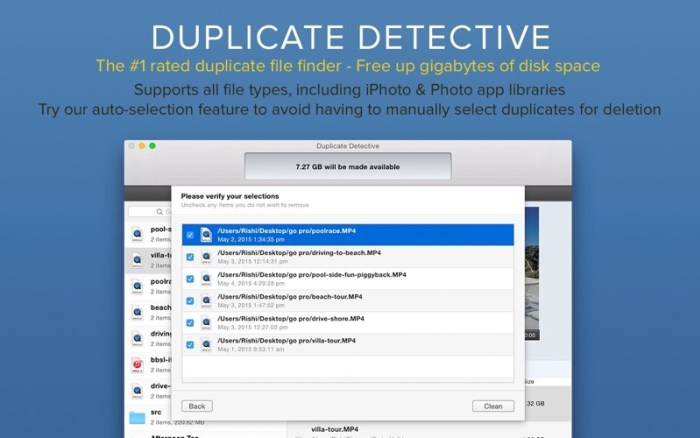
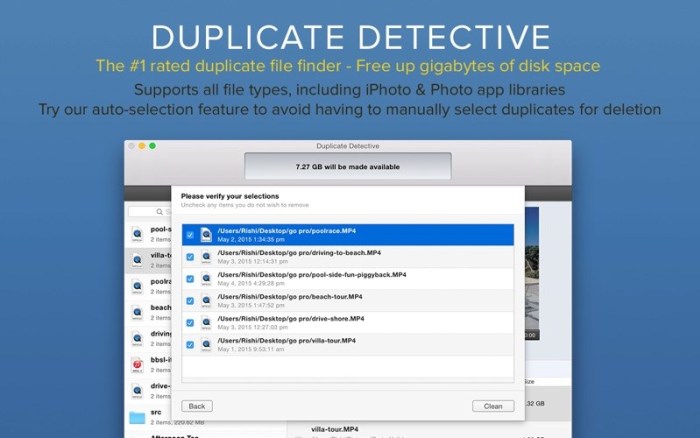
  • Oneclick auto selection/deselection of all duplicates for your ease
  • Doublecheck verification screen before deleting duplicates
  • Option to enable alias creation to replace duplicates with shortcuts
  • By default, duplicates are moved to your Trash, allowing for easy and safe recovery

We’ve worked hard to make Duplicate Detective as simple and efficient as possible for you to use. We would love to hear your thoughts via email and make any improvements to future versions of this app. We intend to have an active development cycle powered by your feedback and support!!

Compatibility: OS X 10.8 or later 64-bit

Web Site: https://fiplab.com/apps/duplicate-detective-for-mac

Mac App Store: https://itunes.apple.com/app/duplicate-detective-cleaner/id686428787?mt=12

What’s New in Duplicate Detective: Cleaner 1.99.2

  • Bug fix.

Screenshots

Name Duplicate Detective 1 99 2 MAS TNT.zip
Size 18.07 MB
Created on 2019-08-09 15:06:18
Hash 85f9dc209f66a80b104b3841aaa4aace4c099fde
Files Duplicate Detective 1 99 2 MAS TNT.zip (18.07 MB)

Download

GraphicConverter 11.0.1 (4059)

Download

GraphicConverter 11.0.1 (4059)

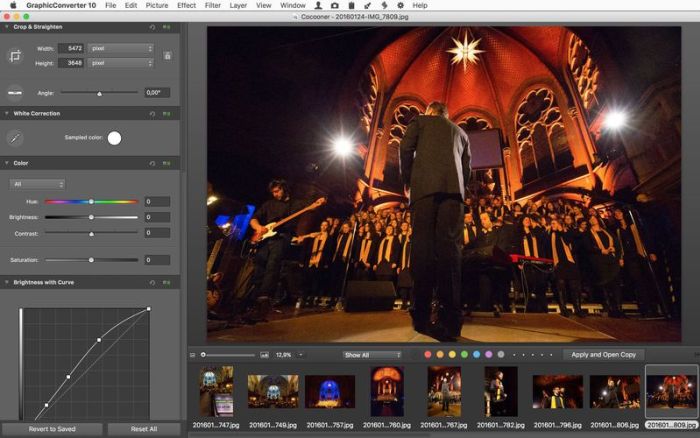
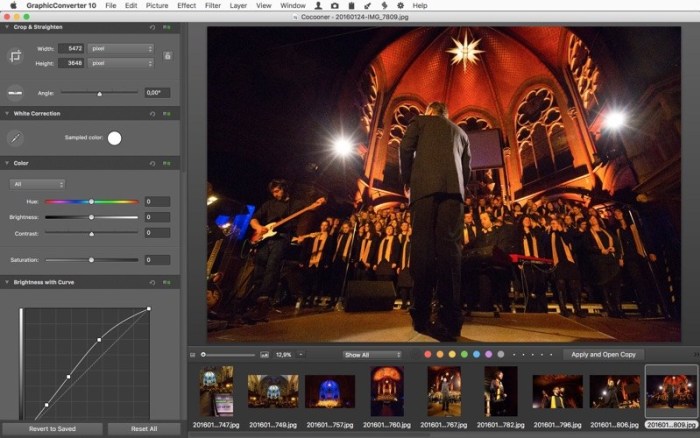
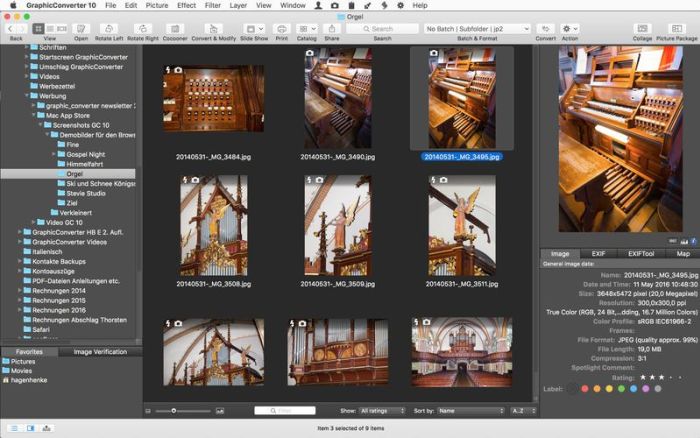
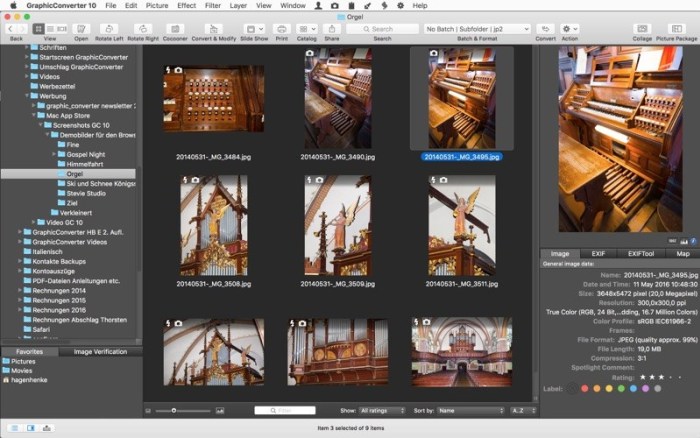
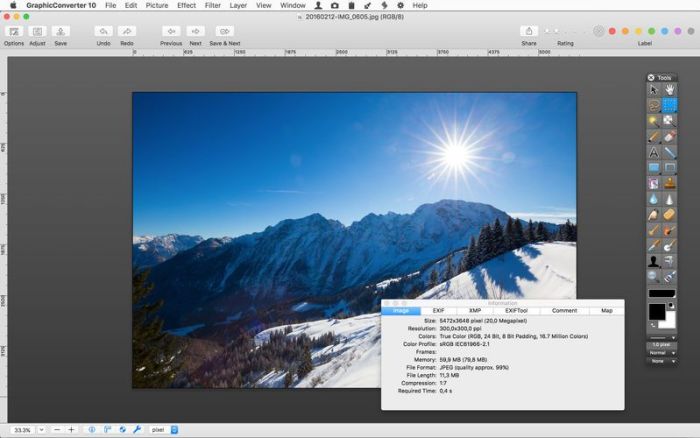
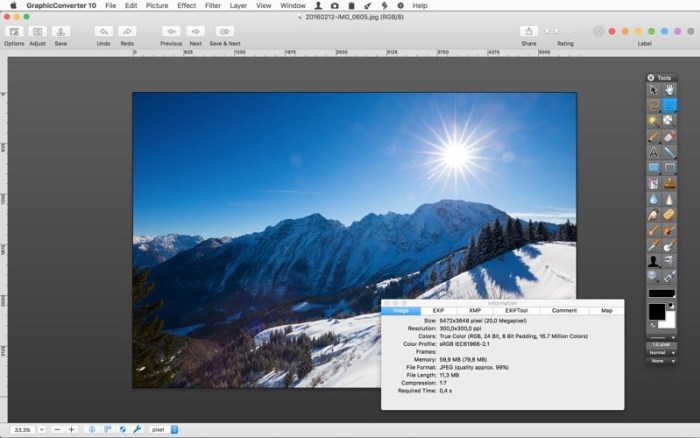
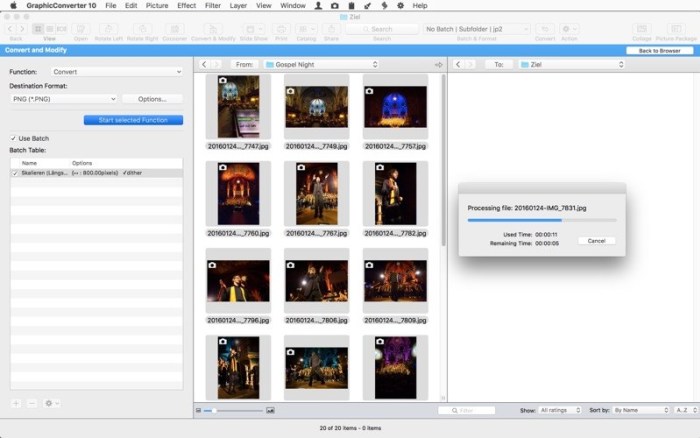
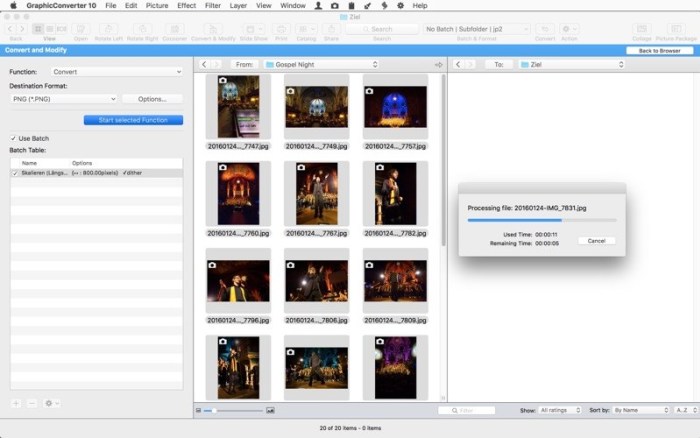
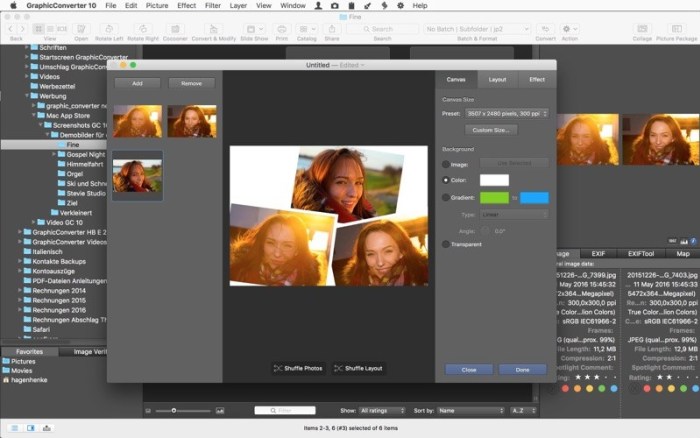
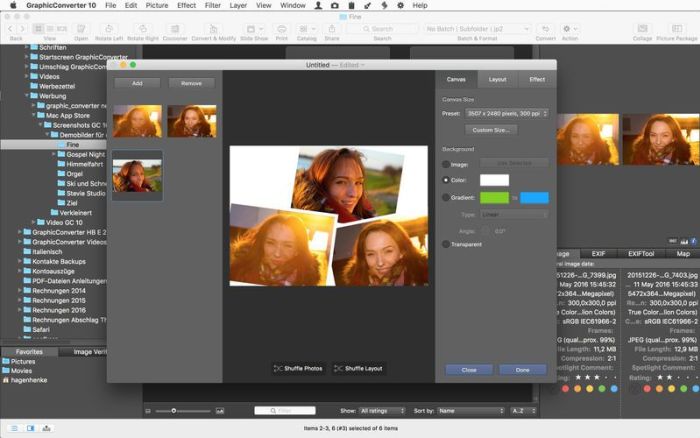
GraphicConverter is an all-purpose image-editing program that can import 200 different graphic-based formats, edit the image, and export it to any of 80 available file formats.

The high-end editing tools are perfect for graphic manipulation as well as the ability to use Photoshop-compatible plug-ins. It offers batch-conversion capabilities, a slide-show window, batch rename, batch and individual editing of metadata (EXIF, IPTC, XMP) and so much more.

Compatibility: OS X 10.9 or later 64-bit

Web Site: https://www.lemkesoft.de/en/products/graphicconverter/

Mac App Store: https://itunes.apple.com/app/graphicconverter-10/id1090470302?mt=12

What’s New in GraphicConverter 11.0.1 (4059)

New features:
  • Convert AVI to MP4 with keeping the data/time original tag
  • Browser context menu: Copy IPTC Keywords to Caption
  • Browser edit: option to advance to next item after change of rating or label
  • General prefs: option to open browser instead of document upon drag and drop
  • import of ORA (OpenRaster) added
  • Browser context menu: Copy IPTC/XMP, Label and Rating from JPGs to RAWs
  • Menu and batch actions: scale with crop and blur
  • Action: Grayworld
  • Action: Use original name
  • Menu: Skin Tone effect
  • Menu: Skin Smoothing effect
  • Updated features:
  • browser sort popup: added sort by caption and title options
  • updated ExifTool
  • updated dynapdf
  • added optionkey left mouse click onto toolbox in addition to double click
  • added histogram display to adjust operator
  • label and rating change will applied to RAW/JPG pairs if prefs is active under browser/edit
  • core image filters: added option to avoid alpha channel adding
  • First steps dialog improved
  • Apply LUT: supports now lookup_xxxx.png files
Bug fixes:
  • fixed possible detection error with 32KB Atari PIC files
  • fixed possible issue with triangle in keyword palette after adding items
  • fixed possible issue during decoding mime data
  • fixed issue with function selection during switching from browser to convert & modify and back
  • fixed possible crash during import of psp file
  • fixed possible crash during import of bmp with bitfield
  • fixed bug in storing 1024×1024 icon variant in icns
  • fixed import issue with some RSB files

Screenshots

Name GraphicConverter 11 11.0.1 TNT.zip
Size 171.9 MB
Created on 2019-08-09 18:04:07
Hash dafcd40272feb5afb74cb539693e72430b3a8600
Files GraphicConverter 11 11.0.1 TNT.zip (171.9 MB)

Download

Tone2 Electra2 v2.6

Download

Tone2 Electra2 v2.6 OSX

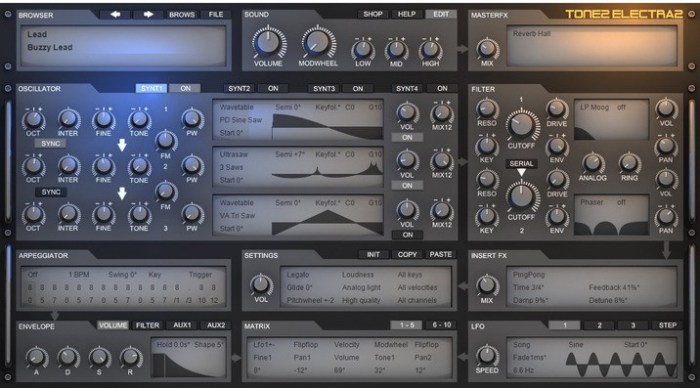
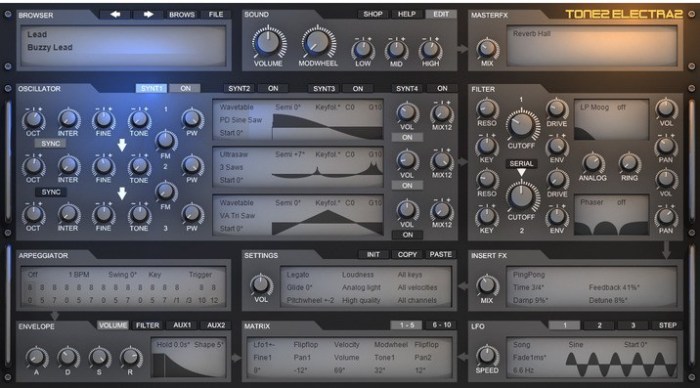
Many people say that Electra2 is the most powerful synthesizer on the market. This is a bold claim, but why is it true? Electra2 breathes new life into the term “synthesizer workstation”. With its powerful and sonically versatile approach to audio production, it provides you with truly outstanding new sounds.

The instrument is equipped with a high-end quality sound engine with multi-layer support and a wide range of music production features. It’s friendly, easy to use interface allows first-timers to easily create sounds and enables experts to delve into sound-design as deeply as they want to. With Tone2’s high-end technology at its core, you’re not only working with the best sound quality possible, but also a lower CPU usage and larger palette for creating original sounds than with any other type of workstation.

Electra2 comes with an astounding collection of over 1300 production-ready sounds by professional sound designers. A smart patch browser gives you an instant overview of all the available categories and sounds. Just pick the sound you want – it’s that easy.

Web Site: https://www.tone2.com/electra2.html

What’s New in Tone2 Electra2 v2.6

The update to v2.6 is a major update, which is available for free. It includes a better user interface, new synthesis modes, enhanced sound and a large number of new features.

Electra 2.6 is downward compatible with all previous versions. All existing song projects and patches can be loaded without any further steps necessary. They will benefit from the enhanced sound quality.

New features:
  • New synthesis mode: Analog oscillators (Saw, Square, Triangle, Sine, Half Sine, Comb, Pulse 25%)
  • New synthesis mode: Soft sync (is active if the target oscillator is analog; works well with triangle)
  • New synthesis mode: Analog pulsewidth modulation (select Analog>’Pulse PW’; PW knob controls the pulsewidth)
  • New effect: ‘Gated Reverb’ which syncs to the BPM rate
  • New effect: ‘Gated Reverb Echo’ is Gated Reverb with a delay which syncs to BPM
  • New effect: ‘Reverse Reverb’ which syncs to the BPM rate
  • New effect: ‘Stereo Width’ allows to spread the panorama from mono to surround
  • New effect: ‘Laser Punch’ adds additional punch. Use it with a sawtooth to gereate a zzapping ‘Rubber Bass’ sound
  • New effect: ‘Stereo flanger’
  • New effect: ‘Surround pan’ with dolby prologic compatible surround encoding
  • New filter: ‘LP Butter’ is an analog modeled butterworth filter with 24dB. The analog knob controls the noisyness
  • New filter: ‘LP Tone2’ is an analog modeled leapfrog filter with 24dB. The analog knob controls nonlinearity
  • New filter: ‘LP Elliptic’ is a digital filter with 40dB slope
  • The patch browser shows a scrollbar if more than 26 categories exist
  • Doubleclick on a knob resets it to the default value
  • Custom Wave>’Load wave’ now shows a popup menu with all available waveforms in ElectraX_wavetables
  • Custom waveforms can quickly be selected with the mouswheel
  • Custom Wave>’Random wave’ generates a random waveform
  • ‘Save Wave’ exports a wav file with the oscillator’s waveform
  • New Sample effect: ‘Phase shifter’ creates a very similar sounding sample. It can be used for ‘sample clearing’, since it makes it difficult to proove the origin of the sample.
  • New halftone mode for the arpeggiator: 3/4 selects a minor or major third which depends on the root key
  • ‘Natural scrolling’ support for the mousewheel on Mac
  • List selectors now have checkmarks
  • 40 additional patches
Enhancements:
  • Enhanced sound of ‘Reverb Hall’, especially for for small sizes
  • Enhanced sound of ‘Reverb Room’ for small sizes
  • Enhanced sound of ‘Reverb Cathedral’
  • Slightly enhanced sound of ‘Reverb Big’ with reduced low frequency rumble
  • Slightly enhanced sound of ‘Reverb Infinity’ with reduced low frequency rumble
  • A hand symbol is shown for textstyle parameters which can be altered with the mouse
  • More detailed description for some tooltips
  • If tooltips are hidden the info boxes for the knobs are also hidden
  • Better default settings for Chorus
  • Better default settings for Ensemble
  • Mousewheel on PC has a more aggressive focus
  • No more clipping in the waveform displays
  • More clean sound of PWM modulation on ‘custom wave’
  • Filter frequency response display is more precise
  • Higher precision of triangle, square and saw LFO at high frequencies
  • More linear frequency response of ‘Dynamic loud’, ‘Bright’ and ‘Loudness’
  • Init>’Reset All’ sets Pitchwheel to 12
  • Cleaned up some tooltips
  • Several small enhancements
  • More smooth looking waveform displays
  • Reworked some ‘init patch’ templates
Fixes:
  • The timing in 44kHz and 48 kHz samplerate was incorrect
  • One some PC hosts the mouse cursor showed a wait circle when a knob was moved
  • LFO ‘Fade’ did not work with some waveforms
  • The checkmark ‘Multilayer edit’ was not shown after closing and opening the GUI
  • Fixed a denormal in the Reverb effect
  • Fixed a click that could be audible when volume envelope sustain was set to 0
  • Monophonic arpeggiators sometimes did not play if keys were hit while loading a patch
  • ‘Hold’ time in the envelope section was displayed incorrectly
  • LFO speed text did display a mouse up/down arrow on mouseover
  • STEP Lfo speed display was incorrect
  • Modulation depth of knobs could have been incorrect if matrix target was switched
Changes:
  • Textstyle parameters do not longer display a “”

Screenshots

Name Tone2 Electra2 v2 6 OSX.zip
Size 346.9 MB
Created on 2019-08-09 14:46:08
Hash 27e05328504bd901d60907d473b33bbc3b73ce76
Files Tone2 Electra2 v2 6 OSX.zip (346.9 MB)

Download

SPlayer 4.2.0

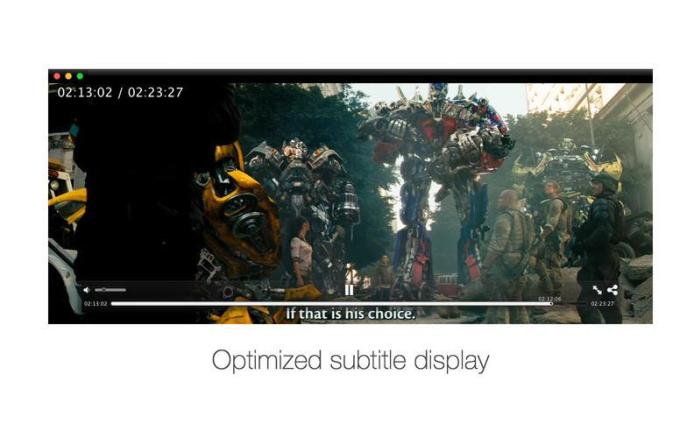
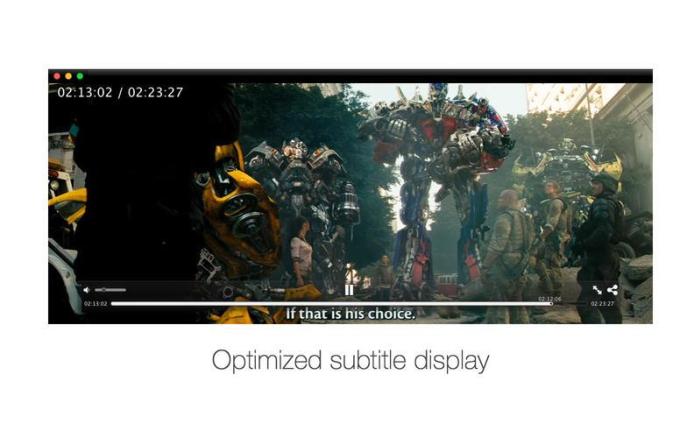
Download

SPlayer 4.2.0

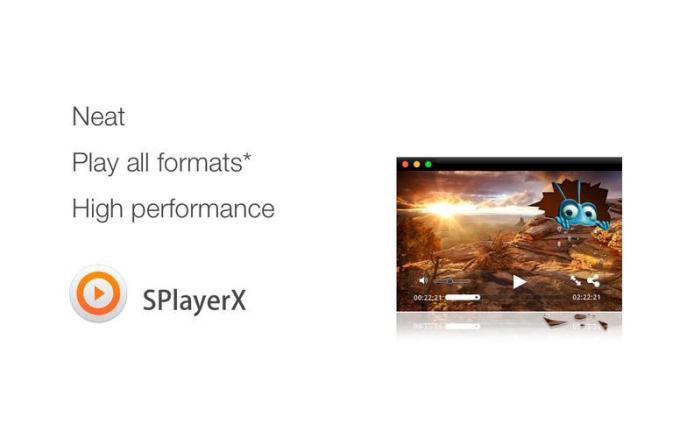
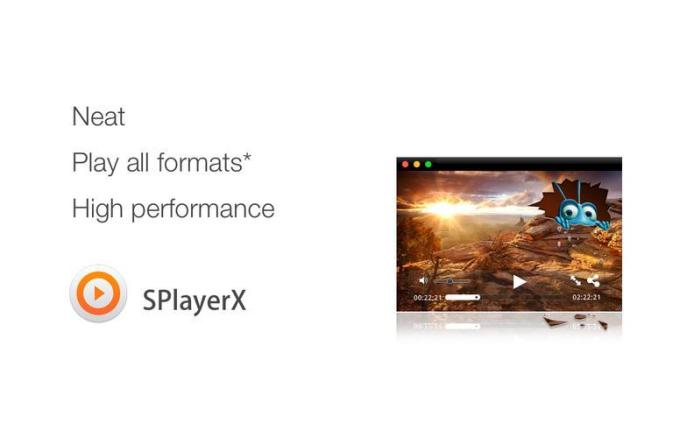
Redesigned from the ground up, SPlayerX combines revolutionary functions with all-new lightweight design and incredible performance to let you enjoy your videos like never before.

Embracing the value of tearing down the language boundaries and cultural divides to facilitate the communication all around the world, the brand new SPlayerX brings subtitle and translation into one place, so you can watch any video in your preferred language no matter who you are or where you are.

A fully functional media player able to play almost every kind of video files. The supported formats include mpg, mpeg, mpeg 2, vob, dat, mp4, m4v, ts, rm, rmvb, wmv, asf, mkv, avi, 3gp, 3g2, flv, mov, h264/x264, h265/x265/HEVC 1080p/720p HD video etc.

Compatibility: OS X 10.10 or later 64-bit

Mac App Store: https://itunes.apple.com/us/app/splayerx/id414675434?mt=12

What’s New in SPlayer 4.2.0

  • The new multilanguage Smart Translation feature with speech recognition
  • Added privacy protection settings, including Intelligent Mode and Incognito Mode
  • Added shortcuts (T) for enabling or disabling float on top when playing
  • Added shortcuts (L) for showing or hiding playlist
  • Added an option for switching subtitles off globally
  • Optimized the animation effect of sliding playlist pages
  • Allow recovering the original size by shortcuts after maximizing the window
  • Fixed where embedded subtitle failed to load
  • Fixed where controllers might get stuck when recovering from playing in the background
  • Fixed black screen problem of certain MP4 videos

Screenshots

Name SPlayer 4 2 0 MAS TNT.zip
Size 119.3 MB
Created on 2019-08-09 15:07:00
Hash 2b32a1e8105fbfcf05c988b7598f56767d2c5151
Files SPlayer 4 2 0 MAS TNT.zip (119.3 MB)

Download

Topaz JPEG to RAW AI 2.2.1

Download

Topaz JPEG to RAW AI 2.2.1

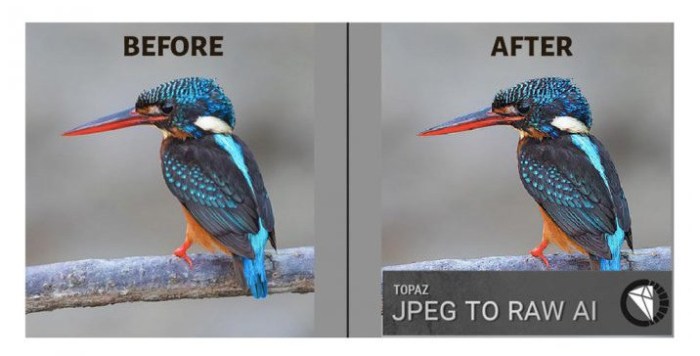
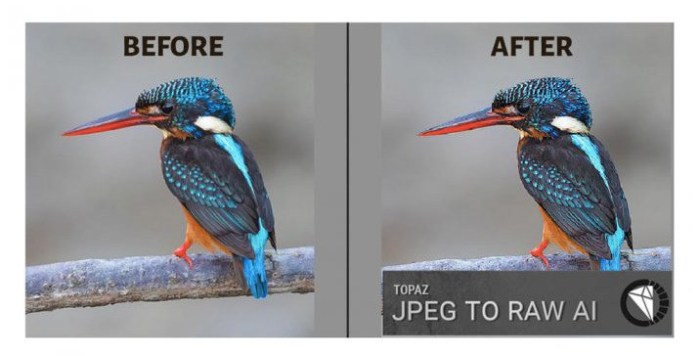
Edit JPEG as if you shot it in RAW. Use machine learning to convert JPEG to high-quality RAW for better editing. Prevent banding, remove compression artifacts, recover detail, and enhance dynamic range.

Fix artifacts, restore dynamic range, and recover detail

JPEG to RAW AI is highly effective at removing compression artifacts and recovering color detail. Note the additional fine detail in the top right and bottom of the image. There’s also enhanced dynamic range as shown by deeper shadows and enhanced highlights.

Made possible by AI

There’s normally no way of recovering lost detail. JPEG to RAW AI is currently the only machine-learning powered software capable of doing this.

Simple workflow

Whenever you would edit a JPEG, put it through JPEG to RAW AI first for best editing results. Standalone application for Mac + Windows that allows batch processing.

Constantly improving

We’re continually training our JPEG to RAW conversion model with more data, which makes it better the more time passes. You’ll get the latest and greatest when the model improves.

Dynamic range

Your image loses significant dynamic range when it’s converted to JPEG. JPEG to RAW AI helps you recover a portion of this lost dynamic range by bringing back lost shadow and highlight details. While you won’t be able to completely missing details, it can work with even very small amounts of information. This allows you to be more aggressive with editing your photo’s exposure or contrast. If you ever think that you’ve blown out a sky and you don’t have the original RAW file, try running it through JPEG to RAW AI first.

Color space

Color space represets the range of color that is supported in your image. JPEG images are usually in the sRGB color space, which works great for web but less for printing and editing. When editing a photo in sRGB, adjusting saturation or vibrance will often reveal ugly color blotchiness.

You can prevent this from happening by running it through JPEG to RAW AI. JPEG to RAW’s machine learning models expand the sRGB colorspace to ProPhoto RGB, which is even better than a regular RAW file! This works so well because there is usually enough information in at least one color channel for our models to reconstruct missing detail with a high level of preciseness. The larger resulting color space allows you to better edit saturation and vibrance without any visible artifacting.

Color depth

Color depth (also called bit depth) is how much color information the image can store. When editing an image with low bit depth, you will see color banding in smooth gradients like skies.An 8-bit JPEG only has 256 values per channel. Running that JPEG through JPEG to RAW AI will expand it to 65,532 values per channel. This will prevent posterization and banding when you adjust the contrast in your images.

Artifacts

You’ll see visible compression artifacts in your image when editing highly compressed images. JPEG to RAW AI is exceptional at removing these artifacts while preserving natural image features: Artifacts won’t be easily visible in high-quality JPEGs, but they can completely ruin an image if they are. They’ll also get accentuated by post-processing, especially sharpening. Run your images through JPEG to RAW AI to ensure artifacts don’t impact your workflow.

Detail level

JPEGs will often feature smoothed details due to a small sensor or heavy processing. For example, iPhone photos are heavily processed before being saved, which sometimes ends up removing a lot of image detail. JPEG to RAW AI helps you recover fine detail removed during the conversion process.

System Requirements:
  • OS version: macOS 10.12
  • Processor type(s) & speed: 64bit processor
  • RAM minimum: 8GB
  • Video RAM: 2GB

Web Site: https://topazlabs.com/jpeg-to-raw-ai/

What’s New in Topaz JPEG to RAW AI 2.2.1

  • Fix crash on export with TIFF files caused by metadata issue

Screenshots

Name Topaz JPEG to RAW AI 2.2.1
Size 253.2 MB
Created on 2019-08-08 10:49:19
Hash c7b7fdce3ee87d9ef1d6bcb2a439d4867edf37b4
Files ※ See Files

Download

Topaz Sharpen AI 1.3.1

Download

Topaz Sharpen AI 1.3.1

Sharpen AI is the first sharpening and shake reduction software that can tell difference between real detail and noise. Create tack-sharp images even when you’re shooting handheld, at night, or with a shallow depth of field.

Create tack-sharp images with no artifacts or halos

Three kinds of sharpening for a perfect photo.

There’s nothing worse than the feeling of taking the perfect photo, rushing home, opening it up on your computer… and realizing that it’s blurry at 100%. When this happens, it’s usually caused by one of three problems: camera shake, focus issues, or general softness. Sharpen AI includes a separate module to handle each one.

Stabilize: natural shake reduction

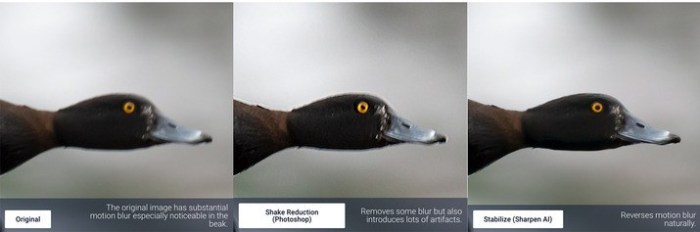
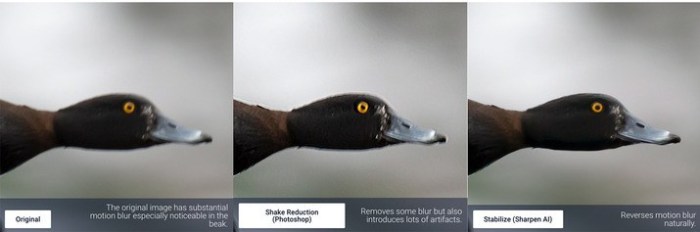
Even the steadiest hands don’t compare to a tripod when it comes to image sharpness. Unlike a tripod, though, you always have your hands with you! Sharpen AI’s Stabilize module has been trained to reverse motion blur and make handheld images look like they were taken from a tripod.

Focus: better focus correction

Focus correction is a notoriously difficult problem that’s easy to get wrong, but Sharpen AI’s Focus module excels at correct up to ten pixels of focus blur. This is perfect for sharpening out-of-focus eyes or correct issues caused by incorrect in-camera focus. Tip: use selective adjustments for best results!

Sharpen: general input sharpening

Even with no motion blur or focus issues, images generally come out of the camera soft. Sharpen AI includes the Sharpen module that specializes in correcting small amounts of general softness without any artifacts or halos. It’s the most natural-looking sharpening tool that you will ever use.

System Requirements:
  • OS version: macOS 10.12 or later
  • Processor type(s) & speed: 64bit processor
  • RAM minimum: 8GB
  • Video RAM: 2GB

Web Site: https://topazlabs.com/sharpen-ai/

What’s New in Topaz Sharpen AI 1.3.1

  • Fix crash on export with TIFF files caused by metadata issue

Screenshots

Name Topaz Sharpen AI 1.3.1
Size 821.9 MB
Created on 2019-08-08 10:49:40
Hash 2caca986f4ae7a289449137edc5335279a7944bd
Files ※ See Files

Download

Topaz Adjust AI 1.0.5

Download

Topaz Adjust AI 1.0.5

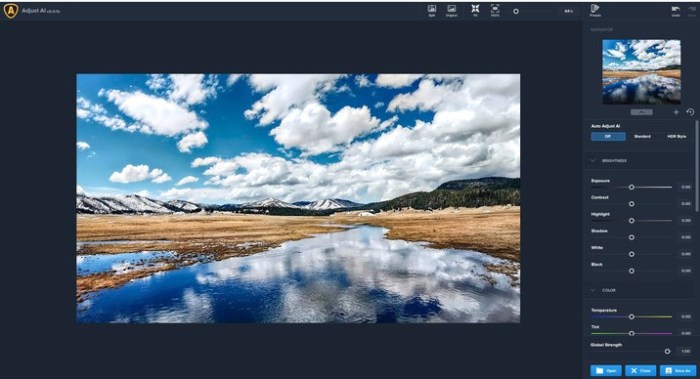
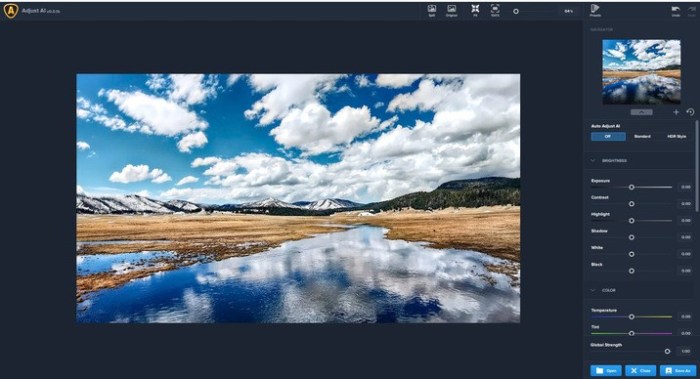
Topaz Adjust AI leverages the power of artificial intelligence to transform your photos into something incredible. Our AI-powered modes bring out colors, shadows, details, and more to make your photos as vivid as intended—all in one step.

Give your photos more… Soul. Emotion. Energy. Life. Power.

However you define it, Topaz Adjust AI achieves it.

Topaz Detail

Topaz Detail takes a fundamentally different approach to detail enhancement. Topaz Detail carefully figures out which parts of your image are “detail” and which are not. Topaz Detail then lets you independently adjust small, medium, and large amounts of detail inside the shadows and highlights of your image.

Topaz Clarity

Topaz Clarity intelligently enhances contrast and dynamic range using proprietary technology that eliminates the common problems of artifacts and halos. With Clarity, you can quickly manipulate macro, midrange, and overall contrast without halos or noise, all while maintaining a natural feeling and tonality in your image.

The Ingredients You Need to Make It Pop

Want to quickly fine-tune your image? Adjust AI includes cutting-edge enhancements to give you the ingredients you need to make your photos pop! This combination of technology only exists here.

Apply Stylized Looks In Just A Click

Apply contemporary, one-of-a-kind aesthetics to your photos in just one click with our signature preset collection! Whether you’re looking to add an urban, gritty ambience to a cityscape or a delicate, amber hue to a family portrait, you’ll find a range of modern, cultivated looks exclusively available in Adjust AI. * And unlike many photo editors, you’ll get all of these presets without any add-on purchases!

System Requirements:
  • OS version: macOS 10.12
  • Processor type(s) & speed: 64bit processor
  • RAM minimum: 8GB
  • Video RAM: 2GB

Web Site: https://topazlabs.com/adjust-ai/

What’s New in Topaz Adjust AI 1.0.5

  • Fix crash on export with TIFF files caused by metadata issue

Screenshots

Name Topaz Adjust AI 1.0.5
Size 234.2 MB
Created on 2019-08-08 10:48:59
Hash 9b5e9c3728435b0ba19f56b7d3c22a0a24a3a97f
Files ※ See Files

Download

Topaz DeNoise AI 1.2.1

Download

Topaz DeNoise AI 1.2.1

Shoot anywhere in any light with no reservations. Eliminate noise and recover crisp detail in your images with the first AI-powered noise reduction tool. You may be surprised at the results you get.

Shoot anywhere in any light

Great noise reduction is like a lens upgrade. You’ll be able to get much higher-quality results when you’re shooting fast action shots, night images, or any other situation that requires a high ISO. Use DeNoise AI to help you create a pixel-perfect photo in any situation.

Groundbreaking technology

Noise reduction technology has basically been the same for a decade, with only minor incremental improvements here and there. (We would know – we made one!) DeNoise AI is different: we fed an algorithm millions of noisy/clear images until it actually learned what noise is and how best to remove it.

Recover true detail

DeNoise AI examines the whole image and holistically determines the difference between detail and noise in that photo. (Other NR tools only look at pixel-level detail.) After understanding what noise vs detail looks like for that specific image, DeNoise AI recovers a surprising amount of detail from noise.

Lightroom vs DeNoise AI

When you need pixel-level perfection in your results, DeNoise AI offers the absolute best quality currently available anywhere. Existing noise reduction tools like Lightroom give you a choice: keep some noise or remove some detail. DeNoise AI’s technology allows you to get the best of both worlds: to remove noise while actually strengthening detail. The original noisy image (© Luis Garena) is on the left; we compare the Lightroom vs DeNoise AI results on the right. Pay special attention to the increased definition in the image, especially in the car wheels and center signs.

  • Enhance real detail
  • Remove noise naturally with no smudging
  • Best for moderate to ultrahigh ISOs

Any noise reduction tool can remove noise – the really tricky part is to tell the difference between noise and detail. DeNoise AI helps you get the best quality at 100% by removing noise while recovering original image detail. Give it a try to see the difference for yourself!

System Requirements:
  • OS version: macOS 10.12
  • Processor type(s) & speed: 64bit processor
  • RAM minimum: 8GB
  • Video RAM: 2GB

Web Site: https://topazlabs.com/denoise-ai/

What’s New in Topaz DeNoise AI 1.2.1

  • Fix crash on export with TIFF files caused by metadata issue

Screenshots

Name Topaz DeNoise AI 1.2.1
Size 315.1 MB
Created on 2019-08-08 10:50:17
Hash 8ba0aa1fe57c37592e066253e49f72cad18caafe
Files ※ See Files

Download

Image Exif Editor 5.0.0

Download

Image Exif Editor 5.0.0

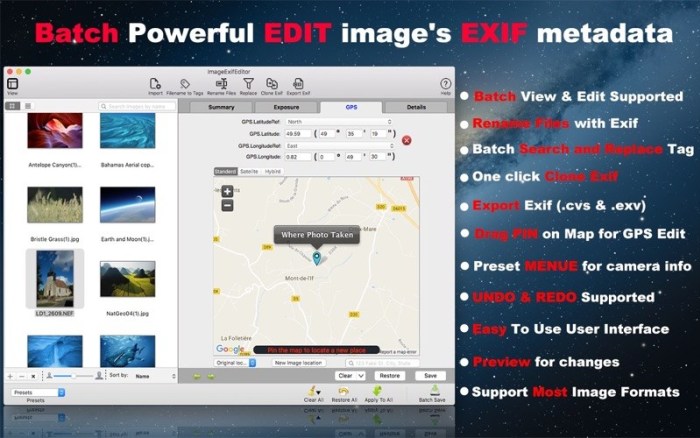
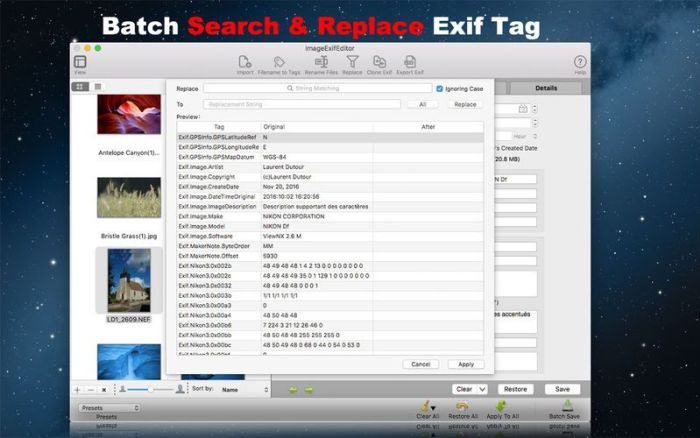
Image Exif Editor is the best and easiest way to view and edit image’s EXIF metadata. It was designed to present as many details about how a photo was taken in a clear and easy to understand format with powerful EXIF metadata editing capabilities. It’s the most powerful tool for handling the EXIF information in your favourite images.

Features
  • The Easiest Way To Edit Exif Data You do not need know more detail for change the image’s metadata, Image Exif Editor give you many visible preset value for choice, so you just choose one for editing. It’s so easy!
  • Batch Image Exif Data Edit Supported Image Exif Editor supports Batch image editing: you can apply one image’s modifications to other, and you can batchmodify or clear EXIF metadata
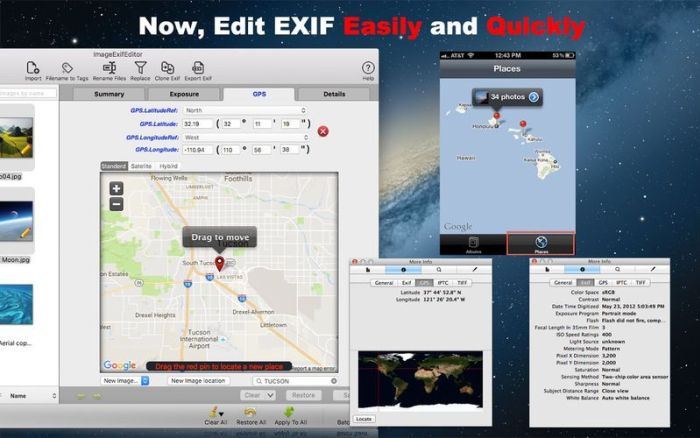
  • You can see the place where your photo was taken on a map, and you can easily drag a pin to set a new place for where your photo taken.
  • Enhanced GPS Geolocation Edit GPS Geolocation Edit is commonly used, so with Image Exif Editor’s enhanced GPS geolocation, you can search for a place and drag the pin to change to the destination. You can also input the latitude and longitude values to relocate your images. You can find other amazing features when you use this function.
  • Quick Search Allows You To Easily Find And Edit The Image’s Exif Metadata You can quckly find the image you want to edit by typing the name to search for in a large number of images.
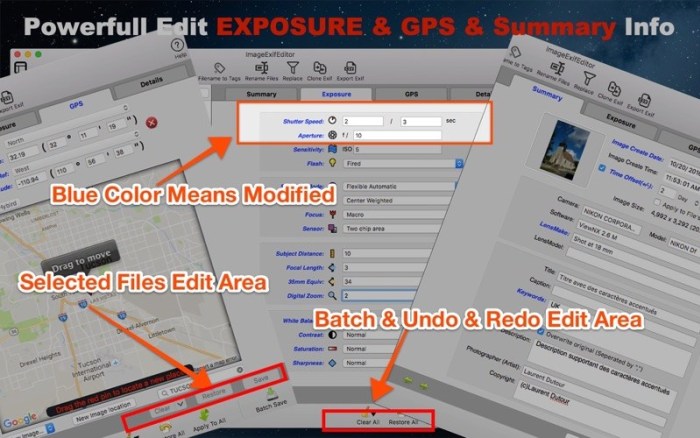
  • Undo Redo Supported For Batch Edit You can redo edit when you change your mind to give up your edit, and you can clear all by clicking the Clear All button in the batch operation area.
  • Easy to find edited field by different color and identify the edited image by image state icon.
  • Easy To Use User Interface
  • Support Most Image Formats

Compatibility: OS X 10.9 or later, 64-bit processor

Mac App Store: https://apps.apple.com/app/image-exif-editor/id574607554

What’s New in Image Exif Editor 5.0.0

  • Use Apple Map engine for GPS setting
  • Minor bugs fixed
  • Can choose fields customized when export Exif CVS

Screenshots

Name ImageExifEditor 5 0 0 MAS TNT.zip
Size 22.45 MB
Created on 2019-08-09 15:06:28
Hash 679381f01a9fec21df47a83dac61087bd1ee1f35
Files ImageExifEditor 5 0 0 MAS TNT.zip (22.45 MB)

Download

iMazing 2.9.14 (10914)

Download

iMazing 2.9.14 (10914)

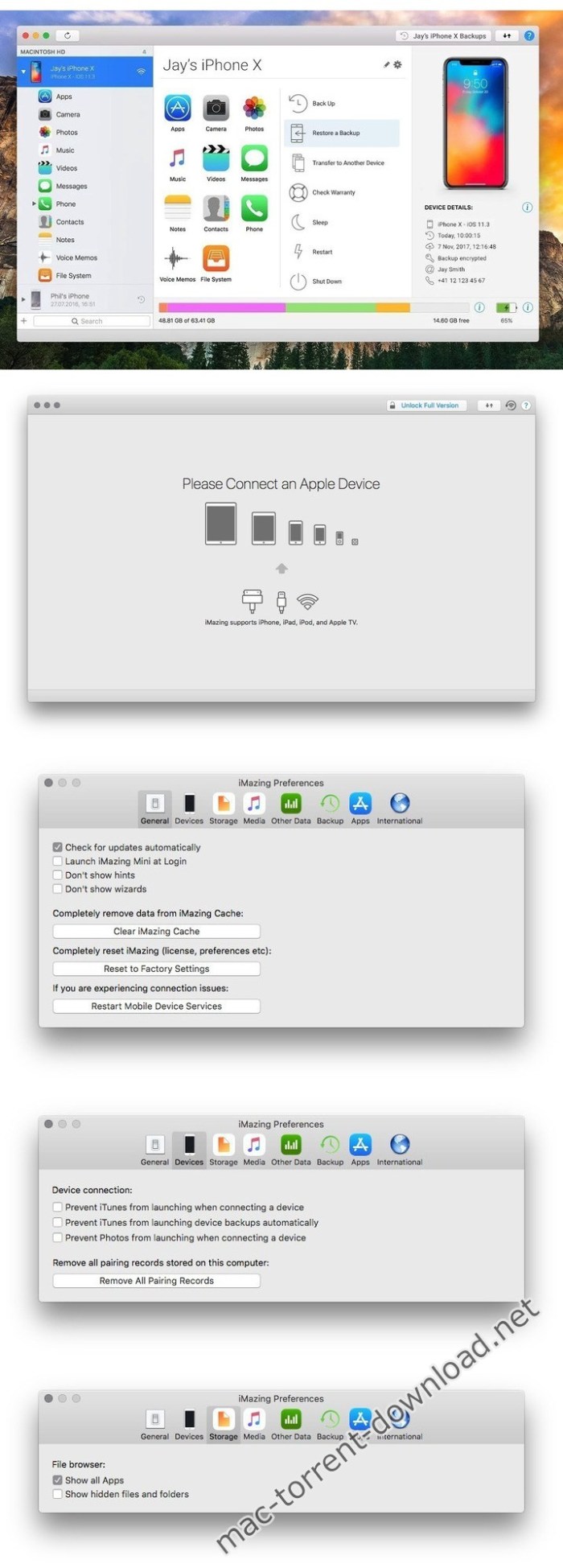
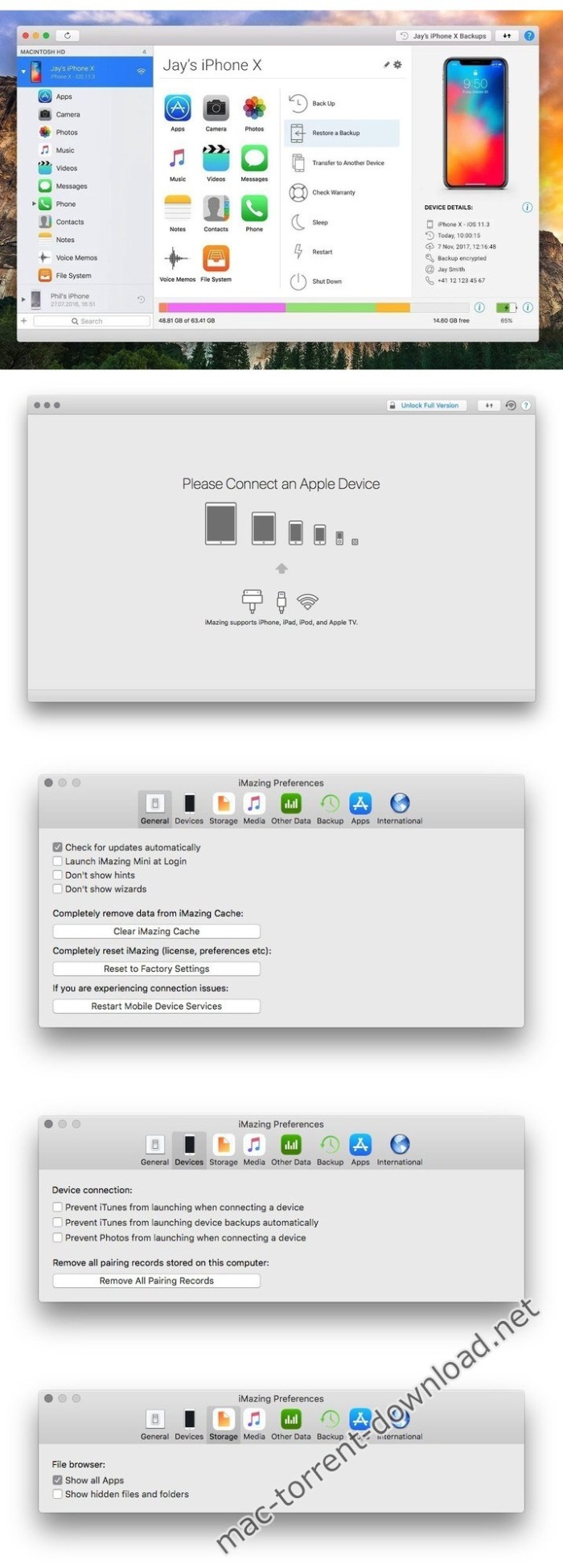
iMazing (was DiskAid) is the ultimate iOS device manager with capabilities far beyond what iTunes offers. With iMazing and your iOS device (iPhone, iPad, or iPod), you can:

  • Copy music to and from any iOS device (even from one iOS device to another!), regardless of what Mac or PC the device is already synced to. Music transfer done right, without limitations or restrictions.
  • Backup & restore individual iOS apps along with your custom saved data, perfect for freeing up space on your iOS device without losing your files, great for installing apps including your data on another iOS device you own.
  • Transfer files to and from an iOS device, and browse the iOS file system.
  • Use your iOS device like a USB key.
  • Browse and save messages (SMS, MMS, iMessage), voicemails, and call logs, none of which iTunes can do.
  • Browse, save, and add contacts to your iPhone, without automatically adding them to your iCloud account.
  • Browse and manage multiple backups of the same iOS device. Chose which data sets you want to restore.
  • And other amazing things you never thought possible!

Compatibility: OS X 10.9 or later 64-bit

Web Site: http://www.digidna.net

What’s New in iMazing 2.9.14 (10914)

What’s New:
  • macOS Catalina support
  • Export music and videos to the new Catalina Music and TV apps
Fixes:
  • Update iOS: fixed a potential issue when installing an IPSW downloaded manually (Mac)
  • Manage Apps: fixed issues when downloading or installing app updates which do not increment their bundle version
  • Manage Apps: fixed app search function to add apps from the App Store in Arabic
  • Music: removed the dialog shown when adding tracks already in the device library to a playlist
  • Contacts: fixed an issue preventing the import of contacts exported on Windows
  • Quick Transfer: fixed an issue with matching file types to compatible apps. Numbers, Pages and other apps should now be listed correctly when transferring the corresponding file type
  • Messages: fixed an issue with dates / timestamps not correctly retrieved from iOS 4 and 5
  • Messages / WhatsApp: fixed an issue with traditional Chinese characters not displayed in PDF exports
  • Messages / WhatsApp: fixed a rare crash when loading messages
  • Preferences: fixed a crash when changing the CSV Data Export delimiter (Windows)

Screenshots

Name iMazing 2 9 14 10914 TNT.zip
Size 131.6 MB
Created on 2019-08-09 15:06:47
Hash 14dde1906f6c19eb87f61bc20ce186347fc1acd0
Files iMazing 2 9 14 10914 TNT.zip (131.6 MB)

Download

Topaz Gigapixel AI 4.2.2

Download

Topaz Gigapixel AI 4.2.2

A.I.Gigapixel is the first and only desktop application to use the power of artificial intelligence to enlarge your images while adding natural details for an amazing result.

Enlarge Images by up to 600%

Create a beautiful 80 x 60 inch print from a simple iPhone photo. Or transform your DSLR photos into sharp and ultra-detailed 100MP images.

Use truly intelligent upscaling

After being trained with millions of sample images, Gigapixel can now enlarge your images with a surprising level of quality.

Get crisp and clear results.

Gigapixel performs around 2 million operations per pixel to get you results with as much detail and sharpness as possible.

No more fuzzy enlargements.

Breathtakingly sharp prints. High-resolution cropping in post-production. iPhone photos that look like they came out of a DSLR. No matter why you’re enlarging your photos, you always want the best possible quality for your results. AI Gigapixel is currently the only photo enlargement product available that can actually add detail back to your upscaled photo.

Recover real details for actual sharpness

Increasing edge contrast is the simplest way to make an image look “sharp”, and how most other upscaling software works. Gigapixel is different: it increases the actual sharpness of your upscaled photo by recovering real detail in your image. This is only possible through training and exposure to millions of test images.

Crisp photos that look like they were never upscaled

It’s hard to believe that the crisp output image above was enlarged 4x, but it was. Gigapixel AI successfully determines which image features are stars (detail) and what’s noise. Then, it naturally accentuates and recovers detail while suppressing noise in your upscaled photo.

The highest-quality image upscaling that you can get anywhere

Because of these exceptional results, Gigapixel AI is used by everyone from leading photographers, to video game modders, to major motion studios. If you ever need to upscale your photo while preserving beautiful detail, take advantage of the most modern technology in the space and give Gigapixel AI a try.

Image enlargement: interpolation vs machine learning

Interpolation-based photo enlargement software has been around for decades. Gigapixel’s new approach based on machine learning is a giant leap ahead: state-of-the-art “deep learning” methods allow it to enlarge images while actually adding new details.

Interpolation

Interpolation algorithms work by approximating new pixels from the colors of surrounding ones. This does not add any detail to the image, it just smoothes out the transition between pixels.

Neural Network (Gigapixel AI)

A neural network analyzes thousands of photo pairs to learn how details usually get lost. The algorithm learns to “fill in” information in new images based on what it has learned… effectively adding new detail to your photo.

Compatibility: macOS 10.12 or later

Web Site: https://topazlabs.com/gigapixel-ai/

What’s New in Topaz Gigapixel AI 4.2.2

  • Fix crash on export with TIFF files caused by metadata issue

Name Topaz Gigapixel AI 4.2.2
Size 939.4 MB
Created on 2019-08-08 10:50:00
Hash 6f594e27bff534cfd30f6646c55fcbf6572a846d
Files ※ See Files

Download

Wondershare Filmora 9.2.0.38

Download

Wondershare Filmora 9.2.0.38

Wondershare Filmora is an easy-to-use yet powerful video-editing app to edit and retouch videos with rich video and photo editing functions like trimming, cropping, rotating, adding stylish titles, applying filter effects, inserting transition and motion effects, etc. Furthermore, you can export videos to various popular video formats and portable devices for wider sharing and enjoyment or directly upload them to YouTube for sharing with family and friends. It also enables you to burn videos to DVD discs for better video preservation.

Other Features:
  • Support importing all popular videos, audios and photos for editing.
  • Trim, crop, and rotate videos freely & add voiceover and background music.
  • Retouch videos and photos with rich filters, titles, transitions and motions.
  • Save videos to local or portable devices or directly share to YouTube.
  • Burn the edited videos to DVD for better video preservation.
System Requirements:
  • OS X 10.10(Yosemite), OS X 10.11(El Capitan), macOS 10.12(Sierra), macOS 10.13 (High Sierra)
  • CPU: 2GHz or above Intel processor
  • Memory: At least 4GB physical RAM (8GB required for HD and 4K videos)
  • Disk: At least 2GB free harddisk space for installation (SSDSolid State Disk recommended for editing HD and 4K videos)

Web Site: http://www.wondershare.com/

What’s New in Wondershare Filmora 9.2.0.38

  • Release notes not available at the time of this post.

Screenshots

Name Wondershare Filmora 9 2 0 38 TNT.zip
Size 276.4 MB
Created on 2019-08-09 14:46:26
Hash 3b3974671f5a34382154463952fde67f7de75e8e
Files Wondershare Filmora 9 2 0 38 TNT.zip (276.4 MB)

Download

Adguard 2.1.1 (588)

Download

Adguard 2.1.1 (588)

Adguard can make your online experience safer because, though Macs and Apple laptops are quite safe to use, when it comes to ad blockers, Macs experience real problems. Already-existing solutions do not consider the specifics of OS X. That greatly influences the stability of work in Safari, and these ad-blocking extensions fail to do their work properly, especially when video ads are an issue.

New Adguard lets you fully enjoy web surfing without any distractions. Watch those videos you want to watch, and not video ads, on YouTube, Twitch, or any other website. Look at photos of your friends and not at endless banners on Facebook and other social networks. Adguard gives you freedom of choice and saves your nerves. It works perfectly with all browsers, as it was developed specially for use on OS X.

  • Ad Blocker. Subtle filtering of all incoming traffic, and what is more, ads are blocked before they load to the page.
  • Browsing Security. Adguard checks every page for any malicious content using our databases, and blocks requests from potentially dangerous ones.
  • Privacy Protection. Any counters and tracking instruments will be blocked by powerful Spyware filter. With Adguard you can stop worrying for the privacy of your actions on the Internet.
  • Adguard works in all browsers. Safari, Chrome – you name it. No exceptions.
  • Easy to install. A couple of clicks, and your Mac is protected from ads. You don’t have to struggle with overcomplicated settings – just surf the net and Adguard will do all the work.
  • Blocking video ads. Any video ad, on any site – Adguard will block it.
  • Application filtering. Adguard is more than just an addon for browser. It can help you to get rid of ads in any app on your Mac.
  • Is supported in all OS X versions from 10.7 64-bit and higher.
  • Adguard has intuitive and simple UI with such additional features like Adguard Assistant and filtering log.
  • Daily ad filters and phishing databases updates.

Compatibility: OS X 10.10 or later 64-bit

Web Site: https://adguard.com/en/welcome.html

What’s New in Adguard 2.1.1 (588)

  • Release notes not available at the time of this post.

Screenshots

Name Adguard 2 1 1 588.zip
Size 71.58 MB
Created on 2019-08-09 14:45:42
Hash cf854c7bd36e858c7a6ff7054f132b0c83144c05
Files Adguard 2 1 1 588.zip (71.58 MB)

Download

Dash 4.6.5

Download

Dash 4.6.5

Dash is an API documentation browser and code snippet manager. Dash helps you store snippets of code, as well as instantly search and browse documentation for almost any API you might use (for a full list, see the screenshots).

Features
  • Documentation Browser
    • Offline Documentation: iOS, macOS, watchOS, tvOS, Swift, Man Pages, .NET Framework, ActionScript, Akka, Android, AngularJS, Angular.dart, Ansible, Apache, Appcelerator Titanium, AppleScript, Arduino, Backbone, Bash, Boost, Bootstrap, Bourbon, Bourbon Neat, C, C++, CakePHP, Cappuccino, Chai, Chef, Clojure, CMake, Cocos2D, Cocos2D-X, CodeIgniter, CoffeeScript, ColdFusion, Common Lisp, Compass, Cordova, Corona, CSS, D3.js, Dart, Django, Dojo Toolkit, Drupal, ElasticSearch, Elixir, Emacs Lisp, Ember.js, Emmet.io, Erlang, Express.js, Expression Engine, ExtJS, Flask, Font Awesome, Foundation, GLib, Go, Grails, Groovy, Grunt, Haml, Haskell, HTML, Jade, Jasmine, Java SE, Java EE, JavaFX, JavaScript, Joomla, jQuery, jQuery Mobile, jQuery UI, Knockout.js, Kobold2D, Laravel, LaTeX, Less, Lo-Dash, Lua, Marionette.js, Meteor, MomentJS, MongoDB, Mongoose, Mono, MooTools, MySQL, Nginx, Node.js, NumPy, OCaml, OpenCV, OpenGL, Perl, PhoneGap, PHP, PHPUnit, Play Framework, Polymer.dart, PostgreSQL, Processing.org, Prototype, Puppet, Python, Qt, R, Redis, RequireJS, Ruby, Ruby on Rails, Rust, Sass, SaltStack, Scala, SciPy, Sencha Touch, Sinon, Smarty, Sparrow, Spring Framework, SproutCore, SQLAlchemy, SQLite, Statamic, Stylus, SVG, Symfony, Tcl, Tornado, Twig, Twisted, TYPO3, Underscore.js, Unity 3D, Vagrant, Vim, VMware vSphere, WordPress, Xamarin, Xojo, XSLT, XUL, Yii, YUI, Zend Framework, Zepto.js.
    • Supports docsets generated using popular tools like Appledoc and Doxygen.
    • Methods are conveniently shown in a special table of contents.
    • Highlighted in-page search.
    • Save bookmarks of your most used documentation pages.
    • Create search profiles to easily switch between docsets.
    • Easily search specific docsets by defining keyword filters (e.g., start your query with “python:” to search only the Python documentation).
    • Integration plugins for: Xcode, Alfred, Quicksilver, LaunchBar, PopClip, AppCode, Sublime Text, Emacs, Vim, TextMate, Eclipse, Terminal, AppleScript.
    • Easily integrate with any other application using the “dash://” URL scheme or the “Look up in Dash” system service.
    • Fuzzy search. Don’t let misspellings get in your way.
    • Built for speed. Searching is almost instant.
  • Snippet Manager
    • Collect snippets of code that you reuse often.
    • Sync by saving your library in Dropbox.
    • Over 80 syntaxes for code highlighting.
    • Variable placeholders can be edited before pasting.
    • Abbreviations are expanded wherever you type them.
  • Special Snippet Placeholders
    • @clipboard expands into the contents of the clipboard.
    • @cursor repositions the cursor after expansion.
    • @date expands into the current date.
    • time expands into the current time.
  • Other Features
    • Retina-ready.
    • Multi-touch gestures.
    • Menu item or dock application, always one keyboard shortcut away.
    • Users that want to use Dash only as a snippet manager or documentation browser, can do so.

Compatibility: OS X 10.10 or later 64-bit

Web Site: https://kapeli.com/dash

What’s New in Dash 4.6.5

Fixed:
  • An issue in the Java SE12 docset which caused Dash to sometimes not show the table of contents
  • An issue which caused Dash to sometimes create duplicate snippets
Removed:
  • The Swift docset because SwiftDoc.org has not been updated in a long time and seems to be abandoned. The Apple API Reference docset can be used to access the Swift docs instead

Screenshots

Name Dash 4 6 5 TNT.zip
Size 27.60 MB
Created on 2019-08-09 14:45:51
Hash 177c36f91b86aee2a6d4ae5e49e9fda60796ee58
Files Dash 4 6 5 TNT.zip (27.60 MB)

Download

Klokki 1.1.0

Download

Klokki 1.1.0

Klokki is a rule-based time-tracking that will start/pause the timer for you automatically. The automation is based on the rules you configure and that gives you full control over what should be tracked and what not.

Features:
  • AutoTracking: The AutoTracking technology automatically tracks the time for you, based on what you tell it to track. This way you keep the control over it, but the need to manually start or pause the timer goes completely away.
  • Billable Hours: Track and monitor your revenue at all times. Change the billing states to not lose the overview.
  • Traditional timetracking: Use the traditional start/pause buttons, for manual control over your session.
  • Taskmanagement: Store an unlimited amount of tasks and folders within a flexible structure. You can also colorcode them to give your projects an identity.
  • Powerful Reports: View your data by day, week, month, year or select your own date range and filter out any session you need within seconds.
  • Privacy: Your data stays where it belongs on your computer.
  • Mini Tracker: Control your session and time directly from the menu bar, without even opening the timer.
  • Intelligent Import: Import a CSVfile and let the app automatically recognize your data and its format.
  • Automatic Backups: Always feel safe and never worry about losing your data.

Compatibility: macOS 10.13 or later 64-bit

Web Site: https://klokki.com

What’s New in Klokki 1.1.0

  • Billable Hours: It’s finally here! You are now able to define folders and tasks as billable, filter your billable sessions and mark them as Billed or Paid. Your Billed sessions are also stored separately, so it is super easy to get back to them. We hope that you like the new feature and look forward to your feedback.
  • Instant AutoTracking start: This was something you guys requested, we liked the idea and delivered. Be aware that your ruimlesettings will be switched from “30 sec.” to “immediately”. That was a technical limitation, we are sorry for any inconvenience that this might cause you.
  • Minor bug fixes.

Screenshots

Name Klokki 1.1.0 TNT.zip
Size 30.36 MB
Created on 2019-08-09 01:03:22
Hash c44b78825af7b40d49b5e0997fe3a874979ec758
Files Klokki 1.1.0 TNT.zip (30.36 MB)

Download

Elimisoft App Uninstaller 2.3

Download

Elimisoft App Uninstaller 2.3

Elimisoft App Uninstaller intelligently locates ALL leftover files (caches, logs, preferences, crash reports) of App and cleans your Mac, Free up that valuable disk space.

Features:

  • Full find all Apps on your Mac and its related remaining files, incl. leftover, logs, caches, preferences, crash reports, etc.
  • Scan rogue Apps, viruses, that slow down your Mac speed, the Mac Duplicate Finder can also find the related junk files of them.
  • Batch uninstall all rogue Apps, Incl. Advanced Mac Cleaner, CleanMyMac, MacFly Pro and Mackeeper, etc.
  • Smartly select Apps and its associated junk files automatically, you can choose to delete infrequently used Apps.

Compatibility: OS X 10.9 or later 64-bit

Web Site: https://www.ccleanmac.com

What’s New in Elimisoft App Uninstaller 2.3

  • Release notes not available at the time of this post.

Screenshots

Name Elimisoft App Uninstaller 2.3 TNT.zip
Size 19.43 MB
Created on 2019-08-09 01:03:30
Hash 0535058111fe91b0cc0853839f871525c3a31362
Files Elimisoft App Uninstaller 2.3 TNT.zip (19.43 MB)

Download

One Switch 1.6.2

Download

One Switch 1.6.2

One Switch is a tiny app designed to improve your efficiency by providing quick access to a few important switches. It can be opened from your menu bar, and it allows you to toggle certain system features with just a couple of clicks.

Hide Desktop Icons

Hide your messy desktop with one click.

Dark Mode

Toggle Dark Mode at any time.

Keep Awake

Prevent your Mac from sleeping or displaying the screen saver.

Screen Saver

Sometimes you will like to turn it on manually.

AirPods

Connect AirPods with your Mac in just a second.

Compatibility: macOS 10.14 or later 64-bit

Web Site: https://fireball.studio/oneswitch/

What’s New in One Switch 1.6.2

  • New Feature: Customize keyboard shortcuts for every toggle.
  • Dark Mode: You can now enable dark mode automatically on schedule without the location permission.
  • New Menubar Icons: 4 new styles available to use.
  • We removed the Night Shift toggle due to the compatibility issue with macOS.
  • Regular improvement and bug fix.

Screenshots

Name One Switch 1.6.2 TNT.zip
Size 21.48 MB
Created on 2019-08-09 01:03:14
Hash 67230fc78c822eb356eeaf3188cec42e12ed463f
Files One Switch 1.6.2 TNT.zip (21.48 MB)

Download

Adguard 2.1.1 (583)

Download

Adguard 2.1.1 (583)

Adguard can make your online experience safer because, though Macs and Apple laptops are quite safe to use, when it comes to ad blockers, Macs experience real problems. Already-existing solutions do not consider the specifics of OS X. That greatly influences the stability of work in Safari, and these ad-blocking extensions fail to do their work properly, especially when video ads are an issue.

New Adguard lets you fully enjoy web surfing without any distractions. Watch those videos you want to watch, and not video ads, on YouTube, Twitch, or any other website. Look at photos of your friends and not at endless banners on Facebook and other social networks. Adguard gives you freedom of choice and saves your nerves. It works perfectly with all browsers, as it was developed specially for use on OS X.

  • Ad Blocker. Subtle filtering of all incoming traffic, and what is more, ads are blocked before they load to the page.
  • Browsing Security. Adguard checks every page for any malicious content using our databases, and blocks requests from potentially dangerous ones.
  • Privacy Protection. Any counters and tracking instruments will be blocked by powerful Spyware filter. With Adguard you can stop worrying for the privacy of your actions on the Internet.
  • Adguard works in all browsers. Safari, Chrome – you name it. No exceptions.
  • Easy to install. A couple of clicks, and your Mac is protected from ads. You don’t have to struggle with overcomplicated settings – just surf the net and Adguard will do all the work.
  • Blocking video ads. Any video ad, on any site – Adguard will block it.
  • Application filtering. Adguard is more than just an addon for browser. It can help you to get rid of ads in any app on your Mac.
  • Is supported in all OS X versions from 10.7 64-bit and higher.
  • Adguard has intuitive and simple UI with such additional features like Adguard Assistant and filtering log.
  • Daily ad filters and phishing databases updates.

Compatibility: OS X 10.10 or later 64-bit

Web Site: https://adguard.com/en/welcome.html

What’s New in Adguard 2.1.1 (583)

  • Release notes not available at the time of this post.

Screenshots

Name Adguard 2.1.1.583 TNT.zip
Size 71.14 MB
Created on 2019-08-09 01:04:33
Hash b182cda481cf3d5321b71db6c8b1b55494024a1a
Files Adguard 2.1.1.583 TNT.zip (71.14 MB)

Download

Colibri 1.9.1

Download

Colibri 1.9.1

Native Lossless Audio for macOS with BS2B support

Colibri is a native macOS audio player built from scratch on top of the award-winning BASS technology, supports cristal-clear bit-perfect playback of all popular lossless and lossy audio formats, uses only a tiny amount of computing power and offers a clean and intuitive user experience.

Saves your battery

Colibri uses a barely noticable amount of computing power during the playback of your music.

Plays your audio

  • FLAC, ALAC, WAV, AIFF, APE, TTA, DSD, WavPack
  • Ogg Vorbis, MP1/MP2/MP3 and AAC/M4A
  • network streams/online radio
  • MOD and MIDI files (with per song SoundFont support)
  • 10band Equalizer

Handles CUE Sheets

Reads, processes- and to some extent- sanitizes cue sheets

Supports gapless playback

Colibri is extensively designed from the ground-up to provide a true gapless listening experience- with or without using a Cue Sheet.

Picks up where you left off

Saves your current playlist upon quitting and re-opens your songs when you start it up again.

Avoids most problems

Colibri does its’ best to avoid most problems before, during and after playback.

Understands your language

Colibri is capable of rendering the song information as it was intended to be shown: of all the tried metadata it had no problem with displaying cyrillic or kanji/katakana/hiragana characters mixed with ASCII.

Respects your privacy

Colibri does not phone home, collect usage data or modify files in any way.

Displays album art- Colibri displays embedded cover art for FLAC files and ID3/iTunes artwork metadata for other files (mainly M4A / ALAC and MP3). When that yields not results then it looks in the folder where the current song resides for a cover art image.

Resides in your Menu Bar

Colibri can place an unobtrusively small icon in the Menu Bar for easy access and playlist control

Integrates with Finder

Colibri conforms all of Apple’s strict requirements

Adjusts to your Display

Colibri’s interface elements scale themselves nicely on every screen resolution and pixel density.

Compatibility: OS X 10.11 or later, 64bit

Web Site: https://gaborhargitai.hu

Mac App Store: https://itunes.apple.com/app/colibri/id1178295426?mt=12

What’s New in Colibri 1.9.1

Thank you for using Colibri! This updates brings a bunch of bugfixes, eight new columns and some smaller enhancements. Happy listening!

ENHANCEMENTS
  • Volume is now automatically raised to 100% for DSD files when DoP/DoPA mode is selected and restored to previous volume level for nonDSD files (and PCM mode)
  • Unsupported DST encoded DSD and DTS encoded WAV files will now show proper Unsupported Codec error messages
  • Finder sorting order is used to enqueueing files to the Playlist
  • Playlist will be rendered with system default monospace font when available (macOS 10.11 and up)
  • added a ‘Use Default SoundFont’ option for MIDI files to the rightclick context menu of the Playlist
  • removing the default SoundFont will automatically set the next available SoundFont as the default
  • if the SoundFont list is empty, then the first SoundFont will automatically be marked as the default
  • removing a SoundFont only causes playback restart if the currently played song is affected by the removal
  • importing a new SoundFont will automatically set it as the default
  • new switchable option in Settings > Playlist: “Dragging to the Playlist via Mouse / Trackpad”:
  • songs will be added at pointer position (insert)
  • songs will be added at the end of the list (append, like before)
  • added ‘Permanent Pause’ to Settings > Behavior (Off, by default):
  • pause will ‘hold’ until the Play button is pressed again
  • switching to a different song will ‘arm’/prepare the song for playback
  • seeking repositions the playhead and it will play audio from the selected spot once unpaused
  • removing songs from the playlist does not affect the paused state
  • added ‘AutoPlay’ to Settings > Behavior (On, by default):
  • On: Colibri automatically plays the next song
  • Off: Colibri stops when the current song ends
  • new tab in Settings: Columns
  • Columns are now sortable:
  • click on the header once to sort playlist by that column
  • double click switches between Ascending/Descending sorting
  • new Columns:
  • Length, kHz, Codec, Year, Track Number, Disc Number, Composer and Bit Depth
  • Playlist can now have vertical and horizontal Grids:
  • useful for reordering / resizing
  • set the color in Settings > Themes
  • new Loop option ‘Random Round Robin’ in Settings > Playlist:
  • each song in the Playlist will be played once per “round”
  • when all songs were played once, a new “round” begins
  • monospace system fonts in Title bar and Status bar (10.11 and up)
BUGS FIXED IN THIS UPDATE
  • Colibri would not display its’ name in the Force Quit and Activity Monitor windows
  • Colibri would prevent the system from entering sleep state
  • Colibri would fail to play the upcoming song under very high system load
  • Playhead wouldn’t always continue from the same spot on output device change
  • Playlist would have a weird glitch on startup
  • Force Sample Rate would cause crash on startup
  • Online Streams wouldn’t always start playback
  • Random playback order would sometime cause Colibri to crash
  • BS2B and EQ profiles wouldn’t property restore on next startup
  • After starting Colibri, the playlist would become disorganized/chaotic if files had gone missing since last start
  • Menubar Controller didn’t always refresh the data on song change
  • multiple SoundFont fixes
  • network streams won’t trigger a ‘Problem calculating song length’ error
  • Menubar Controller properly shows Light/Dark control buttons as per system theme
  • Colibri could crash by clicking on the EQ button while the Playlist is empty
  • moving multiple songs in the Playlist at once could cause titles to be become disorganized
  • dragging files / folder to the dock would not be added to the Playlist properly
  • Colibri could crash on El Capitan 10.11.6 when switching between Dock and Menu modes
  • Color Pickers in Settings > Themes should now behave as expected of them

Screenshots

Name Colibri 1.9.1 MAS TNT.zip
Size 29.20 MB
Created on 2019-08-09 01:03:41
Hash 9feec3782cf4cc32d3c3d94913670b74ece0c5a9
Files Colibri 1.9.1 MAS TNT.zip (29.20 MB)

Download

Topaz AI Bundle 2019 08

Download

Topaz AI Bundle 2019 08

Artificial intelligence is allowing us to invent the future of photo editing. With the AI Bundle, you’ll get the tools you need to perfect your images.

Topaz DeNoise AI

Shoot anywhere, in any light.

Topaz DeNoise AI removes distracting image noise while preserving image detail so you can shoot in any situation with confidence.

Topaz Gigapixel AI

Beautiful photo enlargements using machine learning

Enlarging your image without losing detail has always been impossible… until now. Upscale your photos by up to 600% while perfectly preserving image quality.

Topaz Sharpen AI

Create tack-sharp images with no artifacts or halos.​

Sharpen AI is the first sharpening and shake reduction software that can tell difference between real detail and noise.

Topaz JPEG to RAW AI

Edit JPEG as if you shot it in RAW

Use machine learning to convert JPEG to high-quality

RAW for better editing. Prevent banding, remove compression artifacts, recover detail, and enhance dynamic range.

Compatibility: macOS 10.12, 10.13, 10.14

Web Site: https://topazlabs.com/ai-bundle/

Name Topaz AI Bundle 2019 08.zip
Size 2.54 GB
Created on 2019-08-08 23:00:16
Hash 2ba85c00c967fbdcc8275c8b2c67504564340bbc
Files Topaz AI Bundle 2019 08.zip (2.54 GB)

Download

OnyX 3.6.5

Download

OnyX 3.6.5

OnyX is a multifunction utility that you can use to verify the startup disk and the structure of its system files, to run miscellaneous maintenance and cleaning tasks, to configure parameters in the Finder, Dock, Safari, and some of Apple’s applications, to delete caches, to remove certain problematic folders and files, to rebuild various databases and indexes, and more.

Tweaking applications for macOS come in various shapes and prices, and you are free to pick the one that meets your needs, be it focused on finding and fixing as many system errors and problems as possible or on boosting your Mac’s overall performance.

It has a version for each macOS release, so download the version for your operating system!

All-in-one system maintenance, tweak and cleaning tool

The OnyX utility has been designed as multi-functional app to help you check your Mac’s start-up disk and system files, to run various system maintenance tasks, to tweak the settings for various apps and system components, and to find and remove app caches and various types of files that, in time, will occupy unnecessary space on your hard drive.

As said before, Onyx comes with a user-friendly graphical interface which organizes all the available tools using tabs, to make it easy for you to find the exact setting or utility you need, as rapidly as possible.

Run automated maintenance scripts and fix permissions

Via the “Verify” tab, Onyx provides you with the tools you need to run a SMART status diagnostic that will help you prevent a hard disk failure.

The next tab, “Maintenance”, will help you to launch a system files permissions check and repair, to execute macOS’ daily, weekly and monthly maintenance scripts, and to rebuild various services and indexes.

Clean your Mac’s hard drive with a couple of mouse clicks

Additionally, Onyx can be used to quickly clean system, user, fonts and internet caches, to remove obsolete and unneeded log files, and to securely empty the contents of the Trash folder, all of these for freeing up space on your Mac’s hard drive and to take make your applications more responsive and quicker to launch.

On top of that, you can also use Onyx to run multiple maintenance, cleaning and rebuilding tasks via the Automation tab. Thus, you can check which tasks you want to perform at a time and, by clicking the “Execute” button, they will all be started one after the other, to help you effortlessly automate the process of optimizing and maintaining your system.

Intuitive and streamlined macOS optimizer

On the whole, Onyx is more than your average junk file remover or system optimizing tool because it can do almost anything that’s needed to keep a macOS system in perfect shape, with little to no intervention on your part.

Compatibility: OS X 10.14 or later

Web Site: https://www.titanium-software.fr

What’s New in OnyX 3.6.5

  • OnyX is a signed and notarized application now
  • Deleting the applications logs improved
  • Issue corrected that occurred when displaying Safari’s history parameters
  • Restart routine modified
  • Help content improved and indexed

Screenshots

Name OnyX 3.6.5.zip
Size 11.23 MB
Created on 2019-08-08 21:11:27
Hash b00e64633e18a9a19142fc6dd141d5899f3b25cd
Files OnyX 3.6.5.zip (11.23 MB)

Download

iSkysoft Video Converter Ultimate 11.1.1.1

Download

iSkysoft Video Converter Ultimate 11.1.1.1

Fast Convert Video in High Quality, iSkysoft iMedia Converter Deluxe for Mac helps convert video, audio and even DVD file to various formats. In addition, it will continue to add new supported formats after the release of new versions! You will always get free updates of this greatest video converter for Mac.

The boost in speed is the result of harnessing GPU power to do the computing. Intel & NVIDIA GPU hardware acceleration increases the conversion speed of iSkysoft iMedia Converter Deluxe. If you want to convert videos that are encoded in H.264, this Mac video converter will always keep the original video & audio quality unless you change the encode settings or compress videos.

As the best video converter for Mac, iSkysoft iMedia Converter Deluxe Mac can convert not only local but online videos. It enables you to convert online videos (including 4K & HD) from 1,000+ sites, including YouTube, Hulu, Facebook, VEVO, Vimeo, Dailymotion, etc. to any format or device as you want.

Compatibility: OS X 10.7 or later 64 bit

Web Site: https://videoconverter.iskysoft.com

What’s New in iSkysoft Video Converter Ultimate 11.1.1.1

  • Release notes not available at the time of this post.

Screenshots

Name iSkysoft.Video.Converter.Ultimate.11.1.1.1_macOS.zip
Size 108.6 MB
Created on 2019-08-08 18:16:17
Hash 30383bde86be26f9be30b42c1d56fdc72848bda2
Files iSkysoft.Video.Converter.Ultimate.11.1.1.1_macOS.zip (108.6 MB)

Download

Rogue Amoeba Farrago 1.2.6

Download

Rogue Amoeba Farrago 1.2.6

Farrago provides the best way to quickly play sound bites, audio effects, and music clips on your Mac. Podcasters can use Farrago to include musical accompaniment and sound effects during recording sessions, while theater techs can run the audio for live shows. Whether it’s providing quick access to a large library of sounds or running through a defined list of audio, Farrago is ready to assist!

Powerful Tile Interface

Farrago’s tile grid lets you lay out your audio exactly how you want it. Put your sounds at your fingertips and work the way you want.

Customize With the Inspector

Use the inspector to tailor each sound’s settings to your needs. Set the tile name and color, tweak in/out points, alter fade settings and more.

Organize With Sets

Create distinct groups of audio based on mood, show, or any other critera you like. Using sets makes managing audio a breeze.

Compatibility: MacOS 10.10 or higher

Web Site: https://rogueamoeba.com/farrago/

What’s New in Rogue Amoeba Farrago 1.2.6

  • Farrago now has preliminary compatibility with MacOS 10.15 (Catalina).
  • Doubleclicking a Farrago set in the Finder will once again correctly import it.
  • A 999 error has been fixed, allowing the new Release Notes window will now appear as expected on MacOS 10.13 and lower.
  • Farrago’s scrollbars have been improved, to prevent them from appearing unexpectedly.
  • Some improvements have been made for using Farrago on very tiny screens while in trial mode.
  • Farrago’s help manual has been improved and streamlined.

Screenshots

Name Rogue Amoeba Farrago 1.2.6.zip
Size 23.20 MB
Created on 2019-08-08 17:46:36
Hash 2851338e0988691d6161606b18740e4d6d9c5b0e
Files Rogue Amoeba Farrago 1.2.6.zip (23.20 MB)

Download